CSS List Style: 9 Marker Design Patterns
Nine list markers: one turns each bullet like a clock as a dial angle stacks per item, one rolls a counter into odometer digits, one glows only on numbers that
 01 list-style-marker-dial-rotate
 02 list-style-counter-flip-odometer
 03 list-style-marker-wave-phase
 04 list-style-dash-march-offset
 05 list-style-number-prime-glow
 06 list-style-marker-size-rank
 07 list-style-nested-indent-rail
 08 list-style-hybrid-marker-swap
 09 list-style-check-burst-stagger
Auto-plays · click a tile to jump to its section · all nine in one zip
- 01 Dial-rotating marker — stacking an angle value per item so each bullet turns like a clock
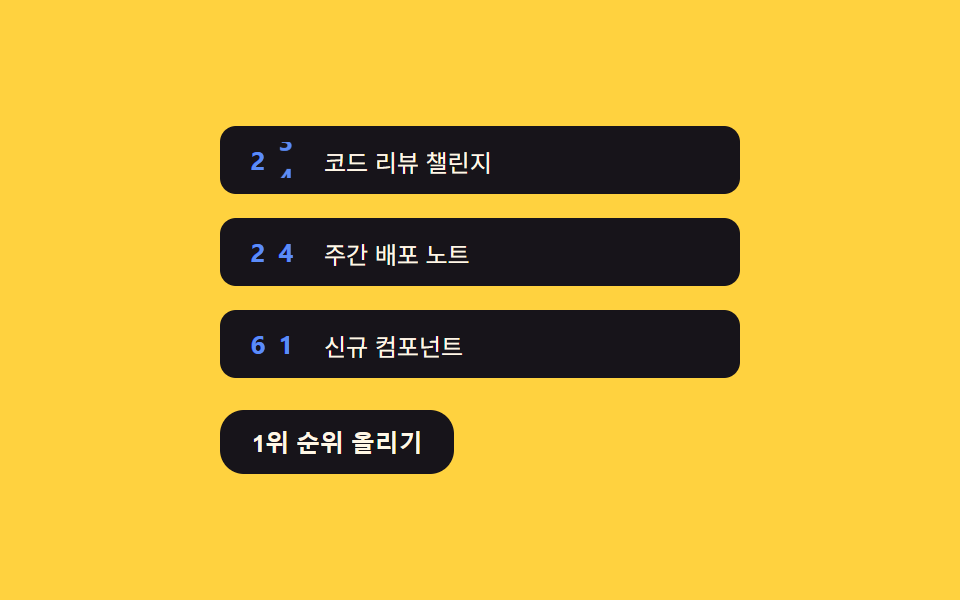
- 02 Odometer counter — splitting the counter value into digits so number markers roll
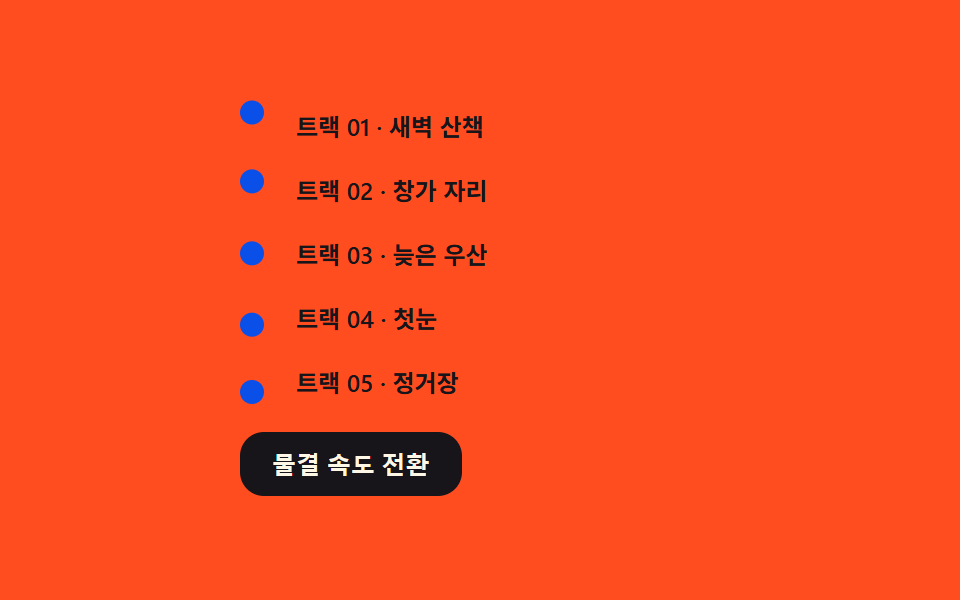
- 03 Phase-wave marker — shifting a phase value per item so bullets ripple
- 04 Marching-dash marker — streaming an offset value so dashes march
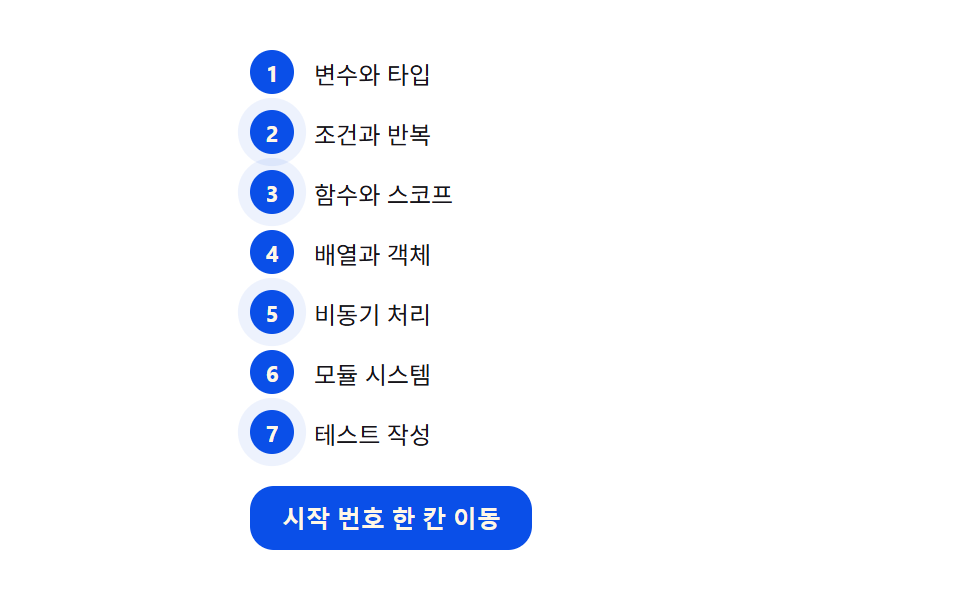
- 05 Prime-glow marker — computing a primality check so only qualifying numbers glow
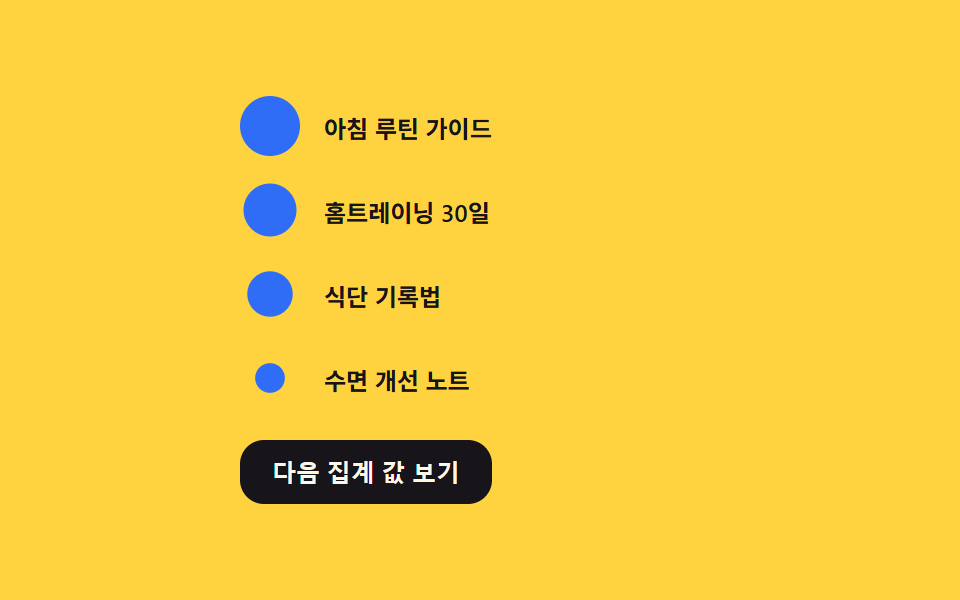
- 06 Size-ranked marker — computing marker area in proportion to a value
- 07 Nested-rail marker — computing indent rails from a depth value
- 08 Hybrid-swap marker — marker kind changing with a state value
- 09 Chain-burst check marker — stacking a delay value so checks pop in cascade
Every one of the nine listens for exactly one click listener, and each button does a different job: item 01 advances the step, 02 bumps the top value, 03 cycles the wave speed, 04 stops and resumes the march, 05 shifts the start number, 06 cycles the tally, 07 reveals the next depth, 09 submits the whole list, and item 08 alone puts the marker button on each row to hand its state over. The automatic playback runs only while the is-demo class is present and prefers-reduced-motion is false, and the first click strips that class, except item 04 which keeps its reduce check outside the auto-demo condition so the setting is still honored after a visitor takes over. Because ::marker cannot do what these markers do, all nine erase the native marker with list-style: none and rebuild it in the same spot; items 01, 02, and 05 run on ordered lists, the other six on unordered lists.
Anatomy of nine patterns — which calculation moves the marker
The table holds three measured values per item: how much of the frame the moving marker work filled cumulatively, how strong the per-pixel change was on average, and in how many of 23 sampled frames the pixels actually moved.
| Item | Cumulative area | Avg intensity | Moving frames |
|---|---|---|---|
| 01 | 2.81% | 70.2 | 17/23 |
| 02 | 0.19% | 115.5 | 19/23 |
| 03 | 0.93% | 142.2 | 23/23 |
| 04 | 0.42% | 124.9 | 23/23 |
| 05 | 2.42% | 27.8 | 20/23 |
| 06 | 1.28% | 98.1 | 15/23 |
| 07 | 0.93% | 47.0 | 10/23 |
| 08 | 1.21% | 109.4 | 11/23 |
| 09 | 0.37% | 91.0 | 10/23 |
The widest cumulative area belongs to item 01 alone at 2.81%, because each click turns several needles at once in proportion to their numbers and the active highlight stacks on top. The narrowest is item 02 at 0.19%, since the rolling digits repaint only inside narrow columns, and item 07 shows the same 0.93% as item 03 in the table while the measured decimals put 03 (0.931) slightly ahead. Only item 03 crosses an intensity of 140 at 142.2, and the lowest intensity, item 05's 27.8, comes from a glow that spreads as an alpha wash — a low-contrast change that keeps the per-frame pixel difference small. The most moving frames sit with items 03 and 04 at 23 of 23, the fewest with items 07 and 09 at 10 of 23, and that spread is not a flaw: it only reflects how long each pattern rests between steps.
Sorted by the calculation that drives the value, the nine fall into four clusters.
01 · 02 · 09 — a stacked count pushing the marker
Item 01 turns one click into a value stacked on turns[i] so the needle angle grows with the item number, item 02 splits a counter value across digit places with powers of ten, and item 09 stacks the pop moment as i * DELAY_STEP_MS. In all three, what gets carved into the marker is how many times and in what order the input happened, not the input of the current instant.
03 · 04 — flowing time poured in
Item 03 pushes the phase by the item number in sin(t * speed + i * PHASE_RAD) so a shared clock yields different heights, and item 04 integrates the offset at a constant rate over elapsed time with acc += dt/1000 * MARCH_RATE_DEG_S. What they share is that the current frame's time alone decides the value, with no remembered state.
05 · 07 — a predicate doing the switching
Item 05 reruns an isPrime() division check on every number and attaches the is-prime class only to items that pass, and item 07 updates every rail's is-open at once from the single comparison revealed >= depth. Neither consults a stored list; the predicate reruns each time the value changes.
06 · 08 — a proportion measuring the size
Item 06 takes the radius as factor = sqrt(v)/sqrt(max) so the area tracks the value, and item 08 back-solves the stroke with max(1.5, BASE_AREA/size²·3) so a larger marker gets a thinner line. Here the magnitude of a value is converted into the marker's size or weight.
Code per pattern
01Dial-rotating marker — stacking an angle value per item so each bullet turns like a clock
One click stacks onto how many advances that item has taken (turns[i]), and the needle angle multiplies that by the item number (i+1) and DIAL_STEP_DEG (30), so a higher number turns harder on the same click. The auto loop advances one step every STEP_MS (480).
What the numbers say
Item 01 holds the widest cumulative area among the nine, 2.81% at a 70.2 average intensity while moving in 17 of 23 sampled frames — several needles turn at once per click and the active highlight repaints on top, but the pattern rests between STEP_MS steps, which keeps its moving-frame count below the wave and dash items.
<main class="stage">
<div class="wrap is-demo" id="wrap">
  <ol class="dial-list" id="list">
    <li style="--i:0">Design review</li>
    <li style="--i:1">Mockup production</li>
    <li style="--i:2">Internal QA</li>
    <li style="--i:3">Client sign-off</li>
    <li style="--i:4">Deployed</li>
  </ol>
  <button class="advance" id="advance" type="button">Turn the needle to the next step</button>
</div>
</main>
@use "../../../../site/static/demo-tokens" as *;
// 계산 겹은 index.html 의 turns[i] * DIAL_STEP_DEG * (i+1) 누적식에 있다 — 여기는 다이얼 모양·판만 맡는다.
// ::marker 는 transform(rotate) 을 지원하지 않아 바늘을 돌릴 수 없다 (::marker 로 되는 건 color·content·font 뿐).
// 그래서 list-style:none 으로 네이티브 마커를 지우고 ::before(다이얼 원판)·::after(바늘) 로 대체한다.
@include stage($stage-ink);
.dial-list {
list-style: none;
margin: 0;
padding: 0;
display: flex;
flex-direction: column;
gap: $sp-2;
width: 220px;
}
.dial-list li {
position: relative;
padding-left: 40px;
min-height: 28px;
display: flex;
align-items: center;
color: $subject-cream;
font-size: 13px;
transition: color $dur-quick $ease-out;
}
.dial-list li::before {
content: '';
position: absolute;
left: 0;
top: 50%;
width: 24px;
height: 24px;
margin-top: -12px;
border-radius: 50%;
background: $subject-blue;
box-shadow: inset 0 0 0 2px rgba($subject-cream, .25);
}
.dial-list li::after {
content: '';
position: absolute;
left: 12px;
top: 50%;
width: 9px;
height: 2px;
margin-top: -1px;
background: $subject-cream;
transform-origin: left center; // 바늘의 회전축 — 다이얼 중심에 고정된 채 끝만 돈다
transform: rotate(var(--angle, 0deg));
transition: transform $dur-quick $ease-out;
}
.dial-list li.is-active {
color: $subject-blue-light;
}
.dial-list li.is-active::before {
box-shadow: inset 0 0 0 2px rgba($subject-cream, .25), 0 0 0 4px rgba($subject-blue, .35);
}
.advance {
appearance: none;
border: none;
margin-top: $sp-4;
padding: $sp-2 $sp-4;
border-radius: $r-control;
background: $subject-blue;
color: $subject-cream;
font-size: 12px;
font-weight: 600;
cursor: pointer;
transition: transform $dur-instant $ease-out;
&:hover { transform: translateY(-1px); }
&:active { transform: scale(.96); }
&:focus-visible { outline: 2px solid $subject-blue-light; outline-offset: 2px; }
}
@media (max-width: 340px) {
.dial-list { width: 180px; gap: $sp-1; }
.dial-list li { font-size: 11px; min-height: 22px; padding-left: 32px; }
.dial-list li::before { width: 20px; height: 20px; margin-top: -10px; }
.dial-list li::after { left: 10px; }
.advance { margin-top: $sp-2; padding: $sp-1 $sp-3; }
}
@media (prefers-reduced-motion: reduce) {
.dial-list li::after { transition: none; }
.advance { transition: none; }
}html, body {
margin: 0;
overflow: hidden;
}
.stage {
box-sizing: border-box;
min-height: 100vh;
display: grid;
place-items: center;
margin: 0;
background: #17141a;
font-family: -apple-system, "Segoe UI", "Noto Sans KR", sans-serif;
padding: clamp(8px, 4vw, 24px);
}
.dial-list {
list-style: none;
margin: 0;
padding: 0;
display: flex;
flex-direction: column;
gap: 8px;
width: 220px;
}
.dial-list li {
position: relative;
padding-left: 40px;
min-height: 28px;
display: flex;
align-items: center;
color: #fff7e6;
font-size: 13px;
transition: color 220ms ease-out;
}
.dial-list li::before {
content: "";
position: absolute;
left: 0;
top: 50%;
width: 24px;
height: 24px;
margin-top: -12px;
border-radius: 50%;
background: #2f6df6;
box-shadow: inset 0 0 0 2px rgba(255, 247, 230, 0.25);
}
.dial-list li::after {
content: "";
position: absolute;
left: 12px;
top: 50%;
width: 9px;
height: 2px;
margin-top: -1px;
background: #fff7e6;
transform-origin: left center;
transform: rotate(var(--angle, 0deg));
transition: transform 220ms ease-out;
}
.dial-list li.is-active {
color: #5b8cf8;
}
.dial-list li.is-active::before {
box-shadow: inset 0 0 0 2px rgba(255, 247, 230, 0.25), 0 0 0 4px rgba(47, 109, 246, 0.35);
}
.advance {
appearance: none;
border: none;
margin-top: 16px;
padding: 8px 16px;
border-radius: 12px;
background: #2f6df6;
color: #fff7e6;
font-size: 12px;
font-weight: 600;
cursor: pointer;
transition: transform 140ms ease-out;
}
.advance:hover {
transform: translateY(-1px);
}
.advance:active {
transform: scale(0.96);
}
.advance:focus-visible {
outline: 2px solid #5b8cf8;
outline-offset: 2px;
}
@media (max-width: 340px) {
.dial-list {
width: 180px;
gap: 4px;
}
.dial-list li {
font-size: 11px;
min-height: 22px;
padding-left: 32px;
}
.dial-list li::before {
width: 20px;
height: 20px;
margin-top: -10px;
}
.dial-list li::after {
left: 10px;
}
.advance {
margin-top: 8px;
padding: 4px 12px;
}
}
@media (prefers-reduced-motion: reduce) {
.dial-list li::after {
transition: none;
}
.advance {
transition: none;
}
}(function () {
var DIAL_STEP_DEG = 30; // 클릭 한 번이 바늘에 더하는 각도 — 변형 01 목표: 30 → 15
var reduce = window.matchMedia('(prefers-reduced-motion: reduce)').matches;
var wrap = document.getElementById('wrap');
var list = document.getElementById('list');
var items = Array.prototype.slice.call(list.querySelectorAll('li'));
var button = document.getElementById('advance');
var isDemo = true;
// 계산 겹: 항목 i 의 바늘 각도는 그 항목이 지금까지 지나온 횟수(turns[i]) 에 자기 번호(i+1) 를 곱해 쌓인다.
// 뒤 항목일수록 같은 한 번의 전진에도 더 큰 각도를 받는다 — 단순 지연이 아니라 번호에 비례한 누적이다.
var turns = items.map(function () { return 0; });
function render() {
items.forEach(function (el, i) {
var deg = turns[i] * DIAL_STEP_DEG * (i + 1);
el.style.setProperty('--angle', (deg % 360) + 'deg');
});
}
function human() { if (isDemo) { wrap.classList.remove('is-demo'); isDemo = false; } }
var active = 0;
function advance() {
turns[active] += 1;
items[active].classList.add('is-active');
setTimeout(function () { items[active] && items[active].classList.remove('is-active'); }, 260);
active = (active + 1) % items.length;
render();
}
button.addEventListener('click', function () { human(); advance(); });
var last = 0;
var STEP_MS = 480;
function loop(ts) {
if (!last) last = ts;
if (isDemo) {
if (reduce) {
turns = items.map(function (_, i) { return i + 1; }); // 계산은 유지, 시간 축소 대신 종료 상태로 즉시 고정
render();
} else if (ts - last >= STEP_MS) {
last = ts;
advance();
}
}
requestAnimationFrame(loop);
}
requestAnimationFrame(loop);
render();
})();// DialRotateMarker — vanilla 판(run/373/demo/01-list-style-marker-dial-rotate/index.html) 의 React 포트.
// ::marker 는 transform(rotate) 을 지원하지 않아 list-style:none 으로 지우고 ::before(다이얼 원판)·
// ::after(바늘) 로 마커를 다시 그린다. 바늘 각도는 turns[i] * DIAL_STEP_DEG * (i+1) 로 항목 번호에 비례해 쌓인다.
import { useEffect, useRef } from "react";
import styles from "./DialRotateMarker.module.scss";
type Box<T> = { current: T };
const DIAL_STEP_DEG = 30; // 클릭 한 번이 바늘에 더하는 각도 — 변형 01 목표: 30 → 15
const STEP_MS = 480; // 자동 루프에서 한 단계 전진하는 간격
const STEPS = ["설계 검토", "시안 제작", "내부 검수", "고객 확인", "배포 완료"];
export default function DialRotateMarker() {
const rootRef = useRef(null) as unknown as Box<HTMLDivElement>;
const listRef = useRef(null) as unknown as Box<HTMLOListElement>;
const rafRef = useRef(0) as unknown as Box<number>;
useEffect(() => {
const reduce = window.matchMedia("(prefers-reduced-motion: reduce)").matches;
const root = rootRef.current;
const list = listRef.current;
if (!root || !list) return;
const items = Array.prototype.slice.call(list.querySelectorAll("li"));
let isDemo = true;
// 계산 겹: 항목 i 의 바늘 각도는 그 항목이 지금까지 지나온 횟수(turns[i]) 에 자기 번호(i+1) 를 곱해 쌓인다.
// 뒤 항목일수록 같은 한 번의 전진에도 더 큰 각도를 받는다 — 단순 지연이 아니라 번호에 비례한 누적이다.
let turns = items.map(function () { return 0; });
function render() {
items.forEach(function (el: HTMLElement, i: number) {
const deg = turns[i] * DIAL_STEP_DEG * (i + 1);
el.style.setProperty("--angle", (deg % 360) + "deg");
});
}
function human() { if (isDemo) { root!.classList.remove(styles.isDemo); isDemo = false; } }
let active = 0;
function advance() {
turns[active] += 1;
items[active].classList.add("is-active");
setTimeout(function () { items[active] && items[active].classList.remove("is-active"); }, 260);
active = (active + 1) % items.length;
render();
}
function onClick() { human(); advance(); }
root!.addEventListener("click", onClick);
let last = 0;
function loop(ts: number) {
if (!last) last = ts;
if (isDemo) {
if (reduce) {
turns = items.map(function (_: HTMLElement, i: number) { return i + 1; }); // 계산은 유지, 종료 상태로 즉시 고정
render();
} else if (ts - last >= STEP_MS) {
last = ts;
advance();
}
}
rafRef.current = requestAnimationFrame(loop);
}
rafRef.current = requestAnimationFrame(loop);
render();
return () => {
root!.removeEventListener("click", onClick);
cancelAnimationFrame(rafRef.current);
};
}, []);
return (
<main className={styles.stage}>
<div className={styles.wrap + " " + styles.isDemo} ref={rootRef}>
<ol className={styles.dialList} ref={listRef}>
{STEPS.map(function (s, i) { return <li key={s} style={{ ["--i" as string]: String(i) } as Record<string, string>}>{s}</li>; })}
</ol>
<button className={styles.advance} type="button">다음 단계로 바늘 돌리기</button>
</div>
</main>
);
}01 · Dial-rotating marker — stacking an angle value per item so each bullet turns like a clock — Measured area 2.805% · moving frames 17/23Original by GODRICH · SCSS and React ship in the zip · See the password
  // Math layer: item i's needle angle stacks how many advances that item has taken (turns[i]) times its own number (i+1).
  // Later items receive a larger angle for the same single advance — an accumulation proportional to the number, not a plain delay.
  var turns = items.map(function () { return 0; });

  function render() {
    items.forEach(function (el, i) {
      var deg = turns[i] * DIAL_STEP_DEG * (i + 1);
      el.style.setProperty('--angle', (deg % 360) + 'deg');
    });
  }

  function human() { if (isDemo) { wrap.classList.remove('is-demo'); isDemo = false; } }
02Odometer counter — splitting the counter value into digits so number markers roll
The counter value divides by place = 10^(ODO_DIGITS-1-d) to decompose it per digit, and each strip of 0 through 9 is pulled up with translateY(-digit * DIGIT_H). Each place gets a different transition speed of 260 + d * 220 ms, so the high digit on the left settles first at 260ms while the low digit on the right follows later, slower.
What the numbers say
Item 02 has the narrowest cumulative area among the nine, 0.19%, at a 115.5 average intensity while moving in 19 of 23 sampled frames — the rolling digits repaint continuously, but only inside columns 14px wide, so the strong per-pixel change never spreads across much of the frame.
<main class="stage">
<div class="wrap is-demo" id="wrap">
  <ol class="rank-list" id="list">
    <li data-value="8">Code review challenge</li>
    <li data-value="24">Weekly release notes</li>
    <li data-value="61">New components</li>
  </ol>
  <button class="bump" id="bump" type="button">Bump the top rank up</button>
</div>
</main>
@use "../../../../site/static/demo-tokens" as *;
// 계산 겹은 index.html 의 자릿수 분해(value / 10^n % 10)와 자리별 전환 속도 차등에 있다 — 여기는 창·트랙만 맡는다.
// 네이티브 ::marker 는 세로로 구를(translateY) 자릿수 스트립을 담을 수 없어(자식을 못 가진다) 실제 DOM 요소로
// 마커 자리를 대신한다 — list-style:none 으로 원 마커를 지우고 aria-hidden 장식으로만 노출한다.
@include stage($stage-yellow);
.rank-list {
list-style: none;
margin: 0;
padding: 0;
display: flex;
flex-direction: column;
gap: $sp-3;
width: 260px;
}
.rank-list li {
display: flex;
align-items: center;
gap: $sp-3;
padding: $sp-2 $sp-3;
background: $subject-ink;
border-radius: $r-sm;
color: $subject-cream;
font-size: 12px;
}
.odo {
display: flex;
flex-shrink: 0;
}
.odo-col {
width: 14px;
height: 18px;
overflow: hidden;
position: relative;
font-variant-numeric: tabular-nums;
}
.odo-strip {
display: flex;
flex-direction: column;
transition: transform $dur-base $ease-out;
}
.odo-digit {
height: 18px;
line-height: 18px;
text-align: center;
color: $subject-blue-light;
font-weight: 700;
font-size: 13px;
}
.bump {
appearance: none;
border: none;
margin-top: $sp-4;
padding: $sp-2 $sp-4;
border-radius: $r-control;
background: $subject-ink;
color: $subject-cream;
font-size: 12px;
font-weight: 600;
cursor: pointer;
transition: transform $dur-instant $ease-out;
&:hover { transform: translateY(-1px); }
&:active { transform: scale(.96); }
&:focus-visible { outline: 2px solid $subject-blue-light; outline-offset: 2px; }
}
@media (max-width: 340px) {
.rank-list { width: 210px; }
.rank-list li { font-size: 11px; }
}
@media (prefers-reduced-motion: reduce) {
.odo-strip { transition: none; }
.bump { transition: none; }
}html, body {
margin: 0;
overflow: hidden;
}
.stage {
box-sizing: border-box;
min-height: 100vh;
display: grid;
place-items: center;
margin: 0;
background: #ffd23f;
font-family: -apple-system, "Segoe UI", "Noto Sans KR", sans-serif;
padding: clamp(8px, 4vw, 24px);
}
.rank-list {
list-style: none;
margin: 0;
padding: 0;
display: flex;
flex-direction: column;
gap: 12px;
width: 260px;
}
.rank-list li {
display: flex;
align-items: center;
gap: 12px;
padding: 8px 12px;
background: #17141a;
border-radius: 8px;
color: #fff7e6;
font-size: 12px;
}
.odo {
display: flex;
flex-shrink: 0;
}
.odo-col {
width: 14px;
height: 18px;
overflow: hidden;
position: relative;
font-variant-numeric: tabular-nums;
}
.odo-strip {
display: flex;
flex-direction: column;
transition: transform 300ms ease-out;
}
.odo-digit {
height: 18px;
line-height: 18px;
text-align: center;
color: #5b8cf8;
font-weight: 700;
font-size: 13px;
}
.bump {
appearance: none;
border: none;
margin-top: 16px;
padding: 8px 16px;
border-radius: 12px;
background: #17141a;
color: #fff7e6;
font-size: 12px;
font-weight: 600;
cursor: pointer;
transition: transform 140ms ease-out;
}
.bump:hover {
transform: translateY(-1px);
}
.bump:active {
transform: scale(0.96);
}
.bump:focus-visible {
outline: 2px solid #5b8cf8;
outline-offset: 2px;
}
@media (max-width: 340px) {
.rank-list {
width: 210px;
}
.rank-list li {
font-size: 11px;
}
}
@media (prefers-reduced-motion: reduce) {
.odo-strip {
transition: none;
}
.bump {
transition: none;
}
}(function () {
var ODO_DIGITS = 2; // 자릿수 — 변형 02 목표: 2 → 3
var DIGIT_H = 18; // 숫자 스트립 한 칸 높이(px)
var reduce = window.matchMedia('(prefers-reduced-motion: reduce)').matches;
var wrap = document.getElementById('wrap');
var list = document.getElementById('list');
var items = Array.prototype.slice.call(list.querySelectorAll('li'));
var button = document.getElementById('bump');
var isDemo = true;
function buildOdometer(li) {
var odo = document.createElement('span');
odo.className = 'odo';
odo.setAttribute('aria-hidden', 'true');
for (var d = 0; d < ODO_DIGITS; d++) {
var col = document.createElement('span');
col.className = 'odo-col';
var strip = document.createElement('span');
strip.className = 'odo-strip';
for (var n = 0; n < 10; n++) {
var digit = document.createElement('span');
digit.className = 'odo-digit';
digit.textContent = String(n);
strip.appendChild(digit);
}
col.appendChild(strip);
odo.appendChild(col);
}
li.insertBefore(odo, li.firstChild);
return odo;
}
var odos = items.map(buildOdometer);
// 계산 겹: 카운터 값을 10 의 거듭제곱으로 나눠 자릿수로 분해한다. 각 자릿수 칸은 서로 다른 전환 속도를 가져
// 낮은 자리부터 먼저 자리를 잡고(빠름) 높은 자리가 뒤따른다(느림) — 단순 opacity 페이드가 아니라 자릿수별 롤링.
function setDigits(odo, value) {
var strips = odo.querySelectorAll('.odo-strip');
for (var d = 0; d < ODO_DIGITS; d++) {
var place = Math.pow(10, ODO_DIGITS - 1 - d);
var digit = Math.floor(value / place) % 10;
strips[d].style.transform = 'translateY(' + (-digit * DIGIT_H) + 'px)';
}
}
function speedClass(odo) {
var strips = odo.querySelectorAll('.odo-strip');
strips.forEach(function (s, d) {
// d=0(가장 왼쪽=가장 높은 자리)이 가장 느리고, 오른쪽(낮은 자리)일수록 빠르다
var ms = 260 + d * 220;
s.style.transitionDuration = ms + 'ms';
});
}
odos.forEach(speedClass);
var values = items.map(function (li) { return parseInt(li.getAttribute('data-value'), 10); });
function render() {
items.forEach(function (li, i) { setDigits(odos[i], values[i] % Math.pow(10, ODO_DIGITS)); });
}
function human() { if (isDemo) { wrap.classList.remove('is-demo'); isDemo = false; } }
function bump() {
values[0] = (values[0] + 7) % Math.pow(10, ODO_DIGITS);
render();
}
button.addEventListener('click', function () { human(); bump(); });
var last = 0;
var STEP_MS = 620;
function loop(ts) {
if (!last) last = ts;
if (isDemo) {
if (reduce) {
values = [42, 97, 5]; // 계산은 유지, 시간 축소 대신 굴러간 결과 상태로 즉시 고정
render();
} else if (ts - last >= STEP_MS) {
last = ts;
bump();
}
}
requestAnimationFrame(loop);
}
requestAnimationFrame(loop);
render();
})();// OdometerCounterMarker — vanilla 판(run/373/demo/02-list-style-counter-flip-odometer/index.html) 의 React 포트.
// 카운터 값을 10 의 거듭제곱으로 나눠 자릿수로 분해하고, 각 자릿수 칸이 서로 다른 전환 속도로 굴러간다.
// 네이티브 ::marker 는 자식을 가질 수 없어 세로 스트립을 담지 못하므로 실제 DOM 요소로 마커 자리를 대신한다.
import { useEffect, useRef } from "react";
import styles from "./OdometerCounterMarker.module.scss";
type Box<T> = { current: T };
const ODO_DIGITS = 2; // 자릿수 — 변형 02 목표: 2 → 3
const DIGIT_H = 18; // 숫자 스트립 한 칸 높이(px)
const STEP_MS = 620; // 자동 루프에서 1위 값을 올리는 간격
const ROWS = [
{ label: "코드 리뷰 챌린지", value: 8 },
{ label: "주간 배포 노트", value: 24 },
{ label: "신규 컴포넌트", value: 61 },
];
export default function OdometerCounterMarker() {
const rootRef = useRef(null) as unknown as Box<HTMLDivElement>;
const listRef = useRef(null) as unknown as Box<HTMLOListElement>;
const rafRef = useRef(0) as unknown as Box<number>;
useEffect(() => {
const reduce = window.matchMedia("(prefers-reduced-motion: reduce)").matches;
const root = rootRef.current;
const list = listRef.current;
if (!root || !list) return;
const items = Array.prototype.slice.call(list.querySelectorAll("li"));
let isDemo = true;
// 계산 겹: 카운터 값을 10 의 거듭제곱으로 나눠 자릿수로 분해한다. 각 자릿수 칸은 서로 다른 전환 속도를 가져
// 낮은 자리부터 먼저 자리를 잡고(빠름) 높은 자리가 뒤따른다(느림) — 단순 opacity 페이드가 아니라 자릿수별 롤링.
function setDigits(odo: Element, value: number) {
const strips = odo.querySelectorAll("." + (styles.odoStrip || "odo-strip"));
for (let d = 0; d < ODO_DIGITS; d++) {
const place = Math.pow(10, ODO_DIGITS - 1 - d);
const digit = Math.floor(value / place) % 10;
(strips[d] as HTMLElement).style.transform = "translateY(" + (-digit * DIGIT_H) + "px)";
}
}
function speedClass() {
items.forEach(function (li: HTMLElement) {
const odo = li.querySelector("." + (styles.odo || "odo"));
if (!odo) return;
const strips = odo.querySelectorAll("." + (styles.odoStrip || "odo-strip"));
Array.prototype.forEach.call(strips, function (s: HTMLElement, d: number) {
// d=0(가장 왼쪽=가장 높은 자리)이 가장 느리고, 오른쪽(낮은 자리)일수록 빠르다
const ms = 260 + d * 220;
s.style.transitionDuration = ms + "ms";
});
});
}
let values = ROWS.map(function (r) { return r.value; });
function render() {
items.forEach(function (li: HTMLElement, i: number) {
const odo = li.querySelector("." + (styles.odo || "odo"));
if (odo) setDigits(odo, values[i] % Math.pow(10, ODO_DIGITS));
});
}
function human() { if (isDemo) { root!.classList.remove(styles.isDemo); isDemo = false; } }
function bump() {
values[0] = (values[0] + 7) % Math.pow(10, ODO_DIGITS);
render();
}
function onClick() { human(); bump(); }
root!.addEventListener("click", onClick);
speedClass();
let last = 0;
function loop(ts: number) {
if (!last) last = ts;
if (isDemo) {
if (reduce) {
values = [42, 97, 5]; // 계산은 유지, 시간 축소 대신 굴러간 결과 상태로 즉시 고정
render();
} else if (ts - last >= STEP_MS) {
last = ts;
bump();
}
}
rafRef.current = requestAnimationFrame(loop);
}
rafRef.current = requestAnimationFrame(loop);
render();
return () => {
root!.removeEventListener("click", onClick);
cancelAnimationFrame(rafRef.current);
};
}, []);
return (
<main className={styles.stage}>
<div className={styles.wrap + " " + styles.isDemo} ref={rootRef}>
<ol className={styles.rankList} ref={listRef}>
{ROWS.map(function (r) {
return (
<li key={r.label}>
<span className={styles.odo} aria-hidden="true">
{Array.from({ length: ODO_DIGITS }).map(function (_, d) {
return (
<span className={styles.odoCol} key={d}>
<span className={styles.odoStrip}>
{Array.from({ length: 10 }).map(function (_, n) {
return <span className={styles.odoDigit} key={n}>{String(n)}</span>;
})}
</span>
</span>
);
})}
</span>
{r.label}
</li>
);
})}
</ol>
<button className={styles.bump} type="button">1위 순위 올리기</button>
</div>
</main>
);
}02 · Odometer counter — splitting the counter value into digits so number markers roll — Measured area 0.189% · moving frames 19/23Original by GODRICH · SCSS and React ship in the zip · See the password
  // Math layer: the counter value is divided by powers of ten and split into digits. Each digit cell carries its own transition speed
  // so the low digit settles first (fast) and the high digit follows (slow) — a per-digit rolling, not a plain opacity fade.
  function setDigits(odo, value) {
    var strips = odo.querySelectorAll('.odo-strip');
    for (var d = 0; d < ODO_DIGITS; d++) {
      var place = Math.pow(10, ODO_DIGITS - 1 - d);
      var digit = Math.floor(value / place) % 10;
      strips[d].style.transform = 'translateY(' + (-digit * DIGIT_H) + 'px)';
    }
  }

  function speedClass(odo) {
    var strips = odo.querySelectorAll('.odo-strip');
    strips.forEach(function (s, d) {
      // d=0 (leftmost, highest place) is the slowest; the farther right (lower place), the faster
      var ms = 260 + d * 220;
      s.style.transitionDuration = ms + 'ms';
    });
  }
  odos.forEach(speedClass);
03Phase-wave marker — shifting a phase value per item so bullets ripple
The bullet's vertical position comes from a sine of amplitude AMPLITUDE_PX (6), with the phase pushed in by the item number (i * PHASE_RAD) so the whole list flows as one wave. The SPEEDS preset [1, 2, 0.5] cycles by click.
What the numbers say
Item 03 carries the highest intensity among the nine, 142.2, at a 0.93% cumulative area while moving in 23 of 23 sampled frames — the sine keeps every bullet drifting nearly every frame, and a full-amplitude vertical shift on a small circle yields the sharpest per-pixel difference of the set.
<main class="stage">
<div class="wrap is-demo" id="wrap">
  <ul class="wave-list" id="list">
    <li style="--i:0">Track 01 · Dawn walk</li>
    <li style="--i:1">Track 02 · Window seat</li>
    <li style="--i:2">Track 03 · Late umbrella</li>
    <li style="--i:3">Track 04 · First snow</li>
    <li style="--i:4">Track 05 · The station</li>
  </ul>
  <button class="speed" id="speed" type="button">Switch the wave speed</button>
</div>
</main>
@use "../../../../site/static/demo-tokens" as *;
// 계산 겹은 index.html 의 사인 함수 위상 이동(sin(t*speed + i*phase)) 에 있다 — 여기는 불릿 모양·판만 맡는다.
// ::marker 는 transform(translateY) 을 지원하지 않아 물결을 만들 수 없다 — list-style:none 으로 지우고
// ::before 로 대체한 불릿에 커스텀 프로퍼티 --y 를 실어 세로로 흔든다.
@include stage($stage-orange);
.wave-list {
list-style: none;
margin: 0;
padding: 0;
display: flex;
flex-direction: column;
gap: $sp-3;
width: 240px;
}
.wave-list li {
position: relative;
padding-left: 28px;
min-height: 20px;
display: flex;
align-items: center;
color: $subject-ink;
font-size: 12px;
font-weight: 600;
}
.wave-list li::before {
content: '';
position: absolute;
left: 0;
top: 50%;
width: 12px;
height: 12px;
margin-top: -6px;
border-radius: 50%;
background: $subject-blue-deep;
transform: translateY(var(--y, 0px));
}
.speed {
appearance: none;
border: none;
margin-top: $sp-4;
padding: $sp-2 $sp-4;
border-radius: $r-control;
background: $subject-ink;
color: $subject-cream;
font-size: 12px;
font-weight: 600;
cursor: pointer;
transition: transform $dur-instant $ease-out;
&:hover { transform: translateY(-1px); }
&:active { transform: scale(.96); }
&:focus-visible { outline: 2px solid $subject-blue-light; outline-offset: 2px; }
}
@media (max-width: 340px) {
.wave-list { width: 190px; gap: $sp-1; }
.wave-list li { font-size: 11px; min-height: 16px; padding-left: 20px; }
.wave-list li::before { width: 10px; height: 10px; margin-top: -5px; }
.speed { margin-top: $sp-2; padding: $sp-1 $sp-3; }
}
@media (prefers-reduced-motion: reduce) {
.wave-list li::before { transition: none; }
.speed { transition: none; }
}html, body {
margin: 0;
overflow: hidden;
}
.stage {
box-sizing: border-box;
min-height: 100vh;
display: grid;
place-items: center;
margin: 0;
background: #ff4d1f;
font-family: -apple-system, "Segoe UI", "Noto Sans KR", sans-serif;
padding: clamp(8px, 4vw, 24px);
}
.wave-list {
list-style: none;
margin: 0;
padding: 0;
display: flex;
flex-direction: column;
gap: 12px;
width: 240px;
}
.wave-list li {
position: relative;
padding-left: 28px;
min-height: 20px;
display: flex;
align-items: center;
color: #17141a;
font-size: 12px;
font-weight: 600;
}
.wave-list li::before {
content: "";
position: absolute;
left: 0;
top: 50%;
width: 12px;
height: 12px;
margin-top: -6px;
border-radius: 50%;
background: #0a4fe8;
transform: translateY(var(--y, 0px));
}
.speed {
appearance: none;
border: none;
margin-top: 16px;
padding: 8px 16px;
border-radius: 12px;
background: #17141a;
color: #fff7e6;
font-size: 12px;
font-weight: 600;
cursor: pointer;
transition: transform 140ms ease-out;
}
.speed:hover {
transform: translateY(-1px);
}
.speed:active {
transform: scale(0.96);
}
.speed:focus-visible {
outline: 2px solid #5b8cf8;
outline-offset: 2px;
}
@media (max-width: 340px) {
.wave-list {
width: 190px;
gap: 4px;
}
.wave-list li {
font-size: 11px;
min-height: 16px;
padding-left: 20px;
}
.wave-list li::before {
width: 10px;
height: 10px;
margin-top: -5px;
}
.speed {
margin-top: 8px;
padding: 4px 12px;
}
}
@media (prefers-reduced-motion: reduce) {
.wave-list li::before {
transition: none;
}
.speed {
transition: none;
}
}(function () {
var WAVE_PHASE_DEG = 40; // 항목 사이 위상차 — 변형 03 목표: 40 → 80
var AMPLITUDE_PX = 6;
var SPEEDS = [1, 2, 0.5]; // 배속 프리셋
var reduce = window.matchMedia('(prefers-reduced-motion: reduce)').matches;
var wrap = document.getElementById('wrap');
var list = document.getElementById('list');
var items = Array.prototype.slice.call(list.querySelectorAll('li'));
var button = document.getElementById('speed');
var isDemo = true;
var speedIdx = 0;
var PHASE_RAD = WAVE_PHASE_DEG * Math.PI / 180;
// 계산 겹: 각 불릿의 세로 위치는 사인 함수에 항목 번호만큼 위상을 밀어 넣은 값이다.
// t(공통 시간) 는 흐르되 위상이 다르면 같은 순간에도 서로 다른 높이가 된다 — 이것이 "물결"의 원리다.
function apply(t) {
var speed = SPEEDS[speedIdx];
items.forEach(function (el, i) {
var phase = i * PHASE_RAD;
var y = AMPLITUDE_PX * Math.sin(t * speed + phase);
el.style.setProperty('--y', y.toFixed(2) + 'px');
});
}
function human() { if (isDemo) { wrap.classList.remove('is-demo'); isDemo = false; } }
button.addEventListener('click', function () {
human();
speedIdx = (speedIdx + 1) % SPEEDS.length;
});
var start = 0;
function loop(ts) {
if (!start) start = ts;
if (isDemo) {
if (reduce) {
apply(Math.PI / 2); // 계산은 유지, 시간 축소 대신 파고 정점 위상으로 즉시 고정
} else {
apply((ts - start) / 260);
}
}
requestAnimationFrame(loop);
}
requestAnimationFrame(loop);
apply(0);
})();// PhaseWaveMarker — vanilla 판(run/373/demo/03-list-style-marker-wave-phase/index.html) 의 React 포트.
// ::marker 는 transform(translateY) 을 지원하지 않아 물결을 만들 수 없다 — list-style:none 으로 지우고
// ::before 로 대체한 불릿에 커스텀 프로퍼티 --y 를 실어 사인 위상차로 세로로 흔든다.
import { useEffect, useRef } from "react";
import styles from "./PhaseWaveMarker.module.scss";
type Box<T> = { current: T };
const WAVE_PHASE_DEG = 40; // 인접 항목 사이 위상 간격 — 변형 03 목표: 40 → 80
const AMPLITUDE_PX = 6; // 물결 진폭 상한(px)
const SPEEDS = [1, 2, 0.5]; // 속도 프리셋 — 버튼으로 순환한다 (Math.random 금지, 결정적 배열)
const TRACKS = ["트랙 01 · 새벽 산책", "트랙 02 · 창가 자리", "트랙 03 · 늦은 우산", "트랙 04 · 첫눈", "트랙 05 · 정거장"];
export default function PhaseWaveMarker() {
const rootRef = useRef(null) as unknown as Box<HTMLDivElement>;
const listRef = useRef(null) as unknown as Box<HTMLUListElement>;
const rafRef = useRef(0) as unknown as Box<number>;
useEffect(() => {
const reduce = window.matchMedia("(prefers-reduced-motion: reduce)").matches;
const root = rootRef.current;
const list = listRef.current;
if (!root || !list) return;
const items = Array.prototype.slice.call(list.querySelectorAll("li"));
const PHASE_RAD = (WAVE_PHASE_DEG * Math.PI) / 180;
let speedIdx = 0;
let isDemo = true;
// 계산 겹: 항목 i 의 불릿 위치는 sin(t * speed + i * phase) 로 계산한다 — 같은 시각에 항목마다 위상이 달라
// 줄 전체가 하나의 파동으로 보인다. CSS transition 이 아니라 프레임마다 계산되는 값이다.
function apply(t: number) {
items.forEach(function (el: HTMLElement, i: number) {
const y = AMPLITUDE_PX * Math.sin(t * SPEEDS[speedIdx] + i * PHASE_RAD);
el.style.setProperty("--y", y.toFixed(2) + "px");
});
}
function human() { if (isDemo) { root!.classList.remove(styles.isDemo); isDemo = false; } }
function onClick() {
human();
speedIdx = (speedIdx + 1) % SPEEDS.length;
}
root!.addEventListener("click", onClick);
let last = 0;
function loop(ts: number) {
if (!last) last = ts;
if (isDemo && !reduce) apply((ts - last) / 1000);
else if (reduce) apply(1.57); // 계산은 유지, 시간 축소 대신 파도 꼭대기 위상(π/2) 으로 즉시 고정
rafRef.current = requestAnimationFrame(loop);
}
rafRef.current = requestAnimationFrame(loop);
return () => {
root!.removeEventListener("click", onClick);
cancelAnimationFrame(rafRef.current);
};
}, []);
return (
<main className={styles.stage}>
<div className={styles.wrap + " " + styles.isDemo} ref={rootRef}>
<ul className={styles.waveList} ref={listRef}>
{TRACKS.map(function (t) { return <li key={t}>{t}</li>; })}
</ul>
<button className={styles.speed} type="button">물결 속도 전환</button>
</div>
</main>
);
}03 · Phase-wave marker — shifting a phase value per item so bullets ripple — Measured area 0.931% · moving frames 23/23Original by GODRICH · SCSS and React ship in the zip · See the password
  // Math layer: each bullet's vertical position is a sine value with the phase pushed in by its item number.
  // t (shared time) still flows, but a different phase yields a different height at the same instant — that is the wave.
  function apply(t) {
    var speed = SPEEDS[speedIdx];
    items.forEach(function (el, i) {
      var phase = i * PHASE_RAD;
      var y = AMPLITUDE_PX * Math.sin(t * speed + phase);
      el.style.setProperty('--y', y.toFixed(2) + 'px');
    });
  }

  function human() { if (isDemo) { wrap.classList.remove('is-demo'); isDemo = false; } }
04Marching-dash marker — streaming an offset value so dashes march
Every frame integrates the offset angle at a constant rate with acc += dt/1000 * MARCH_RATE_DEG_S (140), and the dashed border streams along the circle. Stopping and resuming keeps the accumulated value, so the flow never jumps.
What the numbers say
Item 04 moves in 23 of 23 sampled frames at a 124.9 average intensity over a 0.42% cumulative area — the dash rotation repaints a thin ring almost continuously, and because the rotation is a time integral, pausing and resuming never produces a visible jump in the ring.
<main class="stage">
<div class="wrap is-demo" id="wrap">
  <ul class="queue-list" id="list">
    <li>Video encoding queued</li>
    <li>Thumbnail generation queued</li>
    <li>Subtitle alignment queued</li>
  </ul>
  <button class="toggle" id="toggle" type="button" aria-pressed="false">Stop the march</button>
</div>
</main>
@use "../../../../site/static/demo-tokens" as *;
// 계산 겹은 index.html 의 시간 적분(acc += dt/1000 * MARCH_RATE_DEG_S) 에 있다 — 여기는 대시 링·판만 맡는다.
// ::marker 는 border-style:dashed 를 표현할 수 없어(마커 콘텐츠 상자일 뿐) list-style:none 으로 지우고
// 실제 span(.ring) 을 마커 자리에 넣어 점선 테두리를 회전시킨다.
@include stage($stage-ink);
.queue-list {
list-style: none;
margin: 0;
padding: 0;
display: flex;
flex-direction: column;
gap: $sp-3;
width: 250px;
}
.queue-list li {
display: flex;
align-items: center;
gap: $sp-3;
color: $subject-cream;
font-size: 12px;
}
.ring {
flex-shrink: 0;
width: 20px;
height: 20px;
border-radius: 50%;
border: 2px dashed $subject-blue-light;
transform: rotate(var(--offset, 0deg));
}
.toggle {
appearance: none;
border: none;
margin-top: $sp-4;
padding: $sp-2 $sp-4;
border-radius: $r-control;
background: $subject-blue;
color: $subject-cream;
font-size: 12px;
font-weight: 600;
cursor: pointer;
transition: transform $dur-instant $ease-out;
&:hover { transform: translateY(-1px); }
&:active { transform: scale(.96); }
&:focus-visible { outline: 2px solid $subject-blue-light; outline-offset: 2px; }
}
@media (max-width: 340px) {
.queue-list { width: 190px; }
.queue-list li { font-size: 11px; }
}
@media (prefers-reduced-motion: reduce) {
.toggle { transition: none; }
}html, body {
margin: 0;
overflow: hidden;
}
.stage {
box-sizing: border-box;
min-height: 100vh;
display: grid;
place-items: center;
margin: 0;
background: #17141a;
font-family: -apple-system, "Segoe UI", "Noto Sans KR", sans-serif;
padding: clamp(8px, 4vw, 24px);
}
.queue-list {
list-style: none;
margin: 0;
padding: 0;
display: flex;
flex-direction: column;
gap: 12px;
width: 250px;
}
.queue-list li {
display: flex;
align-items: center;
gap: 12px;
color: #fff7e6;
font-size: 12px;
}
.ring {
flex-shrink: 0;
width: 20px;
height: 20px;
border-radius: 50%;
border: 2px dashed #5b8cf8;
transform: rotate(var(--offset, 0deg));
}
.toggle {
appearance: none;
border: none;
margin-top: 16px;
padding: 8px 16px;
border-radius: 12px;
background: #2f6df6;
color: #fff7e6;
font-size: 12px;
font-weight: 600;
cursor: pointer;
transition: transform 140ms ease-out;
}
.toggle:hover {
transform: translateY(-1px);
}
.toggle:active {
transform: scale(0.96);
}
.toggle:focus-visible {
outline: 2px solid #5b8cf8;
outline-offset: 2px;
}
@media (max-width: 340px) {
.queue-list {
width: 190px;
}
.queue-list li {
font-size: 11px;
}
}
@media (prefers-reduced-motion: reduce) {
.toggle {
transition: none;
}
}(function () {
var MARCH_RATE_DEG_S = 140; // 초당 회전 각도 — 대시가 흐르는 속도
var reduce = window.matchMedia('(prefers-reduced-motion: reduce)').matches;
var wrap = document.getElementById('wrap');
var list = document.getElementById('list');
var markers = Array.prototype.slice.call(list.querySelectorAll('li')).map(function (li) {
var m = document.createElement('span');
m.className = 'ring';
m.setAttribute('aria-hidden', 'true');
li.insertBefore(m, li.firstChild);
return m;
});
var button = document.getElementById('toggle');
var isDemo = true;
var running = true;
// 계산 겹: 오프셋 각도는 시간에 정속(MARCH_RATE_DEG_S)으로 누적된다. 대시 테두리를 이 각도만큼 계속
// 회전시키면 점선이 원을 따라 "흐르는" 것처럼 보인다 — 단일 keyframe 반복이 아니라 시간 적분값이다.
function apply(offsetDeg) {
markers.forEach(function (m) { m.style.setProperty('--offset', (offsetDeg % 360) + 'deg'); });
}
function human() { if (isDemo) { wrap.classList.remove('is-demo'); isDemo = false; } }
button.addEventListener('click', function () {
human();
running = !running;
button.setAttribute('aria-pressed', String(!running));
button.textContent = running ? 'Stop the march' : 'Resume the march';
});
var last = 0;
var acc = 0;
function loop(ts) {
if (!last) last = ts;
var dt = ts - last;
last = ts;
if (reduce) {
apply(90); // 계산은 유지, 시간 축소 대신 4분의1 회전 지점으로 즉시 고정 (자동 루프·실사용 공통)
} else if (running) {
acc += dt / 1000 * MARCH_RATE_DEG_S;
apply(acc);
}
requestAnimationFrame(loop);
}
requestAnimationFrame(loop);
apply(0);
})();// DashMarchMarker — vanilla 판(run/373/demo/04-list-style-dash-march-offset/index.html) 의 React 포트.
// ::marker 는 transform(rotate)·테두리를 지원하지 않아 링 마커를 그릴 수 없다 — 실제 span 링으로 마커를 대신하고
// 오프셋 각도를 시간 적분해 대시가 원을 따라 흐르게 만든다.
import { useEffect, useRef } from "react";
import styles from "./DashMarchMarker.module.scss";
type Box<T> = { current: T };
const MARCH_RATE_DEG_S = 140; // 초당 회전 각도 — 대시가 흐르는 속도
const QUEUES = ["영상 인코딩 대기", "썸네일 생성 대기", "자막 정렬 대기"];
export default function DashMarchMarker() {
const rootRef = useRef(null) as unknown as Box<HTMLDivElement>;
const listRef = useRef(null) as unknown as Box<HTMLUListElement>;
const buttonRef = useRef(null) as unknown as Box<HTMLButtonElement>;
const rafRef = useRef(0) as unknown as Box<number>;
useEffect(() => {
const reduce = window.matchMedia("(prefers-reduced-motion: reduce)").matches;
const root = rootRef.current;
const list = listRef.current;
const button = buttonRef.current;
if (!root || !list || !button) return;
const markers = Array.prototype.slice.call(list.querySelectorAll("li")).map(function (li: HTMLElement) {
const m = document.createElement("span");
m.className = styles.ring;
m.setAttribute("aria-hidden", "true");
li.insertBefore(m, li.firstChild);
return m;
});
let isDemo = true;
let running = true;
// 계산 겹: 오프셋 각도는 시간에 정속(MARCH_RATE_DEG_S)으로 누적된다. 대시 테두리를 이 각도만큼 계속
// 회전시키면 점선이 원을 따라 "흐르는" 것처럼 보인다 — 단일 keyframe 반복이 아니라 시간 적분값이다.
function apply(offsetDeg: number) {
markers.forEach(function (m: HTMLElement) { m.style.setProperty("--offset", (offsetDeg % 360) + "deg"); });
}
function human() { if (isDemo) { root!.classList.remove(styles.isDemo); isDemo = false; } }
function onClick() {
human();
running = !running;
button!.setAttribute("aria-pressed", String(!running));
button!.textContent = running ? "행진 멈추기" : "행진 다시 시작";
}
button.addEventListener("click", onClick);
let last = 0;
let acc = 0;
function loop(ts: number) {
if (!last) last = ts;
const dt = ts - last;
last = ts;
if (reduce) {
apply(90); // 계산은 유지, 시간 축소 대신 4분의1 회전 지점으로 즉시 고정 (자동 루프·실사용 공통)
} else if (running) {
acc += dt / 1000 * MARCH_RATE_DEG_S;
apply(acc);
}
rafRef.current = requestAnimationFrame(loop);
}
rafRef.current = requestAnimationFrame(loop);
apply(0);
return () => {
button.removeEventListener("click", onClick);
cancelAnimationFrame(rafRef.current);
};
}, []);
return (
<main className={styles.stage}>
<div className={styles.wrap + " " + styles.isDemo} ref={rootRef}>
<ul className={styles.queueList} ref={listRef}>
{QUEUES.map(function (q) { return <li key={q}>{q}</li>; })}
</ul>
<button className={styles.toggle} ref={buttonRef} type="button" aria-pressed="false">행진 멈추기</button>
</div>
</main>
);
}04 · Marching-dash marker — streaming an offset value so dashes march — Measured area 0.421% · moving frames 23/23Original by GODRICH · SCSS and React ship in the zip · See the password
  // Math layer: the offset angle accumulates at a constant rate (MARCH_RATE_DEG_S) over time. Rotating the dashed
  // border by this angle makes the dotted ring appear to flow — a time integral, not a single keyframe loop.
  function apply(offsetDeg) {
    markers.forEach(function (m) { m.style.setProperty('--offset', (offsetDeg % 360) + 'deg'); });
  }

  function human() { if (isDemo) { wrap.classList.remove('is-demo'); isDemo = false; } }

  button.addEventListener('click', function () {
    human();
    running = !running;
    button.setAttribute('aria-pressed', String(!running));
    button.textContent = running ? 'Stop the march' : 'Resume the march';
  });
05Prime-glow marker — computing a primality check so only qualifying numbers glow
An isPrime() division check runs on every item number, and only the numbers that pass pulse their glow. When the start number shifts, the check reruns from scratch, and the number itself is redrawn in a ::before from the counter(item) value after list-style: none erases the native numbering.
What the numbers say
Item 05 fills the second-widest cumulative area, 2.42%, at the lowest intensity of the nine, 27.8, while moving in 20 of 23 sampled frames — the glow spreads as an alpha ring, so the area it touches is broad while the per-pixel difference stays gentle in every frame.
<main class="stage">
<div class="wrap is-demo" id="wrap">
  <ol class="prime-list" id="list" start="1">
    <li>Variables and types</li>
    <li>Conditions and loops</li>
    <li>Functions and scope</li>
    <li>Arrays and objects</li>
    <li>Async handling</li>
    <li>Module system</li>
    <li>Writing tests</li>
  </ol>
  <button class="shift" id="shift" type="button">Shift the start number by one</button>
</div>
</main>
@use "../../../../site/static/demo-tokens" as *;
// 계산 겹은 index.html 의 isPrime() 시행 나눗셈 판정에 있다 — 여기는 번호 상자·글로우 애니메이션만 맡는다.
// ::marker 는 box-shadow(글로우)·animation 을 지원하지 않는다(color·content·font 뿐) — list-style:none 으로
// 네이티브 번호를 지우고 counter() 값을 ::before 콘텐츠로 다시 그려 그 위에 글로우를 건다.
@include stage($stage-paper);
.prime-list {
list-style: none;
counter-reset: item;
margin: 0;
padding: 0;
display: flex;
flex-direction: column;
gap: $sp-2;
width: 230px;
}
.prime-list li {
counter-increment: item;
position: relative;
padding-left: 32px;
min-height: 22px;
display: flex;
align-items: center;
color: $subject-ink;
font-size: 12px;
}
.prime-list li::before {
content: counter(item);
position: absolute;
left: 0;
top: 50%;
width: 22px;
height: 22px;
margin-top: -11px;
border-radius: 50%;
background: $subject-blue-deep;
color: $subject-cream;
font-size: 11px;
font-weight: 700;
display: flex;
align-items: center;
justify-content: center;
box-shadow: 0 0 0 0 rgba($subject-blue-deep, 0);
}
.prime-list li.is-prime::before {
animation: primePulse $dur-loop $ease-out infinite;
}
@keyframes primePulse {
0%, 100% { box-shadow: 0 0 0 0 rgba($subject-blue-deep, .55); }
50% { box-shadow: 0 0 0 7px rgba($subject-blue-deep, 0); }
}
.shift {
appearance: none;
border: none;
margin-top: $sp-4;
padding: $sp-2 $sp-4;
border-radius: $r-control;
background: $subject-blue-deep;
color: $subject-cream;
font-size: 12px;
font-weight: 600;
cursor: pointer;
transition: transform $dur-instant $ease-out;
&:hover { transform: translateY(-1px); }
&:active { transform: scale(.96); }
&:focus-visible { outline: 2px solid $subject-blue-light; outline-offset: 2px; }
}
@media (max-width: 340px) {
.prime-list {
width: 260px;
display: grid;
grid-template-columns: repeat(2, 1fr);
gap: $sp-1;
}
.prime-list li { font-size: 10px; min-height: 20px; padding-left: 24px; }
.prime-list li::before { width: 18px; height: 18px; margin-top: -9px; font-size: 10px; }
.shift { margin-top: $sp-2; padding: $sp-1 $sp-3; }
}
@media (prefers-reduced-motion: reduce) {
.prime-list li.is-prime::before { animation: none; box-shadow: 0 0 0 4px rgba($subject-blue-deep, .35); }
.shift { transition: none; }
}html, body {
margin: 0;
overflow: hidden;
}
.stage {
box-sizing: border-box;
min-height: 100vh;
display: grid;
place-items: center;
margin: 0;
background: #ffffff;
font-family: -apple-system, "Segoe UI", "Noto Sans KR", sans-serif;
padding: clamp(8px, 4vw, 24px);
}
.prime-list {
list-style: none;
counter-reset: item;
margin: 0;
padding: 0;
display: flex;
flex-direction: column;
gap: 8px;
width: 230px;
}
.prime-list li {
counter-increment: item;
position: relative;
padding-left: 32px;
min-height: 22px;
display: flex;
align-items: center;
color: #17141a;
font-size: 12px;
}
.prime-list li::before {
content: counter(item);
position: absolute;
left: 0;
top: 50%;
width: 22px;
height: 22px;
margin-top: -11px;
border-radius: 50%;
background: #0a4fe8;
color: #fff7e6;
font-size: 11px;
font-weight: 700;
display: flex;
align-items: center;
justify-content: center;
box-shadow: 0 0 0 0 rgba(10, 79, 232, 0);
}
.prime-list li.is-prime::before {
animation: primePulse 2s ease-out infinite;
}
@keyframes primePulse {
0%, 100% {
box-shadow: 0 0 0 0 rgba(10, 79, 232, 0.55);
}
50% {
box-shadow: 0 0 0 7px rgba(10, 79, 232, 0);
}
}
.shift {
appearance: none;
border: none;
margin-top: 16px;
padding: 8px 16px;
border-radius: 12px;
background: #0a4fe8;
color: #fff7e6;
font-size: 12px;
font-weight: 600;
cursor: pointer;
transition: transform 140ms ease-out;
}
.shift:hover {
transform: translateY(-1px);
}
.shift:active {
transform: scale(0.96);
}
.shift:focus-visible {
outline: 2px solid #5b8cf8;
outline-offset: 2px;
}
@media (max-width: 340px) {
.prime-list {
width: 260px;
display: grid;
grid-template-columns: repeat(2, 1fr);
gap: 4px;
}
.prime-list li {
font-size: 10px;
min-height: 20px;
padding-left: 24px;
}
.prime-list li::before {
width: 18px;
height: 18px;
margin-top: -9px;
font-size: 10px;
}
.shift {
margin-top: 8px;
padding: 4px 12px;
}
}
@media (prefers-reduced-motion: reduce) {
.prime-list li.is-prime::before {
animation: none;
box-shadow: 0 0 0 4px rgba(10, 79, 232, 0.35);
}
.shift {
transition: none;
}
}(function () {
var GLOW_PULSE_MS = 1100;
var reduce = window.matchMedia('(prefers-reduced-motion: reduce)').matches;
var wrap = document.getElementById('wrap');
var list = document.getElementById('list');
var items = Array.prototype.slice.call(list.querySelectorAll('li'));
var button = document.getElementById('shift');
var isDemo = true;
var start = 1;
// 계산 겹: 각 항목 번호에 소수 판정을 직접 계산한다 — 미리 정해둔 목록이 아니라 실행마다 다시 돈다.
function isPrime(n) {
if (n < 2) return false;
for (var d = 2; d * d <= n; d++) {
if (n % d === 0) return false;
}
return true;
}
function recompute() {
list.setAttribute('start', String(start));
items.forEach(function (li, i) {
var n = start + i;
li.classList.toggle('is-prime', isPrime(n));
});
}
function human() { if (isDemo) { wrap.classList.remove('is-demo'); isDemo = false; } }
button.addEventListener('click', function () {
human();
start += 1;
recompute();
});
var last = 0;
var STEP_MS = 900;
function loop(ts) {
if (!last) last = ts;
if (isDemo && !reduce && ts - last >= STEP_MS) {
last = ts;
start += 1;
recompute();
}
requestAnimationFrame(loop);
}
requestAnimationFrame(loop);
recompute();
})();// PrimeGlowMarker — vanilla 판(run/373/demo/05-list-style-number-prime-glow/index.html) 의 React 포트.
// ::marker 는 box-shadow(글로우)·animation 을 지원하지 않는다(color·content·font 뿐) — counter() 값을
// ::before 콘텐츠로 다시 그려 그 위에 글로우를 건다. 소수 판정은 매번 직접 계산한다.
import { useEffect, useRef } from "react";
import styles from "./PrimeGlowMarker.module.scss";
type Box<T> = { current: T };
const STEP_MS = 900; // 자동 루프에서 시작 번호를 한 칸 옮기는 간격
const LESSONS = ["변수와 타입", "조건과 반복", "함수와 스코프", "배열과 객체", "비동기 처리", "모듈 시스템", "테스트 작성"];
export default function PrimeGlowMarker() {
const rootRef = useRef(null) as unknown as Box<HTMLDivElement>;
const listRef = useRef(null) as unknown as Box<HTMLOListElement>;
const rafRef = useRef(0) as unknown as Box<number>;
useEffect(() => {
const reduce = window.matchMedia("(prefers-reduced-motion: reduce)").matches;
const root = rootRef.current;
const list = listRef.current;
if (!root || !list) return;
const items = Array.prototype.slice.call(list.querySelectorAll("li"));
let isDemo = true;
let start = 1;
// 계산 겹: 각 항목 번호에 소수 판정을 직접 계산한다 — 미리 정해둔 목록이 아니라 실행마다 다시 돈다.
function isPrime(n: number) {
if (n < 2) return false;
for (let d = 2; d * d <= n; d++) {
if (n % d === 0) return false;
}
return true;
}
function recompute() {
list!.setAttribute("start", String(start));
items.forEach(function (li: HTMLElement, i: number) {
const n = start + i;
li.classList.toggle("is-prime", isPrime(n));
});
}
function human() { if (isDemo) { root!.classList.remove(styles.isDemo); isDemo = false; } }
function onClick() {
human();
start += 1;
recompute();
}
root!.addEventListener("click", onClick);
let last = 0;
function loop(ts: number) {
if (!last) last = ts;
if (isDemo && !reduce && ts - last >= STEP_MS) {
last = ts;
start += 1;
recompute();
}
rafRef.current = requestAnimationFrame(loop);
}
rafRef.current = requestAnimationFrame(loop);
recompute();
return () => {
root!.removeEventListener("click", onClick);
cancelAnimationFrame(rafRef.current);
};
}, []);
return (
<main className={styles.stage}>
<div className={styles.wrap + " " + styles.isDemo} ref={rootRef}>
<ol className={styles.primeList} ref={listRef} start={1}>
{LESSONS.map(function (l) { return <li key={l}>{l}</li>; })}
</ol>
<button className={styles.shift} type="button">시작 번호 한 칸 이동</button>
</div>
</main>
);
}05 · Prime-glow marker — computing a primality check so only qualifying numbers glow — Measured area 2.419% · moving frames 20/23Original by GODRICH · SCSS and React ship in the zip · See the password
  // Math layer: a primality check runs on each item number — not a precomputed list; it reruns on every pass.
  function isPrime(n) {
    if (n < 2) return false;
    for (var d = 2; d * d <= n; d++) {
      if (n % d === 0) return false;
    }
    return true;
  }

  function recompute() {
    list.setAttribute('start', String(start));
    items.forEach(function (li, i) {
      var n = start + i;
      li.classList.toggle('is-prime', isPrime(n));
    });
  }
06Size-ranked marker — computing marker area in proportion to a value
The marker radius follows factor = sqrt(v)/sqrt(max) so the area stays proportional to the value — a linear proportion would exaggerate big values. The tally cycles through deterministic preset sets every STEP_MS (550), reproducible without Math.random.
What the numbers say
Item 06 covers a 1.28% cumulative area at a 98.1 average intensity while moving in 15 of 23 sampled frames — the scale change is a single transition per preset swap, so its frames cluster around the swap moments rather than spreading across the whole run.
<main class="stage">
<div class="wrap is-demo" id="wrap">
  <ul class="stat-list" id="list">
    <li data-key="a">Morning routine guide</li>
    <li data-key="b">30-day home workout</li>
    <li data-key="c">Meal logging method</li>
    <li data-key="d">Sleep improvement notes</li>
  </ul>
  <button class="cycle" id="cycle" type="button">Show the next tally</button>
</div>
</main>
@use "../../../../site/static/demo-tokens" as *;
// 계산 겹은 index.html 의 제곱근 비례(sqrt(v)/sqrt(max)) 에 있다 — 여기는 칩 기본 크기·판만 맡는다.
// ::marker 는 transform(scale) 을 지원하지 않아 면적을 키울 수 없다 — list-style:none 으로 지우고
// 실제 span(.chip) 을 마커 자리에 넣어 항상 최대 지름을 기준으로 scale() 만 줄인다(가장자리 좌표가 안 밀린다).
@include stage($stage-yellow);
.stat-list {
list-style: none;
margin: 0;
padding: 0;
display: flex;
flex-direction: column;
gap: $sp-3;
width: 240px;
}
.stat-list li {
display: flex;
align-items: center;
gap: $sp-3;
color: $subject-ink;
font-size: 12px;
font-weight: 600;
}
.chip {
flex-shrink: 0;
width: 30px;
height: 30px;
display: flex;
align-items: center;
justify-content: center;
}
.chip::before {
content: '';
width: 30px;
height: 30px;
border-radius: 50%;
background: $subject-blue;
transform: scale(var(--scale, 1));
transition: transform $dur-base $ease-out;
}
.cycle {
appearance: none;
border: none;
margin-top: $sp-4;
padding: $sp-2 $sp-4;
border-radius: $r-control;
background: $subject-ink;
color: $subject-cream;
font-size: 12px;
font-weight: 600;
cursor: pointer;
transition: transform $dur-instant $ease-out;
&:hover { transform: translateY(-1px); }
&:active { transform: scale(.96); }
&:focus-visible { outline: 2px solid $subject-blue-light; outline-offset: 2px; }
}
@media (max-width: 340px) {
.stat-list { width: 190px; gap: $sp-1; }
.stat-list li { font-size: 11px; }
.chip, .chip::before { width: 22px; height: 22px; }
.cycle { margin-top: $sp-2; padding: $sp-1 $sp-3; }
}
@media (prefers-reduced-motion: reduce) {
.chip::before { transition: none; }
.cycle { transition: none; }
}html, body {
margin: 0;
overflow: hidden;
}
.stage {
box-sizing: border-box;
min-height: 100vh;
display: grid;
place-items: center;
margin: 0;
background: #ffd23f;
font-family: -apple-system, "Segoe UI", "Noto Sans KR", sans-serif;
padding: clamp(8px, 4vw, 24px);
}
.stat-list {
list-style: none;
margin: 0;
padding: 0;
display: flex;
flex-direction: column;
gap: 12px;
width: 240px;
}
.stat-list li {
display: flex;
align-items: center;
gap: 12px;
color: #17141a;
font-size: 12px;
font-weight: 600;
}
.chip {
flex-shrink: 0;
width: 30px;
height: 30px;
display: flex;
align-items: center;
justify-content: center;
}
.chip::before {
content: "";
width: 30px;
height: 30px;
border-radius: 50%;
background: #2f6df6;
transform: scale(var(--scale, 1));
transition: transform 300ms ease-out;
}
.cycle {
appearance: none;
border: none;
margin-top: 16px;
padding: 8px 16px;
border-radius: 12px;
background: #17141a;
color: #fff7e6;
font-size: 12px;
font-weight: 600;
cursor: pointer;
transition: transform 140ms ease-out;
}
.cycle:hover {
transform: translateY(-1px);
}
.cycle:active {
transform: scale(0.96);
}
.cycle:focus-visible {
outline: 2px solid #5b8cf8;
outline-offset: 2px;
}
@media (max-width: 340px) {
.stat-list {
width: 190px;
gap: 4px;
}
.stat-list li {
font-size: 11px;
}
.chip, .chip::before {
width: 22px;
height: 22px;
}
.cycle {
margin-top: 8px;
padding: 4px 12px;
}
}
@media (prefers-reduced-motion: reduce) {
.chip::before {
transition: none;
}
.cycle {
transition: none;
}
}(function () {
var R_MAX = 15; // 최대 값을 가진 마커의 반경(px) — scale() 기준 반경
// 결정적 집계 프리셋 3세트를 순환한다(Math.random 미사용)
var SETS = [
{ a: 82, b: 64, c: 47, d: 20 },
{ a: 30, b: 90, c: 55, d: 65 },
{ a: 58, b: 22, c: 88, d: 41 }
];
var reduce = window.matchMedia('(prefers-reduced-motion: reduce)').matches;
var wrap = document.getElementById('wrap');
var list = document.getElementById('list');
var items = Array.prototype.slice.call(list.querySelectorAll('li'));
var markers = items.map(function (li) {
var m = document.createElement('span');
m.className = 'chip';
m.setAttribute('aria-hidden', 'true');
li.insertBefore(m, li.firstChild);
return m;
});
var button = document.getElementById('cycle');
var isDemo = true;
var setIdx = 0;
// 계산 겹: 마커 반경은 값의 제곱근에 비례한다(면적이 값에 비례하도록) — 선형 비례는 큰 값이 과장돼 보인다.
function apply(set) {
var max = Math.max.apply(null, Object.keys(set).map(function (k) { return set[k]; }));
items.forEach(function (li, i) {
var key = li.getAttribute('data-key');
var v = set[key];
var factor = Math.sqrt(v) / Math.sqrt(max);
markers[i].style.setProperty('--scale', factor.toFixed(3));
});
}
function human() { if (isDemo) { wrap.classList.remove('is-demo'); isDemo = false; } }
function next() {
setIdx = (setIdx + 1) % SETS.length;
apply(SETS[setIdx]);
}
button.addEventListener('click', function () { human(); next(); });
var last = 0;
var STEP_MS = 550;
function loop(ts) {
if (!last) last = ts;
if (isDemo) {
if (reduce) {
apply(SETS[1]); // 계산은 유지, 시간 축소 대신 두 번째 집계 상태로 즉시 고정
} else if (ts - last >= STEP_MS) {
last = ts;
next();
}
}
requestAnimationFrame(loop);
}
requestAnimationFrame(loop);
apply(SETS[0]);
})();// SizeRankMarker — vanilla 판(run/373/demo/06-list-style-marker-size-rank/index.html) 의 React 포트.
// ::marker 는 transform(scale) 을 지원하지 않아 면적을 키울 수 없다 — list-style:none 으로 지우고
// 실제 span(.chip) 을 마커 자리에 넣어 항상 최대 지름을 기준으로 scale() 만 줄인다.
import { useEffect, useRef } from "react";
import styles from "./SizeRankMarker.module.scss";
type Box<T> = { current: T };
// 결정적 집계 프리셋 3세트를 순환한다(Math.random 미사용)
const SETS: Array<{ a: number; b: number; c: number; d: number }> = [
{ a: 82, b: 64, c: 47, d: 20 },
{ a: 30, b: 90, c: 55, d: 65 },
{ a: 58, b: 22, c: 88, d: 41 },
];
const STEP_MS = 550; // 자동 루프에서 다음 집계로 넘어가는 간격
const NOTES: Array<{ key: string; label: string }> = [
{ key: "a", label: "아침 루틴 가이드" },
{ key: "b", label: "홈트레이닝 30일" },
{ key: "c", label: "식단 기록법" },
{ key: "d", label: "수면 개선 노트" },
];
export default function SizeRankMarker() {
const rootRef = useRef(null) as unknown as Box<HTMLDivElement>;
const listRef = useRef(null) as unknown as Box<HTMLUListElement>;
const rafRef = useRef(0) as unknown as Box<number>;
useEffect(() => {
const reduce = window.matchMedia("(prefers-reduced-motion: reduce)").matches;
const root = rootRef.current;
const list = listRef.current;
if (!root || !list) return;
const items = Array.prototype.slice.call(list.querySelectorAll("li"));
const markers = items.map(function (li: HTMLElement) {
const m = document.createElement("span");
m.className = styles.chip;
m.setAttribute("aria-hidden", "true");
li.insertBefore(m, li.firstChild);
return m;
});
let isDemo = true;
let setIdx = 0;
// 계산 겹: 마커 반경은 값의 제곱근에 비례한다(면적이 값에 비례하도록) — 선형 비례는 큰 값이 과장돼 보인다.
function apply(set: { a: number; b: number; c: number; d: number }) {
const max = Math.max.apply(null, Object.keys(set).map(function (k) { return (set as Record<string, number>)[k]; }));
items.forEach(function (li: HTMLElement, i: number) {
const key = li.getAttribute("data-key") || "a";
const v = (set as Record<string, number>)[key];
const factor = Math.sqrt(v) / Math.sqrt(max);
markers[i].style.setProperty("--scale", factor.toFixed(3));
});
}
function human() { if (isDemo) { root!.classList.remove(styles.isDemo); isDemo = false; } }
function next() {
setIdx = (setIdx + 1) % SETS.length;
apply(SETS[setIdx]);
}
function onClick() { human(); next(); }
root!.addEventListener("click", onClick);
let last = 0;
function loop(ts: number) {
if (!last) last = ts;
if (isDemo) {
if (reduce) {
apply(SETS[1]); // 계산은 유지, 시간 축소 대신 두 번째 집계 상태로 즉시 고정
} else if (ts - last >= STEP_MS) {
last = ts;
next();
}
}
rafRef.current = requestAnimationFrame(loop);
}
rafRef.current = requestAnimationFrame(loop);
apply(SETS[0]);
return () => {
root!.removeEventListener("click", onClick);
cancelAnimationFrame(rafRef.current);
};
}, []);
return (
<main className={styles.stage}>
<div className={styles.wrap + " " + styles.isDemo} ref={rootRef}>
<ul className={styles.statList} ref={listRef}>
{NOTES.map(function (n) { return <li key={n.key} data-key={n.key}>{n.label}</li>; })}
</ul>
<button className={styles.cycle} type="button">다음 집계 값 보기</button>
</div>
</main>
);
}06 · Size-ranked marker — computing marker area in proportion to a value — Measured area 1.283% · moving frames 15/23Original by GODRICH · SCSS and React ship in the zip · See the password
  // Math layer: the marker radius is proportional to the square root of the value (so area tracks the value) — linear scaling would exaggerate big values.
  function apply(set) {
    var max = Math.max.apply(null, Object.keys(set).map(function (k) { return set[k]; }));
    items.forEach(function (li, i) {
      var key = li.getAttribute('data-key');
      var v = set[key];
      var factor = Math.sqrt(v) / Math.sqrt(max);
      markers[i].style.setProperty('--scale', factor.toFixed(3));
    });
  }

  function human() { if (isDemo) { wrap.classList.remove('is-demo'); isDemo = false; } }

  function next() {
    setIdx = (setIdx + 1) % SETS.length;
    apply(SETS[setIdx]);
  }
  button.addEventListener('click', function () { human(); next(); });
07Nested-rail marker — computing indent rails from a depth value
Each nested ul carries a data-depth, and the single comparison revealed >= depth updates every rail's visibility at once — there is no per-rail timer. The rail line itself stretches from scaleY(0) to scaleY(1) through a ::before on the nested ul.
What the numbers say
Item 07 moves in the fewest sampled frames tied with 09, 10 of 23, at a 47.0 average intensity over a 0.93% cumulative area — the reveal is a discrete ladder over MAX_DEPTH (2) levels, so long rests between STEP_MS (750) steps leave most sampled frames unchanged while the rail stretch itself is a full-height repaint.
<main class="stage">
<div class="wrap is-demo" id="wrap">
  <ul class="tree" id="tree">
    <li>Sitemap
      <ul class="rail" data-depth="1">
        <li>Products
          <ul class="rail" data-depth="2">
            <li>Pricing</li>
            <li>Case studies</li>
          </ul>
        </li>
        <li>Support</li>
      </ul>
    </li>
    <li>About us</li>
  </ul>
  <button class="reveal" id="reveal" type="button">Reveal one depth level more</button>
</div>
</main>
@use "../../../../site/static/demo-tokens" as *;
// 계산 겹은 index.html 의 비교식(revealed >= depth) 에 있다 — 여기는 레일 선·판만 맡는다.
// ::marker 는 transform(scaleY) 을 지원하지 않아 레일을 늘일 수 없다 — 중첩 <ul> 자체에 ::before 레일을
// 붙이고, 각 <li> 의 네이티브 마커는 list-style:none 으로 지운 뒤 깊이별 색 점으로 대체한다.
@include stage($stage-ink);
.tree, .rail {
list-style: none;
margin: 0;
padding: 0;
}
.tree { width: 220px; }
.tree > li {
color: $subject-cream;
font-size: 13px;
font-weight: 600;
margin-bottom: $sp-2;
}
.rail {
position: relative;
margin-top: $sp-2;
padding-left: $sp-4;
}
.rail::before {
content: '';
position: absolute;
left: 3px;
top: 0;
bottom: 0;
width: 2px;
background: $subject-blue-light;
transform-origin: top;
transform: scaleY(0);
transition: transform $dur-base $ease-out;
}
.rail.is-open::before {
transform: scaleY(1);
}
.rail li {
position: relative;
padding-left: $sp-3;
color: $subject-cream;
font-size: 12px;
font-weight: 400;
opacity: .72; // 접힌 상태 — BD25 흐린 글자 알파 하한(0.72) 에 맞춘다
transition: opacity $dur-base $ease-out;
}
.rail.is-open > li {
opacity: 1;
}
.rail li::before {
content: '';
position: absolute;
left: -3px;
top: 9px;
width: 5px;
height: 5px;
border-radius: 50%;
background: $subject-blue-light;
}
.reveal {
appearance: none;
border: none;
margin-top: $sp-4;
padding: $sp-2 $sp-4;
border-radius: $r-control;
background: $subject-blue;
color: $subject-cream;
font-size: 12px;
font-weight: 600;
cursor: pointer;
transition: transform $dur-instant $ease-out;
&:hover { transform: translateY(-1px); }
&:active { transform: scale(.96); }
&:focus-visible { outline: 2px solid $subject-blue-light; outline-offset: 2px; }
}
@media (max-width: 340px) {
.tree { width: 170px; }
.tree > li { font-size: 12px; margin-bottom: $sp-1; }
.rail { margin-top: $sp-1; padding-left: $sp-3; }
.rail li { font-size: 10px; padding-left: $sp-2; }
.reveal { margin-top: $sp-2; padding: $sp-1 $sp-3; }
}
@media (prefers-reduced-motion: reduce) {
.rail::before { transition: none; }
.rail li { transition: none; }
.reveal { transition: none; }
}html, body {
margin: 0;
overflow: hidden;
}
.stage {
box-sizing: border-box;
min-height: 100vh;
display: grid;
place-items: center;
margin: 0;
background: #17141a;
font-family: -apple-system, "Segoe UI", "Noto Sans KR", sans-serif;
padding: clamp(8px, 4vw, 24px);
}
.tree, .rail {
list-style: none;
margin: 0;
padding: 0;
}
.tree {
width: 220px;
}
.tree > li {
color: #fff7e6;
font-size: 13px;
font-weight: 600;
margin-bottom: 8px;
}
.rail {
position: relative;
margin-top: 8px;
padding-left: 16px;
}
.rail::before {
content: "";
position: absolute;
left: 3px;
top: 0;
bottom: 0;
width: 2px;
background: #5b8cf8;
transform-origin: top;
transform: scaleY(0);
transition: transform 300ms ease-out;
}
.rail.is-open::before {
transform: scaleY(1);
}
.rail li {
position: relative;
padding-left: 12px;
color: #fff7e6;
font-size: 12px;
font-weight: 400;
opacity: 0.72;
transition: opacity 300ms ease-out;
}
.rail.is-open > li {
opacity: 1;
}
.rail li::before {
content: "";
position: absolute;
left: -3px;
top: 9px;
width: 5px;
height: 5px;
border-radius: 50%;
background: #5b8cf8;
}
.reveal {
appearance: none;
border: none;
margin-top: 16px;
padding: 8px 16px;
border-radius: 12px;
background: #2f6df6;
color: #fff7e6;
font-size: 12px;
font-weight: 600;
cursor: pointer;
transition: transform 140ms ease-out;
}
.reveal:hover {
transform: translateY(-1px);
}
.reveal:active {
transform: scale(0.96);
}
.reveal:focus-visible {
outline: 2px solid #5b8cf8;
outline-offset: 2px;
}
@media (max-width: 340px) {
.tree {
width: 170px;
}
.tree > li {
font-size: 12px;
margin-bottom: 4px;
}
.rail {
margin-top: 4px;
padding-left: 12px;
}
.rail li {
font-size: 10px;
padding-left: 8px;
}
.reveal {
margin-top: 8px;
padding: 4px 12px;
}
}
@media (prefers-reduced-motion: reduce) {
.rail::before {
transition: none;
}
.rail li {
transition: none;
}
.reveal {
transition: none;
}
}(function () {
var MAX_DEPTH = 2;
var reduce = window.matchMedia('(prefers-reduced-motion: reduce)').matches;
var wrap = document.getElementById('wrap');
var tree = document.getElementById('tree');
var rails = Array.prototype.slice.call(tree.querySelectorAll('.rail'));
var button = document.getElementById('reveal');
var isDemo = true;
var revealed = 0;
// 계산 겹: 레일 각각의 표시 여부는 "지금 공개된 깊이 ≥ 이 레일의 깊이" 라는 비교식의 결과다.
// 값 하나(revealed)가 바뀌면 그보다 얕은 레일은 전부 즉시 갱신된다 — 레일마다 별도 타이머가 아니다.
function apply() {
tree.style.setProperty('--revealed', String(revealed));
rails.forEach(function (rail) {
var d = parseInt(rail.getAttribute('data-depth'), 10);
rail.classList.toggle('is-open', revealed >= d);
});
button.setAttribute('aria-expanded', String(revealed >= MAX_DEPTH));
}
function human() { if (isDemo) { wrap.classList.remove('is-demo'); isDemo = false; } }
function step() {
revealed = (revealed + 1) % (MAX_DEPTH + 1);
apply();
}
button.addEventListener('click', function () { human(); step(); });
var last = 0;
var STEP_MS = 750;
function loop(ts) {
if (!last) last = ts;
if (isDemo) {
if (reduce) {
revealed = MAX_DEPTH; // 계산은 유지, 시간 축소 대신 완전히 펼쳐진 상태로 즉시 고정
apply();
} else if (ts - last >= STEP_MS) {
last = ts;
step();
}
}
requestAnimationFrame(loop);
}
requestAnimationFrame(loop);
apply();
})();// NestedIndentRailMarker — vanilla 판(run/373/demo/07-list-style-nested-indent-rail/index.html) 의 React 포트.
// ::marker 는 transform(scaleY) 을 지원하지 않아 레일을 늘일 수 없다 — 중첩 <ul> 자체에 ::before 레일을 붙이고
// 깊이 값과 공개 깊이의 비교식으로 레일 전체를 한 번에 갱신한다.
import { useEffect, useRef } from "react";
import styles from "./NestedIndentRailMarker.module.scss";
type Box<T> = { current: T };
const STEP_MS = 750; // 자동 루프에서 깊이 한 단계를 더 보이는 간격
export default function NestedIndentRailMarker() {
const rootRef = useRef(null) as unknown as Box<HTMLDivElement>;
const treeRef = useRef(null) as unknown as Box<HTMLUListElement>;
const buttonRef = useRef(null) as unknown as Box<HTMLButtonElement>;
const rafRef = useRef(0) as unknown as Box<number>;
useEffect(() => {
const MAX_DEPTH = 2;
const reduce = window.matchMedia("(prefers-reduced-motion: reduce)").matches;
const root = rootRef.current;
const tree = treeRef.current;
const button = buttonRef.current;
if (!root || !tree || !button) return;
const rails = Array.prototype.slice.call(tree.querySelectorAll("." + (styles.rail || "rail")));
let isDemo = true;
let revealed = 0;
// 계산 겹: 레일 각각의 표시 여부는 "지금 공개된 깊이 ≥ 이 레일의 깊이" 라는 비교식의 결과다.
// 값 하나(revealed)가 바뀌면 그보다 얕은 레일은 전부 즉시 갱신된다 — 레일마다 별도 타이머가 아니다.
function apply() {
tree!.style.setProperty("--revealed", String(revealed));
rails.forEach(function (rail: HTMLElement) {
const d = parseInt(rail.getAttribute("data-depth") || "1", 10);
rail.classList.toggle("is-open", revealed >= d);
});
button!.setAttribute("aria-expanded", String(revealed >= MAX_DEPTH));
}
function human() { if (isDemo) { root!.classList.remove(styles.isDemo); isDemo = false; } }
function step() {
revealed = (revealed + 1) % (MAX_DEPTH + 1);
apply();
}
function onClick() { human(); step(); }
button.addEventListener("click", onClick);
let last = 0;
function loop(ts: number) {
if (!last) last = ts;
if (isDemo) {
if (reduce) {
revealed = MAX_DEPTH; // 계산은 유지, 시간 축소 대신 완전히 펼쳐진 상태로 즉시 고정
apply();
} else if (ts - last >= STEP_MS) {
last = ts;
step();
}
}
rafRef.current = requestAnimationFrame(loop);
}
rafRef.current = requestAnimationFrame(loop);
apply();
return () => {
button.removeEventListener("click", onClick);
cancelAnimationFrame(rafRef.current);
};
}, []);
return (
<main className={styles.stage}>
<div className={styles.wrap + " " + styles.isDemo} ref={rootRef}>
<ul className={styles.tree} ref={treeRef}>
<li>사이트맵
<ul className={styles.rail} data-depth="1">
<li>제품
<ul className={styles.rail} data-depth="2">
<li>가격 안내</li>
<li>도입 사례</li>
</ul>
</li>
<li>고객지원</li>
</ul>
</li>
<li>회사 소개</li>
</ul>
<button className={styles.reveal} ref={buttonRef} type="button" aria-expanded="false">깊이 한 단계 더 보기</button>
</div>
</main>
);
}07 · Nested-rail marker — computing indent rails from a depth value — Measured area 0.93% · moving frames 10/23Original by GODRICH · SCSS and React ship in the zip · See the password
  // Math layer: whether each rail shows is the result of the comparison revealed depth >= this rail's depth.
  // When the single value (revealed) changes, every shallower rail updates at once — no per-rail timers.
  function apply() {
    tree.style.setProperty('--revealed', String(revealed));
    rails.forEach(function (rail) {
      var d = parseInt(rail.getAttribute('data-depth'), 10);
      rail.classList.toggle('is-open', revealed >= d);
    });
    button.setAttribute('aria-expanded', String(revealed >= MAX_DEPTH));
  }

  function human() { if (isDemo) { wrap.classList.remove('is-demo'); isDemo = false; } }
08Hybrid-swap marker — marker kind changing with a state value
Per state (queued, in progress, done), the marker morphs from dot to diamond to check with diameters SIZE_BY_STATE [14, 20, 24]. The stroke thickness is back-solved by the area-preservation form max(1.5, BASE_AREA/size²·3), so a larger marker gets a thinner line and the visual weights interlock.
What the numbers say
Item 08 covers a 1.21% cumulative area at a 109.4 average intensity while moving in 11 of 23 sampled frames — the morph fires only when the auto cursor advances to a row every STEP_MS (700), so the repaint concentrates in short bursts around each state handover.
<main class="stage">
<div class="wrap is-demo" id="wrap">
  <ul class="task-list" id="list">
    <li data-state="0"><button class="marker" type="button" aria-label="Toggle state: queued">Queued</button><span class="label">Approve the design mockup</span></li>
    <li data-state="1"><button class="marker" type="button" aria-label="Toggle state: in progress">In progress</button><span class="label">Build the banner animation</span></li>
    <li data-state="2"><button class="marker" type="button" aria-label="Toggle state: done">Done</button><span class="label">Copy edit</span></li>
  </ul>
</div>
</main>
@use "../../../../site/static/demo-tokens" as *;
// 계산 겹은 index.html 의 면적 보존 역산(BASE_AREA / size^2 * 3) 에 있다 — 여기는 세 형태(점·다이아·체크)만 맡는다.
// ::marker 는 border·transform(rotate)·다중 셀렉터(::after) 를 함께 쓸 수 없어 상태에 따라 모양 자체가
// 바뀌는 마커를 표현하지 못한다 — list-style:none 으로 지우고 실제 <button> 을 마커 자리에 둔다(클릭 가능해야 하므로
// 애초에 대화형 요소가 필요하다 — 장식 pseudo 로는 aria 상태를 못 준다).
@include stage($stage-paper);
.task-list {
list-style: none;
margin: 0;
padding: 0;
display: flex;
flex-direction: column;
gap: $sp-3;
width: 250px;
}
.task-list li {
display: flex;
align-items: center;
gap: $sp-3;
}
.marker {
position: relative;
width: 28px;
height: 28px;
flex-shrink: 0;
display: inline-flex;
align-items: center;
justify-content: center;
border: none;
background: transparent;
padding: 0;
margin: 0;
cursor: pointer;
color: transparent;
font-size: 0; // 접근성 이름은 aria-label·버튼 텍스트가 맡고, 화면엔 모양(pseudo)만 보인다
&:focus-visible { outline: 2px solid $subject-blue-light; outline-offset: 3px; }
}
.marker::before,
.marker::after {
content: '';
position: absolute;
transition: width $dur-base $ease-out, height $dur-base $ease-out,
border-width $dur-base $ease-out, transform $dur-base $ease-out, opacity $dur-quick $ease-out;
}
// state-0: 점 — ::before 원, ::after 는 숨김
.marker.state-0::before {
left: 50%; top: 50%;
width: var(--size); height: var(--size);
margin-left: calc(var(--size) / -2);
margin-top: calc(var(--size) / -2);
border-radius: 50%;
background: $subject-blue-light;
}
.marker.state-0::after { opacity: 0; width: 0; height: 0; }
// state-1: 다이아몬드 — ::before 회전한 정사각 테두리(두께는 면적 보존 값)
.marker.state-1::before {
left: 50%; top: 50%;
width: var(--size); height: var(--size);
margin-left: calc(var(--size) / -2);
margin-top: calc(var(--size) / -2);
border-radius: $r-xs;
border: var(--thick) solid $subject-blue;
background: transparent;
transform: rotate(45deg);
}
.marker.state-1::after { opacity: 0; width: 0; height: 0; }
// state-2: 체크 — ::before(짧은 막대)·::after(긴 막대) 가 같은 꼭짓점에서 출발한다 (BD16)
.marker.state-2::before,
.marker.state-2::after {
left: 30%;
top: 55%;
height: var(--thick);
background: $subject-mint;
border-radius: $r-pill;
transform-origin: left center;
}
.marker.state-2::before {
width: calc(var(--size) * .45);
transform: rotate(225deg);
}
.marker.state-2::after {
width: calc(var(--size) * .8);
transform: rotate(-52deg);
}
.label {
color: $subject-ink;
font-size: 12px;
}
@media (max-width: 340px) {
.task-list { width: 200px; }
.label { font-size: 11px; }
}
@media (prefers-reduced-motion: reduce) {
.marker::before,
.marker::after { transition: none; }
}html, body {
margin: 0;
overflow: hidden;
}
.stage {
box-sizing: border-box;
min-height: 100vh;
display: grid;
place-items: center;
margin: 0;
background: #ffffff;
font-family: -apple-system, "Segoe UI", "Noto Sans KR", sans-serif;
padding: clamp(8px, 4vw, 24px);
}
.task-list {
list-style: none;
margin: 0;
padding: 0;
display: flex;
flex-direction: column;
gap: 12px;
width: 250px;
}
.task-list li {
display: flex;
align-items: center;
gap: 12px;
}
.marker {
position: relative;
width: 28px;
height: 28px;
flex-shrink: 0;
display: inline-flex;
align-items: center;
justify-content: center;
border: none;
background: transparent;
padding: 0;
margin: 0;
cursor: pointer;
color: transparent;
font-size: 0;
}
.marker:focus-visible {
outline: 2px solid #5b8cf8;
outline-offset: 3px;
}
.marker::before,
.marker::after {
content: "";
position: absolute;
transition: width 300ms ease-out, height 300ms ease-out, border-width 300ms ease-out, transform 300ms ease-out, opacity 220ms ease-out;
}
.marker.state-0::before {
left: 50%;
top: 50%;
width: var(--size);
height: var(--size);
margin-left: calc(var(--size) / -2);
margin-top: calc(var(--size) / -2);
border-radius: 50%;
background: #5b8cf8;
}
.marker.state-0::after {
opacity: 0;
width: 0;
height: 0;
}
.marker.state-1::before {
left: 50%;
top: 50%;
width: var(--size);
height: var(--size);
margin-left: calc(var(--size) / -2);
margin-top: calc(var(--size) / -2);
border-radius: 4px;
border: var(--thick) solid #2f6df6;
background: transparent;
transform: rotate(45deg);
}
.marker.state-1::after {
opacity: 0;
width: 0;
height: 0;
}
.marker.state-2::before,
.marker.state-2::after {
left: 30%;
top: 55%;
height: var(--thick);
background: #4cd4a6;
border-radius: 999px;
transform-origin: left center;
}
.marker.state-2::before {
width: calc(var(--size) * 0.45);
transform: rotate(225deg);
}
.marker.state-2::after {
width: calc(var(--size) * 0.8);
transform: rotate(-52deg);
}
.label {
color: #17141a;
font-size: 12px;
}
@media (max-width: 340px) {
.task-list {
width: 200px;
}
.label {
font-size: 11px;
}
}
@media (prefers-reduced-motion: reduce) {
.marker::before,
.marker::after {
transition: none;
}
}(function () {
var BASE_AREA = 400; // 마커 기준 면적(px^2) — 두께는 면적/지름 으로 역산해 커질수록 얇아진다
var STATES = ['Queued', 'In progress', 'Done'];
var reduce = window.matchMedia('(prefers-reduced-motion: reduce)').matches;
var wrap = document.getElementById('wrap');
var list = document.getElementById('list');
var rows = Array.prototype.slice.call(list.querySelectorAll('li'));
var isDemo = true;
var SIZE_BY_STATE = [14, 20, 24]; // 대기(점) < 진행(다이아) < Done(체크) 지름
// 계산 겹: 두께는 "면적 보존" 식(BASE_AREA / size)으로 역산한다 — 커지는 마커일수록 선이 얇아져
// 시각적 무게가 서로 비슷하게 맞물린다. 임의의 고정 두께 3종을 나열한 것이 아니다.
function thicknessFor(size) {
return Math.max(1.5, BASE_AREA / (size * size) * 3);
}
function apply(li) {
var state = parseInt(li.getAttribute('data-state'), 10);
var btn = li.querySelector('.marker');
var size = SIZE_BY_STATE[state];
var thick = thicknessFor(size);
btn.style.setProperty('--size', size + 'px');
btn.style.setProperty('--thick', thick.toFixed(2) + 'px');
btn.className = 'marker state-' + state;
btn.setAttribute('aria-label', 'Toggle state: ' + STATES[state]);
btn.textContent = STATES[state];
}
function human() { if (isDemo) { wrap.classList.remove('is-demo'); isDemo = false; } }
function advance(li) {
var state = (parseInt(li.getAttribute('data-state'), 10) + 1) % 3;
li.setAttribute('data-state', String(state));
apply(li);
}
rows.forEach(function (li) {
li.querySelector('.marker').addEventListener('click', function () {
human();
advance(li);
});
apply(li);
});
var last = 0;
var STEP_MS = 700;
var cursor = 0;
function loop(ts) {
if (!last) last = ts;
if (isDemo) {
if (reduce) {
rows.forEach(function (li, i) { li.setAttribute('data-state', String(i % 3)); apply(li); }); // 계산은 유지, 시간 축소 대신 서로 다른 상태로 즉시 고정
} else if (ts - last >= STEP_MS) {
last = ts;
advance(rows[cursor]);
cursor = (cursor + 1) % rows.length;
}
}
requestAnimationFrame(loop);
}
requestAnimationFrame(loop);
})();// HybridSwapMarker — vanilla 판(run/373/demo/08-list-style-hybrid-marker-swap/index.html) 의 React 포트.
// ::marker 는 자식·box-shadow 를 가질 수 없어 점·다이아·체크 모양 마커를 그릴 수 없다 — 실제 <button class="marker">
// 로 마커 자리를 대신하고, 상태마다 크기와 두께를 면적 보존 식으로 함께 바꾼다.
import { useEffect, useRef } from "react";
import styles from "./HybridSwapMarker.module.scss";
type Box<T> = { current: T };
const BASE_AREA = 400; // 마커 기준 면적(px^2) — 두께는 면적/지름 으로 역산해 커질수록 얇아진다
const SIZE_BY_STATE = [14, 20, 24]; // 대기(점) < 진행(다이아) < 완료(체크) 지름
const STATES = ["대기 중", "진행 중", "완료"];
const STEP_MS = 700; // 자동 루프에서 다음 행의 상태를 넘기는 간격
const TASKS = [
{ label: "디자인 시안 승인", state: 0 },
{ label: "배너 애니메이션 제작", state: 1 },
{ label: "문구 교정", state: 2 },
];
export default function HybridSwapMarker() {
const rootRef = useRef(null) as unknown as Box<HTMLDivElement>;
const listRef = useRef(null) as unknown as Box<HTMLUListElement>;
const rafRef = useRef(0) as unknown as Box<number>;
useEffect(() => {
const reduce = window.matchMedia("(prefers-reduced-motion: reduce)").matches;
const root = rootRef.current;
const list = listRef.current;
if (!root || !list) return;
const rows = Array.prototype.slice.call(list.querySelectorAll("li"));
let isDemo = true;
// 계산 겹: 두께는 "면적 보존" 식(BASE_AREA / size)으로 역산한다 — 커지는 마커일수록 선이 얇아져
// 시각적 무게가 서로 비슷하게 맞물린다. 임의의 고정 두께 3종을 나열한 것이 아니다.
function thicknessFor(size: number) {
return Math.max(1.5, BASE_AREA / (size * size) * 3);
}
function apply(li: HTMLElement) {
const state = parseInt(li.getAttribute("data-state") || "0", 10);
const btn = li.querySelector("." + (styles.marker || "marker")) as HTMLElement | null;
if (!btn) return;
const size = SIZE_BY_STATE[state];
const thick = thicknessFor(size);
btn.style.setProperty("--size", size + "px");
btn.style.setProperty("--thick", thick.toFixed(2) + "px");
btn.className = (styles.marker || "marker") + " state-" + state;
btn.setAttribute("aria-label", "상태 전환: " + STATES[state]);
btn.textContent = STATES[state];
}
function human() { if (isDemo) { root!.classList.remove(styles.isDemo); isDemo = false; } }
function advance(li: HTMLElement) {
const state = (parseInt(li.getAttribute("data-state") || "0", 10) + 1) % 3;
li.setAttribute("data-state", String(state));
apply(li);
}
rows.forEach(function (li: HTMLElement) {
const btn = li.querySelector("." + (styles.marker || "marker"));
const onClick = function () {
human();
advance(li);
};
btn!.addEventListener("click", onClick);
apply(li);
});
let last = 0;
let cursor = 0;
function loop(ts: number) {
if (!last) last = ts;
if (isDemo) {
if (reduce) {
rows.forEach(function (li: HTMLElement, i: number) { li.setAttribute("data-state", String(i % 3)); apply(li); }); // 계산은 유지, 시간 축소 대신 서로 다른 상태로 즉시 고정
} else if (ts - last >= STEP_MS) {
last = ts;
advance(rows[cursor]);
cursor = (cursor + 1) % rows.length;
}
}
rafRef.current = requestAnimationFrame(loop);
}
rafRef.current = requestAnimationFrame(loop);
return () => {
cancelAnimationFrame(rafRef.current);
};
}, []);
return (
<main className={styles.stage}>
<div className={styles.wrap + " " + styles.isDemo} ref={rootRef}>
<ul className={styles.taskList} ref={listRef}>
{TASKS.map(function (t) {
return (
<li key={t.label} data-state={t.state}>
<button className={styles.marker} type="button" aria-label={"상태 전환: " + STATES[t.state]}>{STATES[t.state]}</button>
<span className={styles.label}>{t.label}</span>
</li>
);
})}
</ul>
</div>
</main>
);
}08 · Hybrid-swap marker — marker kind changing with a state value — Measured area 1.21% · moving frames 11/23Original by GODRICH · SCSS and React ship in the zip · See the password
  var wrap = document.getElementById('wrap');
  var list = document.getElementById('list');
  var rows = Array.prototype.slice.call(list.querySelectorAll('li'));
  var isDemo = true;

  var SIZE_BY_STATE = [14, 20, 24]; // queued(dot) < progress(diamond) < done(check) diameter

  // Math layer: thickness is back-solved from an area-preservation form (BASE_AREA / size) — the larger the marker, the thinner
  // the stroke, so the visual weights interlock. Not a list of three arbitrary fixed thicknesses.
  function thicknessFor(size) {
    return Math.max(1.5, BASE_AREA / (size * size) * 3);
  }

  function apply(li) {
    var state = parseInt(li.getAttribute('data-state'), 10);
    var btn = li.querySelector('.marker');
    var size = SIZE_BY_STATE[state];
    var thick = thicknessFor(size);
    btn.style.setProperty('--size', size + 'px');
    btn.style.setProperty('--thick', thick.toFixed(2) + 'px');
    btn.className = 'marker state-' + state;
    btn.setAttribute('aria-label', 'Toggle state: ' + STATES[state]);
    btn.textContent = STATES[state];
  }
09Chain-burst check marker — stacking a delay value so checks pop in cascade
The moment item i pops is stacked as i * DELAY_STEP_MS (110) and carried in the CSS variable --delay straight into animation-delay. JavaScript only toggles the class once; the cascade timing is computed by CSS.
What the numbers say
Item 09 fills a 0.37% cumulative area at a 91.0 average intensity while moving in 10 of 23 sampled frames, tied with 07 for the fewest — the burst wave sweeps once every CYCLE_MS (950), and between waves the checks sit still at their finished pose.
<main class="stage">
<div class="wrap is-demo" id="wrap">
  <ul class="done-list" id="list">
    <li style="--i:0">Review the contract</li>
    <li style="--i:1">Register payment details</li>
    <li style="--i:2">Enter the shipping address</li>
    <li style="--i:3">Final submission</li>
  </ul>
  <button class="submit" id="submit" type="button">Submit all</button>
</div>
</main>
@use "../../../../site/static/demo-tokens" as *;
// 계산 겹은 index.html 의 지연 누적(i * DELAY_STEP_MS) 에 있다 — CSS 변수 --delay 로 넘어와
// animation-delay 에 그대로 꽂힌다(자바스크립트는 트리거만, 연쇄 타이밍은 CSS 가 계산).
// ::marker 는 두 개의 막대(::before·::after)를 동시에 가질 수 없어 체크 모양을 못 만든다 — list-style:none 으로
// 지우고 li 자체에 두 pseudo 로 체크를 그린다(BD16: 같은 꼭짓점에서 출발).
@include stage($stage-ink);
.done-list {
list-style: none;
margin: 0;
padding: 0;
display: flex;
flex-direction: column;
gap: $sp-3;
width: 230px;
}
.done-list li {
position: relative;
padding-left: 32px;
min-height: 22px;
display: flex;
align-items: center;
color: $subject-cream;
font-size: 12px;
}
.done-list li::before,
.done-list li::after {
content: '';
position: absolute;
left: 4px;
top: 11px;
height: 3px;
border-radius: $r-pill;
background: $subject-mint;
transform-origin: left center;
opacity: 0;
}
.done-list li::before {
width: 7px;
transform: scale(0) rotate(225deg);
}
.done-list li::after {
width: 13px;
transform: scale(0) rotate(-52deg);
}
.done-list.is-bursting li::before {
animation: burstBefore $dur-base $ease-pop both;
animation-delay: var(--delay, 0ms);
}
.done-list.is-bursting li::after {
animation: burstAfter $dur-base $ease-pop both;
animation-delay: var(--delay, 0ms);
}
@keyframes burstBefore {
0% { opacity: 0; transform: scale(0) rotate(225deg); }
55% { opacity: 1; transform: scale(1.3) rotate(225deg); }
100% { opacity: 1; transform: scale(1) rotate(225deg); }
}
@keyframes burstAfter {
0% { opacity: 0; transform: scale(0) rotate(-52deg); }
55% { opacity: 1; transform: scale(1.3) rotate(-52deg); }
100% { opacity: 1; transform: scale(1) rotate(-52deg); }
}
.submit {
appearance: none;
border: none;
margin-top: $sp-4;
padding: $sp-2 $sp-4;
border-radius: $r-control;
background: $subject-blue;
color: $subject-cream;
font-size: 12px;
font-weight: 600;
cursor: pointer;
transition: transform $dur-instant $ease-out;
&:hover { transform: translateY(-1px); }
&:active { transform: scale(.96); }
&:focus-visible { outline: 2px solid $subject-blue-light; outline-offset: 2px; }
}
@media (max-width: 340px) {
.done-list { width: 190px; }
.done-list li { font-size: 11px; }
}
@media (prefers-reduced-motion: reduce) {
.done-list.is-bursting li::before,
.done-list.is-bursting li::after { animation: none; opacity: 1; }
.done-list.is-bursting li::before { transform: scale(1) rotate(225deg); }
.done-list.is-bursting li::after { transform: scale(1) rotate(-52deg); }
.submit { transition: none; }
}html, body {
margin: 0;
overflow: hidden;
}
.stage {
box-sizing: border-box;
min-height: 100vh;
display: grid;
place-items: center;
margin: 0;
background: #17141a;
font-family: -apple-system, "Segoe UI", "Noto Sans KR", sans-serif;
padding: clamp(8px, 4vw, 24px);
}
.done-list {
list-style: none;
margin: 0;
padding: 0;
display: flex;
flex-direction: column;
gap: 12px;
width: 230px;
}
.done-list li {
position: relative;
padding-left: 32px;
min-height: 22px;
display: flex;
align-items: center;
color: #fff7e6;
font-size: 12px;
}
.done-list li::before,
.done-list li::after {
content: "";
position: absolute;
left: 4px;
top: 11px;
height: 3px;
border-radius: 999px;
background: #4cd4a6;
transform-origin: left center;
opacity: 0;
}
.done-list li::before {
width: 7px;
transform: scale(0) rotate(225deg);
}
.done-list li::after {
width: 13px;
transform: scale(0) rotate(-52deg);
}
.done-list.is-bursting li::before {
animation: burstBefore 300ms cubic-bezier(0.2, 1.4, 0.4, 1) both;
animation-delay: var(--delay, 0ms);
}
.done-list.is-bursting li::after {
animation: burstAfter 300ms cubic-bezier(0.2, 1.4, 0.4, 1) both;
animation-delay: var(--delay, 0ms);
}
@keyframes burstBefore {
0% {
opacity: 0;
transform: scale(0) rotate(225deg);
}
55% {
opacity: 1;
transform: scale(1.3) rotate(225deg);
}
100% {
opacity: 1;
transform: scale(1) rotate(225deg);
}
}
@keyframes burstAfter {
0% {
opacity: 0;
transform: scale(0) rotate(-52deg);
}
55% {
opacity: 1;
transform: scale(1.3) rotate(-52deg);
}
100% {
opacity: 1;
transform: scale(1) rotate(-52deg);
}
}
.submit {
appearance: none;
border: none;
margin-top: 16px;
padding: 8px 16px;
border-radius: 12px;
background: #2f6df6;
color: #fff7e6;
font-size: 12px;
font-weight: 600;
cursor: pointer;
transition: transform 140ms ease-out;
}
.submit:hover {
transform: translateY(-1px);
}
.submit:active {
transform: scale(0.96);
}
.submit:focus-visible {
outline: 2px solid #5b8cf8;
outline-offset: 2px;
}
@media (max-width: 340px) {
.done-list {
width: 190px;
}
.done-list li {
font-size: 11px;
}
}
@media (prefers-reduced-motion: reduce) {
.done-list.is-bursting li::before,
.done-list.is-bursting li::after {
animation: none;
opacity: 1;
}
.done-list.is-bursting li::before {
transform: scale(1) rotate(225deg);
}
.done-list.is-bursting li::after {
transform: scale(1) rotate(-52deg);
}
.submit {
transition: none;
}
}(function () {
var DELAY_STEP_MS = 110; // 항목 사이 누적 지연 — 값이 커질수록 파동이 느리게 번진다
var reduce = window.matchMedia('(prefers-reduced-motion: reduce)').matches;
var wrap = document.getElementById('wrap');
var list = document.getElementById('list');
var items = Array.prototype.slice.call(list.querySelectorAll('li'));
var button = document.getElementById('submit');
var isDemo = true;
// 계산 겹: 항목 i 가 터지는 시각은 지연 값을 i 번 누적한 값(i * DELAY_STEP_MS)이다 — CSS 변수로 실어
// animation-delay 에 그대로 쓴다. 자바스크립트는 트리거 한 번(클래스 토글)만 하고 연쇄는 CSS 가 계산한다.
items.forEach(function (li, i) {
li.style.setProperty('--delay', (i * DELAY_STEP_MS) + 'ms');
});
function human() { if (isDemo) { wrap.classList.remove('is-demo'); isDemo = false; } }
function burst() {
list.classList.remove('is-bursting');
// reflow 를 강제해 같은 클래스를 다시 걸어도 애니메이션이 재시작되게 한다
void list.offsetWidth;
list.classList.add('is-bursting');
}
button.addEventListener('click', function () { human(); burst(); });
var last = 0;
var CYCLE_MS = 950;
function loop(ts) {
if (!last) { last = ts; if (isDemo && !reduce) burst(); }
if (isDemo) {
if (reduce) {
list.classList.add('is-bursting'); // 계산은 유지, 시간 축소 대신 Done 상태로 즉시 고정
} else if (ts - last >= CYCLE_MS) {
last = ts;
burst();
}
}
requestAnimationFrame(loop);
}
requestAnimationFrame(loop);
})();// CheckBurstMarker — vanilla 판(run/373/demo/09-list-style-check-burst-stagger/index.html) 의 React 포트.
// ::marker 는 animation·자식 막대를 지원하지 않아 체크가 터지는 마커를 그릴 수 없다 — list-style:none 으로 지우고
// ::before·::after 막대 체크를 얹되, 항목마다 지연 값(i * DELAY_STEP_MS)을 누적해 연쇄 터진다.
import { useEffect, useRef } from "react";
import styles from "./CheckBurstMarker.module.scss";
type Box<T> = { current: T };
const DELAY_STEP_MS = 110; // 항목 사이 누적 지연 — 값이 커질수록 파동이 느리게 번진다
const CYCLE_MS = 950; // 자동 루프에서 연쇄를 다시 터뜨리는 주기
const STEPS = ["계약서 확인", "결제 정보 등록", "배송지 입력", "최종 제출"];
export default function CheckBurstMarker() {
const rootRef = useRef(null) as unknown as Box<HTMLDivElement>;
const listRef = useRef(null) as unknown as Box<HTMLUListElement>;
const rafRef = useRef(0) as unknown as Box<number>;
useEffect(() => {
const reduce = window.matchMedia("(prefers-reduced-motion: reduce)").matches;
const root = rootRef.current;
const list = listRef.current;
if (!root || !list) return;
const items = Array.prototype.slice.call(list.querySelectorAll("li"));
let isDemo = true;
// 계산 겹: 항목 i 가 터지는 시각은 지연 값을 i 번 누적한 값(i * DELAY_STEP_MS)이다 — CSS 변수로 실어
// animation-delay 에 그대로 쓴다. 자바스크립트는 트리거 한 번(클래스 토글)만 하고 연쇄는 CSS 가 계산한다.
items.forEach(function (li: HTMLElement, i: number) {
li.style.setProperty("--delay", (i * DELAY_STEP_MS) + "ms");
});
function human() { if (isDemo) { root!.classList.remove(styles.isDemo); isDemo = false; } }
function burst() {
list!.classList.remove("is-bursting");
// reflow 를 강제해 같은 클래스를 다시 걸어도 애니메이션이 재시작되게 한다
void list!.offsetWidth;
list!.classList.add("is-bursting");
}
function onClick() { human(); burst(); }
root!.addEventListener("click", onClick);
let last = 0;
function loop(ts: number) {
if (!last) { last = ts; if (isDemo && !reduce) burst(); }
if (isDemo) {
if (reduce) {
list!.classList.add("is-bursting"); // 계산은 유지, 시간 축소 대신 완료 상태로 즉시 고정
} else if (ts - last >= CYCLE_MS) {
last = ts;
burst();
}
}
rafRef.current = requestAnimationFrame(loop);
}
rafRef.current = requestAnimationFrame(loop);
return () => {
root!.removeEventListener("click", onClick);
cancelAnimationFrame(rafRef.current);
};
}, []);
return (
<main className={styles.stage}>
<div className={styles.wrap + " " + styles.isDemo} ref={rootRef}>
<ul className={styles.doneList} ref={listRef}>
{STEPS.map(function (s, i) { return <li key={s} style={{ ["--i" as string]: String(i) } as Record<string, string>}>{s}</li>; })}
</ul>
<button className={styles.submit} type="button">전체 제출</button>
</div>
</main>
);
}09 · Chain-burst check marker — stacking a delay value so checks pop in cascade — Measured area 0.367% · moving frames 10/23Original by GODRICH · SCSS and React ship in the zip · See the password
  // Math layer: item i pops at a delay value stacked i times (i * DELAY_STEP_MS), carried in a CSS variable
  // straight into animation-delay. JavaScript only triggers once (a class toggle); the cascade timing is computed by CSS.
  items.forEach(function (li, i) {
    li.style.setProperty('--delay', (i * DELAY_STEP_MS) + 'ms');
  });

  function human() { if (isDemo) { wrap.classList.remove('is-demo'); isDemo = false; } }

  function burst() {
    list.classList.remove('is-bursting');
    // force a reflow so re-adding the same class restarts the animation
    void list.offsetWidth;
    list.classList.add('is-bursting');
  }

  button.addEventListener('click', function () { human(); burst(); });
Where values change markers — angle, digit, phase, and predicate basis
The constants that set one step
Each item's expression is set by named constants — DIAL_STEP_DEG (30) and STEP_MS (480) in 01, ODO_DIGITS (2) and DIGIT_H (18) in 02, WAVE_PHASE_DEG (40) and AMPLITUDE_PX (6) in 03, MARCH_RATE_DEG_S (140) in 04, STEP_MS (900) in 05, R_MAX (15) in 06, MAX_DEPTH (2) in 07, BASE_AREA (400) in 08, DELAY_STEP_MS (110) and CYCLE_MS (950) in 09. When css list style type comes to mind, it usually means swapping the bullet shape through a shape keyword, but in this set the values to reach for are these constants, not a shape list. For reference, item 05's glow pulse period is not one of these JavaScript constants but the scss token $dur-loop (2s).
Neighbor shoots — the other side of the list axis
Opening and closing list items is covered by 9 Accordion List UI Patterns (Copy-Paste), while this post covers only the calculation in front of the item. Pushing and paging items is the subject of 9 Swipe to Delete List UI Patterns (Copy-Paste), and counting numbers upward belongs to 9 CSS Number Counter Animations — Copy-Paste Ready — item 02 here parts ways with a plain count-up by splitting the value into rolling digits. The list syntax itself follows the list-style document and the CSS counters document.
Where it breaks — list-style support, fallback, reduced motion
The properties ::marker accepts directly are only color, content, and font, so rotation, translation, scaling, glow, animation, and child elements are all out of reach. That is why all nine items erase the native marker with list-style: none and rebuild it in the same spot: items 01, 03, 05, and 09 rebuild on the li's ::before and ::after; items 02, 04, 06, and 08 need to hold rolling digit strips and a clickable button, so they insert real DOM elements; item 07 attaches a ::before rail to the nested ul itself. Redrawing the number happens in 05 alone, with counter-reset, counter-increment, and content: counter(item). A visitor who arrives to learn how to remove bullets from a list already meets that first move in all nine items.
The full html, scss, and js of all nine items arrive behind the password 6tdgyv9r in the downloadable zip, ready to open and tune constant by constant.
What reduced motion leaves behind
When the reduce setting is on, item 01 fixes turns at the i+1 end state, 02 fixes the values to [42, 97, 5], 03 pins the phase at π/2, and 04 pins the offset at 90 degrees. Item 05 cuts the pulse and leaves a static 4px ring, 06 fixes the second preset, 07 opens fully, 08 fixes a distinct state per row, and 09 shows the fully checked completion state. Each item also carries a reduced-motion block on the CSS side that cuts every transition.
Putting all nine on one page means nine requestAnimationFrame loops turning at once, which can drag frames on low-end devices — when you mount these in production, keeping just the one marker you need is the safer call.
Three variants and accessibility
| Variant | What changes | What stays |
|---|---|---|
| Tighten the dial step | 01 DIAL_STEP_DEG 30 → 15 | turns stacking, STEP_MS, the item-number product |
| Add an odometer digit | 02 ODO_DIGITS 2 → 3 | DIGIT_H, the per-place speed ladder, STEP_MS |
| Widen the wave phase | 03 WAVE_PHASE_DEG 40 → 80 | AMPLITUDE_PX, SPEEDS, the item-number push |
Lowering 01's DIAL_STEP_DEG from 30 to 15 shrinks the angle each advance adds (turns[i] * DIAL_STEP_DEG * (i+1)), so the needle needs more clicks to reach the next notch — the dial climbs in tighter steps. Raising 02's ODO_DIGITS from 2 to 3 extends the digit decomposition to the hundreds place (Math.floor(value / place) % 10, place = 10^(ODO_DIGITS-1-d)) and rolls a three-digit odometer from 000 to 999 — the range widens tenfold, not twofold. Raising 03's WAVE_PHASE_DEG from 40 to 80 widens the phase gap between adjacent items (i * WAVE_PHASE_DEG * π/180), fitting more wave crests across the list at any instant, so the ripple reads as dense overlapping crests instead of a loose spread.
Decorative markers are hidden from screen readers with aria-hidden on 02's odometer, 04's ring, and 06's chip, while 05's ::before stays exposed because its content is the number itself. Item 08's marker is a real button that announces its state through aria-label, 04 flips aria-pressed on the march toggle, and 07 sets aria-expanded on the reveal button to match the state. Every control is a button, so Enter and Space work as-is, and under reduced motion each item keeps its own final pose without animation, as the previous section described.
FAQ
Can I keep these css list style examples if I flip the list to a horizontal layout?
The markers built on the li's ::before and ::after — items 01, 03, 05, and 09 — follow their items when the list flows horizontally, and the real elements in 02, 04, 06, and 08 are inline so they flow along too. Only item 07's rail is drawn against a vertical stretch, so a horizontal layout needs the rail axis redrawn.
Can these css bullet points style effects be applied to ::marker directly?
No — ::marker accepts only color, content, and font, so rotation, rolling, and glow are impossible there from the start. That is exactly why all nine items erase the marker with list-style: none and rebuild it in the same spot, and if you want a marker that both lives inside the list syntax and moves, this replacement is the starting point.
Which of the nine makes the biggest difference on screen?
By busywork that recomputes every frame, items 03 and 04 lead at 23 of 23; by spread, item 01 leads with a 2.81% cumulative area; by per-pixel difference, item 03 leads at 142.2 intensity. The computation itself is light in all nine — even 05's division check runs few iterations at these number ranges and never becomes a burden.
Sources: MDN — list-style · MDN — CSS counters · MDN — @counter-style · MDN — Web Animations API
You might also like
 Lists & tables9 Swipe to Delete List UI Patterns (Copy-Paste)
 Lists & tables9 Accordion List UI Patterns (Copy-Paste)
 Lists & tables9 Empty State UI Design Cards Drawn in Pure CSS
 Lists & tablesTodo List UI: 9 Patterns From Ring Gauge to Rewind
 Lists & tables9 Data Table UI Patterns — Drag, Resize, Select
 Lists & tablesLeaderboard UI Design: 9 Rank-Change List Patterns
 Creative UISpirograph Generator: 9 Gear-Ratio Curve Patterns
 InteractionsDice Roll Animation: 9 Scenes with Top-Face Math
 Lists & tablesPagination CSS: 9 Pagers with Spring Pills
 Lists & tablesCSS Receipt: 9 Thermal Print and Tear-Off Scenes