CSS corner-shape: 9 Corner Cutting Patterns
css corner-shape, live. Nine corner-shape patterns: one sweeps a superellipse exponent from circle to square, one interpolates a card corner along the squircle
 01 corner-shape-squircle-card
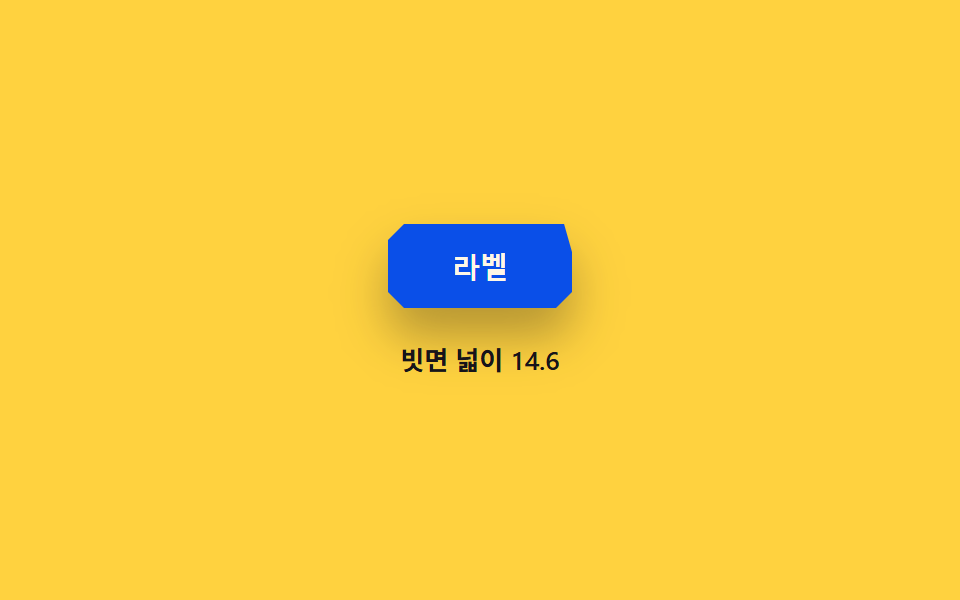 02 corner-shape-bevel-chip
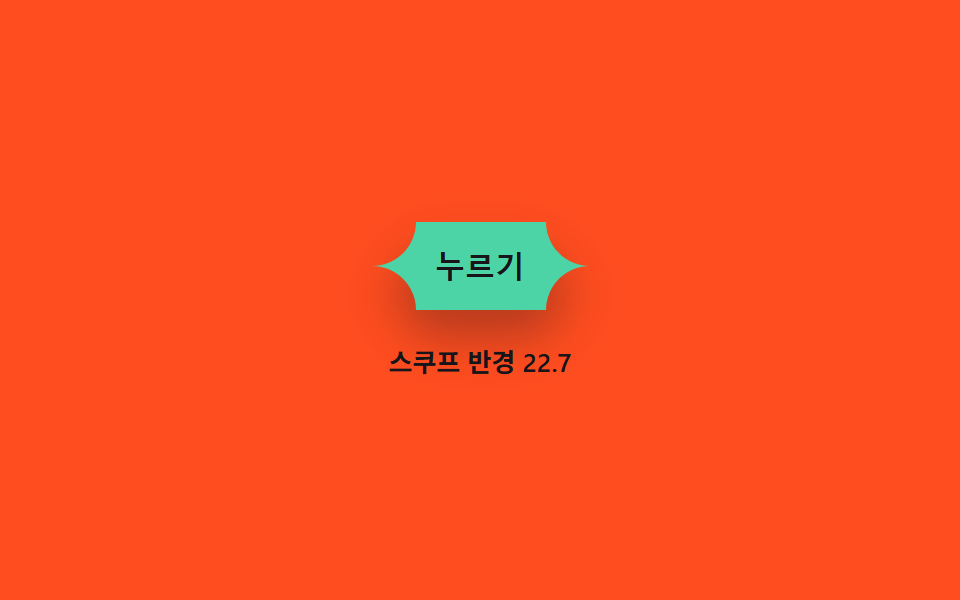 03 corner-shape-scoop-button
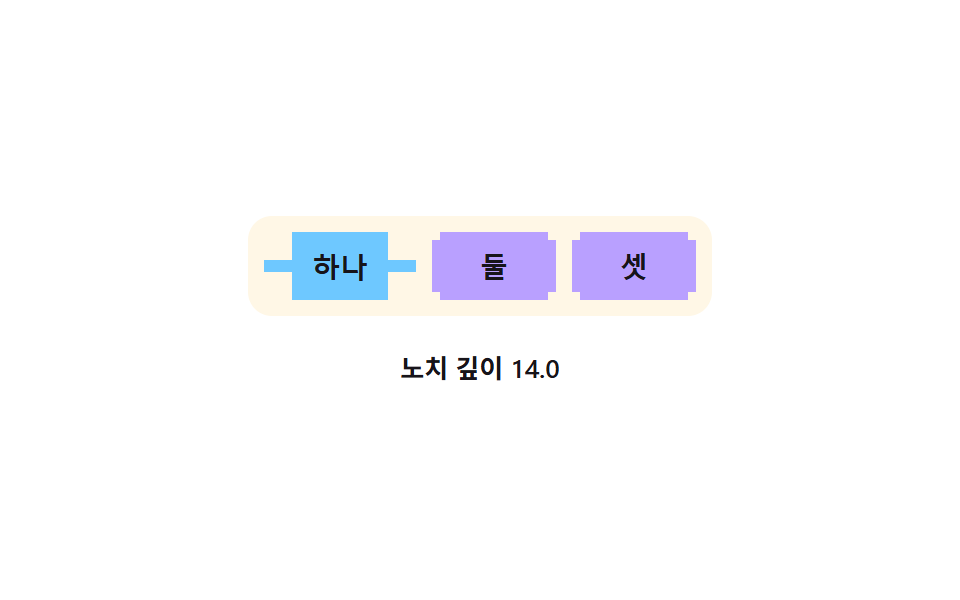 04 corner-shape-notch-tab
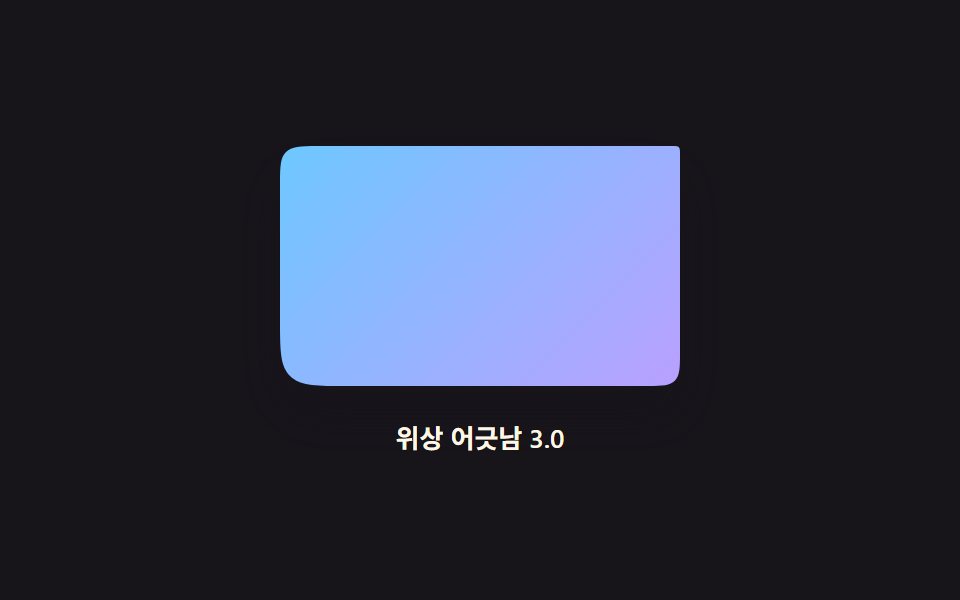 05 corner-shape-wave-panel
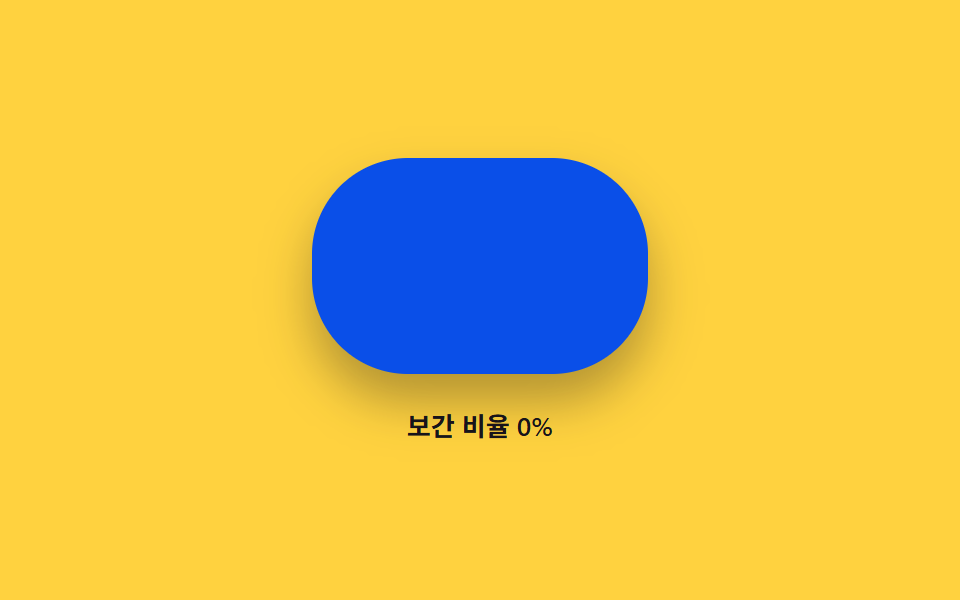 06 corner-shape-morph-hover
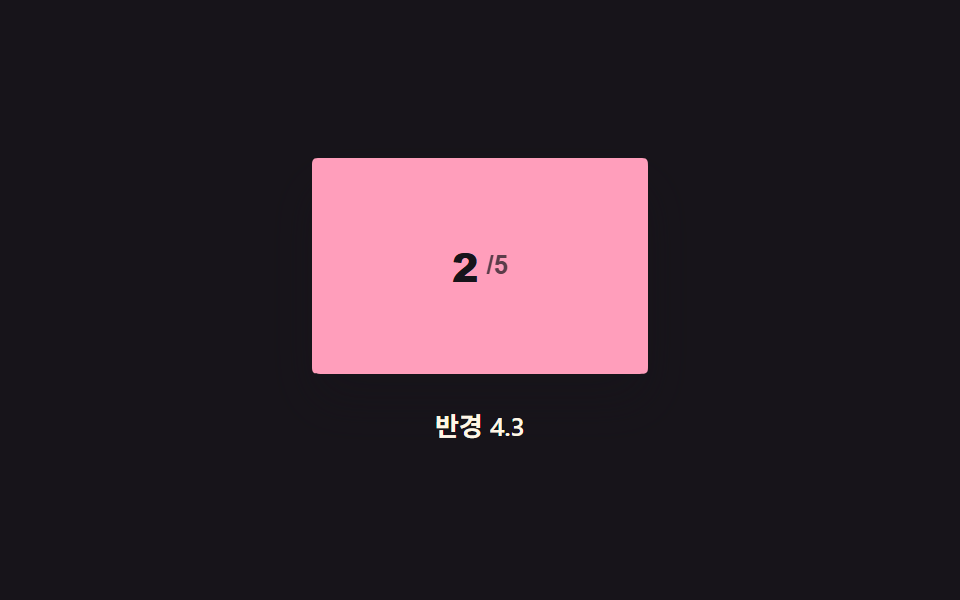 07 corner-shape-radius-ladder
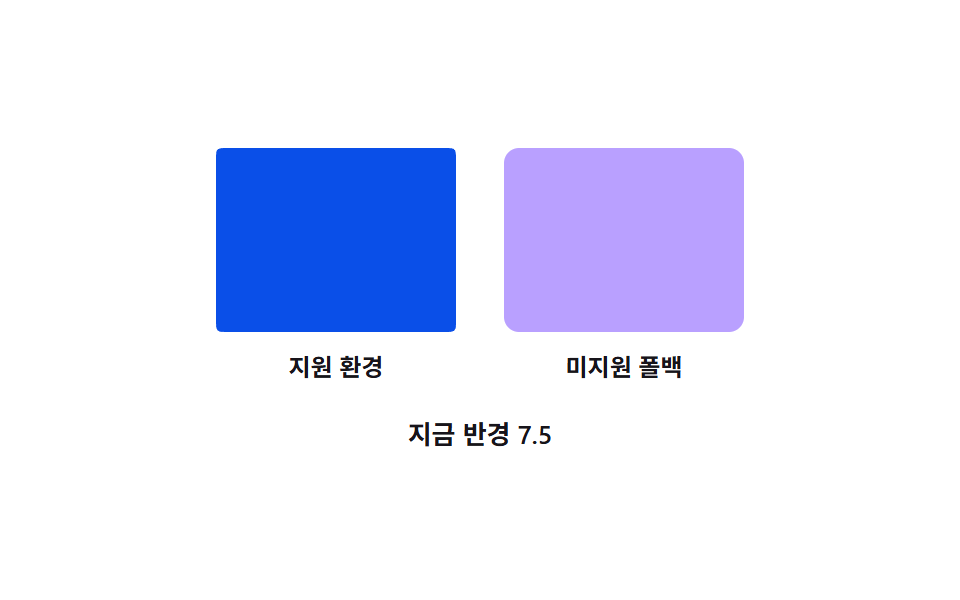 08 corner-shape-fallback-polyfill
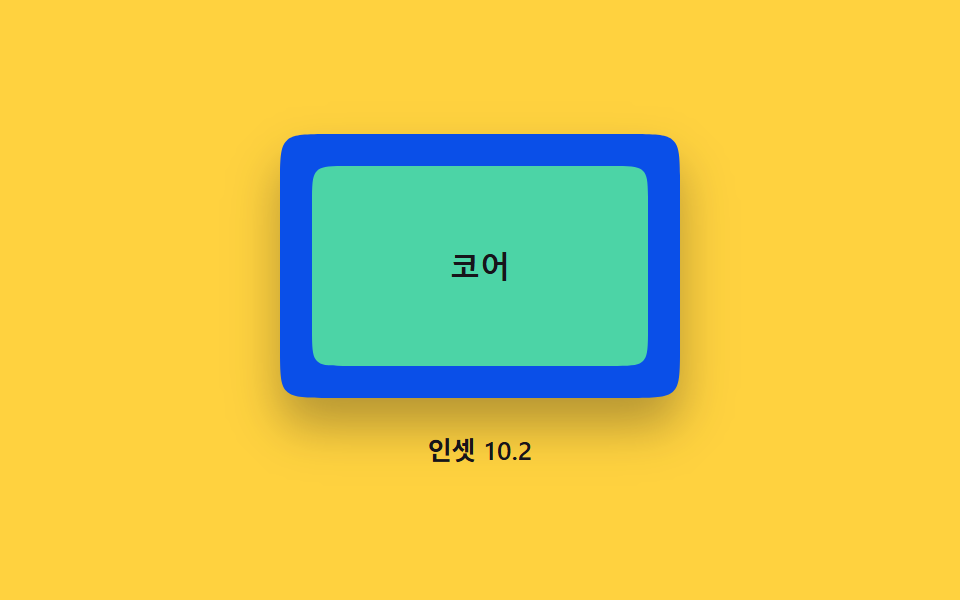 09 corner-shape-frame-inset
Auto-plays · click a tile to jump to its section · all nine in one zip
- 01 Squircle card — a superellipse exponent value flows between circle and square while the card's corner ridge changes
- 02 Bevel chip — as the bevel angle value grows, the chip corner's facet width value grows with it
- 03 Scoop button — an inward-cut scoop curve value moves and the button outline changes with it
- 04 Notch tab — a groove is cut into the selected tab's corner by a notch-depth value
- 05 Wave panel — the four corners' curve values sway in sequence with a phase offset
- 06 Hover morph — the corner curve value interpolates between the idle state and the hover state
- 07 Radius ladder — one card's radius value steps up and down a fixed five-rung ladder within the same curve kind
- 08 Fallback side-by-side — two panes take the same radius value, the native result beside a border-radius approximation
- 09 Inset frame — an outer curve value and an inner curve value sit apart, forming a double border
Every card, chip, and panel below gets its corner from the css corner-shape property working together with border-radius, and each of the nine items detects support at runtime with CSS.supports before it writes anything, falling back to a border-radius approximation where the property is not available. A visitor watching the grid sees one number move per card — an exponent, an angle, a ratio, an inset — and the corner curve change with it, never a random flicker, so there is no need to reach for an external css corner shape generator when the value driving each curve is already printed under the card.
Anatomy of nine patterns — which value bends the corner curve
The table below holds three measured values per item: how much of the frame the moving corner work filled cumulatively, how strong the per-pixel change was on average, and in how many of 23 sampled frames the pixels actually moved.
| Item | Cumulative area | Avg intensity | Moving frames |
|---|---|---|---|
| 01 | 1.36% | 109.8 | 23/23 |
| 02 | 0.33% | 73.2 | 23/23 |
| 03 | 1.99% | 90.0 | 21/23 |
| 04 | 3.21% | 94.7 | 8/23 |
| 05 | 1.01% | 109.7 | 23/23 |
| 06 | 3.25% | 107.9 | 13/23 |
| 07 | 0.80% | 107.2 | 15/23 |
| 08 | 1.42% | 82.0 | 23/23 |
| 09 | 0.43% | 82.8 | 23/23 |
The widest cumulative area belongs to item 06 alone, and the narrowest to item 02 alone, while the highest intensity sits with item 01 at 109.8 — a hair above item 05's 109.7, close enough that only the measured number separates them. The lowest intensity is item 02's, and the fewest moving frames is item 04's 8 of 23, because its notch only moves while a tab handover is actually in flight and sits fully still between handovers.
Grouped by the calculation that drives the value, the nine fall into four clusters.
01 · 02 — a time fraction bent through a function before it becomes geometry
Item 01 feeds elapsed time over SWEEP_MS into a triangle wave, then bends that triangle through a fifth-order smootherstep before mapping it onto the exponent range MIN_N to SUPER_N. Item 02 converts its angle value through Math.tan to get the horizontal radius from the fixed BEVEL_RY, then measures the facet with Math.hypot. Both turn a plain elapsed-time fraction into corner geometry through an explicit function rather than letting a CSS transition decide the in-between values.
03 · 04 · 09 — eased and springing values that overshoot or ease toward a target
Item 03 maps its press ratio through a cubic ease-out on the way up and a cubic ease-in on the way down, so the scoop radius rises fast then settles. Item 04's notch depth follows a springOvershoot function that passes the target and swings back before resting. Item 09 releases to a target through exponential decay, 1 - Math.exp(-INSET_SPRING_K * dt), rather than a fixed-duration tween.
05 · 07 · 08 — waves and cycles computed per frame
Item 05 computes four sine values at once, one per corner, each offset by Math.PI / 2 in phase, so the four radii never swell in lockstep. Item 07 walks a fixed five-rung ladder RUNGS with a cubic ease-in-out between rungs. Item 08 sweeps its radius through (1 - Math.cos(t * Math.PI * 2)) / 2 — a phase-matched cosine that starts at the minimum at t = 0 rather than at the midpoint.
06 — an interpolation ratio chased with inertial lerp
Item 06 never teleports its ratio to the target: each frame it closes a fraction 1 - Math.exp(-LERP_K * dt) of the remaining distance, so the same hover reads identically at 60 and 144 frames per second.
Code per pattern
01Squircle card — a superellipse exponent value flows between circle and square while the card's corner ridge changes
An exponent value rides a smootherstep-bent triangle wave from MIN_N (1) to SUPER_N (4.0) and back every SWEEP_MS, and each value lands as cornerShape = superellipse(n) with a fixed 40px radius, so the same card streams from a near-circle through a true squircle toward a square. A fit for an app-icon preview card or a gallery thumbnail card.
What the numbers say
Item 01 fills 1.36% of the frame cumulatively at the highest average intensity among the nine, 109.8, while moving in 23 of 23 sampled frames — the exponent sweep almost never pauses, and because the whole card edge re-rounds on every step, nearly every sampled frame carries a pixel change, with item 05 one tenth of an intensity point below at 109.7 so the top spot belongs to 01 by the measured number alone.
<main class="stage">
<div class="wrap is-demo" id="wrap">
  <button class="card" id="card" type="button" aria-pressed="false" aria-label="Cycle curvature preset"></button>
  <p class="readout" id="readout" aria-live="polite">Exponent value 1.00</p>
</div>
</main>
@use "../../../../site/static/demo-tokens" as *;
// 계산 겹은 index.html 의 smootherstep(5차 다항식) 삼각파 보간에 있다 — 여기는 무대·판만 맡는다.
// corner-shape 는 실험적 속성이라 @supports 로 감지한다. 미지원 환경은 JS 가 border-radius 근사로 대신한다.
@include stage($stage-ink);
.wrap {
display: flex;
flex-direction: column;
align-items: center;
gap: $sp-4;
}
.card {
appearance: none;
border: none;
width: 180px;
height: 112px;
background: $subject-blue;
border-radius: $r-card;
cursor: pointer;
transition: box-shadow $dur-quick $ease-out, transform $dur-instant $ease-out;
box-shadow: $shadow-raised;
&:hover { box-shadow: $shadow-press; }
&:active { transform: scale(.97); }
&:focus-visible { outline: 2px solid $subject-blue-light; outline-offset: 3px; }
}
@supports not (corner-shape: superellipse(1)) {
.card { border: 1px solid rgba($subject-cream, .3); }
}
.readout {
margin: 0;
color: $subject-cream;
font-size: 13px;
font-weight: 600;
font-variant-numeric: tabular-nums;
}
@media (max-width: 340px) {
.card { width: 140px; height: 92px; }
}
@media (prefers-reduced-motion: reduce) {
.card { transition: none; }
}html, body {
margin: 0;
overflow: hidden;
}
.stage {
box-sizing: border-box;
min-height: 100vh;
display: grid;
place-items: center;
margin: 0;
background: #17141a;
font-family: -apple-system, "Segoe UI", "Noto Sans KR", sans-serif;
padding: clamp(8px, 4vw, 24px);
}
.wrap {
display: flex;
flex-direction: column;
align-items: center;
gap: 16px;
}
.card {
appearance: none;
border: none;
width: 180px;
height: 112px;
background: #2f6df6;
border-radius: 16px;
cursor: pointer;
transition: box-shadow 220ms ease-out, transform 140ms ease-out;
box-shadow: 0 14px 24px rgba(23, 20, 26, 0.32);
}
.card:hover {
box-shadow: 0 6px 12px rgba(23, 20, 26, 0.32);
}
.card:active {
transform: scale(0.97);
}
.card:focus-visible {
outline: 2px solid #5b8cf8;
outline-offset: 3px;
}
@supports not (corner-shape: superellipse(1)) {
.card {
border: 1px solid rgba(255, 247, 230, 0.3);
}
}
.readout {
margin: 0;
color: #fff7e6;
font-size: 13px;
font-weight: 600;
font-variant-numeric: tabular-nums;
}
@media (max-width: 340px) {
.card {
width: 140px;
height: 92px;
}
}
@media (prefers-reduced-motion: reduce) {
.card {
transition: none;
}
}(function () {
var SUPER_N = 4.0; // 슈퍼타원 지수 상한 — 흐름이 도달하는 사각형 쪽 끝값 (변형 01 목표)
var SWEEP_MS = 2400; // 원 → 사각형 → 원 한 바퀴 주기 (변형 03 목표)
var MIN_N = 1; // 슈퍼타원 지수 하한 — 원에 가장 가까운 끝값
var reduce = window.matchMedia('(prefers-reduced-motion: reduce)').matches;
var SUPPORTS = CSS.supports('corner-shape', 'superellipse(1)');
var wrap = document.getElementById('wrap');
var card = document.getElementById('card');
var readout = document.getElementById('readout');
var isDemo = true;
var PRESETS = [MIN_N, (MIN_N + SUPER_N) / 2, SUPER_N];
var presetIdx = 0;
// 계산 겹: 스무더스텝(5차 다항식, Perlin) 으로 왕복 삼각파를 매끄러운 흐름으로 편다 — 선형 트윈이 아니다
function smootherstep(u) { return u * u * u * (u * (u * 6 - 15) + 10); }
function triangle(x) { var f = x - Math.floor(x); return f < 0.5 ? f * 2 : (1 - f) * 2; }
function human() { if (isDemo) { wrap.classList.remove('is-demo'); isDemo = false; } }
function setN(n) {
if (SUPPORTS) {
card.style.cornerShape = 'superellipse(' + n.toFixed(3) + ')';
card.style.borderRadius = '40px';
} else {
// 근사 폴백: 슈퍼타원 지수가 클수록 반경을 좁혀 각진 인상을 흉내(정확한 곡선은 아니다)
card.style.borderRadius = (40 / n).toFixed(2) + 'px';
}
readout.textContent = 'Exponent value ' + n.toFixed(2);
}
card.addEventListener('click', function () {
human();
presetIdx = (presetIdx + 1) % PRESETS.length;
card.setAttribute('aria-pressed', String(presetIdx > 0));
setN(PRESETS[presetIdx]);
});
var start = 0;
function loop(ts) {
if (!start) start = ts;
if (isDemo) {
if (reduce) {
setN(SUPER_N); // 계산은 유지, 시간 축소 대신 목표 상태로 즉시 고정
} else {
var u = triangle((ts - start) / SWEEP_MS);
setN(MIN_N + (SUPER_N - MIN_N) * smootherstep(u));
}
}
requestAnimationFrame(loop);
}
requestAnimationFrame(loop);
})();// SquircleCard — vanilla 판(run/372/demo/01-corner-shape-squircle-card/index.html) 의 React 포트.
// 슈퍼타원 지수를 삼각파 → smootherstep(5차 다항식) 으로 편 흐름으로 순환시키고, corner-shape 미지원
// 환경에서는 JS 가 border-radius 근사로 대신한다.
import { useEffect, useRef } from "react";
import styles from "./SquircleCard.module.scss";
type Box<T> = { current: T };
const SUPER_N = 4.0; // 슈퍼타원 지수 상한 — 흐름이 도달하는 사각형 쪽 끝값 (변형 01 목표)
const SWEEP_MS = 2400; // 원 → 사각형 → 원 한 바퀴 주기 (변형 03 목표)
const MIN_N = 1; // 슈퍼타원 지수 하한 — 원에 가장 가까운 끝값
export default function SquircleCard() {
const rootRef = useRef(null) as unknown as Box<HTMLDivElement>;
const cardRef = useRef(null) as unknown as Box<HTMLButtonElement>;
const readoutRef = useRef(null) as unknown as Box<HTMLParagraphElement>;
const rafRef = useRef(0) as unknown as Box<number>;
useEffect(() => {
const reduce = window.matchMedia("(prefers-reduced-motion: reduce)").matches;
const SUPPORTS = CSS.supports("corner-shape", "superellipse(1)");
const root = rootRef.current;
const card = cardRef.current;
const readout = readoutRef.current;
if (!root || !card || !readout) return;
let isDemo = true;
const PRESETS = [MIN_N, (MIN_N + SUPER_N) / 2, SUPER_N];
let presetIdx = 0;
// 계산 겹: 스무더스텝(5차 다항식) 으로 왕복 삼각파를 매끄러운 흐름으로 편다 — 선형 트윈이 아니다
function smootherstep(u: number) { return u * u * u * (u * (u * 6 - 15) + 10); }
function triangle(x: number) { const f = x - Math.floor(x); return f < 0.5 ? f * 2 : (1 - f) * 2; }
function human() { if (isDemo) { root!.classList.remove(styles.isDemo); isDemo = false; } }
function setN(n: number) {
if (SUPPORTS) {
(card!.style as any).cornerShape = "superellipse(" + n.toFixed(3) + ")";
card!.style.borderRadius = "40px";
} else {
card!.style.borderRadius = (40 / n).toFixed(2) + "px";
}
readout!.textContent = "지수 값 " + n.toFixed(2);
}
function onClick() {
human();
presetIdx = (presetIdx + 1) % PRESETS.length;
card!.setAttribute("aria-pressed", String(presetIdx > 0));
setN(PRESETS[presetIdx]);
}
card.addEventListener("click", onClick);
let start = 0;
function loop(ts: number) {
if (!start) start = ts;
if (isDemo) {
if (reduce) {
setN(SUPER_N);
} else {
const u = triangle((ts - start) / SWEEP_MS);
setN(MIN_N + (SUPER_N - MIN_N) * smootherstep(u));
}
}
rafRef.current = requestAnimationFrame(loop);
}
rafRef.current = requestAnimationFrame(loop);
return () => {
card.removeEventListener("click", onClick);
cancelAnimationFrame(rafRef.current);
};
}, []);
return (
<main className={styles.stage}>
<div className={styles.wrap + " " + styles.isDemo} ref={rootRef}>
<button
className={styles.card}
ref={cardRef}
type="button"
aria-pressed="false"
aria-label="곡률 프리셋 전환"
/>
<p className={styles.readout} ref={readoutRef} aria-live="polite">지수 값 1.00</p>
</div>
</main>
);
}01 · Squircle card — a superellipse exponent value flows between circle and square while the card's corner ridge changes — Measured area 1.36% · moving frames 23/23Original by GODRICH · SCSS and React ship in the zip · See the password
  // Math layer: a smootherstep (5th-order polynomial, Perlin) unfolds the round-trip triangle wave into a smooth flow — not a linear tween
  function smootherstep(u) { return u * u * u * (u * (u * 6 - 15) + 10); }
  function triangle(x) { var f = x - Math.floor(x); return f < 0.5 ? f * 2 : (1 - f) * 2; }

  function human() { if (isDemo) { wrap.classList.remove('is-demo'); isDemo = false; } }

  function setN(n) {
    if (SUPPORTS) {
      card.style.cornerShape = 'superellipse(' + n.toFixed(3) + ')';
      card.style.borderRadius = '40px';
    } else {
      // Approximate fallback: the higher the superellipse exponent, the narrower the radius, imitating a squarer look (not the exact curve)
      card.style.borderRadius = (40 / n).toFixed(2) + 'px';
    }
    readout.textContent = 'Exponent value ' + n.toFixed(2);
  }
02Bevel chip — as the bevel angle value grows, the chip corner's facet width value grows with it
While the angle value climbs from MIN_DEG (8) toward BEVEL_DEG (18), the horizontal radius is computed as BEVEL_RY × Math.tan(rad) and the facet width as Math.hypot(rx, BEVEL_RY), so the cut face grows from a thin line into a real plane along the tangent rather than linearly. A fit for a price tag or label chip, or a status badge.
What the numbers say
Item 02 has both the lowest cumulative area among the nine, 0.33%, and the lowest average intensity, 73.2, while still moving in 23 of 23 sampled frames — a chip is a small object to begin with, and only one corner of it carries the bevel, so the facet keeps repainting almost every frame across a tiny area.
<main class="stage">
<div class="wrap is-demo" id="wrap">
  <button class="chip" id="chip" type="button" aria-pressed="false" aria-label="Toggle bevel angle">Label</button>
  <p class="readout" id="readout" aria-live="polite">Facet width 14.0</p>
</div>
</main>
@use "../../../../site/static/demo-tokens" as *;
// 계산 겹은 index.html 에 있다 — 베벨 각도 값에서 가로축 반경을 tan() 으로 역산하고 빗변 길이를 빗면 넓이로 쓴다.
@include stage($stage-yellow);
.wrap {
display: flex;
flex-direction: column;
align-items: center;
gap: $sp-4;
}
.chip {
appearance: none;
border: none;
padding: $sp-3 $sp-8;
font-size: 14px;
font-weight: 700;
color: $subject-cream;
background: $subject-blue-deep;
corner-shape: bevel;
border-radius: $r-sm;
cursor: pointer;
transition: box-shadow $dur-quick $ease-out;
box-shadow: $shadow-raised;
&:hover { box-shadow: $shadow-press; }
&:focus-visible { outline: 2px solid $subject-ink; outline-offset: 3px; }
}
@supports not (corner-shape: bevel) {
.chip { border: 1px solid rgba($subject-cream, .3); }
}
.readout {
margin: 0;
color: $subject-ink;
font-size: 13px;
font-weight: 600;
font-variant-numeric: tabular-nums;
}
@media (max-width: 340px) {
.chip { padding: $sp-2 $sp-6; font-size: 13px; }
}
@media (prefers-reduced-motion: reduce) {
.chip { transition: none; }
}html, body {
margin: 0;
overflow: hidden;
}
.stage {
box-sizing: border-box;
min-height: 100vh;
display: grid;
place-items: center;
margin: 0;
background: #ffd23f;
font-family: -apple-system, "Segoe UI", "Noto Sans KR", sans-serif;
padding: clamp(8px, 4vw, 24px);
}
.wrap {
display: flex;
flex-direction: column;
align-items: center;
gap: 16px;
}
.chip {
appearance: none;
border: none;
padding: 12px 32px;
font-size: 14px;
font-weight: 700;
color: #fff7e6;
background: #0a4fe8;
corner-shape: bevel;
border-radius: 8px;
cursor: pointer;
transition: box-shadow 220ms ease-out;
box-shadow: 0 14px 24px rgba(23, 20, 26, 0.32);
}
.chip:hover {
box-shadow: 0 6px 12px rgba(23, 20, 26, 0.32);
}
.chip:focus-visible {
outline: 2px solid #17141a;
outline-offset: 3px;
}
@supports not (corner-shape: bevel) {
.chip {
border: 1px solid rgba(255, 247, 230, 0.3);
}
}
.readout {
margin: 0;
color: #17141a;
font-size: 13px;
font-weight: 600;
font-variant-numeric: tabular-nums;
}
@media (max-width: 340px) {
.chip {
padding: 8px 24px;
font-size: 13px;
}
}
@media (prefers-reduced-motion: reduce) {
.chip {
transition: none;
}
}(function () {
var BEVEL_DEG = 18; // 빗면이 도달하는 각도 상한 값 (변형 02 목표)
var MIN_DEG = 8; // 빗면 각도 하한 값
var BEVEL_RY = 14; // 계산 겹 상수: 세로축 Radius 고정값(px) — 각도가 커질수록 가로축만 늘어나 빗면이 넓어진다
var BEVEL_MS = 2000; // 각도가 하한에서 상한까지 한 번 오가는 주기
var reduce = window.matchMedia('(prefers-reduced-motion: reduce)').matches;
var SUPPORTS = CSS.supports('corner-shape', 'bevel');
var wrap = document.getElementById('wrap');
var chip = document.getElementById('chip');
var readout = document.getElementById('readout');
var isDemo = true;
var manualDeg = null;
function human() { if (isDemo) { wrap.classList.remove('is-demo'); isDemo = false; } }
// 계산 겹: 베벨 각도 값에서 가로축 반경을 삼각비로 역산하고, 두 반경의 빗변 길이를 빗면 넓이로 삼는다
function applyAngle(deg) {
var rad = deg * Math.PI / 180;
var rx = BEVEL_RY * Math.tan(rad);
var facetWidth = Math.hypot(rx, BEVEL_RY);
if (SUPPORTS) {
chip.style.borderTopRightRadius = rx.toFixed(2) + 'px ' + BEVEL_RY + 'px';
} else {
// 근사 폴백: 대각 빗면 대신 같은 Radius 크기의 둥근 모서리로 흉내
chip.style.borderTopRightRadius = facetWidth.toFixed(2) + 'px';
}
readout.textContent = 'Facet width ' + facetWidth.toFixed(1);
}
chip.addEventListener('click', function () {
human();
manualDeg = manualDeg === BEVEL_DEG ? MIN_DEG : BEVEL_DEG;
chip.setAttribute('aria-pressed', String(manualDeg === BEVEL_DEG));
applyAngle(manualDeg);
});
var start = 0;
function loop(ts) {
if (!start) start = ts;
if (isDemo) {
if (reduce) {
applyAngle(BEVEL_DEG);
} else {
var t = ((ts - start) % BEVEL_MS) / BEVEL_MS;
var tri = t < 0.5 ? t * 2 : (1 - t) * 2;
applyAngle(MIN_DEG + (BEVEL_DEG - MIN_DEG) * tri);
}
}
requestAnimationFrame(loop);
}
requestAnimationFrame(loop);
})();// BevelChip — vanilla 판(run/372/demo/02-corner-shape-bevel-chip/index.html) 의 React 포트.
// 베벨 각도 값에서 가로축 반경을 tan() 으로 역산하고 빗변 길이를 빗면 넓이로 쓴다.
import { useEffect, useRef } from "react";
import styles from "./BevelChip.module.scss";
type Box<T> = { current: T };
const BEVEL_DEG = 18; // 빗면이 도달하는 각도 상한 값 (변형 02 목표)
const MIN_DEG = 8; // 빗면 각도 하한 값
const BEVEL_RY = 14; // 계산 겹 상수: 세로축 반경 고정값(px) — 각도가 커질수록 가로축만 늘어나 빗면이 넓어진다
const BEVEL_MS = 2000; // 각도가 하한에서 상한까지 한 번 오가는 주기
export default function BevelChip() {
const rootRef = useRef(null) as unknown as Box<HTMLDivElement>;
const chipRef = useRef(null) as unknown as Box<HTMLButtonElement>;
const readoutRef = useRef(null) as unknown as Box<HTMLParagraphElement>;
const rafRef = useRef(0) as unknown as Box<number>;
useEffect(() => {
const reduce = window.matchMedia("(prefers-reduced-motion: reduce)").matches;
const SUPPORTS = CSS.supports("corner-shape", "bevel");
const root = rootRef.current;
const chip = chipRef.current;
const readout = readoutRef.current;
if (!root || !chip || !readout) return;
let isDemo = true;
let manualDeg: number | null = null;
function human() { if (isDemo) { root!.classList.remove(styles.isDemo); isDemo = false; } }
// 계산 겹: 베벨 각도 값에서 가로축 반경을 삼각비로 역산하고, 두 반경의 빗변 길이를 빗면 넓이로 삼는다
function applyAngle(deg: number) {
const rad = deg * Math.PI / 180;
const rx = BEVEL_RY * Math.tan(rad);
const facetWidth = Math.hypot(rx, BEVEL_RY);
if (SUPPORTS) {
chip!.style.borderTopRightRadius = rx.toFixed(2) + "px " + BEVEL_RY + "px";
} else {
chip!.style.borderTopRightRadius = facetWidth.toFixed(2) + "px";
}
readout!.textContent = "빗면 넓이 " + facetWidth.toFixed(1);
}
function onClick() {
human();
manualDeg = manualDeg === BEVEL_DEG ? MIN_DEG : BEVEL_DEG;
chip!.setAttribute("aria-pressed", String(manualDeg === BEVEL_DEG));
applyAngle(manualDeg);
}
chip.addEventListener("click", onClick);
let start = 0;
function loop(ts: number) {
if (!start) start = ts;
if (isDemo) {
if (reduce) {
applyAngle(BEVEL_DEG);
} else {
const t = ((ts - start) % BEVEL_MS) / BEVEL_MS;
const tri = t < 0.5 ? t * 2 : (1 - t) * 2;
applyAngle(MIN_DEG + (BEVEL_DEG - MIN_DEG) * tri);
}
}
rafRef.current = requestAnimationFrame(loop);
}
rafRef.current = requestAnimationFrame(loop);
return () => {
chip.removeEventListener("click", onClick);
cancelAnimationFrame(rafRef.current);
};
}, []);
return (
<main className={styles.stage}>
<div className={styles.wrap + " " + styles.isDemo} ref={rootRef}>
<button
className={styles.chip}
ref={chipRef}
type="button"
aria-pressed="false"
aria-label="베벨 각도 전환"
>라벨</button>
<p className={styles.readout} ref={readoutRef} aria-live="polite">빗면 넓이 14.0</p>
</div>
</main>
);
}02 · Bevel chip — as the bevel angle value grows, the chip corner's facet width value grows with it — Measured area 0.326% · moving frames 23/23Original by GODRICH · SCSS and React ship in the zip · See the password
  // Math layer: derives the horizontal radius from the bevel angle with trigonometry, and takes the hypotenuse of the two radii as the facet width
  function applyAngle(deg) {
    var rad = deg * Math.PI / 180;
    var rx = BEVEL_RY * Math.tan(rad);
    var facetWidth = Math.hypot(rx, BEVEL_RY);
    if (SUPPORTS) {
      chip.style.borderTopRightRadius = rx.toFixed(2) + 'px ' + BEVEL_RY + 'px';
    } else {
      // Approximate fallback: imitates with a rounded corner of the same radius size instead of a diagonal facet
      chip.style.borderTopRightRadius = facetWidth.toFixed(2) + 'px';
    }
    readout.textContent = 'Facet width ' + facetWidth.toFixed(1);
  }
03Scoop button — an inward-cut scoop curve value moves and the button outline changes with it
The scoop radius rises from SCOOP_MIN (4) toward SCOOP_MAX (28) under a cubic ease-out while the button is held and falls back under a cubic ease-in after release, so the concave cut deepens quickly then relaxes rather than moving at one flat speed. A fit for a next-step call button or a tag-remove button.
What the numbers say
Item 03 fills 1.99% of the frame cumulatively at a 90.0 average intensity while moving in 21 of 23 sampled frames, because the hold and release phases each run a full ease curve, and the three frames that sit still are the moments the radius rests at one end of its range between phases.
<main class="stage">
<div class="wrap is-demo" id="wrap">
  <button class="btn" id="btn" type="button" aria-pressed="false" aria-label="Press to grow the scoop depth">Press</button>
  <p class="readout" id="readout" aria-live="polite">Scoop radius 4.0</p>
</div>
</main>
@use "../../../../site/static/demo-tokens" as *;
// 계산 겹은 index.html 에 있다 — 누르는 시간 비율을 3차 ease 로 굽혀 스쿠프 반경에 매핑한다.
@include stage($stage-orange);
.wrap {
display: flex;
flex-direction: column;
align-items: center;
gap: $sp-4;
}
.btn {
appearance: none;
border: none;
padding: $sp-3 $sp-8;
font-size: 15px;
font-weight: 700;
color: $subject-ink;
background: $subject-mint;
corner-shape: scoop;
border-radius: $r-xs;
cursor: pointer;
transition: box-shadow $dur-quick $ease-out;
box-shadow: $shadow-raised;
&:hover { box-shadow: $shadow-press; }
&:focus-visible { outline: 2px solid $subject-ink; outline-offset: 3px; }
}
@supports not (corner-shape: scoop) {
.btn { border: 1px solid rgba($subject-ink, .25); }
}
.readout {
margin: 0;
color: $subject-ink;
font-size: 13px;
font-weight: 600;
font-variant-numeric: tabular-nums;
}
@media (max-width: 340px) {
.btn { padding: $sp-2 $sp-6; font-size: 14px; }
}
@media (prefers-reduced-motion: reduce) {
.btn { transition: none; }
}html, body {
margin: 0;
overflow: hidden;
}
.stage {
box-sizing: border-box;
min-height: 100vh;
display: grid;
place-items: center;
margin: 0;
background: #ff4d1f;
font-family: -apple-system, "Segoe UI", "Noto Sans KR", sans-serif;
padding: clamp(8px, 4vw, 24px);
}
.wrap {
display: flex;
flex-direction: column;
align-items: center;
gap: 16px;
}
.btn {
appearance: none;
border: none;
padding: 12px 32px;
font-size: 15px;
font-weight: 700;
color: #17141a;
background: #4cd4a6;
corner-shape: scoop;
border-radius: 4px;
cursor: pointer;
transition: box-shadow 220ms ease-out;
box-shadow: 0 14px 24px rgba(23, 20, 26, 0.32);
}
.btn:hover {
box-shadow: 0 6px 12px rgba(23, 20, 26, 0.32);
}
.btn:focus-visible {
outline: 2px solid #17141a;
outline-offset: 3px;
}
@supports not (corner-shape: scoop) {
.btn {
border: 1px solid rgba(23, 20, 26, 0.25);
}
}
.readout {
margin: 0;
color: #17141a;
font-size: 13px;
font-weight: 600;
font-variant-numeric: tabular-nums;
}
@media (max-width: 340px) {
.btn {
padding: 8px 24px;
font-size: 14px;
}
}
@media (prefers-reduced-motion: reduce) {
.btn {
transition: none;
}
}(function () {
var SCOOP_MAX = 28; // 다 눌렀을 때 도달하는 Scoop radius 상한(px)
var SCOOP_MIN = 4; // 손 뗀 상태의 Scoop radius 하한(px)
var HOLD_MS = 700; // 하한에서 상한까지 차오르는 데 걸리는 시간
var AUTO_MS = 1600; // 자동 루프에서 누름·뗌 한 번을 왕복하는 주기
var reduce = window.matchMedia('(prefers-reduced-motion: reduce)').matches;
var SUPPORTS = CSS.supports('corner-shape', 'scoop');
var wrap = document.getElementById('wrap');
var btn = document.getElementById('btn');
var readout = document.getElementById('readout');
var isDemo = true;
var pressed = false;
var phaseStart = 0; // 현재 누름/뗌 상태로 바뀐 시각
function human() { if (isDemo) { wrap.classList.remove('is-demo'); isDemo = false; } }
// 계산 겹: 누르는 시간 비율을 3차 ease-out 으로 굽혀 스쿠프 반경에 매핑한다 — 선형 증가가 아니다
function easeOutCubic(t) { return 1 - Math.pow(1 - t, 3); }
function easeInCubic(t) { return t * t * t; }
function applyScoop(r) {
if (SUPPORTS) {
btn.style.cornerShape = 'scoop';
btn.style.borderRadius = r.toFixed(2) + 'px';
} else {
// 근사 폴백: 오목한 스쿠프 대신 같은 반경의 둥근 모서리로 흉내(오목/볼록만 다르다)
btn.style.borderRadius = r.toFixed(2) + 'px';
}
readout.textContent = 'Scoop radius ' + r.toFixed(1);
}
function setPressed(next, ts) {
if (pressed === next) return;
pressed = next;
phaseStart = ts || performance.now();
btn.setAttribute('aria-pressed', String(pressed));
}
function press() { human(); setPressed(true); }
function release() { human(); setPressed(false); }
btn.addEventListener('pointerdown', press);
btn.addEventListener('pointerup', release);
btn.addEventListener('pointercancel', release);
btn.addEventListener('pointerleave', function () { if (pressed) release(); });
btn.addEventListener('keydown', function (e) {
if (e.key === 'Enter' || e.key === ' ') { e.preventDefault(); press(); }
});
btn.addEventListener('keyup', function (e) {
if (e.key === 'Enter' || e.key === ' ') { e.preventDefault(); release(); }
});
var start = 0;
function loop(ts) {
if (!start) start = ts;
if (isDemo) {
if (reduce) {
applyScoop(SCOOP_MAX);
} else {
var t = ((ts - start) % AUTO_MS) / AUTO_MS;
if (t < 0.5) { setPressed(true, ts); applyScoop(SCOOP_MIN + (SCOOP_MAX - SCOOP_MIN) * easeOutCubic(t * 2)); }
else { setPressed(false, ts); applyScoop(SCOOP_MAX - (SCOOP_MAX - SCOOP_MIN) * easeInCubic((t - 0.5) * 2)); }
}
} else if (!reduce) {
var elapsed = Math.min(1, (ts - phaseStart) / HOLD_MS);
var r = pressed
? SCOOP_MIN + (SCOOP_MAX - SCOOP_MIN) * easeOutCubic(elapsed)
: SCOOP_MAX - (SCOOP_MAX - SCOOP_MIN) * easeInCubic(elapsed);
applyScoop(r);
}
requestAnimationFrame(loop);
}
requestAnimationFrame(loop);
})();// ScoopButton — vanilla 판(run/372/demo/03-corner-shape-scoop-button/index.html) 의 React 포트.
// 누르는 시간 비율을 3차 ease 로 굽혀 스쿠프 반경에 매핑한다(선형 증가가 아니다).
import { useEffect, useRef } from "react";
import styles from "./ScoopButton.module.scss";
type Box<T> = { current: T };
const SCOOP_MAX = 28; // 다 눌렀을 때 도달하는 스쿠프 반경 상한(px)
const SCOOP_MIN = 4; // 손 뗀 상태의 스쿠프 반경 하한(px)
const HOLD_MS = 700; // 하한에서 상한까지 차오르는 데 걸리는 시간
const AUTO_MS = 1600; // 자동 루프에서 누름·뗌 한 번을 왕복하는 주기
export default function ScoopButton() {
const rootRef = useRef(null) as unknown as Box<HTMLDivElement>;
const btnRef = useRef(null) as unknown as Box<HTMLButtonElement>;
const readoutRef = useRef(null) as unknown as Box<HTMLParagraphElement>;
const rafRef = useRef(0) as unknown as Box<number>;
useEffect(() => {
const reduce = window.matchMedia("(prefers-reduced-motion: reduce)").matches;
const SUPPORTS = CSS.supports("corner-shape", "scoop");
const root = rootRef.current;
const btn = btnRef.current;
const readout = readoutRef.current;
if (!root || !btn || !readout) return;
let isDemo = true;
let pressed = false;
let phaseStart = 0;
function human() { if (isDemo) { root!.classList.remove(styles.isDemo); isDemo = false; } }
// 계산 겹: 누르는 시간 비율을 3차 ease-out 으로 굽혀 스쿠프 반경에 매핑한다 — 선형 증가가 아니다
function easeOutCubic(t: number) { return 1 - Math.pow(1 - t, 3); }
function easeInCubic(t: number) { return t * t * t; }
function applyScoop(r: number) {
if (SUPPORTS) {
(btn!.style as any).cornerShape = "scoop";
}
btn!.style.borderRadius = r.toFixed(2) + "px";
readout!.textContent = "스쿠프 반경 " + r.toFixed(1);
}
function setPressed(next: boolean, ts?: number) {
if (pressed === next) return;
pressed = next;
phaseStart = ts || performance.now();
btn!.setAttribute("aria-pressed", String(pressed));
}
function press() { human(); setPressed(true); }
function release() { human(); setPressed(false); }
function onPointerLeave() { if (pressed) release(); }
function onKeyDown(e: KeyboardEvent) { if (e.key === "Enter" || e.key === " ") { e.preventDefault(); press(); } }
function onKeyUp(e: KeyboardEvent) { if (e.key === "Enter" || e.key === " ") { e.preventDefault(); release(); } }
btn.addEventListener("pointerdown", press);
btn.addEventListener("pointerup", release);
btn.addEventListener("pointercancel", release);
btn.addEventListener("pointerleave", onPointerLeave);
btn.addEventListener("keydown", onKeyDown);
btn.addEventListener("keyup", onKeyUp);
let start = 0;
function loop(ts: number) {
if (!start) start = ts;
if (isDemo) {
if (reduce) {
applyScoop(SCOOP_MAX);
} else {
const t = ((ts - start) % AUTO_MS) / AUTO_MS;
if (t < 0.5) { setPressed(true, ts); applyScoop(SCOOP_MIN + (SCOOP_MAX - SCOOP_MIN) * easeOutCubic(t * 2)); }
else { setPressed(false, ts); applyScoop(SCOOP_MAX - (SCOOP_MAX - SCOOP_MIN) * easeInCubic((t - 0.5) * 2)); }
}
} else if (!reduce) {
const elapsed = Math.min(1, (ts - phaseStart) / HOLD_MS);
const r = pressed
? SCOOP_MIN + (SCOOP_MAX - SCOOP_MIN) * easeOutCubic(elapsed)
: SCOOP_MAX - (SCOOP_MAX - SCOOP_MIN) * easeInCubic(elapsed);
applyScoop(r);
}
rafRef.current = requestAnimationFrame(loop);
}
rafRef.current = requestAnimationFrame(loop);
return () => {
btn.removeEventListener("pointerdown", press);
btn.removeEventListener("pointerup", release);
btn.removeEventListener("pointercancel", release);
btn.removeEventListener("pointerleave", onPointerLeave);
btn.removeEventListener("keydown", onKeyDown);
btn.removeEventListener("keyup", onKeyUp);
cancelAnimationFrame(rafRef.current);
};
}, []);
return (
<main className={styles.stage}>
<div className={styles.wrap + " " + styles.isDemo} ref={rootRef}>
<button
className={styles.btn}
ref={btnRef}
type="button"
aria-pressed="false"
aria-label="눌러서 스쿠프 깊이 키우기"
>누르기</button>
<p className={styles.readout} ref={readoutRef} aria-live="polite">스쿠프 반경 4.0</p>
</div>
</main>
);
}03 · Scoop button — an inward-cut scoop curve value moves and the button outline changes with it — Measured area 1.99% · moving frames 21/23Original by GODRICH · SCSS and React ship in the zip · See the password
  // Math layer: bends the press-time ratio with a cubic ease-out and maps it onto the scoop radius — not a linear rise
  function easeOutCubic(t) { return 1 - Math.pow(1 - t, 3); }
  function easeInCubic(t) { return t * t * t; }

  function applyScoop(r) {
    if (SUPPORTS) {
      btn.style.cornerShape = 'scoop';
      btn.style.borderRadius = r.toFixed(2) + 'px';
    } else {
      // Approximate fallback: imitates with a rounded corner of the same radius instead of a concave scoop (only concave and convex differ)
      btn.style.borderRadius = r.toFixed(2) + 'px';
    }
    readout.textContent = 'Scoop radius ' + r.toFixed(1);
  }
04Notch tab — a groove is cut into the selected tab's corner by a notch-depth value
On every tab handover the notch depth follows springOvershoot, so the groove briefly cuts past NOTCH_MAX (14) and settles back, and the active tab reads from its outline alone. A fit for a document editor tab bar or a browser-tab UI.
What the numbers say
Item 04 has the fewest moving frames among the nine, 8 of 23, at a 94.7 average intensity and 3.21% cumulative area — the notch only travels during the spring after a handover, and the auto loop parks the depth at its settled value between handovers, so most sampled frames hold the same outline.
<main class="stage">
<div class="wrap is-demo" id="wrap">
  <div class="tabs" id="tabs" role="tablist" aria-label="Switch notch tab">
    <button class="tab" id="tab0" role="tab" aria-selected="true" tabindex="0" type="button">One</button>
    <button class="tab" id="tab1" role="tab" aria-selected="false" tabindex="-1" type="button">Two</button>
    <button class="tab" id="tab2" role="tab" aria-selected="false" tabindex="-1" type="button">Three</button>
  </div>
  <p class="readout" id="readout" aria-live="polite">Notch depth 0.0</p>
</div>
</main>
@use "../../../../site/static/demo-tokens" as *;
// 계산 겹은 index.html 에 있다 — 탭이 바뀔 때 노치 깊이가 감쇠 진동(스프링 오버슛)으로 안정된다.
@include stage($stage-paper);
.wrap {
display: flex;
flex-direction: column;
align-items: center;
gap: $sp-4;
}
.tabs {
display: flex;
gap: $sp-2;
background: $subject-cream;
padding: $sp-2;
border-radius: $r-control;
}
.tab {
appearance: none;
border: none;
padding: $sp-2 $sp-6;
font-size: 14px;
font-weight: 700;
color: $subject-ink;
background: $subject-lilac;
corner-shape: notch;
border-radius: $r-xs;
cursor: pointer;
&[aria-selected="true"] { background: $subject-sky; }
&:focus-visible { outline: 2px solid $subject-ink; outline-offset: 2px; }
}
@supports not (corner-shape: notch) {
.tab { border: 1px solid rgba($subject-ink, .2); }
}
.readout {
margin: 0;
color: $subject-ink;
font-size: 13px;
font-weight: 600;
font-variant-numeric: tabular-nums;
}
@media (max-width: 340px) {
.tab { padding: $sp-1 $sp-4; font-size: 13px; }
}
@media (prefers-reduced-motion: reduce) {
.tab { transition: none; }
}html, body {
margin: 0;
overflow: hidden;
}
.stage {
box-sizing: border-box;
min-height: 100vh;
display: grid;
place-items: center;
margin: 0;
background: #ffffff;
font-family: -apple-system, "Segoe UI", "Noto Sans KR", sans-serif;
padding: clamp(8px, 4vw, 24px);
}
.wrap {
display: flex;
flex-direction: column;
align-items: center;
gap: 16px;
}
.tabs {
display: flex;
gap: 8px;
background: #fff7e6;
padding: 8px;
border-radius: 12px;
}
.tab {
appearance: none;
border: none;
padding: 8px 24px;
font-size: 14px;
font-weight: 700;
color: #17141a;
background: #b9a0ff;
corner-shape: notch;
border-radius: 4px;
cursor: pointer;
}
.tab[aria-selected=true] {
background: #6ec8ff;
}
.tab:focus-visible {
outline: 2px solid #17141a;
outline-offset: 2px;
}
@supports not (corner-shape: notch) {
.tab {
border: 1px solid rgba(23, 20, 26, 0.2);
}
}
.readout {
margin: 0;
color: #17141a;
font-size: 13px;
font-weight: 600;
font-variant-numeric: tabular-nums;
}
@media (max-width: 340px) {
.tab {
padding: 4px 16px;
font-size: 13px;
}
}
@media (prefers-reduced-motion: reduce) {
.tab {
transition: none;
}
}(function () {
var NOTCH_MAX = 14; // 활성 탭이 도달하는 Notch depth 상한(px)
var SPRING_MS = 560; // 탭이 바뀐 뒤 스프링이 안정되기까지 걸리는 시간
var AUTO_MS = 1700; // 자동 루프에서 탭이 한 칸 넘어가는 간격
var reduce = window.matchMedia('(prefers-reduced-motion: reduce)').matches;
var SUPPORTS = CSS.supports('corner-shape', 'notch');
var wrap = document.getElementById('wrap');
var tabs = [document.getElementById('tab0'), document.getElementById('tab1'), document.getElementById('tab2')];
var readout = document.getElementById('readout');
var isDemo = true;
var active = 0;
var phaseStart = 0;
function human() { if (isDemo) { wrap.classList.remove('is-demo'); isDemo = false; } }
// 계산 겹: 탭이 바뀔 때 노치 깊이가 목표값을 살짝 넘겼다가 가라앉는 감쇠 진동(스프링 오버슛)으로 움직인다
function springOvershoot(t) {
if (t <= 0) return 0;
if (t >= 1) return 1;
var c4 = (2 * Math.PI) / 3;
return Math.pow(2, -10 * t) * Math.sin((t * 10 - 0.75) * c4) + 1;
}
function applyDepth(tab, depth) {
if (SUPPORTS) {
tab.style.cornerShape = 'notch';
tab.style.borderRadius = Math.max(0, depth).toFixed(2) + 'px';
} else {
// 근사 폴백: 파인 노치 대신 같은 크기의 둥근 모서리로 흉내(파임/둥긂만 다르다)
tab.style.borderRadius = Math.max(0, depth).toFixed(2) + 'px';
}
}
function setActive(i, ts) {
if (active === i) return;
tabs[active].setAttribute('aria-selected', 'false');
tabs[active].tabIndex = -1;
applyDepth(tabs[active], 0);
active = i;
tabs[active].setAttribute('aria-selected', 'true');
tabs[active].tabIndex = 0;
phaseStart = ts || performance.now();
}
tabs.forEach(function (tab, i) {
tab.addEventListener('click', function () { human(); setActive(i, performance.now()); tab.focus({ preventScroll: true }); });
});
document.getElementById('tabs').addEventListener('keydown', function (e) {
if (e.key !== 'ArrowRight' && e.key !== 'ArrowLeft') return;
e.preventDefault();
human();
var next = e.key === 'ArrowRight' ? (active + 1) % tabs.length : (active + tabs.length - 1) % tabs.length;
setActive(next, performance.now());
tabs[next].focus({ preventScroll: true });
});
var start = 0;
function loop(ts) {
if (!start) { start = ts; phaseStart = ts; }
if (isDemo && !reduce) {
var cyclePos = Math.floor((ts - start) / AUTO_MS) % tabs.length;
if (cyclePos !== active) setActive(cyclePos, ts);
}
var elapsed = reduce ? 1 : Math.min(1, (ts - phaseStart) / SPRING_MS);
var depth = NOTCH_MAX * (reduce ? 1 : springOvershoot(elapsed));
applyDepth(tabs[active], depth);
readout.textContent = 'Notch depth ' + Math.max(0, depth).toFixed(1);
requestAnimationFrame(loop);
}
requestAnimationFrame(loop);
})();// NotchTab — vanilla 판(run/372/demo/04-corner-shape-notch-tab/index.html) 의 React 포트.
// 탭이 바뀔 때 노치 깊이가 목표값을 살짝 넘겼다가 가라앉는 감쇠 진동(스프링 오버슛)으로 움직인다.
import { useEffect, useRef } from "react";
import styles from "./NotchTab.module.scss";
type Box<T> = { current: T };
const NOTCH_MAX = 14; // 활성 탭이 도달하는 노치 깊이 상한(px)
const SPRING_MS = 560; // 탭이 바뀐 뒤 스프링이 안정되기까지 걸리는 시간
const AUTO_MS = 1700; // 자동 루프에서 탭이 한 칸 넘어가는 간격
const LABELS = ["하나", "둘", "셋"];
export default function NotchTab() {
const rootRef = useRef(null) as unknown as Box<HTMLDivElement>;
const tabsRef = useRef(null) as unknown as Box<HTMLDivElement>;
const tabRefs = useRef([]) as unknown as Box<HTMLButtonElement[]>;
const readoutRef = useRef(null) as unknown as Box<HTMLParagraphElement>;
const rafRef = useRef(0) as unknown as Box<number>;
useEffect(() => {
const reduce = window.matchMedia("(prefers-reduced-motion: reduce)").matches;
const SUPPORTS = CSS.supports("corner-shape", "notch");
const root = rootRef.current;
const tabsEl = tabsRef.current;
const tabs = tabRefs.current;
const readout = readoutRef.current;
if (!root || !tabsEl || tabs.length === 0 || !readout) return;
let isDemo = true;
let active = 0;
let phaseStart = 0;
function human() { if (isDemo) { root!.classList.remove(styles.isDemo); isDemo = false; } }
// 계산 겹: 탭이 바뀔 때 노치 깊이가 목표값을 살짝 넘겼다가 가라앉는 감쇠 진동(스프링 오버슛)으로 움직인다
function springOvershoot(t: number) {
if (t <= 0) return 0;
if (t >= 1) return 1;
const c4 = (2 * Math.PI) / 3;
return Math.pow(2, -10 * t) * Math.sin((t * 10 - 0.75) * c4) + 1;
}
function applyDepth(tab: HTMLButtonElement, depth: number) {
if (SUPPORTS) (tab.style as any).cornerShape = "notch";
tab.style.borderRadius = Math.max(0, depth).toFixed(2) + "px";
}
function setActive(i: number, ts: number) {
if (active === i) return;
tabs[active].setAttribute("aria-selected", "false");
tabs[active].tabIndex = -1;
applyDepth(tabs[active], 0);
active = i;
tabs[active].setAttribute("aria-selected", "true");
tabs[active].tabIndex = 0;
phaseStart = ts;
}
const onTabClick = (i: number) => () => { human(); setActive(i, performance.now()); tabs[i].focus({ preventScroll: true }); };
const clickHandlers = tabs.map((_, i) => onTabClick(i));
tabs.forEach((tab, i) => tab.addEventListener("click", clickHandlers[i]));
function onKeyDown(e: KeyboardEvent) {
if (e.key !== "ArrowRight" && e.key !== "ArrowLeft") return;
e.preventDefault();
human();
const next = e.key === "ArrowRight" ? (active + 1) % tabs.length : (active + tabs.length - 1) % tabs.length;
setActive(next, performance.now());
tabs[next].focus({ preventScroll: true });
}
tabsEl.addEventListener("keydown", onKeyDown);
let start = 0;
function loop(ts: number) {
if (!start) { start = ts; phaseStart = ts; }
if (isDemo && !reduce) {
const cyclePos = Math.floor((ts - start) / AUTO_MS) % tabs.length;
if (cyclePos !== active) setActive(cyclePos, ts);
}
const elapsed = reduce ? 1 : Math.min(1, (ts - phaseStart) / SPRING_MS);
const depth = NOTCH_MAX * (reduce ? 1 : springOvershoot(elapsed));
applyDepth(tabs[active], depth);
readout!.textContent = "노치 깊이 " + Math.max(0, depth).toFixed(1);
rafRef.current = requestAnimationFrame(loop);
}
rafRef.current = requestAnimationFrame(loop);
return () => {
tabs.forEach((tab, i) => tab.removeEventListener("click", clickHandlers[i]));
tabsEl.removeEventListener("keydown", onKeyDown);
cancelAnimationFrame(rafRef.current);
};
}, []);
return (
<main className={styles.stage}>
<div className={styles.wrap + " " + styles.isDemo} ref={rootRef}>
<div className={styles.tabs} ref={tabsRef} role="tablist" aria-label="노치 탭 전환">
{LABELS.map((label, i) => (
<button
key={label}
className={styles.tab}
ref={(el: HTMLButtonElement | null) => { if (el) tabRefs.current[i] = el; }}
role="tab"
aria-selected={i === 0}
tabIndex={i === 0 ? 0 : -1}
type="button"
>{label}</button>
))}
</div>
<p className={styles.readout} ref={readoutRef} aria-live="polite">노치 깊이 0.0</p>
</div>
</main>
);
}04 · Notch tab — a groove is cut into the selected tab's corner by a notch-depth value — Measured area 3.212% · moving frames 8/23Original by GODRICH · SCSS and React ship in the zip · See the password
  // Math layer: on a tab change the notch depth moves in a damped oscillation (spring overshoot) that passes the target slightly, then settles
  function springOvershoot(t) {
    if (t <= 0) return 0;
    if (t >= 1) return 1;
    var c4 = (2 * Math.PI) / 3;
    return Math.pow(2, -10 * t) * Math.sin((t * 10 - 0.75) * c4) + 1;
  }

  function applyDepth(tab, depth) {
    if (SUPPORTS) {
      tab.style.cornerShape = 'notch';
      tab.style.borderRadius = Math.max(0, depth).toFixed(2) + 'px';
    } else {
      // Approximate fallback: imitates with a rounded corner of the same size instead of a cut notch (only cut and round differ)
      tab.style.borderRadius = Math.max(0, depth).toFixed(2) + 'px';
    }
  }
05Wave panel — the four corners' curve values sway in sequence with a phase offset
Each corner computes its own radius as BASE_R + AMP × Math.sin(t × 2π + i × π/2), so the four values are staggered by a quarter cycle each and the bulge travels around the panel like a wave making one full lap every WAVE_MS. A fit for a hero-section backdrop panel or an intro card.
What the numbers say
Item 05 fills 1.01% of the frame cumulatively at a 109.7 average intensity while moving in 23 of 23 sampled frames — second in intensity by 0.1 behind item 01 — because four corners each repaint on their own phase, so the outline is mid-swell somewhere around the panel in nearly every sampled frame.
<main class="stage">
<div class="wrap is-demo" id="wrap">
  <button class="panel" id="panel" type="button" aria-pressed="false" aria-label="Pause or play the four-corner wave"></button>
  <p class="readout" id="readout" aria-live="polite">Phase offset 0.0</p>
</div>
</main>
@use "../../../../site/static/demo-tokens" as *;
// 계산 겹은 index.html 에 있다 — 모서리 네 곳의 위상을 어긋낸 사인파 네 개를 동시에 계산한다.
@include stage($stage-ink);
.wrap {
display: flex;
flex-direction: column;
align-items: center;
gap: $sp-4;
}
.panel {
appearance: none;
border: none;
width: 200px;
height: 120px;
background: linear-gradient(135deg, $subject-sky, $subject-lilac);
cursor: pointer;
box-shadow: $shadow-raised;
&:focus-visible { outline: 2px solid $subject-blue-light; outline-offset: 3px; }
}
@supports not (corner-shape: superellipse(1)) {
.panel { border: 1px solid rgba($subject-cream, .3); }
}
.readout {
margin: 0;
color: $subject-cream;
font-size: 13px;
font-weight: 600;
font-variant-numeric: tabular-nums;
}
@media (max-width: 340px) {
.panel { width: 150px; height: 96px; }
}
@media (prefers-reduced-motion: reduce) {
.panel { transition: none; }
}html, body {
margin: 0;
overflow: hidden;
}
.stage {
box-sizing: border-box;
min-height: 100vh;
display: grid;
place-items: center;
margin: 0;
background: #17141a;
font-family: -apple-system, "Segoe UI", "Noto Sans KR", sans-serif;
padding: clamp(8px, 4vw, 24px);
}
.wrap {
display: flex;
flex-direction: column;
align-items: center;
gap: 16px;
}
.panel {
appearance: none;
border: none;
width: 200px;
height: 120px;
background: linear-gradient(135deg, #6ec8ff, #b9a0ff);
cursor: pointer;
box-shadow: 0 14px 24px rgba(23, 20, 26, 0.32);
}
.panel:focus-visible {
outline: 2px solid #5b8cf8;
outline-offset: 3px;
}
@supports not (corner-shape: superellipse(1)) {
.panel {
border: 1px solid rgba(255, 247, 230, 0.3);
}
}
.readout {
margin: 0;
color: #fff7e6;
font-size: 13px;
font-weight: 600;
font-variant-numeric: tabular-nums;
}
@media (max-width: 340px) {
.panel {
width: 150px;
height: 96px;
}
}
@media (prefers-reduced-motion: reduce) {
.panel {
transition: none;
}
}(function () {
var BASE_R = 20; // 네 모서리가 공유하는 기준 Radius(px)
var AMP = 16; // 반경이 기준에서 출렁이는 폭(px)
var WAVE_MS = 2200; // 물결이 한 바퀴 도는 주기
var reduce = window.matchMedia('(prefers-reduced-motion: reduce)').matches;
var SUPPORTS = CSS.supports('corner-shape', 'superellipse(1)');
var wrap = document.getElementById('wrap');
var panel = document.getElementById('panel');
var readout = document.getElementById('readout');
var isDemo = true;
var paused = false;
var frozenAt = 0;
var CORNERS = ['TopLeft', 'TopRight', 'BottomRight', 'BottomLeft'];
function human() { if (isDemo) { wrap.classList.remove('is-demo'); isDemo = false; } }
// 계산 겹: 모서리마다 위상을 PI/2 씩 어긋낸 사인파 4개를 동시에 계산해 물결처럼 번갈아 부풀린다
function corners(t) {
var out = [];
for (var i = 0; i < 4; i++) {
var phase = i * (Math.PI / 2);
var r = BASE_R + AMP * Math.sin(t * Math.PI * 2 + phase);
out.push(Math.max(2, r));
}
return out;
}
function applyCorners(rs) {
for (var i = 0; i < 4; i++) {
if (SUPPORTS) panel.style.cornerShape = 'superellipse(2.2)';
panel.style['border' + CORNERS[i] + 'Radius'] = rs[i].toFixed(2) + 'px';
}
readout.textContent = 'Phase offset ' + (rs[0] - rs[2]).toFixed(1);
}
panel.addEventListener('click', function () {
human();
paused = !paused;
panel.setAttribute('aria-pressed', String(paused));
if (paused) frozenAt = performance.now();
});
panel.addEventListener('keydown', function (e) {
if (e.key === ' ' || e.key === 'Enter') { e.preventDefault(); panel.click(); }
});
var start = 0;
function loop(ts) {
if (!start) start = ts;
var t;
if (reduce) {
t = 0.25;
} else if (paused) {
t = ((frozenAt - start) % WAVE_MS) / WAVE_MS;
} else {
t = ((ts - start) % WAVE_MS) / WAVE_MS;
}
applyCorners(corners(t));
requestAnimationFrame(loop);
}
requestAnimationFrame(loop);
})();// WavePanel — vanilla 판(run/372/demo/05-corner-shape-wave-panel/index.html) 의 React 포트.
// 모서리 네 곳의 위상을 어긋낸 사인파 네 개를 동시에 계산해 물결처럼 번갈아 부풀린다.
import { useEffect, useRef } from "react";
import styles from "./WavePanel.module.scss";
type Box<T> = { current: T };
const BASE_R = 20; // 네 모서리가 공유하는 기준 반경(px)
const AMP = 16; // 반경이 기준에서 출렁이는 폭(px)
const WAVE_MS = 2200; // 물결이 한 바퀴 도는 주기
const CORNERS = ["TopLeft", "TopRight", "BottomRight", "BottomLeft"] as const;
export default function WavePanel() {
const rootRef = useRef(null) as unknown as Box<HTMLDivElement>;
const panelRef = useRef(null) as unknown as Box<HTMLButtonElement>;
const readoutRef = useRef(null) as unknown as Box<HTMLParagraphElement>;
const rafRef = useRef(0) as unknown as Box<number>;
useEffect(() => {
const reduce = window.matchMedia("(prefers-reduced-motion: reduce)").matches;
const SUPPORTS = CSS.supports("corner-shape", "superellipse(1)");
const root = rootRef.current;
const panel = panelRef.current;
const readout = readoutRef.current;
if (!root || !panel || !readout) return;
let isDemo = true;
let paused = false;
let frozenAt = 0;
function human() { if (isDemo) { root!.classList.remove(styles.isDemo); isDemo = false; } }
// 계산 겹: 모서리마다 위상을 PI/2 씩 어긋낸 사인파 4개를 동시에 계산해 물결처럼 번갈아 부풀린다
function corners(t: number) {
const out: number[] = [];
for (let i = 0; i < 4; i++) {
const phase = i * (Math.PI / 2);
const r = BASE_R + AMP * Math.sin(t * Math.PI * 2 + phase);
out.push(Math.max(2, r));
}
return out;
}
function applyCorners(rs: number[]) {
for (let i = 0; i < 4; i++) {
if (SUPPORTS) (panel!.style as any).cornerShape = "superellipse(2.2)";
(panel!.style as any)["border" + CORNERS[i] + "Radius"] = rs[i].toFixed(2) + "px";
}
readout!.textContent = "위상 어긋남 " + (rs[0] - rs[2]).toFixed(1);
}
function onClick() {
human();
paused = !paused;
panel!.setAttribute("aria-pressed", String(paused));
if (paused) frozenAt = performance.now();
}
function onKeyDown(e: KeyboardEvent) {
if (e.key === " " || e.key === "Enter") { e.preventDefault(); onClick(); }
}
panel.addEventListener("click", onClick);
panel.addEventListener("keydown", onKeyDown);
let start = 0;
function loop(ts: number) {
if (!start) start = ts;
let t: number;
if (reduce) {
t = 0.25;
} else if (paused) {
t = ((frozenAt - start) % WAVE_MS) / WAVE_MS;
} else {
t = ((ts - start) % WAVE_MS) / WAVE_MS;
}
applyCorners(corners(t));
rafRef.current = requestAnimationFrame(loop);
}
rafRef.current = requestAnimationFrame(loop);
return () => {
panel.removeEventListener("click", onClick);
panel.removeEventListener("keydown", onKeyDown);
cancelAnimationFrame(rafRef.current);
};
}, []);
return (
<main className={styles.stage}>
<div className={styles.wrap + " " + styles.isDemo} ref={rootRef}>
<button
className={styles.panel}
ref={panelRef}
type="button"
aria-pressed="false"
aria-label="네 모서리 물결 정지·재생"
/>
<p className={styles.readout} ref={readoutRef} aria-live="polite">위상 어긋남 0.0</p>
</div>
</main>
);
}05 · Wave panel — the four corners' curve values sway in sequence with a phase offset — Measured area 1.01% · moving frames 23/23Original by GODRICH · SCSS and React ship in the zip · See the password
  // Math layer: computes four sine waves at once, each corner's phase offset by PI/2, swelling them in turn like a wave
  function corners(t) {
    var out = [];
    for (var i = 0; i < 4; i++) {
      var phase = i * (Math.PI / 2);
      var r = BASE_R + AMP * Math.sin(t * Math.PI * 2 + phase);
      out.push(Math.max(2, r));
    }
    return out;
  }

  function applyCorners(rs) {
    for (var i = 0; i < 4; i++) {
      if (SUPPORTS) panel.style.cornerShape = 'superellipse(2.2)';
      panel.style['border' + CORNERS[i] + 'Radius'] = rs[i].toFixed(2) + 'px';
    }
    readout.textContent = 'Phase offset ' + (rs[0] - rs[2]).toFixed(1);
  }
06Hover morph — the corner curve value interpolates between the idle state and the hover state
Each hover change moves an interpolation ratio toward 0 or 1 through exponential decay rather than snapping it, and the radius rides that ratio between ROUND_R (48) and BEVEL_R (6) while the shape keyword itself crosses from round to bevel at the halfway point. A fit for a navigation item or a filter button.
What the numbers say
Item 06 has the largest cumulative area among the nine, 3.25%, at a 107.9 average intensity while moving in 13 of 23 sampled frames — the exponential decay closes most of the distance to the target in the first moments after each hover flip, then the outline barely changes for the rest of the half-cycle, so its area concentrates in short fast bursts rather than spreading evenly.
<main class="stage">
<div class="wrap is-demo" id="wrap">
  <button class="card" id="card" type="button" aria-pressed="false" aria-label="Hover to change the card shape"></button>
  <p class="readout" id="readout" aria-live="polite">Interpolation ratio 0%</p>
</div>
</main>
@use "../../../../site/static/demo-tokens" as *;
// 계산 겹은 index.html 에 있다 — 목표 비율로 순간 이동하지 않고 지수 감쇠 lerp 로 따라붙는다.
@include stage($stage-yellow);
.wrap {
display: flex;
flex-direction: column;
align-items: center;
gap: $sp-4;
}
.card {
appearance: none;
border: none;
width: 168px;
height: 108px;
background: $subject-blue-deep;
border-radius: $r-card;
cursor: pointer;
box-shadow: $shadow-raised;
&:hover { box-shadow: $shadow-press; }
&:focus-visible { outline: 2px solid $subject-ink; outline-offset: 3px; }
}
@supports not (corner-shape: bevel) {
.card { border: 1px solid rgba($subject-ink, .2); }
}
.readout {
margin: 0;
color: $subject-ink;
font-size: 13px;
font-weight: 600;
font-variant-numeric: tabular-nums;
}
@media (max-width: 340px) {
.card { width: 130px; height: 88px; }
}
@media (prefers-reduced-motion: reduce) {
.card { transition: none; }
}html, body {
margin: 0;
overflow: hidden;
}
.stage {
box-sizing: border-box;
min-height: 100vh;
display: grid;
place-items: center;
margin: 0;
background: #ffd23f;
font-family: -apple-system, "Segoe UI", "Noto Sans KR", sans-serif;
padding: clamp(8px, 4vw, 24px);
}
.wrap {
display: flex;
flex-direction: column;
align-items: center;
gap: 16px;
}
.card {
appearance: none;
border: none;
width: 168px;
height: 108px;
background: #0a4fe8;
border-radius: 16px;
cursor: pointer;
box-shadow: 0 14px 24px rgba(23, 20, 26, 0.32);
}
.card:hover {
box-shadow: 0 6px 12px rgba(23, 20, 26, 0.32);
}
.card:focus-visible {
outline: 2px solid #17141a;
outline-offset: 3px;
}
@supports not (corner-shape: bevel) {
.card {
border: 1px solid rgba(23, 20, 26, 0.2);
}
}
.readout {
margin: 0;
color: #17141a;
font-size: 13px;
font-weight: 600;
font-variant-numeric: tabular-nums;
}
@media (max-width: 340px) {
.card {
width: 130px;
height: 88px;
}
}
@media (prefers-reduced-motion: reduce) {
.card {
transition: none;
}
}(function () {
var ROUND_R = 48; // 대기 상태(둥근 원형)의 Radius 상한(px)
var BEVEL_R = 6; // 호버 상태(각진 베벨)의 Radius 하한(px)
var LERP_K = 9; // 목표 비율로 붙는 속도 상수 — 클수록 빨리 따라붙는다
var AUTO_MS = 2000; // 자동 루프에서 대기·호버를 오가는 주기
var reduce = window.matchMedia('(prefers-reduced-motion: reduce)').matches;
var SUPPORTS_ROUND = CSS.supports('corner-shape', 'round');
var SUPPORTS_BEVEL = CSS.supports('corner-shape', 'bevel');
var wrap = document.getElementById('wrap');
var card = document.getElementById('card');
var readout = document.getElementById('readout');
var isDemo = true;
var target = 0;
var ratio = 0;
function human() { if (isDemo) { wrap.classList.remove('is-demo'); isDemo = false; } }
function setTarget(v) { target = v; }
card.addEventListener('pointerenter', function () { human(); setTarget(1); });
card.addEventListener('pointerleave', function () { human(); setTarget(0); });
card.addEventListener('focus', function () { human(); setTarget(1); });
card.addEventListener('blur', function () { human(); setTarget(0); });
card.addEventListener('click', function () { human(); card.setAttribute('aria-pressed', String(target === 1)); });
// 계산 겹: 비율 값을 목표로 순간 이동시키지 않고 지수 감쇠(dt 기반 관성 lerp)로 붙인다 — 두 모양 사이 보간 비율이다
var last = 0;
function stepRatio(ts) {
var dt = last ? (ts - last) / 1000 : 0;
last = ts;
var follow = 1 - Math.exp(-LERP_K * dt);
ratio += (target - ratio) * follow;
if (Math.abs(ratio - target) < 0.001) ratio = target;
}
function applyMorph() {
var r = ROUND_R + (BEVEL_R - ROUND_R) * ratio;
var shape = ratio < 0.5 ? (SUPPORTS_ROUND ? 'round' : null) : (SUPPORTS_BEVEL ? 'bevel' : null);
if (shape) card.style.cornerShape = shape;
card.style.borderRadius = r.toFixed(2) + 'px';
readout.textContent = 'Interpolation ratio ' + Math.round(ratio * 100) + '%';
}
var start = 0;
function loop(ts) {
if (!start) start = ts;
if (isDemo) {
if (reduce) {
target = 1; // 계산은 유지, 시간 축소 대신 호버 목표 상태로 즉시 고정
} else {
var t = ((ts - start) % AUTO_MS) / AUTO_MS;
target = t < 0.5 ? 0 : 1;
}
}
if (reduce) {
ratio = target;
} else {
stepRatio(ts);
}
applyMorph();
requestAnimationFrame(loop);
}
requestAnimationFrame(loop);
})();// MorphHover — vanilla 판(run/372/demo/06-corner-shape-morph-hover/index.html) 의 React 포트.
// 비율 값을 목표로 순간 이동시키지 않고 지수 감쇠(dt 기반 관성 lerp)로 붙인다.
import { useEffect, useRef } from "react";
import styles from "./MorphHover.module.scss";
type Box<T> = { current: T };
const ROUND_R = 48; // 대기 상태(둥근 원형)의 반경 상한(px)
const BEVEL_R = 6; // 호버 상태(각진 베벨)의 반경 하한(px)
const LERP_K = 9; // 목표 비율로 붙는 속도 상수 — 클수록 빨리 따라붙는다
const AUTO_MS = 2000; // 자동 루프에서 대기·호버를 오가는 주기
export default function MorphHover() {
const rootRef = useRef(null) as unknown as Box<HTMLDivElement>;
const cardRef = useRef(null) as unknown as Box<HTMLButtonElement>;
const readoutRef = useRef(null) as unknown as Box<HTMLParagraphElement>;
const rafRef = useRef(0) as unknown as Box<number>;
useEffect(() => {
const reduce = window.matchMedia("(prefers-reduced-motion: reduce)").matches;
const SUPPORTS_ROUND = CSS.supports("corner-shape", "round");
const SUPPORTS_BEVEL = CSS.supports("corner-shape", "bevel");
const root = rootRef.current;
const card = cardRef.current;
const readout = readoutRef.current;
if (!root || !card || !readout) return;
let isDemo = true;
let target = 0;
let ratio = 0;
function human() { if (isDemo) { root!.classList.remove(styles.isDemo); isDemo = false; } }
function setTarget(v: number) { target = v; }
function onEnter() { human(); setTarget(1); }
function onLeave() { human(); setTarget(0); }
function onFocus() { human(); setTarget(1); }
function onBlur() { human(); setTarget(0); }
function onClick() { human(); card!.setAttribute("aria-pressed", String(target === 1)); }
card.addEventListener("pointerenter", onEnter);
card.addEventListener("pointerleave", onLeave);
card.addEventListener("focus", onFocus);
card.addEventListener("blur", onBlur);
card.addEventListener("click", onClick);
// 계산 겹: 비율 값을 목표로 순간 이동시키지 않고 지수 감쇠(dt 기반 관성 lerp)로 붙인다 — 두 모양 사이 보간 비율이다
let last = 0;
function stepRatio(ts: number) {
const dt = last ? (ts - last) / 1000 : 0;
last = ts;
const follow = 1 - Math.exp(-LERP_K * dt);
ratio += (target - ratio) * follow;
if (Math.abs(ratio - target) < 0.001) ratio = target;
}
function applyMorph() {
const r = ROUND_R + (BEVEL_R - ROUND_R) * ratio;
const shape = ratio < 0.5 ? (SUPPORTS_ROUND ? "round" : null) : (SUPPORTS_BEVEL ? "bevel" : null);
if (shape) (card!.style as any).cornerShape = shape;
card!.style.borderRadius = r.toFixed(2) + "px";
readout!.textContent = "보간 비율 " + Math.round(ratio * 100) + "%";
}
let start = 0;
function loop(ts: number) {
if (!start) start = ts;
if (isDemo) {
if (reduce) {
target = 1;
} else {
const t = ((ts - start) % AUTO_MS) / AUTO_MS;
target = t < 0.5 ? 0 : 1;
}
}
if (reduce) {
ratio = target;
} else {
stepRatio(ts);
}
applyMorph();
rafRef.current = requestAnimationFrame(loop);
}
rafRef.current = requestAnimationFrame(loop);
return () => {
card.removeEventListener("pointerenter", onEnter);
card.removeEventListener("pointerleave", onLeave);
card.removeEventListener("focus", onFocus);
card.removeEventListener("blur", onBlur);
card.removeEventListener("click", onClick);
cancelAnimationFrame(rafRef.current);
};
}, []);
return (
<main className={styles.stage}>
<div className={styles.wrap + " " + styles.isDemo} ref={rootRef}>
<button
className={styles.card}
ref={cardRef}
type="button"
aria-pressed="false"
aria-label="올려서 카드 모양 바꾸기"
/>
<p className={styles.readout} ref={readoutRef} aria-live="polite">보간 비율 0%</p>
</div>
</main>
);
}06 · Hover morph — the corner curve value interpolates between the idle state and the hover state — Measured area 3.251% · moving frames 13/23Original by GODRICH · SCSS and React ship in the zip · See the password
  // Math layer: never snaps the ratio to its target but follows it with exponential decay (dt-based inertial lerp) — the interpolation ratio between the two shapes
  var last = 0;
  function stepRatio(ts) {
    var dt = last ? (ts - last) / 1000 : 0;
    last = ts;
    var follow = 1 - Math.exp(-LERP_K * dt);
    ratio += (target - ratio) * follow;
    if (Math.abs(ratio - target) < 0.001) ratio = target;
  }

  function applyMorph() {
    var r = ROUND_R + (BEVEL_R - ROUND_R) * ratio;
    var shape = ratio < 0.5 ? (SUPPORTS_ROUND ? 'round' : null) : (SUPPORTS_BEVEL ? 'bevel' : null);
    if (shape) card.style.cornerShape = shape;
    card.style.borderRadius = r.toFixed(2) + 'px';
    readout.textContent = 'Interpolation ratio ' + Math.round(ratio * 100) + '%';
  }
07Radius ladder — one card's radius value steps up and down a fixed five-rung ladder within the same curve kind
The card walks the RUNGS list [4, 12, 20, 28, 36], and goTo captures the current interpolated radius as the new starting point so a rung change never snaps the value mid-step. A fit for a design system's corner-token spec page.
What the numbers say
Item 07 fills 0.80% of the frame cumulatively at a 107.2 average intensity while moving in 15 of 23 sampled frames — the card dwells on each rung for AUTO_MS before the next 380 ms step, so the sampled frames split between brief interpolated climbs and quiet holds at a rung.
<main class="stage">
<div class="wrap is-demo" id="wrap">
  <button class="card" id="card" type="button" aria-label="Climb the radius ladder one rung (arrow keys move it)">
    <span id="rung">1</span><span class="of">/5</span>
  </button>
  <p class="readout" id="readout" aria-live="polite">Radius 4.0</p>
</div>
</main>
@use "../../../../site/static/demo-tokens" as *;
// 계산 겹은 index.html 에 있다 — 사다리 칸 사이를 3차 ease-in-out 으로 보간해 값이 뚝 끊기지 않는다.
@include stage($stage-ink);
.wrap {
display: flex;
flex-direction: column;
align-items: center;
gap: $sp-4;
}
.card {
appearance: none;
border: none;
width: 168px;
height: 108px;
background: $subject-pink;
corner-shape: squircle;
border-radius: $r-xs;
cursor: pointer;
display: flex;
align-items: center;
justify-content: center;
gap: $sp-1;
color: $subject-ink;
font-size: 20px;
font-weight: 800;
font-variant-numeric: tabular-nums;
box-shadow: $shadow-raised;
.of { font-size: 13px; font-weight: 600; opacity: .7; }
&:focus-visible { outline: 2px solid $subject-blue-light; outline-offset: 3px; }
}
@supports not (corner-shape: squircle) {
.card { border: 1px solid rgba($subject-cream, .3); }
}
.readout {
margin: 0;
color: $subject-cream;
font-size: 13px;
font-weight: 600;
font-variant-numeric: tabular-nums;
}
@media (max-width: 340px) {
.card { width: 130px; height: 88px; font-size: 18px; }
}
@media (prefers-reduced-motion: reduce) {
.card { transition: none; }
}html, body {
margin: 0;
overflow: hidden;
}
.stage {
box-sizing: border-box;
min-height: 100vh;
display: grid;
place-items: center;
margin: 0;
background: #17141a;
font-family: -apple-system, "Segoe UI", "Noto Sans KR", sans-serif;
padding: clamp(8px, 4vw, 24px);
}
.wrap {
display: flex;
flex-direction: column;
align-items: center;
gap: 16px;
}
.card {
appearance: none;
border: none;
width: 168px;
height: 108px;
background: #ff9ebb;
corner-shape: squircle;
border-radius: 4px;
cursor: pointer;
display: flex;
align-items: center;
justify-content: center;
gap: 4px;
color: #17141a;
font-size: 20px;
font-weight: 800;
font-variant-numeric: tabular-nums;
box-shadow: 0 14px 24px rgba(23, 20, 26, 0.32);
}
.card .of {
font-size: 13px;
font-weight: 600;
opacity: 0.7;
}
.card:focus-visible {
outline: 2px solid #5b8cf8;
outline-offset: 3px;
}
@supports not (corner-shape: squircle) {
.card {
border: 1px solid rgba(255, 247, 230, 0.3);
}
}
.readout {
margin: 0;
color: #fff7e6;
font-size: 13px;
font-weight: 600;
font-variant-numeric: tabular-nums;
}
@media (max-width: 340px) {
.card {
width: 130px;
height: 88px;
font-size: 18px;
}
}
@media (prefers-reduced-motion: reduce) {
.card {
transition: none;
}
}(function () {
var RUNGS = [4, 12, 20, 28, 36]; // 사다리 칸마다의 Radius 값(px) — 오름차순 고정 목록
var STEP_MS = 380; // 한 칸 사이를 보간하는 데 걸리는 시간
var AUTO_MS = 620; // 자동 루프에서 한 칸에 머무는 시간
var reduce = window.matchMedia('(prefers-reduced-motion: reduce)').matches;
var SUPPORTS = CSS.supports('corner-shape', 'squircle');
var wrap = document.getElementById('wrap');
var card = document.getElementById('card');
var rungEl = document.getElementById('rung');
var readout = document.getElementById('readout');
var isDemo = true;
var idx = 0;
var fromR = RUNGS[0];
var toR = RUNGS[0];
var stepStart = 0;
var dir = 1;
function human() { if (isDemo) { wrap.classList.remove('is-demo'); isDemo = false; } }
// 계산 겹: 사다리 칸 사이를 3차 ease-in-out 으로 보간한다 — 칸이 바뀌어도 값이 뚝 끊기지 않는다
function easeInOutCubic(t) { return t < 0.5 ? 4 * t * t * t : 1 - Math.pow(-2 * t + 2, 3) / 2; }
function goTo(nextIdx, ts) {
nextIdx = Math.max(0, Math.min(RUNGS.length - 1, nextIdx));
if (nextIdx === idx) return;
fromR = currentR(ts);
idx = nextIdx;
toR = RUNGS[idx];
stepStart = ts;
rungEl.textContent = String(idx + 1);
}
function currentR(ts) {
var t = STEP_MS > 0 ? Math.min(1, (ts - stepStart) / STEP_MS) : 1;
return fromR + (toR - fromR) * easeInOutCubic(t);
}
function applyRadius(r) {
if (SUPPORTS) card.style.cornerShape = 'squircle';
card.style.borderRadius = r.toFixed(2) + 'px';
readout.textContent = 'Radius ' + r.toFixed(1);
}
card.addEventListener('click', function (e) {
human();
goTo(idx + 1 >= RUNGS.length ? 0 : idx + 1, performance.now());
});
wrap.addEventListener('keydown', function (e) {
if (e.key !== 'ArrowUp' && e.key !== 'ArrowDown') return;
e.preventDefault();
human();
goTo(idx + (e.key === 'ArrowUp' ? 1 : -1), performance.now());
});
var start = 0;
function loop(ts) {
if (!start) { start = ts; stepStart = ts; }
if (isDemo) {
if (reduce) {
idx = RUNGS.length - 1; toR = RUNGS[idx]; fromR = toR;
rungEl.textContent = String(idx + 1);
} else if ((ts - stepStart) >= AUTO_MS) {
var next = idx + dir;
if (next >= RUNGS.length) { dir = -1; next = idx + dir; }
if (next < 0) { dir = 1; next = idx + dir; }
goTo(next, ts);
}
}
applyRadius(currentR(ts));
requestAnimationFrame(loop);
}
requestAnimationFrame(loop);
})();// RadiusLadder — vanilla 판(run/372/demo/07-corner-shape-radius-ladder/index.html) 의 React 포트.
// 사다리 칸 사이를 3차 ease-in-out 으로 보간한다 — 칸이 바뀌어도 값이 뚝 끊기지 않는다.
import { useEffect, useRef } from "react";
import styles from "./RadiusLadder.module.scss";
type Box<T> = { current: T };
const RUNGS = [4, 12, 20, 28, 36]; // 사다리 칸마다의 반경 값(px) — 오름차순 고정 목록
const STEP_MS = 380; // 한 칸 사이를 보간하는 데 걸리는 시간
const AUTO_MS = 620; // 자동 루프에서 한 칸에 머무는 시간
export default function RadiusLadder() {
const rootRef = useRef(null) as unknown as Box<HTMLDivElement>;
const cardRef = useRef(null) as unknown as Box<HTMLButtonElement>;
const rungRef = useRef(null) as unknown as Box<HTMLSpanElement>;
const readoutRef = useRef(null) as unknown as Box<HTMLParagraphElement>;
const rafRef = useRef(0) as unknown as Box<number>;
useEffect(() => {
const reduce = window.matchMedia("(prefers-reduced-motion: reduce)").matches;
const SUPPORTS = CSS.supports("corner-shape", "squircle");
const root = rootRef.current;
const card = cardRef.current;
const rungEl = rungRef.current;
const readout = readoutRef.current;
if (!root || !card || !rungEl || !readout) return;
let isDemo = true;
let idx = 0;
let fromR = RUNGS[0];
let toR = RUNGS[0];
let stepStart = 0;
let dir = 1;
function human() { if (isDemo) { root!.classList.remove(styles.isDemo); isDemo = false; } }
// 계산 겹: 사다리 칸 사이를 3차 ease-in-out 으로 보간한다 — 칸이 바뀌어도 값이 뚝 끊기지 않는다
function easeInOutCubic(t: number) { return t < 0.5 ? 4 * t * t * t : 1 - Math.pow(-2 * t + 2, 3) / 2; }
function currentR(ts: number) {
const t = STEP_MS > 0 ? Math.min(1, (ts - stepStart) / STEP_MS) : 1;
return fromR + (toR - fromR) * easeInOutCubic(t);
}
function goTo(nextIdx: number, ts: number) {
nextIdx = Math.max(0, Math.min(RUNGS.length - 1, nextIdx));
if (nextIdx === idx) return;
fromR = currentR(ts);
idx = nextIdx;
toR = RUNGS[idx];
stepStart = ts;
rungEl!.textContent = String(idx + 1);
}
function applyRadius(r: number) {
if (SUPPORTS) (card!.style as any).cornerShape = "squircle";
card!.style.borderRadius = r.toFixed(2) + "px";
readout!.textContent = "반경 " + r.toFixed(1);
}
function onClick() { human(); goTo(idx + 1 >= RUNGS.length ? 0 : idx + 1, performance.now()); }
function onKeyDown(e: KeyboardEvent) {
if (e.key !== "ArrowUp" && e.key !== "ArrowDown") return;
e.preventDefault();
human();
goTo(idx + (e.key === "ArrowUp" ? 1 : -1), performance.now());
}
card.addEventListener("click", onClick);
root.addEventListener("keydown", onKeyDown);
let start = 0;
function loop(ts: number) {
if (!start) { start = ts; stepStart = ts; }
if (isDemo) {
if (reduce) {
idx = RUNGS.length - 1; toR = RUNGS[idx]; fromR = toR;
rungEl!.textContent = String(idx + 1);
} else if ((ts - stepStart) >= AUTO_MS) {
let next = idx + dir;
if (next >= RUNGS.length) { dir = -1; next = idx + dir; }
if (next < 0) { dir = 1; next = idx + dir; }
goTo(next, ts);
}
}
applyRadius(currentR(ts));
rafRef.current = requestAnimationFrame(loop);
}
rafRef.current = requestAnimationFrame(loop);
return () => {
card.removeEventListener("click", onClick);
root.removeEventListener("keydown", onKeyDown);
cancelAnimationFrame(rafRef.current);
};
}, []);
return (
<main className={styles.stage}>
<div className={styles.wrap + " " + styles.isDemo} ref={rootRef}>
<button
className={styles.card}
ref={cardRef}
type="button"
aria-label="반경 사다리 한 칸 오르기 (방향키로 오르내리기)"
>
<span ref={rungRef}>1</span><span className={styles.of}>/5</span>
</button>
<p className={styles.readout} ref={readoutRef} aria-live="polite">반경 4.0</p>
</div>
</main>
);
}07 · Radius ladder — one card's radius value steps up and down a fixed five-rung ladder within the same curve kind — Measured area 0.797% · moving frames 15/23Original by GODRICH · SCSS and React ship in the zip · See the password
  // Math layer: interpolates between ladder rungs with a cubic ease-in-out — the value never snaps even when the rung changes
  function easeInOutCubic(t) { return t < 0.5 ? 4 * t * t * t : 1 - Math.pow(-2 * t + 2, 3) / 2; }

  function goTo(nextIdx, ts) {
    nextIdx = Math.max(0, Math.min(RUNGS.length - 1, nextIdx));
    if (nextIdx === idx) return;
    fromR = currentR(ts);
    idx = nextIdx;
    toR = RUNGS[idx];
    stepStart = ts;
    rungEl.textContent = String(idx + 1);
  }

  function currentR(ts) {
    var t = STEP_MS > 0 ? Math.min(1, (ts - stepStart) / STEP_MS) : 1;
    return fromR + (toR - fromR) * easeInOutCubic(t);
  }
08Fallback side-by-side — two panes take the same radius value, the native result beside a border-radius approximation
Both panes receive the same cosine-swept radius between R_MIN (6) and R_MAX (34), but the left pane adds cornerShape = superellipse(2.6) when supported while the right pane always stays a plain border-radius approximation, so the eye can find exactly where the two renderings split. A fit for a browser-support notice screen or a compatibility table.
What the numbers say
Item 08 fills 1.42% of the frame cumulatively at an 82.0 average intensity while moving in 23 of 23 sampled frames, because two panes repaint together on one cosine sweep — the motion is continuous, and the intensity sits in the lower half of the nine since each pane's corner change per frame is modest.
<main class="stage">
<div class="wrap is-demo" id="wrap">
  <div class="row">
    <figure class="cell">
      <div class="box native" id="nativeBox"></div>
      <figcaption class="cap" id="capNative">Supported environment</figcaption>
    </figure>
    <figure class="cell">
      <div class="box shim" id="shimBox"></div>
      <figcaption class="cap">Unsupported fallback</figcaption>
    </figure>
  </div>
  <p class="readout" id="readout" aria-live="polite">Current radius 20.0</p>
</div>
</main>
@use "../../../../site/static/demo-tokens" as *;
// 계산 겹은 index.html 에 있다 — 코사인 왕복으로 두 박스의 반경을 같은 값으로 움직여 차이를 겨룬다.
@include stage($stage-paper);
.wrap {
display: flex;
flex-direction: column;
align-items: center;
gap: $sp-4;
}
.row {
display: flex;
gap: $sp-6;
}
.cell {
margin: 0;
display: flex;
flex-direction: column;
align-items: center;
gap: $sp-2;
}
.box {
width: 120px;
height: 92px;
background: $subject-lilac;
}
.native {
background: $subject-blue-deep;
}
.cap {
font-size: 12px;
font-weight: 700;
color: $subject-ink;
}
.readout {
margin: 0;
color: $subject-ink;
font-size: 13px;
font-weight: 600;
font-variant-numeric: tabular-nums;
}
@media (max-width: 340px) {
.box { width: 96px; height: 76px; }
.row { gap: $sp-4; }
}
@media (prefers-reduced-motion: reduce) {
.box { transition: none; }
}html, body {
margin: 0;
overflow: hidden;
}
.stage {
box-sizing: border-box;
min-height: 100vh;
display: grid;
place-items: center;
margin: 0;
background: #ffffff;
font-family: -apple-system, "Segoe UI", "Noto Sans KR", sans-serif;
padding: clamp(8px, 4vw, 24px);
}
.wrap {
display: flex;
flex-direction: column;
align-items: center;
gap: 16px;
}
.row {
display: flex;
gap: 24px;
}
.cell {
margin: 0;
display: flex;
flex-direction: column;
align-items: center;
gap: 8px;
}
.box {
width: 120px;
height: 92px;
background: #b9a0ff;
}
.native {
background: #0a4fe8;
}
.cap {
font-size: 12px;
font-weight: 700;
color: #17141a;
}
.readout {
margin: 0;
color: #17141a;
font-size: 13px;
font-weight: 600;
font-variant-numeric: tabular-nums;
}
@media (max-width: 340px) {
.box {
width: 96px;
height: 76px;
}
.row {
gap: 16px;
}
}
@media (prefers-reduced-motion: reduce) {
.box {
transition: none;
}
}(function () {
var R_MIN = 6; // Radius 하한(px)
var R_MAX = 34; // Radius 상한(px)
var SWEEP_MS = 2000; // 반경이 하한↔상한을 왕복하는 주기
var SUPER_N = 2.6; // 슈퍼타원 지수 고정값 — 원과 사각형 사이
var reduce = window.matchMedia('(prefers-reduced-motion: reduce)').matches;
var SUPPORTS = CSS.supports('corner-shape', 'superellipse(1)');
var wrap = document.getElementById('wrap');
var nativeBox = document.getElementById('nativeBox');
var shimBox = document.getElementById('shimBox');
var capNative = document.getElementById('capNative');
var readout = document.getElementById('readout');
var isDemo = true;
var paused = false;
var frozenT = 0;
// 캡션을 실제 지원 여부로 갱신 — 미지원 환경에서 열면 두 칸 다 폴백으로 표시된다
if (!SUPPORTS) capNative.textContent = 'Unsupported fallback';
function human() { if (isDemo) { wrap.classList.remove('is-demo'); isDemo = false; } }
// 계산 겹: 반경을 코사인으로 왕복시킨다 — 사인이 아니라 위상을 맞춘 코사인으로 0초에 하한에서 시작한다
function radiusAt(t) {
var c = (1 - Math.cos(t * Math.PI * 2)) / 2;
return R_MIN + (R_MAX - R_MIN) * c;
}
function applyBoth(r) {
if (SUPPORTS) {
nativeBox.style.cornerShape = 'superellipse(' + SUPER_N.toFixed(1) + ')';
nativeBox.style.borderRadius = r.toFixed(2) + 'px';
} else {
nativeBox.style.borderRadius = r.toFixed(2) + 'px';
}
// 오른쪽 칸은 언제나 border-radius 근사만 쓴다 — 두 렌더링의 차이를 나란히 겨룬다
shimBox.style.borderRadius = r.toFixed(2) + 'px';
readout.textContent = 'Current radius ' + r.toFixed(1);
}
wrap.addEventListener('click', function () {
human();
paused = !paused;
if (paused) frozenT = performance.now();
});
wrap.addEventListener('keydown', function (e) {
if (e.key === ' ' || e.key === 'Enter') { e.preventDefault(); wrap.click(); }
});
var start = 0;
function loop(ts) {
if (!start) start = ts;
var t;
if (reduce) {
t = 0.5; // 상태(상한)에 고정 — 코사인 계산은 그대로 쓴다
} else if (paused) {
t = ((frozenT - start) % SWEEP_MS) / SWEEP_MS;
} else {
t = ((ts - start) % SWEEP_MS) / SWEEP_MS;
}
applyBoth(radiusAt(t));
requestAnimationFrame(loop);
}
requestAnimationFrame(loop);
})();// FallbackPolyfill — vanilla 판(run/372/demo/08-corner-shape-fallback-polyfill/index.html) 의 React 포트.
// 반경을 코사인으로 왕복시킨다 — 사인이 아니라 위상을 맞춘 코사인으로 0초에 하한에서 시작한다.
import { useEffect, useRef } from "react";
import styles from "./FallbackPolyfill.module.scss";
type Box<T> = { current: T };
const R_MIN = 6; // 반경 하한(px)
const R_MAX = 34; // 반경 상한(px)
const SWEEP_MS = 2000; // 반경이 하한↔상한을 왕복하는 주기
const SUPER_N = 2.6; // 슈퍼타원 지수 고정값 — 원과 사각형 사이
export default function FallbackPolyfill() {
const rootRef = useRef(null) as unknown as Box<HTMLDivElement>;
const nativeRef = useRef(null) as unknown as Box<HTMLDivElement>;
const shimRef = useRef(null) as unknown as Box<HTMLDivElement>;
const capRef = useRef(null) as unknown as Box<HTMLElement>;
const readoutRef = useRef(null) as unknown as Box<HTMLParagraphElement>;
const rafRef = useRef(0) as unknown as Box<number>;
useEffect(() => {
const reduce = window.matchMedia("(prefers-reduced-motion: reduce)").matches;
const SUPPORTS = CSS.supports("corner-shape", "superellipse(1)");
const root = rootRef.current;
const nativeBox = nativeRef.current;
const shimBox = shimRef.current;
const capNative = capRef.current;
const readout = readoutRef.current;
if (!root || !nativeBox || !shimBox || !capNative || !readout) return;
let isDemo = true;
let paused = false;
let frozenT = 0;
// 캡션을 실제 지원 여부로 갱신 — 미지원 환경에서 열면 두 칸 다 폴백으로 표시된다
if (!SUPPORTS) capNative.textContent = "미지원 폴백";
function human() { if (isDemo) { root!.classList.remove(styles.isDemo); isDemo = false; } }
// 계산 겹: 반경을 코사인으로 왕복시킨다 — 사인이 아니라 위상을 맞춘 코사인으로 0초에 하한에서 시작한다
function radiusAt(t: number) {
const c = (1 - Math.cos(t * Math.PI * 2)) / 2;
return R_MIN + (R_MAX - R_MIN) * c;
}
function applyBoth(r: number) {
if (SUPPORTS) {
(nativeBox!.style as any).cornerShape = "superellipse(" + SUPER_N.toFixed(1) + ")";
}
nativeBox!.style.borderRadius = r.toFixed(2) + "px";
shimBox!.style.borderRadius = r.toFixed(2) + "px";
readout!.textContent = "지금 반경 " + r.toFixed(1);
}
function onClick() {
human();
paused = !paused;
if (paused) frozenT = performance.now();
}
function onKeyDown(e: KeyboardEvent) {
if (e.key === " " || e.key === "Enter") { e.preventDefault(); onClick(); }
}
root.addEventListener("click", onClick);
root.addEventListener("keydown", onKeyDown);
let start = 0;
function loop(ts: number) {
if (!start) start = ts;
let t: number;
if (reduce) {
t = 0.5;
} else if (paused) {
t = ((frozenT - start) % SWEEP_MS) / SWEEP_MS;
} else {
t = ((ts - start) % SWEEP_MS) / SWEEP_MS;
}
applyBoth(radiusAt(t));
rafRef.current = requestAnimationFrame(loop);
}
rafRef.current = requestAnimationFrame(loop);
return () => {
root.removeEventListener("click", onClick);
root.removeEventListener("keydown", onKeyDown);
cancelAnimationFrame(rafRef.current);
};
}, []);
return (
<main className={styles.stage}>
<div className={styles.wrap + " " + styles.isDemo} ref={rootRef} tabIndex={0}>
<div className={styles.row}>
<figure className={styles.cell}>
<div className={styles.box + " " + styles.native} ref={nativeRef} />
<figcaption className={styles.cap} ref={capRef}>지원 환경</figcaption>
</figure>
<figure className={styles.cell}>
<div className={styles.box + " " + styles.shim} ref={shimRef} />
<figcaption className={styles.cap}>미지원 폴백</figcaption>
</figure>
</div>
<p className={styles.readout} ref={readoutRef} aria-live="polite">지금 반경 20.0</p>
</div>
</main>
);
}08 · Fallback side-by-side — two panes take the same radius value, the native result beside a border-radius approximation — Measured area 1.415% · moving frames 23/23Original by GODRICH · SCSS and React ship in the zip · See the password
  // Math layer: sweeps the radius back and forth with a cosine — a phase-matched cosine rather than a sine, so it starts at the minimum at t = 0
  function radiusAt(t) {
    var c = (1 - Math.cos(t * Math.PI * 2)) / 2;
    return R_MIN + (R_MAX - R_MIN) * c;
  }

  function applyBoth(r) {
    if (SUPPORTS) {
      nativeBox.style.cornerShape = 'superellipse(' + SUPER_N.toFixed(1) + ')';
      nativeBox.style.borderRadius = r.toFixed(2) + 'px';
    } else {
      nativeBox.style.borderRadius = r.toFixed(2) + 'px';
    }
    // The right pane always uses only the border-radius approximation — the two renderings sit side by side for comparison
    shimBox.style.borderRadius = r.toFixed(2) + 'px';
    readout.textContent = 'Current radius ' + r.toFixed(1);
  }
09Inset frame — an outer curve value and an inner curve value sit apart, forming a double border
The outer frame holds a fixed OUTER_R (40) radius while the inner curve is computed as Math.max(2, OUTER_R − inset) from an inset value that breathes between INSET_MIN (6) and INSET_MAX (22), so the gap between the two outlines varies along the corner and the double border flows. A fit for a profile-card border or a verified-mark frame.
What the numbers say
Item 09 fills 0.43% of the frame cumulatively at an 82.8 average intensity while moving in 23 of 23 sampled frames — only the inner curve moves while the outer frame holds still, so a thin ring of pixels changes almost every sampled frame while the rest of the card stays painted.
<main class="stage">
<div class="wrap is-demo" id="wrap">
  <button class="frame" id="frame" type="button" aria-pressed="false" aria-label="Push or pull the inner curve">
    <span class="inner" id="inner">Core</span>
  </button>
  <p class="readout" id="readout" aria-live="polite">Inset 10.0</p>
</div>
</main>
@use "../../../../site/static/demo-tokens" as *;
// 계산 겹은 index.html 에 있다 — 인셋 산술(안쪽 반경 = 바깥 반경 − 인셋)과 관성 복귀.
@include stage($stage-yellow);
.wrap {
display: flex;
flex-direction: column;
align-items: center;
gap: $sp-4;
}
.frame {
appearance: none;
border: none;
width: 200px;
height: 132px;
padding: $sp-4;
background: $subject-blue-deep;
corner-shape: superellipse(3);
border-radius: $r-card;
cursor: pointer;
display: flex;
align-items: center;
justify-content: center;
box-shadow: $shadow-raised;
&:focus-visible { outline: 2px solid $subject-ink; outline-offset: 3px; }
}
.inner {
width: 100%;
height: 100%;
display: flex;
align-items: center;
justify-content: center;
background: $subject-mint;
corner-shape: superellipse(3);
border-radius: $r-pill;
color: $subject-ink;
font-size: 15px;
font-weight: 800;
pointer-events: none;
}
@supports not (corner-shape: superellipse(1)) {
.frame { border: 1px solid rgba($subject-ink, .2); }
.inner { border: 1px solid rgba($subject-ink, .2); }
}
.readout {
margin: 0;
color: $subject-ink;
font-size: 13px;
font-weight: 600;
font-variant-numeric: tabular-nums;
}
@media (max-width: 340px) {
.frame { width: 156px; height: 106px; }
.inner { font-size: 13px; }
}
@media (prefers-reduced-motion: reduce) {
.frame { transition: none; }
}html, body {
margin: 0;
overflow: hidden;
}
.stage {
box-sizing: border-box;
min-height: 100vh;
display: grid;
place-items: center;
margin: 0;
background: #ffd23f;
font-family: -apple-system, "Segoe UI", "Noto Sans KR", sans-serif;
padding: clamp(8px, 4vw, 24px);
}
.wrap {
display: flex;
flex-direction: column;
align-items: center;
gap: 16px;
}
.frame {
appearance: none;
border: none;
width: 200px;
height: 132px;
padding: 16px;
background: #0a4fe8;
corner-shape: superellipse(3);
border-radius: 16px;
cursor: pointer;
display: flex;
align-items: center;
justify-content: center;
box-shadow: 0 14px 24px rgba(23, 20, 26, 0.32);
}
.frame:focus-visible {
outline: 2px solid #17141a;
outline-offset: 3px;
}
.inner {
width: 100%;
height: 100%;
display: flex;
align-items: center;
justify-content: center;
background: #4cd4a6;
corner-shape: superellipse(3);
border-radius: 999px;
color: #17141a;
font-size: 15px;
font-weight: 800;
pointer-events: none;
}
@supports not (corner-shape: superellipse(1)) {
.frame {
border: 1px solid rgba(23, 20, 26, 0.2);
}
.inner {
border: 1px solid rgba(23, 20, 26, 0.2);
}
}
.readout {
margin: 0;
color: #17141a;
font-size: 13px;
font-weight: 600;
font-variant-numeric: tabular-nums;
}
@media (max-width: 340px) {
.frame {
width: 156px;
height: 106px;
}
.inner {
font-size: 13px;
}
}
@media (prefers-reduced-motion: reduce) {
.frame {
transition: none;
}
}(function () {
var OUTER_R = 40; // 바깥 프레임의 고정 Radius(px)
var INSET_MIN = 6; // 안쪽 곡선이 프레임에서 떨어지는 최소 거리(px)
var INSET_MAX = 22; // 최대 거리(px) — 커질수록 안쪽 곡선이 더 안으로 밀려든다
var SWEEP_MS = 2400; // 인셋이 한 번 왕복하는 주기
var reduce = window.matchMedia('(prefers-reduced-motion: reduce)').matches;
var SUPPORTS = CSS.supports('corner-shape', 'superellipse(1)');
var wrap = document.getElementById('wrap');
var frame = document.getElementById('frame');
var inner = document.getElementById('inner');
var readout = document.getElementById('readout');
var isDemo = true;
var held = false;
var heldStart = 0;
function human() { if (isDemo) { wrap.classList.remove('is-demo'); isDemo = false; } }
// 계산 겹: Inset 산술 — 안쪽 Radius = 바깥 Radius − Inset. 인셋이 커질수록 안쪽 곡선이 더 깎인다
function innerRadius(inset) { return Math.max(2, OUTER_R - inset); }
function applyInset(inset) {
var r = innerRadius(inset);
if (SUPPORTS) {
frame.style.cornerShape = 'superellipse(3)';
inner.style.cornerShape = 'superellipse(3)';
}
frame.style.borderRadius = OUTER_R + 'px';
inner.style.borderRadius = r.toFixed(2) + 'px';
readout.textContent = 'Inset ' + inset.toFixed(1);
}
frame.addEventListener('pointerdown', function () { human(); held = true; heldStart = performance.now(); frame.setAttribute('aria-pressed', 'true'); });
frame.addEventListener('pointerup', function () { human(); held = false; heldStart = performance.now(); frame.setAttribute('aria-pressed', 'false'); });
frame.addEventListener('pointerleave', function () { if (held) { held = false; heldStart = performance.now(); frame.setAttribute('aria-pressed', 'false'); } });
frame.addEventListener('keydown', function (e) { if (e.key === ' ' || e.key === 'Enter') { e.preventDefault(); frame.dispatchEvent(new PointerEvent('pointerdown')); } });
frame.addEventListener('keyup', function (e) { if (e.key === ' ' || e.key === 'Enter') { e.preventDefault(); frame.dispatchEvent(new PointerEvent('pointerup')); } });
// 계산 겹: 뗄 때 인셋이 목표로 관성(지수 감쇠)으로 되돌아간다
var INSET_SPRING_K = 8;
var insetNow = INSET_MIN;
function stepInset(ts) {
var target = held ? INSET_MAX : INSET_MIN;
var dt = (ts - (stepInset.last || ts)) / 1000;
stepInset.last = ts;
var follow = 1 - Math.exp(-INSET_SPRING_K * dt);
insetNow += (target - insetNow) * follow;
if (Math.abs(insetNow - target) < 0.01) insetNow = target;
}
var start = 0;
function loop(ts) {
if (!start) start = ts;
if (isDemo) {
if (reduce) {
insetNow = INSET_MAX;
} else {
var t = ((ts - start) % SWEEP_MS) / SWEEP_MS;
var tri = t < 0.5 ? t * 2 : (1 - t) * 2;
insetNow = INSET_MIN + (INSET_MAX - INSET_MIN) * tri;
}
} else if (!reduce) {
stepInset(ts);
}
applyInset(insetNow);
requestAnimationFrame(loop);
}
requestAnimationFrame(loop);
})();// FrameInset — vanilla 판(run/372/demo/09-corner-shape-frame-inset/index.html) 의 React 포트.
// 인셋 산술(안쪽 반경 = 바깥 반경 − 인셋)과, 뗄 때 목표로 지수 감쇠 관성 복귀.
import { useEffect, useRef } from "react";
import styles from "./FrameInset.module.scss";
type Box<T> = { current: T };
const OUTER_R = 40; // 바깥 프레임의 고정 반경(px)
const INSET_MIN = 6; // 안쪽 곡선이 프레임에서 떨어지는 최소 거리(px)
const INSET_MAX = 22; // 최대 거리(px) — 커질수록 안쪽 곡선이 더 안으로 밀려든다
const SWEEP_MS = 2400; // 인셋이 한 번 왕복하는 주기
const INSET_SPRING_K = 8; // 뗄 때 목표로 되돌아가는 관성 속도 상수
export default function FrameInset() {
const rootRef = useRef(null) as unknown as Box<HTMLDivElement>;
const frameRef = useRef(null) as unknown as Box<HTMLButtonElement>;
const innerRef = useRef(null) as unknown as Box<HTMLSpanElement>;
const readoutRef = useRef(null) as unknown as Box<HTMLParagraphElement>;
const rafRef = useRef(0) as unknown as Box<number>;
useEffect(() => {
const reduce = window.matchMedia("(prefers-reduced-motion: reduce)").matches;
const SUPPORTS = CSS.supports("corner-shape", "superellipse(1)");
const root = rootRef.current;
const frame = frameRef.current;
const inner = innerRef.current;
const readout = readoutRef.current;
if (!root || !frame || !inner || !readout) return;
let isDemo = true;
let held = false;
let insetNow = INSET_MIN;
let lastStepTs = 0;
function human() { if (isDemo) { root!.classList.remove(styles.isDemo); isDemo = false; } }
// 계산 겹: 인셋 산술 — 안쪽 반경 = 바깥 반경 − 인셋. 인셋이 커질수록 안쪽 곡선이 더 깎인다
function innerRadius(inset: number) { return Math.max(2, OUTER_R - inset); }
function applyInset(inset: number) {
const r = innerRadius(inset);
if (SUPPORTS) {
(frame!.style as any).cornerShape = "superellipse(3)";
(inner!.style as any).cornerShape = "superellipse(3)";
}
frame!.style.borderRadius = OUTER_R + "px";
inner!.style.borderRadius = r.toFixed(2) + "px";
readout!.textContent = "인셋 " + inset.toFixed(1);
}
function onPointerDown() { human(); held = true; frame!.setAttribute("aria-pressed", "true"); }
function onPointerUp() { human(); held = false; frame!.setAttribute("aria-pressed", "false"); }
function onPointerLeave() { if (held) { held = false; frame!.setAttribute("aria-pressed", "false"); } }
function onKeyDown(e: KeyboardEvent) { if (e.key === " " || e.key === "Enter") { e.preventDefault(); onPointerDown(); } }
function onKeyUp(e: KeyboardEvent) { if (e.key === " " || e.key === "Enter") { e.preventDefault(); onPointerUp(); } }
frame.addEventListener("pointerdown", onPointerDown);
frame.addEventListener("pointerup", onPointerUp);
frame.addEventListener("pointerleave", onPointerLeave);
frame.addEventListener("keydown", onKeyDown);
frame.addEventListener("keyup", onKeyUp);
// 계산 겹: 뗄 때 인셋이 목표로 관성(지수 감쇠)으로 되돌아간다
function stepInset(ts: number) {
const target = held ? INSET_MAX : INSET_MIN;
const dt = (ts - (lastStepTs || ts)) / 1000;
lastStepTs = ts;
const follow = 1 - Math.exp(-INSET_SPRING_K * dt);
insetNow += (target - insetNow) * follow;
if (Math.abs(insetNow - target) < 0.01) insetNow = target;
}
let start = 0;
function loop(ts: number) {
if (!start) start = ts;
if (isDemo) {
if (reduce) {
insetNow = INSET_MAX;
} else {
const t = ((ts - start) % SWEEP_MS) / SWEEP_MS;
const tri = t < 0.5 ? t * 2 : (1 - t) * 2;
insetNow = INSET_MIN + (INSET_MAX - INSET_MIN) * tri;
}
} else if (!reduce) {
stepInset(ts);
}
applyInset(insetNow);
rafRef.current = requestAnimationFrame(loop);
}
rafRef.current = requestAnimationFrame(loop);
return () => {
frame.removeEventListener("pointerdown", onPointerDown);
frame.removeEventListener("pointerup", onPointerUp);
frame.removeEventListener("pointerleave", onPointerLeave);
frame.removeEventListener("keydown", onKeyDown);
frame.removeEventListener("keyup", onKeyUp);
cancelAnimationFrame(rafRef.current);
};
}, []);
return (
<main className={styles.stage}>
<div className={styles.wrap + " " + styles.isDemo} ref={rootRef}>
<button
className={styles.frame}
ref={frameRef}
type="button"
aria-pressed="false"
aria-label="안쪽 곡선 밀기/당기기"
>
<span className={styles.inner} ref={innerRef}>코어</span>
</button>
<p className={styles.readout} ref={readoutRef} aria-live="polite">인셋 10.0</p>
</div>
</main>
);
}09 · Inset frame — an outer curve value and an inner curve value sit apart, forming a double border — Measured area 0.428% · moving frames 23/23Original by GODRICH · SCSS and React ship in the zip · See the password
  // Math layer: inset arithmetic — inner radius = outer radius − inset; the larger the inset, the deeper the inner curve is cut
  function innerRadius(inset) { return Math.max(2, OUTER_R - inset); }

  function applyInset(inset) {
    var r = innerRadius(inset);
    if (SUPPORTS) {
      frame.style.cornerShape = 'superellipse(3)';
      inner.style.cornerShape = 'superellipse(3)';
    }
    frame.style.borderRadius = OUTER_R + 'px';
    inner.style.borderRadius = r.toFixed(2) + 'px';
    readout.textContent = 'Inset ' + inset.toFixed(1);
  }
Where it breaks — unsupported browsers, fallback, reduced motion
Three spots show where a css corner-shape demo like this stops being smooth.
The property is missing and the approximation takes over
Every item checks CSS.supports once at startup, and where the check fails the code writes border-radius approximations instead — item 01 narrows the radius as the exponent grows, items 03 and 04 swap the concave scoop and cut notch for rounded corners of the same size. The outline keeps moving in every fallback, but the character changes: a scoop reads as convex, a notch reads as round, so a css squircle seen through a border-radius fallback is a cousin of the real shape, not the shape itself. Item 08 exists precisely to put that gap on screen, and its left caption rewrites itself to Unsupported fallback when the check fails, so the comparison still tells the truth on a browser without support.
A tab handover that lands mid-spring
Item 04's notch depth follows the spring only for SPRING_MS after a handover, and a second handover that arrives while the spring is still ringing restarts the clock from a new phaseStart rather than blending from the current depth — the groove jumps to the new tab and rings again from the beginning of its curve.
Reduced motion pins each item at one state, differently
Each of the nine carries its own prefers-reduced-motion branch, and what the branch pins differs by item: 01 fixes the exponent at SUPER_N, 02 fixes the angle at BEVEL_DEG, 03 applies the scoop radius at its full SCOOP_MAX immediately, 04 sets the notch depth straight to NOTCH_MAX without the spring, 05 freezes the wave phase at a fixed t, 06 sets the ratio straight to the hover target, 07 climbs straight to the top rung, 08 pins t at 0.5 which is the R_MAX state of the cosine sweep, and 09 fixes the inset at INSET_MAX. The Sass side pairs every one of these with transition: none under the same media query.
Where values change ridges and facets — exponent, angle, and ratio basis
Three items answer three different bases. Item 01's ridge answers an exponent value: the same 40px radius renders as a near-circle at exponent 1 and as a squircle at 4.0 — this is the css corner shape squircle case in its purest form — so the exponent alone decides how square the corner reads. Item 02's facet answers an angle value: BEVEL_RY stays fixed at 14px while Math.tan widens only the horizontal radius, so the facet width follows the tangent of the angle and doubles more than linearly when the angle doubles. Item 06's outline answers a ratio value: neither the round shape nor the bevel shape moves on its own — only the interpolation ratio between them does, so the same card carries two fixed endpoints and one traveling value. All nine items are in one zip behind one password, x4zdvxz7, so there is no separate unlock per pattern.
These corner cutting patterns slot next to three earlier sets. 9 CSS Card Hover Effects — One Line, Copy-Paste lifts a whole card on hover with one property change, where item 06 here morphs the corner curve instead of the card's position. 9 CSS Badge Design Ideas — New, Sale, Verified builds badge shapes as static compositions, while item 02 turns one bevel facet into a live value. Avatar UI Design: 9 Parts, No Image Files composes a profile block from parts, and item 09's inset frame is the border layer such a block could carry.
Three variants and accessibility
| Variant | What changes | What it stays away from |
|---|---|---|
| Raise the squircle exponent | 01 SUPER_N 4.0 → 8.0 | MIN_N, SWEEP_MS, the 40px radius |
| Widen the bevel angle | 02 BEVEL_DEG 18 → 36 | MIN_DEG, BEVEL_RY, BEVEL_MS |
| Speed up the exponent sweep | 01 SWEEP_MS 2400 → 1200 | SUPER_N, MIN_N, the preset list |
Raising 01's SUPER_N from 4.0 to 8.0 pushes the flow's ridge deeper toward the square, since the source streams the exponent from MIN_N (1) up to the ceiling through the smooth interpolation, so changing the ceiling alone re-textures the whole flow. Raising 02's BEVEL_DEG from 18 to 36 opens the facet wider than linear, because the horizontal depth is computed as BEVEL_RY × tan(angle) and measured with hypot, so doubling the angle more than doubles the facet. Halving 01's SWEEP_MS from 2400 ms to 1200 ms makes the circle-to-square flow exactly twice as fast, since the source feeds the exponent from a triangle wave of elapsed time over SWEEP_MS.
On the input side, grep across the nine files shows the listeners split three ways: items 01 and 02 listen for click alone; items 04, 05, 07, and 08 pair click with keydown; item 03 adds pointerdown, pointerup, pointercancel, and pointerleave to keydown and keyup because it tracks a held press; item 06 reads pointerenter and pointerleave with focus and blur and click; item 09 wires pointerdown, pointerup, and pointerleave with keydown and keyup. Every button carries a readable label or text content, each readout paragraph is marked aria-live="polite" so the number under the card is announced as it changes, and the toggle-style buttons in 01, 02, 03, 05, 06, and 09 expose their state through aria-pressed. The automatic playback in every item runs only while the is-demo class is present and the reduced-motion media query is unset, and the first real pointer or key input strips that class, so the corner never keeps dancing after a visitor takes over.
FAQ
Does css corner shape work everywhere, or do these css corner shape examples need a fallback?
Each item runs the same one-line check, CSS.supports with a corner-shape pair, at startup and writes a border-radius approximation when it fails — so in a supporting environment you get the property itself, and anywhere else the outline still moves on the same numbers, just as an approximation. Item 08 puts the two renderings side by side so the difference is visible rather than described.
Are these css squircle border radius patterns one file each, or nine settings of one component?
Nine independent files — each keeps its own constants and its own apply function, and every fence above is a direct excerpt from that item's file rather than output of a shared generator. The zip carries all nine html, scss, and js files together, so you can lift one pattern without dragging the other eight along.
Why does item 08 call its approximation pane a fallback instead of a polyfill?
Because it does not install the property where it is missing — it only draws a border-radius stand-in next to the native rendering and compares them. A real polyfill would have to synthesize the corner curve itself, while this pane simply shows what a browser without the property would paint for the same radius value.
Sources: MDN — corner-shape · MDN — border-radius · MDN — superellipse() · MDN — @supports
You might also like
 baseCSS Reset: 9 Patterns From Basics to Safe-Area
 Landing sectionsBlockquote CSS: 9 Quote Box Designs (Copy-Paste)
 baseCSS Typography Playground: 9 Demos, No Webfonts
 Landing sectionsCSS Card Design Examples — 9 Content Card Types
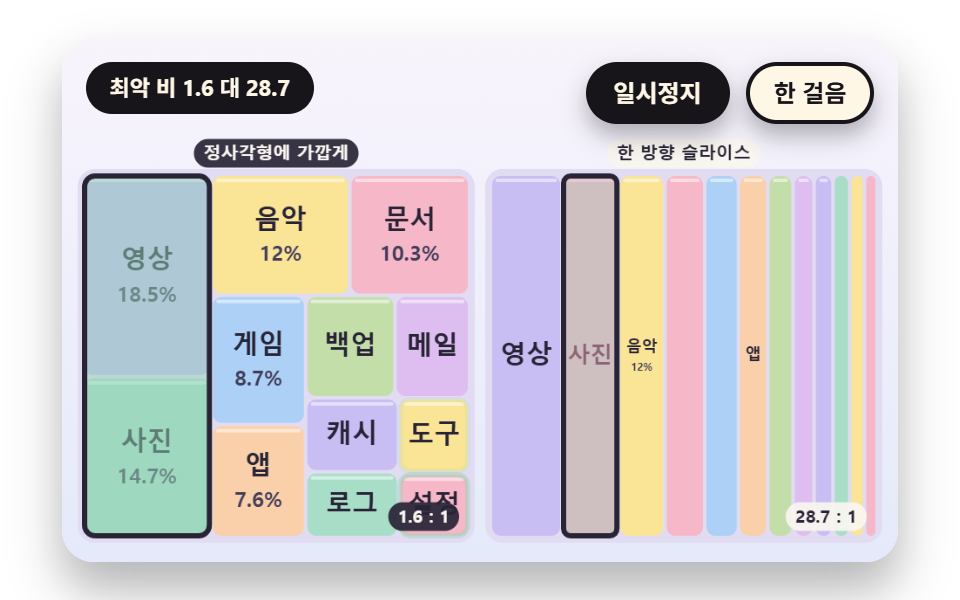 Dashboard UITreemap Chart: 9 Canvas Layout Scenes
 GalleriesPortfolio Gallery HTML CSS: 9 UI Patterns
 Lists & tablesCSS List Style: 9 Marker Design Patterns
 Creative UISpirograph Generator: 9 Gear-Ratio Curve Patterns
 gameSpinning Top Animation: 9 Canvas Physics Scenes
 InteractionsDice Roll Animation: 9 Scenes with Top-Face Math