Spinning Top Animation: 9 Canvas Physics Scenes
Spin, tilt, stagger, fall — a top's whole life fits in four verbs, and scene 03 turns the second one into a number you can change.
See All Nine Spinning Top Scenes Move Right on This Page
Every canvas in the grid below is already running when you scroll to it, and each one starts from the same small object: a top with an angular speed, a tilt, and an axis direction. Nothing waits for a click, except scene 06, where your pointer is the thing that makes the top spin.
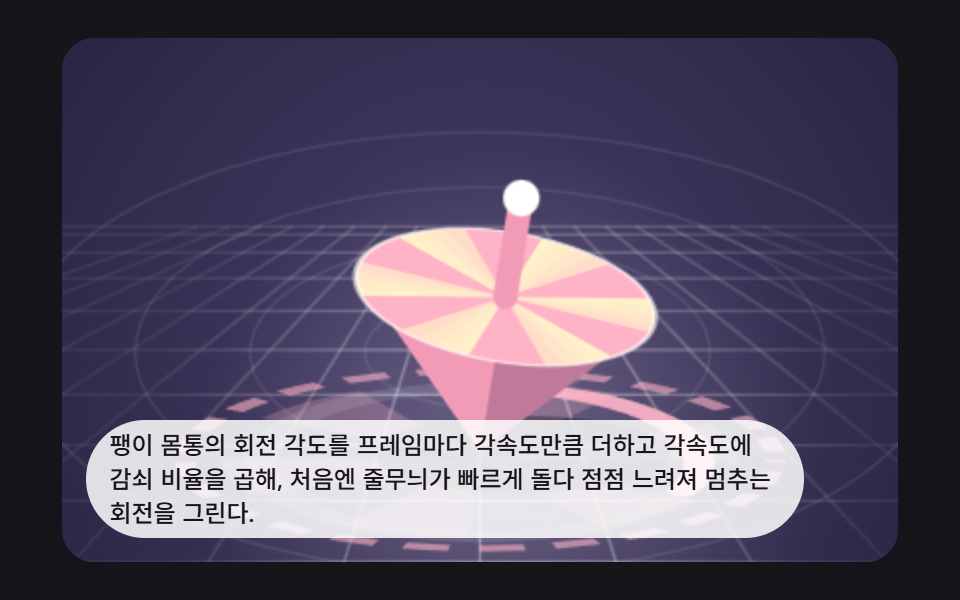 01 spin-top-scene-angular-decay
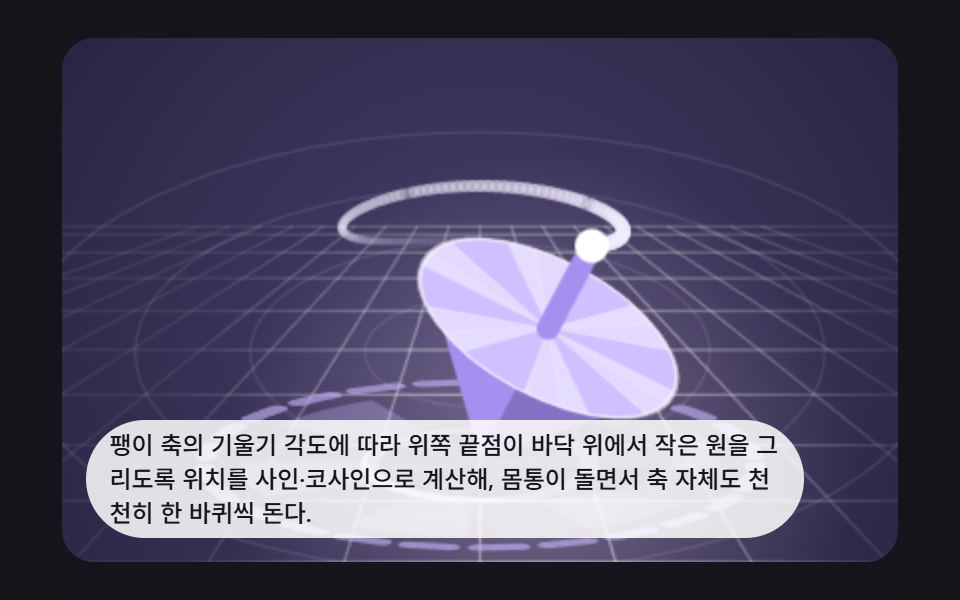 02 spin-top-scene-precession-wobble
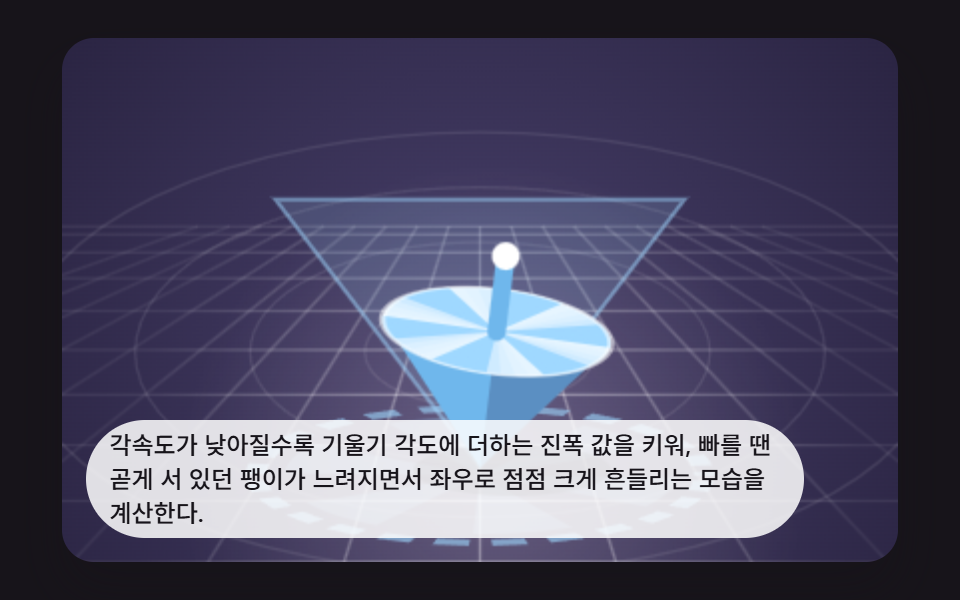 03 spin-top-scene-tilt-amplitude
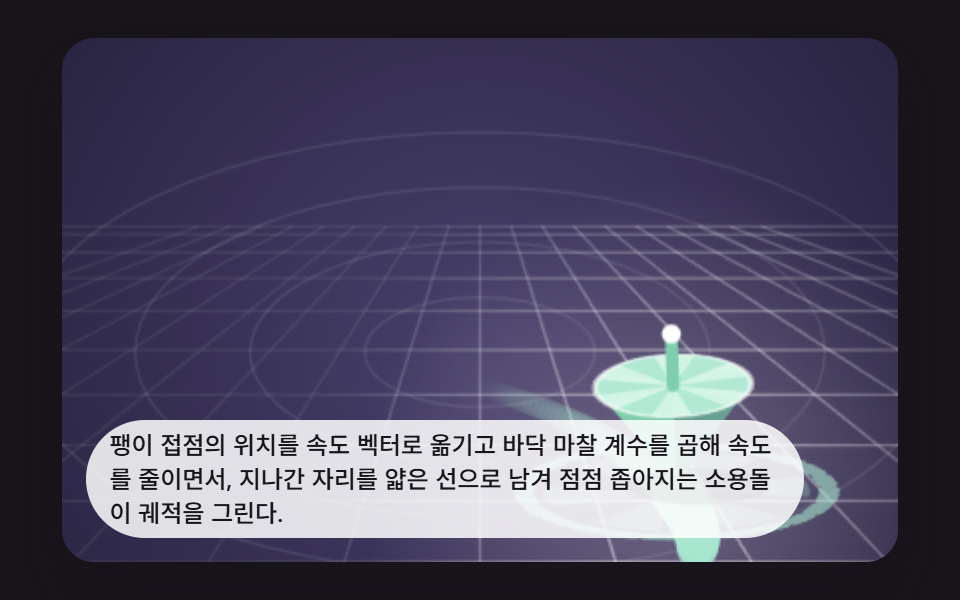 04 spin-top-scene-floor-friction-trace
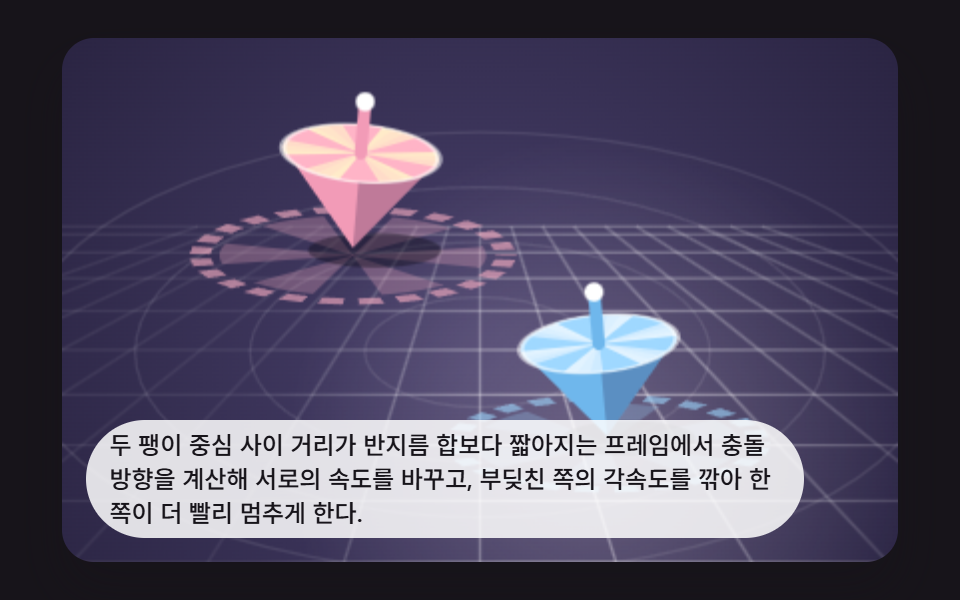 05 spin-top-scene-two-top-collision
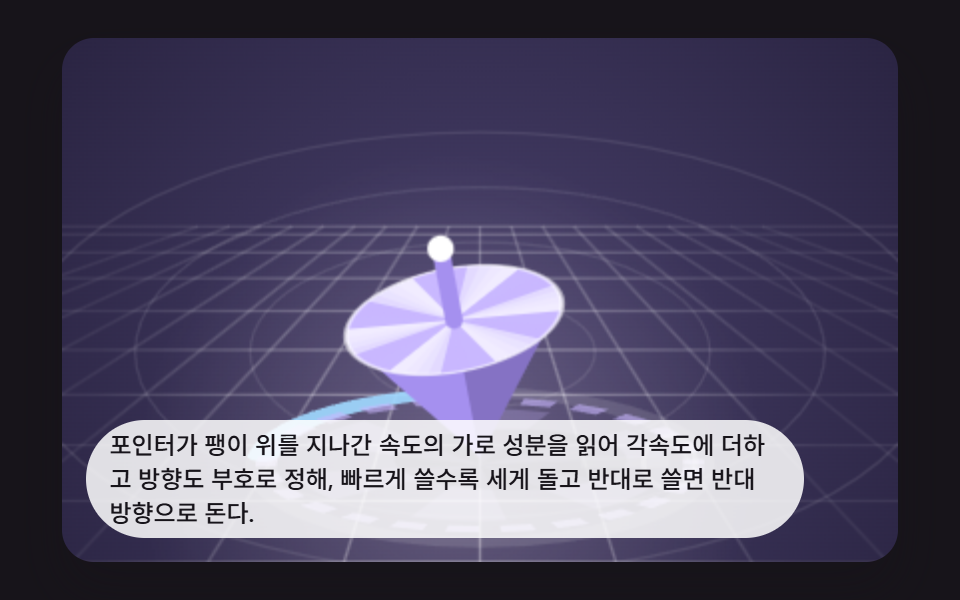 06 spin-top-scene-pointer-spin-impart
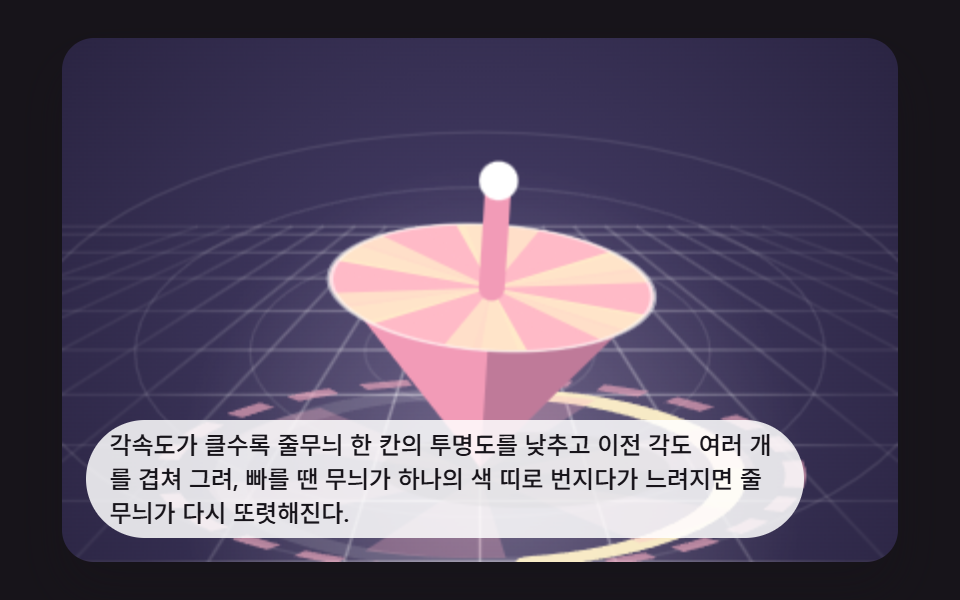 07 spin-top-scene-afterimage-stripes
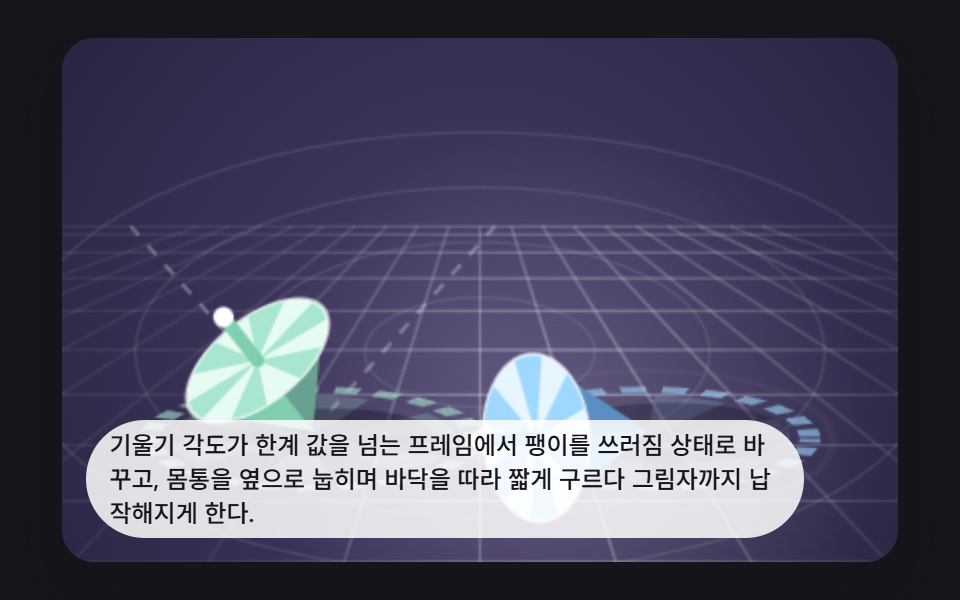 08 spin-top-scene-tumble-fall-judge
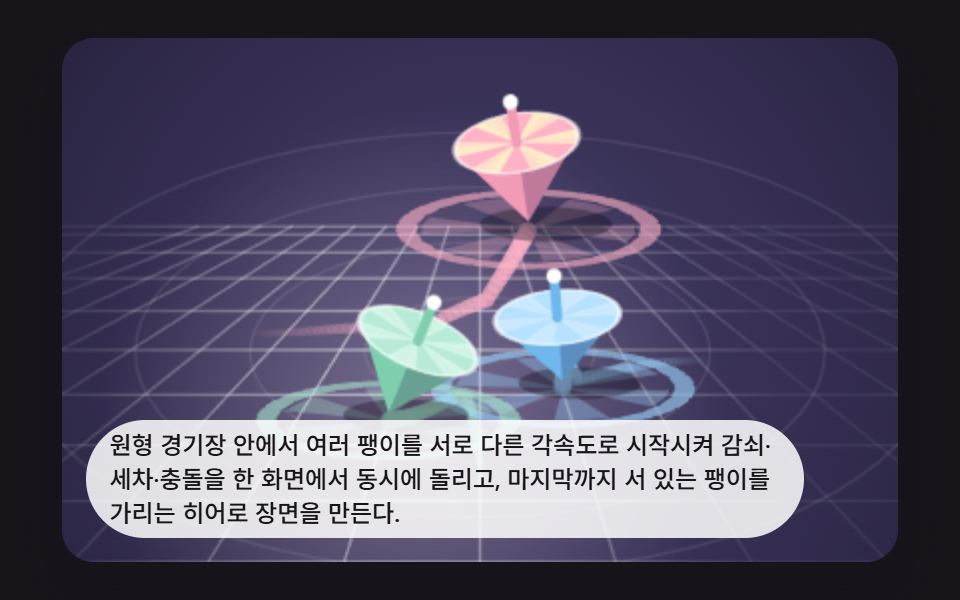 09 spin-top-scene-hero-arena
Auto-plays · click a tile to jump to its section · all nine in one zip
- 01 Basic Spinning Top Whose Angular Speed Decays by Friction
- 02 Precessing Top Whose Tilted Axis Draws a Circle
- 03 Top Whose Tilt Amplitude Grows as It Slows
- 04 Wandering Top Leaving a Friction Trace on the Floor
- 05 Two Tops Colliding and Bouncing Apart
- 06 Top That Gains Spin When the Pointer Sweeps Over It
- 07 Afterimage Top Whose Stripes Blur When Fast
- 08 Tumble Check That Lays the Top Down Past a Tilt Limit
- 09 Hero Arena Combining Spin, Precession, and Collisions
Spinning Top Animation: 9 Scenes Where One Angular Speed Sets Tilt and Wobble
If you want a spinning top physics explanation you can touch, this set is it: one number, the angular speed, falls a little every 16 ms step, and the tilt, the axis circle, the drift and the fall all read that single number. A spinning top animated gif plays the same loop forever, while here every scene is recomputed each frame, so changing a constant at the top of an item changes what you see on the next frame.
The nine scenes run in the order the top's life goes: decay first, then the leaning axis, the growing sway, the wandering on the floor, the collision of two tops, the pointer that spins one, the stripes that blur, the fall, and finally a hero arena that mixes them. All of them share a makeTop() object and a drawTop() painter, so the code you read in each item below is only the part that item adds.
01Basic Spinning Top Whose Angular Speed Decays by Friction
decayAngularSpeed() multiplies the angular speed by an exponential factor built from ANGULAR_DECAY (0.55) on every 16 ms step, and the stripe angle grows by whatever speed is left, so the top spins fast and then settles. When the speed falls under 4 it jumps back to OMEGA_START (38) with a ripple, which makes it a good opening frame for a rotation scene.
<main class="stage">
<div class="bp is-demo" id="bpRoot">
  <canvas class="bp__canvas" id="bpCanvas" width="480" height="300"></canvas>
  <p class="bp__caption">Each frame adds the angular speed to the top's rotation angle and multiplies the speed by a decay ratio, so the stripes start fast and slow down until the spin stops.</p>
</div>
</main>
@use "../../../../site/static/demo-tokens" as *;
@include stage($stage-ink);
.bp {
position: relative;
width: min(92vw, calc(160vh - 12.8vw));
aspect-ratio: 480 / 300;
margin: 0 auto;
border-radius: $r-card;
overflow: hidden;
box-shadow: $shadow-raised;
background: $stage-ink;
}
.bp__canvas {
display: block;
width: 100%;
height: 100%;
}
.bp__canvas:focus-visible {
outline: 2px solid rgba(255, 255, 255, .85);
outline-offset: -6px;
}
.bp__caption {
position: absolute;
left: $sp-3;
bottom: $sp-3;
max-width: 80%;
margin: 0;
padding: $sp-1 $sp-3;
border-radius: $r-pill;
background: rgba(255, 255, 255, .85);
color: $subject-ink;
font-weight: 500;
font-size: 12px;
line-height: 1.4;
pointer-events: none;
}
@media (max-width: 340px) {
.bp__caption { font-size: 10px; padding: $sp-1 $sp-2; }
}
@media (prefers-reduced-motion: reduce) {
.bp { cursor: default; }
}html, body {
margin: 0;
overflow: hidden;
}
.stage {
box-sizing: border-box;
min-height: 100vh;
display: grid;
place-items: center;
margin: 0;
background: #17141a;
font-family: -apple-system, "Segoe UI", "Noto Sans KR", sans-serif;
padding: clamp(8px, 4vw, 24px);
}
.bp {
position: relative;
width: min(92vw, 160vh - 12.8vw);
aspect-ratio: 480/300;
margin: 0 auto;
border-radius: 16px;
overflow: hidden;
box-shadow: 0 14px 24px rgba(23, 20, 26, 0.32);
background: #17141a;
}
.bp__canvas {
display: block;
width: 100%;
height: 100%;
}
.bp__canvas:focus-visible {
outline: 2px solid rgba(255, 255, 255, 0.85);
outline-offset: -6px;
}
.bp__caption {
position: absolute;
left: 12px;
bottom: 12px;
max-width: 80%;
margin: 0;
padding: 4px 12px;
border-radius: 999px;
background: rgba(255, 255, 255, 0.85);
color: #17141a;
font-weight: 500;
font-size: 12px;
line-height: 1.4;
pointer-events: none;
}
@media (max-width: 340px) {
.bp__caption {
font-size: 10px;
padding: 4px 8px;
}
}
@media (prefers-reduced-motion: reduce) {
.bp {
cursor: default;
}
}(function () {
var root = document.getElementById('bpRoot');
var canvas = document.getElementById('bpCanvas');
var ctx = canvas.getContext('2d');
var wrap = canvas.parentElement;
var CALC_W = 320, CALC_H = 200;
var FIXED_DT = 16;
var dtS = FIXED_DT / 1000;
var STRIPE_COUNT = 6;
var STRIPE_FUSE_HZ = 14;
var reduce = window.matchMedia('(prefers-reduced-motion: reduce)').matches;
var demo = !reduce;
if (!demo) root.classList.remove('is-demo');
function stopDemo() { demo = false; root.classList.remove('is-demo'); }
function seedRand(seed) {
var s = seed >>> 0;
return function () { s = (s * 1664525 + 1013904223) >>> 0; return s / 4294967296; };
}
var rand = seedRand(435001);
function clamp(v, lo, hi) { return v < lo ? lo : (v > hi ? hi : v); }
var PALS = [
{ a: '#ffb3c7', b: '#fff1c9', mid: '#ffd6c8', body: '#f29bb7' },
{ a: '#a8e6cf', b: '#e6fbf1', mid: '#c9f1e0', body: '#7fcfae' },
{ a: '#c9b8ff', b: '#f1ecff', mid: '#ddd2ff', body: '#a590ef' },
{ a: '#9fd8ff', b: '#e6f5ff', mid: '#c4e6ff', body: '#6fb7ec' }
];
var cw = 480, ch = 300, sc = 1.5, elapsed = 0;
var rafId = 0;
var cleaners = [];
function makeTop(x, y, palIndex, R, omega) {
return { x: x, y: y, vx: 0, vy: 0, omega: omega, tilt: 0.08, az: rand() * 6.283, spin: rand() * 6.283,
R: R, pal: PALS[palIndex % PALS.length], kick: 0, tipX: x, tipY: y };
}
var pulses = [];
function addPulse(x, y, rgb) { pulses.push({ x: x, y: y, born: elapsed, rgb: rgb || '255,255,255' }); }
function stepPulses() {
var live = [];
for (var i = 0; i < pulses.length; i += 1) if (elapsed - pulses[i].born < 520) live.push(pulses[i]);
pulses = live;
}
function drawPulses() {
for (var i = 0; i < pulses.length; i += 1) {
var p = pulses[i], f = (elapsed - p.born) / 520;
ctx.save();
ctx.translate(p.x, p.y);
ctx.scale(1, 0.38);
ctx.beginPath();
ctx.arc(0, 0, 12 + f * 62, 0, 6.2832);
ctx.strokeStyle = 'rgba(' + p.rgb + ',' + (0.8 * (1 - f)) + ')';
ctx.lineWidth = 3;
ctx.stroke();
ctx.restore();
}
}
function pushTrail(arr, x, y, max) { arr.push({ x: x, y: y }); if (arr.length > max) arr.shift(); }
function drawTrail(arr, rgb, w) {
ctx.lineCap = 'round';
for (var i = 1; i < arr.length; i += 1) {
var f = i / arr.length;
ctx.beginPath();
ctx.moveTo(arr[i - 1].x, arr[i - 1].y);
ctx.lineTo(arr[i].x, arr[i].y);
ctx.strokeStyle = 'rgba(' + rgb + ',' + (0.62 * f) + ')';
ctx.lineWidth = w * (0.35 + 0.65 * f);
ctx.stroke();
}
}
var glowX = 160, glowY = 150, glowS = 1;
function drawArena() {
ctx.setTransform(1, 0, 0, 1, 0, 0);
ctx.fillStyle = '#1d1a2b';
ctx.fillRect(0, 0, cw, ch);
ctx.setTransform(sc, 0, 0, sc, 0, 0);
var g = ctx.createRadialGradient(160, 118, 10, 160, 118, 200);
g.addColorStop(0, '#463e68');
g.addColorStop(1, '#2a2442');
ctx.fillStyle = g;
ctx.fillRect(0, 0, CALC_W, CALC_H);
ctx.strokeStyle = 'rgba(255,255,255,0.09)';
ctx.lineWidth = 1;
for (var k = 1; k <= 4; k += 1) {
ctx.beginPath();
ctx.ellipse(160, 120, 44 * k, 21 * k, 0, 0, 6.2832);
ctx.stroke();
}
// 원근 격자: 팽이 위치(glowX)에 가까울수록 밝게 비친다
var gl = ctx.createRadialGradient(glowX, glowY, 6, glowX, glowY, 140);
gl.addColorStop(0, 'rgba(255,255,255,' + (0.62 * glowS) + ')');
gl.addColorStop(1, 'rgba(255,255,255,0.07)');
ctx.strokeStyle = gl;
ctx.lineWidth = 1;
for (var gr = 0; gr < 10; gr += 1) {
var gf = gr / 9;
var gy = 72 + 128 * Math.pow(gf, 1.7);
ctx.beginPath();
ctx.moveTo(0, gy);
ctx.lineTo(CALC_W, gy);
ctx.stroke();
}
for (var gc = -9; gc <= 9; gc += 1) {
ctx.beginPath();
ctx.moveTo(160 + gc * 12, 72);
ctx.lineTo(160 + gc * 52, CALC_H);
ctx.stroke();
}
var pool = ctx.createRadialGradient(glowX, glowY + 4, 0, glowX, glowY + 4, 120);
pool.addColorStop(0, 'rgba(255,238,252,' + (0.3 * glowS) + ')');
pool.addColorStop(1, 'rgba(255,238,252,0)');
ctx.fillStyle = pool;
ctx.fillRect(0, 0, CALC_W, CALC_H);
}
function wedges(R, n, base, alpha, color) {
ctx.fillStyle = color;
ctx.globalAlpha = alpha;
for (var i = 0; i < n; i += 1) {
var a0 = base + i * 6.2832 / n;
ctx.beginPath();
ctx.moveTo(0, 0);
ctx.arc(0, 0, R, a0, a0 + 3.1416 / n);
ctx.closePath();
ctx.fill();
}
ctx.globalAlpha = 1;
}
function drawTop(t) {
var R = t.R, L = R * 1.25;
// 바닥에 남는 회전 잔상 원판과 도는 점선 고리
var gw = Math.abs(t.omega);
ctx.save();
ctx.translate(t.x, t.y + 3);
ctx.scale(1, 0.3);
wedges(R * 1.7, STRIPE_COUNT, t.spin * 0.8, 0.2 + 0.14 * clamp(gw / 30, 0, 1), t.pal.a);
ctx.beginPath();
ctx.arc(0, 0, R * 1.95, 0, 6.2832);
ctx.setLineDash([R * 0.3, R * 0.2]);
ctx.lineDashOffset = -t.spin * R * 0.6;
ctx.strokeStyle = t.pal.a;
ctx.globalAlpha = 0.6;
ctx.lineWidth = 8;
ctx.stroke();
ctx.globalAlpha = 1;
ctx.restore();
glowX = t.x + (t.tipX - t.x) * 0.5;
glowY = t.y;
glowS = 0.55 + 0.45 * clamp(gw / 30, 0, 1);
var s = Math.sin(t.tilt), c = Math.cos(t.tilt);
var cx = t.x + Math.cos(t.az) * s * L * 1.15;
var cy = t.y - c * L * 0.95 + Math.sin(t.az) * s * L * 0.35;
ctx.save();
ctx.translate(t.x + R * 0.28, t.y + 1);
ctx.scale(1, 0.26);
ctx.beginPath();
ctx.arc(0, 0, R * (0.8 + 0.6 * s), 0, 6.2832);
ctx.fillStyle = 'rgba(10,8,20,' + (0.4 - 0.12 * s) + ')';
ctx.fill();
ctx.restore();
var dx = cx - t.x, dy = cy - t.y;
var dist = Math.hypot(dx, dy) || 1;
var phi = Math.atan2(dx, -dy);
ctx.save();
ctx.translate(cx, cy);
ctx.rotate(phi);
ctx.beginPath();
ctx.moveTo(-R, 0); ctx.lineTo(0, dist); ctx.lineTo(R, 0); ctx.closePath();
ctx.fillStyle = t.pal.body;
ctx.fill();
ctx.beginPath();
ctx.moveTo(0, 0); ctx.lineTo(0, dist); ctx.lineTo(R, 0); ctx.closePath();
ctx.fillStyle = 'rgba(30,16,60,0.24)';
ctx.fill();
var kv = 0.34 + 0.3 * s;
ctx.save();
ctx.scale(1, kv);
ctx.beginPath();
ctx.arc(0, 0, R, 0, 6.2832);
ctx.fillStyle = t.pal.b;
ctx.fill();
var sgn = t.omega < 0 ? -1 : 1;
var w = Math.abs(t.omega);
wedges(R, STRIPE_COUNT, t.spin, 1, t.pal.a);
if (w > 8) {
for (var k = 1; k <= 3; k += 1) wedges(R, STRIPE_COUNT, t.spin - sgn * k * w * 0.012, 0.2 / k, t.pal.a);
}
var f = w * STRIPE_COUNT / 6.2832;
var blur = clamp((f - STRIPE_FUSE_HZ) / 26, 0, 0.8);
if (blur > 0) {
ctx.globalAlpha = blur;
ctx.beginPath();
ctx.arc(0, 0, R, 0, 6.2832);
ctx.fillStyle = t.pal.mid;
ctx.fill();
ctx.globalAlpha = 1;
}
ctx.beginPath();
ctx.arc(0, 0, R, 0, 6.2832);
ctx.strokeStyle = 'rgba(255,255,255,0.55)';
ctx.lineWidth = 1 / kv;
ctx.stroke();
ctx.restore();
ctx.beginPath();
ctx.moveTo(0, 0); ctx.lineTo(0, -R * 0.62);
ctx.strokeStyle = t.pal.body;
ctx.lineWidth = R * 0.16;
ctx.lineCap = 'round';
ctx.stroke();
ctx.beginPath();
ctx.arc(0, -R * 0.66, R * 0.12, 0, 6.2832);
ctx.fillStyle = '#ffffff';
ctx.fill();
ctx.restore();
t.tipX = cx + Math.sin(phi) * R * 0.66;
t.tipY = cy - Math.cos(phi) * R * 0.66;
}
function wallBounce(t, rest, margin) {
var m = t.R + margin;
if (t.x < m) { t.x = m; t.vx = Math.abs(t.vx) * rest; }
if (t.x > CALC_W - m) { t.x = CALC_W - m; t.vx = -Math.abs(t.vx) * rest; }
var top = t.R * 2.1, bottom = CALC_H - 8;
if (t.y < top) { t.y = top; t.vy = Math.abs(t.vy) * rest; }
if (t.y > bottom) { t.y = bottom; t.vy = -Math.abs(t.vy) * rest; }
}
function pairCollide(a, b, rest, spinMix, kickAmt) {
var dx = b.x - a.x, dy = (b.y - a.y) * 1.6;
var dist = Math.hypot(dx, dy);
var minDist = (a.R + b.R) * 0.92;
if (dist <= 0 || dist >= minDist) return false;
var nx = dx / dist, ny = dy / dist;
var overlap = (minDist - dist) * 0.5;
a.x -= nx * overlap; a.y -= ny * overlap / 1.6;
b.x += nx * overlap; b.y += ny * overlap / 1.6;
var vn = (b.vx - a.vx) * nx + (b.vy - a.vy) * ny;
if (vn >= 0) return false;
var j = -(1 + rest) * vn / 2;
a.vx -= j * nx; a.vy -= j * ny;
b.vx += j * nx; b.vy += j * ny;
var tr = (b.omega - a.omega) * spinMix;
a.omega += tr; b.omega -= tr;
a.vx += -ny * tr * 1.4; a.vy += nx * tr * 1.4;
b.vx -= -ny * tr * 1.4; b.vy -= nx * tr * 1.4;
a.kick = kickAmt; b.kick = kickAmt;
addPulse((a.x + b.x) / 2, (a.y + b.y) / 2 + 6, '255,255,255');
return true;
}
// 기법: 프레임마다 회전각에 각속도를 더하고, 각속도에는 지수 감쇠 비율을 곱한다.
// 각속도가 낮아질수록 기울기 진폭과 세차 속도를 키워 곧게 서 있던 팽이가 서서히 비틀거리게 한다.
  var ANGULAR_DECAY = 0.55;
  var OMEGA_START = 38;
  var spinTop = makeTop(160, 158, 0, 58, OMEGA_START);

  function decayAngularSpeed(t) { t.omega *= Math.exp(-ANGULAR_DECAY * dtS); }

  function stepWorld() {
    decayAngularSpeed(spinTop);
    spinTop.spin += spinTop.omega * dtS;
    var slow = 1 - clamp(spinTop.omega / OMEGA_START, 0, 1);
    spinTop.tilt = 0.06 + 0.5 * slow * slow;
    spinTop.az += (2 + slow * 5) * dtS;
    if (spinTop.omega < 4) {
      spinTop.omega = OMEGA_START;
      addPulse(spinTop.x, spinTop.y + 4, '255,214,230');
    }
    stepPulses();
  }
function drawOmegaGauge(t) {
var frac = clamp(t.omega / OMEGA_START, 0, 1);
ctx.save();
ctx.translate(t.x, t.y + 4);
ctx.scale(1, 0.34);
ctx.lineCap = 'round';
ctx.beginPath();
ctx.arc(0, 0, 84, 0, 6.2832);
ctx.strokeStyle = 'rgba(255,255,255,0.12)';
ctx.lineWidth = 12;
ctx.stroke();
ctx.beginPath();
ctx.arc(0, 0, 84, -1.5708, -1.5708 + 6.2832 * frac);
ctx.strokeStyle = 'rgba(255,179,199,0.9)';
ctx.lineWidth = 12;
ctx.stroke();
ctx.restore();
}
function drawWorld() {
drawArena();
drawOmegaGauge(spinTop);
drawPulses();
drawTop(spinTop);
}
function fit() {
var r = wrap.getBoundingClientRect();
cw = Math.max(1, Math.round(r.width));
ch = Math.max(1, Math.round(r.height));
canvas.width = cw; canvas.height = ch;
sc = cw / CALC_W;
drawWorld();
}
var lastTs = null;
var acc = 0;
function tick(ts) {
if (lastTs === null) lastTs = ts;
var frameDt = Math.min(ts - lastTs, 48);
lastTs = ts;
acc += frameDt;
while (acc >= FIXED_DT) { elapsed += FIXED_DT; stepWorld(); acc -= FIXED_DT; }
drawWorld();
rafId = requestAnimationFrame(tick);
}
for (var w0 = 0; w0 < 30; w0 += 1) { elapsed += FIXED_DT; stepWorld(); }
fit();
window.addEventListener('resize', fit);
cleaners.push(function () { window.removeEventListener('resize', fit); });
if (!reduce) rafId = requestAnimationFrame(tick);
function destroy() {
cancelAnimationFrame(rafId);
for (var i = 0; i < cleaners.length; i += 1) cleaners[i]();
}
})();import { useEffect, useRef } from "react";
import styles from "./SpinTopSceneAngularDecay.module.scss";
type Pal = { a: string; b: string; mid: string; body: string };
type Top = { x: number; y: number; vx: number; vy: number; omega: number; tilt: number; az: number; spin: number; R: number; pal: Pal; kick: number; tipX: number; tipY: number };
type Pulse = { x: number; y: number; born: number; rgb: string };
type Pt = { x: number; y: number };
export default function SpinTopSceneAngularDecay() {
const rootRef = useRef<HTMLDivElement | null>(null);
const canvasRef = useRef<HTMLCanvasElement | null>(null);
useEffect(() => {
const rootEl = rootRef.current;
const canvasEl = canvasRef.current;
if (!rootEl || !canvasEl) return;
const root: HTMLDivElement = rootEl;
const canvas: HTMLCanvasElement = canvasEl;
const ctx0 = canvas.getContext("2d");
if (!ctx0) return;
const ctx: CanvasRenderingContext2D = ctx0;
const wrap: HTMLElement = canvas.parentElement ?? root;
var CALC_W = 320, CALC_H = 200;
var FIXED_DT = 16;
var dtS = FIXED_DT / 1000;
var STRIPE_COUNT = 6;
var STRIPE_FUSE_HZ = 14;
var reduce = window.matchMedia('(prefers-reduced-motion: reduce)').matches;
var demo = !reduce;
if (!demo) root.classList.remove('is-demo');
function stopDemo() { demo = false; root.classList.remove('is-demo'); }
function seedRand(seed: number) {
var s = seed >>> 0;
return function () { s = (s * 1664525 + 1013904223) >>> 0; return s / 4294967296; };
}
var rand = seedRand(435001);
function clamp(v: number, lo: number, hi: number) { return v < lo ? lo : (v > hi ? hi : v); }
var PALS = [
{ a: '#ffb3c7', b: '#fff1c9', mid: '#ffd6c8', body: '#f29bb7' },
{ a: '#a8e6cf', b: '#e6fbf1', mid: '#c9f1e0', body: '#7fcfae' },
{ a: '#c9b8ff', b: '#f1ecff', mid: '#ddd2ff', body: '#a590ef' },
{ a: '#9fd8ff', b: '#e6f5ff', mid: '#c4e6ff', body: '#6fb7ec' }
];
var cw = 480, ch = 300, sc = 1.5, elapsed = 0;
var rafId = 0;
var cleaners: Array<() => void> = [];
function makeTop(x: number, y: number, palIndex: number, R: number, omega: number): Top {
return { x: x, y: y, vx: 0, vy: 0, omega: omega, tilt: 0.08, az: rand() * 6.283, spin: rand() * 6.283,
R: R, pal: PALS[palIndex % PALS.length], kick: 0, tipX: x, tipY: y };
}
var pulses: Pulse[] = [];
function addPulse(x: number, y: number, rgb?: string) { pulses.push({ x: x, y: y, born: elapsed, rgb: rgb || '255,255,255' }); }
function stepPulses() {
var live: Pulse[] = [];
for (var i = 0; i < pulses.length; i += 1) if (elapsed - pulses[i].born < 520) live.push(pulses[i]);
pulses = live;
}
function drawPulses() {
for (var i = 0; i < pulses.length; i += 1) {
var p = pulses[i], f = (elapsed - p.born) / 520;
ctx.save();
ctx.translate(p.x, p.y);
ctx.scale(1, 0.38);
ctx.beginPath();
ctx.arc(0, 0, 12 + f * 62, 0, 6.2832);
ctx.strokeStyle = 'rgba(' + p.rgb + ',' + (0.8 * (1 - f)) + ')';
ctx.lineWidth = 3;
ctx.stroke();
ctx.restore();
}
}
function pushTrail(arr: Pt[], x: number, y: number, max: number) { arr.push({ x: x, y: y }); if (arr.length > max) arr.shift(); }
function drawTrail(arr: Pt[], rgb: string, w: number) {
ctx.lineCap = 'round';
for (var i = 1; i < arr.length; i += 1) {
var f = i / arr.length;
ctx.beginPath();
ctx.moveTo(arr[i - 1].x, arr[i - 1].y);
ctx.lineTo(arr[i].x, arr[i].y);
ctx.strokeStyle = 'rgba(' + rgb + ',' + (0.62 * f) + ')';
ctx.lineWidth = w * (0.35 + 0.65 * f);
ctx.stroke();
}
}
var glowX = 160, glowY = 150, glowS = 1;
function drawArena() {
ctx.setTransform(1, 0, 0, 1, 0, 0);
ctx.fillStyle = '#1d1a2b';
ctx.fillRect(0, 0, cw, ch);
ctx.setTransform(sc, 0, 0, sc, 0, 0);
var g = ctx.createRadialGradient(160, 118, 10, 160, 118, 200);
g.addColorStop(0, '#463e68');
g.addColorStop(1, '#2a2442');
ctx.fillStyle = g;
ctx.fillRect(0, 0, CALC_W, CALC_H);
ctx.strokeStyle = 'rgba(255,255,255,0.09)';
ctx.lineWidth = 1;
for (var k = 1; k <= 4; k += 1) {
ctx.beginPath();
ctx.ellipse(160, 120, 44 * k, 21 * k, 0, 0, 6.2832);
ctx.stroke();
}
// 원근 격자: 팽이 위치(glowX)에 가까울수록 밝게 비친다
var gl = ctx.createRadialGradient(glowX, glowY, 6, glowX, glowY, 140);
gl.addColorStop(0, 'rgba(255,255,255,' + (0.62 * glowS) + ')');
gl.addColorStop(1, 'rgba(255,255,255,0.07)');
ctx.strokeStyle = gl;
ctx.lineWidth = 1;
for (var gr = 0; gr < 10; gr += 1) {
var gf = gr / 9;
var gy = 72 + 128 * Math.pow(gf, 1.7);
ctx.beginPath();
ctx.moveTo(0, gy);
ctx.lineTo(CALC_W, gy);
ctx.stroke();
}
for (var gc = -9; gc <= 9; gc += 1) {
ctx.beginPath();
ctx.moveTo(160 + gc * 12, 72);
ctx.lineTo(160 + gc * 52, CALC_H);
ctx.stroke();
}
var pool = ctx.createRadialGradient(glowX, glowY + 4, 0, glowX, glowY + 4, 120);
pool.addColorStop(0, 'rgba(255,238,252,' + (0.3 * glowS) + ')');
pool.addColorStop(1, 'rgba(255,238,252,0)');
ctx.fillStyle = pool;
ctx.fillRect(0, 0, CALC_W, CALC_H);
}
function wedges(R: number, n: number, base: number, alpha: number, color: string) {
ctx.fillStyle = color;
ctx.globalAlpha = alpha;
for (var i = 0; i < n; i += 1) {
var a0 = base + i * 6.2832 / n;
ctx.beginPath();
ctx.moveTo(0, 0);
ctx.arc(0, 0, R, a0, a0 + 3.1416 / n);
ctx.closePath();
ctx.fill();
}
ctx.globalAlpha = 1;
}
function drawTop(t: Top) {
var R = t.R, L = R * 1.25;
// 바닥에 남는 회전 잔상 원판과 도는 점선 고리
var gw = Math.abs(t.omega);
ctx.save();
ctx.translate(t.x, t.y + 3);
ctx.scale(1, 0.3);
wedges(R * 1.7, STRIPE_COUNT, t.spin * 0.8, 0.2 + 0.14 * clamp(gw / 30, 0, 1), t.pal.a);
ctx.beginPath();
ctx.arc(0, 0, R * 1.95, 0, 6.2832);
ctx.setLineDash([R * 0.3, R * 0.2]);
ctx.lineDashOffset = -t.spin * R * 0.6;
ctx.strokeStyle = t.pal.a;
ctx.globalAlpha = 0.6;
ctx.lineWidth = 8;
ctx.stroke();
ctx.globalAlpha = 1;
ctx.restore();
glowX = t.x + (t.tipX - t.x) * 0.5;
glowY = t.y;
glowS = 0.55 + 0.45 * clamp(gw / 30, 0, 1);
var s = Math.sin(t.tilt), c = Math.cos(t.tilt);
var cx = t.x + Math.cos(t.az) * s * L * 1.15;
var cy = t.y - c * L * 0.95 + Math.sin(t.az) * s * L * 0.35;
ctx.save();
ctx.translate(t.x + R * 0.28, t.y + 1);
ctx.scale(1, 0.26);
ctx.beginPath();
ctx.arc(0, 0, R * (0.8 + 0.6 * s), 0, 6.2832);
ctx.fillStyle = 'rgba(10,8,20,' + (0.4 - 0.12 * s) + ')';
ctx.fill();
ctx.restore();
var dx = cx - t.x, dy = cy - t.y;
var dist = Math.hypot(dx, dy) || 1;
var phi = Math.atan2(dx, -dy);
ctx.save();
ctx.translate(cx, cy);
ctx.rotate(phi);
ctx.beginPath();
ctx.moveTo(-R, 0); ctx.lineTo(0, dist); ctx.lineTo(R, 0); ctx.closePath();
ctx.fillStyle = t.pal.body;
ctx.fill();
ctx.beginPath();
ctx.moveTo(0, 0); ctx.lineTo(0, dist); ctx.lineTo(R, 0); ctx.closePath();
ctx.fillStyle = 'rgba(30,16,60,0.24)';
ctx.fill();
var kv = 0.34 + 0.3 * s;
ctx.save();
ctx.scale(1, kv);
ctx.beginPath();
ctx.arc(0, 0, R, 0, 6.2832);
ctx.fillStyle = t.pal.b;
ctx.fill();
var sgn = t.omega < 0 ? -1 : 1;
var w = Math.abs(t.omega);
wedges(R, STRIPE_COUNT, t.spin, 1, t.pal.a);
if (w > 8) {
for (var k = 1; k <= 3; k += 1) wedges(R, STRIPE_COUNT, t.spin - sgn * k * w * 0.012, 0.2 / k, t.pal.a);
}
var f = w * STRIPE_COUNT / 6.2832;
var blur = clamp((f - STRIPE_FUSE_HZ) / 26, 0, 0.8);
if (blur > 0) {
ctx.globalAlpha = blur;
ctx.beginPath();
ctx.arc(0, 0, R, 0, 6.2832);
ctx.fillStyle = t.pal.mid;
ctx.fill();
ctx.globalAlpha = 1;
}
ctx.beginPath();
ctx.arc(0, 0, R, 0, 6.2832);
ctx.strokeStyle = 'rgba(255,255,255,0.55)';
ctx.lineWidth = 1 / kv;
ctx.stroke();
ctx.restore();
ctx.beginPath();
ctx.moveTo(0, 0); ctx.lineTo(0, -R * 0.62);
ctx.strokeStyle = t.pal.body;
ctx.lineWidth = R * 0.16;
ctx.lineCap = 'round';
ctx.stroke();
ctx.beginPath();
ctx.arc(0, -R * 0.66, R * 0.12, 0, 6.2832);
ctx.fillStyle = '#ffffff';
ctx.fill();
ctx.restore();
t.tipX = cx + Math.sin(phi) * R * 0.66;
t.tipY = cy - Math.cos(phi) * R * 0.66;
}
function wallBounce(t: Top, rest: number, margin: number) {
var m = t.R + margin;
if (t.x < m) { t.x = m; t.vx = Math.abs(t.vx) * rest; }
if (t.x > CALC_W - m) { t.x = CALC_W - m; t.vx = -Math.abs(t.vx) * rest; }
var top = t.R * 2.1, bottom = CALC_H - 8;
if (t.y < top) { t.y = top; t.vy = Math.abs(t.vy) * rest; }
if (t.y > bottom) { t.y = bottom; t.vy = -Math.abs(t.vy) * rest; }
}
function pairCollide(a: Top, b: Top, rest: number, spinMix: number, kickAmt: number) {
var dx = b.x - a.x, dy = (b.y - a.y) * 1.6;
var dist = Math.hypot(dx, dy);
var minDist = (a.R + b.R) * 0.92;
if (dist <= 0 || dist >= minDist) return false;
var nx = dx / dist, ny = dy / dist;
var overlap = (minDist - dist) * 0.5;
a.x -= nx * overlap; a.y -= ny * overlap / 1.6;
b.x += nx * overlap; b.y += ny * overlap / 1.6;
var vn = (b.vx - a.vx) * nx + (b.vy - a.vy) * ny;
if (vn >= 0) return false;
var j = -(1 + rest) * vn / 2;
a.vx -= j * nx; a.vy -= j * ny;
b.vx += j * nx; b.vy += j * ny;
var tr = (b.omega - a.omega) * spinMix;
a.omega += tr; b.omega -= tr;
a.vx += -ny * tr * 1.4; a.vy += nx * tr * 1.4;
b.vx -= -ny * tr * 1.4; b.vy -= nx * tr * 1.4;
a.kick = kickAmt; b.kick = kickAmt;
addPulse((a.x + b.x) / 2, (a.y + b.y) / 2 + 6, '255,255,255');
return true;
}
// 기법: 프레임마다 회전각에 각속도를 더하고, 각속도에는 지수 감쇠 비율을 곱한다.
// 각속도가 낮아질수록 기울기 진폭과 세차 속도를 키워 곧게 서 있던 팽이가 서서히 비틀거리게 한다.
var ANGULAR_DECAY = 0.55;
var OMEGA_START = 38;
var spinTop = makeTop(160, 158, 0, 58, OMEGA_START);
function decayAngularSpeed(t: Top) { t.omega *= Math.exp(-ANGULAR_DECAY * dtS); }
function stepWorld() {
decayAngularSpeed(spinTop);
spinTop.spin += spinTop.omega * dtS;
var slow = 1 - clamp(spinTop.omega / OMEGA_START, 0, 1);
spinTop.tilt = 0.06 + 0.5 * slow * slow;
spinTop.az += (2 + slow * 5) * dtS;
if (spinTop.omega < 4) {
spinTop.omega = OMEGA_START;
addPulse(spinTop.x, spinTop.y + 4, '255,214,230');
}
stepPulses();
}
function drawOmegaGauge(t: Top) {
var frac = clamp(t.omega / OMEGA_START, 0, 1);
ctx.save();
ctx.translate(t.x, t.y + 4);
ctx.scale(1, 0.34);
ctx.lineCap = 'round';
ctx.beginPath();
ctx.arc(0, 0, 84, 0, 6.2832);
ctx.strokeStyle = 'rgba(255,255,255,0.12)';
ctx.lineWidth = 12;
ctx.stroke();
ctx.beginPath();
ctx.arc(0, 0, 84, -1.5708, -1.5708 + 6.2832 * frac);
ctx.strokeStyle = 'rgba(255,179,199,0.9)';
ctx.lineWidth = 12;
ctx.stroke();
ctx.restore();
}
function drawWorld() {
drawArena();
drawOmegaGauge(spinTop);
drawPulses();
drawTop(spinTop);
}
function fit() {
var r = wrap.getBoundingClientRect();
cw = Math.max(1, Math.round(r.width));
ch = Math.max(1, Math.round(r.height));
canvas.width = cw; canvas.height = ch;
sc = cw / CALC_W;
drawWorld();
}
var lastTs: number | null = null;
var acc = 0;
function tick(ts: number) {
if (lastTs === null) lastTs = ts;
var frameDt = Math.min(ts - lastTs, 48);
lastTs = ts;
acc += frameDt;
while (acc >= FIXED_DT) { elapsed += FIXED_DT; stepWorld(); acc -= FIXED_DT; }
drawWorld();
rafId = requestAnimationFrame(tick);
}
for (var w0 = 0; w0 < 30; w0 += 1) { elapsed += FIXED_DT; stepWorld(); }
fit();
window.addEventListener('resize', fit);
cleaners.push(function () { window.removeEventListener('resize', fit); });
if (!reduce) rafId = requestAnimationFrame(tick);
function destroy() {
cancelAnimationFrame(rafId);
for (var i = 0; i < cleaners.length; i += 1) cleaners[i]();
}
return destroy;
}, []);
return (
<main className={styles.stage}>
<div className={`${styles.bp} is-demo`} ref={rootRef}>
<canvas className={styles.bp__canvas} ref={canvasRef} width={480} height={300} />
<p className={styles.bp__caption}>팽이 몸통의 회전 각도를 프레임마다 각속도만큼 더하고 각속도에 감쇠 비율을 곱해, 처음엔 줄무늬가 빠르게 돌다 점점 느려져 멈추는 회전을 그린다.</p>
</div>
</main>
);
}01 · Basic Spinning Top Whose Angular Speed Decays by Friction — Measured area 22.972% · moving frames 23/23Original by GODRICH · SCSS and React ship in the zip · See the password
var ANGULAR_DECAY = 0.55;
var OMEGA_START = 38;
var spinTop = makeTop(160, 158, 0, 58, OMEGA_START);
function decayAngularSpeed(t) { t.omega *= Math.exp(-ANGULAR_DECAY * dtS); }
function stepWorld() {
decayAngularSpeed(spinTop);
spinTop.spin += spinTop.omega * dtS;
var slow = 1 - clamp(spinTop.omega / OMEGA_START, 0, 1);
spinTop.tilt = 0.06 + 0.5 * slow * slow;
spinTop.az += (2 + slow * 5) * dtS;
if (spinTop.omega < 4) {
spinTop.omega = OMEGA_START;
addPulse(spinTop.x, spinTop.y + 4, '255,214,230');
}
stepPulses();
}
Item 01 repainted 23.0% of the frame at an average intensity of 76.2 across 23/23 measured frames.
02Precessing Top Whose Tilted Axis Draws a Circle
PRECESSION_GAIN (0.6) only sets how far the axis leans, through TILT_PER_GAIN (0.7) times the gain, and the speed at which the axis circles comes from PRECESSION_K (200) divided by the angular speed inside precessAxis(). A white dot with a 110-point trail follows the axis tip, so the scene works as an educational picture of how a leaning axis keeps turning.
<main class="stage">
<div class="bp is-demo" id="bpRoot">
  <canvas class="bp__canvas" id="bpCanvas" width="480" height="300"></canvas>
  <p class="bp__caption">The top end of the axis is placed with sine and cosine from the tilt angle so it traces a small circle above the floor, and the whole axis slowly circles while the body spins.</p>
</div>
</main>
@use "../../../../site/static/demo-tokens" as *;
@include stage($stage-ink);
.bp {
position: relative;
width: min(92vw, calc(160vh - 12.8vw));
aspect-ratio: 480 / 300;
margin: 0 auto;
border-radius: $r-card;
overflow: hidden;
box-shadow: $shadow-raised;
background: $stage-ink;
}
.bp__canvas {
display: block;
width: 100%;
height: 100%;
}
.bp__canvas:focus-visible {
outline: 2px solid rgba(255, 255, 255, .85);
outline-offset: -6px;
}
.bp__caption {
position: absolute;
left: $sp-3;
bottom: $sp-3;
max-width: 80%;
margin: 0;
padding: $sp-1 $sp-3;
border-radius: $r-pill;
background: rgba(255, 255, 255, .85);
color: $subject-ink;
font-weight: 500;
font-size: 12px;
line-height: 1.4;
pointer-events: none;
}
@media (max-width: 340px) {
.bp__caption { font-size: 10px; padding: $sp-1 $sp-2; }
}
@media (prefers-reduced-motion: reduce) {
.bp { cursor: default; }
}html, body {
margin: 0;
overflow: hidden;
}
.stage {
box-sizing: border-box;
min-height: 100vh;
display: grid;
place-items: center;
margin: 0;
background: #17141a;
font-family: -apple-system, "Segoe UI", "Noto Sans KR", sans-serif;
padding: clamp(8px, 4vw, 24px);
}
.bp {
position: relative;
width: min(92vw, 160vh - 12.8vw);
aspect-ratio: 480/300;
margin: 0 auto;
border-radius: 16px;
overflow: hidden;
box-shadow: 0 14px 24px rgba(23, 20, 26, 0.32);
background: #17141a;
}
.bp__canvas {
display: block;
width: 100%;
height: 100%;
}
.bp__canvas:focus-visible {
outline: 2px solid rgba(255, 255, 255, 0.85);
outline-offset: -6px;
}
.bp__caption {
position: absolute;
left: 12px;
bottom: 12px;
max-width: 80%;
margin: 0;
padding: 4px 12px;
border-radius: 999px;
background: rgba(255, 255, 255, 0.85);
color: #17141a;
font-weight: 500;
font-size: 12px;
line-height: 1.4;
pointer-events: none;
}
@media (max-width: 340px) {
.bp__caption {
font-size: 10px;
padding: 4px 8px;
}
}
@media (prefers-reduced-motion: reduce) {
.bp {
cursor: default;
}
}(function () {
var root = document.getElementById('bpRoot');
var canvas = document.getElementById('bpCanvas');
var ctx = canvas.getContext('2d');
var wrap = canvas.parentElement;
var CALC_W = 320, CALC_H = 200;
var FIXED_DT = 16;
var dtS = FIXED_DT / 1000;
var STRIPE_COUNT = 6;
var STRIPE_FUSE_HZ = 14;
var reduce = window.matchMedia('(prefers-reduced-motion: reduce)').matches;
var demo = !reduce;
if (!demo) root.classList.remove('is-demo');
function stopDemo() { demo = false; root.classList.remove('is-demo'); }
function seedRand(seed) {
var s = seed >>> 0;
return function () { s = (s * 1664525 + 1013904223) >>> 0; return s / 4294967296; };
}
var rand = seedRand(435002);
function clamp(v, lo, hi) { return v < lo ? lo : (v > hi ? hi : v); }
var PALS = [
{ a: '#ffb3c7', b: '#fff1c9', mid: '#ffd6c8', body: '#f29bb7' },
{ a: '#a8e6cf', b: '#e6fbf1', mid: '#c9f1e0', body: '#7fcfae' },
{ a: '#c9b8ff', b: '#f1ecff', mid: '#ddd2ff', body: '#a590ef' },
{ a: '#9fd8ff', b: '#e6f5ff', mid: '#c4e6ff', body: '#6fb7ec' }
];
var cw = 480, ch = 300, sc = 1.5, elapsed = 0;
var rafId = 0;
var cleaners = [];
function makeTop(x, y, palIndex, R, omega) {
return { x: x, y: y, vx: 0, vy: 0, omega: omega, tilt: 0.08, az: rand() * 6.283, spin: rand() * 6.283,
R: R, pal: PALS[palIndex % PALS.length], kick: 0, tipX: x, tipY: y };
}
var pulses = [];
function addPulse(x, y, rgb) { pulses.push({ x: x, y: y, born: elapsed, rgb: rgb || '255,255,255' }); }
function stepPulses() {
var live = [];
for (var i = 0; i < pulses.length; i += 1) if (elapsed - pulses[i].born < 520) live.push(pulses[i]);
pulses = live;
}
function drawPulses() {
for (var i = 0; i < pulses.length; i += 1) {
var p = pulses[i], f = (elapsed - p.born) / 520;
ctx.save();
ctx.translate(p.x, p.y);
ctx.scale(1, 0.38);
ctx.beginPath();
ctx.arc(0, 0, 12 + f * 62, 0, 6.2832);
ctx.strokeStyle = 'rgba(' + p.rgb + ',' + (0.8 * (1 - f)) + ')';
ctx.lineWidth = 3;
ctx.stroke();
ctx.restore();
}
}
function pushTrail(arr, x, y, max) { arr.push({ x: x, y: y }); if (arr.length > max) arr.shift(); }
function drawTrail(arr, rgb, w) {
ctx.lineCap = 'round';
for (var i = 1; i < arr.length; i += 1) {
var f = i / arr.length;
ctx.beginPath();
ctx.moveTo(arr[i - 1].x, arr[i - 1].y);
ctx.lineTo(arr[i].x, arr[i].y);
ctx.strokeStyle = 'rgba(' + rgb + ',' + (0.62 * f) + ')';
ctx.lineWidth = w * (0.35 + 0.65 * f);
ctx.stroke();
}
}
var glowX = 160, glowY = 150, glowS = 1;
function drawArena() {
ctx.setTransform(1, 0, 0, 1, 0, 0);
ctx.fillStyle = '#1d1a2b';
ctx.fillRect(0, 0, cw, ch);
ctx.setTransform(sc, 0, 0, sc, 0, 0);
var g = ctx.createRadialGradient(160, 118, 10, 160, 118, 200);
g.addColorStop(0, '#463e68');
g.addColorStop(1, '#2a2442');
ctx.fillStyle = g;
ctx.fillRect(0, 0, CALC_W, CALC_H);
ctx.strokeStyle = 'rgba(255,255,255,0.09)';
ctx.lineWidth = 1;
for (var k = 1; k <= 4; k += 1) {
ctx.beginPath();
ctx.ellipse(160, 120, 44 * k, 21 * k, 0, 0, 6.2832);
ctx.stroke();
}
// 원근 격자: 팽이 위치(glowX)에 가까울수록 밝게 비친다
var gl = ctx.createRadialGradient(glowX, glowY, 6, glowX, glowY, 140);
gl.addColorStop(0, 'rgba(255,255,255,' + (0.62 * glowS) + ')');
gl.addColorStop(1, 'rgba(255,255,255,0.07)');
ctx.strokeStyle = gl;
ctx.lineWidth = 1;
for (var gr = 0; gr < 10; gr += 1) {
var gf = gr / 9;
var gy = 72 + 128 * Math.pow(gf, 1.7);
ctx.beginPath();
ctx.moveTo(0, gy);
ctx.lineTo(CALC_W, gy);
ctx.stroke();
}
for (var gc = -9; gc <= 9; gc += 1) {
ctx.beginPath();
ctx.moveTo(160 + gc * 12, 72);
ctx.lineTo(160 + gc * 52, CALC_H);
ctx.stroke();
}
var pool = ctx.createRadialGradient(glowX, glowY + 4, 0, glowX, glowY + 4, 120);
pool.addColorStop(0, 'rgba(255,238,252,' + (0.3 * glowS) + ')');
pool.addColorStop(1, 'rgba(255,238,252,0)');
ctx.fillStyle = pool;
ctx.fillRect(0, 0, CALC_W, CALC_H);
}
function wedges(R, n, base, alpha, color) {
ctx.fillStyle = color;
ctx.globalAlpha = alpha;
for (var i = 0; i < n; i += 1) {
var a0 = base + i * 6.2832 / n;
ctx.beginPath();
ctx.moveTo(0, 0);
ctx.arc(0, 0, R, a0, a0 + 3.1416 / n);
ctx.closePath();
ctx.fill();
}
ctx.globalAlpha = 1;
}
function drawTop(t) {
var R = t.R, L = R * 1.25;
// 바닥에 남는 회전 잔상 원판과 도는 점선 고리
var gw = Math.abs(t.omega);
ctx.save();
ctx.translate(t.x, t.y + 3);
ctx.scale(1, 0.3);
wedges(R * 1.7, STRIPE_COUNT, t.spin * 0.8, 0.2 + 0.14 * clamp(gw / 30, 0, 1), t.pal.a);
ctx.beginPath();
ctx.arc(0, 0, R * 1.95, 0, 6.2832);
ctx.setLineDash([R * 0.3, R * 0.2]);
ctx.lineDashOffset = -t.spin * R * 0.6;
ctx.strokeStyle = t.pal.a;
ctx.globalAlpha = 0.6;
ctx.lineWidth = 8;
ctx.stroke();
ctx.globalAlpha = 1;
ctx.restore();
glowX = t.x + (t.tipX - t.x) * 0.5;
glowY = t.y;
glowS = 0.55 + 0.45 * clamp(gw / 30, 0, 1);
var s = Math.sin(t.tilt), c = Math.cos(t.tilt);
var cx = t.x + Math.cos(t.az) * s * L * 1.15;
var cy = t.y - c * L * 0.95 + Math.sin(t.az) * s * L * 0.35;
ctx.save();
ctx.translate(t.x + R * 0.28, t.y + 1);
ctx.scale(1, 0.26);
ctx.beginPath();
ctx.arc(0, 0, R * (0.8 + 0.6 * s), 0, 6.2832);
ctx.fillStyle = 'rgba(10,8,20,' + (0.4 - 0.12 * s) + ')';
ctx.fill();
ctx.restore();
var dx = cx - t.x, dy = cy - t.y;
var dist = Math.hypot(dx, dy) || 1;
var phi = Math.atan2(dx, -dy);
ctx.save();
ctx.translate(cx, cy);
ctx.rotate(phi);
ctx.beginPath();
ctx.moveTo(-R, 0); ctx.lineTo(0, dist); ctx.lineTo(R, 0); ctx.closePath();
ctx.fillStyle = t.pal.body;
ctx.fill();
ctx.beginPath();
ctx.moveTo(0, 0); ctx.lineTo(0, dist); ctx.lineTo(R, 0); ctx.closePath();
ctx.fillStyle = 'rgba(30,16,60,0.24)';
ctx.fill();
var kv = 0.34 + 0.3 * s;
ctx.save();
ctx.scale(1, kv);
ctx.beginPath();
ctx.arc(0, 0, R, 0, 6.2832);
ctx.fillStyle = t.pal.b;
ctx.fill();
var sgn = t.omega < 0 ? -1 : 1;
var w = Math.abs(t.omega);
wedges(R, STRIPE_COUNT, t.spin, 1, t.pal.a);
if (w > 8) {
for (var k = 1; k <= 3; k += 1) wedges(R, STRIPE_COUNT, t.spin - sgn * k * w * 0.012, 0.2 / k, t.pal.a);
}
var f = w * STRIPE_COUNT / 6.2832;
var blur = clamp((f - STRIPE_FUSE_HZ) / 26, 0, 0.8);
if (blur > 0) {
ctx.globalAlpha = blur;
ctx.beginPath();
ctx.arc(0, 0, R, 0, 6.2832);
ctx.fillStyle = t.pal.mid;
ctx.fill();
ctx.globalAlpha = 1;
}
ctx.beginPath();
ctx.arc(0, 0, R, 0, 6.2832);
ctx.strokeStyle = 'rgba(255,255,255,0.55)';
ctx.lineWidth = 1 / kv;
ctx.stroke();
ctx.restore();
ctx.beginPath();
ctx.moveTo(0, 0); ctx.lineTo(0, -R * 0.62);
ctx.strokeStyle = t.pal.body;
ctx.lineWidth = R * 0.16;
ctx.lineCap = 'round';
ctx.stroke();
ctx.beginPath();
ctx.arc(0, -R * 0.66, R * 0.12, 0, 6.2832);
ctx.fillStyle = '#ffffff';
ctx.fill();
ctx.restore();
t.tipX = cx + Math.sin(phi) * R * 0.66;
t.tipY = cy - Math.cos(phi) * R * 0.66;
}
function wallBounce(t, rest, margin) {
var m = t.R + margin;
if (t.x < m) { t.x = m; t.vx = Math.abs(t.vx) * rest; }
if (t.x > CALC_W - m) { t.x = CALC_W - m; t.vx = -Math.abs(t.vx) * rest; }
var top = t.R * 2.1, bottom = CALC_H - 8;
if (t.y < top) { t.y = top; t.vy = Math.abs(t.vy) * rest; }
if (t.y > bottom) { t.y = bottom; t.vy = -Math.abs(t.vy) * rest; }
}
function pairCollide(a, b, rest, spinMix, kickAmt) {
var dx = b.x - a.x, dy = (b.y - a.y) * 1.6;
var dist = Math.hypot(dx, dy);
var minDist = (a.R + b.R) * 0.92;
if (dist <= 0 || dist >= minDist) return false;
var nx = dx / dist, ny = dy / dist;
var overlap = (minDist - dist) * 0.5;
a.x -= nx * overlap; a.y -= ny * overlap / 1.6;
b.x += nx * overlap; b.y += ny * overlap / 1.6;
var vn = (b.vx - a.vx) * nx + (b.vy - a.vy) * ny;
if (vn >= 0) return false;
var j = -(1 + rest) * vn / 2;
a.vx -= j * nx; a.vy -= j * ny;
b.vx += j * nx; b.vy += j * ny;
var tr = (b.omega - a.omega) * spinMix;
a.omega += tr; b.omega -= tr;
a.vx += -ny * tr * 1.4; a.vy += nx * tr * 1.4;
b.vx -= -ny * tr * 1.4; b.vy -= nx * tr * 1.4;
a.kick = kickAmt; b.kick = kickAmt;
addPulse((a.x + b.x) / 2, (a.y + b.y) / 2 + 6, '255,255,255');
return true;
}
// 기법: 기울기 각도의 사인 값을 각속도로 나눠 세차 각속도를 구하고, 그 각도로 축 끝점을 원 위에 놓는다.
// 세차 계수(PRECESSION_GAIN)가 기울기 크기를 정해 축 끝이 바닥 위에서 그리는 원의 크기가 달라진다.
var PRECESSION_GAIN = 0.6;
var TILT_PER_GAIN = 0.7;
var PRECESSION_K = 200;
var AXIS_DECAY = 0.14;
var OMEGA_FULL = 34;
var spinTop = makeTop(160, 160, 2, 54, OMEGA_FULL);
var tipTrail = [];
  function precessAxis(t) {
    var rate = PRECESSION_K * Math.sin(t.tilt) / Math.max(t.omega, 8);
    t.az += rate * dtS;
  }

  function stepWorld() {
    spinTop.omega *= Math.exp(-AXIS_DECAY * dtS);
    spinTop.spin += spinTop.omega * dtS;
    var slow = 1 - clamp(spinTop.omega / OMEGA_FULL, 0, 1);
    spinTop.tilt = TILT_PER_GAIN * PRECESSION_GAIN * (1 + 0.5 * slow);
    precessAxis(spinTop);
    pushTrail(tipTrail, spinTop.tipX, spinTop.tipY, 110);
    if (spinTop.omega < 12) {
      spinTop.omega = OMEGA_FULL;
      addPulse(spinTop.x, spinTop.y + 4, '201,184,255');
    }
    stepPulses();
  }
function drawWorld() {
drawArena();
drawPulses();
ctx.save();
ctx.translate(spinTop.x, spinTop.y + 3);
ctx.scale(1, 0.32);
ctx.beginPath();
ctx.arc(0, 0, spinTop.R * 1.25 * Math.sin(spinTop.tilt) * 1.15 + 6, 0, 6.2832);
ctx.strokeStyle = 'rgba(241,236,255,0.7)';
ctx.lineWidth = 7;
ctx.stroke();
ctx.restore();
drawTrail(tipTrail, '241,236,255', 6);
drawTop(spinTop);
ctx.beginPath();
ctx.arc(spinTop.tipX, spinTop.tipY, 4, 0, 6.2832);
ctx.fillStyle = '#ffffff';
ctx.fill();
}
function fit() {
var r = wrap.getBoundingClientRect();
cw = Math.max(1, Math.round(r.width));
ch = Math.max(1, Math.round(r.height));
canvas.width = cw; canvas.height = ch;
sc = cw / CALC_W;
drawWorld();
}
var lastTs = null;
var acc = 0;
function tick(ts) {
if (lastTs === null) lastTs = ts;
var frameDt = Math.min(ts - lastTs, 48);
lastTs = ts;
acc += frameDt;
while (acc >= FIXED_DT) { elapsed += FIXED_DT; stepWorld(); acc -= FIXED_DT; }
drawWorld();
rafId = requestAnimationFrame(tick);
}
for (var w0 = 0; w0 < 40; w0 += 1) { elapsed += FIXED_DT; stepWorld(); }
fit();
window.addEventListener('resize', fit);
cleaners.push(function () { window.removeEventListener('resize', fit); });
if (!reduce) rafId = requestAnimationFrame(tick);
function destroy() {
cancelAnimationFrame(rafId);
for (var i = 0; i < cleaners.length; i += 1) cleaners[i]();
}
})();import { useEffect, useRef } from "react";
import styles from "./SpinTopScenePrecessionWobble.module.scss";
type Pal = { a: string; b: string; mid: string; body: string };
type Top = { x: number; y: number; vx: number; vy: number; omega: number; tilt: number; az: number; spin: number; R: number; pal: Pal; kick: number; tipX: number; tipY: number };
type Pulse = { x: number; y: number; born: number; rgb: string };
type Pt = { x: number; y: number };
export default function SpinTopScenePrecessionWobble() {
const rootRef = useRef<HTMLDivElement | null>(null);
const canvasRef = useRef<HTMLCanvasElement | null>(null);
useEffect(() => {
const rootEl = rootRef.current;
const canvasEl = canvasRef.current;
if (!rootEl || !canvasEl) return;
const root: HTMLDivElement = rootEl;
const canvas: HTMLCanvasElement = canvasEl;
const ctx0 = canvas.getContext("2d");
if (!ctx0) return;
const ctx: CanvasRenderingContext2D = ctx0;
const wrap: HTMLElement = canvas.parentElement ?? root;
var CALC_W = 320, CALC_H = 200;
var FIXED_DT = 16;
var dtS = FIXED_DT / 1000;
var STRIPE_COUNT = 6;
var STRIPE_FUSE_HZ = 14;
var reduce = window.matchMedia('(prefers-reduced-motion: reduce)').matches;
var demo = !reduce;
if (!demo) root.classList.remove('is-demo');
function stopDemo() { demo = false; root.classList.remove('is-demo'); }
function seedRand(seed: number) {
var s = seed >>> 0;
return function () { s = (s * 1664525 + 1013904223) >>> 0; return s / 4294967296; };
}
var rand = seedRand(435002);
function clamp(v: number, lo: number, hi: number) { return v < lo ? lo : (v > hi ? hi : v); }
var PALS = [
{ a: '#ffb3c7', b: '#fff1c9', mid: '#ffd6c8', body: '#f29bb7' },
{ a: '#a8e6cf', b: '#e6fbf1', mid: '#c9f1e0', body: '#7fcfae' },
{ a: '#c9b8ff', b: '#f1ecff', mid: '#ddd2ff', body: '#a590ef' },
{ a: '#9fd8ff', b: '#e6f5ff', mid: '#c4e6ff', body: '#6fb7ec' }
];
var cw = 480, ch = 300, sc = 1.5, elapsed = 0;
var rafId = 0;
var cleaners: Array<() => void> = [];
function makeTop(x: number, y: number, palIndex: number, R: number, omega: number): Top {
return { x: x, y: y, vx: 0, vy: 0, omega: omega, tilt: 0.08, az: rand() * 6.283, spin: rand() * 6.283,
R: R, pal: PALS[palIndex % PALS.length], kick: 0, tipX: x, tipY: y };
}
var pulses: Pulse[] = [];
function addPulse(x: number, y: number, rgb?: string) { pulses.push({ x: x, y: y, born: elapsed, rgb: rgb || '255,255,255' }); }
function stepPulses() {
var live: Pulse[] = [];
for (var i = 0; i < pulses.length; i += 1) if (elapsed - pulses[i].born < 520) live.push(pulses[i]);
pulses = live;
}
function drawPulses() {
for (var i = 0; i < pulses.length; i += 1) {
var p = pulses[i], f = (elapsed - p.born) / 520;
ctx.save();
ctx.translate(p.x, p.y);
ctx.scale(1, 0.38);
ctx.beginPath();
ctx.arc(0, 0, 12 + f * 62, 0, 6.2832);
ctx.strokeStyle = 'rgba(' + p.rgb + ',' + (0.8 * (1 - f)) + ')';
ctx.lineWidth = 3;
ctx.stroke();
ctx.restore();
}
}
function pushTrail(arr: Pt[], x: number, y: number, max: number) { arr.push({ x: x, y: y }); if (arr.length > max) arr.shift(); }
function drawTrail(arr: Pt[], rgb: string, w: number) {
ctx.lineCap = 'round';
for (var i = 1; i < arr.length; i += 1) {
var f = i / arr.length;
ctx.beginPath();
ctx.moveTo(arr[i - 1].x, arr[i - 1].y);
ctx.lineTo(arr[i].x, arr[i].y);
ctx.strokeStyle = 'rgba(' + rgb + ',' + (0.62 * f) + ')';
ctx.lineWidth = w * (0.35 + 0.65 * f);
ctx.stroke();
}
}
var glowX = 160, glowY = 150, glowS = 1;
function drawArena() {
ctx.setTransform(1, 0, 0, 1, 0, 0);
ctx.fillStyle = '#1d1a2b';
ctx.fillRect(0, 0, cw, ch);
ctx.setTransform(sc, 0, 0, sc, 0, 0);
var g = ctx.createRadialGradient(160, 118, 10, 160, 118, 200);
g.addColorStop(0, '#463e68');
g.addColorStop(1, '#2a2442');
ctx.fillStyle = g;
ctx.fillRect(0, 0, CALC_W, CALC_H);
ctx.strokeStyle = 'rgba(255,255,255,0.09)';
ctx.lineWidth = 1;
for (var k = 1; k <= 4; k += 1) {
ctx.beginPath();
ctx.ellipse(160, 120, 44 * k, 21 * k, 0, 0, 6.2832);
ctx.stroke();
}
// 원근 격자: 팽이 위치(glowX)에 가까울수록 밝게 비친다
var gl = ctx.createRadialGradient(glowX, glowY, 6, glowX, glowY, 140);
gl.addColorStop(0, 'rgba(255,255,255,' + (0.62 * glowS) + ')');
gl.addColorStop(1, 'rgba(255,255,255,0.07)');
ctx.strokeStyle = gl;
ctx.lineWidth = 1;
for (var gr = 0; gr < 10; gr += 1) {
var gf = gr / 9;
var gy = 72 + 128 * Math.pow(gf, 1.7);
ctx.beginPath();
ctx.moveTo(0, gy);
ctx.lineTo(CALC_W, gy);
ctx.stroke();
}
for (var gc = -9; gc <= 9; gc += 1) {
ctx.beginPath();
ctx.moveTo(160 + gc * 12, 72);
ctx.lineTo(160 + gc * 52, CALC_H);
ctx.stroke();
}
var pool = ctx.createRadialGradient(glowX, glowY + 4, 0, glowX, glowY + 4, 120);
pool.addColorStop(0, 'rgba(255,238,252,' + (0.3 * glowS) + ')');
pool.addColorStop(1, 'rgba(255,238,252,0)');
ctx.fillStyle = pool;
ctx.fillRect(0, 0, CALC_W, CALC_H);
}
function wedges(R: number, n: number, base: number, alpha: number, color: string) {
ctx.fillStyle = color;
ctx.globalAlpha = alpha;
for (var i = 0; i < n; i += 1) {
var a0 = base + i * 6.2832 / n;
ctx.beginPath();
ctx.moveTo(0, 0);
ctx.arc(0, 0, R, a0, a0 + 3.1416 / n);
ctx.closePath();
ctx.fill();
}
ctx.globalAlpha = 1;
}
function drawTop(t: Top) {
var R = t.R, L = R * 1.25;
// 바닥에 남는 회전 잔상 원판과 도는 점선 고리
var gw = Math.abs(t.omega);
ctx.save();
ctx.translate(t.x, t.y + 3);
ctx.scale(1, 0.3);
wedges(R * 1.7, STRIPE_COUNT, t.spin * 0.8, 0.2 + 0.14 * clamp(gw / 30, 0, 1), t.pal.a);
ctx.beginPath();
ctx.arc(0, 0, R * 1.95, 0, 6.2832);
ctx.setLineDash([R * 0.3, R * 0.2]);
ctx.lineDashOffset = -t.spin * R * 0.6;
ctx.strokeStyle = t.pal.a;
ctx.globalAlpha = 0.6;
ctx.lineWidth = 8;
ctx.stroke();
ctx.globalAlpha = 1;
ctx.restore();
glowX = t.x + (t.tipX - t.x) * 0.5;
glowY = t.y;
glowS = 0.55 + 0.45 * clamp(gw / 30, 0, 1);
var s = Math.sin(t.tilt), c = Math.cos(t.tilt);
var cx = t.x + Math.cos(t.az) * s * L * 1.15;
var cy = t.y - c * L * 0.95 + Math.sin(t.az) * s * L * 0.35;
ctx.save();
ctx.translate(t.x + R * 0.28, t.y + 1);
ctx.scale(1, 0.26);
ctx.beginPath();
ctx.arc(0, 0, R * (0.8 + 0.6 * s), 0, 6.2832);
ctx.fillStyle = 'rgba(10,8,20,' + (0.4 - 0.12 * s) + ')';
ctx.fill();
ctx.restore();
var dx = cx - t.x, dy = cy - t.y;
var dist = Math.hypot(dx, dy) || 1;
var phi = Math.atan2(dx, -dy);
ctx.save();
ctx.translate(cx, cy);
ctx.rotate(phi);
ctx.beginPath();
ctx.moveTo(-R, 0); ctx.lineTo(0, dist); ctx.lineTo(R, 0); ctx.closePath();
ctx.fillStyle = t.pal.body;
ctx.fill();
ctx.beginPath();
ctx.moveTo(0, 0); ctx.lineTo(0, dist); ctx.lineTo(R, 0); ctx.closePath();
ctx.fillStyle = 'rgba(30,16,60,0.24)';
ctx.fill();
var kv = 0.34 + 0.3 * s;
ctx.save();
ctx.scale(1, kv);
ctx.beginPath();
ctx.arc(0, 0, R, 0, 6.2832);
ctx.fillStyle = t.pal.b;
ctx.fill();
var sgn = t.omega < 0 ? -1 : 1;
var w = Math.abs(t.omega);
wedges(R, STRIPE_COUNT, t.spin, 1, t.pal.a);
if (w > 8) {
for (var k = 1; k <= 3; k += 1) wedges(R, STRIPE_COUNT, t.spin - sgn * k * w * 0.012, 0.2 / k, t.pal.a);
}
var f = w * STRIPE_COUNT / 6.2832;
var blur = clamp((f - STRIPE_FUSE_HZ) / 26, 0, 0.8);
if (blur > 0) {
ctx.globalAlpha = blur;
ctx.beginPath();
ctx.arc(0, 0, R, 0, 6.2832);
ctx.fillStyle = t.pal.mid;
ctx.fill();
ctx.globalAlpha = 1;
}
ctx.beginPath();
ctx.arc(0, 0, R, 0, 6.2832);
ctx.strokeStyle = 'rgba(255,255,255,0.55)';
ctx.lineWidth = 1 / kv;
ctx.stroke();
ctx.restore();
ctx.beginPath();
ctx.moveTo(0, 0); ctx.lineTo(0, -R * 0.62);
ctx.strokeStyle = t.pal.body;
ctx.lineWidth = R * 0.16;
ctx.lineCap = 'round';
ctx.stroke();
ctx.beginPath();
ctx.arc(0, -R * 0.66, R * 0.12, 0, 6.2832);
ctx.fillStyle = '#ffffff';
ctx.fill();
ctx.restore();
t.tipX = cx + Math.sin(phi) * R * 0.66;
t.tipY = cy - Math.cos(phi) * R * 0.66;
}
function wallBounce(t: Top, rest: number, margin: number) {
var m = t.R + margin;
if (t.x < m) { t.x = m; t.vx = Math.abs(t.vx) * rest; }
if (t.x > CALC_W - m) { t.x = CALC_W - m; t.vx = -Math.abs(t.vx) * rest; }
var top = t.R * 2.1, bottom = CALC_H - 8;
if (t.y < top) { t.y = top; t.vy = Math.abs(t.vy) * rest; }
if (t.y > bottom) { t.y = bottom; t.vy = -Math.abs(t.vy) * rest; }
}
function pairCollide(a: Top, b: Top, rest: number, spinMix: number, kickAmt: number) {
var dx = b.x - a.x, dy = (b.y - a.y) * 1.6;
var dist = Math.hypot(dx, dy);
var minDist = (a.R + b.R) * 0.92;
if (dist <= 0 || dist >= minDist) return false;
var nx = dx / dist, ny = dy / dist;
var overlap = (minDist - dist) * 0.5;
a.x -= nx * overlap; a.y -= ny * overlap / 1.6;
b.x += nx * overlap; b.y += ny * overlap / 1.6;
var vn = (b.vx - a.vx) * nx + (b.vy - a.vy) * ny;
if (vn >= 0) return false;
var j = -(1 + rest) * vn / 2;
a.vx -= j * nx; a.vy -= j * ny;
b.vx += j * nx; b.vy += j * ny;
var tr = (b.omega - a.omega) * spinMix;
a.omega += tr; b.omega -= tr;
a.vx += -ny * tr * 1.4; a.vy += nx * tr * 1.4;
b.vx -= -ny * tr * 1.4; b.vy -= nx * tr * 1.4;
a.kick = kickAmt; b.kick = kickAmt;
addPulse((a.x + b.x) / 2, (a.y + b.y) / 2 + 6, '255,255,255');
return true;
}
// 기법: 기울기 각도의 사인 값을 각속도로 나눠 세차 각속도를 구하고, 그 각도로 축 끝점을 원 위에 놓는다.
// 세차 계수(PRECESSION_GAIN)가 기울기 크기를 정해 축 끝이 바닥 위에서 그리는 원의 크기가 달라진다.
var PRECESSION_GAIN = 0.6;
var TILT_PER_GAIN = 0.7;
var PRECESSION_K = 200;
var AXIS_DECAY = 0.14;
var OMEGA_FULL = 34;
var spinTop = makeTop(160, 160, 2, 54, OMEGA_FULL);
var tipTrail: Pt[] = [];
function precessAxis(t: Top) {
var rate = PRECESSION_K * Math.sin(t.tilt) / Math.max(t.omega, 8);
t.az += rate * dtS;
}
function stepWorld() {
spinTop.omega *= Math.exp(-AXIS_DECAY * dtS);
spinTop.spin += spinTop.omega * dtS;
var slow = 1 - clamp(spinTop.omega / OMEGA_FULL, 0, 1);
spinTop.tilt = TILT_PER_GAIN * PRECESSION_GAIN * (1 + 0.5 * slow);
precessAxis(spinTop);
pushTrail(tipTrail, spinTop.tipX, spinTop.tipY, 110);
if (spinTop.omega < 12) {
spinTop.omega = OMEGA_FULL;
addPulse(spinTop.x, spinTop.y + 4, '201,184,255');
}
stepPulses();
}
function drawWorld() {
drawArena();
drawPulses();
ctx.save();
ctx.translate(spinTop.x, spinTop.y + 3);
ctx.scale(1, 0.32);
ctx.beginPath();
ctx.arc(0, 0, spinTop.R * 1.25 * Math.sin(spinTop.tilt) * 1.15 + 6, 0, 6.2832);
ctx.strokeStyle = 'rgba(241,236,255,0.7)';
ctx.lineWidth = 7;
ctx.stroke();
ctx.restore();
drawTrail(tipTrail, '241,236,255', 6);
drawTop(spinTop);
ctx.beginPath();
ctx.arc(spinTop.tipX, spinTop.tipY, 4, 0, 6.2832);
ctx.fillStyle = '#ffffff';
ctx.fill();
}
function fit() {
var r = wrap.getBoundingClientRect();
cw = Math.max(1, Math.round(r.width));
ch = Math.max(1, Math.round(r.height));
canvas.width = cw; canvas.height = ch;
sc = cw / CALC_W;
drawWorld();
}
var lastTs: number | null = null;
var acc = 0;
function tick(ts: number) {
if (lastTs === null) lastTs = ts;
var frameDt = Math.min(ts - lastTs, 48);
lastTs = ts;
acc += frameDt;
while (acc >= FIXED_DT) { elapsed += FIXED_DT; stepWorld(); acc -= FIXED_DT; }
drawWorld();
rafId = requestAnimationFrame(tick);
}
for (var w0 = 0; w0 < 40; w0 += 1) { elapsed += FIXED_DT; stepWorld(); }
fit();
window.addEventListener('resize', fit);
cleaners.push(function () { window.removeEventListener('resize', fit); });
if (!reduce) rafId = requestAnimationFrame(tick);
function destroy() {
cancelAnimationFrame(rafId);
for (var i = 0; i < cleaners.length; i += 1) cleaners[i]();
}
return destroy;
}, []);
return (
<main className={styles.stage}>
<div className={`${styles.bp} is-demo`} ref={rootRef}>
<canvas className={styles.bp__canvas} ref={canvasRef} width={480} height={300} />
<p className={styles.bp__caption}>팽이 축의 기울기 각도에 따라 위쪽 끝점이 바닥 위에서 작은 원을 그리도록 위치를 사인·코사인으로 계산해, 몸통이 돌면서 축 자체도 천천히 한 바퀴씩 돈다.</p>
</div>
</main>
);
}02 · Precessing Top Whose Tilted Axis Draws a Circle — Measured area 23.096% · moving frames 23/23Original by GODRICH · SCSS and React ship in the zip · See the password
function precessAxis(t) {
var rate = PRECESSION_K * Math.sin(t.tilt) / Math.max(t.omega, 8);
t.az += rate * dtS;
}
function stepWorld() {
spinTop.omega *= Math.exp(-AXIS_DECAY * dtS);
spinTop.spin += spinTop.omega * dtS;
var slow = 1 - clamp(spinTop.omega / OMEGA_FULL, 0, 1);
spinTop.tilt = TILT_PER_GAIN * PRECESSION_GAIN * (1 + 0.5 * slow);
precessAxis(spinTop);
pushTrail(tipTrail, spinTop.tipX, spinTop.tipY, 110);
if (spinTop.omega < 12) {
spinTop.omega = OMEGA_FULL;
addPulse(spinTop.x, spinTop.y + 4, '201,184,255');
}
stepPulses();
}
Item 02 repainted 23.1% of the frame at an average intensity of 64.6 across 23/23 measured frames.
03Top Whose Tilt Amplitude Grows as It Slows
tiltAmplitude() returns TILT_AMP_MAX (0.88) times the share of speed already lost, raised to the 1.6 power, and a sine phase that quickens as the top slows swings the tilt back and forth inside that amplitude. A translucent fan on the canvas shows the sway widening, which suits the tense moment just before the spin stops.
<main class="stage">
<div class="bp is-demo" id="bpRoot">
  <canvas class="bp__canvas" id="bpCanvas" width="480" height="300"></canvas>
  <p class="bp__caption">The amplitude added to the tilt angle grows as angular speed drops, so a top that stood upright when fast sways wider and wider from side to side as it slows.</p>
</div>
</main>
@use "../../../../site/static/demo-tokens" as *;
@include stage($stage-ink);
.bp {
position: relative;
width: min(92vw, calc(160vh - 12.8vw));
aspect-ratio: 480 / 300;
margin: 0 auto;
border-radius: $r-card;
overflow: hidden;
box-shadow: $shadow-raised;
background: $stage-ink;
}
.bp__canvas {
display: block;
width: 100%;
height: 100%;
}
.bp__canvas:focus-visible {
outline: 2px solid rgba(255, 255, 255, .85);
outline-offset: -6px;
}
.bp__caption {
position: absolute;
left: $sp-3;
bottom: $sp-3;
max-width: 80%;
margin: 0;
padding: $sp-1 $sp-3;
border-radius: $r-pill;
background: rgba(255, 255, 255, .85);
color: $subject-ink;
font-weight: 500;
font-size: 12px;
line-height: 1.4;
pointer-events: none;
}
@media (max-width: 340px) {
.bp__caption { font-size: 10px; padding: $sp-1 $sp-2; }
}
@media (prefers-reduced-motion: reduce) {
.bp { cursor: default; }
}html, body {
margin: 0;
overflow: hidden;
}
.stage {
box-sizing: border-box;
min-height: 100vh;
display: grid;
place-items: center;
margin: 0;
background: #17141a;
font-family: -apple-system, "Segoe UI", "Noto Sans KR", sans-serif;
padding: clamp(8px, 4vw, 24px);
}
.bp {
position: relative;
width: min(92vw, 160vh - 12.8vw);
aspect-ratio: 480/300;
margin: 0 auto;
border-radius: 16px;
overflow: hidden;
box-shadow: 0 14px 24px rgba(23, 20, 26, 0.32);
background: #17141a;
}
.bp__canvas {
display: block;
width: 100%;
height: 100%;
}
.bp__canvas:focus-visible {
outline: 2px solid rgba(255, 255, 255, 0.85);
outline-offset: -6px;
}
.bp__caption {
position: absolute;
left: 12px;
bottom: 12px;
max-width: 80%;
margin: 0;
padding: 4px 12px;
border-radius: 999px;
background: rgba(255, 255, 255, 0.85);
color: #17141a;
font-weight: 500;
font-size: 12px;
line-height: 1.4;
pointer-events: none;
}
@media (max-width: 340px) {
.bp__caption {
font-size: 10px;
padding: 4px 8px;
}
}
@media (prefers-reduced-motion: reduce) {
.bp {
cursor: default;
}
}(function () {
var root = document.getElementById('bpRoot');
var canvas = document.getElementById('bpCanvas');
var ctx = canvas.getContext('2d');
var wrap = canvas.parentElement;
var CALC_W = 320, CALC_H = 200;
var FIXED_DT = 16;
var dtS = FIXED_DT / 1000;
var STRIPE_COUNT = 6;
var STRIPE_FUSE_HZ = 14;
var reduce = window.matchMedia('(prefers-reduced-motion: reduce)').matches;
var demo = !reduce;
if (!demo) root.classList.remove('is-demo');
function stopDemo() { demo = false; root.classList.remove('is-demo'); }
function seedRand(seed) {
var s = seed >>> 0;
return function () { s = (s * 1664525 + 1013904223) >>> 0; return s / 4294967296; };
}
var rand = seedRand(435003);
function clamp(v, lo, hi) { return v < lo ? lo : (v > hi ? hi : v); }
var PALS = [
{ a: '#ffb3c7', b: '#fff1c9', mid: '#ffd6c8', body: '#f29bb7' },
{ a: '#a8e6cf', b: '#e6fbf1', mid: '#c9f1e0', body: '#7fcfae' },
{ a: '#c9b8ff', b: '#f1ecff', mid: '#ddd2ff', body: '#a590ef' },
{ a: '#9fd8ff', b: '#e6f5ff', mid: '#c4e6ff', body: '#6fb7ec' }
];
var cw = 480, ch = 300, sc = 1.5, elapsed = 0;
var rafId = 0;
var cleaners = [];
function makeTop(x, y, palIndex, R, omega) {
return { x: x, y: y, vx: 0, vy: 0, omega: omega, tilt: 0.08, az: rand() * 6.283, spin: rand() * 6.283,
R: R, pal: PALS[palIndex % PALS.length], kick: 0, tipX: x, tipY: y };
}
var pulses = [];
function addPulse(x, y, rgb) { pulses.push({ x: x, y: y, born: elapsed, rgb: rgb || '255,255,255' }); }
function stepPulses() {
var live = [];
for (var i = 0; i < pulses.length; i += 1) if (elapsed - pulses[i].born < 520) live.push(pulses[i]);
pulses = live;
}
function drawPulses() {
for (var i = 0; i < pulses.length; i += 1) {
var p = pulses[i], f = (elapsed - p.born) / 520;
ctx.save();
ctx.translate(p.x, p.y);
ctx.scale(1, 0.38);
ctx.beginPath();
ctx.arc(0, 0, 12 + f * 62, 0, 6.2832);
ctx.strokeStyle = 'rgba(' + p.rgb + ',' + (0.8 * (1 - f)) + ')';
ctx.lineWidth = 3;
ctx.stroke();
ctx.restore();
}
}
function pushTrail(arr, x, y, max) { arr.push({ x: x, y: y }); if (arr.length > max) arr.shift(); }
function drawTrail(arr, rgb, w) {
ctx.lineCap = 'round';
for (var i = 1; i < arr.length; i += 1) {
var f = i / arr.length;
ctx.beginPath();
ctx.moveTo(arr[i - 1].x, arr[i - 1].y);
ctx.lineTo(arr[i].x, arr[i].y);
ctx.strokeStyle = 'rgba(' + rgb + ',' + (0.62 * f) + ')';
ctx.lineWidth = w * (0.35 + 0.65 * f);
ctx.stroke();
}
}
var glowX = 160, glowY = 150, glowS = 1;
function drawArena() {
ctx.setTransform(1, 0, 0, 1, 0, 0);
ctx.fillStyle = '#1d1a2b';
ctx.fillRect(0, 0, cw, ch);
ctx.setTransform(sc, 0, 0, sc, 0, 0);
var g = ctx.createRadialGradient(160, 118, 10, 160, 118, 200);
g.addColorStop(0, '#463e68');
g.addColorStop(1, '#2a2442');
ctx.fillStyle = g;
ctx.fillRect(0, 0, CALC_W, CALC_H);
ctx.strokeStyle = 'rgba(255,255,255,0.09)';
ctx.lineWidth = 1;
for (var k = 1; k <= 4; k += 1) {
ctx.beginPath();
ctx.ellipse(160, 120, 44 * k, 21 * k, 0, 0, 6.2832);
ctx.stroke();
}
// 원근 격자: 팽이 위치(glowX)에 가까울수록 밝게 비친다
var gl = ctx.createRadialGradient(glowX, glowY, 6, glowX, glowY, 140);
gl.addColorStop(0, 'rgba(255,255,255,' + (0.62 * glowS) + ')');
gl.addColorStop(1, 'rgba(255,255,255,0.07)');
ctx.strokeStyle = gl;
ctx.lineWidth = 1;
for (var gr = 0; gr < 10; gr += 1) {
var gf = gr / 9;
var gy = 72 + 128 * Math.pow(gf, 1.7);
ctx.beginPath();
ctx.moveTo(0, gy);
ctx.lineTo(CALC_W, gy);
ctx.stroke();
}
for (var gc = -9; gc <= 9; gc += 1) {
ctx.beginPath();
ctx.moveTo(160 + gc * 12, 72);
ctx.lineTo(160 + gc * 52, CALC_H);
ctx.stroke();
}
var pool = ctx.createRadialGradient(glowX, glowY + 4, 0, glowX, glowY + 4, 120);
pool.addColorStop(0, 'rgba(255,238,252,' + (0.3 * glowS) + ')');
pool.addColorStop(1, 'rgba(255,238,252,0)');
ctx.fillStyle = pool;
ctx.fillRect(0, 0, CALC_W, CALC_H);
}
function wedges(R, n, base, alpha, color) {
ctx.fillStyle = color;
ctx.globalAlpha = alpha;
for (var i = 0; i < n; i += 1) {
var a0 = base + i * 6.2832 / n;
ctx.beginPath();
ctx.moveTo(0, 0);
ctx.arc(0, 0, R, a0, a0 + 3.1416 / n);
ctx.closePath();
ctx.fill();
}
ctx.globalAlpha = 1;
}
function drawTop(t) {
var R = t.R, L = R * 1.25;
// 바닥에 남는 회전 잔상 원판과 도는 점선 고리
var gw = Math.abs(t.omega);
ctx.save();
ctx.translate(t.x, t.y + 3);
ctx.scale(1, 0.3);
wedges(R * 1.7, STRIPE_COUNT, t.spin * 0.8, 0.2 + 0.14 * clamp(gw / 30, 0, 1), t.pal.a);
ctx.beginPath();
ctx.arc(0, 0, R * 1.95, 0, 6.2832);
ctx.setLineDash([R * 0.3, R * 0.2]);
ctx.lineDashOffset = -t.spin * R * 0.6;
ctx.strokeStyle = t.pal.a;
ctx.globalAlpha = 0.6;
ctx.lineWidth = 8;
ctx.stroke();
ctx.globalAlpha = 1;
ctx.restore();
glowX = t.x + (t.tipX - t.x) * 0.5;
glowY = t.y;
glowS = 0.55 + 0.45 * clamp(gw / 30, 0, 1);
var s = Math.sin(t.tilt), c = Math.cos(t.tilt);
var cx = t.x + Math.cos(t.az) * s * L * 1.15;
var cy = t.y - c * L * 0.95 + Math.sin(t.az) * s * L * 0.35;
ctx.save();
ctx.translate(t.x + R * 0.28, t.y + 1);
ctx.scale(1, 0.26);
ctx.beginPath();
ctx.arc(0, 0, R * (0.8 + 0.6 * s), 0, 6.2832);
ctx.fillStyle = 'rgba(10,8,20,' + (0.4 - 0.12 * s) + ')';
ctx.fill();
ctx.restore();
var dx = cx - t.x, dy = cy - t.y;
var dist = Math.hypot(dx, dy) || 1;
var phi = Math.atan2(dx, -dy);
ctx.save();
ctx.translate(cx, cy);
ctx.rotate(phi);
ctx.beginPath();
ctx.moveTo(-R, 0); ctx.lineTo(0, dist); ctx.lineTo(R, 0); ctx.closePath();
ctx.fillStyle = t.pal.body;
ctx.fill();
ctx.beginPath();
ctx.moveTo(0, 0); ctx.lineTo(0, dist); ctx.lineTo(R, 0); ctx.closePath();
ctx.fillStyle = 'rgba(30,16,60,0.24)';
ctx.fill();
var kv = 0.34 + 0.3 * s;
ctx.save();
ctx.scale(1, kv);
ctx.beginPath();
ctx.arc(0, 0, R, 0, 6.2832);
ctx.fillStyle = t.pal.b;
ctx.fill();
var sgn = t.omega < 0 ? -1 : 1;
var w = Math.abs(t.omega);
wedges(R, STRIPE_COUNT, t.spin, 1, t.pal.a);
if (w > 8) {
for (var k = 1; k <= 3; k += 1) wedges(R, STRIPE_COUNT, t.spin - sgn * k * w * 0.012, 0.2 / k, t.pal.a);
}
var f = w * STRIPE_COUNT / 6.2832;
var blur = clamp((f - STRIPE_FUSE_HZ) / 26, 0, 0.8);
if (blur > 0) {
ctx.globalAlpha = blur;
ctx.beginPath();
ctx.arc(0, 0, R, 0, 6.2832);
ctx.fillStyle = t.pal.mid;
ctx.fill();
ctx.globalAlpha = 1;
}
ctx.beginPath();
ctx.arc(0, 0, R, 0, 6.2832);
ctx.strokeStyle = 'rgba(255,255,255,0.55)';
ctx.lineWidth = 1 / kv;
ctx.stroke();
ctx.restore();
ctx.beginPath();
ctx.moveTo(0, 0); ctx.lineTo(0, -R * 0.62);
ctx.strokeStyle = t.pal.body;
ctx.lineWidth = R * 0.16;
ctx.lineCap = 'round';
ctx.stroke();
ctx.beginPath();
ctx.arc(0, -R * 0.66, R * 0.12, 0, 6.2832);
ctx.fillStyle = '#ffffff';
ctx.fill();
ctx.restore();
t.tipX = cx + Math.sin(phi) * R * 0.66;
t.tipY = cy - Math.cos(phi) * R * 0.66;
}
function wallBounce(t, rest, margin) {
var m = t.R + margin;
if (t.x < m) { t.x = m; t.vx = Math.abs(t.vx) * rest; }
if (t.x > CALC_W - m) { t.x = CALC_W - m; t.vx = -Math.abs(t.vx) * rest; }
var top = t.R * 2.1, bottom = CALC_H - 8;
if (t.y < top) { t.y = top; t.vy = Math.abs(t.vy) * rest; }
if (t.y > bottom) { t.y = bottom; t.vy = -Math.abs(t.vy) * rest; }
}
function pairCollide(a, b, rest, spinMix, kickAmt) {
var dx = b.x - a.x, dy = (b.y - a.y) * 1.6;
var dist = Math.hypot(dx, dy);
var minDist = (a.R + b.R) * 0.92;
if (dist <= 0 || dist >= minDist) return false;
var nx = dx / dist, ny = dy / dist;
var overlap = (minDist - dist) * 0.5;
a.x -= nx * overlap; a.y -= ny * overlap / 1.6;
b.x += nx * overlap; b.y += ny * overlap / 1.6;
var vn = (b.vx - a.vx) * nx + (b.vy - a.vy) * ny;
if (vn >= 0) return false;
var j = -(1 + rest) * vn / 2;
a.vx -= j * nx; a.vy -= j * ny;
b.vx += j * nx; b.vy += j * ny;
var tr = (b.omega - a.omega) * spinMix;
a.omega += tr; b.omega -= tr;
a.vx += -ny * tr * 1.4; a.vy += nx * tr * 1.4;
b.vx -= -ny * tr * 1.4; b.vy -= nx * tr * 1.4;
a.kick = kickAmt; b.kick = kickAmt;
addPulse((a.x + b.x) / 2, (a.y + b.y) / 2 + 6, '255,255,255');
return true;
}
// 기법: 각속도가 최대값에서 얼마나 줄었는지(slow)를 거듭제곱해 기울기 진폭을 구하고,
// 진폭에 사인 위상을 곱해 기울기를 좌우로 흔든다. 느릴수록 위상도 빨라져 흔들림이 점점 커진다.
var TILT_AMP_MAX = 0.88;
var OMEGA_TOP = 36;
var OMEGA_FADE = 0.45;
var spinTop = makeTop(160, 164, 3, 44, OMEGA_TOP);
var wobblePhase = 0;
var currentAmp = 0;
  function tiltAmplitude(omega) {
    var slow = 1 - clamp(omega / OMEGA_TOP, 0, 1);
    return TILT_AMP_MAX * Math.pow(slow, 1.6);
  }

  function stepWorld() {
    spinTop.omega *= Math.exp(-OMEGA_FADE * dtS);
    spinTop.spin += spinTop.omega * dtS;
    currentAmp = tiltAmplitude(spinTop.omega);
    var slow = 1 - clamp(spinTop.omega / OMEGA_TOP, 0, 1);
    wobblePhase += (5 + 9 * slow) * dtS;
    spinTop.tilt = 0.05 + currentAmp * (0.55 + 0.45 * Math.sin(wobblePhase));
    spinTop.az += (3 + slow * 5) * dtS;
    if (spinTop.omega < 7) {
      spinTop.omega = OMEGA_TOP;
      addPulse(spinTop.x, spinTop.y + 4, '159,216,255');
    }
    stepPulses();
  }
function drawAmplitudeFan(t) {
var reach = 150;
var a = 0.05 + currentAmp;
ctx.beginPath();
ctx.moveTo(t.x, t.y);
ctx.lineTo(t.x - Math.sin(a) * reach, t.y - Math.cos(a) * reach * 0.8);
ctx.lineTo(t.x + Math.sin(a) * reach, t.y - Math.cos(a) * reach * 0.8);
ctx.closePath();
ctx.fillStyle = 'rgba(159,216,255,0.16)';
ctx.fill();
ctx.strokeStyle = 'rgba(159,216,255,0.5)';
ctx.lineWidth = 1.5;
ctx.stroke();
}
function drawWorld() {
drawArena();
drawAmplitudeFan(spinTop);
drawPulses();
drawTop(spinTop);
}
function fit() {
var r = wrap.getBoundingClientRect();
cw = Math.max(1, Math.round(r.width));
ch = Math.max(1, Math.round(r.height));
canvas.width = cw; canvas.height = ch;
sc = cw / CALC_W;
drawWorld();
}
var lastTs = null;
var acc = 0;
function tick(ts) {
if (lastTs === null) lastTs = ts;
var frameDt = Math.min(ts - lastTs, 48);
lastTs = ts;
acc += frameDt;
while (acc >= FIXED_DT) { elapsed += FIXED_DT; stepWorld(); acc -= FIXED_DT; }
drawWorld();
rafId = requestAnimationFrame(tick);
}
for (var w0 = 0; w0 < 40; w0 += 1) { elapsed += FIXED_DT; stepWorld(); }
fit();
window.addEventListener('resize', fit);
cleaners.push(function () { window.removeEventListener('resize', fit); });
if (!reduce) rafId = requestAnimationFrame(tick);
function destroy() {
cancelAnimationFrame(rafId);
for (var i = 0; i < cleaners.length; i += 1) cleaners[i]();
}
})();import { useEffect, useRef } from "react";
import styles from "./SpinTopSceneTiltAmplitude.module.scss";
type Pal = { a: string; b: string; mid: string; body: string };
type Top = { x: number; y: number; vx: number; vy: number; omega: number; tilt: number; az: number; spin: number; R: number; pal: Pal; kick: number; tipX: number; tipY: number };
type Pulse = { x: number; y: number; born: number; rgb: string };
type Pt = { x: number; y: number };
export default function SpinTopSceneTiltAmplitude() {
const rootRef = useRef<HTMLDivElement | null>(null);
const canvasRef = useRef<HTMLCanvasElement | null>(null);
useEffect(() => {
const rootEl = rootRef.current;
const canvasEl = canvasRef.current;
if (!rootEl || !canvasEl) return;
const root: HTMLDivElement = rootEl;
const canvas: HTMLCanvasElement = canvasEl;
const ctx0 = canvas.getContext("2d");
if (!ctx0) return;
const ctx: CanvasRenderingContext2D = ctx0;
const wrap: HTMLElement = canvas.parentElement ?? root;
var CALC_W = 320, CALC_H = 200;
var FIXED_DT = 16;
var dtS = FIXED_DT / 1000;
var STRIPE_COUNT = 6;
var STRIPE_FUSE_HZ = 14;
var reduce = window.matchMedia('(prefers-reduced-motion: reduce)').matches;
var demo = !reduce;
if (!demo) root.classList.remove('is-demo');
function stopDemo() { demo = false; root.classList.remove('is-demo'); }
function seedRand(seed: number) {
var s = seed >>> 0;
return function () { s = (s * 1664525 + 1013904223) >>> 0; return s / 4294967296; };
}
var rand = seedRand(435003);
function clamp(v: number, lo: number, hi: number) { return v < lo ? lo : (v > hi ? hi : v); }
var PALS = [
{ a: '#ffb3c7', b: '#fff1c9', mid: '#ffd6c8', body: '#f29bb7' },
{ a: '#a8e6cf', b: '#e6fbf1', mid: '#c9f1e0', body: '#7fcfae' },
{ a: '#c9b8ff', b: '#f1ecff', mid: '#ddd2ff', body: '#a590ef' },
{ a: '#9fd8ff', b: '#e6f5ff', mid: '#c4e6ff', body: '#6fb7ec' }
];
var cw = 480, ch = 300, sc = 1.5, elapsed = 0;
var rafId = 0;
var cleaners: Array<() => void> = [];
function makeTop(x: number, y: number, palIndex: number, R: number, omega: number): Top {
return { x: x, y: y, vx: 0, vy: 0, omega: omega, tilt: 0.08, az: rand() * 6.283, spin: rand() * 6.283,
R: R, pal: PALS[palIndex % PALS.length], kick: 0, tipX: x, tipY: y };
}
var pulses: Pulse[] = [];
function addPulse(x: number, y: number, rgb?: string) { pulses.push({ x: x, y: y, born: elapsed, rgb: rgb || '255,255,255' }); }
function stepPulses() {
var live: Pulse[] = [];
for (var i = 0; i < pulses.length; i += 1) if (elapsed - pulses[i].born < 520) live.push(pulses[i]);
pulses = live;
}
function drawPulses() {
for (var i = 0; i < pulses.length; i += 1) {
var p = pulses[i], f = (elapsed - p.born) / 520;
ctx.save();
ctx.translate(p.x, p.y);
ctx.scale(1, 0.38);
ctx.beginPath();
ctx.arc(0, 0, 12 + f * 62, 0, 6.2832);
ctx.strokeStyle = 'rgba(' + p.rgb + ',' + (0.8 * (1 - f)) + ')';
ctx.lineWidth = 3;
ctx.stroke();
ctx.restore();
}
}
function pushTrail(arr: Pt[], x: number, y: number, max: number) { arr.push({ x: x, y: y }); if (arr.length > max) arr.shift(); }
function drawTrail(arr: Pt[], rgb: string, w: number) {
ctx.lineCap = 'round';
for (var i = 1; i < arr.length; i += 1) {
var f = i / arr.length;
ctx.beginPath();
ctx.moveTo(arr[i - 1].x, arr[i - 1].y);
ctx.lineTo(arr[i].x, arr[i].y);
ctx.strokeStyle = 'rgba(' + rgb + ',' + (0.62 * f) + ')';
ctx.lineWidth = w * (0.35 + 0.65 * f);
ctx.stroke();
}
}
var glowX = 160, glowY = 150, glowS = 1;
function drawArena() {
ctx.setTransform(1, 0, 0, 1, 0, 0);
ctx.fillStyle = '#1d1a2b';
ctx.fillRect(0, 0, cw, ch);
ctx.setTransform(sc, 0, 0, sc, 0, 0);
var g = ctx.createRadialGradient(160, 118, 10, 160, 118, 200);
g.addColorStop(0, '#463e68');
g.addColorStop(1, '#2a2442');
ctx.fillStyle = g;
ctx.fillRect(0, 0, CALC_W, CALC_H);
ctx.strokeStyle = 'rgba(255,255,255,0.09)';
ctx.lineWidth = 1;
for (var k = 1; k <= 4; k += 1) {
ctx.beginPath();
ctx.ellipse(160, 120, 44 * k, 21 * k, 0, 0, 6.2832);
ctx.stroke();
}
// 원근 격자: 팽이 위치(glowX)에 가까울수록 밝게 비친다
var gl = ctx.createRadialGradient(glowX, glowY, 6, glowX, glowY, 140);
gl.addColorStop(0, 'rgba(255,255,255,' + (0.62 * glowS) + ')');
gl.addColorStop(1, 'rgba(255,255,255,0.07)');
ctx.strokeStyle = gl;
ctx.lineWidth = 1;
for (var gr = 0; gr < 10; gr += 1) {
var gf = gr / 9;
var gy = 72 + 128 * Math.pow(gf, 1.7);
ctx.beginPath();
ctx.moveTo(0, gy);
ctx.lineTo(CALC_W, gy);
ctx.stroke();
}
for (var gc = -9; gc <= 9; gc += 1) {
ctx.beginPath();
ctx.moveTo(160 + gc * 12, 72);
ctx.lineTo(160 + gc * 52, CALC_H);
ctx.stroke();
}
var pool = ctx.createRadialGradient(glowX, glowY + 4, 0, glowX, glowY + 4, 120);
pool.addColorStop(0, 'rgba(255,238,252,' + (0.3 * glowS) + ')');
pool.addColorStop(1, 'rgba(255,238,252,0)');
ctx.fillStyle = pool;
ctx.fillRect(0, 0, CALC_W, CALC_H);
}
function wedges(R: number, n: number, base: number, alpha: number, color: string) {
ctx.fillStyle = color;
ctx.globalAlpha = alpha;
for (var i = 0; i < n; i += 1) {
var a0 = base + i * 6.2832 / n;
ctx.beginPath();
ctx.moveTo(0, 0);
ctx.arc(0, 0, R, a0, a0 + 3.1416 / n);
ctx.closePath();
ctx.fill();
}
ctx.globalAlpha = 1;
}
function drawTop(t: Top) {
var R = t.R, L = R * 1.25;
// 바닥에 남는 회전 잔상 원판과 도는 점선 고리
var gw = Math.abs(t.omega);
ctx.save();
ctx.translate(t.x, t.y + 3);
ctx.scale(1, 0.3);
wedges(R * 1.7, STRIPE_COUNT, t.spin * 0.8, 0.2 + 0.14 * clamp(gw / 30, 0, 1), t.pal.a);
ctx.beginPath();
ctx.arc(0, 0, R * 1.95, 0, 6.2832);
ctx.setLineDash([R * 0.3, R * 0.2]);
ctx.lineDashOffset = -t.spin * R * 0.6;
ctx.strokeStyle = t.pal.a;
ctx.globalAlpha = 0.6;
ctx.lineWidth = 8;
ctx.stroke();
ctx.globalAlpha = 1;
ctx.restore();
glowX = t.x + (t.tipX - t.x) * 0.5;
glowY = t.y;
glowS = 0.55 + 0.45 * clamp(gw / 30, 0, 1);
var s = Math.sin(t.tilt), c = Math.cos(t.tilt);
var cx = t.x + Math.cos(t.az) * s * L * 1.15;
var cy = t.y - c * L * 0.95 + Math.sin(t.az) * s * L * 0.35;
ctx.save();
ctx.translate(t.x + R * 0.28, t.y + 1);
ctx.scale(1, 0.26);
ctx.beginPath();
ctx.arc(0, 0, R * (0.8 + 0.6 * s), 0, 6.2832);
ctx.fillStyle = 'rgba(10,8,20,' + (0.4 - 0.12 * s) + ')';
ctx.fill();
ctx.restore();
var dx = cx - t.x, dy = cy - t.y;
var dist = Math.hypot(dx, dy) || 1;
var phi = Math.atan2(dx, -dy);
ctx.save();
ctx.translate(cx, cy);
ctx.rotate(phi);
ctx.beginPath();
ctx.moveTo(-R, 0); ctx.lineTo(0, dist); ctx.lineTo(R, 0); ctx.closePath();
ctx.fillStyle = t.pal.body;
ctx.fill();
ctx.beginPath();
ctx.moveTo(0, 0); ctx.lineTo(0, dist); ctx.lineTo(R, 0); ctx.closePath();
ctx.fillStyle = 'rgba(30,16,60,0.24)';
ctx.fill();
var kv = 0.34 + 0.3 * s;
ctx.save();
ctx.scale(1, kv);
ctx.beginPath();
ctx.arc(0, 0, R, 0, 6.2832);
ctx.fillStyle = t.pal.b;
ctx.fill();
var sgn = t.omega < 0 ? -1 : 1;
var w = Math.abs(t.omega);
wedges(R, STRIPE_COUNT, t.spin, 1, t.pal.a);
if (w > 8) {
for (var k = 1; k <= 3; k += 1) wedges(R, STRIPE_COUNT, t.spin - sgn * k * w * 0.012, 0.2 / k, t.pal.a);
}
var f = w * STRIPE_COUNT / 6.2832;
var blur = clamp((f - STRIPE_FUSE_HZ) / 26, 0, 0.8);
if (blur > 0) {
ctx.globalAlpha = blur;
ctx.beginPath();
ctx.arc(0, 0, R, 0, 6.2832);
ctx.fillStyle = t.pal.mid;
ctx.fill();
ctx.globalAlpha = 1;
}
ctx.beginPath();
ctx.arc(0, 0, R, 0, 6.2832);
ctx.strokeStyle = 'rgba(255,255,255,0.55)';
ctx.lineWidth = 1 / kv;
ctx.stroke();
ctx.restore();
ctx.beginPath();
ctx.moveTo(0, 0); ctx.lineTo(0, -R * 0.62);
ctx.strokeStyle = t.pal.body;
ctx.lineWidth = R * 0.16;
ctx.lineCap = 'round';
ctx.stroke();
ctx.beginPath();
ctx.arc(0, -R * 0.66, R * 0.12, 0, 6.2832);
ctx.fillStyle = '#ffffff';
ctx.fill();
ctx.restore();
t.tipX = cx + Math.sin(phi) * R * 0.66;
t.tipY = cy - Math.cos(phi) * R * 0.66;
}
function wallBounce(t: Top, rest: number, margin: number) {
var m = t.R + margin;
if (t.x < m) { t.x = m; t.vx = Math.abs(t.vx) * rest; }
if (t.x > CALC_W - m) { t.x = CALC_W - m; t.vx = -Math.abs(t.vx) * rest; }
var top = t.R * 2.1, bottom = CALC_H - 8;
if (t.y < top) { t.y = top; t.vy = Math.abs(t.vy) * rest; }
if (t.y > bottom) { t.y = bottom; t.vy = -Math.abs(t.vy) * rest; }
}
function pairCollide(a: Top, b: Top, rest: number, spinMix: number, kickAmt: number) {
var dx = b.x - a.x, dy = (b.y - a.y) * 1.6;
var dist = Math.hypot(dx, dy);
var minDist = (a.R + b.R) * 0.92;
if (dist <= 0 || dist >= minDist) return false;
var nx = dx / dist, ny = dy / dist;
var overlap = (minDist - dist) * 0.5;
a.x -= nx * overlap; a.y -= ny * overlap / 1.6;
b.x += nx * overlap; b.y += ny * overlap / 1.6;
var vn = (b.vx - a.vx) * nx + (b.vy - a.vy) * ny;
if (vn >= 0) return false;
var j = -(1 + rest) * vn / 2;
a.vx -= j * nx; a.vy -= j * ny;
b.vx += j * nx; b.vy += j * ny;
var tr = (b.omega - a.omega) * spinMix;
a.omega += tr; b.omega -= tr;
a.vx += -ny * tr * 1.4; a.vy += nx * tr * 1.4;
b.vx -= -ny * tr * 1.4; b.vy -= nx * tr * 1.4;
a.kick = kickAmt; b.kick = kickAmt;
addPulse((a.x + b.x) / 2, (a.y + b.y) / 2 + 6, '255,255,255');
return true;
}
// 기법: 각속도가 최대값에서 얼마나 줄었는지(slow)를 거듭제곱해 기울기 진폭을 구하고,
// 진폭에 사인 위상을 곱해 기울기를 좌우로 흔든다. 느릴수록 위상도 빨라져 흔들림이 점점 커진다.
var TILT_AMP_MAX = 0.88;
var OMEGA_TOP = 36;
var OMEGA_FADE = 0.45;
var spinTop = makeTop(160, 164, 3, 44, OMEGA_TOP);
var wobblePhase = 0;
var currentAmp = 0;
function tiltAmplitude(omega: number) {
var slow = 1 - clamp(omega / OMEGA_TOP, 0, 1);
return TILT_AMP_MAX * Math.pow(slow, 1.6);
}
function stepWorld() {
spinTop.omega *= Math.exp(-OMEGA_FADE * dtS);
spinTop.spin += spinTop.omega * dtS;
currentAmp = tiltAmplitude(spinTop.omega);
var slow = 1 - clamp(spinTop.omega / OMEGA_TOP, 0, 1);
wobblePhase += (5 + 9 * slow) * dtS;
spinTop.tilt = 0.05 + currentAmp * (0.55 + 0.45 * Math.sin(wobblePhase));
spinTop.az += (3 + slow * 5) * dtS;
if (spinTop.omega < 7) {
spinTop.omega = OMEGA_TOP;
addPulse(spinTop.x, spinTop.y + 4, '159,216,255');
}
stepPulses();
}
function drawAmplitudeFan(t: Top) {
var reach = 150;
var a = 0.05 + currentAmp;
ctx.beginPath();
ctx.moveTo(t.x, t.y);
ctx.lineTo(t.x - Math.sin(a) * reach, t.y - Math.cos(a) * reach * 0.8);
ctx.lineTo(t.x + Math.sin(a) * reach, t.y - Math.cos(a) * reach * 0.8);
ctx.closePath();
ctx.fillStyle = 'rgba(159,216,255,0.16)';
ctx.fill();
ctx.strokeStyle = 'rgba(159,216,255,0.5)';
ctx.lineWidth = 1.5;
ctx.stroke();
}
function drawWorld() {
drawArena();
drawAmplitudeFan(spinTop);
drawPulses();
drawTop(spinTop);
}
function fit() {
var r = wrap.getBoundingClientRect();
cw = Math.max(1, Math.round(r.width));
ch = Math.max(1, Math.round(r.height));
canvas.width = cw; canvas.height = ch;
sc = cw / CALC_W;
drawWorld();
}
var lastTs: number | null = null;
var acc = 0;
function tick(ts: number) {
if (lastTs === null) lastTs = ts;
var frameDt = Math.min(ts - lastTs, 48);
lastTs = ts;
acc += frameDt;
while (acc >= FIXED_DT) { elapsed += FIXED_DT; stepWorld(); acc -= FIXED_DT; }
drawWorld();
rafId = requestAnimationFrame(tick);
}
for (var w0 = 0; w0 < 40; w0 += 1) { elapsed += FIXED_DT; stepWorld(); }
fit();
window.addEventListener('resize', fit);
cleaners.push(function () { window.removeEventListener('resize', fit); });
if (!reduce) rafId = requestAnimationFrame(tick);
function destroy() {
cancelAnimationFrame(rafId);
for (var i = 0; i < cleaners.length; i += 1) cleaners[i]();
}
return destroy;
}, []);
return (
<main className={styles.stage}>
<div className={`${styles.bp} is-demo`} ref={rootRef}>
<canvas className={styles.bp__canvas} ref={canvasRef} width={480} height={300} />
<p className={styles.bp__caption}>각속도가 낮아질수록 기울기 각도에 더하는 진폭 값을 키워, 빠를 땐 곧게 서 있던 팽이가 느려지면서 좌우로 점점 크게 흔들리는 모습을 계산한다.</p>
</div>
</main>
);
}03 · Top Whose Tilt Amplitude Grows as It Slows — Measured area 20.204% · moving frames 23/23Original by GODRICH · SCSS and React ship in the zip · See the password
function tiltAmplitude(omega) {
var slow = 1 - clamp(omega / OMEGA_TOP, 0, 1);
return TILT_AMP_MAX * Math.pow(slow, 1.6);
}
function stepWorld() {
spinTop.omega *= Math.exp(-OMEGA_FADE * dtS);
spinTop.spin += spinTop.omega * dtS;
currentAmp = tiltAmplitude(spinTop.omega);
var slow = 1 - clamp(spinTop.omega / OMEGA_TOP, 0, 1);
wobblePhase += (5 + 9 * slow) * dtS;
spinTop.tilt = 0.05 + currentAmp * (0.55 + 0.45 * Math.sin(wobblePhase));
spinTop.az += (3 + slow * 5) * dtS;
if (spinTop.omega < 7) {
spinTop.omega = OMEGA_TOP;
addPulse(spinTop.x, spinTop.y + 4, '159,216,255');
}
stepPulses();
}
Item 03 repainted 20.2% of the frame at an average intensity of 68.2 across 23/23 measured frames.
04Wandering Top Leaving a Friction Trace on the Floor
Each step adds a drift force of DRIFT_ACCEL (70) along a heading that keeps turning, multiplies the velocity by FLOOR_FRICTION (0.992), and then moves the contact point. Every 32 ms the position goes into floorTrace, which holds up to 420 points, so the pale line left on the floor turns the motion into a readable trace.
<main class="stage">
<div class="bp is-demo" id="bpRoot">
  <canvas class="bp__canvas" id="bpCanvas" width="480" height="300"></canvas>
  <p class="bp__caption">The contact point moves by a velocity vector that a floor friction factor keeps shrinking, and the path it leaves behind is drawn as a thin line that spirals ever tighter.</p>
</div>
</main>
@use "../../../../site/static/demo-tokens" as *;
@include stage($stage-ink);
.bp {
position: relative;
width: min(92vw, calc(160vh - 12.8vw));
aspect-ratio: 480 / 300;
margin: 0 auto;
border-radius: $r-card;
overflow: hidden;
box-shadow: $shadow-raised;
background: $stage-ink;
}
.bp__canvas {
display: block;
width: 100%;
height: 100%;
}
.bp__canvas:focus-visible {
outline: 2px solid rgba(255, 255, 255, .85);
outline-offset: -6px;
}
.bp__caption {
position: absolute;
left: $sp-3;
bottom: $sp-3;
max-width: 80%;
margin: 0;
padding: $sp-1 $sp-3;
border-radius: $r-pill;
background: rgba(255, 255, 255, .85);
color: $subject-ink;
font-weight: 500;
font-size: 12px;
line-height: 1.4;
pointer-events: none;
}
@media (max-width: 340px) {
.bp__caption { font-size: 10px; padding: $sp-1 $sp-2; }
}
@media (prefers-reduced-motion: reduce) {
.bp { cursor: default; }
}html, body {
margin: 0;
overflow: hidden;
}
.stage {
box-sizing: border-box;
min-height: 100vh;
display: grid;
place-items: center;
margin: 0;
background: #17141a;
font-family: -apple-system, "Segoe UI", "Noto Sans KR", sans-serif;
padding: clamp(8px, 4vw, 24px);
}
.bp {
position: relative;
width: min(92vw, 160vh - 12.8vw);
aspect-ratio: 480/300;
margin: 0 auto;
border-radius: 16px;
overflow: hidden;
box-shadow: 0 14px 24px rgba(23, 20, 26, 0.32);
background: #17141a;
}
.bp__canvas {
display: block;
width: 100%;
height: 100%;
}
.bp__canvas:focus-visible {
outline: 2px solid rgba(255, 255, 255, 0.85);
outline-offset: -6px;
}
.bp__caption {
position: absolute;
left: 12px;
bottom: 12px;
max-width: 80%;
margin: 0;
padding: 4px 12px;
border-radius: 999px;
background: rgba(255, 255, 255, 0.85);
color: #17141a;
font-weight: 500;
font-size: 12px;
line-height: 1.4;
pointer-events: none;
}
@media (max-width: 340px) {
.bp__caption {
font-size: 10px;
padding: 4px 8px;
}
}
@media (prefers-reduced-motion: reduce) {
.bp {
cursor: default;
}
}(function () {
var root = document.getElementById('bpRoot');
var canvas = document.getElementById('bpCanvas');
var ctx = canvas.getContext('2d');
var wrap = canvas.parentElement;
var CALC_W = 320, CALC_H = 200;
var FIXED_DT = 16;
var dtS = FIXED_DT / 1000;
var STRIPE_COUNT = 6;
var STRIPE_FUSE_HZ = 14;
var reduce = window.matchMedia('(prefers-reduced-motion: reduce)').matches;
var demo = !reduce;
if (!demo) root.classList.remove('is-demo');
function stopDemo() { demo = false; root.classList.remove('is-demo'); }
function seedRand(seed) {
var s = seed >>> 0;
return function () { s = (s * 1664525 + 1013904223) >>> 0; return s / 4294967296; };
}
var rand = seedRand(435004);
function clamp(v, lo, hi) { return v < lo ? lo : (v > hi ? hi : v); }
var PALS = [
{ a: '#ffb3c7', b: '#fff1c9', mid: '#ffd6c8', body: '#f29bb7' },
{ a: '#a8e6cf', b: '#e6fbf1', mid: '#c9f1e0', body: '#7fcfae' },
{ a: '#c9b8ff', b: '#f1ecff', mid: '#ddd2ff', body: '#a590ef' },
{ a: '#9fd8ff', b: '#e6f5ff', mid: '#c4e6ff', body: '#6fb7ec' }
];
var cw = 480, ch = 300, sc = 1.5, elapsed = 0;
var rafId = 0;
var cleaners = [];
function makeTop(x, y, palIndex, R, omega) {
return { x: x, y: y, vx: 0, vy: 0, omega: omega, tilt: 0.08, az: rand() * 6.283, spin: rand() * 6.283,
R: R, pal: PALS[palIndex % PALS.length], kick: 0, tipX: x, tipY: y };
}
var pulses = [];
function addPulse(x, y, rgb) { pulses.push({ x: x, y: y, born: elapsed, rgb: rgb || '255,255,255' }); }
function stepPulses() {
var live = [];
for (var i = 0; i < pulses.length; i += 1) if (elapsed - pulses[i].born < 520) live.push(pulses[i]);
pulses = live;
}
function drawPulses() {
for (var i = 0; i < pulses.length; i += 1) {
var p = pulses[i], f = (elapsed - p.born) / 520;
ctx.save();
ctx.translate(p.x, p.y);
ctx.scale(1, 0.38);
ctx.beginPath();
ctx.arc(0, 0, 12 + f * 62, 0, 6.2832);
ctx.strokeStyle = 'rgba(' + p.rgb + ',' + (0.8 * (1 - f)) + ')';
ctx.lineWidth = 3;
ctx.stroke();
ctx.restore();
}
}
function pushTrail(arr, x, y, max) { arr.push({ x: x, y: y }); if (arr.length > max) arr.shift(); }
function drawTrail(arr, rgb, w) {
ctx.lineCap = 'round';
for (var i = 1; i < arr.length; i += 1) {
var f = i / arr.length;
ctx.beginPath();
ctx.moveTo(arr[i - 1].x, arr[i - 1].y);
ctx.lineTo(arr[i].x, arr[i].y);
ctx.strokeStyle = 'rgba(' + rgb + ',' + (0.62 * f) + ')';
ctx.lineWidth = w * (0.35 + 0.65 * f);
ctx.stroke();
}
}
var glowX = 160, glowY = 150, glowS = 1;
function drawArena() {
ctx.setTransform(1, 0, 0, 1, 0, 0);
ctx.fillStyle = '#1d1a2b';
ctx.fillRect(0, 0, cw, ch);
ctx.setTransform(sc, 0, 0, sc, 0, 0);
var g = ctx.createRadialGradient(160, 118, 10, 160, 118, 200);
g.addColorStop(0, '#463e68');
g.addColorStop(1, '#2a2442');
ctx.fillStyle = g;
ctx.fillRect(0, 0, CALC_W, CALC_H);
ctx.strokeStyle = 'rgba(255,255,255,0.09)';
ctx.lineWidth = 1;
for (var k = 1; k <= 4; k += 1) {
ctx.beginPath();
ctx.ellipse(160, 120, 44 * k, 21 * k, 0, 0, 6.2832);
ctx.stroke();
}
// 원근 격자: 팽이 위치(glowX)에 가까울수록 밝게 비친다
var gl = ctx.createRadialGradient(glowX, glowY, 6, glowX, glowY, 140);
gl.addColorStop(0, 'rgba(255,255,255,' + (0.62 * glowS) + ')');
gl.addColorStop(1, 'rgba(255,255,255,0.07)');
ctx.strokeStyle = gl;
ctx.lineWidth = 1;
for (var gr = 0; gr < 10; gr += 1) {
var gf = gr / 9;
var gy = 72 + 128 * Math.pow(gf, 1.7);
ctx.beginPath();
ctx.moveTo(0, gy);
ctx.lineTo(CALC_W, gy);
ctx.stroke();
}
for (var gc = -9; gc <= 9; gc += 1) {
ctx.beginPath();
ctx.moveTo(160 + gc * 12, 72);
ctx.lineTo(160 + gc * 52, CALC_H);
ctx.stroke();
}
var pool = ctx.createRadialGradient(glowX, glowY + 4, 0, glowX, glowY + 4, 120);
pool.addColorStop(0, 'rgba(255,238,252,' + (0.3 * glowS) + ')');
pool.addColorStop(1, 'rgba(255,238,252,0)');
ctx.fillStyle = pool;
ctx.fillRect(0, 0, CALC_W, CALC_H);
}
function wedges(R, n, base, alpha, color) {
ctx.fillStyle = color;
ctx.globalAlpha = alpha;
for (var i = 0; i < n; i += 1) {
var a0 = base + i * 6.2832 / n;
ctx.beginPath();
ctx.moveTo(0, 0);
ctx.arc(0, 0, R, a0, a0 + 3.1416 / n);
ctx.closePath();
ctx.fill();
}
ctx.globalAlpha = 1;
}
function drawTop(t) {
var R = t.R, L = R * 1.25;
// 바닥에 남는 회전 잔상 원판과 도는 점선 고리
var gw = Math.abs(t.omega);
ctx.save();
ctx.translate(t.x, t.y + 3);
ctx.scale(1, 0.3);
wedges(R * 1.7, STRIPE_COUNT, t.spin * 0.8, 0.2 + 0.14 * clamp(gw / 30, 0, 1), t.pal.a);
ctx.beginPath();
ctx.arc(0, 0, R * 1.95, 0, 6.2832);
ctx.setLineDash([R * 0.3, R * 0.2]);
ctx.lineDashOffset = -t.spin * R * 0.6;
ctx.strokeStyle = t.pal.a;
ctx.globalAlpha = 0.6;
ctx.lineWidth = 8;
ctx.stroke();
ctx.globalAlpha = 1;
ctx.restore();
glowX = t.x + (t.tipX - t.x) * 0.5;
glowY = t.y;
glowS = 0.55 + 0.45 * clamp(gw / 30, 0, 1);
var s = Math.sin(t.tilt), c = Math.cos(t.tilt);
var cx = t.x + Math.cos(t.az) * s * L * 1.15;
var cy = t.y - c * L * 0.95 + Math.sin(t.az) * s * L * 0.35;
ctx.save();
ctx.translate(t.x + R * 0.28, t.y + 1);
ctx.scale(1, 0.26);
ctx.beginPath();
ctx.arc(0, 0, R * (0.8 + 0.6 * s), 0, 6.2832);
ctx.fillStyle = 'rgba(10,8,20,' + (0.4 - 0.12 * s) + ')';
ctx.fill();
ctx.restore();
var dx = cx - t.x, dy = cy - t.y;
var dist = Math.hypot(dx, dy) || 1;
var phi = Math.atan2(dx, -dy);
ctx.save();
ctx.translate(cx, cy);
ctx.rotate(phi);
ctx.beginPath();
ctx.moveTo(-R, 0); ctx.lineTo(0, dist); ctx.lineTo(R, 0); ctx.closePath();
ctx.fillStyle = t.pal.body;
ctx.fill();
ctx.beginPath();
ctx.moveTo(0, 0); ctx.lineTo(0, dist); ctx.lineTo(R, 0); ctx.closePath();
ctx.fillStyle = 'rgba(30,16,60,0.24)';
ctx.fill();
var kv = 0.34 + 0.3 * s;
ctx.save();
ctx.scale(1, kv);
ctx.beginPath();
ctx.arc(0, 0, R, 0, 6.2832);
ctx.fillStyle = t.pal.b;
ctx.fill();
var sgn = t.omega < 0 ? -1 : 1;
var w = Math.abs(t.omega);
wedges(R, STRIPE_COUNT, t.spin, 1, t.pal.a);
if (w > 8) {
for (var k = 1; k <= 3; k += 1) wedges(R, STRIPE_COUNT, t.spin - sgn * k * w * 0.012, 0.2 / k, t.pal.a);
}
var f = w * STRIPE_COUNT / 6.2832;
var blur = clamp((f - STRIPE_FUSE_HZ) / 26, 0, 0.8);
if (blur > 0) {
ctx.globalAlpha = blur;
ctx.beginPath();
ctx.arc(0, 0, R, 0, 6.2832);
ctx.fillStyle = t.pal.mid;
ctx.fill();
ctx.globalAlpha = 1;
}
ctx.beginPath();
ctx.arc(0, 0, R, 0, 6.2832);
ctx.strokeStyle = 'rgba(255,255,255,0.55)';
ctx.lineWidth = 1 / kv;
ctx.stroke();
ctx.restore();
ctx.beginPath();
ctx.moveTo(0, 0); ctx.lineTo(0, -R * 0.62);
ctx.strokeStyle = t.pal.body;
ctx.lineWidth = R * 0.16;
ctx.lineCap = 'round';
ctx.stroke();
ctx.beginPath();
ctx.arc(0, -R * 0.66, R * 0.12, 0, 6.2832);
ctx.fillStyle = '#ffffff';
ctx.fill();
ctx.restore();
t.tipX = cx + Math.sin(phi) * R * 0.66;
t.tipY = cy - Math.cos(phi) * R * 0.66;
}
function wallBounce(t, rest, margin) {
var m = t.R + margin;
if (t.x < m) { t.x = m; t.vx = Math.abs(t.vx) * rest; }
if (t.x > CALC_W - m) { t.x = CALC_W - m; t.vx = -Math.abs(t.vx) * rest; }
var top = t.R * 2.1, bottom = CALC_H - 8;
if (t.y < top) { t.y = top; t.vy = Math.abs(t.vy) * rest; }
if (t.y > bottom) { t.y = bottom; t.vy = -Math.abs(t.vy) * rest; }
}
function pairCollide(a, b, rest, spinMix, kickAmt) {
var dx = b.x - a.x, dy = (b.y - a.y) * 1.6;
var dist = Math.hypot(dx, dy);
var minDist = (a.R + b.R) * 0.92;
if (dist <= 0 || dist >= minDist) return false;
var nx = dx / dist, ny = dy / dist;
var overlap = (minDist - dist) * 0.5;
a.x -= nx * overlap; a.y -= ny * overlap / 1.6;
b.x += nx * overlap; b.y += ny * overlap / 1.6;
var vn = (b.vx - a.vx) * nx + (b.vy - a.vy) * ny;
if (vn >= 0) return false;
var j = -(1 + rest) * vn / 2;
a.vx -= j * nx; a.vy -= j * ny;
b.vx += j * nx; b.vy += j * ny;
var tr = (b.omega - a.omega) * spinMix;
a.omega += tr; b.omega -= tr;
a.vx += -ny * tr * 1.4; a.vy += nx * tr * 1.4;
b.vx -= -ny * tr * 1.4; b.vy -= nx * tr * 1.4;
a.kick = kickAmt; b.kick = kickAmt;
addPulse((a.x + b.x) / 2, (a.y + b.y) / 2 + 6, '255,255,255');
return true;
}
// 기법: 팽이가 각속도에 비례해 밀려가는 힘을 받고, 그 방향이 세차처럼 계속 돌아 나선으로 떠돈다.
// 매 스텝 속도에 바닥 마찰 비율(FLOOR_FRICTION)을 곱해 깎고, 지나간 자리를 바닥 자취로 남긴다.
var FLOOR_FRICTION = 0.992;
var DRIFT_ACCEL = 70;
var HEADING_RATE = 1.6;
var SPIN_FADE = 0.18;
var OMEGA_BASE = 36;
var spinTop = makeTop(160, 130, 1, 30, OMEGA_BASE);
var floorTrace = [];
var heading = 0.4;
spinTop.vx = 60; spinTop.vy = 20;
  function stepWorld() {
    spinTop.omega *= Math.exp(-SPIN_FADE * dtS);
    spinTop.spin += spinTop.omega * dtS;
    heading += HEADING_RATE * dtS;
    var drive = DRIFT_ACCEL * (spinTop.omega / OMEGA_BASE) * dtS;
    spinTop.vx += Math.cos(heading) * drive;
    spinTop.vy += Math.sin(heading) * drive * 0.7;
    spinTop.vx *= FLOOR_FRICTION;
    spinTop.vy *= FLOOR_FRICTION;
    spinTop.x += spinTop.vx * dtS;
    spinTop.y += spinTop.vy * dtS;
    wallBounce(spinTop, 0.6, 6);
    var slow = 1 - clamp(spinTop.omega / OMEGA_BASE, 0, 1);
    spinTop.tilt = 0.1 + 0.4 * slow * slow + 0.1 * Math.min(1, Math.hypot(spinTop.vx, spinTop.vy) / 120);
    spinTop.az = heading;
    if (elapsed % 32 === 0) pushTrail(floorTrace, spinTop.x, spinTop.y + 3, 420);
    if (spinTop.omega < 9) {
      spinTop.omega = OMEGA_BASE;
      spinTop.vx += 50; spinTop.vy -= 30;
      addPulse(spinTop.x, spinTop.y + 4, '168,230,207');
    }
    stepPulses();
  }
function drawWorld() {
drawArena();
drawTrail(floorTrace, '168,230,207', 20);
drawPulses();
drawTop(spinTop);
}
function fit() {
var r = wrap.getBoundingClientRect();
cw = Math.max(1, Math.round(r.width));
ch = Math.max(1, Math.round(r.height));
canvas.width = cw; canvas.height = ch;
sc = cw / CALC_W;
drawWorld();
}
var lastTs = null;
var acc = 0;
function tick(ts) {
if (lastTs === null) lastTs = ts;
var frameDt = Math.min(ts - lastTs, 48);
lastTs = ts;
acc += frameDt;
while (acc >= FIXED_DT) { elapsed += FIXED_DT; stepWorld(); acc -= FIXED_DT; }
drawWorld();
rafId = requestAnimationFrame(tick);
}
for (var w0 = 0; w0 < 30; w0 += 1) { elapsed += FIXED_DT; stepWorld(); }
fit();
window.addEventListener('resize', fit);
cleaners.push(function () { window.removeEventListener('resize', fit); });
if (!reduce) rafId = requestAnimationFrame(tick);
function destroy() {
cancelAnimationFrame(rafId);
for (var i = 0; i < cleaners.length; i += 1) cleaners[i]();
}
})();import { useEffect, useRef } from "react";
import styles from "./SpinTopSceneFloorFrictionTrace.module.scss";
type Pal = { a: string; b: string; mid: string; body: string };
type Top = { x: number; y: number; vx: number; vy: number; omega: number; tilt: number; az: number; spin: number; R: number; pal: Pal; kick: number; tipX: number; tipY: number };
type Pulse = { x: number; y: number; born: number; rgb: string };
type Pt = { x: number; y: number };
export default function SpinTopSceneFloorFrictionTrace() {
const rootRef = useRef<HTMLDivElement | null>(null);
const canvasRef = useRef<HTMLCanvasElement | null>(null);
useEffect(() => {
const rootEl = rootRef.current;
const canvasEl = canvasRef.current;
if (!rootEl || !canvasEl) return;
const root: HTMLDivElement = rootEl;
const canvas: HTMLCanvasElement = canvasEl;
const ctx0 = canvas.getContext("2d");
if (!ctx0) return;
const ctx: CanvasRenderingContext2D = ctx0;
const wrap: HTMLElement = canvas.parentElement ?? root;
var CALC_W = 320, CALC_H = 200;
var FIXED_DT = 16;
var dtS = FIXED_DT / 1000;
var STRIPE_COUNT = 6;
var STRIPE_FUSE_HZ = 14;
var reduce = window.matchMedia('(prefers-reduced-motion: reduce)').matches;
var demo = !reduce;
if (!demo) root.classList.remove('is-demo');
function stopDemo() { demo = false; root.classList.remove('is-demo'); }
function seedRand(seed: number) {
var s = seed >>> 0;
return function () { s = (s * 1664525 + 1013904223) >>> 0; return s / 4294967296; };
}
var rand = seedRand(435004);
function clamp(v: number, lo: number, hi: number) { return v < lo ? lo : (v > hi ? hi : v); }
var PALS = [
{ a: '#ffb3c7', b: '#fff1c9', mid: '#ffd6c8', body: '#f29bb7' },
{ a: '#a8e6cf', b: '#e6fbf1', mid: '#c9f1e0', body: '#7fcfae' },
{ a: '#c9b8ff', b: '#f1ecff', mid: '#ddd2ff', body: '#a590ef' },
{ a: '#9fd8ff', b: '#e6f5ff', mid: '#c4e6ff', body: '#6fb7ec' }
];
var cw = 480, ch = 300, sc = 1.5, elapsed = 0;
var rafId = 0;
var cleaners: Array<() => void> = [];
function makeTop(x: number, y: number, palIndex: number, R: number, omega: number): Top {
return { x: x, y: y, vx: 0, vy: 0, omega: omega, tilt: 0.08, az: rand() * 6.283, spin: rand() * 6.283,
R: R, pal: PALS[palIndex % PALS.length], kick: 0, tipX: x, tipY: y };
}
var pulses: Pulse[] = [];
function addPulse(x: number, y: number, rgb?: string) { pulses.push({ x: x, y: y, born: elapsed, rgb: rgb || '255,255,255' }); }
function stepPulses() {
var live: Pulse[] = [];
for (var i = 0; i < pulses.length; i += 1) if (elapsed - pulses[i].born < 520) live.push(pulses[i]);
pulses = live;
}
function drawPulses() {
for (var i = 0; i < pulses.length; i += 1) {
var p = pulses[i], f = (elapsed - p.born) / 520;
ctx.save();
ctx.translate(p.x, p.y);
ctx.scale(1, 0.38);
ctx.beginPath();
ctx.arc(0, 0, 12 + f * 62, 0, 6.2832);
ctx.strokeStyle = 'rgba(' + p.rgb + ',' + (0.8 * (1 - f)) + ')';
ctx.lineWidth = 3;
ctx.stroke();
ctx.restore();
}
}
function pushTrail(arr: Pt[], x: number, y: number, max: number) { arr.push({ x: x, y: y }); if (arr.length > max) arr.shift(); }
function drawTrail(arr: Pt[], rgb: string, w: number) {
ctx.lineCap = 'round';
for (var i = 1; i < arr.length; i += 1) {
var f = i / arr.length;
ctx.beginPath();
ctx.moveTo(arr[i - 1].x, arr[i - 1].y);
ctx.lineTo(arr[i].x, arr[i].y);
ctx.strokeStyle = 'rgba(' + rgb + ',' + (0.62 * f) + ')';
ctx.lineWidth = w * (0.35 + 0.65 * f);
ctx.stroke();
}
}
var glowX = 160, glowY = 150, glowS = 1;
function drawArena() {
ctx.setTransform(1, 0, 0, 1, 0, 0);
ctx.fillStyle = '#1d1a2b';
ctx.fillRect(0, 0, cw, ch);
ctx.setTransform(sc, 0, 0, sc, 0, 0);
var g = ctx.createRadialGradient(160, 118, 10, 160, 118, 200);
g.addColorStop(0, '#463e68');
g.addColorStop(1, '#2a2442');
ctx.fillStyle = g;
ctx.fillRect(0, 0, CALC_W, CALC_H);
ctx.strokeStyle = 'rgba(255,255,255,0.09)';
ctx.lineWidth = 1;
for (var k = 1; k <= 4; k += 1) {
ctx.beginPath();
ctx.ellipse(160, 120, 44 * k, 21 * k, 0, 0, 6.2832);
ctx.stroke();
}
// 원근 격자: 팽이 위치(glowX)에 가까울수록 밝게 비친다
var gl = ctx.createRadialGradient(glowX, glowY, 6, glowX, glowY, 140);
gl.addColorStop(0, 'rgba(255,255,255,' + (0.62 * glowS) + ')');
gl.addColorStop(1, 'rgba(255,255,255,0.07)');
ctx.strokeStyle = gl;
ctx.lineWidth = 1;
for (var gr = 0; gr < 10; gr += 1) {
var gf = gr / 9;
var gy = 72 + 128 * Math.pow(gf, 1.7);
ctx.beginPath();
ctx.moveTo(0, gy);
ctx.lineTo(CALC_W, gy);
ctx.stroke();
}
for (var gc = -9; gc <= 9; gc += 1) {
ctx.beginPath();
ctx.moveTo(160 + gc * 12, 72);
ctx.lineTo(160 + gc * 52, CALC_H);
ctx.stroke();
}
var pool = ctx.createRadialGradient(glowX, glowY + 4, 0, glowX, glowY + 4, 120);
pool.addColorStop(0, 'rgba(255,238,252,' + (0.3 * glowS) + ')');
pool.addColorStop(1, 'rgba(255,238,252,0)');
ctx.fillStyle = pool;
ctx.fillRect(0, 0, CALC_W, CALC_H);
}
function wedges(R: number, n: number, base: number, alpha: number, color: string) {
ctx.fillStyle = color;
ctx.globalAlpha = alpha;
for (var i = 0; i < n; i += 1) {
var a0 = base + i * 6.2832 / n;
ctx.beginPath();
ctx.moveTo(0, 0);
ctx.arc(0, 0, R, a0, a0 + 3.1416 / n);
ctx.closePath();
ctx.fill();
}
ctx.globalAlpha = 1;
}
function drawTop(t: Top) {
var R = t.R, L = R * 1.25;
// 바닥에 남는 회전 잔상 원판과 도는 점선 고리
var gw = Math.abs(t.omega);
ctx.save();
ctx.translate(t.x, t.y + 3);
ctx.scale(1, 0.3);
wedges(R * 1.7, STRIPE_COUNT, t.spin * 0.8, 0.2 + 0.14 * clamp(gw / 30, 0, 1), t.pal.a);
ctx.beginPath();
ctx.arc(0, 0, R * 1.95, 0, 6.2832);
ctx.setLineDash([R * 0.3, R * 0.2]);
ctx.lineDashOffset = -t.spin * R * 0.6;
ctx.strokeStyle = t.pal.a;
ctx.globalAlpha = 0.6;
ctx.lineWidth = 8;
ctx.stroke();
ctx.globalAlpha = 1;
ctx.restore();
glowX = t.x + (t.tipX - t.x) * 0.5;
glowY = t.y;
glowS = 0.55 + 0.45 * clamp(gw / 30, 0, 1);
var s = Math.sin(t.tilt), c = Math.cos(t.tilt);
var cx = t.x + Math.cos(t.az) * s * L * 1.15;
var cy = t.y - c * L * 0.95 + Math.sin(t.az) * s * L * 0.35;
ctx.save();
ctx.translate(t.x + R * 0.28, t.y + 1);
ctx.scale(1, 0.26);
ctx.beginPath();
ctx.arc(0, 0, R * (0.8 + 0.6 * s), 0, 6.2832);
ctx.fillStyle = 'rgba(10,8,20,' + (0.4 - 0.12 * s) + ')';
ctx.fill();
ctx.restore();
var dx = cx - t.x, dy = cy - t.y;
var dist = Math.hypot(dx, dy) || 1;
var phi = Math.atan2(dx, -dy);
ctx.save();
ctx.translate(cx, cy);
ctx.rotate(phi);
ctx.beginPath();
ctx.moveTo(-R, 0); ctx.lineTo(0, dist); ctx.lineTo(R, 0); ctx.closePath();
ctx.fillStyle = t.pal.body;
ctx.fill();
ctx.beginPath();
ctx.moveTo(0, 0); ctx.lineTo(0, dist); ctx.lineTo(R, 0); ctx.closePath();
ctx.fillStyle = 'rgba(30,16,60,0.24)';
ctx.fill();
var kv = 0.34 + 0.3 * s;
ctx.save();
ctx.scale(1, kv);
ctx.beginPath();
ctx.arc(0, 0, R, 0, 6.2832);
ctx.fillStyle = t.pal.b;
ctx.fill();
var sgn = t.omega < 0 ? -1 : 1;
var w = Math.abs(t.omega);
wedges(R, STRIPE_COUNT, t.spin, 1, t.pal.a);
if (w > 8) {
for (var k = 1; k <= 3; k += 1) wedges(R, STRIPE_COUNT, t.spin - sgn * k * w * 0.012, 0.2 / k, t.pal.a);
}
var f = w * STRIPE_COUNT / 6.2832;
var blur = clamp((f - STRIPE_FUSE_HZ) / 26, 0, 0.8);
if (blur > 0) {
ctx.globalAlpha = blur;
ctx.beginPath();
ctx.arc(0, 0, R, 0, 6.2832);
ctx.fillStyle = t.pal.mid;
ctx.fill();
ctx.globalAlpha = 1;
}
ctx.beginPath();
ctx.arc(0, 0, R, 0, 6.2832);
ctx.strokeStyle = 'rgba(255,255,255,0.55)';
ctx.lineWidth = 1 / kv;
ctx.stroke();
ctx.restore();
ctx.beginPath();
ctx.moveTo(0, 0); ctx.lineTo(0, -R * 0.62);
ctx.strokeStyle = t.pal.body;
ctx.lineWidth = R * 0.16;
ctx.lineCap = 'round';
ctx.stroke();
ctx.beginPath();
ctx.arc(0, -R * 0.66, R * 0.12, 0, 6.2832);
ctx.fillStyle = '#ffffff';
ctx.fill();
ctx.restore();
t.tipX = cx + Math.sin(phi) * R * 0.66;
t.tipY = cy - Math.cos(phi) * R * 0.66;
}
function wallBounce(t: Top, rest: number, margin: number) {
var m = t.R + margin;
if (t.x < m) { t.x = m; t.vx = Math.abs(t.vx) * rest; }
if (t.x > CALC_W - m) { t.x = CALC_W - m; t.vx = -Math.abs(t.vx) * rest; }
var top = t.R * 2.1, bottom = CALC_H - 8;
if (t.y < top) { t.y = top; t.vy = Math.abs(t.vy) * rest; }
if (t.y > bottom) { t.y = bottom; t.vy = -Math.abs(t.vy) * rest; }
}
function pairCollide(a: Top, b: Top, rest: number, spinMix: number, kickAmt: number) {
var dx = b.x - a.x, dy = (b.y - a.y) * 1.6;
var dist = Math.hypot(dx, dy);
var minDist = (a.R + b.R) * 0.92;
if (dist <= 0 || dist >= minDist) return false;
var nx = dx / dist, ny = dy / dist;
var overlap = (minDist - dist) * 0.5;
a.x -= nx * overlap; a.y -= ny * overlap / 1.6;
b.x += nx * overlap; b.y += ny * overlap / 1.6;
var vn = (b.vx - a.vx) * nx + (b.vy - a.vy) * ny;
if (vn >= 0) return false;
var j = -(1 + rest) * vn / 2;
a.vx -= j * nx; a.vy -= j * ny;
b.vx += j * nx; b.vy += j * ny;
var tr = (b.omega - a.omega) * spinMix;
a.omega += tr; b.omega -= tr;
a.vx += -ny * tr * 1.4; a.vy += nx * tr * 1.4;
b.vx -= -ny * tr * 1.4; b.vy -= nx * tr * 1.4;
a.kick = kickAmt; b.kick = kickAmt;
addPulse((a.x + b.x) / 2, (a.y + b.y) / 2 + 6, '255,255,255');
return true;
}
// 기법: 팽이가 각속도에 비례해 밀려가는 힘을 받고, 그 방향이 세차처럼 계속 돌아 나선으로 떠돈다.
// 매 스텝 속도에 바닥 마찰 비율(FLOOR_FRICTION)을 곱해 깎고, 지나간 자리를 바닥 자취로 남긴다.
var FLOOR_FRICTION = 0.992;
var DRIFT_ACCEL = 70;
var HEADING_RATE = 1.6;
var SPIN_FADE = 0.18;
var OMEGA_BASE = 36;
var spinTop = makeTop(160, 130, 1, 30, OMEGA_BASE);
var floorTrace: Pt[] = [];
var heading = 0.4;
spinTop.vx = 60; spinTop.vy = 20;
function stepWorld() {
spinTop.omega *= Math.exp(-SPIN_FADE * dtS);
spinTop.spin += spinTop.omega * dtS;
heading += HEADING_RATE * dtS;
var drive = DRIFT_ACCEL * (spinTop.omega / OMEGA_BASE) * dtS;
spinTop.vx += Math.cos(heading) * drive;
spinTop.vy += Math.sin(heading) * drive * 0.7;
spinTop.vx *= FLOOR_FRICTION;
spinTop.vy *= FLOOR_FRICTION;
spinTop.x += spinTop.vx * dtS;
spinTop.y += spinTop.vy * dtS;
wallBounce(spinTop, 0.6, 6);
var slow = 1 - clamp(spinTop.omega / OMEGA_BASE, 0, 1);
spinTop.tilt = 0.1 + 0.4 * slow * slow + 0.1 * Math.min(1, Math.hypot(spinTop.vx, spinTop.vy) / 120);
spinTop.az = heading;
if (elapsed % 32 === 0) pushTrail(floorTrace, spinTop.x, spinTop.y + 3, 420);
if (spinTop.omega < 9) {
spinTop.omega = OMEGA_BASE;
spinTop.vx += 50; spinTop.vy -= 30;
addPulse(spinTop.x, spinTop.y + 4, '168,230,207');
}
stepPulses();
}
function drawWorld() {
drawArena();
drawTrail(floorTrace, '168,230,207', 20);
drawPulses();
drawTop(spinTop);
}
function fit() {
var r = wrap.getBoundingClientRect();
cw = Math.max(1, Math.round(r.width));
ch = Math.max(1, Math.round(r.height));
canvas.width = cw; canvas.height = ch;
sc = cw / CALC_W;
drawWorld();
}
var lastTs: number | null = null;
var acc = 0;
function tick(ts: number) {
if (lastTs === null) lastTs = ts;
var frameDt = Math.min(ts - lastTs, 48);
lastTs = ts;
acc += frameDt;
while (acc >= FIXED_DT) { elapsed += FIXED_DT; stepWorld(); acc -= FIXED_DT; }
drawWorld();
rafId = requestAnimationFrame(tick);
}
for (var w0 = 0; w0 < 30; w0 += 1) { elapsed += FIXED_DT; stepWorld(); }
fit();
window.addEventListener('resize', fit);
cleaners.push(function () { window.removeEventListener('resize', fit); });
if (!reduce) rafId = requestAnimationFrame(tick);
function destroy() {
cancelAnimationFrame(rafId);
for (var i = 0; i < cleaners.length; i += 1) cleaners[i]();
}
return destroy;
}, []);
return (
<main className={styles.stage}>
<div className={`${styles.bp} is-demo`} ref={rootRef}>
<canvas className={styles.bp__canvas} ref={canvasRef} width={480} height={300} />
<p className={styles.bp__caption}>팽이 접점의 위치를 속도 벡터로 옮기고 바닥 마찰 계수를 곱해 속도를 줄이면서, 지나간 자리를 얇은 선으로 남겨 점점 좁아지는 소용돌이 궤적을 그린다.</p>
</div>
</main>
);
}04 · Wandering Top Leaving a Friction Trace on the Floor — Measured area 25.688% · moving frames 23/23Original by GODRICH · SCSS and React ship in the zip · See the password
function stepWorld() {
spinTop.omega *= Math.exp(-SPIN_FADE * dtS);
spinTop.spin += spinTop.omega * dtS;
heading += HEADING_RATE * dtS;
var drive = DRIFT_ACCEL * (spinTop.omega / OMEGA_BASE) * dtS;
spinTop.vx += Math.cos(heading) * drive;
spinTop.vy += Math.sin(heading) * drive * 0.7;
spinTop.vx *= FLOOR_FRICTION;
spinTop.vy *= FLOOR_FRICTION;
spinTop.x += spinTop.vx * dtS;
spinTop.y += spinTop.vy * dtS;
wallBounce(spinTop, 0.6, 6);
var slow = 1 - clamp(spinTop.omega / OMEGA_BASE, 0, 1);
spinTop.tilt = 0.1 + 0.4 * slow * slow + 0.1 * Math.min(1, Math.hypot(spinTop.vx, spinTop.vy) / 120);
spinTop.az = heading;
if (elapsed % 32 === 0) pushTrail(floorTrace, spinTop.x, spinTop.y + 3, 420);
if (spinTop.omega < 9) {
spinTop.omega = OMEGA_BASE;
spinTop.vx += 50; spinTop.vy -= 30;
addPulse(spinTop.x, spinTop.y + 4, '168,230,207');
}
stepPulses();
}
Item 04 repainted 25.7% of the frame at an average intensity of 60.8 across 23/23 measured frames.
05Two Tops Colliding and Bouncing Apart
pairCollide() stretches the vertical distance by 1.6 to account for perspective and counts a hit when that distance is under 0.92 times the sum of the radii, then pushes the tops apart and gives each an impulse along the contact normal scaled by COLLISION_RESTITUTION (0.9). It also swaps 30% of the angular speed difference (SPIN_MIX) between them, so the total spin is unchanged and the slower top speeds up, which is what a head-to-head scene needs.
<main class="stage">
<div class="bp is-demo" id="bpRoot">
  <canvas class="bp__canvas" id="bpCanvas" width="480" height="300"></canvas>
  <p class="bp__caption">On the frame where the distance between two centers drops below the sum of the radii, the collision direction is computed and their velocities are swapped, with the hit side losing angular speed so one stops sooner.</p>
</div>
</main>
@use "../../../../site/static/demo-tokens" as *;
@include stage($stage-ink);
.bp {
position: relative;
width: min(92vw, calc(160vh - 12.8vw));
aspect-ratio: 480 / 300;
margin: 0 auto;
border-radius: $r-card;
overflow: hidden;
box-shadow: $shadow-raised;
background: $stage-ink;
}
.bp__canvas {
display: block;
width: 100%;
height: 100%;
}
.bp__canvas:focus-visible {
outline: 2px solid rgba(255, 255, 255, .85);
outline-offset: -6px;
}
.bp__caption {
position: absolute;
left: $sp-3;
bottom: $sp-3;
max-width: 80%;
margin: 0;
padding: $sp-1 $sp-3;
border-radius: $r-pill;
background: rgba(255, 255, 255, .85);
color: $subject-ink;
font-weight: 500;
font-size: 12px;
line-height: 1.4;
pointer-events: none;
}
@media (max-width: 340px) {
.bp__caption { font-size: 10px; padding: $sp-1 $sp-2; }
}
@media (prefers-reduced-motion: reduce) {
.bp { cursor: default; }
}html, body {
margin: 0;
overflow: hidden;
}
.stage {
box-sizing: border-box;
min-height: 100vh;
display: grid;
place-items: center;
margin: 0;
background: #17141a;
font-family: -apple-system, "Segoe UI", "Noto Sans KR", sans-serif;
padding: clamp(8px, 4vw, 24px);
}
.bp {
position: relative;
width: min(92vw, 160vh - 12.8vw);
aspect-ratio: 480/300;
margin: 0 auto;
border-radius: 16px;
overflow: hidden;
box-shadow: 0 14px 24px rgba(23, 20, 26, 0.32);
background: #17141a;
}
.bp__canvas {
display: block;
width: 100%;
height: 100%;
}
.bp__canvas:focus-visible {
outline: 2px solid rgba(255, 255, 255, 0.85);
outline-offset: -6px;
}
.bp__caption {
position: absolute;
left: 12px;
bottom: 12px;
max-width: 80%;
margin: 0;
padding: 4px 12px;
border-radius: 999px;
background: rgba(255, 255, 255, 0.85);
color: #17141a;
font-weight: 500;
font-size: 12px;
line-height: 1.4;
pointer-events: none;
}
@media (max-width: 340px) {
.bp__caption {
font-size: 10px;
padding: 4px 8px;
}
}
@media (prefers-reduced-motion: reduce) {
.bp {
cursor: default;
}
}(function () {
var root = document.getElementById('bpRoot');
var canvas = document.getElementById('bpCanvas');
var ctx = canvas.getContext('2d');
var wrap = canvas.parentElement;
var CALC_W = 320, CALC_H = 200;
var FIXED_DT = 16;
var dtS = FIXED_DT / 1000;
var STRIPE_COUNT = 6;
var STRIPE_FUSE_HZ = 14;
var reduce = window.matchMedia('(prefers-reduced-motion: reduce)').matches;
var demo = !reduce;
if (!demo) root.classList.remove('is-demo');
function stopDemo() { demo = false; root.classList.remove('is-demo'); }
function seedRand(seed) {
var s = seed >>> 0;
return function () { s = (s * 1664525 + 1013904223) >>> 0; return s / 4294967296; };
}
var rand = seedRand(435005);
function clamp(v, lo, hi) { return v < lo ? lo : (v > hi ? hi : v); }
var PALS = [
{ a: '#ffb3c7', b: '#fff1c9', mid: '#ffd6c8', body: '#f29bb7' },
{ a: '#a8e6cf', b: '#e6fbf1', mid: '#c9f1e0', body: '#7fcfae' },
{ a: '#c9b8ff', b: '#f1ecff', mid: '#ddd2ff', body: '#a590ef' },
{ a: '#9fd8ff', b: '#e6f5ff', mid: '#c4e6ff', body: '#6fb7ec' }
];
var cw = 480, ch = 300, sc = 1.5, elapsed = 0;
var rafId = 0;
var cleaners = [];
function makeTop(x, y, palIndex, R, omega) {
return { x: x, y: y, vx: 0, vy: 0, omega: omega, tilt: 0.08, az: rand() * 6.283, spin: rand() * 6.283,
R: R, pal: PALS[palIndex % PALS.length], kick: 0, tipX: x, tipY: y };
}
var pulses = [];
function addPulse(x, y, rgb) { pulses.push({ x: x, y: y, born: elapsed, rgb: rgb || '255,255,255' }); }
function stepPulses() {
var live = [];
for (var i = 0; i < pulses.length; i += 1) if (elapsed - pulses[i].born < 520) live.push(pulses[i]);
pulses = live;
}
function drawPulses() {
for (var i = 0; i < pulses.length; i += 1) {
var p = pulses[i], f = (elapsed - p.born) / 520;
ctx.save();
ctx.translate(p.x, p.y);
ctx.scale(1, 0.38);
ctx.beginPath();
ctx.arc(0, 0, 12 + f * 62, 0, 6.2832);
ctx.strokeStyle = 'rgba(' + p.rgb + ',' + (0.8 * (1 - f)) + ')';
ctx.lineWidth = 3;
ctx.stroke();
ctx.restore();
}
}
function pushTrail(arr, x, y, max) { arr.push({ x: x, y: y }); if (arr.length > max) arr.shift(); }
function drawTrail(arr, rgb, w) {
ctx.lineCap = 'round';
for (var i = 1; i < arr.length; i += 1) {
var f = i / arr.length;
ctx.beginPath();
ctx.moveTo(arr[i - 1].x, arr[i - 1].y);
ctx.lineTo(arr[i].x, arr[i].y);
ctx.strokeStyle = 'rgba(' + rgb + ',' + (0.62 * f) + ')';
ctx.lineWidth = w * (0.35 + 0.65 * f);
ctx.stroke();
}
}
var glowX = 160, glowY = 150, glowS = 1;
function drawArena() {
ctx.setTransform(1, 0, 0, 1, 0, 0);
ctx.fillStyle = '#1d1a2b';
ctx.fillRect(0, 0, cw, ch);
ctx.setTransform(sc, 0, 0, sc, 0, 0);
var g = ctx.createRadialGradient(160, 118, 10, 160, 118, 200);
g.addColorStop(0, '#463e68');
g.addColorStop(1, '#2a2442');
ctx.fillStyle = g;
ctx.fillRect(0, 0, CALC_W, CALC_H);
ctx.strokeStyle = 'rgba(255,255,255,0.09)';
ctx.lineWidth = 1;
for (var k = 1; k <= 4; k += 1) {
ctx.beginPath();
ctx.ellipse(160, 120, 44 * k, 21 * k, 0, 0, 6.2832);
ctx.stroke();
}
// 원근 격자: 팽이 위치(glowX)에 가까울수록 밝게 비친다
var gl = ctx.createRadialGradient(glowX, glowY, 6, glowX, glowY, 140);
gl.addColorStop(0, 'rgba(255,255,255,' + (0.62 * glowS) + ')');
gl.addColorStop(1, 'rgba(255,255,255,0.07)');
ctx.strokeStyle = gl;
ctx.lineWidth = 1;
for (var gr = 0; gr < 10; gr += 1) {
var gf = gr / 9;
var gy = 72 + 128 * Math.pow(gf, 1.7);
ctx.beginPath();
ctx.moveTo(0, gy);
ctx.lineTo(CALC_W, gy);
ctx.stroke();
}
for (var gc = -9; gc <= 9; gc += 1) {
ctx.beginPath();
ctx.moveTo(160 + gc * 12, 72);
ctx.lineTo(160 + gc * 52, CALC_H);
ctx.stroke();
}
var pool = ctx.createRadialGradient(glowX, glowY + 4, 0, glowX, glowY + 4, 120);
pool.addColorStop(0, 'rgba(255,238,252,' + (0.3 * glowS) + ')');
pool.addColorStop(1, 'rgba(255,238,252,0)');
ctx.fillStyle = pool;
ctx.fillRect(0, 0, CALC_W, CALC_H);
}
function wedges(R, n, base, alpha, color) {
ctx.fillStyle = color;
ctx.globalAlpha = alpha;
for (var i = 0; i < n; i += 1) {
var a0 = base + i * 6.2832 / n;
ctx.beginPath();
ctx.moveTo(0, 0);
ctx.arc(0, 0, R, a0, a0 + 3.1416 / n);
ctx.closePath();
ctx.fill();
}
ctx.globalAlpha = 1;
}
function drawTop(t) {
var R = t.R, L = R * 1.25;
// 바닥에 남는 회전 잔상 원판과 도는 점선 고리
var gw = Math.abs(t.omega);
ctx.save();
ctx.translate(t.x, t.y + 3);
ctx.scale(1, 0.3);
wedges(R * 1.7, STRIPE_COUNT, t.spin * 0.8, 0.2 + 0.14 * clamp(gw / 30, 0, 1), t.pal.a);
ctx.beginPath();
ctx.arc(0, 0, R * 1.95, 0, 6.2832);
ctx.setLineDash([R * 0.3, R * 0.2]);
ctx.lineDashOffset = -t.spin * R * 0.6;
ctx.strokeStyle = t.pal.a;
ctx.globalAlpha = 0.6;
ctx.lineWidth = 8;
ctx.stroke();
ctx.globalAlpha = 1;
ctx.restore();
glowX = t.x + (t.tipX - t.x) * 0.5;
glowY = t.y;
glowS = 0.55 + 0.45 * clamp(gw / 30, 0, 1);
var s = Math.sin(t.tilt), c = Math.cos(t.tilt);
var cx = t.x + Math.cos(t.az) * s * L * 1.15;
var cy = t.y - c * L * 0.95 + Math.sin(t.az) * s * L * 0.35;
ctx.save();
ctx.translate(t.x + R * 0.28, t.y + 1);
ctx.scale(1, 0.26);
ctx.beginPath();
ctx.arc(0, 0, R * (0.8 + 0.6 * s), 0, 6.2832);
ctx.fillStyle = 'rgba(10,8,20,' + (0.4 - 0.12 * s) + ')';
ctx.fill();
ctx.restore();
var dx = cx - t.x, dy = cy - t.y;
var dist = Math.hypot(dx, dy) || 1;
var phi = Math.atan2(dx, -dy);
ctx.save();
ctx.translate(cx, cy);
ctx.rotate(phi);
ctx.beginPath();
ctx.moveTo(-R, 0); ctx.lineTo(0, dist); ctx.lineTo(R, 0); ctx.closePath();
ctx.fillStyle = t.pal.body;
ctx.fill();
ctx.beginPath();
ctx.moveTo(0, 0); ctx.lineTo(0, dist); ctx.lineTo(R, 0); ctx.closePath();
ctx.fillStyle = 'rgba(30,16,60,0.24)';
ctx.fill();
var kv = 0.34 + 0.3 * s;
ctx.save();
ctx.scale(1, kv);
ctx.beginPath();
ctx.arc(0, 0, R, 0, 6.2832);
ctx.fillStyle = t.pal.b;
ctx.fill();
var sgn = t.omega < 0 ? -1 : 1;
var w = Math.abs(t.omega);
wedges(R, STRIPE_COUNT, t.spin, 1, t.pal.a);
if (w > 8) {
for (var k = 1; k <= 3; k += 1) wedges(R, STRIPE_COUNT, t.spin - sgn * k * w * 0.012, 0.2 / k, t.pal.a);
}
var f = w * STRIPE_COUNT / 6.2832;
var blur = clamp((f - STRIPE_FUSE_HZ) / 26, 0, 0.8);
if (blur > 0) {
ctx.globalAlpha = blur;
ctx.beginPath();
ctx.arc(0, 0, R, 0, 6.2832);
ctx.fillStyle = t.pal.mid;
ctx.fill();
ctx.globalAlpha = 1;
}
ctx.beginPath();
ctx.arc(0, 0, R, 0, 6.2832);
ctx.strokeStyle = 'rgba(255,255,255,0.55)';
ctx.lineWidth = 1 / kv;
ctx.stroke();
ctx.restore();
ctx.beginPath();
ctx.moveTo(0, 0); ctx.lineTo(0, -R * 0.62);
ctx.strokeStyle = t.pal.body;
ctx.lineWidth = R * 0.16;
ctx.lineCap = 'round';
ctx.stroke();
ctx.beginPath();
ctx.arc(0, -R * 0.66, R * 0.12, 0, 6.2832);
ctx.fillStyle = '#ffffff';
ctx.fill();
ctx.restore();
t.tipX = cx + Math.sin(phi) * R * 0.66;
t.tipY = cy - Math.cos(phi) * R * 0.66;
}
function wallBounce(t, rest, margin) {
var m = t.R + margin;
if (t.x < m) { t.x = m; t.vx = Math.abs(t.vx) * rest; }
if (t.x > CALC_W - m) { t.x = CALC_W - m; t.vx = -Math.abs(t.vx) * rest; }
var top = t.R * 2.1, bottom = CALC_H - 8;
if (t.y < top) { t.y = top; t.vy = Math.abs(t.vy) * rest; }
if (t.y > bottom) { t.y = bottom; t.vy = -Math.abs(t.vy) * rest; }
}
  function pairCollide(a, b, rest, spinMix, kickAmt) {
    var dx = b.x - a.x, dy = (b.y - a.y) * 1.6;
    var dist = Math.hypot(dx, dy);
    var minDist = (a.R + b.R) * 0.92;
    if (dist <= 0 || dist >= minDist) return false;
    var nx = dx / dist, ny = dy / dist;
    var overlap = (minDist - dist) * 0.5;
    a.x -= nx * overlap; a.y -= ny * overlap / 1.6;
    b.x += nx * overlap; b.y += ny * overlap / 1.6;
    var vn = (b.vx - a.vx) * nx + (b.vy - a.vy) * ny;
    if (vn >= 0) return false;
    var j = -(1 + rest) * vn / 2;
    a.vx -= j * nx; a.vy -= j * ny;
    b.vx += j * nx; b.vy += j * ny;
    var tr = (b.omega - a.omega) * spinMix;
    a.omega += tr; b.omega -= tr;
    a.vx += -ny * tr * 1.4; a.vy += nx * tr * 1.4;
    b.vx -= -ny * tr * 1.4; b.vy -= nx * tr * 1.4;
    a.kick = kickAmt; b.kick = kickAmt;
    addPulse((a.x + b.x) / 2, (a.y + b.y) / 2 + 6, '255,255,255');
    return true;
  }
// 기법: 두 팽이를 원으로 보고 겹치면 법선 방향 충격량으로 튕겨 내고(COLLISION_RESTITUTION),
// 각속도 차이의 일부를 서로 맞바꿔 각운동량을 주고받는다. 한쪽이 얻은 만큼 다른 쪽이 잃고, 접선 방향으로도 밀린다.
var COLLISION_RESTITUTION = 0.9;
var SPIN_MIX = 0.3;
var ATTRACT = 34;
var topA = makeTop(80, 120, 0, 30, 36);
var topB = makeTop(240, 150, 3, 30, -24);
topA.vx = 70; topA.vy = 8;
topB.vx = -70; topB.vy = -6;
var tops = [topA, topB];
function resolveTopPair(a, b) {
return pairCollide(a, b, COLLISION_RESTITUTION, SPIN_MIX, 0.5);
}
function exchangeSpin(t) {
var floorKeep = Math.exp(-0.06 * dtS);
t.omega *= floorKeep;
if (Math.abs(t.omega) < 14) t.omega += (t.omega < 0 ? -1 : 1) * 10 * dtS;
}
function stepWorld() {
var dx = topB.x - topA.x, dy = topB.y - topA.y;
var d = Math.hypot(dx, dy) || 1;
topA.vx += dx / d * ATTRACT * dtS; topA.vy += dy / d * ATTRACT * dtS;
topB.vx -= dx / d * ATTRACT * dtS; topB.vy -= dy / d * ATTRACT * dtS;
for (var i = 0; i < tops.length; i += 1) {
var t = tops[i];
exchangeSpin(t);
t.spin += t.omega * dtS;
t.vx *= 0.999; t.vy *= 0.999;
t.x += t.vx * dtS; t.y += t.vy * dtS;
wallBounce(t, 0.9, 6);
t.kick = Math.max(0, t.kick - dtS * 0.9);
t.az += (3 + t.kick * 10) * dtS;
t.tilt = 0.08 + t.kick * 0.7;
}
resolveTopPair(topA, topB);
stepPulses();
}
function drawWorld() {
drawArena();
drawPulses();
var order = topA.y < topB.y ? [topA, topB] : [topB, topA];
drawTop(order[0]);
drawTop(order[1]);
}
function fit() {
var r = wrap.getBoundingClientRect();
cw = Math.max(1, Math.round(r.width));
ch = Math.max(1, Math.round(r.height));
canvas.width = cw; canvas.height = ch;
sc = cw / CALC_W;
drawWorld();
}
var lastTs = null;
var acc = 0;
function tick(ts) {
if (lastTs === null) lastTs = ts;
var frameDt = Math.min(ts - lastTs, 48);
lastTs = ts;
acc += frameDt;
while (acc >= FIXED_DT) { elapsed += FIXED_DT; stepWorld(); acc -= FIXED_DT; }
drawWorld();
rafId = requestAnimationFrame(tick);
}
for (var w0 = 0; w0 < 30; w0 += 1) { elapsed += FIXED_DT; stepWorld(); }
fit();
window.addEventListener('resize', fit);
cleaners.push(function () { window.removeEventListener('resize', fit); });
if (!reduce) rafId = requestAnimationFrame(tick);
function destroy() {
cancelAnimationFrame(rafId);
for (var i = 0; i < cleaners.length; i += 1) cleaners[i]();
}
})();import { useEffect, useRef } from "react";
import styles from "./SpinTopSceneTwoTopCollision.module.scss";
type Pal = { a: string; b: string; mid: string; body: string };
type Top = { x: number; y: number; vx: number; vy: number; omega: number; tilt: number; az: number; spin: number; R: number; pal: Pal; kick: number; tipX: number; tipY: number };
type Pulse = { x: number; y: number; born: number; rgb: string };
type Pt = { x: number; y: number };
export default function SpinTopSceneTwoTopCollision() {
const rootRef = useRef<HTMLDivElement | null>(null);
const canvasRef = useRef<HTMLCanvasElement | null>(null);
useEffect(() => {
const rootEl = rootRef.current;
const canvasEl = canvasRef.current;
if (!rootEl || !canvasEl) return;
const root: HTMLDivElement = rootEl;
const canvas: HTMLCanvasElement = canvasEl;
const ctx0 = canvas.getContext("2d");
if (!ctx0) return;
const ctx: CanvasRenderingContext2D = ctx0;
const wrap: HTMLElement = canvas.parentElement ?? root;
var CALC_W = 320, CALC_H = 200;
var FIXED_DT = 16;
var dtS = FIXED_DT / 1000;
var STRIPE_COUNT = 6;
var STRIPE_FUSE_HZ = 14;
var reduce = window.matchMedia('(prefers-reduced-motion: reduce)').matches;
var demo = !reduce;
if (!demo) root.classList.remove('is-demo');
function stopDemo() { demo = false; root.classList.remove('is-demo'); }
function seedRand(seed: number) {
var s = seed >>> 0;
return function () { s = (s * 1664525 + 1013904223) >>> 0; return s / 4294967296; };
}
var rand = seedRand(435005);
function clamp(v: number, lo: number, hi: number) { return v < lo ? lo : (v > hi ? hi : v); }
var PALS = [
{ a: '#ffb3c7', b: '#fff1c9', mid: '#ffd6c8', body: '#f29bb7' },
{ a: '#a8e6cf', b: '#e6fbf1', mid: '#c9f1e0', body: '#7fcfae' },
{ a: '#c9b8ff', b: '#f1ecff', mid: '#ddd2ff', body: '#a590ef' },
{ a: '#9fd8ff', b: '#e6f5ff', mid: '#c4e6ff', body: '#6fb7ec' }
];
var cw = 480, ch = 300, sc = 1.5, elapsed = 0;
var rafId = 0;
var cleaners: Array<() => void> = [];
function makeTop(x: number, y: number, palIndex: number, R: number, omega: number): Top {
return { x: x, y: y, vx: 0, vy: 0, omega: omega, tilt: 0.08, az: rand() * 6.283, spin: rand() * 6.283,
R: R, pal: PALS[palIndex % PALS.length], kick: 0, tipX: x, tipY: y };
}
var pulses: Pulse[] = [];
function addPulse(x: number, y: number, rgb?: string) { pulses.push({ x: x, y: y, born: elapsed, rgb: rgb || '255,255,255' }); }
function stepPulses() {
var live: Pulse[] = [];
for (var i = 0; i < pulses.length; i += 1) if (elapsed - pulses[i].born < 520) live.push(pulses[i]);
pulses = live;
}
function drawPulses() {
for (var i = 0; i < pulses.length; i += 1) {
var p = pulses[i], f = (elapsed - p.born) / 520;
ctx.save();
ctx.translate(p.x, p.y);
ctx.scale(1, 0.38);
ctx.beginPath();
ctx.arc(0, 0, 12 + f * 62, 0, 6.2832);
ctx.strokeStyle = 'rgba(' + p.rgb + ',' + (0.8 * (1 - f)) + ')';
ctx.lineWidth = 3;
ctx.stroke();
ctx.restore();
}
}
function pushTrail(arr: Pt[], x: number, y: number, max: number) { arr.push({ x: x, y: y }); if (arr.length > max) arr.shift(); }
function drawTrail(arr: Pt[], rgb: string, w: number) {
ctx.lineCap = 'round';
for (var i = 1; i < arr.length; i += 1) {
var f = i / arr.length;
ctx.beginPath();
ctx.moveTo(arr[i - 1].x, arr[i - 1].y);
ctx.lineTo(arr[i].x, arr[i].y);
ctx.strokeStyle = 'rgba(' + rgb + ',' + (0.62 * f) + ')';
ctx.lineWidth = w * (0.35 + 0.65 * f);
ctx.stroke();
}
}
var glowX = 160, glowY = 150, glowS = 1;
function drawArena() {
ctx.setTransform(1, 0, 0, 1, 0, 0);
ctx.fillStyle = '#1d1a2b';
ctx.fillRect(0, 0, cw, ch);
ctx.setTransform(sc, 0, 0, sc, 0, 0);
var g = ctx.createRadialGradient(160, 118, 10, 160, 118, 200);
g.addColorStop(0, '#463e68');
g.addColorStop(1, '#2a2442');
ctx.fillStyle = g;
ctx.fillRect(0, 0, CALC_W, CALC_H);
ctx.strokeStyle = 'rgba(255,255,255,0.09)';
ctx.lineWidth = 1;
for (var k = 1; k <= 4; k += 1) {
ctx.beginPath();
ctx.ellipse(160, 120, 44 * k, 21 * k, 0, 0, 6.2832);
ctx.stroke();
}
// 원근 격자: 팽이 위치(glowX)에 가까울수록 밝게 비친다
var gl = ctx.createRadialGradient(glowX, glowY, 6, glowX, glowY, 140);
gl.addColorStop(0, 'rgba(255,255,255,' + (0.62 * glowS) + ')');
gl.addColorStop(1, 'rgba(255,255,255,0.07)');
ctx.strokeStyle = gl;
ctx.lineWidth = 1;
for (var gr = 0; gr < 10; gr += 1) {
var gf = gr / 9;
var gy = 72 + 128 * Math.pow(gf, 1.7);
ctx.beginPath();
ctx.moveTo(0, gy);
ctx.lineTo(CALC_W, gy);
ctx.stroke();
}
for (var gc = -9; gc <= 9; gc += 1) {
ctx.beginPath();
ctx.moveTo(160 + gc * 12, 72);
ctx.lineTo(160 + gc * 52, CALC_H);
ctx.stroke();
}
var pool = ctx.createRadialGradient(glowX, glowY + 4, 0, glowX, glowY + 4, 120);
pool.addColorStop(0, 'rgba(255,238,252,' + (0.3 * glowS) + ')');
pool.addColorStop(1, 'rgba(255,238,252,0)');
ctx.fillStyle = pool;
ctx.fillRect(0, 0, CALC_W, CALC_H);
}
function wedges(R: number, n: number, base: number, alpha: number, color: string) {
ctx.fillStyle = color;
ctx.globalAlpha = alpha;
for (var i = 0; i < n; i += 1) {
var a0 = base + i * 6.2832 / n;
ctx.beginPath();
ctx.moveTo(0, 0);
ctx.arc(0, 0, R, a0, a0 + 3.1416 / n);
ctx.closePath();
ctx.fill();
}
ctx.globalAlpha = 1;
}
function drawTop(t: Top) {
var R = t.R, L = R * 1.25;
// 바닥에 남는 회전 잔상 원판과 도는 점선 고리
var gw = Math.abs(t.omega);
ctx.save();
ctx.translate(t.x, t.y + 3);
ctx.scale(1, 0.3);
wedges(R * 1.7, STRIPE_COUNT, t.spin * 0.8, 0.2 + 0.14 * clamp(gw / 30, 0, 1), t.pal.a);
ctx.beginPath();
ctx.arc(0, 0, R * 1.95, 0, 6.2832);
ctx.setLineDash([R * 0.3, R * 0.2]);
ctx.lineDashOffset = -t.spin * R * 0.6;
ctx.strokeStyle = t.pal.a;
ctx.globalAlpha = 0.6;
ctx.lineWidth = 8;
ctx.stroke();
ctx.globalAlpha = 1;
ctx.restore();
glowX = t.x + (t.tipX - t.x) * 0.5;
glowY = t.y;
glowS = 0.55 + 0.45 * clamp(gw / 30, 0, 1);
var s = Math.sin(t.tilt), c = Math.cos(t.tilt);
var cx = t.x + Math.cos(t.az) * s * L * 1.15;
var cy = t.y - c * L * 0.95 + Math.sin(t.az) * s * L * 0.35;
ctx.save();
ctx.translate(t.x + R * 0.28, t.y + 1);
ctx.scale(1, 0.26);
ctx.beginPath();
ctx.arc(0, 0, R * (0.8 + 0.6 * s), 0, 6.2832);
ctx.fillStyle = 'rgba(10,8,20,' + (0.4 - 0.12 * s) + ')';
ctx.fill();
ctx.restore();
var dx = cx - t.x, dy = cy - t.y;
var dist = Math.hypot(dx, dy) || 1;
var phi = Math.atan2(dx, -dy);
ctx.save();
ctx.translate(cx, cy);
ctx.rotate(phi);
ctx.beginPath();
ctx.moveTo(-R, 0); ctx.lineTo(0, dist); ctx.lineTo(R, 0); ctx.closePath();
ctx.fillStyle = t.pal.body;
ctx.fill();
ctx.beginPath();
ctx.moveTo(0, 0); ctx.lineTo(0, dist); ctx.lineTo(R, 0); ctx.closePath();
ctx.fillStyle = 'rgba(30,16,60,0.24)';
ctx.fill();
var kv = 0.34 + 0.3 * s;
ctx.save();
ctx.scale(1, kv);
ctx.beginPath();
ctx.arc(0, 0, R, 0, 6.2832);
ctx.fillStyle = t.pal.b;
ctx.fill();
var sgn = t.omega < 0 ? -1 : 1;
var w = Math.abs(t.omega);
wedges(R, STRIPE_COUNT, t.spin, 1, t.pal.a);
if (w > 8) {
for (var k = 1; k <= 3; k += 1) wedges(R, STRIPE_COUNT, t.spin - sgn * k * w * 0.012, 0.2 / k, t.pal.a);
}
var f = w * STRIPE_COUNT / 6.2832;
var blur = clamp((f - STRIPE_FUSE_HZ) / 26, 0, 0.8);
if (blur > 0) {
ctx.globalAlpha = blur;
ctx.beginPath();
ctx.arc(0, 0, R, 0, 6.2832);
ctx.fillStyle = t.pal.mid;
ctx.fill();
ctx.globalAlpha = 1;
}
ctx.beginPath();
ctx.arc(0, 0, R, 0, 6.2832);
ctx.strokeStyle = 'rgba(255,255,255,0.55)';
ctx.lineWidth = 1 / kv;
ctx.stroke();
ctx.restore();
ctx.beginPath();
ctx.moveTo(0, 0); ctx.lineTo(0, -R * 0.62);
ctx.strokeStyle = t.pal.body;
ctx.lineWidth = R * 0.16;
ctx.lineCap = 'round';
ctx.stroke();
ctx.beginPath();
ctx.arc(0, -R * 0.66, R * 0.12, 0, 6.2832);
ctx.fillStyle = '#ffffff';
ctx.fill();
ctx.restore();
t.tipX = cx + Math.sin(phi) * R * 0.66;
t.tipY = cy - Math.cos(phi) * R * 0.66;
}
function wallBounce(t: Top, rest: number, margin: number) {
var m = t.R + margin;
if (t.x < m) { t.x = m; t.vx = Math.abs(t.vx) * rest; }
if (t.x > CALC_W - m) { t.x = CALC_W - m; t.vx = -Math.abs(t.vx) * rest; }
var top = t.R * 2.1, bottom = CALC_H - 8;
if (t.y < top) { t.y = top; t.vy = Math.abs(t.vy) * rest; }
if (t.y > bottom) { t.y = bottom; t.vy = -Math.abs(t.vy) * rest; }
}
function pairCollide(a: Top, b: Top, rest: number, spinMix: number, kickAmt: number) {
var dx = b.x - a.x, dy = (b.y - a.y) * 1.6;
var dist = Math.hypot(dx, dy);
var minDist = (a.R + b.R) * 0.92;
if (dist <= 0 || dist >= minDist) return false;
var nx = dx / dist, ny = dy / dist;
var overlap = (minDist - dist) * 0.5;
a.x -= nx * overlap; a.y -= ny * overlap / 1.6;
b.x += nx * overlap; b.y += ny * overlap / 1.6;
var vn = (b.vx - a.vx) * nx + (b.vy - a.vy) * ny;
if (vn >= 0) return false;
var j = -(1 + rest) * vn / 2;
a.vx -= j * nx; a.vy -= j * ny;
b.vx += j * nx; b.vy += j * ny;
var tr = (b.omega - a.omega) * spinMix;
a.omega += tr; b.omega -= tr;
a.vx += -ny * tr * 1.4; a.vy += nx * tr * 1.4;
b.vx -= -ny * tr * 1.4; b.vy -= nx * tr * 1.4;
a.kick = kickAmt; b.kick = kickAmt;
addPulse((a.x + b.x) / 2, (a.y + b.y) / 2 + 6, '255,255,255');
return true;
}
// 기법: 두 팽이를 원으로 보고 겹치면 법선 방향 충격량으로 튕겨 내고(COLLISION_RESTITUTION),
// 각속도 차이의 일부를 서로 맞바꿔 각운동량을 주고받는다. 한쪽이 얻은 만큼 다른 쪽이 잃고, 접선 방향으로도 밀린다.
var COLLISION_RESTITUTION = 0.9;
var SPIN_MIX = 0.3;
var ATTRACT = 34;
var topA = makeTop(80, 120, 0, 30, 36);
var topB = makeTop(240, 150, 3, 30, -24);
topA.vx = 70; topA.vy = 8;
topB.vx = -70; topB.vy = -6;
var tops = [topA, topB];
function resolveTopPair(a: Top, b: Top) {
return pairCollide(a, b, COLLISION_RESTITUTION, SPIN_MIX, 0.5);
}
function exchangeSpin(t: Top) {
var floorKeep = Math.exp(-0.06 * dtS);
t.omega *= floorKeep;
if (Math.abs(t.omega) < 14) t.omega += (t.omega < 0 ? -1 : 1) * 10 * dtS;
}
function stepWorld() {
var dx = topB.x - topA.x, dy = topB.y - topA.y;
var d = Math.hypot(dx, dy) || 1;
topA.vx += dx / d * ATTRACT * dtS; topA.vy += dy / d * ATTRACT * dtS;
topB.vx -= dx / d * ATTRACT * dtS; topB.vy -= dy / d * ATTRACT * dtS;
for (var i = 0; i < tops.length; i += 1) {
var t = tops[i];
exchangeSpin(t);
t.spin += t.omega * dtS;
t.vx *= 0.999; t.vy *= 0.999;
t.x += t.vx * dtS; t.y += t.vy * dtS;
wallBounce(t, 0.9, 6);
t.kick = Math.max(0, t.kick - dtS * 0.9);
t.az += (3 + t.kick * 10) * dtS;
t.tilt = 0.08 + t.kick * 0.7;
}
resolveTopPair(topA, topB);
stepPulses();
}
function drawWorld() {
drawArena();
drawPulses();
var order = topA.y < topB.y ? [topA, topB] : [topB, topA];
drawTop(order[0]);
drawTop(order[1]);
}
function fit() {
var r = wrap.getBoundingClientRect();
cw = Math.max(1, Math.round(r.width));
ch = Math.max(1, Math.round(r.height));
canvas.width = cw; canvas.height = ch;
sc = cw / CALC_W;
drawWorld();
}
var lastTs: number | null = null;
var acc = 0;
function tick(ts: number) {
if (lastTs === null) lastTs = ts;
var frameDt = Math.min(ts - lastTs, 48);
lastTs = ts;
acc += frameDt;
while (acc >= FIXED_DT) { elapsed += FIXED_DT; stepWorld(); acc -= FIXED_DT; }
drawWorld();
rafId = requestAnimationFrame(tick);
}
for (var w0 = 0; w0 < 30; w0 += 1) { elapsed += FIXED_DT; stepWorld(); }
fit();
window.addEventListener('resize', fit);
cleaners.push(function () { window.removeEventListener('resize', fit); });
if (!reduce) rafId = requestAnimationFrame(tick);
function destroy() {
cancelAnimationFrame(rafId);
for (var i = 0; i < cleaners.length; i += 1) cleaners[i]();
}
return destroy;
}, []);
return (
<main className={styles.stage}>
<div className={`${styles.bp} is-demo`} ref={rootRef}>
<canvas className={styles.bp__canvas} ref={canvasRef} width={480} height={300} />
<p className={styles.bp__caption}>두 팽이 중심 사이 거리가 반지름 합보다 짧아지는 프레임에서 충돌 방향을 계산해 서로의 속도를 바꾸고, 부딪친 쪽의 각속도를 깎아 한쪽이 더 빨리 멈추게 한다.</p>
</div>
</main>
);
}05 · Two Tops Colliding and Bouncing Apart — Measured area 40.629% · moving frames 23/23Original by GODRICH · SCSS and React ship in the zip · See the password
function pairCollide(a, b, rest, spinMix, kickAmt) {
var dx = b.x - a.x, dy = (b.y - a.y) * 1.6;
var dist = Math.hypot(dx, dy);
var minDist = (a.R + b.R) * 0.92;
if (dist <= 0 || dist >= minDist) return false;
var nx = dx / dist, ny = dy / dist;
var overlap = (minDist - dist) * 0.5;
a.x -= nx * overlap; a.y -= ny * overlap / 1.6;
b.x += nx * overlap; b.y += ny * overlap / 1.6;
var vn = (b.vx - a.vx) * nx + (b.vy - a.vy) * ny;
if (vn >= 0) return false;
var j = -(1 + rest) * vn / 2;
a.vx -= j * nx; a.vy -= j * ny;
b.vx += j * nx; b.vy += j * ny;
var tr = (b.omega - a.omega) * spinMix;
a.omega += tr; b.omega -= tr;
a.vx += -ny * tr * 1.4; a.vy += nx * tr * 1.4;
b.vx -= -ny * tr * 1.4; b.vy -= nx * tr * 1.4;
a.kick = kickAmt; b.kick = kickAmt;
addPulse((a.x + b.x) / 2, (a.y + b.y) / 2 + 6, '255,255,255');
return true;
}
Item 05 repainted 40.6% of the frame at an average intensity of 72.1 across 23/23 measured frames.
06Top That Gains Spin When the Pointer Sweeps Over It
impartSpin() takes the vector from the top's center to the pointer and the vector the pointer just moved, crosses them into a torque, and adds torque × SPIN_PER_PX (0.0045) to the angular speed, clamped to plus or minus OMEGA_MAX (44). Sweeping above the center spins the top one way and sweeping below spins it the other, a faster sweep adds more, and until you touch it the page plays four scripted swipes.
<main class="stage">
<div class="bp is-demo" id="bpRoot">
  <canvas class="bp__canvas" id="bpCanvas" width="480" height="300" tabindex="0" aria-label="The horizontal component of the pointer's speed over the top is read and added to angular speed, with the sign setting direction, so a faster sweep spins harder and the opposite sweep spins the other way."></canvas>
  <p class="bp__caption">The horizontal component of the pointer's speed over the top is read and added to angular speed, with the sign setting direction, so a faster sweep spins harder and the opposite sweep spins the other way.</p>
</div>
</main>
@use "../../../../site/static/demo-tokens" as *;
@include stage($stage-ink);
.bp {
position: relative;
width: min(92vw, calc(160vh - 12.8vw));
aspect-ratio: 480 / 300;
margin: 0 auto;
border-radius: $r-card;
overflow: hidden;
box-shadow: $shadow-raised;
background: $stage-ink;
}
.bp__canvas {
display: block;
width: 100%;
height: 100%;
}
.bp__canvas:focus-visible {
outline: 2px solid rgba(255, 255, 255, .85);
outline-offset: -6px;
}
.bp__caption {
position: absolute;
left: $sp-3;
bottom: $sp-3;
max-width: 80%;
margin: 0;
padding: $sp-1 $sp-3;
border-radius: $r-pill;
background: rgba(255, 255, 255, .85);
color: $subject-ink;
font-weight: 500;
font-size: 12px;
line-height: 1.4;
pointer-events: none;
}
@media (max-width: 340px) {
.bp__caption { font-size: 10px; padding: $sp-1 $sp-2; }
}
@media (prefers-reduced-motion: reduce) {
.bp { cursor: default; }
}html, body {
margin: 0;
overflow: hidden;
}
.stage {
box-sizing: border-box;
min-height: 100vh;
display: grid;
place-items: center;
margin: 0;
background: #17141a;
font-family: -apple-system, "Segoe UI", "Noto Sans KR", sans-serif;
padding: clamp(8px, 4vw, 24px);
}
.bp {
position: relative;
width: min(92vw, 160vh - 12.8vw);
aspect-ratio: 480/300;
margin: 0 auto;
border-radius: 16px;
overflow: hidden;
box-shadow: 0 14px 24px rgba(23, 20, 26, 0.32);
background: #17141a;
}
.bp__canvas {
display: block;
width: 100%;
height: 100%;
}
.bp__canvas:focus-visible {
outline: 2px solid rgba(255, 255, 255, 0.85);
outline-offset: -6px;
}
.bp__caption {
position: absolute;
left: 12px;
bottom: 12px;
max-width: 80%;
margin: 0;
padding: 4px 12px;
border-radius: 999px;
background: rgba(255, 255, 255, 0.85);
color: #17141a;
font-weight: 500;
font-size: 12px;
line-height: 1.4;
pointer-events: none;
}
@media (max-width: 340px) {
.bp__caption {
font-size: 10px;
padding: 4px 8px;
}
}
@media (prefers-reduced-motion: reduce) {
.bp {
cursor: default;
}
}(function () {
var root = document.getElementById('bpRoot');
var canvas = document.getElementById('bpCanvas');
var ctx = canvas.getContext('2d');
var wrap = canvas.parentElement;
var CALC_W = 320, CALC_H = 200;
var FIXED_DT = 16;
var dtS = FIXED_DT / 1000;
var STRIPE_COUNT = 6;
var STRIPE_FUSE_HZ = 14;
var reduce = window.matchMedia('(prefers-reduced-motion: reduce)').matches;
var demo = !reduce;
if (!demo) root.classList.remove('is-demo');
function stopDemo() { demo = false; root.classList.remove('is-demo'); }
function seedRand(seed) {
var s = seed >>> 0;
return function () { s = (s * 1664525 + 1013904223) >>> 0; return s / 4294967296; };
}
var rand = seedRand(435006);
function clamp(v, lo, hi) { return v < lo ? lo : (v > hi ? hi : v); }
var PALS = [
{ a: '#ffb3c7', b: '#fff1c9', mid: '#ffd6c8', body: '#f29bb7' },
{ a: '#a8e6cf', b: '#e6fbf1', mid: '#c9f1e0', body: '#7fcfae' },
{ a: '#c9b8ff', b: '#f1ecff', mid: '#ddd2ff', body: '#a590ef' },
{ a: '#9fd8ff', b: '#e6f5ff', mid: '#c4e6ff', body: '#6fb7ec' }
];
var cw = 480, ch = 300, sc = 1.5, elapsed = 0;
var rafId = 0;
var cleaners = [];
function makeTop(x, y, palIndex, R, omega) {
return { x: x, y: y, vx: 0, vy: 0, omega: omega, tilt: 0.08, az: rand() * 6.283, spin: rand() * 6.283,
R: R, pal: PALS[palIndex % PALS.length], kick: 0, tipX: x, tipY: y };
}
var pulses = [];
function addPulse(x, y, rgb) { pulses.push({ x: x, y: y, born: elapsed, rgb: rgb || '255,255,255' }); }
function stepPulses() {
var live = [];
for (var i = 0; i < pulses.length; i += 1) if (elapsed - pulses[i].born < 520) live.push(pulses[i]);
pulses = live;
}
function drawPulses() {
for (var i = 0; i < pulses.length; i += 1) {
var p = pulses[i], f = (elapsed - p.born) / 520;
ctx.save();
ctx.translate(p.x, p.y);
ctx.scale(1, 0.38);
ctx.beginPath();
ctx.arc(0, 0, 12 + f * 62, 0, 6.2832);
ctx.strokeStyle = 'rgba(' + p.rgb + ',' + (0.8 * (1 - f)) + ')';
ctx.lineWidth = 3;
ctx.stroke();
ctx.restore();
}
}
function pushTrail(arr, x, y, max) { arr.push({ x: x, y: y }); if (arr.length > max) arr.shift(); }
function drawTrail(arr, rgb, w) {
ctx.lineCap = 'round';
for (var i = 1; i < arr.length; i += 1) {
var f = i / arr.length;
ctx.beginPath();
ctx.moveTo(arr[i - 1].x, arr[i - 1].y);
ctx.lineTo(arr[i].x, arr[i].y);
ctx.strokeStyle = 'rgba(' + rgb + ',' + (0.62 * f) + ')';
ctx.lineWidth = w * (0.35 + 0.65 * f);
ctx.stroke();
}
}
var glowX = 160, glowY = 150, glowS = 1;
function drawArena() {
ctx.setTransform(1, 0, 0, 1, 0, 0);
ctx.fillStyle = '#1d1a2b';
ctx.fillRect(0, 0, cw, ch);
ctx.setTransform(sc, 0, 0, sc, 0, 0);
var g = ctx.createRadialGradient(160, 118, 10, 160, 118, 200);
g.addColorStop(0, '#463e68');
g.addColorStop(1, '#2a2442');
ctx.fillStyle = g;
ctx.fillRect(0, 0, CALC_W, CALC_H);
ctx.strokeStyle = 'rgba(255,255,255,0.09)';
ctx.lineWidth = 1;
for (var k = 1; k <= 4; k += 1) {
ctx.beginPath();
ctx.ellipse(160, 120, 44 * k, 21 * k, 0, 0, 6.2832);
ctx.stroke();
}
// 원근 격자: 팽이 위치(glowX)에 가까울수록 밝게 비친다
var gl = ctx.createRadialGradient(glowX, glowY, 6, glowX, glowY, 140);
gl.addColorStop(0, 'rgba(255,255,255,' + (0.62 * glowS) + ')');
gl.addColorStop(1, 'rgba(255,255,255,0.07)');
ctx.strokeStyle = gl;
ctx.lineWidth = 1;
for (var gr = 0; gr < 10; gr += 1) {
var gf = gr / 9;
var gy = 72 + 128 * Math.pow(gf, 1.7);
ctx.beginPath();
ctx.moveTo(0, gy);
ctx.lineTo(CALC_W, gy);
ctx.stroke();
}
for (var gc = -9; gc <= 9; gc += 1) {
ctx.beginPath();
ctx.moveTo(160 + gc * 12, 72);
ctx.lineTo(160 + gc * 52, CALC_H);
ctx.stroke();
}
var pool = ctx.createRadialGradient(glowX, glowY + 4, 0, glowX, glowY + 4, 120);
pool.addColorStop(0, 'rgba(255,238,252,' + (0.3 * glowS) + ')');
pool.addColorStop(1, 'rgba(255,238,252,0)');
ctx.fillStyle = pool;
ctx.fillRect(0, 0, CALC_W, CALC_H);
}
function wedges(R, n, base, alpha, color) {
ctx.fillStyle = color;
ctx.globalAlpha = alpha;
for (var i = 0; i < n; i += 1) {
var a0 = base + i * 6.2832 / n;
ctx.beginPath();
ctx.moveTo(0, 0);
ctx.arc(0, 0, R, a0, a0 + 3.1416 / n);
ctx.closePath();
ctx.fill();
}
ctx.globalAlpha = 1;
}
function drawTop(t) {
var R = t.R, L = R * 1.25;
// 바닥에 남는 회전 잔상 원판과 도는 점선 고리
var gw = Math.abs(t.omega);
ctx.save();
ctx.translate(t.x, t.y + 3);
ctx.scale(1, 0.3);
wedges(R * 1.7, STRIPE_COUNT, t.spin * 0.8, 0.2 + 0.14 * clamp(gw / 30, 0, 1), t.pal.a);
ctx.beginPath();
ctx.arc(0, 0, R * 1.95, 0, 6.2832);
ctx.setLineDash([R * 0.3, R * 0.2]);
ctx.lineDashOffset = -t.spin * R * 0.6;
ctx.strokeStyle = t.pal.a;
ctx.globalAlpha = 0.6;
ctx.lineWidth = 8;
ctx.stroke();
ctx.globalAlpha = 1;
ctx.restore();
glowX = t.x + (t.tipX - t.x) * 0.5;
glowY = t.y;
glowS = 0.55 + 0.45 * clamp(gw / 30, 0, 1);
var s = Math.sin(t.tilt), c = Math.cos(t.tilt);
var cx = t.x + Math.cos(t.az) * s * L * 1.15;
var cy = t.y - c * L * 0.95 + Math.sin(t.az) * s * L * 0.35;
ctx.save();
ctx.translate(t.x + R * 0.28, t.y + 1);
ctx.scale(1, 0.26);
ctx.beginPath();
ctx.arc(0, 0, R * (0.8 + 0.6 * s), 0, 6.2832);
ctx.fillStyle = 'rgba(10,8,20,' + (0.4 - 0.12 * s) + ')';
ctx.fill();
ctx.restore();
var dx = cx - t.x, dy = cy - t.y;
var dist = Math.hypot(dx, dy) || 1;
var phi = Math.atan2(dx, -dy);
ctx.save();
ctx.translate(cx, cy);
ctx.rotate(phi);
ctx.beginPath();
ctx.moveTo(-R, 0); ctx.lineTo(0, dist); ctx.lineTo(R, 0); ctx.closePath();
ctx.fillStyle = t.pal.body;
ctx.fill();
ctx.beginPath();
ctx.moveTo(0, 0); ctx.lineTo(0, dist); ctx.lineTo(R, 0); ctx.closePath();
ctx.fillStyle = 'rgba(30,16,60,0.24)';
ctx.fill();
var kv = 0.34 + 0.3 * s;
ctx.save();
ctx.scale(1, kv);
ctx.beginPath();
ctx.arc(0, 0, R, 0, 6.2832);
ctx.fillStyle = t.pal.b;
ctx.fill();
var sgn = t.omega < 0 ? -1 : 1;
var w = Math.abs(t.omega);
wedges(R, STRIPE_COUNT, t.spin, 1, t.pal.a);
if (w > 8) {
for (var k = 1; k <= 3; k += 1) wedges(R, STRIPE_COUNT, t.spin - sgn * k * w * 0.012, 0.2 / k, t.pal.a);
}
var f = w * STRIPE_COUNT / 6.2832;
var blur = clamp((f - STRIPE_FUSE_HZ) / 26, 0, 0.8);
if (blur > 0) {
ctx.globalAlpha = blur;
ctx.beginPath();
ctx.arc(0, 0, R, 0, 6.2832);
ctx.fillStyle = t.pal.mid;
ctx.fill();
ctx.globalAlpha = 1;
}
ctx.beginPath();
ctx.arc(0, 0, R, 0, 6.2832);
ctx.strokeStyle = 'rgba(255,255,255,0.55)';
ctx.lineWidth = 1 / kv;
ctx.stroke();
ctx.restore();
ctx.beginPath();
ctx.moveTo(0, 0); ctx.lineTo(0, -R * 0.62);
ctx.strokeStyle = t.pal.body;
ctx.lineWidth = R * 0.16;
ctx.lineCap = 'round';
ctx.stroke();
ctx.beginPath();
ctx.arc(0, -R * 0.66, R * 0.12, 0, 6.2832);
ctx.fillStyle = '#ffffff';
ctx.fill();
ctx.restore();
t.tipX = cx + Math.sin(phi) * R * 0.66;
t.tipY = cy - Math.cos(phi) * R * 0.66;
}
function wallBounce(t, rest, margin) {
var m = t.R + margin;
if (t.x < m) { t.x = m; t.vx = Math.abs(t.vx) * rest; }
if (t.x > CALC_W - m) { t.x = CALC_W - m; t.vx = -Math.abs(t.vx) * rest; }
var top = t.R * 2.1, bottom = CALC_H - 8;
if (t.y < top) { t.y = top; t.vy = Math.abs(t.vy) * rest; }
if (t.y > bottom) { t.y = bottom; t.vy = -Math.abs(t.vy) * rest; }
}
function pairCollide(a, b, rest, spinMix, kickAmt) {
var dx = b.x - a.x, dy = (b.y - a.y) * 1.6;
var dist = Math.hypot(dx, dy);
var minDist = (a.R + b.R) * 0.92;
if (dist <= 0 || dist >= minDist) return false;
var nx = dx / dist, ny = dy / dist;
var overlap = (minDist - dist) * 0.5;
a.x -= nx * overlap; a.y -= ny * overlap / 1.6;
b.x += nx * overlap; b.y += ny * overlap / 1.6;
var vn = (b.vx - a.vx) * nx + (b.vy - a.vy) * ny;
if (vn >= 0) return false;
var j = -(1 + rest) * vn / 2;
a.vx -= j * nx; a.vy -= j * ny;
b.vx += j * nx; b.vy += j * ny;
var tr = (b.omega - a.omega) * spinMix;
a.omega += tr; b.omega -= tr;
a.vx += -ny * tr * 1.4; a.vy += nx * tr * 1.4;
b.vx -= -ny * tr * 1.4; b.vy -= nx * tr * 1.4;
a.kick = kickAmt; b.kick = kickAmt;
addPulse((a.x + b.x) / 2, (a.y + b.y) / 2 + 6, '255,255,255');
return true;
}
// 기법: 포인터가 팽이를 쓸고 지나간 이동 벡터와 팽이 중심에서의 위치 벡터를 외적해 돌림힘을 구하고,
// 그 값에 SPIN_PER_PX 를 곱해 각속도에 더한다. 위를 쓸면 한쪽, 아래를 쓸면 반대쪽으로 돈다.
var SPIN_PER_PX = 0.0045;
var OMEGA_MAX = 44;
var SPIN_FADE = 0.4;
var spinTop = makeTop(160, 160, 2, 42, 7);
var pointerOn = false, pointerX = 0, pointerY = 0, lastPX = 0, lastPY = 0;
var swipeAlpha = 0, trailX = 0;
var charging = false;
var swipes = [
{ off: -34, dir: 1 }, { off: 36, dir: 1 }, { off: 30, dir: -1 }, { off: -38, dir: -1 }
];
var swipeSpan = 1300, swipeLen = 520, demoClock = 0;
  function impartSpin(px, py, dx, dy) {
    var cx = spinTop.x, cy = spinTop.y - 34;
    var rx = px - cx, ry = (py - cy) * 1.4;
    if (Math.hypot(rx, ry) > spinTop.R * 1.7) return;
    var torque = rx * dy - ry * dx;
    spinTop.omega = clamp(spinTop.omega + torque * SPIN_PER_PX, -OMEGA_MAX, OMEGA_MAX);
    spinTop.kick = Math.min(0.6, spinTop.kick + Math.abs(torque) * 0.004);
  }
function virtualSwipe() {
var k = Math.floor(demoClock / swipeSpan) % swipes.length;
var local = demoClock % swipeSpan;
if (local >= swipeLen || demoClock < 250) { swipeAlpha = Math.max(0, swipeAlpha - 0.05); return; }
var sw = swipes[k];
var f = local / swipeLen;
var nx = spinTop.x + sw.dir * (-76 + 152 * f);
var ny = spinTop.y - 34 + sw.off;
var nx0 = spinTop.x + sw.dir * (-76 + 152 * clamp((local - FIXED_DT) / swipeLen, 0, 1));
impartSpin(nx, ny, nx - nx0, 0);
pointerX = nx; pointerY = ny; trailX = nx - sw.dir * 34;
swipeAlpha = 1;
}
function stepWorld() {
if (demo) { demoClock += FIXED_DT; virtualSwipe(); }
if (charging) {
var sgn = spinTop.omega < 0 ? -1 : 1;
spinTop.omega = clamp(spinTop.omega + sgn * 45 * dtS, -OMEGA_MAX, OMEGA_MAX);
}
spinTop.omega *= Math.exp(-SPIN_FADE * dtS);
spinTop.spin += spinTop.omega * dtS;
spinTop.kick = Math.max(0, spinTop.kick - dtS * 0.8);
var calm = 1 - clamp(Math.abs(spinTop.omega) / OMEGA_MAX, 0, 1);
spinTop.tilt = 0.05 + 0.5 * calm * calm + spinTop.kick * 0.3;
spinTop.az += (2 + calm * 5) * dtS;
stepPulses();
}
function drawSpinRing() {
var frac = clamp(Math.abs(spinTop.omega) / OMEGA_MAX, 0, 1);
var col = spinTop.omega < 0 ? '159,216,255' : '255,179,199';
ctx.save();
ctx.translate(spinTop.x, spinTop.y + 4);
ctx.scale(1, 0.34);
ctx.lineCap = 'round';
ctx.beginPath();
ctx.arc(0, 0, 84, 0, 6.2832);
ctx.strokeStyle = 'rgba(255,255,255,0.12)';
ctx.lineWidth = 12;
ctx.stroke();
var dirSign = spinTop.omega < 0 ? -1 : 1;
ctx.beginPath();
ctx.arc(0, 0, 84, -1.5708, -1.5708 + dirSign * 6.2832 * frac, dirSign < 0);
ctx.strokeStyle = 'rgba(' + col + ',0.9)';
ctx.lineWidth = 12;
ctx.stroke();
ctx.restore();
}
function drawPointer() {
var live = demo ? swipeAlpha : (pointerOn ? 1 : 0);
if (live <= 0) return;
ctx.beginPath();
ctx.arc(pointerX, pointerY, 10, 0, 6.2832);
ctx.fillStyle = 'rgba(255,255,255,' + (0.28 * live) + ')';
ctx.fill();
ctx.strokeStyle = 'rgba(255,255,255,' + (0.9 * live) + ')';
ctx.lineWidth = 2;
ctx.stroke();
if (demo) {
ctx.beginPath();
ctx.moveTo(trailX, pointerY);
ctx.lineTo(pointerX, pointerY);
ctx.strokeStyle = 'rgba(255,255,255,' + (0.5 * live) + ')';
ctx.lineWidth = 4;
ctx.stroke();
}
}
function drawWorld() {
drawArena();
drawSpinRing();
drawPulses();
drawTop(spinTop);
drawPointer();
}
function toCalc(e) {
var r = canvas.getBoundingClientRect();
return { x: (e.clientX - r.left) / r.width * CALC_W, y: (e.clientY - r.top) / r.height * CALC_H };
}
function onPointerDown(e) {
stopDemo();
var p = toCalc(e);
pointerOn = true; pointerX = lastPX = p.x; pointerY = lastPY = p.y;
if (canvas.setPointerCapture) canvas.setPointerCapture(e.pointerId);
if (reduce) drawWorld();
}
function onPointerMove(e) {
if (!pointerOn) return;
var p = toCalc(e);
impartSpin(p.x, p.y, p.x - lastPX, p.y - lastPY);
lastPX = pointerX = p.x; lastPY = pointerY = p.y;
if (reduce) drawWorld();
}
function onPointerUp() { pointerOn = false; if (reduce) drawWorld(); }
function onKeyDown(e) {
var k = e.key;
if (k === ' ' || k === 'Spacebar') {
e.preventDefault(); stopDemo();
if (reduce) { spinTop.omega = clamp(spinTop.omega + 10, -OMEGA_MAX, OMEGA_MAX); drawWorld(); } else { charging = true; }
} else if (k === 'ArrowRight' || k === 'ArrowLeft') {
e.preventDefault(); stopDemo();
spinTop.omega = clamp(spinTop.omega + (k === 'ArrowRight' ? 12 : -12), -OMEGA_MAX, OMEGA_MAX);
spinTop.kick = 0.4;
if (reduce) drawWorld();
}
}
function onKeyUp(e) { if (e.key === ' ' || e.key === 'Spacebar') charging = false; }
canvas.addEventListener('pointerdown', onPointerDown);
canvas.addEventListener('pointermove', onPointerMove);
canvas.addEventListener('pointerup', onPointerUp);
canvas.addEventListener('pointercancel', onPointerUp);
canvas.addEventListener('keydown', onKeyDown);
canvas.addEventListener('keyup', onKeyUp);
cleaners.push(function () {
canvas.removeEventListener('pointerdown', onPointerDown);
canvas.removeEventListener('pointermove', onPointerMove);
canvas.removeEventListener('pointerup', onPointerUp);
canvas.removeEventListener('pointercancel', onPointerUp);
canvas.removeEventListener('keydown', onKeyDown);
canvas.removeEventListener('keyup', onKeyUp);
});
function fit() {
var r = wrap.getBoundingClientRect();
cw = Math.max(1, Math.round(r.width));
ch = Math.max(1, Math.round(r.height));
canvas.width = cw; canvas.height = ch;
sc = cw / CALC_W;
drawWorld();
}
var lastTs = null;
var acc = 0;
function tick(ts) {
if (lastTs === null) lastTs = ts;
var frameDt = Math.min(ts - lastTs, 48);
lastTs = ts;
acc += frameDt;
while (acc >= FIXED_DT) { elapsed += FIXED_DT; stepWorld(); acc -= FIXED_DT; }
drawWorld();
rafId = requestAnimationFrame(tick);
}
for (var w0 = 0; w0 < 20; w0 += 1) { elapsed += FIXED_DT; stepWorld(); }
fit();
window.addEventListener('resize', fit);
cleaners.push(function () { window.removeEventListener('resize', fit); });
if (!reduce) rafId = requestAnimationFrame(tick);
function destroy() {
cancelAnimationFrame(rafId);
for (var i = 0; i < cleaners.length; i += 1) cleaners[i]();
}
})();import { useEffect, useRef } from "react";
import styles from "./SpinTopScenePointerSpinImpart.module.scss";
type Pal = { a: string; b: string; mid: string; body: string };
type Top = { x: number; y: number; vx: number; vy: number; omega: number; tilt: number; az: number; spin: number; R: number; pal: Pal; kick: number; tipX: number; tipY: number };
type Pulse = { x: number; y: number; born: number; rgb: string };
type Pt = { x: number; y: number };
export default function SpinTopScenePointerSpinImpart() {
const rootRef = useRef<HTMLDivElement | null>(null);
const canvasRef = useRef<HTMLCanvasElement | null>(null);
useEffect(() => {
const rootEl = rootRef.current;
const canvasEl = canvasRef.current;
if (!rootEl || !canvasEl) return;
const root: HTMLDivElement = rootEl;
const canvas: HTMLCanvasElement = canvasEl;
const ctx0 = canvas.getContext("2d");
if (!ctx0) return;
const ctx: CanvasRenderingContext2D = ctx0;
const wrap: HTMLElement = canvas.parentElement ?? root;
var CALC_W = 320, CALC_H = 200;
var FIXED_DT = 16;
var dtS = FIXED_DT / 1000;
var STRIPE_COUNT = 6;
var STRIPE_FUSE_HZ = 14;
var reduce = window.matchMedia('(prefers-reduced-motion: reduce)').matches;
var demo = !reduce;
if (!demo) root.classList.remove('is-demo');
function stopDemo() { demo = false; root.classList.remove('is-demo'); }
function seedRand(seed: number) {
var s = seed >>> 0;
return function () { s = (s * 1664525 + 1013904223) >>> 0; return s / 4294967296; };
}
var rand = seedRand(435006);
function clamp(v: number, lo: number, hi: number) { return v < lo ? lo : (v > hi ? hi : v); }
var PALS = [
{ a: '#ffb3c7', b: '#fff1c9', mid: '#ffd6c8', body: '#f29bb7' },
{ a: '#a8e6cf', b: '#e6fbf1', mid: '#c9f1e0', body: '#7fcfae' },
{ a: '#c9b8ff', b: '#f1ecff', mid: '#ddd2ff', body: '#a590ef' },
{ a: '#9fd8ff', b: '#e6f5ff', mid: '#c4e6ff', body: '#6fb7ec' }
];
var cw = 480, ch = 300, sc = 1.5, elapsed = 0;
var rafId = 0;
var cleaners: Array<() => void> = [];
function makeTop(x: number, y: number, palIndex: number, R: number, omega: number): Top {
return { x: x, y: y, vx: 0, vy: 0, omega: omega, tilt: 0.08, az: rand() * 6.283, spin: rand() * 6.283,
R: R, pal: PALS[palIndex % PALS.length], kick: 0, tipX: x, tipY: y };
}
var pulses: Pulse[] = [];
function addPulse(x: number, y: number, rgb?: string) { pulses.push({ x: x, y: y, born: elapsed, rgb: rgb || '255,255,255' }); }
function stepPulses() {
var live: Pulse[] = [];
for (var i = 0; i < pulses.length; i += 1) if (elapsed - pulses[i].born < 520) live.push(pulses[i]);
pulses = live;
}
function drawPulses() {
for (var i = 0; i < pulses.length; i += 1) {
var p = pulses[i], f = (elapsed - p.born) / 520;
ctx.save();
ctx.translate(p.x, p.y);
ctx.scale(1, 0.38);
ctx.beginPath();
ctx.arc(0, 0, 12 + f * 62, 0, 6.2832);
ctx.strokeStyle = 'rgba(' + p.rgb + ',' + (0.8 * (1 - f)) + ')';
ctx.lineWidth = 3;
ctx.stroke();
ctx.restore();
}
}
function pushTrail(arr: Pt[], x: number, y: number, max: number) { arr.push({ x: x, y: y }); if (arr.length > max) arr.shift(); }
function drawTrail(arr: Pt[], rgb: string, w: number) {
ctx.lineCap = 'round';
for (var i = 1; i < arr.length; i += 1) {
var f = i / arr.length;
ctx.beginPath();
ctx.moveTo(arr[i - 1].x, arr[i - 1].y);
ctx.lineTo(arr[i].x, arr[i].y);
ctx.strokeStyle = 'rgba(' + rgb + ',' + (0.62 * f) + ')';
ctx.lineWidth = w * (0.35 + 0.65 * f);
ctx.stroke();
}
}
var glowX = 160, glowY = 150, glowS = 1;
function drawArena() {
ctx.setTransform(1, 0, 0, 1, 0, 0);
ctx.fillStyle = '#1d1a2b';
ctx.fillRect(0, 0, cw, ch);
ctx.setTransform(sc, 0, 0, sc, 0, 0);
var g = ctx.createRadialGradient(160, 118, 10, 160, 118, 200);
g.addColorStop(0, '#463e68');
g.addColorStop(1, '#2a2442');
ctx.fillStyle = g;
ctx.fillRect(0, 0, CALC_W, CALC_H);
ctx.strokeStyle = 'rgba(255,255,255,0.09)';
ctx.lineWidth = 1;
for (var k = 1; k <= 4; k += 1) {
ctx.beginPath();
ctx.ellipse(160, 120, 44 * k, 21 * k, 0, 0, 6.2832);
ctx.stroke();
}
// 원근 격자: 팽이 위치(glowX)에 가까울수록 밝게 비친다
var gl = ctx.createRadialGradient(glowX, glowY, 6, glowX, glowY, 140);
gl.addColorStop(0, 'rgba(255,255,255,' + (0.62 * glowS) + ')');
gl.addColorStop(1, 'rgba(255,255,255,0.07)');
ctx.strokeStyle = gl;
ctx.lineWidth = 1;
for (var gr = 0; gr < 10; gr += 1) {
var gf = gr / 9;
var gy = 72 + 128 * Math.pow(gf, 1.7);
ctx.beginPath();
ctx.moveTo(0, gy);
ctx.lineTo(CALC_W, gy);
ctx.stroke();
}
for (var gc = -9; gc <= 9; gc += 1) {
ctx.beginPath();
ctx.moveTo(160 + gc * 12, 72);
ctx.lineTo(160 + gc * 52, CALC_H);
ctx.stroke();
}
var pool = ctx.createRadialGradient(glowX, glowY + 4, 0, glowX, glowY + 4, 120);
pool.addColorStop(0, 'rgba(255,238,252,' + (0.3 * glowS) + ')');
pool.addColorStop(1, 'rgba(255,238,252,0)');
ctx.fillStyle = pool;
ctx.fillRect(0, 0, CALC_W, CALC_H);
}
function wedges(R: number, n: number, base: number, alpha: number, color: string) {
ctx.fillStyle = color;
ctx.globalAlpha = alpha;
for (var i = 0; i < n; i += 1) {
var a0 = base + i * 6.2832 / n;
ctx.beginPath();
ctx.moveTo(0, 0);
ctx.arc(0, 0, R, a0, a0 + 3.1416 / n);
ctx.closePath();
ctx.fill();
}
ctx.globalAlpha = 1;
}
function drawTop(t: Top) {
var R = t.R, L = R * 1.25;
// 바닥에 남는 회전 잔상 원판과 도는 점선 고리
var gw = Math.abs(t.omega);
ctx.save();
ctx.translate(t.x, t.y + 3);
ctx.scale(1, 0.3);
wedges(R * 1.7, STRIPE_COUNT, t.spin * 0.8, 0.2 + 0.14 * clamp(gw / 30, 0, 1), t.pal.a);
ctx.beginPath();
ctx.arc(0, 0, R * 1.95, 0, 6.2832);
ctx.setLineDash([R * 0.3, R * 0.2]);
ctx.lineDashOffset = -t.spin * R * 0.6;
ctx.strokeStyle = t.pal.a;
ctx.globalAlpha = 0.6;
ctx.lineWidth = 8;
ctx.stroke();
ctx.globalAlpha = 1;
ctx.restore();
glowX = t.x + (t.tipX - t.x) * 0.5;
glowY = t.y;
glowS = 0.55 + 0.45 * clamp(gw / 30, 0, 1);
var s = Math.sin(t.tilt), c = Math.cos(t.tilt);
var cx = t.x + Math.cos(t.az) * s * L * 1.15;
var cy = t.y - c * L * 0.95 + Math.sin(t.az) * s * L * 0.35;
ctx.save();
ctx.translate(t.x + R * 0.28, t.y + 1);
ctx.scale(1, 0.26);
ctx.beginPath();
ctx.arc(0, 0, R * (0.8 + 0.6 * s), 0, 6.2832);
ctx.fillStyle = 'rgba(10,8,20,' + (0.4 - 0.12 * s) + ')';
ctx.fill();
ctx.restore();
var dx = cx - t.x, dy = cy - t.y;
var dist = Math.hypot(dx, dy) || 1;
var phi = Math.atan2(dx, -dy);
ctx.save();
ctx.translate(cx, cy);
ctx.rotate(phi);
ctx.beginPath();
ctx.moveTo(-R, 0); ctx.lineTo(0, dist); ctx.lineTo(R, 0); ctx.closePath();
ctx.fillStyle = t.pal.body;
ctx.fill();
ctx.beginPath();
ctx.moveTo(0, 0); ctx.lineTo(0, dist); ctx.lineTo(R, 0); ctx.closePath();
ctx.fillStyle = 'rgba(30,16,60,0.24)';
ctx.fill();
var kv = 0.34 + 0.3 * s;
ctx.save();
ctx.scale(1, kv);
ctx.beginPath();
ctx.arc(0, 0, R, 0, 6.2832);
ctx.fillStyle = t.pal.b;
ctx.fill();
var sgn = t.omega < 0 ? -1 : 1;
var w = Math.abs(t.omega);
wedges(R, STRIPE_COUNT, t.spin, 1, t.pal.a);
if (w > 8) {
for (var k = 1; k <= 3; k += 1) wedges(R, STRIPE_COUNT, t.spin - sgn * k * w * 0.012, 0.2 / k, t.pal.a);
}
var f = w * STRIPE_COUNT / 6.2832;
var blur = clamp((f - STRIPE_FUSE_HZ) / 26, 0, 0.8);
if (blur > 0) {
ctx.globalAlpha = blur;
ctx.beginPath();
ctx.arc(0, 0, R, 0, 6.2832);
ctx.fillStyle = t.pal.mid;
ctx.fill();
ctx.globalAlpha = 1;
}
ctx.beginPath();
ctx.arc(0, 0, R, 0, 6.2832);
ctx.strokeStyle = 'rgba(255,255,255,0.55)';
ctx.lineWidth = 1 / kv;
ctx.stroke();
ctx.restore();
ctx.beginPath();
ctx.moveTo(0, 0); ctx.lineTo(0, -R * 0.62);
ctx.strokeStyle = t.pal.body;
ctx.lineWidth = R * 0.16;
ctx.lineCap = 'round';
ctx.stroke();
ctx.beginPath();
ctx.arc(0, -R * 0.66, R * 0.12, 0, 6.2832);
ctx.fillStyle = '#ffffff';
ctx.fill();
ctx.restore();
t.tipX = cx + Math.sin(phi) * R * 0.66;
t.tipY = cy - Math.cos(phi) * R * 0.66;
}
function wallBounce(t: Top, rest: number, margin: number) {
var m = t.R + margin;
if (t.x < m) { t.x = m; t.vx = Math.abs(t.vx) * rest; }
if (t.x > CALC_W - m) { t.x = CALC_W - m; t.vx = -Math.abs(t.vx) * rest; }
var top = t.R * 2.1, bottom = CALC_H - 8;
if (t.y < top) { t.y = top; t.vy = Math.abs(t.vy) * rest; }
if (t.y > bottom) { t.y = bottom; t.vy = -Math.abs(t.vy) * rest; }
}
function pairCollide(a: Top, b: Top, rest: number, spinMix: number, kickAmt: number) {
var dx = b.x - a.x, dy = (b.y - a.y) * 1.6;
var dist = Math.hypot(dx, dy);
var minDist = (a.R + b.R) * 0.92;
if (dist <= 0 || dist >= minDist) return false;
var nx = dx / dist, ny = dy / dist;
var overlap = (minDist - dist) * 0.5;
a.x -= nx * overlap; a.y -= ny * overlap / 1.6;
b.x += nx * overlap; b.y += ny * overlap / 1.6;
var vn = (b.vx - a.vx) * nx + (b.vy - a.vy) * ny;
if (vn >= 0) return false;
var j = -(1 + rest) * vn / 2;
a.vx -= j * nx; a.vy -= j * ny;
b.vx += j * nx; b.vy += j * ny;
var tr = (b.omega - a.omega) * spinMix;
a.omega += tr; b.omega -= tr;
a.vx += -ny * tr * 1.4; a.vy += nx * tr * 1.4;
b.vx -= -ny * tr * 1.4; b.vy -= nx * tr * 1.4;
a.kick = kickAmt; b.kick = kickAmt;
addPulse((a.x + b.x) / 2, (a.y + b.y) / 2 + 6, '255,255,255');
return true;
}
// 기법: 포인터가 팽이를 쓸고 지나간 이동 벡터와 팽이 중심에서의 위치 벡터를 외적해 돌림힘을 구하고,
// 그 값에 SPIN_PER_PX 를 곱해 각속도에 더한다. 위를 쓸면 한쪽, 아래를 쓸면 반대쪽으로 돈다.
var SPIN_PER_PX = 0.0045;
var OMEGA_MAX = 44;
var SPIN_FADE = 0.4;
var spinTop = makeTop(160, 160, 2, 42, 7);
var pointerOn = false, pointerX = 0, pointerY = 0, lastPX = 0, lastPY = 0;
var swipeAlpha = 0, trailX = 0;
var charging = false;
var swipes = [
{ off: -34, dir: 1 }, { off: 36, dir: 1 }, { off: 30, dir: -1 }, { off: -38, dir: -1 }
];
var swipeSpan = 1300, swipeLen = 520, demoClock = 0;
function impartSpin(px: number, py: number, dx: number, dy: number) {
var cx = spinTop.x, cy = spinTop.y - 34;
var rx = px - cx, ry = (py - cy) * 1.4;
if (Math.hypot(rx, ry) > spinTop.R * 1.7) return;
var torque = rx * dy - ry * dx;
spinTop.omega = clamp(spinTop.omega + torque * SPIN_PER_PX, -OMEGA_MAX, OMEGA_MAX);
spinTop.kick = Math.min(0.6, spinTop.kick + Math.abs(torque) * 0.004);
}
function virtualSwipe() {
var k = Math.floor(demoClock / swipeSpan) % swipes.length;
var local = demoClock % swipeSpan;
if (local >= swipeLen || demoClock < 250) { swipeAlpha = Math.max(0, swipeAlpha - 0.05); return; }
var sw = swipes[k];
var f = local / swipeLen;
var nx = spinTop.x + sw.dir * (-76 + 152 * f);
var ny = spinTop.y - 34 + sw.off;
var nx0 = spinTop.x + sw.dir * (-76 + 152 * clamp((local - FIXED_DT) / swipeLen, 0, 1));
impartSpin(nx, ny, nx - nx0, 0);
pointerX = nx; pointerY = ny; trailX = nx - sw.dir * 34;
swipeAlpha = 1;
}
function stepWorld() {
if (demo) { demoClock += FIXED_DT; virtualSwipe(); }
if (charging) {
var sgn = spinTop.omega < 0 ? -1 : 1;
spinTop.omega = clamp(spinTop.omega + sgn * 45 * dtS, -OMEGA_MAX, OMEGA_MAX);
}
spinTop.omega *= Math.exp(-SPIN_FADE * dtS);
spinTop.spin += spinTop.omega * dtS;
spinTop.kick = Math.max(0, spinTop.kick - dtS * 0.8);
var calm = 1 - clamp(Math.abs(spinTop.omega) / OMEGA_MAX, 0, 1);
spinTop.tilt = 0.05 + 0.5 * calm * calm + spinTop.kick * 0.3;
spinTop.az += (2 + calm * 5) * dtS;
stepPulses();
}
function drawSpinRing() {
var frac = clamp(Math.abs(spinTop.omega) / OMEGA_MAX, 0, 1);
var col = spinTop.omega < 0 ? '159,216,255' : '255,179,199';
ctx.save();
ctx.translate(spinTop.x, spinTop.y + 4);
ctx.scale(1, 0.34);
ctx.lineCap = 'round';
ctx.beginPath();
ctx.arc(0, 0, 84, 0, 6.2832);
ctx.strokeStyle = 'rgba(255,255,255,0.12)';
ctx.lineWidth = 12;
ctx.stroke();
var dirSign = spinTop.omega < 0 ? -1 : 1;
ctx.beginPath();
ctx.arc(0, 0, 84, -1.5708, -1.5708 + dirSign * 6.2832 * frac, dirSign < 0);
ctx.strokeStyle = 'rgba(' + col + ',0.9)';
ctx.lineWidth = 12;
ctx.stroke();
ctx.restore();
}
function drawPointer() {
var live = demo ? swipeAlpha : (pointerOn ? 1 : 0);
if (live <= 0) return;
ctx.beginPath();
ctx.arc(pointerX, pointerY, 10, 0, 6.2832);
ctx.fillStyle = 'rgba(255,255,255,' + (0.28 * live) + ')';
ctx.fill();
ctx.strokeStyle = 'rgba(255,255,255,' + (0.9 * live) + ')';
ctx.lineWidth = 2;
ctx.stroke();
if (demo) {
ctx.beginPath();
ctx.moveTo(trailX, pointerY);
ctx.lineTo(pointerX, pointerY);
ctx.strokeStyle = 'rgba(255,255,255,' + (0.5 * live) + ')';
ctx.lineWidth = 4;
ctx.stroke();
}
}
function drawWorld() {
drawArena();
drawSpinRing();
drawPulses();
drawTop(spinTop);
drawPointer();
}
function toCalc(e: PointerEvent) {
var r = canvas.getBoundingClientRect();
return { x: (e.clientX - r.left) / r.width * CALC_W, y: (e.clientY - r.top) / r.height * CALC_H };
}
function onPointerDown(e: PointerEvent) {
stopDemo();
var p = toCalc(e);
pointerOn = true; pointerX = lastPX = p.x; pointerY = lastPY = p.y;
if (canvas.setPointerCapture) canvas.setPointerCapture(e.pointerId);
if (reduce) drawWorld();
}
function onPointerMove(e: PointerEvent) {
if (!pointerOn) return;
var p = toCalc(e);
impartSpin(p.x, p.y, p.x - lastPX, p.y - lastPY);
lastPX = pointerX = p.x; lastPY = pointerY = p.y;
if (reduce) drawWorld();
}
function onPointerUp() { pointerOn = false; if (reduce) drawWorld(); }
function onKeyDown(e: KeyboardEvent) {
var k = e.key;
if (k === ' ' || k === 'Spacebar') {
e.preventDefault(); stopDemo();
if (reduce) { spinTop.omega = clamp(spinTop.omega + 10, -OMEGA_MAX, OMEGA_MAX); drawWorld(); } else { charging = true; }
} else if (k === 'ArrowRight' || k === 'ArrowLeft') {
e.preventDefault(); stopDemo();
spinTop.omega = clamp(spinTop.omega + (k === 'ArrowRight' ? 12 : -12), -OMEGA_MAX, OMEGA_MAX);
spinTop.kick = 0.4;
if (reduce) drawWorld();
}
}
function onKeyUp(e: KeyboardEvent) { if (e.key === ' ' || e.key === 'Spacebar') charging = false; }
canvas.addEventListener('pointerdown', onPointerDown);
canvas.addEventListener('pointermove', onPointerMove);
canvas.addEventListener('pointerup', onPointerUp);
canvas.addEventListener('pointercancel', onPointerUp);
canvas.addEventListener('keydown', onKeyDown);
canvas.addEventListener('keyup', onKeyUp);
cleaners.push(function () {
canvas.removeEventListener('pointerdown', onPointerDown);
canvas.removeEventListener('pointermove', onPointerMove);
canvas.removeEventListener('pointerup', onPointerUp);
canvas.removeEventListener('pointercancel', onPointerUp);
canvas.removeEventListener('keydown', onKeyDown);
canvas.removeEventListener('keyup', onKeyUp);
});
function fit() {
var r = wrap.getBoundingClientRect();
cw = Math.max(1, Math.round(r.width));
ch = Math.max(1, Math.round(r.height));
canvas.width = cw; canvas.height = ch;
sc = cw / CALC_W;
drawWorld();
}
var lastTs: number | null = null;
var acc = 0;
function tick(ts: number) {
if (lastTs === null) lastTs = ts;
var frameDt = Math.min(ts - lastTs, 48);
lastTs = ts;
acc += frameDt;
while (acc >= FIXED_DT) { elapsed += FIXED_DT; stepWorld(); acc -= FIXED_DT; }
drawWorld();
rafId = requestAnimationFrame(tick);
}
for (var w0 = 0; w0 < 20; w0 += 1) { elapsed += FIXED_DT; stepWorld(); }
fit();
window.addEventListener('resize', fit);
cleaners.push(function () { window.removeEventListener('resize', fit); });
if (!reduce) rafId = requestAnimationFrame(tick);
function destroy() {
cancelAnimationFrame(rafId);
for (var i = 0; i < cleaners.length; i += 1) cleaners[i]();
}
return destroy;
}, []);
return (
<main className={styles.stage}>
<div className={`${styles.bp} is-demo`} ref={rootRef}>
<canvas className={styles.bp__canvas} ref={canvasRef} width={480} height={300} tabIndex={0} aria-label="포인터가 팽이 위를 지나간 속도의 가로 성분을 읽어 각속도에 더하고 방향도 부호로 정해, 빠르게 쓸수록 세게 돌고 반대로 쓸면 반대 방향으로 돈다." />
<p className={styles.bp__caption}>포인터가 팽이 위를 지나간 속도의 가로 성분을 읽어 각속도에 더하고 방향도 부호로 정해, 빠르게 쓸수록 세게 돌고 반대로 쓸면 반대 방향으로 돈다.</p>
</div>
</main>
);
}06 · Top That Gains Spin When the Pointer Sweeps Over It — Measured area 15.637% · moving frames 23/23Original by GODRICH · SCSS and React ship in the zip · See the password
function impartSpin(px, py, dx, dy) {
var cx = spinTop.x, cy = spinTop.y - 34;
var rx = px - cx, ry = (py - cy) * 1.4;
if (Math.hypot(rx, ry) > spinTop.R * 1.7) return;
var torque = rx * dy - ry * dx;
spinTop.omega = clamp(spinTop.omega + torque * SPIN_PER_PX, -OMEGA_MAX, OMEGA_MAX);
spinTop.kick = Math.min(0.6, spinTop.kick + Math.abs(torque) * 0.004);
}
Item 06 repainted 15.6% of the frame at an average intensity of 73.1 across 23/23 measured frames.
07Afterimage Top Whose Stripes Blur When Fast
The stripe passing rate, angular speed times STRIPE_COUNT (6) divided by 2π, is compared with STRIPE_FUSE_HZ (14): above it a mid-tone disc fades in over the stripes, and three earlier stripe angles are layered at falling opacity as an afterimage. The speed climbs to 46, decays exponentially and climbs again once it reaches 6, so every loop shows the stripes melting into a band and sharpening again.
<main class="stage">
<div class="bp is-demo" id="bpRoot">
  <canvas class="bp__canvas" id="bpCanvas" width="480" height="300"></canvas>
  <p class="bp__caption">The higher the angular speed, the lower each stripe's opacity and the more previous angles are stacked, so the pattern smears into one color band when fast and the stripes sharpen again as it slows.</p>
</div>
</main>
@use "../../../../site/static/demo-tokens" as *;
@include stage($stage-ink);
.bp {
position: relative;
width: min(92vw, calc(160vh - 12.8vw));
aspect-ratio: 480 / 300;
margin: 0 auto;
border-radius: $r-card;
overflow: hidden;
box-shadow: $shadow-raised;
background: $stage-ink;
}
.bp__canvas {
display: block;
width: 100%;
height: 100%;
}
.bp__canvas:focus-visible {
outline: 2px solid rgba(255, 255, 255, .85);
outline-offset: -6px;
}
.bp__caption {
position: absolute;
left: $sp-3;
bottom: $sp-3;
max-width: 80%;
margin: 0;
padding: $sp-1 $sp-3;
border-radius: $r-pill;
background: rgba(255, 255, 255, .85);
color: $subject-ink;
font-weight: 500;
font-size: 12px;
line-height: 1.4;
pointer-events: none;
}
@media (max-width: 340px) {
.bp__caption { font-size: 10px; padding: $sp-1 $sp-2; }
}
@media (prefers-reduced-motion: reduce) {
.bp { cursor: default; }
}html, body {
margin: 0;
overflow: hidden;
}
.stage {
box-sizing: border-box;
min-height: 100vh;
display: grid;
place-items: center;
margin: 0;
background: #17141a;
font-family: -apple-system, "Segoe UI", "Noto Sans KR", sans-serif;
padding: clamp(8px, 4vw, 24px);
}
.bp {
position: relative;
width: min(92vw, 160vh - 12.8vw);
aspect-ratio: 480/300;
margin: 0 auto;
border-radius: 16px;
overflow: hidden;
box-shadow: 0 14px 24px rgba(23, 20, 26, 0.32);
background: #17141a;
}
.bp__canvas {
display: block;
width: 100%;
height: 100%;
}
.bp__canvas:focus-visible {
outline: 2px solid rgba(255, 255, 255, 0.85);
outline-offset: -6px;
}
.bp__caption {
position: absolute;
left: 12px;
bottom: 12px;
max-width: 80%;
margin: 0;
padding: 4px 12px;
border-radius: 999px;
background: rgba(255, 255, 255, 0.85);
color: #17141a;
font-weight: 500;
font-size: 12px;
line-height: 1.4;
pointer-events: none;
}
@media (max-width: 340px) {
.bp__caption {
font-size: 10px;
padding: 4px 8px;
}
}
@media (prefers-reduced-motion: reduce) {
.bp {
cursor: default;
}
}(function () {
var root = document.getElementById('bpRoot');
var canvas = document.getElementById('bpCanvas');
var ctx = canvas.getContext('2d');
var wrap = canvas.parentElement;
var CALC_W = 320, CALC_H = 200;
var FIXED_DT = 16;
var dtS = FIXED_DT / 1000;
var STRIPE_COUNT = 6;
var STRIPE_FUSE_HZ = 14;
var reduce = window.matchMedia('(prefers-reduced-motion: reduce)').matches;
var demo = !reduce;
if (!demo) root.classList.remove('is-demo');
function stopDemo() { demo = false; root.classList.remove('is-demo'); }
function seedRand(seed) {
var s = seed >>> 0;
return function () { s = (s * 1664525 + 1013904223) >>> 0; return s / 4294967296; };
}
var rand = seedRand(435007);
function clamp(v, lo, hi) { return v < lo ? lo : (v > hi ? hi : v); }
var PALS = [
{ a: '#ffb3c7', b: '#fff1c9', mid: '#ffd6c8', body: '#f29bb7' },
{ a: '#a8e6cf', b: '#e6fbf1', mid: '#c9f1e0', body: '#7fcfae' },
{ a: '#c9b8ff', b: '#f1ecff', mid: '#ddd2ff', body: '#a590ef' },
{ a: '#9fd8ff', b: '#e6f5ff', mid: '#c4e6ff', body: '#6fb7ec' }
];
var cw = 480, ch = 300, sc = 1.5, elapsed = 0;
var rafId = 0;
var cleaners = [];
function makeTop(x, y, palIndex, R, omega) {
return { x: x, y: y, vx: 0, vy: 0, omega: omega, tilt: 0.08, az: rand() * 6.283, spin: rand() * 6.283,
R: R, pal: PALS[palIndex % PALS.length], kick: 0, tipX: x, tipY: y };
}
var pulses = [];
function addPulse(x, y, rgb) { pulses.push({ x: x, y: y, born: elapsed, rgb: rgb || '255,255,255' }); }
function stepPulses() {
var live = [];
for (var i = 0; i < pulses.length; i += 1) if (elapsed - pulses[i].born < 520) live.push(pulses[i]);
pulses = live;
}
function drawPulses() {
for (var i = 0; i < pulses.length; i += 1) {
var p = pulses[i], f = (elapsed - p.born) / 520;
ctx.save();
ctx.translate(p.x, p.y);
ctx.scale(1, 0.38);
ctx.beginPath();
ctx.arc(0, 0, 12 + f * 62, 0, 6.2832);
ctx.strokeStyle = 'rgba(' + p.rgb + ',' + (0.8 * (1 - f)) + ')';
ctx.lineWidth = 3;
ctx.stroke();
ctx.restore();
}
}
function pushTrail(arr, x, y, max) { arr.push({ x: x, y: y }); if (arr.length > max) arr.shift(); }
function drawTrail(arr, rgb, w) {
ctx.lineCap = 'round';
for (var i = 1; i < arr.length; i += 1) {
var f = i / arr.length;
ctx.beginPath();
ctx.moveTo(arr[i - 1].x, arr[i - 1].y);
ctx.lineTo(arr[i].x, arr[i].y);
ctx.strokeStyle = 'rgba(' + rgb + ',' + (0.62 * f) + ')';
ctx.lineWidth = w * (0.35 + 0.65 * f);
ctx.stroke();
}
}
var glowX = 160, glowY = 150, glowS = 1;
function drawArena() {
ctx.setTransform(1, 0, 0, 1, 0, 0);
ctx.fillStyle = '#1d1a2b';
ctx.fillRect(0, 0, cw, ch);
ctx.setTransform(sc, 0, 0, sc, 0, 0);
var g = ctx.createRadialGradient(160, 118, 10, 160, 118, 200);
g.addColorStop(0, '#463e68');
g.addColorStop(1, '#2a2442');
ctx.fillStyle = g;
ctx.fillRect(0, 0, CALC_W, CALC_H);
ctx.strokeStyle = 'rgba(255,255,255,0.09)';
ctx.lineWidth = 1;
for (var k = 1; k <= 4; k += 1) {
ctx.beginPath();
ctx.ellipse(160, 120, 44 * k, 21 * k, 0, 0, 6.2832);
ctx.stroke();
}
// 원근 격자: 팽이 위치(glowX)에 가까울수록 밝게 비친다
var gl = ctx.createRadialGradient(glowX, glowY, 6, glowX, glowY, 140);
gl.addColorStop(0, 'rgba(255,255,255,' + (0.62 * glowS) + ')');
gl.addColorStop(1, 'rgba(255,255,255,0.07)');
ctx.strokeStyle = gl;
ctx.lineWidth = 1;
for (var gr = 0; gr < 10; gr += 1) {
var gf = gr / 9;
var gy = 72 + 128 * Math.pow(gf, 1.7);
ctx.beginPath();
ctx.moveTo(0, gy);
ctx.lineTo(CALC_W, gy);
ctx.stroke();
}
for (var gc = -9; gc <= 9; gc += 1) {
ctx.beginPath();
ctx.moveTo(160 + gc * 12, 72);
ctx.lineTo(160 + gc * 52, CALC_H);
ctx.stroke();
}
var pool = ctx.createRadialGradient(glowX, glowY + 4, 0, glowX, glowY + 4, 120);
pool.addColorStop(0, 'rgba(255,238,252,' + (0.3 * glowS) + ')');
pool.addColorStop(1, 'rgba(255,238,252,0)');
ctx.fillStyle = pool;
ctx.fillRect(0, 0, CALC_W, CALC_H);
}
function wedges(R, n, base, alpha, color) {
ctx.fillStyle = color;
ctx.globalAlpha = alpha;
for (var i = 0; i < n; i += 1) {
var a0 = base + i * 6.2832 / n;
ctx.beginPath();
ctx.moveTo(0, 0);
ctx.arc(0, 0, R, a0, a0 + 3.1416 / n);
ctx.closePath();
ctx.fill();
}
ctx.globalAlpha = 1;
}
function drawTop(t) {
var R = t.R, L = R * 1.25;
// 바닥에 남는 회전 잔상 원판과 도는 점선 고리
var gw = Math.abs(t.omega);
ctx.save();
ctx.translate(t.x, t.y + 3);
ctx.scale(1, 0.3);
wedges(R * 1.7, STRIPE_COUNT, t.spin * 0.8, 0.2 + 0.14 * clamp(gw / 30, 0, 1), t.pal.a);
ctx.beginPath();
ctx.arc(0, 0, R * 1.95, 0, 6.2832);
ctx.setLineDash([R * 0.3, R * 0.2]);
ctx.lineDashOffset = -t.spin * R * 0.6;
ctx.strokeStyle = t.pal.a;
ctx.globalAlpha = 0.6;
ctx.lineWidth = 8;
ctx.stroke();
ctx.globalAlpha = 1;
ctx.restore();
glowX = t.x + (t.tipX - t.x) * 0.5;
glowY = t.y;
glowS = 0.55 + 0.45 * clamp(gw / 30, 0, 1);
var s = Math.sin(t.tilt), c = Math.cos(t.tilt);
var cx = t.x + Math.cos(t.az) * s * L * 1.15;
var cy = t.y - c * L * 0.95 + Math.sin(t.az) * s * L * 0.35;
ctx.save();
ctx.translate(t.x + R * 0.28, t.y + 1);
ctx.scale(1, 0.26);
ctx.beginPath();
ctx.arc(0, 0, R * (0.8 + 0.6 * s), 0, 6.2832);
ctx.fillStyle = 'rgba(10,8,20,' + (0.4 - 0.12 * s) + ')';
ctx.fill();
ctx.restore();
var dx = cx - t.x, dy = cy - t.y;
var dist = Math.hypot(dx, dy) || 1;
var phi = Math.atan2(dx, -dy);
ctx.save();
ctx.translate(cx, cy);
ctx.rotate(phi);
ctx.beginPath();
ctx.moveTo(-R, 0); ctx.lineTo(0, dist); ctx.lineTo(R, 0); ctx.closePath();
ctx.fillStyle = t.pal.body;
ctx.fill();
ctx.beginPath();
ctx.moveTo(0, 0); ctx.lineTo(0, dist); ctx.lineTo(R, 0); ctx.closePath();
ctx.fillStyle = 'rgba(30,16,60,0.24)';
ctx.fill();
var kv = 0.34 + 0.3 * s;
ctx.save();
ctx.scale(1, kv);
ctx.beginPath();
ctx.arc(0, 0, R, 0, 6.2832);
ctx.fillStyle = t.pal.b;
ctx.fill();
    var sgn = t.omega < 0 ? -1 : 1;
    var w = Math.abs(t.omega);
    wedges(R, STRIPE_COUNT, t.spin, 1, t.pal.a);
    if (w > 8) {
      for (var k = 1; k <= 3; k += 1) wedges(R, STRIPE_COUNT, t.spin - sgn * k * w * 0.012, 0.2 / k, t.pal.a);
    }
    var f = w * STRIPE_COUNT / 6.2832;
    var blur = clamp((f - STRIPE_FUSE_HZ) / 26, 0, 0.8);
    if (blur > 0) {
      ctx.globalAlpha = blur;
      ctx.beginPath();
      ctx.arc(0, 0, R, 0, 6.2832);
      ctx.fillStyle = t.pal.mid;
      ctx.fill();
      ctx.globalAlpha = 1;
    }
ctx.beginPath();
ctx.arc(0, 0, R, 0, 6.2832);
ctx.strokeStyle = 'rgba(255,255,255,0.55)';
ctx.lineWidth = 1 / kv;
ctx.stroke();
ctx.restore();
ctx.beginPath();
ctx.moveTo(0, 0); ctx.lineTo(0, -R * 0.62);
ctx.strokeStyle = t.pal.body;
ctx.lineWidth = R * 0.16;
ctx.lineCap = 'round';
ctx.stroke();
ctx.beginPath();
ctx.arc(0, -R * 0.66, R * 0.12, 0, 6.2832);
ctx.fillStyle = '#ffffff';
ctx.fill();
ctx.restore();
t.tipX = cx + Math.sin(phi) * R * 0.66;
t.tipY = cy - Math.cos(phi) * R * 0.66;
}
function wallBounce(t, rest, margin) {
var m = t.R + margin;
if (t.x < m) { t.x = m; t.vx = Math.abs(t.vx) * rest; }
if (t.x > CALC_W - m) { t.x = CALC_W - m; t.vx = -Math.abs(t.vx) * rest; }
var top = t.R * 2.1, bottom = CALC_H - 8;
if (t.y < top) { t.y = top; t.vy = Math.abs(t.vy) * rest; }
if (t.y > bottom) { t.y = bottom; t.vy = -Math.abs(t.vy) * rest; }
}
function pairCollide(a, b, rest, spinMix, kickAmt) {
var dx = b.x - a.x, dy = (b.y - a.y) * 1.6;
var dist = Math.hypot(dx, dy);
var minDist = (a.R + b.R) * 0.92;
if (dist <= 0 || dist >= minDist) return false;
var nx = dx / dist, ny = dy / dist;
var overlap = (minDist - dist) * 0.5;
a.x -= nx * overlap; a.y -= ny * overlap / 1.6;
b.x += nx * overlap; b.y += ny * overlap / 1.6;
var vn = (b.vx - a.vx) * nx + (b.vy - a.vy) * ny;
if (vn >= 0) return false;
var j = -(1 + rest) * vn / 2;
a.vx -= j * nx; a.vy -= j * ny;
b.vx += j * nx; b.vy += j * ny;
var tr = (b.omega - a.omega) * spinMix;
a.omega += tr; b.omega -= tr;
a.vx += -ny * tr * 1.4; a.vy += nx * tr * 1.4;
b.vx -= -ny * tr * 1.4; b.vy -= nx * tr * 1.4;
a.kick = kickAmt; b.kick = kickAmt;
addPulse((a.x + b.x) / 2, (a.y + b.y) / 2 + 6, '255,255,255');
return true;
}
// 기법: 초당 지나가는 줄무늬 수(각속도 x STRIPE_COUNT)가 STRIPE_FUSE_HZ 를 넘으면 줄무늬 위에 평균색 원반을 덧칠하고,
// 지난 각도의 줄무늬를 옅게 겹쳐 잔상을 만든다. 팽이는 가속했다가 감속해 줄무늬가 번졌다 다시 또렷해진다.
var REV_ACCEL = 34;
var OMEGA_PEAK = 46;
var OMEGA_FLOOR = 6;
var SLOW_DECAY = 0.7;
var spinTop = makeTop(160, 164, 0, 62, 5);
var revUp = true;
function stepWorld() {
if (revUp) {
spinTop.omega += REV_ACCEL * dtS;
if (spinTop.omega >= OMEGA_PEAK) revUp = false;
} else {
spinTop.omega *= Math.exp(-SLOW_DECAY * dtS);
if (spinTop.omega <= OMEGA_FLOOR) {
revUp = true;
addPulse(spinTop.x, spinTop.y + 4, '255,241,201');
}
}
spinTop.spin += spinTop.omega * dtS;
var calm = 1 - clamp(spinTop.omega / OMEGA_PEAK, 0, 1);
spinTop.tilt = 0.06 + 0.3 * calm * calm;
spinTop.az += (2 + calm * 4) * dtS;
stepPulses();
}
function drawFuseBar() {
var hz = Math.abs(spinTop.omega) * STRIPE_COUNT / 6.2832;
var frac = clamp(hz / (STRIPE_FUSE_HZ + 26), 0, 1);
ctx.save();
ctx.translate(spinTop.x, spinTop.y + 4);
ctx.scale(1, 0.34);
ctx.lineCap = 'round';
ctx.beginPath();
ctx.arc(0, 0, 96, 0, 6.2832);
ctx.strokeStyle = 'rgba(255,255,255,0.12)';
ctx.lineWidth = 12;
ctx.stroke();
ctx.beginPath();
ctx.arc(0, 0, 96, -1.5708, -1.5708 + 6.2832 * frac);
ctx.strokeStyle = frac > STRIPE_FUSE_HZ / (STRIPE_FUSE_HZ + 26) ? 'rgba(255,241,201,0.95)' : 'rgba(255,179,199,0.9)';
ctx.lineWidth = 12;
ctx.stroke();
ctx.restore();
}
function drawWorld() {
drawArena();
drawFuseBar();
drawPulses();
drawTop(spinTop);
}
function fit() {
var r = wrap.getBoundingClientRect();
cw = Math.max(1, Math.round(r.width));
ch = Math.max(1, Math.round(r.height));
canvas.width = cw; canvas.height = ch;
sc = cw / CALC_W;
drawWorld();
}
var lastTs = null;
var acc = 0;
function tick(ts) {
if (lastTs === null) lastTs = ts;
var frameDt = Math.min(ts - lastTs, 48);
lastTs = ts;
acc += frameDt;
while (acc >= FIXED_DT) { elapsed += FIXED_DT; stepWorld(); acc -= FIXED_DT; }
drawWorld();
rafId = requestAnimationFrame(tick);
}
for (var w0 = 0; w0 < 40; w0 += 1) { elapsed += FIXED_DT; stepWorld(); }
fit();
window.addEventListener('resize', fit);
cleaners.push(function () { window.removeEventListener('resize', fit); });
if (!reduce) rafId = requestAnimationFrame(tick);
function destroy() {
cancelAnimationFrame(rafId);
for (var i = 0; i < cleaners.length; i += 1) cleaners[i]();
}
})();import { useEffect, useRef } from "react";
import styles from "./SpinTopSceneAfterimageStripes.module.scss";
type Pal = { a: string; b: string; mid: string; body: string };
type Top = { x: number; y: number; vx: number; vy: number; omega: number; tilt: number; az: number; spin: number; R: number; pal: Pal; kick: number; tipX: number; tipY: number };
type Pulse = { x: number; y: number; born: number; rgb: string };
type Pt = { x: number; y: number };
export default function SpinTopSceneAfterimageStripes() {
const rootRef = useRef<HTMLDivElement | null>(null);
const canvasRef = useRef<HTMLCanvasElement | null>(null);
useEffect(() => {
const rootEl = rootRef.current;
const canvasEl = canvasRef.current;
if (!rootEl || !canvasEl) return;
const root: HTMLDivElement = rootEl;
const canvas: HTMLCanvasElement = canvasEl;
const ctx0 = canvas.getContext("2d");
if (!ctx0) return;
const ctx: CanvasRenderingContext2D = ctx0;
const wrap: HTMLElement = canvas.parentElement ?? root;
var CALC_W = 320, CALC_H = 200;
var FIXED_DT = 16;
var dtS = FIXED_DT / 1000;
var STRIPE_COUNT = 6;
var STRIPE_FUSE_HZ = 14;
var reduce = window.matchMedia('(prefers-reduced-motion: reduce)').matches;
var demo = !reduce;
if (!demo) root.classList.remove('is-demo');
function stopDemo() { demo = false; root.classList.remove('is-demo'); }
function seedRand(seed: number) {
var s = seed >>> 0;
return function () { s = (s * 1664525 + 1013904223) >>> 0; return s / 4294967296; };
}
var rand = seedRand(435007);
function clamp(v: number, lo: number, hi: number) { return v < lo ? lo : (v > hi ? hi : v); }
var PALS = [
{ a: '#ffb3c7', b: '#fff1c9', mid: '#ffd6c8', body: '#f29bb7' },
{ a: '#a8e6cf', b: '#e6fbf1', mid: '#c9f1e0', body: '#7fcfae' },
{ a: '#c9b8ff', b: '#f1ecff', mid: '#ddd2ff', body: '#a590ef' },
{ a: '#9fd8ff', b: '#e6f5ff', mid: '#c4e6ff', body: '#6fb7ec' }
];
var cw = 480, ch = 300, sc = 1.5, elapsed = 0;
var rafId = 0;
var cleaners: Array<() => void> = [];
function makeTop(x: number, y: number, palIndex: number, R: number, omega: number): Top {
return { x: x, y: y, vx: 0, vy: 0, omega: omega, tilt: 0.08, az: rand() * 6.283, spin: rand() * 6.283,
R: R, pal: PALS[palIndex % PALS.length], kick: 0, tipX: x, tipY: y };
}
var pulses: Pulse[] = [];
function addPulse(x: number, y: number, rgb?: string) { pulses.push({ x: x, y: y, born: elapsed, rgb: rgb || '255,255,255' }); }
function stepPulses() {
var live: Pulse[] = [];
for (var i = 0; i < pulses.length; i += 1) if (elapsed - pulses[i].born < 520) live.push(pulses[i]);
pulses = live;
}
function drawPulses() {
for (var i = 0; i < pulses.length; i += 1) {
var p = pulses[i], f = (elapsed - p.born) / 520;
ctx.save();
ctx.translate(p.x, p.y);
ctx.scale(1, 0.38);
ctx.beginPath();
ctx.arc(0, 0, 12 + f * 62, 0, 6.2832);
ctx.strokeStyle = 'rgba(' + p.rgb + ',' + (0.8 * (1 - f)) + ')';
ctx.lineWidth = 3;
ctx.stroke();
ctx.restore();
}
}
function pushTrail(arr: Pt[], x: number, y: number, max: number) { arr.push({ x: x, y: y }); if (arr.length > max) arr.shift(); }
function drawTrail(arr: Pt[], rgb: string, w: number) {
ctx.lineCap = 'round';
for (var i = 1; i < arr.length; i += 1) {
var f = i / arr.length;
ctx.beginPath();
ctx.moveTo(arr[i - 1].x, arr[i - 1].y);
ctx.lineTo(arr[i].x, arr[i].y);
ctx.strokeStyle = 'rgba(' + rgb + ',' + (0.62 * f) + ')';
ctx.lineWidth = w * (0.35 + 0.65 * f);
ctx.stroke();
}
}
var glowX = 160, glowY = 150, glowS = 1;
function drawArena() {
ctx.setTransform(1, 0, 0, 1, 0, 0);
ctx.fillStyle = '#1d1a2b';
ctx.fillRect(0, 0, cw, ch);
ctx.setTransform(sc, 0, 0, sc, 0, 0);
var g = ctx.createRadialGradient(160, 118, 10, 160, 118, 200);
g.addColorStop(0, '#463e68');
g.addColorStop(1, '#2a2442');
ctx.fillStyle = g;
ctx.fillRect(0, 0, CALC_W, CALC_H);
ctx.strokeStyle = 'rgba(255,255,255,0.09)';
ctx.lineWidth = 1;
for (var k = 1; k <= 4; k += 1) {
ctx.beginPath();
ctx.ellipse(160, 120, 44 * k, 21 * k, 0, 0, 6.2832);
ctx.stroke();
}
// 원근 격자: 팽이 위치(glowX)에 가까울수록 밝게 비친다
var gl = ctx.createRadialGradient(glowX, glowY, 6, glowX, glowY, 140);
gl.addColorStop(0, 'rgba(255,255,255,' + (0.62 * glowS) + ')');
gl.addColorStop(1, 'rgba(255,255,255,0.07)');
ctx.strokeStyle = gl;
ctx.lineWidth = 1;
for (var gr = 0; gr < 10; gr += 1) {
var gf = gr / 9;
var gy = 72 + 128 * Math.pow(gf, 1.7);
ctx.beginPath();
ctx.moveTo(0, gy);
ctx.lineTo(CALC_W, gy);
ctx.stroke();
}
for (var gc = -9; gc <= 9; gc += 1) {
ctx.beginPath();
ctx.moveTo(160 + gc * 12, 72);
ctx.lineTo(160 + gc * 52, CALC_H);
ctx.stroke();
}
var pool = ctx.createRadialGradient(glowX, glowY + 4, 0, glowX, glowY + 4, 120);
pool.addColorStop(0, 'rgba(255,238,252,' + (0.3 * glowS) + ')');
pool.addColorStop(1, 'rgba(255,238,252,0)');
ctx.fillStyle = pool;
ctx.fillRect(0, 0, CALC_W, CALC_H);
}
function wedges(R: number, n: number, base: number, alpha: number, color: string) {
ctx.fillStyle = color;
ctx.globalAlpha = alpha;
for (var i = 0; i < n; i += 1) {
var a0 = base + i * 6.2832 / n;
ctx.beginPath();
ctx.moveTo(0, 0);
ctx.arc(0, 0, R, a0, a0 + 3.1416 / n);
ctx.closePath();
ctx.fill();
}
ctx.globalAlpha = 1;
}
function drawTop(t: Top) {
var R = t.R, L = R * 1.25;
// 바닥에 남는 회전 잔상 원판과 도는 점선 고리
var gw = Math.abs(t.omega);
ctx.save();
ctx.translate(t.x, t.y + 3);
ctx.scale(1, 0.3);
wedges(R * 1.7, STRIPE_COUNT, t.spin * 0.8, 0.2 + 0.14 * clamp(gw / 30, 0, 1), t.pal.a);
ctx.beginPath();
ctx.arc(0, 0, R * 1.95, 0, 6.2832);
ctx.setLineDash([R * 0.3, R * 0.2]);
ctx.lineDashOffset = -t.spin * R * 0.6;
ctx.strokeStyle = t.pal.a;
ctx.globalAlpha = 0.6;
ctx.lineWidth = 8;
ctx.stroke();
ctx.globalAlpha = 1;
ctx.restore();
glowX = t.x + (t.tipX - t.x) * 0.5;
glowY = t.y;
glowS = 0.55 + 0.45 * clamp(gw / 30, 0, 1);
var s = Math.sin(t.tilt), c = Math.cos(t.tilt);
var cx = t.x + Math.cos(t.az) * s * L * 1.15;
var cy = t.y - c * L * 0.95 + Math.sin(t.az) * s * L * 0.35;
ctx.save();
ctx.translate(t.x + R * 0.28, t.y + 1);
ctx.scale(1, 0.26);
ctx.beginPath();
ctx.arc(0, 0, R * (0.8 + 0.6 * s), 0, 6.2832);
ctx.fillStyle = 'rgba(10,8,20,' + (0.4 - 0.12 * s) + ')';
ctx.fill();
ctx.restore();
var dx = cx - t.x, dy = cy - t.y;
var dist = Math.hypot(dx, dy) || 1;
var phi = Math.atan2(dx, -dy);
ctx.save();
ctx.translate(cx, cy);
ctx.rotate(phi);
ctx.beginPath();
ctx.moveTo(-R, 0); ctx.lineTo(0, dist); ctx.lineTo(R, 0); ctx.closePath();
ctx.fillStyle = t.pal.body;
ctx.fill();
ctx.beginPath();
ctx.moveTo(0, 0); ctx.lineTo(0, dist); ctx.lineTo(R, 0); ctx.closePath();
ctx.fillStyle = 'rgba(30,16,60,0.24)';
ctx.fill();
var kv = 0.34 + 0.3 * s;
ctx.save();
ctx.scale(1, kv);
ctx.beginPath();
ctx.arc(0, 0, R, 0, 6.2832);
ctx.fillStyle = t.pal.b;
ctx.fill();
var sgn = t.omega < 0 ? -1 : 1;
var w = Math.abs(t.omega);
wedges(R, STRIPE_COUNT, t.spin, 1, t.pal.a);
if (w > 8) {
for (var k = 1; k <= 3; k += 1) wedges(R, STRIPE_COUNT, t.spin - sgn * k * w * 0.012, 0.2 / k, t.pal.a);
}
var f = w * STRIPE_COUNT / 6.2832;
var blur = clamp((f - STRIPE_FUSE_HZ) / 26, 0, 0.8);
if (blur > 0) {
ctx.globalAlpha = blur;
ctx.beginPath();
ctx.arc(0, 0, R, 0, 6.2832);
ctx.fillStyle = t.pal.mid;
ctx.fill();
ctx.globalAlpha = 1;
}
ctx.beginPath();
ctx.arc(0, 0, R, 0, 6.2832);
ctx.strokeStyle = 'rgba(255,255,255,0.55)';
ctx.lineWidth = 1 / kv;
ctx.stroke();
ctx.restore();
ctx.beginPath();
ctx.moveTo(0, 0); ctx.lineTo(0, -R * 0.62);
ctx.strokeStyle = t.pal.body;
ctx.lineWidth = R * 0.16;
ctx.lineCap = 'round';
ctx.stroke();
ctx.beginPath();
ctx.arc(0, -R * 0.66, R * 0.12, 0, 6.2832);
ctx.fillStyle = '#ffffff';
ctx.fill();
ctx.restore();
t.tipX = cx + Math.sin(phi) * R * 0.66;
t.tipY = cy - Math.cos(phi) * R * 0.66;
}
function wallBounce(t: Top, rest: number, margin: number) {
var m = t.R + margin;
if (t.x < m) { t.x = m; t.vx = Math.abs(t.vx) * rest; }
if (t.x > CALC_W - m) { t.x = CALC_W - m; t.vx = -Math.abs(t.vx) * rest; }
var top = t.R * 2.1, bottom = CALC_H - 8;
if (t.y < top) { t.y = top; t.vy = Math.abs(t.vy) * rest; }
if (t.y > bottom) { t.y = bottom; t.vy = -Math.abs(t.vy) * rest; }
}
function pairCollide(a: Top, b: Top, rest: number, spinMix: number, kickAmt: number) {
var dx = b.x - a.x, dy = (b.y - a.y) * 1.6;
var dist = Math.hypot(dx, dy);
var minDist = (a.R + b.R) * 0.92;
if (dist <= 0 || dist >= minDist) return false;
var nx = dx / dist, ny = dy / dist;
var overlap = (minDist - dist) * 0.5;
a.x -= nx * overlap; a.y -= ny * overlap / 1.6;
b.x += nx * overlap; b.y += ny * overlap / 1.6;
var vn = (b.vx - a.vx) * nx + (b.vy - a.vy) * ny;
if (vn >= 0) return false;
var j = -(1 + rest) * vn / 2;
a.vx -= j * nx; a.vy -= j * ny;
b.vx += j * nx; b.vy += j * ny;
var tr = (b.omega - a.omega) * spinMix;
a.omega += tr; b.omega -= tr;
a.vx += -ny * tr * 1.4; a.vy += nx * tr * 1.4;
b.vx -= -ny * tr * 1.4; b.vy -= nx * tr * 1.4;
a.kick = kickAmt; b.kick = kickAmt;
addPulse((a.x + b.x) / 2, (a.y + b.y) / 2 + 6, '255,255,255');
return true;
}
// 기법: 초당 지나가는 줄무늬 수(각속도 x STRIPE_COUNT)가 STRIPE_FUSE_HZ 를 넘으면 줄무늬 위에 평균색 원반을 덧칠하고,
// 지난 각도의 줄무늬를 옅게 겹쳐 잔상을 만든다. 팽이는 가속했다가 감속해 줄무늬가 번졌다 다시 또렷해진다.
var REV_ACCEL = 34;
var OMEGA_PEAK = 46;
var OMEGA_FLOOR = 6;
var SLOW_DECAY = 0.7;
var spinTop = makeTop(160, 164, 0, 62, 5);
var revUp = true;
function stepWorld() {
if (revUp) {
spinTop.omega += REV_ACCEL * dtS;
if (spinTop.omega >= OMEGA_PEAK) revUp = false;
} else {
spinTop.omega *= Math.exp(-SLOW_DECAY * dtS);
if (spinTop.omega <= OMEGA_FLOOR) {
revUp = true;
addPulse(spinTop.x, spinTop.y + 4, '255,241,201');
}
}
spinTop.spin += spinTop.omega * dtS;
var calm = 1 - clamp(spinTop.omega / OMEGA_PEAK, 0, 1);
spinTop.tilt = 0.06 + 0.3 * calm * calm;
spinTop.az += (2 + calm * 4) * dtS;
stepPulses();
}
function drawFuseBar() {
var hz = Math.abs(spinTop.omega) * STRIPE_COUNT / 6.2832;
var frac = clamp(hz / (STRIPE_FUSE_HZ + 26), 0, 1);
ctx.save();
ctx.translate(spinTop.x, spinTop.y + 4);
ctx.scale(1, 0.34);
ctx.lineCap = 'round';
ctx.beginPath();
ctx.arc(0, 0, 96, 0, 6.2832);
ctx.strokeStyle = 'rgba(255,255,255,0.12)';
ctx.lineWidth = 12;
ctx.stroke();
ctx.beginPath();
ctx.arc(0, 0, 96, -1.5708, -1.5708 + 6.2832 * frac);
ctx.strokeStyle = frac > STRIPE_FUSE_HZ / (STRIPE_FUSE_HZ + 26) ? 'rgba(255,241,201,0.95)' : 'rgba(255,179,199,0.9)';
ctx.lineWidth = 12;
ctx.stroke();
ctx.restore();
}
function drawWorld() {
drawArena();
drawFuseBar();
drawPulses();
drawTop(spinTop);
}
function fit() {
var r = wrap.getBoundingClientRect();
cw = Math.max(1, Math.round(r.width));
ch = Math.max(1, Math.round(r.height));
canvas.width = cw; canvas.height = ch;
sc = cw / CALC_W;
drawWorld();
}
var lastTs: number | null = null;
var acc = 0;
function tick(ts: number) {
if (lastTs === null) lastTs = ts;
var frameDt = Math.min(ts - lastTs, 48);
lastTs = ts;
acc += frameDt;
while (acc >= FIXED_DT) { elapsed += FIXED_DT; stepWorld(); acc -= FIXED_DT; }
drawWorld();
rafId = requestAnimationFrame(tick);
}
for (var w0 = 0; w0 < 40; w0 += 1) { elapsed += FIXED_DT; stepWorld(); }
fit();
window.addEventListener('resize', fit);
cleaners.push(function () { window.removeEventListener('resize', fit); });
if (!reduce) rafId = requestAnimationFrame(tick);
function destroy() {
cancelAnimationFrame(rafId);
for (var i = 0; i < cleaners.length; i += 1) cleaners[i]();
}
return destroy;
}, []);
return (
<main className={styles.stage}>
<div className={`${styles.bp} is-demo`} ref={rootRef}>
<canvas className={styles.bp__canvas} ref={canvasRef} width={480} height={300} />
<p className={styles.bp__caption}>각속도가 클수록 줄무늬 한 칸의 투명도를 낮추고 이전 각도 여러 개를 겹쳐 그려, 빠를 땐 무늬가 하나의 색 띠로 번지다가 느려지면 줄무늬가 다시 또렷해진다.</p>
</div>
</main>
);
}07 · Afterimage Top Whose Stripes Blur When Fast — Measured area 20.401% · moving frames 23/23Original by GODRICH · SCSS and React ship in the zip · See the password
var sgn = t.omega < 0 ? -1 : 1;
var w = Math.abs(t.omega);
wedges(R, STRIPE_COUNT, t.spin, 1, t.pal.a);
if (w > 8) {
for (var k = 1; k <= 3; k += 1) wedges(R, STRIPE_COUNT, t.spin - sgn * k * w * 0.012, 0.2 / k, t.pal.a);
}
var f = w * STRIPE_COUNT / 6.2832;
var blur = clamp((f - STRIPE_FUSE_HZ) / 26, 0, 0.8);
if (blur > 0) {
ctx.globalAlpha = blur;
ctx.beginPath();
ctx.arc(0, 0, R, 0, 6.2832);
ctx.fillStyle = t.pal.mid;
ctx.fill();
ctx.globalAlpha = 1;
}
Item 07 repainted 20.4% of the frame at an average intensity of 60.4 across 23/23 measured frames.
08Tumble Check That Lays the Top Down Past a Tilt Limit
judgeTumble() derives the tilt from how much speed is gone and returns true only when the angular speed is under FALL_OMEGA (9) and the tilt is over TILT_LIMIT (0.62). The top then switches from spin to fall, gravity adds to its tilt speed, a hard enough hit bounces it back at 28% of its speed, and it lies down for 1100 ms before spinning again while dashed lines mark the limit angle.
<main class="stage">
<div class="bp is-demo" id="bpRoot">
  <canvas class="bp__canvas" id="bpCanvas" width="480" height="300"></canvas>
  <p class="bp__caption">On the frame where the tilt angle passes its limit the top switches to a fallen state, tipping onto its side and rolling a short way along the floor while its shadow flattens.</p>
</div>
</main>
@use "../../../../site/static/demo-tokens" as *;
@include stage($stage-ink);
.bp {
position: relative;
width: min(92vw, calc(160vh - 12.8vw));
aspect-ratio: 480 / 300;
margin: 0 auto;
border-radius: $r-card;
overflow: hidden;
box-shadow: $shadow-raised;
background: $stage-ink;
}
.bp__canvas {
display: block;
width: 100%;
height: 100%;
}
.bp__canvas:focus-visible {
outline: 2px solid rgba(255, 255, 255, .85);
outline-offset: -6px;
}
.bp__caption {
position: absolute;
left: $sp-3;
bottom: $sp-3;
max-width: 80%;
margin: 0;
padding: $sp-1 $sp-3;
border-radius: $r-pill;
background: rgba(255, 255, 255, .85);
color: $subject-ink;
font-weight: 500;
font-size: 12px;
line-height: 1.4;
pointer-events: none;
}
@media (max-width: 340px) {
.bp__caption { font-size: 10px; padding: $sp-1 $sp-2; }
}
@media (prefers-reduced-motion: reduce) {
.bp { cursor: default; }
}html, body {
margin: 0;
overflow: hidden;
}
.stage {
box-sizing: border-box;
min-height: 100vh;
display: grid;
place-items: center;
margin: 0;
background: #17141a;
font-family: -apple-system, "Segoe UI", "Noto Sans KR", sans-serif;
padding: clamp(8px, 4vw, 24px);
}
.bp {
position: relative;
width: min(92vw, 160vh - 12.8vw);
aspect-ratio: 480/300;
margin: 0 auto;
border-radius: 16px;
overflow: hidden;
box-shadow: 0 14px 24px rgba(23, 20, 26, 0.32);
background: #17141a;
}
.bp__canvas {
display: block;
width: 100%;
height: 100%;
}
.bp__canvas:focus-visible {
outline: 2px solid rgba(255, 255, 255, 0.85);
outline-offset: -6px;
}
.bp__caption {
position: absolute;
left: 12px;
bottom: 12px;
max-width: 80%;
margin: 0;
padding: 4px 12px;
border-radius: 999px;
background: rgba(255, 255, 255, 0.85);
color: #17141a;
font-weight: 500;
font-size: 12px;
line-height: 1.4;
pointer-events: none;
}
@media (max-width: 340px) {
.bp__caption {
font-size: 10px;
padding: 4px 8px;
}
}
@media (prefers-reduced-motion: reduce) {
.bp {
cursor: default;
}
}(function () {
var root = document.getElementById('bpRoot');
var canvas = document.getElementById('bpCanvas');
var ctx = canvas.getContext('2d');
var wrap = canvas.parentElement;
var CALC_W = 320, CALC_H = 200;
var FIXED_DT = 16;
var dtS = FIXED_DT / 1000;
var STRIPE_COUNT = 6;
var STRIPE_FUSE_HZ = 14;
var reduce = window.matchMedia('(prefers-reduced-motion: reduce)').matches;
var demo = !reduce;
if (!demo) root.classList.remove('is-demo');
function stopDemo() { demo = false; root.classList.remove('is-demo'); }
function seedRand(seed) {
var s = seed >>> 0;
return function () { s = (s * 1664525 + 1013904223) >>> 0; return s / 4294967296; };
}
var rand = seedRand(435008);
function clamp(v, lo, hi) { return v < lo ? lo : (v > hi ? hi : v); }
var PALS = [
{ a: '#ffb3c7', b: '#fff1c9', mid: '#ffd6c8', body: '#f29bb7' },
{ a: '#a8e6cf', b: '#e6fbf1', mid: '#c9f1e0', body: '#7fcfae' },
{ a: '#c9b8ff', b: '#f1ecff', mid: '#ddd2ff', body: '#a590ef' },
{ a: '#9fd8ff', b: '#e6f5ff', mid: '#c4e6ff', body: '#6fb7ec' }
];
var cw = 480, ch = 300, sc = 1.5, elapsed = 0;
var rafId = 0;
var cleaners = [];
function makeTop(x, y, palIndex, R, omega) {
return { x: x, y: y, vx: 0, vy: 0, omega: omega, tilt: 0.08, az: rand() * 6.283, spin: rand() * 6.283,
R: R, pal: PALS[palIndex % PALS.length], kick: 0, tipX: x, tipY: y };
}
var pulses = [];
function addPulse(x, y, rgb) { pulses.push({ x: x, y: y, born: elapsed, rgb: rgb || '255,255,255' }); }
function stepPulses() {
var live = [];
for (var i = 0; i < pulses.length; i += 1) if (elapsed - pulses[i].born < 520) live.push(pulses[i]);
pulses = live;
}
function drawPulses() {
for (var i = 0; i < pulses.length; i += 1) {
var p = pulses[i], f = (elapsed - p.born) / 520;
ctx.save();
ctx.translate(p.x, p.y);
ctx.scale(1, 0.38);
ctx.beginPath();
ctx.arc(0, 0, 12 + f * 62, 0, 6.2832);
ctx.strokeStyle = 'rgba(' + p.rgb + ',' + (0.8 * (1 - f)) + ')';
ctx.lineWidth = 3;
ctx.stroke();
ctx.restore();
}
}
function pushTrail(arr, x, y, max) { arr.push({ x: x, y: y }); if (arr.length > max) arr.shift(); }
function drawTrail(arr, rgb, w) {
ctx.lineCap = 'round';
for (var i = 1; i < arr.length; i += 1) {
var f = i / arr.length;
ctx.beginPath();
ctx.moveTo(arr[i - 1].x, arr[i - 1].y);
ctx.lineTo(arr[i].x, arr[i].y);
ctx.strokeStyle = 'rgba(' + rgb + ',' + (0.62 * f) + ')';
ctx.lineWidth = w * (0.35 + 0.65 * f);
ctx.stroke();
}
}
var glowX = 160, glowY = 150, glowS = 1;
function drawArena() {
ctx.setTransform(1, 0, 0, 1, 0, 0);
ctx.fillStyle = '#1d1a2b';
ctx.fillRect(0, 0, cw, ch);
ctx.setTransform(sc, 0, 0, sc, 0, 0);
var g = ctx.createRadialGradient(160, 118, 10, 160, 118, 200);
g.addColorStop(0, '#463e68');
g.addColorStop(1, '#2a2442');
ctx.fillStyle = g;
ctx.fillRect(0, 0, CALC_W, CALC_H);
ctx.strokeStyle = 'rgba(255,255,255,0.09)';
ctx.lineWidth = 1;
for (var k = 1; k <= 4; k += 1) {
ctx.beginPath();
ctx.ellipse(160, 120, 44 * k, 21 * k, 0, 0, 6.2832);
ctx.stroke();
}
// 원근 격자: 팽이 위치(glowX)에 가까울수록 밝게 비친다
var gl = ctx.createRadialGradient(glowX, glowY, 6, glowX, glowY, 140);
gl.addColorStop(0, 'rgba(255,255,255,' + (0.62 * glowS) + ')');
gl.addColorStop(1, 'rgba(255,255,255,0.07)');
ctx.strokeStyle = gl;
ctx.lineWidth = 1;
for (var gr = 0; gr < 10; gr += 1) {
var gf = gr / 9;
var gy = 72 + 128 * Math.pow(gf, 1.7);
ctx.beginPath();
ctx.moveTo(0, gy);
ctx.lineTo(CALC_W, gy);
ctx.stroke();
}
for (var gc = -9; gc <= 9; gc += 1) {
ctx.beginPath();
ctx.moveTo(160 + gc * 12, 72);
ctx.lineTo(160 + gc * 52, CALC_H);
ctx.stroke();
}
var pool = ctx.createRadialGradient(glowX, glowY + 4, 0, glowX, glowY + 4, 120);
pool.addColorStop(0, 'rgba(255,238,252,' + (0.3 * glowS) + ')');
pool.addColorStop(1, 'rgba(255,238,252,0)');
ctx.fillStyle = pool;
ctx.fillRect(0, 0, CALC_W, CALC_H);
}
function wedges(R, n, base, alpha, color) {
ctx.fillStyle = color;
ctx.globalAlpha = alpha;
for (var i = 0; i < n; i += 1) {
var a0 = base + i * 6.2832 / n;
ctx.beginPath();
ctx.moveTo(0, 0);
ctx.arc(0, 0, R, a0, a0 + 3.1416 / n);
ctx.closePath();
ctx.fill();
}
ctx.globalAlpha = 1;
}
function drawTop(t) {
var R = t.R, L = R * 1.25;
// 바닥에 남는 회전 잔상 원판과 도는 점선 고리
var gw = Math.abs(t.omega);
ctx.save();
ctx.translate(t.x, t.y + 3);
ctx.scale(1, 0.3);
wedges(R * 1.7, STRIPE_COUNT, t.spin * 0.8, 0.2 + 0.14 * clamp(gw / 30, 0, 1), t.pal.a);
ctx.beginPath();
ctx.arc(0, 0, R * 1.95, 0, 6.2832);
ctx.setLineDash([R * 0.3, R * 0.2]);
ctx.lineDashOffset = -t.spin * R * 0.6;
ctx.strokeStyle = t.pal.a;
ctx.globalAlpha = 0.6;
ctx.lineWidth = 8;
ctx.stroke();
ctx.globalAlpha = 1;
ctx.restore();
glowX = t.x + (t.tipX - t.x) * 0.5;
glowY = t.y;
glowS = 0.55 + 0.45 * clamp(gw / 30, 0, 1);
var s = Math.sin(t.tilt), c = Math.cos(t.tilt);
var cx = t.x + Math.cos(t.az) * s * L * 1.15;
var cy = t.y - c * L * 0.95 + Math.sin(t.az) * s * L * 0.35;
ctx.save();
ctx.translate(t.x + R * 0.28, t.y + 1);
ctx.scale(1, 0.26);
ctx.beginPath();
ctx.arc(0, 0, R * (0.8 + 0.6 * s), 0, 6.2832);
ctx.fillStyle = 'rgba(10,8,20,' + (0.4 - 0.12 * s) + ')';
ctx.fill();
ctx.restore();
var dx = cx - t.x, dy = cy - t.y;
var dist = Math.hypot(dx, dy) || 1;
var phi = Math.atan2(dx, -dy);
ctx.save();
ctx.translate(cx, cy);
ctx.rotate(phi);
ctx.beginPath();
ctx.moveTo(-R, 0); ctx.lineTo(0, dist); ctx.lineTo(R, 0); ctx.closePath();
ctx.fillStyle = t.pal.body;
ctx.fill();
ctx.beginPath();
ctx.moveTo(0, 0); ctx.lineTo(0, dist); ctx.lineTo(R, 0); ctx.closePath();
ctx.fillStyle = 'rgba(30,16,60,0.24)';
ctx.fill();
var kv = 0.34 + 0.3 * s;
ctx.save();
ctx.scale(1, kv);
ctx.beginPath();
ctx.arc(0, 0, R, 0, 6.2832);
ctx.fillStyle = t.pal.b;
ctx.fill();
var sgn = t.omega < 0 ? -1 : 1;
var w = Math.abs(t.omega);
wedges(R, STRIPE_COUNT, t.spin, 1, t.pal.a);
if (w > 8) {
for (var k = 1; k <= 3; k += 1) wedges(R, STRIPE_COUNT, t.spin - sgn * k * w * 0.012, 0.2 / k, t.pal.a);
}
var f = w * STRIPE_COUNT / 6.2832;
var blur = clamp((f - STRIPE_FUSE_HZ) / 26, 0, 0.8);
if (blur > 0) {
ctx.globalAlpha = blur;
ctx.beginPath();
ctx.arc(0, 0, R, 0, 6.2832);
ctx.fillStyle = t.pal.mid;
ctx.fill();
ctx.globalAlpha = 1;
}
ctx.beginPath();
ctx.arc(0, 0, R, 0, 6.2832);
ctx.strokeStyle = 'rgba(255,255,255,0.55)';
ctx.lineWidth = 1 / kv;
ctx.stroke();
ctx.restore();
ctx.beginPath();
ctx.moveTo(0, 0); ctx.lineTo(0, -R * 0.62);
ctx.strokeStyle = t.pal.body;
ctx.lineWidth = R * 0.16;
ctx.lineCap = 'round';
ctx.stroke();
ctx.beginPath();
ctx.arc(0, -R * 0.66, R * 0.12, 0, 6.2832);
ctx.fillStyle = '#ffffff';
ctx.fill();
ctx.restore();
t.tipX = cx + Math.sin(phi) * R * 0.66;
t.tipY = cy - Math.cos(phi) * R * 0.66;
}
function wallBounce(t, rest, margin) {
var m = t.R + margin;
if (t.x < m) { t.x = m; t.vx = Math.abs(t.vx) * rest; }
if (t.x > CALC_W - m) { t.x = CALC_W - m; t.vx = -Math.abs(t.vx) * rest; }
var top = t.R * 2.1, bottom = CALC_H - 8;
if (t.y < top) { t.y = top; t.vy = Math.abs(t.vy) * rest; }
if (t.y > bottom) { t.y = bottom; t.vy = -Math.abs(t.vy) * rest; }
}
function pairCollide(a, b, rest, spinMix, kickAmt) {
var dx = b.x - a.x, dy = (b.y - a.y) * 1.6;
var dist = Math.hypot(dx, dy);
var minDist = (a.R + b.R) * 0.92;
if (dist <= 0 || dist >= minDist) return false;
var nx = dx / dist, ny = dy / dist;
var overlap = (minDist - dist) * 0.5;
a.x -= nx * overlap; a.y -= ny * overlap / 1.6;
b.x += nx * overlap; b.y += ny * overlap / 1.6;
var vn = (b.vx - a.vx) * nx + (b.vy - a.vy) * ny;
if (vn >= 0) return false;
var j = -(1 + rest) * vn / 2;
a.vx -= j * nx; a.vy -= j * ny;
b.vx += j * nx; b.vy += j * ny;
var tr = (b.omega - a.omega) * spinMix;
a.omega += tr; b.omega -= tr;
a.vx += -ny * tr * 1.4; a.vy += nx * tr * 1.4;
b.vx -= -ny * tr * 1.4; b.vy -= nx * tr * 1.4;
a.kick = kickAmt; b.kick = kickAmt;
addPulse((a.x + b.x) / 2, (a.y + b.y) / 2 + 6, '255,255,255');
return true;
}
// 기법: 각속도가 낮아질수록 기울기가 커지다가, 각속도가 FALL_OMEGA 밑이고 기울기가 TILT_LIMIT 를 넘는 순간
// 쓰러짐 상태로 바꾼다. 쓰러지는 동안은 중력 가속을 기울기 속도에 더하고 바닥에 닿으면 반발로 한 번 튕긴 뒤 눕는다.
var TILT_LIMIT = 0.62;
var FALL_OMEGA = 9;
var OMEGA_START = 30;
var OMEGA_FADE = 0.7;
var tops = [makeTop(96, 150, 1, 32, 30), makeTop(224, 150, 3, 32, 14)];
tops.forEach(function (t) { t.state = 'spin'; t.tv = 0; t.rest = 0; });
function judgeTumble(t) {
var slow = 1 - clamp(t.omega / OMEGA_START, 0, 1);
t.tilt = 0.08 + 0.95 * Math.pow(slow, 2.2);
return t.omega < FALL_OMEGA && t.tilt > TILT_LIMIT;
}
  function stepTop(t) {
    if (t.state === 'spin') {
      t.omega *= Math.exp(-OMEGA_FADE * dtS);
      t.spin += t.omega * dtS;
      t.az += (3 + (1 - t.omega / OMEGA_START) * 4) * dtS;
      if (judgeTumble(t)) { t.state = 'fall'; t.tv = 0.5; t.az = 0.35 + (t.x < 160 ? 0 : 2.4); }
    } else if (t.state === 'fall') {
      t.spin += t.omega * dtS;
      t.tv += 18 * Math.sin(t.tilt) * dtS;
      t.tilt += t.tv * dtS;
      if (t.tilt >= 1.5) {
        t.tilt = 1.5;
        if (t.tv > 0.9) { t.tv = -t.tv * 0.28; addPulse(t.x, t.y + 4, '255,255,255'); }
        else { t.tv = 0; t.state = 'down'; t.rest = 0; }
      }
    } else {
      t.omega *= 0.97;
      t.spin += t.omega * dtS;
      t.rest += FIXED_DT;
      if (t.rest > 1100) {
        t.state = 'spin'; t.omega = OMEGA_START; t.tilt = 0.08;
        addPulse(t.x, t.y + 4, '168,230,207');
      }
    }
  }
function stepWorld() {
for (var i = 0; i < tops.length; i += 1) stepTop(tops[i]);
stepPulses();
}
function drawLimitLines(t) {
if (t.state !== 'spin') return;
ctx.setLineDash([5, 5]);
ctx.strokeStyle = 'rgba(255,255,255,0.28)';
ctx.lineWidth = 1.5;
for (var sgn = -1; sgn <= 1; sgn += 2) {
ctx.beginPath();
ctx.moveTo(t.x, t.y);
ctx.lineTo(t.x + sgn * Math.sin(TILT_LIMIT) * 120, t.y - Math.cos(TILT_LIMIT) * 96);
ctx.stroke();
}
ctx.setLineDash([]);
}
function drawWorld() {
drawArena();
for (var i = 0; i < tops.length; i += 1) drawLimitLines(tops[i]);
drawPulses();
for (var j = 0; j < tops.length; j += 1) drawTop(tops[j]);
}
function fit() {
var r = wrap.getBoundingClientRect();
cw = Math.max(1, Math.round(r.width));
ch = Math.max(1, Math.round(r.height));
canvas.width = cw; canvas.height = ch;
sc = cw / CALC_W;
drawWorld();
}
var lastTs = null;
var acc = 0;
function tick(ts) {
if (lastTs === null) lastTs = ts;
var frameDt = Math.min(ts - lastTs, 48);
lastTs = ts;
acc += frameDt;
while (acc >= FIXED_DT) { elapsed += FIXED_DT; stepWorld(); acc -= FIXED_DT; }
drawWorld();
rafId = requestAnimationFrame(tick);
}
for (var w0 = 0; w0 < 20; w0 += 1) { elapsed += FIXED_DT; stepWorld(); }
fit();
window.addEventListener('resize', fit);
cleaners.push(function () { window.removeEventListener('resize', fit); });
if (!reduce) rafId = requestAnimationFrame(tick);
function destroy() {
cancelAnimationFrame(rafId);
for (var i = 0; i < cleaners.length; i += 1) cleaners[i]();
}
})();import { useEffect, useRef } from "react";
import styles from "./SpinTopSceneTumbleFallJudge.module.scss";
type Pal = { a: string; b: string; mid: string; body: string };
type Top = { x: number; y: number; vx: number; vy: number; omega: number; tilt: number; az: number; spin: number; R: number; pal: Pal; kick: number; tipX: number; tipY: number; state: string; tv: number; rest: number };
type Pulse = { x: number; y: number; born: number; rgb: string };
type Pt = { x: number; y: number };
export default function SpinTopSceneTumbleFallJudge() {
const rootRef = useRef<HTMLDivElement | null>(null);
const canvasRef = useRef<HTMLCanvasElement | null>(null);
useEffect(() => {
const rootEl = rootRef.current;
const canvasEl = canvasRef.current;
if (!rootEl || !canvasEl) return;
const root: HTMLDivElement = rootEl;
const canvas: HTMLCanvasElement = canvasEl;
const ctx0 = canvas.getContext("2d");
if (!ctx0) return;
const ctx: CanvasRenderingContext2D = ctx0;
const wrap: HTMLElement = canvas.parentElement ?? root;
var CALC_W = 320, CALC_H = 200;
var FIXED_DT = 16;
var dtS = FIXED_DT / 1000;
var STRIPE_COUNT = 6;
var STRIPE_FUSE_HZ = 14;
var reduce = window.matchMedia('(prefers-reduced-motion: reduce)').matches;
var demo = !reduce;
if (!demo) root.classList.remove('is-demo');
function stopDemo() { demo = false; root.classList.remove('is-demo'); }
function seedRand(seed: number) {
var s = seed >>> 0;
return function () { s = (s * 1664525 + 1013904223) >>> 0; return s / 4294967296; };
}
var rand = seedRand(435008);
function clamp(v: number, lo: number, hi: number) { return v < lo ? lo : (v > hi ? hi : v); }
var PALS = [
{ a: '#ffb3c7', b: '#fff1c9', mid: '#ffd6c8', body: '#f29bb7' },
{ a: '#a8e6cf', b: '#e6fbf1', mid: '#c9f1e0', body: '#7fcfae' },
{ a: '#c9b8ff', b: '#f1ecff', mid: '#ddd2ff', body: '#a590ef' },
{ a: '#9fd8ff', b: '#e6f5ff', mid: '#c4e6ff', body: '#6fb7ec' }
];
var cw = 480, ch = 300, sc = 1.5, elapsed = 0;
var rafId = 0;
var cleaners: Array<() => void> = [];
function makeTop(x: number, y: number, palIndex: number, R: number, omega: number): Top {
return { x: x, y: y, vx: 0, vy: 0, omega: omega, tilt: 0.08, az: rand() * 6.283, spin: rand() * 6.283,
R: R, pal: PALS[palIndex % PALS.length], kick: 0, tipX: x, tipY: y, state: 'spin', tv: 0, rest: 0 };
}
var pulses: Pulse[] = [];
function addPulse(x: number, y: number, rgb?: string) { pulses.push({ x: x, y: y, born: elapsed, rgb: rgb || '255,255,255' }); }
function stepPulses() {
var live: Pulse[] = [];
for (var i = 0; i < pulses.length; i += 1) if (elapsed - pulses[i].born < 520) live.push(pulses[i]);
pulses = live;
}
function drawPulses() {
for (var i = 0; i < pulses.length; i += 1) {
var p = pulses[i], f = (elapsed - p.born) / 520;
ctx.save();
ctx.translate(p.x, p.y);
ctx.scale(1, 0.38);
ctx.beginPath();
ctx.arc(0, 0, 12 + f * 62, 0, 6.2832);
ctx.strokeStyle = 'rgba(' + p.rgb + ',' + (0.8 * (1 - f)) + ')';
ctx.lineWidth = 3;
ctx.stroke();
ctx.restore();
}
}
function pushTrail(arr: Pt[], x: number, y: number, max: number) { arr.push({ x: x, y: y }); if (arr.length > max) arr.shift(); }
function drawTrail(arr: Pt[], rgb: string, w: number) {
ctx.lineCap = 'round';
for (var i = 1; i < arr.length; i += 1) {
var f = i / arr.length;
ctx.beginPath();
ctx.moveTo(arr[i - 1].x, arr[i - 1].y);
ctx.lineTo(arr[i].x, arr[i].y);
ctx.strokeStyle = 'rgba(' + rgb + ',' + (0.62 * f) + ')';
ctx.lineWidth = w * (0.35 + 0.65 * f);
ctx.stroke();
}
}
var glowX = 160, glowY = 150, glowS = 1;
function drawArena() {
ctx.setTransform(1, 0, 0, 1, 0, 0);
ctx.fillStyle = '#1d1a2b';
ctx.fillRect(0, 0, cw, ch);
ctx.setTransform(sc, 0, 0, sc, 0, 0);
var g = ctx.createRadialGradient(160, 118, 10, 160, 118, 200);
g.addColorStop(0, '#463e68');
g.addColorStop(1, '#2a2442');
ctx.fillStyle = g;
ctx.fillRect(0, 0, CALC_W, CALC_H);
ctx.strokeStyle = 'rgba(255,255,255,0.09)';
ctx.lineWidth = 1;
for (var k = 1; k <= 4; k += 1) {
ctx.beginPath();
ctx.ellipse(160, 120, 44 * k, 21 * k, 0, 0, 6.2832);
ctx.stroke();
}
// 원근 격자: 팽이 위치(glowX)에 가까울수록 밝게 비친다
var gl = ctx.createRadialGradient(glowX, glowY, 6, glowX, glowY, 140);
gl.addColorStop(0, 'rgba(255,255,255,' + (0.62 * glowS) + ')');
gl.addColorStop(1, 'rgba(255,255,255,0.07)');
ctx.strokeStyle = gl;
ctx.lineWidth = 1;
for (var gr = 0; gr < 10; gr += 1) {
var gf = gr / 9;
var gy = 72 + 128 * Math.pow(gf, 1.7);
ctx.beginPath();
ctx.moveTo(0, gy);
ctx.lineTo(CALC_W, gy);
ctx.stroke();
}
for (var gc = -9; gc <= 9; gc += 1) {
ctx.beginPath();
ctx.moveTo(160 + gc * 12, 72);
ctx.lineTo(160 + gc * 52, CALC_H);
ctx.stroke();
}
var pool = ctx.createRadialGradient(glowX, glowY + 4, 0, glowX, glowY + 4, 120);
pool.addColorStop(0, 'rgba(255,238,252,' + (0.3 * glowS) + ')');
pool.addColorStop(1, 'rgba(255,238,252,0)');
ctx.fillStyle = pool;
ctx.fillRect(0, 0, CALC_W, CALC_H);
}
function wedges(R: number, n: number, base: number, alpha: number, color: string) {
ctx.fillStyle = color;
ctx.globalAlpha = alpha;
for (var i = 0; i < n; i += 1) {
var a0 = base + i * 6.2832 / n;
ctx.beginPath();
ctx.moveTo(0, 0);
ctx.arc(0, 0, R, a0, a0 + 3.1416 / n);
ctx.closePath();
ctx.fill();
}
ctx.globalAlpha = 1;
}
function drawTop(t: Top) {
var R = t.R, L = R * 1.25;
// 바닥에 남는 회전 잔상 원판과 도는 점선 고리
var gw = Math.abs(t.omega);
ctx.save();
ctx.translate(t.x, t.y + 3);
ctx.scale(1, 0.3);
wedges(R * 1.7, STRIPE_COUNT, t.spin * 0.8, 0.2 + 0.14 * clamp(gw / 30, 0, 1), t.pal.a);
ctx.beginPath();
ctx.arc(0, 0, R * 1.95, 0, 6.2832);
ctx.setLineDash([R * 0.3, R * 0.2]);
ctx.lineDashOffset = -t.spin * R * 0.6;
ctx.strokeStyle = t.pal.a;
ctx.globalAlpha = 0.6;
ctx.lineWidth = 8;
ctx.stroke();
ctx.globalAlpha = 1;
ctx.restore();
glowX = t.x + (t.tipX - t.x) * 0.5;
glowY = t.y;
glowS = 0.55 + 0.45 * clamp(gw / 30, 0, 1);
var s = Math.sin(t.tilt), c = Math.cos(t.tilt);
var cx = t.x + Math.cos(t.az) * s * L * 1.15;
var cy = t.y - c * L * 0.95 + Math.sin(t.az) * s * L * 0.35;
ctx.save();
ctx.translate(t.x + R * 0.28, t.y + 1);
ctx.scale(1, 0.26);
ctx.beginPath();
ctx.arc(0, 0, R * (0.8 + 0.6 * s), 0, 6.2832);
ctx.fillStyle = 'rgba(10,8,20,' + (0.4 - 0.12 * s) + ')';
ctx.fill();
ctx.restore();
var dx = cx - t.x, dy = cy - t.y;
var dist = Math.hypot(dx, dy) || 1;
var phi = Math.atan2(dx, -dy);
ctx.save();
ctx.translate(cx, cy);
ctx.rotate(phi);
ctx.beginPath();
ctx.moveTo(-R, 0); ctx.lineTo(0, dist); ctx.lineTo(R, 0); ctx.closePath();
ctx.fillStyle = t.pal.body;
ctx.fill();
ctx.beginPath();
ctx.moveTo(0, 0); ctx.lineTo(0, dist); ctx.lineTo(R, 0); ctx.closePath();
ctx.fillStyle = 'rgba(30,16,60,0.24)';
ctx.fill();
var kv = 0.34 + 0.3 * s;
ctx.save();
ctx.scale(1, kv);
ctx.beginPath();
ctx.arc(0, 0, R, 0, 6.2832);
ctx.fillStyle = t.pal.b;
ctx.fill();
var sgn = t.omega < 0 ? -1 : 1;
var w = Math.abs(t.omega);
wedges(R, STRIPE_COUNT, t.spin, 1, t.pal.a);
if (w > 8) {
for (var k = 1; k <= 3; k += 1) wedges(R, STRIPE_COUNT, t.spin - sgn * k * w * 0.012, 0.2 / k, t.pal.a);
}
var f = w * STRIPE_COUNT / 6.2832;
var blur = clamp((f - STRIPE_FUSE_HZ) / 26, 0, 0.8);
if (blur > 0) {
ctx.globalAlpha = blur;
ctx.beginPath();
ctx.arc(0, 0, R, 0, 6.2832);
ctx.fillStyle = t.pal.mid;
ctx.fill();
ctx.globalAlpha = 1;
}
ctx.beginPath();
ctx.arc(0, 0, R, 0, 6.2832);
ctx.strokeStyle = 'rgba(255,255,255,0.55)';
ctx.lineWidth = 1 / kv;
ctx.stroke();
ctx.restore();
ctx.beginPath();
ctx.moveTo(0, 0); ctx.lineTo(0, -R * 0.62);
ctx.strokeStyle = t.pal.body;
ctx.lineWidth = R * 0.16;
ctx.lineCap = 'round';
ctx.stroke();
ctx.beginPath();
ctx.arc(0, -R * 0.66, R * 0.12, 0, 6.2832);
ctx.fillStyle = '#ffffff';
ctx.fill();
ctx.restore();
t.tipX = cx + Math.sin(phi) * R * 0.66;
t.tipY = cy - Math.cos(phi) * R * 0.66;
}
function wallBounce(t: Top, rest: number, margin: number) {
var m = t.R + margin;
if (t.x < m) { t.x = m; t.vx = Math.abs(t.vx) * rest; }
if (t.x > CALC_W - m) { t.x = CALC_W - m; t.vx = -Math.abs(t.vx) * rest; }
var top = t.R * 2.1, bottom = CALC_H - 8;
if (t.y < top) { t.y = top; t.vy = Math.abs(t.vy) * rest; }
if (t.y > bottom) { t.y = bottom; t.vy = -Math.abs(t.vy) * rest; }
}
function pairCollide(a: Top, b: Top, rest: number, spinMix: number, kickAmt: number) {
var dx = b.x - a.x, dy = (b.y - a.y) * 1.6;
var dist = Math.hypot(dx, dy);
var minDist = (a.R + b.R) * 0.92;
if (dist <= 0 || dist >= minDist) return false;
var nx = dx / dist, ny = dy / dist;
var overlap = (minDist - dist) * 0.5;
a.x -= nx * overlap; a.y -= ny * overlap / 1.6;
b.x += nx * overlap; b.y += ny * overlap / 1.6;
var vn = (b.vx - a.vx) * nx + (b.vy - a.vy) * ny;
if (vn >= 0) return false;
var j = -(1 + rest) * vn / 2;
a.vx -= j * nx; a.vy -= j * ny;
b.vx += j * nx; b.vy += j * ny;
var tr = (b.omega - a.omega) * spinMix;
a.omega += tr; b.omega -= tr;
a.vx += -ny * tr * 1.4; a.vy += nx * tr * 1.4;
b.vx -= -ny * tr * 1.4; b.vy -= nx * tr * 1.4;
a.kick = kickAmt; b.kick = kickAmt;
addPulse((a.x + b.x) / 2, (a.y + b.y) / 2 + 6, '255,255,255');
return true;
}
// 기법: 각속도가 낮아질수록 기울기가 커지다가, 각속도가 FALL_OMEGA 밑이고 기울기가 TILT_LIMIT 를 넘는 순간
// 쓰러짐 상태로 바꾼다. 쓰러지는 동안은 중력 가속을 기울기 속도에 더하고 바닥에 닿으면 반발로 한 번 튕긴 뒤 눕는다.
var TILT_LIMIT = 0.62;
var FALL_OMEGA = 9;
var OMEGA_START = 30;
var OMEGA_FADE = 0.7;
var tops = [makeTop(96, 150, 1, 32, 30), makeTop(224, 150, 3, 32, 14)];
tops.forEach(function (t) { t.state = 'spin'; t.tv = 0; t.rest = 0; });
function judgeTumble(t: Top) {
var slow = 1 - clamp(t.omega / OMEGA_START, 0, 1);
t.tilt = 0.08 + 0.95 * Math.pow(slow, 2.2);
return t.omega < FALL_OMEGA && t.tilt > TILT_LIMIT;
}
function stepTop(t: Top) {
if (t.state === 'spin') {
t.omega *= Math.exp(-OMEGA_FADE * dtS);
t.spin += t.omega * dtS;
t.az += (3 + (1 - t.omega / OMEGA_START) * 4) * dtS;
if (judgeTumble(t)) { t.state = 'fall'; t.tv = 0.5; t.az = 0.35 + (t.x < 160 ? 0 : 2.4); }
} else if (t.state === 'fall') {
t.spin += t.omega * dtS;
t.tv += 18 * Math.sin(t.tilt) * dtS;
t.tilt += t.tv * dtS;
if (t.tilt >= 1.5) {
t.tilt = 1.5;
if (t.tv > 0.9) { t.tv = -t.tv * 0.28; addPulse(t.x, t.y + 4, '255,255,255'); }
else { t.tv = 0; t.state = 'down'; t.rest = 0; }
}
} else {
t.omega *= 0.97;
t.spin += t.omega * dtS;
t.rest += FIXED_DT;
if (t.rest > 1100) {
t.state = 'spin'; t.omega = OMEGA_START; t.tilt = 0.08;
addPulse(t.x, t.y + 4, '168,230,207');
}
}
}
function stepWorld() {
for (var i = 0; i < tops.length; i += 1) stepTop(tops[i]);
stepPulses();
}
function drawLimitLines(t: Top) {
if (t.state !== 'spin') return;
ctx.setLineDash([5, 5]);
ctx.strokeStyle = 'rgba(255,255,255,0.28)';
ctx.lineWidth = 1.5;
for (var sgn = -1; sgn <= 1; sgn += 2) {
ctx.beginPath();
ctx.moveTo(t.x, t.y);
ctx.lineTo(t.x + sgn * Math.sin(TILT_LIMIT) * 120, t.y - Math.cos(TILT_LIMIT) * 96);
ctx.stroke();
}
ctx.setLineDash([]);
}
function drawWorld() {
drawArena();
for (var i = 0; i < tops.length; i += 1) drawLimitLines(tops[i]);
drawPulses();
for (var j = 0; j < tops.length; j += 1) drawTop(tops[j]);
}
function fit() {
var r = wrap.getBoundingClientRect();
cw = Math.max(1, Math.round(r.width));
ch = Math.max(1, Math.round(r.height));
canvas.width = cw; canvas.height = ch;
sc = cw / CALC_W;
drawWorld();
}
var lastTs: number | null = null;
var acc = 0;
function tick(ts: number) {
if (lastTs === null) lastTs = ts;
var frameDt = Math.min(ts - lastTs, 48);
lastTs = ts;
acc += frameDt;
while (acc >= FIXED_DT) { elapsed += FIXED_DT; stepWorld(); acc -= FIXED_DT; }
drawWorld();
rafId = requestAnimationFrame(tick);
}
for (var w0 = 0; w0 < 20; w0 += 1) { elapsed += FIXED_DT; stepWorld(); }
fit();
window.addEventListener('resize', fit);
cleaners.push(function () { window.removeEventListener('resize', fit); });
if (!reduce) rafId = requestAnimationFrame(tick);
function destroy() {
cancelAnimationFrame(rafId);
for (var i = 0; i < cleaners.length; i += 1) cleaners[i]();
}
return destroy;
}, []);
return (
<main className={styles.stage}>
<div className={`${styles.bp} is-demo`} ref={rootRef}>
<canvas className={styles.bp__canvas} ref={canvasRef} width={480} height={300} />
<p className={styles.bp__caption}>기울기 각도가 한계 값을 넘는 프레임에서 팽이를 쓰러짐 상태로 바꾸고, 몸통을 옆으로 눕히며 바닥을 따라 짧게 구르다 그림자까지 납작해지게 한다.</p>
</div>
</main>
);
}08 · Tumble Check That Lays the Top Down Past a Tilt Limit — Measured area 22.438% · moving frames 23/23Original by GODRICH · SCSS and React ship in the zip · See the password
function stepTop(t) {
if (t.state === 'spin') {
t.omega *= Math.exp(-OMEGA_FADE * dtS);
t.spin += t.omega * dtS;
t.az += (3 + (1 - t.omega / OMEGA_START) * 4) * dtS;
if (judgeTumble(t)) { t.state = 'fall'; t.tv = 0.5; t.az = 0.35 + (t.x < 160 ? 0 : 2.4); }
} else if (t.state === 'fall') {
t.spin += t.omega * dtS;
t.tv += 18 * Math.sin(t.tilt) * dtS;
t.tilt += t.tv * dtS;
if (t.tilt >= 1.5) {
t.tilt = 1.5;
if (t.tv > 0.9) { t.tv = -t.tv * 0.28; addPulse(t.x, t.y + 4, '255,255,255'); }
else { t.tv = 0; t.state = 'down'; t.rest = 0; }
}
} else {
t.omega *= 0.97;
t.spin += t.omega * dtS;
t.rest += FIXED_DT;
if (t.rest > 1100) {
t.state = 'spin'; t.omega = OMEGA_START; t.tilt = 0.08;
addPulse(t.x, t.y + 4, '168,230,207');
}
}
}
Item 08 repainted 22.4% of the frame at an average intensity of 68.4 across 23/23 measured frames.
09Hero Arena Combining Spin, Precession, and Collisions
heroStep() runs three tops of radius 24 through one loop that applies speed decay (HERO_DECAY 0.22), precession (HERO_PRECESSION_GAIN 0.9), a pull toward the arena center, floor friction (HERO_FRICTION 0.995), and pairCollide() for every pair. The tops bump each other and slow down, and any top whose speed falls under 9 is restarted at full speed, so the scene loops indefinitely as a hero background; the code has no winner rule, so add your own if you need one.
<main class="stage">
<div class="bp is-demo" id="bpRoot">
  <canvas class="bp__canvas" id="bpCanvas" width="480" height="300"></canvas>
  <p class="bp__caption">Several tops start inside a round arena with different angular speeds, running decay, precession, and collisions on one screen at once, in a hero scene that picks the last top still standing.</p>
</div>
</main>
@use "../../../../site/static/demo-tokens" as *;
@include stage($stage-ink);
.bp {
position: relative;
width: min(92vw, calc(160vh - 12.8vw));
aspect-ratio: 480 / 300;
margin: 0 auto;
border-radius: $r-card;
overflow: hidden;
box-shadow: $shadow-raised;
background: $stage-ink;
}
.bp__canvas {
display: block;
width: 100%;
height: 100%;
}
.bp__canvas:focus-visible {
outline: 2px solid rgba(255, 255, 255, .85);
outline-offset: -6px;
}
.bp__caption {
position: absolute;
left: $sp-3;
bottom: $sp-3;
max-width: 80%;
margin: 0;
padding: $sp-1 $sp-3;
border-radius: $r-pill;
background: rgba(255, 255, 255, .85);
color: $subject-ink;
font-weight: 500;
font-size: 12px;
line-height: 1.4;
pointer-events: none;
}
@media (max-width: 340px) {
.bp__caption { font-size: 10px; padding: $sp-1 $sp-2; }
}
@media (prefers-reduced-motion: reduce) {
.bp { cursor: default; }
}html, body {
margin: 0;
overflow: hidden;
}
.stage {
box-sizing: border-box;
min-height: 100vh;
display: grid;
place-items: center;
margin: 0;
background: #17141a;
font-family: -apple-system, "Segoe UI", "Noto Sans KR", sans-serif;
padding: clamp(8px, 4vw, 24px);
}
.bp {
position: relative;
width: min(92vw, 160vh - 12.8vw);
aspect-ratio: 480/300;
margin: 0 auto;
border-radius: 16px;
overflow: hidden;
box-shadow: 0 14px 24px rgba(23, 20, 26, 0.32);
background: #17141a;
}
.bp__canvas {
display: block;
width: 100%;
height: 100%;
}
.bp__canvas:focus-visible {
outline: 2px solid rgba(255, 255, 255, 0.85);
outline-offset: -6px;
}
.bp__caption {
position: absolute;
left: 12px;
bottom: 12px;
max-width: 80%;
margin: 0;
padding: 4px 12px;
border-radius: 999px;
background: rgba(255, 255, 255, 0.85);
color: #17141a;
font-weight: 500;
font-size: 12px;
line-height: 1.4;
pointer-events: none;
}
@media (max-width: 340px) {
.bp__caption {
font-size: 10px;
padding: 4px 8px;
}
}
@media (prefers-reduced-motion: reduce) {
.bp {
cursor: default;
}
}(function () {
var root = document.getElementById('bpRoot');
var canvas = document.getElementById('bpCanvas');
var ctx = canvas.getContext('2d');
var wrap = canvas.parentElement;
var CALC_W = 320, CALC_H = 200;
var FIXED_DT = 16;
var dtS = FIXED_DT / 1000;
var STRIPE_COUNT = 6;
var STRIPE_FUSE_HZ = 14;
var reduce = window.matchMedia('(prefers-reduced-motion: reduce)').matches;
var demo = !reduce;
if (!demo) root.classList.remove('is-demo');
function stopDemo() { demo = false; root.classList.remove('is-demo'); }
function seedRand(seed) {
var s = seed >>> 0;
return function () { s = (s * 1664525 + 1013904223) >>> 0; return s / 4294967296; };
}
var rand = seedRand(435009);
function clamp(v, lo, hi) { return v < lo ? lo : (v > hi ? hi : v); }
var PALS = [
{ a: '#ffb3c7', b: '#fff1c9', mid: '#ffd6c8', body: '#f29bb7' },
{ a: '#a8e6cf', b: '#e6fbf1', mid: '#c9f1e0', body: '#7fcfae' },
{ a: '#c9b8ff', b: '#f1ecff', mid: '#ddd2ff', body: '#a590ef' },
{ a: '#9fd8ff', b: '#e6f5ff', mid: '#c4e6ff', body: '#6fb7ec' }
];
var cw = 480, ch = 300, sc = 1.5, elapsed = 0;
var rafId = 0;
var cleaners = [];
function makeTop(x, y, palIndex, R, omega) {
return { x: x, y: y, vx: 0, vy: 0, omega: omega, tilt: 0.08, az: rand() * 6.283, spin: rand() * 6.283,
R: R, pal: PALS[palIndex % PALS.length], kick: 0, tipX: x, tipY: y };
}
var pulses = [];
function addPulse(x, y, rgb) { pulses.push({ x: x, y: y, born: elapsed, rgb: rgb || '255,255,255' }); }
function stepPulses() {
var live = [];
for (var i = 0; i < pulses.length; i += 1) if (elapsed - pulses[i].born < 520) live.push(pulses[i]);
pulses = live;
}
function drawPulses() {
for (var i = 0; i < pulses.length; i += 1) {
var p = pulses[i], f = (elapsed - p.born) / 520;
ctx.save();
ctx.translate(p.x, p.y);
ctx.scale(1, 0.38);
ctx.beginPath();
ctx.arc(0, 0, 12 + f * 62, 0, 6.2832);
ctx.strokeStyle = 'rgba(' + p.rgb + ',' + (0.8 * (1 - f)) + ')';
ctx.lineWidth = 3;
ctx.stroke();
ctx.restore();
}
}
function pushTrail(arr, x, y, max) { arr.push({ x: x, y: y }); if (arr.length > max) arr.shift(); }
function drawTrail(arr, rgb, w) {
ctx.lineCap = 'round';
for (var i = 1; i < arr.length; i += 1) {
var f = i / arr.length;
ctx.beginPath();
ctx.moveTo(arr[i - 1].x, arr[i - 1].y);
ctx.lineTo(arr[i].x, arr[i].y);
ctx.strokeStyle = 'rgba(' + rgb + ',' + (0.62 * f) + ')';
ctx.lineWidth = w * (0.35 + 0.65 * f);
ctx.stroke();
}
}
var glowX = 160, glowY = 150, glowS = 1;
function drawArena() {
ctx.setTransform(1, 0, 0, 1, 0, 0);
ctx.fillStyle = '#1d1a2b';
ctx.fillRect(0, 0, cw, ch);
ctx.setTransform(sc, 0, 0, sc, 0, 0);
var g = ctx.createRadialGradient(160, 118, 10, 160, 118, 200);
g.addColorStop(0, '#463e68');
g.addColorStop(1, '#2a2442');
ctx.fillStyle = g;
ctx.fillRect(0, 0, CALC_W, CALC_H);
ctx.strokeStyle = 'rgba(255,255,255,0.09)';
ctx.lineWidth = 1;
for (var k = 1; k <= 4; k += 1) {
ctx.beginPath();
ctx.ellipse(160, 120, 44 * k, 21 * k, 0, 0, 6.2832);
ctx.stroke();
}
// 원근 격자: 팽이 위치(glowX)에 가까울수록 밝게 비친다
var gl = ctx.createRadialGradient(glowX, glowY, 6, glowX, glowY, 140);
gl.addColorStop(0, 'rgba(255,255,255,' + (0.62 * glowS) + ')');
gl.addColorStop(1, 'rgba(255,255,255,0.07)');
ctx.strokeStyle = gl;
ctx.lineWidth = 1;
for (var gr = 0; gr < 10; gr += 1) {
var gf = gr / 9;
var gy = 72 + 128 * Math.pow(gf, 1.7);
ctx.beginPath();
ctx.moveTo(0, gy);
ctx.lineTo(CALC_W, gy);
ctx.stroke();
}
for (var gc = -9; gc <= 9; gc += 1) {
ctx.beginPath();
ctx.moveTo(160 + gc * 12, 72);
ctx.lineTo(160 + gc * 52, CALC_H);
ctx.stroke();
}
var pool = ctx.createRadialGradient(glowX, glowY + 4, 0, glowX, glowY + 4, 120);
pool.addColorStop(0, 'rgba(255,238,252,' + (0.3 * glowS) + ')');
pool.addColorStop(1, 'rgba(255,238,252,0)');
ctx.fillStyle = pool;
ctx.fillRect(0, 0, CALC_W, CALC_H);
}
function wedges(R, n, base, alpha, color) {
ctx.fillStyle = color;
ctx.globalAlpha = alpha;
for (var i = 0; i < n; i += 1) {
var a0 = base + i * 6.2832 / n;
ctx.beginPath();
ctx.moveTo(0, 0);
ctx.arc(0, 0, R, a0, a0 + 3.1416 / n);
ctx.closePath();
ctx.fill();
}
ctx.globalAlpha = 1;
}
function drawTop(t) {
var R = t.R, L = R * 1.25;
// 바닥에 남는 회전 잔상 원판과 도는 점선 고리
var gw = Math.abs(t.omega);
ctx.save();
ctx.translate(t.x, t.y + 3);
ctx.scale(1, 0.3);
wedges(R * 1.7, STRIPE_COUNT, t.spin * 0.8, 0.2 + 0.14 * clamp(gw / 30, 0, 1), t.pal.a);
ctx.beginPath();
ctx.arc(0, 0, R * 1.95, 0, 6.2832);
ctx.setLineDash([R * 0.3, R * 0.2]);
ctx.lineDashOffset = -t.spin * R * 0.6;
ctx.strokeStyle = t.pal.a;
ctx.globalAlpha = 0.6;
ctx.lineWidth = 8;
ctx.stroke();
ctx.globalAlpha = 1;
ctx.restore();
glowX = t.x + (t.tipX - t.x) * 0.5;
glowY = t.y;
glowS = 0.55 + 0.45 * clamp(gw / 30, 0, 1);
var s = Math.sin(t.tilt), c = Math.cos(t.tilt);
var cx = t.x + Math.cos(t.az) * s * L * 1.15;
var cy = t.y - c * L * 0.95 + Math.sin(t.az) * s * L * 0.35;
ctx.save();
ctx.translate(t.x + R * 0.28, t.y + 1);
ctx.scale(1, 0.26);
ctx.beginPath();
ctx.arc(0, 0, R * (0.8 + 0.6 * s), 0, 6.2832);
ctx.fillStyle = 'rgba(10,8,20,' + (0.4 - 0.12 * s) + ')';
ctx.fill();
ctx.restore();
var dx = cx - t.x, dy = cy - t.y;
var dist = Math.hypot(dx, dy) || 1;
var phi = Math.atan2(dx, -dy);
ctx.save();
ctx.translate(cx, cy);
ctx.rotate(phi);
ctx.beginPath();
ctx.moveTo(-R, 0); ctx.lineTo(0, dist); ctx.lineTo(R, 0); ctx.closePath();
ctx.fillStyle = t.pal.body;
ctx.fill();
ctx.beginPath();
ctx.moveTo(0, 0); ctx.lineTo(0, dist); ctx.lineTo(R, 0); ctx.closePath();
ctx.fillStyle = 'rgba(30,16,60,0.24)';
ctx.fill();
var kv = 0.34 + 0.3 * s;
ctx.save();
ctx.scale(1, kv);
ctx.beginPath();
ctx.arc(0, 0, R, 0, 6.2832);
ctx.fillStyle = t.pal.b;
ctx.fill();
var sgn = t.omega < 0 ? -1 : 1;
var w = Math.abs(t.omega);
wedges(R, STRIPE_COUNT, t.spin, 1, t.pal.a);
if (w > 8) {
for (var k = 1; k <= 3; k += 1) wedges(R, STRIPE_COUNT, t.spin - sgn * k * w * 0.012, 0.2 / k, t.pal.a);
}
var f = w * STRIPE_COUNT / 6.2832;
var blur = clamp((f - STRIPE_FUSE_HZ) / 26, 0, 0.8);
if (blur > 0) {
ctx.globalAlpha = blur;
ctx.beginPath();
ctx.arc(0, 0, R, 0, 6.2832);
ctx.fillStyle = t.pal.mid;
ctx.fill();
ctx.globalAlpha = 1;
}
ctx.beginPath();
ctx.arc(0, 0, R, 0, 6.2832);
ctx.strokeStyle = 'rgba(255,255,255,0.55)';
ctx.lineWidth = 1 / kv;
ctx.stroke();
ctx.restore();
ctx.beginPath();
ctx.moveTo(0, 0); ctx.lineTo(0, -R * 0.62);
ctx.strokeStyle = t.pal.body;
ctx.lineWidth = R * 0.16;
ctx.lineCap = 'round';
ctx.stroke();
ctx.beginPath();
ctx.arc(0, -R * 0.66, R * 0.12, 0, 6.2832);
ctx.fillStyle = '#ffffff';
ctx.fill();
ctx.restore();
t.tipX = cx + Math.sin(phi) * R * 0.66;
t.tipY = cy - Math.cos(phi) * R * 0.66;
}
function wallBounce(t, rest, margin) {
var m = t.R + margin;
if (t.x < m) { t.x = m; t.vx = Math.abs(t.vx) * rest; }
if (t.x > CALC_W - m) { t.x = CALC_W - m; t.vx = -Math.abs(t.vx) * rest; }
var top = t.R * 2.1, bottom = CALC_H - 8;
if (t.y < top) { t.y = top; t.vy = Math.abs(t.vy) * rest; }
if (t.y > bottom) { t.y = bottom; t.vy = -Math.abs(t.vy) * rest; }
}
function pairCollide(a, b, rest, spinMix, kickAmt) {
var dx = b.x - a.x, dy = (b.y - a.y) * 1.6;
var dist = Math.hypot(dx, dy);
var minDist = (a.R + b.R) * 0.92;
if (dist <= 0 || dist >= minDist) return false;
var nx = dx / dist, ny = dy / dist;
var overlap = (minDist - dist) * 0.5;
a.x -= nx * overlap; a.y -= ny * overlap / 1.6;
b.x += nx * overlap; b.y += ny * overlap / 1.6;
var vn = (b.vx - a.vx) * nx + (b.vy - a.vy) * ny;
if (vn >= 0) return false;
var j = -(1 + rest) * vn / 2;
a.vx -= j * nx; a.vy -= j * ny;
b.vx += j * nx; b.vy += j * ny;
var tr = (b.omega - a.omega) * spinMix;
a.omega += tr; b.omega -= tr;
a.vx += -ny * tr * 1.4; a.vy += nx * tr * 1.4;
b.vx -= -ny * tr * 1.4; b.vy -= nx * tr * 1.4;
a.kick = kickAmt; b.kick = kickAmt;
addPulse((a.x + b.x) / 2, (a.y + b.y) / 2 + 6, '255,255,255');
return true;
}
// 기법: 각속도 감쇠(01)와 세차(02)와 두 팽이 충돌(05)을 한 경기장에서 같이 돌린다.
// 각속도가 줄면 기울기가 커지고 세차가 빨라지며, 세 팽이는 서로 부딪혀 각속도를 맞바꾸다 바닥 마찰로 천천히 떠돈다.
var HERO_OMEGA_START = 36;
var HERO_DECAY = 0.22;
var HERO_PRECESSION_GAIN = 0.9;
var HERO_RESTITUTION = 0.9;
var HERO_FRICTION = 0.995;
var HERO_DRIFT = 50;
var heroTops = [
makeTop(70, 110, 0, 24, 36), makeTop(250, 120, 3, 24, -30), makeTop(160, 175, 1, 24, 26)
];
heroTops[0].vx = 50; heroTops[1].vx = -50; heroTops[2].vy = -40;
var heroTrails = [[], [], []];
function heroStep() {
var i, j, t;
    for (i = 0; i < heroTops.length; i += 1) {
      t = heroTops[i];
      t.omega *= Math.exp(-HERO_DECAY * dtS);
      t.spin += t.omega * dtS;
      var slow = 1 - clamp(Math.abs(t.omega) / HERO_OMEGA_START, 0, 1);
      t.kick = Math.max(0, t.kick - dtS * 0.9);
      t.tilt = HERO_PRECESSION_GAIN * 0.3 * (1 + slow) + t.kick * 0.5;
      t.az += 150 * Math.sin(t.tilt) / Math.max(Math.abs(t.omega), 8) * dtS;
      var cxs = 160 - t.x, cys = 120 - t.y, d = Math.hypot(cxs, cys) || 1;
      t.vx += (cxs / d * 14 + Math.cos(t.az) * HERO_DRIFT * 0.4) * dtS;
      t.vy += (cys / d * 14 + Math.sin(t.az) * HERO_DRIFT * 0.3) * dtS;
      t.vx *= HERO_FRICTION; t.vy *= HERO_FRICTION;
      t.x += t.vx * dtS; t.y += t.vy * dtS;
      wallBounce(t, 0.85, 6);
      if (elapsed % 48 === 0) pushTrail(heroTrails[i], t.x, t.y + 3, 70);
      if (Math.abs(t.omega) < 9) {
        t.omega = (i === 1 ? -1 : 1) * HERO_OMEGA_START;
        addPulse(t.x, t.y + 4, '255,241,201');
      }
    }
for (i = 0; i < heroTops.length; i += 1) {
for (j = i + 1; j < heroTops.length; j += 1) pairCollide(heroTops[i], heroTops[j], HERO_RESTITUTION, 0.3, 0.5);
}
}
function stepWorld() { heroStep(); stepPulses(); }
function drawWorld() {
drawArena();
var rgbs = ['255,179,199', '159,216,255', '168,230,207'];
for (var i = 0; i < heroTops.length; i += 1) drawTrail(heroTrails[i], rgbs[i], 7);
drawPulses();
var order = heroTops.slice().sort(function (a, b) { return a.y - b.y; });
for (var j = 0; j < order.length; j += 1) drawTop(order[j]);
}
function fit() {
var r = wrap.getBoundingClientRect();
cw = Math.max(1, Math.round(r.width));
ch = Math.max(1, Math.round(r.height));
canvas.width = cw; canvas.height = ch;
sc = cw / CALC_W;
drawWorld();
}
var lastTs = null;
var acc = 0;
function tick(ts) {
if (lastTs === null) lastTs = ts;
var frameDt = Math.min(ts - lastTs, 48);
lastTs = ts;
acc += frameDt;
while (acc >= FIXED_DT) { elapsed += FIXED_DT; stepWorld(); acc -= FIXED_DT; }
drawWorld();
rafId = requestAnimationFrame(tick);
}
for (var w0 = 0; w0 < 60; w0 += 1) { elapsed += FIXED_DT; stepWorld(); }
fit();
window.addEventListener('resize', fit);
cleaners.push(function () { window.removeEventListener('resize', fit); });
if (!reduce) rafId = requestAnimationFrame(tick);
function destroy() {
cancelAnimationFrame(rafId);
for (var i = 0; i < cleaners.length; i += 1) cleaners[i]();
}
})();import { useEffect, useRef } from "react";
import styles from "./SpinTopSceneHeroArena.module.scss";
type Pal = { a: string; b: string; mid: string; body: string };
type Top = { x: number; y: number; vx: number; vy: number; omega: number; tilt: number; az: number; spin: number; R: number; pal: Pal; kick: number; tipX: number; tipY: number };
type Pulse = { x: number; y: number; born: number; rgb: string };
type Pt = { x: number; y: number };
export default function SpinTopSceneHeroArena() {
const rootRef = useRef<HTMLDivElement | null>(null);
const canvasRef = useRef<HTMLCanvasElement | null>(null);
useEffect(() => {
const rootEl = rootRef.current;
const canvasEl = canvasRef.current;
if (!rootEl || !canvasEl) return;
const root: HTMLDivElement = rootEl;
const canvas: HTMLCanvasElement = canvasEl;
const ctx0 = canvas.getContext("2d");
if (!ctx0) return;
const ctx: CanvasRenderingContext2D = ctx0;
const wrap: HTMLElement = canvas.parentElement ?? root;
var CALC_W = 320, CALC_H = 200;
var FIXED_DT = 16;
var dtS = FIXED_DT / 1000;
var STRIPE_COUNT = 6;
var STRIPE_FUSE_HZ = 14;
var reduce = window.matchMedia('(prefers-reduced-motion: reduce)').matches;
var demo = !reduce;
if (!demo) root.classList.remove('is-demo');
function stopDemo() { demo = false; root.classList.remove('is-demo'); }
function seedRand(seed: number) {
var s = seed >>> 0;
return function () { s = (s * 1664525 + 1013904223) >>> 0; return s / 4294967296; };
}
var rand = seedRand(435009);
function clamp(v: number, lo: number, hi: number) { return v < lo ? lo : (v > hi ? hi : v); }
var PALS = [
{ a: '#ffb3c7', b: '#fff1c9', mid: '#ffd6c8', body: '#f29bb7' },
{ a: '#a8e6cf', b: '#e6fbf1', mid: '#c9f1e0', body: '#7fcfae' },
{ a: '#c9b8ff', b: '#f1ecff', mid: '#ddd2ff', body: '#a590ef' },
{ a: '#9fd8ff', b: '#e6f5ff', mid: '#c4e6ff', body: '#6fb7ec' }
];
var cw = 480, ch = 300, sc = 1.5, elapsed = 0;
var rafId = 0;
var cleaners: Array<() => void> = [];
function makeTop(x: number, y: number, palIndex: number, R: number, omega: number): Top {
return { x: x, y: y, vx: 0, vy: 0, omega: omega, tilt: 0.08, az: rand() * 6.283, spin: rand() * 6.283,
R: R, pal: PALS[palIndex % PALS.length], kick: 0, tipX: x, tipY: y };
}
var pulses: Pulse[] = [];
function addPulse(x: number, y: number, rgb?: string) { pulses.push({ x: x, y: y, born: elapsed, rgb: rgb || '255,255,255' }); }
function stepPulses() {
var live: Pulse[] = [];
for (var i = 0; i < pulses.length; i += 1) if (elapsed - pulses[i].born < 520) live.push(pulses[i]);
pulses = live;
}
function drawPulses() {
for (var i = 0; i < pulses.length; i += 1) {
var p = pulses[i], f = (elapsed - p.born) / 520;
ctx.save();
ctx.translate(p.x, p.y);
ctx.scale(1, 0.38);
ctx.beginPath();
ctx.arc(0, 0, 12 + f * 62, 0, 6.2832);
ctx.strokeStyle = 'rgba(' + p.rgb + ',' + (0.8 * (1 - f)) + ')';
ctx.lineWidth = 3;
ctx.stroke();
ctx.restore();
}
}
function pushTrail(arr: Pt[], x: number, y: number, max: number) { arr.push({ x: x, y: y }); if (arr.length > max) arr.shift(); }
function drawTrail(arr: Pt[], rgb: string, w: number) {
ctx.lineCap = 'round';
for (var i = 1; i < arr.length; i += 1) {
var f = i / arr.length;
ctx.beginPath();
ctx.moveTo(arr[i - 1].x, arr[i - 1].y);
ctx.lineTo(arr[i].x, arr[i].y);
ctx.strokeStyle = 'rgba(' + rgb + ',' + (0.62 * f) + ')';
ctx.lineWidth = w * (0.35 + 0.65 * f);
ctx.stroke();
}
}
var glowX = 160, glowY = 150, glowS = 1;
function drawArena() {
ctx.setTransform(1, 0, 0, 1, 0, 0);
ctx.fillStyle = '#1d1a2b';
ctx.fillRect(0, 0, cw, ch);
ctx.setTransform(sc, 0, 0, sc, 0, 0);
var g = ctx.createRadialGradient(160, 118, 10, 160, 118, 200);
g.addColorStop(0, '#463e68');
g.addColorStop(1, '#2a2442');
ctx.fillStyle = g;
ctx.fillRect(0, 0, CALC_W, CALC_H);
ctx.strokeStyle = 'rgba(255,255,255,0.09)';
ctx.lineWidth = 1;
for (var k = 1; k <= 4; k += 1) {
ctx.beginPath();
ctx.ellipse(160, 120, 44 * k, 21 * k, 0, 0, 6.2832);
ctx.stroke();
}
// 원근 격자: 팽이 위치(glowX)에 가까울수록 밝게 비친다
var gl = ctx.createRadialGradient(glowX, glowY, 6, glowX, glowY, 140);
gl.addColorStop(0, 'rgba(255,255,255,' + (0.62 * glowS) + ')');
gl.addColorStop(1, 'rgba(255,255,255,0.07)');
ctx.strokeStyle = gl;
ctx.lineWidth = 1;
for (var gr = 0; gr < 10; gr += 1) {
var gf = gr / 9;
var gy = 72 + 128 * Math.pow(gf, 1.7);
ctx.beginPath();
ctx.moveTo(0, gy);
ctx.lineTo(CALC_W, gy);
ctx.stroke();
}
for (var gc = -9; gc <= 9; gc += 1) {
ctx.beginPath();
ctx.moveTo(160 + gc * 12, 72);
ctx.lineTo(160 + gc * 52, CALC_H);
ctx.stroke();
}
var pool = ctx.createRadialGradient(glowX, glowY + 4, 0, glowX, glowY + 4, 120);
pool.addColorStop(0, 'rgba(255,238,252,' + (0.3 * glowS) + ')');
pool.addColorStop(1, 'rgba(255,238,252,0)');
ctx.fillStyle = pool;
ctx.fillRect(0, 0, CALC_W, CALC_H);
}
function wedges(R: number, n: number, base: number, alpha: number, color: string) {
ctx.fillStyle = color;
ctx.globalAlpha = alpha;
for (var i = 0; i < n; i += 1) {
var a0 = base + i * 6.2832 / n;
ctx.beginPath();
ctx.moveTo(0, 0);
ctx.arc(0, 0, R, a0, a0 + 3.1416 / n);
ctx.closePath();
ctx.fill();
}
ctx.globalAlpha = 1;
}
function drawTop(t: Top) {
var R = t.R, L = R * 1.25;
// 바닥에 남는 회전 잔상 원판과 도는 점선 고리
var gw = Math.abs(t.omega);
ctx.save();
ctx.translate(t.x, t.y + 3);
ctx.scale(1, 0.3);
wedges(R * 1.7, STRIPE_COUNT, t.spin * 0.8, 0.2 + 0.14 * clamp(gw / 30, 0, 1), t.pal.a);
ctx.beginPath();
ctx.arc(0, 0, R * 1.95, 0, 6.2832);
ctx.setLineDash([R * 0.3, R * 0.2]);
ctx.lineDashOffset = -t.spin * R * 0.6;
ctx.strokeStyle = t.pal.a;
ctx.globalAlpha = 0.6;
ctx.lineWidth = 8;
ctx.stroke();
ctx.globalAlpha = 1;
ctx.restore();
glowX = t.x + (t.tipX - t.x) * 0.5;
glowY = t.y;
glowS = 0.55 + 0.45 * clamp(gw / 30, 0, 1);
var s = Math.sin(t.tilt), c = Math.cos(t.tilt);
var cx = t.x + Math.cos(t.az) * s * L * 1.15;
var cy = t.y - c * L * 0.95 + Math.sin(t.az) * s * L * 0.35;
ctx.save();
ctx.translate(t.x + R * 0.28, t.y + 1);
ctx.scale(1, 0.26);
ctx.beginPath();
ctx.arc(0, 0, R * (0.8 + 0.6 * s), 0, 6.2832);
ctx.fillStyle = 'rgba(10,8,20,' + (0.4 - 0.12 * s) + ')';
ctx.fill();
ctx.restore();
var dx = cx - t.x, dy = cy - t.y;
var dist = Math.hypot(dx, dy) || 1;
var phi = Math.atan2(dx, -dy);
ctx.save();
ctx.translate(cx, cy);
ctx.rotate(phi);
ctx.beginPath();
ctx.moveTo(-R, 0); ctx.lineTo(0, dist); ctx.lineTo(R, 0); ctx.closePath();
ctx.fillStyle = t.pal.body;
ctx.fill();
ctx.beginPath();
ctx.moveTo(0, 0); ctx.lineTo(0, dist); ctx.lineTo(R, 0); ctx.closePath();
ctx.fillStyle = 'rgba(30,16,60,0.24)';
ctx.fill();
var kv = 0.34 + 0.3 * s;
ctx.save();
ctx.scale(1, kv);
ctx.beginPath();
ctx.arc(0, 0, R, 0, 6.2832);
ctx.fillStyle = t.pal.b;
ctx.fill();
var sgn = t.omega < 0 ? -1 : 1;
var w = Math.abs(t.omega);
wedges(R, STRIPE_COUNT, t.spin, 1, t.pal.a);
if (w > 8) {
for (var k = 1; k <= 3; k += 1) wedges(R, STRIPE_COUNT, t.spin - sgn * k * w * 0.012, 0.2 / k, t.pal.a);
}
var f = w * STRIPE_COUNT / 6.2832;
var blur = clamp((f - STRIPE_FUSE_HZ) / 26, 0, 0.8);
if (blur > 0) {
ctx.globalAlpha = blur;
ctx.beginPath();
ctx.arc(0, 0, R, 0, 6.2832);
ctx.fillStyle = t.pal.mid;
ctx.fill();
ctx.globalAlpha = 1;
}
ctx.beginPath();
ctx.arc(0, 0, R, 0, 6.2832);
ctx.strokeStyle = 'rgba(255,255,255,0.55)';
ctx.lineWidth = 1 / kv;
ctx.stroke();
ctx.restore();
ctx.beginPath();
ctx.moveTo(0, 0); ctx.lineTo(0, -R * 0.62);
ctx.strokeStyle = t.pal.body;
ctx.lineWidth = R * 0.16;
ctx.lineCap = 'round';
ctx.stroke();
ctx.beginPath();
ctx.arc(0, -R * 0.66, R * 0.12, 0, 6.2832);
ctx.fillStyle = '#ffffff';
ctx.fill();
ctx.restore();
t.tipX = cx + Math.sin(phi) * R * 0.66;
t.tipY = cy - Math.cos(phi) * R * 0.66;
}
function wallBounce(t: Top, rest: number, margin: number) {
var m = t.R + margin;
if (t.x < m) { t.x = m; t.vx = Math.abs(t.vx) * rest; }
if (t.x > CALC_W - m) { t.x = CALC_W - m; t.vx = -Math.abs(t.vx) * rest; }
var top = t.R * 2.1, bottom = CALC_H - 8;
if (t.y < top) { t.y = top; t.vy = Math.abs(t.vy) * rest; }
if (t.y > bottom) { t.y = bottom; t.vy = -Math.abs(t.vy) * rest; }
}
function pairCollide(a: Top, b: Top, rest: number, spinMix: number, kickAmt: number) {
var dx = b.x - a.x, dy = (b.y - a.y) * 1.6;
var dist = Math.hypot(dx, dy);
var minDist = (a.R + b.R) * 0.92;
if (dist <= 0 || dist >= minDist) return false;
var nx = dx / dist, ny = dy / dist;
var overlap = (minDist - dist) * 0.5;
a.x -= nx * overlap; a.y -= ny * overlap / 1.6;
b.x += nx * overlap; b.y += ny * overlap / 1.6;
var vn = (b.vx - a.vx) * nx + (b.vy - a.vy) * ny;
if (vn >= 0) return false;
var j = -(1 + rest) * vn / 2;
a.vx -= j * nx; a.vy -= j * ny;
b.vx += j * nx; b.vy += j * ny;
var tr = (b.omega - a.omega) * spinMix;
a.omega += tr; b.omega -= tr;
a.vx += -ny * tr * 1.4; a.vy += nx * tr * 1.4;
b.vx -= -ny * tr * 1.4; b.vy -= nx * tr * 1.4;
a.kick = kickAmt; b.kick = kickAmt;
addPulse((a.x + b.x) / 2, (a.y + b.y) / 2 + 6, '255,255,255');
return true;
}
// 기법: 각속도 감쇠(01)와 세차(02)와 두 팽이 충돌(05)을 한 경기장에서 같이 돌린다.
// 각속도가 줄면 기울기가 커지고 세차가 빨라지며, 세 팽이는 서로 부딪혀 각속도를 맞바꾸다 바닥 마찰로 천천히 떠돈다.
var HERO_OMEGA_START = 36;
var HERO_DECAY = 0.22;
var HERO_PRECESSION_GAIN = 0.9;
var HERO_RESTITUTION = 0.9;
var HERO_FRICTION = 0.995;
var HERO_DRIFT = 50;
var heroTops = [
makeTop(70, 110, 0, 24, 36), makeTop(250, 120, 3, 24, -30), makeTop(160, 175, 1, 24, 26)
];
heroTops[0].vx = 50; heroTops[1].vx = -50; heroTops[2].vy = -40;
var heroTrails = [[], [], []];
function heroStep() {
var i, j, t;
for (i = 0; i < heroTops.length; i += 1) {
t = heroTops[i];
t.omega *= Math.exp(-HERO_DECAY * dtS);
t.spin += t.omega * dtS;
var slow = 1 - clamp(Math.abs(t.omega) / HERO_OMEGA_START, 0, 1);
t.kick = Math.max(0, t.kick - dtS * 0.9);
t.tilt = HERO_PRECESSION_GAIN * 0.3 * (1 + slow) + t.kick * 0.5;
t.az += 150 * Math.sin(t.tilt) / Math.max(Math.abs(t.omega), 8) * dtS;
var cxs = 160 - t.x, cys = 120 - t.y, d = Math.hypot(cxs, cys) || 1;
t.vx += (cxs / d * 14 + Math.cos(t.az) * HERO_DRIFT * 0.4) * dtS;
t.vy += (cys / d * 14 + Math.sin(t.az) * HERO_DRIFT * 0.3) * dtS;
t.vx *= HERO_FRICTION; t.vy *= HERO_FRICTION;
t.x += t.vx * dtS; t.y += t.vy * dtS;
wallBounce(t, 0.85, 6);
if (elapsed % 48 === 0) pushTrail(heroTrails[i], t.x, t.y + 3, 70);
if (Math.abs(t.omega) < 9) {
t.omega = (i === 1 ? -1 : 1) * HERO_OMEGA_START;
addPulse(t.x, t.y + 4, '255,241,201');
}
}
for (i = 0; i < heroTops.length; i += 1) {
for (j = i + 1; j < heroTops.length; j += 1) pairCollide(heroTops[i], heroTops[j], HERO_RESTITUTION, 0.3, 0.5);
}
}
function stepWorld() { heroStep(); stepPulses(); }
function drawWorld() {
drawArena();
var rgbs = ['255,179,199', '159,216,255', '168,230,207'];
for (var i = 0; i < heroTops.length; i += 1) drawTrail(heroTrails[i], rgbs[i], 7);
drawPulses();
var order = heroTops.slice().sort(function (a, b) { return a.y - b.y; });
for (var j = 0; j < order.length; j += 1) drawTop(order[j]);
}
function fit() {
var r = wrap.getBoundingClientRect();
cw = Math.max(1, Math.round(r.width));
ch = Math.max(1, Math.round(r.height));
canvas.width = cw; canvas.height = ch;
sc = cw / CALC_W;
drawWorld();
}
var lastTs: number | null = null;
var acc = 0;
function tick(ts: number) {
if (lastTs === null) lastTs = ts;
var frameDt = Math.min(ts - lastTs, 48);
lastTs = ts;
acc += frameDt;
while (acc >= FIXED_DT) { elapsed += FIXED_DT; stepWorld(); acc -= FIXED_DT; }
drawWorld();
rafId = requestAnimationFrame(tick);
}
for (var w0 = 0; w0 < 60; w0 += 1) { elapsed += FIXED_DT; stepWorld(); }
fit();
window.addEventListener('resize', fit);
cleaners.push(function () { window.removeEventListener('resize', fit); });
if (!reduce) rafId = requestAnimationFrame(tick);
function destroy() {
cancelAnimationFrame(rafId);
for (var i = 0; i < cleaners.length; i += 1) cleaners[i]();
}
return destroy;
}, []);
return (
<main className={styles.stage}>
<div className={`${styles.bp} is-demo`} ref={rootRef}>
<canvas className={styles.bp__canvas} ref={canvasRef} width={480} height={300} />
<p className={styles.bp__caption}>원형 경기장 안에서 여러 팽이를 서로 다른 각속도로 시작시켜 감쇠·세차·충돌을 한 화면에서 동시에 돌리고, 마지막까지 서 있는 팽이를 가리는 히어로 장면을 만든다.</p>
</div>
</main>
);
}09 · Hero Arena Combining Spin, Precession, and Collisions — Measured area 28.945% · moving frames 23/23Original by GODRICH · SCSS and React ship in the zip · See the password
for (i = 0; i < heroTops.length; i += 1) {
t = heroTops[i];
t.omega *= Math.exp(-HERO_DECAY * dtS);
t.spin += t.omega * dtS;
var slow = 1 - clamp(Math.abs(t.omega) / HERO_OMEGA_START, 0, 1);
t.kick = Math.max(0, t.kick - dtS * 0.9);
t.tilt = HERO_PRECESSION_GAIN * 0.3 * (1 + slow) + t.kick * 0.5;
t.az += 150 * Math.sin(t.tilt) / Math.max(Math.abs(t.omega), 8) * dtS;
var cxs = 160 - t.x, cys = 120 - t.y, d = Math.hypot(cxs, cys) || 1;
t.vx += (cxs / d * 14 + Math.cos(t.az) * HERO_DRIFT * 0.4) * dtS;
t.vy += (cys / d * 14 + Math.sin(t.az) * HERO_DRIFT * 0.3) * dtS;
t.vx *= HERO_FRICTION; t.vy *= HERO_FRICTION;
t.x += t.vx * dtS; t.y += t.vy * dtS;
wallBounce(t, 0.85, 6);
if (elapsed % 48 === 0) pushTrail(heroTrails[i], t.x, t.y + 3, 70);
if (Math.abs(t.omega) < 9) {
t.omega = (i === 1 ? -1 : 1) * HERO_OMEGA_START;
addPulse(t.x, t.y + 4, '255,241,201');
}
}
Item 09 repainted 28.9% of the frame at an average intensity of 64.0 across 23/23 measured frames.
Code for Each Spinning Top Technique
Reading the nine rows together, the repaint column peaks at 05 (40.6%), where two tops cross the canvas and every collision adds a ripple, and bottoms out at 06 (15.6%), where one top stays in place and only the pointer ring moves. Item 04 is the odd one: its largest single frame covers only 3.9% of the canvas, yet the floor trace accumulates to 25.7% over the loop. Average intensity ranges from 60.4 in 07 to 76.2 in 01, so the item with the lowest average intensity is the one whose stripes fuse into a band.
| Item | Technique | Repaint area | Avg. intensity | Moved frames |
|---|---|---|---|---|
| 01 | Angular speed decay | 23.0% | 76.2 | 23/23 |
| 02 | Precession axis circle | 23.1% | 64.6 | 23/23 |
| 03 | Growing tilt amplitude | 20.2% | 68.2 | 23/23 |
| 04 | Floor friction trace | 25.7% | 60.8 | 23/23 |
| 05 | Two-top collision | 40.6% | 72.1 | 23/23 |
| 06 | Pointer spin torque | 15.6% | 73.1 | 23/23 |
| 07 | Afterimage stripes | 20.4% | 60.4 | 23/23 |
| 08 | Tumble judgment | 22.4% | 68.4 | 23/23 |
| 09 | Hero arena | 28.9% | 64.0 | 23/23 |
Where the Values Change the Scene — Angular Speed, Friction, Precession Gain
Three groups of constants decide most of what you see. The decay rates (ANGULAR_DECAY, AXIS_DECAY, OMEGA_FADE, HERO_DECAY) set how long the spin lasts, the friction and drift constants (FLOOR_FRICTION, DRIFT_ACCEL, HERO_FRICTION) set how far a top wanders, and the gain and amplitude constants (PRECESSION_GAIN, TILT_AMP_MAX, TILT_LIMIT) set how far it leans. None of them touches the loop structure, because each only scales a number that the step function already reads, in the same spirit as the bounce and restitution constants in 9 Bouncing Ball Animation Patterns With Physics. The variant table further down changes one value per row so you can watch the scene shift.
A full derivation of spinning top mechanics is not in the code, because every scene is a hand-tuned approximation: the angular speed fades by a rate, the tilt is a formula of the speed that is left, and nothing integrates forces on a rigid body. That is exactly why the scenes run on a phone, and why a constant can be changed without breaking an equation. The rotating-disc idea in Spin Wheel: 9 Canvas Roulettes, Flick to Stop uses the same exponential fade on its wheel.
Where It Breaks — Just Before Stopping, Narrow Screens, Overlapping Collisions
Just before stopping is where a top animation usually fails, and here the code guards it in two places: precessAxis() divides by Math.max(t.omega, 8), so the axis rate cannot blow up as the speed nears zero, and the loop scenes restart the speed when it drops under a floor value, such as 4 in item 01 or 9 in item 09. The fall check in item 08 hides a detail too: with the tilt formula 0.08 + 0.95 × slow^2.2, the tilt limit of 0.62 is only crossed when the speed is under about 6.8, so by the time the tilt test passes, the FALL_OMEGA test of 9 is already true. On a narrow screen fit() resizes the canvas to its wrapper and only the drawing scale sc changes, because the physics keeps working in a fixed 320 by 200 space, so the tops simply get smaller and the scene itself stays the same. Collisions are the third weak point: the 09 loop resolves each pair one after another, so a top pushed by the first pair can still overlap the next pair before its turn comes, and pairCollide() skips the impulse for a pair that is already separating. The nine index.html files behind every item above come zipped together with password tqsqe3wp so you can raise a constant until your own scene breaks.
Three Variants and Accessibility
| Variant | Value | Effect |
|---|---|---|
| Adjust the precession gain | 02 PRECESSION_GAIN 0.6 → 1.4 |
At full speed the tilt is 0.7 times the gain, so it grows from 0.42 to 0.98: the axis tip sweeps a much wider circle and the body leans far over, while a lower value keeps the top almost upright. |
| Adjust the floor friction ratio | 04 FLOOR_FRICTION 0.992 → 0.97 |
Dropping the ratio is stronger friction, so the speed the drift force can sustain falls to about a quarter and the top wanders much less, while the higher value lets it glide far and draw a long trace. |
| Adjust the afterimage stripe count | 07 STRIPE_COUNT 6 → 12 |
Raising the count packs the stripes tighter, so the blur starts when the angular speed passes about 7.3 instead of about 14.7, while a lower count keeps thick stripes clear until the top slows down. |
Every one of the nine Canvas API scenes reads prefers-reduced-motion through matchMedia before it starts its requestAnimationFrame loop. With reduced motion on, all nine run a short warm-up of fixed steps (30, 40, 40, 30, 30, 20, 40, 20 and 60 for items 01 to 09), draw one settled frame and never start the loop. Only item 06 has tabindex="0" and listens for input: pointer drags, the left and right arrow keys, and the space bar change the spin even while the animation is off, and the page's four scripted swipes are disabled.
What Does the Code Calculate to Tilt a Spinning Top?
In every scene the tilt is a function of how much angular speed is gone, written as slow = 1 - omega / start: item 01 uses 0.06 + 0.5 × slow², item 03 multiplies an amplitude by a sine, item 08 raises slow to the 2.2 power, and item 02 sets it from the gain. drawTop() then places the top end of the axis from the tilt and the axis direction az, using the sine and cosine of those two angles, and the body is squashed vertically by a factor that grows with the tilt. The perspective floor grid, the glow pool under the top, and the translucent spin-blur disc are a presentation layer; the speeds, tilts, positions and collision impulses are the calculation, and the same computed-not-recorded idea drives HTML5 Canvas Animation: 9 Warp & Droplet Effects and JavaScript Physics Simulation: 9 Demos, No Library.
Frequently Asked Questions Before You Use These Spinning Top Scenes
Does item 06 work like a spinning top toy with string?
Not exactly: nobody pulls a string, and the code has no string at all. Instead the cross product of your swipe and the vector from the top's center adds a torque, and holding the space bar keeps raising the speed in whichever direction the top already turns.
How does the code decide that a top has fallen?
judgeTumble() in item 08 returns true when the angular speed is under FALL_OMEGA and the tilt is over TILT_LIMIT. Then the state changes from spin to fall and gravity takes over the tilt.
Can I use one of these scenes on my own page?
Yes. Every scene is one self-contained index.html with its own canvas, constants and step function, so you can lift a single top into a hero section without bringing the other eight along.
You might also like
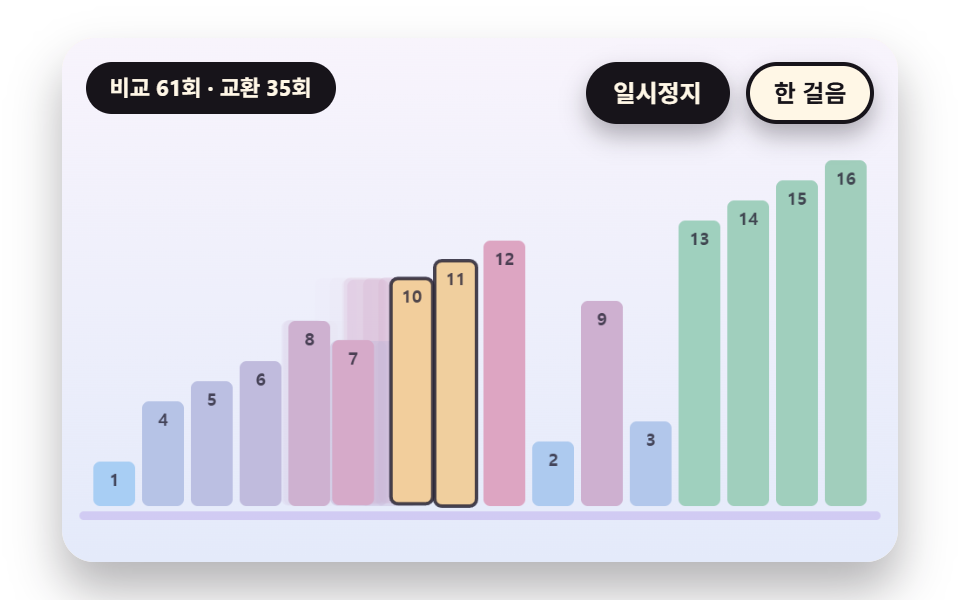 gameSorting Algorithm Visualizer: 9 Sort Scenes
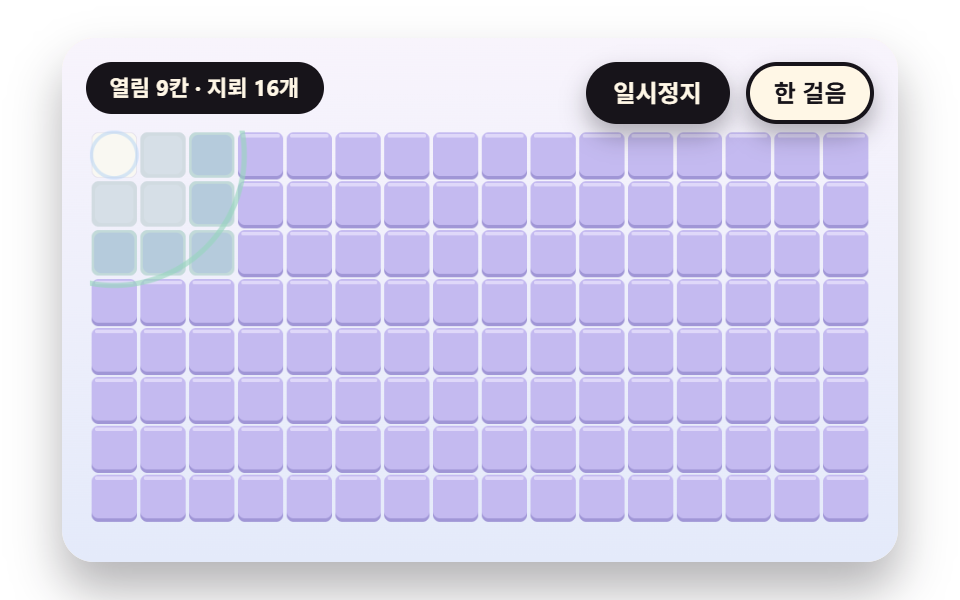 gameMinesweeper JavaScript: 9 Minefield Scenes
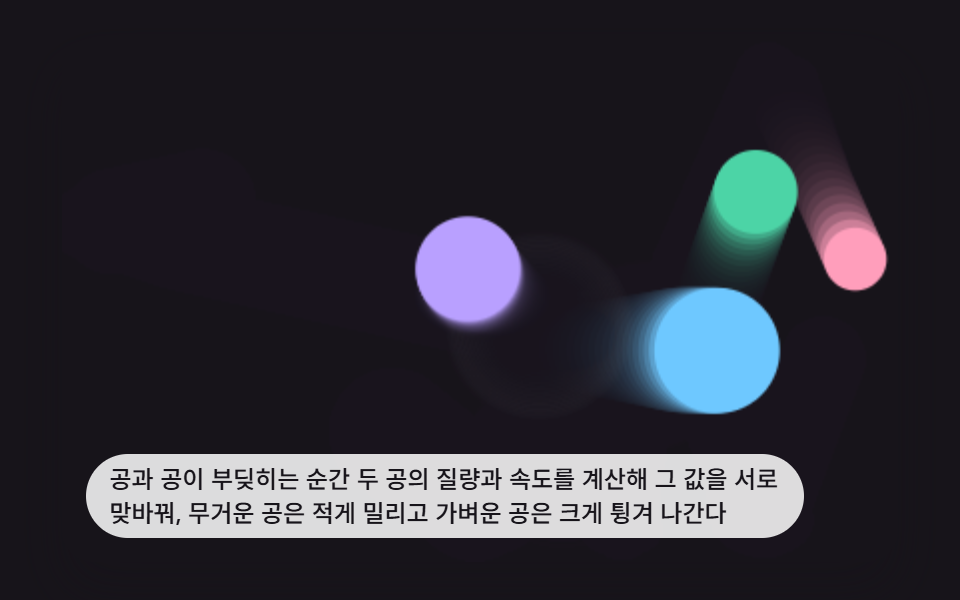 game9 Bouncing Ball Animation Patterns With Physics
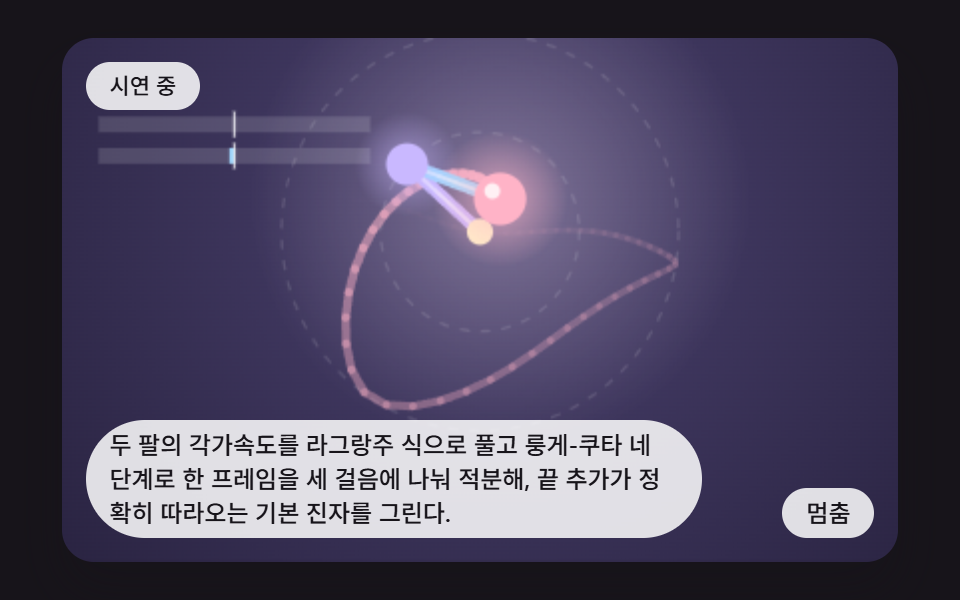 gameDouble Pendulum Simulation: 9 Chaos Scenes
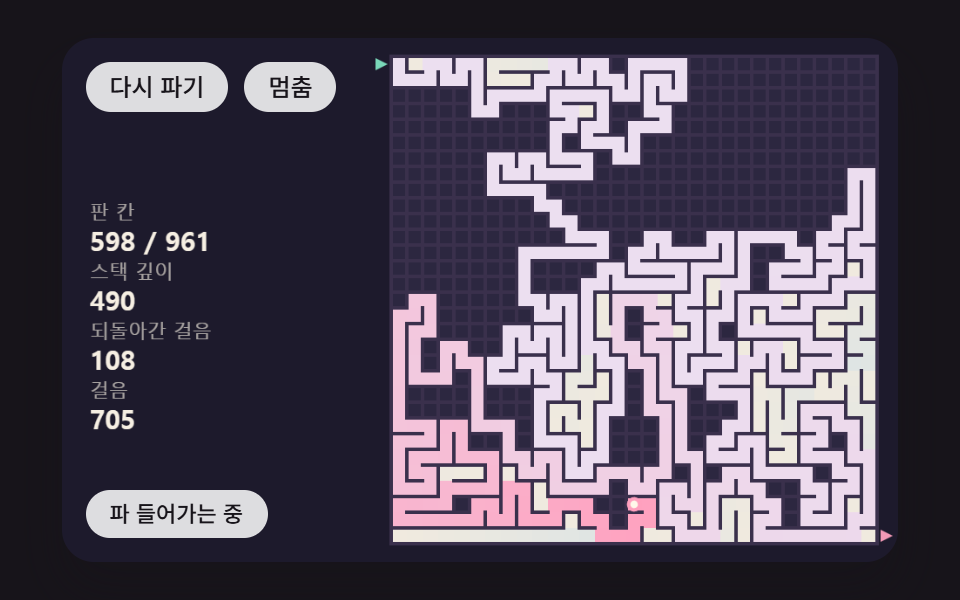 gameMaze Generator: 9 Carve-and-Solve Scenes
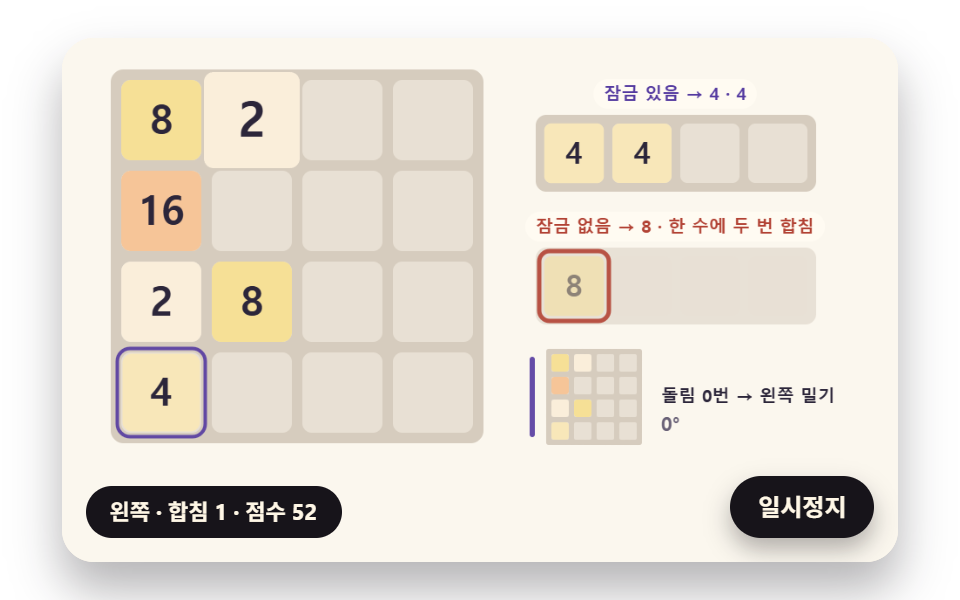 game2048 Game JavaScript: 9 Boards from Merges to AI
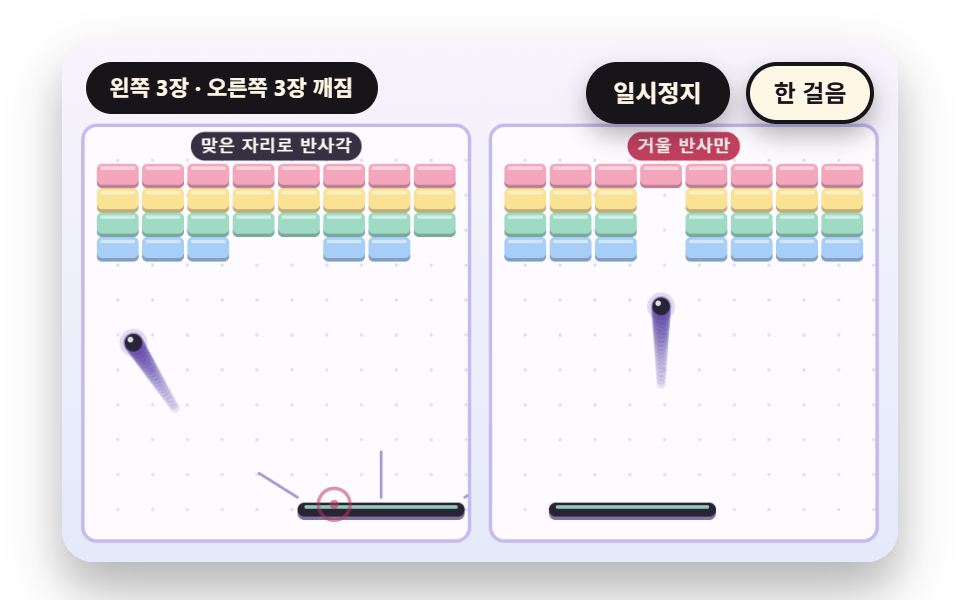 gameBrick Breaker Game: 9 Canvas Scenes
 gameSliding Puzzle: 9 Canvas Scenes, Parity to Search
 gameWalking Animation Cycle: 9 Calculated Scenes
 gameSudoku: 9 Scenes, Candidates to Unique Boards