Brick Breaker Game: 9 Canvas Scenes
How does brick breaker turn a hit into a path? 01 sets the angle from paddle offset, 02 splits one frame so no fast ball skips a brick, 08 unfolds wall bounces
Brick Breaker Is Not a Picture of a Bouncing Ball but a Device That Computes the Bounce Direction, the Collision Order and the Brick State From Two Values, the Hit Position and the Travel Segment: Playing a Brick Breaker Game Online Starts by Knowing Which Value Sets the Direction
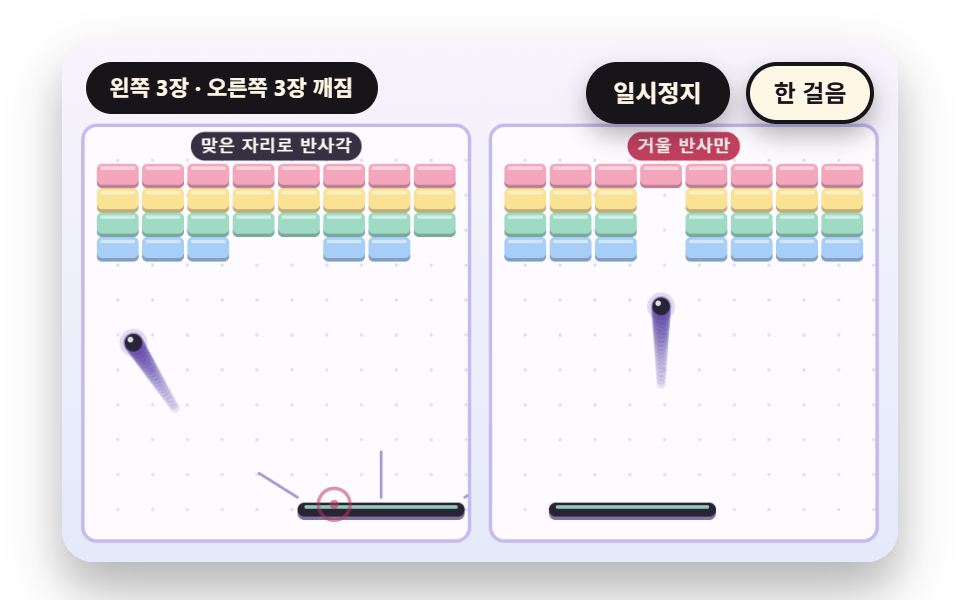 01 bb-paddle-hit-offset-bounce-angle
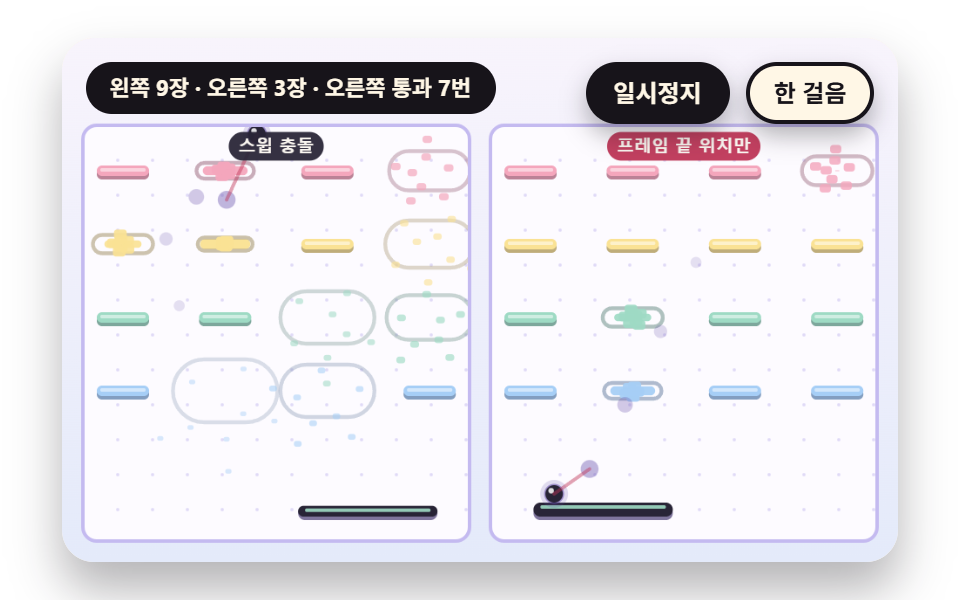 02 bb-swept-circle-brick-tunneling-guard
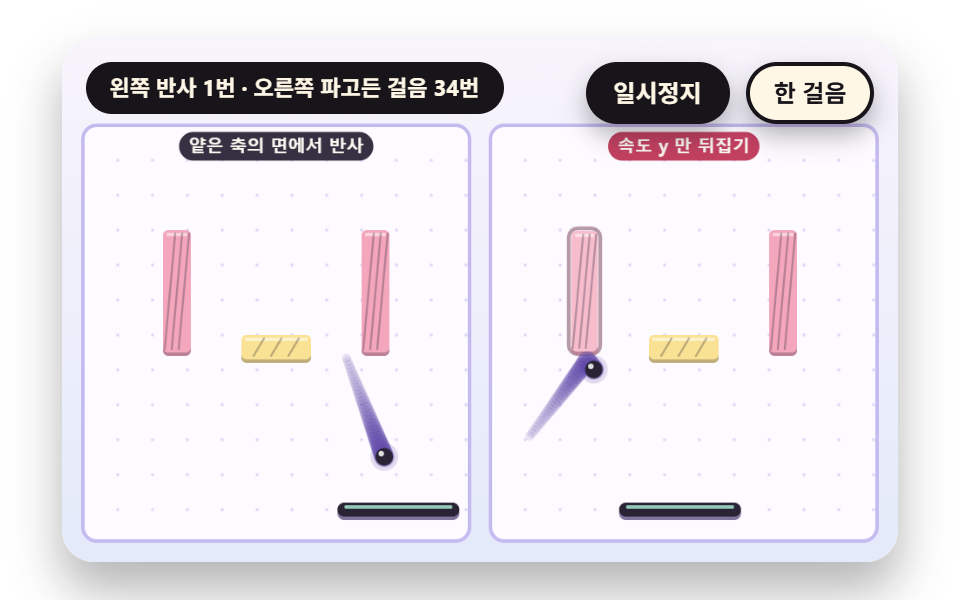 03 bb-brick-face-corner-normal-pick
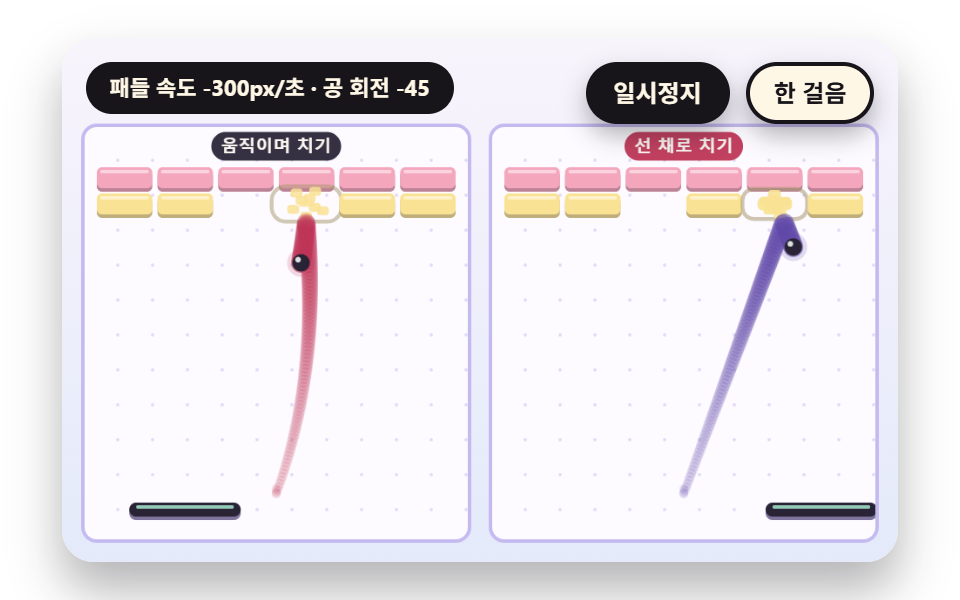 04 bb-paddle-velocity-spin-curve-transfer
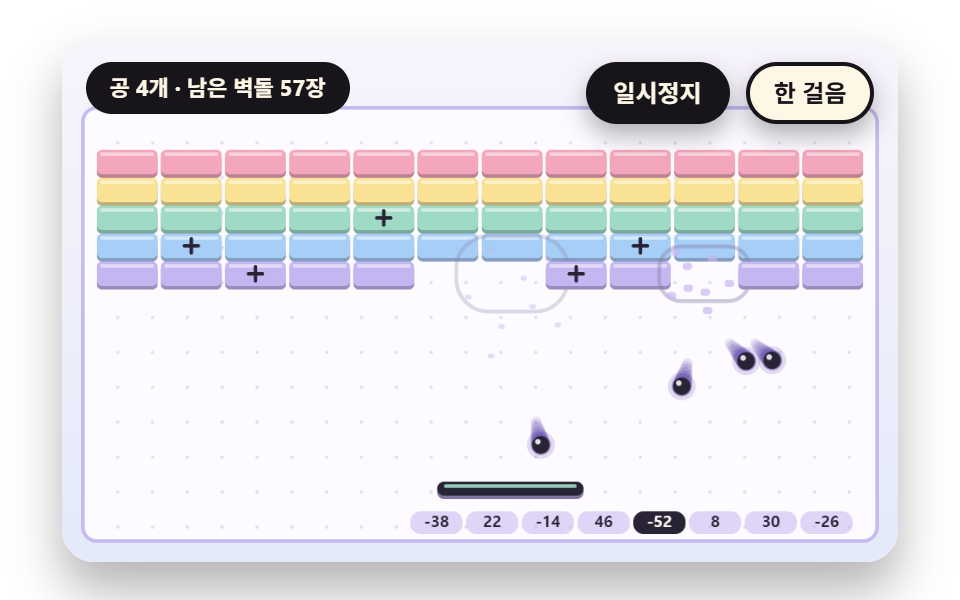 05 bb-multiball-split-fixed-angle-table
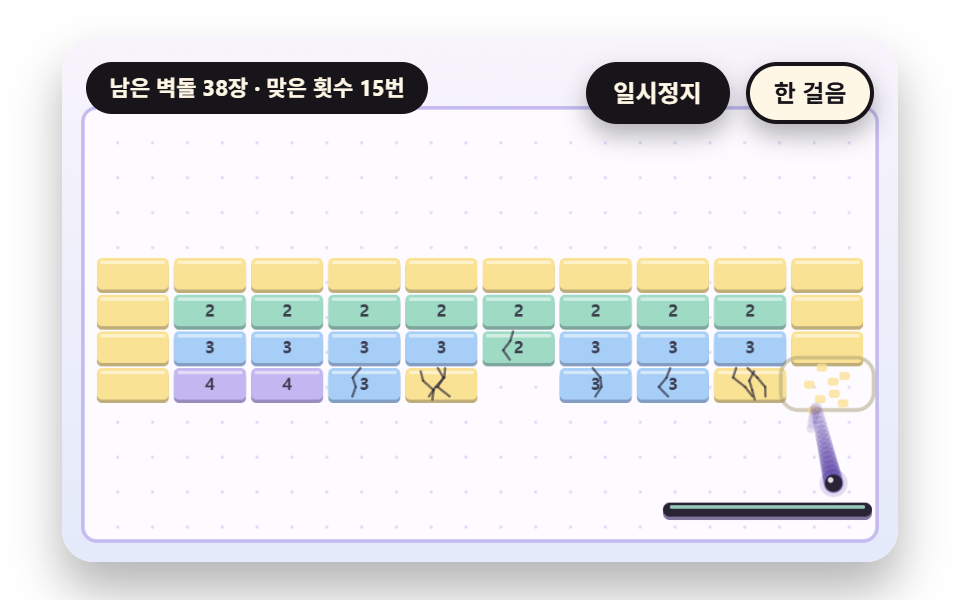 06 bb-brick-hit-points-crack-tint
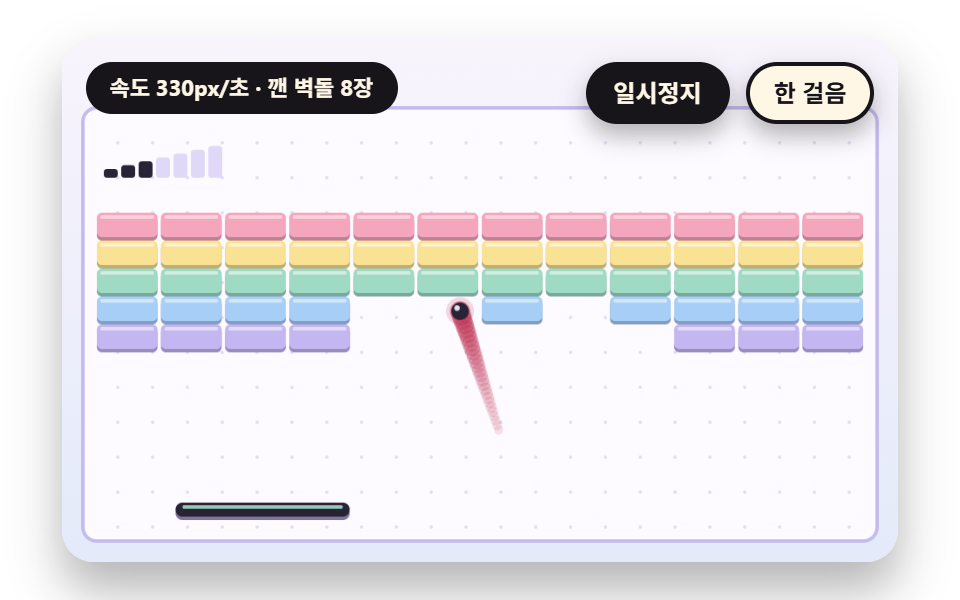 07 bb-ball-speed-ramp-trail-length
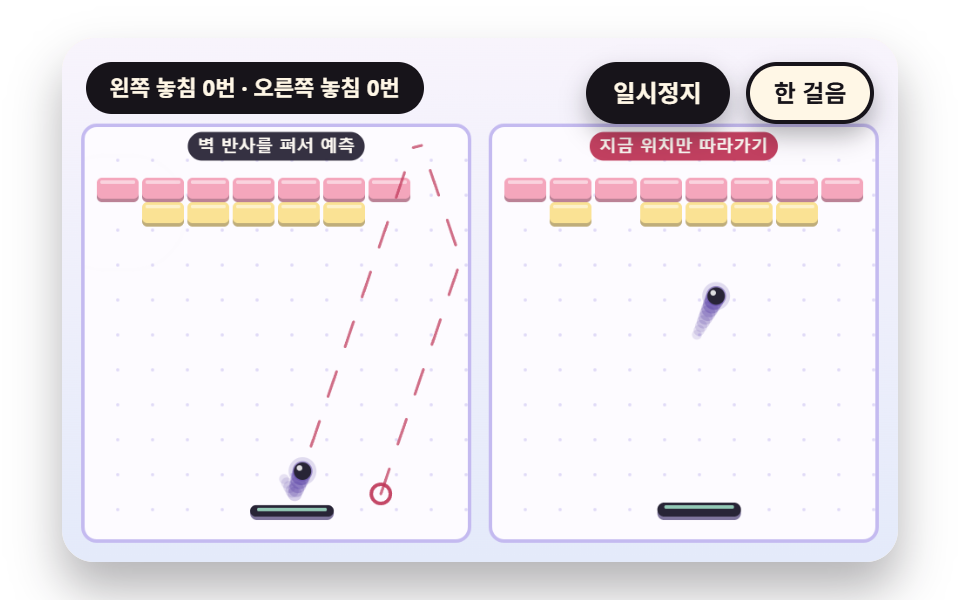 08 bb-landing-predict-wall-unfold-autopilot
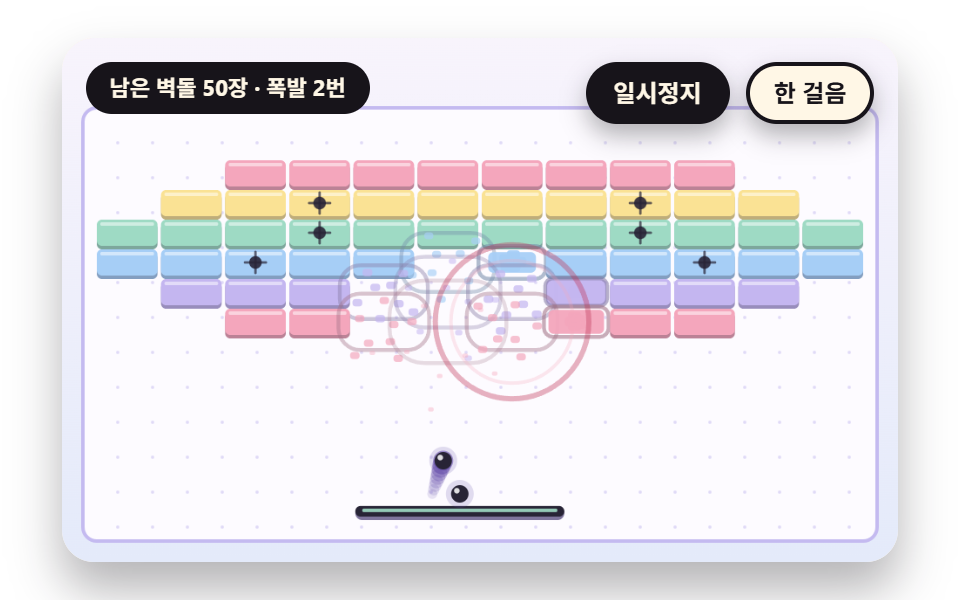 09 bb-string-grid-level-chain-blast-wave
Auto-plays · click a tile to jump to its section · all nine in one zip
- 01 A Bounce Angle Set by the Paddle Hit Offset
- 02 A Swept Collision That Catches a Fast Ball
- 03 A Normal That Picks the Face at a Corner
- 04 A Spin Transfer That Curves the Ball From Paddle Speed
- 05 A Multiball That Splits by a Fixed Angle Table
- 06 Brick Cracks That Spread With Hit Points
- 07 A Trail That Lengthens With the Speed Step
- 08 A Paddle That Unfolds Wall Bounces to Predict the Landing
- 09 A String Grid Level With a Chain Blast Wave
The nine scenes share one calculation frame and differ by a switch or two and a few constants. Seen as state rather than picture, a ball is position, velocity and spin, a brick is hit points and timestamps, a paddle is a horizontal position and a speed, and the canvas only paints those values.
The ball, paddle and bricks come from one calculation frame
World holds Ball, Brick and Mode, and one step stepWorld changes values in the order paddle control, then moveBall for each ball, then reflectBricks. drawWorld only reads those values, so the collision result comes from the same function in every scene, and the board on the right is the same calculation with one Mode switch turned the other way.
A fixed step of 1/120 second and DT_MAX 0.05
The elapsed time from requestAnimationFrame is cut at DT_MAX 0.05 seconds, and the stored time is split into STEP_H 1/120 second steps that each call stepWorld. A 60Hz and a 144Hz monitor run the same calculation per step, so the path is the same, and a tab hidden for a long time resumes without advancing more than 0.05 seconds at once. Scene 02 is the one exception: it sets w.step to FRAME_H (1/60) and passes dt × SLOW to advanceWorld, because it has to show 42px of travel per frame.
    // Call in fixed steps — time beyond DT_MAX in one go is not carried over
    function advanceWorld(w, dt) {
        w.acc += Math.min(dt, DT_MAX);
        while (w.acc >= w.step - 1e-9) {
            stepWorld(w, w.step);
            w.acc -= w.step;
        }
    }
Random numbers shape only the cracks
The motion of the ball has no random number. Launch angles come from LAUNCH_DEG, hit spots from AIMS and aims, and split angles from ANGLE_TABLE, all tables written in advance and read in order. The only random source is the seeded generator seeded (multiplier 1664525, increment 1013904223), seeded by brick row and column and used for the shape of the crack lines alone.
    function crackLines(k, n) {
        const rng = seeded(k.row * 131 + k.col * 17 + 7);
        for (let i = 0; i < n; i += 1) {
            const sx = k.x + k.w * (0.2 + 0.6 * rng());
            const top = (i % 2) === 0;
            let cx = sx;
            let cy = top ? k.y : k.y + k.h;
            const ty = top ? k.y + k.h * 0.9 : k.y + k.h * 0.1;
            const steps = 3;
            for (let s = 0; s < steps; s += 1) {
                const nx = cx + (rng() - 0.5) * k.w * 0.34;
                const ny = cy + (ty - cy) / (steps - s);
                seg(cx, cy, nx, ny, 1.4, INK, 0.62);
                cx = nx;
                cy = ny;
            }
        }
    }
Brick Breaker Game: 9 Scenes — A Bounce Angle Set by Paddle Offset, a Swept Collision That Splits One Frame, Corner Normal Picking, a Curving Path From Paddle Speed, a Fixed Angle Table Multiball, Cracks by Hit Points, Speed Steps With a Trail, a Predicting Paddle and a String Grid Level With a Chain Blast
What nine renders measured for area and motion
| Scene | Cumulative area | Moving frames | Mean intensity |
|---|---|---|---|
| 01 Bounce angle | 11.2% | 23/23 | 90.7 |
| 02 Swept collision | 29.8% | 22/23 | 62.5 |
| 03 Corner normal | 11.3% | 23/23 | 87.4 |
| 04 Spin transfer | 15.1% | 23/23 | 67.9 |
| 05 Multiball | 12.9% | 23/23 | 88.9 |
| 06 Brick cracks | 7.9% | 21/23 | 86.8 |
| 07 Speed steps | 9.1% | 23/23 | 93.9 |
| 08 Landing prediction | 14.8% | 23/23 | 87.4 |
| 09 String level | 12.4% | 23/23 | 86.8 |
02 covers the most area at 29.8% and 06 the least at 7.9%. The moving frames are 22/23 for 02, 21/23 for 06 and 23/23 for the other seven, and the mean intensity peaks at 93.9 in 07.
01A Bounce Angle Set by the Paddle Hit Offset
The first value to touch when learning to aim with a paddle: hitOffset is the distance from the paddle center to the ball divided by half the width, from -1 to 1, and the bounce angle is u × MAX_ANGLE, 58 degrees. The right board uses only the mirror bounce vy = -|vy| and goes up and down one lane. Hits at -1, -0.5, 0, 0.5 and 1 gave -58.0, -29.0, 0, 29.0 and 57.9 degrees, and in 12 seconds the left cleared 11 bricks and the right 4.
<main class="stage">
<div class="vj is-demo" id="vj">
  <div class="vj__pad" data-role="pad" tabindex="0" role="application" aria-label="Brick breaker stage: left and right arrow keys move the paddle, Enter launches, P pauses, N steps once, R restarts">
    <canvas class="vj__canvas" data-role="canvas" width="480" height="300" role="img" aria-label="On the left, the paddle sets the bounce angle from the distance between its center and the hit spot, and on the right a mirror bounce is all there is, with the same four brick rows on both boards. The left ball flies to a different column each time the catch spot changes and breaks bricks, while the right ball only runs up and down one column"></canvas>
  </div>
  <p class="vj__status" data-role="status" aria-live="off">Brick breaker demo</p>
  <div class="vj__ctrl">
    <button class="vj__pause" data-role="pause" type="button" aria-pressed="false">Pause</button>
    <button class="vj__step" data-role="step" type="button">Step</button>
  </div>
  <p class="vj__done" data-role="done" role="status" aria-live="polite"></p>
</div>
</main>
@use "../../../../site/static/demo-tokens" as *;
@include stage($stage-paper);
.vj {
position: relative;
width: min(92vw, calc(160vh - 12.8vw));
aspect-ratio: 480 / 300;
margin: 0 auto;
border-radius: $r-card;
overflow: hidden;
box-shadow: $shadow-raised;
background: $subject-cream;
}
// 무대 상자 — 여기서 시작한 터치만 패들 끌기로 읽는다(touch-action: none 은 이 상자에만). 무대 밖 터치는 페이지 스크롤 그대로
.vj__pad {
position: absolute;
inset: 0;
border-radius: inherit;
outline: none;
touch-action: none;
cursor: ew-resize;
}
// 바깥 .vj 가 넘침을 자르므로 포커스 테두리는 안쪽으로 들인다
.vj__pad:focus-visible {
outline: 3px solid $subject-ink;
outline-offset: -3px;
}
.vj__canvas {
position: absolute;
inset: 0;
display: block;
width: 100%;
height: 100%;
}
.vj__ctrl {
position: absolute;
right: $sp-3;
top: $sp-3;
display: flex;
gap: $sp-2;
}
.vj__pause,
.vj__step {
padding: $sp-1 $sp-3;
border: 2px solid $subject-ink;
border-radius: $r-pill;
background: $subject-ink;
color: $subject-cream;
font-family: inherit;
font-weight: 700;
font-size: 12px;
line-height: 1.6;
cursor: pointer;
box-shadow: $shadow-press;
transition: transform $dur-quick $ease-spring;
}
.vj__step {
background: $subject-cream;
color: $subject-ink;
}
// 스크린리더에만 읽히는 완료 알림
.vj__done {
position: absolute;
width: 1px;
height: 1px;
margin: 0;
overflow: hidden;
clip-path: inset(50%);
white-space: nowrap;
}
// 눌린 상태(멈춤) — 바탕과 글자색을 뒤집어 aria-pressed 가 눈에도 보이게
.vj__pause[aria-pressed="true"] {
background: $subject-cream;
color: $subject-ink;
}
.vj__pause:hover,
.vj__step:hover {
transform: translateY(-2px);
}
.vj__pause:active,
.vj__step:active {
transform: translateY(1px);
}
.vj__pause:focus-visible,
.vj__step:focus-visible {
outline: 3px solid $subject-ink;
outline-offset: 3px;
}
// 상태 줄 — 지금 장면의 수치를 글자로. 시연 중에는 aria-live off, 사람이 처음 손대면 polite
.vj__status {
position: absolute;
left: $sp-3;
top: $sp-3;
max-width: calc(100% - 190px);
margin: 0;
padding: $sp-1 $sp-3;
border-radius: $r-pill;
background: $subject-ink;
color: $subject-cream;
font-weight: 700;
font-size: 11px;
line-height: 1.6;
white-space: nowrap;
overflow: hidden;
text-overflow: ellipsis;
pointer-events: none;
}
@media (max-width: 340px) {
.vj__pause,
.vj__step,
.vj__status { font-size: 10px; padding: 0 $sp-2; }
}
// 움직임 줄이기 — 장면은 스크립트가 정지 장면 한 장으로 멈춘다. 버튼도 떠오르지 않게
@media (prefers-reduced-motion: reduce) {
.vj__pause,
.vj__step { transition: none !important; }
.vj__pause:hover,
.vj__pause:active,
.vj__step:hover,
.vj__step:active { transform: none !important; }
}html, body {
margin: 0;
overflow: hidden;
}
.stage {
box-sizing: border-box;
min-height: 100vh;
display: grid;
place-items: center;
margin: 0;
background: #ffffff;
font-family: -apple-system, "Segoe UI", "Noto Sans KR", sans-serif;
padding: clamp(8px, 4vw, 24px);
}
.vj {
position: relative;
width: min(92vw, 160vh - 12.8vw);
aspect-ratio: 480/300;
margin: 0 auto;
border-radius: 16px;
overflow: hidden;
box-shadow: 0 14px 24px rgba(23, 20, 26, 0.32);
background: #fff7e6;
}
.vj__pad {
position: absolute;
inset: 0;
border-radius: inherit;
outline: none;
touch-action: none;
cursor: ew-resize;
}
.vj__pad:focus-visible {
outline: 3px solid #17141a;
outline-offset: -3px;
}
.vj__canvas {
position: absolute;
inset: 0;
display: block;
width: 100%;
height: 100%;
}
.vj__ctrl {
position: absolute;
right: 12px;
top: 12px;
display: flex;
gap: 8px;
}
.vj__pause,
.vj__step {
padding: 4px 12px;
border: 2px solid #17141a;
border-radius: 999px;
background: #17141a;
color: #fff7e6;
font-family: inherit;
font-weight: 700;
font-size: 12px;
line-height: 1.6;
cursor: pointer;
box-shadow: 0 6px 12px rgba(23, 20, 26, 0.32);
transition: transform 220ms cubic-bezier(0.2, 0.8, 0.2, 1);
}
.vj__step {
background: #fff7e6;
color: #17141a;
}
.vj__done {
position: absolute;
width: 1px;
height: 1px;
margin: 0;
overflow: hidden;
clip-path: inset(50%);
white-space: nowrap;
}
.vj__pause[aria-pressed=true] {
background: #fff7e6;
color: #17141a;
}
.vj__pause:hover,
.vj__step:hover {
transform: translateY(-2px);
}
.vj__pause:active,
.vj__step:active {
transform: translateY(1px);
}
.vj__pause:focus-visible,
.vj__step:focus-visible {
outline: 3px solid #17141a;
outline-offset: 3px;
}
.vj__status {
position: absolute;
left: 12px;
top: 12px;
max-width: calc(100% - 190px);
margin: 0;
padding: 4px 12px;
border-radius: 999px;
background: #17141a;
color: #fff7e6;
font-weight: 700;
font-size: 11px;
line-height: 1.6;
white-space: nowrap;
overflow: hidden;
text-overflow: ellipsis;
pointer-events: none;
}
@media (max-width: 340px) {
.vj__pause,
.vj__step,
.vj__status {
font-size: 10px;
padding: 0 8px;
}
}
@media (prefers-reduced-motion: reduce) {
.vj__pause,
.vj__step {
transition: none !important;
}
.vj__pause:hover,
.vj__pause:active,
.vj__step:hover,
.vj__step:active {
transform: none !important;
}
}(function () {
const root = document.getElementById("vj");
if (!root) return;
// 무대 좌표 — 캔버스 안 계산은 늘 480×300. 화면에 보이는 크기와 상관없다
const W = 480;
const H = 300;
const TAU = Math.PI * 2;
function clamp(v, lo, hi) { return v < lo ? lo : (v > hi ? hi : v); }
function lerp(a, b, k) { return a + (b - a) * k; }
function ease(x) { const c = clamp(x, 0, 1); return c * c * (3 - 2 * c); }
// 시드 고정 난수 — 선형 합동 생성기(곱 1664525, 더함 1013904223). 같은 시드면 같은 균열 모양
function seeded(seed) {
let s = (seed >>> 0) || 1;
return function () {
s = (Math.imul(s, 1664525) + 1013904223) >>> 0;
return s / 4294967296;
};
}
// 파스텔 팔레트 — 벽돌은 줄마다 다른 파스텔, 공·패들·글자는 진한 잉크
const BG_TOP = [248, 244, 252];
const BG_BOT = [228, 234, 250];
const FIELD = [253, 251, 255];
const FIELD_EDGE = [196, 186, 240];
const ROSE = [244, 166, 188];
const ROSE_DEEP = [190, 52, 86];
const MINT = [158, 218, 196];
const BUTTER = [250, 226, 148];
const WATER = [166, 206, 246];
const LAV = [196, 182, 240];
const LAV_DEEP = [96, 72, 168];
const INK = [40, 36, 54];
const PAPER = [250, 246, 240];
const ROWCOL = [ROSE, BUTTER, MINT, WATER, LAV];
function mix(a, b, k) { return [lerp(a[0], b[0], k), lerp(a[1], b[1], k), lerp(a[2], b[2], k)]; }
function rgba(c, a) {
return 'rgba(' + Math.round(clamp(c[0], 0, 255)) + ',' + Math.round(clamp(c[1], 0, 255)) + ',' + Math.round(clamp(c[2], 0, 255)) + ',' + clamp(a, 0, 1).toFixed(3) + ')';
}
// 장면 시계(초)·판 반복 번호·직접 하는 중인지
let sceneT = 0;
let lap = 0;
let manual = false;
// ── 공 하나의 한 걸음을 계산하는 곳 ───────────────────────────
// 공 반지름 · 고정 걸음 · 한 번에 이을 수 있는 시간 상한 · 패들 맞은 자리가 만드는 가장 큰 각도(세로 기준)
const BALL_R = 5;
const STEP_H = 1 / 120;
const DT_MAX = 0.05;
const MAX_ANGLE = 58 * Math.PI / 180;
const SERVE_WAIT = 0.5;
function newWorld(x, y, w, h, mode) {
return {
x: x, y: y, w: w, h: h, t: 0, acc: 0, step: STEP_H, mode: mode, bricks: [], balls: [],
px: w / 2, py: h - 22, pw: 96, ph: 8, pv: 0, speed: 250, trailN: 10,
follow: 12, vmax: 520, naive: false, aims: [0], launches: [0], launchAt: 0, ctl: autoCtl,
hand: false, keyDir: 0, pointX: -1,
broken: 0, hits: 0, padHits: 0, lost: 0, missed: 0, stuck: 0, padT: -9, lastU: 0, lastBreak: -9,
onBreak: null, onPad: null, paint: null,
};
}
function addBrick(w, x, y, bw, bh, hp, row, col) {
const k = { x: x, y: y, w: bw, h: bh, hp: hp, hp0: hp, row: row, col: col, kind: 0, hitT: -9, deadT: -1, fuse: -1, mis: -9 };
w.bricks.push(k);
return k;
}
// 줄×칸 격자 — 가로는 판 폭에 맞춰 칸 폭을 나누고 줄 간격은 bh + gap
function fillGrid(w, rows, cols, top, bh, gap, hpOf) {
const bw = (w.w - 16 - (cols - 1) * gap) / cols;
for (let r = 0; r < rows; r += 1) {
for (let c = 0; c < cols; c += 1) {
const hp = hpOf(r, c);
if (hp > 0) {
addBrick(w, 8 + c * (bw + gap), top + r * (bh + gap), bw, bh, hp, r, c);
}
}
}
}
function newBall(w, id) {
return { x: w.px, y: w.py - BALL_R, vx: 0, vy: 0, spin: 0, st: 1, born: w.t, trail: [], id: id };
}
// 발사 — 세로에서 deg 도 기울인 방향으로 w.speed
function launchBall(w, b, deg) {
const a = deg * Math.PI / 180;
b.vx = Math.sin(a) * w.speed;
b.vy = -Math.cos(a) * w.speed;
b.spin = 0;
b.st = 0;
}
function aliveCount(w) {
let n = 0;
for (const k of w.bricks) {
if (k.deadT < 0) {
n += 1;
}
}
return n;
}
// 패들 맞은 자리 — 패들 중심에서 공까지의 거리를 반폭으로 나눈 값(−1~1)
function hitOffset(w, b) { return clamp((b.x - w.px) / (w.pw / 2), -1, 1); }
// 벽 반사를 펴서 낙하 지점 — 판 폭 안쪽(r ~ w−r)으로 접어 넣는다. 접은 값 = 반사를 다 거친 위치
function foldW(v, lo, hi) {
const len = hi - lo;
const per = 2 * len;
const u = ((v - lo) % per + per) % per;
return lo + (u <= len ? u : per - u);
}
// 공이 패들 높이에 닿을 때까지 남은 시간(초)과 그때의 가로 위치 — 벽돌은 무시, 벽만 편다
function landing(w, b) {
const down = w.py - BALL_R;
let t = 0;
if (b.vy > 0) {
t = (down - b.y) / b.vy;
}
else {
t = ((b.y - BALL_R) + (down - BALL_R)) / Math.max(1e-6, -b.vy);
}
return [foldW(b.x + b.vx * t, BALL_R, w.w - BALL_R), t];
}
function pickBall(w) {
let best = null;
let bt = 1e9;
for (const b of w.balls) {
if (b.st !== 0) {
continue;
}
const t = landing(w, b)[1];
if (t < bt) {
bt = t;
best = b;
}
}
return best;
}
const HAND_V = 280;
// 패들 조종 — 자동은 낙하 지점에서 맞은 자리(aim)만큼 비켜 서서 반사각을 정하고, naive 는 낙하 지점 대신 공의 지금 가로 위치(같은 aim 만큼 비켜서)만 따라간다
function autoCtl(w, dt) {
if (w.hand) {
if (w.keyDir !== 0) {
w.pv = w.keyDir * HAND_V;
}
else if (w.pointX >= 0) {
w.pv = clamp((w.pointX - w.px) * 18, -w.vmax, w.vmax);
}
else {
w.pv = 0;
}
}
else {
const b = pickBall(w);
let tgt = w.px;
if (b) {
const aim = w.aims[w.padHits % w.aims.length];
tgt = (w.naive ? b.x : landing(w, b)[0]) - aim * w.pw / 2;
}
w.pv = clamp((tgt - w.px) * w.follow, -w.vmax, w.vmax);
}
const nx = clamp(w.px + w.pv * dt, w.pw / 2, w.w - w.pw / 2);
w.pv = (nx - w.px) / dt;
w.px = nx;
}
// 선분(공이 한 조각에 지나간 길)이 벽돌을 공 반지름만큼 부풀린 상자와 만나는지 — 슬랩 검사. 통과 진단용.
// 상자 가장자리 2px 안쪽만 센다(공은 둥근데 상자는 모서리가 각져 스치기만 한 것을 통과로 세지 않으려고)
function segHitsBrick(x0, y0, x1, y1, k) {
let t0 = 0;
let t1 = 1;
const dx = x1 - x0;
const dy = y1 - y0;
const lo = [k.x - BALL_R + 2, k.y - BALL_R + 2];
const hi = [k.x + k.w + BALL_R - 2, k.y + k.h + BALL_R - 2];
const o = [x0, y0];
const d = [dx, dy];
for (let a = 0; a < 2; a += 1) {
if (Math.abs(d[a]) < 1e-9) {
if (o[a] < lo[a] || o[a] > hi[a]) {
return false;
}
}
else {
let ta = (lo[a] - o[a]) / d[a];
let tb = (hi[a] - o[a]) / d[a];
if (ta > tb) {
const s = ta;
ta = tb;
tb = s;
}
t0 = Math.max(t0, ta);
t1 = Math.min(t1, tb);
if (t0 > t1) {
return false;
}
}
}
return true;
}
function hurt(w, k) {
k.hitT = w.t;
w.hits += 1;
if (k.hp >= 90) {
return;
}
k.hp -= 1;
if (k.hp <= 0) {
k.deadT = w.t;
w.broken += 1;
w.lastBreak = w.t;
if (w.onBreak) {
w.onBreak(w, k);
}
}
}
function reflectBricks(w, b, h) {
let best = null;
let bd = 0;
for (const k of w.bricks) {
if (k.deadT >= 0) {
continue;
}
const ox = BALL_R + k.w / 2 - Math.abs(b.x - (k.x + k.w / 2));
const oy = BALL_R + k.h / 2 - Math.abs(b.y - (k.y + k.h / 2));
if (ox <= 0 || oy <= 0) {
continue;
}
const d = Math.min(ox, oy);
if (d > bd) {
bd = d;
best = k;
}
}
if (!best) {
return;
}
const k = best;
const cx = k.x + k.w / 2;
const cy = k.y + k.h / 2;
if (w.mode.face === 0) {
// 겹침 깊이가 얕은 축의 면이 맞은 면 — 그 면의 바깥 쪽으로 밀어내고 그 축의 속도만 뒤집는다
const ox = BALL_R + k.w / 2 - Math.abs(b.x - cx);
const oy = BALL_R + k.h / 2 - Math.abs(b.y - cy);
if (ox < oy) {
const dir = b.x < cx ? -1 : 1;
b.x += dir * ox;
b.vx = dir * Math.abs(b.vx);
}
else {
const dir = b.y < cy ? -1 : 1;
b.y += dir * oy;
b.vy = dir * Math.abs(b.vy);
}
}
else {
// 대비판 — 면을 고르지 않고 위아래 속도만 뒤집는다. 옆구리를 맞으면 벽돌 안으로 파고든다
if (w.t - k.hitT < h * 1.5) {
w.stuck += 1;
}
b.vy = -b.vy;
}
hurt(w, k);
}
function moveBall(w, b, h) {
const m = w.mode;
if (m.spin > 0) {
// 회전은 프레임마다 옆으로 미는 힘이 되고 서서히 줄어든다
b.vx += b.spin * m.push * h;
b.spin *= Math.exp(-m.decay * h);
}
// 속도 크기는 늘 w.speed — 회전이 방향만 바꾼다. 거의 수평이 되면 세로 성분을 살려 갇힘을 막는다
let s = Math.hypot(b.vx, b.vy) || 1;
if (Math.abs(b.vy) < 0.2 * s) {
b.vy = (b.vy < 0 ? -1 : 1) * 0.2 * s;
s = Math.hypot(b.vx, b.vy);
}
b.vx *= w.speed / s;
b.vy *= w.speed / s;
const dist = w.speed * h;
const n = m.sweep ? Math.max(1, Math.ceil(dist / m.stepMax)) : 1;
const sx = b.x;
const sy = b.y;
for (let i = 0; i < n; i += 1) {
const dt = h / n;
const py0 = b.y;
const px0 = b.x;
const pvx = b.vx;
const pvy = b.vy;
b.x += b.vx * dt;
b.y += b.vy * dt;
if (b.x < BALL_R) {
b.x = BALL_R;
b.vx = Math.abs(b.vx);
}
if (b.x > w.w - BALL_R) {
b.x = w.w - BALL_R;
b.vx = -Math.abs(b.vx);
}
if (b.y < BALL_R) {
b.y = BALL_R;
b.vy = Math.abs(b.vy);
}
// 패들 — 공 아래쪽이 패들 윗면 선을 넘어간 걸음에서 맞은 자리를 잰다
if (b.vy > 0 && py0 + BALL_R <= w.py + 0.001 && b.y + BALL_R >= w.py && Math.abs(b.x - w.px) <= w.pw / 2 + BALL_R * 0.6) {
                b.y = w.py - BALL_R;
                const u = hitOffset(w, b);
                if (m.angle === 0) {
                    const a = u * MAX_ANGLE;
                    b.vx = Math.sin(a) * w.speed;
                    b.vy = -Math.cos(a) * w.speed;
                }
                else {
                    b.vy = -Math.abs(b.vy);
                }
if (m.spin > 0) {
b.spin += w.pv * m.spin;
}
w.padHits += 1;
w.padT = w.t;
w.lastU = u;
if (w.onPad) {
w.onPad(w, b);
}
}
reflectBricks(w, b, h);
// 통과 진단 — 이 조각이 지나간 길이 벽돌 상자와 만났는데 맞지 않았으면 통과로 센다(벽돌마다 0.5초에 한 번)
// 벽·패들·벽돌에서 튕긴 조각은 직선이 아니라서 건너뛴다
const bent = b.vx !== pvx || b.vy !== pvy;
for (const k of w.bricks) {
if (bent || k.deadT >= 0 || k.hitT === w.t || w.t - k.mis < 0.5) {
continue;
}
// 끝 위치가 벽돌과 겹쳐 있으면 닿은 것이지 건너뛴 게 아니다
if (Math.abs(b.x - (k.x + k.w / 2)) < BALL_R + k.w / 2 && Math.abs(b.y - (k.y + k.h / 2)) < BALL_R + k.h / 2) {
continue;
}
if (segHitsBrick(px0, py0, b.x, b.y, k)) {
k.mis = w.t;
w.missed += 1;
}
}
if (b.y > w.h + BALL_R + 2) {
b.st = 2;
w.lost += 1;
break;
}
}
b.trail.push(b.x, b.y);
while (b.trail.length > w.trailN * 2) {
b.trail.splice(0, 2);
}
}
function stepWorld(w, h) {
w.t += h;
if (w.ctl) {
w.ctl(w, h);
}
for (const b of w.balls) {
if (b.st === 1) {
b.x = w.px;
b.y = w.py - BALL_R;
if (!manual && w.t - b.born >= SERVE_WAIT) {
launchBall(w, b, w.launches[w.launchAt % w.launches.length]);
w.launchAt += 1;
}
}
else if (b.st === 0) {
moveBall(w, b, h);
}
}
// 바닥으로 빠진 공 — 공이 하나 더 남아 있으면 지우고, 마지막이면 패들 위에서 다시 시작한다
for (let i = w.balls.length - 1; i >= 0; i -= 1) {
const b = w.balls[i];
if (b.st !== 2) {
continue;
}
let others = 0;
for (const o of w.balls) {
if (o !== b && o.st !== 2) {
others += 1;
}
}
if (others > 0) {
w.balls.splice(i, 1);
}
else {
b.st = 1;
b.born = w.t;
b.trail = [];
b.x = w.px;
b.y = w.py - BALL_R;
}
}
}
// 시간을 고정 걸음으로 쪼개 부른다 — 한 번에 DT_MAX 를 넘는 시간은 이어 붙이지 않는다
function advanceWorld(w, dt) {
w.acc += Math.min(dt, DT_MAX);
while (w.acc >= w.step - 1e-9) {
stepWorld(w, w.step);
w.acc -= w.step;
}
}
const canvasEl = root.querySelector('[data-role="canvas"]');
const padEl = root.querySelector('[data-role="pad"]');
const pauseEl = root.querySelector('[data-role="pause"]');
const statusEl = root.querySelector('[data-role="status"]');
const stepEl = root.querySelector('[data-role="step"]');
const doneEl = root.querySelector('[data-role="done"]');
const ctxRaw = canvasEl ? canvasEl.getContext('2d') : null;
if (!canvasEl || !ctxRaw || !pauseEl || !padEl || !stepEl || !doneEl) {
return;
}
const cv = canvasEl;
const ctx = ctxRaw;
const pauseBtn = pauseEl;
const stepBtn = stepEl;
const doneP = doneEl;
const pad = padEl;
// 외부 웹폰트는 부르지 않는다 — 기기에 있는 글꼴 목록만
const FONT_STACK = 'system-ui, -apple-system, "Segoe UI", "Noto Sans KR", sans-serif';
let dpr = 1;
function fitCanvas() {
// 배율은 2 에서 자른다 — 배율 3 기기에서 화소가 2.25배로 늘지 않게
dpr = Math.min(window.devicePixelRatio || 1, 2);
cv.width = Math.round(W * dpr);
cv.height = Math.round(H * dpr);
ctx.setTransform(dpr, 0, 0, dpr, 0, 0);
}
function skyFill(top, bot) {
const g = ctx.createLinearGradient(0, 0, 0, H);
g.addColorStop(0, rgba(top, 1));
g.addColorStop(1, rgba(bot, 1));
ctx.fillStyle = g;
ctx.fillRect(0, 0, W, H);
}
function disc(x, y, r, c, a) {
if (r <= 0.2 || a <= 0) {
return;
}
ctx.beginPath();
ctx.arc(x, y, r, 0, TAU);
ctx.fillStyle = rgba(c, a);
ctx.fill();
}
function ring(x, y, r, width, c, a) {
if (r <= 0.2 || a <= 0) {
return;
}
ctx.beginPath();
ctx.arc(x, y, r, 0, TAU);
ctx.lineWidth = width;
ctx.strokeStyle = rgba(c, a);
ctx.stroke();
}
function seg(x1, y1, x2, y2, width, c, a) {
if (a <= 0) {
return;
}
ctx.beginPath();
ctx.moveTo(x1, y1);
ctx.lineTo(x2, y2);
ctx.lineWidth = width;
ctx.lineCap = 'round';
ctx.strokeStyle = rgba(c, a);
ctx.stroke();
}
function box(x, y, w, h, r, c, a) {
if (w <= 0.2 || h <= 0.2 || a <= 0) {
return;
}
ctx.beginPath();
ctx.roundRect(x, y, w, h, Math.max(0, Math.min(r, w / 2, h / 2)));
ctx.fillStyle = rgba(c, a);
ctx.fill();
}
function outline(x, y, w, h, r, width, c, a) {
if (w <= 0.2 || h <= 0.2 || a <= 0) {
return;
}
ctx.beginPath();
ctx.roundRect(x, y, w, h, Math.max(0, Math.min(r, w / 2, h / 2)));
ctx.lineWidth = width;
ctx.strokeStyle = rgba(c, a);
ctx.stroke();
}
function text(s, x, y, c, a, px, weight, align) {
ctx.font = weight + ' ' + px + 'px ' + FONT_STACK;
ctx.textAlign = align;
ctx.textBaseline = 'middle';
ctx.fillStyle = rgba(c, a);
ctx.fillText(s, x, y);
}
// 글자 이름표 — 진한 알약 위에 크림색 글자
function tag(s, x, y, bg, fg, px, align) {
ctx.font = '700 ' + px + 'px ' + FONT_STACK;
const w = ctx.measureText(s).width + px * 1.1;
const left = align === 'center' ? x - w / 2 : (align === 'right' ? x - w : x);
box(left, y - px * 0.82, w, px * 1.64, px * 0.82, bg, 0.94);
text(s, left + w / 2, y + 0.5, fg, 1, px, 700, 'center');
}
// 장면 이름표(무대 좌표) — 판 안쪽 위 가운데(바깥 위는 상태 줄·버튼 자리)
function panelTag(w, s, bad) {
tag(s, w.x + w.w / 2, w.y + 12, bad ? ROSE_DEEP : INK, PAPER, 10, 'center');
}
// ── 판 그리기 ────────────────────────────────────────────
// 상태(벽돌·공·패들)를 그릴 뿐이고 규칙은 건드리지 않는다. 좌표는 판 안쪽(왼쪽 위가 0,0)
// 균열 선 개수의 상한(체력 4 벽돌이 마지막 한 대 전에 가장 많이 갈라진 모습)
const CRACK_N = 3;
const BREAK_S = 0.6;
function crackLines(k, n) {
const rng = seeded(k.row * 131 + k.col * 17 + 7);
for (let i = 0; i < n; i += 1) {
const sx = k.x + k.w * (0.2 + 0.6 * rng());
const top = (i % 2) === 0;
let cx = sx;
let cy = top ? k.y : k.y + k.h;
const ty = top ? k.y + k.h * 0.9 : k.y + k.h * 0.1;
const steps = 3;
for (let s = 0; s < steps; s += 1) {
const nx = cx + (rng() - 0.5) * k.w * 0.34;
const ny = cy + (ty - cy) / (steps - s);
seg(cx, cy, nx, ny, 1.4, INK, 0.62);
cx = nx;
cy = ny;
}
}
}
function drawBrick(w, k, hatch) {
const base = w.paint ? w.paint(k) : ROWCOL[k.row % ROWCOL.length];
const dead = k.deadT >= 0;
if (dead) {
const age = w.t - k.deadT;
if (age >= BREAK_S) {
return;
}
const p = age / BREAK_S;
const sc = 1 - ease(clamp(age / 0.14, 0, 1));
box(k.x + k.w * (1 - sc) / 2, k.y + k.h * (1 - sc) / 2, k.w * sc, k.h * sc, 3, base, 1 - p);
// 조각 — 번호로 정한 방향으로 날아가며 줄어든다(난수 없이 칸 번호에서 계산)
outline(k.x - age * 45, k.y - age * 45, k.w + age * 90, k.h + age * 90, 4 + age * 45, 2.2, mix(base, INK, 0.4), 0.6 * (1 - p));
for (let i = 0; i < 8; i += 1) {
const an = (i * 1.27 + k.col * 0.7 + k.row * 1.9) % TAU;
const sp = 38 + 11 * i;
const fx = k.x + k.w / 2 + Math.cos(an) * sp * age;
const fy = k.y + k.h / 2 + Math.sin(an) * sp * age + 120 * age * age;
box(fx - 4, fy - 3, 8 * (1 - p), 6 * (1 - p), 2, base, 1 - p);
}
return;
}
const age = w.t - k.hitT;
const sq = age >= 0 && age < 0.18 ? Math.sin(age / 0.18 * Math.PI) : 0;
if (age >= 0 && age < 0.3) {
const e = age * 40;
outline(k.x - e, k.y - e, k.w + 2 * e, k.h + 2 * e, 4 + e, 2.2, mix(base, INK, 0.45), 0.75 * (1 - age / 0.3));
}
const bx = k.x + sq * 1.2;
const by = k.y + sq * 1.2;
const bw = k.w - sq * 2.4;
const bh = k.h - sq * 2.4;
box(bx, by + 2, bw, bh, 3, mix(base, INK, 0.28), 1);
box(bx, by, bw, bh, 3, mix(base, [255, 255, 255], sq * 0.6), 1);
box(bx + 2, by + 1.5, bw - 4, 2, 1, [255, 255, 255], 0.5);
if (hatch) {
for (let i = 1; i < 4; i += 1) {
seg(bx + bw * i / 4 - 3, by + bh - 2, bx + bw * i / 4 + 3, by + 2, 1.2, INK, 0.3);
}
}
if (k.hp0 > 1 && k.hp0 < 90 && k.hp < k.hp0) {
crackLines(k, Math.min(CRACK_N, k.hp0 - k.hp));
}
}
function drawBall(w, b, col) {
const n = b.trail.length / 2;
for (let i = 0; i < n; i += 1) {
const f = (i + 1) / n;
disc(b.trail[i * 2], b.trail[i * 2 + 1], BALL_R * (0.5 + 0.65 * f), col, 0.14 + 0.4 * f * f);
}
if (b.st === 2) {
return;
}
disc(b.x, b.y, BALL_R + 3, col, 0.18);
disc(b.x, b.y, BALL_R, INK, 1);
disc(b.x - 1.7, b.y - 1.8, 1.6, [255, 255, 255], 0.85);
}
function drawPaddle(w) {
if (w.pw <= 0) {
return;
}
const age = w.t - w.padT;
const sq = age >= 0 && age < 0.16 ? Math.sin(age / 0.16 * Math.PI) : 0;
box(w.px - w.pw / 2, w.py + 2, w.pw, w.ph, 4, mix(LAV, INK, 0.45), 1);
box(w.px - w.pw / 2, w.py + sq * 2, w.pw, w.ph - sq * 2, 4, INK, 1);
box(w.px - w.pw / 2 + 4, w.py + 1.5 + sq * 2, w.pw - 8, 2, 1, MINT, 0.9);
}
// 판 하나 — under 는 벽돌 아래(바닥 표시 등), over 는 공 위(예측선·고리 등). 둘 다 판 좌표
function drawWorld(w, hatch, ballCol, under, over) {
ctx.save();
box(w.x, w.y, w.w, w.h, 8, FIELD, 1);
ctx.beginPath();
ctx.roundRect(w.x, w.y, w.w, w.h, 8);
ctx.clip();
ctx.translate(w.x, w.y);
for (let gy = 20; gy < w.h; gy += 20) {
for (let gx = 20; gx < w.w; gx += 20) {
disc(gx, gy, 0.9, FIELD_EDGE, 0.5);
}
}
if (under) {
under(w);
}
for (const k of w.bricks) {
drawBrick(w, k, hatch);
}
drawPaddle(w);
for (const b of w.balls) {
drawBall(w, b, ballCol);
}
if (over) {
over(w);
}
ctx.restore();
outline(w.x, w.y, w.w, w.h, 8, 2, FIELD_EDGE, 1);
}
let shownStatus = '';
function pushStatus(s) {
if (!statusEl || s === shownStatus) {
return;
}
shownStatus = s;
statusEl.textContent = s;
}
let paused = false;
const reduceQuery = window.matchMedia('(prefers-reduced-motion: reduce)');
// 페이지를 연 채 움직임 줄이기 설정을 바꿔도 change 리스너가 다시 읽는다
let still = reduceQuery.matches;
// 자동 시연 표시 — 사람이 처음 손대면 떼고 상태 줄을 polite 로 켠다
let demo = root.classList.contains('is-demo');
const off = new AbortController();
function wake() {
if (!demo) {
return;
}
demo = false;
root.classList.remove('is-demo');
if (statusEl) {
statusEl.setAttribute('aria-live', 'polite');
}
}
// 사람이 패들을 잡는다 — 첫 판의 패들만 사람이 몰고, 공은 발사 키를 기다린다
function takeOver() {
if (manual) {
return;
}
manual = true;
WS[0].hand = true;
wake();
}
// 한 판 시연이 끝났음을 스크린리더에 한 번만 알린다 — 판이 되풀이돼도 다시 읽지 않는다
let doneSaid = false;
function checkDone() {
if (!manual && !doneSaid && sceneT >= LAP_S - 0.6) {
doneSaid = true;
doneP.textContent = statusText();
}
}
function advance(dt) {
sceneT += dt;
update(dt);
if (!manual && sceneT >= LAP_S) {
lap += 1;
begin();
}
}
// 첫 판은 START_S 만큼 앞서 시작한다 — 공이 벽돌을 깨는 중인 장면에서 보인다
function runTo(t) {
while (sceneT < t - 1e-6) {
advance(Math.min(1 / 30, t - sceneT));
}
}
function begin() {
sceneT = 0;
build();
if (lap === 0 && !still) {
runTo(START_S);
}
}
function showNow() {
draw();
pushStatus(statusText());
checkDone();
}
let rafId = 0;
let lastTs = -1;
function frame(ts) {
if (still || paused) {
rafId = 0;
return;
}
if (lastTs < 0) {
lastTs = ts;
}
const dt = Math.min((ts - lastTs) / 1000, DT_MAX);
lastTs = ts;
if (dt > 0) {
advance(dt);
}
showNow();
rafId = window.requestAnimationFrame(frame);
}
function startLoop() {
if (rafId) {
return;
}
// 멈췄던 사이의 시간을 첫 프레임 dt 로 넘기지 않는다
lastTs = -1;
rafId = window.requestAnimationFrame(frame);
}
function stopLoop() {
if (rafId) {
window.cancelAnimationFrame(rafId);
rafId = 0;
}
}
// 움직임 줄이기 — 루프 없이 벽돌이 몇 장 깨진 정지 장면 한 장
function showRest() {
stopLoop();
lap = 0;
sceneT = 0;
build();
runTo(REST_S);
showNow();
}
function play() {
begin();
showNow();
if (!paused) {
startLoop();
}
}
function togglePause() {
paused = !paused;
pauseBtn.setAttribute('aria-pressed', paused ? 'true' : 'false');
wake();
if (paused) {
stopLoop();
}
else if (!still) {
startLoop();
}
}
function restart() {
manual = false;
doneSaid = false;
lap += 1;
begin();
showNow();
}
// Step — 멈춘 채 0.1초만 앞으로. 직접 하던 중이면 그대로 이어서
const STEP_ONE = 0.1;
function stepOnce() {
wake();
if (!paused) {
paused = true;
pauseBtn.setAttribute('aria-pressed', 'true');
stopLoop();
}
let left = STEP_ONE;
while (left > 1e-6) {
const d = Math.min(1 / 30, left);
advance(d);
left -= d;
}
showNow();
}
// 멈춰 선 공이 있으면 발사하고 true — 직접 하는 중 공이 빠지면 패들 위에서 기다린다
function launchHeld() {
const w = WS[0];
for (const b of w.balls) {
if (b.st === 1) {
launchBall(w, b, w.launches[w.launchAt % w.launches.length]);
w.launchAt += 1;
return true;
}
}
return false;
}
pauseBtn.addEventListener('click', togglePause, { signal: off.signal });
stepBtn.addEventListener('click', stepOnce, { signal: off.signal });
// 키보드 — 무대에 포커스가 있을 때만. 방향키는 패들, Enter·Space 는 발사(멈춘 공이 없으면 Pause), P 는 Pause, N 은 Step, R 은 다시
pad.addEventListener('keydown', function (e) {
if (e.altKey || e.ctrlKey || e.metaKey) {
return;
}
const k = e.key;
if (k === 'ArrowLeft' || k === 'ArrowRight') {
e.preventDefault();
takeOver();
WS[0].keyDir = k === 'ArrowLeft' ? -1 : 1;
if (!paused && !rafId && !still) {
startLoop();
}
}
else if (k === 'Enter' || k === ' ') {
e.preventDefault();
if (manual && launchHeld()) {
showNow();
}
else {
togglePause();
}
}
else if (k === 'p' || k === 'P') {
togglePause();
}
else if (k === 'n' || k === 'N') {
stepOnce();
}
else if (k === 'r' || k === 'R') {
restart();
}
}, { signal: off.signal });
pad.addEventListener('keyup', function (e) {
if ((e.key === 'ArrowLeft' && WS[0].keyDir < 0) || (e.key === 'ArrowRight' && WS[0].keyDir > 0)) {
WS[0].keyDir = 0;
}
}, { signal: off.signal });
// 마우스·터치 — 누르면 패들이 그 자리를 따라가고 이어서 움직이는 대로 따라가며, 멈춘 공이 있으면 발사
function pointOf(e) {
const rect = cv.getBoundingClientRect();
return (e.clientX - rect.left) / rect.width * W - WS[0].x;
}
pad.addEventListener('pointerdown', function (e) {
takeOver();
WS[0].pointX = pointOf(e);
WS[0].keyDir = 0;
launchHeld();
if (!paused && !rafId && !still) {
startLoop();
}
}, { signal: off.signal });
pad.addEventListener('pointermove', function (e) {
if (manual) {
WS[0].pointX = pointOf(e);
}
}, { signal: off.signal });
// 탭이 숨으면 멈추고, 돌아오면 시계를 다시 맞춰 시작 — 숨은 동안의 몇 초가 한 프레임에 몰리지 않게
document.addEventListener('visibilitychange', function () {
if (document.hidden) {
stopLoop();
}
else if (!paused && !still) {
startLoop();
}
}, { signal: off.signal });
// 설정이 바뀌면 — 켜지면 정지 장면 한 장, 꺼지면 다시 움직인다
reduceQuery.addEventListener('change', function () {
still = reduceQuery.matches;
if (still) {
showRest();
}
else {
lap = 0;
play();
}
}, { signal: off.signal });
window.addEventListener('resize', function () {
fitCanvas();
showNow();
}, { signal: off.signal });
// ── 01 패들 맞은 자리로 정하는 반사각(왼쪽) vs Mirror bounce only(오른쪽) ─────────────────
const PADDLE_W = 96;
// 맞은 자리를 바꿔 가며 받는 순서 — 패들 반폭 대비 비율(−1 왼쪽 끝 · 0 가운데 · 1 오른쪽 끝)
const AIMS = [0.1, 0.7, -0.55, 0.35, -0.8, 0.6, -0.3];
const BASE_SPEED = 280;
const LAP_S = 12.0;
const START_S = 3.0;
const REST_S = 6.0;
let WS = [];
function build() {
WS = [];
for (let i = 0; i < 2; i += 1) {
// 두 판은 같은 벽돌·같은 공·같은 자동 조종 — 다른 건 패들이 공의 방향을 정하는 규칙 하나(angle 0 맞은 자리 / 1 거울)
const w = newWorld(12 + i * 234, 50, 222, 238, { sweep: true, stepMax: 4, face: 0, angle: i, spin: 0, push: 0, decay: 0 });
w.pw = PADDLE_W;
// 공을 벽돌 한 칸의 한가운데 아래에서 쏜다 — 거울 반사는 같은 줄을 오르내리는 모습이 그대로 나온다
w.px = 98;
w.speed = BASE_SPEED;
w.aims = AIMS;
w.launches = [0];
w.trailN = 20;
fillGrid(w, 4, 8, 22, 12, 2, function () { return 1; });
w.balls.push(newBall(w, 0));
WS.push(w);
}
}
function update(dt) {
for (const w of WS) {
advanceWorld(w, dt);
}
}
function statusText() {
return 'Left {a} bricks - right {b} bricks broken'.replace('{a}', String(WS[0].broken)).replace('{b}', String(WS[1].broken));
}
// 직접 하면 왼쪽 판의 패들을 몬다
// ── draw ──────────────────────────────────────────────
// 패들 위 부채 — 맞은 자리(−1~1)가 각도(−MAX_ANGLE~MAX_ANGLE)로 바뀌는 모양과 마지막으로 맞은 자리
function fanOver(w) {
for (let i = -1; i <= 1; i += 1) {
const a = i * MAX_ANGLE;
const x0 = w.px + i * w.pw / 2;
seg(x0, w.py - 3, x0 + Math.sin(a) * 26, w.py - 3 - Math.cos(a) * 26, 1.6, LAV_DEEP, 0.55);
}
const age = w.t - w.padT;
if (age >= 0 && age < 0.9) {
const x = w.px + w.lastU * w.pw / 2;
ring(x, w.py + 1, 4 + age * 14, 2, ROSE_DEEP, 0.9 * (1 - age / 0.9));
disc(x, w.py + 1, 2.6, ROSE_DEEP, 1 - age / 0.9);
}
}
function draw() {
skyFill(BG_TOP, BG_BOT);
drawWorld(WS[0], false, LAV_DEEP, null, fanOver);
drawWorld(WS[1], false, LAV_DEEP, null, null);
panelTag(WS[0], 'Angle from hit spot', false);
panelTag(WS[1], 'Mirror bounce only', true);
}
fitCanvas();
if (still) {
showRest();
}
else {
play();
}
return function () {
stopLoop();
off.abort();
};
})();// PaddleHitOffsetBounceAngle - 같은 항목 vanilla index.html 의 React 판. 같은 계산을 useEffect 안에서 돌린다
import { useEffect, useRef } from "react";
import styles from "./PaddleHitOffsetBounceAngle.module.scss";
const cx = (s: string): string => s.split(" ").map((n) => styles[n] ?? n).join(" ");
export default function PaddleHitOffsetBounceAngle() {
const rootRef = useRef<HTMLDivElement | null>(null);
useEffect(() => {
const rootEl = rootRef.current;
if (!rootEl) return;
const root: HTMLElement = rootEl;
type RGB = [number, number, number];
type RGBA = [number, number, number, number];
// 무대 좌표 — 캔버스 안 계산은 늘 480×300. 화면에 보이는 크기와 상관없다
const W = 480;
const H = 300;
const TAU = Math.PI * 2;
function clamp(v: number, lo: number, hi: number): number { return v < lo ? lo : (v > hi ? hi : v); }
function lerp(a: number, b: number, k: number): number { return a + (b - a) * k; }
function ease(x: number): number { const c = clamp(x, 0, 1); return c * c * (3 - 2 * c); }
// 시드 고정 난수 — 선형 합동 생성기(곱 1664525, 더함 1013904223). 같은 시드면 같은 균열 모양
function seeded(seed: number): () => number {
let s = (seed >>> 0) || 1;
return function (): number {
s = (Math.imul(s, 1664525) + 1013904223) >>> 0;
return s / 4294967296;
};
}
// 파스텔 팔레트 — 벽돌은 줄마다 다른 파스텔, 공·패들·글자는 진한 잉크
const BG_TOP: RGB = [248, 244, 252];
const BG_BOT: RGB = [228, 234, 250];
const FIELD: RGB = [253, 251, 255];
const FIELD_EDGE: RGB = [196, 186, 240];
const ROSE: RGB = [244, 166, 188];
const ROSE_DEEP: RGB = [190, 52, 86];
const MINT: RGB = [158, 218, 196];
const BUTTER: RGB = [250, 226, 148];
const WATER: RGB = [166, 206, 246];
const LAV: RGB = [196, 182, 240];
const LAV_DEEP: RGB = [96, 72, 168];
const INK: RGB = [40, 36, 54];
const PAPER: RGB = [250, 246, 240];
const ROWCOL: RGB[] = [ROSE, BUTTER, MINT, WATER, LAV];
function mix(a: RGB, b: RGB, k: number): RGB { return [lerp(a[0], b[0], k), lerp(a[1], b[1], k), lerp(a[2], b[2], k)]; }
function rgba(c: RGB, a: number): string {
return 'rgba(' + Math.round(clamp(c[0], 0, 255)) + ',' + Math.round(clamp(c[1], 0, 255)) + ',' + Math.round(clamp(c[2], 0, 255)) + ',' + clamp(a, 0, 1).toFixed(3) + ')';
}
// 장면 시계(초)·판 반복 번호·직접 하는 중인지
let sceneT = 0;
let lap = 0;
let manual = false;
// ── 공 하나의 한 걸음을 계산하는 곳 ───────────────────────────
// 공 반지름 · 고정 걸음 · 한 번에 이을 수 있는 시간 상한 · 패들 맞은 자리가 만드는 가장 큰 각도(세로 기준)
const BALL_R = 5;
const STEP_H = 1 / 120;
const DT_MAX = 0.05;
const MAX_ANGLE = 58 * Math.PI / 180;
const SERVE_WAIT = 0.5;
// 모드 — 장면마다 어느 규칙을 켜고 끄는지. 같은 계산에 스위치만 다르게 둬서 오른쪽 대비판이 나온다
// sweep: 한 걸음 이동을 stepMax 이하 조각으로 쪼개 조각마다 벽돌 검사 / face: 0 겹침이 얕은 축의 면에서 반사, 1 속도 y 만 뒤집기
// angle: 0 패들 맞은 자리로 반사각, 1 거울 반사 / spin: 패들 속도 → 회전 전달 비율 / push: 회전이 옆으로 미는 세기 / decay: 회전이 줄어드는 비율
type Mode = { sweep: boolean; stepMax: number; face: number; angle: number; spin: number; push: number; decay: number };
type Brick = {
x: number; y: number; w: number; h: number; hp: number; hp0: number; row: number; col: number; kind: number;
hitT: number; deadT: number; fuse: number; mis: number;
};
type Ball = { x: number; y: number; vx: number; vy: number; spin: number; st: number; born: number; trail: number[]; id: number };
type World = {
x: number; y: number; w: number; h: number;
t: number; acc: number; step: number;
mode: Mode;
bricks: Brick[]; balls: Ball[];
px: number; py: number; pw: number; ph: number; pv: number;
speed: number; trailN: number;
follow: number; vmax: number; naive: boolean;
aims: number[]; launches: number[]; launchAt: number;
ctl: ((w: World, dt: number) => void) | null;
hand: boolean; keyDir: number; pointX: number;
broken: number; hits: number; padHits: number; lost: number; missed: number; stuck: number;
padT: number; lastU: number; lastBreak: number;
onBreak: ((w: World, b: Brick) => void) | null;
onPad: ((w: World, b: Ball) => void) | null;
paint: ((k: Brick) => RGB) | null;
};
function newWorld(x: number, y: number, w: number, h: number, mode: Mode): World {
return {
x: x, y: y, w: w, h: h, t: 0, acc: 0, step: STEP_H, mode: mode, bricks: [], balls: [],
px: w / 2, py: h - 22, pw: 96, ph: 8, pv: 0, speed: 250, trailN: 10,
follow: 12, vmax: 520, naive: false, aims: [0], launches: [0], launchAt: 0, ctl: autoCtl,
hand: false, keyDir: 0, pointX: -1,
broken: 0, hits: 0, padHits: 0, lost: 0, missed: 0, stuck: 0, padT: -9, lastU: 0, lastBreak: -9,
onBreak: null, onPad: null, paint: null,
};
}
function addBrick(w: World, x: number, y: number, bw: number, bh: number, hp: number, row: number, col: number): Brick {
const k: Brick = { x: x, y: y, w: bw, h: bh, hp: hp, hp0: hp, row: row, col: col, kind: 0, hitT: -9, deadT: -1, fuse: -1, mis: -9 };
w.bricks.push(k);
return k;
}
// 줄×칸 격자 — 가로는 판 폭에 맞춰 칸 폭을 나누고 줄 간격은 bh + gap
function fillGrid(w: World, rows: number, cols: number, top: number, bh: number, gap: number, hpOf: (r: number, c: number) => number): void {
const bw = (w.w - 16 - (cols - 1) * gap) / cols;
for (let r = 0; r < rows; r += 1) {
for (let c = 0; c < cols; c += 1) {
const hp = hpOf(r, c);
if (hp > 0) { addBrick(w, 8 + c * (bw + gap), top + r * (bh + gap), bw, bh, hp, r, c); }
}
}
}
function newBall(w: World, id: number): Ball {
return { x: w.px, y: w.py - BALL_R, vx: 0, vy: 0, spin: 0, st: 1, born: w.t, trail: [], id: id };
}
// 발사 — 세로에서 deg 도 기울인 방향으로 w.speed
function launchBall(w: World, b: Ball, deg: number): void {
const a = deg * Math.PI / 180;
b.vx = Math.sin(a) * w.speed;
b.vy = -Math.cos(a) * w.speed;
b.spin = 0;
b.st = 0;
}
function aliveCount(w: World): number {
let n = 0;
for (const k of w.bricks) { if (k.deadT < 0) { n += 1; } }
return n;
}
// 패들 맞은 자리 — 패들 중심에서 공까지의 거리를 반폭으로 나눈 값(−1~1)
function hitOffset(w: World, b: Ball): number { return clamp((b.x - w.px) / (w.pw / 2), -1, 1); }
// 벽 반사를 펴서 낙하 지점 — 판 폭 안쪽(r ~ w−r)으로 접어 넣는다. 접은 값 = 반사를 다 거친 위치
function foldW(v: number, lo: number, hi: number): number {
const len = hi - lo;
const per = 2 * len;
const u = ((v - lo) % per + per) % per;
return lo + (u <= len ? u : per - u);
}
// 공이 패들 높이에 닿을 때까지 남은 시간(초)과 그때의 가로 위치 — 벽돌은 무시, 벽만 편다
function landing(w: World, b: Ball): number[] {
const down = w.py - BALL_R;
let t = 0;
if (b.vy > 0) { t = (down - b.y) / b.vy; } else { t = ((b.y - BALL_R) + (down - BALL_R)) / Math.max(1e-6, -b.vy); }
return [foldW(b.x + b.vx * t, BALL_R, w.w - BALL_R), t];
}
function pickBall(w: World): Ball | null {
let best: Ball | null = null;
let bt = 1e9;
for (const b of w.balls) {
if (b.st !== 0) { continue; }
const t = landing(w, b)[1];
if (t < bt) { bt = t; best = b; }
}
return best;
}
const HAND_V = 280;
// 패들 조종 — 자동은 낙하 지점에서 맞은 자리(aim)만큼 비켜 서서 반사각을 정하고, naive 는 낙하 지점 대신 공의 지금 가로 위치(같은 aim 만큼 비켜서)만 따라간다
function autoCtl(w: World, dt: number): void {
if (w.hand) {
if (w.keyDir !== 0) { w.pv = w.keyDir * HAND_V; } else if (w.pointX >= 0) { w.pv = clamp((w.pointX - w.px) * 18, -w.vmax, w.vmax); } else { w.pv = 0; }
} else {
const b = pickBall(w);
let tgt = w.px;
if (b) {
const aim = w.aims[w.padHits % w.aims.length];
tgt = (w.naive ? b.x : landing(w, b)[0]) - aim * w.pw / 2;
}
w.pv = clamp((tgt - w.px) * w.follow, -w.vmax, w.vmax);
}
const nx = clamp(w.px + w.pv * dt, w.pw / 2, w.w - w.pw / 2);
w.pv = (nx - w.px) / dt;
w.px = nx;
}
// 선분(공이 한 조각에 지나간 길)이 벽돌을 공 반지름만큼 부풀린 상자와 만나는지 — 슬랩 검사. 통과 진단용.
// 상자 가장자리 2px 안쪽만 센다(공은 둥근데 상자는 모서리가 각져 스치기만 한 것을 통과로 세지 않으려고)
function segHitsBrick(x0: number, y0: number, x1: number, y1: number, k: Brick): boolean {
let t0 = 0;
let t1 = 1;
const dx = x1 - x0;
const dy = y1 - y0;
const lo = [k.x - BALL_R + 2, k.y - BALL_R + 2];
const hi = [k.x + k.w + BALL_R - 2, k.y + k.h + BALL_R - 2];
const o = [x0, y0];
const d = [dx, dy];
for (let a = 0; a < 2; a += 1) {
if (Math.abs(d[a]) < 1e-9) {
if (o[a] < lo[a] || o[a] > hi[a]) { return false; }
} else {
let ta = (lo[a] - o[a]) / d[a];
let tb = (hi[a] - o[a]) / d[a];
if (ta > tb) { const s = ta; ta = tb; tb = s; }
t0 = Math.max(t0, ta);
t1 = Math.min(t1, tb);
if (t0 > t1) { return false; }
}
}
return true;
}
function hurt(w: World, k: Brick): void {
k.hitT = w.t;
w.hits += 1;
if (k.hp >= 90) { return; }
k.hp -= 1;
if (k.hp <= 0) {
k.deadT = w.t;
w.broken += 1;
w.lastBreak = w.t;
if (w.onBreak) { w.onBreak(w, k); }
}
}
function reflectBricks(w: World, b: Ball, h: number): void {
let best: Brick | null = null;
let bd = 0;
for (const k of w.bricks) {
if (k.deadT >= 0) { continue; }
const ox = BALL_R + k.w / 2 - Math.abs(b.x - (k.x + k.w / 2));
const oy = BALL_R + k.h / 2 - Math.abs(b.y - (k.y + k.h / 2));
if (ox <= 0 || oy <= 0) { continue; }
const d = Math.min(ox, oy);
if (d > bd) { bd = d; best = k; }
}
if (!best) { return; }
const k = best;
const cx = k.x + k.w / 2;
const cy = k.y + k.h / 2;
if (w.mode.face === 0) {
// 겹침 깊이가 얕은 축의 면이 맞은 면 — 그 면의 바깥 쪽으로 밀어내고 그 축의 속도만 뒤집는다
const ox = BALL_R + k.w / 2 - Math.abs(b.x - cx);
const oy = BALL_R + k.h / 2 - Math.abs(b.y - cy);
if (ox < oy) {
const dir = b.x < cx ? -1 : 1;
b.x += dir * ox;
b.vx = dir * Math.abs(b.vx);
} else {
const dir = b.y < cy ? -1 : 1;
b.y += dir * oy;
b.vy = dir * Math.abs(b.vy);
}
} else {
// 대비판 — 면을 고르지 않고 위아래 속도만 뒤집는다. 옆구리를 맞으면 벽돌 안으로 파고든다
if (w.t - k.hitT < h * 1.5) { w.stuck += 1; }
b.vy = -b.vy;
}
hurt(w, k);
}
function moveBall(w: World, b: Ball, h: number): void {
const m = w.mode;
if (m.spin > 0) {
// 회전은 프레임마다 옆으로 미는 힘이 되고 서서히 줄어든다
b.vx += b.spin * m.push * h;
b.spin *= Math.exp(-m.decay * h);
}
// 속도 크기는 늘 w.speed — 회전이 방향만 바꾼다. 거의 수평이 되면 세로 성분을 살려 갇힘을 막는다
let s = Math.hypot(b.vx, b.vy) || 1;
if (Math.abs(b.vy) < 0.2 * s) { b.vy = (b.vy < 0 ? -1 : 1) * 0.2 * s; s = Math.hypot(b.vx, b.vy); }
b.vx *= w.speed / s;
b.vy *= w.speed / s;
const dist = w.speed * h;
const n = m.sweep ? Math.max(1, Math.ceil(dist / m.stepMax)) : 1;
const sx = b.x;
const sy = b.y;
for (let i = 0; i < n; i += 1) {
const dt = h / n;
const py0 = b.y;
const px0 = b.x;
const pvx = b.vx;
const pvy = b.vy;
b.x += b.vx * dt;
b.y += b.vy * dt;
if (b.x < BALL_R) { b.x = BALL_R; b.vx = Math.abs(b.vx); }
if (b.x > w.w - BALL_R) { b.x = w.w - BALL_R; b.vx = -Math.abs(b.vx); }
if (b.y < BALL_R) { b.y = BALL_R; b.vy = Math.abs(b.vy); }
// 패들 — 공 아래쪽이 패들 윗면 선을 넘어간 걸음에서 맞은 자리를 잰다
if (b.vy > 0 && py0 + BALL_R <= w.py + 0.001 && b.y + BALL_R >= w.py && Math.abs(b.x - w.px) <= w.pw / 2 + BALL_R * 0.6) {
b.y = w.py - BALL_R;
const u = hitOffset(w, b);
if (m.angle === 0) {
const a = u * MAX_ANGLE;
b.vx = Math.sin(a) * w.speed;
b.vy = -Math.cos(a) * w.speed;
} else {
b.vy = -Math.abs(b.vy);
}
if (m.spin > 0) { b.spin += w.pv * m.spin; }
w.padHits += 1;
w.padT = w.t;
w.lastU = u;
if (w.onPad) { w.onPad(w, b); }
}
reflectBricks(w, b, h);
// 통과 진단 — 이 조각이 지나간 길이 벽돌 상자와 만났는데 맞지 않았으면 통과로 센다(벽돌마다 0.5초에 한 번)
// 벽·패들·벽돌에서 튕긴 조각은 직선이 아니라서 건너뛴다
const bent = b.vx !== pvx || b.vy !== pvy;
for (const k of w.bricks) {
if (bent || k.deadT >= 0 || k.hitT === w.t || w.t - k.mis < 0.5) { continue; }
// 끝 위치가 벽돌과 겹쳐 있으면 닿은 것이지 건너뛴 게 아니다
if (Math.abs(b.x - (k.x + k.w / 2)) < BALL_R + k.w / 2 && Math.abs(b.y - (k.y + k.h / 2)) < BALL_R + k.h / 2) { continue; }
if (segHitsBrick(px0, py0, b.x, b.y, k)) { k.mis = w.t; w.missed += 1; }
}
if (b.y > w.h + BALL_R + 2) { b.st = 2; w.lost += 1; break; }
}
b.trail.push(b.x, b.y);
while (b.trail.length > w.trailN * 2) { b.trail.splice(0, 2); }
}
function stepWorld(w: World, h: number): void {
w.t += h;
if (w.ctl) { w.ctl(w, h); }
for (const b of w.balls) {
if (b.st === 1) {
b.x = w.px;
b.y = w.py - BALL_R;
if (!manual && w.t - b.born >= SERVE_WAIT) { launchBall(w, b, w.launches[w.launchAt % w.launches.length]); w.launchAt += 1; }
} else if (b.st === 0) {
moveBall(w, b, h);
}
}
// 바닥으로 빠진 공 — 공이 하나 더 남아 있으면 지우고, 마지막이면 패들 위에서 다시 시작한다
for (let i = w.balls.length - 1; i >= 0; i -= 1) {
const b = w.balls[i];
if (b.st !== 2) { continue; }
let others = 0;
for (const o of w.balls) { if (o !== b && o.st !== 2) { others += 1; } }
if (others > 0) { w.balls.splice(i, 1); } else { b.st = 1; b.born = w.t; b.trail = []; b.x = w.px; b.y = w.py - BALL_R; }
}
}
// 시간을 고정 걸음으로 쪼개 부른다 — 한 번에 DT_MAX 를 넘는 시간은 이어 붙이지 않는다
function advanceWorld(w: World, dt: number): void {
w.acc += Math.min(dt, DT_MAX);
while (w.acc >= w.step - 1e-9) {
stepWorld(w, w.step);
w.acc -= w.step;
}
}
const canvasEl = root.querySelector('[data-role="canvas"]') as HTMLCanvasElement | null;
const padEl = root.querySelector('[data-role="pad"]') as HTMLElement | null;
const pauseEl = root.querySelector('[data-role="pause"]') as HTMLButtonElement | null;
const statusEl = root.querySelector('[data-role="status"]') as HTMLElement | null;
const stepEl = root.querySelector('[data-role="step"]') as HTMLButtonElement | null;
const doneEl = root.querySelector('[data-role="done"]') as HTMLElement | null;
const ctxRaw = canvasEl ? canvasEl.getContext('2d') : null;
if (!canvasEl || !ctxRaw || !pauseEl || !padEl || !stepEl || !doneEl) { return; }
const cv: HTMLCanvasElement = canvasEl;
const ctx: CanvasRenderingContext2D = ctxRaw;
const pauseBtn: HTMLButtonElement = pauseEl;
const stepBtn: HTMLButtonElement = stepEl;
const doneP: HTMLElement = doneEl;
const pad: HTMLElement = padEl;
// 외부 웹폰트는 부르지 않는다 — 기기에 있는 글꼴 목록만
const FONT_STACK = 'system-ui, -apple-system, "Segoe UI", "Noto Sans KR", sans-serif';
let dpr = 1;
function fitCanvas(): void {
// 배율은 2 에서 자른다 — 배율 3 기기에서 화소가 2.25배로 늘지 않게
dpr = Math.min(window.devicePixelRatio || 1, 2);
cv.width = Math.round(W * dpr);
cv.height = Math.round(H * dpr);
ctx.setTransform(dpr, 0, 0, dpr, 0, 0);
}
function skyFill(top: RGB, bot: RGB): void {
const g = ctx.createLinearGradient(0, 0, 0, H);
g.addColorStop(0, rgba(top, 1));
g.addColorStop(1, rgba(bot, 1));
ctx.fillStyle = g;
ctx.fillRect(0, 0, W, H);
}
function disc(x: number, y: number, r: number, c: RGB, a: number): void {
if (r <= 0.2 || a <= 0) { return; }
ctx.beginPath();
ctx.arc(x, y, r, 0, TAU);
ctx.fillStyle = rgba(c, a);
ctx.fill();
}
function ring(x: number, y: number, r: number, width: number, c: RGB, a: number): void {
if (r <= 0.2 || a <= 0) { return; }
ctx.beginPath();
ctx.arc(x, y, r, 0, TAU);
ctx.lineWidth = width;
ctx.strokeStyle = rgba(c, a);
ctx.stroke();
}
function seg(x1: number, y1: number, x2: number, y2: number, width: number, c: RGB, a: number): void {
if (a <= 0) { return; }
ctx.beginPath();
ctx.moveTo(x1, y1);
ctx.lineTo(x2, y2);
ctx.lineWidth = width;
ctx.lineCap = 'round';
ctx.strokeStyle = rgba(c, a);
ctx.stroke();
}
function box(x: number, y: number, w: number, h: number, r: number, c: RGB, a: number): void {
if (w <= 0.2 || h <= 0.2 || a <= 0) { return; }
ctx.beginPath();
ctx.roundRect(x, y, w, h, Math.max(0, Math.min(r, w / 2, h / 2)));
ctx.fillStyle = rgba(c, a);
ctx.fill();
}
function outline(x: number, y: number, w: number, h: number, r: number, width: number, c: RGB, a: number): void {
if (w <= 0.2 || h <= 0.2 || a <= 0) { return; }
ctx.beginPath();
ctx.roundRect(x, y, w, h, Math.max(0, Math.min(r, w / 2, h / 2)));
ctx.lineWidth = width;
ctx.strokeStyle = rgba(c, a);
ctx.stroke();
}
function text(s: string, x: number, y: number, c: RGB, a: number, px: number, weight: number, align: CanvasTextAlign): void {
ctx.font = weight + ' ' + px + 'px ' + FONT_STACK;
ctx.textAlign = align;
ctx.textBaseline = 'middle';
ctx.fillStyle = rgba(c, a);
ctx.fillText(s, x, y);
}
// 글자 이름표 — 진한 알약 위에 크림색 글자
function tag(s: string, x: number, y: number, bg: RGB, fg: RGB, px: number, align: CanvasTextAlign): void {
ctx.font = '700 ' + px + 'px ' + FONT_STACK;
const w = ctx.measureText(s).width + px * 1.1;
const left = align === 'center' ? x - w / 2 : (align === 'right' ? x - w : x);
box(left, y - px * 0.82, w, px * 1.64, px * 0.82, bg, 0.94);
text(s, left + w / 2, y + 0.5, fg, 1, px, 700, 'center');
}
// 장면 이름표(무대 좌표) — 판 안쪽 위 가운데(바깥 위는 상태 줄·버튼 자리)
function panelTag(w: World, s: string, bad: boolean): void {
tag(s, w.x + w.w / 2, w.y + 12, bad ? ROSE_DEEP : INK, PAPER, 10, 'center');
}
// ── 판 그리기 ────────────────────────────────────────────
// 상태(벽돌·공·패들)를 그릴 뿐이고 규칙은 건드리지 않는다. 좌표는 판 안쪽(왼쪽 위가 0,0)
// 균열 선 개수의 상한(체력 4 벽돌이 마지막 한 대 전에 가장 많이 갈라진 모습)
const CRACK_N = 3;
const BREAK_S = 0.6;
function crackLines(k: Brick, n: number): void {
const rng = seeded(k.row * 131 + k.col * 17 + 7);
for (let i = 0; i < n; i += 1) {
const sx = k.x + k.w * (0.2 + 0.6 * rng());
const top = (i % 2) === 0;
let cx = sx;
let cy = top ? k.y : k.y + k.h;
const ty = top ? k.y + k.h * 0.9 : k.y + k.h * 0.1;
const steps = 3;
for (let s = 0; s < steps; s += 1) {
const nx = cx + (rng() - 0.5) * k.w * 0.34;
const ny = cy + (ty - cy) / (steps - s);
seg(cx, cy, nx, ny, 1.4, INK, 0.62);
cx = nx;
cy = ny;
}
}
}
function drawBrick(w: World, k: Brick, hatch: boolean): void {
const base = w.paint ? w.paint(k) : ROWCOL[k.row % ROWCOL.length];
const dead = k.deadT >= 0;
if (dead) {
const age = w.t - k.deadT;
if (age >= BREAK_S) { return; }
const p = age / BREAK_S;
const sc = 1 - ease(clamp(age / 0.14, 0, 1));
box(k.x + k.w * (1 - sc) / 2, k.y + k.h * (1 - sc) / 2, k.w * sc, k.h * sc, 3, base, 1 - p);
// 조각 — 번호로 정한 방향으로 날아가며 줄어든다(난수 없이 칸 번호에서 계산)
outline(k.x - age * 45, k.y - age * 45, k.w + age * 90, k.h + age * 90, 4 + age * 45, 2.2, mix(base, INK, 0.4), 0.6 * (1 - p));
for (let i = 0; i < 8; i += 1) {
const an = (i * 1.27 + k.col * 0.7 + k.row * 1.9) % TAU;
const sp = 38 + 11 * i;
const fx = k.x + k.w / 2 + Math.cos(an) * sp * age;
const fy = k.y + k.h / 2 + Math.sin(an) * sp * age + 120 * age * age;
box(fx - 4, fy - 3, 8 * (1 - p), 6 * (1 - p), 2, base, 1 - p);
}
return;
}
const age = w.t - k.hitT;
const sq = age >= 0 && age < 0.18 ? Math.sin(age / 0.18 * Math.PI) : 0;
if (age >= 0 && age < 0.3) {
const e = age * 40;
outline(k.x - e, k.y - e, k.w + 2 * e, k.h + 2 * e, 4 + e, 2.2, mix(base, INK, 0.45), 0.75 * (1 - age / 0.3));
}
const bx = k.x + sq * 1.2;
const by = k.y + sq * 1.2;
const bw = k.w - sq * 2.4;
const bh = k.h - sq * 2.4;
box(bx, by + 2, bw, bh, 3, mix(base, INK, 0.28), 1);
box(bx, by, bw, bh, 3, mix(base, [255, 255, 255], sq * 0.6), 1);
box(bx + 2, by + 1.5, bw - 4, 2, 1, [255, 255, 255], 0.5);
if (hatch) {
for (let i = 1; i < 4; i += 1) { seg(bx + bw * i / 4 - 3, by + bh - 2, bx + bw * i / 4 + 3, by + 2, 1.2, INK, 0.3); }
}
if (k.hp0 > 1 && k.hp0 < 90 && k.hp < k.hp0) { crackLines(k, Math.min(CRACK_N, k.hp0 - k.hp)); }
}
function drawBall(w: World, b: Ball, col: RGB): void {
const n = b.trail.length / 2;
for (let i = 0; i < n; i += 1) {
const f = (i + 1) / n;
disc(b.trail[i * 2], b.trail[i * 2 + 1], BALL_R * (0.5 + 0.65 * f), col, 0.14 + 0.4 * f * f);
}
if (b.st === 2) { return; }
disc(b.x, b.y, BALL_R + 3, col, 0.18);
disc(b.x, b.y, BALL_R, INK, 1);
disc(b.x - 1.7, b.y - 1.8, 1.6, [255, 255, 255], 0.85);
}
function drawPaddle(w: World): void {
if (w.pw <= 0) { return; }
const age = w.t - w.padT;
const sq = age >= 0 && age < 0.16 ? Math.sin(age / 0.16 * Math.PI) : 0;
box(w.px - w.pw / 2, w.py + 2, w.pw, w.ph, 4, mix(LAV, INK, 0.45), 1);
box(w.px - w.pw / 2, w.py + sq * 2, w.pw, w.ph - sq * 2, 4, INK, 1);
box(w.px - w.pw / 2 + 4, w.py + 1.5 + sq * 2, w.pw - 8, 2, 1, MINT, 0.9);
}
// 판 하나 — under 는 벽돌 아래(바닥 표시 등), over 는 공 위(예측선·고리 등). 둘 다 판 좌표
function drawWorld(w: World, hatch: boolean, ballCol: RGB, under: ((w: World) => void) | null, over: ((w: World) => void) | null): void {
ctx.save();
box(w.x, w.y, w.w, w.h, 8, FIELD, 1);
ctx.beginPath();
ctx.roundRect(w.x, w.y, w.w, w.h, 8);
ctx.clip();
ctx.translate(w.x, w.y);
for (let gy = 20; gy < w.h; gy += 20) {
for (let gx = 20; gx < w.w; gx += 20) { disc(gx, gy, 0.9, FIELD_EDGE, 0.5); }
}
if (under) { under(w); }
for (const k of w.bricks) { drawBrick(w, k, hatch); }
drawPaddle(w);
for (const b of w.balls) { drawBall(w, b, ballCol); }
if (over) { over(w); }
ctx.restore();
outline(w.x, w.y, w.w, w.h, 8, 2, FIELD_EDGE, 1);
}
let shownStatus = '';
function pushStatus(s: string): void {
if (!statusEl || s === shownStatus) { return; }
shownStatus = s;
statusEl.textContent = s;
}
let paused = false;
const reduceQuery = window.matchMedia('(prefers-reduced-motion: reduce)');
// 페이지를 연 채 움직임 줄이기 설정을 바꿔도 change 리스너가 다시 읽는다
let still = reduceQuery.matches;
// 자동 시연 표시 — 사람이 처음 손대면 떼고 상태 줄을 polite 로 켠다
let demo = root.classList.contains('is-demo');
const off = new AbortController();
function wake(): void {
if (!demo) { return; }
demo = false;
root.classList.remove('is-demo');
if (statusEl) { statusEl.setAttribute('aria-live', 'polite'); }
}
// 사람이 패들을 잡는다 — 첫 판의 패들만 사람이 몰고, 공은 발사 키를 기다린다
function takeOver(): void {
if (manual) { return; }
manual = true;
WS[0].hand = true;
wake();
}
// 한 판 시연이 끝났음을 스크린리더에 한 번만 알린다 — 판이 되풀이돼도 다시 읽지 않는다
let doneSaid = false;
function checkDone(): void {
if (!manual && !doneSaid && sceneT >= LAP_S - 0.6) {
doneSaid = true;
doneP.textContent = statusText();
}
}
function advance(dt: number): void {
sceneT += dt;
update(dt);
if (!manual && sceneT >= LAP_S) { lap += 1; begin(); }
}
// 첫 판은 START_S 만큼 앞서 시작한다 — 공이 벽돌을 깨는 중인 장면에서 보인다
function runTo(t: number): void {
while (sceneT < t - 1e-6) { advance(Math.min(1 / 30, t - sceneT)); }
}
function begin(): void {
sceneT = 0;
build();
if (lap === 0 && !still) { runTo(START_S); }
}
function showNow(): void {
draw();
pushStatus(statusText());
checkDone();
}
let rafId = 0;
let lastTs = -1;
function frame(ts: number): void {
if (still || paused) { rafId = 0; return; }
if (lastTs < 0) { lastTs = ts; }
const dt = Math.min((ts - lastTs) / 1000, DT_MAX);
lastTs = ts;
if (dt > 0) { advance(dt); }
showNow();
rafId = window.requestAnimationFrame(frame);
}
function startLoop(): void {
if (rafId) { return; }
// 멈췄던 사이의 시간을 첫 프레임 dt 로 넘기지 않는다
lastTs = -1;
rafId = window.requestAnimationFrame(frame);
}
function stopLoop(): void {
if (rafId) { window.cancelAnimationFrame(rafId); rafId = 0; }
}
// 움직임 줄이기 — 루프 없이 벽돌이 몇 장 깨진 정지 장면 한 장
function showRest(): void {
stopLoop();
lap = 0;
sceneT = 0;
build();
runTo(REST_S);
showNow();
}
function play(): void {
begin();
showNow();
if (!paused) { startLoop(); }
}
function togglePause(): void {
paused = !paused;
pauseBtn.setAttribute('aria-pressed', paused ? 'true' : 'false');
wake();
if (paused) { stopLoop(); } else if (!still) { startLoop(); }
}
function restart(): void {
manual = false;
doneSaid = false;
lap += 1;
begin();
showNow();
}
// 한 걸음 — 멈춘 채 0.1초만 앞으로. 직접 하던 중이면 그대로 이어서
const STEP_ONE = 0.1;
function stepOnce(): void {
wake();
if (!paused) {
paused = true;
pauseBtn.setAttribute('aria-pressed', 'true');
stopLoop();
}
let left = STEP_ONE;
while (left > 1e-6) { const d = Math.min(1 / 30, left); advance(d); left -= d; }
showNow();
}
// 멈춰 선 공이 있으면 발사하고 true — 직접 하는 중 공이 빠지면 패들 위에서 기다린다
function launchHeld(): boolean {
const w = WS[0];
for (const b of w.balls) {
if (b.st === 1) { launchBall(w, b, w.launches[w.launchAt % w.launches.length]); w.launchAt += 1; return true; }
}
return false;
}
pauseBtn.addEventListener('click', togglePause, { signal: off.signal });
stepBtn.addEventListener('click', stepOnce, { signal: off.signal });
// 키보드 — 무대에 포커스가 있을 때만. 방향키는 패들, Enter·Space 는 발사(멈춘 공이 없으면 일시정지), P 는 일시정지, N 은 한 걸음, R 은 다시
pad.addEventListener('keydown', function (e: KeyboardEvent): void {
if (e.altKey || e.ctrlKey || e.metaKey) { return; }
const k = e.key;
if (k === 'ArrowLeft' || k === 'ArrowRight') {
e.preventDefault();
takeOver();
WS[0].keyDir = k === 'ArrowLeft' ? -1 : 1;
if (!paused && !rafId && !still) { startLoop(); }
} else if (k === 'Enter' || k === ' ') {
e.preventDefault();
if (manual && launchHeld()) { showNow(); } else { togglePause(); }
} else if (k === 'p' || k === 'P') {
togglePause();
} else if (k === 'n' || k === 'N') {
stepOnce();
} else if (k === 'r' || k === 'R') {
restart();
}
}, { signal: off.signal });
pad.addEventListener('keyup', function (e: KeyboardEvent): void {
if ((e.key === 'ArrowLeft' && WS[0].keyDir < 0) || (e.key === 'ArrowRight' && WS[0].keyDir > 0)) { WS[0].keyDir = 0; }
}, { signal: off.signal });
// 마우스·터치 — 누르면 패들이 그 자리를 따라가고 이어서 움직이는 대로 따라가며, 멈춘 공이 있으면 발사
function pointOf(e: MouseEvent): number {
const rect = cv.getBoundingClientRect();
return (e.clientX - rect.left) / rect.width * W - WS[0].x;
}
pad.addEventListener('pointerdown', function (e: PointerEvent): void {
takeOver();
WS[0].pointX = pointOf(e);
WS[0].keyDir = 0;
launchHeld();
if (!paused && !rafId && !still) { startLoop(); }
}, { signal: off.signal });
pad.addEventListener('pointermove', function (e: PointerEvent): void {
if (manual) { WS[0].pointX = pointOf(e); }
}, { signal: off.signal });
// 탭이 숨으면 멈추고, 돌아오면 시계를 다시 맞춰 시작 — 숨은 동안의 몇 초가 한 프레임에 몰리지 않게
document.addEventListener('visibilitychange', function (): void {
if (document.hidden) { stopLoop(); } else if (!paused && !still) { startLoop(); }
}, { signal: off.signal });
// 설정이 바뀌면 — 켜지면 정지 장면 한 장, 꺼지면 다시 움직인다
reduceQuery.addEventListener('change', function (): void {
still = reduceQuery.matches;
if (still) { showRest(); } else { lap = 0; play(); }
}, { signal: off.signal });
window.addEventListener('resize', function (): void {
fitCanvas();
showNow();
}, { signal: off.signal });
// ── 01 패들 맞은 자리로 정하는 반사각(왼쪽) vs 거울 반사만(오른쪽) ─────────────────
const PADDLE_W = 96;
// 맞은 자리를 바꿔 가며 받는 순서 — 패들 반폭 대비 비율(−1 왼쪽 끝 · 0 가운데 · 1 오른쪽 끝)
const AIMS = [0.1, 0.7, -0.55, 0.35, -0.8, 0.6, -0.3];
const BASE_SPEED = 280;
const LAP_S = 12.0;
const START_S = 3.0;
const REST_S = 6.0;
let WS: World[] = [];
function build(): void {
WS = [];
for (let i = 0; i < 2; i += 1) {
// 두 판은 같은 벽돌·같은 공·같은 자동 조종 — 다른 건 패들이 공의 방향을 정하는 규칙 하나(angle 0 맞은 자리 / 1 거울)
const w = newWorld(12 + i * 234, 50, 222, 238, { sweep: true, stepMax: 4, face: 0, angle: i, spin: 0, push: 0, decay: 0 });
w.pw = PADDLE_W;
// 공을 벽돌 한 칸의 한가운데 아래에서 쏜다 — 거울 반사는 같은 줄을 오르내리는 모습이 그대로 나온다
w.px = 98;
w.speed = BASE_SPEED;
w.aims = AIMS;
w.launches = [0];
w.trailN = 20;
fillGrid(w, 4, 8, 22, 12, 2, function (): number { return 1; });
w.balls.push(newBall(w, 0));
WS.push(w);
}
}
function update(dt: number): void {
for (const w of WS) { advanceWorld(w, dt); }
}
function statusText(): string {
return '왼쪽 {a}장 · 오른쪽 {b}장 깨짐'.replace('{a}', String(WS[0].broken)).replace('{b}', String(WS[1].broken));
}
// 직접 하면 왼쪽 판의 패들을 몬다
// ── draw ──────────────────────────────────────────────
// 패들 위 부채 — 맞은 자리(−1~1)가 각도(−MAX_ANGLE~MAX_ANGLE)로 바뀌는 모양과 마지막으로 맞은 자리
function fanOver(w: World): void {
for (let i = -1; i <= 1; i += 1) {
const a = i * MAX_ANGLE;
const x0 = w.px + i * w.pw / 2;
seg(x0, w.py - 3, x0 + Math.sin(a) * 26, w.py - 3 - Math.cos(a) * 26, 1.6, LAV_DEEP, 0.55);
}
const age = w.t - w.padT;
if (age >= 0 && age < 0.9) {
const x = w.px + w.lastU * w.pw / 2;
ring(x, w.py + 1, 4 + age * 14, 2, ROSE_DEEP, 0.9 * (1 - age / 0.9));
disc(x, w.py + 1, 2.6, ROSE_DEEP, 1 - age / 0.9);
}
}
function draw(): void {
skyFill(BG_TOP, BG_BOT);
drawWorld(WS[0], false, LAV_DEEP, null, fanOver);
drawWorld(WS[1], false, LAV_DEEP, null, null);
panelTag(WS[0], '맞은 자리로 반사각', false);
panelTag(WS[1], '거울 반사만', true);
}
fitCanvas();
if (still) { showRest(); } else { play(); }
return function (): void {
stopLoop();
off.abort();
};
}, []);
return (
<div className={cx("vj") + " is-demo"} ref={rootRef}>
<div className={cx("vj__pad")} data-role="pad" tabIndex={0} role="application" aria-label={'벽돌깨기 시연 무대 — 좌우 방향키로 패들, Enter 로 발사, P 로 일시정지, N 으로 한 걸음, R 로 다시'}>
<canvas className={cx("vj__canvas")} data-role="canvas" width={480} height={300} role="img" aria-label={'패들 중심에서 맞은 자리까지의 거리로 반사각을 정하는 왼쪽 판과 거울 반사만 쓰는 오른쪽 판이 같은 벽돌 4줄을 두고 나란히 돈다. 왼쪽 공은 받는 자리가 바뀔 때마다 다른 줄로 날아가 벽돌을 깨고, 오른쪽 공은 같은 세로줄만 오르내린다'}></canvas>
</div>
<p className={cx("vj__status")} data-role="status" aria-live="off">{'벽돌깨기 시연'}</p>
<div className={cx("vj__ctrl")}>
<button className={cx("vj__pause")} data-role="pause" type="button" aria-pressed="false">{'일시정지'}</button>
<button className={cx("vj__step")} data-role="step" type="button">{'한 걸음'}</button>
</div>
<p className={cx("vj__done")} data-role="done" role="status" aria-live="polite"></p>
</div>
);
}01 · A Bounce Angle Set by the Paddle Hit Offset — Measured area 11.156% · moving frames 23/23Original by GODRICH · SCSS and React ship in the zip · See the password
b.y = w.py - BALL_R;
const u = hitOffset(w, b);
if (m.angle === 0) {
const a = u * MAX_ANGLE;
b.vx = Math.sin(a) * w.speed;
b.vy = -Math.cos(a) * w.speed;
}
else {
b.vy = -Math.abs(b.vy);
}
02A Swept Collision That Catches a Fast Ball
A fast ball must not skip a row, so one frame of travel is split into pieces of at most STEP_MAX 4px, rounded up, and each piece checks the bricks. This scene moves 42px per frame, which is 11 pieces, and any travel over 16px (brick thickness 6 plus ball diameter 10) lets an end-position check jump a row; fired from 200 start phases, the sweep let 0% through and the end-only board 62.0%, close to the 61.9% of (travel - 16) ÷ travel. In the 12-second scene both sides cleared 16 bricks, but the right board passed through 12 times and the left 0.
<main class="stage">
<div class="vj is-demo" id="vj">
  <div class="vj__pad" data-role="pad" tabindex="0" role="application" aria-label="Brick breaker stage: left and right arrow keys move the paddle, Enter launches, P pauses, N steps once, R restarts">
    <canvas class="vj__canvas" data-role="canvas" width="480" height="300" role="img" aria-label="In a slowed view where the ball jumps 42 pixels per frame, the left board splits each step into small pieces and checks bricks along the way, while the right board checks only where the step ends. The left ball bounces the moment it touches a brick, but the right ball skips over the brick row and passes through, and the pass count climbs on the status line"></canvas>
  </div>
  <p class="vj__status" data-role="status" aria-live="off">Brick breaker demo</p>
  <div class="vj__ctrl">
    <button class="vj__pause" data-role="pause" type="button" aria-pressed="false">Pause</button>
    <button class="vj__step" data-role="step" type="button">Step</button>
  </div>
  <p class="vj__done" data-role="done" role="status" aria-live="polite"></p>
</div>
</main>
@use "../../../../site/static/demo-tokens" as *;
@include stage($stage-paper);
.vj {
position: relative;
width: min(92vw, calc(160vh - 12.8vw));
aspect-ratio: 480 / 300;
margin: 0 auto;
border-radius: $r-card;
overflow: hidden;
box-shadow: $shadow-raised;
background: $subject-cream;
}
// 무대 상자 — 여기서 시작한 터치만 패들 끌기로 읽는다(touch-action: none 은 이 상자에만). 무대 밖 터치는 페이지 스크롤 그대로
.vj__pad {
position: absolute;
inset: 0;
border-radius: inherit;
outline: none;
touch-action: none;
cursor: ew-resize;
}
// 바깥 .vj 가 넘침을 자르므로 포커스 테두리는 안쪽으로 들인다
.vj__pad:focus-visible {
outline: 3px solid $subject-ink;
outline-offset: -3px;
}
.vj__canvas {
position: absolute;
inset: 0;
display: block;
width: 100%;
height: 100%;
}
.vj__ctrl {
position: absolute;
right: $sp-3;
top: $sp-3;
display: flex;
gap: $sp-2;
}
.vj__pause,
.vj__step {
padding: $sp-1 $sp-3;
border: 2px solid $subject-ink;
border-radius: $r-pill;
background: $subject-ink;
color: $subject-cream;
font-family: inherit;
font-weight: 700;
font-size: 12px;
line-height: 1.6;
cursor: pointer;
box-shadow: $shadow-press;
transition: transform $dur-quick $ease-spring;
}
.vj__step {
background: $subject-cream;
color: $subject-ink;
}
// 스크린리더에만 읽히는 완료 알림
.vj__done {
position: absolute;
width: 1px;
height: 1px;
margin: 0;
overflow: hidden;
clip-path: inset(50%);
white-space: nowrap;
}
// 눌린 상태(멈춤) — 바탕과 글자색을 뒤집어 aria-pressed 가 눈에도 보이게
.vj__pause[aria-pressed="true"] {
background: $subject-cream;
color: $subject-ink;
}
.vj__pause:hover,
.vj__step:hover {
transform: translateY(-2px);
}
.vj__pause:active,
.vj__step:active {
transform: translateY(1px);
}
.vj__pause:focus-visible,
.vj__step:focus-visible {
outline: 3px solid $subject-ink;
outline-offset: 3px;
}
// 상태 줄 — 지금 장면의 수치를 글자로. 시연 중에는 aria-live off, 사람이 처음 손대면 polite
.vj__status {
position: absolute;
left: $sp-3;
top: $sp-3;
max-width: calc(100% - 190px);
margin: 0;
padding: $sp-1 $sp-3;
border-radius: $r-pill;
background: $subject-ink;
color: $subject-cream;
font-weight: 700;
font-size: 11px;
line-height: 1.6;
white-space: nowrap;
overflow: hidden;
text-overflow: ellipsis;
pointer-events: none;
}
@media (max-width: 340px) {
.vj__pause,
.vj__step,
.vj__status { font-size: 10px; padding: 0 $sp-2; }
}
// 움직임 줄이기 — 장면은 스크립트가 정지 장면 한 장으로 멈춘다. 버튼도 떠오르지 않게
@media (prefers-reduced-motion: reduce) {
.vj__pause,
.vj__step { transition: none !important; }
.vj__pause:hover,
.vj__pause:active,
.vj__step:hover,
.vj__step:active { transform: none !important; }
}html, body {
margin: 0;
overflow: hidden;
}
.stage {
box-sizing: border-box;
min-height: 100vh;
display: grid;
place-items: center;
margin: 0;
background: #ffffff;
font-family: -apple-system, "Segoe UI", "Noto Sans KR", sans-serif;
padding: clamp(8px, 4vw, 24px);
}
.vj {
position: relative;
width: min(92vw, 160vh - 12.8vw);
aspect-ratio: 480/300;
margin: 0 auto;
border-radius: 16px;
overflow: hidden;
box-shadow: 0 14px 24px rgba(23, 20, 26, 0.32);
background: #fff7e6;
}
.vj__pad {
position: absolute;
inset: 0;
border-radius: inherit;
outline: none;
touch-action: none;
cursor: ew-resize;
}
.vj__pad:focus-visible {
outline: 3px solid #17141a;
outline-offset: -3px;
}
.vj__canvas {
position: absolute;
inset: 0;
display: block;
width: 100%;
height: 100%;
}
.vj__ctrl {
position: absolute;
right: 12px;
top: 12px;
display: flex;
gap: 8px;
}
.vj__pause,
.vj__step {
padding: 4px 12px;
border: 2px solid #17141a;
border-radius: 999px;
background: #17141a;
color: #fff7e6;
font-family: inherit;
font-weight: 700;
font-size: 12px;
line-height: 1.6;
cursor: pointer;
box-shadow: 0 6px 12px rgba(23, 20, 26, 0.32);
transition: transform 220ms cubic-bezier(0.2, 0.8, 0.2, 1);
}
.vj__step {
background: #fff7e6;
color: #17141a;
}
.vj__done {
position: absolute;
width: 1px;
height: 1px;
margin: 0;
overflow: hidden;
clip-path: inset(50%);
white-space: nowrap;
}
.vj__pause[aria-pressed=true] {
background: #fff7e6;
color: #17141a;
}
.vj__pause:hover,
.vj__step:hover {
transform: translateY(-2px);
}
.vj__pause:active,
.vj__step:active {
transform: translateY(1px);
}
.vj__pause:focus-visible,
.vj__step:focus-visible {
outline: 3px solid #17141a;
outline-offset: 3px;
}
.vj__status {
position: absolute;
left: 12px;
top: 12px;
max-width: calc(100% - 190px);
margin: 0;
padding: 4px 12px;
border-radius: 999px;
background: #17141a;
color: #fff7e6;
font-weight: 700;
font-size: 11px;
line-height: 1.6;
white-space: nowrap;
overflow: hidden;
text-overflow: ellipsis;
pointer-events: none;
}
@media (max-width: 340px) {
.vj__pause,
.vj__step,
.vj__status {
font-size: 10px;
padding: 0 8px;
}
}
@media (prefers-reduced-motion: reduce) {
.vj__pause,
.vj__step {
transition: none !important;
}
.vj__pause:hover,
.vj__pause:active,
.vj__step:hover,
.vj__step:active {
transform: none !important;
}
}(function () {
const root = document.getElementById("vj");
if (!root) return;
// 무대 좌표 — 캔버스 안 계산은 늘 480×300. 화면에 보이는 크기와 상관없다
const W = 480;
const H = 300;
const TAU = Math.PI * 2;
function clamp(v, lo, hi) { return v < lo ? lo : (v > hi ? hi : v); }
function lerp(a, b, k) { return a + (b - a) * k; }
function ease(x) { const c = clamp(x, 0, 1); return c * c * (3 - 2 * c); }
// 시드 고정 난수 — 선형 합동 생성기(곱 1664525, 더함 1013904223). 같은 시드면 같은 균열 모양
function seeded(seed) {
let s = (seed >>> 0) || 1;
return function () {
s = (Math.imul(s, 1664525) + 1013904223) >>> 0;
return s / 4294967296;
};
}
// 파스텔 팔레트 — 벽돌은 줄마다 다른 파스텔, 공·패들·글자는 진한 잉크
const BG_TOP = [248, 244, 252];
const BG_BOT = [228, 234, 250];
const FIELD = [253, 251, 255];
const FIELD_EDGE = [196, 186, 240];
const ROSE = [244, 166, 188];
const ROSE_DEEP = [190, 52, 86];
const MINT = [158, 218, 196];
const BUTTER = [250, 226, 148];
const WATER = [166, 206, 246];
const LAV = [196, 182, 240];
const LAV_DEEP = [96, 72, 168];
const INK = [40, 36, 54];
const PAPER = [250, 246, 240];
const ROWCOL = [ROSE, BUTTER, MINT, WATER, LAV];
function mix(a, b, k) { return [lerp(a[0], b[0], k), lerp(a[1], b[1], k), lerp(a[2], b[2], k)]; }
function rgba(c, a) {
return 'rgba(' + Math.round(clamp(c[0], 0, 255)) + ',' + Math.round(clamp(c[1], 0, 255)) + ',' + Math.round(clamp(c[2], 0, 255)) + ',' + clamp(a, 0, 1).toFixed(3) + ')';
}
// 장면 시계(초)·판 반복 번호·직접 하는 중인지
let sceneT = 0;
let lap = 0;
let manual = false;
// ── 공 하나의 한 걸음을 계산하는 곳 ───────────────────────────
// 공 반지름 · 고정 걸음 · 한 번에 이을 수 있는 시간 상한 · 패들 맞은 자리가 만드는 가장 큰 각도(세로 기준)
const BALL_R = 5;
const STEP_H = 1 / 120;
const DT_MAX = 0.05;
const MAX_ANGLE = 58 * Math.PI / 180;
const SERVE_WAIT = 0.5;
function newWorld(x, y, w, h, mode) {
return {
x: x, y: y, w: w, h: h, t: 0, acc: 0, step: STEP_H, mode: mode, bricks: [], balls: [],
px: w / 2, py: h - 22, pw: 96, ph: 8, pv: 0, speed: 250, trailN: 10,
follow: 12, vmax: 520, naive: false, aims: [0], launches: [0], launchAt: 0, ctl: autoCtl,
hand: false, keyDir: 0, pointX: -1,
broken: 0, hits: 0, padHits: 0, lost: 0, missed: 0, stuck: 0, padT: -9, lastU: 0, lastBreak: -9,
onBreak: null, onPad: null, paint: null,
};
}
function addBrick(w, x, y, bw, bh, hp, row, col) {
const k = { x: x, y: y, w: bw, h: bh, hp: hp, hp0: hp, row: row, col: col, kind: 0, hitT: -9, deadT: -1, fuse: -1, mis: -9 };
w.bricks.push(k);
return k;
}
// 줄×칸 격자 — 가로는 판 폭에 맞춰 칸 폭을 나누고 줄 간격은 bh + gap
function fillGrid(w, rows, cols, top, bh, gap, hpOf) {
const bw = (w.w - 16 - (cols - 1) * gap) / cols;
for (let r = 0; r < rows; r += 1) {
for (let c = 0; c < cols; c += 1) {
const hp = hpOf(r, c);
if (hp > 0) {
addBrick(w, 8 + c * (bw + gap), top + r * (bh + gap), bw, bh, hp, r, c);
}
}
}
}
function newBall(w, id) {
return { x: w.px, y: w.py - BALL_R, vx: 0, vy: 0, spin: 0, st: 1, born: w.t, trail: [], id: id };
}
// 발사 — 세로에서 deg 도 기울인 방향으로 w.speed
function launchBall(w, b, deg) {
const a = deg * Math.PI / 180;
b.vx = Math.sin(a) * w.speed;
b.vy = -Math.cos(a) * w.speed;
b.spin = 0;
b.st = 0;
}
function aliveCount(w) {
let n = 0;
for (const k of w.bricks) {
if (k.deadT < 0) {
n += 1;
}
}
return n;
}
// 패들 맞은 자리 — 패들 중심에서 공까지의 거리를 반폭으로 나눈 값(−1~1)
function hitOffset(w, b) { return clamp((b.x - w.px) / (w.pw / 2), -1, 1); }
// 벽 반사를 펴서 낙하 지점 — 판 폭 안쪽(r ~ w−r)으로 접어 넣는다. 접은 값 = 반사를 다 거친 위치
function foldW(v, lo, hi) {
const len = hi - lo;
const per = 2 * len;
const u = ((v - lo) % per + per) % per;
return lo + (u <= len ? u : per - u);
}
// 공이 패들 높이에 닿을 때까지 남은 시간(초)과 그때의 가로 위치 — 벽돌은 무시, 벽만 편다
function landing(w, b) {
const down = w.py - BALL_R;
let t = 0;
if (b.vy > 0) {
t = (down - b.y) / b.vy;
}
else {
t = ((b.y - BALL_R) + (down - BALL_R)) / Math.max(1e-6, -b.vy);
}
return [foldW(b.x + b.vx * t, BALL_R, w.w - BALL_R), t];
}
function pickBall(w) {
let best = null;
let bt = 1e9;
for (const b of w.balls) {
if (b.st !== 0) {
continue;
}
const t = landing(w, b)[1];
if (t < bt) {
bt = t;
best = b;
}
}
return best;
}
const HAND_V = 280;
// 패들 조종 — 자동은 낙하 지점에서 맞은 자리(aim)만큼 비켜 서서 반사각을 정하고, naive 는 낙하 지점 대신 공의 지금 가로 위치(같은 aim 만큼 비켜서)만 따라간다
function autoCtl(w, dt) {
if (w.hand) {
if (w.keyDir !== 0) {
w.pv = w.keyDir * HAND_V;
}
else if (w.pointX >= 0) {
w.pv = clamp((w.pointX - w.px) * 18, -w.vmax, w.vmax);
}
else {
w.pv = 0;
}
}
else {
const b = pickBall(w);
let tgt = w.px;
if (b) {
const aim = w.aims[w.padHits % w.aims.length];
tgt = (w.naive ? b.x : landing(w, b)[0]) - aim * w.pw / 2;
}
w.pv = clamp((tgt - w.px) * w.follow, -w.vmax, w.vmax);
}
const nx = clamp(w.px + w.pv * dt, w.pw / 2, w.w - w.pw / 2);
w.pv = (nx - w.px) / dt;
w.px = nx;
}
// 선분(공이 한 조각에 지나간 길)이 벽돌을 공 반지름만큼 부풀린 상자와 만나는지 — 슬랩 검사. 통과 진단용.
// 상자 가장자리 2px 안쪽만 센다(공은 둥근데 상자는 모서리가 각져 스치기만 한 것을 통과로 세지 않으려고)
function segHitsBrick(x0, y0, x1, y1, k) {
let t0 = 0;
let t1 = 1;
const dx = x1 - x0;
const dy = y1 - y0;
const lo = [k.x - BALL_R + 2, k.y - BALL_R + 2];
const hi = [k.x + k.w + BALL_R - 2, k.y + k.h + BALL_R - 2];
const o = [x0, y0];
const d = [dx, dy];
for (let a = 0; a < 2; a += 1) {
if (Math.abs(d[a]) < 1e-9) {
if (o[a] < lo[a] || o[a] > hi[a]) {
return false;
}
}
else {
let ta = (lo[a] - o[a]) / d[a];
let tb = (hi[a] - o[a]) / d[a];
if (ta > tb) {
const s = ta;
ta = tb;
tb = s;
}
t0 = Math.max(t0, ta);
t1 = Math.min(t1, tb);
if (t0 > t1) {
return false;
}
}
}
return true;
}
function hurt(w, k) {
k.hitT = w.t;
w.hits += 1;
if (k.hp >= 90) {
return;
}
k.hp -= 1;
if (k.hp <= 0) {
k.deadT = w.t;
w.broken += 1;
w.lastBreak = w.t;
if (w.onBreak) {
w.onBreak(w, k);
}
}
}
function reflectBricks(w, b, h) {
let best = null;
let bd = 0;
for (const k of w.bricks) {
if (k.deadT >= 0) {
continue;
}
const ox = BALL_R + k.w / 2 - Math.abs(b.x - (k.x + k.w / 2));
const oy = BALL_R + k.h / 2 - Math.abs(b.y - (k.y + k.h / 2));
if (ox <= 0 || oy <= 0) {
continue;
}
const d = Math.min(ox, oy);
if (d > bd) {
bd = d;
best = k;
}
}
if (!best) {
return;
}
const k = best;
const cx = k.x + k.w / 2;
const cy = k.y + k.h / 2;
if (w.mode.face === 0) {
// 겹침 깊이가 얕은 축의 면이 맞은 면 — 그 면의 바깥 쪽으로 밀어내고 그 축의 속도만 뒤집는다
const ox = BALL_R + k.w / 2 - Math.abs(b.x - cx);
const oy = BALL_R + k.h / 2 - Math.abs(b.y - cy);
if (ox < oy) {
const dir = b.x < cx ? -1 : 1;
b.x += dir * ox;
b.vx = dir * Math.abs(b.vx);
}
else {
const dir = b.y < cy ? -1 : 1;
b.y += dir * oy;
b.vy = dir * Math.abs(b.vy);
}
}
else {
// 대비판 — 면을 고르지 않고 위아래 속도만 뒤집는다. 옆구리를 맞으면 벽돌 안으로 파고든다
if (w.t - k.hitT < h * 1.5) {
w.stuck += 1;
}
b.vy = -b.vy;
}
hurt(w, k);
}
function moveBall(w, b, h) {
const m = w.mode;
if (m.spin > 0) {
// 회전은 프레임마다 옆으로 미는 힘이 되고 서서히 줄어든다
b.vx += b.spin * m.push * h;
b.spin *= Math.exp(-m.decay * h);
}
// 속도 크기는 늘 w.speed — 회전이 방향만 바꾼다. 거의 수평이 되면 세로 성분을 살려 갇힘을 막는다
let s = Math.hypot(b.vx, b.vy) || 1;
if (Math.abs(b.vy) < 0.2 * s) {
b.vy = (b.vy < 0 ? -1 : 1) * 0.2 * s;
s = Math.hypot(b.vx, b.vy);
}
b.vx *= w.speed / s;
b.vy *= w.speed / s;
const dist = w.speed * h;
const n = m.sweep ? Math.max(1, Math.ceil(dist / m.stepMax)) : 1;
const sx = b.x;
const sy = b.y;
for (let i = 0; i < n; i += 1) {
const dt = h / n;
const py0 = b.y;
const px0 = b.x;
const pvx = b.vx;
const pvy = b.vy;
b.x += b.vx * dt;
b.y += b.vy * dt;
if (b.x < BALL_R) {
b.x = BALL_R;
b.vx = Math.abs(b.vx);
}
if (b.x > w.w - BALL_R) {
b.x = w.w - BALL_R;
b.vx = -Math.abs(b.vx);
}
if (b.y < BALL_R) {
b.y = BALL_R;
b.vy = Math.abs(b.vy);
}
// 패들 — 공 아래쪽이 패들 윗면 선을 넘어간 걸음에서 맞은 자리를 잰다
if (b.vy > 0 && py0 + BALL_R <= w.py + 0.001 && b.y + BALL_R >= w.py && Math.abs(b.x - w.px) <= w.pw / 2 + BALL_R * 0.6) {
b.y = w.py - BALL_R;
const u = hitOffset(w, b);
if (m.angle === 0) {
const a = u * MAX_ANGLE;
b.vx = Math.sin(a) * w.speed;
b.vy = -Math.cos(a) * w.speed;
}
else {
b.vy = -Math.abs(b.vy);
}
if (m.spin > 0) {
b.spin += w.pv * m.spin;
}
w.padHits += 1;
w.padT = w.t;
w.lastU = u;
if (w.onPad) {
w.onPad(w, b);
}
}
reflectBricks(w, b, h);
// 통과 진단 — 이 조각이 지나간 길이 벽돌 상자와 만났는데 맞지 않았으면 통과로 센다(벽돌마다 0.5초에 한 번)
// 벽·패들·벽돌에서 튕긴 조각은 직선이 아니라서 건너뛴다
const bent = b.vx !== pvx || b.vy !== pvy;
for (const k of w.bricks) {
if (bent || k.deadT >= 0 || k.hitT === w.t || w.t - k.mis < 0.5) {
continue;
}
// 끝 위치가 벽돌과 겹쳐 있으면 닿은 것이지 건너뛴 게 아니다
if (Math.abs(b.x - (k.x + k.w / 2)) < BALL_R + k.w / 2 && Math.abs(b.y - (k.y + k.h / 2)) < BALL_R + k.h / 2) {
continue;
}
if (segHitsBrick(px0, py0, b.x, b.y, k)) {
k.mis = w.t;
w.missed += 1;
}
}
if (b.y > w.h + BALL_R + 2) {
b.st = 2;
w.lost += 1;
break;
}
}
b.trail.push(b.x, b.y);
while (b.trail.length > w.trailN * 2) {
b.trail.splice(0, 2);
}
}
function stepWorld(w, h) {
w.t += h;
if (w.ctl) {
w.ctl(w, h);
}
for (const b of w.balls) {
if (b.st === 1) {
b.x = w.px;
b.y = w.py - BALL_R;
if (!manual && w.t - b.born >= SERVE_WAIT) {
launchBall(w, b, w.launches[w.launchAt % w.launches.length]);
w.launchAt += 1;
}
}
else if (b.st === 0) {
moveBall(w, b, h);
}
}
// 바닥으로 빠진 공 — 공이 하나 더 남아 있으면 지우고, 마지막이면 패들 위에서 다시 시작한다
for (let i = w.balls.length - 1; i >= 0; i -= 1) {
const b = w.balls[i];
if (b.st !== 2) {
continue;
}
let others = 0;
for (const o of w.balls) {
if (o !== b && o.st !== 2) {
others += 1;
}
}
if (others > 0) {
w.balls.splice(i, 1);
}
else {
b.st = 1;
b.born = w.t;
b.trail = [];
b.x = w.px;
b.y = w.py - BALL_R;
}
}
}
// 시간을 고정 걸음으로 쪼개 부른다 — 한 번에 DT_MAX 를 넘는 시간은 이어 붙이지 않는다
function advanceWorld(w, dt) {
w.acc += Math.min(dt, DT_MAX);
while (w.acc >= w.step - 1e-9) {
stepWorld(w, w.step);
w.acc -= w.step;
}
}
const canvasEl = root.querySelector('[data-role="canvas"]');
const padEl = root.querySelector('[data-role="pad"]');
const pauseEl = root.querySelector('[data-role="pause"]');
const statusEl = root.querySelector('[data-role="status"]');
const stepEl = root.querySelector('[data-role="step"]');
const doneEl = root.querySelector('[data-role="done"]');
const ctxRaw = canvasEl ? canvasEl.getContext('2d') : null;
if (!canvasEl || !ctxRaw || !pauseEl || !padEl || !stepEl || !doneEl) {
return;
}
const cv = canvasEl;
const ctx = ctxRaw;
const pauseBtn = pauseEl;
const stepBtn = stepEl;
const doneP = doneEl;
const pad = padEl;
// 외부 웹폰트는 부르지 않는다 — 기기에 있는 글꼴 목록만
const FONT_STACK = 'system-ui, -apple-system, "Segoe UI", "Noto Sans KR", sans-serif';
let dpr = 1;
function fitCanvas() {
// 배율은 2 에서 자른다 — 배율 3 기기에서 화소가 2.25배로 늘지 않게
dpr = Math.min(window.devicePixelRatio || 1, 2);
cv.width = Math.round(W * dpr);
cv.height = Math.round(H * dpr);
ctx.setTransform(dpr, 0, 0, dpr, 0, 0);
}
function skyFill(top, bot) {
const g = ctx.createLinearGradient(0, 0, 0, H);
g.addColorStop(0, rgba(top, 1));
g.addColorStop(1, rgba(bot, 1));
ctx.fillStyle = g;
ctx.fillRect(0, 0, W, H);
}
function disc(x, y, r, c, a) {
if (r <= 0.2 || a <= 0) {
return;
}
ctx.beginPath();
ctx.arc(x, y, r, 0, TAU);
ctx.fillStyle = rgba(c, a);
ctx.fill();
}
function ring(x, y, r, width, c, a) {
if (r <= 0.2 || a <= 0) {
return;
}
ctx.beginPath();
ctx.arc(x, y, r, 0, TAU);
ctx.lineWidth = width;
ctx.strokeStyle = rgba(c, a);
ctx.stroke();
}
function seg(x1, y1, x2, y2, width, c, a) {
if (a <= 0) {
return;
}
ctx.beginPath();
ctx.moveTo(x1, y1);
ctx.lineTo(x2, y2);
ctx.lineWidth = width;
ctx.lineCap = 'round';
ctx.strokeStyle = rgba(c, a);
ctx.stroke();
}
function box(x, y, w, h, r, c, a) {
if (w <= 0.2 || h <= 0.2 || a <= 0) {
return;
}
ctx.beginPath();
ctx.roundRect(x, y, w, h, Math.max(0, Math.min(r, w / 2, h / 2)));
ctx.fillStyle = rgba(c, a);
ctx.fill();
}
function outline(x, y, w, h, r, width, c, a) {
if (w <= 0.2 || h <= 0.2 || a <= 0) {
return;
}
ctx.beginPath();
ctx.roundRect(x, y, w, h, Math.max(0, Math.min(r, w / 2, h / 2)));
ctx.lineWidth = width;
ctx.strokeStyle = rgba(c, a);
ctx.stroke();
}
function text(s, x, y, c, a, px, weight, align) {
ctx.font = weight + ' ' + px + 'px ' + FONT_STACK;
ctx.textAlign = align;
ctx.textBaseline = 'middle';
ctx.fillStyle = rgba(c, a);
ctx.fillText(s, x, y);
}
// 글자 이름표 — 진한 알약 위에 크림색 글자
function tag(s, x, y, bg, fg, px, align) {
ctx.font = '700 ' + px + 'px ' + FONT_STACK;
const w = ctx.measureText(s).width + px * 1.1;
const left = align === 'center' ? x - w / 2 : (align === 'right' ? x - w : x);
box(left, y - px * 0.82, w, px * 1.64, px * 0.82, bg, 0.94);
text(s, left + w / 2, y + 0.5, fg, 1, px, 700, 'center');
}
// 장면 이름표(무대 좌표) — 판 안쪽 위 가운데(바깥 위는 상태 줄·버튼 자리)
function panelTag(w, s, bad) {
tag(s, w.x + w.w / 2, w.y + 12, bad ? ROSE_DEEP : INK, PAPER, 10, 'center');
}
// ── 판 그리기 ────────────────────────────────────────────
// 상태(벽돌·공·패들)를 그릴 뿐이고 규칙은 건드리지 않는다. 좌표는 판 안쪽(왼쪽 위가 0,0)
// 균열 선 개수의 상한(체력 4 벽돌이 마지막 한 대 전에 가장 많이 갈라진 모습)
const CRACK_N = 3;
const BREAK_S = 0.6;
function crackLines(k, n) {
const rng = seeded(k.row * 131 + k.col * 17 + 7);
for (let i = 0; i < n; i += 1) {
const sx = k.x + k.w * (0.2 + 0.6 * rng());
const top = (i % 2) === 0;
let cx = sx;
let cy = top ? k.y : k.y + k.h;
const ty = top ? k.y + k.h * 0.9 : k.y + k.h * 0.1;
const steps = 3;
for (let s = 0; s < steps; s += 1) {
const nx = cx + (rng() - 0.5) * k.w * 0.34;
const ny = cy + (ty - cy) / (steps - s);
seg(cx, cy, nx, ny, 1.4, INK, 0.62);
cx = nx;
cy = ny;
}
}
}
function drawBrick(w, k, hatch) {
const base = w.paint ? w.paint(k) : ROWCOL[k.row % ROWCOL.length];
const dead = k.deadT >= 0;
if (dead) {
const age = w.t - k.deadT;
if (age >= BREAK_S) {
return;
}
const p = age / BREAK_S;
const sc = 1 - ease(clamp(age / 0.14, 0, 1));
box(k.x + k.w * (1 - sc) / 2, k.y + k.h * (1 - sc) / 2, k.w * sc, k.h * sc, 3, base, 1 - p);
// 조각 — 번호로 정한 방향으로 날아가며 줄어든다(난수 없이 칸 번호에서 계산)
outline(k.x - age * 45, k.y - age * 45, k.w + age * 90, k.h + age * 90, 4 + age * 45, 2.2, mix(base, INK, 0.4), 0.6 * (1 - p));
for (let i = 0; i < 8; i += 1) {
const an = (i * 1.27 + k.col * 0.7 + k.row * 1.9) % TAU;
const sp = 38 + 11 * i;
const fx = k.x + k.w / 2 + Math.cos(an) * sp * age;
const fy = k.y + k.h / 2 + Math.sin(an) * sp * age + 120 * age * age;
box(fx - 4, fy - 3, 8 * (1 - p), 6 * (1 - p), 2, base, 1 - p);
}
return;
}
const age = w.t - k.hitT;
const sq = age >= 0 && age < 0.18 ? Math.sin(age / 0.18 * Math.PI) : 0;
if (age >= 0 && age < 0.3) {
const e = age * 40;
outline(k.x - e, k.y - e, k.w + 2 * e, k.h + 2 * e, 4 + e, 2.2, mix(base, INK, 0.45), 0.75 * (1 - age / 0.3));
}
const bx = k.x + sq * 1.2;
const by = k.y + sq * 1.2;
const bw = k.w - sq * 2.4;
const bh = k.h - sq * 2.4;
box(bx, by + 2, bw, bh, 3, mix(base, INK, 0.28), 1);
box(bx, by, bw, bh, 3, mix(base, [255, 255, 255], sq * 0.6), 1);
box(bx + 2, by + 1.5, bw - 4, 2, 1, [255, 255, 255], 0.5);
if (hatch) {
for (let i = 1; i < 4; i += 1) {
seg(bx + bw * i / 4 - 3, by + bh - 2, bx + bw * i / 4 + 3, by + 2, 1.2, INK, 0.3);
}
}
if (k.hp0 > 1 && k.hp0 < 90 && k.hp < k.hp0) {
crackLines(k, Math.min(CRACK_N, k.hp0 - k.hp));
}
}
function drawBall(w, b, col) {
const n = b.trail.length / 2;
for (let i = 0; i < n; i += 1) {
const f = (i + 1) / n;
disc(b.trail[i * 2], b.trail[i * 2 + 1], BALL_R * (0.5 + 0.65 * f), col, 0.14 + 0.4 * f * f);
}
if (b.st === 2) {
return;
}
disc(b.x, b.y, BALL_R + 3, col, 0.18);
disc(b.x, b.y, BALL_R, INK, 1);
disc(b.x - 1.7, b.y - 1.8, 1.6, [255, 255, 255], 0.85);
}
function drawPaddle(w) {
if (w.pw <= 0) {
return;
}
const age = w.t - w.padT;
const sq = age >= 0 && age < 0.16 ? Math.sin(age / 0.16 * Math.PI) : 0;
box(w.px - w.pw / 2, w.py + 2, w.pw, w.ph, 4, mix(LAV, INK, 0.45), 1);
box(w.px - w.pw / 2, w.py + sq * 2, w.pw, w.ph - sq * 2, 4, INK, 1);
box(w.px - w.pw / 2 + 4, w.py + 1.5 + sq * 2, w.pw - 8, 2, 1, MINT, 0.9);
}
// 판 하나 — under 는 벽돌 아래(바닥 표시 등), over 는 공 위(예측선·고리 등). 둘 다 판 좌표
function drawWorld(w, hatch, ballCol, under, over) {
ctx.save();
box(w.x, w.y, w.w, w.h, 8, FIELD, 1);
ctx.beginPath();
ctx.roundRect(w.x, w.y, w.w, w.h, 8);
ctx.clip();
ctx.translate(w.x, w.y);
for (let gy = 20; gy < w.h; gy += 20) {
for (let gx = 20; gx < w.w; gx += 20) {
disc(gx, gy, 0.9, FIELD_EDGE, 0.5);
}
}
if (under) {
under(w);
}
for (const k of w.bricks) {
drawBrick(w, k, hatch);
}
drawPaddle(w);
for (const b of w.balls) {
drawBall(w, b, ballCol);
}
if (over) {
over(w);
}
ctx.restore();
outline(w.x, w.y, w.w, w.h, 8, 2, FIELD_EDGE, 1);
}
let shownStatus = '';
function pushStatus(s) {
if (!statusEl || s === shownStatus) {
return;
}
shownStatus = s;
statusEl.textContent = s;
}
let paused = false;
const reduceQuery = window.matchMedia('(prefers-reduced-motion: reduce)');
// 페이지를 연 채 움직임 줄이기 설정을 바꿔도 change 리스너가 다시 읽는다
let still = reduceQuery.matches;
// 자동 시연 표시 — 사람이 처음 손대면 떼고 상태 줄을 polite 로 켠다
let demo = root.classList.contains('is-demo');
const off = new AbortController();
function wake() {
if (!demo) {
return;
}
demo = false;
root.classList.remove('is-demo');
if (statusEl) {
statusEl.setAttribute('aria-live', 'polite');
}
}
// 사람이 패들을 잡는다 — 첫 판의 패들만 사람이 몰고, 공은 발사 키를 기다린다
function takeOver() {
if (manual) {
return;
}
manual = true;
WS[0].hand = true;
wake();
}
// 한 판 시연이 끝났음을 스크린리더에 한 번만 알린다 — 판이 되풀이돼도 다시 읽지 않는다
let doneSaid = false;
function checkDone() {
if (!manual && !doneSaid && sceneT >= LAP_S - 0.6) {
doneSaid = true;
doneP.textContent = statusText();
}
}
function advance(dt) {
sceneT += dt;
update(dt);
if (!manual && sceneT >= LAP_S) {
lap += 1;
begin();
}
}
// 첫 판은 START_S 만큼 앞서 시작한다 — 공이 벽돌을 깨는 중인 장면에서 보인다
function runTo(t) {
while (sceneT < t - 1e-6) {
advance(Math.min(1 / 30, t - sceneT));
}
}
function begin() {
sceneT = 0;
build();
if (lap === 0 && !still) {
runTo(START_S);
}
}
function showNow() {
draw();
pushStatus(statusText());
checkDone();
}
let rafId = 0;
let lastTs = -1;
function frame(ts) {
if (still || paused) {
rafId = 0;
return;
}
if (lastTs < 0) {
lastTs = ts;
}
const dt = Math.min((ts - lastTs) / 1000, DT_MAX);
lastTs = ts;
if (dt > 0) {
advance(dt);
}
showNow();
rafId = window.requestAnimationFrame(frame);
}
function startLoop() {
if (rafId) {
return;
}
// 멈췄던 사이의 시간을 첫 프레임 dt 로 넘기지 않는다
lastTs = -1;
rafId = window.requestAnimationFrame(frame);
}
function stopLoop() {
if (rafId) {
window.cancelAnimationFrame(rafId);
rafId = 0;
}
}
// 움직임 줄이기 — 루프 없이 벽돌이 몇 장 깨진 정지 장면 한 장
function showRest() {
stopLoop();
lap = 0;
sceneT = 0;
build();
runTo(REST_S);
showNow();
}
function play() {
begin();
showNow();
if (!paused) {
startLoop();
}
}
function togglePause() {
paused = !paused;
pauseBtn.setAttribute('aria-pressed', paused ? 'true' : 'false');
wake();
if (paused) {
stopLoop();
}
else if (!still) {
startLoop();
}
}
function restart() {
manual = false;
doneSaid = false;
lap += 1;
begin();
showNow();
}
// Step — 멈춘 채 0.1초만 앞으로. 직접 하던 중이면 그대로 이어서
const STEP_ONE = 0.1;
function stepOnce() {
wake();
if (!paused) {
paused = true;
pauseBtn.setAttribute('aria-pressed', 'true');
stopLoop();
}
let left = STEP_ONE;
while (left > 1e-6) {
const d = Math.min(1 / 30, left);
advance(d);
left -= d;
}
showNow();
}
// 멈춰 선 공이 있으면 발사하고 true — 직접 하는 중 공이 빠지면 패들 위에서 기다린다
function launchHeld() {
const w = WS[0];
for (const b of w.balls) {
if (b.st === 1) {
launchBall(w, b, w.launches[w.launchAt % w.launches.length]);
w.launchAt += 1;
return true;
}
}
return false;
}
pauseBtn.addEventListener('click', togglePause, { signal: off.signal });
stepBtn.addEventListener('click', stepOnce, { signal: off.signal });
// 키보드 — 무대에 포커스가 있을 때만. 방향키는 패들, Enter·Space 는 발사(멈춘 공이 없으면 Pause), P 는 Pause, N 은 Step, R 은 다시
pad.addEventListener('keydown', function (e) {
if (e.altKey || e.ctrlKey || e.metaKey) {
return;
}
const k = e.key;
if (k === 'ArrowLeft' || k === 'ArrowRight') {
e.preventDefault();
takeOver();
WS[0].keyDir = k === 'ArrowLeft' ? -1 : 1;
if (!paused && !rafId && !still) {
startLoop();
}
}
else if (k === 'Enter' || k === ' ') {
e.preventDefault();
if (manual && launchHeld()) {
showNow();
}
else {
togglePause();
}
}
else if (k === 'p' || k === 'P') {
togglePause();
}
else if (k === 'n' || k === 'N') {
stepOnce();
}
else if (k === 'r' || k === 'R') {
restart();
}
}, { signal: off.signal });
pad.addEventListener('keyup', function (e) {
if ((e.key === 'ArrowLeft' && WS[0].keyDir < 0) || (e.key === 'ArrowRight' && WS[0].keyDir > 0)) {
WS[0].keyDir = 0;
}
}, { signal: off.signal });
// 마우스·터치 — 누르면 패들이 그 자리를 따라가고 이어서 움직이는 대로 따라가며, 멈춘 공이 있으면 발사
function pointOf(e) {
const rect = cv.getBoundingClientRect();
return (e.clientX - rect.left) / rect.width * W - WS[0].x;
}
pad.addEventListener('pointerdown', function (e) {
takeOver();
WS[0].pointX = pointOf(e);
WS[0].keyDir = 0;
launchHeld();
if (!paused && !rafId && !still) {
startLoop();
}
}, { signal: off.signal });
pad.addEventListener('pointermove', function (e) {
if (manual) {
WS[0].pointX = pointOf(e);
}
}, { signal: off.signal });
// 탭이 숨으면 멈추고, 돌아오면 시계를 다시 맞춰 시작 — 숨은 동안의 몇 초가 한 프레임에 몰리지 않게
document.addEventListener('visibilitychange', function () {
if (document.hidden) {
stopLoop();
}
else if (!paused && !still) {
startLoop();
}
}, { signal: off.signal });
// 설정이 바뀌면 — 켜지면 정지 장면 한 장, 꺼지면 다시 움직인다
reduceQuery.addEventListener('change', function () {
still = reduceQuery.matches;
if (still) {
showRest();
}
else {
lap = 0;
play();
}
}, { signal: off.signal });
window.addEventListener('resize', function () {
fitCanvas();
showNow();
}, { signal: off.signal });
// ── 02 빠른 공을 잡는 Swept collision(왼쪽) vs End of frame only 검사(오른쪽) ─────────────────
// 한 프레임에 공이 가는 길이(px) = BALL_SPEED × FRAME_H. 벽돌 두께 + 공 지름보다 길면 한 줄을 통째로 건너뛴다
const FRAME_H = 1 / 60;
const BALL_SPEED = 2520;
const BRICK_H = 6;
// 스윕은 한 프레임 이동을 STEP_MAX 이하 조각(올림(이동 ÷ STEP_MAX) 개)으로 쪼갠다
const STEP_MAX = 4;
// 장면 시간을 늦춰 보여 준다 — 공이 너무 빨라 눈으로 따라갈 수 없다
const SLOW = 0.3;
const LAP_S = 12.0;
const START_S = 1.4;
const REST_S = 3.2;
let WS = [];
function build() {
WS = [];
for (let i = 0; i < 2; i += 1) {
const w = newWorld(12 + i * 234, 50, 222, 238, { sweep: i === 0, stepMax: STEP_MAX, face: 0, angle: 0, spin: 0, push: 0, decay: 0 });
w.step = FRAME_H;
w.speed = BALL_SPEED;
w.pw = 80;
w.px = 82;
w.follow = 40;
w.vmax = 2400;
w.aims = [0.5, -0.4, 0.3, -0.6];
w.trailN = 5;
// 줄 사이 간격을 프레임 이동 길이(42px)에 맞춘다 — 첫 번째 올라가는 길에는 어느 프레임 끝 위치도 벽돌 상자에 들어가지 않는다
const gap = BALL_SPEED * FRAME_H;
for (let r = 0; r < 4; r += 1) {
// 줄마다 벽돌 네 장을 공 지름보다 넓게 띄운다 — 이웃 벽돌로 번져 깨지는 일 없이 통과만 따로 본다
for (let c = 0; c < 4; c += 1) {
addBrick(w, 8 + c * 58.7, 23 + r * gap, 30, BRICK_H, 1, r, c);
}
}
w.balls.push(newBall(w, 0));
WS.push(w);
}
}
function update(dt) {
for (const w of WS) {
advanceWorld(w, dt * SLOW);
}
}
function statusText() {
return 'Left {a} - right {b} - right passed through {m} times'.replace('{a}', String(WS[0].broken)).replace('{b}', String(WS[1].broken)).replace('{m}', String(WS[1].missed));
}
// ── draw ──────────────────────────────────────────────
// 한 프레임 이동 길이를 잇는 선 — 마지막 프레임에서 공이 어디서 어디로 건너뛰었는지
function jumpOver(w) {
for (const b of w.balls) {
const n = b.trail.length;
if (n < 4 || b.st !== 0) {
continue;
}
seg(b.trail[n - 4], b.trail[n - 3], b.trail[n - 2], b.trail[n - 1], 2, ROSE_DEEP, 0.45);
}
}
function draw() {
skyFill(BG_TOP, BG_BOT);
drawWorld(WS[0], false, LAV_DEEP, null, jumpOver);
drawWorld(WS[1], false, LAV_DEEP, null, jumpOver);
panelTag(WS[0], 'Swept collision', false);
panelTag(WS[1], 'End of frame only', true);
}
fitCanvas();
if (still) {
showRest();
}
else {
play();
}
return function () {
stopLoop();
off.abort();
};
})();// SweptCircleBrickTunnelingGuard - 같은 항목 vanilla index.html 의 React 판. 같은 계산을 useEffect 안에서 돌린다
import { useEffect, useRef } from "react";
import styles from "./SweptCircleBrickTunnelingGuard.module.scss";
const cx = (s: string): string => s.split(" ").map((n) => styles[n] ?? n).join(" ");
export default function SweptCircleBrickTunnelingGuard() {
const rootRef = useRef<HTMLDivElement | null>(null);
useEffect(() => {
const rootEl = rootRef.current;
if (!rootEl) return;
const root: HTMLElement = rootEl;
type RGB = [number, number, number];
type RGBA = [number, number, number, number];
// 무대 좌표 — 캔버스 안 계산은 늘 480×300. 화면에 보이는 크기와 상관없다
const W = 480;
const H = 300;
const TAU = Math.PI * 2;
function clamp(v: number, lo: number, hi: number): number { return v < lo ? lo : (v > hi ? hi : v); }
function lerp(a: number, b: number, k: number): number { return a + (b - a) * k; }
function ease(x: number): number { const c = clamp(x, 0, 1); return c * c * (3 - 2 * c); }
// 시드 고정 난수 — 선형 합동 생성기(곱 1664525, 더함 1013904223). 같은 시드면 같은 균열 모양
function seeded(seed: number): () => number {
let s = (seed >>> 0) || 1;
return function (): number {
s = (Math.imul(s, 1664525) + 1013904223) >>> 0;
return s / 4294967296;
};
}
// 파스텔 팔레트 — 벽돌은 줄마다 다른 파스텔, 공·패들·글자는 진한 잉크
const BG_TOP: RGB = [248, 244, 252];
const BG_BOT: RGB = [228, 234, 250];
const FIELD: RGB = [253, 251, 255];
const FIELD_EDGE: RGB = [196, 186, 240];
const ROSE: RGB = [244, 166, 188];
const ROSE_DEEP: RGB = [190, 52, 86];
const MINT: RGB = [158, 218, 196];
const BUTTER: RGB = [250, 226, 148];
const WATER: RGB = [166, 206, 246];
const LAV: RGB = [196, 182, 240];
const LAV_DEEP: RGB = [96, 72, 168];
const INK: RGB = [40, 36, 54];
const PAPER: RGB = [250, 246, 240];
const ROWCOL: RGB[] = [ROSE, BUTTER, MINT, WATER, LAV];
function mix(a: RGB, b: RGB, k: number): RGB { return [lerp(a[0], b[0], k), lerp(a[1], b[1], k), lerp(a[2], b[2], k)]; }
function rgba(c: RGB, a: number): string {
return 'rgba(' + Math.round(clamp(c[0], 0, 255)) + ',' + Math.round(clamp(c[1], 0, 255)) + ',' + Math.round(clamp(c[2], 0, 255)) + ',' + clamp(a, 0, 1).toFixed(3) + ')';
}
// 장면 시계(초)·판 반복 번호·직접 하는 중인지
let sceneT = 0;
let lap = 0;
let manual = false;
// ── 공 하나의 한 걸음을 계산하는 곳 ───────────────────────────
// 공 반지름 · 고정 걸음 · 한 번에 이을 수 있는 시간 상한 · 패들 맞은 자리가 만드는 가장 큰 각도(세로 기준)
const BALL_R = 5;
const STEP_H = 1 / 120;
const DT_MAX = 0.05;
const MAX_ANGLE = 58 * Math.PI / 180;
const SERVE_WAIT = 0.5;
// 모드 — 장면마다 어느 규칙을 켜고 끄는지. 같은 계산에 스위치만 다르게 둬서 오른쪽 대비판이 나온다
// sweep: 한 걸음 이동을 stepMax 이하 조각으로 쪼개 조각마다 벽돌 검사 / face: 0 겹침이 얕은 축의 면에서 반사, 1 속도 y 만 뒤집기
// angle: 0 패들 맞은 자리로 반사각, 1 거울 반사 / spin: 패들 속도 → 회전 전달 비율 / push: 회전이 옆으로 미는 세기 / decay: 회전이 줄어드는 비율
type Mode = { sweep: boolean; stepMax: number; face: number; angle: number; spin: number; push: number; decay: number };
type Brick = {
x: number; y: number; w: number; h: number; hp: number; hp0: number; row: number; col: number; kind: number;
hitT: number; deadT: number; fuse: number; mis: number;
};
type Ball = { x: number; y: number; vx: number; vy: number; spin: number; st: number; born: number; trail: number[]; id: number };
type World = {
x: number; y: number; w: number; h: number;
t: number; acc: number; step: number;
mode: Mode;
bricks: Brick[]; balls: Ball[];
px: number; py: number; pw: number; ph: number; pv: number;
speed: number; trailN: number;
follow: number; vmax: number; naive: boolean;
aims: number[]; launches: number[]; launchAt: number;
ctl: ((w: World, dt: number) => void) | null;
hand: boolean; keyDir: number; pointX: number;
broken: number; hits: number; padHits: number; lost: number; missed: number; stuck: number;
padT: number; lastU: number; lastBreak: number;
onBreak: ((w: World, b: Brick) => void) | null;
onPad: ((w: World, b: Ball) => void) | null;
paint: ((k: Brick) => RGB) | null;
};
function newWorld(x: number, y: number, w: number, h: number, mode: Mode): World {
return {
x: x, y: y, w: w, h: h, t: 0, acc: 0, step: STEP_H, mode: mode, bricks: [], balls: [],
px: w / 2, py: h - 22, pw: 96, ph: 8, pv: 0, speed: 250, trailN: 10,
follow: 12, vmax: 520, naive: false, aims: [0], launches: [0], launchAt: 0, ctl: autoCtl,
hand: false, keyDir: 0, pointX: -1,
broken: 0, hits: 0, padHits: 0, lost: 0, missed: 0, stuck: 0, padT: -9, lastU: 0, lastBreak: -9,
onBreak: null, onPad: null, paint: null,
};
}
function addBrick(w: World, x: number, y: number, bw: number, bh: number, hp: number, row: number, col: number): Brick {
const k: Brick = { x: x, y: y, w: bw, h: bh, hp: hp, hp0: hp, row: row, col: col, kind: 0, hitT: -9, deadT: -1, fuse: -1, mis: -9 };
w.bricks.push(k);
return k;
}
// 줄×칸 격자 — 가로는 판 폭에 맞춰 칸 폭을 나누고 줄 간격은 bh + gap
function fillGrid(w: World, rows: number, cols: number, top: number, bh: number, gap: number, hpOf: (r: number, c: number) => number): void {
const bw = (w.w - 16 - (cols - 1) * gap) / cols;
for (let r = 0; r < rows; r += 1) {
for (let c = 0; c < cols; c += 1) {
const hp = hpOf(r, c);
if (hp > 0) { addBrick(w, 8 + c * (bw + gap), top + r * (bh + gap), bw, bh, hp, r, c); }
}
}
}
function newBall(w: World, id: number): Ball {
return { x: w.px, y: w.py - BALL_R, vx: 0, vy: 0, spin: 0, st: 1, born: w.t, trail: [], id: id };
}
// 발사 — 세로에서 deg 도 기울인 방향으로 w.speed
function launchBall(w: World, b: Ball, deg: number): void {
const a = deg * Math.PI / 180;
b.vx = Math.sin(a) * w.speed;
b.vy = -Math.cos(a) * w.speed;
b.spin = 0;
b.st = 0;
}
function aliveCount(w: World): number {
let n = 0;
for (const k of w.bricks) { if (k.deadT < 0) { n += 1; } }
return n;
}
// 패들 맞은 자리 — 패들 중심에서 공까지의 거리를 반폭으로 나눈 값(−1~1)
function hitOffset(w: World, b: Ball): number { return clamp((b.x - w.px) / (w.pw / 2), -1, 1); }
// 벽 반사를 펴서 낙하 지점 — 판 폭 안쪽(r ~ w−r)으로 접어 넣는다. 접은 값 = 반사를 다 거친 위치
function foldW(v: number, lo: number, hi: number): number {
const len = hi - lo;
const per = 2 * len;
const u = ((v - lo) % per + per) % per;
return lo + (u <= len ? u : per - u);
}
// 공이 패들 높이에 닿을 때까지 남은 시간(초)과 그때의 가로 위치 — 벽돌은 무시, 벽만 편다
function landing(w: World, b: Ball): number[] {
const down = w.py - BALL_R;
let t = 0;
if (b.vy > 0) { t = (down - b.y) / b.vy; } else { t = ((b.y - BALL_R) + (down - BALL_R)) / Math.max(1e-6, -b.vy); }
return [foldW(b.x + b.vx * t, BALL_R, w.w - BALL_R), t];
}
function pickBall(w: World): Ball | null {
let best: Ball | null = null;
let bt = 1e9;
for (const b of w.balls) {
if (b.st !== 0) { continue; }
const t = landing(w, b)[1];
if (t < bt) { bt = t; best = b; }
}
return best;
}
const HAND_V = 280;
// 패들 조종 — 자동은 낙하 지점에서 맞은 자리(aim)만큼 비켜 서서 반사각을 정하고, naive 는 낙하 지점 대신 공의 지금 가로 위치(같은 aim 만큼 비켜서)만 따라간다
function autoCtl(w: World, dt: number): void {
if (w.hand) {
if (w.keyDir !== 0) { w.pv = w.keyDir * HAND_V; } else if (w.pointX >= 0) { w.pv = clamp((w.pointX - w.px) * 18, -w.vmax, w.vmax); } else { w.pv = 0; }
} else {
const b = pickBall(w);
let tgt = w.px;
if (b) {
const aim = w.aims[w.padHits % w.aims.length];
tgt = (w.naive ? b.x : landing(w, b)[0]) - aim * w.pw / 2;
}
w.pv = clamp((tgt - w.px) * w.follow, -w.vmax, w.vmax);
}
const nx = clamp(w.px + w.pv * dt, w.pw / 2, w.w - w.pw / 2);
w.pv = (nx - w.px) / dt;
w.px = nx;
}
// 선분(공이 한 조각에 지나간 길)이 벽돌을 공 반지름만큼 부풀린 상자와 만나는지 — 슬랩 검사. 통과 진단용.
// 상자 가장자리 2px 안쪽만 센다(공은 둥근데 상자는 모서리가 각져 스치기만 한 것을 통과로 세지 않으려고)
function segHitsBrick(x0: number, y0: number, x1: number, y1: number, k: Brick): boolean {
let t0 = 0;
let t1 = 1;
const dx = x1 - x0;
const dy = y1 - y0;
const lo = [k.x - BALL_R + 2, k.y - BALL_R + 2];
const hi = [k.x + k.w + BALL_R - 2, k.y + k.h + BALL_R - 2];
const o = [x0, y0];
const d = [dx, dy];
for (let a = 0; a < 2; a += 1) {
if (Math.abs(d[a]) < 1e-9) {
if (o[a] < lo[a] || o[a] > hi[a]) { return false; }
} else {
let ta = (lo[a] - o[a]) / d[a];
let tb = (hi[a] - o[a]) / d[a];
if (ta > tb) { const s = ta; ta = tb; tb = s; }
t0 = Math.max(t0, ta);
t1 = Math.min(t1, tb);
if (t0 > t1) { return false; }
}
}
return true;
}
function hurt(w: World, k: Brick): void {
k.hitT = w.t;
w.hits += 1;
if (k.hp >= 90) { return; }
k.hp -= 1;
if (k.hp <= 0) {
k.deadT = w.t;
w.broken += 1;
w.lastBreak = w.t;
if (w.onBreak) { w.onBreak(w, k); }
}
}
function reflectBricks(w: World, b: Ball, h: number): void {
let best: Brick | null = null;
let bd = 0;
for (const k of w.bricks) {
if (k.deadT >= 0) { continue; }
const ox = BALL_R + k.w / 2 - Math.abs(b.x - (k.x + k.w / 2));
const oy = BALL_R + k.h / 2 - Math.abs(b.y - (k.y + k.h / 2));
if (ox <= 0 || oy <= 0) { continue; }
const d = Math.min(ox, oy);
if (d > bd) { bd = d; best = k; }
}
if (!best) { return; }
const k = best;
const cx = k.x + k.w / 2;
const cy = k.y + k.h / 2;
if (w.mode.face === 0) {
// 겹침 깊이가 얕은 축의 면이 맞은 면 — 그 면의 바깥 쪽으로 밀어내고 그 축의 속도만 뒤집는다
const ox = BALL_R + k.w / 2 - Math.abs(b.x - cx);
const oy = BALL_R + k.h / 2 - Math.abs(b.y - cy);
if (ox < oy) {
const dir = b.x < cx ? -1 : 1;
b.x += dir * ox;
b.vx = dir * Math.abs(b.vx);
} else {
const dir = b.y < cy ? -1 : 1;
b.y += dir * oy;
b.vy = dir * Math.abs(b.vy);
}
} else {
// 대비판 — 면을 고르지 않고 위아래 속도만 뒤집는다. 옆구리를 맞으면 벽돌 안으로 파고든다
if (w.t - k.hitT < h * 1.5) { w.stuck += 1; }
b.vy = -b.vy;
}
hurt(w, k);
}
function moveBall(w: World, b: Ball, h: number): void {
const m = w.mode;
if (m.spin > 0) {
// 회전은 프레임마다 옆으로 미는 힘이 되고 서서히 줄어든다
b.vx += b.spin * m.push * h;
b.spin *= Math.exp(-m.decay * h);
}
// 속도 크기는 늘 w.speed — 회전이 방향만 바꾼다. 거의 수평이 되면 세로 성분을 살려 갇힘을 막는다
let s = Math.hypot(b.vx, b.vy) || 1;
if (Math.abs(b.vy) < 0.2 * s) { b.vy = (b.vy < 0 ? -1 : 1) * 0.2 * s; s = Math.hypot(b.vx, b.vy); }
b.vx *= w.speed / s;
b.vy *= w.speed / s;
const dist = w.speed * h;
const n = m.sweep ? Math.max(1, Math.ceil(dist / m.stepMax)) : 1;
const sx = b.x;
const sy = b.y;
for (let i = 0; i < n; i += 1) {
const dt = h / n;
const py0 = b.y;
const px0 = b.x;
const pvx = b.vx;
const pvy = b.vy;
b.x += b.vx * dt;
b.y += b.vy * dt;
if (b.x < BALL_R) { b.x = BALL_R; b.vx = Math.abs(b.vx); }
if (b.x > w.w - BALL_R) { b.x = w.w - BALL_R; b.vx = -Math.abs(b.vx); }
if (b.y < BALL_R) { b.y = BALL_R; b.vy = Math.abs(b.vy); }
// 패들 — 공 아래쪽이 패들 윗면 선을 넘어간 걸음에서 맞은 자리를 잰다
if (b.vy > 0 && py0 + BALL_R <= w.py + 0.001 && b.y + BALL_R >= w.py && Math.abs(b.x - w.px) <= w.pw / 2 + BALL_R * 0.6) {
b.y = w.py - BALL_R;
const u = hitOffset(w, b);
if (m.angle === 0) {
const a = u * MAX_ANGLE;
b.vx = Math.sin(a) * w.speed;
b.vy = -Math.cos(a) * w.speed;
} else {
b.vy = -Math.abs(b.vy);
}
if (m.spin > 0) { b.spin += w.pv * m.spin; }
w.padHits += 1;
w.padT = w.t;
w.lastU = u;
if (w.onPad) { w.onPad(w, b); }
}
reflectBricks(w, b, h);
// 통과 진단 — 이 조각이 지나간 길이 벽돌 상자와 만났는데 맞지 않았으면 통과로 센다(벽돌마다 0.5초에 한 번)
// 벽·패들·벽돌에서 튕긴 조각은 직선이 아니라서 건너뛴다
const bent = b.vx !== pvx || b.vy !== pvy;
for (const k of w.bricks) {
if (bent || k.deadT >= 0 || k.hitT === w.t || w.t - k.mis < 0.5) { continue; }
// 끝 위치가 벽돌과 겹쳐 있으면 닿은 것이지 건너뛴 게 아니다
if (Math.abs(b.x - (k.x + k.w / 2)) < BALL_R + k.w / 2 && Math.abs(b.y - (k.y + k.h / 2)) < BALL_R + k.h / 2) { continue; }
if (segHitsBrick(px0, py0, b.x, b.y, k)) { k.mis = w.t; w.missed += 1; }
}
if (b.y > w.h + BALL_R + 2) { b.st = 2; w.lost += 1; break; }
}
b.trail.push(b.x, b.y);
while (b.trail.length > w.trailN * 2) { b.trail.splice(0, 2); }
}
function stepWorld(w: World, h: number): void {
w.t += h;
if (w.ctl) { w.ctl(w, h); }
for (const b of w.balls) {
if (b.st === 1) {
b.x = w.px;
b.y = w.py - BALL_R;
if (!manual && w.t - b.born >= SERVE_WAIT) { launchBall(w, b, w.launches[w.launchAt % w.launches.length]); w.launchAt += 1; }
} else if (b.st === 0) {
moveBall(w, b, h);
}
}
// 바닥으로 빠진 공 — 공이 하나 더 남아 있으면 지우고, 마지막이면 패들 위에서 다시 시작한다
for (let i = w.balls.length - 1; i >= 0; i -= 1) {
const b = w.balls[i];
if (b.st !== 2) { continue; }
let others = 0;
for (const o of w.balls) { if (o !== b && o.st !== 2) { others += 1; } }
if (others > 0) { w.balls.splice(i, 1); } else { b.st = 1; b.born = w.t; b.trail = []; b.x = w.px; b.y = w.py - BALL_R; }
}
}
// 시간을 고정 걸음으로 쪼개 부른다 — 한 번에 DT_MAX 를 넘는 시간은 이어 붙이지 않는다
function advanceWorld(w: World, dt: number): void {
w.acc += Math.min(dt, DT_MAX);
while (w.acc >= w.step - 1e-9) {
stepWorld(w, w.step);
w.acc -= w.step;
}
}
const canvasEl = root.querySelector('[data-role="canvas"]') as HTMLCanvasElement | null;
const padEl = root.querySelector('[data-role="pad"]') as HTMLElement | null;
const pauseEl = root.querySelector('[data-role="pause"]') as HTMLButtonElement | null;
const statusEl = root.querySelector('[data-role="status"]') as HTMLElement | null;
const stepEl = root.querySelector('[data-role="step"]') as HTMLButtonElement | null;
const doneEl = root.querySelector('[data-role="done"]') as HTMLElement | null;
const ctxRaw = canvasEl ? canvasEl.getContext('2d') : null;
if (!canvasEl || !ctxRaw || !pauseEl || !padEl || !stepEl || !doneEl) { return; }
const cv: HTMLCanvasElement = canvasEl;
const ctx: CanvasRenderingContext2D = ctxRaw;
const pauseBtn: HTMLButtonElement = pauseEl;
const stepBtn: HTMLButtonElement = stepEl;
const doneP: HTMLElement = doneEl;
const pad: HTMLElement = padEl;
// 외부 웹폰트는 부르지 않는다 — 기기에 있는 글꼴 목록만
const FONT_STACK = 'system-ui, -apple-system, "Segoe UI", "Noto Sans KR", sans-serif';
let dpr = 1;
function fitCanvas(): void {
// 배율은 2 에서 자른다 — 배율 3 기기에서 화소가 2.25배로 늘지 않게
dpr = Math.min(window.devicePixelRatio || 1, 2);
cv.width = Math.round(W * dpr);
cv.height = Math.round(H * dpr);
ctx.setTransform(dpr, 0, 0, dpr, 0, 0);
}
function skyFill(top: RGB, bot: RGB): void {
const g = ctx.createLinearGradient(0, 0, 0, H);
g.addColorStop(0, rgba(top, 1));
g.addColorStop(1, rgba(bot, 1));
ctx.fillStyle = g;
ctx.fillRect(0, 0, W, H);
}
function disc(x: number, y: number, r: number, c: RGB, a: number): void {
if (r <= 0.2 || a <= 0) { return; }
ctx.beginPath();
ctx.arc(x, y, r, 0, TAU);
ctx.fillStyle = rgba(c, a);
ctx.fill();
}
function ring(x: number, y: number, r: number, width: number, c: RGB, a: number): void {
if (r <= 0.2 || a <= 0) { return; }
ctx.beginPath();
ctx.arc(x, y, r, 0, TAU);
ctx.lineWidth = width;
ctx.strokeStyle = rgba(c, a);
ctx.stroke();
}
function seg(x1: number, y1: number, x2: number, y2: number, width: number, c: RGB, a: number): void {
if (a <= 0) { return; }
ctx.beginPath();
ctx.moveTo(x1, y1);
ctx.lineTo(x2, y2);
ctx.lineWidth = width;
ctx.lineCap = 'round';
ctx.strokeStyle = rgba(c, a);
ctx.stroke();
}
function box(x: number, y: number, w: number, h: number, r: number, c: RGB, a: number): void {
if (w <= 0.2 || h <= 0.2 || a <= 0) { return; }
ctx.beginPath();
ctx.roundRect(x, y, w, h, Math.max(0, Math.min(r, w / 2, h / 2)));
ctx.fillStyle = rgba(c, a);
ctx.fill();
}
function outline(x: number, y: number, w: number, h: number, r: number, width: number, c: RGB, a: number): void {
if (w <= 0.2 || h <= 0.2 || a <= 0) { return; }
ctx.beginPath();
ctx.roundRect(x, y, w, h, Math.max(0, Math.min(r, w / 2, h / 2)));
ctx.lineWidth = width;
ctx.strokeStyle = rgba(c, a);
ctx.stroke();
}
function text(s: string, x: number, y: number, c: RGB, a: number, px: number, weight: number, align: CanvasTextAlign): void {
ctx.font = weight + ' ' + px + 'px ' + FONT_STACK;
ctx.textAlign = align;
ctx.textBaseline = 'middle';
ctx.fillStyle = rgba(c, a);
ctx.fillText(s, x, y);
}
// 글자 이름표 — 진한 알약 위에 크림색 글자
function tag(s: string, x: number, y: number, bg: RGB, fg: RGB, px: number, align: CanvasTextAlign): void {
ctx.font = '700 ' + px + 'px ' + FONT_STACK;
const w = ctx.measureText(s).width + px * 1.1;
const left = align === 'center' ? x - w / 2 : (align === 'right' ? x - w : x);
box(left, y - px * 0.82, w, px * 1.64, px * 0.82, bg, 0.94);
text(s, left + w / 2, y + 0.5, fg, 1, px, 700, 'center');
}
// 장면 이름표(무대 좌표) — 판 안쪽 위 가운데(바깥 위는 상태 줄·버튼 자리)
function panelTag(w: World, s: string, bad: boolean): void {
tag(s, w.x + w.w / 2, w.y + 12, bad ? ROSE_DEEP : INK, PAPER, 10, 'center');
}
// ── 판 그리기 ────────────────────────────────────────────
// 상태(벽돌·공·패들)를 그릴 뿐이고 규칙은 건드리지 않는다. 좌표는 판 안쪽(왼쪽 위가 0,0)
// 균열 선 개수의 상한(체력 4 벽돌이 마지막 한 대 전에 가장 많이 갈라진 모습)
const CRACK_N = 3;
const BREAK_S = 0.6;
function crackLines(k: Brick, n: number): void {
const rng = seeded(k.row * 131 + k.col * 17 + 7);
for (let i = 0; i < n; i += 1) {
const sx = k.x + k.w * (0.2 + 0.6 * rng());
const top = (i % 2) === 0;
let cx = sx;
let cy = top ? k.y : k.y + k.h;
const ty = top ? k.y + k.h * 0.9 : k.y + k.h * 0.1;
const steps = 3;
for (let s = 0; s < steps; s += 1) {
const nx = cx + (rng() - 0.5) * k.w * 0.34;
const ny = cy + (ty - cy) / (steps - s);
seg(cx, cy, nx, ny, 1.4, INK, 0.62);
cx = nx;
cy = ny;
}
}
}
function drawBrick(w: World, k: Brick, hatch: boolean): void {
const base = w.paint ? w.paint(k) : ROWCOL[k.row % ROWCOL.length];
const dead = k.deadT >= 0;
if (dead) {
const age = w.t - k.deadT;
if (age >= BREAK_S) { return; }
const p = age / BREAK_S;
const sc = 1 - ease(clamp(age / 0.14, 0, 1));
box(k.x + k.w * (1 - sc) / 2, k.y + k.h * (1 - sc) / 2, k.w * sc, k.h * sc, 3, base, 1 - p);
// 조각 — 번호로 정한 방향으로 날아가며 줄어든다(난수 없이 칸 번호에서 계산)
outline(k.x - age * 45, k.y - age * 45, k.w + age * 90, k.h + age * 90, 4 + age * 45, 2.2, mix(base, INK, 0.4), 0.6 * (1 - p));
for (let i = 0; i < 8; i += 1) {
const an = (i * 1.27 + k.col * 0.7 + k.row * 1.9) % TAU;
const sp = 38 + 11 * i;
const fx = k.x + k.w / 2 + Math.cos(an) * sp * age;
const fy = k.y + k.h / 2 + Math.sin(an) * sp * age + 120 * age * age;
box(fx - 4, fy - 3, 8 * (1 - p), 6 * (1 - p), 2, base, 1 - p);
}
return;
}
const age = w.t - k.hitT;
const sq = age >= 0 && age < 0.18 ? Math.sin(age / 0.18 * Math.PI) : 0;
if (age >= 0 && age < 0.3) {
const e = age * 40;
outline(k.x - e, k.y - e, k.w + 2 * e, k.h + 2 * e, 4 + e, 2.2, mix(base, INK, 0.45), 0.75 * (1 - age / 0.3));
}
const bx = k.x + sq * 1.2;
const by = k.y + sq * 1.2;
const bw = k.w - sq * 2.4;
const bh = k.h - sq * 2.4;
box(bx, by + 2, bw, bh, 3, mix(base, INK, 0.28), 1);
box(bx, by, bw, bh, 3, mix(base, [255, 255, 255], sq * 0.6), 1);
box(bx + 2, by + 1.5, bw - 4, 2, 1, [255, 255, 255], 0.5);
if (hatch) {
for (let i = 1; i < 4; i += 1) { seg(bx + bw * i / 4 - 3, by + bh - 2, bx + bw * i / 4 + 3, by + 2, 1.2, INK, 0.3); }
}
if (k.hp0 > 1 && k.hp0 < 90 && k.hp < k.hp0) { crackLines(k, Math.min(CRACK_N, k.hp0 - k.hp)); }
}
function drawBall(w: World, b: Ball, col: RGB): void {
const n = b.trail.length / 2;
for (let i = 0; i < n; i += 1) {
const f = (i + 1) / n;
disc(b.trail[i * 2], b.trail[i * 2 + 1], BALL_R * (0.5 + 0.65 * f), col, 0.14 + 0.4 * f * f);
}
if (b.st === 2) { return; }
disc(b.x, b.y, BALL_R + 3, col, 0.18);
disc(b.x, b.y, BALL_R, INK, 1);
disc(b.x - 1.7, b.y - 1.8, 1.6, [255, 255, 255], 0.85);
}
function drawPaddle(w: World): void {
if (w.pw <= 0) { return; }
const age = w.t - w.padT;
const sq = age >= 0 && age < 0.16 ? Math.sin(age / 0.16 * Math.PI) : 0;
box(w.px - w.pw / 2, w.py + 2, w.pw, w.ph, 4, mix(LAV, INK, 0.45), 1);
box(w.px - w.pw / 2, w.py + sq * 2, w.pw, w.ph - sq * 2, 4, INK, 1);
box(w.px - w.pw / 2 + 4, w.py + 1.5 + sq * 2, w.pw - 8, 2, 1, MINT, 0.9);
}
// 판 하나 — under 는 벽돌 아래(바닥 표시 등), over 는 공 위(예측선·고리 등). 둘 다 판 좌표
function drawWorld(w: World, hatch: boolean, ballCol: RGB, under: ((w: World) => void) | null, over: ((w: World) => void) | null): void {
ctx.save();
box(w.x, w.y, w.w, w.h, 8, FIELD, 1);
ctx.beginPath();
ctx.roundRect(w.x, w.y, w.w, w.h, 8);
ctx.clip();
ctx.translate(w.x, w.y);
for (let gy = 20; gy < w.h; gy += 20) {
for (let gx = 20; gx < w.w; gx += 20) { disc(gx, gy, 0.9, FIELD_EDGE, 0.5); }
}
if (under) { under(w); }
for (const k of w.bricks) { drawBrick(w, k, hatch); }
drawPaddle(w);
for (const b of w.balls) { drawBall(w, b, ballCol); }
if (over) { over(w); }
ctx.restore();
outline(w.x, w.y, w.w, w.h, 8, 2, FIELD_EDGE, 1);
}
let shownStatus = '';
function pushStatus(s: string): void {
if (!statusEl || s === shownStatus) { return; }
shownStatus = s;
statusEl.textContent = s;
}
let paused = false;
const reduceQuery = window.matchMedia('(prefers-reduced-motion: reduce)');
// 페이지를 연 채 움직임 줄이기 설정을 바꿔도 change 리스너가 다시 읽는다
let still = reduceQuery.matches;
// 자동 시연 표시 — 사람이 처음 손대면 떼고 상태 줄을 polite 로 켠다
let demo = root.classList.contains('is-demo');
const off = new AbortController();
function wake(): void {
if (!demo) { return; }
demo = false;
root.classList.remove('is-demo');
if (statusEl) { statusEl.setAttribute('aria-live', 'polite'); }
}
// 사람이 패들을 잡는다 — 첫 판의 패들만 사람이 몰고, 공은 발사 키를 기다린다
function takeOver(): void {
if (manual) { return; }
manual = true;
WS[0].hand = true;
wake();
}
// 한 판 시연이 끝났음을 스크린리더에 한 번만 알린다 — 판이 되풀이돼도 다시 읽지 않는다
let doneSaid = false;
function checkDone(): void {
if (!manual && !doneSaid && sceneT >= LAP_S - 0.6) {
doneSaid = true;
doneP.textContent = statusText();
}
}
function advance(dt: number): void {
sceneT += dt;
update(dt);
if (!manual && sceneT >= LAP_S) { lap += 1; begin(); }
}
// 첫 판은 START_S 만큼 앞서 시작한다 — 공이 벽돌을 깨는 중인 장면에서 보인다
function runTo(t: number): void {
while (sceneT < t - 1e-6) { advance(Math.min(1 / 30, t - sceneT)); }
}
function begin(): void {
sceneT = 0;
build();
if (lap === 0 && !still) { runTo(START_S); }
}
function showNow(): void {
draw();
pushStatus(statusText());
checkDone();
}
let rafId = 0;
let lastTs = -1;
function frame(ts: number): void {
if (still || paused) { rafId = 0; return; }
if (lastTs < 0) { lastTs = ts; }
const dt = Math.min((ts - lastTs) / 1000, DT_MAX);
lastTs = ts;
if (dt > 0) { advance(dt); }
showNow();
rafId = window.requestAnimationFrame(frame);
}
function startLoop(): void {
if (rafId) { return; }
// 멈췄던 사이의 시간을 첫 프레임 dt 로 넘기지 않는다
lastTs = -1;
rafId = window.requestAnimationFrame(frame);
}
function stopLoop(): void {
if (rafId) { window.cancelAnimationFrame(rafId); rafId = 0; }
}
// 움직임 줄이기 — 루프 없이 벽돌이 몇 장 깨진 정지 장면 한 장
function showRest(): void {
stopLoop();
lap = 0;
sceneT = 0;
build();
runTo(REST_S);
showNow();
}
function play(): void {
begin();
showNow();
if (!paused) { startLoop(); }
}
function togglePause(): void {
paused = !paused;
pauseBtn.setAttribute('aria-pressed', paused ? 'true' : 'false');
wake();
if (paused) { stopLoop(); } else if (!still) { startLoop(); }
}
function restart(): void {
manual = false;
doneSaid = false;
lap += 1;
begin();
showNow();
}
// 한 걸음 — 멈춘 채 0.1초만 앞으로. 직접 하던 중이면 그대로 이어서
const STEP_ONE = 0.1;
function stepOnce(): void {
wake();
if (!paused) {
paused = true;
pauseBtn.setAttribute('aria-pressed', 'true');
stopLoop();
}
let left = STEP_ONE;
while (left > 1e-6) { const d = Math.min(1 / 30, left); advance(d); left -= d; }
showNow();
}
// 멈춰 선 공이 있으면 발사하고 true — 직접 하는 중 공이 빠지면 패들 위에서 기다린다
function launchHeld(): boolean {
const w = WS[0];
for (const b of w.balls) {
if (b.st === 1) { launchBall(w, b, w.launches[w.launchAt % w.launches.length]); w.launchAt += 1; return true; }
}
return false;
}
pauseBtn.addEventListener('click', togglePause, { signal: off.signal });
stepBtn.addEventListener('click', stepOnce, { signal: off.signal });
// 키보드 — 무대에 포커스가 있을 때만. 방향키는 패들, Enter·Space 는 발사(멈춘 공이 없으면 일시정지), P 는 일시정지, N 은 한 걸음, R 은 다시
pad.addEventListener('keydown', function (e: KeyboardEvent): void {
if (e.altKey || e.ctrlKey || e.metaKey) { return; }
const k = e.key;
if (k === 'ArrowLeft' || k === 'ArrowRight') {
e.preventDefault();
takeOver();
WS[0].keyDir = k === 'ArrowLeft' ? -1 : 1;
if (!paused && !rafId && !still) { startLoop(); }
} else if (k === 'Enter' || k === ' ') {
e.preventDefault();
if (manual && launchHeld()) { showNow(); } else { togglePause(); }
} else if (k === 'p' || k === 'P') {
togglePause();
} else if (k === 'n' || k === 'N') {
stepOnce();
} else if (k === 'r' || k === 'R') {
restart();
}
}, { signal: off.signal });
pad.addEventListener('keyup', function (e: KeyboardEvent): void {
if ((e.key === 'ArrowLeft' && WS[0].keyDir < 0) || (e.key === 'ArrowRight' && WS[0].keyDir > 0)) { WS[0].keyDir = 0; }
}, { signal: off.signal });
// 마우스·터치 — 누르면 패들이 그 자리를 따라가고 이어서 움직이는 대로 따라가며, 멈춘 공이 있으면 발사
function pointOf(e: MouseEvent): number {
const rect = cv.getBoundingClientRect();
return (e.clientX - rect.left) / rect.width * W - WS[0].x;
}
pad.addEventListener('pointerdown', function (e: PointerEvent): void {
takeOver();
WS[0].pointX = pointOf(e);
WS[0].keyDir = 0;
launchHeld();
if (!paused && !rafId && !still) { startLoop(); }
}, { signal: off.signal });
pad.addEventListener('pointermove', function (e: PointerEvent): void {
if (manual) { WS[0].pointX = pointOf(e); }
}, { signal: off.signal });
// 탭이 숨으면 멈추고, 돌아오면 시계를 다시 맞춰 시작 — 숨은 동안의 몇 초가 한 프레임에 몰리지 않게
document.addEventListener('visibilitychange', function (): void {
if (document.hidden) { stopLoop(); } else if (!paused && !still) { startLoop(); }
}, { signal: off.signal });
// 설정이 바뀌면 — 켜지면 정지 장면 한 장, 꺼지면 다시 움직인다
reduceQuery.addEventListener('change', function (): void {
still = reduceQuery.matches;
if (still) { showRest(); } else { lap = 0; play(); }
}, { signal: off.signal });
window.addEventListener('resize', function (): void {
fitCanvas();
showNow();
}, { signal: off.signal });
// ── 02 빠른 공을 잡는 스윕 충돌(왼쪽) vs 프레임 끝 위치만 검사(오른쪽) ─────────────────
// 한 프레임에 공이 가는 길이(px) = BALL_SPEED × FRAME_H. 벽돌 두께 + 공 지름보다 길면 한 줄을 통째로 건너뛴다
const FRAME_H = 1 / 60;
const BALL_SPEED = 2520;
const BRICK_H = 6;
// 스윕은 한 프레임 이동을 STEP_MAX 이하 조각(올림(이동 ÷ STEP_MAX) 개)으로 쪼갠다
const STEP_MAX = 4;
// 장면 시간을 늦춰 보여 준다 — 공이 너무 빨라 눈으로 따라갈 수 없다
const SLOW = 0.3;
const LAP_S = 12.0;
const START_S = 1.4;
const REST_S = 3.2;
let WS: World[] = [];
function build(): void {
WS = [];
for (let i = 0; i < 2; i += 1) {
const w = newWorld(12 + i * 234, 50, 222, 238, { sweep: i === 0, stepMax: STEP_MAX, face: 0, angle: 0, spin: 0, push: 0, decay: 0 });
w.step = FRAME_H;
w.speed = BALL_SPEED;
w.pw = 80;
w.px = 82;
w.follow = 40;
w.vmax = 2400;
w.aims = [0.5, -0.4, 0.3, -0.6];
w.trailN = 5;
// 줄 사이 간격을 프레임 이동 길이(42px)에 맞춘다 — 첫 번째 올라가는 길에는 어느 프레임 끝 위치도 벽돌 상자에 들어가지 않는다
const gap = BALL_SPEED * FRAME_H;
for (let r = 0; r < 4; r += 1) {
// 줄마다 벽돌 네 장을 공 지름보다 넓게 띄운다 — 이웃 벽돌로 번져 깨지는 일 없이 통과만 따로 본다
for (let c = 0; c < 4; c += 1) { addBrick(w, 8 + c * 58.7, 23 + r * gap, 30, BRICK_H, 1, r, c); }
}
w.balls.push(newBall(w, 0));
WS.push(w);
}
}
function update(dt: number): void {
for (const w of WS) { advanceWorld(w, dt * SLOW); }
}
function statusText(): string {
return '왼쪽 {a}장 · 오른쪽 {b}장 · 오른쪽 통과 {m}번'.replace('{a}', String(WS[0].broken)).replace('{b}', String(WS[1].broken)).replace('{m}', String(WS[1].missed));
}
// ── draw ──────────────────────────────────────────────
// 한 프레임 이동 길이를 잇는 선 — 마지막 프레임에서 공이 어디서 어디로 건너뛰었는지
function jumpOver(w: World): void {
for (const b of w.balls) {
const n = b.trail.length;
if (n < 4 || b.st !== 0) { continue; }
seg(b.trail[n - 4], b.trail[n - 3], b.trail[n - 2], b.trail[n - 1], 2, ROSE_DEEP, 0.45);
}
}
function draw(): void {
skyFill(BG_TOP, BG_BOT);
drawWorld(WS[0], false, LAV_DEEP, null, jumpOver);
drawWorld(WS[1], false, LAV_DEEP, null, jumpOver);
panelTag(WS[0], '스윕 충돌', false);
panelTag(WS[1], '프레임 끝 위치만', true);
}
fitCanvas();
if (still) { showRest(); } else { play(); }
return function (): void {
stopLoop();
off.abort();
};
}, []);
return (
<div className={cx("vj") + " is-demo"} ref={rootRef}>
<div className={cx("vj__pad")} data-role="pad" tabIndex={0} role="application" aria-label={'벽돌깨기 시연 무대 — 좌우 방향키로 패들, Enter 로 발사, P 로 일시정지, N 으로 한 걸음, R 로 다시'}>
<canvas className={cx("vj__canvas")} data-role="canvas" width={480} height={300} role="img" aria-label={'프레임마다 공이 42픽셀씩 건너뛰는 느린 화면에서 왼쪽은 한 걸음을 잘게 쪼개 벽돌을 검사하고 오른쪽은 걸음 끝 위치만 검사한다. 왼쪽 공은 벽돌에 닿는 즉시 튕기지만 오른쪽 공은 벽돌 줄을 건너뛰어 통과하고, 통과 횟수가 상태 줄에 올라간다'}></canvas>
</div>
<p className={cx("vj__status")} data-role="status" aria-live="off">{'벽돌깨기 시연'}</p>
<div className={cx("vj__ctrl")}>
<button className={cx("vj__pause")} data-role="pause" type="button" aria-pressed="false">{'일시정지'}</button>
<button className={cx("vj__step")} data-role="step" type="button">{'한 걸음'}</button>
</div>
<p className={cx("vj__done")} data-role="done" role="status" aria-live="polite"></p>
</div>
);
}02 · A Swept Collision That Catches a Fast Ball — Measured area 29.834% · moving frames 22/23Original by GODRICH · SCSS and React ship in the zip · See the password
    // Travel per frame in px = BALL_SPEED × FRAME_H. Longer than brick thickness plus ball diameter, it skips a whole row
    const FRAME_H = 1 / 60;
    const BALL_SPEED = 2520;
    const BRICK_H = 6;
    // The sweep splits one frame of travel into pieces of at most STEP_MAX (ceil(travel ÷ STEP_MAX) pieces)
    const STEP_MAX = 4;
    // Slow the scene clock for viewing — the ball is too fast for the eye to follow
    const SLOW = 0.3;
03A Normal That Picks the Face at a Corner
A corner graze should not send the ball somewhere odd, so the overlap depth is measured as ox across and oy down, the ball is pushed out of the shallower axis and only the speed on that axis flips. The right board flips vy = -vy alone and digs into a brick when it hits a side. Firing at one pillar from 5 spots and 41 angles, 205 shots, the shots that left the ball center inside the pillar for 6 or more steps were 0 with face picking and 66 with the speed flip.
<main class="stage">
<div class="vj is-demo" id="vj">
  <div class="vj__pad" data-role="pad" tabindex="0" role="application" aria-label="Brick breaker stage: left and right arrow keys move the paddle, Enter launches, P pauses, N steps once, R restarts">
    <canvas class="vj__canvas" data-role="canvas" width="480" height="300" role="img" aria-label="The same ball is fired between two unbreakable posts and a bar. The left board bounces off the face on the shallower overlap axis, so even corner hits kick off the nearer face, while the right board only flips the up-down speed and the ball digs into the side of a post and shakes"></canvas>
  </div>
  <p class="vj__status" data-role="status" aria-live="off">Brick breaker demo</p>
  <div class="vj__ctrl">
    <button class="vj__pause" data-role="pause" type="button" aria-pressed="false">Pause</button>
    <button class="vj__step" data-role="step" type="button">Step</button>
  </div>
  <p class="vj__done" data-role="done" role="status" aria-live="polite"></p>
</div>
</main>
@use "../../../../site/static/demo-tokens" as *;
@include stage($stage-paper);
.vj {
position: relative;
width: min(92vw, calc(160vh - 12.8vw));
aspect-ratio: 480 / 300;
margin: 0 auto;
border-radius: $r-card;
overflow: hidden;
box-shadow: $shadow-raised;
background: $subject-cream;
}
// 무대 상자 — 여기서 시작한 터치만 패들 끌기로 읽는다(touch-action: none 은 이 상자에만). 무대 밖 터치는 페이지 스크롤 그대로
.vj__pad {
position: absolute;
inset: 0;
border-radius: inherit;
outline: none;
touch-action: none;
cursor: ew-resize;
}
// 바깥 .vj 가 넘침을 자르므로 포커스 테두리는 안쪽으로 들인다
.vj__pad:focus-visible {
outline: 3px solid $subject-ink;
outline-offset: -3px;
}
.vj__canvas {
position: absolute;
inset: 0;
display: block;
width: 100%;
height: 100%;
}
.vj__ctrl {
position: absolute;
right: $sp-3;
top: $sp-3;
display: flex;
gap: $sp-2;
}
.vj__pause,
.vj__step {
padding: $sp-1 $sp-3;
border: 2px solid $subject-ink;
border-radius: $r-pill;
background: $subject-ink;
color: $subject-cream;
font-family: inherit;
font-weight: 700;
font-size: 12px;
line-height: 1.6;
cursor: pointer;
box-shadow: $shadow-press;
transition: transform $dur-quick $ease-spring;
}
.vj__step {
background: $subject-cream;
color: $subject-ink;
}
// 스크린리더에만 읽히는 완료 알림
.vj__done {
position: absolute;
width: 1px;
height: 1px;
margin: 0;
overflow: hidden;
clip-path: inset(50%);
white-space: nowrap;
}
// 눌린 상태(멈춤) — 바탕과 글자색을 뒤집어 aria-pressed 가 눈에도 보이게
.vj__pause[aria-pressed="true"] {
background: $subject-cream;
color: $subject-ink;
}
.vj__pause:hover,
.vj__step:hover {
transform: translateY(-2px);
}
.vj__pause:active,
.vj__step:active {
transform: translateY(1px);
}
.vj__pause:focus-visible,
.vj__step:focus-visible {
outline: 3px solid $subject-ink;
outline-offset: 3px;
}
// 상태 줄 — 지금 장면의 수치를 글자로. 시연 중에는 aria-live off, 사람이 처음 손대면 polite
.vj__status {
position: absolute;
left: $sp-3;
top: $sp-3;
max-width: calc(100% - 190px);
margin: 0;
padding: $sp-1 $sp-3;
border-radius: $r-pill;
background: $subject-ink;
color: $subject-cream;
font-weight: 700;
font-size: 11px;
line-height: 1.6;
white-space: nowrap;
overflow: hidden;
text-overflow: ellipsis;
pointer-events: none;
}
@media (max-width: 340px) {
.vj__pause,
.vj__step,
.vj__status { font-size: 10px; padding: 0 $sp-2; }
}
// 움직임 줄이기 — 장면은 스크립트가 정지 장면 한 장으로 멈춘다. 버튼도 떠오르지 않게
@media (prefers-reduced-motion: reduce) {
.vj__pause,
.vj__step { transition: none !important; }
.vj__pause:hover,
.vj__pause:active,
.vj__step:hover,
.vj__step:active { transform: none !important; }
}html, body {
margin: 0;
overflow: hidden;
}
.stage {
box-sizing: border-box;
min-height: 100vh;
display: grid;
place-items: center;
margin: 0;
background: #ffffff;
font-family: -apple-system, "Segoe UI", "Noto Sans KR", sans-serif;
padding: clamp(8px, 4vw, 24px);
}
.vj {
position: relative;
width: min(92vw, 160vh - 12.8vw);
aspect-ratio: 480/300;
margin: 0 auto;
border-radius: 16px;
overflow: hidden;
box-shadow: 0 14px 24px rgba(23, 20, 26, 0.32);
background: #fff7e6;
}
.vj__pad {
position: absolute;
inset: 0;
border-radius: inherit;
outline: none;
touch-action: none;
cursor: ew-resize;
}
.vj__pad:focus-visible {
outline: 3px solid #17141a;
outline-offset: -3px;
}
.vj__canvas {
position: absolute;
inset: 0;
display: block;
width: 100%;
height: 100%;
}
.vj__ctrl {
position: absolute;
right: 12px;
top: 12px;
display: flex;
gap: 8px;
}
.vj__pause,
.vj__step {
padding: 4px 12px;
border: 2px solid #17141a;
border-radius: 999px;
background: #17141a;
color: #fff7e6;
font-family: inherit;
font-weight: 700;
font-size: 12px;
line-height: 1.6;
cursor: pointer;
box-shadow: 0 6px 12px rgba(23, 20, 26, 0.32);
transition: transform 220ms cubic-bezier(0.2, 0.8, 0.2, 1);
}
.vj__step {
background: #fff7e6;
color: #17141a;
}
.vj__done {
position: absolute;
width: 1px;
height: 1px;
margin: 0;
overflow: hidden;
clip-path: inset(50%);
white-space: nowrap;
}
.vj__pause[aria-pressed=true] {
background: #fff7e6;
color: #17141a;
}
.vj__pause:hover,
.vj__step:hover {
transform: translateY(-2px);
}
.vj__pause:active,
.vj__step:active {
transform: translateY(1px);
}
.vj__pause:focus-visible,
.vj__step:focus-visible {
outline: 3px solid #17141a;
outline-offset: 3px;
}
.vj__status {
position: absolute;
left: 12px;
top: 12px;
max-width: calc(100% - 190px);
margin: 0;
padding: 4px 12px;
border-radius: 999px;
background: #17141a;
color: #fff7e6;
font-weight: 700;
font-size: 11px;
line-height: 1.6;
white-space: nowrap;
overflow: hidden;
text-overflow: ellipsis;
pointer-events: none;
}
@media (max-width: 340px) {
.vj__pause,
.vj__step,
.vj__status {
font-size: 10px;
padding: 0 8px;
}
}
@media (prefers-reduced-motion: reduce) {
.vj__pause,
.vj__step {
transition: none !important;
}
.vj__pause:hover,
.vj__pause:active,
.vj__step:hover,
.vj__step:active {
transform: none !important;
}
}(function () {
const root = document.getElementById("vj");
if (!root) return;
// 무대 좌표 — 캔버스 안 계산은 늘 480×300. 화면에 보이는 크기와 상관없다
const W = 480;
const H = 300;
const TAU = Math.PI * 2;
function clamp(v, lo, hi) { return v < lo ? lo : (v > hi ? hi : v); }
function lerp(a, b, k) { return a + (b - a) * k; }
function ease(x) { const c = clamp(x, 0, 1); return c * c * (3 - 2 * c); }
// 시드 고정 난수 — 선형 합동 생성기(곱 1664525, 더함 1013904223). 같은 시드면 같은 균열 모양
function seeded(seed) {
let s = (seed >>> 0) || 1;
return function () {
s = (Math.imul(s, 1664525) + 1013904223) >>> 0;
return s / 4294967296;
};
}
// 파스텔 팔레트 — 벽돌은 줄마다 다른 파스텔, 공·패들·글자는 진한 잉크
const BG_TOP = [248, 244, 252];
const BG_BOT = [228, 234, 250];
const FIELD = [253, 251, 255];
const FIELD_EDGE = [196, 186, 240];
const ROSE = [244, 166, 188];
const ROSE_DEEP = [190, 52, 86];
const MINT = [158, 218, 196];
const BUTTER = [250, 226, 148];
const WATER = [166, 206, 246];
const LAV = [196, 182, 240];
const LAV_DEEP = [96, 72, 168];
const INK = [40, 36, 54];
const PAPER = [250, 246, 240];
const ROWCOL = [ROSE, BUTTER, MINT, WATER, LAV];
function mix(a, b, k) { return [lerp(a[0], b[0], k), lerp(a[1], b[1], k), lerp(a[2], b[2], k)]; }
function rgba(c, a) {
return 'rgba(' + Math.round(clamp(c[0], 0, 255)) + ',' + Math.round(clamp(c[1], 0, 255)) + ',' + Math.round(clamp(c[2], 0, 255)) + ',' + clamp(a, 0, 1).toFixed(3) + ')';
}
// 장면 시계(초)·판 반복 번호·직접 하는 중인지
let sceneT = 0;
let lap = 0;
let manual = false;
// ── 공 하나의 한 걸음을 계산하는 곳 ───────────────────────────
// 공 반지름 · 고정 걸음 · 한 번에 이을 수 있는 시간 상한 · 패들 맞은 자리가 만드는 가장 큰 각도(세로 기준)
const BALL_R = 5;
const STEP_H = 1 / 120;
const DT_MAX = 0.05;
const MAX_ANGLE = 58 * Math.PI / 180;
const SERVE_WAIT = 0.5;
function newWorld(x, y, w, h, mode) {
return {
x: x, y: y, w: w, h: h, t: 0, acc: 0, step: STEP_H, mode: mode, bricks: [], balls: [],
px: w / 2, py: h - 22, pw: 96, ph: 8, pv: 0, speed: 250, trailN: 10,
follow: 12, vmax: 520, naive: false, aims: [0], launches: [0], launchAt: 0, ctl: autoCtl,
hand: false, keyDir: 0, pointX: -1,
broken: 0, hits: 0, padHits: 0, lost: 0, missed: 0, stuck: 0, padT: -9, lastU: 0, lastBreak: -9,
onBreak: null, onPad: null, paint: null,
};
}
function addBrick(w, x, y, bw, bh, hp, row, col) {
const k = { x: x, y: y, w: bw, h: bh, hp: hp, hp0: hp, row: row, col: col, kind: 0, hitT: -9, deadT: -1, fuse: -1, mis: -9 };
w.bricks.push(k);
return k;
}
// 줄×칸 격자 — 가로는 판 폭에 맞춰 칸 폭을 나누고 줄 간격은 bh + gap
function fillGrid(w, rows, cols, top, bh, gap, hpOf) {
const bw = (w.w - 16 - (cols - 1) * gap) / cols;
for (let r = 0; r < rows; r += 1) {
for (let c = 0; c < cols; c += 1) {
const hp = hpOf(r, c);
if (hp > 0) {
addBrick(w, 8 + c * (bw + gap), top + r * (bh + gap), bw, bh, hp, r, c);
}
}
}
}
function newBall(w, id) {
return { x: w.px, y: w.py - BALL_R, vx: 0, vy: 0, spin: 0, st: 1, born: w.t, trail: [], id: id };
}
// 발사 — 세로에서 deg 도 기울인 방향으로 w.speed
function launchBall(w, b, deg) {
const a = deg * Math.PI / 180;
b.vx = Math.sin(a) * w.speed;
b.vy = -Math.cos(a) * w.speed;
b.spin = 0;
b.st = 0;
}
function aliveCount(w) {
let n = 0;
for (const k of w.bricks) {
if (k.deadT < 0) {
n += 1;
}
}
return n;
}
// 패들 맞은 자리 — 패들 중심에서 공까지의 거리를 반폭으로 나눈 값(−1~1)
function hitOffset(w, b) { return clamp((b.x - w.px) / (w.pw / 2), -1, 1); }
// 벽 반사를 펴서 낙하 지점 — 판 폭 안쪽(r ~ w−r)으로 접어 넣는다. 접은 값 = 반사를 다 거친 위치
function foldW(v, lo, hi) {
const len = hi - lo;
const per = 2 * len;
const u = ((v - lo) % per + per) % per;
return lo + (u <= len ? u : per - u);
}
// 공이 패들 높이에 닿을 때까지 남은 시간(초)과 그때의 가로 위치 — 벽돌은 무시, 벽만 편다
function landing(w, b) {
const down = w.py - BALL_R;
let t = 0;
if (b.vy > 0) {
t = (down - b.y) / b.vy;
}
else {
t = ((b.y - BALL_R) + (down - BALL_R)) / Math.max(1e-6, -b.vy);
}
return [foldW(b.x + b.vx * t, BALL_R, w.w - BALL_R), t];
}
function pickBall(w) {
let best = null;
let bt = 1e9;
for (const b of w.balls) {
if (b.st !== 0) {
continue;
}
const t = landing(w, b)[1];
if (t < bt) {
bt = t;
best = b;
}
}
return best;
}
const HAND_V = 280;
// 패들 조종 — 자동은 낙하 지점에서 맞은 자리(aim)만큼 비켜 서서 반사각을 정하고, naive 는 낙하 지점 대신 공의 지금 가로 위치(같은 aim 만큼 비켜서)만 따라간다
function autoCtl(w, dt) {
if (w.hand) {
if (w.keyDir !== 0) {
w.pv = w.keyDir * HAND_V;
}
else if (w.pointX >= 0) {
w.pv = clamp((w.pointX - w.px) * 18, -w.vmax, w.vmax);
}
else {
w.pv = 0;
}
}
else {
const b = pickBall(w);
let tgt = w.px;
if (b) {
const aim = w.aims[w.padHits % w.aims.length];
tgt = (w.naive ? b.x : landing(w, b)[0]) - aim * w.pw / 2;
}
w.pv = clamp((tgt - w.px) * w.follow, -w.vmax, w.vmax);
}
const nx = clamp(w.px + w.pv * dt, w.pw / 2, w.w - w.pw / 2);
w.pv = (nx - w.px) / dt;
w.px = nx;
}
// 선분(공이 한 조각에 지나간 길)이 벽돌을 공 반지름만큼 부풀린 상자와 만나는지 — 슬랩 검사. 통과 진단용.
// 상자 가장자리 2px 안쪽만 센다(공은 둥근데 상자는 모서리가 각져 스치기만 한 것을 통과로 세지 않으려고)
function segHitsBrick(x0, y0, x1, y1, k) {
let t0 = 0;
let t1 = 1;
const dx = x1 - x0;
const dy = y1 - y0;
const lo = [k.x - BALL_R + 2, k.y - BALL_R + 2];
const hi = [k.x + k.w + BALL_R - 2, k.y + k.h + BALL_R - 2];
const o = [x0, y0];
const d = [dx, dy];
for (let a = 0; a < 2; a += 1) {
if (Math.abs(d[a]) < 1e-9) {
if (o[a] < lo[a] || o[a] > hi[a]) {
return false;
}
}
else {
let ta = (lo[a] - o[a]) / d[a];
let tb = (hi[a] - o[a]) / d[a];
if (ta > tb) {
const s = ta;
ta = tb;
tb = s;
}
t0 = Math.max(t0, ta);
t1 = Math.min(t1, tb);
if (t0 > t1) {
return false;
}
}
}
return true;
}
function hurt(w, k) {
k.hitT = w.t;
w.hits += 1;
if (k.hp >= 90) {
return;
}
k.hp -= 1;
if (k.hp <= 0) {
k.deadT = w.t;
w.broken += 1;
w.lastBreak = w.t;
if (w.onBreak) {
w.onBreak(w, k);
}
}
}
function reflectBricks(w, b, h) {
let best = null;
let bd = 0;
for (const k of w.bricks) {
if (k.deadT >= 0) {
continue;
}
const ox = BALL_R + k.w / 2 - Math.abs(b.x - (k.x + k.w / 2));
const oy = BALL_R + k.h / 2 - Math.abs(b.y - (k.y + k.h / 2));
if (ox <= 0 || oy <= 0) {
continue;
}
const d = Math.min(ox, oy);
if (d > bd) {
bd = d;
best = k;
}
}
if (!best) {
return;
}
const k = best;
const cx = k.x + k.w / 2;
const cy = k.y + k.h / 2;
if (w.mode.face === 0) {
// 겹침 깊이가 얕은 축의 면이 맞은 면 — 그 면의 바깥 쪽으로 밀어내고 그 축의 속도만 뒤집는다
const ox = BALL_R + k.w / 2 - Math.abs(b.x - cx);
const oy = BALL_R + k.h / 2 - Math.abs(b.y - cy);
if (ox < oy) {
const dir = b.x < cx ? -1 : 1;
b.x += dir * ox;
b.vx = dir * Math.abs(b.vx);
}
else {
const dir = b.y < cy ? -1 : 1;
b.y += dir * oy;
b.vy = dir * Math.abs(b.vy);
}
}
else {
// 대비판 — 면을 고르지 않고 위아래 속도만 뒤집는다. 옆구리를 맞으면 벽돌 안으로 파고든다
if (w.t - k.hitT < h * 1.5) {
w.stuck += 1;
}
b.vy = -b.vy;
}
hurt(w, k);
}
function moveBall(w, b, h) {
const m = w.mode;
if (m.spin > 0) {
// 회전은 프레임마다 옆으로 미는 힘이 되고 서서히 줄어든다
b.vx += b.spin * m.push * h;
b.spin *= Math.exp(-m.decay * h);
}
// 속도 크기는 늘 w.speed — 회전이 방향만 바꾼다. 거의 수평이 되면 세로 성분을 살려 갇힘을 막는다
let s = Math.hypot(b.vx, b.vy) || 1;
if (Math.abs(b.vy) < 0.2 * s) {
b.vy = (b.vy < 0 ? -1 : 1) * 0.2 * s;
s = Math.hypot(b.vx, b.vy);
}
b.vx *= w.speed / s;
b.vy *= w.speed / s;
const dist = w.speed * h;
const n = m.sweep ? Math.max(1, Math.ceil(dist / m.stepMax)) : 1;
const sx = b.x;
const sy = b.y;
for (let i = 0; i < n; i += 1) {
const dt = h / n;
const py0 = b.y;
const px0 = b.x;
const pvx = b.vx;
const pvy = b.vy;
b.x += b.vx * dt;
b.y += b.vy * dt;
if (b.x < BALL_R) {
b.x = BALL_R;
b.vx = Math.abs(b.vx);
}
if (b.x > w.w - BALL_R) {
b.x = w.w - BALL_R;
b.vx = -Math.abs(b.vx);
}
if (b.y < BALL_R) {
b.y = BALL_R;
b.vy = Math.abs(b.vy);
}
// 패들 — 공 아래쪽이 패들 윗면 선을 넘어간 걸음에서 맞은 자리를 잰다
if (b.vy > 0 && py0 + BALL_R <= w.py + 0.001 && b.y + BALL_R >= w.py && Math.abs(b.x - w.px) <= w.pw / 2 + BALL_R * 0.6) {
b.y = w.py - BALL_R;
const u = hitOffset(w, b);
if (m.angle === 0) {
const a = u * MAX_ANGLE;
b.vx = Math.sin(a) * w.speed;
b.vy = -Math.cos(a) * w.speed;
}
else {
b.vy = -Math.abs(b.vy);
}
if (m.spin > 0) {
b.spin += w.pv * m.spin;
}
w.padHits += 1;
w.padT = w.t;
w.lastU = u;
if (w.onPad) {
w.onPad(w, b);
}
}
reflectBricks(w, b, h);
// 통과 진단 — 이 조각이 지나간 길이 벽돌 상자와 만났는데 맞지 않았으면 통과로 센다(벽돌마다 0.5초에 한 번)
// 벽·패들·벽돌에서 튕긴 조각은 직선이 아니라서 건너뛴다
const bent = b.vx !== pvx || b.vy !== pvy;
for (const k of w.bricks) {
if (bent || k.deadT >= 0 || k.hitT === w.t || w.t - k.mis < 0.5) {
continue;
}
// 끝 위치가 벽돌과 겹쳐 있으면 닿은 것이지 건너뛴 게 아니다
if (Math.abs(b.x - (k.x + k.w / 2)) < BALL_R + k.w / 2 && Math.abs(b.y - (k.y + k.h / 2)) < BALL_R + k.h / 2) {
continue;
}
if (segHitsBrick(px0, py0, b.x, b.y, k)) {
k.mis = w.t;
w.missed += 1;
}
}
if (b.y > w.h + BALL_R + 2) {
b.st = 2;
w.lost += 1;
break;
}
}
b.trail.push(b.x, b.y);
while (b.trail.length > w.trailN * 2) {
b.trail.splice(0, 2);
}
}
function stepWorld(w, h) {
w.t += h;
if (w.ctl) {
w.ctl(w, h);
}
for (const b of w.balls) {
if (b.st === 1) {
b.x = w.px;
b.y = w.py - BALL_R;
if (!manual && w.t - b.born >= SERVE_WAIT) {
launchBall(w, b, w.launches[w.launchAt % w.launches.length]);
w.launchAt += 1;
}
}
else if (b.st === 0) {
moveBall(w, b, h);
}
}
// 바닥으로 빠진 공 — 공이 하나 더 남아 있으면 지우고, 마지막이면 패들 위에서 다시 시작한다
for (let i = w.balls.length - 1; i >= 0; i -= 1) {
const b = w.balls[i];
if (b.st !== 2) {
continue;
}
let others = 0;
for (const o of w.balls) {
if (o !== b && o.st !== 2) {
others += 1;
}
}
if (others > 0) {
w.balls.splice(i, 1);
}
else {
b.st = 1;
b.born = w.t;
b.trail = [];
b.x = w.px;
b.y = w.py - BALL_R;
}
}
}
// 시간을 고정 걸음으로 쪼개 부른다 — 한 번에 DT_MAX 를 넘는 시간은 이어 붙이지 않는다
function advanceWorld(w, dt) {
w.acc += Math.min(dt, DT_MAX);
while (w.acc >= w.step - 1e-9) {
stepWorld(w, w.step);
w.acc -= w.step;
}
}
const canvasEl = root.querySelector('[data-role="canvas"]');
const padEl = root.querySelector('[data-role="pad"]');
const pauseEl = root.querySelector('[data-role="pause"]');
const statusEl = root.querySelector('[data-role="status"]');
const stepEl = root.querySelector('[data-role="step"]');
const doneEl = root.querySelector('[data-role="done"]');
const ctxRaw = canvasEl ? canvasEl.getContext('2d') : null;
if (!canvasEl || !ctxRaw || !pauseEl || !padEl || !stepEl || !doneEl) {
return;
}
const cv = canvasEl;
const ctx = ctxRaw;
const pauseBtn = pauseEl;
const stepBtn = stepEl;
const doneP = doneEl;
const pad = padEl;
// 외부 웹폰트는 부르지 않는다 — 기기에 있는 글꼴 목록만
const FONT_STACK = 'system-ui, -apple-system, "Segoe UI", "Noto Sans KR", sans-serif';
let dpr = 1;
function fitCanvas() {
// 배율은 2 에서 자른다 — 배율 3 기기에서 화소가 2.25배로 늘지 않게
dpr = Math.min(window.devicePixelRatio || 1, 2);
cv.width = Math.round(W * dpr);
cv.height = Math.round(H * dpr);
ctx.setTransform(dpr, 0, 0, dpr, 0, 0);
}
function skyFill(top, bot) {
const g = ctx.createLinearGradient(0, 0, 0, H);
g.addColorStop(0, rgba(top, 1));
g.addColorStop(1, rgba(bot, 1));
ctx.fillStyle = g;
ctx.fillRect(0, 0, W, H);
}
function disc(x, y, r, c, a) {
if (r <= 0.2 || a <= 0) {
return;
}
ctx.beginPath();
ctx.arc(x, y, r, 0, TAU);
ctx.fillStyle = rgba(c, a);
ctx.fill();
}
function ring(x, y, r, width, c, a) {
if (r <= 0.2 || a <= 0) {
return;
}
ctx.beginPath();
ctx.arc(x, y, r, 0, TAU);
ctx.lineWidth = width;
ctx.strokeStyle = rgba(c, a);
ctx.stroke();
}
function seg(x1, y1, x2, y2, width, c, a) {
if (a <= 0) {
return;
}
ctx.beginPath();
ctx.moveTo(x1, y1);
ctx.lineTo(x2, y2);
ctx.lineWidth = width;
ctx.lineCap = 'round';
ctx.strokeStyle = rgba(c, a);
ctx.stroke();
}
function box(x, y, w, h, r, c, a) {
if (w <= 0.2 || h <= 0.2 || a <= 0) {
return;
}
ctx.beginPath();
ctx.roundRect(x, y, w, h, Math.max(0, Math.min(r, w / 2, h / 2)));
ctx.fillStyle = rgba(c, a);
ctx.fill();
}
function outline(x, y, w, h, r, width, c, a) {
if (w <= 0.2 || h <= 0.2 || a <= 0) {
return;
}
ctx.beginPath();
ctx.roundRect(x, y, w, h, Math.max(0, Math.min(r, w / 2, h / 2)));
ctx.lineWidth = width;
ctx.strokeStyle = rgba(c, a);
ctx.stroke();
}
function text(s, x, y, c, a, px, weight, align) {
ctx.font = weight + ' ' + px + 'px ' + FONT_STACK;
ctx.textAlign = align;
ctx.textBaseline = 'middle';
ctx.fillStyle = rgba(c, a);
ctx.fillText(s, x, y);
}
// 글자 이름표 — 진한 알약 위에 크림색 글자
function tag(s, x, y, bg, fg, px, align) {
ctx.font = '700 ' + px + 'px ' + FONT_STACK;
const w = ctx.measureText(s).width + px * 1.1;
const left = align === 'center' ? x - w / 2 : (align === 'right' ? x - w : x);
box(left, y - px * 0.82, w, px * 1.64, px * 0.82, bg, 0.94);
text(s, left + w / 2, y + 0.5, fg, 1, px, 700, 'center');
}
// 장면 이름표(무대 좌표) — 판 안쪽 위 가운데(바깥 위는 상태 줄·버튼 자리)
function panelTag(w, s, bad) {
tag(s, w.x + w.w / 2, w.y + 12, bad ? ROSE_DEEP : INK, PAPER, 10, 'center');
}
// ── 판 그리기 ────────────────────────────────────────────
// 상태(벽돌·공·패들)를 그릴 뿐이고 규칙은 건드리지 않는다. 좌표는 판 안쪽(왼쪽 위가 0,0)
// 균열 선 개수의 상한(체력 4 벽돌이 마지막 한 대 전에 가장 많이 갈라진 모습)
const CRACK_N = 3;
const BREAK_S = 0.6;
function crackLines(k, n) {
const rng = seeded(k.row * 131 + k.col * 17 + 7);
for (let i = 0; i < n; i += 1) {
const sx = k.x + k.w * (0.2 + 0.6 * rng());
const top = (i % 2) === 0;
let cx = sx;
let cy = top ? k.y : k.y + k.h;
const ty = top ? k.y + k.h * 0.9 : k.y + k.h * 0.1;
const steps = 3;
for (let s = 0; s < steps; s += 1) {
const nx = cx + (rng() - 0.5) * k.w * 0.34;
const ny = cy + (ty - cy) / (steps - s);
seg(cx, cy, nx, ny, 1.4, INK, 0.62);
cx = nx;
cy = ny;
}
}
}
function drawBrick(w, k, hatch) {
const base = w.paint ? w.paint(k) : ROWCOL[k.row % ROWCOL.length];
const dead = k.deadT >= 0;
if (dead) {
const age = w.t - k.deadT;
if (age >= BREAK_S) {
return;
}
const p = age / BREAK_S;
const sc = 1 - ease(clamp(age / 0.14, 0, 1));
box(k.x + k.w * (1 - sc) / 2, k.y + k.h * (1 - sc) / 2, k.w * sc, k.h * sc, 3, base, 1 - p);
// 조각 — 번호로 정한 방향으로 날아가며 줄어든다(난수 없이 칸 번호에서 계산)
outline(k.x - age * 45, k.y - age * 45, k.w + age * 90, k.h + age * 90, 4 + age * 45, 2.2, mix(base, INK, 0.4), 0.6 * (1 - p));
for (let i = 0; i < 8; i += 1) {
const an = (i * 1.27 + k.col * 0.7 + k.row * 1.9) % TAU;
const sp = 38 + 11 * i;
const fx = k.x + k.w / 2 + Math.cos(an) * sp * age;
const fy = k.y + k.h / 2 + Math.sin(an) * sp * age + 120 * age * age;
box(fx - 4, fy - 3, 8 * (1 - p), 6 * (1 - p), 2, base, 1 - p);
}
return;
}
const age = w.t - k.hitT;
const sq = age >= 0 && age < 0.18 ? Math.sin(age / 0.18 * Math.PI) : 0;
if (age >= 0 && age < 0.3) {
const e = age * 40;
outline(k.x - e, k.y - e, k.w + 2 * e, k.h + 2 * e, 4 + e, 2.2, mix(base, INK, 0.45), 0.75 * (1 - age / 0.3));
}
const bx = k.x + sq * 1.2;
const by = k.y + sq * 1.2;
const bw = k.w - sq * 2.4;
const bh = k.h - sq * 2.4;
box(bx, by + 2, bw, bh, 3, mix(base, INK, 0.28), 1);
box(bx, by, bw, bh, 3, mix(base, [255, 255, 255], sq * 0.6), 1);
box(bx + 2, by + 1.5, bw - 4, 2, 1, [255, 255, 255], 0.5);
if (hatch) {
for (let i = 1; i < 4; i += 1) {
seg(bx + bw * i / 4 - 3, by + bh - 2, bx + bw * i / 4 + 3, by + 2, 1.2, INK, 0.3);
}
}
if (k.hp0 > 1 && k.hp0 < 90 && k.hp < k.hp0) {
crackLines(k, Math.min(CRACK_N, k.hp0 - k.hp));
}
}
function drawBall(w, b, col) {
const n = b.trail.length / 2;
for (let i = 0; i < n; i += 1) {
const f = (i + 1) / n;
disc(b.trail[i * 2], b.trail[i * 2 + 1], BALL_R * (0.5 + 0.65 * f), col, 0.14 + 0.4 * f * f);
}
if (b.st === 2) {
return;
}
disc(b.x, b.y, BALL_R + 3, col, 0.18);
disc(b.x, b.y, BALL_R, INK, 1);
disc(b.x - 1.7, b.y - 1.8, 1.6, [255, 255, 255], 0.85);
}
function drawPaddle(w) {
if (w.pw <= 0) {
return;
}
const age = w.t - w.padT;
const sq = age >= 0 && age < 0.16 ? Math.sin(age / 0.16 * Math.PI) : 0;
box(w.px - w.pw / 2, w.py + 2, w.pw, w.ph, 4, mix(LAV, INK, 0.45), 1);
box(w.px - w.pw / 2, w.py + sq * 2, w.pw, w.ph - sq * 2, 4, INK, 1);
box(w.px - w.pw / 2 + 4, w.py + 1.5 + sq * 2, w.pw - 8, 2, 1, MINT, 0.9);
}
// 판 하나 — under 는 벽돌 아래(바닥 표시 등), over 는 공 위(예측선·고리 등). 둘 다 판 좌표
function drawWorld(w, hatch, ballCol, under, over) {
ctx.save();
box(w.x, w.y, w.w, w.h, 8, FIELD, 1);
ctx.beginPath();
ctx.roundRect(w.x, w.y, w.w, w.h, 8);
ctx.clip();
ctx.translate(w.x, w.y);
for (let gy = 20; gy < w.h; gy += 20) {
for (let gx = 20; gx < w.w; gx += 20) {
disc(gx, gy, 0.9, FIELD_EDGE, 0.5);
}
}
if (under) {
under(w);
}
for (const k of w.bricks) {
drawBrick(w, k, hatch);
}
drawPaddle(w);
for (const b of w.balls) {
drawBall(w, b, ballCol);
}
if (over) {
over(w);
}
ctx.restore();
outline(w.x, w.y, w.w, w.h, 8, 2, FIELD_EDGE, 1);
}
let shownStatus = '';
function pushStatus(s) {
if (!statusEl || s === shownStatus) {
return;
}
shownStatus = s;
statusEl.textContent = s;
}
let paused = false;
const reduceQuery = window.matchMedia('(prefers-reduced-motion: reduce)');
// 페이지를 연 채 움직임 줄이기 설정을 바꿔도 change 리스너가 다시 읽는다
let still = reduceQuery.matches;
// 자동 시연 표시 — 사람이 처음 손대면 떼고 상태 줄을 polite 로 켠다
let demo = root.classList.contains('is-demo');
const off = new AbortController();
function wake() {
if (!demo) {
return;
}
demo = false;
root.classList.remove('is-demo');
if (statusEl) {
statusEl.setAttribute('aria-live', 'polite');
}
}
// 사람이 패들을 잡는다 — 첫 판의 패들만 사람이 몰고, 공은 발사 키를 기다린다
function takeOver() {
if (manual) {
return;
}
manual = true;
WS[0].hand = true;
wake();
}
// 한 판 시연이 끝났음을 스크린리더에 한 번만 알린다 — 판이 되풀이돼도 다시 읽지 않는다
let doneSaid = false;
function checkDone() {
if (!manual && !doneSaid && sceneT >= LAP_S - 0.6) {
doneSaid = true;
doneP.textContent = statusText();
}
}
function advance(dt) {
sceneT += dt;
update(dt);
if (!manual && sceneT >= LAP_S) {
lap += 1;
begin();
}
}
// 첫 판은 START_S 만큼 앞서 시작한다 — 공이 벽돌을 깨는 중인 장면에서 보인다
function runTo(t) {
while (sceneT < t - 1e-6) {
advance(Math.min(1 / 30, t - sceneT));
}
}
function begin() {
sceneT = 0;
build();
if (lap === 0 && !still) {
runTo(START_S);
}
}
function showNow() {
draw();
pushStatus(statusText());
checkDone();
}
let rafId = 0;
let lastTs = -1;
function frame(ts) {
if (still || paused) {
rafId = 0;
return;
}
if (lastTs < 0) {
lastTs = ts;
}
const dt = Math.min((ts - lastTs) / 1000, DT_MAX);
lastTs = ts;
if (dt > 0) {
advance(dt);
}
showNow();
rafId = window.requestAnimationFrame(frame);
}
function startLoop() {
if (rafId) {
return;
}
// 멈췄던 사이의 시간을 첫 프레임 dt 로 넘기지 않는다
lastTs = -1;
rafId = window.requestAnimationFrame(frame);
}
function stopLoop() {
if (rafId) {
window.cancelAnimationFrame(rafId);
rafId = 0;
}
}
// 움직임 줄이기 — 루프 없이 벽돌이 몇 장 깨진 정지 장면 한 장
function showRest() {
stopLoop();
lap = 0;
sceneT = 0;
build();
runTo(REST_S);
showNow();
}
function play() {
begin();
showNow();
if (!paused) {
startLoop();
}
}
function togglePause() {
paused = !paused;
pauseBtn.setAttribute('aria-pressed', paused ? 'true' : 'false');
wake();
if (paused) {
stopLoop();
}
else if (!still) {
startLoop();
}
}
function restart() {
manual = false;
doneSaid = false;
lap += 1;
begin();
showNow();
}
// Step — 멈춘 채 0.1초만 앞으로. 직접 하던 중이면 그대로 이어서
const STEP_ONE = 0.1;
function stepOnce() {
wake();
if (!paused) {
paused = true;
pauseBtn.setAttribute('aria-pressed', 'true');
stopLoop();
}
let left = STEP_ONE;
while (left > 1e-6) {
const d = Math.min(1 / 30, left);
advance(d);
left -= d;
}
showNow();
}
// 멈춰 선 공이 있으면 발사하고 true — 직접 하는 중 공이 빠지면 패들 위에서 기다린다
function launchHeld() {
const w = WS[0];
for (const b of w.balls) {
if (b.st === 1) {
launchBall(w, b, w.launches[w.launchAt % w.launches.length]);
w.launchAt += 1;
return true;
}
}
return false;
}
pauseBtn.addEventListener('click', togglePause, { signal: off.signal });
stepBtn.addEventListener('click', stepOnce, { signal: off.signal });
// 키보드 — 무대에 포커스가 있을 때만. 방향키는 패들, Enter·Space 는 발사(멈춘 공이 없으면 Pause), P 는 Pause, N 은 Step, R 은 다시
pad.addEventListener('keydown', function (e) {
if (e.altKey || e.ctrlKey || e.metaKey) {
return;
}
const k = e.key;
if (k === 'ArrowLeft' || k === 'ArrowRight') {
e.preventDefault();
takeOver();
WS[0].keyDir = k === 'ArrowLeft' ? -1 : 1;
if (!paused && !rafId && !still) {
startLoop();
}
}
else if (k === 'Enter' || k === ' ') {
e.preventDefault();
if (manual && launchHeld()) {
showNow();
}
else {
togglePause();
}
}
else if (k === 'p' || k === 'P') {
togglePause();
}
else if (k === 'n' || k === 'N') {
stepOnce();
}
else if (k === 'r' || k === 'R') {
restart();
}
}, { signal: off.signal });
pad.addEventListener('keyup', function (e) {
if ((e.key === 'ArrowLeft' && WS[0].keyDir < 0) || (e.key === 'ArrowRight' && WS[0].keyDir > 0)) {
WS[0].keyDir = 0;
}
}, { signal: off.signal });
// 마우스·터치 — 누르면 패들이 그 자리를 따라가고 이어서 움직이는 대로 따라가며, 멈춘 공이 있으면 발사
function pointOf(e) {
const rect = cv.getBoundingClientRect();
return (e.clientX - rect.left) / rect.width * W - WS[0].x;
}
pad.addEventListener('pointerdown', function (e) {
takeOver();
WS[0].pointX = pointOf(e);
WS[0].keyDir = 0;
launchHeld();
if (!paused && !rafId && !still) {
startLoop();
}
}, { signal: off.signal });
pad.addEventListener('pointermove', function (e) {
if (manual) {
WS[0].pointX = pointOf(e);
}
}, { signal: off.signal });
// 탭이 숨으면 멈추고, 돌아오면 시계를 다시 맞춰 시작 — 숨은 동안의 몇 초가 한 프레임에 몰리지 않게
document.addEventListener('visibilitychange', function () {
if (document.hidden) {
stopLoop();
}
else if (!paused && !still) {
startLoop();
}
}, { signal: off.signal });
// 설정이 바뀌면 — 켜지면 정지 장면 한 장, 꺼지면 다시 움직인다
reduceQuery.addEventListener('change', function () {
still = reduceQuery.matches;
if (still) {
showRest();
}
else {
lap = 0;
play();
}
}, { signal: off.signal });
window.addEventListener('resize', function () {
fitCanvas();
showNow();
}, { signal: off.signal });
// ── 03 모서리에서 반사 면을 고르는 법선(왼쪽) vs 위아래 속도만 뒤집기(오른쪽) ─────────────────
// 벽돌은 깨지지 않는 기둥 — 같은 공이 같은 자리를 맞아 어느 쪽으로 튕기는지만 본다
const BASE_SPEED = 250;
// 공을 새로 쏠 때 차례로 쓰는 발사 각도(세로 기준 도) — 기둥 옆면과 모서리를 맞는 각도들
const LAUNCH_DEG = [-21, 27, -9, 33, -26, 14, -33, 21];
const LAP_S = 12.0;
const START_S = 1.2;
const REST_S = 4.0;
let WS = [];
function build() {
WS = [];
for (let i = 0; i < 2; i += 1) {
// 두 판의 차이는 face 하나 — 0 은 겹친 깊이가 얕은 축의 면, 1 은 Flip only the y speed
const w = newWorld(12 + i * 234, 50, 222, 238, { sweep: true, stepMax: 4, face: i, angle: 0, spin: 0, push: 0, decay: 0 });
w.pw = 70;
w.px = 111;
w.speed = BASE_SPEED;
w.launches = LAUNCH_DEG;
w.aims = [0, 0.3, -0.3];
w.trailN = 30;
// 기둥 둘과 가운데 막대 — hp 99 는 깨지지 않는다
addBrick(w, 46, 60, 16, 70, 99, 0, 0);
addBrick(w, 160, 60, 16, 70, 99, 0, 1);
addBrick(w, 91, 120, 40, 14, 99, 1, 0);
w.balls.push(newBall(w, 0));
WS.push(w);
}
}
function update(dt) {
for (const w of WS) {
advanceWorld(w, dt);
}
}
function statusText() {
return 'Left {a} bounces - right {b} steps stuck inside'.replace('{a}', String(WS[0].hits)).replace('{b}', String(WS[1].stuck));
}
// ── draw ──────────────────────────────────────────────
function draw() {
skyFill(BG_TOP, BG_BOT);
drawWorld(WS[0], true, LAV_DEEP, null, null);
drawWorld(WS[1], true, LAV_DEEP, null, null);
panelTag(WS[0], 'Bounce off the shallow axis face', false);
panelTag(WS[1], 'Flip only the y speed', true);
}
fitCanvas();
if (still) {
showRest();
}
else {
play();
}
return function () {
stopLoop();
off.abort();
};
})();// BrickFaceCornerNormalPick - 같은 항목 vanilla index.html 의 React 판. 같은 계산을 useEffect 안에서 돌린다
import { useEffect, useRef } from "react";
import styles from "./BrickFaceCornerNormalPick.module.scss";
const cx = (s: string): string => s.split(" ").map((n) => styles[n] ?? n).join(" ");
export default function BrickFaceCornerNormalPick() {
const rootRef = useRef<HTMLDivElement | null>(null);
useEffect(() => {
const rootEl = rootRef.current;
if (!rootEl) return;
const root: HTMLElement = rootEl;
type RGB = [number, number, number];
type RGBA = [number, number, number, number];
// 무대 좌표 — 캔버스 안 계산은 늘 480×300. 화면에 보이는 크기와 상관없다
const W = 480;
const H = 300;
const TAU = Math.PI * 2;
function clamp(v: number, lo: number, hi: number): number { return v < lo ? lo : (v > hi ? hi : v); }
function lerp(a: number, b: number, k: number): number { return a + (b - a) * k; }
function ease(x: number): number { const c = clamp(x, 0, 1); return c * c * (3 - 2 * c); }
// 시드 고정 난수 — 선형 합동 생성기(곱 1664525, 더함 1013904223). 같은 시드면 같은 균열 모양
function seeded(seed: number): () => number {
let s = (seed >>> 0) || 1;
return function (): number {
s = (Math.imul(s, 1664525) + 1013904223) >>> 0;
return s / 4294967296;
};
}
// 파스텔 팔레트 — 벽돌은 줄마다 다른 파스텔, 공·패들·글자는 진한 잉크
const BG_TOP: RGB = [248, 244, 252];
const BG_BOT: RGB = [228, 234, 250];
const FIELD: RGB = [253, 251, 255];
const FIELD_EDGE: RGB = [196, 186, 240];
const ROSE: RGB = [244, 166, 188];
const ROSE_DEEP: RGB = [190, 52, 86];
const MINT: RGB = [158, 218, 196];
const BUTTER: RGB = [250, 226, 148];
const WATER: RGB = [166, 206, 246];
const LAV: RGB = [196, 182, 240];
const LAV_DEEP: RGB = [96, 72, 168];
const INK: RGB = [40, 36, 54];
const PAPER: RGB = [250, 246, 240];
const ROWCOL: RGB[] = [ROSE, BUTTER, MINT, WATER, LAV];
function mix(a: RGB, b: RGB, k: number): RGB { return [lerp(a[0], b[0], k), lerp(a[1], b[1], k), lerp(a[2], b[2], k)]; }
function rgba(c: RGB, a: number): string {
return 'rgba(' + Math.round(clamp(c[0], 0, 255)) + ',' + Math.round(clamp(c[1], 0, 255)) + ',' + Math.round(clamp(c[2], 0, 255)) + ',' + clamp(a, 0, 1).toFixed(3) + ')';
}
// 장면 시계(초)·판 반복 번호·직접 하는 중인지
let sceneT = 0;
let lap = 0;
let manual = false;
// ── 공 하나의 한 걸음을 계산하는 곳 ───────────────────────────
// 공 반지름 · 고정 걸음 · 한 번에 이을 수 있는 시간 상한 · 패들 맞은 자리가 만드는 가장 큰 각도(세로 기준)
const BALL_R = 5;
const STEP_H = 1 / 120;
const DT_MAX = 0.05;
const MAX_ANGLE = 58 * Math.PI / 180;
const SERVE_WAIT = 0.5;
// 모드 — 장면마다 어느 규칙을 켜고 끄는지. 같은 계산에 스위치만 다르게 둬서 오른쪽 대비판이 나온다
// sweep: 한 걸음 이동을 stepMax 이하 조각으로 쪼개 조각마다 벽돌 검사 / face: 0 겹침이 얕은 축의 면에서 반사, 1 속도 y 만 뒤집기
// angle: 0 패들 맞은 자리로 반사각, 1 거울 반사 / spin: 패들 속도 → 회전 전달 비율 / push: 회전이 옆으로 미는 세기 / decay: 회전이 줄어드는 비율
type Mode = { sweep: boolean; stepMax: number; face: number; angle: number; spin: number; push: number; decay: number };
type Brick = {
x: number; y: number; w: number; h: number; hp: number; hp0: number; row: number; col: number; kind: number;
hitT: number; deadT: number; fuse: number; mis: number;
};
type Ball = { x: number; y: number; vx: number; vy: number; spin: number; st: number; born: number; trail: number[]; id: number };
type World = {
x: number; y: number; w: number; h: number;
t: number; acc: number; step: number;
mode: Mode;
bricks: Brick[]; balls: Ball[];
px: number; py: number; pw: number; ph: number; pv: number;
speed: number; trailN: number;
follow: number; vmax: number; naive: boolean;
aims: number[]; launches: number[]; launchAt: number;
ctl: ((w: World, dt: number) => void) | null;
hand: boolean; keyDir: number; pointX: number;
broken: number; hits: number; padHits: number; lost: number; missed: number; stuck: number;
padT: number; lastU: number; lastBreak: number;
onBreak: ((w: World, b: Brick) => void) | null;
onPad: ((w: World, b: Ball) => void) | null;
paint: ((k: Brick) => RGB) | null;
};
function newWorld(x: number, y: number, w: number, h: number, mode: Mode): World {
return {
x: x, y: y, w: w, h: h, t: 0, acc: 0, step: STEP_H, mode: mode, bricks: [], balls: [],
px: w / 2, py: h - 22, pw: 96, ph: 8, pv: 0, speed: 250, trailN: 10,
follow: 12, vmax: 520, naive: false, aims: [0], launches: [0], launchAt: 0, ctl: autoCtl,
hand: false, keyDir: 0, pointX: -1,
broken: 0, hits: 0, padHits: 0, lost: 0, missed: 0, stuck: 0, padT: -9, lastU: 0, lastBreak: -9,
onBreak: null, onPad: null, paint: null,
};
}
function addBrick(w: World, x: number, y: number, bw: number, bh: number, hp: number, row: number, col: number): Brick {
const k: Brick = { x: x, y: y, w: bw, h: bh, hp: hp, hp0: hp, row: row, col: col, kind: 0, hitT: -9, deadT: -1, fuse: -1, mis: -9 };
w.bricks.push(k);
return k;
}
// 줄×칸 격자 — 가로는 판 폭에 맞춰 칸 폭을 나누고 줄 간격은 bh + gap
function fillGrid(w: World, rows: number, cols: number, top: number, bh: number, gap: number, hpOf: (r: number, c: number) => number): void {
const bw = (w.w - 16 - (cols - 1) * gap) / cols;
for (let r = 0; r < rows; r += 1) {
for (let c = 0; c < cols; c += 1) {
const hp = hpOf(r, c);
if (hp > 0) { addBrick(w, 8 + c * (bw + gap), top + r * (bh + gap), bw, bh, hp, r, c); }
}
}
}
function newBall(w: World, id: number): Ball {
return { x: w.px, y: w.py - BALL_R, vx: 0, vy: 0, spin: 0, st: 1, born: w.t, trail: [], id: id };
}
// 발사 — 세로에서 deg 도 기울인 방향으로 w.speed
function launchBall(w: World, b: Ball, deg: number): void {
const a = deg * Math.PI / 180;
b.vx = Math.sin(a) * w.speed;
b.vy = -Math.cos(a) * w.speed;
b.spin = 0;
b.st = 0;
}
function aliveCount(w: World): number {
let n = 0;
for (const k of w.bricks) { if (k.deadT < 0) { n += 1; } }
return n;
}
// 패들 맞은 자리 — 패들 중심에서 공까지의 거리를 반폭으로 나눈 값(−1~1)
function hitOffset(w: World, b: Ball): number { return clamp((b.x - w.px) / (w.pw / 2), -1, 1); }
// 벽 반사를 펴서 낙하 지점 — 판 폭 안쪽(r ~ w−r)으로 접어 넣는다. 접은 값 = 반사를 다 거친 위치
function foldW(v: number, lo: number, hi: number): number {
const len = hi - lo;
const per = 2 * len;
const u = ((v - lo) % per + per) % per;
return lo + (u <= len ? u : per - u);
}
// 공이 패들 높이에 닿을 때까지 남은 시간(초)과 그때의 가로 위치 — 벽돌은 무시, 벽만 편다
function landing(w: World, b: Ball): number[] {
const down = w.py - BALL_R;
let t = 0;
if (b.vy > 0) { t = (down - b.y) / b.vy; } else { t = ((b.y - BALL_R) + (down - BALL_R)) / Math.max(1e-6, -b.vy); }
return [foldW(b.x + b.vx * t, BALL_R, w.w - BALL_R), t];
}
function pickBall(w: World): Ball | null {
let best: Ball | null = null;
let bt = 1e9;
for (const b of w.balls) {
if (b.st !== 0) { continue; }
const t = landing(w, b)[1];
if (t < bt) { bt = t; best = b; }
}
return best;
}
const HAND_V = 280;
// 패들 조종 — 자동은 낙하 지점에서 맞은 자리(aim)만큼 비켜 서서 반사각을 정하고, naive 는 낙하 지점 대신 공의 지금 가로 위치(같은 aim 만큼 비켜서)만 따라간다
function autoCtl(w: World, dt: number): void {
if (w.hand) {
if (w.keyDir !== 0) { w.pv = w.keyDir * HAND_V; } else if (w.pointX >= 0) { w.pv = clamp((w.pointX - w.px) * 18, -w.vmax, w.vmax); } else { w.pv = 0; }
} else {
const b = pickBall(w);
let tgt = w.px;
if (b) {
const aim = w.aims[w.padHits % w.aims.length];
tgt = (w.naive ? b.x : landing(w, b)[0]) - aim * w.pw / 2;
}
w.pv = clamp((tgt - w.px) * w.follow, -w.vmax, w.vmax);
}
const nx = clamp(w.px + w.pv * dt, w.pw / 2, w.w - w.pw / 2);
w.pv = (nx - w.px) / dt;
w.px = nx;
}
// 선분(공이 한 조각에 지나간 길)이 벽돌을 공 반지름만큼 부풀린 상자와 만나는지 — 슬랩 검사. 통과 진단용.
// 상자 가장자리 2px 안쪽만 센다(공은 둥근데 상자는 모서리가 각져 스치기만 한 것을 통과로 세지 않으려고)
function segHitsBrick(x0: number, y0: number, x1: number, y1: number, k: Brick): boolean {
let t0 = 0;
let t1 = 1;
const dx = x1 - x0;
const dy = y1 - y0;
const lo = [k.x - BALL_R + 2, k.y - BALL_R + 2];
const hi = [k.x + k.w + BALL_R - 2, k.y + k.h + BALL_R - 2];
const o = [x0, y0];
const d = [dx, dy];
for (let a = 0; a < 2; a += 1) {
if (Math.abs(d[a]) < 1e-9) {
if (o[a] < lo[a] || o[a] > hi[a]) { return false; }
} else {
let ta = (lo[a] - o[a]) / d[a];
let tb = (hi[a] - o[a]) / d[a];
if (ta > tb) { const s = ta; ta = tb; tb = s; }
t0 = Math.max(t0, ta);
t1 = Math.min(t1, tb);
if (t0 > t1) { return false; }
}
}
return true;
}
function hurt(w: World, k: Brick): void {
k.hitT = w.t;
w.hits += 1;
if (k.hp >= 90) { return; }
k.hp -= 1;
if (k.hp <= 0) {
k.deadT = w.t;
w.broken += 1;
w.lastBreak = w.t;
if (w.onBreak) { w.onBreak(w, k); }
}
}
function reflectBricks(w: World, b: Ball, h: number): void {
let best: Brick | null = null;
let bd = 0;
for (const k of w.bricks) {
if (k.deadT >= 0) { continue; }
const ox = BALL_R + k.w / 2 - Math.abs(b.x - (k.x + k.w / 2));
const oy = BALL_R + k.h / 2 - Math.abs(b.y - (k.y + k.h / 2));
if (ox <= 0 || oy <= 0) { continue; }
const d = Math.min(ox, oy);
if (d > bd) { bd = d; best = k; }
}
if (!best) { return; }
const k = best;
const cx = k.x + k.w / 2;
const cy = k.y + k.h / 2;
if (w.mode.face === 0) {
// 겹침 깊이가 얕은 축의 면이 맞은 면 — 그 면의 바깥 쪽으로 밀어내고 그 축의 속도만 뒤집는다
const ox = BALL_R + k.w / 2 - Math.abs(b.x - cx);
const oy = BALL_R + k.h / 2 - Math.abs(b.y - cy);
if (ox < oy) {
const dir = b.x < cx ? -1 : 1;
b.x += dir * ox;
b.vx = dir * Math.abs(b.vx);
} else {
const dir = b.y < cy ? -1 : 1;
b.y += dir * oy;
b.vy = dir * Math.abs(b.vy);
}
} else {
// 대비판 — 면을 고르지 않고 위아래 속도만 뒤집는다. 옆구리를 맞으면 벽돌 안으로 파고든다
if (w.t - k.hitT < h * 1.5) { w.stuck += 1; }
b.vy = -b.vy;
}
hurt(w, k);
}
function moveBall(w: World, b: Ball, h: number): void {
const m = w.mode;
if (m.spin > 0) {
// 회전은 프레임마다 옆으로 미는 힘이 되고 서서히 줄어든다
b.vx += b.spin * m.push * h;
b.spin *= Math.exp(-m.decay * h);
}
// 속도 크기는 늘 w.speed — 회전이 방향만 바꾼다. 거의 수평이 되면 세로 성분을 살려 갇힘을 막는다
let s = Math.hypot(b.vx, b.vy) || 1;
if (Math.abs(b.vy) < 0.2 * s) { b.vy = (b.vy < 0 ? -1 : 1) * 0.2 * s; s = Math.hypot(b.vx, b.vy); }
b.vx *= w.speed / s;
b.vy *= w.speed / s;
const dist = w.speed * h;
const n = m.sweep ? Math.max(1, Math.ceil(dist / m.stepMax)) : 1;
const sx = b.x;
const sy = b.y;
for (let i = 0; i < n; i += 1) {
const dt = h / n;
const py0 = b.y;
const px0 = b.x;
const pvx = b.vx;
const pvy = b.vy;
b.x += b.vx * dt;
b.y += b.vy * dt;
if (b.x < BALL_R) { b.x = BALL_R; b.vx = Math.abs(b.vx); }
if (b.x > w.w - BALL_R) { b.x = w.w - BALL_R; b.vx = -Math.abs(b.vx); }
if (b.y < BALL_R) { b.y = BALL_R; b.vy = Math.abs(b.vy); }
// 패들 — 공 아래쪽이 패들 윗면 선을 넘어간 걸음에서 맞은 자리를 잰다
if (b.vy > 0 && py0 + BALL_R <= w.py + 0.001 && b.y + BALL_R >= w.py && Math.abs(b.x - w.px) <= w.pw / 2 + BALL_R * 0.6) {
b.y = w.py - BALL_R;
const u = hitOffset(w, b);
if (m.angle === 0) {
const a = u * MAX_ANGLE;
b.vx = Math.sin(a) * w.speed;
b.vy = -Math.cos(a) * w.speed;
} else {
b.vy = -Math.abs(b.vy);
}
if (m.spin > 0) { b.spin += w.pv * m.spin; }
w.padHits += 1;
w.padT = w.t;
w.lastU = u;
if (w.onPad) { w.onPad(w, b); }
}
reflectBricks(w, b, h);
// 통과 진단 — 이 조각이 지나간 길이 벽돌 상자와 만났는데 맞지 않았으면 통과로 센다(벽돌마다 0.5초에 한 번)
// 벽·패들·벽돌에서 튕긴 조각은 직선이 아니라서 건너뛴다
const bent = b.vx !== pvx || b.vy !== pvy;
for (const k of w.bricks) {
if (bent || k.deadT >= 0 || k.hitT === w.t || w.t - k.mis < 0.5) { continue; }
// 끝 위치가 벽돌과 겹쳐 있으면 닿은 것이지 건너뛴 게 아니다
if (Math.abs(b.x - (k.x + k.w / 2)) < BALL_R + k.w / 2 && Math.abs(b.y - (k.y + k.h / 2)) < BALL_R + k.h / 2) { continue; }
if (segHitsBrick(px0, py0, b.x, b.y, k)) { k.mis = w.t; w.missed += 1; }
}
if (b.y > w.h + BALL_R + 2) { b.st = 2; w.lost += 1; break; }
}
b.trail.push(b.x, b.y);
while (b.trail.length > w.trailN * 2) { b.trail.splice(0, 2); }
}
function stepWorld(w: World, h: number): void {
w.t += h;
if (w.ctl) { w.ctl(w, h); }
for (const b of w.balls) {
if (b.st === 1) {
b.x = w.px;
b.y = w.py - BALL_R;
if (!manual && w.t - b.born >= SERVE_WAIT) { launchBall(w, b, w.launches[w.launchAt % w.launches.length]); w.launchAt += 1; }
} else if (b.st === 0) {
moveBall(w, b, h);
}
}
// 바닥으로 빠진 공 — 공이 하나 더 남아 있으면 지우고, 마지막이면 패들 위에서 다시 시작한다
for (let i = w.balls.length - 1; i >= 0; i -= 1) {
const b = w.balls[i];
if (b.st !== 2) { continue; }
let others = 0;
for (const o of w.balls) { if (o !== b && o.st !== 2) { others += 1; } }
if (others > 0) { w.balls.splice(i, 1); } else { b.st = 1; b.born = w.t; b.trail = []; b.x = w.px; b.y = w.py - BALL_R; }
}
}
// 시간을 고정 걸음으로 쪼개 부른다 — 한 번에 DT_MAX 를 넘는 시간은 이어 붙이지 않는다
function advanceWorld(w: World, dt: number): void {
w.acc += Math.min(dt, DT_MAX);
while (w.acc >= w.step - 1e-9) {
stepWorld(w, w.step);
w.acc -= w.step;
}
}
const canvasEl = root.querySelector('[data-role="canvas"]') as HTMLCanvasElement | null;
const padEl = root.querySelector('[data-role="pad"]') as HTMLElement | null;
const pauseEl = root.querySelector('[data-role="pause"]') as HTMLButtonElement | null;
const statusEl = root.querySelector('[data-role="status"]') as HTMLElement | null;
const stepEl = root.querySelector('[data-role="step"]') as HTMLButtonElement | null;
const doneEl = root.querySelector('[data-role="done"]') as HTMLElement | null;
const ctxRaw = canvasEl ? canvasEl.getContext('2d') : null;
if (!canvasEl || !ctxRaw || !pauseEl || !padEl || !stepEl || !doneEl) { return; }
const cv: HTMLCanvasElement = canvasEl;
const ctx: CanvasRenderingContext2D = ctxRaw;
const pauseBtn: HTMLButtonElement = pauseEl;
const stepBtn: HTMLButtonElement = stepEl;
const doneP: HTMLElement = doneEl;
const pad: HTMLElement = padEl;
// 외부 웹폰트는 부르지 않는다 — 기기에 있는 글꼴 목록만
const FONT_STACK = 'system-ui, -apple-system, "Segoe UI", "Noto Sans KR", sans-serif';
let dpr = 1;
function fitCanvas(): void {
// 배율은 2 에서 자른다 — 배율 3 기기에서 화소가 2.25배로 늘지 않게
dpr = Math.min(window.devicePixelRatio || 1, 2);
cv.width = Math.round(W * dpr);
cv.height = Math.round(H * dpr);
ctx.setTransform(dpr, 0, 0, dpr, 0, 0);
}
function skyFill(top: RGB, bot: RGB): void {
const g = ctx.createLinearGradient(0, 0, 0, H);
g.addColorStop(0, rgba(top, 1));
g.addColorStop(1, rgba(bot, 1));
ctx.fillStyle = g;
ctx.fillRect(0, 0, W, H);
}
function disc(x: number, y: number, r: number, c: RGB, a: number): void {
if (r <= 0.2 || a <= 0) { return; }
ctx.beginPath();
ctx.arc(x, y, r, 0, TAU);
ctx.fillStyle = rgba(c, a);
ctx.fill();
}
function ring(x: number, y: number, r: number, width: number, c: RGB, a: number): void {
if (r <= 0.2 || a <= 0) { return; }
ctx.beginPath();
ctx.arc(x, y, r, 0, TAU);
ctx.lineWidth = width;
ctx.strokeStyle = rgba(c, a);
ctx.stroke();
}
function seg(x1: number, y1: number, x2: number, y2: number, width: number, c: RGB, a: number): void {
if (a <= 0) { return; }
ctx.beginPath();
ctx.moveTo(x1, y1);
ctx.lineTo(x2, y2);
ctx.lineWidth = width;
ctx.lineCap = 'round';
ctx.strokeStyle = rgba(c, a);
ctx.stroke();
}
function box(x: number, y: number, w: number, h: number, r: number, c: RGB, a: number): void {
if (w <= 0.2 || h <= 0.2 || a <= 0) { return; }
ctx.beginPath();
ctx.roundRect(x, y, w, h, Math.max(0, Math.min(r, w / 2, h / 2)));
ctx.fillStyle = rgba(c, a);
ctx.fill();
}
function outline(x: number, y: number, w: number, h: number, r: number, width: number, c: RGB, a: number): void {
if (w <= 0.2 || h <= 0.2 || a <= 0) { return; }
ctx.beginPath();
ctx.roundRect(x, y, w, h, Math.max(0, Math.min(r, w / 2, h / 2)));
ctx.lineWidth = width;
ctx.strokeStyle = rgba(c, a);
ctx.stroke();
}
function text(s: string, x: number, y: number, c: RGB, a: number, px: number, weight: number, align: CanvasTextAlign): void {
ctx.font = weight + ' ' + px + 'px ' + FONT_STACK;
ctx.textAlign = align;
ctx.textBaseline = 'middle';
ctx.fillStyle = rgba(c, a);
ctx.fillText(s, x, y);
}
// 글자 이름표 — 진한 알약 위에 크림색 글자
function tag(s: string, x: number, y: number, bg: RGB, fg: RGB, px: number, align: CanvasTextAlign): void {
ctx.font = '700 ' + px + 'px ' + FONT_STACK;
const w = ctx.measureText(s).width + px * 1.1;
const left = align === 'center' ? x - w / 2 : (align === 'right' ? x - w : x);
box(left, y - px * 0.82, w, px * 1.64, px * 0.82, bg, 0.94);
text(s, left + w / 2, y + 0.5, fg, 1, px, 700, 'center');
}
// 장면 이름표(무대 좌표) — 판 안쪽 위 가운데(바깥 위는 상태 줄·버튼 자리)
function panelTag(w: World, s: string, bad: boolean): void {
tag(s, w.x + w.w / 2, w.y + 12, bad ? ROSE_DEEP : INK, PAPER, 10, 'center');
}
// ── 판 그리기 ────────────────────────────────────────────
// 상태(벽돌·공·패들)를 그릴 뿐이고 규칙은 건드리지 않는다. 좌표는 판 안쪽(왼쪽 위가 0,0)
// 균열 선 개수의 상한(체력 4 벽돌이 마지막 한 대 전에 가장 많이 갈라진 모습)
const CRACK_N = 3;
const BREAK_S = 0.6;
function crackLines(k: Brick, n: number): void {
const rng = seeded(k.row * 131 + k.col * 17 + 7);
for (let i = 0; i < n; i += 1) {
const sx = k.x + k.w * (0.2 + 0.6 * rng());
const top = (i % 2) === 0;
let cx = sx;
let cy = top ? k.y : k.y + k.h;
const ty = top ? k.y + k.h * 0.9 : k.y + k.h * 0.1;
const steps = 3;
for (let s = 0; s < steps; s += 1) {
const nx = cx + (rng() - 0.5) * k.w * 0.34;
const ny = cy + (ty - cy) / (steps - s);
seg(cx, cy, nx, ny, 1.4, INK, 0.62);
cx = nx;
cy = ny;
}
}
}
function drawBrick(w: World, k: Brick, hatch: boolean): void {
const base = w.paint ? w.paint(k) : ROWCOL[k.row % ROWCOL.length];
const dead = k.deadT >= 0;
if (dead) {
const age = w.t - k.deadT;
if (age >= BREAK_S) { return; }
const p = age / BREAK_S;
const sc = 1 - ease(clamp(age / 0.14, 0, 1));
box(k.x + k.w * (1 - sc) / 2, k.y + k.h * (1 - sc) / 2, k.w * sc, k.h * sc, 3, base, 1 - p);
// 조각 — 번호로 정한 방향으로 날아가며 줄어든다(난수 없이 칸 번호에서 계산)
outline(k.x - age * 45, k.y - age * 45, k.w + age * 90, k.h + age * 90, 4 + age * 45, 2.2, mix(base, INK, 0.4), 0.6 * (1 - p));
for (let i = 0; i < 8; i += 1) {
const an = (i * 1.27 + k.col * 0.7 + k.row * 1.9) % TAU;
const sp = 38 + 11 * i;
const fx = k.x + k.w / 2 + Math.cos(an) * sp * age;
const fy = k.y + k.h / 2 + Math.sin(an) * sp * age + 120 * age * age;
box(fx - 4, fy - 3, 8 * (1 - p), 6 * (1 - p), 2, base, 1 - p);
}
return;
}
const age = w.t - k.hitT;
const sq = age >= 0 && age < 0.18 ? Math.sin(age / 0.18 * Math.PI) : 0;
if (age >= 0 && age < 0.3) {
const e = age * 40;
outline(k.x - e, k.y - e, k.w + 2 * e, k.h + 2 * e, 4 + e, 2.2, mix(base, INK, 0.45), 0.75 * (1 - age / 0.3));
}
const bx = k.x + sq * 1.2;
const by = k.y + sq * 1.2;
const bw = k.w - sq * 2.4;
const bh = k.h - sq * 2.4;
box(bx, by + 2, bw, bh, 3, mix(base, INK, 0.28), 1);
box(bx, by, bw, bh, 3, mix(base, [255, 255, 255], sq * 0.6), 1);
box(bx + 2, by + 1.5, bw - 4, 2, 1, [255, 255, 255], 0.5);
if (hatch) {
for (let i = 1; i < 4; i += 1) { seg(bx + bw * i / 4 - 3, by + bh - 2, bx + bw * i / 4 + 3, by + 2, 1.2, INK, 0.3); }
}
if (k.hp0 > 1 && k.hp0 < 90 && k.hp < k.hp0) { crackLines(k, Math.min(CRACK_N, k.hp0 - k.hp)); }
}
function drawBall(w: World, b: Ball, col: RGB): void {
const n = b.trail.length / 2;
for (let i = 0; i < n; i += 1) {
const f = (i + 1) / n;
disc(b.trail[i * 2], b.trail[i * 2 + 1], BALL_R * (0.5 + 0.65 * f), col, 0.14 + 0.4 * f * f);
}
if (b.st === 2) { return; }
disc(b.x, b.y, BALL_R + 3, col, 0.18);
disc(b.x, b.y, BALL_R, INK, 1);
disc(b.x - 1.7, b.y - 1.8, 1.6, [255, 255, 255], 0.85);
}
function drawPaddle(w: World): void {
if (w.pw <= 0) { return; }
const age = w.t - w.padT;
const sq = age >= 0 && age < 0.16 ? Math.sin(age / 0.16 * Math.PI) : 0;
box(w.px - w.pw / 2, w.py + 2, w.pw, w.ph, 4, mix(LAV, INK, 0.45), 1);
box(w.px - w.pw / 2, w.py + sq * 2, w.pw, w.ph - sq * 2, 4, INK, 1);
box(w.px - w.pw / 2 + 4, w.py + 1.5 + sq * 2, w.pw - 8, 2, 1, MINT, 0.9);
}
// 판 하나 — under 는 벽돌 아래(바닥 표시 등), over 는 공 위(예측선·고리 등). 둘 다 판 좌표
function drawWorld(w: World, hatch: boolean, ballCol: RGB, under: ((w: World) => void) | null, over: ((w: World) => void) | null): void {
ctx.save();
box(w.x, w.y, w.w, w.h, 8, FIELD, 1);
ctx.beginPath();
ctx.roundRect(w.x, w.y, w.w, w.h, 8);
ctx.clip();
ctx.translate(w.x, w.y);
for (let gy = 20; gy < w.h; gy += 20) {
for (let gx = 20; gx < w.w; gx += 20) { disc(gx, gy, 0.9, FIELD_EDGE, 0.5); }
}
if (under) { under(w); }
for (const k of w.bricks) { drawBrick(w, k, hatch); }
drawPaddle(w);
for (const b of w.balls) { drawBall(w, b, ballCol); }
if (over) { over(w); }
ctx.restore();
outline(w.x, w.y, w.w, w.h, 8, 2, FIELD_EDGE, 1);
}
let shownStatus = '';
function pushStatus(s: string): void {
if (!statusEl || s === shownStatus) { return; }
shownStatus = s;
statusEl.textContent = s;
}
let paused = false;
const reduceQuery = window.matchMedia('(prefers-reduced-motion: reduce)');
// 페이지를 연 채 움직임 줄이기 설정을 바꿔도 change 리스너가 다시 읽는다
let still = reduceQuery.matches;
// 자동 시연 표시 — 사람이 처음 손대면 떼고 상태 줄을 polite 로 켠다
let demo = root.classList.contains('is-demo');
const off = new AbortController();
function wake(): void {
if (!demo) { return; }
demo = false;
root.classList.remove('is-demo');
if (statusEl) { statusEl.setAttribute('aria-live', 'polite'); }
}
// 사람이 패들을 잡는다 — 첫 판의 패들만 사람이 몰고, 공은 발사 키를 기다린다
function takeOver(): void {
if (manual) { return; }
manual = true;
WS[0].hand = true;
wake();
}
// 한 판 시연이 끝났음을 스크린리더에 한 번만 알린다 — 판이 되풀이돼도 다시 읽지 않는다
let doneSaid = false;
function checkDone(): void {
if (!manual && !doneSaid && sceneT >= LAP_S - 0.6) {
doneSaid = true;
doneP.textContent = statusText();
}
}
function advance(dt: number): void {
sceneT += dt;
update(dt);
if (!manual && sceneT >= LAP_S) { lap += 1; begin(); }
}
// 첫 판은 START_S 만큼 앞서 시작한다 — 공이 벽돌을 깨는 중인 장면에서 보인다
function runTo(t: number): void {
while (sceneT < t - 1e-6) { advance(Math.min(1 / 30, t - sceneT)); }
}
function begin(): void {
sceneT = 0;
build();
if (lap === 0 && !still) { runTo(START_S); }
}
function showNow(): void {
draw();
pushStatus(statusText());
checkDone();
}
let rafId = 0;
let lastTs = -1;
function frame(ts: number): void {
if (still || paused) { rafId = 0; return; }
if (lastTs < 0) { lastTs = ts; }
const dt = Math.min((ts - lastTs) / 1000, DT_MAX);
lastTs = ts;
if (dt > 0) { advance(dt); }
showNow();
rafId = window.requestAnimationFrame(frame);
}
function startLoop(): void {
if (rafId) { return; }
// 멈췄던 사이의 시간을 첫 프레임 dt 로 넘기지 않는다
lastTs = -1;
rafId = window.requestAnimationFrame(frame);
}
function stopLoop(): void {
if (rafId) { window.cancelAnimationFrame(rafId); rafId = 0; }
}
// 움직임 줄이기 — 루프 없이 벽돌이 몇 장 깨진 정지 장면 한 장
function showRest(): void {
stopLoop();
lap = 0;
sceneT = 0;
build();
runTo(REST_S);
showNow();
}
function play(): void {
begin();
showNow();
if (!paused) { startLoop(); }
}
function togglePause(): void {
paused = !paused;
pauseBtn.setAttribute('aria-pressed', paused ? 'true' : 'false');
wake();
if (paused) { stopLoop(); } else if (!still) { startLoop(); }
}
function restart(): void {
manual = false;
doneSaid = false;
lap += 1;
begin();
showNow();
}
// 한 걸음 — 멈춘 채 0.1초만 앞으로. 직접 하던 중이면 그대로 이어서
const STEP_ONE = 0.1;
function stepOnce(): void {
wake();
if (!paused) {
paused = true;
pauseBtn.setAttribute('aria-pressed', 'true');
stopLoop();
}
let left = STEP_ONE;
while (left > 1e-6) { const d = Math.min(1 / 30, left); advance(d); left -= d; }
showNow();
}
// 멈춰 선 공이 있으면 발사하고 true — 직접 하는 중 공이 빠지면 패들 위에서 기다린다
function launchHeld(): boolean {
const w = WS[0];
for (const b of w.balls) {
if (b.st === 1) { launchBall(w, b, w.launches[w.launchAt % w.launches.length]); w.launchAt += 1; return true; }
}
return false;
}
pauseBtn.addEventListener('click', togglePause, { signal: off.signal });
stepBtn.addEventListener('click', stepOnce, { signal: off.signal });
// 키보드 — 무대에 포커스가 있을 때만. 방향키는 패들, Enter·Space 는 발사(멈춘 공이 없으면 일시정지), P 는 일시정지, N 은 한 걸음, R 은 다시
pad.addEventListener('keydown', function (e: KeyboardEvent): void {
if (e.altKey || e.ctrlKey || e.metaKey) { return; }
const k = e.key;
if (k === 'ArrowLeft' || k === 'ArrowRight') {
e.preventDefault();
takeOver();
WS[0].keyDir = k === 'ArrowLeft' ? -1 : 1;
if (!paused && !rafId && !still) { startLoop(); }
} else if (k === 'Enter' || k === ' ') {
e.preventDefault();
if (manual && launchHeld()) { showNow(); } else { togglePause(); }
} else if (k === 'p' || k === 'P') {
togglePause();
} else if (k === 'n' || k === 'N') {
stepOnce();
} else if (k === 'r' || k === 'R') {
restart();
}
}, { signal: off.signal });
pad.addEventListener('keyup', function (e: KeyboardEvent): void {
if ((e.key === 'ArrowLeft' && WS[0].keyDir < 0) || (e.key === 'ArrowRight' && WS[0].keyDir > 0)) { WS[0].keyDir = 0; }
}, { signal: off.signal });
// 마우스·터치 — 누르면 패들이 그 자리를 따라가고 이어서 움직이는 대로 따라가며, 멈춘 공이 있으면 발사
function pointOf(e: MouseEvent): number {
const rect = cv.getBoundingClientRect();
return (e.clientX - rect.left) / rect.width * W - WS[0].x;
}
pad.addEventListener('pointerdown', function (e: PointerEvent): void {
takeOver();
WS[0].pointX = pointOf(e);
WS[0].keyDir = 0;
launchHeld();
if (!paused && !rafId && !still) { startLoop(); }
}, { signal: off.signal });
pad.addEventListener('pointermove', function (e: PointerEvent): void {
if (manual) { WS[0].pointX = pointOf(e); }
}, { signal: off.signal });
// 탭이 숨으면 멈추고, 돌아오면 시계를 다시 맞춰 시작 — 숨은 동안의 몇 초가 한 프레임에 몰리지 않게
document.addEventListener('visibilitychange', function (): void {
if (document.hidden) { stopLoop(); } else if (!paused && !still) { startLoop(); }
}, { signal: off.signal });
// 설정이 바뀌면 — 켜지면 정지 장면 한 장, 꺼지면 다시 움직인다
reduceQuery.addEventListener('change', function (): void {
still = reduceQuery.matches;
if (still) { showRest(); } else { lap = 0; play(); }
}, { signal: off.signal });
window.addEventListener('resize', function (): void {
fitCanvas();
showNow();
}, { signal: off.signal });
// ── 03 모서리에서 반사 면을 고르는 법선(왼쪽) vs 위아래 속도만 뒤집기(오른쪽) ─────────────────
// 벽돌은 깨지지 않는 기둥 — 같은 공이 같은 자리를 맞아 어느 쪽으로 튕기는지만 본다
const BASE_SPEED = 250;
// 공을 새로 쏠 때 차례로 쓰는 발사 각도(세로 기준 도) — 기둥 옆면과 모서리를 맞는 각도들
const LAUNCH_DEG = [-21, 27, -9, 33, -26, 14, -33, 21];
const LAP_S = 12.0;
const START_S = 1.2;
const REST_S = 4.0;
let WS: World[] = [];
function build(): void {
WS = [];
for (let i = 0; i < 2; i += 1) {
// 두 판의 차이는 face 하나 — 0 은 겹친 깊이가 얕은 축의 면, 1 은 속도 y 만 뒤집기
const w = newWorld(12 + i * 234, 50, 222, 238, { sweep: true, stepMax: 4, face: i, angle: 0, spin: 0, push: 0, decay: 0 });
w.pw = 70;
w.px = 111;
w.speed = BASE_SPEED;
w.launches = LAUNCH_DEG;
w.aims = [0, 0.3, -0.3];
w.trailN = 30;
// 기둥 둘과 가운데 막대 — hp 99 는 깨지지 않는다
addBrick(w, 46, 60, 16, 70, 99, 0, 0);
addBrick(w, 160, 60, 16, 70, 99, 0, 1);
addBrick(w, 91, 120, 40, 14, 99, 1, 0);
w.balls.push(newBall(w, 0));
WS.push(w);
}
}
function update(dt: number): void {
for (const w of WS) { advanceWorld(w, dt); }
}
function statusText(): string {
return '왼쪽 반사 {a}번 · 오른쪽 파고든 걸음 {b}번'.replace('{a}', String(WS[0].hits)).replace('{b}', String(WS[1].stuck));
}
// ── draw ──────────────────────────────────────────────
function draw(): void {
skyFill(BG_TOP, BG_BOT);
drawWorld(WS[0], true, LAV_DEEP, null, null);
drawWorld(WS[1], true, LAV_DEEP, null, null);
panelTag(WS[0], '얕은 축의 면에서 반사', false);
panelTag(WS[1], '속도 y 만 뒤집기', true);
}
fitCanvas();
if (still) { showRest(); } else { play(); }
return function (): void {
stopLoop();
off.abort();
};
}, []);
return (
<div className={cx("vj") + " is-demo"} ref={rootRef}>
<div className={cx("vj__pad")} data-role="pad" tabIndex={0} role="application" aria-label={'벽돌깨기 시연 무대 — 좌우 방향키로 패들, Enter 로 발사, P 로 일시정지, N 으로 한 걸음, R 로 다시'}>
<canvas className={cx("vj__canvas")} data-role="canvas" width={480} height={300} role="img" aria-label={'깨지지 않는 기둥 둘과 막대 하나 사이로 같은 공을 쏘아, 왼쪽 판은 겹친 깊이가 얕은 축의 면에서 반사해 모서리에서도 가까운 면으로 튕기고 오른쪽 판은 위아래 속도만 뒤집어 기둥 옆구리를 파고들며 떨리는 모습을 보여 준다'}></canvas>
</div>
<p className={cx("vj__status")} data-role="status" aria-live="off">{'벽돌깨기 시연'}</p>
<div className={cx("vj__ctrl")}>
<button className={cx("vj__pause")} data-role="pause" type="button" aria-pressed="false">{'일시정지'}</button>
<button className={cx("vj__step")} data-role="step" type="button">{'한 걸음'}</button>
</div>
<p className={cx("vj__done")} data-role="done" role="status" aria-live="polite"></p>
</div>
);
}03 · A Normal That Picks the Face at a Corner — Measured area 11.336% · moving frames 23/23Original by GODRICH · SCSS and React ship in the zip · See the password
        if (w.mode.face === 0) {
            // The face on the shallower overlap axis is the face hit — push out on that side and flip only that axis speed
            const ox = BALL_R + k.w / 2 - Math.abs(b.x - cx);
            const oy = BALL_R + k.h / 2 - Math.abs(b.y - cy);
            if (ox < oy) {
                const dir = b.x < cx ? -1 : 1;
                b.x += dir * ox;
                b.vx = dir * Math.abs(b.vx);
            }
            else {
                const dir = b.y < cy ? -1 : 1;
                b.y += dir * oy;
                b.vy = dir * Math.abs(b.vy);
            }
        }
        else {
            // Contrast board — no face picking, only the vertical speed flips. A side hit digs into the brick
            if (w.t - k.hitT < h * 1.5) {
                w.stuck += 1;
            }
            b.vy = -b.vy;
        }
04A Spin Transfer That Curves the Ball From Paddle Speed
To make hitting while the paddle moves a real skill, the paddle speed times SPIN_GAIN 0.15 passes into spin at the hit, then each step the spin pushes the ball sideways by SIDE_PUSH and decays at SPIN_DECAY. The left paddle ran at -300px/s and took spin -45, while the right one stood still with spin 0. Both hit at x 111 with a horizontal ball speed of 86.7px/s, yet 0.5 seconds later the horizontal travel split into +19.3px against +43.4px.
<main class="stage">
<div class="vj is-demo" id="vj">
  <div class="vj__pad" data-role="pad" tabindex="0" role="application" aria-label="Brick breaker stage: left and right arrow keys move the paddle, Enter launches, P pauses, N steps once, R restarts">
    <canvas class="vj__canvas" data-role="canvas" width="480" height="300" role="img" aria-label="The left paddle runs sideways at the moment of the hit and passes spin to the ball, so its trail curves, while the right paddle hits the same spot standing still and its trail runs straight. After the hit the two ball trails split apart"></canvas>
  </div>
  <p class="vj__status" data-role="status" aria-live="off">Brick breaker demo</p>
  <div class="vj__ctrl">
    <button class="vj__pause" data-role="pause" type="button" aria-pressed="false">Pause</button>
    <button class="vj__step" data-role="step" type="button">Step</button>
  </div>
  <p class="vj__done" data-role="done" role="status" aria-live="polite"></p>
</div>
</main>
@use "../../../../site/static/demo-tokens" as *;
@include stage($stage-paper);
.vj {
position: relative;
width: min(92vw, calc(160vh - 12.8vw));
aspect-ratio: 480 / 300;
margin: 0 auto;
border-radius: $r-card;
overflow: hidden;
box-shadow: $shadow-raised;
background: $subject-cream;
}
// 무대 상자 — 여기서 시작한 터치만 패들 끌기로 읽는다(touch-action: none 은 이 상자에만). 무대 밖 터치는 페이지 스크롤 그대로
.vj__pad {
position: absolute;
inset: 0;
border-radius: inherit;
outline: none;
touch-action: none;
cursor: ew-resize;
}
// 바깥 .vj 가 넘침을 자르므로 포커스 테두리는 안쪽으로 들인다
.vj__pad:focus-visible {
outline: 3px solid $subject-ink;
outline-offset: -3px;
}
.vj__canvas {
position: absolute;
inset: 0;
display: block;
width: 100%;
height: 100%;
}
.vj__ctrl {
position: absolute;
right: $sp-3;
top: $sp-3;
display: flex;
gap: $sp-2;
}
.vj__pause,
.vj__step {
padding: $sp-1 $sp-3;
border: 2px solid $subject-ink;
border-radius: $r-pill;
background: $subject-ink;
color: $subject-cream;
font-family: inherit;
font-weight: 700;
font-size: 12px;
line-height: 1.6;
cursor: pointer;
box-shadow: $shadow-press;
transition: transform $dur-quick $ease-spring;
}
.vj__step {
background: $subject-cream;
color: $subject-ink;
}
// 스크린리더에만 읽히는 완료 알림
.vj__done {
position: absolute;
width: 1px;
height: 1px;
margin: 0;
overflow: hidden;
clip-path: inset(50%);
white-space: nowrap;
}
// 눌린 상태(멈춤) — 바탕과 글자색을 뒤집어 aria-pressed 가 눈에도 보이게
.vj__pause[aria-pressed="true"] {
background: $subject-cream;
color: $subject-ink;
}
.vj__pause:hover,
.vj__step:hover {
transform: translateY(-2px);
}
.vj__pause:active,
.vj__step:active {
transform: translateY(1px);
}
.vj__pause:focus-visible,
.vj__step:focus-visible {
outline: 3px solid $subject-ink;
outline-offset: 3px;
}
// 상태 줄 — 지금 장면의 수치를 글자로. 시연 중에는 aria-live off, 사람이 처음 손대면 polite
.vj__status {
position: absolute;
left: $sp-3;
top: $sp-3;
max-width: calc(100% - 190px);
margin: 0;
padding: $sp-1 $sp-3;
border-radius: $r-pill;
background: $subject-ink;
color: $subject-cream;
font-weight: 700;
font-size: 11px;
line-height: 1.6;
white-space: nowrap;
overflow: hidden;
text-overflow: ellipsis;
pointer-events: none;
}
@media (max-width: 340px) {
.vj__pause,
.vj__step,
.vj__status { font-size: 10px; padding: 0 $sp-2; }
}
// 움직임 줄이기 — 장면은 스크립트가 정지 장면 한 장으로 멈춘다. 버튼도 떠오르지 않게
@media (prefers-reduced-motion: reduce) {
.vj__pause,
.vj__step { transition: none !important; }
.vj__pause:hover,
.vj__pause:active,
.vj__step:hover,
.vj__step:active { transform: none !important; }
}html, body {
margin: 0;
overflow: hidden;
}
.stage {
box-sizing: border-box;
min-height: 100vh;
display: grid;
place-items: center;
margin: 0;
background: #ffffff;
font-family: -apple-system, "Segoe UI", "Noto Sans KR", sans-serif;
padding: clamp(8px, 4vw, 24px);
}
.vj {
position: relative;
width: min(92vw, 160vh - 12.8vw);
aspect-ratio: 480/300;
margin: 0 auto;
border-radius: 16px;
overflow: hidden;
box-shadow: 0 14px 24px rgba(23, 20, 26, 0.32);
background: #fff7e6;
}
.vj__pad {
position: absolute;
inset: 0;
border-radius: inherit;
outline: none;
touch-action: none;
cursor: ew-resize;
}
.vj__pad:focus-visible {
outline: 3px solid #17141a;
outline-offset: -3px;
}
.vj__canvas {
position: absolute;
inset: 0;
display: block;
width: 100%;
height: 100%;
}
.vj__ctrl {
position: absolute;
right: 12px;
top: 12px;
display: flex;
gap: 8px;
}
.vj__pause,
.vj__step {
padding: 4px 12px;
border: 2px solid #17141a;
border-radius: 999px;
background: #17141a;
color: #fff7e6;
font-family: inherit;
font-weight: 700;
font-size: 12px;
line-height: 1.6;
cursor: pointer;
box-shadow: 0 6px 12px rgba(23, 20, 26, 0.32);
transition: transform 220ms cubic-bezier(0.2, 0.8, 0.2, 1);
}
.vj__step {
background: #fff7e6;
color: #17141a;
}
.vj__done {
position: absolute;
width: 1px;
height: 1px;
margin: 0;
overflow: hidden;
clip-path: inset(50%);
white-space: nowrap;
}
.vj__pause[aria-pressed=true] {
background: #fff7e6;
color: #17141a;
}
.vj__pause:hover,
.vj__step:hover {
transform: translateY(-2px);
}
.vj__pause:active,
.vj__step:active {
transform: translateY(1px);
}
.vj__pause:focus-visible,
.vj__step:focus-visible {
outline: 3px solid #17141a;
outline-offset: 3px;
}
.vj__status {
position: absolute;
left: 12px;
top: 12px;
max-width: calc(100% - 190px);
margin: 0;
padding: 4px 12px;
border-radius: 999px;
background: #17141a;
color: #fff7e6;
font-weight: 700;
font-size: 11px;
line-height: 1.6;
white-space: nowrap;
overflow: hidden;
text-overflow: ellipsis;
pointer-events: none;
}
@media (max-width: 340px) {
.vj__pause,
.vj__step,
.vj__status {
font-size: 10px;
padding: 0 8px;
}
}
@media (prefers-reduced-motion: reduce) {
.vj__pause,
.vj__step {
transition: none !important;
}
.vj__pause:hover,
.vj__pause:active,
.vj__step:hover,
.vj__step:active {
transform: none !important;
}
}(function () {
const root = document.getElementById("vj");
if (!root) return;
// 무대 좌표 — 캔버스 안 계산은 늘 480×300. 화면에 보이는 크기와 상관없다
const W = 480;
const H = 300;
const TAU = Math.PI * 2;
function clamp(v, lo, hi) { return v < lo ? lo : (v > hi ? hi : v); }
function lerp(a, b, k) { return a + (b - a) * k; }
function ease(x) { const c = clamp(x, 0, 1); return c * c * (3 - 2 * c); }
// 시드 고정 난수 — 선형 합동 생성기(곱 1664525, 더함 1013904223). 같은 시드면 같은 균열 모양
function seeded(seed) {
let s = (seed >>> 0) || 1;
return function () {
s = (Math.imul(s, 1664525) + 1013904223) >>> 0;
return s / 4294967296;
};
}
// 파스텔 팔레트 — 벽돌은 줄마다 다른 파스텔, 공·패들·글자는 진한 잉크
const BG_TOP = [248, 244, 252];
const BG_BOT = [228, 234, 250];
const FIELD = [253, 251, 255];
const FIELD_EDGE = [196, 186, 240];
const ROSE = [244, 166, 188];
const ROSE_DEEP = [190, 52, 86];
const MINT = [158, 218, 196];
const BUTTER = [250, 226, 148];
const WATER = [166, 206, 246];
const LAV = [196, 182, 240];
const LAV_DEEP = [96, 72, 168];
const INK = [40, 36, 54];
const PAPER = [250, 246, 240];
const ROWCOL = [ROSE, BUTTER, MINT, WATER, LAV];
function mix(a, b, k) { return [lerp(a[0], b[0], k), lerp(a[1], b[1], k), lerp(a[2], b[2], k)]; }
function rgba(c, a) {
return 'rgba(' + Math.round(clamp(c[0], 0, 255)) + ',' + Math.round(clamp(c[1], 0, 255)) + ',' + Math.round(clamp(c[2], 0, 255)) + ',' + clamp(a, 0, 1).toFixed(3) + ')';
}
// 장면 시계(초)·판 반복 번호·직접 하는 중인지
let sceneT = 0;
let lap = 0;
let manual = false;
// ── 공 하나의 한 걸음을 계산하는 곳 ───────────────────────────
// 공 반지름 · 고정 걸음 · 한 번에 이을 수 있는 시간 상한 · 패들 맞은 자리가 만드는 가장 큰 각도(세로 기준)
const BALL_R = 5;
const STEP_H = 1 / 120;
const DT_MAX = 0.05;
const MAX_ANGLE = 58 * Math.PI / 180;
const SERVE_WAIT = 0.5;
function newWorld(x, y, w, h, mode) {
return {
x: x, y: y, w: w, h: h, t: 0, acc: 0, step: STEP_H, mode: mode, bricks: [], balls: [],
px: w / 2, py: h - 22, pw: 96, ph: 8, pv: 0, speed: 250, trailN: 10,
follow: 12, vmax: 520, naive: false, aims: [0], launches: [0], launchAt: 0, ctl: autoCtl,
hand: false, keyDir: 0, pointX: -1,
broken: 0, hits: 0, padHits: 0, lost: 0, missed: 0, stuck: 0, padT: -9, lastU: 0, lastBreak: -9,
onBreak: null, onPad: null, paint: null,
};
}
function addBrick(w, x, y, bw, bh, hp, row, col) {
const k = { x: x, y: y, w: bw, h: bh, hp: hp, hp0: hp, row: row, col: col, kind: 0, hitT: -9, deadT: -1, fuse: -1, mis: -9 };
w.bricks.push(k);
return k;
}
// 줄×칸 격자 — 가로는 판 폭에 맞춰 칸 폭을 나누고 줄 간격은 bh + gap
function fillGrid(w, rows, cols, top, bh, gap, hpOf) {
const bw = (w.w - 16 - (cols - 1) * gap) / cols;
for (let r = 0; r < rows; r += 1) {
for (let c = 0; c < cols; c += 1) {
const hp = hpOf(r, c);
if (hp > 0) {
addBrick(w, 8 + c * (bw + gap), top + r * (bh + gap), bw, bh, hp, r, c);
}
}
}
}
function newBall(w, id) {
return { x: w.px, y: w.py - BALL_R, vx: 0, vy: 0, spin: 0, st: 1, born: w.t, trail: [], id: id };
}
// 발사 — 세로에서 deg 도 기울인 방향으로 w.speed
function launchBall(w, b, deg) {
const a = deg * Math.PI / 180;
b.vx = Math.sin(a) * w.speed;
b.vy = -Math.cos(a) * w.speed;
b.spin = 0;
b.st = 0;
}
function aliveCount(w) {
let n = 0;
for (const k of w.bricks) {
if (k.deadT < 0) {
n += 1;
}
}
return n;
}
// 패들 맞은 자리 — 패들 중심에서 공까지의 거리를 반폭으로 나눈 값(−1~1)
function hitOffset(w, b) { return clamp((b.x - w.px) / (w.pw / 2), -1, 1); }
// 벽 반사를 펴서 낙하 지점 — 판 폭 안쪽(r ~ w−r)으로 접어 넣는다. 접은 값 = 반사를 다 거친 위치
function foldW(v, lo, hi) {
const len = hi - lo;
const per = 2 * len;
const u = ((v - lo) % per + per) % per;
return lo + (u <= len ? u : per - u);
}
// 공이 패들 높이에 닿을 때까지 남은 시간(초)과 그때의 가로 위치 — 벽돌은 무시, 벽만 편다
function landing(w, b) {
const down = w.py - BALL_R;
let t = 0;
if (b.vy > 0) {
t = (down - b.y) / b.vy;
}
else {
t = ((b.y - BALL_R) + (down - BALL_R)) / Math.max(1e-6, -b.vy);
}
return [foldW(b.x + b.vx * t, BALL_R, w.w - BALL_R), t];
}
function pickBall(w) {
let best = null;
let bt = 1e9;
for (const b of w.balls) {
if (b.st !== 0) {
continue;
}
const t = landing(w, b)[1];
if (t < bt) {
bt = t;
best = b;
}
}
return best;
}
const HAND_V = 280;
// 패들 조종 — 자동은 낙하 지점에서 맞은 자리(aim)만큼 비켜 서서 반사각을 정하고, naive 는 낙하 지점 대신 공의 지금 가로 위치(같은 aim 만큼 비켜서)만 따라간다
function autoCtl(w, dt) {
if (w.hand) {
if (w.keyDir !== 0) {
w.pv = w.keyDir * HAND_V;
}
else if (w.pointX >= 0) {
w.pv = clamp((w.pointX - w.px) * 18, -w.vmax, w.vmax);
}
else {
w.pv = 0;
}
}
else {
const b = pickBall(w);
let tgt = w.px;
if (b) {
const aim = w.aims[w.padHits % w.aims.length];
tgt = (w.naive ? b.x : landing(w, b)[0]) - aim * w.pw / 2;
}
w.pv = clamp((tgt - w.px) * w.follow, -w.vmax, w.vmax);
}
const nx = clamp(w.px + w.pv * dt, w.pw / 2, w.w - w.pw / 2);
w.pv = (nx - w.px) / dt;
w.px = nx;
}
// 선분(공이 한 조각에 지나간 길)이 벽돌을 공 반지름만큼 부풀린 상자와 만나는지 — 슬랩 검사. 통과 진단용.
// 상자 가장자리 2px 안쪽만 센다(공은 둥근데 상자는 모서리가 각져 스치기만 한 것을 통과로 세지 않으려고)
function segHitsBrick(x0, y0, x1, y1, k) {
let t0 = 0;
let t1 = 1;
const dx = x1 - x0;
const dy = y1 - y0;
const lo = [k.x - BALL_R + 2, k.y - BALL_R + 2];
const hi = [k.x + k.w + BALL_R - 2, k.y + k.h + BALL_R - 2];
const o = [x0, y0];
const d = [dx, dy];
for (let a = 0; a < 2; a += 1) {
if (Math.abs(d[a]) < 1e-9) {
if (o[a] < lo[a] || o[a] > hi[a]) {
return false;
}
}
else {
let ta = (lo[a] - o[a]) / d[a];
let tb = (hi[a] - o[a]) / d[a];
if (ta > tb) {
const s = ta;
ta = tb;
tb = s;
}
t0 = Math.max(t0, ta);
t1 = Math.min(t1, tb);
if (t0 > t1) {
return false;
}
}
}
return true;
}
function hurt(w, k) {
k.hitT = w.t;
w.hits += 1;
if (k.hp >= 90) {
return;
}
k.hp -= 1;
if (k.hp <= 0) {
k.deadT = w.t;
w.broken += 1;
w.lastBreak = w.t;
if (w.onBreak) {
w.onBreak(w, k);
}
}
}
function reflectBricks(w, b, h) {
let best = null;
let bd = 0;
for (const k of w.bricks) {
if (k.deadT >= 0) {
continue;
}
const ox = BALL_R + k.w / 2 - Math.abs(b.x - (k.x + k.w / 2));
const oy = BALL_R + k.h / 2 - Math.abs(b.y - (k.y + k.h / 2));
if (ox <= 0 || oy <= 0) {
continue;
}
const d = Math.min(ox, oy);
if (d > bd) {
bd = d;
best = k;
}
}
if (!best) {
return;
}
const k = best;
const cx = k.x + k.w / 2;
const cy = k.y + k.h / 2;
if (w.mode.face === 0) {
// 겹침 깊이가 얕은 축의 면이 맞은 면 — 그 면의 바깥 쪽으로 밀어내고 그 축의 속도만 뒤집는다
const ox = BALL_R + k.w / 2 - Math.abs(b.x - cx);
const oy = BALL_R + k.h / 2 - Math.abs(b.y - cy);
if (ox < oy) {
const dir = b.x < cx ? -1 : 1;
b.x += dir * ox;
b.vx = dir * Math.abs(b.vx);
}
else {
const dir = b.y < cy ? -1 : 1;
b.y += dir * oy;
b.vy = dir * Math.abs(b.vy);
}
}
else {
// 대비판 — 면을 고르지 않고 위아래 속도만 뒤집는다. 옆구리를 맞으면 벽돌 안으로 파고든다
if (w.t - k.hitT < h * 1.5) {
w.stuck += 1;
}
b.vy = -b.vy;
}
hurt(w, k);
}
function moveBall(w, b, h) {
const m = w.mode;
if (m.spin > 0) {
// 회전은 프레임마다 옆으로 미는 힘이 되고 서서히 줄어든다
b.vx += b.spin * m.push * h;
b.spin *= Math.exp(-m.decay * h);
}
// 속도 크기는 늘 w.speed — 회전이 방향만 바꾼다. 거의 수평이 되면 세로 성분을 살려 갇힘을 막는다
let s = Math.hypot(b.vx, b.vy) || 1;
if (Math.abs(b.vy) < 0.2 * s) {
b.vy = (b.vy < 0 ? -1 : 1) * 0.2 * s;
s = Math.hypot(b.vx, b.vy);
}
b.vx *= w.speed / s;
b.vy *= w.speed / s;
const dist = w.speed * h;
const n = m.sweep ? Math.max(1, Math.ceil(dist / m.stepMax)) : 1;
const sx = b.x;
const sy = b.y;
for (let i = 0; i < n; i += 1) {
const dt = h / n;
const py0 = b.y;
const px0 = b.x;
const pvx = b.vx;
const pvy = b.vy;
b.x += b.vx * dt;
b.y += b.vy * dt;
if (b.x < BALL_R) {
b.x = BALL_R;
b.vx = Math.abs(b.vx);
}
if (b.x > w.w - BALL_R) {
b.x = w.w - BALL_R;
b.vx = -Math.abs(b.vx);
}
if (b.y < BALL_R) {
b.y = BALL_R;
b.vy = Math.abs(b.vy);
}
// 패들 — 공 아래쪽이 패들 윗면 선을 넘어간 걸음에서 맞은 자리를 잰다
if (b.vy > 0 && py0 + BALL_R <= w.py + 0.001 && b.y + BALL_R >= w.py && Math.abs(b.x - w.px) <= w.pw / 2 + BALL_R * 0.6) {
b.y = w.py - BALL_R;
const u = hitOffset(w, b);
if (m.angle === 0) {
const a = u * MAX_ANGLE;
b.vx = Math.sin(a) * w.speed;
b.vy = -Math.cos(a) * w.speed;
}
else {
b.vy = -Math.abs(b.vy);
}
if (m.spin > 0) {
b.spin += w.pv * m.spin;
}
w.padHits += 1;
w.padT = w.t;
w.lastU = u;
if (w.onPad) {
w.onPad(w, b);
}
}
reflectBricks(w, b, h);
// 통과 진단 — 이 조각이 지나간 길이 벽돌 상자와 만났는데 맞지 않았으면 통과로 센다(벽돌마다 0.5초에 한 번)
// 벽·패들·벽돌에서 튕긴 조각은 직선이 아니라서 건너뛴다
const bent = b.vx !== pvx || b.vy !== pvy;
for (const k of w.bricks) {
if (bent || k.deadT >= 0 || k.hitT === w.t || w.t - k.mis < 0.5) {
continue;
}
// 끝 위치가 벽돌과 겹쳐 있으면 닿은 것이지 건너뛴 게 아니다
if (Math.abs(b.x - (k.x + k.w / 2)) < BALL_R + k.w / 2 && Math.abs(b.y - (k.y + k.h / 2)) < BALL_R + k.h / 2) {
continue;
}
if (segHitsBrick(px0, py0, b.x, b.y, k)) {
k.mis = w.t;
w.missed += 1;
}
}
if (b.y > w.h + BALL_R + 2) {
b.st = 2;
w.lost += 1;
break;
}
}
b.trail.push(b.x, b.y);
while (b.trail.length > w.trailN * 2) {
b.trail.splice(0, 2);
}
}
function stepWorld(w, h) {
w.t += h;
if (w.ctl) {
w.ctl(w, h);
}
for (const b of w.balls) {
if (b.st === 1) {
b.x = w.px;
b.y = w.py - BALL_R;
if (!manual && w.t - b.born >= SERVE_WAIT) {
launchBall(w, b, w.launches[w.launchAt % w.launches.length]);
w.launchAt += 1;
}
}
else if (b.st === 0) {
moveBall(w, b, h);
}
}
// 바닥으로 빠진 공 — 공이 하나 더 남아 있으면 지우고, 마지막이면 패들 위에서 다시 시작한다
for (let i = w.balls.length - 1; i >= 0; i -= 1) {
const b = w.balls[i];
if (b.st !== 2) {
continue;
}
let others = 0;
for (const o of w.balls) {
if (o !== b && o.st !== 2) {
others += 1;
}
}
if (others > 0) {
w.balls.splice(i, 1);
}
else {
b.st = 1;
b.born = w.t;
b.trail = [];
b.x = w.px;
b.y = w.py - BALL_R;
}
}
}
// 시간을 고정 걸음으로 쪼개 부른다 — 한 번에 DT_MAX 를 넘는 시간은 이어 붙이지 않는다
function advanceWorld(w, dt) {
w.acc += Math.min(dt, DT_MAX);
while (w.acc >= w.step - 1e-9) {
stepWorld(w, w.step);
w.acc -= w.step;
}
}
const canvasEl = root.querySelector('[data-role="canvas"]');
const padEl = root.querySelector('[data-role="pad"]');
const pauseEl = root.querySelector('[data-role="pause"]');
const statusEl = root.querySelector('[data-role="status"]');
const stepEl = root.querySelector('[data-role="step"]');
const doneEl = root.querySelector('[data-role="done"]');
const ctxRaw = canvasEl ? canvasEl.getContext('2d') : null;
if (!canvasEl || !ctxRaw || !pauseEl || !padEl || !stepEl || !doneEl) {
return;
}
const cv = canvasEl;
const ctx = ctxRaw;
const pauseBtn = pauseEl;
const stepBtn = stepEl;
const doneP = doneEl;
const pad = padEl;
// 외부 웹폰트는 부르지 않는다 — 기기에 있는 글꼴 목록만
const FONT_STACK = 'system-ui, -apple-system, "Segoe UI", "Noto Sans KR", sans-serif';
let dpr = 1;
function fitCanvas() {
// 배율은 2 에서 자른다 — 배율 3 기기에서 화소가 2.25배로 늘지 않게
dpr = Math.min(window.devicePixelRatio || 1, 2);
cv.width = Math.round(W * dpr);
cv.height = Math.round(H * dpr);
ctx.setTransform(dpr, 0, 0, dpr, 0, 0);
}
function skyFill(top, bot) {
const g = ctx.createLinearGradient(0, 0, 0, H);
g.addColorStop(0, rgba(top, 1));
g.addColorStop(1, rgba(bot, 1));
ctx.fillStyle = g;
ctx.fillRect(0, 0, W, H);
}
function disc(x, y, r, c, a) {
if (r <= 0.2 || a <= 0) {
return;
}
ctx.beginPath();
ctx.arc(x, y, r, 0, TAU);
ctx.fillStyle = rgba(c, a);
ctx.fill();
}
function ring(x, y, r, width, c, a) {
if (r <= 0.2 || a <= 0) {
return;
}
ctx.beginPath();
ctx.arc(x, y, r, 0, TAU);
ctx.lineWidth = width;
ctx.strokeStyle = rgba(c, a);
ctx.stroke();
}
function seg(x1, y1, x2, y2, width, c, a) {
if (a <= 0) {
return;
}
ctx.beginPath();
ctx.moveTo(x1, y1);
ctx.lineTo(x2, y2);
ctx.lineWidth = width;
ctx.lineCap = 'round';
ctx.strokeStyle = rgba(c, a);
ctx.stroke();
}
function box(x, y, w, h, r, c, a) {
if (w <= 0.2 || h <= 0.2 || a <= 0) {
return;
}
ctx.beginPath();
ctx.roundRect(x, y, w, h, Math.max(0, Math.min(r, w / 2, h / 2)));
ctx.fillStyle = rgba(c, a);
ctx.fill();
}
function outline(x, y, w, h, r, width, c, a) {
if (w <= 0.2 || h <= 0.2 || a <= 0) {
return;
}
ctx.beginPath();
ctx.roundRect(x, y, w, h, Math.max(0, Math.min(r, w / 2, h / 2)));
ctx.lineWidth = width;
ctx.strokeStyle = rgba(c, a);
ctx.stroke();
}
function text(s, x, y, c, a, px, weight, align) {
ctx.font = weight + ' ' + px + 'px ' + FONT_STACK;
ctx.textAlign = align;
ctx.textBaseline = 'middle';
ctx.fillStyle = rgba(c, a);
ctx.fillText(s, x, y);
}
// 글자 이름표 — 진한 알약 위에 크림색 글자
function tag(s, x, y, bg, fg, px, align) {
ctx.font = '700 ' + px + 'px ' + FONT_STACK;
const w = ctx.measureText(s).width + px * 1.1;
const left = align === 'center' ? x - w / 2 : (align === 'right' ? x - w : x);
box(left, y - px * 0.82, w, px * 1.64, px * 0.82, bg, 0.94);
text(s, left + w / 2, y + 0.5, fg, 1, px, 700, 'center');
}
// 장면 이름표(무대 좌표) — 판 안쪽 위 가운데(바깥 위는 상태 줄·버튼 자리)
function panelTag(w, s, bad) {
tag(s, w.x + w.w / 2, w.y + 12, bad ? ROSE_DEEP : INK, PAPER, 10, 'center');
}
// ── 판 그리기 ────────────────────────────────────────────
// 상태(벽돌·공·패들)를 그릴 뿐이고 규칙은 건드리지 않는다. 좌표는 판 안쪽(왼쪽 위가 0,0)
// 균열 선 개수의 상한(체력 4 벽돌이 마지막 한 대 전에 가장 많이 갈라진 모습)
const CRACK_N = 3;
const BREAK_S = 0.6;
function crackLines(k, n) {
const rng = seeded(k.row * 131 + k.col * 17 + 7);
for (let i = 0; i < n; i += 1) {
const sx = k.x + k.w * (0.2 + 0.6 * rng());
const top = (i % 2) === 0;
let cx = sx;
let cy = top ? k.y : k.y + k.h;
const ty = top ? k.y + k.h * 0.9 : k.y + k.h * 0.1;
const steps = 3;
for (let s = 0; s < steps; s += 1) {
const nx = cx + (rng() - 0.5) * k.w * 0.34;
const ny = cy + (ty - cy) / (steps - s);
seg(cx, cy, nx, ny, 1.4, INK, 0.62);
cx = nx;
cy = ny;
}
}
}
function drawBrick(w, k, hatch) {
const base = w.paint ? w.paint(k) : ROWCOL[k.row % ROWCOL.length];
const dead = k.deadT >= 0;
if (dead) {
const age = w.t - k.deadT;
if (age >= BREAK_S) {
return;
}
const p = age / BREAK_S;
const sc = 1 - ease(clamp(age / 0.14, 0, 1));
box(k.x + k.w * (1 - sc) / 2, k.y + k.h * (1 - sc) / 2, k.w * sc, k.h * sc, 3, base, 1 - p);
// 조각 — 번호로 정한 방향으로 날아가며 줄어든다(난수 없이 칸 번호에서 계산)
outline(k.x - age * 45, k.y - age * 45, k.w + age * 90, k.h + age * 90, 4 + age * 45, 2.2, mix(base, INK, 0.4), 0.6 * (1 - p));
for (let i = 0; i < 8; i += 1) {
const an = (i * 1.27 + k.col * 0.7 + k.row * 1.9) % TAU;
const sp = 38 + 11 * i;
const fx = k.x + k.w / 2 + Math.cos(an) * sp * age;
const fy = k.y + k.h / 2 + Math.sin(an) * sp * age + 120 * age * age;
box(fx - 4, fy - 3, 8 * (1 - p), 6 * (1 - p), 2, base, 1 - p);
}
return;
}
const age = w.t - k.hitT;
const sq = age >= 0 && age < 0.18 ? Math.sin(age / 0.18 * Math.PI) : 0;
if (age >= 0 && age < 0.3) {
const e = age * 40;
outline(k.x - e, k.y - e, k.w + 2 * e, k.h + 2 * e, 4 + e, 2.2, mix(base, INK, 0.45), 0.75 * (1 - age / 0.3));
}
const bx = k.x + sq * 1.2;
const by = k.y + sq * 1.2;
const bw = k.w - sq * 2.4;
const bh = k.h - sq * 2.4;
box(bx, by + 2, bw, bh, 3, mix(base, INK, 0.28), 1);
box(bx, by, bw, bh, 3, mix(base, [255, 255, 255], sq * 0.6), 1);
box(bx + 2, by + 1.5, bw - 4, 2, 1, [255, 255, 255], 0.5);
if (hatch) {
for (let i = 1; i < 4; i += 1) {
seg(bx + bw * i / 4 - 3, by + bh - 2, bx + bw * i / 4 + 3, by + 2, 1.2, INK, 0.3);
}
}
if (k.hp0 > 1 && k.hp0 < 90 && k.hp < k.hp0) {
crackLines(k, Math.min(CRACK_N, k.hp0 - k.hp));
}
}
function drawBall(w, b, col) {
const n = b.trail.length / 2;
for (let i = 0; i < n; i += 1) {
const f = (i + 1) / n;
disc(b.trail[i * 2], b.trail[i * 2 + 1], BALL_R * (0.5 + 0.65 * f), col, 0.14 + 0.4 * f * f);
}
if (b.st === 2) {
return;
}
disc(b.x, b.y, BALL_R + 3, col, 0.18);
disc(b.x, b.y, BALL_R, INK, 1);
disc(b.x - 1.7, b.y - 1.8, 1.6, [255, 255, 255], 0.85);
}
function drawPaddle(w) {
if (w.pw <= 0) {
return;
}
const age = w.t - w.padT;
const sq = age >= 0 && age < 0.16 ? Math.sin(age / 0.16 * Math.PI) : 0;
box(w.px - w.pw / 2, w.py + 2, w.pw, w.ph, 4, mix(LAV, INK, 0.45), 1);
box(w.px - w.pw / 2, w.py + sq * 2, w.pw, w.ph - sq * 2, 4, INK, 1);
box(w.px - w.pw / 2 + 4, w.py + 1.5 + sq * 2, w.pw - 8, 2, 1, MINT, 0.9);
}
// 판 하나 — under 는 벽돌 아래(바닥 표시 등), over 는 공 위(예측선·고리 등). 둘 다 판 좌표
function drawWorld(w, hatch, ballCol, under, over) {
ctx.save();
box(w.x, w.y, w.w, w.h, 8, FIELD, 1);
ctx.beginPath();
ctx.roundRect(w.x, w.y, w.w, w.h, 8);
ctx.clip();
ctx.translate(w.x, w.y);
for (let gy = 20; gy < w.h; gy += 20) {
for (let gx = 20; gx < w.w; gx += 20) {
disc(gx, gy, 0.9, FIELD_EDGE, 0.5);
}
}
if (under) {
under(w);
}
for (const k of w.bricks) {
drawBrick(w, k, hatch);
}
drawPaddle(w);
for (const b of w.balls) {
drawBall(w, b, ballCol);
}
if (over) {
over(w);
}
ctx.restore();
outline(w.x, w.y, w.w, w.h, 8, 2, FIELD_EDGE, 1);
}
let shownStatus = '';
function pushStatus(s) {
if (!statusEl || s === shownStatus) {
return;
}
shownStatus = s;
statusEl.textContent = s;
}
let paused = false;
const reduceQuery = window.matchMedia('(prefers-reduced-motion: reduce)');
// 페이지를 연 채 움직임 줄이기 설정을 바꿔도 change 리스너가 다시 읽는다
let still = reduceQuery.matches;
// 자동 시연 표시 — 사람이 처음 손대면 떼고 상태 줄을 polite 로 켠다
let demo = root.classList.contains('is-demo');
const off = new AbortController();
function wake() {
if (!demo) {
return;
}
demo = false;
root.classList.remove('is-demo');
if (statusEl) {
statusEl.setAttribute('aria-live', 'polite');
}
}
// 사람이 패들을 잡는다 — 첫 판의 패들만 사람이 몰고, 공은 발사 키를 기다린다
function takeOver() {
if (manual) {
return;
}
manual = true;
WS[0].hand = true;
wake();
}
// 한 판 시연이 끝났음을 스크린리더에 한 번만 알린다 — 판이 되풀이돼도 다시 읽지 않는다
let doneSaid = false;
function checkDone() {
if (!manual && !doneSaid && sceneT >= LAP_S - 0.6) {
doneSaid = true;
doneP.textContent = statusText();
}
}
function advance(dt) {
sceneT += dt;
update(dt);
if (!manual && sceneT >= LAP_S) {
lap += 1;
begin();
}
}
// 첫 판은 START_S 만큼 앞서 시작한다 — 공이 벽돌을 깨는 중인 장면에서 보인다
function runTo(t) {
while (sceneT < t - 1e-6) {
advance(Math.min(1 / 30, t - sceneT));
}
}
function begin() {
sceneT = 0;
build();
if (lap === 0 && !still) {
runTo(START_S);
}
}
function showNow() {
draw();
pushStatus(statusText());
checkDone();
}
let rafId = 0;
let lastTs = -1;
function frame(ts) {
if (still || paused) {
rafId = 0;
return;
}
if (lastTs < 0) {
lastTs = ts;
}
const dt = Math.min((ts - lastTs) / 1000, DT_MAX);
lastTs = ts;
if (dt > 0) {
advance(dt);
}
showNow();
rafId = window.requestAnimationFrame(frame);
}
function startLoop() {
if (rafId) {
return;
}
// 멈췄던 사이의 시간을 첫 프레임 dt 로 넘기지 않는다
lastTs = -1;
rafId = window.requestAnimationFrame(frame);
}
function stopLoop() {
if (rafId) {
window.cancelAnimationFrame(rafId);
rafId = 0;
}
}
// 움직임 줄이기 — 루프 없이 벽돌이 몇 장 깨진 정지 장면 한 장
function showRest() {
stopLoop();
lap = 0;
sceneT = 0;
build();
runTo(REST_S);
showNow();
}
function play() {
begin();
showNow();
if (!paused) {
startLoop();
}
}
function togglePause() {
paused = !paused;
pauseBtn.setAttribute('aria-pressed', paused ? 'true' : 'false');
wake();
if (paused) {
stopLoop();
}
else if (!still) {
startLoop();
}
}
function restart() {
manual = false;
doneSaid = false;
lap += 1;
begin();
showNow();
}
// Step — 멈춘 채 0.1초만 앞으로. 직접 하던 중이면 그대로 이어서
const STEP_ONE = 0.1;
function stepOnce() {
wake();
if (!paused) {
paused = true;
pauseBtn.setAttribute('aria-pressed', 'true');
stopLoop();
}
let left = STEP_ONE;
while (left > 1e-6) {
const d = Math.min(1 / 30, left);
advance(d);
left -= d;
}
showNow();
}
// 멈춰 선 공이 있으면 발사하고 true — 직접 하는 중 공이 빠지면 패들 위에서 기다린다
function launchHeld() {
const w = WS[0];
for (const b of w.balls) {
if (b.st === 1) {
launchBall(w, b, w.launches[w.launchAt % w.launches.length]);
w.launchAt += 1;
return true;
}
}
return false;
}
pauseBtn.addEventListener('click', togglePause, { signal: off.signal });
stepBtn.addEventListener('click', stepOnce, { signal: off.signal });
// 키보드 — 무대에 포커스가 있을 때만. 방향키는 패들, Enter·Space 는 발사(멈춘 공이 없으면 Pause), P 는 Pause, N 은 Step, R 은 다시
pad.addEventListener('keydown', function (e) {
if (e.altKey || e.ctrlKey || e.metaKey) {
return;
}
const k = e.key;
if (k === 'ArrowLeft' || k === 'ArrowRight') {
e.preventDefault();
takeOver();
WS[0].keyDir = k === 'ArrowLeft' ? -1 : 1;
if (!paused && !rafId && !still) {
startLoop();
}
}
else if (k === 'Enter' || k === ' ') {
e.preventDefault();
if (manual && launchHeld()) {
showNow();
}
else {
togglePause();
}
}
else if (k === 'p' || k === 'P') {
togglePause();
}
else if (k === 'n' || k === 'N') {
stepOnce();
}
else if (k === 'r' || k === 'R') {
restart();
}
}, { signal: off.signal });
pad.addEventListener('keyup', function (e) {
if ((e.key === 'ArrowLeft' && WS[0].keyDir < 0) || (e.key === 'ArrowRight' && WS[0].keyDir > 0)) {
WS[0].keyDir = 0;
}
}, { signal: off.signal });
// 마우스·터치 — 누르면 패들이 그 자리를 따라가고 이어서 움직이는 대로 따라가며, 멈춘 공이 있으면 발사
function pointOf(e) {
const rect = cv.getBoundingClientRect();
return (e.clientX - rect.left) / rect.width * W - WS[0].x;
}
pad.addEventListener('pointerdown', function (e) {
takeOver();
WS[0].pointX = pointOf(e);
WS[0].keyDir = 0;
launchHeld();
if (!paused && !rafId && !still) {
startLoop();
}
}, { signal: off.signal });
pad.addEventListener('pointermove', function (e) {
if (manual) {
WS[0].pointX = pointOf(e);
}
}, { signal: off.signal });
// 탭이 숨으면 멈추고, 돌아오면 시계를 다시 맞춰 시작 — 숨은 동안의 몇 초가 한 프레임에 몰리지 않게
document.addEventListener('visibilitychange', function () {
if (document.hidden) {
stopLoop();
}
else if (!paused && !still) {
startLoop();
}
}, { signal: off.signal });
// 설정이 바뀌면 — 켜지면 정지 장면 한 장, 꺼지면 다시 움직인다
reduceQuery.addEventListener('change', function () {
still = reduceQuery.matches;
if (still) {
showRest();
}
else {
lap = 0;
play();
}
}, { signal: off.signal });
window.addEventListener('resize', function () {
fitCanvas();
showNow();
}, { signal: off.signal });
// ── 04 패들 속도가 공을 휘게 하는 회전 전달 — 왼쪽은 움직이며 치고 오른쪽은 선 채로 같은 자리를 친다 ─────────────────
// 회전 = 맞는 순간 패들 속도 × SPIN_GAIN. 회전은 프레임마다 SIDE_PUSH 만큼 옆으로 미는 힘이 되고 SPIN_DECAY 로 줄어든다
const SPIN_GAIN = 0.15;
const SPIN_DECAY = 0.7;
const SIDE_PUSH = 5;
// 패들이 맞히는 순간 옆으로 움직이는 속도(px/초) · 맞기 전에 그 속도로 달려오기 시작하는 시간(초)
const SWIPE_V = 300;
const LEAD_S = 0.2;
const BASE_SPEED = 250;
const LAP_S = 12.0;
const START_S = 1.6;
const REST_S = 4.6;
let WS = [];
// 맞은 순간 패들 속도(px/초)와 공이 받은 회전 — 상태 줄과 설명에 쓴다
let hitV = [0, 0];
let hitSpin = [0, 0];
// 두 판 모두 같은 자리(aim)를 치게 맞춘다. 왼쪽만 맞히는 순간 패들이 SWIPE_V 로 옆으로 달린다
function swipeCtl(w, dt) {
if (w.hand) {
autoCtl(w, dt);
return;
}
const b = pickBall(w);
let tgt = w.px;
let v = 0;
if (b) {
const L = landing(w, b);
const aim = w.aims[w.padHits % w.aims.length];
const hit = L[0] - aim * w.pw / 2;
// 달려오는 방향 — 맞히는 자리가 판 오른쪽이면 오른쪽으로, 왼쪽이면 왼쪽으로 달린다(달리기 시작점이 벽 밖으로 나가지 않게)
const dir = hit > w.w / 2 ? 1 : -1;
if (w.balls.length > 0 && w.mode.spin > 0) {
if (L[1] > LEAD_S) {
tgt = hit - dir * SWIPE_V * LEAD_S;
w.pv = clamp((tgt - w.px) * w.follow, -w.vmax, w.vmax);
}
else {
w.pv = dir * SWIPE_V;
v = w.pv;
}
}
else {
tgt = hit;
w.pv = clamp((tgt - w.px) * w.follow, -w.vmax, w.vmax);
}
}
else {
w.pv = 0;
}
const nx = clamp(w.px + w.pv * dt, w.pw / 2, w.w - w.pw / 2);
w.pv = (nx - w.px) / dt;
w.px = nx;
if (v === 0 && w.mode.spin <= 0) {
w.pv = 0;
}
}
function build() {
WS = [];
hitV = [0, 0];
hitSpin = [0, 0];
for (let i = 0; i < 2; i += 1) {
// 두 판의 차이는 spin 하나 — 오른쪽은 패들 속도를 회전으로 넘기지 않는다
const w = newWorld(12 + i * 234, 50, 222, 238, { sweep: true, stepMax: 4, face: 0, angle: 0, spin: i === 0 ? SPIN_GAIN : 0, push: SIDE_PUSH, decay: SPIN_DECAY });
w.pw = 64;
w.px = 111;
w.speed = BASE_SPEED;
w.follow = 30;
w.vmax = 900;
w.aims = [0.35, -0.35, 0.5, -0.5];
w.launches = [0];
w.trailN = 90;
w.ctl = swipeCtl;
const idx = i;
w.onPad = function (ww, b) { hitV[idx] = Math.round(ww.pv); hitSpin[idx] = Math.round(b.spin * 10) / 10; };
fillGrid(w, 2, 6, 24, 12, 3, function () { return 1; });
w.balls.push(newBall(w, 0));
WS.push(w);
}
}
function update(dt) {
for (const w of WS) {
advanceWorld(w, dt);
}
}
function statusText() {
return 'Paddle speed {v}px/s - ball spin {s}'.replace('{v}', String(hitV[0])).replace('{s}', String(hitSpin[0]));
}
// ── draw ──────────────────────────────────────────────
// 공의 긴 자취 — 휘는 정도를 눈으로 비교한다
function draw() {
skyFill(BG_TOP, BG_BOT);
drawWorld(WS[0], false, ROSE_DEEP, null, null);
drawWorld(WS[1], false, LAV_DEEP, null, null);
panelTag(WS[0], 'Hit while moving', false);
panelTag(WS[1], 'Hit standing still', true);
}
fitCanvas();
if (still) {
showRest();
}
else {
play();
}
return function () {
stopLoop();
off.abort();
};
})();// PaddleVelocitySpinCurveTransfer - 같은 항목 vanilla index.html 의 React 판. 같은 계산을 useEffect 안에서 돌린다
import { useEffect, useRef } from "react";
import styles from "./PaddleVelocitySpinCurveTransfer.module.scss";
const cx = (s: string): string => s.split(" ").map((n) => styles[n] ?? n).join(" ");
export default function PaddleVelocitySpinCurveTransfer() {
const rootRef = useRef<HTMLDivElement | null>(null);
useEffect(() => {
const rootEl = rootRef.current;
if (!rootEl) return;
const root: HTMLElement = rootEl;
type RGB = [number, number, number];
type RGBA = [number, number, number, number];
// 무대 좌표 — 캔버스 안 계산은 늘 480×300. 화면에 보이는 크기와 상관없다
const W = 480;
const H = 300;
const TAU = Math.PI * 2;
function clamp(v: number, lo: number, hi: number): number { return v < lo ? lo : (v > hi ? hi : v); }
function lerp(a: number, b: number, k: number): number { return a + (b - a) * k; }
function ease(x: number): number { const c = clamp(x, 0, 1); return c * c * (3 - 2 * c); }
// 시드 고정 난수 — 선형 합동 생성기(곱 1664525, 더함 1013904223). 같은 시드면 같은 균열 모양
function seeded(seed: number): () => number {
let s = (seed >>> 0) || 1;
return function (): number {
s = (Math.imul(s, 1664525) + 1013904223) >>> 0;
return s / 4294967296;
};
}
// 파스텔 팔레트 — 벽돌은 줄마다 다른 파스텔, 공·패들·글자는 진한 잉크
const BG_TOP: RGB = [248, 244, 252];
const BG_BOT: RGB = [228, 234, 250];
const FIELD: RGB = [253, 251, 255];
const FIELD_EDGE: RGB = [196, 186, 240];
const ROSE: RGB = [244, 166, 188];
const ROSE_DEEP: RGB = [190, 52, 86];
const MINT: RGB = [158, 218, 196];
const BUTTER: RGB = [250, 226, 148];
const WATER: RGB = [166, 206, 246];
const LAV: RGB = [196, 182, 240];
const LAV_DEEP: RGB = [96, 72, 168];
const INK: RGB = [40, 36, 54];
const PAPER: RGB = [250, 246, 240];
const ROWCOL: RGB[] = [ROSE, BUTTER, MINT, WATER, LAV];
function mix(a: RGB, b: RGB, k: number): RGB { return [lerp(a[0], b[0], k), lerp(a[1], b[1], k), lerp(a[2], b[2], k)]; }
function rgba(c: RGB, a: number): string {
return 'rgba(' + Math.round(clamp(c[0], 0, 255)) + ',' + Math.round(clamp(c[1], 0, 255)) + ',' + Math.round(clamp(c[2], 0, 255)) + ',' + clamp(a, 0, 1).toFixed(3) + ')';
}
// 장면 시계(초)·판 반복 번호·직접 하는 중인지
let sceneT = 0;
let lap = 0;
let manual = false;
// ── 공 하나의 한 걸음을 계산하는 곳 ───────────────────────────
// 공 반지름 · 고정 걸음 · 한 번에 이을 수 있는 시간 상한 · 패들 맞은 자리가 만드는 가장 큰 각도(세로 기준)
const BALL_R = 5;
const STEP_H = 1 / 120;
const DT_MAX = 0.05;
const MAX_ANGLE = 58 * Math.PI / 180;
const SERVE_WAIT = 0.5;
// 모드 — 장면마다 어느 규칙을 켜고 끄는지. 같은 계산에 스위치만 다르게 둬서 오른쪽 대비판이 나온다
// sweep: 한 걸음 이동을 stepMax 이하 조각으로 쪼개 조각마다 벽돌 검사 / face: 0 겹침이 얕은 축의 면에서 반사, 1 속도 y 만 뒤집기
// angle: 0 패들 맞은 자리로 반사각, 1 거울 반사 / spin: 패들 속도 → 회전 전달 비율 / push: 회전이 옆으로 미는 세기 / decay: 회전이 줄어드는 비율
type Mode = { sweep: boolean; stepMax: number; face: number; angle: number; spin: number; push: number; decay: number };
type Brick = {
x: number; y: number; w: number; h: number; hp: number; hp0: number; row: number; col: number; kind: number;
hitT: number; deadT: number; fuse: number; mis: number;
};
type Ball = { x: number; y: number; vx: number; vy: number; spin: number; st: number; born: number; trail: number[]; id: number };
type World = {
x: number; y: number; w: number; h: number;
t: number; acc: number; step: number;
mode: Mode;
bricks: Brick[]; balls: Ball[];
px: number; py: number; pw: number; ph: number; pv: number;
speed: number; trailN: number;
follow: number; vmax: number; naive: boolean;
aims: number[]; launches: number[]; launchAt: number;
ctl: ((w: World, dt: number) => void) | null;
hand: boolean; keyDir: number; pointX: number;
broken: number; hits: number; padHits: number; lost: number; missed: number; stuck: number;
padT: number; lastU: number; lastBreak: number;
onBreak: ((w: World, b: Brick) => void) | null;
onPad: ((w: World, b: Ball) => void) | null;
paint: ((k: Brick) => RGB) | null;
};
function newWorld(x: number, y: number, w: number, h: number, mode: Mode): World {
return {
x: x, y: y, w: w, h: h, t: 0, acc: 0, step: STEP_H, mode: mode, bricks: [], balls: [],
px: w / 2, py: h - 22, pw: 96, ph: 8, pv: 0, speed: 250, trailN: 10,
follow: 12, vmax: 520, naive: false, aims: [0], launches: [0], launchAt: 0, ctl: autoCtl,
hand: false, keyDir: 0, pointX: -1,
broken: 0, hits: 0, padHits: 0, lost: 0, missed: 0, stuck: 0, padT: -9, lastU: 0, lastBreak: -9,
onBreak: null, onPad: null, paint: null,
};
}
function addBrick(w: World, x: number, y: number, bw: number, bh: number, hp: number, row: number, col: number): Brick {
const k: Brick = { x: x, y: y, w: bw, h: bh, hp: hp, hp0: hp, row: row, col: col, kind: 0, hitT: -9, deadT: -1, fuse: -1, mis: -9 };
w.bricks.push(k);
return k;
}
// 줄×칸 격자 — 가로는 판 폭에 맞춰 칸 폭을 나누고 줄 간격은 bh + gap
function fillGrid(w: World, rows: number, cols: number, top: number, bh: number, gap: number, hpOf: (r: number, c: number) => number): void {
const bw = (w.w - 16 - (cols - 1) * gap) / cols;
for (let r = 0; r < rows; r += 1) {
for (let c = 0; c < cols; c += 1) {
const hp = hpOf(r, c);
if (hp > 0) { addBrick(w, 8 + c * (bw + gap), top + r * (bh + gap), bw, bh, hp, r, c); }
}
}
}
function newBall(w: World, id: number): Ball {
return { x: w.px, y: w.py - BALL_R, vx: 0, vy: 0, spin: 0, st: 1, born: w.t, trail: [], id: id };
}
// 발사 — 세로에서 deg 도 기울인 방향으로 w.speed
function launchBall(w: World, b: Ball, deg: number): void {
const a = deg * Math.PI / 180;
b.vx = Math.sin(a) * w.speed;
b.vy = -Math.cos(a) * w.speed;
b.spin = 0;
b.st = 0;
}
function aliveCount(w: World): number {
let n = 0;
for (const k of w.bricks) { if (k.deadT < 0) { n += 1; } }
return n;
}
// 패들 맞은 자리 — 패들 중심에서 공까지의 거리를 반폭으로 나눈 값(−1~1)
function hitOffset(w: World, b: Ball): number { return clamp((b.x - w.px) / (w.pw / 2), -1, 1); }
// 벽 반사를 펴서 낙하 지점 — 판 폭 안쪽(r ~ w−r)으로 접어 넣는다. 접은 값 = 반사를 다 거친 위치
function foldW(v: number, lo: number, hi: number): number {
const len = hi - lo;
const per = 2 * len;
const u = ((v - lo) % per + per) % per;
return lo + (u <= len ? u : per - u);
}
// 공이 패들 높이에 닿을 때까지 남은 시간(초)과 그때의 가로 위치 — 벽돌은 무시, 벽만 편다
function landing(w: World, b: Ball): number[] {
const down = w.py - BALL_R;
let t = 0;
if (b.vy > 0) { t = (down - b.y) / b.vy; } else { t = ((b.y - BALL_R) + (down - BALL_R)) / Math.max(1e-6, -b.vy); }
return [foldW(b.x + b.vx * t, BALL_R, w.w - BALL_R), t];
}
function pickBall(w: World): Ball | null {
let best: Ball | null = null;
let bt = 1e9;
for (const b of w.balls) {
if (b.st !== 0) { continue; }
const t = landing(w, b)[1];
if (t < bt) { bt = t; best = b; }
}
return best;
}
const HAND_V = 280;
// 패들 조종 — 자동은 낙하 지점에서 맞은 자리(aim)만큼 비켜 서서 반사각을 정하고, naive 는 낙하 지점 대신 공의 지금 가로 위치(같은 aim 만큼 비켜서)만 따라간다
function autoCtl(w: World, dt: number): void {
if (w.hand) {
if (w.keyDir !== 0) { w.pv = w.keyDir * HAND_V; } else if (w.pointX >= 0) { w.pv = clamp((w.pointX - w.px) * 18, -w.vmax, w.vmax); } else { w.pv = 0; }
} else {
const b = pickBall(w);
let tgt = w.px;
if (b) {
const aim = w.aims[w.padHits % w.aims.length];
tgt = (w.naive ? b.x : landing(w, b)[0]) - aim * w.pw / 2;
}
w.pv = clamp((tgt - w.px) * w.follow, -w.vmax, w.vmax);
}
const nx = clamp(w.px + w.pv * dt, w.pw / 2, w.w - w.pw / 2);
w.pv = (nx - w.px) / dt;
w.px = nx;
}
// 선분(공이 한 조각에 지나간 길)이 벽돌을 공 반지름만큼 부풀린 상자와 만나는지 — 슬랩 검사. 통과 진단용.
// 상자 가장자리 2px 안쪽만 센다(공은 둥근데 상자는 모서리가 각져 스치기만 한 것을 통과로 세지 않으려고)
function segHitsBrick(x0: number, y0: number, x1: number, y1: number, k: Brick): boolean {
let t0 = 0;
let t1 = 1;
const dx = x1 - x0;
const dy = y1 - y0;
const lo = [k.x - BALL_R + 2, k.y - BALL_R + 2];
const hi = [k.x + k.w + BALL_R - 2, k.y + k.h + BALL_R - 2];
const o = [x0, y0];
const d = [dx, dy];
for (let a = 0; a < 2; a += 1) {
if (Math.abs(d[a]) < 1e-9) {
if (o[a] < lo[a] || o[a] > hi[a]) { return false; }
} else {
let ta = (lo[a] - o[a]) / d[a];
let tb = (hi[a] - o[a]) / d[a];
if (ta > tb) { const s = ta; ta = tb; tb = s; }
t0 = Math.max(t0, ta);
t1 = Math.min(t1, tb);
if (t0 > t1) { return false; }
}
}
return true;
}
function hurt(w: World, k: Brick): void {
k.hitT = w.t;
w.hits += 1;
if (k.hp >= 90) { return; }
k.hp -= 1;
if (k.hp <= 0) {
k.deadT = w.t;
w.broken += 1;
w.lastBreak = w.t;
if (w.onBreak) { w.onBreak(w, k); }
}
}
function reflectBricks(w: World, b: Ball, h: number): void {
let best: Brick | null = null;
let bd = 0;
for (const k of w.bricks) {
if (k.deadT >= 0) { continue; }
const ox = BALL_R + k.w / 2 - Math.abs(b.x - (k.x + k.w / 2));
const oy = BALL_R + k.h / 2 - Math.abs(b.y - (k.y + k.h / 2));
if (ox <= 0 || oy <= 0) { continue; }
const d = Math.min(ox, oy);
if (d > bd) { bd = d; best = k; }
}
if (!best) { return; }
const k = best;
const cx = k.x + k.w / 2;
const cy = k.y + k.h / 2;
if (w.mode.face === 0) {
// 겹침 깊이가 얕은 축의 면이 맞은 면 — 그 면의 바깥 쪽으로 밀어내고 그 축의 속도만 뒤집는다
const ox = BALL_R + k.w / 2 - Math.abs(b.x - cx);
const oy = BALL_R + k.h / 2 - Math.abs(b.y - cy);
if (ox < oy) {
const dir = b.x < cx ? -1 : 1;
b.x += dir * ox;
b.vx = dir * Math.abs(b.vx);
} else {
const dir = b.y < cy ? -1 : 1;
b.y += dir * oy;
b.vy = dir * Math.abs(b.vy);
}
} else {
// 대비판 — 면을 고르지 않고 위아래 속도만 뒤집는다. 옆구리를 맞으면 벽돌 안으로 파고든다
if (w.t - k.hitT < h * 1.5) { w.stuck += 1; }
b.vy = -b.vy;
}
hurt(w, k);
}
function moveBall(w: World, b: Ball, h: number): void {
const m = w.mode;
if (m.spin > 0) {
// 회전은 프레임마다 옆으로 미는 힘이 되고 서서히 줄어든다
b.vx += b.spin * m.push * h;
b.spin *= Math.exp(-m.decay * h);
}
// 속도 크기는 늘 w.speed — 회전이 방향만 바꾼다. 거의 수평이 되면 세로 성분을 살려 갇힘을 막는다
let s = Math.hypot(b.vx, b.vy) || 1;
if (Math.abs(b.vy) < 0.2 * s) { b.vy = (b.vy < 0 ? -1 : 1) * 0.2 * s; s = Math.hypot(b.vx, b.vy); }
b.vx *= w.speed / s;
b.vy *= w.speed / s;
const dist = w.speed * h;
const n = m.sweep ? Math.max(1, Math.ceil(dist / m.stepMax)) : 1;
const sx = b.x;
const sy = b.y;
for (let i = 0; i < n; i += 1) {
const dt = h / n;
const py0 = b.y;
const px0 = b.x;
const pvx = b.vx;
const pvy = b.vy;
b.x += b.vx * dt;
b.y += b.vy * dt;
if (b.x < BALL_R) { b.x = BALL_R; b.vx = Math.abs(b.vx); }
if (b.x > w.w - BALL_R) { b.x = w.w - BALL_R; b.vx = -Math.abs(b.vx); }
if (b.y < BALL_R) { b.y = BALL_R; b.vy = Math.abs(b.vy); }
// 패들 — 공 아래쪽이 패들 윗면 선을 넘어간 걸음에서 맞은 자리를 잰다
if (b.vy > 0 && py0 + BALL_R <= w.py + 0.001 && b.y + BALL_R >= w.py && Math.abs(b.x - w.px) <= w.pw / 2 + BALL_R * 0.6) {
b.y = w.py - BALL_R;
const u = hitOffset(w, b);
if (m.angle === 0) {
const a = u * MAX_ANGLE;
b.vx = Math.sin(a) * w.speed;
b.vy = -Math.cos(a) * w.speed;
} else {
b.vy = -Math.abs(b.vy);
}
if (m.spin > 0) { b.spin += w.pv * m.spin; }
w.padHits += 1;
w.padT = w.t;
w.lastU = u;
if (w.onPad) { w.onPad(w, b); }
}
reflectBricks(w, b, h);
// 통과 진단 — 이 조각이 지나간 길이 벽돌 상자와 만났는데 맞지 않았으면 통과로 센다(벽돌마다 0.5초에 한 번)
// 벽·패들·벽돌에서 튕긴 조각은 직선이 아니라서 건너뛴다
const bent = b.vx !== pvx || b.vy !== pvy;
for (const k of w.bricks) {
if (bent || k.deadT >= 0 || k.hitT === w.t || w.t - k.mis < 0.5) { continue; }
// 끝 위치가 벽돌과 겹쳐 있으면 닿은 것이지 건너뛴 게 아니다
if (Math.abs(b.x - (k.x + k.w / 2)) < BALL_R + k.w / 2 && Math.abs(b.y - (k.y + k.h / 2)) < BALL_R + k.h / 2) { continue; }
if (segHitsBrick(px0, py0, b.x, b.y, k)) { k.mis = w.t; w.missed += 1; }
}
if (b.y > w.h + BALL_R + 2) { b.st = 2; w.lost += 1; break; }
}
b.trail.push(b.x, b.y);
while (b.trail.length > w.trailN * 2) { b.trail.splice(0, 2); }
}
function stepWorld(w: World, h: number): void {
w.t += h;
if (w.ctl) { w.ctl(w, h); }
for (const b of w.balls) {
if (b.st === 1) {
b.x = w.px;
b.y = w.py - BALL_R;
if (!manual && w.t - b.born >= SERVE_WAIT) { launchBall(w, b, w.launches[w.launchAt % w.launches.length]); w.launchAt += 1; }
} else if (b.st === 0) {
moveBall(w, b, h);
}
}
// 바닥으로 빠진 공 — 공이 하나 더 남아 있으면 지우고, 마지막이면 패들 위에서 다시 시작한다
for (let i = w.balls.length - 1; i >= 0; i -= 1) {
const b = w.balls[i];
if (b.st !== 2) { continue; }
let others = 0;
for (const o of w.balls) { if (o !== b && o.st !== 2) { others += 1; } }
if (others > 0) { w.balls.splice(i, 1); } else { b.st = 1; b.born = w.t; b.trail = []; b.x = w.px; b.y = w.py - BALL_R; }
}
}
// 시간을 고정 걸음으로 쪼개 부른다 — 한 번에 DT_MAX 를 넘는 시간은 이어 붙이지 않는다
function advanceWorld(w: World, dt: number): void {
w.acc += Math.min(dt, DT_MAX);
while (w.acc >= w.step - 1e-9) {
stepWorld(w, w.step);
w.acc -= w.step;
}
}
const canvasEl = root.querySelector('[data-role="canvas"]') as HTMLCanvasElement | null;
const padEl = root.querySelector('[data-role="pad"]') as HTMLElement | null;
const pauseEl = root.querySelector('[data-role="pause"]') as HTMLButtonElement | null;
const statusEl = root.querySelector('[data-role="status"]') as HTMLElement | null;
const stepEl = root.querySelector('[data-role="step"]') as HTMLButtonElement | null;
const doneEl = root.querySelector('[data-role="done"]') as HTMLElement | null;
const ctxRaw = canvasEl ? canvasEl.getContext('2d') : null;
if (!canvasEl || !ctxRaw || !pauseEl || !padEl || !stepEl || !doneEl) { return; }
const cv: HTMLCanvasElement = canvasEl;
const ctx: CanvasRenderingContext2D = ctxRaw;
const pauseBtn: HTMLButtonElement = pauseEl;
const stepBtn: HTMLButtonElement = stepEl;
const doneP: HTMLElement = doneEl;
const pad: HTMLElement = padEl;
// 외부 웹폰트는 부르지 않는다 — 기기에 있는 글꼴 목록만
const FONT_STACK = 'system-ui, -apple-system, "Segoe UI", "Noto Sans KR", sans-serif';
let dpr = 1;
function fitCanvas(): void {
// 배율은 2 에서 자른다 — 배율 3 기기에서 화소가 2.25배로 늘지 않게
dpr = Math.min(window.devicePixelRatio || 1, 2);
cv.width = Math.round(W * dpr);
cv.height = Math.round(H * dpr);
ctx.setTransform(dpr, 0, 0, dpr, 0, 0);
}
function skyFill(top: RGB, bot: RGB): void {
const g = ctx.createLinearGradient(0, 0, 0, H);
g.addColorStop(0, rgba(top, 1));
g.addColorStop(1, rgba(bot, 1));
ctx.fillStyle = g;
ctx.fillRect(0, 0, W, H);
}
function disc(x: number, y: number, r: number, c: RGB, a: number): void {
if (r <= 0.2 || a <= 0) { return; }
ctx.beginPath();
ctx.arc(x, y, r, 0, TAU);
ctx.fillStyle = rgba(c, a);
ctx.fill();
}
function ring(x: number, y: number, r: number, width: number, c: RGB, a: number): void {
if (r <= 0.2 || a <= 0) { return; }
ctx.beginPath();
ctx.arc(x, y, r, 0, TAU);
ctx.lineWidth = width;
ctx.strokeStyle = rgba(c, a);
ctx.stroke();
}
function seg(x1: number, y1: number, x2: number, y2: number, width: number, c: RGB, a: number): void {
if (a <= 0) { return; }
ctx.beginPath();
ctx.moveTo(x1, y1);
ctx.lineTo(x2, y2);
ctx.lineWidth = width;
ctx.lineCap = 'round';
ctx.strokeStyle = rgba(c, a);
ctx.stroke();
}
function box(x: number, y: number, w: number, h: number, r: number, c: RGB, a: number): void {
if (w <= 0.2 || h <= 0.2 || a <= 0) { return; }
ctx.beginPath();
ctx.roundRect(x, y, w, h, Math.max(0, Math.min(r, w / 2, h / 2)));
ctx.fillStyle = rgba(c, a);
ctx.fill();
}
function outline(x: number, y: number, w: number, h: number, r: number, width: number, c: RGB, a: number): void {
if (w <= 0.2 || h <= 0.2 || a <= 0) { return; }
ctx.beginPath();
ctx.roundRect(x, y, w, h, Math.max(0, Math.min(r, w / 2, h / 2)));
ctx.lineWidth = width;
ctx.strokeStyle = rgba(c, a);
ctx.stroke();
}
function text(s: string, x: number, y: number, c: RGB, a: number, px: number, weight: number, align: CanvasTextAlign): void {
ctx.font = weight + ' ' + px + 'px ' + FONT_STACK;
ctx.textAlign = align;
ctx.textBaseline = 'middle';
ctx.fillStyle = rgba(c, a);
ctx.fillText(s, x, y);
}
// 글자 이름표 — 진한 알약 위에 크림색 글자
function tag(s: string, x: number, y: number, bg: RGB, fg: RGB, px: number, align: CanvasTextAlign): void {
ctx.font = '700 ' + px + 'px ' + FONT_STACK;
const w = ctx.measureText(s).width + px * 1.1;
const left = align === 'center' ? x - w / 2 : (align === 'right' ? x - w : x);
box(left, y - px * 0.82, w, px * 1.64, px * 0.82, bg, 0.94);
text(s, left + w / 2, y + 0.5, fg, 1, px, 700, 'center');
}
// 장면 이름표(무대 좌표) — 판 안쪽 위 가운데(바깥 위는 상태 줄·버튼 자리)
function panelTag(w: World, s: string, bad: boolean): void {
tag(s, w.x + w.w / 2, w.y + 12, bad ? ROSE_DEEP : INK, PAPER, 10, 'center');
}
// ── 판 그리기 ────────────────────────────────────────────
// 상태(벽돌·공·패들)를 그릴 뿐이고 규칙은 건드리지 않는다. 좌표는 판 안쪽(왼쪽 위가 0,0)
// 균열 선 개수의 상한(체력 4 벽돌이 마지막 한 대 전에 가장 많이 갈라진 모습)
const CRACK_N = 3;
const BREAK_S = 0.6;
function crackLines(k: Brick, n: number): void {
const rng = seeded(k.row * 131 + k.col * 17 + 7);
for (let i = 0; i < n; i += 1) {
const sx = k.x + k.w * (0.2 + 0.6 * rng());
const top = (i % 2) === 0;
let cx = sx;
let cy = top ? k.y : k.y + k.h;
const ty = top ? k.y + k.h * 0.9 : k.y + k.h * 0.1;
const steps = 3;
for (let s = 0; s < steps; s += 1) {
const nx = cx + (rng() - 0.5) * k.w * 0.34;
const ny = cy + (ty - cy) / (steps - s);
seg(cx, cy, nx, ny, 1.4, INK, 0.62);
cx = nx;
cy = ny;
}
}
}
function drawBrick(w: World, k: Brick, hatch: boolean): void {
const base = w.paint ? w.paint(k) : ROWCOL[k.row % ROWCOL.length];
const dead = k.deadT >= 0;
if (dead) {
const age = w.t - k.deadT;
if (age >= BREAK_S) { return; }
const p = age / BREAK_S;
const sc = 1 - ease(clamp(age / 0.14, 0, 1));
box(k.x + k.w * (1 - sc) / 2, k.y + k.h * (1 - sc) / 2, k.w * sc, k.h * sc, 3, base, 1 - p);
// 조각 — 번호로 정한 방향으로 날아가며 줄어든다(난수 없이 칸 번호에서 계산)
outline(k.x - age * 45, k.y - age * 45, k.w + age * 90, k.h + age * 90, 4 + age * 45, 2.2, mix(base, INK, 0.4), 0.6 * (1 - p));
for (let i = 0; i < 8; i += 1) {
const an = (i * 1.27 + k.col * 0.7 + k.row * 1.9) % TAU;
const sp = 38 + 11 * i;
const fx = k.x + k.w / 2 + Math.cos(an) * sp * age;
const fy = k.y + k.h / 2 + Math.sin(an) * sp * age + 120 * age * age;
box(fx - 4, fy - 3, 8 * (1 - p), 6 * (1 - p), 2, base, 1 - p);
}
return;
}
const age = w.t - k.hitT;
const sq = age >= 0 && age < 0.18 ? Math.sin(age / 0.18 * Math.PI) : 0;
if (age >= 0 && age < 0.3) {
const e = age * 40;
outline(k.x - e, k.y - e, k.w + 2 * e, k.h + 2 * e, 4 + e, 2.2, mix(base, INK, 0.45), 0.75 * (1 - age / 0.3));
}
const bx = k.x + sq * 1.2;
const by = k.y + sq * 1.2;
const bw = k.w - sq * 2.4;
const bh = k.h - sq * 2.4;
box(bx, by + 2, bw, bh, 3, mix(base, INK, 0.28), 1);
box(bx, by, bw, bh, 3, mix(base, [255, 255, 255], sq * 0.6), 1);
box(bx + 2, by + 1.5, bw - 4, 2, 1, [255, 255, 255], 0.5);
if (hatch) {
for (let i = 1; i < 4; i += 1) { seg(bx + bw * i / 4 - 3, by + bh - 2, bx + bw * i / 4 + 3, by + 2, 1.2, INK, 0.3); }
}
if (k.hp0 > 1 && k.hp0 < 90 && k.hp < k.hp0) { crackLines(k, Math.min(CRACK_N, k.hp0 - k.hp)); }
}
function drawBall(w: World, b: Ball, col: RGB): void {
const n = b.trail.length / 2;
for (let i = 0; i < n; i += 1) {
const f = (i + 1) / n;
disc(b.trail[i * 2], b.trail[i * 2 + 1], BALL_R * (0.5 + 0.65 * f), col, 0.14 + 0.4 * f * f);
}
if (b.st === 2) { return; }
disc(b.x, b.y, BALL_R + 3, col, 0.18);
disc(b.x, b.y, BALL_R, INK, 1);
disc(b.x - 1.7, b.y - 1.8, 1.6, [255, 255, 255], 0.85);
}
function drawPaddle(w: World): void {
if (w.pw <= 0) { return; }
const age = w.t - w.padT;
const sq = age >= 0 && age < 0.16 ? Math.sin(age / 0.16 * Math.PI) : 0;
box(w.px - w.pw / 2, w.py + 2, w.pw, w.ph, 4, mix(LAV, INK, 0.45), 1);
box(w.px - w.pw / 2, w.py + sq * 2, w.pw, w.ph - sq * 2, 4, INK, 1);
box(w.px - w.pw / 2 + 4, w.py + 1.5 + sq * 2, w.pw - 8, 2, 1, MINT, 0.9);
}
// 판 하나 — under 는 벽돌 아래(바닥 표시 등), over 는 공 위(예측선·고리 등). 둘 다 판 좌표
function drawWorld(w: World, hatch: boolean, ballCol: RGB, under: ((w: World) => void) | null, over: ((w: World) => void) | null): void {
ctx.save();
box(w.x, w.y, w.w, w.h, 8, FIELD, 1);
ctx.beginPath();
ctx.roundRect(w.x, w.y, w.w, w.h, 8);
ctx.clip();
ctx.translate(w.x, w.y);
for (let gy = 20; gy < w.h; gy += 20) {
for (let gx = 20; gx < w.w; gx += 20) { disc(gx, gy, 0.9, FIELD_EDGE, 0.5); }
}
if (under) { under(w); }
for (const k of w.bricks) { drawBrick(w, k, hatch); }
drawPaddle(w);
for (const b of w.balls) { drawBall(w, b, ballCol); }
if (over) { over(w); }
ctx.restore();
outline(w.x, w.y, w.w, w.h, 8, 2, FIELD_EDGE, 1);
}
let shownStatus = '';
function pushStatus(s: string): void {
if (!statusEl || s === shownStatus) { return; }
shownStatus = s;
statusEl.textContent = s;
}
let paused = false;
const reduceQuery = window.matchMedia('(prefers-reduced-motion: reduce)');
// 페이지를 연 채 움직임 줄이기 설정을 바꿔도 change 리스너가 다시 읽는다
let still = reduceQuery.matches;
// 자동 시연 표시 — 사람이 처음 손대면 떼고 상태 줄을 polite 로 켠다
let demo = root.classList.contains('is-demo');
const off = new AbortController();
function wake(): void {
if (!demo) { return; }
demo = false;
root.classList.remove('is-demo');
if (statusEl) { statusEl.setAttribute('aria-live', 'polite'); }
}
// 사람이 패들을 잡는다 — 첫 판의 패들만 사람이 몰고, 공은 발사 키를 기다린다
function takeOver(): void {
if (manual) { return; }
manual = true;
WS[0].hand = true;
wake();
}
// 한 판 시연이 끝났음을 스크린리더에 한 번만 알린다 — 판이 되풀이돼도 다시 읽지 않는다
let doneSaid = false;
function checkDone(): void {
if (!manual && !doneSaid && sceneT >= LAP_S - 0.6) {
doneSaid = true;
doneP.textContent = statusText();
}
}
function advance(dt: number): void {
sceneT += dt;
update(dt);
if (!manual && sceneT >= LAP_S) { lap += 1; begin(); }
}
// 첫 판은 START_S 만큼 앞서 시작한다 — 공이 벽돌을 깨는 중인 장면에서 보인다
function runTo(t: number): void {
while (sceneT < t - 1e-6) { advance(Math.min(1 / 30, t - sceneT)); }
}
function begin(): void {
sceneT = 0;
build();
if (lap === 0 && !still) { runTo(START_S); }
}
function showNow(): void {
draw();
pushStatus(statusText());
checkDone();
}
let rafId = 0;
let lastTs = -1;
function frame(ts: number): void {
if (still || paused) { rafId = 0; return; }
if (lastTs < 0) { lastTs = ts; }
const dt = Math.min((ts - lastTs) / 1000, DT_MAX);
lastTs = ts;
if (dt > 0) { advance(dt); }
showNow();
rafId = window.requestAnimationFrame(frame);
}
function startLoop(): void {
if (rafId) { return; }
// 멈췄던 사이의 시간을 첫 프레임 dt 로 넘기지 않는다
lastTs = -1;
rafId = window.requestAnimationFrame(frame);
}
function stopLoop(): void {
if (rafId) { window.cancelAnimationFrame(rafId); rafId = 0; }
}
// 움직임 줄이기 — 루프 없이 벽돌이 몇 장 깨진 정지 장면 한 장
function showRest(): void {
stopLoop();
lap = 0;
sceneT = 0;
build();
runTo(REST_S);
showNow();
}
function play(): void {
begin();
showNow();
if (!paused) { startLoop(); }
}
function togglePause(): void {
paused = !paused;
pauseBtn.setAttribute('aria-pressed', paused ? 'true' : 'false');
wake();
if (paused) { stopLoop(); } else if (!still) { startLoop(); }
}
function restart(): void {
manual = false;
doneSaid = false;
lap += 1;
begin();
showNow();
}
// 한 걸음 — 멈춘 채 0.1초만 앞으로. 직접 하던 중이면 그대로 이어서
const STEP_ONE = 0.1;
function stepOnce(): void {
wake();
if (!paused) {
paused = true;
pauseBtn.setAttribute('aria-pressed', 'true');
stopLoop();
}
let left = STEP_ONE;
while (left > 1e-6) { const d = Math.min(1 / 30, left); advance(d); left -= d; }
showNow();
}
// 멈춰 선 공이 있으면 발사하고 true — 직접 하는 중 공이 빠지면 패들 위에서 기다린다
function launchHeld(): boolean {
const w = WS[0];
for (const b of w.balls) {
if (b.st === 1) { launchBall(w, b, w.launches[w.launchAt % w.launches.length]); w.launchAt += 1; return true; }
}
return false;
}
pauseBtn.addEventListener('click', togglePause, { signal: off.signal });
stepBtn.addEventListener('click', stepOnce, { signal: off.signal });
// 키보드 — 무대에 포커스가 있을 때만. 방향키는 패들, Enter·Space 는 발사(멈춘 공이 없으면 일시정지), P 는 일시정지, N 은 한 걸음, R 은 다시
pad.addEventListener('keydown', function (e: KeyboardEvent): void {
if (e.altKey || e.ctrlKey || e.metaKey) { return; }
const k = e.key;
if (k === 'ArrowLeft' || k === 'ArrowRight') {
e.preventDefault();
takeOver();
WS[0].keyDir = k === 'ArrowLeft' ? -1 : 1;
if (!paused && !rafId && !still) { startLoop(); }
} else if (k === 'Enter' || k === ' ') {
e.preventDefault();
if (manual && launchHeld()) { showNow(); } else { togglePause(); }
} else if (k === 'p' || k === 'P') {
togglePause();
} else if (k === 'n' || k === 'N') {
stepOnce();
} else if (k === 'r' || k === 'R') {
restart();
}
}, { signal: off.signal });
pad.addEventListener('keyup', function (e: KeyboardEvent): void {
if ((e.key === 'ArrowLeft' && WS[0].keyDir < 0) || (e.key === 'ArrowRight' && WS[0].keyDir > 0)) { WS[0].keyDir = 0; }
}, { signal: off.signal });
// 마우스·터치 — 누르면 패들이 그 자리를 따라가고 이어서 움직이는 대로 따라가며, 멈춘 공이 있으면 발사
function pointOf(e: MouseEvent): number {
const rect = cv.getBoundingClientRect();
return (e.clientX - rect.left) / rect.width * W - WS[0].x;
}
pad.addEventListener('pointerdown', function (e: PointerEvent): void {
takeOver();
WS[0].pointX = pointOf(e);
WS[0].keyDir = 0;
launchHeld();
if (!paused && !rafId && !still) { startLoop(); }
}, { signal: off.signal });
pad.addEventListener('pointermove', function (e: PointerEvent): void {
if (manual) { WS[0].pointX = pointOf(e); }
}, { signal: off.signal });
// 탭이 숨으면 멈추고, 돌아오면 시계를 다시 맞춰 시작 — 숨은 동안의 몇 초가 한 프레임에 몰리지 않게
document.addEventListener('visibilitychange', function (): void {
if (document.hidden) { stopLoop(); } else if (!paused && !still) { startLoop(); }
}, { signal: off.signal });
// 설정이 바뀌면 — 켜지면 정지 장면 한 장, 꺼지면 다시 움직인다
reduceQuery.addEventListener('change', function (): void {
still = reduceQuery.matches;
if (still) { showRest(); } else { lap = 0; play(); }
}, { signal: off.signal });
window.addEventListener('resize', function (): void {
fitCanvas();
showNow();
}, { signal: off.signal });
// ── 04 패들 속도가 공을 휘게 하는 회전 전달 — 왼쪽은 움직이며 치고 오른쪽은 선 채로 같은 자리를 친다 ─────────────────
// 회전 = 맞는 순간 패들 속도 × SPIN_GAIN. 회전은 프레임마다 SIDE_PUSH 만큼 옆으로 미는 힘이 되고 SPIN_DECAY 로 줄어든다
const SPIN_GAIN = 0.15;
const SPIN_DECAY = 0.7;
const SIDE_PUSH = 5;
// 패들이 맞히는 순간 옆으로 움직이는 속도(px/초) · 맞기 전에 그 속도로 달려오기 시작하는 시간(초)
const SWIPE_V = 300;
const LEAD_S = 0.2;
const BASE_SPEED = 250;
const LAP_S = 12.0;
const START_S = 1.6;
const REST_S = 4.6;
let WS: World[] = [];
// 맞은 순간 패들 속도(px/초)와 공이 받은 회전 — 상태 줄과 설명에 쓴다
let hitV: number[] = [0, 0];
let hitSpin: number[] = [0, 0];
// 두 판 모두 같은 자리(aim)를 치게 맞춘다. 왼쪽만 맞히는 순간 패들이 SWIPE_V 로 옆으로 달린다
function swipeCtl(w: World, dt: number): void {
if (w.hand) { autoCtl(w, dt); return; }
const b = pickBall(w);
let tgt = w.px;
let v = 0;
if (b) {
const L = landing(w, b);
const aim = w.aims[w.padHits % w.aims.length];
const hit = L[0] - aim * w.pw / 2;
// 달려오는 방향 — 맞히는 자리가 판 오른쪽이면 오른쪽으로, 왼쪽이면 왼쪽으로 달린다(달리기 시작점이 벽 밖으로 나가지 않게)
const dir = hit > w.w / 2 ? 1 : -1;
if (w.balls.length > 0 && w.mode.spin > 0) {
if (L[1] > LEAD_S) { tgt = hit - dir * SWIPE_V * LEAD_S; w.pv = clamp((tgt - w.px) * w.follow, -w.vmax, w.vmax); } else { w.pv = dir * SWIPE_V; v = w.pv; }
} else {
tgt = hit;
w.pv = clamp((tgt - w.px) * w.follow, -w.vmax, w.vmax);
}
} else { w.pv = 0; }
const nx = clamp(w.px + w.pv * dt, w.pw / 2, w.w - w.pw / 2);
w.pv = (nx - w.px) / dt;
w.px = nx;
if (v === 0 && w.mode.spin <= 0) { w.pv = 0; }
}
function build(): void {
WS = [];
hitV = [0, 0];
hitSpin = [0, 0];
for (let i = 0; i < 2; i += 1) {
// 두 판의 차이는 spin 하나 — 오른쪽은 패들 속도를 회전으로 넘기지 않는다
const w = newWorld(12 + i * 234, 50, 222, 238, { sweep: true, stepMax: 4, face: 0, angle: 0, spin: i === 0 ? SPIN_GAIN : 0, push: SIDE_PUSH, decay: SPIN_DECAY });
w.pw = 64;
w.px = 111;
w.speed = BASE_SPEED;
w.follow = 30;
w.vmax = 900;
w.aims = [0.35, -0.35, 0.5, -0.5];
w.launches = [0];
w.trailN = 90;
w.ctl = swipeCtl;
const idx = i;
w.onPad = function (ww: World, b: Ball): void { hitV[idx] = Math.round(ww.pv); hitSpin[idx] = Math.round(b.spin * 10) / 10; };
fillGrid(w, 2, 6, 24, 12, 3, function (): number { return 1; });
w.balls.push(newBall(w, 0));
WS.push(w);
}
}
function update(dt: number): void {
for (const w of WS) { advanceWorld(w, dt); }
}
function statusText(): string {
return '패들 속도 {v}px/초 · 공 회전 {s}'.replace('{v}', String(hitV[0])).replace('{s}', String(hitSpin[0]));
}
// ── draw ──────────────────────────────────────────────
// 공의 긴 자취 — 휘는 정도를 눈으로 비교한다
function draw(): void {
skyFill(BG_TOP, BG_BOT);
drawWorld(WS[0], false, ROSE_DEEP, null, null);
drawWorld(WS[1], false, LAV_DEEP, null, null);
panelTag(WS[0], '움직이며 치기', false);
panelTag(WS[1], '선 채로 치기', true);
}
fitCanvas();
if (still) { showRest(); } else { play(); }
return function (): void {
stopLoop();
off.abort();
};
}, []);
return (
<div className={cx("vj") + " is-demo"} ref={rootRef}>
<div className={cx("vj__pad")} data-role="pad" tabIndex={0} role="application" aria-label={'벽돌깨기 시연 무대 — 좌우 방향키로 패들, Enter 로 발사, P 로 일시정지, N 으로 한 걸음, R 로 다시'}>
<canvas className={cx("vj__canvas")} data-role="canvas" width={480} height={300} role="img" aria-label={'왼쪽 패들은 공을 맞히는 순간 옆으로 달려 공에 회전을 넘겨 자취가 휘어 가고, 오른쪽 패들은 같은 자리를 선 채로 쳐서 자취가 곧게 간다. 맞은 뒤 두 판의 공 자취가 갈라진다'}></canvas>
</div>
<p className={cx("vj__status")} data-role="status" aria-live="off">{'벽돌깨기 시연'}</p>
<div className={cx("vj__ctrl")}>
<button className={cx("vj__pause")} data-role="pause" type="button" aria-pressed="false">{'일시정지'}</button>
<button className={cx("vj__step")} data-role="step" type="button">{'한 걸음'}</button>
</div>
<p className={cx("vj__done")} data-role="done" role="status" aria-live="polite"></p>
</div>
);
}04 · A Spin Transfer That Curves the Ball From Paddle Speed — Measured area 15.136% · moving frames 23/23Original by GODRICH · SCSS and React ship in the zip · See the password
        const m = w.mode;
        if (m.spin > 0) {
            // Spin becomes a sideways push each frame and slowly decays
            b.vx += b.spin * m.push * h;
            b.spin *= Math.exp(-m.decay * h);
        }
05A Multiball That Splits by a Fixed Angle Table
To add balls without a random number, a brick that splits the ball takes the next value of ANGLE_TABLE as the angle for SPLIT_N new balls and stops at BALL_MAX. Running the same board twice and hashing the ball positions and the broken count gave a match at every second, 12 of 12 over 12 seconds. Those 12 seconds held 5 splits, at most 5 balls and 23 bricks cleared, and one step costs the same checks for each ball.
<main class="stage">
<div class="vj is-demo" id="vj">
  <div class="vj__pad" data-role="pad" tabindex="0" role="application" aria-label="Brick breaker stage: left and right arrow keys move the paddle, Enter launches, P pauses, N steps once, R restarts">
    <canvas class="vj__canvas" data-role="canvas" width="480" height="300" role="img" aria-label="Breaking one of the seven bricks marked with a plus makes the ball split two at a time using the next values of a pre-written angle table, up to five balls, and the angle to use next lights up in the table. Every replay gives the same paths"></canvas>
  </div>
  <p class="vj__status" data-role="status" aria-live="off">Brick breaker demo</p>
  <div class="vj__ctrl">
    <button class="vj__pause" data-role="pause" type="button" aria-pressed="false">Pause</button>
    <button class="vj__step" data-role="step" type="button">Step</button>
  </div>
  <p class="vj__done" data-role="done" role="status" aria-live="polite"></p>
</div>
</main>
@use "../../../../site/static/demo-tokens" as *;
@include stage($stage-paper);
.vj {
position: relative;
width: min(92vw, calc(160vh - 12.8vw));
aspect-ratio: 480 / 300;
margin: 0 auto;
border-radius: $r-card;
overflow: hidden;
box-shadow: $shadow-raised;
background: $subject-cream;
}
// 무대 상자 — 여기서 시작한 터치만 패들 끌기로 읽는다(touch-action: none 은 이 상자에만). 무대 밖 터치는 페이지 스크롤 그대로
.vj__pad {
position: absolute;
inset: 0;
border-radius: inherit;
outline: none;
touch-action: none;
cursor: ew-resize;
}
// 바깥 .vj 가 넘침을 자르므로 포커스 테두리는 안쪽으로 들인다
.vj__pad:focus-visible {
outline: 3px solid $subject-ink;
outline-offset: -3px;
}
.vj__canvas {
position: absolute;
inset: 0;
display: block;
width: 100%;
height: 100%;
}
.vj__ctrl {
position: absolute;
right: $sp-3;
top: $sp-3;
display: flex;
gap: $sp-2;
}
.vj__pause,
.vj__step {
padding: $sp-1 $sp-3;
border: 2px solid $subject-ink;
border-radius: $r-pill;
background: $subject-ink;
color: $subject-cream;
font-family: inherit;
font-weight: 700;
font-size: 12px;
line-height: 1.6;
cursor: pointer;
box-shadow: $shadow-press;
transition: transform $dur-quick $ease-spring;
}
.vj__step {
background: $subject-cream;
color: $subject-ink;
}
// 스크린리더에만 읽히는 완료 알림
.vj__done {
position: absolute;
width: 1px;
height: 1px;
margin: 0;
overflow: hidden;
clip-path: inset(50%);
white-space: nowrap;
}
// 눌린 상태(멈춤) — 바탕과 글자색을 뒤집어 aria-pressed 가 눈에도 보이게
.vj__pause[aria-pressed="true"] {
background: $subject-cream;
color: $subject-ink;
}
.vj__pause:hover,
.vj__step:hover {
transform: translateY(-2px);
}
.vj__pause:active,
.vj__step:active {
transform: translateY(1px);
}
.vj__pause:focus-visible,
.vj__step:focus-visible {
outline: 3px solid $subject-ink;
outline-offset: 3px;
}
// 상태 줄 — 지금 장면의 수치를 글자로. 시연 중에는 aria-live off, 사람이 처음 손대면 polite
.vj__status {
position: absolute;
left: $sp-3;
top: $sp-3;
max-width: calc(100% - 190px);
margin: 0;
padding: $sp-1 $sp-3;
border-radius: $r-pill;
background: $subject-ink;
color: $subject-cream;
font-weight: 700;
font-size: 11px;
line-height: 1.6;
white-space: nowrap;
overflow: hidden;
text-overflow: ellipsis;
pointer-events: none;
}
@media (max-width: 340px) {
.vj__pause,
.vj__step,
.vj__status { font-size: 10px; padding: 0 $sp-2; }
}
// 움직임 줄이기 — 장면은 스크립트가 정지 장면 한 장으로 멈춘다. 버튼도 떠오르지 않게
@media (prefers-reduced-motion: reduce) {
.vj__pause,
.vj__step { transition: none !important; }
.vj__pause:hover,
.vj__pause:active,
.vj__step:hover,
.vj__step:active { transform: none !important; }
}html, body {
margin: 0;
overflow: hidden;
}
.stage {
box-sizing: border-box;
min-height: 100vh;
display: grid;
place-items: center;
margin: 0;
background: #ffffff;
font-family: -apple-system, "Segoe UI", "Noto Sans KR", sans-serif;
padding: clamp(8px, 4vw, 24px);
}
.vj {
position: relative;
width: min(92vw, 160vh - 12.8vw);
aspect-ratio: 480/300;
margin: 0 auto;
border-radius: 16px;
overflow: hidden;
box-shadow: 0 14px 24px rgba(23, 20, 26, 0.32);
background: #fff7e6;
}
.vj__pad {
position: absolute;
inset: 0;
border-radius: inherit;
outline: none;
touch-action: none;
cursor: ew-resize;
}
.vj__pad:focus-visible {
outline: 3px solid #17141a;
outline-offset: -3px;
}
.vj__canvas {
position: absolute;
inset: 0;
display: block;
width: 100%;
height: 100%;
}
.vj__ctrl {
position: absolute;
right: 12px;
top: 12px;
display: flex;
gap: 8px;
}
.vj__pause,
.vj__step {
padding: 4px 12px;
border: 2px solid #17141a;
border-radius: 999px;
background: #17141a;
color: #fff7e6;
font-family: inherit;
font-weight: 700;
font-size: 12px;
line-height: 1.6;
cursor: pointer;
box-shadow: 0 6px 12px rgba(23, 20, 26, 0.32);
transition: transform 220ms cubic-bezier(0.2, 0.8, 0.2, 1);
}
.vj__step {
background: #fff7e6;
color: #17141a;
}
.vj__done {
position: absolute;
width: 1px;
height: 1px;
margin: 0;
overflow: hidden;
clip-path: inset(50%);
white-space: nowrap;
}
.vj__pause[aria-pressed=true] {
background: #fff7e6;
color: #17141a;
}
.vj__pause:hover,
.vj__step:hover {
transform: translateY(-2px);
}
.vj__pause:active,
.vj__step:active {
transform: translateY(1px);
}
.vj__pause:focus-visible,
.vj__step:focus-visible {
outline: 3px solid #17141a;
outline-offset: 3px;
}
.vj__status {
position: absolute;
left: 12px;
top: 12px;
max-width: calc(100% - 190px);
margin: 0;
padding: 4px 12px;
border-radius: 999px;
background: #17141a;
color: #fff7e6;
font-weight: 700;
font-size: 11px;
line-height: 1.6;
white-space: nowrap;
overflow: hidden;
text-overflow: ellipsis;
pointer-events: none;
}
@media (max-width: 340px) {
.vj__pause,
.vj__step,
.vj__status {
font-size: 10px;
padding: 0 8px;
}
}
@media (prefers-reduced-motion: reduce) {
.vj__pause,
.vj__step {
transition: none !important;
}
.vj__pause:hover,
.vj__pause:active,
.vj__step:hover,
.vj__step:active {
transform: none !important;
}
}(function () {
const root = document.getElementById("vj");
if (!root) return;
// 무대 좌표 — 캔버스 안 계산은 늘 480×300. 화면에 보이는 크기와 상관없다
const W = 480;
const H = 300;
const TAU = Math.PI * 2;
function clamp(v, lo, hi) { return v < lo ? lo : (v > hi ? hi : v); }
function lerp(a, b, k) { return a + (b - a) * k; }
function ease(x) { const c = clamp(x, 0, 1); return c * c * (3 - 2 * c); }
// 시드 고정 난수 — 선형 합동 생성기(곱 1664525, 더함 1013904223). 같은 시드면 같은 균열 모양
function seeded(seed) {
let s = (seed >>> 0) || 1;
return function () {
s = (Math.imul(s, 1664525) + 1013904223) >>> 0;
return s / 4294967296;
};
}
// 파스텔 팔레트 — 벽돌은 줄마다 다른 파스텔, 공·패들·글자는 진한 잉크
const BG_TOP = [248, 244, 252];
const BG_BOT = [228, 234, 250];
const FIELD = [253, 251, 255];
const FIELD_EDGE = [196, 186, 240];
const ROSE = [244, 166, 188];
const ROSE_DEEP = [190, 52, 86];
const MINT = [158, 218, 196];
const BUTTER = [250, 226, 148];
const WATER = [166, 206, 246];
const LAV = [196, 182, 240];
const LAV_DEEP = [96, 72, 168];
const INK = [40, 36, 54];
const PAPER = [250, 246, 240];
const ROWCOL = [ROSE, BUTTER, MINT, WATER, LAV];
function mix(a, b, k) { return [lerp(a[0], b[0], k), lerp(a[1], b[1], k), lerp(a[2], b[2], k)]; }
function rgba(c, a) {
return 'rgba(' + Math.round(clamp(c[0], 0, 255)) + ',' + Math.round(clamp(c[1], 0, 255)) + ',' + Math.round(clamp(c[2], 0, 255)) + ',' + clamp(a, 0, 1).toFixed(3) + ')';
}
// 장면 시계(초)·판 반복 번호·직접 하는 중인지
let sceneT = 0;
let lap = 0;
let manual = false;
// ── 공 하나의 한 걸음을 계산하는 곳 ───────────────────────────
// 공 반지름 · 고정 걸음 · 한 번에 이을 수 있는 시간 상한 · 패들 맞은 자리가 만드는 가장 큰 각도(세로 기준)
const BALL_R = 5;
const STEP_H = 1 / 120;
const DT_MAX = 0.05;
const MAX_ANGLE = 58 * Math.PI / 180;
const SERVE_WAIT = 0.5;
function newWorld(x, y, w, h, mode) {
return {
x: x, y: y, w: w, h: h, t: 0, acc: 0, step: STEP_H, mode: mode, bricks: [], balls: [],
px: w / 2, py: h - 22, pw: 96, ph: 8, pv: 0, speed: 250, trailN: 10,
follow: 12, vmax: 520, naive: false, aims: [0], launches: [0], launchAt: 0, ctl: autoCtl,
hand: false, keyDir: 0, pointX: -1,
broken: 0, hits: 0, padHits: 0, lost: 0, missed: 0, stuck: 0, padT: -9, lastU: 0, lastBreak: -9,
onBreak: null, onPad: null, paint: null,
};
}
function addBrick(w, x, y, bw, bh, hp, row, col) {
const k = { x: x, y: y, w: bw, h: bh, hp: hp, hp0: hp, row: row, col: col, kind: 0, hitT: -9, deadT: -1, fuse: -1, mis: -9 };
w.bricks.push(k);
return k;
}
// 줄×칸 격자 — 가로는 판 폭에 맞춰 칸 폭을 나누고 줄 간격은 bh + gap
function fillGrid(w, rows, cols, top, bh, gap, hpOf) {
const bw = (w.w - 16 - (cols - 1) * gap) / cols;
for (let r = 0; r < rows; r += 1) {
for (let c = 0; c < cols; c += 1) {
const hp = hpOf(r, c);
if (hp > 0) {
addBrick(w, 8 + c * (bw + gap), top + r * (bh + gap), bw, bh, hp, r, c);
}
}
}
}
function newBall(w, id) {
return { x: w.px, y: w.py - BALL_R, vx: 0, vy: 0, spin: 0, st: 1, born: w.t, trail: [], id: id };
}
// 발사 — 세로에서 deg 도 기울인 방향으로 w.speed
function launchBall(w, b, deg) {
const a = deg * Math.PI / 180;
b.vx = Math.sin(a) * w.speed;
b.vy = -Math.cos(a) * w.speed;
b.spin = 0;
b.st = 0;
}
function aliveCount(w) {
let n = 0;
for (const k of w.bricks) {
if (k.deadT < 0) {
n += 1;
}
}
return n;
}
// 패들 맞은 자리 — 패들 중심에서 공까지의 거리를 반폭으로 나눈 값(−1~1)
function hitOffset(w, b) { return clamp((b.x - w.px) / (w.pw / 2), -1, 1); }
// 벽 반사를 펴서 낙하 지점 — 판 폭 안쪽(r ~ w−r)으로 접어 넣는다. 접은 값 = 반사를 다 거친 위치
function foldW(v, lo, hi) {
const len = hi - lo;
const per = 2 * len;
const u = ((v - lo) % per + per) % per;
return lo + (u <= len ? u : per - u);
}
// 공이 패들 높이에 닿을 때까지 남은 시간(초)과 그때의 가로 위치 — 벽돌은 무시, 벽만 편다
function landing(w, b) {
const down = w.py - BALL_R;
let t = 0;
if (b.vy > 0) {
t = (down - b.y) / b.vy;
}
else {
t = ((b.y - BALL_R) + (down - BALL_R)) / Math.max(1e-6, -b.vy);
}
return [foldW(b.x + b.vx * t, BALL_R, w.w - BALL_R), t];
}
function pickBall(w) {
let best = null;
let bt = 1e9;
for (const b of w.balls) {
if (b.st !== 0) {
continue;
}
const t = landing(w, b)[1];
if (t < bt) {
bt = t;
best = b;
}
}
return best;
}
const HAND_V = 280;
// 패들 조종 — 자동은 낙하 지점에서 맞은 자리(aim)만큼 비켜 서서 반사각을 정하고, naive 는 낙하 지점 대신 공의 지금 가로 위치(같은 aim 만큼 비켜서)만 따라간다
function autoCtl(w, dt) {
if (w.hand) {
if (w.keyDir !== 0) {
w.pv = w.keyDir * HAND_V;
}
else if (w.pointX >= 0) {
w.pv = clamp((w.pointX - w.px) * 18, -w.vmax, w.vmax);
}
else {
w.pv = 0;
}
}
else {
const b = pickBall(w);
let tgt = w.px;
if (b) {
const aim = w.aims[w.padHits % w.aims.length];
tgt = (w.naive ? b.x : landing(w, b)[0]) - aim * w.pw / 2;
}
w.pv = clamp((tgt - w.px) * w.follow, -w.vmax, w.vmax);
}
const nx = clamp(w.px + w.pv * dt, w.pw / 2, w.w - w.pw / 2);
w.pv = (nx - w.px) / dt;
w.px = nx;
}
// 선분(공이 한 조각에 지나간 길)이 벽돌을 공 반지름만큼 부풀린 상자와 만나는지 — 슬랩 검사. 통과 진단용.
// 상자 가장자리 2px 안쪽만 센다(공은 둥근데 상자는 모서리가 각져 스치기만 한 것을 통과로 세지 않으려고)
function segHitsBrick(x0, y0, x1, y1, k) {
let t0 = 0;
let t1 = 1;
const dx = x1 - x0;
const dy = y1 - y0;
const lo = [k.x - BALL_R + 2, k.y - BALL_R + 2];
const hi = [k.x + k.w + BALL_R - 2, k.y + k.h + BALL_R - 2];
const o = [x0, y0];
const d = [dx, dy];
for (let a = 0; a < 2; a += 1) {
if (Math.abs(d[a]) < 1e-9) {
if (o[a] < lo[a] || o[a] > hi[a]) {
return false;
}
}
else {
let ta = (lo[a] - o[a]) / d[a];
let tb = (hi[a] - o[a]) / d[a];
if (ta > tb) {
const s = ta;
ta = tb;
tb = s;
}
t0 = Math.max(t0, ta);
t1 = Math.min(t1, tb);
if (t0 > t1) {
return false;
}
}
}
return true;
}
function hurt(w, k) {
k.hitT = w.t;
w.hits += 1;
if (k.hp >= 90) {
return;
}
k.hp -= 1;
if (k.hp <= 0) {
k.deadT = w.t;
w.broken += 1;
w.lastBreak = w.t;
if (w.onBreak) {
w.onBreak(w, k);
}
}
}
function reflectBricks(w, b, h) {
let best = null;
let bd = 0;
for (const k of w.bricks) {
if (k.deadT >= 0) {
continue;
}
const ox = BALL_R + k.w / 2 - Math.abs(b.x - (k.x + k.w / 2));
const oy = BALL_R + k.h / 2 - Math.abs(b.y - (k.y + k.h / 2));
if (ox <= 0 || oy <= 0) {
continue;
}
const d = Math.min(ox, oy);
if (d > bd) {
bd = d;
best = k;
}
}
if (!best) {
return;
}
const k = best;
const cx = k.x + k.w / 2;
const cy = k.y + k.h / 2;
if (w.mode.face === 0) {
// 겹침 깊이가 얕은 축의 면이 맞은 면 — 그 면의 바깥 쪽으로 밀어내고 그 축의 속도만 뒤집는다
const ox = BALL_R + k.w / 2 - Math.abs(b.x - cx);
const oy = BALL_R + k.h / 2 - Math.abs(b.y - cy);
if (ox < oy) {
const dir = b.x < cx ? -1 : 1;
b.x += dir * ox;
b.vx = dir * Math.abs(b.vx);
}
else {
const dir = b.y < cy ? -1 : 1;
b.y += dir * oy;
b.vy = dir * Math.abs(b.vy);
}
}
else {
// 대비판 — 면을 고르지 않고 위아래 속도만 뒤집는다. 옆구리를 맞으면 벽돌 안으로 파고든다
if (w.t - k.hitT < h * 1.5) {
w.stuck += 1;
}
b.vy = -b.vy;
}
hurt(w, k);
}
function moveBall(w, b, h) {
const m = w.mode;
if (m.spin > 0) {
// 회전은 프레임마다 옆으로 미는 힘이 되고 서서히 줄어든다
b.vx += b.spin * m.push * h;
b.spin *= Math.exp(-m.decay * h);
}
// 속도 크기는 늘 w.speed — 회전이 방향만 바꾼다. 거의 수평이 되면 세로 성분을 살려 갇힘을 막는다
let s = Math.hypot(b.vx, b.vy) || 1;
if (Math.abs(b.vy) < 0.2 * s) {
b.vy = (b.vy < 0 ? -1 : 1) * 0.2 * s;
s = Math.hypot(b.vx, b.vy);
}
b.vx *= w.speed / s;
b.vy *= w.speed / s;
const dist = w.speed * h;
const n = m.sweep ? Math.max(1, Math.ceil(dist / m.stepMax)) : 1;
const sx = b.x;
const sy = b.y;
for (let i = 0; i < n; i += 1) {
const dt = h / n;
const py0 = b.y;
const px0 = b.x;
const pvx = b.vx;
const pvy = b.vy;
b.x += b.vx * dt;
b.y += b.vy * dt;
if (b.x < BALL_R) {
b.x = BALL_R;
b.vx = Math.abs(b.vx);
}
if (b.x > w.w - BALL_R) {
b.x = w.w - BALL_R;
b.vx = -Math.abs(b.vx);
}
if (b.y < BALL_R) {
b.y = BALL_R;
b.vy = Math.abs(b.vy);
}
// 패들 — 공 아래쪽이 패들 윗면 선을 넘어간 걸음에서 맞은 자리를 잰다
if (b.vy > 0 && py0 + BALL_R <= w.py + 0.001 && b.y + BALL_R >= w.py && Math.abs(b.x - w.px) <= w.pw / 2 + BALL_R * 0.6) {
b.y = w.py - BALL_R;
const u = hitOffset(w, b);
if (m.angle === 0) {
const a = u * MAX_ANGLE;
b.vx = Math.sin(a) * w.speed;
b.vy = -Math.cos(a) * w.speed;
}
else {
b.vy = -Math.abs(b.vy);
}
if (m.spin > 0) {
b.spin += w.pv * m.spin;
}
w.padHits += 1;
w.padT = w.t;
w.lastU = u;
if (w.onPad) {
w.onPad(w, b);
}
}
reflectBricks(w, b, h);
// 통과 진단 — 이 조각이 지나간 길이 벽돌 상자와 만났는데 맞지 않았으면 통과로 센다(벽돌마다 0.5초에 한 번)
// 벽·패들·벽돌에서 튕긴 조각은 직선이 아니라서 건너뛴다
const bent = b.vx !== pvx || b.vy !== pvy;
for (const k of w.bricks) {
if (bent || k.deadT >= 0 || k.hitT === w.t || w.t - k.mis < 0.5) {
continue;
}
// 끝 위치가 벽돌과 겹쳐 있으면 닿은 것이지 건너뛴 게 아니다
if (Math.abs(b.x - (k.x + k.w / 2)) < BALL_R + k.w / 2 && Math.abs(b.y - (k.y + k.h / 2)) < BALL_R + k.h / 2) {
continue;
}
if (segHitsBrick(px0, py0, b.x, b.y, k)) {
k.mis = w.t;
w.missed += 1;
}
}
if (b.y > w.h + BALL_R + 2) {
b.st = 2;
w.lost += 1;
break;
}
}
b.trail.push(b.x, b.y);
while (b.trail.length > w.trailN * 2) {
b.trail.splice(0, 2);
}
}
function stepWorld(w, h) {
w.t += h;
if (w.ctl) {
w.ctl(w, h);
}
for (const b of w.balls) {
if (b.st === 1) {
b.x = w.px;
b.y = w.py - BALL_R;
if (!manual && w.t - b.born >= SERVE_WAIT) {
launchBall(w, b, w.launches[w.launchAt % w.launches.length]);
w.launchAt += 1;
}
}
else if (b.st === 0) {
moveBall(w, b, h);
}
}
// 바닥으로 빠진 공 — 공이 하나 더 남아 있으면 지우고, 마지막이면 패들 위에서 다시 시작한다
for (let i = w.balls.length - 1; i >= 0; i -= 1) {
const b = w.balls[i];
if (b.st !== 2) {
continue;
}
let others = 0;
for (const o of w.balls) {
if (o !== b && o.st !== 2) {
others += 1;
}
}
if (others > 0) {
w.balls.splice(i, 1);
}
else {
b.st = 1;
b.born = w.t;
b.trail = [];
b.x = w.px;
b.y = w.py - BALL_R;
}
}
}
// 시간을 고정 걸음으로 쪼개 부른다 — 한 번에 DT_MAX 를 넘는 시간은 이어 붙이지 않는다
function advanceWorld(w, dt) {
w.acc += Math.min(dt, DT_MAX);
while (w.acc >= w.step - 1e-9) {
stepWorld(w, w.step);
w.acc -= w.step;
}
}
const canvasEl = root.querySelector('[data-role="canvas"]');
const padEl = root.querySelector('[data-role="pad"]');
const pauseEl = root.querySelector('[data-role="pause"]');
const statusEl = root.querySelector('[data-role="status"]');
const stepEl = root.querySelector('[data-role="step"]');
const doneEl = root.querySelector('[data-role="done"]');
const ctxRaw = canvasEl ? canvasEl.getContext('2d') : null;
if (!canvasEl || !ctxRaw || !pauseEl || !padEl || !stepEl || !doneEl) {
return;
}
const cv = canvasEl;
const ctx = ctxRaw;
const pauseBtn = pauseEl;
const stepBtn = stepEl;
const doneP = doneEl;
const pad = padEl;
// 외부 웹폰트는 부르지 않는다 — 기기에 있는 글꼴 목록만
const FONT_STACK = 'system-ui, -apple-system, "Segoe UI", "Noto Sans KR", sans-serif';
let dpr = 1;
function fitCanvas() {
// 배율은 2 에서 자른다 — 배율 3 기기에서 화소가 2.25배로 늘지 않게
dpr = Math.min(window.devicePixelRatio || 1, 2);
cv.width = Math.round(W * dpr);
cv.height = Math.round(H * dpr);
ctx.setTransform(dpr, 0, 0, dpr, 0, 0);
}
function skyFill(top, bot) {
const g = ctx.createLinearGradient(0, 0, 0, H);
g.addColorStop(0, rgba(top, 1));
g.addColorStop(1, rgba(bot, 1));
ctx.fillStyle = g;
ctx.fillRect(0, 0, W, H);
}
function disc(x, y, r, c, a) {
if (r <= 0.2 || a <= 0) {
return;
}
ctx.beginPath();
ctx.arc(x, y, r, 0, TAU);
ctx.fillStyle = rgba(c, a);
ctx.fill();
}
function ring(x, y, r, width, c, a) {
if (r <= 0.2 || a <= 0) {
return;
}
ctx.beginPath();
ctx.arc(x, y, r, 0, TAU);
ctx.lineWidth = width;
ctx.strokeStyle = rgba(c, a);
ctx.stroke();
}
function seg(x1, y1, x2, y2, width, c, a) {
if (a <= 0) {
return;
}
ctx.beginPath();
ctx.moveTo(x1, y1);
ctx.lineTo(x2, y2);
ctx.lineWidth = width;
ctx.lineCap = 'round';
ctx.strokeStyle = rgba(c, a);
ctx.stroke();
}
function box(x, y, w, h, r, c, a) {
if (w <= 0.2 || h <= 0.2 || a <= 0) {
return;
}
ctx.beginPath();
ctx.roundRect(x, y, w, h, Math.max(0, Math.min(r, w / 2, h / 2)));
ctx.fillStyle = rgba(c, a);
ctx.fill();
}
function outline(x, y, w, h, r, width, c, a) {
if (w <= 0.2 || h <= 0.2 || a <= 0) {
return;
}
ctx.beginPath();
ctx.roundRect(x, y, w, h, Math.max(0, Math.min(r, w / 2, h / 2)));
ctx.lineWidth = width;
ctx.strokeStyle = rgba(c, a);
ctx.stroke();
}
function text(s, x, y, c, a, px, weight, align) {
ctx.font = weight + ' ' + px + 'px ' + FONT_STACK;
ctx.textAlign = align;
ctx.textBaseline = 'middle';
ctx.fillStyle = rgba(c, a);
ctx.fillText(s, x, y);
}
// 글자 이름표 — 진한 알약 위에 크림색 글자
function tag(s, x, y, bg, fg, px, align) {
ctx.font = '700 ' + px + 'px ' + FONT_STACK;
const w = ctx.measureText(s).width + px * 1.1;
const left = align === 'center' ? x - w / 2 : (align === 'right' ? x - w : x);
box(left, y - px * 0.82, w, px * 1.64, px * 0.82, bg, 0.94);
text(s, left + w / 2, y + 0.5, fg, 1, px, 700, 'center');
}
// 장면 이름표(무대 좌표) — 판 안쪽 위 가운데(바깥 위는 상태 줄·버튼 자리)
function panelTag(w, s, bad) {
tag(s, w.x + w.w / 2, w.y + 12, bad ? ROSE_DEEP : INK, PAPER, 10, 'center');
}
// ── 판 그리기 ────────────────────────────────────────────
// 상태(벽돌·공·패들)를 그릴 뿐이고 규칙은 건드리지 않는다. 좌표는 판 안쪽(왼쪽 위가 0,0)
// 균열 선 개수의 상한(체력 4 벽돌이 마지막 한 대 전에 가장 많이 갈라진 모습)
const CRACK_N = 3;
const BREAK_S = 0.6;
function crackLines(k, n) {
const rng = seeded(k.row * 131 + k.col * 17 + 7);
for (let i = 0; i < n; i += 1) {
const sx = k.x + k.w * (0.2 + 0.6 * rng());
const top = (i % 2) === 0;
let cx = sx;
let cy = top ? k.y : k.y + k.h;
const ty = top ? k.y + k.h * 0.9 : k.y + k.h * 0.1;
const steps = 3;
for (let s = 0; s < steps; s += 1) {
const nx = cx + (rng() - 0.5) * k.w * 0.34;
const ny = cy + (ty - cy) / (steps - s);
seg(cx, cy, nx, ny, 1.4, INK, 0.62);
cx = nx;
cy = ny;
}
}
}
function drawBrick(w, k, hatch) {
const base = w.paint ? w.paint(k) : ROWCOL[k.row % ROWCOL.length];
const dead = k.deadT >= 0;
if (dead) {
const age = w.t - k.deadT;
if (age >= BREAK_S) {
return;
}
const p = age / BREAK_S;
const sc = 1 - ease(clamp(age / 0.14, 0, 1));
box(k.x + k.w * (1 - sc) / 2, k.y + k.h * (1 - sc) / 2, k.w * sc, k.h * sc, 3, base, 1 - p);
// 조각 — 번호로 정한 방향으로 날아가며 줄어든다(난수 없이 칸 번호에서 계산)
outline(k.x - age * 45, k.y - age * 45, k.w + age * 90, k.h + age * 90, 4 + age * 45, 2.2, mix(base, INK, 0.4), 0.6 * (1 - p));
for (let i = 0; i < 8; i += 1) {
const an = (i * 1.27 + k.col * 0.7 + k.row * 1.9) % TAU;
const sp = 38 + 11 * i;
const fx = k.x + k.w / 2 + Math.cos(an) * sp * age;
const fy = k.y + k.h / 2 + Math.sin(an) * sp * age + 120 * age * age;
box(fx - 4, fy - 3, 8 * (1 - p), 6 * (1 - p), 2, base, 1 - p);
}
return;
}
const age = w.t - k.hitT;
const sq = age >= 0 && age < 0.18 ? Math.sin(age / 0.18 * Math.PI) : 0;
if (age >= 0 && age < 0.3) {
const e = age * 40;
outline(k.x - e, k.y - e, k.w + 2 * e, k.h + 2 * e, 4 + e, 2.2, mix(base, INK, 0.45), 0.75 * (1 - age / 0.3));
}
const bx = k.x + sq * 1.2;
const by = k.y + sq * 1.2;
const bw = k.w - sq * 2.4;
const bh = k.h - sq * 2.4;
box(bx, by + 2, bw, bh, 3, mix(base, INK, 0.28), 1);
box(bx, by, bw, bh, 3, mix(base, [255, 255, 255], sq * 0.6), 1);
box(bx + 2, by + 1.5, bw - 4, 2, 1, [255, 255, 255], 0.5);
if (hatch) {
for (let i = 1; i < 4; i += 1) {
seg(bx + bw * i / 4 - 3, by + bh - 2, bx + bw * i / 4 + 3, by + 2, 1.2, INK, 0.3);
}
}
if (k.hp0 > 1 && k.hp0 < 90 && k.hp < k.hp0) {
crackLines(k, Math.min(CRACK_N, k.hp0 - k.hp));
}
}
function drawBall(w, b, col) {
const n = b.trail.length / 2;
for (let i = 0; i < n; i += 1) {
const f = (i + 1) / n;
disc(b.trail[i * 2], b.trail[i * 2 + 1], BALL_R * (0.5 + 0.65 * f), col, 0.14 + 0.4 * f * f);
}
if (b.st === 2) {
return;
}
disc(b.x, b.y, BALL_R + 3, col, 0.18);
disc(b.x, b.y, BALL_R, INK, 1);
disc(b.x - 1.7, b.y - 1.8, 1.6, [255, 255, 255], 0.85);
}
function drawPaddle(w) {
if (w.pw <= 0) {
return;
}
const age = w.t - w.padT;
const sq = age >= 0 && age < 0.16 ? Math.sin(age / 0.16 * Math.PI) : 0;
box(w.px - w.pw / 2, w.py + 2, w.pw, w.ph, 4, mix(LAV, INK, 0.45), 1);
box(w.px - w.pw / 2, w.py + sq * 2, w.pw, w.ph - sq * 2, 4, INK, 1);
box(w.px - w.pw / 2 + 4, w.py + 1.5 + sq * 2, w.pw - 8, 2, 1, MINT, 0.9);
}
// 판 하나 — under 는 벽돌 아래(바닥 표시 등), over 는 공 위(예측선·고리 등). 둘 다 판 좌표
function drawWorld(w, hatch, ballCol, under, over) {
ctx.save();
box(w.x, w.y, w.w, w.h, 8, FIELD, 1);
ctx.beginPath();
ctx.roundRect(w.x, w.y, w.w, w.h, 8);
ctx.clip();
ctx.translate(w.x, w.y);
for (let gy = 20; gy < w.h; gy += 20) {
for (let gx = 20; gx < w.w; gx += 20) {
disc(gx, gy, 0.9, FIELD_EDGE, 0.5);
}
}
if (under) {
under(w);
}
for (const k of w.bricks) {
drawBrick(w, k, hatch);
}
drawPaddle(w);
for (const b of w.balls) {
drawBall(w, b, ballCol);
}
if (over) {
over(w);
}
ctx.restore();
outline(w.x, w.y, w.w, w.h, 8, 2, FIELD_EDGE, 1);
}
let shownStatus = '';
function pushStatus(s) {
if (!statusEl || s === shownStatus) {
return;
}
shownStatus = s;
statusEl.textContent = s;
}
let paused = false;
const reduceQuery = window.matchMedia('(prefers-reduced-motion: reduce)');
// 페이지를 연 채 움직임 줄이기 설정을 바꿔도 change 리스너가 다시 읽는다
let still = reduceQuery.matches;
// 자동 시연 표시 — 사람이 처음 손대면 떼고 상태 줄을 polite 로 켠다
let demo = root.classList.contains('is-demo');
const off = new AbortController();
function wake() {
if (!demo) {
return;
}
demo = false;
root.classList.remove('is-demo');
if (statusEl) {
statusEl.setAttribute('aria-live', 'polite');
}
}
// 사람이 패들을 잡는다 — 첫 판의 패들만 사람이 몰고, 공은 발사 키를 기다린다
function takeOver() {
if (manual) {
return;
}
manual = true;
WS[0].hand = true;
wake();
}
// 한 판 시연이 끝났음을 스크린리더에 한 번만 알린다 — 판이 되풀이돼도 다시 읽지 않는다
let doneSaid = false;
function checkDone() {
if (!manual && !doneSaid && sceneT >= LAP_S - 0.6) {
doneSaid = true;
doneP.textContent = statusText();
}
}
function advance(dt) {
sceneT += dt;
update(dt);
if (!manual && sceneT >= LAP_S) {
lap += 1;
begin();
}
}
// 첫 판은 START_S 만큼 앞서 시작한다 — 공이 벽돌을 깨는 중인 장면에서 보인다
function runTo(t) {
while (sceneT < t - 1e-6) {
advance(Math.min(1 / 30, t - sceneT));
}
}
function begin() {
sceneT = 0;
build();
if (lap === 0 && !still) {
runTo(START_S);
}
}
function showNow() {
draw();
pushStatus(statusText());
checkDone();
}
let rafId = 0;
let lastTs = -1;
function frame(ts) {
if (still || paused) {
rafId = 0;
return;
}
if (lastTs < 0) {
lastTs = ts;
}
const dt = Math.min((ts - lastTs) / 1000, DT_MAX);
lastTs = ts;
if (dt > 0) {
advance(dt);
}
showNow();
rafId = window.requestAnimationFrame(frame);
}
function startLoop() {
if (rafId) {
return;
}
// 멈췄던 사이의 시간을 첫 프레임 dt 로 넘기지 않는다
lastTs = -1;
rafId = window.requestAnimationFrame(frame);
}
function stopLoop() {
if (rafId) {
window.cancelAnimationFrame(rafId);
rafId = 0;
}
}
// 움직임 줄이기 — 루프 없이 벽돌이 몇 장 깨진 정지 장면 한 장
function showRest() {
stopLoop();
lap = 0;
sceneT = 0;
build();
runTo(REST_S);
showNow();
}
function play() {
begin();
showNow();
if (!paused) {
startLoop();
}
}
function togglePause() {
paused = !paused;
pauseBtn.setAttribute('aria-pressed', paused ? 'true' : 'false');
wake();
if (paused) {
stopLoop();
}
else if (!still) {
startLoop();
}
}
function restart() {
manual = false;
doneSaid = false;
lap += 1;
begin();
showNow();
}
// Step — 멈춘 채 0.1초만 앞으로. 직접 하던 중이면 그대로 이어서
const STEP_ONE = 0.1;
function stepOnce() {
wake();
if (!paused) {
paused = true;
pauseBtn.setAttribute('aria-pressed', 'true');
stopLoop();
}
let left = STEP_ONE;
while (left > 1e-6) {
const d = Math.min(1 / 30, left);
advance(d);
left -= d;
}
showNow();
}
// 멈춰 선 공이 있으면 발사하고 true — 직접 하는 중 공이 빠지면 패들 위에서 기다린다
function launchHeld() {
const w = WS[0];
for (const b of w.balls) {
if (b.st === 1) {
launchBall(w, b, w.launches[w.launchAt % w.launches.length]);
w.launchAt += 1;
return true;
}
}
return false;
}
pauseBtn.addEventListener('click', togglePause, { signal: off.signal });
stepBtn.addEventListener('click', stepOnce, { signal: off.signal });
// 키보드 — 무대에 포커스가 있을 때만. 방향키는 패들, Enter·Space 는 발사(멈춘 공이 없으면 Pause), P 는 Pause, N 은 Step, R 은 다시
pad.addEventListener('keydown', function (e) {
if (e.altKey || e.ctrlKey || e.metaKey) {
return;
}
const k = e.key;
if (k === 'ArrowLeft' || k === 'ArrowRight') {
e.preventDefault();
takeOver();
WS[0].keyDir = k === 'ArrowLeft' ? -1 : 1;
if (!paused && !rafId && !still) {
startLoop();
}
}
else if (k === 'Enter' || k === ' ') {
e.preventDefault();
if (manual && launchHeld()) {
showNow();
}
else {
togglePause();
}
}
else if (k === 'p' || k === 'P') {
togglePause();
}
else if (k === 'n' || k === 'N') {
stepOnce();
}
else if (k === 'r' || k === 'R') {
restart();
}
}, { signal: off.signal });
pad.addEventListener('keyup', function (e) {
if ((e.key === 'ArrowLeft' && WS[0].keyDir < 0) || (e.key === 'ArrowRight' && WS[0].keyDir > 0)) {
WS[0].keyDir = 0;
}
}, { signal: off.signal });
// 마우스·터치 — 누르면 패들이 그 자리를 따라가고 이어서 움직이는 대로 따라가며, 멈춘 공이 있으면 발사
function pointOf(e) {
const rect = cv.getBoundingClientRect();
return (e.clientX - rect.left) / rect.width * W - WS[0].x;
}
pad.addEventListener('pointerdown', function (e) {
takeOver();
WS[0].pointX = pointOf(e);
WS[0].keyDir = 0;
launchHeld();
if (!paused && !rafId && !still) {
startLoop();
}
}, { signal: off.signal });
pad.addEventListener('pointermove', function (e) {
if (manual) {
WS[0].pointX = pointOf(e);
}
}, { signal: off.signal });
// 탭이 숨으면 멈추고, 돌아오면 시계를 다시 맞춰 시작 — 숨은 동안의 몇 초가 한 프레임에 몰리지 않게
document.addEventListener('visibilitychange', function () {
if (document.hidden) {
stopLoop();
}
else if (!paused && !still) {
startLoop();
}
}, { signal: off.signal });
// 설정이 바뀌면 — 켜지면 정지 장면 한 장, 꺼지면 다시 움직인다
reduceQuery.addEventListener('change', function () {
still = reduceQuery.matches;
if (still) {
showRest();
}
else {
lap = 0;
play();
}
}, { signal: off.signal });
window.addEventListener('resize', function () {
fitCanvas();
showNow();
}, { signal: off.signal });
// ── 05 고정 각도표로 갈라지는 멀티볼 ─────────────────
// 갈라질 때 난수 대신 이 표의 다음 값을 쓴다 — 세로 기준 도(°). 몇 번을 돌려도 같은 궤적이 나온다
const ANGLE_TABLE = [-38, 22, -14, 46, -52, 8, 30, -26];
const SPLIT_N = 2;
const BALL_MAX = 5;
const BASE_SPEED = 270;
const LAP_S = 12.0;
const START_S = 1.2;
const REST_S = 6.0;
let WS = [];
let tableAt = 0;
let splits = 0;
// + 가 달린 벽돌(kind 1)이 깨질 때 공 SPLIT_N 개를 그 자리에서 표의 다음 각도로 내보낸다. 공은 BALL_MAX 까지만 늘어난다
    function onSplit(w, k) {
        if (k.kind !== 1) {
            return;
        }
        for (let i = 0; i < SPLIT_N; i += 1) {
            if (w.balls.length >= BALL_MAX) {
                return;
            }
            const b = newBall(w, w.balls.length + splits * 10);
            const a = ANGLE_TABLE[tableAt % ANGLE_TABLE.length] * Math.PI / 180;
            tableAt += 1;
            b.x = k.x + k.w / 2;
            b.y = k.y + k.h + BALL_R;
            b.vx = Math.sin(a) * w.speed;
            b.vy = Math.cos(a) * w.speed;
            b.st = 0;
            w.balls.push(b);
        }
        splits += 1;
    }
function build() {
tableAt = 0;
splits = 0;
const w = newWorld(12, 40, 456, 248, { sweep: true, stepMax: 4, face: 0, angle: 0, spin: 0, push: 0, decay: 0 });
w.pw = 84;
w.py = w.h - 34;
w.px = 180;
w.speed = BASE_SPEED;
w.aims = [0.2, -0.3, 0.45, -0.1];
w.launches = [12];
w.trailN = 7;
w.onBreak = onSplit;
fillGrid(w, 5, 12, 24, 14, 2, function () { return 1; });
// + 벽돌 — 줄·칸 자리
const spots = [[4, 5], [4, 2], [3, 8], [2, 4], [4, 9], [3, 1], [4, 7]];
for (const k of w.bricks) {
for (const s of spots) {
if (k.row === s[0] && k.col === s[1]) {
k.kind = 1;
}
}
}
w.balls.push(newBall(w, 0));
WS = [w];
}
function update(dt) {
advanceWorld(WS[0], dt);
}
function flying(w) {
let n = 0;
for (const b of w.balls) {
if (b.st !== 2) {
n += 1;
}
}
return n;
}
function statusText() {
return '{b} balls - {k} bricks left'.replace('{b}', String(flying(WS[0]))).replace('{k}', String(aliveCount(WS[0])));
}
// ── draw ──────────────────────────────────────────────
// + 표시와 각도표 — 표 안에서 다음에 쓸 값이 진하게 켜진다
function splitMarks(w) {
for (const k of w.bricks) {
if (k.kind !== 1 || k.deadT >= 0) {
continue;
}
const cx = k.x + k.w / 2;
const cy = k.y + k.h / 2;
seg(cx - 4, cy, cx + 4, cy, 2, INK, 1);
seg(cx, cy - 4, cx, cy + 4, 2, INK, 1);
}
}
function tableChips(w) {
const n = ANGLE_TABLE.length;
const next = tableAt % n;
for (let i = 0; i < n; i += 1) {
const x = w.w - 12 - (n - i) * 32;
const on = i === next;
box(x, w.h - 17, 30, 13, 6, on ? INK : LAV, on ? 1 : 0.55);
text(String(ANGLE_TABLE[i]), x + 15, w.h - 10.5, on ? PAPER : INK, 1, 9, 700, 'center');
}
}
function draw() {
skyFill(BG_TOP, BG_BOT);
drawWorld(WS[0], false, LAV_DEEP, null, function (w) { splitMarks(w); tableChips(w); });
}
fitCanvas();
if (still) {
showRest();
}
else {
play();
}
return function () {
stopLoop();
off.abort();
};
})();// MultiballSplitFixedAngleTable - 같은 항목 vanilla index.html 의 React 판. 같은 계산을 useEffect 안에서 돌린다
import { useEffect, useRef } from "react";
import styles from "./MultiballSplitFixedAngleTable.module.scss";
const cx = (s: string): string => s.split(" ").map((n) => styles[n] ?? n).join(" ");
export default function MultiballSplitFixedAngleTable() {
const rootRef = useRef<HTMLDivElement | null>(null);
useEffect(() => {
const rootEl = rootRef.current;
if (!rootEl) return;
const root: HTMLElement = rootEl;
type RGB = [number, number, number];
type RGBA = [number, number, number, number];
// 무대 좌표 — 캔버스 안 계산은 늘 480×300. 화면에 보이는 크기와 상관없다
const W = 480;
const H = 300;
const TAU = Math.PI * 2;
function clamp(v: number, lo: number, hi: number): number { return v < lo ? lo : (v > hi ? hi : v); }
function lerp(a: number, b: number, k: number): number { return a + (b - a) * k; }
function ease(x: number): number { const c = clamp(x, 0, 1); return c * c * (3 - 2 * c); }
// 시드 고정 난수 — 선형 합동 생성기(곱 1664525, 더함 1013904223). 같은 시드면 같은 균열 모양
function seeded(seed: number): () => number {
let s = (seed >>> 0) || 1;
return function (): number {
s = (Math.imul(s, 1664525) + 1013904223) >>> 0;
return s / 4294967296;
};
}
// 파스텔 팔레트 — 벽돌은 줄마다 다른 파스텔, 공·패들·글자는 진한 잉크
const BG_TOP: RGB = [248, 244, 252];
const BG_BOT: RGB = [228, 234, 250];
const FIELD: RGB = [253, 251, 255];
const FIELD_EDGE: RGB = [196, 186, 240];
const ROSE: RGB = [244, 166, 188];
const ROSE_DEEP: RGB = [190, 52, 86];
const MINT: RGB = [158, 218, 196];
const BUTTER: RGB = [250, 226, 148];
const WATER: RGB = [166, 206, 246];
const LAV: RGB = [196, 182, 240];
const LAV_DEEP: RGB = [96, 72, 168];
const INK: RGB = [40, 36, 54];
const PAPER: RGB = [250, 246, 240];
const ROWCOL: RGB[] = [ROSE, BUTTER, MINT, WATER, LAV];
function mix(a: RGB, b: RGB, k: number): RGB { return [lerp(a[0], b[0], k), lerp(a[1], b[1], k), lerp(a[2], b[2], k)]; }
function rgba(c: RGB, a: number): string {
return 'rgba(' + Math.round(clamp(c[0], 0, 255)) + ',' + Math.round(clamp(c[1], 0, 255)) + ',' + Math.round(clamp(c[2], 0, 255)) + ',' + clamp(a, 0, 1).toFixed(3) + ')';
}
// 장면 시계(초)·판 반복 번호·직접 하는 중인지
let sceneT = 0;
let lap = 0;
let manual = false;
// ── 공 하나의 한 걸음을 계산하는 곳 ───────────────────────────
// 공 반지름 · 고정 걸음 · 한 번에 이을 수 있는 시간 상한 · 패들 맞은 자리가 만드는 가장 큰 각도(세로 기준)
const BALL_R = 5;
const STEP_H = 1 / 120;
const DT_MAX = 0.05;
const MAX_ANGLE = 58 * Math.PI / 180;
const SERVE_WAIT = 0.5;
// 모드 — 장면마다 어느 규칙을 켜고 끄는지. 같은 계산에 스위치만 다르게 둬서 오른쪽 대비판이 나온다
// sweep: 한 걸음 이동을 stepMax 이하 조각으로 쪼개 조각마다 벽돌 검사 / face: 0 겹침이 얕은 축의 면에서 반사, 1 속도 y 만 뒤집기
// angle: 0 패들 맞은 자리로 반사각, 1 거울 반사 / spin: 패들 속도 → 회전 전달 비율 / push: 회전이 옆으로 미는 세기 / decay: 회전이 줄어드는 비율
type Mode = { sweep: boolean; stepMax: number; face: number; angle: number; spin: number; push: number; decay: number };
type Brick = {
x: number; y: number; w: number; h: number; hp: number; hp0: number; row: number; col: number; kind: number;
hitT: number; deadT: number; fuse: number; mis: number;
};
type Ball = { x: number; y: number; vx: number; vy: number; spin: number; st: number; born: number; trail: number[]; id: number };
type World = {
x: number; y: number; w: number; h: number;
t: number; acc: number; step: number;
mode: Mode;
bricks: Brick[]; balls: Ball[];
px: number; py: number; pw: number; ph: number; pv: number;
speed: number; trailN: number;
follow: number; vmax: number; naive: boolean;
aims: number[]; launches: number[]; launchAt: number;
ctl: ((w: World, dt: number) => void) | null;
hand: boolean; keyDir: number; pointX: number;
broken: number; hits: number; padHits: number; lost: number; missed: number; stuck: number;
padT: number; lastU: number; lastBreak: number;
onBreak: ((w: World, b: Brick) => void) | null;
onPad: ((w: World, b: Ball) => void) | null;
paint: ((k: Brick) => RGB) | null;
};
function newWorld(x: number, y: number, w: number, h: number, mode: Mode): World {
return {
x: x, y: y, w: w, h: h, t: 0, acc: 0, step: STEP_H, mode: mode, bricks: [], balls: [],
px: w / 2, py: h - 22, pw: 96, ph: 8, pv: 0, speed: 250, trailN: 10,
follow: 12, vmax: 520, naive: false, aims: [0], launches: [0], launchAt: 0, ctl: autoCtl,
hand: false, keyDir: 0, pointX: -1,
broken: 0, hits: 0, padHits: 0, lost: 0, missed: 0, stuck: 0, padT: -9, lastU: 0, lastBreak: -9,
onBreak: null, onPad: null, paint: null,
};
}
function addBrick(w: World, x: number, y: number, bw: number, bh: number, hp: number, row: number, col: number): Brick {
const k: Brick = { x: x, y: y, w: bw, h: bh, hp: hp, hp0: hp, row: row, col: col, kind: 0, hitT: -9, deadT: -1, fuse: -1, mis: -9 };
w.bricks.push(k);
return k;
}
// 줄×칸 격자 — 가로는 판 폭에 맞춰 칸 폭을 나누고 줄 간격은 bh + gap
function fillGrid(w: World, rows: number, cols: number, top: number, bh: number, gap: number, hpOf: (r: number, c: number) => number): void {
const bw = (w.w - 16 - (cols - 1) * gap) / cols;
for (let r = 0; r < rows; r += 1) {
for (let c = 0; c < cols; c += 1) {
const hp = hpOf(r, c);
if (hp > 0) { addBrick(w, 8 + c * (bw + gap), top + r * (bh + gap), bw, bh, hp, r, c); }
}
}
}
function newBall(w: World, id: number): Ball {
return { x: w.px, y: w.py - BALL_R, vx: 0, vy: 0, spin: 0, st: 1, born: w.t, trail: [], id: id };
}
// 발사 — 세로에서 deg 도 기울인 방향으로 w.speed
function launchBall(w: World, b: Ball, deg: number): void {
const a = deg * Math.PI / 180;
b.vx = Math.sin(a) * w.speed;
b.vy = -Math.cos(a) * w.speed;
b.spin = 0;
b.st = 0;
}
function aliveCount(w: World): number {
let n = 0;
for (const k of w.bricks) { if (k.deadT < 0) { n += 1; } }
return n;
}
// 패들 맞은 자리 — 패들 중심에서 공까지의 거리를 반폭으로 나눈 값(−1~1)
function hitOffset(w: World, b: Ball): number { return clamp((b.x - w.px) / (w.pw / 2), -1, 1); }
// 벽 반사를 펴서 낙하 지점 — 판 폭 안쪽(r ~ w−r)으로 접어 넣는다. 접은 값 = 반사를 다 거친 위치
function foldW(v: number, lo: number, hi: number): number {
const len = hi - lo;
const per = 2 * len;
const u = ((v - lo) % per + per) % per;
return lo + (u <= len ? u : per - u);
}
// 공이 패들 높이에 닿을 때까지 남은 시간(초)과 그때의 가로 위치 — 벽돌은 무시, 벽만 편다
function landing(w: World, b: Ball): number[] {
const down = w.py - BALL_R;
let t = 0;
if (b.vy > 0) { t = (down - b.y) / b.vy; } else { t = ((b.y - BALL_R) + (down - BALL_R)) / Math.max(1e-6, -b.vy); }
return [foldW(b.x + b.vx * t, BALL_R, w.w - BALL_R), t];
}
function pickBall(w: World): Ball | null {
let best: Ball | null = null;
let bt = 1e9;
for (const b of w.balls) {
if (b.st !== 0) { continue; }
const t = landing(w, b)[1];
if (t < bt) { bt = t; best = b; }
}
return best;
}
const HAND_V = 280;
// 패들 조종 — 자동은 낙하 지점에서 맞은 자리(aim)만큼 비켜 서서 반사각을 정하고, naive 는 낙하 지점 대신 공의 지금 가로 위치(같은 aim 만큼 비켜서)만 따라간다
function autoCtl(w: World, dt: number): void {
if (w.hand) {
if (w.keyDir !== 0) { w.pv = w.keyDir * HAND_V; } else if (w.pointX >= 0) { w.pv = clamp((w.pointX - w.px) * 18, -w.vmax, w.vmax); } else { w.pv = 0; }
} else {
const b = pickBall(w);
let tgt = w.px;
if (b) {
const aim = w.aims[w.padHits % w.aims.length];
tgt = (w.naive ? b.x : landing(w, b)[0]) - aim * w.pw / 2;
}
w.pv = clamp((tgt - w.px) * w.follow, -w.vmax, w.vmax);
}
const nx = clamp(w.px + w.pv * dt, w.pw / 2, w.w - w.pw / 2);
w.pv = (nx - w.px) / dt;
w.px = nx;
}
// 선분(공이 한 조각에 지나간 길)이 벽돌을 공 반지름만큼 부풀린 상자와 만나는지 — 슬랩 검사. 통과 진단용.
// 상자 가장자리 2px 안쪽만 센다(공은 둥근데 상자는 모서리가 각져 스치기만 한 것을 통과로 세지 않으려고)
function segHitsBrick(x0: number, y0: number, x1: number, y1: number, k: Brick): boolean {
let t0 = 0;
let t1 = 1;
const dx = x1 - x0;
const dy = y1 - y0;
const lo = [k.x - BALL_R + 2, k.y - BALL_R + 2];
const hi = [k.x + k.w + BALL_R - 2, k.y + k.h + BALL_R - 2];
const o = [x0, y0];
const d = [dx, dy];
for (let a = 0; a < 2; a += 1) {
if (Math.abs(d[a]) < 1e-9) {
if (o[a] < lo[a] || o[a] > hi[a]) { return false; }
} else {
let ta = (lo[a] - o[a]) / d[a];
let tb = (hi[a] - o[a]) / d[a];
if (ta > tb) { const s = ta; ta = tb; tb = s; }
t0 = Math.max(t0, ta);
t1 = Math.min(t1, tb);
if (t0 > t1) { return false; }
}
}
return true;
}
function hurt(w: World, k: Brick): void {
k.hitT = w.t;
w.hits += 1;
if (k.hp >= 90) { return; }
k.hp -= 1;
if (k.hp <= 0) {
k.deadT = w.t;
w.broken += 1;
w.lastBreak = w.t;
if (w.onBreak) { w.onBreak(w, k); }
}
}
function reflectBricks(w: World, b: Ball, h: number): void {
let best: Brick | null = null;
let bd = 0;
for (const k of w.bricks) {
if (k.deadT >= 0) { continue; }
const ox = BALL_R + k.w / 2 - Math.abs(b.x - (k.x + k.w / 2));
const oy = BALL_R + k.h / 2 - Math.abs(b.y - (k.y + k.h / 2));
if (ox <= 0 || oy <= 0) { continue; }
const d = Math.min(ox, oy);
if (d > bd) { bd = d; best = k; }
}
if (!best) { return; }
const k = best;
const cx = k.x + k.w / 2;
const cy = k.y + k.h / 2;
if (w.mode.face === 0) {
// 겹침 깊이가 얕은 축의 면이 맞은 면 — 그 면의 바깥 쪽으로 밀어내고 그 축의 속도만 뒤집는다
const ox = BALL_R + k.w / 2 - Math.abs(b.x - cx);
const oy = BALL_R + k.h / 2 - Math.abs(b.y - cy);
if (ox < oy) {
const dir = b.x < cx ? -1 : 1;
b.x += dir * ox;
b.vx = dir * Math.abs(b.vx);
} else {
const dir = b.y < cy ? -1 : 1;
b.y += dir * oy;
b.vy = dir * Math.abs(b.vy);
}
} else {
// 대비판 — 면을 고르지 않고 위아래 속도만 뒤집는다. 옆구리를 맞으면 벽돌 안으로 파고든다
if (w.t - k.hitT < h * 1.5) { w.stuck += 1; }
b.vy = -b.vy;
}
hurt(w, k);
}
function moveBall(w: World, b: Ball, h: number): void {
const m = w.mode;
if (m.spin > 0) {
// 회전은 프레임마다 옆으로 미는 힘이 되고 서서히 줄어든다
b.vx += b.spin * m.push * h;
b.spin *= Math.exp(-m.decay * h);
}
// 속도 크기는 늘 w.speed — 회전이 방향만 바꾼다. 거의 수평이 되면 세로 성분을 살려 갇힘을 막는다
let s = Math.hypot(b.vx, b.vy) || 1;
if (Math.abs(b.vy) < 0.2 * s) { b.vy = (b.vy < 0 ? -1 : 1) * 0.2 * s; s = Math.hypot(b.vx, b.vy); }
b.vx *= w.speed / s;
b.vy *= w.speed / s;
const dist = w.speed * h;
const n = m.sweep ? Math.max(1, Math.ceil(dist / m.stepMax)) : 1;
const sx = b.x;
const sy = b.y;
for (let i = 0; i < n; i += 1) {
const dt = h / n;
const py0 = b.y;
const px0 = b.x;
const pvx = b.vx;
const pvy = b.vy;
b.x += b.vx * dt;
b.y += b.vy * dt;
if (b.x < BALL_R) { b.x = BALL_R; b.vx = Math.abs(b.vx); }
if (b.x > w.w - BALL_R) { b.x = w.w - BALL_R; b.vx = -Math.abs(b.vx); }
if (b.y < BALL_R) { b.y = BALL_R; b.vy = Math.abs(b.vy); }
// 패들 — 공 아래쪽이 패들 윗면 선을 넘어간 걸음에서 맞은 자리를 잰다
if (b.vy > 0 && py0 + BALL_R <= w.py + 0.001 && b.y + BALL_R >= w.py && Math.abs(b.x - w.px) <= w.pw / 2 + BALL_R * 0.6) {
b.y = w.py - BALL_R;
const u = hitOffset(w, b);
if (m.angle === 0) {
const a = u * MAX_ANGLE;
b.vx = Math.sin(a) * w.speed;
b.vy = -Math.cos(a) * w.speed;
} else {
b.vy = -Math.abs(b.vy);
}
if (m.spin > 0) { b.spin += w.pv * m.spin; }
w.padHits += 1;
w.padT = w.t;
w.lastU = u;
if (w.onPad) { w.onPad(w, b); }
}
reflectBricks(w, b, h);
// 통과 진단 — 이 조각이 지나간 길이 벽돌 상자와 만났는데 맞지 않았으면 통과로 센다(벽돌마다 0.5초에 한 번)
// 벽·패들·벽돌에서 튕긴 조각은 직선이 아니라서 건너뛴다
const bent = b.vx !== pvx || b.vy !== pvy;
for (const k of w.bricks) {
if (bent || k.deadT >= 0 || k.hitT === w.t || w.t - k.mis < 0.5) { continue; }
// 끝 위치가 벽돌과 겹쳐 있으면 닿은 것이지 건너뛴 게 아니다
if (Math.abs(b.x - (k.x + k.w / 2)) < BALL_R + k.w / 2 && Math.abs(b.y - (k.y + k.h / 2)) < BALL_R + k.h / 2) { continue; }
if (segHitsBrick(px0, py0, b.x, b.y, k)) { k.mis = w.t; w.missed += 1; }
}
if (b.y > w.h + BALL_R + 2) { b.st = 2; w.lost += 1; break; }
}
b.trail.push(b.x, b.y);
while (b.trail.length > w.trailN * 2) { b.trail.splice(0, 2); }
}
function stepWorld(w: World, h: number): void {
w.t += h;
if (w.ctl) { w.ctl(w, h); }
for (const b of w.balls) {
if (b.st === 1) {
b.x = w.px;
b.y = w.py - BALL_R;
if (!manual && w.t - b.born >= SERVE_WAIT) { launchBall(w, b, w.launches[w.launchAt % w.launches.length]); w.launchAt += 1; }
} else if (b.st === 0) {
moveBall(w, b, h);
}
}
// 바닥으로 빠진 공 — 공이 하나 더 남아 있으면 지우고, 마지막이면 패들 위에서 다시 시작한다
for (let i = w.balls.length - 1; i >= 0; i -= 1) {
const b = w.balls[i];
if (b.st !== 2) { continue; }
let others = 0;
for (const o of w.balls) { if (o !== b && o.st !== 2) { others += 1; } }
if (others > 0) { w.balls.splice(i, 1); } else { b.st = 1; b.born = w.t; b.trail = []; b.x = w.px; b.y = w.py - BALL_R; }
}
}
// 시간을 고정 걸음으로 쪼개 부른다 — 한 번에 DT_MAX 를 넘는 시간은 이어 붙이지 않는다
function advanceWorld(w: World, dt: number): void {
w.acc += Math.min(dt, DT_MAX);
while (w.acc >= w.step - 1e-9) {
stepWorld(w, w.step);
w.acc -= w.step;
}
}
const canvasEl = root.querySelector('[data-role="canvas"]') as HTMLCanvasElement | null;
const padEl = root.querySelector('[data-role="pad"]') as HTMLElement | null;
const pauseEl = root.querySelector('[data-role="pause"]') as HTMLButtonElement | null;
const statusEl = root.querySelector('[data-role="status"]') as HTMLElement | null;
const stepEl = root.querySelector('[data-role="step"]') as HTMLButtonElement | null;
const doneEl = root.querySelector('[data-role="done"]') as HTMLElement | null;
const ctxRaw = canvasEl ? canvasEl.getContext('2d') : null;
if (!canvasEl || !ctxRaw || !pauseEl || !padEl || !stepEl || !doneEl) { return; }
const cv: HTMLCanvasElement = canvasEl;
const ctx: CanvasRenderingContext2D = ctxRaw;
const pauseBtn: HTMLButtonElement = pauseEl;
const stepBtn: HTMLButtonElement = stepEl;
const doneP: HTMLElement = doneEl;
const pad: HTMLElement = padEl;
// 외부 웹폰트는 부르지 않는다 — 기기에 있는 글꼴 목록만
const FONT_STACK = 'system-ui, -apple-system, "Segoe UI", "Noto Sans KR", sans-serif';
let dpr = 1;
function fitCanvas(): void {
// 배율은 2 에서 자른다 — 배율 3 기기에서 화소가 2.25배로 늘지 않게
dpr = Math.min(window.devicePixelRatio || 1, 2);
cv.width = Math.round(W * dpr);
cv.height = Math.round(H * dpr);
ctx.setTransform(dpr, 0, 0, dpr, 0, 0);
}
function skyFill(top: RGB, bot: RGB): void {
const g = ctx.createLinearGradient(0, 0, 0, H);
g.addColorStop(0, rgba(top, 1));
g.addColorStop(1, rgba(bot, 1));
ctx.fillStyle = g;
ctx.fillRect(0, 0, W, H);
}
function disc(x: number, y: number, r: number, c: RGB, a: number): void {
if (r <= 0.2 || a <= 0) { return; }
ctx.beginPath();
ctx.arc(x, y, r, 0, TAU);
ctx.fillStyle = rgba(c, a);
ctx.fill();
}
function ring(x: number, y: number, r: number, width: number, c: RGB, a: number): void {
if (r <= 0.2 || a <= 0) { return; }
ctx.beginPath();
ctx.arc(x, y, r, 0, TAU);
ctx.lineWidth = width;
ctx.strokeStyle = rgba(c, a);
ctx.stroke();
}
function seg(x1: number, y1: number, x2: number, y2: number, width: number, c: RGB, a: number): void {
if (a <= 0) { return; }
ctx.beginPath();
ctx.moveTo(x1, y1);
ctx.lineTo(x2, y2);
ctx.lineWidth = width;
ctx.lineCap = 'round';
ctx.strokeStyle = rgba(c, a);
ctx.stroke();
}
function box(x: number, y: number, w: number, h: number, r: number, c: RGB, a: number): void {
if (w <= 0.2 || h <= 0.2 || a <= 0) { return; }
ctx.beginPath();
ctx.roundRect(x, y, w, h, Math.max(0, Math.min(r, w / 2, h / 2)));
ctx.fillStyle = rgba(c, a);
ctx.fill();
}
function outline(x: number, y: number, w: number, h: number, r: number, width: number, c: RGB, a: number): void {
if (w <= 0.2 || h <= 0.2 || a <= 0) { return; }
ctx.beginPath();
ctx.roundRect(x, y, w, h, Math.max(0, Math.min(r, w / 2, h / 2)));
ctx.lineWidth = width;
ctx.strokeStyle = rgba(c, a);
ctx.stroke();
}
function text(s: string, x: number, y: number, c: RGB, a: number, px: number, weight: number, align: CanvasTextAlign): void {
ctx.font = weight + ' ' + px + 'px ' + FONT_STACK;
ctx.textAlign = align;
ctx.textBaseline = 'middle';
ctx.fillStyle = rgba(c, a);
ctx.fillText(s, x, y);
}
// 글자 이름표 — 진한 알약 위에 크림색 글자
function tag(s: string, x: number, y: number, bg: RGB, fg: RGB, px: number, align: CanvasTextAlign): void {
ctx.font = '700 ' + px + 'px ' + FONT_STACK;
const w = ctx.measureText(s).width + px * 1.1;
const left = align === 'center' ? x - w / 2 : (align === 'right' ? x - w : x);
box(left, y - px * 0.82, w, px * 1.64, px * 0.82, bg, 0.94);
text(s, left + w / 2, y + 0.5, fg, 1, px, 700, 'center');
}
// 장면 이름표(무대 좌표) — 판 안쪽 위 가운데(바깥 위는 상태 줄·버튼 자리)
function panelTag(w: World, s: string, bad: boolean): void {
tag(s, w.x + w.w / 2, w.y + 12, bad ? ROSE_DEEP : INK, PAPER, 10, 'center');
}
// ── 판 그리기 ────────────────────────────────────────────
// 상태(벽돌·공·패들)를 그릴 뿐이고 규칙은 건드리지 않는다. 좌표는 판 안쪽(왼쪽 위가 0,0)
// 균열 선 개수의 상한(체력 4 벽돌이 마지막 한 대 전에 가장 많이 갈라진 모습)
const CRACK_N = 3;
const BREAK_S = 0.6;
function crackLines(k: Brick, n: number): void {
const rng = seeded(k.row * 131 + k.col * 17 + 7);
for (let i = 0; i < n; i += 1) {
const sx = k.x + k.w * (0.2 + 0.6 * rng());
const top = (i % 2) === 0;
let cx = sx;
let cy = top ? k.y : k.y + k.h;
const ty = top ? k.y + k.h * 0.9 : k.y + k.h * 0.1;
const steps = 3;
for (let s = 0; s < steps; s += 1) {
const nx = cx + (rng() - 0.5) * k.w * 0.34;
const ny = cy + (ty - cy) / (steps - s);
seg(cx, cy, nx, ny, 1.4, INK, 0.62);
cx = nx;
cy = ny;
}
}
}
function drawBrick(w: World, k: Brick, hatch: boolean): void {
const base = w.paint ? w.paint(k) : ROWCOL[k.row % ROWCOL.length];
const dead = k.deadT >= 0;
if (dead) {
const age = w.t - k.deadT;
if (age >= BREAK_S) { return; }
const p = age / BREAK_S;
const sc = 1 - ease(clamp(age / 0.14, 0, 1));
box(k.x + k.w * (1 - sc) / 2, k.y + k.h * (1 - sc) / 2, k.w * sc, k.h * sc, 3, base, 1 - p);
// 조각 — 번호로 정한 방향으로 날아가며 줄어든다(난수 없이 칸 번호에서 계산)
outline(k.x - age * 45, k.y - age * 45, k.w + age * 90, k.h + age * 90, 4 + age * 45, 2.2, mix(base, INK, 0.4), 0.6 * (1 - p));
for (let i = 0; i < 8; i += 1) {
const an = (i * 1.27 + k.col * 0.7 + k.row * 1.9) % TAU;
const sp = 38 + 11 * i;
const fx = k.x + k.w / 2 + Math.cos(an) * sp * age;
const fy = k.y + k.h / 2 + Math.sin(an) * sp * age + 120 * age * age;
box(fx - 4, fy - 3, 8 * (1 - p), 6 * (1 - p), 2, base, 1 - p);
}
return;
}
const age = w.t - k.hitT;
const sq = age >= 0 && age < 0.18 ? Math.sin(age / 0.18 * Math.PI) : 0;
if (age >= 0 && age < 0.3) {
const e = age * 40;
outline(k.x - e, k.y - e, k.w + 2 * e, k.h + 2 * e, 4 + e, 2.2, mix(base, INK, 0.45), 0.75 * (1 - age / 0.3));
}
const bx = k.x + sq * 1.2;
const by = k.y + sq * 1.2;
const bw = k.w - sq * 2.4;
const bh = k.h - sq * 2.4;
box(bx, by + 2, bw, bh, 3, mix(base, INK, 0.28), 1);
box(bx, by, bw, bh, 3, mix(base, [255, 255, 255], sq * 0.6), 1);
box(bx + 2, by + 1.5, bw - 4, 2, 1, [255, 255, 255], 0.5);
if (hatch) {
for (let i = 1; i < 4; i += 1) { seg(bx + bw * i / 4 - 3, by + bh - 2, bx + bw * i / 4 + 3, by + 2, 1.2, INK, 0.3); }
}
if (k.hp0 > 1 && k.hp0 < 90 && k.hp < k.hp0) { crackLines(k, Math.min(CRACK_N, k.hp0 - k.hp)); }
}
function drawBall(w: World, b: Ball, col: RGB): void {
const n = b.trail.length / 2;
for (let i = 0; i < n; i += 1) {
const f = (i + 1) / n;
disc(b.trail[i * 2], b.trail[i * 2 + 1], BALL_R * (0.5 + 0.65 * f), col, 0.14 + 0.4 * f * f);
}
if (b.st === 2) { return; }
disc(b.x, b.y, BALL_R + 3, col, 0.18);
disc(b.x, b.y, BALL_R, INK, 1);
disc(b.x - 1.7, b.y - 1.8, 1.6, [255, 255, 255], 0.85);
}
function drawPaddle(w: World): void {
if (w.pw <= 0) { return; }
const age = w.t - w.padT;
const sq = age >= 0 && age < 0.16 ? Math.sin(age / 0.16 * Math.PI) : 0;
box(w.px - w.pw / 2, w.py + 2, w.pw, w.ph, 4, mix(LAV, INK, 0.45), 1);
box(w.px - w.pw / 2, w.py + sq * 2, w.pw, w.ph - sq * 2, 4, INK, 1);
box(w.px - w.pw / 2 + 4, w.py + 1.5 + sq * 2, w.pw - 8, 2, 1, MINT, 0.9);
}
// 판 하나 — under 는 벽돌 아래(바닥 표시 등), over 는 공 위(예측선·고리 등). 둘 다 판 좌표
function drawWorld(w: World, hatch: boolean, ballCol: RGB, under: ((w: World) => void) | null, over: ((w: World) => void) | null): void {
ctx.save();
box(w.x, w.y, w.w, w.h, 8, FIELD, 1);
ctx.beginPath();
ctx.roundRect(w.x, w.y, w.w, w.h, 8);
ctx.clip();
ctx.translate(w.x, w.y);
for (let gy = 20; gy < w.h; gy += 20) {
for (let gx = 20; gx < w.w; gx += 20) { disc(gx, gy, 0.9, FIELD_EDGE, 0.5); }
}
if (under) { under(w); }
for (const k of w.bricks) { drawBrick(w, k, hatch); }
drawPaddle(w);
for (const b of w.balls) { drawBall(w, b, ballCol); }
if (over) { over(w); }
ctx.restore();
outline(w.x, w.y, w.w, w.h, 8, 2, FIELD_EDGE, 1);
}
let shownStatus = '';
function pushStatus(s: string): void {
if (!statusEl || s === shownStatus) { return; }
shownStatus = s;
statusEl.textContent = s;
}
let paused = false;
const reduceQuery = window.matchMedia('(prefers-reduced-motion: reduce)');
// 페이지를 연 채 움직임 줄이기 설정을 바꿔도 change 리스너가 다시 읽는다
let still = reduceQuery.matches;
// 자동 시연 표시 — 사람이 처음 손대면 떼고 상태 줄을 polite 로 켠다
let demo = root.classList.contains('is-demo');
const off = new AbortController();
function wake(): void {
if (!demo) { return; }
demo = false;
root.classList.remove('is-demo');
if (statusEl) { statusEl.setAttribute('aria-live', 'polite'); }
}
// 사람이 패들을 잡는다 — 첫 판의 패들만 사람이 몰고, 공은 발사 키를 기다린다
function takeOver(): void {
if (manual) { return; }
manual = true;
WS[0].hand = true;
wake();
}
// 한 판 시연이 끝났음을 스크린리더에 한 번만 알린다 — 판이 되풀이돼도 다시 읽지 않는다
let doneSaid = false;
function checkDone(): void {
if (!manual && !doneSaid && sceneT >= LAP_S - 0.6) {
doneSaid = true;
doneP.textContent = statusText();
}
}
function advance(dt: number): void {
sceneT += dt;
update(dt);
if (!manual && sceneT >= LAP_S) { lap += 1; begin(); }
}
// 첫 판은 START_S 만큼 앞서 시작한다 — 공이 벽돌을 깨는 중인 장면에서 보인다
function runTo(t: number): void {
while (sceneT < t - 1e-6) { advance(Math.min(1 / 30, t - sceneT)); }
}
function begin(): void {
sceneT = 0;
build();
if (lap === 0 && !still) { runTo(START_S); }
}
function showNow(): void {
draw();
pushStatus(statusText());
checkDone();
}
let rafId = 0;
let lastTs = -1;
function frame(ts: number): void {
if (still || paused) { rafId = 0; return; }
if (lastTs < 0) { lastTs = ts; }
const dt = Math.min((ts - lastTs) / 1000, DT_MAX);
lastTs = ts;
if (dt > 0) { advance(dt); }
showNow();
rafId = window.requestAnimationFrame(frame);
}
function startLoop(): void {
if (rafId) { return; }
// 멈췄던 사이의 시간을 첫 프레임 dt 로 넘기지 않는다
lastTs = -1;
rafId = window.requestAnimationFrame(frame);
}
function stopLoop(): void {
if (rafId) { window.cancelAnimationFrame(rafId); rafId = 0; }
}
// 움직임 줄이기 — 루프 없이 벽돌이 몇 장 깨진 정지 장면 한 장
function showRest(): void {
stopLoop();
lap = 0;
sceneT = 0;
build();
runTo(REST_S);
showNow();
}
function play(): void {
begin();
showNow();
if (!paused) { startLoop(); }
}
function togglePause(): void {
paused = !paused;
pauseBtn.setAttribute('aria-pressed', paused ? 'true' : 'false');
wake();
if (paused) { stopLoop(); } else if (!still) { startLoop(); }
}
function restart(): void {
manual = false;
doneSaid = false;
lap += 1;
begin();
showNow();
}
// 한 걸음 — 멈춘 채 0.1초만 앞으로. 직접 하던 중이면 그대로 이어서
const STEP_ONE = 0.1;
function stepOnce(): void {
wake();
if (!paused) {
paused = true;
pauseBtn.setAttribute('aria-pressed', 'true');
stopLoop();
}
let left = STEP_ONE;
while (left > 1e-6) { const d = Math.min(1 / 30, left); advance(d); left -= d; }
showNow();
}
// 멈춰 선 공이 있으면 발사하고 true — 직접 하는 중 공이 빠지면 패들 위에서 기다린다
function launchHeld(): boolean {
const w = WS[0];
for (const b of w.balls) {
if (b.st === 1) { launchBall(w, b, w.launches[w.launchAt % w.launches.length]); w.launchAt += 1; return true; }
}
return false;
}
pauseBtn.addEventListener('click', togglePause, { signal: off.signal });
stepBtn.addEventListener('click', stepOnce, { signal: off.signal });
// 키보드 — 무대에 포커스가 있을 때만. 방향키는 패들, Enter·Space 는 발사(멈춘 공이 없으면 일시정지), P 는 일시정지, N 은 한 걸음, R 은 다시
pad.addEventListener('keydown', function (e: KeyboardEvent): void {
if (e.altKey || e.ctrlKey || e.metaKey) { return; }
const k = e.key;
if (k === 'ArrowLeft' || k === 'ArrowRight') {
e.preventDefault();
takeOver();
WS[0].keyDir = k === 'ArrowLeft' ? -1 : 1;
if (!paused && !rafId && !still) { startLoop(); }
} else if (k === 'Enter' || k === ' ') {
e.preventDefault();
if (manual && launchHeld()) { showNow(); } else { togglePause(); }
} else if (k === 'p' || k === 'P') {
togglePause();
} else if (k === 'n' || k === 'N') {
stepOnce();
} else if (k === 'r' || k === 'R') {
restart();
}
}, { signal: off.signal });
pad.addEventListener('keyup', function (e: KeyboardEvent): void {
if ((e.key === 'ArrowLeft' && WS[0].keyDir < 0) || (e.key === 'ArrowRight' && WS[0].keyDir > 0)) { WS[0].keyDir = 0; }
}, { signal: off.signal });
// 마우스·터치 — 누르면 패들이 그 자리를 따라가고 이어서 움직이는 대로 따라가며, 멈춘 공이 있으면 발사
function pointOf(e: MouseEvent): number {
const rect = cv.getBoundingClientRect();
return (e.clientX - rect.left) / rect.width * W - WS[0].x;
}
pad.addEventListener('pointerdown', function (e: PointerEvent): void {
takeOver();
WS[0].pointX = pointOf(e);
WS[0].keyDir = 0;
launchHeld();
if (!paused && !rafId && !still) { startLoop(); }
}, { signal: off.signal });
pad.addEventListener('pointermove', function (e: PointerEvent): void {
if (manual) { WS[0].pointX = pointOf(e); }
}, { signal: off.signal });
// 탭이 숨으면 멈추고, 돌아오면 시계를 다시 맞춰 시작 — 숨은 동안의 몇 초가 한 프레임에 몰리지 않게
document.addEventListener('visibilitychange', function (): void {
if (document.hidden) { stopLoop(); } else if (!paused && !still) { startLoop(); }
}, { signal: off.signal });
// 설정이 바뀌면 — 켜지면 정지 장면 한 장, 꺼지면 다시 움직인다
reduceQuery.addEventListener('change', function (): void {
still = reduceQuery.matches;
if (still) { showRest(); } else { lap = 0; play(); }
}, { signal: off.signal });
window.addEventListener('resize', function (): void {
fitCanvas();
showNow();
}, { signal: off.signal });
// ── 05 고정 각도표로 갈라지는 멀티볼 ─────────────────
// 갈라질 때 난수 대신 이 표의 다음 값을 쓴다 — 세로 기준 도(°). 몇 번을 돌려도 같은 궤적이 나온다
const ANGLE_TABLE = [-38, 22, -14, 46, -52, 8, 30, -26];
const SPLIT_N = 2;
const BALL_MAX = 5;
const BASE_SPEED = 270;
const LAP_S = 12.0;
const START_S = 1.2;
const REST_S = 6.0;
let WS: World[] = [];
let tableAt = 0;
let splits = 0;
// + 가 달린 벽돌(kind 1)이 깨질 때 공 SPLIT_N 개를 그 자리에서 표의 다음 각도로 내보낸다. 공은 BALL_MAX 까지만 늘어난다
function onSplit(w: World, k: Brick): void {
if (k.kind !== 1) { return; }
for (let i = 0; i < SPLIT_N; i += 1) {
if (w.balls.length >= BALL_MAX) { return; }
const b = newBall(w, w.balls.length + splits * 10);
const a = ANGLE_TABLE[tableAt % ANGLE_TABLE.length] * Math.PI / 180;
tableAt += 1;
b.x = k.x + k.w / 2;
b.y = k.y + k.h + BALL_R;
b.vx = Math.sin(a) * w.speed;
b.vy = Math.cos(a) * w.speed;
b.st = 0;
w.balls.push(b);
}
splits += 1;
}
function build(): void {
tableAt = 0;
splits = 0;
const w = newWorld(12, 40, 456, 248, { sweep: true, stepMax: 4, face: 0, angle: 0, spin: 0, push: 0, decay: 0 });
w.pw = 84;
w.py = w.h - 34;
w.px = 180;
w.speed = BASE_SPEED;
w.aims = [0.2, -0.3, 0.45, -0.1];
w.launches = [12];
w.trailN = 7;
w.onBreak = onSplit;
fillGrid(w, 5, 12, 24, 14, 2, function (): number { return 1; });
// + 벽돌 — 줄·칸 자리
const spots = [[4, 5], [4, 2], [3, 8], [2, 4], [4, 9], [3, 1], [4, 7]];
for (const k of w.bricks) {
for (const s of spots) { if (k.row === s[0] && k.col === s[1]) { k.kind = 1; } }
}
w.balls.push(newBall(w, 0));
WS = [w];
}
function update(dt: number): void {
advanceWorld(WS[0], dt);
}
function flying(w: World): number {
let n = 0;
for (const b of w.balls) { if (b.st !== 2) { n += 1; } }
return n;
}
function statusText(): string {
return '공 {b}개 · 남은 벽돌 {k}장'.replace('{b}', String(flying(WS[0]))).replace('{k}', String(aliveCount(WS[0])));
}
// ── draw ──────────────────────────────────────────────
// + 표시와 각도표 — 표 안에서 다음에 쓸 값이 진하게 켜진다
function splitMarks(w: World): void {
for (const k of w.bricks) {
if (k.kind !== 1 || k.deadT >= 0) { continue; }
const cx = k.x + k.w / 2;
const cy = k.y + k.h / 2;
seg(cx - 4, cy, cx + 4, cy, 2, INK, 1);
seg(cx, cy - 4, cx, cy + 4, 2, INK, 1);
}
}
function tableChips(w: World): void {
const n = ANGLE_TABLE.length;
const next = tableAt % n;
for (let i = 0; i < n; i += 1) {
const x = w.w - 12 - (n - i) * 32;
const on = i === next;
box(x, w.h - 17, 30, 13, 6, on ? INK : LAV, on ? 1 : 0.55);
text(String(ANGLE_TABLE[i]), x + 15, w.h - 10.5, on ? PAPER : INK, 1, 9, 700, 'center');
}
}
function draw(): void {
skyFill(BG_TOP, BG_BOT);
drawWorld(WS[0], false, LAV_DEEP, null, function (w: World): void { splitMarks(w); tableChips(w); });
}
fitCanvas();
if (still) { showRest(); } else { play(); }
return function (): void {
stopLoop();
off.abort();
};
}, []);
return (
<div className={cx("vj") + " is-demo"} ref={rootRef}>
<div className={cx("vj__pad")} data-role="pad" tabIndex={0} role="application" aria-label={'벽돌깨기 시연 무대 — 좌우 방향키로 패들, Enter 로 발사, P 로 일시정지, N 으로 한 걸음, R 로 다시'}>
<canvas className={cx("vj__canvas")} data-role="canvas" width={480} height={300} role="img" aria-label={'벽돌 일곱 장에 붙은 더하기 표시를 깨면 공이 미리 적어 둔 각도표의 다음 값으로 두 개씩 갈라져 최대 다섯 개까지 늘고, 표에서 다음에 쓸 각도가 진하게 켜진다. 몇 번을 돌려도 같은 궤적이 나온다'}></canvas>
</div>
<p className={cx("vj__status")} data-role="status" aria-live="off">{'벽돌깨기 시연'}</p>
<div className={cx("vj__ctrl")}>
<button className={cx("vj__pause")} data-role="pause" type="button" aria-pressed="false">{'일시정지'}</button>
<button className={cx("vj__step")} data-role="step" type="button">{'한 걸음'}</button>
</div>
<p className={cx("vj__done")} data-role="done" role="status" aria-live="polite"></p>
</div>
);
}05 · A Multiball That Splits by a Fixed Angle Table — Measured area 12.935% · moving frames 23/23Original by GODRICH · SCSS and React ship in the zip · See the password
function onSplit(w, k) {
if (k.kind !== 1) {
return;
}
for (let i = 0; i < SPLIT_N; i += 1) {
if (w.balls.length >= BALL_MAX) {
return;
}
const b = newBall(w, w.balls.length + splits * 10);
const a = ANGLE_TABLE[tableAt % ANGLE_TABLE.length] * Math.PI / 180;
tableAt += 1;
b.x = k.x + k.w / 2;
b.y = k.y + k.h + BALL_R;
b.vx = Math.sin(a) * w.speed;
b.vy = Math.cos(a) * w.speed;
b.st = 0;
w.balls.push(b);
}
splits += 1;
}
06Brick Cracks That Spread With Hit Points
A tough brick is one integer: hurt does hp -= 1 on each hit, the remaining hit points become a color step and the number of hits becomes the crack line count. The 10×4 board with hp 1, 2, 3 and 4 from the top has 16 bricks of hp 1 and 8 each of 2, 3 and 4, so clearing it takes 88 hits. In 12 seconds it took 28 hits and broke 9 bricks, with at most 6 bricks cracked at once.
<main class="stage">
<div class="vj is-demo" id="vj">
  <div class="vj__pad" data-role="pad" tabindex="0" role="application" aria-label="Brick breaker stage: left and right arrow keys move the paddle, Enter launches, P pauses, N steps once, R restarts">
    <canvas class="vj__canvas" data-role="canvas" width="480" height="300" role="img" aria-label="Each brick has hit points from 4 down to 1, its color steps once per hit and one more crack line appears, and on the last hit it scatters into pieces. Two balls work through the tough bricks of the lower rows first"></canvas>
  </div>
  <p class="vj__status" data-role="status" aria-live="off">Brick breaker demo</p>
  <div class="vj__ctrl">
    <button class="vj__pause" data-role="pause" type="button" aria-pressed="false">Pause</button>
    <button class="vj__step" data-role="step" type="button">Step</button>
  </div>
  <p class="vj__done" data-role="done" role="status" aria-live="polite"></p>
</div>
</main>
@use "../../../../site/static/demo-tokens" as *;
@include stage($stage-paper);
.vj {
position: relative;
width: min(92vw, calc(160vh - 12.8vw));
aspect-ratio: 480 / 300;
margin: 0 auto;
border-radius: $r-card;
overflow: hidden;
box-shadow: $shadow-raised;
background: $subject-cream;
}
// 무대 상자 — 여기서 시작한 터치만 패들 끌기로 읽는다(touch-action: none 은 이 상자에만). 무대 밖 터치는 페이지 스크롤 그대로
.vj__pad {
position: absolute;
inset: 0;
border-radius: inherit;
outline: none;
touch-action: none;
cursor: ew-resize;
}
// 바깥 .vj 가 넘침을 자르므로 포커스 테두리는 안쪽으로 들인다
.vj__pad:focus-visible {
outline: 3px solid $subject-ink;
outline-offset: -3px;
}
.vj__canvas {
position: absolute;
inset: 0;
display: block;
width: 100%;
height: 100%;
}
.vj__ctrl {
position: absolute;
right: $sp-3;
top: $sp-3;
display: flex;
gap: $sp-2;
}
.vj__pause,
.vj__step {
padding: $sp-1 $sp-3;
border: 2px solid $subject-ink;
border-radius: $r-pill;
background: $subject-ink;
color: $subject-cream;
font-family: inherit;
font-weight: 700;
font-size: 12px;
line-height: 1.6;
cursor: pointer;
box-shadow: $shadow-press;
transition: transform $dur-quick $ease-spring;
}
.vj__step {
background: $subject-cream;
color: $subject-ink;
}
// 스크린리더에만 읽히는 완료 알림
.vj__done {
position: absolute;
width: 1px;
height: 1px;
margin: 0;
overflow: hidden;
clip-path: inset(50%);
white-space: nowrap;
}
// 눌린 상태(멈춤) — 바탕과 글자색을 뒤집어 aria-pressed 가 눈에도 보이게
.vj__pause[aria-pressed="true"] {
background: $subject-cream;
color: $subject-ink;
}
.vj__pause:hover,
.vj__step:hover {
transform: translateY(-2px);
}
.vj__pause:active,
.vj__step:active {
transform: translateY(1px);
}
.vj__pause:focus-visible,
.vj__step:focus-visible {
outline: 3px solid $subject-ink;
outline-offset: 3px;
}
// 상태 줄 — 지금 장면의 수치를 글자로. 시연 중에는 aria-live off, 사람이 처음 손대면 polite
.vj__status {
position: absolute;
left: $sp-3;
top: $sp-3;
max-width: calc(100% - 190px);
margin: 0;
padding: $sp-1 $sp-3;
border-radius: $r-pill;
background: $subject-ink;
color: $subject-cream;
font-weight: 700;
font-size: 11px;
line-height: 1.6;
white-space: nowrap;
overflow: hidden;
text-overflow: ellipsis;
pointer-events: none;
}
@media (max-width: 340px) {
.vj__pause,
.vj__step,
.vj__status { font-size: 10px; padding: 0 $sp-2; }
}
// 움직임 줄이기 — 장면은 스크립트가 정지 장면 한 장으로 멈춘다. 버튼도 떠오르지 않게
@media (prefers-reduced-motion: reduce) {
.vj__pause,
.vj__step { transition: none !important; }
.vj__pause:hover,
.vj__pause:active,
.vj__step:hover,
.vj__step:active { transform: none !important; }
}html, body {
margin: 0;
overflow: hidden;
}
.stage {
box-sizing: border-box;
min-height: 100vh;
display: grid;
place-items: center;
margin: 0;
background: #ffffff;
font-family: -apple-system, "Segoe UI", "Noto Sans KR", sans-serif;
padding: clamp(8px, 4vw, 24px);
}
.vj {
position: relative;
width: min(92vw, 160vh - 12.8vw);
aspect-ratio: 480/300;
margin: 0 auto;
border-radius: 16px;
overflow: hidden;
box-shadow: 0 14px 24px rgba(23, 20, 26, 0.32);
background: #fff7e6;
}
.vj__pad {
position: absolute;
inset: 0;
border-radius: inherit;
outline: none;
touch-action: none;
cursor: ew-resize;
}
.vj__pad:focus-visible {
outline: 3px solid #17141a;
outline-offset: -3px;
}
.vj__canvas {
position: absolute;
inset: 0;
display: block;
width: 100%;
height: 100%;
}
.vj__ctrl {
position: absolute;
right: 12px;
top: 12px;
display: flex;
gap: 8px;
}
.vj__pause,
.vj__step {
padding: 4px 12px;
border: 2px solid #17141a;
border-radius: 999px;
background: #17141a;
color: #fff7e6;
font-family: inherit;
font-weight: 700;
font-size: 12px;
line-height: 1.6;
cursor: pointer;
box-shadow: 0 6px 12px rgba(23, 20, 26, 0.32);
transition: transform 220ms cubic-bezier(0.2, 0.8, 0.2, 1);
}
.vj__step {
background: #fff7e6;
color: #17141a;
}
.vj__done {
position: absolute;
width: 1px;
height: 1px;
margin: 0;
overflow: hidden;
clip-path: inset(50%);
white-space: nowrap;
}
.vj__pause[aria-pressed=true] {
background: #fff7e6;
color: #17141a;
}
.vj__pause:hover,
.vj__step:hover {
transform: translateY(-2px);
}
.vj__pause:active,
.vj__step:active {
transform: translateY(1px);
}
.vj__pause:focus-visible,
.vj__step:focus-visible {
outline: 3px solid #17141a;
outline-offset: 3px;
}
.vj__status {
position: absolute;
left: 12px;
top: 12px;
max-width: calc(100% - 190px);
margin: 0;
padding: 4px 12px;
border-radius: 999px;
background: #17141a;
color: #fff7e6;
font-weight: 700;
font-size: 11px;
line-height: 1.6;
white-space: nowrap;
overflow: hidden;
text-overflow: ellipsis;
pointer-events: none;
}
@media (max-width: 340px) {
.vj__pause,
.vj__step,
.vj__status {
font-size: 10px;
padding: 0 8px;
}
}
@media (prefers-reduced-motion: reduce) {
.vj__pause,
.vj__step {
transition: none !important;
}
.vj__pause:hover,
.vj__pause:active,
.vj__step:hover,
.vj__step:active {
transform: none !important;
}
}(function () {
const root = document.getElementById("vj");
if (!root) return;
// 무대 좌표 — 캔버스 안 계산은 늘 480×300. 화면에 보이는 크기와 상관없다
const W = 480;
const H = 300;
const TAU = Math.PI * 2;
function clamp(v, lo, hi) { return v < lo ? lo : (v > hi ? hi : v); }
function lerp(a, b, k) { return a + (b - a) * k; }
function ease(x) { const c = clamp(x, 0, 1); return c * c * (3 - 2 * c); }
// 시드 고정 난수 — 선형 합동 생성기(곱 1664525, 더함 1013904223). 같은 시드면 같은 균열 모양
function seeded(seed) {
let s = (seed >>> 0) || 1;
return function () {
s = (Math.imul(s, 1664525) + 1013904223) >>> 0;
return s / 4294967296;
};
}
// 파스텔 팔레트 — 벽돌은 줄마다 다른 파스텔, 공·패들·글자는 진한 잉크
const BG_TOP = [248, 244, 252];
const BG_BOT = [228, 234, 250];
const FIELD = [253, 251, 255];
const FIELD_EDGE = [196, 186, 240];
const ROSE = [244, 166, 188];
const ROSE_DEEP = [190, 52, 86];
const MINT = [158, 218, 196];
const BUTTER = [250, 226, 148];
const WATER = [166, 206, 246];
const LAV = [196, 182, 240];
const LAV_DEEP = [96, 72, 168];
const INK = [40, 36, 54];
const PAPER = [250, 246, 240];
const ROWCOL = [ROSE, BUTTER, MINT, WATER, LAV];
function mix(a, b, k) { return [lerp(a[0], b[0], k), lerp(a[1], b[1], k), lerp(a[2], b[2], k)]; }
function rgba(c, a) {
return 'rgba(' + Math.round(clamp(c[0], 0, 255)) + ',' + Math.round(clamp(c[1], 0, 255)) + ',' + Math.round(clamp(c[2], 0, 255)) + ',' + clamp(a, 0, 1).toFixed(3) + ')';
}
// 장면 시계(초)·판 반복 번호·직접 하는 중인지
let sceneT = 0;
let lap = 0;
let manual = false;
// ── 공 하나의 한 걸음을 계산하는 곳 ───────────────────────────
// 공 반지름 · 고정 걸음 · 한 번에 이을 수 있는 시간 상한 · 패들 맞은 자리가 만드는 가장 큰 각도(세로 기준)
const BALL_R = 5;
const STEP_H = 1 / 120;
const DT_MAX = 0.05;
const MAX_ANGLE = 58 * Math.PI / 180;
const SERVE_WAIT = 0.5;
function newWorld(x, y, w, h, mode) {
return {
x: x, y: y, w: w, h: h, t: 0, acc: 0, step: STEP_H, mode: mode, bricks: [], balls: [],
px: w / 2, py: h - 22, pw: 96, ph: 8, pv: 0, speed: 250, trailN: 10,
follow: 12, vmax: 520, naive: false, aims: [0], launches: [0], launchAt: 0, ctl: autoCtl,
hand: false, keyDir: 0, pointX: -1,
broken: 0, hits: 0, padHits: 0, lost: 0, missed: 0, stuck: 0, padT: -9, lastU: 0, lastBreak: -9,
onBreak: null, onPad: null, paint: null,
};
}
function addBrick(w, x, y, bw, bh, hp, row, col) {
const k = { x: x, y: y, w: bw, h: bh, hp: hp, hp0: hp, row: row, col: col, kind: 0, hitT: -9, deadT: -1, fuse: -1, mis: -9 };
w.bricks.push(k);
return k;
}
// 줄×칸 격자 — 가로는 판 폭에 맞춰 칸 폭을 나누고 줄 간격은 bh + gap
function fillGrid(w, rows, cols, top, bh, gap, hpOf) {
const bw = (w.w - 16 - (cols - 1) * gap) / cols;
for (let r = 0; r < rows; r += 1) {
for (let c = 0; c < cols; c += 1) {
const hp = hpOf(r, c);
if (hp > 0) {
addBrick(w, 8 + c * (bw + gap), top + r * (bh + gap), bw, bh, hp, r, c);
}
}
}
}
function newBall(w, id) {
return { x: w.px, y: w.py - BALL_R, vx: 0, vy: 0, spin: 0, st: 1, born: w.t, trail: [], id: id };
}
// 발사 — 세로에서 deg 도 기울인 방향으로 w.speed
function launchBall(w, b, deg) {
const a = deg * Math.PI / 180;
b.vx = Math.sin(a) * w.speed;
b.vy = -Math.cos(a) * w.speed;
b.spin = 0;
b.st = 0;
}
function aliveCount(w) {
let n = 0;
for (const k of w.bricks) {
if (k.deadT < 0) {
n += 1;
}
}
return n;
}
// 패들 맞은 자리 — 패들 중심에서 공까지의 거리를 반폭으로 나눈 값(−1~1)
function hitOffset(w, b) { return clamp((b.x - w.px) / (w.pw / 2), -1, 1); }
// 벽 반사를 펴서 낙하 지점 — 판 폭 안쪽(r ~ w−r)으로 접어 넣는다. 접은 값 = 반사를 다 거친 위치
function foldW(v, lo, hi) {
const len = hi - lo;
const per = 2 * len;
const u = ((v - lo) % per + per) % per;
return lo + (u <= len ? u : per - u);
}
// 공이 패들 높이에 닿을 때까지 남은 시간(초)과 그때의 가로 위치 — 벽돌은 무시, 벽만 편다
function landing(w, b) {
const down = w.py - BALL_R;
let t = 0;
if (b.vy > 0) {
t = (down - b.y) / b.vy;
}
else {
t = ((b.y - BALL_R) + (down - BALL_R)) / Math.max(1e-6, -b.vy);
}
return [foldW(b.x + b.vx * t, BALL_R, w.w - BALL_R), t];
}
function pickBall(w) {
let best = null;
let bt = 1e9;
for (const b of w.balls) {
if (b.st !== 0) {
continue;
}
const t = landing(w, b)[1];
if (t < bt) {
bt = t;
best = b;
}
}
return best;
}
const HAND_V = 280;
// 패들 조종 — 자동은 낙하 지점에서 맞은 자리(aim)만큼 비켜 서서 반사각을 정하고, naive 는 낙하 지점 대신 공의 지금 가로 위치(같은 aim 만큼 비켜서)만 따라간다
function autoCtl(w, dt) {
if (w.hand) {
if (w.keyDir !== 0) {
w.pv = w.keyDir * HAND_V;
}
else if (w.pointX >= 0) {
w.pv = clamp((w.pointX - w.px) * 18, -w.vmax, w.vmax);
}
else {
w.pv = 0;
}
}
else {
const b = pickBall(w);
let tgt = w.px;
if (b) {
const aim = w.aims[w.padHits % w.aims.length];
tgt = (w.naive ? b.x : landing(w, b)[0]) - aim * w.pw / 2;
}
w.pv = clamp((tgt - w.px) * w.follow, -w.vmax, w.vmax);
}
const nx = clamp(w.px + w.pv * dt, w.pw / 2, w.w - w.pw / 2);
w.pv = (nx - w.px) / dt;
w.px = nx;
}
// 선분(공이 한 조각에 지나간 길)이 벽돌을 공 반지름만큼 부풀린 상자와 만나는지 — 슬랩 검사. 통과 진단용.
// 상자 가장자리 2px 안쪽만 센다(공은 둥근데 상자는 모서리가 각져 스치기만 한 것을 통과로 세지 않으려고)
function segHitsBrick(x0, y0, x1, y1, k) {
let t0 = 0;
let t1 = 1;
const dx = x1 - x0;
const dy = y1 - y0;
const lo = [k.x - BALL_R + 2, k.y - BALL_R + 2];
const hi = [k.x + k.w + BALL_R - 2, k.y + k.h + BALL_R - 2];
const o = [x0, y0];
const d = [dx, dy];
for (let a = 0; a < 2; a += 1) {
if (Math.abs(d[a]) < 1e-9) {
if (o[a] < lo[a] || o[a] > hi[a]) {
return false;
}
}
else {
let ta = (lo[a] - o[a]) / d[a];
let tb = (hi[a] - o[a]) / d[a];
if (ta > tb) {
const s = ta;
ta = tb;
tb = s;
}
t0 = Math.max(t0, ta);
t1 = Math.min(t1, tb);
if (t0 > t1) {
return false;
}
}
}
return true;
}
    function hurt(w, k) {
        k.hitT = w.t;
        w.hits += 1;
        if (k.hp >= 90) {
            return;
        }
        k.hp -= 1;
        if (k.hp <= 0) {
            k.deadT = w.t;
            w.broken += 1;
            w.lastBreak = w.t;
            if (w.onBreak) {
                w.onBreak(w, k);
            }
        }
    }
function reflectBricks(w, b, h) {
let best = null;
let bd = 0;
for (const k of w.bricks) {
if (k.deadT >= 0) {
continue;
}
const ox = BALL_R + k.w / 2 - Math.abs(b.x - (k.x + k.w / 2));
const oy = BALL_R + k.h / 2 - Math.abs(b.y - (k.y + k.h / 2));
if (ox <= 0 || oy <= 0) {
continue;
}
const d = Math.min(ox, oy);
if (d > bd) {
bd = d;
best = k;
}
}
if (!best) {
return;
}
const k = best;
const cx = k.x + k.w / 2;
const cy = k.y + k.h / 2;
if (w.mode.face === 0) {
// 겹침 깊이가 얕은 축의 면이 맞은 면 — 그 면의 바깥 쪽으로 밀어내고 그 축의 속도만 뒤집는다
const ox = BALL_R + k.w / 2 - Math.abs(b.x - cx);
const oy = BALL_R + k.h / 2 - Math.abs(b.y - cy);
if (ox < oy) {
const dir = b.x < cx ? -1 : 1;
b.x += dir * ox;
b.vx = dir * Math.abs(b.vx);
}
else {
const dir = b.y < cy ? -1 : 1;
b.y += dir * oy;
b.vy = dir * Math.abs(b.vy);
}
}
else {
// 대비판 — 면을 고르지 않고 위아래 속도만 뒤집는다. 옆구리를 맞으면 벽돌 안으로 파고든다
if (w.t - k.hitT < h * 1.5) {
w.stuck += 1;
}
b.vy = -b.vy;
}
hurt(w, k);
}
function moveBall(w, b, h) {
const m = w.mode;
if (m.spin > 0) {
// 회전은 프레임마다 옆으로 미는 힘이 되고 서서히 줄어든다
b.vx += b.spin * m.push * h;
b.spin *= Math.exp(-m.decay * h);
}
// 속도 크기는 늘 w.speed — 회전이 방향만 바꾼다. 거의 수평이 되면 세로 성분을 살려 갇힘을 막는다
let s = Math.hypot(b.vx, b.vy) || 1;
if (Math.abs(b.vy) < 0.2 * s) {
b.vy = (b.vy < 0 ? -1 : 1) * 0.2 * s;
s = Math.hypot(b.vx, b.vy);
}
b.vx *= w.speed / s;
b.vy *= w.speed / s;
const dist = w.speed * h;
const n = m.sweep ? Math.max(1, Math.ceil(dist / m.stepMax)) : 1;
const sx = b.x;
const sy = b.y;
for (let i = 0; i < n; i += 1) {
const dt = h / n;
const py0 = b.y;
const px0 = b.x;
const pvx = b.vx;
const pvy = b.vy;
b.x += b.vx * dt;
b.y += b.vy * dt;
if (b.x < BALL_R) {
b.x = BALL_R;
b.vx = Math.abs(b.vx);
}
if (b.x > w.w - BALL_R) {
b.x = w.w - BALL_R;
b.vx = -Math.abs(b.vx);
}
if (b.y < BALL_R) {
b.y = BALL_R;
b.vy = Math.abs(b.vy);
}
// 패들 — 공 아래쪽이 패들 윗면 선을 넘어간 걸음에서 맞은 자리를 잰다
if (b.vy > 0 && py0 + BALL_R <= w.py + 0.001 && b.y + BALL_R >= w.py && Math.abs(b.x - w.px) <= w.pw / 2 + BALL_R * 0.6) {
b.y = w.py - BALL_R;
const u = hitOffset(w, b);
if (m.angle === 0) {
const a = u * MAX_ANGLE;
b.vx = Math.sin(a) * w.speed;
b.vy = -Math.cos(a) * w.speed;
}
else {
b.vy = -Math.abs(b.vy);
}
if (m.spin > 0) {
b.spin += w.pv * m.spin;
}
w.padHits += 1;
w.padT = w.t;
w.lastU = u;
if (w.onPad) {
w.onPad(w, b);
}
}
reflectBricks(w, b, h);
// 통과 진단 — 이 조각이 지나간 길이 벽돌 상자와 만났는데 맞지 않았으면 통과로 센다(벽돌마다 0.5초에 한 번)
// 벽·패들·벽돌에서 튕긴 조각은 직선이 아니라서 건너뛴다
const bent = b.vx !== pvx || b.vy !== pvy;
for (const k of w.bricks) {
if (bent || k.deadT >= 0 || k.hitT === w.t || w.t - k.mis < 0.5) {
continue;
}
// 끝 위치가 벽돌과 겹쳐 있으면 닿은 것이지 건너뛴 게 아니다
if (Math.abs(b.x - (k.x + k.w / 2)) < BALL_R + k.w / 2 && Math.abs(b.y - (k.y + k.h / 2)) < BALL_R + k.h / 2) {
continue;
}
if (segHitsBrick(px0, py0, b.x, b.y, k)) {
k.mis = w.t;
w.missed += 1;
}
}
if (b.y > w.h + BALL_R + 2) {
b.st = 2;
w.lost += 1;
break;
}
}
b.trail.push(b.x, b.y);
while (b.trail.length > w.trailN * 2) {
b.trail.splice(0, 2);
}
}
function stepWorld(w, h) {
w.t += h;
if (w.ctl) {
w.ctl(w, h);
}
for (const b of w.balls) {
if (b.st === 1) {
b.x = w.px;
b.y = w.py - BALL_R;
if (!manual && w.t - b.born >= SERVE_WAIT) {
launchBall(w, b, w.launches[w.launchAt % w.launches.length]);
w.launchAt += 1;
}
}
else if (b.st === 0) {
moveBall(w, b, h);
}
}
// 바닥으로 빠진 공 — 공이 하나 더 남아 있으면 지우고, 마지막이면 패들 위에서 다시 시작한다
for (let i = w.balls.length - 1; i >= 0; i -= 1) {
const b = w.balls[i];
if (b.st !== 2) {
continue;
}
let others = 0;
for (const o of w.balls) {
if (o !== b && o.st !== 2) {
others += 1;
}
}
if (others > 0) {
w.balls.splice(i, 1);
}
else {
b.st = 1;
b.born = w.t;
b.trail = [];
b.x = w.px;
b.y = w.py - BALL_R;
}
}
}
// 시간을 고정 걸음으로 쪼개 부른다 — 한 번에 DT_MAX 를 넘는 시간은 이어 붙이지 않는다
function advanceWorld(w, dt) {
w.acc += Math.min(dt, DT_MAX);
while (w.acc >= w.step - 1e-9) {
stepWorld(w, w.step);
w.acc -= w.step;
}
}
const canvasEl = root.querySelector('[data-role="canvas"]');
const padEl = root.querySelector('[data-role="pad"]');
const pauseEl = root.querySelector('[data-role="pause"]');
const statusEl = root.querySelector('[data-role="status"]');
const stepEl = root.querySelector('[data-role="step"]');
const doneEl = root.querySelector('[data-role="done"]');
const ctxRaw = canvasEl ? canvasEl.getContext('2d') : null;
if (!canvasEl || !ctxRaw || !pauseEl || !padEl || !stepEl || !doneEl) {
return;
}
const cv = canvasEl;
const ctx = ctxRaw;
const pauseBtn = pauseEl;
const stepBtn = stepEl;
const doneP = doneEl;
const pad = padEl;
// 외부 웹폰트는 부르지 않는다 — 기기에 있는 글꼴 목록만
const FONT_STACK = 'system-ui, -apple-system, "Segoe UI", "Noto Sans KR", sans-serif';
let dpr = 1;
function fitCanvas() {
// 배율은 2 에서 자른다 — 배율 3 기기에서 화소가 2.25배로 늘지 않게
dpr = Math.min(window.devicePixelRatio || 1, 2);
cv.width = Math.round(W * dpr);
cv.height = Math.round(H * dpr);
ctx.setTransform(dpr, 0, 0, dpr, 0, 0);
}
function skyFill(top, bot) {
const g = ctx.createLinearGradient(0, 0, 0, H);
g.addColorStop(0, rgba(top, 1));
g.addColorStop(1, rgba(bot, 1));
ctx.fillStyle = g;
ctx.fillRect(0, 0, W, H);
}
function disc(x, y, r, c, a) {
if (r <= 0.2 || a <= 0) {
return;
}
ctx.beginPath();
ctx.arc(x, y, r, 0, TAU);
ctx.fillStyle = rgba(c, a);
ctx.fill();
}
function ring(x, y, r, width, c, a) {
if (r <= 0.2 || a <= 0) {
return;
}
ctx.beginPath();
ctx.arc(x, y, r, 0, TAU);
ctx.lineWidth = width;
ctx.strokeStyle = rgba(c, a);
ctx.stroke();
}
function seg(x1, y1, x2, y2, width, c, a) {
if (a <= 0) {
return;
}
ctx.beginPath();
ctx.moveTo(x1, y1);
ctx.lineTo(x2, y2);
ctx.lineWidth = width;
ctx.lineCap = 'round';
ctx.strokeStyle = rgba(c, a);
ctx.stroke();
}
function box(x, y, w, h, r, c, a) {
if (w <= 0.2 || h <= 0.2 || a <= 0) {
return;
}
ctx.beginPath();
ctx.roundRect(x, y, w, h, Math.max(0, Math.min(r, w / 2, h / 2)));
ctx.fillStyle = rgba(c, a);
ctx.fill();
}
function outline(x, y, w, h, r, width, c, a) {
if (w <= 0.2 || h <= 0.2 || a <= 0) {
return;
}
ctx.beginPath();
ctx.roundRect(x, y, w, h, Math.max(0, Math.min(r, w / 2, h / 2)));
ctx.lineWidth = width;
ctx.strokeStyle = rgba(c, a);
ctx.stroke();
}
function text(s, x, y, c, a, px, weight, align) {
ctx.font = weight + ' ' + px + 'px ' + FONT_STACK;
ctx.textAlign = align;
ctx.textBaseline = 'middle';
ctx.fillStyle = rgba(c, a);
ctx.fillText(s, x, y);
}
// 글자 이름표 — 진한 알약 위에 크림색 글자
function tag(s, x, y, bg, fg, px, align) {
ctx.font = '700 ' + px + 'px ' + FONT_STACK;
const w = ctx.measureText(s).width + px * 1.1;
const left = align === 'center' ? x - w / 2 : (align === 'right' ? x - w : x);
box(left, y - px * 0.82, w, px * 1.64, px * 0.82, bg, 0.94);
text(s, left + w / 2, y + 0.5, fg, 1, px, 700, 'center');
}
// 장면 이름표(무대 좌표) — 판 안쪽 위 가운데(바깥 위는 상태 줄·버튼 자리)
function panelTag(w, s, bad) {
tag(s, w.x + w.w / 2, w.y + 12, bad ? ROSE_DEEP : INK, PAPER, 10, 'center');
}
// ── 판 그리기 ────────────────────────────────────────────
// 상태(벽돌·공·패들)를 그릴 뿐이고 규칙은 건드리지 않는다. 좌표는 판 안쪽(왼쪽 위가 0,0)
// 균열 선 개수의 상한(체력 4 벽돌이 마지막 한 대 전에 가장 많이 갈라진 모습)
const CRACK_N = 3;
const BREAK_S = 0.6;
function crackLines(k, n) {
const rng = seeded(k.row * 131 + k.col * 17 + 7);
for (let i = 0; i < n; i += 1) {
const sx = k.x + k.w * (0.2 + 0.6 * rng());
const top = (i % 2) === 0;
let cx = sx;
let cy = top ? k.y : k.y + k.h;
const ty = top ? k.y + k.h * 0.9 : k.y + k.h * 0.1;
const steps = 3;
for (let s = 0; s < steps; s += 1) {
const nx = cx + (rng() - 0.5) * k.w * 0.34;
const ny = cy + (ty - cy) / (steps - s);
seg(cx, cy, nx, ny, 1.4, INK, 0.62);
cx = nx;
cy = ny;
}
}
}
function drawBrick(w, k, hatch) {
const base = w.paint ? w.paint(k) : ROWCOL[k.row % ROWCOL.length];
const dead = k.deadT >= 0;
if (dead) {
const age = w.t - k.deadT;
if (age >= BREAK_S) {
return;
}
const p = age / BREAK_S;
const sc = 1 - ease(clamp(age / 0.14, 0, 1));
box(k.x + k.w * (1 - sc) / 2, k.y + k.h * (1 - sc) / 2, k.w * sc, k.h * sc, 3, base, 1 - p);
// 조각 — 번호로 정한 방향으로 날아가며 줄어든다(난수 없이 칸 번호에서 계산)
outline(k.x - age * 45, k.y - age * 45, k.w + age * 90, k.h + age * 90, 4 + age * 45, 2.2, mix(base, INK, 0.4), 0.6 * (1 - p));
for (let i = 0; i < 8; i += 1) {
const an = (i * 1.27 + k.col * 0.7 + k.row * 1.9) % TAU;
const sp = 38 + 11 * i;
const fx = k.x + k.w / 2 + Math.cos(an) * sp * age;
const fy = k.y + k.h / 2 + Math.sin(an) * sp * age + 120 * age * age;
box(fx - 4, fy - 3, 8 * (1 - p), 6 * (1 - p), 2, base, 1 - p);
}
return;
}
const age = w.t - k.hitT;
const sq = age >= 0 && age < 0.18 ? Math.sin(age / 0.18 * Math.PI) : 0;
if (age >= 0 && age < 0.3) {
const e = age * 40;
outline(k.x - e, k.y - e, k.w + 2 * e, k.h + 2 * e, 4 + e, 2.2, mix(base, INK, 0.45), 0.75 * (1 - age / 0.3));
}
const bx = k.x + sq * 1.2;
const by = k.y + sq * 1.2;
const bw = k.w - sq * 2.4;
const bh = k.h - sq * 2.4;
box(bx, by + 2, bw, bh, 3, mix(base, INK, 0.28), 1);
box(bx, by, bw, bh, 3, mix(base, [255, 255, 255], sq * 0.6), 1);
box(bx + 2, by + 1.5, bw - 4, 2, 1, [255, 255, 255], 0.5);
if (hatch) {
for (let i = 1; i < 4; i += 1) {
seg(bx + bw * i / 4 - 3, by + bh - 2, bx + bw * i / 4 + 3, by + 2, 1.2, INK, 0.3);
}
}
if (k.hp0 > 1 && k.hp0 < 90 && k.hp < k.hp0) {
crackLines(k, Math.min(CRACK_N, k.hp0 - k.hp));
}
}
function drawBall(w, b, col) {
const n = b.trail.length / 2;
for (let i = 0; i < n; i += 1) {
const f = (i + 1) / n;
disc(b.trail[i * 2], b.trail[i * 2 + 1], BALL_R * (0.5 + 0.65 * f), col, 0.14 + 0.4 * f * f);
}
if (b.st === 2) {
return;
}
disc(b.x, b.y, BALL_R + 3, col, 0.18);
disc(b.x, b.y, BALL_R, INK, 1);
disc(b.x - 1.7, b.y - 1.8, 1.6, [255, 255, 255], 0.85);
}
function drawPaddle(w) {
if (w.pw <= 0) {
return;
}
const age = w.t - w.padT;
const sq = age >= 0 && age < 0.16 ? Math.sin(age / 0.16 * Math.PI) : 0;
box(w.px - w.pw / 2, w.py + 2, w.pw, w.ph, 4, mix(LAV, INK, 0.45), 1);
box(w.px - w.pw / 2, w.py + sq * 2, w.pw, w.ph - sq * 2, 4, INK, 1);
box(w.px - w.pw / 2 + 4, w.py + 1.5 + sq * 2, w.pw - 8, 2, 1, MINT, 0.9);
}
// 판 하나 — under 는 벽돌 아래(바닥 표시 등), over 는 공 위(예측선·고리 등). 둘 다 판 좌표
function drawWorld(w, hatch, ballCol, under, over) {
ctx.save();
box(w.x, w.y, w.w, w.h, 8, FIELD, 1);
ctx.beginPath();
ctx.roundRect(w.x, w.y, w.w, w.h, 8);
ctx.clip();
ctx.translate(w.x, w.y);
for (let gy = 20; gy < w.h; gy += 20) {
for (let gx = 20; gx < w.w; gx += 20) {
disc(gx, gy, 0.9, FIELD_EDGE, 0.5);
}
}
if (under) {
under(w);
}
for (const k of w.bricks) {
drawBrick(w, k, hatch);
}
drawPaddle(w);
for (const b of w.balls) {
drawBall(w, b, ballCol);
}
if (over) {
over(w);
}
ctx.restore();
outline(w.x, w.y, w.w, w.h, 8, 2, FIELD_EDGE, 1);
}
let shownStatus = '';
function pushStatus(s) {
if (!statusEl || s === shownStatus) {
return;
}
shownStatus = s;
statusEl.textContent = s;
}
let paused = false;
const reduceQuery = window.matchMedia('(prefers-reduced-motion: reduce)');
// 페이지를 연 채 움직임 줄이기 설정을 바꿔도 change 리스너가 다시 읽는다
let still = reduceQuery.matches;
// 자동 시연 표시 — 사람이 처음 손대면 떼고 상태 줄을 polite 로 켠다
let demo = root.classList.contains('is-demo');
const off = new AbortController();
function wake() {
if (!demo) {
return;
}
demo = false;
root.classList.remove('is-demo');
if (statusEl) {
statusEl.setAttribute('aria-live', 'polite');
}
}
// 사람이 패들을 잡는다 — 첫 판의 패들만 사람이 몰고, 공은 발사 키를 기다린다
function takeOver() {
if (manual) {
return;
}
manual = true;
WS[0].hand = true;
wake();
}
// 한 판 시연이 끝났음을 스크린리더에 한 번만 알린다 — 판이 되풀이돼도 다시 읽지 않는다
let doneSaid = false;
function checkDone() {
if (!manual && !doneSaid && sceneT >= LAP_S - 0.6) {
doneSaid = true;
doneP.textContent = statusText();
}
}
function advance(dt) {
sceneT += dt;
update(dt);
if (!manual && sceneT >= LAP_S) {
lap += 1;
begin();
}
}
// 첫 판은 START_S 만큼 앞서 시작한다 — 공이 벽돌을 깨는 중인 장면에서 보인다
function runTo(t) {
while (sceneT < t - 1e-6) {
advance(Math.min(1 / 30, t - sceneT));
}
}
function begin() {
sceneT = 0;
build();
if (lap === 0 && !still) {
runTo(START_S);
}
}
function showNow() {
draw();
pushStatus(statusText());
checkDone();
}
let rafId = 0;
let lastTs = -1;
function frame(ts) {
if (still || paused) {
rafId = 0;
return;
}
if (lastTs < 0) {
lastTs = ts;
}
const dt = Math.min((ts - lastTs) / 1000, DT_MAX);
lastTs = ts;
if (dt > 0) {
advance(dt);
}
showNow();
rafId = window.requestAnimationFrame(frame);
}
function startLoop() {
if (rafId) {
return;
}
// 멈췄던 사이의 시간을 첫 프레임 dt 로 넘기지 않는다
lastTs = -1;
rafId = window.requestAnimationFrame(frame);
}
function stopLoop() {
if (rafId) {
window.cancelAnimationFrame(rafId);
rafId = 0;
}
}
// 움직임 줄이기 — 루프 없이 벽돌이 몇 장 깨진 정지 장면 한 장
function showRest() {
stopLoop();
lap = 0;
sceneT = 0;
build();
runTo(REST_S);
showNow();
}
function play() {
begin();
showNow();
if (!paused) {
startLoop();
}
}
function togglePause() {
paused = !paused;
pauseBtn.setAttribute('aria-pressed', paused ? 'true' : 'false');
wake();
if (paused) {
stopLoop();
}
else if (!still) {
startLoop();
}
}
function restart() {
manual = false;
doneSaid = false;
lap += 1;
begin();
showNow();
}
// Step — 멈춘 채 0.1초만 앞으로. 직접 하던 중이면 그대로 이어서
const STEP_ONE = 0.1;
function stepOnce() {
wake();
if (!paused) {
paused = true;
pauseBtn.setAttribute('aria-pressed', 'true');
stopLoop();
}
let left = STEP_ONE;
while (left > 1e-6) {
const d = Math.min(1 / 30, left);
advance(d);
left -= d;
}
showNow();
}
// 멈춰 선 공이 있으면 발사하고 true — 직접 하는 중 공이 빠지면 패들 위에서 기다린다
function launchHeld() {
const w = WS[0];
for (const b of w.balls) {
if (b.st === 1) {
launchBall(w, b, w.launches[w.launchAt % w.launches.length]);
w.launchAt += 1;
return true;
}
}
return false;
}
pauseBtn.addEventListener('click', togglePause, { signal: off.signal });
stepBtn.addEventListener('click', stepOnce, { signal: off.signal });
// 키보드 — 무대에 포커스가 있을 때만. 방향키는 패들, Enter·Space 는 발사(멈춘 공이 없으면 Pause), P 는 Pause, N 은 Step, R 은 다시
pad.addEventListener('keydown', function (e) {
if (e.altKey || e.ctrlKey || e.metaKey) {
return;
}
const k = e.key;
if (k === 'ArrowLeft' || k === 'ArrowRight') {
e.preventDefault();
takeOver();
WS[0].keyDir = k === 'ArrowLeft' ? -1 : 1;
if (!paused && !rafId && !still) {
startLoop();
}
}
else if (k === 'Enter' || k === ' ') {
e.preventDefault();
if (manual && launchHeld()) {
showNow();
}
else {
togglePause();
}
}
else if (k === 'p' || k === 'P') {
togglePause();
}
else if (k === 'n' || k === 'N') {
stepOnce();
}
else if (k === 'r' || k === 'R') {
restart();
}
}, { signal: off.signal });
pad.addEventListener('keyup', function (e) {
if ((e.key === 'ArrowLeft' && WS[0].keyDir < 0) || (e.key === 'ArrowRight' && WS[0].keyDir > 0)) {
WS[0].keyDir = 0;
}
}, { signal: off.signal });
// 마우스·터치 — 누르면 패들이 그 자리를 따라가고 이어서 움직이는 대로 따라가며, 멈춘 공이 있으면 발사
function pointOf(e) {
const rect = cv.getBoundingClientRect();
return (e.clientX - rect.left) / rect.width * W - WS[0].x;
}
pad.addEventListener('pointerdown', function (e) {
takeOver();
WS[0].pointX = pointOf(e);
WS[0].keyDir = 0;
launchHeld();
if (!paused && !rafId && !still) {
startLoop();
}
}, { signal: off.signal });
pad.addEventListener('pointermove', function (e) {
if (manual) {
WS[0].pointX = pointOf(e);
}
}, { signal: off.signal });
// 탭이 숨으면 멈추고, 돌아오면 시계를 다시 맞춰 시작 — 숨은 동안의 몇 초가 한 프레임에 몰리지 않게
document.addEventListener('visibilitychange', function () {
if (document.hidden) {
stopLoop();
}
else if (!paused && !still) {
startLoop();
}
}, { signal: off.signal });
// 설정이 바뀌면 — 켜지면 정지 장면 한 장, 꺼지면 다시 움직인다
reduceQuery.addEventListener('change', function () {
still = reduceQuery.matches;
if (still) {
showRest();
}
else {
lap = 0;
play();
}
}, { signal: off.signal });
window.addEventListener('resize', function () {
fitCanvas();
showNow();
}, { signal: off.signal });
// ── 06 체력에 따라 갈라지는 벽돌 균열 ─────────────────
// 벽돌마다 남은 체력(정수)을 두고 맞을 때마다 1 씩 줄인다. 색 단계는 남은 체력, 균열 선은 맞은 횟수(처음 체력 − 남은 체력, 최대 CRACK_N 개)
const HP_MAX = 4;
// 남은 체력 1~4 의 색 — 체력이 줄수록 옅어지고, 한 단계씩 바뀐다
const TINT_STEP = [INK, BUTTER, MINT, WATER, LAV];
const BASE_SPEED = 330;
const LAP_S = 12.0;
const START_S = 3.4;
const REST_S = 6.0;
let WS = [];
function hpOf(r, c) {
// 공이 먼저 닿는 아래 줄일수록 단단하다 — 아래부터 4, 3, 2, 1. 양 끝 칸은 한 대에 깨진다
if (c === 0 || c === 9) {
return 1;
}
return [1, 2, 3, 4][r];
}
function build() {
const w = newWorld(12, 40, 456, 248, { sweep: true, stepMax: 4, face: 0, angle: 0, spin: 0, push: 0, decay: 0 });
w.pw = 120;
w.px = 230;
w.speed = BASE_SPEED;
w.aims = [0.3, -0.4, 0.55, -0.2, 0.1];
w.launches = [10, -16, 22];
w.trailN = 22;
w.paint = function (k) { return TINT_STEP[clamp(k.hp, 1, HP_MAX)]; };
fillGrid(w, 4, 10, 86, 18, 3, hpOf);
w.balls.push(newBall(w, 0));
// 둘째 공은 늦게 — 두 공이 같은 벽돌을 이어 맞는 장면이 나온다
for (let i = 1; i < 2; i += 1) {
const bi = newBall(w, i);
bi.born = 1.4;
w.balls.push(bi);
}
WS = [w];
}
function update(dt) {
advanceWorld(WS[0], dt);
}
function statusText() {
return '{k} bricks left - {h} hits'.replace('{k}', String(aliveCount(WS[0]))).replace('{h}', String(WS[0].hits));
}
// ── draw ──────────────────────────────────────────────
// 체력 숫자 — 벽돌 가운데 작은 글씨(체력 2 이상일 때만)
function hpNums(w) {
for (const k of w.bricks) {
if (k.deadT >= 0 || k.hp < 2) {
continue;
}
text(String(k.hp), k.x + k.w / 2, k.y + k.h / 2 + 0.5, INK, 0.85, 10, 800, 'center');
}
}
function draw() {
skyFill(BG_TOP, BG_BOT);
drawWorld(WS[0], false, LAV_DEEP, null, hpNums);
}
fitCanvas();
if (still) {
showRest();
}
else {
play();
}
return function () {
stopLoop();
off.abort();
};
})();// BrickHitPointsCrackTint - 같은 항목 vanilla index.html 의 React 판. 같은 계산을 useEffect 안에서 돌린다
import { useEffect, useRef } from "react";
import styles from "./BrickHitPointsCrackTint.module.scss";
const cx = (s: string): string => s.split(" ").map((n) => styles[n] ?? n).join(" ");
export default function BrickHitPointsCrackTint() {
const rootRef = useRef<HTMLDivElement | null>(null);
useEffect(() => {
const rootEl = rootRef.current;
if (!rootEl) return;
const root: HTMLElement = rootEl;
type RGB = [number, number, number];
type RGBA = [number, number, number, number];
// 무대 좌표 — 캔버스 안 계산은 늘 480×300. 화면에 보이는 크기와 상관없다
const W = 480;
const H = 300;
const TAU = Math.PI * 2;
function clamp(v: number, lo: number, hi: number): number { return v < lo ? lo : (v > hi ? hi : v); }
function lerp(a: number, b: number, k: number): number { return a + (b - a) * k; }
function ease(x: number): number { const c = clamp(x, 0, 1); return c * c * (3 - 2 * c); }
// 시드 고정 난수 — 선형 합동 생성기(곱 1664525, 더함 1013904223). 같은 시드면 같은 균열 모양
function seeded(seed: number): () => number {
let s = (seed >>> 0) || 1;
return function (): number {
s = (Math.imul(s, 1664525) + 1013904223) >>> 0;
return s / 4294967296;
};
}
// 파스텔 팔레트 — 벽돌은 줄마다 다른 파스텔, 공·패들·글자는 진한 잉크
const BG_TOP: RGB = [248, 244, 252];
const BG_BOT: RGB = [228, 234, 250];
const FIELD: RGB = [253, 251, 255];
const FIELD_EDGE: RGB = [196, 186, 240];
const ROSE: RGB = [244, 166, 188];
const ROSE_DEEP: RGB = [190, 52, 86];
const MINT: RGB = [158, 218, 196];
const BUTTER: RGB = [250, 226, 148];
const WATER: RGB = [166, 206, 246];
const LAV: RGB = [196, 182, 240];
const LAV_DEEP: RGB = [96, 72, 168];
const INK: RGB = [40, 36, 54];
const PAPER: RGB = [250, 246, 240];
const ROWCOL: RGB[] = [ROSE, BUTTER, MINT, WATER, LAV];
function mix(a: RGB, b: RGB, k: number): RGB { return [lerp(a[0], b[0], k), lerp(a[1], b[1], k), lerp(a[2], b[2], k)]; }
function rgba(c: RGB, a: number): string {
return 'rgba(' + Math.round(clamp(c[0], 0, 255)) + ',' + Math.round(clamp(c[1], 0, 255)) + ',' + Math.round(clamp(c[2], 0, 255)) + ',' + clamp(a, 0, 1).toFixed(3) + ')';
}
// 장면 시계(초)·판 반복 번호·직접 하는 중인지
let sceneT = 0;
let lap = 0;
let manual = false;
// ── 공 하나의 한 걸음을 계산하는 곳 ───────────────────────────
// 공 반지름 · 고정 걸음 · 한 번에 이을 수 있는 시간 상한 · 패들 맞은 자리가 만드는 가장 큰 각도(세로 기준)
const BALL_R = 5;
const STEP_H = 1 / 120;
const DT_MAX = 0.05;
const MAX_ANGLE = 58 * Math.PI / 180;
const SERVE_WAIT = 0.5;
// 모드 — 장면마다 어느 규칙을 켜고 끄는지. 같은 계산에 스위치만 다르게 둬서 오른쪽 대비판이 나온다
// sweep: 한 걸음 이동을 stepMax 이하 조각으로 쪼개 조각마다 벽돌 검사 / face: 0 겹침이 얕은 축의 면에서 반사, 1 속도 y 만 뒤집기
// angle: 0 패들 맞은 자리로 반사각, 1 거울 반사 / spin: 패들 속도 → 회전 전달 비율 / push: 회전이 옆으로 미는 세기 / decay: 회전이 줄어드는 비율
type Mode = { sweep: boolean; stepMax: number; face: number; angle: number; spin: number; push: number; decay: number };
type Brick = {
x: number; y: number; w: number; h: number; hp: number; hp0: number; row: number; col: number; kind: number;
hitT: number; deadT: number; fuse: number; mis: number;
};
type Ball = { x: number; y: number; vx: number; vy: number; spin: number; st: number; born: number; trail: number[]; id: number };
type World = {
x: number; y: number; w: number; h: number;
t: number; acc: number; step: number;
mode: Mode;
bricks: Brick[]; balls: Ball[];
px: number; py: number; pw: number; ph: number; pv: number;
speed: number; trailN: number;
follow: number; vmax: number; naive: boolean;
aims: number[]; launches: number[]; launchAt: number;
ctl: ((w: World, dt: number) => void) | null;
hand: boolean; keyDir: number; pointX: number;
broken: number; hits: number; padHits: number; lost: number; missed: number; stuck: number;
padT: number; lastU: number; lastBreak: number;
onBreak: ((w: World, b: Brick) => void) | null;
onPad: ((w: World, b: Ball) => void) | null;
paint: ((k: Brick) => RGB) | null;
};
function newWorld(x: number, y: number, w: number, h: number, mode: Mode): World {
return {
x: x, y: y, w: w, h: h, t: 0, acc: 0, step: STEP_H, mode: mode, bricks: [], balls: [],
px: w / 2, py: h - 22, pw: 96, ph: 8, pv: 0, speed: 250, trailN: 10,
follow: 12, vmax: 520, naive: false, aims: [0], launches: [0], launchAt: 0, ctl: autoCtl,
hand: false, keyDir: 0, pointX: -1,
broken: 0, hits: 0, padHits: 0, lost: 0, missed: 0, stuck: 0, padT: -9, lastU: 0, lastBreak: -9,
onBreak: null, onPad: null, paint: null,
};
}
function addBrick(w: World, x: number, y: number, bw: number, bh: number, hp: number, row: number, col: number): Brick {
const k: Brick = { x: x, y: y, w: bw, h: bh, hp: hp, hp0: hp, row: row, col: col, kind: 0, hitT: -9, deadT: -1, fuse: -1, mis: -9 };
w.bricks.push(k);
return k;
}
// 줄×칸 격자 — 가로는 판 폭에 맞춰 칸 폭을 나누고 줄 간격은 bh + gap
function fillGrid(w: World, rows: number, cols: number, top: number, bh: number, gap: number, hpOf: (r: number, c: number) => number): void {
const bw = (w.w - 16 - (cols - 1) * gap) / cols;
for (let r = 0; r < rows; r += 1) {
for (let c = 0; c < cols; c += 1) {
const hp = hpOf(r, c);
if (hp > 0) { addBrick(w, 8 + c * (bw + gap), top + r * (bh + gap), bw, bh, hp, r, c); }
}
}
}
function newBall(w: World, id: number): Ball {
return { x: w.px, y: w.py - BALL_R, vx: 0, vy: 0, spin: 0, st: 1, born: w.t, trail: [], id: id };
}
// 발사 — 세로에서 deg 도 기울인 방향으로 w.speed
function launchBall(w: World, b: Ball, deg: number): void {
const a = deg * Math.PI / 180;
b.vx = Math.sin(a) * w.speed;
b.vy = -Math.cos(a) * w.speed;
b.spin = 0;
b.st = 0;
}
function aliveCount(w: World): number {
let n = 0;
for (const k of w.bricks) { if (k.deadT < 0) { n += 1; } }
return n;
}
// 패들 맞은 자리 — 패들 중심에서 공까지의 거리를 반폭으로 나눈 값(−1~1)
function hitOffset(w: World, b: Ball): number { return clamp((b.x - w.px) / (w.pw / 2), -1, 1); }
// 벽 반사를 펴서 낙하 지점 — 판 폭 안쪽(r ~ w−r)으로 접어 넣는다. 접은 값 = 반사를 다 거친 위치
function foldW(v: number, lo: number, hi: number): number {
const len = hi - lo;
const per = 2 * len;
const u = ((v - lo) % per + per) % per;
return lo + (u <= len ? u : per - u);
}
// 공이 패들 높이에 닿을 때까지 남은 시간(초)과 그때의 가로 위치 — 벽돌은 무시, 벽만 편다
function landing(w: World, b: Ball): number[] {
const down = w.py - BALL_R;
let t = 0;
if (b.vy > 0) { t = (down - b.y) / b.vy; } else { t = ((b.y - BALL_R) + (down - BALL_R)) / Math.max(1e-6, -b.vy); }
return [foldW(b.x + b.vx * t, BALL_R, w.w - BALL_R), t];
}
function pickBall(w: World): Ball | null {
let best: Ball | null = null;
let bt = 1e9;
for (const b of w.balls) {
if (b.st !== 0) { continue; }
const t = landing(w, b)[1];
if (t < bt) { bt = t; best = b; }
}
return best;
}
const HAND_V = 280;
// 패들 조종 — 자동은 낙하 지점에서 맞은 자리(aim)만큼 비켜 서서 반사각을 정하고, naive 는 낙하 지점 대신 공의 지금 가로 위치(같은 aim 만큼 비켜서)만 따라간다
function autoCtl(w: World, dt: number): void {
if (w.hand) {
if (w.keyDir !== 0) { w.pv = w.keyDir * HAND_V; } else if (w.pointX >= 0) { w.pv = clamp((w.pointX - w.px) * 18, -w.vmax, w.vmax); } else { w.pv = 0; }
} else {
const b = pickBall(w);
let tgt = w.px;
if (b) {
const aim = w.aims[w.padHits % w.aims.length];
tgt = (w.naive ? b.x : landing(w, b)[0]) - aim * w.pw / 2;
}
w.pv = clamp((tgt - w.px) * w.follow, -w.vmax, w.vmax);
}
const nx = clamp(w.px + w.pv * dt, w.pw / 2, w.w - w.pw / 2);
w.pv = (nx - w.px) / dt;
w.px = nx;
}
// 선분(공이 한 조각에 지나간 길)이 벽돌을 공 반지름만큼 부풀린 상자와 만나는지 — 슬랩 검사. 통과 진단용.
// 상자 가장자리 2px 안쪽만 센다(공은 둥근데 상자는 모서리가 각져 스치기만 한 것을 통과로 세지 않으려고)
function segHitsBrick(x0: number, y0: number, x1: number, y1: number, k: Brick): boolean {
let t0 = 0;
let t1 = 1;
const dx = x1 - x0;
const dy = y1 - y0;
const lo = [k.x - BALL_R + 2, k.y - BALL_R + 2];
const hi = [k.x + k.w + BALL_R - 2, k.y + k.h + BALL_R - 2];
const o = [x0, y0];
const d = [dx, dy];
for (let a = 0; a < 2; a += 1) {
if (Math.abs(d[a]) < 1e-9) {
if (o[a] < lo[a] || o[a] > hi[a]) { return false; }
} else {
let ta = (lo[a] - o[a]) / d[a];
let tb = (hi[a] - o[a]) / d[a];
if (ta > tb) { const s = ta; ta = tb; tb = s; }
t0 = Math.max(t0, ta);
t1 = Math.min(t1, tb);
if (t0 > t1) { return false; }
}
}
return true;
}
function hurt(w: World, k: Brick): void {
k.hitT = w.t;
w.hits += 1;
if (k.hp >= 90) { return; }
k.hp -= 1;
if (k.hp <= 0) {
k.deadT = w.t;
w.broken += 1;
w.lastBreak = w.t;
if (w.onBreak) { w.onBreak(w, k); }
}
}
function reflectBricks(w: World, b: Ball, h: number): void {
let best: Brick | null = null;
let bd = 0;
for (const k of w.bricks) {
if (k.deadT >= 0) { continue; }
const ox = BALL_R + k.w / 2 - Math.abs(b.x - (k.x + k.w / 2));
const oy = BALL_R + k.h / 2 - Math.abs(b.y - (k.y + k.h / 2));
if (ox <= 0 || oy <= 0) { continue; }
const d = Math.min(ox, oy);
if (d > bd) { bd = d; best = k; }
}
if (!best) { return; }
const k = best;
const cx = k.x + k.w / 2;
const cy = k.y + k.h / 2;
if (w.mode.face === 0) {
// 겹침 깊이가 얕은 축의 면이 맞은 면 — 그 면의 바깥 쪽으로 밀어내고 그 축의 속도만 뒤집는다
const ox = BALL_R + k.w / 2 - Math.abs(b.x - cx);
const oy = BALL_R + k.h / 2 - Math.abs(b.y - cy);
if (ox < oy) {
const dir = b.x < cx ? -1 : 1;
b.x += dir * ox;
b.vx = dir * Math.abs(b.vx);
} else {
const dir = b.y < cy ? -1 : 1;
b.y += dir * oy;
b.vy = dir * Math.abs(b.vy);
}
} else {
// 대비판 — 면을 고르지 않고 위아래 속도만 뒤집는다. 옆구리를 맞으면 벽돌 안으로 파고든다
if (w.t - k.hitT < h * 1.5) { w.stuck += 1; }
b.vy = -b.vy;
}
hurt(w, k);
}
function moveBall(w: World, b: Ball, h: number): void {
const m = w.mode;
if (m.spin > 0) {
// 회전은 프레임마다 옆으로 미는 힘이 되고 서서히 줄어든다
b.vx += b.spin * m.push * h;
b.spin *= Math.exp(-m.decay * h);
}
// 속도 크기는 늘 w.speed — 회전이 방향만 바꾼다. 거의 수평이 되면 세로 성분을 살려 갇힘을 막는다
let s = Math.hypot(b.vx, b.vy) || 1;
if (Math.abs(b.vy) < 0.2 * s) { b.vy = (b.vy < 0 ? -1 : 1) * 0.2 * s; s = Math.hypot(b.vx, b.vy); }
b.vx *= w.speed / s;
b.vy *= w.speed / s;
const dist = w.speed * h;
const n = m.sweep ? Math.max(1, Math.ceil(dist / m.stepMax)) : 1;
const sx = b.x;
const sy = b.y;
for (let i = 0; i < n; i += 1) {
const dt = h / n;
const py0 = b.y;
const px0 = b.x;
const pvx = b.vx;
const pvy = b.vy;
b.x += b.vx * dt;
b.y += b.vy * dt;
if (b.x < BALL_R) { b.x = BALL_R; b.vx = Math.abs(b.vx); }
if (b.x > w.w - BALL_R) { b.x = w.w - BALL_R; b.vx = -Math.abs(b.vx); }
if (b.y < BALL_R) { b.y = BALL_R; b.vy = Math.abs(b.vy); }
// 패들 — 공 아래쪽이 패들 윗면 선을 넘어간 걸음에서 맞은 자리를 잰다
if (b.vy > 0 && py0 + BALL_R <= w.py + 0.001 && b.y + BALL_R >= w.py && Math.abs(b.x - w.px) <= w.pw / 2 + BALL_R * 0.6) {
b.y = w.py - BALL_R;
const u = hitOffset(w, b);
if (m.angle === 0) {
const a = u * MAX_ANGLE;
b.vx = Math.sin(a) * w.speed;
b.vy = -Math.cos(a) * w.speed;
} else {
b.vy = -Math.abs(b.vy);
}
if (m.spin > 0) { b.spin += w.pv * m.spin; }
w.padHits += 1;
w.padT = w.t;
w.lastU = u;
if (w.onPad) { w.onPad(w, b); }
}
reflectBricks(w, b, h);
// 통과 진단 — 이 조각이 지나간 길이 벽돌 상자와 만났는데 맞지 않았으면 통과로 센다(벽돌마다 0.5초에 한 번)
// 벽·패들·벽돌에서 튕긴 조각은 직선이 아니라서 건너뛴다
const bent = b.vx !== pvx || b.vy !== pvy;
for (const k of w.bricks) {
if (bent || k.deadT >= 0 || k.hitT === w.t || w.t - k.mis < 0.5) { continue; }
// 끝 위치가 벽돌과 겹쳐 있으면 닿은 것이지 건너뛴 게 아니다
if (Math.abs(b.x - (k.x + k.w / 2)) < BALL_R + k.w / 2 && Math.abs(b.y - (k.y + k.h / 2)) < BALL_R + k.h / 2) { continue; }
if (segHitsBrick(px0, py0, b.x, b.y, k)) { k.mis = w.t; w.missed += 1; }
}
if (b.y > w.h + BALL_R + 2) { b.st = 2; w.lost += 1; break; }
}
b.trail.push(b.x, b.y);
while (b.trail.length > w.trailN * 2) { b.trail.splice(0, 2); }
}
function stepWorld(w: World, h: number): void {
w.t += h;
if (w.ctl) { w.ctl(w, h); }
for (const b of w.balls) {
if (b.st === 1) {
b.x = w.px;
b.y = w.py - BALL_R;
if (!manual && w.t - b.born >= SERVE_WAIT) { launchBall(w, b, w.launches[w.launchAt % w.launches.length]); w.launchAt += 1; }
} else if (b.st === 0) {
moveBall(w, b, h);
}
}
// 바닥으로 빠진 공 — 공이 하나 더 남아 있으면 지우고, 마지막이면 패들 위에서 다시 시작한다
for (let i = w.balls.length - 1; i >= 0; i -= 1) {
const b = w.balls[i];
if (b.st !== 2) { continue; }
let others = 0;
for (const o of w.balls) { if (o !== b && o.st !== 2) { others += 1; } }
if (others > 0) { w.balls.splice(i, 1); } else { b.st = 1; b.born = w.t; b.trail = []; b.x = w.px; b.y = w.py - BALL_R; }
}
}
// 시간을 고정 걸음으로 쪼개 부른다 — 한 번에 DT_MAX 를 넘는 시간은 이어 붙이지 않는다
function advanceWorld(w: World, dt: number): void {
w.acc += Math.min(dt, DT_MAX);
while (w.acc >= w.step - 1e-9) {
stepWorld(w, w.step);
w.acc -= w.step;
}
}
const canvasEl = root.querySelector('[data-role="canvas"]') as HTMLCanvasElement | null;
const padEl = root.querySelector('[data-role="pad"]') as HTMLElement | null;
const pauseEl = root.querySelector('[data-role="pause"]') as HTMLButtonElement | null;
const statusEl = root.querySelector('[data-role="status"]') as HTMLElement | null;
const stepEl = root.querySelector('[data-role="step"]') as HTMLButtonElement | null;
const doneEl = root.querySelector('[data-role="done"]') as HTMLElement | null;
const ctxRaw = canvasEl ? canvasEl.getContext('2d') : null;
if (!canvasEl || !ctxRaw || !pauseEl || !padEl || !stepEl || !doneEl) { return; }
const cv: HTMLCanvasElement = canvasEl;
const ctx: CanvasRenderingContext2D = ctxRaw;
const pauseBtn: HTMLButtonElement = pauseEl;
const stepBtn: HTMLButtonElement = stepEl;
const doneP: HTMLElement = doneEl;
const pad: HTMLElement = padEl;
// 외부 웹폰트는 부르지 않는다 — 기기에 있는 글꼴 목록만
const FONT_STACK = 'system-ui, -apple-system, "Segoe UI", "Noto Sans KR", sans-serif';
let dpr = 1;
function fitCanvas(): void {
// 배율은 2 에서 자른다 — 배율 3 기기에서 화소가 2.25배로 늘지 않게
dpr = Math.min(window.devicePixelRatio || 1, 2);
cv.width = Math.round(W * dpr);
cv.height = Math.round(H * dpr);
ctx.setTransform(dpr, 0, 0, dpr, 0, 0);
}
function skyFill(top: RGB, bot: RGB): void {
const g = ctx.createLinearGradient(0, 0, 0, H);
g.addColorStop(0, rgba(top, 1));
g.addColorStop(1, rgba(bot, 1));
ctx.fillStyle = g;
ctx.fillRect(0, 0, W, H);
}
function disc(x: number, y: number, r: number, c: RGB, a: number): void {
if (r <= 0.2 || a <= 0) { return; }
ctx.beginPath();
ctx.arc(x, y, r, 0, TAU);
ctx.fillStyle = rgba(c, a);
ctx.fill();
}
function ring(x: number, y: number, r: number, width: number, c: RGB, a: number): void {
if (r <= 0.2 || a <= 0) { return; }
ctx.beginPath();
ctx.arc(x, y, r, 0, TAU);
ctx.lineWidth = width;
ctx.strokeStyle = rgba(c, a);
ctx.stroke();
}
function seg(x1: number, y1: number, x2: number, y2: number, width: number, c: RGB, a: number): void {
if (a <= 0) { return; }
ctx.beginPath();
ctx.moveTo(x1, y1);
ctx.lineTo(x2, y2);
ctx.lineWidth = width;
ctx.lineCap = 'round';
ctx.strokeStyle = rgba(c, a);
ctx.stroke();
}
function box(x: number, y: number, w: number, h: number, r: number, c: RGB, a: number): void {
if (w <= 0.2 || h <= 0.2 || a <= 0) { return; }
ctx.beginPath();
ctx.roundRect(x, y, w, h, Math.max(0, Math.min(r, w / 2, h / 2)));
ctx.fillStyle = rgba(c, a);
ctx.fill();
}
function outline(x: number, y: number, w: number, h: number, r: number, width: number, c: RGB, a: number): void {
if (w <= 0.2 || h <= 0.2 || a <= 0) { return; }
ctx.beginPath();
ctx.roundRect(x, y, w, h, Math.max(0, Math.min(r, w / 2, h / 2)));
ctx.lineWidth = width;
ctx.strokeStyle = rgba(c, a);
ctx.stroke();
}
function text(s: string, x: number, y: number, c: RGB, a: number, px: number, weight: number, align: CanvasTextAlign): void {
ctx.font = weight + ' ' + px + 'px ' + FONT_STACK;
ctx.textAlign = align;
ctx.textBaseline = 'middle';
ctx.fillStyle = rgba(c, a);
ctx.fillText(s, x, y);
}
// 글자 이름표 — 진한 알약 위에 크림색 글자
function tag(s: string, x: number, y: number, bg: RGB, fg: RGB, px: number, align: CanvasTextAlign): void {
ctx.font = '700 ' + px + 'px ' + FONT_STACK;
const w = ctx.measureText(s).width + px * 1.1;
const left = align === 'center' ? x - w / 2 : (align === 'right' ? x - w : x);
box(left, y - px * 0.82, w, px * 1.64, px * 0.82, bg, 0.94);
text(s, left + w / 2, y + 0.5, fg, 1, px, 700, 'center');
}
// 장면 이름표(무대 좌표) — 판 안쪽 위 가운데(바깥 위는 상태 줄·버튼 자리)
function panelTag(w: World, s: string, bad: boolean): void {
tag(s, w.x + w.w / 2, w.y + 12, bad ? ROSE_DEEP : INK, PAPER, 10, 'center');
}
// ── 판 그리기 ────────────────────────────────────────────
// 상태(벽돌·공·패들)를 그릴 뿐이고 규칙은 건드리지 않는다. 좌표는 판 안쪽(왼쪽 위가 0,0)
// 균열 선 개수의 상한(체력 4 벽돌이 마지막 한 대 전에 가장 많이 갈라진 모습)
const CRACK_N = 3;
const BREAK_S = 0.6;
function crackLines(k: Brick, n: number): void {
const rng = seeded(k.row * 131 + k.col * 17 + 7);
for (let i = 0; i < n; i += 1) {
const sx = k.x + k.w * (0.2 + 0.6 * rng());
const top = (i % 2) === 0;
let cx = sx;
let cy = top ? k.y : k.y + k.h;
const ty = top ? k.y + k.h * 0.9 : k.y + k.h * 0.1;
const steps = 3;
for (let s = 0; s < steps; s += 1) {
const nx = cx + (rng() - 0.5) * k.w * 0.34;
const ny = cy + (ty - cy) / (steps - s);
seg(cx, cy, nx, ny, 1.4, INK, 0.62);
cx = nx;
cy = ny;
}
}
}
function drawBrick(w: World, k: Brick, hatch: boolean): void {
const base = w.paint ? w.paint(k) : ROWCOL[k.row % ROWCOL.length];
const dead = k.deadT >= 0;
if (dead) {
const age = w.t - k.deadT;
if (age >= BREAK_S) { return; }
const p = age / BREAK_S;
const sc = 1 - ease(clamp(age / 0.14, 0, 1));
box(k.x + k.w * (1 - sc) / 2, k.y + k.h * (1 - sc) / 2, k.w * sc, k.h * sc, 3, base, 1 - p);
// 조각 — 번호로 정한 방향으로 날아가며 줄어든다(난수 없이 칸 번호에서 계산)
outline(k.x - age * 45, k.y - age * 45, k.w + age * 90, k.h + age * 90, 4 + age * 45, 2.2, mix(base, INK, 0.4), 0.6 * (1 - p));
for (let i = 0; i < 8; i += 1) {
const an = (i * 1.27 + k.col * 0.7 + k.row * 1.9) % TAU;
const sp = 38 + 11 * i;
const fx = k.x + k.w / 2 + Math.cos(an) * sp * age;
const fy = k.y + k.h / 2 + Math.sin(an) * sp * age + 120 * age * age;
box(fx - 4, fy - 3, 8 * (1 - p), 6 * (1 - p), 2, base, 1 - p);
}
return;
}
const age = w.t - k.hitT;
const sq = age >= 0 && age < 0.18 ? Math.sin(age / 0.18 * Math.PI) : 0;
if (age >= 0 && age < 0.3) {
const e = age * 40;
outline(k.x - e, k.y - e, k.w + 2 * e, k.h + 2 * e, 4 + e, 2.2, mix(base, INK, 0.45), 0.75 * (1 - age / 0.3));
}
const bx = k.x + sq * 1.2;
const by = k.y + sq * 1.2;
const bw = k.w - sq * 2.4;
const bh = k.h - sq * 2.4;
box(bx, by + 2, bw, bh, 3, mix(base, INK, 0.28), 1);
box(bx, by, bw, bh, 3, mix(base, [255, 255, 255], sq * 0.6), 1);
box(bx + 2, by + 1.5, bw - 4, 2, 1, [255, 255, 255], 0.5);
if (hatch) {
for (let i = 1; i < 4; i += 1) { seg(bx + bw * i / 4 - 3, by + bh - 2, bx + bw * i / 4 + 3, by + 2, 1.2, INK, 0.3); }
}
if (k.hp0 > 1 && k.hp0 < 90 && k.hp < k.hp0) { crackLines(k, Math.min(CRACK_N, k.hp0 - k.hp)); }
}
function drawBall(w: World, b: Ball, col: RGB): void {
const n = b.trail.length / 2;
for (let i = 0; i < n; i += 1) {
const f = (i + 1) / n;
disc(b.trail[i * 2], b.trail[i * 2 + 1], BALL_R * (0.5 + 0.65 * f), col, 0.14 + 0.4 * f * f);
}
if (b.st === 2) { return; }
disc(b.x, b.y, BALL_R + 3, col, 0.18);
disc(b.x, b.y, BALL_R, INK, 1);
disc(b.x - 1.7, b.y - 1.8, 1.6, [255, 255, 255], 0.85);
}
function drawPaddle(w: World): void {
if (w.pw <= 0) { return; }
const age = w.t - w.padT;
const sq = age >= 0 && age < 0.16 ? Math.sin(age / 0.16 * Math.PI) : 0;
box(w.px - w.pw / 2, w.py + 2, w.pw, w.ph, 4, mix(LAV, INK, 0.45), 1);
box(w.px - w.pw / 2, w.py + sq * 2, w.pw, w.ph - sq * 2, 4, INK, 1);
box(w.px - w.pw / 2 + 4, w.py + 1.5 + sq * 2, w.pw - 8, 2, 1, MINT, 0.9);
}
// 판 하나 — under 는 벽돌 아래(바닥 표시 등), over 는 공 위(예측선·고리 등). 둘 다 판 좌표
function drawWorld(w: World, hatch: boolean, ballCol: RGB, under: ((w: World) => void) | null, over: ((w: World) => void) | null): void {
ctx.save();
box(w.x, w.y, w.w, w.h, 8, FIELD, 1);
ctx.beginPath();
ctx.roundRect(w.x, w.y, w.w, w.h, 8);
ctx.clip();
ctx.translate(w.x, w.y);
for (let gy = 20; gy < w.h; gy += 20) {
for (let gx = 20; gx < w.w; gx += 20) { disc(gx, gy, 0.9, FIELD_EDGE, 0.5); }
}
if (under) { under(w); }
for (const k of w.bricks) { drawBrick(w, k, hatch); }
drawPaddle(w);
for (const b of w.balls) { drawBall(w, b, ballCol); }
if (over) { over(w); }
ctx.restore();
outline(w.x, w.y, w.w, w.h, 8, 2, FIELD_EDGE, 1);
}
let shownStatus = '';
function pushStatus(s: string): void {
if (!statusEl || s === shownStatus) { return; }
shownStatus = s;
statusEl.textContent = s;
}
let paused = false;
const reduceQuery = window.matchMedia('(prefers-reduced-motion: reduce)');
// 페이지를 연 채 움직임 줄이기 설정을 바꿔도 change 리스너가 다시 읽는다
let still = reduceQuery.matches;
// 자동 시연 표시 — 사람이 처음 손대면 떼고 상태 줄을 polite 로 켠다
let demo = root.classList.contains('is-demo');
const off = new AbortController();
function wake(): void {
if (!demo) { return; }
demo = false;
root.classList.remove('is-demo');
if (statusEl) { statusEl.setAttribute('aria-live', 'polite'); }
}
// 사람이 패들을 잡는다 — 첫 판의 패들만 사람이 몰고, 공은 발사 키를 기다린다
function takeOver(): void {
if (manual) { return; }
manual = true;
WS[0].hand = true;
wake();
}
// 한 판 시연이 끝났음을 스크린리더에 한 번만 알린다 — 판이 되풀이돼도 다시 읽지 않는다
let doneSaid = false;
function checkDone(): void {
if (!manual && !doneSaid && sceneT >= LAP_S - 0.6) {
doneSaid = true;
doneP.textContent = statusText();
}
}
function advance(dt: number): void {
sceneT += dt;
update(dt);
if (!manual && sceneT >= LAP_S) { lap += 1; begin(); }
}
// 첫 판은 START_S 만큼 앞서 시작한다 — 공이 벽돌을 깨는 중인 장면에서 보인다
function runTo(t: number): void {
while (sceneT < t - 1e-6) { advance(Math.min(1 / 30, t - sceneT)); }
}
function begin(): void {
sceneT = 0;
build();
if (lap === 0 && !still) { runTo(START_S); }
}
function showNow(): void {
draw();
pushStatus(statusText());
checkDone();
}
let rafId = 0;
let lastTs = -1;
function frame(ts: number): void {
if (still || paused) { rafId = 0; return; }
if (lastTs < 0) { lastTs = ts; }
const dt = Math.min((ts - lastTs) / 1000, DT_MAX);
lastTs = ts;
if (dt > 0) { advance(dt); }
showNow();
rafId = window.requestAnimationFrame(frame);
}
function startLoop(): void {
if (rafId) { return; }
// 멈췄던 사이의 시간을 첫 프레임 dt 로 넘기지 않는다
lastTs = -1;
rafId = window.requestAnimationFrame(frame);
}
function stopLoop(): void {
if (rafId) { window.cancelAnimationFrame(rafId); rafId = 0; }
}
// 움직임 줄이기 — 루프 없이 벽돌이 몇 장 깨진 정지 장면 한 장
function showRest(): void {
stopLoop();
lap = 0;
sceneT = 0;
build();
runTo(REST_S);
showNow();
}
function play(): void {
begin();
showNow();
if (!paused) { startLoop(); }
}
function togglePause(): void {
paused = !paused;
pauseBtn.setAttribute('aria-pressed', paused ? 'true' : 'false');
wake();
if (paused) { stopLoop(); } else if (!still) { startLoop(); }
}
function restart(): void {
manual = false;
doneSaid = false;
lap += 1;
begin();
showNow();
}
// 한 걸음 — 멈춘 채 0.1초만 앞으로. 직접 하던 중이면 그대로 이어서
const STEP_ONE = 0.1;
function stepOnce(): void {
wake();
if (!paused) {
paused = true;
pauseBtn.setAttribute('aria-pressed', 'true');
stopLoop();
}
let left = STEP_ONE;
while (left > 1e-6) { const d = Math.min(1 / 30, left); advance(d); left -= d; }
showNow();
}
// 멈춰 선 공이 있으면 발사하고 true — 직접 하는 중 공이 빠지면 패들 위에서 기다린다
function launchHeld(): boolean {
const w = WS[0];
for (const b of w.balls) {
if (b.st === 1) { launchBall(w, b, w.launches[w.launchAt % w.launches.length]); w.launchAt += 1; return true; }
}
return false;
}
pauseBtn.addEventListener('click', togglePause, { signal: off.signal });
stepBtn.addEventListener('click', stepOnce, { signal: off.signal });
// 키보드 — 무대에 포커스가 있을 때만. 방향키는 패들, Enter·Space 는 발사(멈춘 공이 없으면 일시정지), P 는 일시정지, N 은 한 걸음, R 은 다시
pad.addEventListener('keydown', function (e: KeyboardEvent): void {
if (e.altKey || e.ctrlKey || e.metaKey) { return; }
const k = e.key;
if (k === 'ArrowLeft' || k === 'ArrowRight') {
e.preventDefault();
takeOver();
WS[0].keyDir = k === 'ArrowLeft' ? -1 : 1;
if (!paused && !rafId && !still) { startLoop(); }
} else if (k === 'Enter' || k === ' ') {
e.preventDefault();
if (manual && launchHeld()) { showNow(); } else { togglePause(); }
} else if (k === 'p' || k === 'P') {
togglePause();
} else if (k === 'n' || k === 'N') {
stepOnce();
} else if (k === 'r' || k === 'R') {
restart();
}
}, { signal: off.signal });
pad.addEventListener('keyup', function (e: KeyboardEvent): void {
if ((e.key === 'ArrowLeft' && WS[0].keyDir < 0) || (e.key === 'ArrowRight' && WS[0].keyDir > 0)) { WS[0].keyDir = 0; }
}, { signal: off.signal });
// 마우스·터치 — 누르면 패들이 그 자리를 따라가고 이어서 움직이는 대로 따라가며, 멈춘 공이 있으면 발사
function pointOf(e: MouseEvent): number {
const rect = cv.getBoundingClientRect();
return (e.clientX - rect.left) / rect.width * W - WS[0].x;
}
pad.addEventListener('pointerdown', function (e: PointerEvent): void {
takeOver();
WS[0].pointX = pointOf(e);
WS[0].keyDir = 0;
launchHeld();
if (!paused && !rafId && !still) { startLoop(); }
}, { signal: off.signal });
pad.addEventListener('pointermove', function (e: PointerEvent): void {
if (manual) { WS[0].pointX = pointOf(e); }
}, { signal: off.signal });
// 탭이 숨으면 멈추고, 돌아오면 시계를 다시 맞춰 시작 — 숨은 동안의 몇 초가 한 프레임에 몰리지 않게
document.addEventListener('visibilitychange', function (): void {
if (document.hidden) { stopLoop(); } else if (!paused && !still) { startLoop(); }
}, { signal: off.signal });
// 설정이 바뀌면 — 켜지면 정지 장면 한 장, 꺼지면 다시 움직인다
reduceQuery.addEventListener('change', function (): void {
still = reduceQuery.matches;
if (still) { showRest(); } else { lap = 0; play(); }
}, { signal: off.signal });
window.addEventListener('resize', function (): void {
fitCanvas();
showNow();
}, { signal: off.signal });
// ── 06 체력에 따라 갈라지는 벽돌 균열 ─────────────────
// 벽돌마다 남은 체력(정수)을 두고 맞을 때마다 1 씩 줄인다. 색 단계는 남은 체력, 균열 선은 맞은 횟수(처음 체력 − 남은 체력, 최대 CRACK_N 개)
const HP_MAX = 4;
// 남은 체력 1~4 의 색 — 체력이 줄수록 옅어지고, 한 단계씩 바뀐다
const TINT_STEP: RGB[] = [INK, BUTTER, MINT, WATER, LAV];
const BASE_SPEED = 330;
const LAP_S = 12.0;
const START_S = 3.4;
const REST_S = 6.0;
let WS: World[] = [];
function hpOf(r: number, c: number): number {
// 공이 먼저 닿는 아래 줄일수록 단단하다 — 아래부터 4, 3, 2, 1. 양 끝 칸은 한 대에 깨진다
if (c === 0 || c === 9) { return 1; }
return [1, 2, 3, 4][r];
}
function build(): void {
const w = newWorld(12, 40, 456, 248, { sweep: true, stepMax: 4, face: 0, angle: 0, spin: 0, push: 0, decay: 0 });
w.pw = 120;
w.px = 230;
w.speed = BASE_SPEED;
w.aims = [0.3, -0.4, 0.55, -0.2, 0.1];
w.launches = [10, -16, 22];
w.trailN = 22;
w.paint = function (k: Brick): RGB { return TINT_STEP[clamp(k.hp, 1, HP_MAX)]; };
fillGrid(w, 4, 10, 86, 18, 3, hpOf);
w.balls.push(newBall(w, 0));
// 둘째 공은 늦게 — 두 공이 같은 벽돌을 이어 맞는 장면이 나온다
for (let i = 1; i < 2; i += 1) {
const bi = newBall(w, i);
bi.born = 1.4;
w.balls.push(bi);
}
WS = [w];
}
function update(dt: number): void {
advanceWorld(WS[0], dt);
}
function statusText(): string {
return '남은 벽돌 {k}장 · 맞은 횟수 {h}번'.replace('{k}', String(aliveCount(WS[0]))).replace('{h}', String(WS[0].hits));
}
// ── draw ──────────────────────────────────────────────
// 체력 숫자 — 벽돌 가운데 작은 글씨(체력 2 이상일 때만)
function hpNums(w: World): void {
for (const k of w.bricks) {
if (k.deadT >= 0 || k.hp < 2) { continue; }
text(String(k.hp), k.x + k.w / 2, k.y + k.h / 2 + 0.5, INK, 0.85, 10, 800, 'center');
}
}
function draw(): void {
skyFill(BG_TOP, BG_BOT);
drawWorld(WS[0], false, LAV_DEEP, null, hpNums);
}
fitCanvas();
if (still) { showRest(); } else { play(); }
return function (): void {
stopLoop();
off.abort();
};
}, []);
return (
<div className={cx("vj") + " is-demo"} ref={rootRef}>
<div className={cx("vj__pad")} data-role="pad" tabIndex={0} role="application" aria-label={'벽돌깨기 시연 무대 — 좌우 방향키로 패들, Enter 로 발사, P 로 일시정지, N 으로 한 걸음, R 로 다시'}>
<canvas className={cx("vj__canvas")} data-role="canvas" width={480} height={300} role="img" aria-label={'벽돌마다 체력이 4에서 1까지 있어 맞을 때마다 색이 한 단계씩 바뀌고 균열 선이 하나씩 늘며, 마지막 타격에서 조각으로 흩어진다. 공 두 개가 아래 줄의 단단한 벽돌부터 갈라 간다'}></canvas>
</div>
<p className={cx("vj__status")} data-role="status" aria-live="off">{'벽돌깨기 시연'}</p>
<div className={cx("vj__ctrl")}>
<button className={cx("vj__pause")} data-role="pause" type="button" aria-pressed="false">{'일시정지'}</button>
<button className={cx("vj__step")} data-role="step" type="button">{'한 걸음'}</button>
</div>
<p className={cx("vj__done")} data-role="done" role="status" aria-live="polite"></p>
</div>
);
}06 · Brick Cracks That Spread With Hit Points — Measured area 7.872% · moving frames 21/23Original by GODRICH · SCSS and React ship in the zip · See the password
function hurt(w, k) {
k.hitT = w.t;
w.hits += 1;
if (k.hp >= 90) {
return;
}
k.hp -= 1;
if (k.hp <= 0) {
k.deadT = w.t;
w.broken += 1;
w.lastBreak = w.t;
if (w.onBreak) {
w.onBreak(w, k);
}
}
}
07A Trail That Lengthens With the Speed Step
To raise tension as a round goes on, speedFor adds SPEED_STEP 70 for each whole CLEAR_N 3 bricks cleared on top of 190 and cuts the result at SPEED_MAX 590, and the trail grows as round(speed × TRAIL_LEN) + 2. With 0 cleared the speed is 190 with a trail of 16, and with 18 cleared it is 590 with a trail of 46. In 12 seconds 24 bricks fell, the top speed came at 10.0 seconds and the ball tunneled 0 times.
<main class="stage">
<div class="vj is-demo" id="vj">
  <div class="vj__pad" data-role="pad" tabindex="0" role="application" aria-label="Brick breaker stage: left and right arrow keys move the paddle, Enter launches, P pauses, N steps once, R restarts">
    <canvas class="vj__canvas" data-role="canvas" width="480" height="300" role="img" aria-label="Every three bricks broken raises the ball speed one step, from 190 up to 590 pixels per second, and the trail lengthens in proportion to the speed. A stair bar at the lower left lights the current step"></canvas>
  </div>
  <p class="vj__status" data-role="status" aria-live="off">Brick breaker demo</p>
  <div class="vj__ctrl">
    <button class="vj__pause" data-role="pause" type="button" aria-pressed="false">Pause</button>
    <button class="vj__step" data-role="step" type="button">Step</button>
  </div>
  <p class="vj__done" data-role="done" role="status" aria-live="polite"></p>
</div>
</main>
@use "../../../../site/static/demo-tokens" as *;
@include stage($stage-paper);
.vj {
position: relative;
width: min(92vw, calc(160vh - 12.8vw));
aspect-ratio: 480 / 300;
margin: 0 auto;
border-radius: $r-card;
overflow: hidden;
box-shadow: $shadow-raised;
background: $subject-cream;
}
// 무대 상자 — 여기서 시작한 터치만 패들 끌기로 읽는다(touch-action: none 은 이 상자에만). 무대 밖 터치는 페이지 스크롤 그대로
.vj__pad {
position: absolute;
inset: 0;
border-radius: inherit;
outline: none;
touch-action: none;
cursor: ew-resize;
}
// 바깥 .vj 가 넘침을 자르므로 포커스 테두리는 안쪽으로 들인다
.vj__pad:focus-visible {
outline: 3px solid $subject-ink;
outline-offset: -3px;
}
.vj__canvas {
position: absolute;
inset: 0;
display: block;
width: 100%;
height: 100%;
}
.vj__ctrl {
position: absolute;
right: $sp-3;
top: $sp-3;
display: flex;
gap: $sp-2;
}
.vj__pause,
.vj__step {
padding: $sp-1 $sp-3;
border: 2px solid $subject-ink;
border-radius: $r-pill;
background: $subject-ink;
color: $subject-cream;
font-family: inherit;
font-weight: 700;
font-size: 12px;
line-height: 1.6;
cursor: pointer;
box-shadow: $shadow-press;
transition: transform $dur-quick $ease-spring;
}
.vj__step {
background: $subject-cream;
color: $subject-ink;
}
// 스크린리더에만 읽히는 완료 알림
.vj__done {
position: absolute;
width: 1px;
height: 1px;
margin: 0;
overflow: hidden;
clip-path: inset(50%);
white-space: nowrap;
}
// 눌린 상태(멈춤) — 바탕과 글자색을 뒤집어 aria-pressed 가 눈에도 보이게
.vj__pause[aria-pressed="true"] {
background: $subject-cream;
color: $subject-ink;
}
.vj__pause:hover,
.vj__step:hover {
transform: translateY(-2px);
}
.vj__pause:active,
.vj__step:active {
transform: translateY(1px);
}
.vj__pause:focus-visible,
.vj__step:focus-visible {
outline: 3px solid $subject-ink;
outline-offset: 3px;
}
// 상태 줄 — 지금 장면의 수치를 글자로. 시연 중에는 aria-live off, 사람이 처음 손대면 polite
.vj__status {
position: absolute;
left: $sp-3;
top: $sp-3;
max-width: calc(100% - 190px);
margin: 0;
padding: $sp-1 $sp-3;
border-radius: $r-pill;
background: $subject-ink;
color: $subject-cream;
font-weight: 700;
font-size: 11px;
line-height: 1.6;
white-space: nowrap;
overflow: hidden;
text-overflow: ellipsis;
pointer-events: none;
}
@media (max-width: 340px) {
.vj__pause,
.vj__step,
.vj__status { font-size: 10px; padding: 0 $sp-2; }
}
// 움직임 줄이기 — 장면은 스크립트가 정지 장면 한 장으로 멈춘다. 버튼도 떠오르지 않게
@media (prefers-reduced-motion: reduce) {
.vj__pause,
.vj__step { transition: none !important; }
.vj__pause:hover,
.vj__pause:active,
.vj__step:hover,
.vj__step:active { transform: none !important; }
}html, body {
margin: 0;
overflow: hidden;
}
.stage {
box-sizing: border-box;
min-height: 100vh;
display: grid;
place-items: center;
margin: 0;
background: #ffffff;
font-family: -apple-system, "Segoe UI", "Noto Sans KR", sans-serif;
padding: clamp(8px, 4vw, 24px);
}
.vj {
position: relative;
width: min(92vw, 160vh - 12.8vw);
aspect-ratio: 480/300;
margin: 0 auto;
border-radius: 16px;
overflow: hidden;
box-shadow: 0 14px 24px rgba(23, 20, 26, 0.32);
background: #fff7e6;
}
.vj__pad {
position: absolute;
inset: 0;
border-radius: inherit;
outline: none;
touch-action: none;
cursor: ew-resize;
}
.vj__pad:focus-visible {
outline: 3px solid #17141a;
outline-offset: -3px;
}
.vj__canvas {
position: absolute;
inset: 0;
display: block;
width: 100%;
height: 100%;
}
.vj__ctrl {
position: absolute;
right: 12px;
top: 12px;
display: flex;
gap: 8px;
}
.vj__pause,
.vj__step {
padding: 4px 12px;
border: 2px solid #17141a;
border-radius: 999px;
background: #17141a;
color: #fff7e6;
font-family: inherit;
font-weight: 700;
font-size: 12px;
line-height: 1.6;
cursor: pointer;
box-shadow: 0 6px 12px rgba(23, 20, 26, 0.32);
transition: transform 220ms cubic-bezier(0.2, 0.8, 0.2, 1);
}
.vj__step {
background: #fff7e6;
color: #17141a;
}
.vj__done {
position: absolute;
width: 1px;
height: 1px;
margin: 0;
overflow: hidden;
clip-path: inset(50%);
white-space: nowrap;
}
.vj__pause[aria-pressed=true] {
background: #fff7e6;
color: #17141a;
}
.vj__pause:hover,
.vj__step:hover {
transform: translateY(-2px);
}
.vj__pause:active,
.vj__step:active {
transform: translateY(1px);
}
.vj__pause:focus-visible,
.vj__step:focus-visible {
outline: 3px solid #17141a;
outline-offset: 3px;
}
.vj__status {
position: absolute;
left: 12px;
top: 12px;
max-width: calc(100% - 190px);
margin: 0;
padding: 4px 12px;
border-radius: 999px;
background: #17141a;
color: #fff7e6;
font-weight: 700;
font-size: 11px;
line-height: 1.6;
white-space: nowrap;
overflow: hidden;
text-overflow: ellipsis;
pointer-events: none;
}
@media (max-width: 340px) {
.vj__pause,
.vj__step,
.vj__status {
font-size: 10px;
padding: 0 8px;
}
}
@media (prefers-reduced-motion: reduce) {
.vj__pause,
.vj__step {
transition: none !important;
}
.vj__pause:hover,
.vj__pause:active,
.vj__step:hover,
.vj__step:active {
transform: none !important;
}
}(function () {
const root = document.getElementById("vj");
if (!root) return;
// 무대 좌표 — 캔버스 안 계산은 늘 480×300. 화면에 보이는 크기와 상관없다
const W = 480;
const H = 300;
const TAU = Math.PI * 2;
function clamp(v, lo, hi) { return v < lo ? lo : (v > hi ? hi : v); }
function lerp(a, b, k) { return a + (b - a) * k; }
function ease(x) { const c = clamp(x, 0, 1); return c * c * (3 - 2 * c); }
// 시드 고정 난수 — 선형 합동 생성기(곱 1664525, 더함 1013904223). 같은 시드면 같은 균열 모양
function seeded(seed) {
let s = (seed >>> 0) || 1;
return function () {
s = (Math.imul(s, 1664525) + 1013904223) >>> 0;
return s / 4294967296;
};
}
// 파스텔 팔레트 — 벽돌은 줄마다 다른 파스텔, 공·패들·글자는 진한 잉크
const BG_TOP = [248, 244, 252];
const BG_BOT = [228, 234, 250];
const FIELD = [253, 251, 255];
const FIELD_EDGE = [196, 186, 240];
const ROSE = [244, 166, 188];
const ROSE_DEEP = [190, 52, 86];
const MINT = [158, 218, 196];
const BUTTER = [250, 226, 148];
const WATER = [166, 206, 246];
const LAV = [196, 182, 240];
const LAV_DEEP = [96, 72, 168];
const INK = [40, 36, 54];
const PAPER = [250, 246, 240];
const ROWCOL = [ROSE, BUTTER, MINT, WATER, LAV];
function mix(a, b, k) { return [lerp(a[0], b[0], k), lerp(a[1], b[1], k), lerp(a[2], b[2], k)]; }
function rgba(c, a) {
return 'rgba(' + Math.round(clamp(c[0], 0, 255)) + ',' + Math.round(clamp(c[1], 0, 255)) + ',' + Math.round(clamp(c[2], 0, 255)) + ',' + clamp(a, 0, 1).toFixed(3) + ')';
}
// 장면 시계(초)·판 반복 번호·직접 하는 중인지
let sceneT = 0;
let lap = 0;
let manual = false;
// ── 공 하나의 한 걸음을 계산하는 곳 ───────────────────────────
// 공 반지름 · 고정 걸음 · 한 번에 이을 수 있는 시간 상한 · 패들 맞은 자리가 만드는 가장 큰 각도(세로 기준)
const BALL_R = 5;
const STEP_H = 1 / 120;
const DT_MAX = 0.05;
const MAX_ANGLE = 58 * Math.PI / 180;
const SERVE_WAIT = 0.5;
function newWorld(x, y, w, h, mode) {
return {
x: x, y: y, w: w, h: h, t: 0, acc: 0, step: STEP_H, mode: mode, bricks: [], balls: [],
px: w / 2, py: h - 22, pw: 96, ph: 8, pv: 0, speed: 250, trailN: 10,
follow: 12, vmax: 520, naive: false, aims: [0], launches: [0], launchAt: 0, ctl: autoCtl,
hand: false, keyDir: 0, pointX: -1,
broken: 0, hits: 0, padHits: 0, lost: 0, missed: 0, stuck: 0, padT: -9, lastU: 0, lastBreak: -9,
onBreak: null, onPad: null, paint: null,
};
}
function addBrick(w, x, y, bw, bh, hp, row, col) {
const k = { x: x, y: y, w: bw, h: bh, hp: hp, hp0: hp, row: row, col: col, kind: 0, hitT: -9, deadT: -1, fuse: -1, mis: -9 };
w.bricks.push(k);
return k;
}
// 줄×칸 격자 — 가로는 판 폭에 맞춰 칸 폭을 나누고 줄 간격은 bh + gap
function fillGrid(w, rows, cols, top, bh, gap, hpOf) {
const bw = (w.w - 16 - (cols - 1) * gap) / cols;
for (let r = 0; r < rows; r += 1) {
for (let c = 0; c < cols; c += 1) {
const hp = hpOf(r, c);
if (hp > 0) {
addBrick(w, 8 + c * (bw + gap), top + r * (bh + gap), bw, bh, hp, r, c);
}
}
}
}
function newBall(w, id) {
return { x: w.px, y: w.py - BALL_R, vx: 0, vy: 0, spin: 0, st: 1, born: w.t, trail: [], id: id };
}
// 발사 — 세로에서 deg 도 기울인 방향으로 w.speed
function launchBall(w, b, deg) {
const a = deg * Math.PI / 180;
b.vx = Math.sin(a) * w.speed;
b.vy = -Math.cos(a) * w.speed;
b.spin = 0;
b.st = 0;
}
function aliveCount(w) {
let n = 0;
for (const k of w.bricks) {
if (k.deadT < 0) {
n += 1;
}
}
return n;
}
// 패들 맞은 자리 — 패들 중심에서 공까지의 거리를 반폭으로 나눈 값(−1~1)
function hitOffset(w, b) { return clamp((b.x - w.px) / (w.pw / 2), -1, 1); }
// 벽 반사를 펴서 낙하 지점 — 판 폭 안쪽(r ~ w−r)으로 접어 넣는다. 접은 값 = 반사를 다 거친 위치
function foldW(v, lo, hi) {
const len = hi - lo;
const per = 2 * len;
const u = ((v - lo) % per + per) % per;
return lo + (u <= len ? u : per - u);
}
// 공이 패들 높이에 닿을 때까지 남은 시간(초)과 그때의 가로 위치 — 벽돌은 무시, 벽만 편다
function landing(w, b) {
const down = w.py - BALL_R;
let t = 0;
if (b.vy > 0) {
t = (down - b.y) / b.vy;
}
else {
t = ((b.y - BALL_R) + (down - BALL_R)) / Math.max(1e-6, -b.vy);
}
return [foldW(b.x + b.vx * t, BALL_R, w.w - BALL_R), t];
}
function pickBall(w) {
let best = null;
let bt = 1e9;
for (const b of w.balls) {
if (b.st !== 0) {
continue;
}
const t = landing(w, b)[1];
if (t < bt) {
bt = t;
best = b;
}
}
return best;
}
const HAND_V = 280;
// 패들 조종 — 자동은 낙하 지점에서 맞은 자리(aim)만큼 비켜 서서 반사각을 정하고, naive 는 낙하 지점 대신 공의 지금 가로 위치(같은 aim 만큼 비켜서)만 따라간다
function autoCtl(w, dt) {
if (w.hand) {
if (w.keyDir !== 0) {
w.pv = w.keyDir * HAND_V;
}
else if (w.pointX >= 0) {
w.pv = clamp((w.pointX - w.px) * 18, -w.vmax, w.vmax);
}
else {
w.pv = 0;
}
}
else {
const b = pickBall(w);
let tgt = w.px;
if (b) {
const aim = w.aims[w.padHits % w.aims.length];
tgt = (w.naive ? b.x : landing(w, b)[0]) - aim * w.pw / 2;
}
w.pv = clamp((tgt - w.px) * w.follow, -w.vmax, w.vmax);
}
const nx = clamp(w.px + w.pv * dt, w.pw / 2, w.w - w.pw / 2);
w.pv = (nx - w.px) / dt;
w.px = nx;
}
// 선분(공이 한 조각에 지나간 길)이 벽돌을 공 반지름만큼 부풀린 상자와 만나는지 — 슬랩 검사. 통과 진단용.
// 상자 가장자리 2px 안쪽만 센다(공은 둥근데 상자는 모서리가 각져 스치기만 한 것을 통과로 세지 않으려고)
function segHitsBrick(x0, y0, x1, y1, k) {
let t0 = 0;
let t1 = 1;
const dx = x1 - x0;
const dy = y1 - y0;
const lo = [k.x - BALL_R + 2, k.y - BALL_R + 2];
const hi = [k.x + k.w + BALL_R - 2, k.y + k.h + BALL_R - 2];
const o = [x0, y0];
const d = [dx, dy];
for (let a = 0; a < 2; a += 1) {
if (Math.abs(d[a]) < 1e-9) {
if (o[a] < lo[a] || o[a] > hi[a]) {
return false;
}
}
else {
let ta = (lo[a] - o[a]) / d[a];
let tb = (hi[a] - o[a]) / d[a];
if (ta > tb) {
const s = ta;
ta = tb;
tb = s;
}
t0 = Math.max(t0, ta);
t1 = Math.min(t1, tb);
if (t0 > t1) {
return false;
}
}
}
return true;
}
function hurt(w, k) {
k.hitT = w.t;
w.hits += 1;
if (k.hp >= 90) {
return;
}
k.hp -= 1;
if (k.hp <= 0) {
k.deadT = w.t;
w.broken += 1;
w.lastBreak = w.t;
if (w.onBreak) {
w.onBreak(w, k);
}
}
}
function reflectBricks(w, b, h) {
let best = null;
let bd = 0;
for (const k of w.bricks) {
if (k.deadT >= 0) {
continue;
}
const ox = BALL_R + k.w / 2 - Math.abs(b.x - (k.x + k.w / 2));
const oy = BALL_R + k.h / 2 - Math.abs(b.y - (k.y + k.h / 2));
if (ox <= 0 || oy <= 0) {
continue;
}
const d = Math.min(ox, oy);
if (d > bd) {
bd = d;
best = k;
}
}
if (!best) {
return;
}
const k = best;
const cx = k.x + k.w / 2;
const cy = k.y + k.h / 2;
if (w.mode.face === 0) {
// 겹침 깊이가 얕은 축의 면이 맞은 면 — 그 면의 바깥 쪽으로 밀어내고 그 축의 속도만 뒤집는다
const ox = BALL_R + k.w / 2 - Math.abs(b.x - cx);
const oy = BALL_R + k.h / 2 - Math.abs(b.y - cy);
if (ox < oy) {
const dir = b.x < cx ? -1 : 1;
b.x += dir * ox;
b.vx = dir * Math.abs(b.vx);
}
else {
const dir = b.y < cy ? -1 : 1;
b.y += dir * oy;
b.vy = dir * Math.abs(b.vy);
}
}
else {
// 대비판 — 면을 고르지 않고 위아래 속도만 뒤집는다. 옆구리를 맞으면 벽돌 안으로 파고든다
if (w.t - k.hitT < h * 1.5) {
w.stuck += 1;
}
b.vy = -b.vy;
}
hurt(w, k);
}
function moveBall(w, b, h) {
const m = w.mode;
if (m.spin > 0) {
// 회전은 프레임마다 옆으로 미는 힘이 되고 서서히 줄어든다
b.vx += b.spin * m.push * h;
b.spin *= Math.exp(-m.decay * h);
}
// 속도 크기는 늘 w.speed — 회전이 방향만 바꾼다. 거의 수평이 되면 세로 성분을 살려 갇힘을 막는다
let s = Math.hypot(b.vx, b.vy) || 1;
if (Math.abs(b.vy) < 0.2 * s) {
b.vy = (b.vy < 0 ? -1 : 1) * 0.2 * s;
s = Math.hypot(b.vx, b.vy);
}
b.vx *= w.speed / s;
b.vy *= w.speed / s;
const dist = w.speed * h;
const n = m.sweep ? Math.max(1, Math.ceil(dist / m.stepMax)) : 1;
const sx = b.x;
const sy = b.y;
for (let i = 0; i < n; i += 1) {
const dt = h / n;
const py0 = b.y;
const px0 = b.x;
const pvx = b.vx;
const pvy = b.vy;
b.x += b.vx * dt;
b.y += b.vy * dt;
if (b.x < BALL_R) {
b.x = BALL_R;
b.vx = Math.abs(b.vx);
}
if (b.x > w.w - BALL_R) {
b.x = w.w - BALL_R;
b.vx = -Math.abs(b.vx);
}
if (b.y < BALL_R) {
b.y = BALL_R;
b.vy = Math.abs(b.vy);
}
// 패들 — 공 아래쪽이 패들 윗면 선을 넘어간 걸음에서 맞은 자리를 잰다
if (b.vy > 0 && py0 + BALL_R <= w.py + 0.001 && b.y + BALL_R >= w.py && Math.abs(b.x - w.px) <= w.pw / 2 + BALL_R * 0.6) {
b.y = w.py - BALL_R;
const u = hitOffset(w, b);
if (m.angle === 0) {
const a = u * MAX_ANGLE;
b.vx = Math.sin(a) * w.speed;
b.vy = -Math.cos(a) * w.speed;
}
else {
b.vy = -Math.abs(b.vy);
}
if (m.spin > 0) {
b.spin += w.pv * m.spin;
}
w.padHits += 1;
w.padT = w.t;
w.lastU = u;
if (w.onPad) {
w.onPad(w, b);
}
}
reflectBricks(w, b, h);
// 통과 진단 — 이 조각이 지나간 길이 벽돌 상자와 만났는데 맞지 않았으면 통과로 센다(벽돌마다 0.5초에 한 번)
// 벽·패들·벽돌에서 튕긴 조각은 직선이 아니라서 건너뛴다
const bent = b.vx !== pvx || b.vy !== pvy;
for (const k of w.bricks) {
if (bent || k.deadT >= 0 || k.hitT === w.t || w.t - k.mis < 0.5) {
continue;
}
// 끝 위치가 벽돌과 겹쳐 있으면 닿은 것이지 건너뛴 게 아니다
if (Math.abs(b.x - (k.x + k.w / 2)) < BALL_R + k.w / 2 && Math.abs(b.y - (k.y + k.h / 2)) < BALL_R + k.h / 2) {
continue;
}
if (segHitsBrick(px0, py0, b.x, b.y, k)) {
k.mis = w.t;
w.missed += 1;
}
}
if (b.y > w.h + BALL_R + 2) {
b.st = 2;
w.lost += 1;
break;
}
}
b.trail.push(b.x, b.y);
while (b.trail.length > w.trailN * 2) {
b.trail.splice(0, 2);
}
}
function stepWorld(w, h) {
w.t += h;
if (w.ctl) {
w.ctl(w, h);
}
for (const b of w.balls) {
if (b.st === 1) {
b.x = w.px;
b.y = w.py - BALL_R;
if (!manual && w.t - b.born >= SERVE_WAIT) {
launchBall(w, b, w.launches[w.launchAt % w.launches.length]);
w.launchAt += 1;
}
}
else if (b.st === 0) {
moveBall(w, b, h);
}
}
// 바닥으로 빠진 공 — 공이 하나 더 남아 있으면 지우고, 마지막이면 패들 위에서 다시 시작한다
for (let i = w.balls.length - 1; i >= 0; i -= 1) {
const b = w.balls[i];
if (b.st !== 2) {
continue;
}
let others = 0;
for (const o of w.balls) {
if (o !== b && o.st !== 2) {
others += 1;
}
}
if (others > 0) {
w.balls.splice(i, 1);
}
else {
b.st = 1;
b.born = w.t;
b.trail = [];
b.x = w.px;
b.y = w.py - BALL_R;
}
}
}
// 시간을 고정 걸음으로 쪼개 부른다 — 한 번에 DT_MAX 를 넘는 시간은 이어 붙이지 않는다
function advanceWorld(w, dt) {
w.acc += Math.min(dt, DT_MAX);
while (w.acc >= w.step - 1e-9) {
stepWorld(w, w.step);
w.acc -= w.step;
}
}
const canvasEl = root.querySelector('[data-role="canvas"]');
const padEl = root.querySelector('[data-role="pad"]');
const pauseEl = root.querySelector('[data-role="pause"]');
const statusEl = root.querySelector('[data-role="status"]');
const stepEl = root.querySelector('[data-role="step"]');
const doneEl = root.querySelector('[data-role="done"]');
const ctxRaw = canvasEl ? canvasEl.getContext('2d') : null;
if (!canvasEl || !ctxRaw || !pauseEl || !padEl || !stepEl || !doneEl) {
return;
}
const cv = canvasEl;
const ctx = ctxRaw;
const pauseBtn = pauseEl;
const stepBtn = stepEl;
const doneP = doneEl;
const pad = padEl;
// 외부 웹폰트는 부르지 않는다 — 기기에 있는 글꼴 목록만
const FONT_STACK = 'system-ui, -apple-system, "Segoe UI", "Noto Sans KR", sans-serif';
let dpr = 1;
function fitCanvas() {
// 배율은 2 에서 자른다 — 배율 3 기기에서 화소가 2.25배로 늘지 않게
dpr = Math.min(window.devicePixelRatio || 1, 2);
cv.width = Math.round(W * dpr);
cv.height = Math.round(H * dpr);
ctx.setTransform(dpr, 0, 0, dpr, 0, 0);
}
function skyFill(top, bot) {
const g = ctx.createLinearGradient(0, 0, 0, H);
g.addColorStop(0, rgba(top, 1));
g.addColorStop(1, rgba(bot, 1));
ctx.fillStyle = g;
ctx.fillRect(0, 0, W, H);
}
function disc(x, y, r, c, a) {
if (r <= 0.2 || a <= 0) {
return;
}
ctx.beginPath();
ctx.arc(x, y, r, 0, TAU);
ctx.fillStyle = rgba(c, a);
ctx.fill();
}
function ring(x, y, r, width, c, a) {
if (r <= 0.2 || a <= 0) {
return;
}
ctx.beginPath();
ctx.arc(x, y, r, 0, TAU);
ctx.lineWidth = width;
ctx.strokeStyle = rgba(c, a);
ctx.stroke();
}
function seg(x1, y1, x2, y2, width, c, a) {
if (a <= 0) {
return;
}
ctx.beginPath();
ctx.moveTo(x1, y1);
ctx.lineTo(x2, y2);
ctx.lineWidth = width;
ctx.lineCap = 'round';
ctx.strokeStyle = rgba(c, a);
ctx.stroke();
}
function box(x, y, w, h, r, c, a) {
if (w <= 0.2 || h <= 0.2 || a <= 0) {
return;
}
ctx.beginPath();
ctx.roundRect(x, y, w, h, Math.max(0, Math.min(r, w / 2, h / 2)));
ctx.fillStyle = rgba(c, a);
ctx.fill();
}
function outline(x, y, w, h, r, width, c, a) {
if (w <= 0.2 || h <= 0.2 || a <= 0) {
return;
}
ctx.beginPath();
ctx.roundRect(x, y, w, h, Math.max(0, Math.min(r, w / 2, h / 2)));
ctx.lineWidth = width;
ctx.strokeStyle = rgba(c, a);
ctx.stroke();
}
function text(s, x, y, c, a, px, weight, align) {
ctx.font = weight + ' ' + px + 'px ' + FONT_STACK;
ctx.textAlign = align;
ctx.textBaseline = 'middle';
ctx.fillStyle = rgba(c, a);
ctx.fillText(s, x, y);
}
// 글자 이름표 — 진한 알약 위에 크림색 글자
function tag(s, x, y, bg, fg, px, align) {
ctx.font = '700 ' + px + 'px ' + FONT_STACK;
const w = ctx.measureText(s).width + px * 1.1;
const left = align === 'center' ? x - w / 2 : (align === 'right' ? x - w : x);
box(left, y - px * 0.82, w, px * 1.64, px * 0.82, bg, 0.94);
text(s, left + w / 2, y + 0.5, fg, 1, px, 700, 'center');
}
// 장면 이름표(무대 좌표) — 판 안쪽 위 가운데(바깥 위는 상태 줄·버튼 자리)
function panelTag(w, s, bad) {
tag(s, w.x + w.w / 2, w.y + 12, bad ? ROSE_DEEP : INK, PAPER, 10, 'center');
}
// ── 판 그리기 ────────────────────────────────────────────
// 상태(벽돌·공·패들)를 그릴 뿐이고 규칙은 건드리지 않는다. 좌표는 판 안쪽(왼쪽 위가 0,0)
// 균열 선 개수의 상한(체력 4 벽돌이 마지막 한 대 전에 가장 많이 갈라진 모습)
const CRACK_N = 3;
const BREAK_S = 0.6;
function crackLines(k, n) {
const rng = seeded(k.row * 131 + k.col * 17 + 7);
for (let i = 0; i < n; i += 1) {
const sx = k.x + k.w * (0.2 + 0.6 * rng());
const top = (i % 2) === 0;
let cx = sx;
let cy = top ? k.y : k.y + k.h;
const ty = top ? k.y + k.h * 0.9 : k.y + k.h * 0.1;
const steps = 3;
for (let s = 0; s < steps; s += 1) {
const nx = cx + (rng() - 0.5) * k.w * 0.34;
const ny = cy + (ty - cy) / (steps - s);
seg(cx, cy, nx, ny, 1.4, INK, 0.62);
cx = nx;
cy = ny;
}
}
}
function drawBrick(w, k, hatch) {
const base = w.paint ? w.paint(k) : ROWCOL[k.row % ROWCOL.length];
const dead = k.deadT >= 0;
if (dead) {
const age = w.t - k.deadT;
if (age >= BREAK_S) {
return;
}
const p = age / BREAK_S;
const sc = 1 - ease(clamp(age / 0.14, 0, 1));
box(k.x + k.w * (1 - sc) / 2, k.y + k.h * (1 - sc) / 2, k.w * sc, k.h * sc, 3, base, 1 - p);
// 조각 — 번호로 정한 방향으로 날아가며 줄어든다(난수 없이 칸 번호에서 계산)
outline(k.x - age * 45, k.y - age * 45, k.w + age * 90, k.h + age * 90, 4 + age * 45, 2.2, mix(base, INK, 0.4), 0.6 * (1 - p));
for (let i = 0; i < 8; i += 1) {
const an = (i * 1.27 + k.col * 0.7 + k.row * 1.9) % TAU;
const sp = 38 + 11 * i;
const fx = k.x + k.w / 2 + Math.cos(an) * sp * age;
const fy = k.y + k.h / 2 + Math.sin(an) * sp * age + 120 * age * age;
box(fx - 4, fy - 3, 8 * (1 - p), 6 * (1 - p), 2, base, 1 - p);
}
return;
}
const age = w.t - k.hitT;
const sq = age >= 0 && age < 0.18 ? Math.sin(age / 0.18 * Math.PI) : 0;
if (age >= 0 && age < 0.3) {
const e = age * 40;
outline(k.x - e, k.y - e, k.w + 2 * e, k.h + 2 * e, 4 + e, 2.2, mix(base, INK, 0.45), 0.75 * (1 - age / 0.3));
}
const bx = k.x + sq * 1.2;
const by = k.y + sq * 1.2;
const bw = k.w - sq * 2.4;
const bh = k.h - sq * 2.4;
box(bx, by + 2, bw, bh, 3, mix(base, INK, 0.28), 1);
box(bx, by, bw, bh, 3, mix(base, [255, 255, 255], sq * 0.6), 1);
box(bx + 2, by + 1.5, bw - 4, 2, 1, [255, 255, 255], 0.5);
if (hatch) {
for (let i = 1; i < 4; i += 1) {
seg(bx + bw * i / 4 - 3, by + bh - 2, bx + bw * i / 4 + 3, by + 2, 1.2, INK, 0.3);
}
}
if (k.hp0 > 1 && k.hp0 < 90 && k.hp < k.hp0) {
crackLines(k, Math.min(CRACK_N, k.hp0 - k.hp));
}
}
function drawBall(w, b, col) {
const n = b.trail.length / 2;
for (let i = 0; i < n; i += 1) {
const f = (i + 1) / n;
disc(b.trail[i * 2], b.trail[i * 2 + 1], BALL_R * (0.5 + 0.65 * f), col, 0.14 + 0.4 * f * f);
}
if (b.st === 2) {
return;
}
disc(b.x, b.y, BALL_R + 3, col, 0.18);
disc(b.x, b.y, BALL_R, INK, 1);
disc(b.x - 1.7, b.y - 1.8, 1.6, [255, 255, 255], 0.85);
}
function drawPaddle(w) {
if (w.pw <= 0) {
return;
}
const age = w.t - w.padT;
const sq = age >= 0 && age < 0.16 ? Math.sin(age / 0.16 * Math.PI) : 0;
box(w.px - w.pw / 2, w.py + 2, w.pw, w.ph, 4, mix(LAV, INK, 0.45), 1);
box(w.px - w.pw / 2, w.py + sq * 2, w.pw, w.ph - sq * 2, 4, INK, 1);
box(w.px - w.pw / 2 + 4, w.py + 1.5 + sq * 2, w.pw - 8, 2, 1, MINT, 0.9);
}
// 판 하나 — under 는 벽돌 아래(바닥 표시 등), over 는 공 위(예측선·고리 등). 둘 다 판 좌표
function drawWorld(w, hatch, ballCol, under, over) {
ctx.save();
box(w.x, w.y, w.w, w.h, 8, FIELD, 1);
ctx.beginPath();
ctx.roundRect(w.x, w.y, w.w, w.h, 8);
ctx.clip();
ctx.translate(w.x, w.y);
for (let gy = 20; gy < w.h; gy += 20) {
for (let gx = 20; gx < w.w; gx += 20) {
disc(gx, gy, 0.9, FIELD_EDGE, 0.5);
}
}
if (under) {
under(w);
}
for (const k of w.bricks) {
drawBrick(w, k, hatch);
}
drawPaddle(w);
for (const b of w.balls) {
drawBall(w, b, ballCol);
}
if (over) {
over(w);
}
ctx.restore();
outline(w.x, w.y, w.w, w.h, 8, 2, FIELD_EDGE, 1);
}
let shownStatus = '';
function pushStatus(s) {
if (!statusEl || s === shownStatus) {
return;
}
shownStatus = s;
statusEl.textContent = s;
}
let paused = false;
const reduceQuery = window.matchMedia('(prefers-reduced-motion: reduce)');
// 페이지를 연 채 움직임 줄이기 설정을 바꿔도 change 리스너가 다시 읽는다
let still = reduceQuery.matches;
// 자동 시연 표시 — 사람이 처음 손대면 떼고 상태 줄을 polite 로 켠다
let demo = root.classList.contains('is-demo');
const off = new AbortController();
function wake() {
if (!demo) {
return;
}
demo = false;
root.classList.remove('is-demo');
if (statusEl) {
statusEl.setAttribute('aria-live', 'polite');
}
}
// 사람이 패들을 잡는다 — 첫 판의 패들만 사람이 몰고, 공은 발사 키를 기다린다
function takeOver() {
if (manual) {
return;
}
manual = true;
WS[0].hand = true;
wake();
}
// 한 판 시연이 끝났음을 스크린리더에 한 번만 알린다 — 판이 되풀이돼도 다시 읽지 않는다
let doneSaid = false;
function checkDone() {
if (!manual && !doneSaid && sceneT >= LAP_S - 0.6) {
doneSaid = true;
doneP.textContent = statusText();
}
}
function advance(dt) {
sceneT += dt;
update(dt);
if (!manual && sceneT >= LAP_S) {
lap += 1;
begin();
}
}
// 첫 판은 START_S 만큼 앞서 시작한다 — 공이 벽돌을 깨는 중인 장면에서 보인다
function runTo(t) {
while (sceneT < t - 1e-6) {
advance(Math.min(1 / 30, t - sceneT));
}
}
function begin() {
sceneT = 0;
build();
if (lap === 0 && !still) {
runTo(START_S);
}
}
function showNow() {
draw();
pushStatus(statusText());
checkDone();
}
let rafId = 0;
let lastTs = -1;
function frame(ts) {
if (still || paused) {
rafId = 0;
return;
}
if (lastTs < 0) {
lastTs = ts;
}
const dt = Math.min((ts - lastTs) / 1000, DT_MAX);
lastTs = ts;
if (dt > 0) {
advance(dt);
}
showNow();
rafId = window.requestAnimationFrame(frame);
}
function startLoop() {
if (rafId) {
return;
}
// 멈췄던 사이의 시간을 첫 프레임 dt 로 넘기지 않는다
lastTs = -1;
rafId = window.requestAnimationFrame(frame);
}
function stopLoop() {
if (rafId) {
window.cancelAnimationFrame(rafId);
rafId = 0;
}
}
// 움직임 줄이기 — 루프 없이 벽돌이 몇 장 깨진 정지 장면 한 장
function showRest() {
stopLoop();
lap = 0;
sceneT = 0;
build();
runTo(REST_S);
showNow();
}
function play() {
begin();
showNow();
if (!paused) {
startLoop();
}
}
function togglePause() {
paused = !paused;
pauseBtn.setAttribute('aria-pressed', paused ? 'true' : 'false');
wake();
if (paused) {
stopLoop();
}
else if (!still) {
startLoop();
}
}
function restart() {
manual = false;
doneSaid = false;
lap += 1;
begin();
showNow();
}
// Step — 멈춘 채 0.1초만 앞으로. 직접 하던 중이면 그대로 이어서
const STEP_ONE = 0.1;
function stepOnce() {
wake();
if (!paused) {
paused = true;
pauseBtn.setAttribute('aria-pressed', 'true');
stopLoop();
}
let left = STEP_ONE;
while (left > 1e-6) {
const d = Math.min(1 / 30, left);
advance(d);
left -= d;
}
showNow();
}
// 멈춰 선 공이 있으면 발사하고 true — 직접 하는 중 공이 빠지면 패들 위에서 기다린다
function launchHeld() {
const w = WS[0];
for (const b of w.balls) {
if (b.st === 1) {
launchBall(w, b, w.launches[w.launchAt % w.launches.length]);
w.launchAt += 1;
return true;
}
}
return false;
}
pauseBtn.addEventListener('click', togglePause, { signal: off.signal });
stepBtn.addEventListener('click', stepOnce, { signal: off.signal });
// 키보드 — 무대에 포커스가 있을 때만. 방향키는 패들, Enter·Space 는 발사(멈춘 공이 없으면 Pause), P 는 Pause, N 은 Step, R 은 다시
pad.addEventListener('keydown', function (e) {
if (e.altKey || e.ctrlKey || e.metaKey) {
return;
}
const k = e.key;
if (k === 'ArrowLeft' || k === 'ArrowRight') {
e.preventDefault();
takeOver();
WS[0].keyDir = k === 'ArrowLeft' ? -1 : 1;
if (!paused && !rafId && !still) {
startLoop();
}
}
else if (k === 'Enter' || k === ' ') {
e.preventDefault();
if (manual && launchHeld()) {
showNow();
}
else {
togglePause();
}
}
else if (k === 'p' || k === 'P') {
togglePause();
}
else if (k === 'n' || k === 'N') {
stepOnce();
}
else if (k === 'r' || k === 'R') {
restart();
}
}, { signal: off.signal });
pad.addEventListener('keyup', function (e) {
if ((e.key === 'ArrowLeft' && WS[0].keyDir < 0) || (e.key === 'ArrowRight' && WS[0].keyDir > 0)) {
WS[0].keyDir = 0;
}
}, { signal: off.signal });
// 마우스·터치 — 누르면 패들이 그 자리를 따라가고 이어서 움직이는 대로 따라가며, 멈춘 공이 있으면 발사
function pointOf(e) {
const rect = cv.getBoundingClientRect();
return (e.clientX - rect.left) / rect.width * W - WS[0].x;
}
pad.addEventListener('pointerdown', function (e) {
takeOver();
WS[0].pointX = pointOf(e);
WS[0].keyDir = 0;
launchHeld();
if (!paused && !rafId && !still) {
startLoop();
}
}, { signal: off.signal });
pad.addEventListener('pointermove', function (e) {
if (manual) {
WS[0].pointX = pointOf(e);
}
}, { signal: off.signal });
// 탭이 숨으면 멈추고, 돌아오면 시계를 다시 맞춰 시작 — 숨은 동안의 몇 초가 한 프레임에 몰리지 않게
document.addEventListener('visibilitychange', function () {
if (document.hidden) {
stopLoop();
}
else if (!paused && !still) {
startLoop();
}
}, { signal: off.signal });
// 설정이 바뀌면 — 켜지면 정지 장면 한 장, 꺼지면 다시 움직인다
reduceQuery.addEventListener('change', function () {
still = reduceQuery.matches;
if (still) {
showRest();
}
else {
lap = 0;
play();
}
}, { signal: off.signal });
window.addEventListener('resize', function () {
fitCanvas();
showNow();
}, { signal: off.signal });
// ── 07 속도 단계에 따라 길어지는 잔상 ─────────────────
// 깬 벽돌 CLEAR_N 장마다 속도가 SPEED_STEP 만큼 한 단계 오른다. 잔상은 최근 위치 목록의 길이(TRAIL_LEN)를 속도에 비례해 늘린 것
const BASE_SPEED = 190;
const SPEED_STEP = 70;
const CLEAR_N = 3;
const TRAIL_LEN = 0.075;
const SPEED_MAX = 590;
const LAP_S = 12.0;
const START_S = 4.0;
const REST_S = 7.0;
let WS = [];
function speedFor(broken) {
return Math.min(SPEED_MAX, BASE_SPEED + Math.floor(broken / CLEAR_N) * SPEED_STEP);
}
function build() {
const w = newWorld(12, 40, 456, 248, { sweep: true, stepMax: 4, face: 0, angle: 0, spin: 0, push: 0, decay: 0 });
w.pw = 100;
w.px = 200;
w.speed = BASE_SPEED;
w.aims = [0.35, -0.3, 0.5, -0.45, 0.15];
w.launches = [14];
fillGrid(w, 5, 12, 60, 14, 2, function () { return 1; });
w.balls.push(newBall(w, 0));
WS = [w];
}
function update(dt) {
const w = WS[0];
// 단계가 오르면 속도와 잔상 길이가 같이 바뀐다 — Step 이동은 늘 4px 이하 조각으로 쪼개진다(02번 스윕 충돌과 같다)
w.speed = speedFor(w.broken);
w.trailN = Math.round(w.speed * TRAIL_LEN) + 2;
advanceWorld(w, dt);
}
function statusText() {
return 'Speed {v}px/s - {k} bricks broken'.replace('{v}', String(Math.round(WS[0].speed))).replace('{k}', String(WS[0].broken));
}
// ── draw ──────────────────────────────────────────────
// 속도 계단 — 단계마다 한 칸씩 켜지는 막대
function ramp(w) {
const n = Math.round((SPEED_MAX - BASE_SPEED) / SPEED_STEP) + 1;
const cur = Math.round((w.speed - BASE_SPEED) / SPEED_STEP);
for (let i = 0; i < n; i += 1) {
const bh = 5 + i * 2.2;
box(12 + i * 10, 40 - bh, 8, bh, 2, i <= cur ? INK : LAV, i <= cur ? 1 : 0.5);
}
}
function draw() {
skyFill(BG_TOP, BG_BOT);
drawWorld(WS[0], false, ROSE_DEEP, null, ramp);
}
fitCanvas();
if (still) {
showRest();
}
else {
play();
}
return function () {
stopLoop();
off.abort();
};
})();// BallSpeedRampTrailLength - 같은 항목 vanilla index.html 의 React 판. 같은 계산을 useEffect 안에서 돌린다
import { useEffect, useRef } from "react";
import styles from "./BallSpeedRampTrailLength.module.scss";
const cx = (s: string): string => s.split(" ").map((n) => styles[n] ?? n).join(" ");
export default function BallSpeedRampTrailLength() {
const rootRef = useRef<HTMLDivElement | null>(null);
useEffect(() => {
const rootEl = rootRef.current;
if (!rootEl) return;
const root: HTMLElement = rootEl;
type RGB = [number, number, number];
type RGBA = [number, number, number, number];
// 무대 좌표 — 캔버스 안 계산은 늘 480×300. 화면에 보이는 크기와 상관없다
const W = 480;
const H = 300;
const TAU = Math.PI * 2;
function clamp(v: number, lo: number, hi: number): number { return v < lo ? lo : (v > hi ? hi : v); }
function lerp(a: number, b: number, k: number): number { return a + (b - a) * k; }
function ease(x: number): number { const c = clamp(x, 0, 1); return c * c * (3 - 2 * c); }
// 시드 고정 난수 — 선형 합동 생성기(곱 1664525, 더함 1013904223). 같은 시드면 같은 균열 모양
function seeded(seed: number): () => number {
let s = (seed >>> 0) || 1;
return function (): number {
s = (Math.imul(s, 1664525) + 1013904223) >>> 0;
return s / 4294967296;
};
}
// 파스텔 팔레트 — 벽돌은 줄마다 다른 파스텔, 공·패들·글자는 진한 잉크
const BG_TOP: RGB = [248, 244, 252];
const BG_BOT: RGB = [228, 234, 250];
const FIELD: RGB = [253, 251, 255];
const FIELD_EDGE: RGB = [196, 186, 240];
const ROSE: RGB = [244, 166, 188];
const ROSE_DEEP: RGB = [190, 52, 86];
const MINT: RGB = [158, 218, 196];
const BUTTER: RGB = [250, 226, 148];
const WATER: RGB = [166, 206, 246];
const LAV: RGB = [196, 182, 240];
const LAV_DEEP: RGB = [96, 72, 168];
const INK: RGB = [40, 36, 54];
const PAPER: RGB = [250, 246, 240];
const ROWCOL: RGB[] = [ROSE, BUTTER, MINT, WATER, LAV];
function mix(a: RGB, b: RGB, k: number): RGB { return [lerp(a[0], b[0], k), lerp(a[1], b[1], k), lerp(a[2], b[2], k)]; }
function rgba(c: RGB, a: number): string {
return 'rgba(' + Math.round(clamp(c[0], 0, 255)) + ',' + Math.round(clamp(c[1], 0, 255)) + ',' + Math.round(clamp(c[2], 0, 255)) + ',' + clamp(a, 0, 1).toFixed(3) + ')';
}
// 장면 시계(초)·판 반복 번호·직접 하는 중인지
let sceneT = 0;
let lap = 0;
let manual = false;
// ── 공 하나의 한 걸음을 계산하는 곳 ───────────────────────────
// 공 반지름 · 고정 걸음 · 한 번에 이을 수 있는 시간 상한 · 패들 맞은 자리가 만드는 가장 큰 각도(세로 기준)
const BALL_R = 5;
const STEP_H = 1 / 120;
const DT_MAX = 0.05;
const MAX_ANGLE = 58 * Math.PI / 180;
const SERVE_WAIT = 0.5;
// 모드 — 장면마다 어느 규칙을 켜고 끄는지. 같은 계산에 스위치만 다르게 둬서 오른쪽 대비판이 나온다
// sweep: 한 걸음 이동을 stepMax 이하 조각으로 쪼개 조각마다 벽돌 검사 / face: 0 겹침이 얕은 축의 면에서 반사, 1 속도 y 만 뒤집기
// angle: 0 패들 맞은 자리로 반사각, 1 거울 반사 / spin: 패들 속도 → 회전 전달 비율 / push: 회전이 옆으로 미는 세기 / decay: 회전이 줄어드는 비율
type Mode = { sweep: boolean; stepMax: number; face: number; angle: number; spin: number; push: number; decay: number };
type Brick = {
x: number; y: number; w: number; h: number; hp: number; hp0: number; row: number; col: number; kind: number;
hitT: number; deadT: number; fuse: number; mis: number;
};
type Ball = { x: number; y: number; vx: number; vy: number; spin: number; st: number; born: number; trail: number[]; id: number };
type World = {
x: number; y: number; w: number; h: number;
t: number; acc: number; step: number;
mode: Mode;
bricks: Brick[]; balls: Ball[];
px: number; py: number; pw: number; ph: number; pv: number;
speed: number; trailN: number;
follow: number; vmax: number; naive: boolean;
aims: number[]; launches: number[]; launchAt: number;
ctl: ((w: World, dt: number) => void) | null;
hand: boolean; keyDir: number; pointX: number;
broken: number; hits: number; padHits: number; lost: number; missed: number; stuck: number;
padT: number; lastU: number; lastBreak: number;
onBreak: ((w: World, b: Brick) => void) | null;
onPad: ((w: World, b: Ball) => void) | null;
paint: ((k: Brick) => RGB) | null;
};
function newWorld(x: number, y: number, w: number, h: number, mode: Mode): World {
return {
x: x, y: y, w: w, h: h, t: 0, acc: 0, step: STEP_H, mode: mode, bricks: [], balls: [],
px: w / 2, py: h - 22, pw: 96, ph: 8, pv: 0, speed: 250, trailN: 10,
follow: 12, vmax: 520, naive: false, aims: [0], launches: [0], launchAt: 0, ctl: autoCtl,
hand: false, keyDir: 0, pointX: -1,
broken: 0, hits: 0, padHits: 0, lost: 0, missed: 0, stuck: 0, padT: -9, lastU: 0, lastBreak: -9,
onBreak: null, onPad: null, paint: null,
};
}
function addBrick(w: World, x: number, y: number, bw: number, bh: number, hp: number, row: number, col: number): Brick {
const k: Brick = { x: x, y: y, w: bw, h: bh, hp: hp, hp0: hp, row: row, col: col, kind: 0, hitT: -9, deadT: -1, fuse: -1, mis: -9 };
w.bricks.push(k);
return k;
}
// 줄×칸 격자 — 가로는 판 폭에 맞춰 칸 폭을 나누고 줄 간격은 bh + gap
function fillGrid(w: World, rows: number, cols: number, top: number, bh: number, gap: number, hpOf: (r: number, c: number) => number): void {
const bw = (w.w - 16 - (cols - 1) * gap) / cols;
for (let r = 0; r < rows; r += 1) {
for (let c = 0; c < cols; c += 1) {
const hp = hpOf(r, c);
if (hp > 0) { addBrick(w, 8 + c * (bw + gap), top + r * (bh + gap), bw, bh, hp, r, c); }
}
}
}
function newBall(w: World, id: number): Ball {
return { x: w.px, y: w.py - BALL_R, vx: 0, vy: 0, spin: 0, st: 1, born: w.t, trail: [], id: id };
}
// 발사 — 세로에서 deg 도 기울인 방향으로 w.speed
function launchBall(w: World, b: Ball, deg: number): void {
const a = deg * Math.PI / 180;
b.vx = Math.sin(a) * w.speed;
b.vy = -Math.cos(a) * w.speed;
b.spin = 0;
b.st = 0;
}
function aliveCount(w: World): number {
let n = 0;
for (const k of w.bricks) { if (k.deadT < 0) { n += 1; } }
return n;
}
// 패들 맞은 자리 — 패들 중심에서 공까지의 거리를 반폭으로 나눈 값(−1~1)
function hitOffset(w: World, b: Ball): number { return clamp((b.x - w.px) / (w.pw / 2), -1, 1); }
// 벽 반사를 펴서 낙하 지점 — 판 폭 안쪽(r ~ w−r)으로 접어 넣는다. 접은 값 = 반사를 다 거친 위치
function foldW(v: number, lo: number, hi: number): number {
const len = hi - lo;
const per = 2 * len;
const u = ((v - lo) % per + per) % per;
return lo + (u <= len ? u : per - u);
}
// 공이 패들 높이에 닿을 때까지 남은 시간(초)과 그때의 가로 위치 — 벽돌은 무시, 벽만 편다
function landing(w: World, b: Ball): number[] {
const down = w.py - BALL_R;
let t = 0;
if (b.vy > 0) { t = (down - b.y) / b.vy; } else { t = ((b.y - BALL_R) + (down - BALL_R)) / Math.max(1e-6, -b.vy); }
return [foldW(b.x + b.vx * t, BALL_R, w.w - BALL_R), t];
}
function pickBall(w: World): Ball | null {
let best: Ball | null = null;
let bt = 1e9;
for (const b of w.balls) {
if (b.st !== 0) { continue; }
const t = landing(w, b)[1];
if (t < bt) { bt = t; best = b; }
}
return best;
}
const HAND_V = 280;
// 패들 조종 — 자동은 낙하 지점에서 맞은 자리(aim)만큼 비켜 서서 반사각을 정하고, naive 는 낙하 지점 대신 공의 지금 가로 위치(같은 aim 만큼 비켜서)만 따라간다
function autoCtl(w: World, dt: number): void {
if (w.hand) {
if (w.keyDir !== 0) { w.pv = w.keyDir * HAND_V; } else if (w.pointX >= 0) { w.pv = clamp((w.pointX - w.px) * 18, -w.vmax, w.vmax); } else { w.pv = 0; }
} else {
const b = pickBall(w);
let tgt = w.px;
if (b) {
const aim = w.aims[w.padHits % w.aims.length];
tgt = (w.naive ? b.x : landing(w, b)[0]) - aim * w.pw / 2;
}
w.pv = clamp((tgt - w.px) * w.follow, -w.vmax, w.vmax);
}
const nx = clamp(w.px + w.pv * dt, w.pw / 2, w.w - w.pw / 2);
w.pv = (nx - w.px) / dt;
w.px = nx;
}
// 선분(공이 한 조각에 지나간 길)이 벽돌을 공 반지름만큼 부풀린 상자와 만나는지 — 슬랩 검사. 통과 진단용.
// 상자 가장자리 2px 안쪽만 센다(공은 둥근데 상자는 모서리가 각져 스치기만 한 것을 통과로 세지 않으려고)
function segHitsBrick(x0: number, y0: number, x1: number, y1: number, k: Brick): boolean {
let t0 = 0;
let t1 = 1;
const dx = x1 - x0;
const dy = y1 - y0;
const lo = [k.x - BALL_R + 2, k.y - BALL_R + 2];
const hi = [k.x + k.w + BALL_R - 2, k.y + k.h + BALL_R - 2];
const o = [x0, y0];
const d = [dx, dy];
for (let a = 0; a < 2; a += 1) {
if (Math.abs(d[a]) < 1e-9) {
if (o[a] < lo[a] || o[a] > hi[a]) { return false; }
} else {
let ta = (lo[a] - o[a]) / d[a];
let tb = (hi[a] - o[a]) / d[a];
if (ta > tb) { const s = ta; ta = tb; tb = s; }
t0 = Math.max(t0, ta);
t1 = Math.min(t1, tb);
if (t0 > t1) { return false; }
}
}
return true;
}
function hurt(w: World, k: Brick): void {
k.hitT = w.t;
w.hits += 1;
if (k.hp >= 90) { return; }
k.hp -= 1;
if (k.hp <= 0) {
k.deadT = w.t;
w.broken += 1;
w.lastBreak = w.t;
if (w.onBreak) { w.onBreak(w, k); }
}
}
function reflectBricks(w: World, b: Ball, h: number): void {
let best: Brick | null = null;
let bd = 0;
for (const k of w.bricks) {
if (k.deadT >= 0) { continue; }
const ox = BALL_R + k.w / 2 - Math.abs(b.x - (k.x + k.w / 2));
const oy = BALL_R + k.h / 2 - Math.abs(b.y - (k.y + k.h / 2));
if (ox <= 0 || oy <= 0) { continue; }
const d = Math.min(ox, oy);
if (d > bd) { bd = d; best = k; }
}
if (!best) { return; }
const k = best;
const cx = k.x + k.w / 2;
const cy = k.y + k.h / 2;
if (w.mode.face === 0) {
// 겹침 깊이가 얕은 축의 면이 맞은 면 — 그 면의 바깥 쪽으로 밀어내고 그 축의 속도만 뒤집는다
const ox = BALL_R + k.w / 2 - Math.abs(b.x - cx);
const oy = BALL_R + k.h / 2 - Math.abs(b.y - cy);
if (ox < oy) {
const dir = b.x < cx ? -1 : 1;
b.x += dir * ox;
b.vx = dir * Math.abs(b.vx);
} else {
const dir = b.y < cy ? -1 : 1;
b.y += dir * oy;
b.vy = dir * Math.abs(b.vy);
}
} else {
// 대비판 — 면을 고르지 않고 위아래 속도만 뒤집는다. 옆구리를 맞으면 벽돌 안으로 파고든다
if (w.t - k.hitT < h * 1.5) { w.stuck += 1; }
b.vy = -b.vy;
}
hurt(w, k);
}
function moveBall(w: World, b: Ball, h: number): void {
const m = w.mode;
if (m.spin > 0) {
// 회전은 프레임마다 옆으로 미는 힘이 되고 서서히 줄어든다
b.vx += b.spin * m.push * h;
b.spin *= Math.exp(-m.decay * h);
}
// 속도 크기는 늘 w.speed — 회전이 방향만 바꾼다. 거의 수평이 되면 세로 성분을 살려 갇힘을 막는다
let s = Math.hypot(b.vx, b.vy) || 1;
if (Math.abs(b.vy) < 0.2 * s) { b.vy = (b.vy < 0 ? -1 : 1) * 0.2 * s; s = Math.hypot(b.vx, b.vy); }
b.vx *= w.speed / s;
b.vy *= w.speed / s;
const dist = w.speed * h;
const n = m.sweep ? Math.max(1, Math.ceil(dist / m.stepMax)) : 1;
const sx = b.x;
const sy = b.y;
for (let i = 0; i < n; i += 1) {
const dt = h / n;
const py0 = b.y;
const px0 = b.x;
const pvx = b.vx;
const pvy = b.vy;
b.x += b.vx * dt;
b.y += b.vy * dt;
if (b.x < BALL_R) { b.x = BALL_R; b.vx = Math.abs(b.vx); }
if (b.x > w.w - BALL_R) { b.x = w.w - BALL_R; b.vx = -Math.abs(b.vx); }
if (b.y < BALL_R) { b.y = BALL_R; b.vy = Math.abs(b.vy); }
// 패들 — 공 아래쪽이 패들 윗면 선을 넘어간 걸음에서 맞은 자리를 잰다
if (b.vy > 0 && py0 + BALL_R <= w.py + 0.001 && b.y + BALL_R >= w.py && Math.abs(b.x - w.px) <= w.pw / 2 + BALL_R * 0.6) {
b.y = w.py - BALL_R;
const u = hitOffset(w, b);
if (m.angle === 0) {
const a = u * MAX_ANGLE;
b.vx = Math.sin(a) * w.speed;
b.vy = -Math.cos(a) * w.speed;
} else {
b.vy = -Math.abs(b.vy);
}
if (m.spin > 0) { b.spin += w.pv * m.spin; }
w.padHits += 1;
w.padT = w.t;
w.lastU = u;
if (w.onPad) { w.onPad(w, b); }
}
reflectBricks(w, b, h);
// 통과 진단 — 이 조각이 지나간 길이 벽돌 상자와 만났는데 맞지 않았으면 통과로 센다(벽돌마다 0.5초에 한 번)
// 벽·패들·벽돌에서 튕긴 조각은 직선이 아니라서 건너뛴다
const bent = b.vx !== pvx || b.vy !== pvy;
for (const k of w.bricks) {
if (bent || k.deadT >= 0 || k.hitT === w.t || w.t - k.mis < 0.5) { continue; }
// 끝 위치가 벽돌과 겹쳐 있으면 닿은 것이지 건너뛴 게 아니다
if (Math.abs(b.x - (k.x + k.w / 2)) < BALL_R + k.w / 2 && Math.abs(b.y - (k.y + k.h / 2)) < BALL_R + k.h / 2) { continue; }
if (segHitsBrick(px0, py0, b.x, b.y, k)) { k.mis = w.t; w.missed += 1; }
}
if (b.y > w.h + BALL_R + 2) { b.st = 2; w.lost += 1; break; }
}
b.trail.push(b.x, b.y);
while (b.trail.length > w.trailN * 2) { b.trail.splice(0, 2); }
}
function stepWorld(w: World, h: number): void {
w.t += h;
if (w.ctl) { w.ctl(w, h); }
for (const b of w.balls) {
if (b.st === 1) {
b.x = w.px;
b.y = w.py - BALL_R;
if (!manual && w.t - b.born >= SERVE_WAIT) { launchBall(w, b, w.launches[w.launchAt % w.launches.length]); w.launchAt += 1; }
} else if (b.st === 0) {
moveBall(w, b, h);
}
}
// 바닥으로 빠진 공 — 공이 하나 더 남아 있으면 지우고, 마지막이면 패들 위에서 다시 시작한다
for (let i = w.balls.length - 1; i >= 0; i -= 1) {
const b = w.balls[i];
if (b.st !== 2) { continue; }
let others = 0;
for (const o of w.balls) { if (o !== b && o.st !== 2) { others += 1; } }
if (others > 0) { w.balls.splice(i, 1); } else { b.st = 1; b.born = w.t; b.trail = []; b.x = w.px; b.y = w.py - BALL_R; }
}
}
// 시간을 고정 걸음으로 쪼개 부른다 — 한 번에 DT_MAX 를 넘는 시간은 이어 붙이지 않는다
function advanceWorld(w: World, dt: number): void {
w.acc += Math.min(dt, DT_MAX);
while (w.acc >= w.step - 1e-9) {
stepWorld(w, w.step);
w.acc -= w.step;
}
}
const canvasEl = root.querySelector('[data-role="canvas"]') as HTMLCanvasElement | null;
const padEl = root.querySelector('[data-role="pad"]') as HTMLElement | null;
const pauseEl = root.querySelector('[data-role="pause"]') as HTMLButtonElement | null;
const statusEl = root.querySelector('[data-role="status"]') as HTMLElement | null;
const stepEl = root.querySelector('[data-role="step"]') as HTMLButtonElement | null;
const doneEl = root.querySelector('[data-role="done"]') as HTMLElement | null;
const ctxRaw = canvasEl ? canvasEl.getContext('2d') : null;
if (!canvasEl || !ctxRaw || !pauseEl || !padEl || !stepEl || !doneEl) { return; }
const cv: HTMLCanvasElement = canvasEl;
const ctx: CanvasRenderingContext2D = ctxRaw;
const pauseBtn: HTMLButtonElement = pauseEl;
const stepBtn: HTMLButtonElement = stepEl;
const doneP: HTMLElement = doneEl;
const pad: HTMLElement = padEl;
// 외부 웹폰트는 부르지 않는다 — 기기에 있는 글꼴 목록만
const FONT_STACK = 'system-ui, -apple-system, "Segoe UI", "Noto Sans KR", sans-serif';
let dpr = 1;
function fitCanvas(): void {
// 배율은 2 에서 자른다 — 배율 3 기기에서 화소가 2.25배로 늘지 않게
dpr = Math.min(window.devicePixelRatio || 1, 2);
cv.width = Math.round(W * dpr);
cv.height = Math.round(H * dpr);
ctx.setTransform(dpr, 0, 0, dpr, 0, 0);
}
function skyFill(top: RGB, bot: RGB): void {
const g = ctx.createLinearGradient(0, 0, 0, H);
g.addColorStop(0, rgba(top, 1));
g.addColorStop(1, rgba(bot, 1));
ctx.fillStyle = g;
ctx.fillRect(0, 0, W, H);
}
function disc(x: number, y: number, r: number, c: RGB, a: number): void {
if (r <= 0.2 || a <= 0) { return; }
ctx.beginPath();
ctx.arc(x, y, r, 0, TAU);
ctx.fillStyle = rgba(c, a);
ctx.fill();
}
function ring(x: number, y: number, r: number, width: number, c: RGB, a: number): void {
if (r <= 0.2 || a <= 0) { return; }
ctx.beginPath();
ctx.arc(x, y, r, 0, TAU);
ctx.lineWidth = width;
ctx.strokeStyle = rgba(c, a);
ctx.stroke();
}
function seg(x1: number, y1: number, x2: number, y2: number, width: number, c: RGB, a: number): void {
if (a <= 0) { return; }
ctx.beginPath();
ctx.moveTo(x1, y1);
ctx.lineTo(x2, y2);
ctx.lineWidth = width;
ctx.lineCap = 'round';
ctx.strokeStyle = rgba(c, a);
ctx.stroke();
}
function box(x: number, y: number, w: number, h: number, r: number, c: RGB, a: number): void {
if (w <= 0.2 || h <= 0.2 || a <= 0) { return; }
ctx.beginPath();
ctx.roundRect(x, y, w, h, Math.max(0, Math.min(r, w / 2, h / 2)));
ctx.fillStyle = rgba(c, a);
ctx.fill();
}
function outline(x: number, y: number, w: number, h: number, r: number, width: number, c: RGB, a: number): void {
if (w <= 0.2 || h <= 0.2 || a <= 0) { return; }
ctx.beginPath();
ctx.roundRect(x, y, w, h, Math.max(0, Math.min(r, w / 2, h / 2)));
ctx.lineWidth = width;
ctx.strokeStyle = rgba(c, a);
ctx.stroke();
}
function text(s: string, x: number, y: number, c: RGB, a: number, px: number, weight: number, align: CanvasTextAlign): void {
ctx.font = weight + ' ' + px + 'px ' + FONT_STACK;
ctx.textAlign = align;
ctx.textBaseline = 'middle';
ctx.fillStyle = rgba(c, a);
ctx.fillText(s, x, y);
}
// 글자 이름표 — 진한 알약 위에 크림색 글자
function tag(s: string, x: number, y: number, bg: RGB, fg: RGB, px: number, align: CanvasTextAlign): void {
ctx.font = '700 ' + px + 'px ' + FONT_STACK;
const w = ctx.measureText(s).width + px * 1.1;
const left = align === 'center' ? x - w / 2 : (align === 'right' ? x - w : x);
box(left, y - px * 0.82, w, px * 1.64, px * 0.82, bg, 0.94);
text(s, left + w / 2, y + 0.5, fg, 1, px, 700, 'center');
}
// 장면 이름표(무대 좌표) — 판 안쪽 위 가운데(바깥 위는 상태 줄·버튼 자리)
function panelTag(w: World, s: string, bad: boolean): void {
tag(s, w.x + w.w / 2, w.y + 12, bad ? ROSE_DEEP : INK, PAPER, 10, 'center');
}
// ── 판 그리기 ────────────────────────────────────────────
// 상태(벽돌·공·패들)를 그릴 뿐이고 규칙은 건드리지 않는다. 좌표는 판 안쪽(왼쪽 위가 0,0)
// 균열 선 개수의 상한(체력 4 벽돌이 마지막 한 대 전에 가장 많이 갈라진 모습)
const CRACK_N = 3;
const BREAK_S = 0.6;
function crackLines(k: Brick, n: number): void {
const rng = seeded(k.row * 131 + k.col * 17 + 7);
for (let i = 0; i < n; i += 1) {
const sx = k.x + k.w * (0.2 + 0.6 * rng());
const top = (i % 2) === 0;
let cx = sx;
let cy = top ? k.y : k.y + k.h;
const ty = top ? k.y + k.h * 0.9 : k.y + k.h * 0.1;
const steps = 3;
for (let s = 0; s < steps; s += 1) {
const nx = cx + (rng() - 0.5) * k.w * 0.34;
const ny = cy + (ty - cy) / (steps - s);
seg(cx, cy, nx, ny, 1.4, INK, 0.62);
cx = nx;
cy = ny;
}
}
}
function drawBrick(w: World, k: Brick, hatch: boolean): void {
const base = w.paint ? w.paint(k) : ROWCOL[k.row % ROWCOL.length];
const dead = k.deadT >= 0;
if (dead) {
const age = w.t - k.deadT;
if (age >= BREAK_S) { return; }
const p = age / BREAK_S;
const sc = 1 - ease(clamp(age / 0.14, 0, 1));
box(k.x + k.w * (1 - sc) / 2, k.y + k.h * (1 - sc) / 2, k.w * sc, k.h * sc, 3, base, 1 - p);
// 조각 — 번호로 정한 방향으로 날아가며 줄어든다(난수 없이 칸 번호에서 계산)
outline(k.x - age * 45, k.y - age * 45, k.w + age * 90, k.h + age * 90, 4 + age * 45, 2.2, mix(base, INK, 0.4), 0.6 * (1 - p));
for (let i = 0; i < 8; i += 1) {
const an = (i * 1.27 + k.col * 0.7 + k.row * 1.9) % TAU;
const sp = 38 + 11 * i;
const fx = k.x + k.w / 2 + Math.cos(an) * sp * age;
const fy = k.y + k.h / 2 + Math.sin(an) * sp * age + 120 * age * age;
box(fx - 4, fy - 3, 8 * (1 - p), 6 * (1 - p), 2, base, 1 - p);
}
return;
}
const age = w.t - k.hitT;
const sq = age >= 0 && age < 0.18 ? Math.sin(age / 0.18 * Math.PI) : 0;
if (age >= 0 && age < 0.3) {
const e = age * 40;
outline(k.x - e, k.y - e, k.w + 2 * e, k.h + 2 * e, 4 + e, 2.2, mix(base, INK, 0.45), 0.75 * (1 - age / 0.3));
}
const bx = k.x + sq * 1.2;
const by = k.y + sq * 1.2;
const bw = k.w - sq * 2.4;
const bh = k.h - sq * 2.4;
box(bx, by + 2, bw, bh, 3, mix(base, INK, 0.28), 1);
box(bx, by, bw, bh, 3, mix(base, [255, 255, 255], sq * 0.6), 1);
box(bx + 2, by + 1.5, bw - 4, 2, 1, [255, 255, 255], 0.5);
if (hatch) {
for (let i = 1; i < 4; i += 1) { seg(bx + bw * i / 4 - 3, by + bh - 2, bx + bw * i / 4 + 3, by + 2, 1.2, INK, 0.3); }
}
if (k.hp0 > 1 && k.hp0 < 90 && k.hp < k.hp0) { crackLines(k, Math.min(CRACK_N, k.hp0 - k.hp)); }
}
function drawBall(w: World, b: Ball, col: RGB): void {
const n = b.trail.length / 2;
for (let i = 0; i < n; i += 1) {
const f = (i + 1) / n;
disc(b.trail[i * 2], b.trail[i * 2 + 1], BALL_R * (0.5 + 0.65 * f), col, 0.14 + 0.4 * f * f);
}
if (b.st === 2) { return; }
disc(b.x, b.y, BALL_R + 3, col, 0.18);
disc(b.x, b.y, BALL_R, INK, 1);
disc(b.x - 1.7, b.y - 1.8, 1.6, [255, 255, 255], 0.85);
}
function drawPaddle(w: World): void {
if (w.pw <= 0) { return; }
const age = w.t - w.padT;
const sq = age >= 0 && age < 0.16 ? Math.sin(age / 0.16 * Math.PI) : 0;
box(w.px - w.pw / 2, w.py + 2, w.pw, w.ph, 4, mix(LAV, INK, 0.45), 1);
box(w.px - w.pw / 2, w.py + sq * 2, w.pw, w.ph - sq * 2, 4, INK, 1);
box(w.px - w.pw / 2 + 4, w.py + 1.5 + sq * 2, w.pw - 8, 2, 1, MINT, 0.9);
}
// 판 하나 — under 는 벽돌 아래(바닥 표시 등), over 는 공 위(예측선·고리 등). 둘 다 판 좌표
function drawWorld(w: World, hatch: boolean, ballCol: RGB, under: ((w: World) => void) | null, over: ((w: World) => void) | null): void {
ctx.save();
box(w.x, w.y, w.w, w.h, 8, FIELD, 1);
ctx.beginPath();
ctx.roundRect(w.x, w.y, w.w, w.h, 8);
ctx.clip();
ctx.translate(w.x, w.y);
for (let gy = 20; gy < w.h; gy += 20) {
for (let gx = 20; gx < w.w; gx += 20) { disc(gx, gy, 0.9, FIELD_EDGE, 0.5); }
}
if (under) { under(w); }
for (const k of w.bricks) { drawBrick(w, k, hatch); }
drawPaddle(w);
for (const b of w.balls) { drawBall(w, b, ballCol); }
if (over) { over(w); }
ctx.restore();
outline(w.x, w.y, w.w, w.h, 8, 2, FIELD_EDGE, 1);
}
let shownStatus = '';
function pushStatus(s: string): void {
if (!statusEl || s === shownStatus) { return; }
shownStatus = s;
statusEl.textContent = s;
}
let paused = false;
const reduceQuery = window.matchMedia('(prefers-reduced-motion: reduce)');
// 페이지를 연 채 움직임 줄이기 설정을 바꿔도 change 리스너가 다시 읽는다
let still = reduceQuery.matches;
// 자동 시연 표시 — 사람이 처음 손대면 떼고 상태 줄을 polite 로 켠다
let demo = root.classList.contains('is-demo');
const off = new AbortController();
function wake(): void {
if (!demo) { return; }
demo = false;
root.classList.remove('is-demo');
if (statusEl) { statusEl.setAttribute('aria-live', 'polite'); }
}
// 사람이 패들을 잡는다 — 첫 판의 패들만 사람이 몰고, 공은 발사 키를 기다린다
function takeOver(): void {
if (manual) { return; }
manual = true;
WS[0].hand = true;
wake();
}
// 한 판 시연이 끝났음을 스크린리더에 한 번만 알린다 — 판이 되풀이돼도 다시 읽지 않는다
let doneSaid = false;
function checkDone(): void {
if (!manual && !doneSaid && sceneT >= LAP_S - 0.6) {
doneSaid = true;
doneP.textContent = statusText();
}
}
function advance(dt: number): void {
sceneT += dt;
update(dt);
if (!manual && sceneT >= LAP_S) { lap += 1; begin(); }
}
// 첫 판은 START_S 만큼 앞서 시작한다 — 공이 벽돌을 깨는 중인 장면에서 보인다
function runTo(t: number): void {
while (sceneT < t - 1e-6) { advance(Math.min(1 / 30, t - sceneT)); }
}
function begin(): void {
sceneT = 0;
build();
if (lap === 0 && !still) { runTo(START_S); }
}
function showNow(): void {
draw();
pushStatus(statusText());
checkDone();
}
let rafId = 0;
let lastTs = -1;
function frame(ts: number): void {
if (still || paused) { rafId = 0; return; }
if (lastTs < 0) { lastTs = ts; }
const dt = Math.min((ts - lastTs) / 1000, DT_MAX);
lastTs = ts;
if (dt > 0) { advance(dt); }
showNow();
rafId = window.requestAnimationFrame(frame);
}
function startLoop(): void {
if (rafId) { return; }
// 멈췄던 사이의 시간을 첫 프레임 dt 로 넘기지 않는다
lastTs = -1;
rafId = window.requestAnimationFrame(frame);
}
function stopLoop(): void {
if (rafId) { window.cancelAnimationFrame(rafId); rafId = 0; }
}
// 움직임 줄이기 — 루프 없이 벽돌이 몇 장 깨진 정지 장면 한 장
function showRest(): void {
stopLoop();
lap = 0;
sceneT = 0;
build();
runTo(REST_S);
showNow();
}
function play(): void {
begin();
showNow();
if (!paused) { startLoop(); }
}
function togglePause(): void {
paused = !paused;
pauseBtn.setAttribute('aria-pressed', paused ? 'true' : 'false');
wake();
if (paused) { stopLoop(); } else if (!still) { startLoop(); }
}
function restart(): void {
manual = false;
doneSaid = false;
lap += 1;
begin();
showNow();
}
// 한 걸음 — 멈춘 채 0.1초만 앞으로. 직접 하던 중이면 그대로 이어서
const STEP_ONE = 0.1;
function stepOnce(): void {
wake();
if (!paused) {
paused = true;
pauseBtn.setAttribute('aria-pressed', 'true');
stopLoop();
}
let left = STEP_ONE;
while (left > 1e-6) { const d = Math.min(1 / 30, left); advance(d); left -= d; }
showNow();
}
// 멈춰 선 공이 있으면 발사하고 true — 직접 하는 중 공이 빠지면 패들 위에서 기다린다
function launchHeld(): boolean {
const w = WS[0];
for (const b of w.balls) {
if (b.st === 1) { launchBall(w, b, w.launches[w.launchAt % w.launches.length]); w.launchAt += 1; return true; }
}
return false;
}
pauseBtn.addEventListener('click', togglePause, { signal: off.signal });
stepBtn.addEventListener('click', stepOnce, { signal: off.signal });
// 키보드 — 무대에 포커스가 있을 때만. 방향키는 패들, Enter·Space 는 발사(멈춘 공이 없으면 일시정지), P 는 일시정지, N 은 한 걸음, R 은 다시
pad.addEventListener('keydown', function (e: KeyboardEvent): void {
if (e.altKey || e.ctrlKey || e.metaKey) { return; }
const k = e.key;
if (k === 'ArrowLeft' || k === 'ArrowRight') {
e.preventDefault();
takeOver();
WS[0].keyDir = k === 'ArrowLeft' ? -1 : 1;
if (!paused && !rafId && !still) { startLoop(); }
} else if (k === 'Enter' || k === ' ') {
e.preventDefault();
if (manual && launchHeld()) { showNow(); } else { togglePause(); }
} else if (k === 'p' || k === 'P') {
togglePause();
} else if (k === 'n' || k === 'N') {
stepOnce();
} else if (k === 'r' || k === 'R') {
restart();
}
}, { signal: off.signal });
pad.addEventListener('keyup', function (e: KeyboardEvent): void {
if ((e.key === 'ArrowLeft' && WS[0].keyDir < 0) || (e.key === 'ArrowRight' && WS[0].keyDir > 0)) { WS[0].keyDir = 0; }
}, { signal: off.signal });
// 마우스·터치 — 누르면 패들이 그 자리를 따라가고 이어서 움직이는 대로 따라가며, 멈춘 공이 있으면 발사
function pointOf(e: MouseEvent): number {
const rect = cv.getBoundingClientRect();
return (e.clientX - rect.left) / rect.width * W - WS[0].x;
}
pad.addEventListener('pointerdown', function (e: PointerEvent): void {
takeOver();
WS[0].pointX = pointOf(e);
WS[0].keyDir = 0;
launchHeld();
if (!paused && !rafId && !still) { startLoop(); }
}, { signal: off.signal });
pad.addEventListener('pointermove', function (e: PointerEvent): void {
if (manual) { WS[0].pointX = pointOf(e); }
}, { signal: off.signal });
// 탭이 숨으면 멈추고, 돌아오면 시계를 다시 맞춰 시작 — 숨은 동안의 몇 초가 한 프레임에 몰리지 않게
document.addEventListener('visibilitychange', function (): void {
if (document.hidden) { stopLoop(); } else if (!paused && !still) { startLoop(); }
}, { signal: off.signal });
// 설정이 바뀌면 — 켜지면 정지 장면 한 장, 꺼지면 다시 움직인다
reduceQuery.addEventListener('change', function (): void {
still = reduceQuery.matches;
if (still) { showRest(); } else { lap = 0; play(); }
}, { signal: off.signal });
window.addEventListener('resize', function (): void {
fitCanvas();
showNow();
}, { signal: off.signal });
// ── 07 속도 단계에 따라 길어지는 잔상 ─────────────────
// 깬 벽돌 CLEAR_N 장마다 속도가 SPEED_STEP 만큼 한 단계 오른다. 잔상은 최근 위치 목록의 길이(TRAIL_LEN)를 속도에 비례해 늘린 것
const BASE_SPEED = 190;
const SPEED_STEP = 70;
const CLEAR_N = 3;
const TRAIL_LEN = 0.075;
const SPEED_MAX = 590;
const LAP_S = 12.0;
const START_S = 4.0;
const REST_S = 7.0;
let WS: World[] = [];
function speedFor(broken: number): number {
return Math.min(SPEED_MAX, BASE_SPEED + Math.floor(broken / CLEAR_N) * SPEED_STEP);
}
function build(): void {
const w = newWorld(12, 40, 456, 248, { sweep: true, stepMax: 4, face: 0, angle: 0, spin: 0, push: 0, decay: 0 });
w.pw = 100;
w.px = 200;
w.speed = BASE_SPEED;
w.aims = [0.35, -0.3, 0.5, -0.45, 0.15];
w.launches = [14];
fillGrid(w, 5, 12, 60, 14, 2, function (): number { return 1; });
w.balls.push(newBall(w, 0));
WS = [w];
}
function update(dt: number): void {
const w = WS[0];
// 단계가 오르면 속도와 잔상 길이가 같이 바뀐다 — 한 걸음 이동은 늘 4px 이하 조각으로 쪼개진다(02번 스윕 충돌과 같다)
w.speed = speedFor(w.broken);
w.trailN = Math.round(w.speed * TRAIL_LEN) + 2;
advanceWorld(w, dt);
}
function statusText(): string {
return '속도 {v}px/초 · 깬 벽돌 {k}장'.replace('{v}', String(Math.round(WS[0].speed))).replace('{k}', String(WS[0].broken));
}
// ── draw ──────────────────────────────────────────────
// 속도 계단 — 단계마다 한 칸씩 켜지는 막대
function ramp(w: World): void {
const n = Math.round((SPEED_MAX - BASE_SPEED) / SPEED_STEP) + 1;
const cur = Math.round((w.speed - BASE_SPEED) / SPEED_STEP);
for (let i = 0; i < n; i += 1) {
const bh = 5 + i * 2.2;
box(12 + i * 10, 40 - bh, 8, bh, 2, i <= cur ? INK : LAV, i <= cur ? 1 : 0.5);
}
}
function draw(): void {
skyFill(BG_TOP, BG_BOT);
drawWorld(WS[0], false, ROSE_DEEP, null, ramp);
}
fitCanvas();
if (still) { showRest(); } else { play(); }
return function (): void {
stopLoop();
off.abort();
};
}, []);
return (
<div className={cx("vj") + " is-demo"} ref={rootRef}>
<div className={cx("vj__pad")} data-role="pad" tabIndex={0} role="application" aria-label={'벽돌깨기 시연 무대 — 좌우 방향키로 패들, Enter 로 발사, P 로 일시정지, N 으로 한 걸음, R 로 다시'}>
<canvas className={cx("vj__canvas")} data-role="canvas" width={480} height={300} role="img" aria-label={'깬 벽돌 세 장마다 공 속도가 한 단계씩 올라 초속 190에서 590 픽셀까지 가고, 잔상이 속도에 비례해 길어진다. 왼쪽 아래의 계단 막대가 지금 단계를 켠다'}></canvas>
</div>
<p className={cx("vj__status")} data-role="status" aria-live="off">{'벽돌깨기 시연'}</p>
<div className={cx("vj__ctrl")}>
<button className={cx("vj__pause")} data-role="pause" type="button" aria-pressed="false">{'일시정지'}</button>
<button className={cx("vj__step")} data-role="step" type="button">{'한 걸음'}</button>
</div>
<p className={cx("vj__done")} data-role="done" role="status" aria-live="polite"></p>
</div>
);
}07 · A Trail That Lengthens With the Speed Step — Measured area 9.067% · moving frames 23/23Original by GODRICH · SCSS and React ship in the zip · See the password
    function update(dt) {
        const w = WS[0];
        // When the step rises, speed and trail length change together — one step of travel is still split into pieces of 4px or less (same as the swept collision in 02)
        w.speed = speedFor(w.broken);
        w.trailN = Math.round(w.speed * TRAIL_LEN) + 2;
        advanceWorld(w, dt);
    }
08A Paddle That Unfolds Wall Bounces to Predict the Landing
Auto play demos and a practice opponent need the landing spot, so at the time t the ball reaches paddle height, b.x + b.vx × t is folded into the board width by foldW and the paddle eases to that spot with FOLLOW_EASE, while the right board follows only the current horizontal position of the ball. Over 24 seconds the misses were 0 against 7. A prediction made 0.25 seconds before the landing differed from the actual hit position by 1.36px on average and 2.67px at most over 17 hits.
<main class="stage">
<div class="vj is-demo" id="vj">
  <div class="vj__pad" data-role="pad" tabindex="0" role="application" aria-label="Brick breaker stage: left and right arrow keys move the paddle, Enter launches, P pauses, N steps once, R restarts">
    <canvas class="vj__canvas" data-role="canvas" width="480" height="300" role="img" aria-label="The left paddle unfolds the ball wall bounces to find the landing spot ahead of time and glides to the end of the dotted path, while the right paddle only follows the current horizontal position of the ball, lags behind and misses. The miss count climbs on the status line"></canvas>
  </div>
  <p class="vj__status" data-role="status" aria-live="off">Brick breaker demo</p>
  <div class="vj__ctrl">
    <button class="vj__pause" data-role="pause" type="button" aria-pressed="false">Pause</button>
    <button class="vj__step" data-role="step" type="button">Step</button>
  </div>
  <p class="vj__done" data-role="done" role="status" aria-live="polite"></p>
</div>
</main>
@use "../../../../site/static/demo-tokens" as *;
@include stage($stage-paper);
.vj {
position: relative;
width: min(92vw, calc(160vh - 12.8vw));
aspect-ratio: 480 / 300;
margin: 0 auto;
border-radius: $r-card;
overflow: hidden;
box-shadow: $shadow-raised;
background: $subject-cream;
}
// 무대 상자 — 여기서 시작한 터치만 패들 끌기로 읽는다(touch-action: none 은 이 상자에만). 무대 밖 터치는 페이지 스크롤 그대로
.vj__pad {
position: absolute;
inset: 0;
border-radius: inherit;
outline: none;
touch-action: none;
cursor: ew-resize;
}
// 바깥 .vj 가 넘침을 자르므로 포커스 테두리는 안쪽으로 들인다
.vj__pad:focus-visible {
outline: 3px solid $subject-ink;
outline-offset: -3px;
}
.vj__canvas {
position: absolute;
inset: 0;
display: block;
width: 100%;
height: 100%;
}
.vj__ctrl {
position: absolute;
right: $sp-3;
top: $sp-3;
display: flex;
gap: $sp-2;
}
.vj__pause,
.vj__step {
padding: $sp-1 $sp-3;
border: 2px solid $subject-ink;
border-radius: $r-pill;
background: $subject-ink;
color: $subject-cream;
font-family: inherit;
font-weight: 700;
font-size: 12px;
line-height: 1.6;
cursor: pointer;
box-shadow: $shadow-press;
transition: transform $dur-quick $ease-spring;
}
.vj__step {
background: $subject-cream;
color: $subject-ink;
}
// 스크린리더에만 읽히는 완료 알림
.vj__done {
position: absolute;
width: 1px;
height: 1px;
margin: 0;
overflow: hidden;
clip-path: inset(50%);
white-space: nowrap;
}
// 눌린 상태(멈춤) — 바탕과 글자색을 뒤집어 aria-pressed 가 눈에도 보이게
.vj__pause[aria-pressed="true"] {
background: $subject-cream;
color: $subject-ink;
}
.vj__pause:hover,
.vj__step:hover {
transform: translateY(-2px);
}
.vj__pause:active,
.vj__step:active {
transform: translateY(1px);
}
.vj__pause:focus-visible,
.vj__step:focus-visible {
outline: 3px solid $subject-ink;
outline-offset: 3px;
}
// 상태 줄 — 지금 장면의 수치를 글자로. 시연 중에는 aria-live off, 사람이 처음 손대면 polite
.vj__status {
position: absolute;
left: $sp-3;
top: $sp-3;
max-width: calc(100% - 190px);
margin: 0;
padding: $sp-1 $sp-3;
border-radius: $r-pill;
background: $subject-ink;
color: $subject-cream;
font-weight: 700;
font-size: 11px;
line-height: 1.6;
white-space: nowrap;
overflow: hidden;
text-overflow: ellipsis;
pointer-events: none;
}
@media (max-width: 340px) {
.vj__pause,
.vj__step,
.vj__status { font-size: 10px; padding: 0 $sp-2; }
}
// 움직임 줄이기 — 장면은 스크립트가 정지 장면 한 장으로 멈춘다. 버튼도 떠오르지 않게
@media (prefers-reduced-motion: reduce) {
.vj__pause,
.vj__step { transition: none !important; }
.vj__pause:hover,
.vj__pause:active,
.vj__step:hover,
.vj__step:active { transform: none !important; }
}html, body {
margin: 0;
overflow: hidden;
}
.stage {
box-sizing: border-box;
min-height: 100vh;
display: grid;
place-items: center;
margin: 0;
background: #ffffff;
font-family: -apple-system, "Segoe UI", "Noto Sans KR", sans-serif;
padding: clamp(8px, 4vw, 24px);
}
.vj {
position: relative;
width: min(92vw, 160vh - 12.8vw);
aspect-ratio: 480/300;
margin: 0 auto;
border-radius: 16px;
overflow: hidden;
box-shadow: 0 14px 24px rgba(23, 20, 26, 0.32);
background: #fff7e6;
}
.vj__pad {
position: absolute;
inset: 0;
border-radius: inherit;
outline: none;
touch-action: none;
cursor: ew-resize;
}
.vj__pad:focus-visible {
outline: 3px solid #17141a;
outline-offset: -3px;
}
.vj__canvas {
position: absolute;
inset: 0;
display: block;
width: 100%;
height: 100%;
}
.vj__ctrl {
position: absolute;
right: 12px;
top: 12px;
display: flex;
gap: 8px;
}
.vj__pause,
.vj__step {
padding: 4px 12px;
border: 2px solid #17141a;
border-radius: 999px;
background: #17141a;
color: #fff7e6;
font-family: inherit;
font-weight: 700;
font-size: 12px;
line-height: 1.6;
cursor: pointer;
box-shadow: 0 6px 12px rgba(23, 20, 26, 0.32);
transition: transform 220ms cubic-bezier(0.2, 0.8, 0.2, 1);
}
.vj__step {
background: #fff7e6;
color: #17141a;
}
.vj__done {
position: absolute;
width: 1px;
height: 1px;
margin: 0;
overflow: hidden;
clip-path: inset(50%);
white-space: nowrap;
}
.vj__pause[aria-pressed=true] {
background: #fff7e6;
color: #17141a;
}
.vj__pause:hover,
.vj__step:hover {
transform: translateY(-2px);
}
.vj__pause:active,
.vj__step:active {
transform: translateY(1px);
}
.vj__pause:focus-visible,
.vj__step:focus-visible {
outline: 3px solid #17141a;
outline-offset: 3px;
}
.vj__status {
position: absolute;
left: 12px;
top: 12px;
max-width: calc(100% - 190px);
margin: 0;
padding: 4px 12px;
border-radius: 999px;
background: #17141a;
color: #fff7e6;
font-weight: 700;
font-size: 11px;
line-height: 1.6;
white-space: nowrap;
overflow: hidden;
text-overflow: ellipsis;
pointer-events: none;
}
@media (max-width: 340px) {
.vj__pause,
.vj__step,
.vj__status {
font-size: 10px;
padding: 0 8px;
}
}
@media (prefers-reduced-motion: reduce) {
.vj__pause,
.vj__step {
transition: none !important;
}
.vj__pause:hover,
.vj__pause:active,
.vj__step:hover,
.vj__step:active {
transform: none !important;
}
}(function () {
const root = document.getElementById("vj");
if (!root) return;
// 무대 좌표 — 캔버스 안 계산은 늘 480×300. 화면에 보이는 크기와 상관없다
const W = 480;
const H = 300;
const TAU = Math.PI * 2;
function clamp(v, lo, hi) { return v < lo ? lo : (v > hi ? hi : v); }
function lerp(a, b, k) { return a + (b - a) * k; }
function ease(x) { const c = clamp(x, 0, 1); return c * c * (3 - 2 * c); }
// 시드 고정 난수 — 선형 합동 생성기(곱 1664525, 더함 1013904223). 같은 시드면 같은 균열 모양
function seeded(seed) {
let s = (seed >>> 0) || 1;
return function () {
s = (Math.imul(s, 1664525) + 1013904223) >>> 0;
return s / 4294967296;
};
}
// 파스텔 팔레트 — 벽돌은 줄마다 다른 파스텔, 공·패들·글자는 진한 잉크
const BG_TOP = [248, 244, 252];
const BG_BOT = [228, 234, 250];
const FIELD = [253, 251, 255];
const FIELD_EDGE = [196, 186, 240];
const ROSE = [244, 166, 188];
const ROSE_DEEP = [190, 52, 86];
const MINT = [158, 218, 196];
const BUTTER = [250, 226, 148];
const WATER = [166, 206, 246];
const LAV = [196, 182, 240];
const LAV_DEEP = [96, 72, 168];
const INK = [40, 36, 54];
const PAPER = [250, 246, 240];
const ROWCOL = [ROSE, BUTTER, MINT, WATER, LAV];
function mix(a, b, k) { return [lerp(a[0], b[0], k), lerp(a[1], b[1], k), lerp(a[2], b[2], k)]; }
function rgba(c, a) {
return 'rgba(' + Math.round(clamp(c[0], 0, 255)) + ',' + Math.round(clamp(c[1], 0, 255)) + ',' + Math.round(clamp(c[2], 0, 255)) + ',' + clamp(a, 0, 1).toFixed(3) + ')';
}
// 장면 시계(초)·판 반복 번호·직접 하는 중인지
let sceneT = 0;
let lap = 0;
let manual = false;
// ── 공 하나의 한 걸음을 계산하는 곳 ───────────────────────────
// 공 반지름 · 고정 걸음 · 한 번에 이을 수 있는 시간 상한 · 패들 맞은 자리가 만드는 가장 큰 각도(세로 기준)
const BALL_R = 5;
const STEP_H = 1 / 120;
const DT_MAX = 0.05;
const MAX_ANGLE = 58 * Math.PI / 180;
const SERVE_WAIT = 0.5;
function newWorld(x, y, w, h, mode) {
return {
x: x, y: y, w: w, h: h, t: 0, acc: 0, step: STEP_H, mode: mode, bricks: [], balls: [],
px: w / 2, py: h - 22, pw: 96, ph: 8, pv: 0, speed: 250, trailN: 10,
follow: 12, vmax: 520, naive: false, aims: [0], launches: [0], launchAt: 0, ctl: autoCtl,
hand: false, keyDir: 0, pointX: -1,
broken: 0, hits: 0, padHits: 0, lost: 0, missed: 0, stuck: 0, padT: -9, lastU: 0, lastBreak: -9,
onBreak: null, onPad: null, paint: null,
};
}
function addBrick(w, x, y, bw, bh, hp, row, col) {
const k = { x: x, y: y, w: bw, h: bh, hp: hp, hp0: hp, row: row, col: col, kind: 0, hitT: -9, deadT: -1, fuse: -1, mis: -9 };
w.bricks.push(k);
return k;
}
// 줄×칸 격자 — 가로는 판 폭에 맞춰 칸 폭을 나누고 줄 간격은 bh + gap
function fillGrid(w, rows, cols, top, bh, gap, hpOf) {
const bw = (w.w - 16 - (cols - 1) * gap) / cols;
for (let r = 0; r < rows; r += 1) {
for (let c = 0; c < cols; c += 1) {
const hp = hpOf(r, c);
if (hp > 0) {
addBrick(w, 8 + c * (bw + gap), top + r * (bh + gap), bw, bh, hp, r, c);
}
}
}
}
function newBall(w, id) {
return { x: w.px, y: w.py - BALL_R, vx: 0, vy: 0, spin: 0, st: 1, born: w.t, trail: [], id: id };
}
// 발사 — 세로에서 deg 도 기울인 방향으로 w.speed
function launchBall(w, b, deg) {
const a = deg * Math.PI / 180;
b.vx = Math.sin(a) * w.speed;
b.vy = -Math.cos(a) * w.speed;
b.spin = 0;
b.st = 0;
}
function aliveCount(w) {
let n = 0;
for (const k of w.bricks) {
if (k.deadT < 0) {
n += 1;
}
}
return n;
}
// 패들 맞은 자리 — 패들 중심에서 공까지의 거리를 반폭으로 나눈 값(−1~1)
function hitOffset(w, b) { return clamp((b.x - w.px) / (w.pw / 2), -1, 1); }
// 벽 반사를 펴서 낙하 지점 — 판 폭 안쪽(r ~ w−r)으로 접어 넣는다. 접은 값 = 반사를 다 거친 위치
function foldW(v, lo, hi) {
const len = hi - lo;
const per = 2 * len;
const u = ((v - lo) % per + per) % per;
return lo + (u <= len ? u : per - u);
}
// 공이 패들 높이에 닿을 때까지 남은 시간(초)과 그때의 가로 위치 — 벽돌은 무시, 벽만 편다
function landing(w, b) {
const down = w.py - BALL_R;
let t = 0;
if (b.vy > 0) {
t = (down - b.y) / b.vy;
}
else {
t = ((b.y - BALL_R) + (down - BALL_R)) / Math.max(1e-6, -b.vy);
}
return [foldW(b.x + b.vx * t, BALL_R, w.w - BALL_R), t];
}
function pickBall(w) {
let best = null;
let bt = 1e9;
for (const b of w.balls) {
if (b.st !== 0) {
continue;
}
const t = landing(w, b)[1];
if (t < bt) {
bt = t;
best = b;
}
}
return best;
}
const HAND_V = 280;
// 패들 조종 — 자동은 낙하 지점에서 맞은 자리(aim)만큼 비켜 서서 반사각을 정하고, naive 는 낙하 지점 대신 공의 지금 가로 위치(같은 aim 만큼 비켜서)만 따라간다
function autoCtl(w, dt) {
if (w.hand) {
if (w.keyDir !== 0) {
w.pv = w.keyDir * HAND_V;
}
else if (w.pointX >= 0) {
w.pv = clamp((w.pointX - w.px) * 18, -w.vmax, w.vmax);
}
else {
w.pv = 0;
}
}
else {
const b = pickBall(w);
let tgt = w.px;
if (b) {
const aim = w.aims[w.padHits % w.aims.length];
tgt = (w.naive ? b.x : landing(w, b)[0]) - aim * w.pw / 2;
}
w.pv = clamp((tgt - w.px) * w.follow, -w.vmax, w.vmax);
}
const nx = clamp(w.px + w.pv * dt, w.pw / 2, w.w - w.pw / 2);
w.pv = (nx - w.px) / dt;
w.px = nx;
}
// 선분(공이 한 조각에 지나간 길)이 벽돌을 공 반지름만큼 부풀린 상자와 만나는지 — 슬랩 검사. 통과 진단용.
// 상자 가장자리 2px 안쪽만 센다(공은 둥근데 상자는 모서리가 각져 스치기만 한 것을 통과로 세지 않으려고)
function segHitsBrick(x0, y0, x1, y1, k) {
let t0 = 0;
let t1 = 1;
const dx = x1 - x0;
const dy = y1 - y0;
const lo = [k.x - BALL_R + 2, k.y - BALL_R + 2];
const hi = [k.x + k.w + BALL_R - 2, k.y + k.h + BALL_R - 2];
const o = [x0, y0];
const d = [dx, dy];
for (let a = 0; a < 2; a += 1) {
if (Math.abs(d[a]) < 1e-9) {
if (o[a] < lo[a] || o[a] > hi[a]) {
return false;
}
}
else {
let ta = (lo[a] - o[a]) / d[a];
let tb = (hi[a] - o[a]) / d[a];
if (ta > tb) {
const s = ta;
ta = tb;
tb = s;
}
t0 = Math.max(t0, ta);
t1 = Math.min(t1, tb);
if (t0 > t1) {
return false;
}
}
}
return true;
}
function hurt(w, k) {
k.hitT = w.t;
w.hits += 1;
if (k.hp >= 90) {
return;
}
k.hp -= 1;
if (k.hp <= 0) {
k.deadT = w.t;
w.broken += 1;
w.lastBreak = w.t;
if (w.onBreak) {
w.onBreak(w, k);
}
}
}
function reflectBricks(w, b, h) {
let best = null;
let bd = 0;
for (const k of w.bricks) {
if (k.deadT >= 0) {
continue;
}
const ox = BALL_R + k.w / 2 - Math.abs(b.x - (k.x + k.w / 2));
const oy = BALL_R + k.h / 2 - Math.abs(b.y - (k.y + k.h / 2));
if (ox <= 0 || oy <= 0) {
continue;
}
const d = Math.min(ox, oy);
if (d > bd) {
bd = d;
best = k;
}
}
if (!best) {
return;
}
const k = best;
const cx = k.x + k.w / 2;
const cy = k.y + k.h / 2;
if (w.mode.face === 0) {
// 겹침 깊이가 얕은 축의 면이 맞은 면 — 그 면의 바깥 쪽으로 밀어내고 그 축의 속도만 뒤집는다
const ox = BALL_R + k.w / 2 - Math.abs(b.x - cx);
const oy = BALL_R + k.h / 2 - Math.abs(b.y - cy);
if (ox < oy) {
const dir = b.x < cx ? -1 : 1;
b.x += dir * ox;
b.vx = dir * Math.abs(b.vx);
}
else {
const dir = b.y < cy ? -1 : 1;
b.y += dir * oy;
b.vy = dir * Math.abs(b.vy);
}
}
else {
// 대비판 — 면을 고르지 않고 위아래 속도만 뒤집는다. 옆구리를 맞으면 벽돌 안으로 파고든다
if (w.t - k.hitT < h * 1.5) {
w.stuck += 1;
}
b.vy = -b.vy;
}
hurt(w, k);
}
function moveBall(w, b, h) {
const m = w.mode;
if (m.spin > 0) {
// 회전은 프레임마다 옆으로 미는 힘이 되고 서서히 줄어든다
b.vx += b.spin * m.push * h;
b.spin *= Math.exp(-m.decay * h);
}
// 속도 크기는 늘 w.speed — 회전이 방향만 바꾼다. 거의 수평이 되면 세로 성분을 살려 갇힘을 막는다
let s = Math.hypot(b.vx, b.vy) || 1;
if (Math.abs(b.vy) < 0.2 * s) {
b.vy = (b.vy < 0 ? -1 : 1) * 0.2 * s;
s = Math.hypot(b.vx, b.vy);
}
b.vx *= w.speed / s;
b.vy *= w.speed / s;
const dist = w.speed * h;
const n = m.sweep ? Math.max(1, Math.ceil(dist / m.stepMax)) : 1;
const sx = b.x;
const sy = b.y;
for (let i = 0; i < n; i += 1) {
const dt = h / n;
const py0 = b.y;
const px0 = b.x;
const pvx = b.vx;
const pvy = b.vy;
b.x += b.vx * dt;
b.y += b.vy * dt;
if (b.x < BALL_R) {
b.x = BALL_R;
b.vx = Math.abs(b.vx);
}
if (b.x > w.w - BALL_R) {
b.x = w.w - BALL_R;
b.vx = -Math.abs(b.vx);
}
if (b.y < BALL_R) {
b.y = BALL_R;
b.vy = Math.abs(b.vy);
}
// 패들 — 공 아래쪽이 패들 윗면 선을 넘어간 걸음에서 맞은 자리를 잰다
if (b.vy > 0 && py0 + BALL_R <= w.py + 0.001 && b.y + BALL_R >= w.py && Math.abs(b.x - w.px) <= w.pw / 2 + BALL_R * 0.6) {
b.y = w.py - BALL_R;
const u = hitOffset(w, b);
if (m.angle === 0) {
const a = u * MAX_ANGLE;
b.vx = Math.sin(a) * w.speed;
b.vy = -Math.cos(a) * w.speed;
}
else {
b.vy = -Math.abs(b.vy);
}
if (m.spin > 0) {
b.spin += w.pv * m.spin;
}
w.padHits += 1;
w.padT = w.t;
w.lastU = u;
if (w.onPad) {
w.onPad(w, b);
}
}
reflectBricks(w, b, h);
// 통과 진단 — 이 조각이 지나간 길이 벽돌 상자와 만났는데 맞지 않았으면 통과로 센다(벽돌마다 0.5초에 한 번)
// 벽·패들·벽돌에서 튕긴 조각은 직선이 아니라서 건너뛴다
const bent = b.vx !== pvx || b.vy !== pvy;
for (const k of w.bricks) {
if (bent || k.deadT >= 0 || k.hitT === w.t || w.t - k.mis < 0.5) {
continue;
}
// 끝 위치가 벽돌과 겹쳐 있으면 닿은 것이지 건너뛴 게 아니다
if (Math.abs(b.x - (k.x + k.w / 2)) < BALL_R + k.w / 2 && Math.abs(b.y - (k.y + k.h / 2)) < BALL_R + k.h / 2) {
continue;
}
if (segHitsBrick(px0, py0, b.x, b.y, k)) {
k.mis = w.t;
w.missed += 1;
}
}
if (b.y > w.h + BALL_R + 2) {
b.st = 2;
w.lost += 1;
break;
}
}
b.trail.push(b.x, b.y);
while (b.trail.length > w.trailN * 2) {
b.trail.splice(0, 2);
}
}
function stepWorld(w, h) {
w.t += h;
if (w.ctl) {
w.ctl(w, h);
}
for (const b of w.balls) {
if (b.st === 1) {
b.x = w.px;
b.y = w.py - BALL_R;
if (!manual && w.t - b.born >= SERVE_WAIT) {
launchBall(w, b, w.launches[w.launchAt % w.launches.length]);
w.launchAt += 1;
}
}
else if (b.st === 0) {
moveBall(w, b, h);
}
}
// 바닥으로 빠진 공 — 공이 하나 더 남아 있으면 지우고, 마지막이면 패들 위에서 다시 시작한다
for (let i = w.balls.length - 1; i >= 0; i -= 1) {
const b = w.balls[i];
if (b.st !== 2) {
continue;
}
let others = 0;
for (const o of w.balls) {
if (o !== b && o.st !== 2) {
others += 1;
}
}
if (others > 0) {
w.balls.splice(i, 1);
}
else {
b.st = 1;
b.born = w.t;
b.trail = [];
b.x = w.px;
b.y = w.py - BALL_R;
}
}
}
// 시간을 고정 걸음으로 쪼개 부른다 — 한 번에 DT_MAX 를 넘는 시간은 이어 붙이지 않는다
function advanceWorld(w, dt) {
w.acc += Math.min(dt, DT_MAX);
while (w.acc >= w.step - 1e-9) {
stepWorld(w, w.step);
w.acc -= w.step;
}
}
const canvasEl = root.querySelector('[data-role="canvas"]');
const padEl = root.querySelector('[data-role="pad"]');
const pauseEl = root.querySelector('[data-role="pause"]');
const statusEl = root.querySelector('[data-role="status"]');
const stepEl = root.querySelector('[data-role="step"]');
const doneEl = root.querySelector('[data-role="done"]');
const ctxRaw = canvasEl ? canvasEl.getContext('2d') : null;
if (!canvasEl || !ctxRaw || !pauseEl || !padEl || !stepEl || !doneEl) {
return;
}
const cv = canvasEl;
const ctx = ctxRaw;
const pauseBtn = pauseEl;
const stepBtn = stepEl;
const doneP = doneEl;
const pad = padEl;
// 외부 웹폰트는 부르지 않는다 — 기기에 있는 글꼴 목록만
const FONT_STACK = 'system-ui, -apple-system, "Segoe UI", "Noto Sans KR", sans-serif';
let dpr = 1;
function fitCanvas() {
// 배율은 2 에서 자른다 — 배율 3 기기에서 화소가 2.25배로 늘지 않게
dpr = Math.min(window.devicePixelRatio || 1, 2);
cv.width = Math.round(W * dpr);
cv.height = Math.round(H * dpr);
ctx.setTransform(dpr, 0, 0, dpr, 0, 0);
}
function skyFill(top, bot) {
const g = ctx.createLinearGradient(0, 0, 0, H);
g.addColorStop(0, rgba(top, 1));
g.addColorStop(1, rgba(bot, 1));
ctx.fillStyle = g;
ctx.fillRect(0, 0, W, H);
}
function disc(x, y, r, c, a) {
if (r <= 0.2 || a <= 0) {
return;
}
ctx.beginPath();
ctx.arc(x, y, r, 0, TAU);
ctx.fillStyle = rgba(c, a);
ctx.fill();
}
function ring(x, y, r, width, c, a) {
if (r <= 0.2 || a <= 0) {
return;
}
ctx.beginPath();
ctx.arc(x, y, r, 0, TAU);
ctx.lineWidth = width;
ctx.strokeStyle = rgba(c, a);
ctx.stroke();
}
function seg(x1, y1, x2, y2, width, c, a) {
if (a <= 0) {
return;
}
ctx.beginPath();
ctx.moveTo(x1, y1);
ctx.lineTo(x2, y2);
ctx.lineWidth = width;
ctx.lineCap = 'round';
ctx.strokeStyle = rgba(c, a);
ctx.stroke();
}
function box(x, y, w, h, r, c, a) {
if (w <= 0.2 || h <= 0.2 || a <= 0) {
return;
}
ctx.beginPath();
ctx.roundRect(x, y, w, h, Math.max(0, Math.min(r, w / 2, h / 2)));
ctx.fillStyle = rgba(c, a);
ctx.fill();
}
function outline(x, y, w, h, r, width, c, a) {
if (w <= 0.2 || h <= 0.2 || a <= 0) {
return;
}
ctx.beginPath();
ctx.roundRect(x, y, w, h, Math.max(0, Math.min(r, w / 2, h / 2)));
ctx.lineWidth = width;
ctx.strokeStyle = rgba(c, a);
ctx.stroke();
}
function text(s, x, y, c, a, px, weight, align) {
ctx.font = weight + ' ' + px + 'px ' + FONT_STACK;
ctx.textAlign = align;
ctx.textBaseline = 'middle';
ctx.fillStyle = rgba(c, a);
ctx.fillText(s, x, y);
}
// 글자 이름표 — 진한 알약 위에 크림색 글자
function tag(s, x, y, bg, fg, px, align) {
ctx.font = '700 ' + px + 'px ' + FONT_STACK;
const w = ctx.measureText(s).width + px * 1.1;
const left = align === 'center' ? x - w / 2 : (align === 'right' ? x - w : x);
box(left, y - px * 0.82, w, px * 1.64, px * 0.82, bg, 0.94);
text(s, left + w / 2, y + 0.5, fg, 1, px, 700, 'center');
}
// 장면 이름표(무대 좌표) — 판 안쪽 위 가운데(바깥 위는 상태 줄·버튼 자리)
function panelTag(w, s, bad) {
tag(s, w.x + w.w / 2, w.y + 12, bad ? ROSE_DEEP : INK, PAPER, 10, 'center');
}
// ── 판 그리기 ────────────────────────────────────────────
// 상태(벽돌·공·패들)를 그릴 뿐이고 규칙은 건드리지 않는다. 좌표는 판 안쪽(왼쪽 위가 0,0)
// 균열 선 개수의 상한(체력 4 벽돌이 마지막 한 대 전에 가장 많이 갈라진 모습)
const CRACK_N = 3;
const BREAK_S = 0.6;
function crackLines(k, n) {
const rng = seeded(k.row * 131 + k.col * 17 + 7);
for (let i = 0; i < n; i += 1) {
const sx = k.x + k.w * (0.2 + 0.6 * rng());
const top = (i % 2) === 0;
let cx = sx;
let cy = top ? k.y : k.y + k.h;
const ty = top ? k.y + k.h * 0.9 : k.y + k.h * 0.1;
const steps = 3;
for (let s = 0; s < steps; s += 1) {
const nx = cx + (rng() - 0.5) * k.w * 0.34;
const ny = cy + (ty - cy) / (steps - s);
seg(cx, cy, nx, ny, 1.4, INK, 0.62);
cx = nx;
cy = ny;
}
}
}
function drawBrick(w, k, hatch) {
const base = w.paint ? w.paint(k) : ROWCOL[k.row % ROWCOL.length];
const dead = k.deadT >= 0;
if (dead) {
const age = w.t - k.deadT;
if (age >= BREAK_S) {
return;
}
const p = age / BREAK_S;
const sc = 1 - ease(clamp(age / 0.14, 0, 1));
box(k.x + k.w * (1 - sc) / 2, k.y + k.h * (1 - sc) / 2, k.w * sc, k.h * sc, 3, base, 1 - p);
// 조각 — 번호로 정한 방향으로 날아가며 줄어든다(난수 없이 칸 번호에서 계산)
outline(k.x - age * 45, k.y - age * 45, k.w + age * 90, k.h + age * 90, 4 + age * 45, 2.2, mix(base, INK, 0.4), 0.6 * (1 - p));
for (let i = 0; i < 8; i += 1) {
const an = (i * 1.27 + k.col * 0.7 + k.row * 1.9) % TAU;
const sp = 38 + 11 * i;
const fx = k.x + k.w / 2 + Math.cos(an) * sp * age;
const fy = k.y + k.h / 2 + Math.sin(an) * sp * age + 120 * age * age;
box(fx - 4, fy - 3, 8 * (1 - p), 6 * (1 - p), 2, base, 1 - p);
}
return;
}
const age = w.t - k.hitT;
const sq = age >= 0 && age < 0.18 ? Math.sin(age / 0.18 * Math.PI) : 0;
if (age >= 0 && age < 0.3) {
const e = age * 40;
outline(k.x - e, k.y - e, k.w + 2 * e, k.h + 2 * e, 4 + e, 2.2, mix(base, INK, 0.45), 0.75 * (1 - age / 0.3));
}
const bx = k.x + sq * 1.2;
const by = k.y + sq * 1.2;
const bw = k.w - sq * 2.4;
const bh = k.h - sq * 2.4;
box(bx, by + 2, bw, bh, 3, mix(base, INK, 0.28), 1);
box(bx, by, bw, bh, 3, mix(base, [255, 255, 255], sq * 0.6), 1);
box(bx + 2, by + 1.5, bw - 4, 2, 1, [255, 255, 255], 0.5);
if (hatch) {
for (let i = 1; i < 4; i += 1) {
seg(bx + bw * i / 4 - 3, by + bh - 2, bx + bw * i / 4 + 3, by + 2, 1.2, INK, 0.3);
}
}
if (k.hp0 > 1 && k.hp0 < 90 && k.hp < k.hp0) {
crackLines(k, Math.min(CRACK_N, k.hp0 - k.hp));
}
}
function drawBall(w, b, col) {
const n = b.trail.length / 2;
for (let i = 0; i < n; i += 1) {
const f = (i + 1) / n;
disc(b.trail[i * 2], b.trail[i * 2 + 1], BALL_R * (0.5 + 0.65 * f), col, 0.14 + 0.4 * f * f);
}
if (b.st === 2) {
return;
}
disc(b.x, b.y, BALL_R + 3, col, 0.18);
disc(b.x, b.y, BALL_R, INK, 1);
disc(b.x - 1.7, b.y - 1.8, 1.6, [255, 255, 255], 0.85);
}
function drawPaddle(w) {
if (w.pw <= 0) {
return;
}
const age = w.t - w.padT;
const sq = age >= 0 && age < 0.16 ? Math.sin(age / 0.16 * Math.PI) : 0;
box(w.px - w.pw / 2, w.py + 2, w.pw, w.ph, 4, mix(LAV, INK, 0.45), 1);
box(w.px - w.pw / 2, w.py + sq * 2, w.pw, w.ph - sq * 2, 4, INK, 1);
box(w.px - w.pw / 2 + 4, w.py + 1.5 + sq * 2, w.pw - 8, 2, 1, MINT, 0.9);
}
// 판 하나 — under 는 벽돌 아래(바닥 표시 등), over 는 공 위(예측선·고리 등). 둘 다 판 좌표
function drawWorld(w, hatch, ballCol, under, over) {
ctx.save();
box(w.x, w.y, w.w, w.h, 8, FIELD, 1);
ctx.beginPath();
ctx.roundRect(w.x, w.y, w.w, w.h, 8);
ctx.clip();
ctx.translate(w.x, w.y);
for (let gy = 20; gy < w.h; gy += 20) {
for (let gx = 20; gx < w.w; gx += 20) {
disc(gx, gy, 0.9, FIELD_EDGE, 0.5);
}
}
if (under) {
under(w);
}
for (const k of w.bricks) {
drawBrick(w, k, hatch);
}
drawPaddle(w);
for (const b of w.balls) {
drawBall(w, b, ballCol);
}
if (over) {
over(w);
}
ctx.restore();
outline(w.x, w.y, w.w, w.h, 8, 2, FIELD_EDGE, 1);
}
let shownStatus = '';
function pushStatus(s) {
if (!statusEl || s === shownStatus) {
return;
}
shownStatus = s;
statusEl.textContent = s;
}
let paused = false;
const reduceQuery = window.matchMedia('(prefers-reduced-motion: reduce)');
// 페이지를 연 채 움직임 줄이기 설정을 바꿔도 change 리스너가 다시 읽는다
let still = reduceQuery.matches;
// 자동 시연 표시 — 사람이 처음 손대면 떼고 상태 줄을 polite 로 켠다
let demo = root.classList.contains('is-demo');
const off = new AbortController();
function wake() {
if (!demo) {
return;
}
demo = false;
root.classList.remove('is-demo');
if (statusEl) {
statusEl.setAttribute('aria-live', 'polite');
}
}
// 사람이 패들을 잡는다 — 첫 판의 패들만 사람이 몰고, 공은 발사 키를 기다린다
function takeOver() {
if (manual) {
return;
}
manual = true;
WS[0].hand = true;
wake();
}
// 한 판 시연이 끝났음을 스크린리더에 한 번만 알린다 — 판이 되풀이돼도 다시 읽지 않는다
let doneSaid = false;
function checkDone() {
if (!manual && !doneSaid && sceneT >= LAP_S - 0.6) {
doneSaid = true;
doneP.textContent = statusText();
}
}
function advance(dt) {
sceneT += dt;
update(dt);
if (!manual && sceneT >= LAP_S) {
lap += 1;
begin();
}
}
// 첫 판은 START_S 만큼 앞서 시작한다 — 공이 벽돌을 깨는 중인 장면에서 보인다
function runTo(t) {
while (sceneT < t - 1e-6) {
advance(Math.min(1 / 30, t - sceneT));
}
}
function begin() {
sceneT = 0;
build();
if (lap === 0 && !still) {
runTo(START_S);
}
}
function showNow() {
draw();
pushStatus(statusText());
checkDone();
}
let rafId = 0;
let lastTs = -1;
function frame(ts) {
if (still || paused) {
rafId = 0;
return;
}
if (lastTs < 0) {
lastTs = ts;
}
const dt = Math.min((ts - lastTs) / 1000, DT_MAX);
lastTs = ts;
if (dt > 0) {
advance(dt);
}
showNow();
rafId = window.requestAnimationFrame(frame);
}
function startLoop() {
if (rafId) {
return;
}
// 멈췄던 사이의 시간을 첫 프레임 dt 로 넘기지 않는다
lastTs = -1;
rafId = window.requestAnimationFrame(frame);
}
function stopLoop() {
if (rafId) {
window.cancelAnimationFrame(rafId);
rafId = 0;
}
}
// 움직임 줄이기 — 루프 없이 벽돌이 몇 장 깨진 정지 장면 한 장
function showRest() {
stopLoop();
lap = 0;
sceneT = 0;
build();
runTo(REST_S);
showNow();
}
function play() {
begin();
showNow();
if (!paused) {
startLoop();
}
}
function togglePause() {
paused = !paused;
pauseBtn.setAttribute('aria-pressed', paused ? 'true' : 'false');
wake();
if (paused) {
stopLoop();
}
else if (!still) {
startLoop();
}
}
function restart() {
manual = false;
doneSaid = false;
lap += 1;
begin();
showNow();
}
// Step — 멈춘 채 0.1초만 앞으로. 직접 하던 중이면 그대로 이어서
const STEP_ONE = 0.1;
function stepOnce() {
wake();
if (!paused) {
paused = true;
pauseBtn.setAttribute('aria-pressed', 'true');
stopLoop();
}
let left = STEP_ONE;
while (left > 1e-6) {
const d = Math.min(1 / 30, left);
advance(d);
left -= d;
}
showNow();
}
// 멈춰 선 공이 있으면 발사하고 true — 직접 하는 중 공이 빠지면 패들 위에서 기다린다
function launchHeld() {
const w = WS[0];
for (const b of w.balls) {
if (b.st === 1) {
launchBall(w, b, w.launches[w.launchAt % w.launches.length]);
w.launchAt += 1;
return true;
}
}
return false;
}
pauseBtn.addEventListener('click', togglePause, { signal: off.signal });
stepBtn.addEventListener('click', stepOnce, { signal: off.signal });
// 키보드 — 무대에 포커스가 있을 때만. 방향키는 패들, Enter·Space 는 발사(멈춘 공이 없으면 Pause), P 는 Pause, N 은 Step, R 은 다시
pad.addEventListener('keydown', function (e) {
if (e.altKey || e.ctrlKey || e.metaKey) {
return;
}
const k = e.key;
if (k === 'ArrowLeft' || k === 'ArrowRight') {
e.preventDefault();
takeOver();
WS[0].keyDir = k === 'ArrowLeft' ? -1 : 1;
if (!paused && !rafId && !still) {
startLoop();
}
}
else if (k === 'Enter' || k === ' ') {
e.preventDefault();
if (manual && launchHeld()) {
showNow();
}
else {
togglePause();
}
}
else if (k === 'p' || k === 'P') {
togglePause();
}
else if (k === 'n' || k === 'N') {
stepOnce();
}
else if (k === 'r' || k === 'R') {
restart();
}
}, { signal: off.signal });
pad.addEventListener('keyup', function (e) {
if ((e.key === 'ArrowLeft' && WS[0].keyDir < 0) || (e.key === 'ArrowRight' && WS[0].keyDir > 0)) {
WS[0].keyDir = 0;
}
}, { signal: off.signal });
// 마우스·터치 — 누르면 패들이 그 자리를 따라가고 이어서 움직이는 대로 따라가며, 멈춘 공이 있으면 발사
function pointOf(e) {
const rect = cv.getBoundingClientRect();
return (e.clientX - rect.left) / rect.width * W - WS[0].x;
}
pad.addEventListener('pointerdown', function (e) {
takeOver();
WS[0].pointX = pointOf(e);
WS[0].keyDir = 0;
launchHeld();
if (!paused && !rafId && !still) {
startLoop();
}
}, { signal: off.signal });
pad.addEventListener('pointermove', function (e) {
if (manual) {
WS[0].pointX = pointOf(e);
}
}, { signal: off.signal });
// 탭이 숨으면 멈추고, 돌아오면 시계를 다시 맞춰 시작 — 숨은 동안의 몇 초가 한 프레임에 몰리지 않게
document.addEventListener('visibilitychange', function () {
if (document.hidden) {
stopLoop();
}
else if (!paused && !still) {
startLoop();
}
}, { signal: off.signal });
// 설정이 바뀌면 — 켜지면 정지 장면 한 장, 꺼지면 다시 움직인다
reduceQuery.addEventListener('change', function () {
still = reduceQuery.matches;
if (still) {
showRest();
}
else {
lap = 0;
play();
}
}, { signal: off.signal });
window.addEventListener('resize', function () {
fitCanvas();
showNow();
}, { signal: off.signal });
// ── 08 벽 반사를 펴서 낙하 지점을 예측하는 패들(왼쪽) vs 공의 지금 위치만 따라가는 패들(오른쪽) ─────────────────
// 공이 패들 높이에 닿는 시각 T 까지 벽 반사 없이 곧게 간 가로 위치를 판 폭 안쪽(FOLD_W)으로 접어 넣으면 낙하 지점(LAND_X)이다
// 패들은 그 지점으로 FOLLOW_EASE 만큼 부드럽게 따라간다
const FOLLOW_EASE = 10;
const PAD_VMAX = 150;
const PADDLE_W = 48;
const BASE_SPEED = 330;
const LAUNCH_DEG = [34, -28, 41, -36, 22, -45, 30, -19];
const LAP_S = 12.0;
const START_S = 2.4;
const REST_S = 5.0;
let WS = [];
// 예측 지점의 가로 위치 — foldW 가 접어 넣은 값(판 안쪽 BALL_R ~ w−BALL_R)
function landX(w, b) {
return landing(w, b)[0];
}
function build() {
WS = [];
for (let i = 0; i < 2; i += 1) {
// 두 판의 차이는 패들이 어디를 보고 달리는지 하나 — naive 는 공의 지금 가로 위치
const w = newWorld(12 + i * 234, 50, 222, 238, { sweep: true, stepMax: 4, face: 0, angle: 0, spin: 0, push: 0, decay: 0 });
w.pw = PADDLE_W;
w.px = 111;
w.speed = BASE_SPEED;
w.follow = FOLLOW_EASE;
w.vmax = PAD_VMAX;
w.naive = i === 1;
w.aims = [0.5, -0.6, 0.4, -0.7];
w.launches = LAUNCH_DEG;
w.trailN = 10;
fillGrid(w, 2, 8, 30, 12, 2, function () { return 1; });
w.balls.push(newBall(w, 0));
WS.push(w);
}
}
function update(dt) {
for (const w of WS) {
advanceWorld(w, dt);
}
}
function statusText() {
return 'Left missed {a} - right missed {b}'.replace('{a}', String(WS[0].lost)).replace('{b}', String(WS[1].lost));
}
// ── draw ──────────────────────────────────────────────
// 접힌 낙하 궤적 — 지금 공 위치에서 낙하 지점까지 같은 접기(foldW)를 두 축에 써서 점선으로 그린다
function predicted(w) {
for (const b of w.balls) {
if (b.st !== 0) {
continue;
}
const L = landing(w, b);
const n = 28;
let ox = b.x;
let oy = b.y;
for (let i = 1; i <= n; i += 1) {
const t = L[1] * i / n;
const x = foldW(b.x + b.vx * t, BALL_R, w.w - BALL_R);
const y = foldW(b.y + b.vy * t, BALL_R, w.py - BALL_R);
if ((i % 2) === 0) {
seg(ox, oy, x, y, 1.6, ROSE_DEEP, 0.7);
}
ox = x;
oy = y;
}
ring(landX(w, b), w.py - BALL_R, 5.5, 2, ROSE_DEEP, 0.9);
}
}
function draw() {
skyFill(BG_TOP, BG_BOT);
drawWorld(WS[0], false, LAV_DEEP, null, predicted);
drawWorld(WS[1], false, LAV_DEEP, null, null);
panelTag(WS[0], 'Predict by unfolding wall bounces', false);
panelTag(WS[1], 'Follow the current spot only', true);
}
fitCanvas();
if (still) {
showRest();
}
else {
play();
}
return function () {
stopLoop();
off.abort();
};
})();// LandingPredictWallUnfoldAutopilot - 같은 항목 vanilla index.html 의 React 판. 같은 계산을 useEffect 안에서 돌린다
import { useEffect, useRef } from "react";
import styles from "./LandingPredictWallUnfoldAutopilot.module.scss";
const cx = (s: string): string => s.split(" ").map((n) => styles[n] ?? n).join(" ");
export default function LandingPredictWallUnfoldAutopilot() {
const rootRef = useRef<HTMLDivElement | null>(null);
useEffect(() => {
const rootEl = rootRef.current;
if (!rootEl) return;
const root: HTMLElement = rootEl;
type RGB = [number, number, number];
type RGBA = [number, number, number, number];
// 무대 좌표 — 캔버스 안 계산은 늘 480×300. 화면에 보이는 크기와 상관없다
const W = 480;
const H = 300;
const TAU = Math.PI * 2;
function clamp(v: number, lo: number, hi: number): number { return v < lo ? lo : (v > hi ? hi : v); }
function lerp(a: number, b: number, k: number): number { return a + (b - a) * k; }
function ease(x: number): number { const c = clamp(x, 0, 1); return c * c * (3 - 2 * c); }
// 시드 고정 난수 — 선형 합동 생성기(곱 1664525, 더함 1013904223). 같은 시드면 같은 균열 모양
function seeded(seed: number): () => number {
let s = (seed >>> 0) || 1;
return function (): number {
s = (Math.imul(s, 1664525) + 1013904223) >>> 0;
return s / 4294967296;
};
}
// 파스텔 팔레트 — 벽돌은 줄마다 다른 파스텔, 공·패들·글자는 진한 잉크
const BG_TOP: RGB = [248, 244, 252];
const BG_BOT: RGB = [228, 234, 250];
const FIELD: RGB = [253, 251, 255];
const FIELD_EDGE: RGB = [196, 186, 240];
const ROSE: RGB = [244, 166, 188];
const ROSE_DEEP: RGB = [190, 52, 86];
const MINT: RGB = [158, 218, 196];
const BUTTER: RGB = [250, 226, 148];
const WATER: RGB = [166, 206, 246];
const LAV: RGB = [196, 182, 240];
const LAV_DEEP: RGB = [96, 72, 168];
const INK: RGB = [40, 36, 54];
const PAPER: RGB = [250, 246, 240];
const ROWCOL: RGB[] = [ROSE, BUTTER, MINT, WATER, LAV];
function mix(a: RGB, b: RGB, k: number): RGB { return [lerp(a[0], b[0], k), lerp(a[1], b[1], k), lerp(a[2], b[2], k)]; }
function rgba(c: RGB, a: number): string {
return 'rgba(' + Math.round(clamp(c[0], 0, 255)) + ',' + Math.round(clamp(c[1], 0, 255)) + ',' + Math.round(clamp(c[2], 0, 255)) + ',' + clamp(a, 0, 1).toFixed(3) + ')';
}
// 장면 시계(초)·판 반복 번호·직접 하는 중인지
let sceneT = 0;
let lap = 0;
let manual = false;
// ── 공 하나의 한 걸음을 계산하는 곳 ───────────────────────────
// 공 반지름 · 고정 걸음 · 한 번에 이을 수 있는 시간 상한 · 패들 맞은 자리가 만드는 가장 큰 각도(세로 기준)
const BALL_R = 5;
const STEP_H = 1 / 120;
const DT_MAX = 0.05;
const MAX_ANGLE = 58 * Math.PI / 180;
const SERVE_WAIT = 0.5;
// 모드 — 장면마다 어느 규칙을 켜고 끄는지. 같은 계산에 스위치만 다르게 둬서 오른쪽 대비판이 나온다
// sweep: 한 걸음 이동을 stepMax 이하 조각으로 쪼개 조각마다 벽돌 검사 / face: 0 겹침이 얕은 축의 면에서 반사, 1 속도 y 만 뒤집기
// angle: 0 패들 맞은 자리로 반사각, 1 거울 반사 / spin: 패들 속도 → 회전 전달 비율 / push: 회전이 옆으로 미는 세기 / decay: 회전이 줄어드는 비율
type Mode = { sweep: boolean; stepMax: number; face: number; angle: number; spin: number; push: number; decay: number };
type Brick = {
x: number; y: number; w: number; h: number; hp: number; hp0: number; row: number; col: number; kind: number;
hitT: number; deadT: number; fuse: number; mis: number;
};
type Ball = { x: number; y: number; vx: number; vy: number; spin: number; st: number; born: number; trail: number[]; id: number };
type World = {
x: number; y: number; w: number; h: number;
t: number; acc: number; step: number;
mode: Mode;
bricks: Brick[]; balls: Ball[];
px: number; py: number; pw: number; ph: number; pv: number;
speed: number; trailN: number;
follow: number; vmax: number; naive: boolean;
aims: number[]; launches: number[]; launchAt: number;
ctl: ((w: World, dt: number) => void) | null;
hand: boolean; keyDir: number; pointX: number;
broken: number; hits: number; padHits: number; lost: number; missed: number; stuck: number;
padT: number; lastU: number; lastBreak: number;
onBreak: ((w: World, b: Brick) => void) | null;
onPad: ((w: World, b: Ball) => void) | null;
paint: ((k: Brick) => RGB) | null;
};
function newWorld(x: number, y: number, w: number, h: number, mode: Mode): World {
return {
x: x, y: y, w: w, h: h, t: 0, acc: 0, step: STEP_H, mode: mode, bricks: [], balls: [],
px: w / 2, py: h - 22, pw: 96, ph: 8, pv: 0, speed: 250, trailN: 10,
follow: 12, vmax: 520, naive: false, aims: [0], launches: [0], launchAt: 0, ctl: autoCtl,
hand: false, keyDir: 0, pointX: -1,
broken: 0, hits: 0, padHits: 0, lost: 0, missed: 0, stuck: 0, padT: -9, lastU: 0, lastBreak: -9,
onBreak: null, onPad: null, paint: null,
};
}
function addBrick(w: World, x: number, y: number, bw: number, bh: number, hp: number, row: number, col: number): Brick {
const k: Brick = { x: x, y: y, w: bw, h: bh, hp: hp, hp0: hp, row: row, col: col, kind: 0, hitT: -9, deadT: -1, fuse: -1, mis: -9 };
w.bricks.push(k);
return k;
}
// 줄×칸 격자 — 가로는 판 폭에 맞춰 칸 폭을 나누고 줄 간격은 bh + gap
function fillGrid(w: World, rows: number, cols: number, top: number, bh: number, gap: number, hpOf: (r: number, c: number) => number): void {
const bw = (w.w - 16 - (cols - 1) * gap) / cols;
for (let r = 0; r < rows; r += 1) {
for (let c = 0; c < cols; c += 1) {
const hp = hpOf(r, c);
if (hp > 0) { addBrick(w, 8 + c * (bw + gap), top + r * (bh + gap), bw, bh, hp, r, c); }
}
}
}
function newBall(w: World, id: number): Ball {
return { x: w.px, y: w.py - BALL_R, vx: 0, vy: 0, spin: 0, st: 1, born: w.t, trail: [], id: id };
}
// 발사 — 세로에서 deg 도 기울인 방향으로 w.speed
function launchBall(w: World, b: Ball, deg: number): void {
const a = deg * Math.PI / 180;
b.vx = Math.sin(a) * w.speed;
b.vy = -Math.cos(a) * w.speed;
b.spin = 0;
b.st = 0;
}
function aliveCount(w: World): number {
let n = 0;
for (const k of w.bricks) { if (k.deadT < 0) { n += 1; } }
return n;
}
// 패들 맞은 자리 — 패들 중심에서 공까지의 거리를 반폭으로 나눈 값(−1~1)
function hitOffset(w: World, b: Ball): number { return clamp((b.x - w.px) / (w.pw / 2), -1, 1); }
// 벽 반사를 펴서 낙하 지점 — 판 폭 안쪽(r ~ w−r)으로 접어 넣는다. 접은 값 = 반사를 다 거친 위치
function foldW(v: number, lo: number, hi: number): number {
const len = hi - lo;
const per = 2 * len;
const u = ((v - lo) % per + per) % per;
return lo + (u <= len ? u : per - u);
}
// 공이 패들 높이에 닿을 때까지 남은 시간(초)과 그때의 가로 위치 — 벽돌은 무시, 벽만 편다
function landing(w: World, b: Ball): number[] {
const down = w.py - BALL_R;
let t = 0;
if (b.vy > 0) { t = (down - b.y) / b.vy; } else { t = ((b.y - BALL_R) + (down - BALL_R)) / Math.max(1e-6, -b.vy); }
return [foldW(b.x + b.vx * t, BALL_R, w.w - BALL_R), t];
}
function pickBall(w: World): Ball | null {
let best: Ball | null = null;
let bt = 1e9;
for (const b of w.balls) {
if (b.st !== 0) { continue; }
const t = landing(w, b)[1];
if (t < bt) { bt = t; best = b; }
}
return best;
}
const HAND_V = 280;
// 패들 조종 — 자동은 낙하 지점에서 맞은 자리(aim)만큼 비켜 서서 반사각을 정하고, naive 는 낙하 지점 대신 공의 지금 가로 위치(같은 aim 만큼 비켜서)만 따라간다
function autoCtl(w: World, dt: number): void {
if (w.hand) {
if (w.keyDir !== 0) { w.pv = w.keyDir * HAND_V; } else if (w.pointX >= 0) { w.pv = clamp((w.pointX - w.px) * 18, -w.vmax, w.vmax); } else { w.pv = 0; }
} else {
const b = pickBall(w);
let tgt = w.px;
if (b) {
const aim = w.aims[w.padHits % w.aims.length];
tgt = (w.naive ? b.x : landing(w, b)[0]) - aim * w.pw / 2;
}
w.pv = clamp((tgt - w.px) * w.follow, -w.vmax, w.vmax);
}
const nx = clamp(w.px + w.pv * dt, w.pw / 2, w.w - w.pw / 2);
w.pv = (nx - w.px) / dt;
w.px = nx;
}
// 선분(공이 한 조각에 지나간 길)이 벽돌을 공 반지름만큼 부풀린 상자와 만나는지 — 슬랩 검사. 통과 진단용.
// 상자 가장자리 2px 안쪽만 센다(공은 둥근데 상자는 모서리가 각져 스치기만 한 것을 통과로 세지 않으려고)
function segHitsBrick(x0: number, y0: number, x1: number, y1: number, k: Brick): boolean {
let t0 = 0;
let t1 = 1;
const dx = x1 - x0;
const dy = y1 - y0;
const lo = [k.x - BALL_R + 2, k.y - BALL_R + 2];
const hi = [k.x + k.w + BALL_R - 2, k.y + k.h + BALL_R - 2];
const o = [x0, y0];
const d = [dx, dy];
for (let a = 0; a < 2; a += 1) {
if (Math.abs(d[a]) < 1e-9) {
if (o[a] < lo[a] || o[a] > hi[a]) { return false; }
} else {
let ta = (lo[a] - o[a]) / d[a];
let tb = (hi[a] - o[a]) / d[a];
if (ta > tb) { const s = ta; ta = tb; tb = s; }
t0 = Math.max(t0, ta);
t1 = Math.min(t1, tb);
if (t0 > t1) { return false; }
}
}
return true;
}
function hurt(w: World, k: Brick): void {
k.hitT = w.t;
w.hits += 1;
if (k.hp >= 90) { return; }
k.hp -= 1;
if (k.hp <= 0) {
k.deadT = w.t;
w.broken += 1;
w.lastBreak = w.t;
if (w.onBreak) { w.onBreak(w, k); }
}
}
function reflectBricks(w: World, b: Ball, h: number): void {
let best: Brick | null = null;
let bd = 0;
for (const k of w.bricks) {
if (k.deadT >= 0) { continue; }
const ox = BALL_R + k.w / 2 - Math.abs(b.x - (k.x + k.w / 2));
const oy = BALL_R + k.h / 2 - Math.abs(b.y - (k.y + k.h / 2));
if (ox <= 0 || oy <= 0) { continue; }
const d = Math.min(ox, oy);
if (d > bd) { bd = d; best = k; }
}
if (!best) { return; }
const k = best;
const cx = k.x + k.w / 2;
const cy = k.y + k.h / 2;
if (w.mode.face === 0) {
// 겹침 깊이가 얕은 축의 면이 맞은 면 — 그 면의 바깥 쪽으로 밀어내고 그 축의 속도만 뒤집는다
const ox = BALL_R + k.w / 2 - Math.abs(b.x - cx);
const oy = BALL_R + k.h / 2 - Math.abs(b.y - cy);
if (ox < oy) {
const dir = b.x < cx ? -1 : 1;
b.x += dir * ox;
b.vx = dir * Math.abs(b.vx);
} else {
const dir = b.y < cy ? -1 : 1;
b.y += dir * oy;
b.vy = dir * Math.abs(b.vy);
}
} else {
// 대비판 — 면을 고르지 않고 위아래 속도만 뒤집는다. 옆구리를 맞으면 벽돌 안으로 파고든다
if (w.t - k.hitT < h * 1.5) { w.stuck += 1; }
b.vy = -b.vy;
}
hurt(w, k);
}
function moveBall(w: World, b: Ball, h: number): void {
const m = w.mode;
if (m.spin > 0) {
// 회전은 프레임마다 옆으로 미는 힘이 되고 서서히 줄어든다
b.vx += b.spin * m.push * h;
b.spin *= Math.exp(-m.decay * h);
}
// 속도 크기는 늘 w.speed — 회전이 방향만 바꾼다. 거의 수평이 되면 세로 성분을 살려 갇힘을 막는다
let s = Math.hypot(b.vx, b.vy) || 1;
if (Math.abs(b.vy) < 0.2 * s) { b.vy = (b.vy < 0 ? -1 : 1) * 0.2 * s; s = Math.hypot(b.vx, b.vy); }
b.vx *= w.speed / s;
b.vy *= w.speed / s;
const dist = w.speed * h;
const n = m.sweep ? Math.max(1, Math.ceil(dist / m.stepMax)) : 1;
const sx = b.x;
const sy = b.y;
for (let i = 0; i < n; i += 1) {
const dt = h / n;
const py0 = b.y;
const px0 = b.x;
const pvx = b.vx;
const pvy = b.vy;
b.x += b.vx * dt;
b.y += b.vy * dt;
if (b.x < BALL_R) { b.x = BALL_R; b.vx = Math.abs(b.vx); }
if (b.x > w.w - BALL_R) { b.x = w.w - BALL_R; b.vx = -Math.abs(b.vx); }
if (b.y < BALL_R) { b.y = BALL_R; b.vy = Math.abs(b.vy); }
// 패들 — 공 아래쪽이 패들 윗면 선을 넘어간 걸음에서 맞은 자리를 잰다
if (b.vy > 0 && py0 + BALL_R <= w.py + 0.001 && b.y + BALL_R >= w.py && Math.abs(b.x - w.px) <= w.pw / 2 + BALL_R * 0.6) {
b.y = w.py - BALL_R;
const u = hitOffset(w, b);
if (m.angle === 0) {
const a = u * MAX_ANGLE;
b.vx = Math.sin(a) * w.speed;
b.vy = -Math.cos(a) * w.speed;
} else {
b.vy = -Math.abs(b.vy);
}
if (m.spin > 0) { b.spin += w.pv * m.spin; }
w.padHits += 1;
w.padT = w.t;
w.lastU = u;
if (w.onPad) { w.onPad(w, b); }
}
reflectBricks(w, b, h);
// 통과 진단 — 이 조각이 지나간 길이 벽돌 상자와 만났는데 맞지 않았으면 통과로 센다(벽돌마다 0.5초에 한 번)
// 벽·패들·벽돌에서 튕긴 조각은 직선이 아니라서 건너뛴다
const bent = b.vx !== pvx || b.vy !== pvy;
for (const k of w.bricks) {
if (bent || k.deadT >= 0 || k.hitT === w.t || w.t - k.mis < 0.5) { continue; }
// 끝 위치가 벽돌과 겹쳐 있으면 닿은 것이지 건너뛴 게 아니다
if (Math.abs(b.x - (k.x + k.w / 2)) < BALL_R + k.w / 2 && Math.abs(b.y - (k.y + k.h / 2)) < BALL_R + k.h / 2) { continue; }
if (segHitsBrick(px0, py0, b.x, b.y, k)) { k.mis = w.t; w.missed += 1; }
}
if (b.y > w.h + BALL_R + 2) { b.st = 2; w.lost += 1; break; }
}
b.trail.push(b.x, b.y);
while (b.trail.length > w.trailN * 2) { b.trail.splice(0, 2); }
}
function stepWorld(w: World, h: number): void {
w.t += h;
if (w.ctl) { w.ctl(w, h); }
for (const b of w.balls) {
if (b.st === 1) {
b.x = w.px;
b.y = w.py - BALL_R;
if (!manual && w.t - b.born >= SERVE_WAIT) { launchBall(w, b, w.launches[w.launchAt % w.launches.length]); w.launchAt += 1; }
} else if (b.st === 0) {
moveBall(w, b, h);
}
}
// 바닥으로 빠진 공 — 공이 하나 더 남아 있으면 지우고, 마지막이면 패들 위에서 다시 시작한다
for (let i = w.balls.length - 1; i >= 0; i -= 1) {
const b = w.balls[i];
if (b.st !== 2) { continue; }
let others = 0;
for (const o of w.balls) { if (o !== b && o.st !== 2) { others += 1; } }
if (others > 0) { w.balls.splice(i, 1); } else { b.st = 1; b.born = w.t; b.trail = []; b.x = w.px; b.y = w.py - BALL_R; }
}
}
// 시간을 고정 걸음으로 쪼개 부른다 — 한 번에 DT_MAX 를 넘는 시간은 이어 붙이지 않는다
function advanceWorld(w: World, dt: number): void {
w.acc += Math.min(dt, DT_MAX);
while (w.acc >= w.step - 1e-9) {
stepWorld(w, w.step);
w.acc -= w.step;
}
}
const canvasEl = root.querySelector('[data-role="canvas"]') as HTMLCanvasElement | null;
const padEl = root.querySelector('[data-role="pad"]') as HTMLElement | null;
const pauseEl = root.querySelector('[data-role="pause"]') as HTMLButtonElement | null;
const statusEl = root.querySelector('[data-role="status"]') as HTMLElement | null;
const stepEl = root.querySelector('[data-role="step"]') as HTMLButtonElement | null;
const doneEl = root.querySelector('[data-role="done"]') as HTMLElement | null;
const ctxRaw = canvasEl ? canvasEl.getContext('2d') : null;
if (!canvasEl || !ctxRaw || !pauseEl || !padEl || !stepEl || !doneEl) { return; }
const cv: HTMLCanvasElement = canvasEl;
const ctx: CanvasRenderingContext2D = ctxRaw;
const pauseBtn: HTMLButtonElement = pauseEl;
const stepBtn: HTMLButtonElement = stepEl;
const doneP: HTMLElement = doneEl;
const pad: HTMLElement = padEl;
// 외부 웹폰트는 부르지 않는다 — 기기에 있는 글꼴 목록만
const FONT_STACK = 'system-ui, -apple-system, "Segoe UI", "Noto Sans KR", sans-serif';
let dpr = 1;
function fitCanvas(): void {
// 배율은 2 에서 자른다 — 배율 3 기기에서 화소가 2.25배로 늘지 않게
dpr = Math.min(window.devicePixelRatio || 1, 2);
cv.width = Math.round(W * dpr);
cv.height = Math.round(H * dpr);
ctx.setTransform(dpr, 0, 0, dpr, 0, 0);
}
function skyFill(top: RGB, bot: RGB): void {
const g = ctx.createLinearGradient(0, 0, 0, H);
g.addColorStop(0, rgba(top, 1));
g.addColorStop(1, rgba(bot, 1));
ctx.fillStyle = g;
ctx.fillRect(0, 0, W, H);
}
function disc(x: number, y: number, r: number, c: RGB, a: number): void {
if (r <= 0.2 || a <= 0) { return; }
ctx.beginPath();
ctx.arc(x, y, r, 0, TAU);
ctx.fillStyle = rgba(c, a);
ctx.fill();
}
function ring(x: number, y: number, r: number, width: number, c: RGB, a: number): void {
if (r <= 0.2 || a <= 0) { return; }
ctx.beginPath();
ctx.arc(x, y, r, 0, TAU);
ctx.lineWidth = width;
ctx.strokeStyle = rgba(c, a);
ctx.stroke();
}
function seg(x1: number, y1: number, x2: number, y2: number, width: number, c: RGB, a: number): void {
if (a <= 0) { return; }
ctx.beginPath();
ctx.moveTo(x1, y1);
ctx.lineTo(x2, y2);
ctx.lineWidth = width;
ctx.lineCap = 'round';
ctx.strokeStyle = rgba(c, a);
ctx.stroke();
}
function box(x: number, y: number, w: number, h: number, r: number, c: RGB, a: number): void {
if (w <= 0.2 || h <= 0.2 || a <= 0) { return; }
ctx.beginPath();
ctx.roundRect(x, y, w, h, Math.max(0, Math.min(r, w / 2, h / 2)));
ctx.fillStyle = rgba(c, a);
ctx.fill();
}
function outline(x: number, y: number, w: number, h: number, r: number, width: number, c: RGB, a: number): void {
if (w <= 0.2 || h <= 0.2 || a <= 0) { return; }
ctx.beginPath();
ctx.roundRect(x, y, w, h, Math.max(0, Math.min(r, w / 2, h / 2)));
ctx.lineWidth = width;
ctx.strokeStyle = rgba(c, a);
ctx.stroke();
}
function text(s: string, x: number, y: number, c: RGB, a: number, px: number, weight: number, align: CanvasTextAlign): void {
ctx.font = weight + ' ' + px + 'px ' + FONT_STACK;
ctx.textAlign = align;
ctx.textBaseline = 'middle';
ctx.fillStyle = rgba(c, a);
ctx.fillText(s, x, y);
}
// 글자 이름표 — 진한 알약 위에 크림색 글자
function tag(s: string, x: number, y: number, bg: RGB, fg: RGB, px: number, align: CanvasTextAlign): void {
ctx.font = '700 ' + px + 'px ' + FONT_STACK;
const w = ctx.measureText(s).width + px * 1.1;
const left = align === 'center' ? x - w / 2 : (align === 'right' ? x - w : x);
box(left, y - px * 0.82, w, px * 1.64, px * 0.82, bg, 0.94);
text(s, left + w / 2, y + 0.5, fg, 1, px, 700, 'center');
}
// 장면 이름표(무대 좌표) — 판 안쪽 위 가운데(바깥 위는 상태 줄·버튼 자리)
function panelTag(w: World, s: string, bad: boolean): void {
tag(s, w.x + w.w / 2, w.y + 12, bad ? ROSE_DEEP : INK, PAPER, 10, 'center');
}
// ── 판 그리기 ────────────────────────────────────────────
// 상태(벽돌·공·패들)를 그릴 뿐이고 규칙은 건드리지 않는다. 좌표는 판 안쪽(왼쪽 위가 0,0)
// 균열 선 개수의 상한(체력 4 벽돌이 마지막 한 대 전에 가장 많이 갈라진 모습)
const CRACK_N = 3;
const BREAK_S = 0.6;
function crackLines(k: Brick, n: number): void {
const rng = seeded(k.row * 131 + k.col * 17 + 7);
for (let i = 0; i < n; i += 1) {
const sx = k.x + k.w * (0.2 + 0.6 * rng());
const top = (i % 2) === 0;
let cx = sx;
let cy = top ? k.y : k.y + k.h;
const ty = top ? k.y + k.h * 0.9 : k.y + k.h * 0.1;
const steps = 3;
for (let s = 0; s < steps; s += 1) {
const nx = cx + (rng() - 0.5) * k.w * 0.34;
const ny = cy + (ty - cy) / (steps - s);
seg(cx, cy, nx, ny, 1.4, INK, 0.62);
cx = nx;
cy = ny;
}
}
}
function drawBrick(w: World, k: Brick, hatch: boolean): void {
const base = w.paint ? w.paint(k) : ROWCOL[k.row % ROWCOL.length];
const dead = k.deadT >= 0;
if (dead) {
const age = w.t - k.deadT;
if (age >= BREAK_S) { return; }
const p = age / BREAK_S;
const sc = 1 - ease(clamp(age / 0.14, 0, 1));
box(k.x + k.w * (1 - sc) / 2, k.y + k.h * (1 - sc) / 2, k.w * sc, k.h * sc, 3, base, 1 - p);
// 조각 — 번호로 정한 방향으로 날아가며 줄어든다(난수 없이 칸 번호에서 계산)
outline(k.x - age * 45, k.y - age * 45, k.w + age * 90, k.h + age * 90, 4 + age * 45, 2.2, mix(base, INK, 0.4), 0.6 * (1 - p));
for (let i = 0; i < 8; i += 1) {
const an = (i * 1.27 + k.col * 0.7 + k.row * 1.9) % TAU;
const sp = 38 + 11 * i;
const fx = k.x + k.w / 2 + Math.cos(an) * sp * age;
const fy = k.y + k.h / 2 + Math.sin(an) * sp * age + 120 * age * age;
box(fx - 4, fy - 3, 8 * (1 - p), 6 * (1 - p), 2, base, 1 - p);
}
return;
}
const age = w.t - k.hitT;
const sq = age >= 0 && age < 0.18 ? Math.sin(age / 0.18 * Math.PI) : 0;
if (age >= 0 && age < 0.3) {
const e = age * 40;
outline(k.x - e, k.y - e, k.w + 2 * e, k.h + 2 * e, 4 + e, 2.2, mix(base, INK, 0.45), 0.75 * (1 - age / 0.3));
}
const bx = k.x + sq * 1.2;
const by = k.y + sq * 1.2;
const bw = k.w - sq * 2.4;
const bh = k.h - sq * 2.4;
box(bx, by + 2, bw, bh, 3, mix(base, INK, 0.28), 1);
box(bx, by, bw, bh, 3, mix(base, [255, 255, 255], sq * 0.6), 1);
box(bx + 2, by + 1.5, bw - 4, 2, 1, [255, 255, 255], 0.5);
if (hatch) {
for (let i = 1; i < 4; i += 1) { seg(bx + bw * i / 4 - 3, by + bh - 2, bx + bw * i / 4 + 3, by + 2, 1.2, INK, 0.3); }
}
if (k.hp0 > 1 && k.hp0 < 90 && k.hp < k.hp0) { crackLines(k, Math.min(CRACK_N, k.hp0 - k.hp)); }
}
function drawBall(w: World, b: Ball, col: RGB): void {
const n = b.trail.length / 2;
for (let i = 0; i < n; i += 1) {
const f = (i + 1) / n;
disc(b.trail[i * 2], b.trail[i * 2 + 1], BALL_R * (0.5 + 0.65 * f), col, 0.14 + 0.4 * f * f);
}
if (b.st === 2) { return; }
disc(b.x, b.y, BALL_R + 3, col, 0.18);
disc(b.x, b.y, BALL_R, INK, 1);
disc(b.x - 1.7, b.y - 1.8, 1.6, [255, 255, 255], 0.85);
}
function drawPaddle(w: World): void {
if (w.pw <= 0) { return; }
const age = w.t - w.padT;
const sq = age >= 0 && age < 0.16 ? Math.sin(age / 0.16 * Math.PI) : 0;
box(w.px - w.pw / 2, w.py + 2, w.pw, w.ph, 4, mix(LAV, INK, 0.45), 1);
box(w.px - w.pw / 2, w.py + sq * 2, w.pw, w.ph - sq * 2, 4, INK, 1);
box(w.px - w.pw / 2 + 4, w.py + 1.5 + sq * 2, w.pw - 8, 2, 1, MINT, 0.9);
}
// 판 하나 — under 는 벽돌 아래(바닥 표시 등), over 는 공 위(예측선·고리 등). 둘 다 판 좌표
function drawWorld(w: World, hatch: boolean, ballCol: RGB, under: ((w: World) => void) | null, over: ((w: World) => void) | null): void {
ctx.save();
box(w.x, w.y, w.w, w.h, 8, FIELD, 1);
ctx.beginPath();
ctx.roundRect(w.x, w.y, w.w, w.h, 8);
ctx.clip();
ctx.translate(w.x, w.y);
for (let gy = 20; gy < w.h; gy += 20) {
for (let gx = 20; gx < w.w; gx += 20) { disc(gx, gy, 0.9, FIELD_EDGE, 0.5); }
}
if (under) { under(w); }
for (const k of w.bricks) { drawBrick(w, k, hatch); }
drawPaddle(w);
for (const b of w.balls) { drawBall(w, b, ballCol); }
if (over) { over(w); }
ctx.restore();
outline(w.x, w.y, w.w, w.h, 8, 2, FIELD_EDGE, 1);
}
let shownStatus = '';
function pushStatus(s: string): void {
if (!statusEl || s === shownStatus) { return; }
shownStatus = s;
statusEl.textContent = s;
}
let paused = false;
const reduceQuery = window.matchMedia('(prefers-reduced-motion: reduce)');
// 페이지를 연 채 움직임 줄이기 설정을 바꿔도 change 리스너가 다시 읽는다
let still = reduceQuery.matches;
// 자동 시연 표시 — 사람이 처음 손대면 떼고 상태 줄을 polite 로 켠다
let demo = root.classList.contains('is-demo');
const off = new AbortController();
function wake(): void {
if (!demo) { return; }
demo = false;
root.classList.remove('is-demo');
if (statusEl) { statusEl.setAttribute('aria-live', 'polite'); }
}
// 사람이 패들을 잡는다 — 첫 판의 패들만 사람이 몰고, 공은 발사 키를 기다린다
function takeOver(): void {
if (manual) { return; }
manual = true;
WS[0].hand = true;
wake();
}
// 한 판 시연이 끝났음을 스크린리더에 한 번만 알린다 — 판이 되풀이돼도 다시 읽지 않는다
let doneSaid = false;
function checkDone(): void {
if (!manual && !doneSaid && sceneT >= LAP_S - 0.6) {
doneSaid = true;
doneP.textContent = statusText();
}
}
function advance(dt: number): void {
sceneT += dt;
update(dt);
if (!manual && sceneT >= LAP_S) { lap += 1; begin(); }
}
// 첫 판은 START_S 만큼 앞서 시작한다 — 공이 벽돌을 깨는 중인 장면에서 보인다
function runTo(t: number): void {
while (sceneT < t - 1e-6) { advance(Math.min(1 / 30, t - sceneT)); }
}
function begin(): void {
sceneT = 0;
build();
if (lap === 0 && !still) { runTo(START_S); }
}
function showNow(): void {
draw();
pushStatus(statusText());
checkDone();
}
let rafId = 0;
let lastTs = -1;
function frame(ts: number): void {
if (still || paused) { rafId = 0; return; }
if (lastTs < 0) { lastTs = ts; }
const dt = Math.min((ts - lastTs) / 1000, DT_MAX);
lastTs = ts;
if (dt > 0) { advance(dt); }
showNow();
rafId = window.requestAnimationFrame(frame);
}
function startLoop(): void {
if (rafId) { return; }
// 멈췄던 사이의 시간을 첫 프레임 dt 로 넘기지 않는다
lastTs = -1;
rafId = window.requestAnimationFrame(frame);
}
function stopLoop(): void {
if (rafId) { window.cancelAnimationFrame(rafId); rafId = 0; }
}
// 움직임 줄이기 — 루프 없이 벽돌이 몇 장 깨진 정지 장면 한 장
function showRest(): void {
stopLoop();
lap = 0;
sceneT = 0;
build();
runTo(REST_S);
showNow();
}
function play(): void {
begin();
showNow();
if (!paused) { startLoop(); }
}
function togglePause(): void {
paused = !paused;
pauseBtn.setAttribute('aria-pressed', paused ? 'true' : 'false');
wake();
if (paused) { stopLoop(); } else if (!still) { startLoop(); }
}
function restart(): void {
manual = false;
doneSaid = false;
lap += 1;
begin();
showNow();
}
// 한 걸음 — 멈춘 채 0.1초만 앞으로. 직접 하던 중이면 그대로 이어서
const STEP_ONE = 0.1;
function stepOnce(): void {
wake();
if (!paused) {
paused = true;
pauseBtn.setAttribute('aria-pressed', 'true');
stopLoop();
}
let left = STEP_ONE;
while (left > 1e-6) { const d = Math.min(1 / 30, left); advance(d); left -= d; }
showNow();
}
// 멈춰 선 공이 있으면 발사하고 true — 직접 하는 중 공이 빠지면 패들 위에서 기다린다
function launchHeld(): boolean {
const w = WS[0];
for (const b of w.balls) {
if (b.st === 1) { launchBall(w, b, w.launches[w.launchAt % w.launches.length]); w.launchAt += 1; return true; }
}
return false;
}
pauseBtn.addEventListener('click', togglePause, { signal: off.signal });
stepBtn.addEventListener('click', stepOnce, { signal: off.signal });
// 키보드 — 무대에 포커스가 있을 때만. 방향키는 패들, Enter·Space 는 발사(멈춘 공이 없으면 일시정지), P 는 일시정지, N 은 한 걸음, R 은 다시
pad.addEventListener('keydown', function (e: KeyboardEvent): void {
if (e.altKey || e.ctrlKey || e.metaKey) { return; }
const k = e.key;
if (k === 'ArrowLeft' || k === 'ArrowRight') {
e.preventDefault();
takeOver();
WS[0].keyDir = k === 'ArrowLeft' ? -1 : 1;
if (!paused && !rafId && !still) { startLoop(); }
} else if (k === 'Enter' || k === ' ') {
e.preventDefault();
if (manual && launchHeld()) { showNow(); } else { togglePause(); }
} else if (k === 'p' || k === 'P') {
togglePause();
} else if (k === 'n' || k === 'N') {
stepOnce();
} else if (k === 'r' || k === 'R') {
restart();
}
}, { signal: off.signal });
pad.addEventListener('keyup', function (e: KeyboardEvent): void {
if ((e.key === 'ArrowLeft' && WS[0].keyDir < 0) || (e.key === 'ArrowRight' && WS[0].keyDir > 0)) { WS[0].keyDir = 0; }
}, { signal: off.signal });
// 마우스·터치 — 누르면 패들이 그 자리를 따라가고 이어서 움직이는 대로 따라가며, 멈춘 공이 있으면 발사
function pointOf(e: MouseEvent): number {
const rect = cv.getBoundingClientRect();
return (e.clientX - rect.left) / rect.width * W - WS[0].x;
}
pad.addEventListener('pointerdown', function (e: PointerEvent): void {
takeOver();
WS[0].pointX = pointOf(e);
WS[0].keyDir = 0;
launchHeld();
if (!paused && !rafId && !still) { startLoop(); }
}, { signal: off.signal });
pad.addEventListener('pointermove', function (e: PointerEvent): void {
if (manual) { WS[0].pointX = pointOf(e); }
}, { signal: off.signal });
// 탭이 숨으면 멈추고, 돌아오면 시계를 다시 맞춰 시작 — 숨은 동안의 몇 초가 한 프레임에 몰리지 않게
document.addEventListener('visibilitychange', function (): void {
if (document.hidden) { stopLoop(); } else if (!paused && !still) { startLoop(); }
}, { signal: off.signal });
// 설정이 바뀌면 — 켜지면 정지 장면 한 장, 꺼지면 다시 움직인다
reduceQuery.addEventListener('change', function (): void {
still = reduceQuery.matches;
if (still) { showRest(); } else { lap = 0; play(); }
}, { signal: off.signal });
window.addEventListener('resize', function (): void {
fitCanvas();
showNow();
}, { signal: off.signal });
// ── 08 벽 반사를 펴서 낙하 지점을 예측하는 패들(왼쪽) vs 공의 지금 위치만 따라가는 패들(오른쪽) ─────────────────
// 공이 패들 높이에 닿는 시각 T 까지 벽 반사 없이 곧게 간 가로 위치를 판 폭 안쪽(FOLD_W)으로 접어 넣으면 낙하 지점(LAND_X)이다
// 패들은 그 지점으로 FOLLOW_EASE 만큼 부드럽게 따라간다
const FOLLOW_EASE = 10;
const PAD_VMAX = 150;
const PADDLE_W = 48;
const BASE_SPEED = 330;
const LAUNCH_DEG = [34, -28, 41, -36, 22, -45, 30, -19];
const LAP_S = 12.0;
const START_S = 2.4;
const REST_S = 5.0;
let WS: World[] = [];
// 예측 지점의 가로 위치 — foldW 가 접어 넣은 값(판 안쪽 BALL_R ~ w−BALL_R)
function landX(w: World, b: Ball): number {
return landing(w, b)[0];
}
function build(): void {
WS = [];
for (let i = 0; i < 2; i += 1) {
// 두 판의 차이는 패들이 어디를 보고 달리는지 하나 — naive 는 공의 지금 가로 위치
const w = newWorld(12 + i * 234, 50, 222, 238, { sweep: true, stepMax: 4, face: 0, angle: 0, spin: 0, push: 0, decay: 0 });
w.pw = PADDLE_W;
w.px = 111;
w.speed = BASE_SPEED;
w.follow = FOLLOW_EASE;
w.vmax = PAD_VMAX;
w.naive = i === 1;
w.aims = [0.5, -0.6, 0.4, -0.7];
w.launches = LAUNCH_DEG;
w.trailN = 10;
fillGrid(w, 2, 8, 30, 12, 2, function (): number { return 1; });
w.balls.push(newBall(w, 0));
WS.push(w);
}
}
function update(dt: number): void {
for (const w of WS) { advanceWorld(w, dt); }
}
function statusText(): string {
return '왼쪽 놓침 {a}번 · 오른쪽 놓침 {b}번'.replace('{a}', String(WS[0].lost)).replace('{b}', String(WS[1].lost));
}
// ── draw ──────────────────────────────────────────────
// 접힌 낙하 궤적 — 지금 공 위치에서 낙하 지점까지 같은 접기(foldW)를 두 축에 써서 점선으로 그린다
function predicted(w: World): void {
for (const b of w.balls) {
if (b.st !== 0) { continue; }
const L = landing(w, b);
const n = 28;
let ox = b.x;
let oy = b.y;
for (let i = 1; i <= n; i += 1) {
const t = L[1] * i / n;
const x = foldW(b.x + b.vx * t, BALL_R, w.w - BALL_R);
const y = foldW(b.y + b.vy * t, BALL_R, w.py - BALL_R);
if ((i % 2) === 0) { seg(ox, oy, x, y, 1.6, ROSE_DEEP, 0.7); }
ox = x;
oy = y;
}
ring(landX(w, b), w.py - BALL_R, 5.5, 2, ROSE_DEEP, 0.9);
}
}
function draw(): void {
skyFill(BG_TOP, BG_BOT);
drawWorld(WS[0], false, LAV_DEEP, null, predicted);
drawWorld(WS[1], false, LAV_DEEP, null, null);
panelTag(WS[0], '벽 반사를 펴서 예측', false);
panelTag(WS[1], '지금 위치만 따라가기', true);
}
fitCanvas();
if (still) { showRest(); } else { play(); }
return function (): void {
stopLoop();
off.abort();
};
}, []);
return (
<div className={cx("vj") + " is-demo"} ref={rootRef}>
<div className={cx("vj__pad")} data-role="pad" tabIndex={0} role="application" aria-label={'벽돌깨기 시연 무대 — 좌우 방향키로 패들, Enter 로 발사, P 로 일시정지, N 으로 한 걸음, R 로 다시'}>
<canvas className={cx("vj__canvas")} data-role="canvas" width={480} height={300} role="img" aria-label={'왼쪽 패들은 공의 벽 반사를 펴서 낙하 지점을 미리 구해 점선 궤적 끝으로 부드럽게 이동하고, 오른쪽 패들은 공의 지금 가로 위치만 따라가다 늦어 공을 놓친다. 놓친 횟수가 상태 줄에 올라간다'}></canvas>
</div>
<p className={cx("vj__status")} data-role="status" aria-live="off">{'벽돌깨기 시연'}</p>
<div className={cx("vj__ctrl")}>
<button className={cx("vj__pause")} data-role="pause" type="button" aria-pressed="false">{'일시정지'}</button>
<button className={cx("vj__step")} data-role="step" type="button">{'한 걸음'}</button>
</div>
<p className={cx("vj__done")} data-role="done" role="status" aria-live="polite"></p>
</div>
);
}08 · A Paddle That Unfolds Wall Bounces to Predict the Landing — Measured area 14.792% · moving frames 23/23Original by GODRICH · SCSS and React ship in the zip · See the password
    function foldW(v, lo, hi) {
        const len = hi - lo;
        const per = 2 * len;
        const u = ((v - lo) % per + per) % per;
        return lo + (u <= len ? u : per - u);
    }
    // Time left until the ball reaches paddle height (s) and its horizontal position then — bricks ignored, only walls unfolded
    function landing(w, b) {
        const down = w.py - BALL_R;
        let t = 0;
        if (b.vy > 0) {
            t = (down - b.y) / b.vy;
        }
        else {
            t = ((b.y - BALL_R) + (down - BALL_R)) / Math.max(1e-6, -b.vy);
        }
        return [foldW(b.x + b.vx * t, BALL_R, w.w - BALL_R), t];
    }
09A String Grid Level With a Chain Blast Wave
Level editing, chain effects and a landing hero intro all suit a level written as six LEVEL_ROWS strings. When a blast brick breaks, bricks within BLAST_R 1.25 cells get a fuse set to now plus distance in cells × WAVE_DELAY 0.08 × 2 seconds, and a brick whose fuse has passed breaks regardless of hit points. Of 60 bricks 8 are blast bricks, and in 12 seconds 2 blasts (at 0.80 and 0.97 seconds) broke 9 bricks by fuse between 0.87 and 1.14 seconds.
<main class="stage">
<div class="vj is-demo" id="vj">
  <div class="vj__pad" data-role="pad" tabindex="0" role="application" aria-label="Brick breaker stage: left and right arrow keys move the paddle, Enter launches, P pauses, N steps once, R restarts">
    <canvas class="vj__canvas" data-role="canvas" width="480" height="300" role="img" aria-label="A level written as strings, one per row, turns into a brick grid, and breaking a blast brick sends a wave outward one cell at a time from the hit cell that sets off neighbor bricks in a chain with a delay. Wave rings spread and the blasted bricks scatter into pieces"></canvas>
  </div>
  <p class="vj__status" data-role="status" aria-live="off">Brick breaker demo</p>
  <div class="vj__ctrl">
    <button class="vj__pause" data-role="pause" type="button" aria-pressed="false">Pause</button>
    <button class="vj__step" data-role="step" type="button">Step</button>
  </div>
  <p class="vj__done" data-role="done" role="status" aria-live="polite"></p>
</div>
</main>
@use "../../../../site/static/demo-tokens" as *;
@include stage($stage-paper);
.vj {
position: relative;
width: min(92vw, calc(160vh - 12.8vw));
aspect-ratio: 480 / 300;
margin: 0 auto;
border-radius: $r-card;
overflow: hidden;
box-shadow: $shadow-raised;
background: $subject-cream;
}
// 무대 상자 — 여기서 시작한 터치만 패들 끌기로 읽는다(touch-action: none 은 이 상자에만). 무대 밖 터치는 페이지 스크롤 그대로
.vj__pad {
position: absolute;
inset: 0;
border-radius: inherit;
outline: none;
touch-action: none;
cursor: ew-resize;
}
// 바깥 .vj 가 넘침을 자르므로 포커스 테두리는 안쪽으로 들인다
.vj__pad:focus-visible {
outline: 3px solid $subject-ink;
outline-offset: -3px;
}
.vj__canvas {
position: absolute;
inset: 0;
display: block;
width: 100%;
height: 100%;
}
.vj__ctrl {
position: absolute;
right: $sp-3;
top: $sp-3;
display: flex;
gap: $sp-2;
}
.vj__pause,
.vj__step {
padding: $sp-1 $sp-3;
border: 2px solid $subject-ink;
border-radius: $r-pill;
background: $subject-ink;
color: $subject-cream;
font-family: inherit;
font-weight: 700;
font-size: 12px;
line-height: 1.6;
cursor: pointer;
box-shadow: $shadow-press;
transition: transform $dur-quick $ease-spring;
}
.vj__step {
background: $subject-cream;
color: $subject-ink;
}
// 스크린리더에만 읽히는 완료 알림
.vj__done {
position: absolute;
width: 1px;
height: 1px;
margin: 0;
overflow: hidden;
clip-path: inset(50%);
white-space: nowrap;
}
// 눌린 상태(멈춤) — 바탕과 글자색을 뒤집어 aria-pressed 가 눈에도 보이게
.vj__pause[aria-pressed="true"] {
background: $subject-cream;
color: $subject-ink;
}
.vj__pause:hover,
.vj__step:hover {
transform: translateY(-2px);
}
.vj__pause:active,
.vj__step:active {
transform: translateY(1px);
}
.vj__pause:focus-visible,
.vj__step:focus-visible {
outline: 3px solid $subject-ink;
outline-offset: 3px;
}
// 상태 줄 — 지금 장면의 수치를 글자로. 시연 중에는 aria-live off, 사람이 처음 손대면 polite
.vj__status {
position: absolute;
left: $sp-3;
top: $sp-3;
max-width: calc(100% - 190px);
margin: 0;
padding: $sp-1 $sp-3;
border-radius: $r-pill;
background: $subject-ink;
color: $subject-cream;
font-weight: 700;
font-size: 11px;
line-height: 1.6;
white-space: nowrap;
overflow: hidden;
text-overflow: ellipsis;
pointer-events: none;
}
@media (max-width: 340px) {
.vj__pause,
.vj__step,
.vj__status { font-size: 10px; padding: 0 $sp-2; }
}
// 움직임 줄이기 — 장면은 스크립트가 정지 장면 한 장으로 멈춘다. 버튼도 떠오르지 않게
@media (prefers-reduced-motion: reduce) {
.vj__pause,
.vj__step { transition: none !important; }
.vj__pause:hover,
.vj__pause:active,
.vj__step:hover,
.vj__step:active { transform: none !important; }
}html, body {
margin: 0;
overflow: hidden;
}
.stage {
box-sizing: border-box;
min-height: 100vh;
display: grid;
place-items: center;
margin: 0;
background: #ffffff;
font-family: -apple-system, "Segoe UI", "Noto Sans KR", sans-serif;
padding: clamp(8px, 4vw, 24px);
}
.vj {
position: relative;
width: min(92vw, 160vh - 12.8vw);
aspect-ratio: 480/300;
margin: 0 auto;
border-radius: 16px;
overflow: hidden;
box-shadow: 0 14px 24px rgba(23, 20, 26, 0.32);
background: #fff7e6;
}
.vj__pad {
position: absolute;
inset: 0;
border-radius: inherit;
outline: none;
touch-action: none;
cursor: ew-resize;
}
.vj__pad:focus-visible {
outline: 3px solid #17141a;
outline-offset: -3px;
}
.vj__canvas {
position: absolute;
inset: 0;
display: block;
width: 100%;
height: 100%;
}
.vj__ctrl {
position: absolute;
right: 12px;
top: 12px;
display: flex;
gap: 8px;
}
.vj__pause,
.vj__step {
padding: 4px 12px;
border: 2px solid #17141a;
border-radius: 999px;
background: #17141a;
color: #fff7e6;
font-family: inherit;
font-weight: 700;
font-size: 12px;
line-height: 1.6;
cursor: pointer;
box-shadow: 0 6px 12px rgba(23, 20, 26, 0.32);
transition: transform 220ms cubic-bezier(0.2, 0.8, 0.2, 1);
}
.vj__step {
background: #fff7e6;
color: #17141a;
}
.vj__done {
position: absolute;
width: 1px;
height: 1px;
margin: 0;
overflow: hidden;
clip-path: inset(50%);
white-space: nowrap;
}
.vj__pause[aria-pressed=true] {
background: #fff7e6;
color: #17141a;
}
.vj__pause:hover,
.vj__step:hover {
transform: translateY(-2px);
}
.vj__pause:active,
.vj__step:active {
transform: translateY(1px);
}
.vj__pause:focus-visible,
.vj__step:focus-visible {
outline: 3px solid #17141a;
outline-offset: 3px;
}
.vj__status {
position: absolute;
left: 12px;
top: 12px;
max-width: calc(100% - 190px);
margin: 0;
padding: 4px 12px;
border-radius: 999px;
background: #17141a;
color: #fff7e6;
font-weight: 700;
font-size: 11px;
line-height: 1.6;
white-space: nowrap;
overflow: hidden;
text-overflow: ellipsis;
pointer-events: none;
}
@media (max-width: 340px) {
.vj__pause,
.vj__step,
.vj__status {
font-size: 10px;
padding: 0 8px;
}
}
@media (prefers-reduced-motion: reduce) {
.vj__pause,
.vj__step {
transition: none !important;
}
.vj__pause:hover,
.vj__pause:active,
.vj__step:hover,
.vj__step:active {
transform: none !important;
}
}(function () {
const root = document.getElementById("vj");
if (!root) return;
// 무대 좌표 — 캔버스 안 계산은 늘 480×300. 화면에 보이는 크기와 상관없다
const W = 480;
const H = 300;
const TAU = Math.PI * 2;
function clamp(v, lo, hi) { return v < lo ? lo : (v > hi ? hi : v); }
function lerp(a, b, k) { return a + (b - a) * k; }
function ease(x) { const c = clamp(x, 0, 1); return c * c * (3 - 2 * c); }
// 시드 고정 난수 — 선형 합동 생성기(곱 1664525, 더함 1013904223). 같은 시드면 같은 균열 모양
function seeded(seed) {
let s = (seed >>> 0) || 1;
return function () {
s = (Math.imul(s, 1664525) + 1013904223) >>> 0;
return s / 4294967296;
};
}
// 파스텔 팔레트 — 벽돌은 줄마다 다른 파스텔, 공·패들·글자는 진한 잉크
const BG_TOP = [248, 244, 252];
const BG_BOT = [228, 234, 250];
const FIELD = [253, 251, 255];
const FIELD_EDGE = [196, 186, 240];
const ROSE = [244, 166, 188];
const ROSE_DEEP = [190, 52, 86];
const MINT = [158, 218, 196];
const BUTTER = [250, 226, 148];
const WATER = [166, 206, 246];
const LAV = [196, 182, 240];
const LAV_DEEP = [96, 72, 168];
const INK = [40, 36, 54];
const PAPER = [250, 246, 240];
const ROWCOL = [ROSE, BUTTER, MINT, WATER, LAV];
function mix(a, b, k) { return [lerp(a[0], b[0], k), lerp(a[1], b[1], k), lerp(a[2], b[2], k)]; }
function rgba(c, a) {
return 'rgba(' + Math.round(clamp(c[0], 0, 255)) + ',' + Math.round(clamp(c[1], 0, 255)) + ',' + Math.round(clamp(c[2], 0, 255)) + ',' + clamp(a, 0, 1).toFixed(3) + ')';
}
// 장면 시계(초)·판 반복 번호·직접 하는 중인지
let sceneT = 0;
let lap = 0;
let manual = false;
// ── 공 하나의 한 걸음을 계산하는 곳 ───────────────────────────
// 공 반지름 · 고정 걸음 · 한 번에 이을 수 있는 시간 상한 · 패들 맞은 자리가 만드는 가장 큰 각도(세로 기준)
const BALL_R = 5;
const STEP_H = 1 / 120;
const DT_MAX = 0.05;
const MAX_ANGLE = 58 * Math.PI / 180;
const SERVE_WAIT = 0.5;
function newWorld(x, y, w, h, mode) {
return {
x: x, y: y, w: w, h: h, t: 0, acc: 0, step: STEP_H, mode: mode, bricks: [], balls: [],
px: w / 2, py: h - 22, pw: 96, ph: 8, pv: 0, speed: 250, trailN: 10,
follow: 12, vmax: 520, naive: false, aims: [0], launches: [0], launchAt: 0, ctl: autoCtl,
hand: false, keyDir: 0, pointX: -1,
broken: 0, hits: 0, padHits: 0, lost: 0, missed: 0, stuck: 0, padT: -9, lastU: 0, lastBreak: -9,
onBreak: null, onPad: null, paint: null,
};
}
function addBrick(w, x, y, bw, bh, hp, row, col) {
const k = { x: x, y: y, w: bw, h: bh, hp: hp, hp0: hp, row: row, col: col, kind: 0, hitT: -9, deadT: -1, fuse: -1, mis: -9 };
w.bricks.push(k);
return k;
}
// 줄×칸 격자 — 가로는 판 폭에 맞춰 칸 폭을 나누고 줄 간격은 bh + gap
function fillGrid(w, rows, cols, top, bh, gap, hpOf) {
const bw = (w.w - 16 - (cols - 1) * gap) / cols;
for (let r = 0; r < rows; r += 1) {
for (let c = 0; c < cols; c += 1) {
const hp = hpOf(r, c);
if (hp > 0) {
addBrick(w, 8 + c * (bw + gap), top + r * (bh + gap), bw, bh, hp, r, c);
}
}
}
}
function newBall(w, id) {
return { x: w.px, y: w.py - BALL_R, vx: 0, vy: 0, spin: 0, st: 1, born: w.t, trail: [], id: id };
}
// 발사 — 세로에서 deg 도 기울인 방향으로 w.speed
function launchBall(w, b, deg) {
const a = deg * Math.PI / 180;
b.vx = Math.sin(a) * w.speed;
b.vy = -Math.cos(a) * w.speed;
b.spin = 0;
b.st = 0;
}
function aliveCount(w) {
let n = 0;
for (const k of w.bricks) {
if (k.deadT < 0) {
n += 1;
}
}
return n;
}
// 패들 맞은 자리 — 패들 중심에서 공까지의 거리를 반폭으로 나눈 값(−1~1)
function hitOffset(w, b) { return clamp((b.x - w.px) / (w.pw / 2), -1, 1); }
// 벽 반사를 펴서 낙하 지점 — 판 폭 안쪽(r ~ w−r)으로 접어 넣는다. 접은 값 = 반사를 다 거친 위치
function foldW(v, lo, hi) {
const len = hi - lo;
const per = 2 * len;
const u = ((v - lo) % per + per) % per;
return lo + (u <= len ? u : per - u);
}
// 공이 패들 높이에 닿을 때까지 남은 시간(초)과 그때의 가로 위치 — 벽돌은 무시, 벽만 편다
function landing(w, b) {
const down = w.py - BALL_R;
let t = 0;
if (b.vy > 0) {
t = (down - b.y) / b.vy;
}
else {
t = ((b.y - BALL_R) + (down - BALL_R)) / Math.max(1e-6, -b.vy);
}
return [foldW(b.x + b.vx * t, BALL_R, w.w - BALL_R), t];
}
function pickBall(w) {
let best = null;
let bt = 1e9;
for (const b of w.balls) {
if (b.st !== 0) {
continue;
}
const t = landing(w, b)[1];
if (t < bt) {
bt = t;
best = b;
}
}
return best;
}
const HAND_V = 280;
// 패들 조종 — 자동은 낙하 지점에서 맞은 자리(aim)만큼 비켜 서서 반사각을 정하고, naive 는 낙하 지점 대신 공의 지금 가로 위치(같은 aim 만큼 비켜서)만 따라간다
function autoCtl(w, dt) {
if (w.hand) {
if (w.keyDir !== 0) {
w.pv = w.keyDir * HAND_V;
}
else if (w.pointX >= 0) {
w.pv = clamp((w.pointX - w.px) * 18, -w.vmax, w.vmax);
}
else {
w.pv = 0;
}
}
else {
const b = pickBall(w);
let tgt = w.px;
if (b) {
const aim = w.aims[w.padHits % w.aims.length];
tgt = (w.naive ? b.x : landing(w, b)[0]) - aim * w.pw / 2;
}
w.pv = clamp((tgt - w.px) * w.follow, -w.vmax, w.vmax);
}
const nx = clamp(w.px + w.pv * dt, w.pw / 2, w.w - w.pw / 2);
w.pv = (nx - w.px) / dt;
w.px = nx;
}
// 선분(공이 한 조각에 지나간 길)이 벽돌을 공 반지름만큼 부풀린 상자와 만나는지 — 슬랩 검사. 통과 진단용.
// 상자 가장자리 2px 안쪽만 센다(공은 둥근데 상자는 모서리가 각져 스치기만 한 것을 통과로 세지 않으려고)
function segHitsBrick(x0, y0, x1, y1, k) {
let t0 = 0;
let t1 = 1;
const dx = x1 - x0;
const dy = y1 - y0;
const lo = [k.x - BALL_R + 2, k.y - BALL_R + 2];
const hi = [k.x + k.w + BALL_R - 2, k.y + k.h + BALL_R - 2];
const o = [x0, y0];
const d = [dx, dy];
for (let a = 0; a < 2; a += 1) {
if (Math.abs(d[a]) < 1e-9) {
if (o[a] < lo[a] || o[a] > hi[a]) {
return false;
}
}
else {
let ta = (lo[a] - o[a]) / d[a];
let tb = (hi[a] - o[a]) / d[a];
if (ta > tb) {
const s = ta;
ta = tb;
tb = s;
}
t0 = Math.max(t0, ta);
t1 = Math.min(t1, tb);
if (t0 > t1) {
return false;
}
}
}
return true;
}
function hurt(w, k) {
k.hitT = w.t;
w.hits += 1;
if (k.hp >= 90) {
return;
}
k.hp -= 1;
if (k.hp <= 0) {
k.deadT = w.t;
w.broken += 1;
w.lastBreak = w.t;
if (w.onBreak) {
w.onBreak(w, k);
}
}
}
function reflectBricks(w, b, h) {
let best = null;
let bd = 0;
for (const k of w.bricks) {
if (k.deadT >= 0) {
continue;
}
const ox = BALL_R + k.w / 2 - Math.abs(b.x - (k.x + k.w / 2));
const oy = BALL_R + k.h / 2 - Math.abs(b.y - (k.y + k.h / 2));
if (ox <= 0 || oy <= 0) {
continue;
}
const d = Math.min(ox, oy);
if (d > bd) {
bd = d;
best = k;
}
}
if (!best) {
return;
}
const k = best;
const cx = k.x + k.w / 2;
const cy = k.y + k.h / 2;
if (w.mode.face === 0) {
// 겹침 깊이가 얕은 축의 면이 맞은 면 — 그 면의 바깥 쪽으로 밀어내고 그 축의 속도만 뒤집는다
const ox = BALL_R + k.w / 2 - Math.abs(b.x - cx);
const oy = BALL_R + k.h / 2 - Math.abs(b.y - cy);
if (ox < oy) {
const dir = b.x < cx ? -1 : 1;
b.x += dir * ox;
b.vx = dir * Math.abs(b.vx);
}
else {
const dir = b.y < cy ? -1 : 1;
b.y += dir * oy;
b.vy = dir * Math.abs(b.vy);
}
}
else {
// 대비판 — 면을 고르지 않고 위아래 속도만 뒤집는다. 옆구리를 맞으면 벽돌 안으로 파고든다
if (w.t - k.hitT < h * 1.5) {
w.stuck += 1;
}
b.vy = -b.vy;
}
hurt(w, k);
}
function moveBall(w, b, h) {
const m = w.mode;
if (m.spin > 0) {
// 회전은 프레임마다 옆으로 미는 힘이 되고 서서히 줄어든다
b.vx += b.spin * m.push * h;
b.spin *= Math.exp(-m.decay * h);
}
// 속도 크기는 늘 w.speed — 회전이 방향만 바꾼다. 거의 수평이 되면 세로 성분을 살려 갇힘을 막는다
let s = Math.hypot(b.vx, b.vy) || 1;
if (Math.abs(b.vy) < 0.2 * s) {
b.vy = (b.vy < 0 ? -1 : 1) * 0.2 * s;
s = Math.hypot(b.vx, b.vy);
}
b.vx *= w.speed / s;
b.vy *= w.speed / s;
const dist = w.speed * h;
const n = m.sweep ? Math.max(1, Math.ceil(dist / m.stepMax)) : 1;
const sx = b.x;
const sy = b.y;
for (let i = 0; i < n; i += 1) {
const dt = h / n;
const py0 = b.y;
const px0 = b.x;
const pvx = b.vx;
const pvy = b.vy;
b.x += b.vx * dt;
b.y += b.vy * dt;
if (b.x < BALL_R) {
b.x = BALL_R;
b.vx = Math.abs(b.vx);
}
if (b.x > w.w - BALL_R) {
b.x = w.w - BALL_R;
b.vx = -Math.abs(b.vx);
}
if (b.y < BALL_R) {
b.y = BALL_R;
b.vy = Math.abs(b.vy);
}
// 패들 — 공 아래쪽이 패들 윗면 선을 넘어간 걸음에서 맞은 자리를 잰다
if (b.vy > 0 && py0 + BALL_R <= w.py + 0.001 && b.y + BALL_R >= w.py && Math.abs(b.x - w.px) <= w.pw / 2 + BALL_R * 0.6) {
b.y = w.py - BALL_R;
const u = hitOffset(w, b);
if (m.angle === 0) {
const a = u * MAX_ANGLE;
b.vx = Math.sin(a) * w.speed;
b.vy = -Math.cos(a) * w.speed;
}
else {
b.vy = -Math.abs(b.vy);
}
if (m.spin > 0) {
b.spin += w.pv * m.spin;
}
w.padHits += 1;
w.padT = w.t;
w.lastU = u;
if (w.onPad) {
w.onPad(w, b);
}
}
reflectBricks(w, b, h);
// 통과 진단 — 이 조각이 지나간 길이 벽돌 상자와 만났는데 맞지 않았으면 통과로 센다(벽돌마다 0.5초에 한 번)
// 벽·패들·벽돌에서 튕긴 조각은 직선이 아니라서 건너뛴다
const bent = b.vx !== pvx || b.vy !== pvy;
for (const k of w.bricks) {
if (bent || k.deadT >= 0 || k.hitT === w.t || w.t - k.mis < 0.5) {
continue;
}
// 끝 위치가 벽돌과 겹쳐 있으면 닿은 것이지 건너뛴 게 아니다
if (Math.abs(b.x - (k.x + k.w / 2)) < BALL_R + k.w / 2 && Math.abs(b.y - (k.y + k.h / 2)) < BALL_R + k.h / 2) {
continue;
}
if (segHitsBrick(px0, py0, b.x, b.y, k)) {
k.mis = w.t;
w.missed += 1;
}
}
if (b.y > w.h + BALL_R + 2) {
b.st = 2;
w.lost += 1;
break;
}
}
b.trail.push(b.x, b.y);
while (b.trail.length > w.trailN * 2) {
b.trail.splice(0, 2);
}
}
function stepWorld(w, h) {
w.t += h;
if (w.ctl) {
w.ctl(w, h);
}
for (const b of w.balls) {
if (b.st === 1) {
b.x = w.px;
b.y = w.py - BALL_R;
if (!manual && w.t - b.born >= SERVE_WAIT) {
launchBall(w, b, w.launches[w.launchAt % w.launches.length]);
w.launchAt += 1;
}
}
else if (b.st === 0) {
moveBall(w, b, h);
}
}
// 바닥으로 빠진 공 — 공이 하나 더 남아 있으면 지우고, 마지막이면 패들 위에서 다시 시작한다
for (let i = w.balls.length - 1; i >= 0; i -= 1) {
const b = w.balls[i];
if (b.st !== 2) {
continue;
}
let others = 0;
for (const o of w.balls) {
if (o !== b && o.st !== 2) {
others += 1;
}
}
if (others > 0) {
w.balls.splice(i, 1);
}
else {
b.st = 1;
b.born = w.t;
b.trail = [];
b.x = w.px;
b.y = w.py - BALL_R;
}
}
}
// 시간을 고정 걸음으로 쪼개 부른다 — 한 번에 DT_MAX 를 넘는 시간은 이어 붙이지 않는다
function advanceWorld(w, dt) {
w.acc += Math.min(dt, DT_MAX);
while (w.acc >= w.step - 1e-9) {
stepWorld(w, w.step);
w.acc -= w.step;
}
}
const canvasEl = root.querySelector('[data-role="canvas"]');
const padEl = root.querySelector('[data-role="pad"]');
const pauseEl = root.querySelector('[data-role="pause"]');
const statusEl = root.querySelector('[data-role="status"]');
const stepEl = root.querySelector('[data-role="step"]');
const doneEl = root.querySelector('[data-role="done"]');
const ctxRaw = canvasEl ? canvasEl.getContext('2d') : null;
if (!canvasEl || !ctxRaw || !pauseEl || !padEl || !stepEl || !doneEl) {
return;
}
const cv = canvasEl;
const ctx = ctxRaw;
const pauseBtn = pauseEl;
const stepBtn = stepEl;
const doneP = doneEl;
const pad = padEl;
// 외부 웹폰트는 부르지 않는다 — 기기에 있는 글꼴 목록만
const FONT_STACK = 'system-ui, -apple-system, "Segoe UI", "Noto Sans KR", sans-serif';
let dpr = 1;
function fitCanvas() {
// 배율은 2 에서 자른다 — 배율 3 기기에서 화소가 2.25배로 늘지 않게
dpr = Math.min(window.devicePixelRatio || 1, 2);
cv.width = Math.round(W * dpr);
cv.height = Math.round(H * dpr);
ctx.setTransform(dpr, 0, 0, dpr, 0, 0);
}
function skyFill(top, bot) {
const g = ctx.createLinearGradient(0, 0, 0, H);
g.addColorStop(0, rgba(top, 1));
g.addColorStop(1, rgba(bot, 1));
ctx.fillStyle = g;
ctx.fillRect(0, 0, W, H);
}
function disc(x, y, r, c, a) {
if (r <= 0.2 || a <= 0) {
return;
}
ctx.beginPath();
ctx.arc(x, y, r, 0, TAU);
ctx.fillStyle = rgba(c, a);
ctx.fill();
}
function ring(x, y, r, width, c, a) {
if (r <= 0.2 || a <= 0) {
return;
}
ctx.beginPath();
ctx.arc(x, y, r, 0, TAU);
ctx.lineWidth = width;
ctx.strokeStyle = rgba(c, a);
ctx.stroke();
}
function seg(x1, y1, x2, y2, width, c, a) {
if (a <= 0) {
return;
}
ctx.beginPath();
ctx.moveTo(x1, y1);
ctx.lineTo(x2, y2);
ctx.lineWidth = width;
ctx.lineCap = 'round';
ctx.strokeStyle = rgba(c, a);
ctx.stroke();
}
function box(x, y, w, h, r, c, a) {
if (w <= 0.2 || h <= 0.2 || a <= 0) {
return;
}
ctx.beginPath();
ctx.roundRect(x, y, w, h, Math.max(0, Math.min(r, w / 2, h / 2)));
ctx.fillStyle = rgba(c, a);
ctx.fill();
}
function outline(x, y, w, h, r, width, c, a) {
if (w <= 0.2 || h <= 0.2 || a <= 0) {
return;
}
ctx.beginPath();
ctx.roundRect(x, y, w, h, Math.max(0, Math.min(r, w / 2, h / 2)));
ctx.lineWidth = width;
ctx.strokeStyle = rgba(c, a);
ctx.stroke();
}
function text(s, x, y, c, a, px, weight, align) {
ctx.font = weight + ' ' + px + 'px ' + FONT_STACK;
ctx.textAlign = align;
ctx.textBaseline = 'middle';
ctx.fillStyle = rgba(c, a);
ctx.fillText(s, x, y);
}
// 글자 이름표 — 진한 알약 위에 크림색 글자
function tag(s, x, y, bg, fg, px, align) {
ctx.font = '700 ' + px + 'px ' + FONT_STACK;
const w = ctx.measureText(s).width + px * 1.1;
const left = align === 'center' ? x - w / 2 : (align === 'right' ? x - w : x);
box(left, y - px * 0.82, w, px * 1.64, px * 0.82, bg, 0.94);
text(s, left + w / 2, y + 0.5, fg, 1, px, 700, 'center');
}
// 장면 이름표(무대 좌표) — 판 안쪽 위 가운데(바깥 위는 상태 줄·버튼 자리)
function panelTag(w, s, bad) {
tag(s, w.x + w.w / 2, w.y + 12, bad ? ROSE_DEEP : INK, PAPER, 10, 'center');
}
// ── 판 그리기 ────────────────────────────────────────────
// 상태(벽돌·공·패들)를 그릴 뿐이고 규칙은 건드리지 않는다. 좌표는 판 안쪽(왼쪽 위가 0,0)
// 균열 선 개수의 상한(체력 4 벽돌이 마지막 한 대 전에 가장 많이 갈라진 모습)
const CRACK_N = 3;
const BREAK_S = 0.6;
function crackLines(k, n) {
const rng = seeded(k.row * 131 + k.col * 17 + 7);
for (let i = 0; i < n; i += 1) {
const sx = k.x + k.w * (0.2 + 0.6 * rng());
const top = (i % 2) === 0;
let cx = sx;
let cy = top ? k.y : k.y + k.h;
const ty = top ? k.y + k.h * 0.9 : k.y + k.h * 0.1;
const steps = 3;
for (let s = 0; s < steps; s += 1) {
const nx = cx + (rng() - 0.5) * k.w * 0.34;
const ny = cy + (ty - cy) / (steps - s);
seg(cx, cy, nx, ny, 1.4, INK, 0.62);
cx = nx;
cy = ny;
}
}
}
function drawBrick(w, k, hatch) {
const base = w.paint ? w.paint(k) : ROWCOL[k.row % ROWCOL.length];
const dead = k.deadT >= 0;
if (dead) {
const age = w.t - k.deadT;
if (age >= BREAK_S) {
return;
}
const p = age / BREAK_S;
const sc = 1 - ease(clamp(age / 0.14, 0, 1));
box(k.x + k.w * (1 - sc) / 2, k.y + k.h * (1 - sc) / 2, k.w * sc, k.h * sc, 3, base, 1 - p);
// 조각 — 번호로 정한 방향으로 날아가며 줄어든다(난수 없이 칸 번호에서 계산)
outline(k.x - age * 45, k.y - age * 45, k.w + age * 90, k.h + age * 90, 4 + age * 45, 2.2, mix(base, INK, 0.4), 0.6 * (1 - p));
for (let i = 0; i < 8; i += 1) {
const an = (i * 1.27 + k.col * 0.7 + k.row * 1.9) % TAU;
const sp = 38 + 11 * i;
const fx = k.x + k.w / 2 + Math.cos(an) * sp * age;
const fy = k.y + k.h / 2 + Math.sin(an) * sp * age + 120 * age * age;
box(fx - 4, fy - 3, 8 * (1 - p), 6 * (1 - p), 2, base, 1 - p);
}
return;
}
const age = w.t - k.hitT;
const sq = age >= 0 && age < 0.18 ? Math.sin(age / 0.18 * Math.PI) : 0;
if (age >= 0 && age < 0.3) {
const e = age * 40;
outline(k.x - e, k.y - e, k.w + 2 * e, k.h + 2 * e, 4 + e, 2.2, mix(base, INK, 0.45), 0.75 * (1 - age / 0.3));
}
const bx = k.x + sq * 1.2;
const by = k.y + sq * 1.2;
const bw = k.w - sq * 2.4;
const bh = k.h - sq * 2.4;
box(bx, by + 2, bw, bh, 3, mix(base, INK, 0.28), 1);
box(bx, by, bw, bh, 3, mix(base, [255, 255, 255], sq * 0.6), 1);
box(bx + 2, by + 1.5, bw - 4, 2, 1, [255, 255, 255], 0.5);
if (hatch) {
for (let i = 1; i < 4; i += 1) {
seg(bx + bw * i / 4 - 3, by + bh - 2, bx + bw * i / 4 + 3, by + 2, 1.2, INK, 0.3);
}
}
if (k.hp0 > 1 && k.hp0 < 90 && k.hp < k.hp0) {
crackLines(k, Math.min(CRACK_N, k.hp0 - k.hp));
}
}
function drawBall(w, b, col) {
const n = b.trail.length / 2;
for (let i = 0; i < n; i += 1) {
const f = (i + 1) / n;
disc(b.trail[i * 2], b.trail[i * 2 + 1], BALL_R * (0.5 + 0.65 * f), col, 0.14 + 0.4 * f * f);
}
if (b.st === 2) {
return;
}
disc(b.x, b.y, BALL_R + 3, col, 0.18);
disc(b.x, b.y, BALL_R, INK, 1);
disc(b.x - 1.7, b.y - 1.8, 1.6, [255, 255, 255], 0.85);
}
function drawPaddle(w) {
if (w.pw <= 0) {
return;
}
const age = w.t - w.padT;
const sq = age >= 0 && age < 0.16 ? Math.sin(age / 0.16 * Math.PI) : 0;
box(w.px - w.pw / 2, w.py + 2, w.pw, w.ph, 4, mix(LAV, INK, 0.45), 1);
box(w.px - w.pw / 2, w.py + sq * 2, w.pw, w.ph - sq * 2, 4, INK, 1);
box(w.px - w.pw / 2 + 4, w.py + 1.5 + sq * 2, w.pw - 8, 2, 1, MINT, 0.9);
}
// 판 하나 — under 는 벽돌 아래(바닥 표시 등), over 는 공 위(예측선·고리 등). 둘 다 판 좌표
function drawWorld(w, hatch, ballCol, under, over) {
ctx.save();
box(w.x, w.y, w.w, w.h, 8, FIELD, 1);
ctx.beginPath();
ctx.roundRect(w.x, w.y, w.w, w.h, 8);
ctx.clip();
ctx.translate(w.x, w.y);
for (let gy = 20; gy < w.h; gy += 20) {
for (let gx = 20; gx < w.w; gx += 20) {
disc(gx, gy, 0.9, FIELD_EDGE, 0.5);
}
}
if (under) {
under(w);
}
for (const k of w.bricks) {
drawBrick(w, k, hatch);
}
drawPaddle(w);
for (const b of w.balls) {
drawBall(w, b, ballCol);
}
if (over) {
over(w);
}
ctx.restore();
outline(w.x, w.y, w.w, w.h, 8, 2, FIELD_EDGE, 1);
}
let shownStatus = '';
function pushStatus(s) {
if (!statusEl || s === shownStatus) {
return;
}
shownStatus = s;
statusEl.textContent = s;
}
let paused = false;
const reduceQuery = window.matchMedia('(prefers-reduced-motion: reduce)');
// 페이지를 연 채 움직임 줄이기 설정을 바꿔도 change 리스너가 다시 읽는다
let still = reduceQuery.matches;
// 자동 시연 표시 — 사람이 처음 손대면 떼고 상태 줄을 polite 로 켠다
let demo = root.classList.contains('is-demo');
const off = new AbortController();
function wake() {
if (!demo) {
return;
}
demo = false;
root.classList.remove('is-demo');
if (statusEl) {
statusEl.setAttribute('aria-live', 'polite');
}
}
// 사람이 패들을 잡는다 — 첫 판의 패들만 사람이 몰고, 공은 발사 키를 기다린다
function takeOver() {
if (manual) {
return;
}
manual = true;
WS[0].hand = true;
wake();
}
// 한 판 시연이 끝났음을 스크린리더에 한 번만 알린다 — 판이 되풀이돼도 다시 읽지 않는다
let doneSaid = false;
function checkDone() {
if (!manual && !doneSaid && sceneT >= LAP_S - 0.6) {
doneSaid = true;
doneP.textContent = statusText();
}
}
function advance(dt) {
sceneT += dt;
update(dt);
if (!manual && sceneT >= LAP_S) {
lap += 1;
begin();
}
}
// 첫 판은 START_S 만큼 앞서 시작한다 — 공이 벽돌을 깨는 중인 장면에서 보인다
function runTo(t) {
while (sceneT < t - 1e-6) {
advance(Math.min(1 / 30, t - sceneT));
}
}
function begin() {
sceneT = 0;
build();
if (lap === 0 && !still) {
runTo(START_S);
}
}
function showNow() {
draw();
pushStatus(statusText());
checkDone();
}
let rafId = 0;
let lastTs = -1;
function frame(ts) {
if (still || paused) {
rafId = 0;
return;
}
if (lastTs < 0) {
lastTs = ts;
}
const dt = Math.min((ts - lastTs) / 1000, DT_MAX);
lastTs = ts;
if (dt > 0) {
advance(dt);
}
showNow();
rafId = window.requestAnimationFrame(frame);
}
function startLoop() {
if (rafId) {
return;
}
// 멈췄던 사이의 시간을 첫 프레임 dt 로 넘기지 않는다
lastTs = -1;
rafId = window.requestAnimationFrame(frame);
}
function stopLoop() {
if (rafId) {
window.cancelAnimationFrame(rafId);
rafId = 0;
}
}
// 움직임 줄이기 — 루프 없이 벽돌이 몇 장 깨진 정지 장면 한 장
function showRest() {
stopLoop();
lap = 0;
sceneT = 0;
build();
runTo(REST_S);
showNow();
}
function play() {
begin();
showNow();
if (!paused) {
startLoop();
}
}
function togglePause() {
paused = !paused;
pauseBtn.setAttribute('aria-pressed', paused ? 'true' : 'false');
wake();
if (paused) {
stopLoop();
}
else if (!still) {
startLoop();
}
}
function restart() {
manual = false;
doneSaid = false;
lap += 1;
begin();
showNow();
}
// Step — 멈춘 채 0.1초만 앞으로. 직접 하던 중이면 그대로 이어서
const STEP_ONE = 0.1;
function stepOnce() {
wake();
if (!paused) {
paused = true;
pauseBtn.setAttribute('aria-pressed', 'true');
stopLoop();
}
let left = STEP_ONE;
while (left > 1e-6) {
const d = Math.min(1 / 30, left);
advance(d);
left -= d;
}
showNow();
}
// 멈춰 선 공이 있으면 발사하고 true — 직접 하는 중 공이 빠지면 패들 위에서 기다린다
function launchHeld() {
const w = WS[0];
for (const b of w.balls) {
if (b.st === 1) {
launchBall(w, b, w.launches[w.launchAt % w.launches.length]);
w.launchAt += 1;
return true;
}
}
return false;
}
pauseBtn.addEventListener('click', togglePause, { signal: off.signal });
stepBtn.addEventListener('click', stepOnce, { signal: off.signal });
// 키보드 — 무대에 포커스가 있을 때만. 방향키는 패들, Enter·Space 는 발사(멈춘 공이 없으면 Pause), P 는 Pause, N 은 Step, R 은 다시
pad.addEventListener('keydown', function (e) {
if (e.altKey || e.ctrlKey || e.metaKey) {
return;
}
const k = e.key;
if (k === 'ArrowLeft' || k === 'ArrowRight') {
e.preventDefault();
takeOver();
WS[0].keyDir = k === 'ArrowLeft' ? -1 : 1;
if (!paused && !rafId && !still) {
startLoop();
}
}
else if (k === 'Enter' || k === ' ') {
e.preventDefault();
if (manual && launchHeld()) {
showNow();
}
else {
togglePause();
}
}
else if (k === 'p' || k === 'P') {
togglePause();
}
else if (k === 'n' || k === 'N') {
stepOnce();
}
else if (k === 'r' || k === 'R') {
restart();
}
}, { signal: off.signal });
pad.addEventListener('keyup', function (e) {
if ((e.key === 'ArrowLeft' && WS[0].keyDir < 0) || (e.key === 'ArrowRight' && WS[0].keyDir > 0)) {
WS[0].keyDir = 0;
}
}, { signal: off.signal });
// 마우스·터치 — 누르면 패들이 그 자리를 따라가고 이어서 움직이는 대로 따라가며, 멈춘 공이 있으면 발사
function pointOf(e) {
const rect = cv.getBoundingClientRect();
return (e.clientX - rect.left) / rect.width * W - WS[0].x;
}
pad.addEventListener('pointerdown', function (e) {
takeOver();
WS[0].pointX = pointOf(e);
WS[0].keyDir = 0;
launchHeld();
if (!paused && !rafId && !still) {
startLoop();
}
}, { signal: off.signal });
pad.addEventListener('pointermove', function (e) {
if (manual) {
WS[0].pointX = pointOf(e);
}
}, { signal: off.signal });
// 탭이 숨으면 멈추고, 돌아오면 시계를 다시 맞춰 시작 — 숨은 동안의 몇 초가 한 프레임에 몰리지 않게
document.addEventListener('visibilitychange', function () {
if (document.hidden) {
stopLoop();
}
else if (!paused && !still) {
startLoop();
}
}, { signal: off.signal });
// 설정이 바뀌면 — 켜지면 정지 장면 한 장, 꺼지면 다시 움직인다
reduceQuery.addEventListener('change', function () {
still = reduceQuery.matches;
if (still) {
showRest();
}
else {
lap = 0;
play();
}
}, { signal: off.signal });
window.addEventListener('resize', function () {
fitCanvas();
showNow();
}, { signal: off.signal });
// ── 09 문자열 격자 레벨과 연쇄 폭발 파장 ─────────────────
// 레벨은 줄 단위 문자열 — 글자 하나가 벽돌 한 칸: . 빈 칸 · 1~3 체력 · B 폭발 벽돌(체력 1)
const LEVEL_ROWS = [
'..11222211..',
'.11B2222B11.',
'112B3333B211',
'12B322223B21',
'.1223322311.',
'..112BB211..',
];
// 폭발 반경(칸) · 한 칸 퍼지는 데 걸리는 시간(초). 파장은 BLAST_R 칸 안의 벽돌에 거리 × WAVE_DELAY 만큼 늦게 닿는다
const BLAST_R = 1.25;
const WAVE_DELAY = 0.08;
// 폭발 고리가 보이는 시간(초)
const RING_LIFE = 0.34;
const BASE_SPEED = 300;
const LAP_S = 12.0;
const START_S = 0.6;
const REST_S = 5.4;
let WS = [];
let blasts = [];
function parseLevel(w, rows) {
const cols = 12;
const gap = 2;
const bw = (w.w - 16 - (cols - 1) * gap) / cols;
for (let r = 0; r < rows.length; r += 1) {
for (let c = 0; c < cols; c += 1) {
const ch = rows[r].charAt(c);
if (ch === '' || ch === '.') {
continue;
}
const bomb = ch === 'B';
const k = addBrick(w, 8 + c * (bw + gap), 30 + r * 17, bw, 15, bomb ? 1 : Number(ch), r, c);
if (bomb) {
k.kind = 2;
}
}
}
}
// 폭발 벽돌이 깨지는 순간 — 그 칸에서 BLAST_R 칸 안의 살아 있는 벽돌에 도화선(fuse)을 건다. 이웃이 폭발 벽돌이면 그 칸에서 또 이어진다
    function onBlast(w, k) {
        if (k.kind !== 2) {
            return;
        }
        const cx = k.x + k.w / 2;
        const cy = k.y + k.h / 2;
        blasts.push([cx, cy, w.t]);
        const cell = k.w + 2;
        for (const o of w.bricks) {
            if (o.deadT >= 0 || o === k) {
                continue;
            }
            const d = Math.hypot(o.x + o.w / 2 - cx, o.y + o.h / 2 - cy) / cell;
            if (d > BLAST_R) {
                continue;
            }
            const f = w.t + d * WAVE_DELAY * 2;
            if (o.fuse < 0 || f < o.fuse) {
                o.fuse = f;
            }
        }
    }
// 도화선 시각이 지난 벽돌을 한 번에 깬다 — 체력이 얼마든 터진다
function fuseTick(w) {
for (const k of w.bricks) {
if (k.deadT < 0 && k.fuse >= 0 && w.t >= k.fuse) {
k.hp = 1;
hurt(w, k);
}
}
}
function ctl9(w, dt) {
autoCtl(w, dt);
fuseTick(w);
}
function build() {
blasts = [];
const w = newWorld(12, 40, 456, 248, { sweep: true, stepMax: 4, face: 0, angle: 0, spin: 0, push: 0, decay: 0 });
w.pw = 120;
w.px = 228;
w.speed = BASE_SPEED;
w.aims = [0.3, -0.4, 0.2, -0.2];
w.launches = [-9, 17, -24];
w.trailN = 9;
w.onBreak = onBlast;
w.ctl = ctl9;
parseLevel(w, LEVEL_ROWS);
w.balls.push(newBall(w, 0));
// 둘째 공은 늦게 — 두 공이 서로 다른 구멍으로 파고든다
const b2 = newBall(w, 1);
b2.born = 2.2;
w.balls.push(b2);
WS = [w];
}
function update(dt) {
advanceWorld(WS[0], dt);
}
function statusText() {
return '{k} bricks left - {b} blasts'.replace('{k}', String(aliveCount(WS[0]))).replace('{b}', String(blasts.length));
}
// ── draw ──────────────────────────────────────────────
// 폭발 벽돌 표시와 퍼지는 파장 고리
function blastMarks(w) {
for (const k of w.bricks) {
if (k.kind !== 2 || k.deadT >= 0) {
continue;
}
disc(k.x + k.w / 2, k.y + k.h / 2, 3.6, INK, 0.9);
seg(k.x + k.w / 2 - 6, k.y + k.h / 2, k.x + k.w / 2 + 6, k.y + k.h / 2, 1.4, INK, 0.7);
seg(k.x + k.w / 2, k.y + k.h / 2 - 6, k.x + k.w / 2, k.y + k.h / 2 + 6, 1.4, INK, 0.7);
}
for (const b of blasts) {
const age = w.t - b[2];
if (age < 0 || age > RING_LIFE) {
continue;
}
// 고리 속도 = 한 칸(36.8px)을 WAVE_DELAY × 2 초에 — 도화선이 걸리는 속도와 같고, 폭발 반경에서 멈춰 사라진다
const r = Math.min(age * (36.8 / (WAVE_DELAY * 2)), BLAST_R * 36.8 + 6);
ring(b[0], b[1], r, 3, ROSE_DEEP, 0.85 * (1 - age / RING_LIFE));
ring(b[0], b[1], Math.max(0, r - 9), 2, ROSE, 0.6 * (1 - age / RING_LIFE));
}
}
function draw() {
skyFill(BG_TOP, BG_BOT);
drawWorld(WS[0], false, LAV_DEEP, null, blastMarks);
}
fitCanvas();
if (still) {
showRest();
}
else {
play();
}
return function () {
stopLoop();
off.abort();
};
})();// StringGridLevelChainBlastWave - 같은 항목 vanilla index.html 의 React 판. 같은 계산을 useEffect 안에서 돌린다
import { useEffect, useRef } from "react";
import styles from "./StringGridLevelChainBlastWave.module.scss";
const cx = (s: string): string => s.split(" ").map((n) => styles[n] ?? n).join(" ");
export default function StringGridLevelChainBlastWave() {
const rootRef = useRef<HTMLDivElement | null>(null);
useEffect(() => {
const rootEl = rootRef.current;
if (!rootEl) return;
const root: HTMLElement = rootEl;
type RGB = [number, number, number];
type RGBA = [number, number, number, number];
// 무대 좌표 — 캔버스 안 계산은 늘 480×300. 화면에 보이는 크기와 상관없다
const W = 480;
const H = 300;
const TAU = Math.PI * 2;
function clamp(v: number, lo: number, hi: number): number { return v < lo ? lo : (v > hi ? hi : v); }
function lerp(a: number, b: number, k: number): number { return a + (b - a) * k; }
function ease(x: number): number { const c = clamp(x, 0, 1); return c * c * (3 - 2 * c); }
// 시드 고정 난수 — 선형 합동 생성기(곱 1664525, 더함 1013904223). 같은 시드면 같은 균열 모양
function seeded(seed: number): () => number {
let s = (seed >>> 0) || 1;
return function (): number {
s = (Math.imul(s, 1664525) + 1013904223) >>> 0;
return s / 4294967296;
};
}
// 파스텔 팔레트 — 벽돌은 줄마다 다른 파스텔, 공·패들·글자는 진한 잉크
const BG_TOP: RGB = [248, 244, 252];
const BG_BOT: RGB = [228, 234, 250];
const FIELD: RGB = [253, 251, 255];
const FIELD_EDGE: RGB = [196, 186, 240];
const ROSE: RGB = [244, 166, 188];
const ROSE_DEEP: RGB = [190, 52, 86];
const MINT: RGB = [158, 218, 196];
const BUTTER: RGB = [250, 226, 148];
const WATER: RGB = [166, 206, 246];
const LAV: RGB = [196, 182, 240];
const LAV_DEEP: RGB = [96, 72, 168];
const INK: RGB = [40, 36, 54];
const PAPER: RGB = [250, 246, 240];
const ROWCOL: RGB[] = [ROSE, BUTTER, MINT, WATER, LAV];
function mix(a: RGB, b: RGB, k: number): RGB { return [lerp(a[0], b[0], k), lerp(a[1], b[1], k), lerp(a[2], b[2], k)]; }
function rgba(c: RGB, a: number): string {
return 'rgba(' + Math.round(clamp(c[0], 0, 255)) + ',' + Math.round(clamp(c[1], 0, 255)) + ',' + Math.round(clamp(c[2], 0, 255)) + ',' + clamp(a, 0, 1).toFixed(3) + ')';
}
// 장면 시계(초)·판 반복 번호·직접 하는 중인지
let sceneT = 0;
let lap = 0;
let manual = false;
// ── 공 하나의 한 걸음을 계산하는 곳 ───────────────────────────
// 공 반지름 · 고정 걸음 · 한 번에 이을 수 있는 시간 상한 · 패들 맞은 자리가 만드는 가장 큰 각도(세로 기준)
const BALL_R = 5;
const STEP_H = 1 / 120;
const DT_MAX = 0.05;
const MAX_ANGLE = 58 * Math.PI / 180;
const SERVE_WAIT = 0.5;
// 모드 — 장면마다 어느 규칙을 켜고 끄는지. 같은 계산에 스위치만 다르게 둬서 오른쪽 대비판이 나온다
// sweep: 한 걸음 이동을 stepMax 이하 조각으로 쪼개 조각마다 벽돌 검사 / face: 0 겹침이 얕은 축의 면에서 반사, 1 속도 y 만 뒤집기
// angle: 0 패들 맞은 자리로 반사각, 1 거울 반사 / spin: 패들 속도 → 회전 전달 비율 / push: 회전이 옆으로 미는 세기 / decay: 회전이 줄어드는 비율
type Mode = { sweep: boolean; stepMax: number; face: number; angle: number; spin: number; push: number; decay: number };
type Brick = {
x: number; y: number; w: number; h: number; hp: number; hp0: number; row: number; col: number; kind: number;
hitT: number; deadT: number; fuse: number; mis: number;
};
type Ball = { x: number; y: number; vx: number; vy: number; spin: number; st: number; born: number; trail: number[]; id: number };
type World = {
x: number; y: number; w: number; h: number;
t: number; acc: number; step: number;
mode: Mode;
bricks: Brick[]; balls: Ball[];
px: number; py: number; pw: number; ph: number; pv: number;
speed: number; trailN: number;
follow: number; vmax: number; naive: boolean;
aims: number[]; launches: number[]; launchAt: number;
ctl: ((w: World, dt: number) => void) | null;
hand: boolean; keyDir: number; pointX: number;
broken: number; hits: number; padHits: number; lost: number; missed: number; stuck: number;
padT: number; lastU: number; lastBreak: number;
onBreak: ((w: World, b: Brick) => void) | null;
onPad: ((w: World, b: Ball) => void) | null;
paint: ((k: Brick) => RGB) | null;
};
function newWorld(x: number, y: number, w: number, h: number, mode: Mode): World {
return {
x: x, y: y, w: w, h: h, t: 0, acc: 0, step: STEP_H, mode: mode, bricks: [], balls: [],
px: w / 2, py: h - 22, pw: 96, ph: 8, pv: 0, speed: 250, trailN: 10,
follow: 12, vmax: 520, naive: false, aims: [0], launches: [0], launchAt: 0, ctl: autoCtl,
hand: false, keyDir: 0, pointX: -1,
broken: 0, hits: 0, padHits: 0, lost: 0, missed: 0, stuck: 0, padT: -9, lastU: 0, lastBreak: -9,
onBreak: null, onPad: null, paint: null,
};
}
function addBrick(w: World, x: number, y: number, bw: number, bh: number, hp: number, row: number, col: number): Brick {
const k: Brick = { x: x, y: y, w: bw, h: bh, hp: hp, hp0: hp, row: row, col: col, kind: 0, hitT: -9, deadT: -1, fuse: -1, mis: -9 };
w.bricks.push(k);
return k;
}
// 줄×칸 격자 — 가로는 판 폭에 맞춰 칸 폭을 나누고 줄 간격은 bh + gap
function fillGrid(w: World, rows: number, cols: number, top: number, bh: number, gap: number, hpOf: (r: number, c: number) => number): void {
const bw = (w.w - 16 - (cols - 1) * gap) / cols;
for (let r = 0; r < rows; r += 1) {
for (let c = 0; c < cols; c += 1) {
const hp = hpOf(r, c);
if (hp > 0) { addBrick(w, 8 + c * (bw + gap), top + r * (bh + gap), bw, bh, hp, r, c); }
}
}
}
function newBall(w: World, id: number): Ball {
return { x: w.px, y: w.py - BALL_R, vx: 0, vy: 0, spin: 0, st: 1, born: w.t, trail: [], id: id };
}
// 발사 — 세로에서 deg 도 기울인 방향으로 w.speed
function launchBall(w: World, b: Ball, deg: number): void {
const a = deg * Math.PI / 180;
b.vx = Math.sin(a) * w.speed;
b.vy = -Math.cos(a) * w.speed;
b.spin = 0;
b.st = 0;
}
function aliveCount(w: World): number {
let n = 0;
for (const k of w.bricks) { if (k.deadT < 0) { n += 1; } }
return n;
}
// 패들 맞은 자리 — 패들 중심에서 공까지의 거리를 반폭으로 나눈 값(−1~1)
function hitOffset(w: World, b: Ball): number { return clamp((b.x - w.px) / (w.pw / 2), -1, 1); }
// 벽 반사를 펴서 낙하 지점 — 판 폭 안쪽(r ~ w−r)으로 접어 넣는다. 접은 값 = 반사를 다 거친 위치
function foldW(v: number, lo: number, hi: number): number {
const len = hi - lo;
const per = 2 * len;
const u = ((v - lo) % per + per) % per;
return lo + (u <= len ? u : per - u);
}
// 공이 패들 높이에 닿을 때까지 남은 시간(초)과 그때의 가로 위치 — 벽돌은 무시, 벽만 편다
function landing(w: World, b: Ball): number[] {
const down = w.py - BALL_R;
let t = 0;
if (b.vy > 0) { t = (down - b.y) / b.vy; } else { t = ((b.y - BALL_R) + (down - BALL_R)) / Math.max(1e-6, -b.vy); }
return [foldW(b.x + b.vx * t, BALL_R, w.w - BALL_R), t];
}
function pickBall(w: World): Ball | null {
let best: Ball | null = null;
let bt = 1e9;
for (const b of w.balls) {
if (b.st !== 0) { continue; }
const t = landing(w, b)[1];
if (t < bt) { bt = t; best = b; }
}
return best;
}
const HAND_V = 280;
// 패들 조종 — 자동은 낙하 지점에서 맞은 자리(aim)만큼 비켜 서서 반사각을 정하고, naive 는 낙하 지점 대신 공의 지금 가로 위치(같은 aim 만큼 비켜서)만 따라간다
function autoCtl(w: World, dt: number): void {
if (w.hand) {
if (w.keyDir !== 0) { w.pv = w.keyDir * HAND_V; } else if (w.pointX >= 0) { w.pv = clamp((w.pointX - w.px) * 18, -w.vmax, w.vmax); } else { w.pv = 0; }
} else {
const b = pickBall(w);
let tgt = w.px;
if (b) {
const aim = w.aims[w.padHits % w.aims.length];
tgt = (w.naive ? b.x : landing(w, b)[0]) - aim * w.pw / 2;
}
w.pv = clamp((tgt - w.px) * w.follow, -w.vmax, w.vmax);
}
const nx = clamp(w.px + w.pv * dt, w.pw / 2, w.w - w.pw / 2);
w.pv = (nx - w.px) / dt;
w.px = nx;
}
// 선분(공이 한 조각에 지나간 길)이 벽돌을 공 반지름만큼 부풀린 상자와 만나는지 — 슬랩 검사. 통과 진단용.
// 상자 가장자리 2px 안쪽만 센다(공은 둥근데 상자는 모서리가 각져 스치기만 한 것을 통과로 세지 않으려고)
function segHitsBrick(x0: number, y0: number, x1: number, y1: number, k: Brick): boolean {
let t0 = 0;
let t1 = 1;
const dx = x1 - x0;
const dy = y1 - y0;
const lo = [k.x - BALL_R + 2, k.y - BALL_R + 2];
const hi = [k.x + k.w + BALL_R - 2, k.y + k.h + BALL_R - 2];
const o = [x0, y0];
const d = [dx, dy];
for (let a = 0; a < 2; a += 1) {
if (Math.abs(d[a]) < 1e-9) {
if (o[a] < lo[a] || o[a] > hi[a]) { return false; }
} else {
let ta = (lo[a] - o[a]) / d[a];
let tb = (hi[a] - o[a]) / d[a];
if (ta > tb) { const s = ta; ta = tb; tb = s; }
t0 = Math.max(t0, ta);
t1 = Math.min(t1, tb);
if (t0 > t1) { return false; }
}
}
return true;
}
function hurt(w: World, k: Brick): void {
k.hitT = w.t;
w.hits += 1;
if (k.hp >= 90) { return; }
k.hp -= 1;
if (k.hp <= 0) {
k.deadT = w.t;
w.broken += 1;
w.lastBreak = w.t;
if (w.onBreak) { w.onBreak(w, k); }
}
}
function reflectBricks(w: World, b: Ball, h: number): void {
let best: Brick | null = null;
let bd = 0;
for (const k of w.bricks) {
if (k.deadT >= 0) { continue; }
const ox = BALL_R + k.w / 2 - Math.abs(b.x - (k.x + k.w / 2));
const oy = BALL_R + k.h / 2 - Math.abs(b.y - (k.y + k.h / 2));
if (ox <= 0 || oy <= 0) { continue; }
const d = Math.min(ox, oy);
if (d > bd) { bd = d; best = k; }
}
if (!best) { return; }
const k = best;
const cx = k.x + k.w / 2;
const cy = k.y + k.h / 2;
if (w.mode.face === 0) {
// 겹침 깊이가 얕은 축의 면이 맞은 면 — 그 면의 바깥 쪽으로 밀어내고 그 축의 속도만 뒤집는다
const ox = BALL_R + k.w / 2 - Math.abs(b.x - cx);
const oy = BALL_R + k.h / 2 - Math.abs(b.y - cy);
if (ox < oy) {
const dir = b.x < cx ? -1 : 1;
b.x += dir * ox;
b.vx = dir * Math.abs(b.vx);
} else {
const dir = b.y < cy ? -1 : 1;
b.y += dir * oy;
b.vy = dir * Math.abs(b.vy);
}
} else {
// 대비판 — 면을 고르지 않고 위아래 속도만 뒤집는다. 옆구리를 맞으면 벽돌 안으로 파고든다
if (w.t - k.hitT < h * 1.5) { w.stuck += 1; }
b.vy = -b.vy;
}
hurt(w, k);
}
function moveBall(w: World, b: Ball, h: number): void {
const m = w.mode;
if (m.spin > 0) {
// 회전은 프레임마다 옆으로 미는 힘이 되고 서서히 줄어든다
b.vx += b.spin * m.push * h;
b.spin *= Math.exp(-m.decay * h);
}
// 속도 크기는 늘 w.speed — 회전이 방향만 바꾼다. 거의 수평이 되면 세로 성분을 살려 갇힘을 막는다
let s = Math.hypot(b.vx, b.vy) || 1;
if (Math.abs(b.vy) < 0.2 * s) { b.vy = (b.vy < 0 ? -1 : 1) * 0.2 * s; s = Math.hypot(b.vx, b.vy); }
b.vx *= w.speed / s;
b.vy *= w.speed / s;
const dist = w.speed * h;
const n = m.sweep ? Math.max(1, Math.ceil(dist / m.stepMax)) : 1;
const sx = b.x;
const sy = b.y;
for (let i = 0; i < n; i += 1) {
const dt = h / n;
const py0 = b.y;
const px0 = b.x;
const pvx = b.vx;
const pvy = b.vy;
b.x += b.vx * dt;
b.y += b.vy * dt;
if (b.x < BALL_R) { b.x = BALL_R; b.vx = Math.abs(b.vx); }
if (b.x > w.w - BALL_R) { b.x = w.w - BALL_R; b.vx = -Math.abs(b.vx); }
if (b.y < BALL_R) { b.y = BALL_R; b.vy = Math.abs(b.vy); }
// 패들 — 공 아래쪽이 패들 윗면 선을 넘어간 걸음에서 맞은 자리를 잰다
if (b.vy > 0 && py0 + BALL_R <= w.py + 0.001 && b.y + BALL_R >= w.py && Math.abs(b.x - w.px) <= w.pw / 2 + BALL_R * 0.6) {
b.y = w.py - BALL_R;
const u = hitOffset(w, b);
if (m.angle === 0) {
const a = u * MAX_ANGLE;
b.vx = Math.sin(a) * w.speed;
b.vy = -Math.cos(a) * w.speed;
} else {
b.vy = -Math.abs(b.vy);
}
if (m.spin > 0) { b.spin += w.pv * m.spin; }
w.padHits += 1;
w.padT = w.t;
w.lastU = u;
if (w.onPad) { w.onPad(w, b); }
}
reflectBricks(w, b, h);
// 통과 진단 — 이 조각이 지나간 길이 벽돌 상자와 만났는데 맞지 않았으면 통과로 센다(벽돌마다 0.5초에 한 번)
// 벽·패들·벽돌에서 튕긴 조각은 직선이 아니라서 건너뛴다
const bent = b.vx !== pvx || b.vy !== pvy;
for (const k of w.bricks) {
if (bent || k.deadT >= 0 || k.hitT === w.t || w.t - k.mis < 0.5) { continue; }
// 끝 위치가 벽돌과 겹쳐 있으면 닿은 것이지 건너뛴 게 아니다
if (Math.abs(b.x - (k.x + k.w / 2)) < BALL_R + k.w / 2 && Math.abs(b.y - (k.y + k.h / 2)) < BALL_R + k.h / 2) { continue; }
if (segHitsBrick(px0, py0, b.x, b.y, k)) { k.mis = w.t; w.missed += 1; }
}
if (b.y > w.h + BALL_R + 2) { b.st = 2; w.lost += 1; break; }
}
b.trail.push(b.x, b.y);
while (b.trail.length > w.trailN * 2) { b.trail.splice(0, 2); }
}
function stepWorld(w: World, h: number): void {
w.t += h;
if (w.ctl) { w.ctl(w, h); }
for (const b of w.balls) {
if (b.st === 1) {
b.x = w.px;
b.y = w.py - BALL_R;
if (!manual && w.t - b.born >= SERVE_WAIT) { launchBall(w, b, w.launches[w.launchAt % w.launches.length]); w.launchAt += 1; }
} else if (b.st === 0) {
moveBall(w, b, h);
}
}
// 바닥으로 빠진 공 — 공이 하나 더 남아 있으면 지우고, 마지막이면 패들 위에서 다시 시작한다
for (let i = w.balls.length - 1; i >= 0; i -= 1) {
const b = w.balls[i];
if (b.st !== 2) { continue; }
let others = 0;
for (const o of w.balls) { if (o !== b && o.st !== 2) { others += 1; } }
if (others > 0) { w.balls.splice(i, 1); } else { b.st = 1; b.born = w.t; b.trail = []; b.x = w.px; b.y = w.py - BALL_R; }
}
}
// 시간을 고정 걸음으로 쪼개 부른다 — 한 번에 DT_MAX 를 넘는 시간은 이어 붙이지 않는다
function advanceWorld(w: World, dt: number): void {
w.acc += Math.min(dt, DT_MAX);
while (w.acc >= w.step - 1e-9) {
stepWorld(w, w.step);
w.acc -= w.step;
}
}
const canvasEl = root.querySelector('[data-role="canvas"]') as HTMLCanvasElement | null;
const padEl = root.querySelector('[data-role="pad"]') as HTMLElement | null;
const pauseEl = root.querySelector('[data-role="pause"]') as HTMLButtonElement | null;
const statusEl = root.querySelector('[data-role="status"]') as HTMLElement | null;
const stepEl = root.querySelector('[data-role="step"]') as HTMLButtonElement | null;
const doneEl = root.querySelector('[data-role="done"]') as HTMLElement | null;
const ctxRaw = canvasEl ? canvasEl.getContext('2d') : null;
if (!canvasEl || !ctxRaw || !pauseEl || !padEl || !stepEl || !doneEl) { return; }
const cv: HTMLCanvasElement = canvasEl;
const ctx: CanvasRenderingContext2D = ctxRaw;
const pauseBtn: HTMLButtonElement = pauseEl;
const stepBtn: HTMLButtonElement = stepEl;
const doneP: HTMLElement = doneEl;
const pad: HTMLElement = padEl;
// 외부 웹폰트는 부르지 않는다 — 기기에 있는 글꼴 목록만
const FONT_STACK = 'system-ui, -apple-system, "Segoe UI", "Noto Sans KR", sans-serif';
let dpr = 1;
function fitCanvas(): void {
// 배율은 2 에서 자른다 — 배율 3 기기에서 화소가 2.25배로 늘지 않게
dpr = Math.min(window.devicePixelRatio || 1, 2);
cv.width = Math.round(W * dpr);
cv.height = Math.round(H * dpr);
ctx.setTransform(dpr, 0, 0, dpr, 0, 0);
}
function skyFill(top: RGB, bot: RGB): void {
const g = ctx.createLinearGradient(0, 0, 0, H);
g.addColorStop(0, rgba(top, 1));
g.addColorStop(1, rgba(bot, 1));
ctx.fillStyle = g;
ctx.fillRect(0, 0, W, H);
}
function disc(x: number, y: number, r: number, c: RGB, a: number): void {
if (r <= 0.2 || a <= 0) { return; }
ctx.beginPath();
ctx.arc(x, y, r, 0, TAU);
ctx.fillStyle = rgba(c, a);
ctx.fill();
}
function ring(x: number, y: number, r: number, width: number, c: RGB, a: number): void {
if (r <= 0.2 || a <= 0) { return; }
ctx.beginPath();
ctx.arc(x, y, r, 0, TAU);
ctx.lineWidth = width;
ctx.strokeStyle = rgba(c, a);
ctx.stroke();
}
function seg(x1: number, y1: number, x2: number, y2: number, width: number, c: RGB, a: number): void {
if (a <= 0) { return; }
ctx.beginPath();
ctx.moveTo(x1, y1);
ctx.lineTo(x2, y2);
ctx.lineWidth = width;
ctx.lineCap = 'round';
ctx.strokeStyle = rgba(c, a);
ctx.stroke();
}
function box(x: number, y: number, w: number, h: number, r: number, c: RGB, a: number): void {
if (w <= 0.2 || h <= 0.2 || a <= 0) { return; }
ctx.beginPath();
ctx.roundRect(x, y, w, h, Math.max(0, Math.min(r, w / 2, h / 2)));
ctx.fillStyle = rgba(c, a);
ctx.fill();
}
function outline(x: number, y: number, w: number, h: number, r: number, width: number, c: RGB, a: number): void {
if (w <= 0.2 || h <= 0.2 || a <= 0) { return; }
ctx.beginPath();
ctx.roundRect(x, y, w, h, Math.max(0, Math.min(r, w / 2, h / 2)));
ctx.lineWidth = width;
ctx.strokeStyle = rgba(c, a);
ctx.stroke();
}
function text(s: string, x: number, y: number, c: RGB, a: number, px: number, weight: number, align: CanvasTextAlign): void {
ctx.font = weight + ' ' + px + 'px ' + FONT_STACK;
ctx.textAlign = align;
ctx.textBaseline = 'middle';
ctx.fillStyle = rgba(c, a);
ctx.fillText(s, x, y);
}
// 글자 이름표 — 진한 알약 위에 크림색 글자
function tag(s: string, x: number, y: number, bg: RGB, fg: RGB, px: number, align: CanvasTextAlign): void {
ctx.font = '700 ' + px + 'px ' + FONT_STACK;
const w = ctx.measureText(s).width + px * 1.1;
const left = align === 'center' ? x - w / 2 : (align === 'right' ? x - w : x);
box(left, y - px * 0.82, w, px * 1.64, px * 0.82, bg, 0.94);
text(s, left + w / 2, y + 0.5, fg, 1, px, 700, 'center');
}
// 장면 이름표(무대 좌표) — 판 안쪽 위 가운데(바깥 위는 상태 줄·버튼 자리)
function panelTag(w: World, s: string, bad: boolean): void {
tag(s, w.x + w.w / 2, w.y + 12, bad ? ROSE_DEEP : INK, PAPER, 10, 'center');
}
// ── 판 그리기 ────────────────────────────────────────────
// 상태(벽돌·공·패들)를 그릴 뿐이고 규칙은 건드리지 않는다. 좌표는 판 안쪽(왼쪽 위가 0,0)
// 균열 선 개수의 상한(체력 4 벽돌이 마지막 한 대 전에 가장 많이 갈라진 모습)
const CRACK_N = 3;
const BREAK_S = 0.6;
function crackLines(k: Brick, n: number): void {
const rng = seeded(k.row * 131 + k.col * 17 + 7);
for (let i = 0; i < n; i += 1) {
const sx = k.x + k.w * (0.2 + 0.6 * rng());
const top = (i % 2) === 0;
let cx = sx;
let cy = top ? k.y : k.y + k.h;
const ty = top ? k.y + k.h * 0.9 : k.y + k.h * 0.1;
const steps = 3;
for (let s = 0; s < steps; s += 1) {
const nx = cx + (rng() - 0.5) * k.w * 0.34;
const ny = cy + (ty - cy) / (steps - s);
seg(cx, cy, nx, ny, 1.4, INK, 0.62);
cx = nx;
cy = ny;
}
}
}
function drawBrick(w: World, k: Brick, hatch: boolean): void {
const base = w.paint ? w.paint(k) : ROWCOL[k.row % ROWCOL.length];
const dead = k.deadT >= 0;
if (dead) {
const age = w.t - k.deadT;
if (age >= BREAK_S) { return; }
const p = age / BREAK_S;
const sc = 1 - ease(clamp(age / 0.14, 0, 1));
box(k.x + k.w * (1 - sc) / 2, k.y + k.h * (1 - sc) / 2, k.w * sc, k.h * sc, 3, base, 1 - p);
// 조각 — 번호로 정한 방향으로 날아가며 줄어든다(난수 없이 칸 번호에서 계산)
outline(k.x - age * 45, k.y - age * 45, k.w + age * 90, k.h + age * 90, 4 + age * 45, 2.2, mix(base, INK, 0.4), 0.6 * (1 - p));
for (let i = 0; i < 8; i += 1) {
const an = (i * 1.27 + k.col * 0.7 + k.row * 1.9) % TAU;
const sp = 38 + 11 * i;
const fx = k.x + k.w / 2 + Math.cos(an) * sp * age;
const fy = k.y + k.h / 2 + Math.sin(an) * sp * age + 120 * age * age;
box(fx - 4, fy - 3, 8 * (1 - p), 6 * (1 - p), 2, base, 1 - p);
}
return;
}
const age = w.t - k.hitT;
const sq = age >= 0 && age < 0.18 ? Math.sin(age / 0.18 * Math.PI) : 0;
if (age >= 0 && age < 0.3) {
const e = age * 40;
outline(k.x - e, k.y - e, k.w + 2 * e, k.h + 2 * e, 4 + e, 2.2, mix(base, INK, 0.45), 0.75 * (1 - age / 0.3));
}
const bx = k.x + sq * 1.2;
const by = k.y + sq * 1.2;
const bw = k.w - sq * 2.4;
const bh = k.h - sq * 2.4;
box(bx, by + 2, bw, bh, 3, mix(base, INK, 0.28), 1);
box(bx, by, bw, bh, 3, mix(base, [255, 255, 255], sq * 0.6), 1);
box(bx + 2, by + 1.5, bw - 4, 2, 1, [255, 255, 255], 0.5);
if (hatch) {
for (let i = 1; i < 4; i += 1) { seg(bx + bw * i / 4 - 3, by + bh - 2, bx + bw * i / 4 + 3, by + 2, 1.2, INK, 0.3); }
}
if (k.hp0 > 1 && k.hp0 < 90 && k.hp < k.hp0) { crackLines(k, Math.min(CRACK_N, k.hp0 - k.hp)); }
}
function drawBall(w: World, b: Ball, col: RGB): void {
const n = b.trail.length / 2;
for (let i = 0; i < n; i += 1) {
const f = (i + 1) / n;
disc(b.trail[i * 2], b.trail[i * 2 + 1], BALL_R * (0.5 + 0.65 * f), col, 0.14 + 0.4 * f * f);
}
if (b.st === 2) { return; }
disc(b.x, b.y, BALL_R + 3, col, 0.18);
disc(b.x, b.y, BALL_R, INK, 1);
disc(b.x - 1.7, b.y - 1.8, 1.6, [255, 255, 255], 0.85);
}
function drawPaddle(w: World): void {
if (w.pw <= 0) { return; }
const age = w.t - w.padT;
const sq = age >= 0 && age < 0.16 ? Math.sin(age / 0.16 * Math.PI) : 0;
box(w.px - w.pw / 2, w.py + 2, w.pw, w.ph, 4, mix(LAV, INK, 0.45), 1);
box(w.px - w.pw / 2, w.py + sq * 2, w.pw, w.ph - sq * 2, 4, INK, 1);
box(w.px - w.pw / 2 + 4, w.py + 1.5 + sq * 2, w.pw - 8, 2, 1, MINT, 0.9);
}
// 판 하나 — under 는 벽돌 아래(바닥 표시 등), over 는 공 위(예측선·고리 등). 둘 다 판 좌표
function drawWorld(w: World, hatch: boolean, ballCol: RGB, under: ((w: World) => void) | null, over: ((w: World) => void) | null): void {
ctx.save();
box(w.x, w.y, w.w, w.h, 8, FIELD, 1);
ctx.beginPath();
ctx.roundRect(w.x, w.y, w.w, w.h, 8);
ctx.clip();
ctx.translate(w.x, w.y);
for (let gy = 20; gy < w.h; gy += 20) {
for (let gx = 20; gx < w.w; gx += 20) { disc(gx, gy, 0.9, FIELD_EDGE, 0.5); }
}
if (under) { under(w); }
for (const k of w.bricks) { drawBrick(w, k, hatch); }
drawPaddle(w);
for (const b of w.balls) { drawBall(w, b, ballCol); }
if (over) { over(w); }
ctx.restore();
outline(w.x, w.y, w.w, w.h, 8, 2, FIELD_EDGE, 1);
}
let shownStatus = '';
function pushStatus(s: string): void {
if (!statusEl || s === shownStatus) { return; }
shownStatus = s;
statusEl.textContent = s;
}
let paused = false;
const reduceQuery = window.matchMedia('(prefers-reduced-motion: reduce)');
// 페이지를 연 채 움직임 줄이기 설정을 바꿔도 change 리스너가 다시 읽는다
let still = reduceQuery.matches;
// 자동 시연 표시 — 사람이 처음 손대면 떼고 상태 줄을 polite 로 켠다
let demo = root.classList.contains('is-demo');
const off = new AbortController();
function wake(): void {
if (!demo) { return; }
demo = false;
root.classList.remove('is-demo');
if (statusEl) { statusEl.setAttribute('aria-live', 'polite'); }
}
// 사람이 패들을 잡는다 — 첫 판의 패들만 사람이 몰고, 공은 발사 키를 기다린다
function takeOver(): void {
if (manual) { return; }
manual = true;
WS[0].hand = true;
wake();
}
// 한 판 시연이 끝났음을 스크린리더에 한 번만 알린다 — 판이 되풀이돼도 다시 읽지 않는다
let doneSaid = false;
function checkDone(): void {
if (!manual && !doneSaid && sceneT >= LAP_S - 0.6) {
doneSaid = true;
doneP.textContent = statusText();
}
}
function advance(dt: number): void {
sceneT += dt;
update(dt);
if (!manual && sceneT >= LAP_S) { lap += 1; begin(); }
}
// 첫 판은 START_S 만큼 앞서 시작한다 — 공이 벽돌을 깨는 중인 장면에서 보인다
function runTo(t: number): void {
while (sceneT < t - 1e-6) { advance(Math.min(1 / 30, t - sceneT)); }
}
function begin(): void {
sceneT = 0;
build();
if (lap === 0 && !still) { runTo(START_S); }
}
function showNow(): void {
draw();
pushStatus(statusText());
checkDone();
}
let rafId = 0;
let lastTs = -1;
function frame(ts: number): void {
if (still || paused) { rafId = 0; return; }
if (lastTs < 0) { lastTs = ts; }
const dt = Math.min((ts - lastTs) / 1000, DT_MAX);
lastTs = ts;
if (dt > 0) { advance(dt); }
showNow();
rafId = window.requestAnimationFrame(frame);
}
function startLoop(): void {
if (rafId) { return; }
// 멈췄던 사이의 시간을 첫 프레임 dt 로 넘기지 않는다
lastTs = -1;
rafId = window.requestAnimationFrame(frame);
}
function stopLoop(): void {
if (rafId) { window.cancelAnimationFrame(rafId); rafId = 0; }
}
// 움직임 줄이기 — 루프 없이 벽돌이 몇 장 깨진 정지 장면 한 장
function showRest(): void {
stopLoop();
lap = 0;
sceneT = 0;
build();
runTo(REST_S);
showNow();
}
function play(): void {
begin();
showNow();
if (!paused) { startLoop(); }
}
function togglePause(): void {
paused = !paused;
pauseBtn.setAttribute('aria-pressed', paused ? 'true' : 'false');
wake();
if (paused) { stopLoop(); } else if (!still) { startLoop(); }
}
function restart(): void {
manual = false;
doneSaid = false;
lap += 1;
begin();
showNow();
}
// 한 걸음 — 멈춘 채 0.1초만 앞으로. 직접 하던 중이면 그대로 이어서
const STEP_ONE = 0.1;
function stepOnce(): void {
wake();
if (!paused) {
paused = true;
pauseBtn.setAttribute('aria-pressed', 'true');
stopLoop();
}
let left = STEP_ONE;
while (left > 1e-6) { const d = Math.min(1 / 30, left); advance(d); left -= d; }
showNow();
}
// 멈춰 선 공이 있으면 발사하고 true — 직접 하는 중 공이 빠지면 패들 위에서 기다린다
function launchHeld(): boolean {
const w = WS[0];
for (const b of w.balls) {
if (b.st === 1) { launchBall(w, b, w.launches[w.launchAt % w.launches.length]); w.launchAt += 1; return true; }
}
return false;
}
pauseBtn.addEventListener('click', togglePause, { signal: off.signal });
stepBtn.addEventListener('click', stepOnce, { signal: off.signal });
// 키보드 — 무대에 포커스가 있을 때만. 방향키는 패들, Enter·Space 는 발사(멈춘 공이 없으면 일시정지), P 는 일시정지, N 은 한 걸음, R 은 다시
pad.addEventListener('keydown', function (e: KeyboardEvent): void {
if (e.altKey || e.ctrlKey || e.metaKey) { return; }
const k = e.key;
if (k === 'ArrowLeft' || k === 'ArrowRight') {
e.preventDefault();
takeOver();
WS[0].keyDir = k === 'ArrowLeft' ? -1 : 1;
if (!paused && !rafId && !still) { startLoop(); }
} else if (k === 'Enter' || k === ' ') {
e.preventDefault();
if (manual && launchHeld()) { showNow(); } else { togglePause(); }
} else if (k === 'p' || k === 'P') {
togglePause();
} else if (k === 'n' || k === 'N') {
stepOnce();
} else if (k === 'r' || k === 'R') {
restart();
}
}, { signal: off.signal });
pad.addEventListener('keyup', function (e: KeyboardEvent): void {
if ((e.key === 'ArrowLeft' && WS[0].keyDir < 0) || (e.key === 'ArrowRight' && WS[0].keyDir > 0)) { WS[0].keyDir = 0; }
}, { signal: off.signal });
// 마우스·터치 — 누르면 패들이 그 자리를 따라가고 이어서 움직이는 대로 따라가며, 멈춘 공이 있으면 발사
function pointOf(e: MouseEvent): number {
const rect = cv.getBoundingClientRect();
return (e.clientX - rect.left) / rect.width * W - WS[0].x;
}
pad.addEventListener('pointerdown', function (e: PointerEvent): void {
takeOver();
WS[0].pointX = pointOf(e);
WS[0].keyDir = 0;
launchHeld();
if (!paused && !rafId && !still) { startLoop(); }
}, { signal: off.signal });
pad.addEventListener('pointermove', function (e: PointerEvent): void {
if (manual) { WS[0].pointX = pointOf(e); }
}, { signal: off.signal });
// 탭이 숨으면 멈추고, 돌아오면 시계를 다시 맞춰 시작 — 숨은 동안의 몇 초가 한 프레임에 몰리지 않게
document.addEventListener('visibilitychange', function (): void {
if (document.hidden) { stopLoop(); } else if (!paused && !still) { startLoop(); }
}, { signal: off.signal });
// 설정이 바뀌면 — 켜지면 정지 장면 한 장, 꺼지면 다시 움직인다
reduceQuery.addEventListener('change', function (): void {
still = reduceQuery.matches;
if (still) { showRest(); } else { lap = 0; play(); }
}, { signal: off.signal });
window.addEventListener('resize', function (): void {
fitCanvas();
showNow();
}, { signal: off.signal });
// ── 09 문자열 격자 레벨과 연쇄 폭발 파장 ─────────────────
// 레벨은 줄 단위 문자열 — 글자 하나가 벽돌 한 칸: . 빈 칸 · 1~3 체력 · B 폭발 벽돌(체력 1)
const LEVEL_ROWS = [
'..11222211..',
'.11B2222B11.',
'112B3333B211',
'12B322223B21',
'.1223322311.',
'..112BB211..',
];
// 폭발 반경(칸) · 한 칸 퍼지는 데 걸리는 시간(초). 파장은 BLAST_R 칸 안의 벽돌에 거리 × WAVE_DELAY 만큼 늦게 닿는다
const BLAST_R = 1.25;
const WAVE_DELAY = 0.08;
// 폭발 고리가 보이는 시간(초)
const RING_LIFE = 0.34;
const BASE_SPEED = 300;
const LAP_S = 12.0;
const START_S = 0.6;
const REST_S = 5.4;
let WS: World[] = [];
let blasts: number[][] = [];
function parseLevel(w: World, rows: string[]): void {
const cols = 12;
const gap = 2;
const bw = (w.w - 16 - (cols - 1) * gap) / cols;
for (let r = 0; r < rows.length; r += 1) {
for (let c = 0; c < cols; c += 1) {
const ch = rows[r].charAt(c);
if (ch === '' || ch === '.') { continue; }
const bomb = ch === 'B';
const k = addBrick(w, 8 + c * (bw + gap), 30 + r * 17, bw, 15, bomb ? 1 : Number(ch), r, c);
if (bomb) { k.kind = 2; }
}
}
}
// 폭발 벽돌이 깨지는 순간 — 그 칸에서 BLAST_R 칸 안의 살아 있는 벽돌에 도화선(fuse)을 건다. 이웃이 폭발 벽돌이면 그 칸에서 또 이어진다
function onBlast(w: World, k: Brick): void {
if (k.kind !== 2) { return; }
const cx = k.x + k.w / 2;
const cy = k.y + k.h / 2;
blasts.push([cx, cy, w.t]);
const cell = k.w + 2;
for (const o of w.bricks) {
if (o.deadT >= 0 || o === k) { continue; }
const d = Math.hypot(o.x + o.w / 2 - cx, o.y + o.h / 2 - cy) / cell;
if (d > BLAST_R) { continue; }
const f = w.t + d * WAVE_DELAY * 2;
if (o.fuse < 0 || f < o.fuse) { o.fuse = f; }
}
}
// 도화선 시각이 지난 벽돌을 한 번에 깬다 — 체력이 얼마든 터진다
function fuseTick(w: World): void {
for (const k of w.bricks) {
if (k.deadT < 0 && k.fuse >= 0 && w.t >= k.fuse) {
k.hp = 1;
hurt(w, k);
}
}
}
function ctl9(w: World, dt: number): void {
autoCtl(w, dt);
fuseTick(w);
}
function build(): void {
blasts = [];
const w = newWorld(12, 40, 456, 248, { sweep: true, stepMax: 4, face: 0, angle: 0, spin: 0, push: 0, decay: 0 });
w.pw = 120;
w.px = 228;
w.speed = BASE_SPEED;
w.aims = [0.3, -0.4, 0.2, -0.2];
w.launches = [-9, 17, -24];
w.trailN = 9;
w.onBreak = onBlast;
w.ctl = ctl9;
parseLevel(w, LEVEL_ROWS);
w.balls.push(newBall(w, 0));
// 둘째 공은 늦게 — 두 공이 서로 다른 구멍으로 파고든다
const b2 = newBall(w, 1);
b2.born = 2.2;
w.balls.push(b2);
WS = [w];
}
function update(dt: number): void {
advanceWorld(WS[0], dt);
}
function statusText(): string {
return '남은 벽돌 {k}장 · 폭발 {b}번'.replace('{k}', String(aliveCount(WS[0]))).replace('{b}', String(blasts.length));
}
// ── draw ──────────────────────────────────────────────
// 폭발 벽돌 표시와 퍼지는 파장 고리
function blastMarks(w: World): void {
for (const k of w.bricks) {
if (k.kind !== 2 || k.deadT >= 0) { continue; }
disc(k.x + k.w / 2, k.y + k.h / 2, 3.6, INK, 0.9);
seg(k.x + k.w / 2 - 6, k.y + k.h / 2, k.x + k.w / 2 + 6, k.y + k.h / 2, 1.4, INK, 0.7);
seg(k.x + k.w / 2, k.y + k.h / 2 - 6, k.x + k.w / 2, k.y + k.h / 2 + 6, 1.4, INK, 0.7);
}
for (const b of blasts) {
const age = w.t - b[2];
if (age < 0 || age > RING_LIFE) { continue; }
// 고리 속도 = 한 칸(36.8px)을 WAVE_DELAY × 2 초에 — 도화선이 걸리는 속도와 같고, 폭발 반경에서 멈춰 사라진다
const r = Math.min(age * (36.8 / (WAVE_DELAY * 2)), BLAST_R * 36.8 + 6);
ring(b[0], b[1], r, 3, ROSE_DEEP, 0.85 * (1 - age / RING_LIFE));
ring(b[0], b[1], Math.max(0, r - 9), 2, ROSE, 0.6 * (1 - age / RING_LIFE));
}
}
function draw(): void {
skyFill(BG_TOP, BG_BOT);
drawWorld(WS[0], false, LAV_DEEP, null, blastMarks);
}
fitCanvas();
if (still) { showRest(); } else { play(); }
return function (): void {
stopLoop();
off.abort();
};
}, []);
return (
<div className={cx("vj") + " is-demo"} ref={rootRef}>
<div className={cx("vj__pad")} data-role="pad" tabIndex={0} role="application" aria-label={'벽돌깨기 시연 무대 — 좌우 방향키로 패들, Enter 로 발사, P 로 일시정지, N 으로 한 걸음, R 로 다시'}>
<canvas className={cx("vj__canvas")} data-role="canvas" width={480} height={300} role="img" aria-label={'줄 단위 문자열로 적은 레벨이 벽돌 격자로 바뀌고, 폭발 벽돌을 깨면 맞은 칸에서 한 칸씩 퍼지는 파장이 이웃 벽돌을 지연 시간을 두고 연쇄로 터뜨린다. 파장 고리가 퍼지고 터진 벽돌은 조각으로 흩어진다'}></canvas>
</div>
<p className={cx("vj__status")} data-role="status" aria-live="off">{'벽돌깨기 시연'}</p>
<div className={cx("vj__ctrl")}>
<button className={cx("vj__pause")} data-role="pause" type="button" aria-pressed="false">{'일시정지'}</button>
<button className={cx("vj__step")} data-role="step" type="button">{'한 걸음'}</button>
</div>
<p className={cx("vj__done")} data-role="done" role="status" aria-live="polite"></p>
</div>
);
}09 · A String Grid Level With a Chain Blast Wave — Measured area 12.41% · moving frames 23/23Original by GODRICH · SCSS and React ship in the zip · See the password
function onBlast(w, k) {
if (k.kind !== 2) {
return;
}
const cx = k.x + k.w / 2;
const cy = k.y + k.h / 2;
blasts.push([cx, cy, w.t]);
const cell = k.w + 2;
for (const o of w.bricks) {
if (o.deadT >= 0 || o === k) {
continue;
}
const d = Math.hypot(o.x + o.w / 2 - cx, o.y + o.h / 2 - cy) / cell;
if (d > BLAST_R) {
continue;
}
const f = w.t + d * WAVE_DELAY * 2;
if (o.fuse < 0 || f < o.fuse) {
o.fuse = f;
}
}
}
When You Code Brick Breaker, How Many Values Decide One Frame of One Ball?
The values one ball carries
A ball has position x and y, velocity vx and vy, spin spin, state st and a trail trail. State 0 is flying, 1 is on the paddle and 2 is lost, and the speed magnitude is set by the board value w.speed and not by the ball.
| Value | Meaning | Changed by |
|---|---|---|
vx and vy |
Direction | Paddle hit spot, wall, brick face |
spin |
Sideways push | Paddle speed (04) |
st |
Flying, on paddle, lost | Launch, floor |
hp, deadT, fuse |
Brick hit points, break time, fuse | hurt and onBlast (06, 09) |
One switch builds the contrast board
The sweep, face, angle and spin fields of Mode each change one place in the calculation. 01 turns angle the other way on the right board, 02 turns sweep, 03 face and 04 spin, so every other line is the same and the difference between the boards belongs to that one rule.
Take the Ball Position and Velocity, Split the Travel, Find the First Brick Touched and Reflect the Velocity About the Face Normal: the Order in Which One Brick Breaker Frame Is Computed
The order of one step
moveBall adds spin as a sideways push, sets the speed magnitude to w.speed and, when the ball is nearly horizontal, keeps the vertical part at 20% of the speed. It then splits the travel into pieces of at most STEP_MAX and for each piece runs the wall bounce, the paddle top line check and reflectBricks. Only the deepest overlapping brick is picked, so one piece handles one brick.
The piece count rounds up
The count is the travel divided by STEP_MAX, rounded up. 02 at 42px per frame is 11 pieces, and the top speed of 590px per second in 07 is 4.92px per 1/120 second step, which is 2 pieces. Smaller pieces leave less room for a ball to jump over a brick box but cost more checks, and splitting the travel extends the collision tests in the MDN 2D collision detection page.
Putting Rules on Top Like a Brick Breaker Game With Power Ups: Building Without a Library, Writing a Level as a String and When to Raise the Ball Speed
Building without a library
Canvas 2D is enough, and the nine scenes use no library, no WebGL and no CDN. Score, lives and menus sit outside this frame and can live on the side that reads the World values. If you search for a brick breaker game download, what the zip holds is source to run, not an installer.
Writing a level as a string
09 builds the board from a string of 12 columns and 6 rows where . is an empty cell, 1 to 3 are hit points and B is a blast brick. For a game that swaps boards often, editing the row strings is how you add levels, and parseLevel reads one character as one brick cell.
When to raise the ball speed
speedFor computes the speed from the cleared count and trailN changes in the same moment. Since the piece count grows with the speed, the 12-second scene of 07 had 0 tunnels, so the difficulty curve is tuned by two values, SPEED_STEP and CLEAR_N.
How this differs from the pinball post
The pinball post is about picking flippers and bumpers, and this one is about getting the paddle position, the travel and the brick state from one frame. Searching for a brick breaker game free online finds hosted pages to play, while this post is the calculation behind one, ready to copy onto any static host. The minesweeper post uses the same timetable style for a grid rule.
Where Brick Breaker Breaks: a Trap of Fast Balls That Tunnel Through Bricks, Corner Hits That Bounce the Wrong Way and a Paddle Edge Angle That Traps the Ball Flat
A fast ball passes through a brick
On the right board of 02, which checks only the end position of each frame, the ball skips a row once its travel passes 16px. At 20px per frame 20.5% passed through, at 30px 46.5% and at 42px 62.0%, while 10px gave 0%. The fix is one change, splitting the travel at STEP_MAX or less.
A corner hit bounces the wrong way
The right board of 03 only flips the vertical speed, so a ball that hits the side of a brick keeps hitting inside it. In the 12-second scene it hit 254 times and 242 of those steps were buried. The pillars of 03 hold 99 hit points, and hurt leaves a brick of 90 or more standing and only counts the hit, so the test measures the bounce and not the cleanup.
A paddle edge traps the ball flat
The right board of 01 uses the mirror bounce alone, cleared four bricks in one column and then stalled going up and down the same lane, against 11 bricks on the left. A nearly horizontal ball is easy to trap in one row, so moveBall does not let the vertical part fall under 20% of the speed.
The zip in the box below holds the finished source of all nine scenes and the edit files, and the password for unzipping it is fj24x8mt.
Change the Paddle Width, the Speed Steps and the Spin Gain and How Much Does the Feel Shift? PADDLE_W, SPEED_STEP and SPIN_GAIN Compared
| Name | Changed value | Feel |
|---|---|---|
| A narrower paddle | 01 PADDLE_W 96 → 56 |
The hit-spot ratio is unchanged, so the angle table (-1 to 1 maps to ±58 degrees) is the same, and only the pixel width moves: the same 0.7 spot goes from 33.6px to 19.6px off center and the half width that can catch the ball from 51px to 31px. The autopilot stands under the landing spot, so the 12-second result stayed at 11 bricks on the left and 4 on the right with 0 misses, but a person steering has that much less margin |
| Steeper speed steps | 07 SPEED_STEP 70 → 150 |
Speed goes 190, 340, 490, 590 (cut by SPEED_MAX), so the top speed arrives at 5.3 seconds instead of 10.0, and the bricks cleared in 12 seconds go from 24 to 27 with misses from 1 to 0. At a 1/30 second frame the 590px/s ball travels 19.7px, over the 16px of thickness plus diameter, so by the formula of 02 about 19% would pass through |
| A bigger spin transfer | 04 SPIN_GAIN 0.15 → 0.45 |
On the same first hit (paddle speed 300px/s, ball horizontal speed 86.7px/s) the spin size goes from 45 to 135, the horizontal travel in 0.5 seconds changes from +19.3px to -28.2px and the horizontal speed from -4.8 to -163px/s. With no spin handed over, the right board goes +43.4px straight |
What to look at before changing a value
The three values do not touch each other: PADDLE_W changes only the pixel width, SPEED_STEP only the speed steps and SPIN_GAIN only the spin. Change one at a time so you can see which value moved the feel.
One Frozen Brick Board Under Reduced Motion: Accessibility Through a Sentence for the Scene and the Bricks Left
Arrow keys move the paddle and Enter launches
The stage box in all nine scenes is role="application" with tabindex 0, so it takes focus, and the first arrow key press stops the auto demo and hands the paddle to the person. Enter and Space launch a waiting ball, or pause when no ball waits, P pauses, N steps 0.1 seconds and R restarts. A mouse or a touch makes the paddle follow that spot.
The status line rewrites only when the sentence changes
The status line is aria-live="off" during the demo so it is not read, turns polite the moment a person takes over and is rewritten only when the sentence changes. 0.6 seconds before a lap ends, the result sentence is written once into a hidden role="status" paragraph.
Reduced motion and a hidden tab
With prefers-reduced-motion on there is no loop, and showRest draws a single frozen frame at the REST_S second mark. All nine scenes listen for visibilitychange, stop the loop when the tab hides and restart it on return, following the MDN Page Visibility API and prefers-reduced-motion pages.
    // Stop when the tab hides and restart with the clock re-synced on return — so the hidden seconds do not land in one frame
    document.addEventListener('visibilitychange', function () {
        if (document.hidden) {
            stopLoop();
        }
        else if (!paused && !still) {
            startLoop();
        }
    }, { signal: off.signal });
    // When the setting changes — on shows one still frame, off moves again
    reduceQuery.addEventListener('change', function () {
        still = reduceQuery.matches;
        if (still) {
            showRest();
        }
        else {
            lap = 0;
            play();
        }
    }, { signal: off.signal });
Brick Breaker FAQ: Building Without a Library, What to Do When the Ball Passes Through a Brick and What You Need Before Putting It on the Web
Can I make a brick breaker game online without a library?
Yes. Canvas 2D and requestAnimationFrame are enough, the nine scenes use no library, no WebGL and no CDN, and the scene source keeps the calculation frame and the scene in one file.
What do I do when the ball passes through a brick?
Split the travel. Keep STEP_MAX below the brick thickness plus the ball diameter and the pass count is 0, as in the sweep of 02.
What do I need to put it on the web?
One set of static files. The canvas multiplies devicePixelRatio by 2 at most, and there is no external font or server call, so it runs on any static host.
The source for the frame loop is the MDN requestAnimationFrame page.
You might also like
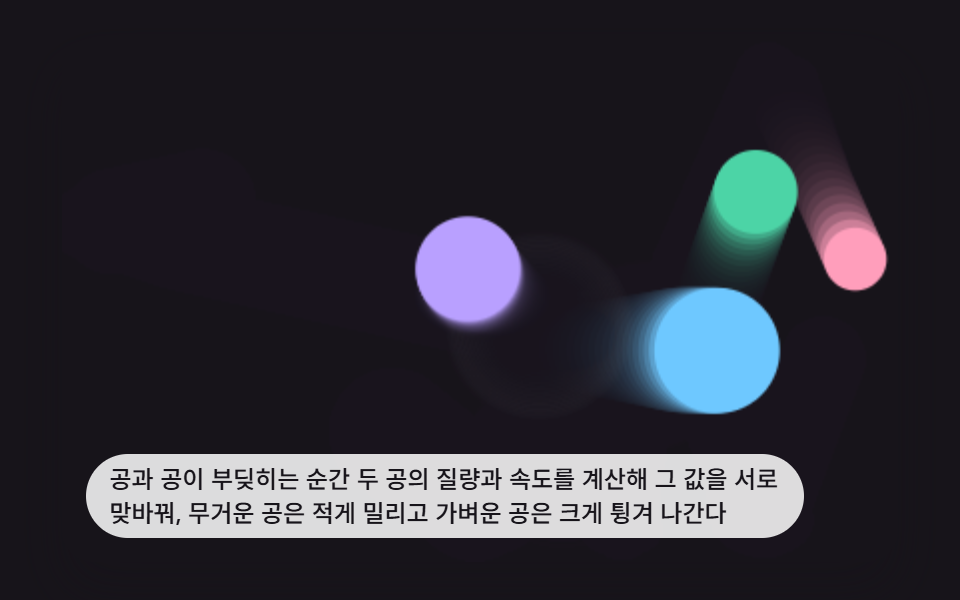 game9 Bouncing Ball Animation Patterns With Physics
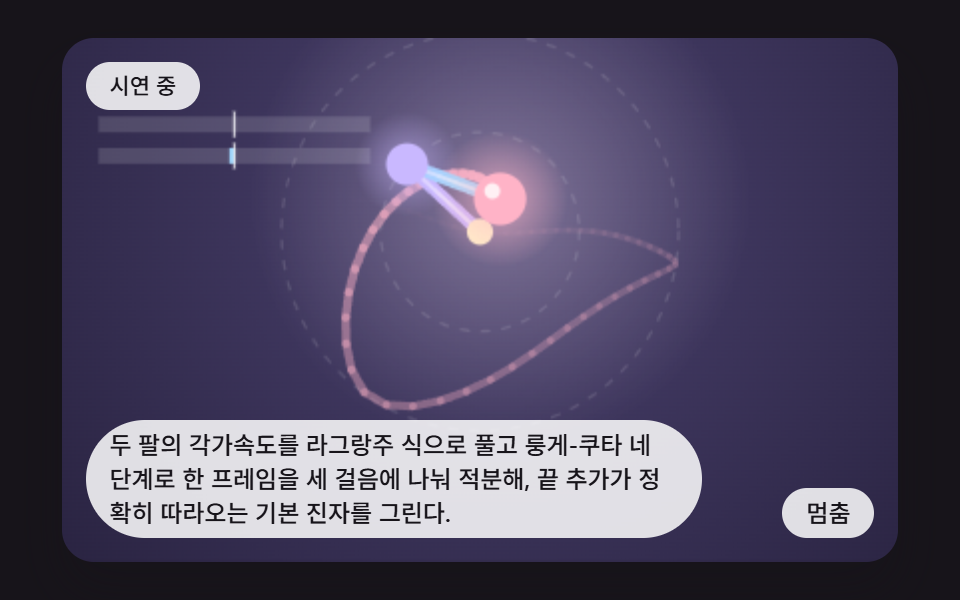 gameDouble Pendulum Simulation: 9 Chaos Scenes
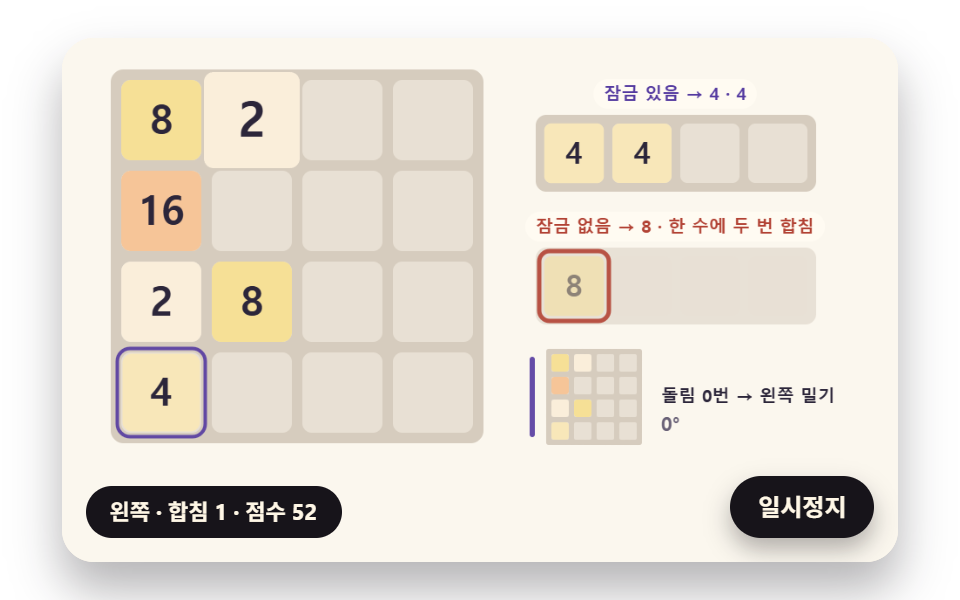 game2048 Game JavaScript: 9 Boards from Merges to AI
 gameSorting Algorithm Visualizer: 9 Sort Scenes
 gameMinesweeper JavaScript: 9 Minefield Scenes
 gameSliding Puzzle: 9 Canvas Scenes, Parity to Search
 gameWalking Animation Cycle: 9 Calculated Scenes
 gameSudoku: 9 Scenes, Candidates to Unique Boards
 gameTetris JavaScript: Build It in 9 Canvas Steps
 gameSpin Wheel: 9 Canvas Roulettes, Flick to Stop