Queue Number Display: 9 Waiting Board Patterns
When the average time changes, the estimated wait recalculates as a number, the list rows pull up to fill the gap, and the total count rolls by that
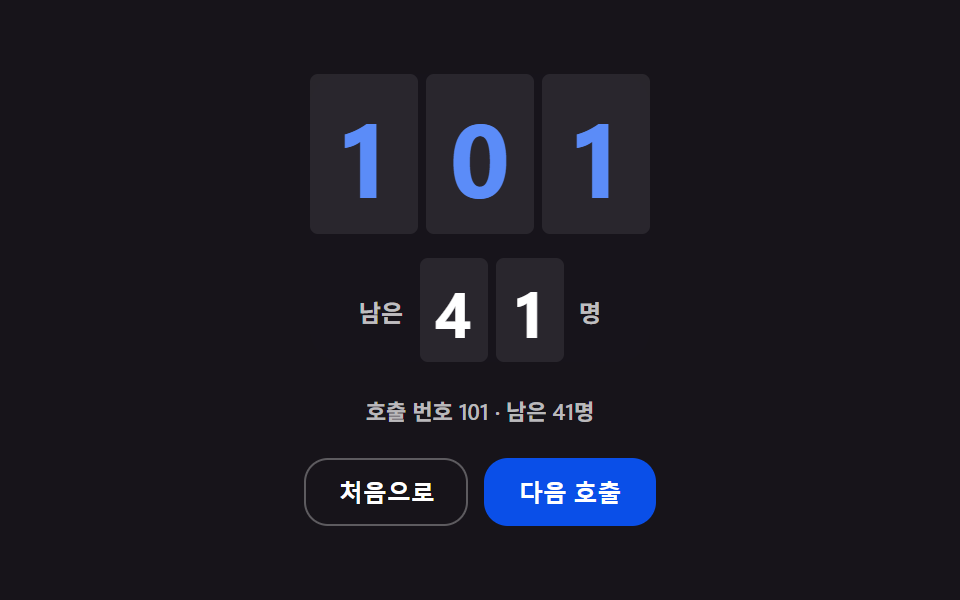 01 waiting-queue-call-number-roll-remaining
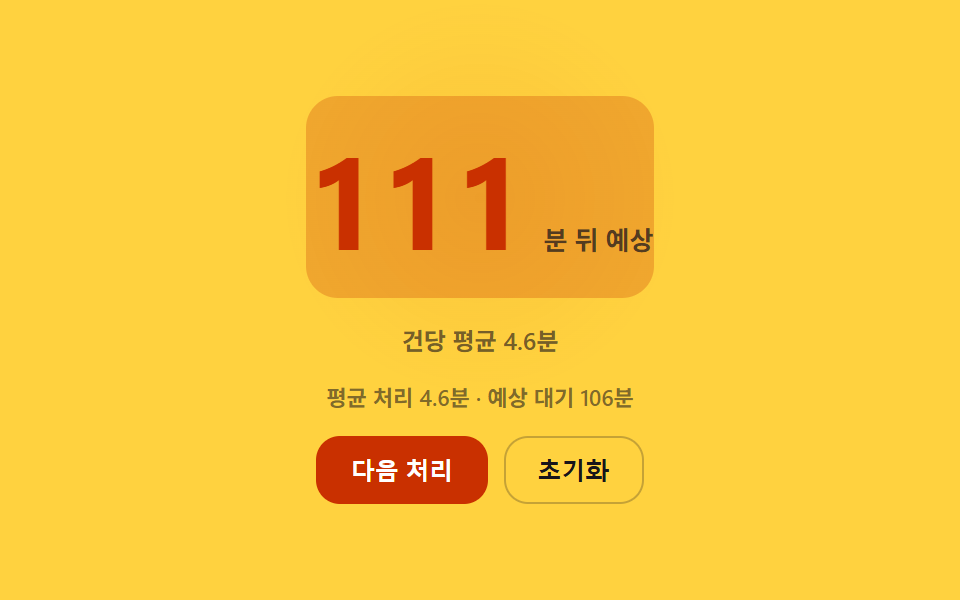 02 waiting-queue-eta-average-service-time
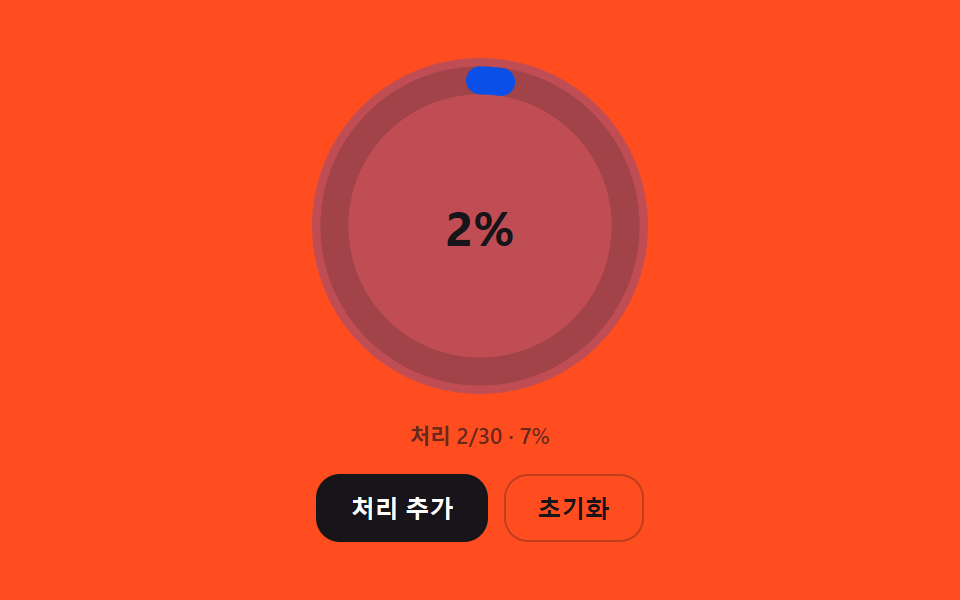 03 waiting-queue-progress-ring-completion-ratio
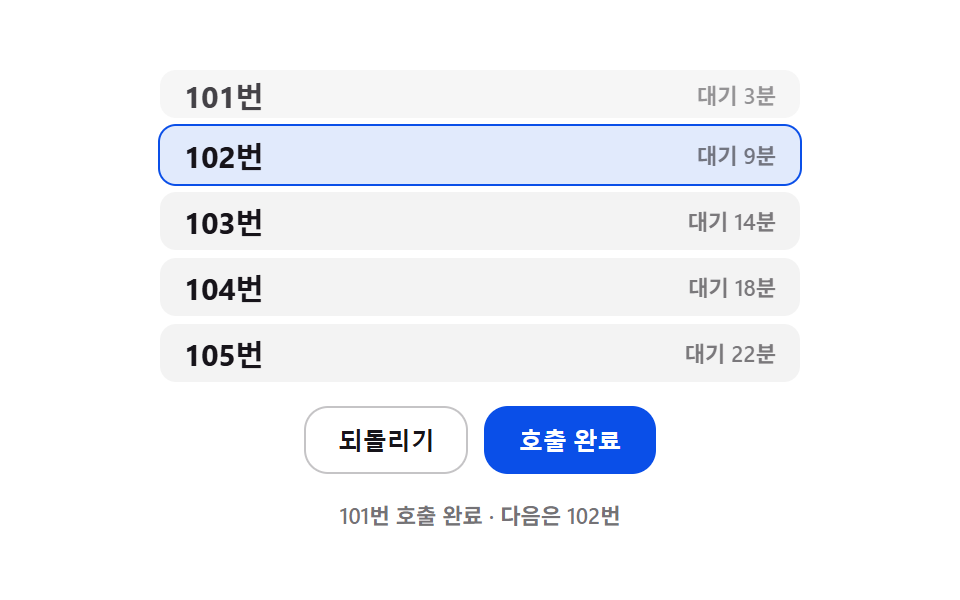 04 waiting-queue-list-shift-position-spring
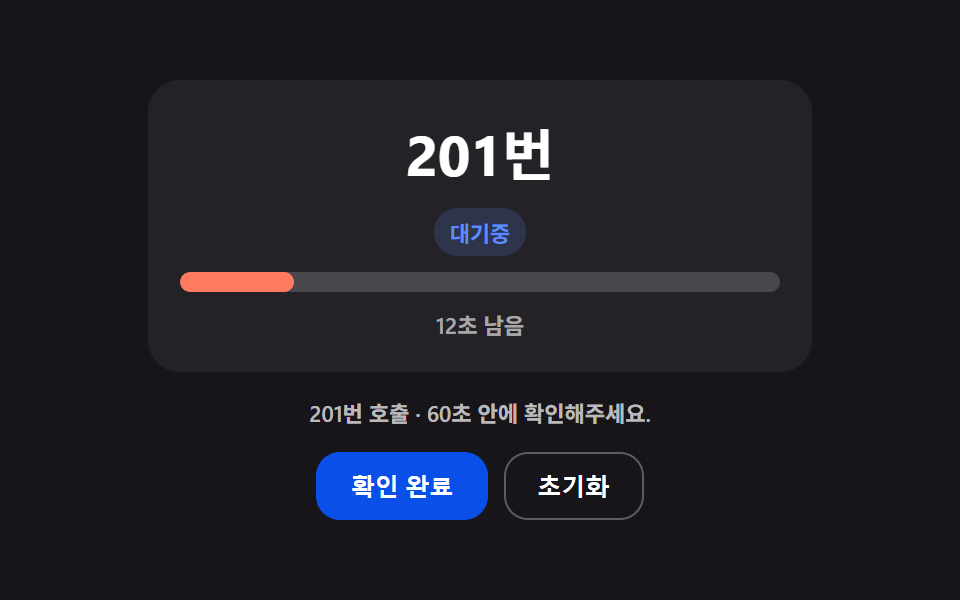 05 waiting-queue-noshow-recall-countdown
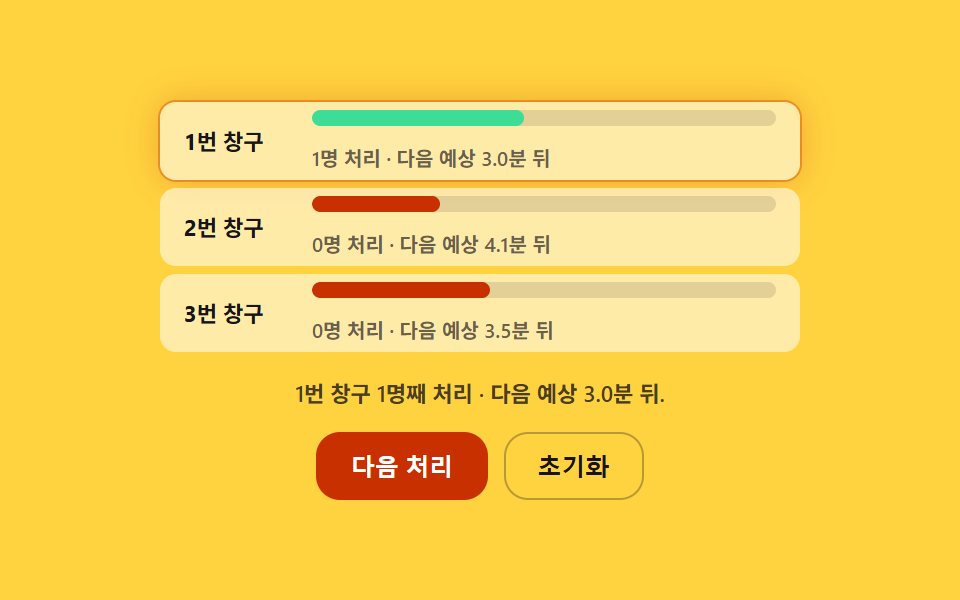 06 waiting-queue-multi-counter-distribution
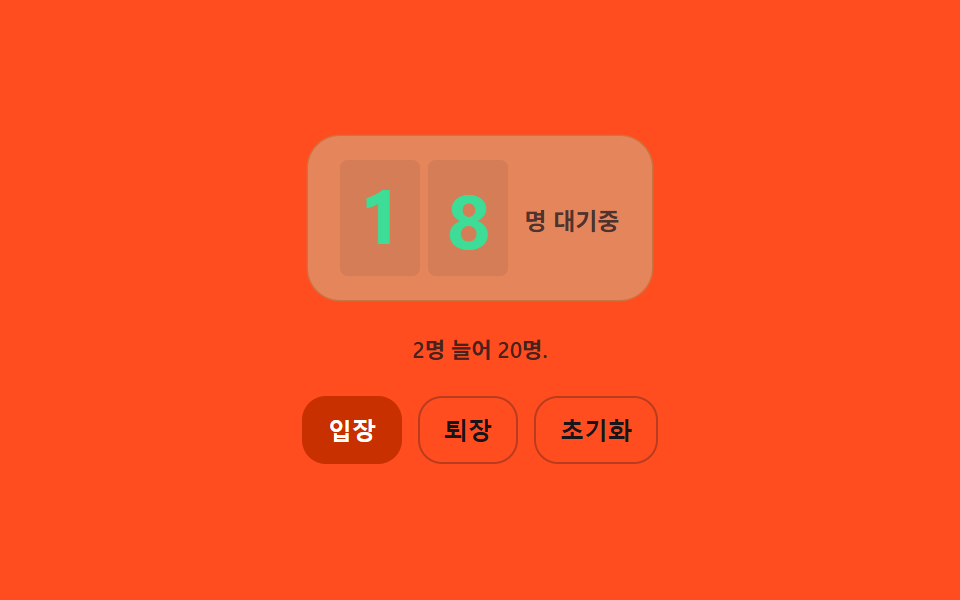 07 waiting-queue-total-count-roll-updown
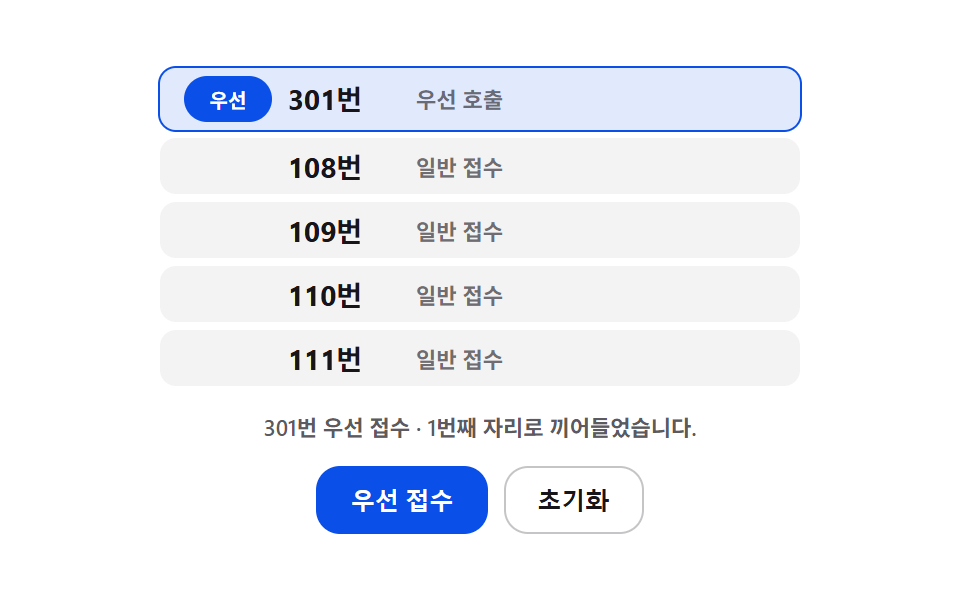 08 waiting-queue-priority-lane-badge-shift
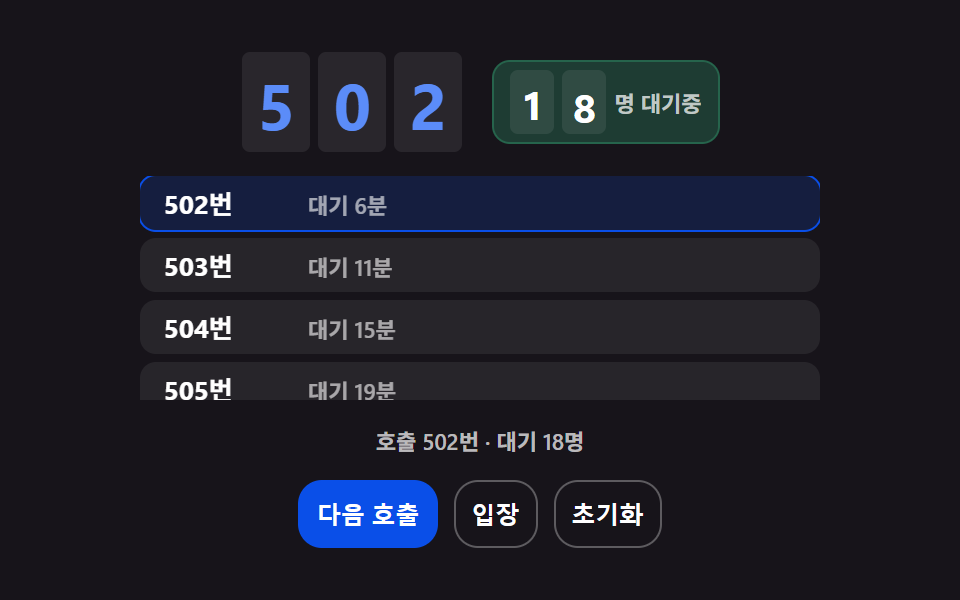 09 waiting-queue-hero-board-scene
Auto-plays · click a tile to jump to its section · all nine in one zip
- 01 Called Number Whose Digits Roll After Recalculating the Remaining Count
- 02 Estimated Wait Recalculated by Multiplying Average Service Time by Remaining Count
- 03 Queue Progress Ring That Fills by a Calculated Completion Ratio
- 04 Waiting List That Springs Into Place by a Calculated Shift Distance
- 05 No-Show Countdown Whose Gauge Depletes Toward a Recall
- 06 Multi-Counter Status That Distributes by a Calculated Per-Window Rate
- 07 Total Waiting Count That Rolls by a Calculated Difference
- 08 Priority Lane That Inserts by a Calculated Priority Gap
- 09 Hero Scene Combining Several Calculations Into One Queue Board
Queue Number Display: 9 Board Patterns That Calculate Wait, Order, and Time
The nine are ordered by the questions a person staring at the screen asks. Items 01 to 03 answer which number is up, how many minutes remain, and how far the whole line has moved. Item 04 shows how the list closes the gap when a number ahead drops out, and item 05 shows when an unanswered number gets called again. Item 06 compares several windows, item 07 rolls the total by exactly the change, item 08 works out where a priority entry slots in, and item 09 stacks three of those calculations on one screen. If this is your first waiting screen design, paste only 01, 02 and 07 first: the number, the time, and the head count then move together on one screen.
Code by Pattern
Each section excerpts only the lines where the calculation happens, and the remaining markup and styles sit in the archive under each demo. Every ticket number and note is a planted fake value, and nothing talks to a server.
01Called Number Whose Digits Roll After Recalculating the Remaining Count
When a new number is called, rollDigits starts the three call-number digits and the two remaining-count digits one after another, each delayed by DIGIT_STAGGER_MS, so they roll like a slot machine; the remaining count is recomputed as the 42 people minus the calls made so far. It suits a hospital consultation waiting screen, where the eye must not miss the instant the number changes.
<main class="stage">
<div class="wcn is-demo" id="wcnRoot">
  <div class="wcn__board">
    <div class="wcn__odometer" id="wcnCallOdo" aria-hidden="true"></div>
    <div class="wcn__remainWrap" aria-hidden="true">
      <span class="wcn__remainLabel">Left:</span>
      <div class="wcn__odometer wcn__odometer--small" id="wcnRemainOdo"></div>
      <span class="wcn__remainUnit"> </span>
    </div>
  </div>
  <p class="wcn__status" id="wcnStatus" aria-live="polite"></p>
  <div class="wcn__controls">
    <button type="button" class="wcn__btn" id="wcnReset">Start over</button>
    <button type="button" class="wcn__btn wcn__btn--primary" id="wcnNext">Call next</button>
  </div>
</div>
</main>
@use "../../../../site/static/demo-tokens" as *;
// 핵심: 순번·남은인원 두 오도미터 모두 자리별 릴로 굴러간다. 남은인원은 총원에서
// 호출된 인원 수를 뺀 값을 매 호출마다 다시 계산해서 자리 단위로 내려간다.
@include stage($stage-ink);
.wcn {
position: relative;
display: grid;
gap: $sp-4;
justify-items: center;
width: min(90vw, 300px);
}
.wcn__board {
border-radius: $r-card;
display: grid;
gap: $sp-3;
justify-items: center;
}
.wcn__odometer {
display: flex;
gap: $sp-1;
font-variant-numeric: tabular-nums;
}
.wcn__digit {
position: relative;
width: 54px;
height: 80px;
overflow: hidden;
border-radius: $r-xs;
background: rgba($stage-paper, .08);
}
.wcn__odometer--small .wcn__digit {
width: 34px;
height: 52px;
}
.wcn__reel {
position: absolute;
top: 0;
left: 0;
width: 100%;
}
.wcn__reel i {
display: flex;
align-items: center;
justify-content: center;
height: 80px;
font-style: normal;
font-size: 52px;
font-weight: 700;
color: $subject-blue-light;
}
.wcn__odometer--small .wcn__reel i {
height: 52px;
font-size: 32px;
color: $stage-paper;
}
.wcn__remainWrap {
display: flex;
align-items: center;
gap: $sp-2;
}
.wcn__remainLabel,
.wcn__remainUnit {
font-size: 12px;
font-weight: 600;
color: rgba($stage-paper, .72);
}
.wcn__status {
margin: 0;
font-size: 11px;
font-weight: 600;
color: rgba($stage-paper, .7);
}
.wcn__controls {
display: flex;
gap: $sp-2;
}
.wcn__btn {
border: 1px solid rgba($stage-paper, .3);
background: transparent;
color: $stage-paper;
border-radius: $r-control;
padding: $sp-2 $sp-4;
font-size: 12px;
font-weight: 600;
cursor: pointer;
}
.wcn__btn--primary {
background: $subject-blue-deep;
border-color: $subject-blue-deep;
color: $stage-paper;
}
.wcn__btn:focus-visible {
outline: 2px solid $subject-blue-light;
outline-offset: 2px;
}
@media (max-width: 340px) {
.wcn__digit { width: 30px; height: 44px; }
.wcn__reel i { height: 44px; font-size: 28px; }
.wcn__odometer--small .wcn__digit { width: 22px; height: 32px; }
.wcn__odometer--small .wcn__reel i { height: 32px; font-size: 20px; }
}
@media (prefers-reduced-motion: reduce) {
.wcn__reel { transition: none; }
}
// 호출 신호 — 새 번호가 불릴 때마다 보드 전체가 한 번 밝아졌다 가라앉는다.
.wcn__board.is-flash { animation: wcnFlash 900ms ease-out; }
@keyframes wcnFlash {
from { background: rgba($subject-blue-deep, .38); }
to { background: rgba($subject-blue-deep, 0); }
}
@media (prefers-reduced-motion: reduce) {
.wcn__board.is-flash { animation: none; }
}html, body {
margin: 0;
overflow: hidden;
}
.stage {
box-sizing: border-box;
min-height: 100vh;
display: grid;
place-items: center;
margin: 0;
background: #17141a;
font-family: -apple-system, "Segoe UI", "Noto Sans KR", sans-serif;
padding: clamp(8px, 4vw, 24px);
}
.wcn {
position: relative;
display: grid;
gap: 16px;
justify-items: center;
width: min(90vw, 300px);
}
.wcn__board {
border-radius: 16px;
display: grid;
gap: 12px;
justify-items: center;
}
.wcn__odometer {
display: flex;
gap: 4px;
font-variant-numeric: tabular-nums;
}
.wcn__digit {
position: relative;
width: 54px;
height: 80px;
overflow: hidden;
border-radius: 4px;
background: rgba(255, 255, 255, 0.08);
}
.wcn__odometer--small .wcn__digit {
width: 34px;
height: 52px;
}
.wcn__reel {
position: absolute;
top: 0;
left: 0;
width: 100%;
}
.wcn__reel i {
display: flex;
align-items: center;
justify-content: center;
height: 80px;
font-style: normal;
font-size: 52px;
font-weight: 700;
color: #5b8cf8;
}
.wcn__odometer--small .wcn__reel i {
height: 52px;
font-size: 32px;
color: #ffffff;
}
.wcn__remainWrap {
display: flex;
align-items: center;
gap: 8px;
}
.wcn__remainLabel,
.wcn__remainUnit {
font-size: 12px;
font-weight: 600;
color: rgba(255, 255, 255, 0.72);
}
.wcn__status {
margin: 0;
font-size: 11px;
font-weight: 600;
color: rgba(255, 255, 255, 0.7);
}
.wcn__controls {
display: flex;
gap: 8px;
}
.wcn__btn {
border: 1px solid rgba(255, 255, 255, 0.3);
background: transparent;
color: #ffffff;
border-radius: 12px;
padding: 8px 16px;
font-size: 12px;
font-weight: 600;
cursor: pointer;
}
.wcn__btn--primary {
background: #0a4fe8;
border-color: #0a4fe8;
color: #ffffff;
}
.wcn__btn:focus-visible {
outline: 2px solid #5b8cf8;
outline-offset: 2px;
}
@media (max-width: 340px) {
.wcn__digit {
width: 30px;
height: 44px;
}
.wcn__reel i {
height: 44px;
font-size: 28px;
}
.wcn__odometer--small .wcn__digit {
width: 22px;
height: 32px;
}
.wcn__odometer--small .wcn__reel i {
height: 32px;
font-size: 20px;
}
}
@media (prefers-reduced-motion: reduce) {
.wcn__reel {
transition: none;
}
}
.wcn__board.is-flash {
animation: wcnFlash 900ms ease-out;
}
@keyframes wcnFlash {
from {
background: rgba(10, 79, 232, 0.38);
}
to {
background: rgba(10, 79, 232, 0);
}
}
@media (prefers-reduced-motion: reduce) {
.wcn__board.is-flash {
animation: none;
}
}(function () {
// 기법: 새 순번이 호출될 때마다 Left: 대기 인원(총원 - 처리된 인원)을 다시 계산해, 그 차이를
// 자릿수 릴(디지트 릴)로 자리마다 순서대로 굴려 내린다. 순번 숫자 자체도 자리별 릴이며,
// CALL_NUMBER_ROLL_MS 는 한 자리가 다음 값으로 굴러가는 데 걸리는 시간, DIGIT_STAGGER_MS 는
// 자리마다 시작을 늦추는 간격이다 — CSS 트랜지션이 아니라 rAF 로 각 릴의 위치를 계산한다.
var CALL_NUMBER_ROLL_MS = 480;
var DIGIT_STAGGER_MS = 70;
function seedRand(seed) {
var s = seed >>> 0;
return function () { s = (s * 1664525 + 1013904223) >>> 0; return s / 4294967296; };
}
var rand = seedRand(434011);
var TOTAL_PARTIES = 42;
var CALL_BASE = 101;
var callIndex = 0; // 지금까지 호출된 인원 수
var root = document.getElementById('wcnRoot');
var callOdo = document.getElementById('wcnCallOdo');
var remainOdo = document.getElementById('wcnRemainOdo');
var status = document.getElementById('wcnStatus');
var reduce = window.matchMedia('(prefers-reduced-motion: reduce)').matches;
if (reduce) root.classList.remove('is-demo');
function easeInOutCubic(t) {
return t < 0.5 ? 4 * t * t * t : 1 - Math.pow(-2 * t + 2, 3) / 2;
}
// 자릿수 릴: 각 digit 은 {el, from, to, startMs, doneMs}
function buildOdometer(container, digitCount) {
container.innerHTML = '';
var digits = [];
for (var i = 0; i < digitCount; i += 1) {
var d = document.createElement('div');
d.className = 'wcn__digit';
var reel = document.createElement('div');
reel.className = 'wcn__reel';
d.appendChild(reel);
container.appendChild(d);
digits.push({ el: d, reel: reel, value: 0, from: 0, to: 0, start: 0, dur: 0 });
}
return digits;
}
var callDigits = buildOdometer(callOdo, 3);
var remainDigits = buildOdometer(remainOdo, 2);
function paintReel(digit, value) {
var reel = digit.reel;
if (reel.childElementCount !== 10) {
reel.innerHTML = '';
for (var n = 0; n < 10; n += 1) {
var i = document.createElement('i');
i.textContent = String(n);
reel.appendChild(i);
}
}
reel.style.transform = 'translateY(' + (-value * 10) + '%)';
}
function setDigitsImmediate(digits, num) {
var s = String(num);
while (s.length < digits.length) s = '0' + s;
for (var i = 0; i < digits.length; i += 1) {
var v = Number(s[i]);
digits[i].value = v;
digits[i].from = v;
digits[i].to = v;
digits[i].dur = 0;
paintReel(digits[i], v);
}
}
function flash(el) {
if (reduce) return;
el.classList.remove('is-flash');
void el.offsetWidth;
el.classList.add('is-flash');
}
  function rollDigits(digits, num, nowMs) {
    if (reduce) { setDigitsImmediate(digits, num); return; }
    flash(callOdo.parentNode);
    var s = String(num);
    while (s.length < digits.length) s = '0' + s;
    for (var i = 0; i < digits.length; i += 1) {
      var v = Number(s[i]);
      if (v === digits[i].to) continue;
      digits[i].from = digits[i].value;
      digits[i].to = v;
      digits[i].start = nowMs + i * DIGIT_STAGGER_MS;
      digits[i].dur = CALL_NUMBER_ROLL_MS;
    }
  }
function stepDigits(digits, nowMs) {
for (var i = 0; i < digits.length; i += 1) {
var d = digits[i];
if (d.value === d.to && nowMs >= d.start) continue;
if (nowMs < d.start) continue;
var t = Math.min(1, (nowMs - d.start) / d.dur);
var e = easeInOutCubic(t);
var span = d.to - d.from;
// 두 자리 사이를 최단 방향으로 굴린다(9→0 처럼 넘어가는 경우 고려).
if (Math.abs(span) > 5) span = span > 0 ? span - 10 : span + 10;
var cur = d.from + span * e;
cur = ((cur % 10) + 10) % 10;
d.value = t >= 1 ? d.to : cur;
paintReel(d, cur);
}
}
var callNum = CALL_BASE;
var remain = TOTAL_PARTIES;
setDigitsImmediate(callDigits, 0);
setDigitsImmediate(remainDigits, remain);
function paintStatus() {
status.textContent = 'Now calling ' + callNum + ' · ' + remain + ' ';
}
function callNext(nowMs) {
if (remain <= 0) { paintStatus(); return; }
callIndex += 1;
callNum = CALL_BASE + callIndex - 1;
remain = Math.max(0, TOTAL_PARTIES - callIndex);
rollDigits(callDigits, callNum, nowMs);
rollDigits(remainDigits, remain, nowMs);
paintStatus();
}
function resetAll(nowMs) {
callIndex = 0;
callNum = CALL_BASE;
remain = TOTAL_PARTIES;
rollDigits(callDigits, 0, nowMs);
rollDigits(remainDigits, remain, nowMs);
paintStatus();
}
var nextBtn = document.getElementById('wcnNext');
var resetBtn = document.getElementById('wcnReset');
function onNext() {
root.classList.remove('is-demo');
callNext(perfNow());
}
function onReset() {
root.classList.remove('is-demo');
resetAll(perfNow());
}
nextBtn.addEventListener('click', onNext);
nextBtn.addEventListener('keydown', function (e) {
if (e.key === 'Enter' || e.key === ' ') { e.preventDefault(); onNext(); }
});
resetBtn.addEventListener('click', onReset);
resetBtn.addEventListener('keydown', function (e) {
if (e.key === 'Enter' || e.key === ' ') { e.preventDefault(); onReset(); }
});
var t0 = null;
function perfNow() { return t0 === null ? 0 : performance.now() - t0; }
// 시연 스케줄: 첫 변화는 200ms 뒤, 이후 자연스러운 간격으로 반복.
var demoSchedule = [200, 1200];
var demoIndex = 0;
function tick(ts) {
if (t0 === null) t0 = ts;
var now = ts - t0;
if (!reduce) {
stepDigits(callDigits, now);
stepDigits(remainDigits, now);
if (root.classList.contains('is-demo') && demoIndex < demoSchedule.length && now >= demoSchedule[demoIndex]) {
if (remain <= 0) { resetAll(now); } else { callNext(now); }
demoIndex += 1;
if (demoIndex >= demoSchedule.length) demoIndex = 0, demoSchedule = demoSchedule.map(function (v) { return v + now + 2000; });
}
}
requestAnimationFrame(tick);
}
if (reduce) {
paintStatus();
} else {
requestAnimationFrame(tick);
}
})();// WaitingQueueCallNumberRoll — vanilla 판(01-waiting-queue-call-number-roll-remaining) 의 React 포트.
// 새 순번이 호출될 때마다 남은 대기 인원(총원 - 호출된 인원)을 다시 계산해 자릿수 릴로 굴려 내리고,
// 순번 숫자도 자리마다 CALL_NUMBER_ROLL_MS 동안 굴러간다 — CSS 트랜지션이 아니라 rAF 보간.
import { useEffect, useRef, useState } from "react";
import styles from "./WaitingQueueCallNumberRoll.module.scss";
type Box<T> = { current: T };
const CALL_NUMBER_ROLL_MS = 480;
const DIGIT_STAGGER_MS = 70;
const TOTAL_PARTIES = 42;
const CALL_BASE = 101;
function seedRand(seed: number): () => number {
let s = seed >>> 0;
return function () { s = (s * 1664525 + 1013904223) >>> 0; return s / 4294967296; };
}
function easeInOutCubic(t: number): number {
return t < 0.5 ? 4 * t * t * t : 1 - Math.pow(-2 * t + 2, 3) / 2;
}
type Digit = { value: number; from: number; to: number; start: number; dur: number };
function digitsOf(n: number, len: number): number[] {
const s = String(n).padStart(len, "0");
const out: number[] = [];
for (let i = 0; i < s.length; i += 1) out.push(s.charCodeAt(i) - 48);
return out;
}
function flash(el: HTMLElement | null, cls: string, reduce: boolean): void {
if (reduce || !el) return;
el.classList.remove(cls);
void el.offsetWidth;
el.classList.add(cls);
}
export default function WaitingQueueCallNumberRoll() {
seedRand(434011);
const [status, setStatus] = useState("");
const [reduce, setReduce] = useState(false);
const callDigitsRef = useRef<Digit[]>([{ value: 0, from: 0, to: 0, start: 0, dur: 0 }, { value: 0, from: 0, to: 0, start: 0, dur: 0 }, { value: 0, from: 0, to: 0, start: 0, dur: 0 }]) as Box<Digit[]>;
const remainDigitsRef = useRef<Digit[]>([{ value: 0, from: 0, to: 0, start: 0, dur: 0 }, { value: 0, from: 0, to: 0, start: 0, dur: 0 }]) as Box<Digit[]>;
const callReelRefs = useRef<Array<HTMLDivElement | null>>([null, null, null]) as Box<Array<HTMLDivElement | null>>;
const remainReelRefs = useRef<Array<HTMLDivElement | null>>([null, null]) as Box<Array<HTMLDivElement | null>>;
const callNumRef = useRef<number>(CALL_BASE) as Box<number>;
const remainRef = useRef<number>(TOTAL_PARTIES) as Box<number>;
const callIndexRef = useRef<number>(0) as Box<number>;
const demoRef = useRef<boolean>(true) as Box<boolean>;
const demoIndexRef = useRef<number>(0) as Box<number>;
const demoScheduleRef = useRef<number[]>([200, 1200]) as Box<number[]>;
const frameRef = useRef<number>(0) as Box<number>;
const boardRef = useRef<HTMLDivElement | null>(null) as Box<HTMLDivElement | null>;
useEffect(() => {
setReduce(window.matchMedia("(prefers-reduced-motion: reduce)").matches);
}, []);
function paintReel(el: HTMLDivElement | null, value: number): void {
if (!el) return;
el.style.transform = "translateY(" + (-value * 10) + "%)";
}
function rollDigits(digits: Digit[], num: number, nowMs: number): void {
if (digits === callDigitsRef.current) flash(boardRef.current, styles.isFlash, reduce);
const s = digitsOf(num, digits.length);
if (reduce) {
const refs = digits === callDigitsRef.current ? callReelRefs.current : remainReelRefs.current;
for (let i = 0; i < digits.length; i += 1) {
digits[i].value = s[i]; digits[i].from = s[i]; digits[i].to = s[i]; digits[i].dur = 0;
paintReel(refs[i], s[i]);
}
return;
}
for (let i = 0; i < digits.length; i += 1) {
const v = s[i];
if (v === digits[i].to) continue;
digits[i].from = digits[i].value;
digits[i].to = v;
digits[i].start = nowMs + i * DIGIT_STAGGER_MS;
digits[i].dur = CALL_NUMBER_ROLL_MS;
}
}
function stepDigits(digits: Digit[], refs: Array<HTMLDivElement | null>, nowMs: number): void {
for (let i = 0; i < digits.length; i += 1) {
const d = digits[i];
if (d.value === d.to && nowMs >= d.start) continue;
if (nowMs < d.start) continue;
const t = Math.min(1, (nowMs - d.start) / d.dur);
const e = easeInOutCubic(t);
let span = d.to - d.from;
if (Math.abs(span) > 5) span = span > 0 ? span - 10 : span + 10;
let cur = d.from + span * e;
cur = ((cur % 10) + 10) % 10;
d.value = t >= 1 ? d.to : cur;
paintReel(refs[i], cur);
}
}
function paintStatus(): void {
setStatus("호출 번호 " + callNumRef.current + " · 남은 " + remainRef.current + "명");
}
function callNext(nowMs: number): void {
if (remainRef.current <= 0) { paintStatus(); return; }
callIndexRef.current += 1;
callNumRef.current = CALL_BASE + callIndexRef.current - 1;
remainRef.current = Math.max(0, TOTAL_PARTIES - callIndexRef.current);
rollDigits(callDigitsRef.current, callNumRef.current, nowMs);
rollDigits(remainDigitsRef.current, remainRef.current, nowMs);
paintStatus();
}
function resetAll(nowMs: number): void {
callIndexRef.current = 0;
callNumRef.current = CALL_BASE;
remainRef.current = TOTAL_PARTIES;
rollDigits(callDigitsRef.current, 0, nowMs);
rollDigits(remainDigitsRef.current, remainRef.current, nowMs);
paintStatus();
}
function stopDemo(): void { demoRef.current = false; }
useEffect(() => {
paintStatus();
let t0 = 0;
function tick(ts: number): void {
if (t0 === 0) t0 = ts;
const now = ts - t0;
if (!reduce) {
stepDigits(callDigitsRef.current, callReelRefs.current, now);
stepDigits(remainDigitsRef.current, remainReelRefs.current, now);
const sched = demoScheduleRef.current;
if (demoRef.current && demoIndexRef.current < sched.length && now >= sched[demoIndexRef.current]) {
if (remainRef.current <= 0) { resetAll(now); } else { callNext(now); }
demoIndexRef.current += 1;
if (demoIndexRef.current >= sched.length) {
demoIndexRef.current = 0;
demoScheduleRef.current = sched.map((v) => v + now + 2000);
}
}
}
frameRef.current = requestAnimationFrame(tick);
}
frameRef.current = requestAnimationFrame(tick);
return () => cancelAnimationFrame(frameRef.current);
// eslint-disable-next-line react-hooks/exhaustive-deps
}, [reduce]);
function onNext(): void { stopDemo(); callNext(performance.now()); }
function onReset(): void { stopDemo(); resetAll(performance.now()); }
function onKeyDown(e: { key: string; preventDefault: () => void }, fn: () => void): void {
if (e.key === "Enter" || e.key === " ") { e.preventDefault(); fn(); }
}
return (
<main className={styles.stage}>
<div className={styles.wcn}>
<div className={styles.board} ref={boardRef}>
<div className={styles.odometer} aria-hidden="true">
{[0, 1, 2].map((i) => (
<div className={styles.digit} key={i}>
<div className={styles.reel} ref={(el: HTMLDivElement | null) => { callReelRefs.current[i] = el; }}>
{"0123456789".split("").map((ch) => <i key={ch}>{ch}</i>)}
</div>
</div>
))}
</div>
<div className={styles.remainWrap} aria-hidden="true">
<span className={styles.remainLabel}>남은</span>
<div className={[styles.odometer, styles.odometerSmall].join(" ")}>
{[0, 1].map((i) => (
<div className={styles.digit} key={i}>
<div className={styles.reel} ref={(el: HTMLDivElement | null) => { remainReelRefs.current[i] = el; }}>
{"0123456789".split("").map((ch) => <i key={ch}>{ch}</i>)}
</div>
</div>
))}
</div>
<span className={styles.remainUnit}>명</span>
</div>
</div>
<p className={styles.status} aria-live="polite">{status}</p>
<div className={styles.controls}>
<button type="button" className={styles.btn} onClick={onReset} onKeyDown={(e: { key: string; preventDefault: () => void }) => onKeyDown(e, onReset)}>처음으로</button>
<button type="button" className={[styles.btn, styles.btnPrimary].join(" ")} onClick={onNext} onKeyDown={(e: { key: string; preventDefault: () => void }) => onKeyDown(e, onNext)}>다음 호출</button>
</div>
</div>
</main>
);
}01 · Called Number Whose Digits Roll After Recalculating the Remaining Count — Measured area 16.738% · moving frames 10/23Original by GODRICH · SCSS and React ship in the zip · See the password
function rollDigits(digits, num, nowMs) {
if (reduce) { setDigitsImmediate(digits, num); return; }
flash(callOdo.parentNode);
var s = String(num);
while (s.length < digits.length) s = '0' + s;
for (var i = 0; i < digits.length; i += 1) {
var v = Number(s[i]);
if (v === digits[i].to) continue;
digits[i].from = digits[i].value;
digits[i].to = v;
digits[i].start = nowMs + i * DIGIT_STAGGER_MS;
digits[i].dur = CALL_NUMBER_ROLL_MS;
}
}
02Estimated Wait Recalculated by Multiplying Average Service Time by Remaining Count
The estimate is one multiplication: the average of recent service times times the people still waiting, and the minute figure tweens to the new value over ETA_TWEEN_MS instead of jumping. Use it on a restaurant waitlist registration screen, where guests care about minutes rather than positions. Only the latest 12 service records (SERVICE_LOG_MAX) are kept, so the average follows a slowdown within a few cases.
<main class="stage">
<div class="wet is-demo" id="wetRoot">
  <div class="wet__etaWrap">
    <span class="wet__etaGlow" id="wetGlow" aria-hidden="true"></span>
    <span class="wet__etaNum" id="wetEtaNum" aria-hidden="true">0</span>
    <span class="wet__etaUnit" aria-hidden="true">min estimated</span>
  </div>
  <p class="wet__avg" id="wetAvg" aria-hidden="true">Avg 0.0 min per party</p>
  <p class="wet__status" id="wetStatus" aria-live="polite"></p>
  <div class="wet__controls">
    <button type="button" class="wet__btn wet__btn--primary" id="wetProcess">Process next</button>
    <button type="button" class="wet__btn" id="wetReset">Reset</button>
  </div>
</div>
</main>
@use "../../../../site/static/demo-tokens" as *;
// 핵심: 처리 로그 평균 × 남은 인원으로 예상 대기(분)을 다시 계산해, 바뀐 값을 숫자
// 보간(easeOutCubic)으로 부드럽게 표시하고 변화 폭만큼 숫자 뒤 발광이 함께 번진다.
@include stage($stage-yellow);
.wet {
position: relative;
display: grid;
gap: $sp-3;
justify-items: center;
width: min(90vw, 300px);
}
.wet__etaWrap {
border-radius: $r-card;
position: relative;
display: flex;
align-items: baseline;
gap: $sp-2;
padding: $sp-2 0;
}
.wet__etaGlow {
position: absolute;
top: 50%;
left: 50%;
width: 200px;
height: 200px;
border-radius: 50%;
background: radial-gradient(circle, rgba($subject-orange-deep, .5), rgba($subject-orange-deep, 0) 70%);
transform: translate(-50%, -50%) scale(.85);
opacity: 0;
pointer-events: none;
}
.wet__etaNum {
position: relative;
z-index: 1;
font-size: 64px;
font-weight: 700;
font-variant-numeric: tabular-nums;
color: $subject-orange-deep;
}
.wet__etaUnit {
position: relative;
z-index: 1;
font-size: 13px;
font-weight: 600;
color: rgba($stage-ink, .72);
}
.wet__avg {
margin: 0;
font-size: 12px;
font-weight: 600;
color: rgba($stage-ink, .6);
}
.wet__status {
margin: 0;
font-size: 11px;
font-weight: 600;
color: rgba($stage-ink, .55);
}
.wet__controls {
display: flex;
gap: $sp-2;
}
.wet__btn {
border: 1px solid rgba($stage-ink, .25);
background: transparent;
color: $stage-ink;
border-radius: $r-control;
padding: $sp-2 $sp-4;
font-size: 12px;
font-weight: 600;
cursor: pointer;
}
.wet__btn--primary {
background: $subject-orange-deep;
border-color: $subject-orange-deep;
color: $stage-paper;
}
.wet__btn:focus-visible {
outline: 2px solid $subject-orange-deep;
outline-offset: 2px;
}
@media (max-width: 340px) {
.wet__etaNum { font-size: 36px; }
.wet__etaGlow { width: 90px; height: 90px; }
}
@media (prefers-reduced-motion: reduce) {
.wet__etaGlow { transition: none; opacity: 0 !important; }
}
// 예상 시간이 다시 계산될 때마다 숫자 판이 한 번 밝아졌다 가라앉는다.
.wet__etaWrap.is-flash { animation: wetFlash 900ms ease-out; }
@keyframes wetFlash {
from { background: rgba($subject-orange-deep, .3); }
to { background: rgba($subject-orange-deep, 0); }
}
@media (prefers-reduced-motion: reduce) {
.wet__etaWrap.is-flash { animation: none; }
}html, body {
margin: 0;
overflow: hidden;
}
.stage {
box-sizing: border-box;
min-height: 100vh;
display: grid;
place-items: center;
margin: 0;
background: #ffd23f;
font-family: -apple-system, "Segoe UI", "Noto Sans KR", sans-serif;
padding: clamp(8px, 4vw, 24px);
}
.wet {
position: relative;
display: grid;
gap: 12px;
justify-items: center;
width: min(90vw, 300px);
}
.wet__etaWrap {
border-radius: 16px;
position: relative;
display: flex;
align-items: baseline;
gap: 8px;
padding: 8px 0;
}
.wet__etaGlow {
position: absolute;
top: 50%;
left: 50%;
width: 200px;
height: 200px;
border-radius: 50%;
background: radial-gradient(circle, rgba(201, 48, 0, 0.5), rgba(201, 48, 0, 0) 70%);
transform: translate(-50%, -50%) scale(0.85);
opacity: 0;
pointer-events: none;
}
.wet__etaNum {
position: relative;
z-index: 1;
font-size: 64px;
font-weight: 700;
font-variant-numeric: tabular-nums;
color: #c93000;
}
.wet__etaUnit {
position: relative;
z-index: 1;
font-size: 13px;
font-weight: 600;
color: rgba(23, 20, 26, 0.72);
}
.wet__avg {
margin: 0;
font-size: 12px;
font-weight: 600;
color: rgba(23, 20, 26, 0.6);
}
.wet__status {
margin: 0;
font-size: 11px;
font-weight: 600;
color: rgba(23, 20, 26, 0.55);
}
.wet__controls {
display: flex;
gap: 8px;
}
.wet__btn {
border: 1px solid rgba(23, 20, 26, 0.25);
background: transparent;
color: #17141a;
border-radius: 12px;
padding: 8px 16px;
font-size: 12px;
font-weight: 600;
cursor: pointer;
}
.wet__btn--primary {
background: #c93000;
border-color: #c93000;
color: #ffffff;
}
.wet__btn:focus-visible {
outline: 2px solid #c93000;
outline-offset: 2px;
}
@media (max-width: 340px) {
.wet__etaNum {
font-size: 36px;
}
.wet__etaGlow {
width: 90px;
height: 90px;
}
}
@media (prefers-reduced-motion: reduce) {
.wet__etaGlow {
transition: none;
opacity: 0 !important;
}
}
.wet__etaWrap.is-flash {
animation: wetFlash 900ms ease-out;
}
@keyframes wetFlash {
from {
background: rgba(201, 48, 0, 0.3);
}
to {
background: rgba(201, 48, 0, 0);
}
}
@media (prefers-reduced-motion: reduce) {
.wet__etaWrap.is-flash {
animation: none;
}
}(function () {
// 기법: 처리된 사례들의 소요 시간 로그에서 평균을 계산하고, 그 평균에 Left: 대기 인원을
// 곱해 예상 대기 시간(min)을 다시 계산한다. 값이 바뀔 때마다 ETA_TWEEN_MS 동안 숫자를
// easeOutCubic 으로 보간하고, 변화 폭에 비례해 숫자 뒤 발광을 계산해 함께 전파한다.
// 실제 시각(Date) 은 쓰지 않고 rAF 타임스탬프로만 흐름을 계산하는 가상 시계다.
var ETA_TWEEN_MS = 420;
var SERVICE_LOG_MAX = 12;
function seedRand(seed) {
var s = seed >>> 0;
return function () { s = (s * 1664525 + 1013904223) >>> 0; return s / 4294967296; };
}
var rand = seedRand(434021);
function randServiceMinutes() { return 2.5 + rand() * 3.5; }
function easeOutCubic(t) { return 1 - Math.pow(1 - t, 3); }
var root = document.getElementById('wetRoot');
var etaNumEl = document.getElementById('wetEtaNum');
var glowEl = document.getElementById('wetGlow');
var avgEl = document.getElementById('wetAvg');
var status = document.getElementById('wetStatus');
var reduce = window.matchMedia('(prefers-reduced-motion: reduce)').matches;
if (reduce) root.classList.remove('is-demo');
var INITIAL_REMAIN = 24;
var serviceLog = [];
for (var i = 0; i < 6; i += 1) serviceLog.push(randServiceMinutes());
var remain = INITIAL_REMAIN;
var shownEta = 0;
var etaAnim = null;
  function avgMinutes() {
    var sum = 0;
    for (var i = 0; i < serviceLog.length; i += 1) sum += serviceLog[i];
    return sum / serviceLog.length;
  }

  function targetEta() {
    return avgMinutes() * remain;
  }

  function paintGlow(ratio) {
    glowEl.style.opacity = (0.5 * ratio).toFixed(3);
    glowEl.style.transform = 'translate(-50%, -50%) scale(' + (0.85 + ratio * 0.5).toFixed(3) + ')';
  }
function flash(el) {
if (reduce) return;
el.classList.remove('is-flash');
void el.offsetWidth;
el.classList.add('is-flash');
}
function tweenEta(nowMs, from, to) {
flash(etaNumEl.parentNode);
if (etaAnim) cancelAnimationFrame(etaAnim);
var maxDelta = Math.max(1, avgMinutes() * 4);
var deltaRatio = Math.min(1, Math.abs(to - from) / maxDelta);
if (reduce) {
shownEta = to;
etaNumEl.textContent = Math.round(to);
paintGlow(0);
return;
}
var start = null;
function step(ts) {
if (start === null) start = ts;
var t = Math.min(1, (ts - start) / ETA_TWEEN_MS);
var e = easeOutCubic(t);
var v = from + (to - from) * e;
shownEta = v;
etaNumEl.textContent = Math.round(v);
paintGlow(deltaRatio * (1 - t));
if (t < 1) { etaAnim = requestAnimationFrame(step); } else { etaAnim = null; paintGlow(0); }
}
etaAnim = requestAnimationFrame(step);
}
function paintStatic() {
avgEl.textContent = 'Avg per party ' + avgMinutes().toFixed(1) + 'min';
}
function paintStatus() {
status.textContent = 'Avg service ' + avgMinutes().toFixed(1) + 'min · estimated wait ' + Math.round(targetEta()) + 'min';
}
function recalc(nowMs) {
var from = shownEta;
var to = targetEta();
tweenEta(nowMs, from, to);
paintStatic();
paintStatus();
}
function processNext(nowMs) {
if (remain <= 0) { paintStatus(); return; }
serviceLog.push(randServiceMinutes());
if (serviceLog.length > SERVICE_LOG_MAX) serviceLog.shift();
remain = Math.max(0, remain - 1);
recalc(nowMs);
}
function resetAll(nowMs) {
serviceLog = [];
for (var i = 0; i < 6; i += 1) serviceLog.push(randServiceMinutes());
remain = INITIAL_REMAIN;
shownEta = targetEta();
etaNumEl.textContent = Math.round(shownEta);
paintGlow(0);
paintStatic();
paintStatus();
}
var processBtn = document.getElementById('wetProcess');
var resetBtn = document.getElementById('wetReset');
function onProcess() { root.classList.remove('is-demo'); processNext(perfNow()); }
function onReset() { root.classList.remove('is-demo'); resetAll(perfNow()); }
processBtn.addEventListener('click', onProcess);
processBtn.addEventListener('keydown', function (e) {
if (e.key === 'Enter' || e.key === ' ') { e.preventDefault(); onProcess(); }
});
resetBtn.addEventListener('click', onReset);
resetBtn.addEventListener('keydown', function (e) {
if (e.key === 'Enter' || e.key === ' ') { e.preventDefault(); onReset(); }
});
var t0 = null;
function perfNow() { return t0 === null ? 0 : performance.now() - t0; }
var demoSchedule = [200, 1200];
var demoIndex = 0;
function tick(ts) {
if (t0 === null) t0 = ts;
var now = ts - t0;
if (!reduce && root.classList.contains('is-demo') && demoIndex < demoSchedule.length && now >= demoSchedule[demoIndex]) {
if (remain <= 0) { resetAll(now); } else { processNext(now); }
demoIndex += 1;
if (demoIndex >= demoSchedule.length) { demoIndex = 0; demoSchedule = demoSchedule.map(function (v) { return v + now + 2000; }); }
}
requestAnimationFrame(tick);
}
shownEta = targetEta();
etaNumEl.textContent = Math.round(shownEta);
paintStatic();
paintStatus();
requestAnimationFrame(tick);
})();// WaitingQueueEtaAverageServiceTime — vanilla 판(02-waiting-queue-eta-average-service-time) 의 React 포트.
// 처리 로그 평균(분) × 남은 인원으로 예상 대기 시간을 다시 계산해, 바뀐 값을 easeOutCubic 으로
// 보간하고 변화 폭에 비례한 발광을 같은 값으로 전파한다 — Date 없이 rAF 타임스탬프만 쓰는 가상 시계.
import { useEffect, useRef, useState } from "react";
import styles from "./WaitingQueueEtaAverageServiceTime.module.scss";
type Box<T> = { current: T };
const ETA_TWEEN_MS = 420;
const SERVICE_LOG_MAX = 12;
const INITIAL_REMAIN = 24;
function seedRand(seed: number): () => number {
let s = seed >>> 0;
return function () { s = (s * 1664525 + 1013904223) >>> 0; return s / 4294967296; };
}
function easeOutCubic(t: number): number {
return 1 - Math.pow(1 - t, 3);
}
function flash(el: HTMLElement | null, cls: string, reduce: boolean): void {
if (reduce || !el) return;
el.classList.remove(cls);
void el.offsetWidth;
el.classList.add(cls);
}
export default function WaitingQueueEtaAverageServiceTime() {
const [etaText, setEtaText] = useState("0");
const [avgText, setAvgText] = useState("건당 평균 0.0분");
const [status, setStatus] = useState("");
const [glow, setGlow] = useState({ opacity: 0, scale: 0.85 });
const [reduce, setReduce] = useState(false);
const randRef = useRef<() => number>(seedRand(434021)) as Box<() => number>;
const logRef = useRef<number[]>([]) as Box<number[]>;
const remainRef = useRef<number>(INITIAL_REMAIN) as Box<number>;
const shownEtaRef = useRef<number>(0) as Box<number>;
const etaAnimRef = useRef<number>(0) as Box<number>;
const demoRef = useRef<boolean>(true) as Box<boolean>;
const demoIndexRef = useRef<number>(0) as Box<number>;
const demoScheduleRef = useRef<number[]>([200, 1200]) as Box<number[]>;
const frameRef = useRef<number>(0) as Box<number>;
const etaWrapRef = useRef<HTMLDivElement | null>(null) as Box<HTMLDivElement | null>;
function randServiceMinutes(): number { return 2.5 + randRef.current() * 3.5; }
useEffect(() => {
setReduce(window.matchMedia("(prefers-reduced-motion: reduce)").matches);
for (let i = 0; i < 6; i += 1) logRef.current.push(randServiceMinutes());
shownEtaRef.current = targetEta();
setEtaText(String(Math.round(shownEtaRef.current)));
paintStatic();
paintStatus();
// eslint-disable-next-line react-hooks/exhaustive-deps
}, []);
function avgMinutes(): number {
const log = logRef.current;
if (log.length === 0) return 0;
let sum = 0;
for (let i = 0; i < log.length; i += 1) sum += log[i];
return sum / log.length;
}
function targetEta(): number { return avgMinutes() * remainRef.current; }
function paintStatic(): void {
setAvgText("건당 평균 " + avgMinutes().toFixed(1) + "분");
}
function paintStatus(): void {
setStatus("평균 처리 " + avgMinutes().toFixed(1) + "분 · 예상 대기 " + Math.round(targetEta()) + "분");
}
function tweenEta(from: number, to: number): void {
flash(etaWrapRef.current, styles.isFlash, reduce);
if (etaAnimRef.current) cancelAnimationFrame(etaAnimRef.current);
const maxDelta = Math.max(1, avgMinutes() * 4);
const deltaRatio = Math.min(1, Math.abs(to - from) / maxDelta);
if (reduce) {
shownEtaRef.current = to;
setEtaText(String(Math.round(to)));
setGlow({ opacity: 0, scale: 0.85 });
return;
}
let start = 0;
function step(ts: number): void {
if (start === 0) start = ts;
const t = Math.min(1, (ts - start) / ETA_TWEEN_MS);
const e = easeOutCubic(t);
const v = from + (to - from) * e;
shownEtaRef.current = v;
setEtaText(String(Math.round(v)));
const ratio = deltaRatio * (1 - t);
setGlow({ opacity: 0.5 * ratio, scale: 0.85 + ratio * 0.5 });
if (t < 1) { etaAnimRef.current = requestAnimationFrame(step); } else { etaAnimRef.current = 0; setGlow({ opacity: 0, scale: 0.85 }); }
}
etaAnimRef.current = requestAnimationFrame(step);
}
function recalc(): void {
const from = shownEtaRef.current;
const to = targetEta();
tweenEta(from, to);
paintStatic();
paintStatus();
}
function processNext(): void {
if (remainRef.current <= 0) { paintStatus(); return; }
logRef.current.push(randServiceMinutes());
if (logRef.current.length > SERVICE_LOG_MAX) logRef.current.shift();
remainRef.current = Math.max(0, remainRef.current - 1);
recalc();
}
function resetAll(): void {
logRef.current = [];
for (let i = 0; i < 6; i += 1) logRef.current.push(randServiceMinutes());
remainRef.current = INITIAL_REMAIN;
shownEtaRef.current = targetEta();
setEtaText(String(Math.round(shownEtaRef.current)));
setGlow({ opacity: 0, scale: 0.85 });
paintStatic();
paintStatus();
}
function stopDemo(): void { demoRef.current = false; }
useEffect(() => {
let t0 = 0;
function tick(ts: number): void {
if (t0 === 0) t0 = ts;
const now = ts - t0;
const sched = demoScheduleRef.current;
if (!reduce && demoRef.current && demoIndexRef.current < sched.length && now >= sched[demoIndexRef.current]) {
if (remainRef.current <= 0) { resetAll(); } else { processNext(); }
demoIndexRef.current += 1;
if (demoIndexRef.current >= sched.length) {
demoIndexRef.current = 0;
demoScheduleRef.current = sched.map((v) => v + now + 2000);
}
}
frameRef.current = requestAnimationFrame(tick);
}
frameRef.current = requestAnimationFrame(tick);
return () => cancelAnimationFrame(frameRef.current);
// eslint-disable-next-line react-hooks/exhaustive-deps
}, [reduce]);
function onProcess(): void { stopDemo(); processNext(); }
function onReset(): void { stopDemo(); resetAll(); }
function onKeyDown(e: { key: string; preventDefault: () => void }, fn: () => void): void {
if (e.key === "Enter" || e.key === " ") { e.preventDefault(); fn(); }
}
return (
<main className={styles.stage}>
<div className={styles.wet}>
<div className={styles.etaWrap} ref={etaWrapRef}>
<span className={styles.etaGlow} aria-hidden="true" style={{ opacity: glow.opacity, transform: "translate(-50%, -50%) scale(" + glow.scale + ")" }} />
<span className={styles.etaNum} aria-hidden="true">{etaText}</span>
<span className={styles.etaUnit} aria-hidden="true">분 뒤 예상</span>
</div>
<p className={styles.avg} aria-hidden="true">{avgText}</p>
<p className={styles.status} aria-live="polite">{status}</p>
<div className={styles.controls}>
<button type="button" className={[styles.btn, styles.btnPrimary].join(" ")} onClick={onProcess} onKeyDown={(e: { key: string; preventDefault: () => void }) => onKeyDown(e, onProcess)}>다음 처리</button>
<button type="button" className={styles.btn} onClick={onReset} onKeyDown={(e: { key: string; preventDefault: () => void }) => onKeyDown(e, onReset)}>초기화</button>
</div>
</div>
</main>
);
}02 · Estimated Wait Recalculated by Multiplying Average Service Time by Remaining Count — Measured area 12.84% · moving frames 7/23Original by GODRICH · SCSS and React ship in the zip · See the password
function avgMinutes() {
var sum = 0;
for (var i = 0; i < serviceLog.length; i += 1) sum += serviceLog[i];
return sum / serviceLog.length;
}
function targetEta() {
return avgMinutes() * remain;
}
function paintGlow(ratio) {
glowEl.style.opacity = (0.5 * ratio).toFixed(3);
glowEl.style.transform = 'translate(-50%, -50%) scale(' + (0.85 + ratio * 0.5).toFixed(3) + ')';
}
03Queue Progress Ring That Fills by a Calculated Completion Ratio
The number served is divided by the total, and that ratio becomes how much of the circular ring is filled; the ring changes color in steps as the remaining count falls. It works as a summary panel for overall queue progress, one glance instead of a list.
<main class="stage">
<div class="wpr is-demo" id="wprRoot">
  <div class="wpr__ringWrap">
    <svg class="wpr__ring" viewBox="0 0 120 120" aria-hidden="true">
      <circle class="wpr__track" cx="60" cy="60" r="52"></circle>
      <circle class="wpr__fill" id="wprFill" cx="60" cy="60" r="52"></circle>
    </svg>
    <div class="wpr__pct" id="wprPct" aria-hidden="true">0%</div>
  </div>
  <p class="wpr__status" id="wprStatus" aria-live="polite"></p>
  <div class="wpr__controls">
    <button type="button" class="wpr__btn wpr__btn--primary" id="wprProcess">Add served</button>
    <button type="button" class="wpr__btn" id="wprReset">Reset</button>
  </div>
</div>
</main>
@use "../../../../site/static/demo-tokens" as *;
// 핵심: 처리 비율(0~1)을 stroke-dashoffset 으로 환산해 링을 채우고, 비율 구간마다
// 링 색을 세 단계로 계산해 전파한다 — 색은 속성이 아니라 비율값에서 매번 다시 계산된다.
@include stage($stage-orange);
.wpr {
position: relative;
display: grid;
gap: $sp-3;
justify-items: center;
width: min(90vw, 300px);
}
.wpr__ringWrap {
border-radius: 50%;
position: relative;
width: 168px;
height: 168px;
display: grid;
place-items: center;
}
.wpr__ring {
width: 168px;
height: 168px;
transform: rotate(-90deg);
}
.wpr__track {
fill: none;
stroke: rgba($stage-ink, .18);
stroke-width: 10;
}
.wpr__fill {
fill: none;
stroke: $subject-blue-deep;
stroke-width: 10;
stroke-linecap: round;
}
.wpr__fill.is-early { stroke: $subject-blue-deep; }
.wpr__fill.is-mid { stroke: $stage-ink; }
.wpr__fill.is-late { stroke: $tick-up; }
.wpr__pct {
position: absolute;
font-size: 24px;
font-weight: 700;
color: $stage-ink;
font-variant-numeric: tabular-nums;
}
.wpr__status {
margin: 0;
font-size: 11px;
font-weight: 600;
color: rgba($stage-ink, .65);
}
.wpr__controls {
display: flex;
gap: $sp-2;
}
.wpr__btn {
border: 1px solid rgba($stage-ink, .28);
background: transparent;
color: $stage-ink;
border-radius: $r-control;
padding: $sp-2 $sp-4;
font-size: 12px;
font-weight: 600;
cursor: pointer;
}
.wpr__btn--primary {
background: $stage-ink;
border-color: $stage-ink;
color: $stage-paper;
}
.wpr__btn:focus-visible {
outline: 2px solid $stage-ink;
outline-offset: 2px;
}
@media (max-width: 340px) {
.wpr__ringWrap { width: 104px; height: 104px; }
.wpr__ring { width: 104px; height: 104px; }
.wpr__pct { font-size: 19px; }
}
@media (prefers-reduced-motion: reduce) {
.wpr__fill { transition: none; }
}
@media (max-height: 240px) {
.wpr { gap: $sp-2; }
.wpr__status { position: absolute; width: 1px; height: 1px; overflow: hidden; clip: rect(0 0 0 0); }
.wpr__btn { padding-top: $sp-1; padding-bottom: $sp-1; }
}
// 처리 인원이 늘 때마다 링 안쪽이 한 번 밝아졌다 가라앉는다.
.wpr__ringWrap.is-flash { animation: wprFlash 900ms ease-out; }
@keyframes wprFlash {
from { background: rgba($subject-blue-deep, .3); }
to { background: rgba($subject-blue-deep, 0); }
}
@media (prefers-reduced-motion: reduce) {
.wpr__ringWrap.is-flash { animation: none; }
}html, body {
margin: 0;
overflow: hidden;
}
.stage {
box-sizing: border-box;
min-height: 100vh;
display: grid;
place-items: center;
margin: 0;
background: #ff4d1f;
font-family: -apple-system, "Segoe UI", "Noto Sans KR", sans-serif;
padding: clamp(8px, 4vw, 24px);
}
.wpr {
position: relative;
display: grid;
gap: 12px;
justify-items: center;
width: min(90vw, 300px);
}
.wpr__ringWrap {
border-radius: 50%;
position: relative;
width: 168px;
height: 168px;
display: grid;
place-items: center;
}
.wpr__ring {
width: 168px;
height: 168px;
transform: rotate(-90deg);
}
.wpr__track {
fill: none;
stroke: rgba(23, 20, 26, 0.18);
stroke-width: 10;
}
.wpr__fill {
fill: none;
stroke: #0a4fe8;
stroke-width: 10;
stroke-linecap: round;
}
.wpr__fill.is-early {
stroke: #0a4fe8;
}
.wpr__fill.is-mid {
stroke: #17141a;
}
.wpr__fill.is-late {
stroke: #3ddc97;
}
.wpr__pct {
position: absolute;
font-size: 24px;
font-weight: 700;
color: #17141a;
font-variant-numeric: tabular-nums;
}
.wpr__status {
margin: 0;
font-size: 11px;
font-weight: 600;
color: rgba(23, 20, 26, 0.65);
}
.wpr__controls {
display: flex;
gap: 8px;
}
.wpr__btn {
border: 1px solid rgba(23, 20, 26, 0.28);
background: transparent;
color: #17141a;
border-radius: 12px;
padding: 8px 16px;
font-size: 12px;
font-weight: 600;
cursor: pointer;
}
.wpr__btn--primary {
background: #17141a;
border-color: #17141a;
color: #ffffff;
}
.wpr__btn:focus-visible {
outline: 2px solid #17141a;
outline-offset: 2px;
}
@media (max-width: 340px) {
.wpr__ringWrap {
width: 104px;
height: 104px;
}
.wpr__ring {
width: 104px;
height: 104px;
}
.wpr__pct {
font-size: 19px;
}
}
@media (prefers-reduced-motion: reduce) {
.wpr__fill {
transition: none;
}
}
@media (max-height: 240px) {
.wpr {
gap: 8px;
}
.wpr__status {
position: absolute;
width: 1px;
height: 1px;
overflow: hidden;
clip: rect(0 0 0 0);
}
.wpr__btn {
padding-top: 4px;
padding-bottom: 4px;
}
}
.wpr__ringWrap.is-flash {
animation: wprFlash 900ms ease-out;
}
@keyframes wprFlash {
from {
background: rgba(10, 79, 232, 0.3);
}
to {
background: rgba(10, 79, 232, 0);
}
}
@media (prefers-reduced-motion: reduce) {
.wpr__ringWrap.is-flash {
animation: none;
}
}(function () {
// 기법: 처리된 인원 수를 전체 인원으로 나눈 비율을 다시 계산해 원 둘레(2πr)에서 그 비율만큼을
// stroke-dashoffset 으로 채운다. 채워지는 동안 RING_FILL_DURATION_MS 로 easeOutCubic 보간하고,
// 비율 구간(0~1/3, 1/3~2/3, 2/3~1)에 따라 링 색을 세 단계로 계산해 함께 바꾼다.
var RING_FILL_DURATION_MS = 500;
var TOTAL = 30;
var RADIUS = 52;
var CIRCUMFERENCE = 2 * Math.PI * RADIUS;
function seedRand(seed) {
var s = seed >>> 0;
return function () { s = (s * 1664525 + 1013904223) >>> 0; return s / 4294967296; };
}
var rand = seedRand(434031);
function easeOutCubic(t) { return 1 - Math.pow(1 - t, 3); }
var root = document.getElementById('wprRoot');
var fillEl = document.getElementById('wprFill');
var pctEl = document.getElementById('wprPct');
var status = document.getElementById('wprStatus');
var reduce = window.matchMedia('(prefers-reduced-motion: reduce)').matches;
if (reduce) root.classList.remove('is-demo');
fillEl.style.strokeDasharray = CIRCUMFERENCE.toFixed(2);
var processed = 0;
var shownRatio = 0;
var ringAnim = null;
  function stageOf(ratio) {
    if (ratio >= 2 / 3) return 'is-late';
    if (ratio >= 1 / 3) return 'is-mid';
    return 'is-early';
  }

  function paintRing(ratio) {
    var offset = CIRCUMFERENCE * (1 - ratio);
    fillEl.style.strokeDashoffset = offset.toFixed(2);
    fillEl.classList.remove('is-early', 'is-mid', 'is-late');
    fillEl.classList.add(stageOf(ratio));
    pctEl.textContent = Math.round(ratio * 100) + '%';
  }
function flash(el) {
if (reduce) return;
el.classList.remove('is-flash');
void el.offsetWidth;
el.classList.add('is-flash');
}
function tweenRing(from, to) {
flash(fillEl.parentNode.parentNode);
if (ringAnim) cancelAnimationFrame(ringAnim);
if (reduce) { shownRatio = to; paintRing(to); return; }
var start = null;
function step(ts) {
if (start === null) start = ts;
var t = Math.min(1, (ts - start) / RING_FILL_DURATION_MS);
var e = easeOutCubic(t);
var v = from + (to - from) * e;
shownRatio = v;
paintRing(v);
if (t < 1) { ringAnim = requestAnimationFrame(step); } else { ringAnim = null; }
}
ringAnim = requestAnimationFrame(step);
}
function paintStatus() {
status.textContent = 'Served ' + processed + '/' + TOTAL + ' · ' + Math.round((processed / TOTAL) * 100) + '%';
}
function addProcessed() {
if (processed >= TOTAL) { paintStatus(); return; }
var step = 1 + Math.floor(rand() * 3);
processed = Math.min(TOTAL, processed + step);
tweenRing(shownRatio, processed / TOTAL);
paintStatus();
}
function resetAll() {
processed = 0;
shownRatio = 0;
paintRing(0);
paintStatus();
}
var processBtn = document.getElementById('wprProcess');
var resetBtn = document.getElementById('wprReset');
function onProcess() { root.classList.remove('is-demo'); addProcessed(); }
function onReset() { root.classList.remove('is-demo'); resetAll(); }
processBtn.addEventListener('click', onProcess);
processBtn.addEventListener('keydown', function (e) {
if (e.key === 'Enter' || e.key === ' ') { e.preventDefault(); onProcess(); }
});
resetBtn.addEventListener('click', onReset);
resetBtn.addEventListener('keydown', function (e) {
if (e.key === 'Enter' || e.key === ' ') { e.preventDefault(); onReset(); }
});
var demoSchedule = [200, 1200];
var demoIndex = 0;
var t0 = null;
function tick(ts) {
if (t0 === null) t0 = ts;
var now = ts - t0;
if (!reduce && root.classList.contains('is-demo') && demoIndex < demoSchedule.length && now >= demoSchedule[demoIndex]) {
if (processed >= TOTAL) { resetAll(); } else { addProcessed(); }
demoIndex += 1;
if (demoIndex >= demoSchedule.length) { demoIndex = 0; demoSchedule = demoSchedule.map(function (v) { return v + now + 2000; }); }
}
requestAnimationFrame(tick);
}
paintRing(0);
paintStatus();
requestAnimationFrame(tick);
})();// WaitingQueueProgressRingCompletionRatio — vanilla 판(03-waiting-queue-progress-ring-completion-ratio) 의
// React 포트. 처리 인원 / 전체 인원 비율을 다시 계산해 stroke-dashoffset 으로 링을 채우고,
// 비율 구간(0~1/3, 1/3~2/3, 2/3~1)마다 링 색을 계산해 함께 바꾼다.
import { useEffect, useRef, useState } from "react";
import styles from "./WaitingQueueProgressRingCompletionRatio.module.scss";
type Box<T> = { current: T };
const RING_FILL_DURATION_MS = 500;
const TOTAL = 30;
const RADIUS = 52;
const CIRCUMFERENCE = 2 * Math.PI * RADIUS;
function seedRand(seed: number): () => number {
let s = seed >>> 0;
return function () { s = (s * 1664525 + 1013904223) >>> 0; return s / 4294967296; };
}
function easeOutCubic(t: number): number { return 1 - Math.pow(1 - t, 3); }
function stageOf(ratio: number): string {
if (ratio >= 2 / 3) return styles.isLate;
if (ratio >= 1 / 3) return styles.isMid;
return styles.isEarly;
}
function flash(el: HTMLElement | null, cls: string, reduce: boolean): void {
if (reduce || !el) return;
el.classList.remove(cls);
void el.offsetWidth;
el.classList.add(cls);
}
export default function WaitingQueueProgressRingCompletionRatio() {
const [offset, setOffset] = useState(CIRCUMFERENCE);
const [stageClass, setStageClass] = useState("");
const [pctText, setPctText] = useState("0%");
const [status, setStatus] = useState("");
const [reduce, setReduce] = useState(false);
const randRef = useRef<() => number>(seedRand(434031)) as Box<() => number>;
const processedRef = useRef<number>(0) as Box<number>;
const shownRatioRef = useRef<number>(0) as Box<number>;
const ringAnimRef = useRef<number>(0) as Box<number>;
const demoRef = useRef<boolean>(true) as Box<boolean>;
const demoIndexRef = useRef<number>(0) as Box<number>;
const demoScheduleRef = useRef<number[]>([200, 1200]) as Box<number[]>;
const frameRef = useRef<number>(0) as Box<number>;
const ringWrapRef = useRef<HTMLDivElement | null>(null) as Box<HTMLDivElement | null>;
useEffect(() => {
setReduce(window.matchMedia("(prefers-reduced-motion: reduce)").matches);
}, []);
function paintRing(ratio: number): void {
setOffset(CIRCUMFERENCE * (1 - ratio));
setStageClass(stageOf(ratio));
setPctText(Math.round(ratio * 100) + "%");
}
function paintStatus(): void {
setStatus("처리 " + processedRef.current + "/" + TOTAL + " · " + Math.round((processedRef.current / TOTAL) * 100) + "%");
}
function tweenRing(from: number, to: number): void {
flash(ringWrapRef.current, styles.isFlash, reduce);
if (ringAnimRef.current) cancelAnimationFrame(ringAnimRef.current);
if (reduce) { shownRatioRef.current = to; paintRing(to); return; }
let start = 0;
function step(ts: number): void {
if (start === 0) start = ts;
const t = Math.min(1, (ts - start) / RING_FILL_DURATION_MS);
const e = easeOutCubic(t);
const v = from + (to - from) * e;
shownRatioRef.current = v;
paintRing(v);
if (t < 1) { ringAnimRef.current = requestAnimationFrame(step); } else { ringAnimRef.current = 0; }
}
ringAnimRef.current = requestAnimationFrame(step);
}
function addProcessed(): void {
if (processedRef.current >= TOTAL) { paintStatus(); return; }
const step = 1 + Math.floor(randRef.current() * 3);
processedRef.current = Math.min(TOTAL, processedRef.current + step);
tweenRing(shownRatioRef.current, processedRef.current / TOTAL);
paintStatus();
}
function resetAll(): void {
processedRef.current = 0;
shownRatioRef.current = 0;
paintRing(0);
paintStatus();
}
function stopDemo(): void { demoRef.current = false; }
useEffect(() => {
paintRing(0);
paintStatus();
let t0 = 0;
function tick(ts: number): void {
if (t0 === 0) t0 = ts;
const now = ts - t0;
const sched = demoScheduleRef.current;
if (!reduce && demoRef.current && demoIndexRef.current < sched.length && now >= sched[demoIndexRef.current]) {
if (processedRef.current >= TOTAL) { resetAll(); } else { addProcessed(); }
demoIndexRef.current += 1;
if (demoIndexRef.current >= sched.length) {
demoIndexRef.current = 0;
demoScheduleRef.current = sched.map((v) => v + now + 2000);
}
}
frameRef.current = requestAnimationFrame(tick);
}
frameRef.current = requestAnimationFrame(tick);
return () => cancelAnimationFrame(frameRef.current);
// eslint-disable-next-line react-hooks/exhaustive-deps
}, [reduce]);
function onProcess(): void { stopDemo(); addProcessed(); }
function onReset(): void { stopDemo(); resetAll(); }
function onKeyDown(e: { key: string; preventDefault: () => void }, fn: () => void): void {
if (e.key === "Enter" || e.key === " ") { e.preventDefault(); fn(); }
}
return (
<main className={styles.stage}>
<div className={styles.wpr}>
<div className={styles.ringWrap} ref={ringWrapRef}>
<svg className={styles.ring} viewBox="0 0 120 120" aria-hidden="true">
<circle className={styles.track} cx="60" cy="60" r="52" />
<circle
className={[styles.fill, stageClass].join(" ")}
cx="60" cy="60" r="52"
style={{ strokeDasharray: CIRCUMFERENCE.toFixed(2), strokeDashoffset: offset.toFixed(2) }}
/>
</svg>
<div className={styles.pct} aria-hidden="true">{pctText}</div>
</div>
<p className={styles.status} aria-live="polite">{status}</p>
<div className={styles.controls}>
<button type="button" className={[styles.btn, styles.btnPrimary].join(" ")} onClick={onProcess} onKeyDown={(e: { key: string; preventDefault: () => void }) => onKeyDown(e, onProcess)}>처리 추가</button>
<button type="button" className={styles.btn} onClick={onReset} onKeyDown={(e: { key: string; preventDefault: () => void }) => onKeyDown(e, onReset)}>초기화</button>
</div>
</div>
</main>
);
}03 · Queue Progress Ring That Fills by a Calculated Completion Ratio — Measured area 15.848% · moving frames 11/23Original by GODRICH · SCSS and React ship in the zip · See the password
function stageOf(ratio) {
if (ratio >= 2 / 3) return 'is-late';
if (ratio >= 1 / 3) return 'is-mid';
return 'is-early';
}
function paintRing(ratio) {
var offset = CIRCUMFERENCE * (1 - ratio);
fillEl.style.strokeDashoffset = offset.toFixed(2);
fillEl.classList.remove('is-early', 'is-mid', 'is-late');
fillEl.classList.add(stageOf(ratio));
pctEl.textContent = Math.round(ratio * 100) + '%';
}
04Waiting List That Springs Into Place by a Calculated Shift Distance
When a number ahead drops out, each row's rise distance is measured, and the rows move with a spring-like settle whose length comes from LIST_SHIFT_SPRING_STIFFNESS; the top row grows slightly to mark the next turn. It fits a shared waiting-number list that several people watch at once.
<main class="stage">
<div class="wls is-demo" id="wlsRoot">
  <ul class="wls__list" role="list" id="wlsList">
    <li class="wls__item is-next" data-id="d1">
      <span class="wls__ticket">101</span>
      <span class="wls__note">3 min waiting</span>
    </li>
    <li class="wls__item" data-id="d2">
      <span class="wls__ticket">102</span>
      <span class="wls__note">9 min waiting</span>
    </li>
    <li class="wls__item" data-id="d3">
      <span class="wls__ticket">103</span>
      <span class="wls__note">14 min waiting</span>
    </li>
    <li class="wls__item" data-id="d4">
      <span class="wls__ticket">104</span>
      <span class="wls__note">18 min waiting</span>
    </li>
    <li class="wls__item" data-id="d5">
      <span class="wls__ticket">105</span>
      <span class="wls__note">22 min waiting</span>
    </li>
  </ul>
  <div class="wls__controls">
    <button type="button" class="wls__btn" id="wlsReset">Undo</button>
    <button type="button" class="wls__btn wls__btn--primary" id="wlsCallBtn">Served</button>
  </div>
  <p class="wls__status" id="wlsStatus" aria-live="polite"></p>
</div>
</main>@use "../../../../site/static/demo-tokens" as *;
// 핵심: 앞 순번이 빠지면 아래 행들이 이동할 거리(gap)를 실측해 스프링 감쇠로 자리를 메운다.
// 새로 맨 앞이 된 행은 is-next 로 계산되어 살짝 커지고 테두리가 강조된다.
@include stage($stage-paper);
.wls {
position: relative;
display: grid;
gap: $sp-3;
justify-items: center;
width: min(92vw, 320px);
}
.wls__list {
width: 100%;
list-style: none;
margin: 0;
padding: 0;
display: flex;
flex-direction: column;
gap: $sp-2;
}
.wls__item {
display: flex;
align-items: center;
justify-content: space-between;
gap: $sp-2;
padding: $sp-2 $sp-3;
border-radius: $r-sm;
background: rgba($stage-ink, .05);
transform-origin: left center;
}
.wls__item.is-next {
background: rgba($subject-blue-deep, .12);
outline: 1.5px solid $subject-blue-deep;
transform: scale(1.03);
}
.wls__ticket {
font-size: 15px;
font-weight: 700;
font-variant-numeric: tabular-nums;
color: $stage-ink;
}
.wls__note {
font-size: 11px;
font-weight: 600;
color: rgba($stage-ink, .55);
}
.wls__controls {
display: flex;
gap: $sp-2;
}
.wls__btn {
border: 1px solid rgba($stage-ink, .25);
background: transparent;
color: $stage-ink;
border-radius: $r-control;
padding: $sp-2 $sp-4;
font-size: 12px;
font-weight: 600;
cursor: pointer;
}
.wls__btn--primary {
background: $subject-blue-deep;
border-color: $subject-blue-deep;
color: $stage-paper;
}
.wls__btn:disabled { opacity: .4; cursor: default; }
.wls__btn:focus-visible {
outline: 2px solid $subject-blue-deep;
outline-offset: 2px;
}
.wls__status {
margin: 0;
font-size: 11px;
font-weight: 600;
color: rgba($stage-ink, .6);
}
@media (max-width: 340px) {
.wls__ticket { font-size: 13px; }
.wls__note { font-size: 10px; }
}
@media (prefers-reduced-motion: reduce) {
.wls__item { transition: none; }
}
// 화면 높이가 낮을 때 줄을 촘촘하게 — 예고 없이 스크롤바가 생기지 않게 한다.
.wls__list { gap: $sp-1; }
.wls__item { padding-top: $sp-1; padding-bottom: $sp-1; }
@media (max-height: 240px) {
.wls { gap: $sp-2; }
.wls__item { padding-top: 0; padding-bottom: 0; min-height: 24px; }
.wls__status { position: absolute; width: 1px; height: 1px; overflow: hidden; clip: rect(0 0 0 0); }
.wls__btn { padding-top: $sp-1; padding-bottom: $sp-1; }
}html, body {
margin: 0;
overflow: hidden;
}
.stage {
box-sizing: border-box;
min-height: 100vh;
display: grid;
place-items: center;
margin: 0;
background: #ffffff;
font-family: -apple-system, "Segoe UI", "Noto Sans KR", sans-serif;
padding: clamp(8px, 4vw, 24px);
}
.wls {
position: relative;
display: grid;
gap: 12px;
justify-items: center;
width: min(92vw, 320px);
}
.wls__list {
width: 100%;
list-style: none;
margin: 0;
padding: 0;
display: flex;
flex-direction: column;
gap: 8px;
}
.wls__item {
display: flex;
align-items: center;
justify-content: space-between;
gap: 8px;
padding: 8px 12px;
border-radius: 8px;
background: rgba(23, 20, 26, 0.05);
transform-origin: left center;
}
.wls__item.is-next {
background: rgba(10, 79, 232, 0.12);
outline: 1.5px solid #0a4fe8;
transform: scale(1.03);
}
.wls__ticket {
font-size: 15px;
font-weight: 700;
font-variant-numeric: tabular-nums;
color: #17141a;
}
.wls__note {
font-size: 11px;
font-weight: 600;
color: rgba(23, 20, 26, 0.55);
}
.wls__controls {
display: flex;
gap: 8px;
}
.wls__btn {
border: 1px solid rgba(23, 20, 26, 0.25);
background: transparent;
color: #17141a;
border-radius: 12px;
padding: 8px 16px;
font-size: 12px;
font-weight: 600;
cursor: pointer;
}
.wls__btn--primary {
background: #0a4fe8;
border-color: #0a4fe8;
color: #ffffff;
}
.wls__btn:disabled {
opacity: 0.4;
cursor: default;
}
.wls__btn:focus-visible {
outline: 2px solid #0a4fe8;
outline-offset: 2px;
}
.wls__status {
margin: 0;
font-size: 11px;
font-weight: 600;
color: rgba(23, 20, 26, 0.6);
}
@media (max-width: 340px) {
.wls__ticket {
font-size: 13px;
}
.wls__note {
font-size: 10px;
}
}
@media (prefers-reduced-motion: reduce) {
.wls__item {
transition: none;
}
}
.wls__list {
gap: 4px;
}
.wls__item {
padding-top: 4px;
padding-bottom: 4px;
}
@media (max-height: 240px) {
.wls {
gap: 8px;
}
.wls__item {
padding-top: 0;
padding-bottom: 0;
min-height: 24px;
}
.wls__status {
position: absolute;
width: 1px;
height: 1px;
overflow: hidden;
clip: rect(0 0 0 0);
}
.wls__btn {
padding-top: 4px;
padding-bottom: 4px;
}
}(function () {
// 기법: 맨 앞 순번이 빠지면 그 행의 높이를 실측해 0 으로 접고, 아래 행들은 접힌 높이만큼
// 위로 이동할 거리를 First/Last 로 계산해 스프링 감쇠(LIST_SHIFT_SPRING_STIFFNESS)로 되돌아온다.
// 이동이 끝난 새 맨 앞 행에는 is-next 를 계산해 붙여 살짝 커지게 한다.
var LIST_SHIFT_SPRING_STIFFNESS = 260;
var SPRING_SETTLE_EASING = 'linear(0.0, 0.051, 0.176, 0.341, 0.518, 0.685, 0.831, 0.947, 1.032, 1.087, 1.117, 1.126, 1.121, 1.105, 1.085, 1.062, 1.041, 1.022, 1.008, 0.997, 1)';
var ORDER = ['d1', 'd2', 'd3', 'd4', 'd5'];
var root = document.getElementById('wlsRoot');
var list = document.getElementById('wlsList');
var status = document.getElementById('wlsStatus');
var reduce = window.matchMedia('(prefers-reduced-motion: reduce)').matches;
if (reduce) root.classList.remove('is-demo');
var frontIndex = 0;
function shiftDuration(gapPx) {
return Math.round(60 + 100000 / LIST_SHIFT_SPRING_STIFFNESS + Math.min(240, gapPx * 0.55));
}
function visibleRows() {
var all = list.querySelectorAll('.wls__item');
var vis = [];
for (var i = 0; i < all.length; i += 1) {
if (all[i].getBoundingClientRect().height > 0 && all[i].style.display !== 'none') vis.push(all[i]);
}
return vis;
}
function callFront() {
if (frontIndex >= ORDER.length) { status.textContent = 'The waiting list is empty.'; return; }
var id = ORDER[frontIndex];
var row = list.querySelector('.wls__item[data-id="' + id + '"]');
if (!row) return;
var ticket = row.querySelector('.wls__ticket').textContent;
row.classList.remove('is-next');
var below = visibleRows().filter(function (el) { return el !== row; });
var before = below.map(function (el) { return el.getBoundingClientRect().top; });
var gap = row.offsetHeight + 8;
if (reduce) {
row.style.display = 'none';
} else {
var h = row.offsetHeight;
row.style.height = h + 'px';
row.style.overflow = 'hidden';
row.style.boxSizing = 'border-box';
row.style.marginTop = '0px';
row.style.marginBottom = '0px';
      row.animate(
        [{ height: h + 'px', opacity: 1 }, { height: '0px', opacity: 0 }],
        { duration: 220, easing: 'ease-in', fill: 'forwards' }
      ).onfinish = function () { row.style.display = 'none'; };

      var dur = shiftDuration(gap);
      below.forEach(function (el, i) {
        el.animate(
          [
            { transform: 'translateY(0px)' },
            { transform: 'translateY(' + gap + 'px)' },
            { transform: 'translateY(0px)' }
          ],
          { duration: dur, delay: 220, easing: SPRING_SETTLE_EASING, fill: 'both' }
        );
      });
}
frontIndex += 1;
var nextId = ORDER[frontIndex];
var nextTicket = '';
if (nextId) {
var nextRow = list.querySelector('.wls__item[data-id="' + nextId + '"]');
if (nextRow) { nextRow.classList.add('is-next'); nextTicket = nextRow.querySelector('.wls__ticket').textContent; }
}
var callBtn = document.getElementById('wlsCallBtn');
if (callBtn) callBtn.disabled = frontIndex >= ORDER.length;
status.textContent = nextTicket
? ticket + ' served · next is ' + nextTicket
: ticket + ' served · the waiting list is empty.';
}
function restoreAll() {
var all = list.querySelectorAll('.wls__item');
for (var i = 0; i < all.length; i += 1) {
all[i].getAnimations().forEach(function (a) { a.cancel(); });
all[i].style.display = '';
all[i].style.height = '';
all[i].style.overflow = '';
all[i].style.marginTop = '';
all[i].style.marginBottom = '';
all[i].classList.remove('is-next');
}
frontIndex = 0;
var firstRow = list.querySelector('.wls__item[data-id="' + ORDER[0] + '"]');
if (firstRow) firstRow.classList.add('is-next');
var callBtn = document.getElementById('wlsCallBtn');
if (callBtn) callBtn.disabled = false;
status.textContent = 'The waiting list has been restored.';
}
var callBtn = document.getElementById('wlsCallBtn');
var resetBtn = document.getElementById('wlsReset');
function onCall() { root.classList.remove('is-demo'); callFront(); }
function onReset() { root.classList.remove('is-demo'); restoreAll(); }
callBtn.addEventListener('click', onCall);
callBtn.addEventListener('keydown', function (e) {
if (e.key === 'Enter' || e.key === ' ') { e.preventDefault(); onCall(); }
});
resetBtn.addEventListener('click', onReset);
resetBtn.addEventListener('keydown', function (e) {
if (e.key === 'Enter' || e.key === ' ') { e.preventDefault(); onReset(); }
});
var demoSchedule = [200, 1200];
var demoIndex = 0;
var t0 = null;
function tick(ts) {
if (t0 === null) t0 = ts;
var now = ts - t0;
if (!reduce && root.classList.contains('is-demo') && demoIndex < demoSchedule.length && now >= demoSchedule[demoIndex]) {
if (frontIndex >= ORDER.length) { restoreAll(); } else { callFront(); }
demoIndex += 1;
if (demoIndex >= demoSchedule.length) { demoIndex = 0; demoSchedule = demoSchedule.map(function (v) { return v + now + 2000; }); }
}
requestAnimationFrame(tick);
}
status.textContent = '101 is next in line.';
requestAnimationFrame(tick);
})();// WaitingQueueListShiftPositionSpring — vanilla 판(04-waiting-queue-list-shift-position-spring) 의
// React 포트. 맨 앞 순번이 빠지면 아래 행들이 이동할 거리(gap)를 실측해 FLIP + 스프링 감쇠
// (LIST_SHIFT_SPRING_STIFFNESS)로 자리를 메우고, 새 맨 앞 행은 is-next 계산으로 강조한다.
import { useEffect, useRef, useState } from "react";
import styles from "./WaitingQueueListShiftPositionSpring.module.scss";
type Box<T> = { current: T };
const LIST_SHIFT_SPRING_STIFFNESS = 260;
const SPRING_SETTLE_EASING = "linear(0.0, 0.051, 0.176, 0.341, 0.518, 0.685, 0.831, 0.947, 1.032, 1.087, 1.117, 1.126, 1.121, 1.105, 1.085, 1.062, 1.041, 1.022, 1.008, 0.997, 1)";
type Row = { id: string; ticket: string; note: string };
const ROWS: Row[] = [
{ id: "d1", ticket: "101번", note: "대기 3분" },
{ id: "d2", ticket: "102번", note: "대기 9분" },
{ id: "d3", ticket: "103번", note: "대기 14분" },
{ id: "d4", ticket: "104번", note: "대기 18분" },
{ id: "d5", ticket: "105번", note: "대기 22분" }
];
function shiftDuration(gapPx: number): number {
return Math.round(60 + 100000 / LIST_SHIFT_SPRING_STIFFNESS + Math.min(240, gapPx * 0.55));
}
export default function WaitingQueueListShiftPositionSpring() {
const [frontIndex, setFrontIndex] = useState(0);
const [hiddenIds, setHiddenIds] = useState<string[]>([]);
const [status, setStatus] = useState("101번이 다음 차례입니다.");
const [reduce, setReduce] = useState(false);
const rowRefs = useRef<Record<string, HTMLLIElement | null>>({}) as Box<Record<string, HTMLLIElement | null>>;
const demoRef = useRef<boolean>(true) as Box<boolean>;
const demoIndexRef = useRef<number>(0) as Box<number>;
const demoScheduleRef = useRef<number[]>([200, 1200]) as Box<number[]>;
const frameRef = useRef<number>(0) as Box<number>;
useEffect(() => {
setReduce(window.matchMedia("(prefers-reduced-motion: reduce)").matches);
}, []);
function visibleRows(excludeId?: string): HTMLLIElement[] {
return ROWS.filter((r) => !hiddenIds.includes(r.id) && r.id !== excludeId)
.map((r) => rowRefs.current[r.id])
.filter((el): el is HTMLLIElement => !!el);
}
function callFront(): void {
if (frontIndex >= ROWS.length) { setStatus("대기 목록이 비었습니다."); return; }
const row = ROWS[frontIndex];
const el = rowRefs.current[row.id];
const below = visibleRows(row.id);
const before = below.map((r) => r.getBoundingClientRect().top);
const gap = (el ? el.offsetHeight : 0) + 8;
if (!reduce && el) {
const h = el.offsetHeight;
el.style.height = h + "px";
el.style.overflow = "hidden";
el.style.boxSizing = "border-box";
el.style.marginTop = "0px";
el.style.marginBottom = "0px";
el.animate(
[{ height: h + "px", opacity: 1 }, { height: "0px", opacity: 0 }],
{ duration: 220, easing: "ease-in", fill: "forwards" }
);
const dur = shiftDuration(gap);
below.forEach((rEl) => {
rEl.animate(
[
{ transform: "translateY(0px)" },
{ transform: "translateY(" + gap + "px)" },
{ transform: "translateY(0px)" }
],
{ duration: dur, delay: 220, easing: SPRING_SETTLE_EASING, fill: "both" }
);
});
}
setHiddenIds((prev) => prev.concat(row.id));
const nextIdx = frontIndex + 1;
setFrontIndex(nextIdx);
const next = ROWS[nextIdx];
setStatus(next ? row.ticket + " 호출 완료 · 다음은 " + next.ticket : row.ticket + " 호출 완료 · 대기 목록이 비었습니다.");
void before;
}
function restoreAll(): void {
Object.keys(rowRefs.current).forEach((id) => {
const el = rowRefs.current[id];
if (!el) return;
el.getAnimations().forEach((a) => a.cancel());
el.style.height = "";
el.style.overflow = "";
el.style.marginTop = "";
el.style.marginBottom = "";
});
setHiddenIds([]);
setFrontIndex(0);
setStatus("대기 목록을 되돌렸습니다.");
}
function stopDemo(): void { demoRef.current = false; }
useEffect(() => {
let t0 = 0;
function tick(ts: number): void {
if (t0 === 0) t0 = ts;
const now = ts - t0;
const sched = demoScheduleRef.current;
if (!reduce && demoRef.current && demoIndexRef.current < sched.length && now >= sched[demoIndexRef.current]) {
if (frontIndexIsDone()) { restoreAll(); } else { callFront(); }
demoIndexRef.current += 1;
if (demoIndexRef.current >= sched.length) {
demoIndexRef.current = 0;
demoScheduleRef.current = sched.map((v) => v + now + 2000);
}
}
frameRef.current = requestAnimationFrame(tick);
}
function frontIndexIsDone(): boolean { return frontIndex >= ROWS.length; }
frameRef.current = requestAnimationFrame(tick);
return () => cancelAnimationFrame(frameRef.current);
// eslint-disable-next-line react-hooks/exhaustive-deps
}, [reduce, frontIndex]);
function onCall(): void { stopDemo(); callFront(); }
function onReset(): void { stopDemo(); restoreAll(); }
function onKeyDown(e: { key: string; preventDefault: () => void }, fn: () => void): void {
if (e.key === "Enter" || e.key === " ") { e.preventDefault(); fn(); }
}
return (
<main className={styles.stage}>
<div className={styles.wls}>
<ul className={styles.list} role="list">
{ROWS.map((r, i) => (
<li
key={r.id}
className={[styles.item, i === frontIndex ? styles.itemNext : ""].join(" ")}
style={{ display: hiddenIds.includes(r.id) ? "none" : "" }}
ref={(el: HTMLLIElement | null) => { rowRefs.current[r.id] = el; }}
>
<span className={styles.ticket}>{r.ticket}</span>
<span className={styles.note}>{r.note}</span>
</li>
))}
</ul>
<div className={styles.controls}>
<button type="button" className={styles.btn} onClick={onReset} onKeyDown={(e: { key: string; preventDefault: () => void }) => onKeyDown(e, onReset)}>되돌리기</button>
<button type="button" className={[styles.btn, styles.btnPrimary].join(" ")} disabled={frontIndex >= ROWS.length} onClick={onCall} onKeyDown={(e: { key: string; preventDefault: () => void }) => onKeyDown(e, onCall)}>호출 완료</button>
</div>
<p className={styles.status} aria-live="polite">{status}</p>
</div>
</main>
);
}04 · Waiting List That Springs Into Place by a Calculated Shift Distance — Measured area 32.848% · moving frames 14/23Original by GODRICH · SCSS and React ship in the zip · See the password
row.animate(
[{ height: h + 'px', opacity: 1 }, { height: '0px', opacity: 0 }],
{ duration: 220, easing: 'ease-in', fill: 'forwards' }
).onfinish = function () { row.style.display = 'none'; };
var dur = shiftDuration(gap);
below.forEach(function (el, i) {
el.animate(
[
{ transform: 'translateY(0px)' },
{ transform: 'translateY(' + gap + 'px)' },
{ transform: 'translateY(0px)' }
],
{ duration: dur, delay: 220, easing: SPRING_SETTLE_EASING, fill: 'both' }
);
});
05No-Show Countdown Whose Gauge Depletes Toward a Recall
Remaining time is computed from the moment of the call, so the gauge bar shrinks by that ratio and, once time runs out, turns red and shakes briefly. Use it for a recall notice on an unanswered number. During the demo the 60 seconds run at 40 times speed through DEMO_TIME_SCALE so the expiry shows up in a short capture.
<main class="stage">
<div class="wrc is-demo" id="wrcRoot">
  <div class="wrc__panel" id="wrcPanel">
    <span class="wrc__ticket" id="wrcTicket" aria-hidden="true">No. 201</span>
    <span class="wrc__badge" id="wrcBadge" aria-hidden="true">Waiting</span>
    <div class="wrc__track" aria-hidden="true"><div class="wrc__gauge" id="wrcGauge"></div></div>
    <span class="wrc__sec" id="wrcSec" aria-hidden="true">60 sec left</span>
  </div>
  <p class="wrc__status" id="wrcStatus" aria-live="polite"></p>
  <div class="wrc__controls">
    <button type="button" class="wrc__btn wrc__btn--primary" id="wrcCheckin">Checked in</button>
    <button type="button" class="wrc__btn" id="wrcReset">Reset</button>
  </div>
</div>
</main>
@use "../../../../site/static/demo-tokens" as *;
// 핵심: 호출 시점부터 지난 시간을 매 프레임 다시 계산해 게이지 폭을 비율로 줄인다.
// 비율이 0 에 닿는 순간을 계산해 배지·색을 바꾸고 짧은 흔들림을 한 번 재생한다.
@include stage($stage-ink);
.wrc {
position: relative;
display: grid;
gap: $sp-3;
justify-items: center;
width: min(90vw, 300px);
}
.wrc__panel {
display: grid;
gap: $sp-2;
justify-items: center;
width: 100%;
padding: $sp-4;
border-radius: $r-card;
background: rgba($stage-paper, .06);
}
.wrc__ticket {
font-size: 28px;
font-weight: 700;
font-variant-numeric: tabular-nums;
color: $stage-paper;
}
.wrc__badge {
font-size: 11px;
font-weight: 700;
padding: $sp-1 $sp-2;
border-radius: $r-pill;
color: $subject-blue-light;
background: rgba($subject-blue-light, .16);
}
.wrc__badge.is-expired {
color: $tick-down;
background: rgba($tick-down, .18);
}
.wrc__track {
width: 100%;
height: 10px;
border-radius: $r-pill;
background: rgba($stage-paper, .16);
overflow: hidden;
}
.wrc__gauge {
height: 100%;
width: 100%;
border-radius: $r-pill;
background: $subject-blue-light;
}
.wrc__gauge.is-warn { background: $tick-down; }
.wrc__gauge.is-expired { background: $tick-down; width: 0% !important; }
.wrc__sec {
font-size: 11px;
font-weight: 600;
color: rgba($stage-paper, .6);
}
.wrc__status {
margin: 0;
font-size: 11px;
font-weight: 600;
color: rgba($stage-paper, .7);
}
.wrc__controls {
display: flex;
gap: $sp-2;
}
.wrc__btn {
border: 1px solid rgba($stage-paper, .3);
background: transparent;
color: $stage-paper;
border-radius: $r-control;
padding: $sp-2 $sp-4;
font-size: 12px;
font-weight: 600;
cursor: pointer;
}
.wrc__btn--primary {
background: $subject-blue-deep;
border-color: $subject-blue-deep;
color: $stage-paper;
}
.wrc__btn:focus-visible {
outline: 2px solid $subject-blue-light;
outline-offset: 2px;
}
@media (max-width: 340px) {
.wrc__ticket { font-size: 22px; }
.wrc__panel { padding: $sp-3; }
}
@media (prefers-reduced-motion: reduce) {
.wrc__gauge { transition: none; }
}
@media (max-height: 240px) {
.wrc { gap: $sp-2; }
.wrc__status { position: absolute; width: 1px; height: 1px; overflow: hidden; clip: rect(0 0 0 0); }
.wrc__btn { padding-top: $sp-1; padding-bottom: $sp-1; }
}html, body {
margin: 0;
overflow: hidden;
}
.stage {
box-sizing: border-box;
min-height: 100vh;
display: grid;
place-items: center;
margin: 0;
background: #17141a;
font-family: -apple-system, "Segoe UI", "Noto Sans KR", sans-serif;
padding: clamp(8px, 4vw, 24px);
}
.wrc {
position: relative;
display: grid;
gap: 12px;
justify-items: center;
width: min(90vw, 300px);
}
.wrc__panel {
display: grid;
gap: 8px;
justify-items: center;
width: 100%;
padding: 16px;
border-radius: 16px;
background: rgba(255, 255, 255, 0.06);
}
.wrc__ticket {
font-size: 28px;
font-weight: 700;
font-variant-numeric: tabular-nums;
color: #ffffff;
}
.wrc__badge {
font-size: 11px;
font-weight: 700;
padding: 4px 8px;
border-radius: 999px;
color: #5b8cf8;
background: rgba(91, 140, 248, 0.16);
}
.wrc__badge.is-expired {
color: #ff7a5e;
background: rgba(255, 122, 94, 0.18);
}
.wrc__track {
width: 100%;
height: 10px;
border-radius: 999px;
background: rgba(255, 255, 255, 0.16);
overflow: hidden;
}
.wrc__gauge {
height: 100%;
width: 100%;
border-radius: 999px;
background: #5b8cf8;
}
.wrc__gauge.is-warn {
background: #ff7a5e;
}
.wrc__gauge.is-expired {
background: #ff7a5e;
width: 0% !important;
}
.wrc__sec {
font-size: 11px;
font-weight: 600;
color: rgba(255, 255, 255, 0.6);
}
.wrc__status {
margin: 0;
font-size: 11px;
font-weight: 600;
color: rgba(255, 255, 255, 0.7);
}
.wrc__controls {
display: flex;
gap: 8px;
}
.wrc__btn {
border: 1px solid rgba(255, 255, 255, 0.3);
background: transparent;
color: #ffffff;
border-radius: 12px;
padding: 8px 16px;
font-size: 12px;
font-weight: 600;
cursor: pointer;
}
.wrc__btn--primary {
background: #0a4fe8;
border-color: #0a4fe8;
color: #ffffff;
}
.wrc__btn:focus-visible {
outline: 2px solid #5b8cf8;
outline-offset: 2px;
}
@media (max-width: 340px) {
.wrc__ticket {
font-size: 22px;
}
.wrc__panel {
padding: 12px;
}
}
@media (prefers-reduced-motion: reduce) {
.wrc__gauge {
transition: none;
}
}
@media (max-height: 240px) {
.wrc {
gap: 8px;
}
.wrc__status {
position: absolute;
width: 1px;
height: 1px;
overflow: hidden;
clip: rect(0 0 0 0);
}
.wrc__btn {
padding-top: 4px;
padding-bottom: 4px;
}
}(function () {
// 기법: 번호가 호출된 시점(가상 시계 시작점)부터 지금까지 지난 시간을 계산해 Left: 비율만큼
// 게이지 바 width 를 줄인다. 비율이 0 에 닿으면 만료로 계산해 배지를 바꾸고 흔들림을 한
// 계산해 재생한다. RECALL_COUNTDOWN_SEC 초 동안 진행되며, Date 없이 rAF 타임스탬프만 쓴다.
var RECALL_COUNTDOWN_SEC = 60;
var SHAKE_DURATION_MS = 380;
var root = document.getElementById('wrcRoot');
var panel = document.getElementById('wrcPanel');
var ticketEl = document.getElementById('wrcTicket');
var badgeEl = document.getElementById('wrcBadge');
var gaugeEl = document.getElementById('wrcGauge');
var secEl = document.getElementById('wrcSec');
var status = document.getElementById('wrcStatus');
var reduce = window.matchMedia('(prefers-reduced-motion: reduce)').matches;
if (reduce) root.classList.remove('is-demo');
var CALL_BASE = 201;
var ticketIndex = 0;
var callStartMs = 0;
var expired = false;
var shaken = false;
function ticketNum() { return CALL_BASE + ticketIndex; }
function paintGauge(ratio) {
gaugeEl.style.width = (ratio * 100).toFixed(1) + '%';
gaugeEl.classList.toggle('is-warn', ratio <= 0.34 && ratio > 0);
gaugeEl.classList.toggle('is-expired', ratio <= 0);
}
function shake() {
if (reduce) return;
panel.animate(
[
{ transform: 'translateX(0px)' },
{ transform: 'translateX(-6px)' },
{ transform: 'translateX(6px)' },
{ transform: 'translateX(-4px)' },
{ transform: 'translateX(4px)' },
{ transform: 'translateX(0px)' }
],
{ duration: SHAKE_DURATION_MS, easing: 'ease-out' }
);
}
function startTicket(nowMs) {
ticketEl.textContent = ticketNum() + ' ';
badgeEl.textContent = 'Waiting';
badgeEl.classList.remove('is-expired');
callStartMs = nowMs;
expired = false;
shaken = false;
paintGauge(1);
secEl.textContent = RECALL_COUNTDOWN_SEC + 's left';
status.textContent = ticketNum() + ' called · ' + RECALL_COUNTDOWN_SEC + 's to check in.';
}
function checkin(nowMs) {
status.textContent = ticketNum() + ' checked in.';
ticketIndex += 1;
startTicket(nowMs);
}
function resetAll(nowMs) {
ticketIndex = 0;
startTicket(nowMs);
status.textContent = ticketNum() + ' called · ' + RECALL_COUNTDOWN_SEC + 's to check in.';
}
  function stepGauge(nowMs) {
    var elapsedS = (nowMs - callStartMs) / 1000;
    var ratio = Math.max(0, 1 - elapsedS / RECALL_COUNTDOWN_SEC);
    paintGauge(ratio);
    var remainSec = Math.max(0, Math.ceil(RECALL_COUNTDOWN_SEC - elapsedS));
    secEl.textContent = remainSec + 's left';
    if (ratio <= 0 && !expired) {
      expired = true;
      badgeEl.textContent = 'Expired · re-call needed';
      badgeEl.classList.add('is-expired');
      status.textContent = ticketNum() + ' expired · please call again.';
      if (!shaken) { shaken = true; shake(); }
    }
  }
var checkinBtn = document.getElementById('wrcCheckin');
var resetBtn = document.getElementById('wrcReset');
function onCheckin() { root.classList.remove('is-demo'); checkin(perfNow()); }
function onReset() { root.classList.remove('is-demo'); resetAll(perfNow()); }
checkinBtn.addEventListener('click', onCheckin);
checkinBtn.addEventListener('keydown', function (e) {
if (e.key === 'Enter' || e.key === ' ') { e.preventDefault(); onCheckin(); }
});
resetBtn.addEventListener('click', onReset);
resetBtn.addEventListener('keydown', function (e) {
if (e.key === 'Enter' || e.key === ' ') { e.preventDefault(); onReset(); }
});
var t0 = null;
function perfNow() { return t0 === null ? 0 : performance.now() - t0; }
// 데모 압축: 실제 60초 대신 시연에서는 흐름을 빠르게 계산해 보여준다(시계 자체는 여전히
// rAF 경과 시간 기반 — DEMO_TIME_SCALE 만큼 가속해 같은 비율 계산식을 통과시킨다).
// 렌더 캡처가 2 초뿐이라 60초 카운트다운을 1.5 초 안에 다 보이도록 40 배로 압축한다.
var DEMO_TIME_SCALE = 40;
function tick(ts) {
if (t0 === null) t0 = ts;
var now = ts - t0;
if (!reduce) {
var demoNow = root.classList.contains('is-demo') ? callStartMs + (now - callStartMs) * DEMO_TIME_SCALE : now;
stepGauge(demoNow);
if (root.classList.contains('is-demo') && expired) {
checkin(now);
}
}
requestAnimationFrame(tick);
}
startTicket(0);
requestAnimationFrame(tick);
})();// WaitingQueueNoshowRecallCountdown — vanilla 판(05-waiting-queue-noshow-recall-countdown) 의 React 포트.
// 호출 시점부터 지난 시간을 매 프레임 다시 계산해 남은 비율만큼 게이지 width 를 줄이고,
// 비율 0 도달을 계산해 배지를 만료로 바꾸고 흔들림을 한 번 재생한다. Date 없이 rAF 시간만 쓴다.
import { useEffect, useRef, useState } from "react";
import styles from "./WaitingQueueNoshowRecallCountdown.module.scss";
type Box<T> = { current: T };
const RECALL_COUNTDOWN_SEC = 60;
const SHAKE_DURATION_MS = 380;
const CALL_BASE = 201;
const DEMO_TIME_SCALE = 40;
export default function WaitingQueueNoshowRecallCountdown() {
const [ticketText, setTicketText] = useState(CALL_BASE + "번");
const [badgeText, setBadgeText] = useState("대기중");
const [expired, setExpired] = useState(false);
const [warn, setWarn] = useState(false);
const [gaugeW, setGaugeW] = useState(100);
const [secText, setSecText] = useState(RECALL_COUNTDOWN_SEC + "초 남음");
const [status, setStatus] = useState("");
const [reduce, setReduce] = useState(false);
const panelRef = useRef<HTMLDivElement | null>(null) as Box<HTMLDivElement | null>;
const rootRef = useRef<HTMLDivElement | null>(null) as Box<HTMLDivElement | null>;
const ticketIndexRef = useRef<number>(0) as Box<number>;
const callStartRef = useRef<number>(0) as Box<number>;
const expiredRef = useRef<boolean>(false) as Box<boolean>;
const shakenRef = useRef<boolean>(false) as Box<boolean>;
const demoRef = useRef<boolean>(true) as Box<boolean>;
const t0Ref = useRef<number>(0) as Box<number>;
const frameRef = useRef<number>(0) as Box<number>;
useEffect(() => {
setReduce(window.matchMedia("(prefers-reduced-motion: reduce)").matches);
}, []);
function ticketNum(): number { return CALL_BASE + ticketIndexRef.current; }
function shake(): void {
if (reduce) return;
const panel = panelRef.current;
if (!panel) return;
panel.animate(
[
{ transform: "translateX(0px)" },
{ transform: "translateX(-6px)" },
{ transform: "translateX(6px)" },
{ transform: "translateX(-4px)" },
{ transform: "translateX(4px)" },
{ transform: "translateX(0px)" }
],
{ duration: SHAKE_DURATION_MS, easing: "ease-out" }
);
}
function startTicket(nowMs: number): void {
setTicketText(ticketNum() + "번");
setBadgeText("대기중");
setExpired(false);
setWarn(false);
callStartRef.current = nowMs;
expiredRef.current = false;
shakenRef.current = false;
setGaugeW(100);
setSecText(RECALL_COUNTDOWN_SEC + "초 남음");
setStatus(ticketNum() + "번 호출 · " + RECALL_COUNTDOWN_SEC + "초 안에 확인해주세요.");
}
function checkin(nowMs: number): void {
setStatus(ticketNum() + "번 확인 완료.");
ticketIndexRef.current += 1;
startTicket(nowMs);
}
function resetAll(nowMs: number): void {
ticketIndexRef.current = 0;
startTicket(nowMs);
setStatus(ticketNum() + "번 호출 · " + RECALL_COUNTDOWN_SEC + "초 안에 확인해주세요.");
}
function stepGauge(nowMs: number): void {
const elapsedS = (nowMs - callStartRef.current) / 1000;
const ratio = Math.max(0, 1 - elapsedS / RECALL_COUNTDOWN_SEC);
setGaugeW(Math.round(ratio * 1000) / 10);
setWarn(ratio <= 0.34 && ratio > 0);
if (ratio <= 0 && !expiredRef.current) setExpired(true);
const remainSec = Math.max(0, Math.ceil(RECALL_COUNTDOWN_SEC - elapsedS));
setSecText(remainSec + "초 남음");
if (ratio <= 0 && !expiredRef.current) {
expiredRef.current = true;
setBadgeText("만료 · 재호출 필요");
setStatus(ticketNum() + "번 시간 만료 · 재호출이 필요합니다.");
if (!shakenRef.current) { shakenRef.current = true; shake(); }
}
}
function stopDemo(): void { demoRef.current = false; }
useEffect(() => {
startTicket(0);
function tick(ts: number): void {
if (t0Ref.current === 0) t0Ref.current = ts;
const now = ts - t0Ref.current;
if (!reduce) {
const inDemo = demoRef.current;
const demoNow = inDemo ? callStartRef.current + (now - callStartRef.current) * DEMO_TIME_SCALE : now;
stepGauge(demoNow);
if (inDemo && expiredRef.current) {
checkin(now);
}
}
frameRef.current = requestAnimationFrame(tick);
}
frameRef.current = requestAnimationFrame(tick);
return () => cancelAnimationFrame(frameRef.current);
// eslint-disable-next-line react-hooks/exhaustive-deps
}, [reduce]);
function onCheckin(): void { stopDemo(); checkin(perfNow()); }
function onReset(): void { stopDemo(); resetAll(perfNow()); }
function perfNow(): number { return t0Ref.current === 0 ? 0 : performance.now() - t0Ref.current; }
function onKeyDown(e: { key: string; preventDefault: () => void }, fn: () => void): void {
if (e.key === "Enter" || e.key === " ") { e.preventDefault(); fn(); }
}
const badgeClass = [styles.badge, expired ? styles.badgeExpired : ""].join(" ").trim();
const gaugeClass = [styles.gauge, warn ? styles.gaugeWarn : "", expired ? styles.gaugeExpired : ""].join(" ").trim();
const rootClass = [styles.wrc, reduce ? "" : "is-demo"].join(" ").trim();
return (
<main className={styles.stage}>
<div className={rootClass} ref={rootRef}>
<div className={styles.panel} ref={panelRef}>
<span className={styles.ticket} aria-hidden="true">{ticketText}</span>
<span className={badgeClass} aria-hidden="true">{badgeText}</span>
<div className={styles.track} aria-hidden="true"><div className={gaugeClass} style={{ width: gaugeW + "%" }} /></div>
<span className={styles.sec} aria-hidden="true">{secText}</span>
</div>
<p className={styles.status} aria-live="polite">{status}</p>
<div className={styles.controls}>
<button type="button" className={[styles.btn, styles.btnPrimary].join(" ")} onClick={onCheckin} onKeyDown={(e: { key: string; preventDefault: () => void }) => onKeyDown(e, onCheckin)}>확인 완료</button>
<button type="button" className={styles.btn} onClick={onReset} onKeyDown={(e: { key: string; preventDefault: () => void }) => onKeyDown(e, onReset)}>초기화</button>
</div>
</div>
</main>
);
}05 · No-Show Countdown Whose Gauge Depletes Toward a Recall — Measured area 6.165% · moving frames 23/23Original by GODRICH · SCSS and React ship in the zip · See the password
function stepGauge(nowMs) {
var elapsedS = (nowMs - callStartMs) / 1000;
var ratio = Math.max(0, 1 - elapsedS / RECALL_COUNTDOWN_SEC);
paintGauge(ratio);
var remainSec = Math.max(0, Math.ceil(RECALL_COUNTDOWN_SEC - elapsedS));
secEl.textContent = remainSec + 's left';
if (ratio <= 0 && !expired) {
expired = true;
badgeEl.textContent = 'Expired · re-call needed';
badgeEl.classList.add('is-expired');
status.textContent = ticketNum() + ' expired · please call again.';
if (!shaken) { shaken = true; shake(); }
}
}
06Multi-Counter Status That Distributes by a Calculated Per-Window Rate
Each window keeps its own service log, so every window gets a different average and next-service estimate, and the fastest window's bar glows softly. It suits a bank or public office running several windows at once. Rows are written from a fixed innerHTML template, with no user text interpolated.
<main class="stage">
<div class="wmc is-demo" id="wmcRoot">
  <ul class="wmc__list" id="wmcList" role="list"></ul>
  <p class="wmc__status" id="wmcStatus" aria-live="polite"></p>
  <div class="wmc__controls">
    <button type="button" class="wmc__btn wmc__btn--primary" id="wmcNext">Process next</button>
    <button type="button" class="wmc__btn" id="wmcReset">Reset</button>
  </div>
</div>
</main>
@use "../../../../site/static/demo-tokens" as *;
// 핵심: 창구마다 처리 로그 평균(분)을 계산해 막대 길이(빠를수록 김)를 이징 트윈으로 채우고,
// 세 창구 중 평균이 가장 짧은 창구를 매 계산마다 다시 판정해 은은한 발광 클래스를 켠다.
@include stage($stage-yellow);
.wmc {
position: relative;
display: grid;
gap: $sp-3;
justify-items: center;
width: min(92vw, 320px);
}
.wmc__list {
list-style: none;
margin: 0;
padding: 0;
display: grid;
gap: $sp-2;
width: 100%;
}
.wmc__row {
display: grid;
grid-template-columns: 56px 1fr;
align-items: center;
gap: $sp-2;
padding: $sp-2 $sp-3;
border-radius: $r-sm;
background: rgba($stage-paper, .55);
transition: box-shadow $dur-base $ease-out;
}
.wmc__row.is-fastest {
box-shadow: 0 0 0 1px rgba($subject-orange-deep, .35), 0 0 16px rgba($subject-orange-deep, .28);
}
.wmc__label {
font-size: 11px;
font-weight: 700;
color: $stage-ink;
grid-row: 1 / 3;
}
.wmc__track {
height: 8px;
border-radius: $r-pill;
background: rgba($stage-ink, .12);
overflow: hidden;
}
.wmc__bar {
height: 100%;
border-radius: $r-pill;
background: $subject-orange-deep;
}
.wmc__row.is-fastest .wmc__bar { background: $tick-up; }
.wmc__meta {
font-size: 10px;
font-weight: 600;
color: rgba($stage-ink, .65);
}
.wmc__status {
margin: 0;
font-size: 11px;
font-weight: 600;
color: rgba($stage-ink, .78);
text-align: center;
}
.wmc__controls {
display: flex;
gap: $sp-2;
}
.wmc__btn {
border: 1px solid rgba($stage-ink, .3);
background: transparent;
color: $stage-ink;
border-radius: $r-control;
padding: $sp-2 $sp-4;
font-size: 12px;
font-weight: 600;
cursor: pointer;
}
.wmc__btn--primary {
background: $subject-orange-deep;
border-color: $subject-orange-deep;
color: $stage-paper;
}
.wmc__btn:focus-visible {
outline: 2px solid $subject-orange-deep;
outline-offset: 2px;
}
@media (max-width: 340px) {
.wmc__row { grid-template-columns: 46px 1fr; }
}
@media (prefers-reduced-motion: reduce) {
.wmc__bar { transition: none; }
.wmc__row { transition: none; }
}
// 화면 높이가 낮을 때 줄을 촘촘하게 — 예고 없이 스크롤바가 생기지 않게 한다.
.wmc__list { gap: $sp-1; }
.wmc__row { padding-top: $sp-1; padding-bottom: $sp-1; }
@media (max-height: 240px) {
.wmc { gap: $sp-2; }
.wmc__row { padding-top: 0; padding-bottom: 0; min-height: 24px; }
.wmc__status { position: absolute; width: 1px; height: 1px; overflow: hidden; clip: rect(0 0 0 0); }
.wmc__btn { padding-top: $sp-1; padding-bottom: $sp-1; }
}html, body {
margin: 0;
overflow: hidden;
}
.stage {
box-sizing: border-box;
min-height: 100vh;
display: grid;
place-items: center;
margin: 0;
background: #ffd23f;
font-family: -apple-system, "Segoe UI", "Noto Sans KR", sans-serif;
padding: clamp(8px, 4vw, 24px);
}
.wmc {
position: relative;
display: grid;
gap: 12px;
justify-items: center;
width: min(92vw, 320px);
}
.wmc__list {
list-style: none;
margin: 0;
padding: 0;
display: grid;
gap: 8px;
width: 100%;
}
.wmc__row {
display: grid;
grid-template-columns: 56px 1fr;
align-items: center;
gap: 8px;
padding: 8px 12px;
border-radius: 8px;
background: rgba(255, 255, 255, 0.55);
transition: box-shadow 300ms ease-out;
}
.wmc__row.is-fastest {
box-shadow: 0 0 0 1px rgba(201, 48, 0, 0.35), 0 0 16px rgba(201, 48, 0, 0.28);
}
.wmc__label {
font-size: 11px;
font-weight: 700;
color: #17141a;
grid-row: 1/3;
}
.wmc__track {
height: 8px;
border-radius: 999px;
background: rgba(23, 20, 26, 0.12);
overflow: hidden;
}
.wmc__bar {
height: 100%;
border-radius: 999px;
background: #c93000;
}
.wmc__row.is-fastest .wmc__bar {
background: #3ddc97;
}
.wmc__meta {
font-size: 10px;
font-weight: 600;
color: rgba(23, 20, 26, 0.65);
}
.wmc__status {
margin: 0;
font-size: 11px;
font-weight: 600;
color: rgba(23, 20, 26, 0.78);
text-align: center;
}
.wmc__controls {
display: flex;
gap: 8px;
}
.wmc__btn {
border: 1px solid rgba(23, 20, 26, 0.3);
background: transparent;
color: #17141a;
border-radius: 12px;
padding: 8px 16px;
font-size: 12px;
font-weight: 600;
cursor: pointer;
}
.wmc__btn--primary {
background: #c93000;
border-color: #c93000;
color: #ffffff;
}
.wmc__btn:focus-visible {
outline: 2px solid #c93000;
outline-offset: 2px;
}
@media (max-width: 340px) {
.wmc__row {
grid-template-columns: 46px 1fr;
}
}
@media (prefers-reduced-motion: reduce) {
.wmc__bar {
transition: none;
}
.wmc__row {
transition: none;
}
}
.wmc__list {
gap: 4px;
}
.wmc__row {
padding-top: 4px;
padding-bottom: 4px;
}
@media (max-height: 240px) {
.wmc {
gap: 8px;
}
.wmc__row {
padding-top: 0;
padding-bottom: 0;
min-height: 24px;
}
.wmc__status {
position: absolute;
width: 1px;
height: 1px;
overflow: hidden;
clip: rect(0 0 0 0);
}
.wmc__btn {
padding-top: 4px;
padding-bottom: 4px;
}
}(function () {
// 기법: 창구마다 Served 로그(min)를 따로 쌓아 평균 속도를 계산하고, 그 평균으로 다음 예상 Served
// 시각(min away)을 계산해 표시한다. 막대 길이는 평균 속도(빠를수록 김)를 계산해 트윈으로 채우고,
// 세 창구 중 평균이 가장 짧은(=가장 빠른) 창구를 매 계산마다 다시 골라 은은하게 빛낸다.
var BAR_TWEEN_MS = 420;
var SERVICE_LOG_MAX = 8;
function seedRand(seed) {
var s = seed >>> 0;
return function () { s = (s * 1664525 + 1013904223) >>> 0; return s / 4294967296; };
}
function easeOutCubic(t) { return 1 - Math.pow(1 - t, 3); }
var COUNTERS = [
{ id: 'a', label: 'Window 1', seed: 434061, base: 2.4 },
{ id: 'b', label: 'Window 2', seed: 434062, base: 3.6 },
{ id: 'c', label: 'Window 3', seed: 434063, base: 3.0 }
];
COUNTERS.forEach(function (c) {
c.rand = seedRand(c.seed);
c.log = [];
c.processed = 0;
c.shownRatio = 0;
c.anim = 0;
for (var i = 0; i < 4; i += 1) c.log.push(c.base + c.rand() * 1.4);
});
var root = document.getElementById('wmcRoot');
var listEl = document.getElementById('wmcList');
var status = document.getElementById('wmcStatus');
var reduce = window.matchMedia('(prefers-reduced-motion: reduce)').matches;
if (reduce) root.classList.remove('is-demo');
var rows = {};
COUNTERS.forEach(function (c) {
var li = document.createElement('li');
li.className = 'wmc__row';
li.id = 'wmcRow-' + c.id;
li.innerHTML =
'<span class="wmc__label">' + c.label + '</span>' +
'<div class="wmc__track" aria-hidden="true"><div class="wmc__bar" id="wmcBar-' + c.id + '"></div></div>' +
'<span class="wmc__meta" id="wmcMeta-' + c.id + '" aria-hidden="true"></span>';
listEl.appendChild(li);
rows[c.id] = li;
});
  function avgMinutes(c) {
    if (c.log.length === 0) return 0;
    var sum = 0;
    for (var i = 0; i < c.log.length; i += 1) sum += c.log[i];
    return sum / c.log.length;
  }

  function maxAvg() {
    var m = 0.0001;
    COUNTERS.forEach(function (c) { m = Math.max(m, avgMinutes(c)); });
    return m;
  }

  function fastestId() {
    var best = COUNTERS[0];
    COUNTERS.forEach(function (c) { if (avgMinutes(c) < avgMinutes(best)) best = c; });
    return best.id;
  }
function paintMeta(c) {
var avg = avgMinutes(c);
var metaEl = document.getElementById('wmcMeta-' + c.id);
metaEl.textContent = c.processed + ' served · next est. ' + avg.toFixed(1) + 'min away';
}
function paintFastest() {
var fid = fastestId();
COUNTERS.forEach(function (c) {
rows[c.id].classList.toggle('is-fastest', c.id === fid);
});
}
function tweenBar(c) {
if (c.anim) cancelAnimationFrame(c.anim);
var barEl = document.getElementById('wmcBar-' + c.id);
var mx = maxAvg();
var to = 1 - Math.min(1, avgMinutes(c) / mx) * 0.7;
var from = c.shownRatio;
if (reduce) { c.shownRatio = to; barEl.style.width = (to * 100).toFixed(1) + '%'; return; }
var start = 0;
function step(ts) {
if (start === 0) start = ts;
var t = Math.min(1, (ts - start) / BAR_TWEEN_MS);
var e = easeOutCubic(t);
var v = from + (to - from) * e;
c.shownRatio = v;
barEl.style.width = (v * 100).toFixed(1) + '%';
if (t < 1) { c.anim = requestAnimationFrame(step); } else { c.anim = 0; }
}
c.anim = requestAnimationFrame(step);
}
function recalcAll() {
COUNTERS.forEach(function (c) { tweenBar(c); paintMeta(c); });
paintFastest();
}
var turnIndex = 0;
function processNext() {
var c = COUNTERS[turnIndex % COUNTERS.length];
turnIndex += 1;
c.log.push(c.base + c.rand() * 1.4);
if (c.log.length > SERVICE_LOG_MAX) c.log.shift();
c.processed += 1;
recalcAll();
status.textContent = c.label + ' ' + c.processed + 'th served · next est. ' + avgMinutes(c).toFixed(1) + 'min away.';
}
function resetAll() {
turnIndex = 0;
COUNTERS.forEach(function (c) {
c.rand = seedRand(c.seed);
c.log = [];
c.processed = 0;
for (var i = 0; i < 4; i += 1) c.log.push(c.base + c.rand() * 1.4);
});
recalcAll();
status.textContent = 'Window statuses have been reset.';
}
var nextBtn = document.getElementById('wmcNext');
var resetBtn = document.getElementById('wmcReset');
function onNext() { root.classList.remove('is-demo'); processNext(); }
function onReset() { root.classList.remove('is-demo'); resetAll(); }
nextBtn.addEventListener('click', onNext);
nextBtn.addEventListener('keydown', function (e) {
if (e.key === 'Enter' || e.key === ' ') { e.preventDefault(); onNext(); }
});
resetBtn.addEventListener('click', onReset);
resetBtn.addEventListener('keydown', function (e) {
if (e.key === 'Enter' || e.key === ' ') { e.preventDefault(); onReset(); }
});
var demoSchedule = [200, 1200];
var demoIndex = 0;
var t0 = null;
function tick(ts) {
if (t0 === null) t0 = ts;
var now = ts - t0;
if (!reduce && root.classList.contains('is-demo') && demoIndex < demoSchedule.length && now >= demoSchedule[demoIndex]) {
processNext();
demoIndex += 1;
if (demoIndex >= demoSchedule.length) {
demoIndex = 0;
demoSchedule = demoSchedule.map(function (v) { return v + now + 2000; });
}
}
requestAnimationFrame(tick);
}
recalcAll();
status.textContent = 'Three windows\' service rates are calculated to show the next estimated times.';
requestAnimationFrame(tick);
})();// WaitingQueueMultiCounterDistribution — vanilla 판(06-waiting-queue-multi-counter-distribution) 의
// React 포트. 창구마다 처리 로그 평균(분)을 계산해 막대 길이를 이징 트윈으로 채우고, 가장 빠른
// 창구를 매 계산마다 다시 판정해 은은한 발광을 켠다.
import { useEffect, useRef, useState } from "react";
import styles from "./WaitingQueueMultiCounterDistribution.module.scss";
type Box<T> = { current: T };
const BAR_TWEEN_MS = 420;
const SERVICE_LOG_MAX = 8;
function seedRand(seed: number): () => number {
let s = seed >>> 0;
return function () { s = (s * 1664525 + 1013904223) >>> 0; return s / 4294967296; };
}
function easeOutCubic(t: number): number { return 1 - Math.pow(1 - t, 3); }
type Counter = {
id: string;
label: string;
seed: number;
base: number;
rand: () => number;
log: number[];
processed: number;
shownRatio: number;
anim: number;
};
function makeCounters(): Counter[] {
const defs = [
{ id: "a", label: "1번 창구", seed: 434061, base: 2.4 },
{ id: "b", label: "2번 창구", seed: 434062, base: 3.6 },
{ id: "c", label: "3번 창구", seed: 434063, base: 3.0 }
];
return defs.map((d) => {
const rand = seedRand(d.seed);
const log: number[] = [];
for (let i = 0; i < 4; i += 1) log.push(d.base + rand() * 1.4);
return { ...d, rand, log, processed: 0, shownRatio: 0, anim: 0 };
});
}
function avgMinutes(c: Counter): number {
if (c.log.length === 0) return 0;
let sum = 0;
for (let i = 0; i < c.log.length; i += 1) sum += c.log[i];
return sum / c.log.length;
}
export default function WaitingQueueMultiCounterDistribution() {
const countersRef = useRef<Counter[]>(makeCounters()) as Box<Counter[]>;
const [, forceTick] = useState(0);
const [barPct, setBarPct] = useState<Record<string, number>>({ a: 0, b: 0, c: 0 });
const [meta, setMeta] = useState<Record<string, string>>({ a: "", b: "", c: "" });
const [fastestId, setFastestId] = useState("a");
const [status, setStatus] = useState("창구 3곳의 처리 속도를 계산해 다음 예상 시각을 보여줍니다.");
const [reduce, setReduce] = useState(false);
const demoRef = useRef<boolean>(true) as Box<boolean>;
const turnRef = useRef<number>(0) as Box<number>;
const demoIndexRef = useRef<number>(0) as Box<number>;
const demoScheduleRef = useRef<number[]>([200, 1200]) as Box<number[]>;
const frameRef = useRef<number>(0) as Box<number>;
useEffect(() => {
setReduce(window.matchMedia("(prefers-reduced-motion: reduce)").matches);
}, []);
function maxAvg(): number {
let m = 0.0001;
countersRef.current.forEach((c) => { m = Math.max(m, avgMinutes(c)); });
return m;
}
function calcFastestId(): string {
const cs = countersRef.current;
let best = cs[0];
cs.forEach((c) => { if (avgMinutes(c) < avgMinutes(best)) best = c; });
return best.id;
}
function tweenBar(c: Counter): void {
if (c.anim) cancelAnimationFrame(c.anim);
const mx = maxAvg();
const to = 1 - Math.min(1, avgMinutes(c) / mx) * 0.7;
const from = c.shownRatio;
if (reduce) {
c.shownRatio = to;
setBarPct((p) => ({ ...p, [c.id]: to * 100 }));
return;
}
let start = 0;
function step(ts: number): void {
if (start === 0) start = ts;
const t = Math.min(1, (ts - start) / BAR_TWEEN_MS);
const e = easeOutCubic(t);
const v = from + (to - from) * e;
c.shownRatio = v;
setBarPct((p) => ({ ...p, [c.id]: v * 100 }));
if (t < 1) { c.anim = requestAnimationFrame(step); } else { c.anim = 0; }
}
c.anim = requestAnimationFrame(step);
}
function recalcAll(): void {
const cs = countersRef.current;
cs.forEach((c) => {
tweenBar(c);
setMeta((p) => ({ ...p, [c.id]: c.processed + "명 처리 · 다음 예상 " + avgMinutes(c).toFixed(1) + "분 뒤" }));
});
setFastestId(calcFastestId());
}
function processNext(): void {
const cs = countersRef.current;
const c = cs[turnRef.current % cs.length];
turnRef.current += 1;
c.log.push(c.base + c.rand() * 1.4);
if (c.log.length > SERVICE_LOG_MAX) c.log.shift();
c.processed += 1;
recalcAll();
setStatus(c.label + " " + c.processed + "명째 처리 · 다음 예상 " + avgMinutes(c).toFixed(1) + "분 뒤.");
forceTick((n) => n + 1);
}
function resetAll(): void {
turnRef.current = 0;
countersRef.current = makeCounters();
recalcAll();
setStatus("창구 현황을 초기화했습니다.");
forceTick((n) => n + 1);
}
function stopDemo(): void { demoRef.current = false; }
useEffect(() => {
recalcAll();
let t0 = 0;
function tick(ts: number): void {
if (t0 === 0) t0 = ts;
const now = ts - t0;
const sched = demoScheduleRef.current;
if (!reduce && demoRef.current && demoIndexRef.current < sched.length && now >= sched[demoIndexRef.current]) {
processNext();
demoIndexRef.current += 1;
if (demoIndexRef.current >= sched.length) {
demoIndexRef.current = 0;
demoScheduleRef.current = sched.map((v) => v + now + 2000);
}
}
frameRef.current = requestAnimationFrame(tick);
}
frameRef.current = requestAnimationFrame(tick);
return () => cancelAnimationFrame(frameRef.current);
// eslint-disable-next-line react-hooks/exhaustive-deps
}, [reduce]);
function onNext(): void { stopDemo(); processNext(); }
function onReset(): void { stopDemo(); resetAll(); }
function onKeyDown(e: { key: string; preventDefault: () => void }, fn: () => void): void {
if (e.key === "Enter" || e.key === " ") { e.preventDefault(); fn(); }
}
return (
<main className={styles.stage}>
<div className={styles.wmc}>
<ul className={styles.list} role="list">
{countersRef.current.map((c) => (
<li key={c.id} className={[styles.row, c.id === fastestId ? styles.rowFastest : ""].join(" ")}>
<span className={styles.label}>{c.label}</span>
<div className={styles.track} aria-hidden="true"><div className={styles.bar} style={{ width: (barPct[c.id] || 0) + "%" }} /></div>
<span className={styles.meta} aria-hidden="true">{meta[c.id]}</span>
</li>
))}
</ul>
<p className={styles.status} aria-live="polite">{status}</p>
<div className={styles.controls}>
<button type="button" className={[styles.btn, styles.btnPrimary].join(" ")} onClick={onNext} onKeyDown={(e: { key: string; preventDefault: () => void }) => onKeyDown(e, onNext)}>다음 처리</button>
<button type="button" className={styles.btn} onClick={onReset} onKeyDown={(e: { key: string; preventDefault: () => void }) => onKeyDown(e, onReset)}>초기화</button>
</div>
</div>
</main>
);
}06 · Multi-Counter Status That Distributes by a Calculated Per-Window Rate — Measured area 2.726% · moving frames 7/23Original by GODRICH · SCSS and React ship in the zip · See the password
function avgMinutes(c) {
if (c.log.length === 0) return 0;
var sum = 0;
for (var i = 0; i < c.log.length; i += 1) sum += c.log[i];
return sum / c.log.length;
}
function maxAvg() {
var m = 0.0001;
COUNTERS.forEach(function (c) { m = Math.max(m, avgMinutes(c)); });
return m;
}
function fastestId() {
var best = COUNTERS[0];
COUNTERS.forEach(function (c) { if (avgMinutes(c) < avgMinutes(best)) best = c; });
return best.id;
}
07Total Waiting Count That Rolls by a Calculated Difference
When someone joins or leaves, the gap from the previous value rolls the two-digit total up or down by exactly that amount, flashing one color for a rise and another for a fall. The value is clamped to 0 through 99 with Math.max(0, Math.min(99, value)). This is the total-count display for the whole queue.
<main class="stage">
<div class="wtc is-demo" id="wtcRoot">
  <div class="wtc__board" id="wtcBoard">
    <div class="wtc__odometer" id="wtcOdo" aria-hidden="true"></div>
    <span class="wtc__unit" aria-hidden="true"> waiting</span>
  </div>
  <p class="wtc__status" id="wtcStatus" aria-live="polite"></p>
  <div class="wtc__controls">
    <button type="button" class="wtc__btn wtc__btn--primary" id="wtcJoin">Join</button>
    <button type="button" class="wtc__btn" id="wtcLeave">Leave</button>
    <button type="button" class="wtc__btn" id="wtcReset">Reset</button>
  </div>
</div>
</main>
@use "../../../../site/static/demo-tokens" as *;
// 핵심: 입장·퇴장 차이를 계산해 자릿수 릴을 그 폭만큼 굴리고, 늘었는지 줄었는지에 따라
// 보드 배경에 is-up/is-down 을 계산해 잠깐 켰다 끈다.
@include stage($stage-orange);
.wtc {
position: relative;
display: grid;
gap: $sp-4;
justify-items: center;
width: min(90vw, 300px);
}
.wtc__board {
display: flex;
align-items: center;
gap: $sp-2;
padding: $sp-3 $sp-4;
border-radius: $r-card;
background: rgba($stage-paper, .55);
transition: background $dur-quick $ease-out, box-shadow $dur-quick $ease-out;
}
.wtc__board.is-up {
background: rgba($tick-up, .22);
box-shadow: 0 0 0 1px rgba($tick-up, .45);
}
.wtc__board.is-down {
background: rgba($tick-down, .18);
box-shadow: 0 0 0 1px rgba($tick-down, .45);
}
.wtc__odometer {
display: flex;
gap: $sp-1;
font-variant-numeric: tabular-nums;
}
.wtc__digit {
position: relative;
width: 40px;
height: 58px;
overflow: hidden;
border-radius: $r-xs;
background: rgba($stage-ink, .08);
}
.wtc__reel {
position: absolute;
top: 0;
left: 0;
width: 100%;
}
.wtc__reel i {
display: flex;
align-items: center;
justify-content: center;
height: 58px;
font-style: normal;
font-size: 38px;
font-weight: 700;
color: $subject-orange-deep;
}
.wtc__board.is-up .wtc__reel i { color: $tick-up; }
.wtc__board.is-down .wtc__reel i { color: $tick-down; }
.wtc__unit {
font-size: 12px;
font-weight: 600;
color: rgba($stage-ink, .72);
}
.wtc__status {
margin: 0;
font-size: 11px;
font-weight: 600;
color: rgba($stage-ink, .78);
}
.wtc__controls {
display: flex;
gap: $sp-2;
}
.wtc__btn {
border: 1px solid rgba($stage-ink, .3);
background: transparent;
color: $stage-ink;
border-radius: $r-control;
padding: $sp-2 $sp-3;
font-size: 12px;
font-weight: 600;
cursor: pointer;
}
.wtc__btn--primary {
background: $subject-orange-deep;
border-color: $subject-orange-deep;
color: $stage-paper;
}
.wtc__btn:focus-visible {
outline: 2px solid $subject-orange-deep;
outline-offset: 2px;
}
@media (max-width: 340px) {
.wtc__digit { width: 30px; height: 44px; }
.wtc__reel i { height: 44px; font-size: 28px; }
}
@media (prefers-reduced-motion: reduce) {
.wtc__board { transition: none; }
.wtc__reel { transition: none; }
}html, body {
margin: 0;
overflow: hidden;
}
.stage {
box-sizing: border-box;
min-height: 100vh;
display: grid;
place-items: center;
margin: 0;
background: #ff4d1f;
font-family: -apple-system, "Segoe UI", "Noto Sans KR", sans-serif;
padding: clamp(8px, 4vw, 24px);
}
.wtc {
position: relative;
display: grid;
gap: 16px;
justify-items: center;
width: min(90vw, 300px);
}
.wtc__board {
display: flex;
align-items: center;
gap: 8px;
padding: 12px 16px;
border-radius: 16px;
background: rgba(255, 255, 255, 0.55);
transition: background 220ms ease-out, box-shadow 220ms ease-out;
}
.wtc__board.is-up {
background: rgba(61, 220, 151, 0.22);
box-shadow: 0 0 0 1px rgba(61, 220, 151, 0.45);
}
.wtc__board.is-down {
background: rgba(255, 122, 94, 0.18);
box-shadow: 0 0 0 1px rgba(255, 122, 94, 0.45);
}
.wtc__odometer {
display: flex;
gap: 4px;
font-variant-numeric: tabular-nums;
}
.wtc__digit {
position: relative;
width: 40px;
height: 58px;
overflow: hidden;
border-radius: 4px;
background: rgba(23, 20, 26, 0.08);
}
.wtc__reel {
position: absolute;
top: 0;
left: 0;
width: 100%;
}
.wtc__reel i {
display: flex;
align-items: center;
justify-content: center;
height: 58px;
font-style: normal;
font-size: 38px;
font-weight: 700;
color: #c93000;
}
.wtc__board.is-up .wtc__reel i {
color: #3ddc97;
}
.wtc__board.is-down .wtc__reel i {
color: #ff7a5e;
}
.wtc__unit {
font-size: 12px;
font-weight: 600;
color: rgba(23, 20, 26, 0.72);
}
.wtc__status {
margin: 0;
font-size: 11px;
font-weight: 600;
color: rgba(23, 20, 26, 0.78);
}
.wtc__controls {
display: flex;
gap: 8px;
}
.wtc__btn {
border: 1px solid rgba(23, 20, 26, 0.3);
background: transparent;
color: #17141a;
border-radius: 12px;
padding: 8px 12px;
font-size: 12px;
font-weight: 600;
cursor: pointer;
}
.wtc__btn--primary {
background: #c93000;
border-color: #c93000;
color: #ffffff;
}
.wtc__btn:focus-visible {
outline: 2px solid #c93000;
outline-offset: 2px;
}
@media (max-width: 340px) {
.wtc__digit {
width: 30px;
height: 44px;
}
.wtc__reel i {
height: 44px;
font-size: 28px;
}
}
@media (prefers-reduced-motion: reduce) {
.wtc__board {
transition: none;
}
.wtc__reel {
transition: none;
}
}(function () {
// 기법: Join·퇴장이 있을 때마다 이전 값과 새 값의 차이를 계산해 그 차이만큼 자릿수 릴을
// 굴린다. 값이 늘면 wtc__board 에 is-up 을, 줄면 is-down 을 계산해 잠깐 켜 색으로 알린다.
var COUNT_ROLL_MS = 420;
var DIGIT_STAGGER_MS = 60;
var FLASH_MS = 520;
function seedRand(seed) {
var s = seed >>> 0;
return function () { s = (s * 1664525 + 1013904223) >>> 0; return s / 4294967296; };
}
var rand = seedRand(434071);
var root = document.getElementById('wtcRoot');
var board = document.getElementById('wtcBoard');
var odo = document.getElementById('wtcOdo');
var status = document.getElementById('wtcStatus');
var reduce = window.matchMedia('(prefers-reduced-motion: reduce)').matches;
if (reduce) root.classList.remove('is-demo');
function easeInOutCubic(t) { return t < 0.5 ? 4 * t * t * t : 1 - Math.pow(-2 * t + 2, 3) / 2; }
function buildOdometer(container, digitCount) {
container.innerHTML = '';
var digits = [];
for (var i = 0; i < digitCount; i += 1) {
var d = document.createElement('div');
d.className = 'wtc__digit';
var reel = document.createElement('div');
reel.className = 'wtc__reel';
d.appendChild(reel);
container.appendChild(d);
digits.push({ el: d, reel: reel, value: 0, from: 0, to: 0, start: 0, dur: 0 });
}
return digits;
}
var digits = buildOdometer(odo, 2);
function paintReel(digit, value) {
var reel = digit.reel;
if (reel.childElementCount !== 10) {
reel.innerHTML = '';
for (var n = 0; n < 10; n += 1) {
var i = document.createElement('i');
i.textContent = String(n);
reel.appendChild(i);
}
}
reel.style.transform = 'translateY(' + (-value * 10) + '%)';
}
function setDigitsImmediate(num) {
var s = String(num);
while (s.length < digits.length) s = '0' + s;
for (var i = 0; i < digits.length; i += 1) {
var v = Number(s[i]);
digits[i].value = v; digits[i].from = v; digits[i].to = v; digits[i].dur = 0;
paintReel(digits[i], v);
}
}
function rollDigits(num, nowMs) {
if (reduce) { setDigitsImmediate(num); return; }
var s = String(num);
while (s.length < digits.length) s = '0' + s;
for (var i = 0; i < digits.length; i += 1) {
var v = Number(s[i]);
if (v === digits[i].to) continue;
digits[i].from = digits[i].value;
digits[i].to = v;
digits[i].start = nowMs + i * DIGIT_STAGGER_MS;
digits[i].dur = COUNT_ROLL_MS;
}
}
function stepDigits(nowMs) {
for (var i = 0; i < digits.length; i += 1) {
var d = digits[i];
if (d.value === d.to && nowMs >= d.start) continue;
if (nowMs < d.start) continue;
var t = Math.min(1, (nowMs - d.start) / d.dur);
var e = easeInOutCubic(t);
var span = d.to - d.from;
if (Math.abs(span) > 5) span = span > 0 ? span - 10 : span + 10;
var cur = d.from + span * e;
cur = ((cur % 10) + 10) % 10;
d.value = t >= 1 ? d.to : cur;
paintReel(d, cur);
}
}
var TOTAL = 18;
var flashUntil = 0;
setDigitsImmediate(TOTAL);
function paintStatus(delta) {
var word = delta > 0 ? (delta + ' more, now ' + TOTAL + ' ') : delta < 0 ? ((-delta) + ' fewer, now ' + TOTAL + ' ') : (TOTAL + ' waiting');
status.textContent = word + '.';
}
  function applyDelta(delta, nowMs) {
    if (delta === 0) { paintStatus(0); return; }
    var next = Math.max(0, Math.min(99, TOTAL + delta));
    var actualDelta = next - TOTAL;
    TOTAL = next;
    rollDigits(TOTAL, nowMs);
    board.classList.remove('is-up', 'is-down');
    if (actualDelta > 0) board.classList.add('is-up');
    else if (actualDelta < 0) board.classList.add('is-down');
    flashUntil = nowMs + FLASH_MS;
    paintStatus(actualDelta);
  }
function join(nowMs) { applyDelta(1 + Math.floor(rand() * 3), nowMs); }
function leave(nowMs) { applyDelta(-(1 + Math.floor(rand() * 2)), nowMs); }
function resetAll(nowMs) {
TOTAL = 18;
rollDigits(TOTAL, nowMs);
board.classList.remove('is-up', 'is-down');
paintStatus(0);
}
var joinBtn = document.getElementById('wtcJoin');
var leaveBtn = document.getElementById('wtcLeave');
var resetBtn = document.getElementById('wtcReset');
function onJoin() { root.classList.remove('is-demo'); join(perfNow()); }
function onLeave() { root.classList.remove('is-demo'); leave(perfNow()); }
function onReset() { root.classList.remove('is-demo'); resetAll(perfNow()); }
joinBtn.addEventListener('click', onJoin);
joinBtn.addEventListener('keydown', function (e) { if (e.key === 'Enter' || e.key === ' ') { e.preventDefault(); onJoin(); } });
leaveBtn.addEventListener('click', onLeave);
leaveBtn.addEventListener('keydown', function (e) { if (e.key === 'Enter' || e.key === ' ') { e.preventDefault(); onLeave(); } });
resetBtn.addEventListener('click', onReset);
resetBtn.addEventListener('keydown', function (e) { if (e.key === 'Enter' || e.key === ' ') { e.preventDefault(); onReset(); } });
var t0 = null;
function perfNow() { return t0 === null ? 0 : performance.now() - t0; }
var demoSchedule = [200, 1200];
var demoIndex = 0;
function tick(ts) {
if (t0 === null) t0 = ts;
var now = ts - t0;
if (!reduce) {
stepDigits(now);
if (flashUntil && now >= flashUntil) { board.classList.remove('is-up', 'is-down'); flashUntil = 0; }
if (root.classList.contains('is-demo') && demoIndex < demoSchedule.length && now >= demoSchedule[demoIndex]) {
if (demoIndex % 2 === 0) join(now); else leave(now);
demoIndex += 1;
if (demoIndex >= demoSchedule.length) demoIndex = 0, demoSchedule = demoSchedule.map(function (v) { return v + now + 2000; });
}
}
requestAnimationFrame(tick);
}
if (reduce) { paintStatus(0); } else { requestAnimationFrame(tick); }
})();// WaitingQueueTotalCountRollUpdown — vanilla 판(07-waiting-queue-total-count-roll-updown) 의 React 포트.
// 입장·퇴장이 있을 때마다 이전 값과 새 값의 차이를 계산해 자릿수 릴을 그 차이만큼 굴리고,
// 늘었는지 줄었는지를 계산해 보드에 is-up/is-down 을 잠깐 켰다 끈다.
import { useEffect, useRef, useState } from "react";
import styles from "./WaitingQueueTotalCountRollUpdown.module.scss";
type Box<T> = { current: T };
const COUNT_ROLL_MS = 420;
const DIGIT_STAGGER_MS = 60;
const FLASH_MS = 520;
function seedRand(seed: number): () => number {
let s = seed >>> 0;
return function () { s = (s * 1664525 + 1013904223) >>> 0; return s / 4294967296; };
}
function easeInOutCubic(t: number): number {
return t < 0.5 ? 4 * t * t * t : 1 - Math.pow(-2 * t + 2, 3) / 2;
}
type Digit = { value: number; from: number; to: number; start: number; dur: number };
function digitsOf(n: number, len: number): number[] {
const s = String(n).padStart(len, "0");
const out: number[] = [];
for (let i = 0; i < s.length; i += 1) out.push(s.charCodeAt(i) - 48);
return out;
}
export default function WaitingQueueTotalCountRollUpdown() {
const randRef = useRef<() => number>(seedRand(434071)) as Box<() => number>;
const [status, setStatus] = useState("");
const [reduce, setReduce] = useState(false);
const [flashClass, setFlashClass] = useState("");
const digitsRef = useRef<Digit[]>([{ value: 0, from: 0, to: 0, start: 0, dur: 0 }, { value: 0, from: 0, to: 0, start: 0, dur: 0 }]) as Box<Digit[]>;
const reelRefs = useRef<Array<HTMLDivElement | null>>([null, null]) as Box<Array<HTMLDivElement | null>>;
const totalRef = useRef<number>(18) as Box<number>;
const flashUntilRef = useRef<number>(0) as Box<number>;
const demoRef = useRef<boolean>(true) as Box<boolean>;
const demoIndexRef = useRef<number>(0) as Box<number>;
const demoScheduleRef = useRef<number[]>([200, 1200]) as Box<number[]>;
const frameRef = useRef<number>(0) as Box<number>;
useEffect(() => {
setReduce(window.matchMedia("(prefers-reduced-motion: reduce)").matches);
}, []);
function paintReel(el: HTMLDivElement | null, value: number): void {
if (!el) return;
el.style.transform = "translateY(" + (-value * 10) + "%)";
}
function rollDigits(num: number, nowMs: number): void {
const digits = digitsRef.current;
const s = digitsOf(num, digits.length);
if (reduce) {
for (let i = 0; i < digits.length; i += 1) {
digits[i].value = s[i]; digits[i].from = s[i]; digits[i].to = s[i]; digits[i].dur = 0;
paintReel(reelRefs.current[i], s[i]);
}
return;
}
for (let i = 0; i < digits.length; i += 1) {
const v = s[i];
if (v === digits[i].to) continue;
digits[i].from = digits[i].value;
digits[i].to = v;
digits[i].start = nowMs + i * DIGIT_STAGGER_MS;
digits[i].dur = COUNT_ROLL_MS;
}
}
function stepDigits(nowMs: number): void {
const digits = digitsRef.current;
const refs = reelRefs.current;
for (let i = 0; i < digits.length; i += 1) {
const d = digits[i];
if (d.value === d.to && nowMs >= d.start) continue;
if (nowMs < d.start) continue;
const t = Math.min(1, (nowMs - d.start) / d.dur);
const e = easeInOutCubic(t);
let span = d.to - d.from;
if (Math.abs(span) > 5) span = span > 0 ? span - 10 : span + 10;
let cur = d.from + span * e;
cur = ((cur % 10) + 10) % 10;
d.value = t >= 1 ? d.to : cur;
paintReel(refs[i], cur);
}
}
function paintStatus(delta: number): void {
const total = totalRef.current;
const word = delta > 0 ? (delta + "명 늘어 " + total + "명") : delta < 0 ? ((-delta) + "명 줄어 " + total + "명") : (total + "명 대기중");
setStatus(word + ".");
}
function applyDelta(delta: number, nowMs: number): void {
if (delta === 0) { paintStatus(0); return; }
const next = Math.max(0, Math.min(99, totalRef.current + delta));
const actualDelta = next - totalRef.current;
totalRef.current = next;
rollDigits(totalRef.current, nowMs);
setFlashClass(actualDelta > 0 ? styles.boardUp : actualDelta < 0 ? styles.boardDown : "");
flashUntilRef.current = nowMs + FLASH_MS;
paintStatus(actualDelta);
}
function join(nowMs: number): void { applyDelta(1 + Math.floor(randRef.current() * 3), nowMs); }
function leave(nowMs: number): void { applyDelta(-(1 + Math.floor(randRef.current() * 2)), nowMs); }
function resetAll(nowMs: number): void {
totalRef.current = 18;
rollDigits(totalRef.current, nowMs);
setFlashClass("");
paintStatus(0);
}
function stopDemo(): void { demoRef.current = false; }
useEffect(() => {
paintStatus(0);
let t0 = 0;
function tick(ts: number): void {
if (t0 === 0) t0 = ts;
const now = ts - t0;
if (!reduce) {
stepDigits(now);
if (flashUntilRef.current && now >= flashUntilRef.current) {
setFlashClass("");
flashUntilRef.current = 0;
}
const sched = demoScheduleRef.current;
if (demoRef.current && demoIndexRef.current < sched.length && now >= sched[demoIndexRef.current]) {
if (demoIndexRef.current % 2 === 0) join(now); else leave(now);
demoIndexRef.current += 1;
if (demoIndexRef.current >= sched.length) {
demoIndexRef.current = 0;
demoScheduleRef.current = sched.map((v) => v + now + 2000);
}
}
}
frameRef.current = requestAnimationFrame(tick);
}
frameRef.current = requestAnimationFrame(tick);
return () => cancelAnimationFrame(frameRef.current);
// eslint-disable-next-line react-hooks/exhaustive-deps
}, [reduce]);
function onJoin(): void { stopDemo(); join(performance.now()); }
function onLeave(): void { stopDemo(); leave(performance.now()); }
function onReset(): void { stopDemo(); resetAll(performance.now()); }
function onKeyDown(e: { key: string; preventDefault: () => void }, fn: () => void): void {
if (e.key === "Enter" || e.key === " ") { e.preventDefault(); fn(); }
}
return (
<main className={styles.stage}>
<div className={styles.wtc}>
<div className={[styles.board, flashClass].join(" ")}>
<div className={styles.odometer} aria-hidden="true">
{[0, 1].map((i) => (
<div className={styles.digit} key={i}>
<div className={styles.reel} ref={(el: HTMLDivElement | null) => { reelRefs.current[i] = el; }}>
{"0123456789".split("").map((ch) => <i key={ch}>{ch}</i>)}
</div>
</div>
))}
</div>
<span className={styles.unit}>명 대기중</span>
</div>
<p className={styles.status} aria-live="polite">{status}</p>
<div className={styles.controls}>
<button type="button" className={[styles.btn, styles.btnPrimary].join(" ")} onClick={onJoin} onKeyDown={(e: { key: string; preventDefault: () => void }) => onKeyDown(e, onJoin)}>입장</button>
<button type="button" className={styles.btn} onClick={onLeave} onKeyDown={(e: { key: string; preventDefault: () => void }) => onKeyDown(e, onLeave)}>퇴장</button>
<button type="button" className={styles.btn} onClick={onReset} onKeyDown={(e: { key: string; preventDefault: () => void }) => onKeyDown(e, onReset)}>초기화</button>
</div>
</div>
</main>
);
}07 · Total Waiting Count That Rolls by a Calculated Difference — Measured area 12.766% · moving frames 14/23Original by GODRICH · SCSS and React ship in the zip · See the password
function applyDelta(delta, nowMs) {
if (delta === 0) { paintStatus(0); return; }
var next = Math.max(0, Math.min(99, TOTAL + delta));
var actualDelta = next - TOTAL;
TOTAL = next;
rollDigits(TOTAL, nowMs);
board.classList.remove('is-up', 'is-down');
if (actualDelta > 0) board.classList.add('is-up');
else if (actualDelta < 0) board.classList.add('is-down');
flashUntil = nowMs + FLASH_MS;
paintStatus(actualDelta);
}
08Priority Lane That Inserts by a Calculated Priority Gap
A new priority entry is inserted after the run of rows whose weight is equal or higher, and the rows behind it move down by the pushed distance. It is meant as a priority call marker for expectant or disabled visitors, where the insert position must be easy to follow.
<main class="stage">
<div class="wpl is-demo" id="wplRoot">
  <ul class="wpl__list" id="wplList" role="list"></ul>
  <p class="wpl__status" id="wplStatus" aria-live="polite"></p>
  <div class="wpl__controls">
    <button type="button" class="wpl__btn wpl__btn--primary" id="wplInsert">Priority check-in</button>
    <button type="button" class="wpl__btn" id="wplReset">Reset</button>
  </div>
</div>
</main>
@use "../../../../site/static/demo-tokens" as *;
// 핵심: 우선순위 차이로 끼어들 자리를 계산하고, 뒤 줄들은 FLIP 실측 거리만큼 스프링 감쇠로
// 내려가며, 새 배지 행은 확대+페이드로 끼어든다.
@include stage($stage-paper);
.wpl {
position: relative;
display: grid;
gap: $sp-3;
justify-items: center;
width: min(92vw, 320px);
}
.wpl__list {
list-style: none;
margin: 0;
padding: 0;
display: grid;
gap: $sp-2;
width: 100%;
}
.wpl__item {
display: grid;
grid-template-columns: 44px 56px 1fr;
align-items: center;
gap: $sp-2;
padding: $sp-2 $sp-3;
border-radius: $r-sm;
background: rgba($stage-ink, .05);
box-sizing: border-box;
}
.wpl__item.is-priority {
background: rgba($subject-blue-deep, .12);
outline: 1.5px solid $subject-blue-deep;
}
.wpl__item.is-enter {
opacity: 0;
}
.wpl__badge {
font-size: 10px;
font-weight: 700;
color: $stage-paper;
background: $subject-blue-deep;
border-radius: $r-pill;
padding: $sp-1 0;
text-align: center;
}
.wpl__spacer {
width: 100%;
}
.wpl__ticket {
font-size: 14px;
font-weight: 700;
font-variant-numeric: tabular-nums;
color: $stage-ink;
}
.wpl__note {
font-size: 11px;
font-weight: 600;
color: rgba($stage-ink, .6);
}
.wpl__status {
margin: 0;
font-size: 11px;
font-weight: 600;
color: rgba($stage-ink, .7);
}
.wpl__controls {
display: flex;
gap: $sp-2;
}
.wpl__btn {
border: 1px solid rgba($stage-ink, .25);
background: transparent;
color: $stage-ink;
border-radius: $r-control;
padding: $sp-2 $sp-4;
font-size: 12px;
font-weight: 600;
cursor: pointer;
}
.wpl__btn--primary {
background: $subject-blue-deep;
border-color: $subject-blue-deep;
color: $stage-paper;
}
.wpl__btn:focus-visible {
outline: 2px solid $subject-blue-deep;
outline-offset: 2px;
}
@media (max-width: 340px) {
.wpl__item { grid-template-columns: 38px 48px 1fr; }
}
@media (prefers-reduced-motion: reduce) {
.wpl__item { transition: none; }
}
// 화면 높이가 낮을 때 줄을 촘촘하게 — 예고 없이 스크롤바가 생기지 않게 한다.
.wpl__list { gap: $sp-1; }
.wpl__item { padding-top: $sp-1; padding-bottom: $sp-1; }
@media (max-height: 240px) {
.wpl { gap: $sp-2; }
.wpl__item { padding-top: 0; padding-bottom: 0; min-height: 24px; }
.wpl__status { position: absolute; width: 1px; height: 1px; overflow: hidden; clip: rect(0 0 0 0); }
.wpl__btn { padding-top: $sp-1; padding-bottom: $sp-1; }
}html, body {
margin: 0;
overflow: hidden;
}
.stage {
box-sizing: border-box;
min-height: 100vh;
display: grid;
place-items: center;
margin: 0;
background: #ffffff;
font-family: -apple-system, "Segoe UI", "Noto Sans KR", sans-serif;
padding: clamp(8px, 4vw, 24px);
}
.wpl {
position: relative;
display: grid;
gap: 12px;
justify-items: center;
width: min(92vw, 320px);
}
.wpl__list {
list-style: none;
margin: 0;
padding: 0;
display: grid;
gap: 8px;
width: 100%;
}
.wpl__item {
display: grid;
grid-template-columns: 44px 56px 1fr;
align-items: center;
gap: 8px;
padding: 8px 12px;
border-radius: 8px;
background: rgba(23, 20, 26, 0.05);
box-sizing: border-box;
}
.wpl__item.is-priority {
background: rgba(10, 79, 232, 0.12);
outline: 1.5px solid #0a4fe8;
}
.wpl__item.is-enter {
opacity: 0;
}
.wpl__badge {
font-size: 10px;
font-weight: 700;
color: #ffffff;
background: #0a4fe8;
border-radius: 999px;
padding: 4px 0;
text-align: center;
}
.wpl__spacer {
width: 100%;
}
.wpl__ticket {
font-size: 14px;
font-weight: 700;
font-variant-numeric: tabular-nums;
color: #17141a;
}
.wpl__note {
font-size: 11px;
font-weight: 600;
color: rgba(23, 20, 26, 0.6);
}
.wpl__status {
margin: 0;
font-size: 11px;
font-weight: 600;
color: rgba(23, 20, 26, 0.7);
}
.wpl__controls {
display: flex;
gap: 8px;
}
.wpl__btn {
border: 1px solid rgba(23, 20, 26, 0.25);
background: transparent;
color: #17141a;
border-radius: 12px;
padding: 8px 16px;
font-size: 12px;
font-weight: 600;
cursor: pointer;
}
.wpl__btn--primary {
background: #0a4fe8;
border-color: #0a4fe8;
color: #ffffff;
}
.wpl__btn:focus-visible {
outline: 2px solid #0a4fe8;
outline-offset: 2px;
}
@media (max-width: 340px) {
.wpl__item {
grid-template-columns: 38px 48px 1fr;
}
}
@media (prefers-reduced-motion: reduce) {
.wpl__item {
transition: none;
}
}
.wpl__list {
gap: 4px;
}
.wpl__item {
padding-top: 4px;
padding-bottom: 4px;
}
@media (max-height: 240px) {
.wpl {
gap: 8px;
}
.wpl__item {
padding-top: 0;
padding-bottom: 0;
min-height: 24px;
}
.wpl__status {
position: absolute;
width: 1px;
height: 1px;
overflow: hidden;
clip: rect(0 0 0 0);
}
.wpl__btn {
padding-top: 4px;
padding-bottom: 4px;
}
}(function () {
// 기법: 새 Priority 대상의 우선순위 값과 기존 각 줄의 우선순위 값을 비교해 끼어들 자리(insertIndex)를
// 계산한다. 그 자리 뒤에 있던 줄들이 화면에서 실제로 얼마나 내려가는지(FLIP)를 실측해
// PRIORITY_SHIFT_SPRING_STIFFNESS 로 감쇠시키며 되돌리고, 새 배지는 확대+페이드로 끼어든다.
var PRIORITY_SHIFT_SPRING_STIFFNESS = 260;
var SPRING_SETTLE_EASING = 'linear(0.0, 0.051, 0.176, 0.341, 0.518, 0.685, 0.831, 0.947, 1.032, 1.087, 1.117, 1.126, 1.121, 1.105, 1.085, 1.062, 1.041, 1.022, 1.008, 0.997, 1)';
function shiftDuration(gapPx) {
return Math.round(60 + 100000 / PRIORITY_SHIFT_SPRING_STIFFNESS + Math.min(240, gapPx * 0.55));
}
var ORDER = [
{ id: 'r1', ticket: '108', note: 'Standard check-in', weight: 0 },
{ id: 'r2', ticket: '109', note: 'Standard check-in', weight: 0 },
{ id: 'r3', ticket: '110', note: 'Standard check-in', weight: 0 },
{ id: 'r4', ticket: '111', note: 'Standard check-in', weight: 0 }
];
var priorityCount = 0;
var root = document.getElementById('wplRoot');
var listEl = document.getElementById('wplList');
var status = document.getElementById('wplStatus');
var reduce = window.matchMedia('(prefers-reduced-motion: reduce)').matches;
if (reduce) root.classList.remove('is-demo');
function buildRow(row) {
var li = document.createElement('li');
li.className = 'wpl__item' + (row.weight > 0 ? ' is-priority' : '');
li.id = 'wplRow-' + row.id;
function cell(cls, text) {
var sp = document.createElement('span');
sp.className = cls;
if (text) sp.textContent = text;
li.appendChild(sp);
}
if (row.weight > 0) cell('wpl__badge', 'Priority'); else cell('wpl__spacer', '');
cell('wpl__ticket', row.ticket);
cell('wpl__note', row.note);
return li;
}
ORDER.forEach(function (row) { listEl.appendChild(buildRow(row)); });
  function priorityInsertIndex(newWeight) {
    var idx = 0;
    for (var i = 0; i < ORDER.length; i += 1) {
      if (ORDER[i].weight >= newWeight) idx = i + 1; else break;
    }
    return idx;
  }

  function paintStatus(row, idx) {
    status.textContent = row.ticket + '  priority check-in · inserted at position ' + (idx + 1) + '.';
  }
function insertPriority() {
priorityCount += 1;
var newRow = { id: 'p' + priorityCount, ticket: (301 + priorityCount - 1) + ' ', note: 'Priority call', weight: 10 };
var idx = priorityInsertIndex(newRow.weight);
var below = Array.prototype.slice.call(listEl.children, idx);
var beforeTops = below.map(function (el) { return el.getBoundingClientRect().top; });
var li = buildRow(newRow);
li.classList.add('is-enter');
if (idx >= listEl.children.length) listEl.appendChild(li); else listEl.insertBefore(li, listEl.children[idx]);
ORDER.splice(idx, 0, newRow);
if (!reduce) {
requestAnimationFrame(function () {
var afterTops = below.map(function (el) { return el.getBoundingClientRect().top; });
below.forEach(function (el, i) {
var dy = beforeTops[i] - afterTops[i];
if (Math.abs(dy) < 0.5) return;
el.animate(
[{ transform: 'translateY(' + dy + 'px)' }, { transform: 'translateY(0px)' }],
{ duration: shiftDuration(Math.abs(dy)), easing: SPRING_SETTLE_EASING }
);
});
li.animate(
[{ opacity: 0, transform: 'scale(.85)' }, { opacity: 1, transform: 'scale(1)' }],
{ duration: 260, easing: 'ease-out' }
);
li.classList.remove('is-enter');
});
} else {
li.classList.remove('is-enter');
}
paintStatus(newRow, idx);
}
function resetAll() {
priorityCount = 0;
ORDER = [
{ id: 'r1', ticket: '108', note: 'Standard check-in', weight: 0 },
{ id: 'r2', ticket: '109', note: 'Standard check-in', weight: 0 },
{ id: 'r3', ticket: '110', note: 'Standard check-in', weight: 0 },
{ id: 'r4', ticket: '111', note: 'Standard check-in', weight: 0 }
];
listEl.innerHTML = '';
ORDER.forEach(function (row) { listEl.appendChild(buildRow(row)); });
status.textContent = 'The waiting list has been reset.';
}
var insertBtn = document.getElementById('wplInsert');
var resetBtn = document.getElementById('wplReset');
function onInsert() { root.classList.remove('is-demo'); insertPriority(); }
function onReset() { root.classList.remove('is-demo'); resetAll(); }
insertBtn.addEventListener('click', onInsert);
insertBtn.addEventListener('keydown', function (e) { if (e.key === 'Enter' || e.key === ' ') { e.preventDefault(); onInsert(); } });
resetBtn.addEventListener('click', onReset);
resetBtn.addEventListener('keydown', function (e) { if (e.key === 'Enter' || e.key === ' ') { e.preventDefault(); onReset(); } });
status.textContent = 'A priority entry slots into its calculated position on check-in.';
var demoSchedule = [200, 1200];
var demoIndex = 0;
var t0 = null;
function tick(ts) {
if (t0 === null) t0 = ts;
var now = ts - t0;
if (!reduce && root.classList.contains('is-demo') && demoIndex < demoSchedule.length && now >= demoSchedule[demoIndex]) {
if (priorityCount >= 2) { resetAll(); } else { insertPriority(); }
demoIndex += 1;
if (demoIndex >= demoSchedule.length) { demoIndex = 0; demoSchedule = demoSchedule.map(function (v) { return v + now + 2000; }); }
}
requestAnimationFrame(tick);
}
requestAnimationFrame(tick);
})();// WaitingQueuePriorityLaneBadgeShift — vanilla 판(08-waiting-queue-priority-lane-badge-shift) 의
// React 포트. 우선순위 차이로 끼어들 자리를 계산하고, 뒤 줄들은 FLIP 실측 거리만큼 스프링
// 감쇠로 내려가며, 새 배지 행은 확대+페이드로 끼어든다.
import { useEffect, useRef, useState } from "react";
import styles from "./WaitingQueuePriorityLaneBadgeShift.module.scss";
type Box<T> = { current: T };
const PRIORITY_SHIFT_SPRING_STIFFNESS = 260;
const SPRING_SETTLE_EASING = "linear(0.0, 0.051, 0.176, 0.341, 0.518, 0.685, 0.831, 0.947, 1.032, 1.087, 1.117, 1.126, 1.121, 1.105, 1.085, 1.062, 1.041, 1.022, 1.008, 0.997, 1)";
type Row = { id: string; ticket: string; note: string; weight: number };
function initialOrder(): Row[] {
return [
{ id: "r1", ticket: "108번", note: "일반 접수", weight: 0 },
{ id: "r2", ticket: "109번", note: "일반 접수", weight: 0 },
{ id: "r3", ticket: "110번", note: "일반 접수", weight: 0 },
{ id: "r4", ticket: "111번", note: "일반 접수", weight: 0 }
];
}
function shiftDuration(gapPx: number): number {
return Math.round(60 + 100000 / PRIORITY_SHIFT_SPRING_STIFFNESS + Math.min(240, gapPx * 0.55));
}
export default function WaitingQueuePriorityLaneBadgeShift() {
const [order, setOrder] = useState<Row[]>(initialOrder);
const [status, setStatus] = useState("우선 대상이 접수되면 계산된 자리로 끼어듭니다.");
const [reduce, setReduce] = useState(false);
const rowRefs = useRef<Record<string, HTMLLIElement | null>>({}) as Box<Record<string, HTMLLIElement | null>>;
const orderRef = useRef<Row[]>(order) as Box<Row[]>;
const priorityCountRef = useRef<number>(0) as Box<number>;
const demoRef = useRef<boolean>(true) as Box<boolean>;
const demoIndexRef = useRef<number>(0) as Box<number>;
const demoScheduleRef = useRef<number[]>([200, 1200]) as Box<number[]>;
const frameRef = useRef<number>(0) as Box<number>;
useEffect(() => {
setReduce(window.matchMedia("(prefers-reduced-motion: reduce)").matches);
}, []);
function priorityInsertIndex(newWeight: number): number {
const rows = orderRef.current;
let idx = 0;
for (let i = 0; i < rows.length; i += 1) {
if (rows[i].weight >= newWeight) idx = i + 1; else break;
}
return idx;
}
function insertPriority(): void {
priorityCountRef.current += 1;
const newRow: Row = { id: "p" + priorityCountRef.current, ticket: (301 + priorityCountRef.current - 1) + "번", note: "우선 호출", weight: 10 };
const idx = priorityInsertIndex(newRow.weight);
const next = orderRef.current.slice();
next.splice(idx, 0, newRow);
orderRef.current = next;
setOrder(next);
if (!reduce) {
requestAnimationFrame(() => {
const list = document.getElementById("wplList");
if (!list) return;
const below = Array.prototype.slice.call(list.children, idx + 1);
below.forEach((el: Element, i: number) => {
const li = el as HTMLElement;
const li2 = rowRefs.current[next[idx + 1 + i] ? next[idx + 1 + i].id : ""];
void li;
if (!li2) return;
const gap = li2.offsetHeight + 8;
li2.animate(
[
{ transform: "translateY(" + -gap + "px)" },
{ transform: "translateY(0px)" }
],
{ duration: shiftDuration(gap), easing: SPRING_SETTLE_EASING }
);
});
const newEl = rowRefs.current[newRow.id];
if (newEl) {
newEl.animate(
[{ opacity: 0, transform: "scale(.85)" }, { opacity: 1, transform: "scale(1)" }],
{ duration: 260, easing: "ease-out" }
);
}
});
}
setStatus(newRow.ticket + " 우선 접수 · " + (idx + 1) + "번째 자리로 끼어들었습니다.");
}
function resetAll(): void {
priorityCountRef.current = 0;
orderRef.current = initialOrder();
setOrder(orderRef.current);
setStatus("대기 목록을 초기화했습니다.");
}
function stopDemo(): void { demoRef.current = false; }
useEffect(() => {
let t0 = 0;
function tick(ts: number): void {
if (t0 === 0) t0 = ts;
const now = ts - t0;
const sched = demoScheduleRef.current;
if (!reduce && demoRef.current && demoIndexRef.current < sched.length && now >= sched[demoIndexRef.current]) {
if (priorityCountRef.current >= 2) { resetAll(); } else { insertPriority(); }
demoIndexRef.current += 1;
if (demoIndexRef.current >= sched.length) {
demoIndexRef.current = 0;
demoScheduleRef.current = sched.map((v) => v + now + 2000);
}
}
frameRef.current = requestAnimationFrame(tick);
}
frameRef.current = requestAnimationFrame(tick);
return () => cancelAnimationFrame(frameRef.current);
// eslint-disable-next-line react-hooks/exhaustive-deps
}, [reduce]);
function onInsert(): void { stopDemo(); insertPriority(); }
function onReset(): void { stopDemo(); resetAll(); }
function onKeyDown(e: { key: string; preventDefault: () => void }, fn: () => void): void {
if (e.key === "Enter" || e.key === " ") { e.preventDefault(); fn(); }
}
return (
<main className={styles.stage}>
<div className={styles.wpl}>
<ul className={styles.list} id="wplList" role="list">
{order.map((row) => (
<li
key={row.id}
className={[styles.item, row.weight > 0 ? styles.itemPriority : ""].join(" ")}
ref={(el: HTMLLIElement | null) => { rowRefs.current[row.id] = el; }}
>
{row.weight > 0 ? <span className={styles.badge}>우선</span> : <span className={styles.spacer} />}
<span className={styles.ticket}>{row.ticket}</span>
<span className={styles.note}>{row.note}</span>
</li>
))}
</ul>
<p className={styles.status} aria-live="polite">{status}</p>
<div className={styles.controls}>
<button type="button" className={[styles.btn, styles.btnPrimary].join(" ")} onClick={onInsert} onKeyDown={(e: { key: string; preventDefault: () => void }) => onKeyDown(e, onInsert)}>우선 접수</button>
<button type="button" className={styles.btn} onClick={onReset} onKeyDown={(e: { key: string; preventDefault: () => void }) => onKeyDown(e, onReset)}>초기화</button>
</div>
</div>
</main>
);
}08 · Priority Lane That Inserts by a Calculated Priority Gap — Measured area 27.413% · moving frames 10/23Original by GODRICH · SCSS and React ship in the zip · See the password
function priorityInsertIndex(newWeight) {
var idx = 0;
for (var i = 0; i < ORDER.length; i += 1) {
if (ORDER[i].weight >= newWeight) idx = i + 1; else break;
}
return idx;
}
function paintStatus(row, idx) {
status.textContent = row.ticket + ' priority check-in · inserted at position ' + (idx + 1) + '.';
}
09Hero Scene Combining Several Calculations Into One Queue Board
The call-number roll from item 01, the list shift from item 04, and the total roll from item 07 run together on one screen: a number is called, the list pulls up, and the count changes. It works as the entrance display for a store's waiting queue.
<main class="stage">
<div class="whb is-demo" id="whbRoot">
  <div class="whb__head">
    <div class="whb__odometer" id="whbCallOdo" aria-hidden="true"></div>
    <div class="whb__countWrap" aria-hidden="true">
      <div class="whb__odometer whb__odometer--small" id="whbTotalOdo"></div>
      <span class="whb__countUnit"> waiting</span>
    </div>
  </div>
  <ul class="whb__list" id="whbList" role="list"></ul>
  <p class="whb__status" id="whbStatus" aria-live="polite"></p>
  <div class="whb__controls">
    <button type="button" class="whb__btn whb__btn--primary" id="whbCall">Call next</button>
    <button type="button" class="whb__btn" id="whbJoin">Join</button>
    <button type="button" class="whb__btn" id="whbReset">Reset</button>
  </div>
</div>
</main>
@use "../../../../site/static/demo-tokens" as *;
// 핵심(합성): 호출 번호 릴(01) · 목록 FLIP 스프링(04) · 인원 카운터 릴+플래시(07) 가
// 하나의 호출 계산으로 동시에 움직이는 히어로 장면.
@include stage($stage-ink);
.whb {
position: relative;
display: grid;
gap: $sp-3;
justify-items: center;
width: min(94vw, 340px);
}
.whb__head {
display: flex;
align-items: center;
gap: $sp-4;
}
.whb__odometer {
display: flex;
gap: $sp-1;
font-variant-numeric: tabular-nums;
}
.whb__digit {
position: relative;
width: 34px;
height: 50px;
overflow: hidden;
border-radius: $r-xs;
background: rgba($stage-paper, .08);
}
.whb__reel {
position: absolute;
top: 0;
left: 0;
width: 100%;
}
.whb__reel i {
display: flex;
align-items: center;
justify-content: center;
height: 50px;
font-style: normal;
font-size: 32px;
font-weight: 700;
color: $subject-blue-light;
}
.whb__odometer--small .whb__digit {
width: 22px;
height: 32px;
}
.whb__odometer--small .whb__reel i {
height: 32px;
font-size: 20px;
color: $stage-paper;
}
.whb__countWrap {
display: flex;
align-items: center;
gap: $sp-1;
padding: $sp-1 $sp-2;
border-radius: $r-sm;
transition: background $dur-quick $ease-out, box-shadow $dur-quick $ease-out;
}
.whb__countWrap.is-up {
background: rgba($tick-up, .2);
box-shadow: 0 0 0 1px rgba($tick-up, .4);
}
.whb__countWrap.is-down {
background: rgba($tick-down, .18);
box-shadow: 0 0 0 1px rgba($tick-down, .4);
}
.whb__countUnit {
font-size: 11px;
font-weight: 600;
color: rgba($stage-paper, .72);
}
.whb__list {
list-style: none;
margin: 0;
padding: 0;
display: grid;
gap: $sp-2;
width: 100%;
}
.whb__item {
display: grid;
grid-template-columns: 64px 1fr;
align-items: center;
gap: $sp-2;
padding: $sp-2 $sp-3;
border-radius: $r-sm;
background: rgba($stage-paper, .07);
box-sizing: border-box;
}
.whb__item.is-next {
background: rgba($subject-blue-deep, .18);
outline: 1.5px solid $subject-blue-deep;
transform: scale(1.02);
}
.whb__ticket {
font-size: 13px;
font-weight: 700;
font-variant-numeric: tabular-nums;
color: $stage-paper;
}
.whb__note {
font-size: 11px;
font-weight: 600;
color: rgba($stage-paper, .6);
}
.whb__status {
margin: 0;
font-size: 11px;
font-weight: 600;
color: rgba($stage-paper, .7);
}
.whb__controls {
display: flex;
gap: $sp-2;
}
.whb__btn {
border: 1px solid rgba($stage-paper, .3);
background: transparent;
color: $stage-paper;
border-radius: $r-control;
padding: $sp-2 $sp-3;
font-size: 12px;
font-weight: 600;
cursor: pointer;
}
.whb__btn--primary {
background: $subject-blue-deep;
border-color: $subject-blue-deep;
color: $stage-paper;
}
.whb__btn:focus-visible {
outline: 2px solid $subject-blue-light;
outline-offset: 2px;
}
@media (max-width: 340px) {
.whb__digit { width: 26px; height: 40px; }
.whb__reel i { height: 40px; font-size: 26px; }
.whb__odometer--small .whb__digit { width: 18px; height: 26px; }
.whb__odometer--small .whb__reel i { height: 26px; font-size: 16px; }
}
@media (prefers-reduced-motion: reduce) {
.whb__reel { transition: none; }
.whb__countWrap { transition: none; }
.whb__item { transition: none; }
}
// 화면 높이가 낮을 때 줄을 촘촘하게 — 예고 없이 스크롤바가 생기지 않게 한다.
.whb__list { gap: $sp-1; }
.whb__item { padding-top: $sp-1; padding-bottom: $sp-1; }
@media (max-height: 240px) {
.whb { gap: $sp-2; }
.whb__item { padding-top: 0; padding-bottom: 0; min-height: 24px; }
.whb__status { position: absolute; width: 1px; height: 1px; overflow: hidden; clip: rect(0 0 0 0); }
.whb__btn { padding-top: $sp-1; padding-bottom: $sp-1; }
}
@media (max-height: 240px) {
.whb__item { min-height: 20px; }
.whb__digit { height: 32px; }
.whb__reel i { height: 32px; font-size: 22px; }
}
// 접수가 늘어 줄이 한 줄 더 생겨도 보드가 커지지 않게 — 보이는 줄 수를 고정한다.
.whb__list { max-height: 112px; overflow: hidden; }
@media (max-height: 240px) {
.whb__list { max-height: 96px; }
}
// 언어마다 글자 길이가 달라도 버튼·상태 줄이 줄바꿈으로 키를 늘리지 않게 한다.
.whb__btn { white-space: nowrap; padding-left: $sp-2; padding-right: $sp-2; }
.whb__status { white-space: nowrap; }html, body {
margin: 0;
overflow: hidden;
}
.stage {
box-sizing: border-box;
min-height: 100vh;
display: grid;
place-items: center;
margin: 0;
background: #17141a;
font-family: -apple-system, "Segoe UI", "Noto Sans KR", sans-serif;
padding: clamp(8px, 4vw, 24px);
}
.whb {
position: relative;
display: grid;
gap: 12px;
justify-items: center;
width: min(94vw, 340px);
}
.whb__head {
display: flex;
align-items: center;
gap: 16px;
}
.whb__odometer {
display: flex;
gap: 4px;
font-variant-numeric: tabular-nums;
}
.whb__digit {
position: relative;
width: 34px;
height: 50px;
overflow: hidden;
border-radius: 4px;
background: rgba(255, 255, 255, 0.08);
}
.whb__reel {
position: absolute;
top: 0;
left: 0;
width: 100%;
}
.whb__reel i {
display: flex;
align-items: center;
justify-content: center;
height: 50px;
font-style: normal;
font-size: 32px;
font-weight: 700;
color: #5b8cf8;
}
.whb__odometer--small .whb__digit {
width: 22px;
height: 32px;
}
.whb__odometer--small .whb__reel i {
height: 32px;
font-size: 20px;
color: #ffffff;
}
.whb__countWrap {
display: flex;
align-items: center;
gap: 4px;
padding: 4px 8px;
border-radius: 8px;
transition: background 220ms ease-out, box-shadow 220ms ease-out;
}
.whb__countWrap.is-up {
background: rgba(61, 220, 151, 0.2);
box-shadow: 0 0 0 1px rgba(61, 220, 151, 0.4);
}
.whb__countWrap.is-down {
background: rgba(255, 122, 94, 0.18);
box-shadow: 0 0 0 1px rgba(255, 122, 94, 0.4);
}
.whb__countUnit {
font-size: 11px;
font-weight: 600;
color: rgba(255, 255, 255, 0.72);
}
.whb__list {
list-style: none;
margin: 0;
padding: 0;
display: grid;
gap: 8px;
width: 100%;
}
.whb__item {
display: grid;
grid-template-columns: 64px 1fr;
align-items: center;
gap: 8px;
padding: 8px 12px;
border-radius: 8px;
background: rgba(255, 255, 255, 0.07);
box-sizing: border-box;
}
.whb__item.is-next {
background: rgba(10, 79, 232, 0.18);
outline: 1.5px solid #0a4fe8;
transform: scale(1.02);
}
.whb__ticket {
font-size: 13px;
font-weight: 700;
font-variant-numeric: tabular-nums;
color: #ffffff;
}
.whb__note {
font-size: 11px;
font-weight: 600;
color: rgba(255, 255, 255, 0.6);
}
.whb__status {
margin: 0;
font-size: 11px;
font-weight: 600;
color: rgba(255, 255, 255, 0.7);
}
.whb__controls {
display: flex;
gap: 8px;
}
.whb__btn {
border: 1px solid rgba(255, 255, 255, 0.3);
background: transparent;
color: #ffffff;
border-radius: 12px;
padding: 8px 12px;
font-size: 12px;
font-weight: 600;
cursor: pointer;
}
.whb__btn--primary {
background: #0a4fe8;
border-color: #0a4fe8;
color: #ffffff;
}
.whb__btn:focus-visible {
outline: 2px solid #5b8cf8;
outline-offset: 2px;
}
@media (max-width: 340px) {
.whb__digit {
width: 26px;
height: 40px;
}
.whb__reel i {
height: 40px;
font-size: 26px;
}
.whb__odometer--small .whb__digit {
width: 18px;
height: 26px;
}
.whb__odometer--small .whb__reel i {
height: 26px;
font-size: 16px;
}
}
@media (prefers-reduced-motion: reduce) {
.whb__reel {
transition: none;
}
.whb__countWrap {
transition: none;
}
.whb__item {
transition: none;
}
}
.whb__list {
gap: 4px;
}
.whb__item {
padding-top: 4px;
padding-bottom: 4px;
}
@media (max-height: 240px) {
.whb {
gap: 8px;
}
.whb__item {
padding-top: 0;
padding-bottom: 0;
min-height: 24px;
}
.whb__status {
position: absolute;
width: 1px;
height: 1px;
overflow: hidden;
clip: rect(0 0 0 0);
}
.whb__btn {
padding-top: 4px;
padding-bottom: 4px;
}
}
@media (max-height: 240px) {
.whb__item {
min-height: 20px;
}
.whb__digit {
height: 32px;
}
.whb__reel i {
height: 32px;
font-size: 22px;
}
}
.whb__list {
max-height: 112px;
overflow: hidden;
}
@media (max-height: 240px) {
.whb__list {
max-height: 96px;
}
}
.whb__btn {
white-space: nowrap;
padding-left: 8px;
padding-right: 8px;
}
.whb__status {
white-space: nowrap;
}(function () {
// 기법(합성): HERO_CALL_ROLL_MS Now calling 굴림(01) + HERO_LIST_SPRING_STIFFNESS 목록 자리 이동(04)
// + HERO_COUNT_ROLL_MS 전체 인원 카운터(07) 를 한 화면에서 같은 Calling 하나로 동시에 계산한다.
// 호출되면: 맨 앞 행이 접히며 사라지고(04), 뒤 행들이 스프링 감쇠로 올라오고(04), Calling 번호가
// 굴러가고(01), 대기 인원이 그 차이만큼 굴러 내려간다(07). Join 버튼은 인원만 올린다(07).
var HERO_CALL_ROLL_MS = 480;
var HERO_DIGIT_STAGGER_MS = 70;
var HERO_COUNT_ROLL_MS = 420;
var HERO_LIST_SPRING_STIFFNESS = 260;
var HERO_FLASH_MS = 520;
var SPRING_SETTLE_EASING = 'linear(0.0, 0.051, 0.176, 0.341, 0.518, 0.685, 0.831, 0.947, 1.032, 1.087, 1.117, 1.126, 1.121, 1.105, 1.085, 1.062, 1.041, 1.022, 1.008, 0.997, 1)';
function seedRand(seed) {
var s = seed >>> 0;
return function () { s = (s * 1664525 + 1013904223) >>> 0; return s / 4294967296; };
}
var rand = seedRand(434091);
function easeInOutCubic(t) { return t < 0.5 ? 4 * t * t * t : 1 - Math.pow(-2 * t + 2, 3) / 2; }
function shiftDuration(gapPx) {
return Math.round(60 + 100000 / HERO_LIST_SPRING_STIFFNESS + Math.min(240, gapPx * 0.55));
}
var HERO_CALL_BASE = 501;
var HERO_TOTAL_START = 18;
var HERO_ROWS_START = [
{ id: 'h1', ticket: '501', note: '2 min waiting' },
{ id: 'h2', ticket: '502', note: '6 min waiting' },
{ id: 'h3', ticket: '503', note: '11 min waiting' },
{ id: 'h4', ticket: '504', note: '15 min waiting' },
{ id: 'h5', ticket: '505', note: '19 min waiting' }
];
var root = document.getElementById('whbRoot');
var callOdo = document.getElementById('whbCallOdo');
var totalOdo = document.getElementById('whbTotalOdo');
var listEl = document.getElementById('whbList');
var status = document.getElementById('whbStatus');
var countWrap = document.querySelector('.whb__countWrap');
var reduce = window.matchMedia('(prefers-reduced-motion: reduce)').matches;
if (reduce) root.classList.remove('is-demo');
var callNum = HERO_CALL_BASE;
var frontIndex = 0;
var total = HERO_TOTAL_START;
var nextTicket = 506;
// ---- (01/07 공용) 자릿수 릴 ----
function buildOdometer(container, digitCount) {
container.innerHTML = '';
var digits = [];
for (var i = 0; i < digitCount; i += 1) {
var d = document.createElement('div');
d.className = 'whb__digit';
var reel = document.createElement('div');
reel.className = 'whb__reel';
d.appendChild(reel);
container.appendChild(d);
digits.push({ el: d, reel: reel, value: 0, from: 0, to: 0, start: 0, dur: 0 });
}
return digits;
}
var callDigits = buildOdometer(callOdo, 3);
var totalDigits = buildOdometer(totalOdo, 2);
function paintReel(digit, value) {
var reel = digit.reel;
if (reel.childElementCount !== 10) {
reel.innerHTML = '';
for (var n = 0; n < 10; n += 1) {
var i = document.createElement('i');
i.textContent = String(n);
reel.appendChild(i);
}
}
reel.style.transform = 'translateY(' + (-value * 10) + '%)';
}
function setDigitsImmediate(digits, num) {
var s = String(num);
while (s.length < digits.length) s = '0' + s;
for (var i = 0; i < digits.length; i += 1) {
var v = Number(s[i]);
digits[i].value = v; digits[i].from = v; digits[i].to = v; digits[i].dur = 0;
paintReel(digits[i], v);
}
}
function rollDigits(digits, num, nowMs, rollMs) {
if (reduce) { setDigitsImmediate(digits, num); return; }
var s = String(num);
while (s.length < digits.length) s = '0' + s;
for (var i = 0; i < digits.length; i += 1) {
var v = Number(s[i]);
if (v === digits[i].to) continue;
digits[i].from = digits[i].value;
digits[i].to = v;
digits[i].start = nowMs + i * HERO_DIGIT_STAGGER_MS;
digits[i].dur = rollMs;
}
}
function stepDigits(digits, nowMs) {
for (var i = 0; i < digits.length; i += 1) {
var d = digits[i];
if (d.value === d.to && nowMs >= d.start) continue;
if (nowMs < d.start) continue;
var t = Math.min(1, (nowMs - d.start) / d.dur);
var e = easeInOutCubic(t);
var span = d.to - d.from;
if (Math.abs(span) > 5) span = span > 0 ? span - 10 : span + 10;
var cur = d.from + span * e;
cur = ((cur % 10) + 10) % 10;
d.value = t >= 1 ? d.to : cur;
paintReel(d, cur);
}
}
// ---- (07) 인원 플래시 ----
var flashUntil = 0;
function flashTotal(dir, nowMs) {
countWrap.classList.remove('is-up', 'is-down');
if (dir > 0) countWrap.classList.add('is-up');
else if (dir < 0) countWrap.classList.add('is-down');
flashUntil = nowMs + HERO_FLASH_MS;
}
// ---- (04) 목록 ----
var rows = {};
function fillRow(li, ticket, note) {
var a = document.createElement('span');
a.className = 'whb__ticket';
a.textContent = ticket;
var n = document.createElement('span');
n.className = 'whb__note';
n.textContent = note;
li.appendChild(a);
li.appendChild(n);
}
HERO_ROWS_START.forEach(function (r, i) {
var li = document.createElement('li');
li.className = 'whb__item' + (i === 0 ? ' is-next' : '');
li.id = 'whbRow-' + r.id;
fillRow(li, r.ticket, r.note);
listEl.appendChild(li);
rows[r.id] = li;
});
function paintNextClass() {
var ids = Object.keys(rows);
ids.forEach(function (id, i) {
rows[id].classList.toggle('is-next', i === frontIndex);
});
}
function callFront(nowMs) {
var ids = Object.keys(rows);
if (frontIndex >= ids.length) return;
var id = ids[frontIndex];
var el = rows[id];
var gap = el.offsetHeight + 8;
if (!reduce) {
var h = el.offsetHeight;
el.style.height = h + 'px';
el.style.overflow = 'hidden';
el.style.boxSizing = 'border-box';
el.animate(
[{ height: h + 'px', opacity: 1 }, { height: '0px', opacity: 0 }],
{ duration: 220, easing: 'ease-in', fill: 'forwards' }
);
var below = [];
for (var i = frontIndex + 1; i < ids.length; i += 1) below.push(rows[ids[i]]);
var dur = shiftDuration(gap);
below.forEach(function (rEl) {
rEl.animate(
[{ transform: 'translateY(' + gap + 'px)' }, { transform: 'translateY(0px)' }],
{ duration: dur, delay: 0, easing: SPRING_SETTLE_EASING, fill: 'both' }
);
});
}
el.style.display = 'none';
frontIndex += 1;
// (01) Now calling 굴림 + (07) 인원 차이 계산
var servedTicket = HERO_ROWS_START.concat(pendingRows)[0];
void servedTicket;
callNum = HERO_CALL_BASE + (HERO_ROWS_START.length - listVisibleCount());
rollDigits(callDigits, callNum, nowMs, HERO_CALL_ROLL_MS);
var nextTotal = Math.max(0, total - 1);
var dir = nextTotal - total;
total = nextTotal;
rollDigits(totalDigits, total, nowMs, HERO_COUNT_ROLL_MS);
flashTotal(dir, nowMs);
paintNextClass();
paintStatus();
}
var pendingRows = [];
function listVisibleCount() {
var ids = Object.keys(rows);
var n = 0;
ids.forEach(function (id) { if (rows[id].style.display !== 'none') n += 1; });
return n;
}
function paintStatus() {
status.textContent = 'Calling ' + callNum + ' · ' + total + ' ';
}
  function joinQueue(nowMs) {
    var ticket = nextTicket;
    nextTicket += 1;
    var id = 'j' + ticket;
    var li = document.createElement('li');
    li.className = 'whb__item';
    li.id = 'whbRow-' + id;
    fillRow(li, ticket + ' ', 'Joined queue');
    listEl.appendChild(li);
    rows[id] = li;
    if (!reduce) {
      li.animate(
        [{ opacity: 0, transform: 'translateY(6px)' }, { opacity: 1, transform: 'translateY(0px)' }],
        { duration: 240, easing: 'ease-out' }
      );
    }
    var nextTotal = Math.min(99, total + 1);
    var dir = nextTotal - total;
    total = nextTotal;
    rollDigits(totalDigits, total, nowMs, HERO_COUNT_ROLL_MS);
    flashTotal(dir, nowMs);
    paintStatus();
  }
function resetAll(nowMs) {
frontIndex = 0;
total = HERO_TOTAL_START;
callNum = HERO_CALL_BASE;
nextTicket = 506;
pendingRows = [];
Object.keys(rows).forEach(function (id) {
var el = rows[id];
el.getAnimations().forEach(function (a) { a.cancel(); });
el.remove();
delete rows[id];
});
HERO_ROWS_START.forEach(function (r, i) {
var li = document.createElement('li');
li.className = 'whb__item' + (i === 0 ? ' is-next' : '');
li.id = 'whbRow-' + r.id;
fillRow(li, r.ticket, r.note);
listEl.appendChild(li);
rows[r.id] = li;
});
rollDigits(callDigits, callNum, nowMs, HERO_CALL_ROLL_MS);
rollDigits(totalDigits, total, nowMs, HERO_COUNT_ROLL_MS);
countWrap.classList.remove('is-up', 'is-down');
paintStatus();
}
setDigitsImmediate(callDigits, HERO_CALL_BASE);
setDigitsImmediate(totalDigits, HERO_TOTAL_START);
paintStatus();
var callBtn = document.getElementById('whbCall');
var joinBtn = document.getElementById('whbJoin');
var resetBtn = document.getElementById('whbReset');
function onCall() { root.classList.remove('is-demo'); callFront(perfNow()); }
function onJoin() { root.classList.remove('is-demo'); joinQueue(perfNow()); }
function onReset() { root.classList.remove('is-demo'); resetAll(perfNow()); }
callBtn.addEventListener('click', onCall);
callBtn.addEventListener('keydown', function (e) { if (e.key === 'Enter' || e.key === ' ') { e.preventDefault(); onCall(); } });
joinBtn.addEventListener('click', onJoin);
joinBtn.addEventListener('keydown', function (e) { if (e.key === 'Enter' || e.key === ' ') { e.preventDefault(); onJoin(); } });
resetBtn.addEventListener('click', onReset);
resetBtn.addEventListener('keydown', function (e) { if (e.key === 'Enter' || e.key === ' ') { e.preventDefault(); onReset(); } });
var t0 = null;
function perfNow() { return t0 === null ? 0 : performance.now() - t0; }
var demoSchedule = [200, 900, 1500];
var demoIndex = 0;
function tick(ts) {
if (t0 === null) t0 = ts;
var now = ts - t0;
if (!reduce) {
stepDigits(callDigits, now);
stepDigits(totalDigits, now);
if (flashUntil && now >= flashUntil) { countWrap.classList.remove('is-up', 'is-down'); flashUntil = 0; }
if (root.classList.contains('is-demo') && demoIndex < demoSchedule.length && now >= demoSchedule[demoIndex]) {
if (demoIndex % 2 === 0) callFront(now); else joinQueue(now);
demoIndex += 1;
if (demoIndex >= demoSchedule.length) { demoIndex = 0; demoSchedule = demoSchedule.map(function (v) { return v + now + 2000; }); }
}
}
requestAnimationFrame(tick);
}
if (reduce) { paintStatus(); } else { requestAnimationFrame(tick); }
})();// WaitingQueueHeroBoardScene — vanilla 판(09-waiting-queue-hero-board-scene) 의 React 포트.
// HERO_CALL_ROLL_MS 호출 번호 굴림(01) + HERO_LIST_SPRING_STIFFNESS 목록 자리 이동(04) +
// HERO_COUNT_ROLL_MS 전체 인원 카운터(07) 를 한 화면에서 같은 호출 하나로 동시에 계산한다.
import { useEffect, useRef, useState } from "react";
import styles from "./WaitingQueueHeroBoardScene.module.scss";
type Box<T> = { current: T };
const HERO_CALL_ROLL_MS = 480;
const HERO_DIGIT_STAGGER_MS = 70;
const HERO_COUNT_ROLL_MS = 420;
const HERO_LIST_SPRING_STIFFNESS = 260;
const HERO_FLASH_MS = 520;
const SPRING_SETTLE_EASING = "linear(0.0, 0.051, 0.176, 0.341, 0.518, 0.685, 0.831, 0.947, 1.032, 1.087, 1.117, 1.126, 1.121, 1.105, 1.085, 1.062, 1.041, 1.022, 1.008, 0.997, 1)";
const HERO_CALL_BASE = 501;
const HERO_TOTAL_START = 18;
type Row = { id: string; ticket: string; note: string };
function heroRowsStart(): Row[] {
return [
{ id: "h1", ticket: "501번", note: "대기 2분" },
{ id: "h2", ticket: "502번", note: "대기 6분" },
{ id: "h3", ticket: "503번", note: "대기 11분" },
{ id: "h4", ticket: "504번", note: "대기 15분" },
{ id: "h5", ticket: "505번", note: "대기 19분" }
];
}
function seedRand(seed: number): () => number {
let s = seed >>> 0;
return function () { s = (s * 1664525 + 1013904223) >>> 0; return s / 4294967296; };
}
function easeInOutCubic(t: number): number {
return t < 0.5 ? 4 * t * t * t : 1 - Math.pow(-2 * t + 2, 3) / 2;
}
function shiftDuration(gapPx: number): number {
return Math.round(60 + 100000 / HERO_LIST_SPRING_STIFFNESS + Math.min(240, gapPx * 0.55));
}
type Digit = { value: number; from: number; to: number; start: number; dur: number };
function digitsOf(n: number, len: number): number[] {
const s = String(n).padStart(len, "0");
const out: number[] = [];
for (let i = 0; i < s.length; i += 1) out.push(s.charCodeAt(i) - 48);
return out;
}
export default function WaitingQueueHeroBoardScene() {
const randRef = useRef<() => number>(seedRand(434091)) as Box<() => number>;
const [rows, setRows] = useState<Row[]>(heroRowsStart);
const [frontIndex, setFrontIndex] = useState(0);
const [status, setStatus] = useState("");
const [reduce, setReduce] = useState(false);
const [flashClass, setFlashClass] = useState("");
const callDigitsRef = useRef<Digit[]>([{ value: 0, from: 0, to: 0, start: 0, dur: 0 }, { value: 0, from: 0, to: 0, start: 0, dur: 0 }, { value: 0, from: 0, to: 0, start: 0, dur: 0 }]) as Box<Digit[]>;
const totalDigitsRef = useRef<Digit[]>([{ value: 0, from: 0, to: 0, start: 0, dur: 0 }, { value: 0, from: 0, to: 0, start: 0, dur: 0 }]) as Box<Digit[]>;
const callReelRefs = useRef<Array<HTMLDivElement | null>>([null, null, null]) as Box<Array<HTMLDivElement | null>>;
const totalReelRefs = useRef<Array<HTMLDivElement | null>>([null, null]) as Box<Array<HTMLDivElement | null>>;
const callNumRef = useRef<number>(HERO_CALL_BASE) as Box<number>;
const totalRef = useRef<number>(HERO_TOTAL_START) as Box<number>;
const nextTicketRef = useRef<number>(506) as Box<number>;
const flashUntilRef = useRef<number>(0) as Box<number>;
const demoRef = useRef<boolean>(true) as Box<boolean>;
const demoIndexRef = useRef<number>(0) as Box<number>;
const demoScheduleRef = useRef<number[]>([200, 900, 1500]) as Box<number[]>;
const frameRef = useRef<number>(0) as Box<number>;
useEffect(() => {
setReduce(window.matchMedia("(prefers-reduced-motion: reduce)").matches);
}, []);
function paintReel(el: HTMLDivElement | null, value: number): void {
if (!el) return;
el.style.transform = "translateY(" + (-value * 10) + "%)";
}
function rollDigits(digits: Digit[], num: number, nowMs: number, rollMs: number): void {
const s = digitsOf(num, digits.length);
if (reduce) {
const refs = digits === callDigitsRef.current ? callReelRefs.current : totalReelRefs.current;
for (let i = 0; i < digits.length; i += 1) {
digits[i].value = s[i]; digits[i].from = s[i]; digits[i].to = s[i]; digits[i].dur = 0;
paintReel(refs[i], s[i]);
}
return;
}
for (let i = 0; i < digits.length; i += 1) {
const v = s[i];
if (v === digits[i].to) continue;
digits[i].from = digits[i].value;
digits[i].to = v;
digits[i].start = nowMs + i * HERO_DIGIT_STAGGER_MS;
digits[i].dur = rollMs;
}
}
function stepDigits(digits: Digit[], refs: Array<HTMLDivElement | null>, nowMs: number): void {
for (let i = 0; i < digits.length; i += 1) {
const d = digits[i];
if (d.value === d.to && nowMs >= d.start) continue;
if (nowMs < d.start) continue;
const t = Math.min(1, (nowMs - d.start) / d.dur);
const e = easeInOutCubic(t);
let span = d.to - d.from;
if (Math.abs(span) > 5) span = span > 0 ? span - 10 : span + 10;
let cur = d.from + span * e;
cur = ((cur % 10) + 10) % 10;
d.value = t >= 1 ? d.to : cur;
paintReel(refs[i], cur);
}
}
function flashTotal(dir: number, nowMs: number): void {
setFlashClass(dir > 0 ? styles.countUp : dir < 0 ? styles.countDown : "");
flashUntilRef.current = nowMs + HERO_FLASH_MS;
}
function paintStatus(): void {
setStatus("호출 " + callNumRef.current + "번 · 대기 " + totalRef.current + "명");
}
function callFront(nowMs: number): void {
const el = document.getElementById("whbRow-" + rows[frontIndex]);
const gap = el ? el.offsetHeight + 8 : 40;
if (frontIndex >= rows.length) return;
if (!reduce && el) {
const h = el.offsetHeight;
el.style.height = h + "px";
el.style.overflow = "hidden";
el.style.boxSizing = "border-box";
el.animate(
[{ height: h + "px", opacity: 1 }, { height: "0px", opacity: 0 }],
{ duration: 220, easing: "ease-in", fill: "forwards" }
);
const list = document.getElementById("whbList");
if (list) {
const below = Array.prototype.slice.call(list.children, frontIndex + 1);
const dur = shiftDuration(gap);
below.forEach((b: Element) => {
(b as HTMLElement).animate(
[{ transform: "translateY(" + gap + "px)" }, { transform: "translateY(0px)" }],
{ duration: dur, easing: SPRING_SETTLE_EASING, fill: "both" }
);
});
}
}
const nextRows = rows.slice();
nextRows.splice(frontIndex, 1);
setRows(nextRows);
callNumRef.current = HERO_CALL_BASE + (HERO_ROWS_START_LEN - nextRows.length);
rollDigits(callDigitsRef.current, callNumRef.current, nowMs, HERO_CALL_ROLL_MS);
const nextTotal = Math.max(0, totalRef.current - 1);
const dir = nextTotal - totalRef.current;
totalRef.current = nextTotal;
rollDigits(totalDigitsRef.current, totalRef.current, nowMs, HERO_COUNT_ROLL_MS);
flashTotal(dir, nowMs);
setFrontIndex(frontIndex);
paintStatus();
}
const HERO_ROWS_START_LEN = 5;
function joinQueue(nowMs: number): void {
const ticket = nextTicketRef.current;
nextTicketRef.current += 1;
const id = "j" + ticket;
setRows((prev) => prev.concat({ id, ticket: ticket + "번", note: "대기 접수" }));
if (!reduce) {
requestAnimationFrame(() => {
const el = document.getElementById("whbRow-" + id);
if (el) {
el.animate(
[{ opacity: 0, transform: "translateY(6px)" }, { opacity: 1, transform: "translateY(0px)" }],
{ duration: 240, easing: "ease-out" }
);
}
});
}
const nextTotal = Math.min(99, totalRef.current + 1);
const dir = nextTotal - totalRef.current;
totalRef.current = nextTotal;
rollDigits(totalDigitsRef.current, totalRef.current, nowMs, HERO_COUNT_ROLL_MS);
flashTotal(dir, nowMs);
void randRef;
paintStatus();
}
function resetAll(nowMs: number): void {
setRows(heroRowsStart());
setFrontIndex(0);
totalRef.current = HERO_TOTAL_START;
callNumRef.current = HERO_CALL_BASE;
nextTicketRef.current = 506;
rollDigits(callDigitsRef.current, callNumRef.current, nowMs, HERO_CALL_ROLL_MS);
rollDigits(totalDigitsRef.current, totalRef.current, nowMs, HERO_COUNT_ROLL_MS);
setFlashClass("");
paintStatus();
}
function stopDemo(): void { demoRef.current = false; }
useEffect(() => {
paintStatus();
let t0 = 0;
function tick(ts: number): void {
if (t0 === 0) t0 = ts;
const now = ts - t0;
if (!reduce) {
stepDigits(callDigitsRef.current, callReelRefs.current, now);
stepDigits(totalDigitsRef.current, totalReelRefs.current, now);
if (flashUntilRef.current && now >= flashUntilRef.current) {
setFlashClass("");
flashUntilRef.current = 0;
}
const sched = demoScheduleRef.current;
if (demoRef.current && demoIndexRef.current < sched.length && now >= sched[demoIndexRef.current]) {
if (demoIndexRef.current % 2 === 0) callFront(now); else joinQueue(now);
demoIndexRef.current += 1;
if (demoIndexRef.current >= sched.length) {
demoIndexRef.current = 0;
demoScheduleRef.current = sched.map((v) => v + now + 2000);
}
}
}
frameRef.current = requestAnimationFrame(tick);
}
frameRef.current = requestAnimationFrame(tick);
return () => cancelAnimationFrame(frameRef.current);
// eslint-disable-next-line react-hooks/exhaustive-deps
}, [reduce, rows, frontIndex]);
function onCall(): void { stopDemo(); callFront(performance.now()); }
function onJoin(): void { stopDemo(); joinQueue(performance.now()); }
function onReset(): void { stopDemo(); resetAll(performance.now()); }
function onKeyDown(e: { key: string; preventDefault: () => void }, fn: () => void): void {
if (e.key === "Enter" || e.key === " ") { e.preventDefault(); fn(); }
}
return (
<main className={styles.stage}>
<div className={styles.whb}>
<div className={styles.head}>
<div className={styles.odometer} aria-hidden="true">
{[0, 1, 2].map((i) => (
<div className={styles.digit} key={i}>
<div className={styles.reel} ref={(el: HTMLDivElement | null) => { callReelRefs.current[i] = el; }}>
{"0123456789".split("").map((ch) => <i key={ch}>{ch}</i>)}
</div>
</div>
))}
</div>
<div className={[styles.countWrap, flashClass].join(" ")} aria-hidden="true">
<div className={[styles.odometer, styles.odometerSmall].join(" ")}>
{[0, 1].map((i) => (
<div className={styles.digit} key={i}>
<div className={styles.reel} ref={(el: HTMLDivElement | null) => { totalReelRefs.current[i] = el; }}>
{"0123456789".split("").map((ch) => <i key={ch}>{ch}</i>)}
</div>
</div>
))}
</div>
<span className={styles.countUnit}>명 대기중</span>
</div>
</div>
<ul className={styles.list} id="whbList" role="list">
{rows.map((r, i) => (
<li key={r.id} id={"whbRow-" + r.id} className={[styles.item, i === frontIndex ? styles.itemNext : ""].join(" ")}>
<span className={styles.ticket}>{r.ticket}</span>
<span className={styles.note}>{r.note}</span>
</li>
))}
</ul>
<p className={styles.status} aria-live="polite">{status}</p>
<div className={styles.controls}>
<button type="button" className={[styles.btn, styles.btnPrimary].join(" ")} disabled={rows.length === 0} onClick={onCall} onKeyDown={(e: { key: string; preventDefault: () => void }) => onKeyDown(e, onCall)}>다음 호출</button>
<button type="button" className={styles.btn} onClick={onJoin} onKeyDown={(e: { key: string; preventDefault: () => void }) => onKeyDown(e, onJoin)}>입장</button>
<button type="button" className={styles.btn} onClick={onReset} onKeyDown={(e: { key: string; preventDefault: () => void }) => onKeyDown(e, onReset)}>초기화</button>
</div>
</div>
</main>
);
}09 · Hero Scene Combining Several Calculations Into One Queue Board — Measured area 26.094% · moving frames 18/23Original by GODRICH · SCSS and React ship in the zip · See the password
function joinQueue(nowMs) {
var ticket = nextTicket;
nextTicket += 1;
var id = 'j' + ticket;
var li = document.createElement('li');
li.className = 'whb__item';
li.id = 'whbRow-' + id;
fillRow(li, ticket + ' ', 'Joined queue');
listEl.appendChild(li);
rows[id] = li;
if (!reduce) {
li.animate(
[{ opacity: 0, transform: 'translateY(6px)' }, { opacity: 1, transform: 'translateY(0px)' }],
{ duration: 240, easing: 'ease-out' }
);
}
var nextTotal = Math.min(99, total + 1);
var dir = nextTotal - total;
total = nextTotal;
rollDigits(totalDigits, total, nowMs, HERO_COUNT_ROLL_MS);
flashTotal(dir, nowMs);
paintStatus();
}
Where the Value Changes the Reaction — Digit Roll Speed, Recall Countdown, List Shift Stiffness
How busy the board feels comes from the three numbers in this table and three constants, not from the item count.
| Item | Cumulative area % | Mean intensity | Moving frames |
|---|---|---|---|
| 01 Call number roll | 16.7% | 80.6 | 10/23 |
| 02 Estimated wait | 12.8% | 70.4 | 7/23 |
| 03 Completion ring | 15.8% | 58.1 | 11/23 |
| 04 List spring | 32.8% | 82.8 | 14/23 |
| 05 Recall countdown | 6.2% | 125.1 | 23/23 |
| 06 Multi-window | 2.7% | 97.2 | 7/23 |
| 07 Total counter | 12.8% | 63.4 | 14/23 |
| 08 Priority lane | 27.4% | 82.1 | 10/23 |
| 09 Hero board | 26.1% | 59.5 | 18/23 |
Items 05 and 06 sit under 10%, which is normal for a component page: 05 is one thin bar that shrinks, yet it moves in every captured step (23/23), and 06 only stretches three short bars and stops. Items 01, 02 and 03 add an is-flash layer that briefly brightens the number plate when a value changes; that layer is presentation, not calculation, and it lifts the measured area. CALL_NUMBER_ROLL_MS sets how long one digit takes to arrive, RECALL_COUNTDOWN_SEC sets the seconds before a recall, and LIST_SHIFT_SPRING_STIFFNESS sets how long the list takes to settle: in 04 the duration is 60 + 100000 / stiffness plus a gap term, so a stiffer spring is shorter.
Where It Breaks — Digit Overlap on a Surge, Recall Timer Drift, Priority-Lane Collision
The call board in 01 is built with three digits (buildOdometer(callOdo, 3)) and rollDigits turns the number into a string and reads only the first three characters, so when the number reaches four digits, 1000 shows as 100. The two-digit boards in 07 and 09 stop at 99, but the call number in 01 has no such cap, so a board whose count can suddenly grow should build its digit count from the value. When numbers are called back to back, a still-rolling digit resets from to the value currently shown and continues from there, so overlapping rolls do not make the value jump.
Item 05 recomputes the remaining time every frame from the call time and the elapsed time, so a few dropped frames never push the clock, but if requestAnimationFrame stops while the browser pauses a tab, the first frame after returning carries one large elapsed value and the gauge jumps straight to expired. That follows from how the code is structured. Item 08 attaches a new animate to the rows below at every insert, yet there are 0 calls to cancel() on the earlier animation and no cap on the row count, so pressing priority entry repeatedly mixes the mid-flight position of the previous move into the next calculation while the list keeps growing. Putting a number and a note on one line, like a paper ticket layout, works fine at demo scale, but real-site volume needs a row cap and a cancel on move. To open all nine sources with these three weak spots included, enter the password auwdqs3v when you extract the downloaded archive.
Three Variants and Accessibility
| Item | Constant | Value | Feel |
|---|---|---|---|
| 04 | LIST_SHIFT_SPRING_STIFFNESS | 260 → 140 | Raising it makes the list settle quickly and stiffly when a number ahead drops out; lowering it lets the rows settle slowly with a wobble. |
| 01 | CALL_NUMBER_ROLL_MS | 480 → 240 | Lowering it makes each digit swap almost instantly on a new call; raising it lets the digits roll slowly like a slot machine. |
| 05 | RECALL_COUNTDOWN_SEC | 60 → 30 | Raising it waits longer before a recall even with no response; lowering it drains the gauge quickly and shows the recall warning sooner. |
In 04, the base duration without the gap term grows from about 445ms at stiffness 260 to about 774ms at 140. The prefers-reduced-motion: reduce branch exists in all nine items: for visitors with reduced motion, autoplay does not start, 01, 07 and 09 do not run their requestAnimationFrame loop, and pressing a button applies the result at once with no animation while the aria-live="polite" status line still announces it. Item 05 keeps its tick loop going but skips the gauge interpolation, painting the gauge straight to its value with paintGauge(1). Every item works from the keyboard, since keydown listeners handle Enter and Space, and the four list-based items 04, 06, 08 and 09 carry role="list".
Can a Queue Number Display Work Like a Queue Display Monitor From Average Service Time Alone?
The time can, and the order has to be decided separately. Item 02 turns the average of recent service times and the remaining count into one estimate in minutes, but who is called first is set by arrival order or, as in 08, by a weight, not by that average. If your screen steps a number through stages in one row, compare it with Step Indicator UI: 9 Physics-Based Patterns; for a gauge like 05 whose color flips at a limit, read CSS Progress Bar: 9 Game-Style Fill Patterns; and for more time-limit countdown math, continue with QR Code Loading Animation — 9 CSS Expiry Patterns.
Questions Before Putting a Queue Number Display on a Live Screen
Can I use this queue management display screen next to a ticket dispenser?
Yes for the display side: all nine items only receive a number and a count and draw them, with no issuing or printing, so call 01's rollDigits or 07's applyDelta where the dispenser hands over the number.
Can the estimated wait use something other than the average?
Yes: targetEta in 02 is a one-line product of the average and the remaining count, so you can swap that line for another formula and keep the rolling-number part as it is.
Where do I change the 60-second recall time?
Lower RECALL_COUNTDOWN_SEC: set it to 30 as in the variant table for 05, and the gauge width and the seconds label both come from that one constant, so nothing else needs touching.
You might also like
 LoadersIntro Animation CSS: 9 Website Intro Animations
 Loaders9 Typing Indicator CSS Patterns (Chat UI)
 LoadersBuffering Animation CSS — 9 Loading Patterns
 LoadersChart Loading Animation — 9 Computed Patterns
 Loaders9 CSS Loading Animation Patterns, Canvas Physics
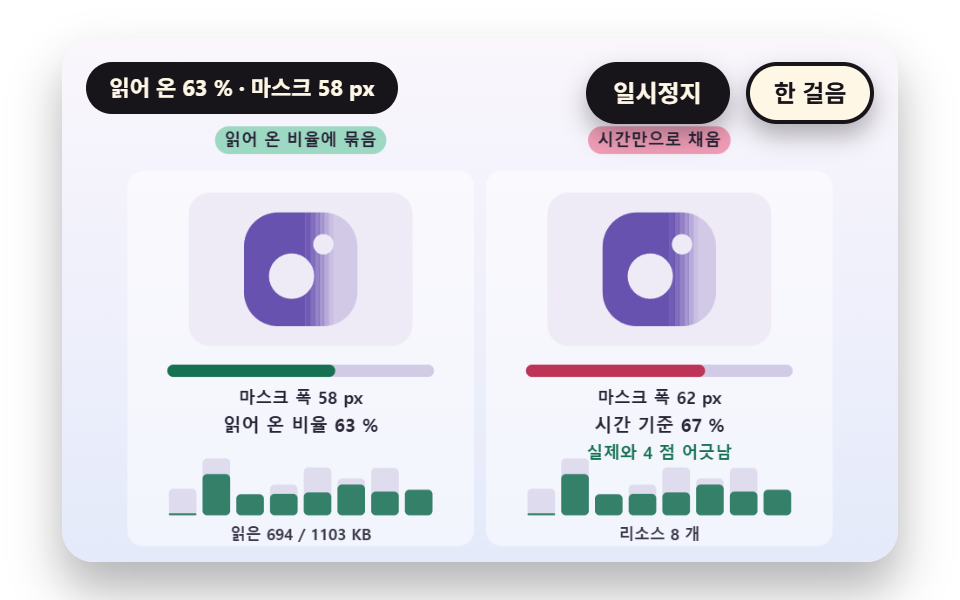 LoadersSplash Screen Animation: 9 Canvas Opening Scenes
 LoadersPage Loading Animation CSS: 9 Route-Change Demos
 LoadersFile Upload Progress Bar Loader: 9 UI Demos
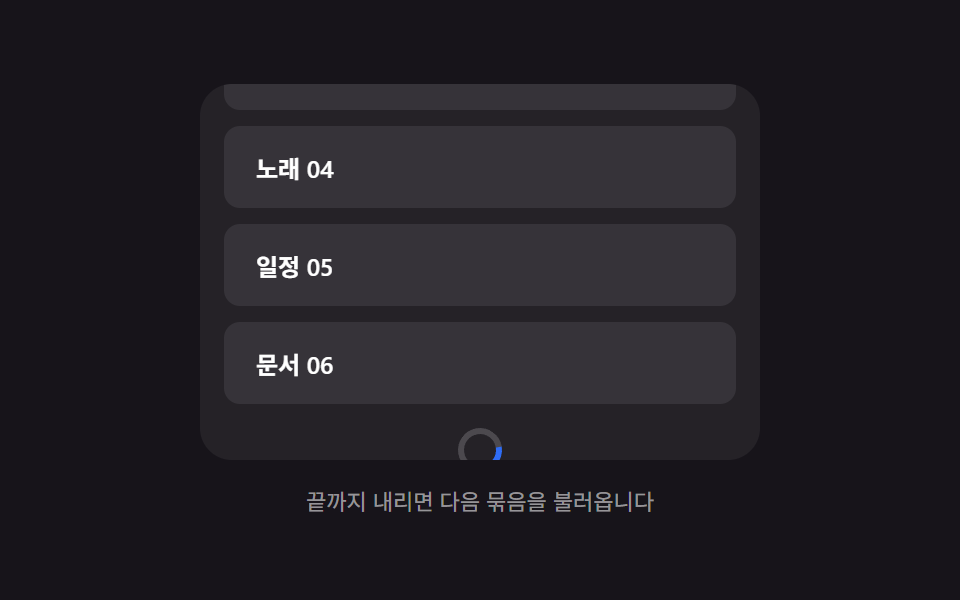 LoadersInfinite Scroll Loading: 9 Essential UI Patterns
 LoadersPull to Refresh CSS: 9 Loading Patterns