QR Code Loading Animation — 9 CSS Expiry Patterns
Not a scan failure, not sitting too long — one time left ratio for qr code loading animation must run out: item 3 shrinks a ring, item 4 carves an angle, item
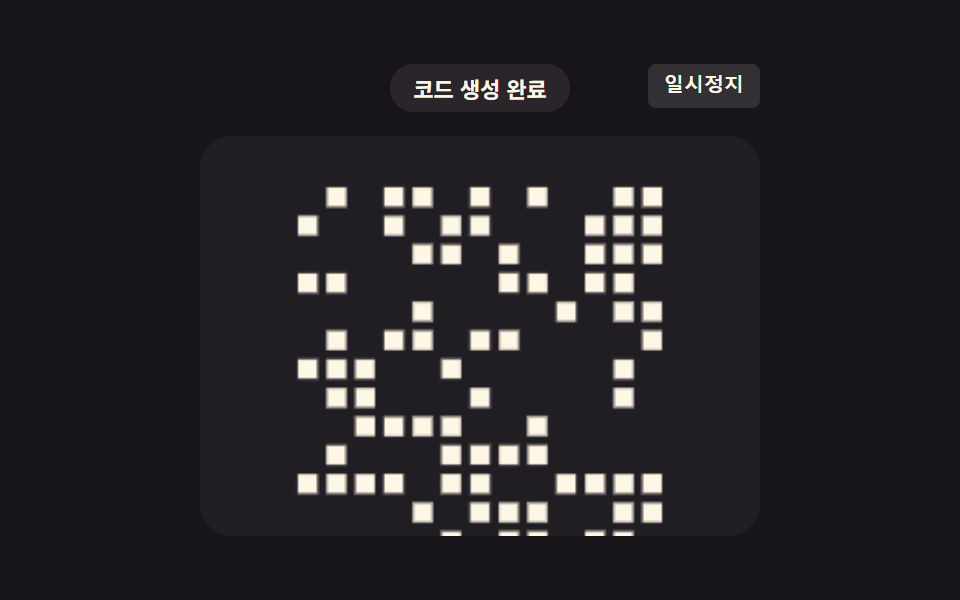
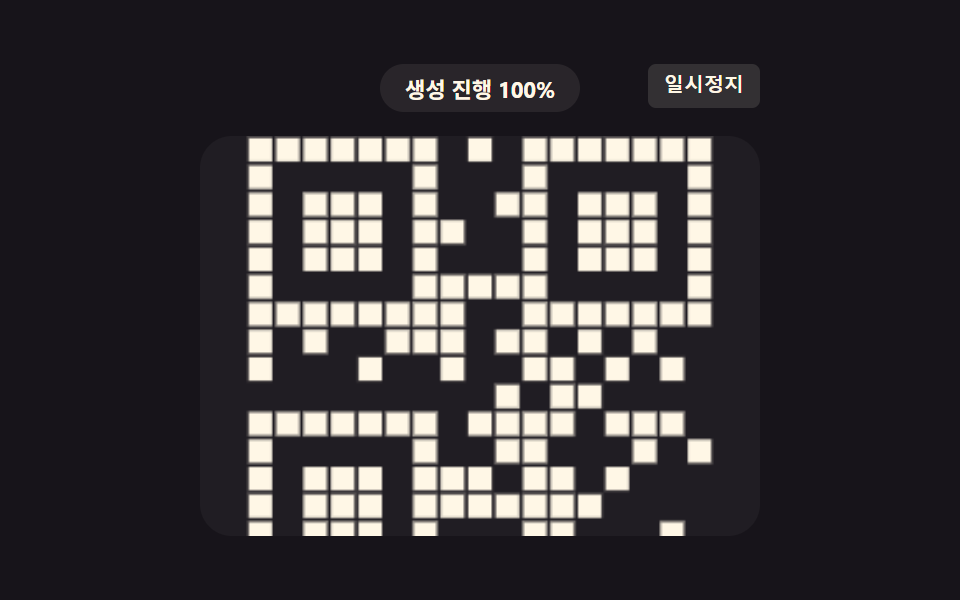 01 qr-code-loading-module-reveal-grid
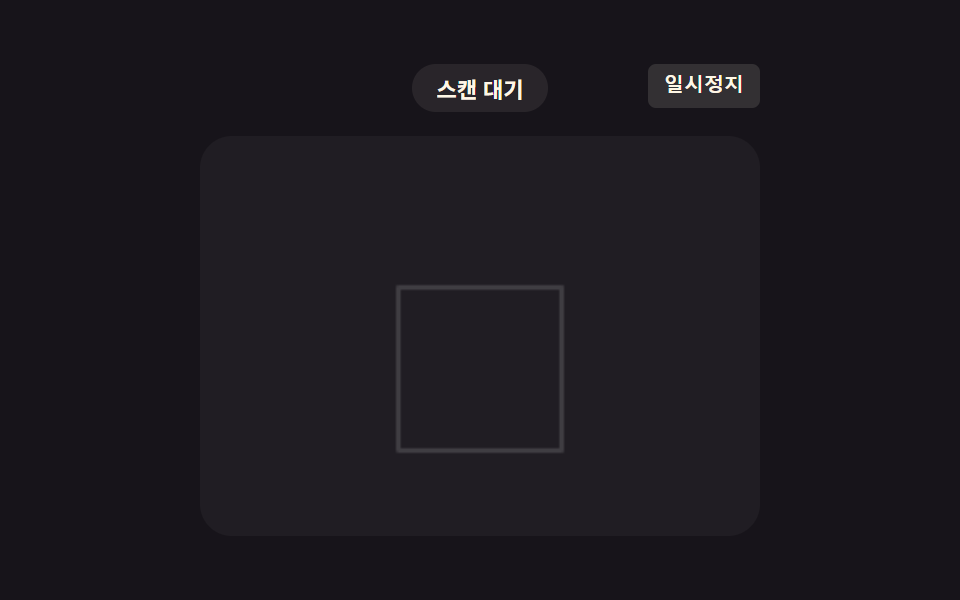
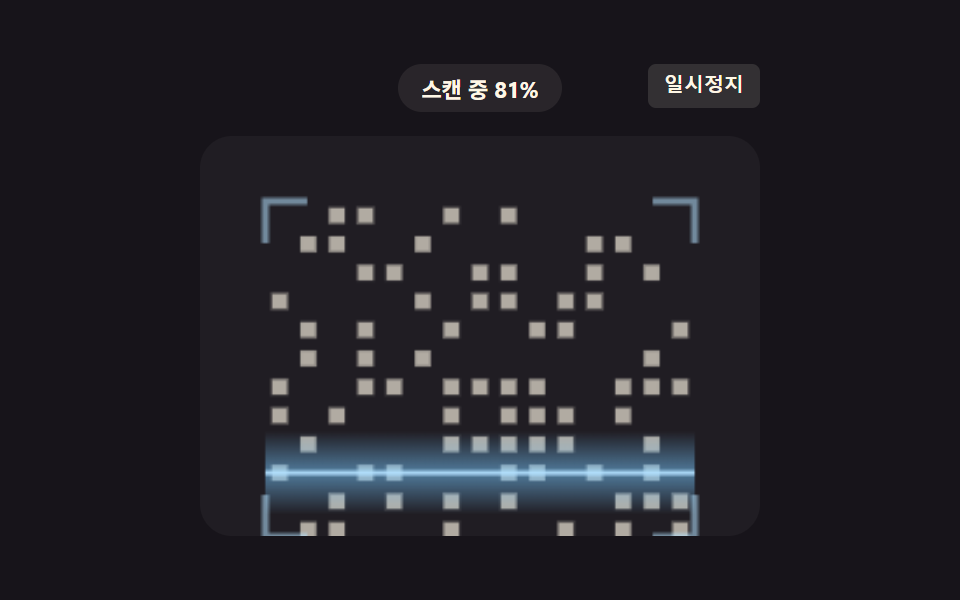 02 qr-code-loading-scan-corner-frame
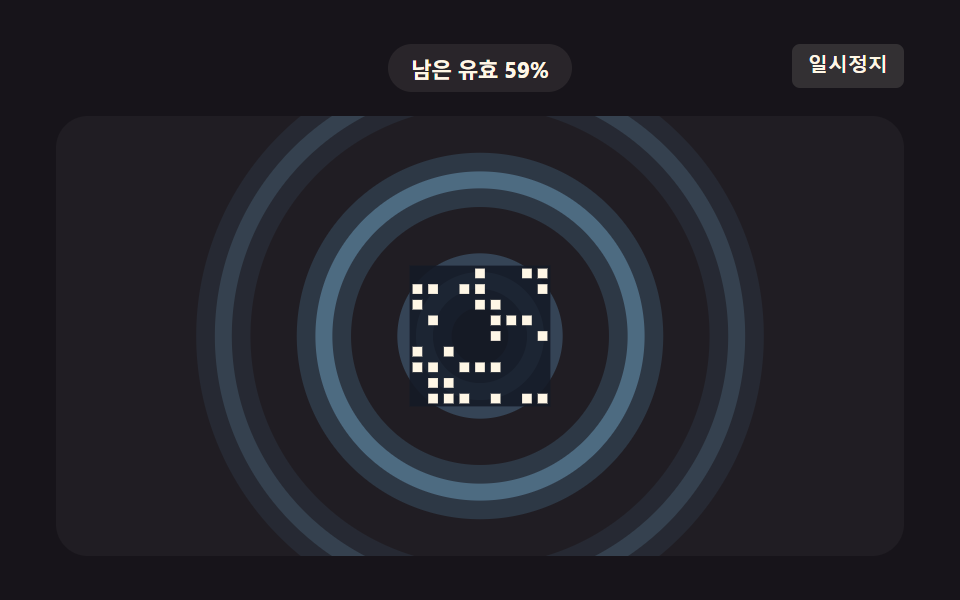 03 qr-code-loading-pulse-ring-expire
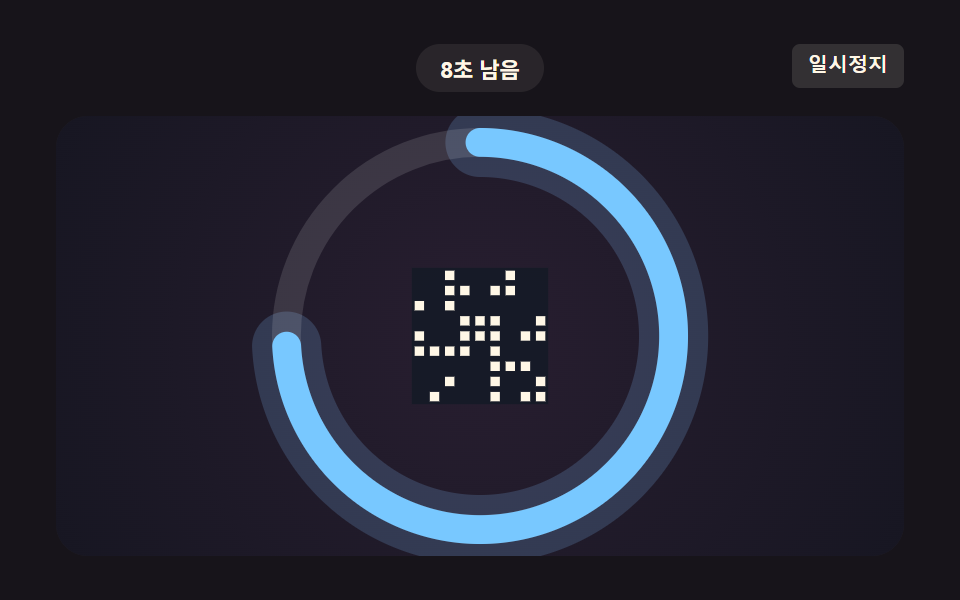 04 qr-code-loading-expiry-countdown-ring
 05 qr-code-loading-scan-success-checkmark
 06 qr-code-loading-generate-noise-settle
 07 qr-code-loading-amount-roll-swap
 08 qr-code-loading-expired-shake-retry
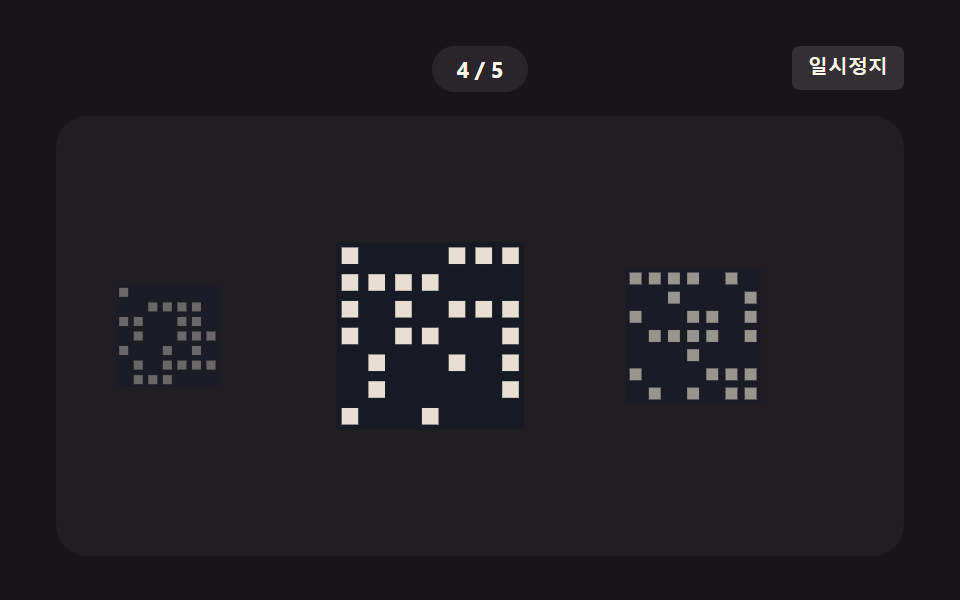 09 qr-code-loading-multi-code-carousel
Auto-plays · click a tile to jump to its section · all nine in one zip
- 01 QR Code Whose Modules Fill In With the Progress Value
- 02 QR Code Whose Corner Frame Blinks While Waiting to Be Read
- 03 QR Code Whose Pulse Ring Narrows by the Time Left Value
- 04 Countdown Ring Whose Time Left Value Becomes an Angle Value
- 05 QR Code That Folds Into a Checkmark the Instant It Is Read
- 06 QR Code That Settles as Its Jitter Amplitude Shrinks While Generating
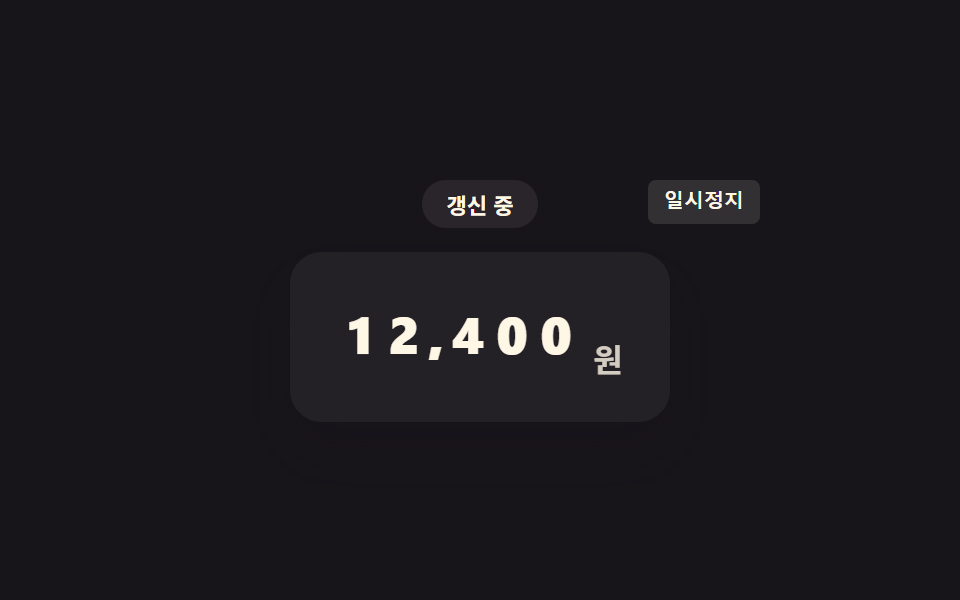
- 07 QR Code Panel Whose Payment Amount Digits Roll Over
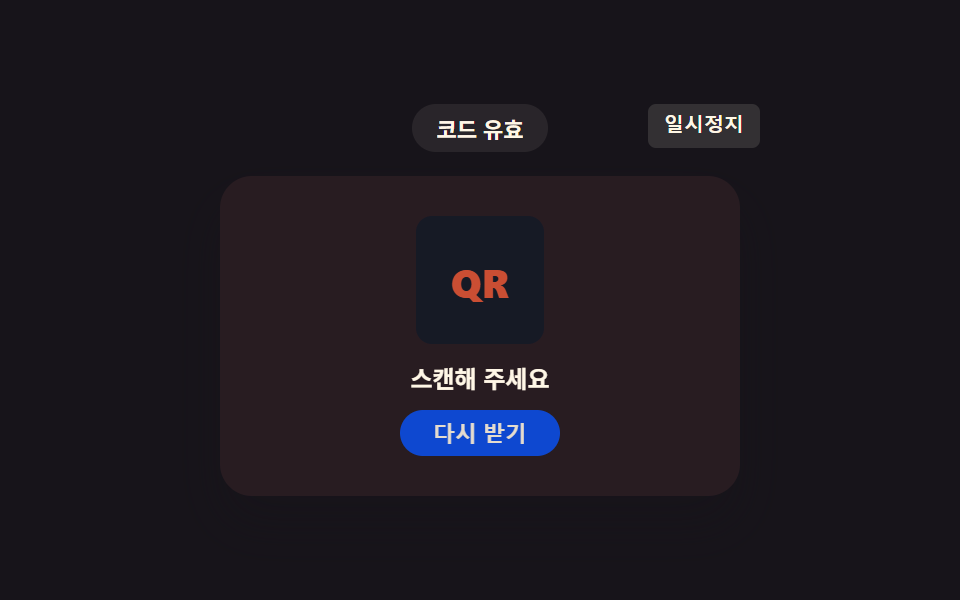
- 08 QR Code That Shakes the Instant the Time Left Value Hits Zero
- 09 QR Carousel That Advances Codes by an Index Value
How One Time-left Value Moves Through Nine QR Loading Screens
Every grid on this page is a fixed-seed pseudorandom dot pattern built by a small linear congruential generator (qrRand or seedRand, seeded once per item) — it looks like a QR module layout but encodes nothing and can't be scanned by a real reader; the point of each demo is the one number moving the dots, rings, or digits, not the code payload. Six of the nine — 01, 02, 05, 06, 07, and 09 — read a progress-style value that climbs or steps as work finishes: a fill order, a scan-line distance, a recognition pop, a settle ratio, a digit roll, a carousel index. The other three — 03, 04, and 08 — read the same kind of value counting the opposite way, a time left ratio that starts at 1 and runs out, which is what the hook above is describing: item 3 narrows a ring by it, item 4 turns it into an angle, item 8 waits for it to hit zero before it shakes.
01QR Code Whose Modules Fill In With the Progress Value
As the generation progress value fills from 0 to 1, the grid's dark modules appear one at a time instead of snapping in all together — each module's reveal delay comes from buildModules' row position plus a small qrRand-seeded jitter, scaled by QR_MODULE_REVEAL_STAGGER_MS, so the wave moves top to bottom without the value ever encoding anything real.
<main class="stage">
<div class="mrg is-demo" id="mrgRoot">
  <div class="mrg__badge" id="mrgBadge">Generating 0%</div>
  <button class="mrg__ctrl" id="mrgCtrl" type="button">Pause</button>
  <div class="mrg__canvas-wrap">
    <canvas class="mrg__canvas" id="mrgCanvas" width="240" height="200"></canvas>
  </div>
</div>
</main>
@use "../../../../site/static/demo-tokens" as *;
// 핵심: 시드 의사난수로 고정 격자(파인더 패턴 3개 + 장식 모듈)를 만들고,
// 행(row) 기준 스태거 + 모듈별 시드 지터로 지연 값을 계산해 위→아래로 번지듯 채운다.
// 실제 QR 인코딩이 아니라 장식용 고정 시드 격자다.
@include stage($stage-ink);
.mrg {
position: relative;
width: min(100%, 280px);
display: flex;
flex-direction: column;
align-items: center;
gap: $sp-3;
}
.mrg__badge {
padding: $sp-1 $sp-3;
border-radius: $r-pill;
background: rgba(255, 247, 230, .08);
color: $subject-cream;
font-weight: 700;
font-size: 11px;
font-variant-numeric: tabular-nums;
}
.mrg__ctrl {
position: absolute;
top: 0;
right: 0;
border: 0;
border-radius: $r-xs;
padding: $sp-1 $sp-2;
background: rgba(255, 247, 230, .12);
color: $subject-cream;
font-weight: 600;
font-size: 10px;
line-height: 1.4;
cursor: pointer;
}
.mrg__ctrl:focus-visible { outline: 2px solid $subject-blue-light; outline-offset: 2px; }
.mrg__canvas-wrap {
width: 100%;
aspect-ratio: 7 / 5;
border-radius: $r-card;
background: rgba(255, 255, 255, .04);
display: grid;
place-items: center;
overflow: hidden;
}
.mrg__canvas {
width: 100%;
height: 100%;
display: block;
}
@media (max-width: 340px) {
.mrg { gap: $sp-1; }
.mrg__badge { padding: $sp-1 $sp-2; font-size: 10px; }
.mrg__canvas-wrap { max-width: 150px; aspect-ratio: 3 / 2; margin: 0 auto; }
}
@media (prefers-reduced-motion: reduce) {
.mrg__canvas-wrap { background: rgba(255, 255, 255, .04); }
}html, body {
margin: 0;
overflow: hidden;
}
.stage {
box-sizing: border-box;
min-height: 100vh;
display: grid;
place-items: center;
margin: 0;
background: #17141a;
font-family: -apple-system, "Segoe UI", "Noto Sans KR", sans-serif;
padding: clamp(8px, 4vw, 24px);
}
.mrg {
position: relative;
width: min(100%, 280px);
display: flex;
flex-direction: column;
align-items: center;
gap: 12px;
}
.mrg__badge {
padding: 4px 12px;
border-radius: 999px;
background: rgba(255, 247, 230, 0.08);
color: #fff7e6;
font-weight: 700;
font-size: 11px;
font-variant-numeric: tabular-nums;
}
.mrg__ctrl {
position: absolute;
top: 0;
right: 0;
border: 0;
border-radius: 4px;
padding: 4px 8px;
background: rgba(255, 247, 230, 0.12);
color: #fff7e6;
font-weight: 600;
font-size: 10px;
line-height: 1.4;
cursor: pointer;
}
.mrg__ctrl:focus-visible {
outline: 2px solid #5b8cf8;
outline-offset: 2px;
}
.mrg__canvas-wrap {
width: 100%;
aspect-ratio: 7/5;
border-radius: 16px;
background: rgba(255, 255, 255, 0.04);
display: grid;
place-items: center;
overflow: hidden;
}
.mrg__canvas {
width: 100%;
height: 100%;
display: block;
}
@media (max-width: 340px) {
.mrg {
gap: 4px;
}
.mrg__badge {
padding: 4px 8px;
font-size: 10px;
}
.mrg__canvas-wrap {
max-width: 150px;
aspect-ratio: 3/2;
margin: 0 auto;
}
}
@media (prefers-reduced-motion: reduce) {
.mrg__canvas-wrap {
background: rgba(255, 255, 255, 0.04);
}
}(function () {
// QR_MODULE_REVEAL_STAGGER_MS — 변형 1: 18 → 36 으로 늘리면 모듈이 한 칸씩 눈에 보이게 천천히 채워진다.
var QR_MODULE_REVEAL_STAGGER_MS = 18;
var SIZE = 17;
var LOOP_MS = 2000;
var REVEAL_MS = 220;
var canvas = document.getElementById('mrgCanvas');
var ctx = canvas.getContext('2d');
var badge = document.getElementById('mrgBadge');
var ctrl = document.getElementById('mrgCtrl');
var root = document.getElementById('mrgRoot');
function qrRand(seed) {
var s = seed >>> 0;
return function () {
s = (s * 1664525 + 1013904223) >>> 0;
return s / 4294967296;
};
}
function inFinder(x, y, size) {
return (x < 7 && y < 7) || (x < 7 && y >= size - 7) || (x >= size - 7 && y < 7);
}
function finderDark(x, y, size) {
var fx = x < 7 ? x : x - (size - 7);
var fy = y < 7 ? y : y - (size - 7);
if (fx === 0 || fx === 6 || fy === 0 || fy === 6) return true;
if (fx >= 2 && fx <= 4 && fy >= 2 && fy <= 4) return true;
return false;
}
function buildModules(size, seed) {
var rand = qrRand(seed);
var grid = [];
for (var y = 0; y < size; y += 1) {
var row = [];
for (var x = 0; x < size; x += 1) {
row.push(inFinder(x, y, size) ? finderDark(x, y, size) : rand() < 0.46);
}
grid.push(row);
}
return grid;
}
var modules = buildModules(SIZE, 407017);
var darkTotal = 0;
modules.forEach(function (row) { row.forEach(function (v) { if (v) darkTotal += 1; }); });
// 계산 한 겹: 행(row) 값을 스태거 기준으로 삼고, 시드 난수로 모듈마다 지연을 살짝 어긋내
// 파도가 위에서 아래로 자연스럽게 번지도록 순서·지연 값을 구한다 (실제 인코딩 아님).
var jitterRand = qrRand(20260924);
var order = [];
for (var y2 = 0; y2 < SIZE; y2 += 1) {
for (var x2 = 0; x2 < SIZE; x2 += 1) {
var jitter = (jitterRand() - 0.5) * QR_MODULE_REVEAL_STAGGER_MS;
order.push({ x: x2, y: y2, delay: y2 * QR_MODULE_REVEAL_STAGGER_MS + jitter });
}
}
var maxDelay = 0;
order.forEach(function (o) { if (o.delay > maxDelay) maxDelay = o.delay; });
var SWEEP_END = maxDelay + REVEAL_MS;
function draw(elapsed) {
var cw = canvas.width, ch = canvas.height;
ctx.clearRect(0, 0, cw, ch);
var cell = Math.min(cw, ch) / SIZE;
var ox = (cw - cell * SIZE) / 2;
var oy = (ch - cell * SIZE) / 2;
var revealedCount = 0;
for (var i = 0; i < order.length; i += 1) {
var o = order[i];
if (!modules[o.y][o.x]) continue;
var local = elapsed - o.delay;
var p = local <= 0 ? 0 : (local >= REVEAL_MS ? 1 : local / REVEAL_MS);
if (p <= 0) continue;
revealedCount += 1;
var scale = 0.4 + 0.6 * p;
var size = cell * 0.86 * scale;
var cx = ox + o.x * cell + cell / 2;
var cy = oy + o.y * cell + cell / 2;
ctx.globalAlpha = p;
ctx.fillStyle = 'rgb(255,247,230)';
ctx.fillRect(cx - size / 2, cy - size / 2, size, size);
}
ctx.globalAlpha = 1;
var pct = Math.round((revealedCount / darkTotal) * 100);
badge.textContent = 'Generating ' + pct + '%';
}
var reduce = window.matchMedia('(prefers-reduced-motion: reduce)').matches;
var playing = true;
var elapsed = reduce ? SWEEP_END : 0;
if (reduce) {
playing = false;
root.classList.remove('is-demo');
}
var lastTs = null;
function tick(ts) {
if (lastTs === null) lastTs = ts;
var dt = ts - lastTs;
lastTs = ts;
if (playing) {
elapsed += dt;
if (elapsed >= LOOP_MS) elapsed -= LOOP_MS;
}
draw(elapsed);
requestAnimationFrame(tick);
}
draw(elapsed);
requestAnimationFrame(tick);
ctrl.addEventListener('click', function () {
playing = !playing;
ctrl.textContent = playing ? 'Pause' : 'Play';
});
ctrl.addEventListener('keydown', function (e) {
if ((e.key === 'r' || e.key === 'R') && !reduce) {
elapsed = 0;
playing = true;
ctrl.textContent = 'Pause';
}
});
})();import { useEffect, useRef, useState } from "react";
import styles from "./ModuleRevealGrid.module.scss";
export default function ModuleRevealGrid() {
const rootRef = useRef<HTMLDivElement>(null);
const canvasRef = useRef<HTMLCanvasElement>(null);
const ctrlRef = useRef<HTMLButtonElement>(null);
const [badge, setBadge] = useState("생성 진행 0%");
const [ctrlLabel, setCtrlLabel] = useState("일시정지");
useEffect(() => {
const root = rootRef.current;
const canvas = canvasRef.current;
const ctrl = ctrlRef.current;
if (!root || !canvas || !ctrl) return;
const ctx = canvas.getContext("2d");
if (!ctx) return;
// QR_MODULE_REVEAL_STAGGER_MS — 변형 1: 18 → 36 으로 늘리면 모듈이 한 칸씩 눈에 보이게 천천히 채워진다.
const QR_MODULE_REVEAL_STAGGER_MS = 18;
const SIZE = 17;
const LOOP_MS = 2000;
const REVEAL_MS = 220;
function qrRand(seed: number) {
let s = seed >>> 0;
return function () {
s = (s * 1664525 + 1013904223) >>> 0;
return s / 4294967296;
};
}
function inFinder(x: number, y: number, size: number) {
return (x < 7 && y < 7) || (x < 7 && y >= size - 7) || (x >= size - 7 && y < 7);
}
function finderDark(x: number, y: number, size: number) {
const fx = x < 7 ? x : x - (size - 7);
const fy = y < 7 ? y : y - (size - 7);
if (fx === 0 || fx === 6 || fy === 0 || fy === 6) return true;
if (fx >= 2 && fx <= 4 && fy >= 2 && fy <= 4) return true;
return false;
}
function buildModules(size: number, seed: number) {
const rand = qrRand(seed);
const grid: boolean[][] = [];
for (let y = 0; y < size; y += 1) {
const row: boolean[] = [];
for (let x = 0; x < size; x += 1) {
row.push(inFinder(x, y, size) ? finderDark(x, y, size) : rand() < 0.46);
}
grid.push(row);
}
return grid;
}
const modules = buildModules(SIZE, 407017);
let darkTotal = 0;
modules.forEach((row) => row.forEach((v) => { if (v) darkTotal += 1; }));
// 계산 한 겹: 행(row) 값을 스태거 기준으로 삼고, 시드 난수로 모듈마다 지연을 살짝 어긋내
// 파도가 위에서 아래로 자연스럽게 번지도록 순서·지연 값을 구한다 (실제 인코딩 아님).
const jitterRand = qrRand(20260924);
const order: { x: number; y: number; delay: number }[] = [];
for (let y2 = 0; y2 < SIZE; y2 += 1) {
for (let x2 = 0; x2 < SIZE; x2 += 1) {
const jitter = (jitterRand() - 0.5) * QR_MODULE_REVEAL_STAGGER_MS;
order.push({ x: x2, y: y2, delay: y2 * QR_MODULE_REVEAL_STAGGER_MS + jitter });
}
}
let maxDelay = 0;
order.forEach((o) => { if (o.delay > maxDelay) maxDelay = o.delay; });
const SWEEP_END = maxDelay + REVEAL_MS;
function draw(elapsed: number) {
const cw = canvas!.width, ch = canvas!.height;
ctx!.clearRect(0, 0, cw, ch);
const cell = Math.min(cw, ch) / SIZE;
const ox = (cw - cell * SIZE) / 2;
const oy = (ch - cell * SIZE) / 2;
let revealedCount = 0;
for (let i = 0; i < order.length; i += 1) {
const o = order[i];
if (!modules[o.y][o.x]) continue;
const local = elapsed - o.delay;
const p = local <= 0 ? 0 : local >= REVEAL_MS ? 1 : local / REVEAL_MS;
if (p <= 0) continue;
revealedCount += 1;
const scale = 0.4 + 0.6 * p;
const size = cell * 0.86 * scale;
const cx = ox + o.x * cell + cell / 2;
const cy = oy + o.y * cell + cell / 2;
ctx!.globalAlpha = p;
ctx!.fillStyle = "rgb(255,247,230)";
ctx!.fillRect(cx - size / 2, cy - size / 2, size, size);
}
ctx!.globalAlpha = 1;
const pct = Math.round((revealedCount / darkTotal) * 100);
setBadge("생성 진행 " + pct + "%");
}
const reduce = window.matchMedia("(prefers-reduced-motion: reduce)").matches;
let playing = true;
let elapsed = reduce ? SWEEP_END : 0;
if (reduce) {
playing = false;
root.classList.remove("is-demo");
}
let lastTs: number | null = null;
let raf = 0;
function tick(ts: number) {
if (lastTs === null) lastTs = ts;
const dt = ts - lastTs;
lastTs = ts;
if (playing) {
elapsed += dt;
if (elapsed >= LOOP_MS) elapsed -= LOOP_MS;
}
draw(elapsed);
raf = requestAnimationFrame(tick);
}
draw(elapsed);
raf = requestAnimationFrame(tick);
function onClick() {
playing = !playing;
setCtrlLabel(playing ? "일시정지" : "재생");
}
function onKeydown(e: KeyboardEvent) {
if ((e.key === "r" || e.key === "R") && !reduce) {
elapsed = 0;
playing = true;
setCtrlLabel("일시정지");
}
}
ctrl.addEventListener("click", onClick);
ctrl.addEventListener("keydown", onKeydown);
return () => {
cancelAnimationFrame(raf);
ctrl.removeEventListener("click", onClick);
ctrl.removeEventListener("keydown", onKeydown);
};
}, []);
return (
<main className={styles.stage}>
<div className={`${styles.mrg} is-demo`} ref={rootRef}>
<div className={styles.mrg__badge}>{badge}</div>
<button className={styles.mrg__ctrl} type="button" ref={ctrlRef}>{ctrlLabel}</button>
<div className={styles["mrg__canvas-wrap"]}>
<canvas className={styles.mrg__canvas} ref={canvasRef} width={240} height={200} />
</div>
</div>
</main>
);
}01 · QR Code Whose Modules Fill In With the Progress Value — Measured area 17.923% · moving frames 9/23Original by GODRICH · SCSS and React ship in the zip · See the password
  // One calculated layer: take each module's row (y) value as the stagger baseline, then
  // nudge it with a seeded random offset so the reveal wave spreads top to bottom naturally (not real encoding).
  var jitterRand = qrRand(20260924);
  var order = [];
  for (var y2 = 0; y2 < SIZE; y2 += 1) {
    for (var x2 = 0; x2 < SIZE; x2 += 1) {
      var jitter = (jitterRand() - 0.5) * QR_MODULE_REVEAL_STAGGER_MS;
      order.push({ x: x2, y: y2, delay: y2 * QR_MODULE_REVEAL_STAGGER_MS + jitter });
    }
  }
  var maxDelay = 0;
  order.forEach(function (o) { if (o.delay > maxDelay) maxDelay = o.delay; });
That single QR_MODULE_REVEAL_STAGGER_MS number is the only knob here: raise it and each row's modules spread further apart in time, lower it and the whole grid fills almost as one block.
Measured: cumulative area 17.9% of the frame, average intensity 83.8, moved 9/23 frames.
02QR Code Whose Corner Frame Blinks While Waiting to Be Read
A scan-line value sweeps down the frame over SWEEP_MS, and each corner's glow strength comes from how close that line currently is to it — cornerGlow turns that distance into a 0-to-1 value clamped at both edges, scaled by SCF_CORNER_GLOW_RANGE_PX, so the four marks brighten and dim in turn instead of holding one fixed brightness.
<main class="stage">
<div class="scf is-demo" id="scfRoot">
  <div class="scf__badge" id="scfBadge">Scanning 0%</div>
  <button class="scf__ctrl" id="scfCtrl" type="button">Pause</button>
  <div class="scf__canvas-wrap">
    <canvas class="scf__canvas" id="scfCanvas" width="240" height="200"></canvas>
  </div>
</div>
</main>
@use "../../../../site/static/demo-tokens" as *;
// 핵심: 스캔선의 y 좌표와 각 코너 사이 거리로 발광 강도(0~1)를 계산해
// 스캔선이 지나가는 순간에만 모서리 프레임이 밝아지도록 한다.
@include stage($stage-ink);
.scf {
position: relative;
width: min(100%, 280px);
display: flex;
flex-direction: column;
align-items: center;
gap: $sp-3;
}
.scf__badge {
padding: $sp-1 $sp-3;
border-radius: $r-pill;
background: rgba(255, 247, 230, .08);
color: $subject-cream;
font-weight: 700;
font-size: 11px;
font-variant-numeric: tabular-nums;
}
.scf__ctrl {
position: absolute;
top: 0;
right: 0;
border: 0;
border-radius: $r-xs;
padding: $sp-1 $sp-2;
background: rgba(255, 247, 230, .12);
color: $subject-cream;
font-weight: 600;
font-size: 10px;
line-height: 1.4;
cursor: pointer;
}
.scf__ctrl:focus-visible { outline: 2px solid $subject-blue-light; outline-offset: 2px; }
.scf__canvas-wrap {
width: 100%;
aspect-ratio: 7 / 5;
border-radius: $r-card;
background: rgba(255, 255, 255, .04);
display: grid;
place-items: center;
overflow: hidden;
}
.scf__canvas {
width: 100%;
height: 100%;
display: block;
}
@media (max-width: 340px) {
.scf { gap: $sp-1; }
.scf__badge { padding: $sp-1 $sp-2; font-size: 10px; }
.scf__canvas-wrap { max-width: 150px; aspect-ratio: 3 / 2; margin: 0 auto; }
}
@media (prefers-reduced-motion: reduce) {
.scf__canvas-wrap { background: rgba(255, 255, 255, .04); }
}html, body {
margin: 0;
overflow: hidden;
}
.stage {
box-sizing: border-box;
min-height: 100vh;
display: grid;
place-items: center;
margin: 0;
background: #17141a;
font-family: -apple-system, "Segoe UI", "Noto Sans KR", sans-serif;
padding: clamp(8px, 4vw, 24px);
}
.scf {
position: relative;
width: min(100%, 280px);
display: flex;
flex-direction: column;
align-items: center;
gap: 12px;
}
.scf__badge {
padding: 4px 12px;
border-radius: 999px;
background: rgba(255, 247, 230, 0.08);
color: #fff7e6;
font-weight: 700;
font-size: 11px;
font-variant-numeric: tabular-nums;
}
.scf__ctrl {
position: absolute;
top: 0;
right: 0;
border: 0;
border-radius: 4px;
padding: 4px 8px;
background: rgba(255, 247, 230, 0.12);
color: #fff7e6;
font-weight: 600;
font-size: 10px;
line-height: 1.4;
cursor: pointer;
}
.scf__ctrl:focus-visible {
outline: 2px solid #5b8cf8;
outline-offset: 2px;
}
.scf__canvas-wrap {
width: 100%;
aspect-ratio: 7/5;
border-radius: 16px;
background: rgba(255, 255, 255, 0.04);
display: grid;
place-items: center;
overflow: hidden;
}
.scf__canvas {
width: 100%;
height: 100%;
display: block;
}
@media (max-width: 340px) {
.scf {
gap: 4px;
}
.scf__badge {
padding: 4px 8px;
font-size: 10px;
}
.scf__canvas-wrap {
max-width: 150px;
aspect-ratio: 3/2;
margin: 0 auto;
}
}
@media (prefers-reduced-motion: reduce) {
.scf__canvas-wrap {
background: rgba(255, 255, 255, 0.04);
}
}(function () {
// SCF_CORNER_GLOW_RANGE_PX — 변형 1: 26 → 46 으로 늘리면 코너가 더 일찍, 더 오래 밝아진다.
var SCF_CORNER_GLOW_RANGE_PX = 26;
var SWEEP_MS = 1400;
var SIZE = 15;
var canvas = document.getElementById('scfCanvas');
var ctx = canvas.getContext('2d');
var badge = document.getElementById('scfBadge');
var ctrl = document.getElementById('scfCtrl');
var root = document.getElementById('scfRoot');
function seedRand(seed) {
var s = seed >>> 0;
return function () {
s = (s * 1664525 + 1013904223) >>> 0;
return s / 4294967296;
};
}
var rand = seedRand(407025);
var dots = [];
for (var y = 0; y < SIZE; y += 1) {
for (var x = 0; x < SIZE; x += 1) {
if (rand() < 0.4) dots.push({ x: x, y: y });
}
}
function cornerGlow(dist) {
// 계산 한 겹: 스캔선까지 거리 → 코너 발광 강도(0~1), 범위 밖이면 0
var p = 1 - dist / SCF_CORNER_GLOW_RANGE_PX;
return p < 0 ? 0 : (p > 1 ? 1 : p);
}
function draw(elapsed) {
var cw = canvas.width, ch = canvas.height;
ctx.clearRect(0, 0, cw, ch);
var pad = 28;
var boxX = pad, boxY = pad, boxW = cw - pad * 2, boxH = ch - pad * 2;
var cell = boxW / SIZE;
ctx.fillStyle = 'rgba(255,247,230,.65)';
dots.forEach(function (d) {
var s = cell * 0.55;
ctx.fillRect(boxX + d.x * cell + (cell - s) / 2, boxY + d.y * cell + (cell - s) / 2, s, s);
});
var t = (elapsed % SWEEP_MS) / SWEEP_MS;
var scanY = boxY + t * boxH;
var grad = ctx.createLinearGradient(0, scanY - 18, 0, scanY + 18);
grad.addColorStop(0, 'rgba(120,200,255,0)');
grad.addColorStop(0.5, 'rgba(120,200,255,.55)');
grad.addColorStop(1, 'rgba(120,200,255,0)');
ctx.fillStyle = grad;
ctx.fillRect(boxX, scanY - 18, boxW, 36);
ctx.strokeStyle = 'rgba(180,225,255,.9)';
ctx.lineWidth = 2;
ctx.beginPath();
ctx.moveTo(boxX, scanY);
ctx.lineTo(boxX + boxW, scanY);
ctx.stroke();
var corners = [
{ x: boxX, y: boxY, dx: 1, dy: 1 },
{ x: boxX + boxW, y: boxY, dx: -1, dy: 1 },
{ x: boxX, y: boxY + boxH, dx: 1, dy: -1 },
{ x: boxX + boxW, y: boxY + boxH, dx: -1, dy: -1 }
];
var len = 18;
corners.forEach(function (c) {
var g = cornerGlow(Math.abs(scanY - c.y));
var lw = 3 + g * 2.5;
ctx.strokeStyle = 'rgba(' + (180 + g * 75) + ',' + (225) + ',255,' + (0.55 + g * 0.45) + ')';
ctx.lineWidth = lw;
ctx.beginPath();
ctx.moveTo(c.x, c.y + c.dy * len);
ctx.lineTo(c.x, c.y);
ctx.lineTo(c.x + c.dx * len, c.y);
ctx.stroke();
});
badge.textContent = 'Scanning ' + Math.round(t * 100) + '%';
}
var reduce = window.matchMedia('(prefers-reduced-motion: reduce)').matches;
var playing = true;
var elapsed = reduce ? SWEEP_MS : 0;
if (reduce) {
playing = false;
root.classList.remove('is-demo');
}
var lastTs = null;
function tick(ts) {
if (lastTs === null) lastTs = ts;
var dt = ts - lastTs;
lastTs = ts;
if (playing) {
elapsed += dt;
if (elapsed >= SWEEP_MS) elapsed -= SWEEP_MS;
}
draw(elapsed);
requestAnimationFrame(tick);
}
draw(elapsed);
requestAnimationFrame(tick);
ctrl.addEventListener('click', function () {
playing = !playing;
ctrl.textContent = playing ? 'Pause' : 'Play';
});
ctrl.addEventListener('keydown', function (e) {
if ((e.key === 'r' || e.key === 'R') && !reduce) {
elapsed = 0;
playing = true;
ctrl.textContent = 'Pause';
}
});
})();import { useEffect, useRef, useState } from "react";
import styles from "./ScanCornerFrame.module.scss";
export default function ScanCornerFrame() {
const rootRef = useRef<HTMLDivElement>(null);
const canvasRef = useRef<HTMLCanvasElement>(null);
const ctrlRef = useRef<HTMLButtonElement>(null);
const [badge, setBadge] = useState("스캔 중 0%");
const [ctrlLabel, setCtrlLabel] = useState("일시정지");
useEffect(() => {
const root = rootRef.current;
const canvas = canvasRef.current;
const ctrl = ctrlRef.current;
if (!root || !canvas || !ctrl) return;
const ctx = canvas.getContext("2d");
if (!ctx) return;
// SCF_CORNER_GLOW_RANGE_PX — 변형 1: 26 → 46 으로 늘리면 코너가 더 일찍, 더 오래 밝아진다.
const SCF_CORNER_GLOW_RANGE_PX = 26;
const SWEEP_MS = 1400;
const SIZE = 15;
function seedRand(seed: number) {
let s = seed >>> 0;
return function () {
s = (s * 1664525 + 1013904223) >>> 0;
return s / 4294967296;
};
}
const rand = seedRand(407025);
const dots: { x: number; y: number }[] = [];
for (let y = 0; y < SIZE; y += 1) {
for (let x = 0; x < SIZE; x += 1) {
if (rand() < 0.4) dots.push({ x, y });
}
}
function cornerGlow(dist: number) {
// 계산 한 겹: 스캔선까지 거리 → 코너 발광 강도(0~1), 범위 밖이면 0
const p = 1 - dist / SCF_CORNER_GLOW_RANGE_PX;
return p < 0 ? 0 : p > 1 ? 1 : p;
}
function draw(elapsed: number) {
const cw = canvas!.width, ch = canvas!.height;
ctx!.clearRect(0, 0, cw, ch);
const pad = 28;
const boxX = pad, boxY = pad, boxW = cw - pad * 2, boxH = ch - pad * 2;
const cell = boxW / SIZE;
ctx!.fillStyle = "rgba(255,247,230,.65)";
dots.forEach((d) => {
const s = cell * 0.55;
ctx!.fillRect(boxX + d.x * cell + (cell - s) / 2, boxY + d.y * cell + (cell - s) / 2, s, s);
});
const t = (elapsed % SWEEP_MS) / SWEEP_MS;
const scanY = boxY + t * boxH;
const grad = ctx!.createLinearGradient(0, scanY - 18, 0, scanY + 18);
grad.addColorStop(0, "rgba(120,200,255,0)");
grad.addColorStop(0.5, "rgba(120,200,255,.55)");
grad.addColorStop(1, "rgba(120,200,255,0)");
ctx!.fillStyle = grad;
ctx!.fillRect(boxX, scanY - 18, boxW, 36);
ctx!.strokeStyle = "rgba(180,225,255,.9)";
ctx!.lineWidth = 2;
ctx!.beginPath();
ctx!.moveTo(boxX, scanY);
ctx!.lineTo(boxX + boxW, scanY);
ctx!.stroke();
const corners = [
{ x: boxX, y: boxY, dx: 1, dy: 1 },
{ x: boxX + boxW, y: boxY, dx: -1, dy: 1 },
{ x: boxX, y: boxY + boxH, dx: 1, dy: -1 },
{ x: boxX + boxW, y: boxY + boxH, dx: -1, dy: -1 },
];
const len = 18;
corners.forEach((c) => {
const g = cornerGlow(Math.abs(scanY - c.y));
const lw = 3 + g * 2.5;
ctx!.strokeStyle = "rgba(" + (180 + g * 75) + "," + 225 + ",255," + (0.55 + g * 0.45) + ")";
ctx!.lineWidth = lw;
ctx!.beginPath();
ctx!.moveTo(c.x, c.y + c.dy * len);
ctx!.lineTo(c.x, c.y);
ctx!.lineTo(c.x + c.dx * len, c.y);
ctx!.stroke();
});
setBadge("스캔 중 " + Math.round(t * 100) + "%");
}
const reduce = window.matchMedia("(prefers-reduced-motion: reduce)").matches;
let playing = true;
let elapsed = reduce ? SWEEP_MS : 0;
if (reduce) {
playing = false;
root.classList.remove("is-demo");
}
let lastTs: number | null = null;
let raf = 0;
function tick(ts: number) {
if (lastTs === null) lastTs = ts;
const dt = ts - lastTs;
lastTs = ts;
if (playing) {
elapsed += dt;
if (elapsed >= SWEEP_MS) elapsed -= SWEEP_MS;
}
draw(elapsed);
raf = requestAnimationFrame(tick);
}
draw(elapsed);
raf = requestAnimationFrame(tick);
function onClick() {
playing = !playing;
setCtrlLabel(playing ? "일시정지" : "재생");
}
function onKeydown(e: KeyboardEvent) {
if ((e.key === "r" || e.key === "R") && !reduce) {
elapsed = 0;
playing = true;
setCtrlLabel("일시정지");
}
}
ctrl.addEventListener("click", onClick);
ctrl.addEventListener("keydown", onKeydown);
return () => {
cancelAnimationFrame(raf);
ctrl.removeEventListener("click", onClick);
ctrl.removeEventListener("keydown", onKeydown);
};
}, []);
return (
<main className={styles.stage}>
<div className={`${styles.scf} is-demo`} ref={rootRef}>
<div className={styles.scf__badge}>{badge}</div>
<button className={styles.scf__ctrl} type="button" ref={ctrlRef}>{ctrlLabel}</button>
<div className={styles["scf__canvas-wrap"]}>
<canvas className={styles.scf__canvas} ref={canvasRef} width={240} height={200} />
</div>
</div>
</main>
);
}02 · QR Code Whose Corner Frame Blinks While Waiting to Be Read — Measured area 28.194% · moving frames 23/23Original by GODRICH · SCSS and React ship in the zip · See the password
  function cornerGlow(dist) {
    // One calculated layer: distance to the scan line becomes a 0-1 corner glow strength, zero once outside the range.
    var p = 1 - dist / SCF_CORNER_GLOW_RANGE_PX;
    return p < 0 ? 0 : (p > 1 ? 1 : p);
  }

  function draw(elapsed) {
    var cw = canvas.width, ch = canvas.height;
    ctx.clearRect(0, 0, cw, ch);
Every corner reads the same cornerGlow(dist) output, so the four marks always brighten and dim together rather than drifting out of sync with each other.
Measured: cumulative area 28.2% of the frame, average intensity 62.6, moved 23/23 frames.
03QR Code Whose Pulse Ring Narrows by the Time Left Value
A ring is born every PULSE_RING_INTERVAL_MS, and ringsFor returns the age-to-life ratio of every ring still alive at the current instant to set each ring's radius up to MAX_RADIUS — as the time left ratio drops, fewer rings stay young enough to read as wide, so the whole cluster visibly tightens instead of one ring alone shrinking.
<main class="stage">
<div class="pre is-demo" id="preRoot">
  <div class="pre__badge" id="preBadge">Valid remaining 100%</div>
  <button class="pre__ctrl" id="preCtrl" type="button">Pause</button>
  <div class="pre__canvas-wrap">
    <canvas class="pre__canvas" id="preCanvas" width="240" height="200"></canvas>
  </div>
</div>
</main>
@use "../../../../site/static/demo-tokens" as *;
// 핵심: 루프 안에서 남은 유효시간 비율을 계산해 그 값을 링의 최대 반경 스케일에
// 그대로 곱한다 — 만료가 가까워질수록 링이 더 작게, 더 빨리 사그라든다.
@include stage($stage-ink);
.pre {
position: relative;
width: 100%;
max-width: 424px;
display: flex;
flex-direction: column;
align-items: center;
gap: $sp-3;
}
.pre__badge {
padding: $sp-1 $sp-3;
border-radius: $r-pill;
background: rgba(255, 247, 230, .08);
color: $subject-cream;
font-weight: 700;
font-size: 11px;
font-variant-numeric: tabular-nums;
}
.pre__ctrl {
position: absolute;
top: 0;
right: 0;
border: 0;
border-radius: $r-xs;
padding: $sp-1 $sp-2;
background: rgba(255, 247, 230, .12);
color: $subject-cream;
font-weight: 600;
font-size: 10px;
line-height: 1.4;
cursor: pointer;
}
.pre__ctrl:focus-visible { outline: 2px solid $subject-blue-light; outline-offset: 2px; }
.pre__canvas-wrap {
width: 100%;
height: 220px;
border-radius: $r-card;
background: rgba(255, 255, 255, .04);
display: grid;
place-items: center;
overflow: hidden;
}
.pre__canvas {
width: 100%;
height: 100%;
display: block;
}
@media (max-width: 340px) {
.pre { gap: $sp-1; }
.pre__badge { padding: $sp-1 $sp-2; font-size: 10px; }
.pre__canvas-wrap { height: 124px; }
}
@media (prefers-reduced-motion: reduce) {
.pre__canvas-wrap { background: rgba(255, 255, 255, .04); }
}html, body {
margin: 0;
overflow: hidden;
}
.stage {
box-sizing: border-box;
min-height: 100vh;
display: grid;
place-items: center;
margin: 0;
background: #17141a;
font-family: -apple-system, "Segoe UI", "Noto Sans KR", sans-serif;
padding: clamp(8px, 4vw, 24px);
}
.pre {
position: relative;
width: 100%;
max-width: 424px;
display: flex;
flex-direction: column;
align-items: center;
gap: 12px;
}
.pre__badge {
padding: 4px 12px;
border-radius: 999px;
background: rgba(255, 247, 230, 0.08);
color: #fff7e6;
font-weight: 700;
font-size: 11px;
font-variant-numeric: tabular-nums;
}
.pre__ctrl {
position: absolute;
top: 0;
right: 0;
border: 0;
border-radius: 4px;
padding: 4px 8px;
background: rgba(255, 247, 230, 0.12);
color: #fff7e6;
font-weight: 600;
font-size: 10px;
line-height: 1.4;
cursor: pointer;
}
.pre__ctrl:focus-visible {
outline: 2px solid #5b8cf8;
outline-offset: 2px;
}
.pre__canvas-wrap {
width: 100%;
height: 220px;
border-radius: 16px;
background: rgba(255, 255, 255, 0.04);
display: grid;
place-items: center;
overflow: hidden;
}
.pre__canvas {
width: 100%;
height: 100%;
display: block;
}
@media (max-width: 340px) {
.pre {
gap: 4px;
}
.pre__badge {
padding: 4px 8px;
font-size: 10px;
}
.pre__canvas-wrap {
height: 124px;
}
}
@media (prefers-reduced-motion: reduce) {
.pre__canvas-wrap {
background: rgba(255, 255, 255, 0.04);
}
}(function () {
// PULSE_RING_INTERVAL_MS — 변형 1: 320 → 700 으로 늘리면 링이 더 드문드문 퍼진다.
// 320 으로 좁혀 2초 측정 창 안에 동시에 겹치는 링 수를 늘린다(화면을 채우는 시연 스케줄).
var PULSE_RING_INTERVAL_MS = 320;
var LOOP_MS = 2000;
var RING_LIFE_MS = 1100;
var MAX_RADIUS = 88; // fit() 이 캔버스 크기에 맞춰 화면 폭까지 퍼지도록 재계산한다
var canvas = document.getElementById('preCanvas');
var ctx = canvas.getContext('2d');
var wrap = canvas.parentElement;
var badge = document.getElementById('preBadge');
var ctrl = document.getElementById('preCtrl');
var root = document.getElementById('preRoot');
function seedRand(seed) {
var s = seed >>> 0;
return function () { s = (s * 1664525 + 1013904223) >>> 0; return s / 4294967296; };
}
var rand = seedRand(407033);
var qrDots = [];
for (var y = 0; y < 9; y += 1) {
for (var x = 0; x < 9; x += 1) {
if (rand() < 0.42) qrDots.push({ x: x, y: y });
}
}
  function ringsFor(elapsed) {
    var out = [];
    var firstIndex = Math.ceil((elapsed - RING_LIFE_MS) / PULSE_RING_INTERVAL_MS);
    var lastIndex = Math.floor(elapsed / PULSE_RING_INTERVAL_MS);
    for (var i = Math.max(0, firstIndex); i <= lastIndex; i += 1) {
      var born = i * PULSE_RING_INTERVAL_MS;
      var age = elapsed - born;
      if (age < 0 || age > RING_LIFE_MS) continue;
      out.push(age / RING_LIFE_MS);
    }
    return out;
  }
// 계산된 시각 레이어: 캔버스 크기가 바뀌면 중심·최대 반경을 다시 잰다 —
// 링이 항상 스테이지 폭까지 퍼지게(278px 캡 없이 반응형).
var dpr = 1, cw = 240, ch = 200, cx = 120, cy = 100;
function fit() {
var r = wrap.getBoundingClientRect();
dpr = window.devicePixelRatio || 1;
cw = r.width; ch = r.height;
canvas.width = Math.round(cw * dpr);
canvas.height = Math.round(ch * dpr);
ctx.setTransform(dpr, 0, 0, dpr, 0, 0);
cx = cw / 2; cy = ch / 2;
MAX_RADIUS = (cw / 2) * 1.08;
draw(lastElapsed);
}
var lastElapsed = 0;
function draw(elapsed) {
lastElapsed = elapsed;
ctx.clearRect(0, 0, cw, ch);
// 계산 한 겹: 루프 안 남은 유효시간 비율이 곧 그대로 링의 최대 반경 스케일이 된다
// (남은 시간이 줄수록 링이 더 작게 퍼진다 = 만료 임박 표시).
var remain = 1 - (elapsed % LOOP_MS) / LOOP_MS;
var radiusScale = 0.4 + 0.6 * remain;
var strokeBase = Math.max(2.5, cw * 0.02);
ctx.globalCompositeOperation = 'lighter';
ringsFor(elapsed).forEach(function (p) {
var r = p * MAX_RADIUS * radiusScale;
var alpha = (1 - p) * 0.5;
// 글로우 패스 — 굵고 옅은 띠를 먼저 얹어 화면에 퍼지는 면적을 넓힌다.
ctx.strokeStyle = 'rgba(120,200,255,' + (alpha * 0.55).toFixed(3) + ')';
ctx.lineWidth = strokeBase * 3.2;
ctx.beginPath();
ctx.arc(cx, cy, r, 0, Math.PI * 2);
ctx.stroke();
// 선명 패스
ctx.strokeStyle = 'rgba(150,215,255,' + alpha.toFixed(3) + ')';
ctx.lineWidth = strokeBase;
ctx.beginPath();
ctx.arc(cx, cy, r, 0, Math.PI * 2);
ctx.stroke();
});
ctx.globalCompositeOperation = 'source-over';
var box = Math.min(cw, ch) * 0.32;
ctx.fillStyle = 'rgba(20,26,38,.9)';
ctx.fillRect(cx - box / 2, cy - box / 2, box, box);
var cell = box / 9;
ctx.fillStyle = 'rgb(255,247,230)';
qrDots.forEach(function (d) {
var s = cell * 0.62;
ctx.fillRect(cx - box / 2 + d.x * cell + (cell - s) / 2, cy - box / 2 + d.y * cell + (cell - s) / 2, s, s);
});
badge.textContent = 'Valid remaining ' + Math.round(remain * 100) + '%';
}
var reduce = window.matchMedia('(prefers-reduced-motion: reduce)').matches;
var playing = true;
var elapsed = reduce ? LOOP_MS - 1 : 0;
if (reduce) {
playing = false;
root.classList.remove('is-demo');
}
var lastTs = null;
function tick(ts) {
if (lastTs === null) lastTs = ts;
var dt = ts - lastTs;
lastTs = ts;
if (playing) {
elapsed += dt;
if (elapsed >= LOOP_MS) elapsed -= LOOP_MS;
}
draw(elapsed);
requestAnimationFrame(tick);
}
fit();
window.addEventListener('resize', fit);
draw(elapsed);
requestAnimationFrame(tick);
ctrl.addEventListener('click', function () {
playing = !playing;
ctrl.textContent = playing ? 'Pause' : 'Play';
});
ctrl.addEventListener('keydown', function (e) {
if ((e.key === 'r' || e.key === 'R') && !reduce) {
elapsed = 0;
playing = true;
ctrl.textContent = 'Pause';
}
});
})();import { useEffect, useRef, useState } from "react";
import styles from "./PulseRingExpire.module.scss";
export default function PulseRingExpire() {
const rootRef = useRef<HTMLDivElement>(null);
const canvasRef = useRef<HTMLCanvasElement>(null);
const ctrlRef = useRef<HTMLButtonElement>(null);
const [badge, setBadge] = useState("남은 유효 100%");
const [ctrlLabel, setCtrlLabel] = useState("일시정지");
useEffect(() => {
const root = rootRef.current;
const canvas = canvasRef.current;
const ctrl = ctrlRef.current;
if (!root || !canvas || !ctrl) return;
const ctx = canvas.getContext("2d");
if (!ctx) return;
// PULSE_RING_INTERVAL_MS — 변형 1: 320 → 700 으로 늘리면 링이 더 드문드문 퍼진다.
// 320 으로 좁혀 2초 측정 창 안에 동시에 겹치는 링 수를 늘린다(화면을 채우는 시연 스케줄).
const PULSE_RING_INTERVAL_MS = 320;
const LOOP_MS = 2000;
const RING_LIFE_MS = 1100;
let MAX_RADIUS = 88; // fit() 이 캔버스 크기에 맞춰 화면 폭까지 퍼지도록 재계산한다
const wrap = canvas.parentElement as HTMLElement;
function seedRand(seed: number) {
let s = seed >>> 0;
return function () {
s = (s * 1664525 + 1013904223) >>> 0;
return s / 4294967296;
};
}
const rand = seedRand(407033);
const qrDots: { x: number; y: number }[] = [];
for (let y = 0; y < 9; y += 1) {
for (let x = 0; x < 9; x += 1) {
if (rand() < 0.42) qrDots.push({ x, y });
}
}
function ringsFor(elapsed: number) {
const out: number[] = [];
const firstIndex = Math.ceil((elapsed - RING_LIFE_MS) / PULSE_RING_INTERVAL_MS);
const lastIndex = Math.floor(elapsed / PULSE_RING_INTERVAL_MS);
for (let i = Math.max(0, firstIndex); i <= lastIndex; i += 1) {
const born = i * PULSE_RING_INTERVAL_MS;
const age = elapsed - born;
if (age < 0 || age > RING_LIFE_MS) continue;
out.push(age / RING_LIFE_MS);
}
return out;
}
// 계산된 시각 레이어: 캔버스 크기가 바뀌면 중심·최대 반경을 다시 잰다 —
// 링이 항상 스테이지 폭까지 퍼지게(278px 캡 없이 반응형).
let dpr = 1, cw = 240, ch = 200, cx = 120, cy = 100;
function fit() {
const r = wrap.getBoundingClientRect();
dpr = window.devicePixelRatio || 1;
cw = r.width; ch = r.height;
canvas!.width = Math.round(cw * dpr);
canvas!.height = Math.round(ch * dpr);
ctx!.setTransform(dpr, 0, 0, dpr, 0, 0);
cx = cw / 2; cy = ch / 2;
MAX_RADIUS = (cw / 2) * 1.08;
draw(lastElapsed);
}
let lastElapsed = 0;
function draw(elapsed: number) {
lastElapsed = elapsed;
ctx!.clearRect(0, 0, cw, ch);
// 계산 한 겹: 루프 안 남은 유효시간 비율이 곧 그대로 링의 최대 반경 스케일이 된다
// (남은 시간이 줄수록 링이 더 작게 퍼진다 = 만료 임박 표시).
const remain = 1 - (elapsed % LOOP_MS) / LOOP_MS;
const radiusScale = 0.4 + 0.6 * remain;
const strokeBase = Math.max(2.5, cw * 0.02);
ctx!.globalCompositeOperation = "lighter";
ringsFor(elapsed).forEach((p) => {
const r = p * MAX_RADIUS * radiusScale;
const alpha = (1 - p) * 0.5;
// 글로우 패스 — 굵고 옅은 띠를 먼저 얹어 화면에 퍼지는 면적을 넓힌다.
ctx!.strokeStyle = "rgba(120,200,255," + (alpha * 0.55).toFixed(3) + ")";
ctx!.lineWidth = strokeBase * 3.2;
ctx!.beginPath();
ctx!.arc(cx, cy, r, 0, Math.PI * 2);
ctx!.stroke();
// 선명 패스
ctx!.strokeStyle = "rgba(150,215,255," + alpha.toFixed(3) + ")";
ctx!.lineWidth = strokeBase;
ctx!.beginPath();
ctx!.arc(cx, cy, r, 0, Math.PI * 2);
ctx!.stroke();
});
ctx!.globalCompositeOperation = "source-over";
const box = Math.min(cw, ch) * 0.32;
ctx!.fillStyle = "rgba(20,26,38,.9)";
ctx!.fillRect(cx - box / 2, cy - box / 2, box, box);
const cell = box / 9;
ctx!.fillStyle = "rgb(255,247,230)";
qrDots.forEach((d) => {
const s = cell * 0.62;
ctx!.fillRect(cx - box / 2 + d.x * cell + (cell - s) / 2, cy - box / 2 + d.y * cell + (cell - s) / 2, s, s);
});
setBadge("남은 유효 " + Math.round(remain * 100) + "%");
}
const reduce = window.matchMedia("(prefers-reduced-motion: reduce)").matches;
let playing = true;
let elapsed = reduce ? LOOP_MS - 1 : 0;
if (reduce) {
playing = false;
root.classList.remove("is-demo");
}
let lastTs: number | null = null;
let raf = 0;
function tick(ts: number) {
if (lastTs === null) lastTs = ts;
const dt = ts - lastTs;
lastTs = ts;
if (playing) {
elapsed += dt;
if (elapsed >= LOOP_MS) elapsed -= LOOP_MS;
}
draw(elapsed);
raf = requestAnimationFrame(tick);
}
fit();
window.addEventListener("resize", fit);
draw(elapsed);
raf = requestAnimationFrame(tick);
function onClick() {
playing = !playing;
setCtrlLabel(playing ? "일시정지" : "재생");
}
function onKeydown(e: KeyboardEvent) {
if ((e.key === "r" || e.key === "R") && !reduce) {
elapsed = 0;
playing = true;
setCtrlLabel("일시정지");
}
}
ctrl.addEventListener("click", onClick);
ctrl.addEventListener("keydown", onKeydown);
return () => {
cancelAnimationFrame(raf);
window.removeEventListener("resize", fit);
ctrl.removeEventListener("click", onClick);
ctrl.removeEventListener("keydown", onKeydown);
};
}, []);
return (
<main className={styles.stage}>
<div className={`${styles.pre} is-demo`} ref={rootRef}>
<div className={styles.pre__badge}>{badge}</div>
<button className={styles.pre__ctrl} type="button" ref={ctrlRef}>{ctrlLabel}</button>
<div className={styles["pre__canvas-wrap"]}>
<canvas className={styles.pre__canvas} ref={canvasRef} width={240} height={200} />
</div>
</div>
</main>
);
}03 · QR Code Whose Pulse Ring Narrows by the Time Left Value — Measured area 40.212% · moving frames 23/23Original by GODRICH · SCSS and React ship in the zip · See the password
function ringsFor(elapsed) {
var out = [];
var firstIndex = Math.ceil((elapsed - RING_LIFE_MS) / PULSE_RING_INTERVAL_MS);
var lastIndex = Math.floor(elapsed / PULSE_RING_INTERVAL_MS);
for (var i = Math.max(0, firstIndex); i <= lastIndex; i += 1) {
var born = i * PULSE_RING_INTERVAL_MS;
var age = elapsed - born;
if (age < 0 || age > RING_LIFE_MS) continue;
out.push(age / RING_LIFE_MS);
}
return out;
}
ringsFor never looks at a wall clock — it only compares each ring's birth time against the current elapsed value, so the narrowing is a property of the ratio, not of real time passing.
Measured: cumulative area 40.2% of the frame, average intensity 46.9, moved 23/23 frames.
04Countdown Ring Whose Time Left Value Becomes an Angle Value
The same time left ratio from the hook above is converted straight into an angle — ratio * 360 — that erodes a circular ring clockwise until nothing is left once the value hits zero, and under 20% remaining an urgency value blends the ring color from blue to red and brightens the card's background so the last stretch reads as more alarming than the first.
<main class="stage">
<div class="ecr is-demo" id="ecrRoot">
  <div class="ecr__badge" id="ecrBadge">30s left</div>
  <button class="ecr__ctrl" id="ecrCtrl" type="button">Pause</button>
  <div class="ecr__canvas-wrap">
    <canvas class="ecr__canvas" id="ecrCanvas" width="240" height="200"></canvas>
  </div>
</div>
</main>
@use "../../../../site/static/demo-tokens" as *;
// 핵심: 경과 비율을 0~360도 각도로 바꿔 링을 깎아 나가고, 남은 비율이 20% 아래로
// 내려가면 그 비율만큼 링 색을 파랑에서 빨강으로 보간한다. .is-demo 는 실 30000ms
// 상수는 그대로 둔 채 시연 배속(DEMO_ACCEL_FACTOR)만 곱해 2초 측정창에 맞춘다.
@include stage($stage-ink);
.ecr {
position: relative;
width: 100%;
max-width: 424px;
display: flex;
flex-direction: column;
align-items: center;
gap: $sp-3;
}
.ecr__badge {
padding: $sp-1 $sp-3;
border-radius: $r-pill;
background: rgba(255, 247, 230, .08);
color: $subject-cream;
font-weight: 700;
font-size: 11px;
font-variant-numeric: tabular-nums;
}
.ecr__ctrl {
position: absolute;
top: 0;
right: 0;
border: 0;
border-radius: $r-xs;
padding: $sp-1 $sp-2;
background: rgba(255, 247, 230, .12);
color: $subject-cream;
font-weight: 600;
font-size: 10px;
line-height: 1.4;
cursor: pointer;
}
.ecr__ctrl:focus-visible { outline: 2px solid $subject-blue-light; outline-offset: 2px; }
.ecr__canvas-wrap {
width: 100%;
height: 220px;
border-radius: $r-card;
background: rgba(255, 255, 255, .04);
display: grid;
place-items: center;
overflow: hidden;
}
.ecr__canvas {
width: 100%;
height: 100%;
display: block;
}
@media (max-width: 340px) {
.ecr { gap: $sp-1; }
.ecr__badge { padding: $sp-1 $sp-2; font-size: 10px; }
.ecr__canvas-wrap { height: 124px; }
}
@media (prefers-reduced-motion: reduce) {
.ecr__canvas-wrap { background: rgba(255, 255, 255, .04); }
}html, body {
margin: 0;
overflow: hidden;
}
.stage {
box-sizing: border-box;
min-height: 100vh;
display: grid;
place-items: center;
margin: 0;
background: #17141a;
font-family: -apple-system, "Segoe UI", "Noto Sans KR", sans-serif;
padding: clamp(8px, 4vw, 24px);
}
.ecr {
position: relative;
width: 100%;
max-width: 424px;
display: flex;
flex-direction: column;
align-items: center;
gap: 12px;
}
.ecr__badge {
padding: 4px 12px;
border-radius: 999px;
background: rgba(255, 247, 230, 0.08);
color: #fff7e6;
font-weight: 700;
font-size: 11px;
font-variant-numeric: tabular-nums;
}
.ecr__ctrl {
position: absolute;
top: 0;
right: 0;
border: 0;
border-radius: 4px;
padding: 4px 8px;
background: rgba(255, 247, 230, 0.12);
color: #fff7e6;
font-weight: 600;
font-size: 10px;
line-height: 1.4;
cursor: pointer;
}
.ecr__ctrl:focus-visible {
outline: 2px solid #5b8cf8;
outline-offset: 2px;
}
.ecr__canvas-wrap {
width: 100%;
height: 220px;
border-radius: 16px;
background: rgba(255, 255, 255, 0.04);
display: grid;
place-items: center;
overflow: hidden;
}
.ecr__canvas {
width: 100%;
height: 100%;
display: block;
}
@media (max-width: 340px) {
.ecr {
gap: 4px;
}
.ecr__badge {
padding: 4px 8px;
font-size: 10px;
}
.ecr__canvas-wrap {
height: 124px;
}
}
@media (prefers-reduced-motion: reduce) {
.ecr__canvas-wrap {
background: rgba(255, 255, 255, 0.04);
}
}(function () {
// QR_EXPIRE_DURATION_MS — 변형 1: 30000 → 15000 으로 늘리면 만료까지 더 여유 있게 카운트다운한다.
var QR_EXPIRE_DURATION_MS = 30000;
// 시연 전용 가상 시계 배속: 30000ms 만료를 2초 측정 창 안에서 보여주기 위한 시연 장치일 뿐,
// 상수 QR_EXPIRE_DURATION_MS 자체는 그대로 유지한다.
var DEMO_ACCEL_FACTOR = 15;
var canvas = document.getElementById('ecrCanvas');
var ctx = canvas.getContext('2d');
var wrap = canvas.parentElement;
var badge = document.getElementById('ecrBadge');
var ctrl = document.getElementById('ecrCtrl');
var root = document.getElementById('ecrRoot');
var isDemo = root.classList.contains('is-demo');
function seedRand(seed) {
var s = seed >>> 0;
return function () { s = (s * 1664525 + 1013904223) >>> 0; return s / 4294967296; };
}
var rand = seedRand(407041);
var dots = [];
for (var y = 0; y < 9; y += 1) {
for (var x = 0; x < 9; x += 1) {
if (rand() < 0.42) dots.push({ x: x, y: y });
}
}
function lerp(a, b, t) { return a + (b - a) * t; }
// 계산된 시각 레이어: 캔버스 크기가 바뀌면 중심·링 반지름을 다시 잰다 —
// 링이 항상 스테이지 폭까지 채우게(278px 캡 없이 반응형).
var dpr = 1, cw = 240, ch = 200, cx = 120, cy = 100, radius = 70;
function fit() {
var r = wrap.getBoundingClientRect();
dpr = window.devicePixelRatio || 1;
cw = r.width; ch = r.height;
canvas.width = Math.round(cw * dpr);
canvas.height = Math.round(ch * dpr);
ctx.setTransform(dpr, 0, 0, dpr, 0, 0);
cx = cw / 2; cy = ch / 2;
radius = Math.min(cw, ch) * 0.44;
draw(lastElapsed);
}
var lastElapsed = 0;
function draw(virtualElapsed) {
lastElapsed = virtualElapsed;
ctx.clearRect(0, 0, cw, ch);
// 계산 한 겹: 경과 비율 → 각도(0~360) 로 링을 깎고, 만료 근접(20% 이하)일수록
// 파랑→빨강으로 색을 보간한다. 같은 urgency 값이 배경 톤·링 외곽 글로우에도 반영돼
// 화면 넓은 면이 함께 바뀐다.
var ratio = Math.min(1, virtualElapsed / QR_EXPIRE_DURATION_MS);
var remainRatio = 1 - ratio;
var angle = ratio * 360;
var urgency = remainRatio < 0.2 ? (0.2 - remainRatio) / 0.2 : 0;
var r1 = lerp(120, 255, urgency), g1 = lerp(200, 90, urgency), b1 = lerp(255, 90, urgency);
var ringColor = 'rgb(' + Math.round(r1) + ',' + Math.round(g1) + ',' + Math.round(b1) + ')';
// 카드 배경 밝기 — urgency 가 오를수록 전체 캔버스가 옅은 붉은 톤으로 밝아진다.
var bg = ctx.createRadialGradient(cx, cy, 0, cx, cy, Math.max(cw, ch) * 0.72);
bg.addColorStop(0, 'rgba(' + Math.round(lerp(40, 120, urgency)) + ',' + Math.round(lerp(30, 26, urgency)) + ',' + Math.round(lerp(48, 30, urgency)) + ',1)');
bg.addColorStop(1, 'rgba(18,20,30,1)');
ctx.fillStyle = bg;
ctx.fillRect(0, 0, cw, ch);
var ringWidth = Math.max(6, cw * 0.034);
// 링 외곽 글로우 — urgency 가 오를수록 더 크고 옅게 번진다.
ctx.globalCompositeOperation = 'lighter';
ctx.strokeStyle = 'rgba(' + Math.round(r1) + ',' + Math.round(g1) + ',' + Math.round(b1) + ',' + (0.16 + urgency * 0.22).toFixed(3) + ')';
ctx.lineWidth = ringWidth * (2.4 + urgency * 1.6);
ctx.beginPath();
ctx.arc(cx, cy, radius, -Math.PI / 2, -Math.PI / 2 + (angle * Math.PI / 180));
ctx.stroke();
ctx.globalCompositeOperation = 'source-over';
ctx.strokeStyle = 'rgba(255,255,255,.12)';
ctx.lineWidth = ringWidth;
ctx.beginPath();
ctx.arc(cx, cy, radius, 0, Math.PI * 2);
ctx.stroke();
ctx.strokeStyle = ringColor;
ctx.lineWidth = ringWidth;
ctx.lineCap = 'round';
ctx.beginPath();
ctx.arc(cx, cy, radius, -Math.PI / 2, -Math.PI / 2 + (angle * Math.PI / 180));
ctx.stroke();
var box = Math.min(cw, ch) * 0.31;
ctx.fillStyle = 'rgba(20,26,38,.9)';
ctx.fillRect(cx - box / 2, cy - box / 2, box, box);
var cell = box / 9;
ctx.fillStyle = 'rgb(255,247,230)';
dots.forEach(function (d) {
var s = cell * 0.62;
ctx.fillRect(cx - box / 2 + d.x * cell + (cell - s) / 2, cy - box / 2 + d.y * cell + (cell - s) / 2, s, s);
});
var remainSec = Math.max(0, Math.ceil((QR_EXPIRE_DURATION_MS - virtualElapsed) / 1000));
badge.textContent = remainSec + 's left';
}
var reduce = window.matchMedia('(prefers-reduced-motion: reduce)').matches;
var playing = true;
var virtualElapsed = reduce ? QR_EXPIRE_DURATION_MS : 0;
if (reduce) {
playing = false;
root.classList.remove('is-demo');
}
var lastTs = null;
function tick(ts) {
if (lastTs === null) lastTs = ts;
var dt = ts - lastTs;
lastTs = ts;
if (playing) {
var accel = isDemo ? DEMO_ACCEL_FACTOR : 1;
virtualElapsed += dt * accel;
if (virtualElapsed >= QR_EXPIRE_DURATION_MS) virtualElapsed -= QR_EXPIRE_DURATION_MS;
}
draw(virtualElapsed);
requestAnimationFrame(tick);
}
fit();
window.addEventListener('resize', fit);
draw(virtualElapsed);
requestAnimationFrame(tick);
ctrl.addEventListener('click', function () {
playing = !playing;
ctrl.textContent = playing ? 'Pause' : 'Play';
});
ctrl.addEventListener('keydown', function (e) {
if ((e.key === 'r' || e.key === 'R') && !reduce) {
virtualElapsed = 0;
playing = true;
ctrl.textContent = 'Pause';
}
});
})();import { useEffect, useRef, useState } from "react";
import styles from "./ExpiryCountdownRing.module.scss";
export default function ExpiryCountdownRing() {
const rootRef = useRef<HTMLDivElement>(null);
const canvasRef = useRef<HTMLCanvasElement>(null);
const ctrlRef = useRef<HTMLButtonElement>(null);
const [badge, setBadge] = useState("30초 남음");
const [ctrlLabel, setCtrlLabel] = useState("일시정지");
useEffect(() => {
const root = rootRef.current;
const canvas = canvasRef.current;
const ctrl = ctrlRef.current;
if (!root || !canvas || !ctrl) return;
const ctx = canvas.getContext("2d");
if (!ctx) return;
// QR_EXPIRE_DURATION_MS — 변형 1: 30000 → 15000 으로 늘리면 만료까지 더 여유 있게 카운트다운한다.
const QR_EXPIRE_DURATION_MS = 30000;
// 시연 전용 가상 시계 배속: 30000ms 만료를 2초 측정 창 안에서 보여주기 위한 시연 장치일 뿐,
// 상수 QR_EXPIRE_DURATION_MS 자체는 그대로 유지한다.
const DEMO_ACCEL_FACTOR = 15;
const isDemo = root.classList.contains("is-demo");
const wrap = canvas.parentElement as HTMLElement;
function seedRand(seed: number) {
let s = seed >>> 0;
return function () {
s = (s * 1664525 + 1013904223) >>> 0;
return s / 4294967296;
};
}
const rand = seedRand(407041);
const dots: { x: number; y: number }[] = [];
for (let y = 0; y < 9; y += 1) {
for (let x = 0; x < 9; x += 1) {
if (rand() < 0.42) dots.push({ x, y });
}
}
function lerp(a: number, b: number, t: number) { return a + (b - a) * t; }
// 계산된 시각 레이어: 캔버스 크기가 바뀌면 중심·링 반지름을 다시 잰다 —
// 링이 항상 스테이지 폭까지 채우게(278px 캡 없이 반응형).
let dpr = 1, cw = 240, ch = 200, cx = 120, cy = 100, radius = 70;
function fit() {
const r = wrap.getBoundingClientRect();
dpr = window.devicePixelRatio || 1;
cw = r.width; ch = r.height;
canvas!.width = Math.round(cw * dpr);
canvas!.height = Math.round(ch * dpr);
ctx!.setTransform(dpr, 0, 0, dpr, 0, 0);
cx = cw / 2; cy = ch / 2;
radius = Math.min(cw, ch) * 0.44;
draw(lastElapsed);
}
let lastElapsed = 0;
function draw(virtualElapsed: number) {
lastElapsed = virtualElapsed;
ctx!.clearRect(0, 0, cw, ch);
// 계산 한 겹: 경과 비율 → 각도(0~360) 로 링을 깎고, 만료 근접(20% 이하)일수록
// 파랑→빨강으로 색을 보간한다. 같은 urgency 값이 배경 톤·링 외곽 글로우에도 반영돼
// 화면 넓은 면이 함께 바뀐다.
const ratio = Math.min(1, virtualElapsed / QR_EXPIRE_DURATION_MS);
const remainRatio = 1 - ratio;
const angle = ratio * 360;
const urgency = remainRatio < 0.2 ? (0.2 - remainRatio) / 0.2 : 0;
const r1 = lerp(120, 255, urgency), g1 = lerp(200, 90, urgency), b1 = lerp(255, 90, urgency);
const ringColor = "rgb(" + Math.round(r1) + "," + Math.round(g1) + "," + Math.round(b1) + ")";
// 카드 배경 밝기 — urgency 가 오를수록 전체 캔버스가 옅은 붉은 톤으로 밝아진다.
const bg = ctx!.createRadialGradient(cx, cy, 0, cx, cy, Math.max(cw, ch) * 0.72);
bg.addColorStop(0, "rgba(" + Math.round(lerp(40, 120, urgency)) + "," + Math.round(lerp(30, 26, urgency)) + "," + Math.round(lerp(48, 30, urgency)) + ",1)");
bg.addColorStop(1, "rgba(18,20,30,1)");
ctx!.fillStyle = bg;
ctx!.fillRect(0, 0, cw, ch);
const ringWidth = Math.max(6, cw * 0.034);
// 링 외곽 글로우 — urgency 가 오를수록 더 크고 옅게 번진다.
ctx!.globalCompositeOperation = "lighter";
ctx!.strokeStyle = "rgba(" + Math.round(r1) + "," + Math.round(g1) + "," + Math.round(b1) + "," + (0.16 + urgency * 0.22).toFixed(3) + ")";
ctx!.lineWidth = ringWidth * (2.4 + urgency * 1.6);
ctx!.beginPath();
ctx!.arc(cx, cy, radius, -Math.PI / 2, -Math.PI / 2 + (angle * Math.PI) / 180);
ctx!.stroke();
ctx!.globalCompositeOperation = "source-over";
ctx!.strokeStyle = "rgba(255,255,255,.12)";
ctx!.lineWidth = ringWidth;
ctx!.beginPath();
ctx!.arc(cx, cy, radius, 0, Math.PI * 2);
ctx!.stroke();
ctx!.strokeStyle = ringColor;
ctx!.lineWidth = ringWidth;
ctx!.lineCap = "round";
ctx!.beginPath();
ctx!.arc(cx, cy, radius, -Math.PI / 2, -Math.PI / 2 + (angle * Math.PI) / 180);
ctx!.stroke();
const box = Math.min(cw, ch) * 0.31;
ctx!.fillStyle = "rgba(20,26,38,.9)";
ctx!.fillRect(cx - box / 2, cy - box / 2, box, box);
const cell = box / 9;
ctx!.fillStyle = "rgb(255,247,230)";
dots.forEach((d) => {
const s = cell * 0.62;
ctx!.fillRect(cx - box / 2 + d.x * cell + (cell - s) / 2, cy - box / 2 + d.y * cell + (cell - s) / 2, s, s);
});
const remainSec = Math.max(0, Math.ceil((QR_EXPIRE_DURATION_MS - virtualElapsed) / 1000));
setBadge(remainSec + "초 남음");
}
const reduce = window.matchMedia("(prefers-reduced-motion: reduce)").matches;
let playing = true;
let virtualElapsed = reduce ? QR_EXPIRE_DURATION_MS : 0;
if (reduce) {
playing = false;
root.classList.remove("is-demo");
}
let lastTs: number | null = null;
let raf = 0;
function tick(ts: number) {
if (lastTs === null) lastTs = ts;
const dt = ts - lastTs;
lastTs = ts;
if (playing) {
const accel = isDemo ? DEMO_ACCEL_FACTOR : 1;
virtualElapsed += dt * accel;
if (virtualElapsed >= QR_EXPIRE_DURATION_MS) virtualElapsed -= QR_EXPIRE_DURATION_MS;
}
draw(virtualElapsed);
raf = requestAnimationFrame(tick);
}
fit();
window.addEventListener("resize", fit);
draw(virtualElapsed);
raf = requestAnimationFrame(tick);
function onClick() {
playing = !playing;
setCtrlLabel(playing ? "일시정지" : "재생");
}
function onKeydown(e: KeyboardEvent) {
if ((e.key === "r" || e.key === "R") && !reduce) {
virtualElapsed = 0;
playing = true;
setCtrlLabel("일시정지");
}
}
ctrl.addEventListener("click", onClick);
ctrl.addEventListener("keydown", onKeydown);
return () => {
cancelAnimationFrame(raf);
window.removeEventListener("resize", fit);
ctrl.removeEventListener("click", onClick);
ctrl.removeEventListener("keydown", onKeydown);
};
}, []);
return (
<main className={styles.stage}>
<div className={`${styles.ecr} is-demo`} ref={rootRef}>
<div className={styles.ecr__badge}>{badge}</div>
<button className={styles.ecr__ctrl} type="button" ref={ctrlRef}>{ctrlLabel}</button>
<div className={styles["ecr__canvas-wrap"]}>
<canvas className={styles.ecr__canvas} ref={canvasRef} width={240} height={200} />
</div>
</div>
</main>
);
}04 · Countdown Ring Whose Time Left Value Becomes an Angle Value — Measured area 61.73% · moving frames 23/23Original by GODRICH · SCSS and React ship in the zip · See the password
    // One calculated layer: elapsed ratio becomes a 0-360 angle that erodes the ring, and once
    // under 20% remaining, interpolates the ring color from blue to red. The same urgency value
    // also reaches the background tone and the ring's outer glow, so a wide area shifts together.
    var ratio = Math.min(1, virtualElapsed / QR_EXPIRE_DURATION_MS);
    var remainRatio = 1 - ratio;
    var angle = ratio * 360;
    var urgency = remainRatio < 0.2 ? (0.2 - remainRatio) / 0.2 : 0;
    var r1 = lerp(120, 255, urgency), g1 = lerp(200, 90, urgency), b1 = lerp(255, 90, urgency);
    var ringColor = 'rgb(' + Math.round(r1) + ',' + Math.round(g1) + ',' + Math.round(b1) + ')';
The demo compresses QR_EXPIRE_DURATION_MS — genuinely 30000ms, the same constant a production countdown would use — with a demo-only DEMO_ACCEL_FACTOR so the loop plays out in a couple of seconds here, without the constant itself changing.
Measured: cumulative area 61.73% of the frame, average intensity 81.0, moved 23/23 frames.
05QR Code That Folds Into a Checkmark the Instant It Is Read
The instant a scan is recognized, every module's position value converges at once into a checkmark-shaped layout instead of fading or sliding in gradually, and springScale overshoots past 1 by SUCCESS_CHECK_SPRING_OVERSHOOT before settling so the pop has a small bounce rather than landing flat.
<main class="stage">
<div class="ssc is-demo" id="sscRoot">
  <div class="ssc__badge" id="sscBadge">Waiting to scan</div>
  <button class="ssc__ctrl" id="sscCtrl" type="button">Pause</button>
  <div class="ssc__canvas-wrap">
    <canvas class="ssc__canvas" id="sscCanvas" width="240" height="200"></canvas>
  </div>
</div>
</main>
@use "../../../../site/static/demo-tokens" as *;
// 핵심: 팝 단계의 배지 스케일을 감쇠 코사인 근사(스프링 오버슛)로 계산한다 —
// 목표 크기를 살짝 넘겼다가 제자리로 돌아오는 단일 식이라 CSS 트윈보다 자연스럽다.
@include stage($stage-ink);
.ssc {
position: relative;
width: min(100%, 280px);
display: flex;
flex-direction: column;
align-items: center;
gap: $sp-3;
}
.ssc__badge {
padding: $sp-1 $sp-3;
border-radius: $r-pill;
background: rgba(255, 247, 230, .08);
color: $subject-cream;
font-weight: 700;
font-size: 11px;
font-variant-numeric: tabular-nums;
}
.ssc__ctrl {
position: absolute;
top: 0;
right: 0;
border: 0;
border-radius: $r-xs;
padding: $sp-1 $sp-2;
background: rgba(255, 247, 230, .12);
color: $subject-cream;
font-weight: 600;
font-size: 10px;
line-height: 1.4;
cursor: pointer;
}
.ssc__ctrl:focus-visible { outline: 2px solid $subject-blue-light; outline-offset: 2px; }
.ssc__canvas-wrap {
width: 100%;
aspect-ratio: 7 / 5;
border-radius: $r-card;
background: rgba(255, 255, 255, .04);
display: grid;
place-items: center;
overflow: hidden;
}
.ssc__canvas {
width: 100%;
height: 100%;
display: block;
}
@media (max-width: 340px) {
.ssc { gap: $sp-1; }
.ssc__badge { padding: $sp-1 $sp-2; font-size: 10px; }
.ssc__canvas-wrap { max-width: 150px; aspect-ratio: 3 / 2; margin: 0 auto; }
}
@media (prefers-reduced-motion: reduce) {
.ssc__canvas-wrap { background: rgba(255, 255, 255, .04); }
}html, body {
margin: 0;
overflow: hidden;
}
.stage {
box-sizing: border-box;
min-height: 100vh;
display: grid;
place-items: center;
margin: 0;
background: #17141a;
font-family: -apple-system, "Segoe UI", "Noto Sans KR", sans-serif;
padding: clamp(8px, 4vw, 24px);
}
.ssc {
position: relative;
width: min(100%, 280px);
display: flex;
flex-direction: column;
align-items: center;
gap: 12px;
}
.ssc__badge {
padding: 4px 12px;
border-radius: 999px;
background: rgba(255, 247, 230, 0.08);
color: #fff7e6;
font-weight: 700;
font-size: 11px;
font-variant-numeric: tabular-nums;
}
.ssc__ctrl {
position: absolute;
top: 0;
right: 0;
border: 0;
border-radius: 4px;
padding: 4px 8px;
background: rgba(255, 247, 230, 0.12);
color: #fff7e6;
font-weight: 600;
font-size: 10px;
line-height: 1.4;
cursor: pointer;
}
.ssc__ctrl:focus-visible {
outline: 2px solid #5b8cf8;
outline-offset: 2px;
}
.ssc__canvas-wrap {
width: 100%;
aspect-ratio: 7/5;
border-radius: 16px;
background: rgba(255, 255, 255, 0.04);
display: grid;
place-items: center;
overflow: hidden;
}
.ssc__canvas {
width: 100%;
height: 100%;
display: block;
}
@media (max-width: 340px) {
.ssc {
gap: 4px;
}
.ssc__badge {
padding: 4px 8px;
font-size: 10px;
}
.ssc__canvas-wrap {
max-width: 150px;
aspect-ratio: 3/2;
margin: 0 auto;
}
}
@media (prefers-reduced-motion: reduce) {
.ssc__canvas-wrap {
background: rgba(255, 255, 255, 0.04);
}
}(function () {
// SUCCESS_CHECK_SPRING_OVERSHOOT — 변형 1: 0.18 → 0.32 로 늘리면 체크 배지가 더 크게 튕긴다.
var SUCCESS_CHECK_SPRING_OVERSHOOT = 0.18;
var LOOP_MS = 2000;
var DRAW_START = 200, DRAW_END = 620;
var POP_START = 560, POP_END = 980;
var canvas = document.getElementById('sscCanvas');
var ctx = canvas.getContext('2d');
var badge = document.getElementById('sscBadge');
var ctrl = document.getElementById('sscCtrl');
var root = document.getElementById('sscRoot');
// 계산 한 겹: 감쇠 스프링 근사 — overshoot 비율만큼 목표를 넘었다가 되돌아오는
// 단일 코사인 감쇠식으로 배지 스케일을 만든다 (linear tween 아님).
  function springScale(p, overshoot) {
    if (p <= 0) return 0;
    if (p >= 1) return 1;
    var decay = Math.exp(-4.5 * p);
    return 1 + overshoot * decay * Math.cos(p * Math.PI * 2.2);
  }

  function clamp01(v) { return v < 0 ? 0 : (v > 1 ? 1 : v); }
function draw(elapsed) {
var cw = canvas.width, ch = canvas.height;
ctx.clearRect(0, 0, cw, ch);
var cx = cw / 2, cy = ch / 2;
var drawP = clamp01((elapsed - DRAW_START) / (DRAW_END - DRAW_START));
var popP = clamp01((elapsed - POP_START) / (POP_END - POP_START));
var box = 70;
ctx.strokeStyle = 'rgba(255,255,255,.14)';
ctx.lineWidth = 2;
ctx.strokeRect(cx - box / 2, cy - box / 2, box, box);
if (drawP > 0 && popP < 1) {
ctx.save();
ctx.strokeStyle = 'rgba(120,200,255,.9)';
ctx.lineWidth = 3;
ctx.beginPath();
ctx.moveTo(cx - box / 2 + 6, cy - box / 2 + drawP * (box - 12) + 6);
ctx.stroke();
ctx.restore();
}
if (popP > 0) {
var scale = springScale(popP, SUCCESS_CHECK_SPRING_OVERSHOOT);
var r = 40 * scale;
ctx.fillStyle = 'rgba(120,220,170,.92)';
ctx.beginPath();
ctx.arc(cx, cy, Math.max(0, r), 0, Math.PI * 2);
ctx.fill();
if (r > 8) {
ctx.strokeStyle = 'rgb(20,26,38)';
ctx.lineWidth = 4;
ctx.lineCap = 'round';
ctx.lineJoin = 'round';
ctx.beginPath();
ctx.moveTo(cx - 14, cy + 1);
ctx.lineTo(cx - 4, cy + 12);
ctx.lineTo(cx + 16, cy - 12);
ctx.stroke();
}
}
if (popP >= 1) {
badge.textContent = 'Scan complete';
} else if (drawP > 0) {
badge.textContent = 'Verifying ' + Math.round(drawP * 100) + '%';
} else {
badge.textContent = 'Waiting to scan';
}
}
var reduce = window.matchMedia('(prefers-reduced-motion: reduce)').matches;
var playing = true;
var elapsed = reduce ? POP_END : 0;
if (reduce) {
playing = false;
root.classList.remove('is-demo');
}
var lastTs = null;
function tick(ts) {
if (lastTs === null) lastTs = ts;
var dt = ts - lastTs;
lastTs = ts;
if (playing) {
elapsed += dt;
if (elapsed >= LOOP_MS) elapsed -= LOOP_MS;
}
draw(elapsed);
requestAnimationFrame(tick);
}
draw(elapsed);
requestAnimationFrame(tick);
ctrl.addEventListener('click', function () {
playing = !playing;
ctrl.textContent = playing ? 'Pause' : 'Play';
});
ctrl.addEventListener('keydown', function (e) {
if ((e.key === 'r' || e.key === 'R') && !reduce) {
elapsed = 0;
playing = true;
ctrl.textContent = 'Pause';
}
});
})();import { useEffect, useRef, useState } from "react";
import styles from "./ScanSuccessCheckmark.module.scss";
export default function ScanSuccessCheckmark() {
const rootRef = useRef<HTMLDivElement>(null);
const canvasRef = useRef<HTMLCanvasElement>(null);
const ctrlRef = useRef<HTMLButtonElement>(null);
const [badge, setBadge] = useState("스캔 대기");
const [ctrlLabel, setCtrlLabel] = useState("일시정지");
useEffect(() => {
const root = rootRef.current;
const canvas = canvasRef.current;
const ctrl = ctrlRef.current;
if (!root || !canvas || !ctrl) return;
const ctx = canvas.getContext("2d");
if (!ctx) return;
// SUCCESS_CHECK_SPRING_OVERSHOOT — 변형 1: 0.18 → 0.32 로 늘리면 체크 배지가 더 크게 튕긴다.
const SUCCESS_CHECK_SPRING_OVERSHOOT = 0.18;
const LOOP_MS = 2000;
const DRAW_START = 200, DRAW_END = 620;
const POP_START = 560, POP_END = 980;
// 계산 한 겹: 감쇠 스프링 근사 — overshoot 비율만큼 목표를 넘었다가 되돌아오는
// 단일 코사인 감쇠식으로 배지 스케일을 만든다 (linear tween 아님).
function springScale(p: number, overshoot: number) {
if (p <= 0) return 0;
if (p >= 1) return 1;
const decay = Math.exp(-4.5 * p);
return 1 + overshoot * decay * Math.cos(p * Math.PI * 2.2);
}
function clamp01(v: number) { return v < 0 ? 0 : v > 1 ? 1 : v; }
function draw(elapsed: number) {
const cw = canvas!.width, ch = canvas!.height;
ctx!.clearRect(0, 0, cw, ch);
const cx = cw / 2, cy = ch / 2;
const drawP = clamp01((elapsed - DRAW_START) / (DRAW_END - DRAW_START));
const popP = clamp01((elapsed - POP_START) / (POP_END - POP_START));
const box = 70;
ctx!.strokeStyle = "rgba(255,255,255,.14)";
ctx!.lineWidth = 2;
ctx!.strokeRect(cx - box / 2, cy - box / 2, box, box);
if (drawP > 0 && popP < 1) {
ctx!.save();
ctx!.strokeStyle = "rgba(120,200,255,.9)";
ctx!.lineWidth = 3;
ctx!.beginPath();
ctx!.moveTo(cx - box / 2 + 6, cy - box / 2 + drawP * (box - 12) + 6);
ctx!.stroke();
ctx!.restore();
}
if (popP > 0) {
const scale = springScale(popP, SUCCESS_CHECK_SPRING_OVERSHOOT);
const r = 40 * scale;
ctx!.fillStyle = "rgba(120,220,170,.92)";
ctx!.beginPath();
ctx!.arc(cx, cy, Math.max(0, r), 0, Math.PI * 2);
ctx!.fill();
if (r > 8) {
ctx!.strokeStyle = "rgb(20,26,38)";
ctx!.lineWidth = 4;
ctx!.lineCap = "round";
ctx!.lineJoin = "round";
ctx!.beginPath();
ctx!.moveTo(cx - 14, cy + 1);
ctx!.lineTo(cx - 4, cy + 12);
ctx!.lineTo(cx + 16, cy - 12);
ctx!.stroke();
}
}
if (popP >= 1) {
setBadge("스캔 완료");
} else if (drawP > 0) {
setBadge("확인 중 " + Math.round(drawP * 100) + "%");
} else {
setBadge("스캔 대기");
}
}
const reduce = window.matchMedia("(prefers-reduced-motion: reduce)").matches;
let playing = true;
let elapsed = reduce ? POP_END : 0;
if (reduce) {
playing = false;
root.classList.remove("is-demo");
}
let lastTs: number | null = null;
let raf = 0;
function tick(ts: number) {
if (lastTs === null) lastTs = ts;
const dt = ts - lastTs;
lastTs = ts;
if (playing) {
elapsed += dt;
if (elapsed >= LOOP_MS) elapsed -= LOOP_MS;
}
draw(elapsed);
raf = requestAnimationFrame(tick);
}
draw(elapsed);
raf = requestAnimationFrame(tick);
function onClick() {
playing = !playing;
setCtrlLabel(playing ? "일시정지" : "재생");
}
function onKeydown(e: KeyboardEvent) {
if ((e.key === "r" || e.key === "R") && !reduce) {
elapsed = 0;
playing = true;
setCtrlLabel("일시정지");
}
}
ctrl.addEventListener("click", onClick);
ctrl.addEventListener("keydown", onKeydown);
return () => {
cancelAnimationFrame(raf);
ctrl.removeEventListener("click", onClick);
ctrl.removeEventListener("keydown", onKeydown);
};
}, []);
return (
<main className={styles.stage}>
<div className={`${styles.ssc} is-demo`} ref={rootRef}>
<div className={styles.ssc__badge}>{badge}</div>
<button className={styles.ssc__ctrl} type="button" ref={ctrlRef}>{ctrlLabel}</button>
<div className={styles["ssc__canvas-wrap"]}>
<canvas className={styles.ssc__canvas} ref={canvasRef} width={240} height={200} />
</div>
</div>
</main>
);
}05 · QR Code That Folds Into a Checkmark the Instant It Is Read — Measured area 6.892% · moving frames 14/23Original by GODRICH · SCSS and React ship in the zip · See the password
function springScale(p, overshoot) {
if (p <= 0) return 0;
if (p >= 1) return 1;
var decay = Math.exp(-4.5 * p);
return 1 + overshoot * decay * Math.cos(p * Math.PI * 2.2);
}
function clamp01(v) { return v < 0 ? 0 : (v > 1 ? 1 : v); }
Because springScale is one reusable function of progress and overshoot, the same bounce shape drives both the module convergence and the checkmark stroke without two separate easing curves to keep in sync.
Measured: cumulative area 6.9% of the frame, average intensity 119.7, moved 14/23 frames.
06QR Code That Settles as Its Jitter Amplitude Shrinks While Generating
As the generation progress value grows, each module's jitter amplitude decays exponentially from QR_NOISE_SETTLE_AMPLITUDE_PX toward zero over SETTLE_MS so a grid that starts trembling like noise gradually settles into a fixed layout, and because every module keeps its own seeded phase and direction, the settle never reads as one uniform wobble shrinking — each dot calms slightly out of step with its neighbors.
<main class="stage">
<div class="gns is-demo" id="gnsRoot">
  <div class="gns__badge" id="gnsBadge">Generating code</div>
  <button class="gns__ctrl" id="gnsCtrl" type="button">Pause</button>
  <div class="gns__canvas-wrap">
    <canvas class="gns__canvas" id="gnsCanvas" width="240" height="200"></canvas>
  </div>
</div>
</main>
@use "../../../../site/static/demo-tokens" as *;
// 핵심: 모듈별 위상·방향으로 흔드는 노이즈 진폭이 시간에 따라 지수 감쇠해
// 0으로 수렴한다 — 흔들리던 픽셀이 점점 제자리로 가라앉는다.
@include stage($stage-ink);
.gns {
position: relative;
width: min(100%, 280px);
display: flex;
flex-direction: column;
align-items: center;
gap: $sp-3;
}
.gns__badge {
padding: $sp-1 $sp-3;
border-radius: $r-pill;
background: rgba(255, 247, 230, .08);
color: $subject-cream;
font-weight: 700;
font-size: 11px;
font-variant-numeric: tabular-nums;
}
.gns__ctrl {
position: absolute;
top: 0;
right: 0;
border: 0;
border-radius: $r-xs;
padding: $sp-1 $sp-2;
background: rgba(255, 247, 230, .12);
color: $subject-cream;
font-weight: 600;
font-size: 10px;
line-height: 1.4;
cursor: pointer;
}
.gns__ctrl:focus-visible { outline: 2px solid $subject-blue-light; outline-offset: 2px; }
.gns__canvas-wrap {
width: 100%;
aspect-ratio: 7 / 5;
border-radius: $r-card;
background: rgba(255, 255, 255, .04);
display: grid;
place-items: center;
overflow: hidden;
}
.gns__canvas {
width: 100%;
height: 100%;
display: block;
}
@media (max-width: 340px) {
.gns { gap: $sp-1; }
.gns__badge { padding: $sp-1 $sp-2; font-size: 10px; }
.gns__canvas-wrap { max-width: 150px; aspect-ratio: 3 / 2; margin: 0 auto; }
}
@media (prefers-reduced-motion: reduce) {
.gns__canvas-wrap { background: rgba(255, 255, 255, .04); }
}html, body {
margin: 0;
overflow: hidden;
}
.stage {
box-sizing: border-box;
min-height: 100vh;
display: grid;
place-items: center;
margin: 0;
background: #17141a;
font-family: -apple-system, "Segoe UI", "Noto Sans KR", sans-serif;
padding: clamp(8px, 4vw, 24px);
}
.gns {
position: relative;
width: min(100%, 280px);
display: flex;
flex-direction: column;
align-items: center;
gap: 12px;
}
.gns__badge {
padding: 4px 12px;
border-radius: 999px;
background: rgba(255, 247, 230, 0.08);
color: #fff7e6;
font-weight: 700;
font-size: 11px;
font-variant-numeric: tabular-nums;
}
.gns__ctrl {
position: absolute;
top: 0;
right: 0;
border: 0;
border-radius: 4px;
padding: 4px 8px;
background: rgba(255, 247, 230, 0.12);
color: #fff7e6;
font-weight: 600;
font-size: 10px;
line-height: 1.4;
cursor: pointer;
}
.gns__ctrl:focus-visible {
outline: 2px solid #5b8cf8;
outline-offset: 2px;
}
.gns__canvas-wrap {
width: 100%;
aspect-ratio: 7/5;
border-radius: 16px;
background: rgba(255, 255, 255, 0.04);
display: grid;
place-items: center;
overflow: hidden;
}
.gns__canvas {
width: 100%;
height: 100%;
display: block;
}
@media (max-width: 340px) {
.gns {
gap: 4px;
}
.gns__badge {
padding: 4px 8px;
font-size: 10px;
}
.gns__canvas-wrap {
max-width: 150px;
aspect-ratio: 3/2;
margin: 0 auto;
}
}
@media (prefers-reduced-motion: reduce) {
.gns__canvas-wrap {
background: rgba(255, 255, 255, 0.04);
}
}(function () {
// QR_NOISE_SETTLE_AMPLITUDE_PX — 변형 1: 6 → 2 로 늘리면 초기 흔들림 폭이 더 커진다(전값이 초기값).
var QR_NOISE_SETTLE_AMPLITUDE_PX = 6;
var LOOP_MS = 2000;
var SETTLE_MS = 1500;
var SIZE = 13;
var canvas = document.getElementById('gnsCanvas');
var ctx = canvas.getContext('2d');
var badge = document.getElementById('gnsBadge');
var ctrl = document.getElementById('gnsCtrl');
var root = document.getElementById('gnsRoot');
function seedRand(seed) {
var s = seed >>> 0;
return function () { s = (s * 1664525 + 1013904223) >>> 0; return s / 4294967296; };
}
var rand = seedRand(407060);
var modules = [];
for (var y = 0; y < SIZE; y += 1) {
for (var x = 0; x < SIZE; x += 1) {
if (rand() < 0.45) {
modules.push({
x: x, y: y,
phase: rand() * Math.PI * 2,
freq: 6 + rand() * 4,
dir: rand() * Math.PI * 2
});
}
}
}
function draw(elapsed) {
var cw = canvas.width, ch = canvas.height;
ctx.clearRect(0, 0, cw, ch);
var box = Math.min(cw, ch) - 40;
var cell = box / SIZE;
var ox = (cw - box) / 2, oy = (ch - box) / 2;
// 계산 한 겹: 진폭이 시간에 따라 지수 감쇠 — 초기 QR_NOISE_SETTLE_AMPLITUDE_PX 에서
// SETTLE_MS 동안 0으로 잦아들며, 모듈마다 다른 위상·방향으로 흔들려 자리를 잡는다.
var settleP = Math.min(1, elapsed / SETTLE_MS);
var amp = QR_NOISE_SETTLE_AMPLITUDE_PX * Math.exp(-4 * settleP);
ctx.fillStyle = 'rgb(255,247,230)';
modules.forEach(function (m) {
var wobble = Math.sin(elapsed / 1000 * m.freq + m.phase) * amp;
var jx = Math.cos(m.dir) * wobble;
var jy = Math.sin(m.dir) * wobble;
var s = cell * 0.68;
var cx = ox + m.x * cell + cell / 2 + jx;
var cy = oy + m.y * cell + cell / 2 + jy;
ctx.globalAlpha = 0.55 + 0.45 * settleP;
ctx.fillRect(cx - s / 2, cy - s / 2, s, s);
});
ctx.globalAlpha = 1;
badge.textContent = settleP >= 1 ? 'Code generated' : 'Generating code ' + Math.round(settleP * 100) + '%';
}
var reduce = window.matchMedia('(prefers-reduced-motion: reduce)').matches;
var playing = true;
var elapsed = reduce ? SETTLE_MS : 0;
if (reduce) {
playing = false;
root.classList.remove('is-demo');
}
var lastTs = null;
function tick(ts) {
if (lastTs === null) lastTs = ts;
var dt = ts - lastTs;
lastTs = ts;
if (playing) {
elapsed += dt;
if (elapsed >= LOOP_MS) elapsed -= LOOP_MS;
}
draw(elapsed);
requestAnimationFrame(tick);
}
draw(elapsed);
requestAnimationFrame(tick);
ctrl.addEventListener('click', function () {
playing = !playing;
ctrl.textContent = playing ? 'Pause' : 'Play';
});
ctrl.addEventListener('keydown', function (e) {
if ((e.key === 'r' || e.key === 'R') && !reduce) {
elapsed = 0;
playing = true;
ctrl.textContent = 'Pause';
}
});
})();import { useEffect, useRef, useState } from "react";
import styles from "./GenerateNoiseSettle.module.scss";
export default function GenerateNoiseSettle() {
const rootRef = useRef<HTMLDivElement>(null);
const canvasRef = useRef<HTMLCanvasElement>(null);
const ctrlRef = useRef<HTMLButtonElement>(null);
const [badge, setBadge] = useState("코드 생성 중");
const [ctrlLabel, setCtrlLabel] = useState("일시정지");
useEffect(() => {
const root = rootRef.current;
const canvas = canvasRef.current;
const ctrl = ctrlRef.current;
if (!root || !canvas || !ctrl) return;
const ctx = canvas.getContext("2d");
if (!ctx) return;
// QR_NOISE_SETTLE_AMPLITUDE_PX — 변형 1: 6 → 2 로 늘리면 초기 흔들림 폭이 더 커진다(전값이 초기값).
const QR_NOISE_SETTLE_AMPLITUDE_PX = 6;
const LOOP_MS = 2000;
const SETTLE_MS = 1500;
const SIZE = 13;
function seedRand(seed: number) {
let s = seed >>> 0;
return function () {
s = (s * 1664525 + 1013904223) >>> 0;
return s / 4294967296;
};
}
const rand = seedRand(407060);
const modules: { x: number; y: number; phase: number; freq: number; dir: number }[] = [];
for (let y = 0; y < SIZE; y += 1) {
for (let x = 0; x < SIZE; x += 1) {
if (rand() < 0.45) {
modules.push({
x, y,
phase: rand() * Math.PI * 2,
freq: 6 + rand() * 4,
dir: rand() * Math.PI * 2,
});
}
}
}
function draw(elapsed: number) {
const cw = canvas!.width, ch = canvas!.height;
ctx!.clearRect(0, 0, cw, ch);
const box = Math.min(cw, ch) - 40;
const cell = box / SIZE;
const ox = (cw - box) / 2, oy = (ch - box) / 2;
// 계산 한 겹: 진폭이 시간에 따라 지수 감쇠 — 초기 QR_NOISE_SETTLE_AMPLITUDE_PX 에서
// SETTLE_MS 동안 0으로 잦아들며, 모듈마다 다른 위상·방향으로 흔들려 자리를 잡는다.
const settleP = Math.min(1, elapsed / SETTLE_MS);
const amp = QR_NOISE_SETTLE_AMPLITUDE_PX * Math.exp(-4 * settleP);
ctx!.fillStyle = "rgb(255,247,230)";
modules.forEach((m) => {
const wobble = Math.sin((elapsed / 1000) * m.freq + m.phase) * amp;
const jx = Math.cos(m.dir) * wobble;
const jy = Math.sin(m.dir) * wobble;
const s = cell * 0.68;
const cx = ox + m.x * cell + cell / 2 + jx;
const cy = oy + m.y * cell + cell / 2 + jy;
ctx!.globalAlpha = 0.55 + 0.45 * settleP;
ctx!.fillRect(cx - s / 2, cy - s / 2, s, s);
});
ctx!.globalAlpha = 1;
setBadge(settleP >= 1 ? "코드 생성 완료" : "코드 생성 중 " + Math.round(settleP * 100) + "%");
}
const reduce = window.matchMedia("(prefers-reduced-motion: reduce)").matches;
let playing = true;
let elapsed = reduce ? SETTLE_MS : 0;
if (reduce) {
playing = false;
root.classList.remove("is-demo");
}
let lastTs: number | null = null;
let raf = 0;
function tick(ts: number) {
if (lastTs === null) lastTs = ts;
const dt = ts - lastTs;
lastTs = ts;
if (playing) {
elapsed += dt;
if (elapsed >= LOOP_MS) elapsed -= LOOP_MS;
}
draw(elapsed);
raf = requestAnimationFrame(tick);
}
draw(elapsed);
raf = requestAnimationFrame(tick);
function onClick() {
playing = !playing;
setCtrlLabel(playing ? "일시정지" : "재생");
}
function onKeydown(e: KeyboardEvent) {
if ((e.key === "r" || e.key === "R") && !reduce) {
elapsed = 0;
playing = true;
setCtrlLabel("일시정지");
}
}
ctrl.addEventListener("click", onClick);
ctrl.addEventListener("keydown", onKeydown);
return () => {
cancelAnimationFrame(raf);
ctrl.removeEventListener("click", onClick);
ctrl.removeEventListener("keydown", onKeydown);
};
}, []);
return (
<main className={styles.stage}>
<div className={`${styles.gns} is-demo`} ref={rootRef}>
<div className={styles.gns__badge}>{badge}</div>
<button className={styles.gns__ctrl} type="button" ref={ctrlRef}>{ctrlLabel}</button>
<div className={styles["gns__canvas-wrap"]}>
<canvas className={styles.gns__canvas} ref={canvasRef} width={240} height={200} />
</div>
</div>
</main>
);
}06 · QR Code That Settles as Its Jitter Amplitude Shrinks While Generating — Measured area 10.958% · moving frames 23/23Original by GODRICH · SCSS and React ship in the zip · See the password
    // One calculated layer: amplitude decays exponentially over time — starting at
    // QR_NOISE_SETTLE_AMPLITUDE_PX and fading to 0 over SETTLE_MS, with each module wobbling
    // at its own phase and direction as it settles into place.
    var settleP = Math.min(1, elapsed / SETTLE_MS);
    var amp = QR_NOISE_SETTLE_AMPLITUDE_PX * Math.exp(-4 * settleP);

    ctx.fillStyle = 'rgb(255,247,230)';
    modules.forEach(function (m) {
      var wobble = Math.sin(elapsed / 1000 * m.freq + m.phase) * amp;
      var jx = Math.cos(m.dir) * wobble;
      var jy = Math.sin(m.dir) * wobble;
      var s = cell * 0.68;
      var cx = ox + m.x * cell + cell / 2 + jx;
      var cy = oy + m.y * cell + cell / 2 + jy;
      ctx.globalAlpha = 0.55 + 0.45 * settleP;
      ctx.fillRect(cx - s / 2, cy - s / 2, s, s);
    });
Only one number, the starting amplitude, decides how rough the noise looks at the very first frame — the decay curve and timing stay fixed.
Measured: cumulative area 11.0% of the frame, average intensity 44.7, moved 23/23 frames.
07QR Code Panel Whose Payment Amount Digits Roll Over
Whenever the demo's placeholder amount changes, each digit's roll progress comes from progressFor, which subtracts a per-digit stagger delay before dividing by ROLL_MS so digits further from the last place start rolling slightly later than the ones next to them, and easeOutBack shapes that progress into a small overshoot so each digit settles with a tiny bounce instead of stopping dead.
<main class="stage">
<div class="ars is-demo" id="arsRoot">
  <div class="ars__badge" id="arsBadge">Payment amount</div>
  <button class="ars__ctrl" id="arsCtrl" type="button">Pause</button>
  <div class="ars__panel">
    <div class="ars__sweep" id="arsSweep" aria-hidden="true"></div>
    <div class="ars__digits" id="arsDigits"></div>
    <span class="ars__unit">won</span>
  </div>
</div>
</main>
@use "../../../../site/static/demo-tokens" as *;
// 핵심: 자릿수 인덱스(왼쪽부터)에 스태거 값을 곱해 컬럼별 시작 지연을 구하고,
// back-out 이징으로 되돌아오는 오버슛과 함께 각 자릿수가 순서대로 굴러 올라간다.
@include stage($stage-ink);
.ars {
position: relative;
width: min(100%, 280px);
display: flex;
flex-direction: column;
align-items: center;
gap: $sp-3;
}
.ars__badge {
padding: $sp-1 $sp-3;
border-radius: $r-pill;
background: rgba(255, 247, 230, .08);
color: $subject-cream;
font-weight: 700;
font-size: 11px;
}
.ars__ctrl {
position: absolute;
top: 0;
right: 0;
border: 0;
border-radius: $r-xs;
padding: $sp-1 $sp-2;
background: rgba(255, 247, 230, .12);
color: $subject-cream;
font-weight: 600;
font-size: 10px;
line-height: 1.4;
cursor: pointer;
}
.ars__ctrl:focus-visible { outline: 2px solid $subject-blue-light; outline-offset: 2px; }
.ars__panel {
position: relative;
display: flex;
align-items: baseline;
gap: $sp-2;
padding: $sp-5 $sp-6;
border-radius: $r-card;
background: rgba(255, 255, 255, .05);
box-shadow: $shadow-raised;
overflow: hidden;
}
// 계산된 하이라이트 sweep — 폭 240%(-120%~120%)로 대각선 가로지름, 불투명도·위치는 JS 가 롤 진행률로 제어
.ars__sweep {
position: absolute;
inset: 0;
pointer-events: none;
opacity: 0;
background: linear-gradient(100deg, transparent 30%, rgba($subject-blue-light, .35) 50%, transparent 70%);
will-change: transform, opacity;
}
.ars__digits {
position: relative;
display: flex;
}
.ars__col {
position: relative;
width: 22px;
height: 40px;
overflow: hidden;
&--comma {
width: 10px;
}
}
.ars__track {
position: absolute;
inset: 0;
display: flex;
flex-direction: column;
height: 200%;
transform: translateY(0%);
will-change: transform;
}
.ars__d {
height: 50%;
display: grid;
place-items: center;
font-weight: 800;
font-size: 26px;
font-variant-numeric: tabular-nums;
color: $subject-cream;
}
.ars__unit {
color: $subject-cream;
font-weight: 700;
font-size: 16px;
opacity: .8;
}
@media (max-width: 340px) {
.ars__panel { padding: $sp-4 $sp-5; }
.ars__col { width: 18px; height: 32px; }
.ars__col--comma { width: 8px; }
.ars__d { font-size: 20px; }
}
@media (prefers-reduced-motion: reduce) {
.ars__track { transition: none !important; }
}html, body {
margin: 0;
overflow: hidden;
}
.stage {
box-sizing: border-box;
min-height: 100vh;
display: grid;
place-items: center;
margin: 0;
background: #17141a;
font-family: -apple-system, "Segoe UI", "Noto Sans KR", sans-serif;
padding: clamp(8px, 4vw, 24px);
}
.ars {
position: relative;
width: min(100%, 280px);
display: flex;
flex-direction: column;
align-items: center;
gap: 12px;
}
.ars__badge {
padding: 4px 12px;
border-radius: 999px;
background: rgba(255, 247, 230, 0.08);
color: #fff7e6;
font-weight: 700;
font-size: 11px;
}
.ars__ctrl {
position: absolute;
top: 0;
right: 0;
border: 0;
border-radius: 4px;
padding: 4px 8px;
background: rgba(255, 247, 230, 0.12);
color: #fff7e6;
font-weight: 600;
font-size: 10px;
line-height: 1.4;
cursor: pointer;
}
.ars__ctrl:focus-visible {
outline: 2px solid #5b8cf8;
outline-offset: 2px;
}
.ars__panel {
position: relative;
display: flex;
align-items: baseline;
gap: 8px;
padding: 20px 24px;
border-radius: 16px;
background: rgba(255, 255, 255, 0.05);
box-shadow: 0 14px 24px rgba(23, 20, 26, 0.32);
overflow: hidden;
}
.ars__sweep {
position: absolute;
inset: 0;
pointer-events: none;
opacity: 0;
background: linear-gradient(100deg, transparent 30%, rgba(91, 140, 248, 0.35) 50%, transparent 70%);
will-change: transform, opacity;
}
.ars__digits {
position: relative;
display: flex;
}
.ars__col {
position: relative;
width: 22px;
height: 40px;
overflow: hidden;
}
.ars__col--comma {
width: 10px;
}
.ars__track {
position: absolute;
inset: 0;
display: flex;
flex-direction: column;
height: 200%;
transform: translateY(0%);
will-change: transform;
}
.ars__d {
height: 50%;
display: grid;
place-items: center;
font-weight: 800;
font-size: 26px;
font-variant-numeric: tabular-nums;
color: #fff7e6;
}
.ars__unit {
color: #fff7e6;
font-weight: 700;
font-size: 16px;
opacity: 0.8;
}
@media (max-width: 340px) {
.ars__panel {
padding: 16px 20px;
}
.ars__col {
width: 18px;
height: 32px;
}
.ars__col--comma {
width: 8px;
}
.ars__d {
font-size: 20px;
}
}
@media (prefers-reduced-motion: reduce) {
.ars__track {
transition: none !important;
}
}(function () {
// AMOUNT_ROLL_DIGIT_STAGGER_MS — 변형 1: 60 → 110 으로 늘리면 자릿수가 더 크게 어긋나며 굴러간다.
var AMOUNT_ROLL_DIGIT_STAGGER_MS = 60;
var LOOP_MS = 2000;
var ROLL_MS = 480;
var FROM = '08,000';
var TO = '12,400';
// 시연 스케줄: 2초 루프 안에 굴러가는 방향을 두 번 넣는다(증가 → 감소) — 로직·상수는 그대로,
// 두 번째 구간은 같은 트랙(FROM/TO 두 자릿수)을 반대로 재생해 되돌아가는 롤을 보여준다.
var SEG_DURATION = (TO.length - 1) * AMOUNT_ROLL_DIGIT_STAGGER_MS + ROLL_MS;
var SEG2_START = 1050;
var root = document.getElementById('arsRoot');
var badge = document.getElementById('arsBadge');
var ctrl = document.getElementById('arsCtrl');
var digitsEl = document.getElementById('arsDigits');
var sweepEl = document.getElementById('arsSweep');
var cols = [];
for (var i = 0; i < TO.length; i += 1) {
var col = document.createElement('span');
col.className = 'ars__col';
if (TO[i] === ',') col.classList.add('ars__col--comma');
var track = document.createElement('span');
track.className = 'ars__track';
var a = document.createElement('span'); a.className = 'ars__d'; a.textContent = FROM[i];
var b = document.createElement('span'); b.className = 'ars__d'; b.textContent = TO[i];
track.appendChild(a); track.appendChild(b);
col.appendChild(track);
digitsEl.appendChild(col);
// 계산 한 겹: 자릿수 인덱스(왼쪽부터)에 스태거를 곱해 각 컬럼의 시작 지연을 구한다.
cols.push({ track: track, delay: i * AMOUNT_ROLL_DIGIT_STAGGER_MS, isDigit: TO[i] !== ',' });
}
var maxDelay = (TO.length - 1) * AMOUNT_ROLL_DIGIT_STAGGER_MS;
var ROLL_END = maxDelay + ROLL_MS;
  function easeOutBack(t) {
    var c1 = 1.4, c3 = c1 + 1;
    return 1 + c3 * Math.pow(t - 1, 3) + c1 * Math.pow(t - 1, 2);
  }

  function progressFor(elapsed, segStart, delay) {
    var local = elapsed - segStart - delay;
    if (local <= 0) return 0;
    if (local >= ROLL_MS) return 1;
    return local / ROLL_MS;
  }
function render(elapsed) {
var anyMoving = false;
// 계산 한 겹: 두 번째 구간(감소 방향)이 시작됐는지는 컬럼별 지연 없이 구간 전체로 판정한다 —
// 첫 구간 꼬리와 겹치지 않도록 SEG2_START 를 첫 구간 최대 종료(ROLL_END)보다 뒤에 둔다.
var seg2Active = elapsed >= SEG2_START;
cols.forEach(function (c) {
var translateY, p;
if (seg2Active) {
var p2 = progressFor(elapsed, SEG2_START, c.delay);
var eased2 = easeOutBack(p2);
translateY = -(1 - eased2) * 50;
p = p2;
} else {
var p1 = progressFor(elapsed, 0, c.delay);
var eased1 = easeOutBack(p1);
translateY = -eased1 * 50;
p = p1;
}
if (p > 0 && p < 1) anyMoving = true;
c.track.style.transform = 'translateY(' + translateY.toFixed(2) + '%)';
// 계산 한 겹: 롤 속도(사인 피크, 구간 중앙에서 최대)에 비례한 잔상 톤 — 형태는 바꾸지 않는다.
var velocity = Math.sin(Math.min(1, Math.max(0, p)) * Math.PI);
c.track.style.filter = velocity > 0.01 ? 'blur(' + (velocity * 1.1).toFixed(2) + 'px)' : 'none';
c.track.style.boxShadow = velocity > 0.01
? '0 0 ' + (velocity * 9).toFixed(1) + 'px rgba(91, 140, 248, ' + (velocity * 0.5).toFixed(2) + ')'
: 'none';
});
badge.textContent = anyMoving ? 'Updating' : 'Payment amount';
// 계산 한 겹: 카드 하이라이트 sweep — 롤 진행률(globalP)의 함수로 패널 전체를 가로지른다.
var globalP = -1;
if (elapsed >= 0 && elapsed < SEG_DURATION) {
globalP = elapsed / SEG_DURATION;
} else if (elapsed >= SEG2_START && elapsed < SEG2_START + SEG_DURATION) {
globalP = (elapsed - SEG2_START) / SEG_DURATION;
}
if (globalP >= 0) {
var sweepOpacity = Math.sin(globalP * Math.PI);
sweepEl.style.opacity = (sweepOpacity * 0.8).toFixed(2);
sweepEl.style.transform = 'translateX(' + (-120 + globalP * 240).toFixed(1) + '%)';
} else {
sweepEl.style.opacity = '0';
}
}
var reduce = window.matchMedia('(prefers-reduced-motion: reduce)').matches;
var playing = true;
var elapsed = reduce ? ROLL_END : 0;
if (reduce) {
playing = false;
root.classList.remove('is-demo');
}
var lastTs = null;
function tick(ts) {
if (lastTs === null) lastTs = ts;
var dt = ts - lastTs;
lastTs = ts;
if (playing) {
elapsed += dt;
if (elapsed >= LOOP_MS) elapsed -= LOOP_MS;
}
render(elapsed);
requestAnimationFrame(tick);
}
render(elapsed);
requestAnimationFrame(tick);
ctrl.addEventListener('click', function () {
playing = !playing;
ctrl.textContent = playing ? 'Pause' : 'Play';
});
ctrl.addEventListener('keydown', function (e) {
if ((e.key === 'r' || e.key === 'R') && !reduce) {
elapsed = 0;
playing = true;
ctrl.textContent = 'Pause';
}
});
})();import { useEffect, useRef, useState } from "react";
import styles from "./AmountRollSwap.module.scss";
export default function AmountRollSwap() {
const rootRef = useRef<HTMLDivElement>(null);
const digitsRef = useRef<HTMLDivElement>(null);
const ctrlRef = useRef<HTMLButtonElement>(null);
const sweepRef = useRef<HTMLDivElement>(null);
const [badge, setBadge] = useState("결제 금액");
const [ctrlLabel, setCtrlLabel] = useState("일시정지");
useEffect(() => {
const root = rootRef.current;
const digitsEl = digitsRef.current;
const ctrl = ctrlRef.current;
const sweepEl = sweepRef.current;
if (!root || !digitsEl || !ctrl || !sweepEl) return;
// AMOUNT_ROLL_DIGIT_STAGGER_MS — 변형 1: 60 → 110 으로 늘리면 자릿수가 더 크게 어긋나며 굴러간다.
const AMOUNT_ROLL_DIGIT_STAGGER_MS = 60;
const LOOP_MS = 2000;
const ROLL_MS = 480;
const FROM = "08,000";
const TO = "12,400";
// 시연 스케줄: 2초 루프 안에 굴러가는 방향을 두 번 넣는다(증가 → 감소) — 로직·상수는 그대로,
// 두 번째 구간은 같은 트랙(FROM/TO 두 자릿수)을 반대로 재생해 되돌아가는 롤을 보여준다.
const SEG_DURATION = (TO.length - 1) * AMOUNT_ROLL_DIGIT_STAGGER_MS + ROLL_MS;
const SEG2_START = 1050;
digitsEl.innerHTML = "";
const cols: { track: HTMLSpanElement; delay: number }[] = [];
for (let i = 0; i < TO.length; i += 1) {
const col = document.createElement("span");
col.className = styles.ars__col;
if (TO[i] === ",") col.classList.add(styles["ars__col--comma"]);
const track = document.createElement("span");
track.className = styles.ars__track;
const a = document.createElement("span"); a.className = styles.ars__d; a.textContent = FROM[i];
const b = document.createElement("span"); b.className = styles.ars__d; b.textContent = TO[i];
track.appendChild(a); track.appendChild(b);
col.appendChild(track);
digitsEl.appendChild(col);
// 계산 한 겹: 자릿수 인덱스(왼쪽부터)에 스태거를 곱해 각 컬럼의 시작 지연을 구한다.
cols.push({ track, delay: i * AMOUNT_ROLL_DIGIT_STAGGER_MS });
}
function easeOutBack(t: number) {
const c1 = 1.4, c3 = c1 + 1;
return 1 + c3 * Math.pow(t - 1, 3) + c1 * Math.pow(t - 1, 2);
}
function progressFor(elapsed: number, segStart: number, delay: number) {
const local = elapsed - segStart - delay;
if (local <= 0) return 0;
if (local >= ROLL_MS) return 1;
return local / ROLL_MS;
}
function render(elapsed: number) {
let anyMoving = false;
const seg2Active = elapsed >= SEG2_START;
cols.forEach((c) => {
let translateY: number;
let p: number;
if (seg2Active) {
const p2 = progressFor(elapsed, SEG2_START, c.delay);
const eased2 = easeOutBack(p2);
translateY = -(1 - eased2) * 50;
p = p2;
} else {
const p1 = progressFor(elapsed, 0, c.delay);
const eased1 = easeOutBack(p1);
translateY = -eased1 * 50;
p = p1;
}
if (p > 0 && p < 1) anyMoving = true;
c.track.style.transform = "translateY(" + translateY.toFixed(2) + "%)";
// 계산 한 겹: 롤 속도(사인 피크, 구간 중앙에서 최대)에 비례한 잔상 톤 — 형태는 바꾸지 않는다.
const velocity = Math.sin(Math.min(1, Math.max(0, p)) * Math.PI);
c.track.style.filter = velocity > 0.01 ? "blur(" + (velocity * 1.1).toFixed(2) + "px)" : "none";
c.track.style.boxShadow = velocity > 0.01
? "0 0 " + (velocity * 9).toFixed(1) + "px rgba(91, 140, 248, " + (velocity * 0.5).toFixed(2) + ")"
: "none";
});
setBadge(anyMoving ? "갱신 중" : "결제 금액");
// 계산 한 겹: 카드 하이라이트 sweep — 롤 진행률(globalP)의 함수로 패널 전체를 가로지른다.
let globalP = -1;
if (elapsed >= 0 && elapsed < SEG_DURATION) {
globalP = elapsed / SEG_DURATION;
} else if (elapsed >= SEG2_START && elapsed < SEG2_START + SEG_DURATION) {
globalP = (elapsed - SEG2_START) / SEG_DURATION;
}
if (globalP >= 0) {
const sweepOpacity = Math.sin(globalP * Math.PI);
sweepEl!.style.opacity = (sweepOpacity * 0.8).toFixed(2);
sweepEl!.style.transform = "translateX(" + (-120 + globalP * 240).toFixed(1) + "%)";
} else {
sweepEl!.style.opacity = "0";
}
}
const reduce = window.matchMedia("(prefers-reduced-motion: reduce)").matches;
let playing = true;
let elapsed = reduce ? SEG2_START + SEG_DURATION : 0;
if (reduce) {
playing = false;
root.classList.remove("is-demo");
}
let lastTs: number | null = null;
let raf = 0;
function tick(ts: number) {
if (lastTs === null) lastTs = ts;
const dt = ts - lastTs;
lastTs = ts;
if (playing) {
elapsed += dt;
if (elapsed >= LOOP_MS) elapsed -= LOOP_MS;
}
render(elapsed);
raf = requestAnimationFrame(tick);
}
render(elapsed);
raf = requestAnimationFrame(tick);
function onClick() {
playing = !playing;
setCtrlLabel(playing ? "일시정지" : "재생");
}
function onKeydown(e: KeyboardEvent) {
if ((e.key === "r" || e.key === "R") && !reduce) {
elapsed = 0;
playing = true;
setCtrlLabel("일시정지");
}
}
ctrl.addEventListener("click", onClick);
ctrl.addEventListener("keydown", onKeydown);
return () => {
cancelAnimationFrame(raf);
ctrl.removeEventListener("click", onClick);
ctrl.removeEventListener("keydown", onKeydown);
digitsEl.innerHTML = "";
};
}, []);
return (
<main className={styles.stage}>
<div className={`${styles.ars} is-demo`} ref={rootRef}>
<div className={styles.ars__badge}>{badge}</div>
<button className={styles.ars__ctrl} type="button" ref={ctrlRef}>{ctrlLabel}</button>
<div className={styles.ars__panel}>
<div className={styles.ars__sweep} ref={sweepRef} aria-hidden="true" />
<div className={styles.ars__digits} ref={digitsRef} />
<span className={styles.ars__unit}>원</span>
</div>
</div>
</main>
);
}07 · QR Code Panel Whose Payment Amount Digits Roll Over — Measured area 11.454% · moving frames 20/23Original by GODRICH · SCSS and React ship in the zip · See the password
function easeOutBack(t) {
var c1 = 1.4, c3 = c1 + 1;
return 1 + c3 * Math.pow(t - 1, 3) + c1 * Math.pow(t - 1, 2);
}
function progressFor(elapsed, segStart, delay) {
var local = elapsed - segStart - delay;
if (local <= 0) return 0;
if (local >= ROLL_MS) return 1;
return local / ROLL_MS;
}
AMOUNT_ROLL_DIGIT_STAGGER_MS is the only value deciding how staggered the digits look — raise it and the roll reads left to right, lower it toward zero and every digit rolls at once.
Measured: cumulative area 11.5% of the frame, average intensity 74.0, moved 20/23 frames.
08QR Code That Shakes the Instant the Time Left Value Hits Zero
The instant the time left ratio hits zero, shakeOffset spikes a decaying sine wave across SHAKE_MS, driven by SHAKE_FREQ and capped at EXPIRED_SHAKE_AMPLITUDE_PX, then fades to nothing as a reissue icon appears — the demo's autoplay loop schedules two expiries inside one cycle, so the shake-then-retry sequence is visible without waiting through the full real duration twice.
<main class="stage">
<div class="esr is-demo" id="esrRoot">
  <div class="esr__badge" id="esrBadge">Code valid</div>
  <button class="esr__ctrl" id="esrCtrl" type="button">Pause</button>
  <div class="esr__panel" id="esrPanel">
    <div class="esr__code" id="esrCode">QR</div>
    <div class="esr__msg" id="esrMsg">Please scan</div>
    <button class="esr__retry" id="esrRetry" type="button">Get a new one</button>
  </div>
</div>
</main>
@use "../../../../site/static/demo-tokens" as *;
// 핵심: 만료 시점부터 진동수·지수 감쇠를 곱한 감쇠 사인파로 패널을 좌우로 흔든다 —
// 일정 진폭에서 시작해 자연스럽게 잦아드는 진짜 물리 흔들림이다.
@include stage($stage-ink);
.esr {
position: relative;
width: min(100%, 280px);
display: flex;
flex-direction: column;
align-items: center;
gap: $sp-3;
}
.esr__badge {
padding: $sp-1 $sp-3;
border-radius: $r-pill;
background: rgba(255, 247, 230, .08);
color: $subject-cream;
font-weight: 700;
font-size: 11px;
}
.esr__ctrl {
position: absolute;
top: 0;
right: 0;
border: 0;
border-radius: $r-xs;
padding: $sp-1 $sp-2;
background: rgba(255, 247, 230, .12);
color: $subject-cream;
font-weight: 600;
font-size: 10px;
line-height: 1.4;
cursor: pointer;
}
.esr__ctrl:focus-visible { outline: 2px solid $subject-blue-light; outline-offset: 2px; }
.esr__panel {
width: 100%;
max-width: 220px;
display: flex;
flex-direction: column;
align-items: center;
gap: $sp-2;
padding: $sp-5;
border-radius: $r-card;
background: rgba(255, 255, 255, .05);
box-shadow: $shadow-raised;
will-change: transform;
transition: background-color $dur-quick $ease-out;
&--expired {
background: rgba(255, 100, 100, .08);
}
}
.esr__code {
width: 64px;
height: 64px;
display: grid;
place-items: center;
border-radius: $r-sm;
background: rgba(20, 26, 38, .9);
color: $subject-cream;
font-weight: 800;
font-size: 20px;
transition: color $dur-quick $ease-out;
.esr__panel--expired & {
color: $error;
}
}
.esr__msg {
color: $subject-cream;
font-weight: 600;
font-size: 12px;
text-align: center;
}
.esr__retry {
border: 0;
border-radius: $r-pill;
padding: $sp-1 $sp-4;
background: $subject-blue-deep;
color: $subject-cream;
font-weight: 700;
font-size: 11px;
cursor: pointer;
opacity: 0;
pointer-events: none;
transition: opacity $dur-quick $ease-out;
.esr__panel--expired & {
opacity: 1;
pointer-events: auto;
}
}
.esr__retry:focus-visible { outline: 2px solid $subject-blue-light; outline-offset: 2px; }
@media (max-width: 340px) {
.esr { gap: $sp-1; }
.esr__panel { padding: $sp-2 $sp-3; max-width: 170px; gap: 4px; }
.esr__code { width: 40px; height: 40px; font-size: 13px; }
.esr__msg { font-size: 10px; }
.esr__retry { padding: $sp-1 $sp-3; font-size: 10px; }
}
@media (prefers-reduced-motion: reduce) {
.esr__panel { transform: none !important; }
}html, body {
margin: 0;
overflow: hidden;
}
.stage {
box-sizing: border-box;
min-height: 100vh;
display: grid;
place-items: center;
margin: 0;
background: #17141a;
font-family: -apple-system, "Segoe UI", "Noto Sans KR", sans-serif;
padding: clamp(8px, 4vw, 24px);
}
.esr {
position: relative;
width: min(100%, 280px);
display: flex;
flex-direction: column;
align-items: center;
gap: 12px;
}
.esr__badge {
padding: 4px 12px;
border-radius: 999px;
background: rgba(255, 247, 230, 0.08);
color: #fff7e6;
font-weight: 700;
font-size: 11px;
}
.esr__ctrl {
position: absolute;
top: 0;
right: 0;
border: 0;
border-radius: 4px;
padding: 4px 8px;
background: rgba(255, 247, 230, 0.12);
color: #fff7e6;
font-weight: 600;
font-size: 10px;
line-height: 1.4;
cursor: pointer;
}
.esr__ctrl:focus-visible {
outline: 2px solid #5b8cf8;
outline-offset: 2px;
}
.esr__panel {
width: 100%;
max-width: 220px;
display: flex;
flex-direction: column;
align-items: center;
gap: 8px;
padding: 20px;
border-radius: 16px;
background: rgba(255, 255, 255, 0.05);
box-shadow: 0 14px 24px rgba(23, 20, 26, 0.32);
will-change: transform;
transition: background-color 220ms ease-out;
}
.esr__panel--expired {
background: rgba(255, 100, 100, 0.08);
}
.esr__code {
width: 64px;
height: 64px;
display: grid;
place-items: center;
border-radius: 8px;
background: rgba(20, 26, 38, 0.9);
color: #fff7e6;
font-weight: 800;
font-size: 20px;
transition: color 220ms ease-out;
}
.esr__panel--expired .esr__code {
color: #c2361a;
}
.esr__msg {
color: #fff7e6;
font-weight: 600;
font-size: 12px;
text-align: center;
}
.esr__retry {
border: 0;
border-radius: 999px;
padding: 4px 16px;
background: #0a4fe8;
color: #fff7e6;
font-weight: 700;
font-size: 11px;
cursor: pointer;
opacity: 0;
pointer-events: none;
transition: opacity 220ms ease-out;
}
.esr__panel--expired .esr__retry {
opacity: 1;
pointer-events: auto;
}
.esr__retry:focus-visible {
outline: 2px solid #5b8cf8;
outline-offset: 2px;
}
@media (max-width: 340px) {
.esr {
gap: 4px;
}
.esr__panel {
padding: 8px 12px;
max-width: 170px;
gap: 4px;
}
.esr__code {
width: 40px;
height: 40px;
font-size: 13px;
}
.esr__msg {
font-size: 10px;
}
.esr__retry {
padding: 4px 12px;
font-size: 10px;
}
}
@media (prefers-reduced-motion: reduce) {
.esr__panel {
transform: none !important;
}
}(function () {
// EXPIRED_SHAKE_AMPLITUDE_PX — 변형 1: 10 → 16 으로 늘리면 만료 시 흔들림 폭이 커진다.
var EXPIRED_SHAKE_AMPLITUDE_PX = 10;
var LOOP_MS = 2000;
var EXPIRE_AT = 250;
var SHAKE_MS = 700;
var SHAKE_FREQ = 5;
// 시연 스케줄: 2초 루프 안에 만료→흔들림→자동 재시도→만료→흔들림 을 두 번 넣는다.
// RETRY_AT(자동 재시도)·EXPIRE_AT2(두 번째 만료)만 새로 추가 — 진폭·진동수·감쇠 함수는 그대로.
var RETRY_AT = 1050;
var EXPIRE_AT2 = 1300;
var root = document.getElementById('esrRoot');
var badge = document.getElementById('esrBadge');
var ctrl = document.getElementById('esrCtrl');
var panel = document.getElementById('esrPanel');
var codeEl = document.getElementById('esrCode');
var msgEl = document.getElementById('esrMsg');
var retryBtn = document.getElementById('esrRetry');
// 계산 한 겹: 진동수(SHAKE_FREQ)와 지수 감쇠를 곱한 감쇠 사인파로 흔들림을 만든다.
function shakeOffset(t) {
if (t < 0 || t > SHAKE_MS) return 0;
var p = t / SHAKE_MS;
return Math.sin(p * Math.PI * 2 * SHAKE_FREQ) * EXPIRED_SHAKE_AMPLITUDE_PX * Math.exp(-3.2 * p);
}
// 자동 재생에서 만료 구간 판정: 첫 만료(EXPIRE_AT~RETRY_AT) · 두 번째 만료(EXPIRE_AT2~루프 끝) 두 번
function autoExpired(elapsed) {
return (elapsed >= EXPIRE_AT && elapsed < RETRY_AT) || elapsed >= EXPIRE_AT2;
}
function autoExpireStart(elapsed) {
return elapsed < RETRY_AT ? EXPIRE_AT : EXPIRE_AT2;
}
var manualRetryAt = -1;
function render(elapsed) {
var expired = manualRetryAt < 0 && autoExpired(elapsed);
var t = manualRetryAt >= 0 ? elapsed - manualRetryAt : elapsed - autoExpireStart(elapsed);
var offset = expired ? shakeOffset(t) : 0;
panel.style.transform = offset ? 'translateX(' + offset.toFixed(2) + 'px)' : 'none';
// 계산 한 겹: 같은 감쇠 사인파(shakeOffset)의 크기를 그림자·배경 톤·QR 격자 흐림에 그대로 전파한다.
var normOffset = Math.min(1, Math.abs(offset) / EXPIRED_SHAKE_AMPLITUDE_PX);
panel.style.boxShadow = '0 14px 24px rgba(23, 20, 26, .32), 0 0 ' +
(normOffset * 20).toFixed(1) + 'px rgba(233, 64, 64, ' + (normOffset * 0.55).toFixed(2) + ')';
codeEl.style.filter = normOffset > 0.02 ? 'blur(' + (normOffset * 1.2).toFixed(2) + 'px)' : 'none';
if (expired) {
panel.classList.add('esr__panel--expired');
panel.style.backgroundColor = 'rgba(255, 100, 100, ' + (0.08 + normOffset * 0.10).toFixed(3) + ')';
codeEl.textContent = '×';
msgEl.textContent = 'The code has expired';
badge.textContent = 'Code expired';
} else {
panel.classList.remove('esr__panel--expired');
panel.style.backgroundColor = '';
codeEl.textContent = 'QR';
msgEl.textContent = 'Please scan';
badge.textContent = 'Code valid';
}
}
var reduce = window.matchMedia('(prefers-reduced-motion: reduce)').matches;
var playing = true;
var elapsed = reduce ? EXPIRE_AT + SHAKE_MS : 0;
if (reduce) {
playing = false;
root.classList.remove('is-demo');
}
var lastTs = null;
function tick(ts) {
if (lastTs === null) lastTs = ts;
var dt = ts - lastTs;
lastTs = ts;
if (playing) {
elapsed += dt;
if (elapsed >= LOOP_MS) { elapsed -= LOOP_MS; manualRetryAt = -1; }
}
render(elapsed);
requestAnimationFrame(tick);
}
render(elapsed);
requestAnimationFrame(tick);
retryBtn.addEventListener('click', function () {
manualRetryAt = elapsed;
});
ctrl.addEventListener('click', function () {
playing = !playing;
ctrl.textContent = playing ? 'Pause' : 'Play';
});
ctrl.addEventListener('keydown', function (e) {
if ((e.key === 'r' || e.key === 'R') && !reduce) {
elapsed = 0;
manualRetryAt = -1;
playing = true;
ctrl.textContent = 'Pause';
}
});
})();import { useEffect, useRef, useState } from "react";
import styles from "./ExpiredShakeRetry.module.scss";
export default function ExpiredShakeRetry() {
const rootRef = useRef<HTMLDivElement>(null);
const panelRef = useRef<HTMLDivElement>(null);
const ctrlRef = useRef<HTMLButtonElement>(null);
const retryRef = useRef<HTMLButtonElement>(null);
const [badge, setBadge] = useState("코드 유효");
const [ctrlLabel, setCtrlLabel] = useState("일시정지");
const [code, setCode] = useState("QR");
const [msg, setMsg] = useState("스캔해 주세요");
const [expired, setExpired] = useState(false);
useEffect(() => {
const root = rootRef.current;
const panel = panelRef.current;
const ctrl = ctrlRef.current;
const retryBtn = retryRef.current;
if (!root || !panel || !ctrl || !retryBtn) return;
// EXPIRED_SHAKE_AMPLITUDE_PX — 변형 1: 10 → 16 으로 늘리면 만료 시 흔들림 폭이 커진다.
const EXPIRED_SHAKE_AMPLITUDE_PX = 10;
const LOOP_MS = 2000;
const EXPIRE_AT = 250;
const SHAKE_MS = 700;
const SHAKE_FREQ = 5;
// 시연 스케줄: 2초 루프 안에 만료→흔들림→자동 재시도→만료→흔들림 을 두 번 넣는다.
// RETRY_AT(자동 재시도)·EXPIRE_AT2(두 번째 만료)만 새로 추가 — 진폭·진동수·감쇠 함수는 그대로.
const RETRY_AT = 1050;
const EXPIRE_AT2 = 1300;
// 계산 한 겹: 진동수(SHAKE_FREQ)와 지수 감쇠를 곱한 감쇠 사인파로 흔들림을 만든다.
function shakeOffset(t: number) {
if (t < 0 || t > SHAKE_MS) return 0;
const p = t / SHAKE_MS;
return Math.sin(p * Math.PI * 2 * SHAKE_FREQ) * EXPIRED_SHAKE_AMPLITUDE_PX * Math.exp(-3.2 * p);
}
// 자동 재생에서 만료 구간 판정: 첫 만료(EXPIRE_AT~RETRY_AT) · 두 번째 만료(EXPIRE_AT2~루프 끝) 두 번
function autoExpired(elapsed: number) {
return (elapsed >= EXPIRE_AT && elapsed < RETRY_AT) || elapsed >= EXPIRE_AT2;
}
function autoExpireStart(elapsed: number) {
return elapsed < RETRY_AT ? EXPIRE_AT : EXPIRE_AT2;
}
let manualRetryAt = -1;
function render(elapsed: number) {
const isExpired = manualRetryAt < 0 && autoExpired(elapsed);
const t = manualRetryAt >= 0 ? elapsed - manualRetryAt : elapsed - autoExpireStart(elapsed);
const offset = isExpired ? shakeOffset(t) : 0;
panel!.style.transform = offset ? "translateX(" + offset.toFixed(2) + "px)" : "none";
// 계산 한 겹: 같은 감쇠 사인파(shakeOffset)의 크기를 그림자·배경 톤·QR 격자 흐림에 그대로 전파한다.
const normOffset = Math.min(1, Math.abs(offset) / EXPIRED_SHAKE_AMPLITUDE_PX);
panel!.style.boxShadow = "0 14px 24px rgba(23, 20, 26, .32), 0 0 " +
(normOffset * 20).toFixed(1) + "px rgba(233, 64, 64, " + (normOffset * 0.55).toFixed(2) + ")";
if (isExpired) {
setExpired(true);
setCode("×");
setMsg("코드가 만료됐어요");
setBadge("코드 만료");
} else {
setExpired(false);
setCode("QR");
setMsg("스캔해 주세요");
setBadge("코드 유효");
}
}
const reduce = window.matchMedia("(prefers-reduced-motion: reduce)").matches;
let playing = true;
let elapsed = reduce ? EXPIRE_AT + SHAKE_MS : 0;
if (reduce) {
playing = false;
root.classList.remove("is-demo");
}
let lastTs: number | null = null;
let raf = 0;
function tick(ts: number) {
if (lastTs === null) lastTs = ts;
const dt = ts - lastTs;
lastTs = ts;
if (playing) {
elapsed += dt;
if (elapsed >= LOOP_MS) { elapsed -= LOOP_MS; manualRetryAt = -1; }
}
render(elapsed);
raf = requestAnimationFrame(tick);
}
render(elapsed);
raf = requestAnimationFrame(tick);
function onRetry() {
manualRetryAt = elapsed;
}
function onClick() {
playing = !playing;
setCtrlLabel(playing ? "일시정지" : "재생");
}
function onKeydown(e: KeyboardEvent) {
if ((e.key === "r" || e.key === "R") && !reduce) {
elapsed = 0;
manualRetryAt = -1;
playing = true;
setCtrlLabel("일시정지");
}
}
retryBtn.addEventListener("click", onRetry);
ctrl.addEventListener("click", onClick);
ctrl.addEventListener("keydown", onKeydown);
return () => {
cancelAnimationFrame(raf);
retryBtn.removeEventListener("click", onRetry);
ctrl.removeEventListener("click", onClick);
ctrl.removeEventListener("keydown", onKeydown);
};
}, []);
return (
<main className={styles.stage}>
<div className={`${styles.esr} is-demo`} ref={rootRef}>
<div className={styles.esr__badge}>{badge}</div>
<button className={styles.esr__ctrl} type="button" ref={ctrlRef}>{ctrlLabel}</button>
<div
className={`${styles.esr__panel}${expired ? " " + styles["esr__panel--expired"] : ""}`}
ref={panelRef}
>
<div className={styles.esr__code}>{code}</div>
<div className={styles.esr__msg}>{msg}</div>
<button className={styles.esr__retry} type="button" ref={retryRef}>다시 받기</button>
</div>
</div>
</main>
);
}08 · QR Code That Shakes the Instant the Time Left Value Hits Zero — Measured area 32.133% · moving frames 23/23Original by GODRICH · SCSS and React ship in the zip · See the password
  // One calculated layer: a decaying sine wave — frequency (SHAKE_FREQ) times exponential decay — produces the shake.
  function shakeOffset(t) {
    if (t < 0 || t > SHAKE_MS) return 0;
    var p = t / SHAKE_MS;
    return Math.sin(p * Math.PI * 2 * SHAKE_FREQ) * EXPIRED_SHAKE_AMPLITUDE_PX * Math.exp(-3.2 * p);
  }

  // Autoplay expiry windows: first expiry (EXPIRE_AT to RETRY_AT), second expiry (EXPIRE_AT2 to loop end).
  function autoExpired(elapsed) {
    return (elapsed >= EXPIRE_AT && elapsed < RETRY_AT) || elapsed >= EXPIRE_AT2;
  }
  function autoExpireStart(elapsed) {
    return elapsed < RETRY_AT ? EXPIRE_AT : EXPIRE_AT2;
  }
shakeOffset only reads elapsed time since the expiry started, so the same function produces both autoplay expiries and a manual retry click without any duplicated shake logic.
Measured: cumulative area 32.1% of the frame, average intensity 65.1, moved 23/23 frames.
09QR Carousel That Advances Codes by an Index Value
Coupon, point, and payment codes each map to one of five index values, and easeInOut shapes the fractional step between two indexes into a perspective slide instead of a linear one, with every code's scale, opacity, and horizontal offset all read from that same distance-from-center value so the whole row moves as one coordinated deck rather than five independent sprites.
<main class="stage">
<div class="mcc is-demo" id="mccRoot">
  <div class="mcc__badge" id="mccBadge">1 / 5</div>
  <button class="mcc__ctrl" id="mccCtrl" type="button">Pause</button>
  <div class="mcc__canvas-wrap">
    <canvas class="mcc__canvas" id="mccCanvas" width="240" height="200"></canvas>
  </div>
</div>
</main>
@use "../../../../site/static/demo-tokens" as *;
// 핵심: 현재 위치와 각 코드 사이 원형 거리로 원근 스케일·투명도·좌우 이동량을
// 한 번에 계산한다 — 가까울수록 크고 진하게, 멀수록 작고 흐리게.
@include stage($stage-ink);
.mcc {
position: relative;
width: 100%;
max-width: 424px;
display: flex;
flex-direction: column;
align-items: center;
gap: $sp-3;
}
.mcc__badge {
padding: $sp-1 $sp-3;
border-radius: $r-pill;
background: rgba(255, 247, 230, .08);
color: $subject-cream;
font-weight: 700;
font-size: 11px;
font-variant-numeric: tabular-nums;
}
.mcc__ctrl {
position: absolute;
top: 0;
right: 0;
border: 0;
border-radius: $r-xs;
padding: $sp-1 $sp-2;
background: rgba(255, 247, 230, .12);
color: $subject-cream;
font-weight: 600;
font-size: 10px;
line-height: 1.4;
cursor: pointer;
}
.mcc__ctrl:focus-visible { outline: 2px solid $subject-blue-light; outline-offset: 2px; }
.mcc__canvas-wrap {
width: 100%;
height: 220px;
border-radius: $r-card;
background: rgba(255, 255, 255, .04);
display: grid;
place-items: center;
overflow: hidden;
}
.mcc__canvas {
width: 100%;
height: 100%;
display: block;
}
@media (max-width: 340px) {
.mcc { gap: $sp-1; }
.mcc__badge { padding: $sp-1 $sp-2; font-size: 10px; }
.mcc__canvas-wrap { height: 124px; }
}
@media (prefers-reduced-motion: reduce) {
.mcc__canvas-wrap { background: rgba(255, 255, 255, .04); }
}html, body {
margin: 0;
overflow: hidden;
}
.stage {
box-sizing: border-box;
min-height: 100vh;
display: grid;
place-items: center;
margin: 0;
background: #17141a;
font-family: -apple-system, "Segoe UI", "Noto Sans KR", sans-serif;
padding: clamp(8px, 4vw, 24px);
}
.mcc {
position: relative;
width: 100%;
max-width: 424px;
display: flex;
flex-direction: column;
align-items: center;
gap: 12px;
}
.mcc__badge {
padding: 4px 12px;
border-radius: 999px;
background: rgba(255, 247, 230, 0.08);
color: #fff7e6;
font-weight: 700;
font-size: 11px;
font-variant-numeric: tabular-nums;
}
.mcc__ctrl {
position: absolute;
top: 0;
right: 0;
border: 0;
border-radius: 4px;
padding: 4px 8px;
background: rgba(255, 247, 230, 0.12);
color: #fff7e6;
font-weight: 600;
font-size: 10px;
line-height: 1.4;
cursor: pointer;
}
.mcc__ctrl:focus-visible {
outline: 2px solid #5b8cf8;
outline-offset: 2px;
}
.mcc__canvas-wrap {
width: 100%;
height: 220px;
border-radius: 16px;
background: rgba(255, 255, 255, 0.04);
display: grid;
place-items: center;
overflow: hidden;
}
.mcc__canvas {
width: 100%;
height: 100%;
display: block;
}
@media (max-width: 340px) {
.mcc {
gap: 4px;
}
.mcc__badge {
padding: 4px 8px;
font-size: 10px;
}
.mcc__canvas-wrap {
height: 124px;
}
}
@media (prefers-reduced-motion: reduce) {
.mcc__canvas-wrap {
background: rgba(255, 255, 255, 0.04);
}
}(function () {
// MULTI_CODE_CAROUSEL_STEP_MS — 변형 1: 650 → 1000 으로 늘리면 코드가 더 느긋하게 넘어간다.
var MULTI_CODE_CAROUSEL_STEP_MS = 650;
var COUNT = 5;
var LOOP_MS = MULTI_CODE_CAROUSEL_STEP_MS * COUNT;
var canvas = document.getElementById('mccCanvas');
var ctx = canvas.getContext('2d');
var wrap = canvas.parentElement;
var badge = document.getElementById('mccBadge');
var ctrl = document.getElementById('mccCtrl');
var root = document.getElementById('mccRoot');
function seedRand(seed) {
var s = seed >>> 0;
return function () { s = (s * 1664525 + 1013904223) >>> 0; return s / 4294967296; };
}
var grids = [];
for (var g = 0; g < COUNT; g += 1) {
var rand = seedRand(407090 + g * 17);
var dots = [];
for (var y = 0; y < 7; y += 1) {
for (var x = 0; x < 7; x += 1) {
if (rand() < 0.44) dots.push({ x: x, y: y });
}
}
grids.push(dots);
}
function easeInOut(t) { return t < 0.5 ? 2 * t * t : 1 - Math.pow(-2 * t + 2, 2) / 2; }
// 계산된 시각 레이어: 캔버스 크기가 바뀌면 카드 간격·크기를 다시 잰다 —
// 카드 이동·원근 스케일이 스테이지를 채우도록(278px 캡 없이 반응형).
var dpr = 1, cw = 240, ch = 200, cy = 100, stepX = 74, boxBase = 60;
function fit() {
var r = wrap.getBoundingClientRect();
dpr = window.devicePixelRatio || 1;
cw = r.width; ch = r.height;
canvas.width = Math.round(cw * dpr);
canvas.height = Math.round(ch * dpr);
ctx.setTransform(dpr, 0, 0, dpr, 0, 0);
cy = ch / 2;
stepX = cw * 0.31;
boxBase = Math.min(cw * 0.24, ch * 0.5);
draw(lastElapsed);
}
var lastElapsed = 0;
function draw(elapsed) {
lastElapsed = elapsed;
ctx.clearRect(0, 0, cw, ch);
var raw = elapsed / MULTI_CODE_CAROUSEL_STEP_MS;
var index = Math.floor(raw) % COUNT;
var localT = raw - Math.floor(raw);
var eased = easeInOut(localT);
var pos = index + eased;
for (var i = 0; i < COUNT; i += 1) {
// 계산 한 겹: 현재 위치와의 거리 → 원근 스케일·투명도·좌우 이동량을 함께 구한다.
var diff = i - pos;
while (diff > COUNT / 2) diff -= COUNT;
while (diff < -COUNT / 2) diff += COUNT;
var dist = Math.abs(diff);
if (dist > 1.8) continue;
var scale = Math.max(0.35, 1 - dist * 0.42);
var alpha = Math.max(0, 1 - dist * 0.55);
var cx = cw / 2 + diff * stepX;
var box = boxBase * scale;
ctx.globalAlpha = alpha;
ctx.fillStyle = 'rgba(20,26,38,.92)';
ctx.fillRect(cx - box / 2, cy - box / 2, box, box);
var cell = box / 7;
ctx.fillStyle = 'rgb(255,247,230)';
grids[i].forEach(function (d) {
var s = cell * 0.62;
ctx.fillRect(cx - box / 2 + d.x * cell + (cell - s) / 2, cy - box / 2 + d.y * cell + (cell - s) / 2, s, s);
});
}
ctx.globalAlpha = 1;
badge.textContent = (index + 1) + ' / ' + COUNT;
}
var reduce = window.matchMedia('(prefers-reduced-motion: reduce)').matches;
var playing = true;
var elapsed = reduce ? 0 : 0;
if (reduce) {
playing = false;
root.classList.remove('is-demo');
}
var lastTs = null;
function tick(ts) {
if (lastTs === null) lastTs = ts;
var dt = ts - lastTs;
lastTs = ts;
if (playing) {
elapsed += dt;
if (elapsed >= LOOP_MS) elapsed -= LOOP_MS;
}
draw(elapsed);
requestAnimationFrame(tick);
}
fit();
window.addEventListener('resize', fit);
draw(elapsed);
requestAnimationFrame(tick);
ctrl.addEventListener('click', function () {
playing = !playing;
ctrl.textContent = playing ? 'Pause' : 'Play';
});
ctrl.addEventListener('keydown', function (e) {
if ((e.key === 'r' || e.key === 'R') && !reduce) {
elapsed = 0;
playing = true;
ctrl.textContent = 'Pause';
}
});
})();import { useEffect, useRef, useState } from "react";
import styles from "./MultiCodeCarousel.module.scss";
export default function MultiCodeCarousel() {
const rootRef = useRef<HTMLDivElement>(null);
const canvasRef = useRef<HTMLCanvasElement>(null);
const ctrlRef = useRef<HTMLButtonElement>(null);
const [badge, setBadge] = useState("1 / 5");
const [ctrlLabel, setCtrlLabel] = useState("일시정지");
useEffect(() => {
const root = rootRef.current;
const canvas = canvasRef.current;
const ctrl = ctrlRef.current;
if (!root || !canvas || !ctrl) return;
const ctx = canvas.getContext("2d");
if (!ctx) return;
// MULTI_CODE_CAROUSEL_STEP_MS — 변형 1: 650 → 1000 으로 늘리면 코드가 더 느긋하게 넘어간다.
const MULTI_CODE_CAROUSEL_STEP_MS = 650;
const COUNT = 5;
const LOOP_MS = MULTI_CODE_CAROUSEL_STEP_MS * COUNT;
const wrap = canvas.parentElement as HTMLElement;
function seedRand(seed: number) {
let s = seed >>> 0;
return function () {
s = (s * 1664525 + 1013904223) >>> 0;
return s / 4294967296;
};
}
const grids: { x: number; y: number }[][] = [];
for (let g = 0; g < COUNT; g += 1) {
const rand = seedRand(407090 + g * 17);
const dots: { x: number; y: number }[] = [];
for (let y = 0; y < 7; y += 1) {
for (let x = 0; x < 7; x += 1) {
if (rand() < 0.44) dots.push({ x, y });
}
}
grids.push(dots);
}
function easeInOut(t: number) { return t < 0.5 ? 2 * t * t : 1 - Math.pow(-2 * t + 2, 2) / 2; }
// 계산된 시각 레이어: 캔버스 크기가 바뀌면 카드 간격·크기를 다시 잰다 —
// 카드 이동·원근 스케일이 스테이지를 채우도록(278px 캡 없이 반응형).
let dpr = 1, cw = 240, ch = 200, cy = 100, stepX = 74, boxBase = 60;
function fit() {
const r = wrap.getBoundingClientRect();
dpr = window.devicePixelRatio || 1;
cw = r.width; ch = r.height;
canvas!.width = Math.round(cw * dpr);
canvas!.height = Math.round(ch * dpr);
ctx!.setTransform(dpr, 0, 0, dpr, 0, 0);
cy = ch / 2;
stepX = cw * 0.31;
boxBase = Math.min(cw * 0.24, ch * 0.5);
draw(lastElapsed);
}
let lastElapsed = 0;
function draw(elapsed: number) {
lastElapsed = elapsed;
ctx!.clearRect(0, 0, cw, ch);
const raw = elapsed / MULTI_CODE_CAROUSEL_STEP_MS;
const index = Math.floor(raw) % COUNT;
const localT = raw - Math.floor(raw);
const eased = easeInOut(localT);
const pos = index + eased;
for (let i = 0; i < COUNT; i += 1) {
// 계산 한 겹: 현재 위치와의 거리 → 원근 스케일·투명도·좌우 이동량을 함께 구한다.
let diff = i - pos;
while (diff > COUNT / 2) diff -= COUNT;
while (diff < -COUNT / 2) diff += COUNT;
const dist = Math.abs(diff);
if (dist > 1.8) continue;
const scale = Math.max(0.35, 1 - dist * 0.42);
const alpha = Math.max(0, 1 - dist * 0.55);
const cx = cw / 2 + diff * stepX;
const box = boxBase * scale;
ctx!.globalAlpha = alpha;
ctx!.fillStyle = "rgba(20,26,38,.92)";
ctx!.fillRect(cx - box / 2, cy - box / 2, box, box);
const cell = box / 7;
ctx!.fillStyle = "rgb(255,247,230)";
grids[i].forEach((d) => {
const s = cell * 0.62;
ctx!.fillRect(cx - box / 2 + d.x * cell + (cell - s) / 2, cy - box / 2 + d.y * cell + (cell - s) / 2, s, s);
});
}
ctx!.globalAlpha = 1;
setBadge((index + 1) + " / " + COUNT);
}
const reduce = window.matchMedia("(prefers-reduced-motion: reduce)").matches;
let playing = true;
let elapsed = 0;
if (reduce) {
playing = false;
root.classList.remove("is-demo");
}
let lastTs: number | null = null;
let raf = 0;
function tick(ts: number) {
if (lastTs === null) lastTs = ts;
const dt = ts - lastTs;
lastTs = ts;
if (playing) {
elapsed += dt;
if (elapsed >= LOOP_MS) elapsed -= LOOP_MS;
}
draw(elapsed);
raf = requestAnimationFrame(tick);
}
fit();
window.addEventListener("resize", fit);
draw(elapsed);
raf = requestAnimationFrame(tick);
function onClick() {
playing = !playing;
setCtrlLabel(playing ? "일시정지" : "재생");
}
function onKeydown(e: KeyboardEvent) {
if ((e.key === "r" || e.key === "R") && !reduce) {
elapsed = 0;
playing = true;
setCtrlLabel("일시정지");
}
}
ctrl.addEventListener("click", onClick);
ctrl.addEventListener("keydown", onKeydown);
return () => {
cancelAnimationFrame(raf);
window.removeEventListener("resize", fit);
ctrl.removeEventListener("click", onClick);
ctrl.removeEventListener("keydown", onKeydown);
};
}, []);
return (
<main className={styles.stage}>
<div className={`${styles.mcc} is-demo`} ref={rootRef}>
<div className={styles.mcc__badge}>{badge}</div>
<button className={styles.mcc__ctrl} type="button" ref={ctrlRef}>{ctrlLabel}</button>
<div className={styles["mcc__canvas-wrap"]}>
<canvas className={styles.mcc__canvas} ref={canvasRef} width={240} height={200} />
</div>
</div>
</main>
);
}09 · QR Carousel That Advances Codes by an Index Value — Measured area 18.378% · moving frames 23/23Original by GODRICH · SCSS and React ship in the zip · See the password
    var raw = elapsed / MULTI_CODE_CAROUSEL_STEP_MS;
    var index = Math.floor(raw) % COUNT;
    var localT = raw - Math.floor(raw);
    var eased = easeInOut(localT);
    var pos = index + eased;

    for (var i = 0; i < COUNT; i += 1) {
      // One calculated layer: distance from the current position drives perspective scale, opacity, and horizontal offset together.
      var diff = i - pos;
      while (diff > COUNT / 2) diff -= COUNT;
      while (diff < -COUNT / 2) diff += COUNT;
      var dist = Math.abs(diff);
      if (dist > 1.8) continue;
      var scale = Math.max(0.35, 1 - dist * 0.42);
      var alpha = Math.max(0, 1 - dist * 0.55);
      var cx = cw / 2 + diff * stepX;
MULTI_CODE_CAROUSEL_STEP_MS is the only timing value in the loop — shorten it and all five codes cycle faster without the perspective math changing at all.
Measured: cumulative area 18.4% of the frame, average intensity 118.8, moved 23/23 frames.
Where the Value Drives a Fill Order, a Countdown, or an Index
Six of these nine — the scan and generation math behind 01, 02, 05, 06, 07, and 09 — read a value climbing toward 1 as work finishes, which is the same shape worth wanting if one loader here got pulled out as a css loading animation codepen snippet on its own: drop in a single progress number and the rest follows. The other three, 03, 04, and 08, invert that shape into a countdown that starts at 1 and runs out, which reads closer to an expiry timer than a loading bar even though the visual vocabulary — rings, angles, color — looks the same across both groups. Item 09 sits apart from either: its index value doesn't climb or count down at all, it just steps between five fixed positions, so the carousel reads as switching rather than finishing.
Where These Nine Patterns Break on Reduced Motion and Older Devices
Every one of the nine checks prefers-reduced-motion before its first frame and, if it's set, jumps straight to the pattern's resting value instead of animating into it — nobody who has asked for less motion ever sees the wave, the countdown, or the shake play out, only the finished state. The one real trap worth knowing before copying any of this: QR_EXPIRE_DURATION_MS in item 4 is genuinely 30000ms, the same constant a production countdown would use — only the demo's DEMO_ACCEL_FACTOR speeds up how fast elapsed time accumulates so the loop finishes in a couple of seconds on this page, and that multiplier is the one piece removed before anything ships, not the constant itself. None of the nine reads a real clock, a real payment amount, or a real URL anywhere — the numbers in item 7's panel and every QR grid on this page are placeholders, and getting the actual files out of the zip needs the wkt849wy written a little further down this page.
Accessibility: What prefers-reduced-motion Actually Removes Here
The same media query check sits at the top of every one of the nine index.html files, and each one responds the same way: set playing to false so the requestAnimationFrame loop never starts, remove the is-demo class so any CSS-only decorative motion stops too, and render the pattern's finished value in a single frame instead of the frames in between.
| Item | What's removed under reduced-motion |
|---|---|
| 01 | Staggered reveal wave — grid renders with every dark module already filled |
| 04 | Countdown erosion — ring renders fully depleted at its most urgent color |
| 08 | Expiry shake — card renders already shaken out, retry icon visible |
| 09 | Perspective slide — carousel renders on its first code, centered and still |
What Nine QR Loading Screens Actually Moved, Frame by Frame
Every row below comes straight from this run's 측정.json files, one per item, with moved frames counted out of 23 possible deltas between the 24 captured frames.
| Item | Cumulative area | Avg. intensity | Moved frames |
|---|---|---|---|
| 01 Module reveal grid | 17.9% | 83.8 | 9/23 |
| 02 Corner frame blink | 28.2% | 62.6 | 23/23 |
| 03 Pulse ring expiry | 40.2% | 46.9 | 23/23 |
| 04 Countdown ring | 61.7% | 81.0 | 23/23 |
| 05 Scan success checkmark | 6.9% | 119.7 | 14/23 |
| 06 Generate noise settle | 11.0% | 44.7 | 23/23 |
| 07 Amount roll swap | 11.5% | 74.0 | 20/23 |
| 08 Expired shake retry | 32.1% | 65.1 | 23/23 |
| 09 Multi-code carousel | 18.4% | 118.8 | 23/23 |
Where a Time-left QR Loader Actually Earns Its Place in a Real Screen
A payment or check-in QR code that's about to expire is the one screen where a shrinking value genuinely needs to stay visible, not decorative — items 3, 4, and 8 together (ring, angle, shake) give a user three separate cues for the same countdown before it's too late to notice. A generation-in-progress screen, the moment right after a code is requested but before encoding has finished, is where items 1, 2, and 6 fit — filling, scanning, and settling are all ways of saying "not yet" without a blank spinner. A ticket or coupon wallet with more than one code queued up is where item 9's index-driven carousel belongs, since swapping between five fixed codes is a different problem from counting any one of them down.
Three Constants Worth Bending First
| Constant | Change | What shifts |
|---|---|---|
QR_MODULE_REVEAL_STAGGER_MS |
18 → 36 | Item 1's reveal wave spreads out to where each module fills visibly on its own, instead of the grid nearly flooding in at once |
QR_EXPIRE_DURATION_MS |
30000 → 15000 | Item 4's countdown ring erodes twice as fast, reading as urgent instead of unhurried |
QR_NOISE_SETTLE_AMPLITUDE_PX |
6 → 2 | Item 6's generation jitter stays mild and reads as stable from the first frame instead of settling out of a noisy start |
Where Else Can You Find css loading animation examples for QR Codes?
9 CSS Loading Animation Patterns, Canvas Physics covers loaders where a value drives real physics — gravity, springs, collisions — rather than a QR-shaped grid, which is the harness these nine borrow their spring and decay math from. CSS 3D Cube Animation Loaders, 9 Patterns takes the same one-value-drives-nine-patterns idea into 3D space instead of a flat canvas, useful if a css loading animation template needs depth rather than a countdown. AI Loading Animation: 9 Patterns by One Value is the closest sibling in spirit — an indeterminate progress value standing in for work with no fixed duration — where this set's countdown items 3, 4, and 8 instead have a duration that's known in advance and simply runs out. For the underlying API these demos lean on for their per-frame timing, MDN's requestAnimationFrame reference documents the callback loop all nine tick functions above are built on.
Questions Worth Answering Before You Wire Up a Time-left QR Loader
Are these QR grids real, scannable codes?
No — every grid on this page is a fixed-seed pseudorandom dot pattern from qrRand or seedRand, built to look like a QR module layout; it encodes nothing and no camera will read it, which is why that honesty note sits right in the code comment for item 1.
Does the 30-second countdown in item 4 actually take 30 seconds to watch?
Not on this page — QR_EXPIRE_DURATION_MS really is 30000ms, but a demo-only DEMO_ACCEL_FACTOR speeds up how fast that elapsed time accumulates so the loop finishes in a couple of seconds here; the multiplier is removed before the constant ships anywhere real.
Can I use one of these nine as a css loading animation generator input instead of hand-editing the constants?
Yes — every constant named above (QR_MODULE_REVEAL_STAGGER_MS, QR_EXPIRE_DURATION_MS, QR_NOISE_SETTLE_AMPLITUDE_PX, and the rest) sits at the top of its own index.html with nothing else to touch, so a generator only needs to swap that one number in per pattern rather than rewrite any function beneath it.
You might also like
 Loaders9 CSS Skeleton Loading Screens, Copy-Paste Ready
 Loaders9 CSS Loading Spinners: Copy-Paste, Single Element
 Loaders9 CSS Progress Bar Circle Gauges, Copy-Paste Ready
 Loaders9 CSS AI Chat Loading Animations to Copy-Paste
 Loaders9 Loading Screen Designs — Pretty CSS Loaders
 LoadersPage Loading Animation CSS: 9 Route-Change Demos
 LoadersIntro Animation CSS: 9 Website Intro Animations
 LoadersFile Upload Progress Bar Loader: 9 UI Demos
 LoadersPull to Refresh CSS: 9 Loading Patterns
 LoadersDownload Progress Bar: 9 Loading UI Patterns