CSS Receipt: 9 Thermal Print and Tear-Off Scenes
A css receipt layers print-head shiver, paper curl and a rolling total — scene 01 adds a tremor to each line step, and scene 06 shades unwinding paper pixel by
The shop name, the items and the prices are invented to fill the paper, and what the nine scenes isolate is the moment a slip gets printed, torn, scanned, faded or split between people.
Print, Tear and Scan All Nine Receipts Right on This Page
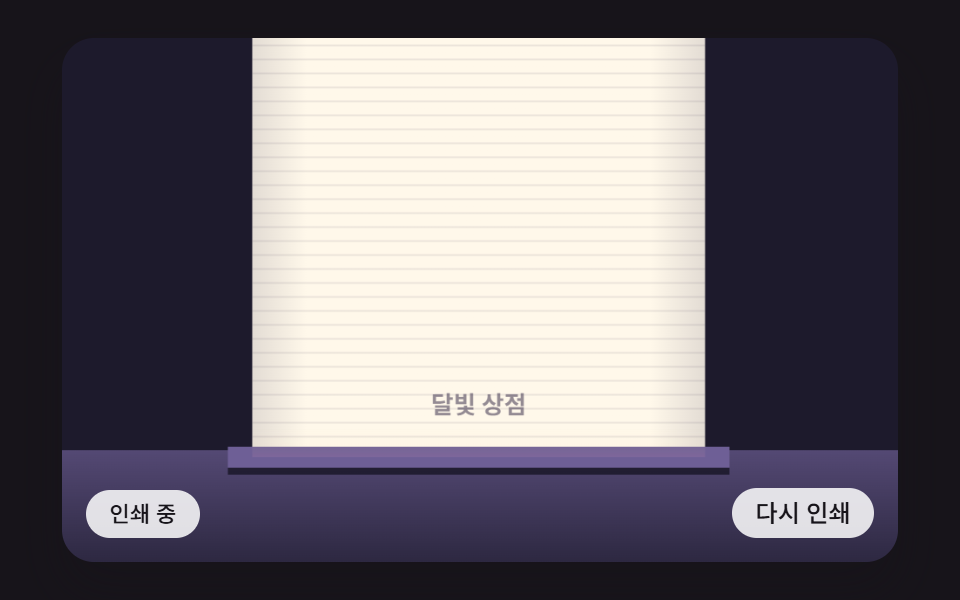 01 rec-thermal-head-line-feed-jitter
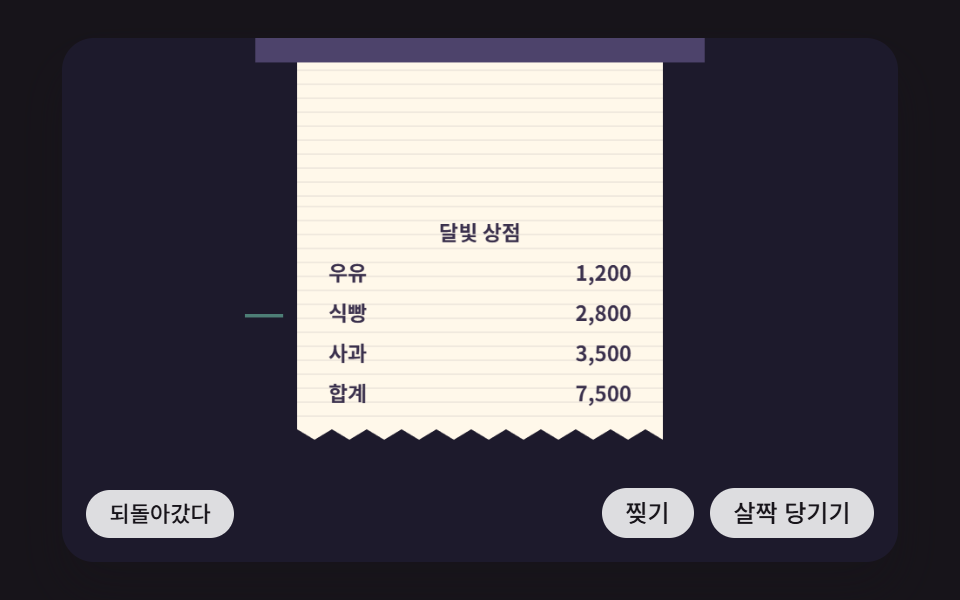 02 rec-tear-off-perforation-drag-spring
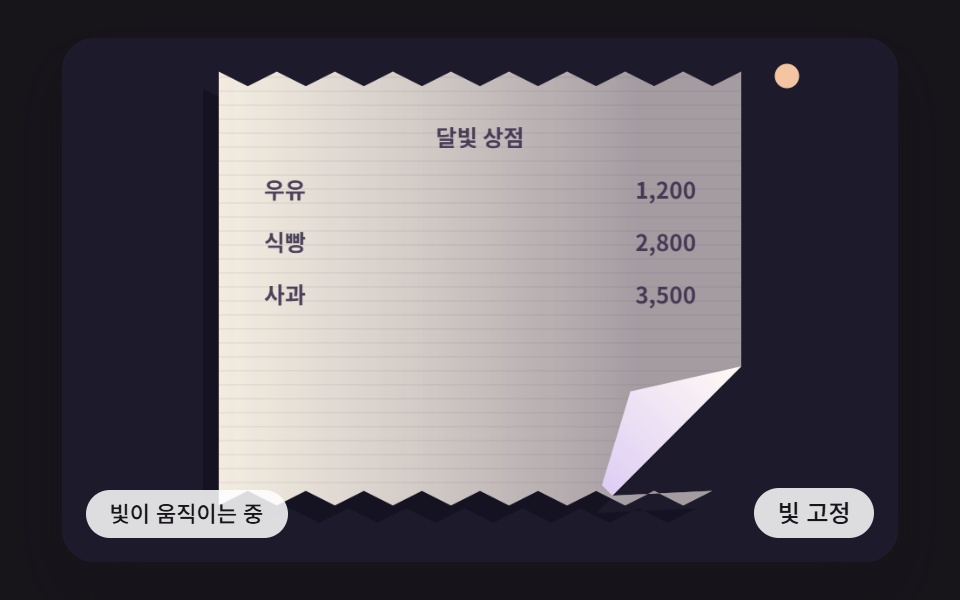 03 rec-zigzag-edge-paper-curl-shadow
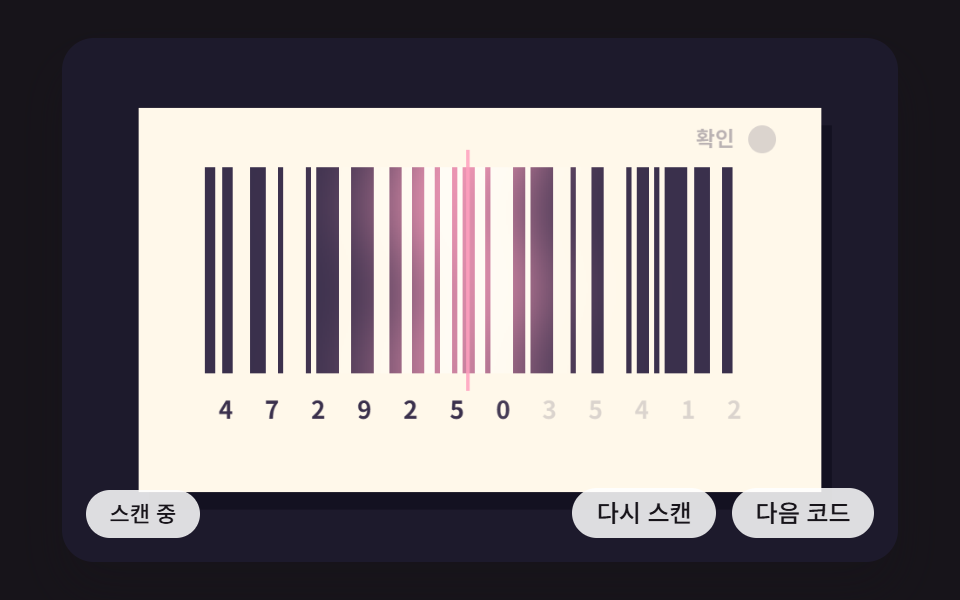 04 rec-barcode-seeded-bars-scan-beam
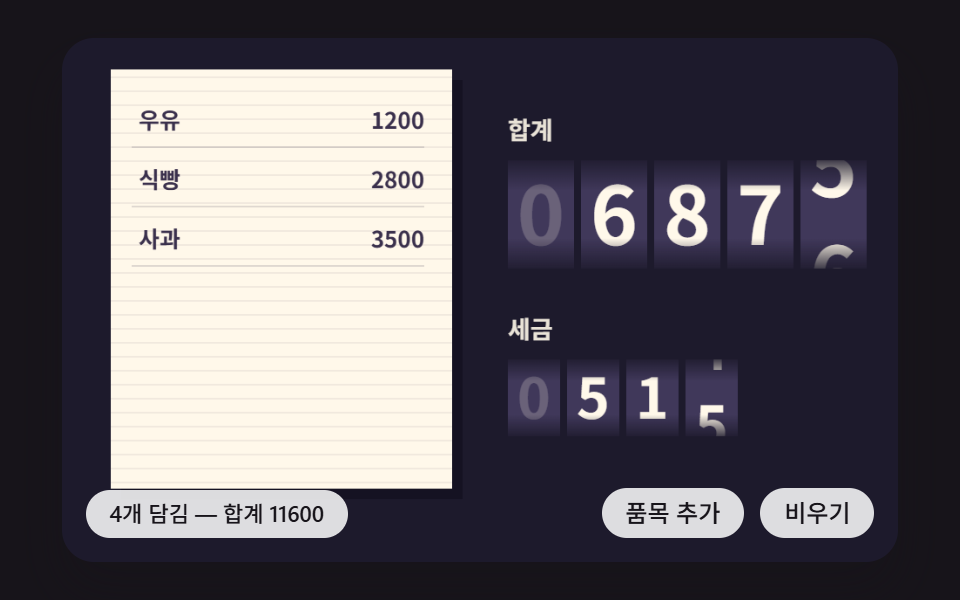 05 rec-total-odometer-roll-tax-tick
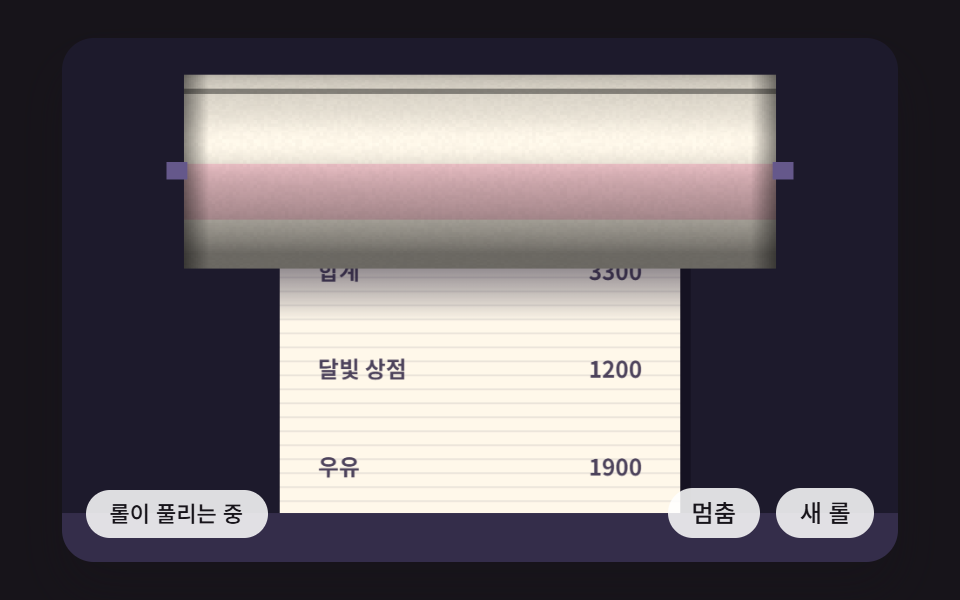 06 rec-paper-roll-cylinder-shading-unwind
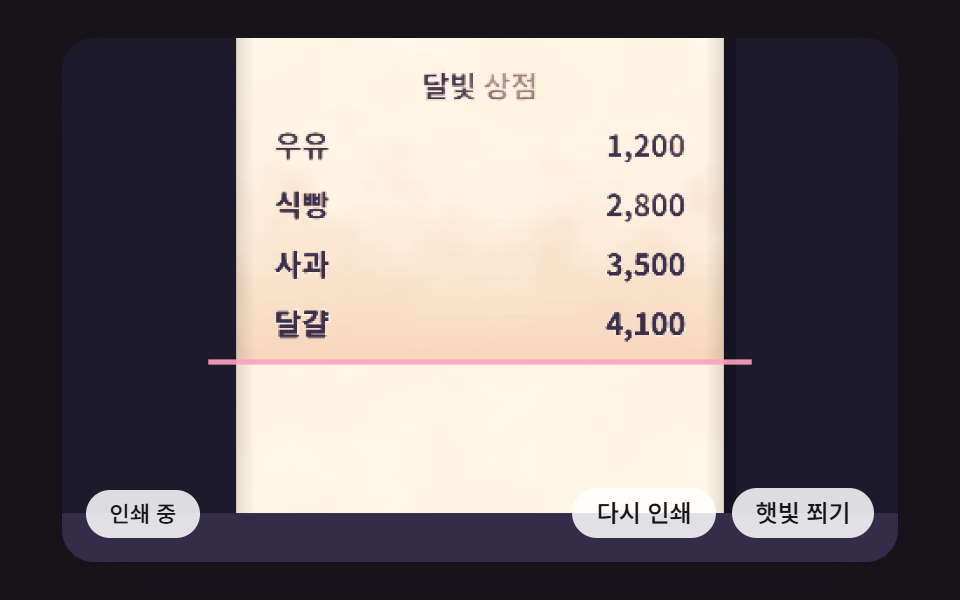 07 rec-thermal-fade-noise-burn-map
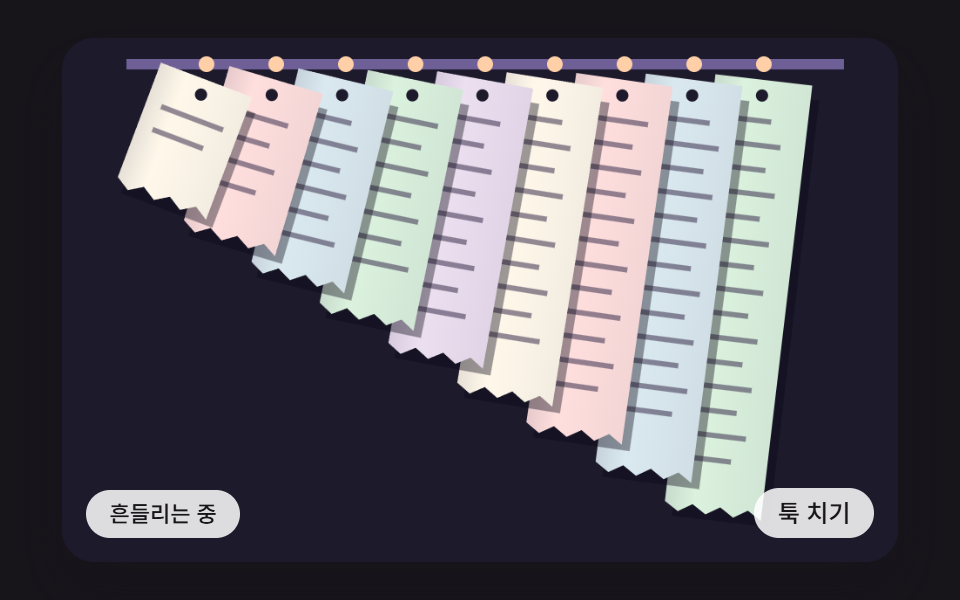 08 rec-spike-stack-pendulum-sway
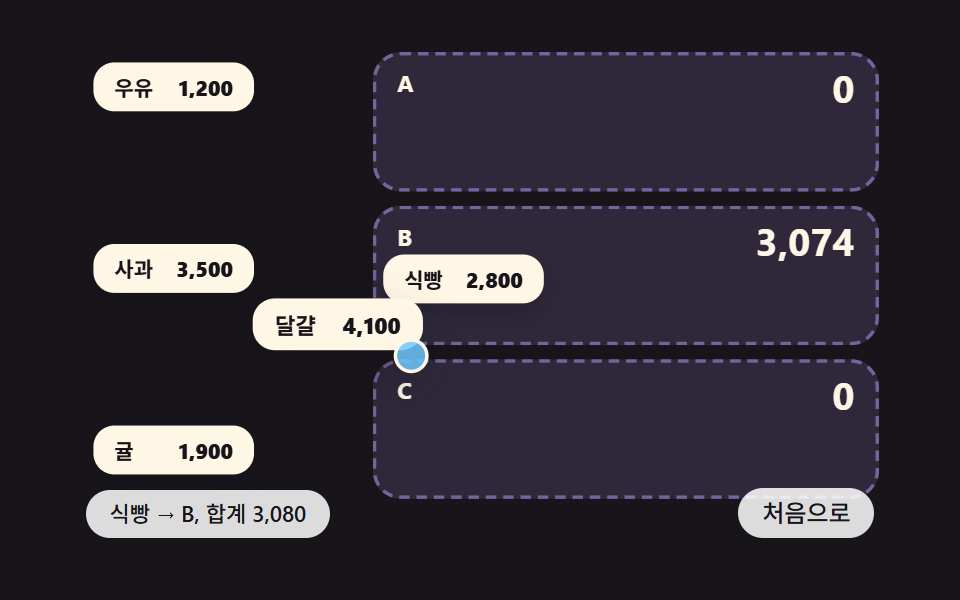 09 rec-split-bill-item-drag-share-total
Auto-plays · click a tile to jump to its section · all nine in one zip
- 01 A Receipt Print Scene Where the Paper Steps One Line at a Time and Shivers Slightly Under the Print Head
- 02 A Scene Where Pulling the Paper Below the Perforation and Letting Go Tears It Off Past a Set Distance and Springs It Back Short of It
- 03 A Paper Texture Scene With a Zigzag Edge and a Curled Corner Where a Different Shadow Falls on Each Column
- 04 A Barcode Scan Where Seed-Made Bar Widths Light Up in Turn as a Beam Sweeps and a Confirm Mark Turns On
- 05 A Total Line Where Digits Roll Vertically as Items Are Added and the Tax Row Follows One Beat Late
- 06 A Receipt Roll Scene Where Cylinder Shading Is Computed Per Pixel as Paper Unwinds and the Roll Radius Shrinks
- 07 Thermal-Paper Text That Darkens Only Where Heat Touched and Fades Unevenly Over Time Following a Noise Map
- 08 A Storage Scene Where Nine Receipts Hang Side by Side on a Rail and Sway as Pendulums of Different Lengths, the Shortest Settling First
- 09 A Split-Bill List Where Dragging an Item Into a Person's Slot Makes Each Slot Total Ease Toward Its New Value
CSS Receipt: 9 Paper Scenes Built From Line Feeds, Tear Tests and Cylinder Shading
Monospaced type on a white card looks like a receipt, yet what makes it feel like one is how the paper comes out of the slot and how it comes apart. That is why scenes 01 through 08 compute the paper on a 2D <canvas>, and only scene 09 moves real DOM buttons with transform. None of the nine stylesheets holds a transition or a keyframes animation; they only set the stage ratio, button shapes, focus rings and touch-action.
One fixed-step clock and one seeded generator run under the scenes
Each scene stores the timestamp that requestAnimationFrame hands over, slices the elapsed time into 16ms steps (FIXED_DT) for step(), and draws once per frame. Time added in a single frame is capped at 100ms and a frame runs six steps at most, so a stalled frame does not make the paper leap. Randomness comes from one seeded lcg, called only in 02 (the break threshold of each perforation tooth) and 04 (bar widths and digits); no index.html contains Math.random, Date.now, fetch or localStorage, so a reload prints the same slip in the same order.
The shop, the items and the 0.1 tax rate are made up
Moonlight Shop and the items Milk, Bread, Apples, Eggs and Tangerines, along with every amount beside them, are placeholder text chosen for the scenes. TAX_RATE 0.1 is just a number that lets the math show, and it is not tied to any country's tax rules. If you move a scene into a real checkout, swap the amounts and the tax calculation for your own service's rules.
Motion the renderer recorded for each receipt scene
The capture window was 480×300, 24 frames over two seconds, each compared with the one before it, so moved frames are counted out of 23.
| Scene | Covered area | Mean intensity | Moved frames |
|---|---|---|---|
| 01 Line-by-line print with shiver | 23.6% | 35.6 | 23/23 |
| 02 Tear along the perforation | 26.9% | 118.4 | 20/23 |
| 03 Zigzag edge and curl | 36.5% | 65.8 | 23/23 |
| 04 Barcode scan beam | 15.1% | 66.9 | 23/23 |
| 05 Rolling total | 8.6% | 103.6 | 23/23 |
| 06 Roll cylinder shading | 32.6% | 51.3 | 23/23 |
| 07 Thermal fade | 40.5% | 30.7 | 18/23 |
| 08 Spike pendulums | 41.1% | 83.4 | 23/23 |
| 09 Split bill | 37.7% | 138.5 | 23/23 |
Scene 05 is the only one under 10%, since the part of the screen that changes is a handful of digit wheels. Scene 07 reads 18/23 because the pause after the text has faded and before the next print fell inside the two seconds, and scene 02 reads 20/23 for the same reason: the strip had sprung back or dropped away and the scene was waiting for fresh paper.
Screens where a moving receipt earns its place
A receipt css template usually stops at one static paper card, and this set picks the moments when that paper moves instead. For an order summary that should print line by line after an in-store payment, start from 01; for a "get your receipt" step that feels torn by hand, start from 02. Decorative coupon or receipt-card edges fit 03, a confirmation that a return or refund went through fits 04, and a cart total or payment summary fits 05. A screen that waits on printing suits 06, an archive of older purchases suits 07 and 08, and a group-expense screen that divides a bill per person can grow out of 09.
Code for Each Technique Behind a CSS Receipt Design
Each snippet is an unbroken run of 8 to 25 lines lifted from the <script> in that scene's index.html, indentation included. Function and constant names match the source, so after unzipping, a search for the same name lands you on the code around the snippet.
01A Receipt Print Scene Where the Paper Steps One Line at a Time and Shivers Slightly Under the Print Head
Each line is revealed from left to right at 0.3 opacity over 180ms (LINE_MS), darkens over 160ms once the line is done, and then the paper feeds FEED_PX 14px during 140ms (FEED_MS) while shiverAt adds a sideways tremor. A line's height comes only from the gap between the feed value when it was printed and the feed value now, so all nine lines rise as one block with no per-line motion. The tremor is SHIVER_PX 2.4 multiplied by (1 − k), which keeps the real peak near 2.2px, and the render logged 23.6% covered area, intensity 35.6 and 23/23 frames.
<main class="stage">
<div class="rc is-demo" id="rc">
  <canvas class="rc__canvas" data-role="canvas" width="480" height="300" aria-label="A receipt printing one line at a time, the paper stepping up and shivering sideways with each line"></canvas>
  <p class="rc__status" data-role="status" aria-live="polite">Printing</p>
  <div class="rc__tools">
    <button class="rc__btn" data-role="btn" type="button">Print again</button>
  </div>
</div>
</main>
@use "../../../../site/static/demo-tokens" as *;
@include stage($stage-ink);
.rc {
position: relative;
width: min(92vw, calc(160vh - 12.8vw));
aspect-ratio: 480 / 300;
margin: 0 auto;
border-radius: $r-card;
overflow: hidden;
box-shadow: $shadow-raised;
background: $subject-ink;
}
.rc__canvas {
display: block;
width: 100%;
height: 100%;
}
.rc__canvas:focus-visible {
outline: 2px solid rgba(255, 255, 255, .85);
outline-offset: -6px;
}
.rc__status {
position: absolute;
left: $sp-3;
bottom: $sp-3;
max-width: 46%;
margin: 0;
padding: $sp-1 $sp-3;
border-radius: $r-control;
background: rgba(255, 255, 255, .85);
color: $subject-ink;
font-weight: 500;
font-size: 11px;
line-height: 1.4;
pointer-events: none;
}
.rc__tools {
position: absolute;
right: $sp-3;
bottom: $sp-3;
display: flex;
gap: $sp-2;
}
.rc__btn {
margin: 0;
padding: $sp-1 $sp-3;
border: 0;
border-radius: $r-pill;
background: rgba(255, 255, 255, .85);
color: $subject-ink;
font: inherit;
font-weight: 500;
font-size: 12px;
line-height: 1.4;
cursor: pointer;
}
.rc__btn[aria-pressed="true"] {
background: $subject-mint;
}
.rc__btn:focus-visible {
outline: 2px solid rgba(255, 255, 255, .95);
outline-offset: 2px;
}
@media (max-width: 340px) {
.rc__btn { font-size: 10px; padding: $sp-1 $sp-2; }
.rc__status { font-size: 10px; padding: $sp-1 $sp-2; }
}
@media (prefers-reduced-motion: reduce) {
.rc { cursor: default; }
.rc__chip { cursor: default; }
}html, body {
margin: 0;
overflow: hidden;
}
.stage {
box-sizing: border-box;
min-height: 100vh;
display: grid;
place-items: center;
margin: 0;
background: #17141a;
font-family: -apple-system, "Segoe UI", "Noto Sans KR", sans-serif;
padding: clamp(8px, 4vw, 24px);
}
.rc {
position: relative;
width: min(92vw, 160vh - 12.8vw);
aspect-ratio: 480/300;
margin: 0 auto;
border-radius: 16px;
overflow: hidden;
box-shadow: 0 14px 24px rgba(23, 20, 26, 0.32);
background: #17141a;
}
.rc__canvas {
display: block;
width: 100%;
height: 100%;
}
.rc__canvas:focus-visible {
outline: 2px solid rgba(255, 255, 255, 0.85);
outline-offset: -6px;
}
.rc__status {
position: absolute;
left: 12px;
bottom: 12px;
max-width: 46%;
margin: 0;
padding: 4px 12px;
border-radius: 12px;
background: rgba(255, 255, 255, 0.85);
color: #17141a;
font-weight: 500;
font-size: 11px;
line-height: 1.4;
pointer-events: none;
}
.rc__tools {
position: absolute;
right: 12px;
bottom: 12px;
display: flex;
gap: 8px;
}
.rc__btn {
margin: 0;
padding: 4px 12px;
border: 0;
border-radius: 999px;
background: rgba(255, 255, 255, 0.85);
color: #17141a;
font: inherit;
font-weight: 500;
font-size: 12px;
line-height: 1.4;
cursor: pointer;
}
.rc__btn[aria-pressed=true] {
background: #4cd4a6;
}
.rc__btn:focus-visible {
outline: 2px solid rgba(255, 255, 255, 0.95);
outline-offset: 2px;
}
@media (max-width: 340px) {
.rc__btn {
font-size: 10px;
padding: 4px 8px;
}
.rc__status {
font-size: 10px;
padding: 4px 8px;
}
}
@media (prefers-reduced-motion: reduce) {
.rc {
cursor: default;
}
.rc__chip {
cursor: default;
}
}(function () {
const root = document.getElementById("rc");
if (!root) return;
const W = 480;
const H = 300;
const FIXED_DT = 16;
// 파스텔 팔레트 — 어두운 무대 위에 밝은 종이를 얹어 명도 차로 읽힌다
const BG = [29, 26, 44];
const PAPER = [255, 248, 234];
const INK = [58, 48, 76];
const MINT = [126, 226, 192];
const SKY = [124, 196, 255];
const LILAC = [190, 164, 255];
const PINK = [255, 160, 190];
const PEACH = [255, 208, 168];
function clamp(v, lo, hi) { return v < lo ? lo : (v > hi ? hi : v); }
function lerp(a, b, k) { return a + (b - a) * k; }
function smooth(x) { const c = clamp(x, 0, 1); return c * c * (3 - 2 * c); }
function rgba(c, a) {
return 'rgba(' + Math.round(c[0]) + ',' + Math.round(c[1]) + ',' + Math.round(c[2]) + ',' + clamp(a, 0, 1).toFixed(3) + ')';
}
function mix(a, b, k) { return [lerp(a[0], b[0], k), lerp(a[1], b[1], k), lerp(a[2], b[2], k)]; }
// 시드 고정 난수 — 같은 시드면 언제나 같은 수열 (선형 합동 방식)
function lcg(seed) {
let s = seed >>> 0;
return function () {
s = (Math.imul(s, 1664525) + 1013904223) >>> 0;
return s / 4294967296;
};
}
const canvasEl = root.querySelector('[data-role="canvas"]');
const statusEl = root.querySelector('[data-role="status"]');
const ctxRaw = canvasEl ? canvasEl.getContext('2d') : null;
if (!canvasEl || !ctxRaw || !statusEl) {
return;
}
const cv = canvasEl;
const ctx = ctxRaw;
const status = statusEl;
const reduceQuery = window.matchMedia('(prefers-reduced-motion: reduce)');
function fitCanvas() {
const dpr = window.devicePixelRatio || 1;
cv.width = Math.round(W * dpr);
cv.height = Math.round(H * dpr);
ctx.setTransform(dpr, 0, 0, dpr, 0, 0);
}
function onResize() {
fitCanvas();
if (reduceQuery.matches) {
draw();
}
}
fitCanvas();
window.addEventListener('resize', onResize);
// 화면 좌표(CSS px) → 장면 좌표(480x300). 리사이즈 뒤에도 늘 현재 크기로 다시 잰다
function toScene(ev) {
const r = cv.getBoundingClientRect();
return [((ev.clientX - r.left) / r.width) * W, ((ev.clientY - r.top) / r.height) * H];
}
const PAPER_W = 260;
const FEED_PX = 14;
const LINE_MS = 180;
const SHIVER_PX = 2.4;
const FEED_MS = 140;
const START_MS = 200;
const HOLD_MS = 600;
const OUT_MS = 420;
const OUT_PX = 190;
const DARKEN_MS = 160;
const HEAD_Y = 236;
const TXT_PRINTING = 'Printing';
const TXT_DONE = 'Print complete — total';
const ROWS = [
{ kind: 'title', a: 'Moonlight Shop', b: '' },
{ kind: 'rule', a: '', b: '' },
{ kind: 'item', a: 'Milk', b: '1,200' },
{ kind: 'item', a: 'Bread', b: '2,800' },
{ kind: 'item', a: 'Apples', b: '3,500' },
{ kind: 'item', a: 'Eggs', b: '4,100' },
{ kind: 'rule', a: '', b: '' },
{ kind: 'total', a: 'Total', b: '11,600' },
{ kind: 'note', a: 'Thank you', b: '' },
];
const btn = root.querySelector('[data-role="btn"]');
let phase = 'wait';
let phaseT = 0;
let now = 0;
let lineIdx = 0;
let scroll = 0;
let feedFrom = 0;
const printedAt = [];
const born = [];
function easeOut(k) { const c = clamp(k, 0, 1); return 1 - (1 - c) * (1 - c) * (1 - c); }
// 이어서 밀리는 동안의 가로 떨림 — 시작에 크고 끝으로 갈수록 잦아든다
function shiverAt(k) {
return SHIVER_PX * Math.sin(k * Math.PI * 7) * (1 - k);
}
// 줄 하나의 세로 위치 — 찍힌 순간의 밀림값과 지금 밀림값의 차이만큼 머리에서 멀어진다
function rowY(printedScroll, scrollNow) {
return HEAD_Y - 9 - (scrollNow - printedScroll);
}
function restart() {
lineIdx = 0;
printedAt.length = 0;
born.length = 0;
phase = 'wait';
phaseT = 0;
status.textContent = TXT_PRINTING;
}
function step() {
now += FIXED_DT;
phaseT += FIXED_DT;
if (phase === 'wait') {
if (phaseT >= START_MS) {
phase = 'print';
phaseT = 0;
printedAt[lineIdx] = scroll;
}
}
else if (phase === 'print') {
if (phaseT >= LINE_MS) {
born[lineIdx] = now;
feedFrom = scroll;
phase = 'feed';
phaseT = 0;
}
}
else if (phase === 'feed') {
const k = phaseT / FEED_MS;
scroll = feedFrom + FEED_PX * easeOut(k);
if (k >= 1) {
scroll = feedFrom + FEED_PX;
lineIdx += 1;
phaseT = 0;
if (lineIdx >= ROWS.length) {
phase = 'hold';
status.textContent = TXT_DONE + ' 11,600';
}
else {
phase = 'print';
printedAt[lineIdx] = scroll;
}
}
}
else if (phase === 'hold') {
if (phaseT >= HOLD_MS) {
phase = 'out';
feedFrom = scroll;
phaseT = 0;
}
}
else if (phase === 'out') {
const k = phaseT / OUT_MS;
scroll = feedFrom + OUT_PX * smooth(k);
if (k >= 1) {
scroll = feedFrom + OUT_PX;
restart();
}
}
}
// 움직임 줄이기 — 다 찍힌 영수증을 그대로 놓는다
function settle() {
for (let i = 0; i < ROWS.length; i += 1) {
printedAt[i] = i * FEED_PX;
born[i] = -9999;
}
lineIdx = ROWS.length;
scroll = ROWS.length * FEED_PX;
phase = 'hold';
status.textContent = TXT_DONE + ' 11,600';
}
function shiverNow() {
if (phase === 'feed') {
return shiverAt(phaseT / FEED_MS);
}
if (phase === 'out') {
return shiverAt((phaseT / OUT_MS) % 0.5 * 2) * 0.6;
}
return 0;
}
function draw() {
ctx.fillStyle = rgba(BG, 1);
ctx.fillRect(0, 0, W, H);
// 인쇄기 몸체
const body = ctx.createLinearGradient(0, HEAD_Y, 0, H);
body.addColorStop(0, rgba(mix(BG, LILAC, 0.34), 1));
body.addColorStop(1, rgba(mix(BG, LILAC, 0.1), 1));
ctx.fillStyle = body;
ctx.fillRect(0, HEAD_Y, W, H - HEAD_Y);
const px = (W - PAPER_W) / 2 + shiverNow();
// 종이 — 가장자리 음영과 가로 결이 밀리는 만큼 같이 움직인다
ctx.fillStyle = rgba(BG, 0.5);
ctx.fillRect(px + 6, 0, PAPER_W, HEAD_Y);
const sheet = ctx.createLinearGradient(px, 0, px + PAPER_W, 0);
sheet.addColorStop(0, rgba(mix(PAPER, INK, 0.14), 1));
sheet.addColorStop(0.12, rgba(PAPER, 1));
sheet.addColorStop(0.88, rgba(PAPER, 1));
sheet.addColorStop(1, rgba(mix(PAPER, INK, 0.14), 1));
ctx.fillStyle = sheet;
ctx.fillRect(px, 0, PAPER_W, HEAD_Y);
const off = ((scroll % 8) + 8) % 8;
ctx.fillStyle = rgba(INK, 0.1);
for (let y = off - 8; y < HEAD_Y; y += 8) {
ctx.fillRect(px, y, PAPER_W, 1);
}
// 줄들
ctx.font = '600 12px "Noto Sans KR", ui-monospace, monospace';
ctx.textBaseline = 'alphabetic';
for (let i = 0; i < ROWS.length; i += 1) {
if (printedAt[i] === undefined) {
continue;
}
const y = rowY(printedAt[i], scroll);
if (y < -4 || y > HEAD_Y) {
continue;
}
const done = born[i] !== undefined;
let alpha = 0.3;
if (done) {
alpha = 0.3 + 0.7 * smooth((now - born[i]) / DARKEN_MS);
}
let reveal = 1;
if (!done && i === lineIdx && phase === 'print') {
reveal = clamp(phaseT / LINE_MS, 0, 1);
}
ctx.save();
ctx.beginPath();
ctx.rect(px, y - 14, PAPER_W * reveal, 20);
ctx.clip();
ctx.fillStyle = rgba(INK, alpha);
const r = ROWS[i];
if (r.kind === 'rule') {
ctx.fillRect(px + 18, y - 4, PAPER_W - 36, 1);
}
else if (r.kind === 'title') {
ctx.textAlign = 'center';
ctx.font = '700 14px "Noto Sans KR", ui-monospace, monospace';
ctx.fillText(r.a, px + PAPER_W / 2, y);
}
else if (r.kind === 'note') {
ctx.textAlign = 'center';
ctx.font = '600 12px "Noto Sans KR", ui-monospace, monospace';
ctx.fillText(r.a, px + PAPER_W / 2, y);
}
else {
ctx.font = (r.kind === 'total' ? '700 13px' : '600 12px') + ' "Noto Sans KR", ui-monospace, monospace';
ctx.textAlign = 'left';
ctx.fillText(r.a, px + 18, y);
ctx.textAlign = 'right';
ctx.fillText(r.b, px + PAPER_W - 18, y);
}
ctx.restore();
}
// 인쇄 머리 — 찍는 동안 한 줄이 달아오른다
ctx.fillStyle = rgba(mix(BG, LILAC, 0.5), 1);
ctx.fillRect(px - 14, HEAD_Y - 2, PAPER_W + 28, 12);
const heat = phase === 'print' ? 0.55 + 0.45 * Math.sin(now / 24) : 0.12;
const glow = ctx.createLinearGradient(0, HEAD_Y - 14, 0, HEAD_Y + 4);
glow.addColorStop(0, rgba(PEACH, 0));
glow.addColorStop(0.7, rgba(PEACH, 0.5 * heat));
glow.addColorStop(1, rgba(PINK, 0.9 * heat));
ctx.fillStyle = glow;
ctx.fillRect(px, HEAD_Y - 14, PAPER_W, 18);
// 종이 나오는 틈
ctx.fillStyle = rgba(BG, 0.9);
ctx.fillRect(px - 14, HEAD_Y + 10, PAPER_W + 28, 4);
}
if (btn) {
btn.addEventListener('click', function () {
if (reduceQuery.matches) {
settle();
draw();
return;
}
restart();
});
}
let rafId = 0;
let lastTs = -1;
let acc = 0;
function frame(ts) {
if (lastTs < 0) {
lastTs = ts;
}
acc += Math.min(ts - lastTs, 100);
lastTs = ts;
let n = 0;
while (acc >= FIXED_DT && n < 6) {
step();
acc -= FIXED_DT;
n += 1;
}
draw();
rafId = window.requestAnimationFrame(frame);
}
if (reduceQuery.matches) {
settle();
draw();
}
else {
rafId = window.requestAnimationFrame(frame);
}
return function () {
window.cancelAnimationFrame(rafId);
window.removeEventListener('resize', onResize);
};
})();// RecThermalHeadLineFeedJitter - vanilla 판(01-rec-thermal-head-line-feed-jitter) 의 React 포트. 같은 계산을 useEffect 안에서 돌린다.
import { useEffect, useRef } from "react";
import styles from "./RecThermalHeadLineFeedJitter.module.scss";
const cx = (s: string): string => s.split(" ").map((n) => styles[n] ?? n).join(" ");
export default function RecThermalHeadLineFeedJitter() {
const rootRef = useRef<HTMLDivElement | null>(null);
useEffect(() => {
const rootEl = rootRef.current;
if (!rootEl) return;
const root: HTMLElement = rootEl;
type RGB = [number, number, number];
const W = 480;
const H = 300;
const FIXED_DT = 16;
// 파스텔 팔레트 — 어두운 무대 위에 밝은 종이를 얹어 명도 차로 읽힌다
const BG: RGB = [29, 26, 44];
const PAPER: RGB = [255, 248, 234];
const INK: RGB = [58, 48, 76];
const MINT: RGB = [126, 226, 192];
const SKY: RGB = [124, 196, 255];
const LILAC: RGB = [190, 164, 255];
const PINK: RGB = [255, 160, 190];
const PEACH: RGB = [255, 208, 168];
function clamp(v: number, lo: number, hi: number): number { return v < lo ? lo : (v > hi ? hi : v); }
function lerp(a: number, b: number, k: number): number { return a + (b - a) * k; }
function smooth(x: number): number { const c = clamp(x, 0, 1); return c * c * (3 - 2 * c); }
function rgba(c: RGB, a: number): string {
return 'rgba(' + Math.round(c[0]) + ',' + Math.round(c[1]) + ',' + Math.round(c[2]) + ',' + clamp(a, 0, 1).toFixed(3) + ')';
}
function mix(a: RGB, b: RGB, k: number): RGB { return [lerp(a[0], b[0], k), lerp(a[1], b[1], k), lerp(a[2], b[2], k)]; }
// 시드 고정 난수 — 같은 시드면 언제나 같은 수열 (선형 합동 방식)
function lcg(seed: number): () => number {
let s = seed >>> 0;
return function (): number {
s = (Math.imul(s, 1664525) + 1013904223) >>> 0;
return s / 4294967296;
};
}
const canvasEl = root.querySelector('[data-role="canvas"]') as HTMLCanvasElement | null;
const statusEl = root.querySelector('[data-role="status"]') as HTMLElement | null;
const ctxRaw = canvasEl ? canvasEl.getContext('2d') : null;
if (!canvasEl || !ctxRaw || !statusEl) { return; }
const cv: HTMLCanvasElement = canvasEl;
const ctx: CanvasRenderingContext2D = ctxRaw;
const status: HTMLElement = statusEl;
const reduceQuery = window.matchMedia('(prefers-reduced-motion: reduce)');
function fitCanvas(): void {
const dpr = window.devicePixelRatio || 1;
cv.width = Math.round(W * dpr);
cv.height = Math.round(H * dpr);
ctx.setTransform(dpr, 0, 0, dpr, 0, 0);
}
function onResize(): void {
fitCanvas();
if (reduceQuery.matches) { draw(); }
}
fitCanvas();
window.addEventListener('resize', onResize);
// 화면 좌표(CSS px) → 장면 좌표(480x300). 리사이즈 뒤에도 늘 현재 크기로 다시 잰다
function toScene(ev: PointerEvent): [number, number] {
const r = cv.getBoundingClientRect();
return [((ev.clientX - r.left) / r.width) * W, ((ev.clientY - r.top) / r.height) * H];
}
const PAPER_W = 260;
const FEED_PX = 14;
const LINE_MS = 180;
const SHIVER_PX = 2.4;
const FEED_MS = 140;
const START_MS = 200;
const HOLD_MS = 600;
const OUT_MS = 420;
const OUT_PX = 190;
const DARKEN_MS = 160;
const HEAD_Y = 236;
const TXT_PRINTING = '인쇄 중';
const TXT_DONE = '인쇄 완료 — 합계';
interface Row { kind: string; a: string; b: string; }
const ROWS: Row[] = [
{ kind: 'title', a: '달빛 상점', b: '' },
{ kind: 'rule', a: '', b: '' },
{ kind: 'item', a: '우유', b: '1,200' },
{ kind: 'item', a: '식빵', b: '2,800' },
{ kind: 'item', a: '사과', b: '3,500' },
{ kind: 'item', a: '달걀', b: '4,100' },
{ kind: 'rule', a: '', b: '' },
{ kind: 'total', a: '합계', b: '11,600' },
{ kind: 'note', a: '감사합니다', b: '' },
];
const btn = root.querySelector('[data-role="btn"]') as HTMLButtonElement | null;
let phase = 'wait';
let phaseT = 0;
let now = 0;
let lineIdx = 0;
let scroll = 0;
let feedFrom = 0;
const printedAt: number[] = [];
const born: number[] = [];
function easeOut(k: number): number { const c = clamp(k, 0, 1); return 1 - (1 - c) * (1 - c) * (1 - c); }
// 이어서 밀리는 동안의 가로 떨림 — 시작에 크고 끝으로 갈수록 잦아든다
function shiverAt(k: number): number {
return SHIVER_PX * Math.sin(k * Math.PI * 7) * (1 - k);
}
// 줄 하나의 세로 위치 — 찍힌 순간의 밀림값과 지금 밀림값의 차이만큼 머리에서 멀어진다
function rowY(printedScroll: number, scrollNow: number): number {
return HEAD_Y - 9 - (scrollNow - printedScroll);
}
function restart(): void {
lineIdx = 0;
printedAt.length = 0;
born.length = 0;
phase = 'wait';
phaseT = 0;
status.textContent = TXT_PRINTING;
}
function step(): void {
now += FIXED_DT;
phaseT += FIXED_DT;
if (phase === 'wait') {
if (phaseT >= START_MS) { phase = 'print'; phaseT = 0; printedAt[lineIdx] = scroll; }
} else if (phase === 'print') {
if (phaseT >= LINE_MS) { born[lineIdx] = now; feedFrom = scroll; phase = 'feed'; phaseT = 0; }
} else if (phase === 'feed') {
const k = phaseT / FEED_MS;
scroll = feedFrom + FEED_PX * easeOut(k);
if (k >= 1) {
scroll = feedFrom + FEED_PX;
lineIdx += 1;
phaseT = 0;
if (lineIdx >= ROWS.length) {
phase = 'hold';
status.textContent = TXT_DONE + ' 11,600';
} else {
phase = 'print';
printedAt[lineIdx] = scroll;
}
}
} else if (phase === 'hold') {
if (phaseT >= HOLD_MS) { phase = 'out'; feedFrom = scroll; phaseT = 0; }
} else if (phase === 'out') {
const k = phaseT / OUT_MS;
scroll = feedFrom + OUT_PX * smooth(k);
if (k >= 1) { scroll = feedFrom + OUT_PX; restart(); }
}
}
// 움직임 줄이기 — 다 찍힌 영수증을 그대로 놓는다
function settle(): void {
for (let i = 0; i < ROWS.length; i += 1) { printedAt[i] = i * FEED_PX; born[i] = -9999; }
lineIdx = ROWS.length;
scroll = ROWS.length * FEED_PX;
phase = 'hold';
status.textContent = TXT_DONE + ' 11,600';
}
function shiverNow(): number {
if (phase === 'feed') { return shiverAt(phaseT / FEED_MS); }
if (phase === 'out') { return shiverAt((phaseT / OUT_MS) % 0.5 * 2) * 0.6; }
return 0;
}
function draw(): void {
ctx.fillStyle = rgba(BG, 1);
ctx.fillRect(0, 0, W, H);
// 인쇄기 몸체
const body = ctx.createLinearGradient(0, HEAD_Y, 0, H);
body.addColorStop(0, rgba(mix(BG, LILAC, 0.34), 1));
body.addColorStop(1, rgba(mix(BG, LILAC, 0.1), 1));
ctx.fillStyle = body;
ctx.fillRect(0, HEAD_Y, W, H - HEAD_Y);
const px = (W - PAPER_W) / 2 + shiverNow();
// 종이 — 가장자리 음영과 가로 결이 밀리는 만큼 같이 움직인다
ctx.fillStyle = rgba(BG, 0.5);
ctx.fillRect(px + 6, 0, PAPER_W, HEAD_Y);
const sheet = ctx.createLinearGradient(px, 0, px + PAPER_W, 0);
sheet.addColorStop(0, rgba(mix(PAPER, INK, 0.14), 1));
sheet.addColorStop(0.12, rgba(PAPER, 1));
sheet.addColorStop(0.88, rgba(PAPER, 1));
sheet.addColorStop(1, rgba(mix(PAPER, INK, 0.14), 1));
ctx.fillStyle = sheet;
ctx.fillRect(px, 0, PAPER_W, HEAD_Y);
const off = ((scroll % 8) + 8) % 8;
ctx.fillStyle = rgba(INK, 0.1);
for (let y = off - 8; y < HEAD_Y; y += 8) { ctx.fillRect(px, y, PAPER_W, 1); }
// 줄들
ctx.font = '600 12px "Noto Sans KR", ui-monospace, monospace';
ctx.textBaseline = 'alphabetic';
for (let i = 0; i < ROWS.length; i += 1) {
if (printedAt[i] === undefined) { continue; }
const y = rowY(printedAt[i], scroll);
if (y < -4 || y > HEAD_Y) { continue; }
const done = born[i] !== undefined;
let alpha = 0.3;
if (done) { alpha = 0.3 + 0.7 * smooth((now - born[i]) / DARKEN_MS); }
let reveal = 1;
if (!done && i === lineIdx && phase === 'print') { reveal = clamp(phaseT / LINE_MS, 0, 1); }
ctx.save();
ctx.beginPath();
ctx.rect(px, y - 14, PAPER_W * reveal, 20);
ctx.clip();
ctx.fillStyle = rgba(INK, alpha);
const r = ROWS[i];
if (r.kind === 'rule') {
ctx.fillRect(px + 18, y - 4, PAPER_W - 36, 1);
} else if (r.kind === 'title') {
ctx.textAlign = 'center';
ctx.font = '700 14px "Noto Sans KR", ui-monospace, monospace';
ctx.fillText(r.a, px + PAPER_W / 2, y);
} else if (r.kind === 'note') {
ctx.textAlign = 'center';
ctx.font = '600 12px "Noto Sans KR", ui-monospace, monospace';
ctx.fillText(r.a, px + PAPER_W / 2, y);
} else {
ctx.font = (r.kind === 'total' ? '700 13px' : '600 12px') + ' "Noto Sans KR", ui-monospace, monospace';
ctx.textAlign = 'left';
ctx.fillText(r.a, px + 18, y);
ctx.textAlign = 'right';
ctx.fillText(r.b, px + PAPER_W - 18, y);
}
ctx.restore();
}
// 인쇄 머리 — 찍는 동안 한 줄이 달아오른다
ctx.fillStyle = rgba(mix(BG, LILAC, 0.5), 1);
ctx.fillRect(px - 14, HEAD_Y - 2, PAPER_W + 28, 12);
const heat = phase === 'print' ? 0.55 + 0.45 * Math.sin(now / 24) : 0.12;
const glow = ctx.createLinearGradient(0, HEAD_Y - 14, 0, HEAD_Y + 4);
glow.addColorStop(0, rgba(PEACH, 0));
glow.addColorStop(0.7, rgba(PEACH, 0.5 * heat));
glow.addColorStop(1, rgba(PINK, 0.9 * heat));
ctx.fillStyle = glow;
ctx.fillRect(px, HEAD_Y - 14, PAPER_W, 18);
// 종이 나오는 틈
ctx.fillStyle = rgba(BG, 0.9);
ctx.fillRect(px - 14, HEAD_Y + 10, PAPER_W + 28, 4);
}
if (btn) {
btn.addEventListener('click', function (): void {
if (reduceQuery.matches) { settle(); draw(); return; }
restart();
});
}
let rafId = 0;
let lastTs = -1;
let acc = 0;
function frame(ts: number): void {
if (lastTs < 0) { lastTs = ts; }
acc += Math.min(ts - lastTs, 100);
lastTs = ts;
let n = 0;
while (acc >= FIXED_DT && n < 6) {
step();
acc -= FIXED_DT;
n += 1;
}
draw();
rafId = window.requestAnimationFrame(frame);
}
if (reduceQuery.matches) {
settle();
draw();
} else {
rafId = window.requestAnimationFrame(frame);
}
return function (): void {
window.cancelAnimationFrame(rafId);
window.removeEventListener('resize', onResize);
};
}, []);
return (
<div className={cx("rc") + " is-demo"} ref={rootRef}>
<canvas className={cx("rc__canvas")} data-role="canvas" width={480} height={300} aria-label="영수증이 한 줄씩 인쇄되며 줄마다 종이가 밀려 올라가고 가로로 떨리는 장면"></canvas>
<p className={cx("rc__status")} data-role="status" aria-live="polite">인쇄 중</p>
<div className={cx("rc__tools")}>
<button className={cx("rc__btn")} data-role="btn" type="button">다시 인쇄</button>
</div>
</div>
);
}01 · A Receipt Print Scene Where the Paper Steps One Line at a Time and Shivers Slightly Under the Print Head — Measured area 23.613% · moving frames 23/23Original by GODRICH · SCSS and React ship in the zip · See the password
    // sideways shiver during the feed that follows — strong at the start, dying out toward the end
    function shiverAt(k) {
        return SHIVER_PX * Math.sin(k * Math.PI * 7) * (1 - k);
    }
    // vertical position of one line — moves away from the head by the gap between the feed when printed and the feed now
    function rowY(printedScroll, scrollNow) {
        return HEAD_Y - 9 - (scrollNow - printedScroll);
    }
02A Scene Where Pulling the Paper Below the Perforation and Letting Go Tears It Off Past a Set Distance and Springs It Back Short of It
The perforation has 21 teeth (STRIP_W 210 ÷ TOOTH_PX 10), and seed 461 gives each one its own break distance between 0.45 and 1.0 times TEAR_PX, so they snap one by one at different moments while you drag. The tear verdict ignores the teeth: release() decides with a single pull ≥ TEAR_PX when you let go, then drops the strip with GRAVITY 2600 or winds it back on a spring with SPRING_K 190 and damping 17. Measured covered area is 26.9% at intensity 118.4, and the idle wait for new paper after a spring-back leaves 20/23 moved frames.
<main class="stage">
<div class="rc is-demo" id="rc">
  <canvas class="rc__canvas" data-role="canvas" width="480" height="300" tabindex="0" aria-label="Dragging the paper below the perforation: past the set distance it tears off, short of it a spring pulls it back"></canvas>
  <p class="rc__status" data-role="status" aria-live="polite">A new receipt came out</p>
  <div class="rc__tools">
    <button class="rc__btn" data-role="tear" type="button">Tear</button>
    <button class="rc__btn" data-role="soft" type="button">Tug lightly</button>
  </div>
</div>
</main>
@use "../../../../site/static/demo-tokens" as *;
@include stage($stage-ink);
.rc {
position: relative;
width: min(92vw, calc(160vh - 12.8vw));
aspect-ratio: 480 / 300;
margin: 0 auto;
border-radius: $r-card;
overflow: hidden;
box-shadow: $shadow-raised;
background: $subject-ink;
}
.rc__canvas {
display: block;
width: 100%;
height: 100%;
}
.rc__canvas:focus-visible {
outline: 2px solid rgba(255, 255, 255, .85);
outline-offset: -6px;
}
.rc__status {
position: absolute;
left: $sp-3;
bottom: $sp-3;
max-width: 46%;
margin: 0;
padding: $sp-1 $sp-3;
border-radius: $r-control;
background: rgba(255, 255, 255, .85);
color: $subject-ink;
font-weight: 500;
font-size: 11px;
line-height: 1.4;
pointer-events: none;
}
.rc__tools {
position: absolute;
right: $sp-3;
bottom: $sp-3;
display: flex;
gap: $sp-2;
}
.rc__btn {
margin: 0;
padding: $sp-1 $sp-3;
border: 0;
border-radius: $r-pill;
background: rgba(255, 255, 255, .85);
color: $subject-ink;
font: inherit;
font-weight: 500;
font-size: 12px;
line-height: 1.4;
cursor: pointer;
}
.rc__btn[aria-pressed="true"] {
background: $subject-mint;
}
.rc__btn:focus-visible {
outline: 2px solid rgba(255, 255, 255, .95);
outline-offset: 2px;
}
.rc__canvas { touch-action: none; }
@media (max-width: 340px) {
.rc__btn { font-size: 10px; padding: $sp-1 $sp-2; }
.rc__status { font-size: 10px; padding: $sp-1 $sp-2; }
}
@media (prefers-reduced-motion: reduce) {
.rc { cursor: default; }
.rc__chip { cursor: default; }
}html, body {
margin: 0;
overflow: hidden;
}
.stage {
box-sizing: border-box;
min-height: 100vh;
display: grid;
place-items: center;
margin: 0;
background: #17141a;
font-family: -apple-system, "Segoe UI", "Noto Sans KR", sans-serif;
padding: clamp(8px, 4vw, 24px);
}
.rc {
position: relative;
width: min(92vw, 160vh - 12.8vw);
aspect-ratio: 480/300;
margin: 0 auto;
border-radius: 16px;
overflow: hidden;
box-shadow: 0 14px 24px rgba(23, 20, 26, 0.32);
background: #17141a;
}
.rc__canvas {
display: block;
width: 100%;
height: 100%;
}
.rc__canvas:focus-visible {
outline: 2px solid rgba(255, 255, 255, 0.85);
outline-offset: -6px;
}
.rc__status {
position: absolute;
left: 12px;
bottom: 12px;
max-width: 46%;
margin: 0;
padding: 4px 12px;
border-radius: 12px;
background: rgba(255, 255, 255, 0.85);
color: #17141a;
font-weight: 500;
font-size: 11px;
line-height: 1.4;
pointer-events: none;
}
.rc__tools {
position: absolute;
right: 12px;
bottom: 12px;
display: flex;
gap: 8px;
}
.rc__btn {
margin: 0;
padding: 4px 12px;
border: 0;
border-radius: 999px;
background: rgba(255, 255, 255, 0.85);
color: #17141a;
font: inherit;
font-weight: 500;
font-size: 12px;
line-height: 1.4;
cursor: pointer;
}
.rc__btn[aria-pressed=true] {
background: #4cd4a6;
}
.rc__btn:focus-visible {
outline: 2px solid rgba(255, 255, 255, 0.95);
outline-offset: 2px;
}
.rc__canvas {
touch-action: none;
}
@media (max-width: 340px) {
.rc__btn {
font-size: 10px;
padding: 4px 8px;
}
.rc__status {
font-size: 10px;
padding: 4px 8px;
}
}
@media (prefers-reduced-motion: reduce) {
.rc {
cursor: default;
}
.rc__chip {
cursor: default;
}
}(function () {
const root = document.getElementById("rc");
if (!root) return;
const W = 480;
const H = 300;
const FIXED_DT = 16;
// 파스텔 팔레트 — 어두운 무대 위에 밝은 종이를 얹어 명도 차로 읽힌다
const BG = [29, 26, 44];
const PAPER = [255, 248, 234];
const INK = [58, 48, 76];
const MINT = [126, 226, 192];
const SKY = [124, 196, 255];
const LILAC = [190, 164, 255];
const PINK = [255, 160, 190];
const PEACH = [255, 208, 168];
function clamp(v, lo, hi) { return v < lo ? lo : (v > hi ? hi : v); }
function lerp(a, b, k) { return a + (b - a) * k; }
function smooth(x) { const c = clamp(x, 0, 1); return c * c * (3 - 2 * c); }
function rgba(c, a) {
return 'rgba(' + Math.round(c[0]) + ',' + Math.round(c[1]) + ',' + Math.round(c[2]) + ',' + clamp(a, 0, 1).toFixed(3) + ')';
}
function mix(a, b, k) { return [lerp(a[0], b[0], k), lerp(a[1], b[1], k), lerp(a[2], b[2], k)]; }
// 시드 고정 난수 — 같은 시드면 언제나 같은 수열 (선형 합동 방식)
function lcg(seed) {
let s = seed >>> 0;
return function () {
s = (Math.imul(s, 1664525) + 1013904223) >>> 0;
return s / 4294967296;
};
}
const canvasEl = root.querySelector('[data-role="canvas"]');
const statusEl = root.querySelector('[data-role="status"]');
const ctxRaw = canvasEl ? canvasEl.getContext('2d') : null;
if (!canvasEl || !ctxRaw || !statusEl) {
return;
}
const cv = canvasEl;
const ctx = ctxRaw;
const status = statusEl;
const reduceQuery = window.matchMedia('(prefers-reduced-motion: reduce)');
function fitCanvas() {
const dpr = window.devicePixelRatio || 1;
cv.width = Math.round(W * dpr);
cv.height = Math.round(H * dpr);
ctx.setTransform(dpr, 0, 0, dpr, 0, 0);
}
function onResize() {
fitCanvas();
if (reduceQuery.matches) {
draw();
}
}
fitCanvas();
window.addEventListener('resize', onResize);
// 화면 좌표(CSS px) → 장면 좌표(480x300). 리사이즈 뒤에도 늘 현재 크기로 다시 잰다
function toScene(ev) {
const r = cv.getBoundingClientRect();
return [((ev.clientX - r.left) / r.width) * W, ((ev.clientY - r.top) / r.height) * H];
}
const TEAR_PX = 60;
const GRAVITY = 2600;
const SPRING_K = 190;
const TOOTH_PX = 10;
const DAMP = 17;
const STRIP_W = 210;
const TEAR_Y = 92;
const PIECE_H = 132;
const MAX_PULL = 170;
const DEMO_A = 36;
const DEMO_B = 96;
const TXT_PULL = 'Pulling';
const TXT_TORN = 'Torn off';
const TXT_BACK = 'Sprang back';
const TXT_READY = 'A new receipt came out';
const LINES = ['Moonlight Shop', 'Milk', 'Bread', 'Apples', 'Total'];
const PRICES = ['', '1,200', '2,800', '3,500', '7,500'];
const tearBtn = root.querySelector('[data-role="tear"]');
const softBtn = root.querySelector('[data-role="soft"]');
// 상태: idle 대기 · drag 끌림 · back 스프링 복귀 · fall 낙하 · feed 새 종이
let state = 'idle';
let pull = 0;
let vel = 0;
let fallY = 0;
let fallV = 0;
let fallRot = 0;
let fallVR = 0;
let feed = 1;
let clock = 0;
let grabbed = false;
let grabY = 0;
let fake = false;
let fakeT = 0;
let fakeTarget = 0;
let holdAt = 0;
let autoCount = 0;
let userTouched = false;
const toothBreak = [];
const rnd = lcg(461);
for (let i = 0; i < 40; i += 1) {
toothBreak.push(0.45 + 0.55 * rnd());
}
function teethCount() { return Math.floor(STRIP_W / TOOTH_PX); }
// 끈 거리에 따라 이가 하나씩 끊긴다 — 이마다 끊기는 거리가 다르다
function intactTeeth(d) {
let n = 0;
for (let i = 0; i < teethCount(); i += 1) {
if (d < TEAR_PX * toothBreak[i % 40]) {
n += 1;
}
}
return n;
}
function release() {
grabbed = false;
fake = false;
if (pull >= TEAR_PX) {
state = 'fall';
fallY = pull;
fallV = 120;
fallRot = 0;
fallVR = 0.9;
status.textContent = TXT_TORN;
}
else {
state = 'back';
vel = 0;
status.textContent = TXT_BACK;
}
}
function startFake(target) {
if (state !== 'idle') {
return;
}
fake = true;
fakeT = 0;
fakeTarget = target;
state = 'drag';
status.textContent = TXT_PULL;
}
function step() {
const dt = FIXED_DT / 1000;
clock += FIXED_DT;
if (fake) {
fakeT += FIXED_DT;
const k = smooth(fakeT / 520);
pull = fakeTarget * k;
if (fakeT >= 700) {
release();
}
}
else if (state === 'idle' && !grabbed && clock > 200 && clock >= holdAt && !userTouched) {
autoCount += 1;
startFake(autoCount % 2 === 1 ? DEMO_A : DEMO_B);
}
if (state === 'back') {
vel += (-SPRING_K * pull - DAMP * vel) * dt;
pull += vel * dt;
if (Math.abs(pull) < 0.4 && Math.abs(vel) < 4) {
pull = 0;
state = 'idle';
holdAt = clock + 260;
}
}
else if (state === 'fall') {
fallV += GRAVITY * dt;
fallY += fallV * dt;
fallRot += fallVR * dt * 3;
if (fallY > H + 40) {
state = 'feed';
feed = 0;
pull = 0;
status.textContent = TXT_READY;
}
}
else if (state === 'feed') {
feed = Math.min(1, feed + FIXED_DT / 520);
if (feed >= 1) {
state = 'idle';
holdAt = clock + 380;
}
}
}
function settle() {
state = 'idle';
pull = 0;
feed = 1;
}
function easeOutBack(k) {
const c = clamp(k, 0, 1) - 1;
return 1 + 2.2 * c * c * c + 1.2 * c * c;
}
function drawPiece(x, top, rot) {
ctx.save();
ctx.translate(x + STRIP_W / 2, top + PIECE_H / 2);
ctx.rotate(rot);
ctx.translate(-STRIP_W / 2, -PIECE_H / 2);
ctx.fillStyle = rgba(BG, 0.45);
ctx.fillRect(6, 8, STRIP_W, PIECE_H);
ctx.fillStyle = rgba(PAPER, 1);
ctx.fillRect(0, 0, STRIP_W, PIECE_H);
ctx.fillStyle = rgba(INK, 0.08);
for (let y = 4; y < PIECE_H; y += 8) {
ctx.fillRect(0, y, STRIP_W, 1);
}
// 톱니 아래 가장자리
ctx.fillStyle = rgba(PAPER, 1);
ctx.beginPath();
ctx.moveTo(0, PIECE_H);
for (let i = 0; i <= teethCount(); i += 1) {
ctx.lineTo(i * TOOTH_PX, PIECE_H + (i % 2 === 0 ? 0 : 6));
}
ctx.lineTo(STRIP_W, PIECE_H);
ctx.closePath();
ctx.fill();
ctx.font = '600 12px "Noto Sans KR", ui-monospace, monospace';
for (let i = 0; i < LINES.length; i += 1) {
const y = 24 + i * 23;
ctx.fillStyle = rgba(INK, 1);
ctx.textAlign = i === 0 ? 'center' : 'left';
ctx.fillText(LINES[i], i === 0 ? STRIP_W / 2 : 18, y);
if (PRICES[i]) {
ctx.textAlign = 'right';
ctx.fillText(PRICES[i], STRIP_W - 18, y);
}
}
ctx.restore();
}
function draw() {
ctx.fillStyle = rgba(BG, 1);
ctx.fillRect(0, 0, W, H);
const x = (W - STRIP_W) / 2;
// 위쪽 종이 — 인쇄기 틈에서 늘어진다
ctx.fillStyle = rgba(mix(BG, LILAC, 0.3), 1);
ctx.fillRect(x - 24, 0, STRIP_W + 48, 14);
ctx.fillStyle = rgba(BG, 0.5);
ctx.fillRect(x + 6, 14, STRIP_W, TEAR_Y - 14);
ctx.fillStyle = rgba(PAPER, 1);
ctx.fillRect(x, 14, STRIP_W, TEAR_Y - 14);
ctx.fillStyle = rgba(INK, 0.08);
for (let y = 18; y < TEAR_Y; y += 8) {
ctx.fillRect(x, y, STRIP_W, 1);
}
// 위쪽 조각의 절취선 톱니
const n = teethCount();
ctx.fillStyle = rgba(PAPER, 1);
ctx.beginPath();
ctx.moveTo(x, TEAR_Y);
for (let i = 0; i <= n; i += 1) {
ctx.lineTo(x + i * TOOTH_PX, TEAR_Y + (i % 2 === 0 ? 0 : 5));
}
ctx.lineTo(x + STRIP_W, TEAR_Y);
ctx.closePath();
ctx.fill();
// 새 종이는 위쪽 조각 뒤에서 미끄러져 나온다
let top = TEAR_Y + pull;
if (state === 'feed') {
top = TEAR_Y - (1 - easeOutBack(feed)) * PIECE_H;
}
if (state === 'fall') {
top = TEAR_Y + fallY;
}
drawPiece(x, top, state === 'fall' ? fallRot * 0.35 : 0);
// 아직 이어진 이 — 끈 사이 틈에 남은 종이 섬유
if (state === 'drag' || state === 'back') {
const keep = intactTeeth(pull);
const gap = Math.max(pull, 0);
for (let i = 0; i < n; i += 1) {
if (pull >= TEAR_PX * toothBreak[i % 40]) {
continue;
}
ctx.fillStyle = rgba(PAPER, 0.92);
ctx.fillRect(x + i * TOOTH_PX + 2, TEAR_Y + 3, TOOTH_PX - 4, gap);
}
if (keep === 0) {
ctx.fillStyle = rgba(PEACH, 0.6);
ctx.fillRect(x, TEAR_Y + 2, STRIP_W, 1);
}
}
// 기준선 — 이 거리를 넘기고 놓으면 찢어진다
ctx.fillStyle = rgba(MINT, 0.5);
ctx.fillRect(x - 30, TEAR_Y + TEAR_PX + 6, 22, 2);
// 가짜 포인터 — 자동 시연에서 스스로 끈다
if (fake || grabbed) {
const cy = TEAR_Y + pull + PIECE_H - 24;
ctx.fillStyle = rgba(SKY, 0.85);
ctx.beginPath();
ctx.arc(x + STRIP_W / 2, cy, 11, 0, Math.PI * 2);
ctx.fill();
ctx.strokeStyle = rgba(PAPER, 0.95);
ctx.lineWidth = 2;
ctx.stroke();
}
}
// 움직임 줄이기 — 보간 없이 결과 상태로 바로 놓는다
function finishNow() {
if (state === 'fall') {
status.textContent = TXT_TORN;
}
if (state === 'back') {
status.textContent = TXT_BACK;
}
settle();
draw();
}
cv.addEventListener('pointerdown', function (ev) {
if (state !== 'idle' && state !== 'drag') {
return;
}
const p = toScene(ev);
if (p[1] < TEAR_Y + pull - 4) {
return;
}
userTouched = true;
fake = false;
grabbed = true;
grabY = p[1] - pull;
state = 'drag';
cv.setPointerCapture(ev.pointerId);
status.textContent = TXT_PULL;
if (reduceQuery.matches) {
draw();
}
});
cv.addEventListener('pointermove', function (ev) {
if (!grabbed) {
return;
}
pull = clamp(toScene(ev)[1] - grabY, 0, MAX_PULL);
if (reduceQuery.matches) {
draw();
}
});
function endGrab() {
if (!grabbed) {
return;
}
release();
if (reduceQuery.matches) {
finishNow();
}
}
cv.addEventListener('pointerup', endGrab);
cv.addEventListener('pointercancel', endGrab);
cv.addEventListener('keydown', function (ev) {
if (ev.key === 'ArrowDown') {
ev.preventDefault();
userTouched = true;
fake = false;
if (state === 'idle' || state === 'drag') {
state = 'drag';
grabbed = false;
pull = Math.min(MAX_PULL, pull + 12);
status.textContent = TXT_PULL;
if (reduceQuery.matches) {
draw();
}
}
}
else if (ev.key === 'ArrowUp') {
ev.preventDefault();
if (state === 'drag') {
pull = Math.max(0, pull - 12);
if (reduceQuery.matches) {
draw();
}
}
}
else if (ev.key === 'Enter') {
ev.preventDefault();
if (state === 'drag') {
release();
if (reduceQuery.matches) {
finishNow();
}
}
}
});
function triggerPull(target) {
userTouched = true;
if (reduceQuery.matches) {
pull = target;
state = 'drag';
release();
finishNow();
return;
}
if (state === 'idle') {
startFake(target);
}
}
if (tearBtn) {
tearBtn.addEventListener('click', function () { triggerPull(TEAR_PX + 30); });
}
if (softBtn) {
softBtn.addEventListener('click', function () { triggerPull(TEAR_PX * 0.5); });
}
let rafId = 0;
let lastTs = -1;
let acc = 0;
function frame(ts) {
if (lastTs < 0) {
lastTs = ts;
}
acc += Math.min(ts - lastTs, 100);
lastTs = ts;
let n = 0;
while (acc >= FIXED_DT && n < 6) {
step();
acc -= FIXED_DT;
n += 1;
}
draw();
rafId = window.requestAnimationFrame(frame);
}
if (reduceQuery.matches) {
settle();
draw();
}
else {
rafId = window.requestAnimationFrame(frame);
}
return function () {
window.cancelAnimationFrame(rafId);
window.removeEventListener('resize', onResize);
};
})();// RecTearOffPerforationDragSpring - vanilla 판(02-rec-tear-off-perforation-drag-spring) 의 React 포트. 같은 계산을 useEffect 안에서 돌린다.
import { useEffect, useRef } from "react";
import styles from "./RecTearOffPerforationDragSpring.module.scss";
const cx = (s: string): string => s.split(" ").map((n) => styles[n] ?? n).join(" ");
export default function RecTearOffPerforationDragSpring() {
const rootRef = useRef<HTMLDivElement | null>(null);
useEffect(() => {
const rootEl = rootRef.current;
if (!rootEl) return;
const root: HTMLElement = rootEl;
type RGB = [number, number, number];
const W = 480;
const H = 300;
const FIXED_DT = 16;
// 파스텔 팔레트 — 어두운 무대 위에 밝은 종이를 얹어 명도 차로 읽힌다
const BG: RGB = [29, 26, 44];
const PAPER: RGB = [255, 248, 234];
const INK: RGB = [58, 48, 76];
const MINT: RGB = [126, 226, 192];
const SKY: RGB = [124, 196, 255];
const LILAC: RGB = [190, 164, 255];
const PINK: RGB = [255, 160, 190];
const PEACH: RGB = [255, 208, 168];
function clamp(v: number, lo: number, hi: number): number { return v < lo ? lo : (v > hi ? hi : v); }
function lerp(a: number, b: number, k: number): number { return a + (b - a) * k; }
function smooth(x: number): number { const c = clamp(x, 0, 1); return c * c * (3 - 2 * c); }
function rgba(c: RGB, a: number): string {
return 'rgba(' + Math.round(c[0]) + ',' + Math.round(c[1]) + ',' + Math.round(c[2]) + ',' + clamp(a, 0, 1).toFixed(3) + ')';
}
function mix(a: RGB, b: RGB, k: number): RGB { return [lerp(a[0], b[0], k), lerp(a[1], b[1], k), lerp(a[2], b[2], k)]; }
// 시드 고정 난수 — 같은 시드면 언제나 같은 수열 (선형 합동 방식)
function lcg(seed: number): () => number {
let s = seed >>> 0;
return function (): number {
s = (Math.imul(s, 1664525) + 1013904223) >>> 0;
return s / 4294967296;
};
}
const canvasEl = root.querySelector('[data-role="canvas"]') as HTMLCanvasElement | null;
const statusEl = root.querySelector('[data-role="status"]') as HTMLElement | null;
const ctxRaw = canvasEl ? canvasEl.getContext('2d') : null;
if (!canvasEl || !ctxRaw || !statusEl) { return; }
const cv: HTMLCanvasElement = canvasEl;
const ctx: CanvasRenderingContext2D = ctxRaw;
const status: HTMLElement = statusEl;
const reduceQuery = window.matchMedia('(prefers-reduced-motion: reduce)');
function fitCanvas(): void {
const dpr = window.devicePixelRatio || 1;
cv.width = Math.round(W * dpr);
cv.height = Math.round(H * dpr);
ctx.setTransform(dpr, 0, 0, dpr, 0, 0);
}
function onResize(): void {
fitCanvas();
if (reduceQuery.matches) { draw(); }
}
fitCanvas();
window.addEventListener('resize', onResize);
// 화면 좌표(CSS px) → 장면 좌표(480x300). 리사이즈 뒤에도 늘 현재 크기로 다시 잰다
function toScene(ev: PointerEvent): [number, number] {
const r = cv.getBoundingClientRect();
return [((ev.clientX - r.left) / r.width) * W, ((ev.clientY - r.top) / r.height) * H];
}
const TEAR_PX = 60;
const GRAVITY = 2600;
const SPRING_K = 190;
const TOOTH_PX = 10;
const DAMP = 17;
const STRIP_W = 210;
const TEAR_Y = 92;
const PIECE_H = 132;
const MAX_PULL = 170;
const DEMO_A = 36;
const DEMO_B = 96;
const TXT_PULL = '당기는 중';
const TXT_TORN = '찢어졌다';
const TXT_BACK = '되돌아갔다';
const TXT_READY = '새 영수증이 나왔다';
const LINES: string[] = ['달빛 상점', '우유', '식빵', '사과', '합계'];
const PRICES: string[] = ['', '1,200', '2,800', '3,500', '7,500'];
const tearBtn = root.querySelector('[data-role="tear"]') as HTMLButtonElement | null;
const softBtn = root.querySelector('[data-role="soft"]') as HTMLButtonElement | null;
// 상태: idle 대기 · drag 끌림 · back 스프링 복귀 · fall 낙하 · feed 새 종이
let state = 'idle';
let pull = 0;
let vel = 0;
let fallY = 0;
let fallV = 0;
let fallRot = 0;
let fallVR = 0;
let feed = 1;
let clock = 0;
let grabbed = false;
let grabY = 0;
let fake = false;
let fakeT = 0;
let fakeTarget = 0;
let holdAt = 0;
let autoCount = 0;
let userTouched = false;
const toothBreak: number[] = [];
const rnd = lcg(461);
for (let i = 0; i < 40; i += 1) { toothBreak.push(0.45 + 0.55 * rnd()); }
function teethCount(): number { return Math.floor(STRIP_W / TOOTH_PX); }
// 끈 거리에 따라 이가 하나씩 끊긴다 — 이마다 끊기는 거리가 다르다
function intactTeeth(d: number): number {
let n = 0;
for (let i = 0; i < teethCount(); i += 1) { if (d < TEAR_PX * toothBreak[i % 40]) { n += 1; } }
return n;
}
function release(): void {
grabbed = false;
fake = false;
if (pull >= TEAR_PX) {
state = 'fall';
fallY = pull;
fallV = 120;
fallRot = 0;
fallVR = 0.9;
status.textContent = TXT_TORN;
} else {
state = 'back';
vel = 0;
status.textContent = TXT_BACK;
}
}
function startFake(target: number): void {
if (state !== 'idle') { return; }
fake = true;
fakeT = 0;
fakeTarget = target;
state = 'drag';
status.textContent = TXT_PULL;
}
function step(): void {
const dt = FIXED_DT / 1000;
clock += FIXED_DT;
if (fake) {
fakeT += FIXED_DT;
const k = smooth(fakeT / 520);
pull = fakeTarget * k;
if (fakeT >= 700) { release(); }
} else if (state === 'idle' && !grabbed && clock > 200 && clock >= holdAt && !userTouched) {
autoCount += 1;
startFake(autoCount % 2 === 1 ? DEMO_A : DEMO_B);
}
if (state === 'back') {
vel += (-SPRING_K * pull - DAMP * vel) * dt;
pull += vel * dt;
if (Math.abs(pull) < 0.4 && Math.abs(vel) < 4) {
pull = 0;
state = 'idle';
holdAt = clock + 260;
}
} else if (state === 'fall') {
fallV += GRAVITY * dt;
fallY += fallV * dt;
fallRot += fallVR * dt * 3;
if (fallY > H + 40) {
state = 'feed';
feed = 0;
pull = 0;
status.textContent = TXT_READY;
}
} else if (state === 'feed') {
feed = Math.min(1, feed + FIXED_DT / 520);
if (feed >= 1) { state = 'idle'; holdAt = clock + 380; }
}
}
function settle(): void {
state = 'idle';
pull = 0;
feed = 1;
}
function easeOutBack(k: number): number {
const c = clamp(k, 0, 1) - 1;
return 1 + 2.2 * c * c * c + 1.2 * c * c;
}
function drawPiece(x: number, top: number, rot: number): void {
ctx.save();
ctx.translate(x + STRIP_W / 2, top + PIECE_H / 2);
ctx.rotate(rot);
ctx.translate(-STRIP_W / 2, -PIECE_H / 2);
ctx.fillStyle = rgba(BG, 0.45);
ctx.fillRect(6, 8, STRIP_W, PIECE_H);
ctx.fillStyle = rgba(PAPER, 1);
ctx.fillRect(0, 0, STRIP_W, PIECE_H);
ctx.fillStyle = rgba(INK, 0.08);
for (let y = 4; y < PIECE_H; y += 8) { ctx.fillRect(0, y, STRIP_W, 1); }
// 톱니 아래 가장자리
ctx.fillStyle = rgba(PAPER, 1);
ctx.beginPath();
ctx.moveTo(0, PIECE_H);
for (let i = 0; i <= teethCount(); i += 1) { ctx.lineTo(i * TOOTH_PX, PIECE_H + (i % 2 === 0 ? 0 : 6)); }
ctx.lineTo(STRIP_W, PIECE_H);
ctx.closePath();
ctx.fill();
ctx.font = '600 12px "Noto Sans KR", ui-monospace, monospace';
for (let i = 0; i < LINES.length; i += 1) {
const y = 24 + i * 23;
ctx.fillStyle = rgba(INK, 1);
ctx.textAlign = i === 0 ? 'center' : 'left';
ctx.fillText(LINES[i], i === 0 ? STRIP_W / 2 : 18, y);
if (PRICES[i]) {
ctx.textAlign = 'right';
ctx.fillText(PRICES[i], STRIP_W - 18, y);
}
}
ctx.restore();
}
function draw(): void {
ctx.fillStyle = rgba(BG, 1);
ctx.fillRect(0, 0, W, H);
const x = (W - STRIP_W) / 2;
// 위쪽 종이 — 인쇄기 틈에서 늘어진다
ctx.fillStyle = rgba(mix(BG, LILAC, 0.3), 1);
ctx.fillRect(x - 24, 0, STRIP_W + 48, 14);
ctx.fillStyle = rgba(BG, 0.5);
ctx.fillRect(x + 6, 14, STRIP_W, TEAR_Y - 14);
ctx.fillStyle = rgba(PAPER, 1);
ctx.fillRect(x, 14, STRIP_W, TEAR_Y - 14);
ctx.fillStyle = rgba(INK, 0.08);
for (let y = 18; y < TEAR_Y; y += 8) { ctx.fillRect(x, y, STRIP_W, 1); }
// 위쪽 조각의 절취선 톱니
const n = teethCount();
ctx.fillStyle = rgba(PAPER, 1);
ctx.beginPath();
ctx.moveTo(x, TEAR_Y);
for (let i = 0; i <= n; i += 1) { ctx.lineTo(x + i * TOOTH_PX, TEAR_Y + (i % 2 === 0 ? 0 : 5)); }
ctx.lineTo(x + STRIP_W, TEAR_Y);
ctx.closePath();
ctx.fill();
// 새 종이는 위쪽 조각 뒤에서 미끄러져 나온다
let top = TEAR_Y + pull;
if (state === 'feed') { top = TEAR_Y - (1 - easeOutBack(feed)) * PIECE_H; }
if (state === 'fall') { top = TEAR_Y + fallY; }
drawPiece(x, top, state === 'fall' ? fallRot * 0.35 : 0);
// 아직 이어진 이 — 끈 사이 틈에 남은 종이 섬유
if (state === 'drag' || state === 'back') {
const keep = intactTeeth(pull);
const gap = Math.max(pull, 0);
for (let i = 0; i < n; i += 1) {
if (pull >= TEAR_PX * toothBreak[i % 40]) { continue; }
ctx.fillStyle = rgba(PAPER, 0.92);
ctx.fillRect(x + i * TOOTH_PX + 2, TEAR_Y + 3, TOOTH_PX - 4, gap);
}
if (keep === 0) { ctx.fillStyle = rgba(PEACH, 0.6); ctx.fillRect(x, TEAR_Y + 2, STRIP_W, 1); }
}
// 기준선 — 이 거리를 넘기고 놓으면 찢어진다
ctx.fillStyle = rgba(MINT, 0.5);
ctx.fillRect(x - 30, TEAR_Y + TEAR_PX + 6, 22, 2);
// 가짜 포인터 — 자동 시연에서 스스로 끈다
if (fake || grabbed) {
const cy = TEAR_Y + pull + PIECE_H - 24;
ctx.fillStyle = rgba(SKY, 0.85);
ctx.beginPath();
ctx.arc(x + STRIP_W / 2, cy, 11, 0, Math.PI * 2);
ctx.fill();
ctx.strokeStyle = rgba(PAPER, 0.95);
ctx.lineWidth = 2;
ctx.stroke();
}
}
// 움직임 줄이기 — 보간 없이 결과 상태로 바로 놓는다
function finishNow(): void {
if (state === 'fall') { status.textContent = TXT_TORN; }
if (state === 'back') { status.textContent = TXT_BACK; }
settle();
draw();
}
cv.addEventListener('pointerdown', function (ev: PointerEvent): void {
if (state !== 'idle' && state !== 'drag') { return; }
const p = toScene(ev);
if (p[1] < TEAR_Y + pull - 4) { return; }
userTouched = true;
fake = false;
grabbed = true;
grabY = p[1] - pull;
state = 'drag';
cv.setPointerCapture(ev.pointerId);
status.textContent = TXT_PULL;
if (reduceQuery.matches) { draw(); }
});
cv.addEventListener('pointermove', function (ev: PointerEvent): void {
if (!grabbed) { return; }
pull = clamp(toScene(ev)[1] - grabY, 0, MAX_PULL);
if (reduceQuery.matches) { draw(); }
});
function endGrab(): void {
if (!grabbed) { return; }
release();
if (reduceQuery.matches) { finishNow(); }
}
cv.addEventListener('pointerup', endGrab);
cv.addEventListener('pointercancel', endGrab);
cv.addEventListener('keydown', function (ev: KeyboardEvent): void {
if (ev.key === 'ArrowDown') {
ev.preventDefault();
userTouched = true;
fake = false;
if (state === 'idle' || state === 'drag') {
state = 'drag';
grabbed = false;
pull = Math.min(MAX_PULL, pull + 12);
status.textContent = TXT_PULL;
if (reduceQuery.matches) { draw(); }
}
} else if (ev.key === 'ArrowUp') {
ev.preventDefault();
if (state === 'drag') { pull = Math.max(0, pull - 12); if (reduceQuery.matches) { draw(); } }
} else if (ev.key === 'Enter') {
ev.preventDefault();
if (state === 'drag') { release(); if (reduceQuery.matches) { finishNow(); } }
}
});
function triggerPull(target: number): void {
userTouched = true;
if (reduceQuery.matches) {
pull = target;
state = 'drag';
release();
finishNow();
return;
}
if (state === 'idle') { startFake(target); }
}
if (tearBtn) { tearBtn.addEventListener('click', function (): void { triggerPull(TEAR_PX + 30); }); }
if (softBtn) { softBtn.addEventListener('click', function (): void { triggerPull(TEAR_PX * 0.5); }); }
let rafId = 0;
let lastTs = -1;
let acc = 0;
function frame(ts: number): void {
if (lastTs < 0) { lastTs = ts; }
acc += Math.min(ts - lastTs, 100);
lastTs = ts;
let n = 0;
while (acc >= FIXED_DT && n < 6) {
step();
acc -= FIXED_DT;
n += 1;
}
draw();
rafId = window.requestAnimationFrame(frame);
}
if (reduceQuery.matches) {
settle();
draw();
} else {
rafId = window.requestAnimationFrame(frame);
}
return function (): void {
window.cancelAnimationFrame(rafId);
window.removeEventListener('resize', onResize);
};
}, []);
return (
<div className={cx("rc") + " is-demo"} ref={rootRef}>
<canvas className={cx("rc__canvas")} data-role="canvas" width={480} height={300} tabIndex={0} aria-label="절취선 아래 종이를 끌어 내려 기준 거리를 넘기면 찢어지고 못 넘기면 스프링으로 돌아오는 장면"></canvas>
<p className={cx("rc__status")} data-role="status" aria-live="polite">새 영수증이 나왔다</p>
<div className={cx("rc__tools")}>
<button className={cx("rc__btn")} data-role="tear" type="button">찢기</button>
<button className={cx("rc__btn")} data-role="soft" type="button">살짝 당기기</button>
</div>
</div>
);
}02 · A Scene Where Pulling the Paper Below the Perforation and Letting Go Tears It Off Past a Set Distance and Springs It Back Short of It — Measured area 26.888% · moving frames 20/23Original by GODRICH · SCSS and React ship in the zip · See the password
    const rnd = lcg(461);
    for (let i = 0; i < 40; i += 1) {
        toothBreak.push(0.45 + 0.55 * rnd());
    }
    function teethCount() { return Math.floor(STRIP_W / TOOTH_PX); }
    // teeth snap one by one as the pull grows — each tooth breaks at its own distance
    function intactTeeth(d) {
        let n = 0;
        for (let i = 0; i < teethCount(); i += 1) {
            if (d < TEAR_PX * toothBreak[i % 40]) {
                n += 1;
            }
        }
        return n;
    }
03A Paper Texture Scene With a Zigzag Edge and a Curled Corner Where a Different Shadow Falls on Each Column
The paper is treated as a surface that stays flat in the middle and tilts by u × 0.62 toward both ends, and each of 100 columns 3px wide is painted with (1 − dot) × SHADE_MAX from the dot product of its normal and the light direction. The light swings SWAY_DEG 46° either side of LIGHT_DEG 38° once every 2.4 seconds, and at the 84° end the rightmost column reaches the 0.46 cap, so that side darkens along with the curled corner's shadow. This scene recorded 36.5% covered area, intensity 65.8 and 23/23 frames.
<main class="stage">
<div class="rc is-demo" id="rc">
  <canvas class="rc__canvas" data-role="canvas" width="480" height="300" tabindex="0" aria-label="A sheet with zigzag edges and a curled corner while the light angle keeps moving and each column gets a different shadow"></canvas>
  <p class="rc__status" data-role="status" aria-live="polite">The light is moving</p>
  <div class="rc__tools">
    <button class="rc__btn" data-role="btn" type="button" aria-pressed="false">Hold light</button>
  </div>
</div>
</main>
@use "../../../../site/static/demo-tokens" as *;
@include stage($stage-ink);
.rc {
position: relative;
width: min(92vw, calc(160vh - 12.8vw));
aspect-ratio: 480 / 300;
margin: 0 auto;
border-radius: $r-card;
overflow: hidden;
box-shadow: $shadow-raised;
background: $subject-ink;
}
.rc__canvas {
display: block;
width: 100%;
height: 100%;
}
.rc__canvas:focus-visible {
outline: 2px solid rgba(255, 255, 255, .85);
outline-offset: -6px;
}
.rc__status {
position: absolute;
left: $sp-3;
bottom: $sp-3;
max-width: 46%;
margin: 0;
padding: $sp-1 $sp-3;
border-radius: $r-control;
background: rgba(255, 255, 255, .85);
color: $subject-ink;
font-weight: 500;
font-size: 11px;
line-height: 1.4;
pointer-events: none;
}
.rc__tools {
position: absolute;
right: $sp-3;
bottom: $sp-3;
display: flex;
gap: $sp-2;
}
.rc__btn {
margin: 0;
padding: $sp-1 $sp-3;
border: 0;
border-radius: $r-pill;
background: rgba(255, 255, 255, .85);
color: $subject-ink;
font: inherit;
font-weight: 500;
font-size: 12px;
line-height: 1.4;
cursor: pointer;
}
.rc__btn[aria-pressed="true"] {
background: $subject-mint;
}
.rc__btn:focus-visible {
outline: 2px solid rgba(255, 255, 255, .95);
outline-offset: 2px;
}
.rc__canvas { touch-action: none; }
@media (max-width: 340px) {
.rc__btn { font-size: 10px; padding: $sp-1 $sp-2; }
.rc__status { font-size: 10px; padding: $sp-1 $sp-2; }
}
@media (prefers-reduced-motion: reduce) {
.rc { cursor: default; }
.rc__chip { cursor: default; }
}html, body {
margin: 0;
overflow: hidden;
}
.stage {
box-sizing: border-box;
min-height: 100vh;
display: grid;
place-items: center;
margin: 0;
background: #17141a;
font-family: -apple-system, "Segoe UI", "Noto Sans KR", sans-serif;
padding: clamp(8px, 4vw, 24px);
}
.rc {
position: relative;
width: min(92vw, 160vh - 12.8vw);
aspect-ratio: 480/300;
margin: 0 auto;
border-radius: 16px;
overflow: hidden;
box-shadow: 0 14px 24px rgba(23, 20, 26, 0.32);
background: #17141a;
}
.rc__canvas {
display: block;
width: 100%;
height: 100%;
}
.rc__canvas:focus-visible {
outline: 2px solid rgba(255, 255, 255, 0.85);
outline-offset: -6px;
}
.rc__status {
position: absolute;
left: 12px;
bottom: 12px;
max-width: 46%;
margin: 0;
padding: 4px 12px;
border-radius: 12px;
background: rgba(255, 255, 255, 0.85);
color: #17141a;
font-weight: 500;
font-size: 11px;
line-height: 1.4;
pointer-events: none;
}
.rc__tools {
position: absolute;
right: 12px;
bottom: 12px;
display: flex;
gap: 8px;
}
.rc__btn {
margin: 0;
padding: 4px 12px;
border: 0;
border-radius: 999px;
background: rgba(255, 255, 255, 0.85);
color: #17141a;
font: inherit;
font-weight: 500;
font-size: 12px;
line-height: 1.4;
cursor: pointer;
}
.rc__btn[aria-pressed=true] {
background: #4cd4a6;
}
.rc__btn:focus-visible {
outline: 2px solid rgba(255, 255, 255, 0.95);
outline-offset: 2px;
}
.rc__canvas {
touch-action: none;
}
@media (max-width: 340px) {
.rc__btn {
font-size: 10px;
padding: 4px 8px;
}
.rc__status {
font-size: 10px;
padding: 4px 8px;
}
}
@media (prefers-reduced-motion: reduce) {
.rc {
cursor: default;
}
.rc__chip {
cursor: default;
}
}(function () {
const root = document.getElementById("rc");
if (!root) return;
const W = 480;
const H = 300;
const FIXED_DT = 16;
// 파스텔 팔레트 — 어두운 무대 위에 밝은 종이를 얹어 명도 차로 읽힌다
const BG = [29, 26, 44];
const PAPER = [255, 248, 234];
const INK = [58, 48, 76];
const MINT = [126, 226, 192];
const SKY = [124, 196, 255];
const LILAC = [190, 164, 255];
const PINK = [255, 160, 190];
const PEACH = [255, 208, 168];
function clamp(v, lo, hi) { return v < lo ? lo : (v > hi ? hi : v); }
function lerp(a, b, k) { return a + (b - a) * k; }
function smooth(x) { const c = clamp(x, 0, 1); return c * c * (3 - 2 * c); }
function rgba(c, a) {
return 'rgba(' + Math.round(c[0]) + ',' + Math.round(c[1]) + ',' + Math.round(c[2]) + ',' + clamp(a, 0, 1).toFixed(3) + ')';
}
function mix(a, b, k) { return [lerp(a[0], b[0], k), lerp(a[1], b[1], k), lerp(a[2], b[2], k)]; }
// 시드 고정 난수 — 같은 시드면 언제나 같은 수열 (선형 합동 방식)
function lcg(seed) {
let s = seed >>> 0;
return function () {
s = (Math.imul(s, 1664525) + 1013904223) >>> 0;
return s / 4294967296;
};
}
const canvasEl = root.querySelector('[data-role="canvas"]');
const statusEl = root.querySelector('[data-role="status"]');
const ctxRaw = canvasEl ? canvasEl.getContext('2d') : null;
if (!canvasEl || !ctxRaw || !statusEl) {
return;
}
const cv = canvasEl;
const ctx = ctxRaw;
const status = statusEl;
const reduceQuery = window.matchMedia('(prefers-reduced-motion: reduce)');
function fitCanvas() {
const dpr = window.devicePixelRatio || 1;
cv.width = Math.round(W * dpr);
cv.height = Math.round(H * dpr);
ctx.setTransform(dpr, 0, 0, dpr, 0, 0);
}
function onResize() {
fitCanvas();
if (reduceQuery.matches) {
draw();
}
}
fitCanvas();
window.addEventListener('resize', onResize);
// 화면 좌표(CSS px) → 장면 좌표(480x300). 리사이즈 뒤에도 늘 현재 크기로 다시 잰다
function toScene(ev) {
const r = cv.getBoundingClientRect();
return [((ev.clientX - r.left) / r.width) * W, ((ev.clientY - r.top) / r.height) * H];
}
const TOOTH_N = 18;
const CURL_PX = 74;
const LIGHT_DEG = 38;
const SHADE_MAX = 0.46;
const SWAY_DEG = 46;
const SWAY_MS = 2400;
const SHEET_W = 300;
const SHEET_T = 22;
const SHEET_B = 262;
const TXT_AUTO = 'The light is moving';
const TXT_HOLD = 'Light angle held';
const LINES = ['Moonlight Shop', 'Milk', 'Bread', 'Apples'];
const PRICES = ['', '1,200', '2,800', '3,500'];
const holdBtn = root.querySelector('[data-role="btn"]');
let clock = 0;
let manual = false;
let manualDeg = LIGHT_DEG;
let dragging = false;
const sheetX = (W - SHEET_W) / 2;
// 지금 빛이 오는 각도(도) — 자동이면 기준 각도를 중심으로 계속 흔든다
function lightDeg() {
if (manual) {
return manualDeg;
}
return LIGHT_DEG + SWAY_DEG * Math.sin((clock / SWAY_MS) * Math.PI * 2);
}
// 가로 열 하나의 음영 세기 — 종이를 부드럽게 말린 곡면으로 보고 법선과 빛 방향의 내적을 쓴다
function shadeAt(col, deg) {
const u = col / SHEET_W * 2 - 1;
const slope = u * 0.62;
const nx = -slope;
const nz = Math.sqrt(1 - Math.min(0.99, slope * slope));
const rad = deg * Math.PI / 180;
const lx = Math.sin(rad);
const lz = Math.cos(rad);
const dot = clamp(nx * lx + nz * lz, 0, 1);
return (1 - dot) * SHADE_MAX;
}
function edgeY(i, top) {
const amp = 7;
const y = top ? SHEET_T : SHEET_B;
const up = (i % 2 === 0) === top;
return y + (up ? -amp * 0.4 : amp * 0.8);
}
function step() {
clock += FIXED_DT;
}
function settle() {
clock = SWAY_MS * 0.16;
}
function outline(ctx2, dx, dy) {
ctx2.beginPath();
const n = TOOTH_N;
ctx2.moveTo(sheetX + dx, edgeY(0, true) + dy);
for (let i = 1; i <= n; i += 1) {
ctx2.lineTo(sheetX + dx + (SHEET_W * i) / n, edgeY(i, true) + dy);
}
// 오른쪽 아래 모서리는 말려 올라간 만큼 잘라 낸다
ctx2.lineTo(sheetX + dx + SHEET_W, SHEET_B - CURL_PX + dy);
ctx2.lineTo(sheetX + dx + SHEET_W - CURL_PX, SHEET_B + dy);
for (let i = n - 1; i >= 0; i -= 1) {
ctx2.lineTo(sheetX + dx + (SHEET_W * i) / n, edgeY(i, false) + dy);
}
ctx2.closePath();
}
function draw() {
const deg = lightDeg();
ctx.fillStyle = rgba(BG, 1);
ctx.fillRect(0, 0, W, H);
// 바닥 그림자 — 빛 반대쪽으로 밀려 나간다
const rad = deg * Math.PI / 180;
const sx = -Math.sin(rad) * 14;
ctx.fillStyle = rgba([10, 8, 22], 0.45);
outline(ctx, sx + 4, 10);
ctx.fill();
// 종이 본체
ctx.fillStyle = rgba(PAPER, 1);
outline(ctx, 0, 0);
ctx.fill();
ctx.save();
outline(ctx, 0, 0);
ctx.clip();
// 열마다 다른 음영
const colW = 3;
for (let c = 0; c < SHEET_W; c += colW) {
const s = shadeAt(c + colW / 2, deg);
ctx.fillStyle = rgba(INK, s);
ctx.fillRect(sheetX + c, 0, colW, H);
}
// 가로 결과 글자
ctx.fillStyle = rgba(INK, 0.06);
for (let y = SHEET_T; y < SHEET_B; y += 8) {
ctx.fillRect(sheetX, y, SHEET_W, 1);
}
ctx.font = '600 13px "Noto Sans KR", ui-monospace, monospace';
for (let i = 0; i < LINES.length; i += 1) {
const y = 62 + i * 30;
ctx.fillStyle = rgba(INK, 0.9);
ctx.textAlign = i === 0 ? 'center' : 'left';
ctx.fillText(LINES[i], i === 0 ? sheetX + SHEET_W / 2 : sheetX + 26, y);
if (PRICES[i]) {
ctx.textAlign = 'right';
ctx.fillText(PRICES[i], sheetX + SHEET_W - 26, y);
}
}
// 말린 모서리가 종이 위에 던지는 그림자 — 빛이 기울면 길이와 방향이 바뀐다
const cx = sheetX + SHEET_W;
const cy = SHEET_B;
const throwX = Math.sin(rad) * 26;
ctx.fillStyle = rgba([40, 30, 60], 0.3);
ctx.beginPath();
ctx.moveTo(cx - CURL_PX, cy);
ctx.lineTo(cx, cy - CURL_PX);
ctx.lineTo(cx - CURL_PX * 0.55 - throwX, cy - CURL_PX * 0.55 - 12);
ctx.closePath();
ctx.fill();
ctx.restore();
// 접힌 날개 — 종이 뒷면이 빛을 받아 밝게 보인다
const flap = ctx.createLinearGradient(cx - CURL_PX, cy, cx, cy - CURL_PX);
const lit = 0.5 + 0.5 * Math.cos(rad - 0.9);
flap.addColorStop(0, rgba(mix(PAPER, LILAC, 0.5), 1));
flap.addColorStop(1, rgba(mix(PAPER, [255, 255, 255], 0.5 * lit), 1));
ctx.fillStyle = flap;
ctx.beginPath();
ctx.moveTo(cx - CURL_PX, cy);
ctx.lineTo(cx, cy - CURL_PX);
ctx.lineTo(cx - CURL_PX * 0.86, cy - CURL_PX * 0.86 + 4);
ctx.lineTo(cx - CURL_PX - 6, cy - 6);
ctx.closePath();
ctx.fill();
// 빛 방향 표시 — 위쪽 반원에서 해가 돈다
const hx = W / 2 + Math.sin(rad) * 190;
const hy = 18 - Math.cos(rad) * 6;
ctx.fillStyle = rgba(PEACH, 0.95);
ctx.beginPath();
ctx.arc(clamp(hx, 14, W - 14), hy + 6, 7, 0, Math.PI * 2);
ctx.fill();
}
function setHold(on) {
// 고정하는 순간의 각도를 먼저 읽는다 — manual 을 먼저 바꾸면 옛 manualDeg 로 튄다
if (on && !manual) {
manualDeg = lightDeg();
}
manual = on;
if (holdBtn) {
holdBtn.setAttribute('aria-pressed', on ? 'true' : 'false');
}
status.textContent = on ? TXT_HOLD : TXT_AUTO;
if (reduceQuery.matches) {
draw();
}
}
if (holdBtn) {
holdBtn.addEventListener('click', function () { setHold(!manual); });
}
cv.addEventListener('pointerdown', function (ev) {
dragging = true;
cv.setPointerCapture(ev.pointerId);
setHold(true);
manualDeg = clamp((toScene(ev)[0] / W - 0.5) * 120, -60, 60);
if (reduceQuery.matches) {
draw();
}
});
cv.addEventListener('pointermove', function (ev) {
if (!dragging) {
return;
}
manualDeg = clamp((toScene(ev)[0] / W - 0.5) * 120, -60, 60);
if (reduceQuery.matches) {
draw();
}
});
cv.addEventListener('pointerup', function () { dragging = false; });
cv.addEventListener('pointercancel', function () { dragging = false; });
cv.addEventListener('keydown', function (ev) {
if (ev.key === 'ArrowLeft' || ev.key === 'ArrowRight') {
ev.preventDefault();
if (!manual) {
setHold(true);
}
manualDeg = clamp(manualDeg + (ev.key === 'ArrowLeft' ? -6 : 6), -90, 90);
if (reduceQuery.matches) {
draw();
}
}
});
let rafId = 0;
let lastTs = -1;
let acc = 0;
function frame(ts) {
if (lastTs < 0) {
lastTs = ts;
}
acc += Math.min(ts - lastTs, 100);
lastTs = ts;
let n = 0;
while (acc >= FIXED_DT && n < 6) {
step();
acc -= FIXED_DT;
n += 1;
}
draw();
rafId = window.requestAnimationFrame(frame);
}
if (reduceQuery.matches) {
settle();
draw();
}
else {
rafId = window.requestAnimationFrame(frame);
}
return function () {
window.cancelAnimationFrame(rafId);
window.removeEventListener('resize', onResize);
};
})();// RecZigzagEdgePaperCurlShadow - vanilla 판(03-rec-zigzag-edge-paper-curl-shadow) 의 React 포트. 같은 계산을 useEffect 안에서 돌린다.
import { useEffect, useRef } from "react";
import styles from "./RecZigzagEdgePaperCurlShadow.module.scss";
const cx = (s: string): string => s.split(" ").map((n) => styles[n] ?? n).join(" ");
export default function RecZigzagEdgePaperCurlShadow() {
const rootRef = useRef<HTMLDivElement | null>(null);
useEffect(() => {
const rootEl = rootRef.current;
if (!rootEl) return;
const root: HTMLElement = rootEl;
type RGB = [number, number, number];
const W = 480;
const H = 300;
const FIXED_DT = 16;
// 파스텔 팔레트 — 어두운 무대 위에 밝은 종이를 얹어 명도 차로 읽힌다
const BG: RGB = [29, 26, 44];
const PAPER: RGB = [255, 248, 234];
const INK: RGB = [58, 48, 76];
const MINT: RGB = [126, 226, 192];
const SKY: RGB = [124, 196, 255];
const LILAC: RGB = [190, 164, 255];
const PINK: RGB = [255, 160, 190];
const PEACH: RGB = [255, 208, 168];
function clamp(v: number, lo: number, hi: number): number { return v < lo ? lo : (v > hi ? hi : v); }
function lerp(a: number, b: number, k: number): number { return a + (b - a) * k; }
function smooth(x: number): number { const c = clamp(x, 0, 1); return c * c * (3 - 2 * c); }
function rgba(c: RGB, a: number): string {
return 'rgba(' + Math.round(c[0]) + ',' + Math.round(c[1]) + ',' + Math.round(c[2]) + ',' + clamp(a, 0, 1).toFixed(3) + ')';
}
function mix(a: RGB, b: RGB, k: number): RGB { return [lerp(a[0], b[0], k), lerp(a[1], b[1], k), lerp(a[2], b[2], k)]; }
// 시드 고정 난수 — 같은 시드면 언제나 같은 수열 (선형 합동 방식)
function lcg(seed: number): () => number {
let s = seed >>> 0;
return function (): number {
s = (Math.imul(s, 1664525) + 1013904223) >>> 0;
return s / 4294967296;
};
}
const canvasEl = root.querySelector('[data-role="canvas"]') as HTMLCanvasElement | null;
const statusEl = root.querySelector('[data-role="status"]') as HTMLElement | null;
const ctxRaw = canvasEl ? canvasEl.getContext('2d') : null;
if (!canvasEl || !ctxRaw || !statusEl) { return; }
const cv: HTMLCanvasElement = canvasEl;
const ctx: CanvasRenderingContext2D = ctxRaw;
const status: HTMLElement = statusEl;
const reduceQuery = window.matchMedia('(prefers-reduced-motion: reduce)');
function fitCanvas(): void {
const dpr = window.devicePixelRatio || 1;
cv.width = Math.round(W * dpr);
cv.height = Math.round(H * dpr);
ctx.setTransform(dpr, 0, 0, dpr, 0, 0);
}
function onResize(): void {
fitCanvas();
if (reduceQuery.matches) { draw(); }
}
fitCanvas();
window.addEventListener('resize', onResize);
// 화면 좌표(CSS px) → 장면 좌표(480x300). 리사이즈 뒤에도 늘 현재 크기로 다시 잰다
function toScene(ev: PointerEvent): [number, number] {
const r = cv.getBoundingClientRect();
return [((ev.clientX - r.left) / r.width) * W, ((ev.clientY - r.top) / r.height) * H];
}
const TOOTH_N = 18;
const CURL_PX = 74;
const LIGHT_DEG = 38;
const SHADE_MAX = 0.46;
const SWAY_DEG = 46;
const SWAY_MS = 2400;
const SHEET_W = 300;
const SHEET_T = 22;
const SHEET_B = 262;
const TXT_AUTO = '빛이 움직이는 중';
const TXT_HOLD = '빛 각도 고정';
const LINES: string[] = ['달빛 상점', '우유', '식빵', '사과'];
const PRICES: string[] = ['', '1,200', '2,800', '3,500'];
const holdBtn = root.querySelector('[data-role="btn"]') as HTMLButtonElement | null;
let clock = 0;
let manual = false;
let manualDeg = LIGHT_DEG;
let dragging = false;
const sheetX = (W - SHEET_W) / 2;
// 지금 빛이 오는 각도(도) — 자동이면 기준 각도를 중심으로 계속 흔든다
function lightDeg(): number {
if (manual) { return manualDeg; }
return LIGHT_DEG + SWAY_DEG * Math.sin((clock / SWAY_MS) * Math.PI * 2);
}
// 가로 열 하나의 음영 세기 — 종이를 부드럽게 말린 곡면으로 보고 법선과 빛 방향의 내적을 쓴다
function shadeAt(col: number, deg: number): number {
const u = col / SHEET_W * 2 - 1;
const slope = u * 0.62;
const nx = -slope;
const nz = Math.sqrt(1 - Math.min(0.99, slope * slope));
const rad = deg * Math.PI / 180;
const lx = Math.sin(rad);
const lz = Math.cos(rad);
const dot = clamp(nx * lx + nz * lz, 0, 1);
return (1 - dot) * SHADE_MAX;
}
function edgeY(i: number, top: boolean): number {
const amp = 7;
const y = top ? SHEET_T : SHEET_B;
const up = (i % 2 === 0) === top;
return y + (up ? -amp * 0.4 : amp * 0.8);
}
function step(): void {
clock += FIXED_DT;
}
function settle(): void {
clock = SWAY_MS * 0.16;
}
function outline(ctx2: CanvasRenderingContext2D, dx: number, dy: number): void {
ctx2.beginPath();
const n = TOOTH_N;
ctx2.moveTo(sheetX + dx, edgeY(0, true) + dy);
for (let i = 1; i <= n; i += 1) { ctx2.lineTo(sheetX + dx + (SHEET_W * i) / n, edgeY(i, true) + dy); }
// 오른쪽 아래 모서리는 말려 올라간 만큼 잘라 낸다
ctx2.lineTo(sheetX + dx + SHEET_W, SHEET_B - CURL_PX + dy);
ctx2.lineTo(sheetX + dx + SHEET_W - CURL_PX, SHEET_B + dy);
for (let i = n - 1; i >= 0; i -= 1) { ctx2.lineTo(sheetX + dx + (SHEET_W * i) / n, edgeY(i, false) + dy); }
ctx2.closePath();
}
function draw(): void {
const deg = lightDeg();
ctx.fillStyle = rgba(BG, 1);
ctx.fillRect(0, 0, W, H);
// 바닥 그림자 — 빛 반대쪽으로 밀려 나간다
const rad = deg * Math.PI / 180;
const sx = -Math.sin(rad) * 14;
ctx.fillStyle = rgba([10, 8, 22], 0.45);
outline(ctx, sx + 4, 10);
ctx.fill();
// 종이 본체
ctx.fillStyle = rgba(PAPER, 1);
outline(ctx, 0, 0);
ctx.fill();
ctx.save();
outline(ctx, 0, 0);
ctx.clip();
// 열마다 다른 음영
const colW = 3;
for (let c = 0; c < SHEET_W; c += colW) {
const s = shadeAt(c + colW / 2, deg);
ctx.fillStyle = rgba(INK, s);
ctx.fillRect(sheetX + c, 0, colW, H);
}
// 가로 결과 글자
ctx.fillStyle = rgba(INK, 0.06);
for (let y = SHEET_T; y < SHEET_B; y += 8) { ctx.fillRect(sheetX, y, SHEET_W, 1); }
ctx.font = '600 13px "Noto Sans KR", ui-monospace, monospace';
for (let i = 0; i < LINES.length; i += 1) {
const y = 62 + i * 30;
ctx.fillStyle = rgba(INK, 0.9);
ctx.textAlign = i === 0 ? 'center' : 'left';
ctx.fillText(LINES[i], i === 0 ? sheetX + SHEET_W / 2 : sheetX + 26, y);
if (PRICES[i]) {
ctx.textAlign = 'right';
ctx.fillText(PRICES[i], sheetX + SHEET_W - 26, y);
}
}
// 말린 모서리가 종이 위에 던지는 그림자 — 빛이 기울면 길이와 방향이 바뀐다
const cx = sheetX + SHEET_W;
const cy = SHEET_B;
const throwX = Math.sin(rad) * 26;
ctx.fillStyle = rgba([40, 30, 60], 0.3);
ctx.beginPath();
ctx.moveTo(cx - CURL_PX, cy);
ctx.lineTo(cx, cy - CURL_PX);
ctx.lineTo(cx - CURL_PX * 0.55 - throwX, cy - CURL_PX * 0.55 - 12);
ctx.closePath();
ctx.fill();
ctx.restore();
// 접힌 날개 — 종이 뒷면이 빛을 받아 밝게 보인다
const flap = ctx.createLinearGradient(cx - CURL_PX, cy, cx, cy - CURL_PX);
const lit = 0.5 + 0.5 * Math.cos(rad - 0.9);
flap.addColorStop(0, rgba(mix(PAPER, LILAC, 0.5), 1));
flap.addColorStop(1, rgba(mix(PAPER, [255, 255, 255], 0.5 * lit), 1));
ctx.fillStyle = flap;
ctx.beginPath();
ctx.moveTo(cx - CURL_PX, cy);
ctx.lineTo(cx, cy - CURL_PX);
ctx.lineTo(cx - CURL_PX * 0.86, cy - CURL_PX * 0.86 + 4);
ctx.lineTo(cx - CURL_PX - 6, cy - 6);
ctx.closePath();
ctx.fill();
// 빛 방향 표시 — 위쪽 반원에서 해가 돈다
const hx = W / 2 + Math.sin(rad) * 190;
const hy = 18 - Math.cos(rad) * 6;
ctx.fillStyle = rgba(PEACH, 0.95);
ctx.beginPath();
ctx.arc(clamp(hx, 14, W - 14), hy + 6, 7, 0, Math.PI * 2);
ctx.fill();
}
function setHold(on: boolean): void {
// 고정하는 순간의 각도를 먼저 읽는다 — manual 을 먼저 바꾸면 옛 manualDeg 로 튄다
if (on && !manual) { manualDeg = lightDeg(); }
manual = on;
if (holdBtn) { holdBtn.setAttribute('aria-pressed', on ? 'true' : 'false'); }
status.textContent = on ? TXT_HOLD : TXT_AUTO;
if (reduceQuery.matches) { draw(); }
}
if (holdBtn) {
holdBtn.addEventListener('click', function (): void { setHold(!manual); });
}
cv.addEventListener('pointerdown', function (ev: PointerEvent): void {
dragging = true;
cv.setPointerCapture(ev.pointerId);
setHold(true);
manualDeg = clamp((toScene(ev)[0] / W - 0.5) * 120, -60, 60);
if (reduceQuery.matches) { draw(); }
});
cv.addEventListener('pointermove', function (ev: PointerEvent): void {
if (!dragging) { return; }
manualDeg = clamp((toScene(ev)[0] / W - 0.5) * 120, -60, 60);
if (reduceQuery.matches) { draw(); }
});
cv.addEventListener('pointerup', function (): void { dragging = false; });
cv.addEventListener('pointercancel', function (): void { dragging = false; });
cv.addEventListener('keydown', function (ev: KeyboardEvent): void {
if (ev.key === 'ArrowLeft' || ev.key === 'ArrowRight') {
ev.preventDefault();
if (!manual) { setHold(true); }
manualDeg = clamp(manualDeg + (ev.key === 'ArrowLeft' ? -6 : 6), -90, 90);
if (reduceQuery.matches) { draw(); }
}
});
let rafId = 0;
let lastTs = -1;
let acc = 0;
function frame(ts: number): void {
if (lastTs < 0) { lastTs = ts; }
acc += Math.min(ts - lastTs, 100);
lastTs = ts;
let n = 0;
while (acc >= FIXED_DT && n < 6) {
step();
acc -= FIXED_DT;
n += 1;
}
draw();
rafId = window.requestAnimationFrame(frame);
}
if (reduceQuery.matches) {
settle();
draw();
} else {
rafId = window.requestAnimationFrame(frame);
}
return function (): void {
window.cancelAnimationFrame(rafId);
window.removeEventListener('resize', onResize);
};
}, []);
return (
<div className={cx("rc") + " is-demo"} ref={rootRef}>
<canvas className={cx("rc__canvas")} data-role="canvas" width={480} height={300} tabIndex={0} aria-label="톱니 가장자리와 말린 모서리가 있는 종이 위로 빛 각도가 계속 움직이며 열마다 다른 그림자가 지나가는 장면"></canvas>
<p className={cx("rc__status")} data-role="status" aria-live="polite">빛이 움직이는 중</p>
<div className={cx("rc__tools")}>
<button className={cx("rc__btn")} data-role="btn" type="button" aria-pressed="false">빛 고정</button>
</div>
</div>
);
}03 · A Paper Texture Scene With a Zigzag Edge and a Curled Corner Where a Different Shadow Falls on Each Column — Measured area 36.52% · moving frames 23/23Original by GODRICH · SCSS and React ship in the zip · See the password
    // current light angle (degrees) — in auto mode it keeps swinging around the base angle
    function lightDeg() {
        if (manual) {
            return manualDeg;
        }
        return LIGHT_DEG + SWAY_DEG * Math.sin((clock / SWAY_MS) * Math.PI * 2);
    }
    // shade strength of one column — treats the paper as a gently curled surface and uses the dot product of normal and light
    function shadeAt(col, deg) {
        const u = col / SHEET_W * 2 - 1;
        const slope = u * 0.62;
        const nx = -slope;
        const nz = Math.sqrt(1 - Math.min(0.99, slope * slope));
        const rad = deg * Math.PI / 180;
        const lx = Math.sin(rad);
        const lz = Math.cos(rad);
        const dot = clamp(nx * lx + nz * lz, 0, 1);
        return (1 - dot) * SHADE_MAX;
    }
04A Barcode Scan Where Seed-Made Bar Widths Light Up in Turn as a Beam Sweeps and a Confirm Mark Turns On
lcg(SEED) draws the widths of 46 bars (BAR_N) from 1 to 4 units, and for each point in a 336×118 pixel buffer the distance d to the beam gives exp(−d² / (2·GLOW_PX²)), mixing ink bars up to 0.9 toward pink and paper up to 0.55 toward white. The beam position gets 5·sin(y/15 + clock/140) added, so one column glows differently at each height, and when the beam reaches the end the confirm dot turns mint, its radius swelling to 1.5 times and quickly easing back to size (1 + 0.5·exp(−t/160)). Pushing the buffer with putImageData every frame, it measured 15.1% covered area, intensity 66.9 and 23/23 frames.
<main class="stage">
<div class="rc is-demo" id="rc">
  <canvas class="rc__canvas" data-role="canvas" width="480" height="300" aria-label="A beam sweeping over a seeded barcode, lighting the bars and switching on a confirm dot at the end"></canvas>
  <p class="rc__status" data-role="status" aria-live="polite">Scanning</p>
  <div class="rc__tools">
    <button class="rc__btn" data-role="btn" type="button">Scan again</button>
    <button class="rc__btn" data-role="next" type="button">Next code</button>
  </div>
</div>
</main>
@use "../../../../site/static/demo-tokens" as *;
@include stage($stage-ink);
.rc {
position: relative;
width: min(92vw, calc(160vh - 12.8vw));
aspect-ratio: 480 / 300;
margin: 0 auto;
border-radius: $r-card;
overflow: hidden;
box-shadow: $shadow-raised;
background: $subject-ink;
}
.rc__canvas {
display: block;
width: 100%;
height: 100%;
}
.rc__canvas:focus-visible {
outline: 2px solid rgba(255, 255, 255, .85);
outline-offset: -6px;
}
.rc__status {
position: absolute;
left: $sp-3;
bottom: $sp-3;
max-width: 46%;
margin: 0;
padding: $sp-1 $sp-3;
border-radius: $r-control;
background: rgba(255, 255, 255, .85);
color: $subject-ink;
font-weight: 500;
font-size: 11px;
line-height: 1.4;
pointer-events: none;
}
.rc__tools {
position: absolute;
right: $sp-3;
bottom: $sp-3;
display: flex;
gap: $sp-2;
}
.rc__btn {
margin: 0;
padding: $sp-1 $sp-3;
border: 0;
border-radius: $r-pill;
background: rgba(255, 255, 255, .85);
color: $subject-ink;
font: inherit;
font-weight: 500;
font-size: 12px;
line-height: 1.4;
cursor: pointer;
}
.rc__btn[aria-pressed="true"] {
background: $subject-mint;
}
.rc__btn:focus-visible {
outline: 2px solid rgba(255, 255, 255, .95);
outline-offset: 2px;
}
@media (max-width: 340px) {
.rc__btn { font-size: 10px; padding: $sp-1 $sp-2; }
.rc__status { font-size: 10px; padding: $sp-1 $sp-2; }
}
@media (prefers-reduced-motion: reduce) {
.rc { cursor: default; }
.rc__chip { cursor: default; }
}html, body {
margin: 0;
overflow: hidden;
}
.stage {
box-sizing: border-box;
min-height: 100vh;
display: grid;
place-items: center;
margin: 0;
background: #17141a;
font-family: -apple-system, "Segoe UI", "Noto Sans KR", sans-serif;
padding: clamp(8px, 4vw, 24px);
}
.rc {
position: relative;
width: min(92vw, 160vh - 12.8vw);
aspect-ratio: 480/300;
margin: 0 auto;
border-radius: 16px;
overflow: hidden;
box-shadow: 0 14px 24px rgba(23, 20, 26, 0.32);
background: #17141a;
}
.rc__canvas {
display: block;
width: 100%;
height: 100%;
}
.rc__canvas:focus-visible {
outline: 2px solid rgba(255, 255, 255, 0.85);
outline-offset: -6px;
}
.rc__status {
position: absolute;
left: 12px;
bottom: 12px;
max-width: 46%;
margin: 0;
padding: 4px 12px;
border-radius: 12px;
background: rgba(255, 255, 255, 0.85);
color: #17141a;
font-weight: 500;
font-size: 11px;
line-height: 1.4;
pointer-events: none;
}
.rc__tools {
position: absolute;
right: 12px;
bottom: 12px;
display: flex;
gap: 8px;
}
.rc__btn {
margin: 0;
padding: 4px 12px;
border: 0;
border-radius: 999px;
background: rgba(255, 255, 255, 0.85);
color: #17141a;
font: inherit;
font-weight: 500;
font-size: 12px;
line-height: 1.4;
cursor: pointer;
}
.rc__btn[aria-pressed=true] {
background: #4cd4a6;
}
.rc__btn:focus-visible {
outline: 2px solid rgba(255, 255, 255, 0.95);
outline-offset: 2px;
}
@media (max-width: 340px) {
.rc__btn {
font-size: 10px;
padding: 4px 8px;
}
.rc__status {
font-size: 10px;
padding: 4px 8px;
}
}
@media (prefers-reduced-motion: reduce) {
.rc {
cursor: default;
}
.rc__chip {
cursor: default;
}
}(function () {
const root = document.getElementById("rc");
if (!root) return;
const W = 480;
const H = 300;
const FIXED_DT = 16;
// 파스텔 팔레트 — 어두운 무대 위에 밝은 종이를 얹어 명도 차로 읽힌다
const BG = [29, 26, 44];
const PAPER = [255, 248, 234];
const INK = [58, 48, 76];
const MINT = [126, 226, 192];
const SKY = [124, 196, 255];
const LILAC = [190, 164, 255];
const PINK = [255, 160, 190];
const PEACH = [255, 208, 168];
function clamp(v, lo, hi) { return v < lo ? lo : (v > hi ? hi : v); }
function lerp(a, b, k) { return a + (b - a) * k; }
function smooth(x) { const c = clamp(x, 0, 1); return c * c * (3 - 2 * c); }
function rgba(c, a) {
return 'rgba(' + Math.round(c[0]) + ',' + Math.round(c[1]) + ',' + Math.round(c[2]) + ',' + clamp(a, 0, 1).toFixed(3) + ')';
}
function mix(a, b, k) { return [lerp(a[0], b[0], k), lerp(a[1], b[1], k), lerp(a[2], b[2], k)]; }
// 시드 고정 난수 — 같은 시드면 언제나 같은 수열 (선형 합동 방식)
function lcg(seed) {
let s = seed >>> 0;
return function () {
s = (Math.imul(s, 1664525) + 1013904223) >>> 0;
return s / 4294967296;
};
}
const canvasEl = root.querySelector('[data-role="canvas"]');
const statusEl = root.querySelector('[data-role="status"]');
const ctxRaw = canvasEl ? canvasEl.getContext('2d') : null;
if (!canvasEl || !ctxRaw || !statusEl) {
return;
}
const cv = canvasEl;
const ctx = ctxRaw;
const status = statusEl;
const reduceQuery = window.matchMedia('(prefers-reduced-motion: reduce)');
function fitCanvas() {
const dpr = window.devicePixelRatio || 1;
cv.width = Math.round(W * dpr);
cv.height = Math.round(H * dpr);
ctx.setTransform(dpr, 0, 0, dpr, 0, 0);
}
function onResize() {
fitCanvas();
if (reduceQuery.matches) {
draw();
}
}
fitCanvas();
window.addEventListener('resize', onResize);
// 화면 좌표(CSS px) → 장면 좌표(480x300). 리사이즈 뒤에도 늘 현재 크기로 다시 잰다
function toScene(ev) {
const r = cv.getBoundingClientRect();
return [((ev.clientX - r.left) / r.width) * W, ((ev.clientY - r.top) / r.height) * H];
}
const BAR_N = 46;
const BEAM_MS = 1300;
const GLOW_PX = 34;
let SEED = 461;
const CONFIRM_MS = 520;
const GAP_MS = 220;
const CARD_X = 44;
const CARD_Y = 40;
const CARD_W = 392;
const CARD_H = 220;
const BW = 336;
const BH = 118;
const BX = CARD_X + (CARD_W - BW) / 2;
const BY = CARD_Y + 34;
const TXT_SCAN = 'Scanning';
const TXT_OK = 'Read — confirmed';
const TXT_CHECK = 'OK';
const nextBtn = root.querySelector('[data-role="next"]');
const againBtn = root.querySelector('[data-role="btn"]');
const off = document.createElement('canvas');
off.width = BW;
off.height = BH;
const offCtxRaw = off.getContext('2d');
if (!offCtxRaw) {
return;
}
const offCtx = offCtxRaw;
const img = offCtx.createImageData(BW, BH);
const inkAt = new Uint8Array(BW);
let digits = '';
let clock = 0;
let phaseT = 0;
let phase = 'scan';
// 시드로 막대 폭을 만든다 — 같은 시드는 언제나 같은 바코드
function buildBars(seed) {
const rnd = lcg(seed);
const widths = [];
let total = 0;
for (let i = 0; i < BAR_N; i += 1) {
const w = 1 + Math.floor(rnd() * 3.99);
widths.push(w);
total += w;
}
const quiet = 10;
const unit = (BW - quiet * 2) / total;
inkAt.fill(0);
let pos = quiet;
for (let i = 0; i < BAR_N; i += 1) {
const end = pos + widths[i] * unit;
if (i % 2 === 0) {
for (let x = Math.round(pos); x < Math.round(end); x += 1) {
if (x >= 0 && x < BW) {
inkAt[x] = 1;
}
}
}
pos = end;
}
let d = '';
const r2 = lcg(seed + 7);
for (let i = 0; i < 12; i += 1) {
d += String(Math.floor(r2() * 10));
}
digits = d;
}
// 빔의 가로 위치 — 위아래로 살짝 휘어서 픽셀마다 거리가 다르다
function beamX(y, t) {
const k = smooth(t);
const base = lerp(-GLOW_PX, BW + GLOW_PX, k * (2 - k));
return base + 5 * Math.sin(y / 15 + clock / 140);
}
    function paintBars(t) {
        const data = img.data;
        const sig = 2 * GLOW_PX * GLOW_PX;
        for (let y = 0; y < BH; y += 1) {
            const bx = beamX(y, t);
            const fall = 1 - 0.18 * (y / BH);
            for (let x = 0; x < BW; x += 1) {
                const dx = x - bx;
                const g = Math.exp(-(dx * dx) / sig) * fall;
                const ink = inkAt[x] === 1;
                const base = ink ? INK : PAPER;
                const tint = ink ? PINK : [255, 255, 255];
                const m = ink ? g * 0.9 : g * 0.55;
                const i4 = (y * BW + x) * 4;
                data[i4] = base[0] + (tint[0] - base[0]) * m;
                data[i4 + 1] = base[1] + (tint[1] - base[1]) * m;
                data[i4 + 2] = base[2] + (tint[2] - base[2]) * m;
                data[i4 + 3] = 255;
            }
        }
        offCtx.putImageData(img, 0, 0);
    }
function restart() {
phase = 'scan';
phaseT = 0;
status.textContent = TXT_SCAN;
}
function step() {
clock += FIXED_DT;
phaseT += FIXED_DT;
if (phase === 'scan' && phaseT >= BEAM_MS) {
phase = 'confirm';
phaseT = 0;
status.textContent = TXT_OK;
}
else if (phase === 'confirm' && phaseT >= CONFIRM_MS) {
phase = 'gap';
phaseT = 0;
}
else if (phase === 'gap' && phaseT >= GAP_MS) {
restart();
}
}
function settle() {
phase = 'confirm';
phaseT = CONFIRM_MS;
status.textContent = TXT_OK;
}
function draw() {
ctx.fillStyle = rgba(BG, 1);
ctx.fillRect(0, 0, W, H);
ctx.fillStyle = rgba([10, 8, 22], 0.5);
ctx.fillRect(CARD_X + 6, CARD_Y + 10, CARD_W, CARD_H);
ctx.fillStyle = rgba(PAPER, 1);
ctx.fillRect(CARD_X, CARD_Y, CARD_W, CARD_H);
const t = phase === 'scan' ? phaseT / BEAM_MS : 1;
paintBars(t);
ctx.imageSmoothingEnabled = false;
ctx.drawImage(off, BX, BY);
// 빔 몸통 — 얇은 밝은 선
if (phase === 'scan') {
const x = BX + beamX(BH / 2, t);
ctx.fillStyle = rgba(PINK, 0.85);
ctx.fillRect(x - 1, BY - 10, 2, BH + 20);
}
// 숫자 — 빔이 지나간 만큼 진해진다
ctx.font = '600 14px ui-monospace, "Noto Sans KR", monospace';
ctx.textAlign = 'center';
const reach = phase === 'scan' ? t * (2 - t) : 1;
for (let i = 0; i < digits.length; i += 1) {
const dx = BX + 22 + (i * (BW - 44)) / (digits.length - 1);
const seen = clamp((reach * BW - (dx - BX)) / 24 + 0.5, 0, 1);
ctx.fillStyle = rgba(INK, 0.18 + 0.82 * seen);
ctx.fillText(digits.charAt(i), dx, BY + BH + 26);
}
// OK 점 — 빔이 끝에 닿으면 켜지고 한 번 부푼다
const cx = CARD_X + CARD_W - 34;
const cy = CARD_Y + 18;
const on = phase === 'confirm' || phase === 'gap';
const pop = on ? 1 + 0.5 * Math.exp(-phaseT / 160) : 0;
ctx.fillStyle = on ? rgba(MINT, 1) : rgba(INK, 0.18);
ctx.beginPath();
ctx.arc(cx, cy, 8 * (on ? pop : 1), 0, Math.PI * 2);
ctx.fill();
ctx.fillStyle = rgba(INK, on ? 1 : 0.35);
ctx.textAlign = 'right';
ctx.font = '700 12px "Noto Sans KR", ui-monospace, monospace';
ctx.fillText(TXT_CHECK, cx - 16, cy + 4);
}
buildBars(SEED);
if (againBtn) {
againBtn.addEventListener('click', function () {
restart();
if (reduceQuery.matches) {
settle();
draw();
}
});
}
if (nextBtn) {
nextBtn.addEventListener('click', function () {
SEED += 1;
buildBars(SEED);
restart();
if (reduceQuery.matches) {
settle();
draw();
}
});
}
let rafId = 0;
let lastTs = -1;
let acc = 0;
function frame(ts) {
if (lastTs < 0) {
lastTs = ts;
}
acc += Math.min(ts - lastTs, 100);
lastTs = ts;
let n = 0;
while (acc >= FIXED_DT && n < 6) {
step();
acc -= FIXED_DT;
n += 1;
}
draw();
rafId = window.requestAnimationFrame(frame);
}
if (reduceQuery.matches) {
settle();
draw();
}
else {
rafId = window.requestAnimationFrame(frame);
}
return function () {
window.cancelAnimationFrame(rafId);
window.removeEventListener('resize', onResize);
};
})();// RecBarcodeSeededBarsScanBeam - vanilla 판(04-rec-barcode-seeded-bars-scan-beam) 의 React 포트. 같은 계산을 useEffect 안에서 돌린다.
import { useEffect, useRef } from "react";
import styles from "./RecBarcodeSeededBarsScanBeam.module.scss";
const cx = (s: string): string => s.split(" ").map((n) => styles[n] ?? n).join(" ");
export default function RecBarcodeSeededBarsScanBeam() {
const rootRef = useRef<HTMLDivElement | null>(null);
useEffect(() => {
const rootEl = rootRef.current;
if (!rootEl) return;
const root: HTMLElement = rootEl;
type RGB = [number, number, number];
const W = 480;
const H = 300;
const FIXED_DT = 16;
// 파스텔 팔레트 — 어두운 무대 위에 밝은 종이를 얹어 명도 차로 읽힌다
const BG: RGB = [29, 26, 44];
const PAPER: RGB = [255, 248, 234];
const INK: RGB = [58, 48, 76];
const MINT: RGB = [126, 226, 192];
const SKY: RGB = [124, 196, 255];
const LILAC: RGB = [190, 164, 255];
const PINK: RGB = [255, 160, 190];
const PEACH: RGB = [255, 208, 168];
function clamp(v: number, lo: number, hi: number): number { return v < lo ? lo : (v > hi ? hi : v); }
function lerp(a: number, b: number, k: number): number { return a + (b - a) * k; }
function smooth(x: number): number { const c = clamp(x, 0, 1); return c * c * (3 - 2 * c); }
function rgba(c: RGB, a: number): string {
return 'rgba(' + Math.round(c[0]) + ',' + Math.round(c[1]) + ',' + Math.round(c[2]) + ',' + clamp(a, 0, 1).toFixed(3) + ')';
}
function mix(a: RGB, b: RGB, k: number): RGB { return [lerp(a[0], b[0], k), lerp(a[1], b[1], k), lerp(a[2], b[2], k)]; }
// 시드 고정 난수 — 같은 시드면 언제나 같은 수열 (선형 합동 방식)
function lcg(seed: number): () => number {
let s = seed >>> 0;
return function (): number {
s = (Math.imul(s, 1664525) + 1013904223) >>> 0;
return s / 4294967296;
};
}
const canvasEl = root.querySelector('[data-role="canvas"]') as HTMLCanvasElement | null;
const statusEl = root.querySelector('[data-role="status"]') as HTMLElement | null;
const ctxRaw = canvasEl ? canvasEl.getContext('2d') : null;
if (!canvasEl || !ctxRaw || !statusEl) { return; }
const cv: HTMLCanvasElement = canvasEl;
const ctx: CanvasRenderingContext2D = ctxRaw;
const status: HTMLElement = statusEl;
const reduceQuery = window.matchMedia('(prefers-reduced-motion: reduce)');
function fitCanvas(): void {
const dpr = window.devicePixelRatio || 1;
cv.width = Math.round(W * dpr);
cv.height = Math.round(H * dpr);
ctx.setTransform(dpr, 0, 0, dpr, 0, 0);
}
function onResize(): void {
fitCanvas();
if (reduceQuery.matches) { draw(); }
}
fitCanvas();
window.addEventListener('resize', onResize);
// 화면 좌표(CSS px) → 장면 좌표(480x300). 리사이즈 뒤에도 늘 현재 크기로 다시 잰다
function toScene(ev: PointerEvent): [number, number] {
const r = cv.getBoundingClientRect();
return [((ev.clientX - r.left) / r.width) * W, ((ev.clientY - r.top) / r.height) * H];
}
const BAR_N = 46;
const BEAM_MS = 1300;
const GLOW_PX = 34;
let SEED = 461;
const CONFIRM_MS = 520;
const GAP_MS = 220;
const CARD_X = 44;
const CARD_Y = 40;
const CARD_W = 392;
const CARD_H = 220;
const BW = 336;
const BH = 118;
const BX = CARD_X + (CARD_W - BW) / 2;
const BY = CARD_Y + 34;
const TXT_SCAN = '스캔 중';
const TXT_OK = '읽음 — 확인';
const TXT_CHECK = '확인';
const nextBtn = root.querySelector('[data-role="next"]') as HTMLButtonElement | null;
const againBtn = root.querySelector('[data-role="btn"]') as HTMLButtonElement | null;
const off = document.createElement('canvas');
off.width = BW;
off.height = BH;
const offCtxRaw = off.getContext('2d');
if (!offCtxRaw) { return; }
const offCtx: CanvasRenderingContext2D = offCtxRaw;
const img = offCtx.createImageData(BW, BH);
const inkAt = new Uint8Array(BW);
let digits = '';
let clock = 0;
let phaseT = 0;
let phase = 'scan';
// 시드로 막대 폭을 만든다 — 같은 시드는 언제나 같은 바코드
function buildBars(seed: number): void {
const rnd = lcg(seed);
const widths: number[] = [];
let total = 0;
for (let i = 0; i < BAR_N; i += 1) {
const w = 1 + Math.floor(rnd() * 3.99);
widths.push(w);
total += w;
}
const quiet = 10;
const unit = (BW - quiet * 2) / total;
inkAt.fill(0);
let pos = quiet;
for (let i = 0; i < BAR_N; i += 1) {
const end = pos + widths[i] * unit;
if (i % 2 === 0) {
for (let x = Math.round(pos); x < Math.round(end); x += 1) { if (x >= 0 && x < BW) { inkAt[x] = 1; } }
}
pos = end;
}
let d = '';
const r2 = lcg(seed + 7);
for (let i = 0; i < 12; i += 1) { d += String(Math.floor(r2() * 10)); }
digits = d;
}
// 빔의 가로 위치 — 위아래로 살짝 휘어서 픽셀마다 거리가 다르다
function beamX(y: number, t: number): number {
const k = smooth(t);
const base = lerp(-GLOW_PX, BW + GLOW_PX, k * (2 - k));
return base + 5 * Math.sin(y / 15 + clock / 140);
}
function paintBars(t: number): void {
const data = img.data;
const sig = 2 * GLOW_PX * GLOW_PX;
for (let y = 0; y < BH; y += 1) {
const bx = beamX(y, t);
const fall = 1 - 0.18 * (y / BH);
for (let x = 0; x < BW; x += 1) {
const dx = x - bx;
const g = Math.exp(-(dx * dx) / sig) * fall;
const ink = inkAt[x] === 1;
const base: RGB = ink ? INK : PAPER;
const tint: RGB = ink ? PINK : [255, 255, 255];
const m = ink ? g * 0.9 : g * 0.55;
const i4 = (y * BW + x) * 4;
data[i4] = base[0] + (tint[0] - base[0]) * m;
data[i4 + 1] = base[1] + (tint[1] - base[1]) * m;
data[i4 + 2] = base[2] + (tint[2] - base[2]) * m;
data[i4 + 3] = 255;
}
}
offCtx.putImageData(img, 0, 0);
}
function restart(): void {
phase = 'scan';
phaseT = 0;
status.textContent = TXT_SCAN;
}
function step(): void {
clock += FIXED_DT;
phaseT += FIXED_DT;
if (phase === 'scan' && phaseT >= BEAM_MS) {
phase = 'confirm';
phaseT = 0;
status.textContent = TXT_OK;
} else if (phase === 'confirm' && phaseT >= CONFIRM_MS) {
phase = 'gap';
phaseT = 0;
} else if (phase === 'gap' && phaseT >= GAP_MS) {
restart();
}
}
function settle(): void {
phase = 'confirm';
phaseT = CONFIRM_MS;
status.textContent = TXT_OK;
}
function draw(): void {
ctx.fillStyle = rgba(BG, 1);
ctx.fillRect(0, 0, W, H);
ctx.fillStyle = rgba([10, 8, 22], 0.5);
ctx.fillRect(CARD_X + 6, CARD_Y + 10, CARD_W, CARD_H);
ctx.fillStyle = rgba(PAPER, 1);
ctx.fillRect(CARD_X, CARD_Y, CARD_W, CARD_H);
const t = phase === 'scan' ? phaseT / BEAM_MS : 1;
paintBars(t);
ctx.imageSmoothingEnabled = false;
ctx.drawImage(off, BX, BY);
// 빔 몸통 — 얇은 밝은 선
if (phase === 'scan') {
const x = BX + beamX(BH / 2, t);
ctx.fillStyle = rgba(PINK, 0.85);
ctx.fillRect(x - 1, BY - 10, 2, BH + 20);
}
// 숫자 — 빔이 지나간 만큼 진해진다
ctx.font = '600 14px ui-monospace, "Noto Sans KR", monospace';
ctx.textAlign = 'center';
const reach = phase === 'scan' ? t * (2 - t) : 1;
for (let i = 0; i < digits.length; i += 1) {
const dx = BX + 22 + (i * (BW - 44)) / (digits.length - 1);
const seen = clamp((reach * BW - (dx - BX)) / 24 + 0.5, 0, 1);
ctx.fillStyle = rgba(INK, 0.18 + 0.82 * seen);
ctx.fillText(digits.charAt(i), dx, BY + BH + 26);
}
// 확인 점 — 빔이 끝에 닿으면 켜지고 한 번 부푼다
const cx = CARD_X + CARD_W - 34;
const cy = CARD_Y + 18;
const on = phase === 'confirm' || phase === 'gap';
const pop = on ? 1 + 0.5 * Math.exp(-phaseT / 160) : 0;
ctx.fillStyle = on ? rgba(MINT, 1) : rgba(INK, 0.18);
ctx.beginPath();
ctx.arc(cx, cy, 8 * (on ? pop : 1), 0, Math.PI * 2);
ctx.fill();
ctx.fillStyle = rgba(INK, on ? 1 : 0.35);
ctx.textAlign = 'right';
ctx.font = '700 12px "Noto Sans KR", ui-monospace, monospace';
ctx.fillText(TXT_CHECK, cx - 16, cy + 4);
}
buildBars(SEED);
if (againBtn) {
againBtn.addEventListener('click', function (): void {
restart();
if (reduceQuery.matches) { settle(); draw(); }
});
}
if (nextBtn) {
nextBtn.addEventListener('click', function (): void {
SEED += 1;
buildBars(SEED);
restart();
if (reduceQuery.matches) { settle(); draw(); }
});
}
let rafId = 0;
let lastTs = -1;
let acc = 0;
function frame(ts: number): void {
if (lastTs < 0) { lastTs = ts; }
acc += Math.min(ts - lastTs, 100);
lastTs = ts;
let n = 0;
while (acc >= FIXED_DT && n < 6) {
step();
acc -= FIXED_DT;
n += 1;
}
draw();
rafId = window.requestAnimationFrame(frame);
}
if (reduceQuery.matches) {
settle();
draw();
} else {
rafId = window.requestAnimationFrame(frame);
}
return function (): void {
window.cancelAnimationFrame(rafId);
window.removeEventListener('resize', onResize);
};
}, []);
return (
<div className={cx("rc") + " is-demo"} ref={rootRef}>
<canvas className={cx("rc__canvas")} data-role="canvas" width={480} height={300} aria-label="시드로 만든 바코드 위를 빔이 지나가며 막대가 밝아지고 끝에서 확인 점이 켜지는 장면"></canvas>
<p className={cx("rc__status")} data-role="status" aria-live="polite">스캔 중</p>
<div className={cx("rc__tools")}>
<button className={cx("rc__btn")} data-role="btn" type="button">다시 스캔</button>
<button className={cx("rc__btn")} data-role="next" type="button">다음 코드</button>
</div>
</div>
);
}04 · A Barcode Scan Where Seed-Made Bar Widths Light Up in Turn as a Beam Sweeps and a Confirm Mark Turns On — Measured area 15.149% · moving frames 23/23Original by GODRICH · SCSS and React ship in the zip · See the password
function paintBars(t) {
const data = img.data;
const sig = 2 * GLOW_PX * GLOW_PX;
for (let y = 0; y < BH; y += 1) {
const bx = beamX(y, t);
const fall = 1 - 0.18 * (y / BH);
for (let x = 0; x < BW; x += 1) {
const dx = x - bx;
const g = Math.exp(-(dx * dx) / sig) * fall;
const ink = inkAt[x] === 1;
const base = ink ? INK : PAPER;
const tint = ink ? PINK : [255, 255, 255];
const m = ink ? g * 0.9 : g * 0.55;
const i4 = (y * BW + x) * 4;
data[i4] = base[0] + (tint[0] - base[0]) * m;
data[i4 + 1] = base[1] + (tint[1] - base[1]) * m;
data[i4 + 2] = base[2] + (tint[2] - base[2]) * m;
data[i4 + 3] = 255;
}
}
offCtx.putImageData(img, 0, 0);
}
05A Total Line Where Digits Roll Vertically as Items Are Added and the Tax Row Follows One Beat Late
On each tick the total chases its target with speed = speed × INERTIA + (target − shown) × PULL_K, overshooting by 4.2% before coming back, and digitPos turns the ones wheel by the raw value while each higher wheel only advances during the last 0.1 when the wheel below passes 9.9. The tax row does not read the computed target; it takes 10% of the total currently on screen through a lag filter whose time constant is DELAY_MS 260; add a 1,200 item and, as the total passes 960, the tax reads about 52 instead of 96, yet the same filter flattens the overshoot (the tax peaks only 0.46% over its target), so the tax stays within ±0.5 from 1,584ms while the total stays there only from 2,368ms: the tax settles first. Only the digit wheels move, which gives the smallest covered area at 8.6%, yet intensity hits 103.6 and change showed in 23/23 frames.
<main class="stage">
<div class="rc is-demo" id="rc">
  <canvas class="rc__canvas" data-role="canvas" width="480" height="300" aria-label="Each time an item is added the total wheels roll up with inertia and the tax line follows one beat later"></canvas>
  <p class="rc__status" data-role="status" aria-live="polite">Empty</p>
  <div class="rc__tools">
    <button class="rc__btn" data-role="btn" type="button">Add item</button>
    <button class="rc__btn" data-role="clear" type="button">Clear</button>
  </div>
</div>
</main>
@use "../../../../site/static/demo-tokens" as *;
@include stage($stage-ink);
.rc {
position: relative;
width: min(92vw, calc(160vh - 12.8vw));
aspect-ratio: 480 / 300;
margin: 0 auto;
border-radius: $r-card;
overflow: hidden;
box-shadow: $shadow-raised;
background: $subject-ink;
}
.rc__canvas {
display: block;
width: 100%;
height: 100%;
}
.rc__canvas:focus-visible {
outline: 2px solid rgba(255, 255, 255, .85);
outline-offset: -6px;
}
.rc__status {
position: absolute;
left: $sp-3;
bottom: $sp-3;
max-width: 46%;
margin: 0;
padding: $sp-1 $sp-3;
border-radius: $r-control;
background: rgba(255, 255, 255, .85);
color: $subject-ink;
font-weight: 500;
font-size: 11px;
line-height: 1.4;
pointer-events: none;
}
.rc__tools {
position: absolute;
right: $sp-3;
bottom: $sp-3;
display: flex;
gap: $sp-2;
}
.rc__btn {
margin: 0;
padding: $sp-1 $sp-3;
border: 0;
border-radius: $r-pill;
background: rgba(255, 255, 255, .85);
color: $subject-ink;
font: inherit;
font-weight: 500;
font-size: 12px;
line-height: 1.4;
cursor: pointer;
}
.rc__btn[aria-pressed="true"] {
background: $subject-mint;
}
.rc__btn:focus-visible {
outline: 2px solid rgba(255, 255, 255, .95);
outline-offset: 2px;
}
@media (max-width: 340px) {
.rc__btn { font-size: 10px; padding: $sp-1 $sp-2; }
.rc__status { font-size: 10px; padding: $sp-1 $sp-2; }
}
@media (prefers-reduced-motion: reduce) {
.rc { cursor: default; }
.rc__chip { cursor: default; }
}html, body {
margin: 0;
overflow: hidden;
}
.stage {
box-sizing: border-box;
min-height: 100vh;
display: grid;
place-items: center;
margin: 0;
background: #17141a;
font-family: -apple-system, "Segoe UI", "Noto Sans KR", sans-serif;
padding: clamp(8px, 4vw, 24px);
}
.rc {
position: relative;
width: min(92vw, 160vh - 12.8vw);
aspect-ratio: 480/300;
margin: 0 auto;
border-radius: 16px;
overflow: hidden;
box-shadow: 0 14px 24px rgba(23, 20, 26, 0.32);
background: #17141a;
}
.rc__canvas {
display: block;
width: 100%;
height: 100%;
}
.rc__canvas:focus-visible {
outline: 2px solid rgba(255, 255, 255, 0.85);
outline-offset: -6px;
}
.rc__status {
position: absolute;
left: 12px;
bottom: 12px;
max-width: 46%;
margin: 0;
padding: 4px 12px;
border-radius: 12px;
background: rgba(255, 255, 255, 0.85);
color: #17141a;
font-weight: 500;
font-size: 11px;
line-height: 1.4;
pointer-events: none;
}
.rc__tools {
position: absolute;
right: 12px;
bottom: 12px;
display: flex;
gap: 8px;
}
.rc__btn {
margin: 0;
padding: 4px 12px;
border: 0;
border-radius: 999px;
background: rgba(255, 255, 255, 0.85);
color: #17141a;
font: inherit;
font-weight: 500;
font-size: 12px;
line-height: 1.4;
cursor: pointer;
}
.rc__btn[aria-pressed=true] {
background: #4cd4a6;
}
.rc__btn:focus-visible {
outline: 2px solid rgba(255, 255, 255, 0.95);
outline-offset: 2px;
}
@media (max-width: 340px) {
.rc__btn {
font-size: 10px;
padding: 4px 8px;
}
.rc__status {
font-size: 10px;
padding: 4px 8px;
}
}
@media (prefers-reduced-motion: reduce) {
.rc {
cursor: default;
}
.rc__chip {
cursor: default;
}
}(function () {
const root = document.getElementById("rc");
if (!root) return;
const W = 480;
const H = 300;
const FIXED_DT = 16;
// 파스텔 팔레트 — 어두운 무대 위에 밝은 종이를 얹어 명도 차로 읽힌다
const BG = [29, 26, 44];
const PAPER = [255, 248, 234];
const INK = [58, 48, 76];
const MINT = [126, 226, 192];
const SKY = [124, 196, 255];
const LILAC = [190, 164, 255];
const PINK = [255, 160, 190];
const PEACH = [255, 208, 168];
function clamp(v, lo, hi) { return v < lo ? lo : (v > hi ? hi : v); }
function lerp(a, b, k) { return a + (b - a) * k; }
function smooth(x) { const c = clamp(x, 0, 1); return c * c * (3 - 2 * c); }
function rgba(c, a) {
return 'rgba(' + Math.round(c[0]) + ',' + Math.round(c[1]) + ',' + Math.round(c[2]) + ',' + clamp(a, 0, 1).toFixed(3) + ')';
}
function mix(a, b, k) { return [lerp(a[0], b[0], k), lerp(a[1], b[1], k), lerp(a[2], b[2], k)]; }
// 시드 고정 난수 — 같은 시드면 언제나 같은 수열 (선형 합동 방식)
function lcg(seed) {
let s = seed >>> 0;
return function () {
s = (Math.imul(s, 1664525) + 1013904223) >>> 0;
return s / 4294967296;
};
}
const canvasEl = root.querySelector('[data-role="canvas"]');
const statusEl = root.querySelector('[data-role="status"]');
const ctxRaw = canvasEl ? canvasEl.getContext('2d') : null;
if (!canvasEl || !ctxRaw || !statusEl) {
return;
}
const cv = canvasEl;
const ctx = ctxRaw;
const status = statusEl;
const reduceQuery = window.matchMedia('(prefers-reduced-motion: reduce)');
function fitCanvas() {
const dpr = window.devicePixelRatio || 1;
cv.width = Math.round(W * dpr);
cv.height = Math.round(H * dpr);
ctx.setTransform(dpr, 0, 0, dpr, 0, 0);
}
function onResize() {
fitCanvas();
if (reduceQuery.matches) {
draw();
}
}
fitCanvas();
window.addEventListener('resize', onResize);
// 화면 좌표(CSS px) → 장면 좌표(480x300). 리사이즈 뒤에도 늘 현재 크기로 다시 잰다
function toScene(ev) {
const r = cv.getBoundingClientRect();
return [((ev.clientX - r.left) / r.width) * W, ((ev.clientY - r.top) / r.height) * H];
}
const DIGIT_H = 62;
const INERTIA = 0.9;
const PULL_K = 0.0052;
const TAX_RATE = 0.1;
const DELAY_MS = 260;
const ADD_MS = 440;
const HOLD_MS = 900;
const TXT_SUM = 'Total';
const TXT_TAX = 'Tax';
const TXT_COUNT = ' items added — total ';
const TXT_EMPTY = 'Empty';
const NAMES = ['Milk', 'Bread', 'Apples', 'Eggs', 'Tangerines'];
const PRICES = [1200, 2800, 3500, 4100, 1900];
const addBtn = root.querySelector('[data-role="btn"]');
const clearBtn = root.querySelector('[data-role="clear"]');
let count = 0;
let target = 0;
let shown = 0;
let speed = 0;
let taxShown = 0;
let clock = 0;
let nextAt = 200;
let userTouched = false;
const addedAt = [];
function totalOf(n) {
let s = 0;
for (let i = 0; i < n; i += 1) {
s += PRICES[i];
}
return s;
}
// 숫자 판 하나가 놓이는 위치 — 올림이 일어나는 구간(바로 아래 자리가 9.9 를 넘길 때)에만 구른다
function digitPos(value, d) {
if (d === 0) {
return value;
}
const scale = Math.pow(10, d);
const base = Math.floor(value / scale);
const f = value / scale - base;
return base + smooth((f - 0.9) / 0.1);
}
function announce() {
status.textContent = count === 0 ? TXT_EMPTY : count + TXT_COUNT + target;
}
function addItem() {
if (count >= PRICES.length) {
return;
}
addedAt[count] = clock;
count += 1;
target = totalOf(count);
announce();
}
function clearAll() {
count = 0;
target = 0;
announce();
}
function step() {
clock += FIXED_DT;
if (!userTouched && clock >= nextAt) {
if (count >= PRICES.length) {
clearAll();
nextAt = clock + 700;
}
else {
addItem();
nextAt = clock + (count >= PRICES.length ? HOLD_MS : ADD_MS);
}
}
// 관성 — 목표를 지나쳤다가 되돌아와 멈춘다
speed = speed * INERTIA + (target - shown) * PULL_K * (FIXED_DT / 16);
shown = Math.max(0, shown + speed);
// Tax 줄은 화면에 보이는 합계를 한 박자 늦게 따라간다 (지연 필터)
taxShown += (shown * TAX_RATE - taxShown) * (1 - Math.exp(-FIXED_DT / DELAY_MS));
}
function settle() {
count = PRICES.length;
target = totalOf(count);
shown = target;
taxShown = target * TAX_RATE;
for (let i = 0; i < count; i += 1) {
addedAt[i] = -9999;
}
announce();
}
function drawWheel(x, y, w, h, p, dim, size) {
ctx.fillStyle = rgba(mix(BG, LILAC, 0.22), 1);
ctx.fillRect(x, y, w, h);
ctx.save();
ctx.beginPath();
ctx.rect(x, y, w, h);
ctx.clip();
const base = Math.floor(p);
const f = p - base;
ctx.font = '700 ' + size + 'px ui-monospace, "Noto Sans KR", monospace';
ctx.textAlign = 'center';
ctx.textBaseline = 'middle';
ctx.fillStyle = rgba(PAPER, dim ? 0.22 : 1);
const a = ((base % 10) + 10) % 10;
ctx.fillText(String(a), x + w / 2, y + h / 2 - f * h);
ctx.fillText(String((a + 1) % 10), x + w / 2, y + h / 2 + (1 - f) * h);
// 둥근 판의 위아래가 어두워지는 음영
const sh = ctx.createLinearGradient(0, y, 0, y + h);
sh.addColorStop(0, rgba(BG, 0.85));
sh.addColorStop(0.28, rgba(BG, 0));
sh.addColorStop(0.72, rgba(BG, 0));
sh.addColorStop(1, rgba(BG, 0.85));
ctx.fillStyle = sh;
ctx.fillRect(x, y, w, h);
ctx.restore();
ctx.textBaseline = 'alphabetic';
}
function drawOdometer(x, y, digits, value, w, h, size) {
for (let k = 0; k < digits; k += 1) {
const d = digits - 1 - k;
const lead = value < Math.pow(10, d) - 0.5 && d > 0;
drawWheel(x + k * (w + 4), y, w, h, digitPos(value, d), lead, size);
}
}
function draw() {
ctx.fillStyle = rgba(BG, 1);
ctx.fillRect(0, 0, W, H);
// 왼쪽 영수증 종이
ctx.fillStyle = rgba([10, 8, 22], 0.45);
ctx.fillRect(34, 24, 196, 240);
ctx.fillStyle = rgba(PAPER, 1);
ctx.fillRect(28, 18, 196, 240);
ctx.fillStyle = rgba(INK, 0.07);
for (let y = 22; y < 256; y += 8) {
ctx.fillRect(28, y, 196, 1);
}
ctx.font = '600 13px "Noto Sans KR", ui-monospace, monospace';
for (let i = 0; i < count; i += 1) {
const age = clamp((clock - addedAt[i]) / 240, 0, 1);
const y = 52 + i * 34;
ctx.fillStyle = rgba(INK, smooth(age));
ctx.textAlign = 'left';
ctx.fillText(NAMES[i], 44 - (1 - smooth(age)) * 26, y);
ctx.textAlign = 'right';
ctx.fillText(String(PRICES[i]), 208 + (1 - smooth(age)) * 26, y);
ctx.fillStyle = rgba(INK, 0.16 * smooth(age));
ctx.fillRect(40, y + 10, 168, 1);
}
// 오른쪽 숫자 판
ctx.font = '700 14px "Noto Sans KR", ui-monospace, monospace';
ctx.textAlign = 'left';
ctx.fillStyle = rgba(PAPER, 0.9);
ctx.fillText(TXT_SUM, 256, 58);
drawOdometer(256, 70, 5, shown, 38, DIGIT_H, 46);
ctx.fillStyle = rgba(PAPER, 0.9);
ctx.font = '700 14px "Noto Sans KR", ui-monospace, monospace';
ctx.fillText(TXT_TAX, 256, 172);
drawOdometer(256, 184, 4, taxShown, 30, 44, 32);
}
function press() {
userTouched = true;
if (reduceQuery.matches) {
addItem();
shown = target;
taxShown = target * TAX_RATE;
draw();
return;
}
addItem();
}
if (addBtn) {
addBtn.addEventListener('click', press);
}
if (clearBtn) {
clearBtn.addEventListener('click', function () {
userTouched = true;
clearAll();
if (reduceQuery.matches) {
shown = 0;
taxShown = 0;
draw();
}
});
}
let rafId = 0;
let lastTs = -1;
let acc = 0;
function frame(ts) {
if (lastTs < 0) {
lastTs = ts;
}
acc += Math.min(ts - lastTs, 100);
lastTs = ts;
let n = 0;
while (acc >= FIXED_DT && n < 6) {
step();
acc -= FIXED_DT;
n += 1;
}
draw();
rafId = window.requestAnimationFrame(frame);
}
if (reduceQuery.matches) {
settle();
draw();
}
else {
rafId = window.requestAnimationFrame(frame);
}
return function () {
window.cancelAnimationFrame(rafId);
window.removeEventListener('resize', onResize);
};
})();// RecTotalOdometerRollTaxTick - vanilla 판(05-rec-total-odometer-roll-tax-tick) 의 React 포트. 같은 계산을 useEffect 안에서 돌린다.
import { useEffect, useRef } from "react";
import styles from "./RecTotalOdometerRollTaxTick.module.scss";
const cx = (s: string): string => s.split(" ").map((n) => styles[n] ?? n).join(" ");
export default function RecTotalOdometerRollTaxTick() {
const rootRef = useRef<HTMLDivElement | null>(null);
useEffect(() => {
const rootEl = rootRef.current;
if (!rootEl) return;
const root: HTMLElement = rootEl;
type RGB = [number, number, number];
const W = 480;
const H = 300;
const FIXED_DT = 16;
// 파스텔 팔레트 — 어두운 무대 위에 밝은 종이를 얹어 명도 차로 읽힌다
const BG: RGB = [29, 26, 44];
const PAPER: RGB = [255, 248, 234];
const INK: RGB = [58, 48, 76];
const MINT: RGB = [126, 226, 192];
const SKY: RGB = [124, 196, 255];
const LILAC: RGB = [190, 164, 255];
const PINK: RGB = [255, 160, 190];
const PEACH: RGB = [255, 208, 168];
function clamp(v: number, lo: number, hi: number): number { return v < lo ? lo : (v > hi ? hi : v); }
function lerp(a: number, b: number, k: number): number { return a + (b - a) * k; }
function smooth(x: number): number { const c = clamp(x, 0, 1); return c * c * (3 - 2 * c); }
function rgba(c: RGB, a: number): string {
return 'rgba(' + Math.round(c[0]) + ',' + Math.round(c[1]) + ',' + Math.round(c[2]) + ',' + clamp(a, 0, 1).toFixed(3) + ')';
}
function mix(a: RGB, b: RGB, k: number): RGB { return [lerp(a[0], b[0], k), lerp(a[1], b[1], k), lerp(a[2], b[2], k)]; }
// 시드 고정 난수 — 같은 시드면 언제나 같은 수열 (선형 합동 방식)
function lcg(seed: number): () => number {
let s = seed >>> 0;
return function (): number {
s = (Math.imul(s, 1664525) + 1013904223) >>> 0;
return s / 4294967296;
};
}
const canvasEl = root.querySelector('[data-role="canvas"]') as HTMLCanvasElement | null;
const statusEl = root.querySelector('[data-role="status"]') as HTMLElement | null;
const ctxRaw = canvasEl ? canvasEl.getContext('2d') : null;
if (!canvasEl || !ctxRaw || !statusEl) { return; }
const cv: HTMLCanvasElement = canvasEl;
const ctx: CanvasRenderingContext2D = ctxRaw;
const status: HTMLElement = statusEl;
const reduceQuery = window.matchMedia('(prefers-reduced-motion: reduce)');
function fitCanvas(): void {
const dpr = window.devicePixelRatio || 1;
cv.width = Math.round(W * dpr);
cv.height = Math.round(H * dpr);
ctx.setTransform(dpr, 0, 0, dpr, 0, 0);
}
function onResize(): void {
fitCanvas();
if (reduceQuery.matches) { draw(); }
}
fitCanvas();
window.addEventListener('resize', onResize);
// 화면 좌표(CSS px) → 장면 좌표(480x300). 리사이즈 뒤에도 늘 현재 크기로 다시 잰다
function toScene(ev: PointerEvent): [number, number] {
const r = cv.getBoundingClientRect();
return [((ev.clientX - r.left) / r.width) * W, ((ev.clientY - r.top) / r.height) * H];
}
const DIGIT_H = 62;
const INERTIA = 0.9;
const PULL_K = 0.0052;
const TAX_RATE = 0.1;
const DELAY_MS = 260;
const ADD_MS = 440;
const HOLD_MS = 900;
const TXT_SUM = '합계';
const TXT_TAX = '세금';
const TXT_COUNT = '개 담김 — 합계 ';
const TXT_EMPTY = '비어 있음';
const NAMES: string[] = ['우유', '식빵', '사과', '달걀', '귤'];
const PRICES: number[] = [1200, 2800, 3500, 4100, 1900];
const addBtn = root.querySelector('[data-role="btn"]') as HTMLButtonElement | null;
const clearBtn = root.querySelector('[data-role="clear"]') as HTMLButtonElement | null;
let count = 0;
let target = 0;
let shown = 0;
let speed = 0;
let taxShown = 0;
let clock = 0;
let nextAt = 200;
let userTouched = false;
const addedAt: number[] = [];
function totalOf(n: number): number {
let s = 0;
for (let i = 0; i < n; i += 1) { s += PRICES[i]; }
return s;
}
// 숫자 판 하나가 놓이는 위치 — 올림이 일어나는 구간(바로 아래 자리가 9.9 를 넘길 때)에만 구른다
function digitPos(value: number, d: number): number {
if (d === 0) { return value; }
const scale = Math.pow(10, d);
const base = Math.floor(value / scale);
const f = value / scale - base;
return base + smooth((f - 0.9) / 0.1);
}
function announce(): void {
status.textContent = count === 0 ? TXT_EMPTY : count + TXT_COUNT + target;
}
function addItem(): void {
if (count >= PRICES.length) { return; }
addedAt[count] = clock;
count += 1;
target = totalOf(count);
announce();
}
function clearAll(): void {
count = 0;
target = 0;
announce();
}
function step(): void {
clock += FIXED_DT;
if (!userTouched && clock >= nextAt) {
if (count >= PRICES.length) {
clearAll();
nextAt = clock + 700;
} else {
addItem();
nextAt = clock + (count >= PRICES.length ? HOLD_MS : ADD_MS);
}
}
// 관성 — 목표를 지나쳤다가 되돌아와 멈춘다
speed = speed * INERTIA + (target - shown) * PULL_K * (FIXED_DT / 16);
shown = Math.max(0, shown + speed);
// 세금 줄은 화면에 보이는 합계를 한 박자 늦게 따라간다 (지연 필터)
taxShown += (shown * TAX_RATE - taxShown) * (1 - Math.exp(-FIXED_DT / DELAY_MS));
}
function settle(): void {
count = PRICES.length;
target = totalOf(count);
shown = target;
taxShown = target * TAX_RATE;
for (let i = 0; i < count; i += 1) { addedAt[i] = -9999; }
announce();
}
function drawWheel(x: number, y: number, w: number, h: number, p: number, dim: boolean, size: number): void {
ctx.fillStyle = rgba(mix(BG, LILAC, 0.22), 1);
ctx.fillRect(x, y, w, h);
ctx.save();
ctx.beginPath();
ctx.rect(x, y, w, h);
ctx.clip();
const base = Math.floor(p);
const f = p - base;
ctx.font = '700 ' + size + 'px ui-monospace, "Noto Sans KR", monospace';
ctx.textAlign = 'center';
ctx.textBaseline = 'middle';
ctx.fillStyle = rgba(PAPER, dim ? 0.22 : 1);
const a = ((base % 10) + 10) % 10;
ctx.fillText(String(a), x + w / 2, y + h / 2 - f * h);
ctx.fillText(String((a + 1) % 10), x + w / 2, y + h / 2 + (1 - f) * h);
// 둥근 판의 위아래가 어두워지는 음영
const sh = ctx.createLinearGradient(0, y, 0, y + h);
sh.addColorStop(0, rgba(BG, 0.85));
sh.addColorStop(0.28, rgba(BG, 0));
sh.addColorStop(0.72, rgba(BG, 0));
sh.addColorStop(1, rgba(BG, 0.85));
ctx.fillStyle = sh;
ctx.fillRect(x, y, w, h);
ctx.restore();
ctx.textBaseline = 'alphabetic';
}
function drawOdometer(x: number, y: number, digits: number, value: number, w: number, h: number, size: number): void {
for (let k = 0; k < digits; k += 1) {
const d = digits - 1 - k;
const lead = value < Math.pow(10, d) - 0.5 && d > 0;
drawWheel(x + k * (w + 4), y, w, h, digitPos(value, d), lead, size);
}
}
function draw(): void {
ctx.fillStyle = rgba(BG, 1);
ctx.fillRect(0, 0, W, H);
// 왼쪽 영수증 종이
ctx.fillStyle = rgba([10, 8, 22], 0.45);
ctx.fillRect(34, 24, 196, 240);
ctx.fillStyle = rgba(PAPER, 1);
ctx.fillRect(28, 18, 196, 240);
ctx.fillStyle = rgba(INK, 0.07);
for (let y = 22; y < 256; y += 8) { ctx.fillRect(28, y, 196, 1); }
ctx.font = '600 13px "Noto Sans KR", ui-monospace, monospace';
for (let i = 0; i < count; i += 1) {
const age = clamp((clock - addedAt[i]) / 240, 0, 1);
const y = 52 + i * 34;
ctx.fillStyle = rgba(INK, smooth(age));
ctx.textAlign = 'left';
ctx.fillText(NAMES[i], 44 - (1 - smooth(age)) * 26, y);
ctx.textAlign = 'right';
ctx.fillText(String(PRICES[i]), 208 + (1 - smooth(age)) * 26, y);
ctx.fillStyle = rgba(INK, 0.16 * smooth(age));
ctx.fillRect(40, y + 10, 168, 1);
}
// 오른쪽 숫자 판
ctx.font = '700 14px "Noto Sans KR", ui-monospace, monospace';
ctx.textAlign = 'left';
ctx.fillStyle = rgba(PAPER, 0.9);
ctx.fillText(TXT_SUM, 256, 58);
drawOdometer(256, 70, 5, shown, 38, DIGIT_H, 46);
ctx.fillStyle = rgba(PAPER, 0.9);
ctx.font = '700 14px "Noto Sans KR", ui-monospace, monospace';
ctx.fillText(TXT_TAX, 256, 172);
drawOdometer(256, 184, 4, taxShown, 30, 44, 32);
}
function press(): void {
userTouched = true;
if (reduceQuery.matches) {
addItem();
shown = target;
taxShown = target * TAX_RATE;
draw();
return;
}
addItem();
}
if (addBtn) { addBtn.addEventListener('click', press); }
if (clearBtn) {
clearBtn.addEventListener('click', function (): void {
userTouched = true;
clearAll();
if (reduceQuery.matches) { shown = 0; taxShown = 0; draw(); }
});
}
let rafId = 0;
let lastTs = -1;
let acc = 0;
function frame(ts: number): void {
if (lastTs < 0) { lastTs = ts; }
acc += Math.min(ts - lastTs, 100);
lastTs = ts;
let n = 0;
while (acc >= FIXED_DT && n < 6) {
step();
acc -= FIXED_DT;
n += 1;
}
draw();
rafId = window.requestAnimationFrame(frame);
}
if (reduceQuery.matches) {
settle();
draw();
} else {
rafId = window.requestAnimationFrame(frame);
}
return function (): void {
window.cancelAnimationFrame(rafId);
window.removeEventListener('resize', onResize);
};
}, []);
return (
<div className={cx("rc") + " is-demo"} ref={rootRef}>
<canvas className={cx("rc__canvas")} data-role="canvas" width={480} height={300} aria-label="품목이 담길 때마다 합계 숫자판이 관성으로 굴러 올라가고 세금 줄이 한 박자 늦게 따라가는 장면"></canvas>
<p className={cx("rc__status")} data-role="status" aria-live="polite">비어 있음</p>
<div className={cx("rc__tools")}>
<button className={cx("rc__btn")} data-role="btn" type="button">품목 추가</button>
<button className={cx("rc__btn")} data-role="clear" type="button">비우기</button>
</div>
</div>
);
}05 · A Total Line Where Digits Roll Vertically as Items Are Added and the Tax Row Follows One Beat Late — Measured area 8.624% · moving frames 23/23Original by GODRICH · SCSS and React ship in the zip · See the password
    // position of one digit wheel — rolls only during the carry (when the wheel below passes 9.9)
    function digitPos(value, d) {
        if (d === 0) {
            return value;
        }
        const scale = Math.pow(10, d);
        const base = Math.floor(value / scale);
        const f = value / scale - base;
        return base + smooth((f - 0.9) / 0.1);
    }
06A Receipt Roll Scene Where Cylinder Shading Is Computed Per Pixel as Paper Unwinds and the Roll Radius Shrinks
radiusAt subtracts THICK × unwound length from the squared radius, so the roll goes from 58px to 40.2px by the end of one 2.6-second cycle and stops shrinking at the 0.4 × ROLL_R² floor. Each pixel of a 340×118 buffer takes the dot product of the cylinder normal (0, ny, √(1 − ny²)) with the light and adds a highlight of 0.25 × (N·H)^26, and THICK 4.8 is not a real paper thickness but a value inflated so the radius change stays visible. The roll recorded 32.6% covered area, intensity 51.3 and 23/23 frames.
<main class="stage">
<div class="rc is-demo" id="rc">
  <canvas class="rc__canvas" data-role="canvas" width="480" height="300" tabindex="0" aria-label="A paper roll unwinding while cylinder shading is computed per pixel and the roll radius shrinks"></canvas>
  <p class="rc__status" data-role="status" aria-live="polite">Roll unwinding</p>
  <div class="rc__tools">
    <button class="rc__btn" data-role="btn" type="button" aria-pressed="false">Pause</button>
    <button class="rc__btn" data-role="roll" type="button">New roll</button>
  </div>
</div>
</main>
@use "../../../../site/static/demo-tokens" as *;
@include stage($stage-ink);
.rc {
position: relative;
width: min(92vw, calc(160vh - 12.8vw));
aspect-ratio: 480 / 300;
margin: 0 auto;
border-radius: $r-card;
overflow: hidden;
box-shadow: $shadow-raised;
background: $subject-ink;
}
.rc__canvas {
display: block;
width: 100%;
height: 100%;
}
.rc__canvas:focus-visible {
outline: 2px solid rgba(255, 255, 255, .85);
outline-offset: -6px;
}
.rc__status {
position: absolute;
left: $sp-3;
bottom: $sp-3;
max-width: 46%;
margin: 0;
padding: $sp-1 $sp-3;
border-radius: $r-control;
background: rgba(255, 255, 255, .85);
color: $subject-ink;
font-weight: 500;
font-size: 11px;
line-height: 1.4;
pointer-events: none;
}
.rc__tools {
position: absolute;
right: $sp-3;
bottom: $sp-3;
display: flex;
gap: $sp-2;
}
.rc__btn {
margin: 0;
padding: $sp-1 $sp-3;
border: 0;
border-radius: $r-pill;
background: rgba(255, 255, 255, .85);
color: $subject-ink;
font: inherit;
font-weight: 500;
font-size: 12px;
line-height: 1.4;
cursor: pointer;
}
.rc__btn[aria-pressed="true"] {
background: $subject-mint;
}
.rc__btn:focus-visible {
outline: 2px solid rgba(255, 255, 255, .95);
outline-offset: 2px;
}
@media (max-width: 340px) {
.rc__btn { font-size: 10px; padding: $sp-1 $sp-2; }
.rc__status { font-size: 10px; padding: $sp-1 $sp-2; }
}
@media (prefers-reduced-motion: reduce) {
.rc { cursor: default; }
.rc__chip { cursor: default; }
}html, body {
margin: 0;
overflow: hidden;
}
.stage {
box-sizing: border-box;
min-height: 100vh;
display: grid;
place-items: center;
margin: 0;
background: #17141a;
font-family: -apple-system, "Segoe UI", "Noto Sans KR", sans-serif;
padding: clamp(8px, 4vw, 24px);
}
.rc {
position: relative;
width: min(92vw, 160vh - 12.8vw);
aspect-ratio: 480/300;
margin: 0 auto;
border-radius: 16px;
overflow: hidden;
box-shadow: 0 14px 24px rgba(23, 20, 26, 0.32);
background: #17141a;
}
.rc__canvas {
display: block;
width: 100%;
height: 100%;
}
.rc__canvas:focus-visible {
outline: 2px solid rgba(255, 255, 255, 0.85);
outline-offset: -6px;
}
.rc__status {
position: absolute;
left: 12px;
bottom: 12px;
max-width: 46%;
margin: 0;
padding: 4px 12px;
border-radius: 12px;
background: rgba(255, 255, 255, 0.85);
color: #17141a;
font-weight: 500;
font-size: 11px;
line-height: 1.4;
pointer-events: none;
}
.rc__tools {
position: absolute;
right: 12px;
bottom: 12px;
display: flex;
gap: 8px;
}
.rc__btn {
margin: 0;
padding: 4px 12px;
border: 0;
border-radius: 999px;
background: rgba(255, 255, 255, 0.85);
color: #17141a;
font: inherit;
font-weight: 500;
font-size: 12px;
line-height: 1.4;
cursor: pointer;
}
.rc__btn[aria-pressed=true] {
background: #4cd4a6;
}
.rc__btn:focus-visible {
outline: 2px solid rgba(255, 255, 255, 0.95);
outline-offset: 2px;
}
@media (max-width: 340px) {
.rc__btn {
font-size: 10px;
padding: 4px 8px;
}
.rc__status {
font-size: 10px;
padding: 4px 8px;
}
}
@media (prefers-reduced-motion: reduce) {
.rc {
cursor: default;
}
.rc__chip {
cursor: default;
}
}(function () {
const root = document.getElementById("rc");
if (!root) return;
const W = 480;
const H = 300;
const FIXED_DT = 16;
// 파스텔 팔레트 — 어두운 무대 위에 밝은 종이를 얹어 명도 차로 읽힌다
const BG = [29, 26, 44];
const PAPER = [255, 248, 234];
const INK = [58, 48, 76];
const MINT = [126, 226, 192];
const SKY = [124, 196, 255];
const LILAC = [190, 164, 255];
const PINK = [255, 160, 190];
const PEACH = [255, 208, 168];
function clamp(v, lo, hi) { return v < lo ? lo : (v > hi ? hi : v); }
function lerp(a, b, k) { return a + (b - a) * k; }
function smooth(x) { const c = clamp(x, 0, 1); return c * c * (3 - 2 * c); }
function rgba(c, a) {
return 'rgba(' + Math.round(c[0]) + ',' + Math.round(c[1]) + ',' + Math.round(c[2]) + ',' + clamp(a, 0, 1).toFixed(3) + ')';
}
function mix(a, b, k) { return [lerp(a[0], b[0], k), lerp(a[1], b[1], k), lerp(a[2], b[2], k)]; }
// 시드 고정 난수 — 같은 시드면 언제나 같은 수열 (선형 합동 방식)
function lcg(seed) {
let s = seed >>> 0;
return function () {
s = (Math.imul(s, 1664525) + 1013904223) >>> 0;
return s / 4294967296;
};
}
const canvasEl = root.querySelector('[data-role="canvas"]');
const statusEl = root.querySelector('[data-role="status"]');
const ctxRaw = canvasEl ? canvasEl.getContext('2d') : null;
if (!canvasEl || !ctxRaw || !statusEl) {
return;
}
const cv = canvasEl;
const ctx = ctxRaw;
const status = statusEl;
const reduceQuery = window.matchMedia('(prefers-reduced-motion: reduce)');
function fitCanvas() {
const dpr = window.devicePixelRatio || 1;
cv.width = Math.round(W * dpr);
cv.height = Math.round(H * dpr);
ctx.setTransform(dpr, 0, 0, dpr, 0, 0);
}
function onResize() {
fitCanvas();
if (reduceQuery.matches) {
draw();
}
}
fitCanvas();
window.addEventListener('resize', onResize);
// 화면 좌표(CSS px) → 장면 좌표(480x300). 리사이즈 뒤에도 늘 현재 크기로 다시 잰다
function toScene(ev) {
const r = cv.getBoundingClientRect();
return [((ev.clientX - r.left) / r.width) * W, ((ev.clientY - r.top) / r.height) * H];
}
const ROLL_R = 58;
const LIGHT_VEC = [0.4, -0.5, 0.77];
const UNWIND_PX = 140;
const SHADE_GAIN = 0.5;
const THICK = 4.8;
const CYCLE_MS = 2600;
const SWELL_MS = 420;
const RW = 340;
const RX = (W - RW) / 2;
const CY = 76;
const STRIP_W = 230;
const TXT_ROLL = 'Roll unwinding';
const TXT_STOP = 'Pause';
const TXT_NEW = 'New roll';
const TXT_LINES = ['Moonlight Shop', 'Milk', 'Bread', 'Total'];
const toggleBtn = root.querySelector('[data-role="btn"]');
const newBtn = root.querySelector('[data-role="roll"]');
const off = document.createElement('canvas');
off.width = RW;
off.height = ROLL_R * 2 + 2;
const offCtxRaw = off.getContext('2d');
if (!offCtxRaw) {
return;
}
const offCtx = offCtxRaw;
const img = offCtx.createImageData(RW, ROLL_R * 2 + 2);
let lx = LIGHT_VEC[0];
let ly = LIGHT_VEC[1];
let lz = LIGHT_VEC[2];
let unwound = 0;
let rot = 0;
let radius = ROLL_R;
let swell = 0;
let playing = true;
let clock = 0;
function hash2(x, y) {
let h = (Math.imul(x | 0, 374761393) + Math.imul(y | 0, 668265263)) | 0;
h = Math.imul(h ^ (h >>> 13), 1274126177);
h ^= h >>> 16;
return (h >>> 0) / 4294967296;
}
function setLight(x, y) {
const len = Math.sqrt(x * x + y * y + 0.6);
lx = x / len;
ly = y / len;
lz = Math.sqrt(0.6) / len;
}
// 남은 종이 길이로 롤 반지름을 구한다 — 면적(반지름 제곱)이 길이에 비례해 줄어든다
function radiusAt(len) {
return Math.sqrt(Math.max(ROLL_R * ROLL_R * 0.4, ROLL_R * ROLL_R - THICK * len));
}
// 한 픽셀의 음영 — 원통의 법선(0, ny, nz)과 빛 방향의 내적
function shadePixel(ny) {
const nz = Math.sqrt(Math.max(0, 1 - ny * ny));
const diff = Math.max(0, ny * ly + nz * lz);
const hx = lx;
const hy = ly;
const hz = lz + 1;
const hl = Math.sqrt(hx * hx + hy * hy + hz * hz);
const spec = Math.pow(Math.max(0, (ny * hy + nz * hz) / hl), 26);
return 0.42 + SHADE_GAIN * diff + spec * 0.25;
}
function paintRoll() {
const data = img.data;
const rows = ROLL_R * 2 + 2;
for (let j = 0; j < rows; j += 1) {
const y = j - ROLL_R - 1;
const ny = y / radius;
for (let x = 0; x < RW; x += 1) {
const i4 = (j * RW + x) * 4;
if (ny < -1 || ny > 1) {
data[i4 + 3] = 0;
continue;
}
const phi = Math.asin(ny) + rot;
let k = shadePixel(ny);
// 끝 마개 쪽은 둥글게 어두워진다
const e = Math.min(x, RW - 1 - x);
if (e < 14) {
k *= 0.55 + 0.45 * (e / 14);
}
// 종이 결 — 회전하는 각도 좌표에 얹은 해시 잡음
const g = hash2(x >> 1, Math.floor(phi * radius * 0.5));
k *= 0.985 + 0.03 * g;
// 이음 선과 분홍 띠
const wrap = ((phi % (Math.PI * 2)) + Math.PI * 2) % (Math.PI * 2);
let col = PAPER;
if (wrap > 0.9 && wrap < 1.5) {
col = mix(PAPER, PINK, 0.45);
}
if (wrap < 0.05 || wrap > 6.23) {
k *= 0.6;
}
data[i4] = clamp(col[0] * k, 0, 255);
data[i4 + 1] = clamp(col[1] * k, 0, 255);
data[i4 + 2] = clamp(col[2] * k, 0, 255);
data[i4 + 3] = 255;
}
}
offCtx.putImageData(img, 0, 0);
}
function step() {
clock += FIXED_DT;
if (!playing) {
return;
}
const dt = FIXED_DT / 1000;
if (swell > 0) {
swell = Math.max(0, swell - FIXED_DT);
const k = 1 - swell / SWELL_MS;
radius = lerp(radiusAt(CYCLE_MS / 1000 * UNWIND_PX), ROLL_R, smooth(k));
if (swell === 0) {
unwound = 0;
}
return;
}
unwound += UNWIND_PX * dt;
rot += (UNWIND_PX / radius) * dt;
radius = radiusAt(unwound);
if (unwound >= (CYCLE_MS / 1000) * UNWIND_PX) {
swell = SWELL_MS;
status.textContent = TXT_NEW;
}
}
function settle() {
unwound = UNWIND_PX * 0.9;
radius = radiusAt(unwound);
rot = 0.7;
status.textContent = TXT_ROLL;
}
function draw() {
ctx.fillStyle = rgba(BG, 1);
ctx.fillRect(0, 0, W, H);
const topY = CY + radius - 3;
const sx = (W - STRIP_W) / 2;
// 풀려 내려오는 종이
ctx.fillStyle = rgba([10, 8, 22], 0.45);
ctx.fillRect(sx + 6, topY, STRIP_W, H - topY);
ctx.fillStyle = rgba(PAPER, 1);
ctx.fillRect(sx, topY, STRIP_W, H - topY);
const off8 = ((unwound % 8) + 8) % 8;
ctx.fillStyle = rgba(INK, 0.1);
for (let y = topY + off8; y < H; y += 8) {
ctx.fillRect(sx, y, STRIP_W, 1);
}
ctx.font = '600 13px "Noto Sans KR", ui-monospace, monospace';
for (let i = 0; i < 4; i += 1) {
const y = ((i * 56 + unwound) % 224) + topY + 10;
if (y > H - 30) {
continue;
}
if (y > H + 14) {
continue;
}
ctx.fillStyle = rgba(INK, 0.9);
ctx.textAlign = 'left';
ctx.fillText(TXT_LINES[i], sx + 22, y);
ctx.textAlign = 'right';
ctx.fillText(String(1200 + i * 700), sx + STRIP_W - 22, y);
}
// 롤이 종이에 드리우는 접촉 그림자
const cs = ctx.createLinearGradient(0, topY, 0, topY + 34);
cs.addColorStop(0, rgba([20, 14, 40], 0.5));
cs.addColorStop(1, rgba([20, 14, 40], 0));
ctx.fillStyle = cs;
ctx.fillRect(sx, topY, STRIP_W, 34);
paintRoll();
ctx.imageSmoothingEnabled = false;
ctx.drawImage(off, RX, CY - ROLL_R - 1);
// 아래 받침 — 종이는 이 안으로 들어간다
ctx.fillStyle = rgba(mix(BG, LILAC, 0.14), 1);
ctx.fillRect(0, H - 28, W, 28);
// 롤 받침대
ctx.fillStyle = rgba(mix(BG, LILAC, 0.45), 1);
ctx.fillRect(RX - 10, CY - 5, 12, 10);
ctx.fillRect(RX + RW - 2, CY - 5, 12, 10);
}
function setPlaying(on) {
playing = on;
if (toggleBtn) {
toggleBtn.setAttribute('aria-pressed', on ? 'false' : 'true');
}
status.textContent = on ? TXT_ROLL : TXT_STOP;
if (reduceQuery.matches) {
draw();
}
}
if (toggleBtn) {
toggleBtn.addEventListener('click', function () { setPlaying(!playing); });
}
if (newBtn) {
newBtn.addEventListener('click', function () {
unwound = 0;
swell = 0;
radius = ROLL_R;
status.textContent = TXT_NEW;
if (reduceQuery.matches) {
draw();
}
});
}
cv.addEventListener('pointermove', function (ev) {
const p = toScene(ev);
setLight((p[0] / W - 0.5) * 1.8, (p[1] / H - 0.5) * 1.8 - 0.3);
if (reduceQuery.matches) {
draw();
}
});
cv.addEventListener('keydown', function (ev) {
let dx = 0;
let dy = 0;
if (ev.key === 'ArrowLeft') {
dx = -0.1;
}
if (ev.key === 'ArrowRight') {
dx = 0.1;
}
if (ev.key === 'ArrowUp') {
dy = -0.1;
}
if (ev.key === 'ArrowDown') {
dy = 0.1;
}
if (dx === 0 && dy === 0) {
return;
}
ev.preventDefault();
setLight(lx + dx, ly + dy);
if (reduceQuery.matches) {
draw();
}
});
let rafId = 0;
let lastTs = -1;
let acc = 0;
function frame(ts) {
if (lastTs < 0) {
lastTs = ts;
}
acc += Math.min(ts - lastTs, 100);
lastTs = ts;
let n = 0;
while (acc >= FIXED_DT && n < 6) {
step();
acc -= FIXED_DT;
n += 1;
}
draw();
rafId = window.requestAnimationFrame(frame);
}
if (reduceQuery.matches) {
settle();
draw();
}
else {
rafId = window.requestAnimationFrame(frame);
}
return function () {
window.cancelAnimationFrame(rafId);
window.removeEventListener('resize', onResize);
};
})();// RecPaperRollCylinderShadingUnwind - vanilla 판(06-rec-paper-roll-cylinder-shading-unwind) 의 React 포트. 같은 계산을 useEffect 안에서 돌린다.
import { useEffect, useRef } from "react";
import styles from "./RecPaperRollCylinderShadingUnwind.module.scss";
const cx = (s: string): string => s.split(" ").map((n) => styles[n] ?? n).join(" ");
export default function RecPaperRollCylinderShadingUnwind() {
const rootRef = useRef<HTMLDivElement | null>(null);
useEffect(() => {
const rootEl = rootRef.current;
if (!rootEl) return;
const root: HTMLElement = rootEl;
type RGB = [number, number, number];
const W = 480;
const H = 300;
const FIXED_DT = 16;
// 파스텔 팔레트 — 어두운 무대 위에 밝은 종이를 얹어 명도 차로 읽힌다
const BG: RGB = [29, 26, 44];
const PAPER: RGB = [255, 248, 234];
const INK: RGB = [58, 48, 76];
const MINT: RGB = [126, 226, 192];
const SKY: RGB = [124, 196, 255];
const LILAC: RGB = [190, 164, 255];
const PINK: RGB = [255, 160, 190];
const PEACH: RGB = [255, 208, 168];
function clamp(v: number, lo: number, hi: number): number { return v < lo ? lo : (v > hi ? hi : v); }
function lerp(a: number, b: number, k: number): number { return a + (b - a) * k; }
function smooth(x: number): number { const c = clamp(x, 0, 1); return c * c * (3 - 2 * c); }
function rgba(c: RGB, a: number): string {
return 'rgba(' + Math.round(c[0]) + ',' + Math.round(c[1]) + ',' + Math.round(c[2]) + ',' + clamp(a, 0, 1).toFixed(3) + ')';
}
function mix(a: RGB, b: RGB, k: number): RGB { return [lerp(a[0], b[0], k), lerp(a[1], b[1], k), lerp(a[2], b[2], k)]; }
// 시드 고정 난수 — 같은 시드면 언제나 같은 수열 (선형 합동 방식)
function lcg(seed: number): () => number {
let s = seed >>> 0;
return function (): number {
s = (Math.imul(s, 1664525) + 1013904223) >>> 0;
return s / 4294967296;
};
}
const canvasEl = root.querySelector('[data-role="canvas"]') as HTMLCanvasElement | null;
const statusEl = root.querySelector('[data-role="status"]') as HTMLElement | null;
const ctxRaw = canvasEl ? canvasEl.getContext('2d') : null;
if (!canvasEl || !ctxRaw || !statusEl) { return; }
const cv: HTMLCanvasElement = canvasEl;
const ctx: CanvasRenderingContext2D = ctxRaw;
const status: HTMLElement = statusEl;
const reduceQuery = window.matchMedia('(prefers-reduced-motion: reduce)');
function fitCanvas(): void {
const dpr = window.devicePixelRatio || 1;
cv.width = Math.round(W * dpr);
cv.height = Math.round(H * dpr);
ctx.setTransform(dpr, 0, 0, dpr, 0, 0);
}
function onResize(): void {
fitCanvas();
if (reduceQuery.matches) { draw(); }
}
fitCanvas();
window.addEventListener('resize', onResize);
// 화면 좌표(CSS px) → 장면 좌표(480x300). 리사이즈 뒤에도 늘 현재 크기로 다시 잰다
function toScene(ev: PointerEvent): [number, number] {
const r = cv.getBoundingClientRect();
return [((ev.clientX - r.left) / r.width) * W, ((ev.clientY - r.top) / r.height) * H];
}
const ROLL_R = 58;
const LIGHT_VEC: number[] = [0.4, -0.5, 0.77];
const UNWIND_PX = 140;
const SHADE_GAIN = 0.5;
const THICK = 4.8;
const CYCLE_MS = 2600;
const SWELL_MS = 420;
const RW = 340;
const RX = (W - RW) / 2;
const CY = 76;
const STRIP_W = 230;
const TXT_ROLL = '롤이 풀리는 중';
const TXT_STOP = '멈춤';
const TXT_NEW = '새 롤';
const TXT_LINES: string[] = ['달빛 상점', '우유', '식빵', '합계'];
const toggleBtn = root.querySelector('[data-role="btn"]') as HTMLButtonElement | null;
const newBtn = root.querySelector('[data-role="roll"]') as HTMLButtonElement | null;
const off = document.createElement('canvas');
off.width = RW;
off.height = ROLL_R * 2 + 2;
const offCtxRaw = off.getContext('2d');
if (!offCtxRaw) { return; }
const offCtx: CanvasRenderingContext2D = offCtxRaw;
const img = offCtx.createImageData(RW, ROLL_R * 2 + 2);
let lx = LIGHT_VEC[0];
let ly = LIGHT_VEC[1];
let lz = LIGHT_VEC[2];
let unwound = 0;
let rot = 0;
let radius = ROLL_R;
let swell = 0;
let playing = true;
let clock = 0;
function hash2(x: number, y: number): number {
let h = (Math.imul(x | 0, 374761393) + Math.imul(y | 0, 668265263)) | 0;
h = Math.imul(h ^ (h >>> 13), 1274126177);
h ^= h >>> 16;
return (h >>> 0) / 4294967296;
}
function setLight(x: number, y: number): void {
const len = Math.sqrt(x * x + y * y + 0.6);
lx = x / len;
ly = y / len;
lz = Math.sqrt(0.6) / len;
}
// 남은 종이 길이로 롤 반지름을 구한다 — 면적(반지름 제곱)이 길이에 비례해 줄어든다
function radiusAt(len: number): number {
return Math.sqrt(Math.max(ROLL_R * ROLL_R * 0.4, ROLL_R * ROLL_R - THICK * len));
}
// 한 픽셀의 음영 — 원통의 법선(0, ny, nz)과 빛 방향의 내적
function shadePixel(ny: number): number {
const nz = Math.sqrt(Math.max(0, 1 - ny * ny));
const diff = Math.max(0, ny * ly + nz * lz);
const hx = lx;
const hy = ly;
const hz = lz + 1;
const hl = Math.sqrt(hx * hx + hy * hy + hz * hz);
const spec = Math.pow(Math.max(0, (ny * hy + nz * hz) / hl), 26);
return 0.42 + SHADE_GAIN * diff + spec * 0.25;
}
function paintRoll(): void {
const data = img.data;
const rows = ROLL_R * 2 + 2;
for (let j = 0; j < rows; j += 1) {
const y = j - ROLL_R - 1;
const ny = y / radius;
for (let x = 0; x < RW; x += 1) {
const i4 = (j * RW + x) * 4;
if (ny < -1 || ny > 1) { data[i4 + 3] = 0; continue; }
const phi = Math.asin(ny) + rot;
let k = shadePixel(ny);
// 끝 마개 쪽은 둥글게 어두워진다
const e = Math.min(x, RW - 1 - x);
if (e < 14) { k *= 0.55 + 0.45 * (e / 14); }
// 종이 결 — 회전하는 각도 좌표에 얹은 해시 잡음
const g = hash2(x >> 1, Math.floor(phi * radius * 0.5));
k *= 0.985 + 0.03 * g;
// 이음 선과 분홍 띠
const wrap = ((phi % (Math.PI * 2)) + Math.PI * 2) % (Math.PI * 2);
let col: RGB = PAPER;
if (wrap > 0.9 && wrap < 1.5) { col = mix(PAPER, PINK, 0.45); }
if (wrap < 0.05 || wrap > 6.23) { k *= 0.6; }
data[i4] = clamp(col[0] * k, 0, 255);
data[i4 + 1] = clamp(col[1] * k, 0, 255);
data[i4 + 2] = clamp(col[2] * k, 0, 255);
data[i4 + 3] = 255;
}
}
offCtx.putImageData(img, 0, 0);
}
function step(): void {
clock += FIXED_DT;
if (!playing) { return; }
const dt = FIXED_DT / 1000;
if (swell > 0) {
swell = Math.max(0, swell - FIXED_DT);
const k = 1 - swell / SWELL_MS;
radius = lerp(radiusAt(CYCLE_MS / 1000 * UNWIND_PX), ROLL_R, smooth(k));
if (swell === 0) { unwound = 0; }
return;
}
unwound += UNWIND_PX * dt;
rot += (UNWIND_PX / radius) * dt;
radius = radiusAt(unwound);
if (unwound >= (CYCLE_MS / 1000) * UNWIND_PX) {
swell = SWELL_MS;
status.textContent = TXT_NEW;
}
}
function settle(): void {
unwound = UNWIND_PX * 0.9;
radius = radiusAt(unwound);
rot = 0.7;
status.textContent = TXT_ROLL;
}
function draw(): void {
ctx.fillStyle = rgba(BG, 1);
ctx.fillRect(0, 0, W, H);
const topY = CY + radius - 3;
const sx = (W - STRIP_W) / 2;
// 풀려 내려오는 종이
ctx.fillStyle = rgba([10, 8, 22], 0.45);
ctx.fillRect(sx + 6, topY, STRIP_W, H - topY);
ctx.fillStyle = rgba(PAPER, 1);
ctx.fillRect(sx, topY, STRIP_W, H - topY);
const off8 = ((unwound % 8) + 8) % 8;
ctx.fillStyle = rgba(INK, 0.1);
for (let y = topY + off8; y < H; y += 8) { ctx.fillRect(sx, y, STRIP_W, 1); }
ctx.font = '600 13px "Noto Sans KR", ui-monospace, monospace';
for (let i = 0; i < 4; i += 1) {
const y = ((i * 56 + unwound) % 224) + topY + 10;
if (y > H - 30) { continue; }
if (y > H + 14) { continue; }
ctx.fillStyle = rgba(INK, 0.9);
ctx.textAlign = 'left';
ctx.fillText(TXT_LINES[i], sx + 22, y);
ctx.textAlign = 'right';
ctx.fillText(String(1200 + i * 700), sx + STRIP_W - 22, y);
}
// 롤이 종이에 드리우는 접촉 그림자
const cs = ctx.createLinearGradient(0, topY, 0, topY + 34);
cs.addColorStop(0, rgba([20, 14, 40], 0.5));
cs.addColorStop(1, rgba([20, 14, 40], 0));
ctx.fillStyle = cs;
ctx.fillRect(sx, topY, STRIP_W, 34);
paintRoll();
ctx.imageSmoothingEnabled = false;
ctx.drawImage(off, RX, CY - ROLL_R - 1);
// 아래 받침 — 종이는 이 안으로 들어간다
ctx.fillStyle = rgba(mix(BG, LILAC, 0.14), 1);
ctx.fillRect(0, H - 28, W, 28);
// 롤 받침대
ctx.fillStyle = rgba(mix(BG, LILAC, 0.45), 1);
ctx.fillRect(RX - 10, CY - 5, 12, 10);
ctx.fillRect(RX + RW - 2, CY - 5, 12, 10);
}
function setPlaying(on: boolean): void {
playing = on;
if (toggleBtn) { toggleBtn.setAttribute('aria-pressed', on ? 'false' : 'true'); }
status.textContent = on ? TXT_ROLL : TXT_STOP;
if (reduceQuery.matches) { draw(); }
}
if (toggleBtn) { toggleBtn.addEventListener('click', function (): void { setPlaying(!playing); }); }
if (newBtn) {
newBtn.addEventListener('click', function (): void {
unwound = 0;
swell = 0;
radius = ROLL_R;
status.textContent = TXT_NEW;
if (reduceQuery.matches) { draw(); }
});
}
cv.addEventListener('pointermove', function (ev: PointerEvent): void {
const p = toScene(ev);
setLight((p[0] / W - 0.5) * 1.8, (p[1] / H - 0.5) * 1.8 - 0.3);
if (reduceQuery.matches) { draw(); }
});
cv.addEventListener('keydown', function (ev: KeyboardEvent): void {
let dx = 0;
let dy = 0;
if (ev.key === 'ArrowLeft') { dx = -0.1; }
if (ev.key === 'ArrowRight') { dx = 0.1; }
if (ev.key === 'ArrowUp') { dy = -0.1; }
if (ev.key === 'ArrowDown') { dy = 0.1; }
if (dx === 0 && dy === 0) { return; }
ev.preventDefault();
setLight(lx + dx, ly + dy);
if (reduceQuery.matches) { draw(); }
});
let rafId = 0;
let lastTs = -1;
let acc = 0;
function frame(ts: number): void {
if (lastTs < 0) { lastTs = ts; }
acc += Math.min(ts - lastTs, 100);
lastTs = ts;
let n = 0;
while (acc >= FIXED_DT && n < 6) {
step();
acc -= FIXED_DT;
n += 1;
}
draw();
rafId = window.requestAnimationFrame(frame);
}
if (reduceQuery.matches) {
settle();
draw();
} else {
rafId = window.requestAnimationFrame(frame);
}
return function (): void {
window.cancelAnimationFrame(rafId);
window.removeEventListener('resize', onResize);
};
}, []);
return (
<div className={cx("rc") + " is-demo"} ref={rootRef}>
<canvas className={cx("rc__canvas")} data-role="canvas" width={480} height={300} tabIndex={0} aria-label="종이 롤이 풀리며 원통 음영이 픽셀마다 계산되고 롤 반지름이 줄어드는 장면"></canvas>
<p className={cx("rc__status")} data-role="status" aria-live="polite">롤이 풀리는 중</p>
<div className={cx("rc__tools")}>
<button className={cx("rc__btn")} data-role="btn" type="button" aria-pressed="false">멈춤</button>
<button className={cx("rc__btn")} data-role="roll" type="button">새 롤</button>
</div>
</div>
);
}06 · A Receipt Roll Scene Where Cylinder Shading Is Computed Per Pixel as Paper Unwinds and the Roll Radius Shrinks — Measured area 32.6% · moving frames 23/23Original by GODRICH · SCSS and React ship in the zip · See the password
    // roll radius from the remaining paper length — the area (radius squared) shrinks in proportion to length
    function radiusAt(len) {
        return Math.sqrt(Math.max(ROLL_R * ROLL_R * 0.4, ROLL_R * ROLL_R - THICK * len));
    }
    // shade of one pixel — dot product of the cylinder normal (0, ny, nz) and the light direction
    function shadePixel(ny) {
        const nz = Math.sqrt(Math.max(0, 1 - ny * ny));
        const diff = Math.max(0, ny * ly + nz * lz);
        const hx = lx;
        const hy = ly;
        const hz = lz + 1;
        const hl = Math.sqrt(hx * hx + hy * hy + hz * hz);
        const spec = Math.pow(Math.max(0, (ny * hy + nz * hz) / hl), 26);
        return 0.42 + SHADE_GAIN * diff + spec * 0.25;
    }
07Thermal-Paper Text That Darkens Only Where Heat Touched and Fades Unevenly Over Time Following a Noise Map
A print head travels top to bottom for 700ms, adding HEAT_GAIN 1 of heat where glyphs sit and only HALO 0.24 on blank paper, below the CUTOFF threshold of 0.25, and afterward every point loses heat at decayAt(n). The map value n is value noise mixing large blobs at NOISE_SCALE 30 (weight 0.7) with fine grain (0.3), so heat 1.0 drops under the threshold anywhere from 0.58 seconds at the fastest spot to 1.53 seconds at the slowest, and the blotches appear. Looping over 280×300 points per tick, it came out at 40.5% covered area and intensity 30.7, with 18/23 moved frames because of the rest after a full fade.
<main class="stage">
<div class="rc is-demo" id="rc">
  <canvas class="rc__canvas" data-role="canvas" width="480" height="300" aria-label="Thermal-paper text fading away at a different speed in each spot according to a noise map"></canvas>
  <p class="rc__status" data-role="status" aria-live="polite">Printing</p>
  <div class="rc__tools">
    <button class="rc__btn" data-role="btn" type="button">Print again</button>
    <button class="rc__btn" data-role="sun" type="button" aria-pressed="false">Sunlight</button>
  </div>
</div>
</main>
@use "../../../../site/static/demo-tokens" as *;
@include stage($stage-ink);
.rc {
position: relative;
width: min(92vw, calc(160vh - 12.8vw));
aspect-ratio: 480 / 300;
margin: 0 auto;
border-radius: $r-card;
overflow: hidden;
box-shadow: $shadow-raised;
background: $subject-ink;
}
.rc__canvas {
display: block;
width: 100%;
height: 100%;
}
.rc__canvas:focus-visible {
outline: 2px solid rgba(255, 255, 255, .85);
outline-offset: -6px;
}
.rc__status {
position: absolute;
left: $sp-3;
bottom: $sp-3;
max-width: 46%;
margin: 0;
padding: $sp-1 $sp-3;
border-radius: $r-control;
background: rgba(255, 255, 255, .85);
color: $subject-ink;
font-weight: 500;
font-size: 11px;
line-height: 1.4;
pointer-events: none;
}
.rc__tools {
position: absolute;
right: $sp-3;
bottom: $sp-3;
display: flex;
gap: $sp-2;
}
.rc__btn {
margin: 0;
padding: $sp-1 $sp-3;
border: 0;
border-radius: $r-pill;
background: rgba(255, 255, 255, .85);
color: $subject-ink;
font: inherit;
font-weight: 500;
font-size: 12px;
line-height: 1.4;
cursor: pointer;
}
.rc__btn[aria-pressed="true"] {
background: $subject-mint;
}
.rc__btn:focus-visible {
outline: 2px solid rgba(255, 255, 255, .95);
outline-offset: 2px;
}
@media (max-width: 340px) {
.rc__btn { font-size: 10px; padding: $sp-1 $sp-2; }
.rc__status { font-size: 10px; padding: $sp-1 $sp-2; }
}
@media (prefers-reduced-motion: reduce) {
.rc { cursor: default; }
.rc__chip { cursor: default; }
}html, body {
margin: 0;
overflow: hidden;
}
.stage {
box-sizing: border-box;
min-height: 100vh;
display: grid;
place-items: center;
margin: 0;
background: #17141a;
font-family: -apple-system, "Segoe UI", "Noto Sans KR", sans-serif;
padding: clamp(8px, 4vw, 24px);
}
.rc {
position: relative;
width: min(92vw, 160vh - 12.8vw);
aspect-ratio: 480/300;
margin: 0 auto;
border-radius: 16px;
overflow: hidden;
box-shadow: 0 14px 24px rgba(23, 20, 26, 0.32);
background: #17141a;
}
.rc__canvas {
display: block;
width: 100%;
height: 100%;
}
.rc__canvas:focus-visible {
outline: 2px solid rgba(255, 255, 255, 0.85);
outline-offset: -6px;
}
.rc__status {
position: absolute;
left: 12px;
bottom: 12px;
max-width: 46%;
margin: 0;
padding: 4px 12px;
border-radius: 12px;
background: rgba(255, 255, 255, 0.85);
color: #17141a;
font-weight: 500;
font-size: 11px;
line-height: 1.4;
pointer-events: none;
}
.rc__tools {
position: absolute;
right: 12px;
bottom: 12px;
display: flex;
gap: 8px;
}
.rc__btn {
margin: 0;
padding: 4px 12px;
border: 0;
border-radius: 999px;
background: rgba(255, 255, 255, 0.85);
color: #17141a;
font: inherit;
font-weight: 500;
font-size: 12px;
line-height: 1.4;
cursor: pointer;
}
.rc__btn[aria-pressed=true] {
background: #4cd4a6;
}
.rc__btn:focus-visible {
outline: 2px solid rgba(255, 255, 255, 0.95);
outline-offset: 2px;
}
@media (max-width: 340px) {
.rc__btn {
font-size: 10px;
padding: 4px 8px;
}
.rc__status {
font-size: 10px;
padding: 4px 8px;
}
}
@media (prefers-reduced-motion: reduce) {
.rc {
cursor: default;
}
.rc__chip {
cursor: default;
}
}(function () {
const root = document.getElementById("rc");
if (!root) return;
const W = 480;
const H = 300;
const FIXED_DT = 16;
// 파스텔 팔레트 — 어두운 무대 위에 밝은 종이를 얹어 명도 차로 읽힌다
const BG = [29, 26, 44];
const PAPER = [255, 248, 234];
const INK = [58, 48, 76];
const MINT = [126, 226, 192];
const SKY = [124, 196, 255];
const LILAC = [190, 164, 255];
const PINK = [255, 160, 190];
const PEACH = [255, 208, 168];
function clamp(v, lo, hi) { return v < lo ? lo : (v > hi ? hi : v); }
function lerp(a, b, k) { return a + (b - a) * k; }
function smooth(x) { const c = clamp(x, 0, 1); return c * c * (3 - 2 * c); }
function rgba(c, a) {
return 'rgba(' + Math.round(c[0]) + ',' + Math.round(c[1]) + ',' + Math.round(c[2]) + ',' + clamp(a, 0, 1).toFixed(3) + ')';
}
function mix(a, b, k) { return [lerp(a[0], b[0], k), lerp(a[1], b[1], k), lerp(a[2], b[2], k)]; }
// 시드 고정 난수 — 같은 시드면 언제나 같은 수열 (선형 합동 방식)
function lcg(seed) {
let s = seed >>> 0;
return function () {
s = (Math.imul(s, 1664525) + 1013904223) >>> 0;
return s / 4294967296;
};
}
const canvasEl = root.querySelector('[data-role="canvas"]');
const statusEl = root.querySelector('[data-role="status"]');
const ctxRaw = canvasEl ? canvasEl.getContext('2d') : null;
if (!canvasEl || !ctxRaw || !statusEl) {
return;
}
const cv = canvasEl;
const ctx = ctxRaw;
const status = statusEl;
const reduceQuery = window.matchMedia('(prefers-reduced-motion: reduce)');
function fitCanvas() {
const dpr = window.devicePixelRatio || 1;
cv.width = Math.round(W * dpr);
cv.height = Math.round(H * dpr);
ctx.setTransform(dpr, 0, 0, dpr, 0, 0);
}
function onResize() {
fitCanvas();
if (reduceQuery.matches) {
draw();
}
}
fitCanvas();
window.addEventListener('resize', onResize);
// 화면 좌표(CSS px) → 장면 좌표(480x300). 리사이즈 뒤에도 늘 현재 크기로 다시 잰다
function toScene(ev) {
const r = cv.getBoundingClientRect();
return [((ev.clientX - r.left) / r.width) * W, ((ev.clientY - r.top) / r.height) * H];
}
const HEAT_GAIN = 1;
const FADE_RATE = 0.4;
const NOISE_SCALE = 30;
const CUTOFF = 0.25;
const SPREAD = 2.4;
const PRINT_MS = 700;
const CYCLE_MS = 2800;
const HALO = 0.24;
const SUN_X = 3;
const PW = 280;
const PX = (W - PW) / 2;
const TXT_PRINT = 'Printing';
const TXT_FADE = 'Fading';
const TXT_GONE = 'Fully faded';
const TXT_LINES = ['Moonlight Shop', 'Milk', 'Bread', 'Apples', 'Eggs', 'Tangerines', 'Total', 'Thank you'];
const TXT_PRICES = ['', '1,200', '2,800', '3,500', '4,100', '1,900', '13,500', ''];
const againBtn = root.querySelector('[data-role="btn"]');
const sunBtn = root.querySelector('[data-role="sun"]');
const off = document.createElement('canvas');
off.width = PW;
off.height = H;
const offCtxRaw = off.getContext('2d');
if (!offCtxRaw) {
return;
}
const offCtx = offCtxRaw;
const img = offCtx.createImageData(PW, H);
const mask = new Float32Array(PW * H);
const heat = new Float32Array(PW * H);
const rate = new Float32Array(PW * H);
let front = 0;
let phaseT = 0;
let phase = 'print';
let sun = false;
let clock = 0;
function hash2(x, y) {
let h = (Math.imul(x | 0, 374761393) + Math.imul(y | 0, 668265263) + 1442695041) | 0;
h = Math.imul(h ^ (h >>> 13), 1274126177);
h ^= h >>> 16;
return (h >>> 0) / 4294967296;
}
// 값 노이즈 — 격자점 해시 네 개를 부드럽게 섞는다
function noise2(x, y) {
const xi = Math.floor(x);
const yi = Math.floor(y);
const fx = smooth(x - xi);
const fy = smooth(y - yi);
const a = hash2(xi, yi);
const b = hash2(xi + 1, yi);
const c = hash2(xi, yi + 1);
const d = hash2(xi + 1, yi + 1);
return lerp(lerp(a, b, fx), lerp(c, d, fx), fy);
}
// 한 자리의 바램 속도(초당 열 감소량) — 지도 값 n(0~1)이 클수록 빨리 바랜다
function decayAt(n) {
return FADE_RATE * (1 + SPREAD * n);
}
// 바램 속도 지도 — 위치마다 다른 값 (큰 덩이 + 잔 무늬)
function buildRate() {
for (let y = 0; y < H; y += 1) {
for (let x = 0; x < PW; x += 1) {
const n = 0.7 * noise2(x / NOISE_SCALE, y / NOISE_SCALE) + 0.3 * noise2(x / (NOISE_SCALE * 0.35) + 9, y / (NOISE_SCALE * 0.35) + 4);
rate[y * PW + x] = n;
}
}
}
// 글자 마스크 — 한 번만 그려서 읽는다 (한 번뿐이라 틱마다 읽지 않는다)
function buildMask() {
offCtx.clearRect(0, 0, PW, H);
offCtx.fillStyle = '#ffffff';
offCtx.font = '700 17px "Noto Sans KR", ui-monospace, monospace';
offCtx.textBaseline = 'middle';
for (let i = 0; i < TXT_LINES.length; i += 1) {
const y = 28 + i * 34;
offCtx.textAlign = i === 0 || i === TXT_LINES.length - 1 ? 'center' : 'left';
offCtx.fillText(TXT_LINES[i], i === 0 || i === TXT_LINES.length - 1 ? PW / 2 : 22, y);
if (TXT_PRICES[i]) {
offCtx.textAlign = 'right';
offCtx.fillText(TXT_PRICES[i], PW - 22, y);
}
}
offCtx.fillRect(18, 28 + 6 * 34 - 17, PW - 36, 2);
const d = offCtx.getImageData(0, 0, PW, H).data;
for (let i = 0; i < PW * H; i += 1) {
mask[i] = d[i * 4 + 3] / 255;
}
}
function restart() {
heat.fill(0);
front = 0;
phase = 'print';
phaseT = 0;
status.textContent = TXT_PRINT;
}
function step() {
clock += FIXED_DT;
phaseT += FIXED_DT;
const dt = FIXED_DT / 1000;
// 인쇄 머리가 위에서 아래로 지나가며 열을 쌓는다
if (phase === 'print') {
const nf = Math.min(H, Math.round((phaseT / PRINT_MS) * H));
for (let y = front; y < nf; y += 1) {
for (let x = 0; x < PW; x += 1) {
const m = mask[y * PW + x];
heat[y * PW + x] = m > 0.05 ? Math.min(1.2, HEAT_GAIN * m) : HALO;
}
}
front = nf;
if (phaseT >= PRINT_MS) {
phase = 'fade';
status.textContent = TXT_FADE;
}
}
const mul = (sun ? SUN_X : 1) * dt;
let alive = 0;
for (let i = 0; i < PW * H; i += 1) {
const h = heat[i];
if (h <= 0) {
continue;
}
const nh = h - mul * decayAt(rate[i]);
heat[i] = nh > 0 ? nh : 0;
if (nh > CUTOFF) {
alive += 1;
}
}
if (phase === 'fade' && alive === 0 && !gone) {
gone = true;
status.textContent = TXT_GONE;
}
if (phaseT >= CYCLE_MS) {
gone = false;
restart();
}
}
let gone = false;
function settle() {
for (let i = 0; i < PW * H; i += 1) {
heat[i] = mask[i];
}
phase = 'fade';
status.textContent = TXT_FADE;
}
function paint() {
const d = img.data;
for (let y = 0; y < H; y += 1) {
for (let x = 0; x < PW; x += 1) {
const i = y * PW + x;
const h = heat[i];
// 종이 바탕에도 지도가 옅게 비친다
const base = mix(PAPER, PEACH, rate[i] * 0.16);
let r = base[0];
let g = base[1];
let b = base[2];
if (h > 0 && h <= CUTOFF) {
// 글자가 없는 자리도 옅게 달아올랐다 식는다 — 바램 지도가 색으로 드러난다
const w = (h / CUTOFF) * 0.55;
r = lerp(r, 238, w);
g = lerp(g, 186, w);
b = lerp(b, 150, w);
}
else if (h > CUTOFF) {
const a = smooth((h - CUTOFF) / 0.55);
const warm = a;
const k2 = a * a;
r = lerp(r, 205, warm * 0.8);
g = lerp(g, 150, warm * 0.8);
b = lerp(b, 135, warm * 0.8);
r = lerp(r, INK[0], k2);
g = lerp(g, INK[1], k2);
b = lerp(b, INK[2], k2);
}
// 가장자리 음영
const e = Math.min(x, PW - 1 - x);
const sh = e < 10 ? 0.9 + 0.1 * (e / 10) : 1;
d[i * 4] = r * sh;
d[i * 4 + 1] = g * sh;
d[i * 4 + 2] = b * sh;
d[i * 4 + 3] = 255;
}
}
offCtx.putImageData(img, 0, 0);
}
function draw() {
ctx.fillStyle = rgba(BG, 1);
ctx.fillRect(0, 0, W, H);
ctx.fillStyle = rgba([10, 8, 22], 0.45);
ctx.fillRect(PX + 7, 0, PW, H);
paint();
ctx.imageSmoothingEnabled = false;
ctx.drawImage(off, PX, 0);
ctx.fillStyle = rgba(mix(BG, LILAC, 0.14), 1);
ctx.fillRect(0, H - 28, W, 28);
// 인쇄 머리 선
if (phase === 'print') {
ctx.fillStyle = rgba(PINK, 0.9);
ctx.fillRect(PX - 16, front - 1, PW + 32, 3);
}
}
buildRate();
buildMask();
if (againBtn) {
againBtn.addEventListener('click', function () {
gone = false;
restart();
if (reduceQuery.matches) {
settle();
draw();
}
});
}
if (sunBtn) {
sunBtn.addEventListener('click', function () {
sun = !sun;
sunBtn.setAttribute('aria-pressed', sun ? 'true' : 'false');
if (reduceQuery.matches) {
draw();
}
});
}
restart();
let rafId = 0;
let lastTs = -1;
let acc = 0;
function frame(ts) {
if (lastTs < 0) {
lastTs = ts;
}
acc += Math.min(ts - lastTs, 100);
lastTs = ts;
let n = 0;
while (acc >= FIXED_DT && n < 6) {
step();
acc -= FIXED_DT;
n += 1;
}
draw();
rafId = window.requestAnimationFrame(frame);
}
if (reduceQuery.matches) {
settle();
draw();
}
else {
rafId = window.requestAnimationFrame(frame);
}
return function () {
window.cancelAnimationFrame(rafId);
window.removeEventListener('resize', onResize);
};
})();// RecThermalFadeNoiseBurnMap - vanilla 판(07-rec-thermal-fade-noise-burn-map) 의 React 포트. 같은 계산을 useEffect 안에서 돌린다.
import { useEffect, useRef } from "react";
import styles from "./RecThermalFadeNoiseBurnMap.module.scss";
const cx = (s: string): string => s.split(" ").map((n) => styles[n] ?? n).join(" ");
export default function RecThermalFadeNoiseBurnMap() {
const rootRef = useRef<HTMLDivElement | null>(null);
useEffect(() => {
const rootEl = rootRef.current;
if (!rootEl) return;
const root: HTMLElement = rootEl;
type RGB = [number, number, number];
const W = 480;
const H = 300;
const FIXED_DT = 16;
// 파스텔 팔레트 — 어두운 무대 위에 밝은 종이를 얹어 명도 차로 읽힌다
const BG: RGB = [29, 26, 44];
const PAPER: RGB = [255, 248, 234];
const INK: RGB = [58, 48, 76];
const MINT: RGB = [126, 226, 192];
const SKY: RGB = [124, 196, 255];
const LILAC: RGB = [190, 164, 255];
const PINK: RGB = [255, 160, 190];
const PEACH: RGB = [255, 208, 168];
function clamp(v: number, lo: number, hi: number): number { return v < lo ? lo : (v > hi ? hi : v); }
function lerp(a: number, b: number, k: number): number { return a + (b - a) * k; }
function smooth(x: number): number { const c = clamp(x, 0, 1); return c * c * (3 - 2 * c); }
function rgba(c: RGB, a: number): string {
return 'rgba(' + Math.round(c[0]) + ',' + Math.round(c[1]) + ',' + Math.round(c[2]) + ',' + clamp(a, 0, 1).toFixed(3) + ')';
}
function mix(a: RGB, b: RGB, k: number): RGB { return [lerp(a[0], b[0], k), lerp(a[1], b[1], k), lerp(a[2], b[2], k)]; }
// 시드 고정 난수 — 같은 시드면 언제나 같은 수열 (선형 합동 방식)
function lcg(seed: number): () => number {
let s = seed >>> 0;
return function (): number {
s = (Math.imul(s, 1664525) + 1013904223) >>> 0;
return s / 4294967296;
};
}
const canvasEl = root.querySelector('[data-role="canvas"]') as HTMLCanvasElement | null;
const statusEl = root.querySelector('[data-role="status"]') as HTMLElement | null;
const ctxRaw = canvasEl ? canvasEl.getContext('2d') : null;
if (!canvasEl || !ctxRaw || !statusEl) { return; }
const cv: HTMLCanvasElement = canvasEl;
const ctx: CanvasRenderingContext2D = ctxRaw;
const status: HTMLElement = statusEl;
const reduceQuery = window.matchMedia('(prefers-reduced-motion: reduce)');
function fitCanvas(): void {
const dpr = window.devicePixelRatio || 1;
cv.width = Math.round(W * dpr);
cv.height = Math.round(H * dpr);
ctx.setTransform(dpr, 0, 0, dpr, 0, 0);
}
function onResize(): void {
fitCanvas();
if (reduceQuery.matches) { draw(); }
}
fitCanvas();
window.addEventListener('resize', onResize);
// 화면 좌표(CSS px) → 장면 좌표(480x300). 리사이즈 뒤에도 늘 현재 크기로 다시 잰다
function toScene(ev: PointerEvent): [number, number] {
const r = cv.getBoundingClientRect();
return [((ev.clientX - r.left) / r.width) * W, ((ev.clientY - r.top) / r.height) * H];
}
const HEAT_GAIN = 1;
const FADE_RATE = 0.4;
const NOISE_SCALE = 30;
const CUTOFF = 0.25;
const SPREAD = 2.4;
const PRINT_MS = 700;
const CYCLE_MS = 2800;
const HALO = 0.24;
const SUN_X = 3;
const PW = 280;
const PX = (W - PW) / 2;
const TXT_PRINT = '인쇄 중';
const TXT_FADE = '바래는 중';
const TXT_GONE = '다 바램';
const TXT_LINES: string[] = ['달빛 상점', '우유', '식빵', '사과', '달걀', '귤', '합계', '감사합니다'];
const TXT_PRICES: string[] = ['', '1,200', '2,800', '3,500', '4,100', '1,900', '13,500', ''];
const againBtn = root.querySelector('[data-role="btn"]') as HTMLButtonElement | null;
const sunBtn = root.querySelector('[data-role="sun"]') as HTMLButtonElement | null;
const off = document.createElement('canvas');
off.width = PW;
off.height = H;
const offCtxRaw = off.getContext('2d');
if (!offCtxRaw) { return; }
const offCtx: CanvasRenderingContext2D = offCtxRaw;
const img = offCtx.createImageData(PW, H);
const mask = new Float32Array(PW * H);
const heat = new Float32Array(PW * H);
const rate = new Float32Array(PW * H);
let front = 0;
let phaseT = 0;
let phase = 'print';
let sun = false;
let clock = 0;
function hash2(x: number, y: number): number {
let h = (Math.imul(x | 0, 374761393) + Math.imul(y | 0, 668265263) + 1442695041) | 0;
h = Math.imul(h ^ (h >>> 13), 1274126177);
h ^= h >>> 16;
return (h >>> 0) / 4294967296;
}
// 값 노이즈 — 격자점 해시 네 개를 부드럽게 섞는다
function noise2(x: number, y: number): number {
const xi = Math.floor(x);
const yi = Math.floor(y);
const fx = smooth(x - xi);
const fy = smooth(y - yi);
const a = hash2(xi, yi);
const b = hash2(xi + 1, yi);
const c = hash2(xi, yi + 1);
const d = hash2(xi + 1, yi + 1);
return lerp(lerp(a, b, fx), lerp(c, d, fx), fy);
}
// 한 자리의 바램 속도(초당 열 감소량) — 지도 값 n(0~1)이 클수록 빨리 바랜다
function decayAt(n: number): number {
return FADE_RATE * (1 + SPREAD * n);
}
// 바램 속도 지도 — 위치마다 다른 값 (큰 덩이 + 잔 무늬)
function buildRate(): void {
for (let y = 0; y < H; y += 1) {
for (let x = 0; x < PW; x += 1) {
const n = 0.7 * noise2(x / NOISE_SCALE, y / NOISE_SCALE) + 0.3 * noise2(x / (NOISE_SCALE * 0.35) + 9, y / (NOISE_SCALE * 0.35) + 4);
rate[y * PW + x] = n;
}
}
}
// 글자 마스크 — 한 번만 그려서 읽는다 (한 번뿐이라 틱마다 읽지 않는다)
function buildMask(): void {
offCtx.clearRect(0, 0, PW, H);
offCtx.fillStyle = '#ffffff';
offCtx.font = '700 17px "Noto Sans KR", ui-monospace, monospace';
offCtx.textBaseline = 'middle';
for (let i = 0; i < TXT_LINES.length; i += 1) {
const y = 28 + i * 34;
offCtx.textAlign = i === 0 || i === TXT_LINES.length - 1 ? 'center' : 'left';
offCtx.fillText(TXT_LINES[i], i === 0 || i === TXT_LINES.length - 1 ? PW / 2 : 22, y);
if (TXT_PRICES[i]) {
offCtx.textAlign = 'right';
offCtx.fillText(TXT_PRICES[i], PW - 22, y);
}
}
offCtx.fillRect(18, 28 + 6 * 34 - 17, PW - 36, 2);
const d = offCtx.getImageData(0, 0, PW, H).data;
for (let i = 0; i < PW * H; i += 1) { mask[i] = d[i * 4 + 3] / 255; }
}
function restart(): void {
heat.fill(0);
front = 0;
phase = 'print';
phaseT = 0;
status.textContent = TXT_PRINT;
}
function step(): void {
clock += FIXED_DT;
phaseT += FIXED_DT;
const dt = FIXED_DT / 1000;
// 인쇄 머리가 위에서 아래로 지나가며 열을 쌓는다
if (phase === 'print') {
const nf = Math.min(H, Math.round((phaseT / PRINT_MS) * H));
for (let y = front; y < nf; y += 1) {
for (let x = 0; x < PW; x += 1) {
const m = mask[y * PW + x];
heat[y * PW + x] = m > 0.05 ? Math.min(1.2, HEAT_GAIN * m) : HALO;
}
}
front = nf;
if (phaseT >= PRINT_MS) { phase = 'fade'; status.textContent = TXT_FADE; }
}
const mul = (sun ? SUN_X : 1) * dt;
let alive = 0;
for (let i = 0; i < PW * H; i += 1) {
const h = heat[i];
if (h <= 0) { continue; }
const nh = h - mul * decayAt(rate[i]);
heat[i] = nh > 0 ? nh : 0;
if (nh > CUTOFF) { alive += 1; }
}
if (phase === 'fade' && alive === 0 && !gone) {
gone = true;
status.textContent = TXT_GONE;
}
if (phaseT >= CYCLE_MS) { gone = false; restart(); }
}
let gone = false;
function settle(): void {
for (let i = 0; i < PW * H; i += 1) { heat[i] = mask[i]; }
phase = 'fade';
status.textContent = TXT_FADE;
}
function paint(): void {
const d = img.data;
for (let y = 0; y < H; y += 1) {
for (let x = 0; x < PW; x += 1) {
const i = y * PW + x;
const h = heat[i];
// 종이 바탕에도 지도가 옅게 비친다
const base = mix(PAPER, PEACH, rate[i] * 0.16);
let r = base[0];
let g = base[1];
let b = base[2];
if (h > 0 && h <= CUTOFF) {
// 글자가 없는 자리도 옅게 달아올랐다 식는다 — 바램 지도가 색으로 드러난다
const w = (h / CUTOFF) * 0.55;
r = lerp(r, 238, w);
g = lerp(g, 186, w);
b = lerp(b, 150, w);
} else if (h > CUTOFF) {
const a = smooth((h - CUTOFF) / 0.55);
const warm = a;
const k2 = a * a;
r = lerp(r, 205, warm * 0.8);
g = lerp(g, 150, warm * 0.8);
b = lerp(b, 135, warm * 0.8);
r = lerp(r, INK[0], k2);
g = lerp(g, INK[1], k2);
b = lerp(b, INK[2], k2);
}
// 가장자리 음영
const e = Math.min(x, PW - 1 - x);
const sh = e < 10 ? 0.9 + 0.1 * (e / 10) : 1;
d[i * 4] = r * sh;
d[i * 4 + 1] = g * sh;
d[i * 4 + 2] = b * sh;
d[i * 4 + 3] = 255;
}
}
offCtx.putImageData(img, 0, 0);
}
function draw(): void {
ctx.fillStyle = rgba(BG, 1);
ctx.fillRect(0, 0, W, H);
ctx.fillStyle = rgba([10, 8, 22], 0.45);
ctx.fillRect(PX + 7, 0, PW, H);
paint();
ctx.imageSmoothingEnabled = false;
ctx.drawImage(off, PX, 0);
ctx.fillStyle = rgba(mix(BG, LILAC, 0.14), 1);
ctx.fillRect(0, H - 28, W, 28);
// 인쇄 머리 선
if (phase === 'print') {
ctx.fillStyle = rgba(PINK, 0.9);
ctx.fillRect(PX - 16, front - 1, PW + 32, 3);
}
}
buildRate();
buildMask();
if (againBtn) {
againBtn.addEventListener('click', function (): void {
gone = false;
restart();
if (reduceQuery.matches) { settle(); draw(); }
});
}
if (sunBtn) {
sunBtn.addEventListener('click', function (): void {
sun = !sun;
sunBtn.setAttribute('aria-pressed', sun ? 'true' : 'false');
if (reduceQuery.matches) { draw(); }
});
}
restart();
let rafId = 0;
let lastTs = -1;
let acc = 0;
function frame(ts: number): void {
if (lastTs < 0) { lastTs = ts; }
acc += Math.min(ts - lastTs, 100);
lastTs = ts;
let n = 0;
while (acc >= FIXED_DT && n < 6) {
step();
acc -= FIXED_DT;
n += 1;
}
draw();
rafId = window.requestAnimationFrame(frame);
}
if (reduceQuery.matches) {
settle();
draw();
} else {
rafId = window.requestAnimationFrame(frame);
}
return function (): void {
window.cancelAnimationFrame(rafId);
window.removeEventListener('resize', onResize);
};
}, []);
return (
<div className={cx("rc") + " is-demo"} ref={rootRef}>
<canvas className={cx("rc__canvas")} data-role="canvas" width={480} height={300} aria-label="감열지 글자가 노이즈 지도에 따라 위치마다 다른 속도로 바래 사라지는 장면"></canvas>
<p className={cx("rc__status")} data-role="status" aria-live="polite">인쇄 중</p>
<div className={cx("rc__tools")}>
<button className={cx("rc__btn")} data-role="btn" type="button">다시 인쇄</button>
<button className={cx("rc__btn")} data-role="sun" type="button" aria-pressed="false">햇빛 쬐기</button>
</div>
</div>
);
}07 · Thermal-Paper Text That Darkens Only Where Heat Touched and Fades Unevenly Over Time Following a Noise Map — Measured area 40.473% · moving frames 18/23Original by GODRICH · SCSS and React ship in the zip · See the password
    // value noise — smoothly blends four lattice-point hashes
    function noise2(x, y) {
        const xi = Math.floor(x);
        const yi = Math.floor(y);
        const fx = smooth(x - xi);
        const fy = smooth(y - yi);
        const a = hash2(xi, yi);
        const b = hash2(xi + 1, yi);
        const c = hash2(xi, yi + 1);
        const d = hash2(xi + 1, yi + 1);
        return lerp(lerp(a, b, fx), lerp(c, d, fx), fy);
    }
    // fade speed at one spot (heat lost per second) — the higher the map value n (0 to 1), the faster it fades
    function decayAt(n) {
        return FADE_RATE * (1 + SPREAD * n);
    }
    // fade speed map — a different value per position (large blobs + fine grain)
    function buildRate() {
        for (let y = 0; y < H; y += 1) {
            for (let x = 0; x < PW; x += 1) {
                const n = 0.7 * noise2(x / NOISE_SCALE, y / NOISE_SCALE) + 0.3 * noise2(x / (NOISE_SCALE * 0.35) + 9, y / (NOISE_SCALE * 0.35) + 4);
                rate[y * PW + x] = n;
            }
        }
    }
08A Storage Scene Where Nine Receipts Hang Side by Side on a Rail and Sway as Pendulums of Different Lengths, the Shortest Settling First
The nine slips grow from 70px to 246px in 22px steps and swing under the angular acceleration −(GRAV / L)·sin θ − DAMP·(LEN_REF / L)·ω, so shorter slips swing faster and calm down sooner. Every 1,800ms an impulse that flips direction is applied in inverse proportion to length, and while the shortest slip (period 0.88 s) stops after about 3.2 seconds, the longest (period 1.64 s) needs about 8.3, so the next push arrives before the long ones come to rest. With 41.1% it covers the widest area of the nine, at intensity 83.4 and 23/23 frames.
<main class="stage">
<div class="rc is-demo" id="rc">
  <canvas class="rc__canvas" data-role="canvas" width="480" height="300" aria-label="Nine receipts on a spike swaying as pendulums of different lengths, the shortest settling first"></canvas>
  <p class="rc__status" data-role="status" aria-live="polite">Swaying</p>
  <div class="rc__tools">
    <button class="rc__btn" data-role="btn" type="button">Tap</button>
  </div>
</div>
</main>
@use "../../../../site/static/demo-tokens" as *;
@include stage($stage-ink);
.rc {
position: relative;
width: min(92vw, calc(160vh - 12.8vw));
aspect-ratio: 480 / 300;
margin: 0 auto;
border-radius: $r-card;
overflow: hidden;
box-shadow: $shadow-raised;
background: $subject-ink;
}
.rc__canvas {
display: block;
width: 100%;
height: 100%;
}
.rc__canvas:focus-visible {
outline: 2px solid rgba(255, 255, 255, .85);
outline-offset: -6px;
}
.rc__status {
position: absolute;
left: $sp-3;
bottom: $sp-3;
max-width: 46%;
margin: 0;
padding: $sp-1 $sp-3;
border-radius: $r-control;
background: rgba(255, 255, 255, .85);
color: $subject-ink;
font-weight: 500;
font-size: 11px;
line-height: 1.4;
pointer-events: none;
}
.rc__tools {
position: absolute;
right: $sp-3;
bottom: $sp-3;
display: flex;
gap: $sp-2;
}
.rc__btn {
margin: 0;
padding: $sp-1 $sp-3;
border: 0;
border-radius: $r-pill;
background: rgba(255, 255, 255, .85);
color: $subject-ink;
font: inherit;
font-weight: 500;
font-size: 12px;
line-height: 1.4;
cursor: pointer;
}
.rc__btn[aria-pressed="true"] {
background: $subject-mint;
}
.rc__btn:focus-visible {
outline: 2px solid rgba(255, 255, 255, .95);
outline-offset: 2px;
}
@media (max-width: 340px) {
.rc__btn { font-size: 10px; padding: $sp-1 $sp-2; }
.rc__status { font-size: 10px; padding: $sp-1 $sp-2; }
}
@media (prefers-reduced-motion: reduce) {
.rc { cursor: default; }
.rc__chip { cursor: default; }
}html, body {
margin: 0;
overflow: hidden;
}
.stage {
box-sizing: border-box;
min-height: 100vh;
display: grid;
place-items: center;
margin: 0;
background: #17141a;
font-family: -apple-system, "Segoe UI", "Noto Sans KR", sans-serif;
padding: clamp(8px, 4vw, 24px);
}
.rc {
position: relative;
width: min(92vw, 160vh - 12.8vw);
aspect-ratio: 480/300;
margin: 0 auto;
border-radius: 16px;
overflow: hidden;
box-shadow: 0 14px 24px rgba(23, 20, 26, 0.32);
background: #17141a;
}
.rc__canvas {
display: block;
width: 100%;
height: 100%;
}
.rc__canvas:focus-visible {
outline: 2px solid rgba(255, 255, 255, 0.85);
outline-offset: -6px;
}
.rc__status {
position: absolute;
left: 12px;
bottom: 12px;
max-width: 46%;
margin: 0;
padding: 4px 12px;
border-radius: 12px;
background: rgba(255, 255, 255, 0.85);
color: #17141a;
font-weight: 500;
font-size: 11px;
line-height: 1.4;
pointer-events: none;
}
.rc__tools {
position: absolute;
right: 12px;
bottom: 12px;
display: flex;
gap: 8px;
}
.rc__btn {
margin: 0;
padding: 4px 12px;
border: 0;
border-radius: 999px;
background: rgba(255, 255, 255, 0.85);
color: #17141a;
font: inherit;
font-weight: 500;
font-size: 12px;
line-height: 1.4;
cursor: pointer;
}
.rc__btn[aria-pressed=true] {
background: #4cd4a6;
}
.rc__btn:focus-visible {
outline: 2px solid rgba(255, 255, 255, 0.95);
outline-offset: 2px;
}
@media (max-width: 340px) {
.rc__btn {
font-size: 10px;
padding: 4px 8px;
}
.rc__status {
font-size: 10px;
padding: 4px 8px;
}
}
@media (prefers-reduced-motion: reduce) {
.rc {
cursor: default;
}
.rc__chip {
cursor: default;
}
}(function () {
const root = document.getElementById("rc");
if (!root) return;
const W = 480;
const H = 300;
const FIXED_DT = 16;
// 파스텔 팔레트 — 어두운 무대 위에 밝은 종이를 얹어 명도 차로 읽힌다
const BG = [29, 26, 44];
const PAPER = [255, 248, 234];
const INK = [58, 48, 76];
const MINT = [126, 226, 192];
const SKY = [124, 196, 255];
const LILAC = [190, 164, 255];
const PINK = [255, 160, 190];
const PEACH = [255, 208, 168];
function clamp(v, lo, hi) { return v < lo ? lo : (v > hi ? hi : v); }
function lerp(a, b, k) { return a + (b - a) * k; }
function smooth(x) { const c = clamp(x, 0, 1); return c * c * (3 - 2 * c); }
function rgba(c, a) {
return 'rgba(' + Math.round(c[0]) + ',' + Math.round(c[1]) + ',' + Math.round(c[2]) + ',' + clamp(a, 0, 1).toFixed(3) + ')';
}
function mix(a, b, k) { return [lerp(a[0], b[0], k), lerp(a[1], b[1], k), lerp(a[2], b[2], k)]; }
// 시드 고정 난수 — 같은 시드면 언제나 같은 수열 (선형 합동 방식)
function lcg(seed) {
let s = seed >>> 0;
return function () {
s = (Math.imul(s, 1664525) + 1013904223) >>> 0;
return s / 4294967296;
};
}
const canvasEl = root.querySelector('[data-role="canvas"]');
const statusEl = root.querySelector('[data-role="status"]');
const ctxRaw = canvasEl ? canvasEl.getContext('2d') : null;
if (!canvasEl || !ctxRaw || !statusEl) {
return;
}
const cv = canvasEl;
const ctx = ctxRaw;
const status = statusEl;
const reduceQuery = window.matchMedia('(prefers-reduced-motion: reduce)');
function fitCanvas() {
const dpr = window.devicePixelRatio || 1;
cv.width = Math.round(W * dpr);
cv.height = Math.round(H * dpr);
ctx.setTransform(dpr, 0, 0, dpr, 0, 0);
}
function onResize() {
fitCanvas();
if (reduceQuery.matches) {
draw();
}
}
fitCanvas();
window.addEventListener('resize', onResize);
// 화면 좌표(CSS px) → 장면 좌표(480x300). 리사이즈 뒤에도 늘 현재 크기로 다시 잰다
function toScene(ev) {
const r = cv.getBoundingClientRect();
return [((ev.clientX - r.left) / r.width) * W, ((ev.clientY - r.top) / r.height) * H];
}
const SHEET_N = 9;
const LEN_MIN = 70;
const LEN_STEP = 22;
const LEN_REF = 160;
const DAMP = 0.9;
const KICK = 2;
const KICK_MS = 1800;
const GRAV = 3600;
const SHEET_W = 56;
const PIVOT_Y = 24;
const GAP_X = 40;
const TXT_KICK = 'Tapped';
const TXT_SWAY = 'Swaying';
const TXT_STILL = 'Hanging still';
const kickBtn = root.querySelector('[data-role="btn"]');
const ang = [];
const vel = [];
const len = [];
const tints = [PAPER, mix(PAPER, PINK, 0.28), mix(PAPER, SKY, 0.28), mix(PAPER, MINT, 0.28), mix(PAPER, LILAC, 0.3)];
for (let i = 0; i < SHEET_N; i += 1) {
ang.push(0);
vel.push(0);
len.push(LEN_MIN + i * LEN_STEP);
}
let clock = 0;
let nextKick = 200;
let sign = 1;
let barShift = 0;
let barVel = 0;
// 판 하나의 각도 가속 — 길이가 길수록 느리고, 짧은 판일수록 공기 저항이 크다
function accel(i, a, v) {
return -(GRAV / len[i]) * Math.sin(a) - DAMP * (LEN_REF / len[i]) * v;
}
function kick(dir) {
for (let i = 0; i < SHEET_N; i += 1) {
vel[i] += dir * KICK * (LEN_REF / len[i]);
}
barVel += dir * 60;
}
function step() {
clock += FIXED_DT;
const dt = FIXED_DT / 1000;
if (clock >= nextKick) {
kick(sign);
sign = -sign;
nextKick = clock + KICK_MS;
}
for (let i = 0; i < SHEET_N; i += 1) {
vel[i] += accel(i, ang[i], vel[i]) * dt;
ang[i] += vel[i] * dt;
}
barVel += (-90 * barShift - 9 * barVel) * dt;
barShift += barVel * dt;
}
function settle() {
for (let i = 0; i < SHEET_N; i += 1) {
ang[i] = 0;
vel[i] = 0;
}
status.textContent = TXT_STILL;
}
function drawSheet(i) {
const px = W / 2 + (i - (SHEET_N - 1) / 2) * GAP_X + barShift;
const L = len[i];
ctx.save();
ctx.translate(px, PIVOT_Y);
ctx.rotate(ang[i]);
ctx.fillStyle = rgba([10, 8, 22], 0.4);
ctx.fillRect(-SHEET_W / 2 + 5, 8, SHEET_W, L);
const t = tints[i % tints.length];
const g = ctx.createLinearGradient(-SHEET_W / 2, 0, SHEET_W / 2, 0);
g.addColorStop(0, rgba(mix(t, INK, 0.12), 1));
g.addColorStop(0.3, rgba(t, 1));
g.addColorStop(1, rgba(mix(t, INK, 0.06), 1));
ctx.fillStyle = g;
ctx.beginPath();
ctx.moveTo(-SHEET_W / 2, 0);
ctx.lineTo(SHEET_W / 2, 0);
ctx.lineTo(SHEET_W / 2, L);
for (let k = 7; k >= 0; k -= 1) {
ctx.lineTo(-SHEET_W / 2 + (SHEET_W * k) / 7, L + (k % 2 === 0 ? 0 : 5));
}
ctx.closePath();
ctx.fill();
// 글줄 막대 — 장마다 줄 수가 다르다
ctx.fillStyle = rgba(INK, 0.55);
const rows = Math.floor((L - 30) / 14);
for (let r = 0; r < rows; r += 1) {
const w = SHEET_W - 18 - ((r * 7 + i * 5) % 14);
ctx.fillRect(-SHEET_W / 2 + 9, 22 + r * 14, w, 3);
}
// 걸린 구멍
ctx.fillStyle = rgba(BG, 1);
ctx.beginPath();
ctx.arc(0, 9, 3.5, 0, Math.PI * 2);
ctx.fill();
ctx.restore();
}
function draw() {
ctx.fillStyle = rgba(BG, 1);
ctx.fillRect(0, 0, W, H);
// 꽂이 막대
ctx.fillStyle = rgba(mix(BG, LILAC, 0.5), 1);
ctx.fillRect(34 + barShift, PIVOT_Y - 12, W - 68, 6);
// 긴 장을 뒤에 그린다
for (let i = SHEET_N - 1; i >= 0; i -= 1) {
drawSheet(i);
}
ctx.fillStyle = rgba(PEACH, 1);
for (let i = 0; i < SHEET_N; i += 1) {
ctx.beginPath();
ctx.arc(W / 2 + (i - (SHEET_N - 1) / 2) * GAP_X + barShift, PIVOT_Y - 9, 4.5, 0, Math.PI * 2);
ctx.fill();
}
}
function userKick() {
status.textContent = TXT_KICK;
if (reduceQuery.matches) {
return;
}
kick(sign);
sign = -sign;
nextKick = clock + KICK_MS;
}
if (kickBtn) {
kickBtn.addEventListener('click', userKick);
}
cv.addEventListener('pointerdown', userKick);
status.textContent = TXT_SWAY;
let rafId = 0;
let lastTs = -1;
let acc = 0;
function frame(ts) {
if (lastTs < 0) {
lastTs = ts;
}
acc += Math.min(ts - lastTs, 100);
lastTs = ts;
let n = 0;
while (acc >= FIXED_DT && n < 6) {
step();
acc -= FIXED_DT;
n += 1;
}
draw();
rafId = window.requestAnimationFrame(frame);
}
if (reduceQuery.matches) {
settle();
draw();
}
else {
rafId = window.requestAnimationFrame(frame);
}
return function () {
window.cancelAnimationFrame(rafId);
window.removeEventListener('resize', onResize);
};
})();// RecSpikeStackPendulumSway - vanilla 판(08-rec-spike-stack-pendulum-sway) 의 React 포트. 같은 계산을 useEffect 안에서 돌린다.
import { useEffect, useRef } from "react";
import styles from "./RecSpikeStackPendulumSway.module.scss";
const cx = (s: string): string => s.split(" ").map((n) => styles[n] ?? n).join(" ");
export default function RecSpikeStackPendulumSway() {
const rootRef = useRef<HTMLDivElement | null>(null);
useEffect(() => {
const rootEl = rootRef.current;
if (!rootEl) return;
const root: HTMLElement = rootEl;
type RGB = [number, number, number];
const W = 480;
const H = 300;
const FIXED_DT = 16;
// 파스텔 팔레트 — 어두운 무대 위에 밝은 종이를 얹어 명도 차로 읽힌다
const BG: RGB = [29, 26, 44];
const PAPER: RGB = [255, 248, 234];
const INK: RGB = [58, 48, 76];
const MINT: RGB = [126, 226, 192];
const SKY: RGB = [124, 196, 255];
const LILAC: RGB = [190, 164, 255];
const PINK: RGB = [255, 160, 190];
const PEACH: RGB = [255, 208, 168];
function clamp(v: number, lo: number, hi: number): number { return v < lo ? lo : (v > hi ? hi : v); }
function lerp(a: number, b: number, k: number): number { return a + (b - a) * k; }
function smooth(x: number): number { const c = clamp(x, 0, 1); return c * c * (3 - 2 * c); }
function rgba(c: RGB, a: number): string {
return 'rgba(' + Math.round(c[0]) + ',' + Math.round(c[1]) + ',' + Math.round(c[2]) + ',' + clamp(a, 0, 1).toFixed(3) + ')';
}
function mix(a: RGB, b: RGB, k: number): RGB { return [lerp(a[0], b[0], k), lerp(a[1], b[1], k), lerp(a[2], b[2], k)]; }
// 시드 고정 난수 — 같은 시드면 언제나 같은 수열 (선형 합동 방식)
function lcg(seed: number): () => number {
let s = seed >>> 0;
return function (): number {
s = (Math.imul(s, 1664525) + 1013904223) >>> 0;
return s / 4294967296;
};
}
const canvasEl = root.querySelector('[data-role="canvas"]') as HTMLCanvasElement | null;
const statusEl = root.querySelector('[data-role="status"]') as HTMLElement | null;
const ctxRaw = canvasEl ? canvasEl.getContext('2d') : null;
if (!canvasEl || !ctxRaw || !statusEl) { return; }
const cv: HTMLCanvasElement = canvasEl;
const ctx: CanvasRenderingContext2D = ctxRaw;
const status: HTMLElement = statusEl;
const reduceQuery = window.matchMedia('(prefers-reduced-motion: reduce)');
function fitCanvas(): void {
const dpr = window.devicePixelRatio || 1;
cv.width = Math.round(W * dpr);
cv.height = Math.round(H * dpr);
ctx.setTransform(dpr, 0, 0, dpr, 0, 0);
}
function onResize(): void {
fitCanvas();
if (reduceQuery.matches) { draw(); }
}
fitCanvas();
window.addEventListener('resize', onResize);
// 화면 좌표(CSS px) → 장면 좌표(480x300). 리사이즈 뒤에도 늘 현재 크기로 다시 잰다
function toScene(ev: PointerEvent): [number, number] {
const r = cv.getBoundingClientRect();
return [((ev.clientX - r.left) / r.width) * W, ((ev.clientY - r.top) / r.height) * H];
}
const SHEET_N = 9;
const LEN_MIN = 70;
const LEN_STEP = 22;
const LEN_REF = 160;
const DAMP = 0.9;
const KICK = 2;
const KICK_MS = 1800;
const GRAV = 3600;
const SHEET_W = 56;
const PIVOT_Y = 24;
const GAP_X = 40;
const TXT_KICK = '툭 쳤다';
const TXT_SWAY = '흔들리는 중';
const TXT_STILL = '가만히 걸려 있다';
const kickBtn = root.querySelector('[data-role="btn"]') as HTMLButtonElement | null;
const ang: number[] = [];
const vel: number[] = [];
const len: number[] = [];
const tints: RGB[] = [PAPER, mix(PAPER, PINK, 0.28), mix(PAPER, SKY, 0.28), mix(PAPER, MINT, 0.28), mix(PAPER, LILAC, 0.3)];
for (let i = 0; i < SHEET_N; i += 1) {
ang.push(0);
vel.push(0);
len.push(LEN_MIN + i * LEN_STEP);
}
let clock = 0;
let nextKick = 200;
let sign = 1;
let barShift = 0;
let barVel = 0;
// 판 하나의 각도 가속 — 길이가 길수록 느리고, 짧은 판일수록 공기 저항이 크다
function accel(i: number, a: number, v: number): number {
return -(GRAV / len[i]) * Math.sin(a) - DAMP * (LEN_REF / len[i]) * v;
}
function kick(dir: number): void {
for (let i = 0; i < SHEET_N; i += 1) { vel[i] += dir * KICK * (LEN_REF / len[i]); }
barVel += dir * 60;
}
function step(): void {
clock += FIXED_DT;
const dt = FIXED_DT / 1000;
if (clock >= nextKick) {
kick(sign);
sign = -sign;
nextKick = clock + KICK_MS;
}
for (let i = 0; i < SHEET_N; i += 1) {
vel[i] += accel(i, ang[i], vel[i]) * dt;
ang[i] += vel[i] * dt;
}
barVel += (-90 * barShift - 9 * barVel) * dt;
barShift += barVel * dt;
}
function settle(): void {
for (let i = 0; i < SHEET_N; i += 1) { ang[i] = 0; vel[i] = 0; }
status.textContent = TXT_STILL;
}
function drawSheet(i: number): void {
const px = W / 2 + (i - (SHEET_N - 1) / 2) * GAP_X + barShift;
const L = len[i];
ctx.save();
ctx.translate(px, PIVOT_Y);
ctx.rotate(ang[i]);
ctx.fillStyle = rgba([10, 8, 22], 0.4);
ctx.fillRect(-SHEET_W / 2 + 5, 8, SHEET_W, L);
const t = tints[i % tints.length];
const g = ctx.createLinearGradient(-SHEET_W / 2, 0, SHEET_W / 2, 0);
g.addColorStop(0, rgba(mix(t, INK, 0.12), 1));
g.addColorStop(0.3, rgba(t, 1));
g.addColorStop(1, rgba(mix(t, INK, 0.06), 1));
ctx.fillStyle = g;
ctx.beginPath();
ctx.moveTo(-SHEET_W / 2, 0);
ctx.lineTo(SHEET_W / 2, 0);
ctx.lineTo(SHEET_W / 2, L);
for (let k = 7; k >= 0; k -= 1) { ctx.lineTo(-SHEET_W / 2 + (SHEET_W * k) / 7, L + (k % 2 === 0 ? 0 : 5)); }
ctx.closePath();
ctx.fill();
// 글줄 막대 — 장마다 줄 수가 다르다
ctx.fillStyle = rgba(INK, 0.55);
const rows = Math.floor((L - 30) / 14);
for (let r = 0; r < rows; r += 1) {
const w = SHEET_W - 18 - ((r * 7 + i * 5) % 14);
ctx.fillRect(-SHEET_W / 2 + 9, 22 + r * 14, w, 3);
}
// 걸린 구멍
ctx.fillStyle = rgba(BG, 1);
ctx.beginPath();
ctx.arc(0, 9, 3.5, 0, Math.PI * 2);
ctx.fill();
ctx.restore();
}
function draw(): void {
ctx.fillStyle = rgba(BG, 1);
ctx.fillRect(0, 0, W, H);
// 꽂이 막대
ctx.fillStyle = rgba(mix(BG, LILAC, 0.5), 1);
ctx.fillRect(34 + barShift, PIVOT_Y - 12, W - 68, 6);
// 긴 장을 뒤에 그린다
for (let i = SHEET_N - 1; i >= 0; i -= 1) { drawSheet(i); }
ctx.fillStyle = rgba(PEACH, 1);
for (let i = 0; i < SHEET_N; i += 1) {
ctx.beginPath();
ctx.arc(W / 2 + (i - (SHEET_N - 1) / 2) * GAP_X + barShift, PIVOT_Y - 9, 4.5, 0, Math.PI * 2);
ctx.fill();
}
}
function userKick(): void {
status.textContent = TXT_KICK;
if (reduceQuery.matches) { return; }
kick(sign);
sign = -sign;
nextKick = clock + KICK_MS;
}
if (kickBtn) { kickBtn.addEventListener('click', userKick); }
cv.addEventListener('pointerdown', userKick);
status.textContent = TXT_SWAY;
let rafId = 0;
let lastTs = -1;
let acc = 0;
function frame(ts: number): void {
if (lastTs < 0) { lastTs = ts; }
acc += Math.min(ts - lastTs, 100);
lastTs = ts;
let n = 0;
while (acc >= FIXED_DT && n < 6) {
step();
acc -= FIXED_DT;
n += 1;
}
draw();
rafId = window.requestAnimationFrame(frame);
}
if (reduceQuery.matches) {
settle();
draw();
} else {
rafId = window.requestAnimationFrame(frame);
}
return function (): void {
window.cancelAnimationFrame(rafId);
window.removeEventListener('resize', onResize);
};
}, []);
return (
<div className={cx("rc") + " is-demo"} ref={rootRef}>
<canvas className={cx("rc__canvas")} data-role="canvas" width={480} height={300} aria-label="꽂이에 걸린 영수증 아홉 장이 길이마다 다른 진자로 흔들리다 짧은 장부터 멈추는 장면"></canvas>
<p className={cx("rc__status")} data-role="status" aria-live="polite">흔들리는 중</p>
<div className={cx("rc__tools")}>
<button className={cx("rc__btn")} data-role="btn" type="button">툭 치기</button>
</div>
</div>
);
}08 · A Storage Scene Where Nine Receipts Hang Side by Side on a Rail and Sway as Pendulums of Different Lengths, the Shortest Settling First — Measured area 41.086% · moving frames 23/23Original by GODRICH · SCSS and React ship in the zip · See the password
    // angular acceleration of one slip — longer is slower, shorter gets more air drag
    function accel(i, a, v) {
        return -(GRAV / len[i]) * Math.sin(a) - DAMP * (LEN_REF / len[i]) * v;
    }
    function kick(dir) {
        for (let i = 0; i < SHEET_N; i += 1) {
            vel[i] += dir * KICK * (LEN_REF / len[i]);
        }
        barVel += dir * 60;
    }
    function step() {
        clock += FIXED_DT;
        const dt = FIXED_DT / 1000;
        if (clock >= nextKick) {
            kick(sign);
            sign = -sign;
            nextKick = clock + KICK_MS;
        }
        for (let i = 0; i < SHEET_N; i += 1) {
            vel[i] += accel(i, ang[i], vel[i]) * dt;
            ang[i] += vel[i] * dt;
        }
        barVel += (-90 * barShift - 9 * barVel) * dt;
        barShift += barVel * dt;
    }
09A Split-Bill List Where Dragging an Item Into a Person's Slot Makes Each Slot Total Ease Toward Its New Value
When a chip is dropped, judge checks which of three slot rectangles holds the chip's center, and a spring with SPRING_K 240 and damping 19 carries it there, or back to where it came from, using transform alone. A slot total aims at round(subtotal × (1 + TAX_RATE)) and closes 1 − exp(−EASE_RATE·dt) of the gap per step, so a slot that receives one Bread reaches 90% of its 3,080 at 256ms and 99% at 512ms. Without any canvas, five moving buttons still produced 37.7% covered area, intensity 138.5 and 23/23 frames.
<main class="stage">
<div class="rc is-demo" id="rc">
  <div class="rc__fit">
    <div class="rc__board" data-role="board">
      <div class="rc__slot" data-slot="0"><span class="rc__slot-name">A</span><b class="rc__slot-sum" data-sum="0">0</b></div>
      <div class="rc__slot" data-slot="1"><span class="rc__slot-name">B</span><b class="rc__slot-sum" data-sum="1">0</b></div>
      <div class="rc__slot" data-slot="2"><span class="rc__slot-name">C</span><b class="rc__slot-sum" data-sum="2">0</b></div>
      <button class="rc__chip" data-item="0" data-price="1200" type="button"><span>Milk</span><b>1,200</b></button>
      <button class="rc__chip" data-item="1" data-price="2800" type="button"><span>Bread</span><b>2,800</b></button>
      <button class="rc__chip" data-item="2" data-price="3500" type="button"><span>Apples</span><b>3,500</b></button>
      <button class="rc__chip" data-item="3" data-price="4100" type="button"><span>Eggs</span><b>4,100</b></button>
      <button class="rc__chip" data-item="4" data-price="1900" type="button"><span>Tangerines</span><b>1,900</b></button>
      <i class="rc__ghost" data-role="ghost" data-on="0" aria-hidden="true"></i>
    </div>
  </div>
  <p class="rc__status" data-role="status" aria-live="polite">Drag an item into a slot</p>
  <div class="rc__tools">
    <button class="rc__btn" data-role="btn" type="button">Reset</button>
  </div>
</div>
</main>
@use "../../../../site/static/demo-tokens" as *;
@include stage($stage-ink);
.rc {
position: relative;
width: min(92vw, calc(160vh - 12.8vw));
aspect-ratio: 480 / 300;
margin: 0 auto;
border-radius: $r-card;
overflow: hidden;
box-shadow: $shadow-raised;
background: $subject-ink;
}
.rc__canvas {
display: block;
width: 100%;
height: 100%;
}
.rc__canvas:focus-visible {
outline: 2px solid rgba(255, 255, 255, .85);
outline-offset: -6px;
}
.rc__status {
position: absolute;
left: $sp-3;
bottom: $sp-3;
max-width: 46%;
margin: 0;
padding: $sp-1 $sp-3;
border-radius: $r-control;
background: rgba(255, 255, 255, .85);
color: $subject-ink;
font-weight: 500;
font-size: 11px;
line-height: 1.4;
pointer-events: none;
}
.rc__tools {
position: absolute;
right: $sp-3;
bottom: $sp-3;
display: flex;
gap: $sp-2;
}
.rc__btn {
margin: 0;
padding: $sp-1 $sp-3;
border: 0;
border-radius: $r-pill;
background: rgba(255, 255, 255, .85);
color: $subject-ink;
font: inherit;
font-weight: 500;
font-size: 12px;
line-height: 1.4;
cursor: pointer;
}
.rc__btn[aria-pressed="true"] {
background: $subject-mint;
}
.rc__btn:focus-visible {
outline: 2px solid rgba(255, 255, 255, .95);
outline-offset: 2px;
}
.rc__fit {
position: absolute;
inset: 0;
overflow: hidden;
background: $subject-ink;
}
.rc__board {
position: absolute;
left: 0;
top: 0;
width: 480px;
height: 300px;
transform-origin: 0 0;
}
.rc__slot {
position: absolute;
left: 178px;
width: 290px;
height: 80px;
box-sizing: border-box;
border-radius: $r-card;
border: 2px dashed rgba($subject-lilac, .5);
background: rgba($subject-lilac, .14);
}
.rc__slot[data-slot="0"] { top: 8px; }
.rc__slot[data-slot="1"] { top: 96px; }
.rc__slot[data-slot="2"] { top: 184px; }
.rc__slot[data-hot="1"] {
border-style: solid;
border-color: $subject-mint;
background: rgba($subject-mint, .26);
}
.rc__slot-name {
position: absolute;
left: $sp-3;
top: $sp-2;
font-weight: 700;
font-size: 13px;
line-height: 1.2;
color: $subject-cream;
}
.rc__slot-sum {
position: absolute;
right: $sp-3;
top: $sp-1;
font-weight: 700;
font-size: 22px;
line-height: 1.3;
color: $subject-cream;
font-variant-numeric: tabular-nums;
}
.rc__chip {
position: absolute;
left: 0;
top: 0;
width: 92px;
height: 28px;
box-sizing: border-box;
display: flex;
align-items: center;
justify-content: space-between;
margin: 0;
padding: 0 $sp-3;
border: 0;
border-radius: $r-control;
background: $subject-cream;
color: $subject-ink;
font: inherit;
font-weight: 600;
font-size: 12px;
line-height: 1;
box-shadow: $shadow-press;
cursor: grab;
touch-action: none;
user-select: none;
}
.rc__chip[data-lift="1"] {
box-shadow: $shadow-raised;
cursor: grabbing;
}
.rc__chip:focus-visible {
outline: 2px solid $subject-sky;
outline-offset: 2px;
}
.rc__ghost {
position: absolute;
left: 0;
top: 0;
width: 20px;
height: 20px;
box-sizing: border-box;
border-radius: 50%;
border: 2px solid $subject-cream;
background: rgba($subject-sky, .85);
opacity: 0;
pointer-events: none;
}
.rc__ghost[data-on="1"] { opacity: 1; }
@media (max-width: 340px) {
.rc__btn { font-size: 10px; padding: $sp-1 $sp-2; }
.rc__status { font-size: 10px; padding: $sp-1 $sp-2; }
}
@media (prefers-reduced-motion: reduce) {
.rc { cursor: default; }
.rc__chip { cursor: default; }
}html, body {
margin: 0;
overflow: hidden;
}
.stage {
box-sizing: border-box;
min-height: 100vh;
display: grid;
place-items: center;
margin: 0;
background: #17141a;
font-family: -apple-system, "Segoe UI", "Noto Sans KR", sans-serif;
padding: clamp(8px, 4vw, 24px);
}
.rc {
position: relative;
width: min(92vw, 160vh - 12.8vw);
aspect-ratio: 480/300;
margin: 0 auto;
border-radius: 16px;
overflow: hidden;
box-shadow: 0 14px 24px rgba(23, 20, 26, 0.32);
background: #17141a;
}
.rc__canvas {
display: block;
width: 100%;
height: 100%;
}
.rc__canvas:focus-visible {
outline: 2px solid rgba(255, 255, 255, 0.85);
outline-offset: -6px;
}
.rc__status {
position: absolute;
left: 12px;
bottom: 12px;
max-width: 46%;
margin: 0;
padding: 4px 12px;
border-radius: 12px;
background: rgba(255, 255, 255, 0.85);
color: #17141a;
font-weight: 500;
font-size: 11px;
line-height: 1.4;
pointer-events: none;
}
.rc__tools {
position: absolute;
right: 12px;
bottom: 12px;
display: flex;
gap: 8px;
}
.rc__btn {
margin: 0;
padding: 4px 12px;
border: 0;
border-radius: 999px;
background: rgba(255, 255, 255, 0.85);
color: #17141a;
font: inherit;
font-weight: 500;
font-size: 12px;
line-height: 1.4;
cursor: pointer;
}
.rc__btn[aria-pressed=true] {
background: #4cd4a6;
}
.rc__btn:focus-visible {
outline: 2px solid rgba(255, 255, 255, 0.95);
outline-offset: 2px;
}
.rc__fit {
position: absolute;
inset: 0;
overflow: hidden;
background: #17141a;
}
.rc__board {
position: absolute;
left: 0;
top: 0;
width: 480px;
height: 300px;
transform-origin: 0 0;
}
.rc__slot {
position: absolute;
left: 178px;
width: 290px;
height: 80px;
box-sizing: border-box;
border-radius: 16px;
border: 2px dashed rgba(185, 160, 255, 0.5);
background: rgba(185, 160, 255, 0.14);
}
.rc__slot[data-slot="0"] {
top: 8px;
}
.rc__slot[data-slot="1"] {
top: 96px;
}
.rc__slot[data-slot="2"] {
top: 184px;
}
.rc__slot[data-hot="1"] {
border-style: solid;
border-color: #4cd4a6;
background: rgba(76, 212, 166, 0.26);
}
.rc__slot-name {
position: absolute;
left: 12px;
top: 8px;
font-weight: 700;
font-size: 13px;
line-height: 1.2;
color: #fff7e6;
}
.rc__slot-sum {
position: absolute;
right: 12px;
top: 4px;
font-weight: 700;
font-size: 22px;
line-height: 1.3;
color: #fff7e6;
font-variant-numeric: tabular-nums;
}
.rc__chip {
position: absolute;
left: 0;
top: 0;
width: 92px;
height: 28px;
box-sizing: border-box;
display: flex;
align-items: center;
justify-content: space-between;
margin: 0;
padding: 0 12px;
border: 0;
border-radius: 12px;
background: #fff7e6;
color: #17141a;
font: inherit;
font-weight: 600;
font-size: 12px;
line-height: 1;
box-shadow: 0 6px 12px rgba(23, 20, 26, 0.32);
cursor: grab;
touch-action: none;
user-select: none;
}
.rc__chip[data-lift="1"] {
box-shadow: 0 14px 24px rgba(23, 20, 26, 0.32);
cursor: grabbing;
}
.rc__chip:focus-visible {
outline: 2px solid #6ec8ff;
outline-offset: 2px;
}
.rc__ghost {
position: absolute;
left: 0;
top: 0;
width: 20px;
height: 20px;
box-sizing: border-box;
border-radius: 50%;
border: 2px solid #fff7e6;
background: rgba(110, 200, 255, 0.85);
opacity: 0;
pointer-events: none;
}
.rc__ghost[data-on="1"] {
opacity: 1;
}
@media (max-width: 340px) {
.rc__btn {
font-size: 10px;
padding: 4px 8px;
}
.rc__status {
font-size: 10px;
padding: 4px 8px;
}
}
@media (prefers-reduced-motion: reduce) {
.rc {
cursor: default;
}
.rc__chip {
cursor: default;
}
}(function () {
const root = document.getElementById("rc");
if (!root) return;
function clamp(v, lo, hi) { return v < lo ? lo : (v > hi ? hi : v); }
function lerp(a, b, k) { return a + (b - a) * k; }
function smooth(x) { const c = clamp(x, 0, 1); return c * c * (3 - 2 * c); }
const BW = 480;
const BH = 300;
const FIXED_DT = 16;
const SPRING_K = 240;
const DAMP = 19;
const EASE_RATE = 9;
const TAX_RATE = 0.1;
const SLOT_N = 3;
const CHIP_W = 92;
const CHIP_H = 28;
const SLOT_X = 178;
const SLOT_W = 290;
const SLOT_H = 80;
const SLOT_GAP = 8;
const SLOT_Y0 = 8;
const HOME_X = 18;
const HOME_Y0 = 14;
const HOME_DY = 52;
const MOVE_MS = 460;
const TXT_MISS = 'dropped outside a slot, so it sprang back';
const TXT_SUM = 'Total';
const TXT_RESET = 'reset to the start';
const TXT_READY = 'Drag an item into a slot';
const SLOT_NAMES = ['A', 'B', 'C'];
const boardEl = root.querySelector('[data-role="board"]');
const statusEl = root.querySelector('[data-role="status"]');
const ghostEl = root.querySelector('[data-role="ghost"]');
const resetBtn = root.querySelector('[data-role="btn"]');
if (!boardEl || !statusEl || !ghostEl) {
return;
}
const board = boardEl;
const status = statusEl;
const ghost = ghostEl;
const reduceQuery = window.matchMedia('(prefers-reduced-motion: reduce)');
const chips = [];
const sums = [];
const slotEls = [];
const chipNodes = root.querySelectorAll('[data-item]');
for (let i = 0; i < chipNodes.length; i += 1) {
chips.push(chipNodes[i]);
}
const sumNodes = root.querySelectorAll('[data-sum]');
for (let i = 0; i < sumNodes.length; i += 1) {
sums.push(sumNodes[i]);
}
const slotNodes = root.querySelectorAll('[data-slot]');
for (let i = 0; i < slotNodes.length; i += 1) {
slotEls.push(slotNodes[i]);
}
const N = chips.length;
const price = [];
for (let i = 0; i < N; i += 1) {
price.push(Number(chips[i].getAttribute('data-price')));
}
const px = [];
const py = [];
const vx = [];
const vy = [];
const owner = [];
const shown = [];
for (let i = 0; i < N; i += 1) {
px.push(HOME_X);
py.push(HOME_Y0 + i * HOME_DY);
vx.push(0);
vy.push(0);
owner.push(-1);
}
for (let s = 0; s < SLOT_N; s += 1) {
shown.push(0);
}
let scale = 1;
let drag = -1;
let grabDx = 0;
let grabDy = 0;
let moved = false;
let clock = 0;
let userTouched = false;
let autoIdx = 0;
let autoAt = 200;
let fakeI = -1;
let fakeT = 0;
let fakeFrom = [0, 0];
let fakeTo = [0, 0];
let fakeSlot = -1;
let raf = 0;
let lastTs = -1;
let acc = 0;
// 자동 시연 대본 — 항목, 놓을 칸(-1 은 칸 밖), 시작 시각 간격
const SCRIPT = [[1, 1], [3, -1], [0, 0], [2, 1], [4, 2]];
function homeOf(i) { return [HOME_X, HOME_Y0 + i * HOME_DY]; }
function slotRect(s) { return [SLOT_X, SLOT_Y0 + s * (SLOT_H + SLOT_GAP), SLOT_W, SLOT_H]; }
function slotIndexOf(i) {
let k = 0;
for (let j = 0; j < i; j += 1) {
if (owner[j] === owner[i]) {
k += 1;
}
}
return k;
}
// 칸 안에서 몇 번째 자리인지 — 한 줄에 셋, 두 줄까지
function targetOf(i) {
if (owner[i] < 0) {
return homeOf(i);
}
const r = slotRect(owner[i]);
const k = Math.min(5, slotIndexOf(i));
return [r[0] + 6 + (k % 3) * (CHIP_W + 4), r[1] + 28 + Math.floor(k / 3) * (CHIP_H + 2)];
}
function subOf(s) {
let sum = 0;
for (let i = 0; i < N; i += 1) {
if (owner[i] === s) {
sum += price[i];
}
}
return sum;
}
function targetSum(s) { return Math.round(subOf(s) * (1 + TAX_RATE)); }
function fmt(n) {
const v = String(Math.round(n));
let out = '';
for (let i = 0; i < v.length; i += 1) {
if (i > 0 && (v.length - i) % 3 === 0) {
out += ',';
}
out += v.charAt(i);
}
return out;
}
function labelOf(i) {
const sp = chips[i].querySelector('span');
return sp && sp.textContent ? sp.textContent : '';
}
function assign(i, s) {
owner[i] = s;
if (s >= 0) {
status.textContent = labelOf(i) + ' → ' + SLOT_NAMES[s] + ', ' + TXT_SUM + ' ' + fmt(targetSum(s));
}
else {
status.textContent = labelOf(i) + ' → ' + TXT_RESET;
}
if (reduceQuery.matches) {
snap();
}
}
// 놓을 때의 판정 — 칩 중심이 어느 칸 안에 있는가
function judge(cx, cy) {
for (let s = 0; s < SLOT_N; s += 1) {
const r = slotRect(s);
if (cx >= r[0] && cx <= r[0] + r[2] && cy >= r[1] && cy <= r[1] + r[3]) {
return s;
}
}
return -1;
}
function drop(i) {
const s = judge(px[i] + CHIP_W / 2, py[i] + CHIP_H / 2);
if (s < 0) {
status.textContent = labelOf(i) + ' — ' + TXT_MISS;
if (reduceQuery.matches) {
snap();
}
return;
}
assign(i, s);
}
function snap() {
for (let i = 0; i < N; i += 1) {
const t = targetOf(i);
px[i] = t[0];
py[i] = t[1];
vx[i] = 0;
vy[i] = 0;
}
for (let s = 0; s < SLOT_N; s += 1) {
shown[s] = targetSum(s);
}
render();
}
function render() {
for (let i = 0; i < N; i += 1) {
const lift = drag === i || fakeI === i;
chips[i].style.transform = 'translate(' + px[i].toFixed(1) + 'px,' + py[i].toFixed(1) + 'px)' + (lift ? ' scale(1.06)' : '');
chips[i].setAttribute('data-lift', lift ? '1' : '0');
}
for (let s = 0; s < SLOT_N; s += 1) {
sums[s].textContent = fmt(shown[s]);
slotEls[s].setAttribute('data-hot', ((drag >= 0 || fakeI >= 0) && judgeLive() === s) ? '1' : '0');
}
}
function judgeLive() {
const i = drag >= 0 ? drag : fakeI;
if (i < 0) {
return -1;
}
return judge(px[i] + CHIP_W / 2, py[i] + CHIP_H / 2);
}
function resetAll() {
for (let i = 0; i < N; i += 1) {
owner[i] = -1;
}
status.textContent = TXT_RESET;
if (reduceQuery.matches) {
snap();
}
}
function step() {
const dt = FIXED_DT / 1000;
clock += FIXED_DT;
// 자동 시연 — 가짜 포인터가 스스로 끌어다 놓는다
if (!userTouched && fakeI < 0 && drag < 0 && clock >= autoAt) {
if (autoIdx >= SCRIPT.length) {
resetAll();
autoIdx = 0;
autoAt = clock + 500;
}
else {
const it = SCRIPT[autoIdx];
fakeI = it[0];
fakeSlot = it[1];
fakeT = 0;
fakeFrom = [px[fakeI], py[fakeI]];
if (fakeSlot >= 0) {
const r = slotRect(fakeSlot);
fakeTo = [r[0] + 40 + (countIn(fakeSlot) % 3) * 40, r[1] + 36];
}
else {
fakeTo = [112, 150];
}
autoIdx += 1;
}
}
if (fakeI >= 0) {
fakeT += FIXED_DT;
const k = smooth(fakeT / MOVE_MS);
px[fakeI] = lerp(fakeFrom[0], fakeTo[0], k);
py[fakeI] = lerp(fakeFrom[1], fakeTo[1], k);
vx[fakeI] = 0;
vy[fakeI] = 0;
ghost.style.transform = 'translate(' + (px[fakeI] + CHIP_W - 14).toFixed(1) + 'px,' + (py[fakeI] + CHIP_H - 6).toFixed(1) + 'px)';
ghost.setAttribute('data-on', '1');
if (fakeT >= MOVE_MS + 120) {
const done = fakeI;
ghost.setAttribute('data-on', '0');
fakeI = -1;
drop(done);
autoAt = clock + 140;
}
}
for (let i = 0; i < N; i += 1) {
if (i === drag || i === fakeI) {
continue;
}
const t = targetOf(i);
vx[i] += (SPRING_K * (t[0] - px[i]) - DAMP * vx[i]) * dt;
vy[i] += (SPRING_K * (t[1] - py[i]) - DAMP * vy[i]) * dt;
px[i] += vx[i] * dt;
py[i] += vy[i] * dt;
}
// 칸 합계는 값을 바로 바꾸지 않고 감쇠하며 따라간다
for (let s = 0; s < SLOT_N; s += 1) {
shown[s] += (targetSum(s) - shown[s]) * (1 - Math.exp(-EASE_RATE * dt));
}
render();
}
function countIn(s) {
let k = 0;
for (let j = 0; j < N; j += 1) {
if (owner[j] === s) {
k += 1;
}
}
return k;
}
function frame(ts) {
if (lastTs < 0) {
lastTs = ts;
}
acc += Math.min(ts - lastTs, 100);
lastTs = ts;
let n = 0;
while (acc >= FIXED_DT && n < 6) {
step();
acc -= FIXED_DT;
n += 1;
}
raf = window.requestAnimationFrame(frame);
}
function fit() {
scale = board.parentElement ? board.parentElement.clientWidth / BW : 1;
board.style.transform = 'scale(' + scale.toFixed(4) + ')';
}
function pointOf(ev) {
const r = board.getBoundingClientRect();
return [(ev.clientX - r.left) / scale, (ev.clientY - r.top) / scale];
}
chips.forEach(function (chip, i) {
chip.addEventListener('pointerdown', function (ev) {
userTouched = true;
if (fakeI >= 0) {
ghost.setAttribute('data-on', '0');
fakeI = -1;
}
const p = pointOf(ev);
drag = i;
moved = false;
grabDx = p[0] - px[i];
grabDy = p[1] - py[i];
chip.setPointerCapture(ev.pointerId);
});
chip.addEventListener('pointermove', function (ev) {
if (drag !== i) {
return;
}
const p = pointOf(ev);
px[i] = clamp(p[0] - grabDx, 0, BW - CHIP_W);
py[i] = clamp(p[1] - grabDy, 0, BH - CHIP_H);
moved = true;
if (reduceQuery.matches) {
render();
}
});
function end() {
if (drag !== i) {
return;
}
drag = -1;
if (moved) {
drop(i);
}
if (reduceQuery.matches) {
snap();
}
}
chip.addEventListener('pointerup', end);
chip.addEventListener('pointercancel', end);
chip.addEventListener('click', function (ev) {
// 포인터 클릭은 위에서 처리했다 — 키보드(Enter·Space)로 누른 클릭만 칸을 돌려 가며 옮긴다
if (ev.detail !== 0) {
return;
}
userTouched = true;
assign(i, owner[i] >= SLOT_N - 1 ? -1 : owner[i] + 1);
});
chip.addEventListener('keydown', function (ev) {
const n = Number(ev.key);
if (n >= 1 && n <= SLOT_N) {
ev.preventDefault();
userTouched = true;
assign(i, n - 1);
}
else if (ev.key === '0' || ev.key === 'Backspace') {
ev.preventDefault();
userTouched = true;
assign(i, -1);
}
});
});
if (resetBtn) {
resetBtn.addEventListener('click', function () {
userTouched = true;
resetAll();
});
}
status.textContent = TXT_READY;
fit();
window.addEventListener('resize', fit);
if (reduceQuery.matches) {
owner[1] = 1;
owner[3] = 0;
owner[0] = 1;
snap();
}
else {
render();
raf = window.requestAnimationFrame(frame);
}
return function () {
window.cancelAnimationFrame(raf);
window.removeEventListener('resize', fit);
};
})();// RecSplitBillItemDragShareTotal - vanilla 판(09-rec-split-bill-item-drag-share-total) 의 React 포트. 같은 계산을 useEffect 안에서 돌린다.
import { useEffect, useRef } from "react";
import styles from "./RecSplitBillItemDragShareTotal.module.scss";
const cx = (s: string): string => s.split(" ").map((n) => styles[n] ?? n).join(" ");
export default function RecSplitBillItemDragShareTotal() {
const rootRef = useRef<HTMLDivElement | null>(null);
useEffect(() => {
const rootEl = rootRef.current;
if (!rootEl) return;
const root: HTMLElement = rootEl;
function clamp(v: number, lo: number, hi: number): number { return v < lo ? lo : (v > hi ? hi : v); }
function lerp(a: number, b: number, k: number): number { return a + (b - a) * k; }
function smooth(x: number): number { const c = clamp(x, 0, 1); return c * c * (3 - 2 * c); }
const BW = 480;
const BH = 300;
const FIXED_DT = 16;
const SPRING_K = 240;
const DAMP = 19;
const EASE_RATE = 9;
const TAX_RATE = 0.1;
const SLOT_N = 3;
const CHIP_W = 92;
const CHIP_H = 28;
const SLOT_X = 178;
const SLOT_W = 290;
const SLOT_H = 80;
const SLOT_GAP = 8;
const SLOT_Y0 = 8;
const HOME_X = 18;
const HOME_Y0 = 14;
const HOME_DY = 52;
const MOVE_MS = 460;
const TXT_MISS = '칸 밖이라 돌아왔다';
const TXT_SUM = '합계';
const TXT_RESET = '처음으로 돌렸다';
const TXT_READY = '품목을 끌어 칸에 놓는다';
const SLOT_NAMES: string[] = ['A', 'B', 'C'];
const boardEl = root.querySelector('[data-role="board"]') as HTMLElement | null;
const statusEl = root.querySelector('[data-role="status"]') as HTMLElement | null;
const ghostEl = root.querySelector('[data-role="ghost"]') as HTMLElement | null;
const resetBtn = root.querySelector('[data-role="btn"]') as HTMLButtonElement | null;
if (!boardEl || !statusEl || !ghostEl) { return; }
const board: HTMLElement = boardEl;
const status: HTMLElement = statusEl;
const ghost: HTMLElement = ghostEl;
const reduceQuery = window.matchMedia('(prefers-reduced-motion: reduce)');
const chips: HTMLElement[] = [];
const sums: HTMLElement[] = [];
const slotEls: HTMLElement[] = [];
const chipNodes = root.querySelectorAll('[data-item]');
for (let i = 0; i < chipNodes.length; i += 1) { chips.push(chipNodes[i] as HTMLElement); }
const sumNodes = root.querySelectorAll('[data-sum]');
for (let i = 0; i < sumNodes.length; i += 1) { sums.push(sumNodes[i] as HTMLElement); }
const slotNodes = root.querySelectorAll('[data-slot]');
for (let i = 0; i < slotNodes.length; i += 1) { slotEls.push(slotNodes[i] as HTMLElement); }
const N = chips.length;
const price: number[] = [];
for (let i = 0; i < N; i += 1) { price.push(Number(chips[i].getAttribute('data-price'))); }
const px: number[] = [];
const py: number[] = [];
const vx: number[] = [];
const vy: number[] = [];
const owner: number[] = [];
const shown: number[] = [];
for (let i = 0; i < N; i += 1) {
px.push(HOME_X);
py.push(HOME_Y0 + i * HOME_DY);
vx.push(0);
vy.push(0);
owner.push(-1);
}
for (let s = 0; s < SLOT_N; s += 1) { shown.push(0); }
let scale = 1;
let drag = -1;
let grabDx = 0;
let grabDy = 0;
let moved = false;
let clock = 0;
let userTouched = false;
let autoIdx = 0;
let autoAt = 200;
let fakeI = -1;
let fakeT = 0;
let fakeFrom: number[] = [0, 0];
let fakeTo: number[] = [0, 0];
let fakeSlot = -1;
let raf = 0;
let lastTs = -1;
let acc = 0;
// 자동 시연 대본 — 항목, 놓을 칸(-1 은 칸 밖), 시작 시각 간격
const SCRIPT: number[][] = [[1, 1], [3, -1], [0, 0], [2, 1], [4, 2]];
function homeOf(i: number): number[] { return [HOME_X, HOME_Y0 + i * HOME_DY]; }
function slotRect(s: number): number[] { return [SLOT_X, SLOT_Y0 + s * (SLOT_H + SLOT_GAP), SLOT_W, SLOT_H]; }
function slotIndexOf(i: number): number {
let k = 0;
for (let j = 0; j < i; j += 1) { if (owner[j] === owner[i]) { k += 1; } }
return k;
}
// 칸 안에서 몇 번째 자리인지 — 한 줄에 셋, 두 줄까지
function targetOf(i: number): number[] {
if (owner[i] < 0) { return homeOf(i); }
const r = slotRect(owner[i]);
const k = Math.min(5, slotIndexOf(i));
return [r[0] + 6 + (k % 3) * (CHIP_W + 4), r[1] + 28 + Math.floor(k / 3) * (CHIP_H + 2)];
}
function subOf(s: number): number {
let sum = 0;
for (let i = 0; i < N; i += 1) { if (owner[i] === s) { sum += price[i]; } }
return sum;
}
function targetSum(s: number): number { return Math.round(subOf(s) * (1 + TAX_RATE)); }
function fmt(n: number): string {
const v = String(Math.round(n));
let out = '';
for (let i = 0; i < v.length; i += 1) {
if (i > 0 && (v.length - i) % 3 === 0) { out += ','; }
out += v.charAt(i);
}
return out;
}
function labelOf(i: number): string {
const sp = chips[i].querySelector('span');
return sp && sp.textContent ? sp.textContent : '';
}
function assign(i: number, s: number): void {
owner[i] = s;
if (s >= 0) {
status.textContent = labelOf(i) + ' → ' + SLOT_NAMES[s] + ', ' + TXT_SUM + ' ' + fmt(targetSum(s));
} else {
status.textContent = labelOf(i) + ' → ' + TXT_RESET;
}
if (reduceQuery.matches) { snap(); }
}
// 놓을 때의 판정 — 칩 중심이 어느 칸 안에 있는가
function judge(cx: number, cy: number): number {
for (let s = 0; s < SLOT_N; s += 1) {
const r = slotRect(s);
if (cx >= r[0] && cx <= r[0] + r[2] && cy >= r[1] && cy <= r[1] + r[3]) { return s; }
}
return -1;
}
function drop(i: number): void {
const s = judge(px[i] + CHIP_W / 2, py[i] + CHIP_H / 2);
if (s < 0) {
status.textContent = labelOf(i) + ' — ' + TXT_MISS;
if (reduceQuery.matches) { snap(); }
return;
}
assign(i, s);
}
function snap(): void {
for (let i = 0; i < N; i += 1) {
const t = targetOf(i);
px[i] = t[0];
py[i] = t[1];
vx[i] = 0;
vy[i] = 0;
}
for (let s = 0; s < SLOT_N; s += 1) { shown[s] = targetSum(s); }
render();
}
function render(): void {
for (let i = 0; i < N; i += 1) {
const lift = drag === i || fakeI === i;
chips[i].style.transform = 'translate(' + px[i].toFixed(1) + 'px,' + py[i].toFixed(1) + 'px)' + (lift ? ' scale(1.06)' : '');
chips[i].setAttribute('data-lift', lift ? '1' : '0');
}
for (let s = 0; s < SLOT_N; s += 1) {
sums[s].textContent = fmt(shown[s]);
slotEls[s].setAttribute('data-hot', ((drag >= 0 || fakeI >= 0) && judgeLive() === s) ? '1' : '0');
}
}
function judgeLive(): number {
const i = drag >= 0 ? drag : fakeI;
if (i < 0) { return -1; }
return judge(px[i] + CHIP_W / 2, py[i] + CHIP_H / 2);
}
function resetAll(): void {
for (let i = 0; i < N; i += 1) { owner[i] = -1; }
status.textContent = TXT_RESET;
if (reduceQuery.matches) { snap(); }
}
function step(): void {
const dt = FIXED_DT / 1000;
clock += FIXED_DT;
// 자동 시연 — 가짜 포인터가 스스로 끌어다 놓는다
if (!userTouched && fakeI < 0 && drag < 0 && clock >= autoAt) {
if (autoIdx >= SCRIPT.length) {
resetAll();
autoIdx = 0;
autoAt = clock + 500;
} else {
const it = SCRIPT[autoIdx];
fakeI = it[0];
fakeSlot = it[1];
fakeT = 0;
fakeFrom = [px[fakeI], py[fakeI]];
if (fakeSlot >= 0) {
const r = slotRect(fakeSlot);
fakeTo = [r[0] + 40 + (countIn(fakeSlot) % 3) * 40, r[1] + 36];
} else {
fakeTo = [112, 150];
}
autoIdx += 1;
}
}
if (fakeI >= 0) {
fakeT += FIXED_DT;
const k = smooth(fakeT / MOVE_MS);
px[fakeI] = lerp(fakeFrom[0], fakeTo[0], k);
py[fakeI] = lerp(fakeFrom[1], fakeTo[1], k);
vx[fakeI] = 0;
vy[fakeI] = 0;
ghost.style.transform = 'translate(' + (px[fakeI] + CHIP_W - 14).toFixed(1) + 'px,' + (py[fakeI] + CHIP_H - 6).toFixed(1) + 'px)';
ghost.setAttribute('data-on', '1');
if (fakeT >= MOVE_MS + 120) {
const done = fakeI;
ghost.setAttribute('data-on', '0');
fakeI = -1;
drop(done);
autoAt = clock + 140;
}
}
for (let i = 0; i < N; i += 1) {
if (i === drag || i === fakeI) { continue; }
const t = targetOf(i);
vx[i] += (SPRING_K * (t[0] - px[i]) - DAMP * vx[i]) * dt;
vy[i] += (SPRING_K * (t[1] - py[i]) - DAMP * vy[i]) * dt;
px[i] += vx[i] * dt;
py[i] += vy[i] * dt;
}
// 칸 합계는 값을 바로 바꾸지 않고 감쇠하며 따라간다
for (let s = 0; s < SLOT_N; s += 1) { shown[s] += (targetSum(s) - shown[s]) * (1 - Math.exp(-EASE_RATE * dt)); }
render();
}
function countIn(s: number): number {
let k = 0;
for (let j = 0; j < N; j += 1) { if (owner[j] === s) { k += 1; } }
return k;
}
function frame(ts: number): void {
if (lastTs < 0) { lastTs = ts; }
acc += Math.min(ts - lastTs, 100);
lastTs = ts;
let n = 0;
while (acc >= FIXED_DT && n < 6) {
step();
acc -= FIXED_DT;
n += 1;
}
raf = window.requestAnimationFrame(frame);
}
function fit(): void {
scale = board.parentElement ? board.parentElement.clientWidth / BW : 1;
board.style.transform = 'scale(' + scale.toFixed(4) + ')';
}
function pointOf(ev: PointerEvent): number[] {
const r = board.getBoundingClientRect();
return [(ev.clientX - r.left) / scale, (ev.clientY - r.top) / scale];
}
chips.forEach(function (chip: HTMLElement, i: number): void {
chip.addEventListener('pointerdown', function (ev: PointerEvent): void {
userTouched = true;
if (fakeI >= 0) { ghost.setAttribute('data-on', '0'); fakeI = -1; }
const p = pointOf(ev);
drag = i;
moved = false;
grabDx = p[0] - px[i];
grabDy = p[1] - py[i];
chip.setPointerCapture(ev.pointerId);
});
chip.addEventListener('pointermove', function (ev: PointerEvent): void {
if (drag !== i) { return; }
const p = pointOf(ev);
px[i] = clamp(p[0] - grabDx, 0, BW - CHIP_W);
py[i] = clamp(p[1] - grabDy, 0, BH - CHIP_H);
moved = true;
if (reduceQuery.matches) { render(); }
});
function end(): void {
if (drag !== i) { return; }
drag = -1;
if (moved) { drop(i); }
if (reduceQuery.matches) { snap(); }
}
chip.addEventListener('pointerup', end);
chip.addEventListener('pointercancel', end);
chip.addEventListener('click', function (ev: MouseEvent): void {
// 포인터 클릭은 위에서 처리했다 — 키보드(Enter·Space)로 누른 클릭만 칸을 돌려 가며 옮긴다
if (ev.detail !== 0) { return; }
userTouched = true;
assign(i, owner[i] >= SLOT_N - 1 ? -1 : owner[i] + 1);
});
chip.addEventListener('keydown', function (ev: KeyboardEvent): void {
const n = Number(ev.key);
if (n >= 1 && n <= SLOT_N) {
ev.preventDefault();
userTouched = true;
assign(i, n - 1);
} else if (ev.key === '0' || ev.key === 'Backspace') {
ev.preventDefault();
userTouched = true;
assign(i, -1);
}
});
});
if (resetBtn) {
resetBtn.addEventListener('click', function (): void {
userTouched = true;
resetAll();
});
}
status.textContent = TXT_READY;
fit();
window.addEventListener('resize', fit);
if (reduceQuery.matches) {
owner[1] = 1;
owner[3] = 0;
owner[0] = 1;
snap();
} else {
render();
raf = window.requestAnimationFrame(frame);
}
return function (): void {
window.cancelAnimationFrame(raf);
window.removeEventListener('resize', fit);
};
}, []);
return (
<div className={cx("rc") + " is-demo"} ref={rootRef}>
<div className={cx("rc__fit")}>
<div className={cx("rc__board")} data-role="board">
<div className={cx("rc__slot")} data-slot="0"><span className={cx("rc__slot-name")}>A</span><b className={cx("rc__slot-sum")} data-sum="0">0</b></div>
<div className={cx("rc__slot")} data-slot="1"><span className={cx("rc__slot-name")}>B</span><b className={cx("rc__slot-sum")} data-sum="1">0</b></div>
<div className={cx("rc__slot")} data-slot="2"><span className={cx("rc__slot-name")}>C</span><b className={cx("rc__slot-sum")} data-sum="2">0</b></div>
<button className={cx("rc__chip")} data-item="0" data-price="1200" type="button"><span>우유</span><b>1,200</b></button>
<button className={cx("rc__chip")} data-item="1" data-price="2800" type="button"><span>식빵</span><b>2,800</b></button>
<button className={cx("rc__chip")} data-item="2" data-price="3500" type="button"><span>사과</span><b>3,500</b></button>
<button className={cx("rc__chip")} data-item="3" data-price="4100" type="button"><span>달걀</span><b>4,100</b></button>
<button className={cx("rc__chip")} data-item="4" data-price="1900" type="button"><span>귤</span><b>1,900</b></button>
<i className={cx("rc__ghost")} data-role="ghost" data-on="0" aria-hidden="true" />
</div>
</div>
<p className={cx("rc__status")} data-role="status" aria-live="polite">품목을 끌어 칸에 놓는다</p>
<div className={cx("rc__tools")}>
<button className={cx("rc__btn")} data-role="btn" type="button">처음으로</button>
</div>
</div>
);
}09 · A Split-Bill List Where Dragging an Item Into a Person's Slot Makes Each Slot Total Ease Toward Its New Value — Measured area 37.728% · moving frames 23/23Original by GODRICH · SCSS and React ship in the zip · See the password
    // verdict on release — which slot contains the chip center
    function judge(cx, cy) {
        for (let s = 0; s < SLOT_N; s += 1) {
            const r = slotRect(s);
            if (cx >= r[0] && cx <= r[0] + r[2] && cy >= r[1] && cy <= r[1] + r[3]) {
                return s;
            }
        }
        return -1;
    }
    function drop(i) {
        const s = judge(px[i] + CHIP_W / 2, py[i] + CHIP_H / 2);
        if (s < 0) {
            status.textContent = labelOf(i) + ' — ' + TXT_MISS;
            if (reduceQuery.matches) {
                snap();
            }
            return;
        }
        assign(i, s);
    }
Feed Distance, Tear Threshold, Fade Speed — Where One Value Changes How the Paper Feels
These numbers are not from render captures; they come from loading rowY, intactTeeth, decayAt, buildRate and buildBars from the scene sources into a script and computing with them. The method differs from the motion table above, so keep the two sets apart.
Raising FEED_PX from 14 to 30 pushes the header line off the top of the paper
At the moment all nine lines are printed, the first line moves from y 101 to −43 and the last from 213 to 197, and the distance between them grows from 112px to 240px. Seven of the nine lines stay on screen, and the shop name with the first divider slides out the top. The roughly 2.2px peak tremor stays put, so measured against line spacing it shrinks to less than half of what it was at 14px.
Raising TEAR_PX from 60 to 140 makes the 96px pull spring back
The demo's even-numbered pull of 96px clears the threshold at 60 and the strip falls, but at 140 it fails the test and springs back. Teeth still holding at 96px go from 0 to 9 of 21, three remain even at a 130px pull, and a 36px pull keeps all 21 instead of 14. Because each tooth's break point scales with TEAR_PX, this single value moves both how tough the paper feels and where the tear decision lands.
Raising FADE_RATE from 0.4 to 1.6 fades the print about four times faster
The median time for heat 1.0 to drop under CUTOFF goes from 0.86 to 0.22 seconds, the slowest spot from 1.53 to 0.38, and the fastest from 0.58 to 0.15. The noise map keeps its shape, so blotches form in the same places at the same proportions while the time axis folds to a quarter. The automatic cycle CYCLE_MS stays at 2.8 seconds, which means the blank-paper rest inside each cycle gets longer by the same amount.
Changing the barcode seed from 461 to 462 changes the bar count and the digits together
Seed 461 yields 154 ink columns and the number 472925035412; pressing "Next code" moves to seed 462, which gives 149 columns and 489092530559. Building twice from one seed reproduces identical bars and digits. The digits come from lcg(seed + 7), a separate sequence from the bars, so bar widths and digits do not encode each other.
Where the Receipt Breaks — Letting Go Just Short of the Threshold, an Overshooting Total, Reduced Motion
Any scene where a hand moves paper leaves gaps between what you see and what the code decides. Each case below was checked by recomputing the source formulas or following the input path; how long a frame takes on a given device was not measured.
Scene 02 springs back at 59px even with nearly every tooth snapped
Teeth snap one by one as the pull grows, but the tear verdict is a single pull ≥ TEAR_PX at release. Let go at 59px and the paper looks almost detached, yet the spring winds it back over 512ms and overshoots by 3.6px the other way before stopping. A release at 36px takes 496ms with a 2.2px overshoot, and a strip released at 96px leaves the bottom of the screen within 384ms.
Scene 02's keyboard path needs Enter to let go
With the canvas focused, ArrowDown pulls 12px and ArrowUp gives 12px back, but lifting the key does not release the strip; the verdict comes only when you press Enter. While fresh paper slides out, the strip cannot be grabbed. Once a person has touched it, the automatic demo stays off until a reload, and 05 and 09 likewise stop their auto run after a human input.
Scene 05 briefly shows a number larger than the target
Because the total follows with inertia, it passes the target by 4.2%. Heading for 11,600 it peaks near 12,090 before coming down, Heading for 1,200, it first enters the ±0.5 band at 1,648ms, slips out once more, and stays only from 2,368ms; heading for 13,500, it first enters at 2,592ms and stays from 3,184ms. If the slot shows a real amount, the in-between numbers reach the screen too, and with five wheels the leading digit is cut off past 99,999.
Scene 05's last tax digit rolls while straddling two numbers
The tax wheels receive the unrounded interpolated value as is. Until the value stops, the final digit sits halfway between two numbers. To have it settle on a clean figure, add one line that turns the value into an integer before it goes to the wheels.
Scene 03 gives drag and arrow keys different angle ranges
The automatic sway moves the light between −8° and 84°, but an angle set by dragging the canvas is clamped to ±60°, while arrow keys step 6° at a time up to ±90°. Dragging therefore cannot reproduce the 84° end of the auto range, and the keys can tilt to −90°, which the auto sway does not reach.
Scene 06 flattens the dark side once the light is pushed to an end
Shading is 0.42 + SHADE_GAIN × max(0, N·L), so a face that gets no light stays at 0.42, and the end caps are further multiplied by up to 0.55. Push the light to one end and the far side sticks to that floor, pressed nearly black. Pressing Pause stops only the roll; moving the pointer keeps changing the light.
Scene 07 leaves stains like letters if blank-paper heat crosses the threshold
HALO 0.24 on blank paper sits just under CUTOFF 0.25, so it warms faintly without turning into ink. Raise it to 0.25 or more and ink-colored stains appear where no glyph exists. The pixel loop visits 84,000 points per tick, more than twice the 336×118 and 340×118 buffers in 04 and 06.
Scene 08 has no limit on the swing angle
The restoring force is sin θ alone, with no clamp on the angle. The Tap button or a press on the canvas runs userKick(), which calls the same kick(sign) as the automatic impulse and then flips the sign, so rapid presses alternate left and right instead of stacking on one side. Each press also moves the next automatic impulse to 1.8 seconds after that moment, so the auto schedule stays away while you keep pressing.
On a narrow screen, scene 09's chip text shrinks with the board
Scene 09 fits its whole 480×300 board with transform: scale(parent width / 480). In the 480×300 capture window the margin around the stage draws it at about 418.6×261.6px, a scale near 0.872, so 12px chip text shows at about 10.5px. A narrower phone width shrinks the text by the same ratio, and at 340px or below the status pill and button labels drop to 10px.
A hidden tab drops the time it was away
While a tab is hidden, requestAnimationFrame pauses, and the first frame back adds only 100ms. The paper does not jump forward by several seconds at once, but any printing or fading that should have happened meanwhile is skipped.
If you want to change one constant at a time and watch where the paper gives way, unzip the download with fpfbfa6s as the password. Inside are the nine scenes' index.html and style.scss files, along with React versions that port the same math.
Line Spacing, Tear Threshold and Fade Speed Variants, Plus Accessibility for the Receipt Scenes
| Name | Value | Feel |
|---|---|---|
| Wider print spacing | 01 FEED_PX 14 → 30 | The first-to-last line distance grows from 112px to 240px, the header moves to y −43, and visible lines drop from 9 to 7. Peak tremor stays near 2.2px. |
| Tougher tear threshold | 02 TEAR_PX 60 → 140 | The demo's 96px pull switches from falling to springing back, and teeth still holding at that moment go from 0/21 to 9/21. |
| Faster fade | 07 FADE_RATE 0.4 → 1.6 | The median time under the threshold falls from 0.86 s to 0.22 s, so the print fades about four times faster with the same stain pattern. |
The controls work without a mouse or a finger. Each scene has real <button> elements (01 Print again, 02 Tear and Tug lightly, 03 Hold light, 04 Scan again and Next code, 05 Add item and Clear, 06 Pause and New roll, 07 Print again and Sunlight, 08 Tap, 09 Reset), and 03 Hold light, 06 Pause and 07 Sunlight report their on state through aria-pressed. Only the canvases in 02, 03 and 06 take keys directly with tabindex="0", and in 09 the five item chips are buttons that Tab reaches in order. On a 09 chip, Enter or Space moves it through home → A → B → C, digits 1 to 3 send it to that slot, and 0 or Backspace sends it home. preventDefault is attached only to ArrowDown, ArrowUp and Enter in 02, the left and right arrows in 03, the arrow keys in 06, and the digit and delete keys in 09, and Tab is left alone in all nine scenes.
What a screen reader hears comes from one status pill per scene marked aria-live="polite", and it changes only when something happens. Scene 01 announces twice per print, Printing and Print complete — total 11,600; scene 08 announces only a human tap, not the automatic impulses; scene 09 reads out which slot got the item and the new total.
When prefers-reduced-motion is on, scenes 01 through 08 check it at startup, skip the frame loop, and call settle() and draw() once each to leave a still frame. Scene 01 shows the fully printed slip, 04 the read state with the confirm dot lit, and 07 the text at full darkness. Input jumps straight to the result: 02 reaches its end state through finishNow() with no spring or fall, 05 sets the digits directly with shown = target, 08 changes only the status text without swinging, and 09 seats the chips in place through snap() without rolling them. The reduce block in the stylesheet does nothing more than return the cursor to its default shape.
Is a CSS Receipt Effect Possible With CSS Alone?
In this set CSS owns the stage and the buttons. .rc sizes itself with width: min(92vw, calc(160vh - 12.8vw)) and aspect-ratio: 480 / 300, and the canvases in 02 and 03 plus the chips in 09 get touch-action: none so a drag does not leak into page scrolling. The css receipt effect inside that frame is a release-time verdict (02), numbers that chase and overshoot a target (05 and 09), and a fade that runs at a different speed at each point (07); each next value depends on input and on the previous frame, which is not motion a keyframe list can hold in advance.
If a still receipt card is all you need, 9 coupon designs covers the ticket-edge side, 9 shopping cart UIs covers the whole checkout flow, and 9 CSS number counter animations isolates counting digits. Timing and drag input were written against the requestAnimationFrame and Pointer events references.
Questions Before Reusing an HTML CSS Receipt Template
Will a css receipt design dropped into a checkout show correct amounts?
The amount math exists to drive the scenes. Scene 09's slot total rounds once with round(subtotal × (1 + TAX_RATE)), and scene 05's tax row rolls without rounding at all. Replace the tax rate and the rounding rules with whatever your service requires.
Where do I change the text printed on the receipt?
Edit the ROWS array in 01, TXT_LINES in 06 and 07, and the item prices in PRICES for 05. Scene 07 draws and reads the glyph mask once at startup, so after changing the text, reload the page for the fade map to pick it up.
Can I lift a single scene out on its own?
Yes. Each scene folder runs from two files, index.html and the compiled style.css next to it, and loads no library or CDN. style.scss pulls the site's shared token file through @use, so recompiling from SCSS means bringing those token values along, and the status pill and button group are positioned against the .rc stage, so carry over the stage class and its ratio as well.
You might also like
 Lists & tables9 Swipe to Delete List UI Patterns (Copy-Paste)
 Lists & tables9 Accordion List UI Patterns (Copy-Paste)
 Lists & tables9 Data Table UI Patterns — Drag, Resize, Select
 Lists & tablesTodo List UI: 9 Patterns From Ring Gauge to Rewind
 Lists & tablesComment Section UI: 9 Thread List Patterns
 Lists & tables9 File Tree CSS Views — Folders That Really Open
 Lists & tablesInfinite Scroll Implementation — 9 List UI Basics
 Lists & tablesPagination CSS: 9 Pagers with Spring Pills
 Lists & tables9 Empty State UI Design Cards Drawn in Pure CSS
 InteractionsSocial Share Buttons: 9 Copy-Paste UI Patterns