Leaderboard UI Design: 9 Rank-Change List Patterns
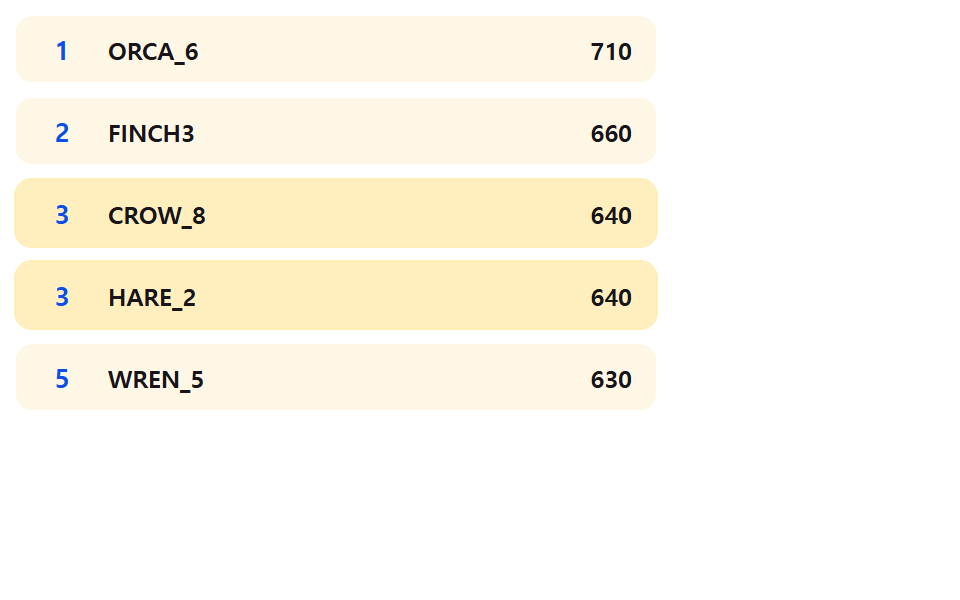
This leaderboard ui design is built on one feel: A leaderboard shifts like runners trading places at the line.
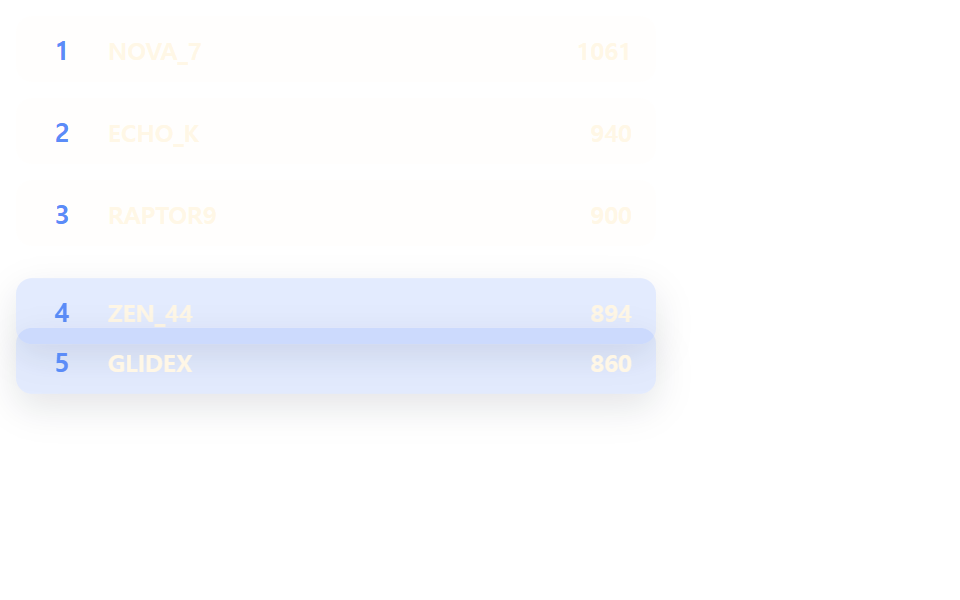 01 leaderboard-flip-rank-swap
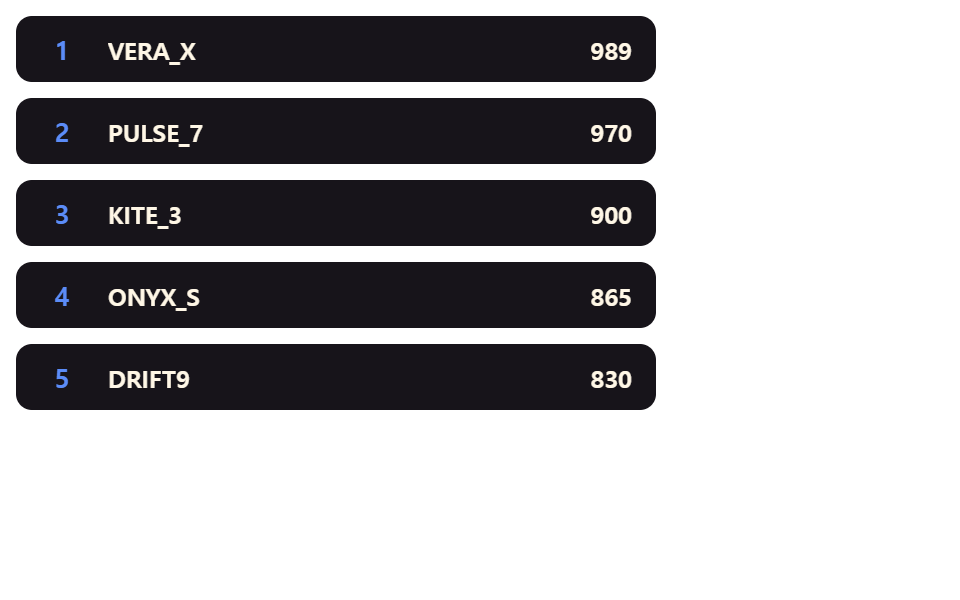 02 leaderboard-rankup-spring-pop
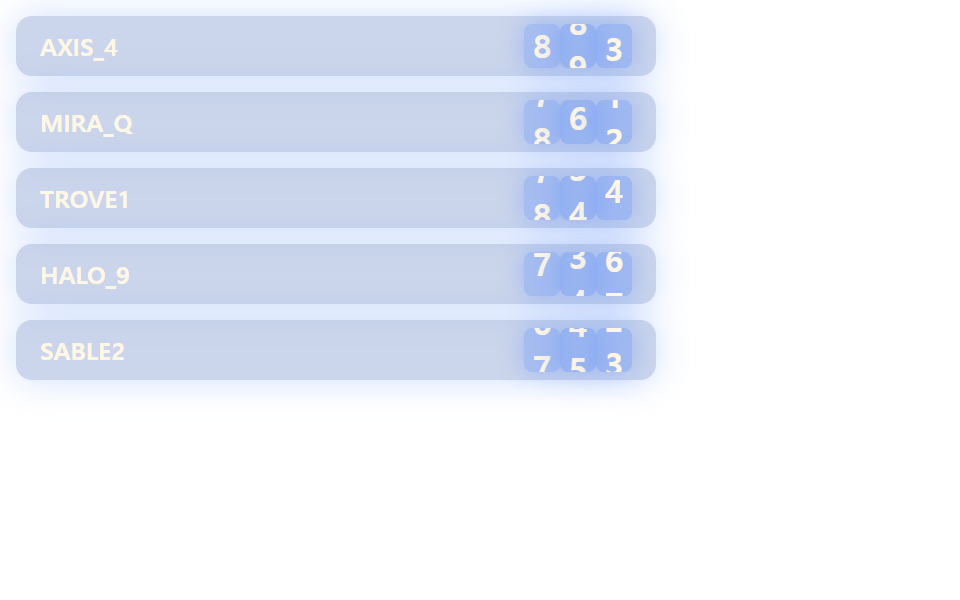 03 leaderboard-score-digit-roll
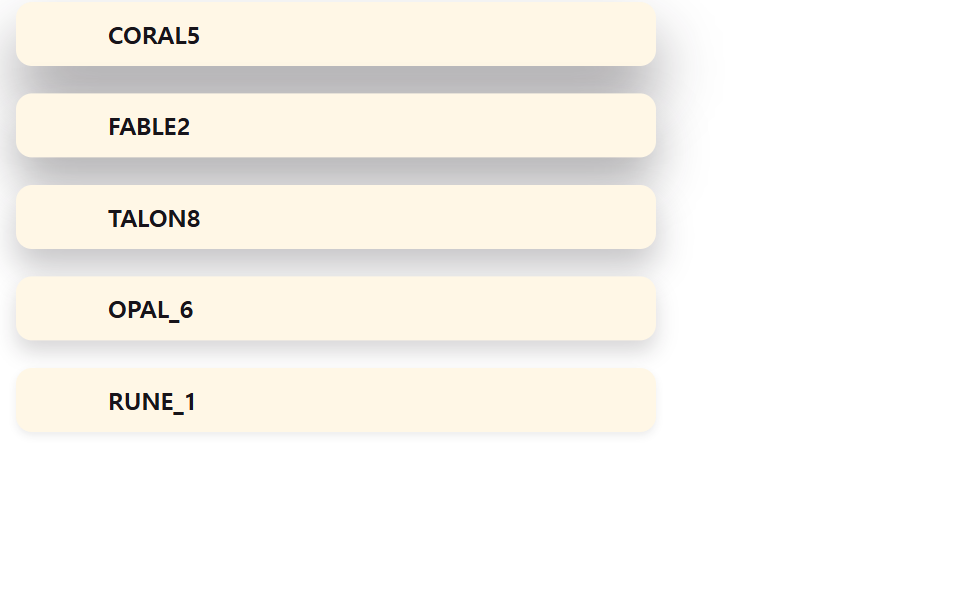 04 leaderboard-elevation-shadow-lift
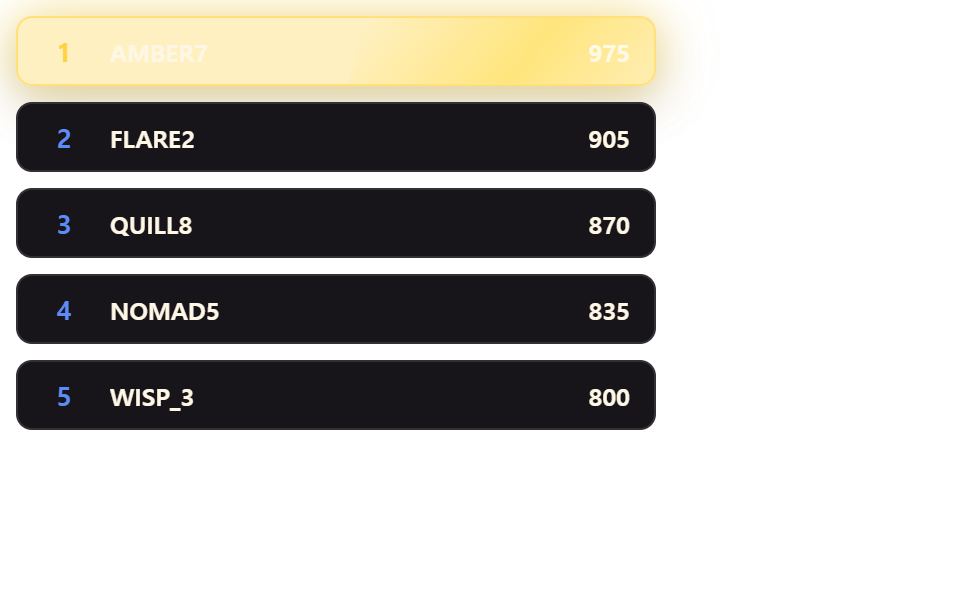 05 leaderboard-gold-gloss-sweep
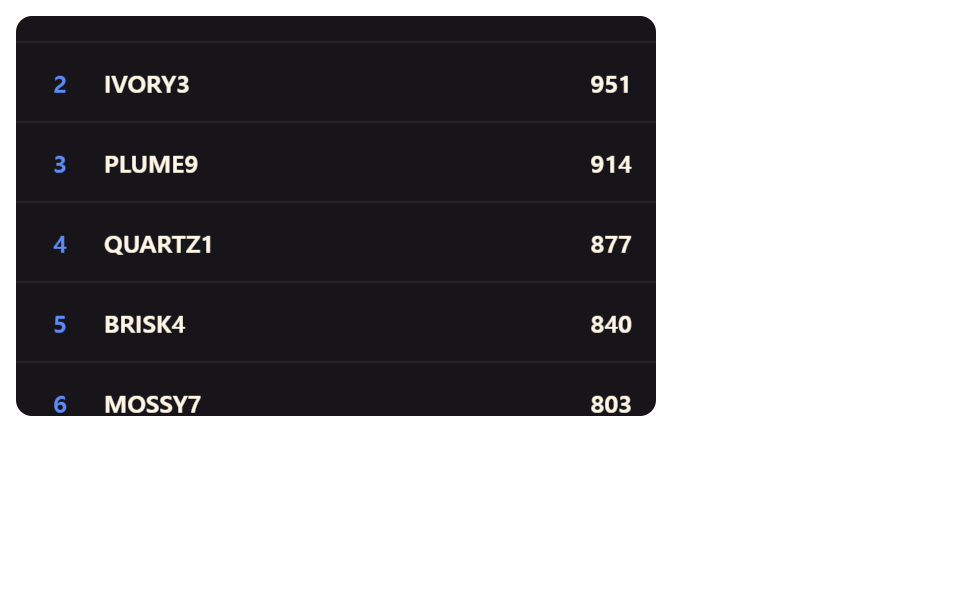 06 leaderboard-inertia-scroll-list
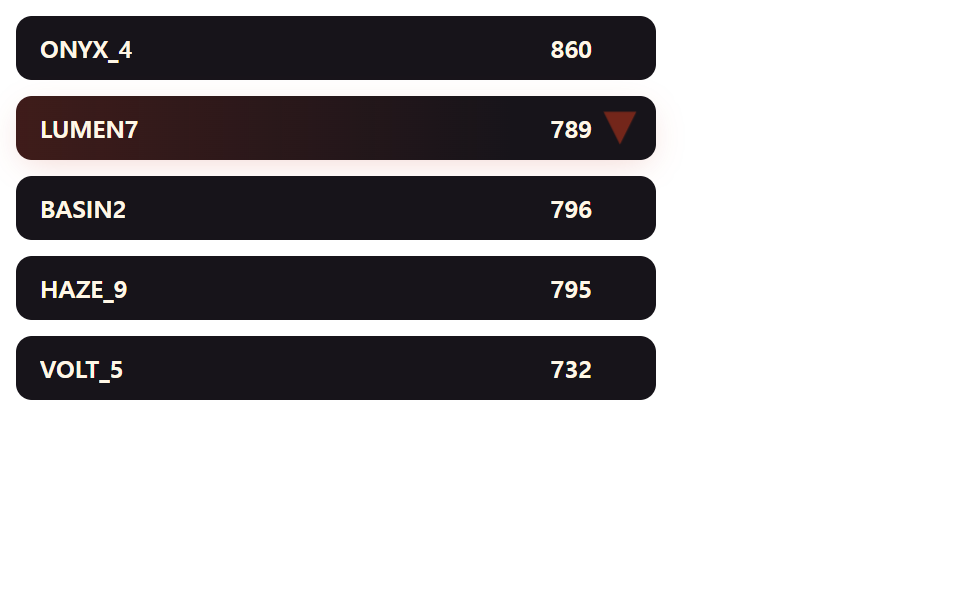 07 leaderboard-delta-arrow-flash
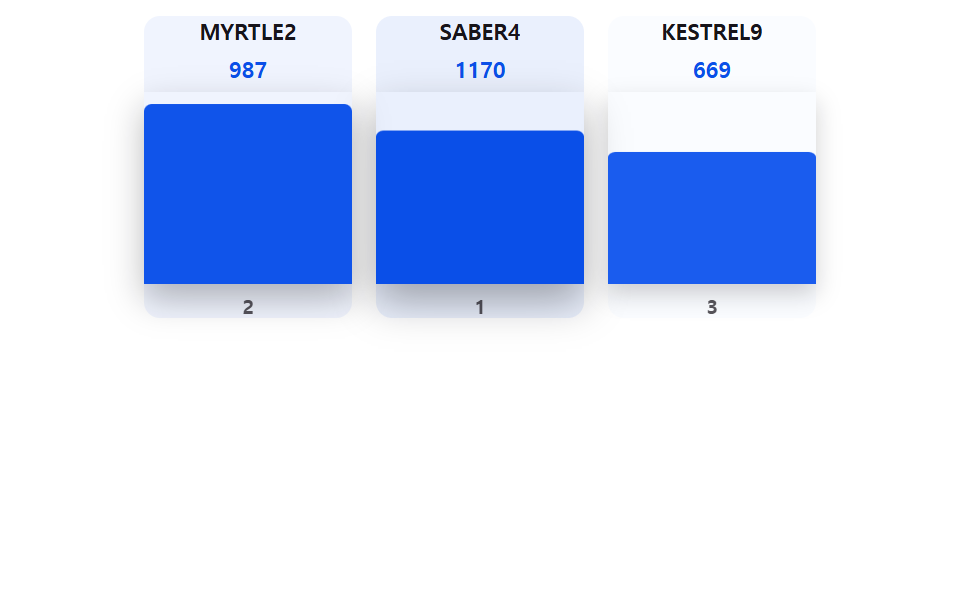 08 leaderboard-podium-bar-grow
 09 leaderboard-tie-merge-flash
Auto-plays · click a tile to jump to its section · all nine in one zip
- 01 Leaderboard Rows That FLIP-Swap Rank Positions
- 02 Row That Springs Up When Its Rank Improves
- 03 Score Counter That Rolls Up Digit by Digit
- 04 Row Whose Shadow Lifts Higher With Rank
- 05 Gold Gloss That Sweeps Only Across the No. 1 Row
- 06 Ranking List That Keeps Gliding After You Let Go
- 07 Arrow Badge That Flashes the Rank Delta
- 08 Podium Bar That Grows With the Score
- 09 Flash That Merges Tied Rows Into One Line
Every item below ties one numeric constant to one calculation that decides how a rank change actually plays out on screen.
Nothing here reaches for a charting or animation package. Each item keeps its motion behind a single named constant — LEADERBOARD_FLIP_DURATION_MS, LEADERBOARD_RANKUP_OVERSHOOT_PERCENT, LEADERBOARD_SCROLL_FRICTION, and six more like them — so the number you'd want to tune during a real leaderboard animation css pass is never buried inside a formula three files away from where it's used.
01Rows That FLIP Into Their New Rank Instead of Jumping
When two scores swap places, flipSwap() re-appends every <li> in score order and compares each row's rect from before the reorder against its rect after, then animateFlipRow() inverts that pixel distance into a starting translateY() offset and plays it back to zero over LEADERBOARD_FLIP_DURATION_MS — the classic First-Last-Invert-Play sequence, run through the Web Animations API rather than a CSS transition. Box-shadow and background tint ride the exact same keyframes as the position, and if the same row gets bumped again mid-flight, node.anim.cancel() throws away the old animation and starts fresh from wherever the row currently sits.
<main class="stage">
<div class="lbf is-demo" id="lbf">
  <ul class="lbf__list" id="lbfList" role="list"></ul>
  <p class="lbf__sr" id="lbfSr" aria-live="polite"></p>
</div>
</main>
@use "../../../../site/static/demo-tokens" as *;
// 계산 겹: bump()/자동 루프가 flipSwap() 을 호출하면 measureRects() 로 잰 이전 위치와
// 재정렬 뒤 새 위치의 차이를 translateY 오프셋으로 역보정(FLIP 의 Invert)한 다음
// 프레임에 0 으로 되돌려(Play), 두 행이 서로의 자리를 타고 넘듯 이동하는 것처럼 보인다.
.stage { @include stage($stage-ink); }
$duration: $dur-enter;
$easing: $ease-spring;
$color: $subject-cream;
.lbf {
width: min(88vw, 320px);
display: flex;
flex-direction: column;
gap: $sp-2;
}
.lbf__list {
list-style: none;
margin: 0;
padding: 0;
display: flex;
flex-direction: column;
gap: $sp-2;
position: relative;
}
.lbf__row {
display: flex;
align-items: center;
gap: $sp-3;
padding: $sp-2 $sp-3;
border-radius: $r-sm;
background: rgba($subject-cream, .08);
cursor: pointer;
}
.lbf__row:focus-visible {
outline: 2px solid $subject-blue-light;
outline-offset: 2px;
}
.lbf__rank {
width: 22px;
flex: 0 0 auto;
font-size: 13px;
font-weight: 700;
color: $subject-blue-light;
text-align: center;
}
.lbf__name {
flex: 1;
min-width: 0;
font-size: 12px;
font-weight: 700;
color: $color;
white-space: nowrap;
overflow: hidden;
text-overflow: ellipsis;
}
.lbf__score {
flex: 0 0 auto;
font-size: 12px;
font-weight: 700;
color: $color;
font-variant-numeric: tabular-nums;
}
.lbf__sr {
position: absolute; width: 1px; height: 1px; overflow: hidden;
clip: rect(0 0 0 0); margin: -1px; padding: 0; border: 0;
}
@media (max-width: 340px) {
.lbf { width: min(94vw, 260px); }
.lbf__list { gap: $sp-1; }
.lbf__row { padding: $sp-1 $sp-2; gap: $sp-2; }
.lbf__name { font-size: 11px; }
.lbf__score { font-size: 11px; }
}
@media (prefers-reduced-motion: reduce) {
.lbf__row { transition: none !important; }
}.stage html, .stage body {
margin: 0;
overflow: hidden;
}
.stage .stage {
box-sizing: border-box;
min-height: 100vh;
display: grid;
place-items: center;
margin: 0;
background: #17141a;
font-family: -apple-system, "Segoe UI", "Noto Sans KR", sans-serif;
padding: clamp(8px, 4vw, 24px);
}
.lbf {
width: min(88vw, 320px);
display: flex;
flex-direction: column;
gap: 8px;
}
.lbf__list {
list-style: none;
margin: 0;
padding: 0;
display: flex;
flex-direction: column;
gap: 8px;
position: relative;
}
.lbf__row {
display: flex;
align-items: center;
gap: 12px;
padding: 8px 12px;
border-radius: 8px;
background: rgba(255, 247, 230, 0.08);
cursor: pointer;
}
.lbf__row:focus-visible {
outline: 2px solid #5b8cf8;
outline-offset: 2px;
}
.lbf__rank {
width: 22px;
flex: 0 0 auto;
font-size: 13px;
font-weight: 700;
color: #5b8cf8;
text-align: center;
}
.lbf__name {
flex: 1;
min-width: 0;
font-size: 12px;
font-weight: 700;
color: #fff7e6;
white-space: nowrap;
overflow: hidden;
text-overflow: ellipsis;
}
.lbf__score {
flex: 0 0 auto;
font-size: 12px;
font-weight: 700;
color: #fff7e6;
font-variant-numeric: tabular-nums;
}
.lbf__sr {
position: absolute;
width: 1px;
height: 1px;
overflow: hidden;
clip: rect(0 0 0 0);
margin: -1px;
padding: 0;
border: 0;
}
@media (max-width: 340px) {
.lbf {
width: min(94vw, 260px);
}
.lbf__list {
gap: 4px;
}
.lbf__row {
padding: 4px 8px;
gap: 8px;
}
.lbf__name {
font-size: 11px;
}
.lbf__score {
font-size: 11px;
}
}
@media (prefers-reduced-motion: reduce) {
.lbf__row {
transition: none !important;
}
}(function () {
"use strict";
var LEADERBOARD_FLIP_DURATION_MS = 600;
var LEADERBOARD_FLIP_SWAP_MS = 460;
var LEADERBOARD_FLIP_HIGHLIGHT = "91,140,248";
function seedRand(seed) {
var s = seed % 2147483647; if (s <= 0) s += 2147483646;
return function () { s = (s * 16807) % 2147483647; return (s - 1) / 2147483646; };
}
var rand = seedRand(418);
var root = document.getElementById("lbf");
var list = document.getElementById("lbfList");
var sr = document.getElementById("lbfSr");
var reduce = window.matchMedia("(prefers-reduced-motion: reduce)").matches;
var players = [
{ id: "p1", name: "NOVA_7", score: 980 },
{ id: "p2", name: "ECHO_K", score: 940 },
{ id: "p3", name: "RAPTOR9", score: 900 },
{ id: "p4", name: "GLIDEX", score: 860 },
{ id: "p5", name: "ZEN_44", score: 820 }
];
var nodes = {};
function human() {
if (root.classList.contains("is-demo")) root.classList.remove("is-demo");
}
function sortedPlayers() {
return players.slice().sort(function (a, b) { return b.score - a.score; });
}
function measureRects() {
var r = {};
players.forEach(function (p) { r[p.id] = nodes[p.id].li.getBoundingClientRect(); });
return r;
}
// 계산 겹: 이전 rect 와 재정렬 뒤 새 rect 의 차이를 translateY 오프셋으로 역보정(FLIP 의 Invert)한
// 다음 다음 프레임에 transform 을 0 으로 되돌려(Play) 두 행이 서로의 자리를 타고 넘듯 이동한다.
function flipSwap(before) {
var order = sortedPlayers();
order.forEach(function (p, i) {
list.appendChild(nodes[p.id].li);
nodes[p.id].rank.textContent = String(i + 1);
nodes[p.id].score.textContent = String(p.score);
});
if (reduce) return;
order.forEach(function (p) {
var li = nodes[p.id].li;
var after = li.getBoundingClientRect();
var dy = before[p.id].top - after.top;
if (Math.abs(dy) < 0.5) return;
animateFlipRow(nodes[p.id], dy);
});
}
// 계산 겹: 이동 진행률(hump = 0→1→0)을 그림자 크기·배경 톤에 실어 Web Animations API
// 키프레임으로 한 번에 재생한다 — CSS transition 대신 el.animate() 를 쓰는 이유는
// document.getAnimations() 로 잡혀야 demo.py 가 애니메이션 시계를 프레임마다 정확히
// 놓아 결정론적으로 캡처하기 때문이다(수동 rAF 폴링은 실시간이라 매 실행마다 흔들린다).
// 뒤늦게 같은 행이 다시 트리거되면 이전 재생을 취소하고 새 애니메이션으로 넘어간다.
  function animateFlipRow(node, dy) {
    var li = node.li;
    if (node.anim) node.anim.cancel();
    var baseShadow = "0 2px 10px rgba(10,16,32,0)";
    var peakShadow = "0 " + (2 + 12).toFixed(1) + "px " + (10 + 20).toFixed(1) + "px rgba(10,16,32,.28)";
    var baseBg = "rgba(" + LEADERBOARD_FLIP_HIGHLIGHT + ",0.08)";
    var peakBg = "rgba(" + LEADERBOARD_FLIP_HIGHLIGHT + ",0.32)";
    node.anim = li.animate([
      { transform: "translateY(" + dy + "px)", boxShadow: baseShadow, background: baseBg, offset: 0 },
      { boxShadow: peakShadow, background: peakBg, offset: 0.5 },
      { transform: "translateY(0px)", boxShadow: baseShadow, background: baseBg, offset: 1 }
    ], { duration: LEADERBOARD_FLIP_DURATION_MS, easing: "cubic-bezier(.2,.8,.2,1)", fill: "forwards" });
    node.anim.onfinish = function () {
      li.style.transform = "";
      li.style.boxShadow = "";
      li.style.background = "";
    };
  }
function bump(id) {
var before = measureRects();
var p = players.filter(function (x) { return x.id === id; })[0];
var oldRank = sortedPlayers().indexOf(p);
p.score += 40 + Math.floor(rand() * 60);
flipSwap(before);
var newRank = sortedPlayers().indexOf(p);
if (newRank < oldRank) sr.textContent = p.name + " moved up to rank " + (newRank + 1) + " now";
}
// 한 틱에 서로 다른 두 참가자를 동시에 밀어올려 여러 행이 한 번에 FLIP 하게 한다.
function bumpMany() {
var before = measureRects();
var pool = players.slice();
var picks = [];
for (var n = 0; n < 2 && pool.length; n++) {
var i = Math.floor(rand() * pool.length);
picks.push(pool.splice(i, 1)[0]);
}
picks.forEach(function (p) { p.score += 35 + Math.floor(rand() * 55); });
flipSwap(before);
}
players.forEach(function (p) {
var li = document.createElement("li");
li.className = "lbf__row";
li.setAttribute("role", "listitem");
li.tabIndex = 0;
var rank = document.createElement("span");
rank.className = "lbf__rank";
var name = document.createElement("span");
name.className = "lbf__name";
name.textContent = p.name;
var score = document.createElement("span");
score.className = "lbf__score";
li.appendChild(rank);
li.appendChild(name);
li.appendChild(score);
nodes[p.id] = { li: li, rank: rank, score: score };
li.addEventListener("click", function () { human(); bump(p.id); });
li.addEventListener("keydown", function (e) {
if (e.key === "Enter" || e.key === " ") { e.preventDefault(); human(); bump(p.id); }
});
});
sortedPlayers().forEach(function (p, i) {
list.appendChild(nodes[p.id].li);
nodes[p.id].rank.textContent = String(i + 1);
nodes[p.id].score.textContent = String(p.score);
});
if (!reduce) {
(function loop() {
if (root.classList.contains("is-demo")) {
bumpMany();
}
window.setTimeout(loop, LEADERBOARD_FLIP_SWAP_MS);
})();
}
})();import { useEffect, useRef } from "react";
import styles from "./LeaderboardFlipRankSwap.module.scss";
type Box<T> = { current: T };
const LEADERBOARD_FLIP_DURATION_MS = 600;
const LEADERBOARD_FLIP_SWAP_MS = 460;
const LEADERBOARD_FLIP_HIGHLIGHT = "91,140,248";
function seedRand(seed: number) {
let s = seed % 2147483647;
if (s <= 0) s += 2147483646;
return function () {
s = (s * 16807) % 2147483647;
return (s - 1) / 2147483646;
};
}
type Player = { id: string; name: string; score: number };
type RowNodes = { li: HTMLLIElement; rank: HTMLSpanElement; score: HTMLSpanElement; anim?: Animation };
export default function LeaderboardFlipRankSwap() {
const rootRef = useRef(null) as unknown as Box<HTMLDivElement>;
const listRef = useRef(null) as unknown as Box<HTMLUListElement>;
const srRef = useRef(null) as unknown as Box<HTMLParagraphElement>;
useEffect(() => {
const root = rootRef.current;
const list = listRef.current;
const sr = srRef.current;
const rand = seedRand(418);
const reduce = window.matchMedia("(prefers-reduced-motion: reduce)").matches;
const players: Player[] = [
{ id: "p1", name: "NOVA_7", score: 980 },
{ id: "p2", name: "ECHO_K", score: 940 },
{ id: "p3", name: "RAPTOR9", score: 900 },
{ id: "p4", name: "GLIDEX", score: 860 },
{ id: "p5", name: "ZEN_44", score: 820 }
];
const nodes: Record<string, RowNodes> = {};
let timer: number | undefined;
function human() {
if (root.classList.contains("is-demo")) root.classList.remove("is-demo");
}
function sortedPlayers() {
return players.slice().sort((a, b) => b.score - a.score);
}
function measureRects() {
const map: Record<string, DOMRect> = {};
players.forEach((p) => {
map[p.id] = nodes[p.id].li.getBoundingClientRect();
});
return map;
}
function flipSwap(before: Record<string, DOMRect>) {
const order = sortedPlayers();
order.forEach((p, i) => {
list.appendChild(nodes[p.id].li);
nodes[p.id].rank.textContent = String(i + 1);
nodes[p.id].score.textContent = String(p.score);
});
if (reduce) return;
players.forEach((p) => {
const node = nodes[p.id];
const el = node.li;
const after = el.getBoundingClientRect();
const dy = before[p.id].top - after.top;
if (Math.abs(dy) < 0.5) return;
animateFlipRow(node, dy);
});
sr.textContent = order[0].name + " 이(가) 1위입니다";
}
// 계산 겹: 이동 진행률(hump = 0→1→0)을 그림자·배경 톤에 실어 Web Animations API
// 키프레임으로 재생한다 — document.getAnimations() 로 잡혀야 demo.py 가 애니메이션
// 시계를 프레임마다 정확히 놓아 결정론적으로 캡처한다.
function animateFlipRow(node: RowNodes, dy: number) {
const el = node.li;
if (node.anim) node.anim.cancel();
const baseShadow = "0 2px 10px rgba(10,16,32,0)";
const peakShadow = "0 14px 30px rgba(10,16,32,.28)";
const baseBg = "rgba(" + LEADERBOARD_FLIP_HIGHLIGHT + ",0.08)";
const peakBg = "rgba(" + LEADERBOARD_FLIP_HIGHLIGHT + ",0.32)";
node.anim = el.animate([
{ transform: "translateY(" + dy + "px)", boxShadow: baseShadow, background: baseBg, offset: 0 },
{ boxShadow: peakShadow, background: peakBg, offset: 0.5 },
{ transform: "translateY(0px)", boxShadow: baseShadow, background: baseBg, offset: 1 }
], { duration: LEADERBOARD_FLIP_DURATION_MS, easing: "cubic-bezier(.2,.8,.2,1)", fill: "forwards" });
node.anim.onfinish = () => {
el.style.transform = "";
el.style.boxShadow = "";
el.style.background = "";
};
}
function bump(id: string) {
const before = measureRects();
const p = players.filter((x) => x.id === id)[0];
p.score += 40 + Math.floor(rand() * 60);
flipSwap(before);
}
// 한 틱에 서로 다른 두 참가자를 동시에 밀어올려 여러 행이 한 번에 FLIP 하게 한다.
function bumpMany() {
const before = measureRects();
const pool = players.slice();
const picks: Player[] = [];
for (let n = 0; n < 2 && pool.length; n++) {
const i = Math.floor(rand() * pool.length);
picks.push(pool.splice(i, 1)[0]);
}
picks.forEach((p) => { p.score += 35 + Math.floor(rand() * 55); });
flipSwap(before);
}
players.forEach((p) => {
const li = document.createElement("li");
li.className = styles.lbf__row;
li.setAttribute("role", "listitem");
li.tabIndex = 0;
const rank = document.createElement("span");
rank.className = styles.lbf__rank;
const name = document.createElement("span");
name.className = styles.lbf__name;
name.textContent = p.name;
const score = document.createElement("span");
score.className = styles.lbf__score;
li.appendChild(rank);
li.appendChild(name);
li.appendChild(score);
nodes[p.id] = { li, rank, score };
li.addEventListener("click", () => {
human();
bump(p.id);
});
li.addEventListener("keydown", (e: KeyboardEvent) => {
if (e.key === "Enter" || e.key === " ") {
e.preventDefault();
human();
bump(p.id);
}
});
list.appendChild(li);
});
flipSwap(measureRects());
if (!reduce) {
const loop = () => {
if (root.classList.contains("is-demo")) {
bumpMany();
}
timer = window.setTimeout(loop, LEADERBOARD_FLIP_SWAP_MS);
};
timer = window.setTimeout(loop, LEADERBOARD_FLIP_SWAP_MS);
}
return () => {
if (timer) window.clearTimeout(timer);
};
}, []);
return (
<main className={styles.stage}>
<div className={styles.lbf + " is-demo"} ref={rootRef}>
<ul className={styles.lbf__list} ref={listRef} role="list" />
<p className={styles.lbf__sr} ref={srRef} aria-live="polite" />
</div>
</main>
);
}01 · Leaderboard Rows That FLIP-Swap Rank Positions — Measured area 33.704% · moving frames 7/23Original by GODRICH · SCSS and React ship in the zip · See the password
function animateFlipRow(node, dy) {
var li = node.li;
if (node.anim) node.anim.cancel();
var baseShadow = "0 2px 10px rgba(10,16,32,0)";
var peakShadow = "0 " + (2 + 12).toFixed(1) + "px " + (10 + 20).toFixed(1) + "px rgba(10,16,32,.28)";
var baseBg = "rgba(" + LEADERBOARD_FLIP_HIGHLIGHT + ",0.08)";
var peakBg = "rgba(" + LEADERBOARD_FLIP_HIGHLIGHT + ",0.32)";
node.anim = li.animate([
{ transform: "translateY(" + dy + "px)", boxShadow: baseShadow, background: baseBg, offset: 0 },
{ boxShadow: peakShadow, background: peakBg, offset: 0.5 },
{ transform: "translateY(0px)", boxShadow: baseShadow, background: baseBg, offset: 1 }
], { duration: LEADERBOARD_FLIP_DURATION_MS, easing: "cubic-bezier(.2,.8,.2,1)", fill: "forwards" });
node.anim.onfinish = function () {
li.style.transform = "";
li.style.boxShadow = "";
li.style.background = "";
};
}
Measured: 33.7% of the frame area changes across a swap, intensity averages 29.9, and 7 of 23 sampled frames moved.
02A Row That Overshoots Its Target When It Ranks Up
springScale() back-solves a damping ratio zeta from LEADERBOARD_RANKUP_OVERSHOOT_PERCENT using the closed-form second-order step-response formula against a fixed natural frequency, then popRow() evaluates that spring curve itself inside its own requestAnimationFrame() loop rather than stepping a physics simulation tick by tick. A higher overshoot percent pushes the peak scale further past 1 before the row settles back down — that peak is exactly what the second variant below turns up.
<main class="stage">
<div class="lbs is-demo" id="lbs">
  <ul class="lbs__list" id="lbsList" role="list"></ul>
  <p class="lbs__sr" id="lbsSr" aria-live="polite"></p>
</div>
</main>
@use "../../../../site/static/demo-tokens" as *;
// 계산 겹: springScale() 이 LEADERBOARD_RANKUP_OVERSHOOT_PERCENT 로부터 감쇠비를 역산해
// 2차계 스텝응답 닫힌 해로 scale 값을 매 프레임 계산한다 — 오버슛 % 를 바꾸면 튀어 오르는
// 정도가 그 값 그대로 달라진다 (속성 트윈이 아니라 계산).
.stage { @include stage($stage-yellow); }
$duration: $dur-enter;
$easing: $ease-spring;
$color: $subject-cream;
.lbs {
width: min(88vw, 320px);
display: flex;
flex-direction: column;
gap: $sp-2;
}
.lbs__list {
list-style: none;
margin: 0;
padding: 0;
display: flex;
flex-direction: column;
gap: $sp-2;
}
.lbs__row {
display: flex;
align-items: center;
gap: $sp-3;
padding: $sp-2 $sp-3;
border-radius: $r-sm;
background: $subject-ink;
transform-origin: 50% 50%;
will-change: transform;
cursor: pointer;
}
.lbs__row:focus-visible {
outline: 2px solid $subject-blue-light;
outline-offset: 2px;
}
.lbs__rank {
width: 22px;
flex: 0 0 auto;
font-size: 13px;
font-weight: 700;
color: $subject-blue-light;
text-align: center;
}
.lbs__name {
flex: 1;
min-width: 0;
font-size: 12px;
font-weight: 700;
color: $color;
white-space: nowrap;
overflow: hidden;
text-overflow: ellipsis;
}
.lbs__score {
flex: 0 0 auto;
font-size: 12px;
font-weight: 700;
color: $color;
font-variant-numeric: tabular-nums;
}
.lbs__sr {
position: absolute; width: 1px; height: 1px; overflow: hidden;
clip: rect(0 0 0 0); margin: -1px; padding: 0; border: 0;
}
@media (max-width: 340px) {
.lbs { width: min(94vw, 260px); }
.lbs__list { gap: $sp-1; }
.lbs__row { padding: $sp-1 $sp-2; gap: $sp-2; }
.lbs__name { font-size: 11px; }
.lbs__score { font-size: 11px; }
}
@media (prefers-reduced-motion: reduce) {
.lbs__row { transform: none !important; }
}.stage html, .stage body {
margin: 0;
overflow: hidden;
}
.stage .stage {
box-sizing: border-box;
min-height: 100vh;
display: grid;
place-items: center;
margin: 0;
background: #ffd23f;
font-family: -apple-system, "Segoe UI", "Noto Sans KR", sans-serif;
padding: clamp(8px, 4vw, 24px);
}
.lbs {
width: min(88vw, 320px);
display: flex;
flex-direction: column;
gap: 8px;
}
.lbs__list {
list-style: none;
margin: 0;
padding: 0;
display: flex;
flex-direction: column;
gap: 8px;
}
.lbs__row {
display: flex;
align-items: center;
gap: 12px;
padding: 8px 12px;
border-radius: 8px;
background: #17141a;
transform-origin: 50% 50%;
will-change: transform;
cursor: pointer;
}
.lbs__row:focus-visible {
outline: 2px solid #5b8cf8;
outline-offset: 2px;
}
.lbs__rank {
width: 22px;
flex: 0 0 auto;
font-size: 13px;
font-weight: 700;
color: #5b8cf8;
text-align: center;
}
.lbs__name {
flex: 1;
min-width: 0;
font-size: 12px;
font-weight: 700;
color: #fff7e6;
white-space: nowrap;
overflow: hidden;
text-overflow: ellipsis;
}
.lbs__score {
flex: 0 0 auto;
font-size: 12px;
font-weight: 700;
color: #fff7e6;
font-variant-numeric: tabular-nums;
}
.lbs__sr {
position: absolute;
width: 1px;
height: 1px;
overflow: hidden;
clip: rect(0 0 0 0);
margin: -1px;
padding: 0;
border: 0;
}
@media (max-width: 340px) {
.lbs {
width: min(94vw, 260px);
}
.lbs__list {
gap: 4px;
}
.lbs__row {
padding: 4px 8px;
gap: 8px;
}
.lbs__name {
font-size: 11px;
}
.lbs__score {
font-size: 11px;
}
}
@media (prefers-reduced-motion: reduce) {
.lbs__row {
transform: none !important;
}
}(function () {
"use strict";
var LEADERBOARD_RANKUP_OVERSHOOT_PERCENT = 15;
var LEADERBOARD_RANKUP_POP_MS = 620;
var LEADERBOARD_RANKUP_TICK_MS = 820;
function seedRand(seed) {
var s = seed % 2147483647; if (s <= 0) s += 2147483646;
return function () { s = (s * 16807) % 2147483647; return (s - 1) / 2147483646; };
}
var rand = seedRand(418);
// 계산 겹: 목표 오버슛 비율(OS)로부터 감쇠비 zeta 를 역산해(제어이론의 2차계 스텝응답 공식)
// 그 zeta 로 스프링 곡선을 직접 적분하지 않고 닫힌 해로 계산한다 — 오버슛 % 를 바꾸면
// zeta 가 달라지고 튀어 오르는 정도가 그만큼 정확히 달라진다.
  function springScale(t, overshootPercent) {
    var os = Math.max(0.001, Math.min(0.9, overshootPercent / 100));
    var lnOs = Math.log(os);
    var zeta = -lnOs / Math.sqrt(Math.PI * Math.PI + lnOs * lnOs);
    var wn = 11.5;
    var wd = wn * Math.sqrt(Math.max(0.0001, 1 - zeta * zeta));
    var tt = Math.min(1, t) * (LEADERBOARD_RANKUP_POP_MS / 1000);
    return 1 - Math.exp(-zeta * wn * tt) * (Math.cos(wd * tt) + (zeta * wn / wd) * Math.sin(wd * tt));
  }
var root = document.getElementById("lbs");
var list = document.getElementById("lbsList");
var sr = document.getElementById("lbsSr");
var reduce = window.matchMedia("(prefers-reduced-motion: reduce)").matches;
var players = [
{ id: "p1", name: "PULSE_7", score: 970 },
{ id: "p2", name: "VERA_X", score: 935 },
{ id: "p3", name: "KITE_3", score: 900 },
{ id: "p4", name: "ONYX_S", score: 865 },
{ id: "p5", name: "DRIFT9", score: 830 }
];
var nodes = {};
function human() {
if (root.classList.contains("is-demo")) root.classList.remove("is-demo");
}
function sortedPlayers() {
return players.slice().sort(function (a, b) { return b.score - a.score; });
}
function relayout() {
var order = sortedPlayers();
order.forEach(function (p, i) {
list.appendChild(nodes[p.id].li);
nodes[p.id].rank.textContent = String(i + 1);
nodes[p.id].score.textContent = String(p.score);
});
return order;
}
function popRow(id) {
var el = nodes[id].li;
if (reduce) return;
var start = null;
function frame(now) {
if (start === null) start = now;
var t = (now - start) / LEADERBOARD_RANKUP_POP_MS;
var s = springScale(t, LEADERBOARD_RANKUP_OVERSHOOT_PERCENT);
el.style.transform = "scale(" + s.toFixed(4) + ")";
if (t < 1) requestAnimationFrame(frame);
else el.style.transform = "scale(1)";
}
requestAnimationFrame(frame);
}
function bump(id) {
var order = sortedPlayers();
var oldRank = order.indexOf(players.filter(function (x) { return x.id === id; })[0]);
var p = players.filter(function (x) { return x.id === id; })[0];
p.score += 25 + Math.floor(rand() * 25);
var newOrder = relayout();
var newRank = newOrder.indexOf(p);
if (newRank < oldRank) {
popRow(id);
sr.textContent = p.name + " moved up to rank " + (newRank + 1) + " now";
}
}
players.forEach(function (p) {
var li = document.createElement("li");
li.className = "lbs__row";
li.setAttribute("role", "listitem");
li.tabIndex = 0;
var rank = document.createElement("span");
rank.className = "lbs__rank";
var name = document.createElement("span");
name.className = "lbs__name";
name.textContent = p.name;
var score = document.createElement("span");
score.className = "lbs__score";
li.appendChild(rank);
li.appendChild(name);
li.appendChild(score);
nodes[p.id] = { li: li, rank: rank, score: score };
li.addEventListener("click", function () { human(); bump(p.id); });
li.addEventListener("keydown", function (e) {
if (e.key === "Enter" || e.key === " ") { e.preventDefault(); human(); bump(p.id); }
});
});
relayout();
if (reduce) {
// reduce 에서도 클릭 입력은 relayout() 이 즉시 반영한다 (팝 애니메이션만 생략)
} else {
(function loop() {
if (root.classList.contains("is-demo")) {
var order = sortedPlayers();
var idx = 1 + Math.floor(rand() * (order.length - 1));
var target = order[idx];
var oldRank = idx;
target.score += 35 + Math.floor(rand() * 20);
var newOrder = relayout();
var newRank = newOrder.indexOf(target);
if (newRank < oldRank) popRow(target.id);
}
window.setTimeout(loop, LEADERBOARD_RANKUP_TICK_MS);
})();
}
})();import { useEffect, useRef } from "react";
import styles from "./LeaderboardRankupSpringPop.module.scss";
type Box<T> = { current: T };
const LEADERBOARD_RANKUP_OVERSHOOT_PERCENT = 15;
const LEADERBOARD_RANKUP_POP_MS = 620;
const LEADERBOARD_RANKUP_TICK_MS = 820;
function seedRand(seed: number) {
let s = seed % 2147483647;
if (s <= 0) s += 2147483646;
return function () {
s = (s * 16807) % 2147483647;
return (s - 1) / 2147483646;
};
}
type Player = { id: string; name: string; score: number };
type RowNodes = { li: HTMLLIElement; rank: HTMLSpanElement; score: HTMLSpanElement };
function springScale(t: number, overshootPercent: number, popMs: number) {
const os = Math.max(0.001, Math.min(0.9, overshootPercent / 100));
const lnOs = Math.log(os);
const zeta = -lnOs / Math.sqrt(Math.PI * Math.PI + lnOs * lnOs);
const wn = 11.5;
const wd = wn * Math.sqrt(Math.max(0.0001, 1 - zeta * zeta));
const tt = Math.min(1, t) * (popMs / 1000);
return 1 - Math.exp(-zeta * wn * tt) * (Math.cos(wd * tt) + ((zeta * wn) / wd) * Math.sin(wd * tt));
}
export default function LeaderboardRankupSpringPop() {
const rootRef = useRef(null) as unknown as Box<HTMLDivElement>;
const listRef = useRef(null) as unknown as Box<HTMLUListElement>;
const srRef = useRef(null) as unknown as Box<HTMLParagraphElement>;
useEffect(() => {
const root = rootRef.current;
const list = listRef.current;
const sr = srRef.current;
const rand = seedRand(418);
const reduce = window.matchMedia("(prefers-reduced-motion: reduce)").matches;
const players: Player[] = [
{ id: "p1", name: "PULSE_7", score: 970 },
{ id: "p2", name: "VERA_X", score: 935 },
{ id: "p3", name: "KITE_3", score: 900 },
{ id: "p4", name: "ONYX_S", score: 865 },
{ id: "p5", name: "DRIFT9", score: 830 }
];
const nodes: Record<string, RowNodes> = {};
let timer: number | undefined;
function human() {
if (root.classList.contains("is-demo")) root.classList.remove("is-demo");
}
function sortedPlayers() {
return players.slice().sort((a, b) => b.score - a.score);
}
function relayout() {
const order = sortedPlayers();
order.forEach((p, i) => {
list.appendChild(nodes[p.id].li);
nodes[p.id].rank.textContent = String(i + 1);
nodes[p.id].score.textContent = String(p.score);
});
return order;
}
function popRow(id: string) {
const el = nodes[id].li;
if (reduce) return;
let start: number | null = null;
function frame(now: number) {
if (start === null) start = now;
const t = (now - start) / LEADERBOARD_RANKUP_POP_MS;
const s = springScale(t, LEADERBOARD_RANKUP_OVERSHOOT_PERCENT, LEADERBOARD_RANKUP_POP_MS);
el.style.transform = "scale(" + s.toFixed(4) + ")";
if (t < 1) requestAnimationFrame(frame);
else el.style.transform = "scale(1)";
}
requestAnimationFrame(frame);
}
function bump(id: string) {
const order0 = sortedPlayers();
const p = players.filter((x) => x.id === id)[0];
const oldRank = order0.indexOf(p);
p.score += 25 + Math.floor(rand() * 25);
const newOrder = relayout();
const newRank = newOrder.indexOf(p);
if (newRank < oldRank) {
popRow(id);
sr.textContent = p.name + " 이(가) " + (newRank + 1) + "위로 올랐습니다";
}
}
players.forEach((p) => {
const li = document.createElement("li");
li.className = styles.lbs__row;
li.setAttribute("role", "listitem");
li.tabIndex = 0;
const rank = document.createElement("span");
rank.className = styles.lbs__rank;
const name = document.createElement("span");
name.className = styles.lbs__name;
name.textContent = p.name;
const score = document.createElement("span");
score.className = styles.lbs__score;
li.appendChild(rank);
li.appendChild(name);
li.appendChild(score);
nodes[p.id] = { li, rank, score };
li.addEventListener("click", () => {
human();
bump(p.id);
});
li.addEventListener("keydown", (e: KeyboardEvent) => {
if (e.key === "Enter" || e.key === " ") {
e.preventDefault();
human();
bump(p.id);
}
});
});
relayout();
if (!reduce) {
const loop = () => {
if (root.classList.contains("is-demo")) {
const order = sortedPlayers();
const idx = 1 + Math.floor(rand() * (order.length - 1));
const target = order[idx];
const oldRank = idx;
target.score += 35 + Math.floor(rand() * 20);
const newOrder = relayout();
const newRank = newOrder.indexOf(target);
if (newRank < oldRank) popRow(target.id);
}
timer = window.setTimeout(loop, LEADERBOARD_RANKUP_TICK_MS);
};
timer = window.setTimeout(loop, LEADERBOARD_RANKUP_TICK_MS);
}
return () => {
if (timer) window.clearTimeout(timer);
};
}, []);
return (
<main className={styles.stage}>
<div className={styles.lbs + " is-demo"} ref={rootRef}>
<ul className={styles.lbs__list} ref={listRef} role="list" />
<p className={styles.lbs__sr} ref={srRef} aria-live="polite" />
</div>
</main>
);
}02 · Row That Springs Up When Its Rank Improves — Measured area 23.776% · moving frames 22/23Original by GODRICH · SCSS and React ship in the zip · See the password
function springScale(t, overshootPercent) {
var os = Math.max(0.001, Math.min(0.9, overshootPercent / 100));
var lnOs = Math.log(os);
var zeta = -lnOs / Math.sqrt(Math.PI * Math.PI + lnOs * lnOs);
var wn = 11.5;
var wd = wn * Math.sqrt(Math.max(0.0001, 1 - zeta * zeta));
var tt = Math.min(1, t) * (LEADERBOARD_RANKUP_POP_MS / 1000);
return 1 - Math.exp(-zeta * wn * tt) * (Math.cos(wd * tt) + (zeta * wn / wd) * Math.sin(wd * tt));
}
Measured: 23.8% of the frame area changes, intensity averages 160.4, and 22 of 23 sampled frames moved.
03A Score Counter That Rolls Up One Digit at a Time
rollTo() splits the target score into three digits and staggers each digit reel's transitionDelay by its place index times LEADERBOARD_DIGIT_ROLL_STAGGER_MS, so the hundreds place lands, then the tens place, then the ones place, instead of all three snapping together. Each reel itself is a translateY() of digit × LEADERBOARD_DIGIT_H, and only the digit that actually changed value gets an is-rolling highlight class — a jump from 780 to 781 lights up one cell, a jump to 891 lights up all three.
<main class="stage">
<div class="lbd is-demo" id="lbd">
  <ul class="lbd__list" id="lbdList" role="list"></ul>
  <p class="lbd__sr" id="lbdSr" aria-live="polite"></p>
</div>
</main>
@use "../../../../site/static/demo-tokens" as *;
// 계산 겹: rollTo() 가 자릿수 순번(i) x LEADERBOARD_DIGIT_ROLL_STAGGER_MS 를 각 reel 의
// transitionDelay 로 걸어, 한 자리씩 슬롯머신처럼 다른 시점에 새 숫자로 멈춘다.
.stage { @include stage($stage-orange); }
$duration: $dur-base;
$easing: $ease-out;
$color: $subject-cream;
.lbd {
width: min(88vw, 320px);
display: flex;
flex-direction: column;
gap: $sp-2;
}
.lbd__list {
list-style: none;
margin: 0;
padding: 0;
display: flex;
flex-direction: column;
gap: $sp-2;
}
.lbd__row {
display: flex;
align-items: center;
justify-content: space-between;
gap: $sp-3;
padding: $sp-1 $sp-3;
border-radius: $r-sm;
background: $subject-ink;
cursor: pointer;
}
.lbd__row.is-hot {
animation: lbd-row-glow var(--row-glow-ms, 500ms) ease-out;
}
@keyframes lbd-row-glow {
0% { background: $subject-ink; box-shadow: 0 0 0 rgba($subject-blue-light, 0); }
30% { background: rgba($subject-blue-light, .22); box-shadow: 0 0 20px rgba($subject-blue-light, .3); }
100% { background: $subject-ink; box-shadow: 0 0 0 rgba($subject-blue-light, 0); }
}
.lbd__row:focus-visible {
outline: 2px solid $subject-blue-light;
outline-offset: 2px;
}
.lbd__name {
font-size: 12px;
font-weight: 700;
color: $color;
}
.lbd__score {
display: flex;
gap: 0;
}
.lbd__digit {
width: 18px;
height: 22px;
overflow: hidden;
position: relative;
border-radius: $r-xs;
}
.lbd__digit.is-rolling {
animation: lbd-roll-glow var(--roll-ms, 380ms) ease-out;
animation-delay: var(--roll-delay, 0ms);
}
@keyframes lbd-roll-glow {
0% { background: rgba($subject-blue-light, 0); box-shadow: 0 0 0 rgba($subject-blue-light, 0); }
35% { background: rgba($subject-blue-light, .42); box-shadow: 0 0 16px rgba($subject-blue-light, .55); }
100% { background: rgba($subject-blue-light, 0); box-shadow: 0 0 0 rgba($subject-blue-light, 0); }
}
.lbd__reel {
position: absolute;
left: 0;
top: 0;
width: 100%;
transition: transform $duration $easing;
}
.lbd__reel span {
display: block;
height: 22px;
line-height: 22px;
text-align: center;
font-size: 16px;
font-weight: 700;
font-variant-numeric: tabular-nums;
color: $color;
}
.lbd__sr {
position: absolute; width: 1px; height: 1px; overflow: hidden;
clip: rect(0 0 0 0); margin: -1px; padding: 0; border: 0;
}
@media (max-width: 340px) {
.lbd { width: min(94vw, 260px); }
.lbd__list { gap: $sp-1; }
.lbd__row { padding: $sp-1 $sp-2; gap: $sp-2; }
.lbd__name { font-size: 11px; }
}
@media (prefers-reduced-motion: reduce) {
.lbd__reel { transition: none !important; }
.lbd__digit.is-rolling { animation: none !important; }
.lbd__row.is-hot { animation: none !important; }
}.stage html, .stage body {
margin: 0;
overflow: hidden;
}
.stage .stage {
box-sizing: border-box;
min-height: 100vh;
display: grid;
place-items: center;
margin: 0;
background: #ff4d1f;
font-family: -apple-system, "Segoe UI", "Noto Sans KR", sans-serif;
padding: clamp(8px, 4vw, 24px);
}
.lbd {
width: min(88vw, 320px);
display: flex;
flex-direction: column;
gap: 8px;
}
.lbd__list {
list-style: none;
margin: 0;
padding: 0;
display: flex;
flex-direction: column;
gap: 8px;
}
.lbd__row {
display: flex;
align-items: center;
justify-content: space-between;
gap: 12px;
padding: 4px 12px;
border-radius: 8px;
background: #17141a;
cursor: pointer;
}
.lbd__row.is-hot {
animation: lbd-row-glow var(--row-glow-ms, 500ms) ease-out;
}
@keyframes lbd-row-glow {
0% {
background: #17141a;
box-shadow: 0 0 0 rgba(91, 140, 248, 0);
}
30% {
background: rgba(91, 140, 248, 0.22);
box-shadow: 0 0 20px rgba(91, 140, 248, 0.3);
}
100% {
background: #17141a;
box-shadow: 0 0 0 rgba(91, 140, 248, 0);
}
}
.lbd__row:focus-visible {
outline: 2px solid #5b8cf8;
outline-offset: 2px;
}
.lbd__name {
font-size: 12px;
font-weight: 700;
color: #fff7e6;
}
.lbd__score {
display: flex;
gap: 0;
}
.lbd__digit {
width: 18px;
height: 22px;
overflow: hidden;
position: relative;
border-radius: 4px;
}
.lbd__digit.is-rolling {
animation: lbd-roll-glow var(--roll-ms, 380ms) ease-out;
animation-delay: var(--roll-delay, 0ms);
}
@keyframes lbd-roll-glow {
0% {
background: rgba(91, 140, 248, 0);
box-shadow: 0 0 0 rgba(91, 140, 248, 0);
}
35% {
background: rgba(91, 140, 248, 0.42);
box-shadow: 0 0 16px rgba(91, 140, 248, 0.55);
}
100% {
background: rgba(91, 140, 248, 0);
box-shadow: 0 0 0 rgba(91, 140, 248, 0);
}
}
.lbd__reel {
position: absolute;
left: 0;
top: 0;
width: 100%;
transition: transform 300ms ease-out;
}
.lbd__reel span {
display: block;
height: 22px;
line-height: 22px;
text-align: center;
font-size: 16px;
font-weight: 700;
font-variant-numeric: tabular-nums;
color: #fff7e6;
}
.lbd__sr {
position: absolute;
width: 1px;
height: 1px;
overflow: hidden;
clip: rect(0 0 0 0);
margin: -1px;
padding: 0;
border: 0;
}
@media (max-width: 340px) {
.lbd {
width: min(94vw, 260px);
}
.lbd__list {
gap: 4px;
}
.lbd__row {
padding: 4px 8px;
gap: 8px;
}
.lbd__name {
font-size: 11px;
}
}
@media (prefers-reduced-motion: reduce) {
.lbd__reel {
transition: none !important;
}
.lbd__digit.is-rolling {
animation: none !important;
}
.lbd__row.is-hot {
animation: none !important;
}
}(function () {
"use strict";
var LEADERBOARD_DIGIT_ROLL_STAGGER_MS = 30;
var LEADERBOARD_DIGIT_ROLL_MS = 380;
var LEADERBOARD_DIGIT_H = 22;
var LEADERBOARD_DIGIT_TICK_MS = 300;
var LEADERBOARD_DIGIT_ROLL_HIGHLIGHT = "91,140,248";
function seedRand(seed) {
var s = seed % 2147483647; if (s <= 0) s += 2147483646;
return function () { s = (s * 16807) % 2147483647; return (s - 1) / 2147483646; };
}
var rand = seedRand(418);
var root = document.getElementById("lbd");
var list = document.getElementById("lbdList");
var sr = document.getElementById("lbdSr");
var reduce = window.matchMedia("(prefers-reduced-motion: reduce)").matches;
var players = [
{ id: "p1", name: "AXIS_4", score: 780 },
{ id: "p2", name: "MIRA_Q", score: 742 },
{ id: "p3", name: "TROVE1", score: 705 },
{ id: "p4", name: "HALO_9", score: 668 },
{ id: "p5", name: "SABLE2", score: 631 }
];
var nodes = {};
function human() {
if (root.classList.contains("is-demo")) root.classList.remove("is-demo");
}
function buildReel(container) {
var digits = [];
for (var d = 0; d <= 9; d++) {
var s = document.createElement("span");
s.textContent = String(d);
container.appendChild(s);
digits.push(s);
}
return digits;
}
// 계산 겹: rollTo() 가 score 숫자를 3자리로 나눠, 왼쪽부터 자릿수 순번(i) x
// LEADERBOARD_DIGIT_ROLL_STAGGER_MS 를 그 자릿수 reel 의 transitionDelay 로 걸어
// 한꺼번에 목표 값으로 바꾼다 — 값을 늘리면 자리마다 굴러가는 시간차가 그만큼 커진다.
// 실제로 값이 바뀐 자릿수 칸에는 굴러가는 진행 구간과 같은 길이의 배경 하이라이트를
// 얹어(is-rolling), 숫자가 도는 셀이 눈에 띄게 밝아졌다 가라앉게 한다.
  function rollTo(row, score) {
    var str = String(score);
    while (str.length < 3) str = "0" + str;
    var changed = false;
    for (var i = 0; i < 3; i++) {
      var digit = parseInt(str[i], 10);
      var delay = reduce ? 0 : i * LEADERBOARD_DIGIT_ROLL_STAGGER_MS;
      var dur = reduce ? 0 : LEADERBOARD_DIGIT_ROLL_MS;
      var reel = row.reels[i];
      var box = row.digitBoxes[i];
      reel.style.transitionDelay = delay + "ms";
      reel.style.transitionDuration = dur + "ms";
      reel.style.transform = "translateY(-" + (digit * LEADERBOARD_DIGIT_H) + "px)";
      if (!reduce && row.prevDigits[i] !== digit) {
        changed = true;
        box.style.setProperty("--roll-delay", delay + "ms");
        box.style.setProperty("--roll-ms", dur + "ms");
        box.classList.remove("is-rolling");
        void box.offsetWidth;
        box.classList.add("is-rolling");
        window.setTimeout(function (b) { return function () { b.classList.remove("is-rolling"); }; }(box), delay + dur + 60);
      }
      row.prevDigits[i] = digit;
    }
// 계산 겹: 자릿수 하나라도 바뀌면 그 진행 구간(자릿수 3개가 전부 굴러 멈추는
// 시점까지) 만큼 행 전체 배경에도 옅은 톤을 얹어, 작은 자릿수 칸을 넘어 행 폭
// 전체로 진행률을 전파한다.
if (!reduce && changed) {
var span = 2 * LEADERBOARD_DIGIT_ROLL_STAGGER_MS + LEADERBOARD_DIGIT_ROLL_MS + 60;
row.li.style.setProperty("--row-glow-ms", span + "ms");
row.li.classList.remove("is-hot");
void row.li.offsetWidth;
row.li.classList.add("is-hot");
window.setTimeout(function (li) { return function () { li.classList.remove("is-hot"); }; }(row.li), span);
}
}
function bump(id) {
var p = players.filter(function (x) { return x.id === id; })[0];
p.score = Math.min(999, p.score + 30 + Math.floor(rand() * 70));
rollTo(nodes[id], p.score);
sr.textContent = p.name + " score " + p.score + " pts";
}
// 한 틱에 서로 다른 참가자 여러 명의 점수를 동시에 올려, 여러 행의 여러 자릿수가
// 한꺼번에 돌아가게 한다.
function bumpMany() {
var pool = players.slice();
var picks = [];
for (var n = 0; n < 5 && pool.length; n++) {
var i = Math.floor(rand() * pool.length);
picks.push(pool.splice(i, 1)[0]);
}
picks.forEach(function (p) {
p.score = Math.min(999, p.score + 55 + Math.floor(rand() * 120));
rollTo(nodes[p.id], p.score);
});
}
players.forEach(function (p) {
var li = document.createElement("li");
li.className = "lbd__row";
li.setAttribute("role", "listitem");
li.tabIndex = 0;
var name = document.createElement("span");
name.className = "lbd__name";
name.textContent = p.name;
var scoreWrap = document.createElement("span");
scoreWrap.className = "lbd__score";
var reels = [];
var digitBoxes = [];
for (var i = 0; i < 3; i++) {
var digitBox = document.createElement("span");
digitBox.className = "lbd__digit";
var reel = document.createElement("span");
reel.className = "lbd__reel";
buildReel(reel);
digitBox.appendChild(reel);
scoreWrap.appendChild(digitBox);
reels.push(reel);
digitBoxes.push(digitBox);
}
li.appendChild(name);
li.appendChild(scoreWrap);
var initStr = String(p.score);
while (initStr.length < 3) initStr = "0" + initStr;
nodes[p.id] = {
li: li, reels: reels, digitBoxes: digitBoxes,
prevDigits: [parseInt(initStr[0], 10), parseInt(initStr[1], 10), parseInt(initStr[2], 10)]
};
li.addEventListener("click", function () { human(); bump(p.id); });
li.addEventListener("keydown", function (e) {
if (e.key === "Enter" || e.key === " ") { e.preventDefault(); human(); bump(p.id); }
});
list.appendChild(li);
});
players.forEach(function (p) { rollTo(nodes[p.id], p.score); });
// 최초 배치는 전이 없이 바로 자리 잡는다
Object.keys(nodes).forEach(function (id) {
nodes[id].reels.forEach(function (r) { r.style.transitionDuration = "0ms"; });
});
window.setTimeout(function () {
Object.keys(nodes).forEach(function (id) {
nodes[id].reels.forEach(function (r) { r.style.transitionDuration = ""; });
});
}, 30);
if (!reduce) {
(function loop() {
if (root.classList.contains("is-demo")) {
bumpMany();
}
window.setTimeout(loop, LEADERBOARD_DIGIT_TICK_MS);
})();
}
})();import { useEffect, useRef } from "react";
import styles from "./LeaderboardScoreDigitRoll.module.scss";
type Box<T> = { current: T };
const LEADERBOARD_DIGIT_ROLL_STAGGER_MS = 30;
const LEADERBOARD_DIGIT_ROLL_MS = 380;
const LEADERBOARD_DIGIT_H = 22;
const LEADERBOARD_DIGIT_TICK_MS = 300;
function seedRand(seed: number) {
let s = seed % 2147483647;
if (s <= 0) s += 2147483646;
return function () {
s = (s * 16807) % 2147483647;
return (s - 1) / 2147483646;
};
}
type Player = { id: string; name: string; score: number };
type RowNodes = {
li: HTMLLIElement;
reels: HTMLSpanElement[];
digitBoxes: HTMLSpanElement[];
prevDigits: number[];
};
export default function LeaderboardScoreDigitRoll() {
const rootRef = useRef(null) as unknown as Box<HTMLDivElement>;
const listRef = useRef(null) as unknown as Box<HTMLUListElement>;
const srRef = useRef(null) as unknown as Box<HTMLParagraphElement>;
useEffect(() => {
const root = rootRef.current;
const list = listRef.current;
const sr = srRef.current;
const rand = seedRand(418);
const reduce = window.matchMedia("(prefers-reduced-motion: reduce)").matches;
const players: Player[] = [
{ id: "p1", name: "AXIS_4", score: 780 },
{ id: "p2", name: "MIRA_Q", score: 742 },
{ id: "p3", name: "TROVE1", score: 705 },
{ id: "p4", name: "HALO_9", score: 668 },
{ id: "p5", name: "SABLE2", score: 631 }
];
const nodes: Record<string, RowNodes> = {};
let timer: number | undefined;
function human() {
if (root.classList.contains("is-demo")) root.classList.remove("is-demo");
}
function buildReel(container: HTMLElement) {
for (let d = 0; d <= 9; d++) {
const s = document.createElement("span");
s.textContent = String(d);
container.appendChild(s);
}
}
function rollTo(row: RowNodes, score: number) {
let str = String(score);
while (str.length < 3) str = "0" + str;
let changed = false;
for (let i = 0; i < 3; i++) {
const digit = parseInt(str[i], 10);
const delay = reduce ? 0 : i * LEADERBOARD_DIGIT_ROLL_STAGGER_MS;
const dur = reduce ? 0 : LEADERBOARD_DIGIT_ROLL_MS;
const reel = row.reels[i];
const box = row.digitBoxes[i];
reel.style.transitionDelay = delay + "ms";
reel.style.transitionDuration = dur + "ms";
reel.style.transform = "translateY(-" + digit * LEADERBOARD_DIGIT_H + "px)";
if (!reduce && row.prevDigits[i] !== digit) {
changed = true;
box.style.setProperty("--roll-delay", delay + "ms");
box.style.setProperty("--roll-ms", dur + "ms");
box.classList.remove("is-rolling");
// eslint-disable-next-line @typescript-eslint/no-unused-expressions
box.offsetWidth;
box.classList.add("is-rolling");
window.setTimeout(() => box.classList.remove("is-rolling"), delay + dur + 60);
}
row.prevDigits[i] = digit;
}
if (!reduce && changed) {
const span = 2 * LEADERBOARD_DIGIT_ROLL_STAGGER_MS + LEADERBOARD_DIGIT_ROLL_MS + 60;
row.li.style.setProperty("--row-glow-ms", span + "ms");
row.li.classList.remove("is-hot");
// eslint-disable-next-line @typescript-eslint/no-unused-expressions
row.li.offsetWidth;
row.li.classList.add("is-hot");
window.setTimeout(() => row.li.classList.remove("is-hot"), span);
}
}
function bump(id: string) {
const p = players.filter((x) => x.id === id)[0];
p.score = Math.min(999, p.score + 30 + Math.floor(rand() * 70));
rollTo(nodes[id], p.score);
sr.textContent = p.name + " 점수 " + p.score + "점";
}
// 한 틱에 서로 다른 참가자 여러 명의 점수를 동시에 올려, 여러 행의 여러 자릿수가
// 한꺼번에 돌아가게 한다.
function bumpMany() {
const pool = players.slice();
const picks: Player[] = [];
for (let n = 0; n < 5 && pool.length; n++) {
const i = Math.floor(rand() * pool.length);
picks.push(pool.splice(i, 1)[0]);
}
picks.forEach((p) => {
p.score = Math.min(999, p.score + 55 + Math.floor(rand() * 120));
rollTo(nodes[p.id], p.score);
});
}
players.forEach((p) => {
const li = document.createElement("li");
li.className = styles.lbd__row;
li.setAttribute("role", "listitem");
li.tabIndex = 0;
const name = document.createElement("span");
name.className = styles.lbd__name;
name.textContent = p.name;
const scoreWrap = document.createElement("span");
scoreWrap.className = styles.lbd__score;
const reels: HTMLSpanElement[] = [];
const digitBoxes: HTMLSpanElement[] = [];
for (let i = 0; i < 3; i++) {
const digitBox = document.createElement("span");
digitBox.className = styles.lbd__digit;
const reel = document.createElement("span");
reel.className = styles.lbd__reel;
buildReel(reel);
digitBox.appendChild(reel);
scoreWrap.appendChild(digitBox);
reels.push(reel);
digitBoxes.push(digitBox);
}
li.appendChild(name);
li.appendChild(scoreWrap);
let initStr = String(p.score);
while (initStr.length < 3) initStr = "0" + initStr;
nodes[p.id] = {
li, reels, digitBoxes,
prevDigits: [parseInt(initStr[0], 10), parseInt(initStr[1], 10), parseInt(initStr[2], 10)]
};
li.addEventListener("click", () => {
human();
bump(p.id);
});
li.addEventListener("keydown", (e: KeyboardEvent) => {
if (e.key === "Enter" || e.key === " ") {
e.preventDefault();
human();
bump(p.id);
}
});
list.appendChild(li);
});
players.forEach((p) => rollTo(nodes[p.id], p.score));
Object.keys(nodes).forEach((id) => {
nodes[id].reels.forEach((r) => {
r.style.transitionDuration = "0ms";
});
});
window.setTimeout(() => {
Object.keys(nodes).forEach((id) => {
nodes[id].reels.forEach((r) => {
r.style.transitionDuration = "";
});
});
}, 30);
if (!reduce) {
const loop = () => {
if (root.classList.contains("is-demo")) {
bumpMany();
}
timer = window.setTimeout(loop, LEADERBOARD_DIGIT_TICK_MS);
};
timer = window.setTimeout(loop, LEADERBOARD_DIGIT_TICK_MS);
}
return () => {
if (timer) window.clearTimeout(timer);
};
}, []);
return (
<main className={styles.stage}>
<div className={styles.lbd + " is-demo"} ref={rootRef}>
<ul className={styles.lbd__list} ref={listRef} role="list" />
<p className={styles.lbd__sr} ref={srRef} aria-live="polite" />
</div>
</main>
);
}03 · Score Counter That Rolls Up Digit by Digit — Measured area 41.486% · moving frames 8/23Original by GODRICH · SCSS and React ship in the zip · See the password
function rollTo(row, score) {
var str = String(score);
while (str.length < 3) str = "0" + str;
var changed = false;
for (var i = 0; i < 3; i++) {
var digit = parseInt(str[i], 10);
var delay = reduce ? 0 : i * LEADERBOARD_DIGIT_ROLL_STAGGER_MS;
var dur = reduce ? 0 : LEADERBOARD_DIGIT_ROLL_MS;
var reel = row.reels[i];
var box = row.digitBoxes[i];
reel.style.transitionDelay = delay + "ms";
reel.style.transitionDuration = dur + "ms";
reel.style.transform = "translateY(-" + (digit * LEADERBOARD_DIGIT_H) + "px)";
if (!reduce && row.prevDigits[i] !== digit) {
changed = true;
box.style.setProperty("--roll-delay", delay + "ms");
box.style.setProperty("--roll-ms", dur + "ms");
box.classList.remove("is-rolling");
void box.offsetWidth;
box.classList.add("is-rolling");
window.setTimeout(function (b) { return function () { b.classList.remove("is-rolling"); }; }(box), delay + dur + 60);
}
row.prevDigits[i] = digit;
}
Measured: 41.5% of the frame area changes, intensity averages 68.6, and 8 of 23 sampled frames moved.
04A Row Shadow That Lifts Higher the Better the Rank
elevationForX() takes one normalized value x between 0 and 1 (a row's rank, where being closer to the top means closer to 1) and turns it into every shadow property at once — blur and offset each start from a small base and scale up to LEADERBOARD_ELEVATION_BLUR_MAX_PX and LEADERBOARD_ELEVATION_OFFSET_MAX_PX, alpha rides LEADERBOARD_ELEVATION_ALPHA_MAX, and the card's own lift off the row beneath it scales with LEADERBOARD_ELEVATION_LIFT_MAX_PX. When a re-sort changes a row's rank, tweenRow() eases that one x value through requestAnimationFrame() at a duration it reads straight from the --lbe-duration CSS custom property, instead of letting a CSS transition jump the shadow the instant a reorder happens mid-frame.
<main class="stage">
<div class="lbe is-demo" id="lbe">
  <ul class="lbe__list" id="lbeList" role="list"></ul>
  <p class="lbe__sr" id="lbeSr" aria-live="polite"></p>
</div>
</main>
@use "../../../../site/static/demo-tokens" as *;
// 계산 겹: elevationFor() 가 순위를 0~1 로 정규화한 x 하나로 그림자의 blur·offset·alpha
// 세 속성과 카드가 뜨는 높이(lift)를 동시에 만든다 — box-shadow·transform 만 바뀌고 레이아웃은 그대로다.
.stage { @include stage($stage-paper); }
$duration: $dur-enter;
$easing: $ease-out;
$color: $subject-ink;
.lbe {
width: min(88vw, 320px);
display: flex;
flex-direction: column;
gap: $sp-3;
}
.lbe__list {
list-style: none;
margin: 0;
padding: 0;
display: flex;
flex-direction: column;
gap: $sp-3;
}
.lbe__row {
display: flex;
align-items: center;
gap: $sp-3;
padding: $sp-2 $sp-3;
border-radius: $r-sm;
background: $subject-cream;
--lbe-duration: #{$duration};
cursor: pointer;
}
.lbe__row:focus-visible {
outline: 2px solid $subject-blue-deep;
outline-offset: 2px;
}
.lbe__rank {
width: 22px;
flex: 0 0 auto;
font-size: 13px;
font-weight: 700;
color: $subject-blue-deep;
text-align: center;
}
.lbe__name {
flex: 1;
min-width: 0;
font-size: 12px;
font-weight: 700;
color: $color;
white-space: nowrap;
overflow: hidden;
text-overflow: ellipsis;
}
.lbe__score {
flex: 0 0 auto;
font-size: 12px;
font-weight: 700;
color: $color;
font-variant-numeric: tabular-nums;
}
.lbe__sr {
position: absolute; width: 1px; height: 1px; overflow: hidden;
clip: rect(0 0 0 0); margin: -1px; padding: 0; border: 0;
}
@media (max-width: 340px) {
.lbe { width: min(94vw, 260px); }
.lbe__list { gap: $sp-1; }
.lbe__row { padding: $sp-1 $sp-2; gap: $sp-2; }
.lbe__name { font-size: 11px; }
}
@media (prefers-reduced-motion: reduce) {
.lbe__row { transition: none !important; }
}.stage html, .stage body {
margin: 0;
overflow: hidden;
}
.stage .stage {
box-sizing: border-box;
min-height: 100vh;
display: grid;
place-items: center;
margin: 0;
background: #ffffff;
font-family: -apple-system, "Segoe UI", "Noto Sans KR", sans-serif;
padding: clamp(8px, 4vw, 24px);
}
.lbe {
width: min(88vw, 320px);
display: flex;
flex-direction: column;
gap: 12px;
}
.lbe__list {
list-style: none;
margin: 0;
padding: 0;
display: flex;
flex-direction: column;
gap: 12px;
}
.lbe__row {
display: flex;
align-items: center;
gap: 12px;
padding: 8px 12px;
border-radius: 8px;
background: #fff7e6;
--lbe-duration: 600ms;
cursor: pointer;
}
.lbe__row:focus-visible {
outline: 2px solid #0a4fe8;
outline-offset: 2px;
}
.lbe__rank {
width: 22px;
flex: 0 0 auto;
font-size: 13px;
font-weight: 700;
color: #0a4fe8;
text-align: center;
}
.lbe__name {
flex: 1;
min-width: 0;
font-size: 12px;
font-weight: 700;
color: #17141a;
white-space: nowrap;
overflow: hidden;
text-overflow: ellipsis;
}
.lbe__score {
flex: 0 0 auto;
font-size: 12px;
font-weight: 700;
color: #17141a;
font-variant-numeric: tabular-nums;
}
.lbe__sr {
position: absolute;
width: 1px;
height: 1px;
overflow: hidden;
clip: rect(0 0 0 0);
margin: -1px;
padding: 0;
border: 0;
}
@media (max-width: 340px) {
.lbe {
width: min(94vw, 260px);
}
.lbe__list {
gap: 4px;
}
.lbe__row {
padding: 4px 8px;
gap: 8px;
}
.lbe__name {
font-size: 11px;
}
}
@media (prefers-reduced-motion: reduce) {
.lbe__row {
transition: none !important;
}
}(function () {
"use strict";
var LEADERBOARD_ELEVATION_BLUR_MAX_PX = 26;
var LEADERBOARD_ELEVATION_OFFSET_MAX_PX = 15;
var LEADERBOARD_ELEVATION_ALPHA_MAX = 0.34;
var LEADERBOARD_ELEVATION_LIFT_MAX_PX = 7;
var LEADERBOARD_ELEVATION_TICK_MS = 900;
function seedRand(seed) {
var s = seed % 2147483647; if (s <= 0) s += 2147483646;
return function () { s = (s * 16807) % 2147483647; return (s - 1) / 2147483646; };
}
var rand = seedRand(418);
var root = document.getElementById("lbe");
var list = document.getElementById("lbeList");
var sr = document.getElementById("lbeSr");
var reduce = window.matchMedia("(prefers-reduced-motion: reduce)").matches;
var players = [
{ id: "p1", name: "CORAL5", score: 910 },
{ id: "p2", name: "FABLE2", score: 872 },
{ id: "p3", name: "TALON8", score: 834 },
{ id: "p4", name: "OPAL_6", score: 796 },
{ id: "p5", name: "RUNE_1", score: 758 }
];
var nodes = {};
var rankX = {};
var N = players.length;
function human() {
if (root.classList.contains("is-demo")) root.classList.remove("is-demo");
}
function sortedPlayers() {
return players.slice().sort(function (a, b) { return b.score - a.score; });
}
function xForRank(rank) {
return N > 1 ? (N - rank) / (N - 1) : 1;
}
// 계산 겹: 순위를 0~1 로 정규화한 x 값 하나로 그림자의 세 속성(blur·offset·alpha)과
// 카드의 들뜨는 높이(lift)를 동시에 만든다 — 상수 네 개가 그 값의 상한을 정한다.
function elevationFor(rank) {
return elevationForX(xForRank(rank));
}
  function elevationForX(x) {
    return {
      blur: 4 + x * LEADERBOARD_ELEVATION_BLUR_MAX_PX,
      offset: 2 + x * LEADERBOARD_ELEVATION_OFFSET_MAX_PX,
      alpha: 0.08 + x * LEADERBOARD_ELEVATION_ALPHA_MAX,
      lift: x * LEADERBOARD_ELEVATION_LIFT_MAX_PX
    };
  }

  function paintElevation(row, e) {
    row.li.style.boxShadow = "0 " + e.offset.toFixed(1) + "px " + e.blur.toFixed(1) + "px rgba(23,20,26," + e.alpha.toFixed(2) + ")";
    row.li.style.transform = "translateY(-" + e.lift.toFixed(1) + "px)";
  }

  function applyElevation(row, rank) {
    paintElevation(row, elevationFor(rank));
  }
// x 를 직접 requestAnimationFrame 으로 보간한다 — CSS transition 은 재정렬(appendChild)과
// 같은 동기 실행 안에서 값을 다시 쓰면 페인트 전이라 순간이동해 버릴 때가 있어(브라우저가
// "이전 값"을 페인트한 적이 없으면 transition 이 안 걸린다), 계산 겹을 프레임마다 직접 찍는다.
function tweenRow(row, id, toRank) {
var fromX = rankX[id] != null ? rankX[id] : xForRank(toRank);
var toX = xForRank(toRank);
rankX[id] = toX;
if (reduce || fromX === toX) { paintElevation(row, elevationForX(toX)); return; }
var t0 = performance.now();
(function step(now) {
var t = Math.min(1, (now - t0) / TWEEN_MS);
var eased = 1 - Math.pow(1 - t, 3);
paintElevation(row, elevationForX(fromX + (toX - fromX) * eased));
if (t < 1) requestAnimationFrame(step);
})(t0);
}
function relayout(announce) {
var order = sortedPlayers();
order.forEach(function (p, i) {
list.appendChild(nodes[p.id].li);
nodes[p.id].rank.textContent = String(i + 1);
nodes[p.id].score.textContent = String(p.score);
tweenRow(nodes[p.id], p.id, i + 1);
});
if (announce) sr.textContent = order[0].name + " is now rank 1";
return order;
}
function bump(id) {
var p = players.filter(function (x) { return x.id === id; })[0];
p.score += 20 + Math.floor(rand() * 25);
relayout(true);
}
players.forEach(function (p) {
var li = document.createElement("li");
li.className = "lbe__row";
li.setAttribute("role", "listitem");
li.tabIndex = 0;
var rank = document.createElement("span");
rank.className = "lbe__rank";
var name = document.createElement("span");
name.className = "lbe__name";
name.textContent = p.name;
var score = document.createElement("span");
score.className = "lbe__score";
li.appendChild(rank);
li.appendChild(name);
li.appendChild(score);
nodes[p.id] = { li: li, rank: rank, score: score };
li.addEventListener("click", function () { human(); bump(p.id); });
li.addEventListener("keydown", function (e) {
if (e.key === "Enter" || e.key === " ") { e.preventDefault(); human(); bump(p.id); }
});
list.appendChild(li);
});
// $duration 토큰을 CSS 변수로 받아 그대로 rAF 트윈 길이로 쓴다 — 변형이 $duration 을
// 바꾸면 여기서도 같이 바뀐다.
var TWEEN_MS = parseFloat(getComputedStyle(nodes[players[0].id].li).getPropertyValue("--lbe-duration")) || 650;
players.forEach(function (p, i) {
rankX[p.id] = xForRank(i + 1);
applyElevation(nodes[p.id], i + 1);
});
if (!reduce) {
function loop() {
if (root.classList.contains("is-demo")) {
// 마지막 순위를 1위 점수보다 높게 올려 순위 범위를 끝까지 오가게 한다 —
// 그래야 elevationFor() 의 x(0~1) 가 매 틱 전체 구간을 지나며 그림자가 크게 움직인다.
var order = sortedPlayers();
var last = order[order.length - 1];
var top = order[0];
last.score = top.score + 15 + Math.floor(rand() * 20);
relayout(true);
}
window.setTimeout(loop, LEADERBOARD_ELEVATION_TICK_MS);
}
window.setTimeout(loop, LEADERBOARD_ELEVATION_TICK_MS);
}
})();import { useEffect, useRef } from "react";
import styles from "./LeaderboardElevationShadowLift.module.scss";
type Box<T> = { current: T };
const LEADERBOARD_ELEVATION_BLUR_MAX_PX = 26;
const LEADERBOARD_ELEVATION_OFFSET_MAX_PX = 15;
const LEADERBOARD_ELEVATION_ALPHA_MAX = 0.34;
const LEADERBOARD_ELEVATION_LIFT_MAX_PX = 7;
const LEADERBOARD_ELEVATION_TICK_MS = 900;
function seedRand(seed: number) {
let s = seed % 2147483647;
if (s <= 0) s += 2147483646;
return function () {
s = (s * 16807) % 2147483647;
return (s - 1) / 2147483646;
};
}
type Player = { id: string; name: string; score: number };
type RowNodes = { li: HTMLLIElement; rank: HTMLSpanElement; score: HTMLSpanElement };
export default function LeaderboardElevationShadowLift() {
const rootRef = useRef(null) as unknown as Box<HTMLDivElement>;
const listRef = useRef(null) as unknown as Box<HTMLUListElement>;
const srRef = useRef(null) as unknown as Box<HTMLParagraphElement>;
useEffect(() => {
const root = rootRef.current;
const list = listRef.current;
const sr = srRef.current;
const rand = seedRand(418);
const reduce = window.matchMedia("(prefers-reduced-motion: reduce)").matches;
const players: Player[] = [
{ id: "p1", name: "CORAL5", score: 910 },
{ id: "p2", name: "FABLE2", score: 872 },
{ id: "p3", name: "TALON8", score: 834 },
{ id: "p4", name: "OPAL_6", score: 796 },
{ id: "p5", name: "RUNE_1", score: 758 }
];
const nodes: Record<string, RowNodes> = {};
const rankX: Record<string, number> = {};
const N = players.length;
let timer: number | undefined;
function human() {
if (root.classList.contains("is-demo")) root.classList.remove("is-demo");
}
function sortedPlayers() {
return players.slice().sort((a, b) => b.score - a.score);
}
function xForRank(rank: number) {
return N > 1 ? (N - rank) / (N - 1) : 1;
}
// 계산 겹: 순위를 0~1 로 정규화한 x 값 하나로 그림자의 세 속성(blur·offset·alpha)과
// 카드의 들뜨는 높이(lift)를 동시에 만든다 — 상수 네 개가 그 값의 상한을 정한다.
function elevationFor(rank: number) {
return elevationForX(xForRank(rank));
}
function elevationForX(x: number) {
return {
blur: 4 + x * LEADERBOARD_ELEVATION_BLUR_MAX_PX,
offset: 2 + x * LEADERBOARD_ELEVATION_OFFSET_MAX_PX,
alpha: 0.08 + x * LEADERBOARD_ELEVATION_ALPHA_MAX,
lift: x * LEADERBOARD_ELEVATION_LIFT_MAX_PX
};
}
function paintElevation(row: RowNodes, e: { blur: number; offset: number; alpha: number; lift: number }) {
row.li.style.boxShadow = "0 " + e.offset.toFixed(1) + "px " + e.blur.toFixed(1) + "px rgba(23,20,26," + e.alpha.toFixed(2) + ")";
row.li.style.transform = "translateY(-" + e.lift.toFixed(1) + "px)";
}
function applyElevation(row: RowNodes, rank: number) {
paintElevation(row, elevationFor(rank));
}
// x 를 직접 requestAnimationFrame 으로 보간한다 — CSS transition 은 재정렬(appendChild)과
// 같은 동기 실행 안에서 값을 다시 쓰면 페인트 전이라 순간이동해 버릴 때가 있어(브라우저가
// "이전 값"을 페인트한 적이 없으면 transition 이 안 걸린다), 계산 겹을 프레임마다 직접 찍는다.
function tweenRow(row: RowNodes, id: string, toRank: number) {
const fromX = rankX[id] != null ? rankX[id] : xForRank(toRank);
const toX = xForRank(toRank);
rankX[id] = toX;
if (reduce || fromX === toX) { paintElevation(row, elevationForX(toX)); return; }
const t0 = performance.now();
const step = (now: number) => {
const t = Math.min(1, (now - t0) / tweenMs);
const eased = 1 - Math.pow(1 - t, 3);
paintElevation(row, elevationForX(fromX + (toX - fromX) * eased));
if (t < 1) requestAnimationFrame(step);
};
requestAnimationFrame(step);
}
function relayout(announce: boolean) {
const order = sortedPlayers();
order.forEach((p, i) => {
list.appendChild(nodes[p.id].li);
nodes[p.id].rank.textContent = String(i + 1);
nodes[p.id].score.textContent = String(p.score);
tweenRow(nodes[p.id], p.id, i + 1);
});
if (announce) sr.textContent = order[0].name + " 이(가) 1위입니다";
return order;
}
function bump(id: string) {
const p = players.filter((x) => x.id === id)[0];
p.score += 20 + Math.floor(rand() * 25);
relayout(true);
}
players.forEach((p) => {
const li = document.createElement("li");
li.className = styles.lbe__row;
li.setAttribute("role", "listitem");
li.tabIndex = 0;
const rank = document.createElement("span");
rank.className = styles.lbe__rank;
const name = document.createElement("span");
name.className = styles.lbe__name;
name.textContent = p.name;
const score = document.createElement("span");
score.className = styles.lbe__score;
li.appendChild(rank);
li.appendChild(name);
li.appendChild(score);
nodes[p.id] = { li, rank, score };
li.addEventListener("click", () => {
human();
bump(p.id);
});
li.addEventListener("keydown", (e: KeyboardEvent) => {
if (e.key === "Enter" || e.key === " ") {
e.preventDefault();
human();
bump(p.id);
}
});
list.appendChild(li);
});
// $duration 토큰을 CSS 변수로 받아 그대로 rAF 트윈 길이로 쓴다 — 변형이 $duration 을
// 바꾸면 여기서도 같이 바뀐다.
const tweenMs = parseFloat(getComputedStyle(nodes[players[0].id].li).getPropertyValue("--lbe-duration")) || 650;
players.forEach((p, i) => {
rankX[p.id] = xForRank(i + 1);
applyElevation(nodes[p.id], i + 1);
});
if (!reduce) {
const loop = () => {
if (root.classList.contains("is-demo")) {
// 마지막 순위를 1위 점수보다 높게 올려 순위 범위를 끝까지 오가게 한다 —
// 그래야 elevationFor() 의 x(0~1) 가 매 틱 전체 구간을 지나며 그림자가 크게 움직인다.
const order = sortedPlayers();
const last = order[order.length - 1];
const top = order[0];
last.score = top.score + 15 + Math.floor(rand() * 20);
relayout(true);
}
timer = window.setTimeout(loop, LEADERBOARD_ELEVATION_TICK_MS);
};
// 첫 틱도 setTimeout 으로 미룬다 — 초기 정적 렌더가 한 번 페인트된 뒤에 순위를 바꿔야
// tweenRow() 가 "이전 x" 를 기억한 상태에서 보간을 시작한다.
timer = window.setTimeout(loop, LEADERBOARD_ELEVATION_TICK_MS);
}
return () => {
if (timer) window.clearTimeout(timer);
};
}, []);
return (
<main className={styles.stage}>
<div className={styles.lbe + " is-demo"} ref={rootRef}>
<ul className={styles.lbe__list} ref={listRef} role="list" />
<p className={styles.lbe__sr} ref={srRef} aria-live="polite" />
</div>
</main>
);
}04 · Row Whose Shadow Lifts Higher With Rank — Measured area 21.265% · moving frames 11/23Original by GODRICH · SCSS and React ship in the zip · See the password
function elevationForX(x) {
return {
blur: 4 + x * LEADERBOARD_ELEVATION_BLUR_MAX_PX,
offset: 2 + x * LEADERBOARD_ELEVATION_OFFSET_MAX_PX,
alpha: 0.08 + x * LEADERBOARD_ELEVATION_ALPHA_MAX,
lift: x * LEADERBOARD_ELEVATION_LIFT_MAX_PX
};
}
function paintElevation(row, e) {
row.li.style.boxShadow = "0 " + e.offset.toFixed(1) + "px " + e.blur.toFixed(1) + "px rgba(23,20,26," + e.alpha.toFixed(2) + ")";
row.li.style.transform = "translateY(-" + e.lift.toFixed(1) + "px)";
}
function applyElevation(row, rank) {
paintElevation(row, elevationFor(rank));
}
Measured: 21.3% of the frame area changes, intensity averages 60.6, and 11 of 23 sampled frames moved.
05A Gold Sweep That Only Plays Across the No. 1 Row
sweepFrame() re-measures the score gap between rank 1 and rank 2 on every tick as a ratio between 0 and 1, then interpolates that ratio straight into a sweep period between LEADERBOARD_GOLD_SWEEP_FAST_MS and LEADERBOARD_GOLD_SWEEP_SLOW_MS — a tight race sweeps the light band fast, a comfortable lead sweeps it slow, with nothing so coarse as a single close/far cutoff. smoothstep() eases the band's own position across the row while a synced Math.sin() hump brightens the row's background and box-shadow only near the middle of each pass.
<main class="stage">
<div class="lbg is-demo" id="lbg">
  <ul class="lbg__list" id="lbgList" role="list"></ul>
  <p class="lbg__sr" id="lbgSr" aria-live="polite"></p>
</div>
</main>
@use "../../../../site/static/demo-tokens" as *;
// 계산 겹: sweepFrame() 이 1·2위 점수차(marginRatio)로 광택 주기를 다시 재고
// smoothstep() 이징으로 --sweep 위치를 매 프레임 계산한다 (index.html 참고).
.stage { @include stage($stage-ink); }
$duration: $dur-loop;
$easing: $ease-out;
$color: $subject-cream;
.lbg {
width: min(88vw, 320px);
display: flex;
flex-direction: column;
gap: $sp-2;
}
.lbg__list {
list-style: none;
margin: 0;
padding: 0;
display: flex;
flex-direction: column;
gap: $sp-2;
}
.lbg__row {
position: relative;
display: flex;
align-items: center;
gap: $sp-3;
padding: $sp-2 $sp-3;
border-radius: $r-sm;
background: $subject-ink;
border: 1px solid rgba($subject-cream, .12);
overflow: hidden;
cursor: pointer;
}
.lbg__row:focus-visible {
outline: 2px solid $subject-blue-light;
outline-offset: 2px;
}
.lbg__row--gold {
background: rgba($stage-yellow, .16);
border-color: rgba($stage-yellow, .55);
}
.lbg__rank {
width: 22px;
flex: 0 0 auto;
font-size: 13px;
font-weight: 700;
color: $subject-blue-light;
text-align: center;
}
.lbg__row--gold .lbg__rank {
color: $stage-yellow;
}
.lbg__name {
flex: 1;
min-width: 0;
font-size: 12px;
font-weight: 700;
color: $color;
white-space: nowrap;
overflow: hidden;
text-overflow: ellipsis;
}
.lbg__score {
flex: 0 0 auto;
font-size: 12px;
font-weight: 700;
color: $color;
font-variant-numeric: tabular-nums;
}
.lbg__sweep {
position: absolute;
top: 0;
left: 0;
width: 55%;
height: 100%;
background: linear-gradient(115deg, transparent, rgba($stage-yellow, .6), transparent);
mix-blend-mode: screen;
pointer-events: none;
will-change: transform;
}
.lbg__row--gold {
will-change: box-shadow, background;
}
.lbg__row:not(.lbg__row--gold) .lbg__sweep {
display: none;
}
.lbg__sr {
position: absolute; width: 1px; height: 1px; overflow: hidden;
clip: rect(0 0 0 0); margin: -1px; padding: 0; border: 0;
}
@media (max-width: 340px) {
.lbg { width: min(94vw, 260px); }
.lbg__list { gap: $sp-1; }
.lbg__row { padding: $sp-1 $sp-2; gap: $sp-2; }
.lbg__name { font-size: 11px; }
}
@media (prefers-reduced-motion: reduce) {
.lbg__sweep { display: none !important; }
}.stage html, .stage body {
margin: 0;
overflow: hidden;
}
.stage .stage {
box-sizing: border-box;
min-height: 100vh;
display: grid;
place-items: center;
margin: 0;
background: #17141a;
font-family: -apple-system, "Segoe UI", "Noto Sans KR", sans-serif;
padding: clamp(8px, 4vw, 24px);
}
.lbg {
width: min(88vw, 320px);
display: flex;
flex-direction: column;
gap: 8px;
}
.lbg__list {
list-style: none;
margin: 0;
padding: 0;
display: flex;
flex-direction: column;
gap: 8px;
}
.lbg__row {
position: relative;
display: flex;
align-items: center;
gap: 12px;
padding: 8px 12px;
border-radius: 8px;
background: #17141a;
border: 1px solid rgba(255, 247, 230, 0.12);
overflow: hidden;
cursor: pointer;
}
.lbg__row:focus-visible {
outline: 2px solid #5b8cf8;
outline-offset: 2px;
}
.lbg__row--gold {
background: rgba(255, 210, 63, 0.16);
border-color: rgba(255, 210, 63, 0.55);
}
.lbg__rank {
width: 22px;
flex: 0 0 auto;
font-size: 13px;
font-weight: 700;
color: #5b8cf8;
text-align: center;
}
.lbg__row--gold .lbg__rank {
color: #ffd23f;
}
.lbg__name {
flex: 1;
min-width: 0;
font-size: 12px;
font-weight: 700;
color: #fff7e6;
white-space: nowrap;
overflow: hidden;
text-overflow: ellipsis;
}
.lbg__score {
flex: 0 0 auto;
font-size: 12px;
font-weight: 700;
color: #fff7e6;
font-variant-numeric: tabular-nums;
}
.lbg__sweep {
position: absolute;
top: 0;
left: 0;
width: 55%;
height: 100%;
background: linear-gradient(115deg, transparent, rgba(255, 210, 63, 0.6), transparent);
mix-blend-mode: screen;
pointer-events: none;
will-change: transform;
}
.lbg__row--gold {
will-change: box-shadow, background;
}
.lbg__row:not(.lbg__row--gold) .lbg__sweep {
display: none;
}
.lbg__sr {
position: absolute;
width: 1px;
height: 1px;
overflow: hidden;
clip: rect(0 0 0 0);
margin: -1px;
padding: 0;
border: 0;
}
@media (max-width: 340px) {
.lbg {
width: min(94vw, 260px);
}
.lbg__list {
gap: 4px;
}
.lbg__row {
padding: 4px 8px;
gap: 8px;
}
.lbg__name {
font-size: 11px;
}
}
@media (prefers-reduced-motion: reduce) {
.lbg__sweep {
display: none !important;
}
}(function () {
"use strict";
var LEADERBOARD_GOLD_SWEEP_FAST_MS = 520;
var LEADERBOARD_GOLD_SWEEP_SLOW_MS = 1300;
var LEADERBOARD_GOLD_TICK_MS = 460;
var LEADERBOARD_GOLD_RGB = "255,210,63";
function seedRand(seed) {
var s = seed % 2147483647; if (s <= 0) s += 2147483646;
return function () { s = (s * 16807) % 2147483647; return (s - 1) / 2147483646; };
}
var rand = seedRand(418);
function smoothstep(x) {
var c = Math.max(0, Math.min(1, x));
return c * c * (3 - 2 * c);
}
var root = document.getElementById("lbg");
var list = document.getElementById("lbgList");
var sr = document.getElementById("lbgSr");
var reduce = window.matchMedia("(prefers-reduced-motion: reduce)").matches;
var players = [
{ id: "p1", name: "AMBER7", score: 940 },
{ id: "p2", name: "FLARE2", score: 905 },
{ id: "p3", name: "QUILL8", score: 870 },
{ id: "p4", name: "NOMAD5", score: 835 },
{ id: "p5", name: "WISP_3", score: 800 }
];
var nodes = {};
function human() {
if (root.classList.contains("is-demo")) root.classList.remove("is-demo");
}
function sortedPlayers() {
return players.slice().sort(function (a, b) { return b.score - a.score; });
}
var prevGoldId = null;
function relayout(announce) {
var order = sortedPlayers();
order.forEach(function (p, i) {
list.appendChild(nodes[p.id].li);
nodes[p.id].rank.textContent = String(i + 1);
nodes[p.id].score.textContent = String(p.score);
nodes[p.id].li.classList.toggle("lbg__row--gold", i === 0);
});
if (order[0].id !== prevGoldId) {
if (prevGoldId && nodes[prevGoldId]) {
nodes[prevGoldId].li.style.boxShadow = "";
nodes[prevGoldId].li.style.background = "";
}
prevGoldId = order[0].id;
}
if (announce) sr.textContent = order[0].name + " is rank 1, score " + order[0].score;
return order;
}
function bump(id) {
var p = players.filter(function (x) { return x.id === id; })[0];
p.score += 15 + Math.floor(rand() * 30);
relayout(true);
}
players.forEach(function (p) {
var li = document.createElement("li");
li.className = "lbg__row";
li.setAttribute("role", "listitem");
li.tabIndex = 0;
var rank = document.createElement("span");
rank.className = "lbg__rank";
var name = document.createElement("span");
name.className = "lbg__name";
name.textContent = p.name;
var score = document.createElement("span");
score.className = "lbg__score";
var sweep = document.createElement("span");
sweep.className = "lbg__sweep";
sweep.setAttribute("aria-hidden", "true");
li.appendChild(rank);
li.appendChild(name);
li.appendChild(score);
li.appendChild(sweep);
nodes[p.id] = { li: li, rank: rank, score: score, sweep: sweep };
li.addEventListener("click", function () { human(); bump(p.id); });
li.addEventListener("keydown", function (e) {
if (e.key === "Enter" || e.key === " ") { e.preventDefault(); human(); bump(p.id); }
});
list.appendChild(li);
});
relayout(false);
// 계산 겹: 1위와 2위의 score 차(marginRatio)로 광택이 흐르는 주기를 매 프레임 다시 잰다 —
// 격차가 클수록 느긋하게, 격차가 좁을수록 빠르게 흐른다. 위치는 smoothstep 로 완만하게 이징한다.
// 같은 위상(phase)을 sin 으로 접어 "쓸고 지나가는 가운데"에서 정점을 찍는 hump 로 만들고,
// 1등 행 배경 톤·그림자(box-shadow, overflow:hidden 밖으로 번짐)에 그대로 전파한다.
  function sweepFrame(now) {
    var order = sortedPlayers();
    var goldNode = nodes[order[0].id];
    var margin = order.length > 1
      ? Math.max(0, Math.min(1, (order[0].score - order[1].score) / order[0].score))
      : 1;
    var period = LEADERBOARD_GOLD_SWEEP_FAST_MS + margin * (LEADERBOARD_GOLD_SWEEP_SLOW_MS - LEADERBOARD_GOLD_SWEEP_FAST_MS);
    var phase = (now % period) / period;
    var pos = smoothstep(phase) * 160 - 30;
    goldNode.sweep.style.transform = "translateX(" + pos.toFixed(1) + "%) skewX(-18deg)";
    var hump = Math.sin(phase * Math.PI);
    goldNode.li.style.boxShadow =
      "0 0 " + (6 + hump * 22).toFixed(1) + "px rgba(" + LEADERBOARD_GOLD_RGB + "," + (0.25 + hump * 0.45).toFixed(3) + "), " +
      "0 " + (2 + hump * 9).toFixed(1) + "px " + (10 + hump * 16).toFixed(1) + "px rgba(0,0,0," + (0.22 * hump).toFixed(3) + ")";
    goldNode.li.style.background = "rgba(" + LEADERBOARD_GOLD_RGB + "," + (0.12 + hump * 0.26).toFixed(3) + ")";
    requestAnimationFrame(sweepFrame);
  }
if (!reduce) {
requestAnimationFrame(sweepFrame);
(function loop() {
if (root.classList.contains("is-demo")) {
var order = sortedPlayers();
var idx = Math.floor(rand() * order.length);
order[idx].score += 12 + Math.floor(rand() * 24);
relayout(true);
}
window.setTimeout(loop, LEADERBOARD_GOLD_TICK_MS);
})();
}
})();import { useEffect, useRef } from "react";
import styles from "./LeaderboardGoldGlossSweep.module.scss";
type Box<T> = { current: T };
const LEADERBOARD_GOLD_SWEEP_FAST_MS = 520;
const LEADERBOARD_GOLD_SWEEP_SLOW_MS = 1300;
const LEADERBOARD_GOLD_TICK_MS = 460;
const LEADERBOARD_GOLD_RGB = "255,210,63";
function seedRand(seed: number) {
let s = seed % 2147483647;
if (s <= 0) s += 2147483646;
return function () {
s = (s * 16807) % 2147483647;
return (s - 1) / 2147483646;
};
}
function smoothstep(x: number) {
const c = Math.max(0, Math.min(1, x));
return c * c * (3 - 2 * c);
}
type Player = { id: string; name: string; score: number };
type RowNodes = { li: HTMLLIElement; rank: HTMLSpanElement; score: HTMLSpanElement; sweep: HTMLSpanElement };
export default function LeaderboardGoldGlossSweep() {
const rootRef = useRef(null) as unknown as Box<HTMLDivElement>;
const listRef = useRef(null) as unknown as Box<HTMLUListElement>;
const srRef = useRef(null) as unknown as Box<HTMLParagraphElement>;
useEffect(() => {
const root = rootRef.current;
const list = listRef.current;
const sr = srRef.current;
const rand = seedRand(418);
const reduce = window.matchMedia("(prefers-reduced-motion: reduce)").matches;
const players: Player[] = [
{ id: "p1", name: "AMBER7", score: 940 },
{ id: "p2", name: "FLARE2", score: 905 },
{ id: "p3", name: "QUILL8", score: 870 },
{ id: "p4", name: "NOMAD5", score: 835 },
{ id: "p5", name: "WISP_3", score: 800 }
];
const nodes: Record<string, RowNodes> = {};
let timer: number | undefined;
let raf: number | undefined;
function human() {
if (root.classList.contains("is-demo")) root.classList.remove("is-demo");
}
function sortedPlayers() {
return players.slice().sort((a, b) => b.score - a.score);
}
let prevGoldId: string | null = null;
function relayout(announce: boolean) {
const order = sortedPlayers();
order.forEach((p, i) => {
list.appendChild(nodes[p.id].li);
nodes[p.id].rank.textContent = String(i + 1);
nodes[p.id].score.textContent = String(p.score);
nodes[p.id].li.classList.toggle(styles["lbg__row--gold"], i === 0);
});
if (order[0].id !== prevGoldId) {
if (prevGoldId && nodes[prevGoldId]) {
nodes[prevGoldId].li.style.boxShadow = "";
nodes[prevGoldId].li.style.background = "";
}
prevGoldId = order[0].id;
}
if (announce) sr.textContent = order[0].name + " 이(가) 1위, 점수 " + order[0].score;
return order;
}
function bump(id: string) {
const p = players.filter((x) => x.id === id)[0];
p.score += 15 + Math.floor(rand() * 30);
relayout(true);
}
players.forEach((p) => {
const li = document.createElement("li");
li.className = styles.lbg__row;
li.setAttribute("role", "listitem");
li.tabIndex = 0;
const rank = document.createElement("span");
rank.className = styles.lbg__rank;
const name = document.createElement("span");
name.className = styles.lbg__name;
name.textContent = p.name;
const score = document.createElement("span");
score.className = styles.lbg__score;
const sweep = document.createElement("span");
sweep.className = styles.lbg__sweep;
sweep.setAttribute("aria-hidden", "true");
li.appendChild(rank);
li.appendChild(name);
li.appendChild(score);
li.appendChild(sweep);
nodes[p.id] = { li, rank, score, sweep };
li.addEventListener("click", () => {
human();
bump(p.id);
});
li.addEventListener("keydown", (e: KeyboardEvent) => {
if (e.key === "Enter" || e.key === " ") {
e.preventDefault();
human();
bump(p.id);
}
});
list.appendChild(li);
});
relayout(false);
function sweepFrame(now: number) {
const order = sortedPlayers();
const goldNode = nodes[order[0].id];
const margin = order.length > 1
? Math.max(0, Math.min(1, (order[0].score - order[1].score) / order[0].score))
: 1;
const period = LEADERBOARD_GOLD_SWEEP_FAST_MS + margin * (LEADERBOARD_GOLD_SWEEP_SLOW_MS - LEADERBOARD_GOLD_SWEEP_FAST_MS);
const phase = (now % period) / period;
const pos = smoothstep(phase) * 160 - 30;
goldNode.sweep.style.transform = "translateX(" + pos.toFixed(1) + "%) skewX(-18deg)";
const hump = Math.sin(phase * Math.PI);
goldNode.li.style.boxShadow =
"0 0 " + (6 + hump * 22).toFixed(1) + "px rgba(" + LEADERBOARD_GOLD_RGB + "," + (0.25 + hump * 0.45).toFixed(3) + "), " +
"0 " + (2 + hump * 9).toFixed(1) + "px " + (10 + hump * 16).toFixed(1) + "px rgba(0,0,0," + (0.22 * hump).toFixed(3) + ")";
goldNode.li.style.background = "rgba(" + LEADERBOARD_GOLD_RGB + "," + (0.12 + hump * 0.26).toFixed(3) + ")";
raf = requestAnimationFrame(sweepFrame);
}
if (!reduce) {
raf = requestAnimationFrame(sweepFrame);
const loop = () => {
if (root.classList.contains("is-demo")) {
const order = sortedPlayers();
const idx = Math.floor(rand() * order.length);
order[idx].score += 12 + Math.floor(rand() * 24);
relayout(true);
}
timer = window.setTimeout(loop, LEADERBOARD_GOLD_TICK_MS);
};
timer = window.setTimeout(loop, LEADERBOARD_GOLD_TICK_MS);
}
return () => {
if (timer) window.clearTimeout(timer);
if (raf) cancelAnimationFrame(raf);
};
}, []);
return (
<main className={styles.stage}>
<div className={styles.lbg + " is-demo"} ref={rootRef}>
<ul className={styles.lbg__list} ref={listRef} role="list" />
<p className={styles.lbg__sr} ref={srRef} aria-live="polite" />
</div>
</main>
);
}05 · Gold Gloss That Sweeps Only Across the No. 1 Row — Measured area 12.883% · moving frames 23/23Original by GODRICH · SCSS and React ship in the zip · See the password
function sweepFrame(now) {
var order = sortedPlayers();
var goldNode = nodes[order[0].id];
var margin = order.length > 1
? Math.max(0, Math.min(1, (order[0].score - order[1].score) / order[0].score))
: 1;
var period = LEADERBOARD_GOLD_SWEEP_FAST_MS + margin * (LEADERBOARD_GOLD_SWEEP_SLOW_MS - LEADERBOARD_GOLD_SWEEP_FAST_MS);
var phase = (now % period) / period;
var pos = smoothstep(phase) * 160 - 30;
goldNode.sweep.style.transform = "translateX(" + pos.toFixed(1) + "%) skewX(-18deg)";
var hump = Math.sin(phase * Math.PI);
goldNode.li.style.boxShadow =
"0 0 " + (6 + hump * 22).toFixed(1) + "px rgba(" + LEADERBOARD_GOLD_RGB + "," + (0.25 + hump * 0.45).toFixed(3) + "), " +
"0 " + (2 + hump * 9).toFixed(1) + "px " + (10 + hump * 16).toFixed(1) + "px rgba(0,0,0," + (0.22 * hump).toFixed(3) + ")";
goldNode.li.style.background = "rgba(" + LEADERBOARD_GOLD_RGB + "," + (0.12 + hump * 0.26).toFixed(3) + ")";
requestAnimationFrame(sweepFrame);
}
Measured: 12.9% of the frame area changes, intensity averages 36.3, and 23 of 23 sampled frames moved.
06A Ranking List That Keeps Gliding After You Let Go
Releasing a drag hands the pointer's exit velocity to startCoast(), and coastStep() adds that velocity to the scroll offset every frame while multiplying it by LEADERBOARD_SCROLL_FRICTION, stopping itself once the value drops below LEADERBOARD_SCROLL_MIN_VELOCITY or the list hits either end — the same flick stops almost immediately at a low friction value and coasts much further at a high one. The viewport (role="list", tabindex="0") also answers Arrow Up/Down with a fixed LEADERBOARD_SCROLL_STEP_PX and Page Up/Down with its own clientHeight, entirely independent of the coasting physics.
<main class="stage">
<div class="lbi is-demo" id="lbi">
  <div class="lbi__viewport" id="lbiViewport" tabindex="0" role="list" aria-label="Ranking list, scroll with arrow keys">
    <ul class="lbi__track" id="lbiTrack"></ul>
  </div>
  <p class="lbi__sr" id="lbiSr" aria-live="polite"></p>
</div>
</main>
@use "../../../../site/static/demo-tokens" as *;
// 계산 겹: index.html coastStep() 이 LEADERBOARD_SCROLL_FRICTION 으로 속도를 매 프레임
// 감쇠시켜 만든 offset(px) 값을 여기 translateY 가 그대로 받는다 — 레이아웃(overflow)은 안 건드린다.
.stage { @include stage($stage-yellow); }
$duration: $dur-quick;
$easing: $ease-out;
$color: $subject-cream;
.lbi {
width: min(88vw, 320px);
display: flex;
flex-direction: column;
gap: $sp-2;
}
.lbi__viewport {
height: 200px;
overflow: hidden;
border-radius: $r-sm;
background: $subject-ink;
touch-action: none;
cursor: grab;
}
.lbi__viewport:focus-visible {
outline: 2px solid $subject-blue-light;
outline-offset: 2px;
}
.lbi__track {
list-style: none;
margin: 0;
padding: 0;
will-change: transform;
}
.lbi__row {
height: 40px;
box-sizing: border-box;
display: flex;
align-items: center;
gap: $sp-3;
padding: 0 $sp-3;
border-bottom: 1px solid rgba($subject-cream, .08);
}
.lbi__rank {
width: 20px;
flex: 0 0 auto;
font-size: 12px;
font-weight: 700;
color: $subject-blue-light;
text-align: center;
}
.lbi__name {
flex: 1;
min-width: 0;
font-size: 12px;
font-weight: 700;
color: $color;
white-space: nowrap;
overflow: hidden;
text-overflow: ellipsis;
}
.lbi__score {
flex: 0 0 auto;
font-size: 12px;
font-weight: 700;
color: $color;
font-variant-numeric: tabular-nums;
}
.lbi__sr {
position: absolute; width: 1px; height: 1px; overflow: hidden;
clip: rect(0 0 0 0); margin: -1px; padding: 0; border: 0;
}
@media (max-width: 340px) {
.lbi { width: min(94vw, 260px); }
.lbi__viewport { height: 140px; }
.lbi__row { padding: 0 $sp-2; gap: $sp-2; }
.lbi__name { font-size: 11px; }
}
@media (prefers-reduced-motion: reduce) {
.lbi__track { transition: none !important; }
}.stage html, .stage body {
margin: 0;
overflow: hidden;
}
.stage .stage {
box-sizing: border-box;
min-height: 100vh;
display: grid;
place-items: center;
margin: 0;
background: #ffd23f;
font-family: -apple-system, "Segoe UI", "Noto Sans KR", sans-serif;
padding: clamp(8px, 4vw, 24px);
}
.lbi {
width: min(88vw, 320px);
display: flex;
flex-direction: column;
gap: 8px;
}
.lbi__viewport {
height: 200px;
overflow: hidden;
border-radius: 8px;
background: #17141a;
touch-action: none;
cursor: grab;
}
.lbi__viewport:focus-visible {
outline: 2px solid #5b8cf8;
outline-offset: 2px;
}
.lbi__track {
list-style: none;
margin: 0;
padding: 0;
will-change: transform;
}
.lbi__row {
height: 40px;
box-sizing: border-box;
display: flex;
align-items: center;
gap: 12px;
padding: 0 12px;
border-bottom: 1px solid rgba(255, 247, 230, 0.08);
}
.lbi__rank {
width: 20px;
flex: 0 0 auto;
font-size: 12px;
font-weight: 700;
color: #5b8cf8;
text-align: center;
}
.lbi__name {
flex: 1;
min-width: 0;
font-size: 12px;
font-weight: 700;
color: #fff7e6;
white-space: nowrap;
overflow: hidden;
text-overflow: ellipsis;
}
.lbi__score {
flex: 0 0 auto;
font-size: 12px;
font-weight: 700;
color: #fff7e6;
font-variant-numeric: tabular-nums;
}
.lbi__sr {
position: absolute;
width: 1px;
height: 1px;
overflow: hidden;
clip: rect(0 0 0 0);
margin: -1px;
padding: 0;
border: 0;
}
@media (max-width: 340px) {
.lbi {
width: min(94vw, 260px);
}
.lbi__viewport {
height: 140px;
}
.lbi__row {
padding: 0 8px;
gap: 8px;
}
.lbi__name {
font-size: 11px;
}
}
@media (prefers-reduced-motion: reduce) {
.lbi__track {
transition: none !important;
}
}(function () {
"use strict";
var LEADERBOARD_SCROLL_FRICTION = 0.92;
var LEADERBOARD_SCROLL_MIN_VELOCITY = 0.04;
var LEADERBOARD_SCROLL_ROW_H = 40;
var LEADERBOARD_SCROLL_STEP_PX = 40;
var LEADERBOARD_SCROLL_AUTO_TICK_MS = 1500;
function seedRand(seed) {
var s = seed % 2147483647; if (s <= 0) s += 2147483646;
return function () { s = (s * 16807) % 2147483647; return (s - 1) / 2147483646; };
}
var rand = seedRand(418);
var root = document.getElementById("lbi");
var viewport = document.getElementById("lbiViewport");
var track = document.getElementById("lbiTrack");
var sr = document.getElementById("lbiSr");
var reduce = window.matchMedia("(prefers-reduced-motion: reduce)").matches;
var players = [
{ name: "CEDAR6", score: 988 }, { name: "IVORY3", score: 951 },
{ name: "PLUME9", score: 914 }, { name: "QUARTZ1", score: 877 },
{ name: "BRISK4", score: 840 }, { name: "MOSSY7", score: 803 },
{ name: "EMBER2", score: 766 }, { name: "SLATE8", score: 729 },
{ name: "GROVE5", score: 692 }, { name: "TIDE_0", score: 655 },
{ name: "FERN_9", score: 618 }, { name: "DUSK_3", score: 581 }
];
var maxScroll = Math.max(0, players.length * LEADERBOARD_SCROLL_ROW_H - viewport.clientHeight);
var offset = 0;
var velocity = 0;
var coasting = false;
var dragging = false;
var dragStartY = 0, dragStartOffset = 0, lastY = 0, lastT = 0;
function human() {
if (root.classList.contains("is-demo")) root.classList.remove("is-demo");
}
function clamp(v) { return Math.max(0, Math.min(maxScroll, v)); }
function render() {
track.style.transform = "translateY(-" + offset.toFixed(1) + "px)";
}
function announceTop() {
var idx = Math.round(offset / LEADERBOARD_SCROLL_ROW_H);
var p = players[Math.max(0, Math.min(players.length - 1, idx))];
sr.textContent = p.name + " shown at top";
}
// 계산 겹: 놓는 순간의 속도(velocity)를 매 프레임 LEADERBOARD_SCROLL_FRICTION 만큼 감쇠시켜
// 목록이 미끄러지다 멎는다 — 마찰이 낮을수록 더 오래, 높을수록 더 빨리 멈춘다.
  function coastStep() {
    if (!coasting) return;
    offset += velocity;
    velocity *= LEADERBOARD_SCROLL_FRICTION;
    if (offset < 0) { offset = 0; velocity = 0; }
    if (offset > maxScroll) { offset = maxScroll; velocity = 0; }
    render();
    if (Math.abs(velocity) < LEADERBOARD_SCROLL_MIN_VELOCITY || (offset === 0 || offset === maxScroll)) {
      coasting = false;
      announceTop();
      return;
    }
    requestAnimationFrame(coastStep);
  }
function startCoast(v) {
if (reduce) {
offset = clamp(offset + v * 6);
render();
announceTop();
return;
}
velocity = v;
coasting = true;
requestAnimationFrame(coastStep);
}
function onPointerDown(e) {
human();
dragging = true;
coasting = false;
dragStartY = e.clientY;
dragStartOffset = offset;
lastY = e.clientY;
lastT = e.timeStamp;
viewport.setPointerCapture(e.pointerId);
}
function onPointerMove(e) {
if (!dragging) return;
var dy = dragStartY - e.clientY;
offset = clamp(dragStartOffset + dy);
var dt = Math.max(1, e.timeStamp - lastT);
velocity = (lastY - e.clientY) / dt * 16;
lastY = e.clientY;
lastT = e.timeStamp;
render();
}
function onPointerUp() {
if (!dragging) return;
dragging = false;
startCoast(velocity);
}
function onWheel(e) {
human();
e.preventDefault();
offset = clamp(offset + e.deltaY * 0.5);
render();
announceTop();
}
function onKeydown(e) {
if (e.key === "ArrowDown") { human(); e.preventDefault(); offset = clamp(offset + LEADERBOARD_SCROLL_STEP_PX); render(); announceTop(); }
else if (e.key === "ArrowUp") { human(); e.preventDefault(); offset = clamp(offset - LEADERBOARD_SCROLL_STEP_PX); render(); announceTop(); }
else if (e.key === "PageDown") { human(); e.preventDefault(); offset = clamp(offset + viewport.clientHeight); render(); announceTop(); }
else if (e.key === "PageUp") { human(); e.preventDefault(); offset = clamp(offset - viewport.clientHeight); render(); announceTop(); }
}
players.forEach(function (p, i) {
var li = document.createElement("li");
li.className = "lbi__row";
li.setAttribute("role", "listitem");
var rank = document.createElement("span");
rank.className = "lbi__rank";
rank.textContent = String(i + 1);
var name = document.createElement("span");
name.className = "lbi__name";
name.textContent = p.name;
var score = document.createElement("span");
score.className = "lbi__score";
score.textContent = String(p.score);
li.appendChild(rank);
li.appendChild(name);
li.appendChild(score);
track.appendChild(li);
});
viewport.addEventListener("pointerdown", onPointerDown);
viewport.addEventListener("pointermove", onPointerMove);
viewport.addEventListener("pointerup", onPointerUp);
viewport.addEventListener("pointercancel", onPointerUp);
viewport.addEventListener("wheel", onWheel, { passive: false });
viewport.addEventListener("keydown", onKeydown);
render();
if (!reduce) {
(function loop() {
if (root.classList.contains("is-demo") && !dragging && !coasting) {
var dir = rand() > 0.5 ? 1 : -1;
var kick = (6 + rand() * 5) * dir;
startCoast(kick);
}
window.setTimeout(loop, LEADERBOARD_SCROLL_AUTO_TICK_MS);
})();
}
})();import { useEffect, useRef } from "react";
import styles from "./LeaderboardInertiaScrollList.module.scss";
type Box<T> = { current: T };
const LEADERBOARD_SCROLL_FRICTION = 0.92;
const LEADERBOARD_SCROLL_MIN_VELOCITY = 0.04;
const LEADERBOARD_SCROLL_ROW_H = 40;
const LEADERBOARD_SCROLL_STEP_PX = 40;
const LEADERBOARD_SCROLL_AUTO_TICK_MS = 1500;
function seedRand(seed: number) {
let s = seed % 2147483647;
if (s <= 0) s += 2147483646;
return function () {
s = (s * 16807) % 2147483647;
return (s - 1) / 2147483646;
};
}
type PlayerRow = { name: string; score: number };
export default function LeaderboardInertiaScrollList() {
const rootRef = useRef(null) as unknown as Box<HTMLDivElement>;
const viewportRef = useRef(null) as unknown as Box<HTMLDivElement>;
const trackRef = useRef(null) as unknown as Box<HTMLUListElement>;
const srRef = useRef(null) as unknown as Box<HTMLParagraphElement>;
useEffect(() => {
const root = rootRef.current;
const viewport = viewportRef.current;
const track = trackRef.current;
const sr = srRef.current;
const rand = seedRand(418);
const reduce = window.matchMedia("(prefers-reduced-motion: reduce)").matches;
const players: PlayerRow[] = [
{ name: "CEDAR6", score: 988 }, { name: "IVORY3", score: 951 },
{ name: "PLUME9", score: 914 }, { name: "QUARTZ1", score: 877 },
{ name: "BRISK4", score: 840 }, { name: "MOSSY7", score: 803 },
{ name: "EMBER2", score: 766 }, { name: "SLATE8", score: 729 },
{ name: "GROVE5", score: 692 }, { name: "TIDE_0", score: 655 },
{ name: "FERN_9", score: 618 }, { name: "DUSK_3", score: 581 }
];
const maxScroll = Math.max(0, players.length * LEADERBOARD_SCROLL_ROW_H - viewport.clientHeight);
let offset = 0;
let velocity = 0;
let coasting = false;
let dragging = false;
let dragStartY = 0, dragStartOffset = 0, lastY = 0, lastT = 0;
let raf: number | undefined;
let timer: number | undefined;
function human() {
if (root.classList.contains("is-demo")) root.classList.remove("is-demo");
}
function clamp(v: number) {
return Math.max(0, Math.min(maxScroll, v));
}
function render() {
track.style.transform = "translateY(-" + offset.toFixed(1) + "px)";
}
function announceTop() {
const idx = Math.round(offset / LEADERBOARD_SCROLL_ROW_H);
const p = players[Math.max(0, Math.min(players.length - 1, idx))];
sr.textContent = p.name + " 부터 보임";
}
function coastStep() {
if (!coasting) return;
offset += velocity;
velocity *= LEADERBOARD_SCROLL_FRICTION;
if (offset < 0) { offset = 0; velocity = 0; }
if (offset > maxScroll) { offset = maxScroll; velocity = 0; }
render();
if (Math.abs(velocity) < LEADERBOARD_SCROLL_MIN_VELOCITY || offset === 0 || offset === maxScroll) {
coasting = false;
announceTop();
return;
}
raf = requestAnimationFrame(coastStep);
}
function startCoast(v: number) {
if (reduce) {
offset = clamp(offset + v * 6);
render();
announceTop();
return;
}
velocity = v;
coasting = true;
raf = requestAnimationFrame(coastStep);
}
function onPointerDown(e: PointerEvent) {
human();
dragging = true;
coasting = false;
dragStartY = e.clientY;
dragStartOffset = offset;
lastY = e.clientY;
lastT = e.timeStamp;
viewport.setPointerCapture(e.pointerId);
}
function onPointerMove(e: PointerEvent) {
if (!dragging) return;
const dy = dragStartY - e.clientY;
offset = clamp(dragStartOffset + dy);
const dt = Math.max(1, e.timeStamp - lastT);
velocity = ((lastY - e.clientY) / dt) * 16;
lastY = e.clientY;
lastT = e.timeStamp;
render();
}
function onPointerUp() {
if (!dragging) return;
dragging = false;
startCoast(velocity);
}
function onWheel(e: WheelEvent) {
human();
e.preventDefault();
offset = clamp(offset + e.deltaY * 0.5);
render();
announceTop();
}
function onKeydown(e: KeyboardEvent) {
if (e.key === "ArrowDown") { human(); e.preventDefault(); offset = clamp(offset + LEADERBOARD_SCROLL_STEP_PX); render(); announceTop(); }
else if (e.key === "ArrowUp") { human(); e.preventDefault(); offset = clamp(offset - LEADERBOARD_SCROLL_STEP_PX); render(); announceTop(); }
else if (e.key === "PageDown") { human(); e.preventDefault(); offset = clamp(offset + viewport.clientHeight); render(); announceTop(); }
else if (e.key === "PageUp") { human(); e.preventDefault(); offset = clamp(offset - viewport.clientHeight); render(); announceTop(); }
}
players.forEach((p, i) => {
const li = document.createElement("li");
li.className = styles.lbi__row;
li.setAttribute("role", "listitem");
const rank = document.createElement("span");
rank.className = styles.lbi__rank;
rank.textContent = String(i + 1);
const name = document.createElement("span");
name.className = styles.lbi__name;
name.textContent = p.name;
const score = document.createElement("span");
score.className = styles.lbi__score;
score.textContent = String(p.score);
li.appendChild(rank);
li.appendChild(name);
li.appendChild(score);
track.appendChild(li);
});
viewport.addEventListener("pointerdown", onPointerDown);
viewport.addEventListener("pointermove", onPointerMove);
viewport.addEventListener("pointerup", onPointerUp);
viewport.addEventListener("pointercancel", onPointerUp);
viewport.addEventListener("wheel", onWheel, { passive: false });
viewport.addEventListener("keydown", onKeydown);
render();
if (!reduce) {
const loop = () => {
if (root.classList.contains("is-demo") && !dragging && !coasting) {
const dir = rand() > 0.5 ? 1 : -1;
const kick = (6 + rand() * 5) * dir;
startCoast(kick);
}
timer = window.setTimeout(loop, LEADERBOARD_SCROLL_AUTO_TICK_MS);
};
timer = window.setTimeout(loop, LEADERBOARD_SCROLL_AUTO_TICK_MS);
}
return () => {
viewport.removeEventListener("pointerdown", onPointerDown);
viewport.removeEventListener("pointermove", onPointerMove);
viewport.removeEventListener("pointerup", onPointerUp);
viewport.removeEventListener("pointercancel", onPointerUp);
viewport.removeEventListener("wheel", onWheel);
viewport.removeEventListener("keydown", onKeydown);
if (timer) window.clearTimeout(timer);
if (raf) cancelAnimationFrame(raf);
};
}, []);
return (
<main className={styles.stage}>
<div className={styles.lbi + " is-demo"} ref={rootRef}>
<div
className={styles.lbi__viewport}
ref={viewportRef}
tabIndex={0}
role="list"
aria-label="랭킹 목록, 화살표 키로 스크롤"
>
<ul className={styles.lbi__track} ref={trackRef} />
</div>
<p className={styles.lbi__sr} ref={srRef} aria-live="polite" />
</div>
</main>
);
}06 · Ranking List That Keeps Gliding After You Let Go — Measured area 15.895% · moving frames 10/23Original by GODRICH · SCSS and React ship in the zip · See the password
function coastStep() {
if (!coasting) return;
offset += velocity;
velocity *= LEADERBOARD_SCROLL_FRICTION;
if (offset < 0) { offset = 0; velocity = 0; }
if (offset > maxScroll) { offset = maxScroll; velocity = 0; }
render();
if (Math.abs(velocity) < LEADERBOARD_SCROLL_MIN_VELOCITY || (offset === 0 || offset === maxScroll)) {
coasting = false;
announceTop();
return;
}
requestAnimationFrame(coastStep);
}
Measured: 15.9% of the frame area changes, intensity averages 79.1, and 10 of 23 sampled frames moved.
07An Arrow Badge That Flashes to Match the Score Jump
flashArrow() sets the arrow's scale from the delta's size relative to LEADERBOARD_DELTA_MAX_REF and its direction from the delta's sign, then decays an alpha value with Math.exp(-t / LEADERBOARD_DELTA_DECAY_TAU_MS) on every frame until it drops under LEADERBOARD_DELTA_FLOOR, at which point the loop clears the arrow's opacity and stops calling itself. That same decaying alpha — not a second, separate animation — also paints the row's background gradient and shadow, so a big score jump flashes brighter and lingers longer than a small one.
<main class="stage">
<div class="lbf is-demo" id="lbf">
  <ul class="lbf__list" id="lbfList" role="list"></ul>
  <p class="lbf__sr" id="lbfSr" aria-live="polite"></p>
</div>
</main>
@use "../../../../site/static/demo-tokens" as *;
// 계산 겹: index.html flashArrow() 가 변화량 부호로 방향(rotate)을, 크기 비율로 배율(scale)을
// 정하고 지수감쇠로 opacity 를 매 프레임 계산한다 — 여기는 그 값을 받는 transform·opacity 만.
.stage { @include stage($stage-orange); }
$duration: $dur-quick;
$easing: $ease-out;
$color: $subject-cream;
.lbf {
width: min(88vw, 320px);
display: flex;
flex-direction: column;
gap: $sp-2;
}
.lbf__list {
list-style: none;
margin: 0;
padding: 0;
display: flex;
flex-direction: column;
gap: $sp-2;
}
.lbf__row {
position: relative;
display: flex;
align-items: center;
gap: $sp-3;
padding: $sp-2 $sp-3;
padding-right: $sp-8;
border-radius: $r-sm;
background: $subject-ink;
cursor: pointer;
}
.lbf__row:focus-visible {
outline: 2px solid $subject-blue-light;
outline-offset: 2px;
}
.lbf__name {
flex: 1;
min-width: 0;
font-size: 12px;
font-weight: 700;
color: $color;
white-space: nowrap;
overflow: hidden;
text-overflow: ellipsis;
}
.lbf__score {
flex: 0 0 auto;
font-size: 12px;
font-weight: 700;
color: $color;
font-variant-numeric: tabular-nums;
}
.lbf__arrow {
position: absolute;
top: 50%;
right: $sp-3;
width: 12px;
height: 12px;
background: $subject-blue-light;
clip-path: polygon(50% 0%, 0% 100%, 100% 100%);
opacity: 0;
transform: translateY(-50%);
transition: opacity $duration $easing;
will-change: opacity, transform;
}
.lbf__arrow--down {
background: $error;
}
.lbf__sr {
position: absolute; width: 1px; height: 1px; overflow: hidden;
clip: rect(0 0 0 0); margin: -1px; padding: 0; border: 0;
}
@media (max-width: 340px) {
.lbf { width: min(94vw, 260px); }
.lbf__list { gap: $sp-1; }
.lbf__row { padding: $sp-1 $sp-2; padding-right: $sp-6; gap: $sp-2; }
.lbf__name { font-size: 11px; }
}
@media (prefers-reduced-motion: reduce) {
.lbf__arrow { transition: none !important; }
}.stage html, .stage body {
margin: 0;
overflow: hidden;
}
.stage .stage {
box-sizing: border-box;
min-height: 100vh;
display: grid;
place-items: center;
margin: 0;
background: #ff4d1f;
font-family: -apple-system, "Segoe UI", "Noto Sans KR", sans-serif;
padding: clamp(8px, 4vw, 24px);
}
.lbf {
width: min(88vw, 320px);
display: flex;
flex-direction: column;
gap: 8px;
}
.lbf__list {
list-style: none;
margin: 0;
padding: 0;
display: flex;
flex-direction: column;
gap: 8px;
}
.lbf__row {
position: relative;
display: flex;
align-items: center;
gap: 12px;
padding: 8px 12px;
padding-right: 32px;
border-radius: 8px;
background: #17141a;
cursor: pointer;
}
.lbf__row:focus-visible {
outline: 2px solid #5b8cf8;
outline-offset: 2px;
}
.lbf__name {
flex: 1;
min-width: 0;
font-size: 12px;
font-weight: 700;
color: #fff7e6;
white-space: nowrap;
overflow: hidden;
text-overflow: ellipsis;
}
.lbf__score {
flex: 0 0 auto;
font-size: 12px;
font-weight: 700;
color: #fff7e6;
font-variant-numeric: tabular-nums;
}
.lbf__arrow {
position: absolute;
top: 50%;
right: 12px;
width: 12px;
height: 12px;
background: #5b8cf8;
clip-path: polygon(50% 0%, 0% 100%, 100% 100%);
opacity: 0;
transform: translateY(-50%);
transition: opacity 220ms ease-out;
will-change: opacity, transform;
}
.lbf__arrow--down {
background: #c2361a;
}
.lbf__sr {
position: absolute;
width: 1px;
height: 1px;
overflow: hidden;
clip: rect(0 0 0 0);
margin: -1px;
padding: 0;
border: 0;
}
@media (max-width: 340px) {
.lbf {
width: min(94vw, 260px);
}
.lbf__list {
gap: 4px;
}
.lbf__row {
padding: 4px 8px;
padding-right: 24px;
gap: 8px;
}
.lbf__name {
font-size: 11px;
}
}
@media (prefers-reduced-motion: reduce) {
.lbf__arrow {
transition: none !important;
}
}(function () {
"use strict";
var LEADERBOARD_DELTA_DECAY_TAU_MS = 260;
var LEADERBOARD_DELTA_FLOOR = 0.03;
var LEADERBOARD_DELTA_MAX_REF = 40;
// 시연 스케줄: 2초 구간 안에서 여러 행의 순위 변동이 겹쳐 일어나게 하는 고정 시각표.
// rAF 타임스탬프 차이(dt)만 쓴다 — new Date·Date.now·Math.random 없음.
var DEMO_SCHEDULE = [
{ t: 0, id: "p2" }, { t: 220, id: "p4" }, { t: 460, id: "p1" }, { t: 740, id: "p3" },
{ t: 1000, id: "p5" }, { t: 1280, id: "p2" }, { t: 1560, id: "p4" }, { t: 1840, id: "p1" }
];
var DEMO_LOOP_MS = 2000;
var UP_RGB = "91,140,255"; // $subject-blue-light 와 맞춘다(html 스크립트는 scss 토큰을 못 읽는다)
var DOWN_RGB = "194,54,26"; // $error
var INK_HEX = "#17141a"; // $subject-ink — 플래시 겹칠 때도 바탕을 유지
function seedRand(seed) {
var s = seed % 2147483647; if (s <= 0) s += 2147483646;
return function () { s = (s * 16807) % 2147483647; return (s - 1) / 2147483646; };
}
var rand = seedRand(418);
var root = document.getElementById("lbf");
var list = document.getElementById("lbfList");
var sr = document.getElementById("lbfSr");
var reduce = window.matchMedia("(prefers-reduced-motion: reduce)").matches;
var players = [
{ id: "p1", name: "ONYX_4", score: 860 },
{ id: "p2", name: "LUMEN7", score: 828 },
{ id: "p3", name: "BASIN2", score: 796 },
{ id: "p4", name: "HAZE_9", score: 764 },
{ id: "p5", name: "VOLT_5", score: 732 }
];
var nodes = {};
function human() {
if (root.classList.contains("is-demo")) root.classList.remove("is-demo");
}
// 계산 겹: 변화량(delta)의 부호로 화살표 방향을, 크기 비율로 화살표 배율을 정하고
// 지수감쇠(e^-t/tau)로 알파를 매 프레임 계산해 반짝임을 만든다 — 클수록 크고 오래 남는다.
// 같은 알파·부호를 행 배경 그라디언트·행 그림자에도 전파해(계산 겹) 반짝임이 행 전체로 보이게 한다.
function flashArrow(row, delta) {
var el = row.arrow;
var mag = Math.min(1, Math.abs(delta) / LEADERBOARD_DELTA_MAX_REF);
var scale = 0.7 + mag * 0.7;
var up = delta >= 0;
var rgb = up ? UP_RGB : DOWN_RGB;
el.classList.toggle("lbf__arrow--down", !up);
el.style.transform = "translateY(-50%) scale(" + scale.toFixed(2) + ") rotate(" + (up ? 0 : 180) + "deg)";
if (reduce) {
el.style.opacity = "0";
row.li.style.background = "";
row.li.style.boxShadow = "";
return;
}
    var start = null;
    el.style.opacity = "1";
    function frame(now) {
      if (start === null) start = now;
      var t = now - start;
      var alpha = Math.exp(-t / LEADERBOARD_DELTA_DECAY_TAU_MS);
      if (alpha < LEADERBOARD_DELTA_FLOOR) {
        el.style.opacity = "0";
        row.li.style.background = "";
        row.li.style.boxShadow = "";
        return;
      }
      el.style.opacity = alpha.toFixed(3);
      var a = alpha * mag;
      row.li.style.background = "linear-gradient(90deg, rgba(" + rgb + "," + (a * 0.55).toFixed(3) + "), rgba(" + rgb + ",0) 78%), " + INK_HEX;
      row.li.style.boxShadow = "0 " + (2 + a * 6).toFixed(1) + "px " + (10 + a * 16).toFixed(1) + "px -4px rgba(" + rgb + "," + (a * 0.5).toFixed(3) + ")";
      requestAnimationFrame(frame);
    }
    requestAnimationFrame(frame);
}
function updateRow(id, delta) {
var row = nodes[id];
var p = players.filter(function (x) { return x.id === id; })[0];
row.score.textContent = String(p.score);
flashArrow(row, delta);
sr.textContent = p.name + " score " + (delta >= 0 ? "+" : "") + delta + ", now " + p.score;
}
function bump(id) {
var p = players.filter(function (x) { return x.id === id; })[0];
var delta = 8 + Math.floor(rand() * 30);
p.score += delta;
updateRow(id, delta);
}
players.forEach(function (p) {
var li = document.createElement("li");
li.className = "lbf__row";
li.setAttribute("role", "listitem");
li.tabIndex = 0;
var name = document.createElement("span");
name.className = "lbf__name";
name.textContent = p.name;
var score = document.createElement("span");
score.className = "lbf__score";
score.textContent = String(p.score);
var arrow = document.createElement("span");
arrow.className = "lbf__arrow";
arrow.setAttribute("aria-hidden", "true");
li.appendChild(name);
li.appendChild(score);
li.appendChild(arrow);
nodes[p.id] = { li: li, score: score, arrow: arrow };
li.addEventListener("click", function () { human(); bump(p.id); });
li.addEventListener("keydown", function (e) {
if (e.key === "Enter" || e.key === " ") { e.preventDefault(); human(); bump(p.id); }
});
list.appendChild(li);
});
function scheduledBump(id) {
var p = players.filter(function (x) { return x.id === id; })[0];
var down = rand() < 0.35;
var delta = (10 + Math.floor(rand() * 30)) * (down ? -1 : 1);
p.score = Math.max(0, p.score + delta);
updateRow(id, delta);
}
if (!reduce) {
var demoElapsed = 0, demoLast = null, demoIdx = 0, demoLap = 0;
function demoLoop(ts) {
if (root.classList.contains("is-demo")) {
if (demoLast === null) demoLast = ts;
demoElapsed += ts - demoLast;
demoLast = ts;
while (true) {
var entry = DEMO_SCHEDULE[demoIdx];
var target = demoLap * DEMO_LOOP_MS + entry.t;
if (demoElapsed < target) break;
scheduledBump(entry.id);
demoIdx++;
if (demoIdx >= DEMO_SCHEDULE.length) { demoIdx = 0; demoLap++; }
}
} else {
demoLast = null;
}
requestAnimationFrame(demoLoop);
}
requestAnimationFrame(demoLoop);
}
})();import { useEffect, useRef } from "react";
import styles from "./LeaderboardDeltaArrowFlash.module.scss";
type Box<T> = { current: T };
const LEADERBOARD_DELTA_DECAY_TAU_MS = 260;
const LEADERBOARD_DELTA_FLOOR = 0.03;
const LEADERBOARD_DELTA_MAX_REF = 40;
// 시연 스케줄: 2초 구간 안에서 여러 행의 순위 변동이 겹쳐 일어나게 하는 고정 시각표.
// rAF 타임스탬프 차이(dt)만 쓴다 — new Date·Date.now·Math.random 없음.
const DEMO_SCHEDULE: { t: number; id: string }[] = [
{ t: 0, id: "p2" }, { t: 220, id: "p4" }, { t: 460, id: "p1" }, { t: 740, id: "p3" },
{ t: 1000, id: "p5" }, { t: 1280, id: "p2" }, { t: 1560, id: "p4" }, { t: 1840, id: "p1" }
];
const DEMO_LOOP_MS = 2000;
const UP_RGB = "91,140,255"; // $subject-blue-light 와 맞춘다
const DOWN_RGB = "194,54,26"; // $error
const INK_HEX = "#17141a"; // $subject-ink
function seedRand(seed: number) {
let s = seed % 2147483647;
if (s <= 0) s += 2147483646;
return function () {
s = (s * 16807) % 2147483647;
return (s - 1) / 2147483646;
};
}
type Player = { id: string; name: string; score: number };
type RowNodes = { li: HTMLLIElement; score: HTMLSpanElement; arrow: HTMLSpanElement };
export default function LeaderboardDeltaArrowFlash() {
const rootRef = useRef(null) as unknown as Box<HTMLDivElement>;
const listRef = useRef(null) as unknown as Box<HTMLUListElement>;
const srRef = useRef(null) as unknown as Box<HTMLParagraphElement>;
useEffect(() => {
const root = rootRef.current;
const list = listRef.current;
const sr = srRef.current;
const rand = seedRand(418);
const reduce = window.matchMedia("(prefers-reduced-motion: reduce)").matches;
const players: Player[] = [
{ id: "p1", name: "ONYX_4", score: 860 },
{ id: "p2", name: "LUMEN7", score: 828 },
{ id: "p3", name: "BASIN2", score: 796 },
{ id: "p4", name: "HAZE_9", score: 764 },
{ id: "p5", name: "VOLT_5", score: 732 }
];
const nodes: Record<string, RowNodes> = {};
let raf: number | undefined;
function human() {
if (root.classList.contains("is-demo")) root.classList.remove("is-demo");
}
function flashArrow(row: RowNodes, delta: number) {
const el = row.arrow;
const mag = Math.min(1, Math.abs(delta) / LEADERBOARD_DELTA_MAX_REF);
const scale = 0.7 + mag * 0.7;
const up = delta >= 0;
const rgb = up ? UP_RGB : DOWN_RGB;
el.classList.toggle(styles["lbf__arrow--down"], !up);
el.style.transform = "translateY(-50%) scale(" + scale.toFixed(2) + ") rotate(" + (up ? 0 : 180) + "deg)";
if (reduce) {
el.style.opacity = "0";
row.li.style.background = "";
row.li.style.boxShadow = "";
return;
}
let start: number | null = null;
el.style.opacity = "1";
function frame(now: number) {
if (start === null) start = now;
const t = now - start;
const alpha = Math.exp(-t / LEADERBOARD_DELTA_DECAY_TAU_MS);
if (alpha < LEADERBOARD_DELTA_FLOOR) {
el.style.opacity = "0";
row.li.style.background = "";
row.li.style.boxShadow = "";
return;
}
el.style.opacity = alpha.toFixed(3);
const a = alpha * mag;
row.li.style.background = "linear-gradient(90deg, rgba(" + rgb + "," + (a * 0.55).toFixed(3) + "), rgba(" + rgb + ",0) 78%), " + INK_HEX;
row.li.style.boxShadow = "0 " + (2 + a * 6).toFixed(1) + "px " + (10 + a * 16).toFixed(1) + "px -4px rgba(" + rgb + "," + (a * 0.5).toFixed(3) + ")";
requestAnimationFrame(frame);
}
requestAnimationFrame(frame);
}
function updateRow(id: string, delta: number) {
const row = nodes[id];
const p = players.filter((x) => x.id === id)[0];
row.score.textContent = String(p.score);
flashArrow(row, delta);
sr.textContent = p.name + " 점수 " + (delta >= 0 ? "+" : "") + delta + ", 현재 " + p.score;
}
function bump(id: string) {
const p = players.filter((x) => x.id === id)[0];
const delta = 8 + Math.floor(rand() * 30);
p.score += delta;
updateRow(id, delta);
}
players.forEach((p) => {
const li = document.createElement("li");
li.className = styles.lbf__row;
li.setAttribute("role", "listitem");
li.tabIndex = 0;
const name = document.createElement("span");
name.className = styles.lbf__name;
name.textContent = p.name;
const score = document.createElement("span");
score.className = styles.lbf__score;
score.textContent = String(p.score);
const arrow = document.createElement("span");
arrow.className = styles.lbf__arrow;
arrow.setAttribute("aria-hidden", "true");
li.appendChild(name);
li.appendChild(score);
li.appendChild(arrow);
nodes[p.id] = { li, score, arrow };
li.addEventListener("click", () => { human(); bump(p.id); });
li.addEventListener("keydown", (e: KeyboardEvent) => {
if (e.key === "Enter" || e.key === " ") { e.preventDefault(); human(); bump(p.id); }
});
list.appendChild(li);
});
function scheduledBump(id: string) {
const p = players.filter((x) => x.id === id)[0];
const down = rand() < 0.35;
const delta = (10 + Math.floor(rand() * 30)) * (down ? -1 : 1);
p.score = Math.max(0, p.score + delta);
updateRow(id, delta);
}
if (!reduce) {
let demoElapsed = 0, demoLast: number | null = null, demoIdx = 0, demoLap = 0;
const demoLoop = (ts: number) => {
if (root.classList.contains("is-demo")) {
if (demoLast === null) demoLast = ts;
demoElapsed += ts - demoLast;
demoLast = ts;
while (true) {
const entry = DEMO_SCHEDULE[demoIdx];
const target = demoLap * DEMO_LOOP_MS + entry.t;
if (demoElapsed < target) break;
scheduledBump(entry.id);
demoIdx++;
if (demoIdx >= DEMO_SCHEDULE.length) { demoIdx = 0; demoLap++; }
}
} else {
demoLast = null;
}
raf = requestAnimationFrame(demoLoop);
};
raf = requestAnimationFrame(demoLoop);
}
return () => {
if (raf) cancelAnimationFrame(raf);
};
}, []);
return (
<main className={styles.stage}>
<div className={styles.lbf + " is-demo"} ref={rootRef}>
<ul className={styles.lbf__list} ref={listRef} role="list" />
<p className={styles.lbf__sr} ref={srRef} aria-live="polite" />
</div>
</main>
);
}07 · Arrow Badge That Flashes the Rank Delta — Measured area 31.854% · moving frames 23/23Original by GODRICH · SCSS and React ship in the zip · See the password
var start = null;
el.style.opacity = "1";
function frame(now) {
if (start === null) start = now;
var t = now - start;
var alpha = Math.exp(-t / LEADERBOARD_DELTA_DECAY_TAU_MS);
if (alpha < LEADERBOARD_DELTA_FLOOR) {
el.style.opacity = "0";
row.li.style.background = "";
row.li.style.boxShadow = "";
return;
}
el.style.opacity = alpha.toFixed(3);
var a = alpha * mag;
row.li.style.background = "linear-gradient(90deg, rgba(" + rgb + "," + (a * 0.55).toFixed(3) + "), rgba(" + rgb + ",0) 78%), " + INK_HEX;
row.li.style.boxShadow = "0 " + (2 + a * 6).toFixed(1) + "px " + (10 + a * 16).toFixed(1) + "px -4px rgba(" + rgb + "," + (a * 0.5).toFixed(3) + ")";
requestAnimationFrame(frame);
}
requestAnimationFrame(frame);
Measured: 31.9% of the frame area changes, intensity averages 27.7, and 23 of 23 sampled frames moved.
08Podium Bars That Grow in Proportion to Score
applyBars() divides each score by the leader's score and clamps that ratio to a floor of 0.06 before using it directly as the bar's scaleY() inside a fixed-height track (LEADERBOARD_PODIUM_BAR_MAX_PX), so growth never touches layout at all — the same ratio then interpolates the bar's RGB color between BAR_LO_RGB and BAR_HI_RGB, and scales the shadow pooling beneath it the same way. A separate, unrelated constant array (slotOrder) keeps the current leader displayed in the fixed center column even as the score order underneath it changes.
<main class="stage">
<div class="lbp is-demo" id="lbp">
  <div class="lbp__podium" id="lbpPodium" role="list" aria-label="Top 3 podium"></div>
  <p class="lbp__sr" id="lbpSr" aria-live="polite"></p>
</div>
</main>
@use "../../../../site/static/demo-tokens" as *;
// 계산 겹: index.html applyBars() 가 점수/1위점수 비율을 scaleY 값으로 그대로 쓴다 —
// 막대는 transform-origin:bottom 고정 높이(96px) 안에서 순수 계산값만큼 자란다.
.stage { @include stage($stage-paper); }
$duration: $dur-enter;
$easing: $ease-out;
$color: $subject-ink;
.lbp {
display: flex;
flex-direction: column;
align-items: center;
gap: $sp-2;
}
.lbp__podium {
display: flex;
align-items: flex-end;
justify-content: center;
gap: $sp-3;
}
.lbp__col {
display: flex;
flex-direction: column;
align-items: center;
gap: $sp-1;
width: 104px;
border-radius: $r-sm;
cursor: pointer;
}
.lbp__col:focus-visible {
outline: 2px solid $subject-blue-deep;
outline-offset: 2px;
border-radius: $r-xs;
}
.lbp__name {
font-size: 11px;
font-weight: 700;
color: $color;
white-space: nowrap;
overflow: hidden;
text-overflow: ellipsis;
max-width: 100%;
}
.lbp__score {
font-size: 11px;
font-weight: 700;
color: $subject-blue-deep;
font-variant-numeric: tabular-nums;
}
.lbp__barwrap {
display: block;
width: 100%;
height: 96px;
display: flex;
align-items: flex-end;
}
.lbp__bar {
display: block;
width: 100%;
height: 100%;
border-radius: $r-xs $r-xs 0 0;
background: $subject-blue;
transform-origin: 50% 100%;
transition: transform $duration $easing;
will-change: transform;
}
.lbp__col--first .lbp__bar {
background: $subject-blue-deep;
}
.lbp__rank {
font-size: 10px;
font-weight: 700;
color: $color;
opacity: .72;
}
.lbp__sr {
position: absolute; width: 1px; height: 1px; overflow: hidden;
clip: rect(0 0 0 0); margin: -1px; padding: 0; border: 0;
}
@media (max-width: 340px) {
.lbp__col { width: 72px; }
.lbp__barwrap { height: 76px; }
.lbp__name { font-size: 10px; }
}
@media (prefers-reduced-motion: reduce) {
.lbp__bar { transition: none !important; }
}.stage html, .stage body {
margin: 0;
overflow: hidden;
}
.stage .stage {
box-sizing: border-box;
min-height: 100vh;
display: grid;
place-items: center;
margin: 0;
background: #ffffff;
font-family: -apple-system, "Segoe UI", "Noto Sans KR", sans-serif;
padding: clamp(8px, 4vw, 24px);
}
.lbp {
display: flex;
flex-direction: column;
align-items: center;
gap: 8px;
}
.lbp__podium {
display: flex;
align-items: flex-end;
justify-content: center;
gap: 12px;
}
.lbp__col {
display: flex;
flex-direction: column;
align-items: center;
gap: 4px;
width: 104px;
border-radius: 8px;
cursor: pointer;
}
.lbp__col:focus-visible {
outline: 2px solid #0a4fe8;
outline-offset: 2px;
border-radius: 4px;
}
.lbp__name {
font-size: 11px;
font-weight: 700;
color: #17141a;
white-space: nowrap;
overflow: hidden;
text-overflow: ellipsis;
max-width: 100%;
}
.lbp__score {
font-size: 11px;
font-weight: 700;
color: #0a4fe8;
font-variant-numeric: tabular-nums;
}
.lbp__barwrap {
display: block;
width: 100%;
height: 96px;
display: flex;
align-items: flex-end;
}
.lbp__bar {
display: block;
width: 100%;
height: 100%;
border-radius: 4px 4px 0 0;
background: #2f6df6;
transform-origin: 50% 100%;
transition: transform 600ms ease-out;
will-change: transform;
}
.lbp__col--first .lbp__bar {
background: #0a4fe8;
}
.lbp__rank {
font-size: 10px;
font-weight: 700;
color: #17141a;
opacity: 0.72;
}
.lbp__sr {
position: absolute;
width: 1px;
height: 1px;
overflow: hidden;
clip: rect(0 0 0 0);
margin: -1px;
padding: 0;
border: 0;
}
@media (max-width: 340px) {
.lbp__col {
width: 72px;
}
.lbp__barwrap {
height: 76px;
}
.lbp__name {
font-size: 10px;
}
}
@media (prefers-reduced-motion: reduce) {
.lbp__bar {
transition: none !important;
}
}(function () {
"use strict";
var LEADERBOARD_PODIUM_BAR_MAX_PX = 96;
// 시연 스케줄: 2초 구간 안에서 score 갱신이 여러 번 겹쳐 일어나 막대가 크게 오르내리게 하는 고정 시각표.
// rAF 타임스탬프 차이(dt)만 쓴다 — new Date·Date.now·Math.random 없음.
// 첫 항목을 150ms 뒤로 둔다 — 렌더 하네스가 로드 150ms 시점에 진행 중인 CSS 전환(transition)이
// 있으면 "결정론 모드"(프레임당 실시간 20ms만 허용)로 바뀌어 시연 프레임 수가 줄어든다(실측).
var DEMO_SCHEDULE = [
{ t: 200, id: "p3" }, { t: 560, id: "p2" }, { t: 920, id: "p1" },
{ t: 1280, id: "p3" }, { t: 1640, id: "p2" }
];
var DEMO_LOOP_MS = 2000;
var BAR_LO_RGB = [47, 109, 246]; // $subject-blue
var BAR_HI_RGB = [10, 79, 232]; // $subject-blue-deep
function seedRand(seed) {
var s = seed % 2147483647; if (s <= 0) s += 2147483646;
return function () { s = (s * 16807) % 2147483647; return (s - 1) / 2147483646; };
}
var rand = seedRand(418);
var root = document.getElementById("lbp");
var podium = document.getElementById("lbpPodium");
var sr = document.getElementById("lbpSr");
var reduce = window.matchMedia("(prefers-reduced-motion: reduce)").matches;
var players = [
{ id: "p1", name: "SABER4", score: 640 },
{ id: "p2", name: "MYRTLE2", score: 590 },
{ id: "p3", name: "KESTREL9", score: 540 }
];
var slotOrder = [1, 0, 2]; // 2위-1위-3위 배치 (가운데가 1위)
var nodes = {};
function human() {
if (root.classList.contains("is-demo")) root.classList.remove("is-demo");
}
function sortedPlayers() {
return players.slice().sort(function (a, b) { return b.score - a.score; });
}
// 계산 겹: 각 선수의 점수를 1위 점수로 나눈 비율(ratio)이 막대의 scaleY 그 자체다 —
// transform-origin 을 바닥에 두어 레이아웃을 건드리지 않고 순수 계산값만으로 키를 만든다.
// 같은 ratio 를 막대 명도(lo→hi 보간)·바닥 그림자·1위 기둥 배경에도 전파한다(계산 겹).
  function applyBars(order) {
    var maxScore = order[0].score || 1;
    order.forEach(function (p, i) {
      var ratio = Math.max(0.06, p.score / maxScore);
      var node = nodes[p.id];
      node.bar.style.transform = "scaleY(" + ratio.toFixed(3) + ")";
      node.rank.textContent = String(i + 1);
      node.score.textContent = String(p.score);
      var r = Math.round(BAR_LO_RGB[0] + (BAR_HI_RGB[0] - BAR_LO_RGB[0]) * ratio);
      var g = Math.round(BAR_LO_RGB[1] + (BAR_HI_RGB[1] - BAR_LO_RGB[1]) * ratio);
      var b = Math.round(BAR_LO_RGB[2] + (BAR_HI_RGB[2] - BAR_LO_RGB[2]) * ratio);
      node.bar.style.background = "rgb(" + r + "," + g + "," + b + ")";
      node.wrap.style.boxShadow = "0 " + (ratio * 9).toFixed(1) + "px " + (ratio * 20).toFixed(1) + "px rgba(10,10,14," + (ratio * 0.34).toFixed(3) + ")";
      node.col.style.background = "rgba(" + BAR_HI_RGB.join(",") + "," + (Math.max(0, ratio - 0.45) * 0.16).toFixed(3) + ")";
    });
  }
function relayout(announce) {
var order = sortedPlayers();
order.forEach(function (p, i) {
var slot = slotOrder.indexOf(i);
nodes[p.id].col.style.order = String(slot);
nodes[p.id].col.classList.toggle("lbp__col--first", i === 0);
});
applyBars(order);
if (announce) sr.textContent = order[0].name + " is rank 1, score " + order[0].score;
}
function bump(id) {
var p = players.filter(function (x) { return x.id === id; })[0];
p.score += 20 + Math.floor(rand() * 35);
relayout(true);
}
players.forEach(function (p) {
var col = document.createElement("div");
col.className = "lbp__col";
col.setAttribute("role", "listitem");
col.tabIndex = 0;
var name = document.createElement("span");
name.className = "lbp__name";
name.textContent = p.name;
var score = document.createElement("span");
score.className = "lbp__score";
var barWrap = document.createElement("span");
barWrap.className = "lbp__barwrap";
var bar = document.createElement("span");
bar.className = "lbp__bar";
barWrap.appendChild(bar);
var rank = document.createElement("span");
rank.className = "lbp__rank";
col.appendChild(name);
col.appendChild(score);
col.appendChild(barWrap);
col.appendChild(rank);
nodes[p.id] = { col: col, name: name, score: score, bar: bar, wrap: barWrap, rank: rank };
col.addEventListener("click", function () { human(); bump(p.id); });
col.addEventListener("keydown", function (e) {
if (e.key === "Enter" || e.key === " ") { e.preventDefault(); human(); bump(p.id); }
});
podium.appendChild(col);
});
relayout(false);
function scheduledBump(id) {
var p = players.filter(function (x) { return x.id === id; })[0];
var maxScore = players.reduce(function (m, x) { return Math.max(m, x.score); }, 1);
var delta = Math.round(maxScore * (0.2 + rand() * 0.4));
p.score += delta;
relayout(true);
}
if (!reduce) {
var demoElapsed = 0, demoLast = null, demoIdx = 0, demoLap = 0;
function demoLoop(ts) {
if (root.classList.contains("is-demo")) {
if (demoLast === null) demoLast = ts;
demoElapsed += ts - demoLast;
demoLast = ts;
while (true) {
var entry = DEMO_SCHEDULE[demoIdx];
var target = demoLap * DEMO_LOOP_MS + entry.t;
if (demoElapsed < target) break;
scheduledBump(entry.id);
demoIdx++;
if (demoIdx >= DEMO_SCHEDULE.length) { demoIdx = 0; demoLap++; }
}
} else {
demoLast = null;
}
requestAnimationFrame(demoLoop);
}
requestAnimationFrame(demoLoop);
}
})();import { useEffect, useRef } from "react";
import styles from "./LeaderboardPodiumBarGrow.module.scss";
type Box<T> = { current: T };
const LEADERBOARD_PODIUM_BAR_MAX_PX = 96;
// 시연 스케줄: 2초 구간 안에서 점수 갱신이 여러 번 겹쳐 일어나 막대가 크게 오르내리게 하는 고정 시각표.
// rAF 타임스탬프 차이(dt)만 쓴다 — new Date·Date.now·Math.random 없음.
// 첫 항목을 150ms 뒤로 둔다 — 렌더 하네스가 로드 150ms 시점에 진행 중인 CSS 전환(transition)이
// 있으면 "결정론 모드"(프레임당 실시간 20ms만 허용)로 바뀌어 시연 프레임 수가 줄어든다(실측).
const DEMO_SCHEDULE: { t: number; id: string }[] = [
{ t: 200, id: "p3" }, { t: 560, id: "p2" }, { t: 920, id: "p1" },
{ t: 1280, id: "p3" }, { t: 1640, id: "p2" }
];
const DEMO_LOOP_MS = 2000;
const BAR_LO_RGB: [number, number, number] = [47, 109, 246]; // $subject-blue
const BAR_HI_RGB: [number, number, number] = [10, 79, 232]; // $subject-blue-deep
function seedRand(seed: number) {
let s = seed % 2147483647;
if (s <= 0) s += 2147483646;
return function () {
s = (s * 16807) % 2147483647;
return (s - 1) / 2147483646;
};
}
type Player = { id: string; name: string; score: number };
type ColNodes = { col: HTMLDivElement; name: HTMLSpanElement; score: HTMLSpanElement; bar: HTMLSpanElement; wrap: HTMLSpanElement; rank: HTMLSpanElement };
export default function LeaderboardPodiumBarGrow() {
const rootRef = useRef(null) as unknown as Box<HTMLDivElement>;
const podiumRef = useRef(null) as unknown as Box<HTMLDivElement>;
const srRef = useRef(null) as unknown as Box<HTMLParagraphElement>;
useEffect(() => {
const root = rootRef.current;
const podium = podiumRef.current;
const sr = srRef.current;
const rand = seedRand(418);
const reduce = window.matchMedia("(prefers-reduced-motion: reduce)").matches;
const players: Player[] = [
{ id: "p1", name: "SABER4", score: 640 },
{ id: "p2", name: "MYRTLE2", score: 590 },
{ id: "p3", name: "KESTREL9", score: 540 }
];
const slotOrder = [1, 0, 2];
const nodes: Record<string, ColNodes> = {};
let raf: number | undefined;
void LEADERBOARD_PODIUM_BAR_MAX_PX;
function human() {
if (root.classList.contains("is-demo")) root.classList.remove("is-demo");
}
function sortedPlayers() {
return players.slice().sort((a, b) => b.score - a.score);
}
// 계산 겹: 각 선수의 점수를 1위 점수로 나눈 비율(ratio)이 막대의 scaleY 그 자체다 —
// transform-origin 을 바닥에 두어 레이아웃을 건드리지 않고 순수 계산값만으로 키를 만든다.
// 같은 ratio 를 막대 명도(lo→hi 보간)·바닥 그림자·1위 기둥 배경에도 전파한다(계산 겹).
function applyBars(order: Player[]) {
const maxScore = order[0].score || 1;
order.forEach((p, i) => {
const ratio = Math.max(0.06, p.score / maxScore);
const node = nodes[p.id];
node.bar.style.transform = "scaleY(" + ratio.toFixed(3) + ")";
node.rank.textContent = String(i + 1);
node.score.textContent = String(p.score);
const r = Math.round(BAR_LO_RGB[0] + (BAR_HI_RGB[0] - BAR_LO_RGB[0]) * ratio);
const g = Math.round(BAR_LO_RGB[1] + (BAR_HI_RGB[1] - BAR_LO_RGB[1]) * ratio);
const b = Math.round(BAR_LO_RGB[2] + (BAR_HI_RGB[2] - BAR_LO_RGB[2]) * ratio);
node.bar.style.background = "rgb(" + r + "," + g + "," + b + ")";
node.wrap.style.boxShadow = "0 " + (ratio * 9).toFixed(1) + "px " + (ratio * 20).toFixed(1) + "px rgba(10,10,14," + (ratio * 0.34).toFixed(3) + ")";
node.col.style.background = "rgba(" + BAR_HI_RGB.join(",") + "," + (Math.max(0, ratio - 0.45) * 0.16).toFixed(3) + ")";
});
}
function relayout(announce: boolean) {
const order = sortedPlayers();
order.forEach((p, i) => {
const slot = slotOrder.indexOf(i);
nodes[p.id].col.style.order = String(slot);
nodes[p.id].col.classList.toggle(styles["lbp__col--first"], i === 0);
});
applyBars(order);
if (announce) sr.textContent = order[0].name + " 이(가) 1위, 점수 " + order[0].score;
}
function bump(id: string) {
const p = players.filter((x) => x.id === id)[0];
p.score += 20 + Math.floor(rand() * 35);
relayout(true);
}
players.forEach((p) => {
const col = document.createElement("div");
col.className = styles.lbp__col;
col.setAttribute("role", "listitem");
col.tabIndex = 0;
const name = document.createElement("span");
name.className = styles.lbp__name;
name.textContent = p.name;
const score = document.createElement("span");
score.className = styles.lbp__score;
const barWrap = document.createElement("span");
barWrap.className = styles.lbp__barwrap;
const bar = document.createElement("span");
bar.className = styles.lbp__bar;
barWrap.appendChild(bar);
const rank = document.createElement("span");
rank.className = styles.lbp__rank;
col.appendChild(name);
col.appendChild(score);
col.appendChild(barWrap);
col.appendChild(rank);
nodes[p.id] = { col, name, score, bar, wrap: barWrap, rank };
col.addEventListener("click", () => { human(); bump(p.id); });
col.addEventListener("keydown", (e: KeyboardEvent) => {
if (e.key === "Enter" || e.key === " ") { e.preventDefault(); human(); bump(p.id); }
});
podium.appendChild(col);
});
relayout(false);
function scheduledBump(id: string) {
const p = players.filter((x) => x.id === id)[0];
const maxScore = players.reduce((m, x) => Math.max(m, x.score), 1);
const delta = Math.round(maxScore * (0.2 + rand() * 0.4));
p.score += delta;
relayout(true);
}
if (!reduce) {
let demoElapsed = 0, demoLast: number | null = null, demoIdx = 0, demoLap = 0;
const demoLoop = (ts: number) => {
if (root.classList.contains("is-demo")) {
if (demoLast === null) demoLast = ts;
demoElapsed += ts - demoLast;
demoLast = ts;
while (true) {
const entry = DEMO_SCHEDULE[demoIdx];
const target = demoLap * DEMO_LOOP_MS + entry.t;
if (demoElapsed < target) break;
scheduledBump(entry.id);
demoIdx++;
if (demoIdx >= DEMO_SCHEDULE.length) { demoIdx = 0; demoLap++; }
}
} else {
demoLast = null;
}
raf = requestAnimationFrame(demoLoop);
};
raf = requestAnimationFrame(demoLoop);
}
return () => {
if (raf) cancelAnimationFrame(raf);
};
}, []);
return (
<main className={styles.stage}>
<div className={styles.lbp + " is-demo"} ref={rootRef}>
<div className={styles.lbp__podium} ref={podiumRef} role="list" aria-label="상위 3위 포디움" />
<p className={styles.lbp__sr} ref={srRef} aria-live="polite" />
</div>
</main>
);
}08 · Podium Bar That Grows With the Score — Measured area 18.14% · moving frames 23/23Original by GODRICH · SCSS and React ship in the zip · See the password
function applyBars(order) {
var maxScore = order[0].score || 1;
order.forEach(function (p, i) {
var ratio = Math.max(0.06, p.score / maxScore);
var node = nodes[p.id];
node.bar.style.transform = "scaleY(" + ratio.toFixed(3) + ")";
node.rank.textContent = String(i + 1);
node.score.textContent = String(p.score);
var r = Math.round(BAR_LO_RGB[0] + (BAR_HI_RGB[0] - BAR_LO_RGB[0]) * ratio);
var g = Math.round(BAR_LO_RGB[1] + (BAR_HI_RGB[1] - BAR_LO_RGB[1]) * ratio);
var b = Math.round(BAR_LO_RGB[2] + (BAR_HI_RGB[2] - BAR_LO_RGB[2]) * ratio);
node.bar.style.background = "rgb(" + r + "," + g + "," + b + ")";
node.wrap.style.boxShadow = "0 " + (ratio * 9).toFixed(1) + "px " + (ratio * 20).toFixed(1) + "px rgba(10,10,14," + (ratio * 0.34).toFixed(3) + ")";
node.col.style.background = "rgba(" + BAR_HI_RGB.join(",") + "," + (Math.max(0, ratio - 0.45) * 0.16).toFixed(3) + ")";
});
}
Measured: 18.1% of the frame area changes, intensity averages 167.7, and 23 of 23 sampled frames moved.
09Tied Rows That Flash the Same Color Together
computeRanks() applies the standard competition-ranking rule: a score tied with the row directly above it inherits that same rank number instead of counting up, so two or three rows can legitimately share position 2 while the next distinct score jumps straight to 4. relayout() then counts how many rows share each rank in tieRanks and toggles lbt__row--tie on every row in a group of more than one — both tied rows flash together using that same class's yellow lbt-tie-flash keyframe rather than visually overlapping into a single line, and LEADERBOARD_TIE_STEP is the score increment bump() uses to create or break a tie on each tick.
<main class="stage">
<div class="lbt is-demo" id="lbt">
  <ul class="lbt__list" id="lbtList" role="list"></ul>
  <p class="lbt__sr" id="lbtSr" aria-live="polite"></p>
</div>
</main>
@use "../../../../site/static/demo-tokens" as *;
// 계산 겹: index.html computeRanks() 의 공동순위 결과(tieRanks)에 따라 붙는 클래스만
// 여기서 받는다 — 어떤 두 행이 반짝일지는 전부 점수 비교 계산이 정한다.
.stage { @include stage($stage-ink); }
$duration: $dur-loop;
$easing: $ease-out;
$color: $subject-cream;
.lbt {
width: min(88vw, 320px);
display: flex;
flex-direction: column;
gap: $sp-2;
}
.lbt__list {
list-style: none;
margin: 0;
padding: 0;
display: flex;
flex-direction: column;
gap: $sp-2;
}
.lbt__row {
display: flex;
align-items: center;
gap: $sp-3;
padding: $sp-2 $sp-3;
border-radius: $r-sm;
background: $subject-cream;
cursor: pointer;
}
.lbt__row:focus-visible {
outline: 2px solid $subject-blue-deep;
outline-offset: 2px;
}
.lbt__rank {
width: 22px;
flex: 0 0 auto;
font-size: 13px;
font-weight: 700;
color: $subject-blue-deep;
text-align: center;
}
.lbt__name {
flex: 1;
min-width: 0;
font-size: 12px;
font-weight: 700;
color: $subject-ink;
white-space: nowrap;
overflow: hidden;
text-overflow: ellipsis;
}
.lbt__score {
flex: 0 0 auto;
font-size: 12px;
font-weight: 700;
color: $subject-ink;
font-variant-numeric: tabular-nums;
}
@keyframes lbt-tie-flash {
0%, 100% { background: $subject-cream; box-shadow: none; }
50% { background: rgba($stage-yellow, .55); box-shadow: 0 0 0 2px rgba($stage-yellow, .8); }
}
.lbt__row--tie {
animation: lbt-tie-flash $duration $easing infinite;
}
.lbt__row--tie-static {
box-shadow: 0 0 0 2px $stage-yellow;
}
.lbt__sr {
position: absolute; width: 1px; height: 1px; overflow: hidden;
clip: rect(0 0 0 0); margin: -1px; padding: 0; border: 0;
}
@media (max-width: 340px) {
.lbt { width: min(94vw, 260px); }
.lbt__list { gap: $sp-1; }
.lbt__row { padding: $sp-1 $sp-2; gap: $sp-2; }
.lbt__name { font-size: 11px; }
}
@media (prefers-reduced-motion: reduce) {
.lbt__row--tie { animation: none !important; }
}.stage html, .stage body {
margin: 0;
overflow: hidden;
}
.stage .stage {
box-sizing: border-box;
min-height: 100vh;
display: grid;
place-items: center;
margin: 0;
background: #17141a;
font-family: -apple-system, "Segoe UI", "Noto Sans KR", sans-serif;
padding: clamp(8px, 4vw, 24px);
}
.lbt {
width: min(88vw, 320px);
display: flex;
flex-direction: column;
gap: 8px;
}
.lbt__list {
list-style: none;
margin: 0;
padding: 0;
display: flex;
flex-direction: column;
gap: 8px;
}
.lbt__row {
display: flex;
align-items: center;
gap: 12px;
padding: 8px 12px;
border-radius: 8px;
background: #fff7e6;
cursor: pointer;
}
.lbt__row:focus-visible {
outline: 2px solid #0a4fe8;
outline-offset: 2px;
}
.lbt__rank {
width: 22px;
flex: 0 0 auto;
font-size: 13px;
font-weight: 700;
color: #0a4fe8;
text-align: center;
}
.lbt__name {
flex: 1;
min-width: 0;
font-size: 12px;
font-weight: 700;
color: #17141a;
white-space: nowrap;
overflow: hidden;
text-overflow: ellipsis;
}
.lbt__score {
flex: 0 0 auto;
font-size: 12px;
font-weight: 700;
color: #17141a;
font-variant-numeric: tabular-nums;
}
@keyframes lbt-tie-flash {
0%, 100% {
background: #fff7e6;
box-shadow: none;
}
50% {
background: rgba(255, 210, 63, 0.55);
box-shadow: 0 0 0 2px rgba(255, 210, 63, 0.8);
}
}
.lbt__row--tie {
animation: lbt-tie-flash 2s ease-out infinite;
}
.lbt__row--tie-static {
box-shadow: 0 0 0 2px #ffd23f;
}
.lbt__sr {
position: absolute;
width: 1px;
height: 1px;
overflow: hidden;
clip: rect(0 0 0 0);
margin: -1px;
padding: 0;
border: 0;
}
@media (max-width: 340px) {
.lbt {
width: min(94vw, 260px);
}
.lbt__list {
gap: 4px;
}
.lbt__row {
padding: 4px 8px;
gap: 8px;
}
.lbt__name {
font-size: 11px;
}
}
@media (prefers-reduced-motion: reduce) {
.lbt__row--tie {
animation: none !important;
}
}(function () {
"use strict";
var LEADERBOARD_TIE_STEP = 10;
var LEADERBOARD_TIE_TICK_MS = 780;
function seedRand(seed) {
var s = seed % 2147483647; if (s <= 0) s += 2147483646;
return function () { s = (s * 16807) % 2147483647; return (s - 1) / 2147483646; };
}
var rand = seedRand(418);
var root = document.getElementById("lbt");
var list = document.getElementById("lbtList");
var sr = document.getElementById("lbtSr");
var reduce = window.matchMedia("(prefers-reduced-motion: reduce)").matches;
var players = [
{ id: "p1", name: "ORCA_6", score: 680 },
{ id: "p2", name: "FINCH3", score: 660 },
{ id: "p3", name: "CROW_8", score: 640 },
{ id: "p4", name: "HARE_2", score: 620 },
{ id: "p5", name: "WREN_5", score: 600 }
];
var nodes = {};
function human() {
if (root.classList.contains("is-demo")) root.classList.remove("is-demo");
}
function sortedPlayers() {
return players.slice().sort(function (a, b) { return b.score - a.score; });
}
// 계산 겹: 표준 공동순위 규칙 — 정렬된 점수를 훑어 바로 앞 선수와 점수가 같으면 같은 순위를
// 물려받고(공동 1위처럼), 다르면 "지금까지 본 인원 수 + 1" 로 순위가 그 자리만큼 건너뛴다.
function computeRanks(order) {
var ranks = [];
for (var i = 0; i < order.length; i++) {
if (i > 0 && order[i].score === order[i - 1].score) ranks.push(ranks[i - 1]);
else ranks.push(i + 1);
}
return ranks;
}
function relayout(announce) {
var order = sortedPlayers();
var ranks = computeRanks(order);
var tieRanks = {};
ranks.forEach(function (r, i) {
tieRanks[r] = (tieRanks[r] || 0) + 1;
});
order.forEach(function (p, i) {
list.appendChild(nodes[p.id].li);
nodes[p.id].rank.textContent = String(ranks[i]);
nodes[p.id].score.textContent = String(p.score);
var isTie = tieRanks[ranks[i]] > 1;
nodes[p.id].li.classList.toggle("lbt__row--tie", isTie && !reduce);
nodes[p.id].li.classList.toggle("lbt__row--tie-static", isTie && reduce);
});
if (announce) {
var tieNames = order.filter(function (p, i) { return tieRanks[ranks[i]] > 1; }).map(function (p) { return p.name; });
sr.textContent = tieNames.length ? tieNames.join(", ") + " tied for rank" : order[0].name + " is rank 1";
}
}
function bump(id) {
var p = players.filter(function (x) { return x.id === id; })[0];
var steps = 1 + Math.floor(rand() * 3);
p.score += steps * LEADERBOARD_TIE_STEP;
relayout(true);
}
players.forEach(function (p) {
var li = document.createElement("li");
li.className = "lbt__row";
li.setAttribute("role", "listitem");
li.tabIndex = 0;
var rank = document.createElement("span");
rank.className = "lbt__rank";
var name = document.createElement("span");
name.className = "lbt__name";
name.textContent = p.name;
var score = document.createElement("span");
score.className = "lbt__score";
li.appendChild(rank);
li.appendChild(name);
li.appendChild(score);
nodes[p.id] = { li: li, rank: rank, score: score };
li.addEventListener("click", function () { human(); bump(p.id); });
li.addEventListener("keydown", function (e) {
if (e.key === "Enter" || e.key === " ") { e.preventDefault(); human(); bump(p.id); }
});
list.appendChild(li);
});
relayout(false);
if (!reduce) {
(function loop() {
if (root.classList.contains("is-demo")) {
var idx = Math.floor(rand() * players.length);
var steps = 1 + Math.floor(rand() * 3);
players[idx].score += steps * LEADERBOARD_TIE_STEP;
relayout(true);
}
window.setTimeout(loop, LEADERBOARD_TIE_TICK_MS);
})();
}
})();import { useEffect, useRef } from "react";
import styles from "./LeaderboardTieMergeFlash.module.scss";
type Box<T> = { current: T };
const LEADERBOARD_TIE_STEP = 10;
const LEADERBOARD_TIE_TICK_MS = 780;
function seedRand(seed: number) {
let s = seed % 2147483647;
if (s <= 0) s += 2147483646;
return function () {
s = (s * 16807) % 2147483647;
return (s - 1) / 2147483646;
};
}
type Player = { id: string; name: string; score: number };
type RowNodes = { li: HTMLLIElement; rank: HTMLSpanElement; score: HTMLSpanElement };
export default function LeaderboardTieMergeFlash() {
const rootRef = useRef(null) as unknown as Box<HTMLDivElement>;
const listRef = useRef(null) as unknown as Box<HTMLUListElement>;
const srRef = useRef(null) as unknown as Box<HTMLParagraphElement>;
useEffect(() => {
const root = rootRef.current;
const list = listRef.current;
const sr = srRef.current;
const rand = seedRand(418);
const reduce = window.matchMedia("(prefers-reduced-motion: reduce)").matches;
const players: Player[] = [
{ id: "p1", name: "ORCA_6", score: 680 },
{ id: "p2", name: "FINCH3", score: 660 },
{ id: "p3", name: "CROW_8", score: 640 },
{ id: "p4", name: "HARE_2", score: 620 },
{ id: "p5", name: "WREN_5", score: 600 }
];
const nodes: Record<string, RowNodes> = {};
let timer: number | undefined;
function human() {
if (root.classList.contains("is-demo")) root.classList.remove("is-demo");
}
function sortedPlayers() {
return players.slice().sort((a, b) => b.score - a.score);
}
function computeRanks(order: Player[]) {
const ranks: number[] = [];
for (let i = 0; i < order.length; i++) {
if (i > 0 && order[i].score === order[i - 1].score) ranks.push(ranks[i - 1]);
else ranks.push(i + 1);
}
return ranks;
}
function relayout(announce: boolean) {
const order = sortedPlayers();
const ranks = computeRanks(order);
const tieRanks: Record<number, number> = {};
ranks.forEach((r) => {
tieRanks[r] = (tieRanks[r] || 0) + 1;
});
order.forEach((p, i) => {
list.appendChild(nodes[p.id].li);
nodes[p.id].rank.textContent = String(ranks[i]);
nodes[p.id].score.textContent = String(p.score);
const isTie = tieRanks[ranks[i]] > 1;
nodes[p.id].li.classList.toggle(styles["lbt__row--tie"], isTie && !reduce);
nodes[p.id].li.classList.toggle(styles["lbt__row--tie-static"], isTie && reduce);
});
if (announce) {
const tieNames = order.filter((p, i) => tieRanks[ranks[i]] > 1).map((p) => p.name);
sr.textContent = tieNames.length ? tieNames.join(", ") + " 공동 순위" : order[0].name + " 이(가) 1위";
}
}
function bump(id: string) {
const p = players.filter((x) => x.id === id)[0];
const steps = 1 + Math.floor(rand() * 3);
p.score += steps * LEADERBOARD_TIE_STEP;
relayout(true);
}
players.forEach((p) => {
const li = document.createElement("li");
li.className = styles.lbt__row;
li.setAttribute("role", "listitem");
li.tabIndex = 0;
const rank = document.createElement("span");
rank.className = styles.lbt__rank;
const name = document.createElement("span");
name.className = styles.lbt__name;
name.textContent = p.name;
const score = document.createElement("span");
score.className = styles.lbt__score;
li.appendChild(rank);
li.appendChild(name);
li.appendChild(score);
nodes[p.id] = { li, rank, score };
li.addEventListener("click", () => { human(); bump(p.id); });
li.addEventListener("keydown", (e: KeyboardEvent) => {
if (e.key === "Enter" || e.key === " ") { e.preventDefault(); human(); bump(p.id); }
});
list.appendChild(li);
});
relayout(false);
if (!reduce) {
const loop = () => {
if (root.classList.contains("is-demo")) {
const idx = Math.floor(rand() * players.length);
const steps = 1 + Math.floor(rand() * 3);
players[idx].score += steps * LEADERBOARD_TIE_STEP;
relayout(true);
}
timer = window.setTimeout(loop, LEADERBOARD_TIE_TICK_MS);
};
timer = window.setTimeout(loop, LEADERBOARD_TIE_TICK_MS);
}
return () => {
if (timer) window.clearTimeout(timer);
};
}, []);
return (
<main className={styles.stage}>
<div className={styles.lbt + " is-demo"} ref={rootRef}>
<ul className={styles.lbt__list} ref={listRef} role="list" />
<p className={styles.lbt__sr} ref={srRef} aria-live="polite" />
</div>
</main>
);
}09 · Flash That Merges Tied Rows Into One Line — Measured area 17.028% · moving frames 9/23Original by GODRICH · SCSS and React ship in the zip · See the password
  function relayout(announce) {
    var order = sortedPlayers();
    var ranks = computeRanks(order);
    var tieRanks = {};
    ranks.forEach(function (r, i) {
      tieRanks[r] = (tieRanks[r] || 0) + 1;
    });
    order.forEach(function (p, i) {
      list.appendChild(nodes[p.id].li);
      nodes[p.id].rank.textContent = String(ranks[i]);
      nodes[p.id].score.textContent = String(p.score);
      var isTie = tieRanks[ranks[i]] > 1;
      nodes[p.id].li.classList.toggle("lbt__row--tie", isTie && !reduce);
      nodes[p.id].li.classList.toggle("lbt__row--tie-static", isTie && reduce);
    });
  }
Measured: 17.0% of the frame area changes, intensity averages 61.6, and 9 of 23 sampled frames moved.
Where a Real Game's Leaderboard Actually Earns This Motion
Items 1 and 4 fit any live, real-time game leaderboard ui design where the whole point is watching a challenger overtake the row above it — the FLIP swap in item 1 sells the overtake itself, while item 4's shadow makes rank feel like physical height even before a single number changes. Item 2's overshoot suits a points-and-rewards page where ranking up should feel like a small win worth noticing, and item 3's rolling counter reads naturally on any live score dashboard where the number, not the row order, is the thing a viewer is watching tick over.
Item 5 belongs on a hall-of-fame or all-time-best page where only the very top result deserves extra shine, and item 8's proportional bars suit an awards or results screen where comparing relative score, not just order, is the point. Item 6's inertial scroll is built for a long ranking list on a narrow screen, complete with real arrow-key and Page Up/Page Down support for anyone not using a pointer. Item 7's flashing arrow fits a weekly rank-change report where the size of the jump matters as much as the direction, and item 9's shared-color flash is the one built specifically for quiz or contest results where two players legitimately end up tied.
Nine Rank-Change Patterns, Measured Frame by Frame
Comparing these nine side by side — and against the site's running leaderboard animation css measurements — is where the calculation-layer claim above turns into numbers instead of a promise:
| Item | Area changed | Intensity | Frames moved |
|---|---|---|---|
| 01 FLIP rank swap | 33.7% | 29.9 | 7/23 |
| 02 Rank-up spring | 23.8% | 160.4 | 22/23 |
| 03 Digit-roll counter | 41.5% | 68.6 | 8/23 |
| 04 Elevation shadow | 21.3% | 60.6 | 11/23 |
| 05 Gold sweep | 12.9% | 36.3 | 23/23 |
| 06 Inertial scroll | 15.9% | 79.1 | 10/23 |
| 07 Flash arrow | 31.9% | 27.7 | 23/23 |
| 08 Podium bars | 18.1% | 167.7 | 23/23 |
| 09 Tie flash | 17.0% | 61.6 | 9/23 |
Item 3's digit roll changes the most pixels of any item here (41.5%) since three whole reels repaint at once, but item 8's podium bars run the hottest per changed pixel (intensity 167.7) because every frame rewrites height, color, and shadow together on the same element. Items 5, 7, and 8 move on all 23 sampled frames — each one runs a continuous loop rather than firing once per rank change — while item 1's FLIP swap is the calmest of the nine at 7 of 23, since it only animates the instant an actual swap happens and sits still otherwise.
Three Values Worth Turning Up or Down First
| Item | Constant | Stock → Turned up | Feel |
|---|---|---|---|
| 02 | LEADERBOARD_RANKUP_OVERSHOOT_PERCENT |
15 → 45 | the rank-up bounce goes from a small nudge to a visible, springy overshoot before it settles |
| 03 | LEADERBOARD_DIGIT_ROLL_STAGGER_MS |
30 → 120 | the three digit reels land far enough apart that you can watch each place roll in on its own beat |
| 06 | LEADERBOARD_SCROLL_FRICTION |
0.92 → 0.98 | a single flick keeps coasting for several extra seconds instead of settling almost immediately |
Where These Nine Rank-Change Patterns Break Down
If you trigger a bump on the same row again before its LEADERBOARD_FLIP_DURATION_MS animation has finished, flipSwap() calls .cancel() on the row's running animation and starts a fresh one from wherever it currently sits — that's a deliberate design choice, not an oversight, and it's the same cancel-and-restart approach items 2 and 4 lean on when a second update lands mid-tween. It does mean a data feed that fires several updates a second can leave every row perpetually mid-animation rather than settled, which is worth watching for before wiring one of these into a real polling loop.
Items 1 through 8 also don't compute a shared rank for two equal scores the way item 9 does — sortedPlayers() in each of those eight files is a plain descending Array.prototype.sort() on score, so a genuine tie between, say, position 3 and position 4 still prints as two distinct rank numbers, with only the players' original array order deciding which one reads as 3 and which reads as 4. The <span class="pw-inline" id="pw">udavckhu</span> unlocking every index.html/style.scss pair below sits in this paragraph on purpose: it's worth knowing which of the nine needs item 9's tie-aware rank counting added before you drop a real, tie-heavy dataset into one of the first eight instead of the ninth. None of the nine leaderboard ui design ideas here call out to a charting, sorting, or animation package to do it — Array.prototype.sort(), getBoundingClientRect(), and requestAnimationFrame() are the only moving parts, and all three are documented directly on MDN's requestAnimationFrame() page.
Accessibility and prefers-reduced-motion Across These Nine Rank Changes
Each item answers prefers-reduced-motion: reduce on its own terms rather than through one shared switch. Item 1's flipSwap() returns right after reordering the rows, so no FLIP animation ever starts; item 2's popRow() does the same, skipping the spring pop while the rank text still updates instantly through relayout(); item 3 forces its digit reels' transition delay and duration to 0ms so all three land at once instead of staggering in. Item 4 paints the target shadow directly instead of tweening x through requestAnimationFrame(), item 5's sweep loop simply never starts, item 7's arrow clears its opacity and background immediately instead of running the exponential decay, and item 9 swaps the flashing lbt-tie-flash keyframe for a static outline class that marks a tie without ever animating.
Item 6 is the one built with real keyboard support in the first place — tabindex="0", a role="list" on the viewport, and the Arrow/Page key handling in onKeydown() all keep working exactly as they do otherwise, since reduced motion only removes the momentum after a pointer release, not the keyboard path itself. Item 8's automatic score-change loop is gated behind the same media query and doesn't run under reduced motion, though a manual score update still repaints the bars at their new height without a scale tween. Full behavior for the query itself is documented in MDN's prefers-reduced-motion entry.
What Actually Makes a Leaderboard Different From a Plain Ranked List?
A plain ranked list only needs to draw the current order; a leaderboard needs to draw the change between the old order and the new one, which is why every item above keeps its own before/after state rather than just re-rendering from a fresh array. That distinction is also why two rows can legitimately look identical at rest and still animate completely differently the moment a score updates — item 1 and item 4 both react to the exact same re-sort event, but one moves the row and the other only moves its shadow.
If you're comparing these nine against a plain leaderboard ui design template you've seen elsewhere, the tell is usually whether each row keeps a stable player id across a reorder — every pattern here relies on that one JS-side id in flipSwap() and elevationForX()'s callers alike to know which row is which before and after the DOM changes shape.
Two related patterns worth reading next: the tied-score handling above pairs naturally with Drag to Reorder UI: 9 Lists, One Drop Index, where a very similar re-sort event drives a drop-index calculation instead of a rank number, and item 8's proportional bars sit close to CSS Progress Bar: 9 Game-Style Fill Patterns, which works through the same ratio-to-fill math from a different starting point. Item 9's ranking numerals also connect back to CSS List Style: 9 Marker Design Patterns for anyone styling the rank digit itself rather than the row around it.
FAQ: Answers About This Leaderboard UI Design
Do any of these nine rank-change patterns depend on a UI or animation library?
No. Every constant a typical leaderboard ui design template hides inside a bundled library — flip duration, overshoot ratio, decay rate, scroll friction — sits as a single plain variable at the top of its own file here instead, and the only browser APIs involved are Array.prototype.sort(), getBoundingClientRect(), the Web Animations API, and requestAnimationFrame().
Which of the nine is the most expensive to keep running continuously?
By intensity, item 8's podium bars (167.7) and item 2's rank-up spring (160.4) run the hottest, since both rewrite several visual properties on the same element every single frame. By area, item 3's digit roll (41.5%) repaints the most pixels per change, but only for the short burst while the reels are actually rolling — outside a rank change it's idle like the rest.
Can two of these nine be combined on the same leaderboard?
Yes — item 4's elevation shadow and item 1's FLIP swap were written to run on the same re-sort event without conflict, since one only ever touches transform on the row and the other only ever touches box-shadow properties. Item 7's flash arrow is similarly safe to pair with almost any of the other eight, because it reads its own delta value and never touches a property another item is animating.
You might also like
 Lists & tables9 Swipe to Delete List UI Patterns (Copy-Paste)
 Lists & tables9 Accordion List UI Patterns (Copy-Paste)
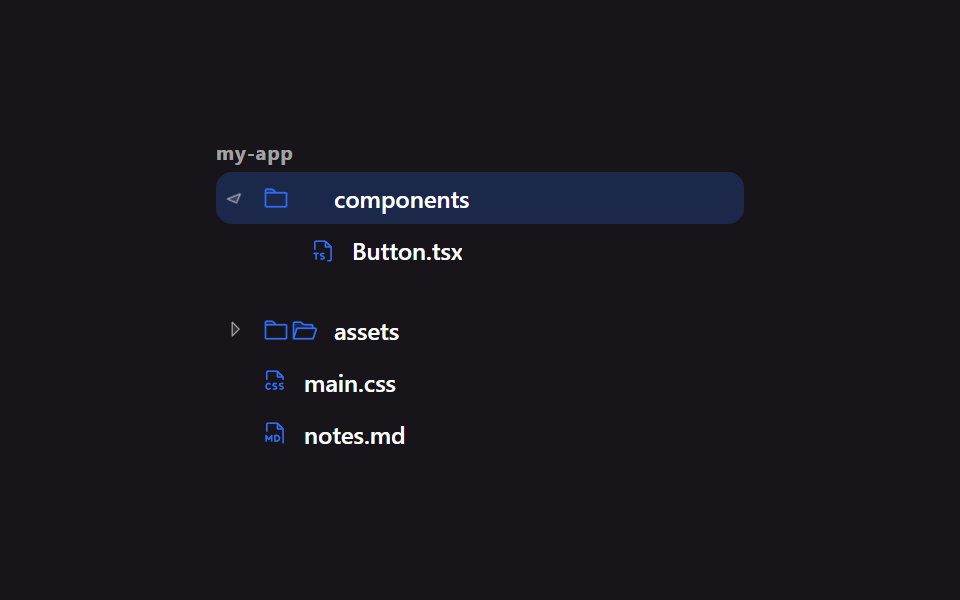 Lists & tables9 File Tree CSS Views — Folders That Really Open
 Lists & tables9 Data Table UI Patterns — Drag, Resize, Select
 Lists & tablesTodo List UI: 9 Patterns From Ring Gauge to Rewind
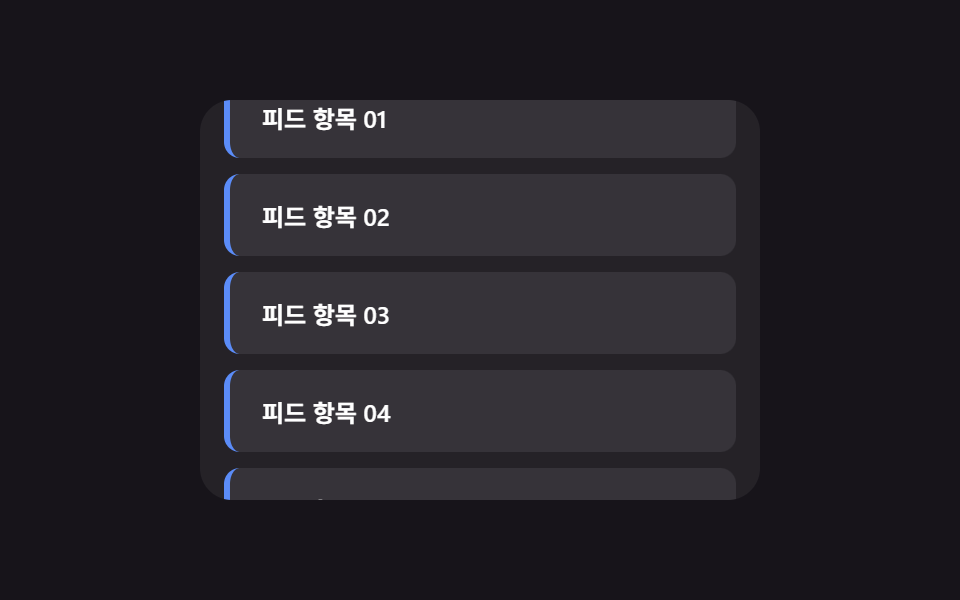 Lists & tablesInfinite Scroll Implementation — 9 List UI Basics
 Lists & tables9 Empty State UI Design Cards Drawn in Pure CSS
 Lists & tablesCSS List Style: 9 Marker Design Patterns
 Lists & tablesComment Section UI: 9 Thread List Patterns
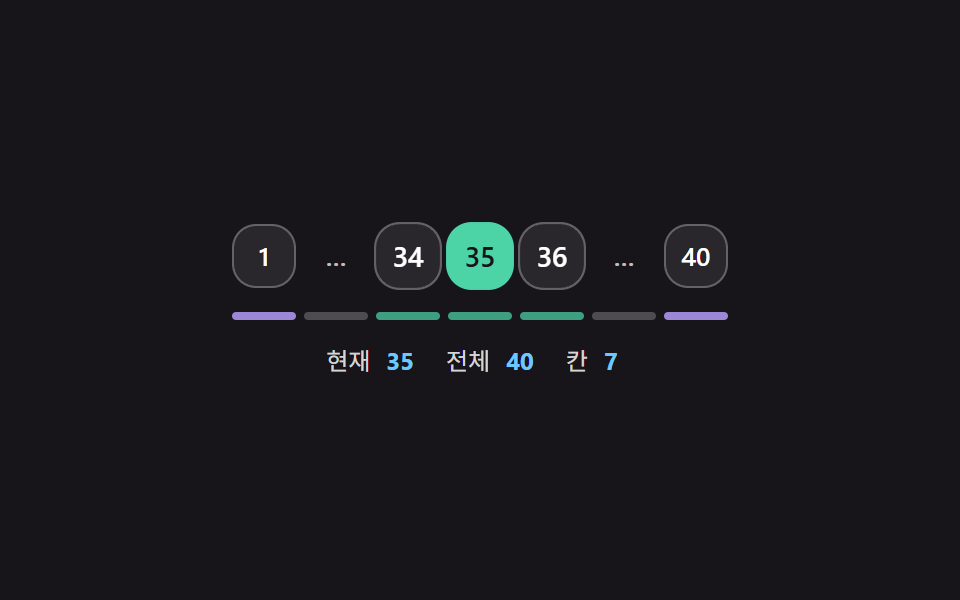 Lists & tablesPagination CSS: 9 Pagers with Spring Pills