CSS Lightbox Gallery Animation — 9 Transitions
Among nine css lightbox gallery ideas, one grows from the clicked thumbnail's spot, one times a downward flick to decide close-or-snap, and one glides a
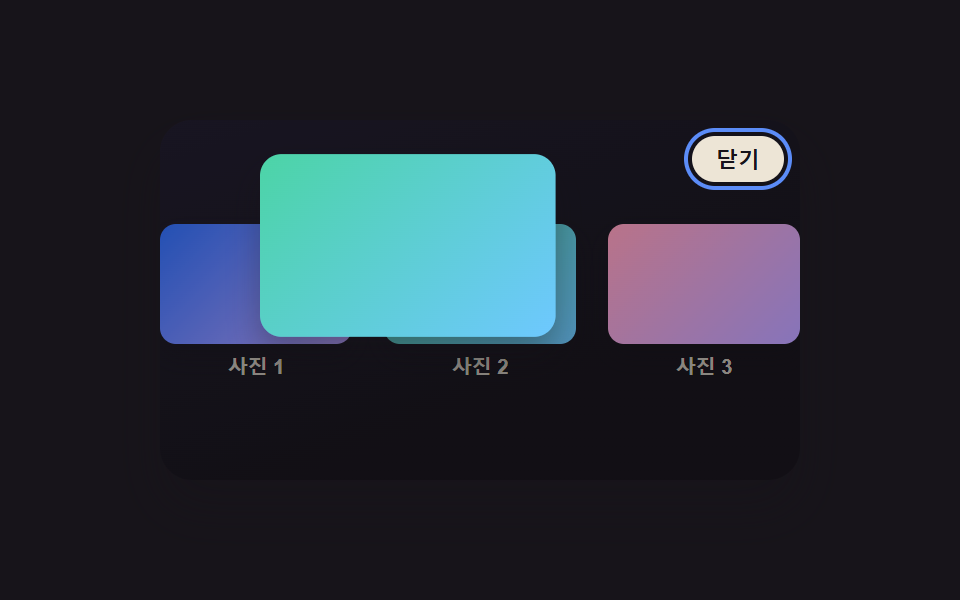 01 lightbox-thumbnail-morph-expand
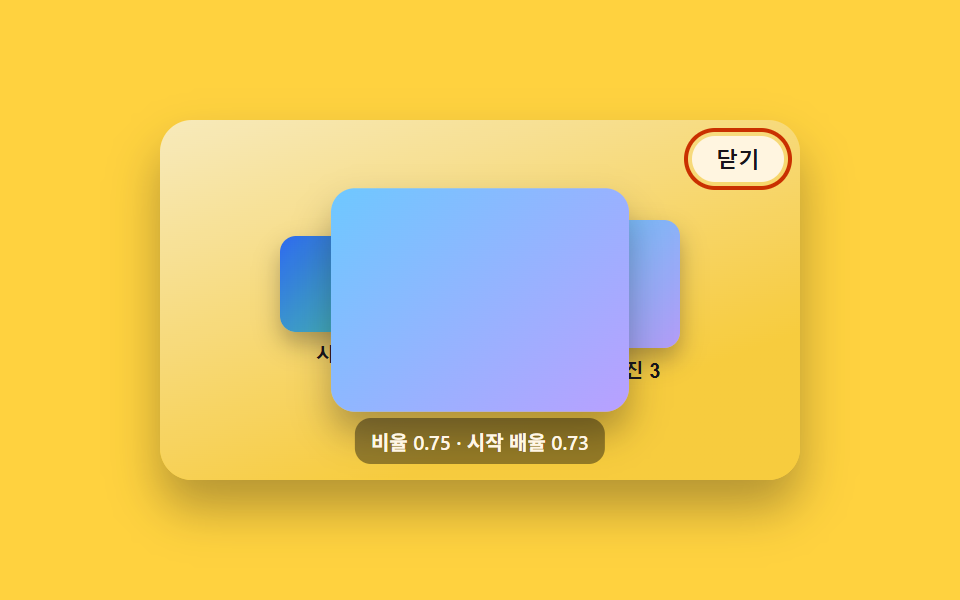 02 lightbox-backdrop-fade-scale
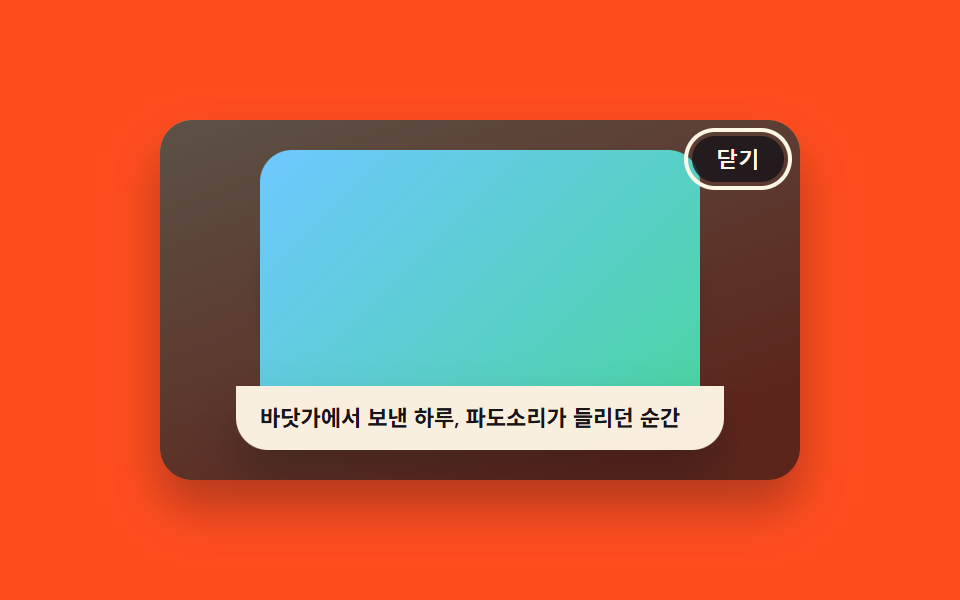 03 lightbox-caption-slide-up
 04 lightbox-swipe-next-prev
 05 lightbox-zoom-pan-drag
 06 lightbox-close-velocity-fling
 07 lightbox-keyboard-focus-trap-ring
 08 lightbox-thumbnail-strip-sync
 09 lightbox-reduced-motion-instant
Auto-plays · click a tile to jump to its section · all nine in one zip
- 01 Lightbox That Expands From the Thumbnail's Spot
- 02 Backdrop Fade Plus Image Scale-Up
- 03 Lightbox Whose Caption Slides Up From Below
- 04 Lightbox Navigated by Swiping Next and Previous
- 05 Lightbox You Pan by Dragging After Zooming In
- 06 Lightbox That Closes With a Downward Fling
- 07 Lightbox With a Focus Ring That Glides Inside a Trap
- 08 Lightbox With a Thumbnail Strip That Follows Along
- 09 Lightbox That Instantly Reflects Reduced Motion
Nine lightbox transition patterns sit side by side below, built as separate HTML/CSS/JS files with nothing pulled in from a CDN, so pulling any one folder out of the archive and opening its index.html is enough to see it run on its own.
Demo
Open each thumbnail above to see its own lightbox, then close it with the backdrop, the escape key, or whatever gesture that pattern expects — every measurement and every line of code below comes straight from that same file, not from a summary written after the fact.
Anatomy of nine patterns — where the one layer of calculation runs
The table below reads from the same captures the demos above produced — 24 frames per pattern, sampled identically across all nine. Cumulative area totals how much of the frame the moving pixels covered across the capture; average intensity is how strong that pixel change ran on the frames where something actually moved; frames moved (of 23) counts how many of the 23 frame-to-frame comparisons showed any difference at all.
| # | Pattern | Cumulative area | Avg. intensity | Frames moved (of 23) |
|---|---|---|---|---|
| 01 | Lightbox That Expands From the Thumbnail's Spot | 36.70% | 111.0 | 15 |
| 02 | Backdrop Fade Plus Image Scale-Up | 39.72% | 79.2 | 14 |
| 03 | Lightbox Whose Caption Slides Up From Below | 39.87% | 110.8 | 21 |
| 04 | Lightbox Navigated by Swiping Next and Previous | 39.87% | 95.2 | 20 |
| 05 | Lightbox You Pan by Dragging After Zooming In | 30.18% | 53.5 | 9 |
| 06 | Lightbox That Closes With a Downward Fling | 39.87% | 74.1 | 15 |
| 07 | Lightbox With a Focus Ring That Glides Inside a Trap | 39.82% | 106.4 | 20 |
| 08 | Lightbox With a Thumbnail Strip That Follows Along | 39.87% | 99.7 | 10 |
| 09 | Lightbox That Instantly Reflects Reduced Motion | 22.44% | 78.2 | 17 |
Four patterns — 03, 04, 06, and 08 — tie for the largest cumulative area of the nine at roughly 39.87% each, since all four run a full backdrop dim alongside a full-frame image transform that fills nearly the same portion of the capture no matter which value is actually driving it. Pattern 09 covers the least at 22.44%, and pattern 05 sits just above it at 30.18% — the same pattern also posts the lowest average intensity of the set, 53.5, and the fewest frames moved, just 9 of 23, since its zoom-and-pan only reacts to a drag or a double-tap rather than running its own open-close cycle like the other eight. Pattern 01 posts the highest average intensity at 111.0, edging out pattern 03's 110.8, while pattern 03 itself moves across the most frames of the nine at 21 of 23.
Cluster A — a real measured rectangle drives the interpolation, not a formula (01, 03, 07)
Patterns 01, 03, and 07 each start their motion by calling getBoundingClientRect() on a real element already sitting in the page, rather than computing a start value from a constant. Pattern 01 reads the clicked thumbnail's own screen rectangle to compute the offset and scale the full image morphs in from; pattern 03 reads the caption's own rendered height only after laying it out off-screen, since a longer caption needs a longer push distance than a short one; pattern 07 reads the newly focused control's rectangle to know exactly where the previous ring position should glide to next.
Cluster B — an OR of two thresholds decides which of two branches runs (04, 06, 09)
Patterns 04, 06, and 09 all resolve one decision the same way: two independent conditions are combined with a plain ||, and either one being true is enough to pick a branch. Pattern 04's endDrag() commits to the next or previous image once the drag distance clears SWIPE_COMMIT_RATIO of the viewport width or the release velocity clears SWIPE_VELOCITY_PX_MS, whichever comes first. Pattern 06 checks the same shape of condition — a distance ratio or a velocity past LIGHTBOX_FLING_VELOCITY_PX_MS — to choose between flingClose() and springBack(). Pattern 09's effectiveReduce() is the simplest version of the same idiom, realReduce || simulateReduce, where either the OS setting or the demo's own toggle is enough to switch its lightbox into the instant state.
Cluster C — a derived ratio keeps a continuous transform inside a moving boundary (02, 05, 08)
Patterns 02, 05, and 08 each run a value through clamp() every time it changes, but for a different reason each time. Pattern 02's fromAspect() derives both the start scale and the backdrop's target dimness from one normalized aspect-ratio value, so a portrait photo and a landscape one open with two different feels from the exact same code path. Pattern 05's panBounds() recalculates the draggable range on every animation frame while scale itself is still easing toward its target, so the pan never allows a position the current zoom level hasn't earned yet. Pattern 08's centerOffsetFor() clamps the strip's target scroll offset so the active thumbnail can re-center without ever dragging the strip past its own first or last item.
Code per pattern
Below is one function pulled from each pattern's own file, left exactly as it runs in the browser — nothing rewritten, nothing shortened, and nothing standing in for a step that was cut for space. Anyone who has typed css lightbox image into a search bar has probably found a dozen open-close transitions that stop at a CSS keyframe; the nine below all keep at least one calculated value like this running underneath the transition instead.
01Lightbox That Expands From the Thumbnail's Spot
Clicking a grid thumbnail makes that exact image grow from its own on-screen spot and size into a full lightbox, unlike a dialog that always appears centered regardless of where it was triggered.
<main class="stage">
<div class="scene is-demo" id="scene">
  <ul class="grid" id="grid">
    <li><button class="thumb" id="thumb0" type="button" aria-haspopup="dialog"><span class="thumbImg thumbImg--a"></span><span class="thumbLabel">Photo 1</span></button></li>
    <li><button class="thumb" id="thumb1" type="button" aria-haspopup="dialog"><span class="thumbImg thumbImg--b"></span><span class="thumbLabel">Photo 2</span></button></li>
    <li><button class="thumb" id="thumb2" type="button" aria-haspopup="dialog"><span class="thumbImg thumbImg--c"></span><span class="thumbLabel">Photo 3</span></button></li>
  </ul>
  <div class="backdrop" id="backdrop"></div>
  <div class="lightbox" id="lightbox" role="dialog" aria-modal="true" aria-hidden="true" aria-label="View enlarged photo">
    <span class="fullImg" id="fullImg"></span>
    <button class="closeBtn" id="closeBtn" type="button">Close</button>
  </div>
</div>
</main>
@use "../../../../site/static/demo-tokens" as *;
// 변수 3개
$duration: $dur-enter;
$easing: $ease-out;
$color: $subject-blue-light;
// 계산 겹: index.html 의 openFrom()/closeLightbox() 가 클릭한 썸네일과 풀 이미지의
// getBoundingClientRect 차이(FLIP)로 매 프레임 translate·scale 을 산술로 만든다 — 고정 트윈이 아니다.
@include stage($stage-ink);
.scene {
position: relative;
width: 320px;
height: 180px;
border-radius: $r-card;
overflow: hidden;
box-shadow: $shadow-raised;
background: linear-gradient(160deg, #201c2c, $stage-ink 70%);
}
.grid {
position: absolute;
inset: 0;
margin: 0;
padding: 0;
list-style: none;
display: flex;
align-items: center;
justify-content: center;
gap: $sp-4;
}
.thumb {
appearance: none;
border: none;
background: none;
padding: 0;
display: flex;
flex-direction: column;
align-items: center;
gap: $sp-1;
cursor: pointer;
&:focus-visible .thumbImg { outline: 2px solid $color; outline-offset: 2px; }
}
.thumbImg {
display: block;
border-radius: $r-sm;
box-shadow: $shadow-press;
&--a { background: linear-gradient(135deg, $subject-blue, $subject-lilac); }
&--b { background: linear-gradient(135deg, $subject-mint, $subject-sky); }
&--c { background: linear-gradient(135deg, $subject-pink, $subject-lilac); }
}
.thumbLabel {
font-size: 10px;
font-weight: 600;
color: rgba($subject-cream, .72);
}
.backdrop {
position: absolute;
inset: 0;
background: rgba(#050409, .92);
opacity: 0;
visibility: hidden;
pointer-events: none;
}
.lightbox {
position: absolute;
inset: 0;
display: grid;
place-items: center;
visibility: hidden;
}
.fullImg {
display: block;
width: 220px;
height: 136px;
border-radius: $r-card;
box-shadow: $shadow-raised;
transform-origin: top left;
&--a { background: linear-gradient(135deg, $subject-blue, $subject-lilac); }
&--b { background: linear-gradient(135deg, $subject-mint, $subject-sky); }
&--c { background: linear-gradient(135deg, $subject-pink, $subject-lilac); }
}
.closeBtn {
position: absolute;
top: $sp-2;
right: $sp-2;
appearance: none;
border: none;
border-radius: $r-pill;
padding: $sp-1 $sp-3;
font-size: 11px;
font-weight: 600;
color: $subject-ink;
background: rgba($subject-cream, .92);
cursor: pointer;
&:focus-visible { outline: 2px solid $color; outline-offset: 2px; }
}
@media (max-width: 340px) {
.scene { width: 220px; height: 124px; }
.fullImg { width: 156px; height: 96px; }
.thumbLabel { font-size: 9px; }
}
@media (prefers-reduced-motion: reduce) {
// 실사용 경로 적용 — 주 확장·닫힘 트윈은 index.html 의 animate() 가 reduce 시 즉시 최종 상태로 처리한다.
// 여기서는 CSS 전용 보조 트랜지션(포커스 아웃라인 등)만 정리한다.
.closeBtn, .thumb { transition: none; }
}html, body {
margin: 0;
overflow: hidden;
}
.stage {
box-sizing: border-box;
min-height: 100vh;
display: grid;
place-items: center;
margin: 0;
background: #17141a;
font-family: -apple-system, "Segoe UI", "Noto Sans KR", sans-serif;
padding: clamp(8px, 4vw, 24px);
}
.scene {
position: relative;
width: 320px;
height: 180px;
border-radius: 16px;
overflow: hidden;
box-shadow: 0 14px 24px rgba(23, 20, 26, 0.32);
background: linear-gradient(160deg, #201c2c, #17141a 70%);
}
.grid {
position: absolute;
inset: 0;
margin: 0;
padding: 0;
list-style: none;
display: flex;
align-items: center;
justify-content: center;
gap: 16px;
}
.thumb {
appearance: none;
border: none;
background: none;
padding: 0;
display: flex;
flex-direction: column;
align-items: center;
gap: 4px;
cursor: pointer;
}
.thumb:focus-visible .thumbImg {
outline: 2px solid #5b8cf8;
outline-offset: 2px;
}
.thumbImg {
display: block;
border-radius: 8px;
box-shadow: 0 6px 12px rgba(23, 20, 26, 0.32);
}
.thumbImg--a {
background: linear-gradient(135deg, #2f6df6, #b9a0ff);
}
.thumbImg--b {
background: linear-gradient(135deg, #4cd4a6, #6ec8ff);
}
.thumbImg--c {
background: linear-gradient(135deg, #ff9ebb, #b9a0ff);
}
.thumbLabel {
font-size: 10px;
font-weight: 600;
color: rgba(255, 247, 230, 0.72);
}
.backdrop {
position: absolute;
inset: 0;
background: rgba(5, 4, 9, 0.92);
opacity: 0;
visibility: hidden;
pointer-events: none;
}
.lightbox {
position: absolute;
inset: 0;
display: grid;
place-items: center;
visibility: hidden;
}
.fullImg {
display: block;
width: 220px;
height: 136px;
border-radius: 16px;
box-shadow: 0 14px 24px rgba(23, 20, 26, 0.32);
transform-origin: top left;
}
.fullImg--a {
background: linear-gradient(135deg, #2f6df6, #b9a0ff);
}
.fullImg--b {
background: linear-gradient(135deg, #4cd4a6, #6ec8ff);
}
.fullImg--c {
background: linear-gradient(135deg, #ff9ebb, #b9a0ff);
}
.closeBtn {
position: absolute;
top: 8px;
right: 8px;
appearance: none;
border: none;
border-radius: 999px;
padding: 4px 12px;
font-size: 11px;
font-weight: 600;
color: #17141a;
background: rgba(255, 247, 230, 0.92);
cursor: pointer;
}
.closeBtn:focus-visible {
outline: 2px solid #5b8cf8;
outline-offset: 2px;
}
@media (max-width: 340px) {
.scene {
width: 220px;
height: 124px;
}
.fullImg {
width: 156px;
height: 96px;
}
.thumbLabel {
font-size: 9px;
}
}
@media (prefers-reduced-motion: reduce) {
.closeBtn, .thumb {
transition: none;
}
}(function () {
var LIGHTBOX_MORPH_SCALE_FROM = 0.3; // 썸네일 폭 = 장면 폭 × 이 Ratio — 실제 레이아웃 크기로 FLIP 델타를 잰다
var OPEN_MS = 650;
var CLOSE_MS = 480;
var LOOP_MS = 2000;
var HOLD_OPEN_MS = 600;
var scene = document.getElementById('scene');
var backdrop = document.getElementById('backdrop');
var lightbox = document.getElementById('lightbox');
var fullImg = document.getElementById('fullImg');
var closeBtn = document.getElementById('closeBtn');
var thumbs = [].slice.call(document.querySelectorAll('.thumb'));
var reduce = window.matchMedia('(prefers-reduced-motion: reduce)').matches;
var imgClassByIdx = ['thumbImg--a', 'thumbImg--b', 'thumbImg--c'];
var sceneW = scene.getBoundingClientRect().width || 320;
var thumbW = Math.round(sceneW * LIGHTBOX_MORPH_SCALE_FROM);
thumbs.forEach(function (t) {
var img = t.querySelector('.thumbImg');
img.style.width = thumbW + 'px';
img.style.height = Math.round(thumbW * 0.62) + 'px';
});
var open = false;
var activeIdx = 1;
var timers = [];
function clamp(v, lo, hi) { return Math.min(hi, Math.max(lo, v)); }
function easeOutCubic(t) { return 1 - Math.pow(1 - t, 3); }
// reduce: 실사용 경로 적용 — 트윈 없이 최종 상태로 즉시 전환한다(자동 루프는 아래에서 아예 안 돈다)
function animate(duration, onFrame, onDone) {
if (reduce) { onFrame(1); if (onDone) onDone(); return; }
var start = performance.now();
function frame(now) {
var p = clamp((now - start) / duration, 0, 1);
onFrame(easeOutCubic(p));
if (p < 1) requestAnimationFrame(frame);
else if (onDone) onDone();
}
requestAnimationFrame(frame);
}
  function openFrom(idx) {
    if (open) return;
    open = true;
    var thumbImg = thumbs[idx].querySelector('.thumbImg');
    var fromRect = thumbImg.getBoundingClientRect();
    fullImg.className = 'fullImg ' + imgClassByIdx[idx];
    lightbox.style.visibility = 'visible';
    lightbox.setAttribute('aria-hidden', 'false');
    backdrop.style.visibility = 'visible';
    var toRect = fullImg.getBoundingClientRect();
    var dx = (fromRect.left + fromRect.width / 2) - (toRect.left + toRect.width / 2);
    var dy = (fromRect.top + fromRect.height / 2) - (toRect.top + toRect.height / 2);
    var scaleFrom = fromRect.width / toRect.width;
    animate(OPEN_MS, function (e) {
      var s = scaleFrom + (1 - scaleFrom) * e;
      var tx = dx * (1 - e);
      var ty = dy * (1 - e);
      fullImg.style.transform = 'translate(' + tx.toFixed(2) + 'px,' + ty.toFixed(2) + 'px) scale(' + s.toFixed(4) + ')';
      backdrop.style.opacity = (e * 0.72).toFixed(3);
    }, function () {
      closeBtn.focus({ preventScroll: true });
    });
  }
function closeLightbox(idx) {
if (!open) return;
var thumbImg = thumbs[idx].querySelector('.thumbImg');
var fromRect = thumbImg.getBoundingClientRect();
var toRect = fullImg.getBoundingClientRect();
var dx = (fromRect.left + fromRect.width / 2) - (toRect.left + toRect.width / 2);
var dy = (fromRect.top + fromRect.height / 2) - (toRect.top + toRect.height / 2);
var scaleTo = fromRect.width / toRect.width;
animate(CLOSE_MS, function (e) {
var s = 1 + (scaleTo - 1) * e;
var tx = dx * e;
var ty = dy * e;
fullImg.style.transform = 'translate(' + tx.toFixed(2) + 'px,' + ty.toFixed(2) + 'px) scale(' + s.toFixed(4) + ')';
backdrop.style.opacity = (0.72 * (1 - e)).toFixed(3);
}, function () {
lightbox.style.visibility = 'hidden';
lightbox.setAttribute('aria-hidden', 'true');
backdrop.style.visibility = 'hidden';
open = false;
thumbs[idx].focus({ preventScroll: true });
});
}
function human() {
if (scene.classList.contains('is-demo')) {
scene.classList.remove('is-demo');
timers.forEach(function (t) { clearTimeout(t); clearInterval(t); });
timers = [];
}
}
thumbs.forEach(function (t, i) {
t.addEventListener('click', function () {
human();
activeIdx = i;
openFrom(i);
});
});
closeBtn.addEventListener('click', function () { human(); closeLightbox(activeIdx); });
backdrop.addEventListener('click', function () { human(); closeLightbox(activeIdx); });
document.addEventListener('keydown', function (e) {
if (e.key === 'Escape' && open) { human(); closeLightbox(activeIdx); }
});
function cycle() {
activeIdx = 1;
openFrom(1);
timers.push(setTimeout(function () { closeLightbox(1); }, OPEN_MS + HOLD_OPEN_MS));
}
if (!reduce) {
cycle();
timers.push(setInterval(function () {
if (scene.classList.contains('is-demo')) cycle();
}, LOOP_MS));
}
})();import { useEffect, useRef } from 'react';
import styles from './ThumbnailMorphExpand.module.scss';
const LIGHTBOX_MORPH_SCALE_FROM = 0.3; // 썸네일 폭 = 장면 폭 × 이 비율 — 실제 레이아웃 크기로 FLIP 델타를 잰다
const OPEN_MS = 650;
const CLOSE_MS = 480;
const LOOP_MS = 2000;
const HOLD_OPEN_MS = 600;
export default function ThumbnailMorphExpand() {
const sceneRef = useRef<HTMLDivElement>(null);
useEffect(() => {
const scene0 = sceneRef.current;
if (!scene0) return undefined;
const backdrop0 = scene0.querySelector<HTMLDivElement>('.' + styles.backdrop);
const lightbox0 = scene0.querySelector<HTMLDivElement>('.' + styles.lightbox);
const fullImg0 = scene0.querySelector<HTMLSpanElement>('.' + styles.fullImg);
const closeBtn0 = scene0.querySelector<HTMLButtonElement>('.' + styles.closeBtn);
const thumbs = Array.from(scene0.querySelectorAll<HTMLButtonElement>('.' + styles.thumb));
if (!backdrop0 || !lightbox0 || !fullImg0 || !closeBtn0 || thumbs.length === 0) return undefined;
const scene = scene0;
const backdrop = backdrop0;
const lightbox = lightbox0;
const fullImg = fullImg0;
const closeBtn = closeBtn0;
const reduce = window.matchMedia('(prefers-reduced-motion: reduce)').matches;
const imgClassByIdx = [styles['thumbImg--a'], styles['thumbImg--b'], styles['thumbImg--c']];
const sceneW = scene.getBoundingClientRect().width || 320;
const thumbW = Math.round(sceneW * LIGHTBOX_MORPH_SCALE_FROM);
thumbs.forEach((t) => {
const img = t.querySelector<HTMLSpanElement>('.' + styles.thumbImg);
if (!img) return;
img.style.width = thumbW + 'px';
img.style.height = Math.round(thumbW * 0.62) + 'px';
});
let open = false;
let activeIdx = 1;
let timers: number[] = [];
function clamp(v: number, lo: number, hi: number) { return Math.min(hi, Math.max(lo, v)); }
function easeOutCubic(t: number) { return 1 - Math.pow(1 - t, 3); }
// reduce: 실사용 경로 적용 — 트윈 없이 최종 상태로 즉시 전환한다(자동 루프는 아래에서 아예 안 돈다)
function animate(duration: number, onFrame: (e: number) => void, onDone?: () => void) {
if (reduce) { onFrame(1); if (onDone) onDone(); return; }
const start = performance.now();
function frame(now: number) {
const p = clamp((now - start) / duration, 0, 1);
onFrame(easeOutCubic(p));
if (p < 1) requestAnimationFrame(frame);
else if (onDone) onDone();
}
requestAnimationFrame(frame);
}
function openFrom(idx: number) {
if (open) return;
open = true;
const thumbImg = thumbs[idx].querySelector<HTMLSpanElement>('.' + styles.thumbImg);
if (!thumbImg) return;
const fromRect = thumbImg.getBoundingClientRect();
fullImg.className = styles.fullImg + ' ' + imgClassByIdx[idx];
lightbox.style.visibility = 'visible';
lightbox.setAttribute('aria-hidden', 'false');
backdrop.style.visibility = 'visible';
const toRect = fullImg.getBoundingClientRect();
const dx = (fromRect.left + fromRect.width / 2) - (toRect.left + toRect.width / 2);
const dy = (fromRect.top + fromRect.height / 2) - (toRect.top + toRect.height / 2);
const scaleFrom = fromRect.width / toRect.width;
animate(OPEN_MS, (e) => {
const s = scaleFrom + (1 - scaleFrom) * e;
const tx = dx * (1 - e);
const ty = dy * (1 - e);
fullImg.style.transform = 'translate(' + tx.toFixed(2) + 'px,' + ty.toFixed(2) + 'px) scale(' + s.toFixed(4) + ')';
backdrop.style.opacity = (e * 0.72).toFixed(3);
}, () => {
closeBtn.focus({ preventScroll: true });
});
}
function closeLightbox(idx: number) {
if (!open) return;
const thumbImg = thumbs[idx].querySelector<HTMLSpanElement>('.' + styles.thumbImg);
if (!thumbImg) return;
const fromRect = thumbImg.getBoundingClientRect();
const toRect = fullImg.getBoundingClientRect();
const dx = (fromRect.left + fromRect.width / 2) - (toRect.left + toRect.width / 2);
const dy = (fromRect.top + fromRect.height / 2) - (toRect.top + toRect.height / 2);
const scaleTo = fromRect.width / toRect.width;
animate(CLOSE_MS, (e) => {
const s = 1 + (scaleTo - 1) * e;
const tx = dx * e;
const ty = dy * e;
fullImg.style.transform = 'translate(' + tx.toFixed(2) + 'px,' + ty.toFixed(2) + 'px) scale(' + s.toFixed(4) + ')';
backdrop.style.opacity = (0.72 * (1 - e)).toFixed(3);
}, () => {
lightbox.style.visibility = 'hidden';
lightbox.setAttribute('aria-hidden', 'true');
backdrop.style.visibility = 'hidden';
open = false;
thumbs[idx].focus({ preventScroll: true });
});
}
function human() {
if (scene.classList.contains(styles['is-demo'])) {
scene.classList.remove(styles['is-demo']);
timers.forEach((id) => { window.clearTimeout(id); window.clearInterval(id); });
timers = [];
}
}
const onThumbClick = (i: number) => () => { human(); activeIdx = i; openFrom(i); };
const thumbHandlers = thumbs.map((_, i) => onThumbClick(i));
thumbs.forEach((t, i) => t.addEventListener('click', thumbHandlers[i]));
function onCloseClick() { human(); closeLightbox(activeIdx); }
function onBackdropClick() { human(); closeLightbox(activeIdx); }
function onKeydown(e: KeyboardEvent) {
if (e.key === 'Escape' && open) { human(); closeLightbox(activeIdx); }
}
closeBtn.addEventListener('click', onCloseClick);
backdrop.addEventListener('click', onBackdropClick);
document.addEventListener('keydown', onKeydown);
function cycle() {
activeIdx = 1;
openFrom(1);
timers.push(window.setTimeout(() => { closeLightbox(1); }, OPEN_MS + HOLD_OPEN_MS));
}
if (!reduce) {
cycle();
timers.push(window.setInterval(() => {
if (scene.classList.contains(styles['is-demo'])) cycle();
}, LOOP_MS));
}
return () => {
timers.forEach((id) => { window.clearTimeout(id); window.clearInterval(id); });
thumbs.forEach((t, i) => t.removeEventListener('click', thumbHandlers[i]));
closeBtn.removeEventListener('click', onCloseClick);
backdrop.removeEventListener('click', onBackdropClick);
document.removeEventListener('keydown', onKeydown);
};
}, []);
return (
<div className={`${styles.scene} ${styles['is-demo']}`} ref={sceneRef}>
<ul className={styles.grid}>
<li><button className={styles.thumb} type="button" aria-haspopup="dialog"><span className={`${styles.thumbImg} ${styles['thumbImg--a']}`} /><span className={styles.thumbLabel}>사진 1</span></button></li>
<li><button className={styles.thumb} type="button" aria-haspopup="dialog"><span className={`${styles.thumbImg} ${styles['thumbImg--b']}`} /><span className={styles.thumbLabel}>사진 2</span></button></li>
<li><button className={styles.thumb} type="button" aria-haspopup="dialog"><span className={`${styles.thumbImg} ${styles['thumbImg--c']}`} /><span className={styles.thumbLabel}>사진 3</span></button></li>
</ul>
<div className={styles.backdrop} />
<div className={styles.lightbox} role="dialog" aria-modal="true" aria-hidden="true" aria-label="사진 확대 보기">
<span className={styles.fullImg} />
<button className={styles.closeBtn} type="button">닫기</button>
</div>
</div>
);
}01 · Lightbox That Expands From the Thumbnail's Spot — Measured area 36.697% · moving frames 15/23Original by GODRICH · SCSS and React ship in the zip · See the password
function openFrom(idx) {
if (open) return;
open = true;
var thumbImg = thumbs[idx].querySelector('.thumbImg');
var fromRect = thumbImg.getBoundingClientRect();
fullImg.className = 'fullImg ' + imgClassByIdx[idx];
lightbox.style.visibility = 'visible';
lightbox.setAttribute('aria-hidden', 'false');
backdrop.style.visibility = 'visible';
var toRect = fullImg.getBoundingClientRect();
var dx = (fromRect.left + fromRect.width / 2) - (toRect.left + toRect.width / 2);
var dy = (fromRect.top + fromRect.height / 2) - (toRect.top + toRect.height / 2);
var scaleFrom = fromRect.width / toRect.width;
animate(OPEN_MS, function (e) {
var s = scaleFrom + (1 - scaleFrom) * e;
var tx = dx * (1 - e);
var ty = dy * (1 - e);
fullImg.style.transform = 'translate(' + tx.toFixed(2) + 'px,' + ty.toFixed(2) + 'px) scale(' + s.toFixed(4) + ')';
backdrop.style.opacity = (e * 0.72).toFixed(3);
}, function () {
closeBtn.focus({ preventScroll: true });
});
}
02Backdrop Fade Plus Image Scale-Up
While the backdrop dims, the image itself starts slightly smaller than final size and eases up to rest — a different demo from a generic dialog fade-scale, since the start scale and dim amount are both derived from the image's own aspect ratio.
<main class="stage">
<div class="scene is-demo" id="scene">
  <ul class="grid" id="grid">
    <li><button class="thumb" id="thumb0" type="button" aria-haspopup="dialog" data-w="280" data-h="210"><span class="thumbImg thumbImg--a"></span><span class="thumbLabel">Photo 1</span></button></li>
    <li><button class="thumb" id="thumb1" type="button" aria-haspopup="dialog" data-w="200" data-h="200"><span class="thumbImg thumbImg--b"></span><span class="thumbLabel">Photo 2</span></button></li>
    <li><button class="thumb" id="thumb2" type="button" aria-haspopup="dialog" data-w="180" data-h="240"><span class="thumbImg thumbImg--c"></span><span class="thumbLabel">Photo 3</span></button></li>
  </ul>
  <div class="backdrop" id="backdrop"></div>
  <div class="lightbox" id="lightbox" role="dialog" aria-modal="true" aria-hidden="true" aria-label="View enlarged photo">
    <span class="fullImg" id="fullImg"></span>
    <p class="ratioNote" id="ratioNote"></p>
    <button class="closeBtn" id="closeBtn" type="button">Close</button>
  </div>
</div>
</main>
@use "../../../../site/static/demo-tokens" as *;
// 변수 3개
$duration: $dur-base;
$easing: $ease-out;
$color: $subject-orange-deep;
// 계산 겹: index.html 의 fromAspect() 가 이미지 자신의 가로세로 비율을 0~1 로 정규화해
// 시작 스케일과 배경 어둡기(dim)를 같은 지점에서 함께 산출한다 — 세 사진마다 값이 다르다.
@include stage($stage-yellow);
.scene {
position: relative;
width: 320px;
height: 180px;
border-radius: $r-card;
overflow: hidden;
box-shadow: $shadow-raised;
background: linear-gradient(160deg, #fff1c2, $stage-yellow 75%);
}
.grid {
position: absolute;
inset: 0;
margin: 0;
padding: 0;
list-style: none;
display: flex;
align-items: center;
justify-content: center;
gap: $sp-4;
}
.thumb {
appearance: none;
border: none;
background: none;
padding: 0;
display: flex;
flex-direction: column;
align-items: center;
gap: $sp-1;
cursor: pointer;
&:focus-visible .thumbImg { outline: 2px solid $color; outline-offset: 2px; }
}
.thumbImg {
display: block;
width: 64px;
height: 48px;
border-radius: $r-sm;
box-shadow: $shadow-press;
&--a { background: linear-gradient(135deg, $subject-blue, $subject-mint); height: 48px; }
&--b { background: linear-gradient(135deg, $subject-pink, $subject-lilac); width: 56px; height: 56px; }
&--c { background: linear-gradient(135deg, $subject-sky, $subject-lilac); width: 48px; height: 64px; }
}
.thumbLabel {
font-size: 10px;
font-weight: 600;
color: $subject-ink;
}
.backdrop {
position: absolute;
inset: 0;
background: $subject-ink;
opacity: 0;
visibility: hidden;
pointer-events: none;
}
.lightbox {
position: absolute;
inset: 0;
display: grid;
place-items: center;
gap: $sp-2;
visibility: hidden;
}
.fullImg {
display: block;
width: 200px;
height: 150px;
border-radius: $r-card;
box-shadow: $shadow-raised;
transform-origin: center;
&--a { background: linear-gradient(135deg, $subject-blue, $subject-mint); }
&--b { background: linear-gradient(135deg, $subject-pink, $subject-lilac); width: 172px; height: 172px; }
&--c { background: linear-gradient(135deg, $subject-sky, $subject-lilac); width: 138px; height: 184px; }
}
.ratioNote {
position: absolute;
bottom: $sp-2;
left: 50%;
transform: translateX(-50%);
margin: 0;
font-size: 10px;
font-weight: 600;
color: $subject-cream;
background: rgba(#000, .4);
padding: $sp-1 $sp-2;
border-radius: $r-sm;
}
.closeBtn {
position: absolute;
top: $sp-2;
right: $sp-2;
appearance: none;
border: none;
border-radius: $r-pill;
padding: $sp-1 $sp-3;
font-size: 11px;
font-weight: 600;
color: $subject-ink;
background: rgba($subject-cream, .95);
cursor: pointer;
&:focus-visible { outline: 2px solid $color; outline-offset: 2px; }
}
@media (max-width: 340px) {
.scene { width: 220px; height: 124px; }
.fullImg { width: 140px; height: 104px; &--b { width: 118px; height: 118px; } &--c { width: 96px; height: 128px; } }
.ratioNote { font-size: 9px; }
}
@media (prefers-reduced-motion: reduce) {
// 실사용 경로 적용 — 스케일업·페이드 트윈은 index.html 의 animate() 가 reduce 시 즉시 최종 상태로 처리한다.
.closeBtn, .thumb { transition: none; }
}html, body {
margin: 0;
overflow: hidden;
}
.stage {
box-sizing: border-box;
min-height: 100vh;
display: grid;
place-items: center;
margin: 0;
background: #ffd23f;
font-family: -apple-system, "Segoe UI", "Noto Sans KR", sans-serif;
padding: clamp(8px, 4vw, 24px);
}
.scene {
position: relative;
width: 320px;
height: 180px;
border-radius: 16px;
overflow: hidden;
box-shadow: 0 14px 24px rgba(23, 20, 26, 0.32);
background: linear-gradient(160deg, #fff1c2, #ffd23f 75%);
}
.grid {
position: absolute;
inset: 0;
margin: 0;
padding: 0;
list-style: none;
display: flex;
align-items: center;
justify-content: center;
gap: 16px;
}
.thumb {
appearance: none;
border: none;
background: none;
padding: 0;
display: flex;
flex-direction: column;
align-items: center;
gap: 4px;
cursor: pointer;
}
.thumb:focus-visible .thumbImg {
outline: 2px solid #c93000;
outline-offset: 2px;
}
.thumbImg {
display: block;
width: 64px;
height: 48px;
border-radius: 8px;
box-shadow: 0 6px 12px rgba(23, 20, 26, 0.32);
}
.thumbImg--a {
background: linear-gradient(135deg, #2f6df6, #4cd4a6);
height: 48px;
}
.thumbImg--b {
background: linear-gradient(135deg, #ff9ebb, #b9a0ff);
width: 56px;
height: 56px;
}
.thumbImg--c {
background: linear-gradient(135deg, #6ec8ff, #b9a0ff);
width: 48px;
height: 64px;
}
.thumbLabel {
font-size: 10px;
font-weight: 600;
color: #17141a;
}
.backdrop {
position: absolute;
inset: 0;
background: #17141a;
opacity: 0;
visibility: hidden;
pointer-events: none;
}
.lightbox {
position: absolute;
inset: 0;
display: grid;
place-items: center;
gap: 8px;
visibility: hidden;
}
.fullImg {
display: block;
width: 200px;
height: 150px;
border-radius: 16px;
box-shadow: 0 14px 24px rgba(23, 20, 26, 0.32);
transform-origin: center;
}
.fullImg--a {
background: linear-gradient(135deg, #2f6df6, #4cd4a6);
}
.fullImg--b {
background: linear-gradient(135deg, #ff9ebb, #b9a0ff);
width: 172px;
height: 172px;
}
.fullImg--c {
background: linear-gradient(135deg, #6ec8ff, #b9a0ff);
width: 138px;
height: 184px;
}
.ratioNote {
position: absolute;
bottom: 8px;
left: 50%;
transform: translateX(-50%);
margin: 0;
font-size: 10px;
font-weight: 600;
color: #fff7e6;
background: rgba(0, 0, 0, 0.4);
padding: 4px 8px;
border-radius: 8px;
}
.closeBtn {
position: absolute;
top: 8px;
right: 8px;
appearance: none;
border: none;
border-radius: 999px;
padding: 4px 12px;
font-size: 11px;
font-weight: 600;
color: #17141a;
background: rgba(255, 247, 230, 0.95);
cursor: pointer;
}
.closeBtn:focus-visible {
outline: 2px solid #c93000;
outline-offset: 2px;
}
@media (max-width: 340px) {
.scene {
width: 220px;
height: 124px;
}
.fullImg {
width: 140px;
height: 104px;
}
.fullImg--b {
width: 118px;
height: 118px;
}
.fullImg--c {
width: 96px;
height: 128px;
}
.ratioNote {
font-size: 9px;
}
}
@media (prefers-reduced-motion: reduce) {
.closeBtn, .thumb {
transition: none;
}
}(function () {
var OPEN_MS = 600;
var CLOSE_MS = 420;
var LOOP_MS = 2000;
var HOLD_OPEN_MS = 620;
var ASPECT_NORM_LO = 0.6;
var ASPECT_NORM_HI = 1.6;
var SCALE_FROM_MIN = 0.7;
var SCALE_FROM_MAX = 0.92;
var DIM_MAX = 0.82;
var DIM_MIN = 0.58;
var scene = document.getElementById('scene');
var backdrop = document.getElementById('backdrop');
var lightbox = document.getElementById('lightbox');
var fullImg = document.getElementById('fullImg');
var ratioNote = document.getElementById('ratioNote');
var closeBtn = document.getElementById('closeBtn');
var thumbs = [].slice.call(document.querySelectorAll('.thumb'));
var reduce = window.matchMedia('(prefers-reduced-motion: reduce)').matches;
var imgClassByIdx = ['thumbImg--a', 'thumbImg--b', 'thumbImg--c'];
function clamp(v, lo, hi) { return Math.min(hi, Math.max(lo, v)); }
function easeOutCubic(t) { return 1 - Math.pow(1 - t, 3); }
// 이미지 자신의 가로세로 비율에서 시작 스케일과 배경 어둡기를 함께 계산한다 — 두 값이 같은 정규화 지점에서 나온다
function fromAspect(w, h) {
var aspect = w / h;
var norm = clamp((aspect - ASPECT_NORM_LO) / (ASPECT_NORM_HI - ASPECT_NORM_LO), 0, 1);
var scaleFrom = SCALE_FROM_MIN + (SCALE_FROM_MAX - SCALE_FROM_MIN) * norm;
var dim = DIM_MAX - (DIM_MAX - DIM_MIN) * norm;
return { aspect: aspect, scaleFrom: scaleFrom, dim: dim };
}
var open = false;
var activeIdx = 1;
var timers = [];
// reduce: 실사용 경로 적용 — 트윈 없이 최종 상태로 즉시 전환한다
function animate(duration, onFrame, onDone) {
if (reduce) { onFrame(1); if (onDone) onDone(); return; }
var start = performance.now();
function frame(now) {
var p = clamp((now - start) / duration, 0, 1);
onFrame(easeOutCubic(p));
if (p < 1) requestAnimationFrame(frame);
else if (onDone) onDone();
}
requestAnimationFrame(frame);
}
function openFrom(idx) {
if (open) return;
open = true;
var t = thumbs[idx];
var calc = fromAspect(Number(t.dataset.w), Number(t.dataset.h));
fullImg.className = 'fullImg ' + imgClassByIdx[idx];
ratioNote.textContent = 'Ratio ' + calc.aspect.toFixed(2) + ' · start scale ' + calc.scaleFrom.toFixed(2);
lightbox.style.visibility = 'visible';
lightbox.setAttribute('aria-hidden', 'false');
backdrop.style.visibility = 'visible';
animate(OPEN_MS, function (e) {
var s = calc.scaleFrom + (1 - calc.scaleFrom) * e;
fullImg.style.transform = 'scale(' + s.toFixed(4) + ')';
backdrop.style.opacity = (calc.dim * e).toFixed(3);
}, function () {
closeBtn.focus({ preventScroll: true });
});
}
function closeLightbox(idx) {
if (!open) return;
var t = thumbs[idx];
var calc = fromAspect(Number(t.dataset.w), Number(t.dataset.h));
animate(CLOSE_MS, function (e) {
var s = 1 + (calc.scaleFrom - 1) * e;
fullImg.style.transform = 'scale(' + s.toFixed(4) + ')';
backdrop.style.opacity = (calc.dim * (1 - e)).toFixed(3);
}, function () {
lightbox.style.visibility = 'hidden';
lightbox.setAttribute('aria-hidden', 'true');
backdrop.style.visibility = 'hidden';
open = false;
thumbs[idx].focus({ preventScroll: true });
});
}
function human() {
if (scene.classList.contains('is-demo')) {
scene.classList.remove('is-demo');
timers.forEach(function (id) { clearTimeout(id); clearInterval(id); });
timers = [];
}
}
thumbs.forEach(function (t, i) {
t.addEventListener('click', function () {
human();
activeIdx = i;
openFrom(i);
});
});
closeBtn.addEventListener('click', function () { human(); closeLightbox(activeIdx); });
backdrop.addEventListener('click', function () { human(); closeLightbox(activeIdx); });
document.addEventListener('keydown', function (e) {
if (e.key === 'Escape' && open) { human(); closeLightbox(activeIdx); }
});
function cycle() {
activeIdx = 2;
openFrom(2);
timers.push(setTimeout(function () { closeLightbox(2); }, OPEN_MS + HOLD_OPEN_MS));
}
if (!reduce) {
cycle();
timers.push(setInterval(function () {
if (scene.classList.contains('is-demo')) cycle();
}, LOOP_MS));
}
})();import { useEffect, useRef } from 'react';
import styles from './BackdropFadeScale.module.scss';
const OPEN_MS = 600;
const CLOSE_MS = 420;
const LOOP_MS = 2000;
const HOLD_OPEN_MS = 620;
const ASPECT_NORM_LO = 0.6;
const ASPECT_NORM_HI = 1.6;
const SCALE_FROM_MIN = 0.7;
const SCALE_FROM_MAX = 0.92;
const DIM_MAX = 0.82;
const DIM_MIN = 0.58;
const THUMB_SIZES: { w: number; h: number }[] = [
{ w: 280, h: 210 },
{ w: 200, h: 200 },
{ w: 180, h: 240 },
];
export default function BackdropFadeScale() {
const sceneRef = useRef<HTMLDivElement>(null);
useEffect(() => {
const scene0 = sceneRef.current;
if (!scene0) return undefined;
const backdrop0 = scene0.querySelector<HTMLDivElement>('.' + styles.backdrop);
const lightbox0 = scene0.querySelector<HTMLDivElement>('.' + styles.lightbox);
const fullImg0 = scene0.querySelector<HTMLSpanElement>('.' + styles.fullImg);
const ratioNote0 = scene0.querySelector<HTMLParagraphElement>('.' + styles.ratioNote);
const closeBtn0 = scene0.querySelector<HTMLButtonElement>('.' + styles.closeBtn);
const thumbs = Array.from(scene0.querySelectorAll<HTMLButtonElement>('.' + styles.thumb));
if (!backdrop0 || !lightbox0 || !fullImg0 || !ratioNote0 || !closeBtn0 || thumbs.length === 0) return undefined;
const scene = scene0;
const backdrop = backdrop0;
const lightbox = lightbox0;
const fullImg = fullImg0;
const ratioNote = ratioNote0;
const closeBtn = closeBtn0;
const reduce = window.matchMedia('(prefers-reduced-motion: reduce)').matches;
const imgClassByIdx = [styles['thumbImg--a'], styles['thumbImg--b'], styles['thumbImg--c']];
function clamp(v: number, lo: number, hi: number) { return Math.min(hi, Math.max(lo, v)); }
function easeOutCubic(t: number) { return 1 - Math.pow(1 - t, 3); }
// 이미지 자신의 가로세로 비율에서 시작 스케일과 배경 어둡기를 함께 계산한다 — 두 값이 같은 정규화 지점에서 나온다
function fromAspect(w: number, h: number) {
const aspect = w / h;
const norm = clamp((aspect - ASPECT_NORM_LO) / (ASPECT_NORM_HI - ASPECT_NORM_LO), 0, 1);
const scaleFrom = SCALE_FROM_MIN + (SCALE_FROM_MAX - SCALE_FROM_MIN) * norm;
const dim = DIM_MAX - (DIM_MAX - DIM_MIN) * norm;
return { aspect, scaleFrom, dim };
}
let open = false;
let activeIdx = 1;
let timers: number[] = [];
// reduce: 실사용 경로 적용 — 트윈 없이 최종 상태로 즉시 전환한다
function animate(duration: number, onFrame: (e: number) => void, onDone?: () => void) {
if (reduce) { onFrame(1); if (onDone) onDone(); return; }
const start = performance.now();
function frame(now: number) {
const p = clamp((now - start) / duration, 0, 1);
onFrame(easeOutCubic(p));
if (p < 1) requestAnimationFrame(frame);
else if (onDone) onDone();
}
requestAnimationFrame(frame);
}
function openFrom(idx: number) {
if (open) return;
open = true;
const calc = fromAspect(THUMB_SIZES[idx].w, THUMB_SIZES[idx].h);
fullImg.className = styles.fullImg + ' ' + imgClassByIdx[idx];
ratioNote.textContent = '비율 ' + calc.aspect.toFixed(2) + ' · 시작 배율 ' + calc.scaleFrom.toFixed(2);
lightbox.style.visibility = 'visible';
lightbox.setAttribute('aria-hidden', 'false');
backdrop.style.visibility = 'visible';
animate(OPEN_MS, (e) => {
const s = calc.scaleFrom + (1 - calc.scaleFrom) * e;
fullImg.style.transform = 'scale(' + s.toFixed(4) + ')';
backdrop.style.opacity = (calc.dim * e).toFixed(3);
}, () => {
closeBtn.focus({ preventScroll: true });
});
}
function closeLightbox(idx: number) {
if (!open) return;
const calc = fromAspect(THUMB_SIZES[idx].w, THUMB_SIZES[idx].h);
animate(CLOSE_MS, (e) => {
const s = 1 + (calc.scaleFrom - 1) * e;
fullImg.style.transform = 'scale(' + s.toFixed(4) + ')';
backdrop.style.opacity = (calc.dim * (1 - e)).toFixed(3);
}, () => {
lightbox.style.visibility = 'hidden';
lightbox.setAttribute('aria-hidden', 'true');
backdrop.style.visibility = 'hidden';
open = false;
thumbs[idx].focus({ preventScroll: true });
});
}
function human() {
if (scene.classList.contains(styles['is-demo'])) {
scene.classList.remove(styles['is-demo']);
timers.forEach((id) => { window.clearTimeout(id); window.clearInterval(id); });
timers = [];
}
}
const thumbHandlers = thumbs.map((_, i) => () => { human(); activeIdx = i; openFrom(i); });
thumbs.forEach((t, i) => t.addEventListener('click', thumbHandlers[i]));
function onCloseClick() { human(); closeLightbox(activeIdx); }
function onBackdropClick() { human(); closeLightbox(activeIdx); }
function onKeydown(e: KeyboardEvent) {
if (e.key === 'Escape' && open) { human(); closeLightbox(activeIdx); }
}
closeBtn.addEventListener('click', onCloseClick);
backdrop.addEventListener('click', onBackdropClick);
document.addEventListener('keydown', onKeydown);
function cycle() {
activeIdx = 2;
openFrom(2);
timers.push(window.setTimeout(() => { closeLightbox(2); }, OPEN_MS + HOLD_OPEN_MS));
}
if (!reduce) {
cycle();
timers.push(window.setInterval(() => {
if (scene.classList.contains(styles['is-demo'])) cycle();
}, LOOP_MS));
}
return () => {
timers.forEach((id) => { window.clearTimeout(id); window.clearInterval(id); });
thumbs.forEach((t, i) => t.removeEventListener('click', thumbHandlers[i]));
closeBtn.removeEventListener('click', onCloseClick);
backdrop.removeEventListener('click', onBackdropClick);
document.removeEventListener('keydown', onKeydown);
};
}, []);
return (
<div className={`${styles.scene} ${styles['is-demo']}`} ref={sceneRef}>
<ul className={styles.grid}>
<li><button className={styles.thumb} type="button" aria-haspopup="dialog"><span className={`${styles.thumbImg} ${styles['thumbImg--a']}`} /><span className={styles.thumbLabel}>사진 1</span></button></li>
<li><button className={styles.thumb} type="button" aria-haspopup="dialog"><span className={`${styles.thumbImg} ${styles['thumbImg--b']}`} /><span className={styles.thumbLabel}>사진 2</span></button></li>
<li><button className={styles.thumb} type="button" aria-haspopup="dialog"><span className={`${styles.thumbImg} ${styles['thumbImg--c']}`} /><span className={styles.thumbLabel}>사진 3</span></button></li>
</ul>
<div className={styles.backdrop} />
<div className={styles.lightbox} role="dialog" aria-modal="true" aria-hidden="true" aria-label="사진 확대 보기">
<span className={styles.fullImg} />
<p className={styles.ratioNote} />
<button className={styles.closeBtn} type="button">닫기</button>
</div>
</div>
);
}02 · Backdrop Fade Plus Image Scale-Up — Measured area 39.722% · moving frames 14/23Original by GODRICH · SCSS and React ship in the zip · See the password
  function clamp(v, lo, hi) { return Math.min(hi, Math.max(lo, v)); }
  function easeOutCubic(t) { return 1 - Math.pow(1 - t, 3); }

  // Derives the start scale and the backdrop's dimness together from the image's own aspect ratio — both values come from the same normalized point
  function fromAspect(w, h) {
    var aspect = w / h;
    var norm = clamp((aspect - ASPECT_NORM_LO) / (ASPECT_NORM_HI - ASPECT_NORM_LO), 0, 1);
    var scaleFrom = SCALE_FROM_MIN + (SCALE_FROM_MAX - SCALE_FROM_MIN) * norm;
    var dim = DIM_MAX - (DIM_MAX - DIM_MIN) * norm;
    return { aspect: aspect, scaleFrom: scaleFrom, dim: dim };
  }

  var open = false;
  var activeIdx = 1;
  var timers = [];
03Lightbox Whose Caption Slides Up From Below
A beat after the image finishes expanding, the caption strip slides up from the bottom edge into place, so the image and its caption arrive in two distinct steps rather than together.
<main class="stage">
<div class="scene is-demo" id="scene">
  <ul class="grid" id="grid">
    <li><button class="thumb" id="thumb0" type="button" aria-haspopup="dialog"><span class="thumbImg thumbImg--a"></span><span class="thumbLabel">Photo 1</span></button></li>
    <li><button class="thumb" id="thumb1" type="button" aria-haspopup="dialog"><span class="thumbImg thumbImg--b"></span><span class="thumbLabel">Photo 2</span></button></li>
    <li><button class="thumb" id="thumb2" type="button" aria-haspopup="dialog"><span class="thumbImg thumbImg--c"></span><span class="thumbLabel">Photo 3</span></button></li>
  </ul>
  <div class="backdrop" id="backdrop"></div>
  <div class="lightbox" id="lightbox" role="dialog" aria-modal="true" aria-hidden="true" aria-label="View photo with caption">
    <span class="fullImg" id="fullImg"></span>
    <p class="caption" id="caption"></p>
    <button class="closeBtn" id="closeBtn" type="button">Close</button>
  </div>
</div>
</main>
@use "../../../../site/static/demo-tokens" as *;
// 변수 3개
$duration: $dur-enter;
$easing: $ease-out;
$color: $subject-ink;
// 계산 겹: index.html 이 캡션 요소를 먼저 visibility:hidden 으로 렌더해 실제 높이(getBoundingClientRect)를
// 잰 뒤 그 값만큼 translateY 로 내렸다가 0 으로 올린다 — 텍스트 길이(로케일)마다 시작 위치가 다르다.
@include stage($stage-orange);
.scene {
position: relative;
width: 320px;
height: 180px;
border-radius: $r-card;
overflow: hidden;
box-shadow: $shadow-raised;
background: linear-gradient(160deg, #ffe3b0, $stage-orange 85%);
}
.grid {
position: absolute;
inset: 0;
margin: 0;
padding: 0;
list-style: none;
display: flex;
align-items: center;
justify-content: center;
gap: $sp-4;
}
.thumb {
appearance: none;
border: none;
background: none;
padding: 0;
display: flex;
flex-direction: column;
align-items: center;
gap: $sp-1;
cursor: pointer;
&:focus-visible .thumbImg { outline: 2px solid $subject-ink; outline-offset: 2px; }
}
.thumbImg {
display: block;
width: 60px;
height: 44px;
border-radius: $r-sm;
box-shadow: $shadow-press;
&--a { background: linear-gradient(135deg, $subject-mint, $subject-sky); }
&--b { background: linear-gradient(135deg, $subject-lilac, $subject-blue); }
&--c { background: linear-gradient(135deg, $subject-sky, $subject-mint); }
}
.thumbLabel {
font-size: 10px;
font-weight: 700;
color: $subject-ink;
}
.backdrop {
position: absolute;
inset: 0;
background: $subject-ink;
opacity: 0;
visibility: hidden;
pointer-events: none;
}
.lightbox {
position: absolute;
inset: 0;
display: flex;
flex-direction: column;
align-items: center;
justify-content: center;
gap: 0;
visibility: hidden;
overflow: hidden;
}
.fullImg {
display: block;
width: 220px;
height: 118px;
border-radius: $r-card $r-card 0 0;
opacity: 0;
&--a { background: linear-gradient(135deg, $subject-mint, $subject-sky); }
&--b { background: linear-gradient(135deg, $subject-lilac, $subject-blue); }
&--c { background: linear-gradient(135deg, $subject-sky, $subject-mint); }
}
.caption {
width: 220px;
margin: 0;
padding: $sp-2 $sp-3;
border-radius: 0 0 $r-card $r-card;
background: rgba($subject-cream, .96);
color: $subject-ink;
font-size: 11px;
font-weight: 600;
line-height: 1.4;
box-shadow: $shadow-raised;
}
.closeBtn {
position: absolute;
top: $sp-2;
right: $sp-2;
appearance: none;
border: none;
border-radius: $r-pill;
padding: $sp-1 $sp-3;
font-size: 11px;
font-weight: 600;
color: $subject-cream;
background: rgba($subject-ink, .82);
cursor: pointer;
&:focus-visible { outline: 2px solid $subject-cream; outline-offset: 2px; }
}
@media (max-width: 340px) {
.scene { width: 220px; height: 124px; }
.fullImg { width: 160px; height: 82px; }
.caption { width: 160px; font-size: 10px; }
}
@media (prefers-reduced-motion: reduce) {
// 실사용 경로 적용 — 이미지 등장·캡션 슬라이드는 index.html 의 animate() 가 reduce 시 즉시 최종 상태로 처리한다.
.closeBtn, .thumb { transition: none; }
}html, body {
margin: 0;
overflow: hidden;
}
.stage {
box-sizing: border-box;
min-height: 100vh;
display: grid;
place-items: center;
margin: 0;
background: #ff4d1f;
font-family: -apple-system, "Segoe UI", "Noto Sans KR", sans-serif;
padding: clamp(8px, 4vw, 24px);
}
.scene {
position: relative;
width: 320px;
height: 180px;
border-radius: 16px;
overflow: hidden;
box-shadow: 0 14px 24px rgba(23, 20, 26, 0.32);
background: linear-gradient(160deg, #ffe3b0, #ff4d1f 85%);
}
.grid {
position: absolute;
inset: 0;
margin: 0;
padding: 0;
list-style: none;
display: flex;
align-items: center;
justify-content: center;
gap: 16px;
}
.thumb {
appearance: none;
border: none;
background: none;
padding: 0;
display: flex;
flex-direction: column;
align-items: center;
gap: 4px;
cursor: pointer;
}
.thumb:focus-visible .thumbImg {
outline: 2px solid #17141a;
outline-offset: 2px;
}
.thumbImg {
display: block;
width: 60px;
height: 44px;
border-radius: 8px;
box-shadow: 0 6px 12px rgba(23, 20, 26, 0.32);
}
.thumbImg--a {
background: linear-gradient(135deg, #4cd4a6, #6ec8ff);
}
.thumbImg--b {
background: linear-gradient(135deg, #b9a0ff, #2f6df6);
}
.thumbImg--c {
background: linear-gradient(135deg, #6ec8ff, #4cd4a6);
}
.thumbLabel {
font-size: 10px;
font-weight: 700;
color: #17141a;
}
.backdrop {
position: absolute;
inset: 0;
background: #17141a;
opacity: 0;
visibility: hidden;
pointer-events: none;
}
.lightbox {
position: absolute;
inset: 0;
display: flex;
flex-direction: column;
align-items: center;
justify-content: center;
gap: 0;
visibility: hidden;
overflow: hidden;
}
.fullImg {
display: block;
width: 220px;
height: 118px;
border-radius: 16px 16px 0 0;
opacity: 0;
}
.fullImg--a {
background: linear-gradient(135deg, #4cd4a6, #6ec8ff);
}
.fullImg--b {
background: linear-gradient(135deg, #b9a0ff, #2f6df6);
}
.fullImg--c {
background: linear-gradient(135deg, #6ec8ff, #4cd4a6);
}
.caption {
width: 220px;
margin: 0;
padding: 8px 12px;
border-radius: 0 0 16px 16px;
background: rgba(255, 247, 230, 0.96);
color: #17141a;
font-size: 11px;
font-weight: 600;
line-height: 1.4;
box-shadow: 0 14px 24px rgba(23, 20, 26, 0.32);
}
.closeBtn {
position: absolute;
top: 8px;
right: 8px;
appearance: none;
border: none;
border-radius: 999px;
padding: 4px 12px;
font-size: 11px;
font-weight: 600;
color: #fff7e6;
background: rgba(23, 20, 26, 0.82);
cursor: pointer;
}
.closeBtn:focus-visible {
outline: 2px solid #fff7e6;
outline-offset: 2px;
}
@media (max-width: 340px) {
.scene {
width: 220px;
height: 124px;
}
.fullImg {
width: 160px;
height: 82px;
}
.caption {
width: 160px;
font-size: 10px;
}
}
@media (prefers-reduced-motion: reduce) {
.closeBtn, .thumb {
transition: none;
}
}(function () {
var IMAGE_MS = 550;
var CAPTION_GAP_MS = 120;
var CAPTION_MS = 420;
var HOLD_MS = 480;
var CLOSE_MS = 380;
var LOOP_MS = 2000;
var scene = document.getElementById('scene');
var backdrop = document.getElementById('backdrop');
var lightbox = document.getElementById('lightbox');
var fullImg = document.getElementById('fullImg');
var caption = document.getElementById('caption');
var closeBtn = document.getElementById('closeBtn');
var thumbs = [].slice.call(document.querySelectorAll('.thumb'));
var reduce = window.matchMedia('(prefers-reduced-motion: reduce)').matches;
var imgClassByIdx = ['fullImg--a', 'fullImg--b', 'fullImg--c'];
// 문구.json 에서 en·ja 로 함께 옮겨지도록 문자열 리터럴로 둔다(html data-* 속성은 문구치환 대상 밖)
var captionByIdx = ['A shot taken on an autumn walk', 'City night view', 'A day at the beach, the moment the waves could be heard'];
function clamp(v, lo, hi) { return Math.min(hi, Math.max(lo, v)); }
function easeOutCubic(t) { return 1 - Math.pow(1 - t, 3); }
// reduce: 실사용 경로 적용 — 트윈 없이 최종 상태로 즉시 전환한다
function animate(duration, onFrame, onDone) {
if (reduce) { onFrame(1); if (onDone) onDone(); return; }
var start = performance.now();
function frame(now) {
var p = clamp((now - start) / duration, 0, 1);
onFrame(easeOutCubic(p));
if (p < 1) requestAnimationFrame(frame);
else if (onDone) onDone();
}
requestAnimationFrame(frame);
}
var open = false;
var activeIdx = 1;
var timers = [];
function openFrom(idx) {
if (open) return;
open = true;
caption.textContent = captionByIdx[idx];
caption.style.transform = 'translateY(0px)';
caption.style.opacity = '0';
fullImg.className = 'fullImg ' + imgClassByIdx[idx];
fullImg.style.transform = 'scale(.86)';
fullImg.style.opacity = '0';
lightbox.style.visibility = 'visible';
lightbox.setAttribute('aria-hidden', 'false');
backdrop.style.visibility = 'visible';
animate(IMAGE_MS, function (e) {
fullImg.style.transform = 'scale(' + (0.86 + 0.14 * e).toFixed(4) + ')';
fullImg.style.opacity = e.toFixed(3);
backdrop.style.opacity = (0.7 * e).toFixed(3);
}, function () {
// 캡션 자신의 실제 렌더 높이를 측정해 그 높이만큼 아래서 밀어 올린다 — 텍스트 길이마다 시작 위치가 다르다
caption.style.visibility = 'hidden';
caption.style.opacity = '1';
var capH = caption.getBoundingClientRect().height;
caption.style.transform = 'translateY(' + capH.toFixed(1) + 'px)';
caption.style.visibility = 'visible';
timers.push(setTimeout(function () {
animate(CAPTION_MS, function (e2) {
caption.style.transform = 'translateY(' + (capH * (1 - e2)).toFixed(1) + 'px)';
}, function () {
closeBtn.focus({ preventScroll: true });
});
}, CAPTION_GAP_MS));
});
}
function closeLightbox() {
if (!open) return;
animate(CLOSE_MS, function (e) {
fullImg.style.opacity = (1 - e).toFixed(3);
caption.style.opacity = (1 - e).toFixed(3);
backdrop.style.opacity = (0.7 * (1 - e)).toFixed(3);
}, function () {
lightbox.style.visibility = 'hidden';
lightbox.setAttribute('aria-hidden', 'true');
backdrop.style.visibility = 'hidden';
open = false;
thumbs[activeIdx].focus({ preventScroll: true });
});
}
function human() {
if (scene.classList.contains('is-demo')) {
scene.classList.remove('is-demo');
timers.forEach(function (id) { clearTimeout(id); clearInterval(id); });
timers = [];
}
}
thumbs.forEach(function (t, i) {
t.addEventListener('click', function () {
human();
activeIdx = i;
openFrom(i);
});
});
closeBtn.addEventListener('click', function () { human(); closeLightbox(); });
backdrop.addEventListener('click', function () { human(); closeLightbox(); });
document.addEventListener('keydown', function (e) {
if (e.key === 'Escape' && open) { human(); closeLightbox(); }
});
function cycle() {
activeIdx = 2;
openFrom(2);
timers.push(setTimeout(closeLightbox, IMAGE_MS + CAPTION_GAP_MS + CAPTION_MS + HOLD_MS));
}
if (!reduce) {
cycle();
timers.push(setInterval(function () {
if (scene.classList.contains('is-demo')) cycle();
}, LOOP_MS));
}
})();import { useEffect, useRef } from 'react';
import styles from './CaptionSlideUp.module.scss';
const IMAGE_MS = 550;
const CAPTION_GAP_MS = 120;
const CAPTION_MS = 420;
const HOLD_MS = 480;
const CLOSE_MS = 380;
const LOOP_MS = 2000;
// 문구.json 에서 en·ja 로 함께 옮겨지도록 문자열 리터럴로 둔다(html data-* 속성은 문구치환 대상 밖)
const captionByIdx = ['가을 산책길에서 담은 한 장', '도시의 야경', '바닷가에서 보낸 하루, 파도소리가 들리던 순간'];
export default function CaptionSlideUp() {
const sceneRef = useRef<HTMLDivElement>(null);
useEffect(() => {
const scene0 = sceneRef.current;
if (!scene0) return undefined;
const backdrop0 = scene0.querySelector<HTMLDivElement>('.' + styles.backdrop);
const lightbox0 = scene0.querySelector<HTMLDivElement>('.' + styles.lightbox);
const fullImg0 = scene0.querySelector<HTMLSpanElement>('.' + styles.fullImg);
const caption0 = scene0.querySelector<HTMLParagraphElement>('.' + styles.caption);
const closeBtn0 = scene0.querySelector<HTMLButtonElement>('.' + styles.closeBtn);
const thumbs = Array.from(scene0.querySelectorAll<HTMLButtonElement>('.' + styles.thumb));
if (!backdrop0 || !lightbox0 || !fullImg0 || !caption0 || !closeBtn0 || thumbs.length === 0) return undefined;
const scene = scene0;
const backdrop = backdrop0;
const lightbox = lightbox0;
const fullImg = fullImg0;
const caption = caption0;
const closeBtn = closeBtn0;
const reduce = window.matchMedia('(prefers-reduced-motion: reduce)').matches;
const imgClassByIdx = [styles['fullImg--a'], styles['fullImg--b'], styles['fullImg--c']];
function clamp(v: number, lo: number, hi: number) { return Math.min(hi, Math.max(lo, v)); }
function easeOutCubic(t: number) { return 1 - Math.pow(1 - t, 3); }
// reduce: 실사용 경로 적용 — 트윈 없이 최종 상태로 즉시 전환한다
function animate(duration: number, onFrame: (e: number) => void, onDone?: () => void) {
if (reduce) { onFrame(1); if (onDone) onDone(); return; }
const start = performance.now();
function frame(now: number) {
const p = clamp((now - start) / duration, 0, 1);
onFrame(easeOutCubic(p));
if (p < 1) requestAnimationFrame(frame);
else if (onDone) onDone();
}
requestAnimationFrame(frame);
}
let open = false;
let activeIdx = 1;
let timers: number[] = [];
function openFrom(idx: number) {
if (open) return;
open = true;
caption.textContent = captionByIdx[idx];
caption.style.transform = 'translateY(0px)';
caption.style.opacity = '0';
fullImg.className = styles.fullImg + ' ' + imgClassByIdx[idx];
fullImg.style.transform = 'scale(.86)';
fullImg.style.opacity = '0';
lightbox.style.visibility = 'visible';
lightbox.setAttribute('aria-hidden', 'false');
backdrop.style.visibility = 'visible';
animate(IMAGE_MS, (e) => {
fullImg.style.transform = 'scale(' + (0.86 + 0.14 * e).toFixed(4) + ')';
fullImg.style.opacity = e.toFixed(3);
backdrop.style.opacity = (0.7 * e).toFixed(3);
}, () => {
// 캡션 자신의 실제 렌더 높이를 측정해 그 높이만큼 아래서 밀어 올린다 — 텍스트 길이마다 시작 위치가 다르다
caption.style.visibility = 'hidden';
caption.style.opacity = '1';
const capH = caption.getBoundingClientRect().height;
caption.style.transform = 'translateY(' + capH.toFixed(1) + 'px)';
caption.style.visibility = 'visible';
timers.push(window.setTimeout(() => {
animate(CAPTION_MS, (e2) => {
caption.style.transform = 'translateY(' + (capH * (1 - e2)).toFixed(1) + 'px)';
}, () => {
closeBtn.focus({ preventScroll: true });
});
}, CAPTION_GAP_MS));
});
}
function closeLightbox() {
if (!open) return;
animate(CLOSE_MS, (e) => {
fullImg.style.opacity = (1 - e).toFixed(3);
caption.style.opacity = (1 - e).toFixed(3);
backdrop.style.opacity = (0.7 * (1 - e)).toFixed(3);
}, () => {
lightbox.style.visibility = 'hidden';
lightbox.setAttribute('aria-hidden', 'true');
backdrop.style.visibility = 'hidden';
open = false;
thumbs[activeIdx].focus({ preventScroll: true });
});
}
function human() {
if (scene.classList.contains(styles['is-demo'])) {
scene.classList.remove(styles['is-demo']);
timers.forEach((id) => { window.clearTimeout(id); window.clearInterval(id); });
timers = [];
}
}
const thumbHandlers = thumbs.map((_, i) => () => { human(); activeIdx = i; openFrom(i); });
thumbs.forEach((t, i) => t.addEventListener('click', thumbHandlers[i]));
function onCloseClick() { human(); closeLightbox(); }
function onBackdropClick() { human(); closeLightbox(); }
function onKeydown(e: KeyboardEvent) {
if (e.key === 'Escape' && open) { human(); closeLightbox(); }
}
closeBtn.addEventListener('click', onCloseClick);
backdrop.addEventListener('click', onBackdropClick);
document.addEventListener('keydown', onKeydown);
function cycle() {
activeIdx = 2;
openFrom(2);
timers.push(window.setTimeout(closeLightbox, IMAGE_MS + CAPTION_GAP_MS + CAPTION_MS + HOLD_MS));
}
if (!reduce) {
cycle();
timers.push(window.setInterval(() => {
if (scene.classList.contains(styles['is-demo'])) cycle();
}, LOOP_MS));
}
return () => {
timers.forEach((id) => { window.clearTimeout(id); window.clearInterval(id); });
thumbs.forEach((t, i) => t.removeEventListener('click', thumbHandlers[i]));
closeBtn.removeEventListener('click', onCloseClick);
backdrop.removeEventListener('click', onBackdropClick);
document.removeEventListener('keydown', onKeydown);
};
}, []);
return (
<div className={`${styles.scene} ${styles['is-demo']}`} ref={sceneRef}>
<ul className={styles.grid}>
<li><button className={styles.thumb} type="button" aria-haspopup="dialog"><span className={`${styles.thumbImg} ${styles['thumbImg--a']}`} /><span className={styles.thumbLabel}>사진 1</span></button></li>
<li><button className={styles.thumb} type="button" aria-haspopup="dialog"><span className={`${styles.thumbImg} ${styles['thumbImg--b']}`} /><span className={styles.thumbLabel}>사진 2</span></button></li>
<li><button className={styles.thumb} type="button" aria-haspopup="dialog"><span className={`${styles.thumbImg} ${styles['thumbImg--c']}`} /><span className={styles.thumbLabel}>사진 3</span></button></li>
</ul>
<div className={styles.backdrop} />
<div className={styles.lightbox} role="dialog" aria-modal="true" aria-hidden="true" aria-label="사진과 설명 보기">
<span className={styles.fullImg} />
<p className={styles.caption} />
<button className={styles.closeBtn} type="button">닫기</button>
</div>
</div>
);
}03 · Lightbox Whose Caption Slides Up From Below — Measured area 39.872% · moving frames 21/23Original by GODRICH · SCSS and React ship in the zip · See the password
    animate(IMAGE_MS, function (e) {
      fullImg.style.transform = 'scale(' + (0.86 + 0.14 * e).toFixed(4) + ')';
      fullImg.style.opacity = e.toFixed(3);
      backdrop.style.opacity = (0.7 * e).toFixed(3);
    }, function () {
      // Measures the caption's own actual rendered height and pushes it up from below by that amount — the starting position differs with text length
      caption.style.visibility = 'hidden';
      caption.style.opacity = '1';
      var capH = caption.getBoundingClientRect().height;
      caption.style.transform = 'translateY(' + capH.toFixed(1) + 'px)';
      caption.style.visibility = 'visible';
      timers.push(setTimeout(function () {
        animate(CAPTION_MS, function (e2) {
          caption.style.transform = 'translateY(' + (capH * (1 - e2)).toFixed(1) + 'px)';
        }, function () {
          closeBtn.focus({ preventScroll: true });
        });
      }, CAPTION_GAP_MS));
    });
04Lightbox Navigated by Swiping Next and Previous
Dragging left or right while the lightbox is open pushes the current image out and slides the next or previous one into its place (a different demo from 082's inline carousel slider — this one advances inside a full-screen overlay alongside a numbered counter).
<main class="stage">
<div class="scene is-demo" id="scene">
  <ul class="grid" id="grid">
    <li><button class="thumb" id="thumb0" type="button" aria-haspopup="dialog"><span class="thumbImg thumbImg--a"></span></button></li>
    <li><button class="thumb" id="thumb1" type="button" aria-haspopup="dialog"><span class="thumbImg thumbImg--b"></span></button></li>
    <li><button class="thumb" id="thumb2" type="button" aria-haspopup="dialog"><span class="thumbImg thumbImg--c"></span></button></li>
  </ul>
  <div class="backdrop" id="backdrop"></div>
  <div class="lightbox" id="lightbox" role="dialog" aria-modal="true" aria-hidden="true" aria-label="Browse photos">
    <div class="viewport" id="viewport">
      <div class="track" id="track">
        <span class="fullImg fullImg--a"></span>
        <span class="fullImg fullImg--b"></span>
        <span class="fullImg fullImg--c"></span>
      </div>
    </div>
    <button class="navBtn navBtn--prev" id="prevBtn" type="button" aria-label="Previous photo"><svg xmlns="http://www.w3.org/2000/svg" width="1em" height="1em" viewBox="0 0 256 256" aria-hidden="true"><g fill="currentColor"><path d="M160 48v160l-80-80Z" opacity=".2"/><path d="M163.06 40.61a8 8 0 0 0-8.72 1.73l-80 80a8 8 0 0 0 0 11.32l80 80A8 8 0 0 0 168 208V48a8 8 0 0 0-4.94-7.39M152 188.69L91.31 128L152 67.31Z"/></g></svg></button>
    <button class="navBtn navBtn--next" id="nextBtn" type="button" aria-label="Next photo"><svg xmlns="http://www.w3.org/2000/svg" width="1em" height="1em" viewBox="0 0 256 256" aria-hidden="true"><g fill="currentColor"><path d="m176 128l-80 80V48Z" opacity=".2"/><path d="m181.66 122.34l-80-80A8 8 0 0 0 88 48v160a8 8 0 0 0 13.66 5.66l80-80a8 8 0 0 0 0-11.32M104 188.69V67.31L164.69 128Z"/></g></svg></button>
    <p class="counter" id="counter" aria-live="polite">1 / 3</p>
    <button class="closeBtn" id="closeBtn" type="button">Close</button>
  </div>
</div>
</main>
@use "../../../../site/static/demo-tokens" as *;
// 변수 3개
$duration: $dur-base;
$easing: $ease-out;
$color: $subject-blue-light;
// 계산 겹: index.html 의 pointermove 가 매 이동마다 속도(px/ms)를 계산하고, pointerup 에서
// 드래그 거리 비율 또는 그 속도가 문턱을 넘는지로 다음/이전 커밋 여부를 판정한다.
@include stage($stage-paper);
.scene {
position: relative;
width: 320px;
height: 180px;
border-radius: $r-card;
overflow: hidden;
box-shadow: $shadow-raised;
background: linear-gradient(160deg, #f3f1ea, $stage-paper 70%);
}
.grid {
position: absolute;
inset: 0;
margin: 0;
padding: 0;
list-style: none;
display: flex;
align-items: center;
justify-content: center;
gap: $sp-4;
}
.thumb {
appearance: none;
border: none;
background: none;
padding: 0;
cursor: pointer;
&:focus-visible .thumbImg { outline: 2px solid $color; outline-offset: 2px; }
}
.thumbImg {
display: block;
width: 58px;
height: 58px;
border-radius: $r-sm;
box-shadow: $shadow-press;
&--a { background: linear-gradient(135deg, $subject-blue, $subject-lilac); }
&--b { background: linear-gradient(135deg, $subject-mint, $subject-sky); }
&--c { background: linear-gradient(135deg, $subject-pink, $subject-lilac); }
}
.backdrop {
position: absolute;
inset: 0;
background: $subject-ink;
opacity: 0;
visibility: hidden;
pointer-events: none;
}
.lightbox {
position: absolute;
inset: 0;
display: grid;
place-items: center;
visibility: hidden;
}
.viewport {
position: relative;
width: 220px;
height: 130px;
border-radius: $r-card;
overflow: hidden;
touch-action: pan-y;
}
.track {
display: flex;
width: 660px;
height: 100%;
}
.fullImg {
display: block;
width: 220px;
height: 100%;
flex: 0 0 auto;
&--a { background: linear-gradient(135deg, $subject-blue, $subject-lilac); }
&--b { background: linear-gradient(135deg, $subject-mint, $subject-sky); }
&--c { background: linear-gradient(135deg, $subject-pink, $subject-lilac); }
}
.navBtn {
position: absolute;
top: 50%;
transform: translateY(-50%);
appearance: none;
border: none;
width: 28px;
height: 28px;
border-radius: $r-pill;
display: grid;
place-items: center;
background: rgba(#000, .38);
color: $subject-cream;
font-size: 16px;
cursor: pointer;
&--prev { left: $sp-2; }
&--next { right: $sp-2; }
&:focus-visible { outline: 2px solid $color; outline-offset: 2px; }
}
.counter {
position: absolute;
bottom: $sp-2;
left: 50%;
transform: translateX(-50%);
margin: 0;
font-size: 10px;
font-weight: 700;
color: $subject-cream;
background: rgba(#000, .4);
padding: $sp-1 $sp-2;
border-radius: $r-pill;
}
.closeBtn {
position: absolute;
top: $sp-2;
right: $sp-2;
appearance: none;
border: none;
border-radius: $r-pill;
padding: $sp-1 $sp-3;
font-size: 11px;
font-weight: 600;
color: $subject-ink;
background: rgba($subject-cream, .92);
cursor: pointer;
&:focus-visible { outline: 2px solid $color; outline-offset: 2px; }
}
@media (max-width: 340px) {
.scene { width: 220px; height: 124px; }
.viewport { width: 160px; height: 96px; }
.track { width: 480px; }
.fullImg { width: 160px; }
.navBtn { width: 24px; height: 24px; font-size: 13px; }
}
@media (prefers-reduced-motion: reduce) {
// 실사용 경로 적용 — 스와이프 커밋·백드롭 트윈은 index.html 의 animate() 가 reduce 시 즉시 최종 상태로 처리한다.
.closeBtn, .navBtn, .thumb { transition: none; }
}html, body {
margin: 0;
overflow: hidden;
}
.stage {
box-sizing: border-box;
min-height: 100vh;
display: grid;
place-items: center;
margin: 0;
background: #ffffff;
font-family: -apple-system, "Segoe UI", "Noto Sans KR", sans-serif;
padding: clamp(8px, 4vw, 24px);
}
.scene {
position: relative;
width: 320px;
height: 180px;
border-radius: 16px;
overflow: hidden;
box-shadow: 0 14px 24px rgba(23, 20, 26, 0.32);
background: linear-gradient(160deg, #f3f1ea, #ffffff 70%);
}
.grid {
position: absolute;
inset: 0;
margin: 0;
padding: 0;
list-style: none;
display: flex;
align-items: center;
justify-content: center;
gap: 16px;
}
.thumb {
appearance: none;
border: none;
background: none;
padding: 0;
cursor: pointer;
}
.thumb:focus-visible .thumbImg {
outline: 2px solid #5b8cf8;
outline-offset: 2px;
}
.thumbImg {
display: block;
width: 58px;
height: 58px;
border-radius: 8px;
box-shadow: 0 6px 12px rgba(23, 20, 26, 0.32);
}
.thumbImg--a {
background: linear-gradient(135deg, #2f6df6, #b9a0ff);
}
.thumbImg--b {
background: linear-gradient(135deg, #4cd4a6, #6ec8ff);
}
.thumbImg--c {
background: linear-gradient(135deg, #ff9ebb, #b9a0ff);
}
.backdrop {
position: absolute;
inset: 0;
background: #17141a;
opacity: 0;
visibility: hidden;
pointer-events: none;
}
.lightbox {
position: absolute;
inset: 0;
display: grid;
place-items: center;
visibility: hidden;
}
.viewport {
position: relative;
width: 220px;
height: 130px;
border-radius: 16px;
overflow: hidden;
touch-action: pan-y;
}
.track {
display: flex;
width: 660px;
height: 100%;
}
.fullImg {
display: block;
width: 220px;
height: 100%;
flex: 0 0 auto;
}
.fullImg--a {
background: linear-gradient(135deg, #2f6df6, #b9a0ff);
}
.fullImg--b {
background: linear-gradient(135deg, #4cd4a6, #6ec8ff);
}
.fullImg--c {
background: linear-gradient(135deg, #ff9ebb, #b9a0ff);
}
.navBtn {
position: absolute;
top: 50%;
transform: translateY(-50%);
appearance: none;
border: none;
width: 28px;
height: 28px;
border-radius: 999px;
display: grid;
place-items: center;
background: rgba(0, 0, 0, 0.38);
color: #fff7e6;
font-size: 16px;
cursor: pointer;
}
.navBtn--prev {
left: 8px;
}
.navBtn--next {
right: 8px;
}
.navBtn:focus-visible {
outline: 2px solid #5b8cf8;
outline-offset: 2px;
}
.counter {
position: absolute;
bottom: 8px;
left: 50%;
transform: translateX(-50%);
margin: 0;
font-size: 10px;
font-weight: 700;
color: #fff7e6;
background: rgba(0, 0, 0, 0.4);
padding: 4px 8px;
border-radius: 999px;
}
.closeBtn {
position: absolute;
top: 8px;
right: 8px;
appearance: none;
border: none;
border-radius: 999px;
padding: 4px 12px;
font-size: 11px;
font-weight: 600;
color: #17141a;
background: rgba(255, 247, 230, 0.92);
cursor: pointer;
}
.closeBtn:focus-visible {
outline: 2px solid #5b8cf8;
outline-offset: 2px;
}
@media (max-width: 340px) {
.scene {
width: 220px;
height: 124px;
}
.viewport {
width: 160px;
height: 96px;
}
.track {
width: 480px;
}
.fullImg {
width: 160px;
}
.navBtn {
width: 24px;
height: 24px;
font-size: 13px;
}
}
@media (prefers-reduced-motion: reduce) {
.closeBtn, .navBtn, .thumb {
transition: none;
}
}(function () {
var SWIPE_COMMIT_RATIO = 0.25; // 드래그 거리 / 뷰포트 폭 이 이 비율을 넘으면 커밋
var SWIPE_VELOCITY_PX_MS = 0.5; // 놓는 순간 속도(px/ms) 가 이 값을 넘어도 커밋
var SNAP_MS = 320;
var LOOP_MS = 2000;
var scene = document.getElementById('scene');
var backdrop = document.getElementById('backdrop');
var lightbox = document.getElementById('lightbox');
var viewport = document.getElementById('viewport');
var track = document.getElementById('track');
var prevBtn = document.getElementById('prevBtn');
var nextBtn = document.getElementById('nextBtn');
var counter = document.getElementById('counter');
var closeBtn = document.getElementById('closeBtn');
var thumbs = [].slice.call(document.querySelectorAll('.thumb'));
var reduce = window.matchMedia('(prefers-reduced-motion: reduce)').matches;
var COUNT = 3;
var idx = 0;
var open = false;
var dragging = false;
var dragStartX = 0;
var dragBaseX = 0;
var lastMoveX = 0;
var lastMoveT = 0;
var velocity = 0;
var timers = [];
function clamp(v, lo, hi) { return Math.min(hi, Math.max(lo, v)); }
function easeOutCubic(t) { return 1 - Math.pow(1 - t, 3); }
function viewportW() { return viewport.getBoundingClientRect().width; }
function animate(duration, onFrame, onDone) {
if (reduce) { onFrame(1); if (onDone) onDone(); return; }
var start = performance.now();
function frame(now) {
var p = clamp((now - start) / duration, 0, 1);
onFrame(easeOutCubic(p));
if (p < 1) requestAnimationFrame(frame);
else if (onDone) onDone();
}
requestAnimationFrame(frame);
}
function setTrackX(px) { track.style.transform = 'translateX(' + px.toFixed(2) + 'px)'; }
function baseXFor(i) { return -i * viewportW(); }
function goTo(nextIdx, onDone) {
nextIdx = clamp(nextIdx, 0, COUNT - 1);
var fromX = baseXFor(idx);
var toX = baseXFor(nextIdx);
animate(SNAP_MS, function (e) {
setTrackX(fromX + (toX - fromX) * e);
}, function () {
idx = nextIdx;
counter.textContent = (idx + 1) + ' / ' + COUNT;
if (onDone) onDone();
});
}
function openFrom(startIdx) {
if (open) return;
open = true;
idx = startIdx;
setTrackX(baseXFor(idx));
counter.textContent = (idx + 1) + ' / ' + COUNT;
lightbox.style.visibility = 'visible';
lightbox.setAttribute('aria-hidden', 'false');
backdrop.style.visibility = 'visible';
backdrop.style.opacity = '0';
animate(260, function (e) { backdrop.style.opacity = (e * 0.78).toFixed(3); }, function () {
closeBtn.focus({ preventScroll: true });
});
}
function closeLightbox() {
if (!open) return;
animate(240, function (e) { backdrop.style.opacity = (0.78 * (1 - e)).toFixed(3); }, function () {
lightbox.style.visibility = 'hidden';
lightbox.setAttribute('aria-hidden', 'true');
backdrop.style.visibility = 'hidden';
open = false;
thumbs[idx].focus({ preventScroll: true });
});
}
function human() {
if (scene.classList.contains('is-demo')) {
scene.classList.remove('is-demo');
timers.forEach(function (id) { clearTimeout(id); clearInterval(id); });
timers = [];
}
}
thumbs.forEach(function (t, i) {
t.addEventListener('click', function () { human(); openFrom(i); });
});
closeBtn.addEventListener('click', function () { human(); closeLightbox(); });
backdrop.addEventListener('click', function () { human(); closeLightbox(); });
prevBtn.addEventListener('click', function () { human(); goTo(idx - 1); });
nextBtn.addEventListener('click', function () { human(); goTo(idx + 1); });
document.addEventListener('keydown', function (e) {
if (!open) return;
if (e.key === 'Escape') { human(); closeLightbox(); }
else if (e.key === 'ArrowLeft') { human(); goTo(idx - 1); }
else if (e.key === 'ArrowRight') { human(); goTo(idx + 1); }
});
viewport.addEventListener('pointerdown', function (e) {
human();
dragging = true;
dragStartX = e.clientX;
dragBaseX = baseXFor(idx);
lastMoveX = e.clientX;
lastMoveT = performance.now();
velocity = 0;
viewport.setPointerCapture(e.pointerId);
});
viewport.addEventListener('pointermove', function (e) {
if (!dragging) return;
var now = performance.now();
var dt = now - lastMoveT;
if (dt > 0) velocity = (e.clientX - lastMoveX) / dt;
lastMoveX = e.clientX;
lastMoveT = now;
setTrackX(dragBaseX + (e.clientX - dragStartX));
});
  function endDrag(e) {
    if (!dragging) return;
    dragging = false;
    var deltaX = e.clientX - dragStartX;
    var w = viewportW();
    var commit = Math.abs(deltaX) > w * SWIPE_COMMIT_RATIO || Math.abs(velocity) > SWIPE_VELOCITY_PX_MS;
    if (commit) {
      goTo(idx + (deltaX < 0 ? 1 : -1));
    } else {
      goTo(idx);
    }
  }
viewport.addEventListener('pointerup', endDrag);
viewport.addEventListener('pointercancel', endDrag);
function cycle() {
openFrom(0);
timers.push(setTimeout(function () { goTo(1); }, 420));
timers.push(setTimeout(function () { goTo(2); }, 1020));
timers.push(setTimeout(closeLightbox, 1620));
}
if (!reduce) {
cycle();
timers.push(setInterval(function () {
if (scene.classList.contains('is-demo')) cycle();
}, LOOP_MS));
}
})();import { useEffect, useRef } from 'react';
import styles from './SwipeNextPrev.module.scss';
const SWIPE_COMMIT_RATIO = 0.25; // 드래그 거리 / 뷰포트 폭 이 이 비율을 넘으면 커밋
const SWIPE_VELOCITY_PX_MS = 0.5; // 놓는 순간 속도(px/ms) 가 이 값을 넘어도 커밋
const SNAP_MS = 320;
const LOOP_MS = 2000;
const COUNT = 3;
export default function SwipeNextPrev() {
const sceneRef = useRef<HTMLDivElement>(null);
useEffect(() => {
const scene0 = sceneRef.current;
if (!scene0) return undefined;
const backdrop0 = scene0.querySelector<HTMLDivElement>('.' + styles.backdrop);
const lightbox0 = scene0.querySelector<HTMLDivElement>('.' + styles.lightbox);
const viewport0 = scene0.querySelector<HTMLDivElement>('.' + styles.viewport);
const track0 = scene0.querySelector<HTMLDivElement>('.' + styles.track);
const prevBtn0 = scene0.querySelector<HTMLButtonElement>('.' + styles['navBtn--prev']);
const nextBtn0 = scene0.querySelector<HTMLButtonElement>('.' + styles['navBtn--next']);
const counter0 = scene0.querySelector<HTMLParagraphElement>('.' + styles.counter);
const closeBtn0 = scene0.querySelector<HTMLButtonElement>('.' + styles.closeBtn);
const thumbs = Array.from(scene0.querySelectorAll<HTMLButtonElement>('.' + styles.thumb));
if (!backdrop0 || !lightbox0 || !viewport0 || !track0 || !prevBtn0 || !nextBtn0 || !counter0 || !closeBtn0 || thumbs.length === 0) return undefined;
const scene = scene0;
const backdrop = backdrop0;
const lightbox = lightbox0;
const viewport = viewport0;
const track = track0;
const prevBtn = prevBtn0;
const nextBtn = nextBtn0;
const counter = counter0;
const closeBtn = closeBtn0;
const reduce = window.matchMedia('(prefers-reduced-motion: reduce)').matches;
let idx = 0;
let open = false;
let dragging = false;
let dragStartX = 0;
let dragBaseX = 0;
let lastMoveX = 0;
let lastMoveT = 0;
let velocity = 0;
let timers: number[] = [];
function clamp(v: number, lo: number, hi: number) { return Math.min(hi, Math.max(lo, v)); }
function easeOutCubic(t: number) { return 1 - Math.pow(1 - t, 3); }
function viewportW() { return viewport.getBoundingClientRect().width; }
function animate(duration: number, onFrame: (e: number) => void, onDone?: () => void) {
if (reduce) { onFrame(1); if (onDone) onDone(); return; }
const start = performance.now();
function frame(now: number) {
const p = clamp((now - start) / duration, 0, 1);
onFrame(easeOutCubic(p));
if (p < 1) requestAnimationFrame(frame);
else if (onDone) onDone();
}
requestAnimationFrame(frame);
}
function setTrackX(px: number) { track.style.transform = 'translateX(' + px.toFixed(2) + 'px)'; }
function baseXFor(i: number) { return -i * viewportW(); }
function goTo(nextIdxRaw: number, onDone?: () => void) {
const nextIdx = clamp(nextIdxRaw, 0, COUNT - 1);
const fromX = baseXFor(idx);
const toX = baseXFor(nextIdx);
animate(SNAP_MS, (e) => {
setTrackX(fromX + (toX - fromX) * e);
}, () => {
idx = nextIdx;
counter.textContent = (idx + 1) + ' / ' + COUNT;
if (onDone) onDone();
});
}
function openFrom(startIdx: number) {
if (open) return;
open = true;
idx = startIdx;
setTrackX(baseXFor(idx));
counter.textContent = (idx + 1) + ' / ' + COUNT;
lightbox.style.visibility = 'visible';
lightbox.setAttribute('aria-hidden', 'false');
backdrop.style.visibility = 'visible';
backdrop.style.opacity = '0';
animate(260, (e) => { backdrop.style.opacity = (e * 0.78).toFixed(3); }, () => {
closeBtn.focus({ preventScroll: true });
});
}
function closeLightbox() {
if (!open) return;
animate(240, (e) => { backdrop.style.opacity = (0.78 * (1 - e)).toFixed(3); }, () => {
lightbox.style.visibility = 'hidden';
lightbox.setAttribute('aria-hidden', 'true');
backdrop.style.visibility = 'hidden';
open = false;
thumbs[idx].focus({ preventScroll: true });
});
}
function human() {
if (scene.classList.contains(styles['is-demo'])) {
scene.classList.remove(styles['is-demo']);
timers.forEach((id) => { window.clearTimeout(id); window.clearInterval(id); });
timers = [];
}
}
const thumbHandlers = thumbs.map((_, i) => () => { human(); openFrom(i); });
thumbs.forEach((t, i) => t.addEventListener('click', thumbHandlers[i]));
function onCloseClick() { human(); closeLightbox(); }
function onBackdropClick() { human(); closeLightbox(); }
function onPrevClick() { human(); goTo(idx - 1); }
function onNextClick() { human(); goTo(idx + 1); }
function onKeydown(e: KeyboardEvent) {
if (!open) return;
if (e.key === 'Escape') { human(); closeLightbox(); }
else if (e.key === 'ArrowLeft') { human(); goTo(idx - 1); }
else if (e.key === 'ArrowRight') { human(); goTo(idx + 1); }
}
closeBtn.addEventListener('click', onCloseClick);
backdrop.addEventListener('click', onBackdropClick);
prevBtn.addEventListener('click', onPrevClick);
nextBtn.addEventListener('click', onNextClick);
document.addEventListener('keydown', onKeydown);
function onPointerDown(e: PointerEvent) {
human();
dragging = true;
dragStartX = e.clientX;
dragBaseX = baseXFor(idx);
lastMoveX = e.clientX;
lastMoveT = performance.now();
velocity = 0;
viewport.setPointerCapture(e.pointerId);
}
function onPointerMove(e: PointerEvent) {
if (!dragging) return;
const now = performance.now();
const dt = now - lastMoveT;
if (dt > 0) velocity = (e.clientX - lastMoveX) / dt;
lastMoveX = e.clientX;
lastMoveT = now;
setTrackX(dragBaseX + (e.clientX - dragStartX));
}
function endDrag(e: PointerEvent) {
if (!dragging) return;
dragging = false;
const deltaX = e.clientX - dragStartX;
const w = viewportW();
const commit = Math.abs(deltaX) > w * SWIPE_COMMIT_RATIO || Math.abs(velocity) > SWIPE_VELOCITY_PX_MS;
if (commit) goTo(idx + (deltaX < 0 ? 1 : -1));
else goTo(idx);
}
viewport.addEventListener('pointerdown', onPointerDown);
viewport.addEventListener('pointermove', onPointerMove);
viewport.addEventListener('pointerup', endDrag);
viewport.addEventListener('pointercancel', endDrag);
function cycle() {
openFrom(0);
timers.push(window.setTimeout(() => { goTo(1); }, 420));
timers.push(window.setTimeout(() => { goTo(2); }, 1020));
timers.push(window.setTimeout(closeLightbox, 1620));
}
if (!reduce) {
cycle();
timers.push(window.setInterval(() => {
if (scene.classList.contains(styles['is-demo'])) cycle();
}, LOOP_MS));
}
return () => {
timers.forEach((id) => { window.clearTimeout(id); window.clearInterval(id); });
thumbs.forEach((t, i) => t.removeEventListener('click', thumbHandlers[i]));
closeBtn.removeEventListener('click', onCloseClick);
backdrop.removeEventListener('click', onBackdropClick);
prevBtn.removeEventListener('click', onPrevClick);
nextBtn.removeEventListener('click', onNextClick);
document.removeEventListener('keydown', onKeydown);
viewport.removeEventListener('pointerdown', onPointerDown);
viewport.removeEventListener('pointermove', onPointerMove);
viewport.removeEventListener('pointerup', endDrag);
viewport.removeEventListener('pointercancel', endDrag);
};
}, []);
return (
<div className={`${styles.scene} ${styles['is-demo']}`} ref={sceneRef}>
<ul className={styles.grid}>
<li><button className={styles.thumb} type="button" aria-haspopup="dialog"><span className={`${styles.thumbImg} ${styles['thumbImg--a']}`} /></button></li>
<li><button className={styles.thumb} type="button" aria-haspopup="dialog"><span className={`${styles.thumbImg} ${styles['thumbImg--b']}`} /></button></li>
<li><button className={styles.thumb} type="button" aria-haspopup="dialog"><span className={`${styles.thumbImg} ${styles['thumbImg--c']}`} /></button></li>
</ul>
<div className={styles.backdrop} />
<div className={styles.lightbox} role="dialog" aria-modal="true" aria-hidden="true" aria-label="사진 넘겨보기">
<div className={styles.viewport}>
<div className={styles.track}>
<span className={`${styles.fullImg} ${styles['fullImg--a']}`} />
<span className={`${styles.fullImg} ${styles['fullImg--b']}`} />
<span className={`${styles.fullImg} ${styles['fullImg--c']}`} />
</div>
</div>
<button className={`${styles.navBtn} ${styles['navBtn--prev']}`} type="button" aria-label="이전 사진">
<svg xmlns="http://www.w3.org/2000/svg" width="1em" height="1em" viewBox="0 0 256 256" aria-hidden="true">
<g fill="currentColor">
<path d="M160 48v160l-80-80Z" opacity=".2" />
<path d="M163.06 40.61a8 8 0 0 0-8.72 1.73l-80 80a8 8 0 0 0 0 11.32l80 80A8 8 0 0 0 168 208V48a8 8 0 0 0-4.94-7.39M152 188.69L91.31 128L152 67.31Z" />
</g>
</svg>
</button>
<button className={`${styles.navBtn} ${styles['navBtn--next']}`} type="button" aria-label="다음 사진">
<svg xmlns="http://www.w3.org/2000/svg" width="1em" height="1em" viewBox="0 0 256 256" aria-hidden="true">
<g fill="currentColor">
<path d="m176 128l-80 80V48Z" opacity=".2" />
<path d="m181.66 122.34l-80-80A8 8 0 0 0 88 48v160a8 8 0 0 0 13.66 5.66l80-80a8 8 0 0 0 0-11.32M104 188.69V67.31L164.69 128Z" />
</g>
</svg>
</button>
<p className={styles.counter} aria-live="polite">1 / 3</p>
<button className={styles.closeBtn} type="button">닫기</button>
</div>
</div>
);
}04 · Lightbox Navigated by Swiping Next and Previous — Measured area 39.872% · moving frames 20/23Original by GODRICH · SCSS and React ship in the zip · See the password
function endDrag(e) {
if (!dragging) return;
dragging = false;
var deltaX = e.clientX - dragStartX;
var w = viewportW();
var commit = Math.abs(deltaX) > w * SWIPE_COMMIT_RATIO || Math.abs(velocity) > SWIPE_VELOCITY_PX_MS;
if (commit) {
goTo(idx + (deltaX < 0 ? 1 : -1));
} else {
goTo(idx);
}
}
05Lightbox You Pan by Dragging After Zooming In
Once the image is zoomed in by a double-tap or button, dragging moves it around, but the movable range is recalculated each time so it never drags past the extra space the zoom created (a different demo from 256's magnifier and minimap viewer — this one only covers zoom-and-pan while the lightbox itself is open).
<main class="stage">
<div class="scene is-demo" id="scene">
  <ul class="grid" id="grid">
    <li><button class="thumb" id="thumb0" type="button" aria-haspopup="dialog"><span class="thumbImg"></span></button></li>
  </ul>
  <div class="backdrop" id="backdrop"></div>
  <div class="lightbox" id="lightbox" role="dialog" aria-modal="true" aria-hidden="true" aria-label="Zoom and pan photo">
    <div class="frame" id="frame">
      <span class="fullImg" id="fullImg"></span>
    </div>
    <button class="zoomBtn zoomBtn--in" id="zoomInBtn" type="button" aria-label="Zoom in"><svg xmlns="http://www.w3.org/2000/svg" width="1em" height="1em" viewBox="0 0 256 256" aria-hidden="true"><g fill="currentColor"><path d="M192 112a80 80 0 1 1-80-80a80 80 0 0 1 80 80" opacity=".2"/><path d="m229.66 218.34l-50.06-50.06a88.21 88.21 0 1 0-11.32 11.31l50.06 50.07a8 8 0 0 0 11.32-11.32M40 112a72 72 0 1 1 72 72a72.08 72.08 0 0 1-72-72m112 0a8 8 0 0 1-8 8h-24v24a8 8 0 0 1-16 0v-24H80a8 8 0 0 1 0-16h24V80a8 8 0 0 1 16 0v24h24a8 8 0 0 1 8 8"/></g></svg></button>
    <button class="zoomBtn zoomBtn--out" id="zoomOutBtn" type="button" aria-label="Zoom out"><svg xmlns="http://www.w3.org/2000/svg" width="1em" height="1em" viewBox="0 0 256 256" aria-hidden="true"><g fill="currentColor"><path d="M192 112a80 80 0 1 1-80-80a80 80 0 0 1 80 80" opacity=".2"/><path d="m229.66 218.34l-50.06-50.06a88.21 88.21 0 1 0-11.32 11.31l50.06 50.07a8 8 0 0 0 11.32-11.32M40 112a72 72 0 1 1 72 72a72.08 72.08 0 0 1-72-72m112 0a8 8 0 0 1-8 8H80a8 8 0 0 1 0-16h64a8 8 0 0 1 8 8"/></g></svg></button>
    <p class="zoomNote" id="zoomNote">1.0×</p>
    <button class="closeBtn" id="closeBtn" type="button">Close</button>
  </div>
</div>
</main>
@use "../../../../site/static/demo-tokens" as *;
// 변수 3개
$duration: $dur-base;
$easing: $ease-out;
$color: $subject-mint;
// 계산 겹: index.html 의 panBounds() 가 확대 배율(scale)과 프레임 실측 크기(getBoundingClientRect)로
// 그때그때 남는 여백을 다시 계산해 드래그·자동 이동 범위를 그 값 안으로 clamp 한다.
@include stage($stage-ink);
.scene {
position: relative;
width: 320px;
height: 180px;
border-radius: $r-card;
overflow: hidden;
box-shadow: $shadow-raised;
background: linear-gradient(160deg, #232a3a, $stage-ink 85%);
}
.grid {
position: absolute;
inset: 0;
margin: 0;
padding: 0;
list-style: none;
display: flex;
align-items: center;
justify-content: center;
}
.thumb {
appearance: none;
border: none;
background: none;
padding: 0;
cursor: pointer;
&:focus-visible .thumbImg { outline: 2px solid $color; outline-offset: 2px; }
}
.thumbImg {
display: block;
width: 72px;
height: 72px;
border-radius: $r-sm;
box-shadow: $shadow-press;
background: linear-gradient(135deg, $subject-mint, $subject-sky);
}
.backdrop {
position: absolute;
inset: 0;
background: $subject-ink;
opacity: 0;
visibility: hidden;
pointer-events: none;
}
.lightbox {
position: absolute;
inset: 0;
display: grid;
place-items: center;
visibility: hidden;
}
.frame {
position: relative;
width: 220px;
height: 140px;
border-radius: $r-card;
overflow: hidden;
touch-action: none;
background: rgba(#000, .2);
}
.fullImg {
position: absolute;
inset: 0;
display: block;
background: linear-gradient(135deg, $subject-mint, $subject-sky 55%, $subject-lilac);
transform-origin: center center;
}
.zoomBtn {
position: absolute;
bottom: $sp-2;
appearance: none;
border: none;
width: 26px;
height: 26px;
border-radius: $r-pill;
display: grid;
place-items: center;
background: rgba(#000, .4);
color: $subject-cream;
font-size: 14px;
cursor: pointer;
&--in { right: 46px; }
&--out { right: $sp-2; }
&:focus-visible { outline: 2px solid $color; outline-offset: 2px; }
}
.zoomNote {
position: absolute;
bottom: $sp-2;
left: $sp-2;
margin: 0;
font-size: 10px;
font-weight: 700;
color: $subject-cream;
background: rgba(#000, .4);
padding: $sp-1 $sp-2;
border-radius: $r-pill;
}
.closeBtn {
position: absolute;
top: $sp-2;
right: $sp-2;
appearance: none;
border: none;
border-radius: $r-pill;
padding: $sp-1 $sp-3;
font-size: 11px;
font-weight: 600;
color: $subject-ink;
background: rgba($subject-cream, .92);
cursor: pointer;
&:focus-visible { outline: 2px solid $color; outline-offset: 2px; }
}
@media (max-width: 340px) {
.scene { width: 220px; height: 124px; }
.frame { width: 160px; height: 100px; }
.zoomBtn { width: 22px; height: 22px; font-size: 12px; }
.zoomBtn--in { right: 38px; }
}
@media (prefers-reduced-motion: reduce) {
// 실사용 경로 적용 — 확대·이동 트윈은 index.html 의 animate()/panLoop() 가 reduce 시 즉시 최종 상태로 처리한다.
.closeBtn, .zoomBtn, .thumb { transition: none; }
}html, body {
margin: 0;
overflow: hidden;
}
.stage {
box-sizing: border-box;
min-height: 100vh;
display: grid;
place-items: center;
margin: 0;
background: #17141a;
font-family: -apple-system, "Segoe UI", "Noto Sans KR", sans-serif;
padding: clamp(8px, 4vw, 24px);
}
.scene {
position: relative;
width: 320px;
height: 180px;
border-radius: 16px;
overflow: hidden;
box-shadow: 0 14px 24px rgba(23, 20, 26, 0.32);
background: linear-gradient(160deg, #232a3a, #17141a 85%);
}
.grid {
position: absolute;
inset: 0;
margin: 0;
padding: 0;
list-style: none;
display: flex;
align-items: center;
justify-content: center;
}
.thumb {
appearance: none;
border: none;
background: none;
padding: 0;
cursor: pointer;
}
.thumb:focus-visible .thumbImg {
outline: 2px solid #4cd4a6;
outline-offset: 2px;
}
.thumbImg {
display: block;
width: 72px;
height: 72px;
border-radius: 8px;
box-shadow: 0 6px 12px rgba(23, 20, 26, 0.32);
background: linear-gradient(135deg, #4cd4a6, #6ec8ff);
}
.backdrop {
position: absolute;
inset: 0;
background: #17141a;
opacity: 0;
visibility: hidden;
pointer-events: none;
}
.lightbox {
position: absolute;
inset: 0;
display: grid;
place-items: center;
visibility: hidden;
}
.frame {
position: relative;
width: 220px;
height: 140px;
border-radius: 16px;
overflow: hidden;
touch-action: none;
background: rgba(0, 0, 0, 0.2);
}
.fullImg {
position: absolute;
inset: 0;
display: block;
background: linear-gradient(135deg, #4cd4a6, #6ec8ff 55%, #b9a0ff);
transform-origin: center center;
}
.zoomBtn {
position: absolute;
bottom: 8px;
appearance: none;
border: none;
width: 26px;
height: 26px;
border-radius: 999px;
display: grid;
place-items: center;
background: rgba(0, 0, 0, 0.4);
color: #fff7e6;
font-size: 14px;
cursor: pointer;
}
.zoomBtn--in {
right: 46px;
}
.zoomBtn--out {
right: 8px;
}
.zoomBtn:focus-visible {
outline: 2px solid #4cd4a6;
outline-offset: 2px;
}
.zoomNote {
position: absolute;
bottom: 8px;
left: 8px;
margin: 0;
font-size: 10px;
font-weight: 700;
color: #fff7e6;
background: rgba(0, 0, 0, 0.4);
padding: 4px 8px;
border-radius: 999px;
}
.closeBtn {
position: absolute;
top: 8px;
right: 8px;
appearance: none;
border: none;
border-radius: 999px;
padding: 4px 12px;
font-size: 11px;
font-weight: 600;
color: #17141a;
background: rgba(255, 247, 230, 0.92);
cursor: pointer;
}
.closeBtn:focus-visible {
outline: 2px solid #4cd4a6;
outline-offset: 2px;
}
@media (max-width: 340px) {
.scene {
width: 220px;
height: 124px;
}
.frame {
width: 160px;
height: 100px;
}
.zoomBtn {
width: 22px;
height: 22px;
font-size: 12px;
}
.zoomBtn--in {
right: 38px;
}
}
@media (prefers-reduced-motion: reduce) {
.closeBtn, .zoomBtn, .thumb {
transition: none;
}
}(function () {
var ZOOM_SCALE = 2.2;
var ZOOM_MS = 420;
var PAN_MS = 900;
var LOOP_MS = 2000;
var scene = document.getElementById('scene');
var backdrop = document.getElementById('backdrop');
var lightbox = document.getElementById('lightbox');
var frame = document.getElementById('frame');
var fullImg = document.getElementById('fullImg');
var zoomInBtn = document.getElementById('zoomInBtn');
var zoomOutBtn = document.getElementById('zoomOutBtn');
var zoomNote = document.getElementById('zoomNote');
var closeBtn = document.getElementById('closeBtn');
var thumb = document.getElementById('thumb0');
var reduce = window.matchMedia('(prefers-reduced-motion: reduce)').matches;
var open = false;
var scale = 1;
var offX = 0;
var offY = 0;
var dragging = false;
var dragStartX = 0;
var dragStartY = 0;
var dragBaseX = 0;
var dragBaseY = 0;
var panRafId = null;
var timers = [];
function clamp(v, lo, hi) { return Math.min(hi, Math.max(lo, v)); }
function easeOutCubic(t) { return 1 - Math.pow(1 - t, 3); }
function animate(duration, onFrame, onDone) {
if (reduce) { onFrame(1); if (onDone) onDone(); return; }
var start = performance.now();
function frame(now) {
var p = clamp((now - start) / duration, 0, 1);
onFrame(easeOutCubic(p));
if (p < 1) requestAnimationFrame(frame);
else if (onDone) onDone();
}
requestAnimationFrame(frame);
}
// Zoom in 배율만큼 남는 여백을 프레임 실측 크기로 매번 다시 계산한다 — Zoom in 정도가 바뀌면 이동 가능 범위도 바뀐다
  function panBounds(s) {
    var r = frame.getBoundingClientRect();
    return { x: (s - 1) * r.width / 2, y: (s - 1) * r.height / 2 };
  }

  function apply() {
    fullImg.style.transform = 'translate(' + offX.toFixed(2) + 'px,' + offY.toFixed(2) + 'px) scale(' + scale.toFixed(3) + ')';
    zoomNote.textContent = scale.toFixed(1) + '×';
  }

  function zoomTo(target, onDone) {
    var fromScale = scale;
    var fromX = offX, fromY = offY;
    animate(ZOOM_MS, function (e) {
      scale = fromScale + (target - fromScale) * e;
      var b = panBounds(scale);
      offX = clamp(fromX * (1 - e), -b.x, b.x);
      offY = clamp(fromY * (1 - e), -b.y, b.y);
      apply();
    }, onDone);
  }
function panLoop(durationMs, onDone) {
if (reduce) { if (onDone) onDone(); return; }
var start = performance.now();
function frame2(now) {
var t = now - start;
var b = panBounds(scale);
offX = clamp(b.x * Math.sin(t / 300), -b.x, b.x);
offY = clamp(b.y * 0.6 * Math.sin(t / 420 + 1), -b.y, b.y);
apply();
if (t < durationMs) panRafId = requestAnimationFrame(frame2);
else if (onDone) onDone();
}
panRafId = requestAnimationFrame(frame2);
}
function openFrom() {
if (open) return;
open = true;
scale = 1; offX = 0; offY = 0;
apply();
lightbox.style.visibility = 'visible';
lightbox.setAttribute('aria-hidden', 'false');
backdrop.style.visibility = 'visible';
animate(240, function (e) { backdrop.style.opacity = (e * 0.78).toFixed(3); }, function () {
zoomInBtn.focus({ preventScroll: true });
});
}
function closeLightbox() {
if (!open) return;
if (panRafId) cancelAnimationFrame(panRafId);
animate(220, function (e) { backdrop.style.opacity = (0.78 * (1 - e)).toFixed(3); }, function () {
lightbox.style.visibility = 'hidden';
lightbox.setAttribute('aria-hidden', 'true');
backdrop.style.visibility = 'hidden';
open = false;
thumb.focus({ preventScroll: true });
});
}
function human() {
if (scene.classList.contains('is-demo')) {
scene.classList.remove('is-demo');
if (panRafId) cancelAnimationFrame(panRafId);
timers.forEach(function (id) { clearTimeout(id); clearInterval(id); });
timers = [];
}
}
thumb.addEventListener('click', function () { human(); openFrom(); });
closeBtn.addEventListener('click', function () { human(); closeLightbox(); });
backdrop.addEventListener('click', function () { human(); closeLightbox(); });
zoomInBtn.addEventListener('click', function () { human(); zoomTo(ZOOM_SCALE); });
zoomOutBtn.addEventListener('click', function () { human(); zoomTo(1); });
frame.addEventListener('dblclick', function () { human(); zoomTo(scale > 1.01 ? 1 : ZOOM_SCALE); });
document.addEventListener('keydown', function (e) {
if (open && e.key === 'Escape') { human(); closeLightbox(); }
});
frame.addEventListener('pointerdown', function (e) {
if (scale <= 1.01) return;
human();
dragging = true;
dragStartX = e.clientX;
dragStartY = e.clientY;
dragBaseX = offX;
dragBaseY = offY;
frame.setPointerCapture(e.pointerId);
});
frame.addEventListener('pointermove', function (e) {
if (!dragging) return;
var b = panBounds(scale);
offX = clamp(dragBaseX + (e.clientX - dragStartX), -b.x, b.x);
offY = clamp(dragBaseY + (e.clientY - dragStartY), -b.y, b.y);
apply();
});
function endDrag() { dragging = false; }
frame.addEventListener('pointerup', endDrag);
frame.addEventListener('pointercancel', endDrag);
function cycle() {
openFrom();
timers.push(setTimeout(function () {
zoomTo(ZOOM_SCALE, function () {
panLoop(PAN_MS, function () {
zoomTo(1);
});
});
}, 260));
timers.push(setTimeout(closeLightbox, 1780));
}
if (!reduce) {
cycle();
timers.push(setInterval(function () {
if (scene.classList.contains('is-demo')) cycle();
}, LOOP_MS));
}
})();import { useEffect, useRef } from 'react';
import styles from './ZoomPanDrag.module.scss';
const ZOOM_SCALE = 2.2;
const ZOOM_MS = 420;
const PAN_MS = 900;
const LOOP_MS = 2000;
export default function ZoomPanDrag() {
const sceneRef = useRef<HTMLDivElement>(null);
useEffect(() => {
const scene0 = sceneRef.current;
if (!scene0) return undefined;
const backdrop0 = scene0.querySelector<HTMLDivElement>('.' + styles.backdrop);
const lightbox0 = scene0.querySelector<HTMLDivElement>('.' + styles.lightbox);
const frame0 = scene0.querySelector<HTMLDivElement>('.' + styles.frame);
const fullImg0 = scene0.querySelector<HTMLSpanElement>('.' + styles.fullImg);
const zoomInBtn0 = scene0.querySelector<HTMLButtonElement>('.' + styles['zoomBtn--in']);
const zoomOutBtn0 = scene0.querySelector<HTMLButtonElement>('.' + styles['zoomBtn--out']);
const zoomNote0 = scene0.querySelector<HTMLParagraphElement>('.' + styles.zoomNote);
const closeBtn0 = scene0.querySelector<HTMLButtonElement>('.' + styles.closeBtn);
const thumb0 = scene0.querySelector<HTMLButtonElement>('.' + styles.thumb);
if (!backdrop0 || !lightbox0 || !frame0 || !fullImg0 || !zoomInBtn0 || !zoomOutBtn0 || !zoomNote0 || !closeBtn0 || !thumb0) return undefined;
const scene = scene0;
const backdrop = backdrop0;
const lightbox = lightbox0;
const frame = frame0;
const fullImg = fullImg0;
const zoomInBtn = zoomInBtn0;
const zoomOutBtn = zoomOutBtn0;
const zoomNote = zoomNote0;
const closeBtn = closeBtn0;
const thumb = thumb0;
const reduce = window.matchMedia('(prefers-reduced-motion: reduce)').matches;
let open = false;
let scale = 1;
let offX = 0;
let offY = 0;
let dragging = false;
let dragStartX = 0;
let dragStartY = 0;
let dragBaseX = 0;
let dragBaseY = 0;
let panRafId: number | null = null;
let timers: number[] = [];
function clamp(v: number, lo: number, hi: number) { return Math.min(hi, Math.max(lo, v)); }
function easeOutCubic(t: number) { return 1 - Math.pow(1 - t, 3); }
function animate(duration: number, onFrame: (e: number) => void, onDone?: () => void) {
if (reduce) { onFrame(1); if (onDone) onDone(); return; }
const start = performance.now();
function frame2(now: number) {
const p = clamp((now - start) / duration, 0, 1);
onFrame(easeOutCubic(p));
if (p < 1) requestAnimationFrame(frame2);
else if (onDone) onDone();
}
requestAnimationFrame(frame2);
}
// 확대 배율만큼 남는 여백을 프레임 실측 크기로 매번 다시 계산한다 — 확대 정도가 바뀌면 이동 가능 범위도 바뀐다
function panBounds(s: number) {
const r = frame.getBoundingClientRect();
return { x: (s - 1) * r.width / 2, y: (s - 1) * r.height / 2 };
}
function apply() {
fullImg.style.transform = 'translate(' + offX.toFixed(2) + 'px,' + offY.toFixed(2) + 'px) scale(' + scale.toFixed(3) + ')';
zoomNote.textContent = scale.toFixed(1) + '×';
}
function zoomTo(target: number, onDone?: () => void) {
const fromScale = scale;
const fromX = offX, fromY = offY;
animate(ZOOM_MS, (e) => {
scale = fromScale + (target - fromScale) * e;
const b = panBounds(scale);
offX = clamp(fromX * (1 - e), -b.x, b.x);
offY = clamp(fromY * (1 - e), -b.y, b.y);
apply();
}, onDone);
}
function panLoop(durationMs: number, onDone?: () => void) {
if (reduce) { if (onDone) onDone(); return; }
const start = performance.now();
function frame2(now: number) {
const t = now - start;
const b = panBounds(scale);
offX = clamp(b.x * Math.sin(t / 300), -b.x, b.x);
offY = clamp(b.y * 0.6 * Math.sin(t / 420 + 1), -b.y, b.y);
apply();
if (t < durationMs) panRafId = requestAnimationFrame(frame2);
else if (onDone) onDone();
}
panRafId = requestAnimationFrame(frame2);
}
function openFrom() {
if (open) return;
open = true;
scale = 1; offX = 0; offY = 0;
apply();
lightbox.style.visibility = 'visible';
lightbox.setAttribute('aria-hidden', 'false');
backdrop.style.visibility = 'visible';
animate(240, (e) => { backdrop.style.opacity = (e * 0.78).toFixed(3); }, () => {
zoomInBtn.focus({ preventScroll: true });
});
}
function closeLightbox() {
if (!open) return;
if (panRafId) cancelAnimationFrame(panRafId);
animate(220, (e) => { backdrop.style.opacity = (0.78 * (1 - e)).toFixed(3); }, () => {
lightbox.style.visibility = 'hidden';
lightbox.setAttribute('aria-hidden', 'true');
backdrop.style.visibility = 'hidden';
open = false;
thumb.focus({ preventScroll: true });
});
}
function human() {
if (scene.classList.contains(styles['is-demo'])) {
scene.classList.remove(styles['is-demo']);
if (panRafId) cancelAnimationFrame(panRafId);
timers.forEach((id) => { window.clearTimeout(id); window.clearInterval(id); });
timers = [];
}
}
function onThumbClick() { human(); openFrom(); }
function onCloseClick() { human(); closeLightbox(); }
function onBackdropClick() { human(); closeLightbox(); }
function onZoomInClick() { human(); zoomTo(ZOOM_SCALE); }
function onZoomOutClick() { human(); zoomTo(1); }
function onFrameDblClick() { human(); zoomTo(scale > 1.01 ? 1 : ZOOM_SCALE); }
function onKeydown(e: KeyboardEvent) {
if (open && e.key === 'Escape') { human(); closeLightbox(); }
}
thumb.addEventListener('click', onThumbClick);
closeBtn.addEventListener('click', onCloseClick);
backdrop.addEventListener('click', onBackdropClick);
zoomInBtn.addEventListener('click', onZoomInClick);
zoomOutBtn.addEventListener('click', onZoomOutClick);
frame.addEventListener('dblclick', onFrameDblClick);
document.addEventListener('keydown', onKeydown);
function onPointerDown(e: PointerEvent) {
if (scale <= 1.01) return;
human();
dragging = true;
dragStartX = e.clientX;
dragStartY = e.clientY;
dragBaseX = offX;
dragBaseY = offY;
frame.setPointerCapture(e.pointerId);
}
function onPointerMove(e: PointerEvent) {
if (!dragging) return;
const b = panBounds(scale);
offX = clamp(dragBaseX + (e.clientX - dragStartX), -b.x, b.x);
offY = clamp(dragBaseY + (e.clientY - dragStartY), -b.y, b.y);
apply();
}
function endDrag() { dragging = false; }
frame.addEventListener('pointerdown', onPointerDown);
frame.addEventListener('pointermove', onPointerMove);
frame.addEventListener('pointerup', endDrag);
frame.addEventListener('pointercancel', endDrag);
function cycle() {
openFrom();
timers.push(window.setTimeout(() => {
zoomTo(ZOOM_SCALE, () => {
panLoop(PAN_MS, () => {
zoomTo(1);
});
});
}, 260));
timers.push(window.setTimeout(closeLightbox, 1780));
}
if (!reduce) {
cycle();
timers.push(window.setInterval(() => {
if (scene.classList.contains(styles['is-demo'])) cycle();
}, LOOP_MS));
}
return () => {
timers.forEach((id) => { window.clearTimeout(id); window.clearInterval(id); });
if (panRafId) cancelAnimationFrame(panRafId);
thumb.removeEventListener('click', onThumbClick);
closeBtn.removeEventListener('click', onCloseClick);
backdrop.removeEventListener('click', onBackdropClick);
zoomInBtn.removeEventListener('click', onZoomInClick);
zoomOutBtn.removeEventListener('click', onZoomOutClick);
frame.removeEventListener('dblclick', onFrameDblClick);
document.removeEventListener('keydown', onKeydown);
frame.removeEventListener('pointerdown', onPointerDown);
frame.removeEventListener('pointermove', onPointerMove);
frame.removeEventListener('pointerup', endDrag);
frame.removeEventListener('pointercancel', endDrag);
};
}, []);
return (
<div className={`${styles.scene} ${styles['is-demo']}`} ref={sceneRef}>
<ul className={styles.grid}>
<li><button className={styles.thumb} type="button" aria-haspopup="dialog"><span className={styles.thumbImg} /></button></li>
</ul>
<div className={styles.backdrop} />
<div className={styles.lightbox} role="dialog" aria-modal="true" aria-hidden="true" aria-label="사진 확대 이동">
<div className={styles.frame}>
<span className={styles.fullImg} />
</div>
<button className={`${styles.zoomBtn} ${styles['zoomBtn--in']}`} type="button" aria-label="확대">
<svg xmlns="http://www.w3.org/2000/svg" width="1em" height="1em" viewBox="0 0 256 256" aria-hidden="true">
<g fill="currentColor">
<path d="M192 112a80 80 0 1 1-80-80a80 80 0 0 1 80 80" opacity=".2" />
<path d="m229.66 218.34l-50.06-50.06a88.21 88.21 0 1 0-11.32 11.31l50.06 50.07a8 8 0 0 0 11.32-11.32M40 112a72 72 0 1 1 72 72a72.08 72.08 0 0 1-72-72m112 0a8 8 0 0 1-8 8h-24v24a8 8 0 0 1-16 0v-24H80a8 8 0 0 1 0-16h24V80a8 8 0 0 1 16 0v24h24a8 8 0 0 1 8 8" />
</g>
</svg>
</button>
<button className={`${styles.zoomBtn} ${styles['zoomBtn--out']}`} type="button" aria-label="축소">
<svg xmlns="http://www.w3.org/2000/svg" width="1em" height="1em" viewBox="0 0 256 256" aria-hidden="true">
<g fill="currentColor">
<path d="M192 112a80 80 0 1 1-80-80a80 80 0 0 1 80 80" opacity=".2" />
<path d="m229.66 218.34l-50.06-50.06a88.21 88.21 0 1 0-11.32 11.31l50.06 50.07a8 8 0 0 0 11.32-11.32M40 112a72 72 0 1 1 72 72a72.08 72.08 0 0 1-72-72m112 0a8 8 0 0 1-8 8H80a8 8 0 0 1 0-16h64a8 8 0 0 1 8 8" />
</g>
</svg>
</button>
<p className={styles.zoomNote}>1.0×</p>
<button className={styles.closeBtn} type="button">닫기</button>
</div>
</div>
);
}05 · Lightbox You Pan by Dragging After Zooming In — Measured area 30.183% · moving frames 9/23Original by GODRICH · SCSS and React ship in the zip · See the password
function panBounds(s) {
var r = frame.getBoundingClientRect();
return { x: (s - 1) * r.width / 2, y: (s - 1) * r.height / 2 };
}
function apply() {
fullImg.style.transform = 'translate(' + offX.toFixed(2) + 'px,' + offY.toFixed(2) + 'px) scale(' + scale.toFixed(3) + ')';
zoomNote.textContent = scale.toFixed(1) + '×';
}
function zoomTo(target, onDone) {
var fromScale = scale;
var fromX = offX, fromY = offY;
animate(ZOOM_MS, function (e) {
scale = fromScale + (target - fromScale) * e;
var b = panBounds(scale);
offX = clamp(fromX * (1 - e), -b.x, b.x);
offY = clamp(fromY * (1 - e), -b.y, b.y);
apply();
}, onDone);
}
06Lightbox That Closes With a Downward Fling
The moment a downward drag is released, the last movement's speed is calculated — only a fast enough flick sends the image flying off-screen closed, while a slow release springs it back to place.
<main class="stage">
<div class="scene is-demo" id="scene">
  <ul class="grid" id="grid">
    <li><button class="thumb" id="thumb0" type="button" aria-haspopup="dialog"><span class="thumbImg"></span></button></li>
  </ul>
  <div class="backdrop" id="backdrop"></div>
  <div class="lightbox" id="lightbox" role="dialog" aria-modal="true" aria-hidden="true" aria-label="Fling photo to close">
    <span class="fullImg" id="fullImg"></span>
    <p class="dragNote" id="dragNote">Drag down to close</p>
    <button class="closeBtn" id="closeBtn" type="button">Close</button>
  </div>
</div>
</main>
@use "../../../../site/static/demo-tokens" as *;
// 변수 3개
$duration: $dur-base;
$easing: $ease-spring;
$color: $subject-orange-deep;
// 계산 겹: index.html 의 pointermove 가 매 이동마다 세로 속도(px/ms) 를 재고, pointerup 에서
// 그 속도 또는 드래그 거리 비율로 "던졌는지" 판정한다. 던지면 그 속도로 남은 거리를 마저 날아가는
// 시간을 역산하고(flingClose), 아니면 스프링 오버슛 이징으로 되돌아온다(springBack).
@include stage($stage-yellow);
.scene {
position: relative;
width: 320px;
height: 180px;
border-radius: $r-card;
overflow: hidden;
box-shadow: $shadow-raised;
background: linear-gradient(160deg, #fff3c4, $stage-yellow 85%);
}
.grid {
position: absolute;
inset: 0;
margin: 0;
padding: 0;
list-style: none;
display: flex;
align-items: center;
justify-content: center;
}
.thumb {
appearance: none;
border: none;
background: none;
padding: 0;
cursor: pointer;
&:focus-visible .thumbImg { outline: 2px solid $color; outline-offset: 2px; }
}
.thumbImg {
display: block;
width: 72px;
height: 72px;
border-radius: $r-sm;
box-shadow: $shadow-press;
background: linear-gradient(135deg, $subject-pink, $subject-lilac);
}
.backdrop {
position: absolute;
inset: 0;
background: $subject-ink;
opacity: 0;
visibility: hidden;
pointer-events: none;
}
.lightbox {
position: absolute;
inset: 0;
display: grid;
place-items: center;
visibility: hidden;
overflow: hidden;
}
.fullImg {
display: block;
width: 190px;
height: 130px;
border-radius: $r-card;
background: linear-gradient(135deg, $subject-pink, $subject-lilac 60%, $subject-sky);
touch-action: none;
cursor: grab;
&:active { cursor: grabbing; }
}
.dragNote {
position: absolute;
bottom: $sp-3;
left: 50%;
transform: translateX(-50%);
margin: 0;
font-size: 10px;
font-weight: 700;
color: $subject-cream;
background: rgba(#000, .38);
padding: $sp-1 $sp-3;
border-radius: $r-pill;
pointer-events: none;
}
.closeBtn {
position: absolute;
top: $sp-2;
right: $sp-2;
appearance: none;
border: none;
border-radius: $r-pill;
padding: $sp-1 $sp-3;
font-size: 11px;
font-weight: 600;
color: $subject-ink;
background: rgba($subject-cream, .92);
cursor: pointer;
&:focus-visible { outline: 2px solid $color; outline-offset: 2px; }
}
@media (max-width: 340px) {
.scene { width: 220px; height: 124px; }
.fullImg { width: 140px; height: 96px; }
}
@media (prefers-reduced-motion: reduce) {
// 실사용 경로 적용 — 던지기·스프링백 트윈은 index.html 의 animate() 가 reduce 시 즉시 최종 상태로 처리한다.
.closeBtn, .thumb { transition: none; }
}html, body {
margin: 0;
overflow: hidden;
}
.stage {
box-sizing: border-box;
min-height: 100vh;
display: grid;
place-items: center;
margin: 0;
background: #ffd23f;
font-family: -apple-system, "Segoe UI", "Noto Sans KR", sans-serif;
padding: clamp(8px, 4vw, 24px);
}
.scene {
position: relative;
width: 320px;
height: 180px;
border-radius: 16px;
overflow: hidden;
box-shadow: 0 14px 24px rgba(23, 20, 26, 0.32);
background: linear-gradient(160deg, #fff3c4, #ffd23f 85%);
}
.grid {
position: absolute;
inset: 0;
margin: 0;
padding: 0;
list-style: none;
display: flex;
align-items: center;
justify-content: center;
}
.thumb {
appearance: none;
border: none;
background: none;
padding: 0;
cursor: pointer;
}
.thumb:focus-visible .thumbImg {
outline: 2px solid #c93000;
outline-offset: 2px;
}
.thumbImg {
display: block;
width: 72px;
height: 72px;
border-radius: 8px;
box-shadow: 0 6px 12px rgba(23, 20, 26, 0.32);
background: linear-gradient(135deg, #ff9ebb, #b9a0ff);
}
.backdrop {
position: absolute;
inset: 0;
background: #17141a;
opacity: 0;
visibility: hidden;
pointer-events: none;
}
.lightbox {
position: absolute;
inset: 0;
display: grid;
place-items: center;
visibility: hidden;
overflow: hidden;
}
.fullImg {
display: block;
width: 190px;
height: 130px;
border-radius: 16px;
background: linear-gradient(135deg, #ff9ebb, #b9a0ff 60%, #6ec8ff);
touch-action: none;
cursor: grab;
}
.fullImg:active {
cursor: grabbing;
}
.dragNote {
position: absolute;
bottom: 12px;
left: 50%;
transform: translateX(-50%);
margin: 0;
font-size: 10px;
font-weight: 700;
color: #fff7e6;
background: rgba(0, 0, 0, 0.38);
padding: 4px 12px;
border-radius: 999px;
pointer-events: none;
}
.closeBtn {
position: absolute;
top: 8px;
right: 8px;
appearance: none;
border: none;
border-radius: 999px;
padding: 4px 12px;
font-size: 11px;
font-weight: 600;
color: #17141a;
background: rgba(255, 247, 230, 0.92);
cursor: pointer;
}
.closeBtn:focus-visible {
outline: 2px solid #c93000;
outline-offset: 2px;
}
@media (max-width: 340px) {
.scene {
width: 220px;
height: 124px;
}
.fullImg {
width: 140px;
height: 96px;
}
}
@media (prefers-reduced-motion: reduce) {
.closeBtn, .thumb {
transition: none;
}
}(function () {
var LIGHTBOX_FLING_VELOCITY_PX_MS = 0.5; // 놓는 순간 이 속도(px/ms) 를 넘으면 던진 것으로 본다
var DRAG_COMMIT_RATIO = 0.32; // 드래그 거리 / 무대 높이 가 이 비율을 넘어도 던진 것으로 본다
var SPRING_BACK_MS = 380;
var LOOP_MS = 2000;
var scene = document.getElementById('scene');
var backdrop = document.getElementById('backdrop');
var lightbox = document.getElementById('lightbox');
var fullImg = document.getElementById('fullImg');
var dragNote = document.getElementById('dragNote');
var closeBtn = document.getElementById('closeBtn');
var thumb = document.getElementById('thumb0');
var reduce = window.matchMedia('(prefers-reduced-motion: reduce)').matches;
var open = false;
var dragging = false;
var dragStartY = 0;
var dragStartX = 0;
var curY = 0;
var curX = 0;
var lastMoveY = 0;
var lastMoveT = 0;
var velocityY = 0;
var timers = [];
function clamp(v, lo, hi) { return Math.min(hi, Math.max(lo, v)); }
function easeOutCubic(t) { return 1 - Math.pow(1 - t, 3); }
// 스프링 오버슛: 목표를 살짝 지나쳤다 되돌아온다
function easeSpringBack(t) { var p = t - 1; return 1 + p * p * (2.7 * p + 1.7); }
function stageH() { return scene.getBoundingClientRect().height; }
function animate(duration, onFrame, onDone, easeFn) {
var ease = easeFn || easeOutCubic;
if (reduce) { onFrame(1); if (onDone) onDone(); return; }
var start = performance.now();
function frame(now) {
var p = clamp((now - start) / duration, 0, 1);
onFrame(ease(p));
if (p < 1) requestAnimationFrame(frame);
else if (onDone) onDone();
}
requestAnimationFrame(frame);
}
function setDrag(x, y, progress) {
fullImg.style.transform = 'translate(' + x.toFixed(2) + 'px,' + y.toFixed(2) + 'px) scale(' + (1 - progress * 0.22).toFixed(4) + ')';
backdrop.style.opacity = (0.78 * (1 - progress)).toFixed(3);
dragNote.style.opacity = (1 - progress * 2).toFixed(3);
}
function openFrom() {
if (open) return;
open = true;
curX = 0; curY = 0;
dragNote.style.opacity = '1';
setDrag(0, 0, 0);
lightbox.style.visibility = 'visible';
lightbox.setAttribute('aria-hidden', 'false');
backdrop.style.visibility = 'visible';
animate(240, function (e) { backdrop.style.opacity = (e * 0.78).toFixed(3); }, function () {
closeBtn.focus({ preventScroll: true });
});
}
function closeLightbox() {
if (!open) return;
lightbox.style.visibility = 'hidden';
lightbox.setAttribute('aria-hidden', 'true');
backdrop.style.visibility = 'hidden';
open = false;
thumb.focus({ preventScroll: true });
}
// 던진 속도로 남은 거리를 마저 날아가게 한다 — 값이 클수록 짧고 빠르게 끝난다
  function flingClose(vy) {
    var h = stageH();
    var fromY = curY;
    var fromX = curX;
    var targetY = fromY + Math.sign(vy || 1) * (h * 1.4);
    var duration = clamp(220 / Math.max(Math.abs(vy), 0.35), 120, 320);
    animate(duration, function (e) {
      var y = fromY + (targetY - fromY) * e;
      var progress = clamp(Math.abs(y) / h, 0, 1);
      setDrag(fromX * (1 - e), y, progress);
    }, closeLightbox, function (t) { return t; });
  }

  function springBack() {
    var fromX = curX;
    var fromY = curY;
    animate(SPRING_BACK_MS, function (e) {
      setDrag(fromX * (1 - e), fromY * (1 - e), 0);
    }, function () {
      curX = 0; curY = 0;
      closeBtn.focus({ preventScroll: true });
    }, easeSpringBack);
  }
function human() {
if (scene.classList.contains('is-demo')) {
scene.classList.remove('is-demo');
timers.forEach(function (id) { clearTimeout(id); clearInterval(id); });
timers = [];
}
}
thumb.addEventListener('click', function () { human(); openFrom(); });
closeBtn.addEventListener('click', function () { human(); closeLightbox(); });
backdrop.addEventListener('click', function () { human(); closeLightbox(); });
document.addEventListener('keydown', function (e) {
if (open && e.key === 'Escape') { human(); closeLightbox(); }
});
fullImg.addEventListener('pointerdown', function (e) {
human();
dragging = true;
dragStartX = e.clientX;
dragStartY = e.clientY;
lastMoveY = e.clientY;
lastMoveT = performance.now();
velocityY = 0;
fullImg.setPointerCapture(e.pointerId);
});
fullImg.addEventListener('pointermove', function (e) {
if (!dragging) return;
var now = performance.now();
var dt = now - lastMoveT;
if (dt > 0) velocityY = (e.clientY - lastMoveY) / dt;
lastMoveY = e.clientY;
lastMoveT = now;
curX = e.clientX - dragStartX;
curY = Math.max(0, e.clientY - dragStartY);
var progress = clamp(curY / (stageH() * DRAG_COMMIT_RATIO), 0, 1);
setDrag(curX, curY, progress);
});
function endDrag() {
if (!dragging) return;
dragging = false;
var h = stageH();
var commit = curY > h * DRAG_COMMIT_RATIO || Math.abs(velocityY) > LIGHTBOX_FLING_VELOCITY_PX_MS;
if (commit) flingClose(velocityY);
else springBack();
}
fullImg.addEventListener('pointerup', endDrag);
fullImg.addEventListener('pointercancel', endDrag);
function cycle() {
openFrom();
timers.push(setTimeout(function () {
curX = 6; curY = 0;
var h = stageH();
var fromY = 0;
animate(360, function (e) {
curY = fromY + h * 0.62 * e;
setDrag(curX * (1 - e * 0.4), curY, e * 0.7);
}, function () {
flingClose(LIGHTBOX_FLING_VELOCITY_PX_MS * 1.6);
});
}, 420));
}
if (!reduce) {
cycle();
timers.push(setInterval(function () {
if (scene.classList.contains('is-demo')) cycle();
}, LOOP_MS));
}
})();import { useEffect, useRef } from 'react';
import styles from './CloseVelocityFling.module.scss';
const LIGHTBOX_FLING_VELOCITY_PX_MS = 0.5; // 놓는 순간 이 속도(px/ms) 를 넘으면 던진 것으로 본다
const DRAG_COMMIT_RATIO = 0.32; // 드래그 거리 / 무대 높이 가 이 비율을 넘어도 던진 것으로 본다
const SPRING_BACK_MS = 380;
const LOOP_MS = 2000;
export default function CloseVelocityFling() {
const sceneRef = useRef<HTMLDivElement>(null);
useEffect(() => {
const scene0 = sceneRef.current;
if (!scene0) return undefined;
const backdrop0 = scene0.querySelector<HTMLDivElement>('.' + styles.backdrop);
const lightbox0 = scene0.querySelector<HTMLDivElement>('.' + styles.lightbox);
const fullImg0 = scene0.querySelector<HTMLSpanElement>('.' + styles.fullImg);
const dragNote0 = scene0.querySelector<HTMLParagraphElement>('.' + styles.dragNote);
const closeBtn0 = scene0.querySelector<HTMLButtonElement>('.' + styles.closeBtn);
const thumb0 = scene0.querySelector<HTMLButtonElement>('.' + styles.thumb);
if (!backdrop0 || !lightbox0 || !fullImg0 || !dragNote0 || !closeBtn0 || !thumb0) return undefined;
const scene = scene0;
const backdrop = backdrop0;
const lightbox = lightbox0;
const fullImg = fullImg0;
const dragNote = dragNote0;
const closeBtn = closeBtn0;
const thumb = thumb0;
const reduce = window.matchMedia('(prefers-reduced-motion: reduce)').matches;
let open = false;
let dragging = false;
let dragStartY = 0;
let dragStartX = 0;
let curY = 0;
let curX = 0;
let lastMoveY = 0;
let lastMoveT = 0;
let velocityY = 0;
let timers: number[] = [];
function clamp(v: number, lo: number, hi: number) { return Math.min(hi, Math.max(lo, v)); }
function easeOutCubic(t: number) { return 1 - Math.pow(1 - t, 3); }
// 스프링 오버슛: 목표를 살짝 지나쳤다 되돌아온다
function easeSpringBack(t: number) { const p = t - 1; return 1 + p * p * (2.7 * p + 1.7); }
function stageH() { return scene.getBoundingClientRect().height; }
function animate(duration: number, onFrame: (e: number) => void, onDone?: () => void, easeFn?: (t: number) => number) {
const ease = easeFn || easeOutCubic;
if (reduce) { onFrame(1); if (onDone) onDone(); return; }
const start = performance.now();
function frame(now: number) {
const p = clamp((now - start) / duration, 0, 1);
onFrame(ease(p));
if (p < 1) requestAnimationFrame(frame);
else if (onDone) onDone();
}
requestAnimationFrame(frame);
}
function setDrag(x: number, y: number, progress: number) {
fullImg.style.transform = 'translate(' + x.toFixed(2) + 'px,' + y.toFixed(2) + 'px) scale(' + (1 - progress * 0.22).toFixed(4) + ')';
backdrop.style.opacity = (0.78 * (1 - progress)).toFixed(3);
dragNote.style.opacity = (1 - progress * 2).toFixed(3);
}
function openFrom() {
if (open) return;
open = true;
curX = 0; curY = 0;
dragNote.style.opacity = '1';
setDrag(0, 0, 0);
lightbox.style.visibility = 'visible';
lightbox.setAttribute('aria-hidden', 'false');
backdrop.style.visibility = 'visible';
animate(240, (e) => { backdrop.style.opacity = (e * 0.78).toFixed(3); }, () => {
closeBtn.focus({ preventScroll: true });
});
}
function closeLightbox() {
if (!open) return;
lightbox.style.visibility = 'hidden';
lightbox.setAttribute('aria-hidden', 'true');
backdrop.style.visibility = 'hidden';
open = false;
thumb.focus({ preventScroll: true });
}
// 던진 속도로 남은 거리를 마저 날아가게 한다 — 값이 클수록 짧고 빠르게 끝난다
function flingClose(vy: number) {
const h = stageH();
const fromY = curY;
const fromX = curX;
const targetY = fromY + Math.sign(vy || 1) * (h * 1.4);
const duration = clamp(220 / Math.max(Math.abs(vy), 0.35), 120, 320);
animate(duration, (e) => {
const y = fromY + (targetY - fromY) * e;
const progress = clamp(Math.abs(y) / h, 0, 1);
setDrag(fromX * (1 - e), y, progress);
}, closeLightbox, (t) => t);
}
function springBack() {
const fromX = curX;
const fromY = curY;
animate(SPRING_BACK_MS, (e) => {
setDrag(fromX * (1 - e), fromY * (1 - e), 0);
}, () => {
curX = 0; curY = 0;
closeBtn.focus({ preventScroll: true });
}, easeSpringBack);
}
function human() {
if (scene.classList.contains(styles['is-demo'])) {
scene.classList.remove(styles['is-demo']);
timers.forEach((id) => { window.clearTimeout(id); window.clearInterval(id); });
timers = [];
}
}
function onThumbClick() { human(); openFrom(); }
function onCloseClick() { human(); closeLightbox(); }
function onBackdropClick() { human(); closeLightbox(); }
function onKeydown(e: KeyboardEvent) {
if (open && e.key === 'Escape') { human(); closeLightbox(); }
}
thumb.addEventListener('click', onThumbClick);
closeBtn.addEventListener('click', onCloseClick);
backdrop.addEventListener('click', onBackdropClick);
document.addEventListener('keydown', onKeydown);
function onPointerDown(e: PointerEvent) {
human();
dragging = true;
dragStartX = e.clientX;
dragStartY = e.clientY;
lastMoveY = e.clientY;
lastMoveT = performance.now();
velocityY = 0;
fullImg.setPointerCapture(e.pointerId);
}
function onPointerMove(e: PointerEvent) {
if (!dragging) return;
const now = performance.now();
const dt = now - lastMoveT;
if (dt > 0) velocityY = (e.clientY - lastMoveY) / dt;
lastMoveY = e.clientY;
lastMoveT = now;
curX = e.clientX - dragStartX;
curY = Math.max(0, e.clientY - dragStartY);
const progress = clamp(curY / (stageH() * DRAG_COMMIT_RATIO), 0, 1);
setDrag(curX, curY, progress);
}
function endDrag() {
if (!dragging) return;
dragging = false;
const h = stageH();
const commit = curY > h * DRAG_COMMIT_RATIO || Math.abs(velocityY) > LIGHTBOX_FLING_VELOCITY_PX_MS;
if (commit) flingClose(velocityY);
else springBack();
}
fullImg.addEventListener('pointerdown', onPointerDown);
fullImg.addEventListener('pointermove', onPointerMove);
fullImg.addEventListener('pointerup', endDrag);
fullImg.addEventListener('pointercancel', endDrag);
function cycle() {
openFrom();
timers.push(window.setTimeout(() => {
curX = 6; curY = 0;
const h = stageH();
const fromY = 0;
animate(360, (e) => {
curY = fromY + h * 0.62 * e;
setDrag(curX * (1 - e * 0.4), curY, e * 0.7);
}, () => {
flingClose(LIGHTBOX_FLING_VELOCITY_PX_MS * 1.6);
});
}, 420));
}
if (!reduce) {
cycle();
timers.push(window.setInterval(() => {
if (scene.classList.contains(styles['is-demo'])) cycle();
}, LOOP_MS));
}
return () => {
timers.forEach((id) => { window.clearTimeout(id); window.clearInterval(id); });
thumb.removeEventListener('click', onThumbClick);
closeBtn.removeEventListener('click', onCloseClick);
backdrop.removeEventListener('click', onBackdropClick);
document.removeEventListener('keydown', onKeydown);
fullImg.removeEventListener('pointerdown', onPointerDown);
fullImg.removeEventListener('pointermove', onPointerMove);
fullImg.removeEventListener('pointerup', endDrag);
fullImg.removeEventListener('pointercancel', endDrag);
};
}, []);
return (
<div className={`${styles.scene} ${styles['is-demo']}`} ref={sceneRef}>
<ul className={styles.grid}>
<li><button className={styles.thumb} type="button" aria-haspopup="dialog"><span className={styles.thumbImg} /></button></li>
</ul>
<div className={styles.backdrop} />
<div className={styles.lightbox} role="dialog" aria-modal="true" aria-hidden="true" aria-label="사진 던져서 닫기">
<span className={styles.fullImg} />
<p className={styles.dragNote}>아래로 끌어서 닫기</p>
<button className={styles.closeBtn} type="button">닫기</button>
</div>
</div>
);
}06 · Lightbox That Closes With a Downward Fling — Measured area 39.872% · moving frames 15/23Original by GODRICH · SCSS and React ship in the zip · See the password
function flingClose(vy) {
var h = stageH();
var fromY = curY;
var fromX = curX;
var targetY = fromY + Math.sign(vy || 1) * (h * 1.4);
var duration = clamp(220 / Math.max(Math.abs(vy), 0.35), 120, 320);
animate(duration, function (e) {
var y = fromY + (targetY - fromY) * e;
var progress = clamp(Math.abs(y) / h, 0, 1);
setDrag(fromX * (1 - e), y, progress);
}, closeLightbox, function (t) { return t; });
}
function springBack() {
var fromX = curX;
var fromY = curY;
animate(SPRING_BACK_MS, function (e) {
setDrag(fromX * (1 - e), fromY * (1 - e), 0);
}, function () {
curX = 0; curY = 0;
closeBtn.focus({ preventScroll: true });
}, easeSpringBack);
}
07Lightbox With a Focus Ring That Glides Inside a Trap
Every time tab or arrow-key focus moves to the next control inside the lightbox, the focus outline doesn't jump instantly but glides from its previous position to the new one, so the eye can keep tracking where focus currently sits.
<main class="stage">
<div class="scene is-demo" id="scene">
  <ul class="grid" id="grid">
    <li><button class="thumb" id="thumb0" type="button" aria-haspopup="dialog"><span class="thumbImg"></span></button></li>
  </ul>
  <div class="backdrop" id="backdrop"></div>
  <div class="lightbox" id="lightbox" role="dialog" aria-modal="true" aria-hidden="true" aria-label="Lightbox moved by keyboard only">
    <span class="fullImg" id="fullImg"></span>
    <div class="toolbar" id="toolbar">
      <button class="ctrlBtn" id="prevBtn" type="button">Previous</button>
      <button class="ctrlBtn" id="infoBtn" type="button">Info</button>
      <button class="ctrlBtn ctrlBtn--primary" id="nextBtn" type="button">Next</button>
    </div>
    <button class="closeBtn" id="closeBtn" type="button">Close</button>
    <span class="focusRing" id="focusRing" aria-hidden="true"></span>
  </div>
</div>
</main>
@use "../../../../site/static/demo-tokens" as *;
// 변수 3개
$duration: $dur-quick;
$easing: $ease-out;
$color: $subject-sky;
// 계산 겹: index.html 의 glideRingTo() 가 링의 실제 이전 위치와 다음 포커스 요소의 실제 위치를
// (getBoundingClientRect, FLIP) 측정해 그 차이만큼 이동·스케일 보간한다 — 좌표를 하드코딩하지 않는다.
@include stage($stage-orange);
.scene {
position: relative;
width: 320px;
height: 180px;
border-radius: $r-card;
overflow: hidden;
box-shadow: $shadow-raised;
background: linear-gradient(160deg, #ffe3b0, $stage-orange 85%);
}
.grid {
position: absolute;
inset: 0;
margin: 0;
padding: 0;
list-style: none;
display: flex;
align-items: center;
justify-content: center;
}
.thumb {
appearance: none;
border: none;
background: none;
padding: 0;
cursor: pointer;
&:focus-visible .thumbImg { outline: 2px solid $color; outline-offset: 2px; }
}
.thumbImg {
display: block;
width: 72px;
height: 72px;
border-radius: $r-sm;
box-shadow: $shadow-press;
background: linear-gradient(135deg, $subject-blue, $subject-sky);
}
.backdrop {
position: absolute;
inset: 0;
background: $subject-ink;
opacity: 0;
visibility: hidden;
pointer-events: none;
}
.lightbox {
position: absolute;
inset: 0;
display: flex;
flex-direction: column;
align-items: center;
justify-content: center;
gap: $sp-3;
visibility: hidden;
}
.fullImg {
display: block;
width: 190px;
height: 108px;
border-radius: $r-card;
background: linear-gradient(135deg, $subject-blue, $subject-sky 60%, $subject-mint);
}
.toolbar {
display: flex;
gap: $sp-2;
}
.ctrlBtn {
appearance: none;
border: none;
border-radius: $r-pill;
padding: $sp-1 $sp-3;
font-size: 11px;
font-weight: 600;
color: $subject-ink;
background: rgba($subject-cream, .92);
cursor: pointer;
position: relative;
&--primary { background: $subject-sky; color: $subject-ink; }
}
.closeBtn {
position: absolute;
top: $sp-2;
right: $sp-2;
appearance: none;
border: none;
border-radius: $r-pill;
padding: $sp-1 $sp-3;
font-size: 11px;
font-weight: 600;
color: $subject-ink;
background: rgba($subject-cream, .92);
cursor: pointer;
}
.focusRing {
position: absolute;
top: 0;
left: 0;
border-radius: $r-pill;
border: 2px solid $color;
box-shadow: 0 0 0 3px rgba($subject-sky, .32);
opacity: 0;
pointer-events: none;
will-change: transform;
}
@media (max-width: 340px) {
.scene { width: 220px; height: 124px; }
.fullImg { width: 140px; height: 80px; }
.ctrlBtn { font-size: 10px; padding: $sp-1 $sp-2; }
}
@media (prefers-reduced-motion: reduce) {
// 실사용 경로 적용 — 링 이동은 index.html 의 animate() 가 reduce 시 즉시 최종 위치로 처리한다.
.closeBtn, .ctrlBtn, .thumb { transition: none; }
}html, body {
margin: 0;
overflow: hidden;
}
.stage {
box-sizing: border-box;
min-height: 100vh;
display: grid;
place-items: center;
margin: 0;
background: #ff4d1f;
font-family: -apple-system, "Segoe UI", "Noto Sans KR", sans-serif;
padding: clamp(8px, 4vw, 24px);
}
.scene {
position: relative;
width: 320px;
height: 180px;
border-radius: 16px;
overflow: hidden;
box-shadow: 0 14px 24px rgba(23, 20, 26, 0.32);
background: linear-gradient(160deg, #ffe3b0, #ff4d1f 85%);
}
.grid {
position: absolute;
inset: 0;
margin: 0;
padding: 0;
list-style: none;
display: flex;
align-items: center;
justify-content: center;
}
.thumb {
appearance: none;
border: none;
background: none;
padding: 0;
cursor: pointer;
}
.thumb:focus-visible .thumbImg {
outline: 2px solid #6ec8ff;
outline-offset: 2px;
}
.thumbImg {
display: block;
width: 72px;
height: 72px;
border-radius: 8px;
box-shadow: 0 6px 12px rgba(23, 20, 26, 0.32);
background: linear-gradient(135deg, #2f6df6, #6ec8ff);
}
.backdrop {
position: absolute;
inset: 0;
background: #17141a;
opacity: 0;
visibility: hidden;
pointer-events: none;
}
.lightbox {
position: absolute;
inset: 0;
display: flex;
flex-direction: column;
align-items: center;
justify-content: center;
gap: 12px;
visibility: hidden;
}
.fullImg {
display: block;
width: 190px;
height: 108px;
border-radius: 16px;
background: linear-gradient(135deg, #2f6df6, #6ec8ff 60%, #4cd4a6);
}
.toolbar {
display: flex;
gap: 8px;
}
.ctrlBtn {
appearance: none;
border: none;
border-radius: 999px;
padding: 4px 12px;
font-size: 11px;
font-weight: 600;
color: #17141a;
background: rgba(255, 247, 230, 0.92);
cursor: pointer;
position: relative;
}
.ctrlBtn--primary {
background: #6ec8ff;
color: #17141a;
}
.closeBtn {
position: absolute;
top: 8px;
right: 8px;
appearance: none;
border: none;
border-radius: 999px;
padding: 4px 12px;
font-size: 11px;
font-weight: 600;
color: #17141a;
background: rgba(255, 247, 230, 0.92);
cursor: pointer;
}
.focusRing {
position: absolute;
top: 0;
left: 0;
border-radius: 999px;
border: 2px solid #6ec8ff;
box-shadow: 0 0 0 3px rgba(110, 200, 255, 0.32);
opacity: 0;
pointer-events: none;
will-change: transform;
}
@media (max-width: 340px) {
.scene {
width: 220px;
height: 124px;
}
.fullImg {
width: 140px;
height: 80px;
}
.ctrlBtn {
font-size: 10px;
padding: 4px 8px;
}
}
@media (prefers-reduced-motion: reduce) {
.closeBtn, .ctrlBtn, .thumb {
transition: none;
}
}(function () {
var LIGHTBOX_FOCUS_RING_MS = 220; // 포커스 링이 Next 요소로 미끄러지는 시간
var STEP_HOLD_MS = 260;
var LOOP_MS = 2000;
var scene = document.getElementById('scene');
var backdrop = document.getElementById('backdrop');
var lightbox = document.getElementById('lightbox');
var closeBtn = document.getElementById('closeBtn');
var prevBtn = document.getElementById('prevBtn');
var infoBtn = document.getElementById('infoBtn');
var nextBtn = document.getElementById('nextBtn');
var focusRing = document.getElementById('focusRing');
var thumb = document.getElementById('thumb0');
var reduce = window.matchMedia('(prefers-reduced-motion: reduce)').matches;
// 실제 tab 순서 — 이 배열이 곧 트랩의 앞뒤 경계다
var order = [closeBtn, prevBtn, infoBtn, nextBtn];
var open = false;
var timers = [];
var lastRingRect = null;
function clamp(v, lo, hi) { return Math.min(hi, Math.max(lo, v)); }
function easeOutCubic(t) { return 1 - Math.pow(1 - t, 3); }
function animate(duration, onFrame, onDone) {
if (reduce) { onFrame(1); if (onDone) onDone(); return; }
var start = performance.now();
function frame(now) {
var p = clamp((now - start) / duration, 0, 1);
onFrame(easeOutCubic(p));
if (p < 1) requestAnimationFrame(frame);
else if (onDone) onDone();
}
requestAnimationFrame(frame);
}
// FLIP: 링의 지금 실제 위치와 목표 요소의 실제 위치를 측정해 그 차만큼 되돌렸다가 0 으로 애니메이션한다
function glideRingTo(el) {
var boxRect = lightbox.getBoundingClientRect();
var toRect = el.getBoundingClientRect();
var toX = toRect.left - boxRect.left;
var toY = toRect.top - boxRect.top;
var toW = toRect.width;
var toH = toRect.height;
    var fromRect = lastRingRect || { x: toX, y: toY, w: toW, h: toH };
    focusRing.style.width = toW + 'px';
    focusRing.style.height = toH + 'px';
    focusRing.style.transform = 'translate(' + toX + 'px,' + toY + 'px)';
    var dx = fromRect.x - toX;
    var dy = fromRect.y - toY;
    var sx = fromRect.w / toW;
    var sy = fromRect.h / toH;
    focusRing.style.opacity = '1';
    animate(LIGHTBOX_FOCUS_RING_MS, function (e) {
      var ix = dx * (1 - e);
      var iy = dy * (1 - e);
      var isx = sx + (1 - sx) * e;
      var isy = sy + (1 - sy) * e;
      focusRing.style.transform = 'translate(' + (toX + ix).toFixed(2) + 'px,' + (toY + iy).toFixed(2) + 'px) scale(' + isx.toFixed(4) + ',' + isy.toFixed(4) + ')';
    }, function () {
      lastRingRect = { x: toX, y: toY, w: toW, h: toH };
    });
}
order.forEach(function (el) {
el.addEventListener('focus', function () { glideRingTo(el); });
});
function openFrom() {
if (open) return;
open = true;
lastRingRect = null;
focusRing.style.opacity = '0';
lightbox.style.visibility = 'visible';
lightbox.setAttribute('aria-hidden', 'false');
backdrop.style.visibility = 'visible';
animate(220, function (e) { backdrop.style.opacity = (e * 0.78).toFixed(3); }, function () {
closeBtn.focus({ preventScroll: true });
});
}
function closeLightbox() {
if (!open) return;
animate(200, function (e) { backdrop.style.opacity = (0.78 * (1 - e)).toFixed(3); }, function () {
lightbox.style.visibility = 'hidden';
lightbox.setAttribute('aria-hidden', 'true');
backdrop.style.visibility = 'hidden';
focusRing.style.opacity = '0';
open = false;
thumb.focus({ preventScroll: true });
});
}
function human() {
if (scene.classList.contains('is-demo')) {
scene.classList.remove('is-demo');
timers.forEach(function (id) { clearTimeout(id); clearInterval(id); });
timers = [];
}
}
thumb.addEventListener('click', function () { human(); openFrom(); });
closeBtn.addEventListener('click', function () { human(); closeLightbox(); });
backdrop.addEventListener('click', function () { human(); closeLightbox(); });
// 진짜 포커스 트랩: 끝에서 Tab 하면 처음으로, 처음에서 Shift+Tab 하면 끝으로 감긴다
lightbox.addEventListener('keydown', function (e) {
if (!open) return;
if (e.key === 'Escape') { human(); closeLightbox(); return; }
if (e.key !== 'Tab') return;
var i = order.indexOf(document.activeElement);
if (i === -1) return;
if (e.shiftKey && i === 0) {
e.preventDefault();
human();
order[order.length - 1].focus({ preventScroll: true });
} else if (!e.shiftKey && i === order.length - 1) {
e.preventDefault();
human();
order[0].focus({ preventScroll: true });
}
});
function cycle() {
openFrom();
var i = 0;
function step() {
if (i >= order.length) {
// 끝에서 다시 처음으로 — 실제 트랩과 같은 감김을 시연
order[0].focus({ preventScroll: true });
timers.push(setTimeout(closeLightbox, STEP_HOLD_MS));
return;
}
order[i].focus({ preventScroll: true });
i += 1;
timers.push(setTimeout(step, STEP_HOLD_MS));
}
timers.push(setTimeout(step, 260));
}
if (!reduce) {
cycle();
timers.push(setInterval(function () {
if (scene.classList.contains('is-demo')) cycle();
}, LOOP_MS));
}
})();import { useEffect, useRef } from 'react';
import styles from './KeyboardFocusTrapRing.module.scss';
const LIGHTBOX_FOCUS_RING_MS = 220; // 포커스 링이 다음 요소로 미끄러지는 시간
const STEP_HOLD_MS = 260;
const LOOP_MS = 2000;
type RingRect = { x: number; y: number; w: number; h: number };
export default function KeyboardFocusTrapRing() {
const sceneRef = useRef<HTMLDivElement>(null);
useEffect(() => {
const scene0 = sceneRef.current;
if (!scene0) return undefined;
const backdrop0 = scene0.querySelector<HTMLDivElement>('.' + styles.backdrop);
const lightbox0 = scene0.querySelector<HTMLDivElement>('.' + styles.lightbox);
const closeBtn0 = scene0.querySelector<HTMLButtonElement>('.' + styles.closeBtn);
const prevBtn0 = scene0.querySelector<HTMLButtonElement>('.' + styles.prevBtn);
const infoBtn0 = scene0.querySelector<HTMLButtonElement>('.' + styles.infoBtn);
const nextBtn0 = scene0.querySelector<HTMLButtonElement>('.' + styles.nextBtn);
const focusRing0 = scene0.querySelector<HTMLSpanElement>('.' + styles.focusRing);
const thumb0 = scene0.querySelector<HTMLButtonElement>('.' + styles.thumb);
if (!backdrop0 || !lightbox0 || !closeBtn0 || !prevBtn0 || !infoBtn0 || !nextBtn0 || !focusRing0 || !thumb0) return undefined;
const scene = scene0;
const backdrop = backdrop0;
const lightbox = lightbox0;
const closeBtn = closeBtn0;
const prevBtn = prevBtn0;
const infoBtn = infoBtn0;
const nextBtn = nextBtn0;
const focusRing = focusRing0;
const thumb = thumb0;
const reduce = window.matchMedia('(prefers-reduced-motion: reduce)').matches;
// 실제 tab 순서 — 이 배열이 곧 트랩의 앞뒤 경계다
const order = [closeBtn, prevBtn, infoBtn, nextBtn];
let open = false;
let timers: number[] = [];
let lastRingRect: RingRect | null = null;
function clamp(v: number, lo: number, hi: number) { return Math.min(hi, Math.max(lo, v)); }
function easeOutCubic(t: number) { return 1 - Math.pow(1 - t, 3); }
function animate(duration: number, onFrame: (e: number) => void, onDone?: () => void) {
if (reduce) { onFrame(1); if (onDone) onDone(); return; }
const start = performance.now();
function frame(now: number) {
const p = clamp((now - start) / duration, 0, 1);
onFrame(easeOutCubic(p));
if (p < 1) requestAnimationFrame(frame);
else if (onDone) onDone();
}
requestAnimationFrame(frame);
}
// FLIP: 링의 지금 실제 위치와 목표 요소의 실제 위치를 측정해 그 차만큼 되돌렸다가 0 으로 애니메이션한다
function glideRingTo(el: HTMLElement) {
const boxRect = lightbox.getBoundingClientRect();
const toRect = el.getBoundingClientRect();
const toX = toRect.left - boxRect.left;
const toY = toRect.top - boxRect.top;
const toW = toRect.width;
const toH = toRect.height;
const fromRect: RingRect = lastRingRect || { x: toX, y: toY, w: toW, h: toH };
focusRing.style.width = toW + 'px';
focusRing.style.height = toH + 'px';
focusRing.style.transform = 'translate(' + toX + 'px,' + toY + 'px)';
const dx = fromRect.x - toX;
const dy = fromRect.y - toY;
const sx = fromRect.w / toW;
const sy = fromRect.h / toH;
focusRing.style.opacity = '1';
animate(LIGHTBOX_FOCUS_RING_MS, (e) => {
const ix = dx * (1 - e);
const iy = dy * (1 - e);
const isx = sx + (1 - sx) * e;
const isy = sy + (1 - sy) * e;
focusRing.style.transform = 'translate(' + (toX + ix).toFixed(2) + 'px,' + (toY + iy).toFixed(2) + 'px) scale(' + isx.toFixed(4) + ',' + isy.toFixed(4) + ')';
}, () => {
lastRingRect = { x: toX, y: toY, w: toW, h: toH };
});
}
const focusHandlers = order.map((el) => () => glideRingTo(el));
order.forEach((el, i) => el.addEventListener('focus', focusHandlers[i]));
function openFrom() {
if (open) return;
open = true;
lastRingRect = null;
focusRing.style.opacity = '0';
lightbox.style.visibility = 'visible';
lightbox.setAttribute('aria-hidden', 'false');
backdrop.style.visibility = 'visible';
animate(220, (e) => { backdrop.style.opacity = (e * 0.78).toFixed(3); }, () => {
closeBtn.focus({ preventScroll: true });
});
}
function closeLightbox() {
if (!open) return;
animate(200, (e) => { backdrop.style.opacity = (0.78 * (1 - e)).toFixed(3); }, () => {
lightbox.style.visibility = 'hidden';
lightbox.setAttribute('aria-hidden', 'true');
backdrop.style.visibility = 'hidden';
focusRing.style.opacity = '0';
open = false;
thumb.focus({ preventScroll: true });
});
}
function human() {
if (scene.classList.contains(styles['is-demo'])) {
scene.classList.remove(styles['is-demo']);
timers.forEach((id) => { window.clearTimeout(id); window.clearInterval(id); });
timers = [];
}
}
function onThumbClick() { human(); openFrom(); }
function onCloseClick() { human(); closeLightbox(); }
function onBackdropClick() { human(); closeLightbox(); }
thumb.addEventListener('click', onThumbClick);
closeBtn.addEventListener('click', onCloseClick);
backdrop.addEventListener('click', onBackdropClick);
// 진짜 포커스 트랩: 끝에서 Tab 하면 처음으로, 처음에서 Shift+Tab 하면 끝으로 감긴다
function onLightboxKeydown(e: KeyboardEvent) {
if (!open) return;
if (e.key === 'Escape') { human(); closeLightbox(); return; }
if (e.key !== 'Tab') return;
const i = order.indexOf(document.activeElement as HTMLButtonElement);
if (i === -1) return;
if (e.shiftKey && i === 0) {
e.preventDefault();
human();
order[order.length - 1].focus({ preventScroll: true });
} else if (!e.shiftKey && i === order.length - 1) {
e.preventDefault();
human();
order[0].focus({ preventScroll: true });
}
}
lightbox.addEventListener('keydown', onLightboxKeydown);
function cycle() {
openFrom();
let i = 0;
function step() {
if (i >= order.length) {
// 끝에서 다시 처음으로 — 실제 트랩과 같은 감김을 시연
order[0].focus({ preventScroll: true });
timers.push(window.setTimeout(closeLightbox, STEP_HOLD_MS));
return;
}
order[i].focus({ preventScroll: true });
i += 1;
timers.push(window.setTimeout(step, STEP_HOLD_MS));
}
timers.push(window.setTimeout(step, 260));
}
if (!reduce) {
cycle();
timers.push(window.setInterval(() => {
if (scene.classList.contains(styles['is-demo'])) cycle();
}, LOOP_MS));
}
return () => {
timers.forEach((id) => { window.clearTimeout(id); window.clearInterval(id); });
order.forEach((el, i) => el.removeEventListener('focus', focusHandlers[i]));
thumb.removeEventListener('click', onThumbClick);
closeBtn.removeEventListener('click', onCloseClick);
backdrop.removeEventListener('click', onBackdropClick);
lightbox.removeEventListener('keydown', onLightboxKeydown);
};
}, []);
return (
<div className={`${styles.scene} ${styles['is-demo']}`} ref={sceneRef}>
<ul className={styles.grid}>
<li><button className={styles.thumb} type="button" aria-haspopup="dialog"><span className={styles.thumbImg} /></button></li>
</ul>
<div className={styles.backdrop} />
<div className={styles.lightbox} role="dialog" aria-modal="true" aria-hidden="true" aria-label="키보드로만 움직이는 라이트박스">
<span className={styles.fullImg} />
<div className={styles.toolbar}>
<button className={styles.prevBtn + ' ' + styles.ctrlBtn} type="button">이전</button>
<button className={styles.infoBtn + ' ' + styles.ctrlBtn} type="button">정보</button>
<button className={`${styles.nextBtn} ${styles.ctrlBtn} ${styles['ctrlBtn--primary']}`} type="button">다음</button>
</div>
<button className={styles.closeBtn} type="button">닫기</button>
<span className={styles.focusRing} aria-hidden="true" />
</div>
</div>
);
}07 · Lightbox With a Focus Ring That Glides Inside a Trap — Measured area 39.817% · moving frames 20/23Original by GODRICH · SCSS and React ship in the zip · See the password
var fromRect = lastRingRect || { x: toX, y: toY, w: toW, h: toH };
focusRing.style.width = toW + 'px';
focusRing.style.height = toH + 'px';
focusRing.style.transform = 'translate(' + toX + 'px,' + toY + 'px)';
var dx = fromRect.x - toX;
var dy = fromRect.y - toY;
var sx = fromRect.w / toW;
var sy = fromRect.h / toH;
focusRing.style.opacity = '1';
animate(LIGHTBOX_FOCUS_RING_MS, function (e) {
var ix = dx * (1 - e);
var iy = dy * (1 - e);
var isx = sx + (1 - sx) * e;
var isy = sy + (1 - sy) * e;
focusRing.style.transform = 'translate(' + (toX + ix).toFixed(2) + 'px,' + (toY + iy).toFixed(2) + 'px) scale(' + isx.toFixed(4) + ',' + isy.toFixed(4) + ')';
}, function () {
lastRingRect = { x: toX, y: toY, w: toW, h: toH };
});
08Lightbox With a Thumbnail Strip That Follows Along
In the small thumbnail strip along the lightbox's bottom edge, only the thumbnail for the currently viewed photo gets an outline, and each time the image changes the whole strip re-centers around that outlined thumbnail (a different demo from 082's own slider thumbnail track — this strip is a companion to an already-open lightbox, not the slider body itself).
<main class="stage">
<div class="scene is-demo" id="scene">
  <ul class="grid" id="grid">
    <li><button class="thumb" id="thumb0" type="button" aria-haspopup="dialog"><span class="thumbImg thumbImg--a"></span></button></li>
  </ul>
  <div class="backdrop" id="backdrop"></div>
  <div class="lightbox" id="lightbox" role="dialog" aria-modal="true" aria-hidden="true" aria-label="View with thumbnail strip">
    <span class="fullImg" id="fullImg"></span>
    <div class="strip" id="strip">
      <div class="stripTrack" id="stripTrack">
        <button class="stripThumb" id="stripThumb0" type="button" aria-label="Photo 1"><span class="thumbImg thumbImg--a"></span></button>
        <button class="stripThumb" id="stripThumb1" type="button" aria-label="Photo 2"><span class="thumbImg thumbImg--b"></span></button>
        <button class="stripThumb" id="stripThumb2" type="button" aria-label="Photo 3"><span class="thumbImg thumbImg--c"></span></button>
        <button class="stripThumb" id="stripThumb3" type="button" aria-label="Photo 4"><span class="thumbImg thumbImg--d"></span></button>
        <button class="stripThumb" id="stripThumb4" type="button" aria-label="Photo 5"><span class="thumbImg thumbImg--e"></span></button>
      </div>
    </div>
    <button class="closeBtn" id="closeBtn" type="button">Close</button>
  </div>
</div>
</main>
@use "../../../../site/static/demo-tokens" as *;
// 변수 3개
$duration: $dur-base;
$easing: $ease-out;
$color: $subject-blue-deep;
// 계산 겹: index.html 의 centerOffsetFor() 가 활성 썸네일의 실측 offsetLeft·offsetWidth 와
// 스트립의 실측 clientWidth 로 "가운데로 오는 이동량"을 매 전환마다 다시 계산한다(index*고정폭 아님).
@include stage($stage-paper);
.scene {
position: relative;
width: 320px;
height: 180px;
border-radius: $r-card;
overflow: hidden;
box-shadow: $shadow-raised;
background: linear-gradient(160deg, #f3f1ea, $stage-paper 70%);
}
.grid {
position: absolute;
inset: 0;
margin: 0;
padding: 0;
list-style: none;
display: flex;
align-items: center;
justify-content: center;
}
.thumb {
appearance: none;
border: none;
background: none;
padding: 0;
cursor: pointer;
&:focus-visible .thumbImg { outline: 2px solid $color; outline-offset: 2px; }
}
.thumbImg {
display: block;
width: 72px;
height: 72px;
border-radius: $r-sm;
box-shadow: $shadow-press;
&--a { background: linear-gradient(135deg, $subject-blue, $subject-lilac); }
&--b { background: linear-gradient(135deg, $subject-mint, $subject-sky); }
&--c { background: linear-gradient(135deg, $subject-pink, $subject-lilac); }
&--d { background: linear-gradient(135deg, $subject-sky, $subject-mint); }
&--e { background: linear-gradient(135deg, $subject-lilac, $subject-blue); }
}
.backdrop {
position: absolute;
inset: 0;
background: $subject-ink;
opacity: 0;
visibility: hidden;
pointer-events: none;
}
.lightbox {
position: absolute;
inset: 0;
display: flex;
flex-direction: column;
align-items: center;
justify-content: center;
gap: $sp-3;
visibility: hidden;
}
.fullImg {
display: block;
width: 210px;
height: 108px;
border-radius: $r-card;
&--a { background: linear-gradient(135deg, $subject-blue, $subject-lilac); }
&--b { background: linear-gradient(135deg, $subject-mint, $subject-sky); }
&--c { background: linear-gradient(135deg, $subject-pink, $subject-lilac); }
&--d { background: linear-gradient(135deg, $subject-sky, $subject-mint); }
&--e { background: linear-gradient(135deg, $subject-lilac, $subject-blue); }
}
.strip {
position: relative;
width: 240px;
overflow: hidden;
}
.stripTrack {
display: flex;
gap: $sp-2;
width: max-content;
will-change: transform;
}
.stripThumb {
appearance: none;
border: none;
background: none;
padding: 0;
cursor: pointer;
flex: 0 0 auto;
border-radius: $r-sm;
.thumbImg { width: 40px; height: 40px; opacity: .55; }
&.is-active .thumbImg {
opacity: 1;
outline: 2px solid $color;
outline-offset: 2px;
}
&:focus-visible .thumbImg { outline: 2px solid $color; outline-offset: 2px; }
}
.closeBtn {
position: absolute;
top: $sp-2;
right: $sp-2;
appearance: none;
border: none;
border-radius: $r-pill;
padding: $sp-1 $sp-3;
font-size: 11px;
font-weight: 600;
color: $subject-cream;
background: rgba($subject-ink, .82);
cursor: pointer;
&:focus-visible { outline: 2px solid $color; outline-offset: 2px; }
}
@media (max-width: 340px) {
.scene { width: 220px; height: 124px; }
.fullImg { width: 150px; height: 80px; }
.strip { width: 170px; }
.stripThumb .thumbImg { width: 30px; height: 30px; }
}
@media (prefers-reduced-motion: reduce) {
// 실사용 경로 적용 — 스트립 중앙 정렬 이동은 index.html 의 animate() 가 reduce 시 즉시 최종 위치로 처리한다.
.closeBtn, .thumb, .stripThumb { transition: none; }
}html, body {
margin: 0;
overflow: hidden;
}
.stage {
box-sizing: border-box;
min-height: 100vh;
display: grid;
place-items: center;
margin: 0;
background: #ffffff;
font-family: -apple-system, "Segoe UI", "Noto Sans KR", sans-serif;
padding: clamp(8px, 4vw, 24px);
}
.scene {
position: relative;
width: 320px;
height: 180px;
border-radius: 16px;
overflow: hidden;
box-shadow: 0 14px 24px rgba(23, 20, 26, 0.32);
background: linear-gradient(160deg, #f3f1ea, #ffffff 70%);
}
.grid {
position: absolute;
inset: 0;
margin: 0;
padding: 0;
list-style: none;
display: flex;
align-items: center;
justify-content: center;
}
.thumb {
appearance: none;
border: none;
background: none;
padding: 0;
cursor: pointer;
}
.thumb:focus-visible .thumbImg {
outline: 2px solid #0a4fe8;
outline-offset: 2px;
}
.thumbImg {
display: block;
width: 72px;
height: 72px;
border-radius: 8px;
box-shadow: 0 6px 12px rgba(23, 20, 26, 0.32);
}
.thumbImg--a {
background: linear-gradient(135deg, #2f6df6, #b9a0ff);
}
.thumbImg--b {
background: linear-gradient(135deg, #4cd4a6, #6ec8ff);
}
.thumbImg--c {
background: linear-gradient(135deg, #ff9ebb, #b9a0ff);
}
.thumbImg--d {
background: linear-gradient(135deg, #6ec8ff, #4cd4a6);
}
.thumbImg--e {
background: linear-gradient(135deg, #b9a0ff, #2f6df6);
}
.backdrop {
position: absolute;
inset: 0;
background: #17141a;
opacity: 0;
visibility: hidden;
pointer-events: none;
}
.lightbox {
position: absolute;
inset: 0;
display: flex;
flex-direction: column;
align-items: center;
justify-content: center;
gap: 12px;
visibility: hidden;
}
.fullImg {
display: block;
width: 210px;
height: 108px;
border-radius: 16px;
}
.fullImg--a {
background: linear-gradient(135deg, #2f6df6, #b9a0ff);
}
.fullImg--b {
background: linear-gradient(135deg, #4cd4a6, #6ec8ff);
}
.fullImg--c {
background: linear-gradient(135deg, #ff9ebb, #b9a0ff);
}
.fullImg--d {
background: linear-gradient(135deg, #6ec8ff, #4cd4a6);
}
.fullImg--e {
background: linear-gradient(135deg, #b9a0ff, #2f6df6);
}
.strip {
position: relative;
width: 240px;
overflow: hidden;
}
.stripTrack {
display: flex;
gap: 8px;
width: max-content;
will-change: transform;
}
.stripThumb {
appearance: none;
border: none;
background: none;
padding: 0;
cursor: pointer;
flex: 0 0 auto;
border-radius: 8px;
}
.stripThumb .thumbImg {
width: 40px;
height: 40px;
opacity: 0.55;
}
.stripThumb.is-active .thumbImg {
opacity: 1;
outline: 2px solid #0a4fe8;
outline-offset: 2px;
}
.stripThumb:focus-visible .thumbImg {
outline: 2px solid #0a4fe8;
outline-offset: 2px;
}
.closeBtn {
position: absolute;
top: 8px;
right: 8px;
appearance: none;
border: none;
border-radius: 999px;
padding: 4px 12px;
font-size: 11px;
font-weight: 600;
color: #fff7e6;
background: rgba(23, 20, 26, 0.82);
cursor: pointer;
}
.closeBtn:focus-visible {
outline: 2px solid #0a4fe8;
outline-offset: 2px;
}
@media (max-width: 340px) {
.scene {
width: 220px;
height: 124px;
}
.fullImg {
width: 150px;
height: 80px;
}
.strip {
width: 170px;
}
.stripThumb .thumbImg {
width: 30px;
height: 30px;
}
}
@media (prefers-reduced-motion: reduce) {
.closeBtn, .thumb, .stripThumb {
transition: none;
}
}(function () {
var SYNC_MS = 320;
var HOLD_MS = 340;
var LOOP_MS = 2000;
var scene = document.getElementById('scene');
var backdrop = document.getElementById('backdrop');
var lightbox = document.getElementById('lightbox');
var fullImg = document.getElementById('fullImg');
var strip = document.getElementById('strip');
var stripTrack = document.getElementById('stripTrack');
var closeBtn = document.getElementById('closeBtn');
var thumb = document.getElementById('thumb0');
var reduce = window.matchMedia('(prefers-reduced-motion: reduce)').matches;
var stripThumbs = [].slice.call(document.querySelectorAll('.stripThumb'));
var imgClassByIdx = ['a', 'b', 'c', 'd', 'e'];
var COUNT = stripThumbs.length;
var open = false;
var idx = 0;
var currentX = 0;
var timers = [];
function clamp(v, lo, hi) { return Math.min(hi, Math.max(lo, v)); }
function easeOutCubic(t) { return 1 - Math.pow(1 - t, 3); }
function animate(duration, onFrame, onDone) {
if (reduce) { onFrame(1); if (onDone) onDone(); return; }
var start = performance.now();
function frame(now) {
var p = clamp((now - start) / duration, 0, 1);
onFrame(easeOutCubic(p));
if (p < 1) requestAnimationFrame(frame);
else if (onDone) onDone();
}
requestAnimationFrame(frame);
}
// 활성 썸네일을 줄 가운데로 오게 하는 이동량을 그때그때 실측한다 — index * 고정폭이 아니다.
// (082/256 의 정적 배열형 스트립과 다른 지점: 여기는 화면 폭이 바뀌거나 썸네일 크기가 달라져도
// offsetLeft·clientWidth 실측으로 다시 계산되므로 항상 정중앙에 맞는다.)
function centerOffsetFor(el) {
var thumbLeft = el.offsetLeft;
var thumbW = el.offsetWidth;
var stripW = strip.clientWidth;
var trackW = stripTrack.scrollWidth;
var target = stripW / 2 - thumbLeft - thumbW / 2;
var minOffset = Math.min(0, stripW - trackW);
return clamp(target, minOffset, 0);
}
function setStripX(px) { stripTrack.style.transform = 'translateX(' + px.toFixed(2) + 'px)'; }
  function goTo(nextIdx, onDone) {
    nextIdx = clamp(nextIdx, 0, COUNT - 1);
    idx = nextIdx;
    fullImg.className = 'fullImg fullImg--' + imgClassByIdx[idx];
    stripThumbs.forEach(function (t, i) { t.classList.toggle('is-active', i === idx); });
    var target = centerOffsetFor(stripThumbs[idx]);
    var fromX = currentX;
    animate(SYNC_MS, function (e) {
      var x = fromX + (target - fromX) * e;
      setStripX(x);
    }, function () {
      currentX = target;
      if (onDone) onDone();
    });
  }
function openFrom() {
if (open) return;
open = true;
idx = 0;
currentX = 0;
setStripX(0);
fullImg.className = 'fullImg fullImg--a';
stripThumbs.forEach(function (t, i) { t.classList.toggle('is-active', i === 0); });
lightbox.style.visibility = 'visible';
lightbox.setAttribute('aria-hidden', 'false');
backdrop.style.visibility = 'visible';
animate(220, function (e) { backdrop.style.opacity = (e * 0.78).toFixed(3); }, function () {
closeBtn.focus({ preventScroll: true });
});
}
function closeLightbox() {
if (!open) return;
animate(200, function (e) { backdrop.style.opacity = (0.78 * (1 - e)).toFixed(3); }, function () {
lightbox.style.visibility = 'hidden';
lightbox.setAttribute('aria-hidden', 'true');
backdrop.style.visibility = 'hidden';
open = false;
thumb.focus({ preventScroll: true });
});
}
function human() {
if (scene.classList.contains('is-demo')) {
scene.classList.remove('is-demo');
timers.forEach(function (id) { clearTimeout(id); clearInterval(id); });
timers = [];
}
}
thumb.addEventListener('click', function () { human(); openFrom(); });
closeBtn.addEventListener('click', function () { human(); closeLightbox(); });
backdrop.addEventListener('click', function () { human(); closeLightbox(); });
stripThumbs.forEach(function (t, i) {
t.addEventListener('click', function () { human(); goTo(i); });
});
document.addEventListener('keydown', function (e) {
if (!open) return;
if (e.key === 'Escape') { human(); closeLightbox(); }
else if (e.key === 'ArrowRight') { human(); goTo(idx + 1); }
else if (e.key === 'ArrowLeft') { human(); goTo(idx - 1); }
});
function cycle() {
openFrom();
timers.push(setTimeout(function () { goTo(2); }, 300));
timers.push(setTimeout(function () { goTo(4); }, 300 + SYNC_MS + HOLD_MS));
timers.push(setTimeout(closeLightbox, 300 + (SYNC_MS + HOLD_MS) * 2));
}
if (!reduce) {
cycle();
timers.push(setInterval(function () {
if (scene.classList.contains('is-demo')) cycle();
}, LOOP_MS));
}
})();import { useEffect, useRef } from 'react';
import styles from './ThumbnailStripSync.module.scss';
const SYNC_MS = 320;
const HOLD_MS = 340;
const LOOP_MS = 2000;
export default function ThumbnailStripSync() {
const sceneRef = useRef<HTMLDivElement>(null);
useEffect(() => {
const scene0 = sceneRef.current;
if (!scene0) return undefined;
const backdrop0 = scene0.querySelector<HTMLDivElement>('.' + styles.backdrop);
const lightbox0 = scene0.querySelector<HTMLDivElement>('.' + styles.lightbox);
const fullImg0 = scene0.querySelector<HTMLSpanElement>('.' + styles.fullImg);
const strip0 = scene0.querySelector<HTMLDivElement>('.' + styles.strip);
const stripTrack0 = scene0.querySelector<HTMLDivElement>('.' + styles.stripTrack);
const closeBtn0 = scene0.querySelector<HTMLButtonElement>('.' + styles.closeBtn);
const thumb0 = scene0.querySelector<HTMLButtonElement>('.' + styles.thumb);
const stripThumbs = Array.from(scene0.querySelectorAll<HTMLButtonElement>('.' + styles.stripThumb));
if (!backdrop0 || !lightbox0 || !fullImg0 || !strip0 || !stripTrack0 || !closeBtn0 || !thumb0 || stripThumbs.length === 0) return undefined;
const scene = scene0;
const backdrop = backdrop0;
const lightbox = lightbox0;
const fullImg = fullImg0;
const strip = strip0;
const stripTrack = stripTrack0;
const closeBtn = closeBtn0;
const thumb = thumb0;
const reduce = window.matchMedia('(prefers-reduced-motion: reduce)').matches;
const imgClassByIdx = ['a', 'b', 'c', 'd', 'e'];
const fullImgClassByIdx = [styles['fullImg--a'], styles['fullImg--b'], styles['fullImg--c'], styles['fullImg--d'], styles['fullImg--e']];
const COUNT = stripThumbs.length;
let open = false;
let idx = 0;
let currentX = 0;
let timers: number[] = [];
function clamp(v: number, lo: number, hi: number) { return Math.min(hi, Math.max(lo, v)); }
function easeOutCubic(t: number) { return 1 - Math.pow(1 - t, 3); }
function animate(duration: number, onFrame: (e: number) => void, onDone?: () => void) {
if (reduce) { onFrame(1); if (onDone) onDone(); return; }
const start = performance.now();
function frame(now: number) {
const p = clamp((now - start) / duration, 0, 1);
onFrame(easeOutCubic(p));
if (p < 1) requestAnimationFrame(frame);
else if (onDone) onDone();
}
requestAnimationFrame(frame);
}
// 활성 썸네일을 줄 가운데로 오게 하는 이동량을 그때그때 실측한다 — index * 고정폭이 아니다.
function centerOffsetFor(el: HTMLElement) {
const thumbLeft = el.offsetLeft;
const thumbW = el.offsetWidth;
const stripW = strip.clientWidth;
const trackW = stripTrack.scrollWidth;
const target = stripW / 2 - thumbLeft - thumbW / 2;
const minOffset = Math.min(0, stripW - trackW);
return clamp(target, minOffset, 0);
}
function setStripX(px: number) { stripTrack.style.transform = 'translateX(' + px.toFixed(2) + 'px)'; }
function goTo(nextIdxRaw: number, onDone?: () => void) {
const nextIdx = clamp(nextIdxRaw, 0, COUNT - 1);
idx = nextIdx;
fullImg.className = styles.fullImg + ' ' + fullImgClassByIdx[idx];
stripThumbs.forEach((t, i) => { t.classList.toggle(styles['is-active'], i === idx); });
const target = centerOffsetFor(stripThumbs[idx]);
const fromX = currentX;
animate(SYNC_MS, (e) => {
const x = fromX + (target - fromX) * e;
setStripX(x);
}, () => {
currentX = target;
if (onDone) onDone();
});
}
function openFrom() {
if (open) return;
open = true;
idx = 0;
currentX = 0;
setStripX(0);
fullImg.className = styles.fullImg + ' ' + styles['fullImg--a'];
stripThumbs.forEach((t, i) => { t.classList.toggle(styles['is-active'], i === 0); });
lightbox.style.visibility = 'visible';
lightbox.setAttribute('aria-hidden', 'false');
backdrop.style.visibility = 'visible';
animate(220, (e) => { backdrop.style.opacity = (e * 0.78).toFixed(3); }, () => {
closeBtn.focus({ preventScroll: true });
});
}
function closeLightbox() {
if (!open) return;
animate(200, (e) => { backdrop.style.opacity = (0.78 * (1 - e)).toFixed(3); }, () => {
lightbox.style.visibility = 'hidden';
lightbox.setAttribute('aria-hidden', 'true');
backdrop.style.visibility = 'hidden';
open = false;
thumb.focus({ preventScroll: true });
});
}
function human() {
if (scene.classList.contains(styles['is-demo'])) {
scene.classList.remove(styles['is-demo']);
timers.forEach((id) => { window.clearTimeout(id); window.clearInterval(id); });
timers = [];
}
}
function onThumbClick() { human(); openFrom(); }
function onCloseClick() { human(); closeLightbox(); }
function onBackdropClick() { human(); closeLightbox(); }
thumb.addEventListener('click', onThumbClick);
closeBtn.addEventListener('click', onCloseClick);
backdrop.addEventListener('click', onBackdropClick);
const stripHandlers = stripThumbs.map((_, i) => () => { human(); goTo(i); });
stripThumbs.forEach((t, i) => t.addEventListener('click', stripHandlers[i]));
function onKeydown(e: KeyboardEvent) {
if (!open) return;
if (e.key === 'Escape') { human(); closeLightbox(); }
else if (e.key === 'ArrowRight') { human(); goTo(idx + 1); }
else if (e.key === 'ArrowLeft') { human(); goTo(idx - 1); }
}
document.addEventListener('keydown', onKeydown);
function cycle() {
openFrom();
timers.push(window.setTimeout(() => { goTo(2); }, 300));
timers.push(window.setTimeout(() => { goTo(4); }, 300 + SYNC_MS + HOLD_MS));
timers.push(window.setTimeout(closeLightbox, 300 + (SYNC_MS + HOLD_MS) * 2));
}
if (!reduce) {
cycle();
timers.push(window.setInterval(() => {
if (scene.classList.contains(styles['is-demo'])) cycle();
}, LOOP_MS));
}
return () => {
timers.forEach((id) => { window.clearTimeout(id); window.clearInterval(id); });
thumb.removeEventListener('click', onThumbClick);
closeBtn.removeEventListener('click', onCloseClick);
backdrop.removeEventListener('click', onBackdropClick);
stripThumbs.forEach((t, i) => t.removeEventListener('click', stripHandlers[i]));
document.removeEventListener('keydown', onKeydown);
};
}, []);
return (
<div className={`${styles.scene} ${styles['is-demo']}`} ref={sceneRef}>
<ul className={styles.grid}>
<li><button className={styles.thumb} type="button" aria-haspopup="dialog"><span className={`${styles.thumbImg} ${styles['thumbImg--a']}`} /></button></li>
</ul>
<div className={styles.backdrop} />
<div className={styles.lightbox} role="dialog" aria-modal="true" aria-hidden="true" aria-label="썸네일 줄과 함께 보기">
<span className={styles.fullImg} />
<div className={styles.strip}>
<div className={styles.stripTrack}>
<button className={styles.stripThumb} type="button" aria-label="1번째 사진"><span className={`${styles.thumbImg} ${styles['thumbImg--a']}`} /></button>
<button className={styles.stripThumb} type="button" aria-label="2번째 사진"><span className={`${styles.thumbImg} ${styles['thumbImg--b']}`} /></button>
<button className={styles.stripThumb} type="button" aria-label="3번째 사진"><span className={`${styles.thumbImg} ${styles['thumbImg--c']}`} /></button>
<button className={styles.stripThumb} type="button" aria-label="4번째 사진"><span className={`${styles.thumbImg} ${styles['thumbImg--d']}`} /></button>
<button className={styles.stripThumb} type="button" aria-label="5번째 사진"><span className={`${styles.thumbImg} ${styles['thumbImg--e']}`} /></button>
</div>
</div>
<button className={styles.closeBtn} type="button">닫기</button>
</div>
</div>
);
}08 · Lightbox With a Thumbnail Strip That Follows Along — Measured area 39.872% · moving frames 10/23Original by GODRICH · SCSS and React ship in the zip · See the password
function goTo(nextIdx, onDone) {
nextIdx = clamp(nextIdx, 0, COUNT - 1);
idx = nextIdx;
fullImg.className = 'fullImg fullImg--' + imgClassByIdx[idx];
stripThumbs.forEach(function (t, i) { t.classList.toggle('is-active', i === idx); });
var target = centerOffsetFor(stripThumbs[idx]);
var fromX = currentX;
animate(SYNC_MS, function (e) {
var x = fromX + (target - fromX) * e;
setStripX(x);
}, function () {
currentX = target;
if (onDone) onDone();
});
}
09Lightbox That Instantly Reflects Reduced Motion
When reduced motion is requested, every expand, swipe, and fling movement is skipped, and the image and backdrop simply appear and disappear instantly like a switch.
<main class="stage">
<div class="scene is-demo" id="scene">
  <div class="switchRow">
    <button class="switch" id="switchBtn" type="button" role="switch" aria-checked="false" aria-label="Reduced-motion simulation">
      <span class="switchKnob" id="switchKnob"></span>
    </button>
    <p class="switchLabel" id="switchLabel">Motion normal</p>
  </div>
  <ul class="grid" id="grid">
    <li><button class="thumb" id="thumb0" type="button" aria-haspopup="dialog"><span class="thumbImg"></span></button></li>
  </ul>
  <div class="backdrop" id="backdrop"></div>
  <div class="lightbox" id="lightbox" role="dialog" aria-modal="true" aria-hidden="true" aria-label="Reduced motion comparison">
    <span class="fullImg" id="fullImg"></span>
    <p class="modeNote" id="modeNote">Opened with normal motion</p>
    <button class="closeBtn" id="closeBtn" type="button">Close</button>
  </div>
</div>
</main>
@use "../../../../site/static/demo-tokens" as *;
// 변수 3개
$duration: $dur-base;
$easing: $ease-out;
$color: $subject-lilac;
// 계산 겹: index.html 은 실제 `matchMedia('(prefers-reduced-motion: reduce)')` 결과와 화면의
// 시뮬레이션 스위치를 OR 로 합친 effectiveReduce() 하나로 열기/닫기 트윈 실행 여부를 결정한다 —
// 실제 설정이 바뀌는 change 이벤트와 스위치 클릭 둘 다 같은 함수로 수렴한다.
@include stage($stage-ink);
.scene {
position: relative;
width: 320px;
height: 180px;
border-radius: $r-card;
overflow: hidden;
box-shadow: $shadow-raised;
background: linear-gradient(160deg, #232a3a, $stage-ink 85%);
}
.switchRow {
position: absolute;
top: $sp-2;
left: $sp-2;
display: flex;
align-items: center;
gap: $sp-2;
z-index: 2;
}
.switch {
appearance: none;
border: none;
width: 36px;
height: 20px;
border-radius: $r-pill;
background: rgba($subject-cream, .28);
padding: $sp-1;
cursor: pointer;
position: relative;
&.is-on { background: $color; }
}
.switchKnob {
display: block;
width: 12px;
height: 12px;
border-radius: 50%;
background: $subject-cream;
transform: translateX(0);
transition: transform $dur-quick $ease-out;
.switch.is-on & { transform: translateX(16px); }
}
.switchLabel {
margin: 0;
font-size: 9px;
font-weight: 700;
color: $subject-cream;
}
.grid {
position: absolute;
inset: 0;
margin: 0;
padding: 0;
list-style: none;
display: flex;
align-items: center;
justify-content: center;
}
.thumb {
appearance: none;
border: none;
background: none;
padding: 0;
cursor: pointer;
&:focus-visible .thumbImg { outline: 2px solid $color; outline-offset: 2px; }
}
.thumbImg {
display: block;
width: 72px;
height: 72px;
border-radius: $r-sm;
box-shadow: $shadow-press;
background: linear-gradient(135deg, $subject-lilac, $subject-blue);
}
.backdrop {
position: absolute;
inset: 0;
background: $subject-ink;
opacity: 0;
visibility: hidden;
pointer-events: none;
}
.lightbox {
position: absolute;
inset: 0;
display: flex;
flex-direction: column;
align-items: center;
justify-content: center;
gap: $sp-2;
visibility: hidden;
}
.fullImg {
display: block;
width: 190px;
height: 110px;
border-radius: $r-card;
background: linear-gradient(135deg, $subject-lilac, $subject-blue 55%, $subject-sky);
}
.modeNote {
margin: 0;
font-size: 10px;
font-weight: 700;
color: $subject-cream;
background: rgba(#000, .38);
padding: $sp-1 $sp-3;
border-radius: $r-pill;
}
.closeBtn {
position: absolute;
top: $sp-2;
right: $sp-2;
appearance: none;
border: none;
border-radius: $r-pill;
padding: $sp-1 $sp-3;
font-size: 11px;
font-weight: 600;
color: $subject-ink;
background: rgba($subject-cream, .92);
cursor: pointer;
&:focus-visible { outline: 2px solid $color; outline-offset: 2px; }
}
@media (max-width: 340px) {
.scene { width: 220px; height: 124px; }
.fullImg { width: 140px; height: 84px; }
.switchLabel { font-size: 8px; }
}
@media (prefers-reduced-motion: reduce) {
// 실사용 경로 적용 — 열기/닫기 트윈은 index.html 의 effectiveReduce() 가 실제 매체쿼리를 읽어
// reduce 시 animate() 를 건너뛰고 즉시 최종 상태로 처리한다. 스위치 노브의 슬라이드도 여기서 끈다.
.switchKnob { transition: none; }
.closeBtn, .thumb { transition: none; }
}html, body {
margin: 0;
overflow: hidden;
}
.stage {
box-sizing: border-box;
min-height: 100vh;
display: grid;
place-items: center;
margin: 0;
background: #17141a;
font-family: -apple-system, "Segoe UI", "Noto Sans KR", sans-serif;
padding: clamp(8px, 4vw, 24px);
}
.scene {
position: relative;
width: 320px;
height: 180px;
border-radius: 16px;
overflow: hidden;
box-shadow: 0 14px 24px rgba(23, 20, 26, 0.32);
background: linear-gradient(160deg, #232a3a, #17141a 85%);
}
.switchRow {
position: absolute;
top: 8px;
left: 8px;
display: flex;
align-items: center;
gap: 8px;
z-index: 2;
}
.switch {
appearance: none;
border: none;
width: 36px;
height: 20px;
border-radius: 999px;
background: rgba(255, 247, 230, 0.28);
padding: 4px;
cursor: pointer;
position: relative;
}
.switch.is-on {
background: #b9a0ff;
}
.switchKnob {
display: block;
width: 12px;
height: 12px;
border-radius: 50%;
background: #fff7e6;
transform: translateX(0);
transition: transform 220ms ease-out;
}
.switch.is-on .switchKnob {
transform: translateX(16px);
}
.switchLabel {
margin: 0;
font-size: 9px;
font-weight: 700;
color: #fff7e6;
}
.grid {
position: absolute;
inset: 0;
margin: 0;
padding: 0;
list-style: none;
display: flex;
align-items: center;
justify-content: center;
}
.thumb {
appearance: none;
border: none;
background: none;
padding: 0;
cursor: pointer;
}
.thumb:focus-visible .thumbImg {
outline: 2px solid #b9a0ff;
outline-offset: 2px;
}
.thumbImg {
display: block;
width: 72px;
height: 72px;
border-radius: 8px;
box-shadow: 0 6px 12px rgba(23, 20, 26, 0.32);
background: linear-gradient(135deg, #b9a0ff, #2f6df6);
}
.backdrop {
position: absolute;
inset: 0;
background: #17141a;
opacity: 0;
visibility: hidden;
pointer-events: none;
}
.lightbox {
position: absolute;
inset: 0;
display: flex;
flex-direction: column;
align-items: center;
justify-content: center;
gap: 8px;
visibility: hidden;
}
.fullImg {
display: block;
width: 190px;
height: 110px;
border-radius: 16px;
background: linear-gradient(135deg, #b9a0ff, #2f6df6 55%, #6ec8ff);
}
.modeNote {
margin: 0;
font-size: 10px;
font-weight: 700;
color: #fff7e6;
background: rgba(0, 0, 0, 0.38);
padding: 4px 12px;
border-radius: 999px;
}
.closeBtn {
position: absolute;
top: 8px;
right: 8px;
appearance: none;
border: none;
border-radius: 999px;
padding: 4px 12px;
font-size: 11px;
font-weight: 600;
color: #17141a;
background: rgba(255, 247, 230, 0.92);
cursor: pointer;
}
.closeBtn:focus-visible {
outline: 2px solid #b9a0ff;
outline-offset: 2px;
}
@media (max-width: 340px) {
.scene {
width: 220px;
height: 124px;
}
.fullImg {
width: 140px;
height: 84px;
}
.switchLabel {
font-size: 8px;
}
}
@media (prefers-reduced-motion: reduce) {
.switchKnob {
transition: none;
}
.closeBtn, .thumb {
transition: none;
}
}(function () {
var OPEN_MS = 420;
var CLOSE_MS = 320;
var HOLD_MS = 380;
var LOOP_MS = 2000;
var scene = document.getElementById('scene');
var backdrop = document.getElementById('backdrop');
var lightbox = document.getElementById('lightbox');
var fullImg = document.getElementById('fullImg');
var modeNote = document.getElementById('modeNote');
var closeBtn = document.getElementById('closeBtn');
var thumb = document.getElementById('thumb0');
var switchBtn = document.getElementById('switchBtn');
var switchLabel = document.getElementById('switchLabel');
// 실제 OS/브라우저 설정 — 이 값이 true 면 시뮬레이션 스위치와 무관하게 항상 즉시 전환한다
var mql = window.matchMedia('(prefers-reduced-motion: reduce)');
var realReduce = mql.matches;
// 시연용 시뮬레이션 스위치 — 실제 설정이 "보통"이어도 이 편의 라이트박스만 강제로 즉시 전환해 차이를 비교한다
var simulateReduce = false;
function effectiveReduce() { return realReduce || simulateReduce; }
var open = false;
var timers = [];
function clamp(v, lo, hi) { return Math.min(hi, Math.max(lo, v)); }
function easeOutCubic(t) { return 1 - Math.pow(1 - t, 3); }
function animate(duration, onFrame, onDone) {
if (effectiveReduce()) { onFrame(1); if (onDone) onDone(); return; }
var start = performance.now();
function frame(now) {
var p = clamp((now - start) / duration, 0, 1);
onFrame(easeOutCubic(p));
if (p < 1) requestAnimationFrame(frame);
else if (onDone) onDone();
}
requestAnimationFrame(frame);
}
function updateSwitchUI() {
switchBtn.setAttribute('aria-checked', simulateReduce ? 'true' : 'false');
switchBtn.classList.toggle('is-on', simulateReduce);
if (realReduce) {
switchLabel.textContent = 'Actual setting: reduced motion on';
} else {
switchLabel.textContent = simulateReduce ? 'Reduced-motion simulation on' : 'Motion normal';
}
}
function setSimulate(on) {
simulateReduce = on;
updateSwitchUI();
}
function openFrom() {
if (open) return;
open = true;
var reduceNow = effectiveReduce();
modeNote.textContent = reduceNow ? 'Switched instantly (reduced motion)' : 'Opened with normal motion';
fullImg.style.transform = 'scale(.82)';
fullImg.style.opacity = '0';
lightbox.style.visibility = 'visible';
lightbox.setAttribute('aria-hidden', 'false');
backdrop.style.visibility = 'visible';
animate(OPEN_MS, function (e) {
fullImg.style.transform = 'scale(' + (0.82 + 0.18 * e).toFixed(4) + ')';
fullImg.style.opacity = e.toFixed(3);
backdrop.style.opacity = (0.74 * e).toFixed(3);
}, function () {
closeBtn.focus({ preventScroll: true });
});
}
function closeLightbox() {
if (!open) return;
animate(CLOSE_MS, function (e) {
fullImg.style.opacity = (1 - e).toFixed(3);
backdrop.style.opacity = (0.74 * (1 - e)).toFixed(3);
}, function () {
lightbox.style.visibility = 'hidden';
lightbox.setAttribute('aria-hidden', 'true');
backdrop.style.visibility = 'hidden';
open = false;
thumb.focus({ preventScroll: true });
});
}
function human() {
if (scene.classList.contains('is-demo')) {
scene.classList.remove('is-demo');
timers.forEach(function (id) { clearTimeout(id); clearInterval(id); });
timers = [];
}
}
thumb.addEventListener('click', function () { human(); openFrom(); });
closeBtn.addEventListener('click', function () { human(); closeLightbox(); });
backdrop.addEventListener('click', function () { human(); closeLightbox(); });
switchBtn.addEventListener('click', function () { human(); setSimulate(!simulateReduce); });
document.addEventListener('keydown', function (e) {
if (open && e.key === 'Escape') { human(); closeLightbox(); }
});
// 실제 설정이 바뀌면(운영체제·브라우저 쪽) 즉시 반영한다 — 시뮬레이션과 별개의 진짜 경로
function onRealChange(e) {
realReduce = e.matches;
updateSwitchUI();
}
if (mql.addEventListener) mql.addEventListener('change', onRealChange);
else if (mql.addListener) mql.addListener(onRealChange);
function cycle() {
setSimulate(false);
openFrom();
timers.push(setTimeout(closeLightbox, OPEN_MS + HOLD_MS));
timers.push(setTimeout(function () {
setSimulate(true);
openFrom();
}, OPEN_MS + HOLD_MS + CLOSE_MS + 160));
timers.push(setTimeout(closeLightbox, OPEN_MS + HOLD_MS + CLOSE_MS + 160 + HOLD_MS));
}
updateSwitchUI();
if (!realReduce) {
cycle();
timers.push(setInterval(function () {
if (scene.classList.contains('is-demo')) cycle();
}, LOOP_MS));
} else {
// 실제 설정이 이미 줄이기라면 루프를 돌리지 않고 정적 상태로 둔다 — 실사용 경로 그대로
modeNote.textContent = 'Switched instantly (reduced motion)';
}
})();import { useEffect, useRef } from 'react';
import styles from './ReducedMotionInstant.module.scss';
const OPEN_MS = 420;
const CLOSE_MS = 320;
const HOLD_MS = 380;
const LOOP_MS = 2000;
export default function ReducedMotionInstant() {
const sceneRef = useRef<HTMLDivElement>(null);
useEffect(() => {
const scene0 = sceneRef.current;
if (!scene0) return undefined;
const backdrop0 = scene0.querySelector<HTMLDivElement>('.' + styles.backdrop);
const lightbox0 = scene0.querySelector<HTMLDivElement>('.' + styles.lightbox);
const fullImg0 = scene0.querySelector<HTMLSpanElement>('.' + styles.fullImg);
const modeNote0 = scene0.querySelector<HTMLParagraphElement>('.' + styles.modeNote);
const closeBtn0 = scene0.querySelector<HTMLButtonElement>('.' + styles.closeBtn);
const thumb0 = scene0.querySelector<HTMLButtonElement>('.' + styles.thumb);
const switchBtn0 = scene0.querySelector<HTMLButtonElement>('.' + styles.switch);
const switchLabel0 = scene0.querySelector<HTMLParagraphElement>('.' + styles.switchLabel);
if (!backdrop0 || !lightbox0 || !fullImg0 || !modeNote0 || !closeBtn0 || !thumb0 || !switchBtn0 || !switchLabel0) return undefined;
const scene = scene0;
const backdrop = backdrop0;
const lightbox = lightbox0;
const fullImg = fullImg0;
const modeNote = modeNote0;
const closeBtn = closeBtn0;
const thumb = thumb0;
const switchBtn = switchBtn0;
const switchLabel = switchLabel0;
// 실제 OS/브라우저 설정 — 이 값이 true 면 시뮬레이션 스위치와 무관하게 항상 즉시 전환한다
const mql = window.matchMedia('(prefers-reduced-motion: reduce)');
let realReduce = mql.matches;
// 시연용 시뮬레이션 스위치 — 실제 설정이 "보통"이어도 이 편의 라이트박스만 강제로 즉시 전환해 차이를 비교한다
let simulateReduce = false;
function effectiveReduce() { return realReduce || simulateReduce; }
let open = false;
let timers: number[] = [];
function clamp(v: number, lo: number, hi: number) { return Math.min(hi, Math.max(lo, v)); }
function easeOutCubic(t: number) { return 1 - Math.pow(1 - t, 3); }
function animate(duration: number, onFrame: (e: number) => void, onDone?: () => void) {
if (effectiveReduce()) { onFrame(1); if (onDone) onDone(); return; }
const start = performance.now();
function frame(now: number) {
const p = clamp((now - start) / duration, 0, 1);
onFrame(easeOutCubic(p));
if (p < 1) requestAnimationFrame(frame);
else if (onDone) onDone();
}
requestAnimationFrame(frame);
}
function updateSwitchUI() {
switchBtn.setAttribute('aria-checked', simulateReduce ? 'true' : 'false');
switchBtn.classList.toggle(styles['is-on'], simulateReduce);
if (realReduce) {
switchLabel.textContent = '실제 설정: 모션 줄이기 켜짐';
} else {
switchLabel.textContent = simulateReduce ? '모션 줄이기 시뮬레이션 켜짐' : '모션 보통';
}
}
function setSimulate(on: boolean) {
simulateReduce = on;
updateSwitchUI();
}
function openFrom() {
if (open) return;
open = true;
const reduceNow = effectiveReduce();
modeNote.textContent = reduceNow ? '즉시 전환 (모션 줄이기)' : '보통 모션으로 열림';
fullImg.style.transform = 'scale(.82)';
fullImg.style.opacity = '0';
lightbox.style.visibility = 'visible';
lightbox.setAttribute('aria-hidden', 'false');
backdrop.style.visibility = 'visible';
animate(OPEN_MS, (e) => {
fullImg.style.transform = 'scale(' + (0.82 + 0.18 * e).toFixed(4) + ')';
fullImg.style.opacity = e.toFixed(3);
backdrop.style.opacity = (0.74 * e).toFixed(3);
}, () => {
closeBtn.focus({ preventScroll: true });
});
}
function closeLightbox() {
if (!open) return;
animate(CLOSE_MS, (e) => {
fullImg.style.opacity = (1 - e).toFixed(3);
backdrop.style.opacity = (0.74 * (1 - e)).toFixed(3);
}, () => {
lightbox.style.visibility = 'hidden';
lightbox.setAttribute('aria-hidden', 'true');
backdrop.style.visibility = 'hidden';
open = false;
thumb.focus({ preventScroll: true });
});
}
function human() {
if (scene.classList.contains(styles['is-demo'])) {
scene.classList.remove(styles['is-demo']);
timers.forEach((id) => { window.clearTimeout(id); window.clearInterval(id); });
timers = [];
}
}
function onThumbClick() { human(); openFrom(); }
function onCloseClick() { human(); closeLightbox(); }
function onBackdropClick() { human(); closeLightbox(); }
function onSwitchClick() { human(); setSimulate(!simulateReduce); }
function onKeydown(e: KeyboardEvent) {
if (open && e.key === 'Escape') { human(); closeLightbox(); }
}
thumb.addEventListener('click', onThumbClick);
closeBtn.addEventListener('click', onCloseClick);
backdrop.addEventListener('click', onBackdropClick);
switchBtn.addEventListener('click', onSwitchClick);
document.addEventListener('keydown', onKeydown);
// 실제 설정이 바뀌면(운영체제·브라우저 쪽) 즉시 반영한다 — 시뮬레이션과 별개의 진짜 경로
function onRealChange(e: MediaQueryListEvent) {
realReduce = e.matches;
updateSwitchUI();
}
if (mql.addEventListener) mql.addEventListener('change', onRealChange);
function cycle() {
setSimulate(false);
openFrom();
timers.push(window.setTimeout(closeLightbox, OPEN_MS + HOLD_MS));
timers.push(window.setTimeout(() => {
setSimulate(true);
openFrom();
}, OPEN_MS + HOLD_MS + CLOSE_MS + 160));
timers.push(window.setTimeout(closeLightbox, OPEN_MS + HOLD_MS + CLOSE_MS + 160 + HOLD_MS));
}
updateSwitchUI();
if (!realReduce) {
cycle();
timers.push(window.setInterval(() => {
if (scene.classList.contains(styles['is-demo'])) cycle();
}, LOOP_MS));
} else {
// 실제 설정이 이미 줄이기라면 루프를 돌리지 않고 정적 상태로 둔다 — 실사용 경로 그대로
modeNote.textContent = '즉시 전환 (모션 줄이기)';
}
return () => {
timers.forEach((id) => { window.clearTimeout(id); window.clearInterval(id); });
thumb.removeEventListener('click', onThumbClick);
closeBtn.removeEventListener('click', onCloseClick);
backdrop.removeEventListener('click', onBackdropClick);
switchBtn.removeEventListener('click', onSwitchClick);
document.removeEventListener('keydown', onKeydown);
if (mql.removeEventListener) mql.removeEventListener('change', onRealChange);
};
}, []);
return (
<div className={`${styles.scene} ${styles['is-demo']}`} ref={sceneRef}>
<div className={styles.switchRow}>
<button className={styles.switch} type="button" role="switch" aria-checked="false" aria-label="모션 줄이기 시뮬레이션">
<span className={styles.switchKnob} />
</button>
<p className={styles.switchLabel}>모션 보통</p>
</div>
<ul className={styles.grid}>
<li><button className={styles.thumb} type="button" aria-haspopup="dialog"><span className={styles.thumbImg} /></button></li>
</ul>
<div className={styles.backdrop} />
<div className={styles.lightbox} role="dialog" aria-modal="true" aria-hidden="true" aria-label="모션 줄이기 비교">
<span className={styles.fullImg} />
<p className={styles.modeNote}>보통 모션으로 열림</p>
<button className={styles.closeBtn} type="button">닫기</button>
</div>
</div>
);
}09 · Lightbox That Instantly Reflects Reduced Motion — Measured area 22.44% · moving frames 17/23Original by GODRICH · SCSS and React ship in the zip · See the password
  // The real OS/browser setting — when this is true, it always switches instantly regardless of the simulation switch
  var mql = window.matchMedia('(prefers-reduced-motion: reduce)');
  var realReduce = mql.matches;
  // A demo-only simulation switch — even when the real setting is normal, it forces this lightbox alone to switch instantly so the difference can be compared
  var simulateReduce = false;

  function effectiveReduce() { return realReduce || simulateReduce; }
Where values change the UI — scale origin, velocity threshold, hold time
Most css lightbox write-ups stop at how long the fade lasts, but every pattern above hangs off one variable that does the real work — change that one variable and the whole pattern's feel shifts with it.
01 — the start scale ratio
scaleFrom is nothing but fromRect.width / toRect.width — the thumbnail's own measured width divided by the full image's — so the morph's starting size is never a fixed constant; a small thumbnail and a large one produce two visibly different start points from the same function.
02 — the normalized aspect point
norm is the one number fromAspect() produces from an image's width and height, and both scaleFrom and dim are just that same norm interpolated between two different constant pairs — change the image's aspect ratio and both values move together, never independently.
03 — the measured caption height
capH comes from caption.getBoundingClientRect().height measured the instant before the slide starts, so a one-line caption travels a short distance while a three-line caption travels much farther, off the same CAPTION_MS duration.
04 — the commit threshold
SWIPE_COMMIT_RATIO and SWIPE_VELOCITY_PX_MS are the two constants endDrag() checks — either a long enough drag or a fast enough flick commits to the next image, and lowering either constant makes a shorter or gentler gesture count as a swipe.
05 — the recalculated pan bounds
panBounds(scale) runs again on every single animation frame inside zoomTo(), not once at the end, so offX and offY are clamped against a boundary that is itself still changing while the zoom eases toward its target.
06 — the velocity-scaled duration
duration in flingClose() is clamp(220 / Math.max(Math.abs(vy), 0.35), 120, 320) — a faster release produces a shorter, snappier fling toward the edge, while a release right at the threshold stretches close to the full 320ms ceiling.
07 — the measured ring rectangle
lastRingRect is the one piece of state glideRingTo() keeps between calls — without it, the ring would have no fromRect to interpolate away from, and every focus move would have to snap instead of glide.
08 — the clamped center offset
centerOffsetFor() feeds straight into clamp() before goTo() ever animates toward it, which is the one line stopping the strip from scrolling the first or last thumbnail past the point where no thumbnail is left to fill the gap.
09 — the OR that also drives every other pattern's own switch
effectiveReduce() — realReduce || simulateReduce — is this pattern's own version of a check repeated independently inside every one of the other eight files' animate() helper; the only difference here is the second, demo-only switch that can force the instant state on for comparison even when the OS itself is set to normal motion.
Where it breaks — accessibility, reduced-motion, focus movement
Pattern 07's order array cycles keyboard focus through four controls — close, previous, info, and next — and glideRingTo() runs on every one of their native focus events, so the ring visibly slides to whichever control Tab or Shift+Tab lands on next, correctly wrapping from the last control back to the first. But only closeBtn has a click handler in this demo; prevBtn, infoBtn, and nextBtn sit inside the trap and take focus like any real control, yet pressing Enter or Space on any of the three does nothing at all — the ring is honest about where focus currently is, but three of its four stops stay inert until a real gallery wires up their behavior.
What reduced motion leaves behind
Every pattern's own trigger — a click, a drag, a keypress — still works the same way under reduced motion; only the eased motion in between gets skipped, since each pattern's shared animate() helper calls its final frame once and returns instead of running its usual loop.
All nine of these files share one password, nhfnnp8k, so unzipping the archive once puts a working copy of every pattern above on disk, ready to open directly in a browser.
- 01 thumbnail morph — the interpolation stops;
fullImgsnaps straight to its final position and scale, and the backdrop opacity jumps straight to 0.72. - 02 backdrop fade-scale — the eased scale-up stops; the image appears already at its aspect-derived final scale with the backdrop already at its target dimness.
- 03 caption slide-up — both staggered animations stop; the image appears at full opacity with the caption already in place, no delay and no slide.
- 04 swipe next/prev — dragging still works and still commits by distance or velocity, but the commit itself snaps to the next image instead of easing into place.
- 05 zoom-pan-drag — double-tap and button zoom still change
scale, but the value jumps to its target instead of easing, and the pan bounds update with it in one step. - 06 close-velocity-fling — a fast release and a slow one both resolve instantly, either closing or springing back with no arc and no overshoot in between.
- 07 focus-trap ring — Tab and Shift+Tab still wrap at the ends of
order, but the ring teleports to the next control instead of gliding across the gap. - 08 thumbnail-strip sync — the strip still re-centers on
centerOffsetFor()'s target every time the image changes, just in a single frame instead of easing there. - 09 reduced-motion instant — nothing changes here, since instant switching is already the point of this pattern;
effectiveReduce()keeps reflecting the OS setting and the simulation switch exactly the same either way.
Three variants and accessibility
Nothing here needs an image zoom animation css codepen pulled in from elsewhere — every constant a variant below touches lives in the same file already open in the archive.
| Variant | Value | Feel |
|---|---|---|
| Widen the thumbnail-expand start scale | 01 LIGHTBOX_MORPH_SCALE_FROM 0.3 → 0.6 | Widening the start size from 30% to 60% of the stage width means the thumbnail starts already larger, so it travels a shorter distance and the expand feels more subtle. |
| Lower the fling-dismiss velocity threshold | 06 LIGHTBOX_FLING_VELOCITY_PX_MS 0.5 → 0.2 | Lowering the velocity threshold from 0.5 to 0.2 means even a slower release counts as a fling, so the image closes far more easily. |
| Extend the focus-ring move duration | 07 LIGHTBOX_FOCUS_RING_MS 220 → 400 | Extending the duration from 220ms to 400ms makes the focus ring glide to the next spot more slowly, making it easier for the eye to follow. |
All nine lightboxes share the same dialog contract: the trigger thumbnail carries aria-haspopup="dialog", the lightbox itself is role="dialog" with aria-modal="true", and aria-hidden flips between true and false as it opens and closes — a screen reader gets the same signal regardless of which of the nine transitions is doing the opening. Pattern 04 layers an aria-live="polite" region on top for its image counter, so a swipe announces which photo is now showing without the eased slide itself needing to be heard. Pattern 09's simulation toggle is the only control among the nine built as role="switch" with aria-checked, since it represents a genuine on/off state rather than a one-shot action like every other button here.
FAQ
Do these nine css lightbox transitions need a real image host or backend to run?
No — every image in all nine files is a plain CSS gradient or inline SVG, with nothing fetched from a network and no Math.random() anywhere in the set, so reloading any demo produces the exact same numbers and the exact same motion every time.
How do I check whether prefers-reduced-motion is actually respected here?
Turn on "reduce motion" in your OS accessibility settings and reload any demo above — all nine call window.matchMedia('(prefers-reduced-motion: reduce)') and switch straight to their final state through the same animate() guard, while pattern 09 goes one step further and lets you flip its own on-screen switch to compare both states side by side without changing the OS setting at all.
Is there a css lightbox gallery codepen version of these nine patterns, or do I need to download something?
A prebuilt embed is handy for a quick look at one pattern in isolation, but there's no embed to load on this page — downloading the archive gives you the same nine index.html files already unzipped and ready to edit on your own disk.
Sources: MDN — Element.getBoundingClientRect(), MDN — Pointer events, MDN — dialog role, MDN — prefers-reduced-motion.
Related reading: CSS Image Gallery Animation 9 One Line, Copy-Paste · CSS Image Slider — 9 Responsive Sliders, No GSAP · 9 Image Zoom Viewer Interactions — No Photo Files
You might also like
 TransitionsCarousel Slider UI Design — 9 Transitions
 Transitions9 CSS Glitch Effect Transitions (No Codepen)
 Transitions9 CSS Modal Animation Patterns, No Library Needed
 Transitions9 CSS Page Transitions — No Library, Pure CSS
 Transitions9 CSS Hamburger Menu Animations, No Library
 Transitions9 CSS Accordion Animations — No Library, Pure CSS
 Transitions9 CSS Dropdown Menu Animation—No Library, Pure CSS
 Transitions9 CSS Toast Notifications — No Library, Pure CSS
 Transitions9 CSS Sidebar Animations — Minimal JS
 Transitions9 CSS Tab Switch Animations — No Library, Pure CSS