Autosave Indicator: 9 Save-Status Patterns
In this autosave collection: One of nine repeats a saving label with dots, another turns elapsed time into a minutes-ago phrase every second, and another
 01 save-status-saving-pulse
 02 save-status-saved-check
 03 save-status-error-retry
 04 save-status-offline-queue
 05 save-status-timestamp-relative
 06 save-status-dot-cycle
 07 save-status-conflict-banner
 08 save-status-autosave-countdown
 09 save-status-reduced-motion
Auto-plays · click a tile to jump to its section · all nine in one zip
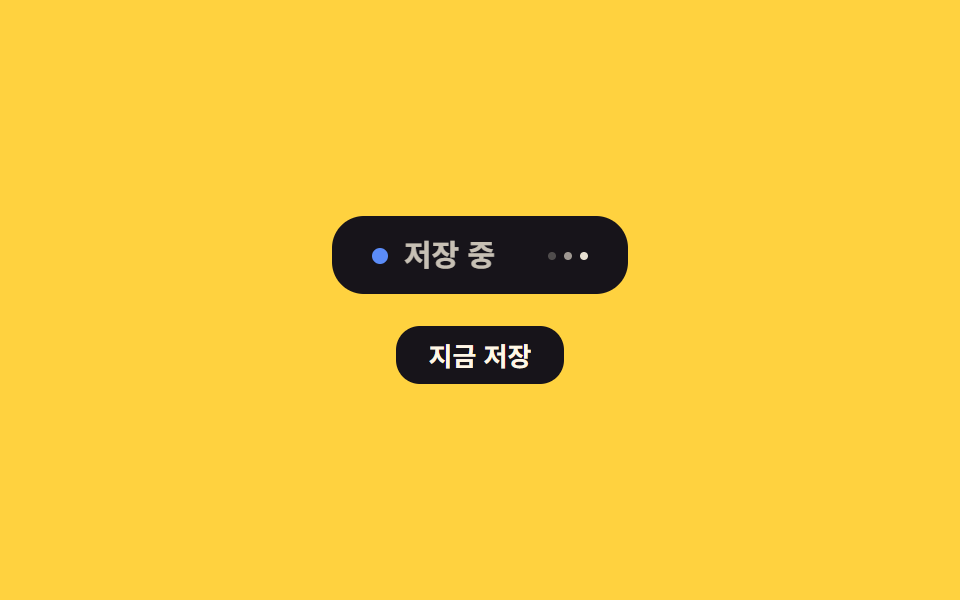
- 01 Saving-label pulse — the saving label's brightness value rises and falls repeatedly while a save is in progress
- 02 Saved-flag flash — the completion value flips to one the instant a save finishes, then falls back to zero and disappears
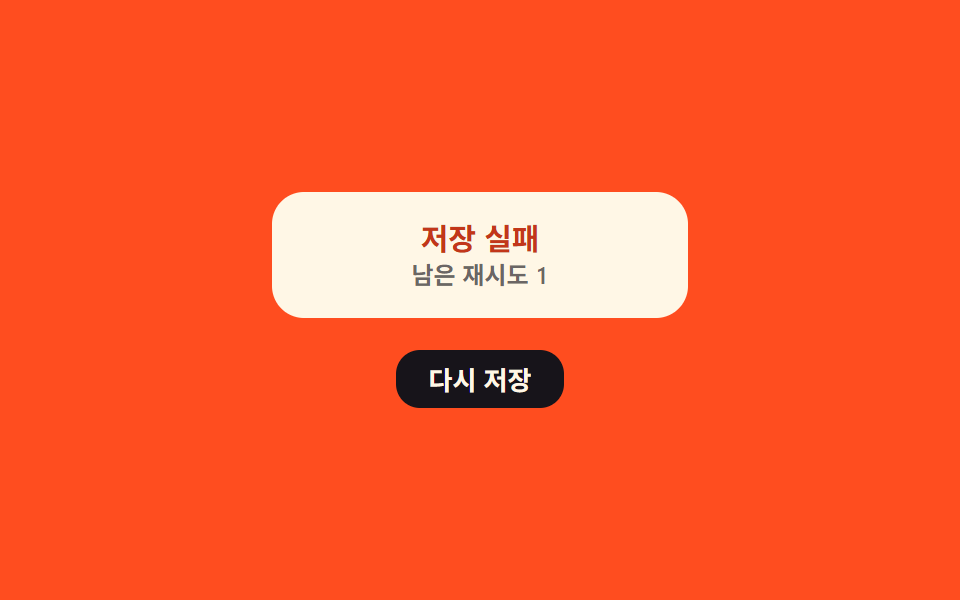
- 03 Save-failure retry count — the remaining-retries value drops by one and the label shakes each time a save fails
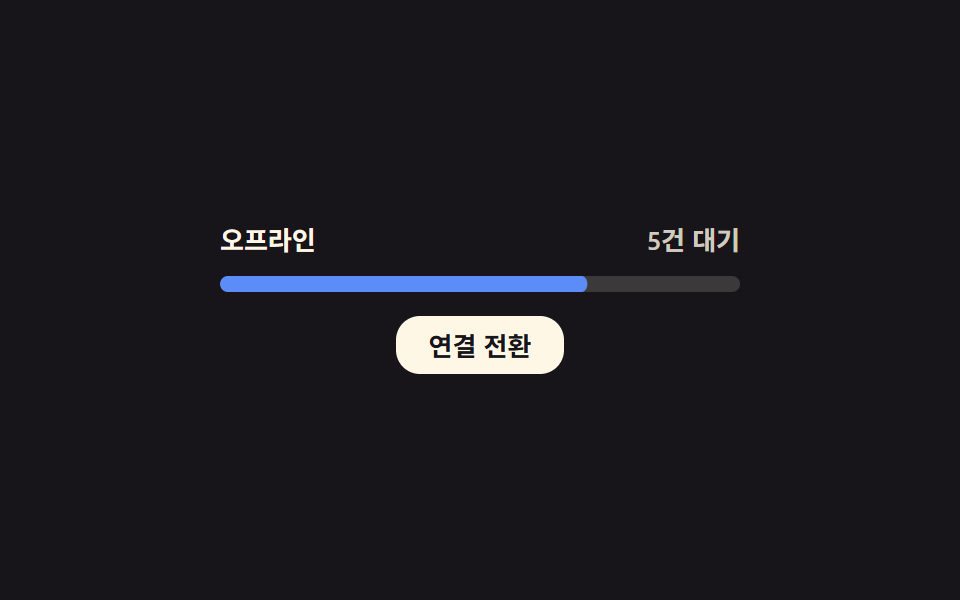
- 04 Offline-queue count — the pending-save count value climbs while disconnected and counts back down to zero the instant the connection returns
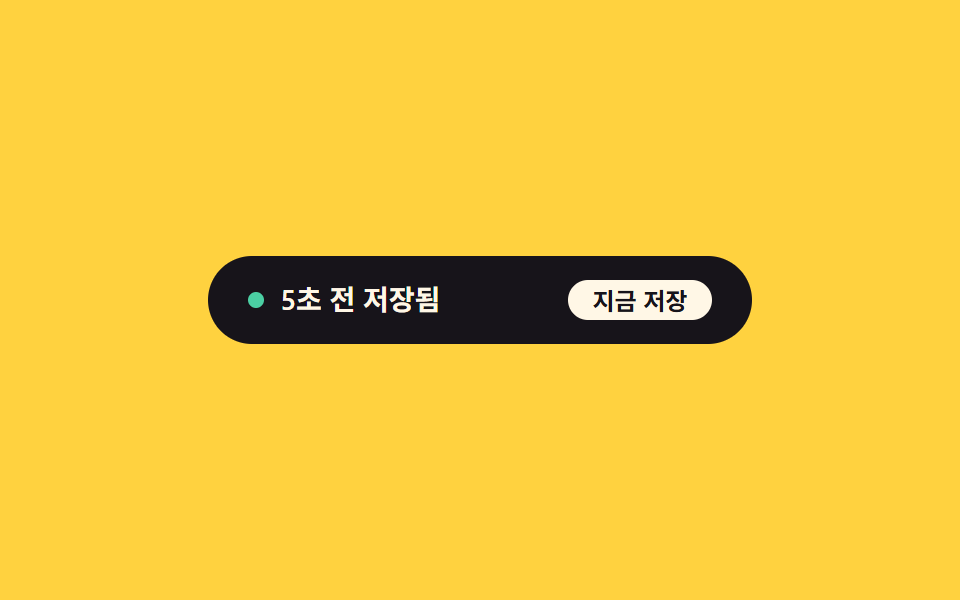
- 05 Last-saved timestamp refresh — the elapsed-time-since-save value recalculates every second and turns into a changing phrase
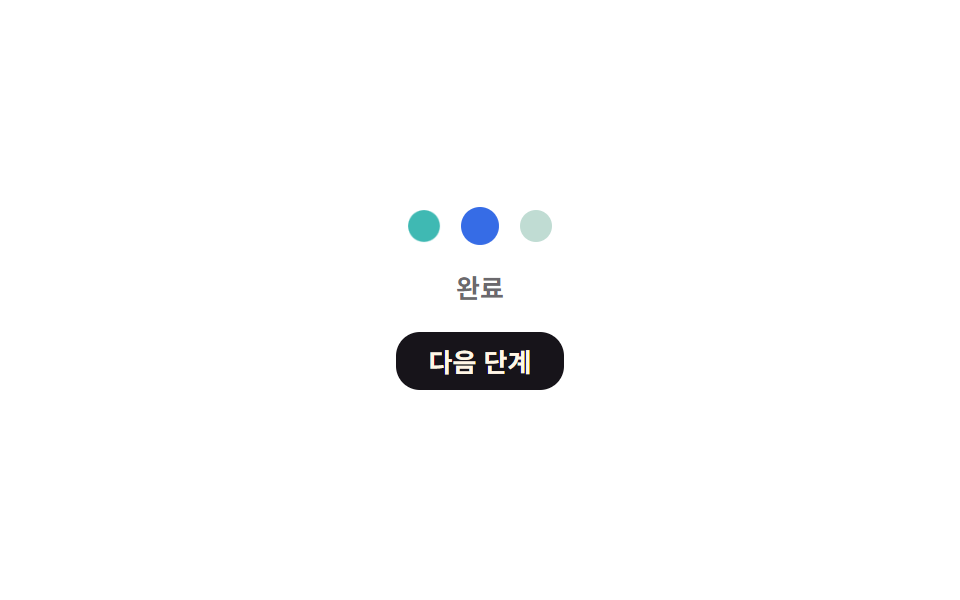
- 06 Status-dot color cycle — the dot's color value changes in sequence across idle, in-progress, and done stages
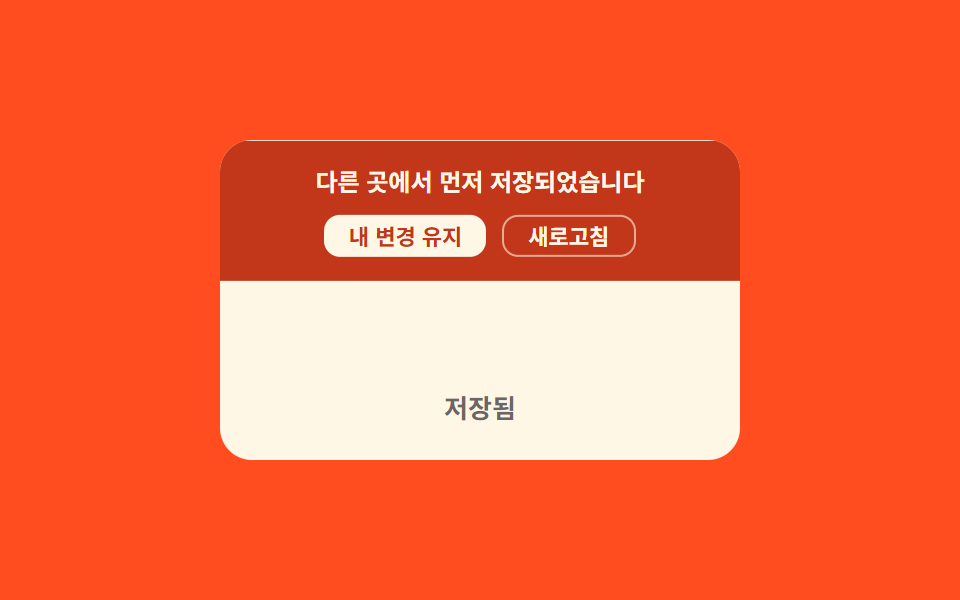
- 07 Save-conflict banner — a notice value appears and waits for a choice when the same item was already saved elsewhere
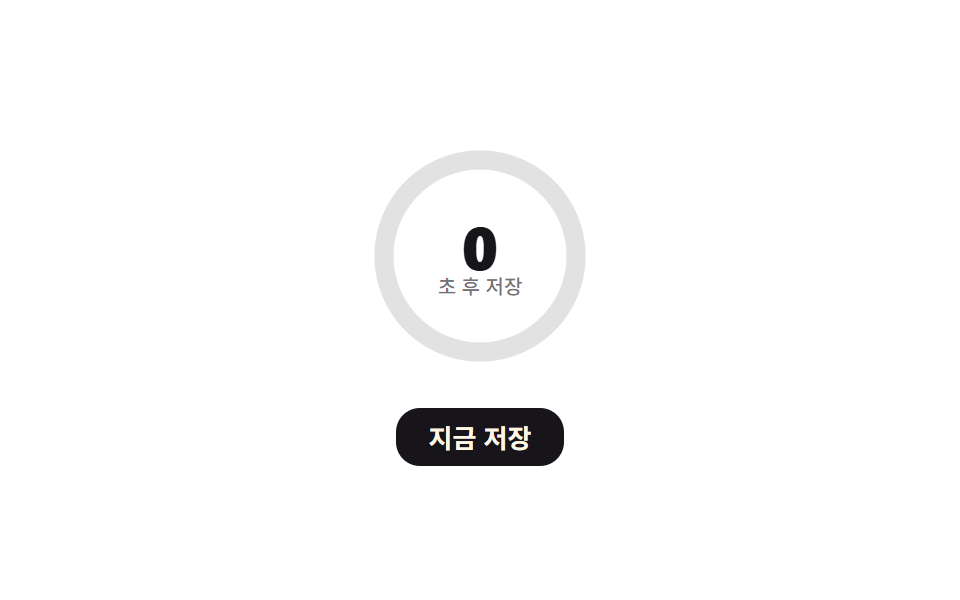
- 08 Next-autosave countdown — the time-remaining value counts down toward zero in a ring
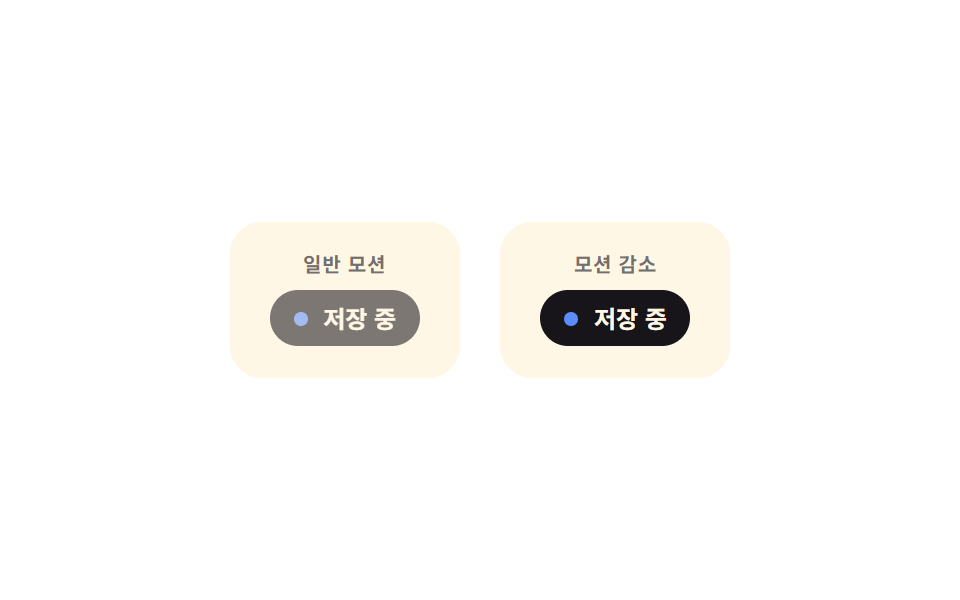
- 09 Reduced-motion static save notice — with reduced motion, only the label's text value changes instead of animating
All nine react to the same trigger — a real click on a button (07 has two, one per resolution choice; 09's listener sits on its whole panel rather than a button) — and none of them leave an outcome to chance: every value moves by a sine wave, an exponential backoff formula, a spring integration, a modulo-based stagger, or an SVG path length, never by Math.random(). Nothing here calls fetch(), reads navigator.onLine, or touches localStorage — the "saving," the "offline queue," and the "conflict" are local variables recalculated in the browser, so no claim below should be read as "the server confirms the save" or "this detects your real connection." Item 01 is also the only one of the nine to mark its dot row aria-hidden, since a screen reader has no use for three purely decorative dots.
Anatomy of nine patterns — which value changes and when
Three items (01, 05, 09) turn elapsed time straight into a sine-wave opacity value: 01's label and dots pulse while a save is in progress, 05's dot fades as a saved timestamp gets stale, and 09 runs that same sine curve on one panel while a second panel right beside it changes with no tween at all. Two items (02, 08) draw an SVG length instead of tweening a percentage: 02's checkmark grows along its own getTotalLength(), and 08's ring subtracts from a fixed circumference every tick to count a cycle down. Item 03 and item 04 both clamp a counter between two bounds, but 03's remaining-retries count feeds an exponential backoff wait (BACKOFF_BASE_MS x 2^n) while 04's pending-count value only drives a linear scaleX fill bar. Item 06 walks the same three-stage counter across three dots with a modulo offset, so each dot lags the one before it by a fixed step, and item 07 is the only one of the nine integrating a spring (SPRING_K, SPRING_C) frame by frame rather than computing a value from elapsed time directly. None of this amounts to a single auto save toggle flipping once — every one of the nine keeps recalculating its own value on a repeating schedule for as long as the demo runs.
Code per pattern
01Saving-label pulse — the saving label's brightness value rises and falls repeatedly while a save is in progress
While a save is in progress, the label's brightness value cycles low and high on a steady interval, and three dots pulse the same curve staggered by a fixed offset each. Once the phase crosses SAVING_MS, every opacity locks to a fixed number and the label swaps to its saved value instead of continuing the sine curve.
<main class="stage">
<div class="ssp is-demo" id="ssp">
  <div class="ssp__card">
    <span class="ssp__dot" id="sspDot"></span>
    <span class="ssp__label" id="sspLabel">Saving</span>
    <span class="ssp__dots" aria-hidden="true">
      <span class="ssp__d" id="sspD0"></span><span class="ssp__d" id="sspD1"></span><span class="ssp__d" id="sspD2"></span>
    </span>
  </div>
  <button class="ssp__btn" id="sspBtn" type="button">Save now</button>
</div>
</main>
@use "../../../../site/static/demo-tokens" as *;
// 계산 겹: 문구 밝기 값 = 경과시간÷주기 위상의 sin 진폭, 점 세 개는 위상을 어긋내 순차 점멸 — index.html 참조
@include stage($stage-yellow);
.ssp__card {
display: flex;
align-items: center;
gap: $sp-2;
padding: $sp-3 $sp-5;
border-radius: $r-card;
background: $stage-ink;
}
.ssp__dot {
width: $sp-2;
height: $sp-2;
border-radius: $r-pill;
background: $subject-blue-light;
flex: 0 0 auto;
}
.ssp--done .ssp__dot { background: $subject-mint; }
.ssp__label {
font: 700 15px/1 -apple-system, "Segoe UI", "Noto Sans KR", sans-serif;
color: $subject-cream;
min-width: 64px;
}
.ssp__dots {
display: flex;
gap: 4px;
}
.ssp__d {
width: 4px;
height: 4px;
border-radius: $r-pill;
background: $subject-cream;
}
.ssp__btn {
margin-top: $sp-4;
border: 0;
border-radius: $r-control;
padding: $sp-2 $sp-4;
background: $stage-ink;
color: $subject-cream;
font: 700 13px/1 -apple-system, "Segoe UI", "Noto Sans KR", sans-serif;
cursor: pointer;
transition: transform $dur-instant $ease-out;
&:active { transform: scale(.96); }
}
.ssp { display: grid; justify-items: center; }
@media (max-width: 340px) {
.ssp__card { padding: $sp-2 $sp-4; }
.ssp__label { font-size: 13px; min-width: 56px; }
}
@media (prefers-reduced-motion: reduce) {
.ssp__btn { transition: none; }
}html, body {
margin: 0;
overflow: hidden;
}
.stage {
box-sizing: border-box;
min-height: 100vh;
display: grid;
place-items: center;
margin: 0;
background: #ffd23f;
font-family: -apple-system, "Segoe UI", "Noto Sans KR", sans-serif;
padding: clamp(8px, 4vw, 24px);
}
.ssp__card {
display: flex;
align-items: center;
gap: 8px;
padding: 12px 20px;
border-radius: 16px;
background: #17141a;
}
.ssp__dot {
width: 8px;
height: 8px;
border-radius: 999px;
background: #5b8cf8;
flex: 0 0 auto;
}
.ssp--done .ssp__dot {
background: #4cd4a6;
}
.ssp__label {
font: 700 15px/1 -apple-system, "Segoe UI", "Noto Sans KR", sans-serif;
color: #fff7e6;
min-width: 64px;
}
.ssp__dots {
display: flex;
gap: 4px;
}
.ssp__d {
width: 4px;
height: 4px;
border-radius: 999px;
background: #fff7e6;
}
.ssp__btn {
margin-top: 16px;
border: 0;
border-radius: 12px;
padding: 8px 16px;
background: #17141a;
color: #fff7e6;
font: 700 13px/1 -apple-system, "Segoe UI", "Noto Sans KR", sans-serif;
cursor: pointer;
transition: transform 140ms ease-out;
}
.ssp__btn:active {
transform: scale(0.96);
}
.ssp {
display: grid;
justify-items: center;
}
@media (max-width: 340px) {
.ssp__card {
padding: 8px 16px;
}
.ssp__label {
font-size: 13px;
min-width: 56px;
}
}
@media (prefers-reduced-motion: reduce) {
.ssp__btn {
transition: none;
}
}(function () {
var root = document.getElementById('ssp');
var btn = document.getElementById('sspBtn');
var label = document.getElementById('sspLabel');
var dot = document.getElementById('sspDot');
var dots = [document.getElementById('sspD0'), document.getElementById('sspD1'), document.getElementById('sspD2')];
// 상수: 펄스 한 주기 · 점 세 개의 위상 차 · Saving 유지시간 · Saved 유지시간
var PULSE_PERIOD_MS = 900;
var DOT_STAGGER_MS = 160;
var SAVING_MS = 2400;
var IDLE_MS = 1000;
var reduce = window.matchMedia('(prefers-reduced-motion: reduce)').matches;
var phase = 'saving';
var phaseStart = null;
// 계산 겹: 문구 밝기 값 = 경과시간을 주기로 나눈 위상의 sin 진폭, 점마다 위상을 어긋내 순차로 밝아진다
  function raf(ts) {
    if (phaseStart === null) phaseStart = ts;
    var el = ts - phaseStart;
    if (phase === 'saving') {
      if (reduce) {
        label.style.opacity = '1';
        dots.forEach(function (d) { d.style.opacity = '.6'; });
      } else {
        var t = (el % PULSE_PERIOD_MS) / PULSE_PERIOD_MS;
        var op = 0.45 + 0.55 * (0.5 + 0.5 * Math.sin(t * Math.PI * 2));
        label.style.opacity = op.toFixed(3);
        dots.forEach(function (d, i) {
          var dop = 0.2 + 0.8 * Math.abs(Math.sin((el - i * DOT_STAGGER_MS) / PULSE_PERIOD_MS * Math.PI));
          d.style.opacity = dop.toFixed(3);
        });
      }
      if (el > SAVING_MS) {
        phase = 'idle';
        phaseStart = ts;
        label.textContent = 'Saved';
        label.style.opacity = '1';
        dots.forEach(function (d) { d.style.opacity = '0'; });
        root.classList.add('ssp--done');
      }
} else {
if (el > IDLE_MS) {
phase = 'saving';
phaseStart = ts;
label.textContent = 'Saving';
root.classList.remove('ssp--done');
}
}
requestAnimationFrame(raf);
}
requestAnimationFrame(raf);
btn.addEventListener('click', function () {
root.classList.remove('is-demo');
phase = 'saving';
phaseStart = null;
label.textContent = 'Saving';
root.classList.remove('ssp--done');
});
})();import { useEffect, useRef } from "react";
import styles from "./SaveStatusSavingPulse.module.scss";
type Box<T> = { current: T };
export default function SaveStatusSavingPulse() {
const rootRef = useRef(null) as unknown as Box<HTMLDivElement | null>;
useEffect(() => {
const root = rootRef.current;
if (!root) return;
const label = root.querySelector(`.${styles.label}`) as HTMLElement | null;
const dotEls = Array.from(root.querySelectorAll(`.${styles.d}`)) as HTMLElement[];
const btn = root.querySelector(`.${styles.btn}`) as HTMLElement | null;
if (!label || !btn || dotEls.length < 3) return;
// 상수: 펄스 한 주기 · 점 세 개의 위상 차 · 저장 중 유지시간 · 저장됨 유지시간
const PULSE_PERIOD_MS = 900;
const DOT_STAGGER_MS = 160;
const SAVING_MS = 2400;
const IDLE_MS = 1000;
const reduce = window.matchMedia("(prefers-reduced-motion: reduce)").matches;
let phase: "saving" | "idle" = "saving";
let phaseStart: number | null = null;
let rafId = 0;
// 계산 겹: 문구 밝기 값 = 경과시간을 주기로 나눈 위상의 sin 진폭, 점마다 위상을 어긋내 순차로 밝아진다
function raf(ts: number) {
if (phaseStart === null) phaseStart = ts;
const el = ts - phaseStart;
if (phase === "saving") {
if (reduce) {
label!.style.opacity = "1";
dotEls.forEach((d) => { d.style.opacity = ".6"; });
} else {
const t = (el % PULSE_PERIOD_MS) / PULSE_PERIOD_MS;
const op = 0.45 + 0.55 * (0.5 + 0.5 * Math.sin(t * Math.PI * 2));
label!.style.opacity = op.toFixed(3);
dotEls.forEach((d, i) => {
const dop = 0.2 + 0.8 * Math.abs(Math.sin((el - i * DOT_STAGGER_MS) / PULSE_PERIOD_MS * Math.PI));
d.style.opacity = dop.toFixed(3);
});
}
if (el > SAVING_MS) {
phase = "idle"; phaseStart = ts;
label!.textContent = "저장됨";
label!.style.opacity = "1";
dotEls.forEach((d) => { d.style.opacity = "0"; });
root!.classList.add(styles["ssp--done"]);
}
} else {
if (el > IDLE_MS) {
phase = "saving"; phaseStart = ts;
label!.textContent = "저장 중";
root!.classList.remove(styles["ssp--done"]);
}
}
rafId = requestAnimationFrame(raf);
}
rafId = requestAnimationFrame(raf);
function onClick() {
root!.classList.remove(styles["is-demo"]);
phase = "saving"; phaseStart = null;
label!.textContent = "저장 중";
root!.classList.remove(styles["ssp--done"]);
}
btn.addEventListener("click", onClick);
return () => {
cancelAnimationFrame(rafId);
btn.removeEventListener("click", onClick);
};
}, []);
return (
<div ref={rootRef} className={`${styles.stage} ${styles.ssp} ${styles["is-demo"]}`}>
<div className={styles.card}>
<span className={styles.dot} />
<span className={styles.label}>저장 중</span>
<span className={styles.dots} aria-hidden="true">
<span className={styles.d} />
<span className={styles.d} />
<span className={styles.d} />
</span>
</div>
<button className={styles.btn} type="button">지금 저장</button>
</div>
);
}01 · Saving-label pulse — the saving label's brightness value rises and falls repeatedly while a save is in progress — Measured area 0.408% · moving frames 19/23Original by GODRICH · SCSS and React ship in the zip · See the password
function raf(ts) {
if (phaseStart === null) phaseStart = ts;
var el = ts - phaseStart;
if (phase === 'saving') {
if (reduce) {
label.style.opacity = '1';
dots.forEach(function (d) { d.style.opacity = '.6'; });
} else {
var t = (el % PULSE_PERIOD_MS) / PULSE_PERIOD_MS;
var op = 0.45 + 0.55 * (0.5 + 0.5 * Math.sin(t * Math.PI * 2));
label.style.opacity = op.toFixed(3);
dots.forEach(function (d, i) {
var dop = 0.2 + 0.8 * Math.abs(Math.sin((el - i * DOT_STAGGER_MS) / PULSE_PERIOD_MS * Math.PI));
d.style.opacity = dop.toFixed(3);
});
}
if (el > SAVING_MS) {
phase = 'idle';
phaseStart = ts;
label.textContent = 'Saved';
label.style.opacity = '1';
dots.forEach(function (d) { d.style.opacity = '0'; });
root.classList.add('ssp--done');
}
What the numbers say
Measured across 23 tracked frames, item 01 moves only 0.41% of the frame area at a 39.1 intensity score over 19 moving frames — a whisper-thin pulse confined to a short label and three dots, not a scene.
02Saved-flag flash — the completion value flips to one the instant a save finishes, then falls back to zero and disappears
The instant a save finishes, the completion value flips to one and the checkmark briefly appears, then after a set hold time it returns to zero and disappears. The checkmark itself is drawn, not swapped in as an icon: its stroke offset moves from full length to zero along the path's own measured length.
<main class="stage">
<div class="ssc is-demo" id="ssc">
  <div class="ssc__badge" id="sscBadge">
    <svg class="ssc__ring" viewBox="0 0 40 40" width="40" height="40">
      <circle class="ssc__circle" cx="20" cy="20" r="17"></circle>
      <polyline class="ssc__check" id="sscCheck" points="12,21 17,26 28,13"></polyline>
    </svg>
  </div>
  <span class="ssc__label" id="sscLabel">Save complete</span>
  <button class="ssc__btn" id="sscBtn" type="button">Save changes</button>
</div>
</main>
@use "../../../../site/static/demo-tokens" as *;
// 계산 겹: SVG 경로 실측 길이(getTotalLength) 기준 stroke-dashoffset 산술로 체크를 그린다 — index.html 참조
@include stage($stage-paper);
.ssc {
display: grid;
justify-items: center;
gap: $sp-3;
}
.ssc__badge {
width: 56px;
height: 56px;
display: grid;
place-items: center;
opacity: 0;
transform: scale(.7);
transition: opacity $dur-quick $ease-out, transform $dur-quick $ease-pop;
}
.ssc__badge--show {
opacity: 1;
transform: scale(1);
}
.ssc__circle {
fill: $subject-mint;
opacity: .16;
}
.ssc__check {
fill: none;
stroke: $subject-mint;
stroke-width: 3.4;
stroke-linecap: round;
stroke-linejoin: round;
}
.ssc__label {
font: 600 13px/1 -apple-system, "Segoe UI", "Noto Sans KR", sans-serif;
color: rgba($stage-ink, .64);
}
.ssc__btn {
border: 0;
border-radius: $r-control;
padding: $sp-2 $sp-4;
background: $stage-ink;
color: $subject-cream;
font: 700 13px/1 -apple-system, "Segoe UI", "Noto Sans KR", sans-serif;
cursor: pointer;
transition: transform $dur-instant $ease-out;
&:active { transform: scale(.96); }
}
@media (max-width: 340px) {
.ssc__badge { width: 44px; height: 44px; }
}
@media (prefers-reduced-motion: reduce) {
.ssc__badge { transition: none; }
.ssc__btn { transition: none; }
}html, body {
margin: 0;
overflow: hidden;
}
.stage {
box-sizing: border-box;
min-height: 100vh;
display: grid;
place-items: center;
margin: 0;
background: #ffffff;
font-family: -apple-system, "Segoe UI", "Noto Sans KR", sans-serif;
padding: clamp(8px, 4vw, 24px);
}
.ssc {
display: grid;
justify-items: center;
gap: 12px;
}
.ssc__badge {
width: 56px;
height: 56px;
display: grid;
place-items: center;
opacity: 0;
transform: scale(0.7);
transition: opacity 220ms ease-out, transform 220ms cubic-bezier(0.2, 1.4, 0.4, 1);
}
.ssc__badge--show {
opacity: 1;
transform: scale(1);
}
.ssc__circle {
fill: #4cd4a6;
opacity: 0.16;
}
.ssc__check {
fill: none;
stroke: #4cd4a6;
stroke-width: 3.4;
stroke-linecap: round;
stroke-linejoin: round;
}
.ssc__label {
font: 600 13px/1 -apple-system, "Segoe UI", "Noto Sans KR", sans-serif;
color: rgba(23, 20, 26, 0.64);
}
.ssc__btn {
border: 0;
border-radius: 12px;
padding: 8px 16px;
background: #17141a;
color: #fff7e6;
font: 700 13px/1 -apple-system, "Segoe UI", "Noto Sans KR", sans-serif;
cursor: pointer;
transition: transform 140ms ease-out;
}
.ssc__btn:active {
transform: scale(0.96);
}
@media (max-width: 340px) {
.ssc__badge {
width: 44px;
height: 44px;
}
}
@media (prefers-reduced-motion: reduce) {
.ssc__badge {
transition: none;
}
.ssc__btn {
transition: none;
}
}(function () {
var root = document.getElementById('ssc');
var btn = document.getElementById('sscBtn');
var badge = document.getElementById('sscBadge');
var check = document.getElementById('sscCheck');
// 상수: 체크 선이 그려지는 시간 · 다 그려진 뒤 머무는 시간 · 사라지는 시간 · 다음 저장까지 간격
var DRAW_MS = 300;
var HOLD_MS = 380;
var FADE_MS = 200;
var GAP_MS = 260;
var reduce = window.matchMedia('(prefers-reduced-motion: reduce)').matches;
// 계산 겹: getTotalLength() 로 실제 경로 길이를 재고, stroke-dashoffset = 길이×(1−t) 로 그려 나간다
var len = check.getTotalLength();
check.style.strokeDasharray = String(len);
check.style.strokeDashoffset = String(len);
var timer = null;
  function draw(cb) {
    if (reduce) { check.style.strokeDashoffset = '0'; cb(); return; }
    var start = null;
    function frame(ts) {
      if (start === null) start = ts;
      var t = Math.min(1, (ts - start) / DRAW_MS);
      check.style.strokeDashoffset = (len * (1 - t)).toFixed(2);
      if (t < 1) requestAnimationFrame(frame); else cb();
    }
    requestAnimationFrame(frame);
  }

  function cycle() {
    badge.classList.add('ssc__badge--show');
    draw(function () {
      timer = setTimeout(function () {
        badge.classList.remove('ssc__badge--show');
        timer = setTimeout(function () {
          check.style.strokeDashoffset = String(len);
          timer = setTimeout(cycle, GAP_MS);
        }, reduce ? 0 : FADE_MS);
      }, HOLD_MS);
    });
  }
cycle();
btn.addEventListener('click', function () {
root.classList.remove('is-demo');
if (timer) clearTimeout(timer);
check.style.strokeDashoffset = String(len);
badge.classList.remove('ssc__badge--show');
requestAnimationFrame(cycle);
});
})();import { useEffect, useRef } from "react";
import styles from "./SaveStatusSavedCheck.module.scss";
type Box<T> = { current: T };
export default function SaveStatusSavedCheck() {
const rootRef = useRef(null) as unknown as Box<HTMLDivElement | null>;
useEffect(() => {
const root = rootRef.current;
if (!root) return;
const badge = root.querySelector(`.${styles.badge}`) as HTMLElement | null;
const check = root.querySelector(`.${styles.check}`) as SVGPolylineElement | null;
const btn = root.querySelector(`.${styles.btn}`) as HTMLElement | null;
if (!badge || !check || !btn) return;
// 상수: 체크 선이 그려지는 시간 · 다 그려진 뒤 머무는 시간 · 사라지는 시간 · 다음 저장까지 간격
const DRAW_MS = 300;
const HOLD_MS = 380;
const FADE_MS = 200;
const GAP_MS = 260;
const reduce = window.matchMedia("(prefers-reduced-motion: reduce)").matches;
// 계산 겹: getTotalLength() 로 실제 경로 길이를 재고, stroke-dashoffset = 길이×(1−t) 로 그려 나간다
const len = check.getTotalLength();
check.style.strokeDasharray = String(len);
check.style.strokeDashoffset = String(len);
let timer = 0;
let rafId = 0;
let stopped = false;
function draw(cb: () => void) {
if (reduce) { check!.style.strokeDashoffset = "0"; cb(); return; }
let start: number | null = null;
function frame(ts: number) {
if (start === null) start = ts;
const t = Math.min(1, (ts - start) / DRAW_MS);
check!.style.strokeDashoffset = (len * (1 - t)).toFixed(2);
if (t < 1) rafId = requestAnimationFrame(frame); else cb();
}
rafId = requestAnimationFrame(frame);
}
function cycle() {
if (stopped) return;
badge!.classList.add(styles["badge--show"]);
draw(() => {
timer = window.setTimeout(() => {
badge!.classList.remove(styles["badge--show"]);
timer = window.setTimeout(() => {
check!.style.strokeDashoffset = String(len);
timer = window.setTimeout(cycle, GAP_MS);
}, reduce ? 0 : FADE_MS);
}, HOLD_MS);
});
}
cycle();
function onClick() {
root!.classList.remove(styles["is-demo"]);
window.clearTimeout(timer);
check!.style.strokeDashoffset = String(len);
badge!.classList.remove(styles["badge--show"]);
rafId = requestAnimationFrame(cycle);
}
btn.addEventListener("click", onClick);
return () => {
stopped = true;
window.clearTimeout(timer);
cancelAnimationFrame(rafId);
btn.removeEventListener("click", onClick);
};
}, []);
return (
<div ref={rootRef} className={`${styles.stage} ${styles.ssc} ${styles["is-demo"]}`}>
<div className={styles.badge}>
<svg className={styles.ring} viewBox="0 0 40 40" width="40" height="40">
<circle className={styles.circle} cx="20" cy="20" r="17" />
<polyline className={styles.check} points="12,21 17,26 28,13" />
</svg>
</div>
<span className={styles.label}>저장 완료</span>
<button className={styles.btn} type="button">변경 저장</button>
</div>
);
}02 · Saved-flag flash — the completion value flips to one the instant a save finishes, then falls back to zero and disappears — Measured area 0.64% · moving frames 11/23Original by GODRICH · SCSS and React ship in the zip · See the password
function draw(cb) {
if (reduce) { check.style.strokeDashoffset = '0'; cb(); return; }
var start = null;
function frame(ts) {
if (start === null) start = ts;
var t = Math.min(1, (ts - start) / DRAW_MS);
check.style.strokeDashoffset = (len * (1 - t)).toFixed(2);
if (t < 1) requestAnimationFrame(frame); else cb();
}
requestAnimationFrame(frame);
}
function cycle() {
badge.classList.add('ssc__badge--show');
draw(function () {
timer = setTimeout(function () {
badge.classList.remove('ssc__badge--show');
timer = setTimeout(function () {
check.style.strokeDashoffset = String(len);
timer = setTimeout(cycle, GAP_MS);
}, reduce ? 0 : FADE_MS);
}, HOLD_MS);
});
}
What the numbers say
Measured across 23 tracked frames, item 02 moves only 0.64% of the frame area at a 53.4 intensity score over 11 moving frames — a quick, self-contained flash that returns to nothing once the checkmark fades.
03Save-failure retry count — the remaining-retries value drops by one and the label shakes each time a save fails
Each time a save fails, the remaining-retries value drops by one, and at that instant the label shakes briefly left and right. Once retries reach zero, the wait before each retry has already doubled through a fixed backoff formula rather than the demo staying silent about how long the next attempt is delayed.
<main class="stage">
<div class="ser is-demo" id="ser">
  <div class="ser__card">
    <span class="ser__label" id="serLabel">Save failed</span>
    <span class="ser__count" id="serCount">3 retries left</span>
  </div>
  <button class="ser__btn" id="serBtn" type="button">Retry save</button>
</div>
</main>
@use "../../../../site/static/demo-tokens" as *;
// 계산 겹: 흔들림 = 감쇠 사인(sin(t·2π·3)×(1−t)), 대기 = BACKOFF_BASE_MS×2^(실패 순번) — index.html 참조
@include stage($stage-orange);
.ser {
display: grid;
justify-items: center;
gap: $sp-4;
}
.ser__card {
display: grid;
justify-items: center;
gap: $sp-1;
padding: $sp-4 $sp-6;
border-radius: $r-card;
background: $subject-cream;
min-width: 160px;
}
.ser__label {
font: 700 15px/1 -apple-system, "Segoe UI", "Noto Sans KR", sans-serif;
color: $error;
}
.ser--out .ser__label { color: $stage-ink; }
.ser__count {
font: 600 12px/1 -apple-system, "Segoe UI", "Noto Sans KR", sans-serif;
color: rgba($stage-ink, .64);
font-variant-numeric: tabular-nums;
}
.ser--out .ser__count { color: $error; }
.ser__btn {
border: 0;
border-radius: $r-control;
padding: $sp-2 $sp-4;
background: $stage-ink;
color: $subject-cream;
font: 700 13px/1 -apple-system, "Segoe UI", "Noto Sans KR", sans-serif;
cursor: pointer;
transition: transform $dur-instant $ease-out;
&:active { transform: scale(.96); }
}
@media (max-width: 340px) {
.ser__card { padding: $sp-3 $sp-5; min-width: 140px; }
}
@media (prefers-reduced-motion: reduce) {
.ser__btn { transition: none; }
}html, body {
margin: 0;
overflow: hidden;
}
.stage {
box-sizing: border-box;
min-height: 100vh;
display: grid;
place-items: center;
margin: 0;
background: #ff4d1f;
font-family: -apple-system, "Segoe UI", "Noto Sans KR", sans-serif;
padding: clamp(8px, 4vw, 24px);
}
.ser {
display: grid;
justify-items: center;
gap: 16px;
}
.ser__card {
display: grid;
justify-items: center;
gap: 4px;
padding: 16px 24px;
border-radius: 16px;
background: #fff7e6;
min-width: 160px;
}
.ser__label {
font: 700 15px/1 -apple-system, "Segoe UI", "Noto Sans KR", sans-serif;
color: #c2361a;
}
.ser--out .ser__label {
color: #17141a;
}
.ser__count {
font: 600 12px/1 -apple-system, "Segoe UI", "Noto Sans KR", sans-serif;
color: rgba(23, 20, 26, 0.64);
font-variant-numeric: tabular-nums;
}
.ser--out .ser__count {
color: #c2361a;
}
.ser__btn {
border: 0;
border-radius: 12px;
padding: 8px 16px;
background: #17141a;
color: #fff7e6;
font: 700 13px/1 -apple-system, "Segoe UI", "Noto Sans KR", sans-serif;
cursor: pointer;
transition: transform 140ms ease-out;
}
.ser__btn:active {
transform: scale(0.96);
}
@media (max-width: 340px) {
.ser__card {
padding: 12px 20px;
min-width: 140px;
}
}
@media (prefers-reduced-motion: reduce) {
.ser__btn {
transition: none;
}
}(function () {
var root = document.getElementById('ser');
var btn = document.getElementById('serBtn');
var card = root.querySelector('.ser__card');
var label = document.getElementById('serLabel');
var countEl = document.getElementById('serCount');
// 상수: 최대 재시도 횟수 · 흔들림 진폭 · 흔들림 지속시간 · 재시도 사이 Idle 배증 기준(가속 ms)
var MAX_RETRY = 3;
var AMP = 5;
var SHAKE_MS = 260;
var BACKOFF_BASE_MS = 260;
var reduce = window.matchMedia('(prefers-reduced-motion: reduce)').matches;
var retries = MAX_RETRY;
var timer = null;
// 계산 겹: 흔들림 = 감쇠 사인(sin(t·2π·3)×(1−t)), Idle = BACKOFF_BASE_MS×2^(실패 순번)
function shake(cb) {
if (reduce) { cb(); return; }
var start = null;
function frame(ts) {
if (start === null) start = ts;
var t = Math.min(1, (ts - start) / SHAKE_MS);
var x = AMP * Math.sin(t * Math.PI * 2 * 3) * (1 - t);
card.style.transform = 'translateX(' + x.toFixed(2) + 'px)';
if (t < 1) requestAnimationFrame(frame); else { card.style.transform = 'translateX(0)'; cb(); }
}
requestAnimationFrame(frame);
}
  function fail() {
    retries -= 1;
    label.textContent = 'Save failed';
    root.classList.add('ser--fail');
    shake(function () {
      if (retries > 0) {
        countEl.textContent = 'retries left ' + retries;
        var wait = BACKOFF_BASE_MS * Math.pow(2, MAX_RETRY - retries - 1);
        timer = setTimeout(fail, wait);
      } else {
        countEl.textContent = 'Retries exhausted';
        root.classList.add('ser--out');
        timer = setTimeout(reset, 900);
      }
    });
  }
function reset() {
retries = MAX_RETRY;
label.textContent = 'Save failed';
countEl.textContent = 'retries left ' + retries;
root.classList.remove('ser--out');
root.classList.remove('ser--fail');
timer = setTimeout(fail, BACKOFF_BASE_MS);
}
timer = setTimeout(fail, BACKOFF_BASE_MS);
btn.addEventListener('click', function () {
root.classList.remove('is-demo');
if (timer) clearTimeout(timer);
reset();
});
})();import { useEffect, useRef } from "react";
import styles from "./SaveStatusErrorRetry.module.scss";
type Box<T> = { current: T };
export default function SaveStatusErrorRetry() {
const rootRef = useRef(null) as unknown as Box<HTMLDivElement | null>;
useEffect(() => {
const root = rootRef.current;
if (!root) return;
const card = root.querySelector(`.${styles.card}`) as HTMLElement | null;
const label = root.querySelector(`.${styles.label}`) as HTMLElement | null;
const countEl = root.querySelector(`.${styles.count}`) as HTMLElement | null;
const btn = root.querySelector(`.${styles.btn}`) as HTMLElement | null;
if (!card || !label || !countEl || !btn) return;
// 상수: 최대 재시도 횟수 · 흔들림 진폭 · 흔들림 지속시간 · 재시도 사이 대기 배증 기준(가속 ms)
const MAX_RETRY = 3;
const AMP = 5;
const SHAKE_MS = 260;
const BACKOFF_BASE_MS = 260;
const reduce = window.matchMedia("(prefers-reduced-motion: reduce)").matches;
let retries = MAX_RETRY;
let timer = 0;
let rafId = 0;
let stopped = false;
// 계산 겹: 흔들림 = 감쇠 사인(sin(t·2π·3)×(1−t)), 대기 = BACKOFF_BASE_MS×2^(실패 순번)
function shake(cb: () => void) {
if (reduce) { cb(); return; }
let start: number | null = null;
function frame(ts: number) {
if (start === null) start = ts;
const t = Math.min(1, (ts - start) / SHAKE_MS);
const x = AMP * Math.sin(t * Math.PI * 2 * 3) * (1 - t);
card!.style.transform = "translateX(" + x.toFixed(2) + "px)";
if (t < 1) rafId = requestAnimationFrame(frame); else { card!.style.transform = "translateX(0)"; cb(); }
}
rafId = requestAnimationFrame(frame);
}
function fail() {
if (stopped) return;
retries -= 1;
label!.textContent = "저장 실패";
root!.classList.add(styles["ser--fail"]);
shake(() => {
if (retries > 0) {
countEl!.textContent = "남은 재시도 " + retries;
const wait = BACKOFF_BASE_MS * Math.pow(2, MAX_RETRY - retries - 1);
timer = window.setTimeout(fail, wait);
} else {
countEl!.textContent = "재시도 소진";
root!.classList.add(styles["ser--out"]);
timer = window.setTimeout(reset, 900);
}
});
}
function reset() {
retries = MAX_RETRY;
label!.textContent = "저장 실패";
countEl!.textContent = "남은 재시도 " + retries;
root!.classList.remove(styles["ser--out"]);
root!.classList.remove(styles["ser--fail"]);
timer = window.setTimeout(fail, BACKOFF_BASE_MS);
}
timer = window.setTimeout(fail, BACKOFF_BASE_MS);
function onClick() {
root!.classList.remove(styles["is-demo"]);
window.clearTimeout(timer);
reset();
}
btn.addEventListener("click", onClick);
return () => {
stopped = true;
window.clearTimeout(timer);
cancelAnimationFrame(rafId);
btn.removeEventListener("click", onClick);
};
}, []);
return (
<div ref={rootRef} className={`${styles.stage} ${styles.ser} ${styles["is-demo"]}`}>
<div className={styles.card}>
<span className={styles.label}>저장 실패</span>
<span className={styles.count}>남은 재시도 3</span>
</div>
<button className={styles.btn} type="button">다시 저장</button>
</div>
);
}03 · Save-failure retry count — the remaining-retries value drops by one and the label shakes each time a save fails — Measured area 1.646% · moving frames 10/23Original by GODRICH · SCSS and React ship in the zip · See the password
function fail() {
retries -= 1;
label.textContent = 'Save failed';
root.classList.add('ser--fail');
shake(function () {
if (retries > 0) {
countEl.textContent = 'retries left ' + retries;
var wait = BACKOFF_BASE_MS * Math.pow(2, MAX_RETRY - retries - 1);
timer = setTimeout(fail, wait);
} else {
countEl.textContent = 'Retries exhausted';
root.classList.add('ser--out');
timer = setTimeout(reset, 900);
}
});
}
What the numbers say
Measured across 23 tracked frames, item 03 moves only 1.65% of the frame area at a 109.5 intensity score over 10 moving frames — a short, sharp shake that only touches a few characters near the failure count.
04Offline-queue count — the pending-save count value climbs while disconnected and counts back down to zero the instant the connection returns
While disconnected, the pending-count value rises by one at a time, and the instant the connection returns, that value counts back down to zero in sequence. A fill bar tied to the same count clamps between zero and its maximum with Math.min/Math.max, so it never overshoots either end.
<main class="stage">
<div class="soq is-demo" id="soq">
  <div class="soq__row">
    <span class="soq__label" id="soqLabel">Offline</span>
    <span class="soq__count" id="soqCount">0 pending</span>
  </div>
  <div class="soq__track"><div class="soq__fill" id="soqFill"></div></div>
  <button class="soq__btn" id="soqBtn" type="button">Toggle connection</button>
</div>
</main>
@use "../../../../site/static/demo-tokens" as *;
// 계산 겹: 막대 채움 값 = 대기 건수 ÷ 최대 건수(scaleX 산술) — index.html 참조
@include stage($stage-ink);
.soq {
width: 100%;
max-width: 260px;
display: grid;
justify-items: center;
gap: $sp-3;
}
.soq__row {
width: 100%;
display: flex;
align-items: baseline;
justify-content: space-between;
font: 600 13px/1 -apple-system, "Segoe UI", "Noto Sans KR", sans-serif;
color: $subject-cream;
}
.soq__count { font-variant-numeric: tabular-nums; color: rgba($subject-cream, .8); }
.soq--online .soq__label { color: $subject-mint; }
.soq__track {
width: 100%;
height: $sp-2;
border-radius: $r-pill;
background: rgba($subject-cream, .16);
overflow: hidden;
}
.soq__fill {
height: 100%;
width: 100%;
transform-origin: left center;
transform: scaleX(0);
border-radius: $r-pill;
background: $subject-blue-light;
transition: transform $dur-quick $ease-out, background $dur-base $ease-out;
}
.soq--online .soq__fill { background: $subject-mint; }
.soq__btn {
border: 0;
border-radius: $r-control;
padding: $sp-2 $sp-4;
background: $subject-cream;
color: $stage-ink;
font: 700 13px/1 -apple-system, "Segoe UI", "Noto Sans KR", sans-serif;
cursor: pointer;
transition: transform $dur-instant $ease-out;
&:active { transform: scale(.96); }
}
@media (max-width: 340px) {
.soq { max-width: 200px; }
}
@media (prefers-reduced-motion: reduce) {
.soq__fill { transition: none; }
.soq__btn { transition: none; }
}html, body {
margin: 0;
overflow: hidden;
}
.stage {
box-sizing: border-box;
min-height: 100vh;
display: grid;
place-items: center;
margin: 0;
background: #17141a;
font-family: -apple-system, "Segoe UI", "Noto Sans KR", sans-serif;
padding: clamp(8px, 4vw, 24px);
}
.soq {
width: 100%;
max-width: 260px;
display: grid;
justify-items: center;
gap: 12px;
}
.soq__row {
width: 100%;
display: flex;
align-items: baseline;
justify-content: space-between;
font: 600 13px/1 -apple-system, "Segoe UI", "Noto Sans KR", sans-serif;
color: #fff7e6;
}
.soq__count {
font-variant-numeric: tabular-nums;
color: rgba(255, 247, 230, 0.8);
}
.soq--online .soq__label {
color: #4cd4a6;
}
.soq__track {
width: 100%;
height: 8px;
border-radius: 999px;
background: rgba(255, 247, 230, 0.16);
overflow: hidden;
}
.soq__fill {
height: 100%;
width: 100%;
transform-origin: left center;
transform: scaleX(0);
border-radius: 999px;
background: #5b8cf8;
transition: transform 220ms ease-out, background 300ms ease-out;
}
.soq--online .soq__fill {
background: #4cd4a6;
}
.soq__btn {
border: 0;
border-radius: 12px;
padding: 8px 16px;
background: #fff7e6;
color: #17141a;
font: 700 13px/1 -apple-system, "Segoe UI", "Noto Sans KR", sans-serif;
cursor: pointer;
transition: transform 140ms ease-out;
}
.soq__btn:active {
transform: scale(0.96);
}
@media (max-width: 340px) {
.soq {
max-width: 200px;
}
}
@media (prefers-reduced-motion: reduce) {
.soq__fill {
transition: none;
}
.soq__btn {
transition: none;
}
}(function () {
var root = document.getElementById('soq');
var btn = document.getElementById('soqBtn');
var label = document.getElementById('soqLabel');
var countEl = document.getElementById('soqCount');
var fill = document.getElementById('soqFill');
// 상수: Idle 칸 최대 값 · 쌓이는 간격(가속 ms) · 줄어드는 간격(가속 ms)
var MAX_QUEUE = 6;
var ADD_MS = 260;
var DRAIN_MS = 150;
var online = false;
var count = 0;
var timer = null;
// 계산 겹: 막대 채움 값 = Idle 건수 ÷ 최대 건수 — scaleX 산술
  function paint() {
    countEl.textContent = count + 'queued';
    fill.style.transform = 'scaleX(' + (count / MAX_QUEUE).toFixed(3) + ')';
    label.textContent = online ? 'Online' : 'Offline';
    root.classList.toggle('soq--online', online);
  }

  function tick() {
    if (!online) {
      count = Math.min(MAX_QUEUE, count + 1);
      paint();
      if (count >= MAX_QUEUE) { online = true; paint(); timer = setTimeout(tick, DRAIN_MS); return; }
      timer = setTimeout(tick, ADD_MS);
    } else {
      count = Math.max(0, count - 1);
      paint();
      if (count <= 0) { timer = setTimeout(function () { online = false; paint(); timer = setTimeout(tick, ADD_MS); }, 500); return; }
      timer = setTimeout(tick, DRAIN_MS);
    }
  }
timer = setTimeout(tick, ADD_MS);
paint();
btn.addEventListener('click', function () {
root.classList.remove('is-demo');
if (timer) clearTimeout(timer);
online = !online;
paint();
timer = setTimeout(tick, online ? DRAIN_MS : ADD_MS);
});
})();import { useEffect, useRef } from "react";
import styles from "./SaveStatusOfflineQueue.module.scss";
type Box<T> = { current: T };
export default function SaveStatusOfflineQueue() {
const rootRef = useRef(null) as unknown as Box<HTMLDivElement | null>;
useEffect(() => {
const root = rootRef.current;
if (!root) return;
const label = root.querySelector(`.${styles.label}`) as HTMLElement | null;
const countEl = root.querySelector(`.${styles.count}`) as HTMLElement | null;
const fill = root.querySelector(`.${styles.fill}`) as HTMLElement | null;
const btn = root.querySelector(`.${styles.btn}`) as HTMLElement | null;
if (!label || !countEl || !fill || !btn) return;
// 상수: 대기 칸 최대 값 · 쌓이는 간격(가속 ms) · 줄어드는 간격(가속 ms)
const MAX_QUEUE = 6;
const ADD_MS = 260;
const DRAIN_MS = 150;
let online = false;
let count = 0;
let timer = 0;
let stopped = false;
// 계산 겹: 막대 채움 값 = 대기 건수 ÷ 최대 건수 — scaleX 산술
function paint() {
countEl!.textContent = count + "건 대기";
fill!.style.transform = "scaleX(" + (count / MAX_QUEUE).toFixed(3) + ")";
label!.textContent = online ? "온라인" : "오프라인";
root!.classList.toggle(styles["soq--online"], online);
}
function tick() {
if (stopped) return;
if (!online) {
count = Math.min(MAX_QUEUE, count + 1);
paint();
if (count >= MAX_QUEUE) { online = true; paint(); timer = window.setTimeout(tick, DRAIN_MS); return; }
timer = window.setTimeout(tick, ADD_MS);
} else {
count = Math.max(0, count - 1);
paint();
if (count <= 0) {
timer = window.setTimeout(() => { online = false; paint(); timer = window.setTimeout(tick, ADD_MS); }, 500);
return;
}
timer = window.setTimeout(tick, DRAIN_MS);
}
}
timer = window.setTimeout(tick, ADD_MS);
paint();
function onClick() {
root!.classList.remove(styles["is-demo"]);
window.clearTimeout(timer);
online = !online;
paint();
timer = window.setTimeout(tick, online ? DRAIN_MS : ADD_MS);
}
btn.addEventListener("click", onClick);
return () => {
stopped = true;
window.clearTimeout(timer);
btn.removeEventListener("click", onClick);
};
}, []);
return (
<div ref={rootRef} className={`${styles.stage} ${styles.soq} ${styles["is-demo"]}`}>
<div className={styles.row}>
<span className={styles.label}>오프라인</span>
<span className={styles.count}>0건 대기</span>
</div>
<div className={styles.track}><div className={styles.fill} /></div>
<button className={styles.btn} type="button">연결 전환</button>
</div>
);
}04 · Offline-queue count — the pending-save count value climbs while disconnected and counts back down to zero the instant the connection returns — Measured area 1.761% · moving frames 22/23Original by GODRICH · SCSS and React ship in the zip · See the password
function paint() {
countEl.textContent = count + 'queued';
fill.style.transform = 'scaleX(' + (count / MAX_QUEUE).toFixed(3) + ')';
label.textContent = online ? 'Online' : 'Offline';
root.classList.toggle('soq--online', online);
}
function tick() {
if (!online) {
count = Math.min(MAX_QUEUE, count + 1);
paint();
if (count >= MAX_QUEUE) { online = true; paint(); timer = setTimeout(tick, DRAIN_MS); return; }
timer = setTimeout(tick, ADD_MS);
} else {
count = Math.max(0, count - 1);
paint();
if (count <= 0) { timer = setTimeout(function () { online = false; paint(); timer = setTimeout(tick, ADD_MS); }, 500); return; }
timer = setTimeout(tick, DRAIN_MS);
}
}
What the numbers say
Measured across 23 tracked frames, item 04 moves 1.76% of the frame area at a 148.7 intensity score over 22 moving frames — a small bar and counter, but one that moves on almost every one of the 23 frames as it drains and refills.
05Last-saved timestamp refresh — the elapsed-time-since-save value recalculates every second and turns into a changing phrase
After a save finishes, the elapsed-time value recalculates every second, and that value keeps turning into a changing minutes-ago phrase. A freshness value tied to the same elapsed time fades the status dot toward a fixed floor as the timestamp gets older, unless reduced motion holds it at full opacity instead.
<main class="stage">
<div class="str is-demo" id="str">
  <span class="str__dot" id="strDot"></span>
  <span class="str__label" id="strLabel">Saved just now</span>
  <button class="str__btn" id="strBtn" type="button">Save now</button>
</div>
</main>
@use "../../../../site/static/demo-tokens" as *;
// 계산 겹: 경과 초 = (지금−저장시각)÷가속ms, 초·분 환산 문구 + 신선도 투명도 = 1−min(1,경과÷기준) — index.html 참조
@include stage($stage-yellow);
.str {
display: flex;
align-items: center;
gap: $sp-2;
padding: $sp-3 $sp-5;
border-radius: $r-pill;
background: $stage-ink;
}
.str__dot {
width: $sp-2;
height: $sp-2;
border-radius: $r-pill;
background: $subject-mint;
flex: 0 0 auto;
}
.str__label {
font: 600 14px/1 -apple-system, "Segoe UI", "Noto Sans KR", sans-serif;
color: $subject-cream;
min-width: 128px;
}
.str__btn {
margin-left: $sp-2;
border: 0;
border-radius: $r-control;
padding: $sp-1 $sp-3;
background: $subject-cream;
color: $stage-ink;
font: 700 12px/1 -apple-system, "Segoe UI", "Noto Sans KR", sans-serif;
cursor: pointer;
transition: transform $dur-instant $ease-out;
&:active { transform: scale(.96); }
}
@media (max-width: 340px) {
.str { padding: $sp-2 $sp-4; flex-wrap: wrap; justify-content: center; }
.str__label { font-size: 12px; min-width: 96px; }
}
@media (prefers-reduced-motion: reduce) {
.str__btn { transition: none; }
}html, body {
margin: 0;
overflow: hidden;
}
.stage {
box-sizing: border-box;
min-height: 100vh;
display: grid;
place-items: center;
margin: 0;
background: #ffd23f;
font-family: -apple-system, "Segoe UI", "Noto Sans KR", sans-serif;
padding: clamp(8px, 4vw, 24px);
}
.str {
display: flex;
align-items: center;
gap: 8px;
padding: 12px 20px;
border-radius: 999px;
background: #17141a;
}
.str__dot {
width: 8px;
height: 8px;
border-radius: 999px;
background: #4cd4a6;
flex: 0 0 auto;
}
.str__label {
font: 600 14px/1 -apple-system, "Segoe UI", "Noto Sans KR", sans-serif;
color: #fff7e6;
min-width: 128px;
}
.str__btn {
margin-left: 8px;
border: 0;
border-radius: 12px;
padding: 4px 12px;
background: #fff7e6;
color: #17141a;
font: 700 12px/1 -apple-system, "Segoe UI", "Noto Sans KR", sans-serif;
cursor: pointer;
transition: transform 140ms ease-out;
}
.str__btn:active {
transform: scale(0.96);
}
@media (max-width: 340px) {
.str {
padding: 8px 16px;
flex-wrap: wrap;
justify-content: center;
}
.str__label {
font-size: 12px;
min-width: 96px;
}
}
@media (prefers-reduced-motion: reduce) {
.str__btn {
transition: none;
}
}(function () {
var root = document.getElementById('str');
var btn = document.getElementById('strBtn');
var dot = document.getElementById('strDot');
var label = document.getElementById('strLabel');
// 상수: 데모 안에서 "1초"를 표현하는 실제 ms(가속) · 분으로 넘어가는 기준 초 · 리셋되는 기준 초
var DEMO_SEC_MS = 90;
var MIN_THRESHOLD_SEC = 60;
var RESET_AFTER_SEC = 150;
var reduce = window.matchMedia('(prefers-reduced-motion: reduce)').matches;
var savedAt = performance.now();
// 계산 겹: 경과 초 = (지금 − 저장시각)÷가속ms, 초·분 환산으로 문구를 만들고 신선도(투명도)는 1 − min(1, 경과÷기준)
function raf(ts) {
var elapsedSec = Math.floor((ts - savedAt) / DEMO_SEC_MS);
if (elapsedSec >= RESET_AFTER_SEC) { savedAt = ts; elapsedSec = 0; }
var phrase;
if (elapsedSec < 5) phrase = 'Saved just now';
else if (elapsedSec < MIN_THRESHOLD_SEC) phrase = elapsedSec + 'sec ago';
else phrase = Math.floor(elapsedSec / 60) + 'min ago';
label.textContent = phrase;
var fresh = 1 - Math.min(1, elapsedSec / RESET_AFTER_SEC);
dot.style.opacity = reduce ? '1' : (0.35 + 0.65 * fresh).toFixed(3);
requestAnimationFrame(raf);
}
requestAnimationFrame(raf);
btn.addEventListener('click', function () {
root.classList.remove('is-demo');
savedAt = performance.now();
label.textContent = 'Saved just now';
dot.style.opacity = '1';
});
})();import { useEffect, useRef } from "react";
import styles from "./SaveStatusTimestampRelative.module.scss";
type Box<T> = { current: T };
export default function SaveStatusTimestampRelative() {
const rootRef = useRef(null) as unknown as Box<HTMLDivElement | null>;
useEffect(() => {
const root = rootRef.current;
if (!root) return;
const dot = root.querySelector(`.${styles.dot}`) as HTMLElement | null;
const label = root.querySelector(`.${styles.label}`) as HTMLElement | null;
const btn = root.querySelector(`.${styles.btn}`) as HTMLElement | null;
if (!dot || !label || !btn) return;
// 상수: 데모 안에서 "1초"를 표현하는 실제 ms(가속) · 분으로 넘어가는 기준 초 · 리셋되는 기준 초
const DEMO_SEC_MS = 90;
const MIN_THRESHOLD_SEC = 60;
const RESET_AFTER_SEC = 150;
const reduce = window.matchMedia("(prefers-reduced-motion: reduce)").matches;
let savedAt = performance.now();
let rafId = 0;
// 계산 겹: 경과 초 = (지금 − 저장시각)÷가속ms, 초·분 환산으로 문구를 만들고 신선도(투명도)는 1 − min(1, 경과÷기준)
function raf(ts: number) {
let elapsedSec = Math.floor((ts - savedAt) / DEMO_SEC_MS);
if (elapsedSec >= RESET_AFTER_SEC) { savedAt = ts; elapsedSec = 0; }
let phrase: string;
if (elapsedSec < 5) phrase = "방금 저장됨";
else if (elapsedSec < MIN_THRESHOLD_SEC) phrase = elapsedSec + "초 전 저장됨";
else phrase = Math.floor(elapsedSec / 60) + "분 전 저장됨";
label!.textContent = phrase;
const fresh = 1 - Math.min(1, elapsedSec / RESET_AFTER_SEC);
dot!.style.opacity = reduce ? "1" : (0.35 + 0.65 * fresh).toFixed(3);
rafId = requestAnimationFrame(raf);
}
rafId = requestAnimationFrame(raf);
function onClick() {
root!.classList.remove(styles["is-demo"]);
savedAt = performance.now();
label!.textContent = "방금 저장됨";
dot!.style.opacity = "1";
}
btn.addEventListener("click", onClick);
return () => {
cancelAnimationFrame(rafId);
btn.removeEventListener("click", onClick);
};
}, []);
return (
<div ref={rootRef} className={`${styles.stage} ${styles.str} ${styles["is-demo"]}`}>
<span className={styles.dot} />
<span className={styles.label}>방금 저장됨</span>
<button className={styles.btn} type="button">지금 저장</button>
</div>
);
}05 · Last-saved timestamp refresh — the elapsed-time-since-save value recalculates every second and turns into a changing phrase — Measured area 0.822% · moving frames 21/23Original by GODRICH · SCSS and React ship in the zip · See the password
  var reduce = window.matchMedia('(prefers-reduced-motion: reduce)').matches;
  var savedAt = performance.now();

  // Calculation layer: elapsed seconds = (now - savedAt) / accelerated-ms; the phrase text and the dot's freshness opacity (1 - min(1, elapsed / threshold)) both come from that one value
  function raf(ts) {
    var elapsedSec = Math.floor((ts - savedAt) / DEMO_SEC_MS);
    if (elapsedSec >= RESET_AFTER_SEC) { savedAt = ts; elapsedSec = 0; }
    var phrase;
    if (elapsedSec < 5) phrase = 'Saved just now';
    else if (elapsedSec < MIN_THRESHOLD_SEC) phrase = elapsedSec + 'sec ago';
    else phrase = Math.floor(elapsedSec / 60) + 'min ago';
    label.textContent = phrase;
    var fresh = 1 - Math.min(1, elapsedSec / RESET_AFTER_SEC);
    dot.style.opacity = reduce ? '1' : (0.35 + 0.65 * fresh).toFixed(3);
    requestAnimationFrame(raf);
  }
What the numbers say
Measured across 23 tracked frames, item 05 moves only 0.82% of the frame area at a 104.4 intensity score over 21 moving frames — a value that keeps recalculating on almost every frame even though little of the frame area itself changes.
06Status-dot color cycle — the dot's color value changes in sequence across idle, in-progress, and done stages
Each time the stage moves from idle to in-progress and from in-progress to done, the dot's color value changes in sequence. Every dot shares one stage counter through a modulo formula, so the three dots trade places one step apart instead of any single dot doing most of the work.
<main class="stage">
<div class="sdc is-demo" id="sdc">
  <div class="sdc__dots">
    <span class="sdc__dot" id="sdcDot0"></span>
    <span class="sdc__dot" id="sdcDot1"></span>
    <span class="sdc__dot" id="sdcDot2"></span>
  </div>
  <span class="sdc__label" id="sdcLabel">Idle</span>
  <button class="sdc__btn" id="sdcBtn" type="button">Next stage</button>
</div>
</main>
@use "../../../../site/static/demo-tokens" as *;
// 계산 겹: i번째 점의 단계 = (현재단계 − i + 단계수) mod 단계수 — 값이 점마다 어긋나며 뒤따라간다(index.html 참조)
@include stage($stage-paper);
.sdc {
display: grid;
justify-items: center;
gap: $sp-4;
}
.sdc__dots {
display: flex;
gap: $sp-3;
}
.sdc__dot {
width: $sp-4;
height: $sp-4;
border-radius: $r-pill;
background: rgba($stage-ink, .14);
transition: background $dur-base $ease-out, transform $dur-base $ease-pop;
}
.sdc__dot--idle { background: rgba($stage-ink, .14); transform: scale(1); }
.sdc__dot--busy { background: $subject-blue-deep; transform: scale(1.18); }
.sdc__dot--done { background: $subject-mint; transform: scale(1); }
.sdc__label {
font: 600 13px/1 -apple-system, "Segoe UI", "Noto Sans KR", sans-serif;
color: rgba($stage-ink, .64);
}
.sdc__btn {
border: 0;
border-radius: $r-control;
padding: $sp-2 $sp-4;
background: $stage-ink;
color: $subject-cream;
font: 700 13px/1 -apple-system, "Segoe UI", "Noto Sans KR", sans-serif;
cursor: pointer;
transition: transform $dur-instant $ease-out;
&:active { transform: scale(.96); }
}
@media (max-width: 340px) {
.sdc__dot { width: $sp-3; height: $sp-3; }
}
@media (prefers-reduced-motion: reduce) {
.sdc__dot { transition: none; }
.sdc__btn { transition: none; }
}html, body {
margin: 0;
overflow: hidden;
}
.stage {
box-sizing: border-box;
min-height: 100vh;
display: grid;
place-items: center;
margin: 0;
background: #ffffff;
font-family: -apple-system, "Segoe UI", "Noto Sans KR", sans-serif;
padding: clamp(8px, 4vw, 24px);
}
.sdc {
display: grid;
justify-items: center;
gap: 16px;
}
.sdc__dots {
display: flex;
gap: 12px;
}
.sdc__dot {
width: 16px;
height: 16px;
border-radius: 999px;
background: rgba(23, 20, 26, 0.14);
transition: background 300ms ease-out, transform 300ms cubic-bezier(0.2, 1.4, 0.4, 1);
}
.sdc__dot--idle {
background: rgba(23, 20, 26, 0.14);
transform: scale(1);
}
.sdc__dot--busy {
background: #0a4fe8;
transform: scale(1.18);
}
.sdc__dot--done {
background: #4cd4a6;
transform: scale(1);
}
.sdc__label {
font: 600 13px/1 -apple-system, "Segoe UI", "Noto Sans KR", sans-serif;
color: rgba(23, 20, 26, 0.64);
}
.sdc__btn {
border: 0;
border-radius: 12px;
padding: 8px 16px;
background: #17141a;
color: #fff7e6;
font: 700 13px/1 -apple-system, "Segoe UI", "Noto Sans KR", sans-serif;
cursor: pointer;
transition: transform 140ms ease-out;
}
.sdc__btn:active {
transform: scale(0.96);
}
@media (max-width: 340px) {
.sdc__dot {
width: 12px;
height: 12px;
}
}
@media (prefers-reduced-motion: reduce) {
.sdc__dot {
transition: none;
}
.sdc__btn {
transition: none;
}
}(function () {
var root = document.getElementById('sdc');
var btn = document.getElementById('sdcBtn');
var dots = [document.getElementById('sdcDot0'), document.getElementById('sdcDot1'), document.getElementById('sdcDot2')];
var label = document.getElementById('sdcLabel');
// 상수: 단계 수(Idle·In progress·Done) · 단계가 넘어가는 간격(가속 ms)
var STAGE_COUNT = 3;
var STEP_MS = 480;
var NAMES = ['Idle', 'In progress', 'Done'];
var CLASSES = ['sdc__dot--idle', 'sdc__dot--busy', 'sdc__dot--done'];
var stageIndex = 0;
var timer = null;
// 계산 겹: i번째 점의 표시 단계 = (현재 단계 − i + 단계수) mod 단계수 — 값이 점마다 어긋나며 뒤따라간다
function paint() {
label.textContent = NAMES[stageIndex];
dots.forEach(function (d, i) {
var s = ((stageIndex - i) % STAGE_COUNT + STAGE_COUNT) % STAGE_COUNT;
d.className = 'sdc__dot ' + CLASSES[s];
});
}
paint();
function step() {
stageIndex = (stageIndex + 1) % STAGE_COUNT;
paint();
timer = setTimeout(step, STEP_MS);
}
timer = setTimeout(step, STEP_MS);
btn.addEventListener('click', function () {
root.classList.remove('is-demo');
if (timer) clearTimeout(timer);
stageIndex = (stageIndex + 1) % STAGE_COUNT;
paint();
timer = setTimeout(step, STEP_MS);
});
})();import { useEffect, useRef } from "react";
import styles from "./SaveStatusDotCycle.module.scss";
type Box<T> = { current: T };
export default function SaveStatusDotCycle() {
const rootRef = useRef(null) as unknown as Box<HTMLDivElement | null>;
useEffect(() => {
const root = rootRef.current;
if (!root) return;
const dotEls = Array.from(root.querySelectorAll(`.${styles.dot}`)) as HTMLElement[];
const label = root.querySelector(`.${styles.label}`) as HTMLElement | null;
const btn = root.querySelector(`.${styles.btn}`) as HTMLElement | null;
if (dotEls.length < 3 || !label || !btn) return;
// 상수: 단계 수(대기·진행·완료) · 단계가 넘어가는 간격(가속 ms)
const STAGE_COUNT = 3;
const STEP_MS = 480;
const NAMES = ["대기", "진행", "완료"];
const CLASSES = [styles["dot--idle"], styles["dot--busy"], styles["dot--done"]];
let stageIndex = 0;
let timer = 0;
// 계산 겹: i번째 점의 표시 단계 = (현재 단계 − i + 단계수) mod 단계수 — 값이 점마다 어긋나며 뒤따라간다
function paint() {
label!.textContent = NAMES[stageIndex];
dotEls.forEach((d, i) => {
const s = ((stageIndex - i) % STAGE_COUNT + STAGE_COUNT) % STAGE_COUNT;
d.className = styles.dot + " " + CLASSES[s];
});
}
paint();
function step() {
stageIndex = (stageIndex + 1) % STAGE_COUNT;
paint();
timer = window.setTimeout(step, STEP_MS);
}
timer = window.setTimeout(step, STEP_MS);
function onClick() {
root!.classList.remove(styles["is-demo"]);
window.clearTimeout(timer);
stageIndex = (stageIndex + 1) % STAGE_COUNT;
paint();
timer = window.setTimeout(step, STEP_MS);
}
btn.addEventListener("click", onClick);
return () => {
window.clearTimeout(timer);
btn.removeEventListener("click", onClick);
};
}, []);
return (
<div ref={rootRef} className={`${styles.stage} ${styles.sdc} ${styles["is-demo"]}`}>
<div className={styles.dots}>
<span className={styles.dot} />
<span className={styles.dot} />
<span className={styles.dot} />
</div>
<span className={styles.label}>대기</span>
<button className={styles.btn} type="button">다음 단계</button>
</div>
);
}06 · Status-dot color cycle — the dot's color value changes in sequence across idle, in-progress, and done stages — Measured area 0.888% · moving frames 18/23Original by GODRICH · SCSS and React ship in the zip · See the password
  // Calculation layer: stage count, the interval between stage advances (accelerated ms), and the label text plus CSS class for each stage
  var STAGE_COUNT = 3;
  var STEP_MS = 480;
  var NAMES = ['Idle', 'In progress', 'Done'];
  var CLASSES = ['sdc__dot--idle', 'sdc__dot--busy', 'sdc__dot--done'];

  var stageIndex = 0;
  var timer = null;

  // Calculation layer: dot i's displayed stage = (current stage - i + stage count) mod stage count, so each dot's value lags one step behind the dot before it
  function paint() {
    label.textContent = NAMES[stageIndex];
    dots.forEach(function (d, i) {
      var s = ((stageIndex - i) % STAGE_COUNT + STAGE_COUNT) % STAGE_COUNT;
      d.className = 'sdc__dot ' + CLASSES[s];
    });
  }
  paint();

  function step() {
    stageIndex = (stageIndex + 1) % STAGE_COUNT;
    paint();
    timer = setTimeout(step, STEP_MS);
  }
What the numbers say
Measured across 23 tracked frames, item 06 moves only 0.89% of the frame area at a 60.4 intensity score over 18 moving frames — three dots trading places rather than any one dot carrying most of the motion.
07Save-conflict banner — a notice value appears and waits for a choice when the same item was already saved elsewhere
When the same item is detected as already saved elsewhere, the notice's appearance value flips to one and stays on screen, only returning to zero after a choice is made. That slide is a spring, not a tween: velocity and position both integrate forward every frame from a stiffness and a damping constant, so the banner overshoots slightly and settles instead of stopping dead.
<main class="stage">
<div class="scb is-demo" id="scb">
  <div class="scb__banner" id="scbBanner">
    <span class="scb__msg">Saved elsewhere first</span>
    <div class="scb__actions">
      <button class="scb__choice" id="scbKeep" type="button">Keep my changes</button>
      <button class="scb__choice scb__choice--ghost" id="scbReload" type="button">Refresh</button>
    </div>
  </div>
  <div class="scb__idle">Saved</div>
</div>
</main>
@use "../../../../site/static/demo-tokens" as *;
// 계산 겹: 배너 위치를 스프링-감쇠 물리로 적분(강성·감쇠) — index.html 참조
@include stage($stage-orange);
.scb {
position: relative;
width: 100%;
max-width: 260px;
min-height: 160px;
display: grid;
align-content: end;
overflow: hidden;
border-radius: $r-card;
background: $subject-cream;
}
.scb__banner {
position: absolute;
top: 0;
left: 0;
right: 0;
transform: translateY(-60%);
display: grid;
gap: $sp-2;
background: $error;
color: $subject-cream;
padding: $sp-3 $sp-4;
text-align: center;
}
.scb__msg {
font: 700 12px/1.4 -apple-system, "Segoe UI", "Noto Sans KR", sans-serif;
}
.scb__actions {
display: flex;
gap: $sp-2;
justify-content: center;
}
.scb__choice {
border: 0;
border-radius: $r-sm;
padding: $sp-1 $sp-3;
background: $subject-cream;
color: $error;
font: 700 11px/1 -apple-system, "Segoe UI", "Noto Sans KR", sans-serif;
cursor: pointer;
}
.scb__choice--ghost {
background: transparent;
color: $subject-cream;
border: 1px solid rgba($subject-cream, .6);
}
.scb__idle {
padding: $sp-6 $sp-4 $sp-5;
text-align: center;
font: 600 13px/1 -apple-system, "Segoe UI", "Noto Sans KR", sans-serif;
color: rgba($stage-ink, .64);
}
@media (max-width: 340px) {
.scb { max-width: 200px; min-height: 140px; }
.scb__msg { font-size: 11px; }
}
@media (prefers-reduced-motion: reduce) {
.scb__choice { transition: none; }
}html, body {
margin: 0;
overflow: hidden;
}
.stage {
box-sizing: border-box;
min-height: 100vh;
display: grid;
place-items: center;
margin: 0;
background: #ff4d1f;
font-family: -apple-system, "Segoe UI", "Noto Sans KR", sans-serif;
padding: clamp(8px, 4vw, 24px);
}
.scb {
position: relative;
width: 100%;
max-width: 260px;
min-height: 160px;
display: grid;
align-content: end;
overflow: hidden;
border-radius: 16px;
background: #fff7e6;
}
.scb__banner {
position: absolute;
top: 0;
left: 0;
right: 0;
transform: translateY(-60%);
display: grid;
gap: 8px;
background: #c2361a;
color: #fff7e6;
padding: 12px 16px;
text-align: center;
}
.scb__msg {
font: 700 12px/1.4 -apple-system, "Segoe UI", "Noto Sans KR", sans-serif;
}
.scb__actions {
display: flex;
gap: 8px;
justify-content: center;
}
.scb__choice {
border: 0;
border-radius: 8px;
padding: 4px 12px;
background: #fff7e6;
color: #c2361a;
font: 700 11px/1 -apple-system, "Segoe UI", "Noto Sans KR", sans-serif;
cursor: pointer;
}
.scb__choice--ghost {
background: transparent;
color: #fff7e6;
border: 1px solid rgba(255, 247, 230, 0.6);
}
.scb__idle {
padding: 24px 16px 20px;
text-align: center;
font: 600 13px/1 -apple-system, "Segoe UI", "Noto Sans KR", sans-serif;
color: rgba(23, 20, 26, 0.64);
}
@media (max-width: 340px) {
.scb {
max-width: 200px;
min-height: 140px;
}
.scb__msg {
font-size: 11px;
}
}
@media (prefers-reduced-motion: reduce) {
.scb__choice {
transition: none;
}
}(function () {
var root = document.getElementById('scb');
var banner = document.getElementById('scbBanner');
var keepBtn = document.getElementById('scbKeep');
var reloadBtn = document.getElementById('scbReload');
// 상수: 스프링 강성·감쇠(질량 1) · 저절로 충돌이 나타나는 간격 · 선택 없을 때 자동 해소까지 Idle
var SPRING_K = 200;
var SPRING_C = 19;
var APPEAR_MS = 1400;
var AUTO_RESOLVE_MS = 850;
var reduce = window.matchMedia('(prefers-reduced-motion: reduce)').matches;
var pos = -60;
var vel = 0;
var target = -60;
var rafId = null;
var timer = null;
// 계산 겹: 배너 위치를 스프링-감쇠 물리로 적분 — 속도 += (−K×변위 − C×속도)×dt, 위치 += 속도×dt
function tick(ts, last) {
var dt = Math.min(32, ts - last) / 1000;
var disp = pos - target;
var acc = -SPRING_K * disp - SPRING_C * vel;
vel += acc * dt;
pos += vel * dt;
banner.style.transform = 'translateY(' + pos.toFixed(2) + '%)';
if (Math.abs(disp) > 0.3 || Math.abs(vel) > 0.5) {
rafId = requestAnimationFrame(function (t) { tick(t, ts); });
} else {
pos = target;
banner.style.transform = 'translateY(' + pos.toFixed(2) + '%)';
}
}
function spring(to) {
target = to;
if (reduce) { pos = to; vel = 0; banner.style.transform = 'translateY(' + pos + '%)'; return; }
if (rafId) cancelAnimationFrame(rafId);
rafId = requestAnimationFrame(function (ts) { tick(ts, ts - 16); });
}
function showConflict() {
root.classList.add('scb--conflict');
spring(0);
timer = setTimeout(resolve, AUTO_RESOLVE_MS);
}
function resolve() {
root.classList.remove('scb--conflict');
spring(-60);
timer = setTimeout(showConflict, APPEAR_MS);
}
timer = setTimeout(showConflict, APPEAR_MS);
function choose() {
root.classList.remove('is-demo');
if (timer) clearTimeout(timer);
resolve();
}
keepBtn.addEventListener('click', choose);
reloadBtn.addEventListener('click', choose);
})();import { useEffect, useRef } from "react";
import styles from "./SaveStatusConflictBanner.module.scss";
type Box<T> = { current: T };
export default function SaveStatusConflictBanner() {
const rootRef = useRef(null) as unknown as Box<HTMLDivElement | null>;
useEffect(() => {
const root = rootRef.current;
if (!root) return;
const banner = root.querySelector(`.${styles.banner}`) as HTMLElement | null;
const keepBtn = root.querySelector(`.${styles.choice}`) as HTMLElement | null;
const choiceEls = Array.from(root.querySelectorAll(`.${styles.choice}`)) as HTMLElement[];
const reloadBtn = choiceEls[1] as HTMLElement | undefined;
if (!banner || !keepBtn || !reloadBtn) return;
// 상수: 스프링 강성·감쇠(질량 1) · 저절로 충돌이 나타나는 간격 · 선택 없을 때 자동 해소까지 대기
const SPRING_K = 200;
const SPRING_C = 19;
const APPEAR_MS = 1400;
const AUTO_RESOLVE_MS = 850;
const reduce = window.matchMedia("(prefers-reduced-motion: reduce)").matches;
let pos = -60;
let vel = 0;
let target = -60;
let rafId = 0;
let timer = 0;
// 계산 겹: 배너 위치를 스프링-감쇠 물리로 적분 — 속도 += (−K×변위 − C×속도)×dt, 위치 += 속도×dt
function tick(ts: number, last: number) {
const dt = Math.min(32, ts - last) / 1000;
const disp = pos - target;
const acc = -SPRING_K * disp - SPRING_C * vel;
vel += acc * dt;
pos += vel * dt;
banner!.style.transform = "translateY(" + pos.toFixed(2) + "%)";
if (Math.abs(disp) > 0.3 || Math.abs(vel) > 0.5) {
rafId = requestAnimationFrame((t) => tick(t, ts));
} else {
pos = target;
banner!.style.transform = "translateY(" + pos.toFixed(2) + "%)";
}
}
function spring(to: number) {
target = to;
if (reduce) { pos = to; vel = 0; banner!.style.transform = "translateY(" + pos + "%)"; return; }
cancelAnimationFrame(rafId);
rafId = requestAnimationFrame((ts) => tick(ts, ts - 16));
}
function showConflict() {
root!.classList.add(styles["scb--conflict"]);
spring(0);
timer = window.setTimeout(resolve, AUTO_RESOLVE_MS);
}
function resolve() {
root!.classList.remove(styles["scb--conflict"]);
spring(-60);
timer = window.setTimeout(showConflict, APPEAR_MS);
}
timer = window.setTimeout(showConflict, APPEAR_MS);
function choose() {
root!.classList.remove(styles["is-demo"]);
window.clearTimeout(timer);
resolve();
}
keepBtn.addEventListener("click", choose);
reloadBtn.addEventListener("click", choose);
return () => {
window.clearTimeout(timer);
cancelAnimationFrame(rafId);
keepBtn.removeEventListener("click", choose);
reloadBtn.removeEventListener("click", choose);
};
}, []);
return (
<div ref={rootRef} className={`${styles.stage} ${styles.scb} ${styles["is-demo"]}`}>
<div className={styles.banner}>
<span className={styles.msg}>다른 곳에서 먼저 저장되었습니다</span>
<div className={styles.actions}>
<button className={styles.choice} type="button">내 변경 유지</button>
<button className={`${styles.choice} ${styles["choice--ghost"]}`} type="button">새로고침</button>
</div>
</div>
<div className={styles.idle}>저장됨</div>
</div>
);
}07 · Save-conflict banner — a notice value appears and waits for a choice when the same item was already saved elsewhere — Measured area 11.108% · moving frames 10/23Original by GODRICH · SCSS and React ship in the zip · See the password
  var reduce = window.matchMedia('(prefers-reduced-motion: reduce)').matches;
  var pos = -60;
  var vel = 0;
  var target = -60;
  var rafId = null;
  var timer = null;

  // Calculation layer: integrate the banner position with spring-damper physics -- velocity += (-K * displacement - C * velocity) * dt, position += velocity * dt
  function tick(ts, last) {
    var dt = Math.min(32, ts - last) / 1000;
    var disp = pos - target;
    var acc = -SPRING_K * disp - SPRING_C * vel;
    vel += acc * dt;
    pos += vel * dt;
    banner.style.transform = 'translateY(' + pos.toFixed(2) + '%)';
    if (Math.abs(disp) > 0.3 || Math.abs(vel) > 0.5) {
      rafId = requestAnimationFrame(function (t) { tick(t, ts); });
    } else {
      pos = target;
      banner.style.transform = 'translateY(' + pos.toFixed(2) + '%)';
    }
  }
What the numbers say
Measured across 23 tracked frames, item 07 moves 11.11% of the frame area at a 127.8 intensity score over 10 moving frames — the largest area of the nine, a whole banner sliding and settling rather than a small control.
08Next-autosave countdown — the time-remaining value counts down toward zero in a ring
The time-remaining value until the next autosave starts at a set number and keeps counting down toward zero on a fixed tick. A ring drawn from a save icon svg style outline reflects the same countdown by subtracting from its own circumference every tick rather than swapping in a bundled icon asset.
<main class="stage">
<div class="sac is-demo" id="sac">
  <div class="sac__ringwrap">
    <svg class="sac__ring" viewBox="0 0 100 100" width="120" height="120">
      <circle class="sac__track" cx="50" cy="50" r="40"></circle>
      <circle class="sac__prog" id="sacProg" cx="50" cy="50" r="40"></circle>
    </svg>
    <div class="sac__mid">
      <span class="sac__num" id="sacNum">10</span>
      <span class="sac__unit">sec until save</span>
    </div>
  </div>
  <button class="sac__btn" id="sacBtn" type="button">Save now</button>
</div>
</main>
@use "../../../../site/static/demo-tokens" as *;
// 계산 겹: stroke-dashoffset = 둘레×(1 − 남은초/전체초) — index.html 참조
@include stage($stage-paper);
.sac {
display: grid;
justify-items: center;
gap: $sp-4;
}
.sac__ringwrap {
position: relative;
display: grid;
place-items: center;
}
.sac__ring { transform: rotate(-90deg); }
.sac__track {
fill: none;
stroke: rgba($stage-ink, .12);
stroke-width: 8;
}
.sac__prog {
fill: none;
stroke: $subject-blue-deep;
stroke-width: 8;
stroke-linecap: round;
transition: stroke $dur-base $ease-out;
}
.sac--saving .sac__prog { stroke: $subject-mint; }
.sac__mid {
position: absolute;
display: grid;
justify-items: center;
}
.sac__num {
font: 800 30px/1 -apple-system, "Segoe UI", "Noto Sans KR", sans-serif;
color: $stage-ink;
font-variant-numeric: tabular-nums;
}
.sac__unit {
font: 500 10px/1 -apple-system, "Segoe UI", "Noto Sans KR", sans-serif;
color: rgba($stage-ink, .6);
}
.sac__btn {
border: 0;
border-radius: $r-control;
padding: $sp-2 $sp-4;
background: $stage-ink;
color: $subject-cream;
font: 700 13px/1 -apple-system, "Segoe UI", "Noto Sans KR", sans-serif;
cursor: pointer;
transition: transform $dur-instant $ease-out;
&:active { transform: scale(.96); }
}
@media (max-width: 340px) {
.sac__ring { width: 92px; height: 92px; }
.sac__num { font-size: 24px; }
}
@media (prefers-reduced-motion: reduce) {
.sac__prog { transition: none; }
.sac__btn { transition: none; }
}html, body {
margin: 0;
overflow: hidden;
}
.stage {
box-sizing: border-box;
min-height: 100vh;
display: grid;
place-items: center;
margin: 0;
background: #ffffff;
font-family: -apple-system, "Segoe UI", "Noto Sans KR", sans-serif;
padding: clamp(8px, 4vw, 24px);
}
.sac {
display: grid;
justify-items: center;
gap: 16px;
}
.sac__ringwrap {
position: relative;
display: grid;
place-items: center;
}
.sac__ring {
transform: rotate(-90deg);
}
.sac__track {
fill: none;
stroke: rgba(23, 20, 26, 0.12);
stroke-width: 8;
}
.sac__prog {
fill: none;
stroke: #0a4fe8;
stroke-width: 8;
stroke-linecap: round;
transition: stroke 300ms ease-out;
}
.sac--saving .sac__prog {
stroke: #4cd4a6;
}
.sac__mid {
position: absolute;
display: grid;
justify-items: center;
}
.sac__num {
font: 800 30px/1 -apple-system, "Segoe UI", "Noto Sans KR", sans-serif;
color: #17141a;
font-variant-numeric: tabular-nums;
}
.sac__unit {
font: 500 10px/1 -apple-system, "Segoe UI", "Noto Sans KR", sans-serif;
color: rgba(23, 20, 26, 0.6);
}
.sac__btn {
border: 0;
border-radius: 12px;
padding: 8px 16px;
background: #17141a;
color: #fff7e6;
font: 700 13px/1 -apple-system, "Segoe UI", "Noto Sans KR", sans-serif;
cursor: pointer;
transition: transform 140ms ease-out;
}
.sac__btn:active {
transform: scale(0.96);
}
@media (max-width: 340px) {
.sac__ring {
width: 92px;
height: 92px;
}
.sac__num {
font-size: 24px;
}
}
@media (prefers-reduced-motion: reduce) {
.sac__prog {
transition: none;
}
.sac__btn {
transition: none;
}
}(function () {
var root = document.getElementById('sac');
var btn = document.getElementById('sacBtn');
var numEl = document.getElementById('sacNum');
var prog = document.getElementById('sacProg');
// 상수: 다음 저장까지 초 · 링 반지름(SVG 좌표) · 데모 안 "1초"의 실제 ms(가속)
var CYCLE_SEC = 10;
var R = 40;
var DEMO_TICK_MS = 130;
var CIRC = 2 * Math.PI * R;
prog.style.strokeDasharray = CIRC.toFixed(2);
var remaining = CYCLE_SEC;
var timerId = null;
// 계산 겹: 링 오프셋 = 둘레 × (1 − 남은초/전체초) — stroke-dashoffset 산술
  function paint() {
    numEl.textContent = String(remaining);
    var offset = CIRC * (1 - remaining / CYCLE_SEC);
    prog.style.strokeDashoffset = offset.toFixed(2);
    root.classList.toggle('sac--saving', remaining <= 0);
  }

  function start() {
    remaining = CYCLE_SEC;
    root.classList.remove('sac--saving');
    paint();
    if (timerId) clearInterval(timerId);
    timerId = setInterval(function () {
      remaining -= 1;
      if (remaining <= 0) {
        remaining = 0;
        paint();
        clearInterval(timerId);
        timerId = setTimeout(start, 500);
        return;
      }
      paint();
    }, DEMO_TICK_MS);
  }
start();
btn.addEventListener('click', function () {
root.classList.remove('is-demo');
if (timerId) { clearInterval(timerId); clearTimeout(timerId); }
remaining = 0;
paint();
timerId = setTimeout(start, 500);
});
})();import { useEffect, useRef } from "react";
import styles from "./SaveStatusAutosaveCountdown.module.scss";
type Box<T> = { current: T };
export default function SaveStatusAutosaveCountdown() {
const rootRef = useRef(null) as unknown as Box<HTMLDivElement | null>;
useEffect(() => {
const root = rootRef.current;
if (!root) return;
const numEl = root.querySelector(`.${styles.num}`) as HTMLElement | null;
const prog = root.querySelector(`.${styles.prog}`) as SVGCircleElement | null;
const btn = root.querySelector(`.${styles.btn}`) as HTMLElement | null;
if (!numEl || !prog || !btn) return;
// 상수: 다음 저장까지 초 · 링 반지름(SVG 좌표) · 데모 안 "1초"의 실제 ms(가속)
const CYCLE_SEC = 10;
const R = 40;
const DEMO_TICK_MS = 130;
const CIRC = 2 * Math.PI * R;
prog.style.strokeDasharray = CIRC.toFixed(2);
let remaining = CYCLE_SEC;
let timerId = 0;
// 계산 겹: 링 오프셋 = 둘레 × (1 − 남은초/전체초) — stroke-dashoffset 산술
function paint() {
numEl!.textContent = String(remaining);
const offset = CIRC * (1 - remaining / CYCLE_SEC);
prog!.style.strokeDashoffset = offset.toFixed(2);
root!.classList.toggle(styles["sac--saving"], remaining <= 0);
}
function start() {
remaining = CYCLE_SEC;
root!.classList.remove(styles["sac--saving"]);
paint();
window.clearInterval(timerId);
timerId = window.setInterval(() => {
remaining -= 1;
if (remaining <= 0) {
remaining = 0;
paint();
window.clearInterval(timerId);
timerId = window.setTimeout(start, 500);
return;
}
paint();
}, DEMO_TICK_MS);
}
start();
function onClick() {
root!.classList.remove(styles["is-demo"]);
window.clearInterval(timerId);
window.clearTimeout(timerId);
remaining = 0;
paint();
timerId = window.setTimeout(start, 500);
}
btn.addEventListener("click", onClick);
return () => {
window.clearInterval(timerId);
window.clearTimeout(timerId);
btn.removeEventListener("click", onClick);
};
}, []);
return (
<div ref={rootRef} className={`${styles.stage} ${styles.sac} ${styles["is-demo"]}`}>
<div className={styles.ringwrap}>
<svg className={styles.ring} viewBox="0 0 100 100" width="120" height="120">
<circle className={styles.track} cx="50" cy="50" r="40" />
<circle className={styles.prog} cx="50" cy="50" r="40" />
</svg>
<div className={styles.mid}>
<span className={styles.num}>10</span>
<span className={styles.unit}>초 후 저장</span>
</div>
</div>
<button className={styles.btn} type="button">지금 저장</button>
</div>
);
}08 · Next-autosave countdown — the time-remaining value counts down toward zero in a ring — Measured area 2.631% · moving frames 18/23Original by GODRICH · SCSS and React ship in the zip · See the password
function paint() {
numEl.textContent = String(remaining);
var offset = CIRC * (1 - remaining / CYCLE_SEC);
prog.style.strokeDashoffset = offset.toFixed(2);
root.classList.toggle('sac--saving', remaining <= 0);
}
function start() {
remaining = CYCLE_SEC;
root.classList.remove('sac--saving');
paint();
if (timerId) clearInterval(timerId);
timerId = setInterval(function () {
remaining -= 1;
if (remaining <= 0) {
remaining = 0;
paint();
clearInterval(timerId);
timerId = setTimeout(start, 500);
return;
}
paint();
}, DEMO_TICK_MS);
}
What the numbers say
Measured across 23 tracked frames, item 08 moves 2.63% of the frame area at a 158.9 intensity score over 18 moving frames — a ring and a number that update on a steady clock rather than in a single burst.
09Reduced-motion static save notice — with reduced motion, only the label's text value changes instead of animating
When reduced motion is on, position and size values do not move, and only the label's text value changes in place. Two panels sit side by side sharing the same phase value: one panel's opacity tweens along a sine curve while the other never receives a JS opacity value at all, so it stays visually still by omission rather than by any dedicated styling rule.
<main class="stage">
<div class="srm is-demo" id="srm">
  <div class="srm__panel">
    <span class="srm__tag">Normal motion</span>
    <span class="srm__badge" id="srmBadgeA"><span class="srm__dot"></span><span id="srmLabelA">Saving</span></span>
  </div>
  <div class="srm__panel">
    <span class="srm__tag">Reduced motion</span>
    <span class="srm__badge srm__badge--static" id="srmBadgeB"><span class="srm__dot"></span><span id="srmLabelB">Saving</span></span>
  </div>
</div>
</main>
@use "../../../../site/static/demo-tokens" as *;
// 계산 겹: 일반 판은 경과시간 기반 sin 진폭으로 밝기가 바뀌고, 모션 감소 판은 같은 상태 값을 트윈 없이 즉시 반영 — index.html 참조
@include stage($stage-paper);
.srm {
display: flex;
gap: $sp-5;
cursor: pointer;
}
.srm__panel {
display: grid;
justify-items: center;
gap: $sp-2;
padding: $sp-4 $sp-5;
border-radius: $r-card;
background: $subject-cream;
}
.srm__tag {
font: 600 10px/1 -apple-system, "Segoe UI", "Noto Sans KR", sans-serif;
color: rgba($stage-ink, .6);
text-transform: uppercase;
letter-spacing: .04em;
}
.srm__badge {
display: flex;
align-items: center;
gap: $sp-2;
padding: $sp-2 $sp-3;
border-radius: $r-pill;
background: $stage-ink;
color: $subject-cream;
font: 700 12px/1 -apple-system, "Segoe UI", "Noto Sans KR", sans-serif;
}
.srm__dot {
width: 7px;
height: 7px;
border-radius: $r-pill;
background: $subject-blue-light;
flex: 0 0 auto;
}
.srm__badge--done .srm__dot { background: $subject-mint; }
@media (max-width: 340px) {
.srm { gap: $sp-3; }
.srm__panel { padding: $sp-3 $sp-4; }
.srm__badge { font-size: 11px; }
}
@media (prefers-reduced-motion: reduce) {
// 모션 감소 판의 값 갱신은 원래 트윈이 없다 — OS 설정이 켜지면 일반 판도 밝기 계산을 건너뛴다(index.html)
.srm__badge { transition: none; }
}html, body {
margin: 0;
overflow: hidden;
}
.stage {
box-sizing: border-box;
min-height: 100vh;
display: grid;
place-items: center;
margin: 0;
background: #ffffff;
font-family: -apple-system, "Segoe UI", "Noto Sans KR", sans-serif;
padding: clamp(8px, 4vw, 24px);
}
.srm {
display: flex;
gap: 20px;
cursor: pointer;
}
.srm__panel {
display: grid;
justify-items: center;
gap: 8px;
padding: 16px 20px;
border-radius: 16px;
background: #fff7e6;
}
.srm__tag {
font: 600 10px/1 -apple-system, "Segoe UI", "Noto Sans KR", sans-serif;
color: rgba(23, 20, 26, 0.6);
text-transform: uppercase;
letter-spacing: 0.04em;
}
.srm__badge {
display: flex;
align-items: center;
gap: 8px;
padding: 8px 12px;
border-radius: 999px;
background: #17141a;
color: #fff7e6;
font: 700 12px/1 -apple-system, "Segoe UI", "Noto Sans KR", sans-serif;
}
.srm__dot {
width: 7px;
height: 7px;
border-radius: 999px;
background: #5b8cf8;
flex: 0 0 auto;
}
.srm__badge--done .srm__dot {
background: #4cd4a6;
}
@media (max-width: 340px) {
.srm {
gap: 12px;
}
.srm__panel {
padding: 12px 16px;
}
.srm__badge {
font-size: 11px;
}
}
@media (prefers-reduced-motion: reduce) {
.srm__badge {
transition: none;
}
}(function () {
var root = document.getElementById('srm');
var badgeA = document.getElementById('srmBadgeA');
var labelA = document.getElementById('srmLabelA');
var badgeB = document.getElementById('srmBadgeB');
var labelB = document.getElementById('srmLabelB');
// 상수: Saving 유지시간 · Saved 유지시간 · 일반 판 펄스 한 주기
var SAVING_MS = 900;
var IDLE_MS = 700;
var PULSE_PERIOD_MS = 500;
var phase = 'saving';
var phaseStart = null;
// 계산 겹: 일반 판은 경과시간 기반 sin 진폭으로 서서히 밝기가 바뀌고, Reduced motion 판은 같은 상태 값을 트윈 없이 즉시 반영한다
function raf(ts) {
if (phaseStart === null) phaseStart = ts;
var el = ts - phaseStart;
if (phase === 'saving') {
var t = (el % PULSE_PERIOD_MS) / PULSE_PERIOD_MS;
badgeA.style.opacity = (0.5 + 0.5 * (0.5 + 0.5 * Math.sin(t * Math.PI * 2))).toFixed(3);
if (el > SAVING_MS) {
phase = 'idle'; phaseStart = ts;
labelA.textContent = labelB.textContent = 'Saved';
badgeA.style.opacity = '1';
badgeA.classList.add('srm__badge--done'); badgeB.classList.add('srm__badge--done');
}
} else {
if (el > IDLE_MS) {
phase = 'saving'; phaseStart = ts;
labelA.textContent = labelB.textContent = 'Saving';
badgeA.classList.remove('srm__badge--done'); badgeB.classList.remove('srm__badge--done');
}
}
requestAnimationFrame(raf);
}
root.addEventListener('click', function () {
root.classList.remove('is-demo');
phase = 'saving';
phaseStart = null;
labelA.textContent = labelB.textContent = 'Saving';
badgeA.classList.remove('srm__badge--done'); badgeB.classList.remove('srm__badge--done');
});
var reduce = window.matchMedia('(prefers-reduced-motion: reduce)').matches;
if (!reduce) { requestAnimationFrame(raf); }
else {
// Reduced motion 설정에서는 일반 판도 펄스 계산 없이 상태만 값으로 바뀐다
setInterval(function () {
phase = phase === 'saving' ? 'idle' : 'saving';
var text = phase === 'saving' ? 'Saving' : 'Saved';
labelA.textContent = labelB.textContent = text;
badgeA.style.opacity = '1';
badgeA.classList.toggle('srm__badge--done', phase === 'idle');
badgeB.classList.toggle('srm__badge--done', phase === 'idle');
}, SAVING_MS);
}
})();import { useEffect, useRef } from "react";
import styles from "./SaveStatusReducedMotion.module.scss";
type Box<T> = { current: T };
export default function SaveStatusReducedMotion() {
const rootRef = useRef(null) as unknown as Box<HTMLDivElement | null>;
useEffect(() => {
const root = rootRef.current;
if (!root) return;
const badges = Array.from(root.querySelectorAll(`.${styles.badge}`)) as HTMLElement[];
const labels = Array.from(root.querySelectorAll(`.${styles.label}`)) as HTMLElement[];
const badgeA = badges[0];
const badgeB = badges[1];
const labelA = labels[0];
const labelB = labels[1];
if (!badgeA || !badgeB || !labelA || !labelB) return;
// 상수: 저장 중 유지시간 · 저장됨 유지시간 · 일반 판 펄스 한 주기
const SAVING_MS = 900;
const IDLE_MS = 700;
const PULSE_PERIOD_MS = 500;
let phase: "saving" | "idle" = "saving";
let phaseStart: number | null = null;
let rafId = 0;
let intervalId = 0;
// 계산 겹: 일반 판은 경과시간 기반 sin 진폭으로 서서히 밝기가 바뀌고, 모션 감소 판은 같은 상태 값을 트윈 없이 즉시 반영한다
function raf(ts: number) {
if (phaseStart === null) phaseStart = ts;
const el = ts - phaseStart;
if (phase === "saving") {
const t = (el % PULSE_PERIOD_MS) / PULSE_PERIOD_MS;
badgeA.style.opacity = (0.5 + 0.5 * (0.5 + 0.5 * Math.sin(t * Math.PI * 2))).toFixed(3);
if (el > SAVING_MS) {
phase = "idle"; phaseStart = ts;
labelA.textContent = labelB.textContent = "저장됨";
badgeA.style.opacity = "1";
badgeA.classList.add(styles["badge--done"]); badgeB.classList.add(styles["badge--done"]);
}
} else {
if (el > IDLE_MS) {
phase = "saving"; phaseStart = ts;
labelA.textContent = labelB.textContent = "저장 중";
badgeA.classList.remove(styles["badge--done"]); badgeB.classList.remove(styles["badge--done"]);
}
}
rafId = requestAnimationFrame(raf);
}
function onClick() {
root!.classList.remove(styles["is-demo"]);
phase = "saving"; phaseStart = null;
labelA.textContent = labelB.textContent = "저장 중";
badgeA.classList.remove(styles["badge--done"]); badgeB.classList.remove(styles["badge--done"]);
}
root.addEventListener("click", onClick);
const reduce = window.matchMedia("(prefers-reduced-motion: reduce)").matches;
if (!reduce) {
rafId = requestAnimationFrame(raf);
} else {
intervalId = window.setInterval(() => {
phase = phase === "saving" ? "idle" : "saving";
const text = phase === "saving" ? "저장 중" : "저장됨";
labelA.textContent = labelB.textContent = text;
badgeA.style.opacity = "1";
badgeA.classList.toggle(styles["badge--done"], phase === "idle");
badgeB.classList.toggle(styles["badge--done"], phase === "idle");
}, SAVING_MS);
}
return () => {
cancelAnimationFrame(rafId);
window.clearInterval(intervalId);
root!.removeEventListener("click", onClick);
};
}, []);
return (
<div ref={rootRef} className={`${styles.stage} ${styles.srm} ${styles["is-demo"]}`}>
<div className={styles.panel}>
<span className={styles.tag}>일반 모션</span>
<span className={styles.badge}>
<span className={styles.dot} />
<span className={styles.label}>저장 중</span>
</span>
</div>
<div className={styles.panel}>
<span className={styles.tag}>모션 감소</span>
<span className={styles.badge}>
<span className={styles.dot} />
<span className={styles.label}>저장 중</span>
</span>
</div>
</div>
);
}09 · Reduced-motion static save notice — with reduced motion, only the label's text value changes instead of animating — Measured area 2.274% · moving frames 16/23Original by GODRICH · SCSS and React ship in the zip · See the password
  var phase = 'saving';
  var phaseStart = null;

  // Calculation layer: the normal panel's brightness eases along a sine curve keyed to elapsed time, while the reduced-motion panel mirrors the same state value with no tween at all
  function raf(ts) {
    if (phaseStart === null) phaseStart = ts;
    var el = ts - phaseStart;
    if (phase === 'saving') {
      var t = (el % PULSE_PERIOD_MS) / PULSE_PERIOD_MS;
      badgeA.style.opacity = (0.5 + 0.5 * (0.5 + 0.5 * Math.sin(t * Math.PI * 2))).toFixed(3);
      if (el > SAVING_MS) {
        phase = 'idle'; phaseStart = ts;
        labelA.textContent = labelB.textContent = 'Saved';
        badgeA.style.opacity = '1';
        badgeA.classList.add('srm__badge--done'); badgeB.classList.add('srm__badge--done');
      }
    } else {
      if (el > IDLE_MS) {
        phase = 'saving'; phaseStart = ts;
        labelA.textContent = labelB.textContent = 'Saving';
        badgeA.classList.remove('srm__badge--done'); badgeB.classList.remove('srm__badge--done');
      }
    }
    requestAnimationFrame(raf);
  }
What the numbers say
Measured across 23 tracked frames, item 09 moves only 2.27% of the frame area at a 57.7 intensity score over 16 moving frames — the smallest-purpose area of the nine, which fits a component built to be compared by timing between two panels rather than by how much of the frame it covers.
Where values reshape a pattern — refresh interval, phrase-switch timing, color-stage criteria
Pulse period stretch. Item 01's PULSE_PERIOD_MS moves from 900 to 1800: stretching the cycle makes the saving label and its three dots breathe twice as slowly, a separate constant from item 09's own PULSE_PERIOD_MS of 500 — the two items don't share one pulse.
Dot-cycle stagger speed. Item 06's STEP_MS moves from 480 to 200: shortening the stage interval makes the three dots chase each other through idle, in-progress, and done far faster, without changing the modulo formula that decides which dot shows which color-stage.
Countdown cycle halved. Item 08's CYCLE_SEC moves from 10 to 5: cutting the cycle in half makes the ring spin twice as fast toward the next autosave, a distinct value from item 01's own SAVING_MS — how long a save itself appears to take never changes here, only how often the countdown restarts.
None of these nine patterns confirm anything with a real server on their own. 9 Micro Interactions CSS — One Line, Copy-Paste (018) works the calculation axis of a single element flipping state on one interaction, not a full status value cycling through phases like these nine. Toast Notification UI: 9 Stacking Patterns (255) works the axis of several values stacking, pushing, and clearing each other in a list, one layer above any single save indicator. Too Many Failed Login Attempts: 9 Patterns (359) works the axis of a failure count shrinking a retry budget toward a lockout, the closest sibling to item 03's own retry counter here. Every one of these nine sources sits in the zip below, ready once you type in 3z36yr9y.
Where it breaks — the instant offline returns, concurrent multi-tab saves, reduced motion
The instant offline returns
None of the nine items call navigator.onLine or listen for a real online event — item 04's online flag is a plain variable flipped only by its own button and by its own count reaching zero or its maximum, so nothing here reacts to an actual network drop. A demo that only counts a pending-save value up while online is false and back down once a click flips it true is showing the counting arithmetic, not a genuine offline detector.
Concurrent multi-tab saves
Opening the same item in a second tab starts a fully independent copy — none of the nine reads or writes localStorage, a BroadcastChannel, or any other channel a second tab could see, so two tabs can run item 07's conflict banner or item 04's queue count at once without either tab knowing the other exists. A real multi-tab conflict banner like item 07's would need exactly that shared channel to detect the other tab's save, which is the piece deliberately left out here.
Reduced motion
Six items — 01, 02, 03, 05, 07, and 09 — read window.matchMedia('(prefers-reduced-motion: reduce)') in their own script and branch on it directly: 01 and 09 skip the sine-wave opacity for a fixed value, 02 and 03 skip their draw or shake tween and jump straight to the end state, and 07 snaps its spring position straight to its target instead of integrating toward it. Items 04, 06, and 08 never check reduce in script at all; their only concession is a transition: none rule in each one's own SCSS media query, so the JS-driven fill, dot color swap, or ring offset still recalculates every frame exactly as before, just without a CSS transition riding on top of it. Item 09 layers a second behavior on top of its own branch: under reduced motion its autoplay swaps from requestAnimationFrame to a plain setInterval that jumps both panels' text and class list at once with no tween anywhere, which is also why its two panels can sit side by side and be compared on every single click.
Three variants and accessibility
| Variant | What changes | What it doesn't touch |
|---|---|---|
| Pulse period stretch | PULSE_PERIOD_MS 900 → 1800 (item 01) |
Item 09's own PULSE_PERIOD_MS of 500 |
| Dot-cycle stagger speed | STEP_MS 480 → 200 (item 06) |
The stage-lag modulo formula itself |
| Countdown cycle halved | CYCLE_SEC 10 → 5 (item 08) |
Item 01's own SAVING_MS |
Across the nine, only item 01 adds an aria-* attribute — its <span class="ssp__dots" aria-hidden="true"> hides three purely decorative dots from a screen reader; no other item adds a role, aria-live, or tabindex anywhere, so a status change here only reaches a screen reader if whoever adapts this code adds a live region themselves. None of the nine swaps in a bundled icon asset for its status change either — the closest is item 02's own drawn checkmark path, built from getTotalLength() rather than any image file. What is native: items 01 through 08 each trigger off a real <button type="button"> (07 has two, one per resolution choice), while item 09's trigger is a click listener on its whole panel rather than a button element, and none of the nine sets a native disabled attribute at any point.
FAQ
Why does a plain setInterval cover item 06 while 01, 05, and 08 need requestAnimationFrame?
Item 06 only needs to advance a stage index once every STEP_MS, so a plain setInterval is enough; 01, 05, and 08 recompute a sine curve, an elapsed-time phrase, or a ring offset that has to look continuous, so they stay on requestAnimationFrame for every rendered frame.
Does item 04's pending-count value ever reflect a real dropped connection?
No — online is a plain variable flipped only by the item's own button, so the pending-save count climbing and draining back to zero is arithmetic on a local flag, not a genuine offline detector.
Can I swap in my own icon instead of the built-in dot or checkmark?
Yes — swapping the dot, checkmark, or ring markup here for a save icon floppy disk glyph or any other icon doesn't touch any of the calculation logic above it, since every item only ever changes a class, an opacity, or a stroke value on whatever element it's given.
Sources: MDN — requestAnimationFrame · MDN — prefers-reduced-motion · MDN — SVGGeometryElement: getTotalLength() method
You might also like
 Feedback9 CSS Input Focus Animations: One Line, Copy-Paste
 FeedbackCookie Consent Banner UI — 9 Patterns to Paste In
 FeedbackToast Notification UI: 9 Stacking Patterns
 FeedbackFalling Text Animation: 9 Letters With Physics
 FeedbackCircular Text CSS: 9 Rings Spaced by Letter Width
 FeedbackNumber Rolling Animation JS: 9 Odometer Scenes
 FeedbackDot Matrix Display: 9 Canvas LED Sign Scenes
 Feedback9 CSS Tooltip Bubbles — one line, copy-paste
 Feedback9 CSS Background Animation — One Line, Copy-Paste
 Feedback9 CSS Card Hover Effects — One Line, Copy-Paste