Modal Animation Examples: 9 Open and Close Effects
Modals get a careful entrance, then just vanish. Here 03 opens in a circle sized to the farthest corner, 05 appears cell by cell past a noise threshold, and 07
A Stage Where Nine Modals Open and Close Differently
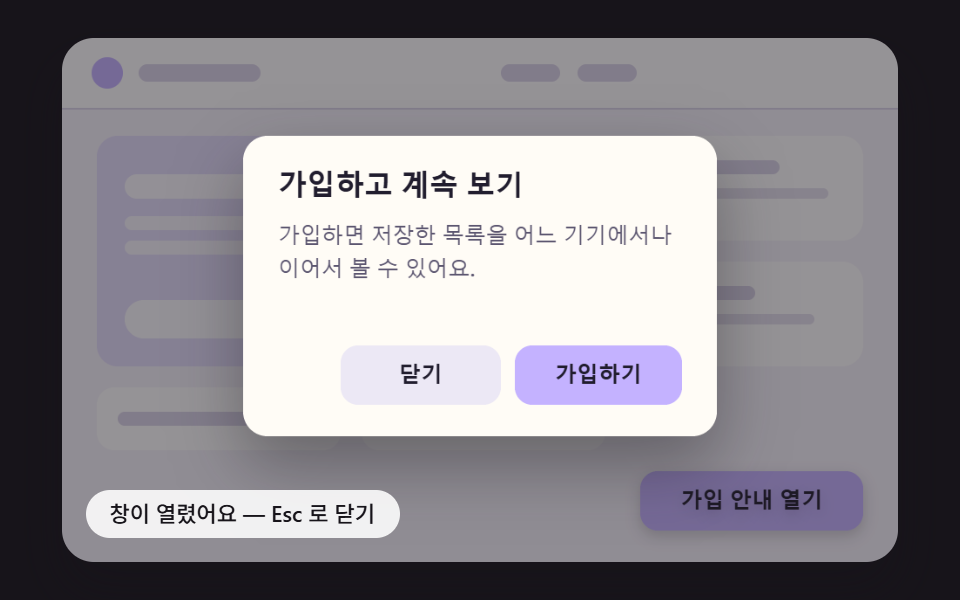 01 modal-anim-spring-pop-shadow-lift
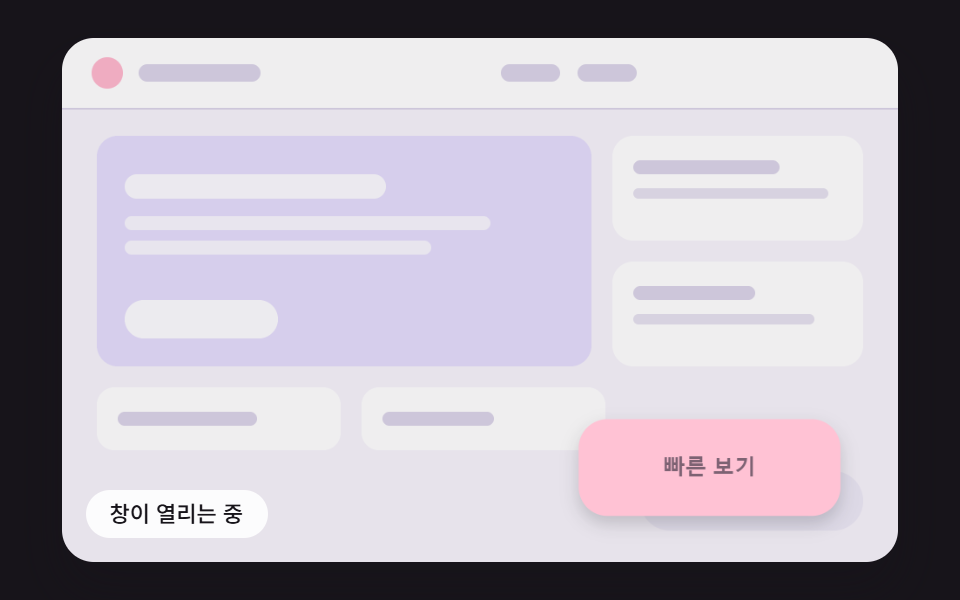 02 modal-anim-grow-from-trigger-rect
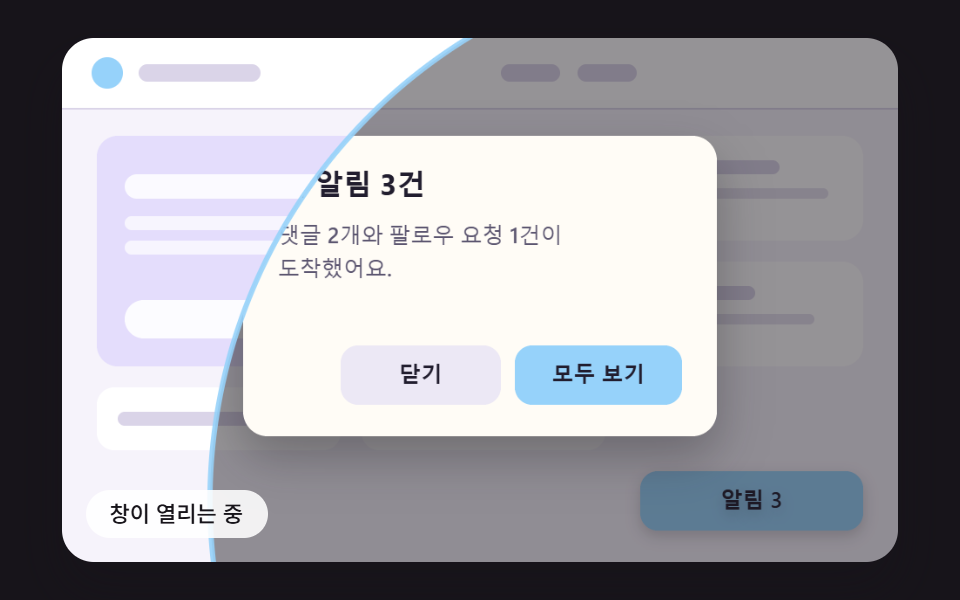 03 modal-anim-iris-circle-farthest-corner
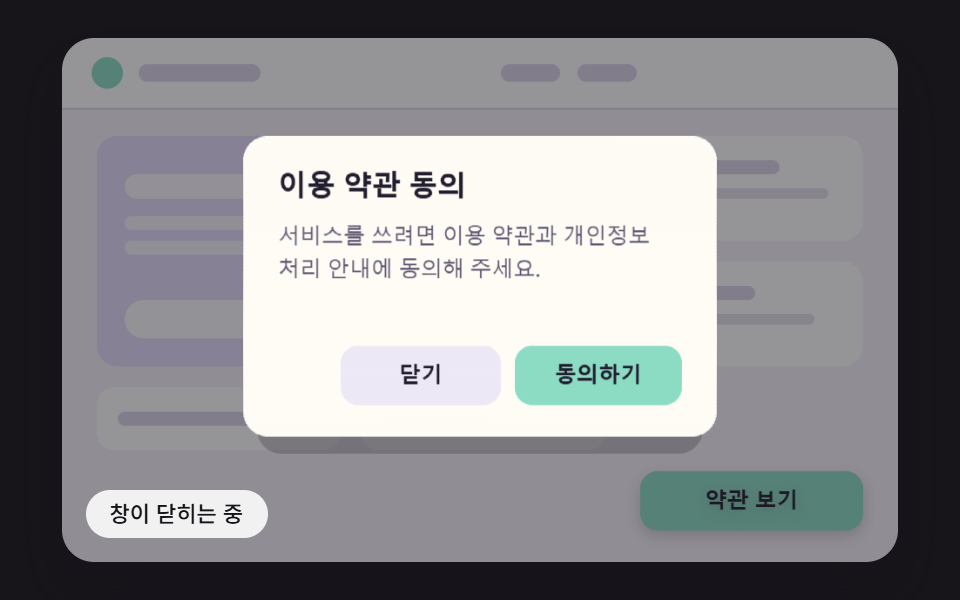 04 modal-anim-paper-fold-unfold-shade
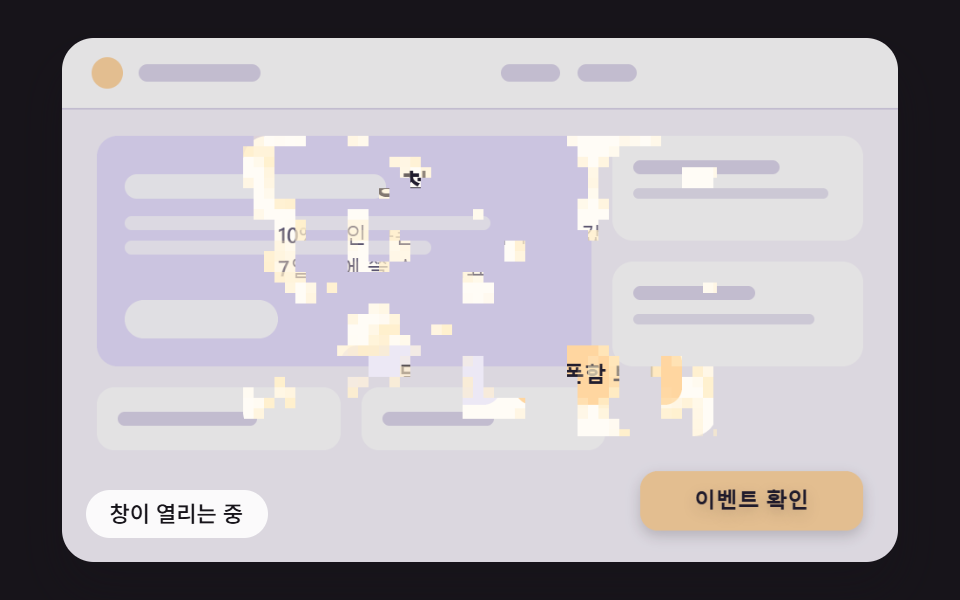 05 modal-anim-pixel-dissolve-noise-threshold
 06 modal-anim-water-ripple-refract-open
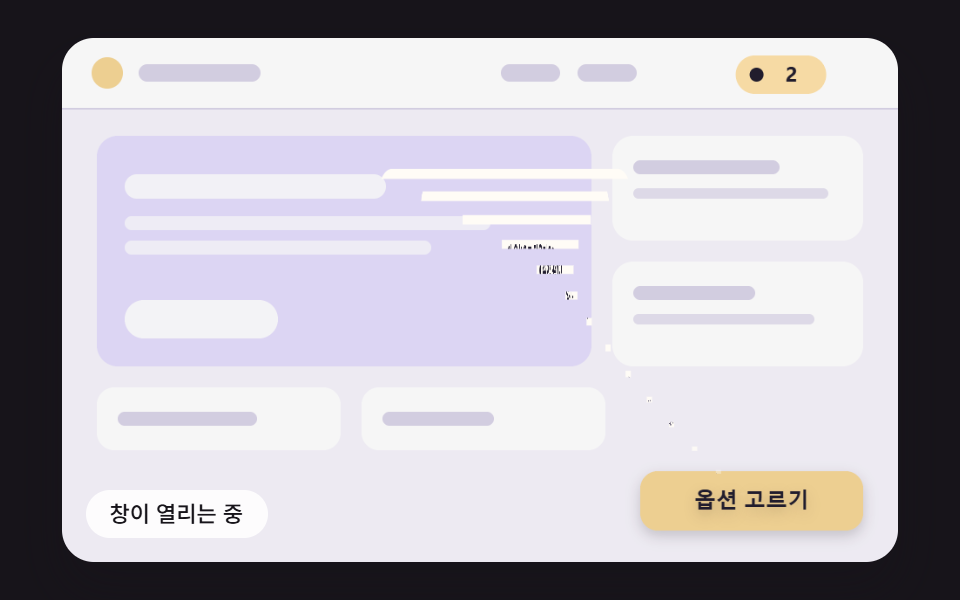 07 modal-anim-funnel-row-shrink-close
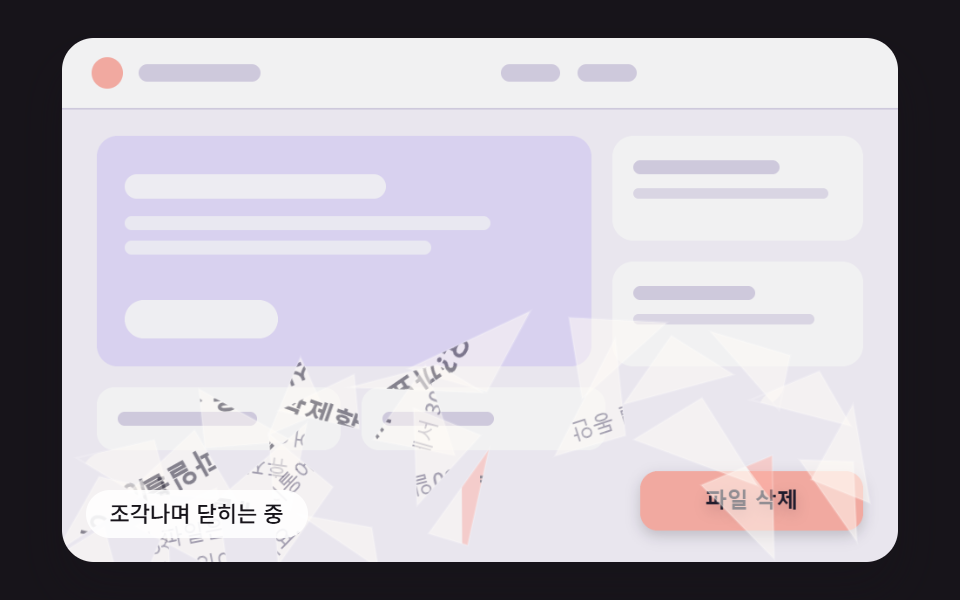 08 modal-anim-glass-shard-fall-close
 09 modal-anim-checkout-confirm-flow-hero
Auto-plays · click a tile to jump to its section · all nine in one zip
- 01 A Modal That Springs Up as Its Shadow Deepens
- 02 A Modal That Grows Out of Its Button
- 03 A Modal Opening in a Circle Sized to the Farthest Corner
- 04 A Modal That Unfolds in Three Panels Like Paper
- 05 A Modal Whose Pixels Resolve Past Per-Cell Noise Thresholds
- 06 A Modal That Clears as Its Ripple Settles
- 07 A Close That Funnels Row by Row Into One Point
- 08 A Close That Breaks Into Falling Glass Shards
- 09 A Checkout Confirm Modal That Opens, Confirms and Returns to Its Button
Every cell runs a 2,400 ms loop. The window starts to open at 200 ms, and each item switches to its close at its own moment: 1,400 ms for 02, 1,450 ms for 03 and 04, 1,500 ms for 01 and 05, 1,850 ms for 06, and 1,150 ms for 07 and 08. In 07 the loop closes as if "Add to cart" had been pressed and in 08 as if "Delete" had, so one window drops into the cart and the other shatters, while 09 presses "Confirm" at 900 ms and runs the press, the check mark, and the shrink in a row.
Modal Animation: 9 Effects — Spring Pop, Grow From the Button, Circle Mask, Paper Fold, Pixel Dissolve, Ripple, Funnel Close, Glass Shards and a Checkout Confirm Flow
The first six differ in how they open, 07 and 08 are about how they leave, and 09 packs a whole round trip of open, press and close into one window. The stylesheets hold zero @keyframes. Motion comes from a loop that takes the time handed over by requestAnimationFrame, slices it into fixed 16 ms ticks, and on each tick solves a spring, an interpolation, a noise threshold test, a wave grid, or shard physics, and the close is computed on its own path instead of replaying the open in reverse.
Canvas paints the text while a transparent DOM layer takes the clicks
What you see in each cell, the window, its buttons, the title, and the body text, is a picture redrawn every tick on a canvas that works in 480×300 scene coordinates. That canvas carries aria-hidden="true", and right on top of it sits a DOM layer with color: transparent: the opener button, a dialog with role="dialog", aria-modal="true", aria-labelledby and aria-describedby, and its two buttons, which receive the keyboard, the pointer and the screen reader. The effects can slice, stretch and bend the window because makeSprite paints it ahead of time onto three offscreen canvases (one complete with background, one without background, one without the confirm button) and then moves pieces of those pictures with drawImage. None of the nine sources calls getImageData. The price of splitting painted text from real text is covered in the questions at the end: for a production modal it is usually better to put the same math on DOM text through transform and clip-path.
What 24 captured frames recorded for each window
A two-second render at 480×300 gave 24 frames per item, which means 23 steps between them; the frame column counts the steps where the picture changed.
| Window | Cumulative area | Moving frames | Mean intensity |
|---|---|---|---|
| 01 Spring pop | 74.8% | 12/23 | 46.8 |
| 02 Grow from the button | 75.8% | 13/23 | 55.6 |
| 03 Circle mask | 67.1% | 15/23 | 94.2 |
| 04 Paper fold | 75.8% | 16/23 | 50.9 |
| 05 Pixel dissolve | 75.5% | 17/23 | 36.9 |
| 06 Ripple refraction | 75.9% | 21/23 | 34.4 |
| 07 Funnel close | 75.9% | 20/23 | 41.4 |
| 08 Glass shards | 75.9% | 17/23 | 45.8 |
| 09 Checkout confirm flow | 75.9% | 19/23 | 47.1 |
The cumulative area sits between 67% and 76% for all nine, and that is not because the windows travel far. When a window opens, a dark scrim with a peak opacity of 0.46 spreads over the whole stage and later lifts, so every pixel it passes counts as changed. 03 reads lower at 67.1%, likely because it paints the scrim and the window only inside its circle. 01 has the fewest moving frames at 12/23, which appears to come from the spring settling around 480 ms and the picture holding still until the close, and 06 climbs to 21/23, likely because its ripple keeps shaking the window until 1,504 ms.
Screens these windows were written for
Each window plays one real screen. 01 is a sign-up prompt, 02 a quick view from a product list, 03 the notification detail behind an alerts badge, 04 a terms agreement, 05 a coupon win announcement, and 06 a summer feature announcement. 07 is the window where you pick an option and add it to the cart, 08 confirms a file deletion, and 09 is a final order confirmation for a made-up order that shows no payment method and no amount.
When a shop or a booking flow needs a modal, the content tends to get the attention and the moment it appears and disappears gets little. A popup animation effect earns its place when the close says what just happened: in 07 the item travels into the cart, and in 08 the shattering says the file is gone. That is also why 08 does not break when it closes through "Cancel".
01A Modal That Springs Up as Its Shadow Deepens
The window starts at 0.55 scale and grows by a spring with stiffness 150 and damping 14, integrated every 16 ms, and at a damping ratio of 0.57 it swells once to 104.1% before staying within 1% of its target from 480 ms. The lift follows the size, so shadow blur and drop deepen together and reach 28.4 px at the overshoot, past SHADOW_LIFT_MAX of 26, which gives a sign-up prompt a light, friendly arrival. In the render it covered 74.8% of the stage and moved in 12/23 frames at a mean intensity of 46.8.
<main class="stage">
<div class="md is-demo" id="md">
  <canvas class="md__canvas" data-role="canvas" width="480" height="300" aria-hidden="true"></canvas>
  <button class="md__open" data-role="open" type="button" aria-haspopup="dialog">Open sign-up</button>
  <div class="md__dialog" data-role="dialog" role="dialog" aria-modal="true" aria-labelledby="md-title-01" aria-describedby="md-body-01" hidden>
    <h2 class="md__title" data-role="title" id="md-title-01">Sign up to keep reading</h2>
    <p class="md__body" data-role="body" id="md-body-01">Sign up to pick up your saved list on any device.</p>
    <button class="md__btn" data-role="close" type="button">Close</button>
    <button class="md__btn" data-role="confirm" type="button">Sign up</button>
  </div>
  <p class="md__status" data-role="status" aria-live="off">The window is closed — use the button to open it again</p>
</div>
</main>
@use "../../../../site/static/demo-tokens" as *;
@include stage($stage-ink);
.md {
position: relative;
width: min(92vw, calc(160vh - 12.8vw));
aspect-ratio: 480 / 300;
margin: 0 auto;
border-radius: $r-card;
overflow: hidden;
box-shadow: $shadow-raised;
background: $subject-ink;
}
.md__canvas {
display: block;
width: 100%;
height: 100%;
// 손가락 세로 쓸기는 브라우저에 남겨 페이지 스크롤이 막히지 않게 한다
touch-action: pan-y;
}
// 버튼·대화상자 층 — 글자는 캔버스가 그리고, 이 층은 같은 자리에 겹쳐 화면 낭독기·키보드·클릭을 받는다.
// 자리(left·top·width·height)는 스크립트가 장면 좌표(480x300)를 백분율로 바꿔 넣는다
.md__open,
.md__dialog,
.md__title,
.md__body,
.md__btn {
position: absolute;
box-sizing: border-box;
margin: 0;
padding: 0;
border: 0;
background: transparent;
color: transparent;
font-weight: 600;
font-size: 12px;
line-height: 1.4;
overflow: hidden;
}
.md__open,
.md__btn {
border-radius: $r-control;
font-family: inherit;
cursor: pointer;
transition: outline-color $dur-instant ease-out;
}
.md__title,
.md__body {
pointer-events: none;
}
.md__open:focus-visible,
.md__btn:focus-visible {
outline: 2px solid $subject-ink;
outline-offset: 2px;
}
// 창이 아직 움직이는 동안에는 초점 고리를 감춘다 — 고리는 다 열린 창의 버튼 자리에 맞춰져 있다
.md:not(.md--open) .md__btn:focus-visible {
outline-color: transparent;
}
.md__status {
position: absolute;
left: $sp-3;
bottom: $sp-3;
box-sizing: border-box;
max-width: 62%;
margin: 0;
padding: $sp-1 $sp-3;
border-radius: $r-control;
background: rgba(255, 255, 255, .88);
color: $subject-ink;
font-weight: 500;
font-size: 11px;
line-height: 1.4;
pointer-events: none;
}
@media (max-width: 340px) {
.md__status { font-size: 10px; padding: $sp-1 $sp-2; }
}
// 움직임은 스크립트가 matchMedia 로 끈다(열기·닫기가 그 자리에서 끝난다). CSS 쪽은 초점 고리 전환을 끈다
@media (prefers-reduced-motion: reduce) {
.md__open, .md__btn { transition: none; }
}html, body {
margin: 0;
overflow: hidden;
}
.stage {
box-sizing: border-box;
min-height: 100vh;
display: grid;
place-items: center;
margin: 0;
background: #17141a;
font-family: -apple-system, "Segoe UI", "Noto Sans KR", sans-serif;
padding: clamp(8px, 4vw, 24px);
}
.md {
position: relative;
width: min(92vw, 160vh - 12.8vw);
aspect-ratio: 480/300;
margin: 0 auto;
border-radius: 16px;
overflow: hidden;
box-shadow: 0 14px 24px rgba(23, 20, 26, 0.32);
background: #17141a;
}
.md__canvas {
display: block;
width: 100%;
height: 100%;
touch-action: pan-y;
}
.md__open,
.md__dialog,
.md__title,
.md__body,
.md__btn {
position: absolute;
box-sizing: border-box;
margin: 0;
padding: 0;
border: 0;
background: transparent;
color: transparent;
font-weight: 600;
font-size: 12px;
line-height: 1.4;
overflow: hidden;
}
.md__open,
.md__btn {
border-radius: 12px;
font-family: inherit;
cursor: pointer;
transition: outline-color 140ms ease-out;
}
.md__title,
.md__body {
pointer-events: none;
}
.md__open:focus-visible,
.md__btn:focus-visible {
outline: 2px solid #17141a;
outline-offset: 2px;
}
.md:not(.md--open) .md__btn:focus-visible {
outline-color: transparent;
}
.md__status {
position: absolute;
left: 12px;
bottom: 12px;
box-sizing: border-box;
max-width: 62%;
margin: 0;
padding: 4px 12px;
border-radius: 12px;
background: rgba(255, 255, 255, 0.88);
color: #17141a;
font-weight: 500;
font-size: 11px;
line-height: 1.4;
pointer-events: none;
}
@media (max-width: 340px) {
.md__status {
font-size: 10px;
padding: 4px 8px;
}
}
@media (prefers-reduced-motion: reduce) {
.md__open, .md__btn {
transition: none;
}
}(function () {
const root = document.getElementById("md");
if (!root) return;
const W = 480;
const H = 300;
const FIXED_DT = 16;
const TAU = Math.PI * 2;
// 창과 여는 버튼의 자리 — 장면 좌표(480x300). 화면 위 버튼·대화상자 층도 이 값으로 같은 자리에 맞춘다
const PANEL = { x: 104, y: 56, w: 272, h: 172 };
const OPENER = { x: 332, y: 248, w: 128, h: 34 };
// 창 안의 자리 — 창 왼쪽 위가 원점
const TITLE_BOX = { x: 20, y: 18, w: 232, h: 26 };
const BODY_BOX = { x: 20, y: 52, w: 232, h: 56 };
const CLOSE_BOX = { x: 56, y: 120, w: 92, h: 34 };
const CONFIRM_BOX = { x: 156, y: 120, w: 96, h: 34 };
const PANEL_RADIUS = 14;
const BUTTON_RADIUS = 10;
// 뒤 페이지를 덮는 막의 가장 진한 값
const SCRIM_MAX = 0.46;
// 파스텔 팔레트 — 밝은 페이지 위에 어두운 막이 덮이며 창이 떠오른다. 글자는 진한 먹색으로 명도 차를 둔다
const PAGE_BG = [246, 243, 251];
const PAGE_CARD = [255, 255, 255];
const PAGE_HERO = [228, 221, 252];
const PAGE_LINE = [218, 212, 232];
const PANEL_BG = [255, 252, 246];
const GHOST = [236, 232, 245];
const INK = [33, 29, 46];
const MUTED = [92, 86, 112];
const SCRIM = [23, 20, 26];
const WHITE = [255, 255, 255];
const FONT_FAMILY = '"Segoe UI", "Malgun Gothic", "Hiragino Sans", "Noto Sans KR", sans-serif';
function clamp(v, lo, hi) { return v < lo ? lo : (v > hi ? hi : v); }
function lerp(a, b, k) { return a + (b - a) * k; }
function smooth(x) { const c = clamp(x, 0, 1); return c * c * (3 - 2 * c); }
// 감속 곡선 — 처음 빠르고 끝에 느리다
function easeOutCubic(x) { const c = 1 - clamp(x, 0, 1); return 1 - c * c * c; }
// 가속 곡선 — 처음 느리고 끝에 빠르다
function easeInCubic(x) { const c = clamp(x, 0, 1); return c * c * c; }
function easeInOutCubic(x) {
const c = clamp(x, 0, 1);
return c < 0.5 ? 4 * c * c * c : 1 - Math.pow(-2 * c + 2, 3) / 2;
}
function mix(a, b, k) { return [lerp(a[0], b[0], k), lerp(a[1], b[1], k), lerp(a[2], b[2], k)]; }
function rgba(c, a) {
return 'rgba(' + Math.round(clamp(c[0], 0, 255)) + ',' + Math.round(clamp(c[1], 0, 255)) + ',' + Math.round(clamp(c[2], 0, 255)) + ',' + clamp(a, 0, 1).toFixed(3) + ')';
}
// 시드 고정 난수 — 같은 시드면 같은 배치가 다시 나온다 (32비트 정수 섞기)
function makeRng(seed) {
let s = seed >>> 0;
return function () {
s = (s + 0x6d2b79f5) >>> 0;
let t = s;
t = Math.imul(t ^ (t >>> 15), t | 1);
t ^= t + Math.imul(t ^ (t >>> 7), t | 61);
return ((t ^ (t >>> 14)) >>> 0) / 4294967296;
};
}
// 진행률을 목표(0 또는 1) 쪽으로 dt/길이만큼 옮긴다 — 닫히는 중에 다시 열면 지금 값에서 그대로 되돌아간다
function approach(v, target, dt, ms) {
const s = dt / ms;
return target > v ? Math.min(target, v + s) : Math.max(target, v - s);
}
// 감쇠 스프링 한 스텝 — 가속도 = -강성 x (위치 - 목표) - 감쇠 x 속도. 속도를 먼저 고친 뒤 그 속도로 위치를 옮긴다. dt 는 초
function springStep(s, target, stiffness, damping, dt) {
const a = -stiffness * (s.x - target) - damping * s.v;
s.v += a * dt;
s.x += s.v * dt;
}
function springRest(s, target) { return Math.abs(s.x - target) < 0.002 && Math.abs(s.v) < 0.02; }
function lerpRect(a, b, k) {
return { x: lerp(a.x, b.x, k), y: lerp(a.y, b.y, k), w: lerp(a.w, b.w, k), h: lerp(a.h, b.h, k) };
}
function inside(r, x, y) { return x >= r.x && x <= r.x + r.w && y >= r.y && y <= r.y + r.h; }
// 모서리 둥근 사각형 경로 — 가로 반경 rx 와 세로 반경 ry 를 따로 받는다(늘어난 좌표계에서는 배율로 나눈 반경을 넣어 모서리를 원으로 되돌린다)
function roundRectPath(c, x, y, w, h, rx, ry) {
const ax = Math.max(0, Math.min(rx, w / 2));
const ay = Math.max(0, Math.min(ry, h / 2));
c.beginPath();
c.moveTo(x + ax, y);
c.lineTo(x + w - ax, y);
c.ellipse(x + w - ax, y + ay, ax, ay, 0, -Math.PI / 2, 0);
c.lineTo(x + w, y + h - ay);
c.ellipse(x + w - ax, y + h - ay, ax, ay, 0, 0, Math.PI / 2);
c.lineTo(x + ax, y + h);
c.ellipse(x + ax, y + h - ay, ax, ay, 0, Math.PI / 2, Math.PI);
c.lineTo(x, y + ay);
c.ellipse(x + ax, y + ay, ax, ay, 0, Math.PI, Math.PI * 1.5);
c.closePath();
}
const canvasEl = root.querySelector('[data-role="canvas"]');
const statusEl = root.querySelector('[data-role="status"]');
const openEl = root.querySelector('[data-role="open"]');
const dialogEl = root.querySelector('[data-role="dialog"]');
const titleEl = root.querySelector('[data-role="title"]');
const bodyEl = root.querySelector('[data-role="body"]');
const closeEl = root.querySelector('[data-role="close"]');
const confirmEl = root.querySelector('[data-role="confirm"]');
const ctxRaw = canvasEl ? canvasEl.getContext('2d') : null;
if (!canvasEl || !ctxRaw || !statusEl || !openEl || !dialogEl || !titleEl || !bodyEl || !closeEl || !confirmEl) {
return;
}
const cv = canvasEl;
const ctx = ctxRaw;
const status = statusEl;
const openBtn = openEl;
const dialog = dialogEl;
const titleNode = titleEl;
const bodyNode = bodyEl;
const closeBtn = closeEl;
const confirmBtn = confirmEl;
function textOf(el) { return (el.textContent || '').trim(); }
// 화면에 보이는 글자는 DOM 글자를 캔버스에 그린 것 — 문구를 바꾸면 그림도 같이 바뀐다
const OPEN_LABEL = textOf(openBtn);
const TITLE = textOf(titleNode);
const BODY = textOf(bodyNode);
const CLOSE_LABEL = textOf(closeBtn);
const CONFIRM_LABEL = textOf(confirmBtn);
const reduceQuery = window.matchMedia('(prefers-reduced-motion: reduce)');
// 페이지를 연 채 동작 줄이기 설정을 바꿔도 아래 change 리스너가 이 값을 다시 읽는다
let still = reduceQuery.matches;
// 자동 시연 중인가 — 사람이 처음 만지는 순간 시연을 멈추고 상태 줄을 읽어 주기 시작한다
let demo = root.classList.contains('is-demo');
function wake() {
if (!demo) {
return;
}
demo = false;
root.classList.remove('is-demo');
status.setAttribute('aria-live', 'polite');
}
function say(text) {
if (status.textContent !== text) {
status.textContent = text;
}
}
function fontOf(weight, px) { return weight + ' ' + px.toFixed(1) + 'px ' + FONT_FAMILY; }
// 한 줄에 들어가도록 글자 크기를 줄인다 — 언어마다 글자 길이가 달라도 상자 안에 든다
function fitFont(c, text, weight, px, maxW) {
let size = px;
c.font = fontOf(weight, size);
while (size > 8 && c.measureText(text).width > maxW) {
size -= 0.5;
c.font = fontOf(weight, size);
}
return size;
}
// 줄 나누기 — 폭을 넘으면 마지막 띄어쓰기에서 끊고, 띄어쓰기가 없는 글(일본어)은 그 글자에서 끊는다
function wrapLines(c, text, maxW) {
const out = [];
let line = '';
const chars = Array.from(text);
for (let i = 0; i < chars.length; i += 1) {
const ch = chars[i];
const test = line + ch;
if (line !== '' && c.measureText(test).width > maxW) {
const cut = line.lastIndexOf(' ');
if (cut > 0 && ch !== ' ') {
out.push(line.slice(0, cut));
line = line.slice(cut + 1) + ch;
}
else {
out.push(line);
line = ch === ' ' ? '' : ch;
}
}
else {
line = test;
}
}
if (line !== '') {
out.push(line);
}
return out;
}
function drawButton(c, r, fill, label, alpha) {
if (alpha <= 0.001) {
return;
}
c.save();
c.globalAlpha *= alpha;
roundRectPath(c, r.x, r.y, r.w, r.h, BUTTON_RADIUS, BUTTON_RADIUS);
c.fillStyle = rgba(fill, 1);
c.fill();
fitFont(c, label, 600, 12.5, r.w - 14);
c.fillStyle = rgba(INK, 1);
c.textAlign = 'center';
c.textBaseline = 'middle';
c.fillText(label, r.x + r.w / 2, r.y + r.h / 2 + 0.5);
c.restore();
}
// 창 그림 — 창 하나를 화면 밖 캔버스에 한 번 그려 두고, 효과마다 이 그림을 잘라·늘려·옮겨 그린다
let dpr = 1;
function makeSprite(withBg, withConfirm) {
const sc = document.createElement('canvas');
sc.width = Math.round(PANEL.w * dpr);
sc.height = Math.round(PANEL.h * dpr);
const c = sc.getContext('2d');
if (!c) {
return sc;
}
c.setTransform(dpr, 0, 0, dpr, 0, 0);
if (withBg) {
roundRectPath(c, 0, 0, PANEL.w, PANEL.h, PANEL_RADIUS, PANEL_RADIUS);
c.fillStyle = rgba(PANEL_BG, 1);
c.fill();
}
c.textAlign = 'left';
c.textBaseline = 'top';
fitFont(c, TITLE, 700, 16.5, TITLE_BOX.w);
c.fillStyle = rgba(INK, 1);
c.fillText(TITLE, TITLE_BOX.x, TITLE_BOX.y + 3);
// 본문 — 줄 수가 상자 높이를 넘으면 글자 크기를 반 px 씩 줄인다
let size = 12.5;
let lines = [];
for (; size >= 9; size -= 0.5) {
c.font = fontOf(500, size);
lines = wrapLines(c, BODY, BODY_BOX.w);
if (lines.length * size * 1.5 <= BODY_BOX.h) {
break;
}
}
c.fillStyle = rgba(MUTED, 1);
for (let i = 0; i < lines.length; i += 1) {
c.fillText(lines[i], BODY_BOX.x, BODY_BOX.y + i * size * 1.5);
}
drawButton(c, CLOSE_BOX, GHOST, CLOSE_LABEL, 1);
if (withConfirm) {
drawButton(c, CONFIRM_BOX, ACCENT, CONFIRM_LABEL, 1);
}
return sc;
}
// 배경·글자·두 버튼 / 글자·버튼만(배경 없음) / 배경·글자·Close 버튼만(확인 버튼은 효과가 따로 그린다)
let spriteFull = document.createElement('canvas');
let spriteContent = document.createElement('canvas');
let spriteBare = document.createElement('canvas');
function fitCanvas() {
// 배율은 2 에서 자른다 — 배율 3 기기에서 화소가 2.25배로 늘어 프레임마다 일이 그만큼 커지지 않게
dpr = Math.min(window.devicePixelRatio || 1, 2);
cv.width = Math.round(W * dpr);
cv.height = Math.round(H * dpr);
ctx.setTransform(dpr, 0, 0, dpr, 0, 0);
spriteFull = makeSprite(true, true);
spriteContent = makeSprite(false, true);
spriteBare = makeSprite(true, false);
}
// 창 그림의 한 조각을 장면에 옮겨 그린다 — 원본 좌표는 창 기준 px, 그림 배율을 곱해 화소로 바꾼다
function blit(sp, sx, sy, sw, sh, dx, dy, dw, dh) {
if (sw <= 0 || sh <= 0 || dw <= 0 || dh <= 0) {
return;
}
ctx.drawImage(sp, sx * dpr, sy * dpr, sw * dpr, sh * dpr, dx, dy, dw, dh);
}
// 버튼·대화상자 층을 장면 좌표와 같은 자리에 백분율로 놓는다(한 번만 — 크기가 바뀌어도 백분율이라 그대로 맞는다)
function pct(v, of) { return ((v / of) * 100).toFixed(3) + '%'; }
function place(el, r, pw, ph) {
el.style.left = pct(r.x, pw);
el.style.top = pct(r.y, ph);
el.style.width = pct(r.w, pw);
el.style.height = pct(r.h, ph);
}
function placeOverlays() {
place(openBtn, OPENER, W, H);
place(dialog, PANEL, W, H);
place(titleNode, TITLE_BOX, PANEL.w, PANEL.h);
place(bodyNode, BODY_BOX, PANEL.w, PANEL.h);
place(closeBtn, CLOSE_BOX, PANEL.w, PANEL.h);
place(confirmBtn, CONFIRM_BOX, PANEL.w, PANEL.h);
}
function fillRound(x, y, w, h, r, col, a) {
roundRectPath(ctx, x, y, w, h, r, r);
ctx.fillStyle = rgba(col, a);
ctx.fill();
}
// 뒤 페이지 — 머리 띠·큰 카드·작은 카드 몇 장. 글자 대신 막대로 그려 언어와 상관없이 같은 그림이다
function drawPage() {
ctx.fillStyle = rgba(PAGE_BG, 1);
ctx.fillRect(0, 0, W, H);
ctx.fillStyle = rgba(PAGE_CARD, 1);
ctx.fillRect(0, 0, W, 40);
ctx.fillStyle = rgba(PAGE_LINE, 1);
ctx.fillRect(0, 40, W, 1);
ctx.fillStyle = rgba(ACCENT, 1);
ctx.beginPath();
ctx.arc(26, 20, 9, 0, TAU);
ctx.fill();
fillRound(44, 15, 70, 10, 5, PAGE_LINE, 1);
fillRound(252, 15, 34, 10, 5, PAGE_LINE, 1);
fillRound(296, 15, 34, 10, 5, PAGE_LINE, 1);
fillRound(20, 56, 284, 132, 12, PAGE_HERO, 1);
fillRound(36, 78, 150, 14, 7, WHITE, 0.85);
fillRound(36, 102, 210, 8, 4, WHITE, 0.7);
fillRound(36, 116, 176, 8, 4, WHITE, 0.7);
fillRound(36, 150, 88, 22, 11, WHITE, 0.9);
fillRound(316, 56, 144, 60, 12, PAGE_CARD, 1);
fillRound(328, 70, 84, 8, 4, PAGE_LINE, 1);
fillRound(328, 86, 112, 6, 3, PAGE_LINE, 0.7);
fillRound(316, 128, 144, 60, 12, PAGE_CARD, 1);
fillRound(328, 142, 70, 8, 4, PAGE_LINE, 1);
fillRound(328, 158, 104, 6, 3, PAGE_LINE, 0.7);
fillRound(20, 200, 140, 36, 10, PAGE_CARD, 1);
fillRound(172, 200, 140, 36, 10, PAGE_CARD, 1);
fillRound(32, 214, 80, 8, 4, PAGE_LINE, 1);
fillRound(184, 214, 64, 8, 4, PAGE_LINE, 1);
itemPage();
}
function drawOpener(alpha) {
ctx.save();
ctx.shadowColor = rgba(SCRIM, 0.2);
ctx.shadowBlur = 8 * dpr;
ctx.shadowOffsetY = 3 * dpr;
drawButton(ctx, OPENER, ACCENT, OPEN_LABEL, alpha);
ctx.restore();
}
// 뒤를 덮는 막 — a 는 0(없음)에서 1(가장 진함)
function drawScrim(a) {
if (a <= 0.001) {
return;
}
ctx.fillStyle = rgba(SCRIM, SCRIM_MAX * clamp(a, 0, 1));
ctx.fillRect(0, 0, W, H);
}
// 창을 가운데 기준으로 s 배 키워 그린다. lift 는 떠오른 높이(px) — 그림자 번짐과 거리가 이 값 하나로 정해진다
function drawPanelScaled(sp, s, alpha, lift) {
if (alpha <= 0.001 || s <= 0.001) {
return;
}
const cx = PANEL.x + PANEL.w / 2;
const cy = PANEL.y + PANEL.h / 2;
ctx.save();
ctx.globalAlpha = clamp(alpha, 0, 1);
ctx.translate(cx, cy);
ctx.scale(s, s);
// 그림자 값은 변환을 따라가지 않는 화소 단위라 배율(dpr)을 직접 곱한다
ctx.shadowColor = rgba(SCRIM, clamp(0.16 + 0.008 * lift, 0, 0.5));
ctx.shadowBlur = (4 + lift * 1.3) * dpr;
ctx.shadowOffsetY = (2 + lift * 0.55) * dpr;
ctx.drawImage(sp, -PANEL.w / 2, -PANEL.h / 2, PANEL.w, PANEL.h);
ctx.restore();
}
// 열고 닫는 흐름 — closed → opening → open → closing → closed. 효과마다 itemStep 이 「다 끝났다」 를 알려 준다
let phase = 'closed';
let phaseAge = 0;
function setPhase(p) {
phase = p;
phaseAge = 0;
root.classList.toggle('md--open', p === 'open');
}
function shown() { return phase === 'opening' || phase === 'open'; }
// 대화상자 층 보이기 — 창이 떠 있는 동안 여는 버튼은 inert 로 막아 Tab·클릭이 창 뒤로 새지 않게 한다
function showDialog(v) {
dialog.hidden = !v;
if (v) {
openBtn.setAttribute('inert', '');
}
else {
openBtn.removeAttribute('inert');
}
}
function snapTo(open) {
itemSnap(open);
showDialog(open);
setPhase(open ? 'open' : 'closed');
}
function requestOpen(user) {
if (shown()) {
return;
}
showDialog(true);
setPhase('opening');
itemOpen();
// 동작 줄이기 — 움직임 없이 그 자리에서 다 열린 창을 그린다
if (still) {
snapTo(true);
}
if (user) {
(FIRST_FOCUS === 'close' ? closeBtn : confirmBtn).focus({ preventScroll: true });
}
}
function requestClose(user, via) {
if (!shown()) {
return;
}
const hadFocus = dialog.contains(document.activeElement);
showDialog(false);
setPhase('closing');
itemClose(via);
if (still) {
snapTo(false);
}
// 닫으면 초점은 창을 열었던 버튼으로 돌아간다
if (user || hadFocus) {
openBtn.focus({ preventScroll: true });
}
}
const TXT_CLOSED = 'The window is closed — use the button to open it again';
const TXT_OPENING = 'The window is opening';
const TXT_OPEN = 'The window is open — press Esc to close';
const TXT_CLOSING = 'The window is closing';
function stateText() {
const s = itemStatus();
if (s !== '') {
return s;
}
if (phase === 'open') {
return TXT_OPEN;
}
if (phase === 'opening') {
return TXT_OPENING;
}
if (phase === 'closing') {
return TXT_CLOSING;
}
return TXT_CLOSED;
}
function render() {
drawPage();
itemDraw();
say(stateText());
}
function tick() {
const done = itemStep(FIXED_DT);
phaseAge += FIXED_DT;
if (phase === 'opening' && done) {
setPhase('open');
}
else if (phase === 'closing' && done) {
setPhase('closed');
}
}
// 시연 — DEMO_LOOP_MS 마다 같은 시간표로 연다(DEMO_OPEN_AT) → 닫는다(DEMO_CLOSE_AT, DEMO_CLOSE_VIA 버튼으로)
let demoCycle = -1;
let demoOpened = false;
let demoClosed = false;
function demoTick(t) {
const cyc = Math.floor(t / DEMO_LOOP_MS);
if (cyc !== demoCycle) {
demoCycle = cyc;
demoOpened = false;
demoClosed = false;
if (phase !== 'closed') {
snapTo(false);
}
}
const lt = t - cyc * DEMO_LOOP_MS;
if (!demoOpened && lt >= DEMO_OPEN_AT) {
demoOpened = true;
requestOpen(false);
}
if (!demoClosed && lt >= DEMO_CLOSE_AT) {
demoClosed = true;
if (DEMO_CLOSE_VIA !== 'confirm' || !itemConfirm()) {
requestClose(false, DEMO_CLOSE_VIA);
}
}
}
// 화면 좌표(CSS px) → 장면 좌표(480x300). 리사이즈 뒤에도 그때그때 현재 크기로 다시 잰다
function toScene(ev) {
const r = cv.getBoundingClientRect();
return [((ev.clientX - r.left) / r.width) * W, ((ev.clientY - r.top) / r.height) * H];
}
// 스프링 강성(1/s²) — 클수록 빨리 튄다
const SPRING_STIFFNESS = 150;
// 스프링 감쇠(1/s) — 작을수록 목표를 더 넘고 오래 출렁인다. 감쇠비 = 감쇠 / (2 x 강성의 제곱근)
const SPRING_DAMPING = 14;
// 창이 목표 크기일 때 떠오른 높이(px) — 그림자 번짐과 거리가 이 높이에 비례한다
const SHADOW_LIFT_MAX = 26;
// 열기 시작 크기 — 목표 크기에 대한 비율
const SCALE_FROM = 0.55;
const ACCENT = [196, 178, 255];
const FIRST_FOCUS = 'confirm';
const DEMO_LOOP_MS = 2400;
const DEMO_OPEN_AT = 200;
const DEMO_CLOSE_AT = 1500;
const DEMO_CLOSE_VIA = 'close';
const pop = { x: 0, v: 0 };
let popTarget = 0;
function itemOpen() { popTarget = 1; }
function itemClose(via) { popTarget = 0; }
function itemSnap(open) {
popTarget = open ? 1 : 0;
pop.x = popTarget;
pop.v = 0;
}
function itemStep(dt) {
springStep(pop, popTarget, SPRING_STIFFNESS, SPRING_DAMPING, dt / 1000);
if (popTarget === 1) {
return springRest(pop, 1);
}
// 닫힐 때는 0 을 처음 지나는 순간 끝낸다 — 시작 크기보다 작아지기 전에 사라진다
if (pop.x <= 0) {
pop.x = 0;
pop.v = 0;
return true;
}
return false;
}
// 크기 — 스프링 값이 1 을 넘으면 목표보다 커진다(넘침)
function popScale() { return SCALE_FROM + (1 - SCALE_FROM) * pop.x; }
// 떠오른 높이 — 크기에 비례한다. 넘친 순간에는 목표 높이보다 더 떠서 그림자가 더 깊고 멀다
function popLift() { return SHADOW_LIFT_MAX * Math.max(0, (popScale() - SCALE_FROM) / (1 - SCALE_FROM)); }
function itemPage() { drawOpener(1); }
function itemDraw() {
if (pop.x <= 0.001) {
return;
}
drawScrim(pop.x);
drawPanelScaled(spriteFull, popScale(), pop.x * 1.8, popLift());
}
function itemConfirm() { return false; }
function itemStatus() { return ''; }
function after() { render(); }
root.addEventListener('pointerdown', function () { wake(); });
openBtn.addEventListener('click', function () { wake(); requestOpen(true); after(); });
closeBtn.addEventListener('click', function () { wake(); requestClose(true, 'close'); after(); });
confirmBtn.addEventListener('click', function () {
wake();
if (still || !itemConfirm()) {
requestClose(true, 'confirm');
}
after();
});
// 창 바깥(막)을 누르면 닫는다
cv.addEventListener('pointerdown', function (ev) {
const p = toScene(ev);
if (shown() && !inside(PANEL, p[0], p[1])) {
requestClose(true, 'backdrop');
after();
}
});
root.addEventListener('keydown', function (ev) {
wake();
if (ev.key === 'Escape') {
if (!shown()) {
return;
}
ev.preventDefault();
requestClose(true, 'esc');
after();
return;
}
// 초점 가두기 — 창이 떠 있는 동안 Tab 은 창 안 두 버튼 사이만 돈다
if (ev.key === 'Tab' && shown()) {
const order = [closeBtn, confirmBtn];
const i = order.indexOf(document.activeElement);
const n = i < 0 ? 0 : (i + (ev.shiftKey ? order.length - 1 : 1)) % order.length;
ev.preventDefault();
order[n].focus({ preventScroll: true });
}
});
function onResize() {
fitCanvas();
render();
}
placeOverlays();
fitCanvas();
window.addEventListener('resize', onResize);
let rafId = 0;
let lastTs = -1;
let acc = 0;
let clock = 0;
function frame(ts) {
if (still) {
rafId = 0;
return;
}
if (lastTs < 0) {
lastTs = ts;
}
// 탭이 숨었다 돌아와도 한 번에 100ms 까지만 따라잡는다 — 순간이동 대신 이어서 움직인다
acc += Math.min(ts - lastTs, 100);
lastTs = ts;
let n = 0;
while (acc >= FIXED_DT && n < 6) {
clock += FIXED_DT;
if (demo) {
demoTick(clock);
}
tick();
acc -= FIXED_DT;
n += 1;
}
render();
rafId = window.requestAnimationFrame(frame);
}
function startLoop() {
if (rafId) {
return;
}
lastTs = -1;
acc = 0;
rafId = window.requestAnimationFrame(frame);
}
// 동작 줄이기 설정이 페이지를 연 채 바뀌면 — 켜지면 루프를 멈추고 지금 가는 쪽의 끝 상태로, 꺼지면 루프를 다시 돈다
function onMotionPref() {
still = reduceQuery.matches;
if (still) {
if (rafId) {
window.cancelAnimationFrame(rafId);
rafId = 0;
}
snapTo(shown());
render();
}
else {
startLoop();
}
}
if (typeof reduceQuery.addEventListener === 'function') {
reduceQuery.addEventListener('change', onMotionPref);
}
if (still) {
// 동작 줄이기 — 시연 대신 다 열린 창을 한 장 그려 둔다. 버튼을 누르면 그 자리에서 열리고 닫힌다
snapTo(true);
render();
}
else {
render();
startLoop();
}
return function () {
window.cancelAnimationFrame(rafId);
window.removeEventListener('resize', onResize);
if (typeof reduceQuery.removeEventListener === 'function') {
reduceQuery.removeEventListener('change', onMotionPref);
}
};
})();// SpringPopShadowLift - vanilla 판(01-modal-anim-spring-pop-shadow-lift) 의 React 포트. 같은 계산을 useEffect 안에서 돌린다.
import { useEffect, useRef } from "react";
import styles from "./SpringPopShadowLift.module.scss";
const cx = (s: string): string => s.split(" ").map((n) => styles[n] ?? n).join(" ");
export default function SpringPopShadowLift() {
const rootRef = useRef<HTMLDivElement | null>(null);
useEffect(() => {
const rootEl = rootRef.current;
if (!rootEl) return;
const root: HTMLElement = rootEl;
type RGB = [number, number, number];
type Pt = [number, number];
type Rect = { x: number; y: number; w: number; h: number };
type Spring = { x: number; v: number };
type Phase = 'closed' | 'opening' | 'open' | 'closing';
const W = 480;
const H = 300;
const FIXED_DT = 16;
const TAU = Math.PI * 2;
// 창과 여는 버튼의 자리 — 장면 좌표(480x300). 화면 위 버튼·대화상자 층도 이 값으로 같은 자리에 맞춘다
const PANEL: Rect = { x: 104, y: 56, w: 272, h: 172 };
const OPENER: Rect = { x: 332, y: 248, w: 128, h: 34 };
// 창 안의 자리 — 창 왼쪽 위가 원점
const TITLE_BOX: Rect = { x: 20, y: 18, w: 232, h: 26 };
const BODY_BOX: Rect = { x: 20, y: 52, w: 232, h: 56 };
const CLOSE_BOX: Rect = { x: 56, y: 120, w: 92, h: 34 };
const CONFIRM_BOX: Rect = { x: 156, y: 120, w: 96, h: 34 };
const PANEL_RADIUS = 14;
const BUTTON_RADIUS = 10;
// 뒤 페이지를 덮는 막의 가장 진한 값
const SCRIM_MAX = 0.46;
// 파스텔 팔레트 — 밝은 페이지 위에 어두운 막이 덮이며 창이 떠오른다. 글자는 진한 먹색으로 명도 차를 둔다
const PAGE_BG: RGB = [246, 243, 251];
const PAGE_CARD: RGB = [255, 255, 255];
const PAGE_HERO: RGB = [228, 221, 252];
const PAGE_LINE: RGB = [218, 212, 232];
const PANEL_BG: RGB = [255, 252, 246];
const GHOST: RGB = [236, 232, 245];
const INK: RGB = [33, 29, 46];
const MUTED: RGB = [92, 86, 112];
const SCRIM: RGB = [23, 20, 26];
const WHITE: RGB = [255, 255, 255];
const FONT_FAMILY = '"Segoe UI", "Malgun Gothic", "Hiragino Sans", "Noto Sans KR", sans-serif';
function clamp(v: number, lo: number, hi: number): number { return v < lo ? lo : (v > hi ? hi : v); }
function lerp(a: number, b: number, k: number): number { return a + (b - a) * k; }
function smooth(x: number): number { const c = clamp(x, 0, 1); return c * c * (3 - 2 * c); }
// 감속 곡선 — 처음 빠르고 끝에 느리다
function easeOutCubic(x: number): number { const c = 1 - clamp(x, 0, 1); return 1 - c * c * c; }
// 가속 곡선 — 처음 느리고 끝에 빠르다
function easeInCubic(x: number): number { const c = clamp(x, 0, 1); return c * c * c; }
function easeInOutCubic(x: number): number {
const c = clamp(x, 0, 1);
return c < 0.5 ? 4 * c * c * c : 1 - Math.pow(-2 * c + 2, 3) / 2;
}
function mix(a: RGB, b: RGB, k: number): RGB { return [lerp(a[0], b[0], k), lerp(a[1], b[1], k), lerp(a[2], b[2], k)]; }
function rgba(c: RGB, a: number): string {
return 'rgba(' + Math.round(clamp(c[0], 0, 255)) + ',' + Math.round(clamp(c[1], 0, 255)) + ',' + Math.round(clamp(c[2], 0, 255)) + ',' + clamp(a, 0, 1).toFixed(3) + ')';
}
// 시드 고정 난수 — 같은 시드면 같은 배치가 다시 나온다 (32비트 정수 섞기)
function makeRng(seed: number): () => number {
let s = seed >>> 0;
return function (): number {
s = (s + 0x6d2b79f5) >>> 0;
let t = s;
t = Math.imul(t ^ (t >>> 15), t | 1);
t ^= t + Math.imul(t ^ (t >>> 7), t | 61);
return ((t ^ (t >>> 14)) >>> 0) / 4294967296;
};
}
// 진행률을 목표(0 또는 1) 쪽으로 dt/길이만큼 옮긴다 — 닫히는 중에 다시 열면 지금 값에서 그대로 되돌아간다
function approach(v: number, target: number, dt: number, ms: number): number {
const s = dt / ms;
return target > v ? Math.min(target, v + s) : Math.max(target, v - s);
}
// 감쇠 스프링 한 스텝 — 가속도 = -강성 x (위치 - 목표) - 감쇠 x 속도. 속도를 먼저 고친 뒤 그 속도로 위치를 옮긴다. dt 는 초
function springStep(s: Spring, target: number, stiffness: number, damping: number, dt: number): void {
const a = -stiffness * (s.x - target) - damping * s.v;
s.v += a * dt;
s.x += s.v * dt;
}
function springRest(s: Spring, target: number): boolean { return Math.abs(s.x - target) < 0.002 && Math.abs(s.v) < 0.02; }
function lerpRect(a: Rect, b: Rect, k: number): Rect {
return { x: lerp(a.x, b.x, k), y: lerp(a.y, b.y, k), w: lerp(a.w, b.w, k), h: lerp(a.h, b.h, k) };
}
function inside(r: Rect, x: number, y: number): boolean { return x >= r.x && x <= r.x + r.w && y >= r.y && y <= r.y + r.h; }
// 모서리 둥근 사각형 경로 — 가로 반경 rx 와 세로 반경 ry 를 따로 받는다(늘어난 좌표계에서는 배율로 나눈 반경을 넣어 모서리를 원으로 되돌린다)
function roundRectPath(c: CanvasRenderingContext2D, x: number, y: number, w: number, h: number, rx: number, ry: number): void {
const ax = Math.max(0, Math.min(rx, w / 2));
const ay = Math.max(0, Math.min(ry, h / 2));
c.beginPath();
c.moveTo(x + ax, y);
c.lineTo(x + w - ax, y);
c.ellipse(x + w - ax, y + ay, ax, ay, 0, -Math.PI / 2, 0);
c.lineTo(x + w, y + h - ay);
c.ellipse(x + w - ax, y + h - ay, ax, ay, 0, 0, Math.PI / 2);
c.lineTo(x + ax, y + h);
c.ellipse(x + ax, y + h - ay, ax, ay, 0, Math.PI / 2, Math.PI);
c.lineTo(x, y + ay);
c.ellipse(x + ax, y + ay, ax, ay, 0, Math.PI, Math.PI * 1.5);
c.closePath();
}
const canvasEl = root.querySelector('[data-role="canvas"]') as HTMLCanvasElement | null;
const statusEl = root.querySelector('[data-role="status"]') as HTMLElement | null;
const openEl = root.querySelector('[data-role="open"]') as HTMLButtonElement | null;
const dialogEl = root.querySelector('[data-role="dialog"]') as HTMLElement | null;
const titleEl = root.querySelector('[data-role="title"]') as HTMLElement | null;
const bodyEl = root.querySelector('[data-role="body"]') as HTMLElement | null;
const closeEl = root.querySelector('[data-role="close"]') as HTMLButtonElement | null;
const confirmEl = root.querySelector('[data-role="confirm"]') as HTMLButtonElement | null;
const ctxRaw = canvasEl ? canvasEl.getContext('2d') : null;
if (!canvasEl || !ctxRaw || !statusEl || !openEl || !dialogEl || !titleEl || !bodyEl || !closeEl || !confirmEl) { return; }
const cv: HTMLCanvasElement = canvasEl;
const ctx: CanvasRenderingContext2D = ctxRaw;
const status: HTMLElement = statusEl;
const openBtn: HTMLButtonElement = openEl;
const dialog: HTMLElement = dialogEl;
const titleNode: HTMLElement = titleEl;
const bodyNode: HTMLElement = bodyEl;
const closeBtn: HTMLButtonElement = closeEl;
const confirmBtn: HTMLButtonElement = confirmEl;
function textOf(el: HTMLElement): string { return (el.textContent || '').trim(); }
// 화면에 보이는 글자는 DOM 글자를 캔버스에 그린 것 — 문구를 바꾸면 그림도 같이 바뀐다
const OPEN_LABEL = textOf(openBtn);
const TITLE = textOf(titleNode);
const BODY = textOf(bodyNode);
const CLOSE_LABEL = textOf(closeBtn);
const CONFIRM_LABEL = textOf(confirmBtn);
const reduceQuery = window.matchMedia('(prefers-reduced-motion: reduce)');
// 페이지를 연 채 동작 줄이기 설정을 바꿔도 아래 change 리스너가 이 값을 다시 읽는다
let still = reduceQuery.matches;
// 자동 시연 중인가 — 사람이 처음 만지는 순간 시연을 멈추고 상태 줄을 읽어 주기 시작한다
let demo = root.classList.contains('is-demo');
function wake(): void {
if (!demo) { return; }
demo = false;
root.classList.remove('is-demo');
status.setAttribute('aria-live', 'polite');
}
function say(text: string): void {
if (status.textContent !== text) { status.textContent = text; }
}
function fontOf(weight: number, px: number): string { return weight + ' ' + px.toFixed(1) + 'px ' + FONT_FAMILY; }
// 한 줄에 들어가도록 글자 크기를 줄인다 — 언어마다 글자 길이가 달라도 상자 안에 든다
function fitFont(c: CanvasRenderingContext2D, text: string, weight: number, px: number, maxW: number): number {
let size = px;
c.font = fontOf(weight, size);
while (size > 8 && c.measureText(text).width > maxW) {
size -= 0.5;
c.font = fontOf(weight, size);
}
return size;
}
// 줄 나누기 — 폭을 넘으면 마지막 띄어쓰기에서 끊고, 띄어쓰기가 없는 글(일본어)은 그 글자에서 끊는다
function wrapLines(c: CanvasRenderingContext2D, text: string, maxW: number): string[] {
const out: string[] = [];
let line = '';
const chars = Array.from(text);
for (let i = 0; i < chars.length; i += 1) {
const ch = chars[i];
const test = line + ch;
if (line !== '' && c.measureText(test).width > maxW) {
const cut = line.lastIndexOf(' ');
if (cut > 0 && ch !== ' ') {
out.push(line.slice(0, cut));
line = line.slice(cut + 1) + ch;
} else {
out.push(line);
line = ch === ' ' ? '' : ch;
}
} else {
line = test;
}
}
if (line !== '') { out.push(line); }
return out;
}
function drawButton(c: CanvasRenderingContext2D, r: Rect, fill: RGB, label: string, alpha: number): void {
if (alpha <= 0.001) { return; }
c.save();
c.globalAlpha *= alpha;
roundRectPath(c, r.x, r.y, r.w, r.h, BUTTON_RADIUS, BUTTON_RADIUS);
c.fillStyle = rgba(fill, 1);
c.fill();
fitFont(c, label, 600, 12.5, r.w - 14);
c.fillStyle = rgba(INK, 1);
c.textAlign = 'center';
c.textBaseline = 'middle';
c.fillText(label, r.x + r.w / 2, r.y + r.h / 2 + 0.5);
c.restore();
}
// 창 그림 — 창 하나를 화면 밖 캔버스에 한 번 그려 두고, 효과마다 이 그림을 잘라·늘려·옮겨 그린다
let dpr = 1;
function makeSprite(withBg: boolean, withConfirm: boolean): HTMLCanvasElement {
const sc = document.createElement('canvas');
sc.width = Math.round(PANEL.w * dpr);
sc.height = Math.round(PANEL.h * dpr);
const c = sc.getContext('2d');
if (!c) { return sc; }
c.setTransform(dpr, 0, 0, dpr, 0, 0);
if (withBg) {
roundRectPath(c, 0, 0, PANEL.w, PANEL.h, PANEL_RADIUS, PANEL_RADIUS);
c.fillStyle = rgba(PANEL_BG, 1);
c.fill();
}
c.textAlign = 'left';
c.textBaseline = 'top';
fitFont(c, TITLE, 700, 16.5, TITLE_BOX.w);
c.fillStyle = rgba(INK, 1);
c.fillText(TITLE, TITLE_BOX.x, TITLE_BOX.y + 3);
// 본문 — 줄 수가 상자 높이를 넘으면 글자 크기를 반 px 씩 줄인다
let size = 12.5;
let lines: string[] = [];
for (; size >= 9; size -= 0.5) {
c.font = fontOf(500, size);
lines = wrapLines(c, BODY, BODY_BOX.w);
if (lines.length * size * 1.5 <= BODY_BOX.h) { break; }
}
c.fillStyle = rgba(MUTED, 1);
for (let i = 0; i < lines.length; i += 1) { c.fillText(lines[i], BODY_BOX.x, BODY_BOX.y + i * size * 1.5); }
drawButton(c, CLOSE_BOX, GHOST, CLOSE_LABEL, 1);
if (withConfirm) { drawButton(c, CONFIRM_BOX, ACCENT, CONFIRM_LABEL, 1); }
return sc;
}
// 배경·글자·두 버튼 / 글자·버튼만(배경 없음) / 배경·글자·닫기 버튼만(확인 버튼은 효과가 따로 그린다)
let spriteFull: HTMLCanvasElement = document.createElement('canvas');
let spriteContent: HTMLCanvasElement = document.createElement('canvas');
let spriteBare: HTMLCanvasElement = document.createElement('canvas');
function fitCanvas(): void {
// 배율은 2 에서 자른다 — 배율 3 기기에서 화소가 2.25배로 늘어 프레임마다 일이 그만큼 커지지 않게
dpr = Math.min(window.devicePixelRatio || 1, 2);
cv.width = Math.round(W * dpr);
cv.height = Math.round(H * dpr);
ctx.setTransform(dpr, 0, 0, dpr, 0, 0);
spriteFull = makeSprite(true, true);
spriteContent = makeSprite(false, true);
spriteBare = makeSprite(true, false);
}
// 창 그림의 한 조각을 장면에 옮겨 그린다 — 원본 좌표는 창 기준 px, 그림 배율을 곱해 화소로 바꾼다
function blit(sp: HTMLCanvasElement, sx: number, sy: number, sw: number, sh: number, dx: number, dy: number, dw: number, dh: number): void {
if (sw <= 0 || sh <= 0 || dw <= 0 || dh <= 0) { return; }
ctx.drawImage(sp, sx * dpr, sy * dpr, sw * dpr, sh * dpr, dx, dy, dw, dh);
}
// 버튼·대화상자 층을 장면 좌표와 같은 자리에 백분율로 놓는다(한 번만 — 크기가 바뀌어도 백분율이라 그대로 맞는다)
function pct(v: number, of: number): string { return ((v / of) * 100).toFixed(3) + '%'; }
function place(el: HTMLElement, r: Rect, pw: number, ph: number): void {
el.style.left = pct(r.x, pw);
el.style.top = pct(r.y, ph);
el.style.width = pct(r.w, pw);
el.style.height = pct(r.h, ph);
}
function placeOverlays(): void {
place(openBtn, OPENER, W, H);
place(dialog, PANEL, W, H);
place(titleNode, TITLE_BOX, PANEL.w, PANEL.h);
place(bodyNode, BODY_BOX, PANEL.w, PANEL.h);
place(closeBtn, CLOSE_BOX, PANEL.w, PANEL.h);
place(confirmBtn, CONFIRM_BOX, PANEL.w, PANEL.h);
}
function fillRound(x: number, y: number, w: number, h: number, r: number, col: RGB, a: number): void {
roundRectPath(ctx, x, y, w, h, r, r);
ctx.fillStyle = rgba(col, a);
ctx.fill();
}
// 뒤 페이지 — 머리 띠·큰 카드·작은 카드 몇 장. 글자 대신 막대로 그려 언어와 상관없이 같은 그림이다
function drawPage(): void {
ctx.fillStyle = rgba(PAGE_BG, 1);
ctx.fillRect(0, 0, W, H);
ctx.fillStyle = rgba(PAGE_CARD, 1);
ctx.fillRect(0, 0, W, 40);
ctx.fillStyle = rgba(PAGE_LINE, 1);
ctx.fillRect(0, 40, W, 1);
ctx.fillStyle = rgba(ACCENT, 1);
ctx.beginPath();
ctx.arc(26, 20, 9, 0, TAU);
ctx.fill();
fillRound(44, 15, 70, 10, 5, PAGE_LINE, 1);
fillRound(252, 15, 34, 10, 5, PAGE_LINE, 1);
fillRound(296, 15, 34, 10, 5, PAGE_LINE, 1);
fillRound(20, 56, 284, 132, 12, PAGE_HERO, 1);
fillRound(36, 78, 150, 14, 7, WHITE, 0.85);
fillRound(36, 102, 210, 8, 4, WHITE, 0.7);
fillRound(36, 116, 176, 8, 4, WHITE, 0.7);
fillRound(36, 150, 88, 22, 11, WHITE, 0.9);
fillRound(316, 56, 144, 60, 12, PAGE_CARD, 1);
fillRound(328, 70, 84, 8, 4, PAGE_LINE, 1);
fillRound(328, 86, 112, 6, 3, PAGE_LINE, 0.7);
fillRound(316, 128, 144, 60, 12, PAGE_CARD, 1);
fillRound(328, 142, 70, 8, 4, PAGE_LINE, 1);
fillRound(328, 158, 104, 6, 3, PAGE_LINE, 0.7);
fillRound(20, 200, 140, 36, 10, PAGE_CARD, 1);
fillRound(172, 200, 140, 36, 10, PAGE_CARD, 1);
fillRound(32, 214, 80, 8, 4, PAGE_LINE, 1);
fillRound(184, 214, 64, 8, 4, PAGE_LINE, 1);
itemPage();
}
function drawOpener(alpha: number): void {
ctx.save();
ctx.shadowColor = rgba(SCRIM, 0.2);
ctx.shadowBlur = 8 * dpr;
ctx.shadowOffsetY = 3 * dpr;
drawButton(ctx, OPENER, ACCENT, OPEN_LABEL, alpha);
ctx.restore();
}
// 뒤를 덮는 막 — a 는 0(없음)에서 1(가장 진함)
function drawScrim(a: number): void {
if (a <= 0.001) { return; }
ctx.fillStyle = rgba(SCRIM, SCRIM_MAX * clamp(a, 0, 1));
ctx.fillRect(0, 0, W, H);
}
// 창을 가운데 기준으로 s 배 키워 그린다. lift 는 떠오른 높이(px) — 그림자 번짐과 거리가 이 값 하나로 정해진다
function drawPanelScaled(sp: HTMLCanvasElement, s: number, alpha: number, lift: number): void {
if (alpha <= 0.001 || s <= 0.001) { return; }
const cx = PANEL.x + PANEL.w / 2;
const cy = PANEL.y + PANEL.h / 2;
ctx.save();
ctx.globalAlpha = clamp(alpha, 0, 1);
ctx.translate(cx, cy);
ctx.scale(s, s);
// 그림자 값은 변환을 따라가지 않는 화소 단위라 배율(dpr)을 직접 곱한다
ctx.shadowColor = rgba(SCRIM, clamp(0.16 + 0.008 * lift, 0, 0.5));
ctx.shadowBlur = (4 + lift * 1.3) * dpr;
ctx.shadowOffsetY = (2 + lift * 0.55) * dpr;
ctx.drawImage(sp, -PANEL.w / 2, -PANEL.h / 2, PANEL.w, PANEL.h);
ctx.restore();
}
// 열고 닫는 흐름 — closed → opening → open → closing → closed. 효과마다 itemStep 이 「다 끝났다」 를 알려 준다
let phase: Phase = 'closed';
let phaseAge = 0;
function setPhase(p: Phase): void {
phase = p;
phaseAge = 0;
root.classList.toggle('md--open', p === 'open');
}
function shown(): boolean { return phase === 'opening' || phase === 'open'; }
// 대화상자 층 보이기 — 창이 떠 있는 동안 여는 버튼은 inert 로 막아 Tab·클릭이 창 뒤로 새지 않게 한다
function showDialog(v: boolean): void {
dialog.hidden = !v;
if (v) { openBtn.setAttribute('inert', ''); } else { openBtn.removeAttribute('inert'); }
}
function snapTo(open: boolean): void {
itemSnap(open);
showDialog(open);
setPhase(open ? 'open' : 'closed');
}
function requestOpen(user: boolean): void {
if (shown()) { return; }
showDialog(true);
setPhase('opening');
itemOpen();
// 동작 줄이기 — 움직임 없이 그 자리에서 다 열린 창을 그린다
if (still) { snapTo(true); }
if (user) { (FIRST_FOCUS === 'close' ? closeBtn : confirmBtn).focus({ preventScroll: true }); }
}
function requestClose(user: boolean, via: string): void {
if (!shown()) { return; }
const hadFocus = dialog.contains(document.activeElement);
showDialog(false);
setPhase('closing');
itemClose(via);
if (still) { snapTo(false); }
// 닫으면 초점은 창을 열었던 버튼으로 돌아간다
if (user || hadFocus) { openBtn.focus({ preventScroll: true }); }
}
const TXT_CLOSED = '창이 닫혔어요 — 버튼으로 다시 열기';
const TXT_OPENING = '창이 열리는 중';
const TXT_OPEN = '창이 열렸어요 — Esc 로 닫기';
const TXT_CLOSING = '창이 닫히는 중';
function stateText(): string {
const s = itemStatus();
if (s !== '') { return s; }
if (phase === 'open') { return TXT_OPEN; }
if (phase === 'opening') { return TXT_OPENING; }
if (phase === 'closing') { return TXT_CLOSING; }
return TXT_CLOSED;
}
function render(): void {
drawPage();
itemDraw();
say(stateText());
}
function tick(): void {
const done = itemStep(FIXED_DT);
phaseAge += FIXED_DT;
if (phase === 'opening' && done) { setPhase('open'); }
else if (phase === 'closing' && done) { setPhase('closed'); }
}
// 시연 — DEMO_LOOP_MS 마다 같은 시간표로 연다(DEMO_OPEN_AT) → 닫는다(DEMO_CLOSE_AT, DEMO_CLOSE_VIA 버튼으로)
let demoCycle = -1;
let demoOpened = false;
let demoClosed = false;
function demoTick(t: number): void {
const cyc = Math.floor(t / DEMO_LOOP_MS);
if (cyc !== demoCycle) {
demoCycle = cyc;
demoOpened = false;
demoClosed = false;
if (phase !== 'closed') { snapTo(false); }
}
const lt = t - cyc * DEMO_LOOP_MS;
if (!demoOpened && lt >= DEMO_OPEN_AT) {
demoOpened = true;
requestOpen(false);
}
if (!demoClosed && lt >= DEMO_CLOSE_AT) {
demoClosed = true;
if (DEMO_CLOSE_VIA !== 'confirm' || !itemConfirm()) { requestClose(false, DEMO_CLOSE_VIA); }
}
}
// 화면 좌표(CSS px) → 장면 좌표(480x300). 리사이즈 뒤에도 그때그때 현재 크기로 다시 잰다
function toScene(ev: PointerEvent): Pt {
const r = cv.getBoundingClientRect();
return [((ev.clientX - r.left) / r.width) * W, ((ev.clientY - r.top) / r.height) * H];
}
// 스프링 강성(1/s²) — 클수록 빨리 튄다
const SPRING_STIFFNESS = 150;
// 스프링 감쇠(1/s) — 작을수록 목표를 더 넘고 오래 출렁인다. 감쇠비 = 감쇠 / (2 x 강성의 제곱근)
const SPRING_DAMPING = 14;
// 창이 목표 크기일 때 떠오른 높이(px) — 그림자 번짐과 거리가 이 높이에 비례한다
const SHADOW_LIFT_MAX = 26;
// 열기 시작 크기 — 목표 크기에 대한 비율
const SCALE_FROM = 0.55;
const ACCENT: RGB = [196, 178, 255];
const FIRST_FOCUS: string = 'confirm';
const DEMO_LOOP_MS = 2400;
const DEMO_OPEN_AT = 200;
const DEMO_CLOSE_AT = 1500;
const DEMO_CLOSE_VIA: string = 'close';
const pop: Spring = { x: 0, v: 0 };
let popTarget = 0;
function itemOpen(): void { popTarget = 1; }
function itemClose(via: string): void { popTarget = 0; }
function itemSnap(open: boolean): void {
popTarget = open ? 1 : 0;
pop.x = popTarget;
pop.v = 0;
}
function itemStep(dt: number): boolean {
springStep(pop, popTarget, SPRING_STIFFNESS, SPRING_DAMPING, dt / 1000);
if (popTarget === 1) { return springRest(pop, 1); }
// 닫힐 때는 0 을 처음 지나는 순간 끝낸다 — 시작 크기보다 작아지기 전에 사라진다
if (pop.x <= 0) {
pop.x = 0;
pop.v = 0;
return true;
}
return false;
}
// 크기 — 스프링 값이 1 을 넘으면 목표보다 커진다(넘침)
function popScale(): number { return SCALE_FROM + (1 - SCALE_FROM) * pop.x; }
// 떠오른 높이 — 크기에 비례한다. 넘친 순간에는 목표 높이보다 더 떠서 그림자가 더 깊고 멀다
function popLift(): number { return SHADOW_LIFT_MAX * Math.max(0, (popScale() - SCALE_FROM) / (1 - SCALE_FROM)); }
function itemPage(): void { drawOpener(1); }
function itemDraw(): void {
if (pop.x <= 0.001) { return; }
drawScrim(pop.x);
drawPanelScaled(spriteFull, popScale(), pop.x * 1.8, popLift());
}
function itemConfirm(): boolean { return false; }
function itemStatus(): string { return ''; }
function after(): void { render(); }
root.addEventListener('pointerdown', function (): void { wake(); });
openBtn.addEventListener('click', function (): void { wake(); requestOpen(true); after(); });
closeBtn.addEventListener('click', function (): void { wake(); requestClose(true, 'close'); after(); });
confirmBtn.addEventListener('click', function (): void {
wake();
if (still || !itemConfirm()) { requestClose(true, 'confirm'); }
after();
});
// 창 바깥(막)을 누르면 닫는다
cv.addEventListener('pointerdown', function (ev: PointerEvent): void {
const p = toScene(ev);
if (shown() && !inside(PANEL, p[0], p[1])) {
requestClose(true, 'backdrop');
after();
}
});
root.addEventListener('keydown', function (ev: KeyboardEvent): void {
wake();
if (ev.key === 'Escape') {
if (!shown()) { return; }
ev.preventDefault();
requestClose(true, 'esc');
after();
return;
}
// 초점 가두기 — 창이 떠 있는 동안 Tab 은 창 안 두 버튼 사이만 돈다
if (ev.key === 'Tab' && shown()) {
const order: HTMLButtonElement[] = [closeBtn, confirmBtn];
const i = order.indexOf(document.activeElement as HTMLButtonElement);
const n = i < 0 ? 0 : (i + (ev.shiftKey ? order.length - 1 : 1)) % order.length;
ev.preventDefault();
order[n].focus({ preventScroll: true });
}
});
function onResize(): void {
fitCanvas();
render();
}
placeOverlays();
fitCanvas();
window.addEventListener('resize', onResize);
let rafId = 0;
let lastTs = -1;
let acc = 0;
let clock = 0;
function frame(ts: number): void {
if (still) { rafId = 0; return; }
if (lastTs < 0) { lastTs = ts; }
// 탭이 숨었다 돌아와도 한 번에 100ms 까지만 따라잡는다 — 순간이동 대신 이어서 움직인다
acc += Math.min(ts - lastTs, 100);
lastTs = ts;
let n = 0;
while (acc >= FIXED_DT && n < 6) {
clock += FIXED_DT;
if (demo) { demoTick(clock); }
tick();
acc -= FIXED_DT;
n += 1;
}
render();
rafId = window.requestAnimationFrame(frame);
}
function startLoop(): void {
if (rafId) { return; }
lastTs = -1;
acc = 0;
rafId = window.requestAnimationFrame(frame);
}
// 동작 줄이기 설정이 페이지를 연 채 바뀌면 — 켜지면 루프를 멈추고 지금 가는 쪽의 끝 상태로, 꺼지면 루프를 다시 돈다
function onMotionPref(): void {
still = reduceQuery.matches;
if (still) {
if (rafId) { window.cancelAnimationFrame(rafId); rafId = 0; }
snapTo(shown());
render();
} else {
startLoop();
}
}
if (typeof reduceQuery.addEventListener === 'function') { reduceQuery.addEventListener('change', onMotionPref); }
if (still) {
// 동작 줄이기 — 시연 대신 다 열린 창을 한 장 그려 둔다. 버튼을 누르면 그 자리에서 열리고 닫힌다
snapTo(true);
render();
} else {
render();
startLoop();
}
return function (): void {
window.cancelAnimationFrame(rafId);
window.removeEventListener('resize', onResize);
if (typeof reduceQuery.removeEventListener === 'function') { reduceQuery.removeEventListener('change', onMotionPref); }
};
}, []);
return (
<div className={cx("md") + " is-demo"} ref={rootRef}>
<canvas className={cx("md__canvas")} data-role="canvas" width={480} height={300} aria-hidden="true"></canvas>
<button className={cx("md__open")} data-role="open" type="button" aria-haspopup="dialog">가입 안내 열기</button>
<div className={cx("md__dialog")} data-role="dialog" role="dialog" aria-modal="true" aria-labelledby="md-title-01" aria-describedby="md-body-01" hidden>
<h2 className={cx("md__title")} data-role="title" id="md-title-01">가입하고 계속 보기</h2>
<p className={cx("md__body")} data-role="body" id="md-body-01">가입하면 저장한 목록을 어느 기기에서나 이어서 볼 수 있어요.</p>
<button className={cx("md__btn")} data-role="close" type="button">닫기</button>
<button className={cx("md__btn")} data-role="confirm" type="button">가입하기</button>
</div>
<p className={cx("md__status")} data-role="status" aria-live="off">창이 닫혔어요 — 버튼으로 다시 열기</p>
</div>
);
}01 · A Modal That Springs Up as Its Shadow Deepens — Measured area 74.769% · moving frames 12/23Original by GODRICH · SCSS and React ship in the zip · See the password
    // One damped-spring step: acceleration = -stiffness x (position - target) - damping x velocity. Velocity is updated first, then position moves by that velocity. dt is in seconds
    function springStep(s, target, stiffness, damping, dt) {
        const a = -stiffness * (s.x - target) - damping * s.v;
        s.v += a * dt;
        s.x += s.v * dt;
    }
    function springRest(s, target) { return Math.abs(s.x - target) < 0.002 && Math.abs(s.v) < 0.02; }
    // Size: once the spring value passes 1, the window is larger than its target (overshoot)
    function popScale() { return SCALE_FROM + (1 - SCALE_FROM) * pop.x; }
    // Lift height: proportional to size. At the overshoot it rises above the target height, so the shadow is deeper and farther
    function popLift() { return SHADOW_LIFT_MAX * Math.max(0, (popScale() - SCALE_FROM) / (1 - SCALE_FROM)); }
    function itemPage() { drawOpener(1); }
    function itemDraw() {
        if (pop.x <= 0.001) {
            return;
        }
        drawScrim(pop.x);
        drawPanelScaled(spriteFull, popScale(), pop.x * 1.8, popLift());
    }
02A Modal That Grows Out of Its Button
The 128×34 "Quick view" button's rectangle is interpolated into the 272×172 window over 520 ms, with position, width and height moving together and the corner radius going from 17 to 14. The parent layer is stretched by sx and sy while the child layer is scaled back by 1/sx and 1/sy, so the product name inside a quick view keeps its own proportions the whole way. Measured: 75.8% cumulative area, 13/23 moving frames, mean intensity 55.6.
<main class="stage">
<div class="md is-demo" id="md">
  <canvas class="md__canvas" data-role="canvas" width="480" height="300" aria-hidden="true"></canvas>
  <button class="md__open" data-role="open" type="button" aria-haspopup="dialog">Quick view</button>
  <div class="md__dialog" data-role="dialog" role="dialog" aria-modal="true" aria-labelledby="md-title-02" aria-describedby="md-body-02" hidden>
    <h2 class="md__title" data-role="title" id="md-title-02">Linen shirt quick view</h2>
    <p class="md__body" data-role="body" id="md-body-02">Pick from three colors and sizes S to XL right in this window.</p>
    <button class="md__btn" data-role="close" type="button">Close</button>
    <button class="md__btn" data-role="confirm" type="button">Add to cart</button>
  </div>
  <p class="md__status" data-role="status" aria-live="off">The window is closed — use the button to open it again</p>
</div>
</main>
@use "../../../../site/static/demo-tokens" as *;
@include stage($stage-ink);
.md {
position: relative;
width: min(92vw, calc(160vh - 12.8vw));
aspect-ratio: 480 / 300;
margin: 0 auto;
border-radius: $r-card;
overflow: hidden;
box-shadow: $shadow-raised;
background: $subject-ink;
}
.md__canvas {
display: block;
width: 100%;
height: 100%;
// 손가락 세로 쓸기는 브라우저에 남겨 페이지 스크롤이 막히지 않게 한다
touch-action: pan-y;
}
// 버튼·대화상자 층 — 글자는 캔버스가 그리고, 이 층은 같은 자리에 겹쳐 화면 낭독기·키보드·클릭을 받는다.
// 자리(left·top·width·height)는 스크립트가 장면 좌표(480x300)를 백분율로 바꿔 넣는다
.md__open,
.md__dialog,
.md__title,
.md__body,
.md__btn {
position: absolute;
box-sizing: border-box;
margin: 0;
padding: 0;
border: 0;
background: transparent;
color: transparent;
font-weight: 600;
font-size: 12px;
line-height: 1.4;
overflow: hidden;
}
.md__open,
.md__btn {
border-radius: $r-control;
font-family: inherit;
cursor: pointer;
transition: outline-color $dur-instant ease-out;
}
.md__title,
.md__body {
pointer-events: none;
}
.md__open:focus-visible,
.md__btn:focus-visible {
outline: 2px solid $subject-ink;
outline-offset: 2px;
}
// 창이 아직 움직이는 동안에는 초점 고리를 감춘다 — 고리는 다 열린 창의 버튼 자리에 맞춰져 있다
.md:not(.md--open) .md__btn:focus-visible {
outline-color: transparent;
}
.md__status {
position: absolute;
left: $sp-3;
bottom: $sp-3;
box-sizing: border-box;
max-width: 62%;
margin: 0;
padding: $sp-1 $sp-3;
border-radius: $r-control;
background: rgba(255, 255, 255, .88);
color: $subject-ink;
font-weight: 500;
font-size: 11px;
line-height: 1.4;
pointer-events: none;
}
@media (max-width: 340px) {
.md__status { font-size: 10px; padding: $sp-1 $sp-2; }
}
// 움직임은 스크립트가 matchMedia 로 끈다(열기·닫기가 그 자리에서 끝난다). CSS 쪽은 초점 고리 전환을 끈다
@media (prefers-reduced-motion: reduce) {
.md__open, .md__btn { transition: none; }
}html, body {
margin: 0;
overflow: hidden;
}
.stage {
box-sizing: border-box;
min-height: 100vh;
display: grid;
place-items: center;
margin: 0;
background: #17141a;
font-family: -apple-system, "Segoe UI", "Noto Sans KR", sans-serif;
padding: clamp(8px, 4vw, 24px);
}
.md {
position: relative;
width: min(92vw, 160vh - 12.8vw);
aspect-ratio: 480/300;
margin: 0 auto;
border-radius: 16px;
overflow: hidden;
box-shadow: 0 14px 24px rgba(23, 20, 26, 0.32);
background: #17141a;
}
.md__canvas {
display: block;
width: 100%;
height: 100%;
touch-action: pan-y;
}
.md__open,
.md__dialog,
.md__title,
.md__body,
.md__btn {
position: absolute;
box-sizing: border-box;
margin: 0;
padding: 0;
border: 0;
background: transparent;
color: transparent;
font-weight: 600;
font-size: 12px;
line-height: 1.4;
overflow: hidden;
}
.md__open,
.md__btn {
border-radius: 12px;
font-family: inherit;
cursor: pointer;
transition: outline-color 140ms ease-out;
}
.md__title,
.md__body {
pointer-events: none;
}
.md__open:focus-visible,
.md__btn:focus-visible {
outline: 2px solid #17141a;
outline-offset: 2px;
}
.md:not(.md--open) .md__btn:focus-visible {
outline-color: transparent;
}
.md__status {
position: absolute;
left: 12px;
bottom: 12px;
box-sizing: border-box;
max-width: 62%;
margin: 0;
padding: 4px 12px;
border-radius: 12px;
background: rgba(255, 255, 255, 0.88);
color: #17141a;
font-weight: 500;
font-size: 11px;
line-height: 1.4;
pointer-events: none;
}
@media (max-width: 340px) {
.md__status {
font-size: 10px;
padding: 4px 8px;
}
}
@media (prefers-reduced-motion: reduce) {
.md__open, .md__btn {
transition: none;
}
}(function () {
const root = document.getElementById("md");
if (!root) return;
const W = 480;
const H = 300;
const FIXED_DT = 16;
const TAU = Math.PI * 2;
// 창과 여는 버튼의 자리 — 장면 좌표(480x300). 화면 위 버튼·대화상자 층도 이 값으로 같은 자리에 맞춘다
const PANEL = { x: 104, y: 56, w: 272, h: 172 };
const OPENER = { x: 332, y: 248, w: 128, h: 34 };
// 창 안의 자리 — 창 왼쪽 위가 원점
const TITLE_BOX = { x: 20, y: 18, w: 232, h: 26 };
const BODY_BOX = { x: 20, y: 52, w: 232, h: 56 };
const CLOSE_BOX = { x: 56, y: 120, w: 92, h: 34 };
const CONFIRM_BOX = { x: 156, y: 120, w: 96, h: 34 };
const PANEL_RADIUS = 14;
const BUTTON_RADIUS = 10;
// 뒤 페이지를 덮는 막의 가장 진한 값
const SCRIM_MAX = 0.46;
// 파스텔 팔레트 — 밝은 페이지 위에 어두운 막이 덮이며 창이 떠오른다. 글자는 진한 먹색으로 명도 차를 둔다
const PAGE_BG = [246, 243, 251];
const PAGE_CARD = [255, 255, 255];
const PAGE_HERO = [228, 221, 252];
const PAGE_LINE = [218, 212, 232];
const PANEL_BG = [255, 252, 246];
const GHOST = [236, 232, 245];
const INK = [33, 29, 46];
const MUTED = [92, 86, 112];
const SCRIM = [23, 20, 26];
const WHITE = [255, 255, 255];
const FONT_FAMILY = '"Segoe UI", "Malgun Gothic", "Hiragino Sans", "Noto Sans KR", sans-serif';
function clamp(v, lo, hi) { return v < lo ? lo : (v > hi ? hi : v); }
function lerp(a, b, k) { return a + (b - a) * k; }
function smooth(x) { const c = clamp(x, 0, 1); return c * c * (3 - 2 * c); }
// 감속 곡선 — 처음 빠르고 끝에 느리다
function easeOutCubic(x) { const c = 1 - clamp(x, 0, 1); return 1 - c * c * c; }
// 가속 곡선 — 처음 느리고 끝에 빠르다
function easeInCubic(x) { const c = clamp(x, 0, 1); return c * c * c; }
function easeInOutCubic(x) {
const c = clamp(x, 0, 1);
return c < 0.5 ? 4 * c * c * c : 1 - Math.pow(-2 * c + 2, 3) / 2;
}
function mix(a, b, k) { return [lerp(a[0], b[0], k), lerp(a[1], b[1], k), lerp(a[2], b[2], k)]; }
function rgba(c, a) {
return 'rgba(' + Math.round(clamp(c[0], 0, 255)) + ',' + Math.round(clamp(c[1], 0, 255)) + ',' + Math.round(clamp(c[2], 0, 255)) + ',' + clamp(a, 0, 1).toFixed(3) + ')';
}
// 시드 고정 난수 — 같은 시드면 같은 배치가 다시 나온다 (32비트 정수 섞기)
function makeRng(seed) {
let s = seed >>> 0;
return function () {
s = (s + 0x6d2b79f5) >>> 0;
let t = s;
t = Math.imul(t ^ (t >>> 15), t | 1);
t ^= t + Math.imul(t ^ (t >>> 7), t | 61);
return ((t ^ (t >>> 14)) >>> 0) / 4294967296;
};
}
// 진행률을 목표(0 또는 1) 쪽으로 dt/길이만큼 옮긴다 — 닫히는 중에 다시 열면 지금 값에서 그대로 되돌아간다
function approach(v, target, dt, ms) {
const s = dt / ms;
return target > v ? Math.min(target, v + s) : Math.max(target, v - s);
}
// 감쇠 스프링 한 스텝 — 가속도 = -강성 x (위치 - 목표) - 감쇠 x 속도. 속도를 먼저 고친 뒤 그 속도로 위치를 옮긴다. dt 는 초
function springStep(s, target, stiffness, damping, dt) {
const a = -stiffness * (s.x - target) - damping * s.v;
s.v += a * dt;
s.x += s.v * dt;
}
function springRest(s, target) { return Math.abs(s.x - target) < 0.002 && Math.abs(s.v) < 0.02; }
function lerpRect(a, b, k) {
return { x: lerp(a.x, b.x, k), y: lerp(a.y, b.y, k), w: lerp(a.w, b.w, k), h: lerp(a.h, b.h, k) };
}
function inside(r, x, y) { return x >= r.x && x <= r.x + r.w && y >= r.y && y <= r.y + r.h; }
// 모서리 둥근 사각형 경로 — 가로 반경 rx 와 세로 반경 ry 를 따로 받는다(늘어난 좌표계에서는 배율로 나눈 반경을 넣어 모서리를 원으로 되돌린다)
function roundRectPath(c, x, y, w, h, rx, ry) {
const ax = Math.max(0, Math.min(rx, w / 2));
const ay = Math.max(0, Math.min(ry, h / 2));
c.beginPath();
c.moveTo(x + ax, y);
c.lineTo(x + w - ax, y);
c.ellipse(x + w - ax, y + ay, ax, ay, 0, -Math.PI / 2, 0);
c.lineTo(x + w, y + h - ay);
c.ellipse(x + w - ax, y + h - ay, ax, ay, 0, 0, Math.PI / 2);
c.lineTo(x + ax, y + h);
c.ellipse(x + ax, y + h - ay, ax, ay, 0, Math.PI / 2, Math.PI);
c.lineTo(x, y + ay);
c.ellipse(x + ax, y + ay, ax, ay, 0, Math.PI, Math.PI * 1.5);
c.closePath();
}
const canvasEl = root.querySelector('[data-role="canvas"]');
const statusEl = root.querySelector('[data-role="status"]');
const openEl = root.querySelector('[data-role="open"]');
const dialogEl = root.querySelector('[data-role="dialog"]');
const titleEl = root.querySelector('[data-role="title"]');
const bodyEl = root.querySelector('[data-role="body"]');
const closeEl = root.querySelector('[data-role="close"]');
const confirmEl = root.querySelector('[data-role="confirm"]');
const ctxRaw = canvasEl ? canvasEl.getContext('2d') : null;
if (!canvasEl || !ctxRaw || !statusEl || !openEl || !dialogEl || !titleEl || !bodyEl || !closeEl || !confirmEl) {
return;
}
const cv = canvasEl;
const ctx = ctxRaw;
const status = statusEl;
const openBtn = openEl;
const dialog = dialogEl;
const titleNode = titleEl;
const bodyNode = bodyEl;
const closeBtn = closeEl;
const confirmBtn = confirmEl;
function textOf(el) { return (el.textContent || '').trim(); }
// 화면에 보이는 글자는 DOM 글자를 캔버스에 그린 것 — 문구를 바꾸면 그림도 같이 바뀐다
const OPEN_LABEL = textOf(openBtn);
const TITLE = textOf(titleNode);
const BODY = textOf(bodyNode);
const CLOSE_LABEL = textOf(closeBtn);
const CONFIRM_LABEL = textOf(confirmBtn);
const reduceQuery = window.matchMedia('(prefers-reduced-motion: reduce)');
// 페이지를 연 채 동작 줄이기 설정을 바꿔도 아래 change 리스너가 이 값을 다시 읽는다
let still = reduceQuery.matches;
// 자동 시연 중인가 — 사람이 처음 만지는 순간 시연을 멈추고 상태 줄을 읽어 주기 시작한다
let demo = root.classList.contains('is-demo');
function wake() {
if (!demo) {
return;
}
demo = false;
root.classList.remove('is-demo');
status.setAttribute('aria-live', 'polite');
}
function say(text) {
if (status.textContent !== text) {
status.textContent = text;
}
}
function fontOf(weight, px) { return weight + ' ' + px.toFixed(1) + 'px ' + FONT_FAMILY; }
// 한 줄에 들어가도록 글자 크기를 줄인다 — 언어마다 글자 길이가 달라도 상자 안에 든다
function fitFont(c, text, weight, px, maxW) {
let size = px;
c.font = fontOf(weight, size);
while (size > 8 && c.measureText(text).width > maxW) {
size -= 0.5;
c.font = fontOf(weight, size);
}
return size;
}
// 줄 나누기 — 폭을 넘으면 마지막 띄어쓰기에서 끊고, 띄어쓰기가 없는 글(일본어)은 그 글자에서 끊는다
function wrapLines(c, text, maxW) {
const out = [];
let line = '';
const chars = Array.from(text);
for (let i = 0; i < chars.length; i += 1) {
const ch = chars[i];
const test = line + ch;
if (line !== '' && c.measureText(test).width > maxW) {
const cut = line.lastIndexOf(' ');
if (cut > 0 && ch !== ' ') {
out.push(line.slice(0, cut));
line = line.slice(cut + 1) + ch;
}
else {
out.push(line);
line = ch === ' ' ? '' : ch;
}
}
else {
line = test;
}
}
if (line !== '') {
out.push(line);
}
return out;
}
function drawButton(c, r, fill, label, alpha) {
if (alpha <= 0.001) {
return;
}
c.save();
c.globalAlpha *= alpha;
roundRectPath(c, r.x, r.y, r.w, r.h, BUTTON_RADIUS, BUTTON_RADIUS);
c.fillStyle = rgba(fill, 1);
c.fill();
fitFont(c, label, 600, 12.5, r.w - 14);
c.fillStyle = rgba(INK, 1);
c.textAlign = 'center';
c.textBaseline = 'middle';
c.fillText(label, r.x + r.w / 2, r.y + r.h / 2 + 0.5);
c.restore();
}
// 창 그림 — 창 하나를 화면 밖 캔버스에 한 번 그려 두고, 효과마다 이 그림을 잘라·늘려·옮겨 그린다
let dpr = 1;
function makeSprite(withBg, withConfirm) {
const sc = document.createElement('canvas');
sc.width = Math.round(PANEL.w * dpr);
sc.height = Math.round(PANEL.h * dpr);
const c = sc.getContext('2d');
if (!c) {
return sc;
}
c.setTransform(dpr, 0, 0, dpr, 0, 0);
if (withBg) {
roundRectPath(c, 0, 0, PANEL.w, PANEL.h, PANEL_RADIUS, PANEL_RADIUS);
c.fillStyle = rgba(PANEL_BG, 1);
c.fill();
}
c.textAlign = 'left';
c.textBaseline = 'top';
fitFont(c, TITLE, 700, 16.5, TITLE_BOX.w);
c.fillStyle = rgba(INK, 1);
c.fillText(TITLE, TITLE_BOX.x, TITLE_BOX.y + 3);
// 본문 — 줄 수가 상자 높이를 넘으면 글자 크기를 반 px 씩 줄인다
let size = 12.5;
let lines = [];
for (; size >= 9; size -= 0.5) {
c.font = fontOf(500, size);
lines = wrapLines(c, BODY, BODY_BOX.w);
if (lines.length * size * 1.5 <= BODY_BOX.h) {
break;
}
}
c.fillStyle = rgba(MUTED, 1);
for (let i = 0; i < lines.length; i += 1) {
c.fillText(lines[i], BODY_BOX.x, BODY_BOX.y + i * size * 1.5);
}
drawButton(c, CLOSE_BOX, GHOST, CLOSE_LABEL, 1);
if (withConfirm) {
drawButton(c, CONFIRM_BOX, ACCENT, CONFIRM_LABEL, 1);
}
return sc;
}
// 배경·글자·두 버튼 / 글자·버튼만(배경 없음) / 배경·글자·Close 버튼만(확인 버튼은 효과가 따로 그린다)
let spriteFull = document.createElement('canvas');
let spriteContent = document.createElement('canvas');
let spriteBare = document.createElement('canvas');
function fitCanvas() {
// 배율은 2 에서 자른다 — 배율 3 기기에서 화소가 2.25배로 늘어 프레임마다 일이 그만큼 커지지 않게
dpr = Math.min(window.devicePixelRatio || 1, 2);
cv.width = Math.round(W * dpr);
cv.height = Math.round(H * dpr);
ctx.setTransform(dpr, 0, 0, dpr, 0, 0);
spriteFull = makeSprite(true, true);
spriteContent = makeSprite(false, true);
spriteBare = makeSprite(true, false);
}
// 창 그림의 한 조각을 장면에 옮겨 그린다 — 원본 좌표는 창 기준 px, 그림 배율을 곱해 화소로 바꾼다
function blit(sp, sx, sy, sw, sh, dx, dy, dw, dh) {
if (sw <= 0 || sh <= 0 || dw <= 0 || dh <= 0) {
return;
}
ctx.drawImage(sp, sx * dpr, sy * dpr, sw * dpr, sh * dpr, dx, dy, dw, dh);
}
// 버튼·대화상자 층을 장면 좌표와 같은 자리에 백분율로 놓는다(한 번만 — 크기가 바뀌어도 백분율이라 그대로 맞는다)
function pct(v, of) { return ((v / of) * 100).toFixed(3) + '%'; }
function place(el, r, pw, ph) {
el.style.left = pct(r.x, pw);
el.style.top = pct(r.y, ph);
el.style.width = pct(r.w, pw);
el.style.height = pct(r.h, ph);
}
function placeOverlays() {
place(openBtn, OPENER, W, H);
place(dialog, PANEL, W, H);
place(titleNode, TITLE_BOX, PANEL.w, PANEL.h);
place(bodyNode, BODY_BOX, PANEL.w, PANEL.h);
place(closeBtn, CLOSE_BOX, PANEL.w, PANEL.h);
place(confirmBtn, CONFIRM_BOX, PANEL.w, PANEL.h);
}
function fillRound(x, y, w, h, r, col, a) {
roundRectPath(ctx, x, y, w, h, r, r);
ctx.fillStyle = rgba(col, a);
ctx.fill();
}
// 뒤 페이지 — 머리 띠·큰 카드·작은 카드 몇 장. 글자 대신 막대로 그려 언어와 상관없이 같은 그림이다
function drawPage() {
ctx.fillStyle = rgba(PAGE_BG, 1);
ctx.fillRect(0, 0, W, H);
ctx.fillStyle = rgba(PAGE_CARD, 1);
ctx.fillRect(0, 0, W, 40);
ctx.fillStyle = rgba(PAGE_LINE, 1);
ctx.fillRect(0, 40, W, 1);
ctx.fillStyle = rgba(ACCENT, 1);
ctx.beginPath();
ctx.arc(26, 20, 9, 0, TAU);
ctx.fill();
fillRound(44, 15, 70, 10, 5, PAGE_LINE, 1);
fillRound(252, 15, 34, 10, 5, PAGE_LINE, 1);
fillRound(296, 15, 34, 10, 5, PAGE_LINE, 1);
fillRound(20, 56, 284, 132, 12, PAGE_HERO, 1);
fillRound(36, 78, 150, 14, 7, WHITE, 0.85);
fillRound(36, 102, 210, 8, 4, WHITE, 0.7);
fillRound(36, 116, 176, 8, 4, WHITE, 0.7);
fillRound(36, 150, 88, 22, 11, WHITE, 0.9);
fillRound(316, 56, 144, 60, 12, PAGE_CARD, 1);
fillRound(328, 70, 84, 8, 4, PAGE_LINE, 1);
fillRound(328, 86, 112, 6, 3, PAGE_LINE, 0.7);
fillRound(316, 128, 144, 60, 12, PAGE_CARD, 1);
fillRound(328, 142, 70, 8, 4, PAGE_LINE, 1);
fillRound(328, 158, 104, 6, 3, PAGE_LINE, 0.7);
fillRound(20, 200, 140, 36, 10, PAGE_CARD, 1);
fillRound(172, 200, 140, 36, 10, PAGE_CARD, 1);
fillRound(32, 214, 80, 8, 4, PAGE_LINE, 1);
fillRound(184, 214, 64, 8, 4, PAGE_LINE, 1);
itemPage();
}
function drawOpener(alpha) {
ctx.save();
ctx.shadowColor = rgba(SCRIM, 0.2);
ctx.shadowBlur = 8 * dpr;
ctx.shadowOffsetY = 3 * dpr;
drawButton(ctx, OPENER, ACCENT, OPEN_LABEL, alpha);
ctx.restore();
}
// 뒤를 덮는 막 — a 는 0(없음)에서 1(가장 진함)
function drawScrim(a) {
if (a <= 0.001) {
return;
}
ctx.fillStyle = rgba(SCRIM, SCRIM_MAX * clamp(a, 0, 1));
ctx.fillRect(0, 0, W, H);
}
// 창을 가운데 기준으로 s 배 키워 그린다. lift 는 떠오른 높이(px) — 그림자 번짐과 거리가 이 값 하나로 정해진다
function drawPanelScaled(sp, s, alpha, lift) {
if (alpha <= 0.001 || s <= 0.001) {
return;
}
const cx = PANEL.x + PANEL.w / 2;
const cy = PANEL.y + PANEL.h / 2;
ctx.save();
ctx.globalAlpha = clamp(alpha, 0, 1);
ctx.translate(cx, cy);
ctx.scale(s, s);
// 그림자 값은 변환을 따라가지 않는 화소 단위라 배율(dpr)을 직접 곱한다
ctx.shadowColor = rgba(SCRIM, clamp(0.16 + 0.008 * lift, 0, 0.5));
ctx.shadowBlur = (4 + lift * 1.3) * dpr;
ctx.shadowOffsetY = (2 + lift * 0.55) * dpr;
ctx.drawImage(sp, -PANEL.w / 2, -PANEL.h / 2, PANEL.w, PANEL.h);
ctx.restore();
}
// 열고 닫는 흐름 — closed → opening → open → closing → closed. 효과마다 itemStep 이 「다 끝났다」 를 알려 준다
let phase = 'closed';
let phaseAge = 0;
function setPhase(p) {
phase = p;
phaseAge = 0;
root.classList.toggle('md--open', p === 'open');
}
function shown() { return phase === 'opening' || phase === 'open'; }
// 대화상자 층 보이기 — 창이 떠 있는 동안 여는 버튼은 inert 로 막아 Tab·클릭이 창 뒤로 새지 않게 한다
function showDialog(v) {
dialog.hidden = !v;
if (v) {
openBtn.setAttribute('inert', '');
}
else {
openBtn.removeAttribute('inert');
}
}
function snapTo(open) {
itemSnap(open);
showDialog(open);
setPhase(open ? 'open' : 'closed');
}
function requestOpen(user) {
if (shown()) {
return;
}
showDialog(true);
setPhase('opening');
itemOpen();
// 동작 줄이기 — 움직임 없이 그 자리에서 다 열린 창을 그린다
if (still) {
snapTo(true);
}
if (user) {
(FIRST_FOCUS === 'close' ? closeBtn : confirmBtn).focus({ preventScroll: true });
}
}
function requestClose(user, via) {
if (!shown()) {
return;
}
const hadFocus = dialog.contains(document.activeElement);
showDialog(false);
setPhase('closing');
itemClose(via);
if (still) {
snapTo(false);
}
// 닫으면 초점은 창을 열었던 버튼으로 돌아간다
if (user || hadFocus) {
openBtn.focus({ preventScroll: true });
}
}
const TXT_CLOSED = 'The window is closed — use the button to open it again';
const TXT_OPENING = 'The window is opening';
const TXT_OPEN = 'The window is open — press Esc to close';
const TXT_CLOSING = 'The window is closing';
function stateText() {
const s = itemStatus();
if (s !== '') {
return s;
}
if (phase === 'open') {
return TXT_OPEN;
}
if (phase === 'opening') {
return TXT_OPENING;
}
if (phase === 'closing') {
return TXT_CLOSING;
}
return TXT_CLOSED;
}
function render() {
drawPage();
itemDraw();
say(stateText());
}
function tick() {
const done = itemStep(FIXED_DT);
phaseAge += FIXED_DT;
if (phase === 'opening' && done) {
setPhase('open');
}
else if (phase === 'closing' && done) {
setPhase('closed');
}
}
// 시연 — DEMO_LOOP_MS 마다 같은 시간표로 연다(DEMO_OPEN_AT) → 닫는다(DEMO_CLOSE_AT, DEMO_CLOSE_VIA 버튼으로)
let demoCycle = -1;
let demoOpened = false;
let demoClosed = false;
function demoTick(t) {
const cyc = Math.floor(t / DEMO_LOOP_MS);
if (cyc !== demoCycle) {
demoCycle = cyc;
demoOpened = false;
demoClosed = false;
if (phase !== 'closed') {
snapTo(false);
}
}
const lt = t - cyc * DEMO_LOOP_MS;
if (!demoOpened && lt >= DEMO_OPEN_AT) {
demoOpened = true;
requestOpen(false);
}
if (!demoClosed && lt >= DEMO_CLOSE_AT) {
demoClosed = true;
if (DEMO_CLOSE_VIA !== 'confirm' || !itemConfirm()) {
requestClose(false, DEMO_CLOSE_VIA);
}
}
}
// 화면 좌표(CSS px) → 장면 좌표(480x300). 리사이즈 뒤에도 그때그때 현재 크기로 다시 잰다
function toScene(ev) {
const r = cv.getBoundingClientRect();
return [((ev.clientX - r.left) / r.width) * W, ((ev.clientY - r.top) / r.height) * H];
}
// 버튼에서 창까지 자라는 시간(ms) — 닫을 때도 같은 길이로 버튼 자리에 되돌아간다
const GROW_DURATION_MS = 520;
// 처음 모서리 반경(px) — 버튼 높이 34 의 절반이라 알약 모양에서 출발한다
const CORNER_RADIUS_FROM = 17;
// 다 자란 창의 모서리 반경(px)
const CORNER_RADIUS_TO = 14;
const ACCENT = [255, 184, 206];
const FIRST_FOCUS = 'confirm';
const DEMO_LOOP_MS = 2400;
const DEMO_OPEN_AT = 200;
const DEMO_CLOSE_AT = 1400;
const DEMO_CLOSE_VIA = 'close';
let grow = 0;
let growTarget = 0;
function itemOpen() { growTarget = 1; }
function itemClose(via) { growTarget = 0; }
function itemSnap(open) {
growTarget = open ? 1 : 0;
grow = growTarget;
}
function itemStep(dt) {
grow = approach(grow, growTarget, dt, GROW_DURATION_MS);
return grow === growTarget;
}
// 지금 사각형 — 버튼 사각형과 창 사각형의 위치·폭·높이를 같은 진행률로 보간한다
function growRect(e) { return lerpRect(OPENER, PANEL, e); }
function itemPage() {
if (grow <= 0) {
drawOpener(1);
return;
}
// 자리표시 — 버튼이 떠난 자리를 비워 두지 않고 옅은 틀로 남긴다
fillRound(OPENER.x, OPENER.y, OPENER.w, OPENER.h, CORNER_RADIUS_FROM, GHOST, 1);
}
function itemDraw() {
if (grow <= 0) {
return;
}
const e = easeInOutCubic(grow);
drawScrim(e);
const r = growRect(e);
const rad = lerp(CORNER_RADIUS_FROM, CORNER_RADIUS_TO, e);
const sx = r.w / PANEL.w;
const sy = r.h / PANEL.h;
ctx.save();
ctx.translate(r.x, r.y);
// 부모 층 — 창 전체를 sx, sy 로 늘린 좌표계(DOM 이라면 창에 transform: scale(sx, sy) 한 줄)
ctx.scale(sx, sy);
// 반경을 배율로 나눠 넣는다 — 늘어난 뒤에도 모서리가 반경 rad 의 원으로 보인다
roundRectPath(ctx, 0, 0, PANEL.w, PANEL.h, rad / sx, rad / sy);
ctx.shadowColor = rgba(SCRIM, 0.16 + 0.18 * e);
ctx.shadowBlur = (6 + 24 * e) * dpr;
ctx.shadowOffsetY = (3 + 10 * e) * dpr;
ctx.fillStyle = rgba(mix(ACCENT, PANEL_BG, smooth(e * 1.6)), 1);
ctx.fill();
ctx.shadowColor = 'rgba(0,0,0,0)';
ctx.clip();
// 자식 층 — 역비율 1/sx, 1/sy 로 되돌려 안쪽 글자가 늘어나 보이지 않게 한다
ctx.scale(1 / sx, 1 / sy);
ctx.globalAlpha = smooth((e - 0.4) / 0.5);
ctx.drawImage(spriteContent, 0, 0, PANEL.w, PANEL.h);
// 버튼 글자 — 지금 사각형의 가운데에 원래 크기로 두고 앞부분에서 사라진다
ctx.globalAlpha = 1 - smooth(e / 0.35);
if (ctx.globalAlpha > 0.001) {
fitFont(ctx, OPEN_LABEL, 600, 12.5, OPENER.w - 14);
ctx.fillStyle = rgba(INK, 1);
ctx.textAlign = 'center';
ctx.textBaseline = 'middle';
ctx.fillText(OPEN_LABEL, r.w / 2, r.h / 2 + 0.5);
}
ctx.restore();
}
function itemConfirm() { return false; }
function itemStatus() { return ''; }
function after() { render(); }
root.addEventListener('pointerdown', function () { wake(); });
openBtn.addEventListener('click', function () { wake(); requestOpen(true); after(); });
closeBtn.addEventListener('click', function () { wake(); requestClose(true, 'close'); after(); });
confirmBtn.addEventListener('click', function () {
wake();
if (still || !itemConfirm()) {
requestClose(true, 'confirm');
}
after();
});
// 창 바깥(막)을 누르면 닫는다
cv.addEventListener('pointerdown', function (ev) {
const p = toScene(ev);
if (shown() && !inside(PANEL, p[0], p[1])) {
requestClose(true, 'backdrop');
after();
}
});
root.addEventListener('keydown', function (ev) {
wake();
if (ev.key === 'Escape') {
if (!shown()) {
return;
}
ev.preventDefault();
requestClose(true, 'esc');
after();
return;
}
// 초점 가두기 — 창이 떠 있는 동안 Tab 은 창 안 두 버튼 사이만 돈다
if (ev.key === 'Tab' && shown()) {
const order = [closeBtn, confirmBtn];
const i = order.indexOf(document.activeElement);
const n = i < 0 ? 0 : (i + (ev.shiftKey ? order.length - 1 : 1)) % order.length;
ev.preventDefault();
order[n].focus({ preventScroll: true });
}
});
function onResize() {
fitCanvas();
render();
}
placeOverlays();
fitCanvas();
window.addEventListener('resize', onResize);
let rafId = 0;
let lastTs = -1;
let acc = 0;
let clock = 0;
function frame(ts) {
if (still) {
rafId = 0;
return;
}
if (lastTs < 0) {
lastTs = ts;
}
// 탭이 숨었다 돌아와도 한 번에 100ms 까지만 따라잡는다 — 순간이동 대신 이어서 움직인다
acc += Math.min(ts - lastTs, 100);
lastTs = ts;
let n = 0;
while (acc >= FIXED_DT && n < 6) {
clock += FIXED_DT;
if (demo) {
demoTick(clock);
}
tick();
acc -= FIXED_DT;
n += 1;
}
render();
rafId = window.requestAnimationFrame(frame);
}
function startLoop() {
if (rafId) {
return;
}
lastTs = -1;
acc = 0;
rafId = window.requestAnimationFrame(frame);
}
// 동작 줄이기 설정이 페이지를 연 채 바뀌면 — 켜지면 루프를 멈추고 지금 가는 쪽의 끝 상태로, 꺼지면 루프를 다시 돈다
function onMotionPref() {
still = reduceQuery.matches;
if (still) {
if (rafId) {
window.cancelAnimationFrame(rafId);
rafId = 0;
}
snapTo(shown());
render();
}
else {
startLoop();
}
}
if (typeof reduceQuery.addEventListener === 'function') {
reduceQuery.addEventListener('change', onMotionPref);
}
if (still) {
// 동작 줄이기 — 시연 대신 다 열린 창을 한 장 그려 둔다. 버튼을 누르면 그 자리에서 열리고 닫힌다
snapTo(true);
render();
}
else {
render();
startLoop();
}
return function () {
window.cancelAnimationFrame(rafId);
window.removeEventListener('resize', onResize);
if (typeof reduceQuery.removeEventListener === 'function') {
reduceQuery.removeEventListener('change', onMotionPref);
}
};
})();// GrowFromTriggerRect - vanilla 판(02-modal-anim-grow-from-trigger-rect) 의 React 포트. 같은 계산을 useEffect 안에서 돌린다.
import { useEffect, useRef } from "react";
import styles from "./GrowFromTriggerRect.module.scss";
const cx = (s: string): string => s.split(" ").map((n) => styles[n] ?? n).join(" ");
export default function GrowFromTriggerRect() {
const rootRef = useRef<HTMLDivElement | null>(null);
useEffect(() => {
const rootEl = rootRef.current;
if (!rootEl) return;
const root: HTMLElement = rootEl;
type RGB = [number, number, number];
type Pt = [number, number];
type Rect = { x: number; y: number; w: number; h: number };
type Spring = { x: number; v: number };
type Phase = 'closed' | 'opening' | 'open' | 'closing';
const W = 480;
const H = 300;
const FIXED_DT = 16;
const TAU = Math.PI * 2;
// 창과 여는 버튼의 자리 — 장면 좌표(480x300). 화면 위 버튼·대화상자 층도 이 값으로 같은 자리에 맞춘다
const PANEL: Rect = { x: 104, y: 56, w: 272, h: 172 };
const OPENER: Rect = { x: 332, y: 248, w: 128, h: 34 };
// 창 안의 자리 — 창 왼쪽 위가 원점
const TITLE_BOX: Rect = { x: 20, y: 18, w: 232, h: 26 };
const BODY_BOX: Rect = { x: 20, y: 52, w: 232, h: 56 };
const CLOSE_BOX: Rect = { x: 56, y: 120, w: 92, h: 34 };
const CONFIRM_BOX: Rect = { x: 156, y: 120, w: 96, h: 34 };
const PANEL_RADIUS = 14;
const BUTTON_RADIUS = 10;
// 뒤 페이지를 덮는 막의 가장 진한 값
const SCRIM_MAX = 0.46;
// 파스텔 팔레트 — 밝은 페이지 위에 어두운 막이 덮이며 창이 떠오른다. 글자는 진한 먹색으로 명도 차를 둔다
const PAGE_BG: RGB = [246, 243, 251];
const PAGE_CARD: RGB = [255, 255, 255];
const PAGE_HERO: RGB = [228, 221, 252];
const PAGE_LINE: RGB = [218, 212, 232];
const PANEL_BG: RGB = [255, 252, 246];
const GHOST: RGB = [236, 232, 245];
const INK: RGB = [33, 29, 46];
const MUTED: RGB = [92, 86, 112];
const SCRIM: RGB = [23, 20, 26];
const WHITE: RGB = [255, 255, 255];
const FONT_FAMILY = '"Segoe UI", "Malgun Gothic", "Hiragino Sans", "Noto Sans KR", sans-serif';
function clamp(v: number, lo: number, hi: number): number { return v < lo ? lo : (v > hi ? hi : v); }
function lerp(a: number, b: number, k: number): number { return a + (b - a) * k; }
function smooth(x: number): number { const c = clamp(x, 0, 1); return c * c * (3 - 2 * c); }
// 감속 곡선 — 처음 빠르고 끝에 느리다
function easeOutCubic(x: number): number { const c = 1 - clamp(x, 0, 1); return 1 - c * c * c; }
// 가속 곡선 — 처음 느리고 끝에 빠르다
function easeInCubic(x: number): number { const c = clamp(x, 0, 1); return c * c * c; }
function easeInOutCubic(x: number): number {
const c = clamp(x, 0, 1);
return c < 0.5 ? 4 * c * c * c : 1 - Math.pow(-2 * c + 2, 3) / 2;
}
function mix(a: RGB, b: RGB, k: number): RGB { return [lerp(a[0], b[0], k), lerp(a[1], b[1], k), lerp(a[2], b[2], k)]; }
function rgba(c: RGB, a: number): string {
return 'rgba(' + Math.round(clamp(c[0], 0, 255)) + ',' + Math.round(clamp(c[1], 0, 255)) + ',' + Math.round(clamp(c[2], 0, 255)) + ',' + clamp(a, 0, 1).toFixed(3) + ')';
}
// 시드 고정 난수 — 같은 시드면 같은 배치가 다시 나온다 (32비트 정수 섞기)
function makeRng(seed: number): () => number {
let s = seed >>> 0;
return function (): number {
s = (s + 0x6d2b79f5) >>> 0;
let t = s;
t = Math.imul(t ^ (t >>> 15), t | 1);
t ^= t + Math.imul(t ^ (t >>> 7), t | 61);
return ((t ^ (t >>> 14)) >>> 0) / 4294967296;
};
}
// 진행률을 목표(0 또는 1) 쪽으로 dt/길이만큼 옮긴다 — 닫히는 중에 다시 열면 지금 값에서 그대로 되돌아간다
function approach(v: number, target: number, dt: number, ms: number): number {
const s = dt / ms;
return target > v ? Math.min(target, v + s) : Math.max(target, v - s);
}
// 감쇠 스프링 한 스텝 — 가속도 = -강성 x (위치 - 목표) - 감쇠 x 속도. 속도를 먼저 고친 뒤 그 속도로 위치를 옮긴다. dt 는 초
function springStep(s: Spring, target: number, stiffness: number, damping: number, dt: number): void {
const a = -stiffness * (s.x - target) - damping * s.v;
s.v += a * dt;
s.x += s.v * dt;
}
function springRest(s: Spring, target: number): boolean { return Math.abs(s.x - target) < 0.002 && Math.abs(s.v) < 0.02; }
function lerpRect(a: Rect, b: Rect, k: number): Rect {
return { x: lerp(a.x, b.x, k), y: lerp(a.y, b.y, k), w: lerp(a.w, b.w, k), h: lerp(a.h, b.h, k) };
}
function inside(r: Rect, x: number, y: number): boolean { return x >= r.x && x <= r.x + r.w && y >= r.y && y <= r.y + r.h; }
// 모서리 둥근 사각형 경로 — 가로 반경 rx 와 세로 반경 ry 를 따로 받는다(늘어난 좌표계에서는 배율로 나눈 반경을 넣어 모서리를 원으로 되돌린다)
function roundRectPath(c: CanvasRenderingContext2D, x: number, y: number, w: number, h: number, rx: number, ry: number): void {
const ax = Math.max(0, Math.min(rx, w / 2));
const ay = Math.max(0, Math.min(ry, h / 2));
c.beginPath();
c.moveTo(x + ax, y);
c.lineTo(x + w - ax, y);
c.ellipse(x + w - ax, y + ay, ax, ay, 0, -Math.PI / 2, 0);
c.lineTo(x + w, y + h - ay);
c.ellipse(x + w - ax, y + h - ay, ax, ay, 0, 0, Math.PI / 2);
c.lineTo(x + ax, y + h);
c.ellipse(x + ax, y + h - ay, ax, ay, 0, Math.PI / 2, Math.PI);
c.lineTo(x, y + ay);
c.ellipse(x + ax, y + ay, ax, ay, 0, Math.PI, Math.PI * 1.5);
c.closePath();
}
const canvasEl = root.querySelector('[data-role="canvas"]') as HTMLCanvasElement | null;
const statusEl = root.querySelector('[data-role="status"]') as HTMLElement | null;
const openEl = root.querySelector('[data-role="open"]') as HTMLButtonElement | null;
const dialogEl = root.querySelector('[data-role="dialog"]') as HTMLElement | null;
const titleEl = root.querySelector('[data-role="title"]') as HTMLElement | null;
const bodyEl = root.querySelector('[data-role="body"]') as HTMLElement | null;
const closeEl = root.querySelector('[data-role="close"]') as HTMLButtonElement | null;
const confirmEl = root.querySelector('[data-role="confirm"]') as HTMLButtonElement | null;
const ctxRaw = canvasEl ? canvasEl.getContext('2d') : null;
if (!canvasEl || !ctxRaw || !statusEl || !openEl || !dialogEl || !titleEl || !bodyEl || !closeEl || !confirmEl) { return; }
const cv: HTMLCanvasElement = canvasEl;
const ctx: CanvasRenderingContext2D = ctxRaw;
const status: HTMLElement = statusEl;
const openBtn: HTMLButtonElement = openEl;
const dialog: HTMLElement = dialogEl;
const titleNode: HTMLElement = titleEl;
const bodyNode: HTMLElement = bodyEl;
const closeBtn: HTMLButtonElement = closeEl;
const confirmBtn: HTMLButtonElement = confirmEl;
function textOf(el: HTMLElement): string { return (el.textContent || '').trim(); }
// 화면에 보이는 글자는 DOM 글자를 캔버스에 그린 것 — 문구를 바꾸면 그림도 같이 바뀐다
const OPEN_LABEL = textOf(openBtn);
const TITLE = textOf(titleNode);
const BODY = textOf(bodyNode);
const CLOSE_LABEL = textOf(closeBtn);
const CONFIRM_LABEL = textOf(confirmBtn);
const reduceQuery = window.matchMedia('(prefers-reduced-motion: reduce)');
// 페이지를 연 채 동작 줄이기 설정을 바꿔도 아래 change 리스너가 이 값을 다시 읽는다
let still = reduceQuery.matches;
// 자동 시연 중인가 — 사람이 처음 만지는 순간 시연을 멈추고 상태 줄을 읽어 주기 시작한다
let demo = root.classList.contains('is-demo');
function wake(): void {
if (!demo) { return; }
demo = false;
root.classList.remove('is-demo');
status.setAttribute('aria-live', 'polite');
}
function say(text: string): void {
if (status.textContent !== text) { status.textContent = text; }
}
function fontOf(weight: number, px: number): string { return weight + ' ' + px.toFixed(1) + 'px ' + FONT_FAMILY; }
// 한 줄에 들어가도록 글자 크기를 줄인다 — 언어마다 글자 길이가 달라도 상자 안에 든다
function fitFont(c: CanvasRenderingContext2D, text: string, weight: number, px: number, maxW: number): number {
let size = px;
c.font = fontOf(weight, size);
while (size > 8 && c.measureText(text).width > maxW) {
size -= 0.5;
c.font = fontOf(weight, size);
}
return size;
}
// 줄 나누기 — 폭을 넘으면 마지막 띄어쓰기에서 끊고, 띄어쓰기가 없는 글(일본어)은 그 글자에서 끊는다
function wrapLines(c: CanvasRenderingContext2D, text: string, maxW: number): string[] {
const out: string[] = [];
let line = '';
const chars = Array.from(text);
for (let i = 0; i < chars.length; i += 1) {
const ch = chars[i];
const test = line + ch;
if (line !== '' && c.measureText(test).width > maxW) {
const cut = line.lastIndexOf(' ');
if (cut > 0 && ch !== ' ') {
out.push(line.slice(0, cut));
line = line.slice(cut + 1) + ch;
} else {
out.push(line);
line = ch === ' ' ? '' : ch;
}
} else {
line = test;
}
}
if (line !== '') { out.push(line); }
return out;
}
function drawButton(c: CanvasRenderingContext2D, r: Rect, fill: RGB, label: string, alpha: number): void {
if (alpha <= 0.001) { return; }
c.save();
c.globalAlpha *= alpha;
roundRectPath(c, r.x, r.y, r.w, r.h, BUTTON_RADIUS, BUTTON_RADIUS);
c.fillStyle = rgba(fill, 1);
c.fill();
fitFont(c, label, 600, 12.5, r.w - 14);
c.fillStyle = rgba(INK, 1);
c.textAlign = 'center';
c.textBaseline = 'middle';
c.fillText(label, r.x + r.w / 2, r.y + r.h / 2 + 0.5);
c.restore();
}
// 창 그림 — 창 하나를 화면 밖 캔버스에 한 번 그려 두고, 효과마다 이 그림을 잘라·늘려·옮겨 그린다
let dpr = 1;
function makeSprite(withBg: boolean, withConfirm: boolean): HTMLCanvasElement {
const sc = document.createElement('canvas');
sc.width = Math.round(PANEL.w * dpr);
sc.height = Math.round(PANEL.h * dpr);
const c = sc.getContext('2d');
if (!c) { return sc; }
c.setTransform(dpr, 0, 0, dpr, 0, 0);
if (withBg) {
roundRectPath(c, 0, 0, PANEL.w, PANEL.h, PANEL_RADIUS, PANEL_RADIUS);
c.fillStyle = rgba(PANEL_BG, 1);
c.fill();
}
c.textAlign = 'left';
c.textBaseline = 'top';
fitFont(c, TITLE, 700, 16.5, TITLE_BOX.w);
c.fillStyle = rgba(INK, 1);
c.fillText(TITLE, TITLE_BOX.x, TITLE_BOX.y + 3);
// 본문 — 줄 수가 상자 높이를 넘으면 글자 크기를 반 px 씩 줄인다
let size = 12.5;
let lines: string[] = [];
for (; size >= 9; size -= 0.5) {
c.font = fontOf(500, size);
lines = wrapLines(c, BODY, BODY_BOX.w);
if (lines.length * size * 1.5 <= BODY_BOX.h) { break; }
}
c.fillStyle = rgba(MUTED, 1);
for (let i = 0; i < lines.length; i += 1) { c.fillText(lines[i], BODY_BOX.x, BODY_BOX.y + i * size * 1.5); }
drawButton(c, CLOSE_BOX, GHOST, CLOSE_LABEL, 1);
if (withConfirm) { drawButton(c, CONFIRM_BOX, ACCENT, CONFIRM_LABEL, 1); }
return sc;
}
// 배경·글자·두 버튼 / 글자·버튼만(배경 없음) / 배경·글자·닫기 버튼만(확인 버튼은 효과가 따로 그린다)
let spriteFull: HTMLCanvasElement = document.createElement('canvas');
let spriteContent: HTMLCanvasElement = document.createElement('canvas');
let spriteBare: HTMLCanvasElement = document.createElement('canvas');
function fitCanvas(): void {
// 배율은 2 에서 자른다 — 배율 3 기기에서 화소가 2.25배로 늘어 프레임마다 일이 그만큼 커지지 않게
dpr = Math.min(window.devicePixelRatio || 1, 2);
cv.width = Math.round(W * dpr);
cv.height = Math.round(H * dpr);
ctx.setTransform(dpr, 0, 0, dpr, 0, 0);
spriteFull = makeSprite(true, true);
spriteContent = makeSprite(false, true);
spriteBare = makeSprite(true, false);
}
// 창 그림의 한 조각을 장면에 옮겨 그린다 — 원본 좌표는 창 기준 px, 그림 배율을 곱해 화소로 바꾼다
function blit(sp: HTMLCanvasElement, sx: number, sy: number, sw: number, sh: number, dx: number, dy: number, dw: number, dh: number): void {
if (sw <= 0 || sh <= 0 || dw <= 0 || dh <= 0) { return; }
ctx.drawImage(sp, sx * dpr, sy * dpr, sw * dpr, sh * dpr, dx, dy, dw, dh);
}
// 버튼·대화상자 층을 장면 좌표와 같은 자리에 백분율로 놓는다(한 번만 — 크기가 바뀌어도 백분율이라 그대로 맞는다)
function pct(v: number, of: number): string { return ((v / of) * 100).toFixed(3) + '%'; }
function place(el: HTMLElement, r: Rect, pw: number, ph: number): void {
el.style.left = pct(r.x, pw);
el.style.top = pct(r.y, ph);
el.style.width = pct(r.w, pw);
el.style.height = pct(r.h, ph);
}
function placeOverlays(): void {
place(openBtn, OPENER, W, H);
place(dialog, PANEL, W, H);
place(titleNode, TITLE_BOX, PANEL.w, PANEL.h);
place(bodyNode, BODY_BOX, PANEL.w, PANEL.h);
place(closeBtn, CLOSE_BOX, PANEL.w, PANEL.h);
place(confirmBtn, CONFIRM_BOX, PANEL.w, PANEL.h);
}
function fillRound(x: number, y: number, w: number, h: number, r: number, col: RGB, a: number): void {
roundRectPath(ctx, x, y, w, h, r, r);
ctx.fillStyle = rgba(col, a);
ctx.fill();
}
// 뒤 페이지 — 머리 띠·큰 카드·작은 카드 몇 장. 글자 대신 막대로 그려 언어와 상관없이 같은 그림이다
function drawPage(): void {
ctx.fillStyle = rgba(PAGE_BG, 1);
ctx.fillRect(0, 0, W, H);
ctx.fillStyle = rgba(PAGE_CARD, 1);
ctx.fillRect(0, 0, W, 40);
ctx.fillStyle = rgba(PAGE_LINE, 1);
ctx.fillRect(0, 40, W, 1);
ctx.fillStyle = rgba(ACCENT, 1);
ctx.beginPath();
ctx.arc(26, 20, 9, 0, TAU);
ctx.fill();
fillRound(44, 15, 70, 10, 5, PAGE_LINE, 1);
fillRound(252, 15, 34, 10, 5, PAGE_LINE, 1);
fillRound(296, 15, 34, 10, 5, PAGE_LINE, 1);
fillRound(20, 56, 284, 132, 12, PAGE_HERO, 1);
fillRound(36, 78, 150, 14, 7, WHITE, 0.85);
fillRound(36, 102, 210, 8, 4, WHITE, 0.7);
fillRound(36, 116, 176, 8, 4, WHITE, 0.7);
fillRound(36, 150, 88, 22, 11, WHITE, 0.9);
fillRound(316, 56, 144, 60, 12, PAGE_CARD, 1);
fillRound(328, 70, 84, 8, 4, PAGE_LINE, 1);
fillRound(328, 86, 112, 6, 3, PAGE_LINE, 0.7);
fillRound(316, 128, 144, 60, 12, PAGE_CARD, 1);
fillRound(328, 142, 70, 8, 4, PAGE_LINE, 1);
fillRound(328, 158, 104, 6, 3, PAGE_LINE, 0.7);
fillRound(20, 200, 140, 36, 10, PAGE_CARD, 1);
fillRound(172, 200, 140, 36, 10, PAGE_CARD, 1);
fillRound(32, 214, 80, 8, 4, PAGE_LINE, 1);
fillRound(184, 214, 64, 8, 4, PAGE_LINE, 1);
itemPage();
}
function drawOpener(alpha: number): void {
ctx.save();
ctx.shadowColor = rgba(SCRIM, 0.2);
ctx.shadowBlur = 8 * dpr;
ctx.shadowOffsetY = 3 * dpr;
drawButton(ctx, OPENER, ACCENT, OPEN_LABEL, alpha);
ctx.restore();
}
// 뒤를 덮는 막 — a 는 0(없음)에서 1(가장 진함)
function drawScrim(a: number): void {
if (a <= 0.001) { return; }
ctx.fillStyle = rgba(SCRIM, SCRIM_MAX * clamp(a, 0, 1));
ctx.fillRect(0, 0, W, H);
}
// 창을 가운데 기준으로 s 배 키워 그린다. lift 는 떠오른 높이(px) — 그림자 번짐과 거리가 이 값 하나로 정해진다
function drawPanelScaled(sp: HTMLCanvasElement, s: number, alpha: number, lift: number): void {
if (alpha <= 0.001 || s <= 0.001) { return; }
const cx = PANEL.x + PANEL.w / 2;
const cy = PANEL.y + PANEL.h / 2;
ctx.save();
ctx.globalAlpha = clamp(alpha, 0, 1);
ctx.translate(cx, cy);
ctx.scale(s, s);
// 그림자 값은 변환을 따라가지 않는 화소 단위라 배율(dpr)을 직접 곱한다
ctx.shadowColor = rgba(SCRIM, clamp(0.16 + 0.008 * lift, 0, 0.5));
ctx.shadowBlur = (4 + lift * 1.3) * dpr;
ctx.shadowOffsetY = (2 + lift * 0.55) * dpr;
ctx.drawImage(sp, -PANEL.w / 2, -PANEL.h / 2, PANEL.w, PANEL.h);
ctx.restore();
}
// 열고 닫는 흐름 — closed → opening → open → closing → closed. 효과마다 itemStep 이 「다 끝났다」 를 알려 준다
let phase: Phase = 'closed';
let phaseAge = 0;
function setPhase(p: Phase): void {
phase = p;
phaseAge = 0;
root.classList.toggle('md--open', p === 'open');
}
function shown(): boolean { return phase === 'opening' || phase === 'open'; }
// 대화상자 층 보이기 — 창이 떠 있는 동안 여는 버튼은 inert 로 막아 Tab·클릭이 창 뒤로 새지 않게 한다
function showDialog(v: boolean): void {
dialog.hidden = !v;
if (v) { openBtn.setAttribute('inert', ''); } else { openBtn.removeAttribute('inert'); }
}
function snapTo(open: boolean): void {
itemSnap(open);
showDialog(open);
setPhase(open ? 'open' : 'closed');
}
function requestOpen(user: boolean): void {
if (shown()) { return; }
showDialog(true);
setPhase('opening');
itemOpen();
// 동작 줄이기 — 움직임 없이 그 자리에서 다 열린 창을 그린다
if (still) { snapTo(true); }
if (user) { (FIRST_FOCUS === 'close' ? closeBtn : confirmBtn).focus({ preventScroll: true }); }
}
function requestClose(user: boolean, via: string): void {
if (!shown()) { return; }
const hadFocus = dialog.contains(document.activeElement);
showDialog(false);
setPhase('closing');
itemClose(via);
if (still) { snapTo(false); }
// 닫으면 초점은 창을 열었던 버튼으로 돌아간다
if (user || hadFocus) { openBtn.focus({ preventScroll: true }); }
}
const TXT_CLOSED = '창이 닫혔어요 — 버튼으로 다시 열기';
const TXT_OPENING = '창이 열리는 중';
const TXT_OPEN = '창이 열렸어요 — Esc 로 닫기';
const TXT_CLOSING = '창이 닫히는 중';
function stateText(): string {
const s = itemStatus();
if (s !== '') { return s; }
if (phase === 'open') { return TXT_OPEN; }
if (phase === 'opening') { return TXT_OPENING; }
if (phase === 'closing') { return TXT_CLOSING; }
return TXT_CLOSED;
}
function render(): void {
drawPage();
itemDraw();
say(stateText());
}
function tick(): void {
const done = itemStep(FIXED_DT);
phaseAge += FIXED_DT;
if (phase === 'opening' && done) { setPhase('open'); }
else if (phase === 'closing' && done) { setPhase('closed'); }
}
// 시연 — DEMO_LOOP_MS 마다 같은 시간표로 연다(DEMO_OPEN_AT) → 닫는다(DEMO_CLOSE_AT, DEMO_CLOSE_VIA 버튼으로)
let demoCycle = -1;
let demoOpened = false;
let demoClosed = false;
function demoTick(t: number): void {
const cyc = Math.floor(t / DEMO_LOOP_MS);
if (cyc !== demoCycle) {
demoCycle = cyc;
demoOpened = false;
demoClosed = false;
if (phase !== 'closed') { snapTo(false); }
}
const lt = t - cyc * DEMO_LOOP_MS;
if (!demoOpened && lt >= DEMO_OPEN_AT) {
demoOpened = true;
requestOpen(false);
}
if (!demoClosed && lt >= DEMO_CLOSE_AT) {
demoClosed = true;
if (DEMO_CLOSE_VIA !== 'confirm' || !itemConfirm()) { requestClose(false, DEMO_CLOSE_VIA); }
}
}
// 화면 좌표(CSS px) → 장면 좌표(480x300). 리사이즈 뒤에도 그때그때 현재 크기로 다시 잰다
function toScene(ev: PointerEvent): Pt {
const r = cv.getBoundingClientRect();
return [((ev.clientX - r.left) / r.width) * W, ((ev.clientY - r.top) / r.height) * H];
}
// 버튼에서 창까지 자라는 시간(ms) — 닫을 때도 같은 길이로 버튼 자리에 되돌아간다
const GROW_DURATION_MS = 520;
// 처음 모서리 반경(px) — 버튼 높이 34 의 절반이라 알약 모양에서 출발한다
const CORNER_RADIUS_FROM = 17;
// 다 자란 창의 모서리 반경(px)
const CORNER_RADIUS_TO = 14;
const ACCENT: RGB = [255, 184, 206];
const FIRST_FOCUS: string = 'confirm';
const DEMO_LOOP_MS = 2400;
const DEMO_OPEN_AT = 200;
const DEMO_CLOSE_AT = 1400;
const DEMO_CLOSE_VIA: string = 'close';
let grow = 0;
let growTarget = 0;
function itemOpen(): void { growTarget = 1; }
function itemClose(via: string): void { growTarget = 0; }
function itemSnap(open: boolean): void {
growTarget = open ? 1 : 0;
grow = growTarget;
}
function itemStep(dt: number): boolean {
grow = approach(grow, growTarget, dt, GROW_DURATION_MS);
return grow === growTarget;
}
// 지금 사각형 — 버튼 사각형과 창 사각형의 위치·폭·높이를 같은 진행률로 보간한다
function growRect(e: number): Rect { return lerpRect(OPENER, PANEL, e); }
function itemPage(): void {
if (grow <= 0) {
drawOpener(1);
return;
}
// 자리표시 — 버튼이 떠난 자리를 비워 두지 않고 옅은 틀로 남긴다
fillRound(OPENER.x, OPENER.y, OPENER.w, OPENER.h, CORNER_RADIUS_FROM, GHOST, 1);
}
function itemDraw(): void {
if (grow <= 0) { return; }
const e = easeInOutCubic(grow);
drawScrim(e);
const r = growRect(e);
const rad = lerp(CORNER_RADIUS_FROM, CORNER_RADIUS_TO, e);
const sx = r.w / PANEL.w;
const sy = r.h / PANEL.h;
ctx.save();
ctx.translate(r.x, r.y);
// 부모 층 — 창 전체를 sx, sy 로 늘린 좌표계(DOM 이라면 창에 transform: scale(sx, sy) 한 줄)
ctx.scale(sx, sy);
// 반경을 배율로 나눠 넣는다 — 늘어난 뒤에도 모서리가 반경 rad 의 원으로 보인다
roundRectPath(ctx, 0, 0, PANEL.w, PANEL.h, rad / sx, rad / sy);
ctx.shadowColor = rgba(SCRIM, 0.16 + 0.18 * e);
ctx.shadowBlur = (6 + 24 * e) * dpr;
ctx.shadowOffsetY = (3 + 10 * e) * dpr;
ctx.fillStyle = rgba(mix(ACCENT, PANEL_BG, smooth(e * 1.6)), 1);
ctx.fill();
ctx.shadowColor = 'rgba(0,0,0,0)';
ctx.clip();
// 자식 층 — 역비율 1/sx, 1/sy 로 되돌려 안쪽 글자가 늘어나 보이지 않게 한다
ctx.scale(1 / sx, 1 / sy);
ctx.globalAlpha = smooth((e - 0.4) / 0.5);
ctx.drawImage(spriteContent, 0, 0, PANEL.w, PANEL.h);
// 버튼 글자 — 지금 사각형의 가운데에 원래 크기로 두고 앞부분에서 사라진다
ctx.globalAlpha = 1 - smooth(e / 0.35);
if (ctx.globalAlpha > 0.001) {
fitFont(ctx, OPEN_LABEL, 600, 12.5, OPENER.w - 14);
ctx.fillStyle = rgba(INK, 1);
ctx.textAlign = 'center';
ctx.textBaseline = 'middle';
ctx.fillText(OPEN_LABEL, r.w / 2, r.h / 2 + 0.5);
}
ctx.restore();
}
function itemConfirm(): boolean { return false; }
function itemStatus(): string { return ''; }
function after(): void { render(); }
root.addEventListener('pointerdown', function (): void { wake(); });
openBtn.addEventListener('click', function (): void { wake(); requestOpen(true); after(); });
closeBtn.addEventListener('click', function (): void { wake(); requestClose(true, 'close'); after(); });
confirmBtn.addEventListener('click', function (): void {
wake();
if (still || !itemConfirm()) { requestClose(true, 'confirm'); }
after();
});
// 창 바깥(막)을 누르면 닫는다
cv.addEventListener('pointerdown', function (ev: PointerEvent): void {
const p = toScene(ev);
if (shown() && !inside(PANEL, p[0], p[1])) {
requestClose(true, 'backdrop');
after();
}
});
root.addEventListener('keydown', function (ev: KeyboardEvent): void {
wake();
if (ev.key === 'Escape') {
if (!shown()) { return; }
ev.preventDefault();
requestClose(true, 'esc');
after();
return;
}
// 초점 가두기 — 창이 떠 있는 동안 Tab 은 창 안 두 버튼 사이만 돈다
if (ev.key === 'Tab' && shown()) {
const order: HTMLButtonElement[] = [closeBtn, confirmBtn];
const i = order.indexOf(document.activeElement as HTMLButtonElement);
const n = i < 0 ? 0 : (i + (ev.shiftKey ? order.length - 1 : 1)) % order.length;
ev.preventDefault();
order[n].focus({ preventScroll: true });
}
});
function onResize(): void {
fitCanvas();
render();
}
placeOverlays();
fitCanvas();
window.addEventListener('resize', onResize);
let rafId = 0;
let lastTs = -1;
let acc = 0;
let clock = 0;
function frame(ts: number): void {
if (still) { rafId = 0; return; }
if (lastTs < 0) { lastTs = ts; }
// 탭이 숨었다 돌아와도 한 번에 100ms 까지만 따라잡는다 — 순간이동 대신 이어서 움직인다
acc += Math.min(ts - lastTs, 100);
lastTs = ts;
let n = 0;
while (acc >= FIXED_DT && n < 6) {
clock += FIXED_DT;
if (demo) { demoTick(clock); }
tick();
acc -= FIXED_DT;
n += 1;
}
render();
rafId = window.requestAnimationFrame(frame);
}
function startLoop(): void {
if (rafId) { return; }
lastTs = -1;
acc = 0;
rafId = window.requestAnimationFrame(frame);
}
// 동작 줄이기 설정이 페이지를 연 채 바뀌면 — 켜지면 루프를 멈추고 지금 가는 쪽의 끝 상태로, 꺼지면 루프를 다시 돈다
function onMotionPref(): void {
still = reduceQuery.matches;
if (still) {
if (rafId) { window.cancelAnimationFrame(rafId); rafId = 0; }
snapTo(shown());
render();
} else {
startLoop();
}
}
if (typeof reduceQuery.addEventListener === 'function') { reduceQuery.addEventListener('change', onMotionPref); }
if (still) {
// 동작 줄이기 — 시연 대신 다 열린 창을 한 장 그려 둔다. 버튼을 누르면 그 자리에서 열리고 닫힌다
snapTo(true);
render();
} else {
render();
startLoop();
}
return function (): void {
window.cancelAnimationFrame(rafId);
window.removeEventListener('resize', onResize);
if (typeof reduceQuery.removeEventListener === 'function') { reduceQuery.removeEventListener('change', onMotionPref); }
};
}, []);
return (
<div className={cx("md") + " is-demo"} ref={rootRef}>
<canvas className={cx("md__canvas")} data-role="canvas" width={480} height={300} aria-hidden="true"></canvas>
<button className={cx("md__open")} data-role="open" type="button" aria-haspopup="dialog">빠른 보기</button>
<div className={cx("md__dialog")} data-role="dialog" role="dialog" aria-modal="true" aria-labelledby="md-title-02" aria-describedby="md-body-02" hidden>
<h2 className={cx("md__title")} data-role="title" id="md-title-02">린넨 셔츠 빠른 보기</h2>
<p className={cx("md__body")} data-role="body" id="md-body-02">색상 세 가지, 사이즈 S부터 XL까지 이 창에서 바로 고를 수 있어요.</p>
<button className={cx("md__btn")} data-role="close" type="button">닫기</button>
<button className={cx("md__btn")} data-role="confirm" type="button">담기</button>
</div>
<p className={cx("md__status")} data-role="status" aria-live="off">창이 닫혔어요 — 버튼으로 다시 열기</p>
</div>
);
}02 · A Modal That Grows Out of Its Button — Measured area 75.818% · moving frames 13/23Original by GODRICH · SCSS and React ship in the zip · See the password
    function itemDraw() {
        if (grow <= 0) {
            return;
        }
        const e = easeInOutCubic(grow);
        drawScrim(e);
        const r = growRect(e);
        const rad = lerp(CORNER_RADIUS_FROM, CORNER_RADIUS_TO, e);
        const sx = r.w / PANEL.w;
        const sy = r.h / PANEL.h;
        ctx.save();
        ctx.translate(r.x, r.y);
        // Parent layer: a coordinate system that stretches the whole window by sx, sy (in the DOM this is one line, transform: scale(sx, sy) on the window)
        ctx.scale(sx, sy);
        // Divide the radius by the scale, so after stretching the corners still read as circles of radius rad
        roundRectPath(ctx, 0, 0, PANEL.w, PANEL.h, rad / sx, rad / sy);
        ctx.shadowColor = rgba(SCRIM, 0.16 + 0.18 * e);
        ctx.shadowBlur = (6 + 24 * e) * dpr;
        ctx.shadowOffsetY = (3 + 10 * e) * dpr;
        ctx.fillStyle = rgba(mix(ACCENT, PANEL_BG, smooth(e * 1.6)), 1);
        ctx.fill();
        ctx.shadowColor = 'rgba(0,0,0,0)';
        ctx.clip();
        // Child layer: scale back by the inverse 1/sx, 1/sy so the text inside does not look stretched
        ctx.scale(1 / sx, 1 / sy);
03A Modal Opening in a Circle Sized to the Farthest Corner
The circle is centered on the opener button at (396, 265), and of the four distances to the stage corners, 476.5, 278, 397.5 and 91 px, the largest one, 476.5 px to the top left, becomes the final radius. That radius grows on an ease-out cubic curve over 700 ms, so the circle covers the stage at the exact moment the opening ends, a good match for a notification detail that unfolds from its badge. Its render scored 67.1% cumulative area, 15/23 moving frames and a mean intensity of 94.2, the highest of the set.
<main class="stage">
<div class="md is-demo" id="md">
  <canvas class="md__canvas" data-role="canvas" width="480" height="300" aria-hidden="true"></canvas>
  <button class="md__open" data-role="open" type="button" aria-haspopup="dialog">Alerts 3</button>
  <div class="md__dialog" data-role="dialog" role="dialog" aria-modal="true" aria-labelledby="md-title-03" aria-describedby="md-body-03" hidden>
    <h2 class="md__title" data-role="title" id="md-title-03">3 new alerts</h2>
    <p class="md__body" data-role="body" id="md-body-03">2 comments and 1 follow request have arrived.</p>
    <button class="md__btn" data-role="close" type="button">Close</button>
    <button class="md__btn" data-role="confirm" type="button">View all</button>
  </div>
  <p class="md__status" data-role="status" aria-live="off">The window is closed — use the button to open it again</p>
</div>
</main>
@use "../../../../site/static/demo-tokens" as *;
@include stage($stage-ink);
.md {
position: relative;
width: min(92vw, calc(160vh - 12.8vw));
aspect-ratio: 480 / 300;
margin: 0 auto;
border-radius: $r-card;
overflow: hidden;
box-shadow: $shadow-raised;
background: $subject-ink;
}
.md__canvas {
display: block;
width: 100%;
height: 100%;
// 손가락 세로 쓸기는 브라우저에 남겨 페이지 스크롤이 막히지 않게 한다
touch-action: pan-y;
}
// 버튼·대화상자 층 — 글자는 캔버스가 그리고, 이 층은 같은 자리에 겹쳐 화면 낭독기·키보드·클릭을 받는다.
// 자리(left·top·width·height)는 스크립트가 장면 좌표(480x300)를 백분율로 바꿔 넣는다
.md__open,
.md__dialog,
.md__title,
.md__body,
.md__btn {
position: absolute;
box-sizing: border-box;
margin: 0;
padding: 0;
border: 0;
background: transparent;
color: transparent;
font-weight: 600;
font-size: 12px;
line-height: 1.4;
overflow: hidden;
}
.md__open,
.md__btn {
border-radius: $r-control;
font-family: inherit;
cursor: pointer;
transition: outline-color $dur-instant ease-out;
}
.md__title,
.md__body {
pointer-events: none;
}
.md__open:focus-visible,
.md__btn:focus-visible {
outline: 2px solid $subject-ink;
outline-offset: 2px;
}
// 창이 아직 움직이는 동안에는 초점 고리를 감춘다 — 고리는 다 열린 창의 버튼 자리에 맞춰져 있다
.md:not(.md--open) .md__btn:focus-visible {
outline-color: transparent;
}
.md__status {
position: absolute;
left: $sp-3;
bottom: $sp-3;
box-sizing: border-box;
max-width: 62%;
margin: 0;
padding: $sp-1 $sp-3;
border-radius: $r-control;
background: rgba(255, 255, 255, .88);
color: $subject-ink;
font-weight: 500;
font-size: 11px;
line-height: 1.4;
pointer-events: none;
}
@media (max-width: 340px) {
.md__status { font-size: 10px; padding: $sp-1 $sp-2; }
}
// 움직임은 스크립트가 matchMedia 로 끈다(열기·닫기가 그 자리에서 끝난다). CSS 쪽은 초점 고리 전환을 끈다
@media (prefers-reduced-motion: reduce) {
.md__open, .md__btn { transition: none; }
}html, body {
margin: 0;
overflow: hidden;
}
.stage {
box-sizing: border-box;
min-height: 100vh;
display: grid;
place-items: center;
margin: 0;
background: #17141a;
font-family: -apple-system, "Segoe UI", "Noto Sans KR", sans-serif;
padding: clamp(8px, 4vw, 24px);
}
.md {
position: relative;
width: min(92vw, 160vh - 12.8vw);
aspect-ratio: 480/300;
margin: 0 auto;
border-radius: 16px;
overflow: hidden;
box-shadow: 0 14px 24px rgba(23, 20, 26, 0.32);
background: #17141a;
}
.md__canvas {
display: block;
width: 100%;
height: 100%;
touch-action: pan-y;
}
.md__open,
.md__dialog,
.md__title,
.md__body,
.md__btn {
position: absolute;
box-sizing: border-box;
margin: 0;
padding: 0;
border: 0;
background: transparent;
color: transparent;
font-weight: 600;
font-size: 12px;
line-height: 1.4;
overflow: hidden;
}
.md__open,
.md__btn {
border-radius: 12px;
font-family: inherit;
cursor: pointer;
transition: outline-color 140ms ease-out;
}
.md__title,
.md__body {
pointer-events: none;
}
.md__open:focus-visible,
.md__btn:focus-visible {
outline: 2px solid #17141a;
outline-offset: 2px;
}
.md:not(.md--open) .md__btn:focus-visible {
outline-color: transparent;
}
.md__status {
position: absolute;
left: 12px;
bottom: 12px;
box-sizing: border-box;
max-width: 62%;
margin: 0;
padding: 4px 12px;
border-radius: 12px;
background: rgba(255, 255, 255, 0.88);
color: #17141a;
font-weight: 500;
font-size: 11px;
line-height: 1.4;
pointer-events: none;
}
@media (max-width: 340px) {
.md__status {
font-size: 10px;
padding: 4px 8px;
}
}
@media (prefers-reduced-motion: reduce) {
.md__open, .md__btn {
transition: none;
}
}(function () {
const root = document.getElementById("md");
if (!root) return;
const W = 480;
const H = 300;
const FIXED_DT = 16;
const TAU = Math.PI * 2;
// 창과 여는 버튼의 자리 — 장면 좌표(480x300). 화면 위 버튼·대화상자 층도 이 값으로 같은 자리에 맞춘다
const PANEL = { x: 104, y: 56, w: 272, h: 172 };
const OPENER = { x: 332, y: 248, w: 128, h: 34 };
// 창 안의 자리 — 창 왼쪽 위가 원점
const TITLE_BOX = { x: 20, y: 18, w: 232, h: 26 };
const BODY_BOX = { x: 20, y: 52, w: 232, h: 56 };
const CLOSE_BOX = { x: 56, y: 120, w: 92, h: 34 };
const CONFIRM_BOX = { x: 156, y: 120, w: 96, h: 34 };
const PANEL_RADIUS = 14;
const BUTTON_RADIUS = 10;
// 뒤 페이지를 덮는 막의 가장 진한 값
const SCRIM_MAX = 0.46;
// 파스텔 팔레트 — 밝은 페이지 위에 어두운 막이 덮이며 창이 떠오른다. 글자는 진한 먹색으로 명도 차를 둔다
const PAGE_BG = [246, 243, 251];
const PAGE_CARD = [255, 255, 255];
const PAGE_HERO = [228, 221, 252];
const PAGE_LINE = [218, 212, 232];
const PANEL_BG = [255, 252, 246];
const GHOST = [236, 232, 245];
const INK = [33, 29, 46];
const MUTED = [92, 86, 112];
const SCRIM = [23, 20, 26];
const WHITE = [255, 255, 255];
const FONT_FAMILY = '"Segoe UI", "Malgun Gothic", "Hiragino Sans", "Noto Sans KR", sans-serif';
function clamp(v, lo, hi) { return v < lo ? lo : (v > hi ? hi : v); }
function lerp(a, b, k) { return a + (b - a) * k; }
function smooth(x) { const c = clamp(x, 0, 1); return c * c * (3 - 2 * c); }
// 감속 곡선 — 처음 빠르고 끝에 느리다
function easeOutCubic(x) { const c = 1 - clamp(x, 0, 1); return 1 - c * c * c; }
// 가속 곡선 — 처음 느리고 끝에 빠르다
function easeInCubic(x) { const c = clamp(x, 0, 1); return c * c * c; }
function easeInOutCubic(x) {
const c = clamp(x, 0, 1);
return c < 0.5 ? 4 * c * c * c : 1 - Math.pow(-2 * c + 2, 3) / 2;
}
function mix(a, b, k) { return [lerp(a[0], b[0], k), lerp(a[1], b[1], k), lerp(a[2], b[2], k)]; }
function rgba(c, a) {
return 'rgba(' + Math.round(clamp(c[0], 0, 255)) + ',' + Math.round(clamp(c[1], 0, 255)) + ',' + Math.round(clamp(c[2], 0, 255)) + ',' + clamp(a, 0, 1).toFixed(3) + ')';
}
// 시드 고정 난수 — 같은 시드면 같은 배치가 다시 나온다 (32비트 정수 섞기)
function makeRng(seed) {
let s = seed >>> 0;
return function () {
s = (s + 0x6d2b79f5) >>> 0;
let t = s;
t = Math.imul(t ^ (t >>> 15), t | 1);
t ^= t + Math.imul(t ^ (t >>> 7), t | 61);
return ((t ^ (t >>> 14)) >>> 0) / 4294967296;
};
}
// 진행률을 목표(0 또는 1) 쪽으로 dt/길이만큼 옮긴다 — 닫히는 중에 다시 열면 지금 값에서 그대로 되돌아간다
function approach(v, target, dt, ms) {
const s = dt / ms;
return target > v ? Math.min(target, v + s) : Math.max(target, v - s);
}
// 감쇠 스프링 한 스텝 — 가속도 = -강성 x (위치 - 목표) - 감쇠 x 속도. 속도를 먼저 고친 뒤 그 속도로 위치를 옮긴다. dt 는 초
function springStep(s, target, stiffness, damping, dt) {
const a = -stiffness * (s.x - target) - damping * s.v;
s.v += a * dt;
s.x += s.v * dt;
}
function springRest(s, target) { return Math.abs(s.x - target) < 0.002 && Math.abs(s.v) < 0.02; }
function lerpRect(a, b, k) {
return { x: lerp(a.x, b.x, k), y: lerp(a.y, b.y, k), w: lerp(a.w, b.w, k), h: lerp(a.h, b.h, k) };
}
function inside(r, x, y) { return x >= r.x && x <= r.x + r.w && y >= r.y && y <= r.y + r.h; }
// 모서리 둥근 사각형 경로 — 가로 반경 rx 와 세로 반경 ry 를 따로 받는다(늘어난 좌표계에서는 배율로 나눈 반경을 넣어 모서리를 원으로 되돌린다)
function roundRectPath(c, x, y, w, h, rx, ry) {
const ax = Math.max(0, Math.min(rx, w / 2));
const ay = Math.max(0, Math.min(ry, h / 2));
c.beginPath();
c.moveTo(x + ax, y);
c.lineTo(x + w - ax, y);
c.ellipse(x + w - ax, y + ay, ax, ay, 0, -Math.PI / 2, 0);
c.lineTo(x + w, y + h - ay);
c.ellipse(x + w - ax, y + h - ay, ax, ay, 0, 0, Math.PI / 2);
c.lineTo(x + ax, y + h);
c.ellipse(x + ax, y + h - ay, ax, ay, 0, Math.PI / 2, Math.PI);
c.lineTo(x, y + ay);
c.ellipse(x + ax, y + ay, ax, ay, 0, Math.PI, Math.PI * 1.5);
c.closePath();
}
const canvasEl = root.querySelector('[data-role="canvas"]');
const statusEl = root.querySelector('[data-role="status"]');
const openEl = root.querySelector('[data-role="open"]');
const dialogEl = root.querySelector('[data-role="dialog"]');
const titleEl = root.querySelector('[data-role="title"]');
const bodyEl = root.querySelector('[data-role="body"]');
const closeEl = root.querySelector('[data-role="close"]');
const confirmEl = root.querySelector('[data-role="confirm"]');
const ctxRaw = canvasEl ? canvasEl.getContext('2d') : null;
if (!canvasEl || !ctxRaw || !statusEl || !openEl || !dialogEl || !titleEl || !bodyEl || !closeEl || !confirmEl) {
return;
}
const cv = canvasEl;
const ctx = ctxRaw;
const status = statusEl;
const openBtn = openEl;
const dialog = dialogEl;
const titleNode = titleEl;
const bodyNode = bodyEl;
const closeBtn = closeEl;
const confirmBtn = confirmEl;
function textOf(el) { return (el.textContent || '').trim(); }
// 화면에 보이는 글자는 DOM 글자를 캔버스에 그린 것 — 문구를 바꾸면 그림도 같이 바뀐다
const OPEN_LABEL = textOf(openBtn);
const TITLE = textOf(titleNode);
const BODY = textOf(bodyNode);
const CLOSE_LABEL = textOf(closeBtn);
const CONFIRM_LABEL = textOf(confirmBtn);
const reduceQuery = window.matchMedia('(prefers-reduced-motion: reduce)');
// 페이지를 연 채 동작 줄이기 설정을 바꿔도 아래 change 리스너가 이 값을 다시 읽는다
let still = reduceQuery.matches;
// 자동 시연 중인가 — 사람이 처음 만지는 순간 시연을 멈추고 상태 줄을 읽어 주기 시작한다
let demo = root.classList.contains('is-demo');
function wake() {
if (!demo) {
return;
}
demo = false;
root.classList.remove('is-demo');
status.setAttribute('aria-live', 'polite');
}
function say(text) {
if (status.textContent !== text) {
status.textContent = text;
}
}
function fontOf(weight, px) { return weight + ' ' + px.toFixed(1) + 'px ' + FONT_FAMILY; }
// 한 줄에 들어가도록 글자 크기를 줄인다 — 언어마다 글자 길이가 달라도 상자 안에 든다
function fitFont(c, text, weight, px, maxW) {
let size = px;
c.font = fontOf(weight, size);
while (size > 8 && c.measureText(text).width > maxW) {
size -= 0.5;
c.font = fontOf(weight, size);
}
return size;
}
// 줄 나누기 — 폭을 넘으면 마지막 띄어쓰기에서 끊고, 띄어쓰기가 없는 글(일본어)은 그 글자에서 끊는다
function wrapLines(c, text, maxW) {
const out = [];
let line = '';
const chars = Array.from(text);
for (let i = 0; i < chars.length; i += 1) {
const ch = chars[i];
const test = line + ch;
if (line !== '' && c.measureText(test).width > maxW) {
const cut = line.lastIndexOf(' ');
if (cut > 0 && ch !== ' ') {
out.push(line.slice(0, cut));
line = line.slice(cut + 1) + ch;
}
else {
out.push(line);
line = ch === ' ' ? '' : ch;
}
}
else {
line = test;
}
}
if (line !== '') {
out.push(line);
}
return out;
}
function drawButton(c, r, fill, label, alpha) {
if (alpha <= 0.001) {
return;
}
c.save();
c.globalAlpha *= alpha;
roundRectPath(c, r.x, r.y, r.w, r.h, BUTTON_RADIUS, BUTTON_RADIUS);
c.fillStyle = rgba(fill, 1);
c.fill();
fitFont(c, label, 600, 12.5, r.w - 14);
c.fillStyle = rgba(INK, 1);
c.textAlign = 'center';
c.textBaseline = 'middle';
c.fillText(label, r.x + r.w / 2, r.y + r.h / 2 + 0.5);
c.restore();
}
// 창 그림 — 창 하나를 화면 밖 캔버스에 한 번 그려 두고, 효과마다 이 그림을 잘라·늘려·옮겨 그린다
let dpr = 1;
function makeSprite(withBg, withConfirm) {
const sc = document.createElement('canvas');
sc.width = Math.round(PANEL.w * dpr);
sc.height = Math.round(PANEL.h * dpr);
const c = sc.getContext('2d');
if (!c) {
return sc;
}
c.setTransform(dpr, 0, 0, dpr, 0, 0);
if (withBg) {
roundRectPath(c, 0, 0, PANEL.w, PANEL.h, PANEL_RADIUS, PANEL_RADIUS);
c.fillStyle = rgba(PANEL_BG, 1);
c.fill();
}
c.textAlign = 'left';
c.textBaseline = 'top';
fitFont(c, TITLE, 700, 16.5, TITLE_BOX.w);
c.fillStyle = rgba(INK, 1);
c.fillText(TITLE, TITLE_BOX.x, TITLE_BOX.y + 3);
// 본문 — 줄 수가 상자 높이를 넘으면 글자 크기를 반 px 씩 줄인다
let size = 12.5;
let lines = [];
for (; size >= 9; size -= 0.5) {
c.font = fontOf(500, size);
lines = wrapLines(c, BODY, BODY_BOX.w);
if (lines.length * size * 1.5 <= BODY_BOX.h) {
break;
}
}
c.fillStyle = rgba(MUTED, 1);
for (let i = 0; i < lines.length; i += 1) {
c.fillText(lines[i], BODY_BOX.x, BODY_BOX.y + i * size * 1.5);
}
drawButton(c, CLOSE_BOX, GHOST, CLOSE_LABEL, 1);
if (withConfirm) {
drawButton(c, CONFIRM_BOX, ACCENT, CONFIRM_LABEL, 1);
}
return sc;
}
// 배경·글자·두 버튼 / 글자·버튼만(배경 없음) / 배경·글자·Close 버튼만(확인 버튼은 효과가 따로 그린다)
let spriteFull = document.createElement('canvas');
let spriteContent = document.createElement('canvas');
let spriteBare = document.createElement('canvas');
function fitCanvas() {
// 배율은 2 에서 자른다 — 배율 3 기기에서 화소가 2.25배로 늘어 프레임마다 일이 그만큼 커지지 않게
dpr = Math.min(window.devicePixelRatio || 1, 2);
cv.width = Math.round(W * dpr);
cv.height = Math.round(H * dpr);
ctx.setTransform(dpr, 0, 0, dpr, 0, 0);
spriteFull = makeSprite(true, true);
spriteContent = makeSprite(false, true);
spriteBare = makeSprite(true, false);
}
// 창 그림의 한 조각을 장면에 옮겨 그린다 — 원본 좌표는 창 기준 px, 그림 배율을 곱해 화소로 바꾼다
function blit(sp, sx, sy, sw, sh, dx, dy, dw, dh) {
if (sw <= 0 || sh <= 0 || dw <= 0 || dh <= 0) {
return;
}
ctx.drawImage(sp, sx * dpr, sy * dpr, sw * dpr, sh * dpr, dx, dy, dw, dh);
}
// 버튼·대화상자 층을 장면 좌표와 같은 자리에 백분율로 놓는다(한 번만 — 크기가 바뀌어도 백분율이라 그대로 맞는다)
function pct(v, of) { return ((v / of) * 100).toFixed(3) + '%'; }
function place(el, r, pw, ph) {
el.style.left = pct(r.x, pw);
el.style.top = pct(r.y, ph);
el.style.width = pct(r.w, pw);
el.style.height = pct(r.h, ph);
}
function placeOverlays() {
place(openBtn, OPENER, W, H);
place(dialog, PANEL, W, H);
place(titleNode, TITLE_BOX, PANEL.w, PANEL.h);
place(bodyNode, BODY_BOX, PANEL.w, PANEL.h);
place(closeBtn, CLOSE_BOX, PANEL.w, PANEL.h);
place(confirmBtn, CONFIRM_BOX, PANEL.w, PANEL.h);
}
function fillRound(x, y, w, h, r, col, a) {
roundRectPath(ctx, x, y, w, h, r, r);
ctx.fillStyle = rgba(col, a);
ctx.fill();
}
// 뒤 페이지 — 머리 띠·큰 카드·작은 카드 몇 장. 글자 대신 막대로 그려 언어와 상관없이 같은 그림이다
function drawPage() {
ctx.fillStyle = rgba(PAGE_BG, 1);
ctx.fillRect(0, 0, W, H);
ctx.fillStyle = rgba(PAGE_CARD, 1);
ctx.fillRect(0, 0, W, 40);
ctx.fillStyle = rgba(PAGE_LINE, 1);
ctx.fillRect(0, 40, W, 1);
ctx.fillStyle = rgba(ACCENT, 1);
ctx.beginPath();
ctx.arc(26, 20, 9, 0, TAU);
ctx.fill();
fillRound(44, 15, 70, 10, 5, PAGE_LINE, 1);
fillRound(252, 15, 34, 10, 5, PAGE_LINE, 1);
fillRound(296, 15, 34, 10, 5, PAGE_LINE, 1);
fillRound(20, 56, 284, 132, 12, PAGE_HERO, 1);
fillRound(36, 78, 150, 14, 7, WHITE, 0.85);
fillRound(36, 102, 210, 8, 4, WHITE, 0.7);
fillRound(36, 116, 176, 8, 4, WHITE, 0.7);
fillRound(36, 150, 88, 22, 11, WHITE, 0.9);
fillRound(316, 56, 144, 60, 12, PAGE_CARD, 1);
fillRound(328, 70, 84, 8, 4, PAGE_LINE, 1);
fillRound(328, 86, 112, 6, 3, PAGE_LINE, 0.7);
fillRound(316, 128, 144, 60, 12, PAGE_CARD, 1);
fillRound(328, 142, 70, 8, 4, PAGE_LINE, 1);
fillRound(328, 158, 104, 6, 3, PAGE_LINE, 0.7);
fillRound(20, 200, 140, 36, 10, PAGE_CARD, 1);
fillRound(172, 200, 140, 36, 10, PAGE_CARD, 1);
fillRound(32, 214, 80, 8, 4, PAGE_LINE, 1);
fillRound(184, 214, 64, 8, 4, PAGE_LINE, 1);
itemPage();
}
function drawOpener(alpha) {
ctx.save();
ctx.shadowColor = rgba(SCRIM, 0.2);
ctx.shadowBlur = 8 * dpr;
ctx.shadowOffsetY = 3 * dpr;
drawButton(ctx, OPENER, ACCENT, OPEN_LABEL, alpha);
ctx.restore();
}
// 뒤를 덮는 막 — a 는 0(없음)에서 1(가장 진함)
function drawScrim(a) {
if (a <= 0.001) {
return;
}
ctx.fillStyle = rgba(SCRIM, SCRIM_MAX * clamp(a, 0, 1));
ctx.fillRect(0, 0, W, H);
}
// 창을 가운데 기준으로 s 배 키워 그린다. lift 는 떠오른 높이(px) — 그림자 번짐과 거리가 이 값 하나로 정해진다
function drawPanelScaled(sp, s, alpha, lift) {
if (alpha <= 0.001 || s <= 0.001) {
return;
}
const cx = PANEL.x + PANEL.w / 2;
const cy = PANEL.y + PANEL.h / 2;
ctx.save();
ctx.globalAlpha = clamp(alpha, 0, 1);
ctx.translate(cx, cy);
ctx.scale(s, s);
// 그림자 값은 변환을 따라가지 않는 화소 단위라 배율(dpr)을 직접 곱한다
ctx.shadowColor = rgba(SCRIM, clamp(0.16 + 0.008 * lift, 0, 0.5));
ctx.shadowBlur = (4 + lift * 1.3) * dpr;
ctx.shadowOffsetY = (2 + lift * 0.55) * dpr;
ctx.drawImage(sp, -PANEL.w / 2, -PANEL.h / 2, PANEL.w, PANEL.h);
ctx.restore();
}
// 열고 닫는 흐름 — closed → opening → open → closing → closed. 효과마다 itemStep 이 「다 끝났다」 를 알려 준다
let phase = 'closed';
let phaseAge = 0;
function setPhase(p) {
phase = p;
phaseAge = 0;
root.classList.toggle('md--open', p === 'open');
}
function shown() { return phase === 'opening' || phase === 'open'; }
// 대화상자 층 보이기 — 창이 떠 있는 동안 여는 버튼은 inert 로 막아 Tab·클릭이 창 뒤로 새지 않게 한다
function showDialog(v) {
dialog.hidden = !v;
if (v) {
openBtn.setAttribute('inert', '');
}
else {
openBtn.removeAttribute('inert');
}
}
function snapTo(open) {
itemSnap(open);
showDialog(open);
setPhase(open ? 'open' : 'closed');
}
function requestOpen(user) {
if (shown()) {
return;
}
showDialog(true);
setPhase('opening');
itemOpen();
// 동작 줄이기 — 움직임 없이 그 자리에서 다 열린 창을 그린다
if (still) {
snapTo(true);
}
if (user) {
(FIRST_FOCUS === 'close' ? closeBtn : confirmBtn).focus({ preventScroll: true });
}
}
function requestClose(user, via) {
if (!shown()) {
return;
}
const hadFocus = dialog.contains(document.activeElement);
showDialog(false);
setPhase('closing');
itemClose(via);
if (still) {
snapTo(false);
}
// 닫으면 초점은 창을 열었던 버튼으로 돌아간다
if (user || hadFocus) {
openBtn.focus({ preventScroll: true });
}
}
const TXT_CLOSED = 'The window is closed — use the button to open it again';
const TXT_OPENING = 'The window is opening';
const TXT_OPEN = 'The window is open — press Esc to close';
const TXT_CLOSING = 'The window is closing';
function stateText() {
const s = itemStatus();
if (s !== '') {
return s;
}
if (phase === 'open') {
return TXT_OPEN;
}
if (phase === 'opening') {
return TXT_OPENING;
}
if (phase === 'closing') {
return TXT_CLOSING;
}
return TXT_CLOSED;
}
function render() {
drawPage();
itemDraw();
say(stateText());
}
function tick() {
const done = itemStep(FIXED_DT);
phaseAge += FIXED_DT;
if (phase === 'opening' && done) {
setPhase('open');
}
else if (phase === 'closing' && done) {
setPhase('closed');
}
}
// 시연 — DEMO_LOOP_MS 마다 같은 시간표로 연다(DEMO_OPEN_AT) → 닫는다(DEMO_CLOSE_AT, DEMO_CLOSE_VIA 버튼으로)
let demoCycle = -1;
let demoOpened = false;
let demoClosed = false;
function demoTick(t) {
const cyc = Math.floor(t / DEMO_LOOP_MS);
if (cyc !== demoCycle) {
demoCycle = cyc;
demoOpened = false;
demoClosed = false;
if (phase !== 'closed') {
snapTo(false);
}
}
const lt = t - cyc * DEMO_LOOP_MS;
if (!demoOpened && lt >= DEMO_OPEN_AT) {
demoOpened = true;
requestOpen(false);
}
if (!demoClosed && lt >= DEMO_CLOSE_AT) {
demoClosed = true;
if (DEMO_CLOSE_VIA !== 'confirm' || !itemConfirm()) {
requestClose(false, DEMO_CLOSE_VIA);
}
}
}
// 화면 좌표(CSS px) → 장면 좌표(480x300). 리사이즈 뒤에도 그때그때 현재 크기로 다시 잰다
function toScene(ev) {
const r = cv.getBoundingClientRect();
return [((ev.clientX - r.left) / r.width) * W, ((ev.clientY - r.top) / r.height) * H];
}
// 원이 퍼지기 시작하는 점 — 무대 폭·높이에 대한 비율. 여는 버튼의 가운데 (332 + 64, 248 + 17)
const IRIS_ORIGIN_X = 0.825;
const IRIS_ORIGIN_Y = 0.8833;
// 다 열리는 시간(ms) — 닫을 때도 같은 길이로 버튼 쪽으로 오므라든다
const IRIS_DURATION_MS = 700;
const ACCENT = [150, 210, 250];
const FIRST_FOCUS = 'confirm';
const DEMO_LOOP_MS = 2400;
const DEMO_OPEN_AT = 200;
const DEMO_CLOSE_AT = 1450;
const DEMO_CLOSE_VIA = 'close';
// 마지막 반경 — 시작점에서 무대 네 모서리까지 거리 가운데 가장 큰 값. 이 반경이면 원이 무대를 빈틈없이 덮는다
function irisMaxRadius(ox, oy) {
const corners = [[0, 0], [W, 0], [0, H], [W, H]];
let m = 0;
for (let i = 0; i < corners.length; i += 1) {
m = Math.max(m, Math.hypot(corners[i][0] - ox, corners[i][1] - oy));
}
return m;
}
const IRIS_X = IRIS_ORIGIN_X * W;
const IRIS_Y = IRIS_ORIGIN_Y * H;
const IRIS_R = irisMaxRadius(IRIS_X, IRIS_Y);
let iris = 0;
let irisTarget = 0;
function itemOpen() { irisTarget = 1; }
function itemClose(via) { irisTarget = 0; }
function itemSnap(open) {
irisTarget = open ? 1 : 0;
iris = irisTarget;
}
function itemStep(dt) {
iris = approach(iris, irisTarget, dt, IRIS_DURATION_MS);
return iris === irisTarget;
}
// 반경 — 감속 곡선(처음 빠르고 끝에 느리게). 닫힐 때는 같은 곡선을 거꾸로 밟아 끝에 빨라지며 버튼으로 빨려 든다
function irisRadius() { return IRIS_R * easeOutCubic(iris); }
function itemPage() { drawOpener(1); }
function itemDraw() {
if (iris <= 0) {
return;
}
const r = irisRadius();
ctx.save();
ctx.beginPath();
ctx.arc(IRIS_X, IRIS_Y, r, 0, TAU);
ctx.clip();
drawScrim(1);
drawPanelScaled(spriteFull, 1, 1, 18);
ctx.restore();
// 원 테두리 — 퍼지는 동안만 버튼 색으로 보이고 다 열리면 사라진다
const edge = 1 - smooth((iris - 0.55) / 0.45);
if (edge > 0.01) {
ctx.strokeStyle = rgba(ACCENT, 0.9 * edge);
ctx.lineWidth = 3;
ctx.beginPath();
ctx.arc(IRIS_X, IRIS_Y, r, 0, TAU);
ctx.stroke();
}
}
function itemConfirm() { return false; }
function itemStatus() { return ''; }
function after() { render(); }
root.addEventListener('pointerdown', function () { wake(); });
openBtn.addEventListener('click', function () { wake(); requestOpen(true); after(); });
closeBtn.addEventListener('click', function () { wake(); requestClose(true, 'close'); after(); });
confirmBtn.addEventListener('click', function () {
wake();
if (still || !itemConfirm()) {
requestClose(true, 'confirm');
}
after();
});
// 창 바깥(막)을 누르면 닫는다
cv.addEventListener('pointerdown', function (ev) {
const p = toScene(ev);
if (shown() && !inside(PANEL, p[0], p[1])) {
requestClose(true, 'backdrop');
after();
}
});
root.addEventListener('keydown', function (ev) {
wake();
if (ev.key === 'Escape') {
if (!shown()) {
return;
}
ev.preventDefault();
requestClose(true, 'esc');
after();
return;
}
// 초점 가두기 — 창이 떠 있는 동안 Tab 은 창 안 두 버튼 사이만 돈다
if (ev.key === 'Tab' && shown()) {
const order = [closeBtn, confirmBtn];
const i = order.indexOf(document.activeElement);
const n = i < 0 ? 0 : (i + (ev.shiftKey ? order.length - 1 : 1)) % order.length;
ev.preventDefault();
order[n].focus({ preventScroll: true });
}
});
function onResize() {
fitCanvas();
render();
}
placeOverlays();
fitCanvas();
window.addEventListener('resize', onResize);
let rafId = 0;
let lastTs = -1;
let acc = 0;
let clock = 0;
function frame(ts) {
if (still) {
rafId = 0;
return;
}
if (lastTs < 0) {
lastTs = ts;
}
// 탭이 숨었다 돌아와도 한 번에 100ms 까지만 따라잡는다 — 순간이동 대신 이어서 움직인다
acc += Math.min(ts - lastTs, 100);
lastTs = ts;
let n = 0;
while (acc >= FIXED_DT && n < 6) {
clock += FIXED_DT;
if (demo) {
demoTick(clock);
}
tick();
acc -= FIXED_DT;
n += 1;
}
render();
rafId = window.requestAnimationFrame(frame);
}
function startLoop() {
if (rafId) {
return;
}
lastTs = -1;
acc = 0;
rafId = window.requestAnimationFrame(frame);
}
// 동작 줄이기 설정이 페이지를 연 채 바뀌면 — 켜지면 루프를 멈추고 지금 가는 쪽의 끝 상태로, 꺼지면 루프를 다시 돈다
function onMotionPref() {
still = reduceQuery.matches;
if (still) {
if (rafId) {
window.cancelAnimationFrame(rafId);
rafId = 0;
}
snapTo(shown());
render();
}
else {
startLoop();
}
}
if (typeof reduceQuery.addEventListener === 'function') {
reduceQuery.addEventListener('change', onMotionPref);
}
if (still) {
// 동작 줄이기 — 시연 대신 다 열린 창을 한 장 그려 둔다. 버튼을 누르면 그 자리에서 열리고 닫힌다
snapTo(true);
render();
}
else {
render();
startLoop();
}
return function () {
window.cancelAnimationFrame(rafId);
window.removeEventListener('resize', onResize);
if (typeof reduceQuery.removeEventListener === 'function') {
reduceQuery.removeEventListener('change', onMotionPref);
}
};
})();// IrisCircleFarthestCorner - vanilla 판(03-modal-anim-iris-circle-farthest-corner) 의 React 포트. 같은 계산을 useEffect 안에서 돌린다.
import { useEffect, useRef } from "react";
import styles from "./IrisCircleFarthestCorner.module.scss";
const cx = (s: string): string => s.split(" ").map((n) => styles[n] ?? n).join(" ");
export default function IrisCircleFarthestCorner() {
const rootRef = useRef<HTMLDivElement | null>(null);
useEffect(() => {
const rootEl = rootRef.current;
if (!rootEl) return;
const root: HTMLElement = rootEl;
type RGB = [number, number, number];
type Pt = [number, number];
type Rect = { x: number; y: number; w: number; h: number };
type Spring = { x: number; v: number };
type Phase = 'closed' | 'opening' | 'open' | 'closing';
const W = 480;
const H = 300;
const FIXED_DT = 16;
const TAU = Math.PI * 2;
// 창과 여는 버튼의 자리 — 장면 좌표(480x300). 화면 위 버튼·대화상자 층도 이 값으로 같은 자리에 맞춘다
const PANEL: Rect = { x: 104, y: 56, w: 272, h: 172 };
const OPENER: Rect = { x: 332, y: 248, w: 128, h: 34 };
// 창 안의 자리 — 창 왼쪽 위가 원점
const TITLE_BOX: Rect = { x: 20, y: 18, w: 232, h: 26 };
const BODY_BOX: Rect = { x: 20, y: 52, w: 232, h: 56 };
const CLOSE_BOX: Rect = { x: 56, y: 120, w: 92, h: 34 };
const CONFIRM_BOX: Rect = { x: 156, y: 120, w: 96, h: 34 };
const PANEL_RADIUS = 14;
const BUTTON_RADIUS = 10;
// 뒤 페이지를 덮는 막의 가장 진한 값
const SCRIM_MAX = 0.46;
// 파스텔 팔레트 — 밝은 페이지 위에 어두운 막이 덮이며 창이 떠오른다. 글자는 진한 먹색으로 명도 차를 둔다
const PAGE_BG: RGB = [246, 243, 251];
const PAGE_CARD: RGB = [255, 255, 255];
const PAGE_HERO: RGB = [228, 221, 252];
const PAGE_LINE: RGB = [218, 212, 232];
const PANEL_BG: RGB = [255, 252, 246];
const GHOST: RGB = [236, 232, 245];
const INK: RGB = [33, 29, 46];
const MUTED: RGB = [92, 86, 112];
const SCRIM: RGB = [23, 20, 26];
const WHITE: RGB = [255, 255, 255];
const FONT_FAMILY = '"Segoe UI", "Malgun Gothic", "Hiragino Sans", "Noto Sans KR", sans-serif';
function clamp(v: number, lo: number, hi: number): number { return v < lo ? lo : (v > hi ? hi : v); }
function lerp(a: number, b: number, k: number): number { return a + (b - a) * k; }
function smooth(x: number): number { const c = clamp(x, 0, 1); return c * c * (3 - 2 * c); }
// 감속 곡선 — 처음 빠르고 끝에 느리다
function easeOutCubic(x: number): number { const c = 1 - clamp(x, 0, 1); return 1 - c * c * c; }
// 가속 곡선 — 처음 느리고 끝에 빠르다
function easeInCubic(x: number): number { const c = clamp(x, 0, 1); return c * c * c; }
function easeInOutCubic(x: number): number {
const c = clamp(x, 0, 1);
return c < 0.5 ? 4 * c * c * c : 1 - Math.pow(-2 * c + 2, 3) / 2;
}
function mix(a: RGB, b: RGB, k: number): RGB { return [lerp(a[0], b[0], k), lerp(a[1], b[1], k), lerp(a[2], b[2], k)]; }
function rgba(c: RGB, a: number): string {
return 'rgba(' + Math.round(clamp(c[0], 0, 255)) + ',' + Math.round(clamp(c[1], 0, 255)) + ',' + Math.round(clamp(c[2], 0, 255)) + ',' + clamp(a, 0, 1).toFixed(3) + ')';
}
// 시드 고정 난수 — 같은 시드면 같은 배치가 다시 나온다 (32비트 정수 섞기)
function makeRng(seed: number): () => number {
let s = seed >>> 0;
return function (): number {
s = (s + 0x6d2b79f5) >>> 0;
let t = s;
t = Math.imul(t ^ (t >>> 15), t | 1);
t ^= t + Math.imul(t ^ (t >>> 7), t | 61);
return ((t ^ (t >>> 14)) >>> 0) / 4294967296;
};
}
// 진행률을 목표(0 또는 1) 쪽으로 dt/길이만큼 옮긴다 — 닫히는 중에 다시 열면 지금 값에서 그대로 되돌아간다
function approach(v: number, target: number, dt: number, ms: number): number {
const s = dt / ms;
return target > v ? Math.min(target, v + s) : Math.max(target, v - s);
}
// 감쇠 스프링 한 스텝 — 가속도 = -강성 x (위치 - 목표) - 감쇠 x 속도. 속도를 먼저 고친 뒤 그 속도로 위치를 옮긴다. dt 는 초
function springStep(s: Spring, target: number, stiffness: number, damping: number, dt: number): void {
const a = -stiffness * (s.x - target) - damping * s.v;
s.v += a * dt;
s.x += s.v * dt;
}
function springRest(s: Spring, target: number): boolean { return Math.abs(s.x - target) < 0.002 && Math.abs(s.v) < 0.02; }
function lerpRect(a: Rect, b: Rect, k: number): Rect {
return { x: lerp(a.x, b.x, k), y: lerp(a.y, b.y, k), w: lerp(a.w, b.w, k), h: lerp(a.h, b.h, k) };
}
function inside(r: Rect, x: number, y: number): boolean { return x >= r.x && x <= r.x + r.w && y >= r.y && y <= r.y + r.h; }
// 모서리 둥근 사각형 경로 — 가로 반경 rx 와 세로 반경 ry 를 따로 받는다(늘어난 좌표계에서는 배율로 나눈 반경을 넣어 모서리를 원으로 되돌린다)
function roundRectPath(c: CanvasRenderingContext2D, x: number, y: number, w: number, h: number, rx: number, ry: number): void {
const ax = Math.max(0, Math.min(rx, w / 2));
const ay = Math.max(0, Math.min(ry, h / 2));
c.beginPath();
c.moveTo(x + ax, y);
c.lineTo(x + w - ax, y);
c.ellipse(x + w - ax, y + ay, ax, ay, 0, -Math.PI / 2, 0);
c.lineTo(x + w, y + h - ay);
c.ellipse(x + w - ax, y + h - ay, ax, ay, 0, 0, Math.PI / 2);
c.lineTo(x + ax, y + h);
c.ellipse(x + ax, y + h - ay, ax, ay, 0, Math.PI / 2, Math.PI);
c.lineTo(x, y + ay);
c.ellipse(x + ax, y + ay, ax, ay, 0, Math.PI, Math.PI * 1.5);
c.closePath();
}
const canvasEl = root.querySelector('[data-role="canvas"]') as HTMLCanvasElement | null;
const statusEl = root.querySelector('[data-role="status"]') as HTMLElement | null;
const openEl = root.querySelector('[data-role="open"]') as HTMLButtonElement | null;
const dialogEl = root.querySelector('[data-role="dialog"]') as HTMLElement | null;
const titleEl = root.querySelector('[data-role="title"]') as HTMLElement | null;
const bodyEl = root.querySelector('[data-role="body"]') as HTMLElement | null;
const closeEl = root.querySelector('[data-role="close"]') as HTMLButtonElement | null;
const confirmEl = root.querySelector('[data-role="confirm"]') as HTMLButtonElement | null;
const ctxRaw = canvasEl ? canvasEl.getContext('2d') : null;
if (!canvasEl || !ctxRaw || !statusEl || !openEl || !dialogEl || !titleEl || !bodyEl || !closeEl || !confirmEl) { return; }
const cv: HTMLCanvasElement = canvasEl;
const ctx: CanvasRenderingContext2D = ctxRaw;
const status: HTMLElement = statusEl;
const openBtn: HTMLButtonElement = openEl;
const dialog: HTMLElement = dialogEl;
const titleNode: HTMLElement = titleEl;
const bodyNode: HTMLElement = bodyEl;
const closeBtn: HTMLButtonElement = closeEl;
const confirmBtn: HTMLButtonElement = confirmEl;
function textOf(el: HTMLElement): string { return (el.textContent || '').trim(); }
// 화면에 보이는 글자는 DOM 글자를 캔버스에 그린 것 — 문구를 바꾸면 그림도 같이 바뀐다
const OPEN_LABEL = textOf(openBtn);
const TITLE = textOf(titleNode);
const BODY = textOf(bodyNode);
const CLOSE_LABEL = textOf(closeBtn);
const CONFIRM_LABEL = textOf(confirmBtn);
const reduceQuery = window.matchMedia('(prefers-reduced-motion: reduce)');
// 페이지를 연 채 동작 줄이기 설정을 바꿔도 아래 change 리스너가 이 값을 다시 읽는다
let still = reduceQuery.matches;
// 자동 시연 중인가 — 사람이 처음 만지는 순간 시연을 멈추고 상태 줄을 읽어 주기 시작한다
let demo = root.classList.contains('is-demo');
function wake(): void {
if (!demo) { return; }
demo = false;
root.classList.remove('is-demo');
status.setAttribute('aria-live', 'polite');
}
function say(text: string): void {
if (status.textContent !== text) { status.textContent = text; }
}
function fontOf(weight: number, px: number): string { return weight + ' ' + px.toFixed(1) + 'px ' + FONT_FAMILY; }
// 한 줄에 들어가도록 글자 크기를 줄인다 — 언어마다 글자 길이가 달라도 상자 안에 든다
function fitFont(c: CanvasRenderingContext2D, text: string, weight: number, px: number, maxW: number): number {
let size = px;
c.font = fontOf(weight, size);
while (size > 8 && c.measureText(text).width > maxW) {
size -= 0.5;
c.font = fontOf(weight, size);
}
return size;
}
// 줄 나누기 — 폭을 넘으면 마지막 띄어쓰기에서 끊고, 띄어쓰기가 없는 글(일본어)은 그 글자에서 끊는다
function wrapLines(c: CanvasRenderingContext2D, text: string, maxW: number): string[] {
const out: string[] = [];
let line = '';
const chars = Array.from(text);
for (let i = 0; i < chars.length; i += 1) {
const ch = chars[i];
const test = line + ch;
if (line !== '' && c.measureText(test).width > maxW) {
const cut = line.lastIndexOf(' ');
if (cut > 0 && ch !== ' ') {
out.push(line.slice(0, cut));
line = line.slice(cut + 1) + ch;
} else {
out.push(line);
line = ch === ' ' ? '' : ch;
}
} else {
line = test;
}
}
if (line !== '') { out.push(line); }
return out;
}
function drawButton(c: CanvasRenderingContext2D, r: Rect, fill: RGB, label: string, alpha: number): void {
if (alpha <= 0.001) { return; }
c.save();
c.globalAlpha *= alpha;
roundRectPath(c, r.x, r.y, r.w, r.h, BUTTON_RADIUS, BUTTON_RADIUS);
c.fillStyle = rgba(fill, 1);
c.fill();
fitFont(c, label, 600, 12.5, r.w - 14);
c.fillStyle = rgba(INK, 1);
c.textAlign = 'center';
c.textBaseline = 'middle';
c.fillText(label, r.x + r.w / 2, r.y + r.h / 2 + 0.5);
c.restore();
}
// 창 그림 — 창 하나를 화면 밖 캔버스에 한 번 그려 두고, 효과마다 이 그림을 잘라·늘려·옮겨 그린다
let dpr = 1;
function makeSprite(withBg: boolean, withConfirm: boolean): HTMLCanvasElement {
const sc = document.createElement('canvas');
sc.width = Math.round(PANEL.w * dpr);
sc.height = Math.round(PANEL.h * dpr);
const c = sc.getContext('2d');
if (!c) { return sc; }
c.setTransform(dpr, 0, 0, dpr, 0, 0);
if (withBg) {
roundRectPath(c, 0, 0, PANEL.w, PANEL.h, PANEL_RADIUS, PANEL_RADIUS);
c.fillStyle = rgba(PANEL_BG, 1);
c.fill();
}
c.textAlign = 'left';
c.textBaseline = 'top';
fitFont(c, TITLE, 700, 16.5, TITLE_BOX.w);
c.fillStyle = rgba(INK, 1);
c.fillText(TITLE, TITLE_BOX.x, TITLE_BOX.y + 3);
// 본문 — 줄 수가 상자 높이를 넘으면 글자 크기를 반 px 씩 줄인다
let size = 12.5;
let lines: string[] = [];
for (; size >= 9; size -= 0.5) {
c.font = fontOf(500, size);
lines = wrapLines(c, BODY, BODY_BOX.w);
if (lines.length * size * 1.5 <= BODY_BOX.h) { break; }
}
c.fillStyle = rgba(MUTED, 1);
for (let i = 0; i < lines.length; i += 1) { c.fillText(lines[i], BODY_BOX.x, BODY_BOX.y + i * size * 1.5); }
drawButton(c, CLOSE_BOX, GHOST, CLOSE_LABEL, 1);
if (withConfirm) { drawButton(c, CONFIRM_BOX, ACCENT, CONFIRM_LABEL, 1); }
return sc;
}
// 배경·글자·두 버튼 / 글자·버튼만(배경 없음) / 배경·글자·닫기 버튼만(확인 버튼은 효과가 따로 그린다)
let spriteFull: HTMLCanvasElement = document.createElement('canvas');
let spriteContent: HTMLCanvasElement = document.createElement('canvas');
let spriteBare: HTMLCanvasElement = document.createElement('canvas');
function fitCanvas(): void {
// 배율은 2 에서 자른다 — 배율 3 기기에서 화소가 2.25배로 늘어 프레임마다 일이 그만큼 커지지 않게
dpr = Math.min(window.devicePixelRatio || 1, 2);
cv.width = Math.round(W * dpr);
cv.height = Math.round(H * dpr);
ctx.setTransform(dpr, 0, 0, dpr, 0, 0);
spriteFull = makeSprite(true, true);
spriteContent = makeSprite(false, true);
spriteBare = makeSprite(true, false);
}
// 창 그림의 한 조각을 장면에 옮겨 그린다 — 원본 좌표는 창 기준 px, 그림 배율을 곱해 화소로 바꾼다
function blit(sp: HTMLCanvasElement, sx: number, sy: number, sw: number, sh: number, dx: number, dy: number, dw: number, dh: number): void {
if (sw <= 0 || sh <= 0 || dw <= 0 || dh <= 0) { return; }
ctx.drawImage(sp, sx * dpr, sy * dpr, sw * dpr, sh * dpr, dx, dy, dw, dh);
}
// 버튼·대화상자 층을 장면 좌표와 같은 자리에 백분율로 놓는다(한 번만 — 크기가 바뀌어도 백분율이라 그대로 맞는다)
function pct(v: number, of: number): string { return ((v / of) * 100).toFixed(3) + '%'; }
function place(el: HTMLElement, r: Rect, pw: number, ph: number): void {
el.style.left = pct(r.x, pw);
el.style.top = pct(r.y, ph);
el.style.width = pct(r.w, pw);
el.style.height = pct(r.h, ph);
}
function placeOverlays(): void {
place(openBtn, OPENER, W, H);
place(dialog, PANEL, W, H);
place(titleNode, TITLE_BOX, PANEL.w, PANEL.h);
place(bodyNode, BODY_BOX, PANEL.w, PANEL.h);
place(closeBtn, CLOSE_BOX, PANEL.w, PANEL.h);
place(confirmBtn, CONFIRM_BOX, PANEL.w, PANEL.h);
}
function fillRound(x: number, y: number, w: number, h: number, r: number, col: RGB, a: number): void {
roundRectPath(ctx, x, y, w, h, r, r);
ctx.fillStyle = rgba(col, a);
ctx.fill();
}
// 뒤 페이지 — 머리 띠·큰 카드·작은 카드 몇 장. 글자 대신 막대로 그려 언어와 상관없이 같은 그림이다
function drawPage(): void {
ctx.fillStyle = rgba(PAGE_BG, 1);
ctx.fillRect(0, 0, W, H);
ctx.fillStyle = rgba(PAGE_CARD, 1);
ctx.fillRect(0, 0, W, 40);
ctx.fillStyle = rgba(PAGE_LINE, 1);
ctx.fillRect(0, 40, W, 1);
ctx.fillStyle = rgba(ACCENT, 1);
ctx.beginPath();
ctx.arc(26, 20, 9, 0, TAU);
ctx.fill();
fillRound(44, 15, 70, 10, 5, PAGE_LINE, 1);
fillRound(252, 15, 34, 10, 5, PAGE_LINE, 1);
fillRound(296, 15, 34, 10, 5, PAGE_LINE, 1);
fillRound(20, 56, 284, 132, 12, PAGE_HERO, 1);
fillRound(36, 78, 150, 14, 7, WHITE, 0.85);
fillRound(36, 102, 210, 8, 4, WHITE, 0.7);
fillRound(36, 116, 176, 8, 4, WHITE, 0.7);
fillRound(36, 150, 88, 22, 11, WHITE, 0.9);
fillRound(316, 56, 144, 60, 12, PAGE_CARD, 1);
fillRound(328, 70, 84, 8, 4, PAGE_LINE, 1);
fillRound(328, 86, 112, 6, 3, PAGE_LINE, 0.7);
fillRound(316, 128, 144, 60, 12, PAGE_CARD, 1);
fillRound(328, 142, 70, 8, 4, PAGE_LINE, 1);
fillRound(328, 158, 104, 6, 3, PAGE_LINE, 0.7);
fillRound(20, 200, 140, 36, 10, PAGE_CARD, 1);
fillRound(172, 200, 140, 36, 10, PAGE_CARD, 1);
fillRound(32, 214, 80, 8, 4, PAGE_LINE, 1);
fillRound(184, 214, 64, 8, 4, PAGE_LINE, 1);
itemPage();
}
function drawOpener(alpha: number): void {
ctx.save();
ctx.shadowColor = rgba(SCRIM, 0.2);
ctx.shadowBlur = 8 * dpr;
ctx.shadowOffsetY = 3 * dpr;
drawButton(ctx, OPENER, ACCENT, OPEN_LABEL, alpha);
ctx.restore();
}
// 뒤를 덮는 막 — a 는 0(없음)에서 1(가장 진함)
function drawScrim(a: number): void {
if (a <= 0.001) { return; }
ctx.fillStyle = rgba(SCRIM, SCRIM_MAX * clamp(a, 0, 1));
ctx.fillRect(0, 0, W, H);
}
// 창을 가운데 기준으로 s 배 키워 그린다. lift 는 떠오른 높이(px) — 그림자 번짐과 거리가 이 값 하나로 정해진다
function drawPanelScaled(sp: HTMLCanvasElement, s: number, alpha: number, lift: number): void {
if (alpha <= 0.001 || s <= 0.001) { return; }
const cx = PANEL.x + PANEL.w / 2;
const cy = PANEL.y + PANEL.h / 2;
ctx.save();
ctx.globalAlpha = clamp(alpha, 0, 1);
ctx.translate(cx, cy);
ctx.scale(s, s);
// 그림자 값은 변환을 따라가지 않는 화소 단위라 배율(dpr)을 직접 곱한다
ctx.shadowColor = rgba(SCRIM, clamp(0.16 + 0.008 * lift, 0, 0.5));
ctx.shadowBlur = (4 + lift * 1.3) * dpr;
ctx.shadowOffsetY = (2 + lift * 0.55) * dpr;
ctx.drawImage(sp, -PANEL.w / 2, -PANEL.h / 2, PANEL.w, PANEL.h);
ctx.restore();
}
// 열고 닫는 흐름 — closed → opening → open → closing → closed. 효과마다 itemStep 이 「다 끝났다」 를 알려 준다
let phase: Phase = 'closed';
let phaseAge = 0;
function setPhase(p: Phase): void {
phase = p;
phaseAge = 0;
root.classList.toggle('md--open', p === 'open');
}
function shown(): boolean { return phase === 'opening' || phase === 'open'; }
// 대화상자 층 보이기 — 창이 떠 있는 동안 여는 버튼은 inert 로 막아 Tab·클릭이 창 뒤로 새지 않게 한다
function showDialog(v: boolean): void {
dialog.hidden = !v;
if (v) { openBtn.setAttribute('inert', ''); } else { openBtn.removeAttribute('inert'); }
}
function snapTo(open: boolean): void {
itemSnap(open);
showDialog(open);
setPhase(open ? 'open' : 'closed');
}
function requestOpen(user: boolean): void {
if (shown()) { return; }
showDialog(true);
setPhase('opening');
itemOpen();
// 동작 줄이기 — 움직임 없이 그 자리에서 다 열린 창을 그린다
if (still) { snapTo(true); }
if (user) { (FIRST_FOCUS === 'close' ? closeBtn : confirmBtn).focus({ preventScroll: true }); }
}
function requestClose(user: boolean, via: string): void {
if (!shown()) { return; }
const hadFocus = dialog.contains(document.activeElement);
showDialog(false);
setPhase('closing');
itemClose(via);
if (still) { snapTo(false); }
// 닫으면 초점은 창을 열었던 버튼으로 돌아간다
if (user || hadFocus) { openBtn.focus({ preventScroll: true }); }
}
const TXT_CLOSED = '창이 닫혔어요 — 버튼으로 다시 열기';
const TXT_OPENING = '창이 열리는 중';
const TXT_OPEN = '창이 열렸어요 — Esc 로 닫기';
const TXT_CLOSING = '창이 닫히는 중';
function stateText(): string {
const s = itemStatus();
if (s !== '') { return s; }
if (phase === 'open') { return TXT_OPEN; }
if (phase === 'opening') { return TXT_OPENING; }
if (phase === 'closing') { return TXT_CLOSING; }
return TXT_CLOSED;
}
function render(): void {
drawPage();
itemDraw();
say(stateText());
}
function tick(): void {
const done = itemStep(FIXED_DT);
phaseAge += FIXED_DT;
if (phase === 'opening' && done) { setPhase('open'); }
else if (phase === 'closing' && done) { setPhase('closed'); }
}
// 시연 — DEMO_LOOP_MS 마다 같은 시간표로 연다(DEMO_OPEN_AT) → 닫는다(DEMO_CLOSE_AT, DEMO_CLOSE_VIA 버튼으로)
let demoCycle = -1;
let demoOpened = false;
let demoClosed = false;
function demoTick(t: number): void {
const cyc = Math.floor(t / DEMO_LOOP_MS);
if (cyc !== demoCycle) {
demoCycle = cyc;
demoOpened = false;
demoClosed = false;
if (phase !== 'closed') { snapTo(false); }
}
const lt = t - cyc * DEMO_LOOP_MS;
if (!demoOpened && lt >= DEMO_OPEN_AT) {
demoOpened = true;
requestOpen(false);
}
if (!demoClosed && lt >= DEMO_CLOSE_AT) {
demoClosed = true;
if (DEMO_CLOSE_VIA !== 'confirm' || !itemConfirm()) { requestClose(false, DEMO_CLOSE_VIA); }
}
}
// 화면 좌표(CSS px) → 장면 좌표(480x300). 리사이즈 뒤에도 그때그때 현재 크기로 다시 잰다
function toScene(ev: PointerEvent): Pt {
const r = cv.getBoundingClientRect();
return [((ev.clientX - r.left) / r.width) * W, ((ev.clientY - r.top) / r.height) * H];
}
// 원이 퍼지기 시작하는 점 — 무대 폭·높이에 대한 비율. 여는 버튼의 가운데 (332 + 64, 248 + 17)
const IRIS_ORIGIN_X = 0.825;
const IRIS_ORIGIN_Y = 0.8833;
// 다 열리는 시간(ms) — 닫을 때도 같은 길이로 버튼 쪽으로 오므라든다
const IRIS_DURATION_MS = 700;
const ACCENT: RGB = [150, 210, 250];
const FIRST_FOCUS: string = 'confirm';
const DEMO_LOOP_MS = 2400;
const DEMO_OPEN_AT = 200;
const DEMO_CLOSE_AT = 1450;
const DEMO_CLOSE_VIA: string = 'close';
// 마지막 반경 — 시작점에서 무대 네 모서리까지 거리 가운데 가장 큰 값. 이 반경이면 원이 무대를 빈틈없이 덮는다
function irisMaxRadius(ox: number, oy: number): number {
const corners: Pt[] = [[0, 0], [W, 0], [0, H], [W, H]];
let m = 0;
for (let i = 0; i < corners.length; i += 1) { m = Math.max(m, Math.hypot(corners[i][0] - ox, corners[i][1] - oy)); }
return m;
}
const IRIS_X = IRIS_ORIGIN_X * W;
const IRIS_Y = IRIS_ORIGIN_Y * H;
const IRIS_R = irisMaxRadius(IRIS_X, IRIS_Y);
let iris = 0;
let irisTarget = 0;
function itemOpen(): void { irisTarget = 1; }
function itemClose(via: string): void { irisTarget = 0; }
function itemSnap(open: boolean): void {
irisTarget = open ? 1 : 0;
iris = irisTarget;
}
function itemStep(dt: number): boolean {
iris = approach(iris, irisTarget, dt, IRIS_DURATION_MS);
return iris === irisTarget;
}
// 반경 — 감속 곡선(처음 빠르고 끝에 느리게). 닫힐 때는 같은 곡선을 거꾸로 밟아 끝에 빨라지며 버튼으로 빨려 든다
function irisRadius(): number { return IRIS_R * easeOutCubic(iris); }
function itemPage(): void { drawOpener(1); }
function itemDraw(): void {
if (iris <= 0) { return; }
const r = irisRadius();
ctx.save();
ctx.beginPath();
ctx.arc(IRIS_X, IRIS_Y, r, 0, TAU);
ctx.clip();
drawScrim(1);
drawPanelScaled(spriteFull, 1, 1, 18);
ctx.restore();
// 원 테두리 — 퍼지는 동안만 버튼 색으로 보이고 다 열리면 사라진다
const edge = 1 - smooth((iris - 0.55) / 0.45);
if (edge > 0.01) {
ctx.strokeStyle = rgba(ACCENT, 0.9 * edge);
ctx.lineWidth = 3;
ctx.beginPath();
ctx.arc(IRIS_X, IRIS_Y, r, 0, TAU);
ctx.stroke();
}
}
function itemConfirm(): boolean { return false; }
function itemStatus(): string { return ''; }
function after(): void { render(); }
root.addEventListener('pointerdown', function (): void { wake(); });
openBtn.addEventListener('click', function (): void { wake(); requestOpen(true); after(); });
closeBtn.addEventListener('click', function (): void { wake(); requestClose(true, 'close'); after(); });
confirmBtn.addEventListener('click', function (): void {
wake();
if (still || !itemConfirm()) { requestClose(true, 'confirm'); }
after();
});
// 창 바깥(막)을 누르면 닫는다
cv.addEventListener('pointerdown', function (ev: PointerEvent): void {
const p = toScene(ev);
if (shown() && !inside(PANEL, p[0], p[1])) {
requestClose(true, 'backdrop');
after();
}
});
root.addEventListener('keydown', function (ev: KeyboardEvent): void {
wake();
if (ev.key === 'Escape') {
if (!shown()) { return; }
ev.preventDefault();
requestClose(true, 'esc');
after();
return;
}
// 초점 가두기 — 창이 떠 있는 동안 Tab 은 창 안 두 버튼 사이만 돈다
if (ev.key === 'Tab' && shown()) {
const order: HTMLButtonElement[] = [closeBtn, confirmBtn];
const i = order.indexOf(document.activeElement as HTMLButtonElement);
const n = i < 0 ? 0 : (i + (ev.shiftKey ? order.length - 1 : 1)) % order.length;
ev.preventDefault();
order[n].focus({ preventScroll: true });
}
});
function onResize(): void {
fitCanvas();
render();
}
placeOverlays();
fitCanvas();
window.addEventListener('resize', onResize);
let rafId = 0;
let lastTs = -1;
let acc = 0;
let clock = 0;
function frame(ts: number): void {
if (still) { rafId = 0; return; }
if (lastTs < 0) { lastTs = ts; }
// 탭이 숨었다 돌아와도 한 번에 100ms 까지만 따라잡는다 — 순간이동 대신 이어서 움직인다
acc += Math.min(ts - lastTs, 100);
lastTs = ts;
let n = 0;
while (acc >= FIXED_DT && n < 6) {
clock += FIXED_DT;
if (demo) { demoTick(clock); }
tick();
acc -= FIXED_DT;
n += 1;
}
render();
rafId = window.requestAnimationFrame(frame);
}
function startLoop(): void {
if (rafId) { return; }
lastTs = -1;
acc = 0;
rafId = window.requestAnimationFrame(frame);
}
// 동작 줄이기 설정이 페이지를 연 채 바뀌면 — 켜지면 루프를 멈추고 지금 가는 쪽의 끝 상태로, 꺼지면 루프를 다시 돈다
function onMotionPref(): void {
still = reduceQuery.matches;
if (still) {
if (rafId) { window.cancelAnimationFrame(rafId); rafId = 0; }
snapTo(shown());
render();
} else {
startLoop();
}
}
if (typeof reduceQuery.addEventListener === 'function') { reduceQuery.addEventListener('change', onMotionPref); }
if (still) {
// 동작 줄이기 — 시연 대신 다 열린 창을 한 장 그려 둔다. 버튼을 누르면 그 자리에서 열리고 닫힌다
snapTo(true);
render();
} else {
render();
startLoop();
}
return function (): void {
window.cancelAnimationFrame(rafId);
window.removeEventListener('resize', onResize);
if (typeof reduceQuery.removeEventListener === 'function') { reduceQuery.removeEventListener('change', onMotionPref); }
};
}, []);
return (
<div className={cx("md") + " is-demo"} ref={rootRef}>
<canvas className={cx("md__canvas")} data-role="canvas" width={480} height={300} aria-hidden="true"></canvas>
<button className={cx("md__open")} data-role="open" type="button" aria-haspopup="dialog">알림 3</button>
<div className={cx("md__dialog")} data-role="dialog" role="dialog" aria-modal="true" aria-labelledby="md-title-03" aria-describedby="md-body-03" hidden>
<h2 className={cx("md__title")} data-role="title" id="md-title-03">새 알림 3건</h2>
<p className={cx("md__body")} data-role="body" id="md-body-03">댓글 2개와 팔로우 요청 1건이 도착했어요.</p>
<button className={cx("md__btn")} data-role="close" type="button">닫기</button>
<button className={cx("md__btn")} data-role="confirm" type="button">모두 보기</button>
</div>
<p className={cx("md__status")} data-role="status" aria-live="off">창이 닫혔어요 — 버튼으로 다시 열기</p>
</div>
);
}03 · A Modal Opening in a Circle Sized to the Farthest Corner — Measured area 67.108% · moving frames 15/23Original by GODRICH · SCSS and React ship in the zip · See the password
    // Final radius: the largest distance from the start point to the four stage corners. At this radius the circle covers the stage with no gaps
    function irisMaxRadius(ox, oy) {
        const corners = [[0, 0], [W, 0], [0, H], [W, H]];
        let m = 0;
        for (let i = 0; i < corners.length; i += 1) {
            m = Math.max(m, Math.hypot(corners[i][0] - ox, corners[i][1] - oy));
        }
        return m;
    }
    const IRIS_X = IRIS_ORIGIN_X * W;
    const IRIS_Y = IRIS_ORIGIN_Y * H;
    const IRIS_R = irisMaxRadius(IRIS_X, IRIS_Y);
04A Modal That Unfolds in Three Panels Like Paper
The window is cut into three panels 57.33 px tall that start folded at 84° and flatten over 760 ms, and every panel is sliced into 2 px strips that get a perspective scale from their depth, with the far edge going from 0.901 to 1. Brightness is the cosine between each panel's normal and the light, so the panel facing away starts at 0.42 and the one turned toward the light peaks at 1.03, a paper-like reveal for a terms agreement. Measured: 75.8% area, 16/23 frames, mean intensity 50.9.
<main class="stage">
<div class="md is-demo" id="md">
  <canvas class="md__canvas" data-role="canvas" width="480" height="300" aria-hidden="true"></canvas>
  <button class="md__open" data-role="open" type="button" aria-haspopup="dialog">View terms</button>
  <div class="md__dialog" data-role="dialog" role="dialog" aria-modal="true" aria-labelledby="md-title-04" aria-describedby="md-body-04" hidden>
    <h2 class="md__title" data-role="title" id="md-title-04">Agree to the terms</h2>
    <p class="md__body" data-role="body" id="md-body-04">To use the service, please agree to the terms of use and the privacy notice.</p>
    <button class="md__btn" data-role="close" type="button">Close</button>
    <button class="md__btn" data-role="confirm" type="button">Agree</button>
  </div>
  <p class="md__status" data-role="status" aria-live="off">The window is closed — use the button to open it again</p>
</div>
</main>
@use "../../../../site/static/demo-tokens" as *;
@include stage($stage-ink);
.md {
position: relative;
width: min(92vw, calc(160vh - 12.8vw));
aspect-ratio: 480 / 300;
margin: 0 auto;
border-radius: $r-card;
overflow: hidden;
box-shadow: $shadow-raised;
background: $subject-ink;
}
.md__canvas {
display: block;
width: 100%;
height: 100%;
// 손가락 세로 쓸기는 브라우저에 남겨 페이지 스크롤이 막히지 않게 한다
touch-action: pan-y;
}
// 버튼·대화상자 층 — 글자는 캔버스가 그리고, 이 층은 같은 자리에 겹쳐 화면 낭독기·키보드·클릭을 받는다.
// 자리(left·top·width·height)는 스크립트가 장면 좌표(480x300)를 백분율로 바꿔 넣는다
.md__open,
.md__dialog,
.md__title,
.md__body,
.md__btn {
position: absolute;
box-sizing: border-box;
margin: 0;
padding: 0;
border: 0;
background: transparent;
color: transparent;
font-weight: 600;
font-size: 12px;
line-height: 1.4;
overflow: hidden;
}
.md__open,
.md__btn {
border-radius: $r-control;
font-family: inherit;
cursor: pointer;
transition: outline-color $dur-instant ease-out;
}
.md__title,
.md__body {
pointer-events: none;
}
.md__open:focus-visible,
.md__btn:focus-visible {
outline: 2px solid $subject-ink;
outline-offset: 2px;
}
// 창이 아직 움직이는 동안에는 초점 고리를 감춘다 — 고리는 다 열린 창의 버튼 자리에 맞춰져 있다
.md:not(.md--open) .md__btn:focus-visible {
outline-color: transparent;
}
.md__status {
position: absolute;
left: $sp-3;
bottom: $sp-3;
box-sizing: border-box;
max-width: 62%;
margin: 0;
padding: $sp-1 $sp-3;
border-radius: $r-control;
background: rgba(255, 255, 255, .88);
color: $subject-ink;
font-weight: 500;
font-size: 11px;
line-height: 1.4;
pointer-events: none;
}
@media (max-width: 340px) {
.md__status { font-size: 10px; padding: $sp-1 $sp-2; }
}
// 움직임은 스크립트가 matchMedia 로 끈다(열기·닫기가 그 자리에서 끝난다). CSS 쪽은 초점 고리 전환을 끈다
@media (prefers-reduced-motion: reduce) {
.md__open, .md__btn { transition: none; }
}html, body {
margin: 0;
overflow: hidden;
}
.stage {
box-sizing: border-box;
min-height: 100vh;
display: grid;
place-items: center;
margin: 0;
background: #17141a;
font-family: -apple-system, "Segoe UI", "Noto Sans KR", sans-serif;
padding: clamp(8px, 4vw, 24px);
}
.md {
position: relative;
width: min(92vw, 160vh - 12.8vw);
aspect-ratio: 480/300;
margin: 0 auto;
border-radius: 16px;
overflow: hidden;
box-shadow: 0 14px 24px rgba(23, 20, 26, 0.32);
background: #17141a;
}
.md__canvas {
display: block;
width: 100%;
height: 100%;
touch-action: pan-y;
}
.md__open,
.md__dialog,
.md__title,
.md__body,
.md__btn {
position: absolute;
box-sizing: border-box;
margin: 0;
padding: 0;
border: 0;
background: transparent;
color: transparent;
font-weight: 600;
font-size: 12px;
line-height: 1.4;
overflow: hidden;
}
.md__open,
.md__btn {
border-radius: 12px;
font-family: inherit;
cursor: pointer;
transition: outline-color 140ms ease-out;
}
.md__title,
.md__body {
pointer-events: none;
}
.md__open:focus-visible,
.md__btn:focus-visible {
outline: 2px solid #17141a;
outline-offset: 2px;
}
.md:not(.md--open) .md__btn:focus-visible {
outline-color: transparent;
}
.md__status {
position: absolute;
left: 12px;
bottom: 12px;
box-sizing: border-box;
max-width: 62%;
margin: 0;
padding: 4px 12px;
border-radius: 12px;
background: rgba(255, 255, 255, 0.88);
color: #17141a;
font-weight: 500;
font-size: 11px;
line-height: 1.4;
pointer-events: none;
}
@media (max-width: 340px) {
.md__status {
font-size: 10px;
padding: 4px 8px;
}
}
@media (prefers-reduced-motion: reduce) {
.md__open, .md__btn {
transition: none;
}
}(function () {
const root = document.getElementById("md");
if (!root) return;
const W = 480;
const H = 300;
const FIXED_DT = 16;
const TAU = Math.PI * 2;
// 창과 여는 버튼의 자리 — 장면 좌표(480x300). 화면 위 버튼·대화상자 층도 이 값으로 같은 자리에 맞춘다
const PANEL = { x: 104, y: 56, w: 272, h: 172 };
const OPENER = { x: 332, y: 248, w: 128, h: 34 };
// 창 안의 자리 — 창 왼쪽 위가 원점
const TITLE_BOX = { x: 20, y: 18, w: 232, h: 26 };
const BODY_BOX = { x: 20, y: 52, w: 232, h: 56 };
const CLOSE_BOX = { x: 56, y: 120, w: 92, h: 34 };
const CONFIRM_BOX = { x: 156, y: 120, w: 96, h: 34 };
const PANEL_RADIUS = 14;
const BUTTON_RADIUS = 10;
// 뒤 페이지를 덮는 막의 가장 진한 값
const SCRIM_MAX = 0.46;
// 파스텔 팔레트 — 밝은 페이지 위에 어두운 막이 덮이며 창이 떠오른다. 글자는 진한 먹색으로 명도 차를 둔다
const PAGE_BG = [246, 243, 251];
const PAGE_CARD = [255, 255, 255];
const PAGE_HERO = [228, 221, 252];
const PAGE_LINE = [218, 212, 232];
const PANEL_BG = [255, 252, 246];
const GHOST = [236, 232, 245];
const INK = [33, 29, 46];
const MUTED = [92, 86, 112];
const SCRIM = [23, 20, 26];
const WHITE = [255, 255, 255];
const FONT_FAMILY = '"Segoe UI", "Malgun Gothic", "Hiragino Sans", "Noto Sans KR", sans-serif';
function clamp(v, lo, hi) { return v < lo ? lo : (v > hi ? hi : v); }
function lerp(a, b, k) { return a + (b - a) * k; }
function smooth(x) { const c = clamp(x, 0, 1); return c * c * (3 - 2 * c); }
// 감속 곡선 — 처음 빠르고 끝에 느리다
function easeOutCubic(x) { const c = 1 - clamp(x, 0, 1); return 1 - c * c * c; }
// 가속 곡선 — 처음 느리고 끝에 빠르다
function easeInCubic(x) { const c = clamp(x, 0, 1); return c * c * c; }
function easeInOutCubic(x) {
const c = clamp(x, 0, 1);
return c < 0.5 ? 4 * c * c * c : 1 - Math.pow(-2 * c + 2, 3) / 2;
}
function mix(a, b, k) { return [lerp(a[0], b[0], k), lerp(a[1], b[1], k), lerp(a[2], b[2], k)]; }
function rgba(c, a) {
return 'rgba(' + Math.round(clamp(c[0], 0, 255)) + ',' + Math.round(clamp(c[1], 0, 255)) + ',' + Math.round(clamp(c[2], 0, 255)) + ',' + clamp(a, 0, 1).toFixed(3) + ')';
}
// 시드 고정 난수 — 같은 시드면 같은 배치가 다시 나온다 (32비트 정수 섞기)
function makeRng(seed) {
let s = seed >>> 0;
return function () {
s = (s + 0x6d2b79f5) >>> 0;
let t = s;
t = Math.imul(t ^ (t >>> 15), t | 1);
t ^= t + Math.imul(t ^ (t >>> 7), t | 61);
return ((t ^ (t >>> 14)) >>> 0) / 4294967296;
};
}
// 진행률을 목표(0 또는 1) 쪽으로 dt/길이만큼 옮긴다 — 닫히는 중에 다시 열면 지금 값에서 그대로 되돌아간다
function approach(v, target, dt, ms) {
const s = dt / ms;
return target > v ? Math.min(target, v + s) : Math.max(target, v - s);
}
// 감쇠 스프링 한 스텝 — 가속도 = -강성 x (위치 - 목표) - 감쇠 x 속도. 속도를 먼저 고친 뒤 그 속도로 위치를 옮긴다. dt 는 초
function springStep(s, target, stiffness, damping, dt) {
const a = -stiffness * (s.x - target) - damping * s.v;
s.v += a * dt;
s.x += s.v * dt;
}
function springRest(s, target) { return Math.abs(s.x - target) < 0.002 && Math.abs(s.v) < 0.02; }
function lerpRect(a, b, k) {
return { x: lerp(a.x, b.x, k), y: lerp(a.y, b.y, k), w: lerp(a.w, b.w, k), h: lerp(a.h, b.h, k) };
}
function inside(r, x, y) { return x >= r.x && x <= r.x + r.w && y >= r.y && y <= r.y + r.h; }
// 모서리 둥근 사각형 경로 — 가로 반경 rx 와 세로 반경 ry 를 따로 받는다(늘어난 좌표계에서는 배율로 나눈 반경을 넣어 모서리를 원으로 되돌린다)
function roundRectPath(c, x, y, w, h, rx, ry) {
const ax = Math.max(0, Math.min(rx, w / 2));
const ay = Math.max(0, Math.min(ry, h / 2));
c.beginPath();
c.moveTo(x + ax, y);
c.lineTo(x + w - ax, y);
c.ellipse(x + w - ax, y + ay, ax, ay, 0, -Math.PI / 2, 0);
c.lineTo(x + w, y + h - ay);
c.ellipse(x + w - ax, y + h - ay, ax, ay, 0, 0, Math.PI / 2);
c.lineTo(x + ax, y + h);
c.ellipse(x + ax, y + h - ay, ax, ay, 0, Math.PI / 2, Math.PI);
c.lineTo(x, y + ay);
c.ellipse(x + ax, y + ay, ax, ay, 0, Math.PI, Math.PI * 1.5);
c.closePath();
}
const canvasEl = root.querySelector('[data-role="canvas"]');
const statusEl = root.querySelector('[data-role="status"]');
const openEl = root.querySelector('[data-role="open"]');
const dialogEl = root.querySelector('[data-role="dialog"]');
const titleEl = root.querySelector('[data-role="title"]');
const bodyEl = root.querySelector('[data-role="body"]');
const closeEl = root.querySelector('[data-role="close"]');
const confirmEl = root.querySelector('[data-role="confirm"]');
const ctxRaw = canvasEl ? canvasEl.getContext('2d') : null;
if (!canvasEl || !ctxRaw || !statusEl || !openEl || !dialogEl || !titleEl || !bodyEl || !closeEl || !confirmEl) {
return;
}
const cv = canvasEl;
const ctx = ctxRaw;
const status = statusEl;
const openBtn = openEl;
const dialog = dialogEl;
const titleNode = titleEl;
const bodyNode = bodyEl;
const closeBtn = closeEl;
const confirmBtn = confirmEl;
function textOf(el) { return (el.textContent || '').trim(); }
// 화면에 보이는 글자는 DOM 글자를 캔버스에 그린 것 — 문구를 바꾸면 그림도 같이 바뀐다
const OPEN_LABEL = textOf(openBtn);
const TITLE = textOf(titleNode);
const BODY = textOf(bodyNode);
const CLOSE_LABEL = textOf(closeBtn);
const CONFIRM_LABEL = textOf(confirmBtn);
const reduceQuery = window.matchMedia('(prefers-reduced-motion: reduce)');
// 페이지를 연 채 동작 줄이기 설정을 바꿔도 아래 change 리스너가 이 값을 다시 읽는다
let still = reduceQuery.matches;
// 자동 시연 중인가 — 사람이 처음 만지는 순간 시연을 멈추고 상태 줄을 읽어 주기 시작한다
let demo = root.classList.contains('is-demo');
function wake() {
if (!demo) {
return;
}
demo = false;
root.classList.remove('is-demo');
status.setAttribute('aria-live', 'polite');
}
function say(text) {
if (status.textContent !== text) {
status.textContent = text;
}
}
function fontOf(weight, px) { return weight + ' ' + px.toFixed(1) + 'px ' + FONT_FAMILY; }
// 한 줄에 들어가도록 글자 크기를 줄인다 — 언어마다 글자 길이가 달라도 상자 안에 든다
function fitFont(c, text, weight, px, maxW) {
let size = px;
c.font = fontOf(weight, size);
while (size > 8 && c.measureText(text).width > maxW) {
size -= 0.5;
c.font = fontOf(weight, size);
}
return size;
}
// 줄 나누기 — 폭을 넘으면 마지막 띄어쓰기에서 끊고, 띄어쓰기가 없는 글(일본어)은 그 글자에서 끊는다
function wrapLines(c, text, maxW) {
const out = [];
let line = '';
const chars = Array.from(text);
for (let i = 0; i < chars.length; i += 1) {
const ch = chars[i];
const test = line + ch;
if (line !== '' && c.measureText(test).width > maxW) {
const cut = line.lastIndexOf(' ');
if (cut > 0 && ch !== ' ') {
out.push(line.slice(0, cut));
line = line.slice(cut + 1) + ch;
}
else {
out.push(line);
line = ch === ' ' ? '' : ch;
}
}
else {
line = test;
}
}
if (line !== '') {
out.push(line);
}
return out;
}
function drawButton(c, r, fill, label, alpha) {
if (alpha <= 0.001) {
return;
}
c.save();
c.globalAlpha *= alpha;
roundRectPath(c, r.x, r.y, r.w, r.h, BUTTON_RADIUS, BUTTON_RADIUS);
c.fillStyle = rgba(fill, 1);
c.fill();
fitFont(c, label, 600, 12.5, r.w - 14);
c.fillStyle = rgba(INK, 1);
c.textAlign = 'center';
c.textBaseline = 'middle';
c.fillText(label, r.x + r.w / 2, r.y + r.h / 2 + 0.5);
c.restore();
}
// 창 그림 — 창 하나를 화면 밖 캔버스에 한 번 그려 두고, 효과마다 이 그림을 잘라·늘려·옮겨 그린다
let dpr = 1;
function makeSprite(withBg, withConfirm) {
const sc = document.createElement('canvas');
sc.width = Math.round(PANEL.w * dpr);
sc.height = Math.round(PANEL.h * dpr);
const c = sc.getContext('2d');
if (!c) {
return sc;
}
c.setTransform(dpr, 0, 0, dpr, 0, 0);
if (withBg) {
roundRectPath(c, 0, 0, PANEL.w, PANEL.h, PANEL_RADIUS, PANEL_RADIUS);
c.fillStyle = rgba(PANEL_BG, 1);
c.fill();
}
c.textAlign = 'left';
c.textBaseline = 'top';
fitFont(c, TITLE, 700, 16.5, TITLE_BOX.w);
c.fillStyle = rgba(INK, 1);
c.fillText(TITLE, TITLE_BOX.x, TITLE_BOX.y + 3);
// 본문 — 줄 수가 상자 높이를 넘으면 글자 크기를 반 px 씩 줄인다
let size = 12.5;
let lines = [];
for (; size >= 9; size -= 0.5) {
c.font = fontOf(500, size);
lines = wrapLines(c, BODY, BODY_BOX.w);
if (lines.length * size * 1.5 <= BODY_BOX.h) {
break;
}
}
c.fillStyle = rgba(MUTED, 1);
for (let i = 0; i < lines.length; i += 1) {
c.fillText(lines[i], BODY_BOX.x, BODY_BOX.y + i * size * 1.5);
}
drawButton(c, CLOSE_BOX, GHOST, CLOSE_LABEL, 1);
if (withConfirm) {
drawButton(c, CONFIRM_BOX, ACCENT, CONFIRM_LABEL, 1);
}
return sc;
}
// 배경·글자·두 버튼 / 글자·버튼만(배경 없음) / 배경·글자·Close 버튼만(확인 버튼은 효과가 따로 그린다)
let spriteFull = document.createElement('canvas');
let spriteContent = document.createElement('canvas');
let spriteBare = document.createElement('canvas');
function fitCanvas() {
// 배율은 2 에서 자른다 — 배율 3 기기에서 화소가 2.25배로 늘어 프레임마다 일이 그만큼 커지지 않게
dpr = Math.min(window.devicePixelRatio || 1, 2);
cv.width = Math.round(W * dpr);
cv.height = Math.round(H * dpr);
ctx.setTransform(dpr, 0, 0, dpr, 0, 0);
spriteFull = makeSprite(true, true);
spriteContent = makeSprite(false, true);
spriteBare = makeSprite(true, false);
}
// 창 그림의 한 조각을 장면에 옮겨 그린다 — 원본 좌표는 창 기준 px, 그림 배율을 곱해 화소로 바꾼다
function blit(sp, sx, sy, sw, sh, dx, dy, dw, dh) {
if (sw <= 0 || sh <= 0 || dw <= 0 || dh <= 0) {
return;
}
ctx.drawImage(sp, sx * dpr, sy * dpr, sw * dpr, sh * dpr, dx, dy, dw, dh);
}
// 버튼·대화상자 층을 장면 좌표와 같은 자리에 백분율로 놓는다(한 번만 — 크기가 바뀌어도 백분율이라 그대로 맞는다)
function pct(v, of) { return ((v / of) * 100).toFixed(3) + '%'; }
function place(el, r, pw, ph) {
el.style.left = pct(r.x, pw);
el.style.top = pct(r.y, ph);
el.style.width = pct(r.w, pw);
el.style.height = pct(r.h, ph);
}
function placeOverlays() {
place(openBtn, OPENER, W, H);
place(dialog, PANEL, W, H);
place(titleNode, TITLE_BOX, PANEL.w, PANEL.h);
place(bodyNode, BODY_BOX, PANEL.w, PANEL.h);
place(closeBtn, CLOSE_BOX, PANEL.w, PANEL.h);
place(confirmBtn, CONFIRM_BOX, PANEL.w, PANEL.h);
}
function fillRound(x, y, w, h, r, col, a) {
roundRectPath(ctx, x, y, w, h, r, r);
ctx.fillStyle = rgba(col, a);
ctx.fill();
}
// 뒤 페이지 — 머리 띠·큰 카드·작은 카드 몇 장. 글자 대신 막대로 그려 언어와 상관없이 같은 그림이다
function drawPage() {
ctx.fillStyle = rgba(PAGE_BG, 1);
ctx.fillRect(0, 0, W, H);
ctx.fillStyle = rgba(PAGE_CARD, 1);
ctx.fillRect(0, 0, W, 40);
ctx.fillStyle = rgba(PAGE_LINE, 1);
ctx.fillRect(0, 40, W, 1);
ctx.fillStyle = rgba(ACCENT, 1);
ctx.beginPath();
ctx.arc(26, 20, 9, 0, TAU);
ctx.fill();
fillRound(44, 15, 70, 10, 5, PAGE_LINE, 1);
fillRound(252, 15, 34, 10, 5, PAGE_LINE, 1);
fillRound(296, 15, 34, 10, 5, PAGE_LINE, 1);
fillRound(20, 56, 284, 132, 12, PAGE_HERO, 1);
fillRound(36, 78, 150, 14, 7, WHITE, 0.85);
fillRound(36, 102, 210, 8, 4, WHITE, 0.7);
fillRound(36, 116, 176, 8, 4, WHITE, 0.7);
fillRound(36, 150, 88, 22, 11, WHITE, 0.9);
fillRound(316, 56, 144, 60, 12, PAGE_CARD, 1);
fillRound(328, 70, 84, 8, 4, PAGE_LINE, 1);
fillRound(328, 86, 112, 6, 3, PAGE_LINE, 0.7);
fillRound(316, 128, 144, 60, 12, PAGE_CARD, 1);
fillRound(328, 142, 70, 8, 4, PAGE_LINE, 1);
fillRound(328, 158, 104, 6, 3, PAGE_LINE, 0.7);
fillRound(20, 200, 140, 36, 10, PAGE_CARD, 1);
fillRound(172, 200, 140, 36, 10, PAGE_CARD, 1);
fillRound(32, 214, 80, 8, 4, PAGE_LINE, 1);
fillRound(184, 214, 64, 8, 4, PAGE_LINE, 1);
itemPage();
}
function drawOpener(alpha) {
ctx.save();
ctx.shadowColor = rgba(SCRIM, 0.2);
ctx.shadowBlur = 8 * dpr;
ctx.shadowOffsetY = 3 * dpr;
drawButton(ctx, OPENER, ACCENT, OPEN_LABEL, alpha);
ctx.restore();
}
// 뒤를 덮는 막 — a 는 0(없음)에서 1(가장 진함)
function drawScrim(a) {
if (a <= 0.001) {
return;
}
ctx.fillStyle = rgba(SCRIM, SCRIM_MAX * clamp(a, 0, 1));
ctx.fillRect(0, 0, W, H);
}
// 창을 가운데 기준으로 s 배 키워 그린다. lift 는 떠오른 높이(px) — 그림자 번짐과 거리가 이 값 하나로 정해진다
function drawPanelScaled(sp, s, alpha, lift) {
if (alpha <= 0.001 || s <= 0.001) {
return;
}
const cx = PANEL.x + PANEL.w / 2;
const cy = PANEL.y + PANEL.h / 2;
ctx.save();
ctx.globalAlpha = clamp(alpha, 0, 1);
ctx.translate(cx, cy);
ctx.scale(s, s);
// 그림자 값은 변환을 따라가지 않는 화소 단위라 배율(dpr)을 직접 곱한다
ctx.shadowColor = rgba(SCRIM, clamp(0.16 + 0.008 * lift, 0, 0.5));
ctx.shadowBlur = (4 + lift * 1.3) * dpr;
ctx.shadowOffsetY = (2 + lift * 0.55) * dpr;
ctx.drawImage(sp, -PANEL.w / 2, -PANEL.h / 2, PANEL.w, PANEL.h);
ctx.restore();
}
// 열고 닫는 흐름 — closed → opening → open → closing → closed. 효과마다 itemStep 이 「다 끝났다」 를 알려 준다
let phase = 'closed';
let phaseAge = 0;
function setPhase(p) {
phase = p;
phaseAge = 0;
root.classList.toggle('md--open', p === 'open');
}
function shown() { return phase === 'opening' || phase === 'open'; }
// 대화상자 층 보이기 — 창이 떠 있는 동안 여는 버튼은 inert 로 막아 Tab·클릭이 창 뒤로 새지 않게 한다
function showDialog(v) {
dialog.hidden = !v;
if (v) {
openBtn.setAttribute('inert', '');
}
else {
openBtn.removeAttribute('inert');
}
}
function snapTo(open) {
itemSnap(open);
showDialog(open);
setPhase(open ? 'open' : 'closed');
}
function requestOpen(user) {
if (shown()) {
return;
}
showDialog(true);
setPhase('opening');
itemOpen();
// 동작 줄이기 — 움직임 없이 그 자리에서 다 열린 창을 그린다
if (still) {
snapTo(true);
}
if (user) {
(FIRST_FOCUS === 'close' ? closeBtn : confirmBtn).focus({ preventScroll: true });
}
}
function requestClose(user, via) {
if (!shown()) {
return;
}
const hadFocus = dialog.contains(document.activeElement);
showDialog(false);
setPhase('closing');
itemClose(via);
if (still) {
snapTo(false);
}
// 닫으면 초점은 창을 열었던 버튼으로 돌아간다
if (user || hadFocus) {
openBtn.focus({ preventScroll: true });
}
}
const TXT_CLOSED = 'The window is closed — use the button to open it again';
const TXT_OPENING = 'The window is opening';
const TXT_OPEN = 'The window is open — press Esc to close';
const TXT_CLOSING = 'The window is closing';
function stateText() {
const s = itemStatus();
if (s !== '') {
return s;
}
if (phase === 'open') {
return TXT_OPEN;
}
if (phase === 'opening') {
return TXT_OPENING;
}
if (phase === 'closing') {
return TXT_CLOSING;
}
return TXT_CLOSED;
}
function render() {
drawPage();
itemDraw();
say(stateText());
}
function tick() {
const done = itemStep(FIXED_DT);
phaseAge += FIXED_DT;
if (phase === 'opening' && done) {
setPhase('open');
}
else if (phase === 'closing' && done) {
setPhase('closed');
}
}
// 시연 — DEMO_LOOP_MS 마다 같은 시간표로 연다(DEMO_OPEN_AT) → 닫는다(DEMO_CLOSE_AT, DEMO_CLOSE_VIA 버튼으로)
let demoCycle = -1;
let demoOpened = false;
let demoClosed = false;
function demoTick(t) {
const cyc = Math.floor(t / DEMO_LOOP_MS);
if (cyc !== demoCycle) {
demoCycle = cyc;
demoOpened = false;
demoClosed = false;
if (phase !== 'closed') {
snapTo(false);
}
}
const lt = t - cyc * DEMO_LOOP_MS;
if (!demoOpened && lt >= DEMO_OPEN_AT) {
demoOpened = true;
requestOpen(false);
}
if (!demoClosed && lt >= DEMO_CLOSE_AT) {
demoClosed = true;
if (DEMO_CLOSE_VIA !== 'confirm' || !itemConfirm()) {
requestClose(false, DEMO_CLOSE_VIA);
}
}
}
// 화면 좌표(CSS px) → 장면 좌표(480x300). 리사이즈 뒤에도 그때그때 현재 크기로 다시 잰다
function toScene(ev) {
const r = cv.getBoundingClientRect();
return [((ev.clientX - r.left) / r.width) * W, ((ev.clientY - r.top) / r.height) * H];
}
// 창을 가로로 나눈 판 수 — 아코디언처럼 판마다 기우는 방향이 번갈아 바뀐다
const FOLD_PANELS = 3;
// 접힌 상태의 판 각도(도) — 0 이면 평평하게 펴진 창
const FOLD_START_DEG = 84;
// 가장 어두운 판의 밝기 — 빛을 등지고 누운 판이 이 값까지 내려간다
const FOLD_SHADE_MIN = 0.42;
// 다 펴지는 시간(ms)
const FOLD_DURATION_MS = 760;
// 원근 — 눈에서 화면까지 거리(px). 작을수록 멀리 기운 쪽이 더 좁아 보인다
const FOLD_FOCAL = 520;
// 판을 이 높이(px)의 띠로 잘라 띠마다 깊이를 따로 투영한다
const FOLD_SLICE_PX = 2;
// 빛 방향 — 위·앞에서 비춘다 (y 는 아래가 +, z 는 화면 안쪽이 +)
const LIGHT_Y = -0.42;
const LIGHT_Z = -0.91;
const ACCENT = [140, 220, 196];
const FIRST_FOCUS = 'confirm';
const DEMO_LOOP_MS = 2400;
const DEMO_OPEN_AT = 200;
const DEMO_CLOSE_AT = 1450;
const DEMO_CLOSE_VIA = 'close';
let fold = 0;
let foldTarget = 0;
function itemOpen() { foldTarget = 1; }
function itemClose(via) { foldTarget = 0; }
function itemSnap(open) {
foldTarget = open ? 1 : 0;
fold = foldTarget;
}
function itemStep(dt) {
fold = approach(fold, foldTarget, dt, FOLD_DURATION_MS);
return fold === foldTarget;
}
// 지금 판 각도(라디안)
function foldAngle() { return FOLD_START_DEG * (1 - easeInOutCubic(fold)) * Math.PI / 180; }
// 판 밝기 — 판 법선과 빛 방향 사이 각의 코사인. 똑바로 서면 1, 빛을 등지고 누울수록 FOLD_SHADE_MIN 쪽으로 어두워진다.
// 1 을 넘는 몫(빛 쪽으로 기운 판)은 하이라이트로 돌려준다
function foldShade(th, dir) {
const flat = -LIGHT_Z;
const lit = (dir * Math.sin(th) * LIGHT_Y - Math.cos(th) * LIGHT_Z) / flat;
return FOLD_SHADE_MIN + (1 - FOLD_SHADE_MIN) * Math.max(0, lit);
}
function itemPage() { drawOpener(1); }
function itemDraw() {
if (fold <= 0) {
return;
}
drawScrim(easeInOutCubic(fold));
const th = foldAngle();
const ph = PANEL.h / FOLD_PANELS;
const c = Math.cos(th);
const s = Math.sin(th);
const total = ph * c * FOLD_PANELS;
const top = PANEL.y + (PANEL.h - total) / 2;
const cx = PANEL.x + PANEL.w / 2;
const cy = PANEL.y + PANEL.h / 2;
ctx.save();
ctx.globalAlpha = smooth(fold * 4);
// 바닥 그림자 — 펴진 높이만큼 길어진다
ctx.fillStyle = rgba(SCRIM, 0.22);
roundRectPath(ctx, PANEL.x + 8, top + 10, PANEL.w - 16, total, PANEL_RADIUS, PANEL_RADIUS);
ctx.fill();
for (let i = 0; i < FOLD_PANELS; i += 1) {
// 판 위 끝의 깊이 — 짝수 판은 0 에서 안쪽으로, 홀수 판은 안쪽에서 앞으로 나온다
const dir = i % 2 === 0 ? 1 : -1;
const y0 = top + i * ph * c;
const z0 = i % 2 === 0 ? 0 : ph * s;
const shade = foldShade(th, dir);
for (let v = 0; v < ph; v += FOLD_SLICE_PX) {
const v1 = Math.min(ph, v + FOLD_SLICE_PX);
const za = z0 + dir * v * s;
const zb = z0 + dir * v1 * s;
const ka = FOLD_FOCAL / (FOLD_FOCAL + za);
const kb = FOLD_FOCAL / (FOLD_FOCAL + zb);
// 투영 — 무대 가운데(cx, cy)를 기준으로 깊이만큼 줄인다
const ya = cy + (y0 + v * c - cy) * ka;
const yb = cy + (y0 + v1 * c - cy) * kb;
const k = (ka + kb) / 2;
const w = PANEL.w * k;
const hh = Math.max(0.6, yb - ya + 0.4);
blit(spriteFull, 0, i * ph + v, PANEL.w, v1 - v, cx - w / 2, ya, w, hh);
if (shade < 0.995) {
ctx.fillStyle = rgba(SCRIM, (1 - shade) * 0.9);
ctx.fillRect(cx - w / 2, ya, w, hh);
}
else if (shade > 1.005) {
ctx.fillStyle = rgba(WHITE, (shade - 1) * 0.8);
ctx.fillRect(cx - w / 2, ya, w, hh);
}
}
}
ctx.restore();
}
function itemConfirm() { return false; }
function itemStatus() { return ''; }
function after() { render(); }
root.addEventListener('pointerdown', function () { wake(); });
openBtn.addEventListener('click', function () { wake(); requestOpen(true); after(); });
closeBtn.addEventListener('click', function () { wake(); requestClose(true, 'close'); after(); });
confirmBtn.addEventListener('click', function () {
wake();
if (still || !itemConfirm()) {
requestClose(true, 'confirm');
}
after();
});
// 창 바깥(막)을 누르면 닫는다
cv.addEventListener('pointerdown', function (ev) {
const p = toScene(ev);
if (shown() && !inside(PANEL, p[0], p[1])) {
requestClose(true, 'backdrop');
after();
}
});
root.addEventListener('keydown', function (ev) {
wake();
if (ev.key === 'Escape') {
if (!shown()) {
return;
}
ev.preventDefault();
requestClose(true, 'esc');
after();
return;
}
// 초점 가두기 — 창이 떠 있는 동안 Tab 은 창 안 두 버튼 사이만 돈다
if (ev.key === 'Tab' && shown()) {
const order = [closeBtn, confirmBtn];
const i = order.indexOf(document.activeElement);
const n = i < 0 ? 0 : (i + (ev.shiftKey ? order.length - 1 : 1)) % order.length;
ev.preventDefault();
order[n].focus({ preventScroll: true });
}
});
function onResize() {
fitCanvas();
render();
}
placeOverlays();
fitCanvas();
window.addEventListener('resize', onResize);
let rafId = 0;
let lastTs = -1;
let acc = 0;
let clock = 0;
function frame(ts) {
if (still) {
rafId = 0;
return;
}
if (lastTs < 0) {
lastTs = ts;
}
// 탭이 숨었다 돌아와도 한 번에 100ms 까지만 따라잡는다 — 순간이동 대신 이어서 움직인다
acc += Math.min(ts - lastTs, 100);
lastTs = ts;
let n = 0;
while (acc >= FIXED_DT && n < 6) {
clock += FIXED_DT;
if (demo) {
demoTick(clock);
}
tick();
acc -= FIXED_DT;
n += 1;
}
render();
rafId = window.requestAnimationFrame(frame);
}
function startLoop() {
if (rafId) {
return;
}
lastTs = -1;
acc = 0;
rafId = window.requestAnimationFrame(frame);
}
// 동작 줄이기 설정이 페이지를 연 채 바뀌면 — 켜지면 루프를 멈추고 지금 가는 쪽의 끝 상태로, 꺼지면 루프를 다시 돈다
function onMotionPref() {
still = reduceQuery.matches;
if (still) {
if (rafId) {
window.cancelAnimationFrame(rafId);
rafId = 0;
}
snapTo(shown());
render();
}
else {
startLoop();
}
}
if (typeof reduceQuery.addEventListener === 'function') {
reduceQuery.addEventListener('change', onMotionPref);
}
if (still) {
// 동작 줄이기 — 시연 대신 다 열린 창을 한 장 그려 둔다. 버튼을 누르면 그 자리에서 열리고 닫힌다
snapTo(true);
render();
}
else {
render();
startLoop();
}
return function () {
window.cancelAnimationFrame(rafId);
window.removeEventListener('resize', onResize);
if (typeof reduceQuery.removeEventListener === 'function') {
reduceQuery.removeEventListener('change', onMotionPref);
}
};
})();// PaperFoldUnfoldShade - vanilla 판(04-modal-anim-paper-fold-unfold-shade) 의 React 포트. 같은 계산을 useEffect 안에서 돌린다.
import { useEffect, useRef } from "react";
import styles from "./PaperFoldUnfoldShade.module.scss";
const cx = (s: string): string => s.split(" ").map((n) => styles[n] ?? n).join(" ");
export default function PaperFoldUnfoldShade() {
const rootRef = useRef<HTMLDivElement | null>(null);
useEffect(() => {
const rootEl = rootRef.current;
if (!rootEl) return;
const root: HTMLElement = rootEl;
type RGB = [number, number, number];
type Pt = [number, number];
type Rect = { x: number; y: number; w: number; h: number };
type Spring = { x: number; v: number };
type Phase = 'closed' | 'opening' | 'open' | 'closing';
const W = 480;
const H = 300;
const FIXED_DT = 16;
const TAU = Math.PI * 2;
// 창과 여는 버튼의 자리 — 장면 좌표(480x300). 화면 위 버튼·대화상자 층도 이 값으로 같은 자리에 맞춘다
const PANEL: Rect = { x: 104, y: 56, w: 272, h: 172 };
const OPENER: Rect = { x: 332, y: 248, w: 128, h: 34 };
// 창 안의 자리 — 창 왼쪽 위가 원점
const TITLE_BOX: Rect = { x: 20, y: 18, w: 232, h: 26 };
const BODY_BOX: Rect = { x: 20, y: 52, w: 232, h: 56 };
const CLOSE_BOX: Rect = { x: 56, y: 120, w: 92, h: 34 };
const CONFIRM_BOX: Rect = { x: 156, y: 120, w: 96, h: 34 };
const PANEL_RADIUS = 14;
const BUTTON_RADIUS = 10;
// 뒤 페이지를 덮는 막의 가장 진한 값
const SCRIM_MAX = 0.46;
// 파스텔 팔레트 — 밝은 페이지 위에 어두운 막이 덮이며 창이 떠오른다. 글자는 진한 먹색으로 명도 차를 둔다
const PAGE_BG: RGB = [246, 243, 251];
const PAGE_CARD: RGB = [255, 255, 255];
const PAGE_HERO: RGB = [228, 221, 252];
const PAGE_LINE: RGB = [218, 212, 232];
const PANEL_BG: RGB = [255, 252, 246];
const GHOST: RGB = [236, 232, 245];
const INK: RGB = [33, 29, 46];
const MUTED: RGB = [92, 86, 112];
const SCRIM: RGB = [23, 20, 26];
const WHITE: RGB = [255, 255, 255];
const FONT_FAMILY = '"Segoe UI", "Malgun Gothic", "Hiragino Sans", "Noto Sans KR", sans-serif';
function clamp(v: number, lo: number, hi: number): number { return v < lo ? lo : (v > hi ? hi : v); }
function lerp(a: number, b: number, k: number): number { return a + (b - a) * k; }
function smooth(x: number): number { const c = clamp(x, 0, 1); return c * c * (3 - 2 * c); }
// 감속 곡선 — 처음 빠르고 끝에 느리다
function easeOutCubic(x: number): number { const c = 1 - clamp(x, 0, 1); return 1 - c * c * c; }
// 가속 곡선 — 처음 느리고 끝에 빠르다
function easeInCubic(x: number): number { const c = clamp(x, 0, 1); return c * c * c; }
function easeInOutCubic(x: number): number {
const c = clamp(x, 0, 1);
return c < 0.5 ? 4 * c * c * c : 1 - Math.pow(-2 * c + 2, 3) / 2;
}
function mix(a: RGB, b: RGB, k: number): RGB { return [lerp(a[0], b[0], k), lerp(a[1], b[1], k), lerp(a[2], b[2], k)]; }
function rgba(c: RGB, a: number): string {
return 'rgba(' + Math.round(clamp(c[0], 0, 255)) + ',' + Math.round(clamp(c[1], 0, 255)) + ',' + Math.round(clamp(c[2], 0, 255)) + ',' + clamp(a, 0, 1).toFixed(3) + ')';
}
// 시드 고정 난수 — 같은 시드면 같은 배치가 다시 나온다 (32비트 정수 섞기)
function makeRng(seed: number): () => number {
let s = seed >>> 0;
return function (): number {
s = (s + 0x6d2b79f5) >>> 0;
let t = s;
t = Math.imul(t ^ (t >>> 15), t | 1);
t ^= t + Math.imul(t ^ (t >>> 7), t | 61);
return ((t ^ (t >>> 14)) >>> 0) / 4294967296;
};
}
// 진행률을 목표(0 또는 1) 쪽으로 dt/길이만큼 옮긴다 — 닫히는 중에 다시 열면 지금 값에서 그대로 되돌아간다
function approach(v: number, target: number, dt: number, ms: number): number {
const s = dt / ms;
return target > v ? Math.min(target, v + s) : Math.max(target, v - s);
}
// 감쇠 스프링 한 스텝 — 가속도 = -강성 x (위치 - 목표) - 감쇠 x 속도. 속도를 먼저 고친 뒤 그 속도로 위치를 옮긴다. dt 는 초
function springStep(s: Spring, target: number, stiffness: number, damping: number, dt: number): void {
const a = -stiffness * (s.x - target) - damping * s.v;
s.v += a * dt;
s.x += s.v * dt;
}
function springRest(s: Spring, target: number): boolean { return Math.abs(s.x - target) < 0.002 && Math.abs(s.v) < 0.02; }
function lerpRect(a: Rect, b: Rect, k: number): Rect {
return { x: lerp(a.x, b.x, k), y: lerp(a.y, b.y, k), w: lerp(a.w, b.w, k), h: lerp(a.h, b.h, k) };
}
function inside(r: Rect, x: number, y: number): boolean { return x >= r.x && x <= r.x + r.w && y >= r.y && y <= r.y + r.h; }
// 모서리 둥근 사각형 경로 — 가로 반경 rx 와 세로 반경 ry 를 따로 받는다(늘어난 좌표계에서는 배율로 나눈 반경을 넣어 모서리를 원으로 되돌린다)
function roundRectPath(c: CanvasRenderingContext2D, x: number, y: number, w: number, h: number, rx: number, ry: number): void {
const ax = Math.max(0, Math.min(rx, w / 2));
const ay = Math.max(0, Math.min(ry, h / 2));
c.beginPath();
c.moveTo(x + ax, y);
c.lineTo(x + w - ax, y);
c.ellipse(x + w - ax, y + ay, ax, ay, 0, -Math.PI / 2, 0);
c.lineTo(x + w, y + h - ay);
c.ellipse(x + w - ax, y + h - ay, ax, ay, 0, 0, Math.PI / 2);
c.lineTo(x + ax, y + h);
c.ellipse(x + ax, y + h - ay, ax, ay, 0, Math.PI / 2, Math.PI);
c.lineTo(x, y + ay);
c.ellipse(x + ax, y + ay, ax, ay, 0, Math.PI, Math.PI * 1.5);
c.closePath();
}
const canvasEl = root.querySelector('[data-role="canvas"]') as HTMLCanvasElement | null;
const statusEl = root.querySelector('[data-role="status"]') as HTMLElement | null;
const openEl = root.querySelector('[data-role="open"]') as HTMLButtonElement | null;
const dialogEl = root.querySelector('[data-role="dialog"]') as HTMLElement | null;
const titleEl = root.querySelector('[data-role="title"]') as HTMLElement | null;
const bodyEl = root.querySelector('[data-role="body"]') as HTMLElement | null;
const closeEl = root.querySelector('[data-role="close"]') as HTMLButtonElement | null;
const confirmEl = root.querySelector('[data-role="confirm"]') as HTMLButtonElement | null;
const ctxRaw = canvasEl ? canvasEl.getContext('2d') : null;
if (!canvasEl || !ctxRaw || !statusEl || !openEl || !dialogEl || !titleEl || !bodyEl || !closeEl || !confirmEl) { return; }
const cv: HTMLCanvasElement = canvasEl;
const ctx: CanvasRenderingContext2D = ctxRaw;
const status: HTMLElement = statusEl;
const openBtn: HTMLButtonElement = openEl;
const dialog: HTMLElement = dialogEl;
const titleNode: HTMLElement = titleEl;
const bodyNode: HTMLElement = bodyEl;
const closeBtn: HTMLButtonElement = closeEl;
const confirmBtn: HTMLButtonElement = confirmEl;
function textOf(el: HTMLElement): string { return (el.textContent || '').trim(); }
// 화면에 보이는 글자는 DOM 글자를 캔버스에 그린 것 — 문구를 바꾸면 그림도 같이 바뀐다
const OPEN_LABEL = textOf(openBtn);
const TITLE = textOf(titleNode);
const BODY = textOf(bodyNode);
const CLOSE_LABEL = textOf(closeBtn);
const CONFIRM_LABEL = textOf(confirmBtn);
const reduceQuery = window.matchMedia('(prefers-reduced-motion: reduce)');
// 페이지를 연 채 동작 줄이기 설정을 바꿔도 아래 change 리스너가 이 값을 다시 읽는다
let still = reduceQuery.matches;
// 자동 시연 중인가 — 사람이 처음 만지는 순간 시연을 멈추고 상태 줄을 읽어 주기 시작한다
let demo = root.classList.contains('is-demo');
function wake(): void {
if (!demo) { return; }
demo = false;
root.classList.remove('is-demo');
status.setAttribute('aria-live', 'polite');
}
function say(text: string): void {
if (status.textContent !== text) { status.textContent = text; }
}
function fontOf(weight: number, px: number): string { return weight + ' ' + px.toFixed(1) + 'px ' + FONT_FAMILY; }
// 한 줄에 들어가도록 글자 크기를 줄인다 — 언어마다 글자 길이가 달라도 상자 안에 든다
function fitFont(c: CanvasRenderingContext2D, text: string, weight: number, px: number, maxW: number): number {
let size = px;
c.font = fontOf(weight, size);
while (size > 8 && c.measureText(text).width > maxW) {
size -= 0.5;
c.font = fontOf(weight, size);
}
return size;
}
// 줄 나누기 — 폭을 넘으면 마지막 띄어쓰기에서 끊고, 띄어쓰기가 없는 글(일본어)은 그 글자에서 끊는다
function wrapLines(c: CanvasRenderingContext2D, text: string, maxW: number): string[] {
const out: string[] = [];
let line = '';
const chars = Array.from(text);
for (let i = 0; i < chars.length; i += 1) {
const ch = chars[i];
const test = line + ch;
if (line !== '' && c.measureText(test).width > maxW) {
const cut = line.lastIndexOf(' ');
if (cut > 0 && ch !== ' ') {
out.push(line.slice(0, cut));
line = line.slice(cut + 1) + ch;
} else {
out.push(line);
line = ch === ' ' ? '' : ch;
}
} else {
line = test;
}
}
if (line !== '') { out.push(line); }
return out;
}
function drawButton(c: CanvasRenderingContext2D, r: Rect, fill: RGB, label: string, alpha: number): void {
if (alpha <= 0.001) { return; }
c.save();
c.globalAlpha *= alpha;
roundRectPath(c, r.x, r.y, r.w, r.h, BUTTON_RADIUS, BUTTON_RADIUS);
c.fillStyle = rgba(fill, 1);
c.fill();
fitFont(c, label, 600, 12.5, r.w - 14);
c.fillStyle = rgba(INK, 1);
c.textAlign = 'center';
c.textBaseline = 'middle';
c.fillText(label, r.x + r.w / 2, r.y + r.h / 2 + 0.5);
c.restore();
}
// 창 그림 — 창 하나를 화면 밖 캔버스에 한 번 그려 두고, 효과마다 이 그림을 잘라·늘려·옮겨 그린다
let dpr = 1;
function makeSprite(withBg: boolean, withConfirm: boolean): HTMLCanvasElement {
const sc = document.createElement('canvas');
sc.width = Math.round(PANEL.w * dpr);
sc.height = Math.round(PANEL.h * dpr);
const c = sc.getContext('2d');
if (!c) { return sc; }
c.setTransform(dpr, 0, 0, dpr, 0, 0);
if (withBg) {
roundRectPath(c, 0, 0, PANEL.w, PANEL.h, PANEL_RADIUS, PANEL_RADIUS);
c.fillStyle = rgba(PANEL_BG, 1);
c.fill();
}
c.textAlign = 'left';
c.textBaseline = 'top';
fitFont(c, TITLE, 700, 16.5, TITLE_BOX.w);
c.fillStyle = rgba(INK, 1);
c.fillText(TITLE, TITLE_BOX.x, TITLE_BOX.y + 3);
// 본문 — 줄 수가 상자 높이를 넘으면 글자 크기를 반 px 씩 줄인다
let size = 12.5;
let lines: string[] = [];
for (; size >= 9; size -= 0.5) {
c.font = fontOf(500, size);
lines = wrapLines(c, BODY, BODY_BOX.w);
if (lines.length * size * 1.5 <= BODY_BOX.h) { break; }
}
c.fillStyle = rgba(MUTED, 1);
for (let i = 0; i < lines.length; i += 1) { c.fillText(lines[i], BODY_BOX.x, BODY_BOX.y + i * size * 1.5); }
drawButton(c, CLOSE_BOX, GHOST, CLOSE_LABEL, 1);
if (withConfirm) { drawButton(c, CONFIRM_BOX, ACCENT, CONFIRM_LABEL, 1); }
return sc;
}
// 배경·글자·두 버튼 / 글자·버튼만(배경 없음) / 배경·글자·닫기 버튼만(확인 버튼은 효과가 따로 그린다)
let spriteFull: HTMLCanvasElement = document.createElement('canvas');
let spriteContent: HTMLCanvasElement = document.createElement('canvas');
let spriteBare: HTMLCanvasElement = document.createElement('canvas');
function fitCanvas(): void {
// 배율은 2 에서 자른다 — 배율 3 기기에서 화소가 2.25배로 늘어 프레임마다 일이 그만큼 커지지 않게
dpr = Math.min(window.devicePixelRatio || 1, 2);
cv.width = Math.round(W * dpr);
cv.height = Math.round(H * dpr);
ctx.setTransform(dpr, 0, 0, dpr, 0, 0);
spriteFull = makeSprite(true, true);
spriteContent = makeSprite(false, true);
spriteBare = makeSprite(true, false);
}
// 창 그림의 한 조각을 장면에 옮겨 그린다 — 원본 좌표는 창 기준 px, 그림 배율을 곱해 화소로 바꾼다
function blit(sp: HTMLCanvasElement, sx: number, sy: number, sw: number, sh: number, dx: number, dy: number, dw: number, dh: number): void {
if (sw <= 0 || sh <= 0 || dw <= 0 || dh <= 0) { return; }
ctx.drawImage(sp, sx * dpr, sy * dpr, sw * dpr, sh * dpr, dx, dy, dw, dh);
}
// 버튼·대화상자 층을 장면 좌표와 같은 자리에 백분율로 놓는다(한 번만 — 크기가 바뀌어도 백분율이라 그대로 맞는다)
function pct(v: number, of: number): string { return ((v / of) * 100).toFixed(3) + '%'; }
function place(el: HTMLElement, r: Rect, pw: number, ph: number): void {
el.style.left = pct(r.x, pw);
el.style.top = pct(r.y, ph);
el.style.width = pct(r.w, pw);
el.style.height = pct(r.h, ph);
}
function placeOverlays(): void {
place(openBtn, OPENER, W, H);
place(dialog, PANEL, W, H);
place(titleNode, TITLE_BOX, PANEL.w, PANEL.h);
place(bodyNode, BODY_BOX, PANEL.w, PANEL.h);
place(closeBtn, CLOSE_BOX, PANEL.w, PANEL.h);
place(confirmBtn, CONFIRM_BOX, PANEL.w, PANEL.h);
}
function fillRound(x: number, y: number, w: number, h: number, r: number, col: RGB, a: number): void {
roundRectPath(ctx, x, y, w, h, r, r);
ctx.fillStyle = rgba(col, a);
ctx.fill();
}
// 뒤 페이지 — 머리 띠·큰 카드·작은 카드 몇 장. 글자 대신 막대로 그려 언어와 상관없이 같은 그림이다
function drawPage(): void {
ctx.fillStyle = rgba(PAGE_BG, 1);
ctx.fillRect(0, 0, W, H);
ctx.fillStyle = rgba(PAGE_CARD, 1);
ctx.fillRect(0, 0, W, 40);
ctx.fillStyle = rgba(PAGE_LINE, 1);
ctx.fillRect(0, 40, W, 1);
ctx.fillStyle = rgba(ACCENT, 1);
ctx.beginPath();
ctx.arc(26, 20, 9, 0, TAU);
ctx.fill();
fillRound(44, 15, 70, 10, 5, PAGE_LINE, 1);
fillRound(252, 15, 34, 10, 5, PAGE_LINE, 1);
fillRound(296, 15, 34, 10, 5, PAGE_LINE, 1);
fillRound(20, 56, 284, 132, 12, PAGE_HERO, 1);
fillRound(36, 78, 150, 14, 7, WHITE, 0.85);
fillRound(36, 102, 210, 8, 4, WHITE, 0.7);
fillRound(36, 116, 176, 8, 4, WHITE, 0.7);
fillRound(36, 150, 88, 22, 11, WHITE, 0.9);
fillRound(316, 56, 144, 60, 12, PAGE_CARD, 1);
fillRound(328, 70, 84, 8, 4, PAGE_LINE, 1);
fillRound(328, 86, 112, 6, 3, PAGE_LINE, 0.7);
fillRound(316, 128, 144, 60, 12, PAGE_CARD, 1);
fillRound(328, 142, 70, 8, 4, PAGE_LINE, 1);
fillRound(328, 158, 104, 6, 3, PAGE_LINE, 0.7);
fillRound(20, 200, 140, 36, 10, PAGE_CARD, 1);
fillRound(172, 200, 140, 36, 10, PAGE_CARD, 1);
fillRound(32, 214, 80, 8, 4, PAGE_LINE, 1);
fillRound(184, 214, 64, 8, 4, PAGE_LINE, 1);
itemPage();
}
function drawOpener(alpha: number): void {
ctx.save();
ctx.shadowColor = rgba(SCRIM, 0.2);
ctx.shadowBlur = 8 * dpr;
ctx.shadowOffsetY = 3 * dpr;
drawButton(ctx, OPENER, ACCENT, OPEN_LABEL, alpha);
ctx.restore();
}
// 뒤를 덮는 막 — a 는 0(없음)에서 1(가장 진함)
function drawScrim(a: number): void {
if (a <= 0.001) { return; }
ctx.fillStyle = rgba(SCRIM, SCRIM_MAX * clamp(a, 0, 1));
ctx.fillRect(0, 0, W, H);
}
// 창을 가운데 기준으로 s 배 키워 그린다. lift 는 떠오른 높이(px) — 그림자 번짐과 거리가 이 값 하나로 정해진다
function drawPanelScaled(sp: HTMLCanvasElement, s: number, alpha: number, lift: number): void {
if (alpha <= 0.001 || s <= 0.001) { return; }
const cx = PANEL.x + PANEL.w / 2;
const cy = PANEL.y + PANEL.h / 2;
ctx.save();
ctx.globalAlpha = clamp(alpha, 0, 1);
ctx.translate(cx, cy);
ctx.scale(s, s);
// 그림자 값은 변환을 따라가지 않는 화소 단위라 배율(dpr)을 직접 곱한다
ctx.shadowColor = rgba(SCRIM, clamp(0.16 + 0.008 * lift, 0, 0.5));
ctx.shadowBlur = (4 + lift * 1.3) * dpr;
ctx.shadowOffsetY = (2 + lift * 0.55) * dpr;
ctx.drawImage(sp, -PANEL.w / 2, -PANEL.h / 2, PANEL.w, PANEL.h);
ctx.restore();
}
// 열고 닫는 흐름 — closed → opening → open → closing → closed. 효과마다 itemStep 이 「다 끝났다」 를 알려 준다
let phase: Phase = 'closed';
let phaseAge = 0;
function setPhase(p: Phase): void {
phase = p;
phaseAge = 0;
root.classList.toggle('md--open', p === 'open');
}
function shown(): boolean { return phase === 'opening' || phase === 'open'; }
// 대화상자 층 보이기 — 창이 떠 있는 동안 여는 버튼은 inert 로 막아 Tab·클릭이 창 뒤로 새지 않게 한다
function showDialog(v: boolean): void {
dialog.hidden = !v;
if (v) { openBtn.setAttribute('inert', ''); } else { openBtn.removeAttribute('inert'); }
}
function snapTo(open: boolean): void {
itemSnap(open);
showDialog(open);
setPhase(open ? 'open' : 'closed');
}
function requestOpen(user: boolean): void {
if (shown()) { return; }
showDialog(true);
setPhase('opening');
itemOpen();
// 동작 줄이기 — 움직임 없이 그 자리에서 다 열린 창을 그린다
if (still) { snapTo(true); }
if (user) { (FIRST_FOCUS === 'close' ? closeBtn : confirmBtn).focus({ preventScroll: true }); }
}
function requestClose(user: boolean, via: string): void {
if (!shown()) { return; }
const hadFocus = dialog.contains(document.activeElement);
showDialog(false);
setPhase('closing');
itemClose(via);
if (still) { snapTo(false); }
// 닫으면 초점은 창을 열었던 버튼으로 돌아간다
if (user || hadFocus) { openBtn.focus({ preventScroll: true }); }
}
const TXT_CLOSED = '창이 닫혔어요 — 버튼으로 다시 열기';
const TXT_OPENING = '창이 열리는 중';
const TXT_OPEN = '창이 열렸어요 — Esc 로 닫기';
const TXT_CLOSING = '창이 닫히는 중';
function stateText(): string {
const s = itemStatus();
if (s !== '') { return s; }
if (phase === 'open') { return TXT_OPEN; }
if (phase === 'opening') { return TXT_OPENING; }
if (phase === 'closing') { return TXT_CLOSING; }
return TXT_CLOSED;
}
function render(): void {
drawPage();
itemDraw();
say(stateText());
}
function tick(): void {
const done = itemStep(FIXED_DT);
phaseAge += FIXED_DT;
if (phase === 'opening' && done) { setPhase('open'); }
else if (phase === 'closing' && done) { setPhase('closed'); }
}
// 시연 — DEMO_LOOP_MS 마다 같은 시간표로 연다(DEMO_OPEN_AT) → 닫는다(DEMO_CLOSE_AT, DEMO_CLOSE_VIA 버튼으로)
let demoCycle = -1;
let demoOpened = false;
let demoClosed = false;
function demoTick(t: number): void {
const cyc = Math.floor(t / DEMO_LOOP_MS);
if (cyc !== demoCycle) {
demoCycle = cyc;
demoOpened = false;
demoClosed = false;
if (phase !== 'closed') { snapTo(false); }
}
const lt = t - cyc * DEMO_LOOP_MS;
if (!demoOpened && lt >= DEMO_OPEN_AT) {
demoOpened = true;
requestOpen(false);
}
if (!demoClosed && lt >= DEMO_CLOSE_AT) {
demoClosed = true;
if (DEMO_CLOSE_VIA !== 'confirm' || !itemConfirm()) { requestClose(false, DEMO_CLOSE_VIA); }
}
}
// 화면 좌표(CSS px) → 장면 좌표(480x300). 리사이즈 뒤에도 그때그때 현재 크기로 다시 잰다
function toScene(ev: PointerEvent): Pt {
const r = cv.getBoundingClientRect();
return [((ev.clientX - r.left) / r.width) * W, ((ev.clientY - r.top) / r.height) * H];
}
// 창을 가로로 나눈 판 수 — 아코디언처럼 판마다 기우는 방향이 번갈아 바뀐다
const FOLD_PANELS = 3;
// 접힌 상태의 판 각도(도) — 0 이면 평평하게 펴진 창
const FOLD_START_DEG = 84;
// 가장 어두운 판의 밝기 — 빛을 등지고 누운 판이 이 값까지 내려간다
const FOLD_SHADE_MIN = 0.42;
// 다 펴지는 시간(ms)
const FOLD_DURATION_MS = 760;
// 원근 — 눈에서 화면까지 거리(px). 작을수록 멀리 기운 쪽이 더 좁아 보인다
const FOLD_FOCAL = 520;
// 판을 이 높이(px)의 띠로 잘라 띠마다 깊이를 따로 투영한다
const FOLD_SLICE_PX = 2;
// 빛 방향 — 위·앞에서 비춘다 (y 는 아래가 +, z 는 화면 안쪽이 +)
const LIGHT_Y = -0.42;
const LIGHT_Z = -0.91;
const ACCENT: RGB = [140, 220, 196];
const FIRST_FOCUS: string = 'confirm';
const DEMO_LOOP_MS = 2400;
const DEMO_OPEN_AT = 200;
const DEMO_CLOSE_AT = 1450;
const DEMO_CLOSE_VIA: string = 'close';
let fold = 0;
let foldTarget = 0;
function itemOpen(): void { foldTarget = 1; }
function itemClose(via: string): void { foldTarget = 0; }
function itemSnap(open: boolean): void {
foldTarget = open ? 1 : 0;
fold = foldTarget;
}
function itemStep(dt: number): boolean {
fold = approach(fold, foldTarget, dt, FOLD_DURATION_MS);
return fold === foldTarget;
}
// 지금 판 각도(라디안)
function foldAngle(): number { return FOLD_START_DEG * (1 - easeInOutCubic(fold)) * Math.PI / 180; }
// 판 밝기 — 판 법선과 빛 방향 사이 각의 코사인. 똑바로 서면 1, 빛을 등지고 누울수록 FOLD_SHADE_MIN 쪽으로 어두워진다.
// 1 을 넘는 몫(빛 쪽으로 기운 판)은 하이라이트로 돌려준다
function foldShade(th: number, dir: number): number {
const flat = -LIGHT_Z;
const lit = (dir * Math.sin(th) * LIGHT_Y - Math.cos(th) * LIGHT_Z) / flat;
return FOLD_SHADE_MIN + (1 - FOLD_SHADE_MIN) * Math.max(0, lit);
}
function itemPage(): void { drawOpener(1); }
function itemDraw(): void {
if (fold <= 0) { return; }
drawScrim(easeInOutCubic(fold));
const th = foldAngle();
const ph = PANEL.h / FOLD_PANELS;
const c = Math.cos(th);
const s = Math.sin(th);
const total = ph * c * FOLD_PANELS;
const top = PANEL.y + (PANEL.h - total) / 2;
const cx = PANEL.x + PANEL.w / 2;
const cy = PANEL.y + PANEL.h / 2;
ctx.save();
ctx.globalAlpha = smooth(fold * 4);
// 바닥 그림자 — 펴진 높이만큼 길어진다
ctx.fillStyle = rgba(SCRIM, 0.22);
roundRectPath(ctx, PANEL.x + 8, top + 10, PANEL.w - 16, total, PANEL_RADIUS, PANEL_RADIUS);
ctx.fill();
for (let i = 0; i < FOLD_PANELS; i += 1) {
// 판 위 끝의 깊이 — 짝수 판은 0 에서 안쪽으로, 홀수 판은 안쪽에서 앞으로 나온다
const dir = i % 2 === 0 ? 1 : -1;
const y0 = top + i * ph * c;
const z0 = i % 2 === 0 ? 0 : ph * s;
const shade = foldShade(th, dir);
for (let v = 0; v < ph; v += FOLD_SLICE_PX) {
const v1 = Math.min(ph, v + FOLD_SLICE_PX);
const za = z0 + dir * v * s;
const zb = z0 + dir * v1 * s;
const ka = FOLD_FOCAL / (FOLD_FOCAL + za);
const kb = FOLD_FOCAL / (FOLD_FOCAL + zb);
// 투영 — 무대 가운데(cx, cy)를 기준으로 깊이만큼 줄인다
const ya = cy + (y0 + v * c - cy) * ka;
const yb = cy + (y0 + v1 * c - cy) * kb;
const k = (ka + kb) / 2;
const w = PANEL.w * k;
const hh = Math.max(0.6, yb - ya + 0.4);
blit(spriteFull, 0, i * ph + v, PANEL.w, v1 - v, cx - w / 2, ya, w, hh);
if (shade < 0.995) {
ctx.fillStyle = rgba(SCRIM, (1 - shade) * 0.9);
ctx.fillRect(cx - w / 2, ya, w, hh);
} else if (shade > 1.005) {
ctx.fillStyle = rgba(WHITE, (shade - 1) * 0.8);
ctx.fillRect(cx - w / 2, ya, w, hh);
}
}
}
ctx.restore();
}
function itemConfirm(): boolean { return false; }
function itemStatus(): string { return ''; }
function after(): void { render(); }
root.addEventListener('pointerdown', function (): void { wake(); });
openBtn.addEventListener('click', function (): void { wake(); requestOpen(true); after(); });
closeBtn.addEventListener('click', function (): void { wake(); requestClose(true, 'close'); after(); });
confirmBtn.addEventListener('click', function (): void {
wake();
if (still || !itemConfirm()) { requestClose(true, 'confirm'); }
after();
});
// 창 바깥(막)을 누르면 닫는다
cv.addEventListener('pointerdown', function (ev: PointerEvent): void {
const p = toScene(ev);
if (shown() && !inside(PANEL, p[0], p[1])) {
requestClose(true, 'backdrop');
after();
}
});
root.addEventListener('keydown', function (ev: KeyboardEvent): void {
wake();
if (ev.key === 'Escape') {
if (!shown()) { return; }
ev.preventDefault();
requestClose(true, 'esc');
after();
return;
}
// 초점 가두기 — 창이 떠 있는 동안 Tab 은 창 안 두 버튼 사이만 돈다
if (ev.key === 'Tab' && shown()) {
const order: HTMLButtonElement[] = [closeBtn, confirmBtn];
const i = order.indexOf(document.activeElement as HTMLButtonElement);
const n = i < 0 ? 0 : (i + (ev.shiftKey ? order.length - 1 : 1)) % order.length;
ev.preventDefault();
order[n].focus({ preventScroll: true });
}
});
function onResize(): void {
fitCanvas();
render();
}
placeOverlays();
fitCanvas();
window.addEventListener('resize', onResize);
let rafId = 0;
let lastTs = -1;
let acc = 0;
let clock = 0;
function frame(ts: number): void {
if (still) { rafId = 0; return; }
if (lastTs < 0) { lastTs = ts; }
// 탭이 숨었다 돌아와도 한 번에 100ms 까지만 따라잡는다 — 순간이동 대신 이어서 움직인다
acc += Math.min(ts - lastTs, 100);
lastTs = ts;
let n = 0;
while (acc >= FIXED_DT && n < 6) {
clock += FIXED_DT;
if (demo) { demoTick(clock); }
tick();
acc -= FIXED_DT;
n += 1;
}
render();
rafId = window.requestAnimationFrame(frame);
}
function startLoop(): void {
if (rafId) { return; }
lastTs = -1;
acc = 0;
rafId = window.requestAnimationFrame(frame);
}
// 동작 줄이기 설정이 페이지를 연 채 바뀌면 — 켜지면 루프를 멈추고 지금 가는 쪽의 끝 상태로, 꺼지면 루프를 다시 돈다
function onMotionPref(): void {
still = reduceQuery.matches;
if (still) {
if (rafId) { window.cancelAnimationFrame(rafId); rafId = 0; }
snapTo(shown());
render();
} else {
startLoop();
}
}
if (typeof reduceQuery.addEventListener === 'function') { reduceQuery.addEventListener('change', onMotionPref); }
if (still) {
// 동작 줄이기 — 시연 대신 다 열린 창을 한 장 그려 둔다. 버튼을 누르면 그 자리에서 열리고 닫힌다
snapTo(true);
render();
} else {
render();
startLoop();
}
return function (): void {
window.cancelAnimationFrame(rafId);
window.removeEventListener('resize', onResize);
if (typeof reduceQuery.removeEventListener === 'function') { reduceQuery.removeEventListener('change', onMotionPref); }
};
}, []);
return (
<div className={cx("md") + " is-demo"} ref={rootRef}>
<canvas className={cx("md__canvas")} data-role="canvas" width={480} height={300} aria-hidden="true"></canvas>
<button className={cx("md__open")} data-role="open" type="button" aria-haspopup="dialog">약관 보기</button>
<div className={cx("md__dialog")} data-role="dialog" role="dialog" aria-modal="true" aria-labelledby="md-title-04" aria-describedby="md-body-04" hidden>
<h2 className={cx("md__title")} data-role="title" id="md-title-04">이용 약관 동의</h2>
<p className={cx("md__body")} data-role="body" id="md-body-04">서비스를 쓰려면 이용 약관과 개인정보 처리 안내에 동의해 주세요.</p>
<button className={cx("md__btn")} data-role="close" type="button">닫기</button>
<button className={cx("md__btn")} data-role="confirm" type="button">동의하기</button>
</div>
<p className={cx("md__status")} data-role="status" aria-live="off">창이 닫혔어요 — 버튼으로 다시 열기</p>
</div>
);
}04 · A Modal That Unfolds in Three Panels Like Paper — Measured area 75.815% · moving frames 16/23Original by GODRICH · SCSS and React ship in the zip · See the password
    // Current panel angle (radians)
    function foldAngle() { return FOLD_START_DEG * (1 - easeInOutCubic(fold)) * Math.PI / 180; }
    // Panel brightness: cosine of the angle between the panel normal and the light direction. Facing straight out gives 1, and the further it lies back away from the light, the darker it gets toward FOLD_SHADE_MIN.
    // The share above 1 (a panel tilted toward the light) comes back as a highlight
    function foldShade(th, dir) {
        const flat = -LIGHT_Z;
        const lit = (dir * Math.sin(th) * LIGHT_Y - Math.cos(th) * LIGHT_Z) / flat;
        return FOLD_SHADE_MIN + (1 - FOLD_SHADE_MIN) * Math.max(0, lit);
    }
05A Modal Whose Pixels Resolve Past Per-Cell Noise Thresholds
With 6 px cells the window splits into 46×29 = 1,334 cells, and two layers of value noise from seed 4735 give each cell its own threshold. Over 800 ms only cells whose threshold the progress has passed get painted, the ones that just crossed glow for a moment, and by 50% progress 66.5% of the cells are already in, which makes a coupon win feel like it materializes. It reached 75.5% cumulative area, 17/23 moving frames and a mean intensity of 36.9.
<main class="stage">
<div class="md is-demo" id="md">
  <canvas class="md__canvas" data-role="canvas" width="480" height="300" aria-hidden="true"></canvas>
  <button class="md__open" data-role="open" type="button" aria-haspopup="dialog">See the event</button>
  <div class="md__dialog" data-role="dialog" role="dialog" aria-modal="true" aria-labelledby="md-title-05" aria-describedby="md-body-05" hidden>
    <h2 class="md__title" data-role="title" id="md-title-05">You won a coupon</h2>
    <p class="md__body" data-role="body" id="md-body-05">A 10% off coupon is now in your coupon box. Use it within 7 days.</p>
    <button class="md__btn" data-role="close" type="button">Close</button>
    <button class="md__btn" data-role="confirm" type="button">Open coupons</button>
  </div>
  <p class="md__status" data-role="status" aria-live="off">The window is closed — use the button to open it again</p>
</div>
</main>
@use "../../../../site/static/demo-tokens" as *;
@include stage($stage-ink);
.md {
position: relative;
width: min(92vw, calc(160vh - 12.8vw));
aspect-ratio: 480 / 300;
margin: 0 auto;
border-radius: $r-card;
overflow: hidden;
box-shadow: $shadow-raised;
background: $subject-ink;
}
.md__canvas {
display: block;
width: 100%;
height: 100%;
// 손가락 세로 쓸기는 브라우저에 남겨 페이지 스크롤이 막히지 않게 한다
touch-action: pan-y;
}
// 버튼·대화상자 층 — 글자는 캔버스가 그리고, 이 층은 같은 자리에 겹쳐 화면 낭독기·키보드·클릭을 받는다.
// 자리(left·top·width·height)는 스크립트가 장면 좌표(480x300)를 백분율로 바꿔 넣는다
.md__open,
.md__dialog,
.md__title,
.md__body,
.md__btn {
position: absolute;
box-sizing: border-box;
margin: 0;
padding: 0;
border: 0;
background: transparent;
color: transparent;
font-weight: 600;
font-size: 12px;
line-height: 1.4;
overflow: hidden;
}
.md__open,
.md__btn {
border-radius: $r-control;
font-family: inherit;
cursor: pointer;
transition: outline-color $dur-instant ease-out;
}
.md__title,
.md__body {
pointer-events: none;
}
.md__open:focus-visible,
.md__btn:focus-visible {
outline: 2px solid $subject-ink;
outline-offset: 2px;
}
// 창이 아직 움직이는 동안에는 초점 고리를 감춘다 — 고리는 다 열린 창의 버튼 자리에 맞춰져 있다
.md:not(.md--open) .md__btn:focus-visible {
outline-color: transparent;
}
.md__status {
position: absolute;
left: $sp-3;
bottom: $sp-3;
box-sizing: border-box;
max-width: 62%;
margin: 0;
padding: $sp-1 $sp-3;
border-radius: $r-control;
background: rgba(255, 255, 255, .88);
color: $subject-ink;
font-weight: 500;
font-size: 11px;
line-height: 1.4;
pointer-events: none;
}
@media (max-width: 340px) {
.md__status { font-size: 10px; padding: $sp-1 $sp-2; }
}
// 움직임은 스크립트가 matchMedia 로 끈다(열기·닫기가 그 자리에서 끝난다). CSS 쪽은 초점 고리 전환을 끈다
@media (prefers-reduced-motion: reduce) {
.md__open, .md__btn { transition: none; }
}html, body {
margin: 0;
overflow: hidden;
}
.stage {
box-sizing: border-box;
min-height: 100vh;
display: grid;
place-items: center;
margin: 0;
background: #17141a;
font-family: -apple-system, "Segoe UI", "Noto Sans KR", sans-serif;
padding: clamp(8px, 4vw, 24px);
}
.md {
position: relative;
width: min(92vw, 160vh - 12.8vw);
aspect-ratio: 480/300;
margin: 0 auto;
border-radius: 16px;
overflow: hidden;
box-shadow: 0 14px 24px rgba(23, 20, 26, 0.32);
background: #17141a;
}
.md__canvas {
display: block;
width: 100%;
height: 100%;
touch-action: pan-y;
}
.md__open,
.md__dialog,
.md__title,
.md__body,
.md__btn {
position: absolute;
box-sizing: border-box;
margin: 0;
padding: 0;
border: 0;
background: transparent;
color: transparent;
font-weight: 600;
font-size: 12px;
line-height: 1.4;
overflow: hidden;
}
.md__open,
.md__btn {
border-radius: 12px;
font-family: inherit;
cursor: pointer;
transition: outline-color 140ms ease-out;
}
.md__title,
.md__body {
pointer-events: none;
}
.md__open:focus-visible,
.md__btn:focus-visible {
outline: 2px solid #17141a;
outline-offset: 2px;
}
.md:not(.md--open) .md__btn:focus-visible {
outline-color: transparent;
}
.md__status {
position: absolute;
left: 12px;
bottom: 12px;
box-sizing: border-box;
max-width: 62%;
margin: 0;
padding: 4px 12px;
border-radius: 12px;
background: rgba(255, 255, 255, 0.88);
color: #17141a;
font-weight: 500;
font-size: 11px;
line-height: 1.4;
pointer-events: none;
}
@media (max-width: 340px) {
.md__status {
font-size: 10px;
padding: 4px 8px;
}
}
@media (prefers-reduced-motion: reduce) {
.md__open, .md__btn {
transition: none;
}
}(function () {
const root = document.getElementById("md");
if (!root) return;
const W = 480;
const H = 300;
const FIXED_DT = 16;
const TAU = Math.PI * 2;
// 창과 여는 버튼의 자리 — 장면 좌표(480x300). 화면 위 버튼·대화상자 층도 이 값으로 같은 자리에 맞춘다
const PANEL = { x: 104, y: 56, w: 272, h: 172 };
const OPENER = { x: 332, y: 248, w: 128, h: 34 };
// 창 안의 자리 — 창 왼쪽 위가 원점
const TITLE_BOX = { x: 20, y: 18, w: 232, h: 26 };
const BODY_BOX = { x: 20, y: 52, w: 232, h: 56 };
const CLOSE_BOX = { x: 56, y: 120, w: 92, h: 34 };
const CONFIRM_BOX = { x: 156, y: 120, w: 96, h: 34 };
const PANEL_RADIUS = 14;
const BUTTON_RADIUS = 10;
// 뒤 페이지를 덮는 막의 가장 진한 값
const SCRIM_MAX = 0.46;
// 파스텔 팔레트 — 밝은 페이지 위에 어두운 막이 덮이며 창이 떠오른다. 글자는 진한 먹색으로 명도 차를 둔다
const PAGE_BG = [246, 243, 251];
const PAGE_CARD = [255, 255, 255];
const PAGE_HERO = [228, 221, 252];
const PAGE_LINE = [218, 212, 232];
const PANEL_BG = [255, 252, 246];
const GHOST = [236, 232, 245];
const INK = [33, 29, 46];
const MUTED = [92, 86, 112];
const SCRIM = [23, 20, 26];
const WHITE = [255, 255, 255];
const FONT_FAMILY = '"Segoe UI", "Malgun Gothic", "Hiragino Sans", "Noto Sans KR", sans-serif';
function clamp(v, lo, hi) { return v < lo ? lo : (v > hi ? hi : v); }
function lerp(a, b, k) { return a + (b - a) * k; }
function smooth(x) { const c = clamp(x, 0, 1); return c * c * (3 - 2 * c); }
// 감속 곡선 — 처음 빠르고 끝에 느리다
function easeOutCubic(x) { const c = 1 - clamp(x, 0, 1); return 1 - c * c * c; }
// 가속 곡선 — 처음 느리고 끝에 빠르다
function easeInCubic(x) { const c = clamp(x, 0, 1); return c * c * c; }
function easeInOutCubic(x) {
const c = clamp(x, 0, 1);
return c < 0.5 ? 4 * c * c * c : 1 - Math.pow(-2 * c + 2, 3) / 2;
}
function mix(a, b, k) { return [lerp(a[0], b[0], k), lerp(a[1], b[1], k), lerp(a[2], b[2], k)]; }
function rgba(c, a) {
return 'rgba(' + Math.round(clamp(c[0], 0, 255)) + ',' + Math.round(clamp(c[1], 0, 255)) + ',' + Math.round(clamp(c[2], 0, 255)) + ',' + clamp(a, 0, 1).toFixed(3) + ')';
}
// 시드 고정 난수 — 같은 시드면 같은 배치가 다시 나온다 (32비트 정수 섞기)
function makeRng(seed) {
let s = seed >>> 0;
return function () {
s = (s + 0x6d2b79f5) >>> 0;
let t = s;
t = Math.imul(t ^ (t >>> 15), t | 1);
t ^= t + Math.imul(t ^ (t >>> 7), t | 61);
return ((t ^ (t >>> 14)) >>> 0) / 4294967296;
};
}
// 진행률을 목표(0 또는 1) 쪽으로 dt/길이만큼 옮긴다 — 닫히는 중에 다시 열면 지금 값에서 그대로 되돌아간다
function approach(v, target, dt, ms) {
const s = dt / ms;
return target > v ? Math.min(target, v + s) : Math.max(target, v - s);
}
// 감쇠 스프링 한 스텝 — 가속도 = -강성 x (위치 - 목표) - 감쇠 x 속도. 속도를 먼저 고친 뒤 그 속도로 위치를 옮긴다. dt 는 초
function springStep(s, target, stiffness, damping, dt) {
const a = -stiffness * (s.x - target) - damping * s.v;
s.v += a * dt;
s.x += s.v * dt;
}
function springRest(s, target) { return Math.abs(s.x - target) < 0.002 && Math.abs(s.v) < 0.02; }
function lerpRect(a, b, k) {
return { x: lerp(a.x, b.x, k), y: lerp(a.y, b.y, k), w: lerp(a.w, b.w, k), h: lerp(a.h, b.h, k) };
}
function inside(r, x, y) { return x >= r.x && x <= r.x + r.w && y >= r.y && y <= r.y + r.h; }
// 모서리 둥근 사각형 경로 — 가로 반경 rx 와 세로 반경 ry 를 따로 받는다(늘어난 좌표계에서는 배율로 나눈 반경을 넣어 모서리를 원으로 되돌린다)
function roundRectPath(c, x, y, w, h, rx, ry) {
const ax = Math.max(0, Math.min(rx, w / 2));
const ay = Math.max(0, Math.min(ry, h / 2));
c.beginPath();
c.moveTo(x + ax, y);
c.lineTo(x + w - ax, y);
c.ellipse(x + w - ax, y + ay, ax, ay, 0, -Math.PI / 2, 0);
c.lineTo(x + w, y + h - ay);
c.ellipse(x + w - ax, y + h - ay, ax, ay, 0, 0, Math.PI / 2);
c.lineTo(x + ax, y + h);
c.ellipse(x + ax, y + h - ay, ax, ay, 0, Math.PI / 2, Math.PI);
c.lineTo(x, y + ay);
c.ellipse(x + ax, y + ay, ax, ay, 0, Math.PI, Math.PI * 1.5);
c.closePath();
}
const canvasEl = root.querySelector('[data-role="canvas"]');
const statusEl = root.querySelector('[data-role="status"]');
const openEl = root.querySelector('[data-role="open"]');
const dialogEl = root.querySelector('[data-role="dialog"]');
const titleEl = root.querySelector('[data-role="title"]');
const bodyEl = root.querySelector('[data-role="body"]');
const closeEl = root.querySelector('[data-role="close"]');
const confirmEl = root.querySelector('[data-role="confirm"]');
const ctxRaw = canvasEl ? canvasEl.getContext('2d') : null;
if (!canvasEl || !ctxRaw || !statusEl || !openEl || !dialogEl || !titleEl || !bodyEl || !closeEl || !confirmEl) {
return;
}
const cv = canvasEl;
const ctx = ctxRaw;
const status = statusEl;
const openBtn = openEl;
const dialog = dialogEl;
const titleNode = titleEl;
const bodyNode = bodyEl;
const closeBtn = closeEl;
const confirmBtn = confirmEl;
function textOf(el) { return (el.textContent || '').trim(); }
// 화면에 보이는 글자는 DOM 글자를 캔버스에 그린 것 — 문구를 바꾸면 그림도 같이 바뀐다
const OPEN_LABEL = textOf(openBtn);
const TITLE = textOf(titleNode);
const BODY = textOf(bodyNode);
const CLOSE_LABEL = textOf(closeBtn);
const CONFIRM_LABEL = textOf(confirmBtn);
const reduceQuery = window.matchMedia('(prefers-reduced-motion: reduce)');
// 페이지를 연 채 동작 줄이기 설정을 바꿔도 아래 change 리스너가 이 값을 다시 읽는다
let still = reduceQuery.matches;
// 자동 시연 중인가 — 사람이 처음 만지는 순간 시연을 멈추고 상태 줄을 읽어 주기 시작한다
let demo = root.classList.contains('is-demo');
function wake() {
if (!demo) {
return;
}
demo = false;
root.classList.remove('is-demo');
status.setAttribute('aria-live', 'polite');
}
function say(text) {
if (status.textContent !== text) {
status.textContent = text;
}
}
function fontOf(weight, px) { return weight + ' ' + px.toFixed(1) + 'px ' + FONT_FAMILY; }
// 한 줄에 들어가도록 글자 크기를 줄인다 — 언어마다 글자 길이가 달라도 상자 안에 든다
function fitFont(c, text, weight, px, maxW) {
let size = px;
c.font = fontOf(weight, size);
while (size > 8 && c.measureText(text).width > maxW) {
size -= 0.5;
c.font = fontOf(weight, size);
}
return size;
}
// 줄 나누기 — 폭을 넘으면 마지막 띄어쓰기에서 끊고, 띄어쓰기가 없는 글(일본어)은 그 글자에서 끊는다
function wrapLines(c, text, maxW) {
const out = [];
let line = '';
const chars = Array.from(text);
for (let i = 0; i < chars.length; i += 1) {
const ch = chars[i];
const test = line + ch;
if (line !== '' && c.measureText(test).width > maxW) {
const cut = line.lastIndexOf(' ');
if (cut > 0 && ch !== ' ') {
out.push(line.slice(0, cut));
line = line.slice(cut + 1) + ch;
}
else {
out.push(line);
line = ch === ' ' ? '' : ch;
}
}
else {
line = test;
}
}
if (line !== '') {
out.push(line);
}
return out;
}
function drawButton(c, r, fill, label, alpha) {
if (alpha <= 0.001) {
return;
}
c.save();
c.globalAlpha *= alpha;
roundRectPath(c, r.x, r.y, r.w, r.h, BUTTON_RADIUS, BUTTON_RADIUS);
c.fillStyle = rgba(fill, 1);
c.fill();
fitFont(c, label, 600, 12.5, r.w - 14);
c.fillStyle = rgba(INK, 1);
c.textAlign = 'center';
c.textBaseline = 'middle';
c.fillText(label, r.x + r.w / 2, r.y + r.h / 2 + 0.5);
c.restore();
}
// 창 그림 — 창 하나를 화면 밖 캔버스에 한 번 그려 두고, 효과마다 이 그림을 잘라·늘려·옮겨 그린다
let dpr = 1;
function makeSprite(withBg, withConfirm) {
const sc = document.createElement('canvas');
sc.width = Math.round(PANEL.w * dpr);
sc.height = Math.round(PANEL.h * dpr);
const c = sc.getContext('2d');
if (!c) {
return sc;
}
c.setTransform(dpr, 0, 0, dpr, 0, 0);
if (withBg) {
roundRectPath(c, 0, 0, PANEL.w, PANEL.h, PANEL_RADIUS, PANEL_RADIUS);
c.fillStyle = rgba(PANEL_BG, 1);
c.fill();
}
c.textAlign = 'left';
c.textBaseline = 'top';
fitFont(c, TITLE, 700, 16.5, TITLE_BOX.w);
c.fillStyle = rgba(INK, 1);
c.fillText(TITLE, TITLE_BOX.x, TITLE_BOX.y + 3);
// 본문 — 줄 수가 상자 높이를 넘으면 글자 크기를 반 px 씩 줄인다
let size = 12.5;
let lines = [];
for (; size >= 9; size -= 0.5) {
c.font = fontOf(500, size);
lines = wrapLines(c, BODY, BODY_BOX.w);
if (lines.length * size * 1.5 <= BODY_BOX.h) {
break;
}
}
c.fillStyle = rgba(MUTED, 1);
for (let i = 0; i < lines.length; i += 1) {
c.fillText(lines[i], BODY_BOX.x, BODY_BOX.y + i * size * 1.5);
}
drawButton(c, CLOSE_BOX, GHOST, CLOSE_LABEL, 1);
if (withConfirm) {
drawButton(c, CONFIRM_BOX, ACCENT, CONFIRM_LABEL, 1);
}
return sc;
}
// 배경·글자·두 버튼 / 글자·버튼만(배경 없음) / 배경·글자·Close 버튼만(확인 버튼은 효과가 따로 그린다)
let spriteFull = document.createElement('canvas');
let spriteContent = document.createElement('canvas');
let spriteBare = document.createElement('canvas');
function fitCanvas() {
// 배율은 2 에서 자른다 — 배율 3 기기에서 화소가 2.25배로 늘어 프레임마다 일이 그만큼 커지지 않게
dpr = Math.min(window.devicePixelRatio || 1, 2);
cv.width = Math.round(W * dpr);
cv.height = Math.round(H * dpr);
ctx.setTransform(dpr, 0, 0, dpr, 0, 0);
spriteFull = makeSprite(true, true);
spriteContent = makeSprite(false, true);
spriteBare = makeSprite(true, false);
}
// 창 그림의 한 조각을 장면에 옮겨 그린다 — 원본 좌표는 창 기준 px, 그림 배율을 곱해 화소로 바꾼다
function blit(sp, sx, sy, sw, sh, dx, dy, dw, dh) {
if (sw <= 0 || sh <= 0 || dw <= 0 || dh <= 0) {
return;
}
ctx.drawImage(sp, sx * dpr, sy * dpr, sw * dpr, sh * dpr, dx, dy, dw, dh);
}
// 버튼·대화상자 층을 장면 좌표와 같은 자리에 백분율로 놓는다(한 번만 — 크기가 바뀌어도 백분율이라 그대로 맞는다)
function pct(v, of) { return ((v / of) * 100).toFixed(3) + '%'; }
function place(el, r, pw, ph) {
el.style.left = pct(r.x, pw);
el.style.top = pct(r.y, ph);
el.style.width = pct(r.w, pw);
el.style.height = pct(r.h, ph);
}
function placeOverlays() {
place(openBtn, OPENER, W, H);
place(dialog, PANEL, W, H);
place(titleNode, TITLE_BOX, PANEL.w, PANEL.h);
place(bodyNode, BODY_BOX, PANEL.w, PANEL.h);
place(closeBtn, CLOSE_BOX, PANEL.w, PANEL.h);
place(confirmBtn, CONFIRM_BOX, PANEL.w, PANEL.h);
}
function fillRound(x, y, w, h, r, col, a) {
roundRectPath(ctx, x, y, w, h, r, r);
ctx.fillStyle = rgba(col, a);
ctx.fill();
}
// 뒤 페이지 — 머리 띠·큰 카드·작은 카드 몇 장. 글자 대신 막대로 그려 언어와 상관없이 같은 그림이다
function drawPage() {
ctx.fillStyle = rgba(PAGE_BG, 1);
ctx.fillRect(0, 0, W, H);
ctx.fillStyle = rgba(PAGE_CARD, 1);
ctx.fillRect(0, 0, W, 40);
ctx.fillStyle = rgba(PAGE_LINE, 1);
ctx.fillRect(0, 40, W, 1);
ctx.fillStyle = rgba(ACCENT, 1);
ctx.beginPath();
ctx.arc(26, 20, 9, 0, TAU);
ctx.fill();
fillRound(44, 15, 70, 10, 5, PAGE_LINE, 1);
fillRound(252, 15, 34, 10, 5, PAGE_LINE, 1);
fillRound(296, 15, 34, 10, 5, PAGE_LINE, 1);
fillRound(20, 56, 284, 132, 12, PAGE_HERO, 1);
fillRound(36, 78, 150, 14, 7, WHITE, 0.85);
fillRound(36, 102, 210, 8, 4, WHITE, 0.7);
fillRound(36, 116, 176, 8, 4, WHITE, 0.7);
fillRound(36, 150, 88, 22, 11, WHITE, 0.9);
fillRound(316, 56, 144, 60, 12, PAGE_CARD, 1);
fillRound(328, 70, 84, 8, 4, PAGE_LINE, 1);
fillRound(328, 86, 112, 6, 3, PAGE_LINE, 0.7);
fillRound(316, 128, 144, 60, 12, PAGE_CARD, 1);
fillRound(328, 142, 70, 8, 4, PAGE_LINE, 1);
fillRound(328, 158, 104, 6, 3, PAGE_LINE, 0.7);
fillRound(20, 200, 140, 36, 10, PAGE_CARD, 1);
fillRound(172, 200, 140, 36, 10, PAGE_CARD, 1);
fillRound(32, 214, 80, 8, 4, PAGE_LINE, 1);
fillRound(184, 214, 64, 8, 4, PAGE_LINE, 1);
itemPage();
}
function drawOpener(alpha) {
ctx.save();
ctx.shadowColor = rgba(SCRIM, 0.2);
ctx.shadowBlur = 8 * dpr;
ctx.shadowOffsetY = 3 * dpr;
drawButton(ctx, OPENER, ACCENT, OPEN_LABEL, alpha);
ctx.restore();
}
// 뒤를 덮는 막 — a 는 0(없음)에서 1(가장 진함)
function drawScrim(a) {
if (a <= 0.001) {
return;
}
ctx.fillStyle = rgba(SCRIM, SCRIM_MAX * clamp(a, 0, 1));
ctx.fillRect(0, 0, W, H);
}
// 창을 가운데 기준으로 s 배 키워 그린다. lift 는 떠오른 높이(px) — 그림자 번짐과 거리가 이 값 하나로 정해진다
function drawPanelScaled(sp, s, alpha, lift) {
if (alpha <= 0.001 || s <= 0.001) {
return;
}
const cx = PANEL.x + PANEL.w / 2;
const cy = PANEL.y + PANEL.h / 2;
ctx.save();
ctx.globalAlpha = clamp(alpha, 0, 1);
ctx.translate(cx, cy);
ctx.scale(s, s);
// 그림자 값은 변환을 따라가지 않는 화소 단위라 배율(dpr)을 직접 곱한다
ctx.shadowColor = rgba(SCRIM, clamp(0.16 + 0.008 * lift, 0, 0.5));
ctx.shadowBlur = (4 + lift * 1.3) * dpr;
ctx.shadowOffsetY = (2 + lift * 0.55) * dpr;
ctx.drawImage(sp, -PANEL.w / 2, -PANEL.h / 2, PANEL.w, PANEL.h);
ctx.restore();
}
// 열고 닫는 흐름 — closed → opening → open → closing → closed. 효과마다 itemStep 이 「다 끝났다」 를 알려 준다
let phase = 'closed';
let phaseAge = 0;
function setPhase(p) {
phase = p;
phaseAge = 0;
root.classList.toggle('md--open', p === 'open');
}
function shown() { return phase === 'opening' || phase === 'open'; }
// 대화상자 층 보이기 — 창이 떠 있는 동안 여는 버튼은 inert 로 막아 Tab·클릭이 창 뒤로 새지 않게 한다
function showDialog(v) {
dialog.hidden = !v;
if (v) {
openBtn.setAttribute('inert', '');
}
else {
openBtn.removeAttribute('inert');
}
}
function snapTo(open) {
itemSnap(open);
showDialog(open);
setPhase(open ? 'open' : 'closed');
}
function requestOpen(user) {
if (shown()) {
return;
}
showDialog(true);
setPhase('opening');
itemOpen();
// 동작 줄이기 — 움직임 없이 그 자리에서 다 열린 창을 그린다
if (still) {
snapTo(true);
}
if (user) {
(FIRST_FOCUS === 'close' ? closeBtn : confirmBtn).focus({ preventScroll: true });
}
}
function requestClose(user, via) {
if (!shown()) {
return;
}
const hadFocus = dialog.contains(document.activeElement);
showDialog(false);
setPhase('closing');
itemClose(via);
if (still) {
snapTo(false);
}
// 닫으면 초점은 창을 열었던 버튼으로 돌아간다
if (user || hadFocus) {
openBtn.focus({ preventScroll: true });
}
}
const TXT_CLOSED = 'The window is closed — use the button to open it again';
const TXT_OPENING = 'The window is opening';
const TXT_OPEN = 'The window is open — press Esc to close';
const TXT_CLOSING = 'The window is closing';
function stateText() {
const s = itemStatus();
if (s !== '') {
return s;
}
if (phase === 'open') {
return TXT_OPEN;
}
if (phase === 'opening') {
return TXT_OPENING;
}
if (phase === 'closing') {
return TXT_CLOSING;
}
return TXT_CLOSED;
}
function render() {
drawPage();
itemDraw();
say(stateText());
}
function tick() {
const done = itemStep(FIXED_DT);
phaseAge += FIXED_DT;
if (phase === 'opening' && done) {
setPhase('open');
}
else if (phase === 'closing' && done) {
setPhase('closed');
}
}
// 시연 — DEMO_LOOP_MS 마다 같은 시간표로 연다(DEMO_OPEN_AT) → 닫는다(DEMO_CLOSE_AT, DEMO_CLOSE_VIA 버튼으로)
let demoCycle = -1;
let demoOpened = false;
let demoClosed = false;
function demoTick(t) {
const cyc = Math.floor(t / DEMO_LOOP_MS);
if (cyc !== demoCycle) {
demoCycle = cyc;
demoOpened = false;
demoClosed = false;
if (phase !== 'closed') {
snapTo(false);
}
}
const lt = t - cyc * DEMO_LOOP_MS;
if (!demoOpened && lt >= DEMO_OPEN_AT) {
demoOpened = true;
requestOpen(false);
}
if (!demoClosed && lt >= DEMO_CLOSE_AT) {
demoClosed = true;
if (DEMO_CLOSE_VIA !== 'confirm' || !itemConfirm()) {
requestClose(false, DEMO_CLOSE_VIA);
}
}
}
// 화면 좌표(CSS px) → 장면 좌표(480x300). 리사이즈 뒤에도 그때그때 현재 크기로 다시 잰다
function toScene(ev) {
const r = cv.getBoundingClientRect();
return [((ev.clientX - r.left) / r.width) * W, ((ev.clientY - r.top) / r.height) * H];
}
// 칸 크기(px) — 창을 이 크기의 정사각 칸으로 나눠 칸마다 나타나는 순서를 정한다
const DISSOLVE_CELL_PX = 6;
// 노이즈 주파수(1/px) — 격자 점 간격은 그 역수(약 22px). 작을수록 덩어리가 크다
const NOISE_SCALE = 0.045;
// 다 맺히는 시간(ms) — 닫을 때는 0.8배 길이로 같은 문턱을 거꾸로 지난다
const DISSOLVE_DURATION_MS = 800;
// 문턱을 막 넘은 칸이 빛나는 폭 — 진행률 단위
const DISSOLVE_EDGE = 0.08;
const DISSOLVE_COLS = Math.ceil(PANEL.w / DISSOLVE_CELL_PX);
const DISSOLVE_ROWS = Math.ceil(PANEL.h / DISSOLVE_CELL_PX);
const ACCENT = [255, 214, 160];
const GLOW = [255, 238, 200];
const FIRST_FOCUS = 'confirm';
const DEMO_LOOP_MS = 2400;
const DEMO_OPEN_AT = 200;
const DEMO_CLOSE_AT = 1500;
const DEMO_CLOSE_VIA = 'close';
// 값 노이즈 — 격자 점마다 시드 난수 하나, 그 사이는 부드러운 곡선으로 섞는다
function valueNoise(lattice, lw, x, y) {
const ix = Math.floor(x);
const iy = Math.floor(y);
const fx = smooth(x - ix);
const fy = smooth(y - iy);
const a = lattice[iy * lw + ix];
const b = lattice[iy * lw + ix + 1];
const c = lattice[(iy + 1) * lw + ix];
const d = lattice[(iy + 1) * lw + ix + 1];
return lerp(lerp(a, b, fx), lerp(c, d, fx), fy);
}
// 칸마다 문턱 — 두 겹 노이즈(주파수 x2 는 세기 x0.5)를 더한 뒤 0 에서 (1 - 빛 폭) 사이로 늘린다.
// 그래서 진행률 1 에서는 마지막 칸까지 빛 띠를 지나 창이 맑게 남는다
function buildThresholds() {
const rng = makeRng(4735);
const lw = Math.ceil(PANEL.w * NOISE_SCALE * 2) + 3;
const lh = Math.ceil(PANEL.h * NOISE_SCALE * 2) + 3;
const lattice = [];
for (let i = 0; i < lw * lh; i += 1) {
lattice.push(rng());
}
const raw = [];
let lo = 1e9;
let hi = -1e9;
for (let r = 0; r < DISSOLVE_ROWS; r += 1) {
for (let c = 0; c < DISSOLVE_COLS; c += 1) {
const px = (c + 0.5) * DISSOLVE_CELL_PX;
const py = (r + 0.5) * DISSOLVE_CELL_PX;
const v = valueNoise(lattice, lw, px * NOISE_SCALE, py * NOISE_SCALE)
+ 0.5 * valueNoise(lattice, lw, px * NOISE_SCALE * 2, py * NOISE_SCALE * 2);
raw.push(v);
lo = Math.min(lo, v);
hi = Math.max(hi, v);
}
}
return raw.map(function (v) { return ((v - lo) / Math.max(hi - lo, 1e-6)) * (1 - DISSOLVE_EDGE); });
}
const thresholds = buildThresholds();
let dissolve = 0;
let dissolveTarget = 0;
function itemOpen() { dissolveTarget = 1; }
function itemClose(via) { dissolveTarget = 0; }
function itemSnap(open) {
dissolveTarget = open ? 1 : 0;
dissolve = dissolveTarget;
}
function itemStep(dt) {
dissolve = approach(dissolve, dissolveTarget, dt, dissolveTarget > dissolve ? DISSOLVE_DURATION_MS : DISSOLVE_DURATION_MS * 0.8);
return dissolve === dissolveTarget;
}
function itemPage() { drawOpener(1); }
function itemDraw() {
if (dissolve <= 0) {
return;
}
const p = dissolve;
drawScrim(smooth(p * 1.3));
if (p >= 1) {
drawPanelScaled(spriteFull, 1, 1, 18);
return;
}
// 진행률 p 가 칸의 문턱을 넘은 칸만 그린다 — 막 넘은 칸은 빛 띠 안에서 밝게 덧칠한다
for (let r = 0; r < DISSOLVE_ROWS; r += 1) {
for (let c = 0; c < DISSOLVE_COLS; c += 1) {
const thr = thresholds[r * DISSOLVE_COLS + c];
if (thr >= p) {
continue;
}
const x = c * DISSOLVE_CELL_PX;
const y = r * DISSOLVE_CELL_PX;
const w = Math.min(DISSOLVE_CELL_PX, PANEL.w - x);
const h = Math.min(DISSOLVE_CELL_PX, PANEL.h - y);
blit(spriteFull, x, y, w, h, PANEL.x + x, PANEL.y + y, w, h);
const k = (p - thr) / DISSOLVE_EDGE;
if (k < 1) {
ctx.fillStyle = rgba(GLOW, (1 - k) * 0.9);
ctx.fillRect(PANEL.x + x, PANEL.y + y, w, h);
}
}
}
}
function itemConfirm() { return false; }
function itemStatus() { return ''; }
function after() { render(); }
root.addEventListener('pointerdown', function () { wake(); });
openBtn.addEventListener('click', function () { wake(); requestOpen(true); after(); });
closeBtn.addEventListener('click', function () { wake(); requestClose(true, 'close'); after(); });
confirmBtn.addEventListener('click', function () {
wake();
if (still || !itemConfirm()) {
requestClose(true, 'confirm');
}
after();
});
// 창 바깥(막)을 누르면 닫는다
cv.addEventListener('pointerdown', function (ev) {
const p = toScene(ev);
if (shown() && !inside(PANEL, p[0], p[1])) {
requestClose(true, 'backdrop');
after();
}
});
root.addEventListener('keydown', function (ev) {
wake();
if (ev.key === 'Escape') {
if (!shown()) {
return;
}
ev.preventDefault();
requestClose(true, 'esc');
after();
return;
}
// 초점 가두기 — 창이 떠 있는 동안 Tab 은 창 안 두 버튼 사이만 돈다
if (ev.key === 'Tab' && shown()) {
const order = [closeBtn, confirmBtn];
const i = order.indexOf(document.activeElement);
const n = i < 0 ? 0 : (i + (ev.shiftKey ? order.length - 1 : 1)) % order.length;
ev.preventDefault();
order[n].focus({ preventScroll: true });
}
});
function onResize() {
fitCanvas();
render();
}
placeOverlays();
fitCanvas();
window.addEventListener('resize', onResize);
let rafId = 0;
let lastTs = -1;
let acc = 0;
let clock = 0;
function frame(ts) {
if (still) {
rafId = 0;
return;
}
if (lastTs < 0) {
lastTs = ts;
}
// 탭이 숨었다 돌아와도 한 번에 100ms 까지만 따라잡는다 — 순간이동 대신 이어서 움직인다
acc += Math.min(ts - lastTs, 100);
lastTs = ts;
let n = 0;
while (acc >= FIXED_DT && n < 6) {
clock += FIXED_DT;
if (demo) {
demoTick(clock);
}
tick();
acc -= FIXED_DT;
n += 1;
}
render();
rafId = window.requestAnimationFrame(frame);
}
function startLoop() {
if (rafId) {
return;
}
lastTs = -1;
acc = 0;
rafId = window.requestAnimationFrame(frame);
}
// 동작 줄이기 설정이 페이지를 연 채 바뀌면 — 켜지면 루프를 멈추고 지금 가는 쪽의 끝 상태로, 꺼지면 루프를 다시 돈다
function onMotionPref() {
still = reduceQuery.matches;
if (still) {
if (rafId) {
window.cancelAnimationFrame(rafId);
rafId = 0;
}
snapTo(shown());
render();
}
else {
startLoop();
}
}
if (typeof reduceQuery.addEventListener === 'function') {
reduceQuery.addEventListener('change', onMotionPref);
}
if (still) {
// 동작 줄이기 — 시연 대신 다 열린 창을 한 장 그려 둔다. 버튼을 누르면 그 자리에서 열리고 닫힌다
snapTo(true);
render();
}
else {
render();
startLoop();
}
return function () {
window.cancelAnimationFrame(rafId);
window.removeEventListener('resize', onResize);
if (typeof reduceQuery.removeEventListener === 'function') {
reduceQuery.removeEventListener('change', onMotionPref);
}
};
})();// PixelDissolveNoiseThreshold - vanilla 판(05-modal-anim-pixel-dissolve-noise-threshold) 의 React 포트. 같은 계산을 useEffect 안에서 돌린다.
import { useEffect, useRef } from "react";
import styles from "./PixelDissolveNoiseThreshold.module.scss";
const cx = (s: string): string => s.split(" ").map((n) => styles[n] ?? n).join(" ");
export default function PixelDissolveNoiseThreshold() {
const rootRef = useRef<HTMLDivElement | null>(null);
useEffect(() => {
const rootEl = rootRef.current;
if (!rootEl) return;
const root: HTMLElement = rootEl;
type RGB = [number, number, number];
type Pt = [number, number];
type Rect = { x: number; y: number; w: number; h: number };
type Spring = { x: number; v: number };
type Phase = 'closed' | 'opening' | 'open' | 'closing';
const W = 480;
const H = 300;
const FIXED_DT = 16;
const TAU = Math.PI * 2;
// 창과 여는 버튼의 자리 — 장면 좌표(480x300). 화면 위 버튼·대화상자 층도 이 값으로 같은 자리에 맞춘다
const PANEL: Rect = { x: 104, y: 56, w: 272, h: 172 };
const OPENER: Rect = { x: 332, y: 248, w: 128, h: 34 };
// 창 안의 자리 — 창 왼쪽 위가 원점
const TITLE_BOX: Rect = { x: 20, y: 18, w: 232, h: 26 };
const BODY_BOX: Rect = { x: 20, y: 52, w: 232, h: 56 };
const CLOSE_BOX: Rect = { x: 56, y: 120, w: 92, h: 34 };
const CONFIRM_BOX: Rect = { x: 156, y: 120, w: 96, h: 34 };
const PANEL_RADIUS = 14;
const BUTTON_RADIUS = 10;
// 뒤 페이지를 덮는 막의 가장 진한 값
const SCRIM_MAX = 0.46;
// 파스텔 팔레트 — 밝은 페이지 위에 어두운 막이 덮이며 창이 떠오른다. 글자는 진한 먹색으로 명도 차를 둔다
const PAGE_BG: RGB = [246, 243, 251];
const PAGE_CARD: RGB = [255, 255, 255];
const PAGE_HERO: RGB = [228, 221, 252];
const PAGE_LINE: RGB = [218, 212, 232];
const PANEL_BG: RGB = [255, 252, 246];
const GHOST: RGB = [236, 232, 245];
const INK: RGB = [33, 29, 46];
const MUTED: RGB = [92, 86, 112];
const SCRIM: RGB = [23, 20, 26];
const WHITE: RGB = [255, 255, 255];
const FONT_FAMILY = '"Segoe UI", "Malgun Gothic", "Hiragino Sans", "Noto Sans KR", sans-serif';
function clamp(v: number, lo: number, hi: number): number { return v < lo ? lo : (v > hi ? hi : v); }
function lerp(a: number, b: number, k: number): number { return a + (b - a) * k; }
function smooth(x: number): number { const c = clamp(x, 0, 1); return c * c * (3 - 2 * c); }
// 감속 곡선 — 처음 빠르고 끝에 느리다
function easeOutCubic(x: number): number { const c = 1 - clamp(x, 0, 1); return 1 - c * c * c; }
// 가속 곡선 — 처음 느리고 끝에 빠르다
function easeInCubic(x: number): number { const c = clamp(x, 0, 1); return c * c * c; }
function easeInOutCubic(x: number): number {
const c = clamp(x, 0, 1);
return c < 0.5 ? 4 * c * c * c : 1 - Math.pow(-2 * c + 2, 3) / 2;
}
function mix(a: RGB, b: RGB, k: number): RGB { return [lerp(a[0], b[0], k), lerp(a[1], b[1], k), lerp(a[2], b[2], k)]; }
function rgba(c: RGB, a: number): string {
return 'rgba(' + Math.round(clamp(c[0], 0, 255)) + ',' + Math.round(clamp(c[1], 0, 255)) + ',' + Math.round(clamp(c[2], 0, 255)) + ',' + clamp(a, 0, 1).toFixed(3) + ')';
}
// 시드 고정 난수 — 같은 시드면 같은 배치가 다시 나온다 (32비트 정수 섞기)
function makeRng(seed: number): () => number {
let s = seed >>> 0;
return function (): number {
s = (s + 0x6d2b79f5) >>> 0;
let t = s;
t = Math.imul(t ^ (t >>> 15), t | 1);
t ^= t + Math.imul(t ^ (t >>> 7), t | 61);
return ((t ^ (t >>> 14)) >>> 0) / 4294967296;
};
}
// 진행률을 목표(0 또는 1) 쪽으로 dt/길이만큼 옮긴다 — 닫히는 중에 다시 열면 지금 값에서 그대로 되돌아간다
function approach(v: number, target: number, dt: number, ms: number): number {
const s = dt / ms;
return target > v ? Math.min(target, v + s) : Math.max(target, v - s);
}
// 감쇠 스프링 한 스텝 — 가속도 = -강성 x (위치 - 목표) - 감쇠 x 속도. 속도를 먼저 고친 뒤 그 속도로 위치를 옮긴다. dt 는 초
function springStep(s: Spring, target: number, stiffness: number, damping: number, dt: number): void {
const a = -stiffness * (s.x - target) - damping * s.v;
s.v += a * dt;
s.x += s.v * dt;
}
function springRest(s: Spring, target: number): boolean { return Math.abs(s.x - target) < 0.002 && Math.abs(s.v) < 0.02; }
function lerpRect(a: Rect, b: Rect, k: number): Rect {
return { x: lerp(a.x, b.x, k), y: lerp(a.y, b.y, k), w: lerp(a.w, b.w, k), h: lerp(a.h, b.h, k) };
}
function inside(r: Rect, x: number, y: number): boolean { return x >= r.x && x <= r.x + r.w && y >= r.y && y <= r.y + r.h; }
// 모서리 둥근 사각형 경로 — 가로 반경 rx 와 세로 반경 ry 를 따로 받는다(늘어난 좌표계에서는 배율로 나눈 반경을 넣어 모서리를 원으로 되돌린다)
function roundRectPath(c: CanvasRenderingContext2D, x: number, y: number, w: number, h: number, rx: number, ry: number): void {
const ax = Math.max(0, Math.min(rx, w / 2));
const ay = Math.max(0, Math.min(ry, h / 2));
c.beginPath();
c.moveTo(x + ax, y);
c.lineTo(x + w - ax, y);
c.ellipse(x + w - ax, y + ay, ax, ay, 0, -Math.PI / 2, 0);
c.lineTo(x + w, y + h - ay);
c.ellipse(x + w - ax, y + h - ay, ax, ay, 0, 0, Math.PI / 2);
c.lineTo(x + ax, y + h);
c.ellipse(x + ax, y + h - ay, ax, ay, 0, Math.PI / 2, Math.PI);
c.lineTo(x, y + ay);
c.ellipse(x + ax, y + ay, ax, ay, 0, Math.PI, Math.PI * 1.5);
c.closePath();
}
const canvasEl = root.querySelector('[data-role="canvas"]') as HTMLCanvasElement | null;
const statusEl = root.querySelector('[data-role="status"]') as HTMLElement | null;
const openEl = root.querySelector('[data-role="open"]') as HTMLButtonElement | null;
const dialogEl = root.querySelector('[data-role="dialog"]') as HTMLElement | null;
const titleEl = root.querySelector('[data-role="title"]') as HTMLElement | null;
const bodyEl = root.querySelector('[data-role="body"]') as HTMLElement | null;
const closeEl = root.querySelector('[data-role="close"]') as HTMLButtonElement | null;
const confirmEl = root.querySelector('[data-role="confirm"]') as HTMLButtonElement | null;
const ctxRaw = canvasEl ? canvasEl.getContext('2d') : null;
if (!canvasEl || !ctxRaw || !statusEl || !openEl || !dialogEl || !titleEl || !bodyEl || !closeEl || !confirmEl) { return; }
const cv: HTMLCanvasElement = canvasEl;
const ctx: CanvasRenderingContext2D = ctxRaw;
const status: HTMLElement = statusEl;
const openBtn: HTMLButtonElement = openEl;
const dialog: HTMLElement = dialogEl;
const titleNode: HTMLElement = titleEl;
const bodyNode: HTMLElement = bodyEl;
const closeBtn: HTMLButtonElement = closeEl;
const confirmBtn: HTMLButtonElement = confirmEl;
function textOf(el: HTMLElement): string { return (el.textContent || '').trim(); }
// 화면에 보이는 글자는 DOM 글자를 캔버스에 그린 것 — 문구를 바꾸면 그림도 같이 바뀐다
const OPEN_LABEL = textOf(openBtn);
const TITLE = textOf(titleNode);
const BODY = textOf(bodyNode);
const CLOSE_LABEL = textOf(closeBtn);
const CONFIRM_LABEL = textOf(confirmBtn);
const reduceQuery = window.matchMedia('(prefers-reduced-motion: reduce)');
// 페이지를 연 채 동작 줄이기 설정을 바꿔도 아래 change 리스너가 이 값을 다시 읽는다
let still = reduceQuery.matches;
// 자동 시연 중인가 — 사람이 처음 만지는 순간 시연을 멈추고 상태 줄을 읽어 주기 시작한다
let demo = root.classList.contains('is-demo');
function wake(): void {
if (!demo) { return; }
demo = false;
root.classList.remove('is-demo');
status.setAttribute('aria-live', 'polite');
}
function say(text: string): void {
if (status.textContent !== text) { status.textContent = text; }
}
function fontOf(weight: number, px: number): string { return weight + ' ' + px.toFixed(1) + 'px ' + FONT_FAMILY; }
// 한 줄에 들어가도록 글자 크기를 줄인다 — 언어마다 글자 길이가 달라도 상자 안에 든다
function fitFont(c: CanvasRenderingContext2D, text: string, weight: number, px: number, maxW: number): number {
let size = px;
c.font = fontOf(weight, size);
while (size > 8 && c.measureText(text).width > maxW) {
size -= 0.5;
c.font = fontOf(weight, size);
}
return size;
}
// 줄 나누기 — 폭을 넘으면 마지막 띄어쓰기에서 끊고, 띄어쓰기가 없는 글(일본어)은 그 글자에서 끊는다
function wrapLines(c: CanvasRenderingContext2D, text: string, maxW: number): string[] {
const out: string[] = [];
let line = '';
const chars = Array.from(text);
for (let i = 0; i < chars.length; i += 1) {
const ch = chars[i];
const test = line + ch;
if (line !== '' && c.measureText(test).width > maxW) {
const cut = line.lastIndexOf(' ');
if (cut > 0 && ch !== ' ') {
out.push(line.slice(0, cut));
line = line.slice(cut + 1) + ch;
} else {
out.push(line);
line = ch === ' ' ? '' : ch;
}
} else {
line = test;
}
}
if (line !== '') { out.push(line); }
return out;
}
function drawButton(c: CanvasRenderingContext2D, r: Rect, fill: RGB, label: string, alpha: number): void {
if (alpha <= 0.001) { return; }
c.save();
c.globalAlpha *= alpha;
roundRectPath(c, r.x, r.y, r.w, r.h, BUTTON_RADIUS, BUTTON_RADIUS);
c.fillStyle = rgba(fill, 1);
c.fill();
fitFont(c, label, 600, 12.5, r.w - 14);
c.fillStyle = rgba(INK, 1);
c.textAlign = 'center';
c.textBaseline = 'middle';
c.fillText(label, r.x + r.w / 2, r.y + r.h / 2 + 0.5);
c.restore();
}
// 창 그림 — 창 하나를 화면 밖 캔버스에 한 번 그려 두고, 효과마다 이 그림을 잘라·늘려·옮겨 그린다
let dpr = 1;
function makeSprite(withBg: boolean, withConfirm: boolean): HTMLCanvasElement {
const sc = document.createElement('canvas');
sc.width = Math.round(PANEL.w * dpr);
sc.height = Math.round(PANEL.h * dpr);
const c = sc.getContext('2d');
if (!c) { return sc; }
c.setTransform(dpr, 0, 0, dpr, 0, 0);
if (withBg) {
roundRectPath(c, 0, 0, PANEL.w, PANEL.h, PANEL_RADIUS, PANEL_RADIUS);
c.fillStyle = rgba(PANEL_BG, 1);
c.fill();
}
c.textAlign = 'left';
c.textBaseline = 'top';
fitFont(c, TITLE, 700, 16.5, TITLE_BOX.w);
c.fillStyle = rgba(INK, 1);
c.fillText(TITLE, TITLE_BOX.x, TITLE_BOX.y + 3);
// 본문 — 줄 수가 상자 높이를 넘으면 글자 크기를 반 px 씩 줄인다
let size = 12.5;
let lines: string[] = [];
for (; size >= 9; size -= 0.5) {
c.font = fontOf(500, size);
lines = wrapLines(c, BODY, BODY_BOX.w);
if (lines.length * size * 1.5 <= BODY_BOX.h) { break; }
}
c.fillStyle = rgba(MUTED, 1);
for (let i = 0; i < lines.length; i += 1) { c.fillText(lines[i], BODY_BOX.x, BODY_BOX.y + i * size * 1.5); }
drawButton(c, CLOSE_BOX, GHOST, CLOSE_LABEL, 1);
if (withConfirm) { drawButton(c, CONFIRM_BOX, ACCENT, CONFIRM_LABEL, 1); }
return sc;
}
// 배경·글자·두 버튼 / 글자·버튼만(배경 없음) / 배경·글자·닫기 버튼만(확인 버튼은 효과가 따로 그린다)
let spriteFull: HTMLCanvasElement = document.createElement('canvas');
let spriteContent: HTMLCanvasElement = document.createElement('canvas');
let spriteBare: HTMLCanvasElement = document.createElement('canvas');
function fitCanvas(): void {
// 배율은 2 에서 자른다 — 배율 3 기기에서 화소가 2.25배로 늘어 프레임마다 일이 그만큼 커지지 않게
dpr = Math.min(window.devicePixelRatio || 1, 2);
cv.width = Math.round(W * dpr);
cv.height = Math.round(H * dpr);
ctx.setTransform(dpr, 0, 0, dpr, 0, 0);
spriteFull = makeSprite(true, true);
spriteContent = makeSprite(false, true);
spriteBare = makeSprite(true, false);
}
// 창 그림의 한 조각을 장면에 옮겨 그린다 — 원본 좌표는 창 기준 px, 그림 배율을 곱해 화소로 바꾼다
function blit(sp: HTMLCanvasElement, sx: number, sy: number, sw: number, sh: number, dx: number, dy: number, dw: number, dh: number): void {
if (sw <= 0 || sh <= 0 || dw <= 0 || dh <= 0) { return; }
ctx.drawImage(sp, sx * dpr, sy * dpr, sw * dpr, sh * dpr, dx, dy, dw, dh);
}
// 버튼·대화상자 층을 장면 좌표와 같은 자리에 백분율로 놓는다(한 번만 — 크기가 바뀌어도 백분율이라 그대로 맞는다)
function pct(v: number, of: number): string { return ((v / of) * 100).toFixed(3) + '%'; }
function place(el: HTMLElement, r: Rect, pw: number, ph: number): void {
el.style.left = pct(r.x, pw);
el.style.top = pct(r.y, ph);
el.style.width = pct(r.w, pw);
el.style.height = pct(r.h, ph);
}
function placeOverlays(): void {
place(openBtn, OPENER, W, H);
place(dialog, PANEL, W, H);
place(titleNode, TITLE_BOX, PANEL.w, PANEL.h);
place(bodyNode, BODY_BOX, PANEL.w, PANEL.h);
place(closeBtn, CLOSE_BOX, PANEL.w, PANEL.h);
place(confirmBtn, CONFIRM_BOX, PANEL.w, PANEL.h);
}
function fillRound(x: number, y: number, w: number, h: number, r: number, col: RGB, a: number): void {
roundRectPath(ctx, x, y, w, h, r, r);
ctx.fillStyle = rgba(col, a);
ctx.fill();
}
// 뒤 페이지 — 머리 띠·큰 카드·작은 카드 몇 장. 글자 대신 막대로 그려 언어와 상관없이 같은 그림이다
function drawPage(): void {
ctx.fillStyle = rgba(PAGE_BG, 1);
ctx.fillRect(0, 0, W, H);
ctx.fillStyle = rgba(PAGE_CARD, 1);
ctx.fillRect(0, 0, W, 40);
ctx.fillStyle = rgba(PAGE_LINE, 1);
ctx.fillRect(0, 40, W, 1);
ctx.fillStyle = rgba(ACCENT, 1);
ctx.beginPath();
ctx.arc(26, 20, 9, 0, TAU);
ctx.fill();
fillRound(44, 15, 70, 10, 5, PAGE_LINE, 1);
fillRound(252, 15, 34, 10, 5, PAGE_LINE, 1);
fillRound(296, 15, 34, 10, 5, PAGE_LINE, 1);
fillRound(20, 56, 284, 132, 12, PAGE_HERO, 1);
fillRound(36, 78, 150, 14, 7, WHITE, 0.85);
fillRound(36, 102, 210, 8, 4, WHITE, 0.7);
fillRound(36, 116, 176, 8, 4, WHITE, 0.7);
fillRound(36, 150, 88, 22, 11, WHITE, 0.9);
fillRound(316, 56, 144, 60, 12, PAGE_CARD, 1);
fillRound(328, 70, 84, 8, 4, PAGE_LINE, 1);
fillRound(328, 86, 112, 6, 3, PAGE_LINE, 0.7);
fillRound(316, 128, 144, 60, 12, PAGE_CARD, 1);
fillRound(328, 142, 70, 8, 4, PAGE_LINE, 1);
fillRound(328, 158, 104, 6, 3, PAGE_LINE, 0.7);
fillRound(20, 200, 140, 36, 10, PAGE_CARD, 1);
fillRound(172, 200, 140, 36, 10, PAGE_CARD, 1);
fillRound(32, 214, 80, 8, 4, PAGE_LINE, 1);
fillRound(184, 214, 64, 8, 4, PAGE_LINE, 1);
itemPage();
}
function drawOpener(alpha: number): void {
ctx.save();
ctx.shadowColor = rgba(SCRIM, 0.2);
ctx.shadowBlur = 8 * dpr;
ctx.shadowOffsetY = 3 * dpr;
drawButton(ctx, OPENER, ACCENT, OPEN_LABEL, alpha);
ctx.restore();
}
// 뒤를 덮는 막 — a 는 0(없음)에서 1(가장 진함)
function drawScrim(a: number): void {
if (a <= 0.001) { return; }
ctx.fillStyle = rgba(SCRIM, SCRIM_MAX * clamp(a, 0, 1));
ctx.fillRect(0, 0, W, H);
}
// 창을 가운데 기준으로 s 배 키워 그린다. lift 는 떠오른 높이(px) — 그림자 번짐과 거리가 이 값 하나로 정해진다
function drawPanelScaled(sp: HTMLCanvasElement, s: number, alpha: number, lift: number): void {
if (alpha <= 0.001 || s <= 0.001) { return; }
const cx = PANEL.x + PANEL.w / 2;
const cy = PANEL.y + PANEL.h / 2;
ctx.save();
ctx.globalAlpha = clamp(alpha, 0, 1);
ctx.translate(cx, cy);
ctx.scale(s, s);
// 그림자 값은 변환을 따라가지 않는 화소 단위라 배율(dpr)을 직접 곱한다
ctx.shadowColor = rgba(SCRIM, clamp(0.16 + 0.008 * lift, 0, 0.5));
ctx.shadowBlur = (4 + lift * 1.3) * dpr;
ctx.shadowOffsetY = (2 + lift * 0.55) * dpr;
ctx.drawImage(sp, -PANEL.w / 2, -PANEL.h / 2, PANEL.w, PANEL.h);
ctx.restore();
}
// 열고 닫는 흐름 — closed → opening → open → closing → closed. 효과마다 itemStep 이 「다 끝났다」 를 알려 준다
let phase: Phase = 'closed';
let phaseAge = 0;
function setPhase(p: Phase): void {
phase = p;
phaseAge = 0;
root.classList.toggle('md--open', p === 'open');
}
function shown(): boolean { return phase === 'opening' || phase === 'open'; }
// 대화상자 층 보이기 — 창이 떠 있는 동안 여는 버튼은 inert 로 막아 Tab·클릭이 창 뒤로 새지 않게 한다
function showDialog(v: boolean): void {
dialog.hidden = !v;
if (v) { openBtn.setAttribute('inert', ''); } else { openBtn.removeAttribute('inert'); }
}
function snapTo(open: boolean): void {
itemSnap(open);
showDialog(open);
setPhase(open ? 'open' : 'closed');
}
function requestOpen(user: boolean): void {
if (shown()) { return; }
showDialog(true);
setPhase('opening');
itemOpen();
// 동작 줄이기 — 움직임 없이 그 자리에서 다 열린 창을 그린다
if (still) { snapTo(true); }
if (user) { (FIRST_FOCUS === 'close' ? closeBtn : confirmBtn).focus({ preventScroll: true }); }
}
function requestClose(user: boolean, via: string): void {
if (!shown()) { return; }
const hadFocus = dialog.contains(document.activeElement);
showDialog(false);
setPhase('closing');
itemClose(via);
if (still) { snapTo(false); }
// 닫으면 초점은 창을 열었던 버튼으로 돌아간다
if (user || hadFocus) { openBtn.focus({ preventScroll: true }); }
}
const TXT_CLOSED = '창이 닫혔어요 — 버튼으로 다시 열기';
const TXT_OPENING = '창이 열리는 중';
const TXT_OPEN = '창이 열렸어요 — Esc 로 닫기';
const TXT_CLOSING = '창이 닫히는 중';
function stateText(): string {
const s = itemStatus();
if (s !== '') { return s; }
if (phase === 'open') { return TXT_OPEN; }
if (phase === 'opening') { return TXT_OPENING; }
if (phase === 'closing') { return TXT_CLOSING; }
return TXT_CLOSED;
}
function render(): void {
drawPage();
itemDraw();
say(stateText());
}
function tick(): void {
const done = itemStep(FIXED_DT);
phaseAge += FIXED_DT;
if (phase === 'opening' && done) { setPhase('open'); }
else if (phase === 'closing' && done) { setPhase('closed'); }
}
// 시연 — DEMO_LOOP_MS 마다 같은 시간표로 연다(DEMO_OPEN_AT) → 닫는다(DEMO_CLOSE_AT, DEMO_CLOSE_VIA 버튼으로)
let demoCycle = -1;
let demoOpened = false;
let demoClosed = false;
function demoTick(t: number): void {
const cyc = Math.floor(t / DEMO_LOOP_MS);
if (cyc !== demoCycle) {
demoCycle = cyc;
demoOpened = false;
demoClosed = false;
if (phase !== 'closed') { snapTo(false); }
}
const lt = t - cyc * DEMO_LOOP_MS;
if (!demoOpened && lt >= DEMO_OPEN_AT) {
demoOpened = true;
requestOpen(false);
}
if (!demoClosed && lt >= DEMO_CLOSE_AT) {
demoClosed = true;
if (DEMO_CLOSE_VIA !== 'confirm' || !itemConfirm()) { requestClose(false, DEMO_CLOSE_VIA); }
}
}
// 화면 좌표(CSS px) → 장면 좌표(480x300). 리사이즈 뒤에도 그때그때 현재 크기로 다시 잰다
function toScene(ev: PointerEvent): Pt {
const r = cv.getBoundingClientRect();
return [((ev.clientX - r.left) / r.width) * W, ((ev.clientY - r.top) / r.height) * H];
}
// 칸 크기(px) — 창을 이 크기의 정사각 칸으로 나눠 칸마다 나타나는 순서를 정한다
const DISSOLVE_CELL_PX = 6;
// 노이즈 주파수(1/px) — 격자 점 간격은 그 역수(약 22px). 작을수록 덩어리가 크다
const NOISE_SCALE = 0.045;
// 다 맺히는 시간(ms) — 닫을 때는 0.8배 길이로 같은 문턱을 거꾸로 지난다
const DISSOLVE_DURATION_MS = 800;
// 문턱을 막 넘은 칸이 빛나는 폭 — 진행률 단위
const DISSOLVE_EDGE = 0.08;
const DISSOLVE_COLS = Math.ceil(PANEL.w / DISSOLVE_CELL_PX);
const DISSOLVE_ROWS = Math.ceil(PANEL.h / DISSOLVE_CELL_PX);
const ACCENT: RGB = [255, 214, 160];
const GLOW: RGB = [255, 238, 200];
const FIRST_FOCUS: string = 'confirm';
const DEMO_LOOP_MS = 2400;
const DEMO_OPEN_AT = 200;
const DEMO_CLOSE_AT = 1500;
const DEMO_CLOSE_VIA: string = 'close';
// 값 노이즈 — 격자 점마다 시드 난수 하나, 그 사이는 부드러운 곡선으로 섞는다
function valueNoise(lattice: number[], lw: number, x: number, y: number): number {
const ix = Math.floor(x);
const iy = Math.floor(y);
const fx = smooth(x - ix);
const fy = smooth(y - iy);
const a = lattice[iy * lw + ix];
const b = lattice[iy * lw + ix + 1];
const c = lattice[(iy + 1) * lw + ix];
const d = lattice[(iy + 1) * lw + ix + 1];
return lerp(lerp(a, b, fx), lerp(c, d, fx), fy);
}
// 칸마다 문턱 — 두 겹 노이즈(주파수 x2 는 세기 x0.5)를 더한 뒤 0 에서 (1 - 빛 폭) 사이로 늘린다.
// 그래서 진행률 1 에서는 마지막 칸까지 빛 띠를 지나 창이 맑게 남는다
function buildThresholds(): number[] {
const rng = makeRng(4735);
const lw = Math.ceil(PANEL.w * NOISE_SCALE * 2) + 3;
const lh = Math.ceil(PANEL.h * NOISE_SCALE * 2) + 3;
const lattice: number[] = [];
for (let i = 0; i < lw * lh; i += 1) { lattice.push(rng()); }
const raw: number[] = [];
let lo = 1e9;
let hi = -1e9;
for (let r = 0; r < DISSOLVE_ROWS; r += 1) {
for (let c = 0; c < DISSOLVE_COLS; c += 1) {
const px = (c + 0.5) * DISSOLVE_CELL_PX;
const py = (r + 0.5) * DISSOLVE_CELL_PX;
const v = valueNoise(lattice, lw, px * NOISE_SCALE, py * NOISE_SCALE)
+ 0.5 * valueNoise(lattice, lw, px * NOISE_SCALE * 2, py * NOISE_SCALE * 2);
raw.push(v);
lo = Math.min(lo, v);
hi = Math.max(hi, v);
}
}
return raw.map(function (v: number): number { return ((v - lo) / Math.max(hi - lo, 1e-6)) * (1 - DISSOLVE_EDGE); });
}
const thresholds: number[] = buildThresholds();
let dissolve = 0;
let dissolveTarget = 0;
function itemOpen(): void { dissolveTarget = 1; }
function itemClose(via: string): void { dissolveTarget = 0; }
function itemSnap(open: boolean): void {
dissolveTarget = open ? 1 : 0;
dissolve = dissolveTarget;
}
function itemStep(dt: number): boolean {
dissolve = approach(dissolve, dissolveTarget, dt, dissolveTarget > dissolve ? DISSOLVE_DURATION_MS : DISSOLVE_DURATION_MS * 0.8);
return dissolve === dissolveTarget;
}
function itemPage(): void { drawOpener(1); }
function itemDraw(): void {
if (dissolve <= 0) { return; }
const p = dissolve;
drawScrim(smooth(p * 1.3));
if (p >= 1) {
drawPanelScaled(spriteFull, 1, 1, 18);
return;
}
// 진행률 p 가 칸의 문턱을 넘은 칸만 그린다 — 막 넘은 칸은 빛 띠 안에서 밝게 덧칠한다
for (let r = 0; r < DISSOLVE_ROWS; r += 1) {
for (let c = 0; c < DISSOLVE_COLS; c += 1) {
const thr = thresholds[r * DISSOLVE_COLS + c];
if (thr >= p) { continue; }
const x = c * DISSOLVE_CELL_PX;
const y = r * DISSOLVE_CELL_PX;
const w = Math.min(DISSOLVE_CELL_PX, PANEL.w - x);
const h = Math.min(DISSOLVE_CELL_PX, PANEL.h - y);
blit(spriteFull, x, y, w, h, PANEL.x + x, PANEL.y + y, w, h);
const k = (p - thr) / DISSOLVE_EDGE;
if (k < 1) {
ctx.fillStyle = rgba(GLOW, (1 - k) * 0.9);
ctx.fillRect(PANEL.x + x, PANEL.y + y, w, h);
}
}
}
}
function itemConfirm(): boolean { return false; }
function itemStatus(): string { return ''; }
function after(): void { render(); }
root.addEventListener('pointerdown', function (): void { wake(); });
openBtn.addEventListener('click', function (): void { wake(); requestOpen(true); after(); });
closeBtn.addEventListener('click', function (): void { wake(); requestClose(true, 'close'); after(); });
confirmBtn.addEventListener('click', function (): void {
wake();
if (still || !itemConfirm()) { requestClose(true, 'confirm'); }
after();
});
// 창 바깥(막)을 누르면 닫는다
cv.addEventListener('pointerdown', function (ev: PointerEvent): void {
const p = toScene(ev);
if (shown() && !inside(PANEL, p[0], p[1])) {
requestClose(true, 'backdrop');
after();
}
});
root.addEventListener('keydown', function (ev: KeyboardEvent): void {
wake();
if (ev.key === 'Escape') {
if (!shown()) { return; }
ev.preventDefault();
requestClose(true, 'esc');
after();
return;
}
// 초점 가두기 — 창이 떠 있는 동안 Tab 은 창 안 두 버튼 사이만 돈다
if (ev.key === 'Tab' && shown()) {
const order: HTMLButtonElement[] = [closeBtn, confirmBtn];
const i = order.indexOf(document.activeElement as HTMLButtonElement);
const n = i < 0 ? 0 : (i + (ev.shiftKey ? order.length - 1 : 1)) % order.length;
ev.preventDefault();
order[n].focus({ preventScroll: true });
}
});
function onResize(): void {
fitCanvas();
render();
}
placeOverlays();
fitCanvas();
window.addEventListener('resize', onResize);
let rafId = 0;
let lastTs = -1;
let acc = 0;
let clock = 0;
function frame(ts: number): void {
if (still) { rafId = 0; return; }
if (lastTs < 0) { lastTs = ts; }
// 탭이 숨었다 돌아와도 한 번에 100ms 까지만 따라잡는다 — 순간이동 대신 이어서 움직인다
acc += Math.min(ts - lastTs, 100);
lastTs = ts;
let n = 0;
while (acc >= FIXED_DT && n < 6) {
clock += FIXED_DT;
if (demo) { demoTick(clock); }
tick();
acc -= FIXED_DT;
n += 1;
}
render();
rafId = window.requestAnimationFrame(frame);
}
function startLoop(): void {
if (rafId) { return; }
lastTs = -1;
acc = 0;
rafId = window.requestAnimationFrame(frame);
}
// 동작 줄이기 설정이 페이지를 연 채 바뀌면 — 켜지면 루프를 멈추고 지금 가는 쪽의 끝 상태로, 꺼지면 루프를 다시 돈다
function onMotionPref(): void {
still = reduceQuery.matches;
if (still) {
if (rafId) { window.cancelAnimationFrame(rafId); rafId = 0; }
snapTo(shown());
render();
} else {
startLoop();
}
}
if (typeof reduceQuery.addEventListener === 'function') { reduceQuery.addEventListener('change', onMotionPref); }
if (still) {
// 동작 줄이기 — 시연 대신 다 열린 창을 한 장 그려 둔다. 버튼을 누르면 그 자리에서 열리고 닫힌다
snapTo(true);
render();
} else {
render();
startLoop();
}
return function (): void {
window.cancelAnimationFrame(rafId);
window.removeEventListener('resize', onResize);
if (typeof reduceQuery.removeEventListener === 'function') { reduceQuery.removeEventListener('change', onMotionPref); }
};
}, []);
return (
<div className={cx("md") + " is-demo"} ref={rootRef}>
<canvas className={cx("md__canvas")} data-role="canvas" width={480} height={300} aria-hidden="true"></canvas>
<button className={cx("md__open")} data-role="open" type="button" aria-haspopup="dialog">이벤트 확인</button>
<div className={cx("md__dialog")} data-role="dialog" role="dialog" aria-modal="true" aria-labelledby="md-title-05" aria-describedby="md-body-05" hidden>
<h2 className={cx("md__title")} data-role="title" id="md-title-05">쿠폰에 당첨됐어요</h2>
<p className={cx("md__body")} data-role="body" id="md-body-05">10% 할인 쿠폰이 쿠폰함에 들어갔어요. 7일 안에 쓸 수 있어요.</p>
<button className={cx("md__btn")} data-role="close" type="button">닫기</button>
<button className={cx("md__btn")} data-role="confirm" type="button">쿠폰함 보기</button>
</div>
<p className={cx("md__status")} data-role="status" aria-live="off">창이 닫혔어요 — 버튼으로 다시 열기</p>
</div>
);
}05 · A Modal Whose Pixels Resolve Past Per-Cell Noise Thresholds — Measured area 75.538% · moving frames 17/23Original by GODRICH · SCSS and React ship in the zip · See the password
    // Per-cell threshold: add two layers of noise (frequency x2 at strength x0.5), then stretch the result to the range 0 to (1 - glow width).
    // So at progress 1 even the last cell has passed the glow band and the window is left clean
    function buildThresholds() {
        const rng = makeRng(4735);
        const lw = Math.ceil(PANEL.w * NOISE_SCALE * 2) + 3;
        const lh = Math.ceil(PANEL.h * NOISE_SCALE * 2) + 3;
        const lattice = [];
        for (let i = 0; i < lw * lh; i += 1) {
            lattice.push(rng());
        }
        const raw = [];
        let lo = 1e9;
        let hi = -1e9;
        for (let r = 0; r < DISSOLVE_ROWS; r += 1) {
            for (let c = 0; c < DISSOLVE_COLS; c += 1) {
                const px = (c + 0.5) * DISSOLVE_CELL_PX;
                const py = (r + 0.5) * DISSOLVE_CELL_PX;
                const v = valueNoise(lattice, lw, px * NOISE_SCALE, py * NOISE_SCALE)
                    + 0.5 * valueNoise(lattice, lw, px * NOISE_SCALE * 2, py * NOISE_SCALE * 2);
                raw.push(v);
                lo = Math.min(lo, v);
                hi = Math.max(hi, v);
            }
        }
        return raw.map(function (v) { return ((v - lo) / Math.max(hi - lo, 1e-6)) * (1 - DISSOLVE_EDGE); });
    }
06A Modal That Clears as Its Ripple Settles
A 68×43 height grid of 4 px cells runs a wave equation every 16 ms, starting with one drop in the middle and two smaller drops, and each cell redraws the window image shifted by its height slope times 0.08, which moves pixels by up to 15.0 px. The wobble fades until the energy drops under RIPPLE_CALM of 6 at 1,504 ms, a slow, watery entrance for a summer feature announcement. In the render: 75.9% area, 21/23 frames, mean intensity 34.4.
<main class="stage">
<div class="md is-demo" id="md">
  <canvas class="md__canvas" data-role="canvas" width="480" height="300" aria-hidden="true"></canvas>
  <button class="md__open" data-role="open" type="button" aria-haspopup="dialog">See the feature</button>
  <div class="md__dialog" data-role="dialog" role="dialog" aria-modal="true" aria-labelledby="md-title-06" aria-describedby="md-body-06" hidden>
    <h2 class="md__title" data-role="title" id="md-title-06">The summer feature is here</h2>
    <p class="md__body" data-role="body" id="md-body-06">Beach gear and summer clothes, gathered in one place.</p>
    <button class="md__btn" data-role="close" type="button">Close</button>
    <button class="md__btn" data-role="confirm" type="button">Browse</button>
  </div>
  <p class="md__status" data-role="status" aria-live="off">The window is closed — use the button to open it again</p>
</div>
</main>
@use "../../../../site/static/demo-tokens" as *;
@include stage($stage-ink);
.md {
position: relative;
width: min(92vw, calc(160vh - 12.8vw));
aspect-ratio: 480 / 300;
margin: 0 auto;
border-radius: $r-card;
overflow: hidden;
box-shadow: $shadow-raised;
background: $subject-ink;
}
.md__canvas {
display: block;
width: 100%;
height: 100%;
// 손가락 세로 쓸기는 브라우저에 남겨 페이지 스크롤이 막히지 않게 한다
touch-action: pan-y;
}
// 버튼·대화상자 층 — 글자는 캔버스가 그리고, 이 층은 같은 자리에 겹쳐 화면 낭독기·키보드·클릭을 받는다.
// 자리(left·top·width·height)는 스크립트가 장면 좌표(480x300)를 백분율로 바꿔 넣는다
.md__open,
.md__dialog,
.md__title,
.md__body,
.md__btn {
position: absolute;
box-sizing: border-box;
margin: 0;
padding: 0;
border: 0;
background: transparent;
color: transparent;
font-weight: 600;
font-size: 12px;
line-height: 1.4;
overflow: hidden;
}
.md__open,
.md__btn {
border-radius: $r-control;
font-family: inherit;
cursor: pointer;
transition: outline-color $dur-instant ease-out;
}
.md__title,
.md__body {
pointer-events: none;
}
.md__open:focus-visible,
.md__btn:focus-visible {
outline: 2px solid $subject-ink;
outline-offset: 2px;
}
// 창이 아직 움직이는 동안에는 초점 고리를 감춘다 — 고리는 다 열린 창의 버튼 자리에 맞춰져 있다
.md:not(.md--open) .md__btn:focus-visible {
outline-color: transparent;
}
.md__status {
position: absolute;
left: $sp-3;
bottom: $sp-3;
box-sizing: border-box;
max-width: 62%;
margin: 0;
padding: $sp-1 $sp-3;
border-radius: $r-control;
background: rgba(255, 255, 255, .88);
color: $subject-ink;
font-weight: 500;
font-size: 11px;
line-height: 1.4;
pointer-events: none;
}
@media (max-width: 340px) {
.md__status { font-size: 10px; padding: $sp-1 $sp-2; }
}
// 움직임은 스크립트가 matchMedia 로 끈다(열기·닫기가 그 자리에서 끝난다). CSS 쪽은 초점 고리 전환을 끈다
@media (prefers-reduced-motion: reduce) {
.md__open, .md__btn { transition: none; }
}html, body {
margin: 0;
overflow: hidden;
}
.stage {
box-sizing: border-box;
min-height: 100vh;
display: grid;
place-items: center;
margin: 0;
background: #17141a;
font-family: -apple-system, "Segoe UI", "Noto Sans KR", sans-serif;
padding: clamp(8px, 4vw, 24px);
}
.md {
position: relative;
width: min(92vw, 160vh - 12.8vw);
aspect-ratio: 480/300;
margin: 0 auto;
border-radius: 16px;
overflow: hidden;
box-shadow: 0 14px 24px rgba(23, 20, 26, 0.32);
background: #17141a;
}
.md__canvas {
display: block;
width: 100%;
height: 100%;
touch-action: pan-y;
}
.md__open,
.md__dialog,
.md__title,
.md__body,
.md__btn {
position: absolute;
box-sizing: border-box;
margin: 0;
padding: 0;
border: 0;
background: transparent;
color: transparent;
font-weight: 600;
font-size: 12px;
line-height: 1.4;
overflow: hidden;
}
.md__open,
.md__btn {
border-radius: 12px;
font-family: inherit;
cursor: pointer;
transition: outline-color 140ms ease-out;
}
.md__title,
.md__body {
pointer-events: none;
}
.md__open:focus-visible,
.md__btn:focus-visible {
outline: 2px solid #17141a;
outline-offset: 2px;
}
.md:not(.md--open) .md__btn:focus-visible {
outline-color: transparent;
}
.md__status {
position: absolute;
left: 12px;
bottom: 12px;
box-sizing: border-box;
max-width: 62%;
margin: 0;
padding: 4px 12px;
border-radius: 12px;
background: rgba(255, 255, 255, 0.88);
color: #17141a;
font-weight: 500;
font-size: 11px;
line-height: 1.4;
pointer-events: none;
}
@media (max-width: 340px) {
.md__status {
font-size: 10px;
padding: 4px 8px;
}
}
@media (prefers-reduced-motion: reduce) {
.md__open, .md__btn {
transition: none;
}
}(function () {
const root = document.getElementById("md");
if (!root) return;
const W = 480;
const H = 300;
const FIXED_DT = 16;
const TAU = Math.PI * 2;
// 창과 여는 버튼의 자리 — 장면 좌표(480x300). 화면 위 버튼·대화상자 층도 이 값으로 같은 자리에 맞춘다
const PANEL = { x: 104, y: 56, w: 272, h: 172 };
const OPENER = { x: 332, y: 248, w: 128, h: 34 };
// 창 안의 자리 — 창 왼쪽 위가 원점
const TITLE_BOX = { x: 20, y: 18, w: 232, h: 26 };
const BODY_BOX = { x: 20, y: 52, w: 232, h: 56 };
const CLOSE_BOX = { x: 56, y: 120, w: 92, h: 34 };
const CONFIRM_BOX = { x: 156, y: 120, w: 96, h: 34 };
const PANEL_RADIUS = 14;
const BUTTON_RADIUS = 10;
// 뒤 페이지를 덮는 막의 가장 진한 값
const SCRIM_MAX = 0.46;
// 파스텔 팔레트 — 밝은 페이지 위에 어두운 막이 덮이며 창이 떠오른다. 글자는 진한 먹색으로 명도 차를 둔다
const PAGE_BG = [246, 243, 251];
const PAGE_CARD = [255, 255, 255];
const PAGE_HERO = [228, 221, 252];
const PAGE_LINE = [218, 212, 232];
const PANEL_BG = [255, 252, 246];
const GHOST = [236, 232, 245];
const INK = [33, 29, 46];
const MUTED = [92, 86, 112];
const SCRIM = [23, 20, 26];
const WHITE = [255, 255, 255];
const FONT_FAMILY = '"Segoe UI", "Malgun Gothic", "Hiragino Sans", "Noto Sans KR", sans-serif';
function clamp(v, lo, hi) { return v < lo ? lo : (v > hi ? hi : v); }
function lerp(a, b, k) { return a + (b - a) * k; }
function smooth(x) { const c = clamp(x, 0, 1); return c * c * (3 - 2 * c); }
// 감속 곡선 — 처음 빠르고 끝에 느리다
function easeOutCubic(x) { const c = 1 - clamp(x, 0, 1); return 1 - c * c * c; }
// 가속 곡선 — 처음 느리고 끝에 빠르다
function easeInCubic(x) { const c = clamp(x, 0, 1); return c * c * c; }
function easeInOutCubic(x) {
const c = clamp(x, 0, 1);
return c < 0.5 ? 4 * c * c * c : 1 - Math.pow(-2 * c + 2, 3) / 2;
}
function mix(a, b, k) { return [lerp(a[0], b[0], k), lerp(a[1], b[1], k), lerp(a[2], b[2], k)]; }
function rgba(c, a) {
return 'rgba(' + Math.round(clamp(c[0], 0, 255)) + ',' + Math.round(clamp(c[1], 0, 255)) + ',' + Math.round(clamp(c[2], 0, 255)) + ',' + clamp(a, 0, 1).toFixed(3) + ')';
}
// 시드 고정 난수 — 같은 시드면 같은 배치가 다시 나온다 (32비트 정수 섞기)
function makeRng(seed) {
let s = seed >>> 0;
return function () {
s = (s + 0x6d2b79f5) >>> 0;
let t = s;
t = Math.imul(t ^ (t >>> 15), t | 1);
t ^= t + Math.imul(t ^ (t >>> 7), t | 61);
return ((t ^ (t >>> 14)) >>> 0) / 4294967296;
};
}
// 진행률을 목표(0 또는 1) 쪽으로 dt/길이만큼 옮긴다 — 닫히는 중에 다시 열면 지금 값에서 그대로 되돌아간다
function approach(v, target, dt, ms) {
const s = dt / ms;
return target > v ? Math.min(target, v + s) : Math.max(target, v - s);
}
// 감쇠 스프링 한 스텝 — 가속도 = -강성 x (위치 - 목표) - 감쇠 x 속도. 속도를 먼저 고친 뒤 그 속도로 위치를 옮긴다. dt 는 초
function springStep(s, target, stiffness, damping, dt) {
const a = -stiffness * (s.x - target) - damping * s.v;
s.v += a * dt;
s.x += s.v * dt;
}
function springRest(s, target) { return Math.abs(s.x - target) < 0.002 && Math.abs(s.v) < 0.02; }
function lerpRect(a, b, k) {
return { x: lerp(a.x, b.x, k), y: lerp(a.y, b.y, k), w: lerp(a.w, b.w, k), h: lerp(a.h, b.h, k) };
}
function inside(r, x, y) { return x >= r.x && x <= r.x + r.w && y >= r.y && y <= r.y + r.h; }
// 모서리 둥근 사각형 경로 — 가로 반경 rx 와 세로 반경 ry 를 따로 받는다(늘어난 좌표계에서는 배율로 나눈 반경을 넣어 모서리를 원으로 되돌린다)
function roundRectPath(c, x, y, w, h, rx, ry) {
const ax = Math.max(0, Math.min(rx, w / 2));
const ay = Math.max(0, Math.min(ry, h / 2));
c.beginPath();
c.moveTo(x + ax, y);
c.lineTo(x + w - ax, y);
c.ellipse(x + w - ax, y + ay, ax, ay, 0, -Math.PI / 2, 0);
c.lineTo(x + w, y + h - ay);
c.ellipse(x + w - ax, y + h - ay, ax, ay, 0, 0, Math.PI / 2);
c.lineTo(x + ax, y + h);
c.ellipse(x + ax, y + h - ay, ax, ay, 0, Math.PI / 2, Math.PI);
c.lineTo(x, y + ay);
c.ellipse(x + ax, y + ay, ax, ay, 0, Math.PI, Math.PI * 1.5);
c.closePath();
}
const canvasEl = root.querySelector('[data-role="canvas"]');
const statusEl = root.querySelector('[data-role="status"]');
const openEl = root.querySelector('[data-role="open"]');
const dialogEl = root.querySelector('[data-role="dialog"]');
const titleEl = root.querySelector('[data-role="title"]');
const bodyEl = root.querySelector('[data-role="body"]');
const closeEl = root.querySelector('[data-role="close"]');
const confirmEl = root.querySelector('[data-role="confirm"]');
const ctxRaw = canvasEl ? canvasEl.getContext('2d') : null;
if (!canvasEl || !ctxRaw || !statusEl || !openEl || !dialogEl || !titleEl || !bodyEl || !closeEl || !confirmEl) {
return;
}
const cv = canvasEl;
const ctx = ctxRaw;
const status = statusEl;
const openBtn = openEl;
const dialog = dialogEl;
const titleNode = titleEl;
const bodyNode = bodyEl;
const closeBtn = closeEl;
const confirmBtn = confirmEl;
function textOf(el) { return (el.textContent || '').trim(); }
// 화면에 보이는 글자는 DOM 글자를 캔버스에 그린 것 — 문구를 바꾸면 그림도 같이 바뀐다
const OPEN_LABEL = textOf(openBtn);
const TITLE = textOf(titleNode);
const BODY = textOf(bodyNode);
const CLOSE_LABEL = textOf(closeBtn);
const CONFIRM_LABEL = textOf(confirmBtn);
const reduceQuery = window.matchMedia('(prefers-reduced-motion: reduce)');
// 페이지를 연 채 동작 줄이기 설정을 바꿔도 아래 change 리스너가 이 값을 다시 읽는다
let still = reduceQuery.matches;
// 자동 시연 중인가 — 사람이 처음 만지는 순간 시연을 멈추고 상태 줄을 읽어 주기 시작한다
let demo = root.classList.contains('is-demo');
function wake() {
if (!demo) {
return;
}
demo = false;
root.classList.remove('is-demo');
status.setAttribute('aria-live', 'polite');
}
function say(text) {
if (status.textContent !== text) {
status.textContent = text;
}
}
function fontOf(weight, px) { return weight + ' ' + px.toFixed(1) + 'px ' + FONT_FAMILY; }
// 한 줄에 들어가도록 글자 크기를 줄인다 — 언어마다 글자 길이가 달라도 상자 안에 든다
function fitFont(c, text, weight, px, maxW) {
let size = px;
c.font = fontOf(weight, size);
while (size > 8 && c.measureText(text).width > maxW) {
size -= 0.5;
c.font = fontOf(weight, size);
}
return size;
}
// 줄 나누기 — 폭을 넘으면 마지막 띄어쓰기에서 끊고, 띄어쓰기가 없는 글(일본어)은 그 글자에서 끊는다
function wrapLines(c, text, maxW) {
const out = [];
let line = '';
const chars = Array.from(text);
for (let i = 0; i < chars.length; i += 1) {
const ch = chars[i];
const test = line + ch;
if (line !== '' && c.measureText(test).width > maxW) {
const cut = line.lastIndexOf(' ');
if (cut > 0 && ch !== ' ') {
out.push(line.slice(0, cut));
line = line.slice(cut + 1) + ch;
}
else {
out.push(line);
line = ch === ' ' ? '' : ch;
}
}
else {
line = test;
}
}
if (line !== '') {
out.push(line);
}
return out;
}
function drawButton(c, r, fill, label, alpha) {
if (alpha <= 0.001) {
return;
}
c.save();
c.globalAlpha *= alpha;
roundRectPath(c, r.x, r.y, r.w, r.h, BUTTON_RADIUS, BUTTON_RADIUS);
c.fillStyle = rgba(fill, 1);
c.fill();
fitFont(c, label, 600, 12.5, r.w - 14);
c.fillStyle = rgba(INK, 1);
c.textAlign = 'center';
c.textBaseline = 'middle';
c.fillText(label, r.x + r.w / 2, r.y + r.h / 2 + 0.5);
c.restore();
}
// 창 그림 — 창 하나를 화면 밖 캔버스에 한 번 그려 두고, 효과마다 이 그림을 잘라·늘려·옮겨 그린다
let dpr = 1;
function makeSprite(withBg, withConfirm) {
const sc = document.createElement('canvas');
sc.width = Math.round(PANEL.w * dpr);
sc.height = Math.round(PANEL.h * dpr);
const c = sc.getContext('2d');
if (!c) {
return sc;
}
c.setTransform(dpr, 0, 0, dpr, 0, 0);
if (withBg) {
roundRectPath(c, 0, 0, PANEL.w, PANEL.h, PANEL_RADIUS, PANEL_RADIUS);
c.fillStyle = rgba(PANEL_BG, 1);
c.fill();
}
c.textAlign = 'left';
c.textBaseline = 'top';
fitFont(c, TITLE, 700, 16.5, TITLE_BOX.w);
c.fillStyle = rgba(INK, 1);
c.fillText(TITLE, TITLE_BOX.x, TITLE_BOX.y + 3);
// 본문 — 줄 수가 상자 높이를 넘으면 글자 크기를 반 px 씩 줄인다
let size = 12.5;
let lines = [];
for (; size >= 9; size -= 0.5) {
c.font = fontOf(500, size);
lines = wrapLines(c, BODY, BODY_BOX.w);
if (lines.length * size * 1.5 <= BODY_BOX.h) {
break;
}
}
c.fillStyle = rgba(MUTED, 1);
for (let i = 0; i < lines.length; i += 1) {
c.fillText(lines[i], BODY_BOX.x, BODY_BOX.y + i * size * 1.5);
}
drawButton(c, CLOSE_BOX, GHOST, CLOSE_LABEL, 1);
if (withConfirm) {
drawButton(c, CONFIRM_BOX, ACCENT, CONFIRM_LABEL, 1);
}
return sc;
}
// 배경·글자·두 버튼 / 글자·버튼만(배경 없음) / 배경·글자·Close 버튼만(확인 버튼은 효과가 따로 그린다)
let spriteFull = document.createElement('canvas');
let spriteContent = document.createElement('canvas');
let spriteBare = document.createElement('canvas');
function fitCanvas() {
// 배율은 2 에서 자른다 — 배율 3 기기에서 화소가 2.25배로 늘어 프레임마다 일이 그만큼 커지지 않게
dpr = Math.min(window.devicePixelRatio || 1, 2);
cv.width = Math.round(W * dpr);
cv.height = Math.round(H * dpr);
ctx.setTransform(dpr, 0, 0, dpr, 0, 0);
spriteFull = makeSprite(true, true);
spriteContent = makeSprite(false, true);
spriteBare = makeSprite(true, false);
}
// 창 그림의 한 조각을 장면에 옮겨 그린다 — 원본 좌표는 창 기준 px, 그림 배율을 곱해 화소로 바꾼다
function blit(sp, sx, sy, sw, sh, dx, dy, dw, dh) {
if (sw <= 0 || sh <= 0 || dw <= 0 || dh <= 0) {
return;
}
ctx.drawImage(sp, sx * dpr, sy * dpr, sw * dpr, sh * dpr, dx, dy, dw, dh);
}
// 버튼·대화상자 층을 장면 좌표와 같은 자리에 백분율로 놓는다(한 번만 — 크기가 바뀌어도 백분율이라 그대로 맞는다)
function pct(v, of) { return ((v / of) * 100).toFixed(3) + '%'; }
function place(el, r, pw, ph) {
el.style.left = pct(r.x, pw);
el.style.top = pct(r.y, ph);
el.style.width = pct(r.w, pw);
el.style.height = pct(r.h, ph);
}
function placeOverlays() {
place(openBtn, OPENER, W, H);
place(dialog, PANEL, W, H);
place(titleNode, TITLE_BOX, PANEL.w, PANEL.h);
place(bodyNode, BODY_BOX, PANEL.w, PANEL.h);
place(closeBtn, CLOSE_BOX, PANEL.w, PANEL.h);
place(confirmBtn, CONFIRM_BOX, PANEL.w, PANEL.h);
}
function fillRound(x, y, w, h, r, col, a) {
roundRectPath(ctx, x, y, w, h, r, r);
ctx.fillStyle = rgba(col, a);
ctx.fill();
}
// 뒤 페이지 — 머리 띠·큰 카드·작은 카드 몇 장. 글자 대신 막대로 그려 언어와 상관없이 같은 그림이다
function drawPage() {
ctx.fillStyle = rgba(PAGE_BG, 1);
ctx.fillRect(0, 0, W, H);
ctx.fillStyle = rgba(PAGE_CARD, 1);
ctx.fillRect(0, 0, W, 40);
ctx.fillStyle = rgba(PAGE_LINE, 1);
ctx.fillRect(0, 40, W, 1);
ctx.fillStyle = rgba(ACCENT, 1);
ctx.beginPath();
ctx.arc(26, 20, 9, 0, TAU);
ctx.fill();
fillRound(44, 15, 70, 10, 5, PAGE_LINE, 1);
fillRound(252, 15, 34, 10, 5, PAGE_LINE, 1);
fillRound(296, 15, 34, 10, 5, PAGE_LINE, 1);
fillRound(20, 56, 284, 132, 12, PAGE_HERO, 1);
fillRound(36, 78, 150, 14, 7, WHITE, 0.85);
fillRound(36, 102, 210, 8, 4, WHITE, 0.7);
fillRound(36, 116, 176, 8, 4, WHITE, 0.7);
fillRound(36, 150, 88, 22, 11, WHITE, 0.9);
fillRound(316, 56, 144, 60, 12, PAGE_CARD, 1);
fillRound(328, 70, 84, 8, 4, PAGE_LINE, 1);
fillRound(328, 86, 112, 6, 3, PAGE_LINE, 0.7);
fillRound(316, 128, 144, 60, 12, PAGE_CARD, 1);
fillRound(328, 142, 70, 8, 4, PAGE_LINE, 1);
fillRound(328, 158, 104, 6, 3, PAGE_LINE, 0.7);
fillRound(20, 200, 140, 36, 10, PAGE_CARD, 1);
fillRound(172, 200, 140, 36, 10, PAGE_CARD, 1);
fillRound(32, 214, 80, 8, 4, PAGE_LINE, 1);
fillRound(184, 214, 64, 8, 4, PAGE_LINE, 1);
itemPage();
}
function drawOpener(alpha) {
ctx.save();
ctx.shadowColor = rgba(SCRIM, 0.2);
ctx.shadowBlur = 8 * dpr;
ctx.shadowOffsetY = 3 * dpr;
drawButton(ctx, OPENER, ACCENT, OPEN_LABEL, alpha);
ctx.restore();
}
// 뒤를 덮는 막 — a 는 0(없음)에서 1(가장 진함)
function drawScrim(a) {
if (a <= 0.001) {
return;
}
ctx.fillStyle = rgba(SCRIM, SCRIM_MAX * clamp(a, 0, 1));
ctx.fillRect(0, 0, W, H);
}
// 창을 가운데 기준으로 s 배 키워 그린다. lift 는 떠오른 높이(px) — 그림자 번짐과 거리가 이 값 하나로 정해진다
function drawPanelScaled(sp, s, alpha, lift) {
if (alpha <= 0.001 || s <= 0.001) {
return;
}
const cx = PANEL.x + PANEL.w / 2;
const cy = PANEL.y + PANEL.h / 2;
ctx.save();
ctx.globalAlpha = clamp(alpha, 0, 1);
ctx.translate(cx, cy);
ctx.scale(s, s);
// 그림자 값은 변환을 따라가지 않는 화소 단위라 배율(dpr)을 직접 곱한다
ctx.shadowColor = rgba(SCRIM, clamp(0.16 + 0.008 * lift, 0, 0.5));
ctx.shadowBlur = (4 + lift * 1.3) * dpr;
ctx.shadowOffsetY = (2 + lift * 0.55) * dpr;
ctx.drawImage(sp, -PANEL.w / 2, -PANEL.h / 2, PANEL.w, PANEL.h);
ctx.restore();
}
// 열고 닫는 흐름 — closed → opening → open → closing → closed. 효과마다 itemStep 이 「다 끝났다」 를 알려 준다
let phase = 'closed';
let phaseAge = 0;
function setPhase(p) {
phase = p;
phaseAge = 0;
root.classList.toggle('md--open', p === 'open');
}
function shown() { return phase === 'opening' || phase === 'open'; }
// 대화상자 층 보이기 — 창이 떠 있는 동안 여는 버튼은 inert 로 막아 Tab·클릭이 창 뒤로 새지 않게 한다
function showDialog(v) {
dialog.hidden = !v;
if (v) {
openBtn.setAttribute('inert', '');
}
else {
openBtn.removeAttribute('inert');
}
}
function snapTo(open) {
itemSnap(open);
showDialog(open);
setPhase(open ? 'open' : 'closed');
}
function requestOpen(user) {
if (shown()) {
return;
}
showDialog(true);
setPhase('opening');
itemOpen();
// 동작 줄이기 — 움직임 없이 그 자리에서 다 열린 창을 그린다
if (still) {
snapTo(true);
}
if (user) {
(FIRST_FOCUS === 'close' ? closeBtn : confirmBtn).focus({ preventScroll: true });
}
}
function requestClose(user, via) {
if (!shown()) {
return;
}
const hadFocus = dialog.contains(document.activeElement);
showDialog(false);
setPhase('closing');
itemClose(via);
if (still) {
snapTo(false);
}
// 닫으면 초점은 창을 열었던 버튼으로 돌아간다
if (user || hadFocus) {
openBtn.focus({ preventScroll: true });
}
}
const TXT_CLOSED = 'The window is closed — use the button to open it again';
const TXT_OPENING = 'The window is opening';
const TXT_OPEN = 'The window is open — press Esc to close';
const TXT_CLOSING = 'The window is closing';
function stateText() {
const s = itemStatus();
if (s !== '') {
return s;
}
if (phase === 'open') {
return TXT_OPEN;
}
if (phase === 'opening') {
return TXT_OPENING;
}
if (phase === 'closing') {
return TXT_CLOSING;
}
return TXT_CLOSED;
}
function render() {
drawPage();
itemDraw();
say(stateText());
}
function tick() {
const done = itemStep(FIXED_DT);
phaseAge += FIXED_DT;
if (phase === 'opening' && done) {
setPhase('open');
}
else if (phase === 'closing' && done) {
setPhase('closed');
}
}
// 시연 — DEMO_LOOP_MS 마다 같은 시간표로 연다(DEMO_OPEN_AT) → 닫는다(DEMO_CLOSE_AT, DEMO_CLOSE_VIA 버튼으로)
let demoCycle = -1;
let demoOpened = false;
let demoClosed = false;
function demoTick(t) {
const cyc = Math.floor(t / DEMO_LOOP_MS);
if (cyc !== demoCycle) {
demoCycle = cyc;
demoOpened = false;
demoClosed = false;
if (phase !== 'closed') {
snapTo(false);
}
}
const lt = t - cyc * DEMO_LOOP_MS;
if (!demoOpened && lt >= DEMO_OPEN_AT) {
demoOpened = true;
requestOpen(false);
}
if (!demoClosed && lt >= DEMO_CLOSE_AT) {
demoClosed = true;
if (DEMO_CLOSE_VIA !== 'confirm' || !itemConfirm()) {
requestClose(false, DEMO_CLOSE_VIA);
}
}
}
// 화면 좌표(CSS px) → 장면 좌표(480x300). 리사이즈 뒤에도 그때그때 현재 크기로 다시 잰다
function toScene(ev) {
const r = cv.getBoundingClientRect();
return [((ev.clientX - r.left) / r.width) * W, ((ev.clientY - r.top) / r.height) * H];
}
// 물결 감쇠 — 틱(16ms)마다 높이에 곱하는 값. 1 에 가까울수록 오래 일렁인다
const RIPPLE_DAMPING = 0.95;
// 처음 떨어뜨리는 물방울 높이
const RIPPLE_STRENGTH = 160;
// 굴절 — 높이 기울기 1 당 창 그림을 옮기는 거리(px)
const REFRACT_SCALE = 0.08;
// 높이 격자 칸 크기(px)
const RIPPLE_CELL_PX = 4;
const RIPPLE_COLS = Math.ceil(PANEL.w / RIPPLE_CELL_PX);
const RIPPLE_ROWS = Math.ceil(PANEL.h / RIPPLE_CELL_PX);
// 창이 비치기 시작해 다 보이기까지(ms) · 닫히며 흐려지는 시간(ms)
const RIPPLE_FADE_MS = 260;
const RIPPLE_CLOSE_MS = 420;
// 이 높이 밑으로 잦아들면 「맑아졌다」 고 본다
const RIPPLE_CALM = 6;
const ACCENT = [150, 214, 236];
const FIRST_FOCUS = 'confirm';
const DEMO_LOOP_MS = 2400;
const DEMO_OPEN_AT = 200;
const DEMO_CLOSE_AT = 1850;
const DEMO_CLOSE_VIA = 'close';
const TXT_SETTLING = 'The ripple is settling';
let waveCur = new Float32Array(RIPPLE_COLS * RIPPLE_ROWS);
let wavePrev = new Float32Array(RIPPLE_COLS * RIPPLE_ROWS);
let rippleAlpha = 0;
let rippleTarget = 0;
// 물방울 — (gx, gy) 칸 둘레 반경 r 칸 안에 가운데일수록 높게 높이를 더한다
function dropAt(gx, gy, amp, r) {
for (let y = -r; y <= r; y += 1) {
for (let x = -r; x <= r; x += 1) {
const cx = gx + x;
const cy = gy + y;
const d = Math.hypot(x, y) / (r + 0.5);
if (cx < 1 || cy < 1 || cx >= RIPPLE_COLS - 1 || cy >= RIPPLE_ROWS - 1 || d > 1) {
continue;
}
waveCur[cy * RIPPLE_COLS + cx] += amp * (1 - d * d);
}
}
}
// 파동 방정식 한 스텝 — 다음 높이 = (이웃 넷의 합 / 2 - 이전 높이) x 감쇠. 가장자리 칸은 0 에 묶어 물결이 벽에서 되돌아온다
function waveStep() {
const c = waveCur;
const p = wavePrev;
for (let y = 1; y < RIPPLE_ROWS - 1; y += 1) {
for (let x = 1; x < RIPPLE_COLS - 1; x += 1) {
const i = y * RIPPLE_COLS + x;
p[i] = ((c[i - 1] + c[i + 1] + c[i - RIPPLE_COLS] + c[i + RIPPLE_COLS]) / 2 - p[i]) * RIPPLE_DAMPING;
}
}
waveCur = p;
wavePrev = c;
}
function waveEnergy() {
let m = 0;
for (let i = 0; i < waveCur.length; i += 1) {
m = Math.max(m, Math.abs(waveCur[i]));
}
return m;
}
function clearWaves() {
waveCur.fill(0);
wavePrev.fill(0);
}
function itemOpen() {
rippleTarget = 1;
const rng = makeRng(4736);
dropAt(Math.floor(RIPPLE_COLS / 2), Math.floor(RIPPLE_ROWS / 2), RIPPLE_STRENGTH, 3);
// 작은 물방울 둘 — 자리는 시드 난수로 정해 매번 같다
for (let k = 0; k < 2; k += 1) {
dropAt(4 + Math.floor(rng() * (RIPPLE_COLS - 8)), 4 + Math.floor(rng() * (RIPPLE_ROWS - 8)), RIPPLE_STRENGTH * 0.45, 2);
}
}
function itemClose(via) {
rippleTarget = 0;
dropAt(Math.floor(RIPPLE_COLS / 2), Math.floor(RIPPLE_ROWS / 2), RIPPLE_STRENGTH * 0.6, 2);
}
function itemSnap(open) {
rippleTarget = open ? 1 : 0;
rippleAlpha = rippleTarget;
clearWaves();
}
function itemStep(dt) {
if (rippleAlpha > 0 || rippleTarget > 0) {
waveStep();
}
rippleAlpha = approach(rippleAlpha, rippleTarget, dt, rippleTarget > 0 ? RIPPLE_FADE_MS : RIPPLE_CLOSE_MS);
if (rippleTarget > 0) {
return rippleAlpha === 1 && waveEnergy() < RIPPLE_CALM;
}
if (rippleAlpha === 0) {
clearWaves();
return true;
}
return false;
}
function itemPage() { drawOpener(1); }
function itemDraw() {
if (rippleAlpha <= 0) {
return;
}
drawScrim(smooth(rippleAlpha));
ctx.save();
ctx.globalAlpha = rippleAlpha;
ctx.fillStyle = rgba(SCRIM, 0.22);
roundRectPath(ctx, PANEL.x + 6, PANEL.y + 12, PANEL.w - 12, PANEL.h, PANEL_RADIUS, PANEL_RADIUS);
ctx.fill();
const cs = RIPPLE_CELL_PX;
for (let gy = 0; gy < RIPPLE_ROWS; gy += 1) {
for (let gx = 0; gx < RIPPLE_COLS; gx += 1) {
const i = gy * RIPPLE_COLS + gx;
// 높이 기울기 — 양옆·위아래 칸의 차
const sx = (gx < RIPPLE_COLS - 1 ? waveCur[i + 1] : 0) - (gx > 0 ? waveCur[i - 1] : 0);
const sy = (gy < RIPPLE_ROWS - 1 ? waveCur[i + RIPPLE_COLS] : 0) - (gy > 0 ? waveCur[i - RIPPLE_COLS] : 0);
const x = gx * cs;
const y = gy * cs;
const w = Math.min(cs, PANEL.w - x);
const h = Math.min(cs, PANEL.h - y);
// 굴절 — 기울기만큼 옆 자리의 창 그림을 가져와 그린다
const ox = clamp(x + sx * REFRACT_SCALE, 0, PANEL.w - w);
const oy = clamp(y + sy * REFRACT_SCALE, 0, PANEL.h - h);
blit(spriteFull, ox, oy, w, h, PANEL.x + x, PANEL.y + y, w, h);
// 빛 — 기울기가 왼쪽 위(빛 쪽)를 향하면 밝게, 반대면 어둡게
const light = clamp(-(sx + sy) * 0.006, -0.3, 0.4);
if (light > 0.02) {
ctx.fillStyle = rgba(WHITE, light);
ctx.fillRect(PANEL.x + x, PANEL.y + y, w, h);
}
else if (light < -0.02) {
ctx.fillStyle = rgba(SCRIM, -light);
ctx.fillRect(PANEL.x + x, PANEL.y + y, w, h);
}
}
}
ctx.restore();
}
function itemConfirm() { return false; }
function itemStatus() { return phase === 'opening' && rippleAlpha === 1 ? TXT_SETTLING : ''; }
function after() { render(); }
root.addEventListener('pointerdown', function () { wake(); });
openBtn.addEventListener('click', function () { wake(); requestOpen(true); after(); });
closeBtn.addEventListener('click', function () { wake(); requestClose(true, 'close'); after(); });
confirmBtn.addEventListener('click', function () {
wake();
if (still || !itemConfirm()) {
requestClose(true, 'confirm');
}
after();
});
// 창 바깥(막)을 누르면 닫는다
cv.addEventListener('pointerdown', function (ev) {
const p = toScene(ev);
if (shown() && !inside(PANEL, p[0], p[1])) {
requestClose(true, 'backdrop');
after();
}
});
root.addEventListener('keydown', function (ev) {
wake();
if (ev.key === 'Escape') {
if (!shown()) {
return;
}
ev.preventDefault();
requestClose(true, 'esc');
after();
return;
}
// 초점 가두기 — 창이 떠 있는 동안 Tab 은 창 안 두 버튼 사이만 돈다
if (ev.key === 'Tab' && shown()) {
const order = [closeBtn, confirmBtn];
const i = order.indexOf(document.activeElement);
const n = i < 0 ? 0 : (i + (ev.shiftKey ? order.length - 1 : 1)) % order.length;
ev.preventDefault();
order[n].focus({ preventScroll: true });
}
});
function onResize() {
fitCanvas();
render();
}
placeOverlays();
fitCanvas();
window.addEventListener('resize', onResize);
let rafId = 0;
let lastTs = -1;
let acc = 0;
let clock = 0;
function frame(ts) {
if (still) {
rafId = 0;
return;
}
if (lastTs < 0) {
lastTs = ts;
}
// 탭이 숨었다 돌아와도 한 번에 100ms 까지만 따라잡는다 — 순간이동 대신 이어서 움직인다
acc += Math.min(ts - lastTs, 100);
lastTs = ts;
let n = 0;
while (acc >= FIXED_DT && n < 6) {
clock += FIXED_DT;
if (demo) {
demoTick(clock);
}
tick();
acc -= FIXED_DT;
n += 1;
}
render();
rafId = window.requestAnimationFrame(frame);
}
function startLoop() {
if (rafId) {
return;
}
lastTs = -1;
acc = 0;
rafId = window.requestAnimationFrame(frame);
}
// 동작 줄이기 설정이 페이지를 연 채 바뀌면 — 켜지면 루프를 멈추고 지금 가는 쪽의 끝 상태로, 꺼지면 루프를 다시 돈다
function onMotionPref() {
still = reduceQuery.matches;
if (still) {
if (rafId) {
window.cancelAnimationFrame(rafId);
rafId = 0;
}
snapTo(shown());
render();
}
else {
startLoop();
}
}
if (typeof reduceQuery.addEventListener === 'function') {
reduceQuery.addEventListener('change', onMotionPref);
}
if (still) {
// 동작 줄이기 — 시연 대신 다 열린 창을 한 장 그려 둔다. 버튼을 누르면 그 자리에서 열리고 닫힌다
snapTo(true);
render();
}
else {
render();
startLoop();
}
return function () {
window.cancelAnimationFrame(rafId);
window.removeEventListener('resize', onResize);
if (typeof reduceQuery.removeEventListener === 'function') {
reduceQuery.removeEventListener('change', onMotionPref);
}
};
})();// WaterRippleRefractOpen - vanilla 판(06-modal-anim-water-ripple-refract-open) 의 React 포트. 같은 계산을 useEffect 안에서 돌린다.
import { useEffect, useRef } from "react";
import styles from "./WaterRippleRefractOpen.module.scss";
const cx = (s: string): string => s.split(" ").map((n) => styles[n] ?? n).join(" ");
export default function WaterRippleRefractOpen() {
const rootRef = useRef<HTMLDivElement | null>(null);
useEffect(() => {
const rootEl = rootRef.current;
if (!rootEl) return;
const root: HTMLElement = rootEl;
type RGB = [number, number, number];
type Pt = [number, number];
type Rect = { x: number; y: number; w: number; h: number };
type Spring = { x: number; v: number };
type Phase = 'closed' | 'opening' | 'open' | 'closing';
const W = 480;
const H = 300;
const FIXED_DT = 16;
const TAU = Math.PI * 2;
// 창과 여는 버튼의 자리 — 장면 좌표(480x300). 화면 위 버튼·대화상자 층도 이 값으로 같은 자리에 맞춘다
const PANEL: Rect = { x: 104, y: 56, w: 272, h: 172 };
const OPENER: Rect = { x: 332, y: 248, w: 128, h: 34 };
// 창 안의 자리 — 창 왼쪽 위가 원점
const TITLE_BOX: Rect = { x: 20, y: 18, w: 232, h: 26 };
const BODY_BOX: Rect = { x: 20, y: 52, w: 232, h: 56 };
const CLOSE_BOX: Rect = { x: 56, y: 120, w: 92, h: 34 };
const CONFIRM_BOX: Rect = { x: 156, y: 120, w: 96, h: 34 };
const PANEL_RADIUS = 14;
const BUTTON_RADIUS = 10;
// 뒤 페이지를 덮는 막의 가장 진한 값
const SCRIM_MAX = 0.46;
// 파스텔 팔레트 — 밝은 페이지 위에 어두운 막이 덮이며 창이 떠오른다. 글자는 진한 먹색으로 명도 차를 둔다
const PAGE_BG: RGB = [246, 243, 251];
const PAGE_CARD: RGB = [255, 255, 255];
const PAGE_HERO: RGB = [228, 221, 252];
const PAGE_LINE: RGB = [218, 212, 232];
const PANEL_BG: RGB = [255, 252, 246];
const GHOST: RGB = [236, 232, 245];
const INK: RGB = [33, 29, 46];
const MUTED: RGB = [92, 86, 112];
const SCRIM: RGB = [23, 20, 26];
const WHITE: RGB = [255, 255, 255];
const FONT_FAMILY = '"Segoe UI", "Malgun Gothic", "Hiragino Sans", "Noto Sans KR", sans-serif';
function clamp(v: number, lo: number, hi: number): number { return v < lo ? lo : (v > hi ? hi : v); }
function lerp(a: number, b: number, k: number): number { return a + (b - a) * k; }
function smooth(x: number): number { const c = clamp(x, 0, 1); return c * c * (3 - 2 * c); }
// 감속 곡선 — 처음 빠르고 끝에 느리다
function easeOutCubic(x: number): number { const c = 1 - clamp(x, 0, 1); return 1 - c * c * c; }
// 가속 곡선 — 처음 느리고 끝에 빠르다
function easeInCubic(x: number): number { const c = clamp(x, 0, 1); return c * c * c; }
function easeInOutCubic(x: number): number {
const c = clamp(x, 0, 1);
return c < 0.5 ? 4 * c * c * c : 1 - Math.pow(-2 * c + 2, 3) / 2;
}
function mix(a: RGB, b: RGB, k: number): RGB { return [lerp(a[0], b[0], k), lerp(a[1], b[1], k), lerp(a[2], b[2], k)]; }
function rgba(c: RGB, a: number): string {
return 'rgba(' + Math.round(clamp(c[0], 0, 255)) + ',' + Math.round(clamp(c[1], 0, 255)) + ',' + Math.round(clamp(c[2], 0, 255)) + ',' + clamp(a, 0, 1).toFixed(3) + ')';
}
// 시드 고정 난수 — 같은 시드면 같은 배치가 다시 나온다 (32비트 정수 섞기)
function makeRng(seed: number): () => number {
let s = seed >>> 0;
return function (): number {
s = (s + 0x6d2b79f5) >>> 0;
let t = s;
t = Math.imul(t ^ (t >>> 15), t | 1);
t ^= t + Math.imul(t ^ (t >>> 7), t | 61);
return ((t ^ (t >>> 14)) >>> 0) / 4294967296;
};
}
// 진행률을 목표(0 또는 1) 쪽으로 dt/길이만큼 옮긴다 — 닫히는 중에 다시 열면 지금 값에서 그대로 되돌아간다
function approach(v: number, target: number, dt: number, ms: number): number {
const s = dt / ms;
return target > v ? Math.min(target, v + s) : Math.max(target, v - s);
}
// 감쇠 스프링 한 스텝 — 가속도 = -강성 x (위치 - 목표) - 감쇠 x 속도. 속도를 먼저 고친 뒤 그 속도로 위치를 옮긴다. dt 는 초
function springStep(s: Spring, target: number, stiffness: number, damping: number, dt: number): void {
const a = -stiffness * (s.x - target) - damping * s.v;
s.v += a * dt;
s.x += s.v * dt;
}
function springRest(s: Spring, target: number): boolean { return Math.abs(s.x - target) < 0.002 && Math.abs(s.v) < 0.02; }
function lerpRect(a: Rect, b: Rect, k: number): Rect {
return { x: lerp(a.x, b.x, k), y: lerp(a.y, b.y, k), w: lerp(a.w, b.w, k), h: lerp(a.h, b.h, k) };
}
function inside(r: Rect, x: number, y: number): boolean { return x >= r.x && x <= r.x + r.w && y >= r.y && y <= r.y + r.h; }
// 모서리 둥근 사각형 경로 — 가로 반경 rx 와 세로 반경 ry 를 따로 받는다(늘어난 좌표계에서는 배율로 나눈 반경을 넣어 모서리를 원으로 되돌린다)
function roundRectPath(c: CanvasRenderingContext2D, x: number, y: number, w: number, h: number, rx: number, ry: number): void {
const ax = Math.max(0, Math.min(rx, w / 2));
const ay = Math.max(0, Math.min(ry, h / 2));
c.beginPath();
c.moveTo(x + ax, y);
c.lineTo(x + w - ax, y);
c.ellipse(x + w - ax, y + ay, ax, ay, 0, -Math.PI / 2, 0);
c.lineTo(x + w, y + h - ay);
c.ellipse(x + w - ax, y + h - ay, ax, ay, 0, 0, Math.PI / 2);
c.lineTo(x + ax, y + h);
c.ellipse(x + ax, y + h - ay, ax, ay, 0, Math.PI / 2, Math.PI);
c.lineTo(x, y + ay);
c.ellipse(x + ax, y + ay, ax, ay, 0, Math.PI, Math.PI * 1.5);
c.closePath();
}
const canvasEl = root.querySelector('[data-role="canvas"]') as HTMLCanvasElement | null;
const statusEl = root.querySelector('[data-role="status"]') as HTMLElement | null;
const openEl = root.querySelector('[data-role="open"]') as HTMLButtonElement | null;
const dialogEl = root.querySelector('[data-role="dialog"]') as HTMLElement | null;
const titleEl = root.querySelector('[data-role="title"]') as HTMLElement | null;
const bodyEl = root.querySelector('[data-role="body"]') as HTMLElement | null;
const closeEl = root.querySelector('[data-role="close"]') as HTMLButtonElement | null;
const confirmEl = root.querySelector('[data-role="confirm"]') as HTMLButtonElement | null;
const ctxRaw = canvasEl ? canvasEl.getContext('2d') : null;
if (!canvasEl || !ctxRaw || !statusEl || !openEl || !dialogEl || !titleEl || !bodyEl || !closeEl || !confirmEl) { return; }
const cv: HTMLCanvasElement = canvasEl;
const ctx: CanvasRenderingContext2D = ctxRaw;
const status: HTMLElement = statusEl;
const openBtn: HTMLButtonElement = openEl;
const dialog: HTMLElement = dialogEl;
const titleNode: HTMLElement = titleEl;
const bodyNode: HTMLElement = bodyEl;
const closeBtn: HTMLButtonElement = closeEl;
const confirmBtn: HTMLButtonElement = confirmEl;
function textOf(el: HTMLElement): string { return (el.textContent || '').trim(); }
// 화면에 보이는 글자는 DOM 글자를 캔버스에 그린 것 — 문구를 바꾸면 그림도 같이 바뀐다
const OPEN_LABEL = textOf(openBtn);
const TITLE = textOf(titleNode);
const BODY = textOf(bodyNode);
const CLOSE_LABEL = textOf(closeBtn);
const CONFIRM_LABEL = textOf(confirmBtn);
const reduceQuery = window.matchMedia('(prefers-reduced-motion: reduce)');
// 페이지를 연 채 동작 줄이기 설정을 바꿔도 아래 change 리스너가 이 값을 다시 읽는다
let still = reduceQuery.matches;
// 자동 시연 중인가 — 사람이 처음 만지는 순간 시연을 멈추고 상태 줄을 읽어 주기 시작한다
let demo = root.classList.contains('is-demo');
function wake(): void {
if (!demo) { return; }
demo = false;
root.classList.remove('is-demo');
status.setAttribute('aria-live', 'polite');
}
function say(text: string): void {
if (status.textContent !== text) { status.textContent = text; }
}
function fontOf(weight: number, px: number): string { return weight + ' ' + px.toFixed(1) + 'px ' + FONT_FAMILY; }
// 한 줄에 들어가도록 글자 크기를 줄인다 — 언어마다 글자 길이가 달라도 상자 안에 든다
function fitFont(c: CanvasRenderingContext2D, text: string, weight: number, px: number, maxW: number): number {
let size = px;
c.font = fontOf(weight, size);
while (size > 8 && c.measureText(text).width > maxW) {
size -= 0.5;
c.font = fontOf(weight, size);
}
return size;
}
// 줄 나누기 — 폭을 넘으면 마지막 띄어쓰기에서 끊고, 띄어쓰기가 없는 글(일본어)은 그 글자에서 끊는다
function wrapLines(c: CanvasRenderingContext2D, text: string, maxW: number): string[] {
const out: string[] = [];
let line = '';
const chars = Array.from(text);
for (let i = 0; i < chars.length; i += 1) {
const ch = chars[i];
const test = line + ch;
if (line !== '' && c.measureText(test).width > maxW) {
const cut = line.lastIndexOf(' ');
if (cut > 0 && ch !== ' ') {
out.push(line.slice(0, cut));
line = line.slice(cut + 1) + ch;
} else {
out.push(line);
line = ch === ' ' ? '' : ch;
}
} else {
line = test;
}
}
if (line !== '') { out.push(line); }
return out;
}
function drawButton(c: CanvasRenderingContext2D, r: Rect, fill: RGB, label: string, alpha: number): void {
if (alpha <= 0.001) { return; }
c.save();
c.globalAlpha *= alpha;
roundRectPath(c, r.x, r.y, r.w, r.h, BUTTON_RADIUS, BUTTON_RADIUS);
c.fillStyle = rgba(fill, 1);
c.fill();
fitFont(c, label, 600, 12.5, r.w - 14);
c.fillStyle = rgba(INK, 1);
c.textAlign = 'center';
c.textBaseline = 'middle';
c.fillText(label, r.x + r.w / 2, r.y + r.h / 2 + 0.5);
c.restore();
}
// 창 그림 — 창 하나를 화면 밖 캔버스에 한 번 그려 두고, 효과마다 이 그림을 잘라·늘려·옮겨 그린다
let dpr = 1;
function makeSprite(withBg: boolean, withConfirm: boolean): HTMLCanvasElement {
const sc = document.createElement('canvas');
sc.width = Math.round(PANEL.w * dpr);
sc.height = Math.round(PANEL.h * dpr);
const c = sc.getContext('2d');
if (!c) { return sc; }
c.setTransform(dpr, 0, 0, dpr, 0, 0);
if (withBg) {
roundRectPath(c, 0, 0, PANEL.w, PANEL.h, PANEL_RADIUS, PANEL_RADIUS);
c.fillStyle = rgba(PANEL_BG, 1);
c.fill();
}
c.textAlign = 'left';
c.textBaseline = 'top';
fitFont(c, TITLE, 700, 16.5, TITLE_BOX.w);
c.fillStyle = rgba(INK, 1);
c.fillText(TITLE, TITLE_BOX.x, TITLE_BOX.y + 3);
// 본문 — 줄 수가 상자 높이를 넘으면 글자 크기를 반 px 씩 줄인다
let size = 12.5;
let lines: string[] = [];
for (; size >= 9; size -= 0.5) {
c.font = fontOf(500, size);
lines = wrapLines(c, BODY, BODY_BOX.w);
if (lines.length * size * 1.5 <= BODY_BOX.h) { break; }
}
c.fillStyle = rgba(MUTED, 1);
for (let i = 0; i < lines.length; i += 1) { c.fillText(lines[i], BODY_BOX.x, BODY_BOX.y + i * size * 1.5); }
drawButton(c, CLOSE_BOX, GHOST, CLOSE_LABEL, 1);
if (withConfirm) { drawButton(c, CONFIRM_BOX, ACCENT, CONFIRM_LABEL, 1); }
return sc;
}
// 배경·글자·두 버튼 / 글자·버튼만(배경 없음) / 배경·글자·닫기 버튼만(확인 버튼은 효과가 따로 그린다)
let spriteFull: HTMLCanvasElement = document.createElement('canvas');
let spriteContent: HTMLCanvasElement = document.createElement('canvas');
let spriteBare: HTMLCanvasElement = document.createElement('canvas');
function fitCanvas(): void {
// 배율은 2 에서 자른다 — 배율 3 기기에서 화소가 2.25배로 늘어 프레임마다 일이 그만큼 커지지 않게
dpr = Math.min(window.devicePixelRatio || 1, 2);
cv.width = Math.round(W * dpr);
cv.height = Math.round(H * dpr);
ctx.setTransform(dpr, 0, 0, dpr, 0, 0);
spriteFull = makeSprite(true, true);
spriteContent = makeSprite(false, true);
spriteBare = makeSprite(true, false);
}
// 창 그림의 한 조각을 장면에 옮겨 그린다 — 원본 좌표는 창 기준 px, 그림 배율을 곱해 화소로 바꾼다
function blit(sp: HTMLCanvasElement, sx: number, sy: number, sw: number, sh: number, dx: number, dy: number, dw: number, dh: number): void {
if (sw <= 0 || sh <= 0 || dw <= 0 || dh <= 0) { return; }
ctx.drawImage(sp, sx * dpr, sy * dpr, sw * dpr, sh * dpr, dx, dy, dw, dh);
}
// 버튼·대화상자 층을 장면 좌표와 같은 자리에 백분율로 놓는다(한 번만 — 크기가 바뀌어도 백분율이라 그대로 맞는다)
function pct(v: number, of: number): string { return ((v / of) * 100).toFixed(3) + '%'; }
function place(el: HTMLElement, r: Rect, pw: number, ph: number): void {
el.style.left = pct(r.x, pw);
el.style.top = pct(r.y, ph);
el.style.width = pct(r.w, pw);
el.style.height = pct(r.h, ph);
}
function placeOverlays(): void {
place(openBtn, OPENER, W, H);
place(dialog, PANEL, W, H);
place(titleNode, TITLE_BOX, PANEL.w, PANEL.h);
place(bodyNode, BODY_BOX, PANEL.w, PANEL.h);
place(closeBtn, CLOSE_BOX, PANEL.w, PANEL.h);
place(confirmBtn, CONFIRM_BOX, PANEL.w, PANEL.h);
}
function fillRound(x: number, y: number, w: number, h: number, r: number, col: RGB, a: number): void {
roundRectPath(ctx, x, y, w, h, r, r);
ctx.fillStyle = rgba(col, a);
ctx.fill();
}
// 뒤 페이지 — 머리 띠·큰 카드·작은 카드 몇 장. 글자 대신 막대로 그려 언어와 상관없이 같은 그림이다
function drawPage(): void {
ctx.fillStyle = rgba(PAGE_BG, 1);
ctx.fillRect(0, 0, W, H);
ctx.fillStyle = rgba(PAGE_CARD, 1);
ctx.fillRect(0, 0, W, 40);
ctx.fillStyle = rgba(PAGE_LINE, 1);
ctx.fillRect(0, 40, W, 1);
ctx.fillStyle = rgba(ACCENT, 1);
ctx.beginPath();
ctx.arc(26, 20, 9, 0, TAU);
ctx.fill();
fillRound(44, 15, 70, 10, 5, PAGE_LINE, 1);
fillRound(252, 15, 34, 10, 5, PAGE_LINE, 1);
fillRound(296, 15, 34, 10, 5, PAGE_LINE, 1);
fillRound(20, 56, 284, 132, 12, PAGE_HERO, 1);
fillRound(36, 78, 150, 14, 7, WHITE, 0.85);
fillRound(36, 102, 210, 8, 4, WHITE, 0.7);
fillRound(36, 116, 176, 8, 4, WHITE, 0.7);
fillRound(36, 150, 88, 22, 11, WHITE, 0.9);
fillRound(316, 56, 144, 60, 12, PAGE_CARD, 1);
fillRound(328, 70, 84, 8, 4, PAGE_LINE, 1);
fillRound(328, 86, 112, 6, 3, PAGE_LINE, 0.7);
fillRound(316, 128, 144, 60, 12, PAGE_CARD, 1);
fillRound(328, 142, 70, 8, 4, PAGE_LINE, 1);
fillRound(328, 158, 104, 6, 3, PAGE_LINE, 0.7);
fillRound(20, 200, 140, 36, 10, PAGE_CARD, 1);
fillRound(172, 200, 140, 36, 10, PAGE_CARD, 1);
fillRound(32, 214, 80, 8, 4, PAGE_LINE, 1);
fillRound(184, 214, 64, 8, 4, PAGE_LINE, 1);
itemPage();
}
function drawOpener(alpha: number): void {
ctx.save();
ctx.shadowColor = rgba(SCRIM, 0.2);
ctx.shadowBlur = 8 * dpr;
ctx.shadowOffsetY = 3 * dpr;
drawButton(ctx, OPENER, ACCENT, OPEN_LABEL, alpha);
ctx.restore();
}
// 뒤를 덮는 막 — a 는 0(없음)에서 1(가장 진함)
function drawScrim(a: number): void {
if (a <= 0.001) { return; }
ctx.fillStyle = rgba(SCRIM, SCRIM_MAX * clamp(a, 0, 1));
ctx.fillRect(0, 0, W, H);
}
// 창을 가운데 기준으로 s 배 키워 그린다. lift 는 떠오른 높이(px) — 그림자 번짐과 거리가 이 값 하나로 정해진다
function drawPanelScaled(sp: HTMLCanvasElement, s: number, alpha: number, lift: number): void {
if (alpha <= 0.001 || s <= 0.001) { return; }
const cx = PANEL.x + PANEL.w / 2;
const cy = PANEL.y + PANEL.h / 2;
ctx.save();
ctx.globalAlpha = clamp(alpha, 0, 1);
ctx.translate(cx, cy);
ctx.scale(s, s);
// 그림자 값은 변환을 따라가지 않는 화소 단위라 배율(dpr)을 직접 곱한다
ctx.shadowColor = rgba(SCRIM, clamp(0.16 + 0.008 * lift, 0, 0.5));
ctx.shadowBlur = (4 + lift * 1.3) * dpr;
ctx.shadowOffsetY = (2 + lift * 0.55) * dpr;
ctx.drawImage(sp, -PANEL.w / 2, -PANEL.h / 2, PANEL.w, PANEL.h);
ctx.restore();
}
// 열고 닫는 흐름 — closed → opening → open → closing → closed. 효과마다 itemStep 이 「다 끝났다」 를 알려 준다
let phase: Phase = 'closed';
let phaseAge = 0;
function setPhase(p: Phase): void {
phase = p;
phaseAge = 0;
root.classList.toggle('md--open', p === 'open');
}
function shown(): boolean { return phase === 'opening' || phase === 'open'; }
// 대화상자 층 보이기 — 창이 떠 있는 동안 여는 버튼은 inert 로 막아 Tab·클릭이 창 뒤로 새지 않게 한다
function showDialog(v: boolean): void {
dialog.hidden = !v;
if (v) { openBtn.setAttribute('inert', ''); } else { openBtn.removeAttribute('inert'); }
}
function snapTo(open: boolean): void {
itemSnap(open);
showDialog(open);
setPhase(open ? 'open' : 'closed');
}
function requestOpen(user: boolean): void {
if (shown()) { return; }
showDialog(true);
setPhase('opening');
itemOpen();
// 동작 줄이기 — 움직임 없이 그 자리에서 다 열린 창을 그린다
if (still) { snapTo(true); }
if (user) { (FIRST_FOCUS === 'close' ? closeBtn : confirmBtn).focus({ preventScroll: true }); }
}
function requestClose(user: boolean, via: string): void {
if (!shown()) { return; }
const hadFocus = dialog.contains(document.activeElement);
showDialog(false);
setPhase('closing');
itemClose(via);
if (still) { snapTo(false); }
// 닫으면 초점은 창을 열었던 버튼으로 돌아간다
if (user || hadFocus) { openBtn.focus({ preventScroll: true }); }
}
const TXT_CLOSED = '창이 닫혔어요 — 버튼으로 다시 열기';
const TXT_OPENING = '창이 열리는 중';
const TXT_OPEN = '창이 열렸어요 — Esc 로 닫기';
const TXT_CLOSING = '창이 닫히는 중';
function stateText(): string {
const s = itemStatus();
if (s !== '') { return s; }
if (phase === 'open') { return TXT_OPEN; }
if (phase === 'opening') { return TXT_OPENING; }
if (phase === 'closing') { return TXT_CLOSING; }
return TXT_CLOSED;
}
function render(): void {
drawPage();
itemDraw();
say(stateText());
}
function tick(): void {
const done = itemStep(FIXED_DT);
phaseAge += FIXED_DT;
if (phase === 'opening' && done) { setPhase('open'); }
else if (phase === 'closing' && done) { setPhase('closed'); }
}
// 시연 — DEMO_LOOP_MS 마다 같은 시간표로 연다(DEMO_OPEN_AT) → 닫는다(DEMO_CLOSE_AT, DEMO_CLOSE_VIA 버튼으로)
let demoCycle = -1;
let demoOpened = false;
let demoClosed = false;
function demoTick(t: number): void {
const cyc = Math.floor(t / DEMO_LOOP_MS);
if (cyc !== demoCycle) {
demoCycle = cyc;
demoOpened = false;
demoClosed = false;
if (phase !== 'closed') { snapTo(false); }
}
const lt = t - cyc * DEMO_LOOP_MS;
if (!demoOpened && lt >= DEMO_OPEN_AT) {
demoOpened = true;
requestOpen(false);
}
if (!demoClosed && lt >= DEMO_CLOSE_AT) {
demoClosed = true;
if (DEMO_CLOSE_VIA !== 'confirm' || !itemConfirm()) { requestClose(false, DEMO_CLOSE_VIA); }
}
}
// 화면 좌표(CSS px) → 장면 좌표(480x300). 리사이즈 뒤에도 그때그때 현재 크기로 다시 잰다
function toScene(ev: PointerEvent): Pt {
const r = cv.getBoundingClientRect();
return [((ev.clientX - r.left) / r.width) * W, ((ev.clientY - r.top) / r.height) * H];
}
// 물결 감쇠 — 틱(16ms)마다 높이에 곱하는 값. 1 에 가까울수록 오래 일렁인다
const RIPPLE_DAMPING = 0.95;
// 처음 떨어뜨리는 물방울 높이
const RIPPLE_STRENGTH = 160;
// 굴절 — 높이 기울기 1 당 창 그림을 옮기는 거리(px)
const REFRACT_SCALE = 0.08;
// 높이 격자 칸 크기(px)
const RIPPLE_CELL_PX = 4;
const RIPPLE_COLS = Math.ceil(PANEL.w / RIPPLE_CELL_PX);
const RIPPLE_ROWS = Math.ceil(PANEL.h / RIPPLE_CELL_PX);
// 창이 비치기 시작해 다 보이기까지(ms) · 닫히며 흐려지는 시간(ms)
const RIPPLE_FADE_MS = 260;
const RIPPLE_CLOSE_MS = 420;
// 이 높이 밑으로 잦아들면 「맑아졌다」 고 본다
const RIPPLE_CALM = 6;
const ACCENT: RGB = [150, 214, 236];
const FIRST_FOCUS: string = 'confirm';
const DEMO_LOOP_MS = 2400;
const DEMO_OPEN_AT = 200;
const DEMO_CLOSE_AT = 1850;
const DEMO_CLOSE_VIA: string = 'close';
const TXT_SETTLING = '물결이 잦아드는 중';
let waveCur = new Float32Array(RIPPLE_COLS * RIPPLE_ROWS);
let wavePrev = new Float32Array(RIPPLE_COLS * RIPPLE_ROWS);
let rippleAlpha = 0;
let rippleTarget = 0;
// 물방울 — (gx, gy) 칸 둘레 반경 r 칸 안에 가운데일수록 높게 높이를 더한다
function dropAt(gx: number, gy: number, amp: number, r: number): void {
for (let y = -r; y <= r; y += 1) {
for (let x = -r; x <= r; x += 1) {
const cx = gx + x;
const cy = gy + y;
const d = Math.hypot(x, y) / (r + 0.5);
if (cx < 1 || cy < 1 || cx >= RIPPLE_COLS - 1 || cy >= RIPPLE_ROWS - 1 || d > 1) { continue; }
waveCur[cy * RIPPLE_COLS + cx] += amp * (1 - d * d);
}
}
}
// 파동 방정식 한 스텝 — 다음 높이 = (이웃 넷의 합 / 2 - 이전 높이) x 감쇠. 가장자리 칸은 0 에 묶어 물결이 벽에서 되돌아온다
function waveStep(): void {
const c = waveCur;
const p = wavePrev;
for (let y = 1; y < RIPPLE_ROWS - 1; y += 1) {
for (let x = 1; x < RIPPLE_COLS - 1; x += 1) {
const i = y * RIPPLE_COLS + x;
p[i] = ((c[i - 1] + c[i + 1] + c[i - RIPPLE_COLS] + c[i + RIPPLE_COLS]) / 2 - p[i]) * RIPPLE_DAMPING;
}
}
waveCur = p;
wavePrev = c;
}
function waveEnergy(): number {
let m = 0;
for (let i = 0; i < waveCur.length; i += 1) { m = Math.max(m, Math.abs(waveCur[i])); }
return m;
}
function clearWaves(): void {
waveCur.fill(0);
wavePrev.fill(0);
}
function itemOpen(): void {
rippleTarget = 1;
const rng = makeRng(4736);
dropAt(Math.floor(RIPPLE_COLS / 2), Math.floor(RIPPLE_ROWS / 2), RIPPLE_STRENGTH, 3);
// 작은 물방울 둘 — 자리는 시드 난수로 정해 매번 같다
for (let k = 0; k < 2; k += 1) {
dropAt(4 + Math.floor(rng() * (RIPPLE_COLS - 8)), 4 + Math.floor(rng() * (RIPPLE_ROWS - 8)), RIPPLE_STRENGTH * 0.45, 2);
}
}
function itemClose(via: string): void {
rippleTarget = 0;
dropAt(Math.floor(RIPPLE_COLS / 2), Math.floor(RIPPLE_ROWS / 2), RIPPLE_STRENGTH * 0.6, 2);
}
function itemSnap(open: boolean): void {
rippleTarget = open ? 1 : 0;
rippleAlpha = rippleTarget;
clearWaves();
}
function itemStep(dt: number): boolean {
if (rippleAlpha > 0 || rippleTarget > 0) { waveStep(); }
rippleAlpha = approach(rippleAlpha, rippleTarget, dt, rippleTarget > 0 ? RIPPLE_FADE_MS : RIPPLE_CLOSE_MS);
if (rippleTarget > 0) { return rippleAlpha === 1 && waveEnergy() < RIPPLE_CALM; }
if (rippleAlpha === 0) {
clearWaves();
return true;
}
return false;
}
function itemPage(): void { drawOpener(1); }
function itemDraw(): void {
if (rippleAlpha <= 0) { return; }
drawScrim(smooth(rippleAlpha));
ctx.save();
ctx.globalAlpha = rippleAlpha;
ctx.fillStyle = rgba(SCRIM, 0.22);
roundRectPath(ctx, PANEL.x + 6, PANEL.y + 12, PANEL.w - 12, PANEL.h, PANEL_RADIUS, PANEL_RADIUS);
ctx.fill();
const cs = RIPPLE_CELL_PX;
for (let gy = 0; gy < RIPPLE_ROWS; gy += 1) {
for (let gx = 0; gx < RIPPLE_COLS; gx += 1) {
const i = gy * RIPPLE_COLS + gx;
// 높이 기울기 — 양옆·위아래 칸의 차
const sx = (gx < RIPPLE_COLS - 1 ? waveCur[i + 1] : 0) - (gx > 0 ? waveCur[i - 1] : 0);
const sy = (gy < RIPPLE_ROWS - 1 ? waveCur[i + RIPPLE_COLS] : 0) - (gy > 0 ? waveCur[i - RIPPLE_COLS] : 0);
const x = gx * cs;
const y = gy * cs;
const w = Math.min(cs, PANEL.w - x);
const h = Math.min(cs, PANEL.h - y);
// 굴절 — 기울기만큼 옆 자리의 창 그림을 가져와 그린다
const ox = clamp(x + sx * REFRACT_SCALE, 0, PANEL.w - w);
const oy = clamp(y + sy * REFRACT_SCALE, 0, PANEL.h - h);
blit(spriteFull, ox, oy, w, h, PANEL.x + x, PANEL.y + y, w, h);
// 빛 — 기울기가 왼쪽 위(빛 쪽)를 향하면 밝게, 반대면 어둡게
const light = clamp(-(sx + sy) * 0.006, -0.3, 0.4);
if (light > 0.02) {
ctx.fillStyle = rgba(WHITE, light);
ctx.fillRect(PANEL.x + x, PANEL.y + y, w, h);
} else if (light < -0.02) {
ctx.fillStyle = rgba(SCRIM, -light);
ctx.fillRect(PANEL.x + x, PANEL.y + y, w, h);
}
}
}
ctx.restore();
}
function itemConfirm(): boolean { return false; }
function itemStatus(): string { return phase === 'opening' && rippleAlpha === 1 ? TXT_SETTLING : ''; }
function after(): void { render(); }
root.addEventListener('pointerdown', function (): void { wake(); });
openBtn.addEventListener('click', function (): void { wake(); requestOpen(true); after(); });
closeBtn.addEventListener('click', function (): void { wake(); requestClose(true, 'close'); after(); });
confirmBtn.addEventListener('click', function (): void {
wake();
if (still || !itemConfirm()) { requestClose(true, 'confirm'); }
after();
});
// 창 바깥(막)을 누르면 닫는다
cv.addEventListener('pointerdown', function (ev: PointerEvent): void {
const p = toScene(ev);
if (shown() && !inside(PANEL, p[0], p[1])) {
requestClose(true, 'backdrop');
after();
}
});
root.addEventListener('keydown', function (ev: KeyboardEvent): void {
wake();
if (ev.key === 'Escape') {
if (!shown()) { return; }
ev.preventDefault();
requestClose(true, 'esc');
after();
return;
}
// 초점 가두기 — 창이 떠 있는 동안 Tab 은 창 안 두 버튼 사이만 돈다
if (ev.key === 'Tab' && shown()) {
const order: HTMLButtonElement[] = [closeBtn, confirmBtn];
const i = order.indexOf(document.activeElement as HTMLButtonElement);
const n = i < 0 ? 0 : (i + (ev.shiftKey ? order.length - 1 : 1)) % order.length;
ev.preventDefault();
order[n].focus({ preventScroll: true });
}
});
function onResize(): void {
fitCanvas();
render();
}
placeOverlays();
fitCanvas();
window.addEventListener('resize', onResize);
let rafId = 0;
let lastTs = -1;
let acc = 0;
let clock = 0;
function frame(ts: number): void {
if (still) { rafId = 0; return; }
if (lastTs < 0) { lastTs = ts; }
// 탭이 숨었다 돌아와도 한 번에 100ms 까지만 따라잡는다 — 순간이동 대신 이어서 움직인다
acc += Math.min(ts - lastTs, 100);
lastTs = ts;
let n = 0;
while (acc >= FIXED_DT && n < 6) {
clock += FIXED_DT;
if (demo) { demoTick(clock); }
tick();
acc -= FIXED_DT;
n += 1;
}
render();
rafId = window.requestAnimationFrame(frame);
}
function startLoop(): void {
if (rafId) { return; }
lastTs = -1;
acc = 0;
rafId = window.requestAnimationFrame(frame);
}
// 동작 줄이기 설정이 페이지를 연 채 바뀌면 — 켜지면 루프를 멈추고 지금 가는 쪽의 끝 상태로, 꺼지면 루프를 다시 돈다
function onMotionPref(): void {
still = reduceQuery.matches;
if (still) {
if (rafId) { window.cancelAnimationFrame(rafId); rafId = 0; }
snapTo(shown());
render();
} else {
startLoop();
}
}
if (typeof reduceQuery.addEventListener === 'function') { reduceQuery.addEventListener('change', onMotionPref); }
if (still) {
// 동작 줄이기 — 시연 대신 다 열린 창을 한 장 그려 둔다. 버튼을 누르면 그 자리에서 열리고 닫힌다
snapTo(true);
render();
} else {
render();
startLoop();
}
return function (): void {
window.cancelAnimationFrame(rafId);
window.removeEventListener('resize', onResize);
if (typeof reduceQuery.removeEventListener === 'function') { reduceQuery.removeEventListener('change', onMotionPref); }
};
}, []);
return (
<div className={cx("md") + " is-demo"} ref={rootRef}>
<canvas className={cx("md__canvas")} data-role="canvas" width={480} height={300} aria-hidden="true"></canvas>
<button className={cx("md__open")} data-role="open" type="button" aria-haspopup="dialog">기획전 보기</button>
<div className={cx("md__dialog")} data-role="dialog" role="dialog" aria-modal="true" aria-labelledby="md-title-06" aria-describedby="md-body-06" hidden>
<h2 className={cx("md__title")} data-role="title" id="md-title-06">여름 기획전이 열렸어요</h2>
<p className={cx("md__body")} data-role="body" id="md-body-06">물놀이 용품과 여름 옷을 한곳에 모았어요.</p>
<button className={cx("md__btn")} data-role="close" type="button">닫기</button>
<button className={cx("md__btn")} data-role="confirm" type="button">둘러보기</button>
</div>
<p className={cx("md__status")} data-role="status" aria-live="off">창이 닫혔어요 — 버튼으로 다시 열기</p>
</div>
);
}06 · A Modal That Clears as Its Ripple Settles — Measured area 75.897% · moving frames 21/23Original by GODRICH · SCSS and React ship in the zip · See the password
    // One wave-equation step: next height = (sum of the four neighbors / 2 - previous height) x damping. Edge cells are pinned to 0 so the ripple bounces back off the walls
    function waveStep() {
        const c = waveCur;
        const p = wavePrev;
        for (let y = 1; y < RIPPLE_ROWS - 1; y += 1) {
            for (let x = 1; x < RIPPLE_COLS - 1; x += 1) {
                const i = y * RIPPLE_COLS + x;
                p[i] = ((c[i - 1] + c[i + 1] + c[i - RIPPLE_COLS] + c[i + RIPPLE_COLS]) / 2 - p[i]) * RIPPLE_DAMPING;
            }
        }
        waveCur = p;
        wavePrev = c;
    }
07A Close That Funnels Row by Row Into One Point
When the add-to-cart window closes, its picture is cut into 30 rows, each row's start is delayed by its distance to the cart pill at the top, and every row narrows first and only then slides and flattens into the point. With 900 ms the top row, nearest the cart, lands at 405 ms while the bottom row only sets off at 495 ms, and when the window reaches the cart the count goes up by one and the pill swells on a spring. Measured: 75.9% cumulative area, 20/23 moving frames, mean intensity 41.4.
<main class="stage">
<div class="md is-demo" id="md">
  <canvas class="md__canvas" data-role="canvas" width="480" height="300" aria-hidden="true"></canvas>
  <button class="md__open" data-role="open" type="button" aria-haspopup="dialog">Choose options</button>
  <div class="md__dialog" data-role="dialog" role="dialog" aria-modal="true" aria-labelledby="md-title-07" aria-describedby="md-body-07" hidden>
    <h2 class="md__title" data-role="title" id="md-title-07">Add with these options?</h2>
    <p class="md__body" data-role="body" id="md-body-07">One beige item in size M goes into your cart.</p>
    <button class="md__btn" data-role="close" type="button">Close</button>
    <button class="md__btn" data-role="confirm" type="button">Add to cart</button>
  </div>
  <p class="md__status" data-role="status" aria-live="off">The window is closed — use the button to open it again</p>
</div>
</main>
@use "../../../../site/static/demo-tokens" as *;
@include stage($stage-ink);
.md {
position: relative;
width: min(92vw, calc(160vh - 12.8vw));
aspect-ratio: 480 / 300;
margin: 0 auto;
border-radius: $r-card;
overflow: hidden;
box-shadow: $shadow-raised;
background: $subject-ink;
}
.md__canvas {
display: block;
width: 100%;
height: 100%;
// 손가락 세로 쓸기는 브라우저에 남겨 페이지 스크롤이 막히지 않게 한다
touch-action: pan-y;
}
// 버튼·대화상자 층 — 글자는 캔버스가 그리고, 이 층은 같은 자리에 겹쳐 화면 낭독기·키보드·클릭을 받는다.
// 자리(left·top·width·height)는 스크립트가 장면 좌표(480x300)를 백분율로 바꿔 넣는다
.md__open,
.md__dialog,
.md__title,
.md__body,
.md__btn {
position: absolute;
box-sizing: border-box;
margin: 0;
padding: 0;
border: 0;
background: transparent;
color: transparent;
font-weight: 600;
font-size: 12px;
line-height: 1.4;
overflow: hidden;
}
.md__open,
.md__btn {
border-radius: $r-control;
font-family: inherit;
cursor: pointer;
transition: outline-color $dur-instant ease-out;
}
.md__title,
.md__body {
pointer-events: none;
}
.md__open:focus-visible,
.md__btn:focus-visible {
outline: 2px solid $subject-ink;
outline-offset: 2px;
}
// 창이 아직 움직이는 동안에는 초점 고리를 감춘다 — 고리는 다 열린 창의 버튼 자리에 맞춰져 있다
.md:not(.md--open) .md__btn:focus-visible {
outline-color: transparent;
}
.md__status {
position: absolute;
left: $sp-3;
bottom: $sp-3;
box-sizing: border-box;
max-width: 62%;
margin: 0;
padding: $sp-1 $sp-3;
border-radius: $r-control;
background: rgba(255, 255, 255, .88);
color: $subject-ink;
font-weight: 500;
font-size: 11px;
line-height: 1.4;
pointer-events: none;
}
@media (max-width: 340px) {
.md__status { font-size: 10px; padding: $sp-1 $sp-2; }
}
// 움직임은 스크립트가 matchMedia 로 끈다(열기·닫기가 그 자리에서 끝난다). CSS 쪽은 초점 고리 전환을 끈다
@media (prefers-reduced-motion: reduce) {
.md__open, .md__btn { transition: none; }
}html, body {
margin: 0;
overflow: hidden;
}
.stage {
box-sizing: border-box;
min-height: 100vh;
display: grid;
place-items: center;
margin: 0;
background: #17141a;
font-family: -apple-system, "Segoe UI", "Noto Sans KR", sans-serif;
padding: clamp(8px, 4vw, 24px);
}
.md {
position: relative;
width: min(92vw, 160vh - 12.8vw);
aspect-ratio: 480/300;
margin: 0 auto;
border-radius: 16px;
overflow: hidden;
box-shadow: 0 14px 24px rgba(23, 20, 26, 0.32);
background: #17141a;
}
.md__canvas {
display: block;
width: 100%;
height: 100%;
touch-action: pan-y;
}
.md__open,
.md__dialog,
.md__title,
.md__body,
.md__btn {
position: absolute;
box-sizing: border-box;
margin: 0;
padding: 0;
border: 0;
background: transparent;
color: transparent;
font-weight: 600;
font-size: 12px;
line-height: 1.4;
overflow: hidden;
}
.md__open,
.md__btn {
border-radius: 12px;
font-family: inherit;
cursor: pointer;
transition: outline-color 140ms ease-out;
}
.md__title,
.md__body {
pointer-events: none;
}
.md__open:focus-visible,
.md__btn:focus-visible {
outline: 2px solid #17141a;
outline-offset: 2px;
}
.md:not(.md--open) .md__btn:focus-visible {
outline-color: transparent;
}
.md__status {
position: absolute;
left: 12px;
bottom: 12px;
box-sizing: border-box;
max-width: 62%;
margin: 0;
padding: 4px 12px;
border-radius: 12px;
background: rgba(255, 255, 255, 0.88);
color: #17141a;
font-weight: 500;
font-size: 11px;
line-height: 1.4;
pointer-events: none;
}
@media (max-width: 340px) {
.md__status {
font-size: 10px;
padding: 4px 8px;
}
}
@media (prefers-reduced-motion: reduce) {
.md__open, .md__btn {
transition: none;
}
}(function () {
const root = document.getElementById("md");
if (!root) return;
const W = 480;
const H = 300;
const FIXED_DT = 16;
const TAU = Math.PI * 2;
// 창과 여는 버튼의 자리 — 장면 좌표(480x300). 화면 위 버튼·대화상자 층도 이 값으로 같은 자리에 맞춘다
const PANEL = { x: 104, y: 56, w: 272, h: 172 };
const OPENER = { x: 332, y: 248, w: 128, h: 34 };
// 창 안의 자리 — 창 왼쪽 위가 원점
const TITLE_BOX = { x: 20, y: 18, w: 232, h: 26 };
const BODY_BOX = { x: 20, y: 52, w: 232, h: 56 };
const CLOSE_BOX = { x: 56, y: 120, w: 92, h: 34 };
const CONFIRM_BOX = { x: 156, y: 120, w: 96, h: 34 };
const PANEL_RADIUS = 14;
const BUTTON_RADIUS = 10;
// 뒤 페이지를 덮는 막의 가장 진한 값
const SCRIM_MAX = 0.46;
// 파스텔 팔레트 — 밝은 페이지 위에 어두운 막이 덮이며 창이 떠오른다. 글자는 진한 먹색으로 명도 차를 둔다
const PAGE_BG = [246, 243, 251];
const PAGE_CARD = [255, 255, 255];
const PAGE_HERO = [228, 221, 252];
const PAGE_LINE = [218, 212, 232];
const PANEL_BG = [255, 252, 246];
const GHOST = [236, 232, 245];
const INK = [33, 29, 46];
const MUTED = [92, 86, 112];
const SCRIM = [23, 20, 26];
const WHITE = [255, 255, 255];
const FONT_FAMILY = '"Segoe UI", "Malgun Gothic", "Hiragino Sans", "Noto Sans KR", sans-serif';
function clamp(v, lo, hi) { return v < lo ? lo : (v > hi ? hi : v); }
function lerp(a, b, k) { return a + (b - a) * k; }
function smooth(x) { const c = clamp(x, 0, 1); return c * c * (3 - 2 * c); }
// 감속 곡선 — 처음 빠르고 끝에 느리다
function easeOutCubic(x) { const c = 1 - clamp(x, 0, 1); return 1 - c * c * c; }
// 가속 곡선 — 처음 느리고 끝에 빠르다
function easeInCubic(x) { const c = clamp(x, 0, 1); return c * c * c; }
function easeInOutCubic(x) {
const c = clamp(x, 0, 1);
return c < 0.5 ? 4 * c * c * c : 1 - Math.pow(-2 * c + 2, 3) / 2;
}
function mix(a, b, k) { return [lerp(a[0], b[0], k), lerp(a[1], b[1], k), lerp(a[2], b[2], k)]; }
function rgba(c, a) {
return 'rgba(' + Math.round(clamp(c[0], 0, 255)) + ',' + Math.round(clamp(c[1], 0, 255)) + ',' + Math.round(clamp(c[2], 0, 255)) + ',' + clamp(a, 0, 1).toFixed(3) + ')';
}
// 시드 고정 난수 — 같은 시드면 같은 배치가 다시 나온다 (32비트 정수 섞기)
function makeRng(seed) {
let s = seed >>> 0;
return function () {
s = (s + 0x6d2b79f5) >>> 0;
let t = s;
t = Math.imul(t ^ (t >>> 15), t | 1);
t ^= t + Math.imul(t ^ (t >>> 7), t | 61);
return ((t ^ (t >>> 14)) >>> 0) / 4294967296;
};
}
// 진행률을 목표(0 또는 1) 쪽으로 dt/길이만큼 옮긴다 — 닫히는 중에 다시 열면 지금 값에서 그대로 되돌아간다
function approach(v, target, dt, ms) {
const s = dt / ms;
return target > v ? Math.min(target, v + s) : Math.max(target, v - s);
}
// 감쇠 스프링 한 스텝 — 가속도 = -강성 x (위치 - 목표) - 감쇠 x 속도. 속도를 먼저 고친 뒤 그 속도로 위치를 옮긴다. dt 는 초
function springStep(s, target, stiffness, damping, dt) {
const a = -stiffness * (s.x - target) - damping * s.v;
s.v += a * dt;
s.x += s.v * dt;
}
function springRest(s, target) { return Math.abs(s.x - target) < 0.002 && Math.abs(s.v) < 0.02; }
function lerpRect(a, b, k) {
return { x: lerp(a.x, b.x, k), y: lerp(a.y, b.y, k), w: lerp(a.w, b.w, k), h: lerp(a.h, b.h, k) };
}
function inside(r, x, y) { return x >= r.x && x <= r.x + r.w && y >= r.y && y <= r.y + r.h; }
// 모서리 둥근 사각형 경로 — 가로 반경 rx 와 세로 반경 ry 를 따로 받는다(늘어난 좌표계에서는 배율로 나눈 반경을 넣어 모서리를 원으로 되돌린다)
function roundRectPath(c, x, y, w, h, rx, ry) {
const ax = Math.max(0, Math.min(rx, w / 2));
const ay = Math.max(0, Math.min(ry, h / 2));
c.beginPath();
c.moveTo(x + ax, y);
c.lineTo(x + w - ax, y);
c.ellipse(x + w - ax, y + ay, ax, ay, 0, -Math.PI / 2, 0);
c.lineTo(x + w, y + h - ay);
c.ellipse(x + w - ax, y + h - ay, ax, ay, 0, 0, Math.PI / 2);
c.lineTo(x + ax, y + h);
c.ellipse(x + ax, y + h - ay, ax, ay, 0, Math.PI / 2, Math.PI);
c.lineTo(x, y + ay);
c.ellipse(x + ax, y + ay, ax, ay, 0, Math.PI, Math.PI * 1.5);
c.closePath();
}
const canvasEl = root.querySelector('[data-role="canvas"]');
const statusEl = root.querySelector('[data-role="status"]');
const openEl = root.querySelector('[data-role="open"]');
const dialogEl = root.querySelector('[data-role="dialog"]');
const titleEl = root.querySelector('[data-role="title"]');
const bodyEl = root.querySelector('[data-role="body"]');
const closeEl = root.querySelector('[data-role="close"]');
const confirmEl = root.querySelector('[data-role="confirm"]');
const ctxRaw = canvasEl ? canvasEl.getContext('2d') : null;
if (!canvasEl || !ctxRaw || !statusEl || !openEl || !dialogEl || !titleEl || !bodyEl || !closeEl || !confirmEl) {
return;
}
const cv = canvasEl;
const ctx = ctxRaw;
const status = statusEl;
const openBtn = openEl;
const dialog = dialogEl;
const titleNode = titleEl;
const bodyNode = bodyEl;
const closeBtn = closeEl;
const confirmBtn = confirmEl;
function textOf(el) { return (el.textContent || '').trim(); }
// 화면에 보이는 글자는 DOM 글자를 캔버스에 그린 것 — 문구를 바꾸면 그림도 같이 바뀐다
const OPEN_LABEL = textOf(openBtn);
const TITLE = textOf(titleNode);
const BODY = textOf(bodyNode);
const CLOSE_LABEL = textOf(closeBtn);
const CONFIRM_LABEL = textOf(confirmBtn);
const reduceQuery = window.matchMedia('(prefers-reduced-motion: reduce)');
// 페이지를 연 채 동작 줄이기 설정을 바꿔도 아래 change 리스너가 이 값을 다시 읽는다
let still = reduceQuery.matches;
// 자동 시연 중인가 — 사람이 처음 만지는 순간 시연을 멈추고 상태 줄을 읽어 주기 시작한다
let demo = root.classList.contains('is-demo');
function wake() {
if (!demo) {
return;
}
demo = false;
root.classList.remove('is-demo');
status.setAttribute('aria-live', 'polite');
}
function say(text) {
if (status.textContent !== text) {
status.textContent = text;
}
}
function fontOf(weight, px) { return weight + ' ' + px.toFixed(1) + 'px ' + FONT_FAMILY; }
// 한 줄에 들어가도록 글자 크기를 줄인다 — 언어마다 글자 길이가 달라도 상자 안에 든다
function fitFont(c, text, weight, px, maxW) {
let size = px;
c.font = fontOf(weight, size);
while (size > 8 && c.measureText(text).width > maxW) {
size -= 0.5;
c.font = fontOf(weight, size);
}
return size;
}
// 줄 나누기 — 폭을 넘으면 마지막 띄어쓰기에서 끊고, 띄어쓰기가 없는 글(일본어)은 그 글자에서 끊는다
function wrapLines(c, text, maxW) {
const out = [];
let line = '';
const chars = Array.from(text);
for (let i = 0; i < chars.length; i += 1) {
const ch = chars[i];
const test = line + ch;
if (line !== '' && c.measureText(test).width > maxW) {
const cut = line.lastIndexOf(' ');
if (cut > 0 && ch !== ' ') {
out.push(line.slice(0, cut));
line = line.slice(cut + 1) + ch;
}
else {
out.push(line);
line = ch === ' ' ? '' : ch;
}
}
else {
line = test;
}
}
if (line !== '') {
out.push(line);
}
return out;
}
function drawButton(c, r, fill, label, alpha) {
if (alpha <= 0.001) {
return;
}
c.save();
c.globalAlpha *= alpha;
roundRectPath(c, r.x, r.y, r.w, r.h, BUTTON_RADIUS, BUTTON_RADIUS);
c.fillStyle = rgba(fill, 1);
c.fill();
fitFont(c, label, 600, 12.5, r.w - 14);
c.fillStyle = rgba(INK, 1);
c.textAlign = 'center';
c.textBaseline = 'middle';
c.fillText(label, r.x + r.w / 2, r.y + r.h / 2 + 0.5);
c.restore();
}
// 창 그림 — 창 하나를 화면 밖 캔버스에 한 번 그려 두고, 효과마다 이 그림을 잘라·늘려·옮겨 그린다
let dpr = 1;
function makeSprite(withBg, withConfirm) {
const sc = document.createElement('canvas');
sc.width = Math.round(PANEL.w * dpr);
sc.height = Math.round(PANEL.h * dpr);
const c = sc.getContext('2d');
if (!c) {
return sc;
}
c.setTransform(dpr, 0, 0, dpr, 0, 0);
if (withBg) {
roundRectPath(c, 0, 0, PANEL.w, PANEL.h, PANEL_RADIUS, PANEL_RADIUS);
c.fillStyle = rgba(PANEL_BG, 1);
c.fill();
}
c.textAlign = 'left';
c.textBaseline = 'top';
fitFont(c, TITLE, 700, 16.5, TITLE_BOX.w);
c.fillStyle = rgba(INK, 1);
c.fillText(TITLE, TITLE_BOX.x, TITLE_BOX.y + 3);
// 본문 — 줄 수가 상자 높이를 넘으면 글자 크기를 반 px 씩 줄인다
let size = 12.5;
let lines = [];
for (; size >= 9; size -= 0.5) {
c.font = fontOf(500, size);
lines = wrapLines(c, BODY, BODY_BOX.w);
if (lines.length * size * 1.5 <= BODY_BOX.h) {
break;
}
}
c.fillStyle = rgba(MUTED, 1);
for (let i = 0; i < lines.length; i += 1) {
c.fillText(lines[i], BODY_BOX.x, BODY_BOX.y + i * size * 1.5);
}
drawButton(c, CLOSE_BOX, GHOST, CLOSE_LABEL, 1);
if (withConfirm) {
drawButton(c, CONFIRM_BOX, ACCENT, CONFIRM_LABEL, 1);
}
return sc;
}
// 배경·글자·두 버튼 / 글자·버튼만(배경 없음) / 배경·글자·Close 버튼만(확인 버튼은 효과가 따로 그린다)
let spriteFull = document.createElement('canvas');
let spriteContent = document.createElement('canvas');
let spriteBare = document.createElement('canvas');
function fitCanvas() {
// 배율은 2 에서 자른다 — 배율 3 기기에서 화소가 2.25배로 늘어 프레임마다 일이 그만큼 커지지 않게
dpr = Math.min(window.devicePixelRatio || 1, 2);
cv.width = Math.round(W * dpr);
cv.height = Math.round(H * dpr);
ctx.setTransform(dpr, 0, 0, dpr, 0, 0);
spriteFull = makeSprite(true, true);
spriteContent = makeSprite(false, true);
spriteBare = makeSprite(true, false);
}
// 창 그림의 한 조각을 장면에 옮겨 그린다 — 원본 좌표는 창 기준 px, 그림 배율을 곱해 화소로 바꾼다
function blit(sp, sx, sy, sw, sh, dx, dy, dw, dh) {
if (sw <= 0 || sh <= 0 || dw <= 0 || dh <= 0) {
return;
}
ctx.drawImage(sp, sx * dpr, sy * dpr, sw * dpr, sh * dpr, dx, dy, dw, dh);
}
// 버튼·대화상자 층을 장면 좌표와 같은 자리에 백분율로 놓는다(한 번만 — 크기가 바뀌어도 백분율이라 그대로 맞는다)
function pct(v, of) { return ((v / of) * 100).toFixed(3) + '%'; }
function place(el, r, pw, ph) {
el.style.left = pct(r.x, pw);
el.style.top = pct(r.y, ph);
el.style.width = pct(r.w, pw);
el.style.height = pct(r.h, ph);
}
function placeOverlays() {
place(openBtn, OPENER, W, H);
place(dialog, PANEL, W, H);
place(titleNode, TITLE_BOX, PANEL.w, PANEL.h);
place(bodyNode, BODY_BOX, PANEL.w, PANEL.h);
place(closeBtn, CLOSE_BOX, PANEL.w, PANEL.h);
place(confirmBtn, CONFIRM_BOX, PANEL.w, PANEL.h);
}
function fillRound(x, y, w, h, r, col, a) {
roundRectPath(ctx, x, y, w, h, r, r);
ctx.fillStyle = rgba(col, a);
ctx.fill();
}
// 뒤 페이지 — 머리 띠·큰 카드·작은 카드 몇 장. 글자 대신 막대로 그려 언어와 상관없이 같은 그림이다
function drawPage() {
ctx.fillStyle = rgba(PAGE_BG, 1);
ctx.fillRect(0, 0, W, H);
ctx.fillStyle = rgba(PAGE_CARD, 1);
ctx.fillRect(0, 0, W, 40);
ctx.fillStyle = rgba(PAGE_LINE, 1);
ctx.fillRect(0, 40, W, 1);
ctx.fillStyle = rgba(ACCENT, 1);
ctx.beginPath();
ctx.arc(26, 20, 9, 0, TAU);
ctx.fill();
fillRound(44, 15, 70, 10, 5, PAGE_LINE, 1);
fillRound(252, 15, 34, 10, 5, PAGE_LINE, 1);
fillRound(296, 15, 34, 10, 5, PAGE_LINE, 1);
fillRound(20, 56, 284, 132, 12, PAGE_HERO, 1);
fillRound(36, 78, 150, 14, 7, WHITE, 0.85);
fillRound(36, 102, 210, 8, 4, WHITE, 0.7);
fillRound(36, 116, 176, 8, 4, WHITE, 0.7);
fillRound(36, 150, 88, 22, 11, WHITE, 0.9);
fillRound(316, 56, 144, 60, 12, PAGE_CARD, 1);
fillRound(328, 70, 84, 8, 4, PAGE_LINE, 1);
fillRound(328, 86, 112, 6, 3, PAGE_LINE, 0.7);
fillRound(316, 128, 144, 60, 12, PAGE_CARD, 1);
fillRound(328, 142, 70, 8, 4, PAGE_LINE, 1);
fillRound(328, 158, 104, 6, 3, PAGE_LINE, 0.7);
fillRound(20, 200, 140, 36, 10, PAGE_CARD, 1);
fillRound(172, 200, 140, 36, 10, PAGE_CARD, 1);
fillRound(32, 214, 80, 8, 4, PAGE_LINE, 1);
fillRound(184, 214, 64, 8, 4, PAGE_LINE, 1);
itemPage();
}
function drawOpener(alpha) {
ctx.save();
ctx.shadowColor = rgba(SCRIM, 0.2);
ctx.shadowBlur = 8 * dpr;
ctx.shadowOffsetY = 3 * dpr;
drawButton(ctx, OPENER, ACCENT, OPEN_LABEL, alpha);
ctx.restore();
}
// 뒤를 덮는 막 — a 는 0(없음)에서 1(가장 진함)
function drawScrim(a) {
if (a <= 0.001) {
return;
}
ctx.fillStyle = rgba(SCRIM, SCRIM_MAX * clamp(a, 0, 1));
ctx.fillRect(0, 0, W, H);
}
// 창을 가운데 기준으로 s 배 키워 그린다. lift 는 떠오른 높이(px) — 그림자 번짐과 거리가 이 값 하나로 정해진다
function drawPanelScaled(sp, s, alpha, lift) {
if (alpha <= 0.001 || s <= 0.001) {
return;
}
const cx = PANEL.x + PANEL.w / 2;
const cy = PANEL.y + PANEL.h / 2;
ctx.save();
ctx.globalAlpha = clamp(alpha, 0, 1);
ctx.translate(cx, cy);
ctx.scale(s, s);
// 그림자 값은 변환을 따라가지 않는 화소 단위라 배율(dpr)을 직접 곱한다
ctx.shadowColor = rgba(SCRIM, clamp(0.16 + 0.008 * lift, 0, 0.5));
ctx.shadowBlur = (4 + lift * 1.3) * dpr;
ctx.shadowOffsetY = (2 + lift * 0.55) * dpr;
ctx.drawImage(sp, -PANEL.w / 2, -PANEL.h / 2, PANEL.w, PANEL.h);
ctx.restore();
}
// 열고 닫는 흐름 — closed → opening → open → closing → closed. 효과마다 itemStep 이 「다 끝났다」 를 알려 준다
let phase = 'closed';
let phaseAge = 0;
function setPhase(p) {
phase = p;
phaseAge = 0;
root.classList.toggle('md--open', p === 'open');
}
function shown() { return phase === 'opening' || phase === 'open'; }
// 대화상자 층 보이기 — 창이 떠 있는 동안 여는 버튼은 inert 로 막아 Tab·클릭이 창 뒤로 새지 않게 한다
function showDialog(v) {
dialog.hidden = !v;
if (v) {
openBtn.setAttribute('inert', '');
}
else {
openBtn.removeAttribute('inert');
}
}
function snapTo(open) {
itemSnap(open);
showDialog(open);
setPhase(open ? 'open' : 'closed');
}
function requestOpen(user) {
if (shown()) {
return;
}
showDialog(true);
setPhase('opening');
itemOpen();
// 동작 줄이기 — 움직임 없이 그 자리에서 다 열린 창을 그린다
if (still) {
snapTo(true);
}
if (user) {
(FIRST_FOCUS === 'close' ? closeBtn : confirmBtn).focus({ preventScroll: true });
}
}
function requestClose(user, via) {
if (!shown()) {
return;
}
const hadFocus = dialog.contains(document.activeElement);
showDialog(false);
setPhase('closing');
itemClose(via);
if (still) {
snapTo(false);
}
// 닫으면 초점은 창을 열었던 버튼으로 돌아간다
if (user || hadFocus) {
openBtn.focus({ preventScroll: true });
}
}
const TXT_CLOSED = 'The window is closed — use the button to open it again';
const TXT_OPENING = 'The window is opening';
const TXT_OPEN = 'The window is open — press Esc to close';
const TXT_CLOSING = 'The window is closing';
function stateText() {
const s = itemStatus();
if (s !== '') {
return s;
}
if (phase === 'open') {
return TXT_OPEN;
}
if (phase === 'opening') {
return TXT_OPENING;
}
if (phase === 'closing') {
return TXT_CLOSING;
}
return TXT_CLOSED;
}
function render() {
drawPage();
itemDraw();
say(stateText());
}
function tick() {
const done = itemStep(FIXED_DT);
phaseAge += FIXED_DT;
if (phase === 'opening' && done) {
setPhase('open');
}
else if (phase === 'closing' && done) {
setPhase('closed');
}
}
// 시연 — DEMO_LOOP_MS 마다 같은 시간표로 연다(DEMO_OPEN_AT) → 닫는다(DEMO_CLOSE_AT, DEMO_CLOSE_VIA 버튼으로)
let demoCycle = -1;
let demoOpened = false;
let demoClosed = false;
function demoTick(t) {
const cyc = Math.floor(t / DEMO_LOOP_MS);
if (cyc !== demoCycle) {
demoCycle = cyc;
demoOpened = false;
demoClosed = false;
if (phase !== 'closed') {
snapTo(false);
}
}
const lt = t - cyc * DEMO_LOOP_MS;
if (!demoOpened && lt >= DEMO_OPEN_AT) {
demoOpened = true;
requestOpen(false);
}
if (!demoClosed && lt >= DEMO_CLOSE_AT) {
demoClosed = true;
if (DEMO_CLOSE_VIA !== 'confirm' || !itemConfirm()) {
requestClose(false, DEMO_CLOSE_VIA);
}
}
}
// 화면 좌표(CSS px) → 장면 좌표(480x300). 리사이즈 뒤에도 그때그때 현재 크기로 다시 잰다
function toScene(ev) {
const r = cv.getBoundingClientRect();
return [((ev.clientX - r.left) / r.width) * W, ((ev.clientY - r.top) / r.height) * H];
}
// 창을 가로로 자른 줄 수 — 줄마다 다른 빠르기로 좁아진다
const FUNNEL_ROWS = 30;
// 담기로 닫을 때 빨려 드는 점 — 무대 폭에 대한 비율(머리 띠의 장바구니 알약 가운데)
const FUNNEL_TARGET_X = 0.86;
// 닫히는 시간(ms)
const FUNNEL_DURATION_MS = 900;
// 빨려 드는 점의 높이(px)
const FUNNEL_TARGET_Y = 21;
// 목표점에서 가장 먼 줄이 출발을 늦추는 몫 — 진행률 단위
const FUNNEL_LAG = 0.55;
// 열 때 여는 버튼에서 거꾸로 펼쳐지는 시간(ms)
const FUNNEL_OPEN_MS = 560;
const ACCENT = [246, 214, 150];
const CART_FILL = [255, 226, 170];
const FIRST_FOCUS = 'confirm';
const DEMO_LOOP_MS = 2400;
const DEMO_OPEN_AT = 200;
const DEMO_CLOSE_AT = 1150;
const DEMO_CLOSE_VIA = 'confirm';
const TXT_TO_CART = 'Adding to your cart';
const TXT_ADDED = 'Added to your cart — use the button to open it again';
const CART = { x: FUNNEL_TARGET_X * W - 26, y: FUNNEL_TARGET_Y - 11, w: 52, h: 22 };
// suck — 0 이면 창이 다 펼쳐짐, 1 이면 점 하나로 다 빨려 듦
let suck = 1;
let suckTarget = 1;
let pointX = OPENER.x + OPENER.w / 2;
let pointY = OPENER.y + OPENER.h / 2;
let toCart = false;
let added = false;
let cartCount = 2;
const cartBump = { x: 0, v: 0 };
function setPoint(cart) {
toCart = cart;
pointX = cart ? FUNNEL_TARGET_X * W : OPENER.x + OPENER.w / 2;
pointY = cart ? FUNNEL_TARGET_Y : OPENER.y + OPENER.h / 2;
}
function itemOpen() {
// 다 닫혀 있었으면 여는 버튼에서 펼친다. 장바구니로 빨려 들던 중이면 그 자리에서 거꾸로 돌아 나온다
if (suck >= 1) {
setPoint(false);
}
suckTarget = 0;
added = false;
}
function itemClose(via) {
// Add to cart 버튼으로 닫으면 장바구니로, 그 밖의 닫기는 여는 버튼으로 빨려 든다
setPoint(via === 'confirm');
suckTarget = 1;
}
function itemSnap(open) {
suckTarget = open ? 0 : 1;
suck = suckTarget;
setPoint(false);
}
function itemStep(dt) {
suck = approach(suck, suckTarget, dt, suckTarget > suck ? FUNNEL_DURATION_MS : FUNNEL_OPEN_MS);
if (suck >= 1 && toCart && !added && phase === 'closing') {
added = true;
cartCount = cartCount >= 99 ? 1 : cartCount + 1;
// 장바구니 알약이 한 번 부풀었다 돌아온다 — 속도를 걷어차 스프링으로 되돌린다
cartBump.v = 9;
}
springStep(cartBump, 0, 420, 15, dt / 1000);
return suck === suckTarget;
}
// 줄 하나의 진행률 — 목표점에서 먼 줄일수록 늦게 출발한다(거리에 비례한 지연). 늦은 만큼 남은 시간에 더 빨리 따라잡는다
function rowProgress(p, dn) { return clamp((p - FUNNEL_LAG * dn) / (1 - FUNNEL_LAG), 0, 1); }
function itemPage() {
drawOpener(1);
const s = 1 + 0.4 * cartBump.x;
ctx.save();
ctx.translate(CART.x + CART.w / 2, CART.y + CART.h / 2);
ctx.scale(s, s);
fillRound(-CART.w / 2, -CART.h / 2, CART.w, CART.h, CART.h / 2, CART_FILL, 1);
ctx.fillStyle = rgba(INK, 1);
ctx.beginPath();
ctx.arc(-CART.w / 2 + 12, 0, 4, 0, TAU);
ctx.fill();
ctx.font = fontOf(700, 12);
ctx.textAlign = 'center';
ctx.textBaseline = 'middle';
ctx.fillText(String(cartCount), 6, 0.5);
ctx.restore();
}
function itemDraw() {
if (suck >= 1) {
return;
}
const p = suck;
drawScrim(1 - smooth(p * 1.2));
const rh = PANEL.h / FUNNEL_ROWS;
const cx0 = PANEL.x + PANEL.w / 2;
const dist = [];
let dmin = 1e9;
let dmax = -1e9;
for (let i = 0; i < FUNNEL_ROWS; i += 1) {
const d = Math.hypot(cx0 - pointX, PANEL.y + (i + 0.5) * rh - pointY);
dist.push(d);
dmin = Math.min(dmin, d);
dmax = Math.max(dmax, d);
}
// 먼 줄부터 그려 목표점에 가까운 줄이 위에 온다
const order = [];
for (let i = 0; i < FUNNEL_ROWS; i += 1) {
order.push(i);
}
order.sort(function (a, b) { return dist[b] - dist[a]; });
for (let n = 0; n < order.length; n += 1) {
const i = order[n];
const dn = (dist[i] - dmin) / Math.max(dmax - dmin, 1);
const q = rowProgress(p, dn);
// 폭은 빨리 좁히고(1.6배 빠르게) 자리는 늦게 옮긴다(제곱) — 먼저 가늘어진 뒤 빨려 든다
const wq = smooth(q * 1.6);
const mq = q * q;
const w = lerp(PANEL.w, 3, wq);
const cx = lerp(cx0, pointX, mq);
const cy = lerp(PANEL.y + (i + 0.5) * rh, pointY, mq);
const h = lerp(rh, rh * 0.2, mq);
ctx.globalAlpha = 1 - smooth((q - 0.85) / 0.15);
blit(spriteFull, 0, i * rh, PANEL.w, rh, cx - w / 2, cy - h / 2, w, h + 0.4);
}
ctx.globalAlpha = 1;
}
function itemConfirm() { return false; }
function itemStatus() {
if (phase === 'closing' && toCart) {
return TXT_TO_CART;
}
if (phase === 'closed' && added) {
return TXT_ADDED;
}
return '';
}
function after() { render(); }
root.addEventListener('pointerdown', function () { wake(); });
openBtn.addEventListener('click', function () { wake(); requestOpen(true); after(); });
closeBtn.addEventListener('click', function () { wake(); requestClose(true, 'close'); after(); });
confirmBtn.addEventListener('click', function () {
wake();
if (still || !itemConfirm()) {
requestClose(true, 'confirm');
}
after();
});
// 창 바깥(막)을 누르면 닫는다
cv.addEventListener('pointerdown', function (ev) {
const p = toScene(ev);
if (shown() && !inside(PANEL, p[0], p[1])) {
requestClose(true, 'backdrop');
after();
}
});
root.addEventListener('keydown', function (ev) {
wake();
if (ev.key === 'Escape') {
if (!shown()) {
return;
}
ev.preventDefault();
requestClose(true, 'esc');
after();
return;
}
// 초점 가두기 — 창이 떠 있는 동안 Tab 은 창 안 두 버튼 사이만 돈다
if (ev.key === 'Tab' && shown()) {
const order = [closeBtn, confirmBtn];
const i = order.indexOf(document.activeElement);
const n = i < 0 ? 0 : (i + (ev.shiftKey ? order.length - 1 : 1)) % order.length;
ev.preventDefault();
order[n].focus({ preventScroll: true });
}
});
function onResize() {
fitCanvas();
render();
}
placeOverlays();
fitCanvas();
window.addEventListener('resize', onResize);
let rafId = 0;
let lastTs = -1;
let acc = 0;
let clock = 0;
function frame(ts) {
if (still) {
rafId = 0;
return;
}
if (lastTs < 0) {
lastTs = ts;
}
// 탭이 숨었다 돌아와도 한 번에 100ms 까지만 따라잡는다 — 순간이동 대신 이어서 움직인다
acc += Math.min(ts - lastTs, 100);
lastTs = ts;
let n = 0;
while (acc >= FIXED_DT && n < 6) {
clock += FIXED_DT;
if (demo) {
demoTick(clock);
}
tick();
acc -= FIXED_DT;
n += 1;
}
render();
rafId = window.requestAnimationFrame(frame);
}
function startLoop() {
if (rafId) {
return;
}
lastTs = -1;
acc = 0;
rafId = window.requestAnimationFrame(frame);
}
// 동작 줄이기 설정이 페이지를 연 채 바뀌면 — 켜지면 루프를 멈추고 지금 가는 쪽의 끝 상태로, 꺼지면 루프를 다시 돈다
function onMotionPref() {
still = reduceQuery.matches;
if (still) {
if (rafId) {
window.cancelAnimationFrame(rafId);
rafId = 0;
}
snapTo(shown());
render();
}
else {
startLoop();
}
}
if (typeof reduceQuery.addEventListener === 'function') {
reduceQuery.addEventListener('change', onMotionPref);
}
if (still) {
// 동작 줄이기 — 시연 대신 다 열린 창을 한 장 그려 둔다. 버튼을 누르면 그 자리에서 열리고 닫힌다
snapTo(true);
render();
}
else {
render();
startLoop();
}
return function () {
window.cancelAnimationFrame(rafId);
window.removeEventListener('resize', onResize);
if (typeof reduceQuery.removeEventListener === 'function') {
reduceQuery.removeEventListener('change', onMotionPref);
}
};
})();// FunnelRowShrinkClose - vanilla 판(07-modal-anim-funnel-row-shrink-close) 의 React 포트. 같은 계산을 useEffect 안에서 돌린다.
import { useEffect, useRef } from "react";
import styles from "./FunnelRowShrinkClose.module.scss";
const cx = (s: string): string => s.split(" ").map((n) => styles[n] ?? n).join(" ");
export default function FunnelRowShrinkClose() {
const rootRef = useRef<HTMLDivElement | null>(null);
useEffect(() => {
const rootEl = rootRef.current;
if (!rootEl) return;
const root: HTMLElement = rootEl;
type RGB = [number, number, number];
type Pt = [number, number];
type Rect = { x: number; y: number; w: number; h: number };
type Spring = { x: number; v: number };
type Phase = 'closed' | 'opening' | 'open' | 'closing';
const W = 480;
const H = 300;
const FIXED_DT = 16;
const TAU = Math.PI * 2;
// 창과 여는 버튼의 자리 — 장면 좌표(480x300). 화면 위 버튼·대화상자 층도 이 값으로 같은 자리에 맞춘다
const PANEL: Rect = { x: 104, y: 56, w: 272, h: 172 };
const OPENER: Rect = { x: 332, y: 248, w: 128, h: 34 };
// 창 안의 자리 — 창 왼쪽 위가 원점
const TITLE_BOX: Rect = { x: 20, y: 18, w: 232, h: 26 };
const BODY_BOX: Rect = { x: 20, y: 52, w: 232, h: 56 };
const CLOSE_BOX: Rect = { x: 56, y: 120, w: 92, h: 34 };
const CONFIRM_BOX: Rect = { x: 156, y: 120, w: 96, h: 34 };
const PANEL_RADIUS = 14;
const BUTTON_RADIUS = 10;
// 뒤 페이지를 덮는 막의 가장 진한 값
const SCRIM_MAX = 0.46;
// 파스텔 팔레트 — 밝은 페이지 위에 어두운 막이 덮이며 창이 떠오른다. 글자는 진한 먹색으로 명도 차를 둔다
const PAGE_BG: RGB = [246, 243, 251];
const PAGE_CARD: RGB = [255, 255, 255];
const PAGE_HERO: RGB = [228, 221, 252];
const PAGE_LINE: RGB = [218, 212, 232];
const PANEL_BG: RGB = [255, 252, 246];
const GHOST: RGB = [236, 232, 245];
const INK: RGB = [33, 29, 46];
const MUTED: RGB = [92, 86, 112];
const SCRIM: RGB = [23, 20, 26];
const WHITE: RGB = [255, 255, 255];
const FONT_FAMILY = '"Segoe UI", "Malgun Gothic", "Hiragino Sans", "Noto Sans KR", sans-serif';
function clamp(v: number, lo: number, hi: number): number { return v < lo ? lo : (v > hi ? hi : v); }
function lerp(a: number, b: number, k: number): number { return a + (b - a) * k; }
function smooth(x: number): number { const c = clamp(x, 0, 1); return c * c * (3 - 2 * c); }
// 감속 곡선 — 처음 빠르고 끝에 느리다
function easeOutCubic(x: number): number { const c = 1 - clamp(x, 0, 1); return 1 - c * c * c; }
// 가속 곡선 — 처음 느리고 끝에 빠르다
function easeInCubic(x: number): number { const c = clamp(x, 0, 1); return c * c * c; }
function easeInOutCubic(x: number): number {
const c = clamp(x, 0, 1);
return c < 0.5 ? 4 * c * c * c : 1 - Math.pow(-2 * c + 2, 3) / 2;
}
function mix(a: RGB, b: RGB, k: number): RGB { return [lerp(a[0], b[0], k), lerp(a[1], b[1], k), lerp(a[2], b[2], k)]; }
function rgba(c: RGB, a: number): string {
return 'rgba(' + Math.round(clamp(c[0], 0, 255)) + ',' + Math.round(clamp(c[1], 0, 255)) + ',' + Math.round(clamp(c[2], 0, 255)) + ',' + clamp(a, 0, 1).toFixed(3) + ')';
}
// 시드 고정 난수 — 같은 시드면 같은 배치가 다시 나온다 (32비트 정수 섞기)
function makeRng(seed: number): () => number {
let s = seed >>> 0;
return function (): number {
s = (s + 0x6d2b79f5) >>> 0;
let t = s;
t = Math.imul(t ^ (t >>> 15), t | 1);
t ^= t + Math.imul(t ^ (t >>> 7), t | 61);
return ((t ^ (t >>> 14)) >>> 0) / 4294967296;
};
}
// 진행률을 목표(0 또는 1) 쪽으로 dt/길이만큼 옮긴다 — 닫히는 중에 다시 열면 지금 값에서 그대로 되돌아간다
function approach(v: number, target: number, dt: number, ms: number): number {
const s = dt / ms;
return target > v ? Math.min(target, v + s) : Math.max(target, v - s);
}
// 감쇠 스프링 한 스텝 — 가속도 = -강성 x (위치 - 목표) - 감쇠 x 속도. 속도를 먼저 고친 뒤 그 속도로 위치를 옮긴다. dt 는 초
function springStep(s: Spring, target: number, stiffness: number, damping: number, dt: number): void {
const a = -stiffness * (s.x - target) - damping * s.v;
s.v += a * dt;
s.x += s.v * dt;
}
function springRest(s: Spring, target: number): boolean { return Math.abs(s.x - target) < 0.002 && Math.abs(s.v) < 0.02; }
function lerpRect(a: Rect, b: Rect, k: number): Rect {
return { x: lerp(a.x, b.x, k), y: lerp(a.y, b.y, k), w: lerp(a.w, b.w, k), h: lerp(a.h, b.h, k) };
}
function inside(r: Rect, x: number, y: number): boolean { return x >= r.x && x <= r.x + r.w && y >= r.y && y <= r.y + r.h; }
// 모서리 둥근 사각형 경로 — 가로 반경 rx 와 세로 반경 ry 를 따로 받는다(늘어난 좌표계에서는 배율로 나눈 반경을 넣어 모서리를 원으로 되돌린다)
function roundRectPath(c: CanvasRenderingContext2D, x: number, y: number, w: number, h: number, rx: number, ry: number): void {
const ax = Math.max(0, Math.min(rx, w / 2));
const ay = Math.max(0, Math.min(ry, h / 2));
c.beginPath();
c.moveTo(x + ax, y);
c.lineTo(x + w - ax, y);
c.ellipse(x + w - ax, y + ay, ax, ay, 0, -Math.PI / 2, 0);
c.lineTo(x + w, y + h - ay);
c.ellipse(x + w - ax, y + h - ay, ax, ay, 0, 0, Math.PI / 2);
c.lineTo(x + ax, y + h);
c.ellipse(x + ax, y + h - ay, ax, ay, 0, Math.PI / 2, Math.PI);
c.lineTo(x, y + ay);
c.ellipse(x + ax, y + ay, ax, ay, 0, Math.PI, Math.PI * 1.5);
c.closePath();
}
const canvasEl = root.querySelector('[data-role="canvas"]') as HTMLCanvasElement | null;
const statusEl = root.querySelector('[data-role="status"]') as HTMLElement | null;
const openEl = root.querySelector('[data-role="open"]') as HTMLButtonElement | null;
const dialogEl = root.querySelector('[data-role="dialog"]') as HTMLElement | null;
const titleEl = root.querySelector('[data-role="title"]') as HTMLElement | null;
const bodyEl = root.querySelector('[data-role="body"]') as HTMLElement | null;
const closeEl = root.querySelector('[data-role="close"]') as HTMLButtonElement | null;
const confirmEl = root.querySelector('[data-role="confirm"]') as HTMLButtonElement | null;
const ctxRaw = canvasEl ? canvasEl.getContext('2d') : null;
if (!canvasEl || !ctxRaw || !statusEl || !openEl || !dialogEl || !titleEl || !bodyEl || !closeEl || !confirmEl) { return; }
const cv: HTMLCanvasElement = canvasEl;
const ctx: CanvasRenderingContext2D = ctxRaw;
const status: HTMLElement = statusEl;
const openBtn: HTMLButtonElement = openEl;
const dialog: HTMLElement = dialogEl;
const titleNode: HTMLElement = titleEl;
const bodyNode: HTMLElement = bodyEl;
const closeBtn: HTMLButtonElement = closeEl;
const confirmBtn: HTMLButtonElement = confirmEl;
function textOf(el: HTMLElement): string { return (el.textContent || '').trim(); }
// 화면에 보이는 글자는 DOM 글자를 캔버스에 그린 것 — 문구를 바꾸면 그림도 같이 바뀐다
const OPEN_LABEL = textOf(openBtn);
const TITLE = textOf(titleNode);
const BODY = textOf(bodyNode);
const CLOSE_LABEL = textOf(closeBtn);
const CONFIRM_LABEL = textOf(confirmBtn);
const reduceQuery = window.matchMedia('(prefers-reduced-motion: reduce)');
// 페이지를 연 채 동작 줄이기 설정을 바꿔도 아래 change 리스너가 이 값을 다시 읽는다
let still = reduceQuery.matches;
// 자동 시연 중인가 — 사람이 처음 만지는 순간 시연을 멈추고 상태 줄을 읽어 주기 시작한다
let demo = root.classList.contains('is-demo');
function wake(): void {
if (!demo) { return; }
demo = false;
root.classList.remove('is-demo');
status.setAttribute('aria-live', 'polite');
}
function say(text: string): void {
if (status.textContent !== text) { status.textContent = text; }
}
function fontOf(weight: number, px: number): string { return weight + ' ' + px.toFixed(1) + 'px ' + FONT_FAMILY; }
// 한 줄에 들어가도록 글자 크기를 줄인다 — 언어마다 글자 길이가 달라도 상자 안에 든다
function fitFont(c: CanvasRenderingContext2D, text: string, weight: number, px: number, maxW: number): number {
let size = px;
c.font = fontOf(weight, size);
while (size > 8 && c.measureText(text).width > maxW) {
size -= 0.5;
c.font = fontOf(weight, size);
}
return size;
}
// 줄 나누기 — 폭을 넘으면 마지막 띄어쓰기에서 끊고, 띄어쓰기가 없는 글(일본어)은 그 글자에서 끊는다
function wrapLines(c: CanvasRenderingContext2D, text: string, maxW: number): string[] {
const out: string[] = [];
let line = '';
const chars = Array.from(text);
for (let i = 0; i < chars.length; i += 1) {
const ch = chars[i];
const test = line + ch;
if (line !== '' && c.measureText(test).width > maxW) {
const cut = line.lastIndexOf(' ');
if (cut > 0 && ch !== ' ') {
out.push(line.slice(0, cut));
line = line.slice(cut + 1) + ch;
} else {
out.push(line);
line = ch === ' ' ? '' : ch;
}
} else {
line = test;
}
}
if (line !== '') { out.push(line); }
return out;
}
function drawButton(c: CanvasRenderingContext2D, r: Rect, fill: RGB, label: string, alpha: number): void {
if (alpha <= 0.001) { return; }
c.save();
c.globalAlpha *= alpha;
roundRectPath(c, r.x, r.y, r.w, r.h, BUTTON_RADIUS, BUTTON_RADIUS);
c.fillStyle = rgba(fill, 1);
c.fill();
fitFont(c, label, 600, 12.5, r.w - 14);
c.fillStyle = rgba(INK, 1);
c.textAlign = 'center';
c.textBaseline = 'middle';
c.fillText(label, r.x + r.w / 2, r.y + r.h / 2 + 0.5);
c.restore();
}
// 창 그림 — 창 하나를 화면 밖 캔버스에 한 번 그려 두고, 효과마다 이 그림을 잘라·늘려·옮겨 그린다
let dpr = 1;
function makeSprite(withBg: boolean, withConfirm: boolean): HTMLCanvasElement {
const sc = document.createElement('canvas');
sc.width = Math.round(PANEL.w * dpr);
sc.height = Math.round(PANEL.h * dpr);
const c = sc.getContext('2d');
if (!c) { return sc; }
c.setTransform(dpr, 0, 0, dpr, 0, 0);
if (withBg) {
roundRectPath(c, 0, 0, PANEL.w, PANEL.h, PANEL_RADIUS, PANEL_RADIUS);
c.fillStyle = rgba(PANEL_BG, 1);
c.fill();
}
c.textAlign = 'left';
c.textBaseline = 'top';
fitFont(c, TITLE, 700, 16.5, TITLE_BOX.w);
c.fillStyle = rgba(INK, 1);
c.fillText(TITLE, TITLE_BOX.x, TITLE_BOX.y + 3);
// 본문 — 줄 수가 상자 높이를 넘으면 글자 크기를 반 px 씩 줄인다
let size = 12.5;
let lines: string[] = [];
for (; size >= 9; size -= 0.5) {
c.font = fontOf(500, size);
lines = wrapLines(c, BODY, BODY_BOX.w);
if (lines.length * size * 1.5 <= BODY_BOX.h) { break; }
}
c.fillStyle = rgba(MUTED, 1);
for (let i = 0; i < lines.length; i += 1) { c.fillText(lines[i], BODY_BOX.x, BODY_BOX.y + i * size * 1.5); }
drawButton(c, CLOSE_BOX, GHOST, CLOSE_LABEL, 1);
if (withConfirm) { drawButton(c, CONFIRM_BOX, ACCENT, CONFIRM_LABEL, 1); }
return sc;
}
// 배경·글자·두 버튼 / 글자·버튼만(배경 없음) / 배경·글자·닫기 버튼만(확인 버튼은 효과가 따로 그린다)
let spriteFull: HTMLCanvasElement = document.createElement('canvas');
let spriteContent: HTMLCanvasElement = document.createElement('canvas');
let spriteBare: HTMLCanvasElement = document.createElement('canvas');
function fitCanvas(): void {
// 배율은 2 에서 자른다 — 배율 3 기기에서 화소가 2.25배로 늘어 프레임마다 일이 그만큼 커지지 않게
dpr = Math.min(window.devicePixelRatio || 1, 2);
cv.width = Math.round(W * dpr);
cv.height = Math.round(H * dpr);
ctx.setTransform(dpr, 0, 0, dpr, 0, 0);
spriteFull = makeSprite(true, true);
spriteContent = makeSprite(false, true);
spriteBare = makeSprite(true, false);
}
// 창 그림의 한 조각을 장면에 옮겨 그린다 — 원본 좌표는 창 기준 px, 그림 배율을 곱해 화소로 바꾼다
function blit(sp: HTMLCanvasElement, sx: number, sy: number, sw: number, sh: number, dx: number, dy: number, dw: number, dh: number): void {
if (sw <= 0 || sh <= 0 || dw <= 0 || dh <= 0) { return; }
ctx.drawImage(sp, sx * dpr, sy * dpr, sw * dpr, sh * dpr, dx, dy, dw, dh);
}
// 버튼·대화상자 층을 장면 좌표와 같은 자리에 백분율로 놓는다(한 번만 — 크기가 바뀌어도 백분율이라 그대로 맞는다)
function pct(v: number, of: number): string { return ((v / of) * 100).toFixed(3) + '%'; }
function place(el: HTMLElement, r: Rect, pw: number, ph: number): void {
el.style.left = pct(r.x, pw);
el.style.top = pct(r.y, ph);
el.style.width = pct(r.w, pw);
el.style.height = pct(r.h, ph);
}
function placeOverlays(): void {
place(openBtn, OPENER, W, H);
place(dialog, PANEL, W, H);
place(titleNode, TITLE_BOX, PANEL.w, PANEL.h);
place(bodyNode, BODY_BOX, PANEL.w, PANEL.h);
place(closeBtn, CLOSE_BOX, PANEL.w, PANEL.h);
place(confirmBtn, CONFIRM_BOX, PANEL.w, PANEL.h);
}
function fillRound(x: number, y: number, w: number, h: number, r: number, col: RGB, a: number): void {
roundRectPath(ctx, x, y, w, h, r, r);
ctx.fillStyle = rgba(col, a);
ctx.fill();
}
// 뒤 페이지 — 머리 띠·큰 카드·작은 카드 몇 장. 글자 대신 막대로 그려 언어와 상관없이 같은 그림이다
function drawPage(): void {
ctx.fillStyle = rgba(PAGE_BG, 1);
ctx.fillRect(0, 0, W, H);
ctx.fillStyle = rgba(PAGE_CARD, 1);
ctx.fillRect(0, 0, W, 40);
ctx.fillStyle = rgba(PAGE_LINE, 1);
ctx.fillRect(0, 40, W, 1);
ctx.fillStyle = rgba(ACCENT, 1);
ctx.beginPath();
ctx.arc(26, 20, 9, 0, TAU);
ctx.fill();
fillRound(44, 15, 70, 10, 5, PAGE_LINE, 1);
fillRound(252, 15, 34, 10, 5, PAGE_LINE, 1);
fillRound(296, 15, 34, 10, 5, PAGE_LINE, 1);
fillRound(20, 56, 284, 132, 12, PAGE_HERO, 1);
fillRound(36, 78, 150, 14, 7, WHITE, 0.85);
fillRound(36, 102, 210, 8, 4, WHITE, 0.7);
fillRound(36, 116, 176, 8, 4, WHITE, 0.7);
fillRound(36, 150, 88, 22, 11, WHITE, 0.9);
fillRound(316, 56, 144, 60, 12, PAGE_CARD, 1);
fillRound(328, 70, 84, 8, 4, PAGE_LINE, 1);
fillRound(328, 86, 112, 6, 3, PAGE_LINE, 0.7);
fillRound(316, 128, 144, 60, 12, PAGE_CARD, 1);
fillRound(328, 142, 70, 8, 4, PAGE_LINE, 1);
fillRound(328, 158, 104, 6, 3, PAGE_LINE, 0.7);
fillRound(20, 200, 140, 36, 10, PAGE_CARD, 1);
fillRound(172, 200, 140, 36, 10, PAGE_CARD, 1);
fillRound(32, 214, 80, 8, 4, PAGE_LINE, 1);
fillRound(184, 214, 64, 8, 4, PAGE_LINE, 1);
itemPage();
}
function drawOpener(alpha: number): void {
ctx.save();
ctx.shadowColor = rgba(SCRIM, 0.2);
ctx.shadowBlur = 8 * dpr;
ctx.shadowOffsetY = 3 * dpr;
drawButton(ctx, OPENER, ACCENT, OPEN_LABEL, alpha);
ctx.restore();
}
// 뒤를 덮는 막 — a 는 0(없음)에서 1(가장 진함)
function drawScrim(a: number): void {
if (a <= 0.001) { return; }
ctx.fillStyle = rgba(SCRIM, SCRIM_MAX * clamp(a, 0, 1));
ctx.fillRect(0, 0, W, H);
}
// 창을 가운데 기준으로 s 배 키워 그린다. lift 는 떠오른 높이(px) — 그림자 번짐과 거리가 이 값 하나로 정해진다
function drawPanelScaled(sp: HTMLCanvasElement, s: number, alpha: number, lift: number): void {
if (alpha <= 0.001 || s <= 0.001) { return; }
const cx = PANEL.x + PANEL.w / 2;
const cy = PANEL.y + PANEL.h / 2;
ctx.save();
ctx.globalAlpha = clamp(alpha, 0, 1);
ctx.translate(cx, cy);
ctx.scale(s, s);
// 그림자 값은 변환을 따라가지 않는 화소 단위라 배율(dpr)을 직접 곱한다
ctx.shadowColor = rgba(SCRIM, clamp(0.16 + 0.008 * lift, 0, 0.5));
ctx.shadowBlur = (4 + lift * 1.3) * dpr;
ctx.shadowOffsetY = (2 + lift * 0.55) * dpr;
ctx.drawImage(sp, -PANEL.w / 2, -PANEL.h / 2, PANEL.w, PANEL.h);
ctx.restore();
}
// 열고 닫는 흐름 — closed → opening → open → closing → closed. 효과마다 itemStep 이 「다 끝났다」 를 알려 준다
let phase: Phase = 'closed';
let phaseAge = 0;
function setPhase(p: Phase): void {
phase = p;
phaseAge = 0;
root.classList.toggle('md--open', p === 'open');
}
function shown(): boolean { return phase === 'opening' || phase === 'open'; }
// 대화상자 층 보이기 — 창이 떠 있는 동안 여는 버튼은 inert 로 막아 Tab·클릭이 창 뒤로 새지 않게 한다
function showDialog(v: boolean): void {
dialog.hidden = !v;
if (v) { openBtn.setAttribute('inert', ''); } else { openBtn.removeAttribute('inert'); }
}
function snapTo(open: boolean): void {
itemSnap(open);
showDialog(open);
setPhase(open ? 'open' : 'closed');
}
function requestOpen(user: boolean): void {
if (shown()) { return; }
showDialog(true);
setPhase('opening');
itemOpen();
// 동작 줄이기 — 움직임 없이 그 자리에서 다 열린 창을 그린다
if (still) { snapTo(true); }
if (user) { (FIRST_FOCUS === 'close' ? closeBtn : confirmBtn).focus({ preventScroll: true }); }
}
function requestClose(user: boolean, via: string): void {
if (!shown()) { return; }
const hadFocus = dialog.contains(document.activeElement);
showDialog(false);
setPhase('closing');
itemClose(via);
if (still) { snapTo(false); }
// 닫으면 초점은 창을 열었던 버튼으로 돌아간다
if (user || hadFocus) { openBtn.focus({ preventScroll: true }); }
}
const TXT_CLOSED = '창이 닫혔어요 — 버튼으로 다시 열기';
const TXT_OPENING = '창이 열리는 중';
const TXT_OPEN = '창이 열렸어요 — Esc 로 닫기';
const TXT_CLOSING = '창이 닫히는 중';
function stateText(): string {
const s = itemStatus();
if (s !== '') { return s; }
if (phase === 'open') { return TXT_OPEN; }
if (phase === 'opening') { return TXT_OPENING; }
if (phase === 'closing') { return TXT_CLOSING; }
return TXT_CLOSED;
}
function render(): void {
drawPage();
itemDraw();
say(stateText());
}
function tick(): void {
const done = itemStep(FIXED_DT);
phaseAge += FIXED_DT;
if (phase === 'opening' && done) { setPhase('open'); }
else if (phase === 'closing' && done) { setPhase('closed'); }
}
// 시연 — DEMO_LOOP_MS 마다 같은 시간표로 연다(DEMO_OPEN_AT) → 닫는다(DEMO_CLOSE_AT, DEMO_CLOSE_VIA 버튼으로)
let demoCycle = -1;
let demoOpened = false;
let demoClosed = false;
function demoTick(t: number): void {
const cyc = Math.floor(t / DEMO_LOOP_MS);
if (cyc !== demoCycle) {
demoCycle = cyc;
demoOpened = false;
demoClosed = false;
if (phase !== 'closed') { snapTo(false); }
}
const lt = t - cyc * DEMO_LOOP_MS;
if (!demoOpened && lt >= DEMO_OPEN_AT) {
demoOpened = true;
requestOpen(false);
}
if (!demoClosed && lt >= DEMO_CLOSE_AT) {
demoClosed = true;
if (DEMO_CLOSE_VIA !== 'confirm' || !itemConfirm()) { requestClose(false, DEMO_CLOSE_VIA); }
}
}
// 화면 좌표(CSS px) → 장면 좌표(480x300). 리사이즈 뒤에도 그때그때 현재 크기로 다시 잰다
function toScene(ev: PointerEvent): Pt {
const r = cv.getBoundingClientRect();
return [((ev.clientX - r.left) / r.width) * W, ((ev.clientY - r.top) / r.height) * H];
}
// 창을 가로로 자른 줄 수 — 줄마다 다른 빠르기로 좁아진다
const FUNNEL_ROWS = 30;
// 담기로 닫을 때 빨려 드는 점 — 무대 폭에 대한 비율(머리 띠의 장바구니 알약 가운데)
const FUNNEL_TARGET_X = 0.86;
// 닫히는 시간(ms)
const FUNNEL_DURATION_MS = 900;
// 빨려 드는 점의 높이(px)
const FUNNEL_TARGET_Y = 21;
// 목표점에서 가장 먼 줄이 출발을 늦추는 몫 — 진행률 단위
const FUNNEL_LAG = 0.55;
// 열 때 여는 버튼에서 거꾸로 펼쳐지는 시간(ms)
const FUNNEL_OPEN_MS = 560;
const ACCENT: RGB = [246, 214, 150];
const CART_FILL: RGB = [255, 226, 170];
const FIRST_FOCUS: string = 'confirm';
const DEMO_LOOP_MS = 2400;
const DEMO_OPEN_AT = 200;
const DEMO_CLOSE_AT = 1150;
const DEMO_CLOSE_VIA: string = 'confirm';
const TXT_TO_CART = '장바구니로 담는 중';
const TXT_ADDED = '장바구니에 담았어요 — 버튼으로 다시 열기';
const CART: Rect = { x: FUNNEL_TARGET_X * W - 26, y: FUNNEL_TARGET_Y - 11, w: 52, h: 22 };
// suck — 0 이면 창이 다 펼쳐짐, 1 이면 점 하나로 다 빨려 듦
let suck = 1;
let suckTarget = 1;
let pointX = OPENER.x + OPENER.w / 2;
let pointY = OPENER.y + OPENER.h / 2;
let toCart = false;
let added = false;
let cartCount = 2;
const cartBump: Spring = { x: 0, v: 0 };
function setPoint(cart: boolean): void {
toCart = cart;
pointX = cart ? FUNNEL_TARGET_X * W : OPENER.x + OPENER.w / 2;
pointY = cart ? FUNNEL_TARGET_Y : OPENER.y + OPENER.h / 2;
}
function itemOpen(): void {
// 다 닫혀 있었으면 여는 버튼에서 펼친다. 장바구니로 빨려 들던 중이면 그 자리에서 거꾸로 돌아 나온다
if (suck >= 1) { setPoint(false); }
suckTarget = 0;
added = false;
}
function itemClose(via: string): void {
// 담기 버튼으로 닫으면 장바구니로, 그 밖의 닫기는 여는 버튼으로 빨려 든다
setPoint(via === 'confirm');
suckTarget = 1;
}
function itemSnap(open: boolean): void {
suckTarget = open ? 0 : 1;
suck = suckTarget;
setPoint(false);
}
function itemStep(dt: number): boolean {
suck = approach(suck, suckTarget, dt, suckTarget > suck ? FUNNEL_DURATION_MS : FUNNEL_OPEN_MS);
if (suck >= 1 && toCart && !added && phase === 'closing') {
added = true;
cartCount = cartCount >= 99 ? 1 : cartCount + 1;
// 장바구니 알약이 한 번 부풀었다 돌아온다 — 속도를 걷어차 스프링으로 되돌린다
cartBump.v = 9;
}
springStep(cartBump, 0, 420, 15, dt / 1000);
return suck === suckTarget;
}
// 줄 하나의 진행률 — 목표점에서 먼 줄일수록 늦게 출발한다(거리에 비례한 지연). 늦은 만큼 남은 시간에 더 빨리 따라잡는다
function rowProgress(p: number, dn: number): number { return clamp((p - FUNNEL_LAG * dn) / (1 - FUNNEL_LAG), 0, 1); }
function itemPage(): void {
drawOpener(1);
const s = 1 + 0.4 * cartBump.x;
ctx.save();
ctx.translate(CART.x + CART.w / 2, CART.y + CART.h / 2);
ctx.scale(s, s);
fillRound(-CART.w / 2, -CART.h / 2, CART.w, CART.h, CART.h / 2, CART_FILL, 1);
ctx.fillStyle = rgba(INK, 1);
ctx.beginPath();
ctx.arc(-CART.w / 2 + 12, 0, 4, 0, TAU);
ctx.fill();
ctx.font = fontOf(700, 12);
ctx.textAlign = 'center';
ctx.textBaseline = 'middle';
ctx.fillText(String(cartCount), 6, 0.5);
ctx.restore();
}
function itemDraw(): void {
if (suck >= 1) { return; }
const p = suck;
drawScrim(1 - smooth(p * 1.2));
const rh = PANEL.h / FUNNEL_ROWS;
const cx0 = PANEL.x + PANEL.w / 2;
const dist: number[] = [];
let dmin = 1e9;
let dmax = -1e9;
for (let i = 0; i < FUNNEL_ROWS; i += 1) {
const d = Math.hypot(cx0 - pointX, PANEL.y + (i + 0.5) * rh - pointY);
dist.push(d);
dmin = Math.min(dmin, d);
dmax = Math.max(dmax, d);
}
// 먼 줄부터 그려 목표점에 가까운 줄이 위에 온다
const order: number[] = [];
for (let i = 0; i < FUNNEL_ROWS; i += 1) { order.push(i); }
order.sort(function (a: number, b: number): number { return dist[b] - dist[a]; });
for (let n = 0; n < order.length; n += 1) {
const i = order[n];
const dn = (dist[i] - dmin) / Math.max(dmax - dmin, 1);
const q = rowProgress(p, dn);
// 폭은 빨리 좁히고(1.6배 빠르게) 자리는 늦게 옮긴다(제곱) — 먼저 가늘어진 뒤 빨려 든다
const wq = smooth(q * 1.6);
const mq = q * q;
const w = lerp(PANEL.w, 3, wq);
const cx = lerp(cx0, pointX, mq);
const cy = lerp(PANEL.y + (i + 0.5) * rh, pointY, mq);
const h = lerp(rh, rh * 0.2, mq);
ctx.globalAlpha = 1 - smooth((q - 0.85) / 0.15);
blit(spriteFull, 0, i * rh, PANEL.w, rh, cx - w / 2, cy - h / 2, w, h + 0.4);
}
ctx.globalAlpha = 1;
}
function itemConfirm(): boolean { return false; }
function itemStatus(): string {
if (phase === 'closing' && toCart) { return TXT_TO_CART; }
if (phase === 'closed' && added) { return TXT_ADDED; }
return '';
}
function after(): void { render(); }
root.addEventListener('pointerdown', function (): void { wake(); });
openBtn.addEventListener('click', function (): void { wake(); requestOpen(true); after(); });
closeBtn.addEventListener('click', function (): void { wake(); requestClose(true, 'close'); after(); });
confirmBtn.addEventListener('click', function (): void {
wake();
if (still || !itemConfirm()) { requestClose(true, 'confirm'); }
after();
});
// 창 바깥(막)을 누르면 닫는다
cv.addEventListener('pointerdown', function (ev: PointerEvent): void {
const p = toScene(ev);
if (shown() && !inside(PANEL, p[0], p[1])) {
requestClose(true, 'backdrop');
after();
}
});
root.addEventListener('keydown', function (ev: KeyboardEvent): void {
wake();
if (ev.key === 'Escape') {
if (!shown()) { return; }
ev.preventDefault();
requestClose(true, 'esc');
after();
return;
}
// 초점 가두기 — 창이 떠 있는 동안 Tab 은 창 안 두 버튼 사이만 돈다
if (ev.key === 'Tab' && shown()) {
const order: HTMLButtonElement[] = [closeBtn, confirmBtn];
const i = order.indexOf(document.activeElement as HTMLButtonElement);
const n = i < 0 ? 0 : (i + (ev.shiftKey ? order.length - 1 : 1)) % order.length;
ev.preventDefault();
order[n].focus({ preventScroll: true });
}
});
function onResize(): void {
fitCanvas();
render();
}
placeOverlays();
fitCanvas();
window.addEventListener('resize', onResize);
let rafId = 0;
let lastTs = -1;
let acc = 0;
let clock = 0;
function frame(ts: number): void {
if (still) { rafId = 0; return; }
if (lastTs < 0) { lastTs = ts; }
// 탭이 숨었다 돌아와도 한 번에 100ms 까지만 따라잡는다 — 순간이동 대신 이어서 움직인다
acc += Math.min(ts - lastTs, 100);
lastTs = ts;
let n = 0;
while (acc >= FIXED_DT && n < 6) {
clock += FIXED_DT;
if (demo) { demoTick(clock); }
tick();
acc -= FIXED_DT;
n += 1;
}
render();
rafId = window.requestAnimationFrame(frame);
}
function startLoop(): void {
if (rafId) { return; }
lastTs = -1;
acc = 0;
rafId = window.requestAnimationFrame(frame);
}
// 동작 줄이기 설정이 페이지를 연 채 바뀌면 — 켜지면 루프를 멈추고 지금 가는 쪽의 끝 상태로, 꺼지면 루프를 다시 돈다
function onMotionPref(): void {
still = reduceQuery.matches;
if (still) {
if (rafId) { window.cancelAnimationFrame(rafId); rafId = 0; }
snapTo(shown());
render();
} else {
startLoop();
}
}
if (typeof reduceQuery.addEventListener === 'function') { reduceQuery.addEventListener('change', onMotionPref); }
if (still) {
// 동작 줄이기 — 시연 대신 다 열린 창을 한 장 그려 둔다. 버튼을 누르면 그 자리에서 열리고 닫힌다
snapTo(true);
render();
} else {
render();
startLoop();
}
return function (): void {
window.cancelAnimationFrame(rafId);
window.removeEventListener('resize', onResize);
if (typeof reduceQuery.removeEventListener === 'function') { reduceQuery.removeEventListener('change', onMotionPref); }
};
}, []);
return (
<div className={cx("md") + " is-demo"} ref={rootRef}>
<canvas className={cx("md__canvas")} data-role="canvas" width={480} height={300} aria-hidden="true"></canvas>
<button className={cx("md__open")} data-role="open" type="button" aria-haspopup="dialog">옵션 고르기</button>
<div className={cx("md__dialog")} data-role="dialog" role="dialog" aria-modal="true" aria-labelledby="md-title-07" aria-describedby="md-body-07" hidden>
<h2 className={cx("md__title")} data-role="title" id="md-title-07">이 옵션으로 담을까요?</h2>
<p className={cx("md__body")} data-role="body" id="md-body-07">베이지, M 사이즈 한 개를 장바구니에 담아요.</p>
<button className={cx("md__btn")} data-role="close" type="button">닫기</button>
<button className={cx("md__btn")} data-role="confirm" type="button">담기</button>
</div>
<p className={cx("md__status")} data-role="status" aria-live="off">창이 닫혔어요 — 버튼으로 다시 열기</p>
</div>
);
}07 · A Close That Funnels Row by Row Into One Point — Measured area 75.871% · moving frames 20/23Original by GODRICH · SCSS and React ship in the zip · See the password
    // Progress of one row: rows farther from the target start later (a delay proportional to distance) and catch up faster in the time left
    function rowProgress(p, dn) { return clamp((p - FUNNEL_LAG * dn) / (1 - FUNNEL_LAG), 0, 1); }
    function itemPage() {
        drawOpener(1);
        const s = 1 + 0.4 * cartBump.x;
        ctx.save();
        ctx.translate(CART.x + CART.w / 2, CART.y + CART.h / 2);
        ctx.scale(s, s);
        fillRound(-CART.w / 2, -CART.h / 2, CART.w, CART.h, CART.h / 2, CART_FILL, 1);
        ctx.fillStyle = rgba(INK, 1);
        ctx.beginPath();
        ctx.arc(-CART.w / 2 + 12, 0, 4, 0, TAU);
        ctx.fill();
        ctx.font = fontOf(700, 12);
        ctx.textAlign = 'center';
        ctx.textBaseline = 'middle';
        ctx.fillText(String(cartCount), 6, 0.5);
        ctx.restore();
    }
        // Draw the far rows first so the rows nearest the target end up on top
        const order = [];
        for (let i = 0; i < FUNNEL_ROWS; i += 1) {
            order.push(i);
        }
        order.sort(function (a, b) { return dist[b] - dist[a]; });
        for (let n = 0; n < order.length; n += 1) {
            const i = order[n];
            const dn = (dist[i] - dmin) / Math.max(dmax - dmin, 1);
            const q = rowProgress(p, dn);
            // Narrow the width fast (1.6x faster) and move the position late (squared): each row thins first, then gets pulled in
            const wq = smooth(q * 1.6);
            const mq = q * q;
            const w = lerp(PANEL.w, 3, wq);
            const cx = lerp(cx0, pointX, mq);
            const cy = lerp(PANEL.y + (i + 0.5) * rh, pointY, mq);
            const h = lerp(rh, rh * 0.2, mq);
            ctx.globalAlpha = 1 - smooth((q - 0.85) / 0.15);
            blit(spriteFull, 0, i * rh, PANEL.w, rh, cx - w / 2, cy - h / 2, w, h + 0.4);
        }
        ctx.globalAlpha = 1;
    }
08A Close That Breaks Into Falling Glass Shards
A 7×5 grid of points over the window is jittered by up to ±35% of a cell with seed 4738 and each cell is split along a diagonal, giving 48 triangles that fly outward from the center of the "Delete" button at 158.6 to 237 px/s, spin at up to 5.8 rad/s, and fall under 1,400 px/s² of gravity. After a 120 ms crack and a 900 ms fall all 48 are below the stage by 1,024 ms, while "Cancel", Esc, and the backdrop close the window with a plain spring shrink and no breaking. The render recorded 75.9% area, 17/23 frames and a mean intensity of 45.8.
<main class="stage">
<div class="md is-demo" id="md">
  <canvas class="md__canvas" data-role="canvas" width="480" height="300" aria-hidden="true"></canvas>
  <button class="md__open" data-role="open" type="button" aria-haspopup="dialog">Delete file</button>
  <div class="md__dialog" data-role="dialog" role="dialog" aria-modal="true" aria-labelledby="md-title-08" aria-describedby="md-body-08" hidden>
    <h2 class="md__title" data-role="title" id="md-title-08">Delete this file?</h2>
    <p class="md__body" data-role="body" id="md-body-08">Deleted files can be restored from the trash for 30 days.</p>
    <button class="md__btn" data-role="close" type="button">Cancel</button>
    <button class="md__btn" data-role="confirm" type="button">Delete</button>
  </div>
  <p class="md__status" data-role="status" aria-live="off">The window is closed — use the button to open it again</p>
</div>
</main>
@use "../../../../site/static/demo-tokens" as *;
@include stage($stage-ink);
.md {
position: relative;
width: min(92vw, calc(160vh - 12.8vw));
aspect-ratio: 480 / 300;
margin: 0 auto;
border-radius: $r-card;
overflow: hidden;
box-shadow: $shadow-raised;
background: $subject-ink;
}
.md__canvas {
display: block;
width: 100%;
height: 100%;
// 손가락 세로 쓸기는 브라우저에 남겨 페이지 스크롤이 막히지 않게 한다
touch-action: pan-y;
}
// 버튼·대화상자 층 — 글자는 캔버스가 그리고, 이 층은 같은 자리에 겹쳐 화면 낭독기·키보드·클릭을 받는다.
// 자리(left·top·width·height)는 스크립트가 장면 좌표(480x300)를 백분율로 바꿔 넣는다
.md__open,
.md__dialog,
.md__title,
.md__body,
.md__btn {
position: absolute;
box-sizing: border-box;
margin: 0;
padding: 0;
border: 0;
background: transparent;
color: transparent;
font-weight: 600;
font-size: 12px;
line-height: 1.4;
overflow: hidden;
}
.md__open,
.md__btn {
border-radius: $r-control;
font-family: inherit;
cursor: pointer;
transition: outline-color $dur-instant ease-out;
}
.md__title,
.md__body {
pointer-events: none;
}
.md__open:focus-visible,
.md__btn:focus-visible {
outline: 2px solid $subject-ink;
outline-offset: 2px;
}
// 창이 아직 움직이는 동안에는 초점 고리를 감춘다 — 고리는 다 열린 창의 버튼 자리에 맞춰져 있다
.md:not(.md--open) .md__btn:focus-visible {
outline-color: transparent;
}
.md__status {
position: absolute;
left: $sp-3;
bottom: $sp-3;
box-sizing: border-box;
max-width: 62%;
margin: 0;
padding: $sp-1 $sp-3;
border-radius: $r-control;
background: rgba(255, 255, 255, .88);
color: $subject-ink;
font-weight: 500;
font-size: 11px;
line-height: 1.4;
pointer-events: none;
}
@media (max-width: 340px) {
.md__status { font-size: 10px; padding: $sp-1 $sp-2; }
}
// 움직임은 스크립트가 matchMedia 로 끈다(열기·닫기가 그 자리에서 끝난다). CSS 쪽은 초점 고리 전환을 끈다
@media (prefers-reduced-motion: reduce) {
.md__open, .md__btn { transition: none; }
}html, body {
margin: 0;
overflow: hidden;
}
.stage {
box-sizing: border-box;
min-height: 100vh;
display: grid;
place-items: center;
margin: 0;
background: #17141a;
font-family: -apple-system, "Segoe UI", "Noto Sans KR", sans-serif;
padding: clamp(8px, 4vw, 24px);
}
.md {
position: relative;
width: min(92vw, 160vh - 12.8vw);
aspect-ratio: 480/300;
margin: 0 auto;
border-radius: 16px;
overflow: hidden;
box-shadow: 0 14px 24px rgba(23, 20, 26, 0.32);
background: #17141a;
}
.md__canvas {
display: block;
width: 100%;
height: 100%;
touch-action: pan-y;
}
.md__open,
.md__dialog,
.md__title,
.md__body,
.md__btn {
position: absolute;
box-sizing: border-box;
margin: 0;
padding: 0;
border: 0;
background: transparent;
color: transparent;
font-weight: 600;
font-size: 12px;
line-height: 1.4;
overflow: hidden;
}
.md__open,
.md__btn {
border-radius: 12px;
font-family: inherit;
cursor: pointer;
transition: outline-color 140ms ease-out;
}
.md__title,
.md__body {
pointer-events: none;
}
.md__open:focus-visible,
.md__btn:focus-visible {
outline: 2px solid #17141a;
outline-offset: 2px;
}
.md:not(.md--open) .md__btn:focus-visible {
outline-color: transparent;
}
.md__status {
position: absolute;
left: 12px;
bottom: 12px;
box-sizing: border-box;
max-width: 62%;
margin: 0;
padding: 4px 12px;
border-radius: 12px;
background: rgba(255, 255, 255, 0.88);
color: #17141a;
font-weight: 500;
font-size: 11px;
line-height: 1.4;
pointer-events: none;
}
@media (max-width: 340px) {
.md__status {
font-size: 10px;
padding: 4px 8px;
}
}
@media (prefers-reduced-motion: reduce) {
.md__open, .md__btn {
transition: none;
}
}(function () {
const root = document.getElementById("md");
if (!root) return;
const W = 480;
const H = 300;
const FIXED_DT = 16;
const TAU = Math.PI * 2;
// 창과 여는 버튼의 자리 — 장면 좌표(480x300). 화면 위 버튼·대화상자 층도 이 값으로 같은 자리에 맞춘다
const PANEL = { x: 104, y: 56, w: 272, h: 172 };
const OPENER = { x: 332, y: 248, w: 128, h: 34 };
// 창 안의 자리 — 창 왼쪽 위가 원점
const TITLE_BOX = { x: 20, y: 18, w: 232, h: 26 };
const BODY_BOX = { x: 20, y: 52, w: 232, h: 56 };
const CLOSE_BOX = { x: 56, y: 120, w: 92, h: 34 };
const CONFIRM_BOX = { x: 156, y: 120, w: 96, h: 34 };
const PANEL_RADIUS = 14;
const BUTTON_RADIUS = 10;
// 뒤 페이지를 덮는 막의 가장 진한 값
const SCRIM_MAX = 0.46;
// 파스텔 팔레트 — 밝은 페이지 위에 어두운 막이 덮이며 창이 떠오른다. 글자는 진한 먹색으로 명도 차를 둔다
const PAGE_BG = [246, 243, 251];
const PAGE_CARD = [255, 255, 255];
const PAGE_HERO = [228, 221, 252];
const PAGE_LINE = [218, 212, 232];
const PANEL_BG = [255, 252, 246];
const GHOST = [236, 232, 245];
const INK = [33, 29, 46];
const MUTED = [92, 86, 112];
const SCRIM = [23, 20, 26];
const WHITE = [255, 255, 255];
const FONT_FAMILY = '"Segoe UI", "Malgun Gothic", "Hiragino Sans", "Noto Sans KR", sans-serif';
function clamp(v, lo, hi) { return v < lo ? lo : (v > hi ? hi : v); }
function lerp(a, b, k) { return a + (b - a) * k; }
function smooth(x) { const c = clamp(x, 0, 1); return c * c * (3 - 2 * c); }
// 감속 곡선 — 처음 빠르고 끝에 느리다
function easeOutCubic(x) { const c = 1 - clamp(x, 0, 1); return 1 - c * c * c; }
// 가속 곡선 — 처음 느리고 끝에 빠르다
function easeInCubic(x) { const c = clamp(x, 0, 1); return c * c * c; }
function easeInOutCubic(x) {
const c = clamp(x, 0, 1);
return c < 0.5 ? 4 * c * c * c : 1 - Math.pow(-2 * c + 2, 3) / 2;
}
function mix(a, b, k) { return [lerp(a[0], b[0], k), lerp(a[1], b[1], k), lerp(a[2], b[2], k)]; }
function rgba(c, a) {
return 'rgba(' + Math.round(clamp(c[0], 0, 255)) + ',' + Math.round(clamp(c[1], 0, 255)) + ',' + Math.round(clamp(c[2], 0, 255)) + ',' + clamp(a, 0, 1).toFixed(3) + ')';
}
// 시드 고정 난수 — 같은 시드면 같은 배치가 다시 나온다 (32비트 정수 섞기)
function makeRng(seed) {
let s = seed >>> 0;
return function () {
s = (s + 0x6d2b79f5) >>> 0;
let t = s;
t = Math.imul(t ^ (t >>> 15), t | 1);
t ^= t + Math.imul(t ^ (t >>> 7), t | 61);
return ((t ^ (t >>> 14)) >>> 0) / 4294967296;
};
}
// 진행률을 목표(0 또는 1) 쪽으로 dt/길이만큼 옮긴다 — 닫히는 중에 다시 열면 지금 값에서 그대로 되돌아간다
function approach(v, target, dt, ms) {
const s = dt / ms;
return target > v ? Math.min(target, v + s) : Math.max(target, v - s);
}
// 감쇠 스프링 한 스텝 — 가속도 = -강성 x (위치 - 목표) - 감쇠 x 속도. 속도를 먼저 고친 뒤 그 속도로 위치를 옮긴다. dt 는 초
function springStep(s, target, stiffness, damping, dt) {
const a = -stiffness * (s.x - target) - damping * s.v;
s.v += a * dt;
s.x += s.v * dt;
}
function springRest(s, target) { return Math.abs(s.x - target) < 0.002 && Math.abs(s.v) < 0.02; }
function lerpRect(a, b, k) {
return { x: lerp(a.x, b.x, k), y: lerp(a.y, b.y, k), w: lerp(a.w, b.w, k), h: lerp(a.h, b.h, k) };
}
function inside(r, x, y) { return x >= r.x && x <= r.x + r.w && y >= r.y && y <= r.y + r.h; }
// 모서리 둥근 사각형 경로 — 가로 반경 rx 와 세로 반경 ry 를 따로 받는다(늘어난 좌표계에서는 배율로 나눈 반경을 넣어 모서리를 원으로 되돌린다)
function roundRectPath(c, x, y, w, h, rx, ry) {
const ax = Math.max(0, Math.min(rx, w / 2));
const ay = Math.max(0, Math.min(ry, h / 2));
c.beginPath();
c.moveTo(x + ax, y);
c.lineTo(x + w - ax, y);
c.ellipse(x + w - ax, y + ay, ax, ay, 0, -Math.PI / 2, 0);
c.lineTo(x + w, y + h - ay);
c.ellipse(x + w - ax, y + h - ay, ax, ay, 0, 0, Math.PI / 2);
c.lineTo(x + ax, y + h);
c.ellipse(x + ax, y + h - ay, ax, ay, 0, Math.PI / 2, Math.PI);
c.lineTo(x, y + ay);
c.ellipse(x + ax, y + ay, ax, ay, 0, Math.PI, Math.PI * 1.5);
c.closePath();
}
const canvasEl = root.querySelector('[data-role="canvas"]');
const statusEl = root.querySelector('[data-role="status"]');
const openEl = root.querySelector('[data-role="open"]');
const dialogEl = root.querySelector('[data-role="dialog"]');
const titleEl = root.querySelector('[data-role="title"]');
const bodyEl = root.querySelector('[data-role="body"]');
const closeEl = root.querySelector('[data-role="close"]');
const confirmEl = root.querySelector('[data-role="confirm"]');
const ctxRaw = canvasEl ? canvasEl.getContext('2d') : null;
if (!canvasEl || !ctxRaw || !statusEl || !openEl || !dialogEl || !titleEl || !bodyEl || !closeEl || !confirmEl) {
return;
}
const cv = canvasEl;
const ctx = ctxRaw;
const status = statusEl;
const openBtn = openEl;
const dialog = dialogEl;
const titleNode = titleEl;
const bodyNode = bodyEl;
const closeBtn = closeEl;
const confirmBtn = confirmEl;
function textOf(el) { return (el.textContent || '').trim(); }
// 화면에 보이는 글자는 DOM 글자를 캔버스에 그린 것 — 문구를 바꾸면 그림도 같이 바뀐다
const OPEN_LABEL = textOf(openBtn);
const TITLE = textOf(titleNode);
const BODY = textOf(bodyNode);
const CLOSE_LABEL = textOf(closeBtn);
const CONFIRM_LABEL = textOf(confirmBtn);
const reduceQuery = window.matchMedia('(prefers-reduced-motion: reduce)');
// 페이지를 연 채 동작 줄이기 설정을 바꿔도 아래 change 리스너가 이 값을 다시 읽는다
let still = reduceQuery.matches;
// 자동 시연 중인가 — 사람이 처음 만지는 순간 시연을 멈추고 상태 줄을 읽어 주기 시작한다
let demo = root.classList.contains('is-demo');
function wake() {
if (!demo) {
return;
}
demo = false;
root.classList.remove('is-demo');
status.setAttribute('aria-live', 'polite');
}
function say(text) {
if (status.textContent !== text) {
status.textContent = text;
}
}
function fontOf(weight, px) { return weight + ' ' + px.toFixed(1) + 'px ' + FONT_FAMILY; }
// 한 줄에 들어가도록 글자 크기를 줄인다 — 언어마다 글자 길이가 달라도 상자 안에 든다
function fitFont(c, text, weight, px, maxW) {
let size = px;
c.font = fontOf(weight, size);
while (size > 8 && c.measureText(text).width > maxW) {
size -= 0.5;
c.font = fontOf(weight, size);
}
return size;
}
// 줄 나누기 — 폭을 넘으면 마지막 띄어쓰기에서 끊고, 띄어쓰기가 없는 글(일본어)은 그 글자에서 끊는다
function wrapLines(c, text, maxW) {
const out = [];
let line = '';
const chars = Array.from(text);
for (let i = 0; i < chars.length; i += 1) {
const ch = chars[i];
const test = line + ch;
if (line !== '' && c.measureText(test).width > maxW) {
const cut = line.lastIndexOf(' ');
if (cut > 0 && ch !== ' ') {
out.push(line.slice(0, cut));
line = line.slice(cut + 1) + ch;
}
else {
out.push(line);
line = ch === ' ' ? '' : ch;
}
}
else {
line = test;
}
}
if (line !== '') {
out.push(line);
}
return out;
}
function drawButton(c, r, fill, label, alpha) {
if (alpha <= 0.001) {
return;
}
c.save();
c.globalAlpha *= alpha;
roundRectPath(c, r.x, r.y, r.w, r.h, BUTTON_RADIUS, BUTTON_RADIUS);
c.fillStyle = rgba(fill, 1);
c.fill();
fitFont(c, label, 600, 12.5, r.w - 14);
c.fillStyle = rgba(INK, 1);
c.textAlign = 'center';
c.textBaseline = 'middle';
c.fillText(label, r.x + r.w / 2, r.y + r.h / 2 + 0.5);
c.restore();
}
// 창 그림 — 창 하나를 화면 밖 캔버스에 한 번 그려 두고, 효과마다 이 그림을 잘라·늘려·옮겨 그린다
let dpr = 1;
function makeSprite(withBg, withConfirm) {
const sc = document.createElement('canvas');
sc.width = Math.round(PANEL.w * dpr);
sc.height = Math.round(PANEL.h * dpr);
const c = sc.getContext('2d');
if (!c) {
return sc;
}
c.setTransform(dpr, 0, 0, dpr, 0, 0);
if (withBg) {
roundRectPath(c, 0, 0, PANEL.w, PANEL.h, PANEL_RADIUS, PANEL_RADIUS);
c.fillStyle = rgba(PANEL_BG, 1);
c.fill();
}
c.textAlign = 'left';
c.textBaseline = 'top';
fitFont(c, TITLE, 700, 16.5, TITLE_BOX.w);
c.fillStyle = rgba(INK, 1);
c.fillText(TITLE, TITLE_BOX.x, TITLE_BOX.y + 3);
// 본문 — 줄 수가 상자 높이를 넘으면 글자 크기를 반 px 씩 줄인다
let size = 12.5;
let lines = [];
for (; size >= 9; size -= 0.5) {
c.font = fontOf(500, size);
lines = wrapLines(c, BODY, BODY_BOX.w);
if (lines.length * size * 1.5 <= BODY_BOX.h) {
break;
}
}
c.fillStyle = rgba(MUTED, 1);
for (let i = 0; i < lines.length; i += 1) {
c.fillText(lines[i], BODY_BOX.x, BODY_BOX.y + i * size * 1.5);
}
drawButton(c, CLOSE_BOX, GHOST, CLOSE_LABEL, 1);
if (withConfirm) {
drawButton(c, CONFIRM_BOX, ACCENT, CONFIRM_LABEL, 1);
}
return sc;
}
// 배경·글자·두 버튼 / 글자·버튼만(배경 없음) / 배경·글자·Close 버튼만(확인 버튼은 효과가 따로 그린다)
let spriteFull = document.createElement('canvas');
let spriteContent = document.createElement('canvas');
let spriteBare = document.createElement('canvas');
function fitCanvas() {
// 배율은 2 에서 자른다 — 배율 3 기기에서 화소가 2.25배로 늘어 프레임마다 일이 그만큼 커지지 않게
dpr = Math.min(window.devicePixelRatio || 1, 2);
cv.width = Math.round(W * dpr);
cv.height = Math.round(H * dpr);
ctx.setTransform(dpr, 0, 0, dpr, 0, 0);
spriteFull = makeSprite(true, true);
spriteContent = makeSprite(false, true);
spriteBare = makeSprite(true, false);
}
// 창 그림의 한 조각을 장면에 옮겨 그린다 — 원본 좌표는 창 기준 px, 그림 배율을 곱해 화소로 바꾼다
function blit(sp, sx, sy, sw, sh, dx, dy, dw, dh) {
if (sw <= 0 || sh <= 0 || dw <= 0 || dh <= 0) {
return;
}
ctx.drawImage(sp, sx * dpr, sy * dpr, sw * dpr, sh * dpr, dx, dy, dw, dh);
}
// 버튼·대화상자 층을 장면 좌표와 같은 자리에 백분율로 놓는다(한 번만 — 크기가 바뀌어도 백분율이라 그대로 맞는다)
function pct(v, of) { return ((v / of) * 100).toFixed(3) + '%'; }
function place(el, r, pw, ph) {
el.style.left = pct(r.x, pw);
el.style.top = pct(r.y, ph);
el.style.width = pct(r.w, pw);
el.style.height = pct(r.h, ph);
}
function placeOverlays() {
place(openBtn, OPENER, W, H);
place(dialog, PANEL, W, H);
place(titleNode, TITLE_BOX, PANEL.w, PANEL.h);
place(bodyNode, BODY_BOX, PANEL.w, PANEL.h);
place(closeBtn, CLOSE_BOX, PANEL.w, PANEL.h);
place(confirmBtn, CONFIRM_BOX, PANEL.w, PANEL.h);
}
function fillRound(x, y, w, h, r, col, a) {
roundRectPath(ctx, x, y, w, h, r, r);
ctx.fillStyle = rgba(col, a);
ctx.fill();
}
// 뒤 페이지 — 머리 띠·큰 카드·작은 카드 몇 장. 글자 대신 막대로 그려 언어와 상관없이 같은 그림이다
function drawPage() {
ctx.fillStyle = rgba(PAGE_BG, 1);
ctx.fillRect(0, 0, W, H);
ctx.fillStyle = rgba(PAGE_CARD, 1);
ctx.fillRect(0, 0, W, 40);
ctx.fillStyle = rgba(PAGE_LINE, 1);
ctx.fillRect(0, 40, W, 1);
ctx.fillStyle = rgba(ACCENT, 1);
ctx.beginPath();
ctx.arc(26, 20, 9, 0, TAU);
ctx.fill();
fillRound(44, 15, 70, 10, 5, PAGE_LINE, 1);
fillRound(252, 15, 34, 10, 5, PAGE_LINE, 1);
fillRound(296, 15, 34, 10, 5, PAGE_LINE, 1);
fillRound(20, 56, 284, 132, 12, PAGE_HERO, 1);
fillRound(36, 78, 150, 14, 7, WHITE, 0.85);
fillRound(36, 102, 210, 8, 4, WHITE, 0.7);
fillRound(36, 116, 176, 8, 4, WHITE, 0.7);
fillRound(36, 150, 88, 22, 11, WHITE, 0.9);
fillRound(316, 56, 144, 60, 12, PAGE_CARD, 1);
fillRound(328, 70, 84, 8, 4, PAGE_LINE, 1);
fillRound(328, 86, 112, 6, 3, PAGE_LINE, 0.7);
fillRound(316, 128, 144, 60, 12, PAGE_CARD, 1);
fillRound(328, 142, 70, 8, 4, PAGE_LINE, 1);
fillRound(328, 158, 104, 6, 3, PAGE_LINE, 0.7);
fillRound(20, 200, 140, 36, 10, PAGE_CARD, 1);
fillRound(172, 200, 140, 36, 10, PAGE_CARD, 1);
fillRound(32, 214, 80, 8, 4, PAGE_LINE, 1);
fillRound(184, 214, 64, 8, 4, PAGE_LINE, 1);
itemPage();
}
function drawOpener(alpha) {
ctx.save();
ctx.shadowColor = rgba(SCRIM, 0.2);
ctx.shadowBlur = 8 * dpr;
ctx.shadowOffsetY = 3 * dpr;
drawButton(ctx, OPENER, ACCENT, OPEN_LABEL, alpha);
ctx.restore();
}
// 뒤를 덮는 막 — a 는 0(없음)에서 1(가장 진함)
function drawScrim(a) {
if (a <= 0.001) {
return;
}
ctx.fillStyle = rgba(SCRIM, SCRIM_MAX * clamp(a, 0, 1));
ctx.fillRect(0, 0, W, H);
}
// 창을 가운데 기준으로 s 배 키워 그린다. lift 는 떠오른 높이(px) — 그림자 번짐과 거리가 이 값 하나로 정해진다
function drawPanelScaled(sp, s, alpha, lift) {
if (alpha <= 0.001 || s <= 0.001) {
return;
}
const cx = PANEL.x + PANEL.w / 2;
const cy = PANEL.y + PANEL.h / 2;
ctx.save();
ctx.globalAlpha = clamp(alpha, 0, 1);
ctx.translate(cx, cy);
ctx.scale(s, s);
// 그림자 값은 변환을 따라가지 않는 화소 단위라 배율(dpr)을 직접 곱한다
ctx.shadowColor = rgba(SCRIM, clamp(0.16 + 0.008 * lift, 0, 0.5));
ctx.shadowBlur = (4 + lift * 1.3) * dpr;
ctx.shadowOffsetY = (2 + lift * 0.55) * dpr;
ctx.drawImage(sp, -PANEL.w / 2, -PANEL.h / 2, PANEL.w, PANEL.h);
ctx.restore();
}
// 열고 닫는 흐름 — closed → opening → open → closing → closed. 효과마다 itemStep 이 「다 끝났다」 를 알려 준다
let phase = 'closed';
let phaseAge = 0;
function setPhase(p) {
phase = p;
phaseAge = 0;
root.classList.toggle('md--open', p === 'open');
}
function shown() { return phase === 'opening' || phase === 'open'; }
// 대화상자 층 보이기 — 창이 떠 있는 동안 여는 버튼은 inert 로 막아 Tab·클릭이 창 뒤로 새지 않게 한다
function showDialog(v) {
dialog.hidden = !v;
if (v) {
openBtn.setAttribute('inert', '');
}
else {
openBtn.removeAttribute('inert');
}
}
function snapTo(open) {
itemSnap(open);
showDialog(open);
setPhase(open ? 'open' : 'closed');
}
function requestOpen(user) {
if (shown()) {
return;
}
showDialog(true);
setPhase('opening');
itemOpen();
// 동작 줄이기 — 움직임 없이 그 자리에서 다 열린 창을 그린다
if (still) {
snapTo(true);
}
if (user) {
(FIRST_FOCUS === 'close' ? closeBtn : confirmBtn).focus({ preventScroll: true });
}
}
function requestClose(user, via) {
if (!shown()) {
return;
}
const hadFocus = dialog.contains(document.activeElement);
showDialog(false);
setPhase('closing');
itemClose(via);
if (still) {
snapTo(false);
}
// 닫으면 초점은 창을 열었던 버튼으로 돌아간다
if (user || hadFocus) {
openBtn.focus({ preventScroll: true });
}
}
const TXT_CLOSED = 'The window is closed — use the button to open it again';
const TXT_OPENING = 'The window is opening';
const TXT_OPEN = 'The window is open — press Esc to close';
const TXT_CLOSING = 'The window is closing';
function stateText() {
const s = itemStatus();
if (s !== '') {
return s;
}
if (phase === 'open') {
return TXT_OPEN;
}
if (phase === 'opening') {
return TXT_OPENING;
}
if (phase === 'closing') {
return TXT_CLOSING;
}
return TXT_CLOSED;
}
function render() {
drawPage();
itemDraw();
say(stateText());
}
function tick() {
const done = itemStep(FIXED_DT);
phaseAge += FIXED_DT;
if (phase === 'opening' && done) {
setPhase('open');
}
else if (phase === 'closing' && done) {
setPhase('closed');
}
}
// 시연 — DEMO_LOOP_MS 마다 같은 시간표로 연다(DEMO_OPEN_AT) → 닫는다(DEMO_CLOSE_AT, DEMO_CLOSE_VIA 버튼으로)
let demoCycle = -1;
let demoOpened = false;
let demoClosed = false;
function demoTick(t) {
const cyc = Math.floor(t / DEMO_LOOP_MS);
if (cyc !== demoCycle) {
demoCycle = cyc;
demoOpened = false;
demoClosed = false;
if (phase !== 'closed') {
snapTo(false);
}
}
const lt = t - cyc * DEMO_LOOP_MS;
if (!demoOpened && lt >= DEMO_OPEN_AT) {
demoOpened = true;
requestOpen(false);
}
if (!demoClosed && lt >= DEMO_CLOSE_AT) {
demoClosed = true;
if (DEMO_CLOSE_VIA !== 'confirm' || !itemConfirm()) {
requestClose(false, DEMO_CLOSE_VIA);
}
}
}
// 화면 좌표(CSS px) → 장면 좌표(480x300). 리사이즈 뒤에도 그때그때 현재 크기로 다시 잰다
function toScene(ev) {
const r = cv.getBoundingClientRect();
return [((ev.clientX - r.left) / r.width) * W, ((ev.clientY - r.top) / r.height) * H];
}
// 조각 수 — 창 위에 깐 점 격자의 칸마다 삼각형 둘이라 줄 수 x 열 수 x 2
const SHARD_COUNT = 48;
// 중력(px/s²)
const SHARD_GRAVITY = 1400;
// 조각 회전 속도의 가장 큰 값(rad/s) — 조각마다 시드 난수로 -값에서 +값 사이
const SHARD_SPIN_MAX = 6;
const SHARD_ROWS = 4;
const SHARD_COLS = SHARD_COUNT / (2 * SHARD_ROWS);
// 깨진 중심 바로 옆 조각의 처음 속도(px/s) — 멀수록 절반까지 느려진다
const SHARD_SPEED = 240;
// 깨지기 전에 금이 먼저 번쩍이는 시간(ms) · 조각이 떨어지며 사라지는 시간(ms)
const SHARD_CRACK_MS = 120;
const SHARD_FALL_MS = 900;
// 열기 스프링 — 감쇠비 약 0.69 로 살짝 넘었다 선다
const OPEN_STIFFNESS = 230;
const OPEN_DAMPING = 21;
const ACCENT = [255, 178, 168];
const FIRST_FOCUS = 'close';
const DEMO_LOOP_MS = 2400;
const DEMO_OPEN_AT = 200;
const DEMO_CLOSE_AT = 1150;
const DEMO_CLOSE_VIA = 'confirm';
const TXT_SHATTER = 'Breaking apart as it closes';
let shards = [];
let breaking = false;
let breakAge = 0;
const pop = { x: 0, v: 0 };
let popTarget = 0;
// 조각 나누기 — 창 위에 (열+1)x(줄+1) 점을 깔고 시드 난수로 흔든 뒤, 칸마다 대각선 하나로 삼각형 둘을 만든다.
// 처음 속도는 깨진 중심(bx, by)에서 무게중심 쪽(바깥) 방향, 가까울수록 빠르다
function buildShards(bx, by) {
const rng = makeRng(4738);
const cw = PANEL.w / SHARD_COLS;
const ch = PANEL.h / SHARD_ROWS;
const px = [];
const py = [];
for (let r = 0; r <= SHARD_ROWS; r += 1) {
for (let c = 0; c <= SHARD_COLS; c += 1) {
let x = c * cw;
let y = r * ch;
if (c > 0 && c < SHARD_COLS) {
x += (rng() - 0.5) * cw * 0.7;
}
if (r > 0 && r < SHARD_ROWS) {
y += (rng() - 0.5) * ch * 0.7;
}
px.push(x);
py.push(y);
}
}
const idx = function (r, c) { return r * (SHARD_COLS + 1) + c; };
const tris = [];
for (let r = 0; r < SHARD_ROWS; r += 1) {
for (let c = 0; c < SHARD_COLS; c += 1) {
const a = idx(r, c);
const b = idx(r, c + 1);
const d = idx(r + 1, c + 1);
const e = idx(r + 1, c);
if (rng() < 0.5) {
tris.push([a, b, d], [a, d, e]);
}
else {
tris.push([a, b, e], [b, d, e]);
}
}
}
const maxD = Math.hypot(PANEL.w, PANEL.h);
shards = tris.map(function (t) {
const gx = (px[t[0]] + px[t[1]] + px[t[2]]) / 3;
const gy = (py[t[0]] + py[t[1]] + py[t[2]]) / 3;
const dx = gx - bx;
const dy = gy - by;
const d = Math.max(Math.hypot(dx, dy), 1);
const speed = SHARD_SPEED * (0.5 + 0.5 * (1 - d / maxD));
return {
pts: [px[t[0]] - gx, py[t[0]] - gy, px[t[1]] - gx, py[t[1]] - gy, px[t[2]] - gx, py[t[2]] - gy],
ox: gx, oy: gy, x: gx, y: gy,
vx: (dx / d) * speed, vy: (dy / d) * speed - 160,
a: 0, w: (rng() * 2 - 1) * SHARD_SPIN_MAX,
};
});
}
function itemOpen() {
if (breaking) {
breaking = false;
pop.x = 0;
pop.v = 0;
}
popTarget = 1;
}
function itemClose(via) {
if (via === 'confirm') {
// Delete 버튼을 눌러 닫으면 그 버튼 가운데에서 깨진다
buildShards(CONFIRM_BOX.x + CONFIRM_BOX.w / 2, CONFIRM_BOX.y + CONFIRM_BOX.h / 2);
breaking = true;
breakAge = 0;
}
else {
popTarget = 0;
}
}
function itemSnap(open) {
breaking = false;
popTarget = open ? 1 : 0;
pop.x = popTarget;
pop.v = 0;
}
function itemStep(dt) {
if (breaking) {
breakAge += dt;
if (breakAge > SHARD_CRACK_MS) {
const s = dt / 1000;
for (let i = 0; i < shards.length; i += 1) {
const sh = shards[i];
sh.vy += SHARD_GRAVITY * s;
sh.x += sh.vx * s;
sh.y += sh.vy * s;
sh.a += sh.w * s;
}
}
if (breakAge >= SHARD_CRACK_MS + SHARD_FALL_MS) {
breaking = false;
pop.x = 0;
pop.v = 0;
popTarget = 0;
return true;
}
return false;
}
springStep(pop, popTarget, OPEN_STIFFNESS, OPEN_DAMPING, dt / 1000);
if (popTarget === 1) {
return springRest(pop, 1);
}
if (pop.x <= 0) {
pop.x = 0;
pop.v = 0;
return true;
}
return false;
}
function shardPath(sh) {
ctx.beginPath();
ctx.moveTo(sh.pts[0], sh.pts[1]);
ctx.lineTo(sh.pts[2], sh.pts[3]);
ctx.lineTo(sh.pts[4], sh.pts[5]);
ctx.closePath();
}
function itemPage() { drawOpener(1); }
function itemDraw() {
if (breaking) {
const f = clamp((breakAge - SHARD_CRACK_MS) / SHARD_FALL_MS, 0, 1);
drawScrim(1 - smooth(f));
// 금 — 깨지기 전 SHARD_CRACK_MS 동안 조각 경계가 밝아지고, 떨어지기 시작하면 조각 테두리 반사로 남는다
const crack = breakAge < SHARD_CRACK_MS ? smooth(breakAge / SHARD_CRACK_MS) : 1 - smooth(f * 1.5) * 0.6;
for (let i = 0; i < shards.length; i += 1) {
const sh = shards[i];
ctx.save();
ctx.globalAlpha = 1 - smooth((f - 0.55) / 0.45);
ctx.translate(PANEL.x + sh.x, PANEL.y + sh.y);
ctx.rotate(sh.a);
shardPath(sh);
ctx.save();
ctx.clip();
ctx.drawImage(spriteFull, -sh.ox, -sh.oy, PANEL.w, PANEL.h);
ctx.restore();
ctx.strokeStyle = rgba(WHITE, 0.85 * crack);
ctx.lineWidth = 1.2;
ctx.stroke();
ctx.restore();
}
return;
}
if (pop.x <= 0.001) {
return;
}
drawScrim(pop.x);
drawPanelScaled(spriteFull, 0.6 + 0.4 * pop.x, pop.x * 1.8, 20 * Math.max(0, pop.x));
}
function itemConfirm() { return false; }
function itemStatus() { return breaking ? TXT_SHATTER : ''; }
function after() { render(); }
root.addEventListener('pointerdown', function () { wake(); });
openBtn.addEventListener('click', function () { wake(); requestOpen(true); after(); });
closeBtn.addEventListener('click', function () { wake(); requestClose(true, 'close'); after(); });
confirmBtn.addEventListener('click', function () {
wake();
if (still || !itemConfirm()) {
requestClose(true, 'confirm');
}
after();
});
// 창 바깥(막)을 누르면 닫는다
cv.addEventListener('pointerdown', function (ev) {
const p = toScene(ev);
if (shown() && !inside(PANEL, p[0], p[1])) {
requestClose(true, 'backdrop');
after();
}
});
root.addEventListener('keydown', function (ev) {
wake();
if (ev.key === 'Escape') {
if (!shown()) {
return;
}
ev.preventDefault();
requestClose(true, 'esc');
after();
return;
}
// 초점 가두기 — 창이 떠 있는 동안 Tab 은 창 안 두 버튼 사이만 돈다
if (ev.key === 'Tab' && shown()) {
const order = [closeBtn, confirmBtn];
const i = order.indexOf(document.activeElement);
const n = i < 0 ? 0 : (i + (ev.shiftKey ? order.length - 1 : 1)) % order.length;
ev.preventDefault();
order[n].focus({ preventScroll: true });
}
});
function onResize() {
fitCanvas();
render();
}
placeOverlays();
fitCanvas();
window.addEventListener('resize', onResize);
let rafId = 0;
let lastTs = -1;
let acc = 0;
let clock = 0;
function frame(ts) {
if (still) {
rafId = 0;
return;
}
if (lastTs < 0) {
lastTs = ts;
}
// 탭이 숨었다 돌아와도 한 번에 100ms 까지만 따라잡는다 — 순간이동 대신 이어서 움직인다
acc += Math.min(ts - lastTs, 100);
lastTs = ts;
let n = 0;
while (acc >= FIXED_DT && n < 6) {
clock += FIXED_DT;
if (demo) {
demoTick(clock);
}
tick();
acc -= FIXED_DT;
n += 1;
}
render();
rafId = window.requestAnimationFrame(frame);
}
function startLoop() {
if (rafId) {
return;
}
lastTs = -1;
acc = 0;
rafId = window.requestAnimationFrame(frame);
}
// 동작 줄이기 설정이 페이지를 연 채 바뀌면 — 켜지면 루프를 멈추고 지금 가는 쪽의 끝 상태로, 꺼지면 루프를 다시 돈다
function onMotionPref() {
still = reduceQuery.matches;
if (still) {
if (rafId) {
window.cancelAnimationFrame(rafId);
rafId = 0;
}
snapTo(shown());
render();
}
else {
startLoop();
}
}
if (typeof reduceQuery.addEventListener === 'function') {
reduceQuery.addEventListener('change', onMotionPref);
}
if (still) {
// 동작 줄이기 — 시연 대신 다 열린 창을 한 장 그려 둔다. 버튼을 누르면 그 자리에서 열리고 닫힌다
snapTo(true);
render();
}
else {
render();
startLoop();
}
return function () {
window.cancelAnimationFrame(rafId);
window.removeEventListener('resize', onResize);
if (typeof reduceQuery.removeEventListener === 'function') {
reduceQuery.removeEventListener('change', onMotionPref);
}
};
})();// GlassShardFallClose - vanilla 판(08-modal-anim-glass-shard-fall-close) 의 React 포트. 같은 계산을 useEffect 안에서 돌린다.
import { useEffect, useRef } from "react";
import styles from "./GlassShardFallClose.module.scss";
const cx = (s: string): string => s.split(" ").map((n) => styles[n] ?? n).join(" ");
export default function GlassShardFallClose() {
const rootRef = useRef<HTMLDivElement | null>(null);
useEffect(() => {
const rootEl = rootRef.current;
if (!rootEl) return;
const root: HTMLElement = rootEl;
type RGB = [number, number, number];
type Pt = [number, number];
type Rect = { x: number; y: number; w: number; h: number };
type Spring = { x: number; v: number };
type Phase = 'closed' | 'opening' | 'open' | 'closing';
const W = 480;
const H = 300;
const FIXED_DT = 16;
const TAU = Math.PI * 2;
// 창과 여는 버튼의 자리 — 장면 좌표(480x300). 화면 위 버튼·대화상자 층도 이 값으로 같은 자리에 맞춘다
const PANEL: Rect = { x: 104, y: 56, w: 272, h: 172 };
const OPENER: Rect = { x: 332, y: 248, w: 128, h: 34 };
// 창 안의 자리 — 창 왼쪽 위가 원점
const TITLE_BOX: Rect = { x: 20, y: 18, w: 232, h: 26 };
const BODY_BOX: Rect = { x: 20, y: 52, w: 232, h: 56 };
const CLOSE_BOX: Rect = { x: 56, y: 120, w: 92, h: 34 };
const CONFIRM_BOX: Rect = { x: 156, y: 120, w: 96, h: 34 };
const PANEL_RADIUS = 14;
const BUTTON_RADIUS = 10;
// 뒤 페이지를 덮는 막의 가장 진한 값
const SCRIM_MAX = 0.46;
// 파스텔 팔레트 — 밝은 페이지 위에 어두운 막이 덮이며 창이 떠오른다. 글자는 진한 먹색으로 명도 차를 둔다
const PAGE_BG: RGB = [246, 243, 251];
const PAGE_CARD: RGB = [255, 255, 255];
const PAGE_HERO: RGB = [228, 221, 252];
const PAGE_LINE: RGB = [218, 212, 232];
const PANEL_BG: RGB = [255, 252, 246];
const GHOST: RGB = [236, 232, 245];
const INK: RGB = [33, 29, 46];
const MUTED: RGB = [92, 86, 112];
const SCRIM: RGB = [23, 20, 26];
const WHITE: RGB = [255, 255, 255];
const FONT_FAMILY = '"Segoe UI", "Malgun Gothic", "Hiragino Sans", "Noto Sans KR", sans-serif';
function clamp(v: number, lo: number, hi: number): number { return v < lo ? lo : (v > hi ? hi : v); }
function lerp(a: number, b: number, k: number): number { return a + (b - a) * k; }
function smooth(x: number): number { const c = clamp(x, 0, 1); return c * c * (3 - 2 * c); }
// 감속 곡선 — 처음 빠르고 끝에 느리다
function easeOutCubic(x: number): number { const c = 1 - clamp(x, 0, 1); return 1 - c * c * c; }
// 가속 곡선 — 처음 느리고 끝에 빠르다
function easeInCubic(x: number): number { const c = clamp(x, 0, 1); return c * c * c; }
function easeInOutCubic(x: number): number {
const c = clamp(x, 0, 1);
return c < 0.5 ? 4 * c * c * c : 1 - Math.pow(-2 * c + 2, 3) / 2;
}
function mix(a: RGB, b: RGB, k: number): RGB { return [lerp(a[0], b[0], k), lerp(a[1], b[1], k), lerp(a[2], b[2], k)]; }
function rgba(c: RGB, a: number): string {
return 'rgba(' + Math.round(clamp(c[0], 0, 255)) + ',' + Math.round(clamp(c[1], 0, 255)) + ',' + Math.round(clamp(c[2], 0, 255)) + ',' + clamp(a, 0, 1).toFixed(3) + ')';
}
// 시드 고정 난수 — 같은 시드면 같은 배치가 다시 나온다 (32비트 정수 섞기)
function makeRng(seed: number): () => number {
let s = seed >>> 0;
return function (): number {
s = (s + 0x6d2b79f5) >>> 0;
let t = s;
t = Math.imul(t ^ (t >>> 15), t | 1);
t ^= t + Math.imul(t ^ (t >>> 7), t | 61);
return ((t ^ (t >>> 14)) >>> 0) / 4294967296;
};
}
// 진행률을 목표(0 또는 1) 쪽으로 dt/길이만큼 옮긴다 — 닫히는 중에 다시 열면 지금 값에서 그대로 되돌아간다
function approach(v: number, target: number, dt: number, ms: number): number {
const s = dt / ms;
return target > v ? Math.min(target, v + s) : Math.max(target, v - s);
}
// 감쇠 스프링 한 스텝 — 가속도 = -강성 x (위치 - 목표) - 감쇠 x 속도. 속도를 먼저 고친 뒤 그 속도로 위치를 옮긴다. dt 는 초
function springStep(s: Spring, target: number, stiffness: number, damping: number, dt: number): void {
const a = -stiffness * (s.x - target) - damping * s.v;
s.v += a * dt;
s.x += s.v * dt;
}
function springRest(s: Spring, target: number): boolean { return Math.abs(s.x - target) < 0.002 && Math.abs(s.v) < 0.02; }
function lerpRect(a: Rect, b: Rect, k: number): Rect {
return { x: lerp(a.x, b.x, k), y: lerp(a.y, b.y, k), w: lerp(a.w, b.w, k), h: lerp(a.h, b.h, k) };
}
function inside(r: Rect, x: number, y: number): boolean { return x >= r.x && x <= r.x + r.w && y >= r.y && y <= r.y + r.h; }
// 모서리 둥근 사각형 경로 — 가로 반경 rx 와 세로 반경 ry 를 따로 받는다(늘어난 좌표계에서는 배율로 나눈 반경을 넣어 모서리를 원으로 되돌린다)
function roundRectPath(c: CanvasRenderingContext2D, x: number, y: number, w: number, h: number, rx: number, ry: number): void {
const ax = Math.max(0, Math.min(rx, w / 2));
const ay = Math.max(0, Math.min(ry, h / 2));
c.beginPath();
c.moveTo(x + ax, y);
c.lineTo(x + w - ax, y);
c.ellipse(x + w - ax, y + ay, ax, ay, 0, -Math.PI / 2, 0);
c.lineTo(x + w, y + h - ay);
c.ellipse(x + w - ax, y + h - ay, ax, ay, 0, 0, Math.PI / 2);
c.lineTo(x + ax, y + h);
c.ellipse(x + ax, y + h - ay, ax, ay, 0, Math.PI / 2, Math.PI);
c.lineTo(x, y + ay);
c.ellipse(x + ax, y + ay, ax, ay, 0, Math.PI, Math.PI * 1.5);
c.closePath();
}
const canvasEl = root.querySelector('[data-role="canvas"]') as HTMLCanvasElement | null;
const statusEl = root.querySelector('[data-role="status"]') as HTMLElement | null;
const openEl = root.querySelector('[data-role="open"]') as HTMLButtonElement | null;
const dialogEl = root.querySelector('[data-role="dialog"]') as HTMLElement | null;
const titleEl = root.querySelector('[data-role="title"]') as HTMLElement | null;
const bodyEl = root.querySelector('[data-role="body"]') as HTMLElement | null;
const closeEl = root.querySelector('[data-role="close"]') as HTMLButtonElement | null;
const confirmEl = root.querySelector('[data-role="confirm"]') as HTMLButtonElement | null;
const ctxRaw = canvasEl ? canvasEl.getContext('2d') : null;
if (!canvasEl || !ctxRaw || !statusEl || !openEl || !dialogEl || !titleEl || !bodyEl || !closeEl || !confirmEl) { return; }
const cv: HTMLCanvasElement = canvasEl;
const ctx: CanvasRenderingContext2D = ctxRaw;
const status: HTMLElement = statusEl;
const openBtn: HTMLButtonElement = openEl;
const dialog: HTMLElement = dialogEl;
const titleNode: HTMLElement = titleEl;
const bodyNode: HTMLElement = bodyEl;
const closeBtn: HTMLButtonElement = closeEl;
const confirmBtn: HTMLButtonElement = confirmEl;
function textOf(el: HTMLElement): string { return (el.textContent || '').trim(); }
// 화면에 보이는 글자는 DOM 글자를 캔버스에 그린 것 — 문구를 바꾸면 그림도 같이 바뀐다
const OPEN_LABEL = textOf(openBtn);
const TITLE = textOf(titleNode);
const BODY = textOf(bodyNode);
const CLOSE_LABEL = textOf(closeBtn);
const CONFIRM_LABEL = textOf(confirmBtn);
const reduceQuery = window.matchMedia('(prefers-reduced-motion: reduce)');
// 페이지를 연 채 동작 줄이기 설정을 바꿔도 아래 change 리스너가 이 값을 다시 읽는다
let still = reduceQuery.matches;
// 자동 시연 중인가 — 사람이 처음 만지는 순간 시연을 멈추고 상태 줄을 읽어 주기 시작한다
let demo = root.classList.contains('is-demo');
function wake(): void {
if (!demo) { return; }
demo = false;
root.classList.remove('is-demo');
status.setAttribute('aria-live', 'polite');
}
function say(text: string): void {
if (status.textContent !== text) { status.textContent = text; }
}
function fontOf(weight: number, px: number): string { return weight + ' ' + px.toFixed(1) + 'px ' + FONT_FAMILY; }
// 한 줄에 들어가도록 글자 크기를 줄인다 — 언어마다 글자 길이가 달라도 상자 안에 든다
function fitFont(c: CanvasRenderingContext2D, text: string, weight: number, px: number, maxW: number): number {
let size = px;
c.font = fontOf(weight, size);
while (size > 8 && c.measureText(text).width > maxW) {
size -= 0.5;
c.font = fontOf(weight, size);
}
return size;
}
// 줄 나누기 — 폭을 넘으면 마지막 띄어쓰기에서 끊고, 띄어쓰기가 없는 글(일본어)은 그 글자에서 끊는다
function wrapLines(c: CanvasRenderingContext2D, text: string, maxW: number): string[] {
const out: string[] = [];
let line = '';
const chars = Array.from(text);
for (let i = 0; i < chars.length; i += 1) {
const ch = chars[i];
const test = line + ch;
if (line !== '' && c.measureText(test).width > maxW) {
const cut = line.lastIndexOf(' ');
if (cut > 0 && ch !== ' ') {
out.push(line.slice(0, cut));
line = line.slice(cut + 1) + ch;
} else {
out.push(line);
line = ch === ' ' ? '' : ch;
}
} else {
line = test;
}
}
if (line !== '') { out.push(line); }
return out;
}
function drawButton(c: CanvasRenderingContext2D, r: Rect, fill: RGB, label: string, alpha: number): void {
if (alpha <= 0.001) { return; }
c.save();
c.globalAlpha *= alpha;
roundRectPath(c, r.x, r.y, r.w, r.h, BUTTON_RADIUS, BUTTON_RADIUS);
c.fillStyle = rgba(fill, 1);
c.fill();
fitFont(c, label, 600, 12.5, r.w - 14);
c.fillStyle = rgba(INK, 1);
c.textAlign = 'center';
c.textBaseline = 'middle';
c.fillText(label, r.x + r.w / 2, r.y + r.h / 2 + 0.5);
c.restore();
}
// 창 그림 — 창 하나를 화면 밖 캔버스에 한 번 그려 두고, 효과마다 이 그림을 잘라·늘려·옮겨 그린다
let dpr = 1;
function makeSprite(withBg: boolean, withConfirm: boolean): HTMLCanvasElement {
const sc = document.createElement('canvas');
sc.width = Math.round(PANEL.w * dpr);
sc.height = Math.round(PANEL.h * dpr);
const c = sc.getContext('2d');
if (!c) { return sc; }
c.setTransform(dpr, 0, 0, dpr, 0, 0);
if (withBg) {
roundRectPath(c, 0, 0, PANEL.w, PANEL.h, PANEL_RADIUS, PANEL_RADIUS);
c.fillStyle = rgba(PANEL_BG, 1);
c.fill();
}
c.textAlign = 'left';
c.textBaseline = 'top';
fitFont(c, TITLE, 700, 16.5, TITLE_BOX.w);
c.fillStyle = rgba(INK, 1);
c.fillText(TITLE, TITLE_BOX.x, TITLE_BOX.y + 3);
// 본문 — 줄 수가 상자 높이를 넘으면 글자 크기를 반 px 씩 줄인다
let size = 12.5;
let lines: string[] = [];
for (; size >= 9; size -= 0.5) {
c.font = fontOf(500, size);
lines = wrapLines(c, BODY, BODY_BOX.w);
if (lines.length * size * 1.5 <= BODY_BOX.h) { break; }
}
c.fillStyle = rgba(MUTED, 1);
for (let i = 0; i < lines.length; i += 1) { c.fillText(lines[i], BODY_BOX.x, BODY_BOX.y + i * size * 1.5); }
drawButton(c, CLOSE_BOX, GHOST, CLOSE_LABEL, 1);
if (withConfirm) { drawButton(c, CONFIRM_BOX, ACCENT, CONFIRM_LABEL, 1); }
return sc;
}
// 배경·글자·두 버튼 / 글자·버튼만(배경 없음) / 배경·글자·닫기 버튼만(확인 버튼은 효과가 따로 그린다)
let spriteFull: HTMLCanvasElement = document.createElement('canvas');
let spriteContent: HTMLCanvasElement = document.createElement('canvas');
let spriteBare: HTMLCanvasElement = document.createElement('canvas');
function fitCanvas(): void {
// 배율은 2 에서 자른다 — 배율 3 기기에서 화소가 2.25배로 늘어 프레임마다 일이 그만큼 커지지 않게
dpr = Math.min(window.devicePixelRatio || 1, 2);
cv.width = Math.round(W * dpr);
cv.height = Math.round(H * dpr);
ctx.setTransform(dpr, 0, 0, dpr, 0, 0);
spriteFull = makeSprite(true, true);
spriteContent = makeSprite(false, true);
spriteBare = makeSprite(true, false);
}
// 창 그림의 한 조각을 장면에 옮겨 그린다 — 원본 좌표는 창 기준 px, 그림 배율을 곱해 화소로 바꾼다
function blit(sp: HTMLCanvasElement, sx: number, sy: number, sw: number, sh: number, dx: number, dy: number, dw: number, dh: number): void {
if (sw <= 0 || sh <= 0 || dw <= 0 || dh <= 0) { return; }
ctx.drawImage(sp, sx * dpr, sy * dpr, sw * dpr, sh * dpr, dx, dy, dw, dh);
}
// 버튼·대화상자 층을 장면 좌표와 같은 자리에 백분율로 놓는다(한 번만 — 크기가 바뀌어도 백분율이라 그대로 맞는다)
function pct(v: number, of: number): string { return ((v / of) * 100).toFixed(3) + '%'; }
function place(el: HTMLElement, r: Rect, pw: number, ph: number): void {
el.style.left = pct(r.x, pw);
el.style.top = pct(r.y, ph);
el.style.width = pct(r.w, pw);
el.style.height = pct(r.h, ph);
}
function placeOverlays(): void {
place(openBtn, OPENER, W, H);
place(dialog, PANEL, W, H);
place(titleNode, TITLE_BOX, PANEL.w, PANEL.h);
place(bodyNode, BODY_BOX, PANEL.w, PANEL.h);
place(closeBtn, CLOSE_BOX, PANEL.w, PANEL.h);
place(confirmBtn, CONFIRM_BOX, PANEL.w, PANEL.h);
}
function fillRound(x: number, y: number, w: number, h: number, r: number, col: RGB, a: number): void {
roundRectPath(ctx, x, y, w, h, r, r);
ctx.fillStyle = rgba(col, a);
ctx.fill();
}
// 뒤 페이지 — 머리 띠·큰 카드·작은 카드 몇 장. 글자 대신 막대로 그려 언어와 상관없이 같은 그림이다
function drawPage(): void {
ctx.fillStyle = rgba(PAGE_BG, 1);
ctx.fillRect(0, 0, W, H);
ctx.fillStyle = rgba(PAGE_CARD, 1);
ctx.fillRect(0, 0, W, 40);
ctx.fillStyle = rgba(PAGE_LINE, 1);
ctx.fillRect(0, 40, W, 1);
ctx.fillStyle = rgba(ACCENT, 1);
ctx.beginPath();
ctx.arc(26, 20, 9, 0, TAU);
ctx.fill();
fillRound(44, 15, 70, 10, 5, PAGE_LINE, 1);
fillRound(252, 15, 34, 10, 5, PAGE_LINE, 1);
fillRound(296, 15, 34, 10, 5, PAGE_LINE, 1);
fillRound(20, 56, 284, 132, 12, PAGE_HERO, 1);
fillRound(36, 78, 150, 14, 7, WHITE, 0.85);
fillRound(36, 102, 210, 8, 4, WHITE, 0.7);
fillRound(36, 116, 176, 8, 4, WHITE, 0.7);
fillRound(36, 150, 88, 22, 11, WHITE, 0.9);
fillRound(316, 56, 144, 60, 12, PAGE_CARD, 1);
fillRound(328, 70, 84, 8, 4, PAGE_LINE, 1);
fillRound(328, 86, 112, 6, 3, PAGE_LINE, 0.7);
fillRound(316, 128, 144, 60, 12, PAGE_CARD, 1);
fillRound(328, 142, 70, 8, 4, PAGE_LINE, 1);
fillRound(328, 158, 104, 6, 3, PAGE_LINE, 0.7);
fillRound(20, 200, 140, 36, 10, PAGE_CARD, 1);
fillRound(172, 200, 140, 36, 10, PAGE_CARD, 1);
fillRound(32, 214, 80, 8, 4, PAGE_LINE, 1);
fillRound(184, 214, 64, 8, 4, PAGE_LINE, 1);
itemPage();
}
function drawOpener(alpha: number): void {
ctx.save();
ctx.shadowColor = rgba(SCRIM, 0.2);
ctx.shadowBlur = 8 * dpr;
ctx.shadowOffsetY = 3 * dpr;
drawButton(ctx, OPENER, ACCENT, OPEN_LABEL, alpha);
ctx.restore();
}
// 뒤를 덮는 막 — a 는 0(없음)에서 1(가장 진함)
function drawScrim(a: number): void {
if (a <= 0.001) { return; }
ctx.fillStyle = rgba(SCRIM, SCRIM_MAX * clamp(a, 0, 1));
ctx.fillRect(0, 0, W, H);
}
// 창을 가운데 기준으로 s 배 키워 그린다. lift 는 떠오른 높이(px) — 그림자 번짐과 거리가 이 값 하나로 정해진다
function drawPanelScaled(sp: HTMLCanvasElement, s: number, alpha: number, lift: number): void {
if (alpha <= 0.001 || s <= 0.001) { return; }
const cx = PANEL.x + PANEL.w / 2;
const cy = PANEL.y + PANEL.h / 2;
ctx.save();
ctx.globalAlpha = clamp(alpha, 0, 1);
ctx.translate(cx, cy);
ctx.scale(s, s);
// 그림자 값은 변환을 따라가지 않는 화소 단위라 배율(dpr)을 직접 곱한다
ctx.shadowColor = rgba(SCRIM, clamp(0.16 + 0.008 * lift, 0, 0.5));
ctx.shadowBlur = (4 + lift * 1.3) * dpr;
ctx.shadowOffsetY = (2 + lift * 0.55) * dpr;
ctx.drawImage(sp, -PANEL.w / 2, -PANEL.h / 2, PANEL.w, PANEL.h);
ctx.restore();
}
// 열고 닫는 흐름 — closed → opening → open → closing → closed. 효과마다 itemStep 이 「다 끝났다」 를 알려 준다
let phase: Phase = 'closed';
let phaseAge = 0;
function setPhase(p: Phase): void {
phase = p;
phaseAge = 0;
root.classList.toggle('md--open', p === 'open');
}
function shown(): boolean { return phase === 'opening' || phase === 'open'; }
// 대화상자 층 보이기 — 창이 떠 있는 동안 여는 버튼은 inert 로 막아 Tab·클릭이 창 뒤로 새지 않게 한다
function showDialog(v: boolean): void {
dialog.hidden = !v;
if (v) { openBtn.setAttribute('inert', ''); } else { openBtn.removeAttribute('inert'); }
}
function snapTo(open: boolean): void {
itemSnap(open);
showDialog(open);
setPhase(open ? 'open' : 'closed');
}
function requestOpen(user: boolean): void {
if (shown()) { return; }
showDialog(true);
setPhase('opening');
itemOpen();
// 동작 줄이기 — 움직임 없이 그 자리에서 다 열린 창을 그린다
if (still) { snapTo(true); }
if (user) { (FIRST_FOCUS === 'close' ? closeBtn : confirmBtn).focus({ preventScroll: true }); }
}
function requestClose(user: boolean, via: string): void {
if (!shown()) { return; }
const hadFocus = dialog.contains(document.activeElement);
showDialog(false);
setPhase('closing');
itemClose(via);
if (still) { snapTo(false); }
// 닫으면 초점은 창을 열었던 버튼으로 돌아간다
if (user || hadFocus) { openBtn.focus({ preventScroll: true }); }
}
const TXT_CLOSED = '창이 닫혔어요 — 버튼으로 다시 열기';
const TXT_OPENING = '창이 열리는 중';
const TXT_OPEN = '창이 열렸어요 — Esc 로 닫기';
const TXT_CLOSING = '창이 닫히는 중';
function stateText(): string {
const s = itemStatus();
if (s !== '') { return s; }
if (phase === 'open') { return TXT_OPEN; }
if (phase === 'opening') { return TXT_OPENING; }
if (phase === 'closing') { return TXT_CLOSING; }
return TXT_CLOSED;
}
function render(): void {
drawPage();
itemDraw();
say(stateText());
}
function tick(): void {
const done = itemStep(FIXED_DT);
phaseAge += FIXED_DT;
if (phase === 'opening' && done) { setPhase('open'); }
else if (phase === 'closing' && done) { setPhase('closed'); }
}
// 시연 — DEMO_LOOP_MS 마다 같은 시간표로 연다(DEMO_OPEN_AT) → 닫는다(DEMO_CLOSE_AT, DEMO_CLOSE_VIA 버튼으로)
let demoCycle = -1;
let demoOpened = false;
let demoClosed = false;
function demoTick(t: number): void {
const cyc = Math.floor(t / DEMO_LOOP_MS);
if (cyc !== demoCycle) {
demoCycle = cyc;
demoOpened = false;
demoClosed = false;
if (phase !== 'closed') { snapTo(false); }
}
const lt = t - cyc * DEMO_LOOP_MS;
if (!demoOpened && lt >= DEMO_OPEN_AT) {
demoOpened = true;
requestOpen(false);
}
if (!demoClosed && lt >= DEMO_CLOSE_AT) {
demoClosed = true;
if (DEMO_CLOSE_VIA !== 'confirm' || !itemConfirm()) { requestClose(false, DEMO_CLOSE_VIA); }
}
}
// 화면 좌표(CSS px) → 장면 좌표(480x300). 리사이즈 뒤에도 그때그때 현재 크기로 다시 잰다
function toScene(ev: PointerEvent): Pt {
const r = cv.getBoundingClientRect();
return [((ev.clientX - r.left) / r.width) * W, ((ev.clientY - r.top) / r.height) * H];
}
// 조각 수 — 창 위에 깐 점 격자의 칸마다 삼각형 둘이라 줄 수 x 열 수 x 2
const SHARD_COUNT = 48;
// 중력(px/s²)
const SHARD_GRAVITY = 1400;
// 조각 회전 속도의 가장 큰 값(rad/s) — 조각마다 시드 난수로 -값에서 +값 사이
const SHARD_SPIN_MAX = 6;
const SHARD_ROWS = 4;
const SHARD_COLS = SHARD_COUNT / (2 * SHARD_ROWS);
// 깨진 중심 바로 옆 조각의 처음 속도(px/s) — 멀수록 절반까지 느려진다
const SHARD_SPEED = 240;
// 깨지기 전에 금이 먼저 번쩍이는 시간(ms) · 조각이 떨어지며 사라지는 시간(ms)
const SHARD_CRACK_MS = 120;
const SHARD_FALL_MS = 900;
// 열기 스프링 — 감쇠비 약 0.69 로 살짝 넘었다 선다
const OPEN_STIFFNESS = 230;
const OPEN_DAMPING = 21;
const ACCENT: RGB = [255, 178, 168];
const FIRST_FOCUS: string = 'close';
const DEMO_LOOP_MS = 2400;
const DEMO_OPEN_AT = 200;
const DEMO_CLOSE_AT = 1150;
const DEMO_CLOSE_VIA: string = 'confirm';
const TXT_SHATTER = '조각나며 닫히는 중';
// 조각 — pts 는 무게중심 기준 꼭짓점 셋, (ox, oy) 는 창 안 처음 무게중심, (x, y) 는 지금 무게중심(창 기준 px)
type Shard = { pts: number[]; ox: number; oy: number; x: number; y: number; vx: number; vy: number; a: number; w: number };
let shards: Shard[] = [];
let breaking = false;
let breakAge = 0;
const pop: Spring = { x: 0, v: 0 };
let popTarget = 0;
// 조각 나누기 — 창 위에 (열+1)x(줄+1) 점을 깔고 시드 난수로 흔든 뒤, 칸마다 대각선 하나로 삼각형 둘을 만든다.
// 처음 속도는 깨진 중심(bx, by)에서 무게중심 쪽(바깥) 방향, 가까울수록 빠르다
function buildShards(bx: number, by: number): void {
const rng = makeRng(4738);
const cw = PANEL.w / SHARD_COLS;
const ch = PANEL.h / SHARD_ROWS;
const px: number[] = [];
const py: number[] = [];
for (let r = 0; r <= SHARD_ROWS; r += 1) {
for (let c = 0; c <= SHARD_COLS; c += 1) {
let x = c * cw;
let y = r * ch;
if (c > 0 && c < SHARD_COLS) { x += (rng() - 0.5) * cw * 0.7; }
if (r > 0 && r < SHARD_ROWS) { y += (rng() - 0.5) * ch * 0.7; }
px.push(x);
py.push(y);
}
}
const idx = function (r: number, c: number): number { return r * (SHARD_COLS + 1) + c; };
const tris: number[][] = [];
for (let r = 0; r < SHARD_ROWS; r += 1) {
for (let c = 0; c < SHARD_COLS; c += 1) {
const a = idx(r, c);
const b = idx(r, c + 1);
const d = idx(r + 1, c + 1);
const e = idx(r + 1, c);
if (rng() < 0.5) { tris.push([a, b, d], [a, d, e]); } else { tris.push([a, b, e], [b, d, e]); }
}
}
const maxD = Math.hypot(PANEL.w, PANEL.h);
shards = tris.map(function (t: number[]): Shard {
const gx = (px[t[0]] + px[t[1]] + px[t[2]]) / 3;
const gy = (py[t[0]] + py[t[1]] + py[t[2]]) / 3;
const dx = gx - bx;
const dy = gy - by;
const d = Math.max(Math.hypot(dx, dy), 1);
const speed = SHARD_SPEED * (0.5 + 0.5 * (1 - d / maxD));
return {
pts: [px[t[0]] - gx, py[t[0]] - gy, px[t[1]] - gx, py[t[1]] - gy, px[t[2]] - gx, py[t[2]] - gy],
ox: gx, oy: gy, x: gx, y: gy,
vx: (dx / d) * speed, vy: (dy / d) * speed - 160,
a: 0, w: (rng() * 2 - 1) * SHARD_SPIN_MAX,
};
});
}
function itemOpen(): void {
if (breaking) {
breaking = false;
pop.x = 0;
pop.v = 0;
}
popTarget = 1;
}
function itemClose(via: string): void {
if (via === 'confirm') {
// 삭제 버튼을 눌러 닫으면 그 버튼 가운데에서 깨진다
buildShards(CONFIRM_BOX.x + CONFIRM_BOX.w / 2, CONFIRM_BOX.y + CONFIRM_BOX.h / 2);
breaking = true;
breakAge = 0;
} else {
popTarget = 0;
}
}
function itemSnap(open: boolean): void {
breaking = false;
popTarget = open ? 1 : 0;
pop.x = popTarget;
pop.v = 0;
}
function itemStep(dt: number): boolean {
if (breaking) {
breakAge += dt;
if (breakAge > SHARD_CRACK_MS) {
const s = dt / 1000;
for (let i = 0; i < shards.length; i += 1) {
const sh = shards[i];
sh.vy += SHARD_GRAVITY * s;
sh.x += sh.vx * s;
sh.y += sh.vy * s;
sh.a += sh.w * s;
}
}
if (breakAge >= SHARD_CRACK_MS + SHARD_FALL_MS) {
breaking = false;
pop.x = 0;
pop.v = 0;
popTarget = 0;
return true;
}
return false;
}
springStep(pop, popTarget, OPEN_STIFFNESS, OPEN_DAMPING, dt / 1000);
if (popTarget === 1) { return springRest(pop, 1); }
if (pop.x <= 0) {
pop.x = 0;
pop.v = 0;
return true;
}
return false;
}
function shardPath(sh: Shard): void {
ctx.beginPath();
ctx.moveTo(sh.pts[0], sh.pts[1]);
ctx.lineTo(sh.pts[2], sh.pts[3]);
ctx.lineTo(sh.pts[4], sh.pts[5]);
ctx.closePath();
}
function itemPage(): void { drawOpener(1); }
function itemDraw(): void {
if (breaking) {
const f = clamp((breakAge - SHARD_CRACK_MS) / SHARD_FALL_MS, 0, 1);
drawScrim(1 - smooth(f));
// 금 — 깨지기 전 SHARD_CRACK_MS 동안 조각 경계가 밝아지고, 떨어지기 시작하면 조각 테두리 반사로 남는다
const crack = breakAge < SHARD_CRACK_MS ? smooth(breakAge / SHARD_CRACK_MS) : 1 - smooth(f * 1.5) * 0.6;
for (let i = 0; i < shards.length; i += 1) {
const sh = shards[i];
ctx.save();
ctx.globalAlpha = 1 - smooth((f - 0.55) / 0.45);
ctx.translate(PANEL.x + sh.x, PANEL.y + sh.y);
ctx.rotate(sh.a);
shardPath(sh);
ctx.save();
ctx.clip();
ctx.drawImage(spriteFull, -sh.ox, -sh.oy, PANEL.w, PANEL.h);
ctx.restore();
ctx.strokeStyle = rgba(WHITE, 0.85 * crack);
ctx.lineWidth = 1.2;
ctx.stroke();
ctx.restore();
}
return;
}
if (pop.x <= 0.001) { return; }
drawScrim(pop.x);
drawPanelScaled(spriteFull, 0.6 + 0.4 * pop.x, pop.x * 1.8, 20 * Math.max(0, pop.x));
}
function itemConfirm(): boolean { return false; }
function itemStatus(): string { return breaking ? TXT_SHATTER : ''; }
function after(): void { render(); }
root.addEventListener('pointerdown', function (): void { wake(); });
openBtn.addEventListener('click', function (): void { wake(); requestOpen(true); after(); });
closeBtn.addEventListener('click', function (): void { wake(); requestClose(true, 'close'); after(); });
confirmBtn.addEventListener('click', function (): void {
wake();
if (still || !itemConfirm()) { requestClose(true, 'confirm'); }
after();
});
// 창 바깥(막)을 누르면 닫는다
cv.addEventListener('pointerdown', function (ev: PointerEvent): void {
const p = toScene(ev);
if (shown() && !inside(PANEL, p[0], p[1])) {
requestClose(true, 'backdrop');
after();
}
});
root.addEventListener('keydown', function (ev: KeyboardEvent): void {
wake();
if (ev.key === 'Escape') {
if (!shown()) { return; }
ev.preventDefault();
requestClose(true, 'esc');
after();
return;
}
// 초점 가두기 — 창이 떠 있는 동안 Tab 은 창 안 두 버튼 사이만 돈다
if (ev.key === 'Tab' && shown()) {
const order: HTMLButtonElement[] = [closeBtn, confirmBtn];
const i = order.indexOf(document.activeElement as HTMLButtonElement);
const n = i < 0 ? 0 : (i + (ev.shiftKey ? order.length - 1 : 1)) % order.length;
ev.preventDefault();
order[n].focus({ preventScroll: true });
}
});
function onResize(): void {
fitCanvas();
render();
}
placeOverlays();
fitCanvas();
window.addEventListener('resize', onResize);
let rafId = 0;
let lastTs = -1;
let acc = 0;
let clock = 0;
function frame(ts: number): void {
if (still) { rafId = 0; return; }
if (lastTs < 0) { lastTs = ts; }
// 탭이 숨었다 돌아와도 한 번에 100ms 까지만 따라잡는다 — 순간이동 대신 이어서 움직인다
acc += Math.min(ts - lastTs, 100);
lastTs = ts;
let n = 0;
while (acc >= FIXED_DT && n < 6) {
clock += FIXED_DT;
if (demo) { demoTick(clock); }
tick();
acc -= FIXED_DT;
n += 1;
}
render();
rafId = window.requestAnimationFrame(frame);
}
function startLoop(): void {
if (rafId) { return; }
lastTs = -1;
acc = 0;
rafId = window.requestAnimationFrame(frame);
}
// 동작 줄이기 설정이 페이지를 연 채 바뀌면 — 켜지면 루프를 멈추고 지금 가는 쪽의 끝 상태로, 꺼지면 루프를 다시 돈다
function onMotionPref(): void {
still = reduceQuery.matches;
if (still) {
if (rafId) { window.cancelAnimationFrame(rafId); rafId = 0; }
snapTo(shown());
render();
} else {
startLoop();
}
}
if (typeof reduceQuery.addEventListener === 'function') { reduceQuery.addEventListener('change', onMotionPref); }
if (still) {
// 동작 줄이기 — 시연 대신 다 열린 창을 한 장 그려 둔다. 버튼을 누르면 그 자리에서 열리고 닫힌다
snapTo(true);
render();
} else {
render();
startLoop();
}
return function (): void {
window.cancelAnimationFrame(rafId);
window.removeEventListener('resize', onResize);
if (typeof reduceQuery.removeEventListener === 'function') { reduceQuery.removeEventListener('change', onMotionPref); }
};
}, []);
return (
<div className={cx("md") + " is-demo"} ref={rootRef}>
<canvas className={cx("md__canvas")} data-role="canvas" width={480} height={300} aria-hidden="true"></canvas>
<button className={cx("md__open")} data-role="open" type="button" aria-haspopup="dialog">파일 삭제</button>
<div className={cx("md__dialog")} data-role="dialog" role="dialog" aria-modal="true" aria-labelledby="md-title-08" aria-describedby="md-body-08" hidden>
<h2 className={cx("md__title")} data-role="title" id="md-title-08">이 파일을 삭제할까요?</h2>
<p className={cx("md__body")} data-role="body" id="md-body-08">삭제한 파일은 휴지통에서 30일 동안 되살릴 수 있어요.</p>
<button className={cx("md__btn")} data-role="close" type="button">취소</button>
<button className={cx("md__btn")} data-role="confirm" type="button">삭제</button>
</div>
<p className={cx("md__status")} data-role="status" aria-live="off">창이 닫혔어요 — 버튼으로 다시 열기</p>
</div>
);
}08 · A Close That Breaks Into Falling Glass Shards — Measured area 75.914% · moving frames 17/23Original by GODRICH · SCSS and React ship in the zip · See the password
    // Split into shards: lay (cols+1)x(rows+1) points over the window, jitter them with a seeded random number, then cut each cell along one diagonal into two triangles.
    // The initial speed points from the break center (bx, by) toward the centroid (outward), and is faster the closer the shard is
    function buildShards(bx, by) {
        const rng = makeRng(4738);
        const cw = PANEL.w / SHARD_COLS;
        const ch = PANEL.h / SHARD_ROWS;
        const px = [];
        const py = [];
        for (let r = 0; r <= SHARD_ROWS; r += 1) {
            for (let c = 0; c <= SHARD_COLS; c += 1) {
                let x = c * cw;
                let y = r * ch;
                if (c > 0 && c < SHARD_COLS) {
                    x += (rng() - 0.5) * cw * 0.7;
                }
                if (r > 0 && r < SHARD_ROWS) {
                    y += (rng() - 0.5) * ch * 0.7;
                }
                px.push(x);
                py.push(y);
            }
        }
        const idx = function (r, c) { return r * (SHARD_COLS + 1) + c; };
        const tris = [];
09A Checkout Confirm Modal That Opens, Confirms and Returns to Its Button
The order window opens on a spring with a damping ratio of 0.62, and from the moment "Confirm" is pressed the button sinks to 0.924 on a press spring and springs back while it morphs into a circle with a check mark over 384 ms, holds for about 300 ms, and then the whole window shrinks back into the opener, finishing 1,136 ms after the press. The button's size factor is k = 1 + press.x * PRESS_DEPTH, with the press spring kicked at a speed of −10, so one value controls how deep the press looks. Measured: 75.9% cumulative area, 19/23 moving frames, mean intensity 47.1.
<main class="stage">
<div class="md is-demo" id="md">
  <canvas class="md__canvas" data-role="canvas" width="480" height="300" aria-hidden="true"></canvas>
  <button class="md__open" data-role="open" type="button" aria-haspopup="dialog">Place order</button>
  <div class="md__dialog" data-role="dialog" role="dialog" aria-modal="true" aria-labelledby="md-title-09" aria-describedby="md-body-09" hidden>
    <h2 class="md__title" data-role="title" id="md-title-09">Confirm this order?</h2>
    <p class="md__body" data-role="body" id="md-body-09">Your order details are checked. Once you confirm, preparation begins.</p>
    <button class="md__btn" data-role="close" type="button">Close</button>
    <button class="md__btn" data-role="confirm" type="button">Confirm</button>
  </div>
  <p class="md__status" data-role="status" aria-live="off">The window is closed — use the button to open it again</p>
</div>
</main>
@use "../../../../site/static/demo-tokens" as *;
@include stage($stage-ink);
.md {
position: relative;
width: min(92vw, calc(160vh - 12.8vw));
aspect-ratio: 480 / 300;
margin: 0 auto;
border-radius: $r-card;
overflow: hidden;
box-shadow: $shadow-raised;
background: $subject-ink;
}
.md__canvas {
display: block;
width: 100%;
height: 100%;
// 손가락 세로 쓸기는 브라우저에 남겨 페이지 스크롤이 막히지 않게 한다
touch-action: pan-y;
}
// 버튼·대화상자 층 — 글자는 캔버스가 그리고, 이 층은 같은 자리에 겹쳐 화면 낭독기·키보드·클릭을 받는다.
// 자리(left·top·width·height)는 스크립트가 장면 좌표(480x300)를 백분율로 바꿔 넣는다
.md__open,
.md__dialog,
.md__title,
.md__body,
.md__btn {
position: absolute;
box-sizing: border-box;
margin: 0;
padding: 0;
border: 0;
background: transparent;
color: transparent;
font-weight: 600;
font-size: 12px;
line-height: 1.4;
overflow: hidden;
}
.md__open,
.md__btn {
border-radius: $r-control;
font-family: inherit;
cursor: pointer;
transition: outline-color $dur-instant ease-out;
}
.md__title,
.md__body {
pointer-events: none;
}
.md__open:focus-visible,
.md__btn:focus-visible {
outline: 2px solid $subject-ink;
outline-offset: 2px;
}
// 창이 아직 움직이는 동안에는 초점 고리를 감춘다 — 고리는 다 열린 창의 버튼 자리에 맞춰져 있다
.md:not(.md--open) .md__btn:focus-visible {
outline-color: transparent;
}
.md__status {
position: absolute;
left: $sp-3;
bottom: $sp-3;
box-sizing: border-box;
max-width: 62%;
margin: 0;
padding: $sp-1 $sp-3;
border-radius: $r-control;
background: rgba(255, 255, 255, .88);
color: $subject-ink;
font-weight: 500;
font-size: 11px;
line-height: 1.4;
pointer-events: none;
}
@media (max-width: 340px) {
.md__status { font-size: 10px; padding: $sp-1 $sp-2; }
}
// 움직임은 스크립트가 matchMedia 로 끈다(열기·닫기가 그 자리에서 끝난다). CSS 쪽은 초점 고리 전환을 끈다
@media (prefers-reduced-motion: reduce) {
.md__open, .md__btn { transition: none; }
}html, body {
margin: 0;
overflow: hidden;
}
.stage {
box-sizing: border-box;
min-height: 100vh;
display: grid;
place-items: center;
margin: 0;
background: #17141a;
font-family: -apple-system, "Segoe UI", "Noto Sans KR", sans-serif;
padding: clamp(8px, 4vw, 24px);
}
.md {
position: relative;
width: min(92vw, 160vh - 12.8vw);
aspect-ratio: 480/300;
margin: 0 auto;
border-radius: 16px;
overflow: hidden;
box-shadow: 0 14px 24px rgba(23, 20, 26, 0.32);
background: #17141a;
}
.md__canvas {
display: block;
width: 100%;
height: 100%;
touch-action: pan-y;
}
.md__open,
.md__dialog,
.md__title,
.md__body,
.md__btn {
position: absolute;
box-sizing: border-box;
margin: 0;
padding: 0;
border: 0;
background: transparent;
color: transparent;
font-weight: 600;
font-size: 12px;
line-height: 1.4;
overflow: hidden;
}
.md__open,
.md__btn {
border-radius: 12px;
font-family: inherit;
cursor: pointer;
transition: outline-color 140ms ease-out;
}
.md__title,
.md__body {
pointer-events: none;
}
.md__open:focus-visible,
.md__btn:focus-visible {
outline: 2px solid #17141a;
outline-offset: 2px;
}
.md:not(.md--open) .md__btn:focus-visible {
outline-color: transparent;
}
.md__status {
position: absolute;
left: 12px;
bottom: 12px;
box-sizing: border-box;
max-width: 62%;
margin: 0;
padding: 4px 12px;
border-radius: 12px;
background: rgba(255, 255, 255, 0.88);
color: #17141a;
font-weight: 500;
font-size: 11px;
line-height: 1.4;
pointer-events: none;
}
@media (max-width: 340px) {
.md__status {
font-size: 10px;
padding: 4px 8px;
}
}
@media (prefers-reduced-motion: reduce) {
.md__open, .md__btn {
transition: none;
}
}(function () {
const root = document.getElementById("md");
if (!root) return;
const W = 480;
const H = 300;
const FIXED_DT = 16;
const TAU = Math.PI * 2;
// 창과 여는 버튼의 자리 — 장면 좌표(480x300). 화면 위 버튼·대화상자 층도 이 값으로 같은 자리에 맞춘다
const PANEL = { x: 104, y: 56, w: 272, h: 172 };
const OPENER = { x: 332, y: 248, w: 128, h: 34 };
// 창 안의 자리 — 창 왼쪽 위가 원점
const TITLE_BOX = { x: 20, y: 18, w: 232, h: 26 };
const BODY_BOX = { x: 20, y: 52, w: 232, h: 56 };
const CLOSE_BOX = { x: 56, y: 120, w: 92, h: 34 };
const CONFIRM_BOX = { x: 156, y: 120, w: 96, h: 34 };
const PANEL_RADIUS = 14;
const BUTTON_RADIUS = 10;
// 뒤 페이지를 덮는 막의 가장 진한 값
const SCRIM_MAX = 0.46;
// 파스텔 팔레트 — 밝은 페이지 위에 어두운 막이 덮이며 창이 떠오른다. 글자는 진한 먹색으로 명도 차를 둔다
const PAGE_BG = [246, 243, 251];
const PAGE_CARD = [255, 255, 255];
const PAGE_HERO = [228, 221, 252];
const PAGE_LINE = [218, 212, 232];
const PANEL_BG = [255, 252, 246];
const GHOST = [236, 232, 245];
const INK = [33, 29, 46];
const MUTED = [92, 86, 112];
const SCRIM = [23, 20, 26];
const WHITE = [255, 255, 255];
const FONT_FAMILY = '"Segoe UI", "Malgun Gothic", "Hiragino Sans", "Noto Sans KR", sans-serif';
function clamp(v, lo, hi) { return v < lo ? lo : (v > hi ? hi : v); }
function lerp(a, b, k) { return a + (b - a) * k; }
function smooth(x) { const c = clamp(x, 0, 1); return c * c * (3 - 2 * c); }
// 감속 곡선 — 처음 빠르고 끝에 느리다
function easeOutCubic(x) { const c = 1 - clamp(x, 0, 1); return 1 - c * c * c; }
// 가속 곡선 — 처음 느리고 끝에 빠르다
function easeInCubic(x) { const c = clamp(x, 0, 1); return c * c * c; }
function easeInOutCubic(x) {
const c = clamp(x, 0, 1);
return c < 0.5 ? 4 * c * c * c : 1 - Math.pow(-2 * c + 2, 3) / 2;
}
function mix(a, b, k) { return [lerp(a[0], b[0], k), lerp(a[1], b[1], k), lerp(a[2], b[2], k)]; }
function rgba(c, a) {
return 'rgba(' + Math.round(clamp(c[0], 0, 255)) + ',' + Math.round(clamp(c[1], 0, 255)) + ',' + Math.round(clamp(c[2], 0, 255)) + ',' + clamp(a, 0, 1).toFixed(3) + ')';
}
// 시드 고정 난수 — 같은 시드면 같은 배치가 다시 나온다 (32비트 정수 섞기)
function makeRng(seed) {
let s = seed >>> 0;
return function () {
s = (s + 0x6d2b79f5) >>> 0;
let t = s;
t = Math.imul(t ^ (t >>> 15), t | 1);
t ^= t + Math.imul(t ^ (t >>> 7), t | 61);
return ((t ^ (t >>> 14)) >>> 0) / 4294967296;
};
}
// 진행률을 목표(0 또는 1) 쪽으로 dt/길이만큼 옮긴다 — 닫히는 중에 다시 열면 지금 값에서 그대로 되돌아간다
function approach(v, target, dt, ms) {
const s = dt / ms;
return target > v ? Math.min(target, v + s) : Math.max(target, v - s);
}
// 감쇠 스프링 한 스텝 — 가속도 = -강성 x (위치 - 목표) - 감쇠 x 속도. 속도를 먼저 고친 뒤 그 속도로 위치를 옮긴다. dt 는 초
function springStep(s, target, stiffness, damping, dt) {
const a = -stiffness * (s.x - target) - damping * s.v;
s.v += a * dt;
s.x += s.v * dt;
}
function springRest(s, target) { return Math.abs(s.x - target) < 0.002 && Math.abs(s.v) < 0.02; }
function lerpRect(a, b, k) {
return { x: lerp(a.x, b.x, k), y: lerp(a.y, b.y, k), w: lerp(a.w, b.w, k), h: lerp(a.h, b.h, k) };
}
function inside(r, x, y) { return x >= r.x && x <= r.x + r.w && y >= r.y && y <= r.y + r.h; }
// 모서리 둥근 사각형 경로 — 가로 반경 rx 와 세로 반경 ry 를 따로 받는다(늘어난 좌표계에서는 배율로 나눈 반경을 넣어 모서리를 원으로 되돌린다)
function roundRectPath(c, x, y, w, h, rx, ry) {
const ax = Math.max(0, Math.min(rx, w / 2));
const ay = Math.max(0, Math.min(ry, h / 2));
c.beginPath();
c.moveTo(x + ax, y);
c.lineTo(x + w - ax, y);
c.ellipse(x + w - ax, y + ay, ax, ay, 0, -Math.PI / 2, 0);
c.lineTo(x + w, y + h - ay);
c.ellipse(x + w - ax, y + h - ay, ax, ay, 0, 0, Math.PI / 2);
c.lineTo(x + ax, y + h);
c.ellipse(x + ax, y + h - ay, ax, ay, 0, Math.PI / 2, Math.PI);
c.lineTo(x, y + ay);
c.ellipse(x + ax, y + ay, ax, ay, 0, Math.PI, Math.PI * 1.5);
c.closePath();
}
const canvasEl = root.querySelector('[data-role="canvas"]');
const statusEl = root.querySelector('[data-role="status"]');
const openEl = root.querySelector('[data-role="open"]');
const dialogEl = root.querySelector('[data-role="dialog"]');
const titleEl = root.querySelector('[data-role="title"]');
const bodyEl = root.querySelector('[data-role="body"]');
const closeEl = root.querySelector('[data-role="close"]');
const confirmEl = root.querySelector('[data-role="confirm"]');
const ctxRaw = canvasEl ? canvasEl.getContext('2d') : null;
if (!canvasEl || !ctxRaw || !statusEl || !openEl || !dialogEl || !titleEl || !bodyEl || !closeEl || !confirmEl) {
return;
}
const cv = canvasEl;
const ctx = ctxRaw;
const status = statusEl;
const openBtn = openEl;
const dialog = dialogEl;
const titleNode = titleEl;
const bodyNode = bodyEl;
const closeBtn = closeEl;
const confirmBtn = confirmEl;
function textOf(el) { return (el.textContent || '').trim(); }
// 화면에 보이는 글자는 DOM 글자를 캔버스에 그린 것 — 문구를 바꾸면 그림도 같이 바뀐다
const OPEN_LABEL = textOf(openBtn);
const TITLE = textOf(titleNode);
const BODY = textOf(bodyNode);
const CLOSE_LABEL = textOf(closeBtn);
const CONFIRM_LABEL = textOf(confirmBtn);
const reduceQuery = window.matchMedia('(prefers-reduced-motion: reduce)');
// 페이지를 연 채 동작 줄이기 설정을 바꿔도 아래 change 리스너가 이 값을 다시 읽는다
let still = reduceQuery.matches;
// 자동 시연 중인가 — 사람이 처음 만지는 순간 시연을 멈추고 상태 줄을 읽어 주기 시작한다
let demo = root.classList.contains('is-demo');
function wake() {
if (!demo) {
return;
}
demo = false;
root.classList.remove('is-demo');
status.setAttribute('aria-live', 'polite');
}
function say(text) {
if (status.textContent !== text) {
status.textContent = text;
}
}
function fontOf(weight, px) { return weight + ' ' + px.toFixed(1) + 'px ' + FONT_FAMILY; }
// 한 줄에 들어가도록 글자 크기를 줄인다 — 언어마다 글자 길이가 달라도 상자 안에 든다
function fitFont(c, text, weight, px, maxW) {
let size = px;
c.font = fontOf(weight, size);
while (size > 8 && c.measureText(text).width > maxW) {
size -= 0.5;
c.font = fontOf(weight, size);
}
return size;
}
// 줄 나누기 — 폭을 넘으면 마지막 띄어쓰기에서 끊고, 띄어쓰기가 없는 글(일본어)은 그 글자에서 끊는다
function wrapLines(c, text, maxW) {
const out = [];
let line = '';
const chars = Array.from(text);
for (let i = 0; i < chars.length; i += 1) {
const ch = chars[i];
const test = line + ch;
if (line !== '' && c.measureText(test).width > maxW) {
const cut = line.lastIndexOf(' ');
if (cut > 0 && ch !== ' ') {
out.push(line.slice(0, cut));
line = line.slice(cut + 1) + ch;
}
else {
out.push(line);
line = ch === ' ' ? '' : ch;
}
}
else {
line = test;
}
}
if (line !== '') {
out.push(line);
}
return out;
}
function drawButton(c, r, fill, label, alpha) {
if (alpha <= 0.001) {
return;
}
c.save();
c.globalAlpha *= alpha;
roundRectPath(c, r.x, r.y, r.w, r.h, BUTTON_RADIUS, BUTTON_RADIUS);
c.fillStyle = rgba(fill, 1);
c.fill();
fitFont(c, label, 600, 12.5, r.w - 14);
c.fillStyle = rgba(INK, 1);
c.textAlign = 'center';
c.textBaseline = 'middle';
c.fillText(label, r.x + r.w / 2, r.y + r.h / 2 + 0.5);
c.restore();
}
// 창 그림 — 창 하나를 화면 밖 캔버스에 한 번 그려 두고, 효과마다 이 그림을 잘라·늘려·옮겨 그린다
let dpr = 1;
function makeSprite(withBg, withConfirm) {
const sc = document.createElement('canvas');
sc.width = Math.round(PANEL.w * dpr);
sc.height = Math.round(PANEL.h * dpr);
const c = sc.getContext('2d');
if (!c) {
return sc;
}
c.setTransform(dpr, 0, 0, dpr, 0, 0);
if (withBg) {
roundRectPath(c, 0, 0, PANEL.w, PANEL.h, PANEL_RADIUS, PANEL_RADIUS);
c.fillStyle = rgba(PANEL_BG, 1);
c.fill();
}
c.textAlign = 'left';
c.textBaseline = 'top';
fitFont(c, TITLE, 700, 16.5, TITLE_BOX.w);
c.fillStyle = rgba(INK, 1);
c.fillText(TITLE, TITLE_BOX.x, TITLE_BOX.y + 3);
// 본문 — 줄 수가 상자 높이를 넘으면 글자 크기를 반 px 씩 줄인다
let size = 12.5;
let lines = [];
for (; size >= 9; size -= 0.5) {
c.font = fontOf(500, size);
lines = wrapLines(c, BODY, BODY_BOX.w);
if (lines.length * size * 1.5 <= BODY_BOX.h) {
break;
}
}
c.fillStyle = rgba(MUTED, 1);
for (let i = 0; i < lines.length; i += 1) {
c.fillText(lines[i], BODY_BOX.x, BODY_BOX.y + i * size * 1.5);
}
drawButton(c, CLOSE_BOX, GHOST, CLOSE_LABEL, 1);
if (withConfirm) {
drawButton(c, CONFIRM_BOX, ACCENT, CONFIRM_LABEL, 1);
}
return sc;
}
// 배경·글자·두 버튼 / 글자·버튼만(배경 없음) / 배경·글자·Close 버튼만(확인 버튼은 효과가 따로 그린다)
let spriteFull = document.createElement('canvas');
let spriteContent = document.createElement('canvas');
let spriteBare = document.createElement('canvas');
function fitCanvas() {
// 배율은 2 에서 자른다 — 배율 3 기기에서 화소가 2.25배로 늘어 프레임마다 일이 그만큼 커지지 않게
dpr = Math.min(window.devicePixelRatio || 1, 2);
cv.width = Math.round(W * dpr);
cv.height = Math.round(H * dpr);
ctx.setTransform(dpr, 0, 0, dpr, 0, 0);
spriteFull = makeSprite(true, true);
spriteContent = makeSprite(false, true);
spriteBare = makeSprite(true, false);
}
// 창 그림의 한 조각을 장면에 옮겨 그린다 — 원본 좌표는 창 기준 px, 그림 배율을 곱해 화소로 바꾼다
function blit(sp, sx, sy, sw, sh, dx, dy, dw, dh) {
if (sw <= 0 || sh <= 0 || dw <= 0 || dh <= 0) {
return;
}
ctx.drawImage(sp, sx * dpr, sy * dpr, sw * dpr, sh * dpr, dx, dy, dw, dh);
}
// 버튼·대화상자 층을 장면 좌표와 같은 자리에 백분율로 놓는다(한 번만 — 크기가 바뀌어도 백분율이라 그대로 맞는다)
function pct(v, of) { return ((v / of) * 100).toFixed(3) + '%'; }
function place(el, r, pw, ph) {
el.style.left = pct(r.x, pw);
el.style.top = pct(r.y, ph);
el.style.width = pct(r.w, pw);
el.style.height = pct(r.h, ph);
}
function placeOverlays() {
place(openBtn, OPENER, W, H);
place(dialog, PANEL, W, H);
place(titleNode, TITLE_BOX, PANEL.w, PANEL.h);
place(bodyNode, BODY_BOX, PANEL.w, PANEL.h);
place(closeBtn, CLOSE_BOX, PANEL.w, PANEL.h);
place(confirmBtn, CONFIRM_BOX, PANEL.w, PANEL.h);
}
function fillRound(x, y, w, h, r, col, a) {
roundRectPath(ctx, x, y, w, h, r, r);
ctx.fillStyle = rgba(col, a);
ctx.fill();
}
// 뒤 페이지 — 머리 띠·큰 카드·작은 카드 몇 장. 글자 대신 막대로 그려 언어와 상관없이 같은 그림이다
function drawPage() {
ctx.fillStyle = rgba(PAGE_BG, 1);
ctx.fillRect(0, 0, W, H);
ctx.fillStyle = rgba(PAGE_CARD, 1);
ctx.fillRect(0, 0, W, 40);
ctx.fillStyle = rgba(PAGE_LINE, 1);
ctx.fillRect(0, 40, W, 1);
ctx.fillStyle = rgba(ACCENT, 1);
ctx.beginPath();
ctx.arc(26, 20, 9, 0, TAU);
ctx.fill();
fillRound(44, 15, 70, 10, 5, PAGE_LINE, 1);
fillRound(252, 15, 34, 10, 5, PAGE_LINE, 1);
fillRound(296, 15, 34, 10, 5, PAGE_LINE, 1);
fillRound(20, 56, 284, 132, 12, PAGE_HERO, 1);
fillRound(36, 78, 150, 14, 7, WHITE, 0.85);
fillRound(36, 102, 210, 8, 4, WHITE, 0.7);
fillRound(36, 116, 176, 8, 4, WHITE, 0.7);
fillRound(36, 150, 88, 22, 11, WHITE, 0.9);
fillRound(316, 56, 144, 60, 12, PAGE_CARD, 1);
fillRound(328, 70, 84, 8, 4, PAGE_LINE, 1);
fillRound(328, 86, 112, 6, 3, PAGE_LINE, 0.7);
fillRound(316, 128, 144, 60, 12, PAGE_CARD, 1);
fillRound(328, 142, 70, 8, 4, PAGE_LINE, 1);
fillRound(328, 158, 104, 6, 3, PAGE_LINE, 0.7);
fillRound(20, 200, 140, 36, 10, PAGE_CARD, 1);
fillRound(172, 200, 140, 36, 10, PAGE_CARD, 1);
fillRound(32, 214, 80, 8, 4, PAGE_LINE, 1);
fillRound(184, 214, 64, 8, 4, PAGE_LINE, 1);
itemPage();
}
function drawOpener(alpha) {
ctx.save();
ctx.shadowColor = rgba(SCRIM, 0.2);
ctx.shadowBlur = 8 * dpr;
ctx.shadowOffsetY = 3 * dpr;
drawButton(ctx, OPENER, ACCENT, OPEN_LABEL, alpha);
ctx.restore();
}
// 뒤를 덮는 막 — a 는 0(없음)에서 1(가장 진함)
function drawScrim(a) {
if (a <= 0.001) {
return;
}
ctx.fillStyle = rgba(SCRIM, SCRIM_MAX * clamp(a, 0, 1));
ctx.fillRect(0, 0, W, H);
}
// 창을 가운데 기준으로 s 배 키워 그린다. lift 는 떠오른 높이(px) — 그림자 번짐과 거리가 이 값 하나로 정해진다
function drawPanelScaled(sp, s, alpha, lift) {
if (alpha <= 0.001 || s <= 0.001) {
return;
}
const cx = PANEL.x + PANEL.w / 2;
const cy = PANEL.y + PANEL.h / 2;
ctx.save();
ctx.globalAlpha = clamp(alpha, 0, 1);
ctx.translate(cx, cy);
ctx.scale(s, s);
// 그림자 값은 변환을 따라가지 않는 화소 단위라 배율(dpr)을 직접 곱한다
ctx.shadowColor = rgba(SCRIM, clamp(0.16 + 0.008 * lift, 0, 0.5));
ctx.shadowBlur = (4 + lift * 1.3) * dpr;
ctx.shadowOffsetY = (2 + lift * 0.55) * dpr;
ctx.drawImage(sp, -PANEL.w / 2, -PANEL.h / 2, PANEL.w, PANEL.h);
ctx.restore();
}
// 열고 닫는 흐름 — closed → opening → open → closing → closed. 효과마다 itemStep 이 「다 끝났다」 를 알려 준다
let phase = 'closed';
let phaseAge = 0;
function setPhase(p) {
phase = p;
phaseAge = 0;
root.classList.toggle('md--open', p === 'open');
}
function shown() { return phase === 'opening' || phase === 'open'; }
// 대화상자 층 보이기 — 창이 떠 있는 동안 여는 버튼은 inert 로 막아 Tab·클릭이 창 뒤로 새지 않게 한다
function showDialog(v) {
dialog.hidden = !v;
if (v) {
openBtn.setAttribute('inert', '');
}
else {
openBtn.removeAttribute('inert');
}
}
function snapTo(open) {
itemSnap(open);
showDialog(open);
setPhase(open ? 'open' : 'closed');
}
function requestOpen(user) {
if (shown()) {
return;
}
showDialog(true);
setPhase('opening');
itemOpen();
// 동작 줄이기 — 움직임 없이 그 자리에서 다 열린 창을 그린다
if (still) {
snapTo(true);
}
if (user) {
(FIRST_FOCUS === 'close' ? closeBtn : confirmBtn).focus({ preventScroll: true });
}
}
function requestClose(user, via) {
if (!shown()) {
return;
}
const hadFocus = dialog.contains(document.activeElement);
showDialog(false);
setPhase('closing');
itemClose(via);
if (still) {
snapTo(false);
}
// 닫으면 초점은 창을 열었던 버튼으로 돌아간다
if (user || hadFocus) {
openBtn.focus({ preventScroll: true });
}
}
const TXT_CLOSED = 'The window is closed — use the button to open it again';
const TXT_OPENING = 'The window is opening';
const TXT_OPEN = 'The window is open — press Esc to close';
const TXT_CLOSING = 'The window is closing';
function stateText() {
const s = itemStatus();
if (s !== '') {
return s;
}
if (phase === 'open') {
return TXT_OPEN;
}
if (phase === 'opening') {
return TXT_OPENING;
}
if (phase === 'closing') {
return TXT_CLOSING;
}
return TXT_CLOSED;
}
function render() {
drawPage();
itemDraw();
say(stateText());
}
function tick() {
const done = itemStep(FIXED_DT);
phaseAge += FIXED_DT;
if (phase === 'opening' && done) {
setPhase('open');
}
else if (phase === 'closing' && done) {
setPhase('closed');
}
}
// 시연 — DEMO_LOOP_MS 마다 같은 시간표로 연다(DEMO_OPEN_AT) → 닫는다(DEMO_CLOSE_AT, DEMO_CLOSE_VIA 버튼으로)
let demoCycle = -1;
let demoOpened = false;
let demoClosed = false;
function demoTick(t) {
const cyc = Math.floor(t / DEMO_LOOP_MS);
if (cyc !== demoCycle) {
demoCycle = cyc;
demoOpened = false;
demoClosed = false;
if (phase !== 'closed') {
snapTo(false);
}
}
const lt = t - cyc * DEMO_LOOP_MS;
if (!demoOpened && lt >= DEMO_OPEN_AT) {
demoOpened = true;
requestOpen(false);
}
if (!demoClosed && lt >= DEMO_CLOSE_AT) {
demoClosed = true;
if (DEMO_CLOSE_VIA !== 'confirm' || !itemConfirm()) {
requestClose(false, DEMO_CLOSE_VIA);
}
}
}
// 화면 좌표(CSS px) → 장면 좌표(480x300). 리사이즈 뒤에도 그때그때 현재 크기로 다시 잰다
function toScene(ev) {
const r = cv.getBoundingClientRect();
return [((ev.clientX - r.left) / r.width) * W, ((ev.clientY - r.top) / r.height) * H];
}
// 체크가 그려진 뒤 「Confirmed」 를 보여 주며 머무는 시간(ms) — 그 뒤 창이 여는 버튼 자리로 줄어들며 닫힌다
const CONFIRM_HOLD_MS = 300;
// 확정 버튼이 동그라미로 줄며 체크가 그려지는 시간(ms)
const CHECK_MORPH_MS = 380;
// 시연 한 바퀴(ms) — 열림 → 버튼 눌림 → 체크 → 버튼 자리로 닫힘을 같은 시간표로 되풀이한다
const LOOP_MS = 2400;
const DEMO_LOOP_MS = LOOP_MS;
const DEMO_OPEN_AT = 200;
const DEMO_CLOSE_AT = 900;
const DEMO_CLOSE_VIA = 'confirm';
// 열기 스프링 — 감쇠비 약 0.62
const OPEN_STIFFNESS = 210;
const OPEN_DAMPING = 18;
// 눌림 스프링 — 누르는 순간 속도를 걷어차 버튼 크기가 줄었다 넘쳐 돌아온다
const PRESS_STIFFNESS = 900;
const PRESS_DAMPING = 26;
const PRESS_KICK = -10;
// 눌림 깊이 — 눌림 스프링 값 1 당 버튼 크기 변화 비율
const PRESS_DEPTH = 0.6;
// 닫힐 때 창 사각형이 여는 버튼 사각형까지 줄어드는 시간(ms)
const SHRINK_MS = 460;
const ACCENT = [196, 178, 255];
const SUCCESS = [140, 222, 186];
const FIRST_FOCUS = 'confirm';
const TXT_CONFIRMING = 'Confirming';
const TXT_CONFIRMED = 'Confirmed';
let stage = 'idle';
let stageAge = 0;
let confirmByUser = false;
const pop = { x: 0, v: 0 };
let popTarget = 0;
const press = { x: 0, v: 0 };
let shrink = 0;
let shrinking = false;
function itemOpen() {
if (shrinking) {
shrinking = false;
shrink = 0;
pop.x = 0;
pop.v = 0;
}
stage = 'idle';
popTarget = 1;
}
// 어느 버튼으로 닫든 창은 여는 버튼 자리로 줄어든다
function itemClose(via) {
shrinking = true;
shrink = 0;
}
function itemSnap(open) {
stage = 'idle';
shrinking = false;
shrink = 0;
popTarget = open ? 1 : 0;
pop.x = popTarget;
pop.v = 0;
press.x = 0;
press.v = 0;
}
function itemConfirm() {
if (!shown()) {
return false;
}
if (stage === 'idle') {
stage = 'press';
stageAge = 0;
press.v = PRESS_KICK;
confirmByUser = !demo;
}
return true;
}
function itemStep(dt) {
const s = dt / 1000;
springStep(pop, popTarget, OPEN_STIFFNESS, OPEN_DAMPING, s);
springStep(press, 0, PRESS_STIFFNESS, PRESS_DAMPING, s);
if (stage !== 'idle' && !shrinking) {
stageAge += dt;
if (stage === 'press' && stageAge >= CHECK_MORPH_MS) {
stage = 'done';
stageAge = 0;
}
else if (stage === 'done' && stageAge >= CONFIRM_HOLD_MS) {
requestClose(confirmByUser, 'confirm');
}
}
if (shrinking) {
shrink = approach(shrink, 1, dt, SHRINK_MS);
if (shrink >= 1) {
// 버튼 자리에 닿으면 줄어든 창을 지운다 — 그 자리에는 원래 여는 버튼이 그려져 있다
shrinking = false;
shrink = 0;
pop.x = 0;
pop.v = 0;
popTarget = 0;
return true;
}
return false;
}
return springRest(pop, 1);
}
// 모프 진행률 — 0 은 글자 버튼, 1 은 체크가 다 그려진 동그라미
function morph() {
if (stage === 'press') {
return easeInOutCubic(stageAge / CHECK_MORPH_MS);
}
return stage === 'done' ? 1 : 0;
}
// 확정 버튼 — 눌림 스프링으로 크기가, 모프로 폭(동그라미까지)·색·체크 획이 정해진다. 창 기준 좌표
function drawConfirm() {
const m = morph();
const bx = CONFIRM_BOX.x + CONFIRM_BOX.w / 2;
const by = CONFIRM_BOX.y + CONFIRM_BOX.h / 2;
const k = 1 + press.x * PRESS_DEPTH;
const w = lerp(CONFIRM_BOX.w, CONFIRM_BOX.h, m) * k;
const h = CONFIRM_BOX.h * k;
roundRectPath(ctx, bx - w / 2, by - h / 2, w, h, lerp(BUTTON_RADIUS, h / 2, m), lerp(BUTTON_RADIUS, h / 2, m));
ctx.fillStyle = rgba(mix(ACCENT, SUCCESS, m), 1);
ctx.fill();
const la = 1 - smooth(m / 0.4);
if (la > 0.001) {
ctx.save();
ctx.globalAlpha *= la;
ctx.translate(bx, by);
ctx.scale(k, k);
fitFont(ctx, CONFIRM_LABEL, 600, 12.5, CONFIRM_BOX.w - 14);
ctx.fillStyle = rgba(INK, 1);
ctx.textAlign = 'center';
ctx.textBaseline = 'middle';
ctx.fillText(CONFIRM_LABEL, 0, 0.5);
ctx.restore();
}
// 체크 획 — 꺾인 선 두 마디를 획 길이만큼 점선 간격을 주고 그 간격을 줄여 앞에서부터 그려 나간다
const ck = smooth((m - 0.35) / 0.65);
if (ck > 0.001) {
const len = Math.hypot(5, 5) + Math.hypot(10, 11);
ctx.save();
ctx.translate(bx, by);
ctx.strokeStyle = rgba(INK, 1);
ctx.lineWidth = 3;
ctx.lineCap = 'round';
ctx.lineJoin = 'round';
ctx.setLineDash([len, len]);
ctx.lineDashOffset = len * (1 - ck);
ctx.beginPath();
ctx.moveTo(-7, 0);
ctx.lineTo(-2, 5);
ctx.lineTo(8, -6);
ctx.stroke();
ctx.restore();
}
}
function itemPage() { drawOpener(1); }
function itemDraw() {
if (shrinking) {
// 버튼 자리로 닫힘 — 창 사각형을 여는 버튼 사각형까지 가속 곡선으로 보간하고 색도 버튼 색으로 옮긴다
const e = easeInCubic(shrink);
drawScrim(1 - smooth(shrink));
const r = lerpRect(PANEL, OPENER, e);
const rad = lerp(PANEL_RADIUS, BUTTON_RADIUS, e);
ctx.save();
ctx.shadowColor = rgba(SCRIM, 0.3 * (1 - e));
ctx.shadowBlur = 24 * (1 - e) * dpr;
ctx.shadowOffsetY = 10 * (1 - e) * dpr;
roundRectPath(ctx, r.x, r.y, r.w, r.h, rad, rad);
ctx.fillStyle = rgba(mix(PANEL_BG, ACCENT, smooth(e * 1.4)), 1);
ctx.fill();
ctx.restore();
const ca = 1 - smooth(shrink / 0.35);
if (ca > 0.001) {
ctx.save();
ctx.globalAlpha = ca;
roundRectPath(ctx, r.x, r.y, r.w, r.h, rad, rad);
ctx.clip();
ctx.translate(r.x, r.y);
ctx.scale(r.w / PANEL.w, r.h / PANEL.h);
ctx.drawImage(spriteBare, 0, 0, PANEL.w, PANEL.h);
drawConfirm();
ctx.restore();
}
return;
}
if (pop.x <= 0.001) {
return;
}
const sc = 0.6 + 0.4 * pop.x;
drawScrim(pop.x);
drawPanelScaled(spriteBare, sc, pop.x * 1.8, 20 * Math.max(0, pop.x));
ctx.save();
ctx.globalAlpha = clamp(pop.x * 1.8, 0, 1);
ctx.translate(PANEL.x + PANEL.w / 2, PANEL.y + PANEL.h / 2);
ctx.scale(sc, sc);
ctx.translate(-PANEL.w / 2, -PANEL.h / 2);
drawConfirm();
ctx.restore();
}
function itemStatus() {
if (stage === 'press') {
return TXT_CONFIRMING;
}
if (stage === 'done' && (shown() || phase === 'closing')) {
return TXT_CONFIRMED;
}
return '';
}
function after() { render(); }
root.addEventListener('pointerdown', function () { wake(); });
openBtn.addEventListener('click', function () { wake(); requestOpen(true); after(); });
closeBtn.addEventListener('click', function () { wake(); requestClose(true, 'close'); after(); });
confirmBtn.addEventListener('click', function () {
wake();
if (still || !itemConfirm()) {
requestClose(true, 'confirm');
}
after();
});
// 창 바깥(막)을 누르면 닫는다
cv.addEventListener('pointerdown', function (ev) {
const p = toScene(ev);
if (shown() && !inside(PANEL, p[0], p[1])) {
requestClose(true, 'backdrop');
after();
}
});
root.addEventListener('keydown', function (ev) {
wake();
if (ev.key === 'Escape') {
if (!shown()) {
return;
}
ev.preventDefault();
requestClose(true, 'esc');
after();
return;
}
// 초점 가두기 — 창이 떠 있는 동안 Tab 은 창 안 두 버튼 사이만 돈다
if (ev.key === 'Tab' && shown()) {
const order = [closeBtn, confirmBtn];
const i = order.indexOf(document.activeElement);
const n = i < 0 ? 0 : (i + (ev.shiftKey ? order.length - 1 : 1)) % order.length;
ev.preventDefault();
order[n].focus({ preventScroll: true });
}
});
function onResize() {
fitCanvas();
render();
}
placeOverlays();
fitCanvas();
window.addEventListener('resize', onResize);
let rafId = 0;
let lastTs = -1;
let acc = 0;
let clock = 0;
function frame(ts) {
if (still) {
rafId = 0;
return;
}
if (lastTs < 0) {
lastTs = ts;
}
// 탭이 숨었다 돌아와도 한 번에 100ms 까지만 따라잡는다 — 순간이동 대신 이어서 움직인다
acc += Math.min(ts - lastTs, 100);
lastTs = ts;
let n = 0;
while (acc >= FIXED_DT && n < 6) {
clock += FIXED_DT;
if (demo) {
demoTick(clock);
}
tick();
acc -= FIXED_DT;
n += 1;
}
render();
rafId = window.requestAnimationFrame(frame);
}
function startLoop() {
if (rafId) {
return;
}
lastTs = -1;
acc = 0;
rafId = window.requestAnimationFrame(frame);
}
// 동작 줄이기 설정이 페이지를 연 채 바뀌면 — 켜지면 루프를 멈추고 지금 가는 쪽의 끝 상태로, 꺼지면 루프를 다시 돈다
function onMotionPref() {
still = reduceQuery.matches;
if (still) {
if (rafId) {
window.cancelAnimationFrame(rafId);
rafId = 0;
}
snapTo(shown());
render();
}
else {
startLoop();
}
}
if (typeof reduceQuery.addEventListener === 'function') {
reduceQuery.addEventListener('change', onMotionPref);
}
if (still) {
// 동작 줄이기 — 시연 대신 다 열린 창을 한 장 그려 둔다. 버튼을 누르면 그 자리에서 열리고 닫힌다
snapTo(true);
render();
}
else {
render();
startLoop();
}
return function () {
window.cancelAnimationFrame(rafId);
window.removeEventListener('resize', onResize);
if (typeof reduceQuery.removeEventListener === 'function') {
reduceQuery.removeEventListener('change', onMotionPref);
}
};
})();// CheckoutConfirmFlow - vanilla 판(09-modal-anim-checkout-confirm-flow-hero) 의 React 포트. 같은 계산을 useEffect 안에서 돌린다.
import { useEffect, useRef } from "react";
import styles from "./CheckoutConfirmFlow.module.scss";
const cx = (s: string): string => s.split(" ").map((n) => styles[n] ?? n).join(" ");
export default function CheckoutConfirmFlow() {
const rootRef = useRef<HTMLDivElement | null>(null);
useEffect(() => {
const rootEl = rootRef.current;
if (!rootEl) return;
const root: HTMLElement = rootEl;
type RGB = [number, number, number];
type Pt = [number, number];
type Rect = { x: number; y: number; w: number; h: number };
type Spring = { x: number; v: number };
type Phase = 'closed' | 'opening' | 'open' | 'closing';
const W = 480;
const H = 300;
const FIXED_DT = 16;
const TAU = Math.PI * 2;
// 창과 여는 버튼의 자리 — 장면 좌표(480x300). 화면 위 버튼·대화상자 층도 이 값으로 같은 자리에 맞춘다
const PANEL: Rect = { x: 104, y: 56, w: 272, h: 172 };
const OPENER: Rect = { x: 332, y: 248, w: 128, h: 34 };
// 창 안의 자리 — 창 왼쪽 위가 원점
const TITLE_BOX: Rect = { x: 20, y: 18, w: 232, h: 26 };
const BODY_BOX: Rect = { x: 20, y: 52, w: 232, h: 56 };
const CLOSE_BOX: Rect = { x: 56, y: 120, w: 92, h: 34 };
const CONFIRM_BOX: Rect = { x: 156, y: 120, w: 96, h: 34 };
const PANEL_RADIUS = 14;
const BUTTON_RADIUS = 10;
// 뒤 페이지를 덮는 막의 가장 진한 값
const SCRIM_MAX = 0.46;
// 파스텔 팔레트 — 밝은 페이지 위에 어두운 막이 덮이며 창이 떠오른다. 글자는 진한 먹색으로 명도 차를 둔다
const PAGE_BG: RGB = [246, 243, 251];
const PAGE_CARD: RGB = [255, 255, 255];
const PAGE_HERO: RGB = [228, 221, 252];
const PAGE_LINE: RGB = [218, 212, 232];
const PANEL_BG: RGB = [255, 252, 246];
const GHOST: RGB = [236, 232, 245];
const INK: RGB = [33, 29, 46];
const MUTED: RGB = [92, 86, 112];
const SCRIM: RGB = [23, 20, 26];
const WHITE: RGB = [255, 255, 255];
const FONT_FAMILY = '"Segoe UI", "Malgun Gothic", "Hiragino Sans", "Noto Sans KR", sans-serif';
function clamp(v: number, lo: number, hi: number): number { return v < lo ? lo : (v > hi ? hi : v); }
function lerp(a: number, b: number, k: number): number { return a + (b - a) * k; }
function smooth(x: number): number { const c = clamp(x, 0, 1); return c * c * (3 - 2 * c); }
// 감속 곡선 — 처음 빠르고 끝에 느리다
function easeOutCubic(x: number): number { const c = 1 - clamp(x, 0, 1); return 1 - c * c * c; }
// 가속 곡선 — 처음 느리고 끝에 빠르다
function easeInCubic(x: number): number { const c = clamp(x, 0, 1); return c * c * c; }
function easeInOutCubic(x: number): number {
const c = clamp(x, 0, 1);
return c < 0.5 ? 4 * c * c * c : 1 - Math.pow(-2 * c + 2, 3) / 2;
}
function mix(a: RGB, b: RGB, k: number): RGB { return [lerp(a[0], b[0], k), lerp(a[1], b[1], k), lerp(a[2], b[2], k)]; }
function rgba(c: RGB, a: number): string {
return 'rgba(' + Math.round(clamp(c[0], 0, 255)) + ',' + Math.round(clamp(c[1], 0, 255)) + ',' + Math.round(clamp(c[2], 0, 255)) + ',' + clamp(a, 0, 1).toFixed(3) + ')';
}
// 시드 고정 난수 — 같은 시드면 같은 배치가 다시 나온다 (32비트 정수 섞기)
function makeRng(seed: number): () => number {
let s = seed >>> 0;
return function (): number {
s = (s + 0x6d2b79f5) >>> 0;
let t = s;
t = Math.imul(t ^ (t >>> 15), t | 1);
t ^= t + Math.imul(t ^ (t >>> 7), t | 61);
return ((t ^ (t >>> 14)) >>> 0) / 4294967296;
};
}
// 진행률을 목표(0 또는 1) 쪽으로 dt/길이만큼 옮긴다 — 닫히는 중에 다시 열면 지금 값에서 그대로 되돌아간다
function approach(v: number, target: number, dt: number, ms: number): number {
const s = dt / ms;
return target > v ? Math.min(target, v + s) : Math.max(target, v - s);
}
// 감쇠 스프링 한 스텝 — 가속도 = -강성 x (위치 - 목표) - 감쇠 x 속도. 속도를 먼저 고친 뒤 그 속도로 위치를 옮긴다. dt 는 초
function springStep(s: Spring, target: number, stiffness: number, damping: number, dt: number): void {
const a = -stiffness * (s.x - target) - damping * s.v;
s.v += a * dt;
s.x += s.v * dt;
}
function springRest(s: Spring, target: number): boolean { return Math.abs(s.x - target) < 0.002 && Math.abs(s.v) < 0.02; }
function lerpRect(a: Rect, b: Rect, k: number): Rect {
return { x: lerp(a.x, b.x, k), y: lerp(a.y, b.y, k), w: lerp(a.w, b.w, k), h: lerp(a.h, b.h, k) };
}
function inside(r: Rect, x: number, y: number): boolean { return x >= r.x && x <= r.x + r.w && y >= r.y && y <= r.y + r.h; }
// 모서리 둥근 사각형 경로 — 가로 반경 rx 와 세로 반경 ry 를 따로 받는다(늘어난 좌표계에서는 배율로 나눈 반경을 넣어 모서리를 원으로 되돌린다)
function roundRectPath(c: CanvasRenderingContext2D, x: number, y: number, w: number, h: number, rx: number, ry: number): void {
const ax = Math.max(0, Math.min(rx, w / 2));
const ay = Math.max(0, Math.min(ry, h / 2));
c.beginPath();
c.moveTo(x + ax, y);
c.lineTo(x + w - ax, y);
c.ellipse(x + w - ax, y + ay, ax, ay, 0, -Math.PI / 2, 0);
c.lineTo(x + w, y + h - ay);
c.ellipse(x + w - ax, y + h - ay, ax, ay, 0, 0, Math.PI / 2);
c.lineTo(x + ax, y + h);
c.ellipse(x + ax, y + h - ay, ax, ay, 0, Math.PI / 2, Math.PI);
c.lineTo(x, y + ay);
c.ellipse(x + ax, y + ay, ax, ay, 0, Math.PI, Math.PI * 1.5);
c.closePath();
}
const canvasEl = root.querySelector('[data-role="canvas"]') as HTMLCanvasElement | null;
const statusEl = root.querySelector('[data-role="status"]') as HTMLElement | null;
const openEl = root.querySelector('[data-role="open"]') as HTMLButtonElement | null;
const dialogEl = root.querySelector('[data-role="dialog"]') as HTMLElement | null;
const titleEl = root.querySelector('[data-role="title"]') as HTMLElement | null;
const bodyEl = root.querySelector('[data-role="body"]') as HTMLElement | null;
const closeEl = root.querySelector('[data-role="close"]') as HTMLButtonElement | null;
const confirmEl = root.querySelector('[data-role="confirm"]') as HTMLButtonElement | null;
const ctxRaw = canvasEl ? canvasEl.getContext('2d') : null;
if (!canvasEl || !ctxRaw || !statusEl || !openEl || !dialogEl || !titleEl || !bodyEl || !closeEl || !confirmEl) { return; }
const cv: HTMLCanvasElement = canvasEl;
const ctx: CanvasRenderingContext2D = ctxRaw;
const status: HTMLElement = statusEl;
const openBtn: HTMLButtonElement = openEl;
const dialog: HTMLElement = dialogEl;
const titleNode: HTMLElement = titleEl;
const bodyNode: HTMLElement = bodyEl;
const closeBtn: HTMLButtonElement = closeEl;
const confirmBtn: HTMLButtonElement = confirmEl;
function textOf(el: HTMLElement): string { return (el.textContent || '').trim(); }
// 화면에 보이는 글자는 DOM 글자를 캔버스에 그린 것 — 문구를 바꾸면 그림도 같이 바뀐다
const OPEN_LABEL = textOf(openBtn);
const TITLE = textOf(titleNode);
const BODY = textOf(bodyNode);
const CLOSE_LABEL = textOf(closeBtn);
const CONFIRM_LABEL = textOf(confirmBtn);
const reduceQuery = window.matchMedia('(prefers-reduced-motion: reduce)');
// 페이지를 연 채 동작 줄이기 설정을 바꿔도 아래 change 리스너가 이 값을 다시 읽는다
let still = reduceQuery.matches;
// 자동 시연 중인가 — 사람이 처음 만지는 순간 시연을 멈추고 상태 줄을 읽어 주기 시작한다
let demo = root.classList.contains('is-demo');
function wake(): void {
if (!demo) { return; }
demo = false;
root.classList.remove('is-demo');
status.setAttribute('aria-live', 'polite');
}
function say(text: string): void {
if (status.textContent !== text) { status.textContent = text; }
}
function fontOf(weight: number, px: number): string { return weight + ' ' + px.toFixed(1) + 'px ' + FONT_FAMILY; }
// 한 줄에 들어가도록 글자 크기를 줄인다 — 언어마다 글자 길이가 달라도 상자 안에 든다
function fitFont(c: CanvasRenderingContext2D, text: string, weight: number, px: number, maxW: number): number {
let size = px;
c.font = fontOf(weight, size);
while (size > 8 && c.measureText(text).width > maxW) {
size -= 0.5;
c.font = fontOf(weight, size);
}
return size;
}
// 줄 나누기 — 폭을 넘으면 마지막 띄어쓰기에서 끊고, 띄어쓰기가 없는 글(일본어)은 그 글자에서 끊는다
function wrapLines(c: CanvasRenderingContext2D, text: string, maxW: number): string[] {
const out: string[] = [];
let line = '';
const chars = Array.from(text);
for (let i = 0; i < chars.length; i += 1) {
const ch = chars[i];
const test = line + ch;
if (line !== '' && c.measureText(test).width > maxW) {
const cut = line.lastIndexOf(' ');
if (cut > 0 && ch !== ' ') {
out.push(line.slice(0, cut));
line = line.slice(cut + 1) + ch;
} else {
out.push(line);
line = ch === ' ' ? '' : ch;
}
} else {
line = test;
}
}
if (line !== '') { out.push(line); }
return out;
}
function drawButton(c: CanvasRenderingContext2D, r: Rect, fill: RGB, label: string, alpha: number): void {
if (alpha <= 0.001) { return; }
c.save();
c.globalAlpha *= alpha;
roundRectPath(c, r.x, r.y, r.w, r.h, BUTTON_RADIUS, BUTTON_RADIUS);
c.fillStyle = rgba(fill, 1);
c.fill();
fitFont(c, label, 600, 12.5, r.w - 14);
c.fillStyle = rgba(INK, 1);
c.textAlign = 'center';
c.textBaseline = 'middle';
c.fillText(label, r.x + r.w / 2, r.y + r.h / 2 + 0.5);
c.restore();
}
// 창 그림 — 창 하나를 화면 밖 캔버스에 한 번 그려 두고, 효과마다 이 그림을 잘라·늘려·옮겨 그린다
let dpr = 1;
function makeSprite(withBg: boolean, withConfirm: boolean): HTMLCanvasElement {
const sc = document.createElement('canvas');
sc.width = Math.round(PANEL.w * dpr);
sc.height = Math.round(PANEL.h * dpr);
const c = sc.getContext('2d');
if (!c) { return sc; }
c.setTransform(dpr, 0, 0, dpr, 0, 0);
if (withBg) {
roundRectPath(c, 0, 0, PANEL.w, PANEL.h, PANEL_RADIUS, PANEL_RADIUS);
c.fillStyle = rgba(PANEL_BG, 1);
c.fill();
}
c.textAlign = 'left';
c.textBaseline = 'top';
fitFont(c, TITLE, 700, 16.5, TITLE_BOX.w);
c.fillStyle = rgba(INK, 1);
c.fillText(TITLE, TITLE_BOX.x, TITLE_BOX.y + 3);
// 본문 — 줄 수가 상자 높이를 넘으면 글자 크기를 반 px 씩 줄인다
let size = 12.5;
let lines: string[] = [];
for (; size >= 9; size -= 0.5) {
c.font = fontOf(500, size);
lines = wrapLines(c, BODY, BODY_BOX.w);
if (lines.length * size * 1.5 <= BODY_BOX.h) { break; }
}
c.fillStyle = rgba(MUTED, 1);
for (let i = 0; i < lines.length; i += 1) { c.fillText(lines[i], BODY_BOX.x, BODY_BOX.y + i * size * 1.5); }
drawButton(c, CLOSE_BOX, GHOST, CLOSE_LABEL, 1);
if (withConfirm) { drawButton(c, CONFIRM_BOX, ACCENT, CONFIRM_LABEL, 1); }
return sc;
}
// 배경·글자·두 버튼 / 글자·버튼만(배경 없음) / 배경·글자·닫기 버튼만(확인 버튼은 효과가 따로 그린다)
let spriteFull: HTMLCanvasElement = document.createElement('canvas');
let spriteContent: HTMLCanvasElement = document.createElement('canvas');
let spriteBare: HTMLCanvasElement = document.createElement('canvas');
function fitCanvas(): void {
// 배율은 2 에서 자른다 — 배율 3 기기에서 화소가 2.25배로 늘어 프레임마다 일이 그만큼 커지지 않게
dpr = Math.min(window.devicePixelRatio || 1, 2);
cv.width = Math.round(W * dpr);
cv.height = Math.round(H * dpr);
ctx.setTransform(dpr, 0, 0, dpr, 0, 0);
spriteFull = makeSprite(true, true);
spriteContent = makeSprite(false, true);
spriteBare = makeSprite(true, false);
}
// 창 그림의 한 조각을 장면에 옮겨 그린다 — 원본 좌표는 창 기준 px, 그림 배율을 곱해 화소로 바꾼다
function blit(sp: HTMLCanvasElement, sx: number, sy: number, sw: number, sh: number, dx: number, dy: number, dw: number, dh: number): void {
if (sw <= 0 || sh <= 0 || dw <= 0 || dh <= 0) { return; }
ctx.drawImage(sp, sx * dpr, sy * dpr, sw * dpr, sh * dpr, dx, dy, dw, dh);
}
// 버튼·대화상자 층을 장면 좌표와 같은 자리에 백분율로 놓는다(한 번만 — 크기가 바뀌어도 백분율이라 그대로 맞는다)
function pct(v: number, of: number): string { return ((v / of) * 100).toFixed(3) + '%'; }
function place(el: HTMLElement, r: Rect, pw: number, ph: number): void {
el.style.left = pct(r.x, pw);
el.style.top = pct(r.y, ph);
el.style.width = pct(r.w, pw);
el.style.height = pct(r.h, ph);
}
function placeOverlays(): void {
place(openBtn, OPENER, W, H);
place(dialog, PANEL, W, H);
place(titleNode, TITLE_BOX, PANEL.w, PANEL.h);
place(bodyNode, BODY_BOX, PANEL.w, PANEL.h);
place(closeBtn, CLOSE_BOX, PANEL.w, PANEL.h);
place(confirmBtn, CONFIRM_BOX, PANEL.w, PANEL.h);
}
function fillRound(x: number, y: number, w: number, h: number, r: number, col: RGB, a: number): void {
roundRectPath(ctx, x, y, w, h, r, r);
ctx.fillStyle = rgba(col, a);
ctx.fill();
}
// 뒤 페이지 — 머리 띠·큰 카드·작은 카드 몇 장. 글자 대신 막대로 그려 언어와 상관없이 같은 그림이다
function drawPage(): void {
ctx.fillStyle = rgba(PAGE_BG, 1);
ctx.fillRect(0, 0, W, H);
ctx.fillStyle = rgba(PAGE_CARD, 1);
ctx.fillRect(0, 0, W, 40);
ctx.fillStyle = rgba(PAGE_LINE, 1);
ctx.fillRect(0, 40, W, 1);
ctx.fillStyle = rgba(ACCENT, 1);
ctx.beginPath();
ctx.arc(26, 20, 9, 0, TAU);
ctx.fill();
fillRound(44, 15, 70, 10, 5, PAGE_LINE, 1);
fillRound(252, 15, 34, 10, 5, PAGE_LINE, 1);
fillRound(296, 15, 34, 10, 5, PAGE_LINE, 1);
fillRound(20, 56, 284, 132, 12, PAGE_HERO, 1);
fillRound(36, 78, 150, 14, 7, WHITE, 0.85);
fillRound(36, 102, 210, 8, 4, WHITE, 0.7);
fillRound(36, 116, 176, 8, 4, WHITE, 0.7);
fillRound(36, 150, 88, 22, 11, WHITE, 0.9);
fillRound(316, 56, 144, 60, 12, PAGE_CARD, 1);
fillRound(328, 70, 84, 8, 4, PAGE_LINE, 1);
fillRound(328, 86, 112, 6, 3, PAGE_LINE, 0.7);
fillRound(316, 128, 144, 60, 12, PAGE_CARD, 1);
fillRound(328, 142, 70, 8, 4, PAGE_LINE, 1);
fillRound(328, 158, 104, 6, 3, PAGE_LINE, 0.7);
fillRound(20, 200, 140, 36, 10, PAGE_CARD, 1);
fillRound(172, 200, 140, 36, 10, PAGE_CARD, 1);
fillRound(32, 214, 80, 8, 4, PAGE_LINE, 1);
fillRound(184, 214, 64, 8, 4, PAGE_LINE, 1);
itemPage();
}
function drawOpener(alpha: number): void {
ctx.save();
ctx.shadowColor = rgba(SCRIM, 0.2);
ctx.shadowBlur = 8 * dpr;
ctx.shadowOffsetY = 3 * dpr;
drawButton(ctx, OPENER, ACCENT, OPEN_LABEL, alpha);
ctx.restore();
}
// 뒤를 덮는 막 — a 는 0(없음)에서 1(가장 진함)
function drawScrim(a: number): void {
if (a <= 0.001) { return; }
ctx.fillStyle = rgba(SCRIM, SCRIM_MAX * clamp(a, 0, 1));
ctx.fillRect(0, 0, W, H);
}
// 창을 가운데 기준으로 s 배 키워 그린다. lift 는 떠오른 높이(px) — 그림자 번짐과 거리가 이 값 하나로 정해진다
function drawPanelScaled(sp: HTMLCanvasElement, s: number, alpha: number, lift: number): void {
if (alpha <= 0.001 || s <= 0.001) { return; }
const cx = PANEL.x + PANEL.w / 2;
const cy = PANEL.y + PANEL.h / 2;
ctx.save();
ctx.globalAlpha = clamp(alpha, 0, 1);
ctx.translate(cx, cy);
ctx.scale(s, s);
// 그림자 값은 변환을 따라가지 않는 화소 단위라 배율(dpr)을 직접 곱한다
ctx.shadowColor = rgba(SCRIM, clamp(0.16 + 0.008 * lift, 0, 0.5));
ctx.shadowBlur = (4 + lift * 1.3) * dpr;
ctx.shadowOffsetY = (2 + lift * 0.55) * dpr;
ctx.drawImage(sp, -PANEL.w / 2, -PANEL.h / 2, PANEL.w, PANEL.h);
ctx.restore();
}
// 열고 닫는 흐름 — closed → opening → open → closing → closed. 효과마다 itemStep 이 「다 끝났다」 를 알려 준다
let phase: Phase = 'closed';
let phaseAge = 0;
function setPhase(p: Phase): void {
phase = p;
phaseAge = 0;
root.classList.toggle('md--open', p === 'open');
}
function shown(): boolean { return phase === 'opening' || phase === 'open'; }
// 대화상자 층 보이기 — 창이 떠 있는 동안 여는 버튼은 inert 로 막아 Tab·클릭이 창 뒤로 새지 않게 한다
function showDialog(v: boolean): void {
dialog.hidden = !v;
if (v) { openBtn.setAttribute('inert', ''); } else { openBtn.removeAttribute('inert'); }
}
function snapTo(open: boolean): void {
itemSnap(open);
showDialog(open);
setPhase(open ? 'open' : 'closed');
}
function requestOpen(user: boolean): void {
if (shown()) { return; }
showDialog(true);
setPhase('opening');
itemOpen();
// 동작 줄이기 — 움직임 없이 그 자리에서 다 열린 창을 그린다
if (still) { snapTo(true); }
if (user) { (FIRST_FOCUS === 'close' ? closeBtn : confirmBtn).focus({ preventScroll: true }); }
}
function requestClose(user: boolean, via: string): void {
if (!shown()) { return; }
const hadFocus = dialog.contains(document.activeElement);
showDialog(false);
setPhase('closing');
itemClose(via);
if (still) { snapTo(false); }
// 닫으면 초점은 창을 열었던 버튼으로 돌아간다
if (user || hadFocus) { openBtn.focus({ preventScroll: true }); }
}
const TXT_CLOSED = '창이 닫혔어요 — 버튼으로 다시 열기';
const TXT_OPENING = '창이 열리는 중';
const TXT_OPEN = '창이 열렸어요 — Esc 로 닫기';
const TXT_CLOSING = '창이 닫히는 중';
function stateText(): string {
const s = itemStatus();
if (s !== '') { return s; }
if (phase === 'open') { return TXT_OPEN; }
if (phase === 'opening') { return TXT_OPENING; }
if (phase === 'closing') { return TXT_CLOSING; }
return TXT_CLOSED;
}
function render(): void {
drawPage();
itemDraw();
say(stateText());
}
function tick(): void {
const done = itemStep(FIXED_DT);
phaseAge += FIXED_DT;
if (phase === 'opening' && done) { setPhase('open'); }
else if (phase === 'closing' && done) { setPhase('closed'); }
}
// 시연 — DEMO_LOOP_MS 마다 같은 시간표로 연다(DEMO_OPEN_AT) → 닫는다(DEMO_CLOSE_AT, DEMO_CLOSE_VIA 버튼으로)
let demoCycle = -1;
let demoOpened = false;
let demoClosed = false;
function demoTick(t: number): void {
const cyc = Math.floor(t / DEMO_LOOP_MS);
if (cyc !== demoCycle) {
demoCycle = cyc;
demoOpened = false;
demoClosed = false;
if (phase !== 'closed') { snapTo(false); }
}
const lt = t - cyc * DEMO_LOOP_MS;
if (!demoOpened && lt >= DEMO_OPEN_AT) {
demoOpened = true;
requestOpen(false);
}
if (!demoClosed && lt >= DEMO_CLOSE_AT) {
demoClosed = true;
if (DEMO_CLOSE_VIA !== 'confirm' || !itemConfirm()) { requestClose(false, DEMO_CLOSE_VIA); }
}
}
// 화면 좌표(CSS px) → 장면 좌표(480x300). 리사이즈 뒤에도 그때그때 현재 크기로 다시 잰다
function toScene(ev: PointerEvent): Pt {
const r = cv.getBoundingClientRect();
return [((ev.clientX - r.left) / r.width) * W, ((ev.clientY - r.top) / r.height) * H];
}
// 체크가 그려진 뒤 「확정됐어요」 를 보여 주며 머무는 시간(ms) — 그 뒤 창이 여는 버튼 자리로 줄어들며 닫힌다
const CONFIRM_HOLD_MS = 300;
// 확정 버튼이 동그라미로 줄며 체크가 그려지는 시간(ms)
const CHECK_MORPH_MS = 380;
// 시연 한 바퀴(ms) — 열림 → 버튼 눌림 → 체크 → 버튼 자리로 닫힘을 같은 시간표로 되풀이한다
const LOOP_MS = 2400;
const DEMO_LOOP_MS = LOOP_MS;
const DEMO_OPEN_AT = 200;
const DEMO_CLOSE_AT = 900;
const DEMO_CLOSE_VIA: string = 'confirm';
// 열기 스프링 — 감쇠비 약 0.62
const OPEN_STIFFNESS = 210;
const OPEN_DAMPING = 18;
// 눌림 스프링 — 누르는 순간 속도를 걷어차 버튼 크기가 줄었다 넘쳐 돌아온다
const PRESS_STIFFNESS = 900;
const PRESS_DAMPING = 26;
const PRESS_KICK = -10;
// 눌림 깊이 — 눌림 스프링 값 1 당 버튼 크기 변화 비율
const PRESS_DEPTH = 0.6;
// 닫힐 때 창 사각형이 여는 버튼 사각형까지 줄어드는 시간(ms)
const SHRINK_MS = 460;
const ACCENT: RGB = [196, 178, 255];
const SUCCESS: RGB = [140, 222, 186];
const FIRST_FOCUS: string = 'confirm';
const TXT_CONFIRMING = '확정하는 중';
const TXT_CONFIRMED = '확정됐어요';
type Stage = 'idle' | 'press' | 'done';
let stage: Stage = 'idle';
let stageAge = 0;
let confirmByUser = false;
const pop: Spring = { x: 0, v: 0 };
let popTarget = 0;
const press: Spring = { x: 0, v: 0 };
let shrink = 0;
let shrinking = false;
function itemOpen(): void {
if (shrinking) {
shrinking = false;
shrink = 0;
pop.x = 0;
pop.v = 0;
}
stage = 'idle';
popTarget = 1;
}
// 어느 버튼으로 닫든 창은 여는 버튼 자리로 줄어든다
function itemClose(via: string): void {
shrinking = true;
shrink = 0;
}
function itemSnap(open: boolean): void {
stage = 'idle';
shrinking = false;
shrink = 0;
popTarget = open ? 1 : 0;
pop.x = popTarget;
pop.v = 0;
press.x = 0;
press.v = 0;
}
function itemConfirm(): boolean {
if (!shown()) { return false; }
if (stage === 'idle') {
stage = 'press';
stageAge = 0;
press.v = PRESS_KICK;
confirmByUser = !demo;
}
return true;
}
function itemStep(dt: number): boolean {
const s = dt / 1000;
springStep(pop, popTarget, OPEN_STIFFNESS, OPEN_DAMPING, s);
springStep(press, 0, PRESS_STIFFNESS, PRESS_DAMPING, s);
if (stage !== 'idle' && !shrinking) {
stageAge += dt;
if (stage === 'press' && stageAge >= CHECK_MORPH_MS) {
stage = 'done';
stageAge = 0;
} else if (stage === 'done' && stageAge >= CONFIRM_HOLD_MS) {
requestClose(confirmByUser, 'confirm');
}
}
if (shrinking) {
shrink = approach(shrink, 1, dt, SHRINK_MS);
if (shrink >= 1) {
// 버튼 자리에 닿으면 줄어든 창을 지운다 — 그 자리에는 원래 여는 버튼이 그려져 있다
shrinking = false;
shrink = 0;
pop.x = 0;
pop.v = 0;
popTarget = 0;
return true;
}
return false;
}
return springRest(pop, 1);
}
// 모프 진행률 — 0 은 글자 버튼, 1 은 체크가 다 그려진 동그라미
function morph(): number {
if (stage === 'press') { return easeInOutCubic(stageAge / CHECK_MORPH_MS); }
return stage === 'done' ? 1 : 0;
}
// 확정 버튼 — 눌림 스프링으로 크기가, 모프로 폭(동그라미까지)·색·체크 획이 정해진다. 창 기준 좌표
function drawConfirm(): void {
const m = morph();
const bx = CONFIRM_BOX.x + CONFIRM_BOX.w / 2;
const by = CONFIRM_BOX.y + CONFIRM_BOX.h / 2;
const k = 1 + press.x * PRESS_DEPTH;
const w = lerp(CONFIRM_BOX.w, CONFIRM_BOX.h, m) * k;
const h = CONFIRM_BOX.h * k;
roundRectPath(ctx, bx - w / 2, by - h / 2, w, h, lerp(BUTTON_RADIUS, h / 2, m), lerp(BUTTON_RADIUS, h / 2, m));
ctx.fillStyle = rgba(mix(ACCENT, SUCCESS, m), 1);
ctx.fill();
const la = 1 - smooth(m / 0.4);
if (la > 0.001) {
ctx.save();
ctx.globalAlpha *= la;
ctx.translate(bx, by);
ctx.scale(k, k);
fitFont(ctx, CONFIRM_LABEL, 600, 12.5, CONFIRM_BOX.w - 14);
ctx.fillStyle = rgba(INK, 1);
ctx.textAlign = 'center';
ctx.textBaseline = 'middle';
ctx.fillText(CONFIRM_LABEL, 0, 0.5);
ctx.restore();
}
// 체크 획 — 꺾인 선 두 마디를 획 길이만큼 점선 간격을 주고 그 간격을 줄여 앞에서부터 그려 나간다
const ck = smooth((m - 0.35) / 0.65);
if (ck > 0.001) {
const len = Math.hypot(5, 5) + Math.hypot(10, 11);
ctx.save();
ctx.translate(bx, by);
ctx.strokeStyle = rgba(INK, 1);
ctx.lineWidth = 3;
ctx.lineCap = 'round';
ctx.lineJoin = 'round';
ctx.setLineDash([len, len]);
ctx.lineDashOffset = len * (1 - ck);
ctx.beginPath();
ctx.moveTo(-7, 0);
ctx.lineTo(-2, 5);
ctx.lineTo(8, -6);
ctx.stroke();
ctx.restore();
}
}
function itemPage(): void { drawOpener(1); }
function itemDraw(): void {
if (shrinking) {
// 버튼 자리로 닫힘 — 창 사각형을 여는 버튼 사각형까지 가속 곡선으로 보간하고 색도 버튼 색으로 옮긴다
const e = easeInCubic(shrink);
drawScrim(1 - smooth(shrink));
const r = lerpRect(PANEL, OPENER, e);
const rad = lerp(PANEL_RADIUS, BUTTON_RADIUS, e);
ctx.save();
ctx.shadowColor = rgba(SCRIM, 0.3 * (1 - e));
ctx.shadowBlur = 24 * (1 - e) * dpr;
ctx.shadowOffsetY = 10 * (1 - e) * dpr;
roundRectPath(ctx, r.x, r.y, r.w, r.h, rad, rad);
ctx.fillStyle = rgba(mix(PANEL_BG, ACCENT, smooth(e * 1.4)), 1);
ctx.fill();
ctx.restore();
const ca = 1 - smooth(shrink / 0.35);
if (ca > 0.001) {
ctx.save();
ctx.globalAlpha = ca;
roundRectPath(ctx, r.x, r.y, r.w, r.h, rad, rad);
ctx.clip();
ctx.translate(r.x, r.y);
ctx.scale(r.w / PANEL.w, r.h / PANEL.h);
ctx.drawImage(spriteBare, 0, 0, PANEL.w, PANEL.h);
drawConfirm();
ctx.restore();
}
return;
}
if (pop.x <= 0.001) { return; }
const sc = 0.6 + 0.4 * pop.x;
drawScrim(pop.x);
drawPanelScaled(spriteBare, sc, pop.x * 1.8, 20 * Math.max(0, pop.x));
ctx.save();
ctx.globalAlpha = clamp(pop.x * 1.8, 0, 1);
ctx.translate(PANEL.x + PANEL.w / 2, PANEL.y + PANEL.h / 2);
ctx.scale(sc, sc);
ctx.translate(-PANEL.w / 2, -PANEL.h / 2);
drawConfirm();
ctx.restore();
}
function itemStatus(): string {
if (stage === 'press') { return TXT_CONFIRMING; }
if (stage === 'done' && (shown() || phase === 'closing')) { return TXT_CONFIRMED; }
return '';
}
function after(): void { render(); }
root.addEventListener('pointerdown', function (): void { wake(); });
openBtn.addEventListener('click', function (): void { wake(); requestOpen(true); after(); });
closeBtn.addEventListener('click', function (): void { wake(); requestClose(true, 'close'); after(); });
confirmBtn.addEventListener('click', function (): void {
wake();
if (still || !itemConfirm()) { requestClose(true, 'confirm'); }
after();
});
// 창 바깥(막)을 누르면 닫는다
cv.addEventListener('pointerdown', function (ev: PointerEvent): void {
const p = toScene(ev);
if (shown() && !inside(PANEL, p[0], p[1])) {
requestClose(true, 'backdrop');
after();
}
});
root.addEventListener('keydown', function (ev: KeyboardEvent): void {
wake();
if (ev.key === 'Escape') {
if (!shown()) { return; }
ev.preventDefault();
requestClose(true, 'esc');
after();
return;
}
// 초점 가두기 — 창이 떠 있는 동안 Tab 은 창 안 두 버튼 사이만 돈다
if (ev.key === 'Tab' && shown()) {
const order: HTMLButtonElement[] = [closeBtn, confirmBtn];
const i = order.indexOf(document.activeElement as HTMLButtonElement);
const n = i < 0 ? 0 : (i + (ev.shiftKey ? order.length - 1 : 1)) % order.length;
ev.preventDefault();
order[n].focus({ preventScroll: true });
}
});
function onResize(): void {
fitCanvas();
render();
}
placeOverlays();
fitCanvas();
window.addEventListener('resize', onResize);
let rafId = 0;
let lastTs = -1;
let acc = 0;
let clock = 0;
function frame(ts: number): void {
if (still) { rafId = 0; return; }
if (lastTs < 0) { lastTs = ts; }
// 탭이 숨었다 돌아와도 한 번에 100ms 까지만 따라잡는다 — 순간이동 대신 이어서 움직인다
acc += Math.min(ts - lastTs, 100);
lastTs = ts;
let n = 0;
while (acc >= FIXED_DT && n < 6) {
clock += FIXED_DT;
if (demo) { demoTick(clock); }
tick();
acc -= FIXED_DT;
n += 1;
}
render();
rafId = window.requestAnimationFrame(frame);
}
function startLoop(): void {
if (rafId) { return; }
lastTs = -1;
acc = 0;
rafId = window.requestAnimationFrame(frame);
}
// 동작 줄이기 설정이 페이지를 연 채 바뀌면 — 켜지면 루프를 멈추고 지금 가는 쪽의 끝 상태로, 꺼지면 루프를 다시 돈다
function onMotionPref(): void {
still = reduceQuery.matches;
if (still) {
if (rafId) { window.cancelAnimationFrame(rafId); rafId = 0; }
snapTo(shown());
render();
} else {
startLoop();
}
}
if (typeof reduceQuery.addEventListener === 'function') { reduceQuery.addEventListener('change', onMotionPref); }
if (still) {
// 동작 줄이기 — 시연 대신 다 열린 창을 한 장 그려 둔다. 버튼을 누르면 그 자리에서 열리고 닫힌다
snapTo(true);
render();
} else {
render();
startLoop();
}
return function (): void {
window.cancelAnimationFrame(rafId);
window.removeEventListener('resize', onResize);
if (typeof reduceQuery.removeEventListener === 'function') { reduceQuery.removeEventListener('change', onMotionPref); }
};
}, []);
return (
<div className={cx("md") + " is-demo"} ref={rootRef}>
<canvas className={cx("md__canvas")} data-role="canvas" width={480} height={300} aria-hidden="true"></canvas>
<button className={cx("md__open")} data-role="open" type="button" aria-haspopup="dialog">주문하기</button>
<div className={cx("md__dialog")} data-role="dialog" role="dialog" aria-modal="true" aria-labelledby="md-title-09" aria-describedby="md-body-09" hidden>
<h2 className={cx("md__title")} data-role="title" id="md-title-09">주문을 확정할까요?</h2>
<p className={cx("md__body")} data-role="body" id="md-body-09">주문 내용을 한 번 더 확인했어요. 확정하면 준비를 시작해요.</p>
<button className={cx("md__btn")} data-role="close" type="button">닫기</button>
<button className={cx("md__btn")} data-role="confirm" type="button">확정하기</button>
</div>
<p className={cx("md__status")} data-role="status" aria-live="off">창이 닫혔어요 — 버튼으로 다시 열기</p>
</div>
);
}09 · A Checkout Confirm Modal That Opens, Confirms and Returns to Its Button — Measured area 75.903% · moving frames 19/23Original by GODRICH · SCSS and React ship in the zip · See the password
    // Confirm button: the press spring sets its size, and the morph sets its width (down to a circle), color and check stroke. Window coordinates
    function drawConfirm() {
        const m = morph();
        const bx = CONFIRM_BOX.x + CONFIRM_BOX.w / 2;
        const by = CONFIRM_BOX.y + CONFIRM_BOX.h / 2;
        const k = 1 + press.x * PRESS_DEPTH;
        const w = lerp(CONFIRM_BOX.w, CONFIRM_BOX.h, m) * k;
        const h = CONFIRM_BOX.h * k;
        roundRectPath(ctx, bx - w / 2, by - h / 2, w, h, lerp(BUTTON_RADIUS, h / 2, m), lerp(BUTTON_RADIUS, h / 2, m));
        ctx.fillStyle = rgba(mix(ACCENT, SUCCESS, m), 1);
        ctx.fill();
        const la = 1 - smooth(m / 0.4);
        if (la > 0.001) {
            ctx.save();
            ctx.globalAlpha *= la;
            ctx.translate(bx, by);
            ctx.scale(k, k);
            fitFont(ctx, CONFIRM_LABEL, 600, 12.5, CONFIRM_BOX.w - 14);
            ctx.fillStyle = rgba(INK, 1);
            ctx.textAlign = 'center';
            ctx.textBaseline = 'middle';
            ctx.fillText(CONFIRM_LABEL, 0, 0.5);
            ctx.restore();
        }
        // Check stroke: give the two-segment polyline a dash gap as long as the stroke, then shrink that gap so it draws in from the start
        const ck = smooth((m - 0.35) / 0.65);
        if (ck > 0.001) {
            const len = Math.hypot(5, 5) + Math.hypot(10, 11);
            ctx.save();
            ctx.translate(bx, by);
            ctx.strokeStyle = rgba(INK, 1);
            ctx.lineWidth = 3;
            ctx.lineCap = 'round';
            ctx.lineJoin = 'round';
            ctx.setLineDash([len, len]);
            ctx.lineDashOffset = len * (1 - ck);
            ctx.beginPath();
            ctx.moveTo(-7, 0);
            ctx.lineTo(-2, 5);
            ctx.lineTo(8, -6);
            ctx.stroke();
            ctx.restore();
        }
    }
Why Can't a Modal That Only Fades and Scales Show Where It Came From?
A window that only changes opacity and scale grows from its own center. Even if the button that opened it sits in the bottom right corner, the window swells out of the middle of the screen and shrinks back into it, so the motion gives no hint of what was pressed. This stage is set up the same way: the opener sits bottom right with its center at (396, 265) and the window sits in the middle at (104, 56), 272×172. That is why 02 grows the window out of the button's rectangle, 03 spreads its circle from the button's center, 07 pulls the window into the cart or back into the opener, and 09 returns the close to the opener's spot. Once the start and end of the motion are tied to something real on the screen, the eye follows where the window came from and where it went without any label. When a keyframed fade and scale is all you need, the modal transition CSS in 9 CSS Modal Animation Patterns covers it, and this post adds the math that remembers a starting point on top of that.
Interpolating From the Trigger's Rectangle, and Sizing the Circle to the Farthest Corner
How 02 stretches a button into a window and scales the text back
growRect mixes the opener's rectangle and the window's rectangle through an ease-in-out cubic value e, and the ratio of the current rectangle to the final window becomes sx and sy. The parent layer stretches by that ratio, and the child layer that paints the text divides it back out, so the inverse grows sharply when the rectangle is small.
| Time | Curve value e | Scale sx × sy | Inverse for the text |
|---|---|---|---|
| 0% | 0 | 0.471 × 0.198 | 2.125 × 5.059 |
| 50% | 0.5 | 0.735 × 0.599 | 1.36 × 1.67 |
| 75% | 0.938 | 0.967 × 0.950 | 1.034 × 1.053 |
At the first instant the text has to be scaled back about five times vertically to look normal, because the 34 px tall button is being stretched toward a 172 px tall window. The rounded corners get the same correction: the radius is passed in as rad / sx and rad / sy, so after the stretch the corners still read as circular arcs instead of flattened ovals.
Why 03 leaves a corner uncovered unless it measures the farthest one
irisMaxRadius takes the distance from the start point to all four stage corners and keeps the largest. Had the radius stopped at the nearest corner, 91 px, the circle would end with the other three corners still showing the page behind it.
| Time | 10% | 25% | 50% | 75% | 100% |
|---|---|---|---|---|---|
| Radius | 129.1 px | 275.5 px | 416.9 px | 469 px | 476.5 px |
With the ease-out cubic curve, the radius is already at 87.5% when half the time has passed, and the second half is spent filling in the last 59.6 px slowly. On the way out the same curve is walked backward, so the circle speeds up as it closes. For more ways to uncover a picture with circles and bands, see the canvas image reveal wipes.
A Window Taller Than the Screen, Opening Mid-Scroll, Reopening While Closing — Where Modal Transitions Break
Reopening halfway through a close
Each item takes a different road back. 02, 03, 04, and 05 turn their progress around from wherever it currently stands, while 01 and 09 only change the spring's target, so the window keeps its velocity and changes direction. 07 comes back out of the point it was being pulled into, 08 restarts its spring from zero if it was already breaking, and 06 drops one more drop into the water.
When the window is taller than the screen
The window has a fixed size of 272×172 in scene coordinates, and on a narrow screen the whole stage shrinks while keeping aspect-ratio: 480 / 300. In this demo the window cannot outgrow the screen, and it also has no scroll area of its own and no lock on the page behind it. A production modal with long content likely needs both: a scrollable region inside the window and an overflow: hidden lock on the page.
Opening in the middle of a scroll
Opening moves focus to a button inside the window and closing moves it back to the opener, and all three .focus() calls pass { preventScroll: true }. Moving focus therefore does not make the page jump to the element, which matters most when someone opens a window halfway down a long page.
The picture and the click target drift apart while moving
The transparent DOM layer is pinned to the fully open position. While 02 is still growing from the button size or 08's shards are still falling, the painted window and the clickable area do not line up, and a click during the opening lands according to the final layout. For that reason the focus ring is hidden until the window gets .md--open, since the ring is drawn around the final position.
New text, old picture
The canvas reads the DOM text once, paints the window picture and keeps reusing it. Change the title or the body while the page runs and the picture keeps the old words until fitCanvas repaints it on the next resize. The locale text is swapped in before load, so it causes no trouble here.
Ripples and pixels mean many draw calls
06 calls drawImage 2,924 times per frame and adds up to as many shading fills, 05 draws up to 1,334 cells, 04 paints the picture and a shade for each of its 87 strips, and 08 clips 48 shards one by one. The canvas follows the device pixel ratio up to 2, so even on a screen with a ratio of 3 the pixel count stays at four times the scene size. Frame times were not measured per device, so testing on the slowest phone you support is the reliable check.
Every folder in the archive holds a vanilla index.html built from the same source as its React version, and when the unzip tool asks for the password, type hp73ywt5 and you can swap in your own text right away.
How Spring Damping, Dissolve Cell Size and Funnel Time Change the Open and Close
| Name | Value | Feel |
|---|---|---|
| Lower the spring damping | 01 SPRING_DAMPING 14 → 8 | At 14 the damping ratio is 0.57, the window swells once to 104.1% and holds within 1% from 480 ms. At 8 the ratio drops to 0.33, it swells to 114.7%, rises above the target three times and only settles within 1% at 1,088 ms, with the lift deepening to 34.5 px and easing back each time. |
| Enlarge the dissolve cells | 05 DISSOLVE_CELL_PX 6 → 16 | At 6 px there are 46×29 = 1,334 cells that gather like fine sand. At 16 px there are 17×11 = 187, so chunky mosaic tiles pop in, and the share of cells shown at 50% progress drops from 66.5% to 58.3%. |
| Shorten the funnel time | 07 FUNNEL_DURATION_MS 900 → 500 | At 900 the top row reaches the point at 405 ms and the bottom row starts at 495 ms, so the funnel shape is easy to see. At 500 the same ratios pull in to 225 ms and 275 ms and everything is in by 512 ms, which squeezes the speed gap between rows and shows less of the bend. |
Beyond the three values in the table, moving 03's IRIS_ORIGIN_X and IRIS_ORIGIN_Y makes irisMaxRadius measure the four corners again from the new center, so there is no radius to fix by hand. In 08, SHARD_COUNT 48 and SHARD_ROWS 4 are written as literals, and SHARD_COLS is derived from them as SHARD_COUNT / (2 * SHARD_ROWS), which gives 6. To change the shard count, set SHARD_COUNT and SHARD_ROWS together and keep SHARD_COUNT a multiple of twice SHARD_ROWS so the column count stays a whole number.
Announcing the Window as a Dialog — Dialog Role and Reduced-Motion Accessibility
In all nine, the <div class="md__dialog"> in the transparent DOM layer has role="dialog" and aria-modal="true", points aria-labelledby at the title <h2> and aria-describedby at the body <p>, and stays hidden while the window is closed. The opener carries aria-haspopup="dialog", and the roles are described in the dialog element reference and aria-modal.
Keyboard path in, out and back to the opener
Esc closes the window only while it is shown, and a press on the backdrop outside it closes it too. When the window opens, focus goes to the confirm button, except in 08, where the action cannot be undone and focus lands on "Cancel". While the window is up the opener gets inert, and Tab moves only between the two buttons inside.
    function requestClose(user, via) {
        if (!shown()) {
            return;
        }
        const hadFocus = dialog.contains(document.activeElement);
        showDialog(false);
        setPhase('closing');
        itemClose(via);
        if (still) {
            snapTo(false);
        }
        // On close, focus goes back to the button that opened the window
        if (user || hadFocus) {
            openBtn.focus({ preventScroll: true });
        }
    }
Focus moves only when a person closed the window or when focus was already inside it, so the automatic demo loop does not pull focus away from wherever you were. The focus ring is drawn by focus-visible rules and hidden while the window is moving. The status line starts as aria-live="off" and switches to polite the first time someone presses or types a key, and in 06 it reads "The ripple is settling" only while the window is opening and its ripple layer is at full opacity (rippleAlpha === 1).
Under reduced motion the window opens and closes in place
When prefers-reduced-motion is set to reduce, no requestAnimationFrame loop runs. The first screen is one fully open window, and opening or closing jumps straight to the end state through snapTo. If the setting is switched on while the page is open, the window snaps to the end of whichever direction it was heading, and if it is switched off again, startLoop() starts the loop back up. In 09 the "Confirm" button skips the check animation under reduce and closes the window at once.
Questions to Ask Before Putting Popup Animation CSS on a Real Modal
Do these modal animation examples have to be drawn on canvas in a real product?
No, and in most cases the same math works better on DOM text. This demo paints even the text on canvas so it can slice and move the window, which is why the picture and the click area drift apart during motion and a text change needs a repaint. The springs and rectangle interpolation in 01, 02, and 09 move over to transform, the circle in 03 becomes a computed radius inside clip-path circle(), and only the effects that cut the window into cells, rows or shards, 05 through 08, still call for a canvas. For transitions between pages, the View Transitions API patterns fit better, and for a window that enlarges a photo, see the CSS lightbox gallery transitions.
Can 09 go into a real order confirmation as it is?
The check mark in the demo follows a fixed timeline after the press, and no order request is sent anywhere. In a real checkout it is likely safer to show only the press spring right away and start the check morph and the shrink once the server has confirmed the order, so the check mark does not promise something that has not happened yet.
If a close effect runs long, does Esc have to wait for it?
It does not. The moment Esc is pressed the DOM dialog becomes hidden and focus returns to the opener, and only the painted close keeps playing behind it. In 09, Esc or "Close" works even while the check mark is drawing and moves straight on to the shrink.
You might also like
 Transitions9 CSS Modal Animation Patterns, No Library Needed
 Transitions9 Filter UI Patterns (Panel Slide to Chip Remove)
 TransitionsCart Drawer UI Patterns: 9 Motion Techniques
 TransitionsCarousel Slider UI Design — 9 Transitions
 TransitionsImage Reveal Effect CSS — 9 Canvas-computed Wipes
 Transitions9 CSS Glitch Effect Transitions (No Codepen)
 TransitionsCSS Divider: 9 Demos That Compute the Line Shape
 TransitionsFlipbook Animation: 9 Canvas Page Flip Scenes
 Buttons9 CSS Button Animations (SCSS + React, copy-paste)
 Transitions9 CSS Accordion Animations — No Library, Pure CSS