CSS Divider: 9 Demos That Compute the Line Shape
A CSS divider looks like a single line, yet its ends cut off hard, the lines do not fit the width of a centered label and a straight section edge looks flat —
See All Nine Divider Scenes Running on This Page
Every cell in the grid plays a short scripted run by itself, and your first real pointer move, key press, scroll or slider drag turns that script off and feeds your input into the same calculation. Nothing is fetched and every length and color is a constant, so what you watch is only how the shape of a line gets worked out.
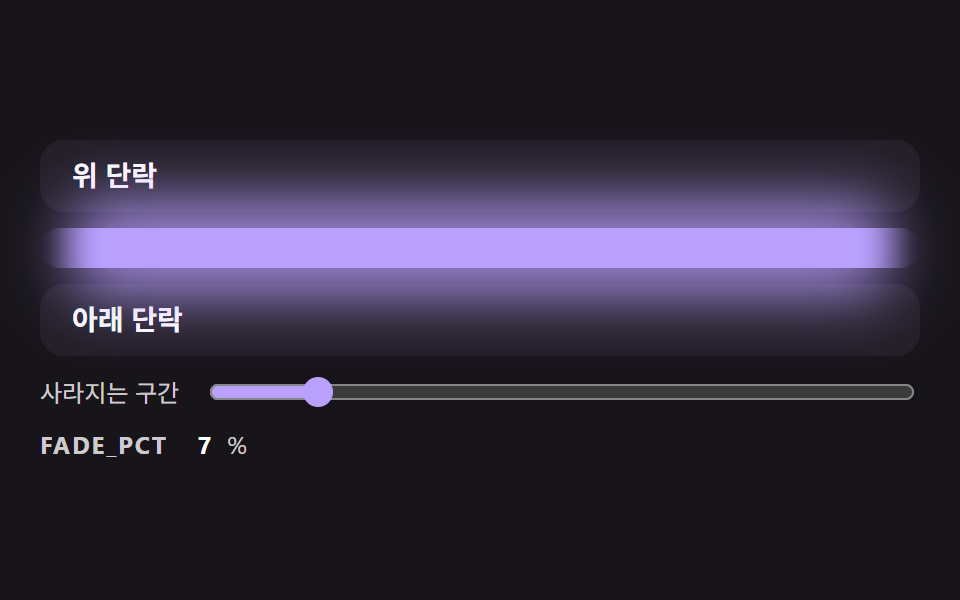 01 divl-gradient-fade-ends-line
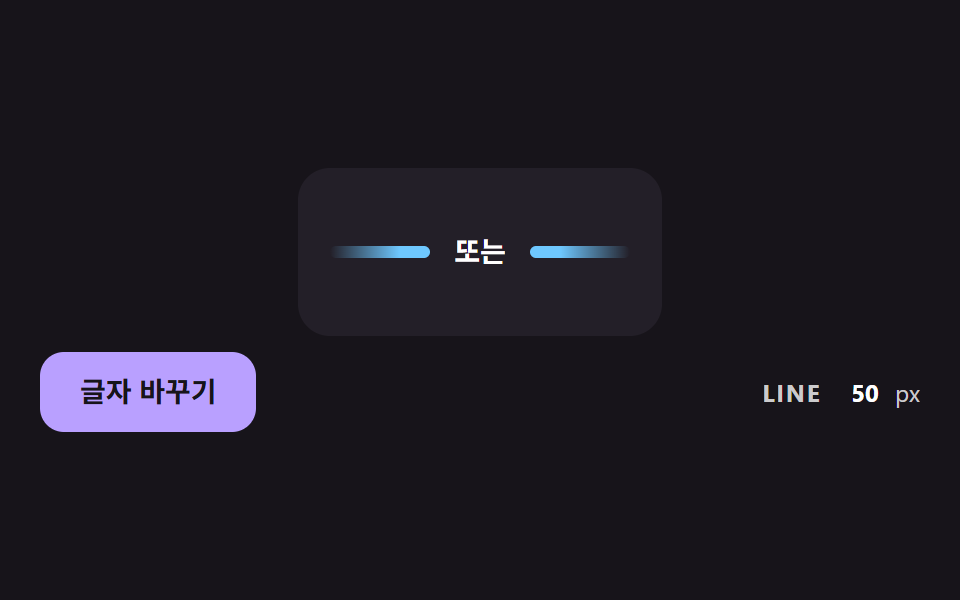 02 divl-centered-label-flex-lines
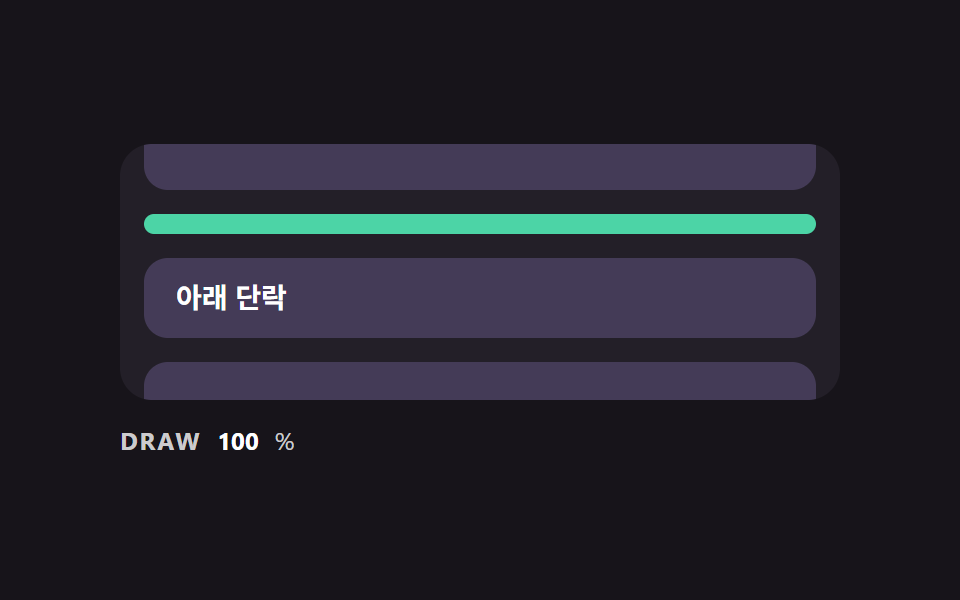 03 divl-scroll-draw-from-center
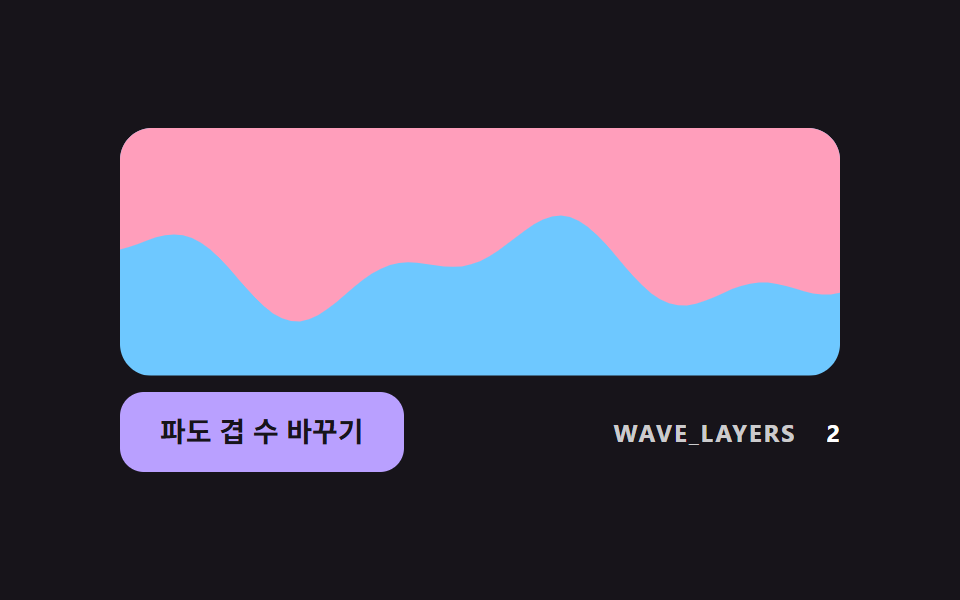 04 divl-sine-wave-section-edge
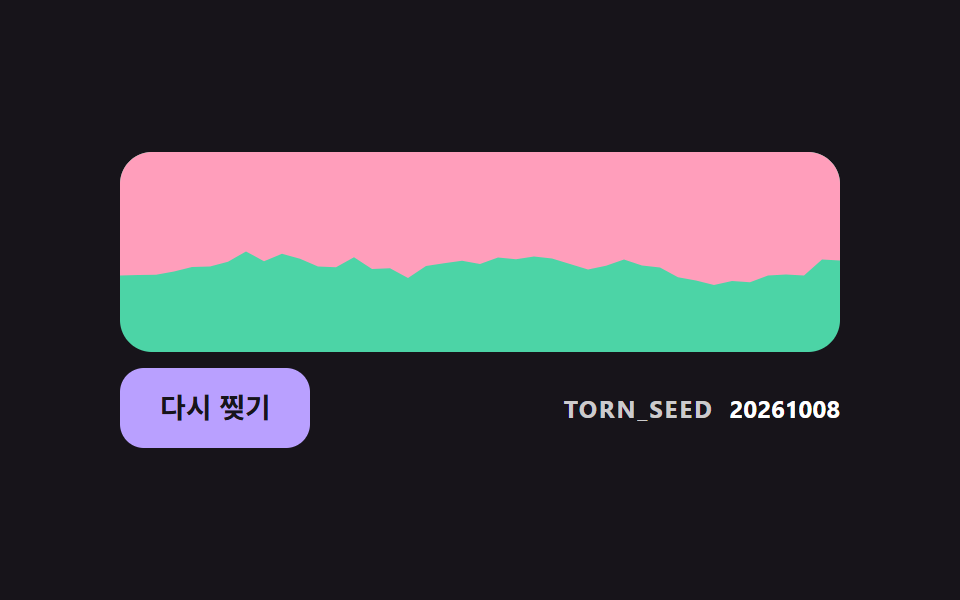 05 divl-torn-edge-seeded-noise
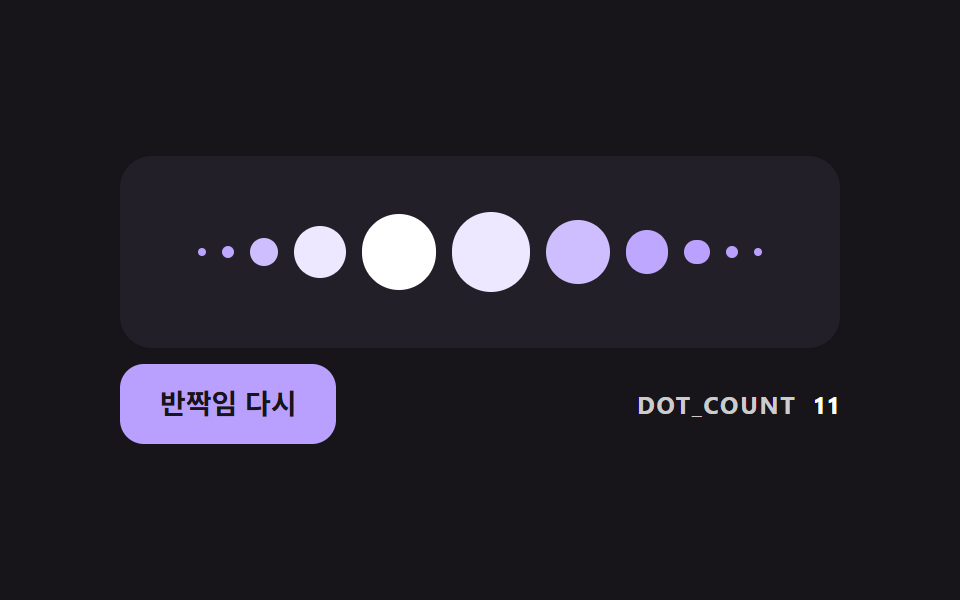 06 divl-dot-bell-curve-glint
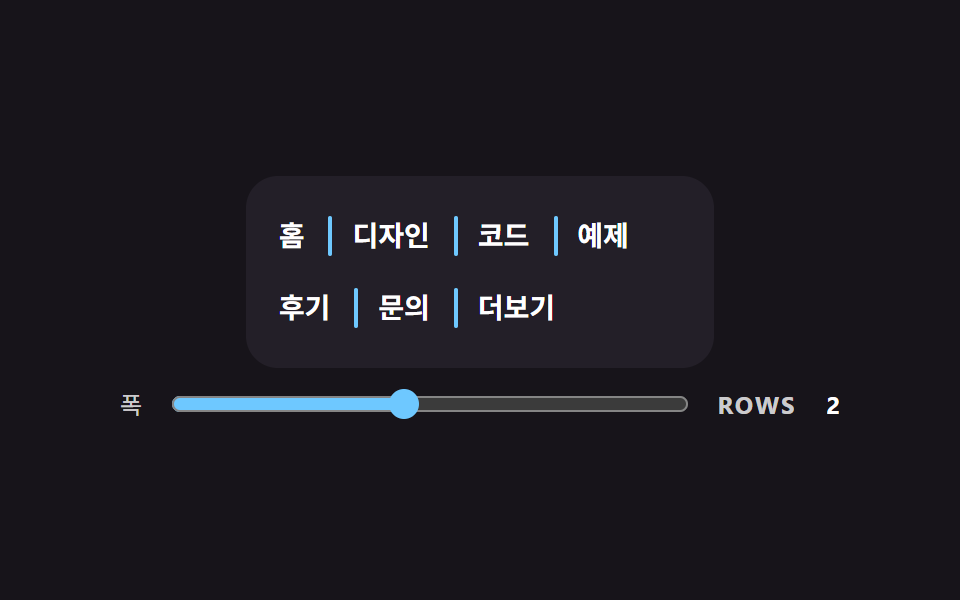 07 divl-vertical-wrap-aware-separator
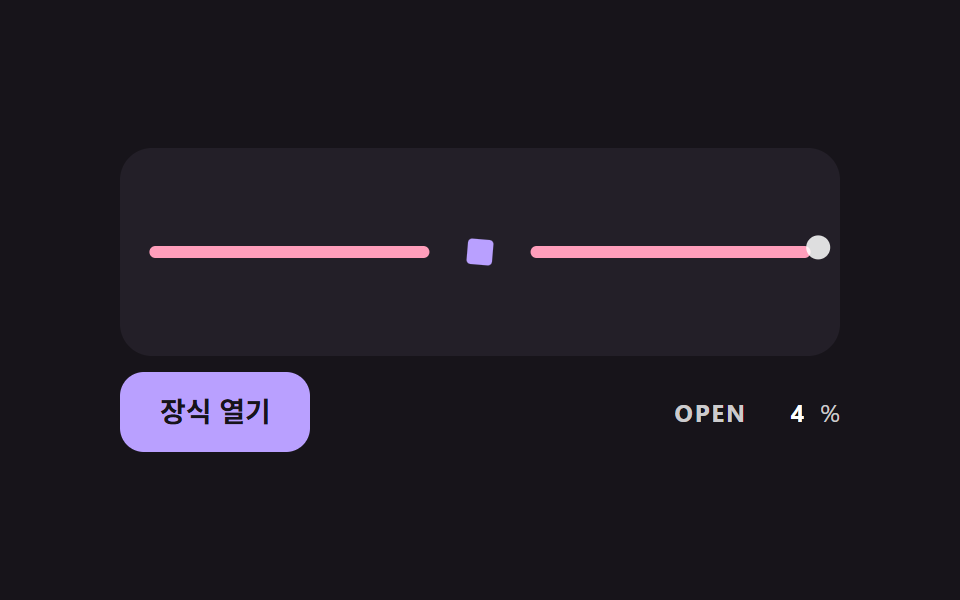 08 divl-ornament-proximity-open
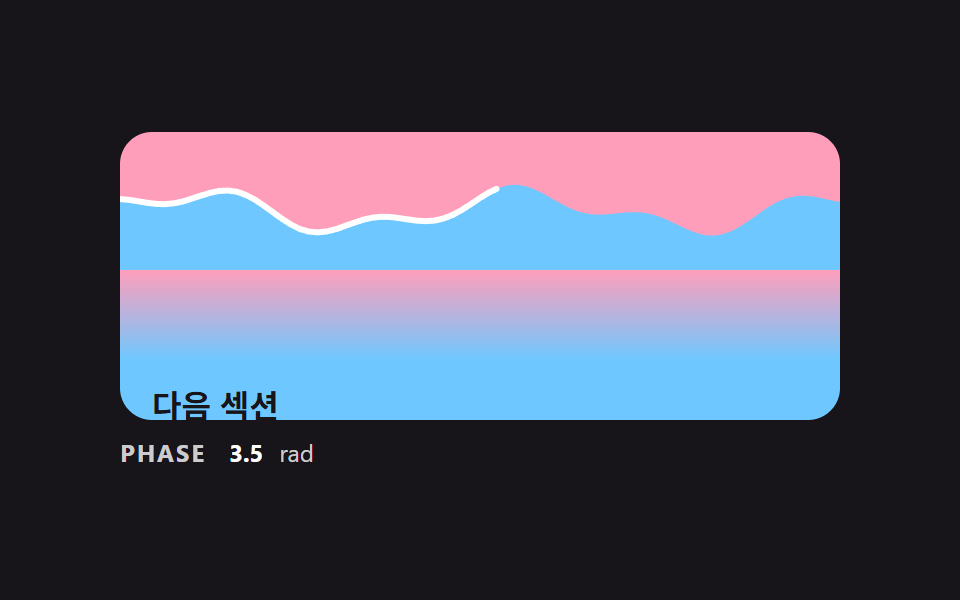 09 divl-section-handoff-wave-scene
Auto-plays · click a tile to jump to its section · all nine in one zip
- 01 Base Divider Whose Ends Fade to Transparent
- 02 Divider That Splits Its Lines Around a Centered Label
- 03 Divider Drawn From the Center as the Page Scrolls
- 04 Wavy Section Edge Built From Two Summed Sines
- 05 Torn-Paper Edge Cut by Seeded Noise
- 06 Dotted Divider With a Bell-Curve Size and One Glint
- 07 Vertical Separator That Never Leads a Wrapped Row
- 08 Divider Whose Ornament Opens as the Pointer Nears
- 09 Scene Where Two Sections Hand Off Across a Wave Divider
CSS Divider: 9 Demos Where the Line Shape Is Computed
The scenes go from the simplest calculation to the most layered. Scene 01 fades a line out at both ends, and 02 shares the leftover width between two lines around a label. Scene 03 draws a line as you scroll, 04 adds two sine waves into a section edge and 05 cuts a torn edge from seeded noise. Scene 06 sizes dots on a bell curve, 07 decides which items start a row, 08 opens an ornament as the pointer nears and 09 lets a single scroll value move wave, line and color spill together.
Where These Dividers Fit
A landing page that needs a break between sections can take 01, 04 or 09, and a login form with an "or" row between two sign-in options is the job of 02. A css divider with text in the middle is the one case where the two sides must be calculated, because a longer word has to take width from both lines at once. A menu or a tag list wants the css divider vertical between items, which 07 handles by asking JS which item begins a new row. A reading page suits the scroll-drawn line of 03, and an about page with some decoration suits 06 and 08.
How This Set Differs from Neighboring Posts
Memphis Design Patterns: 9 Bold Landing Sections lays dots and waves onto a whole page design, while this set fixes the numbers behind one line or one edge. 9 CSS Screen Transition Animation Effects and 9 Scrollytelling CSS Section Patterns, Copy-Paste change what the screen shows, and neither treats the divider as an element of its own.
Code for Each Divider Technique
The code is plain JS and CSS with no library or CDN. In 03 and 09 the scroll response comes from the scroll event: 03 measures the line with getBoundingClientRect and 09 reads scrollTop. No scene uses IntersectionObserver. Each snippet below is the stretch of source that decides the shape, copied as it stands, while the surrounding markup and styles are in the archive.
01Base Divider Whose Ends Fade to Transparent
The alpha rises from 0 to 1 only inside the outer 30% at each end, and the curve is a smoothstep rather than a straight ramp, so no band shows where the line begins. The same gradient is given to the line and to the soft glow behind it, which means the glow fades in the same shape. It filled 20.4% of the frame at an intensity of 54.5 and moved in 23/23 frames.
<main class="stage">
<div class="dv is-demo" id="dvRoot">
  <p class="dv__block">Upper paragraph</p>
  <div class="dv__rail">
    <div class="dv__glow" id="dvGlow"></div>
    <div class="dv__line" id="dvLine" role="separator"></div>
  </div>
  <p class="dv__block">Lower paragraph</p>
  <label class="dv__ctrl">
    <span>Fade length</span>
    <input type="range" id="dvRange" min="0" max="50" value="30">
  </label>
  <p class="dv__meta"><span class="dv__tag">FADE_PCT</span> <b id="dvPct">30</b>%</p>
</div>
</main>
@use "../../../../site/static/demo-tokens" as *;
// 핵심: 선 색의 알파를 양 끝 FADE_PCT% 구간에서만 smoothstep 곡선으로 올린다.
// 정지점은 JS 가 계산해 background 에 넣는다 (직선 보간보다 끝이 자연스럽다).
$line-h: 20px;
$line-color: $subject-lilac;
@include stage($stage-ink);
.dv {
width: min(100%, 440px);
display: grid;
gap: $sp-2;
}
.dv__block {
box-sizing: border-box;
margin: 0;
height: 36px;
padding: 0 $sp-4;
display: flex;
align-items: center;
border-radius: $r-control;
background: $tick-panel;
color: $stage-paper;
font-size: 14px;
font-weight: 700;
line-height: 20px;
}
.dv__rail {
position: relative;
height: $line-h;
}
.dv__glow {
position: absolute;
left: 0;
right: 0;
top: -14px;
bottom: -14px;
border-radius: $r-pill;
opacity: .8;
filter: blur(14px);
}
.dv__line {
position: relative;
height: $line-h;
border-radius: $r-pill;
background: $line-color;
}
.dv__ctrl {
display: flex;
align-items: center;
gap: $sp-3;
font-size: 12px;
line-height: 16px;
color: rgba($stage-paper, .78);
}
.dv__ctrl input { flex: 1; min-width: 0; accent-color: $line-color; }
.dv__meta {
margin: 0;
display: flex;
align-items: baseline;
gap: $sp-2;
font-size: 12px;
line-height: 16px;
color: rgba($stage-paper, .78);
}
.dv__tag { font-weight: 700; letter-spacing: .08em; }
.dv__meta b { min-width: 2ch; text-align: right; font-variant-numeric: tabular-nums; color: $stage-paper; }
@media (prefers-reduced-motion: reduce) {
.dv__line { transition: none; }
}html, body {
margin: 0;
overflow: hidden;
}
.stage {
box-sizing: border-box;
min-height: 100vh;
display: grid;
place-items: center;
margin: 0;
background: #17141a;
font-family: -apple-system, "Segoe UI", "Noto Sans KR", sans-serif;
padding: clamp(8px, 4vw, 24px);
}
.dv {
width: min(100%, 440px);
display: grid;
gap: 8px;
}
.dv__block {
box-sizing: border-box;
margin: 0;
height: 36px;
padding: 0 16px;
display: flex;
align-items: center;
border-radius: 12px;
background: #231f28;
color: #ffffff;
font-size: 14px;
font-weight: 700;
line-height: 20px;
}
.dv__rail {
position: relative;
height: 20px;
}
.dv__glow {
position: absolute;
left: 0;
right: 0;
top: -14px;
bottom: -14px;
border-radius: 999px;
opacity: 0.8;
filter: blur(14px);
}
.dv__line {
position: relative;
height: 20px;
border-radius: 999px;
background: #b9a0ff;
}
.dv__ctrl {
display: flex;
align-items: center;
gap: 12px;
font-size: 12px;
line-height: 16px;
color: rgba(255, 255, 255, 0.78);
}
.dv__ctrl input {
flex: 1;
min-width: 0;
accent-color: #b9a0ff;
}
.dv__meta {
margin: 0;
display: flex;
align-items: baseline;
gap: 8px;
font-size: 12px;
line-height: 16px;
color: rgba(255, 255, 255, 0.78);
}
.dv__tag {
font-weight: 700;
letter-spacing: 0.08em;
}
.dv__meta b {
min-width: 2ch;
text-align: right;
font-variant-numeric: tabular-nums;
color: #ffffff;
}
@media (prefers-reduced-motion: reduce) {
.dv__line {
transition: none;
}
}(function () {
// 기법: 선 색의 알파를 양 끝 FADE_PCT% 구간에서만 0 에서 1 로 올린다.
// 직선 보간은 선이 시작하는 곳에 띠가 보여서 smoothstep(3t^2 - 2t^3) 곡선으로 8단계 정지점을 직접 만든다.
var FADE_PCT = 30;
var LINE_H_PX = 20;
var STEPS = 8;
var CYCLE_MS = 2000;
var LOW_PCT = 6;
var HIGH_PCT = 50;
var RGB = '185,160,255';
var root = document.getElementById('dvRoot');
var line = document.getElementById('dvLine');
var glow = document.getElementById('dvGlow');
var range = document.getElementById('dvRange');
var pctEl = document.getElementById('dvPct');
var reduce = window.matchMedia('(prefers-reduced-motion: reduce)').matches;
  function gradientOf(pct) {
    var stops = [];
    var i;
    for (i = 0; i <= STEPS; i += 1) {
      var t = i / STEPS;
      var a = t * t * (3 - 2 * t);
      stops.push('rgba(' + RGB + ',' + a.toFixed(3) + ') ' + (pct * t).toFixed(2) + '%');
    }
    for (i = STEPS; i >= 0; i -= 1) {
      var u = i / STEPS;
      var b = u * u * (3 - 2 * u);
      stops.push('rgba(' + RGB + ',' + b.toFixed(3) + ') ' + (100 - pct * u).toFixed(2) + '%');
    }
    return 'linear-gradient(90deg,' + stops.join(',') + ')';
  }
function paint(pct) {
var g = gradientOf(pct);
line.style.background = g;
glow.style.background = g;
pctEl.textContent = String(Math.round(pct));
range.value = String(Math.round(pct));
}
function stopDemo() { root.classList.remove('is-demo'); }
range.addEventListener('input', function () {
stopDemo();
FADE_PCT = Number(range.value);
paint(FADE_PCT);
});
var t0 = null;
function tick(ts) {
if (t0 === null) t0 = ts;
if (root.classList.contains('is-demo')) {
var phase = ((ts - t0) % CYCLE_MS) / CYCLE_MS;
var wave = 0.5 - 0.5 * Math.cos(phase * Math.PI * 2);
paint(LOW_PCT + (HIGH_PCT - LOW_PCT) * wave);
}
requestAnimationFrame(tick);
}
line.style.height = LINE_H_PX + 'px';
paint(FADE_PCT);
if (reduce) {
stopDemo();
} else {
requestAnimationFrame(tick);
}
})();// FadeDivider — vanilla 판(01-divl-gradient-fade-ends-line) 의 React 포트.
// 선 색의 알파를 양 끝 FADE_PCT% 구간에서만 smoothstep 곡선으로 올린다. 정지점은 JS 가 계산한다.
import { useEffect, useRef } from "react";
import styles from "./FadeDivider.module.scss";
type Box<T> = { current: T };
const LINE_H_PX = 20;
const STEPS = 8;
const CYCLE_MS = 2000;
const LOW_PCT = 6;
const HIGH_PCT = 50;
const RGB = "185,160,255";
function gradientOf(pct: number): string {
const stops: string[] = [];
for (let i = 0; i <= STEPS; i += 1) {
const t = i / STEPS;
const a = t * t * (3 - 2 * t);
stops.push("rgba(" + RGB + "," + a.toFixed(3) + ") " + (pct * t).toFixed(2) + "%");
}
for (let i = STEPS; i >= 0; i -= 1) {
const u = i / STEPS;
const b = u * u * (3 - 2 * u);
stops.push("rgba(" + RGB + "," + b.toFixed(3) + ") " + (100 - pct * u).toFixed(2) + "%");
}
return "linear-gradient(90deg," + stops.join(",") + ")";
}
export default function FadeDivider() {
const lineRef = useRef<HTMLDivElement | null>(null) as Box<HTMLDivElement | null>;
const glowRef = useRef<HTMLDivElement | null>(null) as Box<HTMLDivElement | null>;
const rangeRef = useRef<HTMLInputElement | null>(null) as Box<HTMLInputElement | null>;
const pctRef = useRef<HTMLElement | null>(null) as Box<HTMLElement | null>;
useEffect(() => {
const line = lineRef.current;
const glow = glowRef.current;
const range = rangeRef.current;
const pctEl = pctRef.current;
if (!line || !glow || !range || !pctEl) return;
const reduce = window.matchMedia("(prefers-reduced-motion: reduce)").matches;
let demo = !reduce;
let t0: number | null = null;
let raf = 0;
const paint = (pct: number): void => {
const g = gradientOf(pct);
line.style.background = g;
glow.style.background = g;
pctEl.textContent = String(Math.round(pct));
range.value = String(Math.round(pct));
};
const onInput = (): void => {
demo = false;
paint(Number(range.value));
};
range.addEventListener("input", onInput);
function tick(ts: number): void {
if (t0 === null) t0 = ts;
if (demo) {
const phase = ((ts - t0) % CYCLE_MS) / CYCLE_MS;
const wave = 0.5 - 0.5 * Math.cos(phase * Math.PI * 2);
paint(LOW_PCT + (HIGH_PCT - LOW_PCT) * wave);
}
raf = requestAnimationFrame(tick);
}
line.style.height = LINE_H_PX + "px";
paint(30);
if (!reduce) raf = requestAnimationFrame(tick);
return () => {
cancelAnimationFrame(raf);
range.removeEventListener("input", onInput);
};
}, []);
return (
<div className={styles.dv}>
<p className={styles.block}>위 단락</p>
<div className={styles.rail}>
<div className={styles.glow} ref={glowRef} />
<div className={styles.line} ref={lineRef} role="separator" />
</div>
<p className={styles.block}>아래 단락</p>
<label className={styles.ctrl}>
<span>사라지는 구간</span>
<input type="range" min={0} max={50} defaultValue={30} ref={rangeRef} />
</label>
<p className={styles.meta}>
<span className={styles.tag}>FADE_PCT</span> <b ref={pctRef}>30</b>%
</p>
</div>
);
}01 · Base Divider Whose Ends Fade to Transparent — Measured area 20.444% · moving frames 23/23Original by GODRICH · SCSS and React ship in the zip · See the password
function gradientOf(pct) {
var stops = [];
var i;
for (i = 0; i <= STEPS; i += 1) {
var t = i / STEPS;
var a = t * t * (3 - 2 * t);
stops.push('rgba(' + RGB + ',' + a.toFixed(3) + ') ' + (pct * t).toFixed(2) + '%');
}
for (i = STEPS; i >= 0; i -= 1) {
var u = i / STEPS;
var b = u * u * (3 - 2 * u);
stops.push('rgba(' + RGB + ',' + b.toFixed(3) + ') ' + (100 - pct * u).toFixed(2) + '%');
}
return 'linear-gradient(90deg,' + stops.join(',') + ')';
}
02Divider That Splits Its Lines Around a Centered Label
The script measures the row and the label, then gives each line (row − label − 2 × LABEL_GAP) / 2 of width, never below 0. A longer word therefore takes equal width from both sides, and the lines never lean to one end. This scene filled 15.2% of the frame at an intensity of 34.0 and moved in 23/23 frames.
<main class="stage">
<div class="dv is-demo" id="dvRoot">
  <div class="dv__card" id="dvCard">
    <div class="dv__row" id="dvRow" role="separator">
      <span class="dv__side" id="dvLeft"></span>
      <span class="dv__label" id="dvLabel">or</span>
      <span class="dv__side dv__side--right" id="dvRight"></span>
    </div>
  </div>
  <div class="dv__bar">
  <button class="dv__btn" id="dvBtn" type="button">Change label</button>
  <p class="dv__meta"><span class="dv__tag">LINE</span> <b id="dvPx">0</b><span>px</span></p>
  </div>
</div>
</main>
@use "../../../../site/static/demo-tokens" as *;
// 핵심: 가운데 글자 폭을 재서 양쪽 선 폭을 (줄 폭 - 글자 폭 - 간격 * 2) / 2 로 직접 계산한다.
$line-h: 6px;
$label-gap: 12px;
$line-color: $subject-sky;
@include stage($stage-ink);
.dv {
width: min(100%, 440px);
display: grid;
gap: $sp-2;
justify-items: center;
}
.dv__card {
box-sizing: border-box;
width: 420px;
max-width: 100%;
padding: $sp-8 $sp-4;
border-radius: $r-card;
background: $tick-panel;
}
.dv__row {
display: flex;
align-items: center;
gap: $label-gap;
}
.dv__side {
display: block;
flex: none;
height: $line-h;
border-radius: $r-pill;
background: linear-gradient(90deg, rgba($line-color, 0), $line-color 70%);
}
.dv__side--right { background: linear-gradient(270deg, rgba($line-color, 0), $line-color 70%); }
.dv__label {
flex: none;
color: $stage-paper;
font-size: 14px;
font-weight: 700;
line-height: 20px;
white-space: nowrap;
}
.dv__btn {
box-sizing: border-box;
height: 40px;
padding: 0 $sp-5;
border: 0;
border-radius: $r-control;
background: $subject-lilac;
color: $subject-ink;
font-family: inherit;
font-size: 14px;
font-weight: 700;
line-height: 20px;
cursor: pointer;
}
.dv__btn:focus-visible { outline: 3px solid $stage-paper; outline-offset: 3px; }
.dv__meta {
margin: 0;
display: flex;
flex-wrap: wrap;
align-items: baseline;
gap: $sp-2;
font-size: 12px;
line-height: 16px;
color: rgba($stage-paper, .78);
}
.dv__tag { font-weight: 700; letter-spacing: .08em; }
.dv__meta b { min-width: 3ch; text-align: right; font-variant-numeric: tabular-nums; color: $stage-paper; }
@media (prefers-reduced-motion: reduce) {
.dv__btn { transition: none; }
}
.dv__bar { box-sizing: border-box; width: 100%; display: flex; flex-wrap: wrap; align-items: center; justify-content: space-between; gap: $sp-2 $sp-3; }html, body {
margin: 0;
overflow: hidden;
}
.stage {
box-sizing: border-box;
min-height: 100vh;
display: grid;
place-items: center;
margin: 0;
background: #17141a;
font-family: -apple-system, "Segoe UI", "Noto Sans KR", sans-serif;
padding: clamp(8px, 4vw, 24px);
}
.dv {
width: min(100%, 440px);
display: grid;
gap: 8px;
justify-items: center;
}
.dv__card {
box-sizing: border-box;
width: 420px;
max-width: 100%;
padding: 32px 16px;
border-radius: 16px;
background: #231f28;
}
.dv__row {
display: flex;
align-items: center;
gap: 12px;
}
.dv__side {
display: block;
flex: none;
height: 6px;
border-radius: 999px;
background: linear-gradient(90deg, rgba(110, 200, 255, 0), #6ec8ff 70%);
}
.dv__side--right {
background: linear-gradient(270deg, rgba(110, 200, 255, 0), #6ec8ff 70%);
}
.dv__label {
flex: none;
color: #ffffff;
font-size: 14px;
font-weight: 700;
line-height: 20px;
white-space: nowrap;
}
.dv__btn {
box-sizing: border-box;
height: 40px;
padding: 0 20px;
border: 0;
border-radius: 12px;
background: #b9a0ff;
color: #17141a;
font-family: inherit;
font-size: 14px;
font-weight: 700;
line-height: 20px;
cursor: pointer;
}
.dv__btn:focus-visible {
outline: 3px solid #ffffff;
outline-offset: 3px;
}
.dv__meta {
margin: 0;
display: flex;
flex-wrap: wrap;
align-items: baseline;
gap: 8px;
font-size: 12px;
line-height: 16px;
color: rgba(255, 255, 255, 0.78);
}
.dv__tag {
font-weight: 700;
letter-spacing: 0.08em;
}
.dv__meta b {
min-width: 3ch;
text-align: right;
font-variant-numeric: tabular-nums;
color: #ffffff;
}
@media (prefers-reduced-motion: reduce) {
.dv__btn {
transition: none;
}
}
.dv__bar {
box-sizing: border-box;
width: 100%;
display: flex;
flex-wrap: wrap;
align-items: center;
justify-content: space-between;
gap: 8px 12px;
}(function () {
// 기법: 글자 폭을 getBoundingClientRect 로 재고, 양쪽 선 Width = (줄 Width - 글자 Width - LABEL_GAP * 2) / 2 를 직접 계산해 width 로 준다.
// 데모는 카드 폭을 시간에 따라 줄였다 늘리고 글자를 돌려 가며 매 프레임 다시 계산한다.
var LABEL_GAP = 12;
var LINE_H_PX = 6;
var CYCLE_MS = 2000;
var NARROW_PX = 180;
var WIDE_PX = 420;
var LABELS = ['or', 'Continue another way', 'What you read so far'];
var root = document.getElementById('dvRoot');
var card = document.getElementById('dvCard');
var row = document.getElementById('dvRow');
var left = document.getElementById('dvLeft');
var right = document.getElementById('dvRight');
var label = document.getElementById('dvLabel');
var btn = document.getElementById('dvBtn');
var pxEl = document.getElementById('dvPx');
var reduce = window.matchMedia('(prefers-reduced-motion: reduce)').matches;
var labelIndex = 0;
  function layout() {
    var rowW = row.getBoundingClientRect().width;
    var labelW = label.getBoundingClientRect().width;
    var side = Math.max(0, (rowW - labelW - LABEL_GAP * 2) / 2);
    left.style.width = side.toFixed(1) + 'px';
    right.style.width = side.toFixed(1) + 'px';
    pxEl.textContent = String(Math.round(side));
  }
function setLabel(i) {
labelIndex = i;
label.textContent = LABELS[i];
}
function stopDemo() { root.classList.remove('is-demo'); }
btn.addEventListener('click', function () {
stopDemo();
setLabel((labelIndex + 1) % LABELS.length);
layout();
});
var t0 = null;
function tick(ts) {
if (t0 === null) t0 = ts;
if (root.classList.contains('is-demo')) {
var now = ts - t0;
var phase = (now % CYCLE_MS) / CYCLE_MS;
var wave = 0.5 - 0.5 * Math.cos(phase * Math.PI * 2);
card.style.width = (NARROW_PX + (WIDE_PX - NARROW_PX) * wave).toFixed(1) + 'px';
var i = Math.floor(now / CYCLE_MS * 3) % LABELS.length;
if (i !== labelIndex) setLabel(i);
layout();
}
requestAnimationFrame(tick);
}
left.style.height = LINE_H_PX + 'px';
right.style.height = LINE_H_PX + 'px';
layout();
if (reduce) {
stopDemo();
} else {
requestAnimationFrame(tick);
}
})();// LabelDivider — vanilla 판(02-divl-centered-label-flex-lines) 의 React 포트.
// 가운데 글자 폭을 재서 양쪽 선 폭을 (줄 폭 - 글자 폭 - LABEL_GAP * 2) / 2 로 직접 계산한다.
import { useEffect, useRef } from "react";
import styles from "./LabelDivider.module.scss";
type Box<T> = { current: T };
const LABEL_GAP = 12;
const LINE_H_PX = 6;
const CYCLE_MS = 2000;
const NARROW_PX = 180;
const WIDE_PX = 420;
const LABELS: string[] = ["또는", "다른 방법으로 계속", "여기까지 읽은 내용"];
export default function LabelDivider() {
const cardRef = useRef<HTMLDivElement | null>(null) as Box<HTMLDivElement | null>;
const rowRef = useRef<HTMLDivElement | null>(null) as Box<HTMLDivElement | null>;
const leftRef = useRef<HTMLSpanElement | null>(null) as Box<HTMLSpanElement | null>;
const rightRef = useRef<HTMLSpanElement | null>(null) as Box<HTMLSpanElement | null>;
const labelRef = useRef<HTMLSpanElement | null>(null) as Box<HTMLSpanElement | null>;
const btnRef = useRef<HTMLButtonElement | null>(null) as Box<HTMLButtonElement | null>;
const pxRef = useRef<HTMLElement | null>(null) as Box<HTMLElement | null>;
useEffect(() => {
const card = cardRef.current;
const row = rowRef.current;
const left = leftRef.current;
const right = rightRef.current;
const label = labelRef.current;
const btn = btnRef.current;
const pxEl = pxRef.current;
if (!card || !row || !left || !right || !label || !btn || !pxEl) return;
const reduce = window.matchMedia("(prefers-reduced-motion: reduce)").matches;
let demo = !reduce;
let labelIndex = 0;
let t0: number | null = null;
let raf = 0;
const layout = (): void => {
const rowW = row.getBoundingClientRect().width;
const labelW = label.getBoundingClientRect().width;
const side = Math.max(0, (rowW - labelW - LABEL_GAP * 2) / 2);
left.style.width = side.toFixed(1) + "px";
right.style.width = side.toFixed(1) + "px";
pxEl.textContent = String(Math.round(side));
};
const setLabel = (i: number): void => {
labelIndex = i;
label.textContent = LABELS[i];
};
const onClick = (): void => {
demo = false;
setLabel((labelIndex + 1) % LABELS.length);
layout();
};
btn.addEventListener("click", onClick);
const tick = (ts: number): void => {
if (t0 === null) t0 = ts;
if (demo) {
const now = ts - t0;
const phase = (now % CYCLE_MS) / CYCLE_MS;
const wave = 0.5 - 0.5 * Math.cos(phase * Math.PI * 2);
card.style.width = (NARROW_PX + (WIDE_PX - NARROW_PX) * wave).toFixed(1) + "px";
const i = Math.floor((now / CYCLE_MS) * 3) % LABELS.length;
if (i !== labelIndex) setLabel(i);
layout();
}
raf = requestAnimationFrame(tick);
};
left.style.height = LINE_H_PX + "px";
right.style.height = LINE_H_PX + "px";
layout();
if (!reduce) raf = requestAnimationFrame(tick);
return () => {
cancelAnimationFrame(raf);
btn.removeEventListener("click", onClick);
};
}, []);
return (
<div className={styles.dv}>
<div className={styles.card} ref={cardRef}>
<div className={styles.row} ref={rowRef} role="separator">
<span className={styles.side} ref={leftRef} />
<span className={styles.label} ref={labelRef}>또는</span>
<span className={styles.sideRight} ref={rightRef} />
</div>
</div>
<div className={styles.bar}>
<button className={styles.btn} ref={btnRef} type="button">글자 바꾸기</button>
<p className={styles.meta}>
<span className={styles.tag}>LINE</span> <b ref={pxRef}>0</b>
<span>px</span>
</p>
</div>
</div>
);
}02 · Divider That Splits Its Lines Around a Centered Label — Measured area 15.208% · moving frames 23/23Original by GODRICH · SCSS and React ship in the zip · See the password
function layout() {
var rowW = row.getBoundingClientRect().width;
var labelW = label.getBoundingClientRect().width;
var side = Math.max(0, (rowW - labelW - LABEL_GAP * 2) / 2);
left.style.width = side.toFixed(1) + 'px';
right.style.width = side.toFixed(1) + 'px';
pxEl.textContent = String(Math.round(side));
}
03Divider Drawn From the Center as the Page Scrolls
How far the line has risen from the bottom of the scroll area, divided by DRAW_RANGE_PX, becomes its length, and a clip-path trims it from both sides at once. Scrolling back shrinks it again because the value is recomputed on every scroll event, not played once. It filled 30.0% of the frame at an intensity of 75.1 and moved in 23/23 frames.
<main class="stage">
<div class="dv is-demo" id="dvRoot">
  <div class="dv__scroller" id="dvScroller" tabindex="0" aria-label="Scroll area">
    <div class="dv__block">Upper paragraph</div>
    <div class="dv__block dv__block--tall">Upper paragraph</div>
    <div class="dv__line" id="dvLine" role="separator"></div>
    <div class="dv__block">Lower paragraph</div>
    <div class="dv__block dv__block--tall">Lower paragraph</div>
  </div>
  <p class="dv__meta"><span class="dv__tag">DRAW</span> <b id="dvPct">0</b>%</p>
</div>
</main>
@use "../../../../site/static/demo-tokens" as *;
// 핵심: 스크롤로 올라온 거리(DRAW_RANGE_PX 기준)를 clip-path inset 으로 바꿔 선이 가운데에서 양쪽으로 열린다.
$line-h: 10px;
$line-color: $subject-mint;
@include stage($stage-ink);
.dv {
width: min(100%, 360px);
display: grid;
gap: $sp-3;
}
.dv__scroller {
box-sizing: border-box;
height: 128px;
overflow-y: auto;
scrollbar-width: none;
display: grid;
gap: $sp-3;
align-content: start;
padding: $sp-3;
border-radius: $r-card;
background: $tick-panel;
}
.dv__scroller::-webkit-scrollbar { display: none; }
.dv__scroller:focus-visible { outline: 3px solid $stage-paper; outline-offset: 3px; }
.dv__block {
box-sizing: border-box;
height: 40px;
padding: 0 $sp-4;
display: flex;
align-items: center;
border-radius: $r-control;
background: rgba($subject-lilac, .22);
color: $stage-paper;
font-size: 14px;
font-weight: 700;
line-height: 20px;
}
.dv__block--tall { height: 72px; }
.dv__line {
flex: none;
height: $line-h;
background: $line-color;
clip-path: inset(0 50% 0 50% round 6px);
}
.dv__meta {
margin: 0;
display: flex;
align-items: baseline;
gap: $sp-2;
font-size: 12px;
line-height: 16px;
color: rgba($stage-paper, .78);
}
.dv__tag { font-weight: 700; letter-spacing: .08em; }
.dv__meta b { min-width: 3ch; text-align: right; font-variant-numeric: tabular-nums; color: $stage-paper; }
@media (prefers-reduced-motion: reduce) {
.dv__line { transition: none; }
}html, body {
margin: 0;
overflow: hidden;
}
.stage {
box-sizing: border-box;
min-height: 100vh;
display: grid;
place-items: center;
margin: 0;
background: #17141a;
font-family: -apple-system, "Segoe UI", "Noto Sans KR", sans-serif;
padding: clamp(8px, 4vw, 24px);
}
.dv {
width: min(100%, 360px);
display: grid;
gap: 12px;
}
.dv__scroller {
box-sizing: border-box;
height: 128px;
overflow-y: auto;
scrollbar-width: none;
display: grid;
gap: 12px;
align-content: start;
padding: 12px;
border-radius: 16px;
background: #231f28;
}
.dv__scroller::-webkit-scrollbar {
display: none;
}
.dv__scroller:focus-visible {
outline: 3px solid #ffffff;
outline-offset: 3px;
}
.dv__block {
box-sizing: border-box;
height: 40px;
padding: 0 16px;
display: flex;
align-items: center;
border-radius: 12px;
background: rgba(185, 160, 255, 0.22);
color: #ffffff;
font-size: 14px;
font-weight: 700;
line-height: 20px;
}
.dv__block--tall {
height: 72px;
}
.dv__line {
flex: none;
height: 10px;
background: #4cd4a6;
clip-path: inset(0 50% 0 50% round 6px);
}
.dv__meta {
margin: 0;
display: flex;
align-items: baseline;
gap: 8px;
font-size: 12px;
line-height: 16px;
color: rgba(255, 255, 255, 0.78);
}
.dv__tag {
font-weight: 700;
letter-spacing: 0.08em;
}
.dv__meta b {
min-width: 3ch;
text-align: right;
font-variant-numeric: tabular-nums;
color: #ffffff;
}
@media (prefers-reduced-motion: reduce) {
.dv__line {
transition: none;
}
}(function () {
// 기법: scroll 이벤트마다 선의 위치를 getBoundingClientRect 로 재서 진행도를 구하고, 그 값만큼 clip-path 를 양쪽에서 연다.
// IntersectionObserver 는 쓰지 않는다. 진행도 = 선이 영역 바닥을 지나 올라온 거리 / DRAW_RANGE_PX 이다.
var DRAW_RANGE_PX = 80;
var DRAW_MIN_PCT = 0;
var CYCLE_MS = 2000;
var root = document.getElementById('dvRoot');
var scroller = document.getElementById('dvScroller');
var line = document.getElementById('dvLine');
var pctEl = document.getElementById('dvPct');
var reduce = window.matchMedia('(prefers-reduced-motion: reduce)').matches;
  function update() {
    var box = scroller.getBoundingClientRect();
    var lineBox = line.getBoundingClientRect();
    var risen = box.bottom - lineBox.top;
    var p = Math.min(1, Math.max(0, risen / DRAW_RANGE_PX));
    var pct = DRAW_MIN_PCT + (100 - DRAW_MIN_PCT) * p;
    var edge = (100 - pct) / 2;
    line.style.clipPath = 'inset(0 ' + edge.toFixed(2) + '% 0 ' + edge.toFixed(2) + '% round 6px)';
    pctEl.textContent = String(Math.round(pct));
  }
function stopDemo() { root.classList.remove('is-demo'); }
scroller.addEventListener('scroll', update);
scroller.addEventListener('wheel', stopDemo, { passive: true });
scroller.addEventListener('pointerdown', stopDemo);
scroller.addEventListener('keydown', stopDemo);
var t0 = null;
function tick(ts) {
if (t0 === null) t0 = ts;
if (root.classList.contains('is-demo')) {
var max = scroller.scrollHeight - scroller.clientHeight;
var phase = ((ts - t0) % CYCLE_MS) / CYCLE_MS;
var tri = phase < 0.5 ? phase * 2 : 2 - phase * 2;
scroller.scrollTop = max * tri;
}
requestAnimationFrame(tick);
}
if (reduce) {
stopDemo();
scroller.scrollTop = (scroller.scrollHeight - scroller.clientHeight) / 2;
update();
} else {
update();
requestAnimationFrame(tick);
}
})();// ScrollDrawDivider — vanilla 판(03-divl-scroll-draw-from-center) 의 React 포트.
// scroll 이벤트마다 선의 위치를 getBoundingClientRect 로 재서 진행도를 구하고 clip-path 를 양쪽에서 연다.
import { useEffect, useRef } from "react";
import styles from "./ScrollDrawDivider.module.scss";
type Box<T> = { current: T };
const DRAW_RANGE_PX = 80;
const DRAW_MIN_PCT = 0;
const CYCLE_MS = 2000;
export default function ScrollDrawDivider() {
const scrollerRef = useRef<HTMLDivElement | null>(null) as Box<HTMLDivElement | null>;
const lineRef = useRef<HTMLDivElement | null>(null) as Box<HTMLDivElement | null>;
const pctRef = useRef<HTMLElement | null>(null) as Box<HTMLElement | null>;
useEffect(() => {
const scroller = scrollerRef.current;
const line = lineRef.current;
const pctEl = pctRef.current;
if (!scroller || !line || !pctEl) return;
const reduce = window.matchMedia("(prefers-reduced-motion: reduce)").matches;
let demo = !reduce;
let t0: number | null = null;
let raf = 0;
const update = (): void => {
const box = scroller.getBoundingClientRect();
const lineBox = line.getBoundingClientRect();
const risen = box.bottom - lineBox.top;
const p = Math.min(1, Math.max(0, risen / DRAW_RANGE_PX));
const pct = DRAW_MIN_PCT + (100 - DRAW_MIN_PCT) * p;
const edge = (100 - pct) / 2;
line.style.clipPath = "inset(0 " + edge.toFixed(2) + "% 0 " + edge.toFixed(2) + "% round 6px)";
pctEl.textContent = String(Math.round(pct));
};
const stopDemo = (): void => { demo = false; };
scroller.addEventListener("scroll", update);
scroller.addEventListener("wheel", stopDemo, { passive: true });
scroller.addEventListener("pointerdown", stopDemo);
scroller.addEventListener("keydown", stopDemo);
const tick = (ts: number): void => {
if (t0 === null) t0 = ts;
if (demo) {
const max = scroller.scrollHeight - scroller.clientHeight;
const phase = ((ts - t0) % CYCLE_MS) / CYCLE_MS;
const tri = phase < 0.5 ? phase * 2 : 2 - phase * 2;
scroller.scrollTop = max * tri;
}
raf = requestAnimationFrame(tick);
};
if (reduce) {
scroller.scrollTop = (scroller.scrollHeight - scroller.clientHeight) / 2;
update();
} else {
update();
raf = requestAnimationFrame(tick);
}
return () => {
cancelAnimationFrame(raf);
scroller.removeEventListener("scroll", update);
scroller.removeEventListener("wheel", stopDemo);
scroller.removeEventListener("pointerdown", stopDemo);
scroller.removeEventListener("keydown", stopDemo);
};
}, []);
return (
<div className={styles.dv}>
<div className={styles.scroller} ref={scrollerRef} tabIndex={0} aria-label="스크롤 영역">
<div className={styles.block}>위 단락</div>
<div className={styles.blockTall}>위 단락</div>
<div className={styles.line} ref={lineRef} role="separator" />
<div className={styles.block}>아래 단락</div>
<div className={styles.blockTall}>아래 단락</div>
</div>
<p className={styles.meta}>
<span className={styles.tag}>DRAW</span> <b ref={pctRef}>0</b>%
</p>
</div>
);
}03 · Divider Drawn From the Center as the Page Scrolls — Measured area 29.984% · moving frames 23/23Original by GODRICH · SCSS and React ship in the zip · See the password
function update() {
var box = scroller.getBoundingClientRect();
var lineBox = line.getBoundingClientRect();
var risen = box.bottom - lineBox.top;
var p = Math.min(1, Math.max(0, risen / DRAW_RANGE_PX));
var pct = DRAW_MIN_PCT + (100 - DRAW_MIN_PCT) * p;
var edge = (100 - pct) / 2;
line.style.clipPath = 'inset(0 ' + edge.toFixed(2) + '% 0 ' + edge.toFixed(2) + '% round 6px)';
pctEl.textContent = String(Math.round(pct));
}
04Wavy Section Edge Built From Two Summed Sines
Two sines with periods of 190 and 83 are added and sampled every 4px into one SVG path, so the edge repeats less than a single curve would. The phase advances each frame, and the button steps the layer count through 1, 2 and 3. This scene filled 11.6% of the frame at an intensity of 113.9 and moved in 23/23 frames.
<main class="stage">
<div class="dv is-demo" id="dvRoot">
  <svg class="dv__svg" id="dvSvg" viewBox="0 0 320 110" aria-hidden="true" focusable="false">
    <rect class="dv__under" x="0" y="0" width="320" height="110"></rect>
    <path class="dv__over" id="dvPath" d="M0 0H320V55H0Z"></path>
  </svg>
  <div class="dv__bar">
  <button class="dv__btn" id="dvBtn" type="button">Change wave layers</button>
  <p class="dv__meta"><span class="dv__tag">WAVE_LAYERS</span> <b id="dvLayers">2</b></p>
  </div>
</div>
</main>
@use "../../../../site/static/demo-tokens" as *;
// 핵심: 경계선 높이를 주기가 다른 사인 WAVE_LAYERS 개의 합으로 계산해 SVG path 로 그린다.
$over-color: $subject-pink;
$under-color: $subject-sky;
@include stage($stage-ink);
.dv {
width: min(100%, 360px);
display: grid;
gap: $sp-2;
justify-items: center;
}
.dv__svg {
display: block;
width: 100%;
height: auto;
border-radius: $r-card;
overflow: hidden;
}
.dv__under { fill: $under-color; }
.dv__over { fill: $over-color; }
.dv__btn {
box-sizing: border-box;
height: 40px;
padding: 0 $sp-5;
border: 0;
border-radius: $r-control;
background: $subject-lilac;
color: $subject-ink;
font-family: inherit;
font-size: 14px;
font-weight: 700;
line-height: 20px;
cursor: pointer;
}
.dv__btn:focus-visible { outline: 3px solid $stage-paper; outline-offset: 3px; }
.dv__meta {
margin: 0;
display: flex;
align-items: baseline;
gap: $sp-2;
font-size: 12px;
line-height: 16px;
color: rgba($stage-paper, .78);
}
.dv__tag { font-weight: 700; letter-spacing: .08em; }
.dv__meta b { min-width: 2ch; text-align: right; font-variant-numeric: tabular-nums; color: $stage-paper; }
@media (prefers-reduced-motion: reduce) {
.dv__btn { transition: none; }
}
.dv__bar { box-sizing: border-box; width: 100%; display: flex; flex-wrap: wrap; align-items: center; justify-content: space-between; gap: $sp-2 $sp-3; }html, body {
margin: 0;
overflow: hidden;
}
.stage {
box-sizing: border-box;
min-height: 100vh;
display: grid;
place-items: center;
margin: 0;
background: #17141a;
font-family: -apple-system, "Segoe UI", "Noto Sans KR", sans-serif;
padding: clamp(8px, 4vw, 24px);
}
.dv {
width: min(100%, 360px);
display: grid;
gap: 8px;
justify-items: center;
}
.dv__svg {
display: block;
width: 100%;
height: auto;
border-radius: 16px;
overflow: hidden;
}
.dv__under {
fill: #6ec8ff;
}
.dv__over {
fill: #ff9ebb;
}
.dv__btn {
box-sizing: border-box;
height: 40px;
padding: 0 20px;
border: 0;
border-radius: 12px;
background: #b9a0ff;
color: #17141a;
font-family: inherit;
font-size: 14px;
font-weight: 700;
line-height: 20px;
cursor: pointer;
}
.dv__btn:focus-visible {
outline: 3px solid #ffffff;
outline-offset: 3px;
}
.dv__meta {
margin: 0;
display: flex;
align-items: baseline;
gap: 8px;
font-size: 12px;
line-height: 16px;
color: rgba(255, 255, 255, 0.78);
}
.dv__tag {
font-weight: 700;
letter-spacing: 0.08em;
}
.dv__meta b {
min-width: 2ch;
text-align: right;
font-variant-numeric: tabular-nums;
color: #ffffff;
}
@media (prefers-reduced-motion: reduce) {
.dv__btn {
transition: none;
}
}
.dv__bar {
box-sizing: border-box;
width: 100%;
display: flex;
flex-wrap: wrap;
align-items: center;
justify-content: space-between;
gap: 8px 12px;
}(function () {
// 기법: 경계 높이 y(x) = BASE_Y + 각 겹(진폭 * sin(2π x / 주기 + 위상 * 속도배수))의 합. 두 주기를 일부러 서로 약분되지 않게 잡아 반복이 덜 보인다.
// 점을 STEP_PX 간격으로 찍어 SVG path 의 d 를 직접 만든다.
var WAVE_LAYERS = 2;
var WAVE_AMP = [16, 9, 5];
var WAVE_PERIOD = [190, 83, 47];
var WAVE_SPEED = [1, 1.7, 2.3];
var BASE_Y = 62;
var VIEW_W = 320;
var STEP_PX = 4;
var RATE_RAD_PER_S = 2.4;
var root = document.getElementById('dvRoot');
var pathEl = document.getElementById('dvPath');
var btn = document.getElementById('dvBtn');
var layersEl = document.getElementById('dvLayers');
var reduce = window.matchMedia('(prefers-reduced-motion: reduce)').matches;
var phase = 0;
  function edgeY(x) {
    var y = BASE_Y;
    for (var i = 0; i < WAVE_LAYERS; i += 1) {
      y += WAVE_AMP[i] * Math.sin(2 * Math.PI * x / WAVE_PERIOD[i] + phase * WAVE_SPEED[i]);
    }
    return y;
  }
  function draw() {
    var d = 'M0 0H' + VIEW_W + 'V' + edgeY(VIEW_W).toFixed(1);
    for (var x = VIEW_W - STEP_PX; x >= 0; x -= STEP_PX) d += 'L' + x + ' ' + edgeY(x).toFixed(1);
    d += 'L0 ' + edgeY(0).toFixed(1) + 'Z';
    pathEl.setAttribute('d', d);
    layersEl.textContent = String(WAVE_LAYERS);
  }
function stopDemo() { root.classList.remove('is-demo'); }
btn.addEventListener('click', function () {
WAVE_LAYERS = WAVE_LAYERS % 3 + 1;
draw();
});
var lastTs = null;
function tick(ts) {
var dt = lastTs === null ? 0.016 : Math.min(0.05, (ts - lastTs) / 1000);
lastTs = ts;
if (root.classList.contains('is-demo')) {
phase += RATE_RAD_PER_S * dt;
draw();
}
requestAnimationFrame(tick);
}
draw();
if (reduce) {
stopDemo();
} else {
requestAnimationFrame(tick);
}
})();// WaveEdge — vanilla 판(04-divl-sine-wave-section-edge) 의 React 포트.
// 경계 높이를 주기가 다른 사인 WAVE_LAYERS 개의 합으로 계산해 SVG path 의 d 를 직접 만든다.
import { useEffect, useRef } from "react";
import styles from "./WaveEdge.module.scss";
type Box<T> = { current: T };
const WAVE_AMP: number[] = [16, 9, 5];
const WAVE_PERIOD: number[] = [190, 83, 47];
const WAVE_SPEED: number[] = [1, 1.7, 2.3];
const BASE_Y = 62;
const VIEW_W = 320;
const STEP_PX = 4;
const RATE_RAD_PER_S = 2.4;
export default function WaveEdge() {
const pathRef = useRef<SVGPathElement | null>(null) as Box<SVGPathElement | null>;
const btnRef = useRef<HTMLButtonElement | null>(null) as Box<HTMLButtonElement | null>;
const layersRef = useRef<HTMLElement | null>(null) as Box<HTMLElement | null>;
useEffect(() => {
const pathEl = pathRef.current;
const btn = btnRef.current;
const layersEl = layersRef.current;
if (!pathEl || !btn || !layersEl) return;
const reduce = window.matchMedia("(prefers-reduced-motion: reduce)").matches;
let demo = !reduce;
let layers = 2;
let phase = 0;
let lastTs: number | null = null;
let raf = 0;
const edgeY = (x: number): number => {
let y = BASE_Y;
for (let i = 0; i < layers; i += 1) {
y += WAVE_AMP[i] * Math.sin((2 * Math.PI * x) / WAVE_PERIOD[i] + phase * WAVE_SPEED[i]);
}
return y;
};
const draw = (): void => {
let d = "M0 0H" + VIEW_W + "V" + edgeY(VIEW_W).toFixed(1);
for (let x = VIEW_W - STEP_PX; x >= 0; x -= STEP_PX) d += "L" + x + " " + edgeY(x).toFixed(1);
d += "L0 " + edgeY(0).toFixed(1) + "Z";
pathEl.setAttribute("d", d);
layersEl.textContent = String(layers);
};
const onClick = (): void => {
layers = (layers % 3) + 1;
draw();
};
btn.addEventListener("click", onClick);
function tick(ts: number): void {
const dt = lastTs === null ? 0.016 : Math.min(0.05, (ts - lastTs) / 1000);
lastTs = ts;
if (demo) {
phase += RATE_RAD_PER_S * dt;
draw();
}
raf = requestAnimationFrame(tick);
}
draw();
if (!reduce) raf = requestAnimationFrame(tick);
return () => {
demo = false;
cancelAnimationFrame(raf);
btn.removeEventListener("click", onClick);
};
}, []);
return (
<div className={styles.dv}>
<svg className={styles.svg} viewBox="0 0 320 110" aria-hidden="true" focusable="false">
<rect className={styles.under} x="0" y="0" width="320" height="110" />
<path className={styles.over} ref={pathRef} d="M0 0H320V55H0Z" />
</svg>
<div className={styles.bar}>
<button className={styles.btn} ref={btnRef} type="button">파도 겹 수 바꾸기</button>
<p className={styles.meta}>
<span className={styles.tag}>WAVE_LAYERS</span> <b ref={layersRef}>2</b>
</p>
</div>
</div>
);
}04 · Wavy Section Edge Built From Two Summed Sines — Measured area 11.55% · moving frames 23/23Original by GODRICH · SCSS and React ship in the zip · See the password
function edgeY(x) {
var y = BASE_Y;
for (var i = 0; i < WAVE_LAYERS; i += 1) {
y += WAVE_AMP[i] * Math.sin(2 * Math.PI * x / WAVE_PERIOD[i] + phase * WAVE_SPEED[i]);
}
return y;
}
function draw() {
var d = 'M0 0H' + VIEW_W + 'V' + edgeY(VIEW_W).toFixed(1);
for (var x = VIEW_W - STEP_PX; x >= 0; x -= STEP_PX) d += 'L' + x + ' ' + edgeY(x).toFixed(1);
d += 'L0 ' + edgeY(0).toFixed(1) + 'Z';
pathEl.setAttribute('d', d);
layersEl.textContent = String(WAVE_LAYERS);
}
05Torn-Paper Edge Cut by Seeded Noise
A small generator seeded with a fixed number fills a 256-slot table once, and each vertex height blends a coarse and a fine reading of it before a clip-path polygon cuts the sheet. Because the seed never changes, a reload on the same width gives the same tear. It filled 0.9% of the frame at an intensity of 138.8 and moved in 19/23 frames.
<main class="stage">
<div class="dv is-demo" id="dvRoot">
  <div class="dv__paper" role="separator">
    <div class="dv__sheet" id="dvSheet"></div>
  </div>
  <div class="dv__bar">
  <button class="dv__btn" id="dvBtn" type="button">Tear again</button>
  <p class="dv__meta"><span class="dv__tag">TORN_SEED</span> <b id="dvSeed">0</b></p>
  </div>
</div>
</main>
@use "../../../../site/static/demo-tokens" as *;
// 핵심: 시드 고정 노이즈로 높이를 정한 꼭짓점을 clip-path polygon 으로 이어 종이 아래 경계를 찢는다.
$sheet-color: $subject-pink;
$base-color: $subject-mint;
@include stage($stage-ink);
.dv {
width: min(100%, 360px);
display: grid;
gap: $sp-2;
}
.dv__paper {
box-sizing: border-box;
height: 100px;
border-radius: $r-card;
background: $base-color;
overflow: hidden;
}
.dv__sheet {
height: 100px;
background: $sheet-color;
clip-path: polygon(0 0, 100% 0, 100% 58px, 0 58px);
}
.dv__bar {
box-sizing: border-box;
width: 100%;
display: flex;
flex-wrap: wrap;
align-items: center;
justify-content: space-between;
gap: $sp-2 $sp-3;
}
.dv__btn {
box-sizing: border-box;
height: 40px;
padding: 0 $sp-5;
border: 0;
border-radius: $r-control;
background: $subject-lilac;
color: $subject-ink;
font-family: inherit;
font-size: 14px;
font-weight: 700;
line-height: 20px;
cursor: pointer;
}
.dv__btn:focus-visible { outline: 3px solid $stage-paper; outline-offset: 3px; }
.dv__meta {
margin: 0;
display: flex;
align-items: baseline;
gap: $sp-2;
font-size: 12px;
line-height: 16px;
color: rgba($stage-paper, .78);
}
.dv__tag { font-weight: 700; letter-spacing: .08em; }
.dv__meta b { font-variant-numeric: tabular-nums; color: $stage-paper; }
@media (prefers-reduced-motion: reduce) {
.dv__btn { transition: none; }
}html, body {
margin: 0;
overflow: hidden;
}
.stage {
box-sizing: border-box;
min-height: 100vh;
display: grid;
place-items: center;
margin: 0;
background: #17141a;
font-family: -apple-system, "Segoe UI", "Noto Sans KR", sans-serif;
padding: clamp(8px, 4vw, 24px);
}
.dv {
width: min(100%, 360px);
display: grid;
gap: 8px;
}
.dv__paper {
box-sizing: border-box;
height: 100px;
border-radius: 16px;
background: #4cd4a6;
overflow: hidden;
}
.dv__sheet {
height: 100px;
background: #ff9ebb;
clip-path: polygon(0 0, 100% 0, 100% 58px, 0 58px);
}
.dv__bar {
box-sizing: border-box;
width: 100%;
display: flex;
flex-wrap: wrap;
align-items: center;
justify-content: space-between;
gap: 8px 12px;
}
.dv__btn {
box-sizing: border-box;
height: 40px;
padding: 0 20px;
border: 0;
border-radius: 12px;
background: #b9a0ff;
color: #17141a;
font-family: inherit;
font-size: 14px;
font-weight: 700;
line-height: 20px;
cursor: pointer;
}
.dv__btn:focus-visible {
outline: 3px solid #ffffff;
outline-offset: 3px;
}
.dv__meta {
margin: 0;
display: flex;
align-items: baseline;
gap: 8px;
font-size: 12px;
line-height: 16px;
color: rgba(255, 255, 255, 0.78);
}
.dv__tag {
font-weight: 700;
letter-spacing: 0.08em;
}
.dv__meta b {
font-variant-numeric: tabular-nums;
color: #ffffff;
}
@media (prefers-reduced-motion: reduce) {
.dv__btn {
transition: none;
}
}(function () {
// 기법: 직접 구현한 시드 난수(mulberry32)로 값 표를 한 번 만들고, 큰 굴곡(4칸마다 보간)과 칸별 잔떨림을 섞어 꼭짓점 높이를 정한다.
// 같은 TORN_SEED 이면 새로고침해도 같은 모양이다. 찢김은 왼쪽에서 오른쪽으로 progress 만큼 진행한다.
var TORN_SEED = 20261008;
var TORN_STEP = 9;
var TORN_AMP = 20;
var BASE_Y = 48;
var START_MS = 200;
var TEAR_MS = 1400;
var CYCLE_MS = 2000;
var root = document.getElementById('dvRoot');
var sheet = document.getElementById('dvSheet');
var btn = document.getElementById('dvBtn');
var seedEl = document.getElementById('dvSeed');
var reduce = window.matchMedia('(prefers-reduced-motion: reduce)').matches;
  function mulberry32(seed) {
    var a = seed >>> 0;
    return function () {
      a = (a + 0x6D2B79F5) >>> 0;
      var t = a;
      t = Math.imul(t ^ (t >>> 15), t | 1);
      t ^= t + Math.imul(t ^ (t >>> 7), t | 61);
      return ((t ^ (t >>> 14)) >>> 0) / 4294967296;
    };
  }
  var rand = mulberry32(TORN_SEED);
var table = [];
var i;
for (i = 0; i < 256; i += 1) table.push(rand());
function smooth(t) { return t * t * (3 - 2 * t); }
  function noiseAt(k) {
    var big = k / 4;
    var i0 = Math.floor(big);
    var f = smooth(big - i0);
    var coarse = table[i0 % 256] * (1 - f) + table[(i0 + 1) % 256] * f;
    var fine = table[(k * 7 + 3) % 256];
    return 0.65 * coarse + 0.35 * fine;
  }
var progress = 0;
function paint() {
var count = Math.max(8, Math.ceil(sheet.clientWidth / TORN_STEP));
var pts = ['0 0', '100% 0'];
var edge = [];
for (var k = 0; k <= count; k += 1) {
var xr = k / count;
var y = xr <= progress ? BASE_Y + TORN_AMP * noiseAt(k) : BASE_Y + TORN_AMP * 0.5;
edge.push((xr * 100).toFixed(2) + '% ' + y.toFixed(1) + 'px');
}
edge.reverse();
sheet.style.clipPath = 'polygon(' + pts.concat(edge).join(',') + ')';
}
function stopDemo() { root.classList.remove('is-demo'); }
var restartAt = null;
btn.addEventListener('click', function () {
stopDemo();
if (reduce) { progress = 1; paint(); return; }
restartAt = -1;
});
var t0 = null;
function tick(ts) {
if (t0 === null) t0 = ts;
var local = null;
if (restartAt === -1) restartAt = ts;
if (root.classList.contains('is-demo')) local = (ts - t0) % CYCLE_MS;
else if (restartAt !== null) local = ts - restartAt;
if (local !== null) {
progress = Math.min(1, Math.max(0, (local - START_MS) / TEAR_MS));
paint();
}
requestAnimationFrame(tick);
}
seedEl.textContent = String(TORN_SEED);
if (reduce) {
stopDemo();
progress = 1;
paint();
} else {
paint();
requestAnimationFrame(tick);
}
})();// TornEdge — vanilla 판(05-divl-torn-edge-seeded-noise) 의 React 포트.
// 직접 구현한 시드 난수로 꼭짓점 높이를 정해 clip-path polygon 으로 종이 아래 경계를 찢는다. 같은 시드는 같은 모양이다.
import { useEffect, useRef } from "react";
import styles from "./TornEdge.module.scss";
type Box<T> = { current: T };
const TORN_SEED = 20261008;
const TORN_STEP = 9;
const TORN_AMP = 20;
const BASE_Y = 48;
const START_MS = 200;
const TEAR_MS = 1400;
const CYCLE_MS = 2000;
function mulberry32(seed: number): () => number {
let a = seed >>> 0;
return () => {
a = (a + 0x6d2b79f5) >>> 0;
let t = a;
t = Math.imul(t ^ (t >>> 15), t | 1);
t ^= t + Math.imul(t ^ (t >>> 7), t | 61);
return ((t ^ (t >>> 14)) >>> 0) / 4294967296;
};
}
const smooth = (t: number): number => t * t * (3 - 2 * t);
export default function TornEdge() {
const sheetRef = useRef<HTMLDivElement | null>(null) as Box<HTMLDivElement | null>;
const btnRef = useRef<HTMLButtonElement | null>(null) as Box<HTMLButtonElement | null>;
useEffect(() => {
const sheet = sheetRef.current;
const btn = btnRef.current;
if (!sheet || !btn) return;
const reduce = window.matchMedia("(prefers-reduced-motion: reduce)").matches;
const rand = mulberry32(TORN_SEED);
const table: number[] = [];
for (let i = 0; i < 256; i += 1) table.push(rand());
const noiseAt = (k: number): number => {
const big = k / 4;
const i0 = Math.floor(big);
const f = smooth(big - i0);
const coarse = table[i0 % 256] * (1 - f) + table[(i0 + 1) % 256] * f;
const fine = table[(k * 7 + 3) % 256];
return 0.65 * coarse + 0.35 * fine;
};
let demo = !reduce;
let progress = reduce ? 1 : 0;
let restartAt: number | null = null;
let t0: number | null = null;
let raf = 0;
const paint = (): void => {
const count = Math.max(8, Math.ceil(sheet.clientWidth / TORN_STEP));
const edge: string[] = [];
for (let k = 0; k <= count; k += 1) {
const xr = k / count;
const y = xr <= progress ? BASE_Y + TORN_AMP * noiseAt(k) : BASE_Y + TORN_AMP * 0.5;
edge.push((xr * 100).toFixed(2) + "% " + y.toFixed(1) + "px");
}
edge.reverse();
sheet.style.clipPath = "polygon(" + ["0 0", "100% 0"].concat(edge).join(",") + ")";
};
const onClick = (): void => {
demo = false;
if (reduce) {
progress = 1;
paint();
return;
}
restartAt = -1;
};
btn.addEventListener("click", onClick);
function tick(ts: number): void {
if (t0 === null) t0 = ts;
let local: number | null = null;
if (restartAt === -1) restartAt = ts;
if (demo) local = (ts - t0) % CYCLE_MS;
else if (restartAt !== null) local = ts - restartAt;
if (local !== null) {
progress = Math.min(1, Math.max(0, (local - START_MS) / TEAR_MS));
paint();
}
raf = requestAnimationFrame(tick);
}
paint();
if (!reduce) raf = requestAnimationFrame(tick);
return () => {
cancelAnimationFrame(raf);
btn.removeEventListener("click", onClick);
};
}, []);
return (
<div className={styles.dv}>
<div className={styles.paper} role="separator">
<div className={styles.sheet} ref={sheetRef} />
</div>
<div className={styles.bar}>
<button className={styles.btn} ref={btnRef} type="button">다시 찢기</button>
<p className={styles.meta}>
<span className={styles.tag}>TORN_SEED</span> <b>{TORN_SEED}</b>
</p>
</div>
</div>
);
}05 · Torn-Paper Edge Cut by Seeded Noise — Measured area 0.949% · moving frames 19/23Original by GODRICH · SCSS and React ship in the zip · See the password
function mulberry32(seed) {
var a = seed >>> 0;
return function () {
a = (a + 0x6D2B79F5) >>> 0;
var t = a;
t = Math.imul(t ^ (t >>> 15), t | 1);
t ^= t + Math.imul(t ^ (t >>> 7), t | 61);
return ((t ^ (t >>> 14)) >>> 0) / 4294967296;
};
}
var rand = mulberry32(TORN_SEED);
function noiseAt(k) {
var big = k / 4;
var i0 = Math.floor(big);
var f = smooth(big - i0);
var coarse = table[i0 % 256] * (1 - f) + table[(i0 + 1) % 256] * f;
var fine = table[(k * 7 + 3) % 256];
return 0.65 * coarse + 0.35 * fine;
}
06Dotted Divider With a Bell-Curve Size and One Glint
Eleven dots take their diameter from a bell curve, so the middle one is 32px and the two outermost are held at the 4px floor. A bright spot then slides across once, and each dot mixes toward white and swells by up to 30% as it passes. The scene filled 4.8% of the frame at an intensity of 94.3 and moved in 19/23 frames.
<main class="stage">
<div class="dv is-demo" id="dvRoot">
  <div class="dv__card">
    <div class="dv__dots" id="dvDots" role="separator"></div>
  </div>
  <div class="dv__bar">
  <button class="dv__btn" id="dvBtn" type="button">Glint again</button>
  <p class="dv__meta"><span class="dv__tag">DOT_COUNT</span> <b id="dvCount">0</b></p>
  </div>
</div>
</main>
@use "../../../../site/static/demo-tokens" as *;
// 핵심: 점 지름은 가우스 곡선(가운데가 최대)으로, 반짝임은 점 줄을 한 번 훑는 가우스 띠로 계산한다.
@include stage($stage-ink);
.dv {
width: min(100%, 360px);
display: grid;
gap: $sp-2;
}
.dv__card {
box-sizing: border-box;
height: 96px;
display: grid;
place-items: center;
border-radius: $r-card;
background: $tick-panel;
}
.dv__dots {
display: flex;
align-items: center;
gap: $sp-2;
}
.dv__dot {
flex: none;
display: block;
border-radius: $r-pill;
background: $subject-lilac;
}
.dv__bar {
box-sizing: border-box;
width: 100%;
display: flex;
flex-wrap: wrap;
align-items: center;
justify-content: space-between;
gap: $sp-2 $sp-3;
}
.dv__btn {
box-sizing: border-box;
height: 40px;
padding: 0 $sp-5;
border: 0;
border-radius: $r-control;
background: $subject-lilac;
color: $subject-ink;
font-family: inherit;
font-size: 14px;
font-weight: 700;
line-height: 20px;
cursor: pointer;
}
.dv__btn:focus-visible { outline: 3px solid $stage-paper; outline-offset: 3px; }
.dv__meta {
margin: 0;
display: flex;
align-items: baseline;
gap: $sp-2;
font-size: 12px;
line-height: 16px;
color: rgba($stage-paper, .78);
}
.dv__tag { font-weight: 700; letter-spacing: .08em; }
.dv__meta b { min-width: 2ch; text-align: right; font-variant-numeric: tabular-nums; color: $stage-paper; }
@media (prefers-reduced-motion: reduce) {
.dv__btn { transition: none; }
}html, body {
margin: 0;
overflow: hidden;
}
.stage {
box-sizing: border-box;
min-height: 100vh;
display: grid;
place-items: center;
margin: 0;
background: #17141a;
font-family: -apple-system, "Segoe UI", "Noto Sans KR", sans-serif;
padding: clamp(8px, 4vw, 24px);
}
.dv {
width: min(100%, 360px);
display: grid;
gap: 8px;
}
.dv__card {
box-sizing: border-box;
height: 96px;
display: grid;
place-items: center;
border-radius: 16px;
background: #231f28;
}
.dv__dots {
display: flex;
align-items: center;
gap: 8px;
}
.dv__dot {
flex: none;
display: block;
border-radius: 999px;
background: #b9a0ff;
}
.dv__bar {
box-sizing: border-box;
width: 100%;
display: flex;
flex-wrap: wrap;
align-items: center;
justify-content: space-between;
gap: 8px 12px;
}
.dv__btn {
box-sizing: border-box;
height: 40px;
padding: 0 20px;
border: 0;
border-radius: 12px;
background: #b9a0ff;
color: #17141a;
font-family: inherit;
font-size: 14px;
font-weight: 700;
line-height: 20px;
cursor: pointer;
}
.dv__btn:focus-visible {
outline: 3px solid #ffffff;
outline-offset: 3px;
}
.dv__meta {
margin: 0;
display: flex;
align-items: baseline;
gap: 8px;
font-size: 12px;
line-height: 16px;
color: rgba(255, 255, 255, 0.78);
}
.dv__tag {
font-weight: 700;
letter-spacing: 0.08em;
}
.dv__meta b {
min-width: 2ch;
text-align: right;
font-variant-numeric: tabular-nums;
color: #ffffff;
}
@media (prefers-reduced-motion: reduce) {
.dv__btn {
transition: none;
}
}(function () {
// 기법: i 번째 점 지름 = DOT_MAX_PX * exp(-(i - 중심)^2 / (2 * 시그마^2)) (가우스 곡선). 지름은 DOT_MIN_PX 밑으로 내려가지 않는다.
// 반짝임은 위치 g 가 점 줄을 한 번 훑는 값이고, 점마다 exp(-(i - g)^2 / (2 * GLINT_WIDTH^2)) 만큼 밝아지고 커진다.
var DOT_COUNT = 11;
var DOT_MAX_PX = 32;
var DOT_MIN_PX = 4;
var GLINT_WIDTH = 1.3;
var GLINT_MS = 1400;
var START_MS = 200;
var CYCLE_MS = 2000;
var BASE = [185, 160, 255];
var LIGHT = [255, 255, 255];
var root = document.getElementById('dvRoot');
var host = document.getElementById('dvDots');
var btn = document.getElementById('dvBtn');
var countEl = document.getElementById('dvCount');
var reduce = window.matchMedia('(prefers-reduced-motion: reduce)').matches;
var center = (DOT_COUNT - 1) / 2;
var sigma = DOT_COUNT / 5;
var dots = [];
var sizes = [];
var i;
  for (i = 0; i < DOT_COUNT; i += 1) {
    var d = document.createElement('span');
    d.className = 'dv__dot';
    host.appendChild(d);
    dots.push(d);
    var gauss = Math.exp(-Math.pow(i - center, 2) / (2 * sigma * sigma));
    sizes.push(Math.max(DOT_MIN_PX, DOT_MAX_PX * gauss));
  }
countEl.textContent = String(DOT_COUNT);
  function paint(g) {
    for (var k = 0; k < DOT_COUNT; k += 1) {
      var b = g === null ? 0 : Math.exp(-Math.pow(k - g, 2) / (2 * GLINT_WIDTH * GLINT_WIDTH));
      var px = sizes[k] * (1 + 0.3 * b);
      var c = [0, 1, 2].map(function (n) { return Math.round(BASE[n] + (LIGHT[n] - BASE[n]) * b); });
      var el = dots[k];
      el.style.width = px.toFixed(1) + 'px';
      el.style.height = px.toFixed(1) + 'px';
      el.style.background = 'rgb(' + c.join(',') + ')';
    }
  }
function glintAt(local) {
var p = (local - START_MS) / GLINT_MS;
if (p < 0 || p > 1) return null;
return -2 + p * (DOT_COUNT + 3);
}
function stopDemo() { root.classList.remove('is-demo'); }
var restartAt = null;
btn.addEventListener('click', function () {
stopDemo();
restartAt = -1;
});
var t0 = null;
function tick(ts) {
if (t0 === null) t0 = ts;
if (restartAt === -1) restartAt = ts;
if (root.classList.contains('is-demo')) paint(glintAt((ts - t0) % CYCLE_MS));
else if (restartAt !== null) paint(glintAt(ts - restartAt + START_MS));
requestAnimationFrame(tick);
}
if (reduce) {
stopDemo();
paint(center);
} else {
paint(null);
requestAnimationFrame(tick);
}
})();// BellDots — vanilla 판(06-divl-dot-bell-curve-glint) 의 React 포트.
// 점 지름은 가우스 곡선(가운데가 최대)으로, 반짝임은 점 줄을 한 번 훑는 가우스 띠로 계산한다.
import { useEffect, useRef } from "react";
import styles from "./BellDots.module.scss";
type Box<T> = { current: T };
const DOT_COUNT = 11;
const DOT_MAX_PX = 32;
const DOT_MIN_PX = 4;
const GLINT_WIDTH = 1.3;
const GLINT_MS = 1400;
const START_MS = 200;
const CYCLE_MS = 2000;
const BASE: number[] = [185, 160, 255];
const LIGHT: number[] = [255, 255, 255];
const CENTER = (DOT_COUNT - 1) / 2;
const SIGMA = DOT_COUNT / 5;
const INDEXES: number[] = Array.from({ length: DOT_COUNT }, (_, i) => i);
const SIZES: number[] = INDEXES.map((i) =>
Math.max(DOT_MIN_PX, DOT_MAX_PX * Math.exp(-Math.pow(i - CENTER, 2) / (2 * SIGMA * SIGMA)))
);
function glintAt(local: number): number | null {
const p = (local - START_MS) / GLINT_MS;
if (p < 0 || p > 1) return null;
return -2 + p * (DOT_COUNT + 3);
}
export default function BellDots() {
const hostRef = useRef<HTMLDivElement | null>(null) as Box<HTMLDivElement | null>;
const btnRef = useRef<HTMLButtonElement | null>(null) as Box<HTMLButtonElement | null>;
useEffect(() => {
const host = hostRef.current;
const btn = btnRef.current;
if (!host || !btn) return;
const reduce = window.matchMedia("(prefers-reduced-motion: reduce)").matches;
const dots = Array.from(host.children) as HTMLElement[];
let demo = !reduce;
let restartAt: number | null = null;
let t0: number | null = null;
let raf = 0;
const paint = (g: number | null): void => {
for (let k = 0; k < DOT_COUNT; k += 1) {
const b = g === null ? 0 : Math.exp(-Math.pow(k - g, 2) / (2 * GLINT_WIDTH * GLINT_WIDTH));
const px = SIZES[k] * (1 + 0.3 * b);
const c = [0, 1, 2].map((n) => Math.round(BASE[n] + (LIGHT[n] - BASE[n]) * b));
const el = dots[k];
el.style.width = px.toFixed(1) + "px";
el.style.height = px.toFixed(1) + "px";
el.style.background = "rgb(" + c.join(",") + ")";
}
};
const onClick = (): void => {
demo = false;
restartAt = -1;
};
btn.addEventListener("click", onClick);
function tick(ts: number): void {
if (t0 === null) t0 = ts;
if (restartAt === -1) restartAt = ts;
if (demo) paint(glintAt((ts - t0) % CYCLE_MS));
else if (restartAt !== null) paint(glintAt(ts - restartAt + START_MS));
raf = requestAnimationFrame(tick);
}
if (reduce) {
paint(CENTER);
} else {
paint(null);
raf = requestAnimationFrame(tick);
}
return () => {
cancelAnimationFrame(raf);
btn.removeEventListener("click", onClick);
};
}, []);
return (
<div className={styles.dv}>
<div className={styles.card}>
<div className={styles.dots} ref={hostRef} role="separator">
{INDEXES.map((i) => (
<span key={i} className={styles.dot} />
))}
</div>
</div>
<div className={styles.bar}>
<button className={styles.btn} ref={btnRef} type="button">반짝임 다시</button>
<p className={styles.meta}>
<span className={styles.tag}>DOT_COUNT</span> <b>{DOT_COUNT}</b>
</p>
</div>
</div>
);
}06 · Dotted Divider With a Bell-Curve Size and One Glint — Measured area 4.761% · moving frames 19/23Original by GODRICH · SCSS and React ship in the zip · See the password
for (i = 0; i < DOT_COUNT; i += 1) {
var d = document.createElement('span');
d.className = 'dv__dot';
host.appendChild(d);
dots.push(d);
var gauss = Math.exp(-Math.pow(i - center, 2) / (2 * sigma * sigma));
sizes.push(Math.max(DOT_MIN_PX, DOT_MAX_PX * gauss));
}
function paint(g) {
for (var k = 0; k < DOT_COUNT; k += 1) {
var b = g === null ? 0 : Math.exp(-Math.pow(k - g, 2) / (2 * GLINT_WIDTH * GLINT_WIDTH));
var px = sizes[k] * (1 + 0.3 * b);
var c = [0, 1, 2].map(function (n) { return Math.round(BASE[n] + (LIGHT[n] - BASE[n]) * b); });
var el = dots[k];
el.style.width = px.toFixed(1) + 'px';
el.style.height = px.toFixed(1) + 'px';
el.style.background = 'rgb(' + c.join(',') + ')';
}
}
07Vertical Separator That Never Leads a Wrapped Row
The line is a ::before pseudo-element on each item, and mark() compares every item's offsetTop with the one before it and adds is-first to the first item of each row. That class removes the item's left padding and sets the line's opacity to 0. It filled 29.5% of the frame at an intensity of 104.8 and moved in 23/23 frames.
<main class="stage">
<div class="dv is-demo" id="dvRoot">
  <div class="dv__card" id="dvCard">
    <ul class="dv__list" id="dvList">
      <li class="dv__item">Home</li>
      <li class="dv__item">Design</li>
      <li class="dv__item">Code</li>
      <li class="dv__item">Examples</li>
      <li class="dv__item">Reviews</li>
      <li class="dv__item">Contact</li>
      <li class="dv__item">More</li>
    </ul>
  </div>
  <label class="dv__ctrl">
    <span>Width</span>
    <input type="range" id="dvRange" min="150" max="336" value="336">
    <span class="dv__meta"><span class="dv__tag">ROWS</span> <b id="dvRows">1</b></span>
  </label>
</div>
</main>
@use "../../../../site/static/demo-tokens" as *;
// 핵심: 항목 앞 세로 선은 줄 맨 앞 항목(is-first)에서만 JS 판정으로 숨긴다.
$sep-gap: 12px;
$sep-h: 20px;
@include stage($stage-ink);
.dv {
width: min(100%, 360px);
display: grid;
gap: $sp-2;
justify-items: center;
}
.dv__card {
box-sizing: border-box;
width: 336px;
max-width: 100%;
min-height: 96px;
padding: $sp-4;
display: grid;
align-content: center;
border-radius: $r-card;
background: $tick-panel;
}
.dv__list {
margin: 0;
padding: 0;
list-style: none;
display: flex;
flex-wrap: wrap;
gap: $sp-3 0;
}
.dv__item {
position: relative;
padding: 0 var(--sep-gap, #{$sep-gap});
color: $stage-paper;
font-size: 14px;
font-weight: 700;
line-height: 24px;
}
.dv__item::before {
content: "";
position: absolute;
left: 0;
top: 50%;
width: 2px;
height: var(--sep-h, #{$sep-h});
border-radius: $r-pill;
background: $subject-sky;
transform: translateY(-50%);
}
.dv__item.is-first { padding-left: 0; }
.dv__item.is-first::before { opacity: 0; }
.dv__ctrl {
box-sizing: border-box;
width: 100%;
display: flex;
align-items: center;
gap: $sp-3;
font-size: 12px;
line-height: 16px;
color: rgba($stage-paper, .78);
}
.dv__ctrl input { flex: 1; min-width: 0; accent-color: $subject-sky; }
.dv__meta { display: flex; align-items: baseline; gap: $sp-2; }
.dv__tag { font-weight: 700; letter-spacing: .08em; }
.dv__meta b { min-width: 2ch; text-align: right; font-variant-numeric: tabular-nums; color: $stage-paper; }
@media (prefers-reduced-motion: reduce) {
.dv__item::before { transition: none; }
}html, body {
margin: 0;
overflow: hidden;
}
.stage {
box-sizing: border-box;
min-height: 100vh;
display: grid;
place-items: center;
margin: 0;
background: #17141a;
font-family: -apple-system, "Segoe UI", "Noto Sans KR", sans-serif;
padding: clamp(8px, 4vw, 24px);
}
.dv {
width: min(100%, 360px);
display: grid;
gap: 8px;
justify-items: center;
}
.dv__card {
box-sizing: border-box;
width: 336px;
max-width: 100%;
min-height: 96px;
padding: 16px;
display: grid;
align-content: center;
border-radius: 16px;
background: #231f28;
}
.dv__list {
margin: 0;
padding: 0;
list-style: none;
display: flex;
flex-wrap: wrap;
gap: 12px 0;
}
.dv__item {
position: relative;
padding: 0 var(--sep-gap, 12px);
color: #ffffff;
font-size: 14px;
font-weight: 700;
line-height: 24px;
}
.dv__item::before {
content: "";
position: absolute;
left: 0;
top: 50%;
width: 2px;
height: var(--sep-h, 20px);
border-radius: 999px;
background: #6ec8ff;
transform: translateY(-50%);
}
.dv__item.is-first {
padding-left: 0;
}
.dv__item.is-first::before {
opacity: 0;
}
.dv__ctrl {
box-sizing: border-box;
width: 100%;
display: flex;
align-items: center;
gap: 12px;
font-size: 12px;
line-height: 16px;
color: rgba(255, 255, 255, 0.78);
}
.dv__ctrl input {
flex: 1;
min-width: 0;
accent-color: #6ec8ff;
}
.dv__meta {
display: flex;
align-items: baseline;
gap: 8px;
}
.dv__tag {
font-weight: 700;
letter-spacing: 0.08em;
}
.dv__meta b {
min-width: 2ch;
text-align: right;
font-variant-numeric: tabular-nums;
color: #ffffff;
}
@media (prefers-reduced-motion: reduce) {
.dv__item::before {
transition: none;
}
}(function () {
// 기법: 항목마다 앞에 세로 선(::before)을 두고, 줄이 바뀐 항목은 JS 가 offsetTop 을 앞 항목과 비교해 is-first 를 붙여 선을 숨긴다.
// 폭이 바뀔 때마다 다시 판정하므로 어느 폭에서도 줄 맨 앞에 선이 남지 않는다. (CSS 만으로는 줄 시작을 알 수 없다.)
var SEP_GAP = 12;
var SEP_H_PX = 20;
var CYCLE_MS = 2000;
var NARROW_PX = 150;
var WIDE_PX = 336;
var root = document.getElementById('dvRoot');
var card = document.getElementById('dvCard');
var list = document.getElementById('dvList');
var range = document.getElementById('dvRange');
var rowsEl = document.getElementById('dvRows');
var items = Array.prototype.slice.call(list.children);
var reduce = window.matchMedia('(prefers-reduced-motion: reduce)').matches;
  function mark() {
    var rows = 0;
    var lastTop = null;
    items.forEach(function (li) {
      var top = li.offsetTop;
      var first = lastTop === null || top !== lastTop;
      if (first) rows += 1;
      li.classList.toggle('is-first', first);
      lastTop = top;
    });
    rowsEl.textContent = String(rows);
  }
function setWidth(px) {
card.style.width = px.toFixed(1) + 'px';
range.value = String(Math.round(px));
mark();
}
function stopDemo() { root.classList.remove('is-demo'); }
range.addEventListener('input', function () {
stopDemo();
setWidth(Number(range.value));
});
var t0 = null;
function tick(ts) {
if (t0 === null) t0 = ts;
if (root.classList.contains('is-demo')) {
var phase = ((ts - t0) % CYCLE_MS) / CYCLE_MS;
var wave = 0.5 + 0.5 * Math.cos(phase * Math.PI * 2);
setWidth(NARROW_PX + (WIDE_PX - NARROW_PX) * wave);
}
requestAnimationFrame(tick);
}
card.style.setProperty('--sep-gap', SEP_GAP + 'px');
card.style.setProperty('--sep-h', SEP_H_PX + 'px');
setWidth(WIDE_PX);
if (reduce) {
stopDemo();
} else {
requestAnimationFrame(tick);
}
})();// WrapSeparator — vanilla 판(07-divl-vertical-wrap-aware-separator) 의 React 포트.
// 항목 앞 세로 선은 줄 맨 앞 항목(is-first)에서만 JS 가 offsetTop 비교로 숨긴다.
import { useEffect, useRef } from "react";
import styles from "./WrapSeparator.module.scss";
type Box<T> = { current: T };
const SEP_GAP = 12;
const SEP_H_PX = 20;
const CYCLE_MS = 2000;
const NARROW_PX = 150;
const WIDE_PX = 336;
const LABELS: string[] = ["홈", "디자인", "코드", "예제", "후기", "문의", "더보기"];
export default function WrapSeparator() {
const cardRef = useRef<HTMLDivElement | null>(null) as Box<HTMLDivElement | null>;
const listRef = useRef<HTMLUListElement | null>(null) as Box<HTMLUListElement | null>;
const rangeRef = useRef<HTMLInputElement | null>(null) as Box<HTMLInputElement | null>;
const rowsRef = useRef<HTMLElement | null>(null) as Box<HTMLElement | null>;
useEffect(() => {
const card = cardRef.current;
const list = listRef.current;
const range = rangeRef.current;
const rowsEl = rowsRef.current;
if (!card || !list || !range || !rowsEl) return;
const reduce = window.matchMedia("(prefers-reduced-motion: reduce)").matches;
const items = Array.from(list.children) as HTMLElement[];
const firstClass = styles.first;
let demo = !reduce;
let t0: number | null = null;
let raf = 0;
const mark = (): void => {
let rows = 0;
let lastTop: number | null = null;
items.forEach((li) => {
const top = li.offsetTop;
const first = lastTop === null || top !== lastTop;
if (first) rows += 1;
li.classList.toggle(firstClass, first);
lastTop = top;
});
rowsEl.textContent = String(rows);
};
const setWidth = (px: number): void => {
card.style.width = px.toFixed(1) + "px";
range.value = String(Math.round(px));
mark();
};
const onInput = (): void => {
demo = false;
setWidth(Number(range.value));
};
range.addEventListener("input", onInput);
function tick(ts: number): void {
if (t0 === null) t0 = ts;
if (demo) {
const phase = ((ts - t0) % CYCLE_MS) / CYCLE_MS;
const wave = 0.5 + 0.5 * Math.cos(phase * Math.PI * 2);
setWidth(NARROW_PX + (WIDE_PX - NARROW_PX) * wave);
}
raf = requestAnimationFrame(tick);
}
card.style.setProperty("--sep-gap", SEP_GAP + "px");
card.style.setProperty("--sep-h", SEP_H_PX + "px");
setWidth(WIDE_PX);
if (!reduce) raf = requestAnimationFrame(tick);
return () => {
cancelAnimationFrame(raf);
range.removeEventListener("input", onInput);
};
}, []);
return (
<div className={styles.dv}>
<div className={styles.card} ref={cardRef}>
<ul className={styles.list} ref={listRef}>
{LABELS.map((label) => (
<li key={label} className={styles.item}>{label}</li>
))}
</ul>
</div>
<label className={styles.ctrl}>
<span>폭</span>
<input type="range" min={150} max={336} defaultValue={336} ref={rangeRef} />
<span className={styles.meta}>
<span className={styles.tag}>ROWS</span> <b ref={rowsRef}>1</b>
</span>
</label>
</div>
);
}07 · Vertical Separator That Never Leads a Wrapped Row — Measured area 29.527% · moving frames 23/23Original by GODRICH · SCSS and React ship in the zip · See the password
function mark() {
var rows = 0;
var lastTop = null;
items.forEach(function (li) {
var top = li.offsetTop;
var first = lastTop === null || top !== lastTop;
if (first) rows += 1;
li.classList.toggle('is-first', first);
lastTop = top;
});
rowsEl.textContent = String(rows);
}
08Divider Whose Ornament Opens as the Pointer Nears
The target opening is a smoothstep of how close the pointer is, and the shown value follows it by a share of the remaining gap each frame, so the opening trails the pointer. The two lines slide apart while the ornament turns and grows. This scene filled 2.3% of the frame at an intensity of 159.9 and moved in 23/23 frames.
<main class="stage">
<div class="dv is-demo" id="dvRoot">
  <div class="dv__field" id="dvField">
    <div class="dv__row" id="dvRow" role="separator">
      <span class="dv__line dv__line--left" id="dvLeft"></span>
      <span class="dv__orn" id="dvOrn"></span>
      <span class="dv__line dv__line--right" id="dvRight"></span>
    </div>
    <span class="dv__ghost" id="dvGhost"></span>
  </div>
  <div class="dv__bar">
  <button class="dv__btn" id="dvBtn" type="button" aria-pressed="false">Open ornament</button>
  <p class="dv__meta"><span class="dv__tag">OPEN</span> <b id="dvOpen">0</b>%</p>
  </div>
</div>
</main>
@use "../../../../site/static/demo-tokens" as *;
// 핵심: 포인터와 장식 사이 거리를 NEAR_RANGE 로 정규화한 값이 열림이 되고, 열림은 매 프레임 일부씩 따라가며 선을 벌린다.
$orn-size: 24px;
@include stage($stage-ink);
.dv {
width: min(100%, 360px);
display: grid;
gap: $sp-2;
}
.dv__field {
position: relative;
box-sizing: border-box;
height: 104px;
display: grid;
align-items: center;
padding: 0 $sp-4;
border-radius: $r-card;
background: $tick-panel;
overflow: hidden;
}
.dv__row {
display: flex;
align-items: center;
justify-content: center;
gap: $sp-3;
}
.dv__line {
flex: 1;
height: 6px;
border-radius: $r-pill;
background: $subject-pink;
}
.dv__orn {
flex: none;
display: block;
width: $orn-size;
height: $orn-size;
border-radius: $r-xs;
background: $subject-lilac;
transform: scale(.5);
}
.dv__ghost {
position: absolute;
left: 0;
top: 0;
width: 12px;
height: 12px;
border-radius: $r-pill;
background: rgba($stage-paper, .85);
opacity: 0;
pointer-events: none;
}
.dv__bar {
box-sizing: border-box;
width: 100%;
display: flex;
flex-wrap: wrap;
align-items: center;
justify-content: space-between;
gap: $sp-2 $sp-3;
}
.dv__btn {
box-sizing: border-box;
height: 40px;
padding: 0 $sp-5;
border: 0;
border-radius: $r-control;
background: $subject-lilac;
color: $subject-ink;
font-family: inherit;
font-size: 14px;
font-weight: 700;
line-height: 20px;
cursor: pointer;
}
.dv__btn[aria-pressed="true"] { background: $subject-pink; }
.dv__btn:focus-visible { outline: 3px solid $stage-paper; outline-offset: 3px; }
.dv__meta {
margin: 0;
display: flex;
align-items: baseline;
gap: $sp-2;
font-size: 12px;
line-height: 16px;
color: rgba($stage-paper, .78);
}
.dv__tag { font-weight: 700; letter-spacing: .08em; }
.dv__meta b { min-width: 3ch; text-align: right; font-variant-numeric: tabular-nums; color: $stage-paper; }
@media (prefers-reduced-motion: reduce) {
.dv__btn { transition: none; }
}html, body {
margin: 0;
overflow: hidden;
}
.stage {
box-sizing: border-box;
min-height: 100vh;
display: grid;
place-items: center;
margin: 0;
background: #17141a;
font-family: -apple-system, "Segoe UI", "Noto Sans KR", sans-serif;
padding: clamp(8px, 4vw, 24px);
}
.dv {
width: min(100%, 360px);
display: grid;
gap: 8px;
}
.dv__field {
position: relative;
box-sizing: border-box;
height: 104px;
display: grid;
align-items: center;
padding: 0 16px;
border-radius: 16px;
background: #231f28;
overflow: hidden;
}
.dv__row {
display: flex;
align-items: center;
justify-content: center;
gap: 12px;
}
.dv__line {
flex: 1;
height: 6px;
border-radius: 999px;
background: #ff9ebb;
}
.dv__orn {
flex: none;
display: block;
width: 24px;
height: 24px;
border-radius: 4px;
background: #b9a0ff;
transform: scale(0.5);
}
.dv__ghost {
position: absolute;
left: 0;
top: 0;
width: 12px;
height: 12px;
border-radius: 999px;
background: rgba(255, 255, 255, 0.85);
opacity: 0;
pointer-events: none;
}
.dv__bar {
box-sizing: border-box;
width: 100%;
display: flex;
flex-wrap: wrap;
align-items: center;
justify-content: space-between;
gap: 8px 12px;
}
.dv__btn {
box-sizing: border-box;
height: 40px;
padding: 0 20px;
border: 0;
border-radius: 12px;
background: #b9a0ff;
color: #17141a;
font-family: inherit;
font-size: 14px;
font-weight: 700;
line-height: 20px;
cursor: pointer;
}
.dv__btn[aria-pressed=true] {
background: #ff9ebb;
}
.dv__btn:focus-visible {
outline: 3px solid #ffffff;
outline-offset: 3px;
}
.dv__meta {
margin: 0;
display: flex;
align-items: baseline;
gap: 8px;
font-size: 12px;
line-height: 16px;
color: rgba(255, 255, 255, 0.78);
}
.dv__tag {
font-weight: 700;
letter-spacing: 0.08em;
}
.dv__meta b {
min-width: 3ch;
text-align: right;
font-variant-numeric: tabular-nums;
color: #ffffff;
}
@media (prefers-reduced-motion: reduce) {
.dv__btn {
transition: none;
}
}(function () {
// 기법: 포인터와 장식 중심 사이 거리를 NEAR_RANGE 로 정규화해 목표 열림(0~1)을 만들고, 현재 열림은 매 프레임 남은 거리의 일부(OPEN_RATE)만 따라간다.
// 선 두 쪽은 OPEN_MAX_PX 만큼 벌어지고 장식은 열림에 따라 회전·확대된다. 데모는 가상 포인터(유령 점)가 좌우로 오간다.
var NEAR_RANGE = 120;
var OPEN_RATE = 9;
var OPEN_MAX_PX = 72;
var CYCLE_MS = 2000;
var root = document.getElementById('dvRoot');
var field = document.getElementById('dvField');
var orn = document.getElementById('dvOrn');
var left = document.getElementById('dvLeft');
var right = document.getElementById('dvRight');
var ghost = document.getElementById('dvGhost');
var btn = document.getElementById('dvBtn');
var openEl = document.getElementById('dvOpen');
var reduce = window.matchMedia('(prefers-reduced-motion: reduce)').matches;
var open = 0;
var pointer = null;
var pinned = false;
var lastTs = null;
var t0 = null;
  function smooth(t) { return t * t * (3 - 2 * t); }
  function paint() {
    var half = OPEN_MAX_PX * open / 2;
    left.style.transform = 'translateX(' + (-half).toFixed(2) + 'px)';
    right.style.transform = 'translateX(' + half.toFixed(2) + 'px)';
    orn.style.transform = 'rotate(' + (open * 135).toFixed(1) + 'deg) scale(' + (0.5 + open * 0.9).toFixed(3) + ')';
    openEl.textContent = String(Math.round(open * 100));
  }
  function goalOf() {
    if (pinned) return 1;
    if (!pointer) return 0;
    var box = orn.getBoundingClientRect();
    var dx = pointer.x - (box.left + box.width / 2);
    var dy = pointer.y - (box.top + box.height / 2);
    var dist = Math.sqrt(dx * dx + dy * dy);
    return smooth(Math.min(1, Math.max(0, 1 - dist / NEAR_RANGE)));
  }
function stopDemo() { root.classList.remove('is-demo'); ghost.style.opacity = '0'; }
document.addEventListener('pointermove', function (e) {
stopDemo();
pointer = { x: e.clientX, y: e.clientY };
if (reduce) { open = goalOf(); paint(); }
});
document.addEventListener('pointerleave', function () {
pointer = null;
if (reduce) { open = goalOf(); paint(); }
});
btn.addEventListener('click', function () {
stopDemo();
pinned = !pinned;
btn.setAttribute('aria-pressed', String(pinned));
if (reduce) { open = goalOf(); paint(); }
});
function tick(ts) {
if (t0 === null) t0 = ts;
var dt = lastTs === null ? 0.016 : Math.min(0.05, (ts - lastTs) / 1000);
lastTs = ts;
if (root.classList.contains('is-demo')) {
var fb = field.getBoundingClientRect();
var ob = orn.getBoundingClientRect();
var phase = ((ts - t0) % CYCLE_MS) / CYCLE_MS * Math.PI * 2;
var gx = ob.left + ob.width / 2 + 170 * Math.cos(phase);
var gy = ob.top + ob.height / 2 + 22 * Math.sin(phase);
pointer = { x: gx, y: gy };
ghost.style.transform = 'translate(' + (gx - fb.left - 6).toFixed(1) + 'px,' + (gy - fb.top - 6).toFixed(1) + 'px)';
}
var k = 1 - Math.exp(-dt * OPEN_RATE);
open += (goalOf() - open) * k;
paint();
requestAnimationFrame(tick);
}
if (reduce) {
stopDemo();
paint();
} else {
ghost.style.opacity = '1';
requestAnimationFrame(tick);
}
})();// ProximityOrnament — vanilla 판(08-divl-ornament-proximity-open) 의 React 포트.
// 포인터와 장식 사이 거리를 NEAR_RANGE 로 정규화한 값이 열림이 되고, 열림은 매 프레임 일부(OPEN_RATE)씩 따라간다.
import { useEffect, useRef, useState } from "react";
import styles from "./ProximityOrnament.module.scss";
type Box<T> = { current: T };
type Point = { x: number; y: number };
const NEAR_RANGE = 120;
const OPEN_RATE = 9;
const OPEN_MAX_PX = 72;
const CYCLE_MS = 2000;
const smooth = (t: number): number => t * t * (3 - 2 * t);
export default function ProximityOrnament() {
const fieldRef = useRef<HTMLDivElement | null>(null) as Box<HTMLDivElement | null>;
const ornRef = useRef<HTMLSpanElement | null>(null) as Box<HTMLSpanElement | null>;
const leftRef = useRef<HTMLSpanElement | null>(null) as Box<HTMLSpanElement | null>;
const rightRef = useRef<HTMLSpanElement | null>(null) as Box<HTMLSpanElement | null>;
const ghostRef = useRef<HTMLSpanElement | null>(null) as Box<HTMLSpanElement | null>;
const openRef = useRef<HTMLElement | null>(null) as Box<HTMLElement | null>;
const pinnedRef = useRef(false) as Box<boolean>;
const stopRef = useRef<() => void>(() => undefined) as Box<() => void>;
const [pinned, setPinned] = useState(false);
useEffect(() => {
const field = fieldRef.current;
const orn = ornRef.current;
const left = leftRef.current;
const right = rightRef.current;
const ghost = ghostRef.current;
const openEl = openRef.current;
if (!field || !orn || !left || !right || !ghost || !openEl) return;
const reduce = window.matchMedia("(prefers-reduced-motion: reduce)").matches;
let demo = !reduce;
let open = 0;
let pointer: Point | null = null;
let lastTs: number | null = null;
let t0: number | null = null;
let raf = 0;
const paint = (): void => {
const half = (OPEN_MAX_PX * open) / 2;
left.style.transform = "translateX(" + (-half).toFixed(2) + "px)";
right.style.transform = "translateX(" + half.toFixed(2) + "px)";
orn.style.transform = "rotate(" + (open * 135).toFixed(1) + "deg) scale(" + (0.5 + open * 0.9).toFixed(3) + ")";
openEl.textContent = String(Math.round(open * 100));
};
const goalOf = (): number => {
if (pinnedRef.current) return 1;
if (!pointer) return 0;
const box = orn.getBoundingClientRect();
const dx = pointer.x - (box.left + box.width / 2);
const dy = pointer.y - (box.top + box.height / 2);
const dist = Math.sqrt(dx * dx + dy * dy);
return smooth(Math.min(1, Math.max(0, 1 - dist / NEAR_RANGE)));
};
const stopDemo = (): void => {
demo = false;
ghost.style.opacity = "0";
};
stopRef.current = () => {
stopDemo();
if (reduce) {
open = goalOf();
paint();
}
};
const onMove = (e: { clientX: number; clientY: number }): void => {
stopDemo();
pointer = { x: e.clientX, y: e.clientY };
if (reduce) {
open = goalOf();
paint();
}
};
const onLeave = (): void => {
pointer = null;
if (reduce) {
open = goalOf();
paint();
}
};
document.addEventListener("pointermove", onMove);
document.addEventListener("pointerleave", onLeave);
const tick = (ts: number): void => {
if (t0 === null) t0 = ts;
const dt = lastTs === null ? 0.016 : Math.min(0.05, (ts - lastTs) / 1000);
lastTs = ts;
if (demo) {
const fb = field.getBoundingClientRect();
const ob = orn.getBoundingClientRect();
const phase = (((ts - t0) % CYCLE_MS) / CYCLE_MS) * Math.PI * 2;
const gx = ob.left + ob.width / 2 + 170 * Math.cos(phase);
const gy = ob.top + ob.height / 2 + 22 * Math.sin(phase);
pointer = { x: gx, y: gy };
ghost.style.transform = "translate(" + (gx - fb.left - 6).toFixed(1) + "px," + (gy - fb.top - 6).toFixed(1) + "px)";
}
const k = 1 - Math.exp(-dt * OPEN_RATE);
open += (goalOf() - open) * k;
paint();
raf = requestAnimationFrame(tick);
};
paint();
if (!reduce) {
ghost.style.opacity = "1";
raf = requestAnimationFrame(tick);
}
return () => {
cancelAnimationFrame(raf);
document.removeEventListener("pointermove", onMove);
document.removeEventListener("pointerleave", onLeave);
};
}, []);
const toggle = (): void => {
pinnedRef.current = !pinnedRef.current;
setPinned(pinnedRef.current);
stopRef.current();
};
return (
<div className={styles.dv}>
<div className={styles.field} ref={fieldRef}>
<div className={styles.row} role="separator">
<span className={styles.line} ref={leftRef} />
<span className={styles.orn} ref={ornRef} />
<span className={styles.line} ref={rightRef} />
</div>
<span className={styles.ghost} ref={ghostRef} />
</div>
<div className={styles.bar}>
<button className={styles.btn} type="button" aria-pressed={pinned} onClick={toggle}>장식 열기</button>
<p className={styles.meta}>
<span className={styles.tag}>OPEN</span> <b ref={openRef}>0</b>%
</p>
</div>
</div>
);
}08 · Divider Whose Ornament Opens as the Pointer Nears — Measured area 2.326% · moving frames 23/23Original by GODRICH · SCSS and React ship in the zip · See the password
function smooth(t) { return t * t * (3 - 2 * t); }
function paint() {
var half = OPEN_MAX_PX * open / 2;
left.style.transform = 'translateX(' + (-half).toFixed(2) + 'px)';
right.style.transform = 'translateX(' + half.toFixed(2) + 'px)';
orn.style.transform = 'rotate(' + (open * 135).toFixed(1) + 'deg) scale(' + (0.5 + open * 0.9).toFixed(3) + ')';
openEl.textContent = String(Math.round(open * 100));
}
function goalOf() {
if (pinned) return 1;
if (!pointer) return 0;
var box = orn.getBoundingClientRect();
var dx = pointer.x - (box.left + box.width / 2);
var dy = pointer.y - (box.top + box.height / 2);
var dist = Math.sqrt(dx * dx + dy * dy);
return smooth(Math.min(1, Math.max(0, 1 - dist / NEAR_RANGE)));
}
09Scene Where Two Sections Hand Off Across a Wave Divider
One scrollTop value sets the wave phase, how much of the edge line is drawn and how high the upper color spills into the lower section. The edge is drawn by stroke-dashoffset on a path of length 1, so it needs no measuring. It filled 26.0% of the frame at an intensity of 82.1 and moved in 23/23 frames.
<main class="stage">
<div class="dv is-demo" id="dvRoot">
  <div class="dv__scroller" id="dvScroller" tabindex="0" aria-label="Scroll area">
    <section class="dv__sec dv__sec--a">
      <p class="dv__title">First section</p>
    </section>
    <svg class="dv__wave" id="dvWave" viewBox="0 0 320 72" preserveAspectRatio="none" aria-hidden="true" focusable="false">
      <path class="dv__fill" id="dvFill" d="M0 0H320V36H0Z"></path>
      <path class="dv__edge" id="dvEdge" d="M0 36H320" pathLength="1"></path>
    </svg>
    <section class="dv__sec dv__sec--b">
      <div class="dv__bleed" id="dvBleed"></div>
      <p class="dv__title">Next section</p>
    </section>
  </div>
  <p class="dv__meta"><span class="dv__tag">PHASE</span> <b id="dvPhase">0</b><span>rad</span></p>
</div>
</main>
@use "../../../../site/static/demo-tokens" as *;
// 핵심: scrollTop 하나가 파도 위상, 경계선이 그려진 길이, 위 섹션 색이 번진 높이를 한꺼번에 정한다.
$sec-a: $subject-pink;
$sec-b: $subject-sky;
@include stage($stage-ink);
.dv {
width: min(100%, 360px);
display: grid;
gap: $sp-2;
}
.dv__scroller {
box-sizing: border-box;
height: 144px;
overflow-y: auto;
scrollbar-width: none;
border-radius: $r-card;
background: $sec-b;
}
.dv__scroller::-webkit-scrollbar { display: none; }
.dv__scroller:focus-visible { outline: 3px solid $stage-paper; outline-offset: 3px; }
.dv__sec {
position: relative;
box-sizing: border-box;
display: grid;
align-items: center;
padding: 0 $sp-4;
}
.dv__sec--a { height: 64px; background: $sec-a; }
.dv__sec--b { height: 136px; background: $sec-b; overflow: hidden; }
.dv__title {
position: relative;
margin: 0;
color: $subject-ink;
font-size: 16px;
font-weight: 700;
line-height: 24px;
}
.dv__wave {
display: block;
width: 100%;
height: 56px;
background: $sec-b;
}
.dv__fill { fill: $sec-a; }
.dv__edge {
fill: none;
stroke: $stage-paper;
stroke-width: 3;
stroke-linecap: round;
vector-effect: non-scaling-stroke;
}
.dv__bleed {
position: absolute;
left: 0;
right: 0;
top: 0;
height: 0;
background: linear-gradient(180deg, $sec-a, rgba($sec-a, 0));
}
.dv__meta {
margin: 0;
display: flex;
align-items: baseline;
gap: $sp-2;
font-size: 12px;
line-height: 16px;
color: rgba($stage-paper, .78);
}
.dv__tag { font-weight: 700; letter-spacing: .08em; }
.dv__meta b { min-width: 3ch; text-align: right; font-variant-numeric: tabular-nums; color: $stage-paper; }
@media (prefers-reduced-motion: reduce) {
.dv__bleed { transition: none; }
}html, body {
margin: 0;
overflow: hidden;
}
.stage {
box-sizing: border-box;
min-height: 100vh;
display: grid;
place-items: center;
margin: 0;
background: #17141a;
font-family: -apple-system, "Segoe UI", "Noto Sans KR", sans-serif;
padding: clamp(8px, 4vw, 24px);
}
.dv {
width: min(100%, 360px);
display: grid;
gap: 8px;
}
.dv__scroller {
box-sizing: border-box;
height: 144px;
overflow-y: auto;
scrollbar-width: none;
border-radius: 16px;
background: #6ec8ff;
}
.dv__scroller::-webkit-scrollbar {
display: none;
}
.dv__scroller:focus-visible {
outline: 3px solid #ffffff;
outline-offset: 3px;
}
.dv__sec {
position: relative;
box-sizing: border-box;
display: grid;
align-items: center;
padding: 0 16px;
}
.dv__sec--a {
height: 64px;
background: #ff9ebb;
}
.dv__sec--b {
height: 136px;
background: #6ec8ff;
overflow: hidden;
}
.dv__title {
position: relative;
margin: 0;
color: #17141a;
font-size: 16px;
font-weight: 700;
line-height: 24px;
}
.dv__wave {
display: block;
width: 100%;
height: 56px;
background: #6ec8ff;
}
.dv__fill {
fill: #ff9ebb;
}
.dv__edge {
fill: none;
stroke: #ffffff;
stroke-width: 3;
stroke-linecap: round;
vector-effect: non-scaling-stroke;
}
.dv__bleed {
position: absolute;
left: 0;
right: 0;
top: 0;
height: 0;
background: linear-gradient(180deg, #ff9ebb, rgba(255, 158, 187, 0));
}
.dv__meta {
margin: 0;
display: flex;
align-items: baseline;
gap: 8px;
font-size: 12px;
line-height: 16px;
color: rgba(255, 255, 255, 0.78);
}
.dv__tag {
font-weight: 700;
letter-spacing: 0.08em;
}
.dv__meta b {
min-width: 3ch;
text-align: right;
font-variant-numeric: tabular-nums;
color: #ffffff;
}
@media (prefers-reduced-motion: reduce) {
.dv__bleed {
transition: none;
}
}(function () {
// 기법: 스크롤 위치 scrollTop 이 파도 위상(scrollTop * WAVE_PHASE_PER_PX)을 밀고, 같은 값의 비율이 경계선을 그려 나간다(stroke-dashoffset).
// 위 섹션 색은 아래 섹션 높이의 BLEED_PCT% 까지 투명해지며 번지고, 번지는 정도도 같은 진행도(0~1)에서 나온다.
var WAVE_PHASE_PER_PX = 0.07;
var BLEED_PCT = 60;
var SCROLL_SHARE = 0.62;
var DRAW_RANGE_PX = 90;
var WAVE_AMP = [11, 6];
var WAVE_PERIOD = [150, 61];
var WAVE_SPEED = [1, 1.6];
var BASE_Y = 34;
var VIEW_W = 320;
var STEP_PX = 4;
var CYCLE_MS = 2000;
var root = document.getElementById('dvRoot');
var scroller = document.getElementById('dvScroller');
var wave = document.getElementById('dvWave');
var fill = document.getElementById('dvFill');
var edge = document.getElementById('dvEdge');
var bleed = document.getElementById('dvBleed');
var phaseEl = document.getElementById('dvPhase');
var reduce = window.matchMedia('(prefers-reduced-motion: reduce)').matches;
  function edgeY(x, phase) {
    var y = BASE_Y;
    for (var i = 0; i < WAVE_AMP.length; i += 1) {
      y += WAVE_AMP[i] * Math.sin(2 * Math.PI * x / WAVE_PERIOD[i] + phase * WAVE_SPEED[i]);
    }
    return y;
  }
function pathOf(phase) {
var pts = [];
for (var x = 0; x <= VIEW_W; x += STEP_PX) pts.push(x + ' ' + edgeY(x, phase).toFixed(1));
return pts;
}
  function update() {
    var top = scroller.scrollTop;
    var phase = top * WAVE_PHASE_PER_PX;
    var pts = pathOf(phase);
    fill.setAttribute('d', 'M0 0H' + VIEW_W + 'V' + pts[pts.length - 1].split(' ')[1] + 'L' + pts.slice().reverse().join('L') + 'Z');
    var line = 'M' + pts.join('L');
    edge.setAttribute('d', line);
    var drawn = Math.min(1, Math.max(0, top / DRAW_RANGE_PX));
    edge.style.strokeDasharray = '1';
    edge.style.strokeDashoffset = String(1 - drawn);
    bleed.style.height = (BLEED_PCT * drawn).toFixed(1) + '%';
    phaseEl.textContent = phase.toFixed(1);
  }
function stopDemo() { root.classList.remove('is-demo'); }
scroller.addEventListener('scroll', update);
scroller.addEventListener('wheel', stopDemo, { passive: true });
scroller.addEventListener('pointerdown', stopDemo);
scroller.addEventListener('keydown', stopDemo);
var t0 = null;
function tick(ts) {
if (t0 === null) t0 = ts;
if (root.classList.contains('is-demo')) {
var max = scroller.scrollHeight - scroller.clientHeight;
var phase = ((ts - t0) % CYCLE_MS) / CYCLE_MS;
var tri = phase < 0.5 ? phase * 2 : 2 - phase * 2;
scroller.scrollTop = max * SCROLL_SHARE * tri;
}
requestAnimationFrame(tick);
}
if (reduce) {
stopDemo();
scroller.scrollTop = (scroller.scrollHeight - scroller.clientHeight) * SCROLL_SHARE / 2;
update();
} else {
update();
requestAnimationFrame(tick);
}
})();// WaveHandoff — vanilla 판(09-divl-section-handoff-wave-scene) 의 React 포트.
// scrollTop 하나가 파도 위상, 경계선이 그려진 길이, 위 섹션 색이 번진 높이를 한꺼번에 정한다.
import { useEffect, useRef } from "react";
import styles from "./WaveHandoff.module.scss";
type Box<T> = { current: T };
const WAVE_PHASE_PER_PX = 0.07;
const BLEED_PCT = 60;
const SCROLL_SHARE = 0.62;
const DRAW_RANGE_PX = 90;
const WAVE_AMP: number[] = [11, 6];
const WAVE_PERIOD: number[] = [150, 61];
const WAVE_SPEED: number[] = [1, 1.6];
const BASE_Y = 34;
const VIEW_W = 320;
const STEP_PX = 4;
const CYCLE_MS = 2000;
function edgeY(x: number, phase: number): number {
let y = BASE_Y;
for (let i = 0; i < WAVE_AMP.length; i += 1) {
y += WAVE_AMP[i] * Math.sin((2 * Math.PI * x) / WAVE_PERIOD[i] + phase * WAVE_SPEED[i]);
}
return y;
}
export default function WaveHandoff() {
const scrollerRef = useRef<HTMLDivElement | null>(null) as Box<HTMLDivElement | null>;
const fillRef = useRef<SVGPathElement | null>(null) as Box<SVGPathElement | null>;
const edgeRef = useRef<SVGPathElement | null>(null) as Box<SVGPathElement | null>;
const bleedRef = useRef<HTMLDivElement | null>(null) as Box<HTMLDivElement | null>;
const phaseRef = useRef<HTMLElement | null>(null) as Box<HTMLElement | null>;
useEffect(() => {
const scroller = scrollerRef.current;
const fill = fillRef.current;
const edge = edgeRef.current;
const bleed = bleedRef.current;
const phaseEl = phaseRef.current;
if (!scroller || !fill || !edge || !bleed || !phaseEl) return;
const reduce = window.matchMedia("(prefers-reduced-motion: reduce)").matches;
let demo = !reduce;
let t0: number | null = null;
let raf = 0;
const update = (): void => {
const top = scroller.scrollTop;
const phase = top * WAVE_PHASE_PER_PX;
const pts: string[] = [];
let lastY = BASE_Y;
for (let x = 0; x <= VIEW_W; x += STEP_PX) {
lastY = edgeY(x, phase);
pts.push(x + " " + lastY.toFixed(1));
}
fill.setAttribute("d", "M0 0H" + VIEW_W + "V" + lastY.toFixed(1) + "L" + pts.slice().reverse().join("L") + "Z");
edge.setAttribute("d", "M" + pts.join("L"));
const drawn = Math.min(1, Math.max(0, top / DRAW_RANGE_PX));
edge.style.strokeDasharray = "1";
edge.style.strokeDashoffset = String(1 - drawn);
bleed.style.height = (BLEED_PCT * drawn).toFixed(1) + "%";
phaseEl.textContent = phase.toFixed(1);
};
const stopDemo = (): void => { demo = false; };
scroller.addEventListener("scroll", update);
scroller.addEventListener("wheel", stopDemo, { passive: true });
scroller.addEventListener("pointerdown", stopDemo);
scroller.addEventListener("keydown", stopDemo);
const tick = (ts: number): void => {
if (t0 === null) t0 = ts;
if (demo) {
const max = scroller.scrollHeight - scroller.clientHeight;
const phase = ((ts - t0) % CYCLE_MS) / CYCLE_MS;
const tri = phase < 0.5 ? phase * 2 : 2 - phase * 2;
scroller.scrollTop = max * SCROLL_SHARE * tri;
}
raf = requestAnimationFrame(tick);
};
if (reduce) {
scroller.scrollTop = ((scroller.scrollHeight - scroller.clientHeight) * SCROLL_SHARE) / 2;
update();
} else {
update();
raf = requestAnimationFrame(tick);
}
return () => {
cancelAnimationFrame(raf);
scroller.removeEventListener("scroll", update);
scroller.removeEventListener("wheel", stopDemo);
scroller.removeEventListener("pointerdown", stopDemo);
scroller.removeEventListener("keydown", stopDemo);
};
}, []);
return (
<div className={styles.dv}>
<div className={styles.scroller} ref={scrollerRef} tabIndex={0} aria-label="스크롤 영역">
<section className={styles.secA}>
<p className={styles.title}>첫 섹션</p>
</section>
<svg className={styles.wave} viewBox="0 0 320 72" preserveAspectRatio="none" aria-hidden="true" focusable="false">
<path className={styles.fill} ref={fillRef} d="M0 0H320V36H0Z" />
<path className={styles.edge} ref={edgeRef} d="M0 36H320" pathLength={1} />
</svg>
<section className={styles.secB}>
<div className={styles.bleed} ref={bleedRef} />
<p className={styles.title}>다음 섹션</p>
</section>
</div>
<p className={styles.meta}>
<span className={styles.tag}>PHASE</span> <b ref={phaseRef}>0</b>
<span>rad</span>
</p>
</div>
);
}09 · Scene Where Two Sections Hand Off Across a Wave Divider — Measured area 25.993% · moving frames 23/23Original by GODRICH · SCSS and React ship in the zip · See the password
function edgeY(x, phase) {
var y = BASE_Y;
for (var i = 0; i < WAVE_AMP.length; i += 1) {
y += WAVE_AMP[i] * Math.sin(2 * Math.PI * x / WAVE_PERIOD[i] + phase * WAVE_SPEED[i]);
}
return y;
}
function update() {
var top = scroller.scrollTop;
var phase = top * WAVE_PHASE_PER_PX;
var pts = pathOf(phase);
fill.setAttribute('d', 'M0 0H' + VIEW_W + 'V' + pts[pts.length - 1].split(' ')[1] + 'L' + pts.slice().reverse().join('L') + 'Z');
var line = 'M' + pts.join('L');
edge.setAttribute('d', line);
var drawn = Math.min(1, Math.max(0, top / DRAW_RANGE_PX));
edge.style.strokeDasharray = '1';
edge.style.strokeDashoffset = String(1 - drawn);
bleed.style.height = (BLEED_PCT * drawn).toFixed(1) + '%';
phaseEl.textContent = phase.toFixed(1);
}
Where the Values Change the Scene — Fade Length, Wave Layers, Reaction Range
Three constants decide most of how far a line stays solid, how tall the edge swings and how near the pointer must be. The table comes from rendering each scene and measuring the 23 gaps between its 24 captured frames.
Fade Length Sets the Solid Width of the Line
At FADE_PCT 30 the smoothstep passes half alpha at 15% from the end. Dropping it to 10 keeps the line solid almost to the tips, and 50 makes the two fades meet so only the center is fully solid.
Wave Layers Set the Swing of the Edge
With 2 layers the summed amplitude is 25 and the edge moves between y 37 and 87, while 3 layers make it 30 and a range of 32 to 92. The third layer has a period of 47, so the 4px sampling gives about twelve samples per cycle.
Reaction Range Sets How Far the Ornament Opens
At NEAR_RANGE 120 the target opening is 0.5 when the pointer is 60px away and about 0.16 at 90px, and it stays shut from 120px out. Widening the range to 200 opens it much further at the same 90px.
| Item | Cumulative area % | Mean intensity | Moving frames |
|---|---|---|---|
| 01 Fading ends | 20.4% | 54.5 | 23/23 |
| 02 Label split | 15.2% | 34.0 | 23/23 |
| 03 Scroll draw | 30.0% | 75.1 | 23/23 |
| 04 Sine edge | 11.6% | 113.9 | 23/23 |
| 05 Torn paper | 0.9% | 138.8 | 19/23 |
| 06 Bell-curve dots | 4.8% | 94.3 | 19/23 |
| 07 Vertical separator | 29.5% | 104.8 | 23/23 |
| 08 Ornament opens | 2.3% | 159.9 | 23/23 |
| 09 Wave handoff | 26.0% | 82.1 | 23/23 |
Scenes 05, 06 and 08 fall under 10% because a thin line or a few dots cover little of the frame. Scenes 05 and 06 read 19/23 because their scripted run ends at 1600 ms and rests until the cycle restarts.
Where It Breaks — Wrapped Rows, Narrow Screens, Unreadable Labels
Fade Length Past 50 Twists the Gradient
The left fade ends where the right fade starts at 50%. Beyond that the two fades would overlap and their stops would cross, so the slider in 01 stops at 50.
A Long Label Squeezes Both Lines to Nothing
When the label plus 24px of gap is wider than the row, both lines reach 0px and the label spills out of the row, because it is set to white-space: nowrap. The fix on a narrow screen is a shorter label.
Waves Shorter Than the Sample Step Become Stairs
Scene 04 samples every 4px, so a wave with a period of 8 or less is missed between samples and shows steps. When you add a layer, keep its period above 8.
The Same Seed Tears Differently on Another Width
Scene 05 counts its points from the sheet width divided by 9, so another width stretches or squeezes the same noise into a different shape. Only on the same width does a reload give the same tear.
A Resize Without a Fresh Check Leaves the Old Line
Scene 07 calls mark() only from setWidth(), and it has no resize listener. If the window changes size by another route, the old is-first marks stay, and items of different heights break the offsetTop comparison even on one row.
To open the full HTML and SCSS and try other values, unzip the archive below with the password ntadr22m and each of the nine folders holds one demo page with its stylesheet.
Three Variants and Accessibility
| Item | Constant | Value | What changes |
|---|---|---|---|
| 01 | FADE_PCT | 30 → 10 | The line stays solid nearer its ends, and 50 leaves only the center point fully solid. |
| 04 | WAVE_LAYERS | 2 → 3 | A ripple with a period of 47 joins, the edge repeats less and the summed amplitude grows from 25 to 30. |
| 08 | NEAR_RANGE | 120 → 200 | The ornament starts opening 200px from its center, so the same pointer spot opens it further. |
Five scenes have a native button, namely 02, 04, 05, 06 and 08, while 01 and 07 use a slider and 03 and 09 are scroll areas with a tabindex, so arrow keys and PageDown reach them. When prefers-reduced-motion is reduce, no scene starts its animation loop and each draws its final state at once. Scene 01 stays at 30, 04 stops at phase 0, 05 draws the finished tear, 03 sits at the middle of its scroll range, and 09 at 31% of it, half of SCROLL_SHARE 0.62, and each draws once. Any input after that is applied immediately, with no easing.
Is One border Line Enough for a CSS Divider?
When the line is a straight run in one color and one thickness, a single border is enough. It cannot fade its ends, fit itself around a label or turn a section edge into a curve, so add the calculation only where that gap shows, as 01, 02 and 04 do.
For other kinds of motion, 9 CSS Scroll Progress Bar Ideas, Copy-Paste follows the same scroll value into a progress bar, and the screen-change post above covers what happens when a whole view swaps.
Frequently Asked Questions Before Building a CSS Divider
Can a CSS Divider Between Flex Items Use the Same Method as the Label Row?
Only partly. For a label between two lines a flex row with two growing lines works, but 02 measures and sets the widths so a long label cannot hide a line unnoticed. For a separator between menu items, 07 is the closer fit.
What Turns a Divider Into a Section Edge?
The edge of a colored block has to be a curve rather than a line, so 04 builds an SVG path and 05 cuts a clip-path. Scene 09 adds the scroll value so the upper color spills downward as you move.
Can I Make a Divider Respond to Scroll or the Pointer?
Yes. Scenes 03 and 09 follow the scroll event and 08 follows pointer distance, and each scene keeps its first shape until input arrives.
You might also like
 Transitions9 mega menu ui patterns, link list to site map
 TransitionsImage Reveal Effect CSS — 9 Canvas-computed Wipes
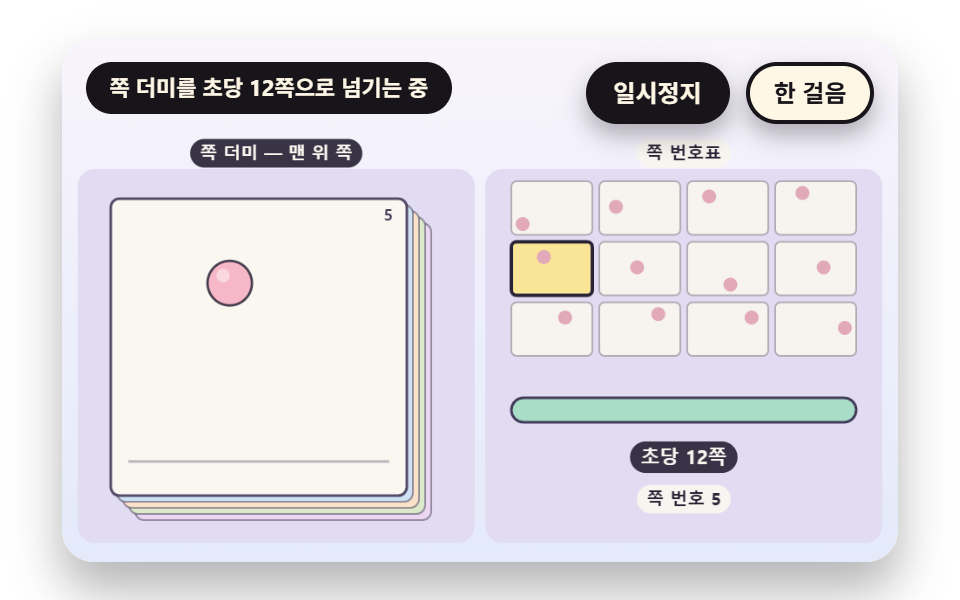 TransitionsFlipbook Animation: 9 Canvas Page Flip Scenes
 Transitions9 CSS Modal Animation Patterns, No Library Needed
 Transitions9 Filter UI Patterns (Panel Slide to Chip Remove)
 TransitionsCart Drawer UI Patterns: 9 Motion Techniques
 TransitionsContext Menu UI: 9 Right-Click Menu Patterns
 TransitionsCSS Bottom Navigation Bar: 9 Transition Patterns
 TransitionsCarousel Slider UI Design — 9 Transitions
 Transitions9 CSS Glitch Effect Transitions (No Codepen)