9 Scrollytelling CSS Section Patterns, Copy-Paste
Scrollytelling CSS makes scroll position the clock that drives a scene: one section, several states, advanced by how far the reader has traveled.
 01 scrolly-sticky-figure-steps
 02 scrolly-caption-over-pinned-bg
 03 scrolly-sprite-scrub-steps
 04 scrolly-before-after-wipe
 05 scrolly-data-bars-grow
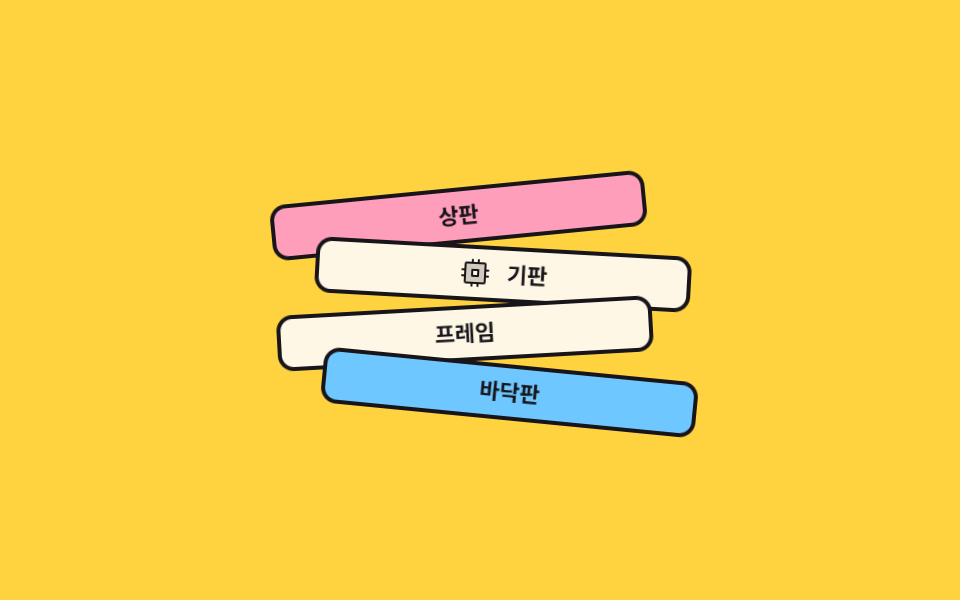 06 scrolly-exploded-parts
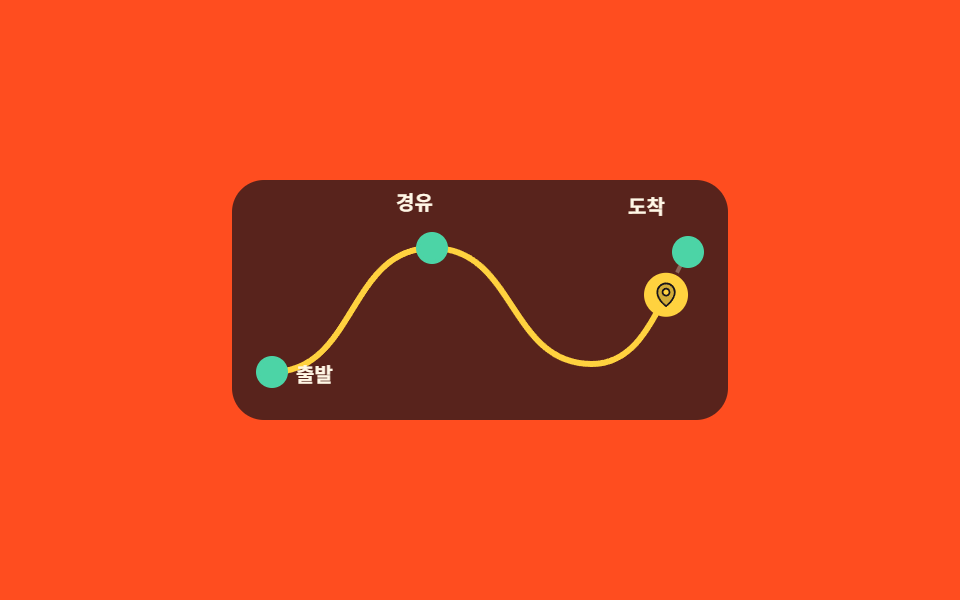 07 scrolly-route-map-progress
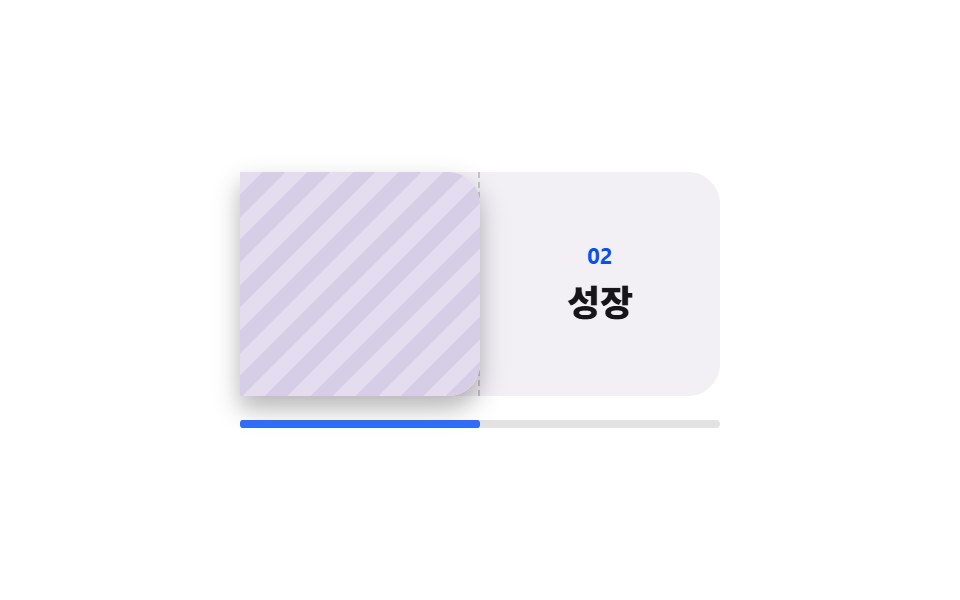 08 scrolly-page-turn-chapters
 09 scrolly-endcap-cta-rise
Auto-plays · click a tile to jump to its section · all nine in one zip
- 01 Pinned figure, stepped text
- 02 Captions over a pinned backdrop
- 03 Frame sequence scrub
- 04 Before-and-after wipe
- 05 Bars that grow on entry
- 06 Exploded parts assembly
- 07 Route map that draws itself
- 08 Chapter page turn
- 09 CTA that rises at the end
These are not sorted by how often they show up. They follow the arc a story takes. First you build the stage: pin a figure and let the prose walk past it (01), or pin the whole backdrop and send only the caption cards through (02). With the stage standing, you can run time inside it — cut one scene into eight frames and wind through them (03), or stack two scenes and push the seam across (04). Then come the numbers and the object: bars that rise into their values (05) and parts that fly apart to show what is inside (06). The last three walk the reader out — a map of where the story has been (07), a page that turns into the next chapter (08), and an ask that only appears once there is nothing left to read (09). All nine ship with an autoplay preview, and the first touch hands the wheel back to real scrolling. Scroll storytelling earns its keep only when each pinned stage opens the next sentence instead of decorating it. The whole-site sweep of the same axis is collected in Website Scroll Effects, and the gauge for which scene you're in sits separately in Reading Progress Bar CSS.
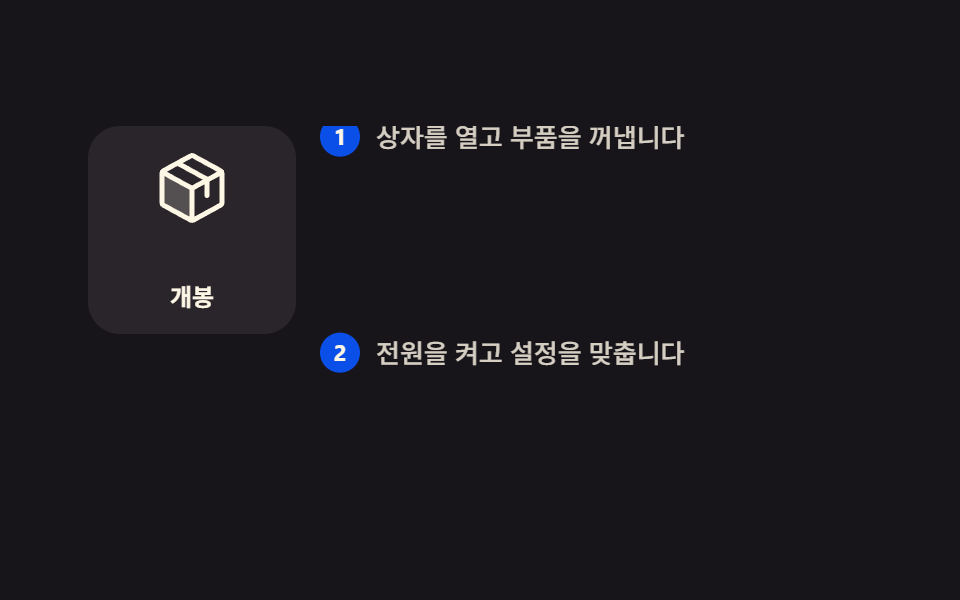
01Pinned figure, stepped text
What you see
The pane splits in two, the figure on the left stays put, and the paragraphs on the right climb past it. Each new paragraph cuts the figure to its next state in a single frame, so nothing ever crossfades into a half-readable blend.
<main class="stage">
  <div class="sf is-demo">
    <div class="sf__scroller">
      <div class="sf__grid">
        <div class="sf__figure">
          <div class="sf__panel sf__panel--1">
            <svg viewBox="0 0 256 256" width="40" height="40" aria-hidden="true"><g fill="currentColor"><path d="M128 129.09V232a8 8 0 0 1-3.84-1l-88-48.18a8 8 0 0 1-4.16-7V80.18a8 8 0 0 1 .7-3.25Z" opacity=".2"/><path d="m223.68 66.15l-88-48.15a15.88 15.88 0 0 0-15.36 0l-88 48.17a16 16 0 0 0-8.32 14v95.64a16 16 0 0 0 8.32 14l88 48.17a15.88 15.88 0 0 0 15.36 0l88-48.17a16 16 0 0 0 8.32-14V80.18a16 16 0 0 0-8.32-14.03M128 32l80.34 44l-29.77 16.3l-80.35-44Zm0 88L47.66 76l33.9-18.56l80.34 44ZM40 90l80 43.78v85.79l-80-43.75Zm176 85.78l-80 43.79v-85.75l32-17.51V152a8 8 0 0 0 16 0v-44.45L216 90v85.77Z"/></g></svg>
            <span class="sf__cap">Unbox</span>
          </div>
          <div class="sf__panel sf__panel--2">
            <svg viewBox="0 0 256 256" width="40" height="40" aria-hidden="true"><g fill="currentColor"><path d="m207.86 123.18l16.78-21a99 99 0 0 0-10.07-24.29l-26.7-3a81 81 0 0 0-6.81-6.81l-3-26.71a99.4 99.4 0 0 0-24.3-10l-21 16.77a82 82 0 0 0-9.64 0l-21-16.78a99 99 0 0 0-24.21 10.07l-3 26.7a81 81 0 0 0-6.81 6.81l-26.71 3a99.4 99.4 0 0 0-10 24.3l16.77 21a82 82 0 0 0 0 9.64l-16.78 21a99 99 0 0 0 10.07 24.29l26.7 3a81 81 0 0 0 6.81 6.81l3 26.71a99.4 99.4 0 0 0 24.3 10l21-16.77a82 82 0 0 0 9.64 0l21 16.78a99 99 0 0 0 24.29-10.07l3-26.7a81 81 0 0 0 6.81-6.81l26.71-3a99.4 99.4 0 0 0 10-24.3l-16.77-21a82 82 0 0 0-.08-9.64M128 168a40 40 0 1 1 40-40a40 40 0 0 1-40 40" opacity=".2"/><path d="M128 80a48 48 0 1 0 48 48a48.05 48.05 0 0 0-48-48m0 80a32 32 0 1 1 32-32a32 32 0 0 1-32 32m88-29.84q.06-2.16 0-4.32l14.92-18.64a8 8 0 0 0 1.48-7.06a107.6 107.6 0 0 0-10.88-26.25a8 8 0 0 0-6-3.93l-23.72-2.64q-1.48-1.56-3-3L186 40.54a8 8 0 0 0-3.94-6a107.3 107.3 0 0 0-26.25-10.86a8 8 0 0 0-7.06 1.48L130.16 40h-4.32L107.2 25.11a8 8 0 0 0-7.06-1.48a107.6 107.6 0 0 0-26.25 10.88a8 8 0 0 0-3.93 6l-2.64 23.76q-1.56 1.49-3 3L40.54 70a8 8 0 0 0-6 3.94a107.7 107.7 0 0 0-10.87 26.25a8 8 0 0 0 1.49 7.06L40 125.84v4.32L25.11 148.8a8 8 0 0 0-1.48 7.06a107.6 107.6 0 0 0 10.88 26.25a8 8 0 0 0 6 3.93l23.72 2.64q1.49 1.56 3 3L70 215.46a8 8 0 0 0 3.94 6a107.7 107.7 0 0 0 26.25 10.87a8 8 0 0 0 7.06-1.49L125.84 216q2.16.06 4.32 0l18.64 14.92a8 8 0 0 0 7.06 1.48a107.2 107.2 0 0 0 26.25-10.88a8 8 0 0 0 3.93-6l2.64-23.72q1.56-1.48 3-3l23.78-2.8a8 8 0 0 0 6-3.94a107.7 107.7 0 0 0 10.87-26.25a8 8 0 0 0-1.49-7.06Zm-16.1-6.5a74 74 0 0 1 0 8.68a8 8 0 0 0 1.74 5.48l14.19 17.73a91.6 91.6 0 0 1-6.23 15l-22.6 2.56a8 8 0 0 0-5.1 2.64a74 74 0 0 1-6.14 6.14a8 8 0 0 0-2.64 5.1l-2.51 22.58a91.3 91.3 0 0 1-15 6.23l-17.74-14.19a8 8 0 0 0-5-1.75h-.48a74 74 0 0 1-8.68 0a8.06 8.06 0 0 0-5.48 1.74l-17.78 14.2a91.6 91.6 0 0 1-15-6.23L82.89 187a8 8 0 0 0-2.64-5.1a74 74 0 0 1-6.14-6.14a8 8 0 0 0-5.1-2.64l-22.58-2.52a91.3 91.3 0 0 1-6.23-15l14.19-17.74a8 8 0 0 0 1.74-5.48a74 74 0 0 1 0-8.68a8 8 0 0 0-1.74-5.48L40.2 100.45a91.6 91.6 0 0 1 6.23-15L69 82.89a8 8 0 0 0 5.1-2.64a74 74 0 0 1 6.14-6.14A8 8 0 0 0 82.89 69l2.51-22.57a91.3 91.3 0 0 1 15-6.23l17.74 14.19a8 8 0 0 0 5.48 1.74a74 74 0 0 1 8.68 0a8.06 8.06 0 0 0 5.48-1.74l17.77-14.19a91.6 91.6 0 0 1 15 6.23L173.11 69a8 8 0 0 0 2.64 5.1a74 74 0 0 1 6.14 6.14a8 8 0 0 0 5.1 2.64l22.58 2.51a91.3 91.3 0 0 1 6.23 15l-14.19 17.74a8 8 0 0 0-1.74 5.53Z"/></g></svg>
            <span class="sf__cap">Set up</span>
          </div>
          <div class="sf__panel sf__panel--3">
            <svg viewBox="0 0 256 256" width="40" height="40" aria-hidden="true"><g fill="currentColor"><path d="M184 120v61.65a8 8 0 0 1-2.34 5.65l-34.35 34.35a8 8 0 0 1-13.57-4.53L128 176Zm-48-48H74.35a8 8 0 0 0-5.65 2.34l-34.35 34.35a8 8 0 0 0 4.53 13.57L80 128ZM40 216c37.65 0 50.69-19.69 54.56-28.18l-26.38-26.38C59.69 165.31 40 178.35 40 216" opacity=".2"/><path d="M223.85 47.12a16 16 0 0 0-15-15c-12.58-.75-44.73.4-71.41 27.07L132.69 64H74.36A15.9 15.9 0 0 0 63 68.68L28.7 103a16 16 0 0 0 9.07 27.16l38.47 5.37l44.21 44.21l5.37 38.49a15.94 15.94 0 0 0 10.78 12.92a16.1 16.1 0 0 0 5.1.83a15.9 15.9 0 0 0 11.3-4.68l34.32-34.3a15.9 15.9 0 0 0 4.68-11.36v-58.33l4.77-4.77c26.68-26.68 27.83-58.83 27.08-71.42M74.36 80h42.33l-39.53 39.52L40 114.34Zm74.41-9.45a76.65 76.65 0 0 1 59.11-22.47a76.46 76.46 0 0 1-22.42 59.16L128 164.68L91.32 128ZM176 181.64L141.67 216l-5.19-37.17L176 139.31Zm-74.16 9.5C97.34 201 82.29 224 40 224a8 8 0 0 1-8-8c0-42.29 23-57.34 32.86-61.85a8 8 0 0 1 6.64 14.56c-6.43 2.93-20.62 12.36-23.12 38.91c26.55-2.5 36-16.69 38.91-23.12a8 8 0 1 1 14.56 6.64Z"/></g></svg>
            <span class="sf__cap">Launch</span>
          </div>
        </div>
        <div class="sf__steps">
          <p class="sf__step"><b class="sf__n">1</b>Open the box and take the parts out.</p>
          <p class="sf__step"><b class="sf__n">2</b>Power it on and dial in the settings.</p>
          <p class="sf__step"><b class="sf__n">3</b>Once it is ready, launch.</p>
        </div>
      </div>
    </div>
  </div>
</main>@use "../../../../site/static/demo-tokens" as *;
// ── 변수 3개 ──────────────────────────────────────────
$duration: 1s; // 미리보기 루프 한 쪽 방향. alternate 라 한 바퀴는 2s
$easing: linear; // 스크롤 스크럽은 등속이라야 스크롤 양과 화면이 1:1 로 맞는다
$color: $subject-blue-deep;
@include stage($stage-ink);
.sf { width: min(392px, 92vw); }
.sf__scroller {
height: clamp(148px, 58vh, 176px);
overflow-y: auto;
scrollbar-width: none;
&::-webkit-scrollbar { display: none; }
}
.sf__grid {
display: grid;
grid-template-columns: 104px 1fr;
gap: $sp-3;
}
// ── 실제 동작 ① 왼쪽 그림만 제자리에 붙는다 ──────────────
.sf__figure {
position: sticky;
top: 0;
align-self: start;
display: grid;
height: 104px;
border-radius: $r-card;
background: rgba(255, 247, 230, .08);
}
// ── 실제 동작 ② 스크롤 진행이 그림 번호를 고른다.
// steps(1, end) 라 두 장이 반투명하게 겹치는 중간 프레임이 없다 ──
.sf__panel {
grid-area: 1 / 1;
display: grid;
place-items: center;
gap: $sp-1;
color: $subject-cream;
animation-name: sf-p1;
animation-duration: 1s;
animation-timing-function: steps(1, end);
animation-fill-mode: both;
animation-timeline: scroll(nearest block);
}
.sf__panel--2 { animation-name: sf-p2; }
.sf__panel--3 { animation-name: sf-p3; color: $stage-yellow; }
// 문단이 화면 한가운데를 지나는 지점 = 28% · 76% (문단 96px · 화면 176px 실측)
@keyframes sf-p1 { 0% { opacity: 1 } 28% { opacity: 0 } 100% { opacity: 0 } }
@keyframes sf-p2 { 0% { opacity: 0 } 28% { opacity: 1 } 76% { opacity: 0 } 100% { opacity: 0 } }
@keyframes sf-p3 { 0% { opacity: 0 } 76% { opacity: 1 } 100% { opacity: 1 } }
.sf__cap {
color: inherit;
font-size: 12px;
line-height: 16px;
font-weight: 700;
}
// 마지막 문단도 화면 한가운데까지 올라오려면 뒤에 반 화면만큼 여백이 있어야 한다
.sf__steps {
display: grid;
padding-bottom: 88px;
}
.sf__step {
display: flex;
align-items: flex-start;
gap: $sp-2;
min-height: 96px;
margin: 0;
padding: $sp-3 0 0;
color: rgba(255, 247, 230, .82);
font-size: 13px;
line-height: 20px;
font-weight: 500;
}
.sf__n {
display: grid;
place-items: center;
flex: 0 0 auto;
width: 20px;
height: 20px;
border-radius: 50%;
background: $color;
color: $subject-cream;
font-size: 11px;
line-height: 12px;
font-weight: 700;
}
// ── 격자 미리보기 루프 ────────────────────────────────
// 스크롤 상자(.sf__scroller) 자체가 아니라 **안쪽 트랙(.sf__steps)** 만 민다.
// 상자에 transform 을 걸면 100% 가 상자 자기 폭이라 내용이 통째로 날아간다(051 실측).
.sf.is-demo .sf__steps {
animation-name: sf-scrub;
animation-duration: $duration;
animation-timing-function: $easing;
animation-direction: alternate;
animation-iteration-count: infinite;
animation-fill-mode: both;
}
.sf.is-demo .sf__panel {
animation-duration: $duration;
animation-direction: alternate;
animation-iteration-count: infinite;
animation-timeline: auto;
}
@keyframes sf-scrub {
from { transform: translateY(0); }
to { transform: translateY(-200px); }
}
@media (prefers-reduced-motion: reduce) {
.sf__panel { animation: none !important; opacity: 0; }
.sf__panel--1 { opacity: 1; }
.sf.is-demo .sf__steps { animation: none !important; transform: none; }
}html, body {
margin: 0;
overflow: hidden;
}
.stage {
box-sizing: border-box;
min-height: 100vh;
display: grid;
place-items: center;
margin: 0;
background: #17141a;
font-family: -apple-system, "Segoe UI", "Noto Sans KR", sans-serif;
padding: clamp(8px, 4vw, 24px);
}
.sf {
width: min(392px, 92vw);
}
.sf__scroller {
height: clamp(148px, 58vh, 176px);
overflow-y: auto;
scrollbar-width: none;
}
.sf__scroller::-webkit-scrollbar {
display: none;
}
.sf__grid {
display: grid;
grid-template-columns: 104px 1fr;
gap: 12px;
}
.sf__figure {
position: sticky;
top: 0;
align-self: start;
display: grid;
height: 104px;
border-radius: 16px;
background: rgba(255, 247, 230, 0.08);
}
.sf__panel {
grid-area: 1/1;
display: grid;
place-items: center;
gap: 4px;
color: #fff7e6;
animation-name: sf-p1;
animation-duration: 1s;
animation-timing-function: steps(1, end);
animation-fill-mode: both;
animation-timeline: scroll(nearest block);
}
.sf__panel--2 {
animation-name: sf-p2;
}
.sf__panel--3 {
animation-name: sf-p3;
color: #ffd23f;
}
@keyframes sf-p1 {
0% {
opacity: 1;
}
28% {
opacity: 0;
}
100% {
opacity: 0;
}
}
@keyframes sf-p2 {
0% {
opacity: 0;
}
28% {
opacity: 1;
}
76% {
opacity: 0;
}
100% {
opacity: 0;
}
}
@keyframes sf-p3 {
0% {
opacity: 0;
}
76% {
opacity: 1;
}
100% {
opacity: 1;
}
}
.sf__cap {
color: inherit;
font-size: 12px;
line-height: 16px;
font-weight: 700;
}
.sf__steps {
display: grid;
padding-bottom: 88px;
}
.sf__step {
display: flex;
align-items: flex-start;
gap: 8px;
min-height: 96px;
margin: 0;
padding: 12px 0 0;
color: rgba(255, 247, 230, 0.82);
font-size: 13px;
line-height: 20px;
font-weight: 500;
}
.sf__n {
display: grid;
place-items: center;
flex: 0 0 auto;
width: 20px;
height: 20px;
border-radius: 50%;
background: #0a4fe8;
color: #fff7e6;
font-size: 11px;
line-height: 12px;
font-weight: 700;
}
.sf.is-demo .sf__steps {
animation-name: sf-scrub;
animation-duration: 1s;
animation-timing-function: linear;
animation-direction: alternate;
animation-iteration-count: infinite;
animation-fill-mode: both;
}
.sf.is-demo .sf__panel {
animation-duration: 1s;
animation-direction: alternate;
animation-iteration-count: infinite;
animation-timeline: auto;
}
@keyframes sf-scrub {
from {
transform: translateY(0);
}
to {
transform: translateY(-200px);
}
}
@media (prefers-reduced-motion: reduce) {
.sf__panel {
animation: none !important;
opacity: 0;
}
.sf__panel--1 {
opacity: 1;
}
.sf.is-demo .sf__steps {
animation: none !important;
transform: none;
}
}// 실제 동작은 CSS 만으로 끝난다: 왼쪽은 position: sticky, 그림 교체는 animation-timeline: scroll().
// is-demo 는 격자 미리보기용 루프일 뿐이라 손을 대는 순간 뗀다.
var r = document.querySelector('.sf');
var s = r.querySelector('.sf__scroller');
function stopDemo(){ r.classList.remove('is-demo'); }
r.addEventListener('pointerdown', stopDemo);
s.addEventListener('scroll', stopDemo, { passive: true });import type { CSSProperties, ReactNode } from "react";
import styles from "./StickyFigureSteps.module.scss";
export type StickyFigureStepsProps = {
steps?: string[];
captions?: string[];
/** 격자 미리보기 루프. 실제 페이지에서는 false 로 두고 스크롤이 끌게 한다 */
preview?: boolean;
duration?: number;
easing?: string;
color?: string;
};
type Vars = CSSProperties & { "--duration"?: string; "--easing"?: string; "--color"?: string };
const IconPackage = (): ReactNode => (
<svg viewBox="0 0 256 256" width="40" height="40" aria-hidden="true"><g fill="currentColor"><path d="M128 129.09V232a8 8 0 0 1-3.84-1l-88-48.18a8 8 0 0 1-4.16-7V80.18a8 8 0 0 1 .7-3.25Z" opacity=".2"/><path d="m223.68 66.15l-88-48.15a15.88 15.88 0 0 0-15.36 0l-88 48.17a16 16 0 0 0-8.32 14v95.64a16 16 0 0 0 8.32 14l88 48.17a15.88 15.88 0 0 0 15.36 0l88-48.17a16 16 0 0 0 8.32-14V80.18a16 16 0 0 0-8.32-14.03M128 32l80.34 44l-29.77 16.3l-80.35-44Zm0 88L47.66 76l33.9-18.56l80.34 44ZM40 90l80 43.78v85.79l-80-43.75Zm176 85.78l-80 43.79v-85.75l32-17.51V152a8 8 0 0 0 16 0v-44.45L216 90v85.77Z"/></g></svg>
);
const IconGear = (): ReactNode => (
<svg viewBox="0 0 256 256" width="40" height="40" aria-hidden="true"><g fill="currentColor"><path d="M128 168a40 40 0 1 1 40-40a40 40 0 0 1-40 40" opacity=".2"/><path d="M128 80a48 48 0 1 0 48 48a48.05 48.05 0 0 0-48-48m0 80a32 32 0 1 1 32-32a32 32 0 0 1-32 32m88-29.84q.06-2.16 0-4.32l14.92-18.64a8 8 0 0 0 1.48-7.06a107.6 107.6 0 0 0-10.88-26.25a8 8 0 0 0-6-3.93l-23.72-2.64q-1.48-1.56-3-3L186 40.54a8 8 0 0 0-3.94-6a107.3 107.3 0 0 0-26.25-10.86a8 8 0 0 0-7.06 1.48L130.16 40h-4.32L107.2 25.11a8 8 0 0 0-7.06-1.48a107.6 107.6 0 0 0-26.25 10.88a8 8 0 0 0-3.93 6l-2.64 23.76q-1.56 1.49-3 3L40.54 70a8 8 0 0 0-6 3.94a107.7 107.7 0 0 0-10.87 26.25a8 8 0 0 0 1.49 7.06L40 125.84v4.32L25.11 148.8a8 8 0 0 0-1.48 7.06a107.6 107.6 0 0 0 10.88 26.25a8 8 0 0 0 6 3.93l23.72 2.64q1.49 1.56 3 3L70 215.46a8 8 0 0 0 3.94 6a107.7 107.7 0 0 0 26.25 10.87a8 8 0 0 0 7.06-1.49L125.84 216q2.16.06 4.32 0l18.64 14.92a8 8 0 0 0 7.06 1.48a107.2 107.2 0 0 0 26.25-10.88a8 8 0 0 0 3.93-6l2.64-23.72q1.56-1.48 3-3l23.78-2.8a8 8 0 0 0 6-3.94a107.7 107.7 0 0 0 10.87-26.25a8 8 0 0 0-1.49-7.06Z"/></g></svg>
);
const IconRocket = (): ReactNode => (
<svg viewBox="0 0 256 256" width="40" height="40" aria-hidden="true"><g fill="currentColor"><path d="M184 120v61.65a8 8 0 0 1-2.34 5.65l-34.35 34.35a8 8 0 0 1-13.57-4.53L128 176Zm-48-48H74.35a8 8 0 0 0-5.65 2.34l-34.35 34.35a8 8 0 0 0 4.53 13.57L80 128ZM40 216c37.65 0 50.69-19.69 54.56-28.18l-26.38-26.38C59.69 165.31 40 178.35 40 216" opacity=".2"/><path d="M223.85 47.12a16 16 0 0 0-15-15c-12.58-.75-44.73.4-71.41 27.07L132.69 64H74.36A15.9 15.9 0 0 0 63 68.68L28.7 103a16 16 0 0 0 9.07 27.16l38.47 5.37l44.21 44.21l5.37 38.49a15.94 15.94 0 0 0 10.78 12.92a16.1 16.1 0 0 0 5.1.83a15.9 15.9 0 0 0 11.3-4.68l34.32-34.3a15.9 15.9 0 0 0 4.68-11.36v-58.33l4.77-4.77c26.68-26.68 27.83-58.83 27.08-71.42M74.36 80h42.33l-39.53 39.52L40 114.34Zm74.41-9.45a76.65 76.65 0 0 1 59.11-22.47a76.46 76.46 0 0 1-22.42 59.16L128 164.68L91.32 128ZM176 181.64L141.67 216l-5.19-37.17L176 139.31Z"/></g></svg>
);
const ICONS = [IconPackage, IconGear, IconRocket];
export default function StickyFigureSteps({
steps = ["Open the box and take the parts out.", "Power it on and dial in the settings.", "Once it is ready, launch."],
captions = ["Unbox", "Set up", "Launch"],
preview = true,
duration = 1000,
easing = "linear",
color = "#0a4fe8",
}: StickyFigureStepsProps): ReactNode {
const vars: Vars = { "--duration": `${duration}ms`, "--easing": easing, "--color": color };
const cls = preview ? `${styles.sf} ${styles.isDemo}` : styles.sf;
return (
<div className={cls} style={vars}>
<div className={styles.scroller}>
<div className={styles.grid}>
<div className={styles.figure}>
{captions.map((c: string, i: number): ReactNode => {
const Icon = ICONS[i % ICONS.length];
return (
<div className={`${styles.panel} ${styles[`panel${i + 1}`]}`} key={c}>
<Icon />
<span className={styles.cap}>{c}</span>
</div>
);
})}
</div>
<div className={styles.steps}>
{steps.map((s: string, i: number): ReactNode => (
<p className={styles.step} key={s}><b className={styles.n}>{i + 1}</b>{s}</p>
))}
</div>
</div>
</div>
</div>
);
}01 · Pinned figure, stepped text — Measured area 16.031% · moving frames 23/23Original by GODRICH · SCSS and React ship in the zip · See the password
Where to look in the code
The cut points are where a paragraph crosses the middle of the pane, which for a 96px paragraph in a 176px pane lands on 28% and 76%.
.sf__figure {
  position: sticky;
  top: 0;
  align-self: start;
  display: grid;
  height: 104px;
}
.sf__panel {
  grid-area: 1 / 1;
  animation-name: sf-p1;
  animation-duration: 1s;
  animation-timing-function: steps(1, end);
  animation-fill-mode: both;
  animation-timeline: scroll(nearest block);
}
.sf__panel--2 { animation-name: sf-p2; }
@keyframes sf-p1 { 0% { opacity: 1 } 28% { opacity: 0 } 100% { opacity: 0 } }
@keyframes sf-p2 { 0% { opacity: 0 } 28% { opacity: 1 } 76% { opacity: 0 } 100% { opacity: 0 } }
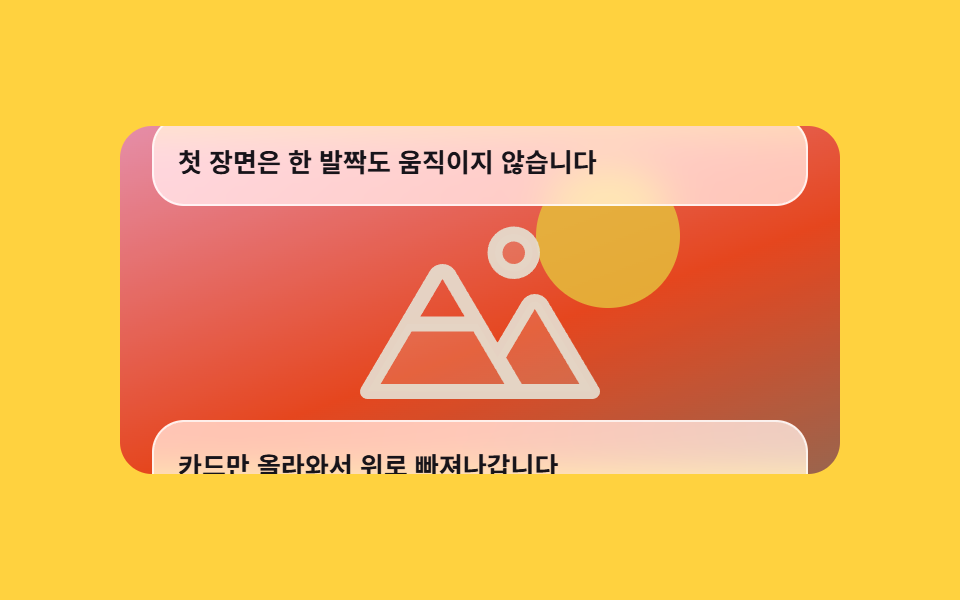
02Captions over a pinned backdrop
How a scrollytelling template behaves on screen
The backdrop holds absolutely still while translucent cards rise from below and leave through the top. A single dimming sheet is wired straight to scroll progress, so the art gets darker in proportion to how much of it is covered.
<main class="stage">
  <div class="cb is-demo">
    <div class="cb__scroller">
      <div class="cb__bg">
        <div class="cb__scene" aria-hidden="true">
          <span class="cb__sun"></span>
          <svg class="cb__peaks" viewBox="0 0 256 256" width="120" height="120" aria-hidden="true"><g fill="currentColor"><path d="M144 52a20 20 0 1 1 20 20a20 20 0 0 1-20-20m49.44 55.92a8 8 0 0 0-13.77 0l-33 55.75l-21-35.67H50.35L8 200h240Z" opacity=".2"/><path d="M164 80a28 28 0 1 0-28-28a28 28 0 0 0 28 28m0-40a12 12 0 1 1-12 12a12 12 0 0 1 12-12m90.88 155.92l-54.56-92.08A15.87 15.87 0 0 0 186.55 96a15.85 15.85 0 0 0-13.76 7.84L146.63 148l-44.84-76.1a16 16 0 0 0-27.58 0L1.11 195.94A8 8 0 0 0 8 208h240a8 8 0 0 0 6.88-12.08M88 80l23.57 40H64.43ZM22 192l33-56h66l33 56Zm150.57 0l-16.66-28.28L186.55 112L234 192Z"/></g></svg>
        </div>
        <div class="cb__dim" aria-hidden="true"></div>
      </div>
      <div class="cb__caps">
        <p class="cb__cap">The first scene never moves an inch.</p>
        <p class="cb__cap">Only the cards rise and leave through the top.</p>
        <p class="cb__cap">The more it is covered, the darker the backdrop gets.</p>
      </div>
    </div>
  </div>
</main>
@use "../../../../site/static/demo-tokens" as *;
// ── 변수 3개 ──────────────────────────────────────────
$duration: 1s; // alternate 라 한 바퀴는 2s
$easing: linear;
$color: $subject-ink;
@include stage($stage-yellow);
.cb {
--h: clamp(148px, 58vh, 176px);
width: min(360px, 92vw);
}
// ⚠ 타임라인에 이름을 붙여 둔다. scroll(nearest) 는 `overflow: hidden` 인 상자도
// 스크롤 컨테이너로 쳐서, 배경 상자 안의 요소가 **절대 안 움직이는** 타임라인에 묶인다 (실측)
.cb__scroller {
height: var(--h);
overflow-y: auto;
scroll-timeline-name: --cb-scroll;
scroll-timeline-axis: block;
border-radius: $r-card;
scrollbar-width: none;
&::-webkit-scrollbar { display: none; }
}
// ── 실제 동작 ① 배경 장면은 스크롤 상자 안에 붙어 제자리에 남는다 ──
.cb__bg {
position: sticky;
top: 0;
height: var(--h);
overflow: hidden;
}
.cb__scene {
display: grid;
place-items: center;
height: 100%;
background: linear-gradient(160deg, $subject-pink 0%, $stage-orange 58%, #aa6f54 100%);
color: rgba(255, 247, 230, .92);
}
.cb__sun {
grid-area: 1 / 1;
width: 72px;
height: 72px;
border-radius: 50%;
background: rgba($stage-yellow, .85);
transform: translate(64px, -32px);
}
.cb__peaks { grid-area: 1 / 1; transform: translateY(12px); }
// ── 실제 동작 ② 가려진 만큼 어두워진다 — 스크롤 진행이 곧 불투명도 ──
.cb__dim {
position: absolute;
inset: 0;
background: $color;
opacity: 0;
animation-name: cb-dim;
animation-duration: 1s;
animation-timing-function: linear;
animation-fill-mode: both;
animation-timeline: --cb-scroll;
}
@keyframes cb-dim {
from { opacity: 0; }
to { opacity: .46; }
}
// 캡션 줄은 배경 위로 올라탄다 — 음수 margin 이 배경 한 판을 통째로 덮는다
.cb__caps {
position: relative;
display: grid;
gap: calc(var(--h) * .62);
margin-top: calc(var(--h) * -1);
padding: calc(var(--h) * .44) $sp-4 calc(var(--h) * .5);
}
.cb__cap {
margin: 0;
padding: $sp-3;
border: 1px solid rgba(255, 255, 255, .72);
border-radius: $r-card;
// ⚠ 반투명 흰 판을 어두워지는 배경 위에 올리면 합성색이 같이 어두워져 먹색 글자 대비가 떨어진다.
// .34 로 뒀더니 마지막 카드가 읽히지 않아 .70 까지 올렸다 (실측)
background: rgba(255, 255, 255, .7);
backdrop-filter: blur(10px) saturate(150%);
-webkit-backdrop-filter: blur(10px) saturate(150%);
color: $color;
font-size: 13px;
line-height: 19px;
font-weight: 700;
}
// ── 격자 미리보기 루프 ────────────────────────────────
// 트랙(.cb__caps)만 민다. 스크롤 상자 자체에 transform 을 걸면 내용이 날아간다(051 실측)
.cb.is-demo .cb__caps {
animation-name: cb-scrub;
animation-duration: $duration;
animation-timing-function: $easing;
animation-direction: alternate;
animation-iteration-count: infinite;
animation-fill-mode: both;
}
.cb.is-demo .cb__dim {
animation-duration: $duration;
animation-direction: alternate;
animation-iteration-count: infinite;
animation-timeline: auto;
}
@keyframes cb-scrub {
from { transform: translateY(0); }
to { transform: translateY(-328px); }
}
@media (prefers-reduced-motion: reduce) {
.cb__dim { animation: none !important; opacity: .3; }
.cb.is-demo .cb__caps { animation: none !important; transform: none; }
}html, body {
margin: 0;
overflow: hidden;
}
.stage {
box-sizing: border-box;
min-height: 100vh;
display: grid;
place-items: center;
margin: 0;
background: #ffd23f;
font-family: -apple-system, "Segoe UI", "Noto Sans KR", sans-serif;
padding: clamp(8px, 4vw, 24px);
}
.cb {
--h: clamp(148px, 58vh, 176px);
width: min(360px, 92vw);
}
.cb__scroller {
height: var(--h);
overflow-y: auto;
scroll-timeline-name: --cb-scroll;
scroll-timeline-axis: block;
border-radius: 16px;
scrollbar-width: none;
}
.cb__scroller::-webkit-scrollbar {
display: none;
}
.cb__bg {
position: sticky;
top: 0;
height: var(--h);
overflow: hidden;
}
.cb__scene {
display: grid;
place-items: center;
height: 100%;
background: linear-gradient(160deg, #ff9ebb 0%, #ff4d1f 58%, #aa6f54 100%);
color: rgba(255, 247, 230, 0.92);
}
.cb__sun {
grid-area: 1/1;
width: 72px;
height: 72px;
border-radius: 50%;
background: rgba(255, 210, 63, 0.85);
transform: translate(64px, -32px);
}
.cb__peaks {
grid-area: 1/1;
transform: translateY(12px);
}
.cb__dim {
position: absolute;
inset: 0;
background: #17141a;
opacity: 0;
animation-name: cb-dim;
animation-duration: 1s;
animation-timing-function: linear;
animation-fill-mode: both;
animation-timeline: --cb-scroll;
}
@keyframes cb-dim {
from {
opacity: 0;
}
to {
opacity: 0.46;
}
}
.cb__caps {
position: relative;
display: grid;
gap: calc(var(--h) * 0.62);
margin-top: calc(var(--h) * -1);
padding: calc(var(--h) * 0.44) 16px calc(var(--h) * 0.5);
}
.cb__cap {
margin: 0;
padding: 12px;
border: 1px solid rgba(255, 255, 255, 0.72);
border-radius: 16px;
background: rgba(255, 255, 255, 0.7);
backdrop-filter: blur(10px) saturate(150%);
-webkit-backdrop-filter: blur(10px) saturate(150%);
color: #17141a;
font-size: 13px;
line-height: 19px;
font-weight: 700;
}
.cb.is-demo .cb__caps {
animation-name: cb-scrub;
animation-duration: 1s;
animation-timing-function: linear;
animation-direction: alternate;
animation-iteration-count: infinite;
animation-fill-mode: both;
}
.cb.is-demo .cb__dim {
animation-duration: 1s;
animation-direction: alternate;
animation-iteration-count: infinite;
animation-timeline: auto;
}
@keyframes cb-scrub {
from {
transform: translateY(0);
}
to {
transform: translateY(-328px);
}
}
@media (prefers-reduced-motion: reduce) {
.cb__dim {
animation: none !important;
opacity: 0.3;
}
.cb.is-demo .cb__caps {
animation: none !important;
transform: none;
}
}// 실제 동작은 CSS 만: 배경은 position: sticky, 어두워지는 정도는 animation-timeline: scroll().
var r = document.querySelector('.cb');
var s = r.querySelector('.cb__scroller');
function stopDemo(){ r.classList.remove('is-demo'); }
r.addEventListener('pointerdown', stopDemo);
s.addEventListener('scroll', stopDemo, { passive: true });import type { CSSProperties, ReactNode } from "react";
import styles from "./CaptionOverPinnedBg.module.scss";
export type CaptionOverPinnedBgProps = {
captions?: string[];
preview?: boolean;
duration?: number;
easing?: string;
color?: string;
};
type Vars = CSSProperties & { "--duration"?: string; "--easing"?: string; "--color"?: string };
const IconPeaks = (): ReactNode => (
<svg className={styles.peaks} viewBox="0 0 256 256" width="120" height="120" aria-hidden="true"><g fill="currentColor"><path d="M144 52a20 20 0 1 1 20 20a20 20 0 0 1-20-20m49.44 55.92a8 8 0 0 0-13.77 0l-33 55.75l-21-35.67H50.35L8 200h240Z" opacity=".2"/><path d="M164 80a28 28 0 1 0-28-28a28 28 0 0 0 28 28m0-40a12 12 0 1 1-12 12a12 12 0 0 1 12-12m90.88 155.92l-54.56-92.08A15.87 15.87 0 0 0 186.55 96a15.85 15.85 0 0 0-13.76 7.84L146.63 148l-44.84-76.1a16 16 0 0 0-27.58 0L1.11 195.94A8 8 0 0 0 8 208h240a8 8 0 0 0 6.88-12.08M88 80l23.57 40H64.43ZM22 192l33-56h66l33 56Zm150.57 0l-16.66-28.28L186.55 112L234 192Z"/></g></svg>
);
export default function CaptionOverPinnedBg({
captions = [
"The first scene never moves an inch.",
"Only the cards rise and leave through the top.",
"The more it is covered, the darker the backdrop gets.",
],
preview = true,
duration = 1000,
easing = "linear",
color = "#17141a",
}: CaptionOverPinnedBgProps): ReactNode {
const vars: Vars = { "--duration": `${duration}ms`, "--easing": easing, "--color": color };
const cls = preview ? `${styles.cb} ${styles.isDemo}` : styles.cb;
return (
<div className={cls} style={vars}>
<div className={styles.scroller}>
<div className={styles.bg}>
<div className={styles.scene} aria-hidden="true">
<span className={styles.sun} />
<IconPeaks />
</div>
<div className={styles.dim} aria-hidden="true" />
</div>
<div className={styles.caps}>
{captions.map((c: string): ReactNode => (
<p className={styles.cap} key={c}>{c}</p>
))}
</div>
</div>
</div>
);
}02 · Captions over a pinned backdrop — Measured area 43.372% · moving frames 23/23Original by GODRICH · SCSS and React ship in the zip · See the password
How to read the code
Across the run it repaints 43.372% of the pane, the largest share of the nine, because every card sweeps across the full backdrop.
.cb__scroller {
  height: var(--h);
  overflow-y: auto;
  scroll-timeline-name: --cb-scroll;
  scroll-timeline-axis: block;
}
.cb__bg {
  position: sticky;
  top: 0;
  height: var(--h);
  overflow: hidden;
}
.cb__dim {
  position: absolute;
  inset: 0;
  animation-name: cb-dim;
  animation-fill-mode: both;
  animation-timeline: --cb-scroll;
}
@keyframes cb-dim { from { opacity: 0 } to { opacity: .46 } }
03Frame sequence scrub
What moves
Eight frames sit side by side on one strip, and pushing that strip sideways by exactly as much as you scroll reads like scrubbing a video. steps(8, jump-none) includes both ends of the range, so each of the eight lands once and no in-between offset is ever shown.
<main class="stage">
  <div class="sp is-demo">
    <div class="sp__scroller">
      <div class="sp__pad">
        <div class="sp__pin">
          <div class="sp__window">
            <div class="sp__strip" aria-hidden="true">
              <div class="sp__frame"><span class="sp__item"></span><span class="sp__lid"></span><span class="sp__box"></span></div>
              <div class="sp__frame"><span class="sp__item"></span><span class="sp__lid"></span><span class="sp__box"></span></div>
              <div class="sp__frame"><span class="sp__item"></span><span class="sp__lid"></span><span class="sp__box"></span></div>
              <div class="sp__frame"><span class="sp__item"></span><span class="sp__lid"></span><span class="sp__box"></span></div>
              <div class="sp__frame"><span class="sp__item"></span><span class="sp__lid"></span><span class="sp__box"></span></div>
              <div class="sp__frame"><span class="sp__item"></span><span class="sp__lid"></span><span class="sp__box"></span></div>
              <div class="sp__frame"><span class="sp__item"></span><span class="sp__lid"></span><span class="sp__box"></span></div>
              <div class="sp__frame"><span class="sp__item"></span><span class="sp__lid"></span><span class="sp__box"></span></div>
            </div>
          </div>
          <p class="sp__hint">Each bit of scroll advances one frame.</p>
        </div>
      </div>
    </div>
  </div>
</main>
@use "../../../../site/static/demo-tokens" as *;
// ── 변수 3개 ──────────────────────────────────────────
$duration: 1s; // alternate 라 한 바퀴(앞으로 갔다 뒤로)는 2s
$easing: linear; // 스크럽은 등속이라야 스크롤 양과 컷 번호가 1:1
$color: $subject-cream;
@include stage($stage-orange);
.sp {
--h: clamp(148px, 58vh, 176px);
--frame: 168px;
width: min(360px, 92vw);
}
// ⚠ 타임라인에 이름을 붙인다. scroll(nearest) 는 창의 overflow: hidden 까지 스크롤 컨테이너로 쳐서
// 띠가 **절대 안 움직이는** 타임라인에 묶인다 (실측)
.sp__scroller {
height: var(--h);
overflow-y: auto;
scroll-timeline-name: --sp-scroll;
scroll-timeline-axis: block;
scrollbar-width: none;
&::-webkit-scrollbar { display: none; }
}
// ⚠ 여기는 padding-bottom 이 아니라 height 다. sticky 가 붙어 있을 수 있는 범위는 부모의
// **콘텐츠 박스**라, padding 으로만 늘린 자리는 안 쳐준다 — 창이 곧바로 위로 흘러나간다 (실측)
.sp__pad { height: calc(var(--h) * 2.2); }
.sp__pin {
position: sticky;
top: 0;
display: grid;
justify-items: center;
gap: $sp-2;
}
// 창은 한 컷만 보여준다. 실제로 움직이는 건 안쪽 띠뿐이다
.sp__window {
width: var(--frame);
height: 104px;
overflow: hidden;
border-radius: $r-card;
background: rgba(23, 20, 26, .78);
}
// ── 실제 동작: 스크롤 진행이 컷 번호가 된다.
// steps(8, jump-none) 은 0 과 1 을 모두 포함해 여덟 컷이 정확히 한 번씩 선다 ──
.sp__strip {
display: flex;
width: max-content;
animation-name: sp-scrub;
animation-duration: 1s;
animation-timing-function: steps(8, jump-none);
animation-fill-mode: both;
animation-timeline: --sp-scroll;
}
@keyframes sp-scrub {
from { transform: translateX(0); }
to { transform: translateX(-87.5%); }
}
// 컷마다 overflow: hidden — 열린 뚜껑이 옆 컷 자리로 넘어가면 창 하나에 두 컷이 겹쳐 보인다
.sp__frame {
position: relative;
flex: 0 0 var(--frame);
width: var(--frame);
height: 104px;
overflow: hidden;
}
.sp__frame:nth-child(1) { --i: 0; }
.sp__frame:nth-child(2) { --i: 1; }
.sp__frame:nth-child(3) { --i: 2; }
.sp__frame:nth-child(4) { --i: 3; }
.sp__frame:nth-child(5) { --i: 4; }
.sp__frame:nth-child(6) { --i: 5; }
.sp__frame:nth-child(7) { --i: 6; }
.sp__frame:nth-child(8) { --i: 7; }
.sp__box {
position: absolute;
left: 40px;
bottom: 20px;
width: 88px;
height: 40px;
border-radius: $r-sm;
background: $color;
}
// 뚜껑은 컷마다 14도씩 더 열린다 — 애니메이션이 아니라 컷의 생김새 그 자체
.sp__lid {
position: absolute;
left: 40px;
bottom: 60px;
width: 88px;
height: 12px;
border-radius: $r-xs;
background: $stage-yellow;
transform-origin: left bottom; // 규칙8: 뚜껑 모서리 경첩
transform: rotate(calc(var(--i) * -14deg));
}
.sp__item {
position: absolute;
left: 72px;
bottom: 48px;
width: 24px;
height: 24px;
border-radius: 50%;
background: $subject-mint;
opacity: calc(var(--i) / 7);
transform: translateY(calc(var(--i) * -6px));
}
.sp__hint {
margin: 0;
color: $subject-ink; // 주황 무대 위 크림 2.83:1 → 잉크 5.50:1
font-size: 12px;
line-height: 16px;
font-weight: 700;
}
// ── 격자 미리보기 루프 — 같은 띠를 시간으로 민다(앞으로 갔다 되감기) ──
.sp.is-demo .sp__strip {
animation-duration: $duration;
animation-timing-function: steps(8, jump-none);
animation-direction: alternate;
animation-iteration-count: infinite;
animation-timeline: auto;
}
// 한 컷 = 12.5% — 여섯 번째 컷에서 멈춘다
@media (prefers-reduced-motion: reduce) {
.sp__strip { animation: none !important; transform: translateX(-62.5%); }
}html, body {
margin: 0;
overflow: hidden;
}
.stage {
box-sizing: border-box;
min-height: 100vh;
display: grid;
place-items: center;
margin: 0;
background: #ff4d1f;
font-family: -apple-system, "Segoe UI", "Noto Sans KR", sans-serif;
padding: clamp(8px, 4vw, 24px);
}
.sp {
--h: clamp(148px, 58vh, 176px);
--frame: 168px;
width: min(360px, 92vw);
}
.sp__scroller {
height: var(--h);
overflow-y: auto;
scroll-timeline-name: --sp-scroll;
scroll-timeline-axis: block;
scrollbar-width: none;
}
.sp__scroller::-webkit-scrollbar {
display: none;
}
.sp__pad {
height: calc(var(--h) * 2.2);
}
.sp__pin {
position: sticky;
top: 0;
display: grid;
justify-items: center;
gap: 8px;
}
.sp__window {
width: var(--frame);
height: 104px;
overflow: hidden;
border-radius: 16px;
background: rgba(23, 20, 26, 0.78);
}
.sp__strip {
display: flex;
width: max-content;
animation-name: sp-scrub;
animation-duration: 1s;
animation-timing-function: steps(8, jump-none);
animation-fill-mode: both;
animation-timeline: --sp-scroll;
}
@keyframes sp-scrub {
from {
transform: translateX(0);
}
to {
transform: translateX(-87.5%);
}
}
.sp__frame {
position: relative;
flex: 0 0 var(--frame);
width: var(--frame);
height: 104px;
overflow: hidden;
}
.sp__frame:nth-child(1) {
--i: 0;
}
.sp__frame:nth-child(2) {
--i: 1;
}
.sp__frame:nth-child(3) {
--i: 2;
}
.sp__frame:nth-child(4) {
--i: 3;
}
.sp__frame:nth-child(5) {
--i: 4;
}
.sp__frame:nth-child(6) {
--i: 5;
}
.sp__frame:nth-child(7) {
--i: 6;
}
.sp__frame:nth-child(8) {
--i: 7;
}
.sp__box {
position: absolute;
left: 40px;
bottom: 20px;
width: 88px;
height: 40px;
border-radius: 8px;
background: #fff7e6;
}
.sp__lid {
position: absolute;
left: 40px;
bottom: 60px;
width: 88px;
height: 12px;
border-radius: 4px;
background: #ffd23f;
transform-origin: left bottom;
transform: rotate(calc(var(--i) * -14deg));
}
.sp__item {
position: absolute;
left: 72px;
bottom: 48px;
width: 24px;
height: 24px;
border-radius: 50%;
background: #4cd4a6;
opacity: calc(var(--i) / 7);
transform: translateY(calc(var(--i) * -6px));
}
.sp__hint {
margin: 0;
color: #17141a;
font-size: 12px;
line-height: 16px;
font-weight: 700;
}
.sp.is-demo .sp__strip {
animation-duration: 1s;
animation-timing-function: steps(8, jump-none);
animation-direction: alternate;
animation-iteration-count: infinite;
animation-timeline: auto;
}
@media (prefers-reduced-motion: reduce) {
.sp__strip {
animation: none !important;
transform: translateX(-62.5%);
}
}// 실제 동작은 CSS 만: 띠를 미는 건 animation-timeline: scroll() 이고 timing 은 steps(8, jump-none).
var r = document.querySelector('.sp');
var s = r.querySelector('.sp__scroller');
function stopDemo(){ r.classList.remove('is-demo'); }
r.addEventListener('pointerdown', stopDemo);
s.addEventListener('scroll', stopDemo, { passive: true });import type { CSSProperties, ReactNode } from "react";
import styles from "./FrameSequenceScrub.module.scss";
export type FrameSequenceScrubProps = {
frames?: number;
hint?: string;
preview?: boolean;
duration?: number;
easing?: string;
color?: string;
};
type Vars = CSSProperties & { "--duration"?: string; "--easing"?: string; "--color"?: string };
type FrameVars = CSSProperties & { "--i"?: number };
export default function FrameSequenceScrub({
frames = 8,
hint = "Each bit of scroll advances one frame.",
preview = true,
duration = 1000,
easing = "linear",
color = "#fff7e6",
}: FrameSequenceScrubProps): ReactNode {
const vars: Vars = { "--duration": `${duration}ms`, "--easing": easing, "--color": color };
const cls = preview ? `${styles.sp} ${styles.isDemo}` : styles.sp;
const list: number[] = [];
for (let i = 0; i < frames; i += 1) list.push(i);
return (
<div className={cls} style={vars}>
<div className={styles.scroller}>
<div className={styles.pad}>
<div className={styles.pin}>
<div className={styles.window}>
<div className={styles.strip} aria-hidden="true">
{list.map((i: number): ReactNode => {
const fv: FrameVars = { "--i": i };
return (
<div className={styles.frame} style={fv} key={i}>
<span className={styles.item} />
<span className={styles.lid} />
<span className={styles.box} />
</div>
);
})}
</div>
</div>
<p className={styles.hint}>{hint}</p>
</div>
</div>
</div>
</div>
);
}03 · Frame sequence scrub — Measured area 2.855% · moving frames 14/23Original by GODRICH · SCSS and React ship in the zip · See the password
What to change
The frames themselves are not animated — the lid angle is drawn from the frame index and baked in.
.sp__window {
  width: var(--frame);
  height: 104px;
  overflow: hidden;
}
.sp__strip {
  display: flex;
  width: max-content;
  animation-name: sp-scrub;
  animation-timing-function: steps(8, jump-none);
  animation-fill-mode: both;
  animation-timeline: --sp-scroll;
}
@keyframes sp-scrub {
  from { transform: translateX(0); }
  to   { transform: translateX(-87.5%); }
}
.sp__lid { transform: rotate(calc(var(--i) * -14deg)); }
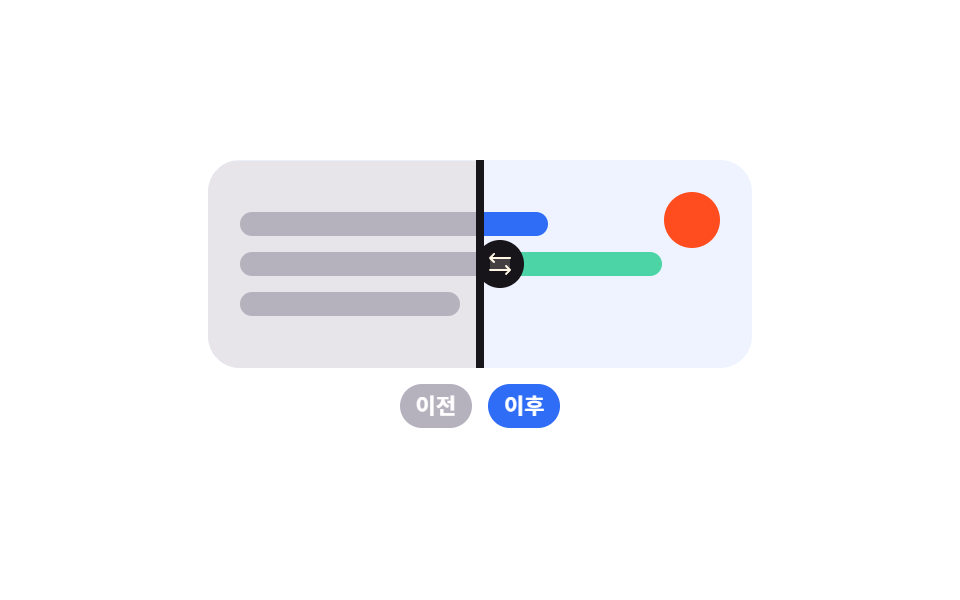
04Before-and-after wipe
What you see
Two scenes occupy the same box, and trimming the top one away from the right uncovers the one beneath. The whole trim is a single value inside clip-path: inset(), and the handle line rides the same timeline so it can never drift off the seam.
<main class="stage">
  <div class="bw is-demo">
    <div class="bw__scroller">
      <div class="bw__pad">
        <div class="bw__frame">
          <div class="bw__layer bw__layer--after" aria-hidden="true">
            <span class="bw__bar bw__bar--a"></span>
            <span class="bw__bar bw__bar--b"></span>
            <span class="bw__bar bw__bar--c"></span>
            <span class="bw__dot"></span>
          </div>
          <div class="bw__layer bw__layer--before" aria-hidden="true">
            <span class="bw__bar bw__bar--a"></span>
            <span class="bw__bar bw__bar--b"></span>
            <span class="bw__bar bw__bar--c"></span>
            <span class="bw__dot"></span>
          </div>
          <div class="bw__handle" aria-hidden="true">
            <svg viewBox="0 0 256 256" width="16" height="16" aria-hidden="true"><g fill="currentColor"><path d="M208 80v96H48V80Z" opacity=".2"/><path d="m213.66 181.66l-32 32a8 8 0 0 1-11.32-11.32L188.69 184H48a8 8 0 0 1 0-16h140.69l-18.35-18.34a8 8 0 0 1 11.32-11.32l32 32a8 8 0 0 1 0 11.32m-139.32-64a8 8 0 0 0 11.32-11.32L67.31 88H208a8 8 0 0 0 0-16H67.31l18.35-18.34a8 8 0 0 0-11.32-11.32l-32 32a8 8 0 0 0 0 11.32Z"/></g></svg>
          </div>
        </div>
        <p class="bw__tags"><span class="bw__tag bw__tag--old">Before</span><span class="bw__tag">After</span></p>
      </div>
    </div>
  </div>
</main>@use "../../../../site/static/demo-tokens" as *;
// ── 변수 3개 ──────────────────────────────────────────
$duration: 1s; // alternate 라 한 바퀴는 2s
// 미리보기 곡선은 가운데가 가장 빠르다 — 대표 이미지(가장 크게 변한 장)가
// 반쯤 걷힌 장면으로 뽑혀야 전과 후가 한 장에 같이 보인다. 실제 스크롤 판은 linear
$easing: cubic-bezier(.65, 0, .35, 1);
$color: $subject-blue;
@include stage($stage-paper);
.bw {
--h: clamp(148px, 58vh, 176px);
--fw: min(272px, 82vw);
width: min(360px, 92vw);
}
.bw__scroller {
height: var(--h);
overflow-y: auto;
scrollbar-width: none;
&::-webkit-scrollbar { display: none; }
}
.bw__pad {
display: grid;
justify-items: center;
gap: $sp-2;
// 상자가 처음에는 화면 밖에 있어야 뷰 타임라인의 entry 구간이 실제로 지나간다
padding: calc(var(--h) * .95) 0 calc(var(--h) * .6);
}
// ⚠ 뷰 타임라인의 이름은 **관찰 대상**(이 상자)에 붙인다. 안쪽 층에서 view() 를 그냥 쓰면
// 이 상자의 overflow: hidden 이 스크롤포트로 잡혀 진행률이 0 에서 멈춘다 (실측)
.bw__frame {
view-timeline-name: --bw-view;
view-timeline-axis: block;
position: relative;
width: var(--fw);
height: 104px;
overflow: hidden;
border-radius: $r-card;
}
.bw__layer {
position: absolute;
inset: 0;
display: grid;
align-content: center;
gap: $sp-2;
padding: $sp-4;
}
.bw__layer--after { background: #eef3ff; }
.bw__layer--after .bw__bar--a { background: $color; }
.bw__layer--after .bw__bar--b { background: $subject-mint; }
.bw__layer--after .bw__bar--c { background: $subject-lilac; }
.bw__layer--after .bw__dot { background: $stage-orange; }
// ── 실제 동작: 위층만 오른쪽부터 잘려 나간다.
// inset() 의 오른쪽 값이 0 → 100% 로 자라면 아래층이 그만큼 드러난다 ──
.bw__layer--before {
background: #e7e5ea;
clip-path: inset(0 0 0 0);
animation-name: bw-cut;
animation-duration: 1s;
animation-timing-function: linear;
animation-fill-mode: both;
animation-timeline: --bw-view;
}
.bw__layer--before .bw__bar--a,
.bw__layer--before .bw__bar--b,
.bw__layer--before .bw__bar--c { background: #b6b2bd; }
.bw__layer--before .bw__dot { background: #8d8895; }
@keyframes bw-cut {
from { clip-path: inset(0 0 0 0); }
to { clip-path: inset(0 100% 0 0); }
}
.bw__bar {
height: 12px;
border-radius: $r-pill;
}
.bw__bar--a { width: 64%; }
.bw__bar--b { width: 88%; }
.bw__bar--c { width: 46%; }
.bw__dot {
position: absolute;
top: $sp-4;
right: $sp-4;
width: 28px;
height: 28px;
border-radius: 50%;
}
// 손잡이는 잘린 경계에 붙어 같은 진행률로 움직인다
.bw__handle {
position: absolute;
top: 0;
bottom: 0;
left: 0;
display: grid;
place-items: center;
width: 4px;
background: $subject-ink;
color: $subject-ink;
animation-name: bw-handle;
animation-duration: 1s;
animation-timing-function: linear;
animation-fill-mode: both;
animation-timeline: --bw-view;
svg {
padding: $sp-1;
border-radius: 50%;
background: $subject-ink;
color: $subject-cream;
}
}
@keyframes bw-handle {
from { transform: translateX(calc(var(--fw) - 4px)); }
to { transform: translateX(0); }
}
.bw__tags {
display: flex;
gap: $sp-2;
margin: 0;
}
.bw__tag {
padding: $sp-1 $sp-2;
border-radius: $r-pill;
background: $color;
color: #fff;
font-size: 11px;
line-height: 14px;
font-weight: 700;
}
.bw__tag--old { background: #b6b2bd; }
// 미리보기 루프는 실제로 스크롤하지 않으니 위 여백을 줄여 상자를 화면 안에 둔다
.bw.is-demo .bw__pad { padding-top: calc(var(--h) * .1); }
// ── 격자 미리보기 루프 — 같은 두 애니메이션을 시간으로 되감는다 ──
.bw.is-demo .bw__layer--before,
.bw.is-demo .bw__handle {
animation-duration: $duration;
animation-timing-function: $easing;
animation-direction: alternate;
animation-iteration-count: infinite;
animation-timeline: auto;
}
@media (prefers-reduced-motion: reduce) {
.bw__layer--before { animation: none !important; clip-path: inset(0 50% 0 0); }
.bw__handle { animation: none !important; transform: translateX(calc(var(--fw) * .5)); }
}html, body {
margin: 0;
overflow: hidden;
}
.stage {
box-sizing: border-box;
min-height: 100vh;
display: grid;
place-items: center;
margin: 0;
background: #ffffff;
font-family: -apple-system, "Segoe UI", "Noto Sans KR", sans-serif;
padding: clamp(8px, 4vw, 24px);
}
.bw {
--h: clamp(148px, 58vh, 176px);
--fw: min(272px, 82vw);
width: min(360px, 92vw);
}
.bw__scroller {
height: var(--h);
overflow-y: auto;
scrollbar-width: none;
}
.bw__scroller::-webkit-scrollbar {
display: none;
}
.bw__pad {
display: grid;
justify-items: center;
gap: 8px;
padding: calc(var(--h) * 0.95) 0 calc(var(--h) * 0.6);
}
.bw__frame {
view-timeline-name: --bw-view;
view-timeline-axis: block;
position: relative;
width: var(--fw);
height: 104px;
overflow: hidden;
border-radius: 16px;
}
.bw__layer {
position: absolute;
inset: 0;
display: grid;
align-content: center;
gap: 8px;
padding: 16px;
}
.bw__layer--after {
background: #eef3ff;
}
.bw__layer--after .bw__bar--a {
background: #2f6df6;
}
.bw__layer--after .bw__bar--b {
background: #4cd4a6;
}
.bw__layer--after .bw__bar--c {
background: #b9a0ff;
}
.bw__layer--after .bw__dot {
background: #ff4d1f;
}
.bw__layer--before {
background: #e7e5ea;
clip-path: inset(0 0 0 0);
animation-name: bw-cut;
animation-duration: 1s;
animation-timing-function: linear;
animation-fill-mode: both;
animation-timeline: --bw-view;
}
.bw__layer--before .bw__bar--a,
.bw__layer--before .bw__bar--b,
.bw__layer--before .bw__bar--c {
background: #b6b2bd;
}
.bw__layer--before .bw__dot {
background: #8d8895;
}
@keyframes bw-cut {
from {
clip-path: inset(0 0 0 0);
}
to {
clip-path: inset(0 100% 0 0);
}
}
.bw__bar {
height: 12px;
border-radius: 999px;
}
.bw__bar--a {
width: 64%;
}
.bw__bar--b {
width: 88%;
}
.bw__bar--c {
width: 46%;
}
.bw__dot {
position: absolute;
top: 16px;
right: 16px;
width: 28px;
height: 28px;
border-radius: 50%;
}
.bw__handle {
position: absolute;
top: 0;
bottom: 0;
left: 0;
display: grid;
place-items: center;
width: 4px;
background: #17141a;
color: #17141a;
animation-name: bw-handle;
animation-duration: 1s;
animation-timing-function: linear;
animation-fill-mode: both;
animation-timeline: --bw-view;
}
.bw__handle svg {
padding: 4px;
border-radius: 50%;
background: #17141a;
color: #fff7e6;
}
@keyframes bw-handle {
from {
transform: translateX(calc(var(--fw) - 4px));
}
to {
transform: translateX(0);
}
}
.bw__tags {
display: flex;
gap: 8px;
margin: 0;
}
.bw__tag {
padding: 4px 8px;
border-radius: 999px;
background: #2f6df6;
color: #fff;
font-size: 11px;
line-height: 14px;
font-weight: 700;
}
.bw__tag--old {
background: #b6b2bd;
}
.bw.is-demo .bw__pad {
padding-top: calc(var(--h) * 0.1);
}
.bw.is-demo .bw__layer--before,
.bw.is-demo .bw__handle {
animation-duration: 1s;
animation-timing-function: cubic-bezier(0.65, 0, 0.35, 1);
animation-direction: alternate;
animation-iteration-count: infinite;
animation-timeline: auto;
}
@media (prefers-reduced-motion: reduce) {
.bw__layer--before {
animation: none !important;
clip-path: inset(0 50% 0 0);
}
.bw__handle {
animation: none !important;
transform: translateX(calc(var(--fw) * 0.5));
}
}// 실제 동작은 CSS 만: 위층의 clip-path 와 손잡이 위치를 animation-timeline: view() 가 함께 끌고 간다.
var r = document.querySelector('.bw');
var s = r.querySelector('.bw__scroller');
function stopDemo(){ r.classList.remove('is-demo'); }
r.addEventListener('pointerdown', stopDemo);
s.addEventListener('scroll', stopDemo, { passive: true });import type { CSSProperties, ReactNode } from "react";
import styles from "./BeforeAfterWipe.module.scss";
export type BeforeAfterWipeProps = {
beforeLabel?: string;
afterLabel?: string;
preview?: boolean;
duration?: number;
easing?: string;
color?: string;
};
type Vars = CSSProperties & { "--duration"?: string; "--easing"?: string; "--color"?: string };
const IconArrows = (): ReactNode => (
<svg viewBox="0 0 256 256" width="16" height="16" aria-hidden="true"><g fill="currentColor"><path d="M208 80v96H48V80Z" opacity=".2"/><path d="m213.66 181.66l-32 32a8 8 0 0 1-11.32-11.32L188.69 184H48a8 8 0 0 1 0-16h140.69l-18.35-18.34a8 8 0 0 1 11.32-11.32l32 32a8 8 0 0 1 0 11.32m-139.32-64a8 8 0 0 0 11.32-11.32L67.31 88H208a8 8 0 0 0 0-16H67.31l18.35-18.34a8 8 0 0 0-11.32-11.32l-32 32a8 8 0 0 0 0 11.32Z"/></g></svg>
);
const Layer = ({ kind }: { kind: string }): ReactNode => (
<div className={`${styles.layer} ${styles[kind]}`} aria-hidden="true">
<span className={`${styles.bar} ${styles.barA}`} />
<span className={`${styles.bar} ${styles.barB}`} />
<span className={`${styles.bar} ${styles.barC}`} />
<span className={styles.dot} />
</div>
);
export default function BeforeAfterWipe({
beforeLabel = "Before",
afterLabel = "After",
preview = true,
duration = 1000,
easing = "cubic-bezier(.65, 0, .35, 1)",
color = "#2f6df6",
}: BeforeAfterWipeProps): ReactNode {
const vars: Vars = { "--duration": `${duration}ms`, "--easing": easing, "--color": color };
const cls = preview ? `${styles.bw} ${styles.isDemo}` : styles.bw;
return (
<div className={cls} style={vars}>
<div className={styles.scroller}>
<div className={styles.pad}>
<div className={styles.frame}>
<Layer kind="after" />
<Layer kind="before" />
<div className={styles.handle} aria-hidden="true"><IconArrows /></div>
</div>
<p className={styles.tags}>
<span className={`${styles.tag} ${styles.tagOld}`}>{beforeLabel}</span>
<span className={styles.tag}>{afterLabel}</span>
</p>
</div>
</div>
</div>
);
}04 · Before-and-after wipe — Measured area 19.369% · moving frames 23/23Original by GODRICH · SCSS and React ship in the zip · See the password
Where to look in the code
It is only the preview curve that runs fastest in the middle, which is what makes the shared thumbnail land on a half-wiped frame where both scenes are visible.
.bw__frame {
  view-timeline-name: --bw-view;
  view-timeline-axis: block;
  position: relative;
  overflow: hidden;
}
.bw__layer--before {
  clip-path: inset(0 0 0 0);
  animation-name: bw-cut;
  animation-fill-mode: both;
  animation-timeline: --bw-view;
}
@keyframes bw-cut {
  from { clip-path: inset(0 0 0 0); }
  to   { clip-path: inset(0 100% 0 0); }
}
@keyframes bw-handle {
  from { transform: translateX(calc(var(--fw) - 4px)); }
  to   { transform: translateX(0); }
}
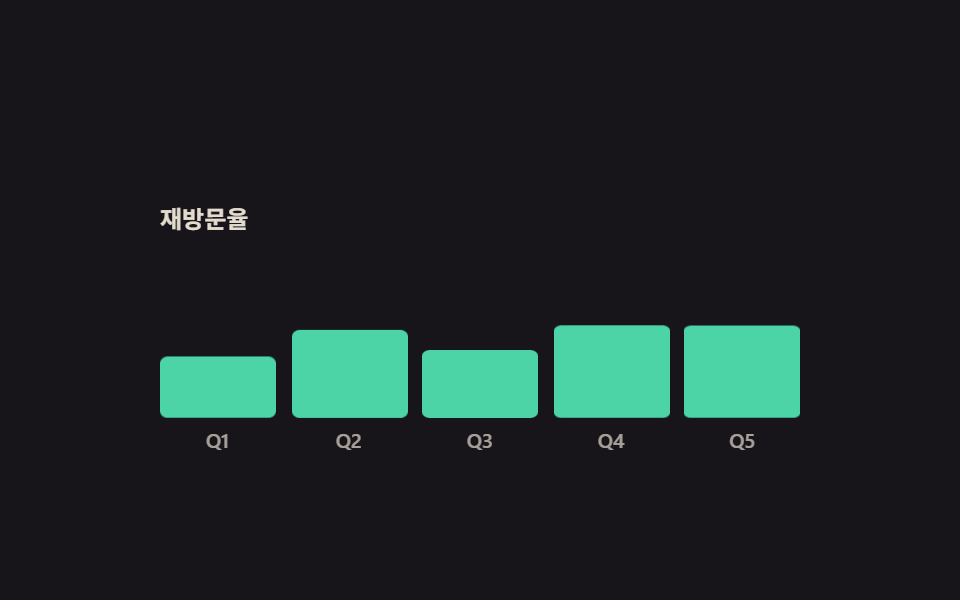
05Bars that grow on entry
What happens on screen
Five bars lie flat against the floor and unfold in proportion to how far the block has entered the viewport. Nothing changes height: the bars are squashed from their base and released, so no layout pass is triggered.
<main class="stage">
  <div class="db is-demo">
    <div class="db__scroller">
      <div class="db__pad">
        <p class="db__cap">Return visits</p>
        <div class="db__chart">
          <div class="db__col"><span class="db__bar"></span><span class="db__axis">Q1</span></div>
          <div class="db__col"><span class="db__bar"></span><span class="db__axis">Q2</span></div>
          <div class="db__col"><span class="db__bar"></span><span class="db__axis">Q3</span></div>
          <div class="db__col"><span class="db__bar"></span><span class="db__axis">Q4</span></div>
          <div class="db__col"><span class="db__bar"></span><span class="db__axis">Q5</span></div>
        </div>
      </div>
    </div>
  </div>
</main>
@use "../../../../site/static/demo-tokens" as *;
// ── 변수 3개 ──────────────────────────────────────────
$duration: $dur-loop;
// 가운데가 가장 빠른 곡선 — ease-out 은 첫 프레임이 가장 빨라서
// 대표 이미지가 아직 다 납작한 차트로 뽑힌다 (실측)
$easing: cubic-bezier(.5, 0, .5, 1);
$color: $subject-mint;
@include stage($stage-ink);
.db {
--h: clamp(148px, 58vh, 176px);
width: min(320px, 92vw);
}
.db__scroller {
height: var(--h);
overflow-y: auto;
scrollbar-width: none;
&::-webkit-scrollbar { display: none; }
}
.db__pad {
display: grid;
gap: $sp-3;
// 차트가 처음에는 화면 **밖**에 있어야 entry 구간이 실제로 지나간다.
// 처음부터 보이면 구간이 이미 끝난 상태라 스크롤해도 아무 일이 안 일어난다 (실측)
padding: calc(var(--h) * 1.05) 0 calc(var(--h) * .6);
}
.db__cap {
margin: 0;
color: rgba(255, 247, 230, .88);
font-size: 12px;
line-height: 16px;
font-weight: 700;
}
// 게이지 칸은 grid 로 나눈다 — flex 균등분배보다 폭이 정확하다
.db__chart {
display: grid;
grid-template-columns: repeat(5, 1fr);
gap: $sp-2;
align-items: end;
height: 96px;
}
.db__col {
display: grid;
align-content: end;
justify-items: center;
gap: $sp-1;
}
// ── 실제 동작: 구간이 화면에 들어온 만큼 막대가 자란다.
// 바닥을 축으로 눌러 두었다가 펴는 것이라 레이아웃을 다시 계산하지 않는다 ──
.db__bar {
width: 100%;
border-radius: $r-xs;
background: $color;
transform: scaleY(.04);
transform-origin: bottom; // 규칙8: 차트막대 bottom에서 자람
// ⚠ 스크롤판과 루프판은 키프레임을 나눠 쓴다. 루프용(자랐다 다시 눕는)을 그대로 스크롤에
// 물리면 구간 끝(=다 읽은 뒤)에 막대가 도로 납작해진다 — 스크롤판은 한 방향뿐이다 (실측)
animation-name: db-grow-in;
animation-duration: 1s;
animation-timing-function: $easing;
// both — backwards 만 두면 구간이 끝난 뒤(다 읽고 더 내렸을 때) 작성 상태로 돌아가 납작해진다
animation-fill-mode: both;
animation-timeline: view(block);
}
@keyframes db-grow-in {
from { transform: scaleY(.04); }
to { transform: scaleY(1); }
}
// 막대마다 구간을 조금씩 늦춰 물결처럼 올라오게 한다
.db__col:nth-child(1) .db__bar { height: 34px; animation-range: entry 8% cover 38%; }
.db__col:nth-child(2) .db__bar { height: 52px; animation-range: entry 14% cover 44%; }
.db__col:nth-child(3) .db__bar { height: 44px; animation-range: entry 20% cover 50%; }
.db__col:nth-child(4) .db__bar { height: 68px; animation-range: entry 26% cover 56%; }
.db__col:nth-child(5) .db__bar { height: 80px; animation-range: entry 32% cover 62%; }
// 자라는 구간(22%)을 줄어드는 구간(26%)보다 짧게 잡는다 — 대표 이미지는 가장 크게
// 변한 장이라, 줄어드는 쪽이 더 빠르면 다 줄어든 빈 차트가 대표로 뽑힌다.
// 마지막 막대의 시차(100ms = 5%)까지 더해도 복귀가 89% 안에서 끝난다
@keyframes db-grow {
0% { transform: scaleY(.04); }
22%, 58% { transform: scaleY(1); }
84%, 100% { transform: scaleY(.04); }
}
.db__axis {
color: rgba(255, 247, 230, .62);
font-size: 10px;
line-height: 14px;
font-weight: 500;
}
// 미리보기 루프는 실제로 스크롤하지 않으니 위 여백을 원래대로 줄여 차트를 화면 안에 둔다
.db.is-demo .db__pad { padding-top: calc(var(--h) * .22); }
// ── 격자 미리보기 루프 — 같은 곡선을 시간 축에서 시차만 주고 돌린다.
// 시차에는 animation-fill-mode: backwards 가 반드시 붙는다.
// 없으면 지연 구간에 작성 상태가 첫 프레임에 한 번 번쩍인다(252 실측) ──
.db.is-demo .db__bar {
animation-name: db-grow;
animation-duration: $duration;
animation-iteration-count: infinite;
animation-fill-mode: backwards;
animation-timeline: auto;
}
.db.is-demo .db__col:nth-child(2) .db__bar { animation-delay: 25ms; }
.db.is-demo .db__col:nth-child(3) .db__bar { animation-delay: 50ms; }
.db.is-demo .db__col:nth-child(4) .db__bar { animation-delay: 75ms; }
.db.is-demo .db__col:nth-child(5) .db__bar { animation-delay: 100ms; }
@media (prefers-reduced-motion: reduce) {
.db__bar { animation: none !important; transform: scaleY(1); }
}html, body {
margin: 0;
overflow: hidden;
}
.stage {
box-sizing: border-box;
min-height: 100vh;
display: grid;
place-items: center;
margin: 0;
background: #17141a;
font-family: -apple-system, "Segoe UI", "Noto Sans KR", sans-serif;
padding: clamp(8px, 4vw, 24px);
}
.db {
--h: clamp(148px, 58vh, 176px);
width: min(320px, 92vw);
}
.db__scroller {
height: var(--h);
overflow-y: auto;
scrollbar-width: none;
}
.db__scroller::-webkit-scrollbar {
display: none;
}
.db__pad {
display: grid;
gap: 12px;
padding: calc(var(--h) * 1.05) 0 calc(var(--h) * 0.6);
}
.db__cap {
margin: 0;
color: rgba(255, 247, 230, 0.88);
font-size: 12px;
line-height: 16px;
font-weight: 700;
}
.db__chart {
display: grid;
grid-template-columns: repeat(5, 1fr);
gap: 8px;
align-items: end;
height: 96px;
}
.db__col {
display: grid;
align-content: end;
justify-items: center;
gap: 4px;
}
.db__bar {
width: 100%;
border-radius: 4px;
background: #4cd4a6;
transform: scaleY(0.04);
transform-origin: bottom;
animation-name: db-grow-in;
animation-duration: 1s;
animation-timing-function: cubic-bezier(0.5, 0, 0.5, 1);
animation-fill-mode: both;
animation-timeline: view(block);
}
@keyframes db-grow-in {
from {
transform: scaleY(0.04);
}
to {
transform: scaleY(1);
}
}
.db__col:nth-child(1) .db__bar {
height: 34px;
animation-range: entry 8% cover 38%;
}
.db__col:nth-child(2) .db__bar {
height: 52px;
animation-range: entry 14% cover 44%;
}
.db__col:nth-child(3) .db__bar {
height: 44px;
animation-range: entry 20% cover 50%;
}
.db__col:nth-child(4) .db__bar {
height: 68px;
animation-range: entry 26% cover 56%;
}
.db__col:nth-child(5) .db__bar {
height: 80px;
animation-range: entry 32% cover 62%;
}
@keyframes db-grow {
0% {
transform: scaleY(0.04);
}
22%, 58% {
transform: scaleY(1);
}
84%, 100% {
transform: scaleY(0.04);
}
}
.db__axis {
color: rgba(255, 247, 230, 0.62);
font-size: 10px;
line-height: 14px;
font-weight: 500;
}
.db.is-demo .db__pad {
padding-top: calc(var(--h) * 0.22);
}
.db.is-demo .db__bar {
animation-name: db-grow;
animation-duration: 2s;
animation-iteration-count: infinite;
animation-fill-mode: backwards;
animation-timeline: auto;
}
.db.is-demo .db__col:nth-child(2) .db__bar {
animation-delay: 25ms;
}
.db.is-demo .db__col:nth-child(3) .db__bar {
animation-delay: 50ms;
}
.db.is-demo .db__col:nth-child(4) .db__bar {
animation-delay: 75ms;
}
.db.is-demo .db__col:nth-child(5) .db__bar {
animation-delay: 100ms;
}
@media (prefers-reduced-motion: reduce) {
.db__bar {
animation: none !important;
transform: scaleY(1);
}
}// 실제 동작은 CSS 만: 막대마다 animation-timeline: view() 와 서로 다른 animation-range 가 걸려 있다.
var r = document.querySelector('.db');
var s = r.querySelector('.db__scroller');
function stopDemo(){ r.classList.remove('is-demo'); }
r.addEventListener('pointerdown', stopDemo);
s.addEventListener('scroll', stopDemo, { passive: true });import type { CSSProperties, ReactNode } from "react";
import styles from "./DataBarsGrow.module.scss";
export type DataBarsGrowProps = {
caption?: string;
labels?: string[];
preview?: boolean;
duration?: number;
easing?: string;
color?: string;
};
type Vars = CSSProperties & { "--duration"?: string; "--easing"?: string; "--color"?: string };
export default function DataBarsGrow({
caption = "Return visits",
labels = ["Q1", "Q2", "Q3", "Q4", "Q5"],
preview = true,
duration = 2000,
easing = "cubic-bezier(.5, 0, .5, 1)",
color = "#4cd4a6",
}: DataBarsGrowProps): ReactNode {
const vars: Vars = { "--duration": `${duration}ms`, "--easing": easing, "--color": color };
const cls = preview ? `${styles.db} ${styles.isDemo}` : styles.db;
return (
<div className={cls} style={vars}>
<div className={styles.scroller}>
<div className={styles.pad}>
<p className={styles.cap}>{caption}</p>
<div className={styles.chart}>
{labels.map((l: string): ReactNode => (
<div className={styles.col} key={l}>
<span className={styles.bar} />
<span className={styles.axis}>{l}</span>
</div>
))}
</div>
</div>
</div>
</div>
);
}05 · Bars that grow on entry — Measured area 11.046% · moving frames 15/23Original by GODRICH · SCSS and React ship in the zip · See the password
How to read the code
The wave comes from giving each bar a slightly later animation-range rather than a delay, because a scroll timeline has no clock for a delay to shift.
.db__chart {
  display: grid;
  grid-template-columns: repeat(5, 1fr);
  align-items: end;
  height: 96px;
}
.db__bar {
  transform: scaleY(.04);
  transform-origin: bottom;
  animation-name: db-grow-in;
  animation-fill-mode: both;
  animation-timeline: view(block);
}
.db__col:nth-child(1) .db__bar { height: 34px; animation-range: entry 8%  cover 38%; }
.db__col:nth-child(5) .db__bar { height: 80px; animation-range: entry 32% cover 62%; }
@keyframes db-grow-in {
  from { transform: scaleY(.04); }
  to   { transform: scaleY(1); }
}
06Exploded parts assembly
What moves
Four stacked plates spread outward to show what they hide, then gather back into one object. Each plate has its own destination, so the keyframes are split four ways, and the labels only fade in once there is room for them to be read.
<main class="stage">
  <div class="ex is-demo">
    <div class="ex__scroller">
      <div class="ex__pad">
        <div class="ex__pin">
          <div class="ex__stack">
            <div class="ex__part ex__part--1"><span class="ex__tag">Top plate</span></div>
            <div class="ex__part ex__part--2">
              <svg viewBox="0 0 256 256" width="16" height="16" aria-hidden="true"><g fill="currentColor"><path d="M200 48H56a8 8 0 0 0-8 8v144a8 8 0 0 0 8 8h144a8 8 0 0 0 8-8V56a8 8 0 0 0-8-8m-48 104h-48v-48h48Z" opacity=".2"/><path d="M152 96h-48a8 8 0 0 0-8 8v48a8 8 0 0 0 8 8h48a8 8 0 0 0 8-8v-48a8 8 0 0 0-8-8m-8 48h-32v-32h32Zm88 0h-16v-32h16a8 8 0 0 0 0-16h-16V56a16 16 0 0 0-16-16h-40V24a8 8 0 0 0-16 0v16h-32V24a8 8 0 0 0-16 0v16H56a16 16 0 0 0-16 16v40H24a8 8 0 0 0 0 16h16v32H24a8 8 0 0 0 0 16h16v40a16 16 0 0 0 16 16h40v16a8 8 0 0 0 16 0v-16h32v16a8 8 0 0 0 16 0v-16h40a16 16 0 0 0 16-16v-40h16a8 8 0 0 0 0-16m-32 56H56V56h144z"/></g></svg>
              <span class="ex__tag">Board</span>
            </div>
            <div class="ex__part ex__part--3"><span class="ex__tag">Frame</span></div>
            <div class="ex__part ex__part--4"><span class="ex__tag">Base plate</span></div>
          </div>
        </div>
      </div>
    </div>
  </div>
</main>
@use "../../../../site/static/demo-tokens" as *;
// ── 변수 3개 ──────────────────────────────────────────
$duration: 1s; // alternate 라 한 바퀴(분해 → 조립)는 2s
// 가운데가 가장 빠른 곡선 — 대표 이미지가 반쯤 벌어진(이름표도 보이는) 장면으로 뽑힌다
$easing: cubic-bezier(.5, 0, .5, 1);
$color: $subject-ink;
@include stage($stage-yellow);
.ex {
--h: clamp(148px, 58vh, 176px);
width: min(340px, 92vw);
}
.ex__scroller {
height: var(--h);
overflow-y: auto;
scrollbar-width: none;
&::-webkit-scrollbar { display: none; }
}
// ⚠ 여기는 padding-bottom 이 아니라 height 다. sticky 가 붙어 있을 수 있는 범위는 부모의
// **콘텐츠 박스**라, padding 으로만 늘린 자리는 안 쳐준다 — 창이 곧바로 위로 흘러나간다 (실측)
.ex__pad { height: calc(var(--h) * 2.2); }
.ex__pin {
position: sticky;
top: 0;
display: grid;
place-items: center;
height: var(--h);
}
.ex__stack {
position: relative;
width: 184px;
height: 120px;
}
.ex__part {
position: absolute;
top: 48px;
left: 0;
display: flex;
align-items: center;
justify-content: center;
gap: $sp-2;
width: 184px;
height: 24px;
border: 2px solid $color;
border-radius: $r-sm;
background: $subject-cream;
color: $color;
animation-duration: 1s;
animation-timing-function: $easing;
animation-fill-mode: both;
animation-timeline: scroll(nearest block);
}
// ── 실제 동작: 스크롤 진행이 곧 분해 정도. 네 판이 서로 다른 방향으로 벌어진다 ──
.ex__part--1 { animation-name: ex-p1; background: $subject-pink; }
.ex__part--2 { animation-name: ex-p2; }
.ex__part--3 { animation-name: ex-p3; }
.ex__part--4 { animation-name: ex-p4; background: $subject-sky; }
@keyframes ex-p1 {
from { transform: translate(0, -6px) rotate(0deg); }
to { transform: translate(-16px, -54px) rotate(-7deg); }
}
@keyframes ex-p2 {
from { transform: translate(0, -2px) rotate(0deg); }
to { transform: translate(12px, -18px) rotate(4deg); }
}
@keyframes ex-p3 {
from { transform: translate(0, 2px) rotate(0deg); }
to { transform: translate(-12px, 18px) rotate(-4deg); }
}
@keyframes ex-p4 {
from { transform: translate(0, 6px) rotate(0deg); }
to { transform: translate(16px, 54px) rotate(7deg); }
}
// 이름표는 판이 벌어진 만큼만 보인다 — 포개져 있을 땐 글자가 겹치지 않는다
.ex__tag {
font-size: 11px;
line-height: 14px;
font-weight: 700;
opacity: 0;
animation-name: ex-tag;
animation-duration: 1s;
animation-timing-function: linear;
animation-fill-mode: both;
animation-timeline: scroll(nearest block);
}
@keyframes ex-tag {
0%, 10% { opacity: 0; }
38%, 100% { opacity: 1; }
}
// ── 격자 미리보기 루프 — 같은 분해를 시간으로 돌렸다 되감는다 ──
.ex.is-demo .ex__part,
.ex.is-demo .ex__tag {
animation-duration: $duration;
animation-direction: alternate;
animation-iteration-count: infinite;
animation-timeline: auto;
}
@media (prefers-reduced-motion: reduce) {
.ex__part { animation: none !important; }
.ex__part--1 { transform: translate(-16px, -54px); }
.ex__part--2 { transform: translate(12px, -18px); }
.ex__part--3 { transform: translate(-12px, 18px); }
.ex__part--4 { transform: translate(16px, 54px); }
.ex__tag { animation: none !important; opacity: 1; }
}html, body {
margin: 0;
overflow: hidden;
}
.stage {
box-sizing: border-box;
min-height: 100vh;
display: grid;
place-items: center;
margin: 0;
background: #ffd23f;
font-family: -apple-system, "Segoe UI", "Noto Sans KR", sans-serif;
padding: clamp(8px, 4vw, 24px);
}
.ex {
--h: clamp(148px, 58vh, 176px);
width: min(340px, 92vw);
}
.ex__scroller {
height: var(--h);
overflow-y: auto;
scrollbar-width: none;
}
.ex__scroller::-webkit-scrollbar {
display: none;
}
.ex__pad {
height: calc(var(--h) * 2.2);
}
.ex__pin {
position: sticky;
top: 0;
display: grid;
place-items: center;
height: var(--h);
}
.ex__stack {
position: relative;
width: 184px;
height: 120px;
}
.ex__part {
position: absolute;
top: 48px;
left: 0;
display: flex;
align-items: center;
justify-content: center;
gap: 8px;
width: 184px;
height: 24px;
border: 2px solid #17141a;
border-radius: 8px;
background: #fff7e6;
color: #17141a;
animation-duration: 1s;
animation-timing-function: cubic-bezier(0.5, 0, 0.5, 1);
animation-fill-mode: both;
animation-timeline: scroll(nearest block);
}
.ex__part--1 {
animation-name: ex-p1;
background: #ff9ebb;
}
.ex__part--2 {
animation-name: ex-p2;
}
.ex__part--3 {
animation-name: ex-p3;
}
.ex__part--4 {
animation-name: ex-p4;
background: #6ec8ff;
}
@keyframes ex-p1 {
from {
transform: translate(0, -6px) rotate(0deg);
}
to {
transform: translate(-16px, -54px) rotate(-7deg);
}
}
@keyframes ex-p2 {
from {
transform: translate(0, -2px) rotate(0deg);
}
to {
transform: translate(12px, -18px) rotate(4deg);
}
}
@keyframes ex-p3 {
from {
transform: translate(0, 2px) rotate(0deg);
}
to {
transform: translate(-12px, 18px) rotate(-4deg);
}
}
@keyframes ex-p4 {
from {
transform: translate(0, 6px) rotate(0deg);
}
to {
transform: translate(16px, 54px) rotate(7deg);
}
}
.ex__tag {
font-size: 11px;
line-height: 14px;
font-weight: 700;
opacity: 0;
animation-name: ex-tag;
animation-duration: 1s;
animation-timing-function: linear;
animation-fill-mode: both;
animation-timeline: scroll(nearest block);
}
@keyframes ex-tag {
0%, 10% {
opacity: 0;
}
38%, 100% {
opacity: 1;
}
}
.ex.is-demo .ex__part,
.ex.is-demo .ex__tag {
animation-duration: 1s;
animation-direction: alternate;
animation-iteration-count: infinite;
animation-timeline: auto;
}
@media (prefers-reduced-motion: reduce) {
.ex__part {
animation: none !important;
}
.ex__part--1 {
transform: translate(-16px, -54px);
}
.ex__part--2 {
transform: translate(12px, -18px);
}
.ex__part--3 {
transform: translate(-12px, 18px);
}
.ex__part--4 {
transform: translate(16px, 54px);
}
.ex__tag {
animation: none !important;
opacity: 1;
}
}// 실제 동작은 CSS 만: 부품마다 animation-timeline: scroll() 이 걸려 있어 스크롤 진행이 곧 분해 정도다.
var r = document.querySelector('.ex');
var s = r.querySelector('.ex__scroller');
function stopDemo(){ r.classList.remove('is-demo'); }
r.addEventListener('pointerdown', stopDemo);
s.addEventListener('scroll', stopDemo, { passive: true });import type { CSSProperties, ReactNode } from "react";
import styles from "./ExplodedParts.module.scss";
export type ExplodedPartsProps = {
parts?: string[];
preview?: boolean;
duration?: number;
easing?: string;
color?: string;
};
type Vars = CSSProperties & { "--duration"?: string; "--easing"?: string; "--color"?: string };
const IconCpu = (): ReactNode => (
<svg viewBox="0 0 256 256" width="16" height="16" aria-hidden="true"><g fill="currentColor"><path d="M200 48H56a8 8 0 0 0-8 8v144a8 8 0 0 0 8 8h144a8 8 0 0 0 8-8V56a8 8 0 0 0-8-8m-48 104h-48v-48h48Z" opacity=".2"/><path d="M152 96h-48a8 8 0 0 0-8 8v48a8 8 0 0 0 8 8h48a8 8 0 0 0 8-8v-48a8 8 0 0 0-8-8m-8 48h-32v-32h32Zm88 0h-16v-32h16a8 8 0 0 0 0-16h-16V56a16 16 0 0 0-16-16h-40V24a8 8 0 0 0-16 0v16h-32V24a8 8 0 0 0-16 0v16H56a16 16 0 0 0-16 16v40H24a8 8 0 0 0 0 16h16v32H24a8 8 0 0 0 0 16h16v40a16 16 0 0 0 16 16h40v16a8 8 0 0 0 16 0v-16h32v16a8 8 0 0 0 16 0v-16h40a16 16 0 0 0 16-16v-40h16a8 8 0 0 0 0-16m-32 56H56V56h144z"/></g></svg>
);
export default function ExplodedParts({
parts = ["Top plate", "Board", "Frame", "Base plate"],
preview = true,
duration = 1000,
easing = "cubic-bezier(.5, 0, .5, 1)",
color = "#17141a",
}: ExplodedPartsProps): ReactNode {
const vars: Vars = { "--duration": `${duration}ms`, "--easing": easing, "--color": color };
const cls = preview ? `${styles.ex} ${styles.isDemo}` : styles.ex;
return (
<div className={cls} style={vars}>
<div className={styles.scroller}>
<div className={styles.pad}>
<div className={styles.pin}>
<div className={styles.stack}>
{parts.map((p: string, i: number): ReactNode => (
<div className={`${styles.part} ${styles[`part${i + 1}`]}`} key={p}>
{i === 1 ? <IconCpu /> : null}
<span className={styles.tag}>{p}</span>
</div>
))}
</div>
</div>
</div>
</div>
</div>
);
}06 · Exploded parts assembly — Measured area 18.662% · moving frames 23/23Original by GODRICH · SCSS and React ship in the zip · See the password
What to change
Eight animations share one timeline, which means any scroll position you stop at is a coherent exploded diagram.
.ex__part {
  position: absolute;
  top: 48px;
  animation-duration: 1s;
  animation-fill-mode: both;
  animation-timeline: scroll(nearest block);
}
.ex__part--1 { animation-name: ex-p1; }
.ex__part--4 { animation-name: ex-p4; }
@keyframes ex-p1 {
  from { transform: translate(0, -6px) rotate(0deg); }
  to   { transform: translate(-16px, -54px) rotate(-7deg); }
}
@keyframes ex-p4 {
  from { transform: translate(0, 6px) rotate(0deg); }
  to   { transform: translate(16px, 54px) rotate(7deg); }
}
@keyframes ex-tag { 0%, 10% { opacity: 0 } 38%, 100% { opacity: 1 } }
07Route map that draws itself
What you see
A solid line draws itself over a faint dashed guide while a marker runs the same curve. Stamping pathLength="100" on the path means you never have to measure it: the dash offset simply counts down from 100 to 0.
<main class="stage">
  <div class="rm is-demo">
    <div class="rm__scroller">
      <div class="rm__pad">
        <div class="rm__pin">
          <div class="rm__map">
            <svg class="rm__svg" viewBox="0 0 248 120" width="248" height="120" aria-hidden="true">
              <path class="rm__guide" d="M20 96C62 96 58 34 100 34C142 34 138 92 180 92C206 92 214 60 228 36" pathLength="100"/>
              <path class="rm__line" d="M20 96C62 96 58 34 100 34C142 34 138 92 180 92C206 92 214 60 228 36" pathLength="100"/>
            </svg>
            <span class="rm__stop rm__stop--1"></span>
            <span class="rm__stop rm__stop--2"></span>
            <span class="rm__stop rm__stop--3"></span>
            <span class="rm__mark">
              <svg viewBox="0 0 256 256" width="14" height="14" aria-hidden="true"><g fill="currentColor"><path d="M128 24a80 80 0 0 0-80 80c0 72 80 128 80 128s80-56 80-128a80 80 0 0 0-80-80m0 112a32 32 0 1 1 32-32a32 32 0 0 1-32 32" opacity=".2"/><path d="M128 64a40 40 0 1 0 40 40a40 40 0 0 0-40-40m0 64a24 24 0 1 1 24-24a24 24 0 0 1-24 24m0-112a88.1 88.1 0 0 0-88 88c0 31.4 14.51 64.68 42 96.25a254.2 254.2 0 0 0 41.45 38.3a8 8 0 0 0 9.18 0a254.2 254.2 0 0 0 41.37-38.3c27.45-31.57 42-64.85 42-96.25a88.1 88.1 0 0 0-88-88m0 206c-16.53-13-72-60.75-72-118a72 72 0 0 1 144 0c0 57.23-55.47 105-72 118"/></g></svg>
            </span>
            <span class="rm__name rm__name--1">Start</span>
            <span class="rm__name rm__name--2">Stop</span>
            <span class="rm__name rm__name--3">Arrive</span>
          </div>
        </div>
      </div>
    </div>
  </div>
</main>@use "../../../../site/static/demo-tokens" as *;
// ── 변수 3개 ──────────────────────────────────────────
$duration: 1s; // alternate 라 한 바퀴는 2s
$easing: linear;
$color: $subject-cream;
$route: "M20 96C62 96 58 34 100 34C142 34 138 92 180 92C206 92 214 60 228 36";
@include stage($stage-orange);
.rm {
--h: clamp(148px, 58vh, 176px);
width: min(340px, 92vw);
}
.rm__scroller {
height: var(--h);
overflow-y: auto;
scrollbar-width: none;
&::-webkit-scrollbar { display: none; }
}
// ⚠ 여기는 padding-bottom 이 아니라 height 다. sticky 가 붙어 있을 수 있는 범위는 부모의
// **콘텐츠 박스**라, padding 으로만 늘린 자리는 안 쳐준다 — 창이 곧바로 위로 흘러나간다 (실측)
.rm__pad { height: calc(var(--h) * 2.2); }
.rm__pin {
position: sticky;
top: 0;
display: grid;
place-items: center;
height: var(--h);
}
.rm__map {
position: relative;
width: 248px;
height: 120px;
border-radius: $r-card;
background: rgba(23, 20, 26, .72);
}
.rm__svg { position: absolute; top: 0; left: 0; }
.rm__guide {
fill: none;
stroke: rgba(255, 247, 230, .3);
stroke-width: 2;
stroke-dasharray: 3 3;
}
// ── 실제 동작 ① 경로가 그어진다.
// pathLength="100" 을 박아 두면 길이를 몰라도 dashoffset 을 100 → 0 으로 쓸 수 있다 ──
.rm__line {
fill: none;
stroke: $stage-yellow;
stroke-width: 3;
stroke-linecap: round;
stroke-dasharray: 100;
stroke-dashoffset: 100;
animation-name: rm-draw;
animation-duration: 1s;
animation-timing-function: $easing;
animation-fill-mode: both;
animation-timeline: scroll(nearest block);
}
@keyframes rm-draw {
from { stroke-dashoffset: 100; }
to { stroke-dashoffset: 0; }
}
// ── 실제 동작 ② 표식은 같은 곡선 위를 달린다.
// offset-path 가 경로를 받고 offset-distance 가 그 위의 위치다 ──
.rm__mark {
position: absolute;
top: 0;
left: 0;
display: grid;
place-items: center;
width: 22px;
height: 22px;
border-radius: 50%;
background: $stage-yellow;
color: $subject-ink;
offset-path: path($route);
offset-distance: 0%;
offset-rotate: 0deg;
animation-name: rm-run;
animation-duration: 1s;
animation-timing-function: $easing;
animation-fill-mode: both;
animation-timeline: scroll(nearest block);
}
@keyframes rm-run {
from { offset-distance: 0%; }
to { offset-distance: 100%; }
}
// 지나친 지점만 불이 켜진다 — 구간을 어긋나게 줘서 순서대로 들어온다
.rm__stop {
position: absolute;
width: 12px;
height: 12px;
border: 2px solid rgba(255, 247, 230, .5);
border-radius: 50%;
background: rgba(23, 20, 26, .9);
animation-name: rm-lit;
animation-duration: 1s;
animation-timing-function: $easing;
animation-fill-mode: both;
animation-timeline: scroll(nearest block);
}
.rm__stop--1 { left: 12px; top: 88px; animation-range: 0% 12%; }
.rm__stop--2 { left: 92px; top: 26px; animation-range: 34% 46%; }
.rm__stop--3 { left: 220px; top: 28px; animation-range: 84% 96%; }
@keyframes rm-lit {
from { border-color: rgba(255, 247, 230, .5); background: rgba(23, 20, 26, .9); }
to { border-color: $subject-mint; background: $subject-mint; }
}
.rm__name {
position: absolute;
color: $color;
font-size: 10px;
line-height: 14px;
font-weight: 700;
}
.rm__name--1 { left: 32px; top: 90px; }
.rm__name--2 { left: 82px; top: 4px; }
.rm__name--3 { left: 198px; top: 6px; }
// ── 격자 미리보기 루프 — 같은 진행을 시간으로 돌렸다 되감는다 ──
.rm.is-demo .rm__line,
.rm.is-demo .rm__mark,
.rm.is-demo .rm__stop {
animation-duration: $duration;
animation-direction: alternate;
animation-iteration-count: infinite;
animation-timeline: auto;
}
// 미리보기에서는 구간 대신 키프레임 자리로 순서를 준다 — 시차를 delay 로 주면
// 2초 캡처 구간과 주기가 어긋나 gif 가 이어지지 않는다
.rm.is-demo .rm__stop--1 { animation-name: rm-lit-a; }
.rm.is-demo .rm__stop--2 { animation-name: rm-lit-b; }
.rm.is-demo .rm__stop--3 { animation-name: rm-lit-c; }
@keyframes rm-lit-a {
0%, 8% { border-color: rgba(255, 247, 230, .5); background: rgba(23, 20, 26, .9); }
12%, 100% { border-color: $subject-mint; background: $subject-mint; }
}
@keyframes rm-lit-b {
0%, 36% { border-color: rgba(255, 247, 230, .5); background: rgba(23, 20, 26, .9); }
42%, 100% { border-color: $subject-mint; background: $subject-mint; }
}
@keyframes rm-lit-c {
0%, 84% { border-color: rgba(255, 247, 230, .5); background: rgba(23, 20, 26, .9); }
90%, 100% { border-color: $subject-mint; background: $subject-mint; }
}
@media (prefers-reduced-motion: reduce) {
.rm__line { animation: none !important; stroke-dashoffset: 0; }
.rm__mark { animation: none !important; offset-distance: 100%; }
.rm__stop { animation: none !important; border-color: $subject-mint; background: $subject-mint; }
}html, body {
margin: 0;
overflow: hidden;
}
.stage {
box-sizing: border-box;
min-height: 100vh;
display: grid;
place-items: center;
margin: 0;
background: #ff4d1f;
font-family: -apple-system, "Segoe UI", "Noto Sans KR", sans-serif;
padding: clamp(8px, 4vw, 24px);
}
.rm {
--h: clamp(148px, 58vh, 176px);
width: min(340px, 92vw);
}
.rm__scroller {
height: var(--h);
overflow-y: auto;
scrollbar-width: none;
}
.rm__scroller::-webkit-scrollbar {
display: none;
}
.rm__pad {
height: calc(var(--h) * 2.2);
}
.rm__pin {
position: sticky;
top: 0;
display: grid;
place-items: center;
height: var(--h);
}
.rm__map {
position: relative;
width: 248px;
height: 120px;
border-radius: 16px;
background: rgba(23, 20, 26, 0.72);
}
.rm__svg {
position: absolute;
top: 0;
left: 0;
}
.rm__guide {
fill: none;
stroke: rgba(255, 247, 230, 0.3);
stroke-width: 2;
stroke-dasharray: 3 3;
}
.rm__line {
fill: none;
stroke: #ffd23f;
stroke-width: 3;
stroke-linecap: round;
stroke-dasharray: 100;
stroke-dashoffset: 100;
animation-name: rm-draw;
animation-duration: 1s;
animation-timing-function: linear;
animation-fill-mode: both;
animation-timeline: scroll(nearest block);
}
@keyframes rm-draw {
from {
stroke-dashoffset: 100;
}
to {
stroke-dashoffset: 0;
}
}
.rm__mark {
position: absolute;
top: 0;
left: 0;
display: grid;
place-items: center;
width: 22px;
height: 22px;
border-radius: 50%;
background: #ffd23f;
color: #17141a;
offset-path: path("M20 96C62 96 58 34 100 34C142 34 138 92 180 92C206 92 214 60 228 36");
offset-distance: 0%;
offset-rotate: 0deg;
animation-name: rm-run;
animation-duration: 1s;
animation-timing-function: linear;
animation-fill-mode: both;
animation-timeline: scroll(nearest block);
}
@keyframes rm-run {
from {
offset-distance: 0%;
}
to {
offset-distance: 100%;
}
}
.rm__stop {
position: absolute;
width: 12px;
height: 12px;
border: 2px solid rgba(255, 247, 230, 0.5);
border-radius: 50%;
background: rgba(23, 20, 26, 0.9);
animation-name: rm-lit;
animation-duration: 1s;
animation-timing-function: linear;
animation-fill-mode: both;
animation-timeline: scroll(nearest block);
}
.rm__stop--1 {
left: 12px;
top: 88px;
animation-range: 0% 12%;
}
.rm__stop--2 {
left: 92px;
top: 26px;
animation-range: 34% 46%;
}
.rm__stop--3 {
left: 220px;
top: 28px;
animation-range: 84% 96%;
}
@keyframes rm-lit {
from {
border-color: rgba(255, 247, 230, 0.5);
background: rgba(23, 20, 26, 0.9);
}
to {
border-color: #4cd4a6;
background: #4cd4a6;
}
}
.rm__name {
position: absolute;
color: #fff7e6;
font-size: 10px;
line-height: 14px;
font-weight: 700;
}
.rm__name--1 {
left: 32px;
top: 90px;
}
.rm__name--2 {
left: 82px;
top: 4px;
}
.rm__name--3 {
left: 198px;
top: 6px;
}
.rm.is-demo .rm__line,
.rm.is-demo .rm__mark,
.rm.is-demo .rm__stop {
animation-duration: 1s;
animation-direction: alternate;
animation-iteration-count: infinite;
animation-timeline: auto;
}
.rm.is-demo .rm__stop--1 {
animation-name: rm-lit-a;
}
.rm.is-demo .rm__stop--2 {
animation-name: rm-lit-b;
}
.rm.is-demo .rm__stop--3 {
animation-name: rm-lit-c;
}
@keyframes rm-lit-a {
0%, 8% {
border-color: rgba(255, 247, 230, 0.5);
background: rgba(23, 20, 26, 0.9);
}
12%, 100% {
border-color: #4cd4a6;
background: #4cd4a6;
}
}
@keyframes rm-lit-b {
0%, 36% {
border-color: rgba(255, 247, 230, 0.5);
background: rgba(23, 20, 26, 0.9);
}
42%, 100% {
border-color: #4cd4a6;
background: #4cd4a6;
}
}
@keyframes rm-lit-c {
0%, 84% {
border-color: rgba(255, 247, 230, 0.5);
background: rgba(23, 20, 26, 0.9);
}
90%, 100% {
border-color: #4cd4a6;
background: #4cd4a6;
}
}
@media (prefers-reduced-motion: reduce) {
.rm__line {
animation: none !important;
stroke-dashoffset: 0;
}
.rm__mark {
animation: none !important;
offset-distance: 100%;
}
.rm__stop {
animation: none !important;
border-color: #4cd4a6;
background: #4cd4a6;
}
}// 실제 동작은 CSS 만: 선은 stroke-dashoffset, 표식은 offset-path 위의 offset-distance,
// 둘 다 animation-timeline: scroll() 이 끌고 간다.
var r = document.querySelector('.rm');
var s = r.querySelector('.rm__scroller');
function stopDemo(){ r.classList.remove('is-demo'); }
r.addEventListener('pointerdown', stopDemo);
s.addEventListener('scroll', stopDemo, { passive: true });import type { CSSProperties, ReactNode } from "react";
import styles from "./RouteMapProgress.module.scss";
export type RouteMapProgressProps = {
stops?: string[];
preview?: boolean;
duration?: number;
easing?: string;
color?: string;
};
type Vars = CSSProperties & { "--duration"?: string; "--easing"?: string; "--color"?: string };
const ROUTE = "M20 96C62 96 58 34 100 34C142 34 138 92 180 92C206 92 214 60 228 36";
const IconPin = (): ReactNode => (
<svg viewBox="0 0 256 256" width="14" height="14" aria-hidden="true"><g fill="currentColor"><path d="M128 24a80 80 0 0 0-80 80c0 72 80 128 80 128s80-56 80-128a80 80 0 0 0-80-80m0 112a32 32 0 1 1 32-32a32 32 0 0 1-32 32" opacity=".2"/><path d="M128 64a40 40 0 1 0 40 40a40 40 0 0 0-40-40m0 64a24 24 0 1 1 24-24a24 24 0 0 1-24 24m0-112a88.1 88.1 0 0 0-88 88c0 31.4 14.51 64.68 42 96.25a254.2 254.2 0 0 0 41.45 38.3a8 8 0 0 0 9.18 0a254.2 254.2 0 0 0 41.37-38.3c27.45-31.57 42-64.85 42-96.25a88.1 88.1 0 0 0-88-88m0 206c-16.53-13-72-60.75-72-118a72 72 0 0 1 144 0c0 57.23-55.47 105-72 118"/></g></svg>
);
export default function RouteMapProgress({
stops = ["Start", "Stop", "Arrive"],
preview = true,
duration = 1000,
easing = "linear",
color = "#fff7e6",
}: RouteMapProgressProps): ReactNode {
const vars: Vars = { "--duration": `${duration}ms`, "--easing": easing, "--color": color };
const cls = preview ? `${styles.rm} ${styles.isDemo}` : styles.rm;
return (
<div className={cls} style={vars}>
<div className={styles.scroller}>
<div className={styles.pad}>
<div className={styles.pin}>
<div className={styles.map}>
<svg className={styles.svg} viewBox="0 0 248 120" width="248" height="120" aria-hidden="true">
<path className={styles.guide} d={ROUTE} pathLength="100" />
<path className={styles.line} d={ROUTE} pathLength="100" />
</svg>
{stops.map((s: string, i: number): ReactNode => (
<span className={`${styles.stop} ${styles[`stop${i + 1}`]}`} key={s} />
))}
<span className={styles.mark}><IconPin /></span>
{stops.map((s: string, i: number): ReactNode => (
<span className={`${styles.name} ${styles[`name${i + 1}`]}`} key={s}>{s}</span>
))}
</div>
</div>
</div>
</div>
</div>
);
}07 · Route map that draws itself — Measured area 3.755% · moving frames 23/23Original by GODRICH · SCSS and React ship in the zip · See the password
Where to look in the code
The marker takes that same curve through offset-path, which is why the line and the marker cannot fall out of step.
.rm__line {
  stroke-dasharray: 100;
  stroke-dashoffset: 100;
  animation-name: rm-draw;
  animation-fill-mode: both;
  animation-timeline: scroll(nearest block);
}
@keyframes rm-draw {
  from { stroke-dashoffset: 100; }
  to   { stroke-dashoffset: 0; }
}
.rm__mark {
  offset-path: path("M20 96C62 96 58 34 100 34C142 34 138 92 180 92C206 92 214 60 228 36");
  offset-distance: 0%;
  offset-rotate: 0deg;
  animation-name: rm-run;
  animation-timeline: scroll(nearest block);
}
@keyframes rm-run { from { offset-distance: 0% } to { offset-distance: 100% } }
08Chapter page turn
What happens on screen
A sheet turns on its left edge and uncovers the next one. The rotation has to be tied to scroll at a constant rate so that the distance traveled and the angle stay one-to-one, and the back of the sheet must be hidden or the front text shows through.
<main class="stage">
  <div class="pt is-demo">
    <div class="pt__scroller">
      <div class="pt__pad">
        <div class="pt__pin">
          <div class="pt__book">
            <div class="pt__half pt__half--left">
              <svg viewBox="0 0 256 256" width="28" height="28" aria-hidden="true"><g fill="currentColor"><path d="M232 56v144h-72a32 32 0 0 0-32 32a32 32 0 0 0-32-32H24V56h72a32 32 0 0 1 32 32a32 32 0 0 1 32-32Z" opacity=".2"/><path d="M232 48h-72a40 40 0 0 0-32 16a40 40 0 0 0-32-16H24a8 8 0 0 0-8 8v144a8 8 0 0 0 8 8h72a24 24 0 0 1 24 24a8 8 0 0 0 16 0a24 24 0 0 1 24-24h72a8 8 0 0 0 8-8V56a8 8 0 0 0-8-8M96 192H32V64h64a24 24 0 0 1 24 24v112a39.8 39.8 0 0 0-24-8m128 0h-64a39.8 39.8 0 0 0-24 8V88a24 24 0 0 1 24-24h64Z"/></g></svg>
              <span class="pt__small">Contents</span>
            </div>
            <div class="pt__half pt__half--right">
              <span class="pt__no">02</span>
              <span class="pt__title">Growth</span>
            </div>
            <div class="pt__page">
              <div class="pt__face pt__face--front">
                <span class="pt__no">01</span>
                <span class="pt__title">Beginning</span>
              </div>
              <div class="pt__face pt__face--back" aria-hidden="true"></div>
            </div>
          </div>
          <div class="pt__rail" aria-hidden="true"><span class="pt__fill"></span></div>
        </div>
      </div>
    </div>
  </div>
</main>@use "../../../../site/static/demo-tokens" as *;
// ── 변수 3개 ──────────────────────────────────────────
$duration: 1s; // alternate 라 한 바퀴(넘김 → 되넘김)는 2s
$easing: linear; // 스크롤 스크럽은 등속이라야 스크롤 양과 회전각이 1:1 로 맞는다
$color: $subject-blue;
@include stage($stage-paper);
.pt {
--h: clamp(148px, 58vh, 176px);
width: min(340px, 92vw);
}
.pt__scroller {
height: var(--h);
overflow-y: auto;
scrollbar-width: none;
&::-webkit-scrollbar { display: none; }
}
// ⚠ 여기는 padding-bottom 이 아니라 height 다. sticky 가 붙어 있을 수 있는 범위는 부모의
// **콘텐츠 박스**라, padding 으로만 늘린 자리는 안 쳐준다 — 창이 곧바로 위로 흘러나간다 (실측)
.pt__pad { height: calc(var(--h) * 2.2); }
.pt__pin {
position: sticky;
top: 0;
display: grid;
justify-items: center;
align-content: center;
gap: $sp-3;
height: var(--h);
}
.pt__book {
position: relative;
display: grid;
grid-template-columns: 1fr 1fr;
width: 240px;
height: 112px;
border-radius: $r-card;
background: #f2eff5;
perspective: 900px;
}
.pt__half {
display: grid;
place-content: center;
justify-items: center;
gap: $sp-1;
color: rgba(23, 20, 26, .72);
}
.pt__half--left { border-right: 1px dashed rgba(23, 20, 26, .2); }
.pt__no {
color: $subject-blue-deep; // 크림 면 위 파란 글자 4.25:1 → deep 5.98:1
font-size: 11px;
line-height: 14px;
font-weight: 700;
}
.pt__title {
color: $subject-ink;
font-size: 18px;
line-height: 24px;
font-weight: 800;
}
.pt__small {
font-size: 11px;
line-height: 14px;
font-weight: 700;
}
// ── 실제 동작: 오른쪽 장이 왼쪽 모서리를 축으로 넘어간다.
// 스크롤 진행이 곧 회전각이고, 뒷면은 가려 둬서 앞면 글자가 비치지 않는다 ──
.pt__page {
position: absolute;
top: 0;
right: 0;
width: 120px;
height: 112px;
transform-origin: left center; // 규칙8: 책장 왼쪽 경첩 회전
transform-style: preserve-3d;
animation-name: pt-turn;
animation-duration: 1s;
animation-timing-function: $easing;
animation-fill-mode: both;
animation-timeline: scroll(nearest block);
}
@keyframes pt-turn {
from { transform: rotateY(0deg); }
to { transform: rotateY(-180deg); }
}
.pt__face {
position: absolute;
inset: 0;
display: grid;
place-content: center;
justify-items: center;
gap: $sp-1;
border-radius: 0 $r-card $r-card 0;
backface-visibility: hidden;
box-shadow: $shadow-press;
}
.pt__face--front { background: $subject-cream; }
.pt__face--back {
background: repeating-linear-gradient(135deg, #e3ddef 0 8px, #d6cee6 8px 16px);
transform: rotateY(180deg);
}
.pt__rail {
width: 240px;
height: 4px;
border-radius: $r-pill;
background: rgba(23, 20, 26, .12);
}
.pt__fill {
display: block;
height: 4px;
border-radius: $r-pill;
background: $color;
transform: scaleX(0);
transform-origin: left center; // 규칙8: 읽기막대 left 채움
animation-name: pt-read;
animation-duration: 1s;
animation-timing-function: linear;
animation-fill-mode: both;
animation-timeline: scroll(nearest block);
}
@keyframes pt-read {
from { transform: scaleX(0); }
to { transform: scaleX(1); }
}
// ── 격자 미리보기 루프 ────────────────────────────────
// 넘김만 steps(1, end) 로 끊는다. 회전한 면의 폭은 |cos θ| 라 프레임당 변화율이 90° 에서
// 언제나 최대라, 부드럽게 두면 대표 이미지가 늘 모서리뷰로 뽑힌다(252 실측).
// 진행 막대는 그대로 이어져 프레임을 채운다 — transform 이라 반투명 유령이 안 생긴다.
.pt.is-demo .pt__page {
animation-name: pt-cut;
animation-duration: $duration;
animation-timing-function: steps(1, end);
animation-direction: alternate;
animation-iteration-count: infinite;
animation-timeline: auto;
}
.pt.is-demo .pt__fill {
animation-duration: $duration;
animation-direction: alternate;
animation-iteration-count: infinite;
animation-timeline: auto;
}
@keyframes pt-cut {
0%, 49% { transform: rotateY(0deg); }
50%, 100% { transform: rotateY(-180deg); }
}
@media (prefers-reduced-motion: reduce) {
.pt__page { animation: none !important; transform: rotateY(0deg); }
.pt__fill { animation: none !important; transform: scaleX(.5); }
}html, body {
margin: 0;
overflow: hidden;
}
.stage {
box-sizing: border-box;
min-height: 100vh;
display: grid;
place-items: center;
margin: 0;
background: #ffffff;
font-family: -apple-system, "Segoe UI", "Noto Sans KR", sans-serif;
padding: clamp(8px, 4vw, 24px);
}
.pt {
--h: clamp(148px, 58vh, 176px);
width: min(340px, 92vw);
}
.pt__scroller {
height: var(--h);
overflow-y: auto;
scrollbar-width: none;
}
.pt__scroller::-webkit-scrollbar {
display: none;
}
.pt__pad {
height: calc(var(--h) * 2.2);
}
.pt__pin {
position: sticky;
top: 0;
display: grid;
justify-items: center;
align-content: center;
gap: 12px;
height: var(--h);
}
.pt__book {
position: relative;
display: grid;
grid-template-columns: 1fr 1fr;
width: 240px;
height: 112px;
border-radius: 16px;
background: #f2eff5;
perspective: 900px;
}
.pt__half {
display: grid;
place-content: center;
justify-items: center;
gap: 4px;
color: rgba(23, 20, 26, 0.72);
}
.pt__half--left {
border-right: 1px dashed rgba(23, 20, 26, 0.2);
}
.pt__no {
color: #0a4fe8;
font-size: 11px;
line-height: 14px;
font-weight: 700;
}
.pt__title {
color: #17141a;
font-size: 18px;
line-height: 24px;
font-weight: 800;
}
.pt__small {
font-size: 11px;
line-height: 14px;
font-weight: 700;
}
.pt__page {
position: absolute;
top: 0;
right: 0;
width: 120px;
height: 112px;
transform-origin: left center;
transform-style: preserve-3d;
animation-name: pt-turn;
animation-duration: 1s;
animation-timing-function: linear;
animation-fill-mode: both;
animation-timeline: scroll(nearest block);
}
@keyframes pt-turn {
from {
transform: rotateY(0deg);
}
to {
transform: rotateY(-180deg);
}
}
.pt__face {
position: absolute;
inset: 0;
display: grid;
place-content: center;
justify-items: center;
gap: 4px;
border-radius: 0 16px 16px 0;
backface-visibility: hidden;
box-shadow: 0 6px 12px rgba(23, 20, 26, 0.32);
}
.pt__face--front {
background: #fff7e6;
}
.pt__face--back {
background: repeating-linear-gradient(135deg, #e3ddef 0 8px, #d6cee6 8px 16px);
transform: rotateY(180deg);
}
.pt__rail {
width: 240px;
height: 4px;
border-radius: 999px;
background: rgba(23, 20, 26, 0.12);
}
.pt__fill {
display: block;
height: 4px;
border-radius: 999px;
background: #2f6df6;
transform: scaleX(0);
transform-origin: left center;
animation-name: pt-read;
animation-duration: 1s;
animation-timing-function: linear;
animation-fill-mode: both;
animation-timeline: scroll(nearest block);
}
@keyframes pt-read {
from {
transform: scaleX(0);
}
to {
transform: scaleX(1);
}
}
.pt.is-demo .pt__page {
animation-name: pt-cut;
animation-duration: 1s;
animation-timing-function: steps(1, end);
animation-direction: alternate;
animation-iteration-count: infinite;
animation-timeline: auto;
}
.pt.is-demo .pt__fill {
animation-duration: 1s;
animation-direction: alternate;
animation-iteration-count: infinite;
animation-timeline: auto;
}
@keyframes pt-cut {
0%, 49% {
transform: rotateY(0deg);
}
50%, 100% {
transform: rotateY(-180deg);
}
}
@media (prefers-reduced-motion: reduce) {
.pt__page {
animation: none !important;
transform: rotateY(0deg);
}
.pt__fill {
animation: none !important;
transform: scaleX(0.5);
}
}// 실제 동작: 스크롤이 rotateY 를 0 → -180deg 로 끌고 간다(animation-timeline: scroll()).
// 격자 미리보기 루프만 steps(1, end) 로 끊는다 — 3D 플립은 90° 부근이 항상 최대 변화라
// 그대로 두면 대표 이미지가 늘 모서리뷰(선 한 줄)가 된다.
var r = document.querySelector('.pt');
var s = r.querySelector('.pt__scroller');
function stopDemo(){ r.classList.remove('is-demo'); }
r.addEventListener('pointerdown', stopDemo);
s.addEventListener('scroll', stopDemo, { passive: true });import type { CSSProperties, ReactNode } from "react";
import styles from "./PageTurnChapters.module.scss";
export type PageTurnChaptersProps = {
tocLabel?: string;
frontTitle?: string;
backTitle?: string;
preview?: boolean;
duration?: number;
easing?: string;
color?: string;
};
type Vars = CSSProperties & { "--duration"?: string; "--easing"?: string; "--color"?: string };
const IconBook = (): ReactNode => (
<svg viewBox="0 0 256 256" width="28" height="28" aria-hidden="true"><g fill="currentColor"><path d="M232 56v144h-72a32 32 0 0 0-32 32a32 32 0 0 0-32-32H24V56h72a32 32 0 0 1 32 32a32 32 0 0 1 32-32Z" opacity=".2"/><path d="M232 48h-72a40 40 0 0 0-32 16a40 40 0 0 0-32-16H24a8 8 0 0 0-8 8v144a8 8 0 0 0 8 8h72a24 24 0 0 1 24 24a8 8 0 0 0 16 0a24 24 0 0 1 24-24h72a8 8 0 0 0 8-8V56a8 8 0 0 0-8-8M96 192H32V64h64a24 24 0 0 1 24 24v112a39.8 39.8 0 0 0-24-8m128 0h-64a39.8 39.8 0 0 0-24 8V88a24 24 0 0 1 24-24h64Z"/></g></svg>
);
export default function PageTurnChapters({
tocLabel = "Contents",
frontTitle = "Beginning",
backTitle = "Growth",
preview = true,
duration = 1000,
easing = "linear",
color = "#2f6df6",
}: PageTurnChaptersProps): ReactNode {
const vars: Vars = { "--duration": `${duration}ms`, "--easing": easing, "--color": color };
const cls = preview ? `${styles.pt} ${styles.isDemo}` : styles.pt;
return (
<div className={cls} style={vars}>
<div className={styles.scroller}>
<div className={styles.pad}>
<div className={styles.pin}>
<div className={styles.book}>
<div className={`${styles.half} ${styles.halfLeft}`}>
<IconBook />
<span className={styles.small}>{tocLabel}</span>
</div>
<div className={`${styles.half} ${styles.halfRight}`}>
<span className={styles.no}>02</span>
<span className={styles.title}>{backTitle}</span>
</div>
<div className={styles.page}>
<div className={`${styles.face} ${styles.faceFront}`}>
<span className={styles.no}>01</span>
<span className={styles.title}>{frontTitle}</span>
</div>
<div className={`${styles.face} ${styles.faceBack}`} aria-hidden="true" />
</div>
</div>
<div className={styles.rail} aria-hidden="true"><span className={styles.fill} /></div>
</div>
</div>
</div>
</div>
);
}08 · Chapter page turn — Measured area 21.651% · moving frames 23/23Original by GODRICH · SCSS and React ship in the zip · See the password
How to read the code
Its biggest single-frame repaint is 21.014%, the largest of the nine, because one sheet covers the opposite half of the spread.
.pt__page {
  position: absolute;
  right: 0;
  width: 120px;
  transform-origin: left center;
  transform-style: preserve-3d;
  animation-name: pt-turn;
  animation-timing-function: linear;
  animation-fill-mode: both;
  animation-timeline: scroll(nearest block);
}
@keyframes pt-turn {
  from { transform: rotateY(0deg); }
  to   { transform: rotateY(-180deg); }
}
.pt__face {
  position: absolute;
  inset: 0;
  backface-visibility: hidden;
}
.pt__face--back { transform: rotateY(180deg); }
09CTA that rises at the end
What moves
While the body is being read, the bar has no place on screen at all; it rises in step with how far the closing block has entered the viewport. That block publishes its own named view timeline, and the bar nested inside it consumes the progress, so there is not a single line of visibility-checking code.
<main class="stage">
  <div class="ec is-demo">
    <div class="ec__scroller">
      <div class="ec__doc" aria-hidden="true">
        <span class="ec__line"></span>
        <span class="ec__line ec__line--short"></span>
        <span class="ec__line"></span>
        <span class="ec__line ec__line--mid"></span>
        <span class="ec__line"></span>
        <span class="ec__line ec__line--short"></span>
        <span class="ec__line ec__line--mid"></span>
        <span class="ec__line"></span>
      </div>
      <div class="ec__end">
        <div class="ec__bar">
          <span class="ec__txt">Start now</span>
          <span class="ec__btn">
            <span class="ec__btnlabel">Sign up</span>
            <svg viewBox="0 0 256 256" width="14" height="14" aria-hidden="true"><g fill="currentColor"><path d="m216 128l-72 72V56Z" opacity=".2"/><path d="m221.66 122.34l-72-72A8 8 0 0 0 136 56v64H40a8 8 0 0 0 0 16h96v64a8 8 0 0 0 13.66 5.66l72-72a8 8 0 0 0 0-11.32M152 180.69V75.31L204.69 128Z"/></g></svg>
          </span>
        </div>
      </div>
    </div>
  </div>
</main>@use "../../../../site/static/demo-tokens" as *;
// ── 변수 3개 ──────────────────────────────────────────
$duration: 1s; // alternate 라 한 바퀴는 2s
$easing: $ease-pop;
$color: $subject-mint;
@include stage($stage-ink);
.ec {
--h: clamp(148px, 58vh, 176px);
width: min(300px, 90vw);
}
.ec__scroller {
height: var(--h);
overflow-y: auto;
scrollbar-width: none;
&::-webkit-scrollbar { display: none; }
}
.ec__doc {
display: grid;
gap: $sp-3;
padding: $sp-2 0;
}
.ec__line {
height: 8px;
border-radius: $r-pill;
background: rgba(255, 247, 230, .22);
}
.ec__line--short { width: 52%; }
.ec__line--mid { width: 78%; }
// ── 실제 동작: 마지막 구간이 자기 진행률을 타임라인으로 내놓는다.
// 조상이 만든 view-timeline 은 후손이 그대로 쓸 수 있다 ──
.ec__end {
display: flex;
align-items: flex-end;
height: var(--h);
view-timeline-name: --ec-end;
view-timeline-axis: block;
}
// 막대는 마지막 구간 안에서만 화면 바닥에 붙는다 — 읽는 동안에는 자리조차 없다
.ec__bar {
position: sticky;
bottom: $sp-2;
display: flex;
align-items: center;
justify-content: space-between;
gap: $sp-2;
width: 100%;
padding: $sp-2 $sp-3;
border-radius: $r-card;
background: $subject-cream;
transform: translateY(140%);
animation-name: ec-rise;
animation-duration: 1s;
animation-timing-function: $easing;
animation-fill-mode: both;
animation-timeline: --ec-end;
animation-range: entry 0% entry 80%;
}
@keyframes ec-rise {
from { transform: translateY(140%); }
to { transform: translateY(0); }
}
.ec__txt {
color: $subject-ink;
font-size: 13px;
line-height: 18px;
font-weight: 800;
}
.ec__btn {
display: inline-flex;
align-items: center;
gap: $sp-1;
padding: $sp-1 $sp-2;
border-radius: $r-pill;
background: $color;
color: $subject-ink;
font-size: 12px;
line-height: 16px;
font-weight: 700;
transform: scale(.82);
animation-name: ec-pop;
animation-duration: 1s;
animation-timing-function: $easing;
animation-fill-mode: both;
animation-timeline: --ec-end;
animation-range: entry 24% entry 100%;
}
@keyframes ec-pop {
from { transform: scale(.82); }
to { transform: scale(1); }
}
// ── 격자 미리보기 루프 — 본문은 가만히 두고 막대만 올라온다.
// 본문 줄을 같이 굴리면 8줄이 한꺼번에 움직여 변한 픽셀 면적이 막대보다 커지고,
// 대표 이미지(면적이 가장 크게 변한 장)가 정작 주인공 없는 본문 장면으로 뽑힌다(실측) ──
// 미리보기에서는 스크롤을 실제로 하지 않으니 sticky 가 걸릴 일이 없다 —
// 그대로 두면 막대가 마지막 구간과 함께 화면 아래에 남아 한 프레임도 안 보인다.
// 루프 동안만 화면 바닥에 절대 배치로 세워 둔다
.ec.is-demo .ec__scroller { position: relative; }
.ec.is-demo .ec__bar {
position: absolute;
left: 0;
right: 0;
bottom: $sp-2;
width: auto;
animation-name: ec-rise-demo;
animation-duration: $duration;
// 끝으로 갈수록 빨라지는 곡선이라 가장 크게 변한 장 = 막대가 거의 다 올라온 순간이다
animation-timing-function: ease-in;
animation-direction: alternate;
animation-iteration-count: infinite;
animation-timeline: auto;
}
.ec.is-demo .ec__btn {
animation-name: ec-pop-demo;
animation-duration: $duration;
animation-direction: alternate;
animation-iteration-count: infinite;
animation-timeline: auto;
}
// 본문이 먼저 다 올라가 멈춘 **뒤에** 막대가 혼자 올라온다.
// 둘이 겹치면 대표 이미지(앞 프레임과 가장 크게 달라진 장)가 본문만 움직이는
// 장면으로 뽑혀 정작 주인공인 CTA 가 없는 그림이 된다
@keyframes ec-rise-demo {
0%, 16% { transform: translateY(220%); }
70%, 100% { transform: translateY(0); }
}
@keyframes ec-pop-demo {
0%, 72% { transform: scale(.82); }
88%, 100% { transform: scale(1); }
}
@media (prefers-reduced-motion: reduce) {
.ec__bar { animation: none !important; transform: translateY(0); }
.ec__btn { animation: none !important; transform: scale(1); }
}html, body {
margin: 0;
overflow: hidden;
}
.stage {
box-sizing: border-box;
min-height: 100vh;
display: grid;
place-items: center;
margin: 0;
background: #17141a;
font-family: -apple-system, "Segoe UI", "Noto Sans KR", sans-serif;
padding: clamp(8px, 4vw, 24px);
}
.ec {
--h: clamp(148px, 58vh, 176px);
width: min(300px, 90vw);
}
.ec__scroller {
height: var(--h);
overflow-y: auto;
scrollbar-width: none;
}
.ec__scroller::-webkit-scrollbar {
display: none;
}
.ec__doc {
display: grid;
gap: 12px;
padding: 8px 0;
}
.ec__line {
height: 8px;
border-radius: 999px;
background: rgba(255, 247, 230, 0.22);
}
.ec__line--short {
width: 52%;
}
.ec__line--mid {
width: 78%;
}
.ec__end {
display: flex;
align-items: flex-end;
height: var(--h);
view-timeline-name: --ec-end;
view-timeline-axis: block;
}
.ec__bar {
position: sticky;
bottom: 8px;
display: flex;
align-items: center;
justify-content: space-between;
gap: 8px;
width: 100%;
padding: 8px 12px;
border-radius: 16px;
background: #fff7e6;
transform: translateY(140%);
animation-name: ec-rise;
animation-duration: 1s;
animation-timing-function: cubic-bezier(0.2, 1.4, 0.4, 1);
animation-fill-mode: both;
animation-timeline: --ec-end;
animation-range: entry 0% entry 80%;
}
@keyframes ec-rise {
from {
transform: translateY(140%);
}
to {
transform: translateY(0);
}
}
.ec__txt {
color: #17141a;
font-size: 13px;
line-height: 18px;
font-weight: 800;
}
.ec__btn {
display: inline-flex;
align-items: center;
gap: 4px;
padding: 4px 8px;
border-radius: 999px;
background: #4cd4a6;
color: #17141a;
font-size: 12px;
line-height: 16px;
font-weight: 700;
transform: scale(0.82);
animation-name: ec-pop;
animation-duration: 1s;
animation-timing-function: cubic-bezier(0.2, 1.4, 0.4, 1);
animation-fill-mode: both;
animation-timeline: --ec-end;
animation-range: entry 24% entry 100%;
}
@keyframes ec-pop {
from {
transform: scale(0.82);
}
to {
transform: scale(1);
}
}
.ec.is-demo .ec__scroller {
position: relative;
}
.ec.is-demo .ec__bar {
position: absolute;
left: 0;
right: 0;
bottom: 8px;
width: auto;
animation-name: ec-rise-demo;
animation-duration: 1s;
animation-timing-function: ease-in;
animation-direction: alternate;
animation-iteration-count: infinite;
animation-timeline: auto;
}
.ec.is-demo .ec__btn {
animation-name: ec-pop-demo;
animation-duration: 1s;
animation-direction: alternate;
animation-iteration-count: infinite;
animation-timeline: auto;
}
@keyframes ec-rise-demo {
0%, 16% {
transform: translateY(220%);
}
70%, 100% {
transform: translateY(0);
}
}
@keyframes ec-pop-demo {
0%, 72% {
transform: scale(0.82);
}
88%, 100% {
transform: scale(1);
}
}
@media (prefers-reduced-motion: reduce) {
.ec__bar {
animation: none !important;
transform: translateY(0);
}
.ec__btn {
animation: none !important;
transform: scale(1);
}
}// 실제 동작은 CSS 만: 마지막 구간(.ec__end)이 view-timeline 을 만들고,
// 그 안에 position: sticky 로 붙은 막대가 그 진행률만큼 올라온다.
var r = document.querySelector('.ec');
var s = r.querySelector('.ec__scroller');
function stopDemo(){ r.classList.remove('is-demo'); }
r.addEventListener('pointerdown', stopDemo);
s.addEventListener('scroll', stopDemo, { passive: true });import type { CSSProperties, ReactNode } from "react";
import styles from "./EndcapCtaRise.module.scss";
export type EndcapCtaRiseProps = {
headline?: string;
button?: string;
lines?: number;
preview?: boolean;
duration?: number;
easing?: string;
color?: string;
};
type Vars = CSSProperties & { "--duration"?: string; "--easing"?: string; "--color"?: string };
const IconArrow = (): ReactNode => (
<svg viewBox="0 0 256 256" width="14" height="14" aria-hidden="true"><g fill="currentColor"><path d="m216 128l-72 72V56Z" opacity=".2"/><path d="m221.66 122.34l-72-72A8 8 0 0 0 136 56v64H40a8 8 0 0 0 0 16h96v64a8 8 0 0 0 13.66 5.66l72-72a8 8 0 0 0 0-11.32M152 180.69V75.31L204.69 128Z"/></g></svg>
);
const WIDTHS = ["", "short", "", "mid", "", "short", "mid", ""];
export default function EndcapCtaRise({
headline = "Start now",
button = "Sign up",
lines = 8,
preview = true,
duration = 1000,
easing = "cubic-bezier(.2, 1.4, .4, 1)",
color = "#4cd4a6",
}: EndcapCtaRiseProps): ReactNode {
const vars: Vars = { "--duration": `${duration}ms`, "--easing": easing, "--color": color };
const cls = preview ? `${styles.ec} ${styles.isDemo}` : styles.ec;
const list: number[] = [];
for (let i = 0; i < lines; i += 1) list.push(i);
return (
<div className={cls} style={vars}>
<div className={styles.scroller}>
<div className={styles.doc} aria-hidden="true">
{list.map((i: number): ReactNode => {
const w = WIDTHS[i % WIDTHS.length];
return <span className={w ? `${styles.line} ${styles[w]}` : styles.line} key={i} />;
})}
</div>
<div className={styles.end}>
<div className={styles.bar}>
<span className={styles.txt}>{headline}</span>
<span className={styles.btn}>
<span className={styles.btnlabel}>{button}</span>
<IconArrow />
</span>
</div>
</div>
</div>
</div>
);
}09 · CTA that rises at the end — Measured area 9.936% · moving frames 12/23Original by GODRICH · SCSS and React ship in the zip · See the password
What to change
The button inside starts its animation-range at 24% and swells a beat later.
.ec__end {
  display: flex;
  align-items: flex-end;
  height: var(--h);
  view-timeline-name: --ec-end;
  view-timeline-axis: block;
}
.ec__bar {
  position: sticky;
  bottom: $sp-2;
  transform: translateY(140%);
  animation-name: ec-rise;
  animation-fill-mode: both;
  animation-timeline: --ec-end;
  animation-range: entry 0% entry 80%;
}
@keyframes ec-rise {
  from { transform: translateY(140%); }
  to   { transform: translateY(0); }
}
Where it breaks — the one trap
The trap in this set was attaching a timeline to something other than what you meant. The "nearest scroll container" that scroll(nearest) picks counts any box with overflow: hidden. The strip in 03 lived inside the window that crops it to one frame, and the dimming sheet in 02 lived inside the box that keeps the art from spilling. Neither box ever scrolls, so the declaration parsed cleanly, the console stayed quiet, and progress sat at zero forever. view() resolves its scrollport by the same rule, which is how the top layer in 04 ended up measuring its own cropping box. All three were fixed by naming the timeline with scroll-timeline-name and view-timeline-name, since a named timeline can be picked up by any descendant of the element that declares it.
The same "where does it attach" question came back with position: sticky. Items 03, 06, 07, and 08 pin a window and leave empty space below it to scroll through, and that space started life as padding-bottom on the parent. A sticky box can only stay put within its parent's content box, so padding adds nothing to its range. The window slid straight off the top, and the autoplay preview looked perfect right up until somebody actually scrolled. Swapping the padding for a height fixed all four at once.
The third one came from the preview and the real scroll running different code paths. The bars in 05 used loop keyframes that grow and then lie back down, and feeding those same keyframes to a scroll timeline meant the chart flattened again once the reader kept going. animation-fill-mode: backwards made it worse by leaving everything past the range unfilled, so the bars snapped back to their authored state. The scroll path now uses a one-way db-grow-in with both, and the loop keeps its original keyframes. Item 09 failed from the opposite side: its bar is positioned with position: sticky, but nothing scrolls during the preview, so sticky never engaged and the bar appeared in zero of the twenty-four captured frames. It is now absolutely positioned for the duration of the preview only. None of these three surfaced until all nine were screenshotted at 0%, 50%, and 100% with the preview class stripped off.
Browser support is a condition rather than a trap. As of September 2026, scroll-driven animations run in Chrome and Edge 115 and up, Safari 26 and up, and Firefox 158 and up (caniuse puts the total at 87.22%), and anything older discards the declaration outright. A discarded declaration leaves the element in its authored state, so authoring that state as "invisible" is how content disappears on older builds. There is no JavaScript fallback here. Instead, all nine were written to read without a scroll timeline at all: 01 and 02 still lay out on position: sticky alone, and the bars in 05 keep their real heights and simply stay squashed.
Accessibility (reduced-motion)
Under prefers-reduced-motion: reduce, all nine drop the choreography and keep the outcome. What counts as the outcome differs from item to item.
| Item | Turned off | Left standing |
|---|---|---|
| 01 Pinned figure | Figure swap, paragraph scrub | First figure and all three paragraphs |
| 02 Pinned backdrop | Progressive dimming | The art and all three captions |
| 03 Frame scrub | Strip travel | The sixth frame, held |
| 04 Wipe | Seam travel | Both scenes, split in half |
| 05 Growing bars | The growth itself | Five bars at full height |
| 06 Exploded parts | Spread, label fade-in | The exploded diagram with labels |
| 07 Route map | Line draw, marker travel | A finished route with lit stops |
| 08 Page turn | The rotation | The first sheet and a half-filled rail |
| 09 End CTA | Rise, button swell | The bar already up, button at size |
Whatever sits in that second column is the static state, and each of the nine was captured separately to confirm that state still makes sense on its own. That check is what caught 05 sitting at scaleY(.04) and rendering an empty chart. The tiny motion at a scene change can also be built as a one-line transition like CSS Link Hover Underline. The nine sources behind all of this, translations and React ports included, sit in a zip that opens with the archive password rgaqtmah.
Reading order survives too. None of the nine hijacks the scroll to force a pace, every string stays in document order, and a screen reader walks the section top to bottom regardless of what is animating. Decorative shapes and icons carry aria-hidden so they are never announced. Per-property support and the meaning of each value are documented in MDN's animation-timeline reference.
For more in this family, see 9 homepage scroll effects and 9 scroll progress indicators.
FAQ
What do these scrollytelling examples look like where scroll timelines are unsupported?
The declaration is discarded and the element renders in its authored state, which makes that authored state your fallback. The bars in 05 declare their real heights and are squashed only by transform, so even when the squash never releases, the columns and labels are where they belong. Hiding a starting state behind opacity: 0 or display: none does the opposite and erases the content entirely on an unsupported build, which is why none of the nine do that. Where the story ends and the reader must be led away, Landing Page Conversion stages the next scene.
How do animation-timeline: scroll() and view() differ?
scroll() reads how far a scroll container has rolled from top to bottom as a value from 0 to 1. Reach for it when the whole block is one progress bar, which is what 01, 02, 03, 06, 07, and 08 do behind something pinned. view() reads how much of the element itself has entered the viewport instead, which is the right question for 04, 05, and 09, where the cue is "once this comes into sight." The view() side then uses animation-range with named phases such as entry and cover to say exactly where the window opens and closes.
Why write the preview loop and the real behavior separately?
Because a demo embedded in a grid sits in an iframe that nobody scrolls. Zero scroll means zero progress on a scroll timeline, which would leave the tile a still image. So each of the nine runs on a clock for as long as the .is-demo class is present, and drops that class the moment a pointer lands or a real scroll fires, handing control to the scroll timeline. The knack is keeping the two paths close enough that the handover does not jump.
You might also like
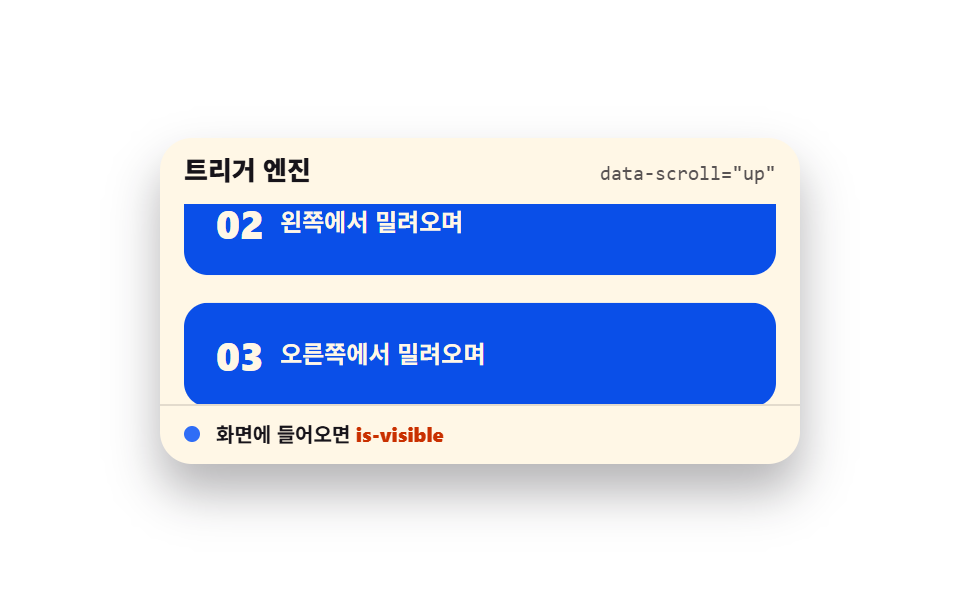 ScrollScroll Trigger Animation: 9 Engines, No GSAP
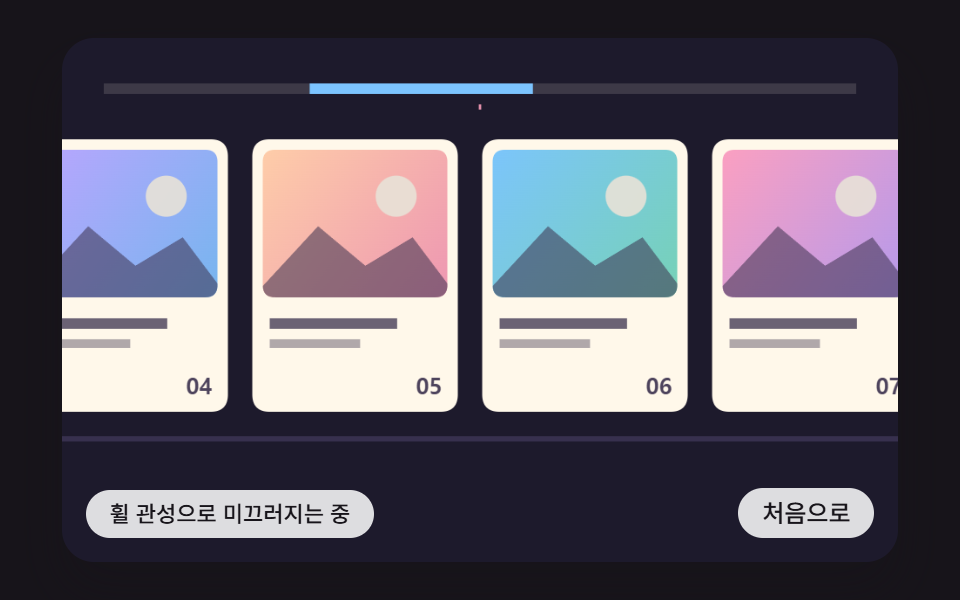 ScrollHorizontal Scroll Animation CSS: 9 Inertia Scenes
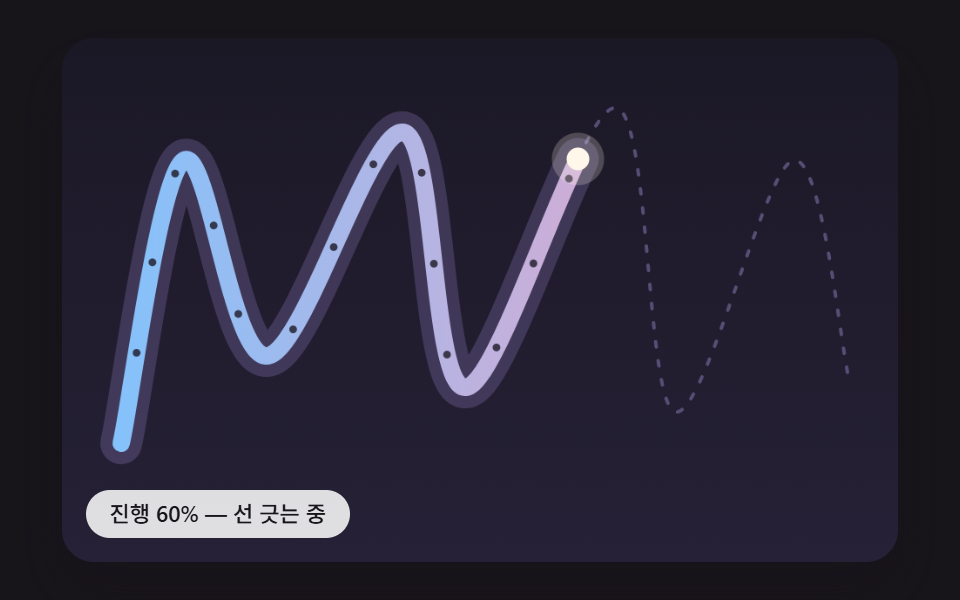 ScrollScroll Path Animation: 9 Scenes Along a Curve
 Scroll9 CSS Animation on Scroll Effects, No JavaScript
 Scroll9 CSS Marquee Infinite Loop — No JS, Scroll-Driven
 Scroll9 CSS Scroll Progress Bar Ideas, Copy-Paste
 Scroll9 CSS Only Carousels You Can Copy-Paste
 Scroll9 CSS Timeline Animation Ideas, Copy-Paste
 Scroll9 CSS Only Carousel Slider Recipes to Copy-Paste
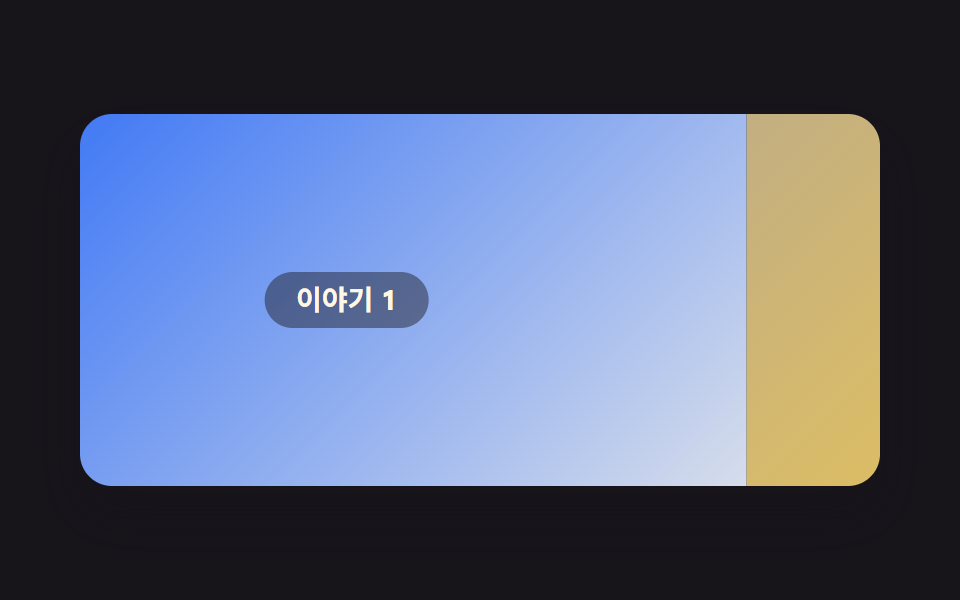 Scroll9 Website Scroll Effects — Apple-Style, CSS Only