CSS Dither: 9 Scenes Drawn by Threshold Math
A css dither throws away every color but two, so why does the gradient look smoother?
Run All Nine Dithers Right on This Page
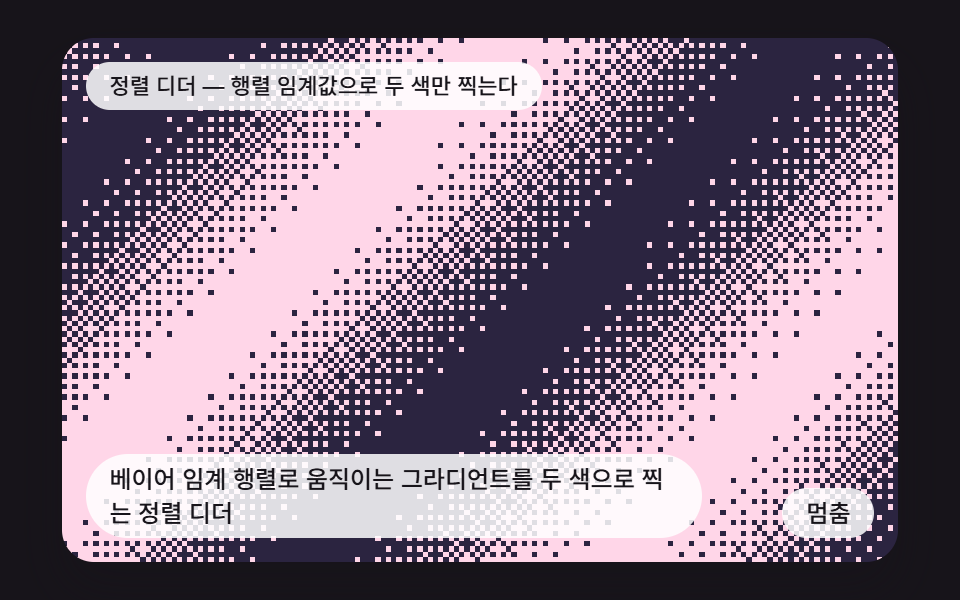 01 dt-bayer-ordered-sweep
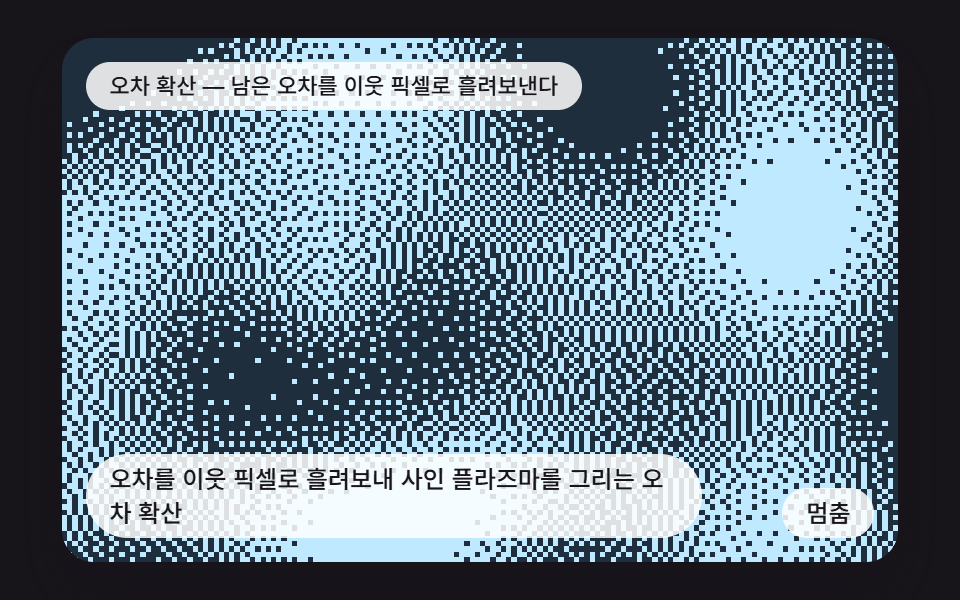 02 dt-error-diffusion-plasma
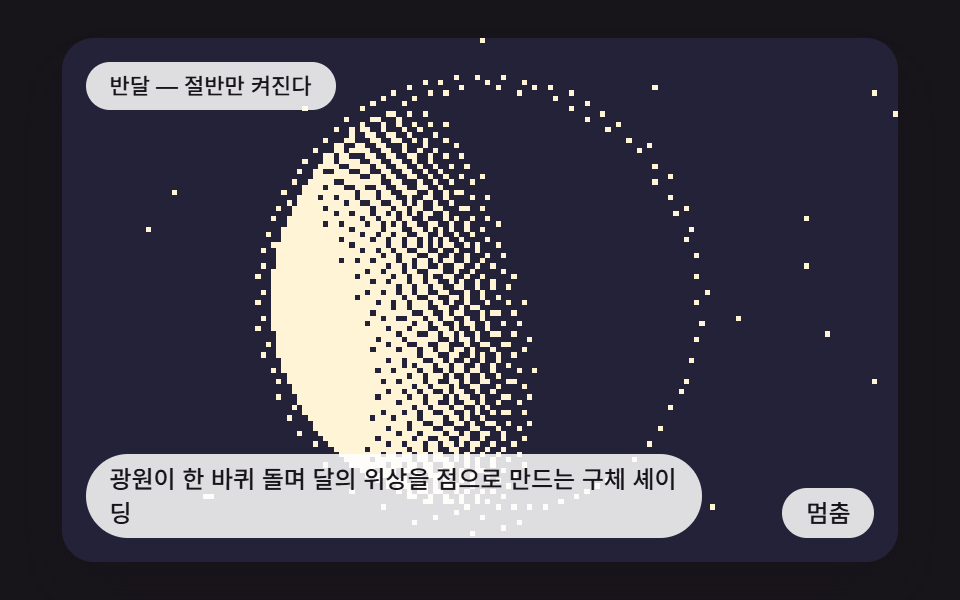 03 dt-lit-sphere-moon-phase
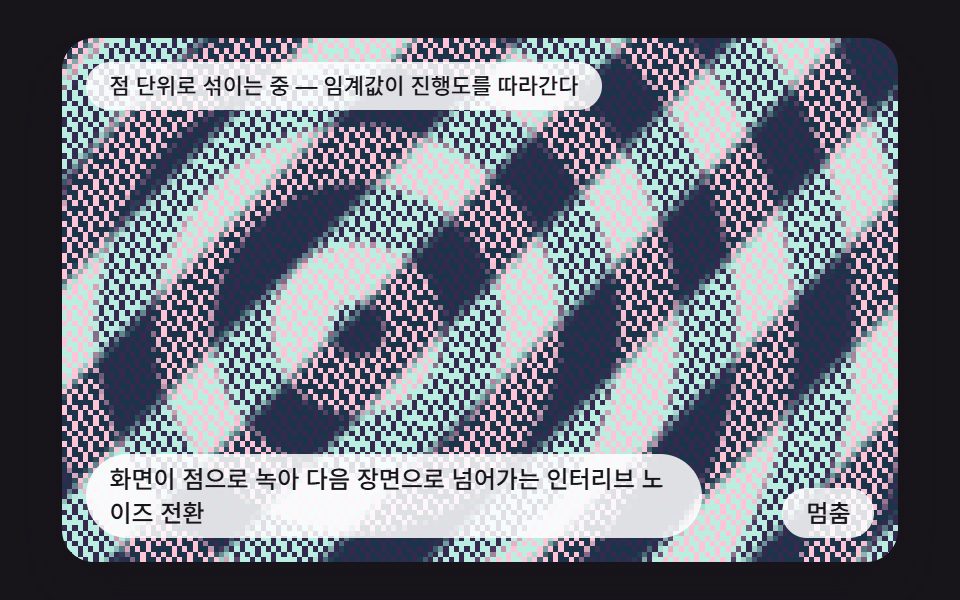 04 dt-gradient-noise-dissolve
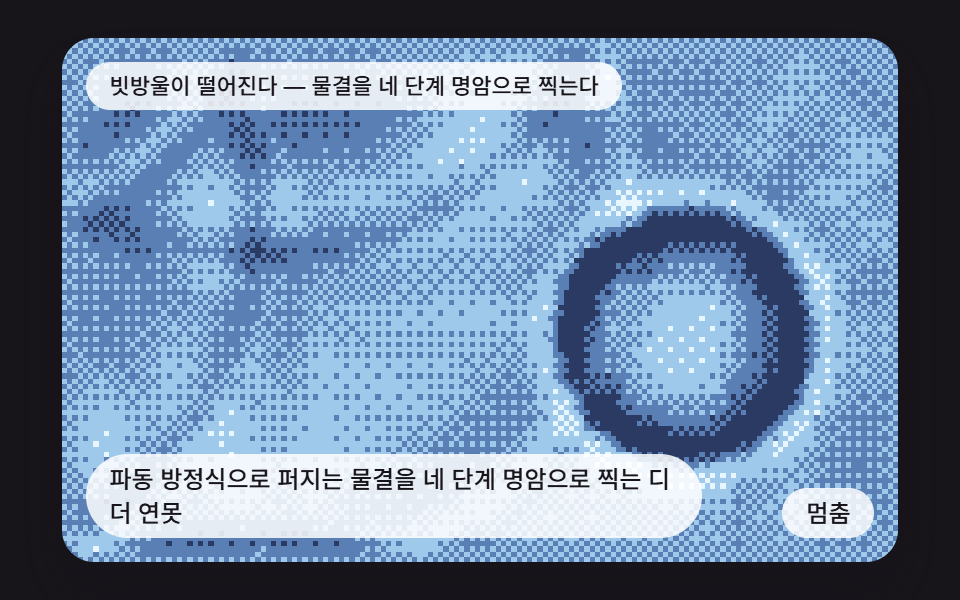 05 dt-dithered-ripple-pond
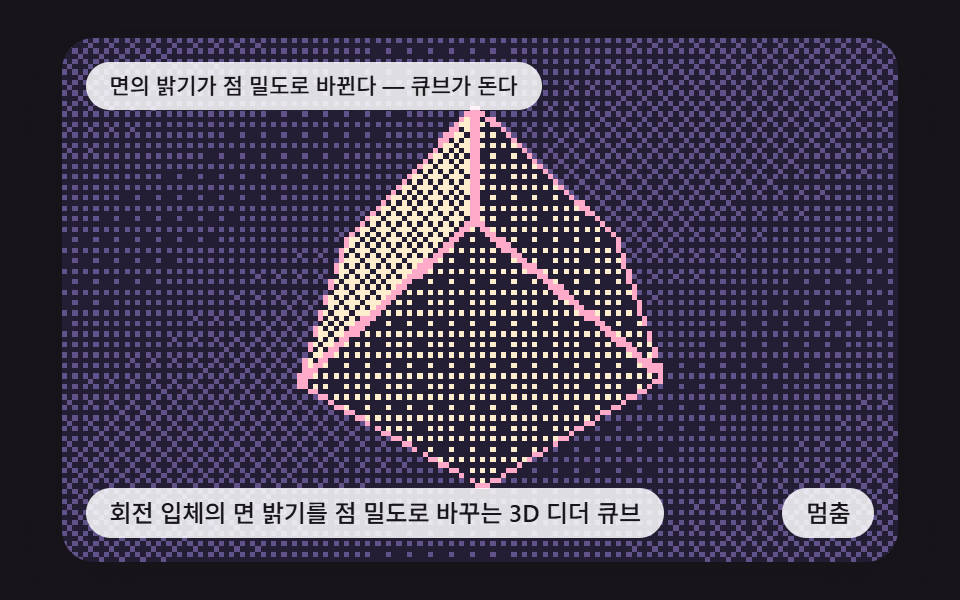 06 dt-rotating-cube-flat-shade
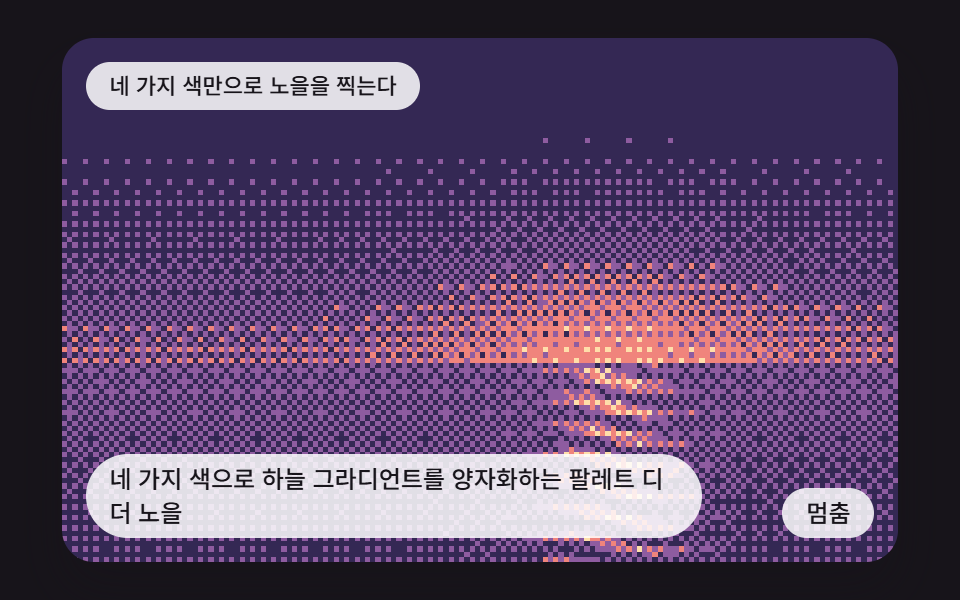 07 dt-palette-sunset-quantize
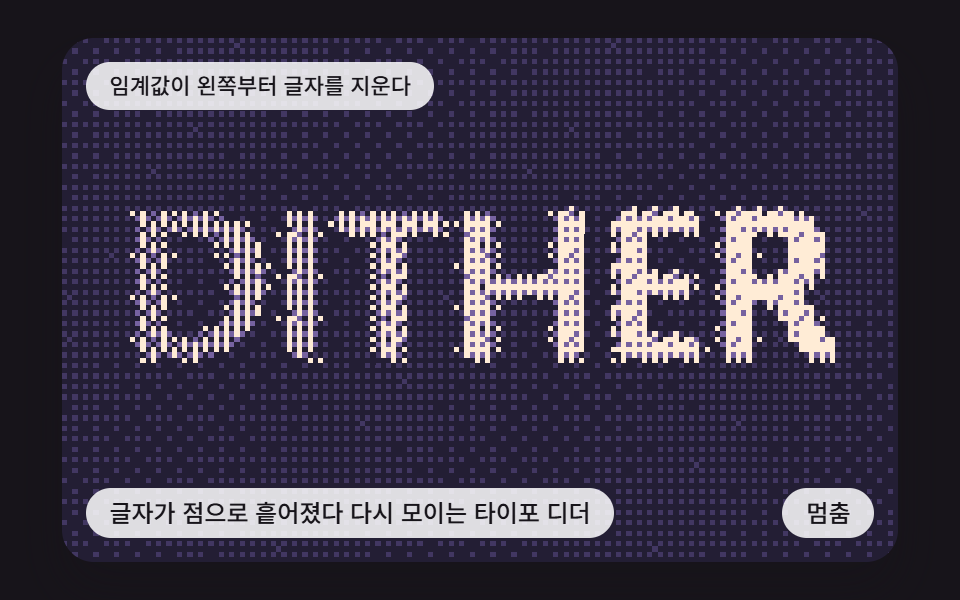 08 dt-text-dither-dissolve
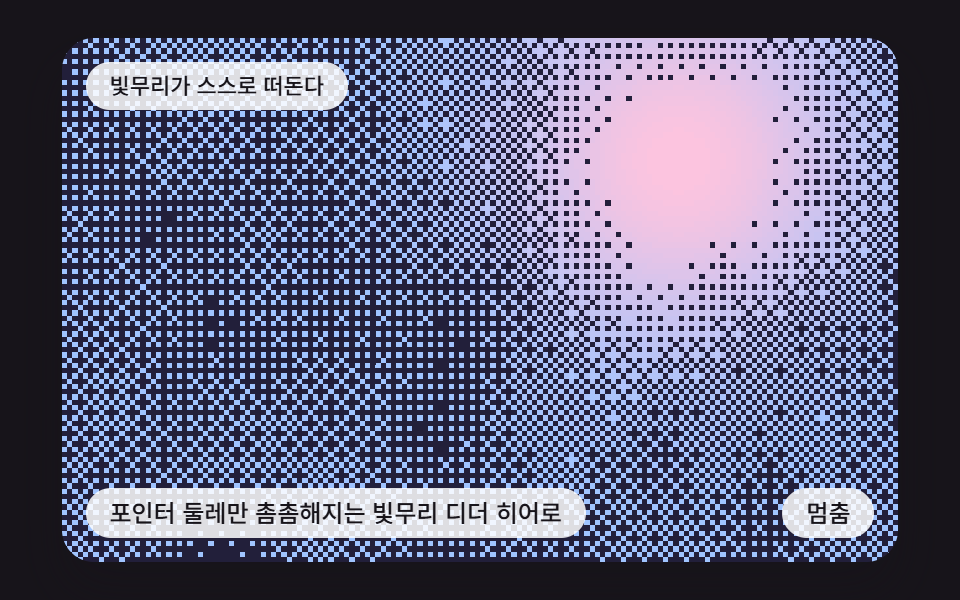 09 dt-pointer-halo-hero
Auto-plays · click a tile to jump to its section · all nine in one zip
- 01 An Ordered Dither That Stamps a Moving Gradient in Two Colors with a Bayer Matrix
- 02 Error Diffusion That Passes Rounding Error to Neighbors to Draw a Sine Plasma
- 03 Sphere Shading Where an Orbiting Light Turns Moon Phases into Dots
- 04 An Interleaved-Noise Transition That Dissolves One Scene into the Next as Dots
- 05 A Dithered Pond Where Wave-Equation Ripples Are Stamped in Four Tones
- 06 A 3D Dither Cube That Turns Face Brightness into Dot Density
- 07 A Palette-Dithered Sunset That Quantizes a Sky Gradient to Four Colors
- 08 Type That Scatters into Dots and Gathers Again as a Dither
- 09 A Dither Hero Where Only the Area Around the Pointer Gets Dense
CSS Dither: 9 Scenes Where Thresholds, Error and Normals Turn Dots into Pictures
Each scene fills a small grid of 160 by 100 dots, one color per dot, and then stretches that grid three times wider onto the stage. The stretch runs with imageSmoothingEnabled off and image-rendering: pixelated in CSS, so a dot stays a hard square instead of blurring. The stage width is min(92vw, calc(160vh - 12.8vw)), and in the render capture window it came out about 419px wide.
Dithering means cutting brightness down to a few levels without letting the rounding error pile up into bands. There are two ways to scatter that error. One compares each cell's brightness with a threshold chosen in advance (scenes 01, 04, 05, 06, 07, 08 and 09), and the other hands the leftover from rounding to neighboring cells (02 and 03). The scenes start with those two methods bare (01 and 02), put one of them on a sphere (03), and then move on to a transition, ripples, a solid, a palette, type and pointer reaction.
Pick a starting point by the job. A loading background begins at 01, a moon-like sphere at 03, a page transition at 04, a click-reactive water hero at 05, and a first screen that lights up only around the cursor at 09. The same per-pixel canvas calculation turns into color gradients in Rainbow Gradient Background CSS: 9 Patterns, while this page cuts one brightness field down to two or four colors.
Code for Each Technique Behind the CSS Dither Effect
Every snippet below is a run of consecutive lines from the <script> in one scene's index.html, and none goes past 25 lines. Whatever gets filed under css image dithering rests on one of two calculations here: comparing against a threshold or passing error to neighbors.
01A Bayer Matrix Ordered Dither That Stamps a Striped Gradient in Two Colors
Each dot's brightness comes from a sine stripe running along the diagonal, the matrix threshold is added, and the dot turns on once the sum reaches 1. The matrix starts at 2 by 2 and doubles until it hits BAYER_SIZE, then dot (x, y) reads entry (y % n)·n + (x % n), which suits retro game style loading backgrounds. The render measured 74.8% cumulative area, mean intensity 182.8 and 23/23 frames moving.
<main class="stage">
<div class="sc is-demo" id="scRoot">
  <canvas class="sc__canvas" id="scCanvas" width="480" height="300" tabindex="0" aria-label="An Ordered Dither That Stamps a Moving Gradient in Two Colors with a Bayer Matrix"></canvas>
  <p class="sc__status" id="scStatus" aria-live="polite">Ordered dither — a threshold matrix stamps just two colors</p>
  <button class="sc__btn" id="scBtn" type="button">Pause</button>
  <p class="sc__caption">An Ordered Dither That Stamps a Moving Gradient in Two Colors with a Bayer Matrix</p>
</div>
</main>
@use "../../../../site/static/demo-tokens" as *;
@include stage($stage-ink);
.sc {
position: relative;
width: min(92vw, calc(160vh - 12.8vw));
aspect-ratio: 480 / 300;
margin: 0 auto;
border-radius: $r-card;
overflow: hidden;
box-shadow: $shadow-raised;
background: $subject-ink;
}
.sc__canvas {
display: block;
width: 100%;
height: 100%;
touch-action: none;
image-rendering: pixelated;
}
.sc__canvas:focus-visible {
outline: 2px solid rgba(255, 255, 255, .85);
outline-offset: -6px;
}
.sc__status {
position: absolute;
left: $sp-3;
top: $sp-3;
max-width: 62%;
margin: 0;
padding: $sp-1 $sp-3;
border-radius: $r-pill;
background: rgba(255, 255, 255, .85);
color: $subject-ink;
font-weight: 500;
font-size: 11px;
line-height: 1.4;
pointer-events: none;
}
.sc__btn {
position: absolute;
right: $sp-3;
bottom: $sp-3;
margin: 0;
padding: $sp-1 $sp-3;
border: 0;
border-radius: $r-pill;
background: rgba(255, 255, 255, .85);
color: $subject-ink;
font: inherit;
font-weight: 500;
font-size: 12px;
line-height: 1.4;
cursor: pointer;
}
.sc__btn:focus-visible {
outline: 2px solid #ffffff;
outline-offset: 2px;
}
.sc__caption {
position: absolute;
left: $sp-3;
bottom: $sp-3;
max-width: 68%;
margin: 0;
padding: $sp-1 $sp-3;
border-radius: $r-pill;
background: rgba(255, 255, 255, .85);
color: $subject-ink;
font-weight: 500;
font-size: 12px;
line-height: 1.4;
pointer-events: none;
}
@media (max-width: 340px) {
.sc__caption, .sc__btn { font-size: 10px; padding: $sp-1 $sp-2; }
.sc__status { font-size: 10px; }
}
@media (prefers-reduced-motion: reduce) {
.sc { cursor: default; }
}html, body {
margin: 0;
overflow: hidden;
}
.stage {
box-sizing: border-box;
min-height: 100vh;
display: grid;
place-items: center;
margin: 0;
background: #17141a;
font-family: -apple-system, "Segoe UI", "Noto Sans KR", sans-serif;
padding: clamp(8px, 4vw, 24px);
}
.sc {
position: relative;
width: min(92vw, 160vh - 12.8vw);
aspect-ratio: 480/300;
margin: 0 auto;
border-radius: 16px;
overflow: hidden;
box-shadow: 0 14px 24px rgba(23, 20, 26, 0.32);
background: #17141a;
}
.sc__canvas {
display: block;
width: 100%;
height: 100%;
touch-action: none;
image-rendering: pixelated;
}
.sc__canvas:focus-visible {
outline: 2px solid rgba(255, 255, 255, 0.85);
outline-offset: -6px;
}
.sc__status {
position: absolute;
left: 12px;
top: 12px;
max-width: 62%;
margin: 0;
padding: 4px 12px;
border-radius: 999px;
background: rgba(255, 255, 255, 0.85);
color: #17141a;
font-weight: 500;
font-size: 11px;
line-height: 1.4;
pointer-events: none;
}
.sc__btn {
position: absolute;
right: 12px;
bottom: 12px;
margin: 0;
padding: 4px 12px;
border: 0;
border-radius: 999px;
background: rgba(255, 255, 255, 0.85);
color: #17141a;
font: inherit;
font-weight: 500;
font-size: 12px;
line-height: 1.4;
cursor: pointer;
}
.sc__btn:focus-visible {
outline: 2px solid #ffffff;
outline-offset: 2px;
}
.sc__caption {
position: absolute;
left: 12px;
bottom: 12px;
max-width: 68%;
margin: 0;
padding: 4px 12px;
border-radius: 999px;
background: rgba(255, 255, 255, 0.85);
color: #17141a;
font-weight: 500;
font-size: 12px;
line-height: 1.4;
pointer-events: none;
}
@media (max-width: 340px) {
.sc__caption, .sc__btn {
font-size: 10px;
padding: 4px 8px;
}
.sc__status {
font-size: 10px;
}
}
@media (prefers-reduced-motion: reduce) {
.sc {
cursor: default;
}
}(function () {
const W = 480;
const H = 300;
const PI2 = Math.PI * 2;
const FIXED_DT = 16;
const REDUCE_STEP_MS = 900;
const KEY_STEP = 14;
const IDLE_TICKS = 150;
const BTN_PAUSE = 'Pause';
const BTN_PLAY = 'Play';
const BTN_NEXT = 'Next scene';
// 점을 찍는 작은 격자 — 화면에는 3배로 확대해 올린다
const GW = 160;
const GH = 100;
function clamp(v, lo, hi) { return v < lo ? lo : (v > hi ? hi : v); }
function lerp(a, b, k) { return a + (b - a) * k; }
function smooth(x) { const c = clamp(x, 0, 1); return c * c * (3 - 2 * c); }
function frac(x) { return x - Math.floor(x); }
// 시드 고정 난수 — 같은 시드면 언제나 같은 수열 (선형 합동 방식)
function lcg(seed) {
let s = seed >>> 0;
return function () {
s = (Math.imul(s, 1664525) + 1013904223) >>> 0;
return s / 4294967296;
};
}
// 좌표 두 개와 시드로 0 이상 1 미만의 값을 만드는 정수 해시 (난수 함수 없이도 같은 좌표는 늘 같은 값)
function hash2(x, y, seed) {
let h = (Math.imul(x | 0, 374761393) + Math.imul(y | 0, 668265263) + Math.imul(seed | 0, 1442695041)) | 0;
h = Math.imul(h ^ (h >>> 13), 1274126177);
h ^= h >>> 16;
return (h >>> 0) / 4294967296;
}
// 격자 네 점의 해시를 smooth 로 이어 붙인 값 노이즈
function vnoise(x, y, seed) {
const xi = Math.floor(x);
const yi = Math.floor(y);
const fx = smooth(x - xi);
const fy = smooth(y - yi);
const a = lerp(hash2(xi, yi, seed), hash2(xi + 1, yi, seed), fx);
const b = lerp(hash2(xi, yi + 1, seed), hash2(xi + 1, yi + 1, seed), fx);
return lerp(a, b, fy);
}
// 베이어 임계 행렬 — n 은 2 의 거듭제곱. 값은 0 초과 1 미만으로 맞춘다
function makeBayer(n) {
let size = 2;
let m = [0, 2, 3, 1];
const quad = [0, 2, 3, 1];
while (size < n) {
const s2 = size * 2;
const next = [];
for (let y = 0; y < s2; y += 1) {
for (let x = 0; x < s2; x += 1) {
const q = (y >= size ? 2 : 0) + (x >= size ? 1 : 0);
next.push(4 * m[(y % size) * size + (x % size)] + quad[q]);
}
}
m = next;
size = s2;
}
const out = new Float32Array(n * n);
for (let i = 0; i < out.length; i += 1) {
out[i] = (m[i] + 0.5) / (n * n);
}
return out;
}
// 색 하나를 캔버스 픽셀 한 개(리틀 엔디언 RGBA)로 묶는다
function pack(c) {
return ((255 << 24) | (Math.round(c[2]) << 16) | (Math.round(c[1]) << 8) | Math.round(c[0])) >>> 0;
}
function mixPack(a, b, k) {
return pack([lerp(a[0], b[0], k), lerp(a[1], b[1], k), lerp(a[2], b[2], k)]);
}
function makeBuf() {
const off = document.createElement('canvas');
off.width = GW;
off.height = GH;
const octx = off.getContext('2d');
if (!octx) {
throw new Error('2d context unavailable');
}
const img = octx.createImageData(GW, GH);
return { off: off, octx: octx, img: img, px: new Uint32Array(img.data.buffer) };
}
// 작은 격자를 큰 캔버스에 보간 없이 확대해 올린다
function flush(ctx, b) {
b.octx.putImageData(b.img, 0, 0);
ctx.imageSmoothingEnabled = false;
ctx.drawImage(b.off, 0, 0, W, H);
}
function start(root, canvas, statusEl, btnEl, make) {
const ctx0 = canvas.getContext('2d');
if (!ctx0) {
return function () { return; };
}
const ctx = ctx0;
const dpr = Math.min(window.devicePixelRatio || 1, 2);
canvas.width = Math.round(W * dpr);
canvas.height = Math.round(H * dpr);
ctx.setTransform(dpr, 0, 0, dpr, 0, 0);
const reduce = window.matchMedia('(prefers-reduced-motion: reduce)').matches;
const inp = { x: W / 2, y: H / 2, idle: 99999 };
const scene = make(inp, reduce);
let paused = false;
let rafId = 0;
let lastTs = -1;
let accMs = 0;
let lastLabel = '';
const cleaners = [];
function listen(target, type, fn) {
target.addEventListener(type, fn);
cleaners.push(function () { target.removeEventListener(type, fn); });
}
function show() {
scene.draw(ctx);
const t = scene.label();
if (t !== lastLabel) {
lastLabel = t;
statusEl.textContent = t;
}
}
function advance(ms) {
const n = Math.round(ms / FIXED_DT);
for (let i = 0; i < n; i += 1) {
inp.idle += 1;
scene.step();
}
}
function refresh() {
if (reduce) {
advance(FIXED_DT * 6);
show();
}
}
function toLocal(e) {
const r = canvas.getBoundingClientRect();
inp.x = clamp((e.clientX - r.left) * W / r.width, 0, W);
inp.y = clamp((e.clientY - r.top) * H / r.height, 0, H);
inp.idle = 0;
}
function tick(ts) {
if (lastTs < 0) {
lastTs = ts;
}
const frameDt = Math.min(ts - lastTs, 160);
lastTs = ts;
if (!paused) {
accMs += frameDt;
while (accMs >= FIXED_DT) {
inp.idle += 1;
scene.step();
accMs -= FIXED_DT;
}
show();
}
rafId = requestAnimationFrame(tick);
}
btnEl.textContent = reduce ? BTN_NEXT : BTN_PAUSE;
if (reduce) {
root.classList.remove('is-demo');
advance(1400);
show();
}
listen(btnEl, 'click', function () {
if (reduce) {
advance(REDUCE_STEP_MS);
show();
return;
}
paused = !paused;
if (paused) {
root.classList.remove('is-demo');
}
else {
root.classList.add('is-demo');
}
btnEl.textContent = paused ? BTN_PLAY : BTN_PAUSE;
});
listen(canvas, 'pointermove', function (e) {
toLocal(e);
refresh();
});
listen(canvas, 'pointerdown', function (e) {
toLocal(e);
scene.tap();
refresh();
});
listen(canvas, 'keydown', function (e) {
const k = e.key;
let dx = 0;
let dy = 0;
if (k === 'Enter' || k === ' ') {
e.preventDefault();
scene.tap();
refresh();
return;
}
if (k === 'ArrowLeft') {
dx = -KEY_STEP;
}
else if (k === 'ArrowRight') {
dx = KEY_STEP;
}
else if (k === 'ArrowUp') {
dy = -KEY_STEP;
}
else if (k === 'ArrowDown') {
dy = KEY_STEP;
}
else {
return;
}
e.preventDefault();
inp.x = clamp(inp.x + dx, 0, W);
inp.y = clamp(inp.y + dy, 0, H);
inp.idle = 0;
refresh();
});
if (!reduce) {
rafId = requestAnimationFrame(tick);
}
return function () {
cancelAnimationFrame(rafId);
for (let i = 0; i < cleaners.length; i += 1) {
cleaners[i]();
}
};
}
const BAYER_SIZE = 4;
const LEVELS = 2;
const SWEEP_SPEED = 0.011;
const THRESHOLD_BIAS = 0;
const WAVES = 2.2;
const DARK_01 = [43, 36, 64];
const LIGHT_01 = [255, 214, 232];
const TXT_ORDERED = 'Ordered dither — a threshold matrix stamps just two colors';
const TXT_PLAIN = 'One threshold alone leaves only bands';
const TXT_SCRUB = 'The pointer drags the stripes along';
function makeScene(inp, reduce) {
const buf = makeBuf();
const matrix = makeBayer(BAYER_SIZE);
const dark = pack(DARK_01);
const light = pack(LIGHT_01);
const q = LEVELS - 1;
let t = 0;
let plain = false;
let shift = 0;
const scene = {
step() {
t += 1;
const target = inp.idle < IDLE_TICKS ? (inp.x / W - 0.5) * 1.2 : 0;
shift = lerp(shift, target, 0.08);
},
draw(ctx) {
const phase = t * SWEEP_SPEED + shift;
for (let y = 0; y < GH; y += 1) {
for (let x = 0; x < GW; x += 1) {
// 대각선 방향 좌표 u 를 사인에 넣어 줄무늬 그라디언트를 만든다
const u = (x / GW) * 0.62 + (y / GH) * 0.38;
const v = 0.5 + 0.5 * Math.sin(PI2 * (u * WAVES - phase));
const thr = plain ? 0.5 : matrix[(y % BAYER_SIZE) * BAYER_SIZE + (x % BAYER_SIZE)];
const o = clamp(Math.floor(v * q + thr + THRESHOLD_BIAS), 0, q) / q;
buf.px[y * GW + x] = o >= 1 ? light : (o <= 0 ? dark : mixPack(DARK_01, LIGHT_01, o));
}
}
flush(ctx, buf);
},
label() {
if (plain) {
return TXT_PLAIN;
}
return inp.idle < IDLE_TICKS ? TXT_SCRUB : TXT_ORDERED;
},
tap() {
plain = !plain;
}
};
if (reduce) {
for (let i = 0; i < 40; i += 1) {
scene.step();
}
}
return scene;
}
start(document.getElementById('scRoot'), document.getElementById('scCanvas'), document.getElementById('scStatus'), document.getElementById('scBtn'), makeScene);
})();import { useEffect, useRef } from "react";
import styles from "./DtBayerOrderedSweep.module.scss";
const W = 480;
const H = 300;
const PI2 = Math.PI * 2;
const FIXED_DT = 16;
const REDUCE_STEP_MS = 900;
const KEY_STEP = 14;
const IDLE_TICKS = 150;
const BTN_PAUSE = '멈춤';
const BTN_PLAY = '재생';
const BTN_NEXT = '다음 장면';
// 점을 찍는 작은 격자 — 화면에는 3배로 확대해 올린다
const GW = 160;
const GH = 100;
type RGB = [number, number, number];
interface Input { x: number; y: number; idle: number; }
interface Scene {
step(): void;
draw(ctx: CanvasRenderingContext2D): void;
label(): string;
tap(): void;
}
type Maker = (inp: Input, reduce: boolean) => Scene;
interface Buf {
off: HTMLCanvasElement;
octx: CanvasRenderingContext2D;
img: ImageData;
px: Uint32Array;
}
function clamp(v: number, lo: number, hi: number): number { return v < lo ? lo : (v > hi ? hi : v); }
function lerp(a: number, b: number, k: number): number { return a + (b - a) * k; }
function smooth(x: number): number { const c = clamp(x, 0, 1); return c * c * (3 - 2 * c); }
function frac(x: number): number { return x - Math.floor(x); }
// 시드 고정 난수 — 같은 시드면 언제나 같은 수열 (선형 합동 방식)
function lcg(seed: number): () => number {
let s = seed >>> 0;
return function (): number {
s = (Math.imul(s, 1664525) + 1013904223) >>> 0;
return s / 4294967296;
};
}
// 좌표 두 개와 시드로 0 이상 1 미만의 값을 만드는 정수 해시 (난수 함수 없이도 같은 좌표는 늘 같은 값)
function hash2(x: number, y: number, seed: number): number {
let h = (Math.imul(x | 0, 374761393) + Math.imul(y | 0, 668265263) + Math.imul(seed | 0, 1442695041)) | 0;
h = Math.imul(h ^ (h >>> 13), 1274126177);
h ^= h >>> 16;
return (h >>> 0) / 4294967296;
}
// 격자 네 점의 해시를 smooth 로 이어 붙인 값 노이즈
function vnoise(x: number, y: number, seed: number): number {
const xi = Math.floor(x);
const yi = Math.floor(y);
const fx = smooth(x - xi);
const fy = smooth(y - yi);
const a = lerp(hash2(xi, yi, seed), hash2(xi + 1, yi, seed), fx);
const b = lerp(hash2(xi, yi + 1, seed), hash2(xi + 1, yi + 1, seed), fx);
return lerp(a, b, fy);
}
// 베이어 임계 행렬 — n 은 2 의 거듭제곱. 값은 0 초과 1 미만으로 맞춘다
function makeBayer(n: number): Float32Array {
let size = 2;
let m: number[] = [0, 2, 3, 1];
const quad = [0, 2, 3, 1];
while (size < n) {
const s2 = size * 2;
const next: number[] = [];
for (let y = 0; y < s2; y += 1) {
for (let x = 0; x < s2; x += 1) {
const q = (y >= size ? 2 : 0) + (x >= size ? 1 : 0);
next.push(4 * m[(y % size) * size + (x % size)] + quad[q]);
}
}
m = next;
size = s2;
}
const out = new Float32Array(n * n);
for (let i = 0; i < out.length; i += 1) {
out[i] = (m[i] + 0.5) / (n * n);
}
return out;
}
// 색 하나를 캔버스 픽셀 한 개(리틀 엔디언 RGBA)로 묶는다
function pack(c: RGB): number {
return ((255 << 24) | (Math.round(c[2]) << 16) | (Math.round(c[1]) << 8) | Math.round(c[0])) >>> 0;
}
function mixPack(a: RGB, b: RGB, k: number): number {
return pack([lerp(a[0], b[0], k), lerp(a[1], b[1], k), lerp(a[2], b[2], k)]);
}
function makeBuf(): Buf {
const off = document.createElement('canvas');
off.width = GW;
off.height = GH;
const octx = off.getContext('2d');
if (!octx) {
throw new Error('2d context unavailable');
}
const img = octx.createImageData(GW, GH);
return { off: off, octx: octx, img: img, px: new Uint32Array(img.data.buffer) };
}
// 작은 격자를 큰 캔버스에 보간 없이 확대해 올린다
function flush(ctx: CanvasRenderingContext2D, b: Buf): void {
b.octx.putImageData(b.img, 0, 0);
ctx.imageSmoothingEnabled = false;
ctx.drawImage(b.off, 0, 0, W, H);
}
function start(root: HTMLElement, canvas: HTMLCanvasElement, statusEl: HTMLElement, btnEl: HTMLButtonElement, make: Maker): () => void {
const ctx0 = canvas.getContext('2d');
if (!ctx0) {
return function (): void { return; };
}
const ctx: CanvasRenderingContext2D = ctx0;
const dpr = Math.min(window.devicePixelRatio || 1, 2);
canvas.width = Math.round(W * dpr);
canvas.height = Math.round(H * dpr);
ctx.setTransform(dpr, 0, 0, dpr, 0, 0);
const reduce = window.matchMedia('(prefers-reduced-motion: reduce)').matches;
const inp: Input = { x: W / 2, y: H / 2, idle: 99999 };
const scene = make(inp, reduce);
let paused = false;
let rafId = 0;
let lastTs = -1;
let accMs = 0;
let lastLabel = '';
const cleaners: Array<() => void> = [];
function listen(target: EventTarget, type: string, fn: (e: Event) => void): void {
target.addEventListener(type, fn);
cleaners.push(function (): void { target.removeEventListener(type, fn); });
}
function show(): void {
scene.draw(ctx);
const t = scene.label();
if (t !== lastLabel) {
lastLabel = t;
statusEl.textContent = t;
}
}
function advance(ms: number): void {
const n = Math.round(ms / FIXED_DT);
for (let i = 0; i < n; i += 1) {
inp.idle += 1;
scene.step();
}
}
function refresh(): void {
if (reduce) {
advance(FIXED_DT * 6);
show();
}
}
function toLocal(e: PointerEvent): void {
const r = canvas.getBoundingClientRect();
inp.x = clamp((e.clientX - r.left) * W / r.width, 0, W);
inp.y = clamp((e.clientY - r.top) * H / r.height, 0, H);
inp.idle = 0;
}
function tick(ts: number): void {
if (lastTs < 0) {
lastTs = ts;
}
const frameDt = Math.min(ts - lastTs, 160);
lastTs = ts;
if (!paused) {
accMs += frameDt;
while (accMs >= FIXED_DT) {
inp.idle += 1;
scene.step();
accMs -= FIXED_DT;
}
show();
}
rafId = requestAnimationFrame(tick);
}
btnEl.textContent = reduce ? BTN_NEXT : BTN_PAUSE;
if (reduce) {
root.classList.remove('is-demo');
advance(1400);
show();
}
listen(btnEl, 'click', function (): void {
if (reduce) {
advance(REDUCE_STEP_MS);
show();
return;
}
paused = !paused;
if (paused) {
root.classList.remove('is-demo');
} else {
root.classList.add('is-demo');
}
btnEl.textContent = paused ? BTN_PLAY : BTN_PAUSE;
});
listen(canvas, 'pointermove', function (e: Event): void {
toLocal(e as PointerEvent);
refresh();
});
listen(canvas, 'pointerdown', function (e: Event): void {
toLocal(e as PointerEvent);
scene.tap();
refresh();
});
listen(canvas, 'keydown', function (e: Event): void {
const k = (e as KeyboardEvent).key;
let dx = 0;
let dy = 0;
if (k === 'Enter' || k === ' ') {
e.preventDefault();
scene.tap();
refresh();
return;
}
if (k === 'ArrowLeft') { dx = -KEY_STEP; }
else if (k === 'ArrowRight') { dx = KEY_STEP; }
else if (k === 'ArrowUp') { dy = -KEY_STEP; }
else if (k === 'ArrowDown') { dy = KEY_STEP; }
else { return; }
e.preventDefault();
inp.x = clamp(inp.x + dx, 0, W);
inp.y = clamp(inp.y + dy, 0, H);
inp.idle = 0;
refresh();
});
if (!reduce) {
rafId = requestAnimationFrame(tick);
}
return function (): void {
cancelAnimationFrame(rafId);
for (let i = 0; i < cleaners.length; i += 1) {
cleaners[i]();
}
};
}
const BAYER_SIZE = 4;
const LEVELS = 2;
const SWEEP_SPEED = 0.011;
const THRESHOLD_BIAS = 0;
const WAVES = 2.2;
const DARK_01: RGB = [43, 36, 64];
const LIGHT_01: RGB = [255, 214, 232];
const TXT_ORDERED = '정렬 디더 — 행렬 임계값으로 두 색만 찍는다';
const TXT_PLAIN = '임계값 하나로 자르면 띠만 남는다';
const TXT_SCRUB = '포인터가 줄무늬를 끌고 간다';
function makeScene(inp: Input, reduce: boolean): Scene {
const buf = makeBuf();
const matrix = makeBayer(BAYER_SIZE);
const dark = pack(DARK_01);
const light = pack(LIGHT_01);
const q = LEVELS - 1;
let t = 0;
let plain = false;
let shift = 0;
const scene: Scene = {
step(): void {
t += 1;
const target = inp.idle < IDLE_TICKS ? (inp.x / W - 0.5) * 1.2 : 0;
shift = lerp(shift, target, 0.08);
},
draw(ctx: CanvasRenderingContext2D): void {
const phase = t * SWEEP_SPEED + shift;
for (let y = 0; y < GH; y += 1) {
for (let x = 0; x < GW; x += 1) {
// 대각선 방향 좌표 u 를 사인에 넣어 줄무늬 그라디언트를 만든다
const u = (x / GW) * 0.62 + (y / GH) * 0.38;
const v = 0.5 + 0.5 * Math.sin(PI2 * (u * WAVES - phase));
const thr = plain ? 0.5 : matrix[(y % BAYER_SIZE) * BAYER_SIZE + (x % BAYER_SIZE)];
const o = clamp(Math.floor(v * q + thr + THRESHOLD_BIAS), 0, q) / q;
buf.px[y * GW + x] = o >= 1 ? light : (o <= 0 ? dark : mixPack(DARK_01, LIGHT_01, o));
}
}
flush(ctx, buf);
},
label(): string {
if (plain) {
return TXT_PLAIN;
}
return inp.idle < IDLE_TICKS ? TXT_SCRUB : TXT_ORDERED;
},
tap(): void {
plain = !plain;
}
};
if (reduce) {
for (let i = 0; i < 40; i += 1) {
scene.step();
}
}
return scene;
}
export default function DtBayerOrderedSweep() {
const rootRef = useRef<HTMLDivElement | null>(null);
const canvasRef = useRef<HTMLCanvasElement | null>(null);
const statusRef = useRef<HTMLParagraphElement | null>(null);
const btnRef = useRef<HTMLButtonElement | null>(null);
useEffect(() => {
const root = rootRef.current;
const canvas = canvasRef.current;
const statusEl = statusRef.current;
const btnEl = btnRef.current;
if (!root || !canvas || !statusEl || !btnEl) return;
return start(root, canvas, statusEl, btnEl, makeScene);
}, []);
return (
<main className={styles.stage}>
<div className={`${styles.sc} is-demo`} ref={rootRef}>
<canvas className={styles.sc__canvas} ref={canvasRef} width={480} height={300} tabIndex={0} aria-label="베이어 임계 행렬로 움직이는 그라디언트를 두 색으로 찍는 정렬 디더" />
<p className={styles.sc__status} ref={statusRef} aria-live="polite">정렬 디더 — 행렬 임계값으로 두 색만 찍는다</p>
<button className={styles.sc__btn} ref={btnRef} type="button">멈춤</button>
<p className={styles.sc__caption}>베이어 임계 행렬로 움직이는 그라디언트를 두 색으로 찍는 정렬 디더</p>
</div>
</main>
);
}01 · An Ordered Dither That Stamps a Moving Gradient in Two Colors with a Bayer Matrix — Measured area 74.844% · moving frames 23/23Original by GODRICH · SCSS and React ship in the zip · See the password
    // Bayer threshold matrix: n is a power of 2, and values are kept above 0 and below 1
    function makeBayer(n) {
        let size = 2;
        let m = [0, 2, 3, 1];
        const quad = [0, 2, 3, 1];
        while (size < n) {
            const s2 = size * 2;
            const next = [];
            for (let y = 0; y < s2; y += 1) {
                for (let x = 0; x < s2; x += 1) {
                    const q = (y >= size ? 2 : 0) + (x >= size ? 1 : 0);
                    next.push(4 * m[(y % size) * size + (x % size)] + quad[q]);
                }
            }
            m = next;
            size = s2;
        }
        const out = new Float32Array(n * n);
        for (let i = 0; i < out.length; i += 1) {
            out[i] = (m[i] + 0.5) / (n * n);
        }
        return out;
    }
02Error Diffusion That Passes Rounding Error to Neighbors for a Sine Plasma
Four summed sines make the brightness field, and a dot turns on when its value plus the carried error is above 0.5. The rounding leftover goes to four neighbors, 7/16 to the next dot along the row, 5/16 straight below, 3/16 below-behind and 1/16 below-ahead, and odd rows run right to left because SERPENTINE is 1, which suits a hero background filled with just two colors. This scene came out at 74.8% cumulative area, intensity 165.7 and 23/23 frames.
<main class="stage">
<div class="sc is-demo" id="scRoot">
  <canvas class="sc__canvas" id="scCanvas" width="480" height="300" tabindex="0" aria-label="Error Diffusion That Passes Rounding Error to Neighbors to Draw a Sine Plasma"></canvas>
  <p class="sc__status" id="scStatus" aria-live="polite">Error diffusion — leftover error flows to neighboring pixels</p>
  <button class="sc__btn" id="scBtn" type="button">Pause</button>
  <p class="sc__caption">Error Diffusion That Passes Rounding Error to Neighbors to Draw a Sine Plasma</p>
</div>
</main>
@use "../../../../site/static/demo-tokens" as *;
@include stage($stage-ink);
.sc {
position: relative;
width: min(92vw, calc(160vh - 12.8vw));
aspect-ratio: 480 / 300;
margin: 0 auto;
border-radius: $r-card;
overflow: hidden;
box-shadow: $shadow-raised;
background: $subject-ink;
}
.sc__canvas {
display: block;
width: 100%;
height: 100%;
touch-action: none;
image-rendering: pixelated;
}
.sc__canvas:focus-visible {
outline: 2px solid rgba(255, 255, 255, .85);
outline-offset: -6px;
}
.sc__status {
position: absolute;
left: $sp-3;
top: $sp-3;
max-width: 62%;
margin: 0;
padding: $sp-1 $sp-3;
border-radius: $r-pill;
background: rgba(255, 255, 255, .85);
color: $subject-ink;
font-weight: 500;
font-size: 11px;
line-height: 1.4;
pointer-events: none;
}
.sc__btn {
position: absolute;
right: $sp-3;
bottom: $sp-3;
margin: 0;
padding: $sp-1 $sp-3;
border: 0;
border-radius: $r-pill;
background: rgba(255, 255, 255, .85);
color: $subject-ink;
font: inherit;
font-weight: 500;
font-size: 12px;
line-height: 1.4;
cursor: pointer;
}
.sc__btn:focus-visible {
outline: 2px solid #ffffff;
outline-offset: 2px;
}
.sc__caption {
position: absolute;
left: $sp-3;
bottom: $sp-3;
max-width: 68%;
margin: 0;
padding: $sp-1 $sp-3;
border-radius: $r-pill;
background: rgba(255, 255, 255, .85);
color: $subject-ink;
font-weight: 500;
font-size: 12px;
line-height: 1.4;
pointer-events: none;
}
@media (max-width: 340px) {
.sc__caption, .sc__btn { font-size: 10px; padding: $sp-1 $sp-2; }
.sc__status { font-size: 10px; }
}
@media (prefers-reduced-motion: reduce) {
.sc { cursor: default; }
}html, body {
margin: 0;
overflow: hidden;
}
.stage {
box-sizing: border-box;
min-height: 100vh;
display: grid;
place-items: center;
margin: 0;
background: #17141a;
font-family: -apple-system, "Segoe UI", "Noto Sans KR", sans-serif;
padding: clamp(8px, 4vw, 24px);
}
.sc {
position: relative;
width: min(92vw, 160vh - 12.8vw);
aspect-ratio: 480/300;
margin: 0 auto;
border-radius: 16px;
overflow: hidden;
box-shadow: 0 14px 24px rgba(23, 20, 26, 0.32);
background: #17141a;
}
.sc__canvas {
display: block;
width: 100%;
height: 100%;
touch-action: none;
image-rendering: pixelated;
}
.sc__canvas:focus-visible {
outline: 2px solid rgba(255, 255, 255, 0.85);
outline-offset: -6px;
}
.sc__status {
position: absolute;
left: 12px;
top: 12px;
max-width: 62%;
margin: 0;
padding: 4px 12px;
border-radius: 999px;
background: rgba(255, 255, 255, 0.85);
color: #17141a;
font-weight: 500;
font-size: 11px;
line-height: 1.4;
pointer-events: none;
}
.sc__btn {
position: absolute;
right: 12px;
bottom: 12px;
margin: 0;
padding: 4px 12px;
border: 0;
border-radius: 999px;
background: rgba(255, 255, 255, 0.85);
color: #17141a;
font: inherit;
font-weight: 500;
font-size: 12px;
line-height: 1.4;
cursor: pointer;
}
.sc__btn:focus-visible {
outline: 2px solid #ffffff;
outline-offset: 2px;
}
.sc__caption {
position: absolute;
left: 12px;
bottom: 12px;
max-width: 68%;
margin: 0;
padding: 4px 12px;
border-radius: 999px;
background: rgba(255, 255, 255, 0.85);
color: #17141a;
font-weight: 500;
font-size: 12px;
line-height: 1.4;
pointer-events: none;
}
@media (max-width: 340px) {
.sc__caption, .sc__btn {
font-size: 10px;
padding: 4px 8px;
}
.sc__status {
font-size: 10px;
}
}
@media (prefers-reduced-motion: reduce) {
.sc {
cursor: default;
}
}(function () {
const W = 480;
const H = 300;
const PI2 = Math.PI * 2;
const FIXED_DT = 16;
const REDUCE_STEP_MS = 900;
const KEY_STEP = 14;
const IDLE_TICKS = 150;
const BTN_PAUSE = 'Pause';
const BTN_PLAY = 'Play';
const BTN_NEXT = 'Next scene';
// 점을 찍는 작은 격자 — 화면에는 3배로 확대해 올린다
const GW = 160;
const GH = 100;
function clamp(v, lo, hi) { return v < lo ? lo : (v > hi ? hi : v); }
function lerp(a, b, k) { return a + (b - a) * k; }
function smooth(x) { const c = clamp(x, 0, 1); return c * c * (3 - 2 * c); }
function frac(x) { return x - Math.floor(x); }
// 시드 고정 난수 — 같은 시드면 언제나 같은 수열 (선형 합동 방식)
function lcg(seed) {
let s = seed >>> 0;
return function () {
s = (Math.imul(s, 1664525) + 1013904223) >>> 0;
return s / 4294967296;
};
}
// 좌표 두 개와 시드로 0 이상 1 미만의 값을 만드는 정수 해시 (난수 함수 없이도 같은 좌표는 늘 같은 값)
function hash2(x, y, seed) {
let h = (Math.imul(x | 0, 374761393) + Math.imul(y | 0, 668265263) + Math.imul(seed | 0, 1442695041)) | 0;
h = Math.imul(h ^ (h >>> 13), 1274126177);
h ^= h >>> 16;
return (h >>> 0) / 4294967296;
}
// 격자 네 점의 해시를 smooth 로 이어 붙인 값 노이즈
function vnoise(x, y, seed) {
const xi = Math.floor(x);
const yi = Math.floor(y);
const fx = smooth(x - xi);
const fy = smooth(y - yi);
const a = lerp(hash2(xi, yi, seed), hash2(xi + 1, yi, seed), fx);
const b = lerp(hash2(xi, yi + 1, seed), hash2(xi + 1, yi + 1, seed), fx);
return lerp(a, b, fy);
}
// 베이어 임계 행렬 — n 은 2 의 거듭제곱. 값은 0 초과 1 미만으로 맞춘다
function makeBayer(n) {
let size = 2;
let m = [0, 2, 3, 1];
const quad = [0, 2, 3, 1];
while (size < n) {
const s2 = size * 2;
const next = [];
for (let y = 0; y < s2; y += 1) {
for (let x = 0; x < s2; x += 1) {
const q = (y >= size ? 2 : 0) + (x >= size ? 1 : 0);
next.push(4 * m[(y % size) * size + (x % size)] + quad[q]);
}
}
m = next;
size = s2;
}
const out = new Float32Array(n * n);
for (let i = 0; i < out.length; i += 1) {
out[i] = (m[i] + 0.5) / (n * n);
}
return out;
}
// 색 하나를 캔버스 픽셀 한 개(리틀 엔디언 RGBA)로 묶는다
function pack(c) {
return ((255 << 24) | (Math.round(c[2]) << 16) | (Math.round(c[1]) << 8) | Math.round(c[0])) >>> 0;
}
function mixPack(a, b, k) {
return pack([lerp(a[0], b[0], k), lerp(a[1], b[1], k), lerp(a[2], b[2], k)]);
}
function makeBuf() {
const off = document.createElement('canvas');
off.width = GW;
off.height = GH;
const octx = off.getContext('2d');
if (!octx) {
throw new Error('2d context unavailable');
}
const img = octx.createImageData(GW, GH);
return { off: off, octx: octx, img: img, px: new Uint32Array(img.data.buffer) };
}
// 작은 격자를 큰 캔버스에 보간 없이 확대해 올린다
function flush(ctx, b) {
b.octx.putImageData(b.img, 0, 0);
ctx.imageSmoothingEnabled = false;
ctx.drawImage(b.off, 0, 0, W, H);
}
function start(root, canvas, statusEl, btnEl, make) {
const ctx0 = canvas.getContext('2d');
if (!ctx0) {
return function () { return; };
}
const ctx = ctx0;
const dpr = Math.min(window.devicePixelRatio || 1, 2);
canvas.width = Math.round(W * dpr);
canvas.height = Math.round(H * dpr);
ctx.setTransform(dpr, 0, 0, dpr, 0, 0);
const reduce = window.matchMedia('(prefers-reduced-motion: reduce)').matches;
const inp = { x: W / 2, y: H / 2, idle: 99999 };
const scene = make(inp, reduce);
let paused = false;
let rafId = 0;
let lastTs = -1;
let accMs = 0;
let lastLabel = '';
const cleaners = [];
function listen(target, type, fn) {
target.addEventListener(type, fn);
cleaners.push(function () { target.removeEventListener(type, fn); });
}
function show() {
scene.draw(ctx);
const t = scene.label();
if (t !== lastLabel) {
lastLabel = t;
statusEl.textContent = t;
}
}
function advance(ms) {
const n = Math.round(ms / FIXED_DT);
for (let i = 0; i < n; i += 1) {
inp.idle += 1;
scene.step();
}
}
function refresh() {
if (reduce) {
advance(FIXED_DT * 6);
show();
}
}
function toLocal(e) {
const r = canvas.getBoundingClientRect();
inp.x = clamp((e.clientX - r.left) * W / r.width, 0, W);
inp.y = clamp((e.clientY - r.top) * H / r.height, 0, H);
inp.idle = 0;
}
function tick(ts) {
if (lastTs < 0) {
lastTs = ts;
}
const frameDt = Math.min(ts - lastTs, 160);
lastTs = ts;
if (!paused) {
accMs += frameDt;
while (accMs >= FIXED_DT) {
inp.idle += 1;
scene.step();
accMs -= FIXED_DT;
}
show();
}
rafId = requestAnimationFrame(tick);
}
btnEl.textContent = reduce ? BTN_NEXT : BTN_PAUSE;
if (reduce) {
root.classList.remove('is-demo');
advance(1400);
show();
}
listen(btnEl, 'click', function () {
if (reduce) {
advance(REDUCE_STEP_MS);
show();
return;
}
paused = !paused;
if (paused) {
root.classList.remove('is-demo');
}
else {
root.classList.add('is-demo');
}
btnEl.textContent = paused ? BTN_PLAY : BTN_PAUSE;
});
listen(canvas, 'pointermove', function (e) {
toLocal(e);
refresh();
});
listen(canvas, 'pointerdown', function (e) {
toLocal(e);
scene.tap();
refresh();
});
listen(canvas, 'keydown', function (e) {
const k = e.key;
let dx = 0;
let dy = 0;
if (k === 'Enter' || k === ' ') {
e.preventDefault();
scene.tap();
refresh();
return;
}
if (k === 'ArrowLeft') {
dx = -KEY_STEP;
}
else if (k === 'ArrowRight') {
dx = KEY_STEP;
}
else if (k === 'ArrowUp') {
dy = -KEY_STEP;
}
else if (k === 'ArrowDown') {
dy = KEY_STEP;
}
else {
return;
}
e.preventDefault();
inp.x = clamp(inp.x + dx, 0, W);
inp.y = clamp(inp.y + dy, 0, H);
inp.idle = 0;
refresh();
});
if (!reduce) {
rafId = requestAnimationFrame(tick);
}
return function () {
cancelAnimationFrame(rafId);
for (let i = 0; i < cleaners.length; i += 1) {
cleaners[i]();
}
};
}
const DIFFUSE = 1.0;
const FIELD_FREQ = 0.085;
const PHASE_SPEED = 0.03;
const SERPENTINE = 1;
const DARK_02 = [31, 46, 61];
const LIGHT_02 = [191, 233, 255];
const TXT_DIFFUSE = 'Error diffusion — leftover error flows to neighboring pixels';
const TXT_CUT = 'Drop the error and it is simply cut to black and white';
const TXT_ZOOM = 'Pointer x changes how tight the pattern is';
function makeScene(inp, reduce) {
const buf = makeBuf();
const err = new Float32Array(GW * GH);
const dark = pack(DARK_02);
const light = pack(LIGHT_02);
let t = 0;
let cut = false;
let zoom = 1;
// 사인 네 개를 더한 밝기 장 — 0 이상 1 이하
function field(x, y, ph, f) {
const a = Math.sin(x * f + ph);
const b = Math.sin(y * f * 1.3 - ph * 0.8);
const c = Math.sin((x + y) * f * 0.7 + ph * 1.3);
const d = Math.sin(Math.hypot(x - GW * 0.5 + 30 * Math.sin(ph * 0.5), y - GH * 0.5) * f * 1.4 - ph * 1.2);
return clamp((0.5 + (a + b + c + d) * 0.125 - 0.5) * 1.5 + 0.5, 0, 1);
}
const scene = {
step() {
t += 1;
const target = inp.idle < IDLE_TICKS ? 0.6 + (inp.x / W) * 1.2 : 1;
zoom = lerp(zoom, target, 0.08);
},
draw(ctx) {
const ph = t * PHASE_SPEED;
const f = FIELD_FREQ * zoom;
const carry = cut ? 0 : DIFFUSE;
err.fill(0);
for (let y = 0; y < GH; y += 1) {
const dir = (SERPENTINE === 1 && (y & 1) === 1) ? -1 : 1;
for (let k = 0; k < GW; k += 1) {
const x = dir > 0 ? k : GW - 1 - k;
const i = y * GW + x;
const val = field(x, y, ph, f) + err[i];
const on = val > 0.5 ? 1 : 0;
buf.px[i] = on === 1 ? light : dark;
// Floyd-Steinberg — 옆 7/16, 아래 5/16, 아래 양옆 3/16 과 1/16
const e = (val - on) * carry;
const hasNext = x + dir >= 0 && x + dir < GW;
const hasPrev = x - dir >= 0 && x - dir < GW;
if (hasNext) {
err[i + dir] += e * 7 / 16;
}
if (y + 1 < GH) {
if (hasPrev) {
err[i + GW - dir] += e * 3 / 16;
}
err[i + GW] += e * 5 / 16;
if (hasNext) {
err[i + GW + dir] += e * 1 / 16;
}
}
}
}
flush(ctx, buf);
},
label() {
if (cut) {
return TXT_CUT;
}
return inp.idle < IDLE_TICKS ? TXT_ZOOM : TXT_DIFFUSE;
},
tap() {
cut = !cut;
}
};
if (reduce) {
for (let i = 0; i < 30; i += 1) {
scene.step();
}
}
return scene;
}
start(document.getElementById('scRoot'), document.getElementById('scCanvas'), document.getElementById('scStatus'), document.getElementById('scBtn'), makeScene);
})();import { useEffect, useRef } from "react";
import styles from "./DtErrorDiffusionPlasma.module.scss";
const W = 480;
const H = 300;
const PI2 = Math.PI * 2;
const FIXED_DT = 16;
const REDUCE_STEP_MS = 900;
const KEY_STEP = 14;
const IDLE_TICKS = 150;
const BTN_PAUSE = '멈춤';
const BTN_PLAY = '재생';
const BTN_NEXT = '다음 장면';
// 점을 찍는 작은 격자 — 화면에는 3배로 확대해 올린다
const GW = 160;
const GH = 100;
type RGB = [number, number, number];
interface Input { x: number; y: number; idle: number; }
interface Scene {
step(): void;
draw(ctx: CanvasRenderingContext2D): void;
label(): string;
tap(): void;
}
type Maker = (inp: Input, reduce: boolean) => Scene;
interface Buf {
off: HTMLCanvasElement;
octx: CanvasRenderingContext2D;
img: ImageData;
px: Uint32Array;
}
function clamp(v: number, lo: number, hi: number): number { return v < lo ? lo : (v > hi ? hi : v); }
function lerp(a: number, b: number, k: number): number { return a + (b - a) * k; }
function smooth(x: number): number { const c = clamp(x, 0, 1); return c * c * (3 - 2 * c); }
function frac(x: number): number { return x - Math.floor(x); }
// 시드 고정 난수 — 같은 시드면 언제나 같은 수열 (선형 합동 방식)
function lcg(seed: number): () => number {
let s = seed >>> 0;
return function (): number {
s = (Math.imul(s, 1664525) + 1013904223) >>> 0;
return s / 4294967296;
};
}
// 좌표 두 개와 시드로 0 이상 1 미만의 값을 만드는 정수 해시 (난수 함수 없이도 같은 좌표는 늘 같은 값)
function hash2(x: number, y: number, seed: number): number {
let h = (Math.imul(x | 0, 374761393) + Math.imul(y | 0, 668265263) + Math.imul(seed | 0, 1442695041)) | 0;
h = Math.imul(h ^ (h >>> 13), 1274126177);
h ^= h >>> 16;
return (h >>> 0) / 4294967296;
}
// 격자 네 점의 해시를 smooth 로 이어 붙인 값 노이즈
function vnoise(x: number, y: number, seed: number): number {
const xi = Math.floor(x);
const yi = Math.floor(y);
const fx = smooth(x - xi);
const fy = smooth(y - yi);
const a = lerp(hash2(xi, yi, seed), hash2(xi + 1, yi, seed), fx);
const b = lerp(hash2(xi, yi + 1, seed), hash2(xi + 1, yi + 1, seed), fx);
return lerp(a, b, fy);
}
// 베이어 임계 행렬 — n 은 2 의 거듭제곱. 값은 0 초과 1 미만으로 맞춘다
function makeBayer(n: number): Float32Array {
let size = 2;
let m: number[] = [0, 2, 3, 1];
const quad = [0, 2, 3, 1];
while (size < n) {
const s2 = size * 2;
const next: number[] = [];
for (let y = 0; y < s2; y += 1) {
for (let x = 0; x < s2; x += 1) {
const q = (y >= size ? 2 : 0) + (x >= size ? 1 : 0);
next.push(4 * m[(y % size) * size + (x % size)] + quad[q]);
}
}
m = next;
size = s2;
}
const out = new Float32Array(n * n);
for (let i = 0; i < out.length; i += 1) {
out[i] = (m[i] + 0.5) / (n * n);
}
return out;
}
// 색 하나를 캔버스 픽셀 한 개(리틀 엔디언 RGBA)로 묶는다
function pack(c: RGB): number {
return ((255 << 24) | (Math.round(c[2]) << 16) | (Math.round(c[1]) << 8) | Math.round(c[0])) >>> 0;
}
function mixPack(a: RGB, b: RGB, k: number): number {
return pack([lerp(a[0], b[0], k), lerp(a[1], b[1], k), lerp(a[2], b[2], k)]);
}
function makeBuf(): Buf {
const off = document.createElement('canvas');
off.width = GW;
off.height = GH;
const octx = off.getContext('2d');
if (!octx) {
throw new Error('2d context unavailable');
}
const img = octx.createImageData(GW, GH);
return { off: off, octx: octx, img: img, px: new Uint32Array(img.data.buffer) };
}
// 작은 격자를 큰 캔버스에 보간 없이 확대해 올린다
function flush(ctx: CanvasRenderingContext2D, b: Buf): void {
b.octx.putImageData(b.img, 0, 0);
ctx.imageSmoothingEnabled = false;
ctx.drawImage(b.off, 0, 0, W, H);
}
function start(root: HTMLElement, canvas: HTMLCanvasElement, statusEl: HTMLElement, btnEl: HTMLButtonElement, make: Maker): () => void {
const ctx0 = canvas.getContext('2d');
if (!ctx0) {
return function (): void { return; };
}
const ctx: CanvasRenderingContext2D = ctx0;
const dpr = Math.min(window.devicePixelRatio || 1, 2);
canvas.width = Math.round(W * dpr);
canvas.height = Math.round(H * dpr);
ctx.setTransform(dpr, 0, 0, dpr, 0, 0);
const reduce = window.matchMedia('(prefers-reduced-motion: reduce)').matches;
const inp: Input = { x: W / 2, y: H / 2, idle: 99999 };
const scene = make(inp, reduce);
let paused = false;
let rafId = 0;
let lastTs = -1;
let accMs = 0;
let lastLabel = '';
const cleaners: Array<() => void> = [];
function listen(target: EventTarget, type: string, fn: (e: Event) => void): void {
target.addEventListener(type, fn);
cleaners.push(function (): void { target.removeEventListener(type, fn); });
}
function show(): void {
scene.draw(ctx);
const t = scene.label();
if (t !== lastLabel) {
lastLabel = t;
statusEl.textContent = t;
}
}
function advance(ms: number): void {
const n = Math.round(ms / FIXED_DT);
for (let i = 0; i < n; i += 1) {
inp.idle += 1;
scene.step();
}
}
function refresh(): void {
if (reduce) {
advance(FIXED_DT * 6);
show();
}
}
function toLocal(e: PointerEvent): void {
const r = canvas.getBoundingClientRect();
inp.x = clamp((e.clientX - r.left) * W / r.width, 0, W);
inp.y = clamp((e.clientY - r.top) * H / r.height, 0, H);
inp.idle = 0;
}
function tick(ts: number): void {
if (lastTs < 0) {
lastTs = ts;
}
const frameDt = Math.min(ts - lastTs, 160);
lastTs = ts;
if (!paused) {
accMs += frameDt;
while (accMs >= FIXED_DT) {
inp.idle += 1;
scene.step();
accMs -= FIXED_DT;
}
show();
}
rafId = requestAnimationFrame(tick);
}
btnEl.textContent = reduce ? BTN_NEXT : BTN_PAUSE;
if (reduce) {
root.classList.remove('is-demo');
advance(1400);
show();
}
listen(btnEl, 'click', function (): void {
if (reduce) {
advance(REDUCE_STEP_MS);
show();
return;
}
paused = !paused;
if (paused) {
root.classList.remove('is-demo');
} else {
root.classList.add('is-demo');
}
btnEl.textContent = paused ? BTN_PLAY : BTN_PAUSE;
});
listen(canvas, 'pointermove', function (e: Event): void {
toLocal(e as PointerEvent);
refresh();
});
listen(canvas, 'pointerdown', function (e: Event): void {
toLocal(e as PointerEvent);
scene.tap();
refresh();
});
listen(canvas, 'keydown', function (e: Event): void {
const k = (e as KeyboardEvent).key;
let dx = 0;
let dy = 0;
if (k === 'Enter' || k === ' ') {
e.preventDefault();
scene.tap();
refresh();
return;
}
if (k === 'ArrowLeft') { dx = -KEY_STEP; }
else if (k === 'ArrowRight') { dx = KEY_STEP; }
else if (k === 'ArrowUp') { dy = -KEY_STEP; }
else if (k === 'ArrowDown') { dy = KEY_STEP; }
else { return; }
e.preventDefault();
inp.x = clamp(inp.x + dx, 0, W);
inp.y = clamp(inp.y + dy, 0, H);
inp.idle = 0;
refresh();
});
if (!reduce) {
rafId = requestAnimationFrame(tick);
}
return function (): void {
cancelAnimationFrame(rafId);
for (let i = 0; i < cleaners.length; i += 1) {
cleaners[i]();
}
};
}
const DIFFUSE = 1.0;
const FIELD_FREQ = 0.085;
const PHASE_SPEED = 0.03;
const SERPENTINE = 1;
const DARK_02: RGB = [31, 46, 61];
const LIGHT_02: RGB = [191, 233, 255];
const TXT_DIFFUSE = '오차 확산 — 남은 오차를 이웃 픽셀로 흘려보낸다';
const TXT_CUT = '오차를 버리면 그냥 흑백으로 잘린다';
const TXT_ZOOM = '포인터 가로 위치가 무늬의 촘촘함을 바꾼다';
function makeScene(inp: Input, reduce: boolean): Scene {
const buf = makeBuf();
const err = new Float32Array(GW * GH);
const dark = pack(DARK_02);
const light = pack(LIGHT_02);
let t = 0;
let cut = false;
let zoom = 1;
// 사인 네 개를 더한 밝기 장 — 0 이상 1 이하
function field(x: number, y: number, ph: number, f: number): number {
const a = Math.sin(x * f + ph);
const b = Math.sin(y * f * 1.3 - ph * 0.8);
const c = Math.sin((x + y) * f * 0.7 + ph * 1.3);
const d = Math.sin(Math.hypot(x - GW * 0.5 + 30 * Math.sin(ph * 0.5), y - GH * 0.5) * f * 1.4 - ph * 1.2);
return clamp((0.5 + (a + b + c + d) * 0.125 - 0.5) * 1.5 + 0.5, 0, 1);
}
const scene: Scene = {
step(): void {
t += 1;
const target = inp.idle < IDLE_TICKS ? 0.6 + (inp.x / W) * 1.2 : 1;
zoom = lerp(zoom, target, 0.08);
},
draw(ctx: CanvasRenderingContext2D): void {
const ph = t * PHASE_SPEED;
const f = FIELD_FREQ * zoom;
const carry = cut ? 0 : DIFFUSE;
err.fill(0);
for (let y = 0; y < GH; y += 1) {
const dir = (SERPENTINE === 1 && (y & 1) === 1) ? -1 : 1;
for (let k = 0; k < GW; k += 1) {
const x = dir > 0 ? k : GW - 1 - k;
const i = y * GW + x;
const val = field(x, y, ph, f) + err[i];
const on = val > 0.5 ? 1 : 0;
buf.px[i] = on === 1 ? light : dark;
// Floyd-Steinberg — 옆 7/16, 아래 5/16, 아래 양옆 3/16 과 1/16
const e = (val - on) * carry;
const hasNext = x + dir >= 0 && x + dir < GW;
const hasPrev = x - dir >= 0 && x - dir < GW;
if (hasNext) {
err[i + dir] += e * 7 / 16;
}
if (y + 1 < GH) {
if (hasPrev) {
err[i + GW - dir] += e * 3 / 16;
}
err[i + GW] += e * 5 / 16;
if (hasNext) {
err[i + GW + dir] += e * 1 / 16;
}
}
}
}
flush(ctx, buf);
},
label(): string {
if (cut) {
return TXT_CUT;
}
return inp.idle < IDLE_TICKS ? TXT_ZOOM : TXT_DIFFUSE;
},
tap(): void {
cut = !cut;
}
};
if (reduce) {
for (let i = 0; i < 30; i += 1) {
scene.step();
}
}
return scene;
}
export default function DtErrorDiffusionPlasma() {
const rootRef = useRef<HTMLDivElement | null>(null);
const canvasRef = useRef<HTMLCanvasElement | null>(null);
const statusRef = useRef<HTMLParagraphElement | null>(null);
const btnRef = useRef<HTMLButtonElement | null>(null);
useEffect(() => {
const root = rootRef.current;
const canvas = canvasRef.current;
const statusEl = statusRef.current;
const btnEl = btnRef.current;
if (!root || !canvas || !statusEl || !btnEl) return;
return start(root, canvas, statusEl, btnEl, makeScene);
}, []);
return (
<main className={styles.stage}>
<div className={`${styles.sc} is-demo`} ref={rootRef}>
<canvas className={styles.sc__canvas} ref={canvasRef} width={480} height={300} tabIndex={0} aria-label="오차를 이웃 픽셀로 흘려보내 사인 플라즈마를 그리는 오차 확산" />
<p className={styles.sc__status} ref={statusRef} aria-live="polite">오차 확산 — 남은 오차를 이웃 픽셀로 흘려보낸다</p>
<button className={styles.sc__btn} ref={btnRef} type="button">멈춤</button>
<p className={styles.sc__caption}>오차를 이웃 픽셀로 흘려보내 사인 플라즈마를 그리는 오차 확산</p>
</div>
</main>
);
}02 · Error Diffusion That Passes Rounding Error to Neighbors to Draw a Sine Plasma — Measured area 74.85% · moving frames 23/23Original by GODRICH · SCSS and React ship in the zip · See the password
                    const dir = (SERPENTINE === 1 && (y & 1) === 1) ? -1 : 1;
                    for (let k = 0; k < GW; k += 1) {
                        const x = dir > 0 ? k : GW - 1 - k;
                        const i = y * GW + x;
                        const val = field(x, y, ph, f) + err[i];
                        const on = val > 0.5 ? 1 : 0;
                        buf.px[i] = on === 1 ? light : dark;
                        // Floyd-Steinberg: 7/16 beside, 5/16 below, 3/16 and 1/16 diagonally below
                        const e = (val - on) * carry;
                        const hasNext = x + dir >= 0 && x + dir < GW;
                        const hasPrev = x - dir >= 0 && x - dir < GW;
                        if (hasNext) {
                            err[i + dir] += e * 7 / 16;
                        }
                        if (y + 1 < GH) {
                            if (hasPrev) {
                                err[i + GW - dir] += e * 3 / 16;
                            }
                            err[i + GW] += e * 5 / 16;
                            if (hasNext) {
                                err[i + GW + dir] += e * 1 / 16;
                            }
                        }
                    }
03Sphere Shading Where an Orbiting Light Turns Moon Phases into Dots
The dot product of the sphere's surface normal and the light direction becomes the brightness, and Atkinson diffusion stamps it. That method gives only 1/8 of the error to each of six neighbors and throws a quarter away, so the dark side and the bright side harden into clean colors while the light phase turns into dot density, which fits moon phase widgets and night mode decoration. The numbers were 30.4% cumulative area, intensity 188.2 and 22/23 frames.
<main class="stage">
<div class="sc is-demo" id="scRoot">
  <canvas class="sc__canvas" id="scCanvas" width="480" height="300" tabindex="0" aria-label="Sphere Shading Where an Orbiting Light Turns Moon Phases into Dots"></canvas>
  <p class="sc__status" id="scStatus" aria-live="polite">Full moon — the dots are densest</p>
  <button class="sc__btn" id="scBtn" type="button">Pause</button>
  <p class="sc__caption">Sphere Shading Where an Orbiting Light Turns Moon Phases into Dots</p>
</div>
</main>
@use "../../../../site/static/demo-tokens" as *;
@include stage($stage-ink);
.sc {
position: relative;
width: min(92vw, calc(160vh - 12.8vw));
aspect-ratio: 480 / 300;
margin: 0 auto;
border-radius: $r-card;
overflow: hidden;
box-shadow: $shadow-raised;
background: $subject-ink;
}
.sc__canvas {
display: block;
width: 100%;
height: 100%;
touch-action: none;
image-rendering: pixelated;
}
.sc__canvas:focus-visible {
outline: 2px solid rgba(255, 255, 255, .85);
outline-offset: -6px;
}
.sc__status {
position: absolute;
left: $sp-3;
top: $sp-3;
max-width: 62%;
margin: 0;
padding: $sp-1 $sp-3;
border-radius: $r-pill;
background: rgba(255, 255, 255, .85);
color: $subject-ink;
font-weight: 500;
font-size: 11px;
line-height: 1.4;
pointer-events: none;
}
.sc__btn {
position: absolute;
right: $sp-3;
bottom: $sp-3;
margin: 0;
padding: $sp-1 $sp-3;
border: 0;
border-radius: $r-pill;
background: rgba(255, 255, 255, .85);
color: $subject-ink;
font: inherit;
font-weight: 500;
font-size: 12px;
line-height: 1.4;
cursor: pointer;
}
.sc__btn:focus-visible {
outline: 2px solid #ffffff;
outline-offset: 2px;
}
.sc__caption {
position: absolute;
left: $sp-3;
bottom: $sp-3;
max-width: 68%;
margin: 0;
padding: $sp-1 $sp-3;
border-radius: $r-pill;
background: rgba(255, 255, 255, .85);
color: $subject-ink;
font-weight: 500;
font-size: 12px;
line-height: 1.4;
pointer-events: none;
}
@media (max-width: 340px) {
.sc__caption, .sc__btn { font-size: 10px; padding: $sp-1 $sp-2; }
.sc__status { font-size: 10px; }
}
@media (prefers-reduced-motion: reduce) {
.sc { cursor: default; }
}html, body {
margin: 0;
overflow: hidden;
}
.stage {
box-sizing: border-box;
min-height: 100vh;
display: grid;
place-items: center;
margin: 0;
background: #17141a;
font-family: -apple-system, "Segoe UI", "Noto Sans KR", sans-serif;
padding: clamp(8px, 4vw, 24px);
}
.sc {
position: relative;
width: min(92vw, 160vh - 12.8vw);
aspect-ratio: 480/300;
margin: 0 auto;
border-radius: 16px;
overflow: hidden;
box-shadow: 0 14px 24px rgba(23, 20, 26, 0.32);
background: #17141a;
}
.sc__canvas {
display: block;
width: 100%;
height: 100%;
touch-action: none;
image-rendering: pixelated;
}
.sc__canvas:focus-visible {
outline: 2px solid rgba(255, 255, 255, 0.85);
outline-offset: -6px;
}
.sc__status {
position: absolute;
left: 12px;
top: 12px;
max-width: 62%;
margin: 0;
padding: 4px 12px;
border-radius: 999px;
background: rgba(255, 255, 255, 0.85);
color: #17141a;
font-weight: 500;
font-size: 11px;
line-height: 1.4;
pointer-events: none;
}
.sc__btn {
position: absolute;
right: 12px;
bottom: 12px;
margin: 0;
padding: 4px 12px;
border: 0;
border-radius: 999px;
background: rgba(255, 255, 255, 0.85);
color: #17141a;
font: inherit;
font-weight: 500;
font-size: 12px;
line-height: 1.4;
cursor: pointer;
}
.sc__btn:focus-visible {
outline: 2px solid #ffffff;
outline-offset: 2px;
}
.sc__caption {
position: absolute;
left: 12px;
bottom: 12px;
max-width: 68%;
margin: 0;
padding: 4px 12px;
border-radius: 999px;
background: rgba(255, 255, 255, 0.85);
color: #17141a;
font-weight: 500;
font-size: 12px;
line-height: 1.4;
pointer-events: none;
}
@media (max-width: 340px) {
.sc__caption, .sc__btn {
font-size: 10px;
padding: 4px 8px;
}
.sc__status {
font-size: 10px;
}
}
@media (prefers-reduced-motion: reduce) {
.sc {
cursor: default;
}
}(function () {
const W = 480;
const H = 300;
const PI2 = Math.PI * 2;
const FIXED_DT = 16;
const REDUCE_STEP_MS = 900;
const KEY_STEP = 14;
const IDLE_TICKS = 150;
const BTN_PAUSE = 'Pause';
const BTN_PLAY = 'Play';
const BTN_NEXT = 'Next scene';
// 점을 찍는 작은 격자 — 화면에는 3배로 확대해 올린다
const GW = 160;
const GH = 100;
function clamp(v, lo, hi) { return v < lo ? lo : (v > hi ? hi : v); }
function lerp(a, b, k) { return a + (b - a) * k; }
function smooth(x) { const c = clamp(x, 0, 1); return c * c * (3 - 2 * c); }
function frac(x) { return x - Math.floor(x); }
// 시드 고정 난수 — 같은 시드면 언제나 같은 수열 (선형 합동 방식)
function lcg(seed) {
let s = seed >>> 0;
return function () {
s = (Math.imul(s, 1664525) + 1013904223) >>> 0;
return s / 4294967296;
};
}
// 좌표 두 개와 시드로 0 이상 1 미만의 값을 만드는 정수 해시 (난수 함수 없이도 같은 좌표는 늘 같은 값)
function hash2(x, y, seed) {
let h = (Math.imul(x | 0, 374761393) + Math.imul(y | 0, 668265263) + Math.imul(seed | 0, 1442695041)) | 0;
h = Math.imul(h ^ (h >>> 13), 1274126177);
h ^= h >>> 16;
return (h >>> 0) / 4294967296;
}
// 격자 네 점의 해시를 smooth 로 이어 붙인 값 노이즈
function vnoise(x, y, seed) {
const xi = Math.floor(x);
const yi = Math.floor(y);
const fx = smooth(x - xi);
const fy = smooth(y - yi);
const a = lerp(hash2(xi, yi, seed), hash2(xi + 1, yi, seed), fx);
const b = lerp(hash2(xi, yi + 1, seed), hash2(xi + 1, yi + 1, seed), fx);
return lerp(a, b, fy);
}
// 베이어 임계 행렬 — n 은 2 의 거듭제곱. 값은 0 초과 1 미만으로 맞춘다
function makeBayer(n) {
let size = 2;
let m = [0, 2, 3, 1];
const quad = [0, 2, 3, 1];
while (size < n) {
const s2 = size * 2;
const next = [];
for (let y = 0; y < s2; y += 1) {
for (let x = 0; x < s2; x += 1) {
const q = (y >= size ? 2 : 0) + (x >= size ? 1 : 0);
next.push(4 * m[(y % size) * size + (x % size)] + quad[q]);
}
}
m = next;
size = s2;
}
const out = new Float32Array(n * n);
for (let i = 0; i < out.length; i += 1) {
out[i] = (m[i] + 0.5) / (n * n);
}
return out;
}
// 색 하나를 캔버스 픽셀 한 개(리틀 엔디언 RGBA)로 묶는다
function pack(c) {
return ((255 << 24) | (Math.round(c[2]) << 16) | (Math.round(c[1]) << 8) | Math.round(c[0])) >>> 0;
}
function mixPack(a, b, k) {
return pack([lerp(a[0], b[0], k), lerp(a[1], b[1], k), lerp(a[2], b[2], k)]);
}
function makeBuf() {
const off = document.createElement('canvas');
off.width = GW;
off.height = GH;
const octx = off.getContext('2d');
if (!octx) {
throw new Error('2d context unavailable');
}
const img = octx.createImageData(GW, GH);
return { off: off, octx: octx, img: img, px: new Uint32Array(img.data.buffer) };
}
// 작은 격자를 큰 캔버스에 보간 없이 확대해 올린다
function flush(ctx, b) {
b.octx.putImageData(b.img, 0, 0);
ctx.imageSmoothingEnabled = false;
ctx.drawImage(b.off, 0, 0, W, H);
}
function start(root, canvas, statusEl, btnEl, make) {
const ctx0 = canvas.getContext('2d');
if (!ctx0) {
return function () { return; };
}
const ctx = ctx0;
const dpr = Math.min(window.devicePixelRatio || 1, 2);
canvas.width = Math.round(W * dpr);
canvas.height = Math.round(H * dpr);
ctx.setTransform(dpr, 0, 0, dpr, 0, 0);
const reduce = window.matchMedia('(prefers-reduced-motion: reduce)').matches;
const inp = { x: W / 2, y: H / 2, idle: 99999 };
const scene = make(inp, reduce);
let paused = false;
let rafId = 0;
let lastTs = -1;
let accMs = 0;
let lastLabel = '';
const cleaners = [];
function listen(target, type, fn) {
target.addEventListener(type, fn);
cleaners.push(function () { target.removeEventListener(type, fn); });
}
function show() {
scene.draw(ctx);
const t = scene.label();
if (t !== lastLabel) {
lastLabel = t;
statusEl.textContent = t;
}
}
function advance(ms) {
const n = Math.round(ms / FIXED_DT);
for (let i = 0; i < n; i += 1) {
inp.idle += 1;
scene.step();
}
}
function refresh() {
if (reduce) {
advance(FIXED_DT * 6);
show();
}
}
function toLocal(e) {
const r = canvas.getBoundingClientRect();
inp.x = clamp((e.clientX - r.left) * W / r.width, 0, W);
inp.y = clamp((e.clientY - r.top) * H / r.height, 0, H);
inp.idle = 0;
}
function tick(ts) {
if (lastTs < 0) {
lastTs = ts;
}
const frameDt = Math.min(ts - lastTs, 160);
lastTs = ts;
if (!paused) {
accMs += frameDt;
while (accMs >= FIXED_DT) {
inp.idle += 1;
scene.step();
accMs -= FIXED_DT;
}
show();
}
rafId = requestAnimationFrame(tick);
}
btnEl.textContent = reduce ? BTN_NEXT : BTN_PAUSE;
if (reduce) {
root.classList.remove('is-demo');
advance(1400);
show();
}
listen(btnEl, 'click', function () {
if (reduce) {
advance(REDUCE_STEP_MS);
show();
return;
}
paused = !paused;
if (paused) {
root.classList.remove('is-demo');
}
else {
root.classList.add('is-demo');
}
btnEl.textContent = paused ? BTN_PLAY : BTN_PAUSE;
});
listen(canvas, 'pointermove', function (e) {
toLocal(e);
refresh();
});
listen(canvas, 'pointerdown', function (e) {
toLocal(e);
scene.tap();
refresh();
});
listen(canvas, 'keydown', function (e) {
const k = e.key;
let dx = 0;
let dy = 0;
if (k === 'Enter' || k === ' ') {
e.preventDefault();
scene.tap();
refresh();
return;
}
if (k === 'ArrowLeft') {
dx = -KEY_STEP;
}
else if (k === 'ArrowRight') {
dx = KEY_STEP;
}
else if (k === 'ArrowUp') {
dy = -KEY_STEP;
}
else if (k === 'ArrowDown') {
dy = KEY_STEP;
}
else {
return;
}
e.preventDefault();
inp.x = clamp(inp.x + dx, 0, W);
inp.y = clamp(inp.y + dy, 0, H);
inp.idle = 0;
refresh();
});
if (!reduce) {
rafId = requestAnimationFrame(tick);
}
return function () {
cancelAnimationFrame(rafId);
for (let i = 0; i < cleaners.length; i += 1) {
cleaners[i]();
}
};
}
const LIGHT_SPEED = 0.05;
const SPHERE_R = 40;
const AMBIENT = 0.04;
const ATKINSON_KEEP = 0.125;
const HALO_W = 9;
const HALO_GAIN = 0.34;
const DARK_03 = [36, 34, 56];
const LIGHT_03 = [255, 244, 214];
const TXT_FULL = 'Full moon — the dots are densest';
const TXT_HALF = 'Half moon — only half switches on';
const TXT_CRESCENT = 'Crescent — a thin band of dots';
const TXT_NEW = 'New moon — the dots nearly go out';
function makeScene(inp, reduce) {
const buf = makeBuf();
const err = new Float32Array(GW * GH);
const dark = pack(DARK_03);
const light = pack(LIGHT_03);
const rnd = lcg(453303);
const stars = [];
for (let i = 0; i < 26; i += 1) {
stars.push(Math.floor(rnd() * GW), Math.floor(rnd() * GH));
}
const sx = new Set();
for (let i = 0; i < stars.length; i += 2) {
sx.add(stars[i + 1] * GW + stars[i]);
}
const cx = GW / 2;
const cy = GH / 2;
let phi = 0;
let dir = 1;
function addErr(i, x, y, e) {
if (x >= 0 && x < GW && y < GH) {
err[i] += e;
}
}
const scene = {
step() {
if (inp.idle < IDLE_TICKS) {
const target = (inp.x / W) * PI2;
const diff = Math.atan2(Math.sin(target - phi), Math.cos(target - phi));
phi += diff * 0.15;
}
else {
phi += LIGHT_SPEED * dir;
}
},
draw(ctx) {
// 광원 방향 — phi 가 0 이면 보는 쪽 정면, π 면 구 뒤쪽
let lx = Math.sin(phi);
let ly = 0.22;
let lz = Math.cos(phi);
const ln = Math.hypot(lx, ly, lz);
lx /= ln;
ly /= ln;
lz /= ln;
const lit = (1 + Math.cos(phi)) / 2;
err.fill(0);
for (let y = 0; y < GH; y += 1) {
for (let x = 0; x < GW; x += 1) {
const i = y * GW + x;
const dx = x + 0.5 - cx;
const dy = y + 0.5 - cy;
const r = Math.hypot(dx, dy);
let v = 0;
if (r < SPHERE_R) {
const nx = dx / SPHERE_R;
const ny = dy / SPHERE_R;
const nz = Math.sqrt(Math.max(0, 1 - nx * nx - ny * ny));
// 법선과 광원 방향의 내적이 곧 밝기
v = clamp(Math.max(0, nx * lx + ny * ly + nz * lz) + AMBIENT, 0, 1);
}
else {
v = HALO_GAIN * lit * Math.exp(-(r - SPHERE_R) / HALO_W);
if (sx.has(i) && r > SPHERE_R + 4) {
v = Math.max(v, 0.9);
}
}
const val = v + err[i];
const on = val > 0.5 ? 1 : 0;
buf.px[i] = on === 1 ? light : dark;
// Atkinson — 여섯 이웃이 오차의 1/8 씩만 받고 나머지는 버린다
const e = (val - on) * ATKINSON_KEEP;
addErr(i + 1, x + 1, y, e);
addErr(i + 2, x + 2, y, e);
if (y + 1 < GH) {
addErr(i + GW - 1, x - 1, y + 1, e);
addErr(i + GW, x, y + 1, e);
addErr(i + GW + 1, x + 1, y + 1, e);
}
if (y + 2 < GH) {
addErr(i + 2 * GW, x, y + 2, e);
}
}
}
flush(ctx, buf);
},
label() {
const c = Math.cos(phi);
if (c > 0.6) {
return TXT_FULL;
}
if (c > -0.1) {
return TXT_HALF;
}
return c > -0.7 ? TXT_CRESCENT : TXT_NEW;
},
tap() {
dir = -dir;
}
};
if (reduce) {
for (let i = 0; i < 30; i += 1) {
scene.step();
}
}
return scene;
}
start(document.getElementById('scRoot'), document.getElementById('scCanvas'), document.getElementById('scStatus'), document.getElementById('scBtn'), makeScene);
})();import { useEffect, useRef } from "react";
import styles from "./DtLitSphereMoonPhase.module.scss";
const W = 480;
const H = 300;
const PI2 = Math.PI * 2;
const FIXED_DT = 16;
const REDUCE_STEP_MS = 900;
const KEY_STEP = 14;
const IDLE_TICKS = 150;
const BTN_PAUSE = '멈춤';
const BTN_PLAY = '재생';
const BTN_NEXT = '다음 장면';
// 점을 찍는 작은 격자 — 화면에는 3배로 확대해 올린다
const GW = 160;
const GH = 100;
type RGB = [number, number, number];
interface Input { x: number; y: number; idle: number; }
interface Scene {
step(): void;
draw(ctx: CanvasRenderingContext2D): void;
label(): string;
tap(): void;
}
type Maker = (inp: Input, reduce: boolean) => Scene;
interface Buf {
off: HTMLCanvasElement;
octx: CanvasRenderingContext2D;
img: ImageData;
px: Uint32Array;
}
function clamp(v: number, lo: number, hi: number): number { return v < lo ? lo : (v > hi ? hi : v); }
function lerp(a: number, b: number, k: number): number { return a + (b - a) * k; }
function smooth(x: number): number { const c = clamp(x, 0, 1); return c * c * (3 - 2 * c); }
function frac(x: number): number { return x - Math.floor(x); }
// 시드 고정 난수 — 같은 시드면 언제나 같은 수열 (선형 합동 방식)
function lcg(seed: number): () => number {
let s = seed >>> 0;
return function (): number {
s = (Math.imul(s, 1664525) + 1013904223) >>> 0;
return s / 4294967296;
};
}
// 좌표 두 개와 시드로 0 이상 1 미만의 값을 만드는 정수 해시 (난수 함수 없이도 같은 좌표는 늘 같은 값)
function hash2(x: number, y: number, seed: number): number {
let h = (Math.imul(x | 0, 374761393) + Math.imul(y | 0, 668265263) + Math.imul(seed | 0, 1442695041)) | 0;
h = Math.imul(h ^ (h >>> 13), 1274126177);
h ^= h >>> 16;
return (h >>> 0) / 4294967296;
}
// 격자 네 점의 해시를 smooth 로 이어 붙인 값 노이즈
function vnoise(x: number, y: number, seed: number): number {
const xi = Math.floor(x);
const yi = Math.floor(y);
const fx = smooth(x - xi);
const fy = smooth(y - yi);
const a = lerp(hash2(xi, yi, seed), hash2(xi + 1, yi, seed), fx);
const b = lerp(hash2(xi, yi + 1, seed), hash2(xi + 1, yi + 1, seed), fx);
return lerp(a, b, fy);
}
// 베이어 임계 행렬 — n 은 2 의 거듭제곱. 값은 0 초과 1 미만으로 맞춘다
function makeBayer(n: number): Float32Array {
let size = 2;
let m: number[] = [0, 2, 3, 1];
const quad = [0, 2, 3, 1];
while (size < n) {
const s2 = size * 2;
const next: number[] = [];
for (let y = 0; y < s2; y += 1) {
for (let x = 0; x < s2; x += 1) {
const q = (y >= size ? 2 : 0) + (x >= size ? 1 : 0);
next.push(4 * m[(y % size) * size + (x % size)] + quad[q]);
}
}
m = next;
size = s2;
}
const out = new Float32Array(n * n);
for (let i = 0; i < out.length; i += 1) {
out[i] = (m[i] + 0.5) / (n * n);
}
return out;
}
// 색 하나를 캔버스 픽셀 한 개(리틀 엔디언 RGBA)로 묶는다
function pack(c: RGB): number {
return ((255 << 24) | (Math.round(c[2]) << 16) | (Math.round(c[1]) << 8) | Math.round(c[0])) >>> 0;
}
function mixPack(a: RGB, b: RGB, k: number): number {
return pack([lerp(a[0], b[0], k), lerp(a[1], b[1], k), lerp(a[2], b[2], k)]);
}
function makeBuf(): Buf {
const off = document.createElement('canvas');
off.width = GW;
off.height = GH;
const octx = off.getContext('2d');
if (!octx) {
throw new Error('2d context unavailable');
}
const img = octx.createImageData(GW, GH);
return { off: off, octx: octx, img: img, px: new Uint32Array(img.data.buffer) };
}
// 작은 격자를 큰 캔버스에 보간 없이 확대해 올린다
function flush(ctx: CanvasRenderingContext2D, b: Buf): void {
b.octx.putImageData(b.img, 0, 0);
ctx.imageSmoothingEnabled = false;
ctx.drawImage(b.off, 0, 0, W, H);
}
function start(root: HTMLElement, canvas: HTMLCanvasElement, statusEl: HTMLElement, btnEl: HTMLButtonElement, make: Maker): () => void {
const ctx0 = canvas.getContext('2d');
if (!ctx0) {
return function (): void { return; };
}
const ctx: CanvasRenderingContext2D = ctx0;
const dpr = Math.min(window.devicePixelRatio || 1, 2);
canvas.width = Math.round(W * dpr);
canvas.height = Math.round(H * dpr);
ctx.setTransform(dpr, 0, 0, dpr, 0, 0);
const reduce = window.matchMedia('(prefers-reduced-motion: reduce)').matches;
const inp: Input = { x: W / 2, y: H / 2, idle: 99999 };
const scene = make(inp, reduce);
let paused = false;
let rafId = 0;
let lastTs = -1;
let accMs = 0;
let lastLabel = '';
const cleaners: Array<() => void> = [];
function listen(target: EventTarget, type: string, fn: (e: Event) => void): void {
target.addEventListener(type, fn);
cleaners.push(function (): void { target.removeEventListener(type, fn); });
}
function show(): void {
scene.draw(ctx);
const t = scene.label();
if (t !== lastLabel) {
lastLabel = t;
statusEl.textContent = t;
}
}
function advance(ms: number): void {
const n = Math.round(ms / FIXED_DT);
for (let i = 0; i < n; i += 1) {
inp.idle += 1;
scene.step();
}
}
function refresh(): void {
if (reduce) {
advance(FIXED_DT * 6);
show();
}
}
function toLocal(e: PointerEvent): void {
const r = canvas.getBoundingClientRect();
inp.x = clamp((e.clientX - r.left) * W / r.width, 0, W);
inp.y = clamp((e.clientY - r.top) * H / r.height, 0, H);
inp.idle = 0;
}
function tick(ts: number): void {
if (lastTs < 0) {
lastTs = ts;
}
const frameDt = Math.min(ts - lastTs, 160);
lastTs = ts;
if (!paused) {
accMs += frameDt;
while (accMs >= FIXED_DT) {
inp.idle += 1;
scene.step();
accMs -= FIXED_DT;
}
show();
}
rafId = requestAnimationFrame(tick);
}
btnEl.textContent = reduce ? BTN_NEXT : BTN_PAUSE;
if (reduce) {
root.classList.remove('is-demo');
advance(1400);
show();
}
listen(btnEl, 'click', function (): void {
if (reduce) {
advance(REDUCE_STEP_MS);
show();
return;
}
paused = !paused;
if (paused) {
root.classList.remove('is-demo');
} else {
root.classList.add('is-demo');
}
btnEl.textContent = paused ? BTN_PLAY : BTN_PAUSE;
});
listen(canvas, 'pointermove', function (e: Event): void {
toLocal(e as PointerEvent);
refresh();
});
listen(canvas, 'pointerdown', function (e: Event): void {
toLocal(e as PointerEvent);
scene.tap();
refresh();
});
listen(canvas, 'keydown', function (e: Event): void {
const k = (e as KeyboardEvent).key;
let dx = 0;
let dy = 0;
if (k === 'Enter' || k === ' ') {
e.preventDefault();
scene.tap();
refresh();
return;
}
if (k === 'ArrowLeft') { dx = -KEY_STEP; }
else if (k === 'ArrowRight') { dx = KEY_STEP; }
else if (k === 'ArrowUp') { dy = -KEY_STEP; }
else if (k === 'ArrowDown') { dy = KEY_STEP; }
else { return; }
e.preventDefault();
inp.x = clamp(inp.x + dx, 0, W);
inp.y = clamp(inp.y + dy, 0, H);
inp.idle = 0;
refresh();
});
if (!reduce) {
rafId = requestAnimationFrame(tick);
}
return function (): void {
cancelAnimationFrame(rafId);
for (let i = 0; i < cleaners.length; i += 1) {
cleaners[i]();
}
};
}
const LIGHT_SPEED = 0.05;
const SPHERE_R = 40;
const AMBIENT = 0.04;
const ATKINSON_KEEP = 0.125;
const HALO_W = 9;
const HALO_GAIN = 0.34;
const DARK_03: RGB = [36, 34, 56];
const LIGHT_03: RGB = [255, 244, 214];
const TXT_FULL = '보름달 — 점이 가장 촘촘하다';
const TXT_HALF = '반달 — 절반만 켜진다';
const TXT_CRESCENT = '초승달 — 얇은 점의 띠';
const TXT_NEW = '그믐 — 점이 거의 꺼진다';
function makeScene(inp: Input, reduce: boolean): Scene {
const buf = makeBuf();
const err = new Float32Array(GW * GH);
const dark = pack(DARK_03);
const light = pack(LIGHT_03);
const rnd = lcg(453303);
const stars: number[] = [];
for (let i = 0; i < 26; i += 1) {
stars.push(Math.floor(rnd() * GW), Math.floor(rnd() * GH));
}
const sx = new Set<number>();
for (let i = 0; i < stars.length; i += 2) {
sx.add(stars[i + 1] * GW + stars[i]);
}
const cx = GW / 2;
const cy = GH / 2;
let phi = 0;
let dir = 1;
function addErr(i: number, x: number, y: number, e: number): void {
if (x >= 0 && x < GW && y < GH) {
err[i] += e;
}
}
const scene: Scene = {
step(): void {
if (inp.idle < IDLE_TICKS) {
const target = (inp.x / W) * PI2;
const diff = Math.atan2(Math.sin(target - phi), Math.cos(target - phi));
phi += diff * 0.15;
} else {
phi += LIGHT_SPEED * dir;
}
},
draw(ctx: CanvasRenderingContext2D): void {
// 광원 방향 — phi 가 0 이면 보는 쪽 정면, π 면 구 뒤쪽
let lx = Math.sin(phi);
let ly = 0.22;
let lz = Math.cos(phi);
const ln = Math.hypot(lx, ly, lz);
lx /= ln;
ly /= ln;
lz /= ln;
const lit = (1 + Math.cos(phi)) / 2;
err.fill(0);
for (let y = 0; y < GH; y += 1) {
for (let x = 0; x < GW; x += 1) {
const i = y * GW + x;
const dx = x + 0.5 - cx;
const dy = y + 0.5 - cy;
const r = Math.hypot(dx, dy);
let v = 0;
if (r < SPHERE_R) {
const nx = dx / SPHERE_R;
const ny = dy / SPHERE_R;
const nz = Math.sqrt(Math.max(0, 1 - nx * nx - ny * ny));
// 법선과 광원 방향의 내적이 곧 밝기
v = clamp(Math.max(0, nx * lx + ny * ly + nz * lz) + AMBIENT, 0, 1);
} else {
v = HALO_GAIN * lit * Math.exp(-(r - SPHERE_R) / HALO_W);
if (sx.has(i) && r > SPHERE_R + 4) {
v = Math.max(v, 0.9);
}
}
const val = v + err[i];
const on = val > 0.5 ? 1 : 0;
buf.px[i] = on === 1 ? light : dark;
// Atkinson — 여섯 이웃이 오차의 1/8 씩만 받고 나머지는 버린다
const e = (val - on) * ATKINSON_KEEP;
addErr(i + 1, x + 1, y, e);
addErr(i + 2, x + 2, y, e);
if (y + 1 < GH) {
addErr(i + GW - 1, x - 1, y + 1, e);
addErr(i + GW, x, y + 1, e);
addErr(i + GW + 1, x + 1, y + 1, e);
}
if (y + 2 < GH) {
addErr(i + 2 * GW, x, y + 2, e);
}
}
}
flush(ctx, buf);
},
label(): string {
const c = Math.cos(phi);
if (c > 0.6) {
return TXT_FULL;
}
if (c > -0.1) {
return TXT_HALF;
}
return c > -0.7 ? TXT_CRESCENT : TXT_NEW;
},
tap(): void {
dir = -dir;
}
};
if (reduce) {
for (let i = 0; i < 30; i += 1) {
scene.step();
}
}
return scene;
}
export default function DtLitSphereMoonPhase() {
const rootRef = useRef<HTMLDivElement | null>(null);
const canvasRef = useRef<HTMLCanvasElement | null>(null);
const statusRef = useRef<HTMLParagraphElement | null>(null);
const btnRef = useRef<HTMLButtonElement | null>(null);
useEffect(() => {
const root = rootRef.current;
const canvas = canvasRef.current;
const statusEl = statusRef.current;
const btnEl = btnRef.current;
if (!root || !canvas || !statusEl || !btnEl) return;
return start(root, canvas, statusEl, btnEl, makeScene);
}, []);
return (
<main className={styles.stage}>
<div className={`${styles.sc} is-demo`} ref={rootRef}>
<canvas className={styles.sc__canvas} ref={canvasRef} width={480} height={300} tabIndex={0} aria-label="광원이 한 바퀴 돌며 달의 위상을 점으로 만드는 구체 셰이딩" />
<p className={styles.sc__status} ref={statusRef} aria-live="polite">보름달 — 점이 가장 촘촘하다</p>
<button className={styles.sc__btn} ref={btnRef} type="button">멈춤</button>
<p className={styles.sc__caption}>광원이 한 바퀴 돌며 달의 위상을 점으로 만드는 구체 셰이딩</p>
</div>
</main>
);
}03 · Sphere Shading Where an Orbiting Light Turns Moon Phases into Dots — Measured area 30.397% · moving frames 22/23Original by GODRICH · SCSS and React ship in the zip · See the password
                            const nz = Math.sqrt(Math.max(0, 1 - nx * nx - ny * ny));
                            // the dot product of normal and light direction is the brightness
                            v = clamp(Math.max(0, nx * lx + ny * ly + nz * lz) + AMBIENT, 0, 1);
                        }
                        else {
                            v = HALO_GAIN * lit * Math.exp(-(r - SPHERE_R) / HALO_W);
                            if (sx.has(i) && r > SPHERE_R + 4) {
                                v = Math.max(v, 0.9);
                            }
                        }
                        const val = v + err[i];
                        const on = val > 0.5 ? 1 : 0;
                        buf.px[i] = on === 1 ? light : dark;
                        // Atkinson: six neighbors get only 1/8 of the error each, and the rest is dropped
                        const e = (val - on) * ATKINSON_KEEP;
                        addErr(i + 1, x + 1, y, e);
                        addErr(i + 2, x + 2, y, e);
                        if (y + 1 < GH) {
                            addErr(i + GW - 1, x - 1, y + 1, e);
                            addErr(i + GW, x, y + 1, e);
                            addErr(i + GW + 1, x + 1, y + 1, e);
                        }
                        if (y + 2 < GH) {
                            addErr(i + 2 * GW, x, y + 2, e);
                        }
04An Interleaved Noise Transition That Dissolves One Scene into the Next as Dots
Every dot gets a pseudo-random threshold from its coordinates alone, and where that threshold is below the progress p the stripe scene shows, otherwise the ring scene. The thresholds spread evenly, so dots flip in a scatter as p climbs, and that suits page transitions and slide changes. It is the widest of the nine at 75.3% cumulative area, with intensity 111.8 and 23/23 frames.
<main class="stage">
<div class="sc is-demo" id="scRoot">
  <canvas class="sc__canvas" id="scCanvas" width="480" height="300" tabindex="0" aria-label="An Interleaved-Noise Transition That Dissolves One Scene into the Next as Dots"></canvas>
  <p class="sc__status" id="scStatus" aria-live="polite">Ring scene — about to melt into dots</p>
  <button class="sc__btn" id="scBtn" type="button">Pause</button>
  <p class="sc__caption">An Interleaved-Noise Transition That Dissolves One Scene into the Next as Dots</p>
</div>
</main>
@use "../../../../site/static/demo-tokens" as *;
@include stage($stage-ink);
.sc {
position: relative;
width: min(92vw, calc(160vh - 12.8vw));
aspect-ratio: 480 / 300;
margin: 0 auto;
border-radius: $r-card;
overflow: hidden;
box-shadow: $shadow-raised;
background: $subject-ink;
}
.sc__canvas {
display: block;
width: 100%;
height: 100%;
touch-action: none;
image-rendering: pixelated;
}
.sc__canvas:focus-visible {
outline: 2px solid rgba(255, 255, 255, .85);
outline-offset: -6px;
}
.sc__status {
position: absolute;
left: $sp-3;
top: $sp-3;
max-width: 62%;
margin: 0;
padding: $sp-1 $sp-3;
border-radius: $r-pill;
background: rgba(255, 255, 255, .85);
color: $subject-ink;
font-weight: 500;
font-size: 11px;
line-height: 1.4;
pointer-events: none;
}
.sc__btn {
position: absolute;
right: $sp-3;
bottom: $sp-3;
margin: 0;
padding: $sp-1 $sp-3;
border: 0;
border-radius: $r-pill;
background: rgba(255, 255, 255, .85);
color: $subject-ink;
font: inherit;
font-weight: 500;
font-size: 12px;
line-height: 1.4;
cursor: pointer;
}
.sc__btn:focus-visible {
outline: 2px solid #ffffff;
outline-offset: 2px;
}
.sc__caption {
position: absolute;
left: $sp-3;
bottom: $sp-3;
max-width: 68%;
margin: 0;
padding: $sp-1 $sp-3;
border-radius: $r-pill;
background: rgba(255, 255, 255, .85);
color: $subject-ink;
font-weight: 500;
font-size: 12px;
line-height: 1.4;
pointer-events: none;
}
@media (max-width: 340px) {
.sc__caption, .sc__btn { font-size: 10px; padding: $sp-1 $sp-2; }
.sc__status { font-size: 10px; }
}
@media (prefers-reduced-motion: reduce) {
.sc { cursor: default; }
}html, body {
margin: 0;
overflow: hidden;
}
.stage {
box-sizing: border-box;
min-height: 100vh;
display: grid;
place-items: center;
margin: 0;
background: #17141a;
font-family: -apple-system, "Segoe UI", "Noto Sans KR", sans-serif;
padding: clamp(8px, 4vw, 24px);
}
.sc {
position: relative;
width: min(92vw, 160vh - 12.8vw);
aspect-ratio: 480/300;
margin: 0 auto;
border-radius: 16px;
overflow: hidden;
box-shadow: 0 14px 24px rgba(23, 20, 26, 0.32);
background: #17141a;
}
.sc__canvas {
display: block;
width: 100%;
height: 100%;
touch-action: none;
image-rendering: pixelated;
}
.sc__canvas:focus-visible {
outline: 2px solid rgba(255, 255, 255, 0.85);
outline-offset: -6px;
}
.sc__status {
position: absolute;
left: 12px;
top: 12px;
max-width: 62%;
margin: 0;
padding: 4px 12px;
border-radius: 999px;
background: rgba(255, 255, 255, 0.85);
color: #17141a;
font-weight: 500;
font-size: 11px;
line-height: 1.4;
pointer-events: none;
}
.sc__btn {
position: absolute;
right: 12px;
bottom: 12px;
margin: 0;
padding: 4px 12px;
border: 0;
border-radius: 999px;
background: rgba(255, 255, 255, 0.85);
color: #17141a;
font: inherit;
font-weight: 500;
font-size: 12px;
line-height: 1.4;
cursor: pointer;
}
.sc__btn:focus-visible {
outline: 2px solid #ffffff;
outline-offset: 2px;
}
.sc__caption {
position: absolute;
left: 12px;
bottom: 12px;
max-width: 68%;
margin: 0;
padding: 4px 12px;
border-radius: 999px;
background: rgba(255, 255, 255, 0.85);
color: #17141a;
font-weight: 500;
font-size: 12px;
line-height: 1.4;
pointer-events: none;
}
@media (max-width: 340px) {
.sc__caption, .sc__btn {
font-size: 10px;
padding: 4px 8px;
}
.sc__status {
font-size: 10px;
}
}
@media (prefers-reduced-motion: reduce) {
.sc {
cursor: default;
}
}(function () {
const W = 480;
const H = 300;
const PI2 = Math.PI * 2;
const FIXED_DT = 16;
const REDUCE_STEP_MS = 900;
const KEY_STEP = 14;
const IDLE_TICKS = 150;
const BTN_PAUSE = 'Pause';
const BTN_PLAY = 'Play';
const BTN_NEXT = 'Next scene';
// 점을 찍는 작은 격자 — 화면에는 3배로 확대해 올린다
const GW = 160;
const GH = 100;
function clamp(v, lo, hi) { return v < lo ? lo : (v > hi ? hi : v); }
function lerp(a, b, k) { return a + (b - a) * k; }
function smooth(x) { const c = clamp(x, 0, 1); return c * c * (3 - 2 * c); }
function frac(x) { return x - Math.floor(x); }
// 시드 고정 난수 — 같은 시드면 언제나 같은 수열 (선형 합동 방식)
function lcg(seed) {
let s = seed >>> 0;
return function () {
s = (Math.imul(s, 1664525) + 1013904223) >>> 0;
return s / 4294967296;
};
}
// 좌표 두 개와 시드로 0 이상 1 미만의 값을 만드는 정수 해시 (난수 함수 없이도 같은 좌표는 늘 같은 값)
function hash2(x, y, seed) {
let h = (Math.imul(x | 0, 374761393) + Math.imul(y | 0, 668265263) + Math.imul(seed | 0, 1442695041)) | 0;
h = Math.imul(h ^ (h >>> 13), 1274126177);
h ^= h >>> 16;
return (h >>> 0) / 4294967296;
}
// 격자 네 점의 해시를 smooth 로 이어 붙인 값 노이즈
function vnoise(x, y, seed) {
const xi = Math.floor(x);
const yi = Math.floor(y);
const fx = smooth(x - xi);
const fy = smooth(y - yi);
const a = lerp(hash2(xi, yi, seed), hash2(xi + 1, yi, seed), fx);
const b = lerp(hash2(xi, yi + 1, seed), hash2(xi + 1, yi + 1, seed), fx);
return lerp(a, b, fy);
}
// 베이어 임계 행렬 — n 은 2 의 거듭제곱. 값은 0 초과 1 미만으로 맞춘다
function makeBayer(n) {
let size = 2;
let m = [0, 2, 3, 1];
const quad = [0, 2, 3, 1];
while (size < n) {
const s2 = size * 2;
const next = [];
for (let y = 0; y < s2; y += 1) {
for (let x = 0; x < s2; x += 1) {
const q = (y >= size ? 2 : 0) + (x >= size ? 1 : 0);
next.push(4 * m[(y % size) * size + (x % size)] + quad[q]);
}
}
m = next;
size = s2;
}
const out = new Float32Array(n * n);
for (let i = 0; i < out.length; i += 1) {
out[i] = (m[i] + 0.5) / (n * n);
}
return out;
}
// 색 하나를 캔버스 픽셀 한 개(리틀 엔디언 RGBA)로 묶는다
function pack(c) {
return ((255 << 24) | (Math.round(c[2]) << 16) | (Math.round(c[1]) << 8) | Math.round(c[0])) >>> 0;
}
function mixPack(a, b, k) {
return pack([lerp(a[0], b[0], k), lerp(a[1], b[1], k), lerp(a[2], b[2], k)]);
}
function makeBuf() {
const off = document.createElement('canvas');
off.width = GW;
off.height = GH;
const octx = off.getContext('2d');
if (!octx) {
throw new Error('2d context unavailable');
}
const img = octx.createImageData(GW, GH);
return { off: off, octx: octx, img: img, px: new Uint32Array(img.data.buffer) };
}
// 작은 격자를 큰 캔버스에 보간 없이 확대해 올린다
function flush(ctx, b) {
b.octx.putImageData(b.img, 0, 0);
ctx.imageSmoothingEnabled = false;
ctx.drawImage(b.off, 0, 0, W, H);
}
function start(root, canvas, statusEl, btnEl, make) {
const ctx0 = canvas.getContext('2d');
if (!ctx0) {
return function () { return; };
}
const ctx = ctx0;
const dpr = Math.min(window.devicePixelRatio || 1, 2);
canvas.width = Math.round(W * dpr);
canvas.height = Math.round(H * dpr);
ctx.setTransform(dpr, 0, 0, dpr, 0, 0);
const reduce = window.matchMedia('(prefers-reduced-motion: reduce)').matches;
const inp = { x: W / 2, y: H / 2, idle: 99999 };
const scene = make(inp, reduce);
let paused = false;
let rafId = 0;
let lastTs = -1;
let accMs = 0;
let lastLabel = '';
const cleaners = [];
function listen(target, type, fn) {
target.addEventListener(type, fn);
cleaners.push(function () { target.removeEventListener(type, fn); });
}
function show() {
scene.draw(ctx);
const t = scene.label();
if (t !== lastLabel) {
lastLabel = t;
statusEl.textContent = t;
}
}
function advance(ms) {
const n = Math.round(ms / FIXED_DT);
for (let i = 0; i < n; i += 1) {
inp.idle += 1;
scene.step();
}
}
function refresh() {
if (reduce) {
advance(FIXED_DT * 6);
show();
}
}
function toLocal(e) {
const r = canvas.getBoundingClientRect();
inp.x = clamp((e.clientX - r.left) * W / r.width, 0, W);
inp.y = clamp((e.clientY - r.top) * H / r.height, 0, H);
inp.idle = 0;
}
function tick(ts) {
if (lastTs < 0) {
lastTs = ts;
}
const frameDt = Math.min(ts - lastTs, 160);
lastTs = ts;
if (!paused) {
accMs += frameDt;
while (accMs >= FIXED_DT) {
inp.idle += 1;
scene.step();
accMs -= FIXED_DT;
}
show();
}
rafId = requestAnimationFrame(tick);
}
btnEl.textContent = reduce ? BTN_NEXT : BTN_PAUSE;
if (reduce) {
root.classList.remove('is-demo');
advance(1400);
show();
}
listen(btnEl, 'click', function () {
if (reduce) {
advance(REDUCE_STEP_MS);
show();
return;
}
paused = !paused;
if (paused) {
root.classList.remove('is-demo');
}
else {
root.classList.add('is-demo');
}
btnEl.textContent = paused ? BTN_PLAY : BTN_PAUSE;
});
listen(canvas, 'pointermove', function (e) {
toLocal(e);
refresh();
});
listen(canvas, 'pointerdown', function (e) {
toLocal(e);
scene.tap();
refresh();
});
listen(canvas, 'keydown', function (e) {
const k = e.key;
let dx = 0;
let dy = 0;
if (k === 'Enter' || k === ' ') {
e.preventDefault();
scene.tap();
refresh();
return;
}
if (k === 'ArrowLeft') {
dx = -KEY_STEP;
}
else if (k === 'ArrowRight') {
dx = KEY_STEP;
}
else if (k === 'ArrowUp') {
dy = -KEY_STEP;
}
else if (k === 'ArrowDown') {
dy = KEY_STEP;
}
else {
return;
}
e.preventDefault();
inp.x = clamp(inp.x + dx, 0, W);
inp.y = clamp(inp.y + dy, 0, H);
inp.idle = 0;
refresh();
});
if (!reduce) {
rafId = requestAnimationFrame(tick);
}
return function () {
cancelAnimationFrame(rafId);
for (let i = 0; i < cleaners.length; i += 1) {
cleaners[i]();
}
};
}
const NOISE_A = 0.06711056;
const NOISE_B = 0.00583715;
const FADE_PERIOD = 60;
const HOLD_FRAMES = 14;
const RING_FREQ = 0.28;
const STRIPE_FREQ = 0.22;
const RING_DARK = [54, 41, 80];
const RING_LIGHT = [255, 196, 214];
const STRIPE_DARK = [28, 52, 74];
const STRIPE_LIGHT = [186, 238, 225];
const TXT_RINGS = 'Ring scene — about to melt into dots';
const TXT_MIX = 'Mixing dot by dot — the threshold follows progress';
const TXT_STRIPES = 'Stripe scene — melting back again';
function makeScene(inp, reduce) {
const buf = makeBuf();
const cycle = 2 * (FADE_PERIOD + HOLD_FRAMES);
const ringLo = RING_DARK;
const ringHi = RING_LIGHT;
let t = 0;
let p = 0;
// 진행도 p — 0 이면 첫 장면, 1 이면 두 번째 장면
function progressAt(tick) {
const c = tick % cycle;
if (c < HOLD_FRAMES) {
return 0;
}
if (c < HOLD_FRAMES + FADE_PERIOD) {
return (c - HOLD_FRAMES) / FADE_PERIOD;
}
if (c < 2 * HOLD_FRAMES + FADE_PERIOD) {
return 1;
}
return 1 - (c - 2 * HOLD_FRAMES - FADE_PERIOD) / FADE_PERIOD;
}
const scene = {
step() {
t += 1;
const target = inp.idle < IDLE_TICKS ? clamp(inp.x / W, 0, 1) : progressAt(t);
p = lerp(p, target, 0.2);
},
draw(ctx) {
for (let y = 0; y < GH; y += 1) {
for (let x = 0; x < GW; x += 1) {
// 인터리브 그라디언트 노이즈 — 좌표만으로 정해지는 0~1 값
const thr = frac(52.9829189 * frac(NOISE_A * x + NOISE_B * y));
if (thr < p) {
const s = Math.sin((x * 0.7 + y * 0.7) * STRIPE_FREQ + t * 0.1);
buf.px[y * GW + x] = mixPack(STRIPE_DARK, STRIPE_LIGHT, smooth(s * 1.5 + 0.5));
}
else {
const s = Math.sin(Math.hypot(x - GW * 0.35, y - GH * 0.55) * RING_FREQ - t * 0.12);
buf.px[y * GW + x] = mixPack(ringLo, ringHi, smooth(s * 1.5 + 0.5));
}
}
}
flush(ctx, buf);
},
label() {
if (p < 0.02) {
return TXT_RINGS;
}
return p > 0.98 ? TXT_STRIPES : TXT_MIX;
},
tap() {
const c = t % cycle;
t = c < cycle / 2 ? HOLD_FRAMES : 2 * HOLD_FRAMES + FADE_PERIOD;
inp.idle = IDLE_TICKS;
}
};
if (reduce) {
t = HOLD_FRAMES + Math.floor(FADE_PERIOD * 0.5);
scene.step();
}
return scene;
}
start(document.getElementById('scRoot'), document.getElementById('scCanvas'), document.getElementById('scStatus'), document.getElementById('scBtn'), makeScene);
})();import { useEffect, useRef } from "react";
import styles from "./DtGradientNoiseDissolve.module.scss";
const W = 480;
const H = 300;
const PI2 = Math.PI * 2;
const FIXED_DT = 16;
const REDUCE_STEP_MS = 900;
const KEY_STEP = 14;
const IDLE_TICKS = 150;
const BTN_PAUSE = '멈춤';
const BTN_PLAY = '재생';
const BTN_NEXT = '다음 장면';
// 점을 찍는 작은 격자 — 화면에는 3배로 확대해 올린다
const GW = 160;
const GH = 100;
type RGB = [number, number, number];
interface Input { x: number; y: number; idle: number; }
interface Scene {
step(): void;
draw(ctx: CanvasRenderingContext2D): void;
label(): string;
tap(): void;
}
type Maker = (inp: Input, reduce: boolean) => Scene;
interface Buf {
off: HTMLCanvasElement;
octx: CanvasRenderingContext2D;
img: ImageData;
px: Uint32Array;
}
function clamp(v: number, lo: number, hi: number): number { return v < lo ? lo : (v > hi ? hi : v); }
function lerp(a: number, b: number, k: number): number { return a + (b - a) * k; }
function smooth(x: number): number { const c = clamp(x, 0, 1); return c * c * (3 - 2 * c); }
function frac(x: number): number { return x - Math.floor(x); }
// 시드 고정 난수 — 같은 시드면 언제나 같은 수열 (선형 합동 방식)
function lcg(seed: number): () => number {
let s = seed >>> 0;
return function (): number {
s = (Math.imul(s, 1664525) + 1013904223) >>> 0;
return s / 4294967296;
};
}
// 좌표 두 개와 시드로 0 이상 1 미만의 값을 만드는 정수 해시 (난수 함수 없이도 같은 좌표는 늘 같은 값)
function hash2(x: number, y: number, seed: number): number {
let h = (Math.imul(x | 0, 374761393) + Math.imul(y | 0, 668265263) + Math.imul(seed | 0, 1442695041)) | 0;
h = Math.imul(h ^ (h >>> 13), 1274126177);
h ^= h >>> 16;
return (h >>> 0) / 4294967296;
}
// 격자 네 점의 해시를 smooth 로 이어 붙인 값 노이즈
function vnoise(x: number, y: number, seed: number): number {
const xi = Math.floor(x);
const yi = Math.floor(y);
const fx = smooth(x - xi);
const fy = smooth(y - yi);
const a = lerp(hash2(xi, yi, seed), hash2(xi + 1, yi, seed), fx);
const b = lerp(hash2(xi, yi + 1, seed), hash2(xi + 1, yi + 1, seed), fx);
return lerp(a, b, fy);
}
// 베이어 임계 행렬 — n 은 2 의 거듭제곱. 값은 0 초과 1 미만으로 맞춘다
function makeBayer(n: number): Float32Array {
let size = 2;
let m: number[] = [0, 2, 3, 1];
const quad = [0, 2, 3, 1];
while (size < n) {
const s2 = size * 2;
const next: number[] = [];
for (let y = 0; y < s2; y += 1) {
for (let x = 0; x < s2; x += 1) {
const q = (y >= size ? 2 : 0) + (x >= size ? 1 : 0);
next.push(4 * m[(y % size) * size + (x % size)] + quad[q]);
}
}
m = next;
size = s2;
}
const out = new Float32Array(n * n);
for (let i = 0; i < out.length; i += 1) {
out[i] = (m[i] + 0.5) / (n * n);
}
return out;
}
// 색 하나를 캔버스 픽셀 한 개(리틀 엔디언 RGBA)로 묶는다
function pack(c: RGB): number {
return ((255 << 24) | (Math.round(c[2]) << 16) | (Math.round(c[1]) << 8) | Math.round(c[0])) >>> 0;
}
function mixPack(a: RGB, b: RGB, k: number): number {
return pack([lerp(a[0], b[0], k), lerp(a[1], b[1], k), lerp(a[2], b[2], k)]);
}
function makeBuf(): Buf {
const off = document.createElement('canvas');
off.width = GW;
off.height = GH;
const octx = off.getContext('2d');
if (!octx) {
throw new Error('2d context unavailable');
}
const img = octx.createImageData(GW, GH);
return { off: off, octx: octx, img: img, px: new Uint32Array(img.data.buffer) };
}
// 작은 격자를 큰 캔버스에 보간 없이 확대해 올린다
function flush(ctx: CanvasRenderingContext2D, b: Buf): void {
b.octx.putImageData(b.img, 0, 0);
ctx.imageSmoothingEnabled = false;
ctx.drawImage(b.off, 0, 0, W, H);
}
function start(root: HTMLElement, canvas: HTMLCanvasElement, statusEl: HTMLElement, btnEl: HTMLButtonElement, make: Maker): () => void {
const ctx0 = canvas.getContext('2d');
if (!ctx0) {
return function (): void { return; };
}
const ctx: CanvasRenderingContext2D = ctx0;
const dpr = Math.min(window.devicePixelRatio || 1, 2);
canvas.width = Math.round(W * dpr);
canvas.height = Math.round(H * dpr);
ctx.setTransform(dpr, 0, 0, dpr, 0, 0);
const reduce = window.matchMedia('(prefers-reduced-motion: reduce)').matches;
const inp: Input = { x: W / 2, y: H / 2, idle: 99999 };
const scene = make(inp, reduce);
let paused = false;
let rafId = 0;
let lastTs = -1;
let accMs = 0;
let lastLabel = '';
const cleaners: Array<() => void> = [];
function listen(target: EventTarget, type: string, fn: (e: Event) => void): void {
target.addEventListener(type, fn);
cleaners.push(function (): void { target.removeEventListener(type, fn); });
}
function show(): void {
scene.draw(ctx);
const t = scene.label();
if (t !== lastLabel) {
lastLabel = t;
statusEl.textContent = t;
}
}
function advance(ms: number): void {
const n = Math.round(ms / FIXED_DT);
for (let i = 0; i < n; i += 1) {
inp.idle += 1;
scene.step();
}
}
function refresh(): void {
if (reduce) {
advance(FIXED_DT * 6);
show();
}
}
function toLocal(e: PointerEvent): void {
const r = canvas.getBoundingClientRect();
inp.x = clamp((e.clientX - r.left) * W / r.width, 0, W);
inp.y = clamp((e.clientY - r.top) * H / r.height, 0, H);
inp.idle = 0;
}
function tick(ts: number): void {
if (lastTs < 0) {
lastTs = ts;
}
const frameDt = Math.min(ts - lastTs, 160);
lastTs = ts;
if (!paused) {
accMs += frameDt;
while (accMs >= FIXED_DT) {
inp.idle += 1;
scene.step();
accMs -= FIXED_DT;
}
show();
}
rafId = requestAnimationFrame(tick);
}
btnEl.textContent = reduce ? BTN_NEXT : BTN_PAUSE;
if (reduce) {
root.classList.remove('is-demo');
advance(1400);
show();
}
listen(btnEl, 'click', function (): void {
if (reduce) {
advance(REDUCE_STEP_MS);
show();
return;
}
paused = !paused;
if (paused) {
root.classList.remove('is-demo');
} else {
root.classList.add('is-demo');
}
btnEl.textContent = paused ? BTN_PLAY : BTN_PAUSE;
});
listen(canvas, 'pointermove', function (e: Event): void {
toLocal(e as PointerEvent);
refresh();
});
listen(canvas, 'pointerdown', function (e: Event): void {
toLocal(e as PointerEvent);
scene.tap();
refresh();
});
listen(canvas, 'keydown', function (e: Event): void {
const k = (e as KeyboardEvent).key;
let dx = 0;
let dy = 0;
if (k === 'Enter' || k === ' ') {
e.preventDefault();
scene.tap();
refresh();
return;
}
if (k === 'ArrowLeft') { dx = -KEY_STEP; }
else if (k === 'ArrowRight') { dx = KEY_STEP; }
else if (k === 'ArrowUp') { dy = -KEY_STEP; }
else if (k === 'ArrowDown') { dy = KEY_STEP; }
else { return; }
e.preventDefault();
inp.x = clamp(inp.x + dx, 0, W);
inp.y = clamp(inp.y + dy, 0, H);
inp.idle = 0;
refresh();
});
if (!reduce) {
rafId = requestAnimationFrame(tick);
}
return function (): void {
cancelAnimationFrame(rafId);
for (let i = 0; i < cleaners.length; i += 1) {
cleaners[i]();
}
};
}
const NOISE_A = 0.06711056;
const NOISE_B = 0.00583715;
const FADE_PERIOD = 60;
const HOLD_FRAMES = 14;
const RING_FREQ = 0.28;
const STRIPE_FREQ = 0.22;
const RING_DARK: RGB = [54, 41, 80];
const RING_LIGHT: RGB = [255, 196, 214];
const STRIPE_DARK: RGB = [28, 52, 74];
const STRIPE_LIGHT: RGB = [186, 238, 225];
const TXT_RINGS = '고리 장면 — 곧 점으로 녹는다';
const TXT_MIX = '점 단위로 섞이는 중 — 임계값이 진행도를 따라간다';
const TXT_STRIPES = '줄무늬 장면 — 다시 녹아 돌아간다';
function makeScene(inp: Input, reduce: boolean): Scene {
const buf = makeBuf();
const cycle = 2 * (FADE_PERIOD + HOLD_FRAMES);
const ringLo = RING_DARK;
const ringHi = RING_LIGHT;
let t = 0;
let p = 0;
// 진행도 p — 0 이면 첫 장면, 1 이면 두 번째 장면
function progressAt(tick: number): number {
const c = tick % cycle;
if (c < HOLD_FRAMES) {
return 0;
}
if (c < HOLD_FRAMES + FADE_PERIOD) {
return (c - HOLD_FRAMES) / FADE_PERIOD;
}
if (c < 2 * HOLD_FRAMES + FADE_PERIOD) {
return 1;
}
return 1 - (c - 2 * HOLD_FRAMES - FADE_PERIOD) / FADE_PERIOD;
}
const scene: Scene = {
step(): void {
t += 1;
const target = inp.idle < IDLE_TICKS ? clamp(inp.x / W, 0, 1) : progressAt(t);
p = lerp(p, target, 0.2);
},
draw(ctx: CanvasRenderingContext2D): void {
for (let y = 0; y < GH; y += 1) {
for (let x = 0; x < GW; x += 1) {
// 인터리브 그라디언트 노이즈 — 좌표만으로 정해지는 0~1 값
const thr = frac(52.9829189 * frac(NOISE_A * x + NOISE_B * y));
if (thr < p) {
const s = Math.sin((x * 0.7 + y * 0.7) * STRIPE_FREQ + t * 0.1);
buf.px[y * GW + x] = mixPack(STRIPE_DARK, STRIPE_LIGHT, smooth(s * 1.5 + 0.5));
} else {
const s = Math.sin(Math.hypot(x - GW * 0.35, y - GH * 0.55) * RING_FREQ - t * 0.12);
buf.px[y * GW + x] = mixPack(ringLo, ringHi, smooth(s * 1.5 + 0.5));
}
}
}
flush(ctx, buf);
},
label(): string {
if (p < 0.02) {
return TXT_RINGS;
}
return p > 0.98 ? TXT_STRIPES : TXT_MIX;
},
tap(): void {
const c = t % cycle;
t = c < cycle / 2 ? HOLD_FRAMES : 2 * HOLD_FRAMES + FADE_PERIOD;
inp.idle = IDLE_TICKS;
}
};
if (reduce) {
t = HOLD_FRAMES + Math.floor(FADE_PERIOD * 0.5);
scene.step();
}
return scene;
}
export default function DtGradientNoiseDissolve() {
const rootRef = useRef<HTMLDivElement | null>(null);
const canvasRef = useRef<HTMLCanvasElement | null>(null);
const statusRef = useRef<HTMLParagraphElement | null>(null);
const btnRef = useRef<HTMLButtonElement | null>(null);
useEffect(() => {
const root = rootRef.current;
const canvas = canvasRef.current;
const statusEl = statusRef.current;
const btnEl = btnRef.current;
if (!root || !canvas || !statusEl || !btnEl) return;
return start(root, canvas, statusEl, btnEl, makeScene);
}, []);
return (
<main className={styles.stage}>
<div className={`${styles.sc} is-demo`} ref={rootRef}>
<canvas className={styles.sc__canvas} ref={canvasRef} width={480} height={300} tabIndex={0} aria-label="화면이 점으로 녹아 다음 장면으로 넘어가는 인터리브 노이즈 전환" />
<p className={styles.sc__status} ref={statusRef} aria-live="polite">고리 장면 — 곧 점으로 녹는다</p>
<button className={styles.sc__btn} ref={btnRef} type="button">멈춤</button>
<p className={styles.sc__caption}>화면이 점으로 녹아 다음 장면으로 넘어가는 인터리브 노이즈 전환</p>
</div>
</main>
);
}04 · An Interleaved-Noise Transition That Dissolves One Scene into the Next as Dots — Measured area 75.253% · moving frames 23/23Original by GODRICH · SCSS and React ship in the zip · See the password
                        // interleaved gradient noise: a 0-to-1 value set by the coordinates alone
                        const thr = frac(52.9829189 * frac(NOISE_A * x + NOISE_B * y));
                        if (thr < p) {
                            const s = Math.sin((x * 0.7 + y * 0.7) * STRIPE_FREQ + t * 0.1);
                            buf.px[y * GW + x] = mixPack(STRIPE_DARK, STRIPE_LIGHT, smooth(s * 1.5 + 0.5));
                        }
                        else {
                            const s = Math.sin(Math.hypot(x - GW * 0.35, y - GH * 0.55) * RING_FREQ - t * 0.12);
                            buf.px[y * GW + x] = mixPack(ringLo, ringHi, smooth(s * 1.5 + 0.5));
                        }
05A Dithered Pond Where Wave Equation Ripples Are Stamped in Four Tones
The height field updates from the sum of four neighbors and the previous frame, which spreads the ripples, and the height is then split into four tones and stamped through an 8 by 8 Bayer matrix. Moving the pointer drops a droplet every 9 ticks and pressing drops a big one, which suits water heroes and click-reactive backgrounds. Here the render gave 63.0% cumulative area, intensity 84.6 and 23/23 frames.
<main class="stage">
<div class="sc is-demo" id="scRoot">
  <canvas class="sc__canvas" id="scCanvas" width="480" height="300" tabindex="0" aria-label="A Dithered Pond Where Wave-Equation Ripples Are Stamped in Four Tones"></canvas>
  <p class="sc__status" id="scStatus" aria-live="polite">Raindrops fall — ripples stamped in four tones</p>
  <button class="sc__btn" id="scBtn" type="button">Pause</button>
  <p class="sc__caption">A Dithered Pond Where Wave-Equation Ripples Are Stamped in Four Tones</p>
</div>
</main>
@use "../../../../site/static/demo-tokens" as *;
@include stage($stage-ink);
.sc {
position: relative;
width: min(92vw, calc(160vh - 12.8vw));
aspect-ratio: 480 / 300;
margin: 0 auto;
border-radius: $r-card;
overflow: hidden;
box-shadow: $shadow-raised;
background: $subject-ink;
}
.sc__canvas {
display: block;
width: 100%;
height: 100%;
touch-action: none;
image-rendering: pixelated;
}
.sc__canvas:focus-visible {
outline: 2px solid rgba(255, 255, 255, .85);
outline-offset: -6px;
}
.sc__status {
position: absolute;
left: $sp-3;
top: $sp-3;
max-width: 62%;
margin: 0;
padding: $sp-1 $sp-3;
border-radius: $r-pill;
background: rgba(255, 255, 255, .85);
color: $subject-ink;
font-weight: 500;
font-size: 11px;
line-height: 1.4;
pointer-events: none;
}
.sc__btn {
position: absolute;
right: $sp-3;
bottom: $sp-3;
margin: 0;
padding: $sp-1 $sp-3;
border: 0;
border-radius: $r-pill;
background: rgba(255, 255, 255, .85);
color: $subject-ink;
font: inherit;
font-weight: 500;
font-size: 12px;
line-height: 1.4;
cursor: pointer;
}
.sc__btn:focus-visible {
outline: 2px solid #ffffff;
outline-offset: 2px;
}
.sc__caption {
position: absolute;
left: $sp-3;
bottom: $sp-3;
max-width: 68%;
margin: 0;
padding: $sp-1 $sp-3;
border-radius: $r-pill;
background: rgba(255, 255, 255, .85);
color: $subject-ink;
font-weight: 500;
font-size: 12px;
line-height: 1.4;
pointer-events: none;
}
@media (max-width: 340px) {
.sc__caption, .sc__btn { font-size: 10px; padding: $sp-1 $sp-2; }
.sc__status { font-size: 10px; }
}
@media (prefers-reduced-motion: reduce) {
.sc { cursor: default; }
}html, body {
margin: 0;
overflow: hidden;
}
.stage {
box-sizing: border-box;
min-height: 100vh;
display: grid;
place-items: center;
margin: 0;
background: #17141a;
font-family: -apple-system, "Segoe UI", "Noto Sans KR", sans-serif;
padding: clamp(8px, 4vw, 24px);
}
.sc {
position: relative;
width: min(92vw, 160vh - 12.8vw);
aspect-ratio: 480/300;
margin: 0 auto;
border-radius: 16px;
overflow: hidden;
box-shadow: 0 14px 24px rgba(23, 20, 26, 0.32);
background: #17141a;
}
.sc__canvas {
display: block;
width: 100%;
height: 100%;
touch-action: none;
image-rendering: pixelated;
}
.sc__canvas:focus-visible {
outline: 2px solid rgba(255, 255, 255, 0.85);
outline-offset: -6px;
}
.sc__status {
position: absolute;
left: 12px;
top: 12px;
max-width: 62%;
margin: 0;
padding: 4px 12px;
border-radius: 999px;
background: rgba(255, 255, 255, 0.85);
color: #17141a;
font-weight: 500;
font-size: 11px;
line-height: 1.4;
pointer-events: none;
}
.sc__btn {
position: absolute;
right: 12px;
bottom: 12px;
margin: 0;
padding: 4px 12px;
border: 0;
border-radius: 999px;
background: rgba(255, 255, 255, 0.85);
color: #17141a;
font: inherit;
font-weight: 500;
font-size: 12px;
line-height: 1.4;
cursor: pointer;
}
.sc__btn:focus-visible {
outline: 2px solid #ffffff;
outline-offset: 2px;
}
.sc__caption {
position: absolute;
left: 12px;
bottom: 12px;
max-width: 68%;
margin: 0;
padding: 4px 12px;
border-radius: 999px;
background: rgba(255, 255, 255, 0.85);
color: #17141a;
font-weight: 500;
font-size: 12px;
line-height: 1.4;
pointer-events: none;
}
@media (max-width: 340px) {
.sc__caption, .sc__btn {
font-size: 10px;
padding: 4px 8px;
}
.sc__status {
font-size: 10px;
}
}
@media (prefers-reduced-motion: reduce) {
.sc {
cursor: default;
}
}(function () {
const W = 480;
const H = 300;
const PI2 = Math.PI * 2;
const FIXED_DT = 16;
const REDUCE_STEP_MS = 900;
const KEY_STEP = 14;
const IDLE_TICKS = 150;
const BTN_PAUSE = 'Pause';
const BTN_PLAY = 'Play';
const BTN_NEXT = 'Next scene';
// 점을 찍는 작은 격자 — 화면에는 3배로 확대해 올린다
const GW = 160;
const GH = 100;
function clamp(v, lo, hi) { return v < lo ? lo : (v > hi ? hi : v); }
function lerp(a, b, k) { return a + (b - a) * k; }
function smooth(x) { const c = clamp(x, 0, 1); return c * c * (3 - 2 * c); }
function frac(x) { return x - Math.floor(x); }
// 시드 고정 난수 — 같은 시드면 언제나 같은 수열 (선형 합동 방식)
function lcg(seed) {
let s = seed >>> 0;
return function () {
s = (Math.imul(s, 1664525) + 1013904223) >>> 0;
return s / 4294967296;
};
}
// 좌표 두 개와 시드로 0 이상 1 미만의 값을 만드는 정수 해시 (난수 함수 없이도 같은 좌표는 늘 같은 값)
function hash2(x, y, seed) {
let h = (Math.imul(x | 0, 374761393) + Math.imul(y | 0, 668265263) + Math.imul(seed | 0, 1442695041)) | 0;
h = Math.imul(h ^ (h >>> 13), 1274126177);
h ^= h >>> 16;
return (h >>> 0) / 4294967296;
}
// 격자 네 점의 해시를 smooth 로 이어 붙인 값 노이즈
function vnoise(x, y, seed) {
const xi = Math.floor(x);
const yi = Math.floor(y);
const fx = smooth(x - xi);
const fy = smooth(y - yi);
const a = lerp(hash2(xi, yi, seed), hash2(xi + 1, yi, seed), fx);
const b = lerp(hash2(xi, yi + 1, seed), hash2(xi + 1, yi + 1, seed), fx);
return lerp(a, b, fy);
}
// 베이어 임계 행렬 — n 은 2 의 거듭제곱. 값은 0 초과 1 미만으로 맞춘다
function makeBayer(n) {
let size = 2;
let m = [0, 2, 3, 1];
const quad = [0, 2, 3, 1];
while (size < n) {
const s2 = size * 2;
const next = [];
for (let y = 0; y < s2; y += 1) {
for (let x = 0; x < s2; x += 1) {
const q = (y >= size ? 2 : 0) + (x >= size ? 1 : 0);
next.push(4 * m[(y % size) * size + (x % size)] + quad[q]);
}
}
m = next;
size = s2;
}
const out = new Float32Array(n * n);
for (let i = 0; i < out.length; i += 1) {
out[i] = (m[i] + 0.5) / (n * n);
}
return out;
}
// 색 하나를 캔버스 픽셀 한 개(리틀 엔디언 RGBA)로 묶는다
function pack(c) {
return ((255 << 24) | (Math.round(c[2]) << 16) | (Math.round(c[1]) << 8) | Math.round(c[0])) >>> 0;
}
function mixPack(a, b, k) {
return pack([lerp(a[0], b[0], k), lerp(a[1], b[1], k), lerp(a[2], b[2], k)]);
}
function makeBuf() {
const off = document.createElement('canvas');
off.width = GW;
off.height = GH;
const octx = off.getContext('2d');
if (!octx) {
throw new Error('2d context unavailable');
}
const img = octx.createImageData(GW, GH);
return { off: off, octx: octx, img: img, px: new Uint32Array(img.data.buffer) };
}
// 작은 격자를 큰 캔버스에 보간 없이 확대해 올린다
function flush(ctx, b) {
b.octx.putImageData(b.img, 0, 0);
ctx.imageSmoothingEnabled = false;
ctx.drawImage(b.off, 0, 0, W, H);
}
function start(root, canvas, statusEl, btnEl, make) {
const ctx0 = canvas.getContext('2d');
if (!ctx0) {
return function () { return; };
}
const ctx = ctx0;
const dpr = Math.min(window.devicePixelRatio || 1, 2);
canvas.width = Math.round(W * dpr);
canvas.height = Math.round(H * dpr);
ctx.setTransform(dpr, 0, 0, dpr, 0, 0);
const reduce = window.matchMedia('(prefers-reduced-motion: reduce)').matches;
const inp = { x: W / 2, y: H / 2, idle: 99999 };
const scene = make(inp, reduce);
let paused = false;
let rafId = 0;
let lastTs = -1;
let accMs = 0;
let lastLabel = '';
const cleaners = [];
function listen(target, type, fn) {
target.addEventListener(type, fn);
cleaners.push(function () { target.removeEventListener(type, fn); });
}
function show() {
scene.draw(ctx);
const t = scene.label();
if (t !== lastLabel) {
lastLabel = t;
statusEl.textContent = t;
}
}
function advance(ms) {
const n = Math.round(ms / FIXED_DT);
for (let i = 0; i < n; i += 1) {
inp.idle += 1;
scene.step();
}
}
function refresh() {
if (reduce) {
advance(FIXED_DT * 6);
show();
}
}
function toLocal(e) {
const r = canvas.getBoundingClientRect();
inp.x = clamp((e.clientX - r.left) * W / r.width, 0, W);
inp.y = clamp((e.clientY - r.top) * H / r.height, 0, H);
inp.idle = 0;
}
function tick(ts) {
if (lastTs < 0) {
lastTs = ts;
}
const frameDt = Math.min(ts - lastTs, 160);
lastTs = ts;
if (!paused) {
accMs += frameDt;
while (accMs >= FIXED_DT) {
inp.idle += 1;
scene.step();
accMs -= FIXED_DT;
}
show();
}
rafId = requestAnimationFrame(tick);
}
btnEl.textContent = reduce ? BTN_NEXT : BTN_PAUSE;
if (reduce) {
root.classList.remove('is-demo');
advance(1400);
show();
}
listen(btnEl, 'click', function () {
if (reduce) {
advance(REDUCE_STEP_MS);
show();
return;
}
paused = !paused;
if (paused) {
root.classList.remove('is-demo');
}
else {
root.classList.add('is-demo');
}
btnEl.textContent = paused ? BTN_PLAY : BTN_PAUSE;
});
listen(canvas, 'pointermove', function (e) {
toLocal(e);
refresh();
});
listen(canvas, 'pointerdown', function (e) {
toLocal(e);
scene.tap();
refresh();
});
listen(canvas, 'keydown', function (e) {
const k = e.key;
let dx = 0;
let dy = 0;
if (k === 'Enter' || k === ' ') {
e.preventDefault();
scene.tap();
refresh();
return;
}
if (k === 'ArrowLeft') {
dx = -KEY_STEP;
}
else if (k === 'ArrowRight') {
dx = KEY_STEP;
}
else if (k === 'ArrowUp') {
dy = -KEY_STEP;
}
else if (k === 'ArrowDown') {
dy = KEY_STEP;
}
else {
return;
}
e.preventDefault();
inp.x = clamp(inp.x + dx, 0, W);
inp.y = clamp(inp.y + dy, 0, H);
inp.idle = 0;
refresh();
});
if (!reduce) {
rafId = requestAnimationFrame(tick);
}
return function () {
cancelAnimationFrame(rafId);
for (let i = 0; i < cleaners.length; i += 1) {
cleaners[i]();
}
};
}
const DAMPING = 0.985;
const WAVE_C = 0.4;
const LEVELS = 4;
const DROP_EVERY = 42;
const SUBSTEPS = 2;
const DROP_R = 3.2;
const DROP_AMP = 2.2;
const TONE_GAIN = 0.9;
const PALETTE_05 = [[42, 58, 99], [90, 127, 181], [159, 201, 234], [232, 246, 255]];
const TXT_RAIN = 'Raindrops fall — ripples stamped in four tones';
const TXT_DROP = 'The pointer drops water';
function makeScene(inp, reduce) {
const buf = makeBuf();
const matrix = makeBayer(8);
const pal = PALETTE_05.map(pack);
const rnd = lcg(453505);
let h = new Float32Array(GW * GH);
let hp = new Float32Array(GW * GH);
let hn = new Float32Array(GW * GH);
let t = 0;
let lastDrop = 0;
function drop(cx, cy, amp) {
const r = Math.ceil(DROP_R * 2);
for (let y = Math.max(1, Math.floor(cy) - r); y < Math.min(GH - 1, Math.floor(cy) + r + 1); y += 1) {
for (let x = Math.max(1, Math.floor(cx) - r); x < Math.min(GW - 1, Math.floor(cx) + r + 1); x += 1) {
const d2 = (x - cx) * (x - cx) + (y - cy) * (y - cy);
h[y * GW + x] += amp * Math.exp(-d2 / (DROP_R * DROP_R));
}
}
}
// 파동 방정식 한 걸음 — 이웃 합과 이전 프레임으로 다음 높이를 구한다
function simulate() {
for (let y = 1; y < GH - 1; y += 1) {
for (let x = 1; x < GW - 1; x += 1) {
const i = y * GW + x;
const lap = h[i - 1] + h[i + 1] + h[i - GW] + h[i + GW] - 4 * h[i];
hn[i] = (2 * h[i] - hp[i] + WAVE_C * lap) * DAMPING;
}
}
const old = hp;
hp = h;
h = hn;
hn = old;
}
function randomDrop() {
drop(14 + rnd() * (GW - 28), 14 + rnd() * (GH - 28), DROP_AMP);
}
const scene = {
step() {
t += 1;
if (t % DROP_EVERY === 1) {
randomDrop();
}
if (inp.idle < IDLE_TICKS && t - lastDrop > 9 && inp.idle < 3) {
drop(inp.x * GW / W, inp.y * GH / H, DROP_AMP * 0.6);
lastDrop = t;
}
for (let s = 0; s < SUBSTEPS; s += 1) {
simulate();
}
},
draw(ctx) {
const q = LEVELS - 1;
for (let y = 0; y < GH; y += 1) {
for (let x = 0; x < GW; x += 1) {
const i = y * GW + x;
const tone = clamp(0.5 + h[i] * TONE_GAIN, 0, 1);
const thr = matrix[(y & 7) * 8 + (x & 7)];
const k = clamp(Math.floor(tone * q + thr), 0, q);
buf.px[i] = pal[k];
}
}
flush(ctx, buf);
},
label() {
return inp.idle < 40 ? TXT_DROP : TXT_RAIN;
},
tap() {
drop(inp.x * GW / W, inp.y * GH / H, DROP_AMP * 1.2);
}
};
const prime = reduce ? 160 : 70;
for (let i = 0; i < prime; i += 1) {
scene.step();
}
return scene;
}
start(document.getElementById('scRoot'), document.getElementById('scCanvas'), document.getElementById('scStatus'), document.getElementById('scBtn'), makeScene);
})();import { useEffect, useRef } from "react";
import styles from "./DtDitheredRipplePond.module.scss";
const W = 480;
const H = 300;
const PI2 = Math.PI * 2;
const FIXED_DT = 16;
const REDUCE_STEP_MS = 900;
const KEY_STEP = 14;
const IDLE_TICKS = 150;
const BTN_PAUSE = '멈춤';
const BTN_PLAY = '재생';
const BTN_NEXT = '다음 장면';
// 점을 찍는 작은 격자 — 화면에는 3배로 확대해 올린다
const GW = 160;
const GH = 100;
type RGB = [number, number, number];
interface Input { x: number; y: number; idle: number; }
interface Scene {
step(): void;
draw(ctx: CanvasRenderingContext2D): void;
label(): string;
tap(): void;
}
type Maker = (inp: Input, reduce: boolean) => Scene;
interface Buf {
off: HTMLCanvasElement;
octx: CanvasRenderingContext2D;
img: ImageData;
px: Uint32Array;
}
function clamp(v: number, lo: number, hi: number): number { return v < lo ? lo : (v > hi ? hi : v); }
function lerp(a: number, b: number, k: number): number { return a + (b - a) * k; }
function smooth(x: number): number { const c = clamp(x, 0, 1); return c * c * (3 - 2 * c); }
function frac(x: number): number { return x - Math.floor(x); }
// 시드 고정 난수 — 같은 시드면 언제나 같은 수열 (선형 합동 방식)
function lcg(seed: number): () => number {
let s = seed >>> 0;
return function (): number {
s = (Math.imul(s, 1664525) + 1013904223) >>> 0;
return s / 4294967296;
};
}
// 좌표 두 개와 시드로 0 이상 1 미만의 값을 만드는 정수 해시 (난수 함수 없이도 같은 좌표는 늘 같은 값)
function hash2(x: number, y: number, seed: number): number {
let h = (Math.imul(x | 0, 374761393) + Math.imul(y | 0, 668265263) + Math.imul(seed | 0, 1442695041)) | 0;
h = Math.imul(h ^ (h >>> 13), 1274126177);
h ^= h >>> 16;
return (h >>> 0) / 4294967296;
}
// 격자 네 점의 해시를 smooth 로 이어 붙인 값 노이즈
function vnoise(x: number, y: number, seed: number): number {
const xi = Math.floor(x);
const yi = Math.floor(y);
const fx = smooth(x - xi);
const fy = smooth(y - yi);
const a = lerp(hash2(xi, yi, seed), hash2(xi + 1, yi, seed), fx);
const b = lerp(hash2(xi, yi + 1, seed), hash2(xi + 1, yi + 1, seed), fx);
return lerp(a, b, fy);
}
// 베이어 임계 행렬 — n 은 2 의 거듭제곱. 값은 0 초과 1 미만으로 맞춘다
function makeBayer(n: number): Float32Array {
let size = 2;
let m: number[] = [0, 2, 3, 1];
const quad = [0, 2, 3, 1];
while (size < n) {
const s2 = size * 2;
const next: number[] = [];
for (let y = 0; y < s2; y += 1) {
for (let x = 0; x < s2; x += 1) {
const q = (y >= size ? 2 : 0) + (x >= size ? 1 : 0);
next.push(4 * m[(y % size) * size + (x % size)] + quad[q]);
}
}
m = next;
size = s2;
}
const out = new Float32Array(n * n);
for (let i = 0; i < out.length; i += 1) {
out[i] = (m[i] + 0.5) / (n * n);
}
return out;
}
// 색 하나를 캔버스 픽셀 한 개(리틀 엔디언 RGBA)로 묶는다
function pack(c: RGB): number {
return ((255 << 24) | (Math.round(c[2]) << 16) | (Math.round(c[1]) << 8) | Math.round(c[0])) >>> 0;
}
function mixPack(a: RGB, b: RGB, k: number): number {
return pack([lerp(a[0], b[0], k), lerp(a[1], b[1], k), lerp(a[2], b[2], k)]);
}
function makeBuf(): Buf {
const off = document.createElement('canvas');
off.width = GW;
off.height = GH;
const octx = off.getContext('2d');
if (!octx) {
throw new Error('2d context unavailable');
}
const img = octx.createImageData(GW, GH);
return { off: off, octx: octx, img: img, px: new Uint32Array(img.data.buffer) };
}
// 작은 격자를 큰 캔버스에 보간 없이 확대해 올린다
function flush(ctx: CanvasRenderingContext2D, b: Buf): void {
b.octx.putImageData(b.img, 0, 0);
ctx.imageSmoothingEnabled = false;
ctx.drawImage(b.off, 0, 0, W, H);
}
function start(root: HTMLElement, canvas: HTMLCanvasElement, statusEl: HTMLElement, btnEl: HTMLButtonElement, make: Maker): () => void {
const ctx0 = canvas.getContext('2d');
if (!ctx0) {
return function (): void { return; };
}
const ctx: CanvasRenderingContext2D = ctx0;
const dpr = Math.min(window.devicePixelRatio || 1, 2);
canvas.width = Math.round(W * dpr);
canvas.height = Math.round(H * dpr);
ctx.setTransform(dpr, 0, 0, dpr, 0, 0);
const reduce = window.matchMedia('(prefers-reduced-motion: reduce)').matches;
const inp: Input = { x: W / 2, y: H / 2, idle: 99999 };
const scene = make(inp, reduce);
let paused = false;
let rafId = 0;
let lastTs = -1;
let accMs = 0;
let lastLabel = '';
const cleaners: Array<() => void> = [];
function listen(target: EventTarget, type: string, fn: (e: Event) => void): void {
target.addEventListener(type, fn);
cleaners.push(function (): void { target.removeEventListener(type, fn); });
}
function show(): void {
scene.draw(ctx);
const t = scene.label();
if (t !== lastLabel) {
lastLabel = t;
statusEl.textContent = t;
}
}
function advance(ms: number): void {
const n = Math.round(ms / FIXED_DT);
for (let i = 0; i < n; i += 1) {
inp.idle += 1;
scene.step();
}
}
function refresh(): void {
if (reduce) {
advance(FIXED_DT * 6);
show();
}
}
function toLocal(e: PointerEvent): void {
const r = canvas.getBoundingClientRect();
inp.x = clamp((e.clientX - r.left) * W / r.width, 0, W);
inp.y = clamp((e.clientY - r.top) * H / r.height, 0, H);
inp.idle = 0;
}
function tick(ts: number): void {
if (lastTs < 0) {
lastTs = ts;
}
const frameDt = Math.min(ts - lastTs, 160);
lastTs = ts;
if (!paused) {
accMs += frameDt;
while (accMs >= FIXED_DT) {
inp.idle += 1;
scene.step();
accMs -= FIXED_DT;
}
show();
}
rafId = requestAnimationFrame(tick);
}
btnEl.textContent = reduce ? BTN_NEXT : BTN_PAUSE;
if (reduce) {
root.classList.remove('is-demo');
advance(1400);
show();
}
listen(btnEl, 'click', function (): void {
if (reduce) {
advance(REDUCE_STEP_MS);
show();
return;
}
paused = !paused;
if (paused) {
root.classList.remove('is-demo');
} else {
root.classList.add('is-demo');
}
btnEl.textContent = paused ? BTN_PLAY : BTN_PAUSE;
});
listen(canvas, 'pointermove', function (e: Event): void {
toLocal(e as PointerEvent);
refresh();
});
listen(canvas, 'pointerdown', function (e: Event): void {
toLocal(e as PointerEvent);
scene.tap();
refresh();
});
listen(canvas, 'keydown', function (e: Event): void {
const k = (e as KeyboardEvent).key;
let dx = 0;
let dy = 0;
if (k === 'Enter' || k === ' ') {
e.preventDefault();
scene.tap();
refresh();
return;
}
if (k === 'ArrowLeft') { dx = -KEY_STEP; }
else if (k === 'ArrowRight') { dx = KEY_STEP; }
else if (k === 'ArrowUp') { dy = -KEY_STEP; }
else if (k === 'ArrowDown') { dy = KEY_STEP; }
else { return; }
e.preventDefault();
inp.x = clamp(inp.x + dx, 0, W);
inp.y = clamp(inp.y + dy, 0, H);
inp.idle = 0;
refresh();
});
if (!reduce) {
rafId = requestAnimationFrame(tick);
}
return function (): void {
cancelAnimationFrame(rafId);
for (let i = 0; i < cleaners.length; i += 1) {
cleaners[i]();
}
};
}
const DAMPING = 0.985;
const WAVE_C = 0.4;
const LEVELS = 4;
const DROP_EVERY = 42;
const SUBSTEPS = 2;
const DROP_R = 3.2;
const DROP_AMP = 2.2;
const TONE_GAIN = 0.9;
const PALETTE_05: RGB[] = [[42, 58, 99], [90, 127, 181], [159, 201, 234], [232, 246, 255]];
const TXT_RAIN = '빗방울이 떨어진다 — 물결을 네 단계 명암으로 찍는다';
const TXT_DROP = '포인터가 물방울을 떨어뜨린다';
function makeScene(inp: Input, reduce: boolean): Scene {
const buf = makeBuf();
const matrix = makeBayer(8);
const pal = PALETTE_05.map(pack);
const rnd = lcg(453505);
let h = new Float32Array(GW * GH);
let hp = new Float32Array(GW * GH);
let hn = new Float32Array(GW * GH);
let t = 0;
let lastDrop = 0;
function drop(cx: number, cy: number, amp: number): void {
const r = Math.ceil(DROP_R * 2);
for (let y = Math.max(1, Math.floor(cy) - r); y < Math.min(GH - 1, Math.floor(cy) + r + 1); y += 1) {
for (let x = Math.max(1, Math.floor(cx) - r); x < Math.min(GW - 1, Math.floor(cx) + r + 1); x += 1) {
const d2 = (x - cx) * (x - cx) + (y - cy) * (y - cy);
h[y * GW + x] += amp * Math.exp(-d2 / (DROP_R * DROP_R));
}
}
}
// 파동 방정식 한 걸음 — 이웃 합과 이전 프레임으로 다음 높이를 구한다
function simulate(): void {
for (let y = 1; y < GH - 1; y += 1) {
for (let x = 1; x < GW - 1; x += 1) {
const i = y * GW + x;
const lap = h[i - 1] + h[i + 1] + h[i - GW] + h[i + GW] - 4 * h[i];
hn[i] = (2 * h[i] - hp[i] + WAVE_C * lap) * DAMPING;
}
}
const old = hp;
hp = h;
h = hn;
hn = old;
}
function randomDrop(): void {
drop(14 + rnd() * (GW - 28), 14 + rnd() * (GH - 28), DROP_AMP);
}
const scene: Scene = {
step(): void {
t += 1;
if (t % DROP_EVERY === 1) {
randomDrop();
}
if (inp.idle < IDLE_TICKS && t - lastDrop > 9 && inp.idle < 3) {
drop(inp.x * GW / W, inp.y * GH / H, DROP_AMP * 0.6);
lastDrop = t;
}
for (let s = 0; s < SUBSTEPS; s += 1) {
simulate();
}
},
draw(ctx: CanvasRenderingContext2D): void {
const q = LEVELS - 1;
for (let y = 0; y < GH; y += 1) {
for (let x = 0; x < GW; x += 1) {
const i = y * GW + x;
const tone = clamp(0.5 + h[i] * TONE_GAIN, 0, 1);
const thr = matrix[(y & 7) * 8 + (x & 7)];
const k = clamp(Math.floor(tone * q + thr), 0, q);
buf.px[i] = pal[k];
}
}
flush(ctx, buf);
},
label(): string {
return inp.idle < 40 ? TXT_DROP : TXT_RAIN;
},
tap(): void {
drop(inp.x * GW / W, inp.y * GH / H, DROP_AMP * 1.2);
}
};
const prime = reduce ? 160 : 70;
for (let i = 0; i < prime; i += 1) {
scene.step();
}
return scene;
}
export default function DtDitheredRipplePond() {
const rootRef = useRef<HTMLDivElement | null>(null);
const canvasRef = useRef<HTMLCanvasElement | null>(null);
const statusRef = useRef<HTMLParagraphElement | null>(null);
const btnRef = useRef<HTMLButtonElement | null>(null);
useEffect(() => {
const root = rootRef.current;
const canvas = canvasRef.current;
const statusEl = statusRef.current;
const btnEl = btnRef.current;
if (!root || !canvas || !statusEl || !btnEl) return;
return start(root, canvas, statusEl, btnEl, makeScene);
}, []);
return (
<main className={styles.stage}>
<div className={`${styles.sc} is-demo`} ref={rootRef}>
<canvas className={styles.sc__canvas} ref={canvasRef} width={480} height={300} tabIndex={0} aria-label="파동 방정식으로 퍼지는 물결을 네 단계 명암으로 찍는 디더 연못" />
<p className={styles.sc__status} ref={statusRef} aria-live="polite">빗방울이 떨어진다 — 물결을 네 단계 명암으로 찍는다</p>
<button className={styles.sc__btn} ref={btnRef} type="button">멈춤</button>
<p className={styles.sc__caption}>파동 방정식으로 퍼지는 물결을 네 단계 명암으로 찍는 디더 연못</p>
</div>
</main>
);
}05 · A Dithered Pond Where Wave-Equation Ripples Are Stamped in Four Tones — Measured area 62.954% · moving frames 23/23Original by GODRICH · SCSS and React ship in the zip · See the password
        // one wave-equation step: next height from the neighbor sum and the previous frame
        function simulate() {
            for (let y = 1; y < GH - 1; y += 1) {
                for (let x = 1; x < GW - 1; x += 1) {
                    const i = y * GW + x;
                    const lap = h[i - 1] + h[i + 1] + h[i - GW] + h[i + GW] - 4 * h[i];
                    hn[i] = (2 * h[i] - hp[i] + WAVE_C * lap) * DAMPING;
                }
            }
            const old = hp;
            hp = h;
            h = hn;
            hn = old;
        }
06A 3D Dither Cube That Turns Face Brightness into Dot Density
Face centers and normals are rotated, only the faces turned toward the camera are kept, and corners are projected with x·FOCAL/(z+CAM_DIST). Each face's brightness comes from its angle to the light and is compared with Bayer thresholds, and since a convex solid never shows overlapping faces, no depth sorting is needed, which suits rotating decoration around a logo. The render measured 26.4% cumulative area, intensity 147.3 and 23/23 frames.
<main class="stage">
<div class="sc is-demo" id="scRoot">
  <canvas class="sc__canvas" id="scCanvas" width="480" height="300" tabindex="0" aria-label="A 3D Dither Cube That Turns Face Brightness into Dot Density"></canvas>
  <p class="sc__status" id="scStatus" aria-live="polite">Face brightness becomes dot density — the cube spins</p>
  <button class="sc__btn" id="scBtn" type="button">Pause</button>
  <p class="sc__caption">A 3D Dither Cube That Turns Face Brightness into Dot Density</p>
</div>
</main>
@use "../../../../site/static/demo-tokens" as *;
@include stage($stage-ink);
.sc {
position: relative;
width: min(92vw, calc(160vh - 12.8vw));
aspect-ratio: 480 / 300;
margin: 0 auto;
border-radius: $r-card;
overflow: hidden;
box-shadow: $shadow-raised;
background: $subject-ink;
}
.sc__canvas {
display: block;
width: 100%;
height: 100%;
touch-action: none;
image-rendering: pixelated;
}
.sc__canvas:focus-visible {
outline: 2px solid rgba(255, 255, 255, .85);
outline-offset: -6px;
}
.sc__status {
position: absolute;
left: $sp-3;
top: $sp-3;
max-width: 62%;
margin: 0;
padding: $sp-1 $sp-3;
border-radius: $r-pill;
background: rgba(255, 255, 255, .85);
color: $subject-ink;
font-weight: 500;
font-size: 11px;
line-height: 1.4;
pointer-events: none;
}
.sc__btn {
position: absolute;
right: $sp-3;
bottom: $sp-3;
margin: 0;
padding: $sp-1 $sp-3;
border: 0;
border-radius: $r-pill;
background: rgba(255, 255, 255, .85);
color: $subject-ink;
font: inherit;
font-weight: 500;
font-size: 12px;
line-height: 1.4;
cursor: pointer;
}
.sc__btn:focus-visible {
outline: 2px solid #ffffff;
outline-offset: 2px;
}
.sc__caption {
position: absolute;
left: $sp-3;
bottom: $sp-3;
max-width: 68%;
margin: 0;
padding: $sp-1 $sp-3;
border-radius: $r-pill;
background: rgba(255, 255, 255, .85);
color: $subject-ink;
font-weight: 500;
font-size: 12px;
line-height: 1.4;
pointer-events: none;
}
@media (max-width: 340px) {
.sc__caption, .sc__btn { font-size: 10px; padding: $sp-1 $sp-2; }
.sc__status { font-size: 10px; }
}
@media (prefers-reduced-motion: reduce) {
.sc { cursor: default; }
}html, body {
margin: 0;
overflow: hidden;
}
.stage {
box-sizing: border-box;
min-height: 100vh;
display: grid;
place-items: center;
margin: 0;
background: #17141a;
font-family: -apple-system, "Segoe UI", "Noto Sans KR", sans-serif;
padding: clamp(8px, 4vw, 24px);
}
.sc {
position: relative;
width: min(92vw, 160vh - 12.8vw);
aspect-ratio: 480/300;
margin: 0 auto;
border-radius: 16px;
overflow: hidden;
box-shadow: 0 14px 24px rgba(23, 20, 26, 0.32);
background: #17141a;
}
.sc__canvas {
display: block;
width: 100%;
height: 100%;
touch-action: none;
image-rendering: pixelated;
}
.sc__canvas:focus-visible {
outline: 2px solid rgba(255, 255, 255, 0.85);
outline-offset: -6px;
}
.sc__status {
position: absolute;
left: 12px;
top: 12px;
max-width: 62%;
margin: 0;
padding: 4px 12px;
border-radius: 999px;
background: rgba(255, 255, 255, 0.85);
color: #17141a;
font-weight: 500;
font-size: 11px;
line-height: 1.4;
pointer-events: none;
}
.sc__btn {
position: absolute;
right: 12px;
bottom: 12px;
margin: 0;
padding: 4px 12px;
border: 0;
border-radius: 999px;
background: rgba(255, 255, 255, 0.85);
color: #17141a;
font: inherit;
font-weight: 500;
font-size: 12px;
line-height: 1.4;
cursor: pointer;
}
.sc__btn:focus-visible {
outline: 2px solid #ffffff;
outline-offset: 2px;
}
.sc__caption {
position: absolute;
left: 12px;
bottom: 12px;
max-width: 68%;
margin: 0;
padding: 4px 12px;
border-radius: 999px;
background: rgba(255, 255, 255, 0.85);
color: #17141a;
font-weight: 500;
font-size: 12px;
line-height: 1.4;
pointer-events: none;
}
@media (max-width: 340px) {
.sc__caption, .sc__btn {
font-size: 10px;
padding: 4px 8px;
}
.sc__status {
font-size: 10px;
}
}
@media (prefers-reduced-motion: reduce) {
.sc {
cursor: default;
}
}(function () {
const W = 480;
const H = 300;
const PI2 = Math.PI * 2;
const FIXED_DT = 16;
const REDUCE_STEP_MS = 900;
const KEY_STEP = 14;
const IDLE_TICKS = 150;
const BTN_PAUSE = 'Pause';
const BTN_PLAY = 'Play';
const BTN_NEXT = 'Next scene';
// 점을 찍는 작은 격자 — 화면에는 3배로 확대해 올린다
const GW = 160;
const GH = 100;
function clamp(v, lo, hi) { return v < lo ? lo : (v > hi ? hi : v); }
function lerp(a, b, k) { return a + (b - a) * k; }
function smooth(x) { const c = clamp(x, 0, 1); return c * c * (3 - 2 * c); }
function frac(x) { return x - Math.floor(x); }
// 시드 고정 난수 — 같은 시드면 언제나 같은 수열 (선형 합동 방식)
function lcg(seed) {
let s = seed >>> 0;
return function () {
s = (Math.imul(s, 1664525) + 1013904223) >>> 0;
return s / 4294967296;
};
}
// 좌표 두 개와 시드로 0 이상 1 미만의 값을 만드는 정수 해시 (난수 함수 없이도 같은 좌표는 늘 같은 값)
function hash2(x, y, seed) {
let h = (Math.imul(x | 0, 374761393) + Math.imul(y | 0, 668265263) + Math.imul(seed | 0, 1442695041)) | 0;
h = Math.imul(h ^ (h >>> 13), 1274126177);
h ^= h >>> 16;
return (h >>> 0) / 4294967296;
}
// 격자 네 점의 해시를 smooth 로 이어 붙인 값 노이즈
function vnoise(x, y, seed) {
const xi = Math.floor(x);
const yi = Math.floor(y);
const fx = smooth(x - xi);
const fy = smooth(y - yi);
const a = lerp(hash2(xi, yi, seed), hash2(xi + 1, yi, seed), fx);
const b = lerp(hash2(xi, yi + 1, seed), hash2(xi + 1, yi + 1, seed), fx);
return lerp(a, b, fy);
}
// 베이어 임계 행렬 — n 은 2 의 거듭제곱. 값은 0 초과 1 미만으로 맞춘다
function makeBayer(n) {
let size = 2;
let m = [0, 2, 3, 1];
const quad = [0, 2, 3, 1];
while (size < n) {
const s2 = size * 2;
const next = [];
for (let y = 0; y < s2; y += 1) {
for (let x = 0; x < s2; x += 1) {
const q = (y >= size ? 2 : 0) + (x >= size ? 1 : 0);
next.push(4 * m[(y % size) * size + (x % size)] + quad[q]);
}
}
m = next;
size = s2;
}
const out = new Float32Array(n * n);
for (let i = 0; i < out.length; i += 1) {
out[i] = (m[i] + 0.5) / (n * n);
}
return out;
}
// 색 하나를 캔버스 픽셀 한 개(리틀 엔디언 RGBA)로 묶는다
function pack(c) {
return ((255 << 24) | (Math.round(c[2]) << 16) | (Math.round(c[1]) << 8) | Math.round(c[0])) >>> 0;
}
function mixPack(a, b, k) {
return pack([lerp(a[0], b[0], k), lerp(a[1], b[1], k), lerp(a[2], b[2], k)]);
}
function makeBuf() {
const off = document.createElement('canvas');
off.width = GW;
off.height = GH;
const octx = off.getContext('2d');
if (!octx) {
throw new Error('2d context unavailable');
}
const img = octx.createImageData(GW, GH);
return { off: off, octx: octx, img: img, px: new Uint32Array(img.data.buffer) };
}
// 작은 격자를 큰 캔버스에 보간 없이 확대해 올린다
function flush(ctx, b) {
b.octx.putImageData(b.img, 0, 0);
ctx.imageSmoothingEnabled = false;
ctx.drawImage(b.off, 0, 0, W, H);
}
function start(root, canvas, statusEl, btnEl, make) {
const ctx0 = canvas.getContext('2d');
if (!ctx0) {
return function () { return; };
}
const ctx = ctx0;
const dpr = Math.min(window.devicePixelRatio || 1, 2);
canvas.width = Math.round(W * dpr);
canvas.height = Math.round(H * dpr);
ctx.setTransform(dpr, 0, 0, dpr, 0, 0);
const reduce = window.matchMedia('(prefers-reduced-motion: reduce)').matches;
const inp = { x: W / 2, y: H / 2, idle: 99999 };
const scene = make(inp, reduce);
let paused = false;
let rafId = 0;
let lastTs = -1;
let accMs = 0;
let lastLabel = '';
const cleaners = [];
function listen(target, type, fn) {
target.addEventListener(type, fn);
cleaners.push(function () { target.removeEventListener(type, fn); });
}
function show() {
scene.draw(ctx);
const t = scene.label();
if (t !== lastLabel) {
lastLabel = t;
statusEl.textContent = t;
}
}
function advance(ms) {
const n = Math.round(ms / FIXED_DT);
for (let i = 0; i < n; i += 1) {
inp.idle += 1;
scene.step();
}
}
function refresh() {
if (reduce) {
advance(FIXED_DT * 6);
show();
}
}
function toLocal(e) {
const r = canvas.getBoundingClientRect();
inp.x = clamp((e.clientX - r.left) * W / r.width, 0, W);
inp.y = clamp((e.clientY - r.top) * H / r.height, 0, H);
inp.idle = 0;
}
function tick(ts) {
if (lastTs < 0) {
lastTs = ts;
}
const frameDt = Math.min(ts - lastTs, 160);
lastTs = ts;
if (!paused) {
accMs += frameDt;
while (accMs >= FIXED_DT) {
inp.idle += 1;
scene.step();
accMs -= FIXED_DT;
}
show();
}
rafId = requestAnimationFrame(tick);
}
btnEl.textContent = reduce ? BTN_NEXT : BTN_PAUSE;
if (reduce) {
root.classList.remove('is-demo');
advance(1400);
show();
}
listen(btnEl, 'click', function () {
if (reduce) {
advance(REDUCE_STEP_MS);
show();
return;
}
paused = !paused;
if (paused) {
root.classList.remove('is-demo');
}
else {
root.classList.add('is-demo');
}
btnEl.textContent = paused ? BTN_PLAY : BTN_PAUSE;
});
listen(canvas, 'pointermove', function (e) {
toLocal(e);
refresh();
});
listen(canvas, 'pointerdown', function (e) {
toLocal(e);
scene.tap();
refresh();
});
listen(canvas, 'keydown', function (e) {
const k = e.key;
let dx = 0;
let dy = 0;
if (k === 'Enter' || k === ' ') {
e.preventDefault();
scene.tap();
refresh();
return;
}
if (k === 'ArrowLeft') {
dx = -KEY_STEP;
}
else if (k === 'ArrowRight') {
dx = KEY_STEP;
}
else if (k === 'ArrowUp') {
dy = -KEY_STEP;
}
else if (k === 'ArrowDown') {
dy = KEY_STEP;
}
else {
return;
}
e.preventDefault();
inp.x = clamp(inp.x + dx, 0, W);
inp.y = clamp(inp.y + dy, 0, H);
inp.idle = 0;
refresh();
});
if (!reduce) {
rafId = requestAnimationFrame(tick);
}
return function () {
cancelAnimationFrame(rafId);
for (let i = 0; i < cleaners.length; i += 1) {
cleaners[i]();
}
};
}
const ROT_SPEED = 0.03;
const CAM_DIST = 4.2;
const FOCAL = 112;
const SIDE = 0.8;
const LIGHT_DIR = [-0.45, 0.75, 0.5];
const FACE_SHADE = 0.2;
const CUBE_DARK = [35, 30, 52];
const CUBE_LIGHT = [255, 238, 206];
const EDGE = [255, 170, 200];
const BG_LIGHT = [98, 82, 138];
const TXT_SPIN = 'Face brightness becomes dot density — the cube spins';
const TXT_LIGHT = 'The pointer sets the light direction';
function makeScene(inp, reduce) {
const buf = makeBuf();
const m8 = makeBayer(8);
const m4 = makeBayer(4);
const dark = pack(CUBE_DARK);
const light = pack(CUBE_LIGHT);
const edge = pack(EDGE);
const bgLight = pack(BG_LIGHT);
const faces = [
{ n: [1, 0, 0], u: [0, 1, 0], v: [0, 0, 1] },
{ n: [-1, 0, 0], u: [0, 1, 0], v: [0, 0, 1] },
{ n: [0, 1, 0], u: [1, 0, 0], v: [0, 0, 1] },
{ n: [0, -1, 0], u: [1, 0, 0], v: [0, 0, 1] },
{ n: [0, 0, 1], u: [1, 0, 0], v: [0, 1, 0] },
{ n: [0, 0, -1], u: [1, 0, 0], v: [0, 1, 0] }
];
let t = 0;
let dir = 1;
let lightX = LIGHT_DIR[0];
let lightY = LIGHT_DIR[1];
let angle = 0.4;
function rot(p, a, b) {
const x1 = p[0] * Math.cos(a) + p[2] * Math.sin(a);
const z1 = -p[0] * Math.sin(a) + p[2] * Math.cos(a);
const y2 = p[1] * Math.cos(b) - z1 * Math.sin(b);
const z2 = p[1] * Math.sin(b) + z1 * Math.cos(b);
return [x1, y2, z2];
}
function drawFace(f, a, b, lx, ly, lz) {
const n = rot(f.n, a, b);
const c = rot([f.n[0] * SIDE, f.n[1] * SIDE, f.n[2] * SIDE], a, b);
// 카메라(0, 0, -CAM_DIST)를 향한 면만 그린다
const toCam = n[0] * (0 - c[0]) + n[1] * (0 - c[1]) + n[2] * (-CAM_DIST - c[2]);
if (toCam <= 0) {
return;
}
const signs = [[-1, -1], [1, -1], [1, 1], [-1, 1]];
const pts = [];
for (let k = 0; k < 4; k += 1) {
const s = signs[k];
const corner = rot([
(f.n[0] + s[0] * f.u[0] + s[1] * f.v[0]) * SIDE,
(f.n[1] + s[0] * f.u[1] + s[1] * f.v[1]) * SIDE,
(f.n[2] + s[0] * f.u[2] + s[1] * f.v[2]) * SIDE
], a, b);
const k2 = FOCAL / (corner[2] + CAM_DIST);
pts.push([GW / 2 + corner[0] * k2, GH / 2 - corner[1] * k2]);
}
const lam = Math.max(0, n[0] * lx + n[1] * ly + n[2] * lz);
const shade = FACE_SHADE + (1 - FACE_SHADE) * lam;
let x0 = GW;
let x1 = 0;
let y0 = GH;
let y1 = 0;
for (let k = 0; k < 4; k += 1) {
x0 = Math.min(x0, pts[k][0]);
x1 = Math.max(x1, pts[k][0]);
y0 = Math.min(y0, pts[k][1]);
y1 = Math.max(y1, pts[k][1]);
}
for (let y = Math.max(0, Math.floor(y0)); y <= Math.min(GH - 1, Math.ceil(y1)); y += 1) {
for (let x = Math.max(0, Math.floor(x0)); x <= Math.min(GW - 1, Math.ceil(x1)); x += 1) {
const px = x + 0.5;
const py = y + 0.5;
let neg = 0;
let pos = 0;
let nearEdge = 99;
for (let k = 0; k < 4; k += 1) {
const p = pts[k];
const q = pts[(k + 1) % 4];
const ex = q[0] - p[0];
const ey = q[1] - p[1];
const cross = ex * (py - p[1]) - ey * (px - p[0]);
if (cross < 0) {
neg += 1;
}
else {
pos += 1;
}
nearEdge = Math.min(nearEdge, Math.abs(cross) / Math.hypot(ex, ey));
}
if (neg > 0 && pos > 0) {
continue;
}
const i = y * GW + x;
if (nearEdge < 0.8) {
buf.px[i] = edge;
}
else {
buf.px[i] = shade > m8[(y & 7) * 8 + (x & 7)] ? light : dark;
}
}
}
}
const scene = {
step() {
t += 1;
angle += ROT_SPEED * dir;
const tx = inp.idle < IDLE_TICKS ? (inp.x / W - 0.5) * 2 : LIGHT_DIR[0];
const ty = inp.idle < IDLE_TICKS ? -(inp.y / H - 0.5) * 2 : LIGHT_DIR[1];
lightX = lerp(lightX, tx, 0.1);
lightY = lerp(lightY, ty, 0.1);
},
draw(ctx) {
// 배경 — 느리게 흐르는 대각선 그라디언트를 4×4 행렬로 찍은 흐린 점무늬
for (let y = 0; y < GH; y += 1) {
for (let x = 0; x < GW; x += 1) {
const v = 0.2 + 0.2 * (0.5 + 0.5 * Math.sin(((x * 0.5 + y * 0.8) / GH) * PI2 * 1.3 - t * 0.07));
buf.px[y * GW + x] = v > m4[(y & 3) * 4 + (x & 3)] ? bgLight : dark;
}
}
const a = angle;
const b = 0.55 + 0.35 * Math.sin(angle * 0.7);
const ln = Math.hypot(lightX, lightY, LIGHT_DIR[2]);
for (let k = 0; k < faces.length; k += 1) {
drawFace(faces[k], a, b, lightX / ln, lightY / ln, LIGHT_DIR[2] / ln);
}
flush(ctx, buf);
},
label() {
return inp.idle < IDLE_TICKS ? TXT_LIGHT : TXT_SPIN;
},
tap() {
dir = -dir;
}
};
if (reduce) {
for (let i = 0; i < 20; i += 1) {
scene.step();
}
}
return scene;
}
start(document.getElementById('scRoot'), document.getElementById('scCanvas'), document.getElementById('scStatus'), document.getElementById('scBtn'), makeScene);
})();import { useEffect, useRef } from "react";
import styles from "./DtRotatingCubeFlatShade.module.scss";
const W = 480;
const H = 300;
const PI2 = Math.PI * 2;
const FIXED_DT = 16;
const REDUCE_STEP_MS = 900;
const KEY_STEP = 14;
const IDLE_TICKS = 150;
const BTN_PAUSE = '멈춤';
const BTN_PLAY = '재생';
const BTN_NEXT = '다음 장면';
// 점을 찍는 작은 격자 — 화면에는 3배로 확대해 올린다
const GW = 160;
const GH = 100;
type RGB = [number, number, number];
interface Input { x: number; y: number; idle: number; }
interface Scene {
step(): void;
draw(ctx: CanvasRenderingContext2D): void;
label(): string;
tap(): void;
}
type Maker = (inp: Input, reduce: boolean) => Scene;
interface Buf {
off: HTMLCanvasElement;
octx: CanvasRenderingContext2D;
img: ImageData;
px: Uint32Array;
}
function clamp(v: number, lo: number, hi: number): number { return v < lo ? lo : (v > hi ? hi : v); }
function lerp(a: number, b: number, k: number): number { return a + (b - a) * k; }
function smooth(x: number): number { const c = clamp(x, 0, 1); return c * c * (3 - 2 * c); }
function frac(x: number): number { return x - Math.floor(x); }
// 시드 고정 난수 — 같은 시드면 언제나 같은 수열 (선형 합동 방식)
function lcg(seed: number): () => number {
let s = seed >>> 0;
return function (): number {
s = (Math.imul(s, 1664525) + 1013904223) >>> 0;
return s / 4294967296;
};
}
// 좌표 두 개와 시드로 0 이상 1 미만의 값을 만드는 정수 해시 (난수 함수 없이도 같은 좌표는 늘 같은 값)
function hash2(x: number, y: number, seed: number): number {
let h = (Math.imul(x | 0, 374761393) + Math.imul(y | 0, 668265263) + Math.imul(seed | 0, 1442695041)) | 0;
h = Math.imul(h ^ (h >>> 13), 1274126177);
h ^= h >>> 16;
return (h >>> 0) / 4294967296;
}
// 격자 네 점의 해시를 smooth 로 이어 붙인 값 노이즈
function vnoise(x: number, y: number, seed: number): number {
const xi = Math.floor(x);
const yi = Math.floor(y);
const fx = smooth(x - xi);
const fy = smooth(y - yi);
const a = lerp(hash2(xi, yi, seed), hash2(xi + 1, yi, seed), fx);
const b = lerp(hash2(xi, yi + 1, seed), hash2(xi + 1, yi + 1, seed), fx);
return lerp(a, b, fy);
}
// 베이어 임계 행렬 — n 은 2 의 거듭제곱. 값은 0 초과 1 미만으로 맞춘다
function makeBayer(n: number): Float32Array {
let size = 2;
let m: number[] = [0, 2, 3, 1];
const quad = [0, 2, 3, 1];
while (size < n) {
const s2 = size * 2;
const next: number[] = [];
for (let y = 0; y < s2; y += 1) {
for (let x = 0; x < s2; x += 1) {
const q = (y >= size ? 2 : 0) + (x >= size ? 1 : 0);
next.push(4 * m[(y % size) * size + (x % size)] + quad[q]);
}
}
m = next;
size = s2;
}
const out = new Float32Array(n * n);
for (let i = 0; i < out.length; i += 1) {
out[i] = (m[i] + 0.5) / (n * n);
}
return out;
}
// 색 하나를 캔버스 픽셀 한 개(리틀 엔디언 RGBA)로 묶는다
function pack(c: RGB): number {
return ((255 << 24) | (Math.round(c[2]) << 16) | (Math.round(c[1]) << 8) | Math.round(c[0])) >>> 0;
}
function mixPack(a: RGB, b: RGB, k: number): number {
return pack([lerp(a[0], b[0], k), lerp(a[1], b[1], k), lerp(a[2], b[2], k)]);
}
function makeBuf(): Buf {
const off = document.createElement('canvas');
off.width = GW;
off.height = GH;
const octx = off.getContext('2d');
if (!octx) {
throw new Error('2d context unavailable');
}
const img = octx.createImageData(GW, GH);
return { off: off, octx: octx, img: img, px: new Uint32Array(img.data.buffer) };
}
// 작은 격자를 큰 캔버스에 보간 없이 확대해 올린다
function flush(ctx: CanvasRenderingContext2D, b: Buf): void {
b.octx.putImageData(b.img, 0, 0);
ctx.imageSmoothingEnabled = false;
ctx.drawImage(b.off, 0, 0, W, H);
}
function start(root: HTMLElement, canvas: HTMLCanvasElement, statusEl: HTMLElement, btnEl: HTMLButtonElement, make: Maker): () => void {
const ctx0 = canvas.getContext('2d');
if (!ctx0) {
return function (): void { return; };
}
const ctx: CanvasRenderingContext2D = ctx0;
const dpr = Math.min(window.devicePixelRatio || 1, 2);
canvas.width = Math.round(W * dpr);
canvas.height = Math.round(H * dpr);
ctx.setTransform(dpr, 0, 0, dpr, 0, 0);
const reduce = window.matchMedia('(prefers-reduced-motion: reduce)').matches;
const inp: Input = { x: W / 2, y: H / 2, idle: 99999 };
const scene = make(inp, reduce);
let paused = false;
let rafId = 0;
let lastTs = -1;
let accMs = 0;
let lastLabel = '';
const cleaners: Array<() => void> = [];
function listen(target: EventTarget, type: string, fn: (e: Event) => void): void {
target.addEventListener(type, fn);
cleaners.push(function (): void { target.removeEventListener(type, fn); });
}
function show(): void {
scene.draw(ctx);
const t = scene.label();
if (t !== lastLabel) {
lastLabel = t;
statusEl.textContent = t;
}
}
function advance(ms: number): void {
const n = Math.round(ms / FIXED_DT);
for (let i = 0; i < n; i += 1) {
inp.idle += 1;
scene.step();
}
}
function refresh(): void {
if (reduce) {
advance(FIXED_DT * 6);
show();
}
}
function toLocal(e: PointerEvent): void {
const r = canvas.getBoundingClientRect();
inp.x = clamp((e.clientX - r.left) * W / r.width, 0, W);
inp.y = clamp((e.clientY - r.top) * H / r.height, 0, H);
inp.idle = 0;
}
function tick(ts: number): void {
if (lastTs < 0) {
lastTs = ts;
}
const frameDt = Math.min(ts - lastTs, 160);
lastTs = ts;
if (!paused) {
accMs += frameDt;
while (accMs >= FIXED_DT) {
inp.idle += 1;
scene.step();
accMs -= FIXED_DT;
}
show();
}
rafId = requestAnimationFrame(tick);
}
btnEl.textContent = reduce ? BTN_NEXT : BTN_PAUSE;
if (reduce) {
root.classList.remove('is-demo');
advance(1400);
show();
}
listen(btnEl, 'click', function (): void {
if (reduce) {
advance(REDUCE_STEP_MS);
show();
return;
}
paused = !paused;
if (paused) {
root.classList.remove('is-demo');
} else {
root.classList.add('is-demo');
}
btnEl.textContent = paused ? BTN_PLAY : BTN_PAUSE;
});
listen(canvas, 'pointermove', function (e: Event): void {
toLocal(e as PointerEvent);
refresh();
});
listen(canvas, 'pointerdown', function (e: Event): void {
toLocal(e as PointerEvent);
scene.tap();
refresh();
});
listen(canvas, 'keydown', function (e: Event): void {
const k = (e as KeyboardEvent).key;
let dx = 0;
let dy = 0;
if (k === 'Enter' || k === ' ') {
e.preventDefault();
scene.tap();
refresh();
return;
}
if (k === 'ArrowLeft') { dx = -KEY_STEP; }
else if (k === 'ArrowRight') { dx = KEY_STEP; }
else if (k === 'ArrowUp') { dy = -KEY_STEP; }
else if (k === 'ArrowDown') { dy = KEY_STEP; }
else { return; }
e.preventDefault();
inp.x = clamp(inp.x + dx, 0, W);
inp.y = clamp(inp.y + dy, 0, H);
inp.idle = 0;
refresh();
});
if (!reduce) {
rafId = requestAnimationFrame(tick);
}
return function (): void {
cancelAnimationFrame(rafId);
for (let i = 0; i < cleaners.length; i += 1) {
cleaners[i]();
}
};
}
const ROT_SPEED = 0.03;
const CAM_DIST = 4.2;
const FOCAL = 112;
const SIDE = 0.8;
const LIGHT_DIR: [number, number, number] = [-0.45, 0.75, 0.5];
const FACE_SHADE = 0.2;
const CUBE_DARK: RGB = [35, 30, 52];
const CUBE_LIGHT: RGB = [255, 238, 206];
const EDGE: RGB = [255, 170, 200];
const BG_LIGHT: RGB = [98, 82, 138];
const TXT_SPIN = '면의 밝기가 점 밀도로 바뀐다 — 큐브가 돈다';
const TXT_LIGHT = '포인터가 빛의 방향을 정한다';
interface Face { n: [number, number, number]; u: [number, number, number]; v: [number, number, number]; }
function makeScene(inp: Input, reduce: boolean): Scene {
const buf = makeBuf();
const m8 = makeBayer(8);
const m4 = makeBayer(4);
const dark = pack(CUBE_DARK);
const light = pack(CUBE_LIGHT);
const edge = pack(EDGE);
const bgLight = pack(BG_LIGHT);
const faces: Face[] = [
{ n: [1, 0, 0], u: [0, 1, 0], v: [0, 0, 1] },
{ n: [-1, 0, 0], u: [0, 1, 0], v: [0, 0, 1] },
{ n: [0, 1, 0], u: [1, 0, 0], v: [0, 0, 1] },
{ n: [0, -1, 0], u: [1, 0, 0], v: [0, 0, 1] },
{ n: [0, 0, 1], u: [1, 0, 0], v: [0, 1, 0] },
{ n: [0, 0, -1], u: [1, 0, 0], v: [0, 1, 0] }
];
let t = 0;
let dir = 1;
let lightX = LIGHT_DIR[0];
let lightY = LIGHT_DIR[1];
let angle = 0.4;
function rot(p: [number, number, number], a: number, b: number): [number, number, number] {
const x1 = p[0] * Math.cos(a) + p[2] * Math.sin(a);
const z1 = -p[0] * Math.sin(a) + p[2] * Math.cos(a);
const y2 = p[1] * Math.cos(b) - z1 * Math.sin(b);
const z2 = p[1] * Math.sin(b) + z1 * Math.cos(b);
return [x1, y2, z2];
}
function drawFace(f: Face, a: number, b: number, lx: number, ly: number, lz: number): void {
const n = rot(f.n, a, b);
const c = rot([f.n[0] * SIDE, f.n[1] * SIDE, f.n[2] * SIDE], a, b);
// 카메라(0, 0, -CAM_DIST)를 향한 면만 그린다
const toCam = n[0] * (0 - c[0]) + n[1] * (0 - c[1]) + n[2] * (-CAM_DIST - c[2]);
if (toCam <= 0) {
return;
}
const signs: Array<[number, number]> = [[-1, -1], [1, -1], [1, 1], [-1, 1]];
const pts: Array<[number, number]> = [];
for (let k = 0; k < 4; k += 1) {
const s = signs[k];
const corner = rot([
(f.n[0] + s[0] * f.u[0] + s[1] * f.v[0]) * SIDE,
(f.n[1] + s[0] * f.u[1] + s[1] * f.v[1]) * SIDE,
(f.n[2] + s[0] * f.u[2] + s[1] * f.v[2]) * SIDE
], a, b);
const k2 = FOCAL / (corner[2] + CAM_DIST);
pts.push([GW / 2 + corner[0] * k2, GH / 2 - corner[1] * k2]);
}
const lam = Math.max(0, n[0] * lx + n[1] * ly + n[2] * lz);
const shade = FACE_SHADE + (1 - FACE_SHADE) * lam;
let x0 = GW;
let x1 = 0;
let y0 = GH;
let y1 = 0;
for (let k = 0; k < 4; k += 1) {
x0 = Math.min(x0, pts[k][0]);
x1 = Math.max(x1, pts[k][0]);
y0 = Math.min(y0, pts[k][1]);
y1 = Math.max(y1, pts[k][1]);
}
for (let y = Math.max(0, Math.floor(y0)); y <= Math.min(GH - 1, Math.ceil(y1)); y += 1) {
for (let x = Math.max(0, Math.floor(x0)); x <= Math.min(GW - 1, Math.ceil(x1)); x += 1) {
const px = x + 0.5;
const py = y + 0.5;
let neg = 0;
let pos = 0;
let nearEdge = 99;
for (let k = 0; k < 4; k += 1) {
const p = pts[k];
const q = pts[(k + 1) % 4];
const ex = q[0] - p[0];
const ey = q[1] - p[1];
const cross = ex * (py - p[1]) - ey * (px - p[0]);
if (cross < 0) {
neg += 1;
} else {
pos += 1;
}
nearEdge = Math.min(nearEdge, Math.abs(cross) / Math.hypot(ex, ey));
}
if (neg > 0 && pos > 0) {
continue;
}
const i = y * GW + x;
if (nearEdge < 0.8) {
buf.px[i] = edge;
} else {
buf.px[i] = shade > m8[(y & 7) * 8 + (x & 7)] ? light : dark;
}
}
}
}
const scene: Scene = {
step(): void {
t += 1;
angle += ROT_SPEED * dir;
const tx = inp.idle < IDLE_TICKS ? (inp.x / W - 0.5) * 2 : LIGHT_DIR[0];
const ty = inp.idle < IDLE_TICKS ? -(inp.y / H - 0.5) * 2 : LIGHT_DIR[1];
lightX = lerp(lightX, tx, 0.1);
lightY = lerp(lightY, ty, 0.1);
},
draw(ctx: CanvasRenderingContext2D): void {
// 배경 — 느리게 흐르는 대각선 그라디언트를 4×4 행렬로 찍은 흐린 점무늬
for (let y = 0; y < GH; y += 1) {
for (let x = 0; x < GW; x += 1) {
const v = 0.2 + 0.2 * (0.5 + 0.5 * Math.sin(((x * 0.5 + y * 0.8) / GH) * PI2 * 1.3 - t * 0.07));
buf.px[y * GW + x] = v > m4[(y & 3) * 4 + (x & 3)] ? bgLight : dark;
}
}
const a = angle;
const b = 0.55 + 0.35 * Math.sin(angle * 0.7);
const ln = Math.hypot(lightX, lightY, LIGHT_DIR[2]);
for (let k = 0; k < faces.length; k += 1) {
drawFace(faces[k], a, b, lightX / ln, lightY / ln, LIGHT_DIR[2] / ln);
}
flush(ctx, buf);
},
label(): string {
return inp.idle < IDLE_TICKS ? TXT_LIGHT : TXT_SPIN;
},
tap(): void {
dir = -dir;
}
};
if (reduce) {
for (let i = 0; i < 20; i += 1) {
scene.step();
}
}
return scene;
}
export default function DtRotatingCubeFlatShade() {
const rootRef = useRef<HTMLDivElement | null>(null);
const canvasRef = useRef<HTMLCanvasElement | null>(null);
const statusRef = useRef<HTMLParagraphElement | null>(null);
const btnRef = useRef<HTMLButtonElement | null>(null);
useEffect(() => {
const root = rootRef.current;
const canvas = canvasRef.current;
const statusEl = statusRef.current;
const btnEl = btnRef.current;
if (!root || !canvas || !statusEl || !btnEl) return;
return start(root, canvas, statusEl, btnEl, makeScene);
}, []);
return (
<main className={styles.stage}>
<div className={`${styles.sc} is-demo`} ref={rootRef}>
<canvas className={styles.sc__canvas} ref={canvasRef} width={480} height={300} tabIndex={0} aria-label="회전 입체의 면 밝기를 점 밀도로 바꾸는 3D 디더 큐브" />
<p className={styles.sc__status} ref={statusRef} aria-live="polite">면의 밝기가 점 밀도로 바뀐다 — 큐브가 돈다</p>
<button className={styles.sc__btn} ref={btnRef} type="button">멈춤</button>
<p className={styles.sc__caption}>회전 입체의 면 밝기를 점 밀도로 바꾸는 3D 디더 큐브</p>
</div>
</main>
);
}06 · A 3D Dither Cube That Turns Face Brightness into Dot Density — Measured area 26.445% · moving frames 23/23Original by GODRICH · SCSS and React ship in the zip · See the password
            const n = rot(f.n, a, b);
            const c = rot([f.n[0] * SIDE, f.n[1] * SIDE, f.n[2] * SIDE], a, b);
            // draw only the faces turned toward the camera at (0, 0, -CAM_DIST)
            const toCam = n[0] * (0 - c[0]) + n[1] * (0 - c[1]) + n[2] * (-CAM_DIST - c[2]);
            if (toCam <= 0) {
                return;
            }
            const signs = [[-1, -1], [1, -1], [1, 1], [-1, 1]];
            const pts = [];
            for (let k = 0; k < 4; k += 1) {
                const s = signs[k];
                const corner = rot([
                    (f.n[0] + s[0] * f.u[0] + s[1] * f.v[0]) * SIDE,
                    (f.n[1] + s[0] * f.u[1] + s[1] * f.v[1]) * SIDE,
                    (f.n[2] + s[0] * f.u[2] + s[1] * f.v[2]) * SIDE
                ], a, b);
                const k2 = FOCAL / (corner[2] + CAM_DIST);
                pts.push([GW / 2 + corner[0] * k2, GH / 2 - corner[1] * k2]);
            }
            const lam = Math.max(0, n[0] * lx + n[1] * ly + n[2] * lz);
            const shade = FACE_SHADE + (1 - FACE_SHADE) * lam;
07A Palette Dithered Sunset That Quantizes a Sky Gradient to Four Colors
A sky gradient, a halo around the sun and a sea reflection are built first, and then each pixel's color is nudged by a Bayer value and snapped to the nearest of four palette colors. The size of that nudge is DITHER_AMP, so color edges read as dots instead of bands, which suits landing backgrounds with a low-res look. It measured 44.5% cumulative area, intensity 79.9 and 23/23 frames.
<main class="stage">
<div class="sc is-demo" id="scRoot">
  <canvas class="sc__canvas" id="scCanvas" width="480" height="300" tabindex="0" aria-label="A Palette-Dithered Sunset That Quantizes a Sky Gradient to Four Colors"></canvas>
  <p class="sc__status" id="scStatus" aria-live="polite">Four colors alone stamp the sunset</p>
  <button class="sc__btn" id="scBtn" type="button">Pause</button>
  <p class="sc__caption">A Palette-Dithered Sunset That Quantizes a Sky Gradient to Four Colors</p>
</div>
</main>
@use "../../../../site/static/demo-tokens" as *;
@include stage($stage-ink);
.sc {
position: relative;
width: min(92vw, calc(160vh - 12.8vw));
aspect-ratio: 480 / 300;
margin: 0 auto;
border-radius: $r-card;
overflow: hidden;
box-shadow: $shadow-raised;
background: $subject-ink;
}
.sc__canvas {
display: block;
width: 100%;
height: 100%;
touch-action: none;
image-rendering: pixelated;
}
.sc__canvas:focus-visible {
outline: 2px solid rgba(255, 255, 255, .85);
outline-offset: -6px;
}
.sc__status {
position: absolute;
left: $sp-3;
top: $sp-3;
max-width: 62%;
margin: 0;
padding: $sp-1 $sp-3;
border-radius: $r-pill;
background: rgba(255, 255, 255, .85);
color: $subject-ink;
font-weight: 500;
font-size: 11px;
line-height: 1.4;
pointer-events: none;
}
.sc__btn {
position: absolute;
right: $sp-3;
bottom: $sp-3;
margin: 0;
padding: $sp-1 $sp-3;
border: 0;
border-radius: $r-pill;
background: rgba(255, 255, 255, .85);
color: $subject-ink;
font: inherit;
font-weight: 500;
font-size: 12px;
line-height: 1.4;
cursor: pointer;
}
.sc__btn:focus-visible {
outline: 2px solid #ffffff;
outline-offset: 2px;
}
.sc__caption {
position: absolute;
left: $sp-3;
bottom: $sp-3;
max-width: 68%;
margin: 0;
padding: $sp-1 $sp-3;
border-radius: $r-pill;
background: rgba(255, 255, 255, .85);
color: $subject-ink;
font-weight: 500;
font-size: 12px;
line-height: 1.4;
pointer-events: none;
}
@media (max-width: 340px) {
.sc__caption, .sc__btn { font-size: 10px; padding: $sp-1 $sp-2; }
.sc__status { font-size: 10px; }
}
@media (prefers-reduced-motion: reduce) {
.sc { cursor: default; }
}html, body {
margin: 0;
overflow: hidden;
}
.stage {
box-sizing: border-box;
min-height: 100vh;
display: grid;
place-items: center;
margin: 0;
background: #17141a;
font-family: -apple-system, "Segoe UI", "Noto Sans KR", sans-serif;
padding: clamp(8px, 4vw, 24px);
}
.sc {
position: relative;
width: min(92vw, 160vh - 12.8vw);
aspect-ratio: 480/300;
margin: 0 auto;
border-radius: 16px;
overflow: hidden;
box-shadow: 0 14px 24px rgba(23, 20, 26, 0.32);
background: #17141a;
}
.sc__canvas {
display: block;
width: 100%;
height: 100%;
touch-action: none;
image-rendering: pixelated;
}
.sc__canvas:focus-visible {
outline: 2px solid rgba(255, 255, 255, 0.85);
outline-offset: -6px;
}
.sc__status {
position: absolute;
left: 12px;
top: 12px;
max-width: 62%;
margin: 0;
padding: 4px 12px;
border-radius: 999px;
background: rgba(255, 255, 255, 0.85);
color: #17141a;
font-weight: 500;
font-size: 11px;
line-height: 1.4;
pointer-events: none;
}
.sc__btn {
position: absolute;
right: 12px;
bottom: 12px;
margin: 0;
padding: 4px 12px;
border: 0;
border-radius: 999px;
background: rgba(255, 255, 255, 0.85);
color: #17141a;
font: inherit;
font-weight: 500;
font-size: 12px;
line-height: 1.4;
cursor: pointer;
}
.sc__btn:focus-visible {
outline: 2px solid #ffffff;
outline-offset: 2px;
}
.sc__caption {
position: absolute;
left: 12px;
bottom: 12px;
max-width: 68%;
margin: 0;
padding: 4px 12px;
border-radius: 999px;
background: rgba(255, 255, 255, 0.85);
color: #17141a;
font-weight: 500;
font-size: 12px;
line-height: 1.4;
pointer-events: none;
}
@media (max-width: 340px) {
.sc__caption, .sc__btn {
font-size: 10px;
padding: 4px 8px;
}
.sc__status {
font-size: 10px;
}
}
@media (prefers-reduced-motion: reduce) {
.sc {
cursor: default;
}
}(function () {
const W = 480;
const H = 300;
const PI2 = Math.PI * 2;
const FIXED_DT = 16;
const REDUCE_STEP_MS = 900;
const KEY_STEP = 14;
const IDLE_TICKS = 150;
const BTN_PAUSE = 'Pause';
const BTN_PLAY = 'Play';
const BTN_NEXT = 'Next scene';
// 점을 찍는 작은 격자 — 화면에는 3배로 확대해 올린다
const GW = 160;
const GH = 100;
function clamp(v, lo, hi) { return v < lo ? lo : (v > hi ? hi : v); }
function lerp(a, b, k) { return a + (b - a) * k; }
function smooth(x) { const c = clamp(x, 0, 1); return c * c * (3 - 2 * c); }
function frac(x) { return x - Math.floor(x); }
// 시드 고정 난수 — 같은 시드면 언제나 같은 수열 (선형 합동 방식)
function lcg(seed) {
let s = seed >>> 0;
return function () {
s = (Math.imul(s, 1664525) + 1013904223) >>> 0;
return s / 4294967296;
};
}
// 좌표 두 개와 시드로 0 이상 1 미만의 값을 만드는 정수 해시 (난수 함수 없이도 같은 좌표는 늘 같은 값)
function hash2(x, y, seed) {
let h = (Math.imul(x | 0, 374761393) + Math.imul(y | 0, 668265263) + Math.imul(seed | 0, 1442695041)) | 0;
h = Math.imul(h ^ (h >>> 13), 1274126177);
h ^= h >>> 16;
return (h >>> 0) / 4294967296;
}
// 격자 네 점의 해시를 smooth 로 이어 붙인 값 노이즈
function vnoise(x, y, seed) {
const xi = Math.floor(x);
const yi = Math.floor(y);
const fx = smooth(x - xi);
const fy = smooth(y - yi);
const a = lerp(hash2(xi, yi, seed), hash2(xi + 1, yi, seed), fx);
const b = lerp(hash2(xi, yi + 1, seed), hash2(xi + 1, yi + 1, seed), fx);
return lerp(a, b, fy);
}
// 베이어 임계 행렬 — n 은 2 의 거듭제곱. 값은 0 초과 1 미만으로 맞춘다
function makeBayer(n) {
let size = 2;
let m = [0, 2, 3, 1];
const quad = [0, 2, 3, 1];
while (size < n) {
const s2 = size * 2;
const next = [];
for (let y = 0; y < s2; y += 1) {
for (let x = 0; x < s2; x += 1) {
const q = (y >= size ? 2 : 0) + (x >= size ? 1 : 0);
next.push(4 * m[(y % size) * size + (x % size)] + quad[q]);
}
}
m = next;
size = s2;
}
const out = new Float32Array(n * n);
for (let i = 0; i < out.length; i += 1) {
out[i] = (m[i] + 0.5) / (n * n);
}
return out;
}
// 색 하나를 캔버스 픽셀 한 개(리틀 엔디언 RGBA)로 묶는다
function pack(c) {
return ((255 << 24) | (Math.round(c[2]) << 16) | (Math.round(c[1]) << 8) | Math.round(c[0])) >>> 0;
}
function mixPack(a, b, k) {
return pack([lerp(a[0], b[0], k), lerp(a[1], b[1], k), lerp(a[2], b[2], k)]);
}
function makeBuf() {
const off = document.createElement('canvas');
off.width = GW;
off.height = GH;
const octx = off.getContext('2d');
if (!octx) {
throw new Error('2d context unavailable');
}
const img = octx.createImageData(GW, GH);
return { off: off, octx: octx, img: img, px: new Uint32Array(img.data.buffer) };
}
// 작은 격자를 큰 캔버스에 보간 없이 확대해 올린다
function flush(ctx, b) {
b.octx.putImageData(b.img, 0, 0);
ctx.imageSmoothingEnabled = false;
ctx.drawImage(b.off, 0, 0, W, H);
}
function start(root, canvas, statusEl, btnEl, make) {
const ctx0 = canvas.getContext('2d');
if (!ctx0) {
return function () { return; };
}
const ctx = ctx0;
const dpr = Math.min(window.devicePixelRatio || 1, 2);
canvas.width = Math.round(W * dpr);
canvas.height = Math.round(H * dpr);
ctx.setTransform(dpr, 0, 0, dpr, 0, 0);
const reduce = window.matchMedia('(prefers-reduced-motion: reduce)').matches;
const inp = { x: W / 2, y: H / 2, idle: 99999 };
const scene = make(inp, reduce);
let paused = false;
let rafId = 0;
let lastTs = -1;
let accMs = 0;
let lastLabel = '';
const cleaners = [];
function listen(target, type, fn) {
target.addEventListener(type, fn);
cleaners.push(function () { target.removeEventListener(type, fn); });
}
function show() {
scene.draw(ctx);
const t = scene.label();
if (t !== lastLabel) {
lastLabel = t;
statusEl.textContent = t;
}
}
function advance(ms) {
const n = Math.round(ms / FIXED_DT);
for (let i = 0; i < n; i += 1) {
inp.idle += 1;
scene.step();
}
}
function refresh() {
if (reduce) {
advance(FIXED_DT * 6);
show();
}
}
function toLocal(e) {
const r = canvas.getBoundingClientRect();
inp.x = clamp((e.clientX - r.left) * W / r.width, 0, W);
inp.y = clamp((e.clientY - r.top) * H / r.height, 0, H);
inp.idle = 0;
}
function tick(ts) {
if (lastTs < 0) {
lastTs = ts;
}
const frameDt = Math.min(ts - lastTs, 160);
lastTs = ts;
if (!paused) {
accMs += frameDt;
while (accMs >= FIXED_DT) {
inp.idle += 1;
scene.step();
accMs -= FIXED_DT;
}
show();
}
rafId = requestAnimationFrame(tick);
}
btnEl.textContent = reduce ? BTN_NEXT : BTN_PAUSE;
if (reduce) {
root.classList.remove('is-demo');
advance(1400);
show();
}
listen(btnEl, 'click', function () {
if (reduce) {
advance(REDUCE_STEP_MS);
show();
return;
}
paused = !paused;
if (paused) {
root.classList.remove('is-demo');
}
else {
root.classList.add('is-demo');
}
btnEl.textContent = paused ? BTN_PLAY : BTN_PAUSE;
});
listen(canvas, 'pointermove', function (e) {
toLocal(e);
refresh();
});
listen(canvas, 'pointerdown', function (e) {
toLocal(e);
scene.tap();
refresh();
});
listen(canvas, 'keydown', function (e) {
const k = e.key;
let dx = 0;
let dy = 0;
if (k === 'Enter' || k === ' ') {
e.preventDefault();
scene.tap();
refresh();
return;
}
if (k === 'ArrowLeft') {
dx = -KEY_STEP;
}
else if (k === 'ArrowRight') {
dx = KEY_STEP;
}
else if (k === 'ArrowUp') {
dy = -KEY_STEP;
}
else if (k === 'ArrowDown') {
dy = KEY_STEP;
}
else {
return;
}
e.preventDefault();
inp.x = clamp(inp.x + dx, 0, W);
inp.y = clamp(inp.y + dy, 0, H);
inp.idle = 0;
refresh();
});
if (!reduce) {
rafId = requestAnimationFrame(tick);
}
return function () {
cancelAnimationFrame(rafId);
for (let i = 0; i < cleaners.length; i += 1) {
cleaners[i]();
}
};
}
const DITHER_AMP = 0.4;
const PALETTE_SIZE = 4;
const HORIZON_Y = 62;
const SUN_SPEED = 0.05;
const SUN_R = 9;
const PALETTE_07 = [[52, 40, 84], [142, 92, 160], [240, 132, 124], [255, 222, 170]];
const SKY_TOP = [32, 26, 70];
const SKY_LOW = [250, 170, 140];
const TXT_SUNSET = 'Four colors alone stamp the sunset';
const TXT_BAND = 'With amplitude 0 bands appear at the borders';
const TXT_SUN = 'The pointer sets the sun position';
function makeScene(inp, reduce) {
const buf = makeBuf();
const matrix = makeBayer(8);
const pal = PALETTE_07.slice(0, PALETTE_SIZE);
const palPack = pal.map(pack);
let t = 0;
let banded = false;
let sunX = GW * 0.5;
// 보정한 색에서 가장 가까운 팔레트 색의 번호
function nearest(r, g, b) {
let best = 0;
let bestD = 1e9;
for (let k = 0; k < pal.length; k += 1) {
const dr = r - pal[k][0];
const dg = g - pal[k][1];
const db = b - pal[k][2];
const d = dr * dr + dg * dg + db * db;
if (d < bestD) {
bestD = d;
best = k;
}
}
return best;
}
const scene = {
step() {
t += 1;
const target = inp.idle < IDLE_TICKS ? inp.x * GW / W : GW * (0.5 + 0.16 * Math.sin(t * 0.017));
sunX = lerp(sunX, target, 0.1);
},
draw(ctx) {
// 해는 수평선 위에서 오래 머물다 잠깐 아래로 잠긴다
const h = 0.25 + 0.75 * Math.sin(t * SUN_SPEED);
const sunY = HORIZON_Y - 8 - 34 * h;
const day = 0.62 + 0.38 * smooth((h + 0.5) / 1.1);
const amp = (banded ? 0 : DITHER_AMP) * 255;
for (let y = 0; y < GH; y += 1) {
for (let x = 0; x < GW; x += 1) {
let r = 0;
let g = 0;
let b = 0;
if (y < HORIZON_Y) {
const s = Math.pow(y / HORIZON_Y, 1.3);
r = lerp(SKY_TOP[0], SKY_LOW[0], s);
g = lerp(SKY_TOP[1], SKY_LOW[1], s);
b = lerp(SKY_TOP[2], SKY_LOW[2], s);
const d = Math.hypot(x - sunX, y - sunY);
const glow = 0.8 * Math.exp(-(d * d) / (2 * 22 * 22)) * (0.4 + 0.6 * day);
r += 255 * glow * 0.8;
g += 200 * glow * 0.7;
b += 150 * glow * 0.5;
if (d < SUN_R && sunY < HORIZON_Y) {
r = 255;
g = 236;
b = 190;
}
r *= day;
g *= day;
b *= day;
}
else {
const depth = y - HORIZON_Y;
const base = 1 - 0.45 * Math.min(1, depth / 38);
r = SKY_LOW[0] * 0.55 * base;
g = SKY_LOW[1] * 0.42 * base;
b = SKY_LOW[2] * 0.6 * base + 26;
// 물결에 일렁이는 해의 반사 기둥
const wob = 0.5 + 0.5 * Math.sin(y * 1.2 - t * 0.2 + Math.sin(x * 0.15) * 2);
const width = 6 + depth * 0.25;
const refl = Math.exp(-((x - sunX) * (x - sunX)) / (2 * width * width)) * 0.7 * wob * (sunY < HORIZON_Y + 12 ? 1 : 0.4);
r += 255 * refl * day;
g += 205 * refl * day;
b += 160 * refl * day;
}
const off = (matrix[(y & 7) * 8 + (x & 7)] - 0.5) * amp;
buf.px[y * GW + x] = palPack[nearest(r + off, g + off, b + off)];
}
}
flush(ctx, buf);
},
label() {
if (banded) {
return TXT_BAND;
}
return inp.idle < IDLE_TICKS ? TXT_SUN : TXT_SUNSET;
},
tap() {
banded = !banded;
}
};
if (reduce) {
for (let i = 0; i < 24; i += 1) {
scene.step();
}
}
return scene;
}
start(document.getElementById('scRoot'), document.getElementById('scCanvas'), document.getElementById('scStatus'), document.getElementById('scBtn'), makeScene);
})();import { useEffect, useRef } from "react";
import styles from "./DtPaletteSunsetQuantize.module.scss";
const W = 480;
const H = 300;
const PI2 = Math.PI * 2;
const FIXED_DT = 16;
const REDUCE_STEP_MS = 900;
const KEY_STEP = 14;
const IDLE_TICKS = 150;
const BTN_PAUSE = '멈춤';
const BTN_PLAY = '재생';
const BTN_NEXT = '다음 장면';
// 점을 찍는 작은 격자 — 화면에는 3배로 확대해 올린다
const GW = 160;
const GH = 100;
type RGB = [number, number, number];
interface Input { x: number; y: number; idle: number; }
interface Scene {
step(): void;
draw(ctx: CanvasRenderingContext2D): void;
label(): string;
tap(): void;
}
type Maker = (inp: Input, reduce: boolean) => Scene;
interface Buf {
off: HTMLCanvasElement;
octx: CanvasRenderingContext2D;
img: ImageData;
px: Uint32Array;
}
function clamp(v: number, lo: number, hi: number): number { return v < lo ? lo : (v > hi ? hi : v); }
function lerp(a: number, b: number, k: number): number { return a + (b - a) * k; }
function smooth(x: number): number { const c = clamp(x, 0, 1); return c * c * (3 - 2 * c); }
function frac(x: number): number { return x - Math.floor(x); }
// 시드 고정 난수 — 같은 시드면 언제나 같은 수열 (선형 합동 방식)
function lcg(seed: number): () => number {
let s = seed >>> 0;
return function (): number {
s = (Math.imul(s, 1664525) + 1013904223) >>> 0;
return s / 4294967296;
};
}
// 좌표 두 개와 시드로 0 이상 1 미만의 값을 만드는 정수 해시 (난수 함수 없이도 같은 좌표는 늘 같은 값)
function hash2(x: number, y: number, seed: number): number {
let h = (Math.imul(x | 0, 374761393) + Math.imul(y | 0, 668265263) + Math.imul(seed | 0, 1442695041)) | 0;
h = Math.imul(h ^ (h >>> 13), 1274126177);
h ^= h >>> 16;
return (h >>> 0) / 4294967296;
}
// 격자 네 점의 해시를 smooth 로 이어 붙인 값 노이즈
function vnoise(x: number, y: number, seed: number): number {
const xi = Math.floor(x);
const yi = Math.floor(y);
const fx = smooth(x - xi);
const fy = smooth(y - yi);
const a = lerp(hash2(xi, yi, seed), hash2(xi + 1, yi, seed), fx);
const b = lerp(hash2(xi, yi + 1, seed), hash2(xi + 1, yi + 1, seed), fx);
return lerp(a, b, fy);
}
// 베이어 임계 행렬 — n 은 2 의 거듭제곱. 값은 0 초과 1 미만으로 맞춘다
function makeBayer(n: number): Float32Array {
let size = 2;
let m: number[] = [0, 2, 3, 1];
const quad = [0, 2, 3, 1];
while (size < n) {
const s2 = size * 2;
const next: number[] = [];
for (let y = 0; y < s2; y += 1) {
for (let x = 0; x < s2; x += 1) {
const q = (y >= size ? 2 : 0) + (x >= size ? 1 : 0);
next.push(4 * m[(y % size) * size + (x % size)] + quad[q]);
}
}
m = next;
size = s2;
}
const out = new Float32Array(n * n);
for (let i = 0; i < out.length; i += 1) {
out[i] = (m[i] + 0.5) / (n * n);
}
return out;
}
// 색 하나를 캔버스 픽셀 한 개(리틀 엔디언 RGBA)로 묶는다
function pack(c: RGB): number {
return ((255 << 24) | (Math.round(c[2]) << 16) | (Math.round(c[1]) << 8) | Math.round(c[0])) >>> 0;
}
function mixPack(a: RGB, b: RGB, k: number): number {
return pack([lerp(a[0], b[0], k), lerp(a[1], b[1], k), lerp(a[2], b[2], k)]);
}
function makeBuf(): Buf {
const off = document.createElement('canvas');
off.width = GW;
off.height = GH;
const octx = off.getContext('2d');
if (!octx) {
throw new Error('2d context unavailable');
}
const img = octx.createImageData(GW, GH);
return { off: off, octx: octx, img: img, px: new Uint32Array(img.data.buffer) };
}
// 작은 격자를 큰 캔버스에 보간 없이 확대해 올린다
function flush(ctx: CanvasRenderingContext2D, b: Buf): void {
b.octx.putImageData(b.img, 0, 0);
ctx.imageSmoothingEnabled = false;
ctx.drawImage(b.off, 0, 0, W, H);
}
function start(root: HTMLElement, canvas: HTMLCanvasElement, statusEl: HTMLElement, btnEl: HTMLButtonElement, make: Maker): () => void {
const ctx0 = canvas.getContext('2d');
if (!ctx0) {
return function (): void { return; };
}
const ctx: CanvasRenderingContext2D = ctx0;
const dpr = Math.min(window.devicePixelRatio || 1, 2);
canvas.width = Math.round(W * dpr);
canvas.height = Math.round(H * dpr);
ctx.setTransform(dpr, 0, 0, dpr, 0, 0);
const reduce = window.matchMedia('(prefers-reduced-motion: reduce)').matches;
const inp: Input = { x: W / 2, y: H / 2, idle: 99999 };
const scene = make(inp, reduce);
let paused = false;
let rafId = 0;
let lastTs = -1;
let accMs = 0;
let lastLabel = '';
const cleaners: Array<() => void> = [];
function listen(target: EventTarget, type: string, fn: (e: Event) => void): void {
target.addEventListener(type, fn);
cleaners.push(function (): void { target.removeEventListener(type, fn); });
}
function show(): void {
scene.draw(ctx);
const t = scene.label();
if (t !== lastLabel) {
lastLabel = t;
statusEl.textContent = t;
}
}
function advance(ms: number): void {
const n = Math.round(ms / FIXED_DT);
for (let i = 0; i < n; i += 1) {
inp.idle += 1;
scene.step();
}
}
function refresh(): void {
if (reduce) {
advance(FIXED_DT * 6);
show();
}
}
function toLocal(e: PointerEvent): void {
const r = canvas.getBoundingClientRect();
inp.x = clamp((e.clientX - r.left) * W / r.width, 0, W);
inp.y = clamp((e.clientY - r.top) * H / r.height, 0, H);
inp.idle = 0;
}
function tick(ts: number): void {
if (lastTs < 0) {
lastTs = ts;
}
const frameDt = Math.min(ts - lastTs, 160);
lastTs = ts;
if (!paused) {
accMs += frameDt;
while (accMs >= FIXED_DT) {
inp.idle += 1;
scene.step();
accMs -= FIXED_DT;
}
show();
}
rafId = requestAnimationFrame(tick);
}
btnEl.textContent = reduce ? BTN_NEXT : BTN_PAUSE;
if (reduce) {
root.classList.remove('is-demo');
advance(1400);
show();
}
listen(btnEl, 'click', function (): void {
if (reduce) {
advance(REDUCE_STEP_MS);
show();
return;
}
paused = !paused;
if (paused) {
root.classList.remove('is-demo');
} else {
root.classList.add('is-demo');
}
btnEl.textContent = paused ? BTN_PLAY : BTN_PAUSE;
});
listen(canvas, 'pointermove', function (e: Event): void {
toLocal(e as PointerEvent);
refresh();
});
listen(canvas, 'pointerdown', function (e: Event): void {
toLocal(e as PointerEvent);
scene.tap();
refresh();
});
listen(canvas, 'keydown', function (e: Event): void {
const k = (e as KeyboardEvent).key;
let dx = 0;
let dy = 0;
if (k === 'Enter' || k === ' ') {
e.preventDefault();
scene.tap();
refresh();
return;
}
if (k === 'ArrowLeft') { dx = -KEY_STEP; }
else if (k === 'ArrowRight') { dx = KEY_STEP; }
else if (k === 'ArrowUp') { dy = -KEY_STEP; }
else if (k === 'ArrowDown') { dy = KEY_STEP; }
else { return; }
e.preventDefault();
inp.x = clamp(inp.x + dx, 0, W);
inp.y = clamp(inp.y + dy, 0, H);
inp.idle = 0;
refresh();
});
if (!reduce) {
rafId = requestAnimationFrame(tick);
}
return function (): void {
cancelAnimationFrame(rafId);
for (let i = 0; i < cleaners.length; i += 1) {
cleaners[i]();
}
};
}
const DITHER_AMP = 0.4;
const PALETTE_SIZE = 4;
const HORIZON_Y = 62;
const SUN_SPEED = 0.05;
const SUN_R = 9;
const PALETTE_07: RGB[] = [[52, 40, 84], [142, 92, 160], [240, 132, 124], [255, 222, 170]];
const SKY_TOP: RGB = [32, 26, 70];
const SKY_LOW: RGB = [250, 170, 140];
const TXT_SUNSET = '네 가지 색만으로 노을을 찍는다';
const TXT_BAND = '진폭을 0 으로 두면 경계에 띠가 생긴다';
const TXT_SUN = '포인터가 해의 가로 위치를 정한다';
function makeScene(inp: Input, reduce: boolean): Scene {
const buf = makeBuf();
const matrix = makeBayer(8);
const pal = PALETTE_07.slice(0, PALETTE_SIZE);
const palPack = pal.map(pack);
let t = 0;
let banded = false;
let sunX = GW * 0.5;
// 보정한 색에서 가장 가까운 팔레트 색의 번호
function nearest(r: number, g: number, b: number): number {
let best = 0;
let bestD = 1e9;
for (let k = 0; k < pal.length; k += 1) {
const dr = r - pal[k][0];
const dg = g - pal[k][1];
const db = b - pal[k][2];
const d = dr * dr + dg * dg + db * db;
if (d < bestD) {
bestD = d;
best = k;
}
}
return best;
}
const scene: Scene = {
step(): void {
t += 1;
const target = inp.idle < IDLE_TICKS ? inp.x * GW / W : GW * (0.5 + 0.16 * Math.sin(t * 0.017));
sunX = lerp(sunX, target, 0.1);
},
draw(ctx: CanvasRenderingContext2D): void {
// 해는 수평선 위에서 오래 머물다 잠깐 아래로 잠긴다
const h = 0.25 + 0.75 * Math.sin(t * SUN_SPEED);
const sunY = HORIZON_Y - 8 - 34 * h;
const day = 0.62 + 0.38 * smooth((h + 0.5) / 1.1);
const amp = (banded ? 0 : DITHER_AMP) * 255;
for (let y = 0; y < GH; y += 1) {
for (let x = 0; x < GW; x += 1) {
let r = 0;
let g = 0;
let b = 0;
if (y < HORIZON_Y) {
const s = Math.pow(y / HORIZON_Y, 1.3);
r = lerp(SKY_TOP[0], SKY_LOW[0], s);
g = lerp(SKY_TOP[1], SKY_LOW[1], s);
b = lerp(SKY_TOP[2], SKY_LOW[2], s);
const d = Math.hypot(x - sunX, y - sunY);
const glow = 0.8 * Math.exp(-(d * d) / (2 * 22 * 22)) * (0.4 + 0.6 * day);
r += 255 * glow * 0.8;
g += 200 * glow * 0.7;
b += 150 * glow * 0.5;
if (d < SUN_R && sunY < HORIZON_Y) {
r = 255;
g = 236;
b = 190;
}
r *= day;
g *= day;
b *= day;
} else {
const depth = y - HORIZON_Y;
const base = 1 - 0.45 * Math.min(1, depth / 38);
r = SKY_LOW[0] * 0.55 * base;
g = SKY_LOW[1] * 0.42 * base;
b = SKY_LOW[2] * 0.6 * base + 26;
// 물결에 일렁이는 해의 반사 기둥
const wob = 0.5 + 0.5 * Math.sin(y * 1.2 - t * 0.2 + Math.sin(x * 0.15) * 2);
const width = 6 + depth * 0.25;
const refl = Math.exp(-((x - sunX) * (x - sunX)) / (2 * width * width)) * 0.7 * wob * (sunY < HORIZON_Y + 12 ? 1 : 0.4);
r += 255 * refl * day;
g += 205 * refl * day;
b += 160 * refl * day;
}
const off = (matrix[(y & 7) * 8 + (x & 7)] - 0.5) * amp;
buf.px[y * GW + x] = palPack[nearest(r + off, g + off, b + off)];
}
}
flush(ctx, buf);
},
label(): string {
if (banded) {
return TXT_BAND;
}
return inp.idle < IDLE_TICKS ? TXT_SUN : TXT_SUNSET;
},
tap(): void {
banded = !banded;
}
};
if (reduce) {
for (let i = 0; i < 24; i += 1) {
scene.step();
}
}
return scene;
}
export default function DtPaletteSunsetQuantize() {
const rootRef = useRef<HTMLDivElement | null>(null);
const canvasRef = useRef<HTMLCanvasElement | null>(null);
const statusRef = useRef<HTMLParagraphElement | null>(null);
const btnRef = useRef<HTMLButtonElement | null>(null);
useEffect(() => {
const root = rootRef.current;
const canvas = canvasRef.current;
const statusEl = statusRef.current;
const btnEl = btnRef.current;
if (!root || !canvas || !statusEl || !btnEl) return;
return start(root, canvas, statusEl, btnEl, makeScene);
}, []);
return (
<main className={styles.stage}>
<div className={`${styles.sc} is-demo`} ref={rootRef}>
<canvas className={styles.sc__canvas} ref={canvasRef} width={480} height={300} tabIndex={0} aria-label="네 가지 색으로 하늘 그라디언트를 양자화하는 팔레트 디더 노을" />
<p className={styles.sc__status} ref={statusRef} aria-live="polite">네 가지 색만으로 노을을 찍는다</p>
<button className={styles.sc__btn} ref={btnRef} type="button">멈춤</button>
<p className={styles.sc__caption}>네 가지 색으로 하늘 그라디언트를 양자화하는 팔레트 디더 노을</p>
</div>
</main>
);
}07 · A Palette-Dithered Sunset That Quantizes a Sky Gradient to Four Colors — Measured area 44.511% · moving frames 23/23Original by GODRICH · SCSS and React ship in the zip · See the password
        // index of the palette color nearest to the adjusted color
        function nearest(r, g, b) {
            let best = 0;
            let bestD = 1e9;
            for (let k = 0; k < pal.length; k += 1) {
                const dr = r - pal[k][0];
                const dg = g - pal[k][1];
                const db = b - pal[k][2];
                const d = dr * dr + dg * dg + db * db;
                if (d < bestD) {
                    bestD = d;
                    best = k;
                }
            }
            return best;
        }
08Type That Scatters into Dots and Gathers Again as a Dither
The word is drawn on a hidden canvas, read once with getImageData, and blurred by a 3 by 3 average into a brightness mask. Every frame that mask is compared with a threshold drifting over time, so dots are erased and restored from the left, which suits title and logo reveals. At 21.9% cumulative area it is the narrowest of the nine, with intensity 136.9 and 23/23 frames.
<main class="stage">
<div class="sc is-demo" id="scRoot">
  <canvas class="sc__canvas" id="scCanvas" width="480" height="300" tabindex="0" aria-label="Type That Scatters into Dots and Gathers Again as a Dither"></canvas>
  <p class="sc__status" id="scStatus" aria-live="polite">The type is crisp — about to scatter into dots</p>
  <button class="sc__btn" id="scBtn" type="button">Pause</button>
  <p class="sc__caption">Type That Scatters into Dots and Gathers Again as a Dither</p>
</div>
</main>
@use "../../../../site/static/demo-tokens" as *;
@include stage($stage-ink);
.sc {
position: relative;
width: min(92vw, calc(160vh - 12.8vw));
aspect-ratio: 480 / 300;
margin: 0 auto;
border-radius: $r-card;
overflow: hidden;
box-shadow: $shadow-raised;
background: $subject-ink;
}
.sc__canvas {
display: block;
width: 100%;
height: 100%;
touch-action: none;
image-rendering: pixelated;
}
.sc__canvas:focus-visible {
outline: 2px solid rgba(255, 255, 255, .85);
outline-offset: -6px;
}
.sc__status {
position: absolute;
left: $sp-3;
top: $sp-3;
max-width: 62%;
margin: 0;
padding: $sp-1 $sp-3;
border-radius: $r-pill;
background: rgba(255, 255, 255, .85);
color: $subject-ink;
font-weight: 500;
font-size: 11px;
line-height: 1.4;
pointer-events: none;
}
.sc__btn {
position: absolute;
right: $sp-3;
bottom: $sp-3;
margin: 0;
padding: $sp-1 $sp-3;
border: 0;
border-radius: $r-pill;
background: rgba(255, 255, 255, .85);
color: $subject-ink;
font: inherit;
font-weight: 500;
font-size: 12px;
line-height: 1.4;
cursor: pointer;
}
.sc__btn:focus-visible {
outline: 2px solid #ffffff;
outline-offset: 2px;
}
.sc__caption {
position: absolute;
left: $sp-3;
bottom: $sp-3;
max-width: 68%;
margin: 0;
padding: $sp-1 $sp-3;
border-radius: $r-pill;
background: rgba(255, 255, 255, .85);
color: $subject-ink;
font-weight: 500;
font-size: 12px;
line-height: 1.4;
pointer-events: none;
}
@media (max-width: 340px) {
.sc__caption, .sc__btn { font-size: 10px; padding: $sp-1 $sp-2; }
.sc__status { font-size: 10px; }
}
@media (prefers-reduced-motion: reduce) {
.sc { cursor: default; }
}html, body {
margin: 0;
overflow: hidden;
}
.stage {
box-sizing: border-box;
min-height: 100vh;
display: grid;
place-items: center;
margin: 0;
background: #17141a;
font-family: -apple-system, "Segoe UI", "Noto Sans KR", sans-serif;
padding: clamp(8px, 4vw, 24px);
}
.sc {
position: relative;
width: min(92vw, 160vh - 12.8vw);
aspect-ratio: 480/300;
margin: 0 auto;
border-radius: 16px;
overflow: hidden;
box-shadow: 0 14px 24px rgba(23, 20, 26, 0.32);
background: #17141a;
}
.sc__canvas {
display: block;
width: 100%;
height: 100%;
touch-action: none;
image-rendering: pixelated;
}
.sc__canvas:focus-visible {
outline: 2px solid rgba(255, 255, 255, 0.85);
outline-offset: -6px;
}
.sc__status {
position: absolute;
left: 12px;
top: 12px;
max-width: 62%;
margin: 0;
padding: 4px 12px;
border-radius: 999px;
background: rgba(255, 255, 255, 0.85);
color: #17141a;
font-weight: 500;
font-size: 11px;
line-height: 1.4;
pointer-events: none;
}
.sc__btn {
position: absolute;
right: 12px;
bottom: 12px;
margin: 0;
padding: 4px 12px;
border: 0;
border-radius: 999px;
background: rgba(255, 255, 255, 0.85);
color: #17141a;
font: inherit;
font-weight: 500;
font-size: 12px;
line-height: 1.4;
cursor: pointer;
}
.sc__btn:focus-visible {
outline: 2px solid #ffffff;
outline-offset: 2px;
}
.sc__caption {
position: absolute;
left: 12px;
bottom: 12px;
max-width: 68%;
margin: 0;
padding: 4px 12px;
border-radius: 999px;
background: rgba(255, 255, 255, 0.85);
color: #17141a;
font-weight: 500;
font-size: 12px;
line-height: 1.4;
pointer-events: none;
}
@media (max-width: 340px) {
.sc__caption, .sc__btn {
font-size: 10px;
padding: 4px 8px;
}
.sc__status {
font-size: 10px;
}
}
@media (prefers-reduced-motion: reduce) {
.sc {
cursor: default;
}
}(function () {
const W = 480;
const H = 300;
const PI2 = Math.PI * 2;
const FIXED_DT = 16;
const REDUCE_STEP_MS = 900;
const KEY_STEP = 14;
const IDLE_TICKS = 150;
const BTN_PAUSE = 'Pause';
const BTN_PLAY = 'Play';
const BTN_NEXT = 'Next scene';
// 점을 찍는 작은 격자 — 화면에는 3배로 확대해 올린다
const GW = 160;
const GH = 100;
function clamp(v, lo, hi) { return v < lo ? lo : (v > hi ? hi : v); }
function lerp(a, b, k) { return a + (b - a) * k; }
function smooth(x) { const c = clamp(x, 0, 1); return c * c * (3 - 2 * c); }
function frac(x) { return x - Math.floor(x); }
// 시드 고정 난수 — 같은 시드면 언제나 같은 수열 (선형 합동 방식)
function lcg(seed) {
let s = seed >>> 0;
return function () {
s = (Math.imul(s, 1664525) + 1013904223) >>> 0;
return s / 4294967296;
};
}
// 좌표 두 개와 시드로 0 이상 1 미만의 값을 만드는 정수 해시 (난수 함수 없이도 같은 좌표는 늘 같은 값)
function hash2(x, y, seed) {
let h = (Math.imul(x | 0, 374761393) + Math.imul(y | 0, 668265263) + Math.imul(seed | 0, 1442695041)) | 0;
h = Math.imul(h ^ (h >>> 13), 1274126177);
h ^= h >>> 16;
return (h >>> 0) / 4294967296;
}
// 격자 네 점의 해시를 smooth 로 이어 붙인 값 노이즈
function vnoise(x, y, seed) {
const xi = Math.floor(x);
const yi = Math.floor(y);
const fx = smooth(x - xi);
const fy = smooth(y - yi);
const a = lerp(hash2(xi, yi, seed), hash2(xi + 1, yi, seed), fx);
const b = lerp(hash2(xi, yi + 1, seed), hash2(xi + 1, yi + 1, seed), fx);
return lerp(a, b, fy);
}
// 베이어 임계 행렬 — n 은 2 의 거듭제곱. 값은 0 초과 1 미만으로 맞춘다
function makeBayer(n) {
let size = 2;
let m = [0, 2, 3, 1];
const quad = [0, 2, 3, 1];
while (size < n) {
const s2 = size * 2;
const next = [];
for (let y = 0; y < s2; y += 1) {
for (let x = 0; x < s2; x += 1) {
const q = (y >= size ? 2 : 0) + (x >= size ? 1 : 0);
next.push(4 * m[(y % size) * size + (x % size)] + quad[q]);
}
}
m = next;
size = s2;
}
const out = new Float32Array(n * n);
for (let i = 0; i < out.length; i += 1) {
out[i] = (m[i] + 0.5) / (n * n);
}
return out;
}
// 색 하나를 캔버스 픽셀 한 개(리틀 엔디언 RGBA)로 묶는다
function pack(c) {
return ((255 << 24) | (Math.round(c[2]) << 16) | (Math.round(c[1]) << 8) | Math.round(c[0])) >>> 0;
}
function mixPack(a, b, k) {
return pack([lerp(a[0], b[0], k), lerp(a[1], b[1], k), lerp(a[2], b[2], k)]);
}
function makeBuf() {
const off = document.createElement('canvas');
off.width = GW;
off.height = GH;
const octx = off.getContext('2d');
if (!octx) {
throw new Error('2d context unavailable');
}
const img = octx.createImageData(GW, GH);
return { off: off, octx: octx, img: img, px: new Uint32Array(img.data.buffer) };
}
// 작은 격자를 큰 캔버스에 보간 없이 확대해 올린다
function flush(ctx, b) {
b.octx.putImageData(b.img, 0, 0);
ctx.imageSmoothingEnabled = false;
ctx.drawImage(b.off, 0, 0, W, H);
}
function start(root, canvas, statusEl, btnEl, make) {
const ctx0 = canvas.getContext('2d');
if (!ctx0) {
return function () { return; };
}
const ctx = ctx0;
const dpr = Math.min(window.devicePixelRatio || 1, 2);
canvas.width = Math.round(W * dpr);
canvas.height = Math.round(H * dpr);
ctx.setTransform(dpr, 0, 0, dpr, 0, 0);
const reduce = window.matchMedia('(prefers-reduced-motion: reduce)').matches;
const inp = { x: W / 2, y: H / 2, idle: 99999 };
const scene = make(inp, reduce);
let paused = false;
let rafId = 0;
let lastTs = -1;
let accMs = 0;
let lastLabel = '';
const cleaners = [];
function listen(target, type, fn) {
target.addEventListener(type, fn);
cleaners.push(function () { target.removeEventListener(type, fn); });
}
function show() {
scene.draw(ctx);
const t = scene.label();
if (t !== lastLabel) {
lastLabel = t;
statusEl.textContent = t;
}
}
function advance(ms) {
const n = Math.round(ms / FIXED_DT);
for (let i = 0; i < n; i += 1) {
inp.idle += 1;
scene.step();
}
}
function refresh() {
if (reduce) {
advance(FIXED_DT * 6);
show();
}
}
function toLocal(e) {
const r = canvas.getBoundingClientRect();
inp.x = clamp((e.clientX - r.left) * W / r.width, 0, W);
inp.y = clamp((e.clientY - r.top) * H / r.height, 0, H);
inp.idle = 0;
}
function tick(ts) {
if (lastTs < 0) {
lastTs = ts;
}
const frameDt = Math.min(ts - lastTs, 160);
lastTs = ts;
if (!paused) {
accMs += frameDt;
while (accMs >= FIXED_DT) {
inp.idle += 1;
scene.step();
accMs -= FIXED_DT;
}
show();
}
rafId = requestAnimationFrame(tick);
}
btnEl.textContent = reduce ? BTN_NEXT : BTN_PAUSE;
if (reduce) {
root.classList.remove('is-demo');
advance(1400);
show();
}
listen(btnEl, 'click', function () {
if (reduce) {
advance(REDUCE_STEP_MS);
show();
return;
}
paused = !paused;
if (paused) {
root.classList.remove('is-demo');
}
else {
root.classList.add('is-demo');
}
btnEl.textContent = paused ? BTN_PLAY : BTN_PAUSE;
});
listen(canvas, 'pointermove', function (e) {
toLocal(e);
refresh();
});
listen(canvas, 'pointerdown', function (e) {
toLocal(e);
scene.tap();
refresh();
});
listen(canvas, 'keydown', function (e) {
const k = e.key;
let dx = 0;
let dy = 0;
if (k === 'Enter' || k === ' ') {
e.preventDefault();
scene.tap();
refresh();
return;
}
if (k === 'ArrowLeft') {
dx = -KEY_STEP;
}
else if (k === 'ArrowRight') {
dx = KEY_STEP;
}
else if (k === 'ArrowUp') {
dy = -KEY_STEP;
}
else if (k === 'ArrowDown') {
dy = KEY_STEP;
}
else {
return;
}
e.preventDefault();
inp.x = clamp(inp.x + dx, 0, W);
inp.y = clamp(inp.y + dy, 0, H);
inp.idle = 0;
refresh();
});
if (!reduce) {
rafId = requestAnimationFrame(tick);
}
return function () {
cancelAnimationFrame(rafId);
for (let i = 0; i < cleaners.length; i += 1) {
cleaners[i]();
}
};
}
const DISSOLVE_SPEED = 0.014;
const FONT_PX = 38;
const MASK_BLUR = 1;
const BAYER_SIZE = 8;
const SKEW = 0.7;
const THR_DRIFT = 0.021;
const WORD = 'DITHER';
const INK = [35, 30, 52];
const TEXT_LIGHT = [255, 236, 214];
const GHOST = [118, 98, 160];
const BG_DOT = [66, 55, 98];
const TXT_SOLID = 'The type is crisp — about to scatter into dots';
const TXT_SCATTER = 'The threshold erases the type from the left';
const TXT_EMPTY = 'The type has fully scattered into dots';
const TXT_GATHER = 'The dots gather back into type';
const TXT_SCRUB = 'Pointer x sets how much is erased';
function makeScene(inp, reduce) {
const buf = makeBuf();
const matrix = makeBayer(BAYER_SIZE);
const ink = pack(INK);
const textLight = pack(TEXT_LIGHT);
const ghost = pack(GHOST);
const bgDot = pack(BG_DOT);
// 글자를 보이지 않는 캔버스에 그려 밝기 마스크로 읽는다
        const mask = new Float32Array(GW * GH);
        const off = document.createElement('canvas');
        off.width = GW;
        off.height = GH;
        const octx = off.getContext('2d');
        if (octx) {
            octx.fillStyle = '#000000';
            octx.fillRect(0, 0, GW, GH);
            octx.fillStyle = '#ffffff';
            octx.font = 'bold ' + FONT_PX + 'px sans-serif';
            octx.textAlign = 'center';
            octx.textBaseline = 'middle';
            octx.fillText(WORD, GW / 2, GH / 2);
            const data = octx.getImageData(0, 0, GW, GH).data;
            const raw = new Float32Array(GW * GH);
            for (let i = 0; i < raw.length; i += 1) {
                raw[i] = data[i * 4] / 255;
            }
// 상자 흐림 — 가장자리를 0 과 1 사이 값으로 풀어 점이 바깥까지 번지게 한다
for (let y = 0; y < GH; y += 1) {
for (let x = 0; x < GW; x += 1) {
let sum = 0;
let n = 0;
for (let dy = -MASK_BLUR; dy <= MASK_BLUR; dy += 1) {
for (let dx = -MASK_BLUR; dx <= MASK_BLUR; dx += 1) {
const xx = x + dx;
const yy = y + dy;
if (xx >= 0 && xx < GW && yy >= 0 && yy < GH) {
sum += raw[yy * GW + xx];
n += 1;
}
}
}
mask[y * GW + x] = sum / n;
}
}
}
let t = 0;
let prog = 0;
function triangle(tick) {
const w = (tick * DISSOLVE_SPEED) % 2;
return w < 1 ? w : 2 - w;
}
const scene = {
step() {
t += 1;
const target = inp.idle < IDLE_TICKS ? clamp(inp.x / W, 0, 1) : triangle(t);
prog = lerp(prog, target, 0.2);
},
draw(ctx) {
// 양 끝에서 잠깐 멈추도록 진행도를 다듬는다
const p = clamp((prog - 0.12) / 0.76, 0, 1);
for (let y = 0; y < GH; y += 1) {
for (let x = 0; x < GW; x += 1) {
const i = y * GW + x;
const xn = x / GW;
const vis = clamp(1 - (p * (1 + SKEW) - xn * SKEW), 0, 1);
const thr = frac(matrix[(y % BAYER_SIZE) * BAYER_SIZE + (x % BAYER_SIZE)] + t * THR_DRIFT);
const m = mask[i];
if (m * vis > thr) {
buf.px[i] = textLight;
}
else if (m > 0.5 && ((x + y) & 1) === 0) {
buf.px[i] = ghost;
}
else {
const v = 0.14 + 0.12 * (0.5 + 0.5 * Math.sin(x * 0.09 + y * 0.06 - t * 0.05));
buf.px[i] = v > matrix[(y % BAYER_SIZE) * BAYER_SIZE + (x % BAYER_SIZE)] ? bgDot : ink;
}
}
}
flush(ctx, buf);
},
label() {
if (inp.idle < IDLE_TICKS) {
return TXT_SCRUB;
}
const w = (t * DISSOLVE_SPEED) % 2;
if (prog < 0.12) {
return TXT_SOLID;
}
if (prog > 0.88) {
return TXT_EMPTY;
}
return w < 1 ? TXT_SCATTER : TXT_GATHER;
},
tap() {
t = 0;
prog = 0;
inp.idle = IDLE_TICKS;
}
};
if (reduce) {
t = Math.floor(0.45 / DISSOLVE_SPEED);
prog = 0.45;
}
return scene;
}
start(document.getElementById('scRoot'), document.getElementById('scCanvas'), document.getElementById('scStatus'), document.getElementById('scBtn'), makeScene);
})();import { useEffect, useRef } from "react";
import styles from "./DtTextDitherDissolve.module.scss";
const W = 480;
const H = 300;
const PI2 = Math.PI * 2;
const FIXED_DT = 16;
const REDUCE_STEP_MS = 900;
const KEY_STEP = 14;
const IDLE_TICKS = 150;
const BTN_PAUSE = '멈춤';
const BTN_PLAY = '재생';
const BTN_NEXT = '다음 장면';
// 점을 찍는 작은 격자 — 화면에는 3배로 확대해 올린다
const GW = 160;
const GH = 100;
type RGB = [number, number, number];
interface Input { x: number; y: number; idle: number; }
interface Scene {
step(): void;
draw(ctx: CanvasRenderingContext2D): void;
label(): string;
tap(): void;
}
type Maker = (inp: Input, reduce: boolean) => Scene;
interface Buf {
off: HTMLCanvasElement;
octx: CanvasRenderingContext2D;
img: ImageData;
px: Uint32Array;
}
function clamp(v: number, lo: number, hi: number): number { return v < lo ? lo : (v > hi ? hi : v); }
function lerp(a: number, b: number, k: number): number { return a + (b - a) * k; }
function smooth(x: number): number { const c = clamp(x, 0, 1); return c * c * (3 - 2 * c); }
function frac(x: number): number { return x - Math.floor(x); }
// 시드 고정 난수 — 같은 시드면 언제나 같은 수열 (선형 합동 방식)
function lcg(seed: number): () => number {
let s = seed >>> 0;
return function (): number {
s = (Math.imul(s, 1664525) + 1013904223) >>> 0;
return s / 4294967296;
};
}
// 좌표 두 개와 시드로 0 이상 1 미만의 값을 만드는 정수 해시 (난수 함수 없이도 같은 좌표는 늘 같은 값)
function hash2(x: number, y: number, seed: number): number {
let h = (Math.imul(x | 0, 374761393) + Math.imul(y | 0, 668265263) + Math.imul(seed | 0, 1442695041)) | 0;
h = Math.imul(h ^ (h >>> 13), 1274126177);
h ^= h >>> 16;
return (h >>> 0) / 4294967296;
}
// 격자 네 점의 해시를 smooth 로 이어 붙인 값 노이즈
function vnoise(x: number, y: number, seed: number): number {
const xi = Math.floor(x);
const yi = Math.floor(y);
const fx = smooth(x - xi);
const fy = smooth(y - yi);
const a = lerp(hash2(xi, yi, seed), hash2(xi + 1, yi, seed), fx);
const b = lerp(hash2(xi, yi + 1, seed), hash2(xi + 1, yi + 1, seed), fx);
return lerp(a, b, fy);
}
// 베이어 임계 행렬 — n 은 2 의 거듭제곱. 값은 0 초과 1 미만으로 맞춘다
function makeBayer(n: number): Float32Array {
let size = 2;
let m: number[] = [0, 2, 3, 1];
const quad = [0, 2, 3, 1];
while (size < n) {
const s2 = size * 2;
const next: number[] = [];
for (let y = 0; y < s2; y += 1) {
for (let x = 0; x < s2; x += 1) {
const q = (y >= size ? 2 : 0) + (x >= size ? 1 : 0);
next.push(4 * m[(y % size) * size + (x % size)] + quad[q]);
}
}
m = next;
size = s2;
}
const out = new Float32Array(n * n);
for (let i = 0; i < out.length; i += 1) {
out[i] = (m[i] + 0.5) / (n * n);
}
return out;
}
// 색 하나를 캔버스 픽셀 한 개(리틀 엔디언 RGBA)로 묶는다
function pack(c: RGB): number {
return ((255 << 24) | (Math.round(c[2]) << 16) | (Math.round(c[1]) << 8) | Math.round(c[0])) >>> 0;
}
function mixPack(a: RGB, b: RGB, k: number): number {
return pack([lerp(a[0], b[0], k), lerp(a[1], b[1], k), lerp(a[2], b[2], k)]);
}
function makeBuf(): Buf {
const off = document.createElement('canvas');
off.width = GW;
off.height = GH;
const octx = off.getContext('2d');
if (!octx) {
throw new Error('2d context unavailable');
}
const img = octx.createImageData(GW, GH);
return { off: off, octx: octx, img: img, px: new Uint32Array(img.data.buffer) };
}
// 작은 격자를 큰 캔버스에 보간 없이 확대해 올린다
function flush(ctx: CanvasRenderingContext2D, b: Buf): void {
b.octx.putImageData(b.img, 0, 0);
ctx.imageSmoothingEnabled = false;
ctx.drawImage(b.off, 0, 0, W, H);
}
function start(root: HTMLElement, canvas: HTMLCanvasElement, statusEl: HTMLElement, btnEl: HTMLButtonElement, make: Maker): () => void {
const ctx0 = canvas.getContext('2d');
if (!ctx0) {
return function (): void { return; };
}
const ctx: CanvasRenderingContext2D = ctx0;
const dpr = Math.min(window.devicePixelRatio || 1, 2);
canvas.width = Math.round(W * dpr);
canvas.height = Math.round(H * dpr);
ctx.setTransform(dpr, 0, 0, dpr, 0, 0);
const reduce = window.matchMedia('(prefers-reduced-motion: reduce)').matches;
const inp: Input = { x: W / 2, y: H / 2, idle: 99999 };
const scene = make(inp, reduce);
let paused = false;
let rafId = 0;
let lastTs = -1;
let accMs = 0;
let lastLabel = '';
const cleaners: Array<() => void> = [];
function listen(target: EventTarget, type: string, fn: (e: Event) => void): void {
target.addEventListener(type, fn);
cleaners.push(function (): void { target.removeEventListener(type, fn); });
}
function show(): void {
scene.draw(ctx);
const t = scene.label();
if (t !== lastLabel) {
lastLabel = t;
statusEl.textContent = t;
}
}
function advance(ms: number): void {
const n = Math.round(ms / FIXED_DT);
for (let i = 0; i < n; i += 1) {
inp.idle += 1;
scene.step();
}
}
function refresh(): void {
if (reduce) {
advance(FIXED_DT * 6);
show();
}
}
function toLocal(e: PointerEvent): void {
const r = canvas.getBoundingClientRect();
inp.x = clamp((e.clientX - r.left) * W / r.width, 0, W);
inp.y = clamp((e.clientY - r.top) * H / r.height, 0, H);
inp.idle = 0;
}
function tick(ts: number): void {
if (lastTs < 0) {
lastTs = ts;
}
const frameDt = Math.min(ts - lastTs, 160);
lastTs = ts;
if (!paused) {
accMs += frameDt;
while (accMs >= FIXED_DT) {
inp.idle += 1;
scene.step();
accMs -= FIXED_DT;
}
show();
}
rafId = requestAnimationFrame(tick);
}
btnEl.textContent = reduce ? BTN_NEXT : BTN_PAUSE;
if (reduce) {
root.classList.remove('is-demo');
advance(1400);
show();
}
listen(btnEl, 'click', function (): void {
if (reduce) {
advance(REDUCE_STEP_MS);
show();
return;
}
paused = !paused;
if (paused) {
root.classList.remove('is-demo');
} else {
root.classList.add('is-demo');
}
btnEl.textContent = paused ? BTN_PLAY : BTN_PAUSE;
});
listen(canvas, 'pointermove', function (e: Event): void {
toLocal(e as PointerEvent);
refresh();
});
listen(canvas, 'pointerdown', function (e: Event): void {
toLocal(e as PointerEvent);
scene.tap();
refresh();
});
listen(canvas, 'keydown', function (e: Event): void {
const k = (e as KeyboardEvent).key;
let dx = 0;
let dy = 0;
if (k === 'Enter' || k === ' ') {
e.preventDefault();
scene.tap();
refresh();
return;
}
if (k === 'ArrowLeft') { dx = -KEY_STEP; }
else if (k === 'ArrowRight') { dx = KEY_STEP; }
else if (k === 'ArrowUp') { dy = -KEY_STEP; }
else if (k === 'ArrowDown') { dy = KEY_STEP; }
else { return; }
e.preventDefault();
inp.x = clamp(inp.x + dx, 0, W);
inp.y = clamp(inp.y + dy, 0, H);
inp.idle = 0;
refresh();
});
if (!reduce) {
rafId = requestAnimationFrame(tick);
}
return function (): void {
cancelAnimationFrame(rafId);
for (let i = 0; i < cleaners.length; i += 1) {
cleaners[i]();
}
};
}
const DISSOLVE_SPEED = 0.014;
const FONT_PX = 38;
const MASK_BLUR = 1;
const BAYER_SIZE = 8;
const SKEW = 0.7;
const THR_DRIFT = 0.021;
const WORD = 'DITHER';
const INK: RGB = [35, 30, 52];
const TEXT_LIGHT: RGB = [255, 236, 214];
const GHOST: RGB = [118, 98, 160];
const BG_DOT: RGB = [66, 55, 98];
const TXT_SOLID = '글자가 또렷하다 — 곧 점으로 흩어진다';
const TXT_SCATTER = '임계값이 왼쪽부터 글자를 지운다';
const TXT_EMPTY = '글자가 모두 점이 되어 흩어졌다';
const TXT_GATHER = '점이 다시 모여 글자가 된다';
const TXT_SCRUB = '포인터 가로 위치가 지워진 정도다';
function makeScene(inp: Input, reduce: boolean): Scene {
const buf = makeBuf();
const matrix = makeBayer(BAYER_SIZE);
const ink = pack(INK);
const textLight = pack(TEXT_LIGHT);
const ghost = pack(GHOST);
const bgDot = pack(BG_DOT);
// 글자를 보이지 않는 캔버스에 그려 밝기 마스크로 읽는다
const mask = new Float32Array(GW * GH);
const off = document.createElement('canvas');
off.width = GW;
off.height = GH;
const octx = off.getContext('2d');
if (octx) {
octx.fillStyle = '#000000';
octx.fillRect(0, 0, GW, GH);
octx.fillStyle = '#ffffff';
octx.font = 'bold ' + FONT_PX + 'px sans-serif';
octx.textAlign = 'center';
octx.textBaseline = 'middle';
octx.fillText(WORD, GW / 2, GH / 2);
const data = octx.getImageData(0, 0, GW, GH).data;
const raw = new Float32Array(GW * GH);
for (let i = 0; i < raw.length; i += 1) {
raw[i] = data[i * 4] / 255;
}
// 상자 흐림 — 가장자리를 0 과 1 사이 값으로 풀어 점이 바깥까지 번지게 한다
for (let y = 0; y < GH; y += 1) {
for (let x = 0; x < GW; x += 1) {
let sum = 0;
let n = 0;
for (let dy = -MASK_BLUR; dy <= MASK_BLUR; dy += 1) {
for (let dx = -MASK_BLUR; dx <= MASK_BLUR; dx += 1) {
const xx = x + dx;
const yy = y + dy;
if (xx >= 0 && xx < GW && yy >= 0 && yy < GH) {
sum += raw[yy * GW + xx];
n += 1;
}
}
}
mask[y * GW + x] = sum / n;
}
}
}
let t = 0;
let prog = 0;
function triangle(tick: number): number {
const w = (tick * DISSOLVE_SPEED) % 2;
return w < 1 ? w : 2 - w;
}
const scene: Scene = {
step(): void {
t += 1;
const target = inp.idle < IDLE_TICKS ? clamp(inp.x / W, 0, 1) : triangle(t);
prog = lerp(prog, target, 0.2);
},
draw(ctx: CanvasRenderingContext2D): void {
// 양 끝에서 잠깐 멈추도록 진행도를 다듬는다
const p = clamp((prog - 0.12) / 0.76, 0, 1);
for (let y = 0; y < GH; y += 1) {
for (let x = 0; x < GW; x += 1) {
const i = y * GW + x;
const xn = x / GW;
const vis = clamp(1 - (p * (1 + SKEW) - xn * SKEW), 0, 1);
const thr = frac(matrix[(y % BAYER_SIZE) * BAYER_SIZE + (x % BAYER_SIZE)] + t * THR_DRIFT);
const m = mask[i];
if (m * vis > thr) {
buf.px[i] = textLight;
} else if (m > 0.5 && ((x + y) & 1) === 0) {
buf.px[i] = ghost;
} else {
const v = 0.14 + 0.12 * (0.5 + 0.5 * Math.sin(x * 0.09 + y * 0.06 - t * 0.05));
buf.px[i] = v > matrix[(y % BAYER_SIZE) * BAYER_SIZE + (x % BAYER_SIZE)] ? bgDot : ink;
}
}
}
flush(ctx, buf);
},
label(): string {
if (inp.idle < IDLE_TICKS) {
return TXT_SCRUB;
}
const w = (t * DISSOLVE_SPEED) % 2;
if (prog < 0.12) {
return TXT_SOLID;
}
if (prog > 0.88) {
return TXT_EMPTY;
}
return w < 1 ? TXT_SCATTER : TXT_GATHER;
},
tap(): void {
t = 0;
prog = 0;
inp.idle = IDLE_TICKS;
}
};
if (reduce) {
t = Math.floor(0.45 / DISSOLVE_SPEED);
prog = 0.45;
}
return scene;
}
export default function DtTextDitherDissolve() {
const rootRef = useRef<HTMLDivElement | null>(null);
const canvasRef = useRef<HTMLCanvasElement | null>(null);
const statusRef = useRef<HTMLParagraphElement | null>(null);
const btnRef = useRef<HTMLButtonElement | null>(null);
useEffect(() => {
const root = rootRef.current;
const canvas = canvasRef.current;
const statusEl = statusRef.current;
const btnEl = btnRef.current;
if (!root || !canvas || !statusEl || !btnEl) return;
return start(root, canvas, statusEl, btnEl, makeScene);
}, []);
return (
<main className={styles.stage}>
<div className={`${styles.sc} is-demo`} ref={rootRef}>
<canvas className={styles.sc__canvas} ref={canvasRef} width={480} height={300} tabIndex={0} aria-label="글자가 점으로 흩어졌다 다시 모이는 타이포 디더" />
<p className={styles.sc__status} ref={statusRef} aria-live="polite">글자가 또렷하다 — 곧 점으로 흩어진다</p>
<button className={styles.sc__btn} ref={btnRef} type="button">멈춤</button>
<p className={styles.sc__caption}>글자가 점으로 흩어졌다 다시 모이는 타이포 디더</p>
</div>
</main>
);
}08 · Type That Scatters into Dots and Gathers Again as a Dither — Measured area 21.874% · moving frames 23/23Original by GODRICH · SCSS and React ship in the zip · See the password
const mask = new Float32Array(GW * GH);
const off = document.createElement('canvas');
off.width = GW;
off.height = GH;
const octx = off.getContext('2d');
if (octx) {
octx.fillStyle = '#000000';
octx.fillRect(0, 0, GW, GH);
octx.fillStyle = '#ffffff';
octx.font = 'bold ' + FONT_PX + 'px sans-serif';
octx.textAlign = 'center';
octx.textBaseline = 'middle';
octx.fillText(WORD, GW / 2, GH / 2);
const data = octx.getImageData(0, 0, GW, GH).data;
const raw = new Float32Array(GW * GH);
for (let i = 0; i < raw.length; i += 1) {
raw[i] = data[i * 4] / 255;
}
09A Dither Hero Where Only the Area Around the Pointer Gets Dense
Noise drives the background brightness, a Gaussian of the distance to the pointer is added, and the sum is compared with a Bayer threshold, so dots pack densely only around the cursor. The pointer position is chased slowly through LERP, so the halo glides, and that makes it a good focal scene for a hero. It gave 50.6% cumulative area, intensity 91.9 and 23/23 frames.
<main class="stage">
<div class="sc is-demo" id="scRoot">
  <canvas class="sc__canvas" id="scCanvas" width="480" height="300" tabindex="0" aria-label="A Dither Hero Where Only the Area Around the Pointer Gets Dense"></canvas>
  <p class="sc__status" id="scStatus" aria-live="polite">The halo drifts by itself</p>
  <button class="sc__btn" id="scBtn" type="button">Pause</button>
  <p class="sc__caption">A Dither Hero Where Only the Area Around the Pointer Gets Dense</p>
</div>
</main>
@use "../../../../site/static/demo-tokens" as *;
@include stage($stage-ink);
.sc {
position: relative;
width: min(92vw, calc(160vh - 12.8vw));
aspect-ratio: 480 / 300;
margin: 0 auto;
border-radius: $r-card;
overflow: hidden;
box-shadow: $shadow-raised;
background: $subject-ink;
}
.sc__canvas {
display: block;
width: 100%;
height: 100%;
touch-action: none;
image-rendering: pixelated;
}
.sc__canvas:focus-visible {
outline: 2px solid rgba(255, 255, 255, .85);
outline-offset: -6px;
}
.sc__status {
position: absolute;
left: $sp-3;
top: $sp-3;
max-width: 62%;
margin: 0;
padding: $sp-1 $sp-3;
border-radius: $r-pill;
background: rgba(255, 255, 255, .85);
color: $subject-ink;
font-weight: 500;
font-size: 11px;
line-height: 1.4;
pointer-events: none;
}
.sc__btn {
position: absolute;
right: $sp-3;
bottom: $sp-3;
margin: 0;
padding: $sp-1 $sp-3;
border: 0;
border-radius: $r-pill;
background: rgba(255, 255, 255, .85);
color: $subject-ink;
font: inherit;
font-weight: 500;
font-size: 12px;
line-height: 1.4;
cursor: pointer;
}
.sc__btn:focus-visible {
outline: 2px solid #ffffff;
outline-offset: 2px;
}
.sc__caption {
position: absolute;
left: $sp-3;
bottom: $sp-3;
max-width: 68%;
margin: 0;
padding: $sp-1 $sp-3;
border-radius: $r-pill;
background: rgba(255, 255, 255, .85);
color: $subject-ink;
font-weight: 500;
font-size: 12px;
line-height: 1.4;
pointer-events: none;
}
@media (max-width: 340px) {
.sc__caption, .sc__btn { font-size: 10px; padding: $sp-1 $sp-2; }
.sc__status { font-size: 10px; }
}
@media (prefers-reduced-motion: reduce) {
.sc { cursor: default; }
}html, body {
margin: 0;
overflow: hidden;
}
.stage {
box-sizing: border-box;
min-height: 100vh;
display: grid;
place-items: center;
margin: 0;
background: #17141a;
font-family: -apple-system, "Segoe UI", "Noto Sans KR", sans-serif;
padding: clamp(8px, 4vw, 24px);
}
.sc {
position: relative;
width: min(92vw, 160vh - 12.8vw);
aspect-ratio: 480/300;
margin: 0 auto;
border-radius: 16px;
overflow: hidden;
box-shadow: 0 14px 24px rgba(23, 20, 26, 0.32);
background: #17141a;
}
.sc__canvas {
display: block;
width: 100%;
height: 100%;
touch-action: none;
image-rendering: pixelated;
}
.sc__canvas:focus-visible {
outline: 2px solid rgba(255, 255, 255, 0.85);
outline-offset: -6px;
}
.sc__status {
position: absolute;
left: 12px;
top: 12px;
max-width: 62%;
margin: 0;
padding: 4px 12px;
border-radius: 999px;
background: rgba(255, 255, 255, 0.85);
color: #17141a;
font-weight: 500;
font-size: 11px;
line-height: 1.4;
pointer-events: none;
}
.sc__btn {
position: absolute;
right: 12px;
bottom: 12px;
margin: 0;
padding: 4px 12px;
border: 0;
border-radius: 999px;
background: rgba(255, 255, 255, 0.85);
color: #17141a;
font: inherit;
font-weight: 500;
font-size: 12px;
line-height: 1.4;
cursor: pointer;
}
.sc__btn:focus-visible {
outline: 2px solid #ffffff;
outline-offset: 2px;
}
.sc__caption {
position: absolute;
left: 12px;
bottom: 12px;
max-width: 68%;
margin: 0;
padding: 4px 12px;
border-radius: 999px;
background: rgba(255, 255, 255, 0.85);
color: #17141a;
font-weight: 500;
font-size: 12px;
line-height: 1.4;
pointer-events: none;
}
@media (max-width: 340px) {
.sc__caption, .sc__btn {
font-size: 10px;
padding: 4px 8px;
}
.sc__status {
font-size: 10px;
}
}
@media (prefers-reduced-motion: reduce) {
.sc {
cursor: default;
}
}(function () {
const W = 480;
const H = 300;
const PI2 = Math.PI * 2;
const FIXED_DT = 16;
const REDUCE_STEP_MS = 900;
const KEY_STEP = 14;
const IDLE_TICKS = 150;
const BTN_PAUSE = 'Pause';
const BTN_PLAY = 'Play';
const BTN_NEXT = 'Next scene';
// 점을 찍는 작은 격자 — 화면에는 3배로 확대해 올린다
const GW = 160;
const GH = 100;
function clamp(v, lo, hi) { return v < lo ? lo : (v > hi ? hi : v); }
function lerp(a, b, k) { return a + (b - a) * k; }
function smooth(x) { const c = clamp(x, 0, 1); return c * c * (3 - 2 * c); }
function frac(x) { return x - Math.floor(x); }
// 시드 고정 난수 — 같은 시드면 언제나 같은 수열 (선형 합동 방식)
function lcg(seed) {
let s = seed >>> 0;
return function () {
s = (Math.imul(s, 1664525) + 1013904223) >>> 0;
return s / 4294967296;
};
}
// 좌표 두 개와 시드로 0 이상 1 미만의 값을 만드는 정수 해시 (난수 함수 없이도 같은 좌표는 늘 같은 값)
function hash2(x, y, seed) {
let h = (Math.imul(x | 0, 374761393) + Math.imul(y | 0, 668265263) + Math.imul(seed | 0, 1442695041)) | 0;
h = Math.imul(h ^ (h >>> 13), 1274126177);
h ^= h >>> 16;
return (h >>> 0) / 4294967296;
}
// 격자 네 점의 해시를 smooth 로 이어 붙인 값 노이즈
function vnoise(x, y, seed) {
const xi = Math.floor(x);
const yi = Math.floor(y);
const fx = smooth(x - xi);
const fy = smooth(y - yi);
const a = lerp(hash2(xi, yi, seed), hash2(xi + 1, yi, seed), fx);
const b = lerp(hash2(xi, yi + 1, seed), hash2(xi + 1, yi + 1, seed), fx);
return lerp(a, b, fy);
}
// 베이어 임계 행렬 — n 은 2 의 거듭제곱. 값은 0 초과 1 미만으로 맞춘다
function makeBayer(n) {
let size = 2;
let m = [0, 2, 3, 1];
const quad = [0, 2, 3, 1];
while (size < n) {
const s2 = size * 2;
const next = [];
for (let y = 0; y < s2; y += 1) {
for (let x = 0; x < s2; x += 1) {
const q = (y >= size ? 2 : 0) + (x >= size ? 1 : 0);
next.push(4 * m[(y % size) * size + (x % size)] + quad[q]);
}
}
m = next;
size = s2;
}
const out = new Float32Array(n * n);
for (let i = 0; i < out.length; i += 1) {
out[i] = (m[i] + 0.5) / (n * n);
}
return out;
}
// 색 하나를 캔버스 픽셀 한 개(리틀 엔디언 RGBA)로 묶는다
function pack(c) {
return ((255 << 24) | (Math.round(c[2]) << 16) | (Math.round(c[1]) << 8) | Math.round(c[0])) >>> 0;
}
function mixPack(a, b, k) {
return pack([lerp(a[0], b[0], k), lerp(a[1], b[1], k), lerp(a[2], b[2], k)]);
}
function makeBuf() {
const off = document.createElement('canvas');
off.width = GW;
off.height = GH;
const octx = off.getContext('2d');
if (!octx) {
throw new Error('2d context unavailable');
}
const img = octx.createImageData(GW, GH);
return { off: off, octx: octx, img: img, px: new Uint32Array(img.data.buffer) };
}
// 작은 격자를 큰 캔버스에 보간 없이 확대해 올린다
function flush(ctx, b) {
b.octx.putImageData(b.img, 0, 0);
ctx.imageSmoothingEnabled = false;
ctx.drawImage(b.off, 0, 0, W, H);
}
function start(root, canvas, statusEl, btnEl, make) {
const ctx0 = canvas.getContext('2d');
if (!ctx0) {
return function () { return; };
}
const ctx = ctx0;
const dpr = Math.min(window.devicePixelRatio || 1, 2);
canvas.width = Math.round(W * dpr);
canvas.height = Math.round(H * dpr);
ctx.setTransform(dpr, 0, 0, dpr, 0, 0);
const reduce = window.matchMedia('(prefers-reduced-motion: reduce)').matches;
const inp = { x: W / 2, y: H / 2, idle: 99999 };
const scene = make(inp, reduce);
let paused = false;
let rafId = 0;
let lastTs = -1;
let accMs = 0;
let lastLabel = '';
const cleaners = [];
function listen(target, type, fn) {
target.addEventListener(type, fn);
cleaners.push(function () { target.removeEventListener(type, fn); });
}
function show() {
scene.draw(ctx);
const t = scene.label();
if (t !== lastLabel) {
lastLabel = t;
statusEl.textContent = t;
}
}
function advance(ms) {
const n = Math.round(ms / FIXED_DT);
for (let i = 0; i < n; i += 1) {
inp.idle += 1;
scene.step();
}
}
function refresh() {
if (reduce) {
advance(FIXED_DT * 6);
show();
}
}
function toLocal(e) {
const r = canvas.getBoundingClientRect();
inp.x = clamp((e.clientX - r.left) * W / r.width, 0, W);
inp.y = clamp((e.clientY - r.top) * H / r.height, 0, H);
inp.idle = 0;
}
function tick(ts) {
if (lastTs < 0) {
lastTs = ts;
}
const frameDt = Math.min(ts - lastTs, 160);
lastTs = ts;
if (!paused) {
accMs += frameDt;
while (accMs >= FIXED_DT) {
inp.idle += 1;
scene.step();
accMs -= FIXED_DT;
}
show();
}
rafId = requestAnimationFrame(tick);
}
btnEl.textContent = reduce ? BTN_NEXT : BTN_PAUSE;
if (reduce) {
root.classList.remove('is-demo');
advance(1400);
show();
}
listen(btnEl, 'click', function () {
if (reduce) {
advance(REDUCE_STEP_MS);
show();
return;
}
paused = !paused;
if (paused) {
root.classList.remove('is-demo');
}
else {
root.classList.add('is-demo');
}
btnEl.textContent = paused ? BTN_PLAY : BTN_PAUSE;
});
listen(canvas, 'pointermove', function (e) {
toLocal(e);
refresh();
});
listen(canvas, 'pointerdown', function (e) {
toLocal(e);
scene.tap();
refresh();
});
listen(canvas, 'keydown', function (e) {
const k = e.key;
let dx = 0;
let dy = 0;
if (k === 'Enter' || k === ' ') {
e.preventDefault();
scene.tap();
refresh();
return;
}
if (k === 'ArrowLeft') {
dx = -KEY_STEP;
}
else if (k === 'ArrowRight') {
dx = KEY_STEP;
}
else if (k === 'ArrowUp') {
dy = -KEY_STEP;
}
else if (k === 'ArrowDown') {
dy = KEY_STEP;
}
else {
return;
}
e.preventDefault();
inp.x = clamp(inp.x + dx, 0, W);
inp.y = clamp(inp.y + dy, 0, H);
inp.idle = 0;
refresh();
});
if (!reduce) {
rafId = requestAnimationFrame(tick);
}
return function () {
cancelAnimationFrame(rafId);
for (let i = 0; i < cleaners.length; i += 1) {
cleaners[i]();
}
};
}
const HALO_R = 34;
const HALO_GAIN = 0.85;
const NOISE_SCALE = 0.05;
const LERP = 0.12;
const NOISE_SEED = 9;
const PULSE_TICKS = 40;
const DARK_09 = [34, 31, 58];
const LIGHT_BASE = [160, 196, 255];
const LIGHT_HALO = [255, 196, 222];
const TXT_AUTO = 'The halo drifts by itself';
const TXT_FOLLOW = 'The halo trails the pointer with a lag';
const TXT_PULSE = 'Press and the halo swells once, then settles';
function makeScene(inp, reduce) {
const buf = makeBuf();
const matrix = makeBayer(8);
const dark = pack(DARK_09);
// 후광 세기 0~1 을 32 단계 색으로 미리 만들어 둔다
const tint = [];
for (let k = 0; k < 32; k += 1) {
tint.push(mixPack(LIGHT_BASE, LIGHT_HALO, k / 31));
}
let t = 0;
let hx = GW * 0.5;
let hy = GH * 0.5;
let pulse = 0;
const scene = {
step() {
t += 1;
let tx = GW * (0.5 + 0.32 * Math.sin(t * 0.021));
let ty = GH * (0.5 + 0.28 * Math.sin(t * 0.033 + 1));
if (inp.idle < IDLE_TICKS) {
tx = inp.x * GW / W;
ty = inp.y * GH / H;
}
hx = lerp(hx, tx, LERP);
hy = lerp(hy, ty, LERP);
if (pulse > 0) {
pulse -= 1;
}
},
draw(ctx) {
                const breathe = 1 + 0.12 * Math.sin(t * 0.07) + 0.6 * smooth(pulse / PULSE_TICKS);
                const sigma = (HALO_R / 1.6) * breathe;
                const inv = 1 / (2 * sigma * sigma);
                for (let y = 0; y < GH; y += 1) {
                    for (let x = 0; x < GW; x += 1) {
                        const nx = x * NOISE_SCALE + t * 0.012;
                        const ny = y * NOISE_SCALE - t * 0.007;
                        const n = vnoise(nx, ny, NOISE_SEED) * 0.65 + vnoise(nx * 2.1 + 7, ny * 2.1 + 3, NOISE_SEED) * 0.35;
                        const dx = x - hx;
                        const dy = y - hy;
                        const halo = Math.exp(-(dx * dx + dy * dy) * inv);
                        const v = 0.05 + 0.5 * n + halo * HALO_GAIN;
                        const i = y * GW + x;
                        buf.px[i] = v > matrix[(y & 7) * 8 + (x & 7)] ? tint[Math.min(31, Math.floor(halo * 31))] : dark;
}
}
flush(ctx, buf);
},
label() {
if (pulse > 0) {
return TXT_PULSE;
}
return inp.idle < IDLE_TICKS ? TXT_FOLLOW : TXT_AUTO;
},
tap() {
pulse = PULSE_TICKS;
}
};
if (reduce) {
for (let i = 0; i < 40; i += 1) {
scene.step();
}
}
return scene;
}
start(document.getElementById('scRoot'), document.getElementById('scCanvas'), document.getElementById('scStatus'), document.getElementById('scBtn'), makeScene);
})();import { useEffect, useRef } from "react";
import styles from "./DtPointerHaloHero.module.scss";
const W = 480;
const H = 300;
const PI2 = Math.PI * 2;
const FIXED_DT = 16;
const REDUCE_STEP_MS = 900;
const KEY_STEP = 14;
const IDLE_TICKS = 150;
const BTN_PAUSE = '멈춤';
const BTN_PLAY = '재생';
const BTN_NEXT = '다음 장면';
// 점을 찍는 작은 격자 — 화면에는 3배로 확대해 올린다
const GW = 160;
const GH = 100;
type RGB = [number, number, number];
interface Input { x: number; y: number; idle: number; }
interface Scene {
step(): void;
draw(ctx: CanvasRenderingContext2D): void;
label(): string;
tap(): void;
}
type Maker = (inp: Input, reduce: boolean) => Scene;
interface Buf {
off: HTMLCanvasElement;
octx: CanvasRenderingContext2D;
img: ImageData;
px: Uint32Array;
}
function clamp(v: number, lo: number, hi: number): number { return v < lo ? lo : (v > hi ? hi : v); }
function lerp(a: number, b: number, k: number): number { return a + (b - a) * k; }
function smooth(x: number): number { const c = clamp(x, 0, 1); return c * c * (3 - 2 * c); }
function frac(x: number): number { return x - Math.floor(x); }
// 시드 고정 난수 — 같은 시드면 언제나 같은 수열 (선형 합동 방식)
function lcg(seed: number): () => number {
let s = seed >>> 0;
return function (): number {
s = (Math.imul(s, 1664525) + 1013904223) >>> 0;
return s / 4294967296;
};
}
// 좌표 두 개와 시드로 0 이상 1 미만의 값을 만드는 정수 해시 (난수 함수 없이도 같은 좌표는 늘 같은 값)
function hash2(x: number, y: number, seed: number): number {
let h = (Math.imul(x | 0, 374761393) + Math.imul(y | 0, 668265263) + Math.imul(seed | 0, 1442695041)) | 0;
h = Math.imul(h ^ (h >>> 13), 1274126177);
h ^= h >>> 16;
return (h >>> 0) / 4294967296;
}
// 격자 네 점의 해시를 smooth 로 이어 붙인 값 노이즈
function vnoise(x: number, y: number, seed: number): number {
const xi = Math.floor(x);
const yi = Math.floor(y);
const fx = smooth(x - xi);
const fy = smooth(y - yi);
const a = lerp(hash2(xi, yi, seed), hash2(xi + 1, yi, seed), fx);
const b = lerp(hash2(xi, yi + 1, seed), hash2(xi + 1, yi + 1, seed), fx);
return lerp(a, b, fy);
}
// 베이어 임계 행렬 — n 은 2 의 거듭제곱. 값은 0 초과 1 미만으로 맞춘다
function makeBayer(n: number): Float32Array {
let size = 2;
let m: number[] = [0, 2, 3, 1];
const quad = [0, 2, 3, 1];
while (size < n) {
const s2 = size * 2;
const next: number[] = [];
for (let y = 0; y < s2; y += 1) {
for (let x = 0; x < s2; x += 1) {
const q = (y >= size ? 2 : 0) + (x >= size ? 1 : 0);
next.push(4 * m[(y % size) * size + (x % size)] + quad[q]);
}
}
m = next;
size = s2;
}
const out = new Float32Array(n * n);
for (let i = 0; i < out.length; i += 1) {
out[i] = (m[i] + 0.5) / (n * n);
}
return out;
}
// 색 하나를 캔버스 픽셀 한 개(리틀 엔디언 RGBA)로 묶는다
function pack(c: RGB): number {
return ((255 << 24) | (Math.round(c[2]) << 16) | (Math.round(c[1]) << 8) | Math.round(c[0])) >>> 0;
}
function mixPack(a: RGB, b: RGB, k: number): number {
return pack([lerp(a[0], b[0], k), lerp(a[1], b[1], k), lerp(a[2], b[2], k)]);
}
function makeBuf(): Buf {
const off = document.createElement('canvas');
off.width = GW;
off.height = GH;
const octx = off.getContext('2d');
if (!octx) {
throw new Error('2d context unavailable');
}
const img = octx.createImageData(GW, GH);
return { off: off, octx: octx, img: img, px: new Uint32Array(img.data.buffer) };
}
// 작은 격자를 큰 캔버스에 보간 없이 확대해 올린다
function flush(ctx: CanvasRenderingContext2D, b: Buf): void {
b.octx.putImageData(b.img, 0, 0);
ctx.imageSmoothingEnabled = false;
ctx.drawImage(b.off, 0, 0, W, H);
}
function start(root: HTMLElement, canvas: HTMLCanvasElement, statusEl: HTMLElement, btnEl: HTMLButtonElement, make: Maker): () => void {
const ctx0 = canvas.getContext('2d');
if (!ctx0) {
return function (): void { return; };
}
const ctx: CanvasRenderingContext2D = ctx0;
const dpr = Math.min(window.devicePixelRatio || 1, 2);
canvas.width = Math.round(W * dpr);
canvas.height = Math.round(H * dpr);
ctx.setTransform(dpr, 0, 0, dpr, 0, 0);
const reduce = window.matchMedia('(prefers-reduced-motion: reduce)').matches;
const inp: Input = { x: W / 2, y: H / 2, idle: 99999 };
const scene = make(inp, reduce);
let paused = false;
let rafId = 0;
let lastTs = -1;
let accMs = 0;
let lastLabel = '';
const cleaners: Array<() => void> = [];
function listen(target: EventTarget, type: string, fn: (e: Event) => void): void {
target.addEventListener(type, fn);
cleaners.push(function (): void { target.removeEventListener(type, fn); });
}
function show(): void {
scene.draw(ctx);
const t = scene.label();
if (t !== lastLabel) {
lastLabel = t;
statusEl.textContent = t;
}
}
function advance(ms: number): void {
const n = Math.round(ms / FIXED_DT);
for (let i = 0; i < n; i += 1) {
inp.idle += 1;
scene.step();
}
}
function refresh(): void {
if (reduce) {
advance(FIXED_DT * 6);
show();
}
}
function toLocal(e: PointerEvent): void {
const r = canvas.getBoundingClientRect();
inp.x = clamp((e.clientX - r.left) * W / r.width, 0, W);
inp.y = clamp((e.clientY - r.top) * H / r.height, 0, H);
inp.idle = 0;
}
function tick(ts: number): void {
if (lastTs < 0) {
lastTs = ts;
}
const frameDt = Math.min(ts - lastTs, 160);
lastTs = ts;
if (!paused) {
accMs += frameDt;
while (accMs >= FIXED_DT) {
inp.idle += 1;
scene.step();
accMs -= FIXED_DT;
}
show();
}
rafId = requestAnimationFrame(tick);
}
btnEl.textContent = reduce ? BTN_NEXT : BTN_PAUSE;
if (reduce) {
root.classList.remove('is-demo');
advance(1400);
show();
}
listen(btnEl, 'click', function (): void {
if (reduce) {
advance(REDUCE_STEP_MS);
show();
return;
}
paused = !paused;
if (paused) {
root.classList.remove('is-demo');
} else {
root.classList.add('is-demo');
}
btnEl.textContent = paused ? BTN_PLAY : BTN_PAUSE;
});
listen(canvas, 'pointermove', function (e: Event): void {
toLocal(e as PointerEvent);
refresh();
});
listen(canvas, 'pointerdown', function (e: Event): void {
toLocal(e as PointerEvent);
scene.tap();
refresh();
});
listen(canvas, 'keydown', function (e: Event): void {
const k = (e as KeyboardEvent).key;
let dx = 0;
let dy = 0;
if (k === 'Enter' || k === ' ') {
e.preventDefault();
scene.tap();
refresh();
return;
}
if (k === 'ArrowLeft') { dx = -KEY_STEP; }
else if (k === 'ArrowRight') { dx = KEY_STEP; }
else if (k === 'ArrowUp') { dy = -KEY_STEP; }
else if (k === 'ArrowDown') { dy = KEY_STEP; }
else { return; }
e.preventDefault();
inp.x = clamp(inp.x + dx, 0, W);
inp.y = clamp(inp.y + dy, 0, H);
inp.idle = 0;
refresh();
});
if (!reduce) {
rafId = requestAnimationFrame(tick);
}
return function (): void {
cancelAnimationFrame(rafId);
for (let i = 0; i < cleaners.length; i += 1) {
cleaners[i]();
}
};
}
const HALO_R = 34;
const HALO_GAIN = 0.85;
const NOISE_SCALE = 0.05;
const LERP = 0.12;
const NOISE_SEED = 9;
const PULSE_TICKS = 40;
const DARK_09: RGB = [34, 31, 58];
const LIGHT_BASE: RGB = [160, 196, 255];
const LIGHT_HALO: RGB = [255, 196, 222];
const TXT_AUTO = '빛무리가 스스로 떠돈다';
const TXT_FOLLOW = '빛무리가 포인터를 늦게 따라온다';
const TXT_PULSE = '누르면 빛무리가 한 번 부풀었다 가라앉는다';
function makeScene(inp: Input, reduce: boolean): Scene {
const buf = makeBuf();
const matrix = makeBayer(8);
const dark = pack(DARK_09);
// 후광 세기 0~1 을 32 단계 색으로 미리 만들어 둔다
const tint: number[] = [];
for (let k = 0; k < 32; k += 1) {
tint.push(mixPack(LIGHT_BASE, LIGHT_HALO, k / 31));
}
let t = 0;
let hx = GW * 0.5;
let hy = GH * 0.5;
let pulse = 0;
const scene: Scene = {
step(): void {
t += 1;
let tx = GW * (0.5 + 0.32 * Math.sin(t * 0.021));
let ty = GH * (0.5 + 0.28 * Math.sin(t * 0.033 + 1));
if (inp.idle < IDLE_TICKS) {
tx = inp.x * GW / W;
ty = inp.y * GH / H;
}
hx = lerp(hx, tx, LERP);
hy = lerp(hy, ty, LERP);
if (pulse > 0) {
pulse -= 1;
}
},
draw(ctx: CanvasRenderingContext2D): void {
const breathe = 1 + 0.12 * Math.sin(t * 0.07) + 0.6 * smooth(pulse / PULSE_TICKS);
const sigma = (HALO_R / 1.6) * breathe;
const inv = 1 / (2 * sigma * sigma);
for (let y = 0; y < GH; y += 1) {
for (let x = 0; x < GW; x += 1) {
const nx = x * NOISE_SCALE + t * 0.012;
const ny = y * NOISE_SCALE - t * 0.007;
const n = vnoise(nx, ny, NOISE_SEED) * 0.65 + vnoise(nx * 2.1 + 7, ny * 2.1 + 3, NOISE_SEED) * 0.35;
const dx = x - hx;
const dy = y - hy;
const halo = Math.exp(-(dx * dx + dy * dy) * inv);
const v = 0.05 + 0.5 * n + halo * HALO_GAIN;
const i = y * GW + x;
buf.px[i] = v > matrix[(y & 7) * 8 + (x & 7)] ? tint[Math.min(31, Math.floor(halo * 31))] : dark;
}
}
flush(ctx, buf);
},
label(): string {
if (pulse > 0) {
return TXT_PULSE;
}
return inp.idle < IDLE_TICKS ? TXT_FOLLOW : TXT_AUTO;
},
tap(): void {
pulse = PULSE_TICKS;
}
};
if (reduce) {
for (let i = 0; i < 40; i += 1) {
scene.step();
}
}
return scene;
}
export default function DtPointerHaloHero() {
const rootRef = useRef<HTMLDivElement | null>(null);
const canvasRef = useRef<HTMLCanvasElement | null>(null);
const statusRef = useRef<HTMLParagraphElement | null>(null);
const btnRef = useRef<HTMLButtonElement | null>(null);
useEffect(() => {
const root = rootRef.current;
const canvas = canvasRef.current;
const statusEl = statusRef.current;
const btnEl = btnRef.current;
if (!root || !canvas || !statusEl || !btnEl) return;
return start(root, canvas, statusEl, btnEl, makeScene);
}, []);
return (
<main className={styles.stage}>
<div className={`${styles.sc} is-demo`} ref={rootRef}>
<canvas className={styles.sc__canvas} ref={canvasRef} width={480} height={300} tabIndex={0} aria-label="포인터 둘레만 촘촘해지는 빛무리 디더 히어로" />
<p className={styles.sc__status} ref={statusRef} aria-live="polite">빛무리가 스스로 떠돈다</p>
<button className={styles.sc__btn} ref={btnRef} type="button">멈춤</button>
<p className={styles.sc__caption}>포인터 둘레만 촘촘해지는 빛무리 디더 히어로</p>
</div>
</main>
);
}09 · A Dither Hero Where Only the Area Around the Pointer Gets Dense — Measured area 50.6% · moving frames 23/23Original by GODRICH · SCSS and React ship in the zip · See the password
const breathe = 1 + 0.12 * Math.sin(t * 0.07) + 0.6 * smooth(pulse / PULSE_TICKS);
const sigma = (HALO_R / 1.6) * breathe;
const inv = 1 / (2 * sigma * sigma);
for (let y = 0; y < GH; y += 1) {
for (let x = 0; x < GW; x += 1) {
const nx = x * NOISE_SCALE + t * 0.012;
const ny = y * NOISE_SCALE - t * 0.007;
const n = vnoise(nx, ny, NOISE_SEED) * 0.65 + vnoise(nx * 2.1 + 7, ny * 2.1 + 3, NOISE_SEED) * 0.35;
const dx = x - hx;
const dy = y - hy;
const halo = Math.exp(-(dx * dx + dy * dy) * inv);
const v = 0.05 + 0.5 * n + halo * HALO_GAIN;
const i = y * GW + x;
buf.px[i] = v > matrix[(y & 7) * 8 + (x & 7)] ? tint[Math.min(31, Math.floor(halo * 31))] : dark;
Where the Values Change the Dot Pattern — Matrix Size, Error Ratio, Ripple Damping
Three constants change the dot pattern in a way you can see. The numbers in this part did not come from the browser render; they come from running the same <script> calculation in node against a fake DOM, so read them apart from the table further down.
Growing the Matrix from 4 to 8 Lifts the Tile Count Kinds from 17 to 44
Set BAYER_SIZE in scene 01 from 4 to 8 and look at one frame after 30 ticks. The number of distinct on-dot counts across matrix-sized tiles rises from 17 to 44, against a theoretical ceiling that rises from 17 to 65, while the lit fraction stays at 0.520 versus 0.523. Brightness holds and the texture resolves finer, at the price of a repeat period that grows from 4 cells to 8.
Lowering the Carry Ratio Clumps the Lit Dots
Dropping DIFFUSE in scene 02 from 1.0 to 0.75 moves the average run of lit dots along a row from 1.88 cells to 2.11, averaged over three frames. At 0.5 the run is 2.67 cells, and at 0 the dots lock into a band 36.3 cells long. The lit fraction hardly moves, 0.529 versus 0.533.
Raising the Damping Keeps Big Ripples on Screen
Raising DAMPING in scene 05 from 0.985 to 0.995 lifts the share of pixels stamped in the darkest or brightest tone from 6.0% to 27.1%, averaged over 8 frames. Crests and troughs pile up instead of fading away.
The nine full renders returned the figures below. Scene 04 spread widest at 75.3% and scene 08 narrowest at 21.9%, and only scene 03 dropped to 22/23 frames, a cause that was not tracked down here.
| Scene | Cumulative area | Mean intensity | Frames moving |
|---|---|---|---|
| 01 Ordered dither | 74.8% | 182.8 | 23/23 |
| 02 Error diffusion | 74.8% | 165.7 | 23/23 |
| 03 Sphere shading | 30.4% | 188.2 | 22/23 |
| 04 Noise transition | 75.3% | 111.8 | 23/23 |
| 05 Dither pond | 63.0% | 84.6 | 23/23 |
| 06 3D cube | 26.4% | 147.3 | 23/23 |
| 07 Palette sunset | 44.5% | 79.9 | 23/23 |
| 08 Type dither | 21.9% | 136.9 | 23/23 |
| 09 Pointer halo | 50.6% | 91.9 | 23/23 |
Where It Breaks — High Resolutions, Narrow Screens, Reduced-Motion Settings
The Dot Grid Stays 160 by 100 at Any Resolution
Raising the screen resolution leaves the calculated cells at 160 by 100, and only the canvas's internal size follows devicePixelRatio, capped at 2. Scene 09 runs two vnoise calls and one exponential over 16,000 cells, so its frame is heavier than the others. A bigger grid would cost proportionally more, though no larger grid was timed here.
Error Diffusion Is Sequential
Each dot in scene 02 depends on the error handed down by the dot before it, so cells cannot be processed side by side. Every frame calls err.fill(0) and walks all 16,000 cells again from the start. Nothing is carried between frames, so a moving field rearranges the whole dot layout. That is why the grid is kept small and tripled in size.
Atkinson Throws Away a Quarter of the Error
With the light facing the sphere, scene 03 has 3,975 lit dots, 1,251 after 31 ticks, and 15 after 63 ticks when the phase reaches the far side. A few remain at the darkest point because the 26 background stars, placed with the seeded lcg(453303), are lit when they sit far from the sphere. Dropping a quarter of the error is what lets the dark and bright sides harden into pure colors.
The Transition Threshold Has No Time Term
Scene 04 builds its threshold from coordinates only, so the same p always picks the same dots. With thr < p, the share of dots taken at p of 0.25, 0.5 and 0.75 came out as 0.250, 0.500 and 0.750, equal to p. The longest horizontal run of stripe-side dots measured 1 cell at p 0.25, 2 cells at 0.5 and 6 cells at 0.75, so the dots scatter rather than clump.
Raising the Wave Coefficient Makes the Calculation Diverge
Raising WAVE_C in scene 05 from 0.4 to 0.6 gives an extreme-tone share of 0.929 over the same 8 frames, and the tone kinds grow to 5, so values outside the four tones get mixed in. Edge cells are not calculated and stay at 0, and damping is multiplied twice per tick, which makes the real per-tick damping the square of DAMPING.
The Cube Is Clipped When Its Constants Grow
The earlier constants in scene 06 (FOCAL 125, CAM_DIST 3.8, SIDE 0.85) gave an edge-pixel bounding box of 98 by 97 that touched the top of the grid and got cut off. The current values (FOCAL 112, CAM_DIST 4.2, SIDE 0.8) give 71 by 75 and stay inside the grid for 125 ticks. At most three faces are visible at once, because toCam is zero or negative for every face turned away from the camera and those faces are skipped. Scene 06 calls both makeBayer(8) and makeBayer(4).
A Dither Amplitude of 0 Hardens Edges into Bands
In scene 07, the number of vertically adjacent pixel pairs with different colors is 10,921 at an amplitude of 0.4 and 1,523 when DITHER_AMP is 0. That is about 7 times fewer, and it shows why the dither is there at all. The 4-color palette also means four distance calculations per pixel.
Glyph Width Is Decided by the Device Font
Scene 08 draws with bold 38px sans-serif and never calls measureText for the width. If a device's default font runs wider than the 160 cell grid, both ends could be cut off, but no other font was tried here. When the canvas context is unavailable the mask stays 0 and no letters appear.
On Narrow Screens Only the Text Shrinks
At 340px and below, the caption, button and status text drop to 10px while the canvas keeps its 480:300 ratio. The stage width follows the viewport, so on a phone each dot simply looks smaller.
To edit the values and watch the edges move, you need the files. Unlock the archive with the password ee8ur62p, and inside you will find each scene's index.html and style.scss along with a React port of all nine. Every file is plain text, so you can change a constant, reload, and watch the dots shift right away.
Three Variants and Accessibility
| Variant | Value | Feel |
|---|---|---|
| Change the matrix size | 01 BAYER_SIZE 4 → 8 | Tile on-dot counts go from 17 kinds to 44, the texture resolves finer, and the lit fraction stays near 0.52. |
| Change the error carry ratio | 02 DIFFUSE 1.0 → 0.75 | The average lit run goes from 1.88 to 2.11 cells, so the dots clump slightly. |
| Change the ripple damping | 05 DAMPING 0.985 → 0.995 | Extreme-tone pixels rise from 6.0% to 27.1% on average, and ripples linger. |
Each of these three figures was measured the same way as in the values part, by running the source in node.
All nine scenes use the same controls. Each has one <button>, and its canvas carries tabindex="0" so Tab reaches it. Enter and Space trigger the scene's press action, and the arrow keys move a virtual pointer 14 units at a time. preventDefault is called only for those six keys, and every other key, Tab included, passes through. The status line lives in a <p> with aria-live="polite" and is rewritten only when its text changes.
With prefers-reduced-motion turned on, none of the nine scenes starts its requestAnimationFrame loop. At startup each one calls advance(1400), running 1,400 ms of motion ahead, and paints one still frame, and the dot pattern reads fine while still. The button becomes a "next scene" control that advances REDUCE_STEP_MS (900ms) of motion per press, and any pointer or key input advances 6 ticks and redraws at once, so input shows up on screen right away.
Is a CSS Dither Filter Alone Enough?
If you search for a css dither filter you may expect a one-line property, but these nine scenes stamp dots into a canvas with putImageData, so the CSS only keeps scaled-up dots from blurring through image-rendering: pixelated and sets the stage size. The work of comparing thresholds or passing error along happens in script.
So the first question is whether you need an effect laid over an existing photo or element, or whether you can compute the brightness field yourself and turn it into dots. If it is the second, these nine are a place to start. For the same canvas calculation in 3D, 9 Ray Marching Scenes in Canvas (No WebGL) comes next, and for flames drawn as particles there is 9 Canvas Fire Animation Scenes, No WebGL. How the canvas call works is covered in MDN's putImageData page.
Frequently Asked Questions Before Reusing a CSS Dither Gradient
How do I point css image dithering at my own photo?
The nine scenes read no photo, since they build their brightness from formulas. Scene 08 is the one place that reads a drawn picture with getImageData and uses it as a brightness array, so a photo read the same way would supply those values. No photo was swapped in and run here.
Can the grid be bigger than 160 by 100?
The work grows with the cell count. Scene 02 walks 16,000 cells in order from the start each frame, and scene 09 computes noise twice per cell, so those two are the heavy ones. No larger grid was timed here.
Do I need a library or WebGL?
No. None of the nine files uses a library, a CDN or WebGL, and none calls Math.random. Scenes 03 and 05 draw their random numbers from a seeded lcg, scene 04 uses a coordinate hash and scene 09 uses vnoise, so the same tick draws the same frame on every run.
You might also like
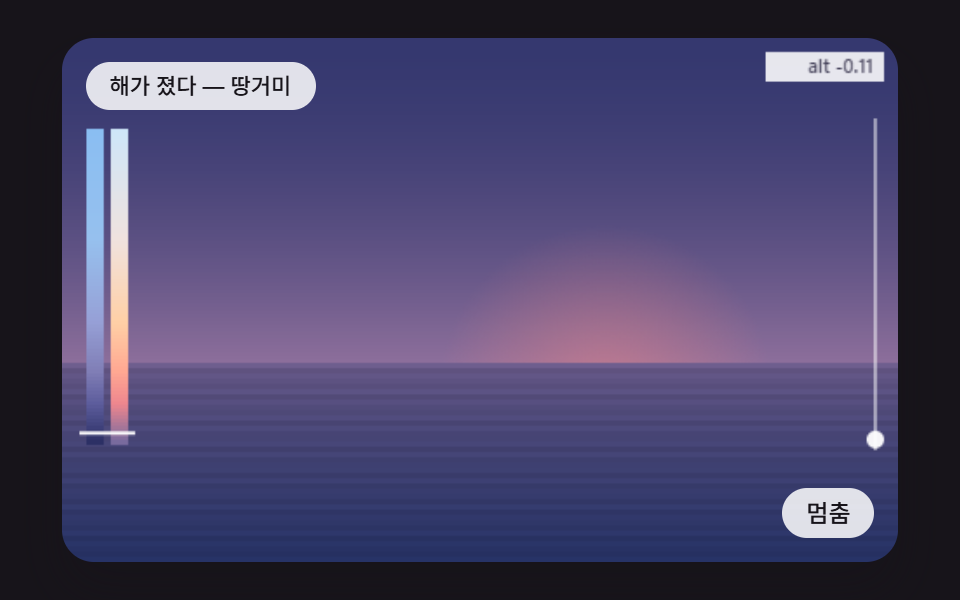 Creative UICSS Sunset Gradient: 9 Demos With a Living Sky
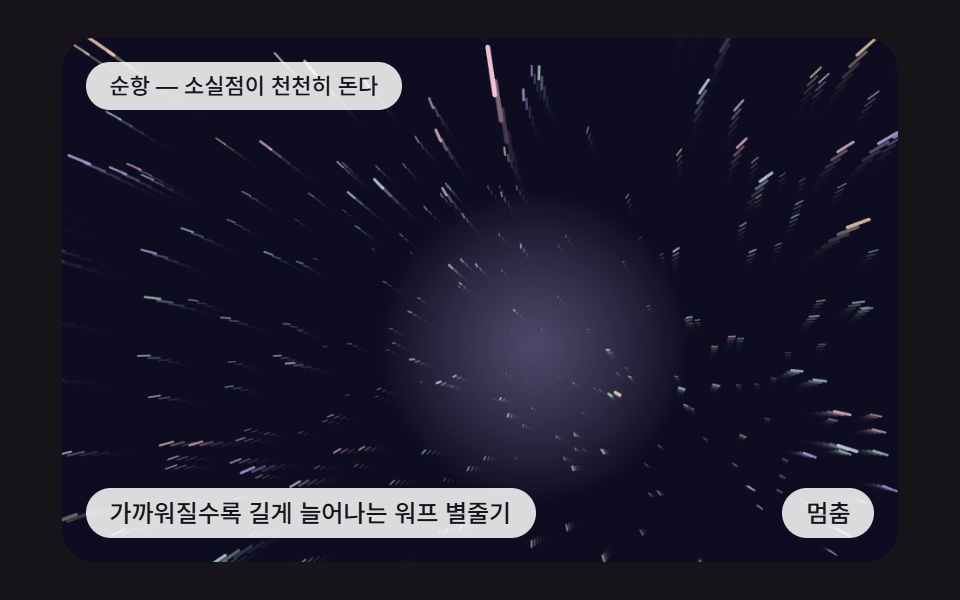 Creative UICSS Starfield: 9 Backgrounds Stars Fly Through
 Creative UICSS Background Pattern Generator: 9 Seeded Scenes
 Creative UICanvas Particle Animation: 9 Engine Patterns
 Creative UIHTML5 Canvas Animation: 9 Warp & Droplet Effects
 Creative UIWave Interference Simulation: 9 Canvas Scenes
 Creative UI3D Globe Website: 9 Canvas Orbit Scenes
 Creative UIVerlet Physics 9 Demos: No Library, Just Canvas
 Creative UICanvas Fluid Simulation: 9 Grid Effects
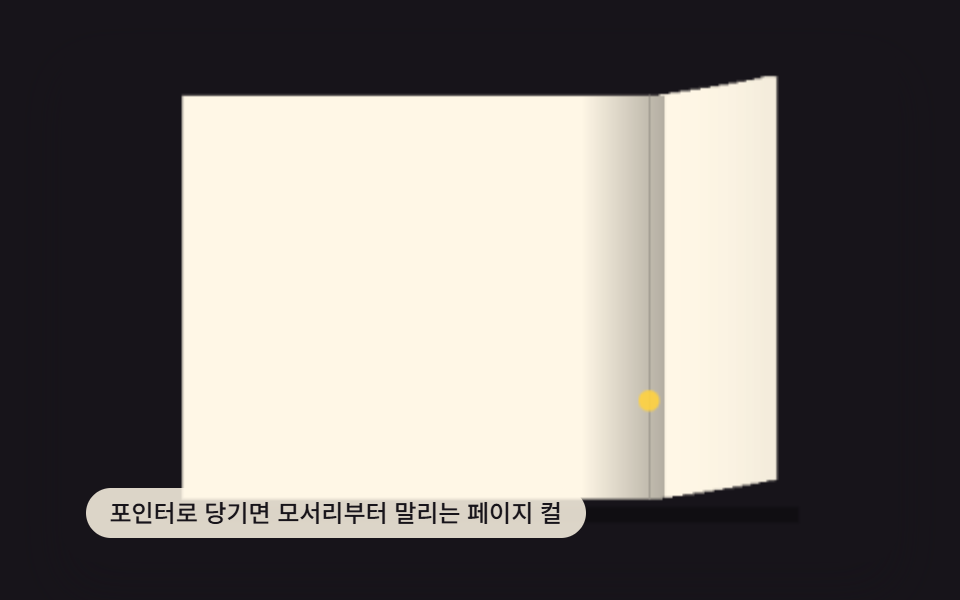 Creative UIPage Turn Animation CSS — 9 Paper Curl Patterns