Page Turn Animation CSS — 9 Paper Curl Patterns
page turn animation css: No library will change this — item 1 will curl from where the pointer grabs the corner, item 7 will let the plane sway by its drift
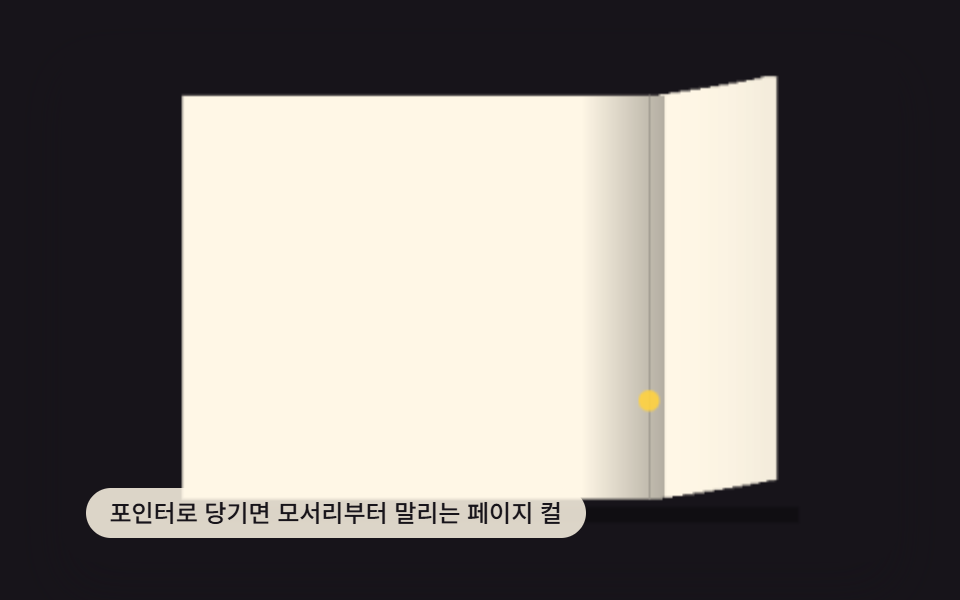 01 page-curl-corner-drag
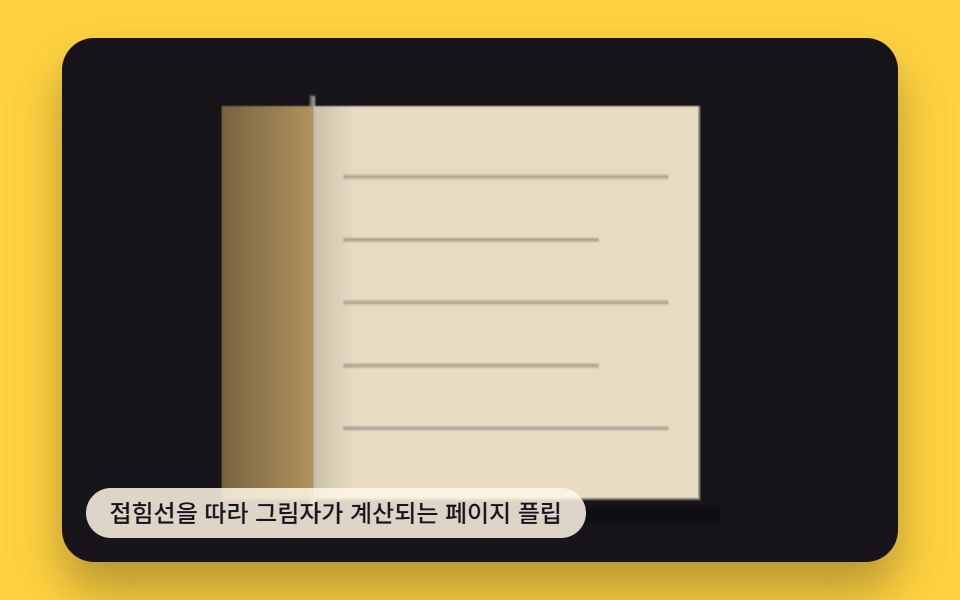 02 page-flip-shadow-fold-line
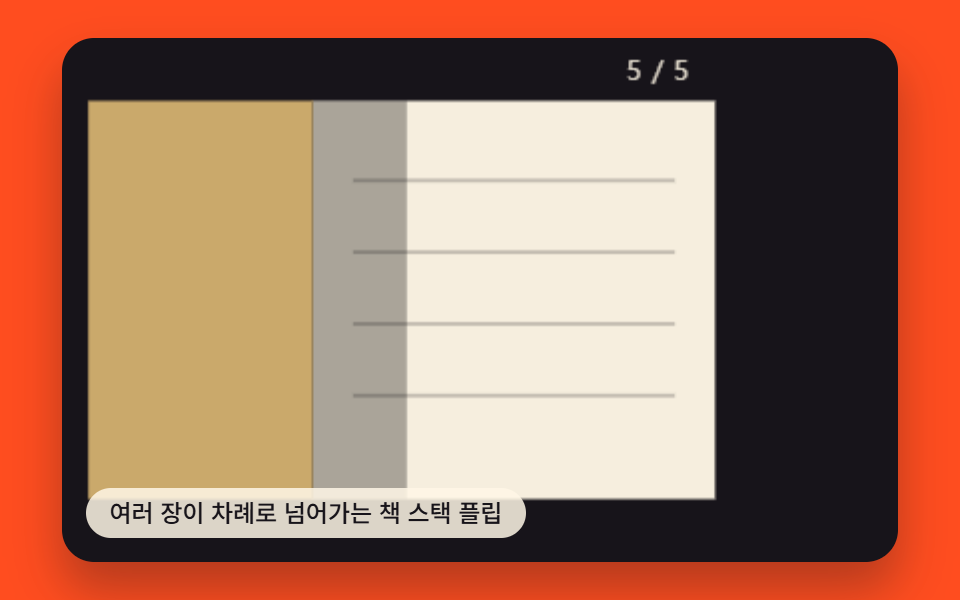 03 paper-stack-multipage-flip
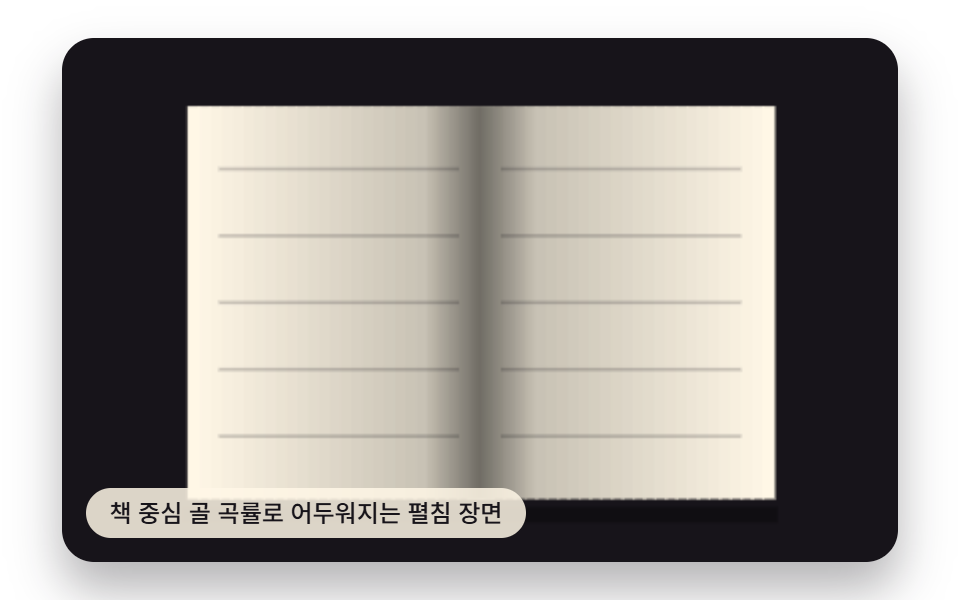 04 book-open-gutter-bend-shade
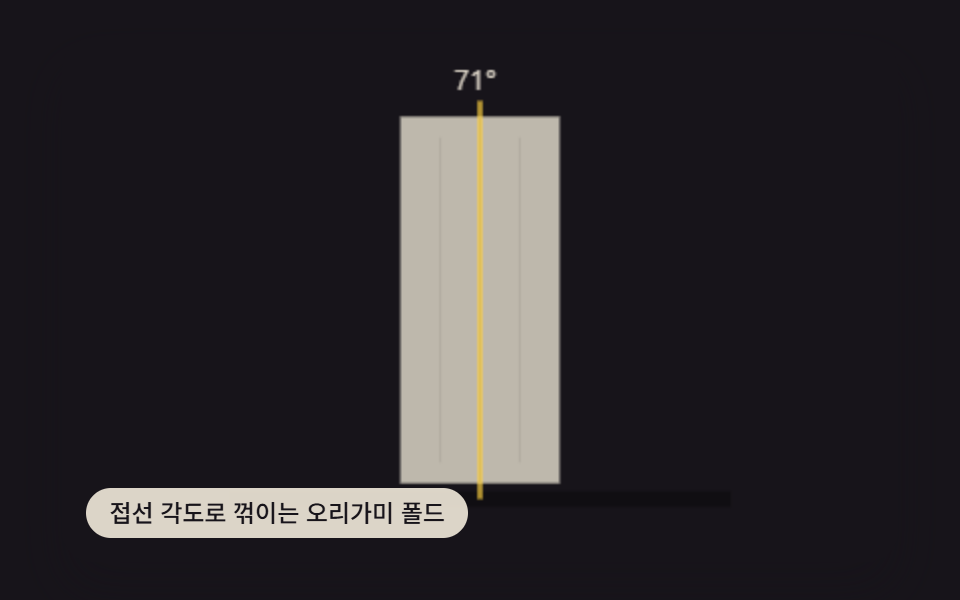 05 paper-fold-crease-origami-angle
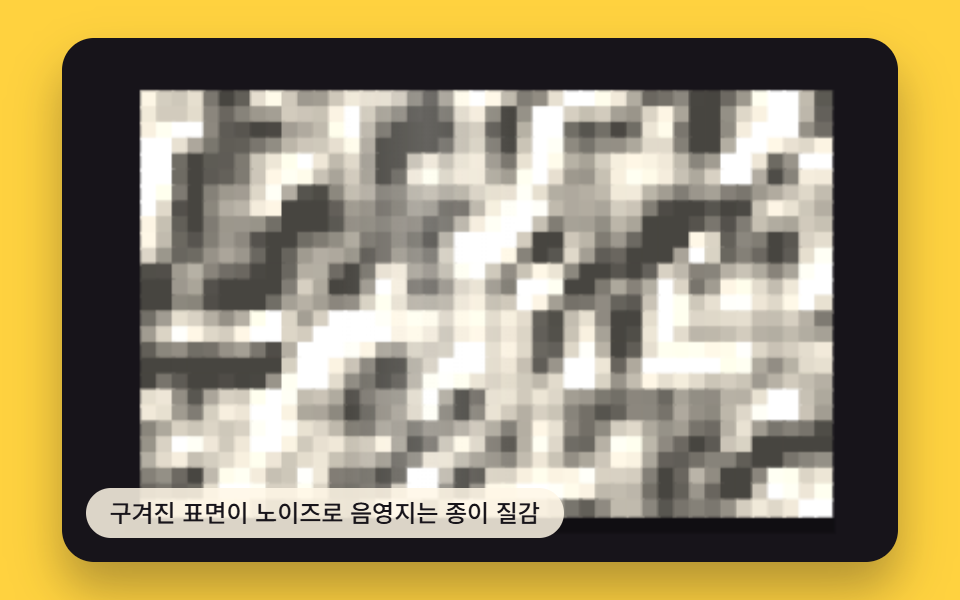 06 paper-texture-crumple-noise-shade
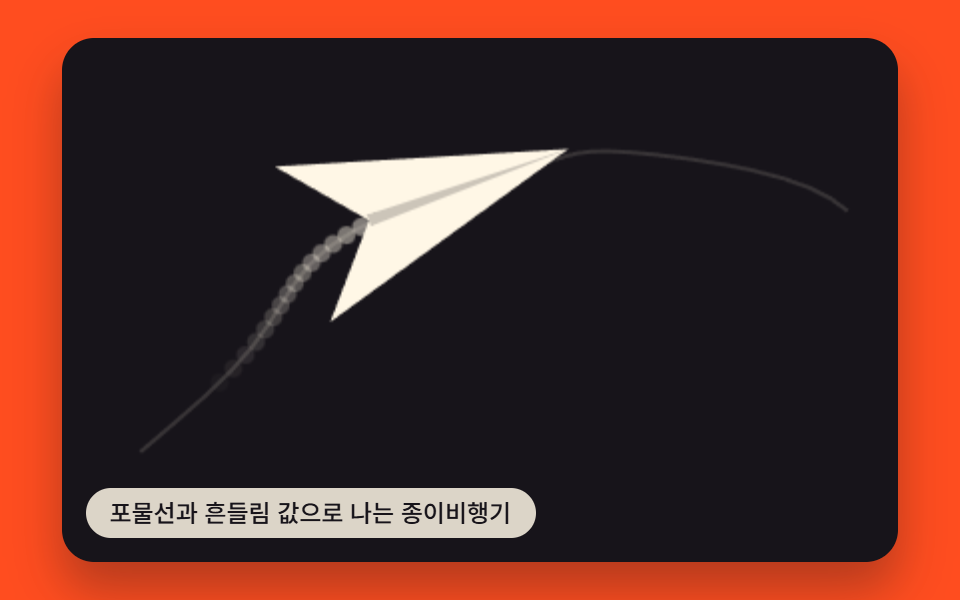 07 paper-airplane-flight-arc-drift
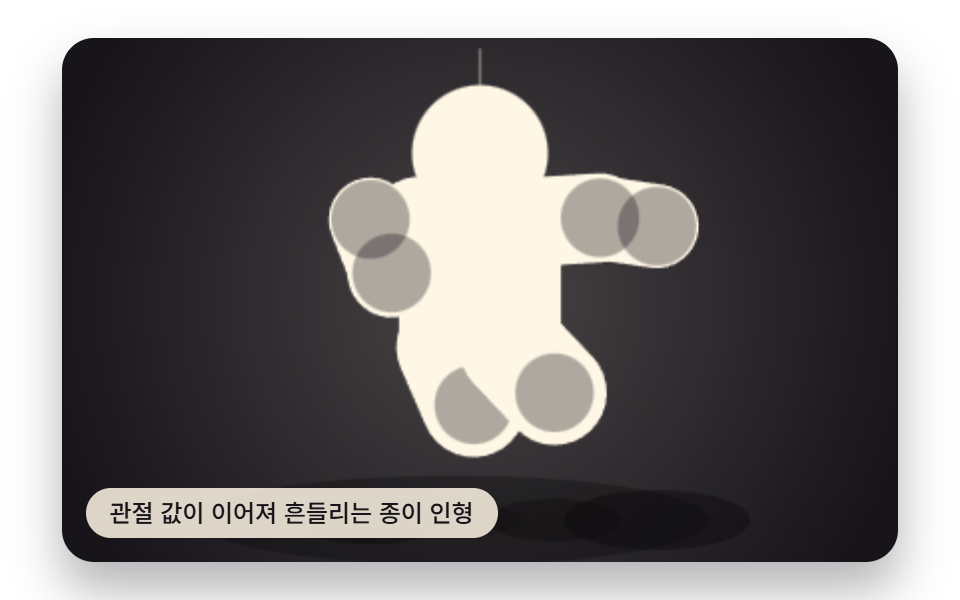 08 paper-doll-joint-swing-chain
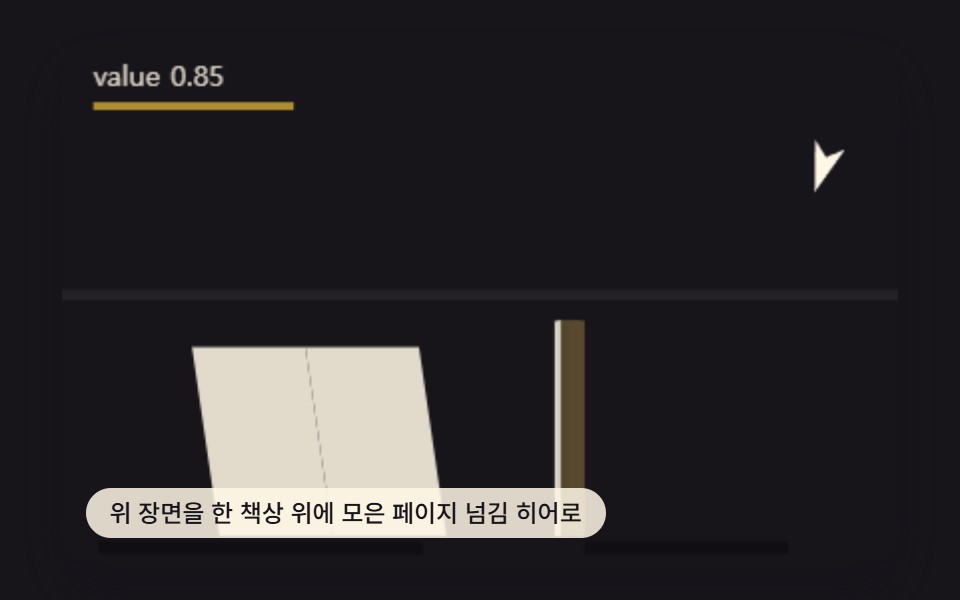 09 page-turn-hero-desk-scene
Auto-plays · click a tile to jump to its section · all nine in one zip
- 01 Page Corner That Curls From Where the Pointer Drags
- 02 Page Flip Whose Shadow Is Computed Along the Fold Line
- 03 Book Stack Where Multiple Pages Flip in Sequence
- 04 Open-book Gutter That Darkens by Its Bend Curvature
- 05 Origami Fold That Bends by Its Crease-angle Value
- 06 Crumpled Paper Surface Shaded by a Noise Field
- 07 Paper Airplane That Flies by a Parabolic Drift Value
- 08 Paper Doll Whose Joint Chain Swings by a Linked Value
- 09 Hero Desk Scene That Combines the Page-turn Techniques Above
Nine Patterns From a Dragged Corner to a Whole Desk Scene
The nine below move from a single interactive corner to a scene where three of the same techniques share one control: item 1 and item 5 both answer a drag or a key, items 2 through 4 turn a fixed clock into a whole page flip, items 6 through 8 color, warp, or chain three different sheets of paper into motion, and item 9 folds items 1, 4, and 7 into one desk so a single number drives all three at once.
01Page Corner That Curls From Where the Pointer Drags
Dragging near a corner sets drag.x/drag.y, and curlPage() turns that offset into a curl radius that bends a strip of the page around CURL_RADIUS_PX on every frame. foldTheta() divides the pulled distance by that one constant, so the same drag reads as a tight fold at a small radius or a loose roll at a large one.
<main class="stage">
<div class="vd is-demo" id="vdRoot">
  <canvas class="vd__canvas" id="vdCanvas" width="480" height="300"></canvas>
  <p class="vd__caption">A Page Curl That Rolls From the Corner When You Drag It</p>
</div>
</main>
@use "../../../../site/static/demo-tokens" as *;
@include stage($stage-ink);
.vd {
position: relative;
width: min(92vw, calc(160vh - 12.8vw));
aspect-ratio: 480 / 300;
margin: 0 auto;
border-radius: $r-card;
overflow: hidden;
box-shadow: $shadow-raised;
touch-action: none;
}
.vd__canvas {
display: block;
width: 100%;
height: 100%;
}
.vd__caption {
position: absolute;
left: $sp-3;
bottom: $sp-3;
max-width: 72%;
margin: 0;
padding: $sp-1 $sp-3;
border-radius: $r-pill;
background: rgba(255, 247, 230, .85);
color: $subject-ink;
font-weight: 500;
font-size: 12px;
line-height: 1.4;
pointer-events: none;
}
@media (max-width: 340px) {
.vd__caption { font-size: 10px; padding: $sp-1 $sp-2; }
}
@media (prefers-reduced-motion: reduce) {
.vd { cursor: default; }
}html, body {
margin: 0;
overflow: hidden;
}
.stage {
box-sizing: border-box;
min-height: 100vh;
display: grid;
place-items: center;
margin: 0;
background: #17141a;
font-family: -apple-system, "Segoe UI", "Noto Sans KR", sans-serif;
padding: clamp(8px, 4vw, 24px);
}
.vd {
position: relative;
width: min(92vw, 160vh - 12.8vw);
aspect-ratio: 480/300;
margin: 0 auto;
border-radius: 16px;
overflow: hidden;
box-shadow: 0 14px 24px rgba(23, 20, 26, 0.32);
touch-action: none;
}
.vd__canvas {
display: block;
width: 100%;
height: 100%;
}
.vd__caption {
position: absolute;
left: 12px;
bottom: 12px;
max-width: 72%;
margin: 0;
padding: 4px 12px;
border-radius: 999px;
background: rgba(255, 247, 230, 0.85);
color: #17141a;
font-weight: 500;
font-size: 12px;
line-height: 1.4;
pointer-events: none;
}
@media (max-width: 340px) {
.vd__caption {
font-size: 10px;
padding: 4px 8px;
}
}
@media (prefers-reduced-motion: reduce) {
.vd {
cursor: default;
}
}(function () {
var root = document.getElementById('vdRoot');
var canvas = document.getElementById('vdCanvas');
var ctx = canvas.getContext('2d');
var wrap = canvas.parentElement;
var LW = 320, LH = 200;
var PAGE_L = 46, PAGE_T = 22, PAGE_R = 274, PAGE_B = 176;
var CURL_RADIUS_PX = 60;
var STRIP_W = 4;
var SCENE_BG = '#17141a';
var PAPER = '#fff7e6';
var PAPER_BACK = '#caa96b';
var HANDLE_COLOR = '#ffd23f';
function seedRand(seed) {
var s = seed >>> 0;
return function () { s = (s * 1664525 + 1013904223) >>> 0; return s / 4294967296; };
}
var rand = seedRand(41301);
function clamp(v, a, b) { return v < a ? a : (v > b ? b : v); }
function shadeHex(hex, f) {
var r = parseInt(hex.slice(1, 3), 16), g = parseInt(hex.slice(3, 5), 16), b = parseInt(hex.slice(5, 7), 16);
r = clamp(Math.round(r * f), 0, 255); g = clamp(Math.round(g * f), 0, 255); b = clamp(Math.round(b * f), 0, 255);
return 'rgb(' + r + ',' + g + ',' + b + ')';
}
var rest = { x: PAGE_R, y: PAGE_B };
var pulled = { x: PAGE_L + 60, y: PAGE_T + 26 };
var drag = { x: rest.x, y: rest.y };
var target = { x: rest.x, y: rest.y };
var pointerActive = false;
var keys = { left: false, right: false, up: false, down: false };
var CYCLE_MS = 1050;
function autoplay(tMs) {
if (pointerActive || reduce) return;
var p = (tMs % CYCLE_MS) / CYCLE_MS;
var w = p < 0.5 ? p * 2 : (1 - p) * 2; // 삼각파 0→1→0, 2초 창에 2회 왕복
target.x = rest.x + (pulled.x - rest.x) * w;
target.y = rest.y + (pulled.y - rest.y) * w;
}
function dragStep(dt) {
var k = 1 - Math.pow(1 - 0.22, dt * 60);
drag.x += (target.x - drag.x) * k;
drag.y += (target.y - drag.y) * k;
}
function keyStep(dt) {
var v = 90 * dt;
if (keys.left) target.x -= v;
if (keys.right) target.x += v;
if (keys.up) target.y -= v;
if (keys.down) target.y += v;
target.x = clamp(target.x, PAGE_L, PAGE_R);
target.y = clamp(target.y, PAGE_T, PAGE_B);
}
function foldTheta(dx) { return dx / CURL_RADIUS_PX; }
function curlPage() {
var foldX = clamp(drag.x, PAGE_L, PAGE_R);
var skew = (drag.y - PAGE_B) / (PAGE_B - PAGE_T); // 위로 당길수록 음수 — 컬 축의 기울기
var h = PAGE_B - PAGE_T;
ctx.fillStyle = PAPER;
ctx.fillRect(PAGE_L, PAGE_T, Math.max(0, foldX - PAGE_L), h);
var maxDx = Math.max(1, PAGE_R - foldX);
for (var x = foldX; x <= PAGE_R + STRIP_W; x += STRIP_W) {
var dx = Math.min(x - foldX, maxDx);
var theta = foldTheta(dx);
if (theta > Math.PI + 0.15) continue;
var sxp = foldX + Math.sin(Math.min(theta, Math.PI)) * CURL_RADIUS_PX;
var front = Math.cos(theta) > 0;
var lift = (dx / maxDx) * skew * 30;
ctx.fillStyle = front ? shadeHex(PAPER, 0.86 + 0.14 * Math.cos(theta)) : shadeHex(PAPER_BACK, 0.5 + 0.3 * (-Math.cos(theta)));
ctx.fillRect(sxp, PAGE_T + lift, STRIP_W + 1, h);
}
var depth = clamp(maxDx / CURL_RADIUS_PX, 0, 1.6);
if (depth > 0.02) {
var g = ctx.createLinearGradient(foldX - 26, 0, foldX + 6, 0);
g.addColorStop(0, 'rgba(0,0,0,0)');
g.addColorStop(1, 'rgba(0,0,0,' + clamp(0.1 + depth * 0.24, 0, 0.42) + ')');
ctx.fillStyle = g;
ctx.fillRect(foldX - 26, PAGE_T, 32, h);
}
}
function draw() {
ctx.fillStyle = SCENE_BG;
ctx.fillRect(0, 0, LW, LH);
ctx.fillStyle = 'rgba(0,0,0,.32)';
ctx.fillRect(PAGE_L - 6, PAGE_B + 3, PAGE_R - PAGE_L + 14, 6);
curlPage();
ctx.fillStyle = 'rgba(255,209,63,.9)';
ctx.beginPath(); ctx.arc(drag.x, drag.y, 4, 0, Math.PI * 2); ctx.fill();
}
function update(dt, tMs) {
autoplay(tMs);
keyStep(dt);
dragStep(dt);
}
var cw = 480, ch = 300, sx = 1, sy = 1;
function fit() {
var r = wrap.getBoundingClientRect();
cw = Math.max(1, Math.round(r.width));
ch = Math.max(1, Math.round(r.height));
canvas.width = cw; canvas.height = ch;
sx = cw / LW; sy = ch / LH;
render();
}
function render() {
ctx.setTransform(1, 0, 0, 1, 0, 0);
ctx.clearRect(0, 0, cw, ch);
ctx.save();
ctx.scale(sx, sy);
draw();
ctx.restore();
}
var reduce = window.matchMedia('(prefers-reduced-motion: reduce)').matches;
var playing = !reduce;
if (reduce) {
root.classList.remove('is-demo');
drag.x = pulled.x; drag.y = pulled.y; target.x = pulled.x; target.y = pulled.y;
}
function calcFromEvent(e) {
var r = wrap.getBoundingClientRect();
var t0 = (e.touches && e.touches[0]) ? e.touches[0] : e;
var relX = (t0.clientX - r.left) / r.width * LW;
var relY = (t0.clientY - r.top) / r.height * LH;
target.x = clamp(relX, PAGE_L, PAGE_R);
target.y = clamp(relY, PAGE_T, PAGE_B);
}
wrap.addEventListener('pointerdown', function (e) { pointerActive = true; calcFromEvent(e); if (reduce) { dragStep(1); render(); } });
wrap.addEventListener('pointermove', function (e) { if (!pointerActive) return; calcFromEvent(e); if (reduce) { dragStep(1); render(); } });
window.addEventListener('pointerup', function () { pointerActive = false; });
wrap.addEventListener('pointerleave', function () { pointerActive = false; });
window.addEventListener('keydown', function (e) {
if (e.key === 'ArrowLeft') keys.left = true;
else if (e.key === 'ArrowRight') keys.right = true;
else if (e.key === 'ArrowUp') keys.up = true;
else if (e.key === 'ArrowDown') keys.down = true;
else return;
pointerActive = true;
if (reduce) { keyStep(0.05); dragStep(1); render(); }
});
window.addEventListener('keyup', function (e) {
if (e.key === 'ArrowLeft') keys.left = false;
else if (e.key === 'ArrowRight') keys.right = false;
else if (e.key === 'ArrowUp') keys.up = false;
else if (e.key === 'ArrowDown') keys.down = false;
if (!keys.left && !keys.right && !keys.up && !keys.down) pointerActive = false;
});
var lastTs = null;
function tick(ts) {
if (lastTs === null) lastTs = ts;
var dt = Math.min((ts - lastTs) / 1000, 0.05);
lastTs = ts;
if (playing) update(dt, ts);
render();
requestAnimationFrame(tick);
}
fit();
window.addEventListener('resize', fit);
render();
if (playing) requestAnimationFrame(tick);
})();import { useEffect, useRef } from "react";
import styles from "./PageCurlCornerDrag.module.scss";
export default function PageCurlCornerDrag() {
const rootRef = useRef<HTMLDivElement>(null);
const canvasRef = useRef<HTMLCanvasElement>(null);
useEffect(() => {
const root = rootRef.current;
const canvas = canvasRef.current;
if (!root || !canvas) return;
const ctx = canvas.getContext("2d");
if (!ctx) return;
const wrap = canvas.parentElement as HTMLElement;
const LW = 320, LH = 200;
const PAGE_L = 46, PAGE_T = 22, PAGE_R = 274, PAGE_B = 176;
const CURL_RADIUS_PX = 60;
const STRIP_W = 4;
const SCENE_BG = "#17141a";
const PAPER = "#fff7e6";
const PAPER_BACK = "#caa96b";
function seedRand(seed: number) {
let s = seed >>> 0;
return function () { s = (s * 1664525 + 1013904223) >>> 0; return s / 4294967296; };
}
const rand = seedRand(41301);
function clamp(v: number, a: number, b: number): number { return v < a ? a : (v > b ? b : v); }
function shadeHex(hex: string, f: number): string {
let r = parseInt(hex.slice(1, 3), 16), g = parseInt(hex.slice(3, 5), 16), b = parseInt(hex.slice(5, 7), 16);
r = clamp(Math.round(r * f), 0, 255); g = clamp(Math.round(g * f), 0, 255); b = clamp(Math.round(b * f), 0, 255);
return "rgb(" + r + "," + g + "," + b + ")";
}
const rest = { x: PAGE_R, y: PAGE_B };
const pulled = { x: PAGE_L + 60, y: PAGE_T + 26 };
const drag = { x: rest.x, y: rest.y };
const target = { x: rest.x, y: rest.y };
let pointerActive = false;
const keys = { left: false, right: false, up: false, down: false };
const CYCLE_MS = 1050;
function autoplay(tMs: number): void {
if (pointerActive || reduce) return;
const p = (tMs % CYCLE_MS) / CYCLE_MS;
const w = p < 0.5 ? p * 2 : (1 - p) * 2;
target.x = rest.x + (pulled.x - rest.x) * w;
target.y = rest.y + (pulled.y - rest.y) * w;
}
function dragStep(dt: number): void {
const k = 1 - Math.pow(1 - 0.22, dt * 60);
drag.x += (target.x - drag.x) * k;
drag.y += (target.y - drag.y) * k;
}
function keyStep(dt: number): void {
const v = 90 * dt;
if (keys.left) target.x -= v;
if (keys.right) target.x += v;
if (keys.up) target.y -= v;
if (keys.down) target.y += v;
target.x = clamp(target.x, PAGE_L, PAGE_R);
target.y = clamp(target.y, PAGE_T, PAGE_B);
}
function foldTheta(dx: number): number { return dx / CURL_RADIUS_PX; }
function curlPage(): void {
const foldX = clamp(drag.x, PAGE_L, PAGE_R);
const skew = (drag.y - PAGE_B) / (PAGE_B - PAGE_T);
const h = PAGE_B - PAGE_T;
ctx!.fillStyle = PAPER;
ctx!.fillRect(PAGE_L, PAGE_T, Math.max(0, foldX - PAGE_L), h);
const maxDx = Math.max(1, PAGE_R - foldX);
for (let x = foldX; x <= PAGE_R + STRIP_W; x += STRIP_W) {
const dx = Math.min(x - foldX, maxDx);
const theta = foldTheta(dx);
if (theta > Math.PI + 0.15) continue;
const sxp = foldX + Math.sin(Math.min(theta, Math.PI)) * CURL_RADIUS_PX;
const front = Math.cos(theta) > 0;
const lift = (dx / maxDx) * skew * 30;
ctx!.fillStyle = front ? shadeHex(PAPER, 0.86 + 0.14 * Math.cos(theta)) : shadeHex(PAPER_BACK, 0.5 + 0.3 * (-Math.cos(theta)));
ctx!.fillRect(sxp, PAGE_T + lift, STRIP_W + 1, h);
}
const depth = clamp(maxDx / CURL_RADIUS_PX, 0, 1.6);
if (depth > 0.02) {
const g = ctx!.createLinearGradient(foldX - 26, 0, foldX + 6, 0);
g.addColorStop(0, "rgba(0,0,0,0)");
g.addColorStop(1, "rgba(0,0,0," + clamp(0.1 + depth * 0.24, 0, 0.42) + ")");
ctx!.fillStyle = g;
ctx!.fillRect(foldX - 26, PAGE_T, 32, h);
}
}
function draw(): void {
ctx!.fillStyle = SCENE_BG;
ctx!.fillRect(0, 0, LW, LH);
ctx!.fillStyle = "rgba(0,0,0,.32)";
ctx!.fillRect(PAGE_L - 6, PAGE_B + 3, PAGE_R - PAGE_L + 14, 6);
curlPage();
ctx!.fillStyle = "rgba(255,209,63,.9)";
ctx!.beginPath(); ctx!.arc(drag.x, drag.y, 4, 0, Math.PI * 2); ctx!.fill();
}
function update(dt: number, tMs: number): void {
autoplay(tMs);
keyStep(dt);
dragStep(dt);
}
let cw = 480, ch = 300, sx = 1, sy = 1;
function fit(): void {
const r = wrap.getBoundingClientRect();
cw = Math.max(1, Math.round(r.width));
ch = Math.max(1, Math.round(r.height));
canvas!.width = cw; canvas!.height = ch;
sx = cw / LW; sy = ch / LH;
render();
}
function render(): void {
ctx!.setTransform(1, 0, 0, 1, 0, 0);
ctx!.clearRect(0, 0, cw, ch);
ctx!.save();
ctx!.scale(sx, sy);
draw();
ctx!.restore();
}
const reduce = window.matchMedia("(prefers-reduced-motion: reduce)").matches;
const playing = !reduce;
if (reduce) {
root.classList.remove("is-demo");
drag.x = pulled.x; drag.y = pulled.y; target.x = pulled.x; target.y = pulled.y;
}
function calcFromEvent(e: PointerEvent): void {
const r = wrap.getBoundingClientRect();
const relX = ((e.clientX - r.left) / r.width) * LW;
const relY = ((e.clientY - r.top) / r.height) * LH;
target.x = clamp(relX, PAGE_L, PAGE_R);
target.y = clamp(relY, PAGE_T, PAGE_B);
}
function onPointerDown(e: PointerEvent): void { pointerActive = true; calcFromEvent(e); if (reduce) { dragStep(1); render(); } }
function onPointerMove(e: PointerEvent): void { if (!pointerActive) return; calcFromEvent(e); if (reduce) { dragStep(1); render(); } }
function onPointerUp(): void { pointerActive = false; }
function onPointerLeave(): void { pointerActive = false; }
wrap.addEventListener("pointerdown", onPointerDown);
wrap.addEventListener("pointermove", onPointerMove);
window.addEventListener("pointerup", onPointerUp);
wrap.addEventListener("pointerleave", onPointerLeave);
function onKeyDown(e: KeyboardEvent): void {
if (e.key === "ArrowLeft") keys.left = true;
else if (e.key === "ArrowRight") keys.right = true;
else if (e.key === "ArrowUp") keys.up = true;
else if (e.key === "ArrowDown") keys.down = true;
else return;
pointerActive = true;
if (reduce) { keyStep(0.05); dragStep(1); render(); }
}
function onKeyUp(e: KeyboardEvent): void {
if (e.key === "ArrowLeft") keys.left = false;
else if (e.key === "ArrowRight") keys.right = false;
else if (e.key === "ArrowUp") keys.up = false;
else if (e.key === "ArrowDown") keys.down = false;
if (!keys.left && !keys.right && !keys.up && !keys.down) pointerActive = false;
}
window.addEventListener("keydown", onKeyDown);
window.addEventListener("keyup", onKeyUp);
let lastTs: number | null = null;
let raf = 0;
function tick(ts: number): void {
if (lastTs === null) lastTs = ts;
const dt = Math.min((ts - lastTs) / 1000, 0.05);
lastTs = ts;
if (playing) update(dt, ts);
render();
raf = requestAnimationFrame(tick);
}
fit();
window.addEventListener("resize", fit);
render();
if (playing) raf = requestAnimationFrame(tick);
return () => {
cancelAnimationFrame(raf);
window.removeEventListener("resize", fit);
window.removeEventListener("keydown", onKeyDown);
window.removeEventListener("keyup", onKeyUp);
window.removeEventListener("pointerup", onPointerUp);
wrap.removeEventListener("pointerdown", onPointerDown);
wrap.removeEventListener("pointermove", onPointerMove);
wrap.removeEventListener("pointerleave", onPointerLeave);
};
}, []);
return (
<main className={styles.stage}>
<div className={`${styles.vd} is-demo`} ref={rootRef}>
<canvas className={styles.vd__canvas} ref={canvasRef} width={480} height={300} />
<p className={styles.vd__caption}>포인터로 당기면 모서리부터 말리는 페이지 컬</p>
</div>
</main>
);
}01 · Page Corner That Curls From Where the Pointer Drags — Measured area 35.251% · moving frames 23/23Original by GODRICH · SCSS and React ship in the zip · See the password
  function curlPage() {
    var foldX = clamp(drag.x, PAGE_L, PAGE_R);
    var skew = (drag.y - PAGE_B) / (PAGE_B - PAGE_T);   // negative the higher you drag — tilt of the curl axis
    var h = PAGE_B - PAGE_T;
    ctx.fillStyle = PAPER;
    ctx.fillRect(PAGE_L, PAGE_T, Math.max(0, foldX - PAGE_L), h);

    var maxDx = Math.max(1, PAGE_R - foldX);
    for (var x = foldX; x <= PAGE_R + STRIP_W; x += STRIP_W) {
      var dx = Math.min(x - foldX, maxDx);
      var theta = foldTheta(dx);
      if (theta > Math.PI + 0.15) continue;
      var sxp = foldX + Math.sin(Math.min(theta, Math.PI)) * CURL_RADIUS_PX;
      var front = Math.cos(theta) > 0;
      var lift = (dx / maxDx) * skew * 30;
      ctx.fillStyle = front ? shadeHex(PAPER, 0.86 + 0.14 * Math.cos(theta)) : shadeHex(PAPER_BACK, 0.5 + 0.3 * (-Math.cos(theta)));
      ctx.fillRect(sxp, PAGE_T + lift, STRIP_W + 1, h);
    }
    var depth = clamp(maxDx / CURL_RADIUS_PX, 0, 1.6);
Measured: 35.3% cumulative area, 90.2 average intensity, 23/23 frames moved.
02Page Flip Whose Shadow Is Computed Along the Fold Line
flipAngle() turns elapsed time into a triangle wave between 0 and π, and pageFlip() feeds that angle's cosine straight into ctx.scale() so the page rotates around FOLD_X instead of merely crossfading between two flat images. The same cosine also sets how wide and how dark the shadow band beside the fold reads, so a flip caught mid-turn shows a harder shadow than one near either flat end.
<main class="stage">
<div class="vd is-demo" id="vdRoot">
  <canvas class="vd__canvas" id="vdCanvas" width="480" height="300"></canvas>
  <p class="vd__caption">A Page Flip Whose Shadow Is Calculated Along the Fold Line</p>
</div>
</main>
@use "../../../../site/static/demo-tokens" as *;
@include stage($stage-yellow);
.vd {
position: relative;
width: min(92vw, calc(160vh - 12.8vw));
aspect-ratio: 480 / 300;
margin: 0 auto;
border-radius: $r-card;
overflow: hidden;
box-shadow: $shadow-raised;
}
.vd__canvas {
display: block;
width: 100%;
height: 100%;
}
.vd__caption {
position: absolute;
left: $sp-3;
bottom: $sp-3;
max-width: 72%;
margin: 0;
padding: $sp-1 $sp-3;
border-radius: $r-pill;
background: rgba(255, 247, 230, .85);
color: $subject-ink;
font-weight: 500;
font-size: 12px;
line-height: 1.4;
pointer-events: none;
}
@media (max-width: 340px) {
.vd__caption { font-size: 10px; padding: $sp-1 $sp-2; }
}
@media (prefers-reduced-motion: reduce) {
.vd { cursor: default; }
}html, body {
margin: 0;
overflow: hidden;
}
.stage {
box-sizing: border-box;
min-height: 100vh;
display: grid;
place-items: center;
margin: 0;
background: #ffd23f;
font-family: -apple-system, "Segoe UI", "Noto Sans KR", sans-serif;
padding: clamp(8px, 4vw, 24px);
}
.vd {
position: relative;
width: min(92vw, 160vh - 12.8vw);
aspect-ratio: 480/300;
margin: 0 auto;
border-radius: 16px;
overflow: hidden;
box-shadow: 0 14px 24px rgba(23, 20, 26, 0.32);
}
.vd__canvas {
display: block;
width: 100%;
height: 100%;
}
.vd__caption {
position: absolute;
left: 12px;
bottom: 12px;
max-width: 72%;
margin: 0;
padding: 4px 12px;
border-radius: 999px;
background: rgba(255, 247, 230, 0.85);
color: #17141a;
font-weight: 500;
font-size: 12px;
line-height: 1.4;
pointer-events: none;
}
@media (max-width: 340px) {
.vd__caption {
font-size: 10px;
padding: 4px 8px;
}
}
@media (prefers-reduced-motion: reduce) {
.vd {
cursor: default;
}
}(function () {
var root = document.getElementById('vdRoot');
var canvas = document.getElementById('vdCanvas');
var ctx = canvas.getContext('2d');
var wrap = canvas.parentElement;
var LW = 320, LH = 200;
var BOOK_L = 96, BOOK_T = 26, BOOK_R = 244, BOOK_B = 176;
var FOLD_X = BOOK_L;
var SCENE_BG = '#17141a';
var BACK_PAGE = '#e7dcc2';
var FRONT_PAGE = '#fff7e6';
var FRONT_PAGE_BACK = '#caa96b';
var LINE_COLOR = 'rgba(23,20,26,.28)';
function seedRand(seed) {
var s = seed >>> 0;
return function () { s = (s * 1664525 + 1013904223) >>> 0; return s / 4294967296; };
}
var rand = seedRand(41302);
function clamp(v, a, b) { return v < a ? a : (v > b ? b : v); }
function drawLines(x, y, w, h, color) {
ctx.strokeStyle = color;
ctx.lineWidth = 1.4;
for (var i = 0; i < 5; i += 1) {
var ly = y + h * (0.18 + i * 0.16);
ctx.beginPath();
ctx.moveTo(x + w * 0.08, ly);
ctx.lineTo(x + w * (0.92 - (i % 2) * 0.18), ly);
ctx.stroke();
}
}
var FLIP_MS = 900;
var angle = 0;
function flipAngle(tMs) {
var p = (tMs % FLIP_MS) / FLIP_MS; // 0→1, 2.2회/2초
var w = p < 0.5 ? p * 2 : (1 - p) * 2; // 삼각파
return w * Math.PI;
}
function pageFlip() {
var w = BOOK_R - BOOK_L, h = BOOK_B - BOOK_T;
ctx.fillStyle = BACK_PAGE;
ctx.fillRect(BOOK_L, BOOK_T, w, h);
drawLines(BOOK_L, BOOK_T, w, h, LINE_COLOR);
var c = Math.cos(angle);
var frontFacing = c >= 0;
var scaleW = Math.max(0.001, Math.abs(c)) * w;
ctx.save();
ctx.translate(FOLD_X, 0);
ctx.scale(c === 0 ? 0.001 : c, 1);
ctx.fillStyle = frontFacing ? FRONT_PAGE : FRONT_PAGE_BACK;
ctx.fillRect(0, BOOK_T, w, h);
if (frontFacing) drawLines(6, BOOK_T, w - 12, h, LINE_COLOR);
ctx.restore();
var shadowW = 6 + Math.abs(Math.sin(angle)) * 46;
var shadowA = 0.08 + Math.abs(Math.sin(angle)) * 0.34;
var gx = FOLD_X + scaleW * (frontFacing ? 1 : -1);
var dir = frontFacing ? -1 : 1;
var g = ctx.createLinearGradient(gx, 0, gx + shadowW * dir, 0);
g.addColorStop(0, 'rgba(0,0,0,' + shadowA + ')');
g.addColorStop(1, 'rgba(0,0,0,0)');
ctx.fillStyle = g;
ctx.fillRect(Math.min(gx, gx + shadowW * dir), BOOK_T, shadowW, h);
}
function draw() {
ctx.fillStyle = SCENE_BG;
ctx.fillRect(0, 0, LW, LH);
ctx.fillStyle = 'rgba(0,0,0,.3)';
ctx.fillRect(BOOK_L - 6, BOOK_B + 3, BOOK_R - BOOK_L + 14, 6);
ctx.strokeStyle = 'rgba(255,247,230,.5)';
ctx.lineWidth = 2;
ctx.beginPath(); ctx.moveTo(FOLD_X, BOOK_T - 4); ctx.lineTo(FOLD_X, BOOK_B + 4); ctx.stroke();
pageFlip();
}
function update(dt, tMs) {
if (reduce) return;
angle = flipAngle(tMs);
}
var cw = 480, ch = 300, sx = 1, sy = 1;
function fit() {
var r = wrap.getBoundingClientRect();
cw = Math.max(1, Math.round(r.width));
ch = Math.max(1, Math.round(r.height));
canvas.width = cw; canvas.height = ch;
sx = cw / LW; sy = ch / LH;
render();
}
function render() {
ctx.setTransform(1, 0, 0, 1, 0, 0);
ctx.clearRect(0, 0, cw, ch);
ctx.save();
ctx.scale(sx, sy);
draw();
ctx.restore();
}
var reduce = window.matchMedia('(prefers-reduced-motion: reduce)').matches;
var playing = !reduce;
if (reduce) {
root.classList.remove('is-demo');
angle = Math.PI / 2;
}
var lastTs = null;
function tick(ts) {
if (lastTs === null) lastTs = ts;
var dt = Math.min((ts - lastTs) / 1000, 0.05);
lastTs = ts;
if (playing) update(dt, ts);
render();
requestAnimationFrame(tick);
}
fit();
window.addEventListener('resize', fit);
render();
if (playing) requestAnimationFrame(tick);
})();import { useEffect, useRef } from "react";
import styles from "./PageFlipShadowFoldLine.module.scss";
export default function PageFlipShadowFoldLine() {
const rootRef = useRef<HTMLDivElement>(null);
const canvasRef = useRef<HTMLCanvasElement>(null);
useEffect(() => {
const root = rootRef.current;
const canvas = canvasRef.current;
if (!root || !canvas) return;
const ctx = canvas.getContext("2d");
if (!ctx) return;
const wrap = canvas.parentElement as HTMLElement;
const LW = 320, LH = 200;
const BOOK_L = 96, BOOK_T = 26, BOOK_R = 244, BOOK_B = 176;
const FOLD_X = BOOK_L;
const SCENE_BG = "#17141a";
const BACK_PAGE = "#e7dcc2";
const FRONT_PAGE = "#fff7e6";
const FRONT_PAGE_BACK = "#caa96b";
const LINE_COLOR = "rgba(23,20,26,.28)";
function seedRand(seed: number) {
let s = seed >>> 0;
return function () { s = (s * 1664525 + 1013904223) >>> 0; return s / 4294967296; };
}
const rand = seedRand(41302);
function clamp(v: number, a: number, b: number): number { return v < a ? a : (v > b ? b : v); }
function drawLines(x: number, y: number, w: number, h: number, color: string): void {
ctx!.strokeStyle = color;
ctx!.lineWidth = 1.4;
for (let i = 0; i < 5; i += 1) {
const ly = y + h * (0.18 + i * 0.16);
ctx!.beginPath();
ctx!.moveTo(x + w * 0.08, ly);
ctx!.lineTo(x + w * (0.92 - (i % 2) * 0.18), ly);
ctx!.stroke();
}
}
const FLIP_MS = 900;
let angle = 0;
function flipAngle(tMs: number): number {
const p = (tMs % FLIP_MS) / FLIP_MS;
const w = p < 0.5 ? p * 2 : (1 - p) * 2;
return w * Math.PI;
}
function pageFlip(): void {
const w = BOOK_R - BOOK_L, h = BOOK_B - BOOK_T;
ctx!.fillStyle = BACK_PAGE;
ctx!.fillRect(BOOK_L, BOOK_T, w, h);
drawLines(BOOK_L, BOOK_T, w, h, LINE_COLOR);
const c = Math.cos(angle);
const frontFacing = c >= 0;
const scaleW = Math.max(0.001, Math.abs(c)) * w;
ctx!.save();
ctx!.translate(FOLD_X, 0);
ctx!.scale(c === 0 ? 0.001 : c, 1);
ctx!.fillStyle = frontFacing ? FRONT_PAGE : FRONT_PAGE_BACK;
ctx!.fillRect(0, BOOK_T, w, h);
if (frontFacing) drawLines(6, BOOK_T, w - 12, h, LINE_COLOR);
ctx!.restore();
const shadowW = 6 + Math.abs(Math.sin(angle)) * 46;
const shadowA = 0.08 + Math.abs(Math.sin(angle)) * 0.34;
const gx = FOLD_X + scaleW * (frontFacing ? 1 : -1);
const dir = frontFacing ? -1 : 1;
const g = ctx!.createLinearGradient(gx, 0, gx + shadowW * dir, 0);
g.addColorStop(0, "rgba(0,0,0," + shadowA + ")");
g.addColorStop(1, "rgba(0,0,0,0)");
ctx!.fillStyle = g;
ctx!.fillRect(Math.min(gx, gx + shadowW * dir), BOOK_T, shadowW, h);
}
function draw(): void {
ctx!.fillStyle = SCENE_BG;
ctx!.fillRect(0, 0, LW, LH);
ctx!.fillStyle = "rgba(0,0,0,.3)";
ctx!.fillRect(BOOK_L - 6, BOOK_B + 3, BOOK_R - BOOK_L + 14, 6);
ctx!.strokeStyle = "rgba(255,247,230,.5)";
ctx!.lineWidth = 2;
ctx!.beginPath(); ctx!.moveTo(FOLD_X, BOOK_T - 4); ctx!.lineTo(FOLD_X, BOOK_B + 4); ctx!.stroke();
pageFlip();
}
function update(dt: number, tMs: number): void {
if (reduce) return;
angle = flipAngle(tMs);
}
let cw = 480, ch = 300, sx = 1, sy = 1;
function fit(): void {
const r = wrap.getBoundingClientRect();
cw = Math.max(1, Math.round(r.width));
ch = Math.max(1, Math.round(r.height));
canvas!.width = cw; canvas!.height = ch;
sx = cw / LW; sy = ch / LH;
render();
}
function render(): void {
ctx!.setTransform(1, 0, 0, 1, 0, 0);
ctx!.clearRect(0, 0, cw, ch);
ctx!.save();
ctx!.scale(sx, sy);
draw();
ctx!.restore();
}
const reduce = window.matchMedia("(prefers-reduced-motion: reduce)").matches;
const playing = !reduce;
if (reduce) {
root.classList.remove("is-demo");
angle = Math.PI / 2;
}
let lastTs: number | null = null;
let raf = 0;
function tick(ts: number): void {
if (lastTs === null) lastTs = ts;
const dt = Math.min((ts - lastTs) / 1000, 0.05);
lastTs = ts;
if (playing) update(dt, ts);
render();
raf = requestAnimationFrame(tick);
}
fit();
window.addEventListener("resize", fit);
render();
if (playing) raf = requestAnimationFrame(tick);
return () => {
cancelAnimationFrame(raf);
window.removeEventListener("resize", fit);
};
}, []);
return (
<main className={styles.stage}>
<div className={`${styles.vd} is-demo`} ref={rootRef}>
<canvas className={styles.vd__canvas} ref={canvasRef} width={480} height={300} />
<p className={styles.vd__caption}>접힘선을 따라 그림자가 계산되는 페이지 플립</p>
</div>
</main>
);
}02 · Page Flip Whose Shadow Is Computed Along the Fold Line — Measured area 41.608% · moving frames 20/23Original by GODRICH · SCSS and React ship in the zip · See the password
  function flipAngle(tMs) {
    var p = (tMs % FLIP_MS) / FLIP_MS;                // 0→1, 2.2 cycles per 2s
    var w = p < 0.5 ? p * 2 : (1 - p) * 2;             // triangle wave
    return w * Math.PI;
  }

  function pageFlip() {
    var w = BOOK_R - BOOK_L, h = BOOK_B - BOOK_T;
    ctx.fillStyle = BACK_PAGE;
    ctx.fillRect(BOOK_L, BOOK_T, w, h);
    drawLines(BOOK_L, BOOK_T, w, h, LINE_COLOR);

    var c = Math.cos(angle);
    var frontFacing = c >= 0;
    var scaleW = Math.max(0.001, Math.abs(c)) * w;
    ctx.save();
    ctx.translate(FOLD_X, 0);
    ctx.scale(c === 0 ? 0.001 : c, 1);
    ctx.fillStyle = frontFacing ? FRONT_PAGE : FRONT_PAGE_BACK;
    ctx.fillRect(0, BOOK_T, w, h);
Measured: 41.6% cumulative area, 73.4 average intensity, 20/23 frames moved.
03Book Stack Where Multiple Pages Flip in Sequence
stackThickness() multiplies the pages still left in remaining by a fixed 2.2px, so the shadow under the stack visibly thins with every page stepFlip() turns. nextPage() only starts a new flip once the last one finishes, and once remaining reaches zero the count resets so the stack never runs out of pages to turn.
<main class="stage">
<div class="vd is-demo" id="vdRoot">
  <canvas class="vd__canvas" id="vdCanvas" width="480" height="300"></canvas>
  <p class="vd__caption">A Book Stack Flip Where Sheets Turn One After Another</p>
</div>
</main>
@use "../../../../site/static/demo-tokens" as *;
@include stage($stage-orange);
.vd {
position: relative;
width: min(92vw, calc(160vh - 12.8vw));
aspect-ratio: 480 / 300;
margin: 0 auto;
border-radius: $r-card;
overflow: hidden;
box-shadow: $shadow-raised;
cursor: pointer;
}
.vd__canvas {
display: block;
width: 100%;
height: 100%;
}
.vd__caption {
position: absolute;
left: $sp-3;
bottom: $sp-3;
max-width: 72%;
margin: 0;
padding: $sp-1 $sp-3;
border-radius: $r-pill;
background: rgba(255, 247, 230, .85);
color: $subject-ink;
font-weight: 500;
font-size: 12px;
line-height: 1.4;
pointer-events: none;
}
@media (max-width: 340px) {
.vd__caption { font-size: 10px; padding: $sp-1 $sp-2; }
}
@media (prefers-reduced-motion: reduce) {
.vd { cursor: pointer; }
}html, body {
margin: 0;
overflow: hidden;
}
.stage {
box-sizing: border-box;
min-height: 100vh;
display: grid;
place-items: center;
margin: 0;
background: #ff4d1f;
font-family: -apple-system, "Segoe UI", "Noto Sans KR", sans-serif;
padding: clamp(8px, 4vw, 24px);
}
.vd {
position: relative;
width: min(92vw, 160vh - 12.8vw);
aspect-ratio: 480/300;
margin: 0 auto;
border-radius: 16px;
overflow: hidden;
box-shadow: 0 14px 24px rgba(23, 20, 26, 0.32);
cursor: pointer;
}
.vd__canvas {
display: block;
width: 100%;
height: 100%;
}
.vd__caption {
position: absolute;
left: 12px;
bottom: 12px;
max-width: 72%;
margin: 0;
padding: 4px 12px;
border-radius: 999px;
background: rgba(255, 247, 230, 0.85);
color: #17141a;
font-weight: 500;
font-size: 12px;
line-height: 1.4;
pointer-events: none;
}
@media (max-width: 340px) {
.vd__caption {
font-size: 10px;
padding: 4px 8px;
}
}
@media (prefers-reduced-motion: reduce) {
.vd {
cursor: pointer;
}
}(function () {
var root = document.getElementById('vdRoot');
var canvas = document.getElementById('vdCanvas');
var ctx = canvas.getContext('2d');
var wrap = canvas.parentElement;
var LW = 320, LH = 200;
var BOOK_L = 96, BOOK_T = 24, BOOK_R = 250, BOOK_B = 176;
var FOLD_X = BOOK_L;
var STACK_TOTAL = 5;
var SCENE_BG = '#17141a';
var PAGE_COLORS = ['#fff7e6', '#f6eede', '#efe4cd', '#e7dcc2'];
var PAGE_BACK = '#caa96b';
function seedRand(seed) {
var s = seed >>> 0;
return function () { s = (s * 1664525 + 1013904223) >>> 0; return s / 4294967296; };
}
var rand = seedRand(41303);
function clamp(v, a, b) { return v < a ? a : (v > b ? b : v); }
var remaining = STACK_TOTAL; // 아직 안 넘긴 페이지 수
var flipping = false;
var angle = 0;
var FLIP_MS = 460;
var flipT = 0;
function stackThickness(n) { return clamp(n, 0, STACK_TOTAL) * 2.2; }
function startFlip() {
if (flipping || remaining <= 0) return;
flipping = true; flipT = 0;
}
function nextPage() {
if (flipping || remaining <= 0) { remaining = STACK_TOTAL; return; }
startFlip();
}
function stepFlip(dt) {
if (!flipping) return;
flipT += dt * 1000;
var p = clamp(flipT / FLIP_MS, 0, 1);
angle = p * Math.PI;
if (p >= 1) {
flipping = false; angle = 0;
remaining -= 1;
if (remaining <= 0) remaining = STACK_TOTAL; // 다 넘기면 처음부터
}
}
var AUTO_PERIOD = 620;
var autoTimer = 0;
function autoplay(dt) {
if (pointerActive || reduce) return;
autoTimer += dt * 1000;
if (autoTimer >= AUTO_PERIOD) { autoTimer = 0; nextPage(); }
}
function drawStackShadow() {
var th = stackThickness(remaining - (flipping ? 1 : 0));
ctx.fillStyle = 'rgba(23,20,26,.5)';
ctx.fillRect(BOOK_L + th, BOOK_T + th, BOOK_R - BOOK_L, BOOK_B - BOOK_T);
}
function drawLines(x, y, w, h) {
ctx.strokeStyle = 'rgba(23,20,26,.24)';
ctx.lineWidth = 1.4;
for (var i = 0; i < 4; i += 1) {
var ly = y + h * (0.2 + i * 0.18);
ctx.beginPath(); ctx.moveTo(x + w * 0.1, ly); ctx.lineTo(x + w * 0.9, ly); ctx.stroke();
}
}
function pageAt(color) {
var w = BOOK_R - BOOK_L, h = BOOK_B - BOOK_T;
ctx.fillStyle = color;
ctx.fillRect(BOOK_L, BOOK_T, w, h);
drawLines(BOOK_L, BOOK_T, w, h);
}
function draw() {
ctx.fillStyle = SCENE_BG;
ctx.fillRect(0, 0, LW, LH);
drawStackShadow();
var w = BOOK_R - BOOK_L, h = BOOK_B - BOOK_T;
var belowIdx = Math.max(0, STACK_TOTAL - remaining) % PAGE_COLORS.length;
pageAt(PAGE_COLORS[(belowIdx + 1) % PAGE_COLORS.length]);
if (flipping) {
var c = Math.cos(angle);
var frontFacing = c >= 0;
ctx.save();
ctx.translate(FOLD_X, 0);
ctx.scale(c === 0 ? 0.001 : c, 1);
ctx.fillStyle = frontFacing ? PAGE_COLORS[belowIdx] : PAGE_BACK;
ctx.fillRect(0, BOOK_T, w, h);
if (frontFacing) drawLines(6, BOOK_T, w - 12, h);
ctx.restore();
var shadowA = 0.06 + Math.abs(Math.sin(angle)) * 0.3;
ctx.fillStyle = 'rgba(0,0,0,' + shadowA + ')';
ctx.fillRect(FOLD_X, BOOK_T, 36, h);
} else if (remaining > 0) {
pageAt(PAGE_COLORS[belowIdx]);
}
ctx.fillStyle = 'rgba(255,247,230,.9)';
ctx.font = '11px sans-serif';
ctx.fillText(String(remaining) + ' / ' + String(STACK_TOTAL), BOOK_R - 34, BOOK_T - 8);
}
var pointerActive = false;
var pointerCooldown = 0;
function update(dt, tMs) {
stepFlip(dt);
if (pointerCooldown > 0) { pointerCooldown -= dt * 1000; if (pointerCooldown <= 0) pointerActive = false; }
autoplay(dt);
}
var cw = 480, ch = 300, sx = 1, sy = 1;
function fit() {
var r = wrap.getBoundingClientRect();
cw = Math.max(1, Math.round(r.width));
ch = Math.max(1, Math.round(r.height));
canvas.width = cw; canvas.height = ch;
sx = cw / LW; sy = ch / LH;
render();
}
function render() {
ctx.setTransform(1, 0, 0, 1, 0, 0);
ctx.clearRect(0, 0, cw, ch);
ctx.save();
ctx.scale(sx, sy);
draw();
ctx.restore();
}
var reduce = window.matchMedia('(prefers-reduced-motion: reduce)').matches;
var playing = !reduce;
if (reduce) { root.classList.remove('is-demo'); remaining = 3; }
function onClick() {
pointerActive = true; pointerCooldown = 1400;
nextPage();
if (reduce) render();
}
wrap.addEventListener('click', onClick);
wrap.setAttribute('tabindex', '0');
wrap.addEventListener('keydown', function (e) {
if (e.key === 'Enter' || e.key === ' ' || e.key === 'ArrowRight') { e.preventDefault(); onClick(); }
});
var lastTs = null;
function tick(ts) {
if (lastTs === null) lastTs = ts;
var dt = Math.min((ts - lastTs) / 1000, 0.05);
lastTs = ts;
if (playing) update(dt, ts);
render();
requestAnimationFrame(tick);
}
fit();
window.addEventListener('resize', fit);
render();
if (playing) requestAnimationFrame(tick);
})();import { useEffect, useRef } from "react";
import styles from "./PaperStackMultipageFlip.module.scss";
export default function PaperStackMultipageFlip() {
const rootRef = useRef<HTMLDivElement>(null);
const canvasRef = useRef<HTMLCanvasElement>(null);
useEffect(() => {
const root = rootRef.current;
const canvas = canvasRef.current;
if (!root || !canvas) return;
const ctx = canvas.getContext("2d");
if (!ctx) return;
const wrap = canvas.parentElement as HTMLElement;
const LW = 320, LH = 200;
const BOOK_L = 96, BOOK_T = 24, BOOK_R = 250, BOOK_B = 176;
const FOLD_X = BOOK_L;
const STACK_TOTAL = 5;
const SCENE_BG = "#17141a";
const PAGE_COLORS = ["#fff7e6", "#f6eede", "#efe4cd", "#e7dcc2"];
const PAGE_BACK = "#caa96b";
function seedRand(seed: number) {
let s = seed >>> 0;
return function () { s = (s * 1664525 + 1013904223) >>> 0; return s / 4294967296; };
}
const rand = seedRand(41303);
function clamp(v: number, a: number, b: number): number { return v < a ? a : (v > b ? b : v); }
let remaining = STACK_TOTAL;
let flipping = false;
let angle = 0;
const FLIP_MS = 460;
let flipT = 0;
function stackThickness(n: number): number { return clamp(n, 0, STACK_TOTAL) * 2.2; }
function startFlip(): void {
if (flipping || remaining <= 0) return;
flipping = true; flipT = 0;
}
function nextPage(): void {
if (flipping || remaining <= 0) { remaining = STACK_TOTAL; return; }
startFlip();
}
function stepFlip(dt: number): void {
if (!flipping) return;
flipT += dt * 1000;
const p = clamp(flipT / FLIP_MS, 0, 1);
angle = p * Math.PI;
if (p >= 1) {
flipping = false; angle = 0;
remaining -= 1;
if (remaining <= 0) remaining = STACK_TOTAL;
}
}
const AUTO_PERIOD = 620;
let autoTimer = 0;
function autoplay(dt: number): void {
if (pointerActive || reduce) return;
autoTimer += dt * 1000;
if (autoTimer >= AUTO_PERIOD) { autoTimer = 0; nextPage(); }
}
function drawStackShadow(): void {
const th = stackThickness(remaining - (flipping ? 1 : 0));
ctx!.fillStyle = "rgba(23,20,26,.5)";
ctx!.fillRect(BOOK_L + th, BOOK_T + th, BOOK_R - BOOK_L, BOOK_B - BOOK_T);
}
function drawLines(x: number, y: number, w: number, h: number): void {
ctx!.strokeStyle = "rgba(23,20,26,.24)";
ctx!.lineWidth = 1.4;
for (let i = 0; i < 4; i += 1) {
const ly = y + h * (0.2 + i * 0.18);
ctx!.beginPath(); ctx!.moveTo(x + w * 0.1, ly); ctx!.lineTo(x + w * 0.9, ly); ctx!.stroke();
}
}
function pageAt(color: string): void {
const w = BOOK_R - BOOK_L, h = BOOK_B - BOOK_T;
ctx!.fillStyle = color;
ctx!.fillRect(BOOK_L, BOOK_T, w, h);
drawLines(BOOK_L, BOOK_T, w, h);
}
function draw(): void {
ctx!.fillStyle = SCENE_BG;
ctx!.fillRect(0, 0, LW, LH);
drawStackShadow();
const w = BOOK_R - BOOK_L, h = BOOK_B - BOOK_T;
const belowIdx = Math.max(0, STACK_TOTAL - remaining) % PAGE_COLORS.length;
pageAt(PAGE_COLORS[(belowIdx + 1) % PAGE_COLORS.length]);
if (flipping) {
const c = Math.cos(angle);
const frontFacing = c >= 0;
ctx!.save();
ctx!.translate(FOLD_X, 0);
ctx!.scale(c === 0 ? 0.001 : c, 1);
ctx!.fillStyle = frontFacing ? PAGE_COLORS[belowIdx] : PAGE_BACK;
ctx!.fillRect(0, BOOK_T, w, h);
if (frontFacing) drawLines(6, BOOK_T, w - 12, h);
ctx!.restore();
const shadowA = 0.06 + Math.abs(Math.sin(angle)) * 0.3;
ctx!.fillStyle = "rgba(0,0,0," + shadowA + ")";
ctx!.fillRect(FOLD_X, BOOK_T, 36, h);
} else if (remaining > 0) {
pageAt(PAGE_COLORS[belowIdx]);
}
ctx!.fillStyle = "rgba(255,247,230,.9)";
ctx!.font = "11px sans-serif";
ctx!.fillText(String(remaining) + " / " + String(STACK_TOTAL), BOOK_R - 34, BOOK_T - 8);
}
let pointerActive = false;
let pointerCooldown = 0;
function update(dt: number, tMs: number): void {
stepFlip(dt);
if (pointerCooldown > 0) { pointerCooldown -= dt * 1000; if (pointerCooldown <= 0) pointerActive = false; }
autoplay(dt);
}
let cw = 480, ch = 300, sx = 1, sy = 1;
function fit(): void {
const r = wrap.getBoundingClientRect();
cw = Math.max(1, Math.round(r.width));
ch = Math.max(1, Math.round(r.height));
canvas!.width = cw; canvas!.height = ch;
sx = cw / LW; sy = ch / LH;
render();
}
function render(): void {
ctx!.setTransform(1, 0, 0, 1, 0, 0);
ctx!.clearRect(0, 0, cw, ch);
ctx!.save();
ctx!.scale(sx, sy);
draw();
ctx!.restore();
}
const reduce = window.matchMedia("(prefers-reduced-motion: reduce)").matches;
const playing = !reduce;
if (reduce) { root.classList.remove("is-demo"); remaining = 3; }
function onClick(): void {
pointerActive = true; pointerCooldown = 1400;
nextPage();
if (reduce) render();
}
function onKeyDown(e: KeyboardEvent): void {
if (e.key === "Enter" || e.key === " " || e.key === "ArrowRight") { e.preventDefault(); onClick(); }
}
wrap.addEventListener("click", onClick);
wrap.setAttribute("tabindex", "0");
wrap.addEventListener("keydown", onKeyDown);
let lastTs: number | null = null;
let raf = 0;
function tick(ts: number): void {
if (lastTs === null) lastTs = ts;
const dt = Math.min((ts - lastTs) / 1000, 0.05);
lastTs = ts;
if (playing) update(dt, ts);
render();
raf = requestAnimationFrame(tick);
}
fit();
window.addEventListener("resize", fit);
render();
if (playing) raf = requestAnimationFrame(tick);
return () => {
cancelAnimationFrame(raf);
window.removeEventListener("resize", fit);
wrap.removeEventListener("click", onClick);
wrap.removeEventListener("keydown", onKeyDown);
};
}, []);
return (
<main className={styles.stage}>
<div className={`${styles.vd} is-demo`} ref={rootRef}>
<canvas className={styles.vd__canvas} ref={canvasRef} width={480} height={300} />
<p className={styles.vd__caption}>여러 장이 차례로 넘어가는 책 스택 플립</p>
</div>
</main>
);
}03 · Book Stack Where Multiple Pages Flip in Sequence — Measured area 45.378% · moving frames 18/23Original by GODRICH · SCSS and React ship in the zip · See the password
  function stackThickness(n) { return clamp(n, 0, STACK_TOTAL) * 2.2; }

  function startFlip() {
    if (flipping || remaining <= 0) return;
    flipping = true; flipT = 0;
  }
  function nextPage() {
    if (flipping || remaining <= 0) { remaining = STACK_TOTAL; return; }
    startFlip();
  }

  function stepFlip(dt) {
    if (!flipping) return;
    flipT += dt * 1000;
    var p = clamp(flipT / FLIP_MS, 0, 1);
    angle = p * Math.PI;
    if (p >= 1) {
      flipping = false; angle = 0;
      remaining -= 1;
      if (remaining <= 0) remaining = STACK_TOTAL;      // start over once every page has turned
    }
  }
Measured: 45.4% cumulative area, 75.7 average intensity, 18/23 frames moved.
04Open-book Gutter That Darkens by Its Bend Curvature
gutterBend() reads elapsed time through a cosine ease into a single bendAngle capped at BEND_MAX_RAD, and drawPageSide() spends that one angle twice — once to bow each strip toward the spine, once to darken it — so curvature and shadow always move together instead of drifting apart. A page near its flattest state barely presses toward the gutter; one near BEND_MAX_RAD folds the strips visibly inward and reads almost black at the spine.
<main class="stage">
<div class="vd is-demo" id="vdRoot">
  <canvas class="vd__canvas" id="vdCanvas" width="480" height="300"></canvas>
  <p class="vd__caption">An Open-book Scene Darkened by the Gutter's Curvature</p>
</div>
</main>
@use "../../../../site/static/demo-tokens" as *;
@include stage($stage-paper);
.vd {
position: relative;
width: min(92vw, calc(160vh - 12.8vw));
aspect-ratio: 480 / 300;
margin: 0 auto;
border-radius: $r-card;
overflow: hidden;
box-shadow: $shadow-raised;
}
.vd__canvas {
display: block;
width: 100%;
height: 100%;
}
.vd__caption {
position: absolute;
left: $sp-3;
bottom: $sp-3;
max-width: 72%;
margin: 0;
padding: $sp-1 $sp-3;
border-radius: $r-pill;
background: rgba(255, 247, 230, .85);
color: $subject-ink;
font-weight: 500;
font-size: 12px;
line-height: 1.4;
pointer-events: none;
}
@media (max-width: 340px) {
.vd__caption { font-size: 10px; padding: $sp-1 $sp-2; }
}
@media (prefers-reduced-motion: reduce) {
.vd { cursor: default; }
}html, body {
margin: 0;
overflow: hidden;
}
.stage {
box-sizing: border-box;
min-height: 100vh;
display: grid;
place-items: center;
margin: 0;
background: #ffffff;
font-family: -apple-system, "Segoe UI", "Noto Sans KR", sans-serif;
padding: clamp(8px, 4vw, 24px);
}
.vd {
position: relative;
width: min(92vw, 160vh - 12.8vw);
aspect-ratio: 480/300;
margin: 0 auto;
border-radius: 16px;
overflow: hidden;
box-shadow: 0 14px 24px rgba(23, 20, 26, 0.32);
}
.vd__canvas {
display: block;
width: 100%;
height: 100%;
}
.vd__caption {
position: absolute;
left: 12px;
bottom: 12px;
max-width: 72%;
margin: 0;
padding: 4px 12px;
border-radius: 999px;
background: rgba(255, 247, 230, 0.85);
color: #17141a;
font-weight: 500;
font-size: 12px;
line-height: 1.4;
pointer-events: none;
}
@media (max-width: 340px) {
.vd__caption {
font-size: 10px;
padding: 4px 8px;
}
}
@media (prefers-reduced-motion: reduce) {
.vd {
cursor: default;
}
}(function () {
var root = document.getElementById('vdRoot');
var canvas = document.getElementById('vdCanvas');
var ctx = canvas.getContext('2d');
var wrap = canvas.parentElement;
var LW = 320, LH = 200;
var CENTER = LW / 2;
var PAGE_T = 26, PAGE_B = 176;
var HALF_W = 108;
var SCENE_BG = '#17141a';
var PAPER = '#fff7e6';
var BEND_MAX_RAD = Math.PI / 180 * 26;
var PERIOD_MS = 1000;
function seedRand(seed) {
var s = seed >>> 0;
return function () { s = (s * 1664525 + 1013904223) >>> 0; return s / 4294967296; };
}
var rand = seedRand(41304);
function clamp(v, a, b) { return v < a ? a : (v > b ? b : v); }
function shadeHex(hex, f) {
var r = parseInt(hex.slice(1, 3), 16), g = parseInt(hex.slice(3, 5), 16), b = parseInt(hex.slice(5, 7), 16);
r = clamp(Math.round(r * f), 0, 255); g = clamp(Math.round(g * f), 0, 255); b = clamp(Math.round(b * f), 0, 255);
return 'rgb(' + r + ',' + g + ',' + b + ')';
}
var bendAngle = 0;
function gutterBend(tMs) {
return BEND_MAX_RAD * (0.5 - 0.5 * Math.cos(2 * Math.PI * tMs / PERIOD_MS));
}
function drawLines(x, y, w, h) {
ctx.strokeStyle = 'rgba(23,20,26,.22)';
ctx.lineWidth = 1.2;
for (var i = 0; i < 5; i += 1) {
var ly = y + h * (0.16 + i * 0.17);
ctx.beginPath(); ctx.moveTo(x, ly); ctx.lineTo(x + w, ly); ctx.stroke();
}
}
function drawPageSide(sign) {
var strip = 4, h = PAGE_B - PAGE_T;
for (var dx = 0; dx <= HALF_W; dx += strip) {
var t = dx / HALF_W; // 0=골 · 1=바깥 가장자리
var curveTheta = (1 - t) * bendAngle; // 골에 가까울수록 곡률이 크다
var comp = Math.sin(curveTheta) * 12; // 골 쪽으로 눌리는 폭(px)
var x = CENTER + sign * (dx - comp);
var shade = 1 - (1 - t) * (bendAngle / BEND_MAX_RAD) * 0.42;
ctx.fillStyle = shadeHex(PAPER, shade);
ctx.fillRect(sign > 0 ? x : x - strip, PAGE_T, strip + 1, h);
}
}
function draw() {
ctx.fillStyle = SCENE_BG;
ctx.fillRect(0, 0, LW, LH);
ctx.fillStyle = 'rgba(0,0,0,.3)';
ctx.fillRect(CENTER - HALF_W - 6, PAGE_B + 3, HALF_W * 2 + 12, 6);
drawPageSide(-1);
drawPageSide(1);
drawLines(CENTER - HALF_W + 8, PAGE_T, HALF_W - 16, PAGE_B - PAGE_T);
drawLines(CENTER + 8, PAGE_T, HALF_W - 16, PAGE_B - PAGE_T);
var gutterA = 0.12 + (bendAngle / BEND_MAX_RAD) * 0.42;
var gutterW = 8 + (bendAngle / BEND_MAX_RAD) * 20;
var g = ctx.createLinearGradient(CENTER - gutterW, 0, CENTER + gutterW, 0);
g.addColorStop(0, 'rgba(0,0,0,0)');
g.addColorStop(0.5, 'rgba(0,0,0,' + gutterA + ')');
g.addColorStop(1, 'rgba(0,0,0,0)');
ctx.fillStyle = g;
ctx.fillRect(CENTER - gutterW, PAGE_T, gutterW * 2, PAGE_B - PAGE_T);
}
function update(dt, tMs) {
if (reduce) return;
bendAngle = gutterBend(tMs);
}
var cw = 480, ch = 300, sx = 1, sy = 1;
function fit() {
var r = wrap.getBoundingClientRect();
cw = Math.max(1, Math.round(r.width));
ch = Math.max(1, Math.round(r.height));
canvas.width = cw; canvas.height = ch;
sx = cw / LW; sy = ch / LH;
render();
}
function render() {
ctx.setTransform(1, 0, 0, 1, 0, 0);
ctx.clearRect(0, 0, cw, ch);
ctx.save();
ctx.scale(sx, sy);
draw();
ctx.restore();
}
var reduce = window.matchMedia('(prefers-reduced-motion: reduce)').matches;
var playing = !reduce;
if (reduce) { root.classList.remove('is-demo'); bendAngle = BEND_MAX_RAD * 0.6; }
var lastTs = null;
function tick(ts) {
if (lastTs === null) lastTs = ts;
var dt = Math.min((ts - lastTs) / 1000, 0.05);
lastTs = ts;
if (playing) update(dt, ts);
render();
requestAnimationFrame(tick);
}
fit();
window.addEventListener('resize', fit);
render();
if (playing) requestAnimationFrame(tick);
})();import { useEffect, useRef } from "react";
import styles from "./BookOpenGutterBendShade.module.scss";
export default function BookOpenGutterBendShade() {
const rootRef = useRef<HTMLDivElement>(null);
const canvasRef = useRef<HTMLCanvasElement>(null);
useEffect(() => {
const root = rootRef.current;
const canvas = canvasRef.current;
if (!root || !canvas) return;
const ctx = canvas.getContext("2d");
if (!ctx) return;
const wrap = canvas.parentElement as HTMLElement;
const LW = 320, LH = 200;
const CENTER = LW / 2;
const PAGE_T = 26, PAGE_B = 176;
const HALF_W = 108;
const SCENE_BG = "#17141a";
const PAPER = "#fff7e6";
const BEND_MAX_RAD = (Math.PI / 180) * 26;
const PERIOD_MS = 1000;
function seedRand(seed: number) {
let s = seed >>> 0;
return function () { s = (s * 1664525 + 1013904223) >>> 0; return s / 4294967296; };
}
const rand = seedRand(41304);
function clamp(v: number, a: number, b: number): number { return v < a ? a : (v > b ? b : v); }
function shadeHex(hex: string, f: number): string {
let r = parseInt(hex.slice(1, 3), 16), g = parseInt(hex.slice(3, 5), 16), b = parseInt(hex.slice(5, 7), 16);
r = clamp(Math.round(r * f), 0, 255); g = clamp(Math.round(g * f), 0, 255); b = clamp(Math.round(b * f), 0, 255);
return "rgb(" + r + "," + g + "," + b + ")";
}
let bendAngle = 0;
function gutterBend(tMs: number): number {
return BEND_MAX_RAD * (0.5 - 0.5 * Math.cos((2 * Math.PI * tMs) / PERIOD_MS));
}
function drawLines(x: number, y: number, w: number, h: number): void {
ctx!.strokeStyle = "rgba(23,20,26,.22)";
ctx!.lineWidth = 1.2;
for (let i = 0; i < 5; i += 1) {
const ly = y + h * (0.16 + i * 0.17);
ctx!.beginPath(); ctx!.moveTo(x, ly); ctx!.lineTo(x + w, ly); ctx!.stroke();
}
}
function drawPageSide(sign: number): void {
const strip = 4, h = PAGE_B - PAGE_T;
for (let dx = 0; dx <= HALF_W; dx += strip) {
const t = dx / HALF_W;
const curveTheta = (1 - t) * bendAngle;
const comp = Math.sin(curveTheta) * 12;
const x = CENTER + sign * (dx - comp);
const shade = 1 - (1 - t) * (bendAngle / BEND_MAX_RAD) * 0.42;
ctx!.fillStyle = shadeHex(PAPER, shade);
ctx!.fillRect(sign > 0 ? x : x - strip, PAGE_T, strip + 1, h);
}
}
function draw(): void {
ctx!.fillStyle = SCENE_BG;
ctx!.fillRect(0, 0, LW, LH);
ctx!.fillStyle = "rgba(0,0,0,.3)";
ctx!.fillRect(CENTER - HALF_W - 6, PAGE_B + 3, HALF_W * 2 + 12, 6);
drawPageSide(-1);
drawPageSide(1);
drawLines(CENTER - HALF_W + 8, PAGE_T, HALF_W - 16, PAGE_B - PAGE_T);
drawLines(CENTER + 8, PAGE_T, HALF_W - 16, PAGE_B - PAGE_T);
const gutterA = 0.12 + (bendAngle / BEND_MAX_RAD) * 0.42;
const gutterW = 8 + (bendAngle / BEND_MAX_RAD) * 20;
const g = ctx!.createLinearGradient(CENTER - gutterW, 0, CENTER + gutterW, 0);
g.addColorStop(0, "rgba(0,0,0,0)");
g.addColorStop(0.5, "rgba(0,0,0," + gutterA + ")");
g.addColorStop(1, "rgba(0,0,0,0)");
ctx!.fillStyle = g;
ctx!.fillRect(CENTER - gutterW, PAGE_T, gutterW * 2, PAGE_B - PAGE_T);
}
function update(dt: number, tMs: number): void {
if (reduce) return;
bendAngle = gutterBend(tMs);
}
let cw = 480, ch = 300, sx = 1, sy = 1;
function fit(): void {
const r = wrap.getBoundingClientRect();
cw = Math.max(1, Math.round(r.width));
ch = Math.max(1, Math.round(r.height));
canvas!.width = cw; canvas!.height = ch;
sx = cw / LW; sy = ch / LH;
render();
}
function render(): void {
ctx!.setTransform(1, 0, 0, 1, 0, 0);
ctx!.clearRect(0, 0, cw, ch);
ctx!.save();
ctx!.scale(sx, sy);
draw();
ctx!.restore();
}
const reduce = window.matchMedia("(prefers-reduced-motion: reduce)").matches;
const playing = !reduce;
if (reduce) { root.classList.remove("is-demo"); bendAngle = BEND_MAX_RAD * 0.6; }
let lastTs: number | null = null;
let raf = 0;
function tick(ts: number): void {
if (lastTs === null) lastTs = ts;
const dt = Math.min((ts - lastTs) / 1000, 0.05);
lastTs = ts;
if (playing) update(dt, ts);
render();
raf = requestAnimationFrame(tick);
}
fit();
window.addEventListener("resize", fit);
render();
if (playing) raf = requestAnimationFrame(tick);
return () => {
cancelAnimationFrame(raf);
window.removeEventListener("resize", fit);
};
}, []);
return (
<main className={styles.stage}>
<div className={`${styles.vd} is-demo`} ref={rootRef}>
<canvas className={styles.vd__canvas} ref={canvasRef} width={480} height={300} />
<p className={styles.vd__caption}>책 중심 골 곡률로 어두워지는 펼침 장면</p>
</div>
</main>
);
}04 · Open-book Gutter That Darkens by Its Bend Curvature — Measured area 31.942% · moving frames 23/23Original by GODRICH · SCSS and React ship in the zip · See the password
  function gutterBend(tMs) {
    return BEND_MAX_RAD * (0.5 - 0.5 * Math.cos(2 * Math.PI * tMs / PERIOD_MS));
  }

  function drawLines(x, y, w, h) {
    ctx.strokeStyle = 'rgba(23,20,26,.22)';
    ctx.lineWidth = 1.2;
    for (var i = 0; i < 5; i += 1) {
      var ly = y + h * (0.16 + i * 0.17);
      ctx.beginPath(); ctx.moveTo(x, ly); ctx.lineTo(x + w, ly); ctx.stroke();
    }
  }

  function drawPageSide(sign) {
    var strip = 4, h = PAGE_B - PAGE_T;
    for (var dx = 0; dx <= HALF_W; dx += strip) {
      var t = dx / HALF_W;                             // 0=gutter · 1=outer edge
      var curveTheta = (1 - t) * bendAngle;             // curvature grows the closer it sits to the gutter
      var comp = Math.sin(curveTheta) * 12;             // px pressed inward toward the gutter
      var x = CENTER + sign * (dx - comp);
      var shade = 1 - (1 - t) * (bendAngle / BEND_MAX_RAD) * 0.42;
      ctx.fillStyle = shadeHex(PAPER, shade);
      ctx.fillRect(sign > 0 ? x : x - strip, PAGE_T, strip + 1, h);
    }
  }
Measured: 31.9% cumulative area, 22.8 average intensity, 23/23 frames moved.
05Origami Fold That Bends by Its Crease-angle Value
angleDeg eases toward targetDeg a fifth of the remaining distance every frame, and drawFacet() turns that single angle into a cosine that scales each facet's width and brightness at once — near 0° the shape reads almost flat, and near CREASE_ANGLE_DEG's upper end the facets narrow into a visibly folded wedge. Arrow keys nudge targetDeg directly, so a reader can push the same formula past its default range.
<main class="stage">
<div class="vd is-demo" id="vdRoot">
  <canvas class="vd__canvas" id="vdCanvas" width="480" height="300"></canvas>
  <p class="vd__caption">An Origami Fold Bent by the Crease Angle</p>
</div>
</main>
@use "../../../../site/static/demo-tokens" as *;
@include stage($stage-ink);
.vd {
position: relative;
width: min(92vw, calc(160vh - 12.8vw));
aspect-ratio: 480 / 300;
margin: 0 auto;
border-radius: $r-card;
overflow: hidden;
box-shadow: $shadow-raised;
touch-action: none;
}
.vd__canvas {
display: block;
width: 100%;
height: 100%;
}
.vd__caption {
position: absolute;
left: $sp-3;
bottom: $sp-3;
max-width: 72%;
margin: 0;
padding: $sp-1 $sp-3;
border-radius: $r-pill;
background: rgba(255, 247, 230, .85);
color: $subject-ink;
font-weight: 500;
font-size: 12px;
line-height: 1.4;
pointer-events: none;
}
@media (max-width: 340px) {
.vd__caption { font-size: 10px; padding: $sp-1 $sp-2; }
}
@media (prefers-reduced-motion: reduce) {
.vd { cursor: default; }
}html, body {
margin: 0;
overflow: hidden;
}
.stage {
box-sizing: border-box;
min-height: 100vh;
display: grid;
place-items: center;
margin: 0;
background: #17141a;
font-family: -apple-system, "Segoe UI", "Noto Sans KR", sans-serif;
padding: clamp(8px, 4vw, 24px);
}
.vd {
position: relative;
width: min(92vw, 160vh - 12.8vw);
aspect-ratio: 480/300;
margin: 0 auto;
border-radius: 16px;
overflow: hidden;
box-shadow: 0 14px 24px rgba(23, 20, 26, 0.32);
touch-action: none;
}
.vd__canvas {
display: block;
width: 100%;
height: 100%;
}
.vd__caption {
position: absolute;
left: 12px;
bottom: 12px;
max-width: 72%;
margin: 0;
padding: 4px 12px;
border-radius: 999px;
background: rgba(255, 247, 230, 0.85);
color: #17141a;
font-weight: 500;
font-size: 12px;
line-height: 1.4;
pointer-events: none;
}
@media (max-width: 340px) {
.vd__caption {
font-size: 10px;
padding: 4px 8px;
}
}
@media (prefers-reduced-motion: reduce) {
.vd {
cursor: default;
}
}(function () {
var root = document.getElementById('vdRoot');
var canvas = document.getElementById('vdCanvas');
var ctx = canvas.getContext('2d');
var wrap = canvas.parentElement;
var LW = 320, LH = 200;
var CENTER = LW / 2, TOP = 30, BOTTOM = 170;
var FACET_W = 92;
var CREASE_ANGLE_DEG = 30;
var ANGLE_MIN = 5, ANGLE_MAX = 150;
var SCENE_BG = '#17141a';
var PAPER = '#fff7e6';
var PAPER_BACK = '#caa96b';
function seedRand(seed) {
var s = seed >>> 0;
return function () { s = (s * 1664525 + 1013904223) >>> 0; return s / 4294967296; };
}
var rand = seedRand(41305);
function clamp(v, a, b) { return v < a ? a : (v > b ? b : v); }
function shadeHex(hex, f) {
var r = parseInt(hex.slice(1, 3), 16), g = parseInt(hex.slice(3, 5), 16), b = parseInt(hex.slice(5, 7), 16);
r = clamp(Math.round(r * f), 0, 255); g = clamp(Math.round(g * f), 0, 255); b = clamp(Math.round(b * f), 0, 255);
return 'rgb(' + r + ',' + g + ',' + b + ')';
}
var angleDeg = CREASE_ANGLE_DEG;
var targetDeg = CREASE_ANGLE_DEG;
var pointerActive = false;
var keys = { left: false, right: false };
var CYCLE_MS = 950;
function autoplay(tMs) {
if (pointerActive || reduce) return;
var p = (tMs % CYCLE_MS) / CYCLE_MS;
var w = p < 0.5 ? p * 2 : (1 - p) * 2;
targetDeg = ANGLE_MIN + (ANGLE_MAX - ANGLE_MIN) * w;
}
function angleStep(dt) {
var k = 1 - Math.pow(1 - 0.2, dt * 60);
angleDeg += (targetDeg - angleDeg) * k;
if (keys.left) targetDeg -= 90 * dt;
if (keys.right) targetDeg += 90 * dt;
targetDeg = clamp(targetDeg, ANGLE_MIN, ANGLE_MAX);
}
  function drawFacet(sign) {
    var rad = angleDeg * Math.PI / 180;
    var c = Math.cos(rad);
    var frontFacing = c >= 0;
    var h = BOTTOM - TOP;
    ctx.save();
    ctx.translate(CENTER, 0);
    ctx.scale(sign * (c === 0 ? 0.001 : c), 1);
    var brightness = frontFacing ? (0.62 + 0.38 * c) : (0.3 + 0.2 * (-c));
    ctx.fillStyle = frontFacing ? shadeHex(PAPER, brightness) : shadeHex(PAPER_BACK, brightness);
    ctx.fillRect(0, TOP, FACET_W, h);
    if (frontFacing) {
      ctx.strokeStyle = 'rgba(23,20,26,.18)';
      ctx.lineWidth = 1;
      ctx.beginPath(); ctx.moveTo(FACET_W * 0.5, TOP + 8); ctx.lineTo(FACET_W * 0.5, BOTTOM - 8); ctx.stroke();
    }
    ctx.restore();
  }
function draw() {
ctx.fillStyle = SCENE_BG;
ctx.fillRect(0, 0, LW, LH);
ctx.fillStyle = 'rgba(0,0,0,.3)';
ctx.fillRect(CENTER - FACET_W - 4, BOTTOM + 3, FACET_W * 2 + 8, 6);
drawFacet(-1);
drawFacet(1);
ctx.strokeStyle = 'rgba(255,209,63,.7)';
ctx.lineWidth = 2;
ctx.beginPath(); ctx.moveTo(CENTER, TOP - 6); ctx.lineTo(CENTER, BOTTOM + 6); ctx.stroke();
ctx.fillStyle = 'rgba(255,247,230,.85)';
ctx.font = '11px sans-serif';
ctx.fillText(Math.round(angleDeg) + '°', CENTER - 10, TOP - 10);
}
function update(dt, tMs) {
autoplay(tMs);
angleStep(dt);
}
var cw = 480, ch = 300, sx = 1, sy = 1;
function fit() {
var r = wrap.getBoundingClientRect();
cw = Math.max(1, Math.round(r.width));
ch = Math.max(1, Math.round(r.height));
canvas.width = cw; canvas.height = ch;
sx = cw / LW; sy = ch / LH;
render();
}
function render() {
ctx.setTransform(1, 0, 0, 1, 0, 0);
ctx.clearRect(0, 0, cw, ch);
ctx.save();
ctx.scale(sx, sy);
draw();
ctx.restore();
}
var reduce = window.matchMedia('(prefers-reduced-motion: reduce)').matches;
var playing = !reduce;
if (reduce) { root.classList.remove('is-demo'); angleDeg = 80; targetDeg = 80; }
function calcFromEvent(e) {
var r = wrap.getBoundingClientRect();
var t0 = (e.touches && e.touches[0]) ? e.touches[0] : e;
var relX = (t0.clientX - r.left) / r.width * LW;
var d = Math.abs(relX - CENTER);
targetDeg = clamp(ANGLE_MIN + (d / FACET_W) * (ANGLE_MAX - ANGLE_MIN), ANGLE_MIN, ANGLE_MAX);
}
wrap.addEventListener('pointerdown', function (e) { pointerActive = true; calcFromEvent(e); if (reduce) { angleStep(1); render(); } });
wrap.addEventListener('pointermove', function (e) { if (!pointerActive) return; calcFromEvent(e); if (reduce) { angleStep(1); render(); } });
window.addEventListener('pointerup', function () { pointerActive = false; });
wrap.addEventListener('pointerleave', function () { pointerActive = false; });
wrap.setAttribute('tabindex', '0');
wrap.addEventListener('keydown', function (e) {
if (e.key === 'ArrowLeft') keys.left = true;
else if (e.key === 'ArrowRight') keys.right = true;
else return;
pointerActive = true;
if (reduce) { angleStep(0.05); render(); }
});
window.addEventListener('keyup', function (e) {
if (e.key === 'ArrowLeft') keys.left = false;
else if (e.key === 'ArrowRight') keys.right = false;
if (!keys.left && !keys.right) pointerActive = false;
});
var lastTs = null;
function tick(ts) {
if (lastTs === null) lastTs = ts;
var dt = Math.min((ts - lastTs) / 1000, 0.05);
lastTs = ts;
if (playing) update(dt, ts);
render();
requestAnimationFrame(tick);
}
fit();
window.addEventListener('resize', fit);
render();
if (playing) requestAnimationFrame(tick);
})();import { useEffect, useRef } from "react";
import styles from "./PaperFoldCreaseOrigamiAngle.module.scss";
export default function PaperFoldCreaseOrigamiAngle() {
const rootRef = useRef<HTMLDivElement>(null);
const canvasRef = useRef<HTMLCanvasElement>(null);
useEffect(() => {
const root = rootRef.current;
const canvas = canvasRef.current;
if (!root || !canvas) return;
const ctx = canvas.getContext("2d");
if (!ctx) return;
const wrap = canvas.parentElement as HTMLElement;
const LW = 320, LH = 200;
const CENTER = LW / 2, TOP = 30, BOTTOM = 170;
const FACET_W = 92;
const CREASE_ANGLE_DEG = 30;
const ANGLE_MIN = 5, ANGLE_MAX = 150;
const SCENE_BG = "#17141a";
const PAPER = "#fff7e6";
const PAPER_BACK = "#caa96b";
function seedRand(seed: number) {
let s = seed >>> 0;
return function () { s = (s * 1664525 + 1013904223) >>> 0; return s / 4294967296; };
}
const rand = seedRand(41305);
function clamp(v: number, a: number, b: number): number { return v < a ? a : (v > b ? b : v); }
function shadeHex(hex: string, f: number): string {
let r = parseInt(hex.slice(1, 3), 16), g = parseInt(hex.slice(3, 5), 16), b = parseInt(hex.slice(5, 7), 16);
r = clamp(Math.round(r * f), 0, 255); g = clamp(Math.round(g * f), 0, 255); b = clamp(Math.round(b * f), 0, 255);
return "rgb(" + r + "," + g + "," + b + ")";
}
let angleDeg = CREASE_ANGLE_DEG;
let targetDeg = CREASE_ANGLE_DEG;
let pointerActive = false;
const keys = { left: false, right: false };
const CYCLE_MS = 950;
function autoplay(tMs: number): void {
if (pointerActive || reduce) return;
const p = (tMs % CYCLE_MS) / CYCLE_MS;
const w = p < 0.5 ? p * 2 : (1 - p) * 2;
targetDeg = ANGLE_MIN + (ANGLE_MAX - ANGLE_MIN) * w;
}
function angleStep(dt: number): void {
const k = 1 - Math.pow(1 - 0.2, dt * 60);
angleDeg += (targetDeg - angleDeg) * k;
if (keys.left) targetDeg -= 90 * dt;
if (keys.right) targetDeg += 90 * dt;
targetDeg = clamp(targetDeg, ANGLE_MIN, ANGLE_MAX);
}
function drawFacet(sign: number): void {
const radv = (angleDeg * Math.PI) / 180;
const c = Math.cos(radv);
const frontFacing = c >= 0;
const h = BOTTOM - TOP;
ctx!.save();
ctx!.translate(CENTER, 0);
ctx!.scale(sign * (c === 0 ? 0.001 : c), 1);
const brightness = frontFacing ? 0.62 + 0.38 * c : 0.3 + 0.2 * -c;
ctx!.fillStyle = frontFacing ? shadeHex(PAPER, brightness) : shadeHex(PAPER_BACK, brightness);
ctx!.fillRect(0, TOP, FACET_W, h);
if (frontFacing) {
ctx!.strokeStyle = "rgba(23,20,26,.18)";
ctx!.lineWidth = 1;
ctx!.beginPath(); ctx!.moveTo(FACET_W * 0.5, TOP + 8); ctx!.lineTo(FACET_W * 0.5, BOTTOM - 8); ctx!.stroke();
}
ctx!.restore();
}
function draw(): void {
ctx!.fillStyle = SCENE_BG;
ctx!.fillRect(0, 0, LW, LH);
ctx!.fillStyle = "rgba(0,0,0,.3)";
ctx!.fillRect(CENTER - FACET_W - 4, BOTTOM + 3, FACET_W * 2 + 8, 6);
drawFacet(-1);
drawFacet(1);
ctx!.strokeStyle = "rgba(255,209,63,.7)";
ctx!.lineWidth = 2;
ctx!.beginPath(); ctx!.moveTo(CENTER, TOP - 6); ctx!.lineTo(CENTER, BOTTOM + 6); ctx!.stroke();
ctx!.fillStyle = "rgba(255,247,230,.85)";
ctx!.font = "11px sans-serif";
ctx!.fillText(Math.round(angleDeg) + "°", CENTER - 10, TOP - 10);
}
function update(dt: number, tMs: number): void {
autoplay(tMs);
angleStep(dt);
}
let cw = 480, ch = 300, sx = 1, sy = 1;
function fit(): void {
const r = wrap.getBoundingClientRect();
cw = Math.max(1, Math.round(r.width));
ch = Math.max(1, Math.round(r.height));
canvas!.width = cw; canvas!.height = ch;
sx = cw / LW; sy = ch / LH;
render();
}
function render(): void {
ctx!.setTransform(1, 0, 0, 1, 0, 0);
ctx!.clearRect(0, 0, cw, ch);
ctx!.save();
ctx!.scale(sx, sy);
draw();
ctx!.restore();
}
const reduce = window.matchMedia("(prefers-reduced-motion: reduce)").matches;
const playing = !reduce;
if (reduce) { root.classList.remove("is-demo"); angleDeg = 80; targetDeg = 80; }
function calcFromEvent(e: PointerEvent): void {
const r = wrap.getBoundingClientRect();
const relX = ((e.clientX - r.left) / r.width) * LW;
const d = Math.abs(relX - CENTER);
targetDeg = clamp(ANGLE_MIN + (d / FACET_W) * (ANGLE_MAX - ANGLE_MIN), ANGLE_MIN, ANGLE_MAX);
}
function onPointerDown(e: PointerEvent): void { pointerActive = true; calcFromEvent(e); if (reduce) { angleStep(1); render(); } }
function onPointerMove(e: PointerEvent): void { if (!pointerActive) return; calcFromEvent(e); if (reduce) { angleStep(1); render(); } }
function onPointerUp(): void { pointerActive = false; }
function onPointerLeave(): void { pointerActive = false; }
wrap.addEventListener("pointerdown", onPointerDown);
wrap.addEventListener("pointermove", onPointerMove);
window.addEventListener("pointerup", onPointerUp);
wrap.addEventListener("pointerleave", onPointerLeave);
wrap.setAttribute("tabindex", "0");
function onKeyDown(e: KeyboardEvent): void {
if (e.key === "ArrowLeft") keys.left = true;
else if (e.key === "ArrowRight") keys.right = true;
else return;
pointerActive = true;
if (reduce) { angleStep(0.05); render(); }
}
function onKeyUp(e: KeyboardEvent): void {
if (e.key === "ArrowLeft") keys.left = false;
else if (e.key === "ArrowRight") keys.right = false;
if (!keys.left && !keys.right) pointerActive = false;
}
wrap.addEventListener("keydown", onKeyDown);
window.addEventListener("keyup", onKeyUp);
let lastTs: number | null = null;
let raf = 0;
function tick(ts: number): void {
if (lastTs === null) lastTs = ts;
const dt = Math.min((ts - lastTs) / 1000, 0.05);
lastTs = ts;
if (playing) update(dt, ts);
render();
raf = requestAnimationFrame(tick);
}
fit();
window.addEventListener("resize", fit);
render();
if (playing) raf = requestAnimationFrame(tick);
return () => {
cancelAnimationFrame(raf);
window.removeEventListener("resize", fit);
window.removeEventListener("pointerup", onPointerUp);
window.removeEventListener("keyup", onKeyUp);
wrap.removeEventListener("pointerdown", onPointerDown);
wrap.removeEventListener("pointermove", onPointerMove);
wrap.removeEventListener("pointerleave", onPointerLeave);
wrap.removeEventListener("keydown", onKeyDown);
};
}, []);
return (
<main className={styles.stage}>
<div className={`${styles.vd} is-demo`} ref={rootRef}>
<canvas className={styles.vd__canvas} ref={canvasRef} width={480} height={300} />
<p className={styles.vd__caption}>접선 각도로 꺾이는 오리가미 폴드</p>
</div>
</main>
);
}05 · Origami Fold That Bends by Its Crease-angle Value — Measured area 29.063% · moving frames 23/23Original by GODRICH · SCSS and React ship in the zip · See the password
function drawFacet(sign) {
var rad = angleDeg * Math.PI / 180;
var c = Math.cos(rad);
var frontFacing = c >= 0;
var h = BOTTOM - TOP;
ctx.save();
ctx.translate(CENTER, 0);
ctx.scale(sign * (c === 0 ? 0.001 : c), 1);
var brightness = frontFacing ? (0.62 + 0.38 * c) : (0.3 + 0.2 * (-c));
ctx.fillStyle = frontFacing ? shadeHex(PAPER, brightness) : shadeHex(PAPER_BACK, brightness);
ctx.fillRect(0, TOP, FACET_W, h);
if (frontFacing) {
ctx.strokeStyle = 'rgba(23,20,26,.18)';
ctx.lineWidth = 1;
ctx.beginPath(); ctx.moveTo(FACET_W * 0.5, TOP + 8); ctx.lineTo(FACET_W * 0.5, BOTTOM - 8); ctx.stroke();
}
ctx.restore();
}
Measured: 29.1% cumulative area, 104.3 average intensity, 23/23 frames moved.
06Crumpled Paper Surface Shaded by a Noise Field
makeValueNoise() builds a 24×24 lattice of random values once and blends four neighboring cells with smoothStep() on every call, so crumpleHeight() reads a continuous bump field instead of jumping between the lattice's raw random points. The same noise value both lifts the drawn surface and darkens its shading, so a taller wrinkle always casts the deeper shadow beside it.
<main class="stage">
<div class="vd is-demo" id="vdRoot">
  <canvas class="vd__canvas" id="vdCanvas" width="480" height="300"></canvas>
  <p class="vd__caption">A Crumpled Paper Texture Shaded by Noise</p>
</div>
</main>
@use "../../../../site/static/demo-tokens" as *;
@include stage($stage-yellow);
.vd {
position: relative;
width: min(92vw, calc(160vh - 12.8vw));
aspect-ratio: 480 / 300;
margin: 0 auto;
border-radius: $r-card;
overflow: hidden;
box-shadow: $shadow-raised;
}
.vd__canvas {
display: block;
width: 100%;
height: 100%;
}
.vd__caption {
position: absolute;
left: $sp-3;
bottom: $sp-3;
max-width: 72%;
margin: 0;
padding: $sp-1 $sp-3;
border-radius: $r-pill;
background: rgba(255, 247, 230, .85);
color: $subject-ink;
font-weight: 500;
font-size: 12px;
line-height: 1.4;
pointer-events: none;
}
@media (max-width: 340px) {
.vd__caption { font-size: 10px; padding: $sp-1 $sp-2; }
}
@media (prefers-reduced-motion: reduce) {
.vd { cursor: default; }
}html, body {
margin: 0;
overflow: hidden;
}
.stage {
box-sizing: border-box;
min-height: 100vh;
display: grid;
place-items: center;
margin: 0;
background: #ffd23f;
font-family: -apple-system, "Segoe UI", "Noto Sans KR", sans-serif;
padding: clamp(8px, 4vw, 24px);
}
.vd {
position: relative;
width: min(92vw, 160vh - 12.8vw);
aspect-ratio: 480/300;
margin: 0 auto;
border-radius: 16px;
overflow: hidden;
box-shadow: 0 14px 24px rgba(23, 20, 26, 0.32);
}
.vd__canvas {
display: block;
width: 100%;
height: 100%;
}
.vd__caption {
position: absolute;
left: 12px;
bottom: 12px;
max-width: 72%;
margin: 0;
padding: 4px 12px;
border-radius: 999px;
background: rgba(255, 247, 230, 0.85);
color: #17141a;
font-weight: 500;
font-size: 12px;
line-height: 1.4;
pointer-events: none;
}
@media (max-width: 340px) {
.vd__caption {
font-size: 10px;
padding: 4px 8px;
}
}
@media (prefers-reduced-motion: reduce) {
.vd {
cursor: default;
}
}(function () {
var root = document.getElementById('vdRoot');
var canvas = document.getElementById('vdCanvas');
var ctx = canvas.getContext('2d');
var wrap = canvas.parentElement;
var LW = 320, LH = 200;
var PAGE_L = 30, PAGE_T = 20, PAGE_R = 290, PAGE_B = 180;
var CELL = 6;
var SCENE_BG = '#17141a';
var PAPER = [255, 247, 230];
function seedRand(seed) {
var s = seed >>> 0;
return function () { s = (s * 1664525 + 1013904223) >>> 0; return s / 4294967296; };
}
function clamp(v, a, b) { return v < a ? a : (v > b ? b : v); }
function smoothStep(t) { return t * t * (3 - 2 * t); }
  function makeValueNoise(seed) {
    var rnd = seedRand(seed);
    var GRID = 24;
    var lattice = [];
    for (var i = 0; i < GRID * GRID; i += 1) lattice.push(rnd());
    function latAt(xi, yi) {
      xi = ((xi % GRID) + GRID) % GRID; yi = ((yi % GRID) + GRID) % GRID;
      return lattice[yi * GRID + xi];
    }
    return function valueNoise(x, y) {
      var xi = Math.floor(x), yi = Math.floor(y);
      var xf = x - xi, yf = y - yi;
      var v00 = latAt(xi, yi), v10 = latAt(xi + 1, yi), v01 = latAt(xi, yi + 1), v11 = latAt(xi + 1, yi + 1);
      var sx = smoothStep(xf), sy = smoothStep(yf);
      var a = v00 + (v10 - v00) * sx;
      var b = v01 + (v11 - v01) * sx;
      return a + (b - a) * sy;
    };
  }
var valueNoise = makeValueNoise(41306);
function crumpleHeight(x, y, phase) {
var n1 = valueNoise(x * 0.16 + phase, y * 0.16);
var n2 = valueNoise(x * 0.4 - phase * 1.4, y * 0.4 + phase * 0.6);
return n1 * 0.66 + n2 * 0.34;
}
var phase = 0;
var CYCLE_MS = 900;
function draw() {
ctx.fillStyle = SCENE_BG;
ctx.fillRect(0, 0, LW, LH);
ctx.fillStyle = 'rgba(0,0,0,.3)';
ctx.fillRect(PAGE_L - 6, PAGE_B + 3, PAGE_R - PAGE_L + 12, 6);
var lightX = -0.7, lightY = -0.7; // 좌상단 광원 방향 (정규화 근사)
for (var y = PAGE_T; y < PAGE_B; y += CELL) {
for (var x = PAGE_L; x < PAGE_R; x += CELL) {
var u = (x - PAGE_L) / CELL, v = (y - PAGE_T) / CELL;
var h0 = crumpleHeight(u, v, phase);
var hx = crumpleHeight(u + 1, v, phase);
var hy = crumpleHeight(u, v + 1, phase);
var gx = (hx - h0) * 6, gy = (hy - h0) * 6; // 높낮이 기울기 = 음영의 근거
var lambert = clamp(0.72 - (gx * lightX + gy * lightY) * 0.9, 0.28, 1.15);
var r = clamp(Math.round(PAPER[0] * lambert), 0, 255);
var g = clamp(Math.round(PAPER[1] * lambert), 0, 255);
var b = clamp(Math.round(PAPER[2] * lambert), 0, 255);
ctx.fillStyle = 'rgb(' + r + ',' + g + ',' + b + ')';
ctx.fillRect(x, y, CELL + 1, CELL + 1);
}
}
// 대각으로 훑는 광택 — 노이즈만으론 프레임 간 변화가 작아 별도로 움직임을 더한다
var p = (nowMs % CYCLE_MS) / CYCLE_MS;
var sweepX = PAGE_L - 60 + p * (PAGE_R - PAGE_L + 120);
var g2 = ctx.createLinearGradient(sweepX - 34, 0, sweepX + 34, 0);
g2.addColorStop(0, 'rgba(255,255,255,0)');
g2.addColorStop(0.5, 'rgba(255,255,255,.16)');
g2.addColorStop(1, 'rgba(255,255,255,0)');
ctx.fillStyle = g2;
ctx.fillRect(PAGE_L, PAGE_T, PAGE_R - PAGE_L, PAGE_B - PAGE_T);
}
var nowMs = 0;
function update(dt, tMs) {
if (reduce) return;
nowMs = tMs;
phase += dt * 0.5;
}
var cw = 480, ch = 300, sx = 1, sy = 1;
function fit() {
var r = wrap.getBoundingClientRect();
cw = Math.max(1, Math.round(r.width));
ch = Math.max(1, Math.round(r.height));
canvas.width = cw; canvas.height = ch;
sx = cw / LW; sy = ch / LH;
render();
}
function render() {
ctx.setTransform(1, 0, 0, 1, 0, 0);
ctx.clearRect(0, 0, cw, ch);
ctx.save();
ctx.scale(sx, sy);
draw();
ctx.restore();
}
var reduce = window.matchMedia('(prefers-reduced-motion: reduce)').matches;
var playing = !reduce;
if (reduce) { root.classList.remove('is-demo'); phase = 1.2; nowMs = 0; }
var lastTs = null;
function tick(ts) {
if (lastTs === null) lastTs = ts;
var dt = Math.min((ts - lastTs) / 1000, 0.05);
lastTs = ts;
if (playing) update(dt, ts);
render();
requestAnimationFrame(tick);
}
fit();
window.addEventListener('resize', fit);
render();
if (playing) requestAnimationFrame(tick);
})();import { useEffect, useRef } from "react";
import styles from "./PaperTextureCrumpleNoiseShade.module.scss";
export default function PaperTextureCrumpleNoiseShade() {
const rootRef = useRef<HTMLDivElement>(null);
const canvasRef = useRef<HTMLCanvasElement>(null);
useEffect(() => {
const root = rootRef.current;
const canvas = canvasRef.current;
if (!root || !canvas) return;
const ctx = canvas.getContext("2d");
if (!ctx) return;
const wrap = canvas.parentElement as HTMLElement;
const LW = 320, LH = 200;
const PAGE_L = 30, PAGE_T = 20, PAGE_R = 290, PAGE_B = 180;
const CELL = 6;
const SCENE_BG = "#17141a";
const PAPER: [number, number, number] = [255, 247, 230];
function seedRand(seed: number) {
let s = seed >>> 0;
return function () { s = (s * 1664525 + 1013904223) >>> 0; return s / 4294967296; };
}
function clamp(v: number, a: number, b: number): number { return v < a ? a : (v > b ? b : v); }
function smoothStep(t: number): number { return t * t * (3 - 2 * t); }
function makeValueNoise(seed: number) {
const rnd = seedRand(seed);
const GRID = 24;
const lattice: number[] = [];
for (let i = 0; i < GRID * GRID; i += 1) lattice.push(rnd());
function latAt(xi: number, yi: number): number {
xi = ((xi % GRID) + GRID) % GRID; yi = ((yi % GRID) + GRID) % GRID;
return lattice[yi * GRID + xi];
}
return function valueNoise(x: number, y: number): number {
const xi = Math.floor(x), yi = Math.floor(y);
const xf = x - xi, yf = y - yi;
const v00 = latAt(xi, yi), v10 = latAt(xi + 1, yi), v01 = latAt(xi, yi + 1), v11 = latAt(xi + 1, yi + 1);
const sx = smoothStep(xf), sy = smoothStep(yf);
const a = v00 + (v10 - v00) * sx;
const b = v01 + (v11 - v01) * sx;
return a + (b - a) * sy;
};
}
const valueNoise = makeValueNoise(41306);
function crumpleHeight(x: number, y: number, phase: number): number {
const n1 = valueNoise(x * 0.16 + phase, y * 0.16);
const n2 = valueNoise(x * 0.4 - phase * 1.4, y * 0.4 + phase * 0.6);
return n1 * 0.66 + n2 * 0.34;
}
let phase = 0;
const CYCLE_MS = 900;
function draw(): void {
ctx!.fillStyle = SCENE_BG;
ctx!.fillRect(0, 0, LW, LH);
ctx!.fillStyle = "rgba(0,0,0,.3)";
ctx!.fillRect(PAGE_L - 6, PAGE_B + 3, PAGE_R - PAGE_L + 12, 6);
const lightX = -0.7, lightY = -0.7;
for (let y = PAGE_T; y < PAGE_B; y += CELL) {
for (let x = PAGE_L; x < PAGE_R; x += CELL) {
const u = (x - PAGE_L) / CELL, v = (y - PAGE_T) / CELL;
const h0 = crumpleHeight(u, v, phase);
const hx = crumpleHeight(u + 1, v, phase);
const hy = crumpleHeight(u, v + 1, phase);
const gx = (hx - h0) * 6, gy = (hy - h0) * 6;
const lambert = clamp(0.72 - (gx * lightX + gy * lightY) * 0.9, 0.28, 1.15);
const r = clamp(Math.round(PAPER[0] * lambert), 0, 255);
const g = clamp(Math.round(PAPER[1] * lambert), 0, 255);
const b = clamp(Math.round(PAPER[2] * lambert), 0, 255);
ctx!.fillStyle = "rgb(" + r + "," + g + "," + b + ")";
ctx!.fillRect(x, y, CELL + 1, CELL + 1);
}
}
const p = (nowMs % CYCLE_MS) / CYCLE_MS;
const sweepX = PAGE_L - 60 + p * (PAGE_R - PAGE_L + 120);
const g2 = ctx!.createLinearGradient(sweepX - 34, 0, sweepX + 34, 0);
g2.addColorStop(0, "rgba(255,255,255,0)");
g2.addColorStop(0.5, "rgba(255,255,255,.16)");
g2.addColorStop(1, "rgba(255,255,255,0)");
ctx!.fillStyle = g2;
ctx!.fillRect(PAGE_L, PAGE_T, PAGE_R - PAGE_L, PAGE_B - PAGE_T);
}
let nowMs = 0;
function update(dt: number, tMs: number): void {
if (reduce) return;
nowMs = tMs;
phase += dt * 0.5;
}
let cw = 480, ch = 300, sx = 1, sy = 1;
function fit(): void {
const r = wrap.getBoundingClientRect();
cw = Math.max(1, Math.round(r.width));
ch = Math.max(1, Math.round(r.height));
canvas!.width = cw; canvas!.height = ch;
sx = cw / LW; sy = ch / LH;
render();
}
function render(): void {
ctx!.setTransform(1, 0, 0, 1, 0, 0);
ctx!.clearRect(0, 0, cw, ch);
ctx!.save();
ctx!.scale(sx, sy);
draw();
ctx!.restore();
}
const reduce = window.matchMedia("(prefers-reduced-motion: reduce)").matches;
const playing = !reduce;
if (reduce) { root.classList.remove("is-demo"); phase = 1.2; nowMs = 0; }
let lastTs: number | null = null;
let raf = 0;
function tick(ts: number): void {
if (lastTs === null) lastTs = ts;
const dt = Math.min((ts - lastTs) / 1000, 0.05);
lastTs = ts;
if (playing) update(dt, ts);
render();
raf = requestAnimationFrame(tick);
}
fit();
window.addEventListener("resize", fit);
render();
if (playing) raf = requestAnimationFrame(tick);
return () => {
cancelAnimationFrame(raf);
window.removeEventListener("resize", fit);
};
}, []);
return (
<main className={styles.stage}>
<div className={`${styles.vd} is-demo`} ref={rootRef}>
<canvas className={styles.vd__canvas} ref={canvasRef} width={480} height={300} />
<p className={styles.vd__caption}>구겨진 표면이 노이즈로 음영지는 종이 질감</p>
</div>
</main>
);
}06 · Crumpled Paper Surface Shaded by a Noise Field — Measured area 50.638% · moving frames 23/23Original by GODRICH · SCSS and React ship in the zip · See the password
function makeValueNoise(seed) {
var rnd = seedRand(seed);
var GRID = 24;
var lattice = [];
for (var i = 0; i < GRID * GRID; i += 1) lattice.push(rnd());
function latAt(xi, yi) {
xi = ((xi % GRID) + GRID) % GRID; yi = ((yi % GRID) + GRID) % GRID;
return lattice[yi * GRID + xi];
}
return function valueNoise(x, y) {
var xi = Math.floor(x), yi = Math.floor(y);
var xf = x - xi, yf = y - yi;
var v00 = latAt(xi, yi), v10 = latAt(xi + 1, yi), v01 = latAt(xi, yi + 1), v11 = latAt(xi + 1, yi + 1);
var sx = smoothStep(xf), sy = smoothStep(yf);
var a = v00 + (v10 - v00) * sx;
var b = v01 + (v11 - v01) * sx;
return a + (b - a) * sy;
};
}
Measured: 50.6% cumulative area, 20.7 average intensity, 23/23 frames moved.
07Paper Airplane That Flies by a Parabolic Drift Value
driftFlight() adds a sine wave scaled by DRIFT_AMPLITUDE_PX on top of a straight-line interpolation from launch to landing, while a separate parabola pulls the same point up and back down by ARC_HEIGHT. Turning the drift value down flattens the sideways sway to almost nothing; turning it up sends the plane swinging well past its own straight-line path — closer to a page curl effect happening mid-air than a flat toss.
<main class="stage">
<div class="vd is-demo" id="vdRoot">
  <canvas class="vd__canvas" id="vdCanvas" width="480" height="300"></canvas>
  <p class="vd__caption">A Paper Airplane That Flies by a Parabola and a Drift Value</p>
</div>
</main>
@use "../../../../site/static/demo-tokens" as *;
@include stage($stage-orange);
.vd {
position: relative;
width: min(92vw, calc(160vh - 12.8vw));
aspect-ratio: 480 / 300;
margin: 0 auto;
border-radius: $r-card;
overflow: hidden;
box-shadow: $shadow-raised;
}
.vd__canvas {
display: block;
width: 100%;
height: 100%;
}
.vd__caption {
position: absolute;
left: $sp-3;
bottom: $sp-3;
max-width: 72%;
margin: 0;
padding: $sp-1 $sp-3;
border-radius: $r-pill;
background: rgba(255, 247, 230, .85);
color: $subject-ink;
font-weight: 500;
font-size: 12px;
line-height: 1.4;
pointer-events: none;
}
@media (max-width: 340px) {
.vd__caption { font-size: 10px; padding: $sp-1 $sp-2; }
}
@media (prefers-reduced-motion: reduce) {
.vd { cursor: default; }
}html, body {
margin: 0;
overflow: hidden;
}
.stage {
box-sizing: border-box;
min-height: 100vh;
display: grid;
place-items: center;
margin: 0;
background: #ff4d1f;
font-family: -apple-system, "Segoe UI", "Noto Sans KR", sans-serif;
padding: clamp(8px, 4vw, 24px);
}
.vd {
position: relative;
width: min(92vw, 160vh - 12.8vw);
aspect-ratio: 480/300;
margin: 0 auto;
border-radius: 16px;
overflow: hidden;
box-shadow: 0 14px 24px rgba(23, 20, 26, 0.32);
}
.vd__canvas {
display: block;
width: 100%;
height: 100%;
}
.vd__caption {
position: absolute;
left: 12px;
bottom: 12px;
max-width: 72%;
margin: 0;
padding: 4px 12px;
border-radius: 999px;
background: rgba(255, 247, 230, 0.85);
color: #17141a;
font-weight: 500;
font-size: 12px;
line-height: 1.4;
pointer-events: none;
}
@media (max-width: 340px) {
.vd__caption {
font-size: 10px;
padding: 4px 8px;
}
}
@media (prefers-reduced-motion: reduce) {
.vd {
cursor: default;
}
}(function () {
var root = document.getElementById('vdRoot');
var canvas = document.getElementById('vdCanvas');
var ctx = canvas.getContext('2d');
var wrap = canvas.parentElement;
var LW = 320, LH = 200;
var LAUNCH = { x: 30, y: 158 };
var LAND = { x: 296, y: 66 };
var ARC_HEIGHT = 60;
var DRIFT_AMPLITUDE_PX = 8;
var DRIFT_CYCLES = 2.4;
var FLIGHT_MS = 900;
var SCENE_BG = '#17141a';
var PAPER = '#fff7e6';
var PLANE_SCALE = 4.5;
var FLOOR_Y = 184;
function seedRand(seed) {
var s = seed >>> 0;
return function () { s = (s * 1664525 + 1013904223) >>> 0; return s / 4294967296; };
}
var rand = seedRand(41307);
function clamp(v, a, b) { return v < a ? a : (v > b ? b : v); }
function lerp(a, b, t) { return a + (b - a) * t; }
  function driftFlight(t) {
    var x = lerp(LAUNCH.x, LAND.x, t) + Math.sin(t * DRIFT_CYCLES * Math.PI * 2) * DRIFT_AMPLITUDE_PX;
    var y = lerp(LAUNCH.y, LAND.y, t) - ARC_HEIGHT * 4 * t * (1 - t);
    return { x: x, y: y };
  }

  var pos = driftFlight(0), heading = 0, curT = 0;
var trail = [];
var TRAIL_MAX = 18;
function drawShadow(x, t) {
var alt = ARC_HEIGHT * 4 * t * (1 - t);
var rx = clamp(34 - alt * 0.28, 8, 34);
var ry = rx * 0.36;
var alpha = clamp(0.32 - alt * 0.003, 0.06, 0.32);
ctx.fillStyle = 'rgba(10,8,12,' + alpha + ')';
ctx.beginPath();
ctx.ellipse(x, FLOOR_Y, rx, ry, 0, 0, Math.PI * 2);
ctx.fill();
}
function drawPlane(x, y, angle) {
ctx.save();
ctx.translate(x, y);
ctx.rotate(angle);
ctx.scale(PLANE_SCALE, PLANE_SCALE);
ctx.fillStyle = PAPER;
ctx.beginPath();
ctx.moveTo(14, 0);
ctx.lineTo(-10, -7);
ctx.lineTo(-4, 0);
ctx.lineTo(-10, 7);
ctx.closePath();
ctx.fill();
ctx.fillStyle = 'rgba(23,20,26,.22)';
ctx.beginPath();
ctx.moveTo(14, 0);
ctx.lineTo(-4, -0.5);
ctx.lineTo(-4, 0.5);
ctx.closePath();
ctx.fill();
ctx.restore();
}
function draw() {
ctx.fillStyle = SCENE_BG;
ctx.fillRect(0, 0, LW, LH);
ctx.strokeStyle = 'rgba(255,247,230,.14)';
ctx.lineWidth = 1.5;
ctx.beginPath();
for (var i = 0; i <= 30; i += 1) {
var p = driftFlight(i / 30);
if (i === 0) ctx.moveTo(p.x, p.y); else ctx.lineTo(p.x, p.y);
}
ctx.stroke();
drawShadow(pos.x, curT);
for (var j = 0; j < trail.length; j += 1) {
var tp = trail[j];
var a = (j + 1) / trail.length * 0.55;
ctx.fillStyle = 'rgba(255,247,230,' + a + ')';
ctx.beginPath(); ctx.arc(tp.x, tp.y, 3.4, 0, Math.PI * 2); ctx.fill();
}
drawPlane(pos.x, pos.y, heading);
}
function update(dt, tMs) {
if (reduce) return;
var t = (tMs % FLIGHT_MS) / FLIGHT_MS;
curT = t;
var next = driftFlight(t);
var ahead = driftFlight(Math.min(1, t + 0.01));
heading = Math.atan2(ahead.y - next.y, ahead.x - next.x);
pos = next;
trail.push({ x: pos.x, y: pos.y });
if (trail.length > TRAIL_MAX) trail.shift();
if (t < 0.02) trail.length = 0;
}
var cw = 480, ch = 300, sx = 1, sy = 1;
function fit() {
var r = wrap.getBoundingClientRect();
cw = Math.max(1, Math.round(r.width));
ch = Math.max(1, Math.round(r.height));
canvas.width = cw; canvas.height = ch;
sx = cw / LW; sy = ch / LH;
render();
}
function render() {
ctx.setTransform(1, 0, 0, 1, 0, 0);
ctx.clearRect(0, 0, cw, ch);
ctx.save();
ctx.scale(sx, sy);
draw();
ctx.restore();
}
var reduce = window.matchMedia('(prefers-reduced-motion: reduce)').matches;
var playing = !reduce;
if (reduce) {
root.classList.remove('is-demo');
pos = driftFlight(0.5);
curT = 0.5;
var a2 = driftFlight(0.51);
heading = Math.atan2(a2.y - pos.y, a2.x - pos.x);
}
var lastTs = null;
function tick(ts) {
if (lastTs === null) lastTs = ts;
var dt = Math.min((ts - lastTs) / 1000, 0.05);
lastTs = ts;
if (playing) update(dt, ts);
render();
requestAnimationFrame(tick);
}
fit();
window.addEventListener('resize', fit);
render();
if (playing) requestAnimationFrame(tick);
})();import { useEffect, useRef } from "react";
import styles from "./PaperAirplaneFlightArcDrift.module.scss";
export default function PaperAirplaneFlightArcDrift() {
const rootRef = useRef<HTMLDivElement>(null);
const canvasRef = useRef<HTMLCanvasElement>(null);
useEffect(() => {
const root = rootRef.current;
const canvas = canvasRef.current;
if (!root || !canvas) return;
const ctx = canvas.getContext("2d");
if (!ctx) return;
const wrap = canvas.parentElement as HTMLElement;
const LW = 320, LH = 200;
const LAUNCH = { x: 30, y: 158 };
const LAND = { x: 296, y: 66 };
const ARC_HEIGHT = 60;
const DRIFT_AMPLITUDE_PX = 8;
const DRIFT_CYCLES = 2.4;
const FLIGHT_MS = 900;
const SCENE_BG = "#17141a";
const PAPER = "#fff7e6";
const PLANE_SCALE = 4.5;
const FLOOR_Y = 184;
function seedRand(seed: number) {
let s = seed >>> 0;
return function () { s = (s * 1664525 + 1013904223) >>> 0; return s / 4294967296; };
}
const rand = seedRand(41307);
function clamp(v: number, a: number, b: number): number { return v < a ? a : v > b ? b : v; }
function lerp(a: number, b: number, t: number): number { return a + (b - a) * t; }
function driftFlight(t: number): { x: number; y: number } {
const x = lerp(LAUNCH.x, LAND.x, t) + Math.sin(t * DRIFT_CYCLES * Math.PI * 2) * DRIFT_AMPLITUDE_PX;
const y = lerp(LAUNCH.y, LAND.y, t) - ARC_HEIGHT * 4 * t * (1 - t);
return { x, y };
}
let pos = driftFlight(0), heading = 0, curT = 0;
let trail: { x: number; y: number }[] = [];
const TRAIL_MAX = 18;
function drawShadow(x: number, t: number): void {
const alt = ARC_HEIGHT * 4 * t * (1 - t);
const rx = clamp(34 - alt * 0.28, 8, 34);
const ry = rx * 0.36;
const alpha = clamp(0.32 - alt * 0.003, 0.06, 0.32);
ctx!.fillStyle = "rgba(10,8,12," + alpha + ")";
ctx!.beginPath();
ctx!.ellipse(x, FLOOR_Y, rx, ry, 0, 0, Math.PI * 2);
ctx!.fill();
}
function drawPlane(x: number, y: number, angle: number): void {
ctx!.save();
ctx!.translate(x, y);
ctx!.rotate(angle);
ctx!.scale(PLANE_SCALE, PLANE_SCALE);
ctx!.fillStyle = PAPER;
ctx!.beginPath();
ctx!.moveTo(14, 0);
ctx!.lineTo(-10, -7);
ctx!.lineTo(-4, 0);
ctx!.lineTo(-10, 7);
ctx!.closePath();
ctx!.fill();
ctx!.fillStyle = "rgba(23,20,26,.22)";
ctx!.beginPath();
ctx!.moveTo(14, 0);
ctx!.lineTo(-4, -0.5);
ctx!.lineTo(-4, 0.5);
ctx!.closePath();
ctx!.fill();
ctx!.restore();
}
function draw(): void {
ctx!.fillStyle = SCENE_BG;
ctx!.fillRect(0, 0, LW, LH);
ctx!.strokeStyle = "rgba(255,247,230,.14)";
ctx!.lineWidth = 1.5;
ctx!.beginPath();
for (let i = 0; i <= 30; i += 1) {
const p = driftFlight(i / 30);
if (i === 0) ctx!.moveTo(p.x, p.y); else ctx!.lineTo(p.x, p.y);
}
ctx!.stroke();
drawShadow(pos.x, curT);
for (let j = 0; j < trail.length; j += 1) {
const tp = trail[j];
const a = ((j + 1) / trail.length) * 0.55;
ctx!.fillStyle = "rgba(255,247,230," + a + ")";
ctx!.beginPath(); ctx!.arc(tp.x, tp.y, 3.4, 0, Math.PI * 2); ctx!.fill();
}
drawPlane(pos.x, pos.y, heading);
}
function update(dt: number, tMs: number): void {
if (reduce) return;
const t = (tMs % FLIGHT_MS) / FLIGHT_MS;
curT = t;
const next = driftFlight(t);
const ahead = driftFlight(Math.min(1, t + 0.01));
heading = Math.atan2(ahead.y - next.y, ahead.x - next.x);
pos = next;
trail.push({ x: pos.x, y: pos.y });
if (trail.length > TRAIL_MAX) trail.shift();
if (t < 0.02) trail = [];
}
let cw = 480, ch = 300, sx = 1, sy = 1;
function fit(): void {
const r = wrap.getBoundingClientRect();
cw = Math.max(1, Math.round(r.width));
ch = Math.max(1, Math.round(r.height));
canvas!.width = cw; canvas!.height = ch;
sx = cw / LW; sy = ch / LH;
render();
}
function render(): void {
ctx!.setTransform(1, 0, 0, 1, 0, 0);
ctx!.clearRect(0, 0, cw, ch);
ctx!.save();
ctx!.scale(sx, sy);
draw();
ctx!.restore();
}
const reduce = window.matchMedia("(prefers-reduced-motion: reduce)").matches;
const playing = !reduce;
if (reduce) {
root.classList.remove("is-demo");
pos = driftFlight(0.5);
curT = 0.5;
const a2 = driftFlight(0.51);
heading = Math.atan2(a2.y - pos.y, a2.x - pos.x);
}
let lastTs: number | null = null;
let raf = 0;
function tick(ts: number): void {
if (lastTs === null) lastTs = ts;
const dt = Math.min((ts - lastTs) / 1000, 0.05);
lastTs = ts;
if (playing) update(dt, ts);
render();
raf = requestAnimationFrame(tick);
}
fit();
window.addEventListener("resize", fit);
render();
if (playing) raf = requestAnimationFrame(tick);
return () => {
cancelAnimationFrame(raf);
window.removeEventListener("resize", fit);
};
}, []);
return (
<main className={styles.stage}>
<div className={`${styles.vd} is-demo`} ref={rootRef}>
<canvas className={styles.vd__canvas} ref={canvasRef} width={480} height={300} />
<p className={styles.vd__caption}>포물선과 흔들림 값으로 나는 종이비행기</p>
</div>
</main>
);
}07 · Paper Airplane That Flies by a Parabolic Drift Value — Measured area 20.715% · moving frames 23/23Original by GODRICH · SCSS and React ship in the zip · See the password
function driftFlight(t) {
var x = lerp(LAUNCH.x, LAND.x, t) + Math.sin(t * DRIFT_CYCLES * Math.PI * 2) * DRIFT_AMPLITUDE_PX;
var y = lerp(LAUNCH.y, LAND.y, t) - ARC_HEIGHT * 4 * t * (1 - t);
return { x: x, y: y };
}
var pos = driftFlight(0), heading = 0, curT = 0;
Measured: 20.7% cumulative area, 188.1 average intensity, 23/23 frames moved.
08Paper Doll Whose Joint Chain Swings by a Linked Value
jointAngle() offsets every joint's sine wave by chainIndex * FK_DELAY_RAD and shrinks its swing by Math.pow(0.82, chainIndex), so fkChain() walks from shoulder to fingertip adding each damped, delayed angle onto the last instead of swinging every segment in lockstep. The result reads as a chain reaction — the shoulder leads, and each joint after it follows a beat later and a little less far.
<main class="stage">
<div class="vd is-demo" id="vdRoot">
  <canvas class="vd__canvas" id="vdCanvas" width="480" height="300"></canvas>
  <p class="vd__caption">A Paper Doll That Sways as Joint Values Chain Together</p>
</div>
</main>
@use "../../../../site/static/demo-tokens" as *;
@include stage($stage-paper);
.vd {
position: relative;
width: min(92vw, calc(160vh - 12.8vw));
aspect-ratio: 480 / 300;
margin: 0 auto;
border-radius: $r-card;
overflow: hidden;
box-shadow: $shadow-raised;
}
.vd__canvas {
display: block;
width: 100%;
height: 100%;
}
.vd__caption {
position: absolute;
left: $sp-3;
bottom: $sp-3;
max-width: 72%;
margin: 0;
padding: $sp-1 $sp-3;
border-radius: $r-pill;
background: rgba(255, 247, 230, .85);
color: $subject-ink;
font-weight: 500;
font-size: 12px;
line-height: 1.4;
pointer-events: none;
}
@media (max-width: 340px) {
.vd__caption { font-size: 10px; padding: $sp-1 $sp-2; }
}
@media (prefers-reduced-motion: reduce) {
.vd { cursor: default; }
}html, body {
margin: 0;
overflow: hidden;
}
.stage {
box-sizing: border-box;
min-height: 100vh;
display: grid;
place-items: center;
margin: 0;
background: #ffffff;
font-family: -apple-system, "Segoe UI", "Noto Sans KR", sans-serif;
padding: clamp(8px, 4vw, 24px);
}
.vd {
position: relative;
width: min(92vw, 160vh - 12.8vw);
aspect-ratio: 480/300;
margin: 0 auto;
border-radius: 16px;
overflow: hidden;
box-shadow: 0 14px 24px rgba(23, 20, 26, 0.32);
}
.vd__canvas {
display: block;
width: 100%;
height: 100%;
}
.vd__caption {
position: absolute;
left: 12px;
bottom: 12px;
max-width: 72%;
margin: 0;
padding: 4px 12px;
border-radius: 999px;
background: rgba(255, 247, 230, 0.85);
color: #17141a;
font-weight: 500;
font-size: 12px;
line-height: 1.4;
pointer-events: none;
}
@media (max-width: 340px) {
.vd__caption {
font-size: 10px;
padding: 4px 8px;
}
}
@media (prefers-reduced-motion: reduce) {
.vd {
cursor: default;
}
}(function () {
var root = document.getElementById('vdRoot');
var canvas = document.getElementById('vdCanvas');
var ctx = canvas.getContext('2d');
var wrap = canvas.parentElement;
var LW = 320, LH = 200;
var SCENE_BG = '#17141a';
var PAPER = '#fff7e6';
var ANCHOR = { x: 160, y: 26 };
var FK_DELAY_RAD = 0.7;
var SWING_PERIOD_MS = 900;
var SWING_AMP_DEG = 34;
var FLOOR_Y = 184;
function seedRand(seed) {
var s = seed >>> 0;
return function () { s = (s * 1664525 + 1013904223) >>> 0; return s / 4294967296; };
}
var rand = seedRand(41308);
function clamp(v, a, b) { return v < a ? a : (v > b ? b : v); }
function deg(r) { return r * 180 / Math.PI; }
function rad(d) { return d * Math.PI / 180; }
var ARM_L = [ { seg: [22, 20], base: rad(150), delay: FK_DELAY_RAD * 0 },
{ seg: [22, 20], base: rad(150), delay: FK_DELAY_RAD * 1 } ];
var ARM_R = [ { seg: [22, 20], base: rad(30), delay: FK_DELAY_RAD * 0.6 },
{ seg: [22, 20], base: rad(30), delay: FK_DELAY_RAD * 1.6 } ];
var LEG_L = [ { seg: [24, 22], base: rad(100), delay: FK_DELAY_RAD * 0.4 } ];
var LEG_R = [ { seg: [24, 22], base: rad(80), delay: FK_DELAY_RAD * 1.2 } ];
  function jointAngle(t, def, chainIndex) {
    var w = Math.PI * 2 * t;
    var sway = Math.sin(w - chainIndex * FK_DELAY_RAD) * rad(SWING_AMP_DEG) * Math.pow(0.82, chainIndex);
    return def.base + sway;
  }

  function swayFactor(t) { return Math.sin(Math.PI * 2 * t); }

  function fkChain(originX, originY, segs, t) {
    var x = originX, y = originY, cum = 0;
    var pts = [{ x: x, y: y }];
    for (var i = 0; i < segs.length; i += 1) {
      cum += jointAngle(t, segs[i], i);
      x += Math.cos(cum) * segs[i].seg[0];
      y += Math.sin(cum) * segs[i].seg[0];
      pts.push({ x: x, y: y });
    }
    return pts;
  }
function strokeChain(pts, w) {
ctx.lineCap = 'round';
ctx.lineJoin = 'round';
ctx.strokeStyle = PAPER;
for (var i = 0; i < pts.length - 1; i += 1) {
ctx.lineWidth = w - i * 2;
ctx.beginPath();
ctx.moveTo(pts[i].x, pts[i].y);
ctx.lineTo(pts[i + 1].x, pts[i + 1].y);
ctx.stroke();
}
for (var j = 1; j < pts.length; j += 1) {
ctx.fillStyle = 'rgba(23,20,26,.35)';
ctx.beginPath(); ctx.arc(pts[j].x, pts[j].y, 15, 0, Math.PI * 2); ctx.fill();
}
}
function drawLimbShadow(pts) {
var tip = pts[pts.length - 1];
var diff = Math.abs(tip.x - ANCHOR.x);
var rx = clamp(18 + diff * 0.26, 18, 40);
var alpha = clamp(0.2 + diff * 0.006, 0.18, 0.45);
ctx.fillStyle = 'rgba(10,8,12,' + alpha + ')';
ctx.beginPath();
ctx.ellipse(tip.x, FLOOR_Y, rx, rx * 0.32, 0, 0, Math.PI * 2);
ctx.fill();
}
var tNow = 0;
function draw() {
ctx.fillStyle = SCENE_BG;
ctx.fillRect(0, 0, LW, LH);
var sway = swayFactor(tNow);
var glowAlpha = clamp(0.1 + Math.abs(sway) * 0.1, 0.1, 0.22);
var glow = ctx.createRadialGradient(ANCHOR.x, ANCHOR.y + 74, 10, ANCHOR.x, ANCHOR.y + 74, 170);
glow.addColorStop(0, 'rgba(255,247,230,' + glowAlpha + ')');
glow.addColorStop(1, 'rgba(255,247,230,0)');
ctx.fillStyle = glow;
ctx.fillRect(0, 0, LW, LH);
ctx.strokeStyle = 'rgba(255,247,230,.4)';
ctx.lineWidth = 1;
ctx.beginPath(); ctx.moveTo(ANCHOR.x, 4); ctx.lineTo(ANCHOR.x, ANCHOR.y); ctx.stroke();
var shoulderY = ANCHOR.y + 44;
var hipY = ANCHOR.y + 92;
ctx.fillStyle = 'rgba(0,0,0,.28)';
ctx.beginPath(); ctx.ellipse(ANCHOR.x + sway * 10, FLOOR_Y, 82 + Math.abs(sway) * 16, 17, 0, 0, Math.PI * 2); ctx.fill();
ctx.fillStyle = PAPER;
ctx.beginPath(); ctx.arc(ANCHOR.x, ANCHOR.y + 18, 26, 0, Math.PI * 2); ctx.fill();
ctx.fillRect(ANCHOR.x - 31, shoulderY - 6, 62, hipY - shoulderY + 6);
var armL = fkChain(ANCHOR.x - 24, shoulderY, ARM_L, tNow);
var armR = fkChain(ANCHOR.x + 24, shoulderY, ARM_R, tNow);
var legL = fkChain(ANCHOR.x - 12, hipY, LEG_L, tNow);
var legR = fkChain(ANCHOR.x + 12, hipY, LEG_R, tNow);
drawLimbShadow(armL); drawLimbShadow(armR); drawLimbShadow(legL); drawLimbShadow(legR);
strokeChain(armL, 34);
strokeChain(armR, 34);
strokeChain(legL, 40);
strokeChain(legR, 40);
}
function update(dt, tMs) {
if (reduce) return;
tNow = (tMs % SWING_PERIOD_MS) / SWING_PERIOD_MS;
}
var cw = 480, ch = 300, sx = 1, sy = 1;
function fit() {
var r = wrap.getBoundingClientRect();
cw = Math.max(1, Math.round(r.width));
ch = Math.max(1, Math.round(r.height));
canvas.width = cw; canvas.height = ch;
sx = cw / LW; sy = ch / LH;
render();
}
function render() {
ctx.setTransform(1, 0, 0, 1, 0, 0);
ctx.clearRect(0, 0, cw, ch);
ctx.save();
ctx.scale(sx, sy);
draw();
ctx.restore();
}
var reduce = window.matchMedia('(prefers-reduced-motion: reduce)').matches;
var playing = !reduce;
if (reduce) { root.classList.remove('is-demo'); tNow = 0.25; }
var lastTs = null;
function tick(ts) {
if (lastTs === null) lastTs = ts;
var dt = Math.min((ts - lastTs) / 1000, 0.05);
lastTs = ts;
if (playing) update(dt, ts);
render();
requestAnimationFrame(tick);
}
fit();
window.addEventListener('resize', fit);
render();
if (playing) requestAnimationFrame(tick);
})();import { useEffect, useRef } from "react";
import styles from "./PaperDollJointSwingChain.module.scss";
type JointDef = { seg: [number, number]; base: number; delay: number };
export default function PaperDollJointSwingChain() {
const rootRef = useRef<HTMLDivElement>(null);
const canvasRef = useRef<HTMLCanvasElement>(null);
useEffect(() => {
const root = rootRef.current;
const canvas = canvasRef.current;
if (!root || !canvas) return;
const ctx = canvas.getContext("2d");
if (!ctx) return;
const wrap = canvas.parentElement as HTMLElement;
const LW = 320, LH = 200;
const SCENE_BG = "#17141a";
const PAPER = "#fff7e6";
const ANCHOR = { x: 160, y: 26 };
const FK_DELAY_RAD = 0.7;
const SWING_PERIOD_MS = 900;
const SWING_AMP_DEG = 34;
const FLOOR_Y = 184;
function seedRand(seed: number) {
let s = seed >>> 0;
return function () { s = (s * 1664525 + 1013904223) >>> 0; return s / 4294967296; };
}
const rand = seedRand(41308);
function clamp(v: number, a: number, b: number): number { return v < a ? a : v > b ? b : v; }
function rad(d: number): number { return (d * Math.PI) / 180; }
const ARM_L: JointDef[] = [
{ seg: [22, 20], base: rad(150), delay: FK_DELAY_RAD * 0 },
{ seg: [22, 20], base: rad(150), delay: FK_DELAY_RAD * 1 },
];
const ARM_R: JointDef[] = [
{ seg: [22, 20], base: rad(30), delay: FK_DELAY_RAD * 0.6 },
{ seg: [22, 20], base: rad(30), delay: FK_DELAY_RAD * 1.6 },
];
const LEG_L: JointDef[] = [{ seg: [24, 22], base: rad(100), delay: FK_DELAY_RAD * 0.4 }];
const LEG_R: JointDef[] = [{ seg: [24, 22], base: rad(80), delay: FK_DELAY_RAD * 1.2 }];
function jointAngle(t: number, def: JointDef, chainIndex: number): number {
const w = Math.PI * 2 * t;
const sway = Math.sin(w - chainIndex * FK_DELAY_RAD) * rad(SWING_AMP_DEG) * Math.pow(0.82, chainIndex);
return def.base + sway;
}
function swayFactor(t: number): number { return Math.sin(Math.PI * 2 * t); }
function fkChain(originX: number, originY: number, segs: JointDef[], t: number): { x: number; y: number }[] {
let x = originX, y = originY, cum = 0;
const pts = [{ x, y }];
for (let i = 0; i < segs.length; i += 1) {
cum += jointAngle(t, segs[i], i);
x += Math.cos(cum) * segs[i].seg[0];
y += Math.sin(cum) * segs[i].seg[0];
pts.push({ x, y });
}
return pts;
}
function strokeChain(pts: { x: number; y: number }[], w: number): void {
ctx!.lineCap = "round";
ctx!.lineJoin = "round";
ctx!.strokeStyle = PAPER;
for (let i = 0; i < pts.length - 1; i += 1) {
ctx!.lineWidth = w - i * 2;
ctx!.beginPath();
ctx!.moveTo(pts[i].x, pts[i].y);
ctx!.lineTo(pts[i + 1].x, pts[i + 1].y);
ctx!.stroke();
}
for (let j = 1; j < pts.length; j += 1) {
ctx!.fillStyle = "rgba(23,20,26,.35)";
ctx!.beginPath(); ctx!.arc(pts[j].x, pts[j].y, 15, 0, Math.PI * 2); ctx!.fill();
}
}
function drawLimbShadow(pts: { x: number; y: number }[]): void {
const tip = pts[pts.length - 1];
const diff = Math.abs(tip.x - ANCHOR.x);
const rx = clamp(18 + diff * 0.26, 18, 40);
const alpha = clamp(0.2 + diff * 0.006, 0.18, 0.45);
ctx!.fillStyle = "rgba(10,8,12," + alpha + ")";
ctx!.beginPath();
ctx!.ellipse(tip.x, FLOOR_Y, rx, rx * 0.32, 0, 0, Math.PI * 2);
ctx!.fill();
}
let tNow = 0;
function draw(): void {
ctx!.fillStyle = SCENE_BG;
ctx!.fillRect(0, 0, LW, LH);
const sway = swayFactor(tNow);
const glowAlpha = clamp(0.1 + Math.abs(sway) * 0.1, 0.1, 0.22);
const glow = ctx!.createRadialGradient(ANCHOR.x, ANCHOR.y + 74, 10, ANCHOR.x, ANCHOR.y + 74, 170);
glow.addColorStop(0, "rgba(255,247,230," + glowAlpha + ")");
glow.addColorStop(1, "rgba(255,247,230,0)");
ctx!.fillStyle = glow;
ctx!.fillRect(0, 0, LW, LH);
ctx!.strokeStyle = "rgba(255,247,230,.4)";
ctx!.lineWidth = 1;
ctx!.beginPath(); ctx!.moveTo(ANCHOR.x, 4); ctx!.lineTo(ANCHOR.x, ANCHOR.y); ctx!.stroke();
const shoulderY = ANCHOR.y + 44;
const hipY = ANCHOR.y + 92;
ctx!.fillStyle = "rgba(0,0,0,.28)";
ctx!.beginPath(); ctx!.ellipse(ANCHOR.x + sway * 10, FLOOR_Y, 82 + Math.abs(sway) * 16, 17, 0, 0, Math.PI * 2); ctx!.fill();
ctx!.fillStyle = PAPER;
ctx!.beginPath(); ctx!.arc(ANCHOR.x, ANCHOR.y + 18, 26, 0, Math.PI * 2); ctx!.fill();
ctx!.fillRect(ANCHOR.x - 31, shoulderY - 6, 62, hipY - shoulderY + 6);
const armL = fkChain(ANCHOR.x - 24, shoulderY, ARM_L, tNow);
const armR = fkChain(ANCHOR.x + 24, shoulderY, ARM_R, tNow);
const legL = fkChain(ANCHOR.x - 12, hipY, LEG_L, tNow);
const legR = fkChain(ANCHOR.x + 12, hipY, LEG_R, tNow);
drawLimbShadow(armL); drawLimbShadow(armR); drawLimbShadow(legL); drawLimbShadow(legR);
strokeChain(armL, 34);
strokeChain(armR, 34);
strokeChain(legL, 40);
strokeChain(legR, 40);
}
function update(dt: number, tMs: number): void {
if (reduce) return;
tNow = (tMs % SWING_PERIOD_MS) / SWING_PERIOD_MS;
}
let cw = 480, ch = 300, sx = 1, sy = 1;
function fit(): void {
const r = wrap.getBoundingClientRect();
cw = Math.max(1, Math.round(r.width));
ch = Math.max(1, Math.round(r.height));
canvas!.width = cw; canvas!.height = ch;
sx = cw / LW; sy = ch / LH;
render();
}
function render(): void {
ctx!.setTransform(1, 0, 0, 1, 0, 0);
ctx!.clearRect(0, 0, cw, ch);
ctx!.save();
ctx!.scale(sx, sy);
draw();
ctx!.restore();
}
const reduce = window.matchMedia("(prefers-reduced-motion: reduce)").matches;
const playing = !reduce;
if (reduce) { root.classList.remove("is-demo"); tNow = 0.25; }
let lastTs: number | null = null;
let raf = 0;
function tick(ts: number): void {
if (lastTs === null) lastTs = ts;
const dt = Math.min((ts - lastTs) / 1000, 0.05);
lastTs = ts;
if (playing) update(dt, ts);
render();
raf = requestAnimationFrame(tick);
}
fit();
window.addEventListener("resize", fit);
render();
if (playing) raf = requestAnimationFrame(tick);
return () => {
cancelAnimationFrame(raf);
window.removeEventListener("resize", fit);
};
}, []);
return (
<main className={styles.stage}>
<div className={`${styles.vd} is-demo`} ref={rootRef}>
<canvas className={styles.vd__canvas} ref={canvasRef} width={480} height={300} />
<p className={styles.vd__caption}>관절 값이 이어져 흔들리는 종이 인형</p>
</div>
</main>
);
}08 · Paper Doll Whose Joint Chain Swings by a Linked Value — Measured area 17.033% · moving frames 23/23Original by GODRICH · SCSS and React ship in the zip · See the password
function jointAngle(t, def, chainIndex) {
var w = Math.PI * 2 * t;
var sway = Math.sin(w - chainIndex * FK_DELAY_RAD) * rad(SWING_AMP_DEG) * Math.pow(0.82, chainIndex);
return def.base + sway;
}
function swayFactor(t) { return Math.sin(Math.PI * 2 * t); }
function fkChain(originX, originY, segs, t) {
var x = originX, y = originY, cum = 0;
var pts = [{ x: x, y: y }];
for (var i = 0; i < segs.length; i += 1) {
cum += jointAngle(t, segs[i], i);
x += Math.cos(cum) * segs[i].seg[0];
y += Math.sin(cum) * segs[i].seg[0];
pts.push({ x: x, y: y });
}
return pts;
}
Measured: 17.0% cumulative area, 95.2 average intensity, 23/23 frames moved.
09Hero Desk Scene That Combines the Page-turn Techniques Above
One compositeValue in valueStep() drives gutterBend()'s open-book curvature, curlPage()'s loose sheet radius, and the paper airplane's launch phase together, so items 1, 4, and 7 above share a single number instead of three separate timers. Watching that one value climb shows exactly how much of the desk's overall arrangement each of the three techniques actually contributes.
<main class="stage">
<div class="vd is-demo" id="vdRoot">
  <canvas class="vd__canvas" id="vdCanvas" width="480" height="300"></canvas>
  <p class="vd__caption">A Page-turn Hero Scene Gathering the Above on One Desk</p>
</div>
</main>
@use "../../../../site/static/demo-tokens" as *;
@include stage($stage-ink);
.vd {
position: relative;
width: min(92vw, calc(160vh - 12.8vw));
aspect-ratio: 480 / 300;
margin: 0 auto;
border-radius: $r-card;
overflow: hidden;
box-shadow: $shadow-raised;
touch-action: none;
}
.vd__canvas {
display: block;
width: 100%;
height: 100%;
}
.vd__caption {
position: absolute;
left: $sp-3;
bottom: $sp-3;
max-width: 72%;
margin: 0;
padding: $sp-1 $sp-3;
border-radius: $r-pill;
background: rgba(255, 247, 230, .85);
color: $subject-ink;
font-weight: 500;
font-size: 12px;
line-height: 1.4;
pointer-events: none;
}
@media (max-width: 340px) {
.vd__caption { font-size: 10px; padding: $sp-1 $sp-2; }
}
@media (prefers-reduced-motion: reduce) {
.vd { cursor: default; }
}html, body {
margin: 0;
overflow: hidden;
}
.stage {
box-sizing: border-box;
min-height: 100vh;
display: grid;
place-items: center;
margin: 0;
background: #17141a;
font-family: -apple-system, "Segoe UI", "Noto Sans KR", sans-serif;
padding: clamp(8px, 4vw, 24px);
}
.vd {
position: relative;
width: min(92vw, 160vh - 12.8vw);
aspect-ratio: 480/300;
margin: 0 auto;
border-radius: 16px;
overflow: hidden;
box-shadow: 0 14px 24px rgba(23, 20, 26, 0.32);
touch-action: none;
}
.vd__canvas {
display: block;
width: 100%;
height: 100%;
}
.vd__caption {
position: absolute;
left: 12px;
bottom: 12px;
max-width: 72%;
margin: 0;
padding: 4px 12px;
border-radius: 999px;
background: rgba(255, 247, 230, 0.85);
color: #17141a;
font-weight: 500;
font-size: 12px;
line-height: 1.4;
pointer-events: none;
}
@media (max-width: 340px) {
.vd__caption {
font-size: 10px;
padding: 4px 8px;
}
}
@media (prefers-reduced-motion: reduce) {
.vd {
cursor: default;
}
}(function () {
var root = document.getElementById('vdRoot');
var canvas = document.getElementById('vdCanvas');
var ctx = canvas.getContext('2d');
var wrap = canvas.parentElement;
var LW = 320, LH = 200;
var SCENE_BG = '#17141a';
var PAPER = '#fff7e6';
var PAPER_BACK = '#caa96b';
var COMPOSITE_VALUE_MIN = 0, COMPOSITE_VALUE_MAX = 1;
var CURL_RADIUS_MAX_PX = 46;
function seedRand(seed) {
var s = seed >>> 0;
return function () { s = (s * 1664525 + 1013904223) >>> 0; return s / 4294967296; };
}
var rand = seedRand(41309);
function clamp(v, a, b) { return v < a ? a : (v > b ? b : v); }
function lerp(a, b, t) { return a + (b - a) * t; }
function shadeHex(hex, f) {
var r = parseInt(hex.slice(1, 3), 16), g = parseInt(hex.slice(3, 5), 16), b = parseInt(hex.slice(5, 7), 16);
r = clamp(Math.round(r * f), 0, 255); g = clamp(Math.round(g * f), 0, 255); b = clamp(Math.round(b * f), 0, 255);
return 'rgb(' + r + ',' + g + ',' + b + ')';
}
var compositeValue = 0.35, targetValue = 0.35;
var pointerActive = false;
var keys = { left: false, right: false };
var CYCLE_MS = 1000;
function autoplay(tMs) {
if (pointerActive || reduce) return;
var p = (tMs % CYCLE_MS) / CYCLE_MS;
var w = p < 0.5 ? p * 2 : (1 - p) * 2;
targetValue = COMPOSITE_VALUE_MIN + (COMPOSITE_VALUE_MAX - COMPOSITE_VALUE_MIN) * w;
}
function valueStep(dt) {
var k = 1 - Math.pow(1 - 0.22, dt * 60);
compositeValue += (targetValue - compositeValue) * k;
if (keys.left) targetValue -= 0.6 * dt;
if (keys.right) targetValue += 0.6 * dt;
targetValue = clamp(targetValue, COMPOSITE_VALUE_MIN, COMPOSITE_VALUE_MAX);
}
// --- 왼쪽: 펼친 책 (거터 벤드는 값에 비례) ---
var BOOK_CX = 76, BOOK_TOP = 118, BOOK_BOT = 190, BOOK_HALF = 58;
function gutterBend(t) { return t * 0.85; }
function drawBookSide(sign, t) {
var bend = gutterBend(t);
var c = Math.cos(bend * sign * 0.001 + bend);
ctx.save();
ctx.translate(BOOK_CX, 0);
ctx.transform(sign * Math.max(0.18, Math.cos(bend)), 0, Math.sin(bend) * 0.22, 1, 0, 0);
var bright = 0.55 + 0.45 * Math.cos(bend);
ctx.fillStyle = shadeHex(PAPER, bright);
ctx.fillRect(0, BOOK_TOP, BOOK_HALF, BOOK_BOT - BOOK_TOP);
ctx.restore();
}
function drawBook(t) {
ctx.fillStyle = 'rgba(0,0,0,.28)';
ctx.fillRect(BOOK_CX - BOOK_HALF - 4, BOOK_BOT + 2, BOOK_HALF * 2 + 8, 5);
drawBookSide(-1, t);
drawBookSide(1, t);
}
// --- 가운데: 낱장 컬 (반지름이 값에 비례) ---
var CURL_CX = 204, CURL_TOP = 108, CURL_BOT = 190, CURL_W = 70;
  function curlPage(t) {
    var radius = 6 + t * CURL_RADIUS_MAX_PX;
    var stripCount = 14;
    for (var i = 0; i < stripCount; i += 1) {
      var u = i / stripCount;
      var localX = u * CURL_W;
      var theta = Math.max(0, localX - (CURL_W - radius * 2.4)) / Math.max(1, radius);
      theta = clamp(theta, 0, Math.PI);
      var sx = CURL_CX + CURL_W - CURL_W * (1 - u) - Math.min(localX, CURL_W - radius * 2.4);
      var screenX = CURL_CX + (CURL_W - radius * 2.4) * u * 0 + localX - (1 - Math.cos(theta)) * radius;
      var front = Math.cos(theta) >= 0;
      var bright = front ? (0.6 + 0.4 * Math.cos(theta)) : (0.32 + 0.18 * (-Math.cos(theta)));
      ctx.fillStyle = front ? shadeHex(PAPER, bright) : shadeHex(PAPER_BACK, bright);
      var stripX = CURL_CX + localX - (localX > (CURL_W - radius * 2.4) ? (1 - Math.cos(theta)) * radius : 0);
      ctx.fillRect(stripX, CURL_TOP, CURL_W / stripCount + 1, CURL_BOT - CURL_TOP);
    }
  }
function drawCurl(t) {
ctx.fillStyle = 'rgba(0,0,0,.28)';
ctx.fillRect(CURL_CX - 4, CURL_BOT + 2, CURL_W + 8, 5);
curlPage(t);
}
// --- 오른쪽 상단: 종이비행기 (드리프트 폭이 값에 비례) ---
var LAUNCH = { x: 214, y: 40 };
var LAND = { x: 300, y: 78 };
function planePos(phase, t) {
var amp = 4 + t * 22;
var x = lerp(LAUNCH.x, LAND.x, phase) + Math.sin(phase * Math.PI * 2 * 2) * amp;
var y = lerp(LAUNCH.y, LAND.y, phase) - 18 * 4 * phase * (1 - phase);
return { x: x, y: y };
}
var planePhase = 0;
function drawPlane(t) {
var p0 = planePos(planePhase, t);
var p1 = planePos(Math.min(1, planePhase + 0.01), t);
var angle = Math.atan2(p1.y - p0.y, p1.x - p0.x);
ctx.save();
ctx.translate(p0.x, p0.y);
ctx.rotate(angle);
ctx.fillStyle = PAPER;
ctx.beginPath();
ctx.moveTo(11, 0); ctx.lineTo(-8, -6); ctx.lineTo(-3, 0); ctx.lineTo(-8, 6);
ctx.closePath(); ctx.fill();
ctx.restore();
}
function draw() {
ctx.fillStyle = SCENE_BG;
ctx.fillRect(0, 0, LW, LH);
ctx.fillStyle = 'rgba(255,247,230,.06)';
ctx.fillRect(0, 96, LW, 4);
drawBook(compositeValue);
drawCurl(compositeValue);
drawPlane(compositeValue);
ctx.fillStyle = 'rgba(255,247,230,.85)';
ctx.font = '11px sans-serif';
ctx.fillText('value ' + compositeValue.toFixed(2), 12, 18);
ctx.strokeStyle = 'rgba(255,209,63,.65)';
ctx.lineWidth = 3;
ctx.beginPath();
ctx.moveTo(12, 26); ctx.lineTo(12 + compositeValue * 90, 26);
ctx.stroke();
}
function update(dt, tMs) {
autoplay(tMs);
valueStep(dt);
if (!reduce) planePhase = (tMs % 900) / 900;
}
var cw = 480, ch = 300, sx = 1, sy = 1;
function fit() {
var r = wrap.getBoundingClientRect();
cw = Math.max(1, Math.round(r.width));
ch = Math.max(1, Math.round(r.height));
canvas.width = cw; canvas.height = ch;
sx = cw / LW; sy = ch / LH;
render();
}
function render() {
ctx.setTransform(1, 0, 0, 1, 0, 0);
ctx.clearRect(0, 0, cw, ch);
ctx.save();
ctx.scale(sx, sy);
draw();
ctx.restore();
}
var reduce = window.matchMedia('(prefers-reduced-motion: reduce)').matches;
var playing = !reduce;
if (reduce) { root.classList.remove('is-demo'); compositeValue = 0.55; targetValue = 0.55; planePhase = 0.4; }
function calcFromEvent(e) {
var r = wrap.getBoundingClientRect();
var t0 = (e.touches && e.touches[0]) ? e.touches[0] : e;
var relX = (t0.clientX - r.left) / r.width;
targetValue = clamp(relX, COMPOSITE_VALUE_MIN, COMPOSITE_VALUE_MAX);
}
wrap.addEventListener('pointerdown', function (e) { pointerActive = true; calcFromEvent(e); if (reduce) { valueStep(1); render(); } });
wrap.addEventListener('pointermove', function (e) { if (!pointerActive) return; calcFromEvent(e); if (reduce) { valueStep(1); render(); } });
window.addEventListener('pointerup', function () { pointerActive = false; });
wrap.addEventListener('pointerleave', function () { pointerActive = false; });
wrap.setAttribute('tabindex', '0');
wrap.addEventListener('keydown', function (e) {
if (e.key === 'ArrowLeft') keys.left = true;
else if (e.key === 'ArrowRight') keys.right = true;
else return;
pointerActive = true;
if (reduce) { valueStep(0.05); render(); }
});
window.addEventListener('keyup', function (e) {
if (e.key === 'ArrowLeft') keys.left = false;
else if (e.key === 'ArrowRight') keys.right = false;
if (!keys.left && !keys.right) pointerActive = false;
});
var lastTs = null;
function tick(ts) {
if (lastTs === null) lastTs = ts;
var dt = Math.min((ts - lastTs) / 1000, 0.05);
lastTs = ts;
if (playing) update(dt, ts);
render();
requestAnimationFrame(tick);
}
fit();
window.addEventListener('resize', fit);
render();
if (playing) requestAnimationFrame(tick);
})();import { useEffect, useRef } from "react";
import styles from "./PageTurnHeroDeskScene.module.scss";
export default function PageTurnHeroDeskScene() {
const rootRef = useRef<HTMLDivElement>(null);
const canvasRef = useRef<HTMLCanvasElement>(null);
useEffect(() => {
const root = rootRef.current;
const canvas = canvasRef.current;
if (!root || !canvas) return;
const ctx = canvas.getContext("2d");
if (!ctx) return;
const wrap = canvas.parentElement as HTMLElement;
const LW = 320, LH = 200;
const SCENE_BG = "#17141a";
const PAPER = "#fff7e6";
const PAPER_BACK = "#caa96b";
const COMPOSITE_VALUE_MIN = 0, COMPOSITE_VALUE_MAX = 1;
const CURL_RADIUS_MAX_PX = 46;
function seedRand(seed: number) {
let s = seed >>> 0;
return function () { s = (s * 1664525 + 1013904223) >>> 0; return s / 4294967296; };
}
const rand = seedRand(41309);
function clamp(v: number, a: number, b: number): number { return v < a ? a : (v > b ? b : v); }
function lerp(a: number, b: number, t: number): number { return a + (b - a) * t; }
function shadeHex(hex: string, f: number): string {
let r = parseInt(hex.slice(1, 3), 16), g = parseInt(hex.slice(3, 5), 16), b = parseInt(hex.slice(5, 7), 16);
r = clamp(Math.round(r * f), 0, 255); g = clamp(Math.round(g * f), 0, 255); b = clamp(Math.round(b * f), 0, 255);
return "rgb(" + r + "," + g + "," + b + ")";
}
let compositeValue = 0.35, targetValue = 0.35;
let pointerActive = false;
const keys = { left: false, right: false };
const CYCLE_MS = 1000;
function autoplay(tMs: number): void {
if (pointerActive || reduce) return;
const p = (tMs % CYCLE_MS) / CYCLE_MS;
const w = p < 0.5 ? p * 2 : (1 - p) * 2;
targetValue = COMPOSITE_VALUE_MIN + (COMPOSITE_VALUE_MAX - COMPOSITE_VALUE_MIN) * w;
}
function valueStep(dt: number): void {
const k = 1 - Math.pow(1 - 0.22, dt * 60);
compositeValue += (targetValue - compositeValue) * k;
if (keys.left) targetValue -= 0.6 * dt;
if (keys.right) targetValue += 0.6 * dt;
targetValue = clamp(targetValue, COMPOSITE_VALUE_MIN, COMPOSITE_VALUE_MAX);
}
const BOOK_CX = 76, BOOK_TOP = 118, BOOK_BOT = 190, BOOK_HALF = 58;
function gutterBend(t: number): number { return t * 0.85; }
function drawBookSide(sign: number, t: number): void {
const bend = gutterBend(t);
ctx!.save();
ctx!.translate(BOOK_CX, 0);
ctx!.transform(sign * Math.max(0.18, Math.cos(bend)), 0, Math.sin(bend) * 0.22, 1, 0, 0);
const bright = 0.55 + 0.45 * Math.cos(bend);
ctx!.fillStyle = shadeHex(PAPER, bright);
ctx!.fillRect(0, BOOK_TOP, BOOK_HALF, BOOK_BOT - BOOK_TOP);
ctx!.restore();
}
function drawBook(t: number): void {
ctx!.fillStyle = "rgba(0,0,0,.28)";
ctx!.fillRect(BOOK_CX - BOOK_HALF - 4, BOOK_BOT + 2, BOOK_HALF * 2 + 8, 5);
drawBookSide(-1, t);
drawBookSide(1, t);
}
const CURL_CX = 204, CURL_TOP = 108, CURL_BOT = 190, CURL_W = 70;
function curlPage(t: number): void {
const radius = 6 + t * CURL_RADIUS_MAX_PX;
const stripCount = 14;
for (let i = 0; i < stripCount; i += 1) {
const u = i / stripCount;
const localX = u * CURL_W;
let theta = Math.max(0, localX - (CURL_W - radius * 2.4)) / Math.max(1, radius);
theta = clamp(theta, 0, Math.PI);
const front = Math.cos(theta) >= 0;
const bright = front ? 0.6 + 0.4 * Math.cos(theta) : 0.32 + 0.18 * -Math.cos(theta);
ctx!.fillStyle = front ? shadeHex(PAPER, bright) : shadeHex(PAPER_BACK, bright);
const stripX = CURL_CX + localX - (localX > CURL_W - radius * 2.4 ? (1 - Math.cos(theta)) * radius : 0);
ctx!.fillRect(stripX, CURL_TOP, CURL_W / stripCount + 1, CURL_BOT - CURL_TOP);
}
}
function drawCurl(t: number): void {
ctx!.fillStyle = "rgba(0,0,0,.28)";
ctx!.fillRect(CURL_CX - 4, CURL_BOT + 2, CURL_W + 8, 5);
curlPage(t);
}
const LAUNCH = { x: 214, y: 40 };
const LAND = { x: 300, y: 78 };
function planePos(phase: number, t: number): { x: number; y: number } {
const amp = 4 + t * 22;
const x = lerp(LAUNCH.x, LAND.x, phase) + Math.sin(phase * Math.PI * 2 * 2) * amp;
const y = lerp(LAUNCH.y, LAND.y, phase) - 18 * 4 * phase * (1 - phase);
return { x, y };
}
let planePhase = 0;
function drawPlane(t: number): void {
const p0 = planePos(planePhase, t);
const p1 = planePos(Math.min(1, planePhase + 0.01), t);
const angle = Math.atan2(p1.y - p0.y, p1.x - p0.x);
ctx!.save();
ctx!.translate(p0.x, p0.y);
ctx!.rotate(angle);
ctx!.fillStyle = PAPER;
ctx!.beginPath();
ctx!.moveTo(11, 0); ctx!.lineTo(-8, -6); ctx!.lineTo(-3, 0); ctx!.lineTo(-8, 6);
ctx!.closePath(); ctx!.fill();
ctx!.restore();
}
function draw(): void {
ctx!.fillStyle = SCENE_BG;
ctx!.fillRect(0, 0, LW, LH);
ctx!.fillStyle = "rgba(255,247,230,.06)";
ctx!.fillRect(0, 96, LW, 4);
drawBook(compositeValue);
drawCurl(compositeValue);
drawPlane(compositeValue);
ctx!.fillStyle = "rgba(255,247,230,.85)";
ctx!.font = "11px sans-serif";
ctx!.fillText("value " + compositeValue.toFixed(2), 12, 18);
ctx!.strokeStyle = "rgba(255,209,63,.65)";
ctx!.lineWidth = 3;
ctx!.beginPath();
ctx!.moveTo(12, 26); ctx!.lineTo(12 + compositeValue * 90, 26);
ctx!.stroke();
}
function update(dt: number, tMs: number): void {
autoplay(tMs);
valueStep(dt);
if (!reduce) planePhase = (tMs % 900) / 900;
}
let cw = 480, ch = 300, sx = 1, sy = 1;
function fit(): void {
const r = wrap.getBoundingClientRect();
cw = Math.max(1, Math.round(r.width));
ch = Math.max(1, Math.round(r.height));
canvas!.width = cw; canvas!.height = ch;
sx = cw / LW; sy = ch / LH;
render();
}
function render(): void {
ctx!.setTransform(1, 0, 0, 1, 0, 0);
ctx!.clearRect(0, 0, cw, ch);
ctx!.save();
ctx!.scale(sx, sy);
draw();
ctx!.restore();
}
const reduce = window.matchMedia("(prefers-reduced-motion: reduce)").matches;
const playing = !reduce;
if (reduce) { root.classList.remove("is-demo"); compositeValue = 0.55; targetValue = 0.55; planePhase = 0.4; }
function calcFromEvent(e: PointerEvent): void {
const r = wrap.getBoundingClientRect();
const relX = (e.clientX - r.left) / r.width;
targetValue = clamp(relX, COMPOSITE_VALUE_MIN, COMPOSITE_VALUE_MAX);
}
function onPointerDown(e: PointerEvent): void { pointerActive = true; calcFromEvent(e); if (reduce) { valueStep(1); render(); } }
function onPointerMove(e: PointerEvent): void { if (!pointerActive) return; calcFromEvent(e); if (reduce) { valueStep(1); render(); } }
function onPointerUp(): void { pointerActive = false; }
function onPointerLeave(): void { pointerActive = false; }
wrap.addEventListener("pointerdown", onPointerDown);
wrap.addEventListener("pointermove", onPointerMove);
window.addEventListener("pointerup", onPointerUp);
wrap.addEventListener("pointerleave", onPointerLeave);
wrap.setAttribute("tabindex", "0");
function onKeyDown(e: KeyboardEvent): void {
if (e.key === "ArrowLeft") keys.left = true;
else if (e.key === "ArrowRight") keys.right = true;
else return;
pointerActive = true;
if (reduce) { valueStep(0.05); render(); }
}
function onKeyUp(e: KeyboardEvent): void {
if (e.key === "ArrowLeft") keys.left = false;
else if (e.key === "ArrowRight") keys.right = false;
if (!keys.left && !keys.right) pointerActive = false;
}
wrap.addEventListener("keydown", onKeyDown);
window.addEventListener("keyup", onKeyUp);
let lastTs: number | null = null;
let raf = 0;
function tick(ts: number): void {
if (lastTs === null) lastTs = ts;
const dt = Math.min((ts - lastTs) / 1000, 0.05);
lastTs = ts;
if (playing) update(dt, ts);
render();
raf = requestAnimationFrame(tick);
}
fit();
window.addEventListener("resize", fit);
render();
if (playing) raf = requestAnimationFrame(tick);
return () => {
cancelAnimationFrame(raf);
window.removeEventListener("resize", fit);
window.removeEventListener("pointerup", onPointerUp);
window.removeEventListener("keyup", onKeyUp);
wrap.removeEventListener("pointerdown", onPointerDown);
wrap.removeEventListener("pointermove", onPointerMove);
wrap.removeEventListener("pointerleave", onPointerLeave);
wrap.removeEventListener("keydown", onKeyDown);
};
}, []);
return (
<main className={styles.stage}>
<div className={`${styles.vd} is-demo`} ref={rootRef}>
<canvas className={styles.vd__canvas} ref={canvasRef} width={480} height={300} />
<p className={styles.vd__caption}>위 장면을 한 책상 위에 모은 페이지 넘김 히어로</p>
</div>
</main>
);
}09 · Hero Desk Scene That Combines the Page-turn Techniques Above — Measured area 17.499% · moving frames 23/23Original by GODRICH · SCSS and React ship in the zip · See the password
function curlPage(t) {
var radius = 6 + t * CURL_RADIUS_MAX_PX;
var stripCount = 14;
for (var i = 0; i < stripCount; i += 1) {
var u = i / stripCount;
var localX = u * CURL_W;
var theta = Math.max(0, localX - (CURL_W - radius * 2.4)) / Math.max(1, radius);
theta = clamp(theta, 0, Math.PI);
var sx = CURL_CX + CURL_W - CURL_W * (1 - u) - Math.min(localX, CURL_W - radius * 2.4);
var screenX = CURL_CX + (CURL_W - radius * 2.4) * u * 0 + localX - (1 - Math.cos(theta)) * radius;
var front = Math.cos(theta) >= 0;
var bright = front ? (0.6 + 0.4 * Math.cos(theta)) : (0.32 + 0.18 * (-Math.cos(theta)));
ctx.fillStyle = front ? shadeHex(PAPER, bright) : shadeHex(PAPER_BACK, bright);
var stripX = CURL_CX + localX - (localX > (CURL_W - radius * 2.4) ? (1 - Math.cos(theta)) * radius : 0);
ctx.fillRect(stripX, CURL_TOP, CURL_W / stripCount + 1, CURL_BOT - CURL_TOP);
}
}
Measured: 17.5% cumulative area, 123.2 average intensity, 23/23 frames moved.
Where the Value Shapes the Paper — Curl Radius, Crease Angle, Drift Amplitude
| Item | Cumulative area | Avg. intensity | Moved frames |
|---|---|---|---|
| 01 Corner-drag curl | 35.3% | 90.2 | 23/23 |
| 02 Fold-line shadow flip | 41.6% | 73.4 | 20/23 |
| 03 Multi-page stack flip | 45.4% | 75.7 | 18/23 |
| 04 Gutter bend shade | 31.9% | 22.8 | 23/23 |
| 05 Origami crease fold | 29.1% | 104.3 | 23/23 |
| 06 Noise-shaded crumple | 50.6% | 20.7 | 23/23 |
| 07 Drift-arc airplane | 20.7% | 188.1 | 23/23 |
| 08 FK joint-chain doll | 17.0% | 95.2 | 23/23 |
| 09 Desk hero composite | 17.5% | 123.2 | 23/23 |
Item 6's crumpled surface covers the most pixel area of the nine (50.6%) while sitting at one of the lowest average intensities (20.7) — a slow, broad shading shift rather than a sharp jump. Item 7's paper airplane sits at the opposite corner: its 188.1 is the highest average intensity of the nine while its area (20.7%) stays modest, because a small plane crossing the frame changes very few pixels but changes them hard, frame to frame. Three constants drive most of that spread: CURL_RADIUS_PX and CURL_RADIUS_MAX_PX (items 1 and 9) decide how wide a curled edge reads, CREASE_ANGLE_DEG (item 5) decides how deep a fold scales a facet's whole width, and DRIFT_AMPLITUDE_PX (item 7) decides how far a moving point swings off its straight line — each one is really the same kind of number, read at a different place on the canvas.
Where a Page Curl Like This Actually Earns Its Place
Item 1's corner drag and item 5's crease both belong on a page reader or an about-page intro object, somewhere a reader's own drag or key press should feel like it is bending real paper, not just triggering a canned transition. Items 2 through 4 fit a gallery's next-page button, a catalog or lookbook viewer, and a recipe or manual's two-page spread — each one autoplays because a reader clicked forward, not because a cursor happened to pass by. Item 6's noise-shaded texture sits well behind a memo or sticky-note card, items 7 and 8 both read as empty-state or loading illustrations more than functional controls, and item 9's desk scene is built for a landing page hero, where showing three techniques driven by one value matters more than any single one of them alone.
Where It Breaks — Reduced Motion, Low-end Devices, and Layout Shift
All nine set .is-demo only for the autoplay loop a requestAnimationFrame tick drives; items 1, 5, and 9 additionally answer a real pointerdown/pointermove pair or the arrow keys, and item 3 answers Enter, Space, or ArrowRight to turn its next page — none of that input handling depends on the loop being on. prefers-reduced-motion: reduce removes is-demo and freezes each pattern at one representative state instead of its starting frame — item 4's gutter locks at 60% of BEND_MAX_RAD, item 3 stops with two of its five pages already turned, item 8 stops mid-swing at a quarter cycle — so a reduced-motion reader still sees a folded, not a flat, page. Layout shift is the trap worth watching separately: every canvas here is a fixed 480×300 box sized before the first paint, but a reader who resizes a browser window won't see items 2 through 4's fold line or items 1 and 9's curl re-center until the next resize event fires fit() again, so a quick resize can catch the fold sitting a few pixels off from where the page edge actually is. The 3zppfspp that opens every one of these nine index.html/style.scss pairs sits in this paragraph — read this far and you already know which constant you would bend first.
Three Variants and What prefers-reduced-motion Leaves Standing
| Variant | Value change | What shifts |
|---|---|---|
| Adjust the page-curl radius value | CURL_RADIUS_PX 60 → 160 |
Shortening the value curls only a narrow corner for a slight fold; lengthening it curls a much wider arc that reads almost like a cylinder |
| Adjust the crease-angle value | CREASE_ANGLE_DEG 30 → 120 |
Shortening the value bends the crease only slightly, leaving the paper nearly flat; lengthening it folds it deeply into a fully creased 3D shape |
| Adjust the paper-airplane drift value | DRIFT_AMPLITUDE_PX 8 → 30 |
Shortening the value sends the plane flying almost in a straight line; lengthening it makes it swing widely side to side as it flies |
None of the three variants touch what reduced motion removes above — CURL_RADIUS_PX at 60 or at 160 still locks to the same representative curl depth under prefers-reduced-motion: reduce, and DRIFT_AMPLITUDE_PX at 8 or at 30 still freezes mid-flight rather than continuing to drift. What accessibility still needs regardless of which constant moves: none of the nine canvases carry any text a screen reader would otherwise read, so each one needs a plain-language alt or an aria-label on its wrapper in real use, since the canvas itself stays silent.
How Is a Paper Fold Animation Different From This Page Curl?
A paper fold animation usually means an origami-style piece — like item 5 above — folding along one or more straight creases into a new flat shape, judged by how convincingly the facets keep their proportions as they fold. A page curl, the search behind this post, is narrower: it only bends one edge of a single sheet, often called a page curl effect when a pointer drives it instead of a fixed timer, and it succeeds by looking like paper specifically — a slight give at the edge, a shadow that thickens as the curl deepens — rather than by folding into a wholly new shape. Item 9's desk scene shows both ideas side by side: its book's gutter bends the way item 4's spread does, its loose sheet curls the way item 1's corner does, and neither one is a page flip animation in the strict sense, since nothing here swaps between two fixed page images — every frame above is drawn, not swapped.
Questions Worth Answering Before You Copy a Page Curl
Can a Free Page-turn CSS Library Replace These Nine Functions?
A ready-made library can replace items 2, 3, and 4 above — anything that swaps between two flat page images on a timer or a click. It can't replace items 1, 5, 6, 7, 8, or 9, though, since those redraw pixel positions from a live value every frame (a drag offset, a crease angle, a noise field, a drift phase) rather than crossfading between two fixed states a library ships.
Why Does Item 9 Share One Value Across Three Different Techniques?
Because valueStep() only ever moves compositeValue, and gutterBend(), curlPage(), and the plane's launch phase all read that same number back rather than keeping three separate timers in sync by hand. A paper flip animation css scene built this way is really one number driving three drawing functions at once — the desk composition is compositeValue viewed from three angles.
Does Redrawing a Curl Every Frame Cost More Than a CSS-only Flip?
Yes, proportionally to the strip count each item loops over — items 1 and 9 redraw 14 to 24 vertical strips per frame with a Math.sin/Math.cos pair each, while a CSS rotateY() flip like item 2's underlying transform only asks the compositor to redraw a whole flat rectangle once per frame. None of the nine trigger layout, since every canvas keeps a fixed 480×300 box regardless of what is drawn inside it, so the added cost stays in paint, not reflow.
For other patterns built the same way — one value read every frame instead of a fixed transition — 9 CSS Card Flip Animations (Copy-Paste, 20 Lines) is the closest relative to items 2 through 4 above, since both sets rotate a flat rectangle around a fixed axis; 9 Scrollytelling CSS Section Patterns, Copy-Paste hands the driving value to scroll progress instead of a drag or a timer; and Verlet Physics 9 Demos: No Library, Just Canvas is worth comparing item 8's chained joints against, since both build motion from several linked points instead of one.
You might also like
 Creative UICSS Background Pattern Generator: 9 Seeded Scenes
 Creative UICanvas Particle Animation: 9 Engine Patterns
 Creative UIHTML5 Canvas Animation: 9 Warp & Droplet Effects
 Creative UIWave Interference Simulation: 9 Canvas Scenes
 Creative UI3D Globe Website: 9 Canvas Orbit Scenes
 Creative UIVerlet Physics 9 Demos: No Library, Just Canvas
 Creative UICanvas Fluid Simulation: 9 Grid Effects
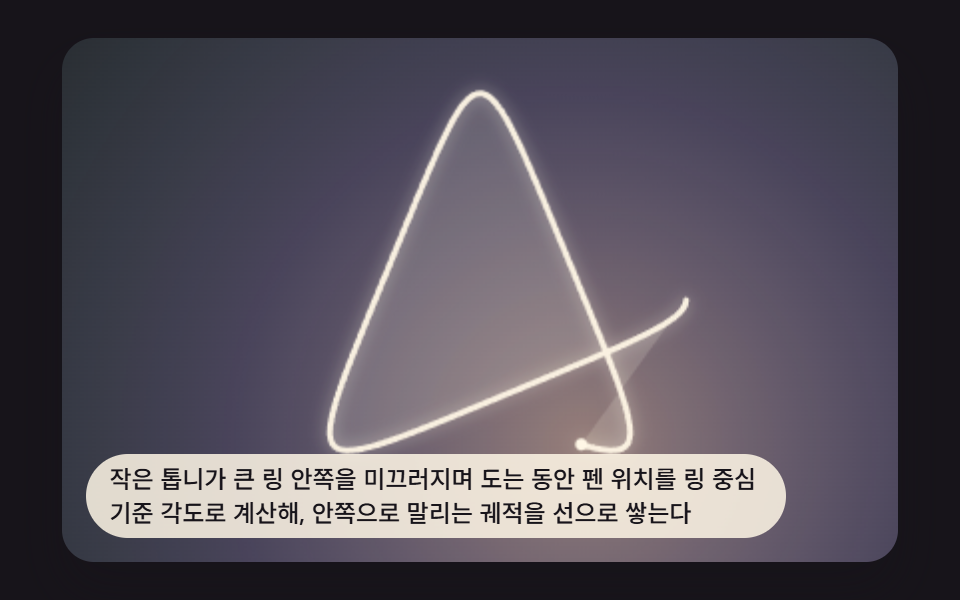 Creative UISpirograph Generator: 9 Gear-Ratio Curve Patterns
 Creative UIMesh Gradient Background: 9 Canvas Animations
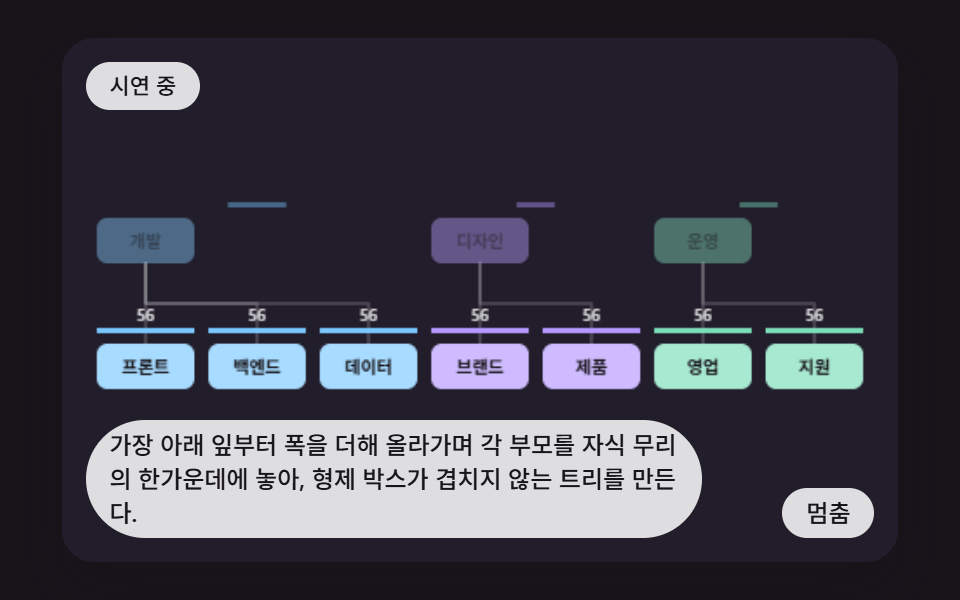 Creative UICSS Org Chart: 9 Tidy Tree Layout Demos