CSS Image Filters: 9 Patterns, One Value
These are css image filters. A filter seemed like something that ruins a photo, until one value said otherwise.
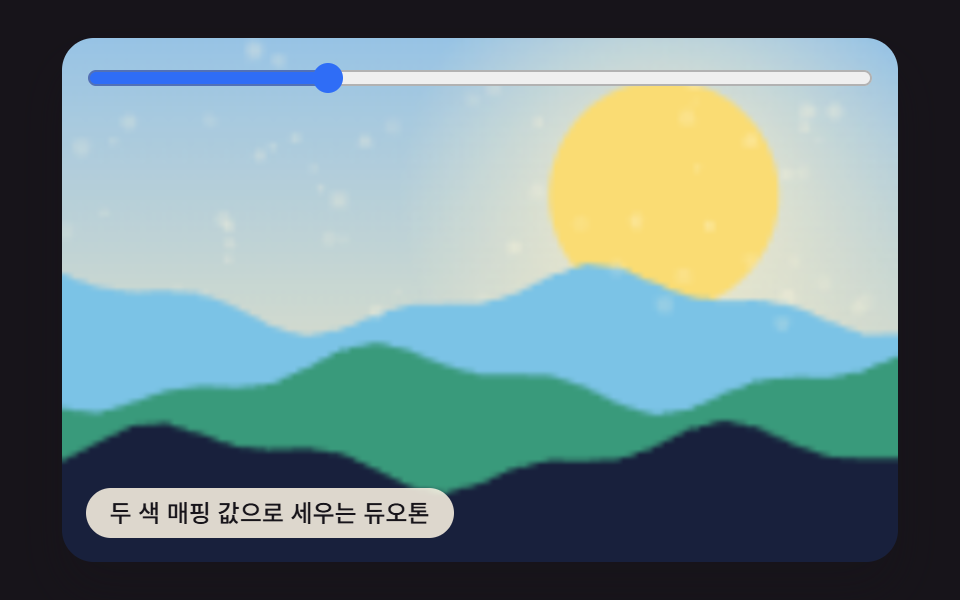 01 filter-duotone-colormap
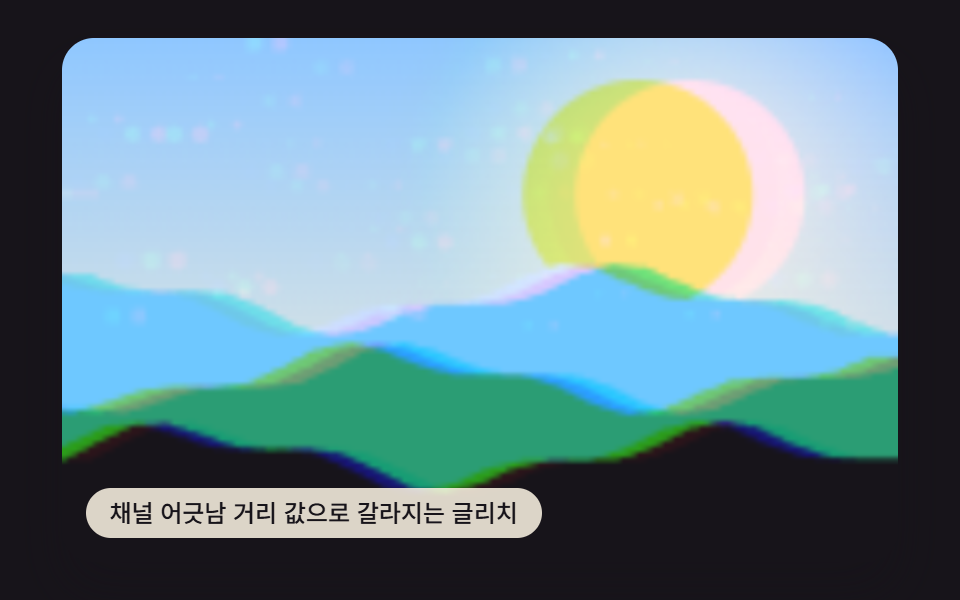 02 filter-chromatic-split-glitch
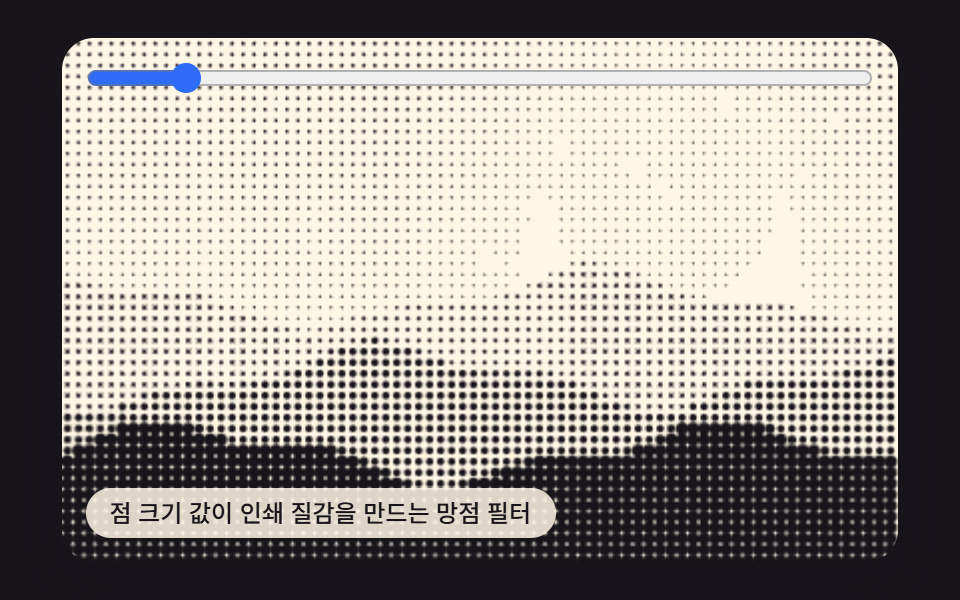 03 filter-halftone-dot-print
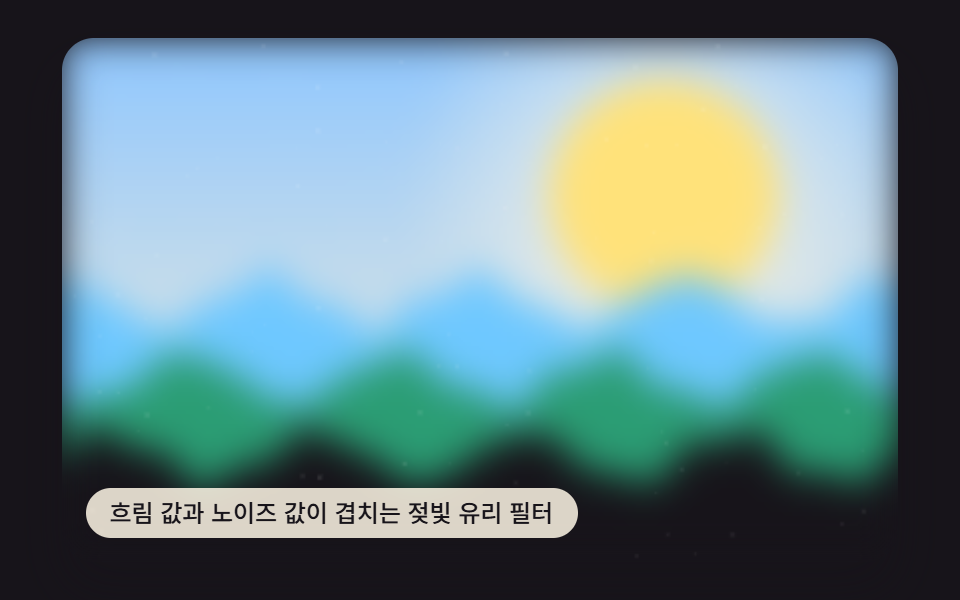 04 filter-frosted-glass-noise
 05 filter-vintage-film-grain
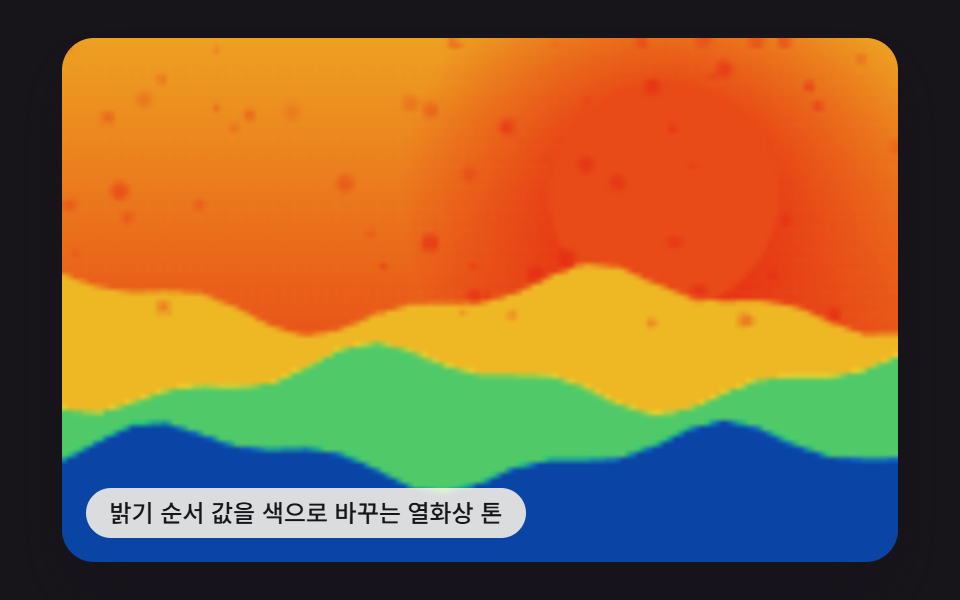 06 filter-thermal-heatmap-tone
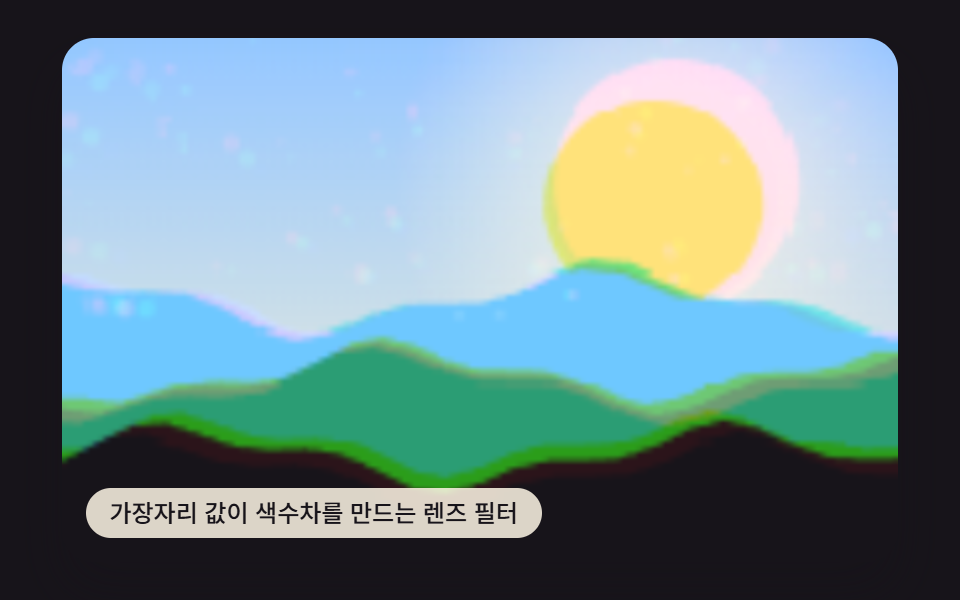 07 filter-chromatic-edge-aberration
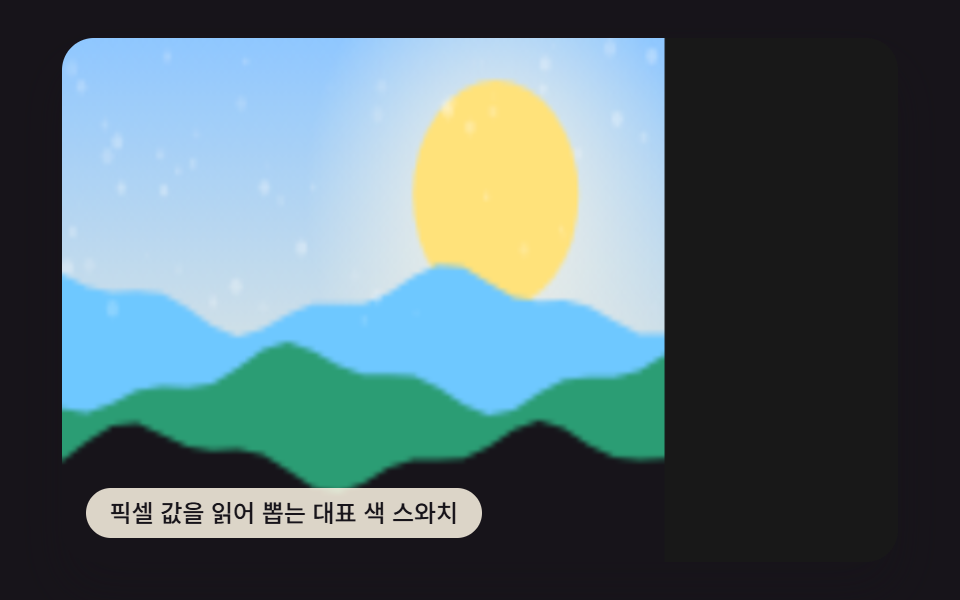 08 filter-dominant-color-swatch
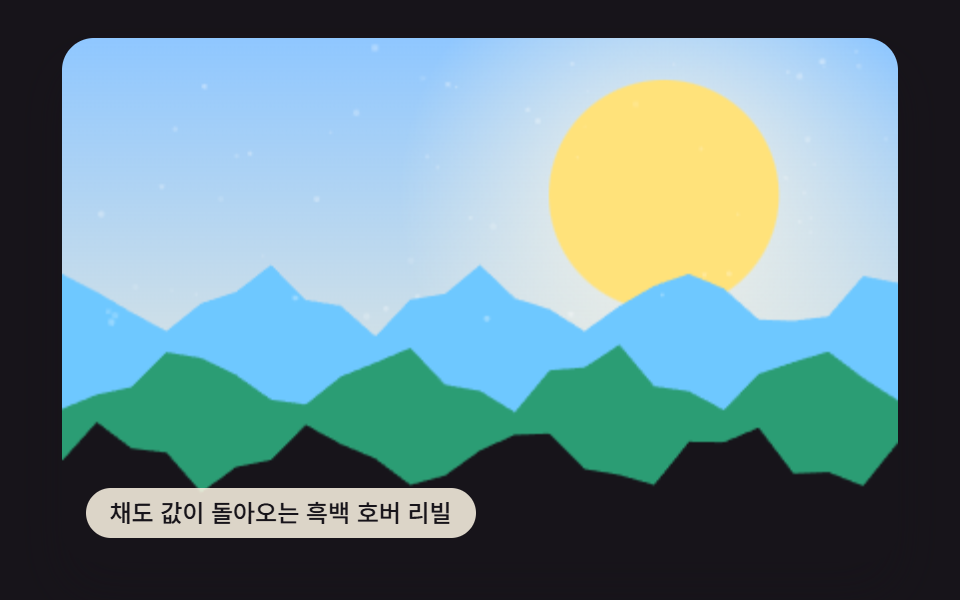 09 filter-grayscale-hover-reveal
Auto-plays · click a tile to jump to its section · all nine in one zip
- 01 Duotone Built From a Two-Color Mapping Value
- 02 Glitch Split From a Channel-Offset Distance Value
- 03 Halftone Filter Whose Dot-Size Value Builds a Print Texture
- 04 Frosted-Glass Filter Where a Blur Value Layers Over a Noise Value
- 05 Vintage Film Grain Scattered by a Noise-Strength Value
- 06 Thermal Tone That Recolors a Brightness-Order Value
- 07 Lens Filter Whose Edge Value Builds Chromatic Aberration
- 08 Dominant-Color Swatch Read From Pixel Values
- 09 Grayscale Hover Reveal Where a Saturation Value Returns
All nine start from the same procedurally-drawn scene — drawPhotoBase() paints a gradient sky, a sun, and a few geometric shapes with seedRand(), a seeded pseudo-random generator, so nothing here is an uploaded photo. The order below runs from the filter that repaints the most of that frame to the one that repaints the least, so item 1's duotone (73.1% of the canvas) opens the list and item 8's dominant-color swatch (6.7%) closes it.
Where a CSS Image Filter Actually Earns a Spot in a Layout
Reach for one of these nine before reaching for a css image filter generator — a generator is built for exploring hundreds of combinations, but a marketing hero, a product grid, or a modal background only ever needs the one calculation that matches its mood, wired straight into the canvas draw call. Items 1 and 3 below even expose that one value as a real <input type="range"> a reader can drag, no generator required.
01Duotone Built From a Two-Color Mapping Value
Item 1 maps each pixel's brightness to a point between a dark color and a light color, so the whole scene reads as two tones instead of its original palette — useful on a marketing landing hero image where the photo needs to match one brand palette instead of its own colors. The value that drives it is DUOTONE_MIX_PERCENT, read into mapDuotone() once per pixel inside the per-frame loop that walks the canvas buffer.
<main class="stage">
<div class="vd is-demo" id="vdRoot">
  <canvas class="vd__canvas" id="vdCanvas" width="480" height="300"></canvas>
  <input class="vd__range" id="vdRange" type="range" min="0" max="100" value="30" aria-label="duotone mix">
  <p class="vd__caption">A Duotone Built From a Two-Color Mapping Value</p>
</div>
</main>
@use "../../../../site/static/demo-tokens" as *;
@include stage($stage-ink);
.vd {
position: relative;
width: min(92vw, calc(160vh - 12.8vw));
aspect-ratio: 480 / 300;
margin: 0 auto;
border-radius: $r-card;
overflow: hidden;
box-shadow: $shadow-raised;
}
.vd__canvas {
display: block;
width: 100%;
height: 100%;
}
.vd__caption {
position: absolute;
left: $sp-3;
bottom: $sp-3;
max-width: 72%;
margin: 0;
padding: $sp-1 $sp-3;
border-radius: $r-pill;
background: rgba(255, 247, 230, .85);
color: $subject-ink;
font-weight: 500;
font-size: 12px;
line-height: 1.4;
pointer-events: none;
}
.vd__range {
position: absolute;
left: $sp-3;
right: $sp-3;
top: $sp-3;
margin: 0;
accent-color: $subject-blue;
cursor: pointer;
}
@media (max-width: 340px) {
.vd__caption { font-size: 10px; padding: $sp-1 $sp-2; }
}
@media (prefers-reduced-motion: reduce) {
.vd { cursor: default; }
}html, body {
margin: 0;
overflow: hidden;
}
.stage {
box-sizing: border-box;
min-height: 100vh;
display: grid;
place-items: center;
margin: 0;
background: #17141a;
font-family: -apple-system, "Segoe UI", "Noto Sans KR", sans-serif;
padding: clamp(8px, 4vw, 24px);
}
.vd {
position: relative;
width: min(92vw, 160vh - 12.8vw);
aspect-ratio: 480/300;
margin: 0 auto;
border-radius: 16px;
overflow: hidden;
box-shadow: 0 14px 24px rgba(23, 20, 26, 0.32);
}
.vd__canvas {
display: block;
width: 100%;
height: 100%;
}
.vd__caption {
position: absolute;
left: 12px;
bottom: 12px;
max-width: 72%;
margin: 0;
padding: 4px 12px;
border-radius: 999px;
background: rgba(255, 247, 230, 0.85);
color: #17141a;
font-weight: 500;
font-size: 12px;
line-height: 1.4;
pointer-events: none;
}
.vd__range {
position: absolute;
left: 12px;
right: 12px;
top: 12px;
margin: 0;
accent-color: #2f6df6;
cursor: pointer;
}
@media (max-width: 340px) {
.vd__caption {
font-size: 10px;
padding: 4px 8px;
}
}
@media (prefers-reduced-motion: reduce) {
.vd {
cursor: default;
}
}(function () {
var root = document.getElementById('vdRoot');
var canvas = document.getElementById('vdCanvas');
var ctx = canvas.getContext('2d');
var wrap = canvas.parentElement;
function seedRand(seed) {
var s = seed >>> 0;
return function () { s = (s * 1664525 + 1013904223) >>> 0; return s / 4294967296; };
}
function drawPhotoBase(pctx, w, h, seed) {
var rand = seedRand(seed);
var sky = pctx.createLinearGradient(0, 0, 0, h);
sky.addColorStop(0, '#8fc7ff');
sky.addColorStop(1, '#fff2d6');
pctx.fillStyle = sky;
pctx.fillRect(0, 0, w, h);
var sunX = w * 0.72, sunY = h * 0.3, sunR = h * 0.22;
var glow = pctx.createRadialGradient(sunX, sunY, 0, sunX, sunY, sunR * 2.3);
glow.addColorStop(0, 'rgba(255,247,230,.9)');
glow.addColorStop(1, 'rgba(255,247,230,0)');
pctx.fillStyle = glow;
pctx.fillRect(0, 0, w, h);
pctx.beginPath();
pctx.arc(sunX, sunY, sunR, 0, Math.PI * 2);
pctx.fillStyle = '#ffe27a';
pctx.fill();
var hillColors = ['#6ec8ff', '#2b9d74', '#17141a'];
for (var i = 0; i < 3; i += 1) {
var baseY = h * (0.5 + i * 0.15);
pctx.beginPath();
pctx.moveTo(0, h);
var step = Math.max(2, w / 24);
for (var x = 0; x <= w; x += step) {
var n = Math.sin(x * 0.06 + i * 2.4 + seed * 0.0003) * h * 0.05 + Math.sin(x * 0.17 + i) * h * 0.02;
pctx.lineTo(x, baseY + n);
}
pctx.lineTo(w, h);
pctx.closePath();
pctx.fillStyle = hillColors[i];
pctx.fill();
}
for (var k = 0; k < 60; k += 1) {
var px = rand() * w, py = rand() * h * 0.55, r = rand() * 1.4 + 0.3;
pctx.beginPath();
pctx.arc(px, py, r, 0, Math.PI * 2);
pctx.fillStyle = 'rgba(255,255,255,' + (0.12 + rand() * 0.22) + ')';
pctx.fill();
}
}
var range = document.getElementById('vdRange');
var CALC_W = 160, CALC_H = 100;
var LOOP_MS = 2000;
var DUOTONE_MIX_PERCENT = 30;
var DUOTONE_DARK = [10, 79, 232];
var DUOTONE_LIGHT = [255, 210, 63];
var off = document.createElement('canvas');
off.width = CALC_W; off.height = CALC_H;
var octx = off.getContext('2d');
drawPhotoBase(octx, CALC_W, CALC_H, 414011);
var baseImg = octx.getImageData(0, 0, CALC_W, CALC_H);
var baseBuf = baseImg.data;
var out = document.createElement('canvas');
out.width = CALC_W; out.height = CALC_H;
var outCtx = out.getContext('2d');
var outImg = outCtx.createImageData(CALC_W, CALC_H);
var outBuf = outImg.data;
  function mapDuotone(lum, mix) {
    var t = mix / 100;
    var dr = DUOTONE_DARK[0] + (DUOTONE_LIGHT[0] - DUOTONE_DARK[0]) * lum;
    var dg = DUOTONE_DARK[1] + (DUOTONE_LIGHT[1] - DUOTONE_DARK[1]) * lum;
    var db = DUOTONE_DARK[2] + (DUOTONE_LIGHT[2] - DUOTONE_DARK[2]) * lum;
    return [dr, dg, db, t];
  }

  var userMix = DUOTONE_MIX_PERCENT;
  if (range) {
    range.value = String(userMix);
    range.addEventListener('input', function () { userMix = Number(range.value); });
  }
function renderFrame(t) {
var wave = Math.sin(t * Math.PI * 4 / LOOP_MS);
var mix = Math.max(0, Math.min(100, userMix + wave * 25));
var idx = 0;
for (var i = 0; i < CALC_W * CALC_H; i += 1) {
var r = baseBuf[idx], g = baseBuf[idx + 1], b = baseBuf[idx + 2];
var lum = (0.299 * r + 0.587 * g + 0.114 * b) / 255;
var dc = mapDuotone(lum, mix);
outBuf[idx] = r + (dc[0] - r) * dc[3];
outBuf[idx + 1] = g + (dc[1] - g) * dc[3];
outBuf[idx + 2] = b + (dc[2] - b) * dc[3];
outBuf[idx + 3] = 255;
idx += 4;
}
}
var cw = 480, ch = 300;
function fit() {
var r = wrap.getBoundingClientRect();
cw = Math.max(1, Math.round(r.width));
ch = Math.max(1, Math.round(r.height));
canvas.width = cw; canvas.height = ch;
draw(lastElapsed);
}
var lastElapsed = 0;
function draw(elapsed) {
lastElapsed = elapsed;
renderFrame(elapsed);
outCtx.putImageData(outImg, 0, 0);
ctx.imageSmoothingEnabled = true;
ctx.clearRect(0, 0, cw, ch);
ctx.drawImage(out, 0, 0, CALC_W, CALC_H, 0, 0, cw, ch);
}
var reduce = window.matchMedia('(prefers-reduced-motion: reduce)').matches;
var playing = !reduce;
var elapsed = reduce ? LOOP_MS * 0.5 : 0;
if (reduce) { root.classList.remove('is-demo'); }
var lastTs = null;
function tick(ts) {
if (lastTs === null) lastTs = ts;
var dt = ts - lastTs;
lastTs = ts;
if (playing) {
elapsed += dt;
if (elapsed >= LOOP_MS) elapsed -= LOOP_MS;
}
draw(elapsed);
requestAnimationFrame(tick);
}
fit();
window.addEventListener('resize', fit);
draw(elapsed);
requestAnimationFrame(tick);
})();import { useEffect, useRef } from "react";
import styles from "./FilterDuotoneColormap.module.scss";
export default function FilterDuotoneColormap() {
const rootRef = useRef<HTMLDivElement>(null);
const canvasRef = useRef<HTMLCanvasElement>(null);
const rangeRef = useRef<HTMLInputElement>(null);
useEffect(() => {
const root = rootRef.current;
const canvas = canvasRef.current;
if (!root || !canvas) return;
const ctx = canvas.getContext("2d");
if (!ctx) return;
const wrap = canvas.parentElement as HTMLElement;
const range = rangeRef.current;
function seedRand(seed: number) {
let s = seed >>> 0;
return function () { s = (s * 1664525 + 1013904223) >>> 0; return s / 4294967296; };
}
function drawPhotoBase(pctx: CanvasRenderingContext2D, w: number, h: number, seed: number) {
const rand = seedRand(seed);
const sky = pctx.createLinearGradient(0, 0, 0, h);
sky.addColorStop(0, "#8fc7ff");
sky.addColorStop(1, "#fff2d6");
pctx.fillStyle = sky;
pctx.fillRect(0, 0, w, h);
const sunX = w * 0.72, sunY = h * 0.3, sunR = h * 0.22;
const glow = pctx.createRadialGradient(sunX, sunY, 0, sunX, sunY, sunR * 2.3);
glow.addColorStop(0, "rgba(255,247,230,.9)");
glow.addColorStop(1, "rgba(255,247,230,0)");
pctx.fillStyle = glow;
pctx.fillRect(0, 0, w, h);
pctx.beginPath();
pctx.arc(sunX, sunY, sunR, 0, Math.PI * 2);
pctx.fillStyle = "#ffe27a";
pctx.fill();
const hillColors = ["#6ec8ff", "#2b9d74", "#17141a"];
for (let i = 0; i < 3; i += 1) {
const baseY = h * (0.5 + i * 0.15);
pctx.beginPath();
pctx.moveTo(0, h);
const step = Math.max(2, w / 24);
for (let x = 0; x <= w; x += step) {
const n = Math.sin(x * 0.06 + i * 2.4 + seed * 0.0003) * h * 0.05 + Math.sin(x * 0.17 + i) * h * 0.02;
pctx.lineTo(x, baseY + n);
}
pctx.lineTo(w, h);
pctx.closePath();
pctx.fillStyle = hillColors[i];
pctx.fill();
}
for (let k = 0; k < 60; k += 1) {
const px = rand() * w, py = rand() * h * 0.55, r = rand() * 1.4 + 0.3;
pctx.beginPath();
pctx.arc(px, py, r, 0, Math.PI * 2);
pctx.fillStyle = "rgba(255,255,255," + (0.12 + rand() * 0.22) + ")";
pctx.fill();
}
}
const CALC_W = 160, CALC_H = 100;
const LOOP_MS = 2000;
const DUOTONE_MIX_PERCENT = 30;
const DUOTONE_DARK = [10, 79, 232];
const DUOTONE_LIGHT = [255, 210, 63];
const off = document.createElement("canvas");
off.width = CALC_W; off.height = CALC_H;
const octx = off.getContext("2d") as CanvasRenderingContext2D;
drawPhotoBase(octx, CALC_W, CALC_H, 414011);
const baseImg = octx.getImageData(0, 0, CALC_W, CALC_H);
const baseBuf = baseImg.data;
const out = document.createElement("canvas");
out.width = CALC_W; out.height = CALC_H;
const outCtx = out.getContext("2d") as CanvasRenderingContext2D;
const outImg = outCtx.createImageData(CALC_W, CALC_H);
const outBuf = outImg.data;
function mapDuotone(lum: number, mix: number): [number, number, number, number] {
const t = mix / 100;
const dr = DUOTONE_DARK[0] + (DUOTONE_LIGHT[0] - DUOTONE_DARK[0]) * lum;
const dg = DUOTONE_DARK[1] + (DUOTONE_LIGHT[1] - DUOTONE_DARK[1]) * lum;
const db = DUOTONE_DARK[2] + (DUOTONE_LIGHT[2] - DUOTONE_DARK[2]) * lum;
return [dr, dg, db, t];
}
let userMix = DUOTONE_MIX_PERCENT;
if (range) {
range.value = String(userMix);
range.addEventListener("input", function () { userMix = Number(range.value); });
}
function renderFrame(t: number) {
const wave = Math.sin(t * Math.PI * 4 / LOOP_MS);
const mix = Math.max(0, Math.min(100, userMix + wave * 25));
let idx = 0;
for (let i = 0; i < CALC_W * CALC_H; i += 1) {
const r = baseBuf[idx], g = baseBuf[idx + 1], b = baseBuf[idx + 2];
const lum = (0.299 * r + 0.587 * g + 0.114 * b) / 255;
const dc = mapDuotone(lum, mix);
outBuf[idx] = r + (dc[0] - r) * dc[3];
outBuf[idx + 1] = g + (dc[1] - g) * dc[3];
outBuf[idx + 2] = b + (dc[2] - b) * dc[3];
outBuf[idx + 3] = 255;
idx += 4;
}
}
let cw = 480, ch = 300;
function fit() {
const r = wrap.getBoundingClientRect();
cw = Math.max(1, Math.round(r.width));
ch = Math.max(1, Math.round(r.height));
canvas!.width = cw; canvas!.height = ch;
draw(lastElapsed);
}
let lastElapsed = 0;
function draw(elapsed: number) {
lastElapsed = elapsed;
renderFrame(elapsed);
outCtx.putImageData(outImg, 0, 0);
ctx!.imageSmoothingEnabled = true;
ctx!.clearRect(0, 0, cw, ch);
ctx!.drawImage(out, 0, 0, CALC_W, CALC_H, 0, 0, cw, ch);
}
const reduce = window.matchMedia("(prefers-reduced-motion: reduce)").matches;
let playing = !reduce;
let elapsed = reduce ? LOOP_MS * 0.5 : 0;
if (reduce) { root.classList.remove("is-demo"); }
let lastTs: number | null = null;
let raf = 0;
function tick(ts: number) {
if (lastTs === null) lastTs = ts;
const dt = ts - lastTs;
lastTs = ts;
if (playing) {
elapsed += dt;
if (elapsed >= LOOP_MS) elapsed -= LOOP_MS;
}
draw(elapsed);
raf = requestAnimationFrame(tick);
}
fit();
window.addEventListener("resize", fit);
draw(elapsed);
raf = requestAnimationFrame(tick);
return () => {
cancelAnimationFrame(raf);
window.removeEventListener("resize", fit);
};
}, []);
return (
<main className={styles.stage}>
<div className={`${styles.vd} is-demo`} ref={rootRef}>
<canvas className={styles.vd__canvas} ref={canvasRef} width={480} height={300} />
<input className={styles.vd__range} ref={rangeRef} type="range" min={0} max={100} defaultValue={30} aria-label="duotone mix" />
<p className={styles.vd__caption}>두 색 매핑 값으로 세우는 듀오톤</p>
</div>
</main>
);
}01 · Duotone Built From a Two-Color Mapping Value — Measured area 73.067% · moving frames 16/23Original by GODRICH · SCSS and React ship in the zip · See the password
function mapDuotone(lum, mix) {
var t = mix / 100;
var dr = DUOTONE_DARK[0] + (DUOTONE_LIGHT[0] - DUOTONE_DARK[0]) * lum;
var dg = DUOTONE_DARK[1] + (DUOTONE_LIGHT[1] - DUOTONE_DARK[1]) * lum;
var db = DUOTONE_DARK[2] + (DUOTONE_LIGHT[2] - DUOTONE_DARK[2]) * lum;
return [dr, dg, db, t];
}
var userMix = DUOTONE_MIX_PERCENT;
if (range) {
range.value = String(userMix);
range.addEventListener('input', function () { userMix = Number(range.value); });
}
Measured: 73.1% of the frame repaints across the loop, intensity averages 21.4, and 16 of 23 sampled frames moved.
02Glitch Split From a Channel-Offset Distance Value
Item 2 nudges the red, green, and blue channels apart in different directions, so as the offset-distance value grows the three colors separate wider and the scene reads as broken — a fit for a promotion banner's hover state where a moment of visible glitch draws the eye. CHANNEL_OFFSET_PX sets how far shiftChannels() pushes the red channel one way and the blue channel the other, sampling from the untouched base buffer each time.
<main class="stage">
<div class="vd is-demo" id="vdRoot">
  <canvas class="vd__canvas" id="vdCanvas" width="480" height="300"></canvas>
  <p class="vd__caption">A Glitch That Splits by a Channel-Offset Distance Value</p>
</div>
</main>
@use "../../../../site/static/demo-tokens" as *;
@include stage($stage-ink);
.vd {
position: relative;
width: min(92vw, calc(160vh - 12.8vw));
aspect-ratio: 480 / 300;
margin: 0 auto;
border-radius: $r-card;
overflow: hidden;
box-shadow: $shadow-raised;
}
.vd__canvas {
display: block;
width: 100%;
height: 100%;
}
.vd__caption {
position: absolute;
left: $sp-3;
bottom: $sp-3;
max-width: 72%;
margin: 0;
padding: $sp-1 $sp-3;
border-radius: $r-pill;
background: rgba(255, 247, 230, .85);
color: $subject-ink;
font-weight: 500;
font-size: 12px;
line-height: 1.4;
pointer-events: none;
}
@media (max-width: 340px) {
.vd__caption { font-size: 10px; padding: $sp-1 $sp-2; }
}
@media (prefers-reduced-motion: reduce) {
.vd { cursor: default; }
}html, body {
margin: 0;
overflow: hidden;
}
.stage {
box-sizing: border-box;
min-height: 100vh;
display: grid;
place-items: center;
margin: 0;
background: #17141a;
font-family: -apple-system, "Segoe UI", "Noto Sans KR", sans-serif;
padding: clamp(8px, 4vw, 24px);
}
.vd {
position: relative;
width: min(92vw, 160vh - 12.8vw);
aspect-ratio: 480/300;
margin: 0 auto;
border-radius: 16px;
overflow: hidden;
box-shadow: 0 14px 24px rgba(23, 20, 26, 0.32);
}
.vd__canvas {
display: block;
width: 100%;
height: 100%;
}
.vd__caption {
position: absolute;
left: 12px;
bottom: 12px;
max-width: 72%;
margin: 0;
padding: 4px 12px;
border-radius: 999px;
background: rgba(255, 247, 230, 0.85);
color: #17141a;
font-weight: 500;
font-size: 12px;
line-height: 1.4;
pointer-events: none;
}
@media (max-width: 340px) {
.vd__caption {
font-size: 10px;
padding: 4px 8px;
}
}
@media (prefers-reduced-motion: reduce) {
.vd {
cursor: default;
}
}(function () {
var root = document.getElementById('vdRoot');
var canvas = document.getElementById('vdCanvas');
var ctx = canvas.getContext('2d');
var wrap = canvas.parentElement;
function seedRand(seed) {
var s = seed >>> 0;
return function () { s = (s * 1664525 + 1013904223) >>> 0; return s / 4294967296; };
}
function drawPhotoBase(pctx, w, h, seed) {
var rand = seedRand(seed);
var sky = pctx.createLinearGradient(0, 0, 0, h);
sky.addColorStop(0, '#8fc7ff');
sky.addColorStop(1, '#fff2d6');
pctx.fillStyle = sky;
pctx.fillRect(0, 0, w, h);
var sunX = w * 0.72, sunY = h * 0.3, sunR = h * 0.22;
var glow = pctx.createRadialGradient(sunX, sunY, 0, sunX, sunY, sunR * 2.3);
glow.addColorStop(0, 'rgba(255,247,230,.9)');
glow.addColorStop(1, 'rgba(255,247,230,0)');
pctx.fillStyle = glow;
pctx.fillRect(0, 0, w, h);
pctx.beginPath();
pctx.arc(sunX, sunY, sunR, 0, Math.PI * 2);
pctx.fillStyle = '#ffe27a';
pctx.fill();
var hillColors = ['#6ec8ff', '#2b9d74', '#17141a'];
for (var i = 0; i < 3; i += 1) {
var baseY = h * (0.5 + i * 0.15);
pctx.beginPath();
pctx.moveTo(0, h);
var step = Math.max(2, w / 24);
for (var x = 0; x <= w; x += step) {
var n = Math.sin(x * 0.06 + i * 2.4 + seed * 0.0003) * h * 0.05 + Math.sin(x * 0.17 + i) * h * 0.02;
pctx.lineTo(x, baseY + n);
}
pctx.lineTo(w, h);
pctx.closePath();
pctx.fillStyle = hillColors[i];
pctx.fill();
}
for (var k = 0; k < 60; k += 1) {
var px = rand() * w, py = rand() * h * 0.55, r = rand() * 1.4 + 0.3;
pctx.beginPath();
pctx.arc(px, py, r, 0, Math.PI * 2);
pctx.fillStyle = 'rgba(255,255,255,' + (0.12 + rand() * 0.22) + ')';
pctx.fill();
}
}
var CALC_W = 160, CALC_H = 100;
var LOOP_MS = 2000;
var CHANNEL_OFFSET_PX = 6;
var off = document.createElement('canvas');
off.width = CALC_W; off.height = CALC_H;
var octx = off.getContext('2d');
drawPhotoBase(octx, CALC_W, CALC_H, 414021);
var baseImg = octx.getImageData(0, 0, CALC_W, CALC_H);
var baseBuf = baseImg.data;
var out = document.createElement('canvas');
out.width = CALC_W; out.height = CALC_H;
var outCtx = out.getContext('2d');
var outImg = outCtx.createImageData(CALC_W, CALC_H);
var outBuf = outImg.data;
function clampIdx(v, max) { return v < 0 ? 0 : (v >= max ? max - 1 : v); }
function sampleBase(x, y, ch) {
var xi = clampIdx(x, CALC_W), yi = clampIdx(y, CALC_H);
return baseBuf[(yi * CALC_W + xi) * 4 + ch];
}
  function shiftChannels(offset) {
    var idx = 0;
    for (var y = 0; y < CALC_H; y += 1) {
      for (var x = 0; x < CALC_W; x += 1) {
        outBuf[idx] = sampleBase(x - offset, y, 0);
        outBuf[idx + 1] = sampleBase(x, y, 1);
        outBuf[idx + 2] = sampleBase(x + offset, y, 2);
        outBuf[idx + 3] = 255;
        idx += 4;
      }
    }
  }

  function renderFrame(t) {
    var wave = Math.abs(Math.sin(t * Math.PI * 4 / LOOP_MS));
    var offset = Math.round(wave * CHANNEL_OFFSET_PX);
    shiftChannels(offset);
  }
var cw = 480, ch = 300;
function fit() {
var r = wrap.getBoundingClientRect();
cw = Math.max(1, Math.round(r.width));
ch = Math.max(1, Math.round(r.height));
canvas.width = cw; canvas.height = ch;
draw(lastElapsed);
}
var lastElapsed = 0;
function draw(elapsed) {
lastElapsed = elapsed;
renderFrame(elapsed);
outCtx.putImageData(outImg, 0, 0);
ctx.imageSmoothingEnabled = true;
ctx.clearRect(0, 0, cw, ch);
ctx.drawImage(out, 0, 0, CALC_W, CALC_H, 0, 0, cw, ch);
}
var reduce = window.matchMedia('(prefers-reduced-motion: reduce)').matches;
var playing = !reduce;
var elapsed = reduce ? LOOP_MS * 0.5 : 0;
if (reduce) { root.classList.remove('is-demo'); }
var lastTs = null;
function tick(ts) {
if (lastTs === null) lastTs = ts;
var dt = ts - lastTs;
lastTs = ts;
if (playing) {
elapsed += dt;
if (elapsed >= LOOP_MS) elapsed -= LOOP_MS;
}
draw(elapsed);
requestAnimationFrame(tick);
}
fit();
window.addEventListener('resize', fit);
draw(elapsed);
requestAnimationFrame(tick);
})();import { useEffect, useRef } from "react";
import styles from "./FilterChromaticSplitGlitch.module.scss";
export default function FilterChromaticSplitGlitch() {
const rootRef = useRef<HTMLDivElement>(null);
const canvasRef = useRef<HTMLCanvasElement>(null);
useEffect(() => {
const root = rootRef.current;
const canvas = canvasRef.current;
if (!root || !canvas) return;
const ctx = canvas.getContext("2d");
if (!ctx) return;
const wrap = canvas.parentElement as HTMLElement;
function seedRand(seed: number) {
let s = seed >>> 0;
return function () { s = (s * 1664525 + 1013904223) >>> 0; return s / 4294967296; };
}
function drawPhotoBase(pctx: CanvasRenderingContext2D, w: number, h: number, seed: number) {
const rand = seedRand(seed);
const sky = pctx.createLinearGradient(0, 0, 0, h);
sky.addColorStop(0, "#8fc7ff");
sky.addColorStop(1, "#fff2d6");
pctx.fillStyle = sky;
pctx.fillRect(0, 0, w, h);
const sunX = w * 0.72, sunY = h * 0.3, sunR = h * 0.22;
const glow = pctx.createRadialGradient(sunX, sunY, 0, sunX, sunY, sunR * 2.3);
glow.addColorStop(0, "rgba(255,247,230,.9)");
glow.addColorStop(1, "rgba(255,247,230,0)");
pctx.fillStyle = glow;
pctx.fillRect(0, 0, w, h);
pctx.beginPath();
pctx.arc(sunX, sunY, sunR, 0, Math.PI * 2);
pctx.fillStyle = "#ffe27a";
pctx.fill();
const hillColors = ["#6ec8ff", "#2b9d74", "#17141a"];
for (let i = 0; i < 3; i += 1) {
const baseY = h * (0.5 + i * 0.15);
pctx.beginPath();
pctx.moveTo(0, h);
const step = Math.max(2, w / 24);
for (let x = 0; x <= w; x += step) {
const n = Math.sin(x * 0.06 + i * 2.4 + seed * 0.0003) * h * 0.05 + Math.sin(x * 0.17 + i) * h * 0.02;
pctx.lineTo(x, baseY + n);
}
pctx.lineTo(w, h);
pctx.closePath();
pctx.fillStyle = hillColors[i];
pctx.fill();
}
for (let k = 0; k < 60; k += 1) {
const px = rand() * w, py = rand() * h * 0.55, r = rand() * 1.4 + 0.3;
pctx.beginPath();
pctx.arc(px, py, r, 0, Math.PI * 2);
pctx.fillStyle = "rgba(255,255,255," + (0.12 + rand() * 0.22) + ")";
pctx.fill();
}
}
const CALC_W = 160, CALC_H = 100;
const LOOP_MS = 2000;
const CHANNEL_OFFSET_PX = 6;
const off = document.createElement("canvas");
off.width = CALC_W; off.height = CALC_H;
const octx = off.getContext("2d") as CanvasRenderingContext2D;
drawPhotoBase(octx, CALC_W, CALC_H, 414021);
const baseImg = octx.getImageData(0, 0, CALC_W, CALC_H);
const baseBuf = baseImg.data;
const out = document.createElement("canvas");
out.width = CALC_W; out.height = CALC_H;
const outCtx = out.getContext("2d") as CanvasRenderingContext2D;
const outImg = outCtx.createImageData(CALC_W, CALC_H);
const outBuf = outImg.data;
function clampIdx(v: number, max: number) { return v < 0 ? 0 : (v >= max ? max - 1 : v); }
function sampleBase(x: number, y: number, ch: number) {
const xi = clampIdx(x, CALC_W), yi = clampIdx(y, CALC_H);
return baseBuf[(yi * CALC_W + xi) * 4 + ch];
}
function shiftChannels(offset: number) {
let idx = 0;
for (let y = 0; y < CALC_H; y += 1) {
for (let x = 0; x < CALC_W; x += 1) {
outBuf[idx] = sampleBase(x - offset, y, 0);
outBuf[idx + 1] = sampleBase(x, y, 1);
outBuf[idx + 2] = sampleBase(x + offset, y, 2);
outBuf[idx + 3] = 255;
idx += 4;
}
}
}
function renderFrame(t: number) {
const wave = Math.abs(Math.sin(t * Math.PI * 4 / LOOP_MS));
const offset = Math.round(wave * CHANNEL_OFFSET_PX);
shiftChannels(offset);
}
let cw = 480, ch = 300;
function fit() {
const r = wrap.getBoundingClientRect();
cw = Math.max(1, Math.round(r.width));
ch = Math.max(1, Math.round(r.height));
canvas!.width = cw; canvas!.height = ch;
draw(lastElapsed);
}
let lastElapsed = 0;
function draw(elapsed: number) {
lastElapsed = elapsed;
renderFrame(elapsed);
outCtx.putImageData(outImg, 0, 0);
ctx!.imageSmoothingEnabled = true;
ctx!.clearRect(0, 0, cw, ch);
ctx!.drawImage(out, 0, 0, CALC_W, CALC_H, 0, 0, cw, ch);
}
const reduce = window.matchMedia("(prefers-reduced-motion: reduce)").matches;
let playing = !reduce;
let elapsed = reduce ? LOOP_MS * 0.5 : 0;
if (reduce) { root.classList.remove("is-demo"); }
let lastTs: number | null = null;
let raf = 0;
function tick(ts: number) {
if (lastTs === null) lastTs = ts;
const dt = ts - lastTs;
lastTs = ts;
if (playing) {
elapsed += dt;
if (elapsed >= LOOP_MS) elapsed -= LOOP_MS;
}
draw(elapsed);
raf = requestAnimationFrame(tick);
}
fit();
window.addEventListener("resize", fit);
draw(elapsed);
raf = requestAnimationFrame(tick);
return () => {
cancelAnimationFrame(raf);
window.removeEventListener("resize", fit);
};
}, []);
return (
<main className={styles.stage}>
<div className={`${styles.vd} is-demo`} ref={rootRef}>
<canvas className={styles.vd__canvas} ref={canvasRef} width={480} height={300} />
<p className={styles.vd__caption}>채널 어긋남 거리 값으로 갈라지는 글리치</p>
</div>
</main>
);
}02 · Glitch Split From a Channel-Offset Distance Value — Measured area 14.143% · moving frames 22/23Original by GODRICH · SCSS and React ship in the zip · See the password
function shiftChannels(offset) {
var idx = 0;
for (var y = 0; y < CALC_H; y += 1) {
for (var x = 0; x < CALC_W; x += 1) {
outBuf[idx] = sampleBase(x - offset, y, 0);
outBuf[idx + 1] = sampleBase(x, y, 1);
outBuf[idx + 2] = sampleBase(x + offset, y, 2);
outBuf[idx + 3] = 255;
idx += 4;
}
}
}
function renderFrame(t) {
var wave = Math.abs(Math.sin(t * Math.PI * 4 / LOOP_MS));
var offset = Math.round(wave * CHANNEL_OFFSET_PX);
shiftChannels(offset);
}
Measured: 14.1% of the frame repaints, intensity averages 37.5 — the highest of any item still under 20% area — and 22 of 23 frames moved.
03Halftone Filter Whose Dot-Size Value Builds a Print Texture
Item 3 replaces the photo with a grid of dots sized by local brightness, so a larger HALFTONE_DOT_SIZE_PX value reads like an old newspaper print rather than a clean photo — the kind of print-styled poster card a retro layout wants. sampleBrightness() reads the luminance under each grid cell and drawHalftoneDot() turns that into a circle radius, and like item 1 this value is also exposed as a draggable range input.
<main class="stage">
<div class="vd is-demo" id="vdRoot">
  <canvas class="vd__canvas" id="vdCanvas" width="480" height="300"></canvas>
  <input class="vd__range" id="vdRange" type="range" min="3" max="12" value="4" aria-label="dot size">
  <p class="vd__caption">A Halftone Filter Whose Dot-Size Value Creates a Print Texture</p>
</div>
</main>
@use "../../../../site/static/demo-tokens" as *;
@include stage($stage-ink);
.vd {
position: relative;
width: min(92vw, calc(160vh - 12.8vw));
aspect-ratio: 480 / 300;
margin: 0 auto;
border-radius: $r-card;
overflow: hidden;
box-shadow: $shadow-raised;
}
.vd__canvas {
display: block;
width: 100%;
height: 100%;
}
.vd__caption {
position: absolute;
left: $sp-3;
bottom: $sp-3;
max-width: 72%;
margin: 0;
padding: $sp-1 $sp-3;
border-radius: $r-pill;
background: rgba(255, 247, 230, .85);
color: $subject-ink;
font-weight: 500;
font-size: 12px;
line-height: 1.4;
pointer-events: none;
}
.vd__range {
position: absolute;
left: $sp-3;
right: $sp-3;
top: $sp-3;
margin: 0;
accent-color: $subject-blue;
cursor: pointer;
}
@media (max-width: 340px) {
.vd__caption { font-size: 10px; padding: $sp-1 $sp-2; }
}
@media (prefers-reduced-motion: reduce) {
.vd { cursor: default; }
}html, body {
margin: 0;
overflow: hidden;
}
.stage {
box-sizing: border-box;
min-height: 100vh;
display: grid;
place-items: center;
margin: 0;
background: #17141a;
font-family: -apple-system, "Segoe UI", "Noto Sans KR", sans-serif;
padding: clamp(8px, 4vw, 24px);
}
.vd {
position: relative;
width: min(92vw, 160vh - 12.8vw);
aspect-ratio: 480/300;
margin: 0 auto;
border-radius: 16px;
overflow: hidden;
box-shadow: 0 14px 24px rgba(23, 20, 26, 0.32);
}
.vd__canvas {
display: block;
width: 100%;
height: 100%;
}
.vd__caption {
position: absolute;
left: 12px;
bottom: 12px;
max-width: 72%;
margin: 0;
padding: 4px 12px;
border-radius: 999px;
background: rgba(255, 247, 230, 0.85);
color: #17141a;
font-weight: 500;
font-size: 12px;
line-height: 1.4;
pointer-events: none;
}
.vd__range {
position: absolute;
left: 12px;
right: 12px;
top: 12px;
margin: 0;
accent-color: #2f6df6;
cursor: pointer;
}
@media (max-width: 340px) {
.vd__caption {
font-size: 10px;
padding: 4px 8px;
}
}
@media (prefers-reduced-motion: reduce) {
.vd {
cursor: default;
}
}(function () {
var root = document.getElementById('vdRoot');
var canvas = document.getElementById('vdCanvas');
var ctx = canvas.getContext('2d');
var wrap = canvas.parentElement;
function seedRand(seed) {
var s = seed >>> 0;
return function () { s = (s * 1664525 + 1013904223) >>> 0; return s / 4294967296; };
}
function drawPhotoBase(pctx, w, h, seed) {
var rand = seedRand(seed);
var sky = pctx.createLinearGradient(0, 0, 0, h);
sky.addColorStop(0, '#8fc7ff');
sky.addColorStop(1, '#fff2d6');
pctx.fillStyle = sky;
pctx.fillRect(0, 0, w, h);
var sunX = w * 0.72, sunY = h * 0.3, sunR = h * 0.22;
var glow = pctx.createRadialGradient(sunX, sunY, 0, sunX, sunY, sunR * 2.3);
glow.addColorStop(0, 'rgba(255,247,230,.9)');
glow.addColorStop(1, 'rgba(255,247,230,0)');
pctx.fillStyle = glow;
pctx.fillRect(0, 0, w, h);
pctx.beginPath();
pctx.arc(sunX, sunY, sunR, 0, Math.PI * 2);
pctx.fillStyle = '#ffe27a';
pctx.fill();
var hillColors = ['#6ec8ff', '#2b9d74', '#17141a'];
for (var i = 0; i < 3; i += 1) {
var baseY = h * (0.5 + i * 0.15);
pctx.beginPath();
pctx.moveTo(0, h);
var step = Math.max(2, w / 24);
for (var x = 0; x <= w; x += step) {
var n = Math.sin(x * 0.06 + i * 2.4 + seed * 0.0003) * h * 0.05 + Math.sin(x * 0.17 + i) * h * 0.02;
pctx.lineTo(x, baseY + n);
}
pctx.lineTo(w, h);
pctx.closePath();
pctx.fillStyle = hillColors[i];
pctx.fill();
}
for (var k = 0; k < 60; k += 1) {
var px = rand() * w, py = rand() * h * 0.55, r = rand() * 1.4 + 0.3;
pctx.beginPath();
pctx.arc(px, py, r, 0, Math.PI * 2);
pctx.fillStyle = 'rgba(255,255,255,' + (0.12 + rand() * 0.22) + ')';
pctx.fill();
}
}
var range = document.getElementById('vdRange');
var CALC_W = 160, CALC_H = 100;
var LOOP_MS = 2000;
var HALFTONE_DOT_SIZE_PX = 4;
var off = document.createElement('canvas');
off.width = CALC_W; off.height = CALC_H;
var octx = off.getContext('2d');
drawPhotoBase(octx, CALC_W, CALC_H, 414031);
var baseImg = octx.getImageData(0, 0, CALC_W, CALC_H);
var baseBuf = baseImg.data;
  function sampleBrightness(xCalc, yCalc) {
    var xi = Math.max(0, Math.min(CALC_W - 1, Math.round(xCalc)));
    var yi = Math.max(0, Math.min(CALC_H - 1, Math.round(yCalc)));
    var idx = (yi * CALC_W + xi) * 4;
    return (0.299 * baseBuf[idx] + 0.587 * baseBuf[idx + 1] + 0.114 * baseBuf[idx + 2]) / 255;
  }

  function drawHalftoneDot(x, y, size, brightness) {
    var radius = (1 - brightness) * size * 0.62;
    if (radius < 0.4) return;
    ctx.beginPath();
    ctx.arc(x, y, radius, 0, Math.PI * 2);
    ctx.fill();
  }
var userDot = HALFTONE_DOT_SIZE_PX;
if (range) {
range.value = String(userDot);
range.addEventListener('input', function () { userDot = Number(range.value); });
}
var cw = 480, ch = 300;
function fit() {
var r = wrap.getBoundingClientRect();
cw = Math.max(1, Math.round(r.width));
ch = Math.max(1, Math.round(r.height));
canvas.width = cw; canvas.height = ch;
draw(lastElapsed);
}
var lastElapsed = 0;
function draw(elapsed) {
lastElapsed = elapsed;
var wave = Math.sin(elapsed * Math.PI * 4 / LOOP_MS);
var dot = Math.max(3, userDot + wave * 3);
var scaleX = CALC_W / cw, scaleY = CALC_H / ch;
ctx.clearRect(0, 0, cw, ch);
ctx.fillStyle = '#fff7e6';
ctx.fillRect(0, 0, cw, ch);
ctx.fillStyle = '#17141a';
for (var y = dot / 2; y < ch; y += dot) {
for (var x = dot / 2; x < cw; x += dot) {
drawHalftoneDot(x, y, dot, sampleBrightness(x * scaleX, y * scaleY));
}
}
}
var reduce = window.matchMedia('(prefers-reduced-motion: reduce)').matches;
var playing = !reduce;
var elapsed = reduce ? LOOP_MS * 0.5 : 0;
if (reduce) { root.classList.remove('is-demo'); }
var lastTs = null;
function tick(ts) {
if (lastTs === null) lastTs = ts;
var dt = ts - lastTs;
lastTs = ts;
if (playing) {
elapsed += dt;
if (elapsed >= LOOP_MS) elapsed -= LOOP_MS;
}
draw(elapsed);
requestAnimationFrame(tick);
}
fit();
window.addEventListener('resize', fit);
draw(elapsed);
requestAnimationFrame(tick);
})();import { useEffect, useRef } from "react";
import styles from "./FilterHalftoneDotPrint.module.scss";
export default function FilterHalftoneDotPrint() {
const rootRef = useRef<HTMLDivElement>(null);
const canvasRef = useRef<HTMLCanvasElement>(null);
const rangeRef = useRef<HTMLInputElement>(null);
useEffect(() => {
const root = rootRef.current;
const canvas = canvasRef.current;
if (!root || !canvas) return;
const ctx = canvas.getContext("2d");
if (!ctx) return;
const wrap = canvas.parentElement as HTMLElement;
const range = rangeRef.current;
function seedRand(seed: number) {
let s = seed >>> 0;
return function () { s = (s * 1664525 + 1013904223) >>> 0; return s / 4294967296; };
}
function drawPhotoBase(pctx: CanvasRenderingContext2D, w: number, h: number, seed: number) {
const rand = seedRand(seed);
const sky = pctx.createLinearGradient(0, 0, 0, h);
sky.addColorStop(0, "#8fc7ff");
sky.addColorStop(1, "#fff2d6");
pctx.fillStyle = sky;
pctx.fillRect(0, 0, w, h);
const sunX = w * 0.72, sunY = h * 0.3, sunR = h * 0.22;
const glow = pctx.createRadialGradient(sunX, sunY, 0, sunX, sunY, sunR * 2.3);
glow.addColorStop(0, "rgba(255,247,230,.9)");
glow.addColorStop(1, "rgba(255,247,230,0)");
pctx.fillStyle = glow;
pctx.fillRect(0, 0, w, h);
pctx.beginPath();
pctx.arc(sunX, sunY, sunR, 0, Math.PI * 2);
pctx.fillStyle = "#ffe27a";
pctx.fill();
const hillColors = ["#6ec8ff", "#2b9d74", "#17141a"];
for (let i = 0; i < 3; i += 1) {
const baseY = h * (0.5 + i * 0.15);
pctx.beginPath();
pctx.moveTo(0, h);
const step = Math.max(2, w / 24);
for (let x = 0; x <= w; x += step) {
const n = Math.sin(x * 0.06 + i * 2.4 + seed * 0.0003) * h * 0.05 + Math.sin(x * 0.17 + i) * h * 0.02;
pctx.lineTo(x, baseY + n);
}
pctx.lineTo(w, h);
pctx.closePath();
pctx.fillStyle = hillColors[i];
pctx.fill();
}
for (let k = 0; k < 60; k += 1) {
const px = rand() * w, py = rand() * h * 0.55, r = rand() * 1.4 + 0.3;
pctx.beginPath();
pctx.arc(px, py, r, 0, Math.PI * 2);
pctx.fillStyle = "rgba(255,255,255," + (0.12 + rand() * 0.22) + ")";
pctx.fill();
}
}
const CALC_W = 160, CALC_H = 100;
const LOOP_MS = 2000;
const HALFTONE_DOT_SIZE_PX = 4;
const off = document.createElement("canvas");
off.width = CALC_W; off.height = CALC_H;
const octx = off.getContext("2d") as CanvasRenderingContext2D;
drawPhotoBase(octx, CALC_W, CALC_H, 414031);
const baseImg = octx.getImageData(0, 0, CALC_W, CALC_H);
const baseBuf = baseImg.data;
function sampleBrightness(xCalc: number, yCalc: number) {
const xi = Math.max(0, Math.min(CALC_W - 1, Math.round(xCalc)));
const yi = Math.max(0, Math.min(CALC_H - 1, Math.round(yCalc)));
const idx = (yi * CALC_W + xi) * 4;
return (0.299 * baseBuf[idx] + 0.587 * baseBuf[idx + 1] + 0.114 * baseBuf[idx + 2]) / 255;
}
function drawHalftoneDot(x: number, y: number, size: number, brightness: number) {
const radius = (1 - brightness) * size * 0.62;
if (radius < 0.4) return;
ctx!.beginPath();
ctx!.arc(x, y, radius, 0, Math.PI * 2);
ctx!.fill();
}
let userDot = HALFTONE_DOT_SIZE_PX;
if (range) {
range.value = String(userDot);
range.addEventListener("input", function () { userDot = Number(range.value); });
}
let cw = 480, ch = 300;
function fit() {
const r = wrap.getBoundingClientRect();
cw = Math.max(1, Math.round(r.width));
ch = Math.max(1, Math.round(r.height));
canvas!.width = cw; canvas!.height = ch;
draw(lastElapsed);
}
let lastElapsed = 0;
function draw(elapsed: number) {
lastElapsed = elapsed;
const wave = Math.sin(elapsed * Math.PI * 4 / LOOP_MS);
const dot = Math.max(3, userDot + wave * 3);
const scaleX = CALC_W / cw, scaleY = CALC_H / ch;
ctx!.clearRect(0, 0, cw, ch);
ctx!.fillStyle = "#fff7e6";
ctx!.fillRect(0, 0, cw, ch);
ctx!.fillStyle = "#17141a";
for (let y = dot / 2; y < ch; y += dot) {
for (let x = dot / 2; x < cw; x += dot) {
drawHalftoneDot(x, y, dot, sampleBrightness(x * scaleX, y * scaleY));
}
}
}
const reduce = window.matchMedia("(prefers-reduced-motion: reduce)").matches;
let playing = !reduce;
let elapsed = reduce ? LOOP_MS * 0.5 : 0;
if (reduce) { root.classList.remove("is-demo"); }
let lastTs: number | null = null;
let raf = 0;
function tick(ts: number) {
if (lastTs === null) lastTs = ts;
const dt = ts - lastTs;
lastTs = ts;
if (playing) {
elapsed += dt;
if (elapsed >= LOOP_MS) elapsed -= LOOP_MS;
}
draw(elapsed);
raf = requestAnimationFrame(tick);
}
fit();
window.addEventListener("resize", fit);
draw(elapsed);
raf = requestAnimationFrame(tick);
return () => {
cancelAnimationFrame(raf);
window.removeEventListener("resize", fit);
};
}, []);
return (
<main className={styles.stage}>
<div className={`${styles.vd} is-demo`} ref={rootRef}>
<canvas className={styles.vd__canvas} ref={canvasRef} width={480} height={300} />
<input className={styles.vd__range} ref={rangeRef} type="range" min={3} max={12} defaultValue={4} aria-label="dot size" />
<p className={styles.vd__caption}>점 크기 값이 인쇄 질감을 만드는 망점 필터</p>
</div>
</main>
);
}03 · Halftone Filter Whose Dot-Size Value Builds a Print Texture — Measured area 62.988% · moving frames 18/23Original by GODRICH · SCSS and React ship in the zip · See the password
function sampleBrightness(xCalc, yCalc) {
var xi = Math.max(0, Math.min(CALC_W - 1, Math.round(xCalc)));
var yi = Math.max(0, Math.min(CALC_H - 1, Math.round(yCalc)));
var idx = (yi * CALC_W + xi) * 4;
return (0.299 * baseBuf[idx] + 0.587 * baseBuf[idx + 1] + 0.114 * baseBuf[idx + 2]) / 255;
}
function drawHalftoneDot(x, y, size, brightness) {
var radius = (1 - brightness) * size * 0.62;
if (radius < 0.4) return;
ctx.beginPath();
ctx.arc(x, y, radius, 0, Math.PI * 2);
ctx.fill();
}
Measured: 63.0% of the frame repaints, intensity averages 82.9 — the highest of all nine — and 18 of 23 frames moved.
04Frosted-Glass Filter Where a Blur Value Layers Over a Noise Value
Item 4 blurs the scene heavily and then scatters a fine noise layer on top, so it reads like a translucent frosted-glass pane instead of a sharp photo — a natural background image sitting behind a modal. FROST_BLUR_PX sets the base blur radius that oscillates with a sine wave each frame, and drawNoiseOverlay() adds the grain that keeps the blur from looking flat.
<main class="stage">
<div class="vd is-demo" id="vdRoot">
  <canvas class="vd__canvas" id="vdCanvas" width="480" height="300"></canvas>
  <p class="vd__caption">A Frosted Glass Filter Where a Blur Value and a Noise Value Overlap</p>
</div>
</main>
@use "../../../../site/static/demo-tokens" as *;
@include stage($stage-ink);
.vd {
position: relative;
width: min(92vw, calc(160vh - 12.8vw));
aspect-ratio: 480 / 300;
margin: 0 auto;
border-radius: $r-card;
overflow: hidden;
box-shadow: $shadow-raised;
}
.vd__canvas {
display: block;
width: 100%;
height: 100%;
}
.vd__caption {
position: absolute;
left: $sp-3;
bottom: $sp-3;
max-width: 72%;
margin: 0;
padding: $sp-1 $sp-3;
border-radius: $r-pill;
background: rgba(255, 247, 230, .85);
color: $subject-ink;
font-weight: 500;
font-size: 12px;
line-height: 1.4;
pointer-events: none;
}
@media (max-width: 340px) {
.vd__caption { font-size: 10px; padding: $sp-1 $sp-2; }
}
@media (prefers-reduced-motion: reduce) {
.vd { cursor: default; }
}html, body {
margin: 0;
overflow: hidden;
}
.stage {
box-sizing: border-box;
min-height: 100vh;
display: grid;
place-items: center;
margin: 0;
background: #17141a;
font-family: -apple-system, "Segoe UI", "Noto Sans KR", sans-serif;
padding: clamp(8px, 4vw, 24px);
}
.vd {
position: relative;
width: min(92vw, 160vh - 12.8vw);
aspect-ratio: 480/300;
margin: 0 auto;
border-radius: 16px;
overflow: hidden;
box-shadow: 0 14px 24px rgba(23, 20, 26, 0.32);
}
.vd__canvas {
display: block;
width: 100%;
height: 100%;
}
.vd__caption {
position: absolute;
left: 12px;
bottom: 12px;
max-width: 72%;
margin: 0;
padding: 4px 12px;
border-radius: 999px;
background: rgba(255, 247, 230, 0.85);
color: #17141a;
font-weight: 500;
font-size: 12px;
line-height: 1.4;
pointer-events: none;
}
@media (max-width: 340px) {
.vd__caption {
font-size: 10px;
padding: 4px 8px;
}
}
@media (prefers-reduced-motion: reduce) {
.vd {
cursor: default;
}
}(function () {
var root = document.getElementById('vdRoot');
var canvas = document.getElementById('vdCanvas');
var ctx = canvas.getContext('2d');
var wrap = canvas.parentElement;
function seedRand(seed) {
var s = seed >>> 0;
return function () { s = (s * 1664525 + 1013904223) >>> 0; return s / 4294967296; };
}
function drawPhotoBase(pctx, w, h, seed) {
var rand = seedRand(seed);
var sky = pctx.createLinearGradient(0, 0, 0, h);
sky.addColorStop(0, '#8fc7ff');
sky.addColorStop(1, '#fff2d6');
pctx.fillStyle = sky;
pctx.fillRect(0, 0, w, h);
var sunX = w * 0.72, sunY = h * 0.3, sunR = h * 0.22;
var glow = pctx.createRadialGradient(sunX, sunY, 0, sunX, sunY, sunR * 2.3);
glow.addColorStop(0, 'rgba(255,247,230,.9)');
glow.addColorStop(1, 'rgba(255,247,230,0)');
pctx.fillStyle = glow;
pctx.fillRect(0, 0, w, h);
pctx.beginPath();
pctx.arc(sunX, sunY, sunR, 0, Math.PI * 2);
pctx.fillStyle = '#ffe27a';
pctx.fill();
var hillColors = ['#6ec8ff', '#2b9d74', '#17141a'];
for (var i = 0; i < 3; i += 1) {
var baseY = h * (0.5 + i * 0.15);
pctx.beginPath();
pctx.moveTo(0, h);
var step = Math.max(2, w / 24);
for (var x = 0; x <= w; x += step) {
var n = Math.sin(x * 0.06 + i * 2.4 + seed * 0.0003) * h * 0.05 + Math.sin(x * 0.17 + i) * h * 0.02;
pctx.lineTo(x, baseY + n);
}
pctx.lineTo(w, h);
pctx.closePath();
pctx.fillStyle = hillColors[i];
pctx.fill();
}
for (var k = 0; k < 60; k += 1) {
var px = rand() * w, py = rand() * h * 0.55, r = rand() * 1.4 + 0.3;
pctx.beginPath();
pctx.arc(px, py, r, 0, Math.PI * 2);
pctx.fillStyle = 'rgba(255,255,255,' + (0.12 + rand() * 0.22) + ')';
pctx.fill();
}
}
var LOOP_MS = 2000;
var FROST_BLUR_PX = 8;
var NOISE_ALPHA = 0.05;
var photo = document.createElement('canvas');
var pctx = photo.getContext('2d');
function buildPhoto() {
photo.width = cw; photo.height = ch;
drawPhotoBase(pctx, cw, ch, 414041);
}
function drawNoiseOverlay(bucket) {
var rand = seedRand(414041 + bucket);
for (var i = 0; i < 90; i += 1) {
var x = rand() * cw, y = rand() * ch, s = rand() * 2 + 0.6;
ctx.fillStyle = 'rgba(255,255,255,' + (NOISE_ALPHA + rand() * 0.05) + ')';
ctx.fillRect(x, y, s, s);
}
}
var cw = 480, ch = 300;
function fit() {
var r = wrap.getBoundingClientRect();
cw = Math.max(1, Math.round(r.width));
ch = Math.max(1, Math.round(r.height));
canvas.width = cw; canvas.height = ch;
buildPhoto();
draw(lastElapsed);
}
var lastElapsed = 0;
  function draw(elapsed) {
    lastElapsed = elapsed;
    var wave = Math.sin(elapsed * Math.PI * 4 / LOOP_MS);
    var blur = Math.max(2, FROST_BLUR_PX + wave * 6);
    ctx.clearRect(0, 0, cw, ch);
    ctx.filter = 'blur(' + blur.toFixed(1) + 'px)';
    ctx.drawImage(photo, 0, 0, cw, ch);
    ctx.filter = 'none';
    drawNoiseOverlay(Math.floor(elapsed / 150));
  }
var reduce = window.matchMedia('(prefers-reduced-motion: reduce)').matches;
var playing = !reduce;
var elapsed = reduce ? LOOP_MS * 0.5 : 0;
if (reduce) { root.classList.remove('is-demo'); }
var lastTs = null;
function tick(ts) {
if (lastTs === null) lastTs = ts;
var dt = ts - lastTs;
lastTs = ts;
if (playing) {
elapsed += dt;
if (elapsed >= LOOP_MS) elapsed -= LOOP_MS;
}
draw(elapsed);
requestAnimationFrame(tick);
}
fit();
window.addEventListener('resize', fit);
draw(elapsed);
requestAnimationFrame(tick);
})();import { useEffect, useRef } from "react";
import styles from "./FilterFrostedGlassNoise.module.scss";
export default function FilterFrostedGlassNoise() {
const rootRef = useRef<HTMLDivElement>(null);
const canvasRef = useRef<HTMLCanvasElement>(null);
useEffect(() => {
const root = rootRef.current;
const canvas = canvasRef.current;
if (!root || !canvas) return;
const ctx = canvas.getContext("2d");
if (!ctx) return;
const wrap = canvas.parentElement as HTMLElement;
function seedRand(seed: number) {
let s = seed >>> 0;
return function () { s = (s * 1664525 + 1013904223) >>> 0; return s / 4294967296; };
}
function drawPhotoBase(pctx: CanvasRenderingContext2D, w: number, h: number, seed: number) {
const rand = seedRand(seed);
const sky = pctx.createLinearGradient(0, 0, 0, h);
sky.addColorStop(0, "#8fc7ff");
sky.addColorStop(1, "#fff2d6");
pctx.fillStyle = sky;
pctx.fillRect(0, 0, w, h);
const sunX = w * 0.72, sunY = h * 0.3, sunR = h * 0.22;
const glow = pctx.createRadialGradient(sunX, sunY, 0, sunX, sunY, sunR * 2.3);
glow.addColorStop(0, "rgba(255,247,230,.9)");
glow.addColorStop(1, "rgba(255,247,230,0)");
pctx.fillStyle = glow;
pctx.fillRect(0, 0, w, h);
pctx.beginPath();
pctx.arc(sunX, sunY, sunR, 0, Math.PI * 2);
pctx.fillStyle = "#ffe27a";
pctx.fill();
const hillColors = ["#6ec8ff", "#2b9d74", "#17141a"];
for (let i = 0; i < 3; i += 1) {
const baseY = h * (0.5 + i * 0.15);
pctx.beginPath();
pctx.moveTo(0, h);
const step = Math.max(2, w / 24);
for (let x = 0; x <= w; x += step) {
const n = Math.sin(x * 0.06 + i * 2.4 + seed * 0.0003) * h * 0.05 + Math.sin(x * 0.17 + i) * h * 0.02;
pctx.lineTo(x, baseY + n);
}
pctx.lineTo(w, h);
pctx.closePath();
pctx.fillStyle = hillColors[i];
pctx.fill();
}
for (let k = 0; k < 60; k += 1) {
const px = rand() * w, py = rand() * h * 0.55, r = rand() * 1.4 + 0.3;
pctx.beginPath();
pctx.arc(px, py, r, 0, Math.PI * 2);
pctx.fillStyle = "rgba(255,255,255," + (0.12 + rand() * 0.22) + ")";
pctx.fill();
}
}
const LOOP_MS = 2000;
const FROST_BLUR_PX = 8;
const NOISE_ALPHA = 0.05;
const photo = document.createElement("canvas");
const pctx = photo.getContext("2d") as CanvasRenderingContext2D;
let cw = 480, ch = 300;
function buildPhoto() {
photo.width = cw; photo.height = ch;
drawPhotoBase(pctx, cw, ch, 414041);
}
function drawNoiseOverlay(bucket: number) {
const rand = seedRand(414041 + bucket);
for (let i = 0; i < 90; i += 1) {
const x = rand() * cw, y = rand() * ch, s = rand() * 2 + 0.6;
ctx!.fillStyle = "rgba(255,255,255," + (NOISE_ALPHA + rand() * 0.05) + ")";
ctx!.fillRect(x, y, s, s);
}
}
function fit() {
const r = wrap.getBoundingClientRect();
cw = Math.max(1, Math.round(r.width));
ch = Math.max(1, Math.round(r.height));
canvas!.width = cw; canvas!.height = ch;
buildPhoto();
draw(lastElapsed);
}
let lastElapsed = 0;
function draw(elapsed: number) {
lastElapsed = elapsed;
const wave = Math.sin(elapsed * Math.PI * 4 / LOOP_MS);
const blur = Math.max(2, FROST_BLUR_PX + wave * 6);
ctx!.clearRect(0, 0, cw, ch);
ctx!.filter = "blur(" + blur.toFixed(1) + "px)";
ctx!.drawImage(photo, 0, 0, cw, ch);
ctx!.filter = "none";
drawNoiseOverlay(Math.floor(elapsed / 150));
}
const reduce = window.matchMedia("(prefers-reduced-motion: reduce)").matches;
let playing = !reduce;
let elapsed = reduce ? LOOP_MS * 0.5 : 0;
if (reduce) { root.classList.remove("is-demo"); }
let lastTs: number | null = null;
let raf = 0;
function tick(ts: number) {
if (lastTs === null) lastTs = ts;
const dt = ts - lastTs;
lastTs = ts;
if (playing) {
elapsed += dt;
if (elapsed >= LOOP_MS) elapsed -= LOOP_MS;
}
draw(elapsed);
raf = requestAnimationFrame(tick);
}
fit();
window.addEventListener("resize", fit);
draw(elapsed);
raf = requestAnimationFrame(tick);
return () => {
cancelAnimationFrame(raf);
window.removeEventListener("resize", fit);
};
}, []);
return (
<main className={styles.stage}>
<div className={`${styles.vd} is-demo`} ref={rootRef}>
<canvas className={styles.vd__canvas} ref={canvasRef} width={480} height={300} />
<p className={styles.vd__caption}>흐림 값과 노이즈 값이 겹치는 젖빛 유리 필터</p>
</div>
</main>
);
}04 · Frosted-Glass Filter Where a Blur Value Layers Over a Noise Value — Measured area 43.31% · moving frames 22/23Original by GODRICH · SCSS and React ship in the zip · See the password
function draw(elapsed) {
lastElapsed = elapsed;
var wave = Math.sin(elapsed * Math.PI * 4 / LOOP_MS);
var blur = Math.max(2, FROST_BLUR_PX + wave * 6);
ctx.clearRect(0, 0, cw, ch);
ctx.filter = 'blur(' + blur.toFixed(1) + 'px)';
ctx.drawImage(photo, 0, 0, cw, ch);
ctx.filter = 'none';
drawNoiseOverlay(Math.floor(elapsed / 150));
}
Measured: 43.3% of the frame repaints, intensity averages 19.0, and 22 of 23 frames moved.
05Vintage Film Grain Scattered by a Noise-Strength Value
Item 5 lays a fine black-and-white noise layer over the photo, so a larger GRAIN_STRENGTH value deepens the look of an old film print — built for a mood photo gallery card where a little grain reads as warmth rather than damage. applyFilmGrain() draws one random offset per pixel from a seeded generator and adds it to all three color channels equally, which is what keeps the grain gray instead of colored.
<main class="stage">
<div class="vd is-demo" id="vdRoot">
  <canvas class="vd__canvas" id="vdCanvas" width="480" height="300"></canvas>
  <p class="vd__caption">Vintage Film Grain Scattered by a Noise-Strength Value</p>
</div>
</main>
@use "../../../../site/static/demo-tokens" as *;
@include stage($stage-ink);
.vd {
position: relative;
width: min(92vw, calc(160vh - 12.8vw));
aspect-ratio: 480 / 300;
margin: 0 auto;
border-radius: $r-card;
overflow: hidden;
box-shadow: $shadow-raised;
}
.vd__canvas {
display: block;
width: 100%;
height: 100%;
}
.vd__caption {
position: absolute;
left: $sp-3;
bottom: $sp-3;
max-width: 72%;
margin: 0;
padding: $sp-1 $sp-3;
border-radius: $r-pill;
background: rgba(255, 247, 230, .85);
color: $subject-ink;
font-weight: 500;
font-size: 12px;
line-height: 1.4;
pointer-events: none;
}
@media (max-width: 340px) {
.vd__caption { font-size: 10px; padding: $sp-1 $sp-2; }
}
@media (prefers-reduced-motion: reduce) {
.vd { cursor: default; }
}html, body {
margin: 0;
overflow: hidden;
}
.stage {
box-sizing: border-box;
min-height: 100vh;
display: grid;
place-items: center;
margin: 0;
background: #17141a;
font-family: -apple-system, "Segoe UI", "Noto Sans KR", sans-serif;
padding: clamp(8px, 4vw, 24px);
}
.vd {
position: relative;
width: min(92vw, 160vh - 12.8vw);
aspect-ratio: 480/300;
margin: 0 auto;
border-radius: 16px;
overflow: hidden;
box-shadow: 0 14px 24px rgba(23, 20, 26, 0.32);
}
.vd__canvas {
display: block;
width: 100%;
height: 100%;
}
.vd__caption {
position: absolute;
left: 12px;
bottom: 12px;
max-width: 72%;
margin: 0;
padding: 4px 12px;
border-radius: 999px;
background: rgba(255, 247, 230, 0.85);
color: #17141a;
font-weight: 500;
font-size: 12px;
line-height: 1.4;
pointer-events: none;
}
@media (max-width: 340px) {
.vd__caption {
font-size: 10px;
padding: 4px 8px;
}
}
@media (prefers-reduced-motion: reduce) {
.vd {
cursor: default;
}
}(function () {
var root = document.getElementById('vdRoot');
var canvas = document.getElementById('vdCanvas');
var ctx = canvas.getContext('2d');
var wrap = canvas.parentElement;
function seedRand(seed) {
var s = seed >>> 0;
return function () { s = (s * 1664525 + 1013904223) >>> 0; return s / 4294967296; };
}
function drawPhotoBase(pctx, w, h, seed) {
var rand = seedRand(seed);
var sky = pctx.createLinearGradient(0, 0, 0, h);
sky.addColorStop(0, '#8fc7ff');
sky.addColorStop(1, '#fff2d6');
pctx.fillStyle = sky;
pctx.fillRect(0, 0, w, h);
var sunX = w * 0.72, sunY = h * 0.3, sunR = h * 0.22;
var glow = pctx.createRadialGradient(sunX, sunY, 0, sunX, sunY, sunR * 2.3);
glow.addColorStop(0, 'rgba(255,247,230,.9)');
glow.addColorStop(1, 'rgba(255,247,230,0)');
pctx.fillStyle = glow;
pctx.fillRect(0, 0, w, h);
pctx.beginPath();
pctx.arc(sunX, sunY, sunR, 0, Math.PI * 2);
pctx.fillStyle = '#ffe27a';
pctx.fill();
var hillColors = ['#6ec8ff', '#2b9d74', '#17141a'];
for (var i = 0; i < 3; i += 1) {
var baseY = h * (0.5 + i * 0.15);
pctx.beginPath();
pctx.moveTo(0, h);
var step = Math.max(2, w / 24);
for (var x = 0; x <= w; x += step) {
var n = Math.sin(x * 0.06 + i * 2.4 + seed * 0.0003) * h * 0.05 + Math.sin(x * 0.17 + i) * h * 0.02;
pctx.lineTo(x, baseY + n);
}
pctx.lineTo(w, h);
pctx.closePath();
pctx.fillStyle = hillColors[i];
pctx.fill();
}
for (var k = 0; k < 60; k += 1) {
var px = rand() * w, py = rand() * h * 0.55, r = rand() * 1.4 + 0.3;
pctx.beginPath();
pctx.arc(px, py, r, 0, Math.PI * 2);
pctx.fillStyle = 'rgba(255,255,255,' + (0.12 + rand() * 0.22) + ')';
pctx.fill();
}
}
var CALC_W = 160, CALC_H = 100;
var LOOP_MS = 2000;
var GRAIN_STRENGTH = 18;
var off = document.createElement('canvas');
off.width = CALC_W; off.height = CALC_H;
var octx = off.getContext('2d');
drawPhotoBase(octx, CALC_W, CALC_H, 414051);
var baseImg = octx.getImageData(0, 0, CALC_W, CALC_H);
var baseBuf = baseImg.data;
var out = document.createElement('canvas');
out.width = CALC_W; out.height = CALC_H;
var outCtx = out.getContext('2d');
var outImg = outCtx.createImageData(CALC_W, CALC_H);
var outBuf = outImg.data;
  function applyFilmGrain(strength, bucket) {
    var grainRand = seedRand(414051 + bucket);
    var idx = 0;
    for (var i = 0; i < CALC_W * CALC_H; i += 1) {
      var n = (grainRand() - 0.5) * 2 * strength;
      outBuf[idx] = baseBuf[idx] + n;
      outBuf[idx + 1] = baseBuf[idx + 1] + n;
      outBuf[idx + 2] = baseBuf[idx + 2] + n;
      outBuf[idx + 3] = 255;
      idx += 4;
    }
  }

  function renderFrame(elapsed) {
    var wave = Math.sin(elapsed * Math.PI * 4 / LOOP_MS);
    var strength = Math.max(4, GRAIN_STRENGTH + wave * 14);
    var bucket = Math.floor(elapsed / 90);
    applyFilmGrain(strength, bucket);
  }
var cw = 480, ch = 300;
function fit() {
var r = wrap.getBoundingClientRect();
cw = Math.max(1, Math.round(r.width));
ch = Math.max(1, Math.round(r.height));
canvas.width = cw; canvas.height = ch;
draw(lastElapsed);
}
var lastElapsed = 0;
function draw(elapsed) {
lastElapsed = elapsed;
renderFrame(elapsed);
outCtx.putImageData(outImg, 0, 0);
ctx.imageSmoothingEnabled = true;
ctx.clearRect(0, 0, cw, ch);
ctx.drawImage(out, 0, 0, CALC_W, CALC_H, 0, 0, cw, ch);
}
var reduce = window.matchMedia('(prefers-reduced-motion: reduce)').matches;
var playing = !reduce;
var elapsed = reduce ? LOOP_MS * 0.5 : 0;
if (reduce) { root.classList.remove('is-demo'); }
var lastTs = null;
function tick(ts) {
if (lastTs === null) lastTs = ts;
var dt = ts - lastTs;
lastTs = ts;
if (playing) {
elapsed += dt;
if (elapsed >= LOOP_MS) elapsed -= LOOP_MS;
}
draw(elapsed);
requestAnimationFrame(tick);
}
fit();
window.addEventListener('resize', fit);
draw(elapsed);
requestAnimationFrame(tick);
})();import { useEffect, useRef } from "react";
import styles from "./FilterVintageFilmGrain.module.scss";
export default function FilterVintageFilmGrain() {
const rootRef = useRef<HTMLDivElement>(null);
const canvasRef = useRef<HTMLCanvasElement>(null);
useEffect(() => {
const root = rootRef.current;
const canvas = canvasRef.current;
if (!root || !canvas) return;
const ctx = canvas.getContext("2d");
if (!ctx) return;
const wrap = canvas.parentElement as HTMLElement;
function seedRand(seed: number) {
let s = seed >>> 0;
return function () { s = (s * 1664525 + 1013904223) >>> 0; return s / 4294967296; };
}
function drawPhotoBase(pctx: CanvasRenderingContext2D, w: number, h: number, seed: number) {
const rand = seedRand(seed);
const sky = pctx.createLinearGradient(0, 0, 0, h);
sky.addColorStop(0, "#8fc7ff");
sky.addColorStop(1, "#fff2d6");
pctx.fillStyle = sky;
pctx.fillRect(0, 0, w, h);
const sunX = w * 0.72, sunY = h * 0.3, sunR = h * 0.22;
const glow = pctx.createRadialGradient(sunX, sunY, 0, sunX, sunY, sunR * 2.3);
glow.addColorStop(0, "rgba(255,247,230,.9)");
glow.addColorStop(1, "rgba(255,247,230,0)");
pctx.fillStyle = glow;
pctx.fillRect(0, 0, w, h);
pctx.beginPath();
pctx.arc(sunX, sunY, sunR, 0, Math.PI * 2);
pctx.fillStyle = "#ffe27a";
pctx.fill();
const hillColors = ["#6ec8ff", "#2b9d74", "#17141a"];
for (let i = 0; i < 3; i += 1) {
const baseY = h * (0.5 + i * 0.15);
pctx.beginPath();
pctx.moveTo(0, h);
const step = Math.max(2, w / 24);
for (let x = 0; x <= w; x += step) {
const n = Math.sin(x * 0.06 + i * 2.4 + seed * 0.0003) * h * 0.05 + Math.sin(x * 0.17 + i) * h * 0.02;
pctx.lineTo(x, baseY + n);
}
pctx.lineTo(w, h);
pctx.closePath();
pctx.fillStyle = hillColors[i];
pctx.fill();
}
for (let k = 0; k < 60; k += 1) {
const px = rand() * w, py = rand() * h * 0.55, r = rand() * 1.4 + 0.3;
pctx.beginPath();
pctx.arc(px, py, r, 0, Math.PI * 2);
pctx.fillStyle = "rgba(255,255,255," + (0.12 + rand() * 0.22) + ")";
pctx.fill();
}
}
const CALC_W = 160, CALC_H = 100;
const LOOP_MS = 2000;
const GRAIN_STRENGTH = 18;
const off = document.createElement("canvas");
off.width = CALC_W; off.height = CALC_H;
const octx = off.getContext("2d") as CanvasRenderingContext2D;
drawPhotoBase(octx, CALC_W, CALC_H, 414051);
const baseImg = octx.getImageData(0, 0, CALC_W, CALC_H);
const baseBuf = baseImg.data;
const out = document.createElement("canvas");
out.width = CALC_W; out.height = CALC_H;
const outCtx = out.getContext("2d") as CanvasRenderingContext2D;
const outImg = outCtx.createImageData(CALC_W, CALC_H);
const outBuf = outImg.data;
function applyFilmGrain(strength: number, bucket: number) {
const grainRand = seedRand(414051 + bucket);
let idx = 0;
for (let i = 0; i < CALC_W * CALC_H; i += 1) {
const n = (grainRand() - 0.5) * 2 * strength;
outBuf[idx] = baseBuf[idx] + n;
outBuf[idx + 1] = baseBuf[idx + 1] + n;
outBuf[idx + 2] = baseBuf[idx + 2] + n;
outBuf[idx + 3] = 255;
idx += 4;
}
}
function renderFrame(elapsed: number) {
const wave = Math.sin(elapsed * Math.PI * 4 / LOOP_MS);
const strength = Math.max(4, GRAIN_STRENGTH + wave * 14);
const bucket = Math.floor(elapsed / 90);
applyFilmGrain(strength, bucket);
}
let cw = 480, ch = 300;
function fit() {
const r = wrap.getBoundingClientRect();
cw = Math.max(1, Math.round(r.width));
ch = Math.max(1, Math.round(r.height));
canvas!.width = cw; canvas!.height = ch;
draw(lastElapsed);
}
let lastElapsed = 0;
function draw(elapsed: number) {
lastElapsed = elapsed;
renderFrame(elapsed);
outCtx.putImageData(outImg, 0, 0);
ctx!.imageSmoothingEnabled = true;
ctx!.clearRect(0, 0, cw, ch);
ctx!.drawImage(out, 0, 0, CALC_W, CALC_H, 0, 0, cw, ch);
}
const reduce = window.matchMedia("(prefers-reduced-motion: reduce)").matches;
let playing = !reduce;
let elapsed = reduce ? LOOP_MS * 0.5 : 0;
if (reduce) { root.classList.remove("is-demo"); }
let lastTs: number | null = null;
let raf = 0;
function tick(ts: number) {
if (lastTs === null) lastTs = ts;
const dt = ts - lastTs;
lastTs = ts;
if (playing) {
elapsed += dt;
if (elapsed >= LOOP_MS) elapsed -= LOOP_MS;
}
draw(elapsed);
raf = requestAnimationFrame(tick);
}
fit();
window.addEventListener("resize", fit);
draw(elapsed);
raf = requestAnimationFrame(tick);
return () => {
cancelAnimationFrame(raf);
window.removeEventListener("resize", fit);
};
}, []);
return (
<main className={styles.stage}>
<div className={`${styles.vd} is-demo`} ref={rootRef}>
<canvas className={styles.vd__canvas} ref={canvasRef} width={480} height={300} />
<p className={styles.vd__caption}>노이즈 강도 값이 흩뿌리는 빈티지 필름 그레인</p>
</div>
</main>
);
}05 · Vintage Film Grain Scattered by a Noise-Strength Value — Measured area 68.114% · moving frames 20/23Original by GODRICH · SCSS and React ship in the zip · See the password
function applyFilmGrain(strength, bucket) {
var grainRand = seedRand(414051 + bucket);
var idx = 0;
for (var i = 0; i < CALC_W * CALC_H; i += 1) {
var n = (grainRand() - 0.5) * 2 * strength;
outBuf[idx] = baseBuf[idx] + n;
outBuf[idx + 1] = baseBuf[idx + 1] + n;
outBuf[idx + 2] = baseBuf[idx + 2] + n;
outBuf[idx + 3] = 255;
idx += 4;
}
}
function renderFrame(elapsed) {
var wave = Math.sin(elapsed * Math.PI * 4 / LOOP_MS);
var strength = Math.max(4, GRAIN_STRENGTH + wave * 14);
var bucket = Math.floor(elapsed / 90);
applyFilmGrain(strength, bucket);
}
Measured: 68.1% of the frame repaints, intensity averages 17.7 — the lowest of any item over 60% area — and 20 of 23 frames moved.
06Thermal Tone That Recolors a Brightness-Order Value
Item 6 maps brightness in order, darkest to brightest, onto a blue-to-red gradient, so the scene reads as though a thermal camera shot it — an idea-stage fit for a data-visualization styled photo card. THERMAL_STOPS is the five-color gradient table thermalColor() interpolates between, and THERMAL_SHIFT nudges every pixel's lookup position together each frame.
<main class="stage">
<div class="vd is-demo" id="vdRoot">
  <canvas class="vd__canvas" id="vdCanvas" width="480" height="300"></canvas>
  <p class="vd__caption">A Thermal-Imaging Tone That Turns a Brightness-Order Value Into Color</p>
</div>
</main>
@use "../../../../site/static/demo-tokens" as *;
@include stage($stage-ink);
.vd {
position: relative;
width: min(92vw, calc(160vh - 12.8vw));
aspect-ratio: 480 / 300;
margin: 0 auto;
border-radius: $r-card;
overflow: hidden;
box-shadow: $shadow-raised;
}
.vd__canvas {
display: block;
width: 100%;
height: 100%;
}
.vd__caption {
position: absolute;
left: $sp-3;
bottom: $sp-3;
max-width: 72%;
margin: 0;
padding: $sp-1 $sp-3;
border-radius: $r-pill;
background: rgba(255, 247, 230, .85);
color: $subject-ink;
font-weight: 500;
font-size: 12px;
line-height: 1.4;
pointer-events: none;
}
@media (max-width: 340px) {
.vd__caption { font-size: 10px; padding: $sp-1 $sp-2; }
}
@media (prefers-reduced-motion: reduce) {
.vd { cursor: default; }
}html, body {
margin: 0;
overflow: hidden;
}
.stage {
box-sizing: border-box;
min-height: 100vh;
display: grid;
place-items: center;
margin: 0;
background: #17141a;
font-family: -apple-system, "Segoe UI", "Noto Sans KR", sans-serif;
padding: clamp(8px, 4vw, 24px);
}
.vd {
position: relative;
width: min(92vw, 160vh - 12.8vw);
aspect-ratio: 480/300;
margin: 0 auto;
border-radius: 16px;
overflow: hidden;
box-shadow: 0 14px 24px rgba(23, 20, 26, 0.32);
}
.vd__canvas {
display: block;
width: 100%;
height: 100%;
}
.vd__caption {
position: absolute;
left: 12px;
bottom: 12px;
max-width: 72%;
margin: 0;
padding: 4px 12px;
border-radius: 999px;
background: rgba(255, 247, 230, 0.85);
color: #17141a;
font-weight: 500;
font-size: 12px;
line-height: 1.4;
pointer-events: none;
}
@media (max-width: 340px) {
.vd__caption {
font-size: 10px;
padding: 4px 8px;
}
}
@media (prefers-reduced-motion: reduce) {
.vd {
cursor: default;
}
}(function () {
var root = document.getElementById('vdRoot');
var canvas = document.getElementById('vdCanvas');
var ctx = canvas.getContext('2d');
var wrap = canvas.parentElement;
function seedRand(seed) {
var s = seed >>> 0;
return function () { s = (s * 1664525 + 1013904223) >>> 0; return s / 4294967296; };
}
function drawPhotoBase(pctx, w, h, seed) {
var rand = seedRand(seed);
var sky = pctx.createLinearGradient(0, 0, 0, h);
sky.addColorStop(0, '#8fc7ff');
sky.addColorStop(1, '#fff2d6');
pctx.fillStyle = sky;
pctx.fillRect(0, 0, w, h);
var sunX = w * 0.72, sunY = h * 0.3, sunR = h * 0.22;
var glow = pctx.createRadialGradient(sunX, sunY, 0, sunX, sunY, sunR * 2.3);
glow.addColorStop(0, 'rgba(255,247,230,.9)');
glow.addColorStop(1, 'rgba(255,247,230,0)');
pctx.fillStyle = glow;
pctx.fillRect(0, 0, w, h);
pctx.beginPath();
pctx.arc(sunX, sunY, sunR, 0, Math.PI * 2);
pctx.fillStyle = '#ffe27a';
pctx.fill();
var hillColors = ['#6ec8ff', '#2b9d74', '#17141a'];
for (var i = 0; i < 3; i += 1) {
var baseY = h * (0.5 + i * 0.15);
pctx.beginPath();
pctx.moveTo(0, h);
var step = Math.max(2, w / 24);
for (var x = 0; x <= w; x += step) {
var n = Math.sin(x * 0.06 + i * 2.4 + seed * 0.0003) * h * 0.05 + Math.sin(x * 0.17 + i) * h * 0.02;
pctx.lineTo(x, baseY + n);
}
pctx.lineTo(w, h);
pctx.closePath();
pctx.fillStyle = hillColors[i];
pctx.fill();
}
for (var k = 0; k < 60; k += 1) {
var px = rand() * w, py = rand() * h * 0.55, r = rand() * 1.4 + 0.3;
pctx.beginPath();
pctx.arc(px, py, r, 0, Math.PI * 2);
pctx.fillStyle = 'rgba(255,255,255,' + (0.12 + rand() * 0.22) + ')';
pctx.fill();
}
}
var CALC_W = 160, CALC_H = 100;
var LOOP_MS = 2000;
var THERMAL_SHIFT = 0;
var THERMAL_STOPS = [[10, 20, 90], [10, 90, 200], [40, 200, 120], [240, 210, 40], [230, 50, 20]];
var off = document.createElement('canvas');
off.width = CALC_W; off.height = CALC_H;
var octx = off.getContext('2d');
drawPhotoBase(octx, CALC_W, CALC_H, 414061);
var baseImg = octx.getImageData(0, 0, CALC_W, CALC_H);
var baseBuf = baseImg.data;
var out = document.createElement('canvas');
out.width = CALC_W; out.height = CALC_H;
var outCtx = out.getContext('2d');
var outImg = outCtx.createImageData(CALC_W, CALC_H);
var outBuf = outImg.data;
  function thermalColor(v) {
    var t = Math.max(0, Math.min(1, v)) * (THERMAL_STOPS.length - 1);
    var i0 = Math.floor(t), i1 = Math.min(THERMAL_STOPS.length - 1, i0 + 1);
    var f = t - i0;
    var a = THERMAL_STOPS[i0], b = THERMAL_STOPS[i1];
    return [a[0] + (b[0] - a[0]) * f, a[1] + (b[1] - a[1]) * f, a[2] + (b[2] - a[2]) * f];
  }

  function renderFrame(elapsed) {
    var wave = Math.sin(elapsed * Math.PI * 4 / LOOP_MS);
    var shift = THERMAL_SHIFT + wave * 0.28;
    var idx = 0;
    for (var i = 0; i < CALC_W * CALC_H; i += 1) {
      var lum = (0.299 * baseBuf[idx] + 0.587 * baseBuf[idx + 1] + 0.114 * baseBuf[idx + 2]) / 255;
      var c = thermalColor(lum + shift);
      outBuf[idx] = c[0]; outBuf[idx + 1] = c[1]; outBuf[idx + 2] = c[2]; outBuf[idx + 3] = 255;
      idx += 4;
    }
  }
var cw = 480, ch = 300;
function fit() {
var r = wrap.getBoundingClientRect();
cw = Math.max(1, Math.round(r.width));
ch = Math.max(1, Math.round(r.height));
canvas.width = cw; canvas.height = ch;
draw(lastElapsed);
}
var lastElapsed = 0;
function draw(elapsed) {
lastElapsed = elapsed;
renderFrame(elapsed);
outCtx.putImageData(outImg, 0, 0);
ctx.imageSmoothingEnabled = true;
ctx.clearRect(0, 0, cw, ch);
ctx.drawImage(out, 0, 0, CALC_W, CALC_H, 0, 0, cw, ch);
}
var reduce = window.matchMedia('(prefers-reduced-motion: reduce)').matches;
var playing = !reduce;
var elapsed = reduce ? LOOP_MS * 0.5 : 0;
if (reduce) { root.classList.remove('is-demo'); }
var lastTs = null;
function tick(ts) {
if (lastTs === null) lastTs = ts;
var dt = ts - lastTs;
lastTs = ts;
if (playing) {
elapsed += dt;
if (elapsed >= LOOP_MS) elapsed -= LOOP_MS;
}
draw(elapsed);
requestAnimationFrame(tick);
}
fit();
window.addEventListener('resize', fit);
draw(elapsed);
requestAnimationFrame(tick);
})();import { useEffect, useRef } from "react";
import styles from "./FilterThermalHeatmapTone.module.scss";
export default function FilterThermalHeatmapTone() {
const rootRef = useRef<HTMLDivElement>(null);
const canvasRef = useRef<HTMLCanvasElement>(null);
useEffect(() => {
const root = rootRef.current;
const canvas = canvasRef.current;
if (!root || !canvas) return;
const ctx = canvas.getContext("2d");
if (!ctx) return;
const wrap = canvas.parentElement as HTMLElement;
function seedRand(seed: number) {
let s = seed >>> 0;
return function () { s = (s * 1664525 + 1013904223) >>> 0; return s / 4294967296; };
}
function drawPhotoBase(pctx: CanvasRenderingContext2D, w: number, h: number, seed: number) {
const rand = seedRand(seed);
const sky = pctx.createLinearGradient(0, 0, 0, h);
sky.addColorStop(0, "#8fc7ff");
sky.addColorStop(1, "#fff2d6");
pctx.fillStyle = sky;
pctx.fillRect(0, 0, w, h);
const sunX = w * 0.72, sunY = h * 0.3, sunR = h * 0.22;
const glow = pctx.createRadialGradient(sunX, sunY, 0, sunX, sunY, sunR * 2.3);
glow.addColorStop(0, "rgba(255,247,230,.9)");
glow.addColorStop(1, "rgba(255,247,230,0)");
pctx.fillStyle = glow;
pctx.fillRect(0, 0, w, h);
pctx.beginPath();
pctx.arc(sunX, sunY, sunR, 0, Math.PI * 2);
pctx.fillStyle = "#ffe27a";
pctx.fill();
const hillColors = ["#6ec8ff", "#2b9d74", "#17141a"];
for (let i = 0; i < 3; i += 1) {
const baseY = h * (0.5 + i * 0.15);
pctx.beginPath();
pctx.moveTo(0, h);
const step = Math.max(2, w / 24);
for (let x = 0; x <= w; x += step) {
const n = Math.sin(x * 0.06 + i * 2.4 + seed * 0.0003) * h * 0.05 + Math.sin(x * 0.17 + i) * h * 0.02;
pctx.lineTo(x, baseY + n);
}
pctx.lineTo(w, h);
pctx.closePath();
pctx.fillStyle = hillColors[i];
pctx.fill();
}
for (let k = 0; k < 60; k += 1) {
const px = rand() * w, py = rand() * h * 0.55, r = rand() * 1.4 + 0.3;
pctx.beginPath();
pctx.arc(px, py, r, 0, Math.PI * 2);
pctx.fillStyle = "rgba(255,255,255," + (0.12 + rand() * 0.22) + ")";
pctx.fill();
}
}
const CALC_W = 160, CALC_H = 100;
const LOOP_MS = 2000;
const THERMAL_SHIFT = 0;
const THERMAL_STOPS: number[][] = [[10, 20, 90], [10, 90, 200], [40, 200, 120], [240, 210, 40], [230, 50, 20]];
const off = document.createElement("canvas");
off.width = CALC_W; off.height = CALC_H;
const octx = off.getContext("2d") as CanvasRenderingContext2D;
drawPhotoBase(octx, CALC_W, CALC_H, 414061);
const baseImg = octx.getImageData(0, 0, CALC_W, CALC_H);
const baseBuf = baseImg.data;
const out = document.createElement("canvas");
out.width = CALC_W; out.height = CALC_H;
const outCtx = out.getContext("2d") as CanvasRenderingContext2D;
const outImg = outCtx.createImageData(CALC_W, CALC_H);
const outBuf = outImg.data;
function thermalColor(v: number): [number, number, number] {
const t = Math.max(0, Math.min(1, v)) * (THERMAL_STOPS.length - 1);
const i0 = Math.floor(t), i1 = Math.min(THERMAL_STOPS.length - 1, i0 + 1);
const f = t - i0;
const a = THERMAL_STOPS[i0], b = THERMAL_STOPS[i1];
return [a[0] + (b[0] - a[0]) * f, a[1] + (b[1] - a[1]) * f, a[2] + (b[2] - a[2]) * f];
}
function renderFrame(elapsed: number) {
const wave = Math.sin(elapsed * Math.PI * 4 / LOOP_MS);
const shift = THERMAL_SHIFT + wave * 0.28;
let idx = 0;
for (let i = 0; i < CALC_W * CALC_H; i += 1) {
const lum = (0.299 * baseBuf[idx] + 0.587 * baseBuf[idx + 1] + 0.114 * baseBuf[idx + 2]) / 255;
const c = thermalColor(lum + shift);
outBuf[idx] = c[0]; outBuf[idx + 1] = c[1]; outBuf[idx + 2] = c[2]; outBuf[idx + 3] = 255;
idx += 4;
}
}
let cw = 480, ch = 300;
function fit() {
const r = wrap.getBoundingClientRect();
cw = Math.max(1, Math.round(r.width));
ch = Math.max(1, Math.round(r.height));
canvas!.width = cw; canvas!.height = ch;
draw(lastElapsed);
}
let lastElapsed = 0;
function draw(elapsed: number) {
lastElapsed = elapsed;
renderFrame(elapsed);
outCtx.putImageData(outImg, 0, 0);
ctx!.imageSmoothingEnabled = true;
ctx!.clearRect(0, 0, cw, ch);
ctx!.drawImage(out, 0, 0, CALC_W, CALC_H, 0, 0, cw, ch);
}
const reduce = window.matchMedia("(prefers-reduced-motion: reduce)").matches;
let playing = !reduce;
let elapsed = reduce ? LOOP_MS * 0.5 : 0;
if (reduce) { root.classList.remove("is-demo"); }
let lastTs: number | null = null;
let raf = 0;
function tick(ts: number) {
if (lastTs === null) lastTs = ts;
const dt = ts - lastTs;
lastTs = ts;
if (playing) {
elapsed += dt;
if (elapsed >= LOOP_MS) elapsed -= LOOP_MS;
}
draw(elapsed);
raf = requestAnimationFrame(tick);
}
fit();
window.addEventListener("resize", fit);
draw(elapsed);
raf = requestAnimationFrame(tick);
return () => {
cancelAnimationFrame(raf);
window.removeEventListener("resize", fit);
};
}, []);
return (
<main className={styles.stage}>
<div className={`${styles.vd} is-demo`} ref={rootRef}>
<canvas className={styles.vd__canvas} ref={canvasRef} width={480} height={300} />
<p className={styles.vd__caption}>밝기 순서 값을 색으로 바꾸는 열화상 톤</p>
</div>
</main>
);
}06 · Thermal Tone That Recolors a Brightness-Order Value — Measured area 75.314% · moving frames 20/23Original by GODRICH · SCSS and React ship in the zip · See the password
function thermalColor(v) {
var t = Math.max(0, Math.min(1, v)) * (THERMAL_STOPS.length - 1);
var i0 = Math.floor(t), i1 = Math.min(THERMAL_STOPS.length - 1, i0 + 1);
var f = t - i0;
var a = THERMAL_STOPS[i0], b = THERMAL_STOPS[i1];
return [a[0] + (b[0] - a[0]) * f, a[1] + (b[1] - a[1]) * f, a[2] + (b[2] - a[2]) * f];
}
function renderFrame(elapsed) {
var wave = Math.sin(elapsed * Math.PI * 4 / LOOP_MS);
var shift = THERMAL_SHIFT + wave * 0.28;
var idx = 0;
for (var i = 0; i < CALC_W * CALC_H; i += 1) {
var lum = (0.299 * baseBuf[idx] + 0.587 * baseBuf[idx + 1] + 0.114 * baseBuf[idx + 2]) / 255;
var c = thermalColor(lum + shift);
outBuf[idx] = c[0]; outBuf[idx + 1] = c[1]; outBuf[idx + 2] = c[2]; outBuf[idx + 3] = 255;
idx += 4;
}
}
Measured: 75.3% of the frame repaints — the highest area of all nine — intensity averages 72.9, and 20 of 23 frames moved.
07Lens Filter Whose Edge Value Builds Chromatic Aberration
Item 7 shifts channels a little more the closer a pixel sits to the frame's edge, so a larger EDGE_STRENGTH_PX value deepens the color fringe far from center while the middle of the frame stays clean — an idea-stage lens effect for a profile image. distFromCenter() turns each pixel's position into a 0–1 distance, and renderFrame() multiplies that distance by the edge-strength value to get the actual channel offset for that pixel.
<main class="stage">
<div class="vd is-demo" id="vdRoot">
  <canvas class="vd__canvas" id="vdCanvas" width="480" height="300"></canvas>
  <p class="vd__caption">A Lens Filter Where an Edge-Distance Value Creates Chromatic Aberration</p>
</div>
</main>
@use "../../../../site/static/demo-tokens" as *;
@include stage($stage-ink);
.vd {
position: relative;
width: min(92vw, calc(160vh - 12.8vw));
aspect-ratio: 480 / 300;
margin: 0 auto;
border-radius: $r-card;
overflow: hidden;
box-shadow: $shadow-raised;
}
.vd__canvas {
display: block;
width: 100%;
height: 100%;
}
.vd__caption {
position: absolute;
left: $sp-3;
bottom: $sp-3;
max-width: 72%;
margin: 0;
padding: $sp-1 $sp-3;
border-radius: $r-pill;
background: rgba(255, 247, 230, .85);
color: $subject-ink;
font-weight: 500;
font-size: 12px;
line-height: 1.4;
pointer-events: none;
}
@media (max-width: 340px) {
.vd__caption { font-size: 10px; padding: $sp-1 $sp-2; }
}
@media (prefers-reduced-motion: reduce) {
.vd { cursor: default; }
}html, body {
margin: 0;
overflow: hidden;
}
.stage {
box-sizing: border-box;
min-height: 100vh;
display: grid;
place-items: center;
margin: 0;
background: #17141a;
font-family: -apple-system, "Segoe UI", "Noto Sans KR", sans-serif;
padding: clamp(8px, 4vw, 24px);
}
.vd {
position: relative;
width: min(92vw, 160vh - 12.8vw);
aspect-ratio: 480/300;
margin: 0 auto;
border-radius: 16px;
overflow: hidden;
box-shadow: 0 14px 24px rgba(23, 20, 26, 0.32);
}
.vd__canvas {
display: block;
width: 100%;
height: 100%;
}
.vd__caption {
position: absolute;
left: 12px;
bottom: 12px;
max-width: 72%;
margin: 0;
padding: 4px 12px;
border-radius: 999px;
background: rgba(255, 247, 230, 0.85);
color: #17141a;
font-weight: 500;
font-size: 12px;
line-height: 1.4;
pointer-events: none;
}
@media (max-width: 340px) {
.vd__caption {
font-size: 10px;
padding: 4px 8px;
}
}
@media (prefers-reduced-motion: reduce) {
.vd {
cursor: default;
}
}(function () {
var root = document.getElementById('vdRoot');
var canvas = document.getElementById('vdCanvas');
var ctx = canvas.getContext('2d');
var wrap = canvas.parentElement;
function seedRand(seed) {
var s = seed >>> 0;
return function () { s = (s * 1664525 + 1013904223) >>> 0; return s / 4294967296; };
}
function drawPhotoBase(pctx, w, h, seed) {
var rand = seedRand(seed);
var sky = pctx.createLinearGradient(0, 0, 0, h);
sky.addColorStop(0, '#8fc7ff');
sky.addColorStop(1, '#fff2d6');
pctx.fillStyle = sky;
pctx.fillRect(0, 0, w, h);
var sunX = w * 0.72, sunY = h * 0.3, sunR = h * 0.22;
var glow = pctx.createRadialGradient(sunX, sunY, 0, sunX, sunY, sunR * 2.3);
glow.addColorStop(0, 'rgba(255,247,230,.9)');
glow.addColorStop(1, 'rgba(255,247,230,0)');
pctx.fillStyle = glow;
pctx.fillRect(0, 0, w, h);
pctx.beginPath();
pctx.arc(sunX, sunY, sunR, 0, Math.PI * 2);
pctx.fillStyle = '#ffe27a';
pctx.fill();
var hillColors = ['#6ec8ff', '#2b9d74', '#17141a'];
for (var i = 0; i < 3; i += 1) {
var baseY = h * (0.5 + i * 0.15);
pctx.beginPath();
pctx.moveTo(0, h);
var step = Math.max(2, w / 24);
for (var x = 0; x <= w; x += step) {
var n = Math.sin(x * 0.06 + i * 2.4 + seed * 0.0003) * h * 0.05 + Math.sin(x * 0.17 + i) * h * 0.02;
pctx.lineTo(x, baseY + n);
}
pctx.lineTo(w, h);
pctx.closePath();
pctx.fillStyle = hillColors[i];
pctx.fill();
}
for (var k = 0; k < 60; k += 1) {
var px = rand() * w, py = rand() * h * 0.55, r = rand() * 1.4 + 0.3;
pctx.beginPath();
pctx.arc(px, py, r, 0, Math.PI * 2);
pctx.fillStyle = 'rgba(255,255,255,' + (0.12 + rand() * 0.22) + ')';
pctx.fill();
}
}
var CALC_W = 160, CALC_H = 100;
var LOOP_MS = 2000;
var EDGE_STRENGTH_PX = 5;
var off = document.createElement('canvas');
off.width = CALC_W; off.height = CALC_H;
var octx = off.getContext('2d');
drawPhotoBase(octx, CALC_W, CALC_H, 414071);
var baseImg = octx.getImageData(0, 0, CALC_W, CALC_H);
var baseBuf = baseImg.data;
var out = document.createElement('canvas');
out.width = CALC_W; out.height = CALC_H;
var outCtx = out.getContext('2d');
var outImg = outCtx.createImageData(CALC_W, CALC_H);
var outBuf = outImg.data;
function clampIdx(v, max) { return v < 0 ? 0 : (v >= max ? max - 1 : v); }
function sampleBase(x, y, ch) {
var xi = clampIdx(x, CALC_W), yi = clampIdx(y, CALC_H);
return baseBuf[(yi * CALC_W + xi) * 4 + ch];
}
function distFromCenter(x, y) {
var cx = CALC_W / 2, cy = CALC_H / 2;
var dx = (x - cx) / cx, dy = (y - cy) / cy;
return Math.min(1, Math.sqrt(dx * dx + dy * dy));
}
  function renderFrame(elapsed) {
    var wave = Math.abs(Math.sin(elapsed * Math.PI * 4 / LOOP_MS));
    var strength = EDGE_STRENGTH_PX * wave;
    var cx = CALC_W / 2, cy = CALC_H / 2;
    var idx = 0;
    for (var y = 0; y < CALC_H; y += 1) {
      for (var x = 0; x < CALC_W; x += 1) {
        var ux = (x - cx) / cx, uy = (y - cy) / cy;
        var len = Math.sqrt(ux * ux + uy * uy) || 1;
        var d = distFromCenter(x, y);
        var off2 = strength * d;
        var offX = Math.round((ux / len) * off2), offY = Math.round((uy / len) * off2);
        outBuf[idx] = sampleBase(x - offX, y - offY, 0);
        outBuf[idx + 1] = sampleBase(x, y, 1);
        outBuf[idx + 2] = sampleBase(x + offX, y + offY, 2);
        outBuf[idx + 3] = 255;
        idx += 4;
      }
    }
  }
var cw = 480, ch = 300;
function fit() {
var r = wrap.getBoundingClientRect();
cw = Math.max(1, Math.round(r.width));
ch = Math.max(1, Math.round(r.height));
canvas.width = cw; canvas.height = ch;
draw(lastElapsed);
}
var lastElapsed = 0;
function draw(elapsed) {
lastElapsed = elapsed;
renderFrame(elapsed);
outCtx.putImageData(outImg, 0, 0);
ctx.imageSmoothingEnabled = true;
ctx.clearRect(0, 0, cw, ch);
ctx.drawImage(out, 0, 0, CALC_W, CALC_H, 0, 0, cw, ch);
}
var reduce = window.matchMedia('(prefers-reduced-motion: reduce)').matches;
var playing = !reduce;
var elapsed = reduce ? LOOP_MS * 0.5 : 0;
if (reduce) { root.classList.remove('is-demo'); }
var lastTs = null;
function tick(ts) {
if (lastTs === null) lastTs = ts;
var dt = ts - lastTs;
lastTs = ts;
if (playing) {
elapsed += dt;
if (elapsed >= LOOP_MS) elapsed -= LOOP_MS;
}
draw(elapsed);
requestAnimationFrame(tick);
}
fit();
window.addEventListener('resize', fit);
draw(elapsed);
requestAnimationFrame(tick);
})();import { useEffect, useRef } from "react";
import styles from "./FilterChromaticEdgeAberration.module.scss";
export default function FilterChromaticEdgeAberration() {
const rootRef = useRef<HTMLDivElement>(null);
const canvasRef = useRef<HTMLCanvasElement>(null);
useEffect(() => {
const root = rootRef.current;
const canvas = canvasRef.current;
if (!root || !canvas) return;
const ctx = canvas.getContext("2d");
if (!ctx) return;
const wrap = canvas.parentElement as HTMLElement;
function seedRand(seed: number) {
let s = seed >>> 0;
return function () { s = (s * 1664525 + 1013904223) >>> 0; return s / 4294967296; };
}
function drawPhotoBase(pctx: CanvasRenderingContext2D, w: number, h: number, seed: number) {
const rand = seedRand(seed);
const sky = pctx.createLinearGradient(0, 0, 0, h);
sky.addColorStop(0, "#8fc7ff");
sky.addColorStop(1, "#fff2d6");
pctx.fillStyle = sky;
pctx.fillRect(0, 0, w, h);
const sunX = w * 0.72, sunY = h * 0.3, sunR = h * 0.22;
const glow = pctx.createRadialGradient(sunX, sunY, 0, sunX, sunY, sunR * 2.3);
glow.addColorStop(0, "rgba(255,247,230,.9)");
glow.addColorStop(1, "rgba(255,247,230,0)");
pctx.fillStyle = glow;
pctx.fillRect(0, 0, w, h);
pctx.beginPath();
pctx.arc(sunX, sunY, sunR, 0, Math.PI * 2);
pctx.fillStyle = "#ffe27a";
pctx.fill();
const hillColors = ["#6ec8ff", "#2b9d74", "#17141a"];
for (let i = 0; i < 3; i += 1) {
const baseY = h * (0.5 + i * 0.15);
pctx.beginPath();
pctx.moveTo(0, h);
const step = Math.max(2, w / 24);
for (let x = 0; x <= w; x += step) {
const n = Math.sin(x * 0.06 + i * 2.4 + seed * 0.0003) * h * 0.05 + Math.sin(x * 0.17 + i) * h * 0.02;
pctx.lineTo(x, baseY + n);
}
pctx.lineTo(w, h);
pctx.closePath();
pctx.fillStyle = hillColors[i];
pctx.fill();
}
for (let k = 0; k < 60; k += 1) {
const px = rand() * w, py = rand() * h * 0.55, r = rand() * 1.4 + 0.3;
pctx.beginPath();
pctx.arc(px, py, r, 0, Math.PI * 2);
pctx.fillStyle = "rgba(255,255,255," + (0.12 + rand() * 0.22) + ")";
pctx.fill();
}
}
const CALC_W = 160, CALC_H = 100;
const LOOP_MS = 2000;
const EDGE_STRENGTH_PX = 5;
const off = document.createElement("canvas");
off.width = CALC_W; off.height = CALC_H;
const octx = off.getContext("2d") as CanvasRenderingContext2D;
drawPhotoBase(octx, CALC_W, CALC_H, 414071);
const baseImg = octx.getImageData(0, 0, CALC_W, CALC_H);
const baseBuf = baseImg.data;
const out = document.createElement("canvas");
out.width = CALC_W; out.height = CALC_H;
const outCtx = out.getContext("2d") as CanvasRenderingContext2D;
const outImg = outCtx.createImageData(CALC_W, CALC_H);
const outBuf = outImg.data;
function clampIdx(v: number, max: number) { return v < 0 ? 0 : (v >= max ? max - 1 : v); }
function sampleBase(x: number, y: number, ch: number) {
const xi = clampIdx(x, CALC_W), yi = clampIdx(y, CALC_H);
return baseBuf[(yi * CALC_W + xi) * 4 + ch];
}
function distFromCenter(x: number, y: number) {
const cx = CALC_W / 2, cy = CALC_H / 2;
const dx = (x - cx) / cx, dy = (y - cy) / cy;
return Math.min(1, Math.sqrt(dx * dx + dy * dy));
}
function renderFrame(elapsed: number) {
const wave = Math.abs(Math.sin(elapsed * Math.PI * 4 / LOOP_MS));
const strength = EDGE_STRENGTH_PX * wave;
const cx = CALC_W / 2, cy = CALC_H / 2;
let idx = 0;
for (let y = 0; y < CALC_H; y += 1) {
for (let x = 0; x < CALC_W; x += 1) {
const ux = (x - cx) / cx, uy = (y - cy) / cy;
const len = Math.sqrt(ux * ux + uy * uy) || 1;
const d = distFromCenter(x, y);
const off2 = strength * d;
const offX = Math.round((ux / len) * off2), offY = Math.round((uy / len) * off2);
outBuf[idx] = sampleBase(x - offX, y - offY, 0);
outBuf[idx + 1] = sampleBase(x, y, 1);
outBuf[idx + 2] = sampleBase(x + offX, y + offY, 2);
outBuf[idx + 3] = 255;
idx += 4;
}
}
}
let cw = 480, ch = 300;
function fit() {
const r = wrap.getBoundingClientRect();
cw = Math.max(1, Math.round(r.width));
ch = Math.max(1, Math.round(r.height));
canvas!.width = cw; canvas!.height = ch;
draw(lastElapsed);
}
let lastElapsed = 0;
function draw(elapsed: number) {
lastElapsed = elapsed;
renderFrame(elapsed);
outCtx.putImageData(outImg, 0, 0);
ctx!.imageSmoothingEnabled = true;
ctx!.clearRect(0, 0, cw, ch);
ctx!.drawImage(out, 0, 0, CALC_W, CALC_H, 0, 0, cw, ch);
}
const reduce = window.matchMedia("(prefers-reduced-motion: reduce)").matches;
let playing = !reduce;
let elapsed = reduce ? LOOP_MS * 0.5 : 0;
if (reduce) { root.classList.remove("is-demo"); }
let lastTs: number | null = null;
let raf = 0;
function tick(ts: number) {
if (lastTs === null) lastTs = ts;
const dt = ts - lastTs;
lastTs = ts;
if (playing) {
elapsed += dt;
if (elapsed >= LOOP_MS) elapsed -= LOOP_MS;
}
draw(elapsed);
raf = requestAnimationFrame(tick);
}
fit();
window.addEventListener("resize", fit);
draw(elapsed);
raf = requestAnimationFrame(tick);
return () => {
cancelAnimationFrame(raf);
window.removeEventListener("resize", fit);
};
}, []);
return (
<main className={styles.stage}>
<div className={`${styles.vd} is-demo`} ref={rootRef}>
<canvas className={styles.vd__canvas} ref={canvasRef} width={480} height={300} />
<p className={styles.vd__caption}>가장자리 값이 색수차를 만드는 렌즈 필터</p>
</div>
</main>
);
}07 · Lens Filter Whose Edge Value Builds Chromatic Aberration — Measured area 13.646% · moving frames 23/23Original by GODRICH · SCSS and React ship in the zip · See the password
function renderFrame(elapsed) {
var wave = Math.abs(Math.sin(elapsed * Math.PI * 4 / LOOP_MS));
var strength = EDGE_STRENGTH_PX * wave;
var cx = CALC_W / 2, cy = CALC_H / 2;
var idx = 0;
for (var y = 0; y < CALC_H; y += 1) {
for (var x = 0; x < CALC_W; x += 1) {
var ux = (x - cx) / cx, uy = (y - cy) / cy;
var len = Math.sqrt(ux * ux + uy * uy) || 1;
var d = distFromCenter(x, y);
var off2 = strength * d;
var offX = Math.round((ux / len) * off2), offY = Math.round((uy / len) * off2);
outBuf[idx] = sampleBase(x - offX, y - offY, 0);
outBuf[idx + 1] = sampleBase(x, y, 1);
outBuf[idx + 2] = sampleBase(x + offX, y + offY, 2);
outBuf[idx + 3] = 255;
idx += 4;
}
}
}
Measured: 13.6% of the frame repaints — the smallest area of all nine — intensity averages 37.3, and 23 of 23 frames moved, the only item that moved on every sampled frame.
08Dominant-Color Swatch Read From Pixel Values
Item 8 scans every pixel's value to compute the single most common color, then fills a card's background with that exact color so the card matches the photo instead of clashing with it — the idea behind a product-card background sync. computeDominantColor() buckets each pixel by its top four bits per channel (a cheap way to group near-identical colors), then reads back whichever bucket holds the most pixels.
<main class="stage">
<div class="vd is-demo" id="vdRoot">
  <canvas class="vd__canvas" id="vdCanvas" width="480" height="300"></canvas>
  <p class="vd__caption">A Dominant Color Swatch Picked by Reading Pixel Values</p>
</div>
</main>
@use "../../../../site/static/demo-tokens" as *;
@include stage($stage-ink);
.vd {
position: relative;
width: min(92vw, calc(160vh - 12.8vw));
aspect-ratio: 480 / 300;
margin: 0 auto;
border-radius: $r-card;
overflow: hidden;
box-shadow: $shadow-raised;
}
.vd__canvas {
display: block;
width: 100%;
height: 100%;
cursor: pointer;
}
.vd__caption {
position: absolute;
left: $sp-3;
bottom: $sp-3;
max-width: 72%;
margin: 0;
padding: $sp-1 $sp-3;
border-radius: $r-pill;
background: rgba(255, 247, 230, .85);
color: $subject-ink;
font-weight: 500;
font-size: 12px;
line-height: 1.4;
pointer-events: none;
}
@media (max-width: 340px) {
.vd__caption { font-size: 10px; padding: $sp-1 $sp-2; }
}
@media (prefers-reduced-motion: reduce) {
.vd { cursor: default; }
}html, body {
margin: 0;
overflow: hidden;
}
.stage {
box-sizing: border-box;
min-height: 100vh;
display: grid;
place-items: center;
margin: 0;
background: #17141a;
font-family: -apple-system, "Segoe UI", "Noto Sans KR", sans-serif;
padding: clamp(8px, 4vw, 24px);
}
.vd {
position: relative;
width: min(92vw, 160vh - 12.8vw);
aspect-ratio: 480/300;
margin: 0 auto;
border-radius: 16px;
overflow: hidden;
box-shadow: 0 14px 24px rgba(23, 20, 26, 0.32);
}
.vd__canvas {
display: block;
width: 100%;
height: 100%;
cursor: pointer;
}
.vd__caption {
position: absolute;
left: 12px;
bottom: 12px;
max-width: 72%;
margin: 0;
padding: 4px 12px;
border-radius: 999px;
background: rgba(255, 247, 230, 0.85);
color: #17141a;
font-weight: 500;
font-size: 12px;
line-height: 1.4;
pointer-events: none;
}
@media (max-width: 340px) {
.vd__caption {
font-size: 10px;
padding: 4px 8px;
}
}
@media (prefers-reduced-motion: reduce) {
.vd {
cursor: default;
}
}(function () {
var root = document.getElementById('vdRoot');
var canvas = document.getElementById('vdCanvas');
var ctx = canvas.getContext('2d');
var wrap = canvas.parentElement;
function seedRand(seed) {
var s = seed >>> 0;
return function () { s = (s * 1664525 + 1013904223) >>> 0; return s / 4294967296; };
}
function drawPhotoBase(pctx, w, h, seed) {
var rand = seedRand(seed);
var sky = pctx.createLinearGradient(0, 0, 0, h);
sky.addColorStop(0, '#8fc7ff');
sky.addColorStop(1, '#fff2d6');
pctx.fillStyle = sky;
pctx.fillRect(0, 0, w, h);
var sunX = w * 0.72, sunY = h * 0.3, sunR = h * 0.22;
var glow = pctx.createRadialGradient(sunX, sunY, 0, sunX, sunY, sunR * 2.3);
glow.addColorStop(0, 'rgba(255,247,230,.9)');
glow.addColorStop(1, 'rgba(255,247,230,0)');
pctx.fillStyle = glow;
pctx.fillRect(0, 0, w, h);
pctx.beginPath();
pctx.arc(sunX, sunY, sunR, 0, Math.PI * 2);
pctx.fillStyle = '#ffe27a';
pctx.fill();
var hillColors = ['#6ec8ff', '#2b9d74', '#17141a'];
for (var i = 0; i < 3; i += 1) {
var baseY = h * (0.5 + i * 0.15);
pctx.beginPath();
pctx.moveTo(0, h);
var step = Math.max(2, w / 24);
for (var x = 0; x <= w; x += step) {
var n = Math.sin(x * 0.06 + i * 2.4 + seed * 0.0003) * h * 0.05 + Math.sin(x * 0.17 + i) * h * 0.02;
pctx.lineTo(x, baseY + n);
}
pctx.lineTo(w, h);
pctx.closePath();
pctx.fillStyle = hillColors[i];
pctx.fill();
}
for (var k = 0; k < 60; k += 1) {
var px = rand() * w, py = rand() * h * 0.55, r = rand() * 1.4 + 0.3;
pctx.beginPath();
pctx.arc(px, py, r, 0, Math.PI * 2);
pctx.fillStyle = 'rgba(255,255,255,' + (0.12 + rand() * 0.22) + ')';
pctx.fill();
}
}
var CALC_W = 160, CALC_H = 100;
var LOOP_MS = 2000;
var PHOTO_SEEDS = [414081, 414082, 414083];
var off = document.createElement('canvas');
off.width = CALC_W; off.height = CALC_H;
var octx = off.getContext('2d');
var photoIndex = 0;
var baseBuf = null;
var dominant = '#2f6df6';
  function computeDominantColor() {
    var bins = {};
    var idx = 0;
    for (var i = 0; i < CALC_W * CALC_H; i += 1) {
      var r = baseBuf[idx] >> 4, g = baseBuf[idx + 1] >> 4, b = baseBuf[idx + 2] >> 4;
      var key = r + '-' + g + '-' + b;
      bins[key] = (bins[key] || 0) + 1;
      idx += 4;
    }
    var bestKey = null, bestCount = -1;
    for (var k in bins) { if (bins[k] > bestCount) { bestCount = bins[k]; bestKey = k; } }
    var parts = bestKey.split('-');
    dominant = 'rgb(' + (parseInt(parts[0], 10) * 16 + 8) + ',' + (parseInt(parts[1], 10) * 16 + 8) + ',' + (parseInt(parts[2], 10) * 16 + 8) + ')';
  }
function renderPhoto(elapsed) {
var seedVariant = PHOTO_SEEDS[photoIndex] + Math.floor(elapsed / 45);
octx.clearRect(0, 0, CALC_W, CALC_H);
drawPhotoBase(octx, CALC_W, CALC_H, seedVariant);
baseBuf = octx.getImageData(0, 0, CALC_W, CALC_H).data;
computeDominantColor();
}
function cyclePhoto() { photoIndex = (photoIndex + 1) % PHOTO_SEEDS.length; }
canvas.addEventListener('click', function () { cyclePhoto(); draw(lastElapsed); });
var cw = 480, ch = 300;
var lastElapsed = 0;
function fit() {
var r = wrap.getBoundingClientRect();
cw = Math.max(1, Math.round(r.width));
ch = Math.max(1, Math.round(r.height));
canvas.width = cw; canvas.height = ch;
draw(lastElapsed);
}
function draw(elapsed) {
lastElapsed = elapsed;
renderPhoto(elapsed);
var photoW = Math.round(cw * 0.72);
ctx.imageSmoothingEnabled = true;
ctx.clearRect(0, 0, cw, ch);
ctx.drawImage(off, 0, 0, CALC_W, CALC_H, 0, 0, photoW, ch);
ctx.fillStyle = dominant;
ctx.fillRect(photoW, 0, cw - photoW, ch);
}
var reduce = window.matchMedia('(prefers-reduced-motion: reduce)').matches;
var playing = !reduce;
var elapsed = reduce ? LOOP_MS * 0.5 : 0;
if (reduce) { root.classList.remove('is-demo'); }
var lastTs = null, lastBucket = -1;
function tick(ts) {
if (lastTs === null) lastTs = ts;
var dt = ts - lastTs;
lastTs = ts;
if (playing) {
elapsed += dt;
if (elapsed >= LOOP_MS) elapsed -= LOOP_MS;
var bucket = Math.floor(elapsed / (LOOP_MS / 2));
if (bucket !== lastBucket) { lastBucket = bucket; cyclePhoto(); }
}
draw(elapsed);
requestAnimationFrame(tick);
}
fit();
window.addEventListener('resize', fit);
draw(elapsed);
requestAnimationFrame(tick);
})();import { useEffect, useRef } from "react";
import styles from "./FilterDominantColorSwatch.module.scss";
export default function FilterDominantColorSwatch() {
const rootRef = useRef<HTMLDivElement>(null);
const canvasRef = useRef<HTMLCanvasElement>(null);
useEffect(() => {
const root = rootRef.current;
const canvas = canvasRef.current;
if (!root || !canvas) return;
const ctx = canvas.getContext("2d");
if (!ctx) return;
const wrap = canvas.parentElement as HTMLElement;
function seedRand(seed: number) {
let s = seed >>> 0;
return function () { s = (s * 1664525 + 1013904223) >>> 0; return s / 4294967296; };
}
function drawPhotoBase(pctx: CanvasRenderingContext2D, w: number, h: number, seed: number) {
const rand = seedRand(seed);
const sky = pctx.createLinearGradient(0, 0, 0, h);
sky.addColorStop(0, "#8fc7ff");
sky.addColorStop(1, "#fff2d6");
pctx.fillStyle = sky;
pctx.fillRect(0, 0, w, h);
const sunX = w * 0.72, sunY = h * 0.3, sunR = h * 0.22;
const glow = pctx.createRadialGradient(sunX, sunY, 0, sunX, sunY, sunR * 2.3);
glow.addColorStop(0, "rgba(255,247,230,.9)");
glow.addColorStop(1, "rgba(255,247,230,0)");
pctx.fillStyle = glow;
pctx.fillRect(0, 0, w, h);
pctx.beginPath();
pctx.arc(sunX, sunY, sunR, 0, Math.PI * 2);
pctx.fillStyle = "#ffe27a";
pctx.fill();
const hillColors = ["#6ec8ff", "#2b9d74", "#17141a"];
for (let i = 0; i < 3; i += 1) {
const baseY = h * (0.5 + i * 0.15);
pctx.beginPath();
pctx.moveTo(0, h);
const step = Math.max(2, w / 24);
for (let x = 0; x <= w; x += step) {
const n = Math.sin(x * 0.06 + i * 2.4 + seed * 0.0003) * h * 0.05 + Math.sin(x * 0.17 + i) * h * 0.02;
pctx.lineTo(x, baseY + n);
}
pctx.lineTo(w, h);
pctx.closePath();
pctx.fillStyle = hillColors[i];
pctx.fill();
}
for (let k = 0; k < 60; k += 1) {
const px = rand() * w, py = rand() * h * 0.55, r = rand() * 1.4 + 0.3;
pctx.beginPath();
pctx.arc(px, py, r, 0, Math.PI * 2);
pctx.fillStyle = "rgba(255,255,255," + (0.12 + rand() * 0.22) + ")";
pctx.fill();
}
}
const CALC_W = 160, CALC_H = 100;
const LOOP_MS = 2000;
const PHOTO_SEEDS = [414081, 414082, 414083];
const off = document.createElement("canvas");
off.width = CALC_W; off.height = CALC_H;
const octx = off.getContext("2d") as CanvasRenderingContext2D;
let photoIndex = 0;
let baseBuf: Uint8ClampedArray | null = null;
let dominant = "#2f6df6";
function computeDominantColor() {
if (!baseBuf) return;
const bins: Record<string, number> = {};
let idx = 0;
for (let i = 0; i < CALC_W * CALC_H; i += 1) {
const r = baseBuf[idx] >> 4, g = baseBuf[idx + 1] >> 4, b = baseBuf[idx + 2] >> 4;
const key = r + "-" + g + "-" + b;
bins[key] = (bins[key] || 0) + 1;
idx += 4;
}
let bestKey: string | null = null, bestCount = -1;
for (const k in bins) { if (bins[k] > bestCount) { bestCount = bins[k]; bestKey = k; } }
if (!bestKey) return;
const parts = bestKey.split("-");
dominant = "rgb(" + (parseInt(parts[0], 10) * 16 + 8) + "," + (parseInt(parts[1], 10) * 16 + 8) + "," + (parseInt(parts[2], 10) * 16 + 8) + ")";
}
function renderPhoto(elapsed: number) {
const seedVariant = PHOTO_SEEDS[photoIndex] + Math.floor(elapsed / 45);
octx.clearRect(0, 0, CALC_W, CALC_H);
drawPhotoBase(octx, CALC_W, CALC_H, seedVariant);
baseBuf = octx.getImageData(0, 0, CALC_W, CALC_H).data;
computeDominantColor();
}
function cyclePhoto() { photoIndex = (photoIndex + 1) % PHOTO_SEEDS.length; }
canvas.addEventListener("click", function () { cyclePhoto(); draw(lastElapsed); });
let cw = 480, ch = 300;
let lastElapsed = 0;
function fit() {
const r = wrap.getBoundingClientRect();
cw = Math.max(1, Math.round(r.width));
ch = Math.max(1, Math.round(r.height));
canvas!.width = cw; canvas!.height = ch;
draw(lastElapsed);
}
function draw(elapsed: number) {
lastElapsed = elapsed;
renderPhoto(elapsed);
const photoW = Math.round(cw * 0.72);
ctx!.imageSmoothingEnabled = true;
ctx!.clearRect(0, 0, cw, ch);
ctx!.drawImage(off, 0, 0, CALC_W, CALC_H, 0, 0, photoW, ch);
ctx!.fillStyle = dominant;
ctx!.fillRect(photoW, 0, cw - photoW, ch);
}
const reduce = window.matchMedia("(prefers-reduced-motion: reduce)").matches;
let playing = !reduce;
let elapsed = reduce ? LOOP_MS * 0.5 : 0;
if (reduce) { root.classList.remove("is-demo"); }
let lastTs: number | null = null, lastBucket = -1;
let raf = 0;
function tick(ts: number) {
if (lastTs === null) lastTs = ts;
const dt = ts - lastTs;
lastTs = ts;
if (playing) {
elapsed += dt;
if (elapsed >= LOOP_MS) elapsed -= LOOP_MS;
const bucket = Math.floor(elapsed / (LOOP_MS / 2));
if (bucket !== lastBucket) { lastBucket = bucket; cyclePhoto(); }
}
draw(elapsed);
raf = requestAnimationFrame(tick);
}
fit();
window.addEventListener("resize", fit);
draw(elapsed);
raf = requestAnimationFrame(tick);
return () => {
cancelAnimationFrame(raf);
window.removeEventListener("resize", fit);
};
}, []);
return (
<main className={styles.stage}>
<div className={`${styles.vd} is-demo`} ref={rootRef}>
<canvas className={styles.vd__canvas} ref={canvasRef} width={480} height={300} />
<p className={styles.vd__caption}>픽셀 값을 읽어 뽑는 대표 색 스와치</p>
</div>
</main>
);
}08 · Dominant-Color Swatch Read From Pixel Values — Measured area 6.676% · moving frames 23/23Original by GODRICH · SCSS and React ship in the zip · See the password
function computeDominantColor() {
var bins = {};
var idx = 0;
for (var i = 0; i < CALC_W * CALC_H; i += 1) {
var r = baseBuf[idx] >> 4, g = baseBuf[idx + 1] >> 4, b = baseBuf[idx + 2] >> 4;
var key = r + '-' + g + '-' + b;
bins[key] = (bins[key] || 0) + 1;
idx += 4;
}
var bestKey = null, bestCount = -1;
for (var k in bins) { if (bins[k] > bestCount) { bestCount = bins[k]; bestKey = k; } }
var parts = bestKey.split('-');
dominant = 'rgb(' + (parseInt(parts[0], 10) * 16 + 8) + ',' + (parseInt(parts[1], 10) * 16 + 8) + ',' + (parseInt(parts[2], 10) * 16 + 8) + ')';
}
Measured: 6.7% of the frame repaints — the smallest of all nine — intensity averages 19.6, and 23 of 23 frames moved.
09Grayscale Hover Reveal Where a Saturation Value Returns
Item 9 sits at zero saturation by default and, on hover, returns that same saturation value to its original level so color comes back — built for a product grid hover where color should feel like a reward for attention. setHoverState() is the only place the value changes, toggling a CSS filter string between grayscale(1) saturate(0) and grayscale(0) saturate(1) over a transition timed by GRAYSCALE_HOVER_MS.
<main class="stage">
<div class="vd is-demo" id="vdRoot">
  <canvas class="vd__canvas" id="vdCanvas" width="480" height="300"></canvas>
  <p class="vd__caption">A Grayscale Hover Reveal Where a Saturation Value Returns</p>
</div>
</main>
@use "../../../../site/static/demo-tokens" as *;
@include stage($stage-ink);
.vd {
position: relative;
width: min(92vw, calc(160vh - 12.8vw));
aspect-ratio: 480 / 300;
margin: 0 auto;
border-radius: $r-card;
overflow: hidden;
box-shadow: $shadow-raised;
}
.vd__canvas {
display: block;
width: 100%;
height: 100%;
}
.vd__caption {
position: absolute;
left: $sp-3;
bottom: $sp-3;
max-width: 72%;
margin: 0;
padding: $sp-1 $sp-3;
border-radius: $r-pill;
background: rgba(255, 247, 230, .85);
color: $subject-ink;
font-weight: 500;
font-size: 12px;
line-height: 1.4;
pointer-events: none;
}
@media (max-width: 340px) {
.vd__caption { font-size: 10px; padding: $sp-1 $sp-2; }
}
@media (prefers-reduced-motion: reduce) {
.vd { cursor: default; }
}html, body {
margin: 0;
overflow: hidden;
}
.stage {
box-sizing: border-box;
min-height: 100vh;
display: grid;
place-items: center;
margin: 0;
background: #17141a;
font-family: -apple-system, "Segoe UI", "Noto Sans KR", sans-serif;
padding: clamp(8px, 4vw, 24px);
}
.vd {
position: relative;
width: min(92vw, 160vh - 12.8vw);
aspect-ratio: 480/300;
margin: 0 auto;
border-radius: 16px;
overflow: hidden;
box-shadow: 0 14px 24px rgba(23, 20, 26, 0.32);
}
.vd__canvas {
display: block;
width: 100%;
height: 100%;
}
.vd__caption {
position: absolute;
left: 12px;
bottom: 12px;
max-width: 72%;
margin: 0;
padding: 4px 12px;
border-radius: 999px;
background: rgba(255, 247, 230, 0.85);
color: #17141a;
font-weight: 500;
font-size: 12px;
line-height: 1.4;
pointer-events: none;
}
@media (max-width: 340px) {
.vd__caption {
font-size: 10px;
padding: 4px 8px;
}
}
@media (prefers-reduced-motion: reduce) {
.vd {
cursor: default;
}
}(function () {
var root = document.getElementById('vdRoot');
var canvas = document.getElementById('vdCanvas');
var ctx = canvas.getContext('2d');
var wrap = canvas.parentElement;
function seedRand(seed) {
var s = seed >>> 0;
return function () { s = (s * 1664525 + 1013904223) >>> 0; return s / 4294967296; };
}
function drawPhotoBase(pctx, w, h, seed) {
var rand = seedRand(seed);
var sky = pctx.createLinearGradient(0, 0, 0, h);
sky.addColorStop(0, '#8fc7ff');
sky.addColorStop(1, '#fff2d6');
pctx.fillStyle = sky;
pctx.fillRect(0, 0, w, h);
var sunX = w * 0.72, sunY = h * 0.3, sunR = h * 0.22;
var glow = pctx.createRadialGradient(sunX, sunY, 0, sunX, sunY, sunR * 2.3);
glow.addColorStop(0, 'rgba(255,247,230,.9)');
glow.addColorStop(1, 'rgba(255,247,230,0)');
pctx.fillStyle = glow;
pctx.fillRect(0, 0, w, h);
pctx.beginPath();
pctx.arc(sunX, sunY, sunR, 0, Math.PI * 2);
pctx.fillStyle = '#ffe27a';
pctx.fill();
var hillColors = ['#6ec8ff', '#2b9d74', '#17141a'];
for (var i = 0; i < 3; i += 1) {
var baseY = h * (0.5 + i * 0.15);
pctx.beginPath();
pctx.moveTo(0, h);
var step = Math.max(2, w / 24);
for (var x = 0; x <= w; x += step) {
var n = Math.sin(x * 0.06 + i * 2.4 + seed * 0.0003) * h * 0.05 + Math.sin(x * 0.17 + i) * h * 0.02;
pctx.lineTo(x, baseY + n);
}
pctx.lineTo(w, h);
pctx.closePath();
pctx.fillStyle = hillColors[i];
pctx.fill();
}
for (var k = 0; k < 60; k += 1) {
var px = rand() * w, py = rand() * h * 0.55, r = rand() * 1.4 + 0.3;
pctx.beginPath();
pctx.arc(px, py, r, 0, Math.PI * 2);
pctx.fillStyle = 'rgba(255,255,255,' + (0.12 + rand() * 0.22) + ')';
pctx.fill();
}
}
var LOOP_MS = 2000;
var GRAYSCALE_HOVER_MS = 200;
var photo = document.createElement('canvas');
var pctx = photo.getContext('2d');
var cw = 480, ch = 300;
function buildPhoto() {
photo.width = cw; photo.height = ch;
drawPhotoBase(pctx, cw, ch, 414091);
draw();
}
function draw() {
ctx.clearRect(0, 0, cw, ch);
ctx.drawImage(photo, 0, 0);
}
function fit() {
var r = wrap.getBoundingClientRect();
cw = Math.max(1, Math.round(r.width));
ch = Math.max(1, Math.round(r.height));
canvas.width = cw; canvas.height = ch;
buildPhoto();
}
canvas.style.transition = 'filter ' + GRAYSCALE_HOVER_MS + 'ms ease';
canvas.style.filter = 'grayscale(1) saturate(0)';
canvas.tabIndex = 0;
  function setHoverState(on) {
    canvas.style.filter = on ? 'grayscale(0) saturate(1)' : 'grayscale(1) saturate(0)';
  }

  canvas.addEventListener('pointerenter', function () { setHoverState(true); });
  canvas.addEventListener('pointerleave', function () { setHoverState(false); });
  canvas.addEventListener('focus', function () { setHoverState(true); });
  canvas.addEventListener('blur', function () { setHoverState(false); });

  var reduce = window.matchMedia('(prefers-reduced-motion: reduce)').matches;
  var playing = !reduce;
  if (reduce) { root.classList.remove('is-demo'); setHoverState(true); }
var elapsed = 0, lastTs = null, lastBucket = -1;
function tick(ts) {
if (lastTs === null) lastTs = ts;
var dt = ts - lastTs;
lastTs = ts;
if (playing) {
elapsed += dt;
if (elapsed >= LOOP_MS) elapsed -= LOOP_MS;
var bucket = Math.floor(elapsed / (LOOP_MS / 4));
if (bucket !== lastBucket) { lastBucket = bucket; setHoverState(bucket % 2 === 1); }
}
requestAnimationFrame(tick);
}
fit();
window.addEventListener('resize', fit);
requestAnimationFrame(tick);
})();import { useEffect, useRef } from "react";
import styles from "./FilterGrayscaleHoverReveal.module.scss";
export default function FilterGrayscaleHoverReveal() {
const rootRef = useRef<HTMLDivElement>(null);
const canvasRef = useRef<HTMLCanvasElement>(null);
useEffect(() => {
const root = rootRef.current;
const canvas = canvasRef.current;
if (!root || !canvas) return;
const ctx = canvas.getContext("2d");
if (!ctx) return;
const wrap = canvas.parentElement as HTMLElement;
function seedRand(seed: number) {
let s = seed >>> 0;
return function () { s = (s * 1664525 + 1013904223) >>> 0; return s / 4294967296; };
}
function drawPhotoBase(pctx: CanvasRenderingContext2D, w: number, h: number, seed: number) {
const rand = seedRand(seed);
const sky = pctx.createLinearGradient(0, 0, 0, h);
sky.addColorStop(0, "#8fc7ff");
sky.addColorStop(1, "#fff2d6");
pctx.fillStyle = sky;
pctx.fillRect(0, 0, w, h);
const sunX = w * 0.72, sunY = h * 0.3, sunR = h * 0.22;
const glow = pctx.createRadialGradient(sunX, sunY, 0, sunX, sunY, sunR * 2.3);
glow.addColorStop(0, "rgba(255,247,230,.9)");
glow.addColorStop(1, "rgba(255,247,230,0)");
pctx.fillStyle = glow;
pctx.fillRect(0, 0, w, h);
pctx.beginPath();
pctx.arc(sunX, sunY, sunR, 0, Math.PI * 2);
pctx.fillStyle = "#ffe27a";
pctx.fill();
const hillColors = ["#6ec8ff", "#2b9d74", "#17141a"];
for (let i = 0; i < 3; i += 1) {
const baseY = h * (0.5 + i * 0.15);
pctx.beginPath();
pctx.moveTo(0, h);
const step = Math.max(2, w / 24);
for (let x = 0; x <= w; x += step) {
const n = Math.sin(x * 0.06 + i * 2.4 + seed * 0.0003) * h * 0.05 + Math.sin(x * 0.17 + i) * h * 0.02;
pctx.lineTo(x, baseY + n);
}
pctx.lineTo(w, h);
pctx.closePath();
pctx.fillStyle = hillColors[i];
pctx.fill();
}
for (let k = 0; k < 60; k += 1) {
const px = rand() * w, py = rand() * h * 0.55, r = rand() * 1.4 + 0.3;
pctx.beginPath();
pctx.arc(px, py, r, 0, Math.PI * 2);
pctx.fillStyle = "rgba(255,255,255," + (0.12 + rand() * 0.22) + ")";
pctx.fill();
}
}
const LOOP_MS = 2000;
const GRAYSCALE_HOVER_MS = 200;
const photo = document.createElement("canvas");
const pctx = photo.getContext("2d") as CanvasRenderingContext2D;
let cw = 480, ch = 300;
function draw() {
ctx!.clearRect(0, 0, cw, ch);
ctx!.drawImage(photo, 0, 0);
}
function buildPhoto() {
photo.width = cw; photo.height = ch;
drawPhotoBase(pctx, cw, ch, 414091);
draw();
}
function fit() {
const r = wrap.getBoundingClientRect();
cw = Math.max(1, Math.round(r.width));
ch = Math.max(1, Math.round(r.height));
canvas!.width = cw; canvas!.height = ch;
buildPhoto();
}
canvas.style.transition = "filter " + GRAYSCALE_HOVER_MS + "ms ease";
canvas.style.filter = "grayscale(1) saturate(0)";
canvas.tabIndex = 0;
function setHoverState(on: boolean) {
canvas!.style.filter = on ? "grayscale(0) saturate(1)" : "grayscale(1) saturate(0)";
}
canvas.addEventListener("pointerenter", function () { setHoverState(true); });
canvas.addEventListener("pointerleave", function () { setHoverState(false); });
canvas.addEventListener("focus", function () { setHoverState(true); });
canvas.addEventListener("blur", function () { setHoverState(false); });
const reduce = window.matchMedia("(prefers-reduced-motion: reduce)").matches;
let playing = !reduce;
if (reduce) { root.classList.remove("is-demo"); setHoverState(true); }
let elapsed = 0, lastTs: number | null = null, lastBucket = -1;
let raf = 0;
function tick(ts: number) {
if (lastTs === null) lastTs = ts;
const dt = ts - lastTs;
lastTs = ts;
if (playing) {
elapsed += dt;
if (elapsed >= LOOP_MS) elapsed -= LOOP_MS;
const bucket = Math.floor(elapsed / (LOOP_MS / 4));
if (bucket !== lastBucket) { lastBucket = bucket; setHoverState(bucket % 2 === 1); }
}
raf = requestAnimationFrame(tick);
}
fit();
window.addEventListener("resize", fit);
raf = requestAnimationFrame(tick);
return () => {
cancelAnimationFrame(raf);
window.removeEventListener("resize", fit);
};
}, []);
return (
<main className={styles.stage}>
<div className={`${styles.vd} is-demo`} ref={rootRef}>
<canvas className={styles.vd__canvas} ref={canvasRef} width={480} height={300} />
<p className={styles.vd__caption}>채도 값이 돌아오는 흑백 호버 리빌</p>
</div>
</main>
);
}09 · Grayscale Hover Reveal Where a Saturation Value Returns — Measured area 58.465% · moving frames 10/23Original by GODRICH · SCSS and React ship in the zip · See the password
function setHoverState(on) {
canvas.style.filter = on ? 'grayscale(0) saturate(1)' : 'grayscale(1) saturate(0)';
}
canvas.addEventListener('pointerenter', function () { setHoverState(true); });
canvas.addEventListener('pointerleave', function () { setHoverState(false); });
canvas.addEventListener('focus', function () { setHoverState(true); });
canvas.addEventListener('blur', function () { setHoverState(false); });
var reduce = window.matchMedia('(prefers-reduced-motion: reduce)').matches;
var playing = !reduce;
if (reduce) { root.classList.remove('is-demo'); setHoverState(true); }
Measured: 58.5% of the frame repaints in one saturation swing, intensity averages 33.5, and only 10 of 23 frames moved — the fewest of all nine, because it changes once per hover instead of every frame.
What Nine CSS Image Filters Actually Repainted, Frame by Frame
| Item | Area % | Intensity | Frames moved |
|---|---|---|---|
| 01 duotone-colormap | 73.1 | 21.4 | 16/23 |
| 02 chromatic-split-glitch | 14.1 | 37.5 | 22/23 |
| 03 halftone-dot-print | 63.0 | 82.9 | 18/23 |
| 04 frosted-glass-noise | 43.3 | 19.0 | 22/23 |
| 05 vintage-film-grain | 68.1 | 17.7 | 20/23 |
| 06 thermal-heatmap-tone | 75.3 | 72.9 | 20/23 |
| 07 chromatic-edge-aberration | 13.6 | 37.3 | 23/23 |
| 08 dominant-color-swatch | 6.7 | 19.6 | 23/23 |
| 09 grayscale-hover-reveal | 58.5 | 33.5 | 10/23 |
Three Variants Worth Bending in This Build
| Variant | Value change | Feel |
|---|---|---|
| Adjust the duotone mix-ratio value | 01 DUOTONE_MIX_PERCENT 30 → 70 |
Shortening the value should leave more of the original color for a subtle duotone, and lengthening it should push fully into the two mapped colors for a much stronger duotone. |
| Adjust the halftone dot-size value | 03 HALFTONE_DOT_SIZE_PX 4 → 12 |
Shortening the value should pack the dots tight for a near-photographic look, and lengthening it should thicken the dots into a much coarser print texture. |
| Adjust the hover saturation-restore duration value | 09 GRAYSCALE_HOVER_MS 200 → 600 |
Shortening the value should snap the color back the instant the cursor arrives, and lengthening it should let the color seep back in slowly. |
Where CSS Image Filters Break — Large Photos and Low-end Devices
Every filter above reads or writes CALC_W × CALC_H pixels through getImageData()/putImageData() at least once per frame — on the demo's 480×300 canvas that's under 150,000 reads, but drop the same per-pixel loop onto a 4000px upload and the count climbs past fifty times that, which is where a css photo filters build that looked instant in testing turns choppy on a real device. Items 1, 2, 5, 6, and 7 all loop the full buffer every frame, so they're the ones worth profiling first before shipping a filter at full photo resolution; items 3, 4, 8, and 9 either sample a coarser grid, blur through the canvas's own ctx.filter, or only recompute on hover, so they stay cheap even at a larger size. The wd482b7s that opens all nine index.html/style.scss pairs sits in this paragraph — worth reading this far before you decide which loop to profile first.
Accessibility: What prefers-reduced-motion Actually Freezes
prefers-reduced-motion: reduce removes the is-demo class and stops the per-frame loop on items 1 through 8, but each one freezes at a different representative moment rather than its starting frame — item 1's duotone stops at DUOTONE_MIX_PERCENT, item 6's thermal tone stops with no wave shift applied, and item 5's grain stops at its base GRAIN_STRENGTH rather than a peak. Item 9 behaves differently on purpose: because its saturation value only changes on pointerenter/pointerleave or focus/blur rather than every frame, reduced motion calls setHoverState(true) once and leaves the canvas in full color, and the same focus/blur pair means a reader tabbing through the page with a keyboard sees the color return without ever touching a pointer.
How Are CSS Image Filters Different From a CSS Duotone Filter?
A css duotone filter is one specific two-color mapping — item 1 above is that filter on its own. "CSS image filters" as a category is the wider set item 1 belongs to: any calculation that reads a pixel's brightness or position and writes back a new color, which is also what items 2 through 9 do with an offset, a noise value, a lookup table, or a saturation switch instead of a two-color map. For patterns built the same way — one value read every frame instead of a fixed transition — 9 CSS Image Hover Effects — One Line, Copy-Paste is the closest relative for hover-driven filters like item 9, 9 CSS Glassmorphism Effects to Copy-Paste shares item 4's blur-and-layer approach, and 9 CSS Image Gallery Grid Effects is where several of these nine would actually sit inside a real grid.
The MDN filter reference documents the native CSS functions items 4 and 9 lean on directly (blur(), grayscale(), saturate()); items 1, 2, 3, 6, 7, and 8 instead compute their own per-pixel math against getImageData(), which is closer to what an SVG feColorMatrix does than to a native CSS filter function.
Questions to Ask Before You Copy One of These Nine CSS Image Filters
Do any of these nine load an uploaded photo or a third-party library?
No. drawPhotoBase() paints the scene from scratch with canvas gradients and shapes, seeded by seedRand() so the same seed always draws the same scene, and every filter — from item 1's duotone to a css image filter grayscale pass like item 9's — runs entirely on that canvas buffer with no image files and no library loaded.
Which of the nine costs the most to run on a large photo?
Item 3's halftone has the highest measured intensity (82.9) because drawHalftoneDot() draws one circle per grid cell in addition to the brightness read, and item 6's thermal tone covers the most area (75.3%) because every pixel gets a five-stop gradient lookup — both are worth testing first at real photo resolution before item 1, 2, 5, or 7.
Can item 9's hover reveal answer a click instead of a hover?
Yes — setHoverState(on) already answers pointerenter/pointerleave and focus/blur with the same function, so swapping those listeners for a click or pointerdown pair is a one-line change to addEventListener() and doesn't touch the CSS filter transition it drives.
You might also like
 Galleries9 Image Zoom Viewer Interactions — No Photo Files
 GalleriesPortfolio Gallery HTML CSS: 9 UI Patterns
 Galleries9 CSS Rain Animation Layers for a Storm Window
 GalleriesCSS Masonry Layout: 9 Ways to Pack Uneven Cards
 Galleries9 CSS Image Gallery Grid Effects
 Galleries9 Before After Slider UIs — Drag to Compare
 GalleriesCSS Image Slider — 9 Responsive Sliders, No GSAP
 GalleriesImage Ripple Effect CSS: 9 Canvas Wave Patterns
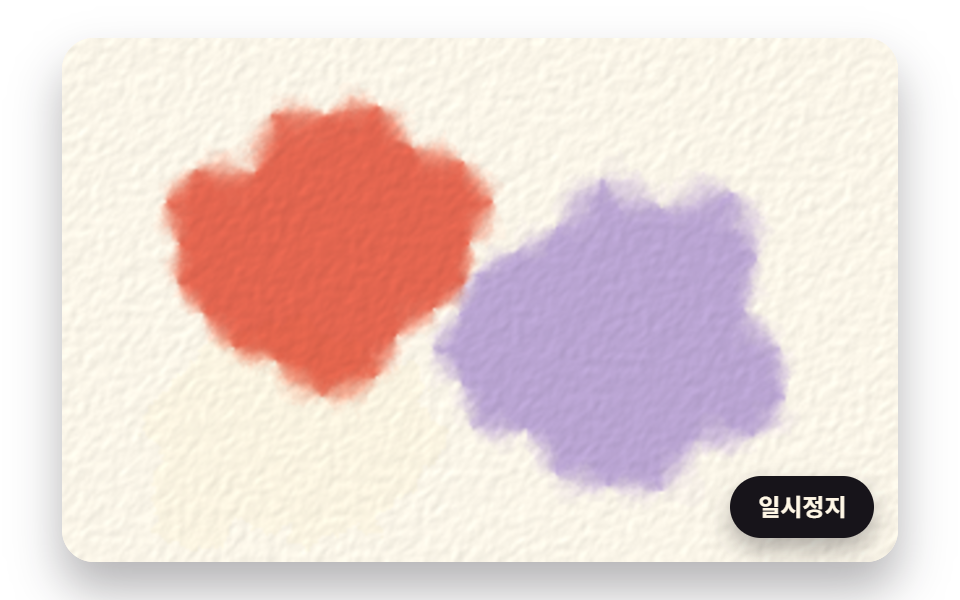 GalleriesWatercolor Effect CSS: 9 Bleeding Paint Scenes
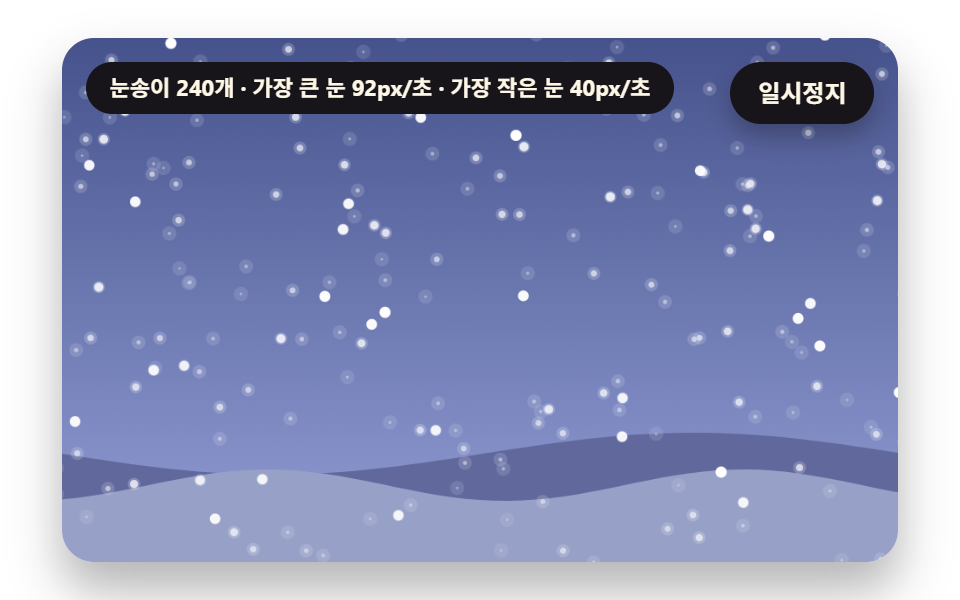 GalleriesSnow Animation CSS: 9 Snowfall Scenes in Canvas