Pixel Art Image Converter: 9 Canvas Dot Patterns
A pixel art image converter, explained: Why does a zoomed photo turn into squares of color?
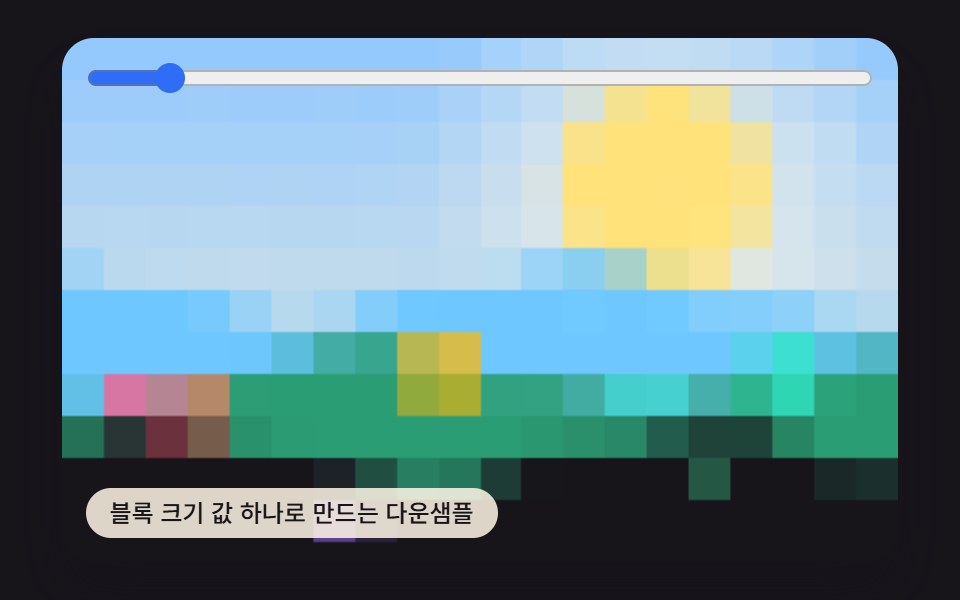 01 pixelart-block-downsample
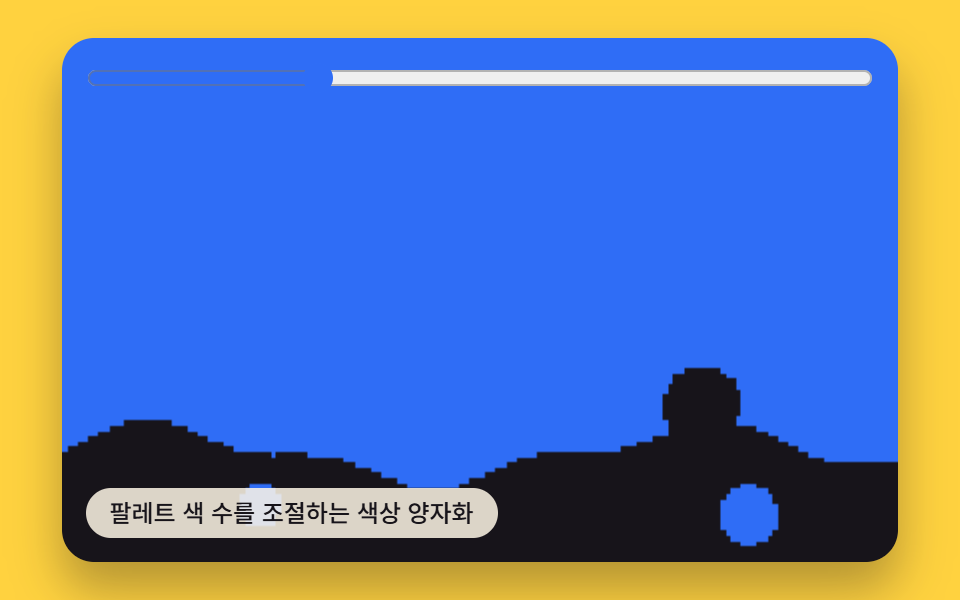 02 pixelart-palette-quantize
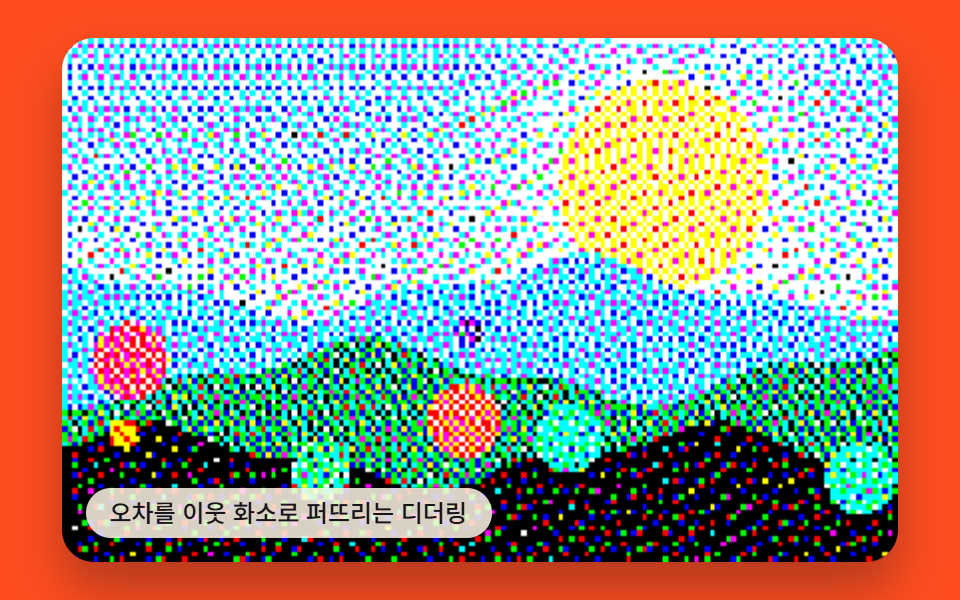 03 pixelart-dither-diffuse
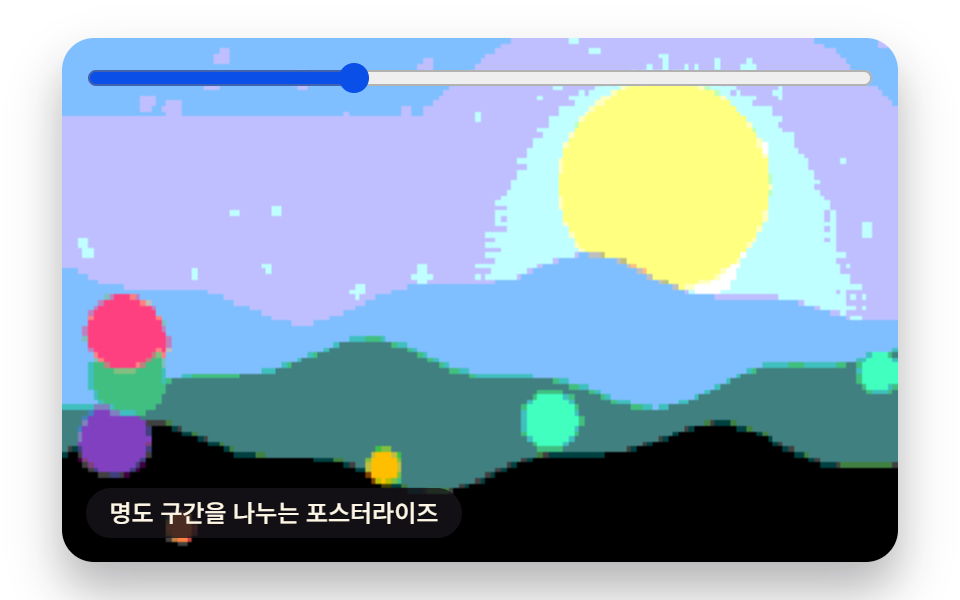 04 pixelart-posterize-band
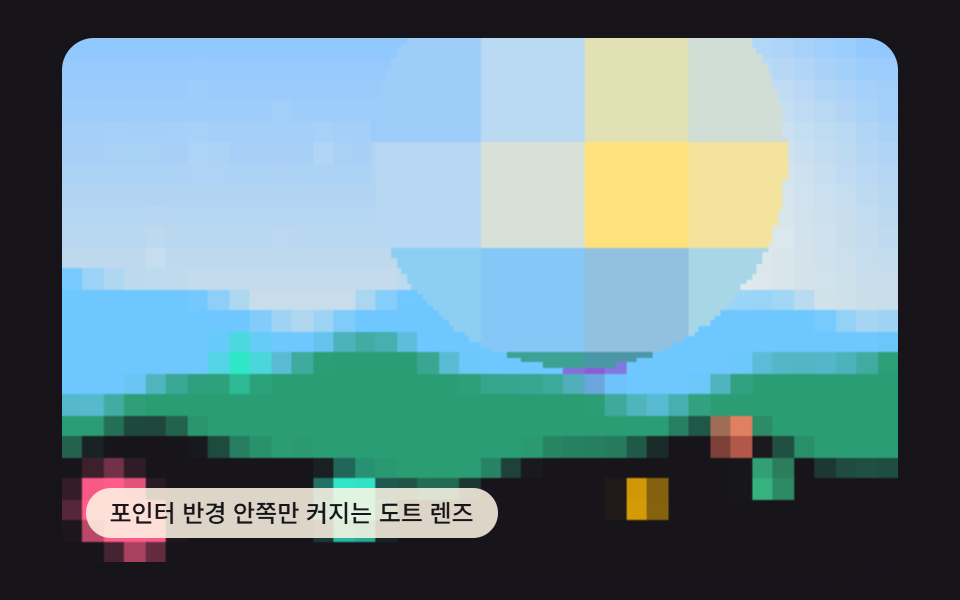 05 pixelart-pointer-lens-radius
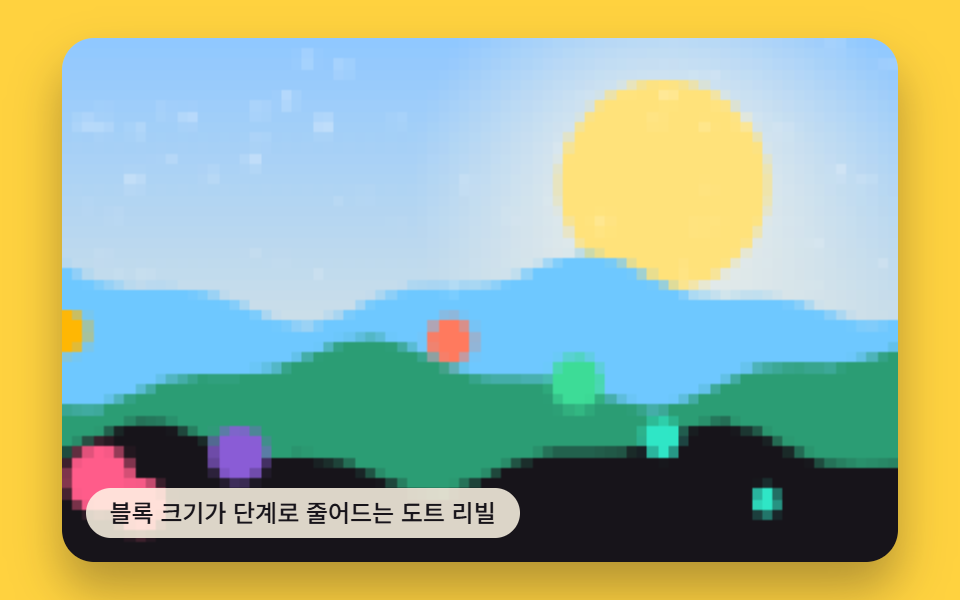 06 pixelart-reveal-transition-step
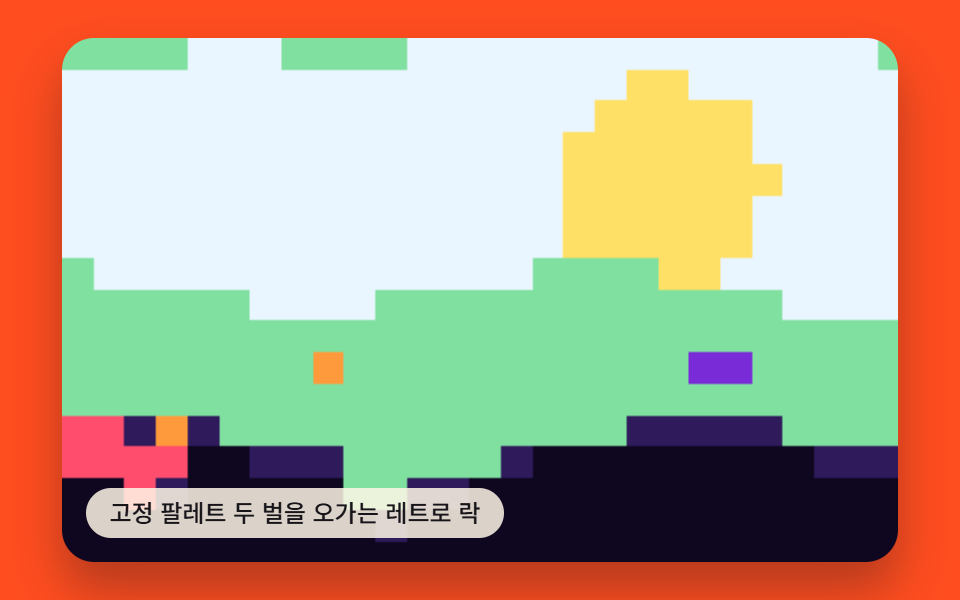 07 pixelart-retro-palette-lock
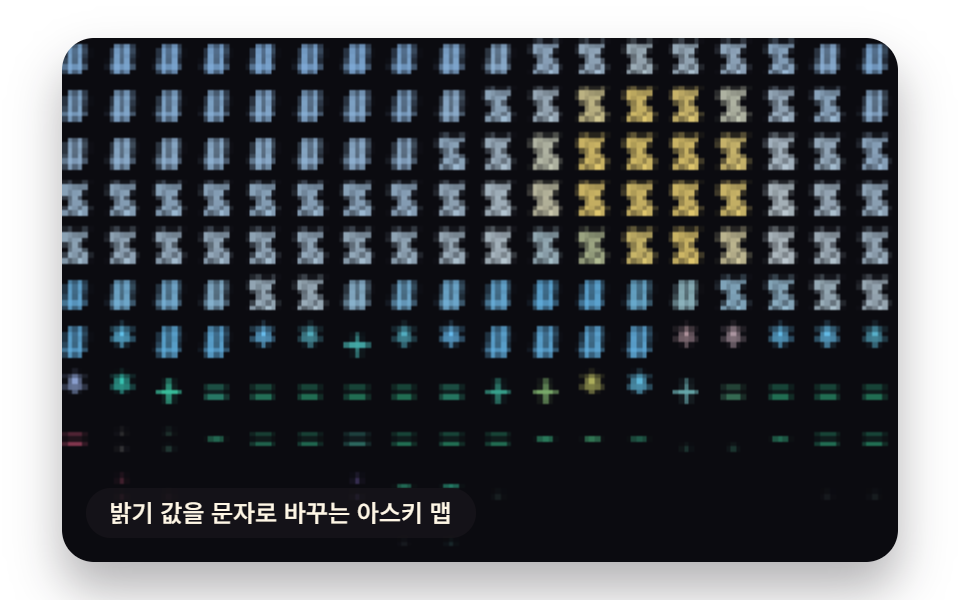 08 pixelart-ascii-brightness-map
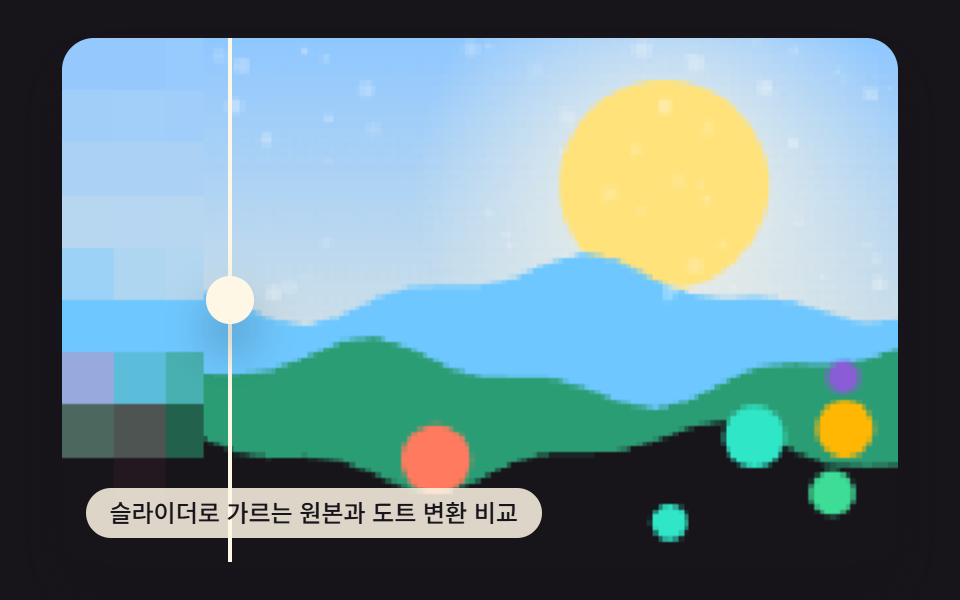 09 pixelart-before-after-hero-scene
Auto-plays · click a tile to jump to its section · all nine in one zip
- 01 Block Average Downsample
- 02 Palette Color Quantization
- 03 Error-Diffusion Dithering
- 04 Brightness-Band Posterize
- 05 Pointer-Radius Dot Lens
- 06 Stepped Dot Reveal Transition
- 07 Retro Console Palette Lock
- 08 Brightness-to-ASCII Character Map
- 09 Before/After Hero Comparison Scene
All nine start from the same procedurally-drawn scene — drawScene() paints a set of geometric shapes and gradients with seedRand(), a seeded pseudo-random generator, so nothing here is an uploaded photo. Every item below reduces that same scene through getImageData()/putImageData() in a different way, so the order runs from calculations that only touch a pixel's color — block averaging, palette quantization, error diffusion, and brightness banding — through calculations that also read the pointer or a timer, and ends with the compare scene that lays the original and the pixel-art result side by side.
Where a Pixel Art Image Converter Actually Gets Used
Most of these nine end up as a one-time conversion baked into a static asset rather than something a visitor watches loop forever — the classic pixel art photo converter use case. Item 1's block averaging turns a profile photo into a dot-art icon at whatever block size reads clearest at avatar dimensions, item 2's palette quantization locks a hero image onto the same handful of colors as an 8-bit game-style banner, item 4's brightness banding steps an illustration card's shadow into flat color bands instead of a smooth gradient, item 7's retro palette lock gives a retro event page's hero image the fixed color count of an old game screen, and item 8's brightness-to-character map turns a photo into text art for an about page background.
The other four stay interactive because their one value keeps changing after the page loads. Item 3's error-diffusion dithering is the one worth reaching for when the source is already grayscale and needs to read as black-and-white dots instead of gray. Item 5's pointer-radius lens only enlarges the block size inside a circle around the cursor, which fits a magnifier interaction laid over a product photo. Item 6's stepped reveal shrinks the block size across a gallery image's loading entrance, and item 9's before/after scene ties a slider position directly to how much of a landing page hero shows the original photo versus the pixel-art result.
01Block Average Downsample Sized by One Block Value
Item 1 divides the photo into square blocks and paints each block one averaged color, so a portrait reads as visible large pixels instead of its original detail — useful for turning a profile photo into a dot-art icon. The value that drives it is PIXEL_BLOCK_SIZE_PX, read into blockAverage() once per block inside the per-frame loop that walks the canvas buffer.
<main class="stage">
<div class="vd is-demo" id="vdRoot">
  <canvas class="vd__canvas" id="vdCanvas" width="480" height="300"></canvas>
  <input class="vd__range" id="vdRange" type="range" min="2" max="24" value="4" step="1" aria-label="pixel block size">
  <p class="vd__caption">A Downsample Built From One Block Size Value</p>
</div>
</main>
@use "../../../../site/static/demo-tokens" as *;
@include stage($stage-ink);
.vd {
position: relative;
width: min(92vw, calc(160vh - 12.8vw));
aspect-ratio: 480 / 300;
margin: 0 auto;
border-radius: $r-card;
overflow: hidden;
box-shadow: $shadow-raised;
}
.vd__canvas {
display: block;
width: 100%;
height: 100%;
}
.vd__caption {
position: absolute;
left: $sp-3;
bottom: $sp-3;
max-width: 72%;
margin: 0;
padding: $sp-1 $sp-3;
border-radius: $r-pill;
background: rgba(255, 247, 230, .85);
color: $subject-ink;
font-weight: 500;
font-size: 12px;
line-height: 1.4;
pointer-events: none;
}
.vd__range {
position: absolute;
left: $sp-3;
right: $sp-3;
top: $sp-3;
margin: 0;
accent-color: $subject-blue;
cursor: pointer;
}
@media (max-width: 340px) {
.vd__caption { font-size: 10px; padding: $sp-1 $sp-2; }
}
@media (prefers-reduced-motion: reduce) {
.vd { cursor: default; }
}html, body {
margin: 0;
overflow: hidden;
}
.stage {
box-sizing: border-box;
min-height: 100vh;
display: grid;
place-items: center;
margin: 0;
background: #17141a;
font-family: -apple-system, "Segoe UI", "Noto Sans KR", sans-serif;
padding: clamp(8px, 4vw, 24px);
}
.vd {
position: relative;
width: min(92vw, 160vh - 12.8vw);
aspect-ratio: 480/300;
margin: 0 auto;
border-radius: 16px;
overflow: hidden;
box-shadow: 0 14px 24px rgba(23, 20, 26, 0.32);
}
.vd__canvas {
display: block;
width: 100%;
height: 100%;
}
.vd__caption {
position: absolute;
left: 12px;
bottom: 12px;
max-width: 72%;
margin: 0;
padding: 4px 12px;
border-radius: 999px;
background: rgba(255, 247, 230, 0.85);
color: #17141a;
font-weight: 500;
font-size: 12px;
line-height: 1.4;
pointer-events: none;
}
.vd__range {
position: absolute;
left: 12px;
right: 12px;
top: 12px;
margin: 0;
accent-color: #2f6df6;
cursor: pointer;
}
@media (max-width: 340px) {
.vd__caption {
font-size: 10px;
padding: 4px 8px;
}
}
@media (prefers-reduced-motion: reduce) {
.vd {
cursor: default;
}
}(function () {
var root = document.getElementById('vdRoot');
var canvas = document.getElementById('vdCanvas');
var ctx = canvas.getContext('2d');
var wrap = canvas.parentElement;
function seedRand(seed) {
var s = seed >>> 0;
return function () { s = (s * 1664525 + 1013904223) >>> 0; return s / 4294967296; };
}
function drawScene(pctx, w, h, seed) {
var rand = seedRand(seed);
var sky = pctx.createLinearGradient(0, 0, 0, h);
sky.addColorStop(0, '#8fc7ff');
sky.addColorStop(1, '#fff2d6');
pctx.fillStyle = sky;
pctx.fillRect(0, 0, w, h);
var sunX = w * 0.72, sunY = h * 0.28, sunR = h * 0.2;
var glow = pctx.createRadialGradient(sunX, sunY, 0, sunX, sunY, sunR * 2.4);
glow.addColorStop(0, 'rgba(255,247,230,.9)');
glow.addColorStop(1, 'rgba(255,247,230,0)');
pctx.fillStyle = glow;
pctx.fillRect(0, 0, w, h);
pctx.beginPath();
pctx.arc(sunX, sunY, sunR, 0, Math.PI * 2);
pctx.fillStyle = '#ffe27a';
pctx.fill();
var hillColors = ['#6ec8ff', '#2b9d74', '#17141a'];
for (var i = 0; i < 3; i += 1) {
var baseY = h * (0.48 + i * 0.16);
pctx.beginPath();
pctx.moveTo(0, h);
var step = Math.max(2, w / 24);
for (var x = 0; x <= w; x += step) {
var n = Math.sin(x * 0.06 + i * 2.4 + seed * 0.0003) * h * 0.05 + Math.sin(x * 0.17 + i) * h * 0.02;
pctx.lineTo(x, baseY + n);
}
pctx.lineTo(w, h);
pctx.closePath();
pctx.fillStyle = hillColors[i];
pctx.fill();
}
var accent = ['#ff5c8a', '#2fe6c6', '#ffb703', '#8a5cd6', '#3ddc97', '#ff7a5e'];
for (var m = 0; m < 8; m += 1) {
var ax = rand() * w, ay = h * (0.56 + rand() * 0.38), ar = h * (0.025 + rand() * 0.05);
pctx.beginPath();
pctx.arc(ax, ay, ar, 0, Math.PI * 2);
pctx.fillStyle = accent[m % accent.length];
pctx.fill();
}
for (var k = 0; k < 60; k += 1) {
var px = rand() * w, py = rand() * h * 0.5, r = rand() * 1.3 + 0.3;
pctx.beginPath();
pctx.arc(px, py, r, 0, Math.PI * 2);
pctx.fillStyle = 'rgba(255,255,255,' + (0.12 + rand() * 0.22) + ')';
pctx.fill();
}
}
  function blockAverage(buf, w, h, blockPx, outBuf) {
    for (var by = 0; by < h; by += blockPx) {
      var bh = Math.min(blockPx, h - by);
      for (var bx = 0; bx < w; bx += blockPx) {
        var bw = Math.min(blockPx, w - bx);
        var rs = 0, gs = 0, bs = 0, count = 0;
        for (var y = 0; y < bh; y += 1) {
          for (var x = 0; x < bw; x += 1) {
            var idx = ((by + y) * w + (bx + x)) * 4;
            rs += buf[idx]; gs += buf[idx + 1]; bs += buf[idx + 2]; count += 1;
          }
        }
        var r = Math.round(rs / count), g = Math.round(gs / count), b = Math.round(bs / count);
        for (var y2 = 0; y2 < bh; y2 += 1) {
          for (var x2 = 0; x2 < bw; x2 += 1) {
            var idx2 = ((by + y2) * w + (bx + x2)) * 4;
            outBuf[idx2] = r; outBuf[idx2 + 1] = g; outBuf[idx2 + 2] = b; outBuf[idx2 + 3] = 255;
          }
        }
      }
    }
  }
var range = document.getElementById('vdRange');
var CALC_W = 160, CALC_H = 100;
var LOOP_MS = 2000;
var PIXEL_BLOCK_SIZE_PX = 4;
var off = document.createElement('canvas');
off.width = CALC_W; off.height = CALC_H;
var octx = off.getContext('2d');
drawScene(octx, CALC_W, CALC_H, 415011);
var baseImg = octx.getImageData(0, 0, CALC_W, CALC_H);
var baseBuf = baseImg.data;
var out = document.createElement('canvas');
out.width = CALC_W; out.height = CALC_H;
var outCtx = out.getContext('2d');
var outImg = outCtx.createImageData(CALC_W, CALC_H);
var outBuf = outImg.data;
var userBlock = PIXEL_BLOCK_SIZE_PX;
if (range) {
range.value = String(userBlock);
range.addEventListener('input', function () {
userBlock = Number(range.value);
if (reduce) draw(lastElapsed);
});
}
function renderFrame(t) {
var wave = Math.sin(t * Math.PI * 4 / LOOP_MS) * 9;
var blockPx = Math.max(2, Math.min(28, Math.round(userBlock + wave)));
blockAverage(baseBuf, CALC_W, CALC_H, blockPx, outBuf);
}
var cw = 480, ch = 300;
function fit() {
var r = wrap.getBoundingClientRect();
cw = Math.max(1, Math.round(r.width));
ch = Math.max(1, Math.round(r.height));
canvas.width = cw; canvas.height = ch;
draw(lastElapsed);
}
var lastElapsed = 0;
function draw(elapsed) {
lastElapsed = elapsed;
renderFrame(elapsed);
outCtx.putImageData(outImg, 0, 0);
ctx.imageSmoothingEnabled = false;
ctx.clearRect(0, 0, cw, ch);
ctx.drawImage(out, 0, 0, CALC_W, CALC_H, 0, 0, cw, ch);
}
var reduce = window.matchMedia('(prefers-reduced-motion: reduce)').matches;
var playing = !reduce;
var elapsed = reduce ? LOOP_MS * 0.5 : 0;
if (reduce) { root.classList.remove('is-demo'); }
var lastTs = null;
function tick(ts) {
if (lastTs === null) lastTs = ts;
var dt = ts - lastTs;
lastTs = ts;
if (playing) {
elapsed += dt;
if (elapsed >= LOOP_MS) elapsed -= LOOP_MS;
}
draw(elapsed);
requestAnimationFrame(tick);
}
fit();
window.addEventListener('resize', fit);
draw(elapsed);
requestAnimationFrame(tick);
})();import { useEffect, useRef } from "react";
import styles from "./PixelBlockDownsample.module.scss";
export default function PixelBlockDownsample() {
const rootRef = useRef<HTMLDivElement>(null);
const canvasRef = useRef<HTMLCanvasElement>(null);
const rangeRef = useRef<HTMLInputElement>(null);
useEffect(() => {
const root = rootRef.current;
const canvas = canvasRef.current;
if (!root || !canvas) return;
const ctx = canvas.getContext("2d");
if (!ctx) return;
const wrap = canvas.parentElement as HTMLElement;
const range = rangeRef.current;
function seedRand(seed: number) {
let s = seed >>> 0;
return function () { s = (s * 1664525 + 1013904223) >>> 0; return s / 4294967296; };
}
function drawScene(pctx: CanvasRenderingContext2D, w: number, h: number, seed: number) {
const rand = seedRand(seed);
const sky = pctx.createLinearGradient(0, 0, 0, h);
sky.addColorStop(0, "#8fc7ff");
sky.addColorStop(1, "#fff2d6");
pctx.fillStyle = sky;
pctx.fillRect(0, 0, w, h);
const sunX = w * 0.72, sunY = h * 0.28, sunR = h * 0.2;
const glow = pctx.createRadialGradient(sunX, sunY, 0, sunX, sunY, sunR * 2.4);
glow.addColorStop(0, "rgba(255,247,230,.9)");
glow.addColorStop(1, "rgba(255,247,230,0)");
pctx.fillStyle = glow;
pctx.fillRect(0, 0, w, h);
pctx.beginPath();
pctx.arc(sunX, sunY, sunR, 0, Math.PI * 2);
pctx.fillStyle = "#ffe27a";
pctx.fill();
const hillColors = ["#6ec8ff", "#2b9d74", "#17141a"];
for (let i = 0; i < 3; i += 1) {
const baseY = h * (0.48 + i * 0.16);
pctx.beginPath();
pctx.moveTo(0, h);
const step = Math.max(2, w / 24);
for (let x = 0; x <= w; x += step) {
const n = Math.sin(x * 0.06 + i * 2.4 + seed * 0.0003) * h * 0.05 + Math.sin(x * 0.17 + i) * h * 0.02;
pctx.lineTo(x, baseY + n);
}
pctx.lineTo(w, h);
pctx.closePath();
pctx.fillStyle = hillColors[i];
pctx.fill();
}
const accent = ["#ff5c8a", "#2fe6c6", "#ffb703", "#8a5cd6", "#3ddc97", "#ff7a5e"];
for (let m = 0; m < 8; m += 1) {
const ax = rand() * w, ay = h * (0.56 + rand() * 0.38), ar = h * (0.025 + rand() * 0.05);
pctx.beginPath();
pctx.arc(ax, ay, ar, 0, Math.PI * 2);
pctx.fillStyle = accent[m % accent.length];
pctx.fill();
}
for (let k = 0; k < 60; k += 1) {
const px = rand() * w, py = rand() * h * 0.5, r = rand() * 1.3 + 0.3;
pctx.beginPath();
pctx.arc(px, py, r, 0, Math.PI * 2);
pctx.fillStyle = "rgba(255,255,255," + (0.12 + rand() * 0.22) + ")";
pctx.fill();
}
}
function blockAverage(buf: Uint8ClampedArray, w: number, h: number, blockPx: number, outBuf: Uint8ClampedArray) {
for (let by = 0; by < h; by += blockPx) {
const bh = Math.min(blockPx, h - by);
for (let bx = 0; bx < w; bx += blockPx) {
const bw = Math.min(blockPx, w - bx);
let rs = 0, gs = 0, bs = 0, count = 0;
for (let y = 0; y < bh; y += 1) {
for (let x = 0; x < bw; x += 1) {
const idx = ((by + y) * w + (bx + x)) * 4;
rs += buf[idx]; gs += buf[idx + 1]; bs += buf[idx + 2]; count += 1;
}
}
const r = Math.round(rs / count), g = Math.round(gs / count), b = Math.round(bs / count);
for (let y2 = 0; y2 < bh; y2 += 1) {
for (let x2 = 0; x2 < bw; x2 += 1) {
const idx2 = ((by + y2) * w + (bx + x2)) * 4;
outBuf[idx2] = r; outBuf[idx2 + 1] = g; outBuf[idx2 + 2] = b; outBuf[idx2 + 3] = 255;
}
}
}
}
}
const CALC_W = 160, CALC_H = 100;
const LOOP_MS = 2000;
const PIXEL_BLOCK_SIZE_PX = 4;
const off = document.createElement("canvas");
off.width = CALC_W; off.height = CALC_H;
const octx = off.getContext("2d") as CanvasRenderingContext2D;
drawScene(octx, CALC_W, CALC_H, 415011);
const baseImg = octx.getImageData(0, 0, CALC_W, CALC_H);
const baseBuf = baseImg.data;
const out = document.createElement("canvas");
out.width = CALC_W; out.height = CALC_H;
const outCtx = out.getContext("2d") as CanvasRenderingContext2D;
const outImg = outCtx.createImageData(CALC_W, CALC_H);
const outBuf = outImg.data;
let userBlock = PIXEL_BLOCK_SIZE_PX;
if (range) {
range.value = String(userBlock);
range.addEventListener("input", function () {
userBlock = Number(range.value);
if (reduce) draw(lastElapsed);
});
}
function renderFrame(t: number) {
const wave = Math.sin(t * Math.PI * 4 / LOOP_MS) * 9;
const blockPx = Math.max(2, Math.min(28, Math.round(userBlock + wave)));
blockAverage(baseBuf, CALC_W, CALC_H, blockPx, outBuf);
}
let cw = 480, ch = 300;
function fit() {
const r = wrap.getBoundingClientRect();
cw = Math.max(1, Math.round(r.width));
ch = Math.max(1, Math.round(r.height));
canvas!.width = cw; canvas!.height = ch;
draw(lastElapsed);
}
let lastElapsed = 0;
function draw(elapsed: number) {
lastElapsed = elapsed;
renderFrame(elapsed);
outCtx.putImageData(outImg, 0, 0);
ctx!.imageSmoothingEnabled = false;
ctx!.clearRect(0, 0, cw, ch);
ctx!.drawImage(out, 0, 0, CALC_W, CALC_H, 0, 0, cw, ch);
}
const reduce = window.matchMedia("(prefers-reduced-motion: reduce)").matches;
let playing = !reduce;
let elapsed = reduce ? LOOP_MS * 0.5 : 0;
if (reduce) { root.classList.remove("is-demo"); }
let lastTs: number | null = null;
let raf = 0;
function tick(ts: number) {
if (lastTs === null) lastTs = ts;
const dt = ts - lastTs;
lastTs = ts;
if (playing) {
elapsed += dt;
if (elapsed >= LOOP_MS) elapsed -= LOOP_MS;
}
draw(elapsed);
raf = requestAnimationFrame(tick);
}
fit();
window.addEventListener("resize", fit);
draw(elapsed);
raf = requestAnimationFrame(tick);
return () => {
cancelAnimationFrame(raf);
window.removeEventListener("resize", fit);
};
}, []);
return (
<main className={styles.stage}>
<div className={`${styles.vd} is-demo`} ref={rootRef}>
<canvas className={styles.vd__canvas} ref={canvasRef} width={480} height={300} />
<input className={styles.vd__range} ref={rangeRef} type="range" min={2} max={24} defaultValue={4} step={1} aria-label="pixel block size" />
<p className={styles.vd__caption}>블록 크기 값 하나로 만드는 다운샘플</p>
</div>
</main>
);
}01 · Block Average Downsample — Measured area 39.534% · moving frames 15/23Original by GODRICH · SCSS and React ship in the zip · See the password
function blockAverage(buf, w, h, blockPx, outBuf) {
for (var by = 0; by < h; by += blockPx) {
var bh = Math.min(blockPx, h - by);
for (var bx = 0; bx < w; bx += blockPx) {
var bw = Math.min(blockPx, w - bx);
var rs = 0, gs = 0, bs = 0, count = 0;
for (var y = 0; y < bh; y += 1) {
for (var x = 0; x < bw; x += 1) {
var idx = ((by + y) * w + (bx + x)) * 4;
rs += buf[idx]; gs += buf[idx + 1]; bs += buf[idx + 2]; count += 1;
}
}
var r = Math.round(rs / count), g = Math.round(gs / count), b = Math.round(bs / count);
for (var y2 = 0; y2 < bh; y2 += 1) {
for (var x2 = 0; x2 < bw; x2 += 1) {
var idx2 = ((by + y2) * w + (bx + x2)) * 4;
outBuf[idx2] = r; outBuf[idx2 + 1] = g; outBuf[idx2 + 2] = b; outBuf[idx2 + 3] = 255;
}
}
}
}
}
Measured: 39.5% of the frame repaints across the loop, intensity averages 42.5, and 15 of 23 sampled frames moved.
02Palette Color Quantization Locked to One Color-Count Value
Item 2 replaces every pixel's color with whichever color in a small fixed palette sits closest to it, so the scene locks onto a handful of flat tones — useful for an 8-bit game-style banner. The value that drives it is PALETTE_COLOR_COUNT, read into nearestPaletteColor() once per pixel inside the per-frame loop that walks the canvas buffer.
<main class="stage">
<div class="vd is-demo" id="vdRoot">
  <canvas class="vd__canvas" id="vdCanvas" width="480" height="300"></canvas>
  <input class="vd__range" id="vdRange" type="range" min="2" max="16" value="6" step="1" aria-label="palette color count">
  <p class="vd__caption">A Color Quantization That Adjusts the Palette Color Count</p>
</div>
</main>
@use "../../../../site/static/demo-tokens" as *;
@include stage($stage-yellow);
.vd {
position: relative;
width: min(92vw, calc(160vh - 12.8vw));
aspect-ratio: 480 / 300;
margin: 0 auto;
border-radius: $r-card;
overflow: hidden;
box-shadow: $shadow-raised;
}
.vd__canvas {
display: block;
width: 100%;
height: 100%;
}
.vd__caption {
position: absolute;
left: $sp-3;
bottom: $sp-3;
max-width: 72%;
margin: 0;
padding: $sp-1 $sp-3;
border-radius: $r-pill;
background: rgba(255, 247, 230, .85);
color: $subject-ink;
font-weight: 500;
font-size: 12px;
line-height: 1.4;
pointer-events: none;
}
.vd__range {
position: absolute;
left: $sp-3;
right: $sp-3;
top: $sp-3;
margin: 0;
accent-color: $subject-blue;
cursor: pointer;
}
@media (max-width: 340px) {
.vd__caption { font-size: 10px; padding: $sp-1 $sp-2; }
}
@media (prefers-reduced-motion: reduce) {
.vd { cursor: default; }
}html, body {
margin: 0;
overflow: hidden;
}
.stage {
box-sizing: border-box;
min-height: 100vh;
display: grid;
place-items: center;
margin: 0;
background: #ffd23f;
font-family: -apple-system, "Segoe UI", "Noto Sans KR", sans-serif;
padding: clamp(8px, 4vw, 24px);
}
.vd {
position: relative;
width: min(92vw, 160vh - 12.8vw);
aspect-ratio: 480/300;
margin: 0 auto;
border-radius: 16px;
overflow: hidden;
box-shadow: 0 14px 24px rgba(23, 20, 26, 0.32);
}
.vd__canvas {
display: block;
width: 100%;
height: 100%;
}
.vd__caption {
position: absolute;
left: 12px;
bottom: 12px;
max-width: 72%;
margin: 0;
padding: 4px 12px;
border-radius: 999px;
background: rgba(255, 247, 230, 0.85);
color: #17141a;
font-weight: 500;
font-size: 12px;
line-height: 1.4;
pointer-events: none;
}
.vd__range {
position: absolute;
left: 12px;
right: 12px;
top: 12px;
margin: 0;
accent-color: #2f6df6;
cursor: pointer;
}
@media (max-width: 340px) {
.vd__caption {
font-size: 10px;
padding: 4px 8px;
}
}
@media (prefers-reduced-motion: reduce) {
.vd {
cursor: default;
}
}(function () {
var root = document.getElementById('vdRoot');
var canvas = document.getElementById('vdCanvas');
var ctx = canvas.getContext('2d');
var wrap = canvas.parentElement;
function seedRand(seed) {
var s = seed >>> 0;
return function () { s = (s * 1664525 + 1013904223) >>> 0; return s / 4294967296; };
}
function drawScene(pctx, w, h, seed) {
var rand = seedRand(seed);
var sky = pctx.createLinearGradient(0, 0, 0, h);
sky.addColorStop(0, '#8fc7ff');
sky.addColorStop(1, '#fff2d6');
pctx.fillStyle = sky;
pctx.fillRect(0, 0, w, h);
var sunX = w * 0.72, sunY = h * 0.28, sunR = h * 0.2;
var glow = pctx.createRadialGradient(sunX, sunY, 0, sunX, sunY, sunR * 2.4);
glow.addColorStop(0, 'rgba(255,247,230,.9)');
glow.addColorStop(1, 'rgba(255,247,230,0)');
pctx.fillStyle = glow;
pctx.fillRect(0, 0, w, h);
pctx.beginPath();
pctx.arc(sunX, sunY, sunR, 0, Math.PI * 2);
pctx.fillStyle = '#ffe27a';
pctx.fill();
var hillColors = ['#6ec8ff', '#2b9d74', '#17141a'];
for (var i = 0; i < 3; i += 1) {
var baseY = h * (0.48 + i * 0.16);
pctx.beginPath();
pctx.moveTo(0, h);
var step = Math.max(2, w / 24);
for (var x = 0; x <= w; x += step) {
var n = Math.sin(x * 0.06 + i * 2.4 + seed * 0.0003) * h * 0.05 + Math.sin(x * 0.17 + i) * h * 0.02;
pctx.lineTo(x, baseY + n);
}
pctx.lineTo(w, h);
pctx.closePath();
pctx.fillStyle = hillColors[i];
pctx.fill();
}
var accent = ['#ff5c8a', '#2fe6c6', '#ffb703', '#8a5cd6', '#3ddc97', '#ff7a5e'];
for (var m = 0; m < 8; m += 1) {
var ax = rand() * w, ay = h * (0.56 + rand() * 0.38), ar = h * (0.025 + rand() * 0.05);
pctx.beginPath();
pctx.arc(ax, ay, ar, 0, Math.PI * 2);
pctx.fillStyle = accent[m % accent.length];
pctx.fill();
}
for (var k = 0; k < 60; k += 1) {
var px = rand() * w, py = rand() * h * 0.5, r = rand() * 1.3 + 0.3;
pctx.beginPath();
pctx.arc(px, py, r, 0, Math.PI * 2);
pctx.fillStyle = 'rgba(255,255,255,' + (0.12 + rand() * 0.22) + ')';
pctx.fill();
}
}
var PALETTE_HEX = ['#17141a', '#2f6df6', '#ff4d1f', '#ffd23f', '#ffffff', '#2b9d74', '#ff5c8a', '#8a5cd6', '#3ddc97', '#ff7a5e', '#6ec8ff', '#c93000', '#fff7e6', '#0a4fe8', '#2fe6c6', '#b02860'];
function hexToRgb(hex) {
var n = parseInt(hex.slice(1), 16);
return [(n >> 16) & 255, (n >> 8) & 255, n & 255];
}
var PALETTE_RGB = PALETTE_HEX.map(hexToRgb);
  function nearestPaletteColor(r, g, b, count) {
    var best = 0, bd = Infinity;
    for (var i = 0; i < count; i += 1) {
      var p = PALETTE_RGB[i];
      var dr = r - p[0], dg = g - p[1], db = b - p[2];
      var d = dr * dr + dg * dg + db * db;
      if (d < bd) { bd = d; best = i; }
    }
    return PALETTE_RGB[best];
  }

  function quantizePalette(buf, w, h, count, outBuf) {
    for (var i = 0; i < w * h; i += 1) {
      var idx = i * 4;
      var c = nearestPaletteColor(buf[idx], buf[idx + 1], buf[idx + 2], count);
      outBuf[idx] = c[0]; outBuf[idx + 1] = c[1]; outBuf[idx + 2] = c[2]; outBuf[idx + 3] = 255;
    }
  }
var range = document.getElementById('vdRange');
var CALC_W = 160, CALC_H = 100;
var LOOP_MS = 2000;
var PALETTE_COLOR_COUNT = 6;
var off = document.createElement('canvas');
off.width = CALC_W; off.height = CALC_H;
var octx = off.getContext('2d');
drawScene(octx, CALC_W, CALC_H, 415021);
var baseImg = octx.getImageData(0, 0, CALC_W, CALC_H);
var baseBuf = baseImg.data;
var out = document.createElement('canvas');
out.width = CALC_W; out.height = CALC_H;
var outCtx = out.getContext('2d');
var outImg = outCtx.createImageData(CALC_W, CALC_H);
var outBuf = outImg.data;
var userCount = PALETTE_COLOR_COUNT;
if (range) {
range.value = String(userCount);
range.addEventListener('input', function () {
userCount = Number(range.value);
if (reduce) draw(lastElapsed);
});
}
function renderFrame(t) {
var wave = Math.sin(t * Math.PI * 4 / LOOP_MS) * 5;
var count = Math.max(2, Math.min(16, Math.round(userCount + wave)));
quantizePalette(baseBuf, CALC_W, CALC_H, count, outBuf);
}
var cw = 480, ch = 300;
function fit() {
var r = wrap.getBoundingClientRect();
cw = Math.max(1, Math.round(r.width));
ch = Math.max(1, Math.round(r.height));
canvas.width = cw; canvas.height = ch;
draw(lastElapsed);
}
var lastElapsed = 0;
function draw(elapsed) {
lastElapsed = elapsed;
renderFrame(elapsed);
outCtx.putImageData(outImg, 0, 0);
ctx.imageSmoothingEnabled = false;
ctx.clearRect(0, 0, cw, ch);
ctx.drawImage(out, 0, 0, CALC_W, CALC_H, 0, 0, cw, ch);
}
var reduce = window.matchMedia('(prefers-reduced-motion: reduce)').matches;
var playing = !reduce;
var elapsed = reduce ? LOOP_MS * 0.5 : 0;
if (reduce) { root.classList.remove('is-demo'); }
var lastTs = null;
function tick(ts) {
if (lastTs === null) lastTs = ts;
var dt = ts - lastTs;
lastTs = ts;
if (playing) {
elapsed += dt;
if (elapsed >= LOOP_MS) elapsed -= LOOP_MS;
}
draw(elapsed);
requestAnimationFrame(tick);
}
fit();
window.addEventListener('resize', fit);
draw(elapsed);
requestAnimationFrame(tick);
})();import { useEffect, useRef } from "react";
import styles from "./PixelPaletteQuantize.module.scss";
export default function PixelPaletteQuantize() {
const rootRef = useRef<HTMLDivElement>(null);
const canvasRef = useRef<HTMLCanvasElement>(null);
const rangeRef = useRef<HTMLInputElement>(null);
useEffect(() => {
const root = rootRef.current;
const canvas = canvasRef.current;
if (!root || !canvas) return;
const ctx = canvas.getContext("2d");
if (!ctx) return;
const wrap = canvas.parentElement as HTMLElement;
const range = rangeRef.current;
function seedRand(seed: number) {
let s = seed >>> 0;
return function () { s = (s * 1664525 + 1013904223) >>> 0; return s / 4294967296; };
}
function drawScene(pctx: CanvasRenderingContext2D, w: number, h: number, seed: number) {
const rand = seedRand(seed);
const sky = pctx.createLinearGradient(0, 0, 0, h);
sky.addColorStop(0, "#8fc7ff");
sky.addColorStop(1, "#fff2d6");
pctx.fillStyle = sky;
pctx.fillRect(0, 0, w, h);
const sunX = w * 0.72, sunY = h * 0.28, sunR = h * 0.2;
const glow = pctx.createRadialGradient(sunX, sunY, 0, sunX, sunY, sunR * 2.4);
glow.addColorStop(0, "rgba(255,247,230,.9)");
glow.addColorStop(1, "rgba(255,247,230,0)");
pctx.fillStyle = glow;
pctx.fillRect(0, 0, w, h);
pctx.beginPath();
pctx.arc(sunX, sunY, sunR, 0, Math.PI * 2);
pctx.fillStyle = "#ffe27a";
pctx.fill();
const hillColors = ["#6ec8ff", "#2b9d74", "#17141a"];
for (let i = 0; i < 3; i += 1) {
const baseY = h * (0.48 + i * 0.16);
pctx.beginPath();
pctx.moveTo(0, h);
const step = Math.max(2, w / 24);
for (let x = 0; x <= w; x += step) {
const n = Math.sin(x * 0.06 + i * 2.4 + seed * 0.0003) * h * 0.05 + Math.sin(x * 0.17 + i) * h * 0.02;
pctx.lineTo(x, baseY + n);
}
pctx.lineTo(w, h);
pctx.closePath();
pctx.fillStyle = hillColors[i];
pctx.fill();
}
const accent = ["#ff5c8a", "#2fe6c6", "#ffb703", "#8a5cd6", "#3ddc97", "#ff7a5e"];
for (let m = 0; m < 8; m += 1) {
const ax = rand() * w, ay = h * (0.56 + rand() * 0.38), ar = h * (0.025 + rand() * 0.05);
pctx.beginPath();
pctx.arc(ax, ay, ar, 0, Math.PI * 2);
pctx.fillStyle = accent[m % accent.length];
pctx.fill();
}
for (let k = 0; k < 60; k += 1) {
const px = rand() * w, py = rand() * h * 0.5, r = rand() * 1.3 + 0.3;
pctx.beginPath();
pctx.arc(px, py, r, 0, Math.PI * 2);
pctx.fillStyle = "rgba(255,255,255," + (0.12 + rand() * 0.22) + ")";
pctx.fill();
}
}
const PALETTE_HEX = ["#17141a", "#2f6df6", "#ff4d1f", "#ffd23f", "#ffffff", "#2b9d74", "#ff5c8a", "#8a5cd6", "#3ddc97", "#ff7a5e", "#6ec8ff", "#c93000", "#fff7e6", "#0a4fe8", "#2fe6c6", "#b02860"];
function hexToRgb(hex: string): [number, number, number] {
const n = parseInt(hex.slice(1), 16);
return [(n >> 16) & 255, (n >> 8) & 255, n & 255];
}
const PALETTE_RGB = PALETTE_HEX.map(hexToRgb);
function nearestPaletteColor(r: number, g: number, b: number, count: number) {
let best = 0, bd = Infinity;
for (let i = 0; i < count; i += 1) {
const p = PALETTE_RGB[i];
const dr = r - p[0], dg = g - p[1], db = b - p[2];
const d = dr * dr + dg * dg + db * db;
if (d < bd) { bd = d; best = i; }
}
return PALETTE_RGB[best];
}
function quantizePalette(buf: Uint8ClampedArray, w: number, h: number, count: number, outBuf: Uint8ClampedArray) {
for (let i = 0; i < w * h; i += 1) {
const idx = i * 4;
const c = nearestPaletteColor(buf[idx], buf[idx + 1], buf[idx + 2], count);
outBuf[idx] = c[0]; outBuf[idx + 1] = c[1]; outBuf[idx + 2] = c[2]; outBuf[idx + 3] = 255;
}
}
const CALC_W = 160, CALC_H = 100;
const LOOP_MS = 2000;
const PALETTE_COLOR_COUNT = 6;
const off = document.createElement("canvas");
off.width = CALC_W; off.height = CALC_H;
const octx = off.getContext("2d") as CanvasRenderingContext2D;
drawScene(octx, CALC_W, CALC_H, 415021);
const baseImg = octx.getImageData(0, 0, CALC_W, CALC_H);
const baseBuf = baseImg.data;
const out = document.createElement("canvas");
out.width = CALC_W; out.height = CALC_H;
const outCtx = out.getContext("2d") as CanvasRenderingContext2D;
const outImg = outCtx.createImageData(CALC_W, CALC_H);
const outBuf = outImg.data;
let userCount = PALETTE_COLOR_COUNT;
if (range) {
range.value = String(userCount);
range.addEventListener("input", function () {
userCount = Number(range.value);
if (reduce) draw(lastElapsed);
});
}
function renderFrame(t: number) {
const wave = Math.sin(t * Math.PI * 4 / LOOP_MS) * 5;
const count = Math.max(2, Math.min(16, Math.round(userCount + wave)));
quantizePalette(baseBuf, CALC_W, CALC_H, count, outBuf);
}
let cw = 480, ch = 300;
function fit() {
const r = wrap.getBoundingClientRect();
cw = Math.max(1, Math.round(r.width));
ch = Math.max(1, Math.round(r.height));
canvas!.width = cw; canvas!.height = ch;
draw(lastElapsed);
}
let lastElapsed = 0;
function draw(elapsed: number) {
lastElapsed = elapsed;
renderFrame(elapsed);
outCtx.putImageData(outImg, 0, 0);
ctx!.imageSmoothingEnabled = false;
ctx!.clearRect(0, 0, cw, ch);
ctx!.drawImage(out, 0, 0, CALC_W, CALC_H, 0, 0, cw, ch);
}
const reduce = window.matchMedia("(prefers-reduced-motion: reduce)").matches;
let playing = !reduce;
let elapsed = reduce ? LOOP_MS * 0.5 : 0;
if (reduce) { root.classList.remove("is-demo"); }
let lastTs: number | null = null;
let raf = 0;
function tick(ts: number) {
if (lastTs === null) lastTs = ts;
const dt = ts - lastTs;
lastTs = ts;
if (playing) {
elapsed += dt;
if (elapsed >= LOOP_MS) elapsed -= LOOP_MS;
}
draw(elapsed);
raf = requestAnimationFrame(tick);
}
fit();
window.addEventListener("resize", fit);
draw(elapsed);
raf = requestAnimationFrame(tick);
return () => {
cancelAnimationFrame(raf);
window.removeEventListener("resize", fit);
};
}, []);
return (
<main className={styles.stage}>
<div className={`${styles.vd} is-demo`} ref={rootRef}>
<canvas className={styles.vd__canvas} ref={canvasRef} width={480} height={300} />
<input className={styles.vd__range} ref={rangeRef} type="range" min={2} max={16} defaultValue={6} step={1} aria-label="palette color count" />
<p className={styles.vd__caption}>팔레트 색 수를 조절하는 색상 양자화</p>
</div>
</main>
);
}02 · Palette Color Quantization — Measured area 59.009% · moving frames 17/23Original by GODRICH · SCSS and React ship in the zip · See the password
function nearestPaletteColor(r, g, b, count) {
var best = 0, bd = Infinity;
for (var i = 0; i < count; i += 1) {
var p = PALETTE_RGB[i];
var dr = r - p[0], dg = g - p[1], db = b - p[2];
var d = dr * dr + dg * dg + db * db;
if (d < bd) { bd = d; best = i; }
}
return PALETTE_RGB[best];
}
function quantizePalette(buf, w, h, count, outBuf) {
for (var i = 0; i < w * h; i += 1) {
var idx = i * 4;
var c = nearestPaletteColor(buf[idx], buf[idx + 1], buf[idx + 2], count);
outBuf[idx] = c[0]; outBuf[idx + 1] = c[1]; outBuf[idx + 2] = c[2]; outBuf[idx + 3] = 255;
}
}
Measured: 59.0% of the frame repaints across the loop, intensity averages 163.0, and 17 of 23 sampled frames moved.
03Error-Diffusion Dithering Spread by One Level Value
Item 3 rounds each pixel's channel down to one of a few brightness levels and pushes the rounding error it leaves behind onto the pixels to its right and below, so the eye reads the resulting dot pattern as a smooth gradient — useful for turning a grayscale photo into black-and-white dots. The value that drives it is DITHER_LEVELS, read into diffuseError() once per channel inside the per-pixel loop that walks the canvas buffer.
<main class="stage">
<div class="vd is-demo" id="vdRoot">
  <canvas class="vd__canvas" id="vdCanvas" width="480" height="300"></canvas>
  <p class="vd__caption">A Dithering That Spreads the Error to Neighbor Pixels</p>
</div>
</main>
@use "../../../../site/static/demo-tokens" as *;
@include stage($stage-orange);
.vd {
position: relative;
width: min(92vw, calc(160vh - 12.8vw));
aspect-ratio: 480 / 300;
margin: 0 auto;
border-radius: $r-card;
overflow: hidden;
box-shadow: $shadow-raised;
}
.vd__canvas {
display: block;
width: 100%;
height: 100%;
}
.vd__caption {
position: absolute;
left: $sp-3;
bottom: $sp-3;
max-width: 72%;
margin: 0;
padding: $sp-1 $sp-3;
border-radius: $r-pill;
background: rgba(255, 247, 230, .85);
color: $subject-ink;
font-weight: 500;
font-size: 12px;
line-height: 1.4;
pointer-events: none;
}
@media (max-width: 340px) {
.vd__caption { font-size: 10px; padding: $sp-1 $sp-2; }
}
@media (prefers-reduced-motion: reduce) {
.vd { cursor: default; }
}html, body {
margin: 0;
overflow: hidden;
}
.stage {
box-sizing: border-box;
min-height: 100vh;
display: grid;
place-items: center;
margin: 0;
background: #ff4d1f;
font-family: -apple-system, "Segoe UI", "Noto Sans KR", sans-serif;
padding: clamp(8px, 4vw, 24px);
}
.vd {
position: relative;
width: min(92vw, 160vh - 12.8vw);
aspect-ratio: 480/300;
margin: 0 auto;
border-radius: 16px;
overflow: hidden;
box-shadow: 0 14px 24px rgba(23, 20, 26, 0.32);
}
.vd__canvas {
display: block;
width: 100%;
height: 100%;
}
.vd__caption {
position: absolute;
left: 12px;
bottom: 12px;
max-width: 72%;
margin: 0;
padding: 4px 12px;
border-radius: 999px;
background: rgba(255, 247, 230, 0.85);
color: #17141a;
font-weight: 500;
font-size: 12px;
line-height: 1.4;
pointer-events: none;
}
@media (max-width: 340px) {
.vd__caption {
font-size: 10px;
padding: 4px 8px;
}
}
@media (prefers-reduced-motion: reduce) {
.vd {
cursor: default;
}
}(function () {
var root = document.getElementById('vdRoot');
var canvas = document.getElementById('vdCanvas');
var ctx = canvas.getContext('2d');
var wrap = canvas.parentElement;
function seedRand(seed) {
var s = seed >>> 0;
return function () { s = (s * 1664525 + 1013904223) >>> 0; return s / 4294967296; };
}
function drawScene(pctx, w, h, seed) {
var rand = seedRand(seed);
var sky = pctx.createLinearGradient(0, 0, 0, h);
sky.addColorStop(0, '#8fc7ff');
sky.addColorStop(1, '#fff2d6');
pctx.fillStyle = sky;
pctx.fillRect(0, 0, w, h);
var sunX = w * 0.72, sunY = h * 0.28, sunR = h * 0.2;
var glow = pctx.createRadialGradient(sunX, sunY, 0, sunX, sunY, sunR * 2.4);
glow.addColorStop(0, 'rgba(255,247,230,.9)');
glow.addColorStop(1, 'rgba(255,247,230,0)');
pctx.fillStyle = glow;
pctx.fillRect(0, 0, w, h);
pctx.beginPath();
pctx.arc(sunX, sunY, sunR, 0, Math.PI * 2);
pctx.fillStyle = '#ffe27a';
pctx.fill();
var hillColors = ['#6ec8ff', '#2b9d74', '#17141a'];
for (var i = 0; i < 3; i += 1) {
var baseY = h * (0.48 + i * 0.16);
pctx.beginPath();
pctx.moveTo(0, h);
var step = Math.max(2, w / 24);
for (var x = 0; x <= w; x += step) {
var n = Math.sin(x * 0.06 + i * 2.4 + seed * 0.0003) * h * 0.05 + Math.sin(x * 0.17 + i) * h * 0.02;
pctx.lineTo(x, baseY + n);
}
pctx.lineTo(w, h);
pctx.closePath();
pctx.fillStyle = hillColors[i];
pctx.fill();
}
var accent = ['#ff5c8a', '#2fe6c6', '#ffb703', '#8a5cd6', '#3ddc97', '#ff7a5e'];
for (var m = 0; m < 8; m += 1) {
var ax = rand() * w, ay = h * (0.56 + rand() * 0.38), ar = h * (0.025 + rand() * 0.05);
pctx.beginPath();
pctx.arc(ax, ay, ar, 0, Math.PI * 2);
pctx.fillStyle = accent[m % accent.length];
pctx.fill();
}
for (var k = 0; k < 60; k += 1) {
var px = rand() * w, py = rand() * h * 0.5, r = rand() * 1.3 + 0.3;
pctx.beginPath();
pctx.arc(px, py, r, 0, Math.PI * 2);
pctx.fillStyle = 'rgba(255,255,255,' + (0.12 + rand() * 0.22) + ')';
pctx.fill();
}
}
// 오차 확산: 화소를 앞에서부터 훑으며 양자화 오차를 아직 처리하지 않은 이웃 화소로 나눠 더한다
function diffuseError(buf, w, h, levels, outBuf) {
var work = new Float32Array(w * h * 3);
for (var i = 0, j = 0; i < w * h; i += 1, j += 3) {
work[j] = buf[i * 4]; work[j + 1] = buf[i * 4 + 1]; work[j + 2] = buf[i * 4 + 2];
}
var step = 255 / (levels - 1);
var rowStride = w * 3;
for (var y = 0; y < h; y += 1) {
      for (var x = 0; x < w; x += 1) {
        var idx = (y * w + x) * 3;
        for (var c = 0; c < 3; c += 1) {
          var old = work[idx + c];
          var q = Math.max(0, Math.min(255, Math.round(Math.round(old / step) * step)));
          var err = old - q;
          work[idx + c] = q;
          if (x + 1 < w) work[idx + 3 + c] += err * 7 / 16;
          if (y + 1 < h) {
            if (x > 0) work[idx + rowStride - 3 + c] += err * 3 / 16;
            work[idx + rowStride + c] += err * 5 / 16;
            if (x + 1 < w) work[idx + rowStride + 3 + c] += err * 1 / 16;
          }
        }
      }
}
for (var p = 0, q2 = 0; p < w * h; p += 1, q2 += 3) {
var o = p * 4;
outBuf[o] = work[q2]; outBuf[o + 1] = work[q2 + 1]; outBuf[o + 2] = work[q2 + 2]; outBuf[o + 3] = 255;
}
}
var CALC_W = 160, CALC_H = 100;
var LOOP_MS = 2000;
var DITHER_LEVELS = 3;
var off = document.createElement('canvas');
off.width = CALC_W; off.height = CALC_H;
var octx = off.getContext('2d');
drawScene(octx, CALC_W, CALC_H, 415031);
var baseImg = octx.getImageData(0, 0, CALC_W, CALC_H);
var baseBuf = baseImg.data;
var out = document.createElement('canvas');
out.width = CALC_W; out.height = CALC_H;
var outCtx = out.getContext('2d');
var outImg = outCtx.createImageData(CALC_W, CALC_H);
var outBuf = outImg.data;
function renderFrame(t) {
var wave = Math.sin(t * Math.PI * 4 / LOOP_MS);
var levels = Math.max(2, DITHER_LEVELS + wave * 2);
diffuseError(baseBuf, CALC_W, CALC_H, levels, outBuf);
}
var cw = 480, ch = 300;
function fit() {
var r = wrap.getBoundingClientRect();
cw = Math.max(1, Math.round(r.width));
ch = Math.max(1, Math.round(r.height));
canvas.width = cw; canvas.height = ch;
draw(lastElapsed);
}
var lastElapsed = 0;
function draw(elapsed) {
lastElapsed = elapsed;
renderFrame(elapsed);
outCtx.putImageData(outImg, 0, 0);
ctx.imageSmoothingEnabled = false;
ctx.clearRect(0, 0, cw, ch);
ctx.drawImage(out, 0, 0, CALC_W, CALC_H, 0, 0, cw, ch);
}
var reduce = window.matchMedia('(prefers-reduced-motion: reduce)').matches;
var playing = !reduce;
var elapsed = reduce ? LOOP_MS * 0.5 : 0;
if (reduce) { root.classList.remove('is-demo'); }
var lastTs = null;
function tick(ts) {
if (lastTs === null) lastTs = ts;
var dt = ts - lastTs;
lastTs = ts;
if (playing) {
elapsed += dt;
if (elapsed >= LOOP_MS) elapsed -= LOOP_MS;
}
draw(elapsed);
requestAnimationFrame(tick);
}
fit();
window.addEventListener('resize', fit);
draw(elapsed);
requestAnimationFrame(tick);
})();import { useEffect, useRef } from "react";
import styles from "./PixelDitherDiffuse.module.scss";
export default function PixelDitherDiffuse() {
const rootRef = useRef<HTMLDivElement>(null);
const canvasRef = useRef<HTMLCanvasElement>(null);
useEffect(() => {
const root = rootRef.current;
const canvas = canvasRef.current;
if (!root || !canvas) return;
const ctx = canvas.getContext("2d");
if (!ctx) return;
const wrap = canvas.parentElement as HTMLElement;
function seedRand(seed: number) {
let s = seed >>> 0;
return function () { s = (s * 1664525 + 1013904223) >>> 0; return s / 4294967296; };
}
function drawScene(pctx: CanvasRenderingContext2D, w: number, h: number, seed: number) {
const rand = seedRand(seed);
const sky = pctx.createLinearGradient(0, 0, 0, h);
sky.addColorStop(0, "#8fc7ff");
sky.addColorStop(1, "#fff2d6");
pctx.fillStyle = sky;
pctx.fillRect(0, 0, w, h);
const sunX = w * 0.72, sunY = h * 0.28, sunR = h * 0.2;
const glow = pctx.createRadialGradient(sunX, sunY, 0, sunX, sunY, sunR * 2.4);
glow.addColorStop(0, "rgba(255,247,230,.9)");
glow.addColorStop(1, "rgba(255,247,230,0)");
pctx.fillStyle = glow;
pctx.fillRect(0, 0, w, h);
pctx.beginPath();
pctx.arc(sunX, sunY, sunR, 0, Math.PI * 2);
pctx.fillStyle = "#ffe27a";
pctx.fill();
const hillColors = ["#6ec8ff", "#2b9d74", "#17141a"];
for (let i = 0; i < 3; i += 1) {
const baseY = h * (0.48 + i * 0.16);
pctx.beginPath();
pctx.moveTo(0, h);
const step = Math.max(2, w / 24);
for (let x = 0; x <= w; x += step) {
const n = Math.sin(x * 0.06 + i * 2.4 + seed * 0.0003) * h * 0.05 + Math.sin(x * 0.17 + i) * h * 0.02;
pctx.lineTo(x, baseY + n);
}
pctx.lineTo(w, h);
pctx.closePath();
pctx.fillStyle = hillColors[i];
pctx.fill();
}
for (let k = 0; k < 60; k += 1) {
const px = rand() * w, py = rand() * h * 0.5, r = rand() * 1.3 + 0.3;
pctx.beginPath();
pctx.arc(px, py, r, 0, Math.PI * 2);
pctx.fillStyle = "rgba(255,255,255," + (0.12 + rand() * 0.22) + ")";
pctx.fill();
}
}
function diffuseError(buf: Uint8ClampedArray, w: number, h: number, levels: number, outBuf: Uint8ClampedArray) {
const work = new Float32Array(w * h * 3);
for (let i = 0, j = 0; i < w * h; i += 1, j += 3) {
work[j] = buf[i * 4]; work[j + 1] = buf[i * 4 + 1]; work[j + 2] = buf[i * 4 + 2];
}
const step = 255 / (levels - 1);
const rowStride = w * 3;
for (let y = 0; y < h; y += 1) {
for (let x = 0; x < w; x += 1) {
const idx = (y * w + x) * 3;
for (let c = 0; c < 3; c += 1) {
const old = work[idx + c];
const q = Math.max(0, Math.min(255, Math.round(Math.round(old / step) * step)));
const err = old - q;
work[idx + c] = q;
if (x + 1 < w) work[idx + 3 + c] += err * 7 / 16;
if (y + 1 < h) {
if (x > 0) work[idx + rowStride - 3 + c] += err * 3 / 16;
work[idx + rowStride + c] += err * 5 / 16;
if (x + 1 < w) work[idx + rowStride + 3 + c] += err * 1 / 16;
}
}
}
}
for (let p = 0, q2 = 0; p < w * h; p += 1, q2 += 3) {
const o = p * 4;
outBuf[o] = work[q2]; outBuf[o + 1] = work[q2 + 1]; outBuf[o + 2] = work[q2 + 2]; outBuf[o + 3] = 255;
}
}
const CALC_W = 160, CALC_H = 100;
const LOOP_MS = 2000;
const DITHER_LEVELS = 3;
const off = document.createElement("canvas");
off.width = CALC_W; off.height = CALC_H;
const octx = off.getContext("2d") as CanvasRenderingContext2D;
drawScene(octx, CALC_W, CALC_H, 415031);
const baseImg = octx.getImageData(0, 0, CALC_W, CALC_H);
const baseBuf = baseImg.data;
const out = document.createElement("canvas");
out.width = CALC_W; out.height = CALC_H;
const outCtx = out.getContext("2d") as CanvasRenderingContext2D;
const outImg = outCtx.createImageData(CALC_W, CALC_H);
const outBuf = outImg.data;
function renderFrame(t: number) {
const wave = Math.sin(t * Math.PI * 4 / LOOP_MS);
const levels = Math.max(2, DITHER_LEVELS + wave * 2);
diffuseError(baseBuf, CALC_W, CALC_H, levels, outBuf);
}
let cw = 480, ch = 300;
function fit() {
const r = wrap.getBoundingClientRect();
cw = Math.max(1, Math.round(r.width));
ch = Math.max(1, Math.round(r.height));
canvas!.width = cw; canvas!.height = ch;
draw(lastElapsed);
}
let lastElapsed = 0;
function draw(elapsed: number) {
lastElapsed = elapsed;
renderFrame(elapsed);
outCtx.putImageData(outImg, 0, 0);
ctx!.imageSmoothingEnabled = false;
ctx!.clearRect(0, 0, cw, ch);
ctx!.drawImage(out, 0, 0, CALC_W, CALC_H, 0, 0, cw, ch);
}
const reduce = window.matchMedia("(prefers-reduced-motion: reduce)").matches;
let playing = !reduce;
let elapsed = reduce ? LOOP_MS * 0.5 : 0;
if (reduce) { root.classList.remove("is-demo"); }
let lastTs: number | null = null;
let raf = 0;
function tick(ts: number) {
if (lastTs === null) lastTs = ts;
const dt = ts - lastTs;
lastTs = ts;
if (playing) {
elapsed += dt;
if (elapsed >= LOOP_MS) elapsed -= LOOP_MS;
}
draw(elapsed);
raf = requestAnimationFrame(tick);
}
fit();
window.addEventListener("resize", fit);
draw(elapsed);
raf = requestAnimationFrame(tick);
return () => {
cancelAnimationFrame(raf);
window.removeEventListener("resize", fit);
};
}, []);
return (
<main className={styles.stage}>
<div className={`${styles.vd} is-demo`} ref={rootRef}>
<canvas className={styles.vd__canvas} ref={canvasRef} width={480} height={300} />
<p className={styles.vd__caption}>오차를 이웃 화소로 퍼뜨리는 디더링</p>
</div>
</main>
);
}03 · Error-Diffusion Dithering — Measured area 75.294% · moving frames 18/23Original by GODRICH · SCSS and React ship in the zip · See the password
for (var x = 0; x < w; x += 1) {
var idx = (y * w + x) * 3;
for (var c = 0; c < 3; c += 1) {
var old = work[idx + c];
var q = Math.max(0, Math.min(255, Math.round(Math.round(old / step) * step)));
var err = old - q;
work[idx + c] = q;
if (x + 1 < w) work[idx + 3 + c] += err * 7 / 16;
if (y + 1 < h) {
if (x > 0) work[idx + rowStride - 3 + c] += err * 3 / 16;
work[idx + rowStride + c] += err * 5 / 16;
if (x + 1 < w) work[idx + rowStride + 3 + c] += err * 1 / 16;
}
}
}
Measured: 75.3% of the frame repaints across the loop, intensity averages 88.6, and 18 of 23 sampled frames moved.
04Brightness-Band Posterize Stepped by One Band-Count Value
Item 4 cuts each channel's brightness range into a fixed number of bands and flattens every value inside a band to the same output, so smooth shading collapses into visible steps — useful for the shadow steps on an illustration card. The value that drives it is POSTERIZE_BAND_COUNT, read into quantizeBand() once per pixel inside the per-frame loop that walks the canvas buffer.
<main class="stage">
<div class="vd is-demo" id="vdRoot">
  <canvas class="vd__canvas" id="vdCanvas" width="480" height="300"></canvas>
  <input class="vd__range" id="vdRange" type="range" min="2" max="8" value="4" step="1" aria-label="posterize band count">
  <p class="vd__caption">A Posterize That Splits Brightness Into Bands</p>
</div>
</main>
@use "../../../../site/static/demo-tokens" as *;
@include stage($stage-paper);
.vd {
position: relative;
width: min(92vw, calc(160vh - 12.8vw));
aspect-ratio: 480 / 300;
margin: 0 auto;
border-radius: $r-card;
overflow: hidden;
box-shadow: $shadow-raised;
}
.vd__canvas {
display: block;
width: 100%;
height: 100%;
}
.vd__caption {
position: absolute;
left: $sp-3;
bottom: $sp-3;
max-width: 72%;
margin: 0;
padding: $sp-1 $sp-3;
border-radius: $r-pill;
background: rgba(23, 20, 26, .78);
color: $subject-cream;
font-weight: 500;
font-size: 12px;
line-height: 1.4;
pointer-events: none;
}
.vd__range {
position: absolute;
left: $sp-3;
right: $sp-3;
top: $sp-3;
margin: 0;
accent-color: $subject-blue-deep;
cursor: pointer;
}
@media (max-width: 340px) {
.vd__caption { font-size: 10px; padding: $sp-1 $sp-2; }
}
@media (prefers-reduced-motion: reduce) {
.vd { cursor: default; }
}html, body {
margin: 0;
overflow: hidden;
}
.stage {
box-sizing: border-box;
min-height: 100vh;
display: grid;
place-items: center;
margin: 0;
background: #ffffff;
font-family: -apple-system, "Segoe UI", "Noto Sans KR", sans-serif;
padding: clamp(8px, 4vw, 24px);
}
.vd {
position: relative;
width: min(92vw, 160vh - 12.8vw);
aspect-ratio: 480/300;
margin: 0 auto;
border-radius: 16px;
overflow: hidden;
box-shadow: 0 14px 24px rgba(23, 20, 26, 0.32);
}
.vd__canvas {
display: block;
width: 100%;
height: 100%;
}
.vd__caption {
position: absolute;
left: 12px;
bottom: 12px;
max-width: 72%;
margin: 0;
padding: 4px 12px;
border-radius: 999px;
background: rgba(23, 20, 26, 0.78);
color: #fff7e6;
font-weight: 500;
font-size: 12px;
line-height: 1.4;
pointer-events: none;
}
.vd__range {
position: absolute;
left: 12px;
right: 12px;
top: 12px;
margin: 0;
accent-color: #0a4fe8;
cursor: pointer;
}
@media (max-width: 340px) {
.vd__caption {
font-size: 10px;
padding: 4px 8px;
}
}
@media (prefers-reduced-motion: reduce) {
.vd {
cursor: default;
}
}(function () {
var root = document.getElementById('vdRoot');
var canvas = document.getElementById('vdCanvas');
var ctx = canvas.getContext('2d');
var wrap = canvas.parentElement;
function seedRand(seed) {
var s = seed >>> 0;
return function () { s = (s * 1664525 + 1013904223) >>> 0; return s / 4294967296; };
}
function drawScene(pctx, w, h, seed) {
var rand = seedRand(seed);
var sky = pctx.createLinearGradient(0, 0, 0, h);
sky.addColorStop(0, '#8fc7ff');
sky.addColorStop(1, '#fff2d6');
pctx.fillStyle = sky;
pctx.fillRect(0, 0, w, h);
var sunX = w * 0.72, sunY = h * 0.28, sunR = h * 0.2;
var glow = pctx.createRadialGradient(sunX, sunY, 0, sunX, sunY, sunR * 2.4);
glow.addColorStop(0, 'rgba(255,247,230,.9)');
glow.addColorStop(1, 'rgba(255,247,230,0)');
pctx.fillStyle = glow;
pctx.fillRect(0, 0, w, h);
pctx.beginPath();
pctx.arc(sunX, sunY, sunR, 0, Math.PI * 2);
pctx.fillStyle = '#ffe27a';
pctx.fill();
var hillColors = ['#6ec8ff', '#2b9d74', '#17141a'];
for (var i = 0; i < 3; i += 1) {
var baseY = h * (0.48 + i * 0.16);
pctx.beginPath();
pctx.moveTo(0, h);
var step = Math.max(2, w / 24);
for (var x = 0; x <= w; x += step) {
var n = Math.sin(x * 0.06 + i * 2.4 + seed * 0.0003) * h * 0.05 + Math.sin(x * 0.17 + i) * h * 0.02;
pctx.lineTo(x, baseY + n);
}
pctx.lineTo(w, h);
pctx.closePath();
pctx.fillStyle = hillColors[i];
pctx.fill();
}
var accent = ['#ff5c8a', '#2fe6c6', '#ffb703', '#8a5cd6', '#3ddc97', '#ff7a5e'];
for (var m = 0; m < 8; m += 1) {
var ax = rand() * w, ay = h * (0.56 + rand() * 0.38), ar = h * (0.025 + rand() * 0.05);
pctx.beginPath();
pctx.arc(ax, ay, ar, 0, Math.PI * 2);
pctx.fillStyle = accent[m % accent.length];
pctx.fill();
}
for (var k = 0; k < 60; k += 1) {
var px = rand() * w, py = rand() * h * 0.5, r = rand() * 1.3 + 0.3;
pctx.beginPath();
pctx.arc(px, py, r, 0, Math.PI * 2);
pctx.fillStyle = 'rgba(255,255,255,' + (0.12 + rand() * 0.22) + ')';
pctx.fill();
}
}
  function quantizeBand(buf, w, h, bands, outBuf) {
    var step = 255 / (bands - 1);
    for (var i = 0; i < w * h; i += 1) {
      var idx = i * 4;
      for (var c = 0; c < 3; c += 1) {
        var v = buf[idx + c];
        outBuf[idx + c] = Math.max(0, Math.min(255, Math.round(Math.round(v / step) * step)));
      }
      outBuf[idx + 3] = 255;
    }
  }
var range = document.getElementById('vdRange');
var CALC_W = 160, CALC_H = 100;
var LOOP_MS = 2000;
var POSTERIZE_BAND_COUNT = 4;
var off = document.createElement('canvas');
off.width = CALC_W; off.height = CALC_H;
var octx = off.getContext('2d');
drawScene(octx, CALC_W, CALC_H, 415041);
var baseImg = octx.getImageData(0, 0, CALC_W, CALC_H);
var baseBuf = baseImg.data;
var out = document.createElement('canvas');
out.width = CALC_W; out.height = CALC_H;
var outCtx = out.getContext('2d');
var outImg = outCtx.createImageData(CALC_W, CALC_H);
var outBuf = outImg.data;
var userBands = POSTERIZE_BAND_COUNT;
if (range) {
range.value = String(userBands);
range.addEventListener('input', function () {
userBands = Number(range.value);
if (reduce) draw(lastElapsed);
});
}
function renderFrame(t) {
var wave = Math.sin(t * Math.PI * 4 / LOOP_MS) * 2;
var bands = Math.max(2, Math.min(8, Math.round(userBands + wave)));
quantizeBand(baseBuf, CALC_W, CALC_H, bands, outBuf);
}
var cw = 480, ch = 300;
function fit() {
var r = wrap.getBoundingClientRect();
cw = Math.max(1, Math.round(r.width));
ch = Math.max(1, Math.round(r.height));
canvas.width = cw; canvas.height = ch;
draw(lastElapsed);
}
var lastElapsed = 0;
function draw(elapsed) {
lastElapsed = elapsed;
renderFrame(elapsed);
outCtx.putImageData(outImg, 0, 0);
ctx.imageSmoothingEnabled = false;
ctx.clearRect(0, 0, cw, ch);
ctx.drawImage(out, 0, 0, CALC_W, CALC_H, 0, 0, cw, ch);
}
var reduce = window.matchMedia('(prefers-reduced-motion: reduce)').matches;
var playing = !reduce;
var elapsed = reduce ? LOOP_MS * 0.5 : 0;
if (reduce) { root.classList.remove('is-demo'); }
var lastTs = null;
function tick(ts) {
if (lastTs === null) lastTs = ts;
var dt = ts - lastTs;
lastTs = ts;
if (playing) {
elapsed += dt;
if (elapsed >= LOOP_MS) elapsed -= LOOP_MS;
}
draw(elapsed);
requestAnimationFrame(tick);
}
fit();
window.addEventListener('resize', fit);
draw(elapsed);
requestAnimationFrame(tick);
})();import { useEffect, useRef } from "react";
import styles from "./PixelPosterizeBand.module.scss";
export default function PixelPosterizeBand() {
const rootRef = useRef<HTMLDivElement>(null);
const canvasRef = useRef<HTMLCanvasElement>(null);
const rangeRef = useRef<HTMLInputElement>(null);
useEffect(() => {
const root = rootRef.current;
const canvas = canvasRef.current;
if (!root || !canvas) return;
const ctx = canvas.getContext("2d");
if (!ctx) return;
const wrap = canvas.parentElement as HTMLElement;
const range = rangeRef.current;
function seedRand(seed: number) {
let s = seed >>> 0;
return function () { s = (s * 1664525 + 1013904223) >>> 0; return s / 4294967296; };
}
function drawScene(pctx: CanvasRenderingContext2D, w: number, h: number, seed: number) {
const rand = seedRand(seed);
const sky = pctx.createLinearGradient(0, 0, 0, h);
sky.addColorStop(0, "#8fc7ff");
sky.addColorStop(1, "#fff2d6");
pctx.fillStyle = sky;
pctx.fillRect(0, 0, w, h);
const sunX = w * 0.72, sunY = h * 0.28, sunR = h * 0.2;
const glow = pctx.createRadialGradient(sunX, sunY, 0, sunX, sunY, sunR * 2.4);
glow.addColorStop(0, "rgba(255,247,230,.9)");
glow.addColorStop(1, "rgba(255,247,230,0)");
pctx.fillStyle = glow;
pctx.fillRect(0, 0, w, h);
pctx.beginPath();
pctx.arc(sunX, sunY, sunR, 0, Math.PI * 2);
pctx.fillStyle = "#ffe27a";
pctx.fill();
const hillColors = ["#6ec8ff", "#2b9d74", "#17141a"];
for (let i = 0; i < 3; i += 1) {
const baseY = h * (0.48 + i * 0.16);
pctx.beginPath();
pctx.moveTo(0, h);
const step = Math.max(2, w / 24);
for (let x = 0; x <= w; x += step) {
const n = Math.sin(x * 0.06 + i * 2.4 + seed * 0.0003) * h * 0.05 + Math.sin(x * 0.17 + i) * h * 0.02;
pctx.lineTo(x, baseY + n);
}
pctx.lineTo(w, h);
pctx.closePath();
pctx.fillStyle = hillColors[i];
pctx.fill();
}
const accent = ["#ff5c8a", "#2fe6c6", "#ffb703", "#8a5cd6", "#3ddc97", "#ff7a5e"];
for (let m = 0; m < 8; m += 1) {
const ax = rand() * w, ay = h * (0.56 + rand() * 0.38), ar = h * (0.025 + rand() * 0.05);
pctx.beginPath();
pctx.arc(ax, ay, ar, 0, Math.PI * 2);
pctx.fillStyle = accent[m % accent.length];
pctx.fill();
}
for (let k = 0; k < 60; k += 1) {
const px = rand() * w, py = rand() * h * 0.5, r = rand() * 1.3 + 0.3;
pctx.beginPath();
pctx.arc(px, py, r, 0, Math.PI * 2);
pctx.fillStyle = "rgba(255,255,255," + (0.12 + rand() * 0.22) + ")";
pctx.fill();
}
}
function quantizeBand(buf: Uint8ClampedArray, w: number, h: number, bands: number, outBuf: Uint8ClampedArray) {
const step = 255 / (bands - 1);
for (let i = 0; i < w * h; i += 1) {
const idx = i * 4;
for (let c = 0; c < 3; c += 1) {
const v = buf[idx + c];
outBuf[idx + c] = Math.max(0, Math.min(255, Math.round(Math.round(v / step) * step)));
}
outBuf[idx + 3] = 255;
}
}
const CALC_W = 160, CALC_H = 100;
const LOOP_MS = 2000;
const POSTERIZE_BAND_COUNT = 4;
const off = document.createElement("canvas");
off.width = CALC_W; off.height = CALC_H;
const octx = off.getContext("2d") as CanvasRenderingContext2D;
drawScene(octx, CALC_W, CALC_H, 415041);
const baseImg = octx.getImageData(0, 0, CALC_W, CALC_H);
const baseBuf = baseImg.data;
const out = document.createElement("canvas");
out.width = CALC_W; out.height = CALC_H;
const outCtx = out.getContext("2d") as CanvasRenderingContext2D;
const outImg = outCtx.createImageData(CALC_W, CALC_H);
const outBuf = outImg.data;
let userBands = POSTERIZE_BAND_COUNT;
if (range) {
range.value = String(userBands);
range.addEventListener("input", function () {
userBands = Number(range.value);
if (reduce) draw(lastElapsed);
});
}
function renderFrame(t: number) {
const wave = Math.sin(t * Math.PI * 4 / LOOP_MS) * 2;
const bands = Math.max(2, Math.min(8, Math.round(userBands + wave)));
quantizeBand(baseBuf, CALC_W, CALC_H, bands, outBuf);
}
let cw = 480, ch = 300;
function fit() {
const r = wrap.getBoundingClientRect();
cw = Math.max(1, Math.round(r.width));
ch = Math.max(1, Math.round(r.height));
canvas!.width = cw; canvas!.height = ch;
draw(lastElapsed);
}
let lastElapsed = 0;
function draw(elapsed: number) {
lastElapsed = elapsed;
renderFrame(elapsed);
outCtx.putImageData(outImg, 0, 0);
ctx!.imageSmoothingEnabled = false;
ctx!.clearRect(0, 0, cw, ch);
ctx!.drawImage(out, 0, 0, CALC_W, CALC_H, 0, 0, cw, ch);
}
const reduce = window.matchMedia("(prefers-reduced-motion: reduce)").matches;
let playing = !reduce;
let elapsed = reduce ? LOOP_MS * 0.5 : 0;
if (reduce) { root.classList.remove("is-demo"); }
let lastTs: number | null = null;
let raf = 0;
function tick(ts: number) {
if (lastTs === null) lastTs = ts;
const dt = ts - lastTs;
lastTs = ts;
if (playing) {
elapsed += dt;
if (elapsed >= LOOP_MS) elapsed -= LOOP_MS;
}
draw(elapsed);
raf = requestAnimationFrame(tick);
}
fit();
window.addEventListener("resize", fit);
draw(elapsed);
raf = requestAnimationFrame(tick);
return () => {
cancelAnimationFrame(raf);
window.removeEventListener("resize", fit);
};
}, []);
return (
<main className={styles.stage}>
<div className={`${styles.vd} is-demo`} ref={rootRef}>
<canvas className={styles.vd__canvas} ref={canvasRef} width={480} height={300} />
<input className={styles.vd__range} ref={rangeRef} type="range" min={2} max={8} defaultValue={4} step={1} aria-label="posterize band count" />
<p className={styles.vd__caption}>명도 구간을 나누는 포스터라이즈</p>
</div>
</main>
);
}04 · Brightness-Band Posterize — Measured area 70.713% · moving frames 18/23Original by GODRICH · SCSS and React ship in the zip · See the password
function quantizeBand(buf, w, h, bands, outBuf) {
var step = 255 / (bands - 1);
for (var i = 0; i < w * h; i += 1) {
var idx = i * 4;
for (var c = 0; c < 3; c += 1) {
var v = buf[idx + c];
outBuf[idx + c] = Math.max(0, Math.min(255, Math.round(Math.round(v / step) * step)));
}
outBuf[idx + 3] = 255;
}
}
Measured: 70.7% of the frame repaints across the loop, intensity averages 63.8, and 18 of 23 sampled frames moved.
05Pointer-Radius Dot Lens Sized by One Radius Value
Item 5 keeps a heavily block-averaged copy of the scene everywhere except inside a circle around the pointer, where it swaps back in the less-blocky copy, so only the area right under the cursor shows enlarged dots — useful for a magnifier interaction over a product photo. The value that drives it is PIXEL_LENS_RADIUS_PX, read into lensCompose() once per pixel inside the per-frame loop that compares distance to the pointer.
<main class="stage">
<div class="vd is-demo" id="vdRoot">
  <canvas class="vd__canvas" id="vdCanvas" width="480" height="300"></canvas>
  <p class="vd__caption">A Pixel Lens That Grows Only Inside the Pointer Radius</p>
</div>
</main>
@use "../../../../site/static/demo-tokens" as *;
@include stage($stage-ink);
.vd {
position: relative;
width: min(92vw, calc(160vh - 12.8vw));
aspect-ratio: 480 / 300;
margin: 0 auto;
border-radius: $r-card;
overflow: hidden;
box-shadow: $shadow-raised;
}
.vd__canvas {
display: block;
width: 100%;
height: 100%;
cursor: crosshair;
}
.vd__caption {
position: absolute;
left: $sp-3;
bottom: $sp-3;
max-width: 72%;
margin: 0;
padding: $sp-1 $sp-3;
border-radius: $r-pill;
background: rgba(255, 247, 230, .85);
color: $subject-ink;
font-weight: 500;
font-size: 12px;
line-height: 1.4;
pointer-events: none;
}
@media (max-width: 340px) {
.vd__caption { font-size: 10px; padding: $sp-1 $sp-2; }
}
@media (prefers-reduced-motion: reduce) {
.vd__canvas { cursor: default; }
}html, body {
margin: 0;
overflow: hidden;
}
.stage {
box-sizing: border-box;
min-height: 100vh;
display: grid;
place-items: center;
margin: 0;
background: #17141a;
font-family: -apple-system, "Segoe UI", "Noto Sans KR", sans-serif;
padding: clamp(8px, 4vw, 24px);
}
.vd {
position: relative;
width: min(92vw, 160vh - 12.8vw);
aspect-ratio: 480/300;
margin: 0 auto;
border-radius: 16px;
overflow: hidden;
box-shadow: 0 14px 24px rgba(23, 20, 26, 0.32);
}
.vd__canvas {
display: block;
width: 100%;
height: 100%;
cursor: crosshair;
}
.vd__caption {
position: absolute;
left: 12px;
bottom: 12px;
max-width: 72%;
margin: 0;
padding: 4px 12px;
border-radius: 999px;
background: rgba(255, 247, 230, 0.85);
color: #17141a;
font-weight: 500;
font-size: 12px;
line-height: 1.4;
pointer-events: none;
}
@media (max-width: 340px) {
.vd__caption {
font-size: 10px;
padding: 4px 8px;
}
}
@media (prefers-reduced-motion: reduce) {
.vd__canvas {
cursor: default;
}
}(function () {
var root = document.getElementById('vdRoot');
var canvas = document.getElementById('vdCanvas');
var ctx = canvas.getContext('2d');
var wrap = canvas.parentElement;
function seedRand(seed) {
var s = seed >>> 0;
return function () { s = (s * 1664525 + 1013904223) >>> 0; return s / 4294967296; };
}
function drawScene(pctx, w, h, seed) {
var rand = seedRand(seed);
var sky = pctx.createLinearGradient(0, 0, 0, h);
sky.addColorStop(0, '#8fc7ff');
sky.addColorStop(1, '#fff2d6');
pctx.fillStyle = sky;
pctx.fillRect(0, 0, w, h);
var sunX = w * 0.72, sunY = h * 0.28, sunR = h * 0.2;
var glow = pctx.createRadialGradient(sunX, sunY, 0, sunX, sunY, sunR * 2.4);
glow.addColorStop(0, 'rgba(255,247,230,.9)');
glow.addColorStop(1, 'rgba(255,247,230,0)');
pctx.fillStyle = glow;
pctx.fillRect(0, 0, w, h);
pctx.beginPath();
pctx.arc(sunX, sunY, sunR, 0, Math.PI * 2);
pctx.fillStyle = '#ffe27a';
pctx.fill();
var hillColors = ['#6ec8ff', '#2b9d74', '#17141a'];
for (var i = 0; i < 3; i += 1) {
var baseY = h * (0.48 + i * 0.16);
pctx.beginPath();
pctx.moveTo(0, h);
var step = Math.max(2, w / 24);
for (var x = 0; x <= w; x += step) {
var n = Math.sin(x * 0.06 + i * 2.4 + seed * 0.0003) * h * 0.05 + Math.sin(x * 0.17 + i) * h * 0.02;
pctx.lineTo(x, baseY + n);
}
pctx.lineTo(w, h);
pctx.closePath();
pctx.fillStyle = hillColors[i];
pctx.fill();
}
var accent = ['#ff5c8a', '#2fe6c6', '#ffb703', '#8a5cd6', '#3ddc97', '#ff7a5e'];
for (var m = 0; m < 8; m += 1) {
var ax = rand() * w, ay = h * (0.56 + rand() * 0.38), ar = h * (0.025 + rand() * 0.05);
pctx.beginPath();
pctx.arc(ax, ay, ar, 0, Math.PI * 2);
pctx.fillStyle = accent[m % accent.length];
pctx.fill();
}
for (var k = 0; k < 60; k += 1) {
var px = rand() * w, py = rand() * h * 0.5, r = rand() * 1.3 + 0.3;
pctx.beginPath();
pctx.arc(px, py, r, 0, Math.PI * 2);
pctx.fillStyle = 'rgba(255,255,255,' + (0.12 + rand() * 0.22) + ')';
pctx.fill();
}
}
function blockAverage(buf, w, h, blockPx, outBuf) {
for (var by = 0; by < h; by += blockPx) {
var bh = Math.min(blockPx, h - by);
for (var bx = 0; bx < w; bx += blockPx) {
var bw = Math.min(blockPx, w - bx);
var rs = 0, gs = 0, bs = 0, count = 0;
for (var y = 0; y < bh; y += 1) {
for (var x = 0; x < bw; x += 1) {
var idx = ((by + y) * w + (bx + x)) * 4;
rs += buf[idx]; gs += buf[idx + 1]; bs += buf[idx + 2]; count += 1;
}
}
var r = Math.round(rs / count), g = Math.round(gs / count), b = Math.round(bs / count);
for (var y2 = 0; y2 < bh; y2 += 1) {
for (var x2 = 0; x2 < bw; x2 += 1) {
var idx2 = ((by + y2) * w + (bx + x2)) * 4;
outBuf[idx2] = r; outBuf[idx2 + 1] = g; outBuf[idx2 + 2] = b; outBuf[idx2 + 3] = 255;
}
}
}
}
}
  function lensCompose(bigBuf, smallBuf, w, h, px, py, radius, outBuf) {
    var r2 = radius * radius;
    for (var y = 0; y < h; y += 1) {
      for (var x = 0; x < w; x += 1) {
        var idx = (y * w + x) * 4;
        var dx = x - px, dy = y - py;
        var src = (dx * dx + dy * dy) < r2 ? bigBuf : smallBuf;
        outBuf[idx] = src[idx]; outBuf[idx + 1] = src[idx + 1]; outBuf[idx + 2] = src[idx + 2]; outBuf[idx + 3] = 255;
      }
    }
  }
var CALC_W = 160, CALC_H = 100;
var LOOP_MS = 2000;
var BASE_BLOCK_PX = 4;
var LENS_BLOCK_PX = 20;
var PIXEL_LENS_RADIUS_PX = 40;
var off = document.createElement('canvas');
off.width = CALC_W; off.height = CALC_H;
var octx = off.getContext('2d');
drawScene(octx, CALC_W, CALC_H, 415051);
var baseImg = octx.getImageData(0, 0, CALC_W, CALC_H);
var baseBuf = baseImg.data;
var bigBuf = new Uint8ClampedArray(baseBuf.length);
var smallBuf = new Uint8ClampedArray(baseBuf.length);
blockAverage(baseBuf, CALC_W, CALC_H, LENS_BLOCK_PX, bigBuf);
blockAverage(baseBuf, CALC_W, CALC_H, BASE_BLOCK_PX, smallBuf);
var out = document.createElement('canvas');
out.width = CALC_W; out.height = CALC_H;
var outCtx = out.getContext('2d');
var outImg = outCtx.createImageData(CALC_W, CALC_H);
var outBuf = outImg.data;
var pointerActive = false;
var pointerX = CALC_W * 0.5, pointerY = CALC_H * 0.5;
function toCalc(clientX, clientY) {
var rect = canvas.getBoundingClientRect();
var relX = (clientX - rect.left) / Math.max(1, rect.width);
var relY = (clientY - rect.top) / Math.max(1, rect.height);
return [relX * CALC_W, relY * CALC_H];
}
canvas.addEventListener('pointerenter', function () { pointerActive = true; });
canvas.addEventListener('pointerleave', function () { pointerActive = false; });
canvas.addEventListener('pointermove', function (ev) {
var p = toCalc(ev.clientX, ev.clientY);
pointerX = p[0]; pointerY = p[1];
if (reduce) draw(lastElapsed);
});
function renderFrame(t) {
var px, py;
if (pointerActive) {
px = pointerX; py = pointerY;
} else {
var a = t * Math.PI * 4 / LOOP_MS;
px = CALC_W * 0.5 + Math.cos(a) * CALC_W * 0.28;
py = CALC_H * 0.5 + Math.sin(a) * CALC_H * 0.3;
}
lensCompose(bigBuf, smallBuf, CALC_W, CALC_H, px, py, PIXEL_LENS_RADIUS_PX, outBuf);
}
var cw = 480, ch = 300;
function fit() {
var r = wrap.getBoundingClientRect();
cw = Math.max(1, Math.round(r.width));
ch = Math.max(1, Math.round(r.height));
canvas.width = cw; canvas.height = ch;
draw(lastElapsed);
}
var lastElapsed = 0;
function draw(elapsed) {
lastElapsed = elapsed;
renderFrame(elapsed);
outCtx.putImageData(outImg, 0, 0);
ctx.imageSmoothingEnabled = false;
ctx.clearRect(0, 0, cw, ch);
ctx.drawImage(out, 0, 0, CALC_W, CALC_H, 0, 0, cw, ch);
}
var reduce = window.matchMedia('(prefers-reduced-motion: reduce)').matches;
var playing = !reduce;
var elapsed = reduce ? LOOP_MS * 0.5 : 0;
if (reduce) { root.classList.remove('is-demo'); }
var lastTs = null;
function tick(ts) {
if (lastTs === null) lastTs = ts;
var dt = ts - lastTs;
lastTs = ts;
if (playing) {
elapsed += dt;
if (elapsed >= LOOP_MS) elapsed -= LOOP_MS;
}
draw(elapsed);
requestAnimationFrame(tick);
}
fit();
window.addEventListener('resize', fit);
draw(elapsed);
requestAnimationFrame(tick);
})();import { useEffect, useRef } from "react";
import styles from "./PixelPointerLensRadius.module.scss";
export default function PixelPointerLensRadius() {
const rootRef = useRef<HTMLDivElement>(null);
const canvasRef = useRef<HTMLCanvasElement>(null);
useEffect(() => {
const root = rootRef.current;
const canvas = canvasRef.current;
if (!root || !canvas) return;
const ctx = canvas.getContext("2d");
if (!ctx) return;
const wrap = canvas.parentElement as HTMLElement;
function seedRand(seed: number) {
let s = seed >>> 0;
return function () { s = (s * 1664525 + 1013904223) >>> 0; return s / 4294967296; };
}
function drawScene(pctx: CanvasRenderingContext2D, w: number, h: number, seed: number) {
const rand = seedRand(seed);
const sky = pctx.createLinearGradient(0, 0, 0, h);
sky.addColorStop(0, "#8fc7ff");
sky.addColorStop(1, "#fff2d6");
pctx.fillStyle = sky;
pctx.fillRect(0, 0, w, h);
const sunX = w * 0.72, sunY = h * 0.28, sunR = h * 0.2;
const glow = pctx.createRadialGradient(sunX, sunY, 0, sunX, sunY, sunR * 2.4);
glow.addColorStop(0, "rgba(255,247,230,.9)");
glow.addColorStop(1, "rgba(255,247,230,0)");
pctx.fillStyle = glow;
pctx.fillRect(0, 0, w, h);
pctx.beginPath();
pctx.arc(sunX, sunY, sunR, 0, Math.PI * 2);
pctx.fillStyle = "#ffe27a";
pctx.fill();
const hillColors = ["#6ec8ff", "#2b9d74", "#17141a"];
for (let i = 0; i < 3; i += 1) {
const baseY = h * (0.48 + i * 0.16);
pctx.beginPath();
pctx.moveTo(0, h);
const step = Math.max(2, w / 24);
for (let x = 0; x <= w; x += step) {
const n = Math.sin(x * 0.06 + i * 2.4 + seed * 0.0003) * h * 0.05 + Math.sin(x * 0.17 + i) * h * 0.02;
pctx.lineTo(x, baseY + n);
}
pctx.lineTo(w, h);
pctx.closePath();
pctx.fillStyle = hillColors[i];
pctx.fill();
}
const accent = ["#ff5c8a", "#2fe6c6", "#ffb703", "#8a5cd6", "#3ddc97", "#ff7a5e"];
for (let m = 0; m < 8; m += 1) {
const ax = rand() * w, ay = h * (0.56 + rand() * 0.38), ar = h * (0.025 + rand() * 0.05);
pctx.beginPath();
pctx.arc(ax, ay, ar, 0, Math.PI * 2);
pctx.fillStyle = accent[m % accent.length];
pctx.fill();
}
for (let k = 0; k < 60; k += 1) {
const px = rand() * w, py = rand() * h * 0.5, r = rand() * 1.3 + 0.3;
pctx.beginPath();
pctx.arc(px, py, r, 0, Math.PI * 2);
pctx.fillStyle = "rgba(255,255,255," + (0.12 + rand() * 0.22) + ")";
pctx.fill();
}
}
function blockAverage(buf: Uint8ClampedArray, w: number, h: number, blockPx: number, outBuf: Uint8ClampedArray) {
for (let by = 0; by < h; by += blockPx) {
const bh = Math.min(blockPx, h - by);
for (let bx = 0; bx < w; bx += blockPx) {
const bw = Math.min(blockPx, w - bx);
let rs = 0, gs = 0, bs = 0, count = 0;
for (let y = 0; y < bh; y += 1) {
for (let x = 0; x < bw; x += 1) {
const idx = ((by + y) * w + (bx + x)) * 4;
rs += buf[idx]; gs += buf[idx + 1]; bs += buf[idx + 2]; count += 1;
}
}
const r = Math.round(rs / count), g = Math.round(gs / count), b = Math.round(bs / count);
for (let y2 = 0; y2 < bh; y2 += 1) {
for (let x2 = 0; x2 < bw; x2 += 1) {
const idx2 = ((by + y2) * w + (bx + x2)) * 4;
outBuf[idx2] = r; outBuf[idx2 + 1] = g; outBuf[idx2 + 2] = b; outBuf[idx2 + 3] = 255;
}
}
}
}
}
function lensCompose(bigBuf: Uint8ClampedArray, smallBuf: Uint8ClampedArray, w: number, h: number, px: number, py: number, radius: number, outBuf: Uint8ClampedArray) {
const r2 = radius * radius;
for (let y = 0; y < h; y += 1) {
for (let x = 0; x < w; x += 1) {
const idx = (y * w + x) * 4;
const dx = x - px, dy = y - py;
const src = (dx * dx + dy * dy) < r2 ? bigBuf : smallBuf;
outBuf[idx] = src[idx]; outBuf[idx + 1] = src[idx + 1]; outBuf[idx + 2] = src[idx + 2]; outBuf[idx + 3] = 255;
}
}
}
const CALC_W = 160, CALC_H = 100;
const LOOP_MS = 2000;
const BASE_BLOCK_PX = 4;
const LENS_BLOCK_PX = 20;
const PIXEL_LENS_RADIUS_PX = 40;
const off = document.createElement("canvas");
off.width = CALC_W; off.height = CALC_H;
const octx = off.getContext("2d") as CanvasRenderingContext2D;
drawScene(octx, CALC_W, CALC_H, 415051);
const baseImg = octx.getImageData(0, 0, CALC_W, CALC_H);
const baseBuf = baseImg.data;
const bigBuf = new Uint8ClampedArray(baseBuf.length);
const smallBuf = new Uint8ClampedArray(baseBuf.length);
blockAverage(baseBuf, CALC_W, CALC_H, LENS_BLOCK_PX, bigBuf);
blockAverage(baseBuf, CALC_W, CALC_H, BASE_BLOCK_PX, smallBuf);
const out = document.createElement("canvas");
out.width = CALC_W; out.height = CALC_H;
const outCtx = out.getContext("2d") as CanvasRenderingContext2D;
const outImg = outCtx.createImageData(CALC_W, CALC_H);
const outBuf = outImg.data;
let pointerActive = false;
let pointerX = CALC_W * 0.5, pointerY = CALC_H * 0.5;
function toCalc(clientX: number, clientY: number): [number, number] {
const rect = canvas!.getBoundingClientRect();
const relX = (clientX - rect.left) / Math.max(1, rect.width);
const relY = (clientY - rect.top) / Math.max(1, rect.height);
return [relX * CALC_W, relY * CALC_H];
}
function onEnter() { pointerActive = true; }
function onLeave() { pointerActive = false; }
function onMove(ev: PointerEvent) {
const p = toCalc(ev.clientX, ev.clientY);
pointerX = p[0]; pointerY = p[1];
if (reduce) draw(lastElapsed);
}
canvas.addEventListener("pointerenter", onEnter);
canvas.addEventListener("pointerleave", onLeave);
canvas.addEventListener("pointermove", onMove);
function renderFrame(t: number) {
let px: number, py: number;
if (pointerActive) {
px = pointerX; py = pointerY;
} else {
const a = t * Math.PI * 4 / LOOP_MS;
px = CALC_W * 0.5 + Math.cos(a) * CALC_W * 0.28;
py = CALC_H * 0.5 + Math.sin(a) * CALC_H * 0.3;
}
lensCompose(bigBuf, smallBuf, CALC_W, CALC_H, px, py, PIXEL_LENS_RADIUS_PX, outBuf);
}
let cw = 480, ch = 300;
function fit() {
const r = wrap.getBoundingClientRect();
cw = Math.max(1, Math.round(r.width));
ch = Math.max(1, Math.round(r.height));
canvas!.width = cw; canvas!.height = ch;
draw(lastElapsed);
}
let lastElapsed = 0;
function draw(elapsed: number) {
lastElapsed = elapsed;
renderFrame(elapsed);
outCtx.putImageData(outImg, 0, 0);
ctx!.imageSmoothingEnabled = false;
ctx!.clearRect(0, 0, cw, ch);
ctx!.drawImage(out, 0, 0, CALC_W, CALC_H, 0, 0, cw, ch);
}
const reduce = window.matchMedia("(prefers-reduced-motion: reduce)").matches;
let playing = !reduce;
let elapsed = reduce ? LOOP_MS * 0.5 : 0;
if (reduce) { root.classList.remove("is-demo"); }
let lastTs: number | null = null;
let raf = 0;
function tick(ts: number) {
if (lastTs === null) lastTs = ts;
const dt = ts - lastTs;
lastTs = ts;
if (playing) {
elapsed += dt;
if (elapsed >= LOOP_MS) elapsed -= LOOP_MS;
}
draw(elapsed);
raf = requestAnimationFrame(tick);
}
fit();
window.addEventListener("resize", fit);
draw(elapsed);
raf = requestAnimationFrame(tick);
return () => {
cancelAnimationFrame(raf);
window.removeEventListener("resize", fit);
canvas!.removeEventListener("pointerenter", onEnter);
canvas!.removeEventListener("pointerleave", onLeave);
canvas!.removeEventListener("pointermove", onMove);
};
}, []);
return (
<main className={styles.stage}>
<div className={`${styles.vd} is-demo`} ref={rootRef}>
<canvas className={styles.vd__canvas} ref={canvasRef} width={480} height={300} />
<p className={styles.vd__caption}>포인터 반경 안쪽만 커지는 도트 렌즈</p>
</div>
</main>
);
}05 · Pointer-Radius Dot Lens — Measured area 41.126% · moving frames 23/23Original by GODRICH · SCSS and React ship in the zip · See the password
function lensCompose(bigBuf, smallBuf, w, h, px, py, radius, outBuf) {
var r2 = radius * radius;
for (var y = 0; y < h; y += 1) {
for (var x = 0; x < w; x += 1) {
var idx = (y * w + x) * 4;
var dx = x - px, dy = y - py;
var src = (dx * dx + dy * dy) < r2 ? bigBuf : smallBuf;
outBuf[idx] = src[idx]; outBuf[idx + 1] = src[idx + 1]; outBuf[idx + 2] = src[idx + 2]; outBuf[idx + 3] = 255;
}
}
}
Measured: 41.1% of the frame repaints across the loop, intensity averages 47.2, and 23 of 23 sampled frames moved.
06Stepped Dot Reveal Paced by a List of Block Values
Item 6 walks a fixed list of block sizes from large to small on a timer and re-runs the same block-average calculation at each step, so a sharp photo appears to resolve gradually out of a blocky start — useful for a gallery image's loading entrance. The value that drives it is REVEAL_STEPS, read into stepIndexAt() once per frame inside the loop that measures elapsed time since the reveal began.
<main class="stage">
<div class="vd is-demo" id="vdRoot">
  <canvas class="vd__canvas" id="vdCanvas" width="480" height="300"></canvas>
  <p class="vd__caption">A Pixel Reveal Whose Block Size Steps Down in Stages</p>
</div>
</main>
@use "../../../../site/static/demo-tokens" as *;
@include stage($stage-yellow);
.vd {
position: relative;
width: min(92vw, calc(160vh - 12.8vw));
aspect-ratio: 480 / 300;
margin: 0 auto;
border-radius: $r-card;
overflow: hidden;
box-shadow: $shadow-raised;
}
.vd__canvas {
display: block;
width: 100%;
height: 100%;
cursor: pointer;
}
.vd__caption {
position: absolute;
left: $sp-3;
bottom: $sp-3;
max-width: 72%;
margin: 0;
padding: $sp-1 $sp-3;
border-radius: $r-pill;
background: rgba(255, 247, 230, .85);
color: $subject-ink;
font-weight: 500;
font-size: 12px;
line-height: 1.4;
pointer-events: none;
}
@media (max-width: 340px) {
.vd__caption { font-size: 10px; padding: $sp-1 $sp-2; }
}
@media (prefers-reduced-motion: reduce) {
.vd__canvas { cursor: default; }
}html, body {
margin: 0;
overflow: hidden;
}
.stage {
box-sizing: border-box;
min-height: 100vh;
display: grid;
place-items: center;
margin: 0;
background: #ffd23f;
font-family: -apple-system, "Segoe UI", "Noto Sans KR", sans-serif;
padding: clamp(8px, 4vw, 24px);
}
.vd {
position: relative;
width: min(92vw, 160vh - 12.8vw);
aspect-ratio: 480/300;
margin: 0 auto;
border-radius: 16px;
overflow: hidden;
box-shadow: 0 14px 24px rgba(23, 20, 26, 0.32);
}
.vd__canvas {
display: block;
width: 100%;
height: 100%;
cursor: pointer;
}
.vd__caption {
position: absolute;
left: 12px;
bottom: 12px;
max-width: 72%;
margin: 0;
padding: 4px 12px;
border-radius: 999px;
background: rgba(255, 247, 230, 0.85);
color: #17141a;
font-weight: 500;
font-size: 12px;
line-height: 1.4;
pointer-events: none;
}
@media (max-width: 340px) {
.vd__caption {
font-size: 10px;
padding: 4px 8px;
}
}
@media (prefers-reduced-motion: reduce) {
.vd__canvas {
cursor: default;
}
}(function () {
var root = document.getElementById('vdRoot');
var canvas = document.getElementById('vdCanvas');
var ctx = canvas.getContext('2d');
var wrap = canvas.parentElement;
function seedRand(seed) {
var s = seed >>> 0;
return function () { s = (s * 1664525 + 1013904223) >>> 0; return s / 4294967296; };
}
function drawScene(pctx, w, h, seed) {
var rand = seedRand(seed);
var sky = pctx.createLinearGradient(0, 0, 0, h);
sky.addColorStop(0, '#8fc7ff');
sky.addColorStop(1, '#fff2d6');
pctx.fillStyle = sky;
pctx.fillRect(0, 0, w, h);
var sunX = w * 0.72, sunY = h * 0.28, sunR = h * 0.2;
var glow = pctx.createRadialGradient(sunX, sunY, 0, sunX, sunY, sunR * 2.4);
glow.addColorStop(0, 'rgba(255,247,230,.9)');
glow.addColorStop(1, 'rgba(255,247,230,0)');
pctx.fillStyle = glow;
pctx.fillRect(0, 0, w, h);
pctx.beginPath();
pctx.arc(sunX, sunY, sunR, 0, Math.PI * 2);
pctx.fillStyle = '#ffe27a';
pctx.fill();
var hillColors = ['#6ec8ff', '#2b9d74', '#17141a'];
for (var i = 0; i < 3; i += 1) {
var baseY = h * (0.48 + i * 0.16);
pctx.beginPath();
pctx.moveTo(0, h);
var step = Math.max(2, w / 24);
for (var x = 0; x <= w; x += step) {
var n = Math.sin(x * 0.06 + i * 2.4 + seed * 0.0003) * h * 0.05 + Math.sin(x * 0.17 + i) * h * 0.02;
pctx.lineTo(x, baseY + n);
}
pctx.lineTo(w, h);
pctx.closePath();
pctx.fillStyle = hillColors[i];
pctx.fill();
}
var accent = ['#ff5c8a', '#2fe6c6', '#ffb703', '#8a5cd6', '#3ddc97', '#ff7a5e'];
for (var m = 0; m < 8; m += 1) {
var ax = rand() * w, ay = h * (0.56 + rand() * 0.38), ar = h * (0.025 + rand() * 0.05);
pctx.beginPath();
pctx.arc(ax, ay, ar, 0, Math.PI * 2);
pctx.fillStyle = accent[m % accent.length];
pctx.fill();
}
for (var k = 0; k < 60; k += 1) {
var px = rand() * w, py = rand() * h * 0.5, r = rand() * 1.3 + 0.3;
pctx.beginPath();
pctx.arc(px, py, r, 0, Math.PI * 2);
pctx.fillStyle = 'rgba(255,255,255,' + (0.12 + rand() * 0.22) + ')';
pctx.fill();
}
}
function blockAverage(buf, w, h, blockPx, outBuf) {
for (var by = 0; by < h; by += blockPx) {
var bh = Math.min(blockPx, h - by);
for (var bx = 0; bx < w; bx += blockPx) {
var bw = Math.min(blockPx, w - bx);
var rs = 0, gs = 0, bs = 0, count = 0;
for (var y = 0; y < bh; y += 1) {
for (var x = 0; x < bw; x += 1) {
var idx = ((by + y) * w + (bx + x)) * 4;
rs += buf[idx]; gs += buf[idx + 1]; bs += buf[idx + 2]; count += 1;
}
}
var r = Math.round(rs / count), g = Math.round(gs / count), b = Math.round(bs / count);
for (var y2 = 0; y2 < bh; y2 += 1) {
for (var x2 = 0; x2 < bw; x2 += 1) {
var idx2 = ((by + y2) * w + (bx + x2)) * 4;
outBuf[idx2] = r; outBuf[idx2 + 1] = g; outBuf[idx2 + 2] = b; outBuf[idx2 + 3] = 255;
}
}
}
}
}
var REVEAL_STEPS = [28, 20, 14, 9, 5, 2];
var STEP_DURATION_MS = 160;
var CALC_W = 160, CALC_H = 100;
var LOOP_MS = 2000;
var off = document.createElement('canvas');
off.width = CALC_W; off.height = CALC_H;
var octx = off.getContext('2d');
drawScene(octx, CALC_W, CALC_H, 415061);
var baseImg = octx.getImageData(0, 0, CALC_W, CALC_H);
var baseBuf = baseImg.data;
var out = document.createElement('canvas');
out.width = CALC_W; out.height = CALC_H;
var outCtx = out.getContext('2d');
var outImg = outCtx.createImageData(CALC_W, CALC_H);
var outBuf = outImg.data;
var replayStart = 0;
  function stepIndexAt(sinceStart) {
    var cycleMs = REVEAL_STEPS.length * STEP_DURATION_MS;
    var pos = sinceStart % cycleMs;
    return Math.min(REVEAL_STEPS.length - 1, Math.floor(pos / STEP_DURATION_MS));
  }

  function renderFrame(t) {
    var sinceStart = t - replayStart;
    if (sinceStart < 0) sinceStart += LOOP_MS;
    var idx = stepIndexAt(sinceStart);
    blockAverage(baseBuf, CALC_W, CALC_H, REVEAL_STEPS[idx], outBuf);
  }
canvas.addEventListener('pointerdown', function () {
replayStart = lastElapsed;
if (reduce) draw(lastElapsed);
});
var cw = 480, ch = 300;
function fit() {
var r = wrap.getBoundingClientRect();
cw = Math.max(1, Math.round(r.width));
ch = Math.max(1, Math.round(r.height));
canvas.width = cw; canvas.height = ch;
draw(lastElapsed);
}
var lastElapsed = 0;
function draw(elapsed) {
lastElapsed = elapsed;
renderFrame(elapsed);
outCtx.putImageData(outImg, 0, 0);
ctx.imageSmoothingEnabled = false;
ctx.clearRect(0, 0, cw, ch);
ctx.drawImage(out, 0, 0, CALC_W, CALC_H, 0, 0, cw, ch);
}
var reduce = window.matchMedia('(prefers-reduced-motion: reduce)').matches;
var playing = !reduce;
var elapsed = reduce ? LOOP_MS * 0.5 : 0;
if (reduce) { root.classList.remove('is-demo'); }
var lastTs = null;
function tick(ts) {
if (lastTs === null) lastTs = ts;
var dt = ts - lastTs;
lastTs = ts;
if (playing) {
elapsed += dt;
if (elapsed >= LOOP_MS) elapsed -= LOOP_MS;
}
draw(elapsed);
requestAnimationFrame(tick);
}
fit();
window.addEventListener('resize', fit);
draw(elapsed);
requestAnimationFrame(tick);
})();import { useEffect, useRef } from "react";
import styles from "./PixelRevealTransitionStep.module.scss";
export default function PixelRevealTransitionStep() {
const rootRef = useRef<HTMLDivElement>(null);
const canvasRef = useRef<HTMLCanvasElement>(null);
useEffect(() => {
const root = rootRef.current;
const canvas = canvasRef.current;
if (!root || !canvas) return;
const ctx = canvas.getContext("2d");
if (!ctx) return;
const wrap = canvas.parentElement as HTMLElement;
function seedRand(seed: number) {
let s = seed >>> 0;
return function () { s = (s * 1664525 + 1013904223) >>> 0; return s / 4294967296; };
}
function drawScene(pctx: CanvasRenderingContext2D, w: number, h: number, seed: number) {
const rand = seedRand(seed);
const sky = pctx.createLinearGradient(0, 0, 0, h);
sky.addColorStop(0, "#8fc7ff");
sky.addColorStop(1, "#fff2d6");
pctx.fillStyle = sky;
pctx.fillRect(0, 0, w, h);
const sunX = w * 0.72, sunY = h * 0.28, sunR = h * 0.2;
const glow = pctx.createRadialGradient(sunX, sunY, 0, sunX, sunY, sunR * 2.4);
glow.addColorStop(0, "rgba(255,247,230,.9)");
glow.addColorStop(1, "rgba(255,247,230,0)");
pctx.fillStyle = glow;
pctx.fillRect(0, 0, w, h);
pctx.beginPath();
pctx.arc(sunX, sunY, sunR, 0, Math.PI * 2);
pctx.fillStyle = "#ffe27a";
pctx.fill();
const hillColors = ["#6ec8ff", "#2b9d74", "#17141a"];
for (let i = 0; i < 3; i += 1) {
const baseY = h * (0.48 + i * 0.16);
pctx.beginPath();
pctx.moveTo(0, h);
const step = Math.max(2, w / 24);
for (let x = 0; x <= w; x += step) {
const n = Math.sin(x * 0.06 + i * 2.4 + seed * 0.0003) * h * 0.05 + Math.sin(x * 0.17 + i) * h * 0.02;
pctx.lineTo(x, baseY + n);
}
pctx.lineTo(w, h);
pctx.closePath();
pctx.fillStyle = hillColors[i];
pctx.fill();
}
const accent = ["#ff5c8a", "#2fe6c6", "#ffb703", "#8a5cd6", "#3ddc97", "#ff7a5e"];
for (let m = 0; m < 8; m += 1) {
const ax = rand() * w, ay = h * (0.56 + rand() * 0.38), ar = h * (0.025 + rand() * 0.05);
pctx.beginPath();
pctx.arc(ax, ay, ar, 0, Math.PI * 2);
pctx.fillStyle = accent[m % accent.length];
pctx.fill();
}
for (let k = 0; k < 60; k += 1) {
const px = rand() * w, py = rand() * h * 0.5, r = rand() * 1.3 + 0.3;
pctx.beginPath();
pctx.arc(px, py, r, 0, Math.PI * 2);
pctx.fillStyle = "rgba(255,255,255," + (0.12 + rand() * 0.22) + ")";
pctx.fill();
}
}
function blockAverage(buf: Uint8ClampedArray, w: number, h: number, blockPx: number, outBuf: Uint8ClampedArray) {
for (let by = 0; by < h; by += blockPx) {
const bh = Math.min(blockPx, h - by);
for (let bx = 0; bx < w; bx += blockPx) {
const bw = Math.min(blockPx, w - bx);
let rs = 0, gs = 0, bs = 0, count = 0;
for (let y = 0; y < bh; y += 1) {
for (let x = 0; x < bw; x += 1) {
const idx = ((by + y) * w + (bx + x)) * 4;
rs += buf[idx]; gs += buf[idx + 1]; bs += buf[idx + 2]; count += 1;
}
}
const r = Math.round(rs / count), g = Math.round(gs / count), b = Math.round(bs / count);
for (let y2 = 0; y2 < bh; y2 += 1) {
for (let x2 = 0; x2 < bw; x2 += 1) {
const idx2 = ((by + y2) * w + (bx + x2)) * 4;
outBuf[idx2] = r; outBuf[idx2 + 1] = g; outBuf[idx2 + 2] = b; outBuf[idx2 + 3] = 255;
}
}
}
}
}
const REVEAL_STEPS = [28, 20, 14, 9, 5, 2];
const STEP_DURATION_MS = 160;
const CALC_W = 160, CALC_H = 100;
const LOOP_MS = 2000;
const off = document.createElement("canvas");
off.width = CALC_W; off.height = CALC_H;
const octx = off.getContext("2d") as CanvasRenderingContext2D;
drawScene(octx, CALC_W, CALC_H, 415061);
const baseImg = octx.getImageData(0, 0, CALC_W, CALC_H);
const baseBuf = baseImg.data;
const out = document.createElement("canvas");
out.width = CALC_W; out.height = CALC_H;
const outCtx = out.getContext("2d") as CanvasRenderingContext2D;
const outImg = outCtx.createImageData(CALC_W, CALC_H);
const outBuf = outImg.data;
let replayStart = 0;
function stepIndexAt(sinceStart: number) {
const cycleMs = REVEAL_STEPS.length * STEP_DURATION_MS;
const pos = sinceStart % cycleMs;
return Math.min(REVEAL_STEPS.length - 1, Math.floor(pos / STEP_DURATION_MS));
}
function renderFrame(t: number) {
let sinceStart = t - replayStart;
if (sinceStart < 0) sinceStart += LOOP_MS;
const idx = stepIndexAt(sinceStart);
blockAverage(baseBuf, CALC_W, CALC_H, REVEAL_STEPS[idx], outBuf);
}
function onDown() {
replayStart = lastElapsed;
if (reduce) draw(lastElapsed);
}
canvas.addEventListener("pointerdown", onDown);
let cw = 480, ch = 300;
function fit() {
const r = wrap.getBoundingClientRect();
cw = Math.max(1, Math.round(r.width));
ch = Math.max(1, Math.round(r.height));
canvas!.width = cw; canvas!.height = ch;
draw(lastElapsed);
}
let lastElapsed = 0;
function draw(elapsed: number) {
lastElapsed = elapsed;
renderFrame(elapsed);
outCtx.putImageData(outImg, 0, 0);
ctx!.imageSmoothingEnabled = false;
ctx!.clearRect(0, 0, cw, ch);
ctx!.drawImage(out, 0, 0, CALC_W, CALC_H, 0, 0, cw, ch);
}
const reduce = window.matchMedia("(prefers-reduced-motion: reduce)").matches;
let playing = !reduce;
let elapsed = reduce ? LOOP_MS * 0.5 : 0;
if (reduce) { root.classList.remove("is-demo"); }
let lastTs: number | null = null;
let raf = 0;
function tick(ts: number) {
if (lastTs === null) lastTs = ts;
const dt = ts - lastTs;
lastTs = ts;
if (playing) {
elapsed += dt;
if (elapsed >= LOOP_MS) elapsed -= LOOP_MS;
}
draw(elapsed);
raf = requestAnimationFrame(tick);
}
fit();
window.addEventListener("resize", fit);
draw(elapsed);
raf = requestAnimationFrame(tick);
return () => {
cancelAnimationFrame(raf);
window.removeEventListener("resize", fit);
canvas!.removeEventListener("pointerdown", onDown);
};
}, []);
return (
<main className={styles.stage}>
<div className={`${styles.vd} is-demo`} ref={rootRef}>
<canvas className={styles.vd__canvas} ref={canvasRef} width={480} height={300} />
<p className={styles.vd__caption}>블록 크기가 단계로 줄어드는 도트 리빌</p>
</div>
</main>
);
}06 · Stepped Dot Reveal Transition — Measured area 56.008% · moving frames 15/23Original by GODRICH · SCSS and React ship in the zip · See the password
function stepIndexAt(sinceStart) {
var cycleMs = REVEAL_STEPS.length * STEP_DURATION_MS;
var pos = sinceStart % cycleMs;
return Math.min(REVEAL_STEPS.length - 1, Math.floor(pos / STEP_DURATION_MS));
}
function renderFrame(t) {
var sinceStart = t - replayStart;
if (sinceStart < 0) sinceStart += LOOP_MS;
var idx = stepIndexAt(sinceStart);
blockAverage(baseBuf, CALC_W, CALC_H, REVEAL_STEPS[idx], outBuf);
}
Measured: 56.0% of the frame repaints across the loop, intensity averages 45.6, and 15 of 23 sampled frames moved.
07Retro Console Palette Lock Swapped by a Timer Value
Item 7 locks every block's color onto the nearest match in one of two small fixed palettes and swaps which palette is active on a timer, so the scene reads like an old low-color game screen without ever leaving that limited set — useful for a retro event page's hero image. The value that drives it is RETRO_BLOCK_PX, read into lockRetroPalette() once per block inside the per-frame loop that also picks between the two self-defined 8-color and 16-color palettes.
<main class="stage">
<div class="vd is-demo" id="vdRoot">
  <canvas class="vd__canvas" id="vdCanvas" width="480" height="300"></canvas>
  <p class="vd__caption">A Retro Lock That Switches Between Two Fixed Palettes</p>
</div>
</main>
@use "../../../../site/static/demo-tokens" as *;
@include stage($stage-orange);
.vd {
position: relative;
width: min(92vw, calc(160vh - 12.8vw));
aspect-ratio: 480 / 300;
margin: 0 auto;
border-radius: $r-card;
overflow: hidden;
box-shadow: $shadow-raised;
}
.vd__canvas {
display: block;
width: 100%;
height: 100%;
}
.vd__caption {
position: absolute;
left: $sp-3;
bottom: $sp-3;
max-width: 72%;
margin: 0;
padding: $sp-1 $sp-3;
border-radius: $r-pill;
background: rgba(255, 247, 230, .85);
color: $subject-ink;
font-weight: 500;
font-size: 12px;
line-height: 1.4;
pointer-events: none;
}
@media (max-width: 340px) {
.vd__caption { font-size: 10px; padding: $sp-1 $sp-2; }
}
@media (prefers-reduced-motion: reduce) {
.vd { cursor: default; }
}html, body {
margin: 0;
overflow: hidden;
}
.stage {
box-sizing: border-box;
min-height: 100vh;
display: grid;
place-items: center;
margin: 0;
background: #ff4d1f;
font-family: -apple-system, "Segoe UI", "Noto Sans KR", sans-serif;
padding: clamp(8px, 4vw, 24px);
}
.vd {
position: relative;
width: min(92vw, 160vh - 12.8vw);
aspect-ratio: 480/300;
margin: 0 auto;
border-radius: 16px;
overflow: hidden;
box-shadow: 0 14px 24px rgba(23, 20, 26, 0.32);
}
.vd__canvas {
display: block;
width: 100%;
height: 100%;
}
.vd__caption {
position: absolute;
left: 12px;
bottom: 12px;
max-width: 72%;
margin: 0;
padding: 4px 12px;
border-radius: 999px;
background: rgba(255, 247, 230, 0.85);
color: #17141a;
font-weight: 500;
font-size: 12px;
line-height: 1.4;
pointer-events: none;
}
@media (max-width: 340px) {
.vd__caption {
font-size: 10px;
padding: 4px 8px;
}
}
@media (prefers-reduced-motion: reduce) {
.vd {
cursor: default;
}
}(function () {
var root = document.getElementById('vdRoot');
var canvas = document.getElementById('vdCanvas');
var ctx = canvas.getContext('2d');
var wrap = canvas.parentElement;
function seedRand(seed) {
var s = seed >>> 0;
return function () { s = (s * 1664525 + 1013904223) >>> 0; return s / 4294967296; };
}
function drawScene(pctx, w, h, seed) {
var rand = seedRand(seed);
var sky = pctx.createLinearGradient(0, 0, 0, h);
sky.addColorStop(0, '#8fc7ff');
sky.addColorStop(1, '#fff2d6');
pctx.fillStyle = sky;
pctx.fillRect(0, 0, w, h);
var sunX = w * 0.72, sunY = h * 0.28, sunR = h * 0.2;
var glow = pctx.createRadialGradient(sunX, sunY, 0, sunX, sunY, sunR * 2.4);
glow.addColorStop(0, 'rgba(255,247,230,.9)');
glow.addColorStop(1, 'rgba(255,247,230,0)');
pctx.fillStyle = glow;
pctx.fillRect(0, 0, w, h);
pctx.beginPath();
pctx.arc(sunX, sunY, sunR, 0, Math.PI * 2);
pctx.fillStyle = '#ffe27a';
pctx.fill();
var hillColors = ['#6ec8ff', '#2b9d74', '#17141a'];
for (var i = 0; i < 3; i += 1) {
var baseY = h * (0.48 + i * 0.16);
pctx.beginPath();
pctx.moveTo(0, h);
var step = Math.max(2, w / 24);
for (var x = 0; x <= w; x += step) {
var n = Math.sin(x * 0.06 + i * 2.4 + seed * 0.0003) * h * 0.05 + Math.sin(x * 0.17 + i) * h * 0.02;
pctx.lineTo(x, baseY + n);
}
pctx.lineTo(w, h);
pctx.closePath();
pctx.fillStyle = hillColors[i];
pctx.fill();
}
var accent = ['#ff5c8a', '#2fe6c6', '#ffb703', '#8a5cd6', '#3ddc97', '#ff7a5e'];
for (var m = 0; m < 8; m += 1) {
var ax = rand() * w, ay = h * (0.56 + rand() * 0.38), ar = h * (0.025 + rand() * 0.05);
pctx.beginPath();
pctx.arc(ax, ay, ar, 0, Math.PI * 2);
pctx.fillStyle = accent[m % accent.length];
pctx.fill();
}
for (var k = 0; k < 60; k += 1) {
var px = rand() * w, py = rand() * h * 0.5, r = rand() * 1.3 + 0.3;
pctx.beginPath();
pctx.arc(px, py, r, 0, Math.PI * 2);
pctx.fillStyle = 'rgba(255,255,255,' + (0.12 + rand() * 0.22) + ')';
pctx.fill();
}
}
var RETRO_PALETTE_8 = ['#0f0720', '#2f1b5c', '#7a2bd8', '#ff4d6d', '#ff9a3c', '#ffe066', '#7fe0a0', '#eaf6ff'];
var RETRO_PALETTE_16 = ['#0a0614', '#1c1030', '#2f1b5c', '#4a2b8c', '#7a2bd8', '#b13bd6', '#ff4d6d', '#ff7a5e',
'#ff9a3c', '#ffc23c', '#ffe066', '#c8e86a', '#7fe0a0', '#3ddc97', '#5fd0ff', '#eaf6ff'];
function hexToRgb(hex) {
var n = parseInt(hex.slice(1), 16);
return [(n >> 16) & 255, (n >> 8) & 255, n & 255];
}
var RGB_8 = RETRO_PALETTE_8.map(hexToRgb);
var RGB_16 = RETRO_PALETTE_16.map(hexToRgb);
function nearestFromSet(r, g, b, set) {
var best = 0, bd = Infinity;
for (var i = 0; i < set.length; i += 1) {
var p = set[i];
var dr = r - p[0], dg = g - p[1], db = b - p[2];
var d = dr * dr + dg * dg + db * db;
if (d < bd) { bd = d; best = i; }
}
return set[best];
}
var RETRO_BLOCK_PX = 6;
function lockRetroPalette(buf, w, h, blockPx, set, outBuf) {
for (var by = 0; by < h; by += blockPx) {
var bh = Math.min(blockPx, h - by);
for (var bx = 0; bx < w; bx += blockPx) {
var bw = Math.min(blockPx, w - bx);
var rs = 0, gs = 0, bs = 0, count = 0;
for (var y = 0; y < bh; y += 1) {
for (var x = 0; x < bw; x += 1) {
var idx = ((by + y) * w + (bx + x)) * 4;
rs += buf[idx]; gs += buf[idx + 1]; bs += buf[idx + 2]; count += 1;
}
}
var c = nearestFromSet(rs / count, gs / count, bs / count, set);
for (var y2 = 0; y2 < bh; y2 += 1) {
for (var x2 = 0; x2 < bw; x2 += 1) {
var idx2 = ((by + y2) * w + (bx + x2)) * 4;
outBuf[idx2] = c[0]; outBuf[idx2 + 1] = c[1]; outBuf[idx2 + 2] = c[2]; outBuf[idx2 + 3] = 255;
}
}
}
}
}
var CALC_W = 160, CALC_H = 100;
var LOOP_MS = 2000;
var off = document.createElement('canvas');
off.width = CALC_W; off.height = CALC_H;
var octx = off.getContext('2d');
drawScene(octx, CALC_W, CALC_H, 415071);
var baseImg = octx.getImageData(0, 0, CALC_W, CALC_H);
var baseBuf = baseImg.data;
var out = document.createElement('canvas');
out.width = CALC_W; out.height = CALC_H;
var outCtx = out.getContext('2d');
var outImg = outCtx.createImageData(CALC_W, CALC_H);
  var outBuf = outImg.data;

  function renderFrame(t) {
    var phase = Math.floor((t % LOOP_MS) / 160) % 2;
    var set = phase === 0 ? RGB_8 : RGB_16;
    lockRetroPalette(baseBuf, CALC_W, CALC_H, RETRO_BLOCK_PX, set, outBuf);
  }
var cw = 480, ch = 300;
function fit() {
var r = wrap.getBoundingClientRect();
cw = Math.max(1, Math.round(r.width));
ch = Math.max(1, Math.round(r.height));
canvas.width = cw; canvas.height = ch;
draw(lastElapsed);
}
var lastElapsed = 0;
function draw(elapsed) {
lastElapsed = elapsed;
renderFrame(elapsed);
outCtx.putImageData(outImg, 0, 0);
ctx.imageSmoothingEnabled = false;
ctx.clearRect(0, 0, cw, ch);
ctx.drawImage(out, 0, 0, CALC_W, CALC_H, 0, 0, cw, ch);
}
var reduce = window.matchMedia('(prefers-reduced-motion: reduce)').matches;
var playing = !reduce;
var elapsed = reduce ? LOOP_MS * 0.5 : 0;
if (reduce) { root.classList.remove('is-demo'); }
var lastTs = null;
function tick(ts) {
if (lastTs === null) lastTs = ts;
var dt = ts - lastTs;
lastTs = ts;
if (playing) {
elapsed += dt;
if (elapsed >= LOOP_MS) elapsed -= LOOP_MS;
}
draw(elapsed);
requestAnimationFrame(tick);
}
fit();
window.addEventListener('resize', fit);
draw(elapsed);
requestAnimationFrame(tick);
})();import { useEffect, useRef } from "react";
import styles from "./PixelRetroPaletteLock.module.scss";
export default function PixelRetroPaletteLock() {
const rootRef = useRef<HTMLDivElement>(null);
const canvasRef = useRef<HTMLCanvasElement>(null);
useEffect(() => {
const root = rootRef.current;
const canvas = canvasRef.current;
if (!root || !canvas) return;
const ctx = canvas.getContext("2d");
if (!ctx) return;
const wrap = canvas.parentElement as HTMLElement;
function seedRand(seed: number) {
let s = seed >>> 0;
return function () { s = (s * 1664525 + 1013904223) >>> 0; return s / 4294967296; };
}
function drawScene(pctx: CanvasRenderingContext2D, w: number, h: number, seed: number) {
const rand = seedRand(seed);
const sky = pctx.createLinearGradient(0, 0, 0, h);
sky.addColorStop(0, "#8fc7ff");
sky.addColorStop(1, "#fff2d6");
pctx.fillStyle = sky;
pctx.fillRect(0, 0, w, h);
const sunX = w * 0.72, sunY = h * 0.28, sunR = h * 0.2;
const glow = pctx.createRadialGradient(sunX, sunY, 0, sunX, sunY, sunR * 2.4);
glow.addColorStop(0, "rgba(255,247,230,.9)");
glow.addColorStop(1, "rgba(255,247,230,0)");
pctx.fillStyle = glow;
pctx.fillRect(0, 0, w, h);
pctx.beginPath();
pctx.arc(sunX, sunY, sunR, 0, Math.PI * 2);
pctx.fillStyle = "#ffe27a";
pctx.fill();
const hillColors = ["#6ec8ff", "#2b9d74", "#17141a"];
for (let i = 0; i < 3; i += 1) {
const baseY = h * (0.48 + i * 0.16);
pctx.beginPath();
pctx.moveTo(0, h);
const step = Math.max(2, w / 24);
for (let x = 0; x <= w; x += step) {
const n = Math.sin(x * 0.06 + i * 2.4 + seed * 0.0003) * h * 0.05 + Math.sin(x * 0.17 + i) * h * 0.02;
pctx.lineTo(x, baseY + n);
}
pctx.lineTo(w, h);
pctx.closePath();
pctx.fillStyle = hillColors[i];
pctx.fill();
}
const accent = ["#ff5c8a", "#2fe6c6", "#ffb703", "#8a5cd6", "#3ddc97", "#ff7a5e"];
for (let m = 0; m < 8; m += 1) {
const ax = rand() * w, ay = h * (0.56 + rand() * 0.38), ar = h * (0.025 + rand() * 0.05);
pctx.beginPath();
pctx.arc(ax, ay, ar, 0, Math.PI * 2);
pctx.fillStyle = accent[m % accent.length];
pctx.fill();
}
for (let k = 0; k < 60; k += 1) {
const px = rand() * w, py = rand() * h * 0.5, r = rand() * 1.3 + 0.3;
pctx.beginPath();
pctx.arc(px, py, r, 0, Math.PI * 2);
pctx.fillStyle = "rgba(255,255,255," + (0.12 + rand() * 0.22) + ")";
pctx.fill();
}
}
function hexToRgb(hex: string): [number, number, number] {
const v = parseInt(hex.slice(1), 16);
return [(v >> 16) & 255, (v >> 8) & 255, v & 255];
}
const RETRO_PALETTE_8 = ["#1a1c2c", "#5d275d", "#b13e53", "#ef7d57", "#ffcd75", "#a7f070", "#38b764", "#257179"];
const RETRO_PALETTE_16 = [
"#1a1c2c", "#5d275d", "#b13e53", "#ef7d57", "#ffcd75", "#a7f070", "#38b764", "#257179",
"#29366f", "#3b5dc9", "#41a6f6", "#73eff7", "#f4f4f4", "#94b0c2", "#566c86", "#333c57"
];
const RGB_8 = RETRO_PALETTE_8.map(hexToRgb);
const RGB_16 = RETRO_PALETTE_16.map(hexToRgb);
function nearestFromSet(r: number, g: number, b: number, set: [number, number, number][]) {
let best = 0, bestDist = Infinity;
for (let i = 0; i < set.length; i += 1) {
const c = set[i];
const dr = r - c[0], dg = g - c[1], db = b - c[2];
const dist = dr * dr + dg * dg + db * db;
if (dist < bestDist) { bestDist = dist; best = i; }
}
return set[best];
}
const RETRO_BLOCK_PX = 6;
function lockRetroPalette(buf: Uint8ClampedArray, w: number, h: number, blockPx: number, set: [number, number, number][], outBuf: Uint8ClampedArray) {
for (let by = 0; by < h; by += blockPx) {
const bh = Math.min(blockPx, h - by);
for (let bx = 0; bx < w; bx += blockPx) {
const bw = Math.min(blockPx, w - bx);
let rs = 0, gs = 0, bs = 0, count = 0;
for (let y = 0; y < bh; y += 1) {
for (let x = 0; x < bw; x += 1) {
const idx = ((by + y) * w + (bx + x)) * 4;
rs += buf[idx]; gs += buf[idx + 1]; bs += buf[idx + 2]; count += 1;
}
}
const avgR = rs / count, avgG = gs / count, avgB = bs / count;
const picked = nearestFromSet(avgR, avgG, avgB, set);
for (let y2 = 0; y2 < bh; y2 += 1) {
for (let x2 = 0; x2 < bw; x2 += 1) {
const idx2 = ((by + y2) * w + (bx + x2)) * 4;
outBuf[idx2] = picked[0]; outBuf[idx2 + 1] = picked[1]; outBuf[idx2 + 2] = picked[2]; outBuf[idx2 + 3] = 255;
}
}
}
}
}
const CALC_W = 160, CALC_H = 100;
const LOOP_MS = 2000;
const off = document.createElement("canvas");
off.width = CALC_W; off.height = CALC_H;
const octx = off.getContext("2d") as CanvasRenderingContext2D;
drawScene(octx, CALC_W, CALC_H, 415071);
const baseImg = octx.getImageData(0, 0, CALC_W, CALC_H);
const baseBuf = baseImg.data;
const out = document.createElement("canvas");
out.width = CALC_W; out.height = CALC_H;
const outCtx = out.getContext("2d") as CanvasRenderingContext2D;
const outImg = outCtx.createImageData(CALC_W, CALC_H);
const outBuf = outImg.data;
function renderFrame(t: number) {
const phase = Math.floor((t % LOOP_MS) / 160) % 2;
const set = phase === 0 ? RGB_8 : RGB_16;
lockRetroPalette(baseBuf, CALC_W, CALC_H, RETRO_BLOCK_PX, set, outBuf);
}
let cw = 480, ch = 300;
function fit() {
const r = wrap.getBoundingClientRect();
cw = Math.max(1, Math.round(r.width));
ch = Math.max(1, Math.round(r.height));
canvas!.width = cw; canvas!.height = ch;
draw(lastElapsed);
}
let lastElapsed = 0;
function draw(elapsed: number) {
lastElapsed = elapsed;
renderFrame(elapsed);
outCtx.putImageData(outImg, 0, 0);
ctx!.imageSmoothingEnabled = false;
ctx!.clearRect(0, 0, cw, ch);
ctx!.drawImage(out, 0, 0, CALC_W, CALC_H, 0, 0, cw, ch);
}
const reduce = window.matchMedia("(prefers-reduced-motion: reduce)").matches;
let playing = !reduce;
let elapsed = reduce ? LOOP_MS * 0.5 : 0;
if (reduce) { root.classList.remove("is-demo"); }
let lastTs: number | null = null;
let raf = 0;
function tick(ts: number) {
if (lastTs === null) lastTs = ts;
const dt = ts - lastTs;
lastTs = ts;
if (playing) {
elapsed += dt;
if (elapsed >= LOOP_MS) elapsed -= LOOP_MS;
}
draw(elapsed);
raf = requestAnimationFrame(tick);
}
fit();
window.addEventListener("resize", fit);
draw(elapsed);
raf = requestAnimationFrame(tick);
return () => {
cancelAnimationFrame(raf);
window.removeEventListener("resize", fit);
};
}, []);
return (
<main className={styles.stage}>
<div className={`${styles.vd} is-demo`} ref={rootRef}>
<canvas className={styles.vd__canvas} ref={canvasRef} width={480} height={300} />
<p className={styles.vd__caption}>고정 팔레트 두 벌을 오가는 레트로 락</p>
</div>
</main>
);
}07 · Retro Console Palette Lock — Measured area 33.972% · moving frames 16/23Original by GODRICH · SCSS and React ship in the zip · See the password
var outBuf = outImg.data;
function renderFrame(t) {
var phase = Math.floor((t % LOOP_MS) / 160) % 2;
var set = phase === 0 ? RGB_8 : RGB_16;
lockRetroPalette(baseBuf, CALC_W, CALC_H, RETRO_BLOCK_PX, set, outBuf);
}
Measured: 34.0% of the frame repaints across the loop, intensity averages 91.1, and 16 of 23 sampled frames moved.
08Brightness-to-ASCII Character Map Set by One Ramp Value
Item 8 measures each block's average brightness and looks up one character from a fixed ramp string that runs from sparse to dense, then draws that character in the block's own color — useful for a text-art background on an about page. The value that drives it is BRIGHTNESS_RAMP, read into brightnessToChar() once per block inside the per-frame loop that also sets the fill color before calling fillText().
<main class="stage">
<div class="vd is-demo" id="vdRoot">
  <canvas class="vd__canvas" id="vdCanvas" width="480" height="300"></canvas>
  <p class="vd__caption">An ASCII Map That Turns a Brightness Value Into a Character</p>
</div>
</main>
@use "../../../../site/static/demo-tokens" as *;
@include stage($stage-paper);
.vd {
position: relative;
width: min(92vw, calc(160vh - 12.8vw));
aspect-ratio: 480 / 300;
margin: 0 auto;
border-radius: $r-card;
overflow: hidden;
box-shadow: $shadow-raised;
}
.vd__canvas {
display: block;
width: 100%;
height: 100%;
}
.vd__caption {
position: absolute;
left: $sp-3;
bottom: $sp-3;
max-width: 72%;
margin: 0;
padding: $sp-1 $sp-3;
border-radius: $r-pill;
background: rgba(23, 20, 26, .78);
color: $subject-cream;
font-weight: 500;
font-size: 12px;
line-height: 1.4;
pointer-events: none;
}
@media (max-width: 340px) {
.vd__caption { font-size: 10px; padding: $sp-1 $sp-2; }
}
@media (prefers-reduced-motion: reduce) {
.vd { cursor: default; }
}html, body {
margin: 0;
overflow: hidden;
}
.stage {
box-sizing: border-box;
min-height: 100vh;
display: grid;
place-items: center;
margin: 0;
background: #ffffff;
font-family: -apple-system, "Segoe UI", "Noto Sans KR", sans-serif;
padding: clamp(8px, 4vw, 24px);
}
.vd {
position: relative;
width: min(92vw, 160vh - 12.8vw);
aspect-ratio: 480/300;
margin: 0 auto;
border-radius: 16px;
overflow: hidden;
box-shadow: 0 14px 24px rgba(23, 20, 26, 0.32);
}
.vd__canvas {
display: block;
width: 100%;
height: 100%;
}
.vd__caption {
position: absolute;
left: 12px;
bottom: 12px;
max-width: 72%;
margin: 0;
padding: 4px 12px;
border-radius: 999px;
background: rgba(23, 20, 26, 0.78);
color: #fff7e6;
font-weight: 500;
font-size: 12px;
line-height: 1.4;
pointer-events: none;
}
@media (max-width: 340px) {
.vd__caption {
font-size: 10px;
padding: 4px 8px;
}
}
@media (prefers-reduced-motion: reduce) {
.vd {
cursor: default;
}
}(function () {
var root = document.getElementById('vdRoot');
var canvas = document.getElementById('vdCanvas');
var ctx = canvas.getContext('2d');
var wrap = canvas.parentElement;
function seedRand(seed) {
var s = seed >>> 0;
return function () { s = (s * 1664525 + 1013904223) >>> 0; return s / 4294967296; };
}
function drawScene(pctx, w, h, seed) {
var rand = seedRand(seed);
var sky = pctx.createLinearGradient(0, 0, 0, h);
sky.addColorStop(0, '#8fc7ff');
sky.addColorStop(1, '#fff2d6');
pctx.fillStyle = sky;
pctx.fillRect(0, 0, w, h);
var sunX = w * 0.72, sunY = h * 0.28, sunR = h * 0.2;
var glow = pctx.createRadialGradient(sunX, sunY, 0, sunX, sunY, sunR * 2.4);
glow.addColorStop(0, 'rgba(255,247,230,.9)');
glow.addColorStop(1, 'rgba(255,247,230,0)');
pctx.fillStyle = glow;
pctx.fillRect(0, 0, w, h);
pctx.beginPath();
pctx.arc(sunX, sunY, sunR, 0, Math.PI * 2);
pctx.fillStyle = '#ffe27a';
pctx.fill();
var hillColors = ['#6ec8ff', '#2b9d74', '#17141a'];
for (var i = 0; i < 3; i += 1) {
var baseY = h * (0.48 + i * 0.16);
pctx.beginPath();
pctx.moveTo(0, h);
var step = Math.max(2, w / 24);
for (var x = 0; x <= w; x += step) {
var n = Math.sin(x * 0.06 + i * 2.4 + seed * 0.0003) * h * 0.05 + Math.sin(x * 0.17 + i) * h * 0.02;
pctx.lineTo(x, baseY + n);
}
pctx.lineTo(w, h);
pctx.closePath();
pctx.fillStyle = hillColors[i];
pctx.fill();
}
var accent = ['#ff5c8a', '#2fe6c6', '#ffb703', '#8a5cd6', '#3ddc97', '#ff7a5e'];
for (var m = 0; m < 8; m += 1) {
var ax = rand() * w, ay = h * (0.56 + rand() * 0.38), ar = h * (0.025 + rand() * 0.05);
pctx.beginPath();
pctx.arc(ax, ay, ar, 0, Math.PI * 2);
pctx.fillStyle = accent[m % accent.length];
pctx.fill();
}
for (var k = 0; k < 60; k += 1) {
var px = rand() * w, py = rand() * h * 0.5, r = rand() * 1.3 + 0.3;
pctx.beginPath();
pctx.arc(px, py, r, 0, Math.PI * 2);
pctx.fillStyle = 'rgba(255,255,255,' + (0.12 + rand() * 0.22) + ')';
pctx.fill();
}
}
var BRIGHTNESS_RAMP = ' .:-=+*#%@';
var ASCII_CELL_PX = 6;
  function brightnessToChar(baseBuf, w, h, cellPx, ramp, outCtx) {
    outCtx.fillStyle = '#0b0b10';
    outCtx.fillRect(0, 0, w, h);
    outCtx.font = Math.max(5, cellPx) + 'px monospace';
    outCtx.textBaseline = 'top';
    for (var by = 0; by < h; by += cellPx) {
      var bh = Math.min(cellPx, h - by);
      for (var bx = 0; bx < w; bx += cellPx) {
        var bw = Math.min(cellPx, w - bx);
        var rs = 0, gs = 0, bs = 0, count = 0;
        for (var y = 0; y < bh; y += 1) {
          for (var x = 0; x < bw; x += 1) {
            var idx = ((by + y) * w + (bx + x)) * 4;
            rs += baseBuf[idx]; gs += baseBuf[idx + 1]; bs += baseBuf[idx + 2]; count += 1;
          }
        }
        var r = rs / count, g = gs / count, b = bs / count;
        var lum = (0.299 * r + 0.587 * g + 0.114 * b) / 255;
        var ci = Math.min(ramp.length - 1, Math.floor(lum * ramp.length));
        var ch = ramp.charAt(ci);
        outCtx.fillStyle = 'rgb(' + Math.round(r) + ',' + Math.round(g) + ',' + Math.round(b) + ')';
        outCtx.fillText(ch, bx, by);
      }
    }
  }
var CALC_W = 160, CALC_H = 100;
var LOOP_MS = 2000;
var off = document.createElement('canvas');
off.width = CALC_W; off.height = CALC_H;
var octx = off.getContext('2d');
drawScene(octx, CALC_W, CALC_H, 415081);
var baseImg = octx.getImageData(0, 0, CALC_W, CALC_H);
var baseBuf = baseImg.data;
var out = document.createElement('canvas');
out.width = CALC_W; out.height = CALC_H;
var outCtx = out.getContext('2d');
function renderFrame(t) {
var wave = Math.sin(t * Math.PI * 4 / LOOP_MS) * 3;
var cellPx = Math.max(3, Math.min(11, Math.round(ASCII_CELL_PX + wave)));
brightnessToChar(baseBuf, CALC_W, CALC_H, cellPx, BRIGHTNESS_RAMP, outCtx);
}
var cw = 480, ch = 300;
function fit() {
var r = wrap.getBoundingClientRect();
cw = Math.max(1, Math.round(r.width));
ch = Math.max(1, Math.round(r.height));
canvas.width = cw; canvas.height = ch;
draw(lastElapsed);
}
var lastElapsed = 0;
function draw(elapsed) {
lastElapsed = elapsed;
renderFrame(elapsed);
ctx.imageSmoothingEnabled = false;
ctx.clearRect(0, 0, cw, ch);
ctx.drawImage(out, 0, 0, CALC_W, CALC_H, 0, 0, cw, ch);
}
var reduce = window.matchMedia('(prefers-reduced-motion: reduce)').matches;
var playing = !reduce;
var elapsed = reduce ? LOOP_MS * 0.5 : 0;
if (reduce) { root.classList.remove('is-demo'); }
var lastTs = null;
function tick(ts) {
if (lastTs === null) lastTs = ts;
var dt = ts - lastTs;
lastTs = ts;
if (playing) {
elapsed += dt;
if (elapsed >= LOOP_MS) elapsed -= LOOP_MS;
}
draw(elapsed);
requestAnimationFrame(tick);
}
fit();
window.addEventListener('resize', fit);
draw(elapsed);
requestAnimationFrame(tick);
})();import { useEffect, useRef } from "react";
import styles from "./PixelAsciiBrightnessMap.module.scss";
export default function PixelAsciiBrightnessMap() {
const rootRef = useRef<HTMLDivElement>(null);
const canvasRef = useRef<HTMLCanvasElement>(null);
useEffect(() => {
const root = rootRef.current;
const canvas = canvasRef.current;
if (!root || !canvas) return;
const ctx = canvas.getContext("2d");
if (!ctx) return;
const wrap = canvas.parentElement as HTMLElement;
function seedRand(seed: number) {
let s = seed >>> 0;
return function () { s = (s * 1664525 + 1013904223) >>> 0; return s / 4294967296; };
}
function drawScene(pctx: CanvasRenderingContext2D, w: number, h: number, seed: number) {
const rand = seedRand(seed);
const sky = pctx.createLinearGradient(0, 0, 0, h);
sky.addColorStop(0, "#8fc7ff");
sky.addColorStop(1, "#fff2d6");
pctx.fillStyle = sky;
pctx.fillRect(0, 0, w, h);
const sunX = w * 0.72, sunY = h * 0.28, sunR = h * 0.2;
const glow = pctx.createRadialGradient(sunX, sunY, 0, sunX, sunY, sunR * 2.4);
glow.addColorStop(0, "rgba(255,247,230,.9)");
glow.addColorStop(1, "rgba(255,247,230,0)");
pctx.fillStyle = glow;
pctx.fillRect(0, 0, w, h);
pctx.beginPath();
pctx.arc(sunX, sunY, sunR, 0, Math.PI * 2);
pctx.fillStyle = "#ffe27a";
pctx.fill();
const hillColors = ["#6ec8ff", "#2b9d74", "#17141a"];
for (let i = 0; i < 3; i += 1) {
const baseY = h * (0.48 + i * 0.16);
pctx.beginPath();
pctx.moveTo(0, h);
const step = Math.max(2, w / 24);
for (let x = 0; x <= w; x += step) {
const n = Math.sin(x * 0.06 + i * 2.4 + seed * 0.0003) * h * 0.05 + Math.sin(x * 0.17 + i) * h * 0.02;
pctx.lineTo(x, baseY + n);
}
pctx.lineTo(w, h);
pctx.closePath();
pctx.fillStyle = hillColors[i];
pctx.fill();
}
const accent = ["#ff5c8a", "#2fe6c6", "#ffb703", "#8a5cd6", "#3ddc97", "#ff7a5e"];
for (let m = 0; m < 8; m += 1) {
const ax = rand() * w, ay = h * (0.56 + rand() * 0.38), ar = h * (0.025 + rand() * 0.05);
pctx.beginPath();
pctx.arc(ax, ay, ar, 0, Math.PI * 2);
pctx.fillStyle = accent[m % accent.length];
pctx.fill();
}
for (let k = 0; k < 60; k += 1) {
const px = rand() * w, py = rand() * h * 0.5, r = rand() * 1.3 + 0.3;
pctx.beginPath();
pctx.arc(px, py, r, 0, Math.PI * 2);
pctx.fillStyle = "rgba(255,255,255," + (0.12 + rand() * 0.22) + ")";
pctx.fill();
}
}
const BRIGHTNESS_RAMP = " .:-=+*#%@";
const ASCII_CELL_PX = 6;
function brightnessToChar(baseBuf: Uint8ClampedArray, w: number, h: number, cellPx: number, ramp: string, outCtx: CanvasRenderingContext2D) {
outCtx.fillStyle = "#0b0c10";
outCtx.fillRect(0, 0, w, h);
outCtx.font = cellPx + "px monospace";
outCtx.textBaseline = "top";
for (let by = 0; by < h; by += cellPx) {
const bh = Math.min(cellPx, h - by);
for (let bx = 0; bx < w; bx += cellPx) {
const bw = Math.min(cellPx, w - bx);
let rs = 0, gs = 0, bs = 0, count = 0;
for (let y = 0; y < bh; y += 1) {
for (let x = 0; x < bw; x += 1) {
const idx = ((by + y) * w + (bx + x)) * 4;
rs += baseBuf[idx]; gs += baseBuf[idx + 1]; bs += baseBuf[idx + 2]; count += 1;
}
}
const avgR = rs / count, avgG = gs / count, avgB = bs / count;
const brightness = (avgR * 0.299 + avgG * 0.587 + avgB * 0.114) / 255;
const rampIdx = Math.min(ramp.length - 1, Math.floor(brightness * ramp.length));
const ch = ramp[rampIdx];
outCtx.fillStyle = "rgb(" + Math.round(avgR) + "," + Math.round(avgG) + "," + Math.round(avgB) + ")";
outCtx.fillText(ch, bx, by);
}
}
}
const CALC_W = 160, CALC_H = 100;
const LOOP_MS = 2000;
const off = document.createElement("canvas");
off.width = CALC_W; off.height = CALC_H;
const octx = off.getContext("2d") as CanvasRenderingContext2D;
drawScene(octx, CALC_W, CALC_H, 415081);
const baseImg = octx.getImageData(0, 0, CALC_W, CALC_H);
const baseBuf = baseImg.data;
const out = document.createElement("canvas");
out.width = CALC_W; out.height = CALC_H;
const outCtx = out.getContext("2d") as CanvasRenderingContext2D;
function renderFrame(t: number) {
const wobble = Math.sin(t * Math.PI * 4 / LOOP_MS) * 2;
const cellPx = Math.max(3, Math.round(ASCII_CELL_PX + wobble));
brightnessToChar(baseBuf, CALC_W, CALC_H, cellPx, BRIGHTNESS_RAMP, outCtx);
}
let cw = 480, ch = 300;
function fit() {
const r = wrap.getBoundingClientRect();
cw = Math.max(1, Math.round(r.width));
ch = Math.max(1, Math.round(r.height));
canvas!.width = cw; canvas!.height = ch;
draw(lastElapsed);
}
let lastElapsed = 0;
function draw(elapsed: number) {
lastElapsed = elapsed;
renderFrame(elapsed);
ctx!.imageSmoothingEnabled = false;
ctx!.clearRect(0, 0, cw, ch);
ctx!.drawImage(out, 0, 0, CALC_W, CALC_H, 0, 0, cw, ch);
}
const reduce = window.matchMedia("(prefers-reduced-motion: reduce)").matches;
let playing = !reduce;
let elapsed = reduce ? LOOP_MS * 0.5 : 0;
if (reduce) { root.classList.remove("is-demo"); }
let lastTs: number | null = null;
let raf = 0;
function tick(ts: number) {
if (lastTs === null) lastTs = ts;
const dt = ts - lastTs;
lastTs = ts;
if (playing) {
elapsed += dt;
if (elapsed >= LOOP_MS) elapsed -= LOOP_MS;
}
draw(elapsed);
raf = requestAnimationFrame(tick);
}
fit();
window.addEventListener("resize", fit);
draw(elapsed);
raf = requestAnimationFrame(tick);
return () => {
cancelAnimationFrame(raf);
window.removeEventListener("resize", fit);
};
}, []);
return (
<main className={styles.stage}>
<div className={`${styles.vd} is-demo`} ref={rootRef}>
<canvas className={styles.vd__canvas} ref={canvasRef} width={480} height={300} />
<p className={styles.vd__caption}>밝기 값을 문자로 바꾸는 아스키 맵</p>
</div>
</main>
);
}08 · Brightness-to-ASCII Character Map — Measured area 59.368% · moving frames 19/23Original by GODRICH · SCSS and React ship in the zip · See the password
function brightnessToChar(baseBuf, w, h, cellPx, ramp, outCtx) {
outCtx.fillStyle = '#0b0b10';
outCtx.fillRect(0, 0, w, h);
outCtx.font = Math.max(5, cellPx) + 'px monospace';
outCtx.textBaseline = 'top';
for (var by = 0; by < h; by += cellPx) {
var bh = Math.min(cellPx, h - by);
for (var bx = 0; bx < w; bx += cellPx) {
var bw = Math.min(cellPx, w - bx);
var rs = 0, gs = 0, bs = 0, count = 0;
for (var y = 0; y < bh; y += 1) {
for (var x = 0; x < bw; x += 1) {
var idx = ((by + y) * w + (bx + x)) * 4;
rs += baseBuf[idx]; gs += baseBuf[idx + 1]; bs += baseBuf[idx + 2]; count += 1;
}
}
var r = rs / count, g = gs / count, b = bs / count;
var lum = (0.299 * r + 0.587 * g + 0.114 * b) / 255;
var ci = Math.min(ramp.length - 1, Math.floor(lum * ramp.length));
var ch = ramp.charAt(ci);
outCtx.fillStyle = 'rgb(' + Math.round(r) + ',' + Math.round(g) + ',' + Math.round(b) + ')';
outCtx.fillText(ch, bx, by);
}
}
}
Measured: 59.4% of the frame repaints across the loop, intensity averages 87.1, and 19 of 23 sampled frames moved.
09Before/After Hero Comparison Split by One Slider Value
Item 9 picks a horizontal pixel threshold from a percentage value and draws the pixel-art result left of it and the original photo right of it on the same canvas, so one slider position controls how much of the before/after scene shows each version — useful for a landing page's hero comparison slider. The value that drives it is COMPARE_SLIDER_PERCENT, read into splitCompare() once per pixel inside the per-frame loop that compares each pixel's x position to the threshold.
<main class="stage">
<div class="vd is-demo" id="vdRoot">
  <canvas class="vd__canvas" id="vdCanvas" width="480" height="300"></canvas>
  <div class="vd__divider" id="vdDivider" role="slider" tabindex="0" aria-label="compare position" aria-valuemin="0" aria-valuemax="100" aria-valuenow="20">
    <span class="vd__handle"></span>
  </div>
  <input class="vd__range" id="vdRange" type="range" min="0" max="100" value="20" step="1" aria-label="compare position range">
  <p class="vd__caption">A Before-After Compare That a Slider Splits</p>
</div>
</main>
@use "../../../../site/static/demo-tokens" as *;
@include stage($stage-ink);
.vd {
position: relative;
width: min(92vw, calc(160vh - 12.8vw));
aspect-ratio: 480 / 300;
margin: 0 auto;
border-radius: $r-card;
overflow: hidden;
box-shadow: $shadow-raised;
}
.vd__canvas {
display: block;
width: 100%;
height: 100%;
}
.vd__divider {
position: absolute;
top: 0;
bottom: 0;
width: 2px;
background: $subject-cream;
cursor: ew-resize;
touch-action: none;
}
.vd__handle {
position: absolute;
top: 50%;
left: 50%;
width: $sp-6;
height: $sp-6;
transform: translate(-50%, -50%);
border-radius: $r-pill;
background: $subject-cream;
box-shadow: $shadow-raised;
}
.vd__range {
position: absolute;
left: $sp-3;
right: $sp-3;
top: $sp-3;
margin: 0;
opacity: 0;
cursor: pointer;
}
.vd__caption {
position: absolute;
left: $sp-3;
bottom: $sp-3;
max-width: 72%;
margin: 0;
padding: $sp-1 $sp-3;
border-radius: $r-pill;
background: rgba(255, 247, 230, .85);
color: $subject-ink;
font-weight: 500;
font-size: 12px;
line-height: 1.4;
pointer-events: none;
}
@media (max-width: 340px) {
.vd__caption { font-size: 10px; padding: $sp-1 $sp-2; }
}
@media (prefers-reduced-motion: reduce) {
.vd { cursor: default; }
}html, body {
margin: 0;
overflow: hidden;
}
.stage {
box-sizing: border-box;
min-height: 100vh;
display: grid;
place-items: center;
margin: 0;
background: #17141a;
font-family: -apple-system, "Segoe UI", "Noto Sans KR", sans-serif;
padding: clamp(8px, 4vw, 24px);
}
.vd {
position: relative;
width: min(92vw, 160vh - 12.8vw);
aspect-ratio: 480/300;
margin: 0 auto;
border-radius: 16px;
overflow: hidden;
box-shadow: 0 14px 24px rgba(23, 20, 26, 0.32);
}
.vd__canvas {
display: block;
width: 100%;
height: 100%;
}
.vd__divider {
position: absolute;
top: 0;
bottom: 0;
width: 2px;
background: #fff7e6;
cursor: ew-resize;
touch-action: none;
}
.vd__handle {
position: absolute;
top: 50%;
left: 50%;
width: 24px;
height: 24px;
transform: translate(-50%, -50%);
border-radius: 999px;
background: #fff7e6;
box-shadow: 0 14px 24px rgba(23, 20, 26, 0.32);
}
.vd__range {
position: absolute;
left: 12px;
right: 12px;
top: 12px;
margin: 0;
opacity: 0;
cursor: pointer;
}
.vd__caption {
position: absolute;
left: 12px;
bottom: 12px;
max-width: 72%;
margin: 0;
padding: 4px 12px;
border-radius: 999px;
background: rgba(255, 247, 230, 0.85);
color: #17141a;
font-weight: 500;
font-size: 12px;
line-height: 1.4;
pointer-events: none;
}
@media (max-width: 340px) {
.vd__caption {
font-size: 10px;
padding: 4px 8px;
}
}
@media (prefers-reduced-motion: reduce) {
.vd {
cursor: default;
}
}(function () {
var root = document.getElementById('vdRoot');
var canvas = document.getElementById('vdCanvas');
var ctx = canvas.getContext('2d');
var wrap = canvas.parentElement;
var divider = document.getElementById('vdDivider');
var range = document.getElementById('vdRange');
function seedRand(seed) {
var s = seed >>> 0;
return function () { s = (s * 1664525 + 1013904223) >>> 0; return s / 4294967296; };
}
function drawScene(pctx, w, h, seed) {
var rand = seedRand(seed);
var sky = pctx.createLinearGradient(0, 0, 0, h);
sky.addColorStop(0, '#8fc7ff');
sky.addColorStop(1, '#fff2d6');
pctx.fillStyle = sky;
pctx.fillRect(0, 0, w, h);
var sunX = w * 0.72, sunY = h * 0.28, sunR = h * 0.2;
var glow = pctx.createRadialGradient(sunX, sunY, 0, sunX, sunY, sunR * 2.4);
glow.addColorStop(0, 'rgba(255,247,230,.9)');
glow.addColorStop(1, 'rgba(255,247,230,0)');
pctx.fillStyle = glow;
pctx.fillRect(0, 0, w, h);
pctx.beginPath();
pctx.arc(sunX, sunY, sunR, 0, Math.PI * 2);
pctx.fillStyle = '#ffe27a';
pctx.fill();
var hillColors = ['#6ec8ff', '#2b9d74', '#17141a'];
for (var i = 0; i < 3; i += 1) {
var baseY = h * (0.48 + i * 0.16);
pctx.beginPath();
pctx.moveTo(0, h);
var step = Math.max(2, w / 24);
for (var x = 0; x <= w; x += step) {
var n = Math.sin(x * 0.06 + i * 2.4 + seed * 0.0003) * h * 0.05 + Math.sin(x * 0.17 + i) * h * 0.02;
pctx.lineTo(x, baseY + n);
}
pctx.lineTo(w, h);
pctx.closePath();
pctx.fillStyle = hillColors[i];
pctx.fill();
}
var accent = ['#ff5c8a', '#2fe6c6', '#ffb703', '#8a5cd6', '#3ddc97', '#ff7a5e'];
for (var m = 0; m < 8; m += 1) {
var ax = rand() * w, ay = h * (0.56 + rand() * 0.38), ar = h * (0.025 + rand() * 0.05);
pctx.beginPath();
pctx.arc(ax, ay, ar, 0, Math.PI * 2);
pctx.fillStyle = accent[m % accent.length];
pctx.fill();
}
for (var k = 0; k < 60; k += 1) {
var px = rand() * w, py = rand() * h * 0.5, r = rand() * 1.3 + 0.3;
pctx.beginPath();
pctx.arc(px, py, r, 0, Math.PI * 2);
pctx.fillStyle = 'rgba(255,255,255,' + (0.12 + rand() * 0.22) + ')';
pctx.fill();
}
}
function blockAverage(buf, w, h, blockPx, outBuf) {
for (var by = 0; by < h; by += blockPx) {
var bh = Math.min(blockPx, h - by);
for (var bx = 0; bx < w; bx += blockPx) {
var bw = Math.min(blockPx, w - bx);
var rs = 0, gs = 0, bs = 0, count = 0;
for (var y = 0; y < bh; y += 1) {
for (var x = 0; x < bw; x += 1) {
var idx = ((by + y) * w + (bx + x)) * 4;
rs += buf[idx]; gs += buf[idx + 1]; bs += buf[idx + 2]; count += 1;
}
}
var r = Math.round(rs / count), g = Math.round(gs / count), b = Math.round(bs / count);
for (var y2 = 0; y2 < bh; y2 += 1) {
for (var x2 = 0; x2 < bw; x2 += 1) {
var idx2 = ((by + y2) * w + (bx + x2)) * 4;
outBuf[idx2] = r; outBuf[idx2 + 1] = g; outBuf[idx2 + 2] = b; outBuf[idx2 + 3] = 255;
}
}
}
}
}
  function splitCompare(beforeBuf, afterBuf, w, h, percent, outBuf) {
    var threshold = Math.round((percent / 100) * w);
    for (var y = 0; y < h; y += 1) {
      for (var x = 0; x < w; x += 1) {
        var idx = (y * w + x) * 4;
        var src = x < threshold ? afterBuf : beforeBuf;
        outBuf[idx] = src[idx]; outBuf[idx + 1] = src[idx + 1]; outBuf[idx + 2] = src[idx + 2]; outBuf[idx + 3] = 255;
      }
    }
  }
var HERO_BLOCK_PX = 10;
var CALC_W = 160, CALC_H = 100;
var LOOP_MS = 2000;
var COMPARE_SLIDER_PERCENT = 20;
var off = document.createElement('canvas');
off.width = CALC_W; off.height = CALC_H;
var octx = off.getContext('2d');
drawScene(octx, CALC_W, CALC_H, 415091);
var baseImg = octx.getImageData(0, 0, CALC_W, CALC_H);
var beforeBuf = baseImg.data;
var afterBuf = new Uint8ClampedArray(beforeBuf.length);
blockAverage(beforeBuf, CALC_W, CALC_H, HERO_BLOCK_PX, afterBuf);
var out = document.createElement('canvas');
out.width = CALC_W; out.height = CALC_H;
var outCtx = out.getContext('2d');
var outImg = outCtx.createImageData(CALC_W, CALC_H);
var outBuf = outImg.data;
var userPercent = COMPARE_SLIDER_PERCENT;
var dragging = false;
function setPercent(p, syncRender) {
userPercent = Math.max(0, Math.min(100, p));
divider.style.left = userPercent + '%';
divider.setAttribute('aria-valuenow', String(Math.round(userPercent)));
if (range) range.value = String(Math.round(userPercent));
if (syncRender && reduce) draw(lastElapsed);
}
function percentFromClientX(clientX) {
var rect = wrap.getBoundingClientRect();
var rel = (clientX - rect.left) / Math.max(1, rect.width);
return rel * 100;
}
divider.addEventListener('pointerdown', function (ev) {
dragging = true;
divider.setPointerCapture(ev.pointerId);
});
divider.addEventListener('pointermove', function (ev) {
if (!dragging) return;
setPercent(percentFromClientX(ev.clientX), true);
});
divider.addEventListener('pointerup', function () { dragging = false; });
divider.addEventListener('keydown', function (ev) {
if (ev.key === 'ArrowLeft') { setPercent(userPercent - 4, true); ev.preventDefault(); }
else if (ev.key === 'ArrowRight') { setPercent(userPercent + 4, true); ev.preventDefault(); }
});
if (range) {
range.addEventListener('input', function () { setPercent(Number(range.value), true); });
}
setPercent(userPercent, false);
function renderFrame(t) {
var wave = Math.sin(t * Math.PI * 4 / LOOP_MS) * 30;
var percent = Math.max(0, Math.min(100, userPercent + wave));
splitCompare(beforeBuf, afterBuf, CALC_W, CALC_H, percent, outBuf);
}
var cw = 480, ch = 300;
function fit() {
var r = wrap.getBoundingClientRect();
cw = Math.max(1, Math.round(r.width));
ch = Math.max(1, Math.round(r.height));
canvas.width = cw; canvas.height = ch;
draw(lastElapsed);
}
var lastElapsed = 0;
function draw(elapsed) {
lastElapsed = elapsed;
renderFrame(elapsed);
outCtx.putImageData(outImg, 0, 0);
ctx.imageSmoothingEnabled = false;
ctx.clearRect(0, 0, cw, ch);
ctx.drawImage(out, 0, 0, CALC_W, CALC_H, 0, 0, cw, ch);
}
var reduce = window.matchMedia('(prefers-reduced-motion: reduce)').matches;
var playing = !reduce;
var elapsed = reduce ? LOOP_MS * 0.5 : 0;
if (reduce) { root.classList.remove('is-demo'); }
var lastTs = null;
function tick(ts) {
if (lastTs === null) lastTs = ts;
var dt = ts - lastTs;
lastTs = ts;
if (playing) {
elapsed += dt;
if (elapsed >= LOOP_MS) elapsed -= LOOP_MS;
}
draw(elapsed);
requestAnimationFrame(tick);
}
fit();
window.addEventListener('resize', fit);
draw(elapsed);
requestAnimationFrame(tick);
})();import { useEffect, useRef } from "react";
import styles from "./PixelBeforeAfterHeroScene.module.scss";
export default function PixelBeforeAfterHeroScene() {
const rootRef = useRef<HTMLDivElement>(null);
const canvasRef = useRef<HTMLCanvasElement>(null);
const dividerRef = useRef<HTMLDivElement>(null);
const rangeRef = useRef<HTMLInputElement>(null);
useEffect(() => {
const root = rootRef.current;
const canvas = canvasRef.current;
const divider = dividerRef.current;
const range = rangeRef.current;
if (!root || !canvas || !divider || !range) return;
const ctx = canvas.getContext("2d");
if (!ctx) return;
const wrap = canvas.parentElement as HTMLElement;
function seedRand(seed: number) {
let s = seed >>> 0;
return function () { s = (s * 1664525 + 1013904223) >>> 0; return s / 4294967296; };
}
function drawScene(pctx: CanvasRenderingContext2D, w: number, h: number, seed: number) {
const rand = seedRand(seed);
const sky = pctx.createLinearGradient(0, 0, 0, h);
sky.addColorStop(0, "#8fc7ff");
sky.addColorStop(1, "#fff2d6");
pctx.fillStyle = sky;
pctx.fillRect(0, 0, w, h);
const sunX = w * 0.72, sunY = h * 0.28, sunR = h * 0.2;
const glow = pctx.createRadialGradient(sunX, sunY, 0, sunX, sunY, sunR * 2.4);
glow.addColorStop(0, "rgba(255,247,230,.9)");
glow.addColorStop(1, "rgba(255,247,230,0)");
pctx.fillStyle = glow;
pctx.fillRect(0, 0, w, h);
pctx.beginPath();
pctx.arc(sunX, sunY, sunR, 0, Math.PI * 2);
pctx.fillStyle = "#ffe27a";
pctx.fill();
const hillColors = ["#6ec8ff", "#2b9d74", "#17141a"];
for (let i = 0; i < 3; i += 1) {
const baseY = h * (0.48 + i * 0.16);
pctx.beginPath();
pctx.moveTo(0, h);
const step = Math.max(2, w / 24);
for (let x = 0; x <= w; x += step) {
const n = Math.sin(x * 0.06 + i * 2.4 + seed * 0.0003) * h * 0.05 + Math.sin(x * 0.17 + i) * h * 0.02;
pctx.lineTo(x, baseY + n);
}
pctx.lineTo(w, h);
pctx.closePath();
pctx.fillStyle = hillColors[i];
pctx.fill();
}
const accent = ["#ff5c8a", "#2fe6c6", "#ffb703", "#8a5cd6", "#3ddc97", "#ff7a5e"];
for (let m = 0; m < 8; m += 1) {
const ax = rand() * w, ay = h * (0.56 + rand() * 0.38), ar = h * (0.025 + rand() * 0.05);
pctx.beginPath();
pctx.arc(ax, ay, ar, 0, Math.PI * 2);
pctx.fillStyle = accent[m % accent.length];
pctx.fill();
}
for (let k = 0; k < 60; k += 1) {
const px = rand() * w, py = rand() * h * 0.5, r = rand() * 1.3 + 0.3;
pctx.beginPath();
pctx.arc(px, py, r, 0, Math.PI * 2);
pctx.fillStyle = "rgba(255,255,255," + (0.12 + rand() * 0.22) + ")";
pctx.fill();
}
}
function blockAverage(buf: Uint8ClampedArray, w: number, h: number, blockPx: number, outBuf: Uint8ClampedArray) {
for (let by = 0; by < h; by += blockPx) {
const bh = Math.min(blockPx, h - by);
for (let bx = 0; bx < w; bx += blockPx) {
const bw = Math.min(blockPx, w - bx);
let rs = 0, gs = 0, bs = 0, count = 0;
for (let y = 0; y < bh; y += 1) {
for (let x = 0; x < bw; x += 1) {
const idx = ((by + y) * w + (bx + x)) * 4;
rs += buf[idx]; gs += buf[idx + 1]; bs += buf[idx + 2]; count += 1;
}
}
const r = Math.round(rs / count), g = Math.round(gs / count), b = Math.round(bs / count);
for (let y2 = 0; y2 < bh; y2 += 1) {
for (let x2 = 0; x2 < bw; x2 += 1) {
const idx2 = ((by + y2) * w + (bx + x2)) * 4;
outBuf[idx2] = r; outBuf[idx2 + 1] = g; outBuf[idx2 + 2] = b; outBuf[idx2 + 3] = 255;
}
}
}
}
}
function splitCompare(beforeBuf: Uint8ClampedArray, afterBuf: Uint8ClampedArray, w: number, h: number, percent: number, outBuf: Uint8ClampedArray) {
const splitX = Math.round(w * (percent / 100));
for (let y = 0; y < h; y += 1) {
for (let x = 0; x < w; x += 1) {
const idx = (y * w + x) * 4;
const src = x < splitX ? afterBuf : beforeBuf;
outBuf[idx] = src[idx]; outBuf[idx + 1] = src[idx + 1]; outBuf[idx + 2] = src[idx + 2]; outBuf[idx + 3] = 255;
}
}
}
const CALC_W = 160, CALC_H = 100;
const LOOP_MS = 2000;
const HERO_BLOCK_PX = 10;
const COMPARE_SLIDER_PERCENT = 20;
const off = document.createElement("canvas");
off.width = CALC_W; off.height = CALC_H;
const octx = off.getContext("2d") as CanvasRenderingContext2D;
drawScene(octx, CALC_W, CALC_H, 415091);
const beforeImg = octx.getImageData(0, 0, CALC_W, CALC_H);
const beforeBuf = beforeImg.data;
const afterBuf = new Uint8ClampedArray(beforeBuf.length);
blockAverage(beforeBuf, CALC_W, CALC_H, HERO_BLOCK_PX, afterBuf);
const out = document.createElement("canvas");
out.width = CALC_W; out.height = CALC_H;
const outCtx = out.getContext("2d") as CanvasRenderingContext2D;
const outImg = outCtx.createImageData(CALC_W, CALC_H);
const outBuf = outImg.data;
let userPercent = COMPARE_SLIDER_PERCENT;
let dragging = false;
function setPercent(p: number, syncRender: boolean) {
userPercent = Math.max(0, Math.min(100, p));
divider!.style.left = userPercent + "%";
divider!.setAttribute("aria-valuenow", String(Math.round(userPercent)));
range!.value = String(Math.round(userPercent));
if (syncRender && reduce) draw(lastElapsed);
}
function pctFromClientX(clientX: number) {
const rect = wrap.getBoundingClientRect();
const rel = (clientX - rect.left) / Math.max(1, rect.width);
return rel * 100;
}
function onDividerDown(ev: PointerEvent) {
dragging = true;
divider!.setPointerCapture(ev.pointerId);
setPercent(pctFromClientX(ev.clientX), true);
}
function onDividerMove(ev: PointerEvent) {
if (!dragging) return;
setPercent(pctFromClientX(ev.clientX), true);
}
function onDividerUp(ev: PointerEvent) {
dragging = false;
divider!.releasePointerCapture(ev.pointerId);
}
function onDividerKey(ev: KeyboardEvent) {
if (ev.key === "ArrowLeft") { setPercent(userPercent - 4, true); ev.preventDefault(); }
else if (ev.key === "ArrowRight") { setPercent(userPercent + 4, true); ev.preventDefault(); }
}
function onRangeInput() {
setPercent(Number(range!.value), true);
}
divider.addEventListener("pointerdown", onDividerDown);
divider.addEventListener("pointermove", onDividerMove);
divider.addEventListener("pointerup", onDividerUp);
divider.addEventListener("keydown", onDividerKey);
range.addEventListener("input", onRangeInput);
function renderFrame(t: number) {
const wave = Math.sin(t * Math.PI * 4 / LOOP_MS) * 30;
const percent = userPercent + wave;
splitCompare(beforeBuf, afterBuf, CALC_W, CALC_H, percent, outBuf);
}
let cw = 480, ch = 300;
function fit() {
const r = wrap.getBoundingClientRect();
cw = Math.max(1, Math.round(r.width));
ch = Math.max(1, Math.round(r.height));
canvas!.width = cw; canvas!.height = ch;
draw(lastElapsed);
}
let lastElapsed = 0;
function draw(elapsed: number) {
lastElapsed = elapsed;
renderFrame(elapsed);
outCtx.putImageData(outImg, 0, 0);
ctx!.imageSmoothingEnabled = false;
ctx!.clearRect(0, 0, cw, ch);
ctx!.drawImage(out, 0, 0, CALC_W, CALC_H, 0, 0, cw, ch);
}
const reduce = window.matchMedia("(prefers-reduced-motion: reduce)").matches;
let playing = !reduce;
let elapsed = reduce ? LOOP_MS * 0.5 : 0;
if (reduce) { root.classList.remove("is-demo"); }
setPercent(userPercent, false);
let lastTs: number | null = null;
let raf = 0;
function tick(ts: number) {
if (lastTs === null) lastTs = ts;
const dt = ts - lastTs;
lastTs = ts;
if (playing) {
elapsed += dt;
if (elapsed >= LOOP_MS) elapsed -= LOOP_MS;
}
draw(elapsed);
raf = requestAnimationFrame(tick);
}
fit();
window.addEventListener("resize", fit);
draw(elapsed);
raf = requestAnimationFrame(tick);
return () => {
cancelAnimationFrame(raf);
window.removeEventListener("resize", fit);
divider!.removeEventListener("pointerdown", onDividerDown);
divider!.removeEventListener("pointermove", onDividerMove);
divider!.removeEventListener("pointerup", onDividerUp);
divider!.removeEventListener("keydown", onDividerKey);
range!.removeEventListener("input", onRangeInput);
};
}, []);
return (
<main className={styles.stage}>
<div className={`${styles.vd} is-demo`} ref={rootRef}>
<canvas className={styles.vd__canvas} ref={canvasRef} width={480} height={300} />
<div
className={styles.vd__divider}
ref={dividerRef}
role="slider"
tabIndex={0}
aria-label="compare position"
aria-valuemin={0}
aria-valuemax={100}
aria-valuenow={20}
>
<div className={styles.vd__handle} />
</div>
<input
className={styles.vd__range}
ref={rangeRef}
type="range"
min={0}
max={100}
defaultValue={20}
aria-label="compare position range"
/>
<p className={styles.vd__caption}>슬라이더로 가르는 원본과 도트 변환 비교</p>
</div>
</main>
);
}09 · Before/After Hero Comparison Scene — Measured area 10.295% · moving frames 17/23Original by GODRICH · SCSS and React ship in the zip · See the password
function splitCompare(beforeBuf, afterBuf, w, h, percent, outBuf) {
var threshold = Math.round((percent / 100) * w);
for (var y = 0; y < h; y += 1) {
for (var x = 0; x < w; x += 1) {
var idx = (y * w + x) * 4;
var src = x < threshold ? afterBuf : beforeBuf;
outBuf[idx] = src[idx]; outBuf[idx + 1] = src[idx + 1]; outBuf[idx + 2] = src[idx + 2]; outBuf[idx + 3] = 255;
}
}
}
Measured: 10.3% of the frame repaints across the loop, intensity averages 54.3, and 17 of 23 sampled frames moved.
Nine Pixel Art Patterns, Measured in Area and Intensity
| Item | Area % | Intensity | Frames moved |
|---|---|---|---|
| 01 pixelart-block-downsample | 39.5 | 42.5 | 15/23 |
| 02 pixelart-palette-quantize | 59.0 | 163.0 | 17/23 |
| 03 pixelart-dither-diffuse | 75.3 | 88.6 | 18/23 |
| 04 pixelart-posterize-band | 70.7 | 63.8 | 18/23 |
| 05 pixelart-pointer-lens-radius | 41.1 | 47.2 | 23/23 |
| 06 pixelart-reveal-transition-step | 56.0 | 45.6 | 15/23 |
| 07 pixelart-retro-palette-lock | 34.0 | 91.1 | 16/23 |
| 08 pixelart-ascii-brightness-map | 59.4 | 87.1 | 19/23 |
| 09 pixelart-before-after-hero-scene | 10.3 | 54.3 | 17/23 |
Turning Up Three Values to See How Far Pixel Art Can Stretch
| Variant | Value change | Feel |
|---|---|---|
| Adjust the block-size value | 01 PIXEL_BLOCK_SIZE_PX 4 → 24 |
Raising the block size from 4 to 24 makes each dot bigger, so the original shape reads blockier. |
| Adjust the pointer-lens radius value | 05 PIXEL_LENS_RADIUS_PX 40 → 160 |
Widening the lens radius from 40 to 160 grows the area around the pointer where dots look enlarged. |
| Adjust the compare-slider value | 09 COMPARE_SLIDER_PERCENT 20 → 80 |
Moving the compare slider value from 20 to 80 increases the share of the screen showing the pixel-art result. |
Where a Pixel Art Image Converter Breaks Down on Real Photos
Every pattern above reads or writes CALC_W × CALC_H pixels through getImageData()/putImageData() at least once per animation frame — on the demo's 160×100 canvas that's 16,000 reads per pass, but run the same per-pixel loop against a 4000px photo upload and the pixel count climbs past two hundred times that — the same wall an image to pixel art converter free tool online would hit at full resolution. Items 5 and 9 add a second cost on top of that per-frame loop: item 5 recomputes which buffer to show for every pointer position, and item 9 recomputes the split threshold on every divider drag, keyboard press, or range-input change, so both are worth profiling first if the source photo itself is large. That per-pixel cost is also where the download earns its place — the 895nmedw guarding every index.html/style.scss pair for these nine sits in this paragraph, so you can decide which pattern to profile first before unzipping the rest.
Accessibility and What Reduced Motion Actually Changes Here
prefers-reduced-motion: reduce removes the is-demo class and stops each item's animation frame loop on items 1 through 8, but every one of them freezes at the midpoint of its own loop — half of LOOP_MS elapsed — rather than at frame zero, so a reader with motion sensitivity still sees each pattern's typical mid-cycle look instead of a blank starting state. Item 9 works differently because its threshold value only changes on a pointer, keyboard, or range-input action rather than every frame: the divider already answers ArrowLeft and ArrowRight key presses by moving the split four percentage points at a time, and the same range input at the top of the demo drives the identical setPercent() call, so a reader who never touches a pointer can still move the slider with a keyboard alone, reduced motion or not. Both getImageData() and requestAnimationFrame() — the two calls every one of these nine patterns is built on — are documented on MDN, along with the prefers-reduced-motion media query itself.
How Is This Pixel Art Image Converter Different From an Image to Pixel Art Converter Free?
An image to pixel art converter free online tool usually hides its block size, palette, and dithering behind one button and a few presets. What sits on this page instead is the nine separate calculations that a tool like that runs underneath — block averaging, palette quantization, error-diffusion dithering, brightness banding, and the rest — each shown as its own short function you can read end to end. Items 2, 4, and 7 lock or band an image's existing colors instead of adding a new layer, which puts them closer to a css pixel art filter applied over a photo than to a native CSS filter() function; items 1, 3, 5, 6, 8, and 9 instead resample or remap the pixel grid itself, which a CSS filter alone cannot do. For nearby patterns built the same way — one value read every frame instead of a fixed preset — CSS Image Filters: 9 Patterns, One Value covers the color-only half of that list in more depth, Canvas Particle Animation: 9 Engine Patterns is the closest relative for anyone who wants moving shapes instead of a still conversion, and Image Crop JavaScript: 9 Canvas Editor UIs is where a photo would get trimmed before any of these nine run on it.
Questions You Might Have About These Nine Pixel Art Patterns
Does any of these nine load a real photo or an external image?
No — drawScene() paints the scene from scratch with canvas shapes and gradients, seeded by seedRand() so the same seed always draws the same layout, and all nine pixel art calculations run on that canvas buffer with zero uploaded images and zero libraries.
Which pattern costs the most to run on a full-size photo?
Item 3's error-diffusion dithering covers 75.3% of the frame — the highest area of any pattern here, with intensity averaging 88.6 — since every channel of every pixel both reads a rounding error from its neighbors and writes one forward. That combination makes it the first pattern worth testing at real upload resolution, ahead of items 2, 4, or 8.
How is this different from pixel art particle effects?
These nine all start from one photo-like scene and recolor or resample its existing pixels — nothing here spawns or destroys anything. That other topic instead animates many small separate shapes such as sparks or dust, which is a different calculation from any of the nine block, palette, or dither loops shown above.
You might also like
 Interactions3D Hover Effect CSS: 9 Pointer-Following Scenes
 InteractionsSocial Share Buttons: 9 Copy-Paste UI Patterns
 InteractionsKeyboard Shortcuts UI Design: 9 Working Parts
 InteractionsMouse Follow Effect CSS — 9 Cursor Chasers
 Interactionscss 3d transform Scenes: 9 Pointer Miniatures
 InteractionsIsometric CSS: 9 True-Projection 3D Dioramas
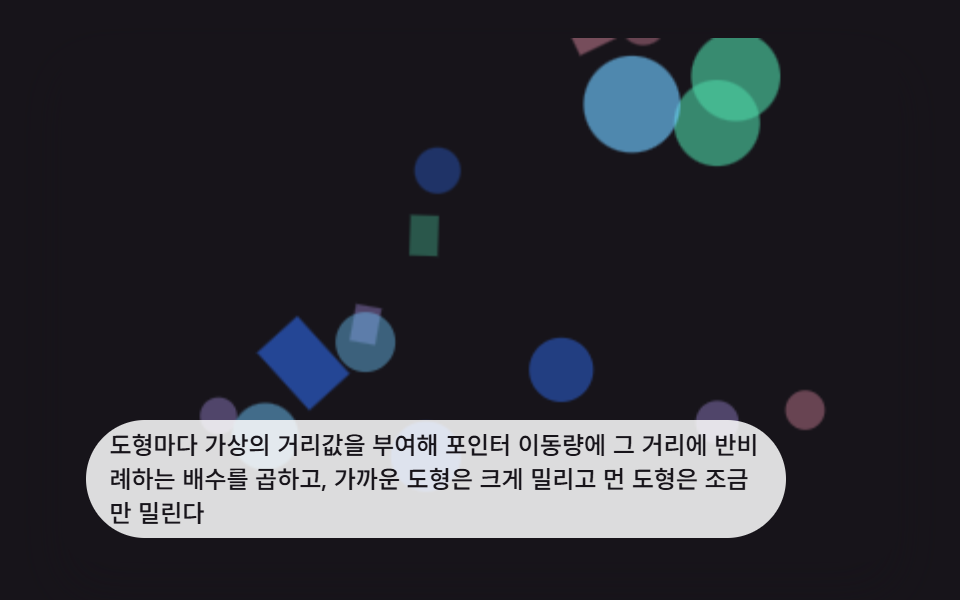 Interactions9 CSS 3D Background Animation Depth Layers
 InteractionsCSS Popover: 9 Ways to Anchor, Flip and Spring
 InteractionsJavaScript 3D Animation: 9 Pointer-Led Models
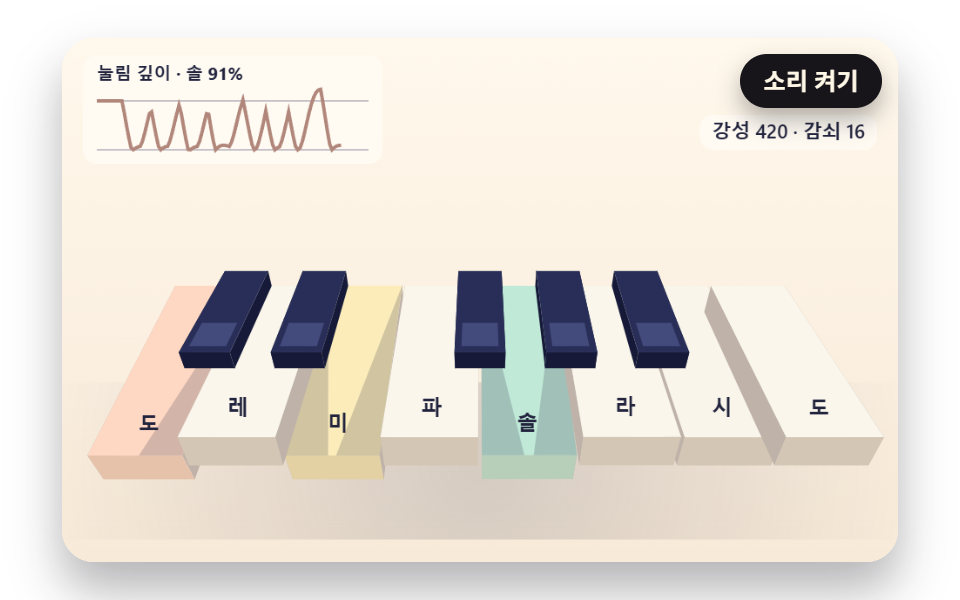 InteractionsJavaScript Piano: 9 Scenes, Keys to Strings