CSS Masonry Layout: 9 Ways to Pack Uneven Cards
A css masonry layout of one columns or grid line scrambles order and teleports cards on resize — scenes 01, 02 and 04 fix it by shortest-column packing, row
Rearrange All Nine Brick Layouts Right on This Page
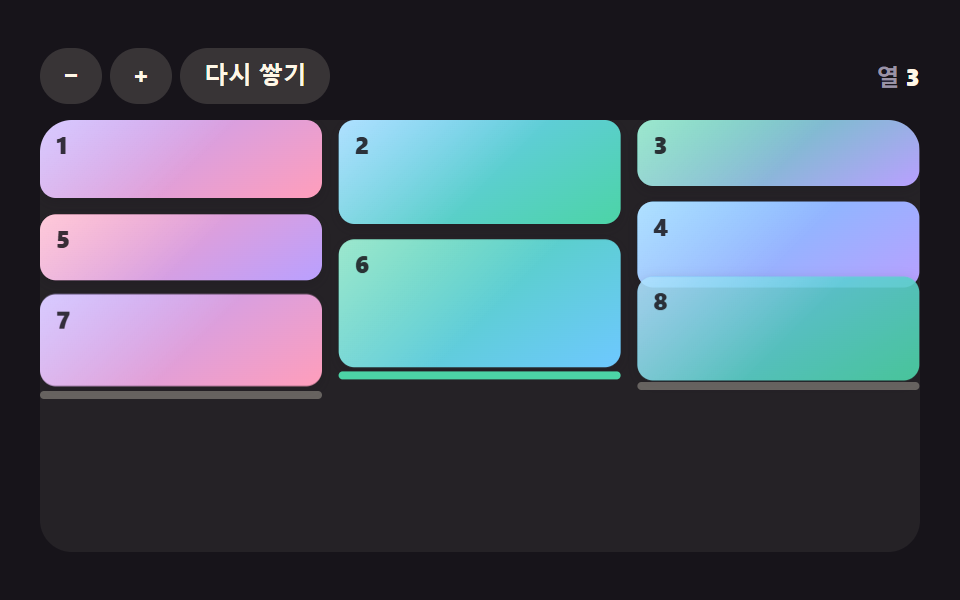 01 mr-shortest-column-pack
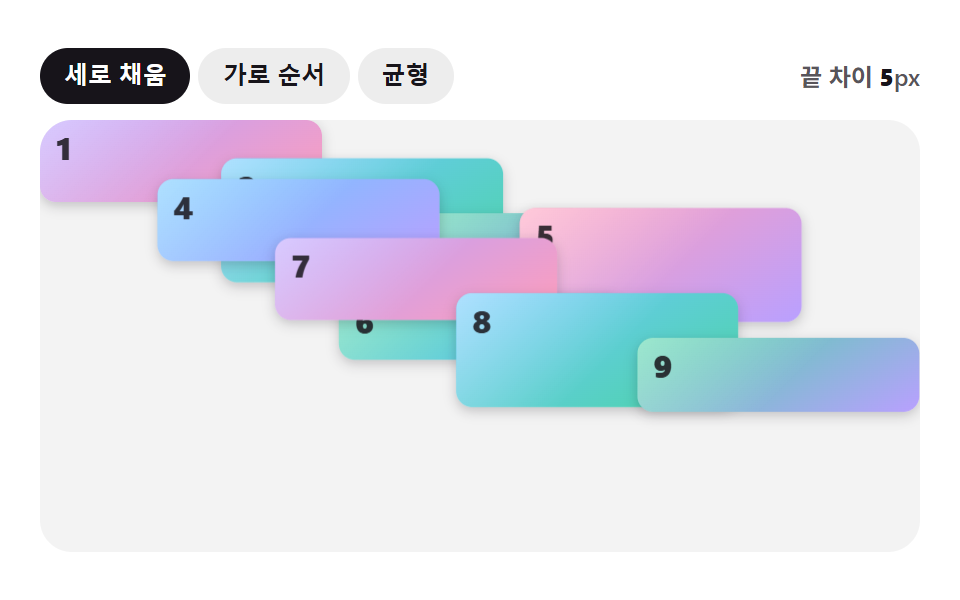 02 mr-row-order-columns
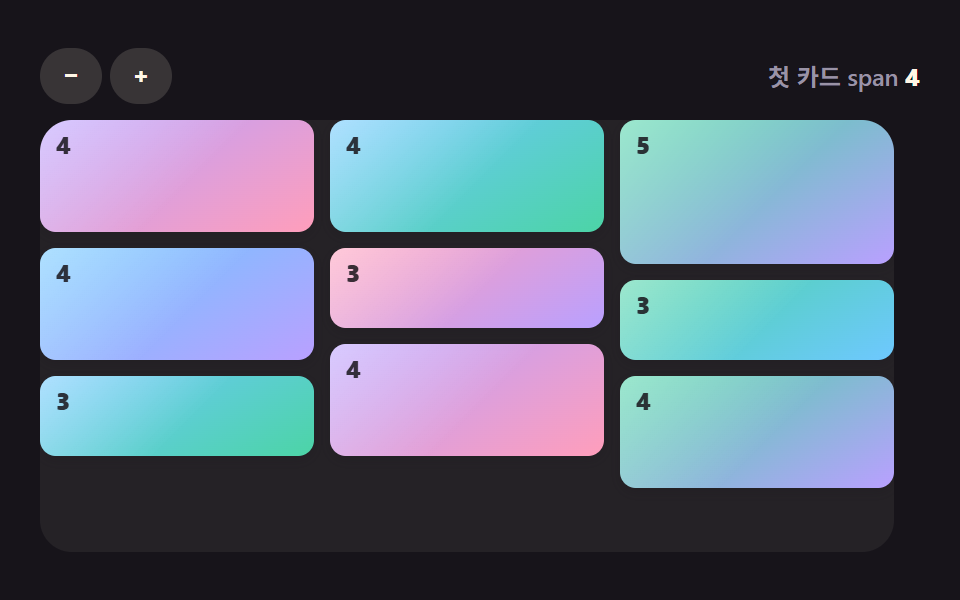 03 mr-grid-row-span
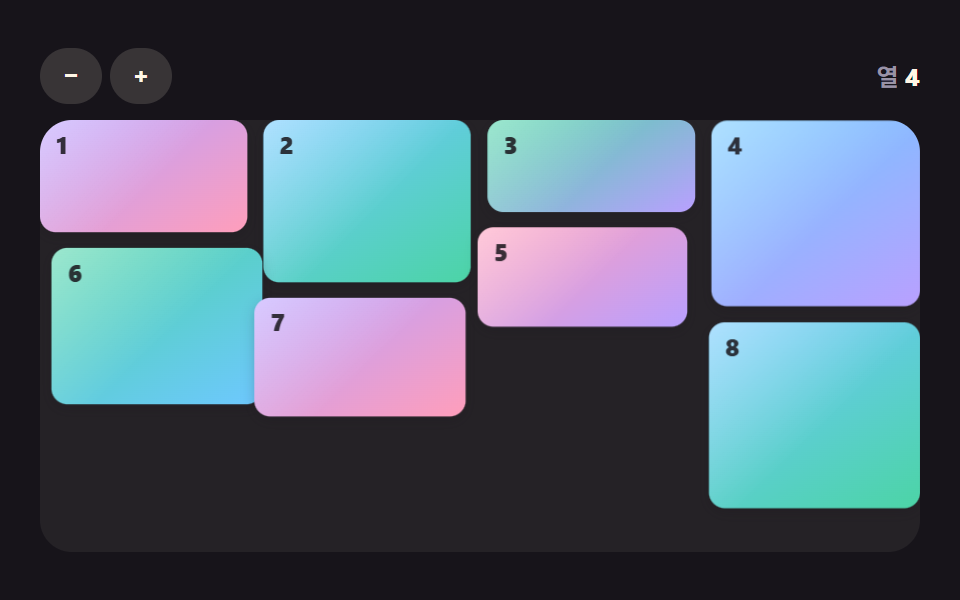 04 mr-flip-reflow-spring
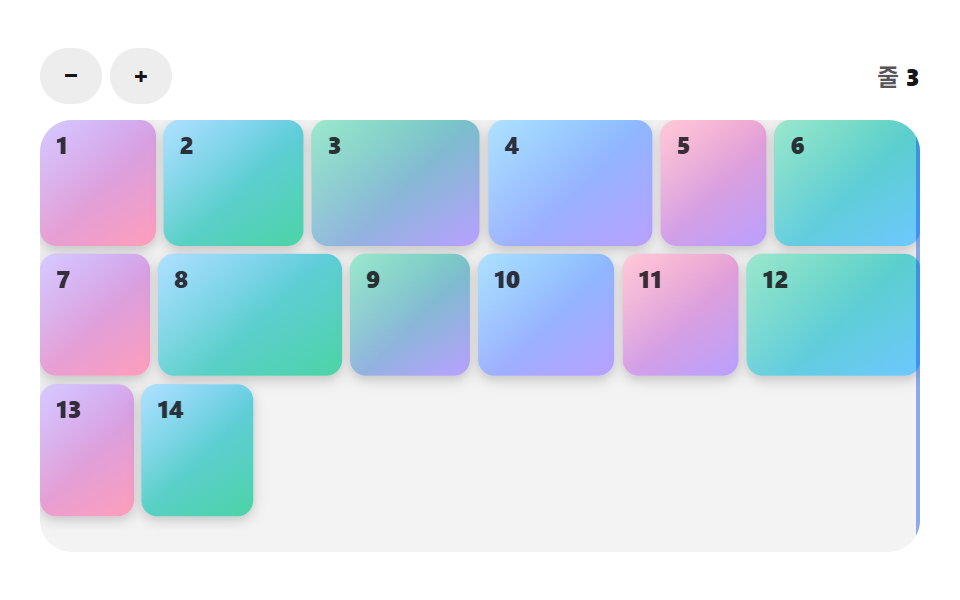 05 mr-justified-rows
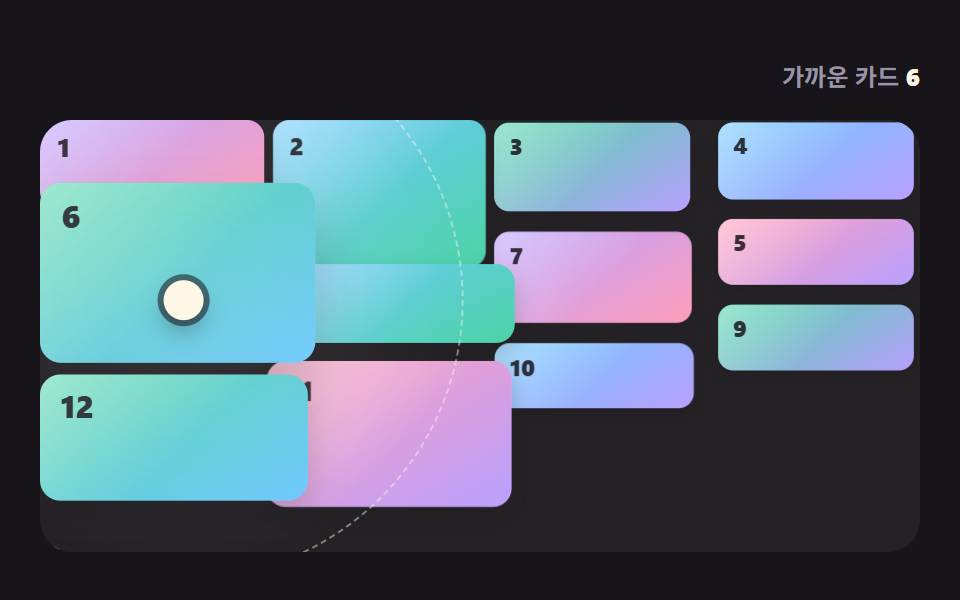 06 mr-pointer-lens-field
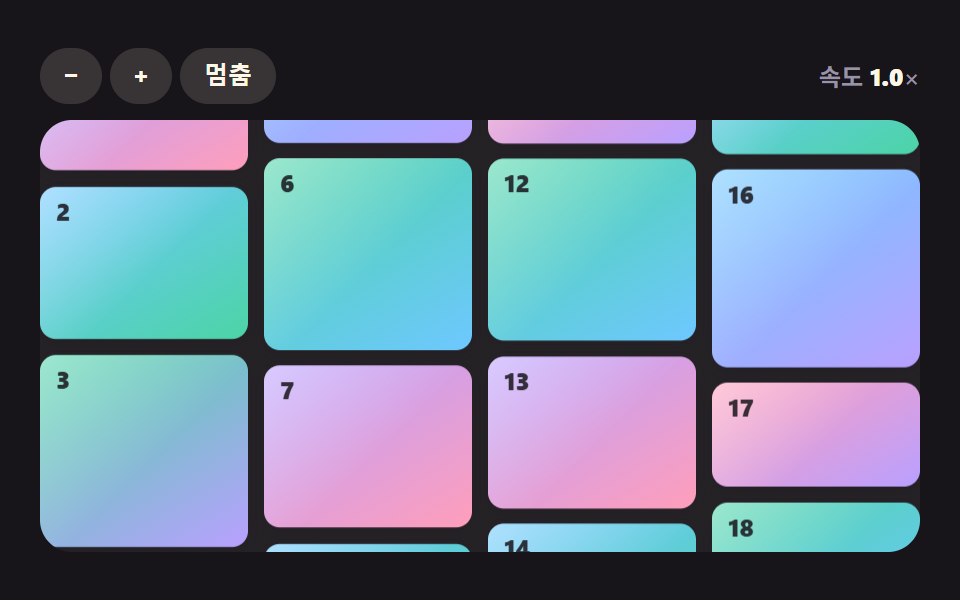 07 mr-column-drift-loop
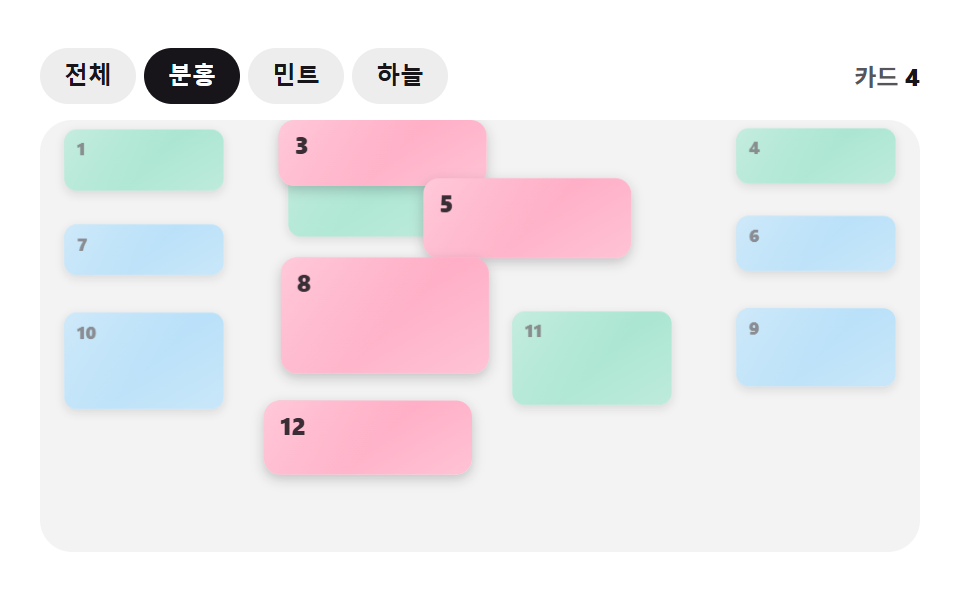 08 mr-filter-shuffle-reflow
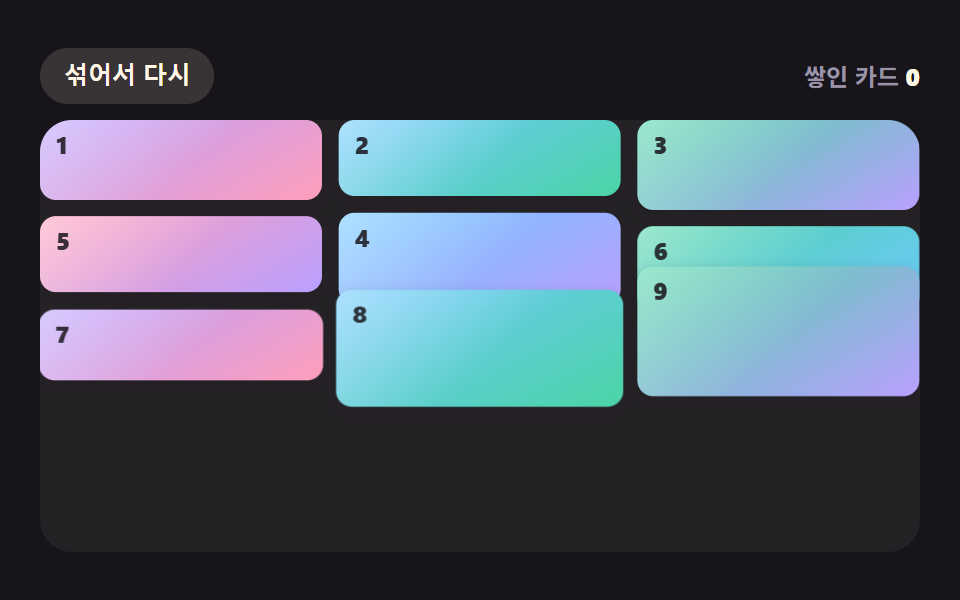 09 mr-gravity-drop-stack
Auto-plays · click a tile to jump to its section · all nine in one zip
- 01 Shortest-Column Packing That Drops Each Card on the Lowest Column
- 02 A Column Layout Reordered to Read Left to Right
- 03 A Grid Span Computed from Each Image Ratio
- 04 A FLIP Reflow Where Cards Spring Into Place When Columns Change
- 05 Justified Rows Scaled to Fill Each Line Exactly
- 06 A Lens Layout Where Neighbors Make Way Near the Pointer
- 07 An Endless Brick Wall Whose Columns Drift in Opposite Directions
- 08 A Shuffle Where Cards Move in Sequence When a Filter Is Chosen
- 09 Bricks That Fall, Bounce and Stack Into Place
CSS Masonry Layout: 9 Grids Where Column Heights, Row Units and Springs Close the Gaps
Each scene builds a wall up to 440px wide and 216px tall and stacks it with gradient cards that carry nothing but a number. Card sizes come from a seeded random sequence, so a given moment always draws the same frame, and the buttons in the bar above the wall change the column count, the mode or the filter.
The nine scenes share a two-layer structure: first work out each card's target spot, then let the screen follow it on its own schedule. The spot rules differ from scene to scene, and 02, 03, 05 and 07 do not use the shortest-column placement of pack at all. Only 04 holds a velocity and a stiffness, so it is the one true spring; 09 integrates gravity, 01, 02 and 06 close a fraction of the remaining distance each frame, 07 adds speed times elapsed time, 08 runs a timed easing curve, and 03 and 05 compute the layout in place. No scene has a CSS transition or @keyframes, a library, an outside request or Math.random.
For a gallery of mixed image ratios start with 03, for a list with filter buttons start with 08, and for a responsive screen whose width keeps changing start with 04. Slides, zoom and lightbox effects belong to 9 CSS Image Gallery Grid Effects and CSS Image Gallery Animation 9 One Line, Copy-Paste; this page only decides which spot each card takes.
Code for Each Technique Behind a CSS Masonry Grid
The snippets are copied from consecutive lines of each scene's index.html script block, 25 lines at most. A css brick layout is mostly this placement math with a follow-along layer on top, so reading the math first tells you what a changed value will do.
01Shortest-Column Packing That Drops Each Card on the Lowest Column
The cards are read in order and each one lands on whichever column is lowest at that moment (the left one on a tie), then that column grows by the card height plus the 8px gap. It suits pin boards and portfolio grids, and the thin bars under the columns show where every column ends. Cumulative area came to 47.7%, with motion in 23/23 frames.
<main class="stage">
<div class="mr is-demo" id="mr" data-demo="1">
  <div class="mr__bar">
    <div class="mr__btns"><button class="mr__btn" type="button" data-r="less" aria-label="Fewer columns">−</button><button class="mr__btn" type="button" data-r="more" aria-label="More columns">+</button><button class="mr__btn" type="button" data-r="again">Stack again</button></div>
    <p class="mr__live" data-r="live" aria-live="off" aria-atomic="true"><span class="mr__k">Columns</span> <b data-r="cols">3</b></p>
  </div>
  <div class="mr__wall" data-r="wall"></div>
</div>
</main>
@use "../../../../site/static/demo-tokens" as *;
// 핵심: 카드를 한 장 놓을 때마다 가장 낮은 열 끝을 읽어 그 아래에 얹는다. 배치는 JS 가 계산하고 CSS 는 모양만 맡는다.
@include stage($stage-ink);
$fg: $subject-cream;
$mute: $tick-mute;
$btn-bg: rgba($subject-cream, .14);
$wall-bg: rgba($subject-cream, .06);
$focus: $subject-pink;
$on: $stage-ink;
.mr {
position: relative;
box-sizing: border-box;
width: min(100%, 440px);
height: min(252px, calc(100vh - 2 * clamp(8px, 4vw, 24px)));
display: flex;
flex-direction: column;
gap: $sp-2;
color: $fg;
font-size: 12px;
line-height: 16px;
font-weight: 600;
user-select: none;
}
.mr b { font-weight: 800; font-variant-numeric: tabular-nums; }
.mr__bar {
display: flex;
flex-wrap: wrap;
align-items: center;
justify-content: space-between;
gap: $sp-2;
min-height: 28px;
}
.mr__btns {
display: flex;
flex-wrap: wrap;
gap: $sp-1;
}
.mr__btn {
box-sizing: border-box;
min-width: 28px;
height: 28px;
padding: 0 $sp-3;
border: 0;
border-radius: $r-pill;
background: $btn-bg;
color: $fg;
font-size: 12px;
line-height: 16px;
font-weight: 700;
white-space: nowrap;
cursor: pointer;
}
.mr__btn[aria-pressed="true"] { background: $fg; color: $on; }
.mr__btn:focus-visible { outline: 3px solid $focus; outline-offset: 2px; }
.mr__live { margin: 0; color: $mute; white-space: nowrap; }
.mr__live b { color: $fg; }
.mr__wall {
position: relative;
flex: 1 1 auto;
min-height: 0;
overflow: hidden;
border-radius: $r-card;
background: $wall-bg;
}
.mr__card {
position: absolute;
left: 0;
top: 0;
box-sizing: border-box;
overflow: hidden;
border-radius: $r-sm;
background: linear-gradient(150deg, $subject-lilac, $subject-pink);
color: $subject-ink;
will-change: transform;
box-shadow: 0 calc(2px + var(--lift, 0) * 10px) calc(6px + var(--lift, 0) * 14px) rgba($subject-ink, .22);
}
.mr__card::after {
content: "";
position: absolute;
inset: 0;
background: linear-gradient(135deg, rgba($stage-paper, .45), rgba($stage-paper, 0) 55%);
pointer-events: none;
}
.mr__card[data-c="1"] { background: linear-gradient(150deg, $subject-sky, $subject-mint); }
.mr__card[data-c="2"] { background: linear-gradient(150deg, $subject-mint, $subject-lilac); }
.mr__card[data-c="3"] { background: linear-gradient(150deg, $subject-sky, $subject-lilac); }
.mr__card[data-c="4"] { background: linear-gradient(150deg, $subject-pink, $subject-lilac); }
.mr__card[data-c="5"] { background: linear-gradient(150deg, $subject-mint, $subject-sky); }
.mr__card i {
position: absolute;
left: $sp-2;
top: $sp-1;
font-style: normal;
font-size: 12px;
line-height: 16px;
font-weight: 800;
z-index: 1;
opacity: .85;
}
.mr__mark {
position: absolute;
left: 0;
top: 0;
height: $sp-1;
border-radius: $r-pill;
background: rgba($fg, .3);
z-index: 3;
pointer-events: none;
}
.mr__mark[data-low] { background: $subject-mint; }
@media (prefers-reduced-motion: reduce) {
.mr__cursor, .mr__ring { display: none; }
.mr__card { will-change: auto; }
}html, body {
margin: 0;
overflow: hidden;
}
.stage {
box-sizing: border-box;
min-height: 100vh;
display: grid;
place-items: center;
margin: 0;
background: #17141a;
font-family: -apple-system, "Segoe UI", "Noto Sans KR", sans-serif;
padding: clamp(8px, 4vw, 24px);
}
.mr {
position: relative;
box-sizing: border-box;
width: min(100%, 440px);
height: min(252px, 100vh - 2 * clamp(8px, 4vw, 24px));
display: flex;
flex-direction: column;
gap: 8px;
color: #fff7e6;
font-size: 12px;
line-height: 16px;
font-weight: 600;
user-select: none;
}
.mr b {
font-weight: 800;
font-variant-numeric: tabular-nums;
}
.mr__bar {
display: flex;
flex-wrap: wrap;
align-items: center;
justify-content: space-between;
gap: 8px;
min-height: 28px;
}
.mr__btns {
display: flex;
flex-wrap: wrap;
gap: 4px;
}
.mr__btn {
box-sizing: border-box;
min-width: 28px;
height: 28px;
padding: 0 12px;
border: 0;
border-radius: 999px;
background: rgba(255, 247, 230, 0.14);
color: #fff7e6;
font-size: 12px;
line-height: 16px;
font-weight: 700;
white-space: nowrap;
cursor: pointer;
}
.mr__btn[aria-pressed=true] {
background: #fff7e6;
color: #17141a;
}
.mr__btn:focus-visible {
outline: 3px solid #ff9ebb;
outline-offset: 2px;
}
.mr__live {
margin: 0;
color: #9a93a6;
white-space: nowrap;
}
.mr__live b {
color: #fff7e6;
}
.mr__wall {
position: relative;
flex: 1 1 auto;
min-height: 0;
overflow: hidden;
border-radius: 16px;
background: rgba(255, 247, 230, 0.06);
}
.mr__card {
position: absolute;
left: 0;
top: 0;
box-sizing: border-box;
overflow: hidden;
border-radius: 8px;
background: linear-gradient(150deg, #b9a0ff, #ff9ebb);
color: #17141a;
will-change: transform;
box-shadow: 0 calc(2px + var(--lift, 0) * 10px) calc(6px + var(--lift, 0) * 14px) rgba(23, 20, 26, 0.22);
}
.mr__card::after {
content: "";
position: absolute;
inset: 0;
background: linear-gradient(135deg, rgba(255, 255, 255, 0.45), rgba(255, 255, 255, 0) 55%);
pointer-events: none;
}
.mr__card[data-c="1"] {
background: linear-gradient(150deg, #6ec8ff, #4cd4a6);
}
.mr__card[data-c="2"] {
background: linear-gradient(150deg, #4cd4a6, #b9a0ff);
}
.mr__card[data-c="3"] {
background: linear-gradient(150deg, #6ec8ff, #b9a0ff);
}
.mr__card[data-c="4"] {
background: linear-gradient(150deg, #ff9ebb, #b9a0ff);
}
.mr__card[data-c="5"] {
background: linear-gradient(150deg, #4cd4a6, #6ec8ff);
}
.mr__card i {
position: absolute;
left: 8px;
top: 4px;
font-style: normal;
font-size: 12px;
line-height: 16px;
font-weight: 800;
z-index: 1;
opacity: 0.85;
}
.mr__mark {
position: absolute;
left: 0;
top: 0;
height: 4px;
border-radius: 999px;
background: rgba(255, 247, 230, 0.3);
z-index: 3;
pointer-events: none;
}
.mr__mark[data-low] {
background: #4cd4a6;
}
@media (prefers-reduced-motion: reduce) {
.mr__cursor, .mr__ring {
display: none;
}
.mr__card {
will-change: auto;
}
}(function () {
const root = document.getElementById("mr");
const CLS = { card: "mr__card", mark: "mr__mark" };
const reduce = window.matchMedia("(prefers-reduced-motion: reduce)").matches;
let demo = !reduce;
let raf = 0;
let last = -1;
let ready = false;
const offs = [];
function q(sel) {
return root.querySelector(sel);
}
const wall = q("[data-r=wall]");
const live = q("[data-r=live]");
function clamp(v, lo, hi) {
return Math.max(lo, Math.min(hi, v));
}
function makeRng(seed) {
let s = seed >>> 0;
return function () {
s = (Math.imul(s, 1664525) + 1013904223) >>> 0;
return s / 4294967296;
};
}
function on(el, type, fn) {
el.addEventListener(type, fn);
offs.push(function () {
el.removeEventListener(type, fn);
});
}
function stopDemo() {
if (!demo) return;
demo = false;
root.removeAttribute("data-demo");
root.classList.remove("is-demo");
live.setAttribute("aria-live", "polite");
}
if (reduce) live.setAttribute("aria-live", "polite");
// Cards: 시드 LCG 로 비율을 뽑는다. 이미지 파일은 없고 그라디언트와 번호만 있다.
function makeCards(n, seed, lo, hi) {
const rng = makeRng(seed);
const list = [];
for (let i = 0; i < n; i += 1) {
const el = document.createElement("div");
el.className = CLS.card;
el.setAttribute("data-c", String(i % 6));
el.innerHTML = "<i>" + (i + 1) + "</i>";
wall.appendChild(el);
list.push({
el: el, ratio: lo + rng() * (hi - lo), cat: Math.floor(rng() * 3),
x: 0, y: 0, w: 0, h: 0, tx: 0, ty: 0, tw: 0, th: 0,
s: 1, ds: 1, o: 1, dop: 1, vx: 0, vy: 0,
ox: 0, oy: 0, osx: 0, osy: 0, ovx: 0, ovy: 0, ovsx: 0, ovsy: 0,
fx: 0, fy: 0, fs: 1, fo: 1, t0: 0, sq: 0, rest: 0, wait: 0
});
}
return list;
}
function colW(cols, gap) {
return (wall.clientWidth - gap * (cols - 1)) / cols;
}
// 최단 Columns 배치: 카드를 순서대로 읽으며 지금 가장 낮은 Columns 끝에 얹고 그 Columns 높이에 Cards 높이와 간격을 더한다.
    function pack(hs, cols, cw, gap) {
        const colH = [];
        for (let k = 0; k < cols; k += 1) colH.push(0);
        const out = [];
        for (let i = 0; i < hs.length; i += 1) {
            let best = 0;
            for (let k = 1; k < cols; k += 1) {
                if (colH[k] < colH[best] - 0.5) best = k;
            }
            out.push({ x: best * (cw + gap), y: colH[best] });
            colH[best] += hs[i] + gap;
        }
return out;
}
function put(c, x, y, sx, sy) {
const st = c.el.style;
st.width = c.w.toFixed(1) + "px";
st.height = c.h.toFixed(1) + "px";
st.transform = "translate3d(" + x.toFixed(2) + "px," + y.toFixed(2) + "px,0) scale(" + sx.toFixed(3) + "," + sy.toFixed(3) + ")";
}
function frame(ts) {
const dt = last < 0 ? 0.016 : Math.min(0.05, (ts - last) / 1000);
last = ts;
if (demo) script(ts);
step(dt, ts);
render();
raf = requestAnimationFrame(frame);
}
const ro = new ResizeObserver(function () {
relayout();
});
ro.observe(root);
// 기법: 카드를 한 장 놓을 때마다 지금 가장 낮은 열의 끝을 읽어 그 아래에 얹고, 그 Columns 높이에 Cards 높이와 간격을 더한다.
const COLUMNS = 3;
const GAP = 8;
const SETTLE = 12;
const SEED = 7;
const COUNT = 9;
const cards = makeCards(COUNT, SEED, 0.22, 0.46);
const colsEl = q("[data-r=cols]");
const againBtn = q("[data-r=again]");
const marks = [];
const level = [0, 0, 0, 0, 0, 0];
const markY = [0, 0, 0, 0, 0, 0];
let cols = COLUMNS;
let shown = 0;
let userT0 = 0;
let cwNow = 0;
for (let k = 0; k < 6; k += 1) {
const m = document.createElement("i");
m.className = CLS.mark;
wall.appendChild(m);
marks.push(m);
}
function levels() {
for (let k = 0; k < 6; k += 1) level[k] = 0;
for (let i = 0; i < shown; i += 1) {
const k = Math.round(cards[i].tx / (cwNow + GAP));
level[k] = Math.max(level[k], cards[i].ty + cards[i].th + GAP);
}
}
function setShown(n) {
if (n === shown) return;
for (let i = shown; i < n; i += 1) {
cards[i].x = cards[i].tx;
cards[i].y = cards[i].ty - 56;
cards[i].o = reduce ? 1 : 0;
if (reduce) cards[i].y = cards[i].ty;
}
shown = n;
levels();
}
function relayout() {
cwNow = colW(cols, GAP);
const hs = cards.map(function (c) {
return c.ratio * cwNow;
});
const at = pack(hs, cols, cwNow, GAP);
for (let i = 0; i < cards.length; i += 1) {
const c = cards[i];
c.w = cwNow;
c.h = hs[i];
c.th = hs[i];
c.tx = at[i].x;
c.ty = at[i].y;
if (!ready || reduce) {
c.x = c.tx;
c.y = c.ty;
}
}
if (!ready) shown = reduce ? COUNT : 0;
for (let k = 0; k < 6; k += 1) {
marks[k].style.display = k < cols ? "" : "none";
marks[k].style.width = cwNow.toFixed(1) + "px";
}
levels();
ready = true;
colsEl.textContent = String(cols);
if (reduce) {
for (let k = 0; k < 6; k += 1) markY[k] = level[k];
render();
}
}
function script(ts) {
setShown(clamp(Math.floor(((ts % 2000) - 200) / 170) + 1, 0, COUNT));
}
function step(dt, ts) {
if (!demo && userT0 > 0) setShown(clamp(Math.floor((ts - userT0) / 170) + 1, 0, COUNT));
const k = 1 - Math.exp(-SETTLE * dt);
for (let i = 0; i < cards.length; i += 1) {
const c = cards[i];
if (i < shown) {
c.x += (c.tx - c.x) * k;
c.y += (c.ty - c.y) * k;
c.o += (1 - c.o) * Math.min(1, k * 1.6);
} else {
c.o = 0;
}
}
for (let m = 0; m < 6; m += 1) markY[m] += (level[m] - markY[m]) * k;
}
function render() {
for (let i = 0; i < cards.length; i += 1) {
const c = cards[i];
c.el.style.opacity = c.o.toFixed(2);
put(c, c.x, c.y, 1, 1);
}
let low = 0;
for (let m = 1; m < cols; m += 1) {
if (level[m] < level[low] - 0.5) low = m;
}
for (let m = 0; m < 6; m += 1) {
const y = Math.max(markY[m] - 6, 0);
marks[m].style.transform = "translate3d(" + (m * (cwNow + GAP)).toFixed(1) + "px," + y.toFixed(1) + "px,0)";
if (m === low) marks[m].setAttribute("data-low", "1");
else marks[m].removeAttribute("data-low");
}
}
function takeOver() {
if (!demo) return;
stopDemo();
userT0 = 0;
setShown(COUNT);
}
on(q("[data-r=less]"), "click", function () {
takeOver();
cols = clamp(cols - 1, 2, 5);
relayout();
});
on(q("[data-r=more]"), "click", function () {
takeOver();
cols = clamp(cols + 1, 2, 5);
relayout();
});
on(againBtn, "click", function () {
stopDemo();
setShown(0);
userT0 = performance.now();
});
againBtn.hidden = reduce;
relayout();
if (reduce) {
render();
} else {
raf = requestAnimationFrame(frame);
}
})();// ShortestColumnPack - vanilla 판(01-mr-shortest-column-pack) 의 React 포트. 같은 계산을 useEffect 안에서 돌린다.
import { useEffect, useRef } from "react";
import styles from "./ShortestColumnPack.module.scss";
type Card = {
el: HTMLElement; ratio: number; cat: number;
x: number; y: number; w: number; h: number; tx: number; ty: number; tw: number; th: number;
s: number; ds: number; o: number; dop: number; vx: number; vy: number;
ox: number; oy: number; osx: number; osy: number; ovx: number; ovy: number; ovsx: number; ovsy: number;
fx: number; fy: number; fs: number; fo: number; t0: number; sq: number; rest: number; wait: number;
};
export default function ShortestColumnPack() {
const rootRef = useRef<HTMLDivElement | null>(null);
useEffect(() => {
const rootEl = rootRef.current;
if (!rootEl) return;
const root: HTMLElement = rootEl;
const CLS = { card: styles["mr__card"], mark: styles["mr__mark"] };
const reduce = window.matchMedia("(prefers-reduced-motion: reduce)").matches;
let demo = !reduce;
let raf: number = 0;
let last: number = -1;
let ready = false;
const offs: Array<() => void> = [];
function q(sel: string): HTMLElement {
return root.querySelector(sel) as HTMLElement;
}
const wall = q("[data-r=wall]");
const live = q("[data-r=live]");
function clamp(v: number, lo: number, hi: number): number {
return Math.max(lo, Math.min(hi, v));
}
function makeRng(seed: number): () => number {
let s = seed >>> 0;
return function (): number {
s = (Math.imul(s, 1664525) + 1013904223) >>> 0;
return s / 4294967296;
};
}
function on(el: EventTarget, type: string, fn: (e: any) => void): void {
el.addEventListener(type, fn);
offs.push(function (): void {
el.removeEventListener(type, fn);
});
}
function stopDemo(): void {
if (!demo) return;
demo = false;
root.removeAttribute("data-demo");
root.classList.remove("is-demo");
live.setAttribute("aria-live", "polite");
}
if (reduce) live.setAttribute("aria-live", "polite");
// 카드: 시드 LCG 로 비율을 뽑는다. 이미지 파일은 없고 그라디언트와 번호만 있다.
function makeCards(n: number, seed: number, lo: number, hi: number): Card[] {
const rng = makeRng(seed);
const list: Card[] = [];
for (let i = 0; i < n; i += 1) {
const el = document.createElement("div");
el.className = CLS.card;
el.setAttribute("data-c", String(i % 6));
el.innerHTML = "<i>" + (i + 1) + "</i>";
wall.appendChild(el);
list.push({
el: el, ratio: lo + rng() * (hi - lo), cat: Math.floor(rng() * 3),
x: 0, y: 0, w: 0, h: 0, tx: 0, ty: 0, tw: 0, th: 0,
s: 1, ds: 1, o: 1, dop: 1, vx: 0, vy: 0,
ox: 0, oy: 0, osx: 0, osy: 0, ovx: 0, ovy: 0, ovsx: 0, ovsy: 0,
fx: 0, fy: 0, fs: 1, fo: 1, t0: 0, sq: 0, rest: 0, wait: 0
});
}
return list;
}
function colW(cols: number, gap: number): number {
return (wall.clientWidth - gap * (cols - 1)) / cols;
}
// 최단 열 배치: 카드를 순서대로 읽으며 지금 가장 낮은 열 끝에 얹고 그 열 높이에 카드 높이와 간격을 더한다.
function pack(hs: number[], cols: number, cw: number, gap: number): Array<{ x: number; y: number }> {
const colH: number[] = [];
for (let k = 0; k < cols; k += 1) colH.push(0);
const out: Array<{ x: number; y: number }> = [];
for (let i = 0; i < hs.length; i += 1) {
let best = 0;
for (let k = 1; k < cols; k += 1) {
if (colH[k] < colH[best] - 0.5) best = k;
}
out.push({ x: best * (cw + gap), y: colH[best] });
colH[best] += hs[i] + gap;
}
return out;
}
function put(c: Card, x: number, y: number, sx: number, sy: number): void {
const st = c.el.style;
st.width = c.w.toFixed(1) + "px";
st.height = c.h.toFixed(1) + "px";
st.transform = "translate3d(" + x.toFixed(2) + "px," + y.toFixed(2) + "px,0) scale(" + sx.toFixed(3) + "," + sy.toFixed(3) + ")";
}
function frame(ts: number): void {
const dt = last < 0 ? 0.016 : Math.min(0.05, (ts - last) / 1000);
last = ts;
if (demo) script(ts);
step(dt, ts);
render();
raf = requestAnimationFrame(frame);
}
const ro = new ResizeObserver(function (): void {
relayout();
});
ro.observe(root);
// 기법: 카드를 한 장 놓을 때마다 지금 가장 낮은 열의 끝을 읽어 그 아래에 얹고, 그 열 높이에 카드 높이와 간격을 더한다.
const COLUMNS = 3;
const GAP = 8;
const SETTLE = 12;
const SEED = 7;
const COUNT = 9;
const cards = makeCards(COUNT, SEED, 0.22, 0.46);
const colsEl = q("[data-r=cols]");
const againBtn = q("[data-r=again]");
const marks: HTMLElement[] = [];
const level: number[] = [0, 0, 0, 0, 0, 0];
const markY: number[] = [0, 0, 0, 0, 0, 0];
let cols: number = COLUMNS;
let shown = 0;
let userT0 = 0;
let cwNow = 0;
for (let k = 0; k < 6; k += 1) {
const m = document.createElement("i");
m.className = CLS.mark;
wall.appendChild(m);
marks.push(m);
}
function levels(): void {
for (let k = 0; k < 6; k += 1) level[k] = 0;
for (let i = 0; i < shown; i += 1) {
const k = Math.round(cards[i].tx / (cwNow + GAP));
level[k] = Math.max(level[k], cards[i].ty + cards[i].th + GAP);
}
}
function setShown(n: number): void {
if (n === shown) return;
for (let i = shown; i < n; i += 1) {
cards[i].x = cards[i].tx;
cards[i].y = cards[i].ty - 56;
cards[i].o = reduce ? 1 : 0;
if (reduce) cards[i].y = cards[i].ty;
}
shown = n;
levels();
}
function relayout(): void {
cwNow = colW(cols, GAP);
const hs = cards.map(function (c: Card): number {
return c.ratio * cwNow;
});
const at = pack(hs, cols, cwNow, GAP);
for (let i = 0; i < cards.length; i += 1) {
const c = cards[i];
c.w = cwNow;
c.h = hs[i];
c.th = hs[i];
c.tx = at[i].x;
c.ty = at[i].y;
if (!ready || reduce) {
c.x = c.tx;
c.y = c.ty;
}
}
if (!ready) shown = reduce ? COUNT : 0;
for (let k = 0; k < 6; k += 1) {
marks[k].style.display = k < cols ? "" : "none";
marks[k].style.width = cwNow.toFixed(1) + "px";
}
levels();
ready = true;
colsEl.textContent = String(cols);
if (reduce) {
for (let k = 0; k < 6; k += 1) markY[k] = level[k];
render();
}
}
function script(ts: number): void {
setShown(clamp(Math.floor(((ts % 2000) - 200) / 170) + 1, 0, COUNT));
}
function step(dt: number, ts: number): void {
if (!demo && userT0 > 0) setShown(clamp(Math.floor((ts - userT0) / 170) + 1, 0, COUNT));
const k = 1 - Math.exp(-SETTLE * dt);
for (let i = 0; i < cards.length; i += 1) {
const c = cards[i];
if (i < shown) {
c.x += (c.tx - c.x) * k;
c.y += (c.ty - c.y) * k;
c.o += (1 - c.o) * Math.min(1, k * 1.6);
} else {
c.o = 0;
}
}
for (let m = 0; m < 6; m += 1) markY[m] += (level[m] - markY[m]) * k;
}
function render(): void {
for (let i = 0; i < cards.length; i += 1) {
const c = cards[i];
c.el.style.opacity = c.o.toFixed(2);
put(c, c.x, c.y, 1, 1);
}
let low = 0;
for (let m = 1; m < cols; m += 1) {
if (level[m] < level[low] - 0.5) low = m;
}
for (let m = 0; m < 6; m += 1) {
const y = Math.max(markY[m] - 6, 0);
marks[m].style.transform = "translate3d(" + (m * (cwNow + GAP)).toFixed(1) + "px," + y.toFixed(1) + "px,0)";
if (m === low) marks[m].setAttribute("data-low", "1");
else marks[m].removeAttribute("data-low");
}
}
function takeOver(): void {
if (!demo) return;
stopDemo();
userT0 = 0;
setShown(COUNT);
}
on(q("[data-r=less]"), "click", function (): void {
takeOver();
cols = clamp(cols - 1, 2, 5);
relayout();
});
on(q("[data-r=more]"), "click", function (): void {
takeOver();
cols = clamp(cols + 1, 2, 5);
relayout();
});
on(againBtn, "click", function (): void {
stopDemo();
setShown(0);
userT0 = performance.now();
});
againBtn.hidden = reduce;
relayout();
if (reduce) {
render();
} else {
raf = requestAnimationFrame(frame);
}
return () => {
cancelAnimationFrame(raf);
offs.forEach((f) => f());
ro.disconnect();
};
}, []);
return (
<main className={styles["stage"]}>
<div ref={rootRef} className={styles["mr"] + " is-demo"} data-demo="1">
<div className={styles["mr__bar"]}>
<div className={styles["mr__btns"]}><button className={styles["mr__btn"]} type="button" data-r="less" aria-label="열 줄이기">−</button><button className={styles["mr__btn"]} type="button" data-r="more" aria-label="열 늘리기">+</button><button className={styles["mr__btn"]} type="button" data-r="again">다시 쌓기</button></div>
<p className={styles["mr__live"]} data-r="live" aria-live="off" aria-atomic="true"><span className={styles["mr__k"]}>열</span> <b data-r="cols">3</b></p>
</div>
<div className={styles["mr__wall"]} data-r="wall"></div>
</div>
</main>
);
}01 · Shortest-Column Packing That Drops Each Card on the Lowest Column — Measured area 47.727% · moving frames 23/23Original by GODRICH · SCSS and React ship in the zip · See the password
function pack(hs, cols, cw, gap) {
const colH = [];
for (let k = 0; k < cols; k += 1) colH.push(0);
const out = [];
for (let i = 0; i < hs.length; i += 1) {
let best = 0;
for (let k = 1; k < cols; k += 1) {
if (colH[k] < colH[best] - 0.5) best = k;
}
out.push({ x: best * (cw + gap), y: colH[best] });
colH[best] += hs[i] + gap;
}
02A Column Layout Reordered to Read Left to Right
Fill-down puts card numbers down each column and scrambles reading order, row-wise picks the column from the card index modulo the column count, and balanced goes row-wise until a column gets too tall and then sends the card to the lowest one. With the same nine cards the column ends differ by 5px, 72px and 30px (three columns, 424px wide), and balanced swaps only cards 5 and 6. This scene reached 53.1% area and 19/23 moving frames.
<main class="stage">
<div class="mr is-demo" id="mr" data-demo="1">
  <div class="mr__bar">
    <div class="mr__btns"><button class="mr__btn" type="button" data-r="m0" aria-pressed="true">Fill down</button><button class="mr__btn" type="button" data-r="m1" aria-pressed="false">Row order</button><button class="mr__btn" type="button" data-r="m2" aria-pressed="false">Balanced</button></div>
    <p class="mr__live" data-r="live" aria-live="off" aria-atomic="true"><span class="mr__k">Bottom gap</span> <b data-r="spread">0</b>px</p>
  </div>
  <div class="mr__wall" data-r="wall"></div>
</div>
</main>
@use "../../../../site/static/demo-tokens" as *;
// 핵심: 열을 정하는 규칙만 바꾼다: 번호 ÷ 열당 장수, 번호 % 열 수, 균형. 배치는 JS 가 계산하고 CSS 는 모양만 맡는다.
@include stage($stage-paper);
$fg: $subject-ink;
$mute: rgba($subject-ink, .72);
$btn-bg: rgba($subject-ink, .08);
$wall-bg: rgba($subject-ink, .05);
$focus: $subject-blue-deep;
$on: $stage-paper;
.mr {
position: relative;
box-sizing: border-box;
width: min(100%, 440px);
height: min(252px, calc(100vh - 2 * clamp(8px, 4vw, 24px)));
display: flex;
flex-direction: column;
gap: $sp-2;
color: $fg;
font-size: 12px;
line-height: 16px;
font-weight: 600;
user-select: none;
}
.mr b { font-weight: 800; font-variant-numeric: tabular-nums; }
.mr__bar {
display: flex;
flex-wrap: wrap;
align-items: center;
justify-content: space-between;
gap: $sp-2;
min-height: 28px;
}
.mr__btns {
display: flex;
flex-wrap: wrap;
gap: $sp-1;
}
.mr__btn {
box-sizing: border-box;
min-width: 28px;
height: 28px;
padding: 0 $sp-3;
border: 0;
border-radius: $r-pill;
background: $btn-bg;
color: $fg;
font-size: 12px;
line-height: 16px;
font-weight: 700;
white-space: nowrap;
cursor: pointer;
}
.mr__btn[aria-pressed="true"] { background: $fg; color: $on; }
.mr__btn:focus-visible { outline: 3px solid $focus; outline-offset: 2px; }
.mr__live { margin: 0; color: $mute; white-space: nowrap; }
.mr__live b { color: $fg; }
.mr__wall {
position: relative;
flex: 1 1 auto;
min-height: 0;
overflow: hidden;
border-radius: $r-card;
background: $wall-bg;
}
.mr__card {
position: absolute;
left: 0;
top: 0;
box-sizing: border-box;
overflow: hidden;
border-radius: $r-sm;
background: linear-gradient(150deg, $subject-lilac, $subject-pink);
color: $subject-ink;
will-change: transform;
box-shadow: 0 calc(2px + var(--lift, 0) * 10px) calc(6px + var(--lift, 0) * 14px) rgba($subject-ink, .22);
}
.mr__card::after {
content: "";
position: absolute;
inset: 0;
background: linear-gradient(135deg, rgba($stage-paper, .45), rgba($stage-paper, 0) 55%);
pointer-events: none;
}
.mr__card[data-c="1"] { background: linear-gradient(150deg, $subject-sky, $subject-mint); }
.mr__card[data-c="2"] { background: linear-gradient(150deg, $subject-mint, $subject-lilac); }
.mr__card[data-c="3"] { background: linear-gradient(150deg, $subject-sky, $subject-lilac); }
.mr__card[data-c="4"] { background: linear-gradient(150deg, $subject-pink, $subject-lilac); }
.mr__card[data-c="5"] { background: linear-gradient(150deg, $subject-mint, $subject-sky); }
.mr__card i {
position: absolute;
left: $sp-2;
top: $sp-1;
font-style: normal;
font-size: 12px;
line-height: 16px;
font-weight: 800;
z-index: 1;
opacity: .85;
}
.mr__card i { font-size: 16px; line-height: 20px; }
.mr__mark {
position: absolute;
left: 0;
top: 0;
height: $sp-1;
border-radius: $r-pill;
background: rgba($fg, .3);
z-index: 3;
pointer-events: none;
}
.mr__mark[data-low] { background: $subject-mint; }
@media (prefers-reduced-motion: reduce) {
.mr__cursor, .mr__ring { display: none; }
.mr__card { will-change: auto; }
}html, body {
margin: 0;
overflow: hidden;
}
.stage {
box-sizing: border-box;
min-height: 100vh;
display: grid;
place-items: center;
margin: 0;
background: #ffffff;
font-family: -apple-system, "Segoe UI", "Noto Sans KR", sans-serif;
padding: clamp(8px, 4vw, 24px);
}
.mr {
position: relative;
box-sizing: border-box;
width: min(100%, 440px);
height: min(252px, 100vh - 2 * clamp(8px, 4vw, 24px));
display: flex;
flex-direction: column;
gap: 8px;
color: #17141a;
font-size: 12px;
line-height: 16px;
font-weight: 600;
user-select: none;
}
.mr b {
font-weight: 800;
font-variant-numeric: tabular-nums;
}
.mr__bar {
display: flex;
flex-wrap: wrap;
align-items: center;
justify-content: space-between;
gap: 8px;
min-height: 28px;
}
.mr__btns {
display: flex;
flex-wrap: wrap;
gap: 4px;
}
.mr__btn {
box-sizing: border-box;
min-width: 28px;
height: 28px;
padding: 0 12px;
border: 0;
border-radius: 999px;
background: rgba(23, 20, 26, 0.08);
color: #17141a;
font-size: 12px;
line-height: 16px;
font-weight: 700;
white-space: nowrap;
cursor: pointer;
}
.mr__btn[aria-pressed=true] {
background: #17141a;
color: #ffffff;
}
.mr__btn:focus-visible {
outline: 3px solid #0a4fe8;
outline-offset: 2px;
}
.mr__live {
margin: 0;
color: rgba(23, 20, 26, 0.72);
white-space: nowrap;
}
.mr__live b {
color: #17141a;
}
.mr__wall {
position: relative;
flex: 1 1 auto;
min-height: 0;
overflow: hidden;
border-radius: 16px;
background: rgba(23, 20, 26, 0.05);
}
.mr__card {
position: absolute;
left: 0;
top: 0;
box-sizing: border-box;
overflow: hidden;
border-radius: 8px;
background: linear-gradient(150deg, #b9a0ff, #ff9ebb);
color: #17141a;
will-change: transform;
box-shadow: 0 calc(2px + var(--lift, 0) * 10px) calc(6px + var(--lift, 0) * 14px) rgba(23, 20, 26, 0.22);
}
.mr__card::after {
content: "";
position: absolute;
inset: 0;
background: linear-gradient(135deg, rgba(255, 255, 255, 0.45), rgba(255, 255, 255, 0) 55%);
pointer-events: none;
}
.mr__card[data-c="1"] {
background: linear-gradient(150deg, #6ec8ff, #4cd4a6);
}
.mr__card[data-c="2"] {
background: linear-gradient(150deg, #4cd4a6, #b9a0ff);
}
.mr__card[data-c="3"] {
background: linear-gradient(150deg, #6ec8ff, #b9a0ff);
}
.mr__card[data-c="4"] {
background: linear-gradient(150deg, #ff9ebb, #b9a0ff);
}
.mr__card[data-c="5"] {
background: linear-gradient(150deg, #4cd4a6, #6ec8ff);
}
.mr__card i {
position: absolute;
left: 8px;
top: 4px;
font-style: normal;
font-size: 12px;
line-height: 16px;
font-weight: 800;
z-index: 1;
opacity: 0.85;
}
.mr__card i {
font-size: 16px;
line-height: 20px;
}
.mr__mark {
position: absolute;
left: 0;
top: 0;
height: 4px;
border-radius: 999px;
background: rgba(23, 20, 26, 0.3);
z-index: 3;
pointer-events: none;
}
.mr__mark[data-low] {
background: #4cd4a6;
}
@media (prefers-reduced-motion: reduce) {
.mr__cursor, .mr__ring {
display: none;
}
.mr__card {
will-change: auto;
}
}(function () {
const root = document.getElementById("mr");
const CLS = { card: "mr__card" };
const reduce = window.matchMedia("(prefers-reduced-motion: reduce)").matches;
let demo = !reduce;
let raf = 0;
let last = -1;
let ready = false;
const offs = [];
function q(sel) {
return root.querySelector(sel);
}
const wall = q("[data-r=wall]");
const live = q("[data-r=live]");
function clamp(v, lo, hi) {
return Math.max(lo, Math.min(hi, v));
}
function makeRng(seed) {
let s = seed >>> 0;
return function () {
s = (Math.imul(s, 1664525) + 1013904223) >>> 0;
return s / 4294967296;
};
}
function on(el, type, fn) {
el.addEventListener(type, fn);
offs.push(function () {
el.removeEventListener(type, fn);
});
}
function stopDemo() {
if (!demo) return;
demo = false;
root.removeAttribute("data-demo");
root.classList.remove("is-demo");
live.setAttribute("aria-live", "polite");
}
if (reduce) live.setAttribute("aria-live", "polite");
// Cards: 시드 LCG 로 비율을 뽑는다. 이미지 파일은 없고 그라디언트와 번호만 있다.
function makeCards(n, seed, lo, hi) {
const rng = makeRng(seed);
const list = [];
for (let i = 0; i < n; i += 1) {
const el = document.createElement("div");
el.className = CLS.card;
el.setAttribute("data-c", String(i % 6));
el.innerHTML = "<i>" + (i + 1) + "</i>";
wall.appendChild(el);
list.push({
el: el, ratio: lo + rng() * (hi - lo), cat: Math.floor(rng() * 3),
x: 0, y: 0, w: 0, h: 0, tx: 0, ty: 0, tw: 0, th: 0,
s: 1, ds: 1, o: 1, dop: 1, vx: 0, vy: 0,
ox: 0, oy: 0, osx: 0, osy: 0, ovx: 0, ovy: 0, ovsx: 0, ovsy: 0,
fx: 0, fy: 0, fs: 1, fo: 1, t0: 0, sq: 0, rest: 0, wait: 0
});
}
return list;
}
function colW(cols, gap) {
return (wall.clientWidth - gap * (cols - 1)) / cols;
}
// 최단 Columns 배치: 카드를 순서대로 읽으며 지금 가장 낮은 Columns 끝에 얹고 그 Columns 높이에 Cards 높이와 간격을 더한다.
function pack(hs, cols, cw, gap) {
const colH = [];
for (let k = 0; k < cols; k += 1) colH.push(0);
const out = [];
for (let i = 0; i < hs.length; i += 1) {
let best = 0;
for (let k = 1; k < cols; k += 1) {
if (colH[k] < colH[best] - 0.5) best = k;
}
out.push({ x: best * (cw + gap), y: colH[best] });
colH[best] += hs[i] + gap;
}
return out;
}
function put(c, x, y, sx, sy) {
const st = c.el.style;
st.width = c.w.toFixed(1) + "px";
st.height = c.h.toFixed(1) + "px";
st.transform = "translate3d(" + x.toFixed(2) + "px," + y.toFixed(2) + "px,0) scale(" + sx.toFixed(3) + "," + sy.toFixed(3) + ")";
}
function frame(ts) {
const dt = last < 0 ? 0.016 : Math.min(0.05, (ts - last) / 1000);
last = ts;
if (demo) script(ts);
step(dt, ts);
render();
raf = requestAnimationFrame(frame);
}
const ro = new ResizeObserver(function () {
relayout();
});
ro.observe(root);
// 기법: 열을 정하는 규칙만 바꾼다. 세로 채움은 번호 ÷ 열당 장수, 가로 순서는 번호 % Columns 수, 균형은 가로 순서로 가다가 열이 너무 높으면 가장 낮은 열로 보낸다.
const COLUMNS = 3;
const GAP = 8;
const BALANCE = 0.3;
const FOLLOW = 10;
const SEED = 16;
const COUNT = 9;
const cards = makeCards(COUNT, SEED, 0.22, 0.5);
const modeBtns = [q("[data-r=m0]"), q("[data-r=m1]"), q("[data-r=m2]")];
const spreadEl = q("[data-r=spread]");
let mode = 0;
function setMode(m) {
if (m === mode && ready) return;
mode = m;
for (let i = 0; i < 3; i += 1) modeBtns[i].setAttribute("aria-pressed", i === m ? "true" : "false");
relayout();
}
function relayout() {
const cw = colW(COLUMNS, GAP);
const colH = [];
for (let k = 0; k < COLUMNS; k += 1) colH.push(0);
const perCol = Math.ceil(cards.length / COLUMNS);
for (let i = 0; i < cards.length; i += 1) {
            const c = cards[i];
            const h = c.ratio * cw;
            let col = i % COLUMNS;
            if (mode === 0) {
                col = Math.min(COLUMNS - 1, Math.floor(i / perCol));
            } else if (mode === 2) {
                let low = 0;
                for (let k = 1; k < COLUMNS; k += 1) {
                    if (colH[k] < colH[low]) low = k;
                }
                if (colH[col] - colH[low] > BALANCE * h) col = low;
            }
            c.w = cw;
            c.h = h;
            c.tx = col * (cw + GAP);
            c.ty = colH[col];
            colH[col] += h + GAP;
if (!ready || reduce) {
c.x = c.tx;
c.y = c.ty;
}
}
spreadEl.textContent = String(Math.round(Math.max.apply(null, colH) - Math.min.apply(null, colH)));
ready = true;
if (reduce) render();
}
function script(ts) {
setMode(Math.floor((ts % 2100) / 700));
}
function step(dt, ts) {
const k = 1 - Math.exp(-FOLLOW * dt);
for (let i = 0; i < cards.length; i += 1) {
cards[i].x += (cards[i].tx - cards[i].x) * k;
cards[i].y += (cards[i].ty - cards[i].y) * k;
}
}
function render() {
for (let i = 0; i < cards.length; i += 1) put(cards[i], cards[i].x, cards[i].y, 1, 1);
}
for (let i = 0; i < 3; i += 1) {
on(modeBtns[i], "click", function () {
stopDemo();
setMode(i);
});
}
modeBtns[0].setAttribute("aria-pressed", "true");
relayout();
if (reduce) {
render();
} else {
raf = requestAnimationFrame(frame);
}
})();// RowOrderColumns - vanilla 판(02-mr-row-order-columns) 의 React 포트. 같은 계산을 useEffect 안에서 돌린다.
import { useEffect, useRef } from "react";
import styles from "./RowOrderColumns.module.scss";
type Card = {
el: HTMLElement; ratio: number; cat: number;
x: number; y: number; w: number; h: number; tx: number; ty: number; tw: number; th: number;
s: number; ds: number; o: number; dop: number; vx: number; vy: number;
ox: number; oy: number; osx: number; osy: number; ovx: number; ovy: number; ovsx: number; ovsy: number;
fx: number; fy: number; fs: number; fo: number; t0: number; sq: number; rest: number; wait: number;
};
export default function RowOrderColumns() {
const rootRef = useRef<HTMLDivElement | null>(null);
useEffect(() => {
const rootEl = rootRef.current;
if (!rootEl) return;
const root: HTMLElement = rootEl;
const CLS = { card: styles["mr__card"] };
const reduce = window.matchMedia("(prefers-reduced-motion: reduce)").matches;
let demo = !reduce;
let raf: number = 0;
let last: number = -1;
let ready = false;
const offs: Array<() => void> = [];
function q(sel: string): HTMLElement {
return root.querySelector(sel) as HTMLElement;
}
const wall = q("[data-r=wall]");
const live = q("[data-r=live]");
function clamp(v: number, lo: number, hi: number): number {
return Math.max(lo, Math.min(hi, v));
}
function makeRng(seed: number): () => number {
let s = seed >>> 0;
return function (): number {
s = (Math.imul(s, 1664525) + 1013904223) >>> 0;
return s / 4294967296;
};
}
function on(el: EventTarget, type: string, fn: (e: any) => void): void {
el.addEventListener(type, fn);
offs.push(function (): void {
el.removeEventListener(type, fn);
});
}
function stopDemo(): void {
if (!demo) return;
demo = false;
root.removeAttribute("data-demo");
root.classList.remove("is-demo");
live.setAttribute("aria-live", "polite");
}
if (reduce) live.setAttribute("aria-live", "polite");
// 카드: 시드 LCG 로 비율을 뽑는다. 이미지 파일은 없고 그라디언트와 번호만 있다.
function makeCards(n: number, seed: number, lo: number, hi: number): Card[] {
const rng = makeRng(seed);
const list: Card[] = [];
for (let i = 0; i < n; i += 1) {
const el = document.createElement("div");
el.className = CLS.card;
el.setAttribute("data-c", String(i % 6));
el.innerHTML = "<i>" + (i + 1) + "</i>";
wall.appendChild(el);
list.push({
el: el, ratio: lo + rng() * (hi - lo), cat: Math.floor(rng() * 3),
x: 0, y: 0, w: 0, h: 0, tx: 0, ty: 0, tw: 0, th: 0,
s: 1, ds: 1, o: 1, dop: 1, vx: 0, vy: 0,
ox: 0, oy: 0, osx: 0, osy: 0, ovx: 0, ovy: 0, ovsx: 0, ovsy: 0,
fx: 0, fy: 0, fs: 1, fo: 1, t0: 0, sq: 0, rest: 0, wait: 0
});
}
return list;
}
function colW(cols: number, gap: number): number {
return (wall.clientWidth - gap * (cols - 1)) / cols;
}
// 최단 열 배치: 카드를 순서대로 읽으며 지금 가장 낮은 열 끝에 얹고 그 열 높이에 카드 높이와 간격을 더한다.
function pack(hs: number[], cols: number, cw: number, gap: number): Array<{ x: number; y: number }> {
const colH: number[] = [];
for (let k = 0; k < cols; k += 1) colH.push(0);
const out: Array<{ x: number; y: number }> = [];
for (let i = 0; i < hs.length; i += 1) {
let best = 0;
for (let k = 1; k < cols; k += 1) {
if (colH[k] < colH[best] - 0.5) best = k;
}
out.push({ x: best * (cw + gap), y: colH[best] });
colH[best] += hs[i] + gap;
}
return out;
}
function put(c: Card, x: number, y: number, sx: number, sy: number): void {
const st = c.el.style;
st.width = c.w.toFixed(1) + "px";
st.height = c.h.toFixed(1) + "px";
st.transform = "translate3d(" + x.toFixed(2) + "px," + y.toFixed(2) + "px,0) scale(" + sx.toFixed(3) + "," + sy.toFixed(3) + ")";
}
function frame(ts: number): void {
const dt = last < 0 ? 0.016 : Math.min(0.05, (ts - last) / 1000);
last = ts;
if (demo) script(ts);
step(dt, ts);
render();
raf = requestAnimationFrame(frame);
}
const ro = new ResizeObserver(function (): void {
relayout();
});
ro.observe(root);
// 기법: 열을 정하는 규칙만 바꾼다. 세로 채움은 번호 ÷ 열당 장수, 가로 순서는 번호 % 열 수, 균형은 가로 순서로 가다가 열이 너무 높으면 가장 낮은 열로 보낸다.
const COLUMNS = 3;
const GAP = 8;
const BALANCE = 0.3;
const FOLLOW = 10;
const SEED = 16;
const COUNT = 9;
const cards = makeCards(COUNT, SEED, 0.22, 0.5);
const modeBtns = [q("[data-r=m0]"), q("[data-r=m1]"), q("[data-r=m2]")];
const spreadEl = q("[data-r=spread]");
let mode = 0;
function setMode(m: number): void {
if (m === mode && ready) return;
mode = m;
for (let i = 0; i < 3; i += 1) modeBtns[i].setAttribute("aria-pressed", i === m ? "true" : "false");
relayout();
}
function relayout(): void {
const cw = colW(COLUMNS, GAP);
const colH: number[] = [];
for (let k = 0; k < COLUMNS; k += 1) colH.push(0);
const perCol = Math.ceil(cards.length / COLUMNS);
for (let i = 0; i < cards.length; i += 1) {
const c = cards[i];
const h = c.ratio * cw;
let col = i % COLUMNS;
if (mode === 0) {
col = Math.min(COLUMNS - 1, Math.floor(i / perCol));
} else if (mode === 2) {
let low = 0;
for (let k = 1; k < COLUMNS; k += 1) {
if (colH[k] < colH[low]) low = k;
}
if (colH[col] - colH[low] > BALANCE * h) col = low;
}
c.w = cw;
c.h = h;
c.tx = col * (cw + GAP);
c.ty = colH[col];
colH[col] += h + GAP;
if (!ready || reduce) {
c.x = c.tx;
c.y = c.ty;
}
}
spreadEl.textContent = String(Math.round(Math.max.apply(null, colH) - Math.min.apply(null, colH)));
ready = true;
if (reduce) render();
}
function script(ts: number): void {
setMode(Math.floor((ts % 2100) / 700));
}
function step(dt: number, ts: number): void {
const k = 1 - Math.exp(-FOLLOW * dt);
for (let i = 0; i < cards.length; i += 1) {
cards[i].x += (cards[i].tx - cards[i].x) * k;
cards[i].y += (cards[i].ty - cards[i].y) * k;
}
}
function render(): void {
for (let i = 0; i < cards.length; i += 1) put(cards[i], cards[i].x, cards[i].y, 1, 1);
}
for (let i = 0; i < 3; i += 1) {
on(modeBtns[i], "click", function (): void {
stopDemo();
setMode(i);
});
}
modeBtns[0].setAttribute("aria-pressed", "true");
relayout();
if (reduce) {
render();
} else {
raf = requestAnimationFrame(frame);
}
return () => {
cancelAnimationFrame(raf);
offs.forEach((f) => f());
ro.disconnect();
};
}, []);
return (
<main className={styles["stage"]}>
<div ref={rootRef} className={styles["mr"] + " is-demo"} data-demo="1">
<div className={styles["mr__bar"]}>
<div className={styles["mr__btns"]}><button className={styles["mr__btn"]} type="button" data-r="m0" aria-pressed="true">세로 채움</button><button className={styles["mr__btn"]} type="button" data-r="m1" aria-pressed="false">가로 순서</button><button className={styles["mr__btn"]} type="button" data-r="m2" aria-pressed="false">균형</button></div>
<p className={styles["mr__live"]} data-r="live" aria-live="off" aria-atomic="true"><span className={styles["mr__k"]}>끝 차이</span> <b data-r="spread">0</b>px</p>
</div>
<div className={styles["mr__wall"]} data-r="wall"></div>
</div>
</main>
);
}02 · A Column Layout Reordered to Read Left to Right — Measured area 53.068% · moving frames 19/23Original by GODRICH · SCSS and React ship in the zip · See the password
const c = cards[i];
const h = c.ratio * cw;
let col = i % COLUMNS;
if (mode === 0) {
col = Math.min(COLUMNS - 1, Math.floor(i / perCol));
} else if (mode === 2) {
let low = 0;
for (let k = 1; k < COLUMNS; k += 1) {
if (colH[k] < colH[low]) low = k;
}
if (colH[col] - colH[low] > BALANCE * h) col = low;
}
c.w = cw;
c.h = h;
c.tx = col * (cw + GAP);
c.ty = colH[col];
colH[col] += h + GAP;
03A Grid Span Computed from Each Image Ratio
Placement belongs to a real CSS grid, and the script only works out span = ceil((h + 8) / 16) and writes it to gridRowEnd. It fits galleries with mixed image ratios, and the number slot inside each card shows its span. Measured at 60.2% area, it moved in 23/23 frames.
<main class="stage">
<div class="mr is-demo" id="mr" data-demo="1">
  <div class="mr__bar">
    <div class="mr__btns"><button class="mr__btn" type="button" data-r="less" aria-label="Narrower">−</button><button class="mr__btn" type="button" data-r="more" aria-label="Wider">+</button></div>
    <p class="mr__live" data-r="live" aria-live="off" aria-atomic="true"><span class="mr__k">First card span</span> <b data-r="span">5</b></p>
  </div>
  <div class="mr__wall" data-r="wall"></div>
</div>
</main>
@use "../../../../site/static/demo-tokens" as *;
// 핵심: 카드 높이를 행 단위로 올림한 값을 grid-row-end: span 으로 준다. 배치는 JS 가 계산하고 CSS 는 모양만 맡는다.
@include stage($stage-ink);
$fg: $subject-cream;
$mute: $tick-mute;
$btn-bg: rgba($subject-cream, .14);
$wall-bg: rgba($subject-cream, .06);
$focus: $subject-pink;
$on: $stage-ink;
.mr {
position: relative;
box-sizing: border-box;
width: min(100%, 440px);
height: min(252px, calc(100vh - 2 * clamp(8px, 4vw, 24px)));
display: flex;
flex-direction: column;
gap: $sp-2;
color: $fg;
font-size: 12px;
line-height: 16px;
font-weight: 600;
user-select: none;
}
.mr b { font-weight: 800; font-variant-numeric: tabular-nums; }
.mr__bar {
display: flex;
flex-wrap: wrap;
align-items: center;
justify-content: space-between;
gap: $sp-2;
min-height: 28px;
}
.mr__btns {
display: flex;
flex-wrap: wrap;
gap: $sp-1;
}
.mr__btn {
box-sizing: border-box;
min-width: 28px;
height: 28px;
padding: 0 $sp-3;
border: 0;
border-radius: $r-pill;
background: $btn-bg;
color: $fg;
font-size: 12px;
line-height: 16px;
font-weight: 700;
white-space: nowrap;
cursor: pointer;
}
.mr__btn[aria-pressed="true"] { background: $fg; color: $on; }
.mr__btn:focus-visible { outline: 3px solid $focus; outline-offset: 2px; }
.mr__live { margin: 0; color: $mute; white-space: nowrap; }
.mr__live b { color: $fg; }
.mr__wall {
position: relative;
flex: 1 1 auto;
min-height: 0;
overflow: hidden;
border-radius: $r-card;
background: $wall-bg;
}
.mr__card {
position: absolute;
left: 0;
top: 0;
box-sizing: border-box;
overflow: hidden;
border-radius: $r-sm;
background: linear-gradient(150deg, $subject-lilac, $subject-pink);
color: $subject-ink;
will-change: transform;
box-shadow: 0 calc(2px + var(--lift, 0) * 10px) calc(6px + var(--lift, 0) * 14px) rgba($subject-ink, .22);
}
.mr__card::after {
content: "";
position: absolute;
inset: 0;
background: linear-gradient(135deg, rgba($stage-paper, .45), rgba($stage-paper, 0) 55%);
pointer-events: none;
}
.mr__card[data-c="1"] { background: linear-gradient(150deg, $subject-sky, $subject-mint); }
.mr__card[data-c="2"] { background: linear-gradient(150deg, $subject-mint, $subject-lilac); }
.mr__card[data-c="3"] { background: linear-gradient(150deg, $subject-sky, $subject-lilac); }
.mr__card[data-c="4"] { background: linear-gradient(150deg, $subject-pink, $subject-lilac); }
.mr__card[data-c="5"] { background: linear-gradient(150deg, $subject-mint, $subject-sky); }
.mr__card i {
position: absolute;
left: $sp-2;
top: $sp-1;
font-style: normal;
font-size: 12px;
line-height: 16px;
font-weight: 800;
z-index: 1;
opacity: .85;
}
.mr__wall[data-grid] {
display: grid;
grid-template-columns: repeat(var(--cols, 3), 1fr);
grid-auto-rows: var(--unit, 8px);
gap: var(--gap, 8px);
align-content: start;
align-self: flex-start;
width: 100%;
}
.mr__wall[data-grid] .mr__card {
position: relative;
left: auto;
top: auto;
}
.mr__wall[data-grid] .mr__card i { font-size: 12px; }
.mr__mark {
position: absolute;
left: 0;
top: 0;
height: $sp-1;
border-radius: $r-pill;
background: rgba($fg, .3);
z-index: 3;
pointer-events: none;
}
.mr__mark[data-low] { background: $subject-mint; }
@media (prefers-reduced-motion: reduce) {
.mr__cursor, .mr__ring { display: none; }
.mr__card { will-change: auto; }
}html, body {
margin: 0;
overflow: hidden;
}
.stage {
box-sizing: border-box;
min-height: 100vh;
display: grid;
place-items: center;
margin: 0;
background: #17141a;
font-family: -apple-system, "Segoe UI", "Noto Sans KR", sans-serif;
padding: clamp(8px, 4vw, 24px);
}
.mr {
position: relative;
box-sizing: border-box;
width: min(100%, 440px);
height: min(252px, 100vh - 2 * clamp(8px, 4vw, 24px));
display: flex;
flex-direction: column;
gap: 8px;
color: #fff7e6;
font-size: 12px;
line-height: 16px;
font-weight: 600;
user-select: none;
}
.mr b {
font-weight: 800;
font-variant-numeric: tabular-nums;
}
.mr__bar {
display: flex;
flex-wrap: wrap;
align-items: center;
justify-content: space-between;
gap: 8px;
min-height: 28px;
}
.mr__btns {
display: flex;
flex-wrap: wrap;
gap: 4px;
}
.mr__btn {
box-sizing: border-box;
min-width: 28px;
height: 28px;
padding: 0 12px;
border: 0;
border-radius: 999px;
background: rgba(255, 247, 230, 0.14);
color: #fff7e6;
font-size: 12px;
line-height: 16px;
font-weight: 700;
white-space: nowrap;
cursor: pointer;
}
.mr__btn[aria-pressed=true] {
background: #fff7e6;
color: #17141a;
}
.mr__btn:focus-visible {
outline: 3px solid #ff9ebb;
outline-offset: 2px;
}
.mr__live {
margin: 0;
color: #9a93a6;
white-space: nowrap;
}
.mr__live b {
color: #fff7e6;
}
.mr__wall {
position: relative;
flex: 1 1 auto;
min-height: 0;
overflow: hidden;
border-radius: 16px;
background: rgba(255, 247, 230, 0.06);
}
.mr__card {
position: absolute;
left: 0;
top: 0;
box-sizing: border-box;
overflow: hidden;
border-radius: 8px;
background: linear-gradient(150deg, #b9a0ff, #ff9ebb);
color: #17141a;
will-change: transform;
box-shadow: 0 calc(2px + var(--lift, 0) * 10px) calc(6px + var(--lift, 0) * 14px) rgba(23, 20, 26, 0.22);
}
.mr__card::after {
content: "";
position: absolute;
inset: 0;
background: linear-gradient(135deg, rgba(255, 255, 255, 0.45), rgba(255, 255, 255, 0) 55%);
pointer-events: none;
}
.mr__card[data-c="1"] {
background: linear-gradient(150deg, #6ec8ff, #4cd4a6);
}
.mr__card[data-c="2"] {
background: linear-gradient(150deg, #4cd4a6, #b9a0ff);
}
.mr__card[data-c="3"] {
background: linear-gradient(150deg, #6ec8ff, #b9a0ff);
}
.mr__card[data-c="4"] {
background: linear-gradient(150deg, #ff9ebb, #b9a0ff);
}
.mr__card[data-c="5"] {
background: linear-gradient(150deg, #4cd4a6, #6ec8ff);
}
.mr__card i {
position: absolute;
left: 8px;
top: 4px;
font-style: normal;
font-size: 12px;
line-height: 16px;
font-weight: 800;
z-index: 1;
opacity: 0.85;
}
.mr__wall[data-grid] {
display: grid;
grid-template-columns: repeat(var(--cols, 3), 1fr);
grid-auto-rows: var(--unit, 8px);
gap: var(--gap, 8px);
align-content: start;
align-self: flex-start;
width: 100%;
}
.mr__wall[data-grid] .mr__card {
position: relative;
left: auto;
top: auto;
}
.mr__wall[data-grid] .mr__card i {
font-size: 12px;
}
.mr__mark {
position: absolute;
left: 0;
top: 0;
height: 4px;
border-radius: 999px;
background: rgba(255, 247, 230, 0.3);
z-index: 3;
pointer-events: none;
}
.mr__mark[data-low] {
background: #4cd4a6;
}
@media (prefers-reduced-motion: reduce) {
.mr__cursor, .mr__ring {
display: none;
}
.mr__card {
will-change: auto;
}
}(function () {
const root = document.getElementById("mr");
const CLS = { card: "mr__card" };
const reduce = window.matchMedia("(prefers-reduced-motion: reduce)").matches;
let demo = !reduce;
let raf = 0;
let last = -1;
let ready = false;
const offs = [];
function q(sel) {
return root.querySelector(sel);
}
const wall = q("[data-r=wall]");
const live = q("[data-r=live]");
function clamp(v, lo, hi) {
return Math.max(lo, Math.min(hi, v));
}
function makeRng(seed) {
let s = seed >>> 0;
return function () {
s = (Math.imul(s, 1664525) + 1013904223) >>> 0;
return s / 4294967296;
};
}
function on(el, type, fn) {
el.addEventListener(type, fn);
offs.push(function () {
el.removeEventListener(type, fn);
});
}
function stopDemo() {
if (!demo) return;
demo = false;
root.removeAttribute("data-demo");
root.classList.remove("is-demo");
live.setAttribute("aria-live", "polite");
}
if (reduce) live.setAttribute("aria-live", "polite");
// Cards: 시드 LCG 로 비율을 뽑는다. 이미지 파일은 없고 그라디언트와 번호만 있다.
function makeCards(n, seed, lo, hi) {
const rng = makeRng(seed);
const list = [];
for (let i = 0; i < n; i += 1) {
const el = document.createElement("div");
el.className = CLS.card;
el.setAttribute("data-c", String(i % 6));
el.innerHTML = "<i>" + (i + 1) + "</i>";
wall.appendChild(el);
list.push({
el: el, ratio: lo + rng() * (hi - lo), cat: Math.floor(rng() * 3),
x: 0, y: 0, w: 0, h: 0, tx: 0, ty: 0, tw: 0, th: 0,
s: 1, ds: 1, o: 1, dop: 1, vx: 0, vy: 0,
ox: 0, oy: 0, osx: 0, osy: 0, ovx: 0, ovy: 0, ovsx: 0, ovsy: 0,
fx: 0, fy: 0, fs: 1, fo: 1, t0: 0, sq: 0, rest: 0, wait: 0
});
}
return list;
}
function colW(cols, gap) {
return (wall.clientWidth - gap * (cols - 1)) / cols;
}
// 최단 Columns 배치: 카드를 순서대로 읽으며 지금 가장 낮은 Columns 끝에 얹고 그 Columns 높이에 Cards 높이와 간격을 더한다.
function pack(hs, cols, cw, gap) {
const colH = [];
for (let k = 0; k < cols; k += 1) colH.push(0);
const out = [];
for (let i = 0; i < hs.length; i += 1) {
let best = 0;
for (let k = 1; k < cols; k += 1) {
if (colH[k] < colH[best] - 0.5) best = k;
}
out.push({ x: best * (cw + gap), y: colH[best] });
colH[best] += hs[i] + gap;
}
return out;
}
function put(c, x, y, sx, sy) {
const st = c.el.style;
st.width = c.w.toFixed(1) + "px";
st.height = c.h.toFixed(1) + "px";
st.transform = "translate3d(" + x.toFixed(2) + "px," + y.toFixed(2) + "px,0) scale(" + sx.toFixed(3) + "," + sy.toFixed(3) + ")";
}
function frame(ts) {
const dt = last < 0 ? 0.016 : Math.min(0.05, (ts - last) / 1000);
last = ts;
if (demo) script(ts);
step(dt, ts);
render();
raf = requestAnimationFrame(frame);
}
const ro = new ResizeObserver(function () {
relayout();
});
ro.observe(root);
// 기법: Cards 높이(Columns 폭 × 비율)에 간격을 더해 행 단위로 올림한 값을 grid-row-end: span 으로 준다. 자리는 grid 가 알아서 찾는다.
const ROW_UNIT = 8;
const GAP = 8;
const SPAN_BIAS = 0;
const COLUMNS = 3;
const SEED = 5;
const COUNT = 9;
const cards = makeCards(COUNT, SEED, 0.24, 0.56);
const spanEl = q("[data-r=span]");
const spans = [];
let frac = 1;
let want = 1;
let shownFrac = -1;
wall.setAttribute("data-grid", "1");
wall.style.setProperty("--cols", String(COLUMNS));
wall.style.setProperty("--unit", ROW_UNIT + "px");
wall.style.setProperty("--gap", GAP + "px");
for (let i = 0; i < cards.length; i += 1) spans.push(0);
    function spanOf(h) {
        return Math.ceil((h + GAP) / (ROW_UNIT + GAP)) + SPAN_BIAS;
    }
    function relayout() {
        wall.style.width = Math.round(root.clientWidth * frac) + "px";
        const cw = (wall.clientWidth - GAP * (COLUMNS - 1)) / COLUMNS;
        for (let i = 0; i < cards.length; i += 1) {
            const n = spanOf(cw * cards[i].ratio);
            if (n !== spans[i]) {
                spans[i] = n;
                cards[i].el.style.gridRowEnd = "span " + n;
                const badge = cards[i].el.firstChild;
                if (badge) badge.textContent = String(n);
            }
        }
        spanEl.textContent = String(spans[0]);
        shownFrac = frac;
        ready = true;
    }
function script(ts) {
frac = 0.62 + 0.38 * (0.5 + 0.5 * Math.cos((ts % 2000) / 2000 * Math.PI * 2));
want = frac;
}
function step(dt, ts) {
if (!demo) frac += (want - frac) * (1 - Math.exp(-12 * dt));
}
function render() {
if (Math.abs(frac - shownFrac) > 0.0005) relayout();
}
function nudge(d) {
stopDemo();
want = clamp(want + d, 0.5, 1);
if (reduce) {
frac = want;
relayout();
}
}
on(q("[data-r=less]"), "click", function () {
nudge(-0.17);
});
on(q("[data-r=more]"), "click", function () {
nudge(0.17);
});
relayout();
if (reduce) {
render();
} else {
raf = requestAnimationFrame(frame);
}
})();// GridRowSpan - vanilla 판(03-mr-grid-row-span) 의 React 포트. 같은 계산을 useEffect 안에서 돌린다.
import { useEffect, useRef } from "react";
import styles from "./GridRowSpan.module.scss";
type Card = {
el: HTMLElement; ratio: number; cat: number;
x: number; y: number; w: number; h: number; tx: number; ty: number; tw: number; th: number;
s: number; ds: number; o: number; dop: number; vx: number; vy: number;
ox: number; oy: number; osx: number; osy: number; ovx: number; ovy: number; ovsx: number; ovsy: number;
fx: number; fy: number; fs: number; fo: number; t0: number; sq: number; rest: number; wait: number;
};
export default function GridRowSpan() {
const rootRef = useRef<HTMLDivElement | null>(null);
useEffect(() => {
const rootEl = rootRef.current;
if (!rootEl) return;
const root: HTMLElement = rootEl;
const CLS = { card: styles["mr__card"] };
const reduce = window.matchMedia("(prefers-reduced-motion: reduce)").matches;
let demo = !reduce;
let raf: number = 0;
let last: number = -1;
let ready = false;
const offs: Array<() => void> = [];
function q(sel: string): HTMLElement {
return root.querySelector(sel) as HTMLElement;
}
const wall = q("[data-r=wall]");
const live = q("[data-r=live]");
function clamp(v: number, lo: number, hi: number): number {
return Math.max(lo, Math.min(hi, v));
}
function makeRng(seed: number): () => number {
let s = seed >>> 0;
return function (): number {
s = (Math.imul(s, 1664525) + 1013904223) >>> 0;
return s / 4294967296;
};
}
function on(el: EventTarget, type: string, fn: (e: any) => void): void {
el.addEventListener(type, fn);
offs.push(function (): void {
el.removeEventListener(type, fn);
});
}
function stopDemo(): void {
if (!demo) return;
demo = false;
root.removeAttribute("data-demo");
root.classList.remove("is-demo");
live.setAttribute("aria-live", "polite");
}
if (reduce) live.setAttribute("aria-live", "polite");
// 카드: 시드 LCG 로 비율을 뽑는다. 이미지 파일은 없고 그라디언트와 번호만 있다.
function makeCards(n: number, seed: number, lo: number, hi: number): Card[] {
const rng = makeRng(seed);
const list: Card[] = [];
for (let i = 0; i < n; i += 1) {
const el = document.createElement("div");
el.className = CLS.card;
el.setAttribute("data-c", String(i % 6));
el.innerHTML = "<i>" + (i + 1) + "</i>";
wall.appendChild(el);
list.push({
el: el, ratio: lo + rng() * (hi - lo), cat: Math.floor(rng() * 3),
x: 0, y: 0, w: 0, h: 0, tx: 0, ty: 0, tw: 0, th: 0,
s: 1, ds: 1, o: 1, dop: 1, vx: 0, vy: 0,
ox: 0, oy: 0, osx: 0, osy: 0, ovx: 0, ovy: 0, ovsx: 0, ovsy: 0,
fx: 0, fy: 0, fs: 1, fo: 1, t0: 0, sq: 0, rest: 0, wait: 0
});
}
return list;
}
function colW(cols: number, gap: number): number {
return (wall.clientWidth - gap * (cols - 1)) / cols;
}
// 최단 열 배치: 카드를 순서대로 읽으며 지금 가장 낮은 열 끝에 얹고 그 열 높이에 카드 높이와 간격을 더한다.
function pack(hs: number[], cols: number, cw: number, gap: number): Array<{ x: number; y: number }> {
const colH: number[] = [];
for (let k = 0; k < cols; k += 1) colH.push(0);
const out: Array<{ x: number; y: number }> = [];
for (let i = 0; i < hs.length; i += 1) {
let best = 0;
for (let k = 1; k < cols; k += 1) {
if (colH[k] < colH[best] - 0.5) best = k;
}
out.push({ x: best * (cw + gap), y: colH[best] });
colH[best] += hs[i] + gap;
}
return out;
}
function put(c: Card, x: number, y: number, sx: number, sy: number): void {
const st = c.el.style;
st.width = c.w.toFixed(1) + "px";
st.height = c.h.toFixed(1) + "px";
st.transform = "translate3d(" + x.toFixed(2) + "px," + y.toFixed(2) + "px,0) scale(" + sx.toFixed(3) + "," + sy.toFixed(3) + ")";
}
function frame(ts: number): void {
const dt = last < 0 ? 0.016 : Math.min(0.05, (ts - last) / 1000);
last = ts;
if (demo) script(ts);
step(dt, ts);
render();
raf = requestAnimationFrame(frame);
}
const ro = new ResizeObserver(function (): void {
relayout();
});
ro.observe(root);
// 기법: 카드 높이(열 폭 × 비율)에 간격을 더해 행 단위로 올림한 값을 grid-row-end: span 으로 준다. 자리는 grid 가 알아서 찾는다.
const ROW_UNIT = 8;
const GAP = 8;
const SPAN_BIAS = 0;
const COLUMNS = 3;
const SEED = 5;
const COUNT = 9;
const cards = makeCards(COUNT, SEED, 0.24, 0.56);
const spanEl = q("[data-r=span]");
const spans: number[] = [];
let frac = 1;
let want = 1;
let shownFrac = -1;
wall.setAttribute("data-grid", "1");
wall.style.setProperty("--cols", String(COLUMNS));
wall.style.setProperty("--unit", ROW_UNIT + "px");
wall.style.setProperty("--gap", GAP + "px");
for (let i = 0; i < cards.length; i += 1) spans.push(0);
function spanOf(h: number): number {
return Math.ceil((h + GAP) / (ROW_UNIT + GAP)) + SPAN_BIAS;
}
function relayout(): void {
wall.style.width = Math.round(root.clientWidth * frac) + "px";
const cw = (wall.clientWidth - GAP * (COLUMNS - 1)) / COLUMNS;
for (let i = 0; i < cards.length; i += 1) {
const n = spanOf(cw * cards[i].ratio);
if (n !== spans[i]) {
spans[i] = n;
cards[i].el.style.gridRowEnd = "span " + n;
const badge = cards[i].el.firstChild;
if (badge) badge.textContent = String(n);
}
}
spanEl.textContent = String(spans[0]);
shownFrac = frac;
ready = true;
}
function script(ts: number): void {
frac = 0.62 + 0.38 * (0.5 + 0.5 * Math.cos((ts % 2000) / 2000 * Math.PI * 2));
want = frac;
}
function step(dt: number, ts: number): void {
if (!demo) frac += (want - frac) * (1 - Math.exp(-12 * dt));
}
function render(): void {
if (Math.abs(frac - shownFrac) > 0.0005) relayout();
}
function nudge(d: number): void {
stopDemo();
want = clamp(want + d, 0.5, 1);
if (reduce) {
frac = want;
relayout();
}
}
on(q("[data-r=less]"), "click", function (): void {
nudge(-0.17);
});
on(q("[data-r=more]"), "click", function (): void {
nudge(0.17);
});
relayout();
if (reduce) {
render();
} else {
raf = requestAnimationFrame(frame);
}
return () => {
cancelAnimationFrame(raf);
offs.forEach((f) => f());
ro.disconnect();
};
}, []);
return (
<main className={styles["stage"]}>
<div ref={rootRef} className={styles["mr"] + " is-demo"} data-demo="1">
<div className={styles["mr__bar"]}>
<div className={styles["mr__btns"]}><button className={styles["mr__btn"]} type="button" data-r="less" aria-label="폭 줄이기">−</button><button className={styles["mr__btn"]} type="button" data-r="more" aria-label="폭 넓히기">+</button></div>
<p className={styles["mr__live"]} data-r="live" aria-live="off" aria-atomic="true"><span className={styles["mr__k"]}>첫 카드 span</span> <b data-r="span">5</b></p>
</div>
<div className={styles["mr__wall"]} data-r="wall"></div>
</div>
</main>
);
}03 · A Grid Span Computed from Each Image Ratio — Measured area 60.184% · moving frames 23/23Original by GODRICH · SCSS and React ship in the zip · See the password
function spanOf(h) {
return Math.ceil((h + GAP) / (ROW_UNIT + GAP)) + SPAN_BIAS;
}
function relayout() {
wall.style.width = Math.round(root.clientWidth * frac) + "px";
const cw = (wall.clientWidth - GAP * (COLUMNS - 1)) / COLUMNS;
for (let i = 0; i < cards.length; i += 1) {
const n = spanOf(cw * cards[i].ratio);
if (n !== spans[i]) {
spans[i] = n;
cards[i].el.style.gridRowEnd = "span " + n;
const badge = cards[i].el.firstChild;
if (badge) badge.textContent = String(n);
}
}
spanEl.textContent = String(spans[0]);
shownFrac = frac;
ready = true;
}
04A FLIP Reflow Where Cards Spring Into Place When Columns Change
FLIP means measuring where a card was and where it will be and keeping that difference as an offset that relayout leaves and kick pulls to zero on every frame with a velocity and a stiffness. The width difference is undone with scale as well, so going from 3 to 4 columns starts the cards stretched by +0.36, and changing the column count again mid-flight continues from the current screen position without a jump. It scored 48.4% area with 19/23 frames moving.
<main class="stage">
<div class="mr is-demo" id="mr" data-demo="1">
  <div class="mr__bar">
    <div class="mr__btns"><button class="mr__btn" type="button" data-r="less" aria-label="Fewer columns">−</button><button class="mr__btn" type="button" data-r="more" aria-label="More columns">+</button></div>
    <p class="mr__live" data-r="live" aria-live="off" aria-atomic="true"><span class="mr__k">Columns</span> <b data-r="cols">3</b></p>
  </div>
  <div class="mr__wall" data-r="wall"></div>
</div>
</main>
@use "../../../../site/static/demo-tokens" as *;
// 핵심: 새 자리를 계산하고 옛 자리와의 차이를 오프셋으로 되돌린 뒤 스프링으로 0 에 수렴시킨다. 배치는 JS 가 계산하고 CSS 는 모양만 맡는다.
@include stage($stage-ink);
$fg: $subject-cream;
$mute: $tick-mute;
$btn-bg: rgba($subject-cream, .14);
$wall-bg: rgba($subject-cream, .06);
$focus: $subject-pink;
$on: $stage-ink;
.mr {
position: relative;
box-sizing: border-box;
width: min(100%, 440px);
height: min(252px, calc(100vh - 2 * clamp(8px, 4vw, 24px)));
display: flex;
flex-direction: column;
gap: $sp-2;
color: $fg;
font-size: 12px;
line-height: 16px;
font-weight: 600;
user-select: none;
}
.mr b { font-weight: 800; font-variant-numeric: tabular-nums; }
.mr__bar {
display: flex;
flex-wrap: wrap;
align-items: center;
justify-content: space-between;
gap: $sp-2;
min-height: 28px;
}
.mr__btns {
display: flex;
flex-wrap: wrap;
gap: $sp-1;
}
.mr__btn {
box-sizing: border-box;
min-width: 28px;
height: 28px;
padding: 0 $sp-3;
border: 0;
border-radius: $r-pill;
background: $btn-bg;
color: $fg;
font-size: 12px;
line-height: 16px;
font-weight: 700;
white-space: nowrap;
cursor: pointer;
}
.mr__btn[aria-pressed="true"] { background: $fg; color: $on; }
.mr__btn:focus-visible { outline: 3px solid $focus; outline-offset: 2px; }
.mr__live { margin: 0; color: $mute; white-space: nowrap; }
.mr__live b { color: $fg; }
.mr__wall {
position: relative;
flex: 1 1 auto;
min-height: 0;
overflow: hidden;
border-radius: $r-card;
background: $wall-bg;
}
.mr__card {
position: absolute;
left: 0;
top: 0;
box-sizing: border-box;
overflow: hidden;
border-radius: $r-sm;
background: linear-gradient(150deg, $subject-lilac, $subject-pink);
color: $subject-ink;
will-change: transform;
box-shadow: 0 calc(2px + var(--lift, 0) * 10px) calc(6px + var(--lift, 0) * 14px) rgba($subject-ink, .22);
}
.mr__card::after {
content: "";
position: absolute;
inset: 0;
background: linear-gradient(135deg, rgba($stage-paper, .45), rgba($stage-paper, 0) 55%);
pointer-events: none;
}
.mr__card[data-c="1"] { background: linear-gradient(150deg, $subject-sky, $subject-mint); }
.mr__card[data-c="2"] { background: linear-gradient(150deg, $subject-mint, $subject-lilac); }
.mr__card[data-c="3"] { background: linear-gradient(150deg, $subject-sky, $subject-lilac); }
.mr__card[data-c="4"] { background: linear-gradient(150deg, $subject-pink, $subject-lilac); }
.mr__card[data-c="5"] { background: linear-gradient(150deg, $subject-mint, $subject-sky); }
.mr__card i {
position: absolute;
left: $sp-2;
top: $sp-1;
font-style: normal;
font-size: 12px;
line-height: 16px;
font-weight: 800;
z-index: 1;
opacity: .85;
}
.mr__card { transform-origin: 0 0; }
.mr__mark {
position: absolute;
left: 0;
top: 0;
height: $sp-1;
border-radius: $r-pill;
background: rgba($fg, .3);
z-index: 3;
pointer-events: none;
}
.mr__mark[data-low] { background: $subject-mint; }
@media (prefers-reduced-motion: reduce) {
.mr__cursor, .mr__ring { display: none; }
.mr__card { will-change: auto; }
}html, body {
margin: 0;
overflow: hidden;
}
.stage {
box-sizing: border-box;
min-height: 100vh;
display: grid;
place-items: center;
margin: 0;
background: #17141a;
font-family: -apple-system, "Segoe UI", "Noto Sans KR", sans-serif;
padding: clamp(8px, 4vw, 24px);
}
.mr {
position: relative;
box-sizing: border-box;
width: min(100%, 440px);
height: min(252px, 100vh - 2 * clamp(8px, 4vw, 24px));
display: flex;
flex-direction: column;
gap: 8px;
color: #fff7e6;
font-size: 12px;
line-height: 16px;
font-weight: 600;
user-select: none;
}
.mr b {
font-weight: 800;
font-variant-numeric: tabular-nums;
}
.mr__bar {
display: flex;
flex-wrap: wrap;
align-items: center;
justify-content: space-between;
gap: 8px;
min-height: 28px;
}
.mr__btns {
display: flex;
flex-wrap: wrap;
gap: 4px;
}
.mr__btn {
box-sizing: border-box;
min-width: 28px;
height: 28px;
padding: 0 12px;
border: 0;
border-radius: 999px;
background: rgba(255, 247, 230, 0.14);
color: #fff7e6;
font-size: 12px;
line-height: 16px;
font-weight: 700;
white-space: nowrap;
cursor: pointer;
}
.mr__btn[aria-pressed=true] {
background: #fff7e6;
color: #17141a;
}
.mr__btn:focus-visible {
outline: 3px solid #ff9ebb;
outline-offset: 2px;
}
.mr__live {
margin: 0;
color: #9a93a6;
white-space: nowrap;
}
.mr__live b {
color: #fff7e6;
}
.mr__wall {
position: relative;
flex: 1 1 auto;
min-height: 0;
overflow: hidden;
border-radius: 16px;
background: rgba(255, 247, 230, 0.06);
}
.mr__card {
position: absolute;
left: 0;
top: 0;
box-sizing: border-box;
overflow: hidden;
border-radius: 8px;
background: linear-gradient(150deg, #b9a0ff, #ff9ebb);
color: #17141a;
will-change: transform;
box-shadow: 0 calc(2px + var(--lift, 0) * 10px) calc(6px + var(--lift, 0) * 14px) rgba(23, 20, 26, 0.22);
}
.mr__card::after {
content: "";
position: absolute;
inset: 0;
background: linear-gradient(135deg, rgba(255, 255, 255, 0.45), rgba(255, 255, 255, 0) 55%);
pointer-events: none;
}
.mr__card[data-c="1"] {
background: linear-gradient(150deg, #6ec8ff, #4cd4a6);
}
.mr__card[data-c="2"] {
background: linear-gradient(150deg, #4cd4a6, #b9a0ff);
}
.mr__card[data-c="3"] {
background: linear-gradient(150deg, #6ec8ff, #b9a0ff);
}
.mr__card[data-c="4"] {
background: linear-gradient(150deg, #ff9ebb, #b9a0ff);
}
.mr__card[data-c="5"] {
background: linear-gradient(150deg, #4cd4a6, #6ec8ff);
}
.mr__card i {
position: absolute;
left: 8px;
top: 4px;
font-style: normal;
font-size: 12px;
line-height: 16px;
font-weight: 800;
z-index: 1;
opacity: 0.85;
}
.mr__card {
transform-origin: 0 0;
}
.mr__mark {
position: absolute;
left: 0;
top: 0;
height: 4px;
border-radius: 999px;
background: rgba(255, 247, 230, 0.3);
z-index: 3;
pointer-events: none;
}
.mr__mark[data-low] {
background: #4cd4a6;
}
@media (prefers-reduced-motion: reduce) {
.mr__cursor, .mr__ring {
display: none;
}
.mr__card {
will-change: auto;
}
}(function () {
const root = document.getElementById("mr");
const CLS = { card: "mr__card" };
const reduce = window.matchMedia("(prefers-reduced-motion: reduce)").matches;
let demo = !reduce;
let raf = 0;
let last = -1;
let ready = false;
const offs = [];
function q(sel) {
return root.querySelector(sel);
}
const wall = q("[data-r=wall]");
const live = q("[data-r=live]");
function clamp(v, lo, hi) {
return Math.max(lo, Math.min(hi, v));
}
function makeRng(seed) {
let s = seed >>> 0;
return function () {
s = (Math.imul(s, 1664525) + 1013904223) >>> 0;
return s / 4294967296;
};
}
function on(el, type, fn) {
el.addEventListener(type, fn);
offs.push(function () {
el.removeEventListener(type, fn);
});
}
function stopDemo() {
if (!demo) return;
demo = false;
root.removeAttribute("data-demo");
root.classList.remove("is-demo");
live.setAttribute("aria-live", "polite");
}
if (reduce) live.setAttribute("aria-live", "polite");
// Cards: 시드 LCG 로 비율을 뽑는다. 이미지 파일은 없고 그라디언트와 번호만 있다.
function makeCards(n, seed, lo, hi) {
const rng = makeRng(seed);
const list = [];
for (let i = 0; i < n; i += 1) {
const el = document.createElement("div");
el.className = CLS.card;
el.setAttribute("data-c", String(i % 6));
el.innerHTML = "<i>" + (i + 1) + "</i>";
wall.appendChild(el);
list.push({
el: el, ratio: lo + rng() * (hi - lo), cat: Math.floor(rng() * 3),
x: 0, y: 0, w: 0, h: 0, tx: 0, ty: 0, tw: 0, th: 0,
s: 1, ds: 1, o: 1, dop: 1, vx: 0, vy: 0,
ox: 0, oy: 0, osx: 0, osy: 0, ovx: 0, ovy: 0, ovsx: 0, ovsy: 0,
fx: 0, fy: 0, fs: 1, fo: 1, t0: 0, sq: 0, rest: 0, wait: 0
});
}
return list;
}
function colW(cols, gap) {
return (wall.clientWidth - gap * (cols - 1)) / cols;
}
// 최단 Columns 배치: 카드를 순서대로 읽으며 지금 가장 낮은 Columns 끝에 얹고 그 Columns 높이에 Cards 높이와 간격을 더한다.
function pack(hs, cols, cw, gap) {
const colH = [];
for (let k = 0; k < cols; k += 1) colH.push(0);
const out = [];
for (let i = 0; i < hs.length; i += 1) {
let best = 0;
for (let k = 1; k < cols; k += 1) {
if (colH[k] < colH[best] - 0.5) best = k;
}
out.push({ x: best * (cw + gap), y: colH[best] });
colH[best] += hs[i] + gap;
}
return out;
}
function put(c, x, y, sx, sy) {
const st = c.el.style;
st.width = c.w.toFixed(1) + "px";
st.height = c.h.toFixed(1) + "px";
st.transform = "translate3d(" + x.toFixed(2) + "px," + y.toFixed(2) + "px,0) scale(" + sx.toFixed(3) + "," + sy.toFixed(3) + ")";
}
function frame(ts) {
const dt = last < 0 ? 0.016 : Math.min(0.05, (ts - last) / 1000);
last = ts;
if (demo) script(ts);
step(dt, ts);
render();
raf = requestAnimationFrame(frame);
}
const ro = new ResizeObserver(function () {
relayout();
});
ro.observe(root);
// 기법: FLIP. 새 자리를 먼저 계산하고(Last), 옛 자리와의 차이를 오프셋으로 되돌려 놓은(Invert) 뒤, 오프셋이 0 이 되도록 스프링을 푼다(Play).
const STIFFNESS = 0.12;
const DAMPING = 0.75;
const STAGGER = 0.03;
const GAP = 8;
const AREA = 15000;
const SEED = 13;
const COUNT = 8;
const SEQUENCE = [3, 4, 2];
const cards = makeCards(COUNT, SEED, 0.3, 0.66);
const colsEl = q("[data-r=cols]");
let cols = 3;
// 스프링 한 칸: 속도에 -강성 × 오프셋을 더하고 감쇠를 곱한 뒤 오프셋에 속도를 더한다. f 는 60fps 기준 프레임 수.
    function kick(o, v, f) {
        const nv = (v - STIFFNESS * o * f) * Math.pow(DAMPING, f);
        return [o + nv * f, nv];
    }
function setCols(n) {
if (n === cols && ready) return;
cols = n;
relayout();
}
function relayout() {
const cw = colW(cols, GAP);
const hs = cards.map(function (c) {
return (c.ratio * AREA) / cw;
});
const at = pack(hs, cols, cw, GAP);
for (let i = 0; i < cards.length; i += 1) {
const c = cards[i];
if (ready && !reduce) {
// First: 지금 화면에 보이는 자리와 크기에서 새 자리와 크기를 뺀 값이 오프셋이 된다.
c.ox = c.tx + c.ox - at[i].x;
c.oy = c.ty + c.oy - at[i].y;
c.osx = (c.tw * (1 + c.osx)) / cw - 1;
c.osy = (c.th * (1 + c.osy)) / hs[i] - 1;
c.wait = i * STAGGER;
}
c.tx = at[i].x;
c.ty = at[i].y;
c.tw = cw;
c.th = hs[i];
c.w = cw;
c.h = hs[i];
if (!ready || reduce) {
c.ox = 0;
c.oy = 0;
c.osx = 0;
c.osy = 0;
}
}
ready = true;
colsEl.textContent = String(cols);
if (reduce) render();
}
function script(ts) {
setCols(SEQUENCE[Math.floor((ts % 2000) / 667)]);
}
function step(dt, ts) {
const f = dt * 60;
for (let i = 0; i < cards.length; i += 1) {
const c = cards[i];
if (c.wait > 0) {
c.wait -= dt;
continue;
}
const a = kick(c.ox, c.ovx, f);
const b = kick(c.oy, c.ovy, f);
const d = kick(c.osx, c.ovsx, f);
const e = kick(c.osy, c.ovsy, f);
c.ox = a[0];
c.ovx = a[1];
c.oy = b[0];
c.ovy = b[1];
c.osx = d[0];
c.ovsx = d[1];
c.osy = e[0];
c.ovsy = e[1];
}
}
function render() {
for (let i = 0; i < cards.length; i += 1) {
const c = cards[i];
put(c, c.tx + c.ox, c.ty + c.oy, 1 + c.osx, 1 + c.osy);
}
}
on(q("[data-r=less]"), "click", function () {
stopDemo();
setCols(clamp(cols - 1, 2, 5));
});
on(q("[data-r=more]"), "click", function () {
stopDemo();
setCols(clamp(cols + 1, 2, 5));
});
relayout();
if (reduce) {
render();
} else {
raf = requestAnimationFrame(frame);
}
})();// FlipReflowSpring - vanilla 판(04-mr-flip-reflow-spring) 의 React 포트. 같은 계산을 useEffect 안에서 돌린다.
import { useEffect, useRef } from "react";
import styles from "./FlipReflowSpring.module.scss";
type Card = {
el: HTMLElement; ratio: number; cat: number;
x: number; y: number; w: number; h: number; tx: number; ty: number; tw: number; th: number;
s: number; ds: number; o: number; dop: number; vx: number; vy: number;
ox: number; oy: number; osx: number; osy: number; ovx: number; ovy: number; ovsx: number; ovsy: number;
fx: number; fy: number; fs: number; fo: number; t0: number; sq: number; rest: number; wait: number;
};
export default function FlipReflowSpring() {
const rootRef = useRef<HTMLDivElement | null>(null);
useEffect(() => {
const rootEl = rootRef.current;
if (!rootEl) return;
const root: HTMLElement = rootEl;
const CLS = { card: styles["mr__card"] };
const reduce = window.matchMedia("(prefers-reduced-motion: reduce)").matches;
let demo = !reduce;
let raf: number = 0;
let last: number = -1;
let ready = false;
const offs: Array<() => void> = [];
function q(sel: string): HTMLElement {
return root.querySelector(sel) as HTMLElement;
}
const wall = q("[data-r=wall]");
const live = q("[data-r=live]");
function clamp(v: number, lo: number, hi: number): number {
return Math.max(lo, Math.min(hi, v));
}
function makeRng(seed: number): () => number {
let s = seed >>> 0;
return function (): number {
s = (Math.imul(s, 1664525) + 1013904223) >>> 0;
return s / 4294967296;
};
}
function on(el: EventTarget, type: string, fn: (e: any) => void): void {
el.addEventListener(type, fn);
offs.push(function (): void {
el.removeEventListener(type, fn);
});
}
function stopDemo(): void {
if (!demo) return;
demo = false;
root.removeAttribute("data-demo");
root.classList.remove("is-demo");
live.setAttribute("aria-live", "polite");
}
if (reduce) live.setAttribute("aria-live", "polite");
// 카드: 시드 LCG 로 비율을 뽑는다. 이미지 파일은 없고 그라디언트와 번호만 있다.
function makeCards(n: number, seed: number, lo: number, hi: number): Card[] {
const rng = makeRng(seed);
const list: Card[] = [];
for (let i = 0; i < n; i += 1) {
const el = document.createElement("div");
el.className = CLS.card;
el.setAttribute("data-c", String(i % 6));
el.innerHTML = "<i>" + (i + 1) + "</i>";
wall.appendChild(el);
list.push({
el: el, ratio: lo + rng() * (hi - lo), cat: Math.floor(rng() * 3),
x: 0, y: 0, w: 0, h: 0, tx: 0, ty: 0, tw: 0, th: 0,
s: 1, ds: 1, o: 1, dop: 1, vx: 0, vy: 0,
ox: 0, oy: 0, osx: 0, osy: 0, ovx: 0, ovy: 0, ovsx: 0, ovsy: 0,
fx: 0, fy: 0, fs: 1, fo: 1, t0: 0, sq: 0, rest: 0, wait: 0
});
}
return list;
}
function colW(cols: number, gap: number): number {
return (wall.clientWidth - gap * (cols - 1)) / cols;
}
// 최단 열 배치: 카드를 순서대로 읽으며 지금 가장 낮은 열 끝에 얹고 그 열 높이에 카드 높이와 간격을 더한다.
function pack(hs: number[], cols: number, cw: number, gap: number): Array<{ x: number; y: number }> {
const colH: number[] = [];
for (let k = 0; k < cols; k += 1) colH.push(0);
const out: Array<{ x: number; y: number }> = [];
for (let i = 0; i < hs.length; i += 1) {
let best = 0;
for (let k = 1; k < cols; k += 1) {
if (colH[k] < colH[best] - 0.5) best = k;
}
out.push({ x: best * (cw + gap), y: colH[best] });
colH[best] += hs[i] + gap;
}
return out;
}
function put(c: Card, x: number, y: number, sx: number, sy: number): void {
const st = c.el.style;
st.width = c.w.toFixed(1) + "px";
st.height = c.h.toFixed(1) + "px";
st.transform = "translate3d(" + x.toFixed(2) + "px," + y.toFixed(2) + "px,0) scale(" + sx.toFixed(3) + "," + sy.toFixed(3) + ")";
}
function frame(ts: number): void {
const dt = last < 0 ? 0.016 : Math.min(0.05, (ts - last) / 1000);
last = ts;
if (demo) script(ts);
step(dt, ts);
render();
raf = requestAnimationFrame(frame);
}
const ro = new ResizeObserver(function (): void {
relayout();
});
ro.observe(root);
// 기법: FLIP. 새 자리를 먼저 계산하고(Last), 옛 자리와의 차이를 오프셋으로 되돌려 놓은(Invert) 뒤, 오프셋이 0 이 되도록 스프링을 푼다(Play).
const STIFFNESS = 0.12;
const DAMPING = 0.75;
const STAGGER = 0.03;
const GAP = 8;
const AREA = 15000;
const SEED = 13;
const COUNT = 8;
const SEQUENCE = [3, 4, 2];
const cards = makeCards(COUNT, SEED, 0.3, 0.66);
const colsEl = q("[data-r=cols]");
let cols: number = 3;
// 스프링 한 칸: 속도에 -강성 × 오프셋을 더하고 감쇠를 곱한 뒤 오프셋에 속도를 더한다. f 는 60fps 기준 프레임 수.
function kick(o: number, v: number, f: number): number[] {
const nv = (v - STIFFNESS * o * f) * Math.pow(DAMPING, f);
return [o + nv * f, nv];
}
function setCols(n: number): void {
if (n === cols && ready) return;
cols = n;
relayout();
}
function relayout(): void {
const cw = colW(cols, GAP);
const hs = cards.map(function (c: Card): number {
return (c.ratio * AREA) / cw;
});
const at = pack(hs, cols, cw, GAP);
for (let i = 0; i < cards.length; i += 1) {
const c = cards[i];
if (ready && !reduce) {
// First: 지금 화면에 보이는 자리와 크기에서 새 자리와 크기를 뺀 값이 오프셋이 된다.
c.ox = c.tx + c.ox - at[i].x;
c.oy = c.ty + c.oy - at[i].y;
c.osx = (c.tw * (1 + c.osx)) / cw - 1;
c.osy = (c.th * (1 + c.osy)) / hs[i] - 1;
c.wait = i * STAGGER;
}
c.tx = at[i].x;
c.ty = at[i].y;
c.tw = cw;
c.th = hs[i];
c.w = cw;
c.h = hs[i];
if (!ready || reduce) {
c.ox = 0;
c.oy = 0;
c.osx = 0;
c.osy = 0;
}
}
ready = true;
colsEl.textContent = String(cols);
if (reduce) render();
}
function script(ts: number): void {
setCols(SEQUENCE[Math.floor((ts % 2000) / 667)]);
}
function step(dt: number, ts: number): void {
const f = dt * 60;
for (let i = 0; i < cards.length; i += 1) {
const c = cards[i];
if (c.wait > 0) {
c.wait -= dt;
continue;
}
const a = kick(c.ox, c.ovx, f);
const b = kick(c.oy, c.ovy, f);
const d = kick(c.osx, c.ovsx, f);
const e = kick(c.osy, c.ovsy, f);
c.ox = a[0];
c.ovx = a[1];
c.oy = b[0];
c.ovy = b[1];
c.osx = d[0];
c.ovsx = d[1];
c.osy = e[0];
c.ovsy = e[1];
}
}
function render(): void {
for (let i = 0; i < cards.length; i += 1) {
const c = cards[i];
put(c, c.tx + c.ox, c.ty + c.oy, 1 + c.osx, 1 + c.osy);
}
}
on(q("[data-r=less]"), "click", function (): void {
stopDemo();
setCols(clamp(cols - 1, 2, 5));
});
on(q("[data-r=more]"), "click", function (): void {
stopDemo();
setCols(clamp(cols + 1, 2, 5));
});
relayout();
if (reduce) {
render();
} else {
raf = requestAnimationFrame(frame);
}
return () => {
cancelAnimationFrame(raf);
offs.forEach((f) => f());
ro.disconnect();
};
}, []);
return (
<main className={styles["stage"]}>
<div ref={rootRef} className={styles["mr"] + " is-demo"} data-demo="1">
<div className={styles["mr__bar"]}>
<div className={styles["mr__btns"]}><button className={styles["mr__btn"]} type="button" data-r="less" aria-label="열 줄이기">−</button><button className={styles["mr__btn"]} type="button" data-r="more" aria-label="열 늘리기">+</button></div>
<p className={styles["mr__live"]} data-r="live" aria-live="off" aria-atomic="true"><span className={styles["mr__k"]}>열</span> <b data-r="cols">3</b></p>
</div>
<div className={styles["mr__wall"]} data-r="wall"></div>
</div>
</main>
);
}04 · A FLIP Reflow Where Cards Spring Into Place When Columns Change — Measured area 48.372% · moving frames 19/23Original by GODRICH · SCSS and React ship in the zip · See the password
function kick(o, v, f) {
const nv = (v - STIFFNESS * o * f) * Math.pow(DAMPING, f);
return [o + nv * f, nv];
}
        for (let i = 0; i < cards.length; i += 1) {
            const c = cards[i];
            if (ready && !reduce) {
                // First: the offset is the new spot and size subtracted from the spot and size on screen now.
                c.ox = c.tx + c.ox - at[i].x;
                c.oy = c.ty + c.oy - at[i].y;
                c.osx = (c.tw * (1 + c.osx)) / cw - 1;
                c.osy = (c.th * (1 + c.osy)) / hs[i] - 1;
                c.wait = i * STAGGER;
            }
            c.tx = at[i].x;
            c.ty = at[i].y;
            c.tw = cw;
            c.th = hs[i];
            c.w = cw;
            c.h = hs[i];
            if (!ready || reduce) {
                c.ox = 0;
                c.oy = 0;
                c.osx = 0;
                c.osy = 0;
            }
        }
05Justified Rows Scaled to Fill Each Line Exactly
Aspect ratios are added up until the line width reaches the wall width, the line is cut there, and one factor s multiplies that line's height so the right edge lands flush. A full line always has s ≤ 1, so it can only shrink, which suits photo albums and result lists. The scene's area was 44.8%, and 19/23 frames showed movement.
<main class="stage">
<div class="mr is-demo" id="mr" data-demo="1">
  <div class="mr__bar">
    <div class="mr__btns"><button class="mr__btn" type="button" data-r="less" aria-label="Shorter rows">−</button><button class="mr__btn" type="button" data-r="more" aria-label="Taller rows">+</button></div>
    <p class="mr__live" data-r="live" aria-live="off" aria-atomic="true"><span class="mr__k">Rows</span> <b data-r="rows">3</b></p>
  </div>
  <div class="mr__wall" data-r="wall"><i class="mr__edge"></i></div>
</div>
</main>
@use "../../../../site/static/demo-tokens" as *;
// 핵심: 비율을 더해 가다 줄이 차면 끊고, 그 줄을 한 번에 곱해 오른쪽 끝을 맞춘다. 배치는 JS 가 계산하고 CSS 는 모양만 맡는다.
@include stage($stage-paper);
$fg: $subject-ink;
$mute: rgba($subject-ink, .72);
$btn-bg: rgba($subject-ink, .08);
$wall-bg: rgba($subject-ink, .05);
$focus: $subject-blue-deep;
$on: $stage-paper;
.mr {
position: relative;
box-sizing: border-box;
width: min(100%, 440px);
height: min(252px, calc(100vh - 2 * clamp(8px, 4vw, 24px)));
display: flex;
flex-direction: column;
gap: $sp-2;
color: $fg;
font-size: 12px;
line-height: 16px;
font-weight: 600;
user-select: none;
}
.mr b { font-weight: 800; font-variant-numeric: tabular-nums; }
.mr__bar {
display: flex;
flex-wrap: wrap;
align-items: center;
justify-content: space-between;
gap: $sp-2;
min-height: 28px;
}
.mr__btns {
display: flex;
flex-wrap: wrap;
gap: $sp-1;
}
.mr__btn {
box-sizing: border-box;
min-width: 28px;
height: 28px;
padding: 0 $sp-3;
border: 0;
border-radius: $r-pill;
background: $btn-bg;
color: $fg;
font-size: 12px;
line-height: 16px;
font-weight: 700;
white-space: nowrap;
cursor: pointer;
}
.mr__btn[aria-pressed="true"] { background: $fg; color: $on; }
.mr__btn:focus-visible { outline: 3px solid $focus; outline-offset: 2px; }
.mr__live { margin: 0; color: $mute; white-space: nowrap; }
.mr__live b { color: $fg; }
.mr__wall {
position: relative;
flex: 1 1 auto;
min-height: 0;
overflow: hidden;
border-radius: $r-card;
background: $wall-bg;
}
.mr__card {
position: absolute;
left: 0;
top: 0;
box-sizing: border-box;
overflow: hidden;
border-radius: $r-sm;
background: linear-gradient(150deg, $subject-lilac, $subject-pink);
color: $subject-ink;
will-change: transform;
box-shadow: 0 calc(2px + var(--lift, 0) * 10px) calc(6px + var(--lift, 0) * 14px) rgba($subject-ink, .22);
}
.mr__card::after {
content: "";
position: absolute;
inset: 0;
background: linear-gradient(135deg, rgba($stage-paper, .45), rgba($stage-paper, 0) 55%);
pointer-events: none;
}
.mr__card[data-c="1"] { background: linear-gradient(150deg, $subject-sky, $subject-mint); }
.mr__card[data-c="2"] { background: linear-gradient(150deg, $subject-mint, $subject-lilac); }
.mr__card[data-c="3"] { background: linear-gradient(150deg, $subject-sky, $subject-lilac); }
.mr__card[data-c="4"] { background: linear-gradient(150deg, $subject-pink, $subject-lilac); }
.mr__card[data-c="5"] { background: linear-gradient(150deg, $subject-mint, $subject-sky); }
.mr__card i {
position: absolute;
left: $sp-2;
top: $sp-1;
font-style: normal;
font-size: 12px;
line-height: 16px;
font-weight: 800;
z-index: 1;
opacity: .85;
}
.mr__edge {
position: absolute;
top: 0;
right: 0;
bottom: 0;
width: 2px;
background: rgba($subject-blue-deep, .45);
z-index: 5;
pointer-events: none;
}
.mr__mark {
position: absolute;
left: 0;
top: 0;
height: $sp-1;
border-radius: $r-pill;
background: rgba($fg, .3);
z-index: 3;
pointer-events: none;
}
.mr__mark[data-low] { background: $subject-mint; }
@media (prefers-reduced-motion: reduce) {
.mr__cursor, .mr__ring { display: none; }
.mr__card { will-change: auto; }
}html, body {
margin: 0;
overflow: hidden;
}
.stage {
box-sizing: border-box;
min-height: 100vh;
display: grid;
place-items: center;
margin: 0;
background: #ffffff;
font-family: -apple-system, "Segoe UI", "Noto Sans KR", sans-serif;
padding: clamp(8px, 4vw, 24px);
}
.mr {
position: relative;
box-sizing: border-box;
width: min(100%, 440px);
height: min(252px, 100vh - 2 * clamp(8px, 4vw, 24px));
display: flex;
flex-direction: column;
gap: 8px;
color: #17141a;
font-size: 12px;
line-height: 16px;
font-weight: 600;
user-select: none;
}
.mr b {
font-weight: 800;
font-variant-numeric: tabular-nums;
}
.mr__bar {
display: flex;
flex-wrap: wrap;
align-items: center;
justify-content: space-between;
gap: 8px;
min-height: 28px;
}
.mr__btns {
display: flex;
flex-wrap: wrap;
gap: 4px;
}
.mr__btn {
box-sizing: border-box;
min-width: 28px;
height: 28px;
padding: 0 12px;
border: 0;
border-radius: 999px;
background: rgba(23, 20, 26, 0.08);
color: #17141a;
font-size: 12px;
line-height: 16px;
font-weight: 700;
white-space: nowrap;
cursor: pointer;
}
.mr__btn[aria-pressed=true] {
background: #17141a;
color: #ffffff;
}
.mr__btn:focus-visible {
outline: 3px solid #0a4fe8;
outline-offset: 2px;
}
.mr__live {
margin: 0;
color: rgba(23, 20, 26, 0.72);
white-space: nowrap;
}
.mr__live b {
color: #17141a;
}
.mr__wall {
position: relative;
flex: 1 1 auto;
min-height: 0;
overflow: hidden;
border-radius: 16px;
background: rgba(23, 20, 26, 0.05);
}
.mr__card {
position: absolute;
left: 0;
top: 0;
box-sizing: border-box;
overflow: hidden;
border-radius: 8px;
background: linear-gradient(150deg, #b9a0ff, #ff9ebb);
color: #17141a;
will-change: transform;
box-shadow: 0 calc(2px + var(--lift, 0) * 10px) calc(6px + var(--lift, 0) * 14px) rgba(23, 20, 26, 0.22);
}
.mr__card::after {
content: "";
position: absolute;
inset: 0;
background: linear-gradient(135deg, rgba(255, 255, 255, 0.45), rgba(255, 255, 255, 0) 55%);
pointer-events: none;
}
.mr__card[data-c="1"] {
background: linear-gradient(150deg, #6ec8ff, #4cd4a6);
}
.mr__card[data-c="2"] {
background: linear-gradient(150deg, #4cd4a6, #b9a0ff);
}
.mr__card[data-c="3"] {
background: linear-gradient(150deg, #6ec8ff, #b9a0ff);
}
.mr__card[data-c="4"] {
background: linear-gradient(150deg, #ff9ebb, #b9a0ff);
}
.mr__card[data-c="5"] {
background: linear-gradient(150deg, #4cd4a6, #6ec8ff);
}
.mr__card i {
position: absolute;
left: 8px;
top: 4px;
font-style: normal;
font-size: 12px;
line-height: 16px;
font-weight: 800;
z-index: 1;
opacity: 0.85;
}
.mr__edge {
position: absolute;
top: 0;
right: 0;
bottom: 0;
width: 2px;
background: rgba(10, 79, 232, 0.45);
z-index: 5;
pointer-events: none;
}
.mr__mark {
position: absolute;
left: 0;
top: 0;
height: 4px;
border-radius: 999px;
background: rgba(23, 20, 26, 0.3);
z-index: 3;
pointer-events: none;
}
.mr__mark[data-low] {
background: #4cd4a6;
}
@media (prefers-reduced-motion: reduce) {
.mr__cursor, .mr__ring {
display: none;
}
.mr__card {
will-change: auto;
}
}(function () {
const root = document.getElementById("mr");
const CLS = { card: "mr__card" };
const reduce = window.matchMedia("(prefers-reduced-motion: reduce)").matches;
let demo = !reduce;
let raf = 0;
let last = -1;
let ready = false;
const offs = [];
function q(sel) {
return root.querySelector(sel);
}
const wall = q("[data-r=wall]");
const live = q("[data-r=live]");
function clamp(v, lo, hi) {
return Math.max(lo, Math.min(hi, v));
}
function makeRng(seed) {
let s = seed >>> 0;
return function () {
s = (Math.imul(s, 1664525) + 1013904223) >>> 0;
return s / 4294967296;
};
}
function on(el, type, fn) {
el.addEventListener(type, fn);
offs.push(function () {
el.removeEventListener(type, fn);
});
}
function stopDemo() {
if (!demo) return;
demo = false;
root.removeAttribute("data-demo");
root.classList.remove("is-demo");
live.setAttribute("aria-live", "polite");
}
if (reduce) live.setAttribute("aria-live", "polite");
// Cards: 시드 LCG 로 비율을 뽑는다. 이미지 파일은 없고 그라디언트와 번호만 있다.
function makeCards(n, seed, lo, hi) {
const rng = makeRng(seed);
const list = [];
for (let i = 0; i < n; i += 1) {
const el = document.createElement("div");
el.className = CLS.card;
el.setAttribute("data-c", String(i % 6));
el.innerHTML = "<i>" + (i + 1) + "</i>";
wall.appendChild(el);
list.push({
el: el, ratio: lo + rng() * (hi - lo), cat: Math.floor(rng() * 3),
x: 0, y: 0, w: 0, h: 0, tx: 0, ty: 0, tw: 0, th: 0,
s: 1, ds: 1, o: 1, dop: 1, vx: 0, vy: 0,
ox: 0, oy: 0, osx: 0, osy: 0, ovx: 0, ovy: 0, ovsx: 0, ovsy: 0,
fx: 0, fy: 0, fs: 1, fo: 1, t0: 0, sq: 0, rest: 0, wait: 0
});
}
return list;
}
function colW(cols, gap) {
return (wall.clientWidth - gap * (cols - 1)) / cols;
}
// 최단 Columns 배치: 카드를 순서대로 읽으며 지금 가장 낮은 Columns 끝에 얹고 그 Columns 높이에 Cards 높이와 간격을 더한다.
function pack(hs, cols, cw, gap) {
const colH = [];
for (let k = 0; k < cols; k += 1) colH.push(0);
const out = [];
for (let i = 0; i < hs.length; i += 1) {
let best = 0;
for (let k = 1; k < cols; k += 1) {
if (colH[k] < colH[best] - 0.5) best = k;
}
out.push({ x: best * (cw + gap), y: colH[best] });
colH[best] += hs[i] + gap;
}
return out;
}
function put(c, x, y, sx, sy) {
const st = c.el.style;
st.width = c.w.toFixed(1) + "px";
st.height = c.h.toFixed(1) + "px";
st.transform = "translate3d(" + x.toFixed(2) + "px," + y.toFixed(2) + "px,0) scale(" + sx.toFixed(3) + "," + sy.toFixed(3) + ")";
}
function frame(ts) {
const dt = last < 0 ? 0.016 : Math.min(0.05, (ts - last) / 1000);
last = ts;
if (demo) script(ts);
step(dt, ts);
render();
raf = requestAnimationFrame(frame);
}
const ro = new ResizeObserver(function () {
relayout();
});
ro.observe(root);
// 기법: 목표 높이에서 가로세로 비율을 더해 가다가 Rows 너비를 넘으면 끊고, 그 줄을 (남는 너비 ÷ 비율 합)배 해서 오른쪽 끝을 맞춘다.
const TARGET_H = 44;
const GAP = 4;
const MAX_STRETCH = 0.35;
const LERP = 0.2;
const SEED = 17;
const COUNT = 14;
const cards = makeCards(COUNT, SEED, 0.7, 1.6);
const rowsEl = q("[data-r=rows]");
let th = TARGET_H;
let want = TARGET_H;
let laidH = -1;
let rowsNow = 0;
function layout() {
const width = wall.clientWidth;
let i = 0;
let y = 0;
let rows = 0;
while (i < cards.length) {
const from = i;
let sum = 0;
while (i < cards.length) {
sum += cards[i].ratio;
i += 1;
if (sum * th + GAP * (i - from - 1) >= width) break;
}
const n = i - from;
let s = (width - GAP * (n - 1)) / (sum * th);
// 마지막 줄이 너무 짧으면 늘리지 않고 목표 높이를 지킨다.
if (s > 1 + MAX_STRETCH) s = 1;
const rowH = th * s;
let x = 0;
for (let j = from; j < i; j += 1) {
const c = cards[j];
c.w = cards[j].ratio * rowH;
c.h = rowH;
c.x = x;
c.y = y;
x += c.w + GAP;
}
y += rowH + GAP;
rows += 1;
}
laidH = th;
if (rows !== rowsNow) {
rowsNow = rows;
rowsEl.textContent = String(rows);
}
}
function relayout() {
layout();
ready = true;
if (reduce) render();
}
function script(ts) {
th = 44 + 22 * (0.5 - 0.5 * Math.cos((ts % 2000) / 2000 * Math.PI * 2));
want = th;
}
function step(dt, ts) {
if (!demo) th += (want - th) * (1 - Math.pow(1 - LERP, dt * 60));
if (Math.abs(th - laidH) > 0.01) layout();
}
function render() {
for (let i = 0; i < cards.length; i += 1) put(cards[i], cards[i].x, cards[i].y, 1, 1);
}
function nudge(d) {
stopDemo();
want = clamp(want + d, 32, 72);
if (reduce) {
th = want;
relayout();
}
}
on(q("[data-r=less]"), "click", function () {
nudge(-8);
});
on(q("[data-r=more]"), "click", function () {
nudge(8);
});
relayout();
if (reduce) {
render();
} else {
raf = requestAnimationFrame(frame);
}
})();// JustifiedRows - vanilla 판(05-mr-justified-rows) 의 React 포트. 같은 계산을 useEffect 안에서 돌린다.
import { useEffect, useRef } from "react";
import styles from "./JustifiedRows.module.scss";
type Card = {
el: HTMLElement; ratio: number; cat: number;
x: number; y: number; w: number; h: number; tx: number; ty: number; tw: number; th: number;
s: number; ds: number; o: number; dop: number; vx: number; vy: number;
ox: number; oy: number; osx: number; osy: number; ovx: number; ovy: number; ovsx: number; ovsy: number;
fx: number; fy: number; fs: number; fo: number; t0: number; sq: number; rest: number; wait: number;
};
export default function JustifiedRows() {
const rootRef = useRef<HTMLDivElement | null>(null);
useEffect(() => {
const rootEl = rootRef.current;
if (!rootEl) return;
const root: HTMLElement = rootEl;
const CLS = { card: styles["mr__card"] };
const reduce = window.matchMedia("(prefers-reduced-motion: reduce)").matches;
let demo = !reduce;
let raf: number = 0;
let last: number = -1;
let ready = false;
const offs: Array<() => void> = [];
function q(sel: string): HTMLElement {
return root.querySelector(sel) as HTMLElement;
}
const wall = q("[data-r=wall]");
const live = q("[data-r=live]");
function clamp(v: number, lo: number, hi: number): number {
return Math.max(lo, Math.min(hi, v));
}
function makeRng(seed: number): () => number {
let s = seed >>> 0;
return function (): number {
s = (Math.imul(s, 1664525) + 1013904223) >>> 0;
return s / 4294967296;
};
}
function on(el: EventTarget, type: string, fn: (e: any) => void): void {
el.addEventListener(type, fn);
offs.push(function (): void {
el.removeEventListener(type, fn);
});
}
function stopDemo(): void {
if (!demo) return;
demo = false;
root.removeAttribute("data-demo");
root.classList.remove("is-demo");
live.setAttribute("aria-live", "polite");
}
if (reduce) live.setAttribute("aria-live", "polite");
// 카드: 시드 LCG 로 비율을 뽑는다. 이미지 파일은 없고 그라디언트와 번호만 있다.
function makeCards(n: number, seed: number, lo: number, hi: number): Card[] {
const rng = makeRng(seed);
const list: Card[] = [];
for (let i = 0; i < n; i += 1) {
const el = document.createElement("div");
el.className = CLS.card;
el.setAttribute("data-c", String(i % 6));
el.innerHTML = "<i>" + (i + 1) + "</i>";
wall.appendChild(el);
list.push({
el: el, ratio: lo + rng() * (hi - lo), cat: Math.floor(rng() * 3),
x: 0, y: 0, w: 0, h: 0, tx: 0, ty: 0, tw: 0, th: 0,
s: 1, ds: 1, o: 1, dop: 1, vx: 0, vy: 0,
ox: 0, oy: 0, osx: 0, osy: 0, ovx: 0, ovy: 0, ovsx: 0, ovsy: 0,
fx: 0, fy: 0, fs: 1, fo: 1, t0: 0, sq: 0, rest: 0, wait: 0
});
}
return list;
}
function colW(cols: number, gap: number): number {
return (wall.clientWidth - gap * (cols - 1)) / cols;
}
// 최단 열 배치: 카드를 순서대로 읽으며 지금 가장 낮은 열 끝에 얹고 그 열 높이에 카드 높이와 간격을 더한다.
function pack(hs: number[], cols: number, cw: number, gap: number): Array<{ x: number; y: number }> {
const colH: number[] = [];
for (let k = 0; k < cols; k += 1) colH.push(0);
const out: Array<{ x: number; y: number }> = [];
for (let i = 0; i < hs.length; i += 1) {
let best = 0;
for (let k = 1; k < cols; k += 1) {
if (colH[k] < colH[best] - 0.5) best = k;
}
out.push({ x: best * (cw + gap), y: colH[best] });
colH[best] += hs[i] + gap;
}
return out;
}
function put(c: Card, x: number, y: number, sx: number, sy: number): void {
const st = c.el.style;
st.width = c.w.toFixed(1) + "px";
st.height = c.h.toFixed(1) + "px";
st.transform = "translate3d(" + x.toFixed(2) + "px," + y.toFixed(2) + "px,0) scale(" + sx.toFixed(3) + "," + sy.toFixed(3) + ")";
}
function frame(ts: number): void {
const dt = last < 0 ? 0.016 : Math.min(0.05, (ts - last) / 1000);
last = ts;
if (demo) script(ts);
step(dt, ts);
render();
raf = requestAnimationFrame(frame);
}
const ro = new ResizeObserver(function (): void {
relayout();
});
ro.observe(root);
// 기법: 목표 높이에서 가로세로 비율을 더해 가다가 줄 너비를 넘으면 끊고, 그 줄을 (남는 너비 ÷ 비율 합)배 해서 오른쪽 끝을 맞춘다.
const TARGET_H = 44;
const GAP = 4;
const MAX_STRETCH = 0.35;
const LERP = 0.2;
const SEED = 17;
const COUNT = 14;
const cards = makeCards(COUNT, SEED, 0.7, 1.6);
const rowsEl = q("[data-r=rows]");
let th = TARGET_H;
let want = TARGET_H;
let laidH = -1;
let rowsNow = 0;
function layout(): void {
const width = wall.clientWidth;
let i = 0;
let y = 0;
let rows = 0;
while (i < cards.length) {
const from = i;
let sum = 0;
while (i < cards.length) {
sum += cards[i].ratio;
i += 1;
if (sum * th + GAP * (i - from - 1) >= width) break;
}
const n = i - from;
let s = (width - GAP * (n - 1)) / (sum * th);
// 마지막 줄이 너무 짧으면 늘리지 않고 목표 높이를 지킨다.
if (s > 1 + MAX_STRETCH) s = 1;
const rowH = th * s;
let x = 0;
for (let j = from; j < i; j += 1) {
const c = cards[j];
c.w = cards[j].ratio * rowH;
c.h = rowH;
c.x = x;
c.y = y;
x += c.w + GAP;
}
y += rowH + GAP;
rows += 1;
}
laidH = th;
if (rows !== rowsNow) {
rowsNow = rows;
rowsEl.textContent = String(rows);
}
}
function relayout(): void {
layout();
ready = true;
if (reduce) render();
}
function script(ts: number): void {
th = 44 + 22 * (0.5 - 0.5 * Math.cos((ts % 2000) / 2000 * Math.PI * 2));
want = th;
}
function step(dt: number, ts: number): void {
if (!demo) th += (want - th) * (1 - Math.pow(1 - LERP, dt * 60));
if (Math.abs(th - laidH) > 0.01) layout();
}
function render(): void {
for (let i = 0; i < cards.length; i += 1) put(cards[i], cards[i].x, cards[i].y, 1, 1);
}
function nudge(d: number): void {
stopDemo();
want = clamp(want + d, 32, 72);
if (reduce) {
th = want;
relayout();
}
}
on(q("[data-r=less]"), "click", function (): void {
nudge(-8);
});
on(q("[data-r=more]"), "click", function (): void {
nudge(8);
});
relayout();
if (reduce) {
render();
} else {
raf = requestAnimationFrame(frame);
}
return () => {
cancelAnimationFrame(raf);
offs.forEach((f) => f());
ro.disconnect();
};
}, []);
return (
<main className={styles["stage"]}>
<div ref={rootRef} className={styles["mr"] + " is-demo"} data-demo="1">
<div className={styles["mr__bar"]}>
<div className={styles["mr__btns"]}><button className={styles["mr__btn"]} type="button" data-r="less" aria-label="줄 높이 낮추기">−</button><button className={styles["mr__btn"]} type="button" data-r="more" aria-label="줄 높이 높이기">+</button></div>
<p className={styles["mr__live"]} data-r="live" aria-live="off" aria-atomic="true"><span className={styles["mr__k"]}>줄</span> <b data-r="rows">3</b></p>
</div>
<div className={styles["mr__wall"]} data-r="wall"><i className={styles["mr__edge"]}></i></div>
</div>
</main>
);
}05 · Justified Rows Scaled to Fill Each Line Exactly — Measured area 44.764% · moving frames 19/23Original by GODRICH · SCSS and React ship in the zip · See the password
        while (i < cards.length) {
            const from = i;
            let sum = 0;
            while (i < cards.length) {
                sum += cards[i].ratio;
                i += 1;
                if (sum * th + GAP * (i - from - 1) >= width) break;
            }
            const n = i - from;
            let s = (width - GAP * (n - 1)) / (sum * th);
            // If the last row is too short, keep the target height instead of stretching it.
            if (s > 1 + MAX_STRETCH) s = 1;
            const rowH = th * s;
            let x = 0;
            for (let j = from; j < i; j += 1) {
                const c = cards[j];
                c.w = cards[j].ratio * rowH;
                c.h = rowH;
                c.x = x;
                c.y = y;
                x += c.w + GAP;
            }
            y += rowH + GAP;
            rows += 1;
        }
06A Lens Layout Where Neighbors Make Way Near the Pointer
The distance d between a card center and the pointer goes through a Gaussian falloff to set a target scale and a sidestep distance, and the live values chase them by exponential approach. Near cards swell and far ones press down slightly, a good match for image boards scanned by hover. Area 54.4%, 23/23 frames in motion.
<main class="stage">
<div class="mr is-demo" id="mr" data-demo="1">
  <div class="mr__bar">
    <div class="mr__btns"></div>
    <p class="mr__live" data-r="live" aria-live="off" aria-atomic="true"><span class="mr__k">Nearest card</span> <b data-r="near">-</b></p>
  </div>
  <div class="mr__wall" data-r="wall"><i class="mr__ring" data-r="ring"></i><i class="mr__cursor" data-r="cursor"></i></div>
</div>
</main>
@use "../../../../site/static/demo-tokens" as *;
// 핵심: 포인터 거리에 가우시안 감쇠를 곱해 확대량을 정하고 보간으로 따라간다. 배치는 JS 가 계산하고 CSS 는 모양만 맡는다.
@include stage($stage-ink);
$fg: $subject-cream;
$mute: $tick-mute;
$btn-bg: rgba($subject-cream, .14);
$wall-bg: rgba($subject-cream, .06);
$focus: $subject-pink;
$on: $stage-ink;
.mr {
position: relative;
box-sizing: border-box;
width: min(100%, 440px);
height: min(252px, calc(100vh - 2 * clamp(8px, 4vw, 24px)));
display: flex;
flex-direction: column;
gap: $sp-2;
color: $fg;
font-size: 12px;
line-height: 16px;
font-weight: 600;
user-select: none;
}
.mr b { font-weight: 800; font-variant-numeric: tabular-nums; }
.mr__bar {
display: flex;
flex-wrap: wrap;
align-items: center;
justify-content: space-between;
gap: $sp-2;
min-height: 28px;
}
.mr__btns {
display: flex;
flex-wrap: wrap;
gap: $sp-1;
}
.mr__btn {
box-sizing: border-box;
min-width: 28px;
height: 28px;
padding: 0 $sp-3;
border: 0;
border-radius: $r-pill;
background: $btn-bg;
color: $fg;
font-size: 12px;
line-height: 16px;
font-weight: 700;
white-space: nowrap;
cursor: pointer;
}
.mr__btn[aria-pressed="true"] { background: $fg; color: $on; }
.mr__btn:focus-visible { outline: 3px solid $focus; outline-offset: 2px; }
.mr__live { margin: 0; color: $mute; white-space: nowrap; }
.mr__live b { color: $fg; }
.mr__wall {
position: relative;
flex: 1 1 auto;
min-height: 0;
overflow: hidden;
border-radius: $r-card;
background: $wall-bg;
}
.mr__card {
position: absolute;
left: 0;
top: 0;
box-sizing: border-box;
overflow: hidden;
border-radius: $r-sm;
background: linear-gradient(150deg, $subject-lilac, $subject-pink);
color: $subject-ink;
will-change: transform;
box-shadow: 0 calc(2px + var(--lift, 0) * 10px) calc(6px + var(--lift, 0) * 14px) rgba($subject-ink, .22);
}
.mr__card::after {
content: "";
position: absolute;
inset: 0;
background: linear-gradient(135deg, rgba($stage-paper, .45), rgba($stage-paper, 0) 55%);
pointer-events: none;
}
.mr__card[data-c="1"] { background: linear-gradient(150deg, $subject-sky, $subject-mint); }
.mr__card[data-c="2"] { background: linear-gradient(150deg, $subject-mint, $subject-lilac); }
.mr__card[data-c="3"] { background: linear-gradient(150deg, $subject-sky, $subject-lilac); }
.mr__card[data-c="4"] { background: linear-gradient(150deg, $subject-pink, $subject-lilac); }
.mr__card[data-c="5"] { background: linear-gradient(150deg, $subject-mint, $subject-sky); }
.mr__card i {
position: absolute;
left: $sp-2;
top: $sp-1;
font-style: normal;
font-size: 12px;
line-height: 16px;
font-weight: 800;
z-index: 1;
opacity: .85;
}
.mr__wall { touch-action: none; }
.mr__card:focus-visible { outline: 3px solid $subject-cream; outline-offset: 2px; }
.mr__ring {
position: absolute;
left: 0;
top: 0;
box-sizing: border-box;
border-radius: 50%;
border: 1px dashed rgba($subject-cream, .45);
background: radial-gradient(circle, rgba($subject-cream, .1), rgba($subject-cream, 0) 70%);
z-index: 40;
pointer-events: none;
display: none;
}
.mr__cursor {
position: absolute;
left: -($sp-5 * .5);
top: -($sp-5 * .5);
width: $sp-5;
height: $sp-5;
border-radius: 50%;
background: $subject-cream;
box-shadow: 0 0 0 3px rgba($subject-ink, .55), $shadow-press;
opacity: 0;
z-index: 60;
pointer-events: none;
}
.mr[data-demo] .mr__cursor { opacity: 1; }
.mr__mark {
position: absolute;
left: 0;
top: 0;
height: $sp-1;
border-radius: $r-pill;
background: rgba($fg, .3);
z-index: 3;
pointer-events: none;
}
.mr__mark[data-low] { background: $subject-mint; }
@media (prefers-reduced-motion: reduce) {
.mr__cursor, .mr__ring { display: none; }
.mr__card { will-change: auto; }
}html, body {
margin: 0;
overflow: hidden;
}
.stage {
box-sizing: border-box;
min-height: 100vh;
display: grid;
place-items: center;
margin: 0;
background: #17141a;
font-family: -apple-system, "Segoe UI", "Noto Sans KR", sans-serif;
padding: clamp(8px, 4vw, 24px);
}
.mr {
position: relative;
box-sizing: border-box;
width: min(100%, 440px);
height: min(252px, 100vh - 2 * clamp(8px, 4vw, 24px));
display: flex;
flex-direction: column;
gap: 8px;
color: #fff7e6;
font-size: 12px;
line-height: 16px;
font-weight: 600;
user-select: none;
}
.mr b {
font-weight: 800;
font-variant-numeric: tabular-nums;
}
.mr__bar {
display: flex;
flex-wrap: wrap;
align-items: center;
justify-content: space-between;
gap: 8px;
min-height: 28px;
}
.mr__btns {
display: flex;
flex-wrap: wrap;
gap: 4px;
}
.mr__btn {
box-sizing: border-box;
min-width: 28px;
height: 28px;
padding: 0 12px;
border: 0;
border-radius: 999px;
background: rgba(255, 247, 230, 0.14);
color: #fff7e6;
font-size: 12px;
line-height: 16px;
font-weight: 700;
white-space: nowrap;
cursor: pointer;
}
.mr__btn[aria-pressed=true] {
background: #fff7e6;
color: #17141a;
}
.mr__btn:focus-visible {
outline: 3px solid #ff9ebb;
outline-offset: 2px;
}
.mr__live {
margin: 0;
color: #9a93a6;
white-space: nowrap;
}
.mr__live b {
color: #fff7e6;
}
.mr__wall {
position: relative;
flex: 1 1 auto;
min-height: 0;
overflow: hidden;
border-radius: 16px;
background: rgba(255, 247, 230, 0.06);
}
.mr__card {
position: absolute;
left: 0;
top: 0;
box-sizing: border-box;
overflow: hidden;
border-radius: 8px;
background: linear-gradient(150deg, #b9a0ff, #ff9ebb);
color: #17141a;
will-change: transform;
box-shadow: 0 calc(2px + var(--lift, 0) * 10px) calc(6px + var(--lift, 0) * 14px) rgba(23, 20, 26, 0.22);
}
.mr__card::after {
content: "";
position: absolute;
inset: 0;
background: linear-gradient(135deg, rgba(255, 255, 255, 0.45), rgba(255, 255, 255, 0) 55%);
pointer-events: none;
}
.mr__card[data-c="1"] {
background: linear-gradient(150deg, #6ec8ff, #4cd4a6);
}
.mr__card[data-c="2"] {
background: linear-gradient(150deg, #4cd4a6, #b9a0ff);
}
.mr__card[data-c="3"] {
background: linear-gradient(150deg, #6ec8ff, #b9a0ff);
}
.mr__card[data-c="4"] {
background: linear-gradient(150deg, #ff9ebb, #b9a0ff);
}
.mr__card[data-c="5"] {
background: linear-gradient(150deg, #4cd4a6, #6ec8ff);
}
.mr__card i {
position: absolute;
left: 8px;
top: 4px;
font-style: normal;
font-size: 12px;
line-height: 16px;
font-weight: 800;
z-index: 1;
opacity: 0.85;
}
.mr__wall {
touch-action: none;
}
.mr__card:focus-visible {
outline: 3px solid #fff7e6;
outline-offset: 2px;
}
.mr__ring {
position: absolute;
left: 0;
top: 0;
box-sizing: border-box;
border-radius: 50%;
border: 1px dashed rgba(255, 247, 230, 0.45);
background: radial-gradient(circle, rgba(255, 247, 230, 0.1), rgba(255, 247, 230, 0) 70%);
z-index: 40;
pointer-events: none;
display: none;
}
.mr__cursor {
position: absolute;
left: -10px;
top: -10px;
width: 20px;
height: 20px;
border-radius: 50%;
background: #fff7e6;
box-shadow: 0 0 0 3px rgba(23, 20, 26, 0.55), 0 6px 12px rgba(23, 20, 26, 0.32);
opacity: 0;
z-index: 60;
pointer-events: none;
}
.mr[data-demo] .mr__cursor {
opacity: 1;
}
.mr__mark {
position: absolute;
left: 0;
top: 0;
height: 4px;
border-radius: 999px;
background: rgba(255, 247, 230, 0.3);
z-index: 3;
pointer-events: none;
}
.mr__mark[data-low] {
background: #4cd4a6;
}
@media (prefers-reduced-motion: reduce) {
.mr__cursor, .mr__ring {
display: none;
}
.mr__card {
will-change: auto;
}
}(function () {
const root = document.getElementById("mr");
const CLS = { card: "mr__card" };
const reduce = window.matchMedia("(prefers-reduced-motion: reduce)").matches;
let demo = !reduce;
let raf = 0;
let last = -1;
let ready = false;
const offs = [];
function q(sel) {
return root.querySelector(sel);
}
const wall = q("[data-r=wall]");
const live = q("[data-r=live]");
function clamp(v, lo, hi) {
return Math.max(lo, Math.min(hi, v));
}
function makeRng(seed) {
let s = seed >>> 0;
return function () {
s = (Math.imul(s, 1664525) + 1013904223) >>> 0;
return s / 4294967296;
};
}
function on(el, type, fn) {
el.addEventListener(type, fn);
offs.push(function () {
el.removeEventListener(type, fn);
});
}
function stopDemo() {
if (!demo) return;
demo = false;
root.removeAttribute("data-demo");
root.classList.remove("is-demo");
live.setAttribute("aria-live", "polite");
}
if (reduce) live.setAttribute("aria-live", "polite");
// Cards: 시드 LCG 로 비율을 뽑는다. 이미지 파일은 없고 그라디언트와 번호만 있다.
function makeCards(n, seed, lo, hi) {
const rng = makeRng(seed);
const list = [];
for (let i = 0; i < n; i += 1) {
const el = document.createElement("div");
el.className = CLS.card;
el.setAttribute("data-c", String(i % 6));
el.innerHTML = "<i>" + (i + 1) + "</i>";
wall.appendChild(el);
list.push({
el: el, ratio: lo + rng() * (hi - lo), cat: Math.floor(rng() * 3),
x: 0, y: 0, w: 0, h: 0, tx: 0, ty: 0, tw: 0, th: 0,
s: 1, ds: 1, o: 1, dop: 1, vx: 0, vy: 0,
ox: 0, oy: 0, osx: 0, osy: 0, ovx: 0, ovy: 0, ovsx: 0, ovsy: 0,
fx: 0, fy: 0, fs: 1, fo: 1, t0: 0, sq: 0, rest: 0, wait: 0
});
}
return list;
}
function colW(cols, gap) {
return (wall.clientWidth - gap * (cols - 1)) / cols;
}
// 최단 Columns 배치: 카드를 순서대로 읽으며 지금 가장 낮은 Columns 끝에 얹고 그 Columns 높이에 Cards 높이와 간격을 더한다.
function pack(hs, cols, cw, gap) {
const colH = [];
for (let k = 0; k < cols; k += 1) colH.push(0);
const out = [];
for (let i = 0; i < hs.length; i += 1) {
let best = 0;
for (let k = 1; k < cols; k += 1) {
if (colH[k] < colH[best] - 0.5) best = k;
}
out.push({ x: best * (cw + gap), y: colH[best] });
colH[best] += hs[i] + gap;
}
return out;
}
function put(c, x, y, sx, sy) {
const st = c.el.style;
st.width = c.w.toFixed(1) + "px";
st.height = c.h.toFixed(1) + "px";
st.transform = "translate3d(" + x.toFixed(2) + "px," + y.toFixed(2) + "px,0) scale(" + sx.toFixed(3) + "," + sy.toFixed(3) + ")";
}
function frame(ts) {
const dt = last < 0 ? 0.016 : Math.min(0.05, (ts - last) / 1000);
last = ts;
if (demo) script(ts);
step(dt, ts);
render();
raf = requestAnimationFrame(frame);
}
const ro = new ResizeObserver(function () {
relayout();
});
ro.observe(root);
// 기법: 포인터와 Cards 중심의 거리 d 에 가우시안 감쇠 exp(-FALLOFF (d / LENS_RADIUS)^2) 를 곱해 확대량을 정하고, 매 프레임 LERP 비율만큼만 따라간다.
const LENS_RADIUS = 140;
const GAIN = 0.55;
const FALLOFF = 3;
const LERP = 0.16;
const PUSH = 18;
const COLUMNS = 4;
const GAP = 8;
const SEED = 9;
const COUNT = 12;
const cards = makeCards(COUNT, SEED, 0.3, 0.7);
const cursor = q("[data-r=cursor]");
const ring = q("[data-r=ring]");
const nearEl = q("[data-r=near]");
let px = 0;
let py = 0;
let has = false;
let nearIdx = -1;
ring.style.width = LENS_RADIUS * 2 + "px";
ring.style.height = LENS_RADIUS * 2 + "px";
for (let i = 0; i < cards.length; i += 1) {
const el = cards[i].el;
el.tabIndex = 0;
on(el, "focus", function () {
stopDemo();
const c = cards[i];
px = c.tx + c.w / 2;
py = c.ty + c.h / 2;
has = true;
sync();
});
on(el, "blur", function () {
has = false;
sync();
});
}
function relayout() {
const cw = colW(COLUMNS, GAP);
const hs = cards.map(function (c) {
return c.ratio * cw;
});
const at = pack(hs, COLUMNS, cw, GAP);
for (let i = 0; i < cards.length; i += 1) {
const c = cards[i];
c.w = cw;
c.h = hs[i];
c.tx = at[i].x;
c.ty = at[i].y;
}
ready = true;
sync();
}
function aim(f) {
let best = -1;
let bestD = 1e9;
for (let i = 0; i < cards.length; i += 1) {
const c = cards[i];
let ds = 1;
let ux = 0;
let uy = 0;
let lift = 0;
            if (has) {
                const dx = c.tx + c.w / 2 - px;
                const dy = c.ty + c.h / 2 - py;
                const d = Math.sqrt(dx * dx + dy * dy);
                const g = Math.exp(-FALLOFF * (d / LENS_RADIUS) * (d / LENS_RADIUS));
                ds = 1 + GAIN * g - 0.06 * (1 - g);
                if (d > 1) {
                    ux = (dx / d) * PUSH * 4 * g * (1 - g);
                    uy = (dy / d) * PUSH * 4 * g * (1 - g);
                }
                lift = g;
                if (d < bestD) {
                    bestD = d;
                    best = i;
                }
            }
            const k = reduce ? 1 : 1 - Math.pow(1 - LERP, f);
            c.s += (ds - c.s) * k;
            c.ox += (ux - c.ox) * k;
            c.oy += (uy - c.oy) * k;
c.fo = lift;
}
if (best !== nearIdx) {
nearIdx = best;
nearEl.textContent = best < 0 ? "-" : String(best + 1);
}
}
function sync() {
if (reduce) {
aim(1);
render();
}
}
function script(ts) {
const a = (ts % 2000) / 2000 * Math.PI * 2;
px = wall.clientWidth * (0.5 + 0.36 * Math.sin(a));
py = wall.clientHeight * (0.5 + 0.3 * Math.sin(2 * a + 1));
has = true;
}
function step(dt, ts) {
aim(dt * 60);
}
function render() {
for (let i = 0; i < cards.length; i += 1) {
const c = cards[i];
// 확대된 카드가 벽 밖으로 잘리지 않게 중심을 벽 안으로 붙잡는다.
const gx = Math.max(0, (c.w * (c.s - 1)) / 2);
const gy = Math.max(0, (c.h * (c.s - 1)) / 2);
put(c, clamp(c.tx + c.ox, gx, wall.clientWidth - c.w - gx), clamp(c.ty + c.oy, gy, wall.clientHeight - c.h - gy), c.s, c.s);
c.el.style.zIndex = String(1 + Math.round((c.s - 1) * 20));
c.el.style.setProperty("--lift", c.fo.toFixed(2));
}
cursor.style.display = has ? "" : "none";
ring.style.display = has ? "block" : "none";
cursor.style.transform = "translate3d(" + px.toFixed(1) + "px," + py.toFixed(1) + "px,0)";
ring.style.transform = "translate3d(" + (px - LENS_RADIUS).toFixed(1) + "px," + (py - LENS_RADIUS).toFixed(1) + "px,0)";
}
function aimAt(e) {
const r = wall.getBoundingClientRect();
px = e.clientX - r.left;
py = e.clientY - r.top;
has = true;
sync();
}
on(wall, "pointermove", function (e) {
stopDemo();
aimAt(e);
});
on(wall, "pointerdown", function (e) {
stopDemo();
wall.setPointerCapture(e.pointerId);
aimAt(e);
});
on(wall, "pointerup", function (e) {
if (e.pointerType !== "mouse") {
has = false;
sync();
}
});
on(wall, "pointerleave", function () {
if (!demo) {
has = false;
sync();
}
});
relayout();
if (reduce) {
render();
} else {
raf = requestAnimationFrame(frame);
}
})();// PointerLensField - vanilla 판(06-mr-pointer-lens-field) 의 React 포트. 같은 계산을 useEffect 안에서 돌린다.
import { useEffect, useRef } from "react";
import styles from "./PointerLensField.module.scss";
type Card = {
el: HTMLElement; ratio: number; cat: number;
x: number; y: number; w: number; h: number; tx: number; ty: number; tw: number; th: number;
s: number; ds: number; o: number; dop: number; vx: number; vy: number;
ox: number; oy: number; osx: number; osy: number; ovx: number; ovy: number; ovsx: number; ovsy: number;
fx: number; fy: number; fs: number; fo: number; t0: number; sq: number; rest: number; wait: number;
};
export default function PointerLensField() {
const rootRef = useRef<HTMLDivElement | null>(null);
useEffect(() => {
const rootEl = rootRef.current;
if (!rootEl) return;
const root: HTMLElement = rootEl;
const CLS = { card: styles["mr__card"] };
const reduce = window.matchMedia("(prefers-reduced-motion: reduce)").matches;
let demo = !reduce;
let raf: number = 0;
let last: number = -1;
let ready = false;
const offs: Array<() => void> = [];
function q(sel: string): HTMLElement {
return root.querySelector(sel) as HTMLElement;
}
const wall = q("[data-r=wall]");
const live = q("[data-r=live]");
function clamp(v: number, lo: number, hi: number): number {
return Math.max(lo, Math.min(hi, v));
}
function makeRng(seed: number): () => number {
let s = seed >>> 0;
return function (): number {
s = (Math.imul(s, 1664525) + 1013904223) >>> 0;
return s / 4294967296;
};
}
function on(el: EventTarget, type: string, fn: (e: any) => void): void {
el.addEventListener(type, fn);
offs.push(function (): void {
el.removeEventListener(type, fn);
});
}
function stopDemo(): void {
if (!demo) return;
demo = false;
root.removeAttribute("data-demo");
root.classList.remove("is-demo");
live.setAttribute("aria-live", "polite");
}
if (reduce) live.setAttribute("aria-live", "polite");
// 카드: 시드 LCG 로 비율을 뽑는다. 이미지 파일은 없고 그라디언트와 번호만 있다.
function makeCards(n: number, seed: number, lo: number, hi: number): Card[] {
const rng = makeRng(seed);
const list: Card[] = [];
for (let i = 0; i < n; i += 1) {
const el = document.createElement("div");
el.className = CLS.card;
el.setAttribute("data-c", String(i % 6));
el.innerHTML = "<i>" + (i + 1) + "</i>";
wall.appendChild(el);
list.push({
el: el, ratio: lo + rng() * (hi - lo), cat: Math.floor(rng() * 3),
x: 0, y: 0, w: 0, h: 0, tx: 0, ty: 0, tw: 0, th: 0,
s: 1, ds: 1, o: 1, dop: 1, vx: 0, vy: 0,
ox: 0, oy: 0, osx: 0, osy: 0, ovx: 0, ovy: 0, ovsx: 0, ovsy: 0,
fx: 0, fy: 0, fs: 1, fo: 1, t0: 0, sq: 0, rest: 0, wait: 0
});
}
return list;
}
function colW(cols: number, gap: number): number {
return (wall.clientWidth - gap * (cols - 1)) / cols;
}
// 최단 열 배치: 카드를 순서대로 읽으며 지금 가장 낮은 열 끝에 얹고 그 열 높이에 카드 높이와 간격을 더한다.
function pack(hs: number[], cols: number, cw: number, gap: number): Array<{ x: number; y: number }> {
const colH: number[] = [];
for (let k = 0; k < cols; k += 1) colH.push(0);
const out: Array<{ x: number; y: number }> = [];
for (let i = 0; i < hs.length; i += 1) {
let best = 0;
for (let k = 1; k < cols; k += 1) {
if (colH[k] < colH[best] - 0.5) best = k;
}
out.push({ x: best * (cw + gap), y: colH[best] });
colH[best] += hs[i] + gap;
}
return out;
}
function put(c: Card, x: number, y: number, sx: number, sy: number): void {
const st = c.el.style;
st.width = c.w.toFixed(1) + "px";
st.height = c.h.toFixed(1) + "px";
st.transform = "translate3d(" + x.toFixed(2) + "px," + y.toFixed(2) + "px,0) scale(" + sx.toFixed(3) + "," + sy.toFixed(3) + ")";
}
function frame(ts: number): void {
const dt = last < 0 ? 0.016 : Math.min(0.05, (ts - last) / 1000);
last = ts;
if (demo) script(ts);
step(dt, ts);
render();
raf = requestAnimationFrame(frame);
}
const ro = new ResizeObserver(function (): void {
relayout();
});
ro.observe(root);
// 기법: 포인터와 카드 중심의 거리 d 에 가우시안 감쇠 exp(-FALLOFF (d / LENS_RADIUS)^2) 를 곱해 확대량을 정하고, 매 프레임 LERP 비율만큼만 따라간다.
const LENS_RADIUS = 140;
const GAIN = 0.55;
const FALLOFF = 3;
const LERP = 0.16;
const PUSH = 18;
const COLUMNS = 4;
const GAP = 8;
const SEED = 9;
const COUNT = 12;
const cards = makeCards(COUNT, SEED, 0.3, 0.7);
const cursor = q("[data-r=cursor]");
const ring = q("[data-r=ring]");
const nearEl = q("[data-r=near]");
let px = 0;
let py = 0;
let has = false;
let nearIdx = -1;
ring.style.width = LENS_RADIUS * 2 + "px";
ring.style.height = LENS_RADIUS * 2 + "px";
for (let i = 0; i < cards.length; i += 1) {
const el = cards[i].el;
el.tabIndex = 0;
on(el, "focus", function (): void {
stopDemo();
const c = cards[i];
px = c.tx + c.w / 2;
py = c.ty + c.h / 2;
has = true;
sync();
});
on(el, "blur", function (): void {
has = false;
sync();
});
}
function relayout(): void {
const cw = colW(COLUMNS, GAP);
const hs = cards.map(function (c: Card): number {
return c.ratio * cw;
});
const at = pack(hs, COLUMNS, cw, GAP);
for (let i = 0; i < cards.length; i += 1) {
const c = cards[i];
c.w = cw;
c.h = hs[i];
c.tx = at[i].x;
c.ty = at[i].y;
}
ready = true;
sync();
}
function aim(f: number): void {
let best = -1;
let bestD = 1e9;
for (let i = 0; i < cards.length; i += 1) {
const c = cards[i];
let ds = 1;
let ux = 0;
let uy = 0;
let lift = 0;
if (has) {
const dx = c.tx + c.w / 2 - px;
const dy = c.ty + c.h / 2 - py;
const d = Math.sqrt(dx * dx + dy * dy);
const g = Math.exp(-FALLOFF * (d / LENS_RADIUS) * (d / LENS_RADIUS));
ds = 1 + GAIN * g - 0.06 * (1 - g);
if (d > 1) {
ux = (dx / d) * PUSH * 4 * g * (1 - g);
uy = (dy / d) * PUSH * 4 * g * (1 - g);
}
lift = g;
if (d < bestD) {
bestD = d;
best = i;
}
}
const k = reduce ? 1 : 1 - Math.pow(1 - LERP, f);
c.s += (ds - c.s) * k;
c.ox += (ux - c.ox) * k;
c.oy += (uy - c.oy) * k;
c.fo = lift;
}
if (best !== nearIdx) {
nearIdx = best;
nearEl.textContent = best < 0 ? "-" : String(best + 1);
}
}
function sync(): void {
if (reduce) {
aim(1);
render();
}
}
function script(ts: number): void {
const a = (ts % 2000) / 2000 * Math.PI * 2;
px = wall.clientWidth * (0.5 + 0.36 * Math.sin(a));
py = wall.clientHeight * (0.5 + 0.3 * Math.sin(2 * a + 1));
has = true;
}
function step(dt: number, ts: number): void {
aim(dt * 60);
}
function render(): void {
for (let i = 0; i < cards.length; i += 1) {
const c = cards[i];
// 확대된 카드가 벽 밖으로 잘리지 않게 중심을 벽 안으로 붙잡는다.
const gx = Math.max(0, (c.w * (c.s - 1)) / 2);
const gy = Math.max(0, (c.h * (c.s - 1)) / 2);
put(c, clamp(c.tx + c.ox, gx, wall.clientWidth - c.w - gx), clamp(c.ty + c.oy, gy, wall.clientHeight - c.h - gy), c.s, c.s);
c.el.style.zIndex = String(1 + Math.round((c.s - 1) * 20));
c.el.style.setProperty("--lift", c.fo.toFixed(2));
}
cursor.style.display = has ? "" : "none";
ring.style.display = has ? "block" : "none";
cursor.style.transform = "translate3d(" + px.toFixed(1) + "px," + py.toFixed(1) + "px,0)";
ring.style.transform = "translate3d(" + (px - LENS_RADIUS).toFixed(1) + "px," + (py - LENS_RADIUS).toFixed(1) + "px,0)";
}
function aimAt(e: PointerEvent): void {
const r = wall.getBoundingClientRect();
px = e.clientX - r.left;
py = e.clientY - r.top;
has = true;
sync();
}
on(wall, "pointermove", function (e: any): void {
stopDemo();
aimAt(e);
});
on(wall, "pointerdown", function (e: any): void {
stopDemo();
wall.setPointerCapture(e.pointerId);
aimAt(e);
});
on(wall, "pointerup", function (e: any): void {
if (e.pointerType !== "mouse") {
has = false;
sync();
}
});
on(wall, "pointerleave", function (): void {
if (!demo) {
has = false;
sync();
}
});
relayout();
if (reduce) {
render();
} else {
raf = requestAnimationFrame(frame);
}
return () => {
cancelAnimationFrame(raf);
offs.forEach((f) => f());
ro.disconnect();
};
}, []);
return (
<main className={styles["stage"]}>
<div ref={rootRef} className={styles["mr"] + " is-demo"} data-demo="1">
<div className={styles["mr__bar"]}>
<div className={styles["mr__btns"]}></div>
<p className={styles["mr__live"]} data-r="live" aria-live="off" aria-atomic="true"><span className={styles["mr__k"]}>가까운 카드</span> <b data-r="near">-</b></p>
</div>
<div className={styles["mr__wall"]} data-r="wall"><i className={styles["mr__ring"]} data-r="ring"></i><i className={styles["mr__cursor"]} data-r="cursor"></i></div>
</div>
</main>
);
}06 · A Lens Layout Where Neighbors Make Way Near the Pointer — Measured area 54.377% · moving frames 23/23Original by GODRICH · SCSS and React ship in the zip · See the password
if (has) {
const dx = c.tx + c.w / 2 - px;
const dy = c.ty + c.h / 2 - py;
const d = Math.sqrt(dx * dx + dy * dy);
const g = Math.exp(-FALLOFF * (d / LENS_RADIUS) * (d / LENS_RADIUS));
ds = 1 + GAIN * g - 0.06 * (1 - g);
if (d > 1) {
ux = (dx / d) * PUSH * 4 * g * (1 - g);
uy = (dy / d) * PUSH * 4 * g * (1 - g);
}
lift = g;
if (d < bestD) {
bestD = d;
best = i;
}
}
const k = reduce ? 1 : 1 - Math.pow(1 - LERP, f);
c.s += (ds - c.s) * k;
c.ox += (ux - c.ox) * k;
c.oy += (uy - c.oy) * k;
07An Endless Brick Wall Whose Columns Drift in Opposite Directions
Columns alternate direction, each speed is SPEED × DEPTH[k], the position is added directly, and wrapping by the column height hides the seam. At the current width every column holds two copies of its cards, so 20 cards become 40 DOM nodes, and the result fits landing backgrounds and logo walls. At 62.3% it covers the most area of the nine, with motion in 23/23 frames.
<main class="stage">
<div class="mr is-demo" id="mr" data-demo="1">
  <div class="mr__bar">
    <div class="mr__btns"><button class="mr__btn" type="button" data-r="slow" aria-label="Slower">−</button><button class="mr__btn" type="button" data-r="fast" aria-label="Faster">+</button><button class="mr__btn" type="button" data-r="pause" aria-pressed="false">Pause</button></div>
    <p class="mr__live" data-r="live" aria-live="off" aria-atomic="true"><span class="mr__k">Speed</span> <b data-r="speed">1.0</b>×</p>
  </div>
  <div class="mr__wall" data-r="wall"></div>
</div>
</main>
@use "../../../../site/static/demo-tokens" as *;
// 핵심: 열마다 깊이 비율 속도로 번갈아 흐르고 한 열 높이만큼 흐르면 되감는다. 배치는 JS 가 계산하고 CSS 는 모양만 맡는다.
@include stage($stage-ink);
$fg: $subject-cream;
$mute: $tick-mute;
$btn-bg: rgba($subject-cream, .14);
$wall-bg: rgba($subject-cream, .06);
$focus: $subject-pink;
$on: $stage-ink;
.mr {
position: relative;
box-sizing: border-box;
width: min(100%, 440px);
height: min(252px, calc(100vh - 2 * clamp(8px, 4vw, 24px)));
display: flex;
flex-direction: column;
gap: $sp-2;
color: $fg;
font-size: 12px;
line-height: 16px;
font-weight: 600;
user-select: none;
}
.mr b { font-weight: 800; font-variant-numeric: tabular-nums; }
.mr__bar {
display: flex;
flex-wrap: wrap;
align-items: center;
justify-content: space-between;
gap: $sp-2;
min-height: 28px;
}
.mr__btns {
display: flex;
flex-wrap: wrap;
gap: $sp-1;
}
.mr__btn {
box-sizing: border-box;
min-width: 28px;
height: 28px;
padding: 0 $sp-3;
border: 0;
border-radius: $r-pill;
background: $btn-bg;
color: $fg;
font-size: 12px;
line-height: 16px;
font-weight: 700;
white-space: nowrap;
cursor: pointer;
}
.mr__btn[aria-pressed="true"] { background: $fg; color: $on; }
.mr__btn:focus-visible { outline: 3px solid $focus; outline-offset: 2px; }
.mr__live { margin: 0; color: $mute; white-space: nowrap; }
.mr__live b { color: $fg; }
.mr__wall {
position: relative;
flex: 1 1 auto;
min-height: 0;
overflow: hidden;
border-radius: $r-card;
background: $wall-bg;
}
.mr__card {
position: absolute;
left: 0;
top: 0;
box-sizing: border-box;
overflow: hidden;
border-radius: $r-sm;
background: linear-gradient(150deg, $subject-lilac, $subject-pink);
color: $subject-ink;
will-change: transform;
box-shadow: 0 calc(2px + var(--lift, 0) * 10px) calc(6px + var(--lift, 0) * 14px) rgba($subject-ink, .22);
}
.mr__card::after {
content: "";
position: absolute;
inset: 0;
background: linear-gradient(135deg, rgba($stage-paper, .45), rgba($stage-paper, 0) 55%);
pointer-events: none;
}
.mr__card[data-c="1"] { background: linear-gradient(150deg, $subject-sky, $subject-mint); }
.mr__card[data-c="2"] { background: linear-gradient(150deg, $subject-mint, $subject-lilac); }
.mr__card[data-c="3"] { background: linear-gradient(150deg, $subject-sky, $subject-lilac); }
.mr__card[data-c="4"] { background: linear-gradient(150deg, $subject-pink, $subject-lilac); }
.mr__card[data-c="5"] { background: linear-gradient(150deg, $subject-mint, $subject-sky); }
.mr__card i {
position: absolute;
left: $sp-2;
top: $sp-1;
font-style: normal;
font-size: 12px;
line-height: 16px;
font-weight: 800;
z-index: 1;
opacity: .85;
}
.mr__col {
position: absolute;
top: 0;
will-change: transform;
}
.mr__mark {
position: absolute;
left: 0;
top: 0;
height: $sp-1;
border-radius: $r-pill;
background: rgba($fg, .3);
z-index: 3;
pointer-events: none;
}
.mr__mark[data-low] { background: $subject-mint; }
@media (prefers-reduced-motion: reduce) {
.mr__cursor, .mr__ring { display: none; }
.mr__card { will-change: auto; }
}html, body {
margin: 0;
overflow: hidden;
}
.stage {
box-sizing: border-box;
min-height: 100vh;
display: grid;
place-items: center;
margin: 0;
background: #17141a;
font-family: -apple-system, "Segoe UI", "Noto Sans KR", sans-serif;
padding: clamp(8px, 4vw, 24px);
}
.mr {
position: relative;
box-sizing: border-box;
width: min(100%, 440px);
height: min(252px, 100vh - 2 * clamp(8px, 4vw, 24px));
display: flex;
flex-direction: column;
gap: 8px;
color: #fff7e6;
font-size: 12px;
line-height: 16px;
font-weight: 600;
user-select: none;
}
.mr b {
font-weight: 800;
font-variant-numeric: tabular-nums;
}
.mr__bar {
display: flex;
flex-wrap: wrap;
align-items: center;
justify-content: space-between;
gap: 8px;
min-height: 28px;
}
.mr__btns {
display: flex;
flex-wrap: wrap;
gap: 4px;
}
.mr__btn {
box-sizing: border-box;
min-width: 28px;
height: 28px;
padding: 0 12px;
border: 0;
border-radius: 999px;
background: rgba(255, 247, 230, 0.14);
color: #fff7e6;
font-size: 12px;
line-height: 16px;
font-weight: 700;
white-space: nowrap;
cursor: pointer;
}
.mr__btn[aria-pressed=true] {
background: #fff7e6;
color: #17141a;
}
.mr__btn:focus-visible {
outline: 3px solid #ff9ebb;
outline-offset: 2px;
}
.mr__live {
margin: 0;
color: #9a93a6;
white-space: nowrap;
}
.mr__live b {
color: #fff7e6;
}
.mr__wall {
position: relative;
flex: 1 1 auto;
min-height: 0;
overflow: hidden;
border-radius: 16px;
background: rgba(255, 247, 230, 0.06);
}
.mr__card {
position: absolute;
left: 0;
top: 0;
box-sizing: border-box;
overflow: hidden;
border-radius: 8px;
background: linear-gradient(150deg, #b9a0ff, #ff9ebb);
color: #17141a;
will-change: transform;
box-shadow: 0 calc(2px + var(--lift, 0) * 10px) calc(6px + var(--lift, 0) * 14px) rgba(23, 20, 26, 0.22);
}
.mr__card::after {
content: "";
position: absolute;
inset: 0;
background: linear-gradient(135deg, rgba(255, 255, 255, 0.45), rgba(255, 255, 255, 0) 55%);
pointer-events: none;
}
.mr__card[data-c="1"] {
background: linear-gradient(150deg, #6ec8ff, #4cd4a6);
}
.mr__card[data-c="2"] {
background: linear-gradient(150deg, #4cd4a6, #b9a0ff);
}
.mr__card[data-c="3"] {
background: linear-gradient(150deg, #6ec8ff, #b9a0ff);
}
.mr__card[data-c="4"] {
background: linear-gradient(150deg, #ff9ebb, #b9a0ff);
}
.mr__card[data-c="5"] {
background: linear-gradient(150deg, #4cd4a6, #6ec8ff);
}
.mr__card i {
position: absolute;
left: 8px;
top: 4px;
font-style: normal;
font-size: 12px;
line-height: 16px;
font-weight: 800;
z-index: 1;
opacity: 0.85;
}
.mr__col {
position: absolute;
top: 0;
will-change: transform;
}
.mr__mark {
position: absolute;
left: 0;
top: 0;
height: 4px;
border-radius: 999px;
background: rgba(255, 247, 230, 0.3);
z-index: 3;
pointer-events: none;
}
.mr__mark[data-low] {
background: #4cd4a6;
}
@media (prefers-reduced-motion: reduce) {
.mr__cursor, .mr__ring {
display: none;
}
.mr__card {
will-change: auto;
}
}(function () {
const root = document.getElementById("mr");
const CLS = { card: "mr__card", col: "mr__col" };
const reduce = window.matchMedia("(prefers-reduced-motion: reduce)").matches;
let demo = !reduce;
let raf = 0;
let last = -1;
let ready = false;
const offs = [];
function q(sel) {
return root.querySelector(sel);
}
const wall = q("[data-r=wall]");
const live = q("[data-r=live]");
function clamp(v, lo, hi) {
return Math.max(lo, Math.min(hi, v));
}
function makeRng(seed) {
let s = seed >>> 0;
return function () {
s = (Math.imul(s, 1664525) + 1013904223) >>> 0;
return s / 4294967296;
};
}
function on(el, type, fn) {
el.addEventListener(type, fn);
offs.push(function () {
el.removeEventListener(type, fn);
});
}
function stopDemo() {
if (!demo) return;
demo = false;
root.removeAttribute("data-demo");
root.classList.remove("is-demo");
live.setAttribute("aria-live", "polite");
}
if (reduce) live.setAttribute("aria-live", "polite");
// Cards: 시드 LCG 로 비율을 뽑는다. 이미지 파일은 없고 그라디언트와 번호만 있다.
function makeCards(n, seed, lo, hi) {
const rng = makeRng(seed);
const list = [];
for (let i = 0; i < n; i += 1) {
const el = document.createElement("div");
el.className = CLS.card;
el.setAttribute("data-c", String(i % 6));
el.innerHTML = "<i>" + (i + 1) + "</i>";
wall.appendChild(el);
list.push({
el: el, ratio: lo + rng() * (hi - lo), cat: Math.floor(rng() * 3),
x: 0, y: 0, w: 0, h: 0, tx: 0, ty: 0, tw: 0, th: 0,
s: 1, ds: 1, o: 1, dop: 1, vx: 0, vy: 0,
ox: 0, oy: 0, osx: 0, osy: 0, ovx: 0, ovy: 0, ovsx: 0, ovsy: 0,
fx: 0, fy: 0, fs: 1, fo: 1, t0: 0, sq: 0, rest: 0, wait: 0
});
}
return list;
}
function colW(cols, gap) {
return (wall.clientWidth - gap * (cols - 1)) / cols;
}
// 최단 Columns 배치: 카드를 순서대로 읽으며 지금 가장 낮은 Columns 끝에 얹고 그 Columns 높이에 Cards 높이와 간격을 더한다.
function pack(hs, cols, cw, gap) {
const colH = [];
for (let k = 0; k < cols; k += 1) colH.push(0);
const out = [];
for (let i = 0; i < hs.length; i += 1) {
let best = 0;
for (let k = 1; k < cols; k += 1) {
if (colH[k] < colH[best] - 0.5) best = k;
}
out.push({ x: best * (cw + gap), y: colH[best] });
colH[best] += hs[i] + gap;
}
return out;
}
function put(c, x, y, sx, sy) {
const st = c.el.style;
st.width = c.w.toFixed(1) + "px";
st.height = c.h.toFixed(1) + "px";
st.transform = "translate3d(" + x.toFixed(2) + "px," + y.toFixed(2) + "px,0) scale(" + sx.toFixed(3) + "," + sy.toFixed(3) + ")";
}
function frame(ts) {
const dt = last < 0 ? 0.016 : Math.min(0.05, (ts - last) / 1000);
last = ts;
if (demo) script(ts);
step(dt, ts);
render();
raf = requestAnimationFrame(frame);
}
const ro = new ResizeObserver(function () {
relayout();
});
ro.observe(root);
// 기법: 열마다 속도에 깊이 비율을 곱하고 방향을 번갈아 정한다. Columns 내용을 두 번 이상 이어 붙이고 위치를 한 Columns 높이로 나눈 나머지로 되감아 이음새를 숨긴다.
const COLUMNS = 4;
const GAP = 8;
const SPEED = 64;
const DEPTH = [1, 0.62, 1.3, 0.8];
const PER = 5;
const SEED = 3;
const rng = makeRng(SEED);
const ratios = [];
const pos = [0, 0, 0, 0];
const spans = [1, 1, 1, 1];
const cols = [];
const speedEl = q("[data-r=speed]");
const pauseBtn = q("[data-r=pause]");
let mult = 1;
let paused = false;
for (let i = 0; i < COLUMNS * PER; i += 1) ratios.push(0.4 + rng() * 0.6);
function build() {
while (wall.firstChild) wall.removeChild(wall.firstChild);
cols.length = 0;
const cw = colW(COLUMNS, GAP);
for (let k = 0; k < COLUMNS; k += 1) {
const col = document.createElement("div");
col.className = CLS.col;
col.style.left = (k * (cw + GAP)).toFixed(1) + "px";
col.style.width = cw.toFixed(1) + "px";
let total = 0;
for (let i = 0; i < PER; i += 1) total += ratios[k * PER + i] * cw + GAP;
const copies = Math.ceil((total + wall.clientHeight) / total);
            for (let n = 0; n < copies; n += 1) {
                let y = n * total;
                for (let i = 0; i < PER; i += 1) {
                    const h = ratios[k * PER + i] * cw;
                    const el = document.createElement("div");
                    el.className = CLS.card;
                    el.setAttribute("data-c", String((k * PER + i) % 6));
                    el.innerHTML = "<i>" + (k * PER + i + 1) + "</i>";
                    if (n > 0) el.setAttribute("aria-hidden", "true");
                    el.style.width = cw.toFixed(1) + "px";
                    el.style.height = h.toFixed(1) + "px";
                    el.style.transform = "translate3d(0," + y.toFixed(1) + "px,0)";
                    col.appendChild(el);
                    y += h + GAP;
                }
            }
spans[k] = total;
cols.push(col);
wall.appendChild(col);
}
}
function relayout() {
build();
for (let k = 0; k < COLUMNS; k += 1) pos[k] = pos[k] % spans[k];
ready = true;
speedEl.textContent = mult.toFixed(1);
render();
}
function script(ts) {
// 시연은 기본 속도로 계속 흐른다.
}
function step(dt, ts) {
if (paused) return;
for (let k = 0; k < COLUMNS; k += 1) {
const dir = k % 2 === 0 ? 1 : -1;
const next = pos[k] + dir * SPEED * DEPTH[k] * mult * dt;
pos[k] = ((next % spans[k]) + spans[k]) % spans[k];
}
}
function render() {
for (let k = 0; k < cols.length; k += 1) {
cols[k].style.transform = "translate3d(0," + (-pos[k]).toFixed(1) + "px,0)";
}
}
function bump() {
// 움직임 줄이기에서는 흐르지 않으므로 누를 때마다 한 칸 밀어서 바뀐 결과를 바로 보여 준다.
if (!reduce) return;
for (let k = 0; k < COLUMNS; k += 1) {
pos[k] = (pos[k] + (k % 2 === 0 ? 1 : -1) * 48 * DEPTH[k] + spans[k]) % spans[k];
}
render();
}
function speedBy(d) {
stopDemo();
mult = clamp(mult + d, 0.5, 3);
speedEl.textContent = mult.toFixed(1);
bump();
}
on(q("[data-r=slow]"), "click", function () {
speedBy(-0.5);
});
on(q("[data-r=fast]"), "click", function () {
speedBy(0.5);
});
on(pauseBtn, "click", function () {
stopDemo();
paused = !paused;
pauseBtn.setAttribute("aria-pressed", paused ? "true" : "false");
});
pauseBtn.hidden = reduce;
relayout();
if (reduce) {
render();
} else {
raf = requestAnimationFrame(frame);
}
})();// ColumnDriftLoop - vanilla 판(07-mr-column-drift-loop) 의 React 포트. 같은 계산을 useEffect 안에서 돌린다.
import { useEffect, useRef } from "react";
import styles from "./ColumnDriftLoop.module.scss";
type Card = {
el: HTMLElement; ratio: number; cat: number;
x: number; y: number; w: number; h: number; tx: number; ty: number; tw: number; th: number;
s: number; ds: number; o: number; dop: number; vx: number; vy: number;
ox: number; oy: number; osx: number; osy: number; ovx: number; ovy: number; ovsx: number; ovsy: number;
fx: number; fy: number; fs: number; fo: number; t0: number; sq: number; rest: number; wait: number;
};
export default function ColumnDriftLoop() {
const rootRef = useRef<HTMLDivElement | null>(null);
useEffect(() => {
const rootEl = rootRef.current;
if (!rootEl) return;
const root: HTMLElement = rootEl;
const CLS = { card: styles["mr__card"], col: styles["mr__col"] };
const reduce = window.matchMedia("(prefers-reduced-motion: reduce)").matches;
let demo = !reduce;
let raf: number = 0;
let last: number = -1;
let ready = false;
const offs: Array<() => void> = [];
function q(sel: string): HTMLElement {
return root.querySelector(sel) as HTMLElement;
}
const wall = q("[data-r=wall]");
const live = q("[data-r=live]");
function clamp(v: number, lo: number, hi: number): number {
return Math.max(lo, Math.min(hi, v));
}
function makeRng(seed: number): () => number {
let s = seed >>> 0;
return function (): number {
s = (Math.imul(s, 1664525) + 1013904223) >>> 0;
return s / 4294967296;
};
}
function on(el: EventTarget, type: string, fn: (e: any) => void): void {
el.addEventListener(type, fn);
offs.push(function (): void {
el.removeEventListener(type, fn);
});
}
function stopDemo(): void {
if (!demo) return;
demo = false;
root.removeAttribute("data-demo");
root.classList.remove("is-demo");
live.setAttribute("aria-live", "polite");
}
if (reduce) live.setAttribute("aria-live", "polite");
// 카드: 시드 LCG 로 비율을 뽑는다. 이미지 파일은 없고 그라디언트와 번호만 있다.
function makeCards(n: number, seed: number, lo: number, hi: number): Card[] {
const rng = makeRng(seed);
const list: Card[] = [];
for (let i = 0; i < n; i += 1) {
const el = document.createElement("div");
el.className = CLS.card;
el.setAttribute("data-c", String(i % 6));
el.innerHTML = "<i>" + (i + 1) + "</i>";
wall.appendChild(el);
list.push({
el: el, ratio: lo + rng() * (hi - lo), cat: Math.floor(rng() * 3),
x: 0, y: 0, w: 0, h: 0, tx: 0, ty: 0, tw: 0, th: 0,
s: 1, ds: 1, o: 1, dop: 1, vx: 0, vy: 0,
ox: 0, oy: 0, osx: 0, osy: 0, ovx: 0, ovy: 0, ovsx: 0, ovsy: 0,
fx: 0, fy: 0, fs: 1, fo: 1, t0: 0, sq: 0, rest: 0, wait: 0
});
}
return list;
}
function colW(cols: number, gap: number): number {
return (wall.clientWidth - gap * (cols - 1)) / cols;
}
// 최단 열 배치: 카드를 순서대로 읽으며 지금 가장 낮은 열 끝에 얹고 그 열 높이에 카드 높이와 간격을 더한다.
function pack(hs: number[], cols: number, cw: number, gap: number): Array<{ x: number; y: number }> {
const colH: number[] = [];
for (let k = 0; k < cols; k += 1) colH.push(0);
const out: Array<{ x: number; y: number }> = [];
for (let i = 0; i < hs.length; i += 1) {
let best = 0;
for (let k = 1; k < cols; k += 1) {
if (colH[k] < colH[best] - 0.5) best = k;
}
out.push({ x: best * (cw + gap), y: colH[best] });
colH[best] += hs[i] + gap;
}
return out;
}
function put(c: Card, x: number, y: number, sx: number, sy: number): void {
const st = c.el.style;
st.width = c.w.toFixed(1) + "px";
st.height = c.h.toFixed(1) + "px";
st.transform = "translate3d(" + x.toFixed(2) + "px," + y.toFixed(2) + "px,0) scale(" + sx.toFixed(3) + "," + sy.toFixed(3) + ")";
}
function frame(ts: number): void {
const dt = last < 0 ? 0.016 : Math.min(0.05, (ts - last) / 1000);
last = ts;
if (demo) script(ts);
step(dt, ts);
render();
raf = requestAnimationFrame(frame);
}
const ro = new ResizeObserver(function (): void {
relayout();
});
ro.observe(root);
// 기법: 열마다 속도에 깊이 비율을 곱하고 방향을 번갈아 정한다. 열 내용을 두 번 이상 이어 붙이고 위치를 한 열 높이로 나눈 나머지로 되감아 이음새를 숨긴다.
const COLUMNS = 4;
const GAP = 8;
const SPEED = 64;
const DEPTH = [1, 0.62, 1.3, 0.8];
const PER = 5;
const SEED = 3;
const rng = makeRng(SEED);
const ratios: number[] = [];
const pos: number[] = [0, 0, 0, 0];
const spans: number[] = [1, 1, 1, 1];
const cols: HTMLElement[] = [];
const speedEl = q("[data-r=speed]");
const pauseBtn = q("[data-r=pause]");
let mult = 1;
let paused = false;
for (let i = 0; i < COLUMNS * PER; i += 1) ratios.push(0.4 + rng() * 0.6);
function build(): void {
while (wall.firstChild) wall.removeChild(wall.firstChild);
cols.length = 0;
const cw = colW(COLUMNS, GAP);
for (let k = 0; k < COLUMNS; k += 1) {
const col = document.createElement("div");
col.className = CLS.col;
col.style.left = (k * (cw + GAP)).toFixed(1) + "px";
col.style.width = cw.toFixed(1) + "px";
let total = 0;
for (let i = 0; i < PER; i += 1) total += ratios[k * PER + i] * cw + GAP;
const copies = Math.ceil((total + wall.clientHeight) / total);
for (let n = 0; n < copies; n += 1) {
let y = n * total;
for (let i = 0; i < PER; i += 1) {
const h = ratios[k * PER + i] * cw;
const el = document.createElement("div");
el.className = CLS.card;
el.setAttribute("data-c", String((k * PER + i) % 6));
el.innerHTML = "<i>" + (k * PER + i + 1) + "</i>";
if (n > 0) el.setAttribute("aria-hidden", "true");
el.style.width = cw.toFixed(1) + "px";
el.style.height = h.toFixed(1) + "px";
el.style.transform = "translate3d(0," + y.toFixed(1) + "px,0)";
col.appendChild(el);
y += h + GAP;
}
}
spans[k] = total;
cols.push(col);
wall.appendChild(col);
}
}
function relayout(): void {
build();
for (let k = 0; k < COLUMNS; k += 1) pos[k] = pos[k] % spans[k];
ready = true;
speedEl.textContent = mult.toFixed(1);
render();
}
function script(ts: number): void {
// 시연은 기본 속도로 계속 흐른다.
}
function step(dt: number, ts: number): void {
if (paused) return;
for (let k = 0; k < COLUMNS; k += 1) {
const dir = k % 2 === 0 ? 1 : -1;
const next = pos[k] + dir * SPEED * DEPTH[k] * mult * dt;
pos[k] = ((next % spans[k]) + spans[k]) % spans[k];
}
}
function render(): void {
for (let k = 0; k < cols.length; k += 1) {
cols[k].style.transform = "translate3d(0," + (-pos[k]).toFixed(1) + "px,0)";
}
}
function bump(): void {
// 움직임 줄이기에서는 흐르지 않으므로 누를 때마다 한 칸 밀어서 바뀐 결과를 바로 보여 준다.
if (!reduce) return;
for (let k = 0; k < COLUMNS; k += 1) {
pos[k] = (pos[k] + (k % 2 === 0 ? 1 : -1) * 48 * DEPTH[k] + spans[k]) % spans[k];
}
render();
}
function speedBy(d: number): void {
stopDemo();
mult = clamp(mult + d, 0.5, 3);
speedEl.textContent = mult.toFixed(1);
bump();
}
on(q("[data-r=slow]"), "click", function (): void {
speedBy(-0.5);
});
on(q("[data-r=fast]"), "click", function (): void {
speedBy(0.5);
});
on(pauseBtn, "click", function (): void {
stopDemo();
paused = !paused;
pauseBtn.setAttribute("aria-pressed", paused ? "true" : "false");
});
pauseBtn.hidden = reduce;
relayout();
if (reduce) {
render();
} else {
raf = requestAnimationFrame(frame);
}
return () => {
cancelAnimationFrame(raf);
offs.forEach((f) => f());
ro.disconnect();
};
}, []);
return (
<main className={styles["stage"]}>
<div ref={rootRef} className={styles["mr"] + " is-demo"} data-demo="1">
<div className={styles["mr__bar"]}>
<div className={styles["mr__btns"]}><button className={styles["mr__btn"]} type="button" data-r="slow" aria-label="느리게">−</button><button className={styles["mr__btn"]} type="button" data-r="fast" aria-label="빠르게">+</button><button className={styles["mr__btn"]} type="button" data-r="pause" aria-pressed="false">멈춤</button></div>
<p className={styles["mr__live"]} data-r="live" aria-live="off" aria-atomic="true"><span className={styles["mr__k"]}>속도</span> <b data-r="speed">1.0</b>×</p>
</div>
<div className={styles["mr__wall"]} data-r="wall"></div>
</div>
</main>
);
}07 · An Endless Brick Wall Whose Columns Drift in Opposite Directions — Measured area 62.272% · moving frames 23/23Original by GODRICH · SCSS and React ship in the zip · See the password
for (let n = 0; n < copies; n += 1) {
let y = n * total;
for (let i = 0; i < PER; i += 1) {
const h = ratios[k * PER + i] * cw;
const el = document.createElement("div");
el.className = CLS.card;
el.setAttribute("data-c", String((k * PER + i) % 6));
el.innerHTML = "<i>" + (k * PER + i + 1) + "</i>";
if (n > 0) el.setAttribute("aria-hidden", "true");
el.style.width = cw.toFixed(1) + "px";
el.style.height = h.toFixed(1) + "px";
el.style.transform = "translate3d(0," + y.toFixed(1) + "px,0)";
col.appendChild(el);
y += h + GAP;
}
}
08A Shuffle Where Cards Move in Sequence When a Filter Is Chosen
Only the cards that pass the filter are packed again by the shortest-column rule, and each one starts rank × STAGGER later and moves on a timed easing curve. Cards that fail the filter fold in place to 0.5 scale and 0 opacity, which suits category-filter galleries. It reached 50.9% area and 22/23 moving frames.
<main class="stage">
<div class="mr is-demo" id="mr" data-demo="1">
  <div class="mr__bar">
    <div class="mr__btns"><button class="mr__btn" type="button" data-r="f0" aria-pressed="true">All</button><button class="mr__btn" type="button" data-r="f1" aria-pressed="false">Pink</button><button class="mr__btn" type="button" data-r="f2" aria-pressed="false">Mint</button><button class="mr__btn" type="button" data-r="f3" aria-pressed="false">Sky</button></div>
    <p class="mr__live" data-r="live" aria-live="off" aria-atomic="true"><span class="mr__k">Cards</span> <b data-r="count">12</b></p>
  </div>
  <div class="mr__wall" data-r="wall"></div>
</div>
</main>
@use "../../../../site/static/demo-tokens" as *;
// 핵심: 걸러진 카드만 최단 열로 다시 놓고 순번 지연과 이징으로 옮긴다. 배치는 JS 가 계산하고 CSS 는 모양만 맡는다.
@include stage($stage-paper);
$fg: $subject-ink;
$mute: rgba($subject-ink, .72);
$btn-bg: rgba($subject-ink, .08);
$wall-bg: rgba($subject-ink, .05);
$focus: $subject-blue-deep;
$on: $stage-paper;
.mr {
position: relative;
box-sizing: border-box;
width: min(100%, 440px);
height: min(252px, calc(100vh - 2 * clamp(8px, 4vw, 24px)));
display: flex;
flex-direction: column;
gap: $sp-2;
color: $fg;
font-size: 12px;
line-height: 16px;
font-weight: 600;
user-select: none;
}
.mr b { font-weight: 800; font-variant-numeric: tabular-nums; }
.mr__bar {
display: flex;
flex-wrap: wrap;
align-items: center;
justify-content: space-between;
gap: $sp-2;
min-height: 28px;
}
.mr__btns {
display: flex;
flex-wrap: wrap;
gap: $sp-1;
}
.mr__btn {
box-sizing: border-box;
min-width: 28px;
height: 28px;
padding: 0 $sp-3;
border: 0;
border-radius: $r-pill;
background: $btn-bg;
color: $fg;
font-size: 12px;
line-height: 16px;
font-weight: 700;
white-space: nowrap;
cursor: pointer;
}
.mr__btn[aria-pressed="true"] { background: $fg; color: $on; }
.mr__btn:focus-visible { outline: 3px solid $focus; outline-offset: 2px; }
.mr__live { margin: 0; color: $mute; white-space: nowrap; }
.mr__live b { color: $fg; }
.mr__wall {
position: relative;
flex: 1 1 auto;
min-height: 0;
overflow: hidden;
border-radius: $r-card;
background: $wall-bg;
}
.mr__card {
position: absolute;
left: 0;
top: 0;
box-sizing: border-box;
overflow: hidden;
border-radius: $r-sm;
background: linear-gradient(150deg, $subject-lilac, $subject-pink);
color: $subject-ink;
will-change: transform;
box-shadow: 0 calc(2px + var(--lift, 0) * 10px) calc(6px + var(--lift, 0) * 14px) rgba($subject-ink, .22);
}
.mr__card::after {
content: "";
position: absolute;
inset: 0;
background: linear-gradient(135deg, rgba($stage-paper, .45), rgba($stage-paper, 0) 55%);
pointer-events: none;
}
.mr__card[data-c="1"] { background: linear-gradient(150deg, $subject-sky, $subject-mint); }
.mr__card[data-c="2"] { background: linear-gradient(150deg, $subject-mint, $subject-lilac); }
.mr__card[data-c="3"] { background: linear-gradient(150deg, $subject-sky, $subject-lilac); }
.mr__card[data-c="4"] { background: linear-gradient(150deg, $subject-pink, $subject-lilac); }
.mr__card[data-c="5"] { background: linear-gradient(150deg, $subject-mint, $subject-sky); }
.mr__card i {
position: absolute;
left: $sp-2;
top: $sp-1;
font-style: normal;
font-size: 12px;
line-height: 16px;
font-weight: 800;
z-index: 1;
opacity: .85;
}
.mr__card[data-c="0"] { background: linear-gradient(150deg, $subject-pink, mix($subject-pink, $stage-paper, 62%)); }
.mr__card[data-c="1"] { background: linear-gradient(150deg, $subject-mint, mix($subject-mint, $stage-paper, 62%)); }
.mr__card[data-c="2"] { background: linear-gradient(150deg, $subject-sky, mix($subject-sky, $stage-paper, 62%)); }
.mr__mark {
position: absolute;
left: 0;
top: 0;
height: $sp-1;
border-radius: $r-pill;
background: rgba($fg, .3);
z-index: 3;
pointer-events: none;
}
.mr__mark[data-low] { background: $subject-mint; }
@media (prefers-reduced-motion: reduce) {
.mr__cursor, .mr__ring { display: none; }
.mr__card { will-change: auto; }
}html, body {
margin: 0;
overflow: hidden;
}
.stage {
box-sizing: border-box;
min-height: 100vh;
display: grid;
place-items: center;
margin: 0;
background: #ffffff;
font-family: -apple-system, "Segoe UI", "Noto Sans KR", sans-serif;
padding: clamp(8px, 4vw, 24px);
}
.mr {
position: relative;
box-sizing: border-box;
width: min(100%, 440px);
height: min(252px, 100vh - 2 * clamp(8px, 4vw, 24px));
display: flex;
flex-direction: column;
gap: 8px;
color: #17141a;
font-size: 12px;
line-height: 16px;
font-weight: 600;
user-select: none;
}
.mr b {
font-weight: 800;
font-variant-numeric: tabular-nums;
}
.mr__bar {
display: flex;
flex-wrap: wrap;
align-items: center;
justify-content: space-between;
gap: 8px;
min-height: 28px;
}
.mr__btns {
display: flex;
flex-wrap: wrap;
gap: 4px;
}
.mr__btn {
box-sizing: border-box;
min-width: 28px;
height: 28px;
padding: 0 12px;
border: 0;
border-radius: 999px;
background: rgba(23, 20, 26, 0.08);
color: #17141a;
font-size: 12px;
line-height: 16px;
font-weight: 700;
white-space: nowrap;
cursor: pointer;
}
.mr__btn[aria-pressed=true] {
background: #17141a;
color: #ffffff;
}
.mr__btn:focus-visible {
outline: 3px solid #0a4fe8;
outline-offset: 2px;
}
.mr__live {
margin: 0;
color: rgba(23, 20, 26, 0.72);
white-space: nowrap;
}
.mr__live b {
color: #17141a;
}
.mr__wall {
position: relative;
flex: 1 1 auto;
min-height: 0;
overflow: hidden;
border-radius: 16px;
background: rgba(23, 20, 26, 0.05);
}
.mr__card {
position: absolute;
left: 0;
top: 0;
box-sizing: border-box;
overflow: hidden;
border-radius: 8px;
background: linear-gradient(150deg, #b9a0ff, #ff9ebb);
color: #17141a;
will-change: transform;
box-shadow: 0 calc(2px + var(--lift, 0) * 10px) calc(6px + var(--lift, 0) * 14px) rgba(23, 20, 26, 0.22);
}
.mr__card::after {
content: "";
position: absolute;
inset: 0;
background: linear-gradient(135deg, rgba(255, 255, 255, 0.45), rgba(255, 255, 255, 0) 55%);
pointer-events: none;
}
.mr__card[data-c="1"] {
background: linear-gradient(150deg, #6ec8ff, #4cd4a6);
}
.mr__card[data-c="2"] {
background: linear-gradient(150deg, #4cd4a6, #b9a0ff);
}
.mr__card[data-c="3"] {
background: linear-gradient(150deg, #6ec8ff, #b9a0ff);
}
.mr__card[data-c="4"] {
background: linear-gradient(150deg, #ff9ebb, #b9a0ff);
}
.mr__card[data-c="5"] {
background: linear-gradient(150deg, #4cd4a6, #6ec8ff);
}
.mr__card i {
position: absolute;
left: 8px;
top: 4px;
font-style: normal;
font-size: 12px;
line-height: 16px;
font-weight: 800;
z-index: 1;
opacity: 0.85;
}
.mr__card[data-c="0"] {
background: linear-gradient(150deg, #ff9ebb, rgb(100%, 76.4156862745%, 83.4666666667%));
}
.mr__card[data-c="1"] {
background: linear-gradient(150deg, #4cd4a6, rgb(56.4784313725%, 89.5450980392%, 78.3607843137%));
}
.mr__card[data-c="2"] {
background: linear-gradient(150deg, #6ec8ff, rgb(64.7450980392%, 86.6274509804%, 100%));
}
.mr__mark {
position: absolute;
left: 0;
top: 0;
height: 4px;
border-radius: 999px;
background: rgba(23, 20, 26, 0.3);
z-index: 3;
pointer-events: none;
}
.mr__mark[data-low] {
background: #4cd4a6;
}
@media (prefers-reduced-motion: reduce) {
.mr__cursor, .mr__ring {
display: none;
}
.mr__card {
will-change: auto;
}
}(function () {
const root = document.getElementById("mr");
const CLS = { card: "mr__card" };
const reduce = window.matchMedia("(prefers-reduced-motion: reduce)").matches;
let demo = !reduce;
let raf = 0;
let last = -1;
let ready = false;
const offs = [];
function q(sel) {
return root.querySelector(sel);
}
const wall = q("[data-r=wall]");
const live = q("[data-r=live]");
function clamp(v, lo, hi) {
return Math.max(lo, Math.min(hi, v));
}
function makeRng(seed) {
let s = seed >>> 0;
return function () {
s = (Math.imul(s, 1664525) + 1013904223) >>> 0;
return s / 4294967296;
};
}
function on(el, type, fn) {
el.addEventListener(type, fn);
offs.push(function () {
el.removeEventListener(type, fn);
});
}
function stopDemo() {
if (!demo) return;
demo = false;
root.removeAttribute("data-demo");
root.classList.remove("is-demo");
live.setAttribute("aria-live", "polite");
}
if (reduce) live.setAttribute("aria-live", "polite");
// Cards: 시드 LCG 로 비율을 뽑는다. 이미지 파일은 없고 그라디언트와 번호만 있다.
function makeCards(n, seed, lo, hi) {
const rng = makeRng(seed);
const list = [];
for (let i = 0; i < n; i += 1) {
const el = document.createElement("div");
el.className = CLS.card;
el.setAttribute("data-c", String(i % 6));
el.innerHTML = "<i>" + (i + 1) + "</i>";
wall.appendChild(el);
list.push({
el: el, ratio: lo + rng() * (hi - lo), cat: Math.floor(rng() * 3),
x: 0, y: 0, w: 0, h: 0, tx: 0, ty: 0, tw: 0, th: 0,
s: 1, ds: 1, o: 1, dop: 1, vx: 0, vy: 0,
ox: 0, oy: 0, osx: 0, osy: 0, ovx: 0, ovy: 0, ovsx: 0, ovsy: 0,
fx: 0, fy: 0, fs: 1, fo: 1, t0: 0, sq: 0, rest: 0, wait: 0
});
}
return list;
}
function colW(cols, gap) {
return (wall.clientWidth - gap * (cols - 1)) / cols;
}
// 최단 Columns 배치: 카드를 순서대로 읽으며 지금 가장 낮은 Columns 끝에 얹고 그 Columns 높이에 Cards 높이와 간격을 더한다.
function pack(hs, cols, cw, gap) {
const colH = [];
for (let k = 0; k < cols; k += 1) colH.push(0);
const out = [];
for (let i = 0; i < hs.length; i += 1) {
let best = 0;
for (let k = 1; k < cols; k += 1) {
if (colH[k] < colH[best] - 0.5) best = k;
}
out.push({ x: best * (cw + gap), y: colH[best] });
colH[best] += hs[i] + gap;
}
return out;
}
function put(c, x, y, sx, sy) {
const st = c.el.style;
st.width = c.w.toFixed(1) + "px";
st.height = c.h.toFixed(1) + "px";
st.transform = "translate3d(" + x.toFixed(2) + "px," + y.toFixed(2) + "px,0) scale(" + sx.toFixed(3) + "," + sy.toFixed(3) + ")";
}
function frame(ts) {
const dt = last < 0 ? 0.016 : Math.min(0.05, (ts - last) / 1000);
last = ts;
if (demo) script(ts);
step(dt, ts);
render();
raf = requestAnimationFrame(frame);
}
const ro = new ResizeObserver(function () {
relayout();
});
ro.observe(root);
// 기법: 걸러진 카드만 다시 최단 Columns 배치로 새 자리를 구하고, 카드마다 출발을 순번 × STAGGER 만큼 늦춰 같은 이징으로 옮긴다.
const STAGGER = 36;
const DURATION = 440;
const EASE_POWER = 3;
const COLUMNS = 4;
const GAP = 8;
const SEED = 25;
const COUNT = 12;
const cards = makeCards(COUNT, SEED, 0.3, 0.66);
const buttons = [q("[data-r=f0]"), q("[data-r=f1]"), q("[data-r=f2]"), q("[data-r=f3]")];
const countEl = q("[data-r=count]");
let filter = 0;
function easeOut(p) {
return 1 - Math.pow(1 - p, EASE_POWER);
}
function visible(c) {
return filter === 0 || c.cat === filter - 1;
}
for (let i = 0; i < cards.length; i += 1) cards[i].el.setAttribute("data-c", String(cards[i].cat));
function aim(now, fresh) {
const cw = colW(COLUMNS, GAP);
const list = cards.filter(visible);
const at = pack(list.map(function (c) {
return c.ratio * cw;
}), COLUMNS, cw, GAP);
let rank = 0;
for (let i = 0; i < cards.length; i += 1) {
const c = cards[i];
c.fx = c.x;
c.fy = c.y;
c.fs = c.s;
c.fo = c.o;
c.w = cw;
c.h = c.ratio * cw;
            if (visible(c)) {
                c.tx = at[rank].x;
                c.ty = at[rank].y;
                c.ds = 1;
                c.dop = 1;
                c.t0 = now + rank * STAGGER;
                rank += 1;
            } else {
                c.ds = 0.5;
                c.dop = 0;
                c.t0 = now;
            }
if (fresh) {
c.x = c.tx;
c.y = c.ty;
c.s = c.ds;
c.o = c.dop;
c.t0 = -1e9;
}
}
countEl.textContent = String(list.length);
}
function setFilter(f, now) {
if (f === filter && ready) return;
filter = f;
for (let i = 0; i < 4; i += 1) buttons[i].setAttribute("aria-pressed", i === f ? "true" : "false");
aim(now, reduce);
if (reduce) render();
}
function relayout() {
aim(performance.now(), !ready || reduce);
ready = true;
if (reduce) render();
}
function script(ts) {
const ph = ts % 2000;
setFilter(ph < 300 ? 0 : ph < 800 ? 1 : ph < 1300 ? 2 : ph < 1800 ? 3 : 0, ts);
}
function step(dt, ts) {
for (let i = 0; i < cards.length; i += 1) {
const c = cards[i];
const e = easeOut(clamp((ts - c.t0) / DURATION, 0, 1));
c.x = c.fx + (c.tx - c.fx) * e;
c.y = c.fy + (c.ty - c.fy) * e;
c.s = c.fs + (c.ds - c.fs) * e;
c.o = c.fo + (c.dop - c.fo) * e;
}
}
function render() {
for (let i = 0; i < cards.length; i += 1) {
const c = cards[i];
c.el.style.opacity = c.o.toFixed(2);
put(c, c.x, c.y, c.s, c.s);
}
}
for (let i = 0; i < 4; i += 1) {
on(buttons[i], "click", function () {
stopDemo();
setFilter(i, performance.now());
});
}
buttons[0].setAttribute("aria-pressed", "true");
relayout();
if (reduce) {
render();
} else {
raf = requestAnimationFrame(frame);
}
})();// FilterShuffleReflow - vanilla 판(08-mr-filter-shuffle-reflow) 의 React 포트. 같은 계산을 useEffect 안에서 돌린다.
import { useEffect, useRef } from "react";
import styles from "./FilterShuffleReflow.module.scss";
type Card = {
el: HTMLElement; ratio: number; cat: number;
x: number; y: number; w: number; h: number; tx: number; ty: number; tw: number; th: number;
s: number; ds: number; o: number; dop: number; vx: number; vy: number;
ox: number; oy: number; osx: number; osy: number; ovx: number; ovy: number; ovsx: number; ovsy: number;
fx: number; fy: number; fs: number; fo: number; t0: number; sq: number; rest: number; wait: number;
};
export default function FilterShuffleReflow() {
const rootRef = useRef<HTMLDivElement | null>(null);
useEffect(() => {
const rootEl = rootRef.current;
if (!rootEl) return;
const root: HTMLElement = rootEl;
const CLS = { card: styles["mr__card"] };
const reduce = window.matchMedia("(prefers-reduced-motion: reduce)").matches;
let demo = !reduce;
let raf: number = 0;
let last: number = -1;
let ready = false;
const offs: Array<() => void> = [];
function q(sel: string): HTMLElement {
return root.querySelector(sel) as HTMLElement;
}
const wall = q("[data-r=wall]");
const live = q("[data-r=live]");
function clamp(v: number, lo: number, hi: number): number {
return Math.max(lo, Math.min(hi, v));
}
function makeRng(seed: number): () => number {
let s = seed >>> 0;
return function (): number {
s = (Math.imul(s, 1664525) + 1013904223) >>> 0;
return s / 4294967296;
};
}
function on(el: EventTarget, type: string, fn: (e: any) => void): void {
el.addEventListener(type, fn);
offs.push(function (): void {
el.removeEventListener(type, fn);
});
}
function stopDemo(): void {
if (!demo) return;
demo = false;
root.removeAttribute("data-demo");
root.classList.remove("is-demo");
live.setAttribute("aria-live", "polite");
}
if (reduce) live.setAttribute("aria-live", "polite");
// 카드: 시드 LCG 로 비율을 뽑는다. 이미지 파일은 없고 그라디언트와 번호만 있다.
function makeCards(n: number, seed: number, lo: number, hi: number): Card[] {
const rng = makeRng(seed);
const list: Card[] = [];
for (let i = 0; i < n; i += 1) {
const el = document.createElement("div");
el.className = CLS.card;
el.setAttribute("data-c", String(i % 6));
el.innerHTML = "<i>" + (i + 1) + "</i>";
wall.appendChild(el);
list.push({
el: el, ratio: lo + rng() * (hi - lo), cat: Math.floor(rng() * 3),
x: 0, y: 0, w: 0, h: 0, tx: 0, ty: 0, tw: 0, th: 0,
s: 1, ds: 1, o: 1, dop: 1, vx: 0, vy: 0,
ox: 0, oy: 0, osx: 0, osy: 0, ovx: 0, ovy: 0, ovsx: 0, ovsy: 0,
fx: 0, fy: 0, fs: 1, fo: 1, t0: 0, sq: 0, rest: 0, wait: 0
});
}
return list;
}
function colW(cols: number, gap: number): number {
return (wall.clientWidth - gap * (cols - 1)) / cols;
}
// 최단 열 배치: 카드를 순서대로 읽으며 지금 가장 낮은 열 끝에 얹고 그 열 높이에 카드 높이와 간격을 더한다.
function pack(hs: number[], cols: number, cw: number, gap: number): Array<{ x: number; y: number }> {
const colH: number[] = [];
for (let k = 0; k < cols; k += 1) colH.push(0);
const out: Array<{ x: number; y: number }> = [];
for (let i = 0; i < hs.length; i += 1) {
let best = 0;
for (let k = 1; k < cols; k += 1) {
if (colH[k] < colH[best] - 0.5) best = k;
}
out.push({ x: best * (cw + gap), y: colH[best] });
colH[best] += hs[i] + gap;
}
return out;
}
function put(c: Card, x: number, y: number, sx: number, sy: number): void {
const st = c.el.style;
st.width = c.w.toFixed(1) + "px";
st.height = c.h.toFixed(1) + "px";
st.transform = "translate3d(" + x.toFixed(2) + "px," + y.toFixed(2) + "px,0) scale(" + sx.toFixed(3) + "," + sy.toFixed(3) + ")";
}
function frame(ts: number): void {
const dt = last < 0 ? 0.016 : Math.min(0.05, (ts - last) / 1000);
last = ts;
if (demo) script(ts);
step(dt, ts);
render();
raf = requestAnimationFrame(frame);
}
const ro = new ResizeObserver(function (): void {
relayout();
});
ro.observe(root);
// 기법: 걸러진 카드만 다시 최단 열 배치로 새 자리를 구하고, 카드마다 출발을 순번 × STAGGER 만큼 늦춰 같은 이징으로 옮긴다.
const STAGGER = 36;
const DURATION = 440;
const EASE_POWER = 3;
const COLUMNS = 4;
const GAP = 8;
const SEED = 25;
const COUNT = 12;
const cards = makeCards(COUNT, SEED, 0.3, 0.66);
const buttons = [q("[data-r=f0]"), q("[data-r=f1]"), q("[data-r=f2]"), q("[data-r=f3]")];
const countEl = q("[data-r=count]");
let filter = 0;
function easeOut(p: number): number {
return 1 - Math.pow(1 - p, EASE_POWER);
}
function visible(c: Card): boolean {
return filter === 0 || c.cat === filter - 1;
}
for (let i = 0; i < cards.length; i += 1) cards[i].el.setAttribute("data-c", String(cards[i].cat));
function aim(now: number, fresh: boolean): void {
const cw = colW(COLUMNS, GAP);
const list = cards.filter(visible);
const at = pack(list.map(function (c: Card): number {
return c.ratio * cw;
}), COLUMNS, cw, GAP);
let rank = 0;
for (let i = 0; i < cards.length; i += 1) {
const c = cards[i];
c.fx = c.x;
c.fy = c.y;
c.fs = c.s;
c.fo = c.o;
c.w = cw;
c.h = c.ratio * cw;
if (visible(c)) {
c.tx = at[rank].x;
c.ty = at[rank].y;
c.ds = 1;
c.dop = 1;
c.t0 = now + rank * STAGGER;
rank += 1;
} else {
c.ds = 0.5;
c.dop = 0;
c.t0 = now;
}
if (fresh) {
c.x = c.tx;
c.y = c.ty;
c.s = c.ds;
c.o = c.dop;
c.t0 = -1e9;
}
}
countEl.textContent = String(list.length);
}
function setFilter(f: number, now: number): void {
if (f === filter && ready) return;
filter = f;
for (let i = 0; i < 4; i += 1) buttons[i].setAttribute("aria-pressed", i === f ? "true" : "false");
aim(now, reduce);
if (reduce) render();
}
function relayout(): void {
aim(performance.now(), !ready || reduce);
ready = true;
if (reduce) render();
}
function script(ts: number): void {
const ph = ts % 2000;
setFilter(ph < 300 ? 0 : ph < 800 ? 1 : ph < 1300 ? 2 : ph < 1800 ? 3 : 0, ts);
}
function step(dt: number, ts: number): void {
for (let i = 0; i < cards.length; i += 1) {
const c = cards[i];
const e = easeOut(clamp((ts - c.t0) / DURATION, 0, 1));
c.x = c.fx + (c.tx - c.fx) * e;
c.y = c.fy + (c.ty - c.fy) * e;
c.s = c.fs + (c.ds - c.fs) * e;
c.o = c.fo + (c.dop - c.fo) * e;
}
}
function render(): void {
for (let i = 0; i < cards.length; i += 1) {
const c = cards[i];
c.el.style.opacity = c.o.toFixed(2);
put(c, c.x, c.y, c.s, c.s);
}
}
for (let i = 0; i < 4; i += 1) {
on(buttons[i], "click", function (): void {
stopDemo();
setFilter(i, performance.now());
});
}
buttons[0].setAttribute("aria-pressed", "true");
relayout();
if (reduce) {
render();
} else {
raf = requestAnimationFrame(frame);
}
return () => {
cancelAnimationFrame(raf);
offs.forEach((f) => f());
ro.disconnect();
};
}, []);
return (
<main className={styles["stage"]}>
<div ref={rootRef} className={styles["mr"] + " is-demo"} data-demo="1">
<div className={styles["mr__bar"]}>
<div className={styles["mr__btns"]}><button className={styles["mr__btn"]} type="button" data-r="f0" aria-pressed="true">전체</button><button className={styles["mr__btn"]} type="button" data-r="f1" aria-pressed="false">분홍</button><button className={styles["mr__btn"]} type="button" data-r="f2" aria-pressed="false">민트</button><button className={styles["mr__btn"]} type="button" data-r="f3" aria-pressed="false">하늘</button></div>
<p className={styles["mr__live"]} data-r="live" aria-live="off" aria-atomic="true"><span className={styles["mr__k"]}>카드</span> <b data-r="count">12</b></p>
</div>
<div className={styles["mr__wall"]} data-r="wall"></div>
</div>
</main>
);
}08 · A Shuffle Where Cards Move in Sequence When a Filter Is Chosen — Measured area 50.885% · moving frames 22/23Original by GODRICH · SCSS and React ship in the zip · See the password
if (visible(c)) {
c.tx = at[rank].x;
c.ty = at[rank].y;
c.ds = 1;
c.dop = 1;
c.t0 = now + rank * STAGGER;
rank += 1;
} else {
c.ds = 0.5;
c.dop = 0;
c.t0 = now;
}
09Bricks That Fall, Bounce and Stack Into Place
Each card starts DROP_DELAY later than the one before, falls under gravity, rebounds at 0.32 of its impact speed and squashes vertically before it settles. First landings are spread between 233ms and 1517ms and everything is still by 1850ms, so it works as an entrance animation right after loading. Area 46.3%, 22/23 frames moved.
<main class="stage">
<div class="mr is-demo" id="mr" data-demo="1">
  <div class="mr__bar">
    <div class="mr__btns"><button class="mr__btn" type="button" data-r="again">Reshuffle</button></div>
    <p class="mr__live" data-r="live" aria-live="off" aria-atomic="true"><span class="mr__k">Stacked</span> <b data-r="rest">0</b></p>
  </div>
  <div class="mr__wall" data-r="wall"></div>
</div>
</main>
@use "../../../../site/static/demo-tokens" as *;
// 핵심: 중력으로 떨어져 반발 계수로 튕기고 닿는 속도만큼 눌렸다 펴지며 쌓인다. 배치는 JS 가 계산하고 CSS 는 모양만 맡는다.
@include stage($stage-ink);
$fg: $subject-cream;
$mute: $tick-mute;
$btn-bg: rgba($subject-cream, .14);
$wall-bg: rgba($subject-cream, .06);
$focus: $subject-pink;
$on: $stage-ink;
.mr {
position: relative;
box-sizing: border-box;
width: min(100%, 440px);
height: min(252px, calc(100vh - 2 * clamp(8px, 4vw, 24px)));
display: flex;
flex-direction: column;
gap: $sp-2;
color: $fg;
font-size: 12px;
line-height: 16px;
font-weight: 600;
user-select: none;
}
.mr b { font-weight: 800; font-variant-numeric: tabular-nums; }
.mr__bar {
display: flex;
flex-wrap: wrap;
align-items: center;
justify-content: space-between;
gap: $sp-2;
min-height: 28px;
}
.mr__btns {
display: flex;
flex-wrap: wrap;
gap: $sp-1;
}
.mr__btn {
box-sizing: border-box;
min-width: 28px;
height: 28px;
padding: 0 $sp-3;
border: 0;
border-radius: $r-pill;
background: $btn-bg;
color: $fg;
font-size: 12px;
line-height: 16px;
font-weight: 700;
white-space: nowrap;
cursor: pointer;
}
.mr__btn[aria-pressed="true"] { background: $fg; color: $on; }
.mr__btn:focus-visible { outline: 3px solid $focus; outline-offset: 2px; }
.mr__live { margin: 0; color: $mute; white-space: nowrap; }
.mr__live b { color: $fg; }
.mr__wall {
position: relative;
flex: 1 1 auto;
min-height: 0;
overflow: hidden;
border-radius: $r-card;
background: $wall-bg;
}
.mr__card {
position: absolute;
left: 0;
top: 0;
box-sizing: border-box;
overflow: hidden;
border-radius: $r-sm;
background: linear-gradient(150deg, $subject-lilac, $subject-pink);
color: $subject-ink;
will-change: transform;
box-shadow: 0 calc(2px + var(--lift, 0) * 10px) calc(6px + var(--lift, 0) * 14px) rgba($subject-ink, .22);
}
.mr__card::after {
content: "";
position: absolute;
inset: 0;
background: linear-gradient(135deg, rgba($stage-paper, .45), rgba($stage-paper, 0) 55%);
pointer-events: none;
}
.mr__card[data-c="1"] { background: linear-gradient(150deg, $subject-sky, $subject-mint); }
.mr__card[data-c="2"] { background: linear-gradient(150deg, $subject-mint, $subject-lilac); }
.mr__card[data-c="3"] { background: linear-gradient(150deg, $subject-sky, $subject-lilac); }
.mr__card[data-c="4"] { background: linear-gradient(150deg, $subject-pink, $subject-lilac); }
.mr__card[data-c="5"] { background: linear-gradient(150deg, $subject-mint, $subject-sky); }
.mr__card i {
position: absolute;
left: $sp-2;
top: $sp-1;
font-style: normal;
font-size: 12px;
line-height: 16px;
font-weight: 800;
z-index: 1;
opacity: .85;
}
.mr__card { transform-origin: 50% 100%; }
.mr__mark {
position: absolute;
left: 0;
top: 0;
height: $sp-1;
border-radius: $r-pill;
background: rgba($fg, .3);
z-index: 3;
pointer-events: none;
}
.mr__mark[data-low] { background: $subject-mint; }
@media (prefers-reduced-motion: reduce) {
.mr__cursor, .mr__ring { display: none; }
.mr__card { will-change: auto; }
}html, body {
margin: 0;
overflow: hidden;
}
.stage {
box-sizing: border-box;
min-height: 100vh;
display: grid;
place-items: center;
margin: 0;
background: #17141a;
font-family: -apple-system, "Segoe UI", "Noto Sans KR", sans-serif;
padding: clamp(8px, 4vw, 24px);
}
.mr {
position: relative;
box-sizing: border-box;
width: min(100%, 440px);
height: min(252px, 100vh - 2 * clamp(8px, 4vw, 24px));
display: flex;
flex-direction: column;
gap: 8px;
color: #fff7e6;
font-size: 12px;
line-height: 16px;
font-weight: 600;
user-select: none;
}
.mr b {
font-weight: 800;
font-variant-numeric: tabular-nums;
}
.mr__bar {
display: flex;
flex-wrap: wrap;
align-items: center;
justify-content: space-between;
gap: 8px;
min-height: 28px;
}
.mr__btns {
display: flex;
flex-wrap: wrap;
gap: 4px;
}
.mr__btn {
box-sizing: border-box;
min-width: 28px;
height: 28px;
padding: 0 12px;
border: 0;
border-radius: 999px;
background: rgba(255, 247, 230, 0.14);
color: #fff7e6;
font-size: 12px;
line-height: 16px;
font-weight: 700;
white-space: nowrap;
cursor: pointer;
}
.mr__btn[aria-pressed=true] {
background: #fff7e6;
color: #17141a;
}
.mr__btn:focus-visible {
outline: 3px solid #ff9ebb;
outline-offset: 2px;
}
.mr__live {
margin: 0;
color: #9a93a6;
white-space: nowrap;
}
.mr__live b {
color: #fff7e6;
}
.mr__wall {
position: relative;
flex: 1 1 auto;
min-height: 0;
overflow: hidden;
border-radius: 16px;
background: rgba(255, 247, 230, 0.06);
}
.mr__card {
position: absolute;
left: 0;
top: 0;
box-sizing: border-box;
overflow: hidden;
border-radius: 8px;
background: linear-gradient(150deg, #b9a0ff, #ff9ebb);
color: #17141a;
will-change: transform;
box-shadow: 0 calc(2px + var(--lift, 0) * 10px) calc(6px + var(--lift, 0) * 14px) rgba(23, 20, 26, 0.22);
}
.mr__card::after {
content: "";
position: absolute;
inset: 0;
background: linear-gradient(135deg, rgba(255, 255, 255, 0.45), rgba(255, 255, 255, 0) 55%);
pointer-events: none;
}
.mr__card[data-c="1"] {
background: linear-gradient(150deg, #6ec8ff, #4cd4a6);
}
.mr__card[data-c="2"] {
background: linear-gradient(150deg, #4cd4a6, #b9a0ff);
}
.mr__card[data-c="3"] {
background: linear-gradient(150deg, #6ec8ff, #b9a0ff);
}
.mr__card[data-c="4"] {
background: linear-gradient(150deg, #ff9ebb, #b9a0ff);
}
.mr__card[data-c="5"] {
background: linear-gradient(150deg, #4cd4a6, #6ec8ff);
}
.mr__card i {
position: absolute;
left: 8px;
top: 4px;
font-style: normal;
font-size: 12px;
line-height: 16px;
font-weight: 800;
z-index: 1;
opacity: 0.85;
}
.mr__card {
transform-origin: 50% 100%;
}
.mr__mark {
position: absolute;
left: 0;
top: 0;
height: 4px;
border-radius: 999px;
background: rgba(255, 247, 230, 0.3);
z-index: 3;
pointer-events: none;
}
.mr__mark[data-low] {
background: #4cd4a6;
}
@media (prefers-reduced-motion: reduce) {
.mr__cursor, .mr__ring {
display: none;
}
.mr__card {
will-change: auto;
}
}(function () {
const root = document.getElementById("mr");
const CLS = { card: "mr__card" };
const reduce = window.matchMedia("(prefers-reduced-motion: reduce)").matches;
let demo = !reduce;
let raf = 0;
let last = -1;
let ready = false;
const offs = [];
function q(sel) {
return root.querySelector(sel);
}
const wall = q("[data-r=wall]");
const live = q("[data-r=live]");
function clamp(v, lo, hi) {
return Math.max(lo, Math.min(hi, v));
}
function makeRng(seed) {
let s = seed >>> 0;
return function () {
s = (Math.imul(s, 1664525) + 1013904223) >>> 0;
return s / 4294967296;
};
}
function on(el, type, fn) {
el.addEventListener(type, fn);
offs.push(function () {
el.removeEventListener(type, fn);
});
}
function stopDemo() {
if (!demo) return;
demo = false;
root.removeAttribute("data-demo");
root.classList.remove("is-demo");
live.setAttribute("aria-live", "polite");
}
if (reduce) live.setAttribute("aria-live", "polite");
// Cards: 시드 LCG 로 비율을 뽑는다. 이미지 파일은 없고 그라디언트와 번호만 있다.
function makeCards(n, seed, lo, hi) {
const rng = makeRng(seed);
const list = [];
for (let i = 0; i < n; i += 1) {
const el = document.createElement("div");
el.className = CLS.card;
el.setAttribute("data-c", String(i % 6));
el.innerHTML = "<i>" + (i + 1) + "</i>";
wall.appendChild(el);
list.push({
el: el, ratio: lo + rng() * (hi - lo), cat: Math.floor(rng() * 3),
x: 0, y: 0, w: 0, h: 0, tx: 0, ty: 0, tw: 0, th: 0,
s: 1, ds: 1, o: 1, dop: 1, vx: 0, vy: 0,
ox: 0, oy: 0, osx: 0, osy: 0, ovx: 0, ovy: 0, ovsx: 0, ovsy: 0,
fx: 0, fy: 0, fs: 1, fo: 1, t0: 0, sq: 0, rest: 0, wait: 0
});
}
return list;
}
function colW(cols, gap) {
return (wall.clientWidth - gap * (cols - 1)) / cols;
}
// 최단 Columns 배치: 카드를 순서대로 읽으며 지금 가장 낮은 Columns 끝에 얹고 그 Columns 높이에 Cards 높이와 간격을 더한다.
function pack(hs, cols, cw, gap) {
const colH = [];
for (let k = 0; k < cols; k += 1) colH.push(0);
const out = [];
for (let i = 0; i < hs.length; i += 1) {
let best = 0;
for (let k = 1; k < cols; k += 1) {
if (colH[k] < colH[best] - 0.5) best = k;
}
out.push({ x: best * (cw + gap), y: colH[best] });
colH[best] += hs[i] + gap;
}
return out;
}
function put(c, x, y, sx, sy) {
const st = c.el.style;
st.width = c.w.toFixed(1) + "px";
st.height = c.h.toFixed(1) + "px";
st.transform = "translate3d(" + x.toFixed(2) + "px," + y.toFixed(2) + "px,0) scale(" + sx.toFixed(3) + "," + sy.toFixed(3) + ")";
}
function frame(ts) {
const dt = last < 0 ? 0.016 : Math.min(0.05, (ts - last) / 1000);
last = ts;
if (demo) script(ts);
step(dt, ts);
render();
raf = requestAnimationFrame(frame);
}
const ro = new ResizeObserver(function () {
relayout();
});
ro.observe(root);
// 기법: 카드마다 중력 가속으로 떨어지다가 목표 높이에 닿으면 속도를 -BOUNCE 배로 뒤집고, 닿는 속도에 비례해 세로로 눌렸다가 펴진다.
const GRAVITY = 2600;
const BOUNCE = 0.32;
const SQUASH = 0.8;
const DROP_DELAY = 140;
const COLUMNS = 3;
const GAP = 8;
const COUNT = 9;
const cards = makeCards(COUNT, 21, 0.22, 0.48);
const restEl = q("[data-r=rest]");
let seed = 21;
let startAt = -1;
let restNow = -1;
function reset(now) {
startAt = now;
for (let i = 0; i < cards.length; i += 1) {
const c = cards[i];
c.y = -c.h - 24;
c.x = c.tx;
c.vy = 0;
c.sq = 0;
c.rest = 0;
}
showRest();
}
function showRest() {
let n = 0;
for (let i = 0; i < cards.length; i += 1) n += cards[i].rest;
const shown = n === cards.length ? n : 0;
if (shown !== restNow) {
restNow = shown;
restEl.textContent = String(shown);
}
}
function reroll() {
seed += 1;
const rng = makeRng(seed);
for (let i = 0; i < cards.length; i += 1) cards[i].ratio = 0.22 + rng() * 0.26;
relayout();
}
function relayout() {
const cw = colW(COLUMNS, GAP);
const hs = cards.map(function (c) {
return c.ratio * cw;
});
const at = pack(hs, COLUMNS, cw, GAP);
for (let i = 0; i < cards.length; i += 1) {
const c = cards[i];
c.w = cw;
c.h = hs[i];
c.tx = at[i].x;
c.ty = at[i].y;
c.x = c.tx;
if (c.rest === 1 || reduce) {
c.y = c.ty;
c.rest = 1;
}
}
if (!ready) {
if (reduce) {
for (let i = 0; i < cards.length; i += 1) cards[i].rest = 1;
} else {
reset(performance.now());
}
}
ready = true;
showRest();
if (reduce) render();
}
function script(ts) {
const base = Math.floor(ts / 2000) * 2000 + 100;
if (base !== startAt) reset(base);
}
function step(dt, ts) {
const n = Math.max(1, Math.ceil(dt / (1 / 120)));
const h = dt / n;
        for (let s = 0; s < n; s += 1) {
            for (let i = 0; i < cards.length; i += 1) {
                const c = cards[i];
                c.sq *= Math.exp(-14 * h);
                if (c.rest === 1 || ts - startAt < i * DROP_DELAY) continue;
                c.vy += GRAVITY * h;
                c.y += c.vy * h;
                if (c.y >= c.ty) {
                    const hit = c.vy;
                    c.y = c.ty;
                    if (hit > 90) {
                        c.vy = -hit * BOUNCE;
                        c.sq = Math.max(c.sq, Math.min(0.3, (SQUASH * hit) / 4200));
                    } else {
                        c.vy = 0;
                        c.rest = 1;
                    }
                }
            }
        }
showRest();
}
function render() {
for (let i = 0; i < cards.length; i += 1) {
const c = cards[i];
put(c, c.x, c.y, 1 + c.sq * 0.45, 1 - c.sq);
}
}
on(q("[data-r=again]"), "click", function () {
stopDemo();
reroll();
if (!reduce) reset(performance.now());
});
relayout();
if (reduce) {
render();
} else {
raf = requestAnimationFrame(frame);
}
})();// GravityDropStack - vanilla 판(09-mr-gravity-drop-stack) 의 React 포트. 같은 계산을 useEffect 안에서 돌린다.
import { useEffect, useRef } from "react";
import styles from "./GravityDropStack.module.scss";
type Card = {
el: HTMLElement; ratio: number; cat: number;
x: number; y: number; w: number; h: number; tx: number; ty: number; tw: number; th: number;
s: number; ds: number; o: number; dop: number; vx: number; vy: number;
ox: number; oy: number; osx: number; osy: number; ovx: number; ovy: number; ovsx: number; ovsy: number;
fx: number; fy: number; fs: number; fo: number; t0: number; sq: number; rest: number; wait: number;
};
export default function GravityDropStack() {
const rootRef = useRef<HTMLDivElement | null>(null);
useEffect(() => {
const rootEl = rootRef.current;
if (!rootEl) return;
const root: HTMLElement = rootEl;
const CLS = { card: styles["mr__card"] };
const reduce = window.matchMedia("(prefers-reduced-motion: reduce)").matches;
let demo = !reduce;
let raf: number = 0;
let last: number = -1;
let ready = false;
const offs: Array<() => void> = [];
function q(sel: string): HTMLElement {
return root.querySelector(sel) as HTMLElement;
}
const wall = q("[data-r=wall]");
const live = q("[data-r=live]");
function clamp(v: number, lo: number, hi: number): number {
return Math.max(lo, Math.min(hi, v));
}
function makeRng(seed: number): () => number {
let s = seed >>> 0;
return function (): number {
s = (Math.imul(s, 1664525) + 1013904223) >>> 0;
return s / 4294967296;
};
}
function on(el: EventTarget, type: string, fn: (e: any) => void): void {
el.addEventListener(type, fn);
offs.push(function (): void {
el.removeEventListener(type, fn);
});
}
function stopDemo(): void {
if (!demo) return;
demo = false;
root.removeAttribute("data-demo");
root.classList.remove("is-demo");
live.setAttribute("aria-live", "polite");
}
if (reduce) live.setAttribute("aria-live", "polite");
// 카드: 시드 LCG 로 비율을 뽑는다. 이미지 파일은 없고 그라디언트와 번호만 있다.
function makeCards(n: number, seed: number, lo: number, hi: number): Card[] {
const rng = makeRng(seed);
const list: Card[] = [];
for (let i = 0; i < n; i += 1) {
const el = document.createElement("div");
el.className = CLS.card;
el.setAttribute("data-c", String(i % 6));
el.innerHTML = "<i>" + (i + 1) + "</i>";
wall.appendChild(el);
list.push({
el: el, ratio: lo + rng() * (hi - lo), cat: Math.floor(rng() * 3),
x: 0, y: 0, w: 0, h: 0, tx: 0, ty: 0, tw: 0, th: 0,
s: 1, ds: 1, o: 1, dop: 1, vx: 0, vy: 0,
ox: 0, oy: 0, osx: 0, osy: 0, ovx: 0, ovy: 0, ovsx: 0, ovsy: 0,
fx: 0, fy: 0, fs: 1, fo: 1, t0: 0, sq: 0, rest: 0, wait: 0
});
}
return list;
}
function colW(cols: number, gap: number): number {
return (wall.clientWidth - gap * (cols - 1)) / cols;
}
// 최단 열 배치: 카드를 순서대로 읽으며 지금 가장 낮은 열 끝에 얹고 그 열 높이에 카드 높이와 간격을 더한다.
function pack(hs: number[], cols: number, cw: number, gap: number): Array<{ x: number; y: number }> {
const colH: number[] = [];
for (let k = 0; k < cols; k += 1) colH.push(0);
const out: Array<{ x: number; y: number }> = [];
for (let i = 0; i < hs.length; i += 1) {
let best = 0;
for (let k = 1; k < cols; k += 1) {
if (colH[k] < colH[best] - 0.5) best = k;
}
out.push({ x: best * (cw + gap), y: colH[best] });
colH[best] += hs[i] + gap;
}
return out;
}
function put(c: Card, x: number, y: number, sx: number, sy: number): void {
const st = c.el.style;
st.width = c.w.toFixed(1) + "px";
st.height = c.h.toFixed(1) + "px";
st.transform = "translate3d(" + x.toFixed(2) + "px," + y.toFixed(2) + "px,0) scale(" + sx.toFixed(3) + "," + sy.toFixed(3) + ")";
}
function frame(ts: number): void {
const dt = last < 0 ? 0.016 : Math.min(0.05, (ts - last) / 1000);
last = ts;
if (demo) script(ts);
step(dt, ts);
render();
raf = requestAnimationFrame(frame);
}
const ro = new ResizeObserver(function (): void {
relayout();
});
ro.observe(root);
// 기법: 카드마다 중력 가속으로 떨어지다가 목표 높이에 닿으면 속도를 -BOUNCE 배로 뒤집고, 닿는 속도에 비례해 세로로 눌렸다가 펴진다.
const GRAVITY = 2600;
const BOUNCE = 0.32;
const SQUASH = 0.8;
const DROP_DELAY = 140;
const COLUMNS = 3;
const GAP = 8;
const COUNT = 9;
const cards = makeCards(COUNT, 21, 0.22, 0.48);
const restEl = q("[data-r=rest]");
let seed = 21;
let startAt = -1;
let restNow = -1;
function reset(now: number): void {
startAt = now;
for (let i = 0; i < cards.length; i += 1) {
const c = cards[i];
c.y = -c.h - 24;
c.x = c.tx;
c.vy = 0;
c.sq = 0;
c.rest = 0;
}
showRest();
}
function showRest(): void {
let n = 0;
for (let i = 0; i < cards.length; i += 1) n += cards[i].rest;
const shown = n === cards.length ? n : 0;
if (shown !== restNow) {
restNow = shown;
restEl.textContent = String(shown);
}
}
function reroll(): void {
seed += 1;
const rng = makeRng(seed);
for (let i = 0; i < cards.length; i += 1) cards[i].ratio = 0.22 + rng() * 0.26;
relayout();
}
function relayout(): void {
const cw = colW(COLUMNS, GAP);
const hs = cards.map(function (c: Card): number {
return c.ratio * cw;
});
const at = pack(hs, COLUMNS, cw, GAP);
for (let i = 0; i < cards.length; i += 1) {
const c = cards[i];
c.w = cw;
c.h = hs[i];
c.tx = at[i].x;
c.ty = at[i].y;
c.x = c.tx;
if (c.rest === 1 || reduce) {
c.y = c.ty;
c.rest = 1;
}
}
if (!ready) {
if (reduce) {
for (let i = 0; i < cards.length; i += 1) cards[i].rest = 1;
} else {
reset(performance.now());
}
}
ready = true;
showRest();
if (reduce) render();
}
function script(ts: number): void {
const base = Math.floor(ts / 2000) * 2000 + 100;
if (base !== startAt) reset(base);
}
function step(dt: number, ts: number): void {
const n = Math.max(1, Math.ceil(dt / (1 / 120)));
const h = dt / n;
for (let s = 0; s < n; s += 1) {
for (let i = 0; i < cards.length; i += 1) {
const c = cards[i];
c.sq *= Math.exp(-14 * h);
if (c.rest === 1 || ts - startAt < i * DROP_DELAY) continue;
c.vy += GRAVITY * h;
c.y += c.vy * h;
if (c.y >= c.ty) {
const hit = c.vy;
c.y = c.ty;
if (hit > 90) {
c.vy = -hit * BOUNCE;
c.sq = Math.max(c.sq, Math.min(0.3, (SQUASH * hit) / 4200));
} else {
c.vy = 0;
c.rest = 1;
}
}
}
}
showRest();
}
function render(): void {
for (let i = 0; i < cards.length; i += 1) {
const c = cards[i];
put(c, c.x, c.y, 1 + c.sq * 0.45, 1 - c.sq);
}
}
on(q("[data-r=again]"), "click", function (): void {
stopDemo();
reroll();
if (!reduce) reset(performance.now());
});
relayout();
if (reduce) {
render();
} else {
raf = requestAnimationFrame(frame);
}
return () => {
cancelAnimationFrame(raf);
offs.forEach((f) => f());
ro.disconnect();
};
}, []);
return (
<main className={styles["stage"]}>
<div ref={rootRef} className={styles["mr"] + " is-demo"} data-demo="1">
<div className={styles["mr__bar"]}>
<div className={styles["mr__btns"]}><button className={styles["mr__btn"]} type="button" data-r="again">섞어서 다시</button></div>
<p className={styles["mr__live"]} data-r="live" aria-live="off" aria-atomic="true"><span className={styles["mr__k"]}>쌓인 카드</span> <b data-r="rest">0</b></p>
</div>
<div className={styles["mr__wall"]} data-r="wall"></div>
</div>
</main>
);
}09 · Bricks That Fall, Bounce and Stack Into Place — Measured area 46.294% · moving frames 22/23Original by GODRICH · SCSS and React ship in the zip · See the password
for (let s = 0; s < n; s += 1) {
for (let i = 0; i < cards.length; i += 1) {
const c = cards[i];
c.sq *= Math.exp(-14 * h);
if (c.rest === 1 || ts - startAt < i * DROP_DELAY) continue;
c.vy += GRAVITY * h;
c.y += c.vy * h;
if (c.y >= c.ty) {
const hit = c.vy;
c.y = c.ty;
if (hit > 90) {
c.vy = -hit * BOUNCE;
c.sq = Math.max(c.sq, Math.min(0.3, (SQUASH * hit) / 4200));
} else {
c.vy = 0;
c.rest = 1;
}
}
}
}
Where the Values Change the Layout — Column Count, Spring Stiffness, Lens Radius
Three values change the shape most. The numbers below come from calling the same functions of the source in node with a 440px wall, so they are separate from the numbers measured in the browser render.
More Columns Make Narrower Cards and Level Column Ends
Changing COLUMNS in 01 from 3 to 5 narrows each card from 141px to 82px, lowers the longest column end from 190px to 66px and shrinks the gap between column ends from 54px to 36px. The same nine cards spread wider, so each column stacks less height.
A Stiffer Spring Doubles the Overshoot and Settles Later
Raising STIFFNESS in 04 from 0.12 to 0.3 with DAMPING untouched lifts the overshoot on a 100px move from 21px to 41px. The first arrival stays near 0.28 seconds, but staying within 1px for good slips from 0.45 to 0.55 seconds.
A Wider Lens Releases the Pressed Cards
Widening LENS_RADIUS in 06 from 140 to 240 with the pointer at the wall center grows the cards above 1.1 times from 5 of 12 to 6 of 12, and the largest scale from 1.31 to 1.45. Cards pressed below 0.97 drop from 6 to 0, so the whole wall swells together.
The table below gathers what the browser render measured. The smallest area is 05 at 44.8% and the largest is 07 at 62.3%; five scenes moved in fewer than 23 frames, namely 02 (19), 04 (19), 05 (19), 08 (22) and 09 (22), and the cause was not checked.
| Scene | Cumulative area | Mean intensity | Moving frames |
|---|---|---|---|
| 01 Shortest column | 47.7% | 102.9 | 23/23 |
| 02 Three column rules | 53.1% | 58.7 | 19/23 |
| 03 Grid span | 60.2% | 123.3 | 23/23 |
| 04 FLIP spring | 48.4% | 115.0 | 19/23 |
| 05 Justified rows | 44.8% | 65.5 | 19/23 |
| 06 Lens | 54.4% | 98.4 | 23/23 |
| 07 Drifting columns | 62.3% | 159.2 | 23/23 |
| 08 Filter shuffle | 50.9% | 63.6 | 22/23 |
| 09 Falling bricks | 46.3% | 126.8 | 22/23 |
Where It Breaks — Hundreds of Cards, Narrow Screens, Reduced-Motion Settings
Card Height Is a Ratio Times Width, So Real Cards Need Measuring
Seven scenes (01, 02, 03, 06, 07, 08 and 09) set height as ratio × column width. Scene 04 uses ratio × AREA / column width, so a card grows taller as it narrows, and 05 multiplies the ratio by the row height to get a width instead. A card holding an image or text gets its height from its content, so draw it once, measure that height and hand it to pack.
The Shortest Column Throws Away Reading Order
pack in 01 looks only at heights, so the numbers hop between columns. If the list must read across, use the row-wise rule of 02 and pay for it with column ends that drift from 5px to 72px apart, while the balanced rule settles midway at 30px.
A Grid Span Leaves a Gap Under Every Card
03 rounds up so that span × 16 - 8 covers the card, which leaves up to 15px of slack per card and more as the row unit grows. When the width changes the spans are recomputed, and the card heights jump one row unit with no interpolation.
The FLIP Width Compensation Squeezes Text for a Moment
04 undoes the width difference with scale, so 3 to 4 columns starts +0.36 stretched and the digits and corners are distorted until they settle. Raising stiffness alone turns a 21px overshoot into 41px.
The Last Justified Row Does Not Reach the Right Edge
In 05 the last row is left unstretched when its factor would exceed 1.35, so its right edge stays short. With a target height of 44, the five cards on row two end at 237.6px, while at 55 both rows of seven fit 440px exactly.
The Lens Turns On Differently by Touch and by Keyboard
When the pointer is not a mouse, 06 switches the lens off at pointerup, and for the keyboard the 12 cards have tabIndex, so the lens only sits on a card center while that card holds focus. A magnified card is clamped inside the wall, which blocks the push direction at the corners.
A Width Change Rebuilds the DOM
07 calls build() and recreates every card when the width changes. Forty nodes cost nothing, but several hundred cards could stutter while the window is being dragged.
Falling Bricks Never Collide
09 has no collision test between cards of the same column, and each stops only at its own target height. Only the gaps in arrival time prevent overlap, so a smaller DROP_DELAY lets a card on top overlap the one still bouncing below.
Editing the Values Yourself to Find the Edges
Change COLUMNS in 01, STIFFNESS in 04 and LENS_RADIUS in 06 one at a time and the numbers above show up where they flip. The sources of all nine scenes and the React version are in the archive that opens with the password vbqsakg9.
Three Variants and Accessibility
| Name | Value | Feel |
|---|---|---|
| Change the column count | 01 COLUMNS 3 → 5 | Cards narrow from 141px to 82px, the longest column end drops from 190px to 66px and the gap between column ends shrinks from 54px to 36px. |
| Change the spring stiffness | 04 STIFFNESS 0.12 → 0.3 | First arrival stays near 0.28 s, but overshoot doubles from 21px to 41px and settling moves from 0.45 s to 0.55 s. |
| Change the lens radius | 06 LENS_RADIUS 140 → 240 | Cards above 1.1 times go from 5 to 6, the largest scale from 1.31 to 1.45, and pressed cards from 6 to 0. |
All three sets of numbers were measured by calling the source functions in node.
Eight scenes are driven by real <button> elements; 06 has none, and its 12 cards take tabIndex so Tab reaches them. There is no keydown handler and no preventDefault in any of the nine files, so the keyboard works only through the default Enter and Space of a button. The status line's aria-live stays off during the demonstration and turns polite once input arrives, and all nine scenes listen to a ResizeObserver for width changes and recompute the spots.
With prefers-reduced-motion set, none of the nine starts its demonstration or animation loop and the finished layout is drawn once. Input is applied without interpolation, and the Stack again button in 01 and the Pause button in 07 are hidden. In 08 a filtered-out card is only transparent and stays in the DOM, so a link card version needs hidden or inert added separately.
Is CSS Masonry with Flexbox Alone Enough?
A css masonry layout with flexbox usually means pouring cards into columns one after another, which is the order of the fill-down rule in 02: the column ends are the closest, 5px apart, but the numbers run down each column and reading order breaks the most. Keeping the row-wise order means choosing a column per card, as the other rules in 02 do, and fitting different heights onto one line needs the line-by-line calculation of 05. All nine files place cards by calculation, and only 03 hands the placement to CSS after working out the row spans.
Each scene suits a different job. 01 fits a pin board, 02 a card list where reading order matters, 03 a gallery of mixed image ratios, 04 responsive transitions, 05 a photo album, 06 an image board scanned by hover, 07 a landing background, 08 a category-filter gallery and 09 an entrance animation. To lay out a whole body of work, continue with Portfolio Gallery HTML CSS: 9 UI Patterns, and for opening a card into a large view, see CSS Lightbox Gallery Animation — 9 Transitions. The observer that reports width changes is documented in ResizeObserver, and the basic rules of splitting content into columns in CSS multi-column layout.
Frequently Asked Questions Before Reusing a CSS Masonry Layout CodePen Example
Where do I change values if I expect a css masonry grid generator?
This page has no form fields, so edit the const values inside the <script> of each scene's index.html instead. COLUMNS is the column count, GAP the spacing and SEED the random sequence that picks card heights, and the names on the chips are the values worth changing in that scene.
Does it still work when the card count grows?
The nine scenes were measured with 8 to 20 cards and nothing beyond that was checked. pack in 01 compares each card with every column, so its cost grows in proportion to the card count, but a scene that rebuilds the DOM such as 07 needs its own measurement at several hundred cards.
Do I need a library or images?
No. None of the nine files makes an outside request, and the scenes run on gradient boxes that carry only a number, so a single scene works on its own once you take both its index.html and its style.css.
You might also like
 GalleriesPortfolio Gallery HTML CSS: 9 UI Patterns
 GalleriesCSS Image Slider — 9 Responsive Sliders, No GSAP
 Galleries9 CSS Rain Animation Layers for a Storm Window
 GalleriesSnow Animation CSS: 9 Snowfall Scenes in Canvas
 Galleries9 Image Zoom Viewer Interactions — No Photo Files
 GalleriesCSS Image Filters: 9 Patterns, One Value
 GalleriesImage Ripple Effect CSS: 9 Canvas Wave Patterns
 GalleriesWatercolor Effect CSS: 9 Bleeding Paint Scenes
 Galleries9 CSS Image Gallery Grid Effects
 Galleries9 Before After Slider UIs — Drag to Compare