CSS Starfield: 9 Backgrounds Stars Fly Through
A css starfield of a few CSS-animated dots has no depth and a flat constant speed — scenes 01, 02 and 05 solve it with projection, layer offsets and an
Fly Through All Nine Star Backgrounds Right on This Page
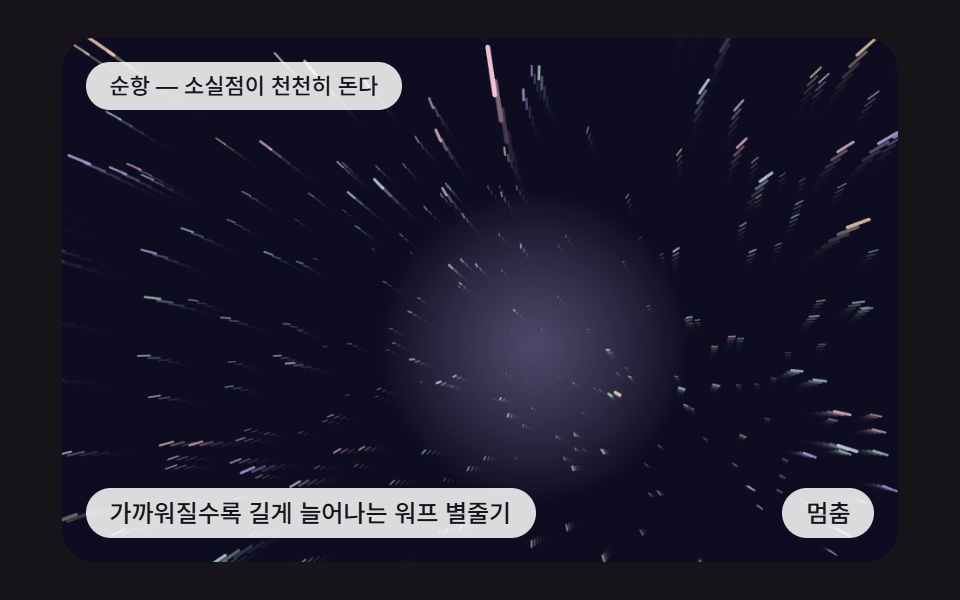 01 sf-perspective-warp-streaks
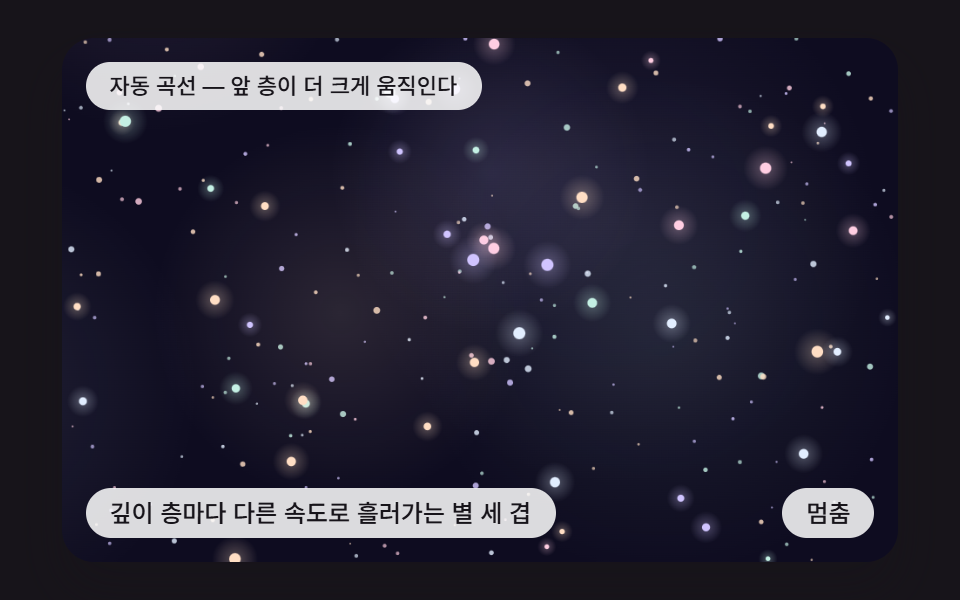 02 sf-parallax-depth-layers
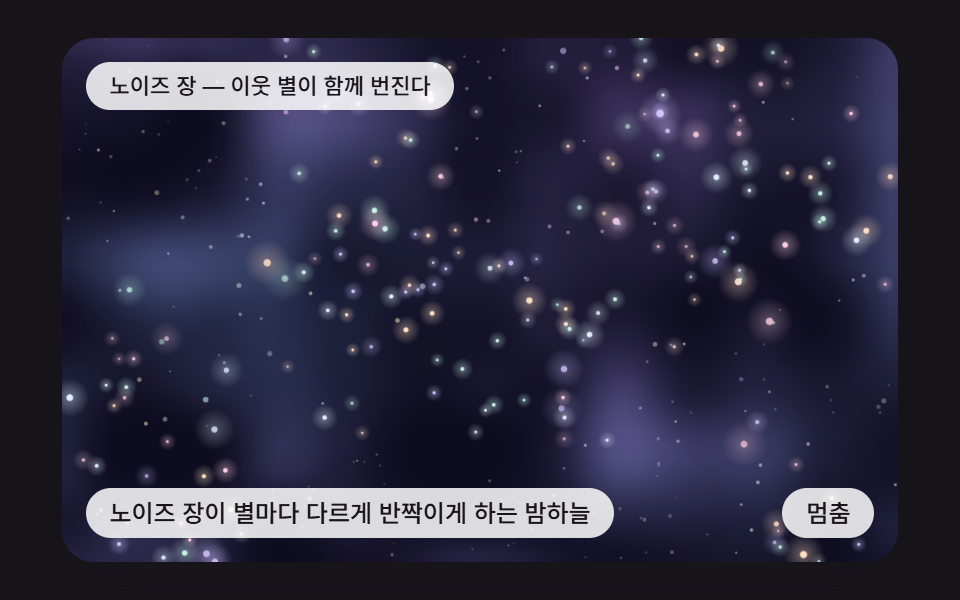 03 sf-noise-twinkle-field
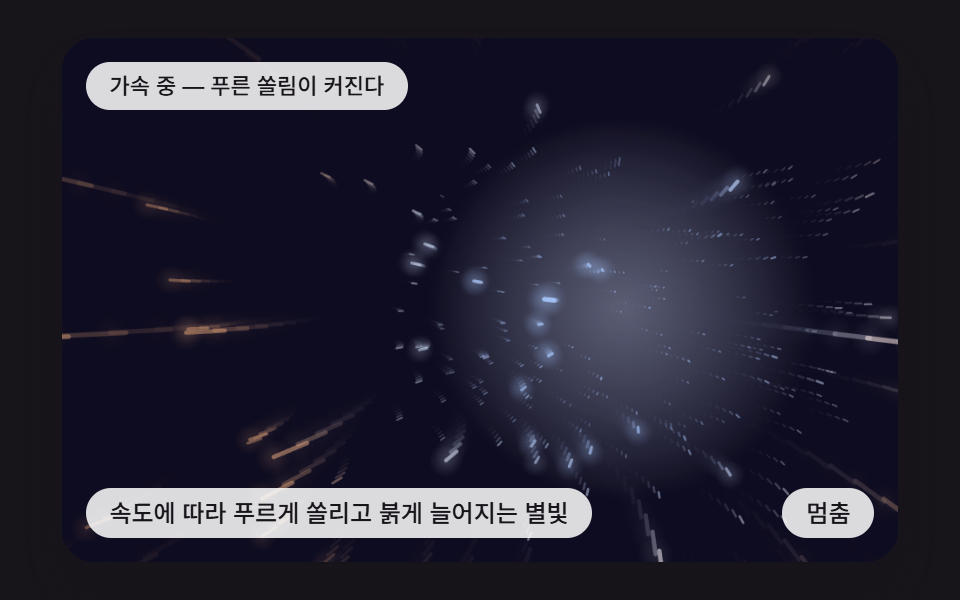 04 sf-depth-color-temperature
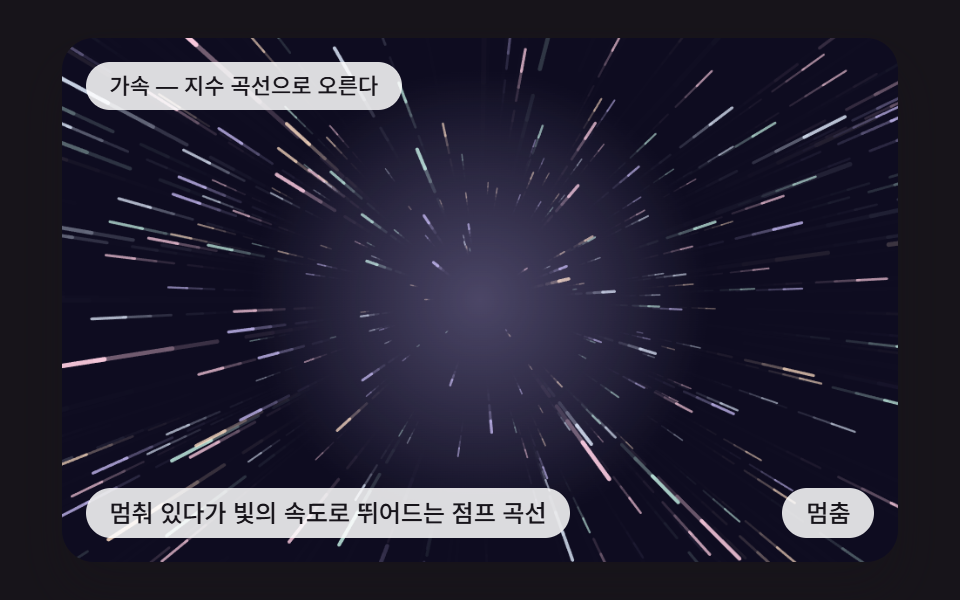 05 sf-hyperspace-jump-ease
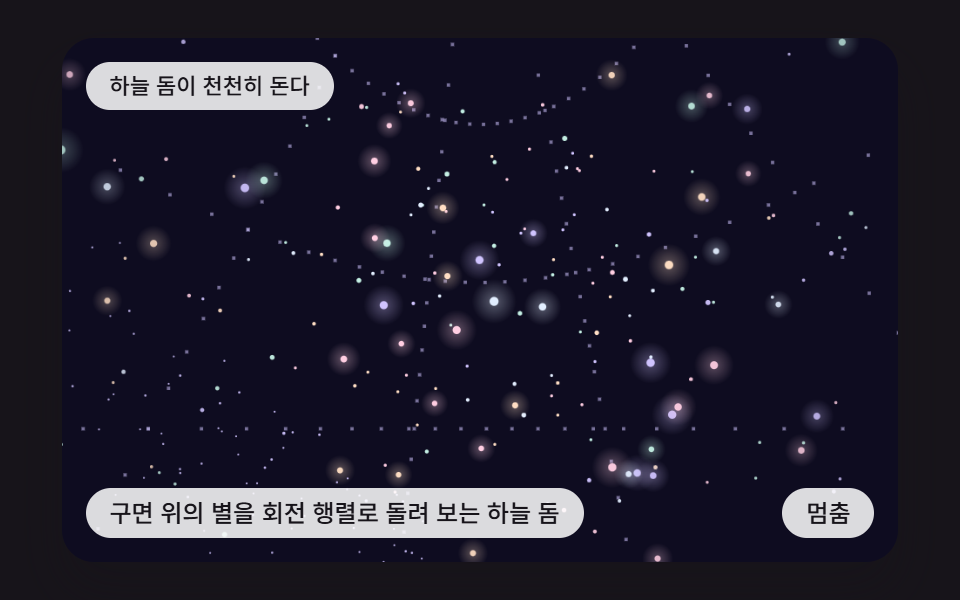 06 sf-rotating-sky-dome
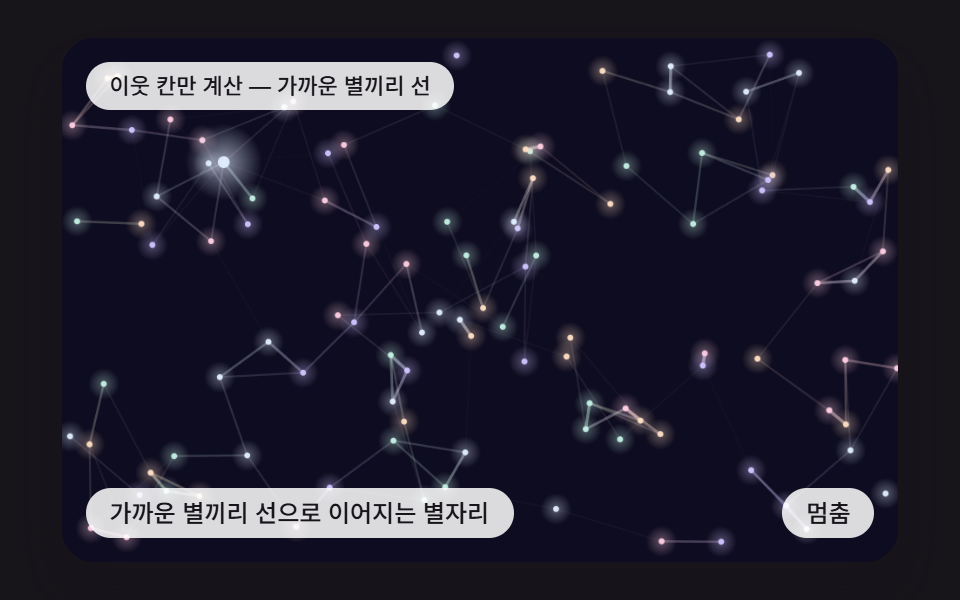 07 sf-constellation-links
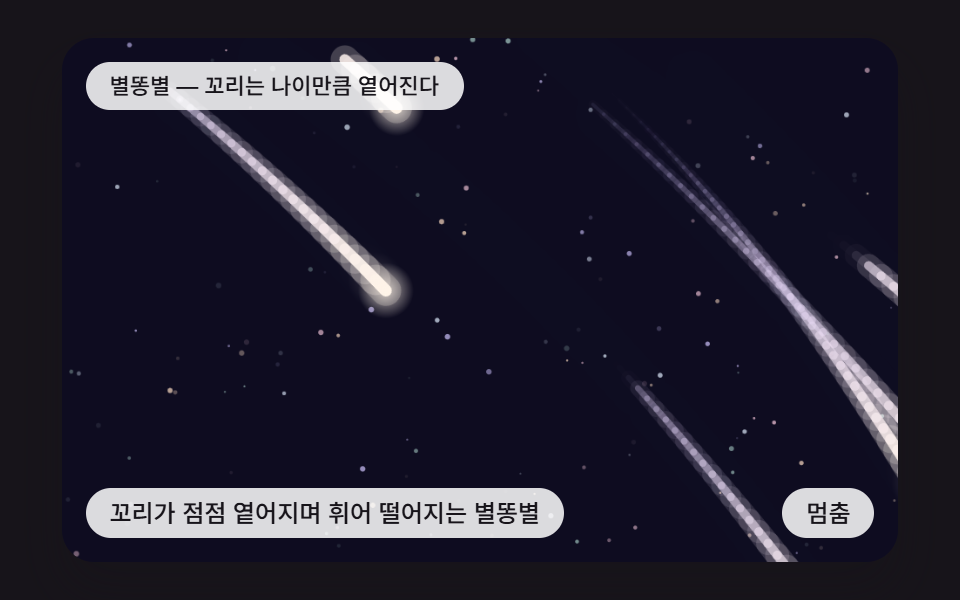 08 sf-shooting-star-trail
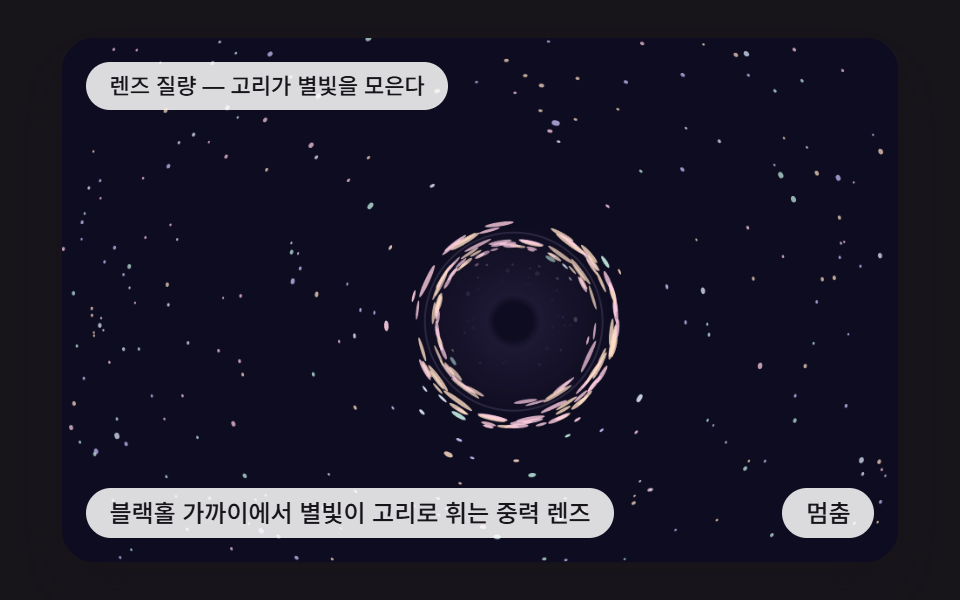 09 sf-gravity-lens-field
Auto-plays · click a tile to jump to its section · all nine in one zip
- 01 Stars That Stretch into Warp Streaks as They Near
- 02 Three Star Layers Drifting at Different Depth Speeds
- 03 A Night Sky Where a Noise Field Twinkles Each Star Differently
- 04 Starlight That Shifts Blue Ahead and Orange Off-Axis with Speed
- 05 A Jump Curve from Standing Still to Light Speed
- 06 A Sky Dome of Stars on a Sphere Turned by a Rotation Matrix
- 07 Constellations Where Nearby Stars Join by Lines
- 08 Shooting Stars Whose Curved Tails Fade as They Fall
- 09 A Gravity Lens That Bends Starlight into a Ring Near a Black Hole
CSS Starfield: 9 Backgrounds Where Depth, Rotation and Refraction Are Computed
One thing first: the nine scenes are not CSS keyframes. Every star is drawn by canvas 2D and JavaScript, while CSS keeps the 480 by 300 frame, the caption and button spots, the focus outline and touch-action: none. Hundreds of stars each need a position divided by their own distance, and that division belongs in code that runs every frame rather than in a keyframe list.
All nine files share one start() body, identical from line 60 to line 197 when hashed. It steps scene.step() in FIXED_DT 16 ms slices, falls back to a scripted curve after IDLE_TICKS 150 (2.4 seconds) without a pointer, and draws random numbers from a seeded lcg instead of Math.random, so a reload seats every star where it was. The seeds run from 450101 in scene 01 to 450909 in scene 09.
| Scene | Input it reads | Core calculation |
|---|---|---|
| 01 Warp streaks | pointer = vanishing point, tap = speed burst | projection divided by depth z |
| 02 Three parallax layers | pointer = parallax direction, tap = flip the flow | shift divided by layer depth |
| 03 Noise night sky | pointer x = noise origin, tap = seed +1 | two layers of value noise |
| 04 Color temperature | pointer = vanishing point, tap = flip the turn | cosine of the view angle |
| 05 Jump | tap = restart the jump | power-of-two speed curve |
| 06 Sky dome | pointer = head turn, tap = rotate 60° | yaw and pitch rotation matrices |
| 07 Constellations | pointer = one star, tap = redraw the speeds | grid-cell neighbor search |
| 08 Shooting stars | tap = fire one from the pointer spot | position history and gravity |
| 09 Gravity lens | pointer = lens center, tap = mass ×1.9 | point-mass lens equation |
Scene 05 never reads pointer movement, and 08 uses the pointer only at the moment of a tap. A grep for Math.random, Date and fetch returns 0 hits in all nine files, and there is no library, CDN or WebGL, so each page needs nothing from outside.
Code for Each Technique Behind a CSS Starfield Background
Every snippet is a run of consecutive lines cut from one scene's index.html, and none is longer than 25 lines. The whole files, start to finish, sit in the archive further down.
01Stars That Stretch into Warp Streaks as They Near
Each star holds an (x, y, z) position and lands on screen at the vanishing point vx, vy plus x·FOV÷z. The streak joins the star's current z to a z farther away by speed·STREAK_LEN, so speed is literally the streak length, and a star below Z_NEAR 24, or 80px past the screen edge, is placed again at Z_FAR 1000. The render logged 57.2% cumulative area and 23/23 moved frames.
<main class="stage">
<div class="sc is-demo" id="scRoot">
  <canvas class="sc__canvas" id="scCanvas" width="480" height="300" tabindex="0" aria-label="Stars That Stretch into Warp Streaks as They Near"></canvas>
  <p class="sc__status" id="scStatus" aria-live="polite">Cruising — the vanishing point slowly circles</p>
  <button class="sc__btn" id="scBtn" type="button">Pause</button>
  <p class="sc__caption">Stars That Stretch into Warp Streaks as They Near</p>
</div>
</main>
@use "../../../../site/static/demo-tokens" as *;
@include stage($stage-ink);
.sc {
position: relative;
width: min(92vw, calc(160vh - 12.8vw));
aspect-ratio: 480 / 300;
margin: 0 auto;
border-radius: $r-card;
overflow: hidden;
box-shadow: $shadow-raised;
background: $subject-ink;
}
.sc__canvas {
display: block;
width: 100%;
height: 100%;
touch-action: none;
}
.sc__canvas:focus-visible {
outline: 2px solid rgba(255, 255, 255, .85);
outline-offset: -6px;
}
.sc__status {
position: absolute;
left: $sp-3;
top: $sp-3;
max-width: 62%;
margin: 0;
padding: $sp-1 $sp-3;
border-radius: $r-pill;
background: rgba(255, 255, 255, .85);
color: $subject-ink;
font-weight: 500;
font-size: 11px;
line-height: 1.4;
pointer-events: none;
}
.sc__btn {
position: absolute;
right: $sp-3;
bottom: $sp-3;
margin: 0;
padding: $sp-1 $sp-3;
border: 0;
border-radius: $r-pill;
background: rgba(255, 255, 255, .85);
color: $subject-ink;
font: inherit;
font-weight: 500;
font-size: 12px;
line-height: 1.4;
cursor: pointer;
}
.sc__btn:focus-visible {
outline: 2px solid #ffffff;
outline-offset: 2px;
}
.sc__caption {
position: absolute;
left: $sp-3;
bottom: $sp-3;
max-width: 68%;
margin: 0;
padding: $sp-1 $sp-3;
border-radius: $r-pill;
background: rgba(255, 255, 255, .85);
color: $subject-ink;
font-weight: 500;
font-size: 12px;
line-height: 1.4;
pointer-events: none;
}
@media (max-width: 340px) {
.sc__caption, .sc__btn { font-size: 10px; padding: $sp-1 $sp-2; }
.sc__status { font-size: 10px; }
}
@media (prefers-reduced-motion: reduce) {
.sc { cursor: default; }
}html, body {
margin: 0;
overflow: hidden;
}
.stage {
box-sizing: border-box;
min-height: 100vh;
display: grid;
place-items: center;
margin: 0;
background: #17141a;
font-family: -apple-system, "Segoe UI", "Noto Sans KR", sans-serif;
padding: clamp(8px, 4vw, 24px);
}
.sc {
position: relative;
width: min(92vw, 160vh - 12.8vw);
aspect-ratio: 480/300;
margin: 0 auto;
border-radius: 16px;
overflow: hidden;
box-shadow: 0 14px 24px rgba(23, 20, 26, 0.32);
background: #17141a;
}
.sc__canvas {
display: block;
width: 100%;
height: 100%;
touch-action: none;
}
.sc__canvas:focus-visible {
outline: 2px solid rgba(255, 255, 255, 0.85);
outline-offset: -6px;
}
.sc__status {
position: absolute;
left: 12px;
top: 12px;
max-width: 62%;
margin: 0;
padding: 4px 12px;
border-radius: 999px;
background: rgba(255, 255, 255, 0.85);
color: #17141a;
font-weight: 500;
font-size: 11px;
line-height: 1.4;
pointer-events: none;
}
.sc__btn {
position: absolute;
right: 12px;
bottom: 12px;
margin: 0;
padding: 4px 12px;
border: 0;
border-radius: 999px;
background: rgba(255, 255, 255, 0.85);
color: #17141a;
font: inherit;
font-weight: 500;
font-size: 12px;
line-height: 1.4;
cursor: pointer;
}
.sc__btn:focus-visible {
outline: 2px solid #ffffff;
outline-offset: 2px;
}
.sc__caption {
position: absolute;
left: 12px;
bottom: 12px;
max-width: 68%;
margin: 0;
padding: 4px 12px;
border-radius: 999px;
background: rgba(255, 255, 255, 0.85);
color: #17141a;
font-weight: 500;
font-size: 12px;
line-height: 1.4;
pointer-events: none;
}
@media (max-width: 340px) {
.sc__caption, .sc__btn {
font-size: 10px;
padding: 4px 8px;
}
.sc__status {
font-size: 10px;
}
}
@media (prefers-reduced-motion: reduce) {
.sc {
cursor: default;
}
}(function () {
const W = 480;
const H = 300;
const PI2 = Math.PI * 2;
const FIXED_DT = 16;
const REDUCE_STEP_MS = 900;
const KEY_STEP = 14;
const IDLE_TICKS = 150;
const BTN_PAUSE = 'Pause';
const BTN_PLAY = 'Play';
const BTN_NEXT = 'Next scene';
const BG = [14, 12, 32];
const STAR_RGBS = [[226, 238, 255], [255, 222, 196], [208, 196, 255], [196, 240, 228], [255, 206, 226]];
function clamp(v, lo, hi) { return v < lo ? lo : (v > hi ? hi : v); }
function lerp(a, b, k) { return a + (b - a) * k; }
function smooth(x) { const c = clamp(x, 0, 1); return c * c * (3 - 2 * c); }
function rgba(c, a) {
return 'rgba(' + Math.round(c[0]) + ',' + Math.round(c[1]) + ',' + Math.round(c[2]) + ',' + clamp(a, 0, 1).toFixed(3) + ')';
}
function mix(a, b, k) {
return [lerp(a[0], b[0], k), lerp(a[1], b[1], k), lerp(a[2], b[2], k)];
}
// 시드 고정 난수 — 같은 시드면 언제나 같은 수열 (선형 합동 방식)
function lcg(seed) {
let s = seed >>> 0;
return function () {
s = (Math.imul(s, 1664525) + 1013904223) >>> 0;
return s / 4294967296;
};
}
function glow(ctx, x, y, r, c, a) {
const g = ctx.createRadialGradient(x, y, 0, x, y, r);
g.addColorStop(0, rgba(c, a));
g.addColorStop(1, rgba(c, 0));
ctx.fillStyle = g;
ctx.fillRect(x - r, y - r, r * 2, r * 2);
}
function paintBg(ctx, alpha) {
ctx.fillStyle = rgba(BG, alpha);
ctx.fillRect(0, 0, W, H);
}
function start(root, canvas, statusEl, btnEl, make) {
const ctx0 = canvas.getContext('2d');
if (!ctx0) {
return function () { return; };
}
const ctx = ctx0;
const dpr = Math.min(window.devicePixelRatio || 1, 2);
canvas.width = Math.round(W * dpr);
canvas.height = Math.round(H * dpr);
ctx.setTransform(dpr, 0, 0, dpr, 0, 0);
const reduce = window.matchMedia('(prefers-reduced-motion: reduce)').matches;
const inp = { x: W / 2, y: H / 2, idle: 99999 };
const scene = make(inp, reduce);
let paused = false;
let rafId = 0;
let lastTs = -1;
let accMs = 0;
let lastLabel = '';
const cleaners = [];
function listen(target, type, fn) {
target.addEventListener(type, fn);
cleaners.push(function () { target.removeEventListener(type, fn); });
}
function show() {
scene.draw(ctx);
const t = scene.label();
if (t !== lastLabel) {
lastLabel = t;
statusEl.textContent = t;
}
}
function advance(ms) {
const n = Math.round(ms / FIXED_DT);
for (let i = 0; i < n; i += 1) {
inp.idle += 1;
scene.step();
}
}
function refresh() {
if (reduce) {
advance(FIXED_DT * 6);
show();
}
}
function toLocal(e) {
const r = canvas.getBoundingClientRect();
inp.x = clamp((e.clientX - r.left) * W / r.width, 0, W);
inp.y = clamp((e.clientY - r.top) * H / r.height, 0, H);
inp.idle = 0;
}
function tick(ts) {
if (lastTs < 0) {
lastTs = ts;
}
const frameDt = Math.min(ts - lastTs, 160);
lastTs = ts;
if (!paused) {
accMs += frameDt;
while (accMs >= FIXED_DT) {
inp.idle += 1;
scene.step();
accMs -= FIXED_DT;
}
show();
}
rafId = requestAnimationFrame(tick);
}
btnEl.textContent = reduce ? BTN_NEXT : BTN_PAUSE;
if (reduce) {
root.classList.remove('is-demo');
advance(1400);
show();
}
listen(btnEl, 'click', function () {
if (reduce) {
advance(REDUCE_STEP_MS);
show();
return;
}
paused = !paused;
if (paused) {
root.classList.remove('is-demo');
}
else {
root.classList.add('is-demo');
}
btnEl.textContent = paused ? BTN_PLAY : BTN_PAUSE;
});
listen(canvas, 'pointermove', function (e) {
toLocal(e);
refresh();
});
listen(canvas, 'pointerdown', function (e) {
toLocal(e);
scene.tap();
refresh();
});
listen(canvas, 'keydown', function (e) {
const k = e.key;
let dx = 0;
let dy = 0;
if (k === 'Enter' || k === ' ') {
e.preventDefault();
scene.tap();
refresh();
return;
}
if (k === 'ArrowLeft') {
dx = -KEY_STEP;
}
else if (k === 'ArrowRight') {
dx = KEY_STEP;
}
else if (k === 'ArrowUp') {
dy = -KEY_STEP;
}
else if (k === 'ArrowDown') {
dy = KEY_STEP;
}
else {
return;
}
e.preventDefault();
inp.x = clamp(inp.x + dx, 0, W);
inp.y = clamp(inp.y + dy, 0, H);
inp.idle = 0;
refresh();
});
if (!reduce) {
rafId = requestAnimationFrame(tick);
}
return function () {
cancelAnimationFrame(rafId);
for (let i = 0; i < cleaners.length; i += 1) {
cleaners[i]();
}
};
}
const FOV = 190;
const SPEED = 12;
const STREAK_LEN = 1.6;
const STAR_COUNT = 280;
const Z_FAR = 1000;
const Z_NEAR = 24;
const SPREAD = 760;
const BURST_TICKS = 70;
const BURST_GAIN = 2.4;
const AUTO_PERIOD = 380;
const TXT_CRUISE = 'Cruising — the vanishing point slowly circles';
const TXT_FOLLOW = 'The vanishing point follows the pointer';
const TXT_BURST = 'Speed burst — the streaks lengthen';
function makeScene(inp, reduce) {
const rnd = lcg(450101);
const stars = [];
let vx = W / 2;
let vy = H / 2;
let t = 0;
let burst = 0;
let speed = SPEED;
let primed = false;
// 별 하나를 새로 놓는다. far 면 가장 먼 곳에서 시작한다
function place(s, far) {
s.x = (rnd() * 2 - 1) * SPREAD;
s.y = (rnd() * 2 - 1) * SPREAD * 0.65;
s.z = far ? Z_FAR : Z_NEAR + rnd() * (Z_FAR - Z_NEAR);
}
for (let i = 0; i < STAR_COUNT; i += 1) {
const s = { x: 0, y: 0, z: 0, c: STAR_RGBS[i % STAR_RGBS.length] };
place(s, false);
stars.push(s);
}
const scene = {
step() {
t += 1;
let tx = W / 2 + Math.cos(t * PI2 / AUTO_PERIOD) * 110;
let ty = H / 2 + Math.sin(t * PI2 * 2 / AUTO_PERIOD) * 56;
if (inp.idle < IDLE_TICKS) {
tx = inp.x;
ty = inp.y;
}
vx = lerp(vx, tx, 0.06);
vy = lerp(vy, ty, 0.06);
if (burst > 0) {
burst -= 1;
}
speed = SPEED * (1 + (BURST_GAIN - 1) * smooth(burst / BURST_TICKS));
                for (let i = 0; i < stars.length; i += 1) {
                    const s = stars[i];
                    s.z -= speed;
                    const sx = vx + s.x * FOV / s.z;
                    const sy = vy + s.y * FOV / s.z;
                    if (s.z < Z_NEAR || sx < -80 || sx > W + 80 || sy < -80 || sy > H + 80) {
                        place(s, true);
                    }
                }
},
draw(ctx) {
paintBg(ctx, primed ? 0.5 : 1);
primed = true;
glow(ctx, vx, vy, 90, [208, 196, 255], 0.2);
ctx.lineCap = 'round';
                for (let i = 0; i < stars.length; i += 1) {
                    const s = stars[i];
                    const k = 1 - s.z / Z_FAR;
                    const zb = Math.min(s.z + speed * STREAK_LEN, Z_FAR * 1.3);
                    ctx.strokeStyle = rgba(s.c, 0.25 + 0.75 * k);
                    ctx.lineWidth = 0.6 + 2.6 * k * k;
                    ctx.beginPath();
                    ctx.moveTo(vx + s.x * FOV / zb, vy + s.y * FOV / zb);
                    ctx.lineTo(vx + s.x * FOV / s.z, vy + s.y * FOV / s.z);
                    ctx.stroke();
                }
},
label() {
if (burst > 0) {
return TXT_BURST;
}
return inp.idle < IDLE_TICKS ? TXT_FOLLOW : TXT_CRUISE;
},
tap() {
burst = BURST_TICKS;
}
};
if (reduce) {
for (let i = 0; i < 12; i += 1) {
scene.step();
}
}
return scene;
}
start(document.getElementById('scRoot'), document.getElementById('scCanvas'), document.getElementById('scStatus'), document.getElementById('scBtn'), makeScene);
})();import { useEffect, useRef } from "react";
import styles from "./SfPerspectiveWarpStreaks.module.scss";
const W = 480;
const H = 300;
const PI2 = Math.PI * 2;
const FIXED_DT = 16;
const REDUCE_STEP_MS = 900;
const KEY_STEP = 14;
const IDLE_TICKS = 150;
const BTN_PAUSE = '멈춤';
const BTN_PLAY = '재생';
const BTN_NEXT = '다음 장면';
type RGB = [number, number, number];
interface Input { x: number; y: number; idle: number; }
interface Scene {
step(): void;
draw(ctx: CanvasRenderingContext2D): void;
label(): string;
tap(): void;
}
type Maker = (inp: Input, reduce: boolean) => Scene;
const BG: RGB = [14, 12, 32];
const STAR_RGBS: RGB[] = [[226, 238, 255], [255, 222, 196], [208, 196, 255], [196, 240, 228], [255, 206, 226]];
function clamp(v: number, lo: number, hi: number): number { return v < lo ? lo : (v > hi ? hi : v); }
function lerp(a: number, b: number, k: number): number { return a + (b - a) * k; }
function smooth(x: number): number { const c = clamp(x, 0, 1); return c * c * (3 - 2 * c); }
function rgba(c: RGB, a: number): string {
return 'rgba(' + Math.round(c[0]) + ',' + Math.round(c[1]) + ',' + Math.round(c[2]) + ',' + clamp(a, 0, 1).toFixed(3) + ')';
}
function mix(a: RGB, b: RGB, k: number): RGB {
return [lerp(a[0], b[0], k), lerp(a[1], b[1], k), lerp(a[2], b[2], k)];
}
// 시드 고정 난수 — 같은 시드면 언제나 같은 수열 (선형 합동 방식)
function lcg(seed: number): () => number {
let s = seed >>> 0;
return function (): number {
s = (Math.imul(s, 1664525) + 1013904223) >>> 0;
return s / 4294967296;
};
}
function glow(ctx: CanvasRenderingContext2D, x: number, y: number, r: number, c: RGB, a: number): void {
const g = ctx.createRadialGradient(x, y, 0, x, y, r);
g.addColorStop(0, rgba(c, a));
g.addColorStop(1, rgba(c, 0));
ctx.fillStyle = g;
ctx.fillRect(x - r, y - r, r * 2, r * 2);
}
function paintBg(ctx: CanvasRenderingContext2D, alpha: number): void {
ctx.fillStyle = rgba(BG, alpha);
ctx.fillRect(0, 0, W, H);
}
function start(root: HTMLElement, canvas: HTMLCanvasElement, statusEl: HTMLElement, btnEl: HTMLButtonElement, make: Maker): () => void {
const ctx0 = canvas.getContext('2d');
if (!ctx0) {
return function (): void { return; };
}
const ctx: CanvasRenderingContext2D = ctx0;
const dpr = Math.min(window.devicePixelRatio || 1, 2);
canvas.width = Math.round(W * dpr);
canvas.height = Math.round(H * dpr);
ctx.setTransform(dpr, 0, 0, dpr, 0, 0);
const reduce = window.matchMedia('(prefers-reduced-motion: reduce)').matches;
const inp: Input = { x: W / 2, y: H / 2, idle: 99999 };
const scene = make(inp, reduce);
let paused = false;
let rafId = 0;
let lastTs = -1;
let accMs = 0;
let lastLabel = '';
const cleaners: Array<() => void> = [];
function listen(target: EventTarget, type: string, fn: (e: Event) => void): void {
target.addEventListener(type, fn);
cleaners.push(function (): void { target.removeEventListener(type, fn); });
}
function show(): void {
scene.draw(ctx);
const t = scene.label();
if (t !== lastLabel) {
lastLabel = t;
statusEl.textContent = t;
}
}
function advance(ms: number): void {
const n = Math.round(ms / FIXED_DT);
for (let i = 0; i < n; i += 1) {
inp.idle += 1;
scene.step();
}
}
function refresh(): void {
if (reduce) {
advance(FIXED_DT * 6);
show();
}
}
function toLocal(e: PointerEvent): void {
const r = canvas.getBoundingClientRect();
inp.x = clamp((e.clientX - r.left) * W / r.width, 0, W);
inp.y = clamp((e.clientY - r.top) * H / r.height, 0, H);
inp.idle = 0;
}
function tick(ts: number): void {
if (lastTs < 0) {
lastTs = ts;
}
const frameDt = Math.min(ts - lastTs, 160);
lastTs = ts;
if (!paused) {
accMs += frameDt;
while (accMs >= FIXED_DT) {
inp.idle += 1;
scene.step();
accMs -= FIXED_DT;
}
show();
}
rafId = requestAnimationFrame(tick);
}
btnEl.textContent = reduce ? BTN_NEXT : BTN_PAUSE;
if (reduce) {
root.classList.remove('is-demo');
advance(1400);
show();
}
listen(btnEl, 'click', function (): void {
if (reduce) {
advance(REDUCE_STEP_MS);
show();
return;
}
paused = !paused;
if (paused) {
root.classList.remove('is-demo');
} else {
root.classList.add('is-demo');
}
btnEl.textContent = paused ? BTN_PLAY : BTN_PAUSE;
});
listen(canvas, 'pointermove', function (e: Event): void {
toLocal(e as PointerEvent);
refresh();
});
listen(canvas, 'pointerdown', function (e: Event): void {
toLocal(e as PointerEvent);
scene.tap();
refresh();
});
listen(canvas, 'keydown', function (e: Event): void {
const k = (e as KeyboardEvent).key;
let dx = 0;
let dy = 0;
if (k === 'Enter' || k === ' ') {
e.preventDefault();
scene.tap();
refresh();
return;
}
if (k === 'ArrowLeft') { dx = -KEY_STEP; }
else if (k === 'ArrowRight') { dx = KEY_STEP; }
else if (k === 'ArrowUp') { dy = -KEY_STEP; }
else if (k === 'ArrowDown') { dy = KEY_STEP; }
else { return; }
e.preventDefault();
inp.x = clamp(inp.x + dx, 0, W);
inp.y = clamp(inp.y + dy, 0, H);
inp.idle = 0;
refresh();
});
if (!reduce) {
rafId = requestAnimationFrame(tick);
}
return function (): void {
cancelAnimationFrame(rafId);
for (let i = 0; i < cleaners.length; i += 1) {
cleaners[i]();
}
};
}
const FOV = 190;
const SPEED = 12;
const STREAK_LEN = 1.6;
const STAR_COUNT = 280;
const Z_FAR = 1000;
const Z_NEAR = 24;
const SPREAD = 760;
const BURST_TICKS = 70;
const BURST_GAIN = 2.4;
const AUTO_PERIOD = 380;
const TXT_CRUISE = '순항 — 소실점이 천천히 돈다';
const TXT_FOLLOW = '소실점이 포인터를 따라간다';
const TXT_BURST = '속도 폭발 — 줄기가 길어진다';
interface Star { x: number; y: number; z: number; c: RGB; }
function makeScene(inp: Input, reduce: boolean): Scene {
const rnd = lcg(450101);
const stars: Star[] = [];
let vx = W / 2;
let vy = H / 2;
let t = 0;
let burst = 0;
let speed = SPEED;
let primed = false;
// 별 하나를 새로 놓는다. far 면 가장 먼 곳에서 시작한다
function place(s: Star, far: boolean): void {
s.x = (rnd() * 2 - 1) * SPREAD;
s.y = (rnd() * 2 - 1) * SPREAD * 0.65;
s.z = far ? Z_FAR : Z_NEAR + rnd() * (Z_FAR - Z_NEAR);
}
for (let i = 0; i < STAR_COUNT; i += 1) {
const s: Star = { x: 0, y: 0, z: 0, c: STAR_RGBS[i % STAR_RGBS.length] };
place(s, false);
stars.push(s);
}
const scene: Scene = {
step(): void {
t += 1;
let tx = W / 2 + Math.cos(t * PI2 / AUTO_PERIOD) * 110;
let ty = H / 2 + Math.sin(t * PI2 * 2 / AUTO_PERIOD) * 56;
if (inp.idle < IDLE_TICKS) {
tx = inp.x;
ty = inp.y;
}
vx = lerp(vx, tx, 0.06);
vy = lerp(vy, ty, 0.06);
if (burst > 0) {
burst -= 1;
}
speed = SPEED * (1 + (BURST_GAIN - 1) * smooth(burst / BURST_TICKS));
for (let i = 0; i < stars.length; i += 1) {
const s = stars[i];
s.z -= speed;
const sx = vx + s.x * FOV / s.z;
const sy = vy + s.y * FOV / s.z;
if (s.z < Z_NEAR || sx < -80 || sx > W + 80 || sy < -80 || sy > H + 80) {
place(s, true);
}
}
},
draw(ctx: CanvasRenderingContext2D): void {
paintBg(ctx, primed ? 0.5 : 1);
primed = true;
glow(ctx, vx, vy, 90, [208, 196, 255], 0.2);
ctx.lineCap = 'round';
for (let i = 0; i < stars.length; i += 1) {
const s = stars[i];
const k = 1 - s.z / Z_FAR;
const zb = Math.min(s.z + speed * STREAK_LEN, Z_FAR * 1.3);
ctx.strokeStyle = rgba(s.c, 0.25 + 0.75 * k);
ctx.lineWidth = 0.6 + 2.6 * k * k;
ctx.beginPath();
ctx.moveTo(vx + s.x * FOV / zb, vy + s.y * FOV / zb);
ctx.lineTo(vx + s.x * FOV / s.z, vy + s.y * FOV / s.z);
ctx.stroke();
}
},
label(): string {
if (burst > 0) { return TXT_BURST; }
return inp.idle < IDLE_TICKS ? TXT_FOLLOW : TXT_CRUISE;
},
tap(): void {
burst = BURST_TICKS;
}
};
if (reduce) {
for (let i = 0; i < 12; i += 1) {
scene.step();
}
}
return scene;
}
export default function SfPerspectiveWarpStreaks() {
const rootRef = useRef<HTMLDivElement | null>(null);
const canvasRef = useRef<HTMLCanvasElement | null>(null);
const statusRef = useRef<HTMLParagraphElement | null>(null);
const btnRef = useRef<HTMLButtonElement | null>(null);
useEffect(() => {
const root = rootRef.current;
const canvas = canvasRef.current;
const statusEl = statusRef.current;
const btnEl = btnRef.current;
if (!root || !canvas || !statusEl || !btnEl) return;
return start(root, canvas, statusEl, btnEl, makeScene);
}, []);
return (
<main className={styles.stage}>
<div className={`${styles.sc} is-demo`} ref={rootRef}>
<canvas className={styles.sc__canvas} ref={canvasRef} width={480} height={300} tabIndex={0} aria-label="가까워질수록 길게 늘어나는 워프 별줄기" />
<p className={styles.sc__status} ref={statusRef} aria-live="polite">순항 — 소실점이 천천히 돈다</p>
<button className={styles.sc__btn} ref={btnRef} type="button">멈춤</button>
<p className={styles.sc__caption}>가까워질수록 길게 늘어나는 워프 별줄기</p>
</div>
</main>
);
}01 · Stars That Stretch into Warp Streaks as They Near — Measured area 57.23% · moving frames 23/23Original by GODRICH · SCSS and React ship in the zip · See the password
for (let i = 0; i < stars.length; i += 1) {
const s = stars[i];
s.z -= speed;
const sx = vx + s.x * FOV / s.z;
const sy = vy + s.y * FOV / s.z;
if (s.z < Z_NEAR || sx < -80 || sx > W + 80 || sy < -80 || sy > H + 80) {
place(s, true);
}
}
for (let i = 0; i < stars.length; i += 1) {
const s = stars[i];
const k = 1 - s.z / Z_FAR;
const zb = Math.min(s.z + speed * STREAK_LEN, Z_FAR * 1.3);
ctx.strokeStyle = rgba(s.c, 0.25 + 0.75 * k);
ctx.lineWidth = 0.6 + 2.6 * k * k;
ctx.beginPath();
ctx.moveTo(vx + s.x * FOV / zb, vy + s.y * FOV / zb);
ctx.lineTo(vx + s.x * FOV / s.z, vy + s.y * FOV / s.z);
ctx.stroke();
}
02Three Star Layers Drifting at Different Depth Speeds
A layer moves by px·PARALLAX÷depth + drift÷depth, and with depths 4, 2 and 1, a pointer pushed to the end shifts the front layer 70px and the farthest 17.5px. Radius falls as DEPTH_SCALE÷depth^0.8 and brightness as 0.35 + 0.65÷√depth, so far layers are smaller and dimmer and only depth 1 gets a halo. The render logged 52.6% cumulative area and 23/23 moved frames.
<main class="stage">
<div class="sc is-demo" id="scRoot">
  <canvas class="sc__canvas" id="scCanvas" width="480" height="300" tabindex="0" aria-label="Three Star Layers Drifting at Different Depth Speeds"></canvas>
  <p class="sc__status" id="scStatus" aria-live="polite">Automatic curve — the front layer moves further</p>
  <button class="sc__btn" id="scBtn" type="button">Pause</button>
  <p class="sc__caption">Three Star Layers Drifting at Different Depth Speeds</p>
</div>
</main>
@use "../../../../site/static/demo-tokens" as *;
@include stage($stage-ink);
.sc {
position: relative;
width: min(92vw, calc(160vh - 12.8vw));
aspect-ratio: 480 / 300;
margin: 0 auto;
border-radius: $r-card;
overflow: hidden;
box-shadow: $shadow-raised;
background: $subject-ink;
}
.sc__canvas {
display: block;
width: 100%;
height: 100%;
touch-action: none;
}
.sc__canvas:focus-visible {
outline: 2px solid rgba(255, 255, 255, .85);
outline-offset: -6px;
}
.sc__status {
position: absolute;
left: $sp-3;
top: $sp-3;
max-width: 62%;
margin: 0;
padding: $sp-1 $sp-3;
border-radius: $r-pill;
background: rgba(255, 255, 255, .85);
color: $subject-ink;
font-weight: 500;
font-size: 11px;
line-height: 1.4;
pointer-events: none;
}
.sc__btn {
position: absolute;
right: $sp-3;
bottom: $sp-3;
margin: 0;
padding: $sp-1 $sp-3;
border: 0;
border-radius: $r-pill;
background: rgba(255, 255, 255, .85);
color: $subject-ink;
font: inherit;
font-weight: 500;
font-size: 12px;
line-height: 1.4;
cursor: pointer;
}
.sc__btn:focus-visible {
outline: 2px solid #ffffff;
outline-offset: 2px;
}
.sc__caption {
position: absolute;
left: $sp-3;
bottom: $sp-3;
max-width: 68%;
margin: 0;
padding: $sp-1 $sp-3;
border-radius: $r-pill;
background: rgba(255, 255, 255, .85);
color: $subject-ink;
font-weight: 500;
font-size: 12px;
line-height: 1.4;
pointer-events: none;
}
@media (max-width: 340px) {
.sc__caption, .sc__btn { font-size: 10px; padding: $sp-1 $sp-2; }
.sc__status { font-size: 10px; }
}
@media (prefers-reduced-motion: reduce) {
.sc { cursor: default; }
}html, body {
margin: 0;
overflow: hidden;
}
.stage {
box-sizing: border-box;
min-height: 100vh;
display: grid;
place-items: center;
margin: 0;
background: #17141a;
font-family: -apple-system, "Segoe UI", "Noto Sans KR", sans-serif;
padding: clamp(8px, 4vw, 24px);
}
.sc {
position: relative;
width: min(92vw, 160vh - 12.8vw);
aspect-ratio: 480/300;
margin: 0 auto;
border-radius: 16px;
overflow: hidden;
box-shadow: 0 14px 24px rgba(23, 20, 26, 0.32);
background: #17141a;
}
.sc__canvas {
display: block;
width: 100%;
height: 100%;
touch-action: none;
}
.sc__canvas:focus-visible {
outline: 2px solid rgba(255, 255, 255, 0.85);
outline-offset: -6px;
}
.sc__status {
position: absolute;
left: 12px;
top: 12px;
max-width: 62%;
margin: 0;
padding: 4px 12px;
border-radius: 999px;
background: rgba(255, 255, 255, 0.85);
color: #17141a;
font-weight: 500;
font-size: 11px;
line-height: 1.4;
pointer-events: none;
}
.sc__btn {
position: absolute;
right: 12px;
bottom: 12px;
margin: 0;
padding: 4px 12px;
border: 0;
border-radius: 999px;
background: rgba(255, 255, 255, 0.85);
color: #17141a;
font: inherit;
font-weight: 500;
font-size: 12px;
line-height: 1.4;
cursor: pointer;
}
.sc__btn:focus-visible {
outline: 2px solid #ffffff;
outline-offset: 2px;
}
.sc__caption {
position: absolute;
left: 12px;
bottom: 12px;
max-width: 68%;
margin: 0;
padding: 4px 12px;
border-radius: 999px;
background: rgba(255, 255, 255, 0.85);
color: #17141a;
font-weight: 500;
font-size: 12px;
line-height: 1.4;
pointer-events: none;
}
@media (max-width: 340px) {
.sc__caption, .sc__btn {
font-size: 10px;
padding: 4px 8px;
}
.sc__status {
font-size: 10px;
}
}
@media (prefers-reduced-motion: reduce) {
.sc {
cursor: default;
}
}(function () {
const W = 480;
const H = 300;
const PI2 = Math.PI * 2;
const FIXED_DT = 16;
const REDUCE_STEP_MS = 900;
const KEY_STEP = 14;
const IDLE_TICKS = 150;
const BTN_PAUSE = 'Pause';
const BTN_PLAY = 'Play';
const BTN_NEXT = 'Next scene';
const BG = [14, 12, 32];
const STAR_RGBS = [[226, 238, 255], [255, 222, 196], [208, 196, 255], [196, 240, 228], [255, 206, 226]];
function clamp(v, lo, hi) { return v < lo ? lo : (v > hi ? hi : v); }
function lerp(a, b, k) { return a + (b - a) * k; }
function smooth(x) { const c = clamp(x, 0, 1); return c * c * (3 - 2 * c); }
function rgba(c, a) {
return 'rgba(' + Math.round(c[0]) + ',' + Math.round(c[1]) + ',' + Math.round(c[2]) + ',' + clamp(a, 0, 1).toFixed(3) + ')';
}
function mix(a, b, k) {
return [lerp(a[0], b[0], k), lerp(a[1], b[1], k), lerp(a[2], b[2], k)];
}
// 시드 고정 난수 — 같은 시드면 언제나 같은 수열 (선형 합동 방식)
function lcg(seed) {
let s = seed >>> 0;
return function () {
s = (Math.imul(s, 1664525) + 1013904223) >>> 0;
return s / 4294967296;
};
}
function glow(ctx, x, y, r, c, a) {
const g = ctx.createRadialGradient(x, y, 0, x, y, r);
g.addColorStop(0, rgba(c, a));
g.addColorStop(1, rgba(c, 0));
ctx.fillStyle = g;
ctx.fillRect(x - r, y - r, r * 2, r * 2);
}
function paintBg(ctx, alpha) {
ctx.fillStyle = rgba(BG, alpha);
ctx.fillRect(0, 0, W, H);
}
function start(root, canvas, statusEl, btnEl, make) {
const ctx0 = canvas.getContext('2d');
if (!ctx0) {
return function () { return; };
}
const ctx = ctx0;
const dpr = Math.min(window.devicePixelRatio || 1, 2);
canvas.width = Math.round(W * dpr);
canvas.height = Math.round(H * dpr);
ctx.setTransform(dpr, 0, 0, dpr, 0, 0);
const reduce = window.matchMedia('(prefers-reduced-motion: reduce)').matches;
const inp = { x: W / 2, y: H / 2, idle: 99999 };
const scene = make(inp, reduce);
let paused = false;
let rafId = 0;
let lastTs = -1;
let accMs = 0;
let lastLabel = '';
const cleaners = [];
function listen(target, type, fn) {
target.addEventListener(type, fn);
cleaners.push(function () { target.removeEventListener(type, fn); });
}
function show() {
scene.draw(ctx);
const t = scene.label();
if (t !== lastLabel) {
lastLabel = t;
statusEl.textContent = t;
}
}
function advance(ms) {
const n = Math.round(ms / FIXED_DT);
for (let i = 0; i < n; i += 1) {
inp.idle += 1;
scene.step();
}
}
function refresh() {
if (reduce) {
advance(FIXED_DT * 6);
show();
}
}
function toLocal(e) {
const r = canvas.getBoundingClientRect();
inp.x = clamp((e.clientX - r.left) * W / r.width, 0, W);
inp.y = clamp((e.clientY - r.top) * H / r.height, 0, H);
inp.idle = 0;
}
function tick(ts) {
if (lastTs < 0) {
lastTs = ts;
}
const frameDt = Math.min(ts - lastTs, 160);
lastTs = ts;
if (!paused) {
accMs += frameDt;
while (accMs >= FIXED_DT) {
inp.idle += 1;
scene.step();
accMs -= FIXED_DT;
}
show();
}
rafId = requestAnimationFrame(tick);
}
btnEl.textContent = reduce ? BTN_NEXT : BTN_PAUSE;
if (reduce) {
root.classList.remove('is-demo');
advance(1400);
show();
}
listen(btnEl, 'click', function () {
if (reduce) {
advance(REDUCE_STEP_MS);
show();
return;
}
paused = !paused;
if (paused) {
root.classList.remove('is-demo');
}
else {
root.classList.add('is-demo');
}
btnEl.textContent = paused ? BTN_PLAY : BTN_PAUSE;
});
listen(canvas, 'pointermove', function (e) {
toLocal(e);
refresh();
});
listen(canvas, 'pointerdown', function (e) {
toLocal(e);
scene.tap();
refresh();
});
listen(canvas, 'keydown', function (e) {
const k = e.key;
let dx = 0;
let dy = 0;
if (k === 'Enter' || k === ' ') {
e.preventDefault();
scene.tap();
refresh();
return;
}
if (k === 'ArrowLeft') {
dx = -KEY_STEP;
}
else if (k === 'ArrowRight') {
dx = KEY_STEP;
}
else if (k === 'ArrowUp') {
dy = -KEY_STEP;
}
else if (k === 'ArrowDown') {
dy = KEY_STEP;
}
else {
return;
}
e.preventDefault();
inp.x = clamp(inp.x + dx, 0, W);
inp.y = clamp(inp.y + dy, 0, H);
inp.idle = 0;
refresh();
});
if (!reduce) {
rafId = requestAnimationFrame(tick);
}
return function () {
cancelAnimationFrame(rafId);
for (let i = 0; i < cleaners.length; i += 1) {
cleaners[i]();
}
};
}
const LAYER_COUNT = 3;
const PARALLAX = 70;
const DRIFT = 0.9;
const DEPTH_SCALE = 2.4;
const LAYER_STARS = [110, 80, 50];
const LAYER_DEPTH = [4, 2, 1];
const TXT_AUTO = 'Automatic curve — the front layer moves further';
const TXT_POINTER = 'The three layers slide apart with the pointer';
function makeScene(inp, reduce) {
const rnd = lcg(450202);
const layers = [];
const mists = [];
for (let li = 0; li < LAYER_COUNT; li += 1) {
const d = LAYER_DEPTH[li];
const dots = [];
for (let i = 0; i < LAYER_STARS[li]; i += 1) {
dots.push({ x: rnd() * W, y: rnd() * H, r: DEPTH_SCALE / Math.pow(d, 0.8) * (0.55 + 0.9 * rnd()), c: STAR_RGBS[Math.floor(rnd() * STAR_RGBS.length)] });
}
layers.push(dots);
const ms = [];
for (let i = 0; i < 2; i += 1) {
ms.push({ x: rnd() * W, y: rnd() * H, r: 70 + 30 * rnd() + 18 * (LAYER_COUNT - li), c: STAR_RGBS[(li * 2 + i + 2) % STAR_RGBS.length] });
}
mists.push(ms);
}
let t = 0;
let dir = 1;
let drift = 0;
let px = 0;
let py = 0;
function wrap(v, m) {
return ((v % m) + m) % m;
}
const scene = {
step() {
t += 1;
drift += dir * DRIFT;
let tx = Math.sin(t * 0.017) * 0.95;
let ty = Math.sin(t * 0.011) * 0.8;
if (inp.idle < IDLE_TICKS) {
tx = (inp.x - W / 2) / (W / 2);
ty = (inp.y - H / 2) / (H / 2);
}
px = lerp(px, tx, 0.1);
py = lerp(py, ty, 0.1);
},
draw(ctx) {
paintBg(ctx, 1);
                for (let li = 0; li < LAYER_COUNT; li += 1) {
                    const d = LAYER_DEPTH[li];
                    const ox = px * PARALLAX / d + drift / d;
                    const oy = py * PARALLAX * 0.6 / d;
                    const ms = mists[li];
                    for (let i = 0; i < ms.length; i += 1) {
                        glow(ctx, wrap(ms[i].x - ox, W + 160) - 80, wrap(ms[i].y - oy, H + 120) - 60, ms[i].r, ms[i].c, 0.07 + 0.05 / d);
                    }
                    const dots = layers[li];
                    const alpha = 0.35 + 0.65 / Math.sqrt(d);
                    for (let i = 0; i < dots.length; i += 1) {
                        const s = dots[i];
                        const sx = wrap(s.x - ox, W);
                        const sy = wrap(s.y - oy, H);
                        if (d === 1) {
                            glow(ctx, sx, sy, s.r * 4, s.c, 0.3);
                        }
                        ctx.fillStyle = rgba(s.c, alpha);
                        ctx.beginPath();
                        ctx.arc(sx, sy, s.r, 0, PI2);
                        ctx.fill();
                    }
                }
},
label() {
return inp.idle < IDLE_TICKS ? TXT_POINTER : TXT_AUTO;
},
tap() {
dir = -dir;
}
};
if (reduce) {
for (let i = 0; i < 30; i += 1) {
scene.step();
}
}
return scene;
}
start(document.getElementById('scRoot'), document.getElementById('scCanvas'), document.getElementById('scStatus'), document.getElementById('scBtn'), makeScene);
})();import { useEffect, useRef } from "react";
import styles from "./SfParallaxDepthLayers.module.scss";
const W = 480;
const H = 300;
const PI2 = Math.PI * 2;
const FIXED_DT = 16;
const REDUCE_STEP_MS = 900;
const KEY_STEP = 14;
const IDLE_TICKS = 150;
const BTN_PAUSE = '멈춤';
const BTN_PLAY = '재생';
const BTN_NEXT = '다음 장면';
type RGB = [number, number, number];
interface Input { x: number; y: number; idle: number; }
interface Scene {
step(): void;
draw(ctx: CanvasRenderingContext2D): void;
label(): string;
tap(): void;
}
type Maker = (inp: Input, reduce: boolean) => Scene;
const BG: RGB = [14, 12, 32];
const STAR_RGBS: RGB[] = [[226, 238, 255], [255, 222, 196], [208, 196, 255], [196, 240, 228], [255, 206, 226]];
function clamp(v: number, lo: number, hi: number): number { return v < lo ? lo : (v > hi ? hi : v); }
function lerp(a: number, b: number, k: number): number { return a + (b - a) * k; }
function smooth(x: number): number { const c = clamp(x, 0, 1); return c * c * (3 - 2 * c); }
function rgba(c: RGB, a: number): string {
return 'rgba(' + Math.round(c[0]) + ',' + Math.round(c[1]) + ',' + Math.round(c[2]) + ',' + clamp(a, 0, 1).toFixed(3) + ')';
}
function mix(a: RGB, b: RGB, k: number): RGB {
return [lerp(a[0], b[0], k), lerp(a[1], b[1], k), lerp(a[2], b[2], k)];
}
// 시드 고정 난수 — 같은 시드면 언제나 같은 수열 (선형 합동 방식)
function lcg(seed: number): () => number {
let s = seed >>> 0;
return function (): number {
s = (Math.imul(s, 1664525) + 1013904223) >>> 0;
return s / 4294967296;
};
}
function glow(ctx: CanvasRenderingContext2D, x: number, y: number, r: number, c: RGB, a: number): void {
const g = ctx.createRadialGradient(x, y, 0, x, y, r);
g.addColorStop(0, rgba(c, a));
g.addColorStop(1, rgba(c, 0));
ctx.fillStyle = g;
ctx.fillRect(x - r, y - r, r * 2, r * 2);
}
function paintBg(ctx: CanvasRenderingContext2D, alpha: number): void {
ctx.fillStyle = rgba(BG, alpha);
ctx.fillRect(0, 0, W, H);
}
function start(root: HTMLElement, canvas: HTMLCanvasElement, statusEl: HTMLElement, btnEl: HTMLButtonElement, make: Maker): () => void {
const ctx0 = canvas.getContext('2d');
if (!ctx0) {
return function (): void { return; };
}
const ctx: CanvasRenderingContext2D = ctx0;
const dpr = Math.min(window.devicePixelRatio || 1, 2);
canvas.width = Math.round(W * dpr);
canvas.height = Math.round(H * dpr);
ctx.setTransform(dpr, 0, 0, dpr, 0, 0);
const reduce = window.matchMedia('(prefers-reduced-motion: reduce)').matches;
const inp: Input = { x: W / 2, y: H / 2, idle: 99999 };
const scene = make(inp, reduce);
let paused = false;
let rafId = 0;
let lastTs = -1;
let accMs = 0;
let lastLabel = '';
const cleaners: Array<() => void> = [];
function listen(target: EventTarget, type: string, fn: (e: Event) => void): void {
target.addEventListener(type, fn);
cleaners.push(function (): void { target.removeEventListener(type, fn); });
}
function show(): void {
scene.draw(ctx);
const t = scene.label();
if (t !== lastLabel) {
lastLabel = t;
statusEl.textContent = t;
}
}
function advance(ms: number): void {
const n = Math.round(ms / FIXED_DT);
for (let i = 0; i < n; i += 1) {
inp.idle += 1;
scene.step();
}
}
function refresh(): void {
if (reduce) {
advance(FIXED_DT * 6);
show();
}
}
function toLocal(e: PointerEvent): void {
const r = canvas.getBoundingClientRect();
inp.x = clamp((e.clientX - r.left) * W / r.width, 0, W);
inp.y = clamp((e.clientY - r.top) * H / r.height, 0, H);
inp.idle = 0;
}
function tick(ts: number): void {
if (lastTs < 0) {
lastTs = ts;
}
const frameDt = Math.min(ts - lastTs, 160);
lastTs = ts;
if (!paused) {
accMs += frameDt;
while (accMs >= FIXED_DT) {
inp.idle += 1;
scene.step();
accMs -= FIXED_DT;
}
show();
}
rafId = requestAnimationFrame(tick);
}
btnEl.textContent = reduce ? BTN_NEXT : BTN_PAUSE;
if (reduce) {
root.classList.remove('is-demo');
advance(1400);
show();
}
listen(btnEl, 'click', function (): void {
if (reduce) {
advance(REDUCE_STEP_MS);
show();
return;
}
paused = !paused;
if (paused) {
root.classList.remove('is-demo');
} else {
root.classList.add('is-demo');
}
btnEl.textContent = paused ? BTN_PLAY : BTN_PAUSE;
});
listen(canvas, 'pointermove', function (e: Event): void {
toLocal(e as PointerEvent);
refresh();
});
listen(canvas, 'pointerdown', function (e: Event): void {
toLocal(e as PointerEvent);
scene.tap();
refresh();
});
listen(canvas, 'keydown', function (e: Event): void {
const k = (e as KeyboardEvent).key;
let dx = 0;
let dy = 0;
if (k === 'Enter' || k === ' ') {
e.preventDefault();
scene.tap();
refresh();
return;
}
if (k === 'ArrowLeft') { dx = -KEY_STEP; }
else if (k === 'ArrowRight') { dx = KEY_STEP; }
else if (k === 'ArrowUp') { dy = -KEY_STEP; }
else if (k === 'ArrowDown') { dy = KEY_STEP; }
else { return; }
e.preventDefault();
inp.x = clamp(inp.x + dx, 0, W);
inp.y = clamp(inp.y + dy, 0, H);
inp.idle = 0;
refresh();
});
if (!reduce) {
rafId = requestAnimationFrame(tick);
}
return function (): void {
cancelAnimationFrame(rafId);
for (let i = 0; i < cleaners.length; i += 1) {
cleaners[i]();
}
};
}
const LAYER_COUNT = 3;
const PARALLAX = 70;
const DRIFT = 0.9;
const DEPTH_SCALE = 2.4;
const LAYER_STARS = [110, 80, 50];
const LAYER_DEPTH = [4, 2, 1];
const TXT_AUTO = '자동 곡선 — 앞 층이 더 크게 움직인다';
const TXT_POINTER = '포인터를 따라 세 층이 어긋난다';
interface Dot { x: number; y: number; r: number; c: RGB; }
interface Mist { x: number; y: number; r: number; c: RGB; }
function makeScene(inp: Input, reduce: boolean): Scene {
const rnd = lcg(450202);
const layers: Dot[][] = [];
const mists: Mist[][] = [];
for (let li = 0; li < LAYER_COUNT; li += 1) {
const d = LAYER_DEPTH[li];
const dots: Dot[] = [];
for (let i = 0; i < LAYER_STARS[li]; i += 1) {
dots.push({ x: rnd() * W, y: rnd() * H, r: DEPTH_SCALE / Math.pow(d, 0.8) * (0.55 + 0.9 * rnd()), c: STAR_RGBS[Math.floor(rnd() * STAR_RGBS.length)] });
}
layers.push(dots);
const ms: Mist[] = [];
for (let i = 0; i < 2; i += 1) {
ms.push({ x: rnd() * W, y: rnd() * H, r: 70 + 30 * rnd() + 18 * (LAYER_COUNT - li), c: STAR_RGBS[(li * 2 + i + 2) % STAR_RGBS.length] });
}
mists.push(ms);
}
let t = 0;
let dir = 1;
let drift = 0;
let px = 0;
let py = 0;
function wrap(v: number, m: number): number {
return ((v % m) + m) % m;
}
const scene: Scene = {
step(): void {
t += 1;
drift += dir * DRIFT;
let tx = Math.sin(t * 0.017) * 0.95;
let ty = Math.sin(t * 0.011) * 0.8;
if (inp.idle < IDLE_TICKS) {
tx = (inp.x - W / 2) / (W / 2);
ty = (inp.y - H / 2) / (H / 2);
}
px = lerp(px, tx, 0.1);
py = lerp(py, ty, 0.1);
},
draw(ctx: CanvasRenderingContext2D): void {
paintBg(ctx, 1);
for (let li = 0; li < LAYER_COUNT; li += 1) {
const d = LAYER_DEPTH[li];
const ox = px * PARALLAX / d + drift / d;
const oy = py * PARALLAX * 0.6 / d;
const ms = mists[li];
for (let i = 0; i < ms.length; i += 1) {
glow(ctx, wrap(ms[i].x - ox, W + 160) - 80, wrap(ms[i].y - oy, H + 120) - 60, ms[i].r, ms[i].c, 0.07 + 0.05 / d);
}
const dots = layers[li];
const alpha = 0.35 + 0.65 / Math.sqrt(d);
for (let i = 0; i < dots.length; i += 1) {
const s = dots[i];
const sx = wrap(s.x - ox, W);
const sy = wrap(s.y - oy, H);
if (d === 1) {
glow(ctx, sx, sy, s.r * 4, s.c, 0.3);
}
ctx.fillStyle = rgba(s.c, alpha);
ctx.beginPath();
ctx.arc(sx, sy, s.r, 0, PI2);
ctx.fill();
}
}
},
label(): string {
return inp.idle < IDLE_TICKS ? TXT_POINTER : TXT_AUTO;
},
tap(): void {
dir = -dir;
}
};
if (reduce) {
for (let i = 0; i < 30; i += 1) {
scene.step();
}
}
return scene;
}
export default function SfParallaxDepthLayers() {
const rootRef = useRef<HTMLDivElement | null>(null);
const canvasRef = useRef<HTMLCanvasElement | null>(null);
const statusRef = useRef<HTMLParagraphElement | null>(null);
const btnRef = useRef<HTMLButtonElement | null>(null);
useEffect(() => {
const root = rootRef.current;
const canvas = canvasRef.current;
const statusEl = statusRef.current;
const btnEl = btnRef.current;
if (!root || !canvas || !statusEl || !btnEl) return;
return start(root, canvas, statusEl, btnEl, makeScene);
}, []);
return (
<main className={styles.stage}>
<div className={`${styles.sc} is-demo`} ref={rootRef}>
<canvas className={styles.sc__canvas} ref={canvasRef} width={480} height={300} tabIndex={0} aria-label="깊이 층마다 다른 속도로 흘러가는 별 세 겹" />
<p className={styles.sc__status} ref={statusRef} aria-live="polite">자동 곡선 — 앞 층이 더 크게 움직인다</p>
<button className={styles.sc__btn} ref={btnRef} type="button">멈춤</button>
<p className={styles.sc__caption}>깊이 층마다 다른 속도로 흘러가는 별 세 겹</p>
</div>
</main>
);
}02 · Three Star Layers Drifting at Different Depth Speeds — Measured area 52.597% · moving frames 23/23Original by GODRICH · SCSS and React ship in the zip · See the password
for (let li = 0; li < LAYER_COUNT; li += 1) {
const d = LAYER_DEPTH[li];
const ox = px * PARALLAX / d + drift / d;
const oy = py * PARALLAX * 0.6 / d;
const ms = mists[li];
for (let i = 0; i < ms.length; i += 1) {
glow(ctx, wrap(ms[i].x - ox, W + 160) - 80, wrap(ms[i].y - oy, H + 120) - 60, ms[i].r, ms[i].c, 0.07 + 0.05 / d);
}
const dots = layers[li];
const alpha = 0.35 + 0.65 / Math.sqrt(d);
for (let i = 0; i < dots.length; i += 1) {
const s = dots[i];
const sx = wrap(s.x - ox, W);
const sy = wrap(s.y - oy, H);
if (d === 1) {
glow(ctx, sx, sy, s.r * 4, s.c, 0.3);
}
ctx.fillStyle = rgba(s.c, alpha);
ctx.beginPath();
ctx.arc(sx, sy, s.r, 0, PI2);
ctx.fill();
}
}
03A Night Sky Where a Noise Field Twinkles Each Star Differently
The brightness of 360 stars is a slow value noise (coordinates × NOISE_SCALE 0.011) blended 0.65 to 0.35 with a fast one (coordinates × 0.5), raised to CONTRAST 2.6, so neighbors glow together while distant stars flicker alone. The haze behind is a 60 by 38 image filled with the same noise and stretched to 480 by 300, which makes this the only scene using createImageData. The render logged 69.4% cumulative area and 23/23 moved frames.
<main class="stage">
<div class="sc is-demo" id="scRoot">
  <canvas class="sc__canvas" id="scCanvas" width="480" height="300" tabindex="0" aria-label="A Night Sky Where a Noise Field Twinkles Each Star Differently"></canvas>
  <p class="sc__status" id="scStatus" aria-live="polite">Noise field — neighboring stars shimmer together</p>
  <button class="sc__btn" id="scBtn" type="button">Pause</button>
  <p class="sc__caption">A Night Sky Where a Noise Field Twinkles Each Star Differently</p>
</div>
</main>
@use "../../../../site/static/demo-tokens" as *;
@include stage($stage-ink);
.sc {
position: relative;
width: min(92vw, calc(160vh - 12.8vw));
aspect-ratio: 480 / 300;
margin: 0 auto;
border-radius: $r-card;
overflow: hidden;
box-shadow: $shadow-raised;
background: $subject-ink;
}
.sc__canvas {
display: block;
width: 100%;
height: 100%;
touch-action: none;
}
.sc__canvas:focus-visible {
outline: 2px solid rgba(255, 255, 255, .85);
outline-offset: -6px;
}
.sc__status {
position: absolute;
left: $sp-3;
top: $sp-3;
max-width: 62%;
margin: 0;
padding: $sp-1 $sp-3;
border-radius: $r-pill;
background: rgba(255, 255, 255, .85);
color: $subject-ink;
font-weight: 500;
font-size: 11px;
line-height: 1.4;
pointer-events: none;
}
.sc__btn {
position: absolute;
right: $sp-3;
bottom: $sp-3;
margin: 0;
padding: $sp-1 $sp-3;
border: 0;
border-radius: $r-pill;
background: rgba(255, 255, 255, .85);
color: $subject-ink;
font: inherit;
font-weight: 500;
font-size: 12px;
line-height: 1.4;
cursor: pointer;
}
.sc__btn:focus-visible {
outline: 2px solid #ffffff;
outline-offset: 2px;
}
.sc__caption {
position: absolute;
left: $sp-3;
bottom: $sp-3;
max-width: 68%;
margin: 0;
padding: $sp-1 $sp-3;
border-radius: $r-pill;
background: rgba(255, 255, 255, .85);
color: $subject-ink;
font-weight: 500;
font-size: 12px;
line-height: 1.4;
pointer-events: none;
}
@media (max-width: 340px) {
.sc__caption, .sc__btn { font-size: 10px; padding: $sp-1 $sp-2; }
.sc__status { font-size: 10px; }
}
@media (prefers-reduced-motion: reduce) {
.sc { cursor: default; }
}html, body {
margin: 0;
overflow: hidden;
}
.stage {
box-sizing: border-box;
min-height: 100vh;
display: grid;
place-items: center;
margin: 0;
background: #17141a;
font-family: -apple-system, "Segoe UI", "Noto Sans KR", sans-serif;
padding: clamp(8px, 4vw, 24px);
}
.sc {
position: relative;
width: min(92vw, 160vh - 12.8vw);
aspect-ratio: 480/300;
margin: 0 auto;
border-radius: 16px;
overflow: hidden;
box-shadow: 0 14px 24px rgba(23, 20, 26, 0.32);
background: #17141a;
}
.sc__canvas {
display: block;
width: 100%;
height: 100%;
touch-action: none;
}
.sc__canvas:focus-visible {
outline: 2px solid rgba(255, 255, 255, 0.85);
outline-offset: -6px;
}
.sc__status {
position: absolute;
left: 12px;
top: 12px;
max-width: 62%;
margin: 0;
padding: 4px 12px;
border-radius: 999px;
background: rgba(255, 255, 255, 0.85);
color: #17141a;
font-weight: 500;
font-size: 11px;
line-height: 1.4;
pointer-events: none;
}
.sc__btn {
position: absolute;
right: 12px;
bottom: 12px;
margin: 0;
padding: 4px 12px;
border: 0;
border-radius: 999px;
background: rgba(255, 255, 255, 0.85);
color: #17141a;
font: inherit;
font-weight: 500;
font-size: 12px;
line-height: 1.4;
cursor: pointer;
}
.sc__btn:focus-visible {
outline: 2px solid #ffffff;
outline-offset: 2px;
}
.sc__caption {
position: absolute;
left: 12px;
bottom: 12px;
max-width: 68%;
margin: 0;
padding: 4px 12px;
border-radius: 999px;
background: rgba(255, 255, 255, 0.85);
color: #17141a;
font-weight: 500;
font-size: 12px;
line-height: 1.4;
pointer-events: none;
}
@media (max-width: 340px) {
.sc__caption, .sc__btn {
font-size: 10px;
padding: 4px 8px;
}
.sc__status {
font-size: 10px;
}
}
@media (prefers-reduced-motion: reduce) {
.sc {
cursor: default;
}
}(function () {
const W = 480;
const H = 300;
const PI2 = Math.PI * 2;
const FIXED_DT = 16;
const REDUCE_STEP_MS = 900;
const KEY_STEP = 14;
const IDLE_TICKS = 150;
const BTN_PAUSE = 'Pause';
const BTN_PLAY = 'Play';
const BTN_NEXT = 'Next scene';
const BG = [14, 12, 32];
const STAR_RGBS = [[226, 238, 255], [255, 222, 196], [208, 196, 255], [196, 240, 228], [255, 206, 226]];
function clamp(v, lo, hi) { return v < lo ? lo : (v > hi ? hi : v); }
function lerp(a, b, k) { return a + (b - a) * k; }
function smooth(x) { const c = clamp(x, 0, 1); return c * c * (3 - 2 * c); }
function rgba(c, a) {
return 'rgba(' + Math.round(c[0]) + ',' + Math.round(c[1]) + ',' + Math.round(c[2]) + ',' + clamp(a, 0, 1).toFixed(3) + ')';
}
function mix(a, b, k) {
return [lerp(a[0], b[0], k), lerp(a[1], b[1], k), lerp(a[2], b[2], k)];
}
// 시드 고정 난수 — 같은 시드면 언제나 같은 수열 (선형 합동 방식)
function lcg(seed) {
let s = seed >>> 0;
return function () {
s = (Math.imul(s, 1664525) + 1013904223) >>> 0;
return s / 4294967296;
};
}
function glow(ctx, x, y, r, c, a) {
const g = ctx.createRadialGradient(x, y, 0, x, y, r);
g.addColorStop(0, rgba(c, a));
g.addColorStop(1, rgba(c, 0));
ctx.fillStyle = g;
ctx.fillRect(x - r, y - r, r * 2, r * 2);
}
function paintBg(ctx, alpha) {
ctx.fillStyle = rgba(BG, alpha);
ctx.fillRect(0, 0, W, H);
}
function start(root, canvas, statusEl, btnEl, make) {
const ctx0 = canvas.getContext('2d');
if (!ctx0) {
return function () { return; };
}
const ctx = ctx0;
const dpr = Math.min(window.devicePixelRatio || 1, 2);
canvas.width = Math.round(W * dpr);
canvas.height = Math.round(H * dpr);
ctx.setTransform(dpr, 0, 0, dpr, 0, 0);
const reduce = window.matchMedia('(prefers-reduced-motion: reduce)').matches;
const inp = { x: W / 2, y: H / 2, idle: 99999 };
const scene = make(inp, reduce);
let paused = false;
let rafId = 0;
let lastTs = -1;
let accMs = 0;
let lastLabel = '';
const cleaners = [];
function listen(target, type, fn) {
target.addEventListener(type, fn);
cleaners.push(function () { target.removeEventListener(type, fn); });
}
function show() {
scene.draw(ctx);
const t = scene.label();
if (t !== lastLabel) {
lastLabel = t;
statusEl.textContent = t;
}
}
function advance(ms) {
const n = Math.round(ms / FIXED_DT);
for (let i = 0; i < n; i += 1) {
inp.idle += 1;
scene.step();
}
}
function refresh() {
if (reduce) {
advance(FIXED_DT * 6);
show();
}
}
function toLocal(e) {
const r = canvas.getBoundingClientRect();
inp.x = clamp((e.clientX - r.left) * W / r.width, 0, W);
inp.y = clamp((e.clientY - r.top) * H / r.height, 0, H);
inp.idle = 0;
}
function tick(ts) {
if (lastTs < 0) {
lastTs = ts;
}
const frameDt = Math.min(ts - lastTs, 160);
lastTs = ts;
if (!paused) {
accMs += frameDt;
while (accMs >= FIXED_DT) {
inp.idle += 1;
scene.step();
accMs -= FIXED_DT;
}
show();
}
rafId = requestAnimationFrame(tick);
}
btnEl.textContent = reduce ? BTN_NEXT : BTN_PAUSE;
if (reduce) {
root.classList.remove('is-demo');
advance(1400);
show();
}
listen(btnEl, 'click', function () {
if (reduce) {
advance(REDUCE_STEP_MS);
show();
return;
}
paused = !paused;
if (paused) {
root.classList.remove('is-demo');
}
else {
root.classList.add('is-demo');
}
btnEl.textContent = paused ? BTN_PLAY : BTN_PAUSE;
});
listen(canvas, 'pointermove', function (e) {
toLocal(e);
refresh();
});
listen(canvas, 'pointerdown', function (e) {
toLocal(e);
scene.tap();
refresh();
});
listen(canvas, 'keydown', function (e) {
const k = e.key;
let dx = 0;
let dy = 0;
if (k === 'Enter' || k === ' ') {
e.preventDefault();
scene.tap();
refresh();
return;
}
if (k === 'ArrowLeft') {
dx = -KEY_STEP;
}
else if (k === 'ArrowRight') {
dx = KEY_STEP;
}
else if (k === 'ArrowUp') {
dy = -KEY_STEP;
}
else if (k === 'ArrowDown') {
dy = KEY_STEP;
}
else {
return;
}
e.preventDefault();
inp.x = clamp(inp.x + dx, 0, W);
inp.y = clamp(inp.y + dy, 0, H);
inp.idle = 0;
refresh();
});
if (!reduce) {
rafId = requestAnimationFrame(tick);
}
return function () {
cancelAnimationFrame(rafId);
for (let i = 0; i < cleaners.length; i += 1) {
cleaners[i]();
}
};
}
const NOISE_SCALE = 0.011;
const TWINKLE_SPEED = 0.035;
const CONTRAST = 2.6;
const SEED = 7;
const STAR_TOTAL = 360;
const NEBULA_W = 60;
const NEBULA_H = 38;
const TXT_FIELD = 'Noise field — neighboring stars shimmer together';
const TXT_RESEED = 'New seed — same formula, different sky';
// 격자 점의 값 — 정수 두 개와 시드를 섞어 0 이상 1 미만으로
function hash2(ix, iy, seed) {
let h = Math.imul(ix | 0, 374761393) + Math.imul(iy | 0, 668265263) + Math.imul(seed | 0, 1442695041);
h = Math.imul(h ^ (h >>> 13), 1274126177);
return ((h ^ (h >>> 16)) >>> 0) / 4294967296;
}
// 2차원 값 노이즈 — 네 격자 점을 부드럽게 보간
function vnoise(x, y, seed) {
const ix = Math.floor(x);
const iy = Math.floor(y);
const fx = smooth(x - ix);
const fy = smooth(y - iy);
return lerp(lerp(hash2(ix, iy, seed), hash2(ix + 1, iy, seed), fx), lerp(hash2(ix, iy + 1, seed), hash2(ix + 1, iy + 1, seed), fx), fy);
}
function makeScene(inp, reduce) {
const rnd = lcg(450303);
const sparks = [];
for (let i = 0; i < STAR_TOTAL; i += 1) {
sparks.push({ x: rnd() * W, y: rnd() * H, r: 0.6 + 1.5 * rnd() * rnd(), c: STAR_RGBS[Math.floor(rnd() * STAR_RGBS.length)] });
}
const fog = document.createElement('canvas');
fog.width = NEBULA_W;
fog.height = NEBULA_H;
const fogCtx = fog.getContext('2d');
let seed = SEED;
let t = 0;
let reseedLeft = 0;
let ox = 0;
function sky() {
return inp.idle < IDLE_TICKS ? (inp.x - W / 2) * 0.03 : Math.sin(t * 0.01) * 6;
}
const scene = {
step() {
t += 1;
ox = lerp(ox, sky(), 0.08);
if (reseedLeft > 0) {
reseedLeft -= 1;
}
},
draw(ctx) {
paintBg(ctx, 1);
const phase = t * TWINKLE_SPEED;
if (fogCtx) {
const img = fogCtx.createImageData(NEBULA_W, NEBULA_H);
for (let py = 0; py < NEBULA_H; py += 1) {
for (let px = 0; px < NEBULA_W; px += 1) {
const n1 = vnoise(px * 0.09 + phase * 0.6 + ox * 0.1, py * 0.09 - phase * 0.3, seed + 3);
const n2 = vnoise(px * 0.2 - phase, py * 0.2 + phase * 0.5, seed + 4);
const m = clamp(n1 * 0.75 + n2 * 0.35 - 0.2, 0, 1);
const c = mix([120, 168, 232], [186, 150, 255], vnoise(px * 0.05, py * 0.05, seed + 5));
const o = (py * NEBULA_W + px) * 4;
img.data[o] = c[0];
img.data[o + 1] = c[1];
img.data[o + 2] = c[2];
img.data[o + 3] = Math.round(255 * Math.pow(m, 1.6) * 0.75);
}
}
fogCtx.putImageData(img, 0, 0);
ctx.imageSmoothingEnabled = true;
ctx.drawImage(fog, 0, 0, W, H);
}
for (let i = 0; i < sparks.length; i += 1) {
const s = sparks[i];
// 느린 장(이웃이 닮는다)과 빠른 장(별마다 다르다)을 섞어 밝기를 정한다
const slow = vnoise(s.x * NOISE_SCALE + ox * 0.05, s.y * NOISE_SCALE + phase, seed);
const fast = vnoise(s.x * 0.5 + phase * 7, s.y * 0.5, seed + 1);
const v = slow * 0.65 + fast * 0.35;
const b = clamp(Math.pow(v * 1.6, CONTRAST), 0, 1);
if (b > 0.55) {
glow(ctx, s.x, s.y, 7 * s.r, s.c, 0.4 * b);
}
ctx.fillStyle = rgba(s.c, 0.12 + 0.88 * b);
ctx.beginPath();
ctx.arc(s.x, s.y, s.r * (0.7 + 0.5 * b), 0, PI2);
ctx.fill();
}
},
label() {
return reseedLeft > 0 ? TXT_RESEED : TXT_FIELD;
},
tap() {
seed += 1;
reseedLeft = 90;
}
};
if (reduce) {
for (let i = 0; i < 40; i += 1) {
scene.step();
}
}
return scene;
}
start(document.getElementById('scRoot'), document.getElementById('scCanvas'), document.getElementById('scStatus'), document.getElementById('scBtn'), makeScene);
})();import { useEffect, useRef } from "react";
import styles from "./SfNoiseTwinkleField.module.scss";
const W = 480;
const H = 300;
const PI2 = Math.PI * 2;
const FIXED_DT = 16;
const REDUCE_STEP_MS = 900;
const KEY_STEP = 14;
const IDLE_TICKS = 150;
const BTN_PAUSE = '멈춤';
const BTN_PLAY = '재생';
const BTN_NEXT = '다음 장면';
type RGB = [number, number, number];
interface Input { x: number; y: number; idle: number; }
interface Scene {
step(): void;
draw(ctx: CanvasRenderingContext2D): void;
label(): string;
tap(): void;
}
type Maker = (inp: Input, reduce: boolean) => Scene;
const BG: RGB = [14, 12, 32];
const STAR_RGBS: RGB[] = [[226, 238, 255], [255, 222, 196], [208, 196, 255], [196, 240, 228], [255, 206, 226]];
function clamp(v: number, lo: number, hi: number): number { return v < lo ? lo : (v > hi ? hi : v); }
function lerp(a: number, b: number, k: number): number { return a + (b - a) * k; }
function smooth(x: number): number { const c = clamp(x, 0, 1); return c * c * (3 - 2 * c); }
function rgba(c: RGB, a: number): string {
return 'rgba(' + Math.round(c[0]) + ',' + Math.round(c[1]) + ',' + Math.round(c[2]) + ',' + clamp(a, 0, 1).toFixed(3) + ')';
}
function mix(a: RGB, b: RGB, k: number): RGB {
return [lerp(a[0], b[0], k), lerp(a[1], b[1], k), lerp(a[2], b[2], k)];
}
// 시드 고정 난수 — 같은 시드면 언제나 같은 수열 (선형 합동 방식)
function lcg(seed: number): () => number {
let s = seed >>> 0;
return function (): number {
s = (Math.imul(s, 1664525) + 1013904223) >>> 0;
return s / 4294967296;
};
}
function glow(ctx: CanvasRenderingContext2D, x: number, y: number, r: number, c: RGB, a: number): void {
const g = ctx.createRadialGradient(x, y, 0, x, y, r);
g.addColorStop(0, rgba(c, a));
g.addColorStop(1, rgba(c, 0));
ctx.fillStyle = g;
ctx.fillRect(x - r, y - r, r * 2, r * 2);
}
function paintBg(ctx: CanvasRenderingContext2D, alpha: number): void {
ctx.fillStyle = rgba(BG, alpha);
ctx.fillRect(0, 0, W, H);
}
function start(root: HTMLElement, canvas: HTMLCanvasElement, statusEl: HTMLElement, btnEl: HTMLButtonElement, make: Maker): () => void {
const ctx0 = canvas.getContext('2d');
if (!ctx0) {
return function (): void { return; };
}
const ctx: CanvasRenderingContext2D = ctx0;
const dpr = Math.min(window.devicePixelRatio || 1, 2);
canvas.width = Math.round(W * dpr);
canvas.height = Math.round(H * dpr);
ctx.setTransform(dpr, 0, 0, dpr, 0, 0);
const reduce = window.matchMedia('(prefers-reduced-motion: reduce)').matches;
const inp: Input = { x: W / 2, y: H / 2, idle: 99999 };
const scene = make(inp, reduce);
let paused = false;
let rafId = 0;
let lastTs = -1;
let accMs = 0;
let lastLabel = '';
const cleaners: Array<() => void> = [];
function listen(target: EventTarget, type: string, fn: (e: Event) => void): void {
target.addEventListener(type, fn);
cleaners.push(function (): void { target.removeEventListener(type, fn); });
}
function show(): void {
scene.draw(ctx);
const t = scene.label();
if (t !== lastLabel) {
lastLabel = t;
statusEl.textContent = t;
}
}
function advance(ms: number): void {
const n = Math.round(ms / FIXED_DT);
for (let i = 0; i < n; i += 1) {
inp.idle += 1;
scene.step();
}
}
function refresh(): void {
if (reduce) {
advance(FIXED_DT * 6);
show();
}
}
function toLocal(e: PointerEvent): void {
const r = canvas.getBoundingClientRect();
inp.x = clamp((e.clientX - r.left) * W / r.width, 0, W);
inp.y = clamp((e.clientY - r.top) * H / r.height, 0, H);
inp.idle = 0;
}
function tick(ts: number): void {
if (lastTs < 0) {
lastTs = ts;
}
const frameDt = Math.min(ts - lastTs, 160);
lastTs = ts;
if (!paused) {
accMs += frameDt;
while (accMs >= FIXED_DT) {
inp.idle += 1;
scene.step();
accMs -= FIXED_DT;
}
show();
}
rafId = requestAnimationFrame(tick);
}
btnEl.textContent = reduce ? BTN_NEXT : BTN_PAUSE;
if (reduce) {
root.classList.remove('is-demo');
advance(1400);
show();
}
listen(btnEl, 'click', function (): void {
if (reduce) {
advance(REDUCE_STEP_MS);
show();
return;
}
paused = !paused;
if (paused) {
root.classList.remove('is-demo');
} else {
root.classList.add('is-demo');
}
btnEl.textContent = paused ? BTN_PLAY : BTN_PAUSE;
});
listen(canvas, 'pointermove', function (e: Event): void {
toLocal(e as PointerEvent);
refresh();
});
listen(canvas, 'pointerdown', function (e: Event): void {
toLocal(e as PointerEvent);
scene.tap();
refresh();
});
listen(canvas, 'keydown', function (e: Event): void {
const k = (e as KeyboardEvent).key;
let dx = 0;
let dy = 0;
if (k === 'Enter' || k === ' ') {
e.preventDefault();
scene.tap();
refresh();
return;
}
if (k === 'ArrowLeft') { dx = -KEY_STEP; }
else if (k === 'ArrowRight') { dx = KEY_STEP; }
else if (k === 'ArrowUp') { dy = -KEY_STEP; }
else if (k === 'ArrowDown') { dy = KEY_STEP; }
else { return; }
e.preventDefault();
inp.x = clamp(inp.x + dx, 0, W);
inp.y = clamp(inp.y + dy, 0, H);
inp.idle = 0;
refresh();
});
if (!reduce) {
rafId = requestAnimationFrame(tick);
}
return function (): void {
cancelAnimationFrame(rafId);
for (let i = 0; i < cleaners.length; i += 1) {
cleaners[i]();
}
};
}
const NOISE_SCALE = 0.011;
const TWINKLE_SPEED = 0.035;
const CONTRAST = 2.6;
const SEED = 7;
const STAR_TOTAL = 360;
const NEBULA_W = 60;
const NEBULA_H = 38;
const TXT_FIELD = '노이즈 장 — 이웃 별이 함께 번진다';
const TXT_RESEED = '새 시드 — 같은 식, 다른 하늘';
interface Spark { x: number; y: number; r: number; c: RGB; }
// 격자 점의 값 — 정수 두 개와 시드를 섞어 0 이상 1 미만으로
function hash2(ix: number, iy: number, seed: number): number {
let h = Math.imul(ix | 0, 374761393) + Math.imul(iy | 0, 668265263) + Math.imul(seed | 0, 1442695041);
h = Math.imul(h ^ (h >>> 13), 1274126177);
return ((h ^ (h >>> 16)) >>> 0) / 4294967296;
}
// 2차원 값 노이즈 — 네 격자 점을 부드럽게 보간
function vnoise(x: number, y: number, seed: number): number {
const ix = Math.floor(x);
const iy = Math.floor(y);
const fx = smooth(x - ix);
const fy = smooth(y - iy);
return lerp(lerp(hash2(ix, iy, seed), hash2(ix + 1, iy, seed), fx), lerp(hash2(ix, iy + 1, seed), hash2(ix + 1, iy + 1, seed), fx), fy);
}
function makeScene(inp: Input, reduce: boolean): Scene {
const rnd = lcg(450303);
const sparks: Spark[] = [];
for (let i = 0; i < STAR_TOTAL; i += 1) {
sparks.push({ x: rnd() * W, y: rnd() * H, r: 0.6 + 1.5 * rnd() * rnd(), c: STAR_RGBS[Math.floor(rnd() * STAR_RGBS.length)] });
}
const fog = document.createElement('canvas');
fog.width = NEBULA_W;
fog.height = NEBULA_H;
const fogCtx = fog.getContext('2d');
let seed = SEED;
let t = 0;
let reseedLeft = 0;
let ox = 0;
function sky(): number {
return inp.idle < IDLE_TICKS ? (inp.x - W / 2) * 0.03 : Math.sin(t * 0.01) * 6;
}
const scene: Scene = {
step(): void {
t += 1;
ox = lerp(ox, sky(), 0.08);
if (reseedLeft > 0) {
reseedLeft -= 1;
}
},
draw(ctx: CanvasRenderingContext2D): void {
paintBg(ctx, 1);
const phase = t * TWINKLE_SPEED;
if (fogCtx) {
const img = fogCtx.createImageData(NEBULA_W, NEBULA_H);
for (let py = 0; py < NEBULA_H; py += 1) {
for (let px = 0; px < NEBULA_W; px += 1) {
const n1 = vnoise(px * 0.09 + phase * 0.6 + ox * 0.1, py * 0.09 - phase * 0.3, seed + 3);
const n2 = vnoise(px * 0.2 - phase, py * 0.2 + phase * 0.5, seed + 4);
const m = clamp(n1 * 0.75 + n2 * 0.35 - 0.2, 0, 1);
const c = mix([120, 168, 232], [186, 150, 255], vnoise(px * 0.05, py * 0.05, seed + 5));
const o = (py * NEBULA_W + px) * 4;
img.data[o] = c[0];
img.data[o + 1] = c[1];
img.data[o + 2] = c[2];
img.data[o + 3] = Math.round(255 * Math.pow(m, 1.6) * 0.75);
}
}
fogCtx.putImageData(img, 0, 0);
ctx.imageSmoothingEnabled = true;
ctx.drawImage(fog, 0, 0, W, H);
}
for (let i = 0; i < sparks.length; i += 1) {
const s = sparks[i];
// 느린 장(이웃이 닮는다)과 빠른 장(별마다 다르다)을 섞어 밝기를 정한다
const slow = vnoise(s.x * NOISE_SCALE + ox * 0.05, s.y * NOISE_SCALE + phase, seed);
const fast = vnoise(s.x * 0.5 + phase * 7, s.y * 0.5, seed + 1);
const v = slow * 0.65 + fast * 0.35;
const b = clamp(Math.pow(v * 1.6, CONTRAST), 0, 1);
if (b > 0.55) {
glow(ctx, s.x, s.y, 7 * s.r, s.c, 0.4 * b);
}
ctx.fillStyle = rgba(s.c, 0.12 + 0.88 * b);
ctx.beginPath();
ctx.arc(s.x, s.y, s.r * (0.7 + 0.5 * b), 0, PI2);
ctx.fill();
}
},
label(): string {
return reseedLeft > 0 ? TXT_RESEED : TXT_FIELD;
},
tap(): void {
seed += 1;
reseedLeft = 90;
}
};
if (reduce) {
for (let i = 0; i < 40; i += 1) {
scene.step();
}
}
return scene;
}
export default function SfNoiseTwinkleField() {
const rootRef = useRef<HTMLDivElement | null>(null);
const canvasRef = useRef<HTMLCanvasElement | null>(null);
const statusRef = useRef<HTMLParagraphElement | null>(null);
const btnRef = useRef<HTMLButtonElement | null>(null);
useEffect(() => {
const root = rootRef.current;
const canvas = canvasRef.current;
const statusEl = statusRef.current;
const btnEl = btnRef.current;
if (!root || !canvas || !statusEl || !btnEl) return;
return start(root, canvas, statusEl, btnEl, makeScene);
}, []);
return (
<main className={styles.stage}>
<div className={`${styles.sc} is-demo`} ref={rootRef}>
<canvas className={styles.sc__canvas} ref={canvasRef} width={480} height={300} tabIndex={0} aria-label="노이즈 장이 별마다 다르게 반짝이게 하는 밤하늘" />
<p className={styles.sc__status} ref={statusRef} aria-live="polite">노이즈 장 — 이웃 별이 함께 번진다</p>
<button className={styles.sc__btn} ref={btnRef} type="button">멈춤</button>
<p className={styles.sc__caption}>노이즈 장이 별마다 다르게 반짝이게 하는 밤하늘</p>
</div>
</main>
);
}03 · A Night Sky Where a Noise Field Twinkles Each Star Differently — Measured area 69.392% · moving frames 23/23Original by GODRICH · SCSS and React ship in the zip · See the password
    // Value at a grid point: two integers and the seed mixed into 0 up to (not including) 1
    function hash2(ix, iy, seed) {
        let h = Math.imul(ix | 0, 374761393) + Math.imul(iy | 0, 668265263) + Math.imul(seed | 0, 1442695041);
        h = Math.imul(h ^ (h >>> 13), 1274126177);
        return ((h ^ (h >>> 16)) >>> 0) / 4294967296;
    }
    // 2D value noise: the four grid points blended smoothly
    function vnoise(x, y, seed) {
        const ix = Math.floor(x);
        const iy = Math.floor(y);
        const fx = smooth(x - ix);
        const fy = smooth(y - iy);
        return lerp(lerp(hash2(ix, iy, seed), hash2(ix + 1, iy, seed), fx), lerp(hash2(ix, iy + 1, seed), hash2(ix + 1, iy + 1, seed), fx), fy);
    }
                    // Mix the slow field (neighbors look alike) and the fast one (differs per star) into brightness
                    const slow = vnoise(s.x * NOISE_SCALE + ox * 0.05, s.y * NOISE_SCALE + phase, seed);
                    const fast = vnoise(s.x * 0.5 + phase * 7, s.y * 0.5, seed + 1);
                    const v = slow * 0.65 + fast * 0.35;
                    const b = clamp(Math.pow(v * 1.6, CONTRAST), 0, 1);
04Starlight That Shifts Blue Ahead and Orange Off-Axis with Speed
For a star at screen distance r from the vanishing point, the cosine of its view angle is FOV÷√(r²+FOV²), and that feeds a color temperature k, white-blue in the middle and drifting to orange toward the rim. k starts at COLOR_TEMP 0.5 and moves by SHIFT_GAIN·(cosA − CONE_COS)·(0.5 + speed ratio), and since the ratio rises and falls on a sine, the tilt breathes with it. The render logged 62.4% cumulative area and 23/23 moved frames.
<main class="stage">
<div class="sc is-demo" id="scRoot">
  <canvas class="sc__canvas" id="scCanvas" width="480" height="300" tabindex="0" aria-label="Starlight That Shifts Blue Ahead and Red Behind with Speed"></canvas>
  <p class="sc__status" id="scStatus" aria-live="polite">Blue-white ahead, orange toward the edges</p>
  <button class="sc__btn" id="scBtn" type="button">Pause</button>
  <p class="sc__caption">Starlight That Shifts Blue Ahead and Red Behind with Speed</p>
</div>
</main>
@use "../../../../site/static/demo-tokens" as *;
@include stage($stage-ink);
.sc {
position: relative;
width: min(92vw, calc(160vh - 12.8vw));
aspect-ratio: 480 / 300;
margin: 0 auto;
border-radius: $r-card;
overflow: hidden;
box-shadow: $shadow-raised;
background: $subject-ink;
}
.sc__canvas {
display: block;
width: 100%;
height: 100%;
touch-action: none;
}
.sc__canvas:focus-visible {
outline: 2px solid rgba(255, 255, 255, .85);
outline-offset: -6px;
}
.sc__status {
position: absolute;
left: $sp-3;
top: $sp-3;
max-width: 62%;
margin: 0;
padding: $sp-1 $sp-3;
border-radius: $r-pill;
background: rgba(255, 255, 255, .85);
color: $subject-ink;
font-weight: 500;
font-size: 11px;
line-height: 1.4;
pointer-events: none;
}
.sc__btn {
position: absolute;
right: $sp-3;
bottom: $sp-3;
margin: 0;
padding: $sp-1 $sp-3;
border: 0;
border-radius: $r-pill;
background: rgba(255, 255, 255, .85);
color: $subject-ink;
font: inherit;
font-weight: 500;
font-size: 12px;
line-height: 1.4;
cursor: pointer;
}
.sc__btn:focus-visible {
outline: 2px solid #ffffff;
outline-offset: 2px;
}
.sc__caption {
position: absolute;
left: $sp-3;
bottom: $sp-3;
max-width: 68%;
margin: 0;
padding: $sp-1 $sp-3;
border-radius: $r-pill;
background: rgba(255, 255, 255, .85);
color: $subject-ink;
font-weight: 500;
font-size: 12px;
line-height: 1.4;
pointer-events: none;
}
@media (max-width: 340px) {
.sc__caption, .sc__btn { font-size: 10px; padding: $sp-1 $sp-2; }
.sc__status { font-size: 10px; }
}
@media (prefers-reduced-motion: reduce) {
.sc { cursor: default; }
}html, body {
margin: 0;
overflow: hidden;
}
.stage {
box-sizing: border-box;
min-height: 100vh;
display: grid;
place-items: center;
margin: 0;
background: #17141a;
font-family: -apple-system, "Segoe UI", "Noto Sans KR", sans-serif;
padding: clamp(8px, 4vw, 24px);
}
.sc {
position: relative;
width: min(92vw, 160vh - 12.8vw);
aspect-ratio: 480/300;
margin: 0 auto;
border-radius: 16px;
overflow: hidden;
box-shadow: 0 14px 24px rgba(23, 20, 26, 0.32);
background: #17141a;
}
.sc__canvas {
display: block;
width: 100%;
height: 100%;
touch-action: none;
}
.sc__canvas:focus-visible {
outline: 2px solid rgba(255, 255, 255, 0.85);
outline-offset: -6px;
}
.sc__status {
position: absolute;
left: 12px;
top: 12px;
max-width: 62%;
margin: 0;
padding: 4px 12px;
border-radius: 999px;
background: rgba(255, 255, 255, 0.85);
color: #17141a;
font-weight: 500;
font-size: 11px;
line-height: 1.4;
pointer-events: none;
}
.sc__btn {
position: absolute;
right: 12px;
bottom: 12px;
margin: 0;
padding: 4px 12px;
border: 0;
border-radius: 999px;
background: rgba(255, 255, 255, 0.85);
color: #17141a;
font: inherit;
font-weight: 500;
font-size: 12px;
line-height: 1.4;
cursor: pointer;
}
.sc__btn:focus-visible {
outline: 2px solid #ffffff;
outline-offset: 2px;
}
.sc__caption {
position: absolute;
left: 12px;
bottom: 12px;
max-width: 68%;
margin: 0;
padding: 4px 12px;
border-radius: 999px;
background: rgba(255, 255, 255, 0.85);
color: #17141a;
font-weight: 500;
font-size: 12px;
line-height: 1.4;
pointer-events: none;
}
@media (max-width: 340px) {
.sc__caption, .sc__btn {
font-size: 10px;
padding: 4px 8px;
}
.sc__status {
font-size: 10px;
}
}
@media (prefers-reduced-motion: reduce) {
.sc {
cursor: default;
}
}(function () {
const W = 480;
const H = 300;
const PI2 = Math.PI * 2;
const FIXED_DT = 16;
const REDUCE_STEP_MS = 900;
const KEY_STEP = 14;
const IDLE_TICKS = 150;
const BTN_PAUSE = 'Pause';
const BTN_PLAY = 'Play';
const BTN_NEXT = 'Next scene';
const BG = [14, 12, 32];
const STAR_RGBS = [[226, 238, 255], [255, 222, 196], [208, 196, 255], [196, 240, 228], [255, 206, 226]];
function clamp(v, lo, hi) { return v < lo ? lo : (v > hi ? hi : v); }
function lerp(a, b, k) { return a + (b - a) * k; }
function smooth(x) { const c = clamp(x, 0, 1); return c * c * (3 - 2 * c); }
function rgba(c, a) {
return 'rgba(' + Math.round(c[0]) + ',' + Math.round(c[1]) + ',' + Math.round(c[2]) + ',' + clamp(a, 0, 1).toFixed(3) + ')';
}
function mix(a, b, k) {
return [lerp(a[0], b[0], k), lerp(a[1], b[1], k), lerp(a[2], b[2], k)];
}
// 시드 고정 난수 — 같은 시드면 언제나 같은 수열 (선형 합동 방식)
function lcg(seed) {
let s = seed >>> 0;
return function () {
s = (Math.imul(s, 1664525) + 1013904223) >>> 0;
return s / 4294967296;
};
}
function glow(ctx, x, y, r, c, a) {
const g = ctx.createRadialGradient(x, y, 0, x, y, r);
g.addColorStop(0, rgba(c, a));
g.addColorStop(1, rgba(c, 0));
ctx.fillStyle = g;
ctx.fillRect(x - r, y - r, r * 2, r * 2);
}
function paintBg(ctx, alpha) {
ctx.fillStyle = rgba(BG, alpha);
ctx.fillRect(0, 0, W, H);
}
function start(root, canvas, statusEl, btnEl, make) {
const ctx0 = canvas.getContext('2d');
if (!ctx0) {
return function () { return; };
}
const ctx = ctx0;
const dpr = Math.min(window.devicePixelRatio || 1, 2);
canvas.width = Math.round(W * dpr);
canvas.height = Math.round(H * dpr);
ctx.setTransform(dpr, 0, 0, dpr, 0, 0);
const reduce = window.matchMedia('(prefers-reduced-motion: reduce)').matches;
const inp = { x: W / 2, y: H / 2, idle: 99999 };
const scene = make(inp, reduce);
let paused = false;
let rafId = 0;
let lastTs = -1;
let accMs = 0;
let lastLabel = '';
const cleaners = [];
function listen(target, type, fn) {
target.addEventListener(type, fn);
cleaners.push(function () { target.removeEventListener(type, fn); });
}
function show() {
scene.draw(ctx);
const t = scene.label();
if (t !== lastLabel) {
lastLabel = t;
statusEl.textContent = t;
}
}
function advance(ms) {
const n = Math.round(ms / FIXED_DT);
for (let i = 0; i < n; i += 1) {
inp.idle += 1;
scene.step();
}
}
function refresh() {
if (reduce) {
advance(FIXED_DT * 6);
show();
}
}
function toLocal(e) {
const r = canvas.getBoundingClientRect();
inp.x = clamp((e.clientX - r.left) * W / r.width, 0, W);
inp.y = clamp((e.clientY - r.top) * H / r.height, 0, H);
inp.idle = 0;
}
function tick(ts) {
if (lastTs < 0) {
lastTs = ts;
}
const frameDt = Math.min(ts - lastTs, 160);
lastTs = ts;
if (!paused) {
accMs += frameDt;
while (accMs >= FIXED_DT) {
inp.idle += 1;
scene.step();
accMs -= FIXED_DT;
}
show();
}
rafId = requestAnimationFrame(tick);
}
btnEl.textContent = reduce ? BTN_NEXT : BTN_PAUSE;
if (reduce) {
root.classList.remove('is-demo');
advance(1400);
show();
}
listen(btnEl, 'click', function () {
if (reduce) {
advance(REDUCE_STEP_MS);
show();
return;
}
paused = !paused;
if (paused) {
root.classList.remove('is-demo');
}
else {
root.classList.add('is-demo');
}
btnEl.textContent = paused ? BTN_PLAY : BTN_PAUSE;
});
listen(canvas, 'pointermove', function (e) {
toLocal(e);
refresh();
});
listen(canvas, 'pointerdown', function (e) {
toLocal(e);
scene.tap();
refresh();
});
listen(canvas, 'keydown', function (e) {
const k = e.key;
let dx = 0;
let dy = 0;
if (k === 'Enter' || k === ' ') {
e.preventDefault();
scene.tap();
refresh();
return;
}
if (k === 'ArrowLeft') {
dx = -KEY_STEP;
}
else if (k === 'ArrowRight') {
dx = KEY_STEP;
}
else if (k === 'ArrowUp') {
dy = -KEY_STEP;
}
else if (k === 'ArrowDown') {
dy = KEY_STEP;
}
else {
return;
}
e.preventDefault();
inp.x = clamp(inp.x + dx, 0, W);
inp.y = clamp(inp.y + dy, 0, H);
inp.idle = 0;
refresh();
});
if (!reduce) {
rafId = requestAnimationFrame(tick);
}
return function () {
cancelAnimationFrame(rafId);
for (let i = 0; i < cleaners.length; i += 1) {
cleaners[i]();
}
};
}
const COLOR_TEMP = 0.5;
const SHIFT_GAIN = 2.2;
const HEADING = 0.014;
const CONE_COS = 0.72;
const FOV = 150;
const SPEED_BASE = 9;
const STAR_COUNT = 240;
const Z_FAR = 900;
const Z_NEAR = 22;
const SPREAD = 640;
const WARM = [255, 184, 132];
const WHITE = [236, 240, 255];
const COOL = [168, 200, 255];
const TXT_SPLIT = 'Blue-white ahead, orange toward the edges';
const TXT_FAST = 'Accelerating — the blue shift grows';
// 0 은 주황, 0.5 는 흰빛, 1 은 청백
function temperature(k) {
return k < 0.5 ? mix(WARM, WHITE, k * 2) : mix(WHITE, COOL, (k - 0.5) * 2);
}
function makeScene(inp, reduce) {
const rnd = lcg(450404);
const stars = [];
let vx = W / 2;
let vy = H / 2;
let theta = 0;
let turn = 1;
let t = 0;
let ratio = 0.6;
let speed = SPEED_BASE;
let primed = false;
function place(s, far) {
s.x = (rnd() * 2 - 1) * SPREAD;
s.y = (rnd() * 2 - 1) * SPREAD * 0.65;
s.z = far ? Z_FAR : Z_NEAR + rnd() * (Z_FAR - Z_NEAR);
}
for (let i = 0; i < STAR_COUNT; i += 1) {
const s = { x: 0, y: 0, z: 0 };
place(s, false);
stars.push(s);
}
const scene = {
step() {
t += 1;
theta += HEADING * turn;
let tx = W / 2 + Math.cos(theta) * 120;
let ty = H / 2 + Math.sin(theta) * 50;
if (inp.idle < IDLE_TICKS) {
tx = inp.x;
ty = inp.y;
}
vx = lerp(vx, tx, 0.07);
vy = lerp(vy, ty, 0.07);
ratio = 0.35 + 0.65 * (0.5 + 0.5 * Math.sin(t * 0.04));
speed = SPEED_BASE * (0.5 + ratio);
for (let i = 0; i < stars.length; i += 1) {
const s = stars[i];
s.z -= speed;
const sx = vx + s.x * FOV / s.z;
const sy = vy + s.y * FOV / s.z;
if (s.z < Z_NEAR || sx < -80 || sx > W + 80 || sy < -80 || sy > H + 80) {
place(s, true);
}
}
},
draw(ctx) {
paintBg(ctx, primed ? 0.45 : 1);
primed = true;
glow(ctx, vx, vy, 110, temperature(clamp(COLOR_TEMP + 0.4 * (ratio - 0.5), 0, 1)), 0.22);
ctx.lineCap = 'round';
for (let i = 0; i < stars.length; i += 1) {
const s = stars[i];
const sx = vx + s.x * FOV / s.z;
const sy = vy + s.y * FOV / s.z;
const r = Math.hypot(sx - vx, sy - vy);
// 시선과 별 방향 사이 각도의 코사인 — 소실점에서 멀수록 작다
const cosA = FOV / Math.hypot(r, FOV);
const k = clamp(COLOR_TEMP + SHIFT_GAIN * (cosA - CONE_COS) * (0.5 + ratio), 0, 1);
const c = temperature(k);
const near = 1 - s.z / Z_FAR;
const zb = Math.min(s.z + speed * 1.2, Z_FAR * 1.3);
const a = (0.3 + 0.7 * cosA * cosA) * (0.3 + 0.7 * near);
ctx.strokeStyle = rgba(c, a);
ctx.lineWidth = 0.8 + 2.4 * near * near;
ctx.beginPath();
ctx.moveTo(vx + s.x * FOV / zb, vy + s.y * FOV / zb);
ctx.lineTo(sx, sy);
ctx.stroke();
if (near > 0.55) {
glow(ctx, sx, sy, 3 + 9 * near, c, 0.32 * a);
}
}
},
label() {
return ratio > 0.8 ? TXT_FAST : TXT_SPLIT;
},
tap() {
turn = -turn;
}
};
if (reduce) {
for (let i = 0; i < 12; i += 1) {
scene.step();
}
}
return scene;
}
start(document.getElementById('scRoot'), document.getElementById('scCanvas'), document.getElementById('scStatus'), document.getElementById('scBtn'), makeScene);
})();import { useEffect, useRef } from "react";
import styles from "./SfDepthColorTemperature.module.scss";
const W = 480;
const H = 300;
const PI2 = Math.PI * 2;
const FIXED_DT = 16;
const REDUCE_STEP_MS = 900;
const KEY_STEP = 14;
const IDLE_TICKS = 150;
const BTN_PAUSE = '멈춤';
const BTN_PLAY = '재생';
const BTN_NEXT = '다음 장면';
type RGB = [number, number, number];
interface Input { x: number; y: number; idle: number; }
interface Scene {
step(): void;
draw(ctx: CanvasRenderingContext2D): void;
label(): string;
tap(): void;
}
type Maker = (inp: Input, reduce: boolean) => Scene;
const BG: RGB = [14, 12, 32];
const STAR_RGBS: RGB[] = [[226, 238, 255], [255, 222, 196], [208, 196, 255], [196, 240, 228], [255, 206, 226]];
function clamp(v: number, lo: number, hi: number): number { return v < lo ? lo : (v > hi ? hi : v); }
function lerp(a: number, b: number, k: number): number { return a + (b - a) * k; }
function smooth(x: number): number { const c = clamp(x, 0, 1); return c * c * (3 - 2 * c); }
function rgba(c: RGB, a: number): string {
return 'rgba(' + Math.round(c[0]) + ',' + Math.round(c[1]) + ',' + Math.round(c[2]) + ',' + clamp(a, 0, 1).toFixed(3) + ')';
}
function mix(a: RGB, b: RGB, k: number): RGB {
return [lerp(a[0], b[0], k), lerp(a[1], b[1], k), lerp(a[2], b[2], k)];
}
// 시드 고정 난수 — 같은 시드면 언제나 같은 수열 (선형 합동 방식)
function lcg(seed: number): () => number {
let s = seed >>> 0;
return function (): number {
s = (Math.imul(s, 1664525) + 1013904223) >>> 0;
return s / 4294967296;
};
}
function glow(ctx: CanvasRenderingContext2D, x: number, y: number, r: number, c: RGB, a: number): void {
const g = ctx.createRadialGradient(x, y, 0, x, y, r);
g.addColorStop(0, rgba(c, a));
g.addColorStop(1, rgba(c, 0));
ctx.fillStyle = g;
ctx.fillRect(x - r, y - r, r * 2, r * 2);
}
function paintBg(ctx: CanvasRenderingContext2D, alpha: number): void {
ctx.fillStyle = rgba(BG, alpha);
ctx.fillRect(0, 0, W, H);
}
function start(root: HTMLElement, canvas: HTMLCanvasElement, statusEl: HTMLElement, btnEl: HTMLButtonElement, make: Maker): () => void {
const ctx0 = canvas.getContext('2d');
if (!ctx0) {
return function (): void { return; };
}
const ctx: CanvasRenderingContext2D = ctx0;
const dpr = Math.min(window.devicePixelRatio || 1, 2);
canvas.width = Math.round(W * dpr);
canvas.height = Math.round(H * dpr);
ctx.setTransform(dpr, 0, 0, dpr, 0, 0);
const reduce = window.matchMedia('(prefers-reduced-motion: reduce)').matches;
const inp: Input = { x: W / 2, y: H / 2, idle: 99999 };
const scene = make(inp, reduce);
let paused = false;
let rafId = 0;
let lastTs = -1;
let accMs = 0;
let lastLabel = '';
const cleaners: Array<() => void> = [];
function listen(target: EventTarget, type: string, fn: (e: Event) => void): void {
target.addEventListener(type, fn);
cleaners.push(function (): void { target.removeEventListener(type, fn); });
}
function show(): void {
scene.draw(ctx);
const t = scene.label();
if (t !== lastLabel) {
lastLabel = t;
statusEl.textContent = t;
}
}
function advance(ms: number): void {
const n = Math.round(ms / FIXED_DT);
for (let i = 0; i < n; i += 1) {
inp.idle += 1;
scene.step();
}
}
function refresh(): void {
if (reduce) {
advance(FIXED_DT * 6);
show();
}
}
function toLocal(e: PointerEvent): void {
const r = canvas.getBoundingClientRect();
inp.x = clamp((e.clientX - r.left) * W / r.width, 0, W);
inp.y = clamp((e.clientY - r.top) * H / r.height, 0, H);
inp.idle = 0;
}
function tick(ts: number): void {
if (lastTs < 0) {
lastTs = ts;
}
const frameDt = Math.min(ts - lastTs, 160);
lastTs = ts;
if (!paused) {
accMs += frameDt;
while (accMs >= FIXED_DT) {
inp.idle += 1;
scene.step();
accMs -= FIXED_DT;
}
show();
}
rafId = requestAnimationFrame(tick);
}
btnEl.textContent = reduce ? BTN_NEXT : BTN_PAUSE;
if (reduce) {
root.classList.remove('is-demo');
advance(1400);
show();
}
listen(btnEl, 'click', function (): void {
if (reduce) {
advance(REDUCE_STEP_MS);
show();
return;
}
paused = !paused;
if (paused) {
root.classList.remove('is-demo');
} else {
root.classList.add('is-demo');
}
btnEl.textContent = paused ? BTN_PLAY : BTN_PAUSE;
});
listen(canvas, 'pointermove', function (e: Event): void {
toLocal(e as PointerEvent);
refresh();
});
listen(canvas, 'pointerdown', function (e: Event): void {
toLocal(e as PointerEvent);
scene.tap();
refresh();
});
listen(canvas, 'keydown', function (e: Event): void {
const k = (e as KeyboardEvent).key;
let dx = 0;
let dy = 0;
if (k === 'Enter' || k === ' ') {
e.preventDefault();
scene.tap();
refresh();
return;
}
if (k === 'ArrowLeft') { dx = -KEY_STEP; }
else if (k === 'ArrowRight') { dx = KEY_STEP; }
else if (k === 'ArrowUp') { dy = -KEY_STEP; }
else if (k === 'ArrowDown') { dy = KEY_STEP; }
else { return; }
e.preventDefault();
inp.x = clamp(inp.x + dx, 0, W);
inp.y = clamp(inp.y + dy, 0, H);
inp.idle = 0;
refresh();
});
if (!reduce) {
rafId = requestAnimationFrame(tick);
}
return function (): void {
cancelAnimationFrame(rafId);
for (let i = 0; i < cleaners.length; i += 1) {
cleaners[i]();
}
};
}
const COLOR_TEMP = 0.5;
const SHIFT_GAIN = 2.2;
const HEADING = 0.014;
const CONE_COS = 0.72;
const FOV = 150;
const SPEED_BASE = 9;
const STAR_COUNT = 240;
const Z_FAR = 900;
const Z_NEAR = 22;
const SPREAD = 640;
const WARM: RGB = [255, 184, 132];
const WHITE: RGB = [236, 240, 255];
const COOL: RGB = [168, 200, 255];
const TXT_SPLIT = '앞쪽은 청백, 가장자리는 주황';
const TXT_FAST = '가속 중 — 푸른 쏠림이 커진다';
interface Star { x: number; y: number; z: number; }
// 0 은 주황, 0.5 는 흰빛, 1 은 청백
function temperature(k: number): RGB {
return k < 0.5 ? mix(WARM, WHITE, k * 2) : mix(WHITE, COOL, (k - 0.5) * 2);
}
function makeScene(inp: Input, reduce: boolean): Scene {
const rnd = lcg(450404);
const stars: Star[] = [];
let vx = W / 2;
let vy = H / 2;
let theta = 0;
let turn = 1;
let t = 0;
let ratio = 0.6;
let speed = SPEED_BASE;
let primed = false;
function place(s: Star, far: boolean): void {
s.x = (rnd() * 2 - 1) * SPREAD;
s.y = (rnd() * 2 - 1) * SPREAD * 0.65;
s.z = far ? Z_FAR : Z_NEAR + rnd() * (Z_FAR - Z_NEAR);
}
for (let i = 0; i < STAR_COUNT; i += 1) {
const s: Star = { x: 0, y: 0, z: 0 };
place(s, false);
stars.push(s);
}
const scene: Scene = {
step(): void {
t += 1;
theta += HEADING * turn;
let tx = W / 2 + Math.cos(theta) * 120;
let ty = H / 2 + Math.sin(theta) * 50;
if (inp.idle < IDLE_TICKS) {
tx = inp.x;
ty = inp.y;
}
vx = lerp(vx, tx, 0.07);
vy = lerp(vy, ty, 0.07);
ratio = 0.35 + 0.65 * (0.5 + 0.5 * Math.sin(t * 0.04));
speed = SPEED_BASE * (0.5 + ratio);
for (let i = 0; i < stars.length; i += 1) {
const s = stars[i];
s.z -= speed;
const sx = vx + s.x * FOV / s.z;
const sy = vy + s.y * FOV / s.z;
if (s.z < Z_NEAR || sx < -80 || sx > W + 80 || sy < -80 || sy > H + 80) {
place(s, true);
}
}
},
draw(ctx: CanvasRenderingContext2D): void {
paintBg(ctx, primed ? 0.45 : 1);
primed = true;
glow(ctx, vx, vy, 110, temperature(clamp(COLOR_TEMP + 0.4 * (ratio - 0.5), 0, 1)), 0.22);
ctx.lineCap = 'round';
for (let i = 0; i < stars.length; i += 1) {
const s = stars[i];
const sx = vx + s.x * FOV / s.z;
const sy = vy + s.y * FOV / s.z;
const r = Math.hypot(sx - vx, sy - vy);
// 시선과 별 방향 사이 각도의 코사인 — 소실점에서 멀수록 작다
const cosA = FOV / Math.hypot(r, FOV);
const k = clamp(COLOR_TEMP + SHIFT_GAIN * (cosA - CONE_COS) * (0.5 + ratio), 0, 1);
const c = temperature(k);
const near = 1 - s.z / Z_FAR;
const zb = Math.min(s.z + speed * 1.2, Z_FAR * 1.3);
const a = (0.3 + 0.7 * cosA * cosA) * (0.3 + 0.7 * near);
ctx.strokeStyle = rgba(c, a);
ctx.lineWidth = 0.8 + 2.4 * near * near;
ctx.beginPath();
ctx.moveTo(vx + s.x * FOV / zb, vy + s.y * FOV / zb);
ctx.lineTo(sx, sy);
ctx.stroke();
if (near > 0.55) {
glow(ctx, sx, sy, 3 + 9 * near, c, 0.32 * a);
}
}
},
label(): string {
return ratio > 0.8 ? TXT_FAST : TXT_SPLIT;
},
tap(): void {
turn = -turn;
}
};
if (reduce) {
for (let i = 0; i < 12; i += 1) {
scene.step();
}
}
return scene;
}
export default function SfDepthColorTemperature() {
const rootRef = useRef<HTMLDivElement | null>(null);
const canvasRef = useRef<HTMLCanvasElement | null>(null);
const statusRef = useRef<HTMLParagraphElement | null>(null);
const btnRef = useRef<HTMLButtonElement | null>(null);
useEffect(() => {
const root = rootRef.current;
const canvas = canvasRef.current;
const statusEl = statusRef.current;
const btnEl = btnRef.current;
if (!root || !canvas || !statusEl || !btnEl) return;
return start(root, canvas, statusEl, btnEl, makeScene);
}, []);
return (
<main className={styles.stage}>
<div className={`${styles.sc} is-demo`} ref={rootRef}>
<canvas className={styles.sc__canvas} ref={canvasRef} width={480} height={300} tabIndex={0} aria-label="속도에 따라 푸르게 쏠리고 붉게 늘어지는 별빛" />
<p className={styles.sc__status} ref={statusRef} aria-live="polite">앞쪽은 청백, 가장자리는 주황</p>
<button className={styles.sc__btn} ref={btnRef} type="button">멈춤</button>
<p className={styles.sc__caption}>속도에 따라 푸르게 쏠리고 붉게 늘어지는 별빛</p>
</div>
</main>
);
}04 · Starlight That Shifts Blue Ahead and Orange Off-Axis with Speed — Measured area 62.376% · moving frames 23/23Original by GODRICH · SCSS and React ship in the zip · See the password
    // 0 is orange, 0.5 is white, 1 is blue-white
    function temperature(k) {
        return k < 0.5 ? mix(WARM, WHITE, k * 2) : mix(WHITE, COOL, (k - 0.5) * 2);
    }
                    const sx = vx + s.x * FOV / s.z;
                    const sy = vy + s.y * FOV / s.z;
                    const r = Math.hypot(sx - vx, sy - vy);
                    // Cosine of the angle between the view and the star direction: smaller farther from the vanishing point
                    const cosA = FOV / Math.hypot(r, FOV);
                    const k = clamp(COLOR_TEMP + SHIFT_GAIN * (cosA - CONE_COS) * (0.5 + ratio), 0, 1);
                    const c = temperature(k);
05A Jump Curve from Standing Still to Light Speed
One cycle is 170 ticks (2.72 seconds), split into 18 waiting, 72 accelerating, 24 flashing and 56 settling, and speed climbs from BASE_SPEED to MAX_SPEED by (2^(JUMP_EASE·p) − 1)÷(2^JUMP_EASE − 1). Streak length comes from the same speed, and the flash alpha is FLASH·(1 − q)², so one curve ties all three together. The render logged 75.4% cumulative area and 23/23 moved frames.
<main class="stage">
<div class="sc is-demo" id="scRoot">
  <canvas class="sc__canvas" id="scCanvas" width="480" height="300" tabindex="0" aria-label="A Jump Curve from Standing Still to Light Speed"></canvas>
  <p class="sc__status" id="scStatus" aria-live="polite">Still — preparing to jump</p>
  <button class="sc__btn" id="scBtn" type="button">Pause</button>
  <p class="sc__caption">A Jump Curve from Standing Still to Light Speed</p>
</div>
</main>
@use "../../../../site/static/demo-tokens" as *;
@include stage($stage-ink);
.sc {
position: relative;
width: min(92vw, calc(160vh - 12.8vw));
aspect-ratio: 480 / 300;
margin: 0 auto;
border-radius: $r-card;
overflow: hidden;
box-shadow: $shadow-raised;
background: $subject-ink;
}
.sc__canvas {
display: block;
width: 100%;
height: 100%;
touch-action: none;
}
.sc__canvas:focus-visible {
outline: 2px solid rgba(255, 255, 255, .85);
outline-offset: -6px;
}
.sc__status {
position: absolute;
left: $sp-3;
top: $sp-3;
max-width: 62%;
margin: 0;
padding: $sp-1 $sp-3;
border-radius: $r-pill;
background: rgba(255, 255, 255, .85);
color: $subject-ink;
font-weight: 500;
font-size: 11px;
line-height: 1.4;
pointer-events: none;
}
.sc__btn {
position: absolute;
right: $sp-3;
bottom: $sp-3;
margin: 0;
padding: $sp-1 $sp-3;
border: 0;
border-radius: $r-pill;
background: rgba(255, 255, 255, .85);
color: $subject-ink;
font: inherit;
font-weight: 500;
font-size: 12px;
line-height: 1.4;
cursor: pointer;
}
.sc__btn:focus-visible {
outline: 2px solid #ffffff;
outline-offset: 2px;
}
.sc__caption {
position: absolute;
left: $sp-3;
bottom: $sp-3;
max-width: 68%;
margin: 0;
padding: $sp-1 $sp-3;
border-radius: $r-pill;
background: rgba(255, 255, 255, .85);
color: $subject-ink;
font-weight: 500;
font-size: 12px;
line-height: 1.4;
pointer-events: none;
}
@media (max-width: 340px) {
.sc__caption, .sc__btn { font-size: 10px; padding: $sp-1 $sp-2; }
.sc__status { font-size: 10px; }
}
@media (prefers-reduced-motion: reduce) {
.sc { cursor: default; }
}html, body {
margin: 0;
overflow: hidden;
}
.stage {
box-sizing: border-box;
min-height: 100vh;
display: grid;
place-items: center;
margin: 0;
background: #17141a;
font-family: -apple-system, "Segoe UI", "Noto Sans KR", sans-serif;
padding: clamp(8px, 4vw, 24px);
}
.sc {
position: relative;
width: min(92vw, 160vh - 12.8vw);
aspect-ratio: 480/300;
margin: 0 auto;
border-radius: 16px;
overflow: hidden;
box-shadow: 0 14px 24px rgba(23, 20, 26, 0.32);
background: #17141a;
}
.sc__canvas {
display: block;
width: 100%;
height: 100%;
touch-action: none;
}
.sc__canvas:focus-visible {
outline: 2px solid rgba(255, 255, 255, 0.85);
outline-offset: -6px;
}
.sc__status {
position: absolute;
left: 12px;
top: 12px;
max-width: 62%;
margin: 0;
padding: 4px 12px;
border-radius: 999px;
background: rgba(255, 255, 255, 0.85);
color: #17141a;
font-weight: 500;
font-size: 11px;
line-height: 1.4;
pointer-events: none;
}
.sc__btn {
position: absolute;
right: 12px;
bottom: 12px;
margin: 0;
padding: 4px 12px;
border: 0;
border-radius: 999px;
background: rgba(255, 255, 255, 0.85);
color: #17141a;
font: inherit;
font-weight: 500;
font-size: 12px;
line-height: 1.4;
cursor: pointer;
}
.sc__btn:focus-visible {
outline: 2px solid #ffffff;
outline-offset: 2px;
}
.sc__caption {
position: absolute;
left: 12px;
bottom: 12px;
max-width: 68%;
margin: 0;
padding: 4px 12px;
border-radius: 999px;
background: rgba(255, 255, 255, 0.85);
color: #17141a;
font-weight: 500;
font-size: 12px;
line-height: 1.4;
pointer-events: none;
}
@media (max-width: 340px) {
.sc__caption, .sc__btn {
font-size: 10px;
padding: 4px 8px;
}
.sc__status {
font-size: 10px;
}
}
@media (prefers-reduced-motion: reduce) {
.sc {
cursor: default;
}
}(function () {
const W = 480;
const H = 300;
const PI2 = Math.PI * 2;
const FIXED_DT = 16;
const REDUCE_STEP_MS = 900;
const KEY_STEP = 14;
const IDLE_TICKS = 150;
const BTN_PAUSE = 'Pause';
const BTN_PLAY = 'Play';
const BTN_NEXT = 'Next scene';
const BG = [14, 12, 32];
const STAR_RGBS = [[226, 238, 255], [255, 222, 196], [208, 196, 255], [196, 240, 228], [255, 206, 226]];
function clamp(v, lo, hi) { return v < lo ? lo : (v > hi ? hi : v); }
function lerp(a, b, k) { return a + (b - a) * k; }
function smooth(x) { const c = clamp(x, 0, 1); return c * c * (3 - 2 * c); }
function rgba(c, a) {
return 'rgba(' + Math.round(c[0]) + ',' + Math.round(c[1]) + ',' + Math.round(c[2]) + ',' + clamp(a, 0, 1).toFixed(3) + ')';
}
function mix(a, b, k) {
return [lerp(a[0], b[0], k), lerp(a[1], b[1], k), lerp(a[2], b[2], k)];
}
// 시드 고정 난수 — 같은 시드면 언제나 같은 수열 (선형 합동 방식)
function lcg(seed) {
let s = seed >>> 0;
return function () {
s = (Math.imul(s, 1664525) + 1013904223) >>> 0;
return s / 4294967296;
};
}
function glow(ctx, x, y, r, c, a) {
const g = ctx.createRadialGradient(x, y, 0, x, y, r);
g.addColorStop(0, rgba(c, a));
g.addColorStop(1, rgba(c, 0));
ctx.fillStyle = g;
ctx.fillRect(x - r, y - r, r * 2, r * 2);
}
function paintBg(ctx, alpha) {
ctx.fillStyle = rgba(BG, alpha);
ctx.fillRect(0, 0, W, H);
}
function start(root, canvas, statusEl, btnEl, make) {
const ctx0 = canvas.getContext('2d');
if (!ctx0) {
return function () { return; };
}
const ctx = ctx0;
const dpr = Math.min(window.devicePixelRatio || 1, 2);
canvas.width = Math.round(W * dpr);
canvas.height = Math.round(H * dpr);
ctx.setTransform(dpr, 0, 0, dpr, 0, 0);
const reduce = window.matchMedia('(prefers-reduced-motion: reduce)').matches;
const inp = { x: W / 2, y: H / 2, idle: 99999 };
const scene = make(inp, reduce);
let paused = false;
let rafId = 0;
let lastTs = -1;
let accMs = 0;
let lastLabel = '';
const cleaners = [];
function listen(target, type, fn) {
target.addEventListener(type, fn);
cleaners.push(function () { target.removeEventListener(type, fn); });
}
function show() {
scene.draw(ctx);
const t = scene.label();
if (t !== lastLabel) {
lastLabel = t;
statusEl.textContent = t;
}
}
function advance(ms) {
const n = Math.round(ms / FIXED_DT);
for (let i = 0; i < n; i += 1) {
inp.idle += 1;
scene.step();
}
}
function refresh() {
if (reduce) {
advance(FIXED_DT * 6);
show();
}
}
function toLocal(e) {
const r = canvas.getBoundingClientRect();
inp.x = clamp((e.clientX - r.left) * W / r.width, 0, W);
inp.y = clamp((e.clientY - r.top) * H / r.height, 0, H);
inp.idle = 0;
}
function tick(ts) {
if (lastTs < 0) {
lastTs = ts;
}
const frameDt = Math.min(ts - lastTs, 160);
lastTs = ts;
if (!paused) {
accMs += frameDt;
while (accMs >= FIXED_DT) {
inp.idle += 1;
scene.step();
accMs -= FIXED_DT;
}
show();
}
rafId = requestAnimationFrame(tick);
}
btnEl.textContent = reduce ? BTN_NEXT : BTN_PAUSE;
if (reduce) {
root.classList.remove('is-demo');
advance(1400);
show();
}
listen(btnEl, 'click', function () {
if (reduce) {
advance(REDUCE_STEP_MS);
show();
return;
}
paused = !paused;
if (paused) {
root.classList.remove('is-demo');
}
else {
root.classList.add('is-demo');
}
btnEl.textContent = paused ? BTN_PLAY : BTN_PAUSE;
});
listen(canvas, 'pointermove', function (e) {
toLocal(e);
refresh();
});
listen(canvas, 'pointerdown', function (e) {
toLocal(e);
scene.tap();
refresh();
});
listen(canvas, 'keydown', function (e) {
const k = e.key;
let dx = 0;
let dy = 0;
if (k === 'Enter' || k === ' ') {
e.preventDefault();
scene.tap();
refresh();
return;
}
if (k === 'ArrowLeft') {
dx = -KEY_STEP;
}
else if (k === 'ArrowRight') {
dx = KEY_STEP;
}
else if (k === 'ArrowUp') {
dy = -KEY_STEP;
}
else if (k === 'ArrowDown') {
dy = KEY_STEP;
}
else {
return;
}
e.preventDefault();
inp.x = clamp(inp.x + dx, 0, W);
inp.y = clamp(inp.y + dy, 0, H);
inp.idle = 0;
refresh();
});
if (!reduce) {
rafId = requestAnimationFrame(tick);
}
return function () {
cancelAnimationFrame(rafId);
for (let i = 0; i < cleaners.length; i += 1) {
cleaners[i]();
}
};
}
const JUMP_EASE = 6;
const MAX_SPEED = 70;
const FLASH = 1;
const HOLD = 18;
const RAMP = 72;
const FLASH_TICKS = 24;
const SETTLE = 56;
const BASE_SPEED = 1.6;
const STREAK = 1.1;
const FOV = 170;
const STAR_COUNT = 260;
const Z_FAR = 1000;
const Z_NEAR = 20;
const SPREAD = 700;
const CYCLE = HOLD + RAMP + FLASH_TICKS + SETTLE;
const TXT_HOLD = 'Still — preparing to jump';
const TXT_RAMP = 'Accelerating — rising on an exponential curve';
const TXT_FLASH = 'Jump — flash';
const TXT_SETTLE = 'Arrived — speed returns';
// t 틱 시점의 속도. 올라갈 때만 2 의 거듭제곱 곡선이고 나머지는 부드러운 복귀
function speedAt(t) {
if (t < HOLD) {
return BASE_SPEED;
}
if (t < HOLD + RAMP) {
const p = (t - HOLD) / RAMP;
return BASE_SPEED + (MAX_SPEED - BASE_SPEED) * (Math.pow(2, JUMP_EASE * p) - 1) / (Math.pow(2, JUMP_EASE) - 1);
}
if (t < HOLD + RAMP + FLASH_TICKS) {
const q = (t - HOLD - RAMP) / FLASH_TICKS;
return lerp(MAX_SPEED, BASE_SPEED, smooth(q));
}
return BASE_SPEED;
}
function flashAt(t) {
const q = (t - HOLD - RAMP) / FLASH_TICKS;
if (q < 0 || q > 1) {
return 0;
}
return FLASH * (1 - q) * (1 - q);
}
function makeScene(inp, reduce) {
const rnd = lcg(450505);
const stars = [];
let t = 0;
let speed = BASE_SPEED;
let primed = false;
function place(s, far) {
s.x = (rnd() * 2 - 1) * SPREAD;
s.y = (rnd() * 2 - 1) * SPREAD * 0.65;
s.z = far ? Z_FAR : Z_NEAR + rnd() * (Z_FAR - Z_NEAR);
}
for (let i = 0; i < STAR_COUNT; i += 1) {
const s = { x: 0, y: 0, z: 0, c: STAR_RGBS[i % STAR_RGBS.length] };
place(s, false);
stars.push(s);
}
const scene = {
step() {
t = (t + 1) % CYCLE;
speed = speedAt(t);
for (let i = 0; i < stars.length; i += 1) {
const s = stars[i];
s.z -= speed;
const sx = W / 2 + s.x * FOV / s.z;
const sy = H / 2 + s.y * FOV / s.z;
if (s.z < Z_NEAR || sx < -100 || sx > W + 100 || sy < -100 || sy > H + 100) {
place(s, true);
}
}
},
draw(ctx) {
paintBg(ctx, primed ? (speed > 12 ? 0.55 : 1) : 1);
primed = true;
ctx.lineCap = 'round';
for (let i = 0; i < stars.length; i += 1) {
const s = stars[i];
const k = 1 - s.z / Z_FAR;
// 줄기 길이도 같은 speed 값에서 나온다
const zb = Math.min(s.z + speed * STREAK, Z_FAR * 1.5);
ctx.strokeStyle = rgba(s.c, 0.3 + 0.7 * k);
ctx.lineWidth = 0.7 + 2.4 * k * k;
ctx.beginPath();
ctx.moveTo(W / 2 + s.x * FOV / zb, H / 2 + s.y * FOV / zb);
ctx.lineTo(W / 2 + s.x * FOV / s.z, H / 2 + s.y * FOV / s.z);
ctx.stroke();
}
const f = flashAt(t);
const ramp = clamp((speed - BASE_SPEED) / (MAX_SPEED - BASE_SPEED), 0, 1);
if (ramp > 0.05) {
glow(ctx, W / 2, H / 2, 40 + 200 * ramp, [208, 196, 255], 0.45 * ramp);
}
if (f > 0) {
ctx.fillStyle = rgba([244, 240, 255], 0.9 * f);
ctx.fillRect(0, 0, W, H);
glow(ctx, W / 2, H / 2, 260, [255, 255, 255], f);
}
},
label() {
if (t < HOLD) {
return TXT_HOLD;
}
if (t < HOLD + RAMP) {
return TXT_RAMP;
}
if (t < HOLD + RAMP + FLASH_TICKS) {
return TXT_FLASH;
}
return TXT_SETTLE;
},
tap() {
t = HOLD;
}
};
if (reduce) {
t = HOLD + 50;
for (let i = 0; i < 6; i += 1) {
scene.step();
}
}
return scene;
}
start(document.getElementById('scRoot'), document.getElementById('scCanvas'), document.getElementById('scStatus'), document.getElementById('scBtn'), makeScene);
})();import { useEffect, useRef } from "react";
import styles from "./SfHyperspaceJumpEase.module.scss";
const W = 480;
const H = 300;
const PI2 = Math.PI * 2;
const FIXED_DT = 16;
const REDUCE_STEP_MS = 900;
const KEY_STEP = 14;
const IDLE_TICKS = 150;
const BTN_PAUSE = '멈춤';
const BTN_PLAY = '재생';
const BTN_NEXT = '다음 장면';
type RGB = [number, number, number];
interface Input { x: number; y: number; idle: number; }
interface Scene {
step(): void;
draw(ctx: CanvasRenderingContext2D): void;
label(): string;
tap(): void;
}
type Maker = (inp: Input, reduce: boolean) => Scene;
const BG: RGB = [14, 12, 32];
const STAR_RGBS: RGB[] = [[226, 238, 255], [255, 222, 196], [208, 196, 255], [196, 240, 228], [255, 206, 226]];
function clamp(v: number, lo: number, hi: number): number { return v < lo ? lo : (v > hi ? hi : v); }
function lerp(a: number, b: number, k: number): number { return a + (b - a) * k; }
function smooth(x: number): number { const c = clamp(x, 0, 1); return c * c * (3 - 2 * c); }
function rgba(c: RGB, a: number): string {
return 'rgba(' + Math.round(c[0]) + ',' + Math.round(c[1]) + ',' + Math.round(c[2]) + ',' + clamp(a, 0, 1).toFixed(3) + ')';
}
function mix(a: RGB, b: RGB, k: number): RGB {
return [lerp(a[0], b[0], k), lerp(a[1], b[1], k), lerp(a[2], b[2], k)];
}
// 시드 고정 난수 — 같은 시드면 언제나 같은 수열 (선형 합동 방식)
function lcg(seed: number): () => number {
let s = seed >>> 0;
return function (): number {
s = (Math.imul(s, 1664525) + 1013904223) >>> 0;
return s / 4294967296;
};
}
function glow(ctx: CanvasRenderingContext2D, x: number, y: number, r: number, c: RGB, a: number): void {
const g = ctx.createRadialGradient(x, y, 0, x, y, r);
g.addColorStop(0, rgba(c, a));
g.addColorStop(1, rgba(c, 0));
ctx.fillStyle = g;
ctx.fillRect(x - r, y - r, r * 2, r * 2);
}
function paintBg(ctx: CanvasRenderingContext2D, alpha: number): void {
ctx.fillStyle = rgba(BG, alpha);
ctx.fillRect(0, 0, W, H);
}
function start(root: HTMLElement, canvas: HTMLCanvasElement, statusEl: HTMLElement, btnEl: HTMLButtonElement, make: Maker): () => void {
const ctx0 = canvas.getContext('2d');
if (!ctx0) {
return function (): void { return; };
}
const ctx: CanvasRenderingContext2D = ctx0;
const dpr = Math.min(window.devicePixelRatio || 1, 2);
canvas.width = Math.round(W * dpr);
canvas.height = Math.round(H * dpr);
ctx.setTransform(dpr, 0, 0, dpr, 0, 0);
const reduce = window.matchMedia('(prefers-reduced-motion: reduce)').matches;
const inp: Input = { x: W / 2, y: H / 2, idle: 99999 };
const scene = make(inp, reduce);
let paused = false;
let rafId = 0;
let lastTs = -1;
let accMs = 0;
let lastLabel = '';
const cleaners: Array<() => void> = [];
function listen(target: EventTarget, type: string, fn: (e: Event) => void): void {
target.addEventListener(type, fn);
cleaners.push(function (): void { target.removeEventListener(type, fn); });
}
function show(): void {
scene.draw(ctx);
const t = scene.label();
if (t !== lastLabel) {
lastLabel = t;
statusEl.textContent = t;
}
}
function advance(ms: number): void {
const n = Math.round(ms / FIXED_DT);
for (let i = 0; i < n; i += 1) {
inp.idle += 1;
scene.step();
}
}
function refresh(): void {
if (reduce) {
advance(FIXED_DT * 6);
show();
}
}
function toLocal(e: PointerEvent): void {
const r = canvas.getBoundingClientRect();
inp.x = clamp((e.clientX - r.left) * W / r.width, 0, W);
inp.y = clamp((e.clientY - r.top) * H / r.height, 0, H);
inp.idle = 0;
}
function tick(ts: number): void {
if (lastTs < 0) {
lastTs = ts;
}
const frameDt = Math.min(ts - lastTs, 160);
lastTs = ts;
if (!paused) {
accMs += frameDt;
while (accMs >= FIXED_DT) {
inp.idle += 1;
scene.step();
accMs -= FIXED_DT;
}
show();
}
rafId = requestAnimationFrame(tick);
}
btnEl.textContent = reduce ? BTN_NEXT : BTN_PAUSE;
if (reduce) {
root.classList.remove('is-demo');
advance(1400);
show();
}
listen(btnEl, 'click', function (): void {
if (reduce) {
advance(REDUCE_STEP_MS);
show();
return;
}
paused = !paused;
if (paused) {
root.classList.remove('is-demo');
} else {
root.classList.add('is-demo');
}
btnEl.textContent = paused ? BTN_PLAY : BTN_PAUSE;
});
listen(canvas, 'pointermove', function (e: Event): void {
toLocal(e as PointerEvent);
refresh();
});
listen(canvas, 'pointerdown', function (e: Event): void {
toLocal(e as PointerEvent);
scene.tap();
refresh();
});
listen(canvas, 'keydown', function (e: Event): void {
const k = (e as KeyboardEvent).key;
let dx = 0;
let dy = 0;
if (k === 'Enter' || k === ' ') {
e.preventDefault();
scene.tap();
refresh();
return;
}
if (k === 'ArrowLeft') { dx = -KEY_STEP; }
else if (k === 'ArrowRight') { dx = KEY_STEP; }
else if (k === 'ArrowUp') { dy = -KEY_STEP; }
else if (k === 'ArrowDown') { dy = KEY_STEP; }
else { return; }
e.preventDefault();
inp.x = clamp(inp.x + dx, 0, W);
inp.y = clamp(inp.y + dy, 0, H);
inp.idle = 0;
refresh();
});
if (!reduce) {
rafId = requestAnimationFrame(tick);
}
return function (): void {
cancelAnimationFrame(rafId);
for (let i = 0; i < cleaners.length; i += 1) {
cleaners[i]();
}
};
}
const JUMP_EASE = 6;
const MAX_SPEED = 70;
const FLASH = 1;
const HOLD = 18;
const RAMP = 72;
const FLASH_TICKS = 24;
const SETTLE = 56;
const BASE_SPEED = 1.6;
const STREAK = 1.1;
const FOV = 170;
const STAR_COUNT = 260;
const Z_FAR = 1000;
const Z_NEAR = 20;
const SPREAD = 700;
const CYCLE = HOLD + RAMP + FLASH_TICKS + SETTLE;
const TXT_HOLD = '정지 — 점프 준비';
const TXT_RAMP = '가속 — 지수 곡선으로 오른다';
const TXT_FLASH = '점프 — 섬광';
const TXT_SETTLE = '도착 — 속도가 돌아온다';
interface Star { x: number; y: number; z: number; c: RGB; }
// t 틱 시점의 속도. 올라갈 때만 2 의 거듭제곱 곡선이고 나머지는 부드러운 복귀
function speedAt(t: number): number {
if (t < HOLD) {
return BASE_SPEED;
}
if (t < HOLD + RAMP) {
const p = (t - HOLD) / RAMP;
return BASE_SPEED + (MAX_SPEED - BASE_SPEED) * (Math.pow(2, JUMP_EASE * p) - 1) / (Math.pow(2, JUMP_EASE) - 1);
}
if (t < HOLD + RAMP + FLASH_TICKS) {
const q = (t - HOLD - RAMP) / FLASH_TICKS;
return lerp(MAX_SPEED, BASE_SPEED, smooth(q));
}
return BASE_SPEED;
}
function flashAt(t: number): number {
const q = (t - HOLD - RAMP) / FLASH_TICKS;
if (q < 0 || q > 1) {
return 0;
}
return FLASH * (1 - q) * (1 - q);
}
function makeScene(inp: Input, reduce: boolean): Scene {
const rnd = lcg(450505);
const stars: Star[] = [];
let t = 0;
let speed = BASE_SPEED;
let primed = false;
function place(s: Star, far: boolean): void {
s.x = (rnd() * 2 - 1) * SPREAD;
s.y = (rnd() * 2 - 1) * SPREAD * 0.65;
s.z = far ? Z_FAR : Z_NEAR + rnd() * (Z_FAR - Z_NEAR);
}
for (let i = 0; i < STAR_COUNT; i += 1) {
const s: Star = { x: 0, y: 0, z: 0, c: STAR_RGBS[i % STAR_RGBS.length] };
place(s, false);
stars.push(s);
}
const scene: Scene = {
step(): void {
t = (t + 1) % CYCLE;
speed = speedAt(t);
for (let i = 0; i < stars.length; i += 1) {
const s = stars[i];
s.z -= speed;
const sx = W / 2 + s.x * FOV / s.z;
const sy = H / 2 + s.y * FOV / s.z;
if (s.z < Z_NEAR || sx < -100 || sx > W + 100 || sy < -100 || sy > H + 100) {
place(s, true);
}
}
},
draw(ctx: CanvasRenderingContext2D): void {
paintBg(ctx, primed ? (speed > 12 ? 0.55 : 1) : 1);
primed = true;
ctx.lineCap = 'round';
for (let i = 0; i < stars.length; i += 1) {
const s = stars[i];
const k = 1 - s.z / Z_FAR;
// 줄기 길이도 같은 speed 값에서 나온다
const zb = Math.min(s.z + speed * STREAK, Z_FAR * 1.5);
ctx.strokeStyle = rgba(s.c, 0.3 + 0.7 * k);
ctx.lineWidth = 0.7 + 2.4 * k * k;
ctx.beginPath();
ctx.moveTo(W / 2 + s.x * FOV / zb, H / 2 + s.y * FOV / zb);
ctx.lineTo(W / 2 + s.x * FOV / s.z, H / 2 + s.y * FOV / s.z);
ctx.stroke();
}
const f = flashAt(t);
const ramp = clamp((speed - BASE_SPEED) / (MAX_SPEED - BASE_SPEED), 0, 1);
if (ramp > 0.05) {
glow(ctx, W / 2, H / 2, 40 + 200 * ramp, [208, 196, 255], 0.45 * ramp);
}
if (f > 0) {
ctx.fillStyle = rgba([244, 240, 255], 0.9 * f);
ctx.fillRect(0, 0, W, H);
glow(ctx, W / 2, H / 2, 260, [255, 255, 255], f);
}
},
label(): string {
if (t < HOLD) { return TXT_HOLD; }
if (t < HOLD + RAMP) { return TXT_RAMP; }
if (t < HOLD + RAMP + FLASH_TICKS) { return TXT_FLASH; }
return TXT_SETTLE;
},
tap(): void {
t = HOLD;
}
};
if (reduce) {
t = HOLD + 50;
for (let i = 0; i < 6; i += 1) {
scene.step();
}
}
return scene;
}
export default function SfHyperspaceJumpEase() {
const rootRef = useRef<HTMLDivElement | null>(null);
const canvasRef = useRef<HTMLCanvasElement | null>(null);
const statusRef = useRef<HTMLParagraphElement | null>(null);
const btnRef = useRef<HTMLButtonElement | null>(null);
useEffect(() => {
const root = rootRef.current;
const canvas = canvasRef.current;
const statusEl = statusRef.current;
const btnEl = btnRef.current;
if (!root || !canvas || !statusEl || !btnEl) return;
return start(root, canvas, statusEl, btnEl, makeScene);
}, []);
return (
<main className={styles.stage}>
<div className={`${styles.sc} is-demo`} ref={rootRef}>
<canvas className={styles.sc__canvas} ref={canvasRef} width={480} height={300} tabIndex={0} aria-label="멈춰 있다가 빛의 속도로 뛰어드는 점프 곡선" />
<p className={styles.sc__status} ref={statusRef} aria-live="polite">정지 — 점프 준비</p>
<button className={styles.sc__btn} ref={btnRef} type="button">멈춤</button>
<p className={styles.sc__caption}>멈춰 있다가 빛의 속도로 뛰어드는 점프 곡선</p>
</div>
</main>
);
}05 · A Jump Curve from Standing Still to Light Speed — Measured area 75.433% · moving frames 23/23Original by GODRICH · SCSS and React ship in the zip · See the password
    // Speed at tick t. Only the climb follows the power-of-two curve; the rest is a smooth return
    function speedAt(t) {
        if (t < HOLD) {
            return BASE_SPEED;
        }
        if (t < HOLD + RAMP) {
            const p = (t - HOLD) / RAMP;
            return BASE_SPEED + (MAX_SPEED - BASE_SPEED) * (Math.pow(2, JUMP_EASE * p) - 1) / (Math.pow(2, JUMP_EASE) - 1);
        }
        if (t < HOLD + RAMP + FLASH_TICKS) {
            const q = (t - HOLD - RAMP) / FLASH_TICKS;
            return lerp(MAX_SPEED, BASE_SPEED, smooth(q));
        }
        return BASE_SPEED;
    }
    function flashAt(t) {
        const q = (t - HOLD - RAMP) / FLASH_TICKS;
        if (q < 0 || q > 1) {
            return 0;
        }
        return FLASH * (1 - q) * (1 - q);
    }
06A Sky Dome of Stars on a Sphere Turned by a Rotation Matrix
900 stars sit evenly on a sphere and 520 more are gathered around a tilted great circle for a bright band across the sky, then project multiplies a yaw matrix and a pitch matrix and plots W/2 + FOV·x÷z. A point with z at or below NEAR_CUT 0.08 is behind the view and skipped, and the 5 latitude lines and 10 meridians are dotted so the turning direction shows. The render logged 56.9% cumulative area and 23/23 moved frames.
<main class="stage">
<div class="sc is-demo" id="scRoot">
  <canvas class="sc__canvas" id="scCanvas" width="480" height="300" tabindex="0" aria-label="A Sky Dome of Stars on a Sphere Turned by a Rotation Matrix"></canvas>
  <p class="sc__status" id="scStatus" aria-live="polite">The sky dome turns slowly</p>
  <button class="sc__btn" id="scBtn" type="button">Pause</button>
  <p class="sc__caption">A Sky Dome of Stars on a Sphere Turned by a Rotation Matrix</p>
</div>
</main>
@use "../../../../site/static/demo-tokens" as *;
@include stage($stage-ink);
.sc {
position: relative;
width: min(92vw, calc(160vh - 12.8vw));
aspect-ratio: 480 / 300;
margin: 0 auto;
border-radius: $r-card;
overflow: hidden;
box-shadow: $shadow-raised;
background: $subject-ink;
}
.sc__canvas {
display: block;
width: 100%;
height: 100%;
touch-action: none;
}
.sc__canvas:focus-visible {
outline: 2px solid rgba(255, 255, 255, .85);
outline-offset: -6px;
}
.sc__status {
position: absolute;
left: $sp-3;
top: $sp-3;
max-width: 62%;
margin: 0;
padding: $sp-1 $sp-3;
border-radius: $r-pill;
background: rgba(255, 255, 255, .85);
color: $subject-ink;
font-weight: 500;
font-size: 11px;
line-height: 1.4;
pointer-events: none;
}
.sc__btn {
position: absolute;
right: $sp-3;
bottom: $sp-3;
margin: 0;
padding: $sp-1 $sp-3;
border: 0;
border-radius: $r-pill;
background: rgba(255, 255, 255, .85);
color: $subject-ink;
font: inherit;
font-weight: 500;
font-size: 12px;
line-height: 1.4;
cursor: pointer;
}
.sc__btn:focus-visible {
outline: 2px solid #ffffff;
outline-offset: 2px;
}
.sc__caption {
position: absolute;
left: $sp-3;
bottom: $sp-3;
max-width: 68%;
margin: 0;
padding: $sp-1 $sp-3;
border-radius: $r-pill;
background: rgba(255, 255, 255, .85);
color: $subject-ink;
font-weight: 500;
font-size: 12px;
line-height: 1.4;
pointer-events: none;
}
@media (max-width: 340px) {
.sc__caption, .sc__btn { font-size: 10px; padding: $sp-1 $sp-2; }
.sc__status { font-size: 10px; }
}
@media (prefers-reduced-motion: reduce) {
.sc { cursor: default; }
}html, body {
margin: 0;
overflow: hidden;
}
.stage {
box-sizing: border-box;
min-height: 100vh;
display: grid;
place-items: center;
margin: 0;
background: #17141a;
font-family: -apple-system, "Segoe UI", "Noto Sans KR", sans-serif;
padding: clamp(8px, 4vw, 24px);
}
.sc {
position: relative;
width: min(92vw, 160vh - 12.8vw);
aspect-ratio: 480/300;
margin: 0 auto;
border-radius: 16px;
overflow: hidden;
box-shadow: 0 14px 24px rgba(23, 20, 26, 0.32);
background: #17141a;
}
.sc__canvas {
display: block;
width: 100%;
height: 100%;
touch-action: none;
}
.sc__canvas:focus-visible {
outline: 2px solid rgba(255, 255, 255, 0.85);
outline-offset: -6px;
}
.sc__status {
position: absolute;
left: 12px;
top: 12px;
max-width: 62%;
margin: 0;
padding: 4px 12px;
border-radius: 999px;
background: rgba(255, 255, 255, 0.85);
color: #17141a;
font-weight: 500;
font-size: 11px;
line-height: 1.4;
pointer-events: none;
}
.sc__btn {
position: absolute;
right: 12px;
bottom: 12px;
margin: 0;
padding: 4px 12px;
border: 0;
border-radius: 999px;
background: rgba(255, 255, 255, 0.85);
color: #17141a;
font: inherit;
font-weight: 500;
font-size: 12px;
line-height: 1.4;
cursor: pointer;
}
.sc__btn:focus-visible {
outline: 2px solid #ffffff;
outline-offset: 2px;
}
.sc__caption {
position: absolute;
left: 12px;
bottom: 12px;
max-width: 68%;
margin: 0;
padding: 4px 12px;
border-radius: 999px;
background: rgba(255, 255, 255, 0.85);
color: #17141a;
font-weight: 500;
font-size: 12px;
line-height: 1.4;
pointer-events: none;
}
@media (max-width: 340px) {
.sc__caption, .sc__btn {
font-size: 10px;
padding: 4px 8px;
}
.sc__status {
font-size: 10px;
}
}
@media (prefers-reduced-motion: reduce) {
.sc {
cursor: default;
}
}(function () {
const W = 480;
const H = 300;
const PI2 = Math.PI * 2;
const FIXED_DT = 16;
const REDUCE_STEP_MS = 900;
const KEY_STEP = 14;
const IDLE_TICKS = 150;
const BTN_PAUSE = 'Pause';
const BTN_PLAY = 'Play';
const BTN_NEXT = 'Next scene';
const BG = [14, 12, 32];
const STAR_RGBS = [[226, 238, 255], [255, 222, 196], [208, 196, 255], [196, 240, 228], [255, 206, 226]];
function clamp(v, lo, hi) { return v < lo ? lo : (v > hi ? hi : v); }
function lerp(a, b, k) { return a + (b - a) * k; }
function smooth(x) { const c = clamp(x, 0, 1); return c * c * (3 - 2 * c); }
function rgba(c, a) {
return 'rgba(' + Math.round(c[0]) + ',' + Math.round(c[1]) + ',' + Math.round(c[2]) + ',' + clamp(a, 0, 1).toFixed(3) + ')';
}
function mix(a, b, k) {
return [lerp(a[0], b[0], k), lerp(a[1], b[1], k), lerp(a[2], b[2], k)];
}
// 시드 고정 난수 — 같은 시드면 언제나 같은 수열 (선형 합동 방식)
function lcg(seed) {
let s = seed >>> 0;
return function () {
s = (Math.imul(s, 1664525) + 1013904223) >>> 0;
return s / 4294967296;
};
}
function glow(ctx, x, y, r, c, a) {
const g = ctx.createRadialGradient(x, y, 0, x, y, r);
g.addColorStop(0, rgba(c, a));
g.addColorStop(1, rgba(c, 0));
ctx.fillStyle = g;
ctx.fillRect(x - r, y - r, r * 2, r * 2);
}
function paintBg(ctx, alpha) {
ctx.fillStyle = rgba(BG, alpha);
ctx.fillRect(0, 0, W, H);
}
function start(root, canvas, statusEl, btnEl, make) {
const ctx0 = canvas.getContext('2d');
if (!ctx0) {
return function () { return; };
}
const ctx = ctx0;
const dpr = Math.min(window.devicePixelRatio || 1, 2);
canvas.width = Math.round(W * dpr);
canvas.height = Math.round(H * dpr);
ctx.setTransform(dpr, 0, 0, dpr, 0, 0);
const reduce = window.matchMedia('(prefers-reduced-motion: reduce)').matches;
const inp = { x: W / 2, y: H / 2, idle: 99999 };
const scene = make(inp, reduce);
let paused = false;
let rafId = 0;
let lastTs = -1;
let accMs = 0;
let lastLabel = '';
const cleaners = [];
function listen(target, type, fn) {
target.addEventListener(type, fn);
cleaners.push(function () { target.removeEventListener(type, fn); });
}
function show() {
scene.draw(ctx);
const t = scene.label();
if (t !== lastLabel) {
lastLabel = t;
statusEl.textContent = t;
}
}
function advance(ms) {
const n = Math.round(ms / FIXED_DT);
for (let i = 0; i < n; i += 1) {
inp.idle += 1;
scene.step();
}
}
function refresh() {
if (reduce) {
advance(FIXED_DT * 6);
show();
}
}
function toLocal(e) {
const r = canvas.getBoundingClientRect();
inp.x = clamp((e.clientX - r.left) * W / r.width, 0, W);
inp.y = clamp((e.clientY - r.top) * H / r.height, 0, H);
inp.idle = 0;
}
function tick(ts) {
if (lastTs < 0) {
lastTs = ts;
}
const frameDt = Math.min(ts - lastTs, 160);
lastTs = ts;
if (!paused) {
accMs += frameDt;
while (accMs >= FIXED_DT) {
inp.idle += 1;
scene.step();
accMs -= FIXED_DT;
}
show();
}
rafId = requestAnimationFrame(tick);
}
btnEl.textContent = reduce ? BTN_NEXT : BTN_PAUSE;
if (reduce) {
root.classList.remove('is-demo');
advance(1400);
show();
}
listen(btnEl, 'click', function () {
if (reduce) {
advance(REDUCE_STEP_MS);
show();
return;
}
paused = !paused;
if (paused) {
root.classList.remove('is-demo');
}
else {
root.classList.add('is-demo');
}
btnEl.textContent = paused ? BTN_PLAY : BTN_PAUSE;
});
listen(canvas, 'pointermove', function (e) {
toLocal(e);
refresh();
});
listen(canvas, 'pointerdown', function (e) {
toLocal(e);
scene.tap();
refresh();
});
listen(canvas, 'keydown', function (e) {
const k = e.key;
let dx = 0;
let dy = 0;
if (k === 'Enter' || k === ' ') {
e.preventDefault();
scene.tap();
refresh();
return;
}
if (k === 'ArrowLeft') {
dx = -KEY_STEP;
}
else if (k === 'ArrowRight') {
dx = KEY_STEP;
}
else if (k === 'ArrowUp') {
dy = -KEY_STEP;
}
else if (k === 'ArrowDown') {
dy = KEY_STEP;
}
else {
return;
}
e.preventDefault();
inp.x = clamp(inp.x + dx, 0, W);
inp.y = clamp(inp.y + dy, 0, H);
inp.idle = 0;
refresh();
});
if (!reduce) {
rafId = requestAnimationFrame(tick);
}
return function () {
cancelAnimationFrame(rafId);
for (let i = 0; i < cleaners.length; i += 1) {
cleaners[i]();
}
};
}
const YAW_RATE = 0.012;
const PITCH = 0.38;
const FOV = 150;
const STAR_COUNT = 900;
const BAND_STARS = 520;
const GRID_STEP = 72;
const NEAR_CUT = 0.08;
const TXT_AUTO = 'The sky dome turns slowly';
const TXT_LOOK = 'Turn your head toward the pointer';
function makeScene(inp, reduce) {
const rnd = lcg(450606);
const stars = [];
// 구면 위 고른 분포 — 높이 z 를 -1 이상 1 이하에서 고르게, 방위각도 고르게
for (let i = 0; i < STAR_COUNT; i += 1) {
const zz = rnd() * 2 - 1;
const ph = rnd() * PI2;
const rr = Math.sqrt(1 - zz * zz);
stars.push({ x: rr * Math.cos(ph), y: zz, z: rr * Math.sin(ph), m: rnd(), c: STAR_RGBS[i % STAR_RGBS.length] });
}
// 은하수 띠 — 기울어진 큰 원 둘레에 좁게 모은 별
const tilt = 0.6;
for (let i = 0; i < BAND_STARS; i += 1) {
const ph = rnd() * PI2;
const lat = (rnd() + rnd() + rnd() - 1.5) * 0.2;
const bx = Math.cos(lat) * Math.cos(ph);
const by = Math.sin(lat);
const bz = Math.cos(lat) * Math.sin(ph);
stars.push({ x: bx, y: by * Math.cos(tilt) - bz * Math.sin(tilt), z: by * Math.sin(tilt) + bz * Math.cos(tilt), m: rnd() * 0.5, c: STAR_RGBS[2] });
}
let yaw = 0;
let pitch = PITCH;
let t = 0;
let look = 0;
let lookP = 0;
        function project(x, y, z, cy, sy, cp, sp) {
            const x1 = x * cy + z * sy;
            const z1 = -x * sy + z * cy;
            const y2 = y * cp - z1 * sp;
            const z2 = y * sp + z1 * cp;
            return [W / 2 + FOV * x1 / z2, H / 2 - FOV * y2 / z2, z2];
        }
const scene = {
step() {
t += 1;
let ly = 0;
let lp = 0.22 * Math.sin(t * 0.008);
if (inp.idle < IDLE_TICKS) {
ly = (inp.x - W / 2) / W * 1.6;
lp = (H / 2 - inp.y) / H * 0.9;
}
look = lerp(look, ly, 0.06);
lookP = lerp(lookP, lp, 0.06);
yaw += YAW_RATE;
pitch = PITCH + lookP;
},
draw(ctx) {
paintBg(ctx, 1);
const cyw = Math.cos(yaw + look);
const syw = Math.sin(yaw + look);
const cp = Math.cos(pitch);
const sp = Math.sin(pitch);
// 위도선과 경선 — 점으로만 그려 돌아가는 방향이 보이게
ctx.fillStyle = rgba([208, 196, 255], 0.55);
for (let la = -60; la <= 60; la += 30) {
const rl = Math.cos(la * Math.PI / 180);
const yl = Math.sin(la * Math.PI / 180);
for (let a = 0; a < 360; a += 5) {
const p = project(rl * Math.cos(a * Math.PI / 180), yl, rl * Math.sin(a * Math.PI / 180), cyw, syw, cp, sp);
if (p[2] > NEAR_CUT) {
ctx.fillRect(p[0] - 0.9, p[1] - 0.9, 1.9, 1.9);
}
}
}
for (let me = 0; me < 360; me += GRID_STEP / 2) {
for (let a = -80; a <= 80; a += 5) {
const rl = Math.cos(a * Math.PI / 180);
const p = project(rl * Math.cos(me * Math.PI / 180), Math.sin(a * Math.PI / 180), rl * Math.sin(me * Math.PI / 180), cyw, syw, cp, sp);
if (p[2] > NEAR_CUT) {
ctx.fillRect(p[0] - 0.9, p[1] - 0.9, 1.9, 1.9);
}
}
}
                for (let i = 0; i < stars.length; i += 1) {
                    const s = stars[i];
                    const p = project(s.x, s.y, s.z, cyw, syw, cp, sp);
                    if (p[2] <= NEAR_CUT || p[0] < -6 || p[0] > W + 6 || p[1] < -6 || p[1] > H + 6) {
                        continue;
                    }
                    const r = 0.5 + 1.9 * s.m * s.m * s.m + (i < STAR_COUNT ? 0.3 : 0);
                    const a = 0.35 + 0.65 * clamp(p[2] * 1.2, 0, 1);
                    if (r > 1.5) {
                        glow(ctx, p[0], p[1], r * 5, s.c, 0.35 * a);
                    }
                    ctx.fillStyle = rgba(s.c, a);
                    ctx.beginPath();
                    ctx.arc(p[0], p[1], r, 0, PI2);
                    ctx.fill();
                }
},
label() {
return inp.idle < IDLE_TICKS ? TXT_LOOK : TXT_AUTO;
},
tap() {
yaw += Math.PI / 3;
}
};
if (reduce) {
for (let i = 0; i < 60; i += 1) {
scene.step();
}
}
return scene;
}
start(document.getElementById('scRoot'), document.getElementById('scCanvas'), document.getElementById('scStatus'), document.getElementById('scBtn'), makeScene);
})();import { useEffect, useRef } from "react";
import styles from "./SfRotatingSkyDome.module.scss";
const W = 480;
const H = 300;
const PI2 = Math.PI * 2;
const FIXED_DT = 16;
const REDUCE_STEP_MS = 900;
const KEY_STEP = 14;
const IDLE_TICKS = 150;
const BTN_PAUSE = '멈춤';
const BTN_PLAY = '재생';
const BTN_NEXT = '다음 장면';
type RGB = [number, number, number];
interface Input { x: number; y: number; idle: number; }
interface Scene {
step(): void;
draw(ctx: CanvasRenderingContext2D): void;
label(): string;
tap(): void;
}
type Maker = (inp: Input, reduce: boolean) => Scene;
const BG: RGB = [14, 12, 32];
const STAR_RGBS: RGB[] = [[226, 238, 255], [255, 222, 196], [208, 196, 255], [196, 240, 228], [255, 206, 226]];
function clamp(v: number, lo: number, hi: number): number { return v < lo ? lo : (v > hi ? hi : v); }
function lerp(a: number, b: number, k: number): number { return a + (b - a) * k; }
function smooth(x: number): number { const c = clamp(x, 0, 1); return c * c * (3 - 2 * c); }
function rgba(c: RGB, a: number): string {
return 'rgba(' + Math.round(c[0]) + ',' + Math.round(c[1]) + ',' + Math.round(c[2]) + ',' + clamp(a, 0, 1).toFixed(3) + ')';
}
function mix(a: RGB, b: RGB, k: number): RGB {
return [lerp(a[0], b[0], k), lerp(a[1], b[1], k), lerp(a[2], b[2], k)];
}
// 시드 고정 난수 — 같은 시드면 언제나 같은 수열 (선형 합동 방식)
function lcg(seed: number): () => number {
let s = seed >>> 0;
return function (): number {
s = (Math.imul(s, 1664525) + 1013904223) >>> 0;
return s / 4294967296;
};
}
function glow(ctx: CanvasRenderingContext2D, x: number, y: number, r: number, c: RGB, a: number): void {
const g = ctx.createRadialGradient(x, y, 0, x, y, r);
g.addColorStop(0, rgba(c, a));
g.addColorStop(1, rgba(c, 0));
ctx.fillStyle = g;
ctx.fillRect(x - r, y - r, r * 2, r * 2);
}
function paintBg(ctx: CanvasRenderingContext2D, alpha: number): void {
ctx.fillStyle = rgba(BG, alpha);
ctx.fillRect(0, 0, W, H);
}
function start(root: HTMLElement, canvas: HTMLCanvasElement, statusEl: HTMLElement, btnEl: HTMLButtonElement, make: Maker): () => void {
const ctx0 = canvas.getContext('2d');
if (!ctx0) {
return function (): void { return; };
}
const ctx: CanvasRenderingContext2D = ctx0;
const dpr = Math.min(window.devicePixelRatio || 1, 2);
canvas.width = Math.round(W * dpr);
canvas.height = Math.round(H * dpr);
ctx.setTransform(dpr, 0, 0, dpr, 0, 0);
const reduce = window.matchMedia('(prefers-reduced-motion: reduce)').matches;
const inp: Input = { x: W / 2, y: H / 2, idle: 99999 };
const scene = make(inp, reduce);
let paused = false;
let rafId = 0;
let lastTs = -1;
let accMs = 0;
let lastLabel = '';
const cleaners: Array<() => void> = [];
function listen(target: EventTarget, type: string, fn: (e: Event) => void): void {
target.addEventListener(type, fn);
cleaners.push(function (): void { target.removeEventListener(type, fn); });
}
function show(): void {
scene.draw(ctx);
const t = scene.label();
if (t !== lastLabel) {
lastLabel = t;
statusEl.textContent = t;
}
}
function advance(ms: number): void {
const n = Math.round(ms / FIXED_DT);
for (let i = 0; i < n; i += 1) {
inp.idle += 1;
scene.step();
}
}
function refresh(): void {
if (reduce) {
advance(FIXED_DT * 6);
show();
}
}
function toLocal(e: PointerEvent): void {
const r = canvas.getBoundingClientRect();
inp.x = clamp((e.clientX - r.left) * W / r.width, 0, W);
inp.y = clamp((e.clientY - r.top) * H / r.height, 0, H);
inp.idle = 0;
}
function tick(ts: number): void {
if (lastTs < 0) {
lastTs = ts;
}
const frameDt = Math.min(ts - lastTs, 160);
lastTs = ts;
if (!paused) {
accMs += frameDt;
while (accMs >= FIXED_DT) {
inp.idle += 1;
scene.step();
accMs -= FIXED_DT;
}
show();
}
rafId = requestAnimationFrame(tick);
}
btnEl.textContent = reduce ? BTN_NEXT : BTN_PAUSE;
if (reduce) {
root.classList.remove('is-demo');
advance(1400);
show();
}
listen(btnEl, 'click', function (): void {
if (reduce) {
advance(REDUCE_STEP_MS);
show();
return;
}
paused = !paused;
if (paused) {
root.classList.remove('is-demo');
} else {
root.classList.add('is-demo');
}
btnEl.textContent = paused ? BTN_PLAY : BTN_PAUSE;
});
listen(canvas, 'pointermove', function (e: Event): void {
toLocal(e as PointerEvent);
refresh();
});
listen(canvas, 'pointerdown', function (e: Event): void {
toLocal(e as PointerEvent);
scene.tap();
refresh();
});
listen(canvas, 'keydown', function (e: Event): void {
const k = (e as KeyboardEvent).key;
let dx = 0;
let dy = 0;
if (k === 'Enter' || k === ' ') {
e.preventDefault();
scene.tap();
refresh();
return;
}
if (k === 'ArrowLeft') { dx = -KEY_STEP; }
else if (k === 'ArrowRight') { dx = KEY_STEP; }
else if (k === 'ArrowUp') { dy = -KEY_STEP; }
else if (k === 'ArrowDown') { dy = KEY_STEP; }
else { return; }
e.preventDefault();
inp.x = clamp(inp.x + dx, 0, W);
inp.y = clamp(inp.y + dy, 0, H);
inp.idle = 0;
refresh();
});
if (!reduce) {
rafId = requestAnimationFrame(tick);
}
return function (): void {
cancelAnimationFrame(rafId);
for (let i = 0; i < cleaners.length; i += 1) {
cleaners[i]();
}
};
}
const YAW_RATE = 0.012;
const PITCH = 0.38;
const FOV = 150;
const STAR_COUNT = 900;
const BAND_STARS = 520;
const GRID_STEP = 72;
const NEAR_CUT = 0.08;
const TXT_AUTO = '하늘 돔이 천천히 돈다';
const TXT_LOOK = '포인터 방향으로 고개를 돌린다';
interface Sky { x: number; y: number; z: number; m: number; c: RGB; }
function makeScene(inp: Input, reduce: boolean): Scene {
const rnd = lcg(450606);
const stars: Sky[] = [];
// 구면 위 고른 분포 — 높이 z 를 -1 이상 1 이하에서 고르게, 방위각도 고르게
for (let i = 0; i < STAR_COUNT; i += 1) {
const zz = rnd() * 2 - 1;
const ph = rnd() * PI2;
const rr = Math.sqrt(1 - zz * zz);
stars.push({ x: rr * Math.cos(ph), y: zz, z: rr * Math.sin(ph), m: rnd(), c: STAR_RGBS[i % STAR_RGBS.length] });
}
// 은하수 띠 — 기울어진 큰 원 둘레에 좁게 모은 별
const tilt = 0.6;
for (let i = 0; i < BAND_STARS; i += 1) {
const ph = rnd() * PI2;
const lat = (rnd() + rnd() + rnd() - 1.5) * 0.2;
const bx = Math.cos(lat) * Math.cos(ph);
const by = Math.sin(lat);
const bz = Math.cos(lat) * Math.sin(ph);
stars.push({ x: bx, y: by * Math.cos(tilt) - bz * Math.sin(tilt), z: by * Math.sin(tilt) + bz * Math.cos(tilt), m: rnd() * 0.5, c: STAR_RGBS[2] });
}
let yaw = 0;
let pitch = PITCH;
let t = 0;
let look = 0;
let lookP = 0;
function project(x: number, y: number, z: number, cy: number, sy: number, cp: number, sp: number): [number, number, number] {
const x1 = x * cy + z * sy;
const z1 = -x * sy + z * cy;
const y2 = y * cp - z1 * sp;
const z2 = y * sp + z1 * cp;
return [W / 2 + FOV * x1 / z2, H / 2 - FOV * y2 / z2, z2];
}
const scene: Scene = {
step(): void {
t += 1;
let ly = 0;
let lp = 0.22 * Math.sin(t * 0.008);
if (inp.idle < IDLE_TICKS) {
ly = (inp.x - W / 2) / W * 1.6;
lp = (H / 2 - inp.y) / H * 0.9;
}
look = lerp(look, ly, 0.06);
lookP = lerp(lookP, lp, 0.06);
yaw += YAW_RATE;
pitch = PITCH + lookP;
},
draw(ctx: CanvasRenderingContext2D): void {
paintBg(ctx, 1);
const cyw = Math.cos(yaw + look);
const syw = Math.sin(yaw + look);
const cp = Math.cos(pitch);
const sp = Math.sin(pitch);
// 위도선과 경선 — 점으로만 그려 돌아가는 방향이 보이게
ctx.fillStyle = rgba([208, 196, 255], 0.55);
for (let la = -60; la <= 60; la += 30) {
const rl = Math.cos(la * Math.PI / 180);
const yl = Math.sin(la * Math.PI / 180);
for (let a = 0; a < 360; a += 5) {
const p = project(rl * Math.cos(a * Math.PI / 180), yl, rl * Math.sin(a * Math.PI / 180), cyw, syw, cp, sp);
if (p[2] > NEAR_CUT) {
ctx.fillRect(p[0] - 0.9, p[1] - 0.9, 1.9, 1.9);
}
}
}
for (let me = 0; me < 360; me += GRID_STEP / 2) {
for (let a = -80; a <= 80; a += 5) {
const rl = Math.cos(a * Math.PI / 180);
const p = project(rl * Math.cos(me * Math.PI / 180), Math.sin(a * Math.PI / 180), rl * Math.sin(me * Math.PI / 180), cyw, syw, cp, sp);
if (p[2] > NEAR_CUT) {
ctx.fillRect(p[0] - 0.9, p[1] - 0.9, 1.9, 1.9);
}
}
}
for (let i = 0; i < stars.length; i += 1) {
const s = stars[i];
const p = project(s.x, s.y, s.z, cyw, syw, cp, sp);
if (p[2] <= NEAR_CUT || p[0] < -6 || p[0] > W + 6 || p[1] < -6 || p[1] > H + 6) {
continue;
}
const r = 0.5 + 1.9 * s.m * s.m * s.m + (i < STAR_COUNT ? 0.3 : 0);
const a = 0.35 + 0.65 * clamp(p[2] * 1.2, 0, 1);
if (r > 1.5) {
glow(ctx, p[0], p[1], r * 5, s.c, 0.35 * a);
}
ctx.fillStyle = rgba(s.c, a);
ctx.beginPath();
ctx.arc(p[0], p[1], r, 0, PI2);
ctx.fill();
}
},
label(): string {
return inp.idle < IDLE_TICKS ? TXT_LOOK : TXT_AUTO;
},
tap(): void {
yaw += Math.PI / 3;
}
};
if (reduce) {
for (let i = 0; i < 60; i += 1) {
scene.step();
}
}
return scene;
}
export default function SfRotatingSkyDome() {
const rootRef = useRef<HTMLDivElement | null>(null);
const canvasRef = useRef<HTMLCanvasElement | null>(null);
const statusRef = useRef<HTMLParagraphElement | null>(null);
const btnRef = useRef<HTMLButtonElement | null>(null);
useEffect(() => {
const root = rootRef.current;
const canvas = canvasRef.current;
const statusEl = statusRef.current;
const btnEl = btnRef.current;
if (!root || !canvas || !statusEl || !btnEl) return;
return start(root, canvas, statusEl, btnEl, makeScene);
}, []);
return (
<main className={styles.stage}>
<div className={`${styles.sc} is-demo`} ref={rootRef}>
<canvas className={styles.sc__canvas} ref={canvasRef} width={480} height={300} tabIndex={0} aria-label="구면 위의 별을 회전 행렬로 돌려 보는 하늘 돔" />
<p className={styles.sc__status} ref={statusRef} aria-live="polite">하늘 돔이 천천히 돈다</p>
<button className={styles.sc__btn} ref={btnRef} type="button">멈춤</button>
<p className={styles.sc__caption}>구면 위의 별을 회전 행렬로 돌려 보는 하늘 돔</p>
</div>
</main>
);
}06 · A Sky Dome of Stars on a Sphere Turned by a Rotation Matrix — Measured area 56.859% · moving frames 23/23Original by GODRICH · SCSS and React ship in the zip · See the password
function project(x, y, z, cy, sy, cp, sp) {
const x1 = x * cy + z * sy;
const z1 = -x * sy + z * cy;
const y2 = y * cp - z1 * sp;
const z2 = y * sp + z1 * cp;
return [W / 2 + FOV * x1 / z2, H / 2 - FOV * y2 / z2, z2];
}
for (let i = 0; i < stars.length; i += 1) {
const s = stars[i];
const p = project(s.x, s.y, s.z, cyw, syw, cp, sp);
if (p[2] <= NEAR_CUT || p[0] < -6 || p[0] > W + 6 || p[1] < -6 || p[1] > H + 6) {
continue;
}
const r = 0.5 + 1.9 * s.m * s.m * s.m + (i < STAR_COUNT ? 0.3 : 0);
const a = 0.35 + 0.65 * clamp(p[2] * 1.2, 0, 1);
if (r > 1.5) {
glow(ctx, p[0], p[1], r * 5, s.c, 0.35 * a);
}
ctx.fillStyle = rgba(s.c, a);
ctx.beginPath();
ctx.arc(p[0], p[1], r, 0, PI2);
ctx.fill();
}
07Constellations Where Nearby Stars Join by Lines
110 stars and one pointer star are filed by number into GRID_CELL squares (72px, equal to LINK_RADIUS), and each star scans only the 3×3 cells around its own, drawing a line to any partner closer than 72. Line alpha is LINE_ALPHA·(1 − d÷LINK_RADIUS)^1.3, and a star takes at most 3 lines (the pointer 6). The render logged 56.2% cumulative area and 23/23 moved frames.
<main class="stage">
<div class="sc is-demo" id="scRoot">
  <canvas class="sc__canvas" id="scCanvas" width="480" height="300" tabindex="0" aria-label="Constellations Where Nearby Stars Join by Lines"></canvas>
  <p class="sc__status" id="scStatus" aria-live="polite">Only neighboring cells are checked — near stars get lines</p>
  <button class="sc__btn" id="scBtn" type="button">Pause</button>
  <p class="sc__caption">Constellations Where Nearby Stars Join by Lines</p>
</div>
</main>
@use "../../../../site/static/demo-tokens" as *;
@include stage($stage-ink);
.sc {
position: relative;
width: min(92vw, calc(160vh - 12.8vw));
aspect-ratio: 480 / 300;
margin: 0 auto;
border-radius: $r-card;
overflow: hidden;
box-shadow: $shadow-raised;
background: $subject-ink;
}
.sc__canvas {
display: block;
width: 100%;
height: 100%;
touch-action: none;
}
.sc__canvas:focus-visible {
outline: 2px solid rgba(255, 255, 255, .85);
outline-offset: -6px;
}
.sc__status {
position: absolute;
left: $sp-3;
top: $sp-3;
max-width: 62%;
margin: 0;
padding: $sp-1 $sp-3;
border-radius: $r-pill;
background: rgba(255, 255, 255, .85);
color: $subject-ink;
font-weight: 500;
font-size: 11px;
line-height: 1.4;
pointer-events: none;
}
.sc__btn {
position: absolute;
right: $sp-3;
bottom: $sp-3;
margin: 0;
padding: $sp-1 $sp-3;
border: 0;
border-radius: $r-pill;
background: rgba(255, 255, 255, .85);
color: $subject-ink;
font: inherit;
font-weight: 500;
font-size: 12px;
line-height: 1.4;
cursor: pointer;
}
.sc__btn:focus-visible {
outline: 2px solid #ffffff;
outline-offset: 2px;
}
.sc__caption {
position: absolute;
left: $sp-3;
bottom: $sp-3;
max-width: 68%;
margin: 0;
padding: $sp-1 $sp-3;
border-radius: $r-pill;
background: rgba(255, 255, 255, .85);
color: $subject-ink;
font-weight: 500;
font-size: 12px;
line-height: 1.4;
pointer-events: none;
}
@media (max-width: 340px) {
.sc__caption, .sc__btn { font-size: 10px; padding: $sp-1 $sp-2; }
.sc__status { font-size: 10px; }
}
@media (prefers-reduced-motion: reduce) {
.sc { cursor: default; }
}html, body {
margin: 0;
overflow: hidden;
}
.stage {
box-sizing: border-box;
min-height: 100vh;
display: grid;
place-items: center;
margin: 0;
background: #17141a;
font-family: -apple-system, "Segoe UI", "Noto Sans KR", sans-serif;
padding: clamp(8px, 4vw, 24px);
}
.sc {
position: relative;
width: min(92vw, 160vh - 12.8vw);
aspect-ratio: 480/300;
margin: 0 auto;
border-radius: 16px;
overflow: hidden;
box-shadow: 0 14px 24px rgba(23, 20, 26, 0.32);
background: #17141a;
}
.sc__canvas {
display: block;
width: 100%;
height: 100%;
touch-action: none;
}
.sc__canvas:focus-visible {
outline: 2px solid rgba(255, 255, 255, 0.85);
outline-offset: -6px;
}
.sc__status {
position: absolute;
left: 12px;
top: 12px;
max-width: 62%;
margin: 0;
padding: 4px 12px;
border-radius: 999px;
background: rgba(255, 255, 255, 0.85);
color: #17141a;
font-weight: 500;
font-size: 11px;
line-height: 1.4;
pointer-events: none;
}
.sc__btn {
position: absolute;
right: 12px;
bottom: 12px;
margin: 0;
padding: 4px 12px;
border: 0;
border-radius: 999px;
background: rgba(255, 255, 255, 0.85);
color: #17141a;
font: inherit;
font-weight: 500;
font-size: 12px;
line-height: 1.4;
cursor: pointer;
}
.sc__btn:focus-visible {
outline: 2px solid #ffffff;
outline-offset: 2px;
}
.sc__caption {
position: absolute;
left: 12px;
bottom: 12px;
max-width: 68%;
margin: 0;
padding: 4px 12px;
border-radius: 999px;
background: rgba(255, 255, 255, 0.85);
color: #17141a;
font-weight: 500;
font-size: 12px;
line-height: 1.4;
pointer-events: none;
}
@media (max-width: 340px) {
.sc__caption, .sc__btn {
font-size: 10px;
padding: 4px 8px;
}
.sc__status {
font-size: 10px;
}
}
@media (prefers-reduced-motion: reduce) {
.sc {
cursor: default;
}
}(function () {
const W = 480;
const H = 300;
const PI2 = Math.PI * 2;
const FIXED_DT = 16;
const REDUCE_STEP_MS = 900;
const KEY_STEP = 14;
const IDLE_TICKS = 150;
const BTN_PAUSE = 'Pause';
const BTN_PLAY = 'Play';
const BTN_NEXT = 'Next scene';
const BG = [14, 12, 32];
const STAR_RGBS = [[226, 238, 255], [255, 222, 196], [208, 196, 255], [196, 240, 228], [255, 206, 226]];
function clamp(v, lo, hi) { return v < lo ? lo : (v > hi ? hi : v); }
function lerp(a, b, k) { return a + (b - a) * k; }
function smooth(x) { const c = clamp(x, 0, 1); return c * c * (3 - 2 * c); }
function rgba(c, a) {
return 'rgba(' + Math.round(c[0]) + ',' + Math.round(c[1]) + ',' + Math.round(c[2]) + ',' + clamp(a, 0, 1).toFixed(3) + ')';
}
function mix(a, b, k) {
return [lerp(a[0], b[0], k), lerp(a[1], b[1], k), lerp(a[2], b[2], k)];
}
// 시드 고정 난수 — 같은 시드면 언제나 같은 수열 (선형 합동 방식)
function lcg(seed) {
let s = seed >>> 0;
return function () {
s = (Math.imul(s, 1664525) + 1013904223) >>> 0;
return s / 4294967296;
};
}
function glow(ctx, x, y, r, c, a) {
const g = ctx.createRadialGradient(x, y, 0, x, y, r);
g.addColorStop(0, rgba(c, a));
g.addColorStop(1, rgba(c, 0));
ctx.fillStyle = g;
ctx.fillRect(x - r, y - r, r * 2, r * 2);
}
function paintBg(ctx, alpha) {
ctx.fillStyle = rgba(BG, alpha);
ctx.fillRect(0, 0, W, H);
}
function start(root, canvas, statusEl, btnEl, make) {
const ctx0 = canvas.getContext('2d');
if (!ctx0) {
return function () { return; };
}
const ctx = ctx0;
const dpr = Math.min(window.devicePixelRatio || 1, 2);
canvas.width = Math.round(W * dpr);
canvas.height = Math.round(H * dpr);
ctx.setTransform(dpr, 0, 0, dpr, 0, 0);
const reduce = window.matchMedia('(prefers-reduced-motion: reduce)').matches;
const inp = { x: W / 2, y: H / 2, idle: 99999 };
const scene = make(inp, reduce);
let paused = false;
let rafId = 0;
let lastTs = -1;
let accMs = 0;
let lastLabel = '';
const cleaners = [];
function listen(target, type, fn) {
target.addEventListener(type, fn);
cleaners.push(function () { target.removeEventListener(type, fn); });
}
function show() {
scene.draw(ctx);
const t = scene.label();
if (t !== lastLabel) {
lastLabel = t;
statusEl.textContent = t;
}
}
function advance(ms) {
const n = Math.round(ms / FIXED_DT);
for (let i = 0; i < n; i += 1) {
inp.idle += 1;
scene.step();
}
}
function refresh() {
if (reduce) {
advance(FIXED_DT * 6);
show();
}
}
function toLocal(e) {
const r = canvas.getBoundingClientRect();
inp.x = clamp((e.clientX - r.left) * W / r.width, 0, W);
inp.y = clamp((e.clientY - r.top) * H / r.height, 0, H);
inp.idle = 0;
}
function tick(ts) {
if (lastTs < 0) {
lastTs = ts;
}
const frameDt = Math.min(ts - lastTs, 160);
lastTs = ts;
if (!paused) {
accMs += frameDt;
while (accMs >= FIXED_DT) {
inp.idle += 1;
scene.step();
accMs -= FIXED_DT;
}
show();
}
rafId = requestAnimationFrame(tick);
}
btnEl.textContent = reduce ? BTN_NEXT : BTN_PAUSE;
if (reduce) {
root.classList.remove('is-demo');
advance(1400);
show();
}
listen(btnEl, 'click', function () {
if (reduce) {
advance(REDUCE_STEP_MS);
show();
return;
}
paused = !paused;
if (paused) {
root.classList.remove('is-demo');
}
else {
root.classList.add('is-demo');
}
btnEl.textContent = paused ? BTN_PLAY : BTN_PAUSE;
});
listen(canvas, 'pointermove', function (e) {
toLocal(e);
refresh();
});
listen(canvas, 'pointerdown', function (e) {
toLocal(e);
scene.tap();
refresh();
});
listen(canvas, 'keydown', function (e) {
const k = e.key;
let dx = 0;
let dy = 0;
if (k === 'Enter' || k === ' ') {
e.preventDefault();
scene.tap();
refresh();
return;
}
if (k === 'ArrowLeft') {
dx = -KEY_STEP;
}
else if (k === 'ArrowRight') {
dx = KEY_STEP;
}
else if (k === 'ArrowUp') {
dy = -KEY_STEP;
}
else if (k === 'ArrowDown') {
dy = KEY_STEP;
}
else {
return;
}
e.preventDefault();
inp.x = clamp(inp.x + dx, 0, W);
inp.y = clamp(inp.y + dy, 0, H);
inp.idle = 0;
refresh();
});
if (!reduce) {
rafId = requestAnimationFrame(tick);
}
return function () {
cancelAnimationFrame(rafId);
for (let i = 0; i < cleaners.length; i += 1) {
cleaners[i]();
}
};
}
const LINK_RADIUS = 72;
const MAX_LINKS = 3;
const GRID_CELL = LINK_RADIUS;
const LINE_ALPHA = 0.6;
const NODE_COUNT = 110;
const CURSOR_LINKS = 6;
const TXT_GRID = 'Only neighboring cells are checked — near stars get lines';
const TXT_CURSOR = 'The pointer becomes one star';
function makeScene(inp, reduce) {
const rnd = lcg(450707);
const nodes = [];
for (let i = 0; i <= NODE_COUNT; i += 1) {
const a = rnd() * PI2;
const sp = 0.35 + 0.65 * rnd();
nodes.push({ x: rnd() * W, y: rnd() * H, vx: Math.cos(a) * sp, vy: Math.sin(a) * sp, c: STAR_RGBS[i % STAR_RGBS.length], n: 0 });
}
// 마지막 노드는 커서 별 — 포인터가 없으면 자동 곡선을 돈다
const cur = nodes[NODE_COUNT];
cur.vx = 0;
cur.vy = 0;
let t = 0;
const cols = Math.ceil(W / GRID_CELL);
const rows = Math.ceil(H / GRID_CELL);
const scene = {
step() {
t += 1;
for (let i = 0; i < NODE_COUNT; i += 1) {
const s = nodes[i];
s.x += s.vx;
s.y += s.vy;
if (s.x < 0 || s.x > W) {
s.vx = -s.vx;
s.x = clamp(s.x, 0, W);
}
if (s.y < 0 || s.y > H) {
s.vy = -s.vy;
s.y = clamp(s.y, 0, H);
}
}
let tx = W / 2 + Math.cos(t * 0.021) * 170;
let ty = H / 2 + Math.sin(t * 0.034) * 90;
if (inp.idle < IDLE_TICKS) {
tx = inp.x;
ty = inp.y;
}
cur.x = lerp(cur.x, tx, 0.12);
cur.y = lerp(cur.y, ty, 0.12);
},
draw(ctx) {
paintBg(ctx, 1);
// 격자 칸마다 별 번호를 모아 두면 이웃 3x3 칸만 보면 된다
const cells = [];
for (let i = 0; i < cols * rows; i += 1) {
cells.push([]);
}
                for (let i = 0; i < nodes.length; i += 1) {
                    nodes[i].n = 0;
                    const cx = clamp(Math.floor(nodes[i].x / GRID_CELL), 0, cols - 1);
                    const cy = clamp(Math.floor(nodes[i].y / GRID_CELL), 0, rows - 1);
                    cells[cy * cols + cx].push(i);
                }
ctx.lineCap = 'round';
for (let i = 0; i < nodes.length; i += 1) {
const a = nodes[i];
const cx = clamp(Math.floor(a.x / GRID_CELL), 0, cols - 1);
const cy = clamp(Math.floor(a.y / GRID_CELL), 0, rows - 1);
const cap = i === NODE_COUNT ? CURSOR_LINKS : MAX_LINKS;
                    for (let gy = Math.max(0, cy - 1); gy <= Math.min(rows - 1, cy + 1); gy += 1) {
                        for (let gx = Math.max(0, cx - 1); gx <= Math.min(cols - 1, cx + 1); gx += 1) {
                            const list = cells[gy * cols + gx];
                            for (let q = 0; q < list.length; q += 1) {
                                const j = list[q];
                                const b = nodes[j];
                                if (j <= i || a.n >= cap) {
                                    continue;
                                }
                                const capB = j === NODE_COUNT ? CURSOR_LINKS : MAX_LINKS;
                                if (b.n >= capB) {
                                    continue;
                                }
                                const d = Math.hypot(a.x - b.x, a.y - b.y);
                                if (d >= LINK_RADIUS) {
                                    continue;
                                }
                                a.n += 1;
                                b.n += 1;
                                const k = 1 - d / LINK_RADIUS;
                                ctx.strokeStyle = rgba(mix(a.c, b.c, 0.5), LINE_ALPHA * Math.pow(k, 1.3));
ctx.lineWidth = 0.6 + 1.4 * k;
ctx.beginPath();
ctx.moveTo(a.x, a.y);
ctx.lineTo(b.x, b.y);
ctx.stroke();
}
}
}
}
for (let i = 0; i < nodes.length; i += 1) {
const s = nodes[i];
glow(ctx, s.x, s.y, i === NODE_COUNT ? 22 : 9, s.c, i === NODE_COUNT ? 0.6 : 0.35);
ctx.fillStyle = rgba(s.c, 0.95);
ctx.beginPath();
ctx.arc(s.x, s.y, i === NODE_COUNT ? 3.4 : 1.7, 0, PI2);
ctx.fill();
}
},
label() {
return inp.idle < IDLE_TICKS ? TXT_CURSOR : TXT_GRID;
},
tap() {
for (let i = 0; i < NODE_COUNT; i += 1) {
const a = rnd() * PI2;
const sp = 0.35 + 0.65 * rnd();
nodes[i].vx = Math.cos(a) * sp;
nodes[i].vy = Math.sin(a) * sp;
}
}
};
if (reduce) {
for (let i = 0; i < 30; i += 1) {
scene.step();
}
}
return scene;
}
start(document.getElementById('scRoot'), document.getElementById('scCanvas'), document.getElementById('scStatus'), document.getElementById('scBtn'), makeScene);
})();import { useEffect, useRef } from "react";
import styles from "./SfConstellationLinks.module.scss";
const W = 480;
const H = 300;
const PI2 = Math.PI * 2;
const FIXED_DT = 16;
const REDUCE_STEP_MS = 900;
const KEY_STEP = 14;
const IDLE_TICKS = 150;
const BTN_PAUSE = '멈춤';
const BTN_PLAY = '재생';
const BTN_NEXT = '다음 장면';
type RGB = [number, number, number];
interface Input { x: number; y: number; idle: number; }
interface Scene {
step(): void;
draw(ctx: CanvasRenderingContext2D): void;
label(): string;
tap(): void;
}
type Maker = (inp: Input, reduce: boolean) => Scene;
const BG: RGB = [14, 12, 32];
const STAR_RGBS: RGB[] = [[226, 238, 255], [255, 222, 196], [208, 196, 255], [196, 240, 228], [255, 206, 226]];
function clamp(v: number, lo: number, hi: number): number { return v < lo ? lo : (v > hi ? hi : v); }
function lerp(a: number, b: number, k: number): number { return a + (b - a) * k; }
function smooth(x: number): number { const c = clamp(x, 0, 1); return c * c * (3 - 2 * c); }
function rgba(c: RGB, a: number): string {
return 'rgba(' + Math.round(c[0]) + ',' + Math.round(c[1]) + ',' + Math.round(c[2]) + ',' + clamp(a, 0, 1).toFixed(3) + ')';
}
function mix(a: RGB, b: RGB, k: number): RGB {
return [lerp(a[0], b[0], k), lerp(a[1], b[1], k), lerp(a[2], b[2], k)];
}
// 시드 고정 난수 — 같은 시드면 언제나 같은 수열 (선형 합동 방식)
function lcg(seed: number): () => number {
let s = seed >>> 0;
return function (): number {
s = (Math.imul(s, 1664525) + 1013904223) >>> 0;
return s / 4294967296;
};
}
function glow(ctx: CanvasRenderingContext2D, x: number, y: number, r: number, c: RGB, a: number): void {
const g = ctx.createRadialGradient(x, y, 0, x, y, r);
g.addColorStop(0, rgba(c, a));
g.addColorStop(1, rgba(c, 0));
ctx.fillStyle = g;
ctx.fillRect(x - r, y - r, r * 2, r * 2);
}
function paintBg(ctx: CanvasRenderingContext2D, alpha: number): void {
ctx.fillStyle = rgba(BG, alpha);
ctx.fillRect(0, 0, W, H);
}
function start(root: HTMLElement, canvas: HTMLCanvasElement, statusEl: HTMLElement, btnEl: HTMLButtonElement, make: Maker): () => void {
const ctx0 = canvas.getContext('2d');
if (!ctx0) {
return function (): void { return; };
}
const ctx: CanvasRenderingContext2D = ctx0;
const dpr = Math.min(window.devicePixelRatio || 1, 2);
canvas.width = Math.round(W * dpr);
canvas.height = Math.round(H * dpr);
ctx.setTransform(dpr, 0, 0, dpr, 0, 0);
const reduce = window.matchMedia('(prefers-reduced-motion: reduce)').matches;
const inp: Input = { x: W / 2, y: H / 2, idle: 99999 };
const scene = make(inp, reduce);
let paused = false;
let rafId = 0;
let lastTs = -1;
let accMs = 0;
let lastLabel = '';
const cleaners: Array<() => void> = [];
function listen(target: EventTarget, type: string, fn: (e: Event) => void): void {
target.addEventListener(type, fn);
cleaners.push(function (): void { target.removeEventListener(type, fn); });
}
function show(): void {
scene.draw(ctx);
const t = scene.label();
if (t !== lastLabel) {
lastLabel = t;
statusEl.textContent = t;
}
}
function advance(ms: number): void {
const n = Math.round(ms / FIXED_DT);
for (let i = 0; i < n; i += 1) {
inp.idle += 1;
scene.step();
}
}
function refresh(): void {
if (reduce) {
advance(FIXED_DT * 6);
show();
}
}
function toLocal(e: PointerEvent): void {
const r = canvas.getBoundingClientRect();
inp.x = clamp((e.clientX - r.left) * W / r.width, 0, W);
inp.y = clamp((e.clientY - r.top) * H / r.height, 0, H);
inp.idle = 0;
}
function tick(ts: number): void {
if (lastTs < 0) {
lastTs = ts;
}
const frameDt = Math.min(ts - lastTs, 160);
lastTs = ts;
if (!paused) {
accMs += frameDt;
while (accMs >= FIXED_DT) {
inp.idle += 1;
scene.step();
accMs -= FIXED_DT;
}
show();
}
rafId = requestAnimationFrame(tick);
}
btnEl.textContent = reduce ? BTN_NEXT : BTN_PAUSE;
if (reduce) {
root.classList.remove('is-demo');
advance(1400);
show();
}
listen(btnEl, 'click', function (): void {
if (reduce) {
advance(REDUCE_STEP_MS);
show();
return;
}
paused = !paused;
if (paused) {
root.classList.remove('is-demo');
} else {
root.classList.add('is-demo');
}
btnEl.textContent = paused ? BTN_PLAY : BTN_PAUSE;
});
listen(canvas, 'pointermove', function (e: Event): void {
toLocal(e as PointerEvent);
refresh();
});
listen(canvas, 'pointerdown', function (e: Event): void {
toLocal(e as PointerEvent);
scene.tap();
refresh();
});
listen(canvas, 'keydown', function (e: Event): void {
const k = (e as KeyboardEvent).key;
let dx = 0;
let dy = 0;
if (k === 'Enter' || k === ' ') {
e.preventDefault();
scene.tap();
refresh();
return;
}
if (k === 'ArrowLeft') { dx = -KEY_STEP; }
else if (k === 'ArrowRight') { dx = KEY_STEP; }
else if (k === 'ArrowUp') { dy = -KEY_STEP; }
else if (k === 'ArrowDown') { dy = KEY_STEP; }
else { return; }
e.preventDefault();
inp.x = clamp(inp.x + dx, 0, W);
inp.y = clamp(inp.y + dy, 0, H);
inp.idle = 0;
refresh();
});
if (!reduce) {
rafId = requestAnimationFrame(tick);
}
return function (): void {
cancelAnimationFrame(rafId);
for (let i = 0; i < cleaners.length; i += 1) {
cleaners[i]();
}
};
}
const LINK_RADIUS = 72;
const MAX_LINKS = 3;
const GRID_CELL = LINK_RADIUS;
const LINE_ALPHA = 0.6;
const NODE_COUNT = 110;
const CURSOR_LINKS = 6;
const TXT_GRID = '이웃 칸만 계산 — 가까운 별끼리 선';
const TXT_CURSOR = '포인터가 별 하나가 된다';
interface Mote { x: number; y: number; vx: number; vy: number; c: RGB; n: number; }
function makeScene(inp: Input, reduce: boolean): Scene {
const rnd = lcg(450707);
const nodes: Mote[] = [];
for (let i = 0; i <= NODE_COUNT; i += 1) {
const a = rnd() * PI2;
const sp = 0.35 + 0.65 * rnd();
nodes.push({ x: rnd() * W, y: rnd() * H, vx: Math.cos(a) * sp, vy: Math.sin(a) * sp, c: STAR_RGBS[i % STAR_RGBS.length], n: 0 });
}
// 마지막 노드는 커서 별 — 포인터가 없으면 자동 곡선을 돈다
const cur = nodes[NODE_COUNT];
cur.vx = 0;
cur.vy = 0;
let t = 0;
const cols = Math.ceil(W / GRID_CELL);
const rows = Math.ceil(H / GRID_CELL);
const scene: Scene = {
step(): void {
t += 1;
for (let i = 0; i < NODE_COUNT; i += 1) {
const s = nodes[i];
s.x += s.vx;
s.y += s.vy;
if (s.x < 0 || s.x > W) { s.vx = -s.vx; s.x = clamp(s.x, 0, W); }
if (s.y < 0 || s.y > H) { s.vy = -s.vy; s.y = clamp(s.y, 0, H); }
}
let tx = W / 2 + Math.cos(t * 0.021) * 170;
let ty = H / 2 + Math.sin(t * 0.034) * 90;
if (inp.idle < IDLE_TICKS) {
tx = inp.x;
ty = inp.y;
}
cur.x = lerp(cur.x, tx, 0.12);
cur.y = lerp(cur.y, ty, 0.12);
},
draw(ctx: CanvasRenderingContext2D): void {
paintBg(ctx, 1);
// 격자 칸마다 별 번호를 모아 두면 이웃 3x3 칸만 보면 된다
const cells: number[][] = [];
for (let i = 0; i < cols * rows; i += 1) {
cells.push([]);
}
for (let i = 0; i < nodes.length; i += 1) {
nodes[i].n = 0;
const cx = clamp(Math.floor(nodes[i].x / GRID_CELL), 0, cols - 1);
const cy = clamp(Math.floor(nodes[i].y / GRID_CELL), 0, rows - 1);
cells[cy * cols + cx].push(i);
}
ctx.lineCap = 'round';
for (let i = 0; i < nodes.length; i += 1) {
const a = nodes[i];
const cx = clamp(Math.floor(a.x / GRID_CELL), 0, cols - 1);
const cy = clamp(Math.floor(a.y / GRID_CELL), 0, rows - 1);
const cap = i === NODE_COUNT ? CURSOR_LINKS : MAX_LINKS;
for (let gy = Math.max(0, cy - 1); gy <= Math.min(rows - 1, cy + 1); gy += 1) {
for (let gx = Math.max(0, cx - 1); gx <= Math.min(cols - 1, cx + 1); gx += 1) {
const list = cells[gy * cols + gx];
for (let q = 0; q < list.length; q += 1) {
const j = list[q];
const b = nodes[j];
if (j <= i || a.n >= cap) { continue; }
const capB = j === NODE_COUNT ? CURSOR_LINKS : MAX_LINKS;
if (b.n >= capB) { continue; }
const d = Math.hypot(a.x - b.x, a.y - b.y);
if (d >= LINK_RADIUS) { continue; }
a.n += 1;
b.n += 1;
const k = 1 - d / LINK_RADIUS;
ctx.strokeStyle = rgba(mix(a.c, b.c, 0.5), LINE_ALPHA * Math.pow(k, 1.3));
ctx.lineWidth = 0.6 + 1.4 * k;
ctx.beginPath();
ctx.moveTo(a.x, a.y);
ctx.lineTo(b.x, b.y);
ctx.stroke();
}
}
}
}
for (let i = 0; i < nodes.length; i += 1) {
const s = nodes[i];
glow(ctx, s.x, s.y, i === NODE_COUNT ? 22 : 9, s.c, i === NODE_COUNT ? 0.6 : 0.35);
ctx.fillStyle = rgba(s.c, 0.95);
ctx.beginPath();
ctx.arc(s.x, s.y, i === NODE_COUNT ? 3.4 : 1.7, 0, PI2);
ctx.fill();
}
},
label(): string {
return inp.idle < IDLE_TICKS ? TXT_CURSOR : TXT_GRID;
},
tap(): void {
for (let i = 0; i < NODE_COUNT; i += 1) {
const a = rnd() * PI2;
const sp = 0.35 + 0.65 * rnd();
nodes[i].vx = Math.cos(a) * sp;
nodes[i].vy = Math.sin(a) * sp;
}
}
};
if (reduce) {
for (let i = 0; i < 30; i += 1) {
scene.step();
}
}
return scene;
}
export default function SfConstellationLinks() {
const rootRef = useRef<HTMLDivElement | null>(null);
const canvasRef = useRef<HTMLCanvasElement | null>(null);
const statusRef = useRef<HTMLParagraphElement | null>(null);
const btnRef = useRef<HTMLButtonElement | null>(null);
useEffect(() => {
const root = rootRef.current;
const canvas = canvasRef.current;
const statusEl = statusRef.current;
const btnEl = btnRef.current;
if (!root || !canvas || !statusEl || !btnEl) return;
return start(root, canvas, statusEl, btnEl, makeScene);
}, []);
return (
<main className={styles.stage}>
<div className={`${styles.sc} is-demo`} ref={rootRef}>
<canvas className={styles.sc__canvas} ref={canvasRef} width={480} height={300} tabIndex={0} aria-label="가까운 별끼리 선으로 이어지는 별자리" />
<p className={styles.sc__status} ref={statusRef} aria-live="polite">이웃 칸만 계산 — 가까운 별끼리 선</p>
<button className={styles.sc__btn} ref={btnRef} type="button">멈춤</button>
<p className={styles.sc__caption}>가까운 별끼리 선으로 이어지는 별자리</p>
</div>
</main>
);
}07 · Constellations Where Nearby Stars Join by Lines — Measured area 56.17% · moving frames 23/23Original by GODRICH · SCSS and React ship in the zip · See the password
for (let i = 0; i < nodes.length; i += 1) {
nodes[i].n = 0;
const cx = clamp(Math.floor(nodes[i].x / GRID_CELL), 0, cols - 1);
const cy = clamp(Math.floor(nodes[i].y / GRID_CELL), 0, rows - 1);
cells[cy * cols + cx].push(i);
}
for (let gy = Math.max(0, cy - 1); gy <= Math.min(rows - 1, cy + 1); gy += 1) {
for (let gx = Math.max(0, cx - 1); gx <= Math.min(cols - 1, cx + 1); gx += 1) {
const list = cells[gy * cols + gx];
for (let q = 0; q < list.length; q += 1) {
const j = list[q];
const b = nodes[j];
if (j <= i || a.n >= cap) {
continue;
}
const capB = j === NODE_COUNT ? CURSOR_LINKS : MAX_LINKS;
if (b.n >= capB) {
continue;
}
const d = Math.hypot(a.x - b.x, a.y - b.y);
if (d >= LINK_RADIUS) {
continue;
}
a.n += 1;
b.n += 1;
const k = 1 - d / LINK_RADIUS;
ctx.strokeStyle = rgba(mix(a.c, b.c, 0.5), LINE_ALPHA * Math.pow(k, 1.3));
08Shooting Stars Whose Curved Tails Fade as They Fall
Every tick a meteor puts its position at the front of a history array, kept to TRAIL_LEN 44 joints, where joint alpha is (1 − age)^1.6 and width is 6·(1 − age) + 0.8. GRAVITY 0.06 is added to the vertical speed each tick so the path bends, and covering the background at alpha 0.8 only leaves the afterglow. The render logged 24.5% cumulative area and 23/23 moved frames.
<main class="stage">
<div class="sc is-demo" id="scRoot">
  <canvas class="sc__canvas" id="scCanvas" width="480" height="300" tabindex="0" aria-label="Shooting Stars Whose Curved Tails Fade as They Fall"></canvas>
  <p class="sc__status" id="scStatus" aria-live="polite">Shooting stars — the tail fades with age</p>
  <button class="sc__btn" id="scBtn" type="button">Pause</button>
  <p class="sc__caption">Shooting Stars Whose Curved Tails Fade as They Fall</p>
</div>
</main>
@use "../../../../site/static/demo-tokens" as *;
@include stage($stage-ink);
.sc {
position: relative;
width: min(92vw, calc(160vh - 12.8vw));
aspect-ratio: 480 / 300;
margin: 0 auto;
border-radius: $r-card;
overflow: hidden;
box-shadow: $shadow-raised;
background: $subject-ink;
}
.sc__canvas {
display: block;
width: 100%;
height: 100%;
touch-action: none;
}
.sc__canvas:focus-visible {
outline: 2px solid rgba(255, 255, 255, .85);
outline-offset: -6px;
}
.sc__status {
position: absolute;
left: $sp-3;
top: $sp-3;
max-width: 62%;
margin: 0;
padding: $sp-1 $sp-3;
border-radius: $r-pill;
background: rgba(255, 255, 255, .85);
color: $subject-ink;
font-weight: 500;
font-size: 11px;
line-height: 1.4;
pointer-events: none;
}
.sc__btn {
position: absolute;
right: $sp-3;
bottom: $sp-3;
margin: 0;
padding: $sp-1 $sp-3;
border: 0;
border-radius: $r-pill;
background: rgba(255, 255, 255, .85);
color: $subject-ink;
font: inherit;
font-weight: 500;
font-size: 12px;
line-height: 1.4;
cursor: pointer;
}
.sc__btn:focus-visible {
outline: 2px solid #ffffff;
outline-offset: 2px;
}
.sc__caption {
position: absolute;
left: $sp-3;
bottom: $sp-3;
max-width: 68%;
margin: 0;
padding: $sp-1 $sp-3;
border-radius: $r-pill;
background: rgba(255, 255, 255, .85);
color: $subject-ink;
font-weight: 500;
font-size: 12px;
line-height: 1.4;
pointer-events: none;
}
@media (max-width: 340px) {
.sc__caption, .sc__btn { font-size: 10px; padding: $sp-1 $sp-2; }
.sc__status { font-size: 10px; }
}
@media (prefers-reduced-motion: reduce) {
.sc { cursor: default; }
}html, body {
margin: 0;
overflow: hidden;
}
.stage {
box-sizing: border-box;
min-height: 100vh;
display: grid;
place-items: center;
margin: 0;
background: #17141a;
font-family: -apple-system, "Segoe UI", "Noto Sans KR", sans-serif;
padding: clamp(8px, 4vw, 24px);
}
.sc {
position: relative;
width: min(92vw, 160vh - 12.8vw);
aspect-ratio: 480/300;
margin: 0 auto;
border-radius: 16px;
overflow: hidden;
box-shadow: 0 14px 24px rgba(23, 20, 26, 0.32);
background: #17141a;
}
.sc__canvas {
display: block;
width: 100%;
height: 100%;
touch-action: none;
}
.sc__canvas:focus-visible {
outline: 2px solid rgba(255, 255, 255, 0.85);
outline-offset: -6px;
}
.sc__status {
position: absolute;
left: 12px;
top: 12px;
max-width: 62%;
margin: 0;
padding: 4px 12px;
border-radius: 999px;
background: rgba(255, 255, 255, 0.85);
color: #17141a;
font-weight: 500;
font-size: 11px;
line-height: 1.4;
pointer-events: none;
}
.sc__btn {
position: absolute;
right: 12px;
bottom: 12px;
margin: 0;
padding: 4px 12px;
border: 0;
border-radius: 999px;
background: rgba(255, 255, 255, 0.85);
color: #17141a;
font: inherit;
font-weight: 500;
font-size: 12px;
line-height: 1.4;
cursor: pointer;
}
.sc__btn:focus-visible {
outline: 2px solid #ffffff;
outline-offset: 2px;
}
.sc__caption {
position: absolute;
left: 12px;
bottom: 12px;
max-width: 68%;
margin: 0;
padding: 4px 12px;
border-radius: 999px;
background: rgba(255, 255, 255, 0.85);
color: #17141a;
font-weight: 500;
font-size: 12px;
line-height: 1.4;
pointer-events: none;
}
@media (max-width: 340px) {
.sc__caption, .sc__btn {
font-size: 10px;
padding: 4px 8px;
}
.sc__status {
font-size: 10px;
}
}
@media (prefers-reduced-motion: reduce) {
.sc {
cursor: default;
}
}(function () {
const W = 480;
const H = 300;
const PI2 = Math.PI * 2;
const FIXED_DT = 16;
const REDUCE_STEP_MS = 900;
const KEY_STEP = 14;
const IDLE_TICKS = 150;
const BTN_PAUSE = 'Pause';
const BTN_PLAY = 'Play';
const BTN_NEXT = 'Next scene';
const BG = [14, 12, 32];
const STAR_RGBS = [[226, 238, 255], [255, 222, 196], [208, 196, 255], [196, 240, 228], [255, 206, 226]];
function clamp(v, lo, hi) { return v < lo ? lo : (v > hi ? hi : v); }
function lerp(a, b, k) { return a + (b - a) * k; }
function smooth(x) { const c = clamp(x, 0, 1); return c * c * (3 - 2 * c); }
function rgba(c, a) {
return 'rgba(' + Math.round(c[0]) + ',' + Math.round(c[1]) + ',' + Math.round(c[2]) + ',' + clamp(a, 0, 1).toFixed(3) + ')';
}
function mix(a, b, k) {
return [lerp(a[0], b[0], k), lerp(a[1], b[1], k), lerp(a[2], b[2], k)];
}
// 시드 고정 난수 — 같은 시드면 언제나 같은 수열 (선형 합동 방식)
function lcg(seed) {
let s = seed >>> 0;
return function () {
s = (Math.imul(s, 1664525) + 1013904223) >>> 0;
return s / 4294967296;
};
}
function glow(ctx, x, y, r, c, a) {
const g = ctx.createRadialGradient(x, y, 0, x, y, r);
g.addColorStop(0, rgba(c, a));
g.addColorStop(1, rgba(c, 0));
ctx.fillStyle = g;
ctx.fillRect(x - r, y - r, r * 2, r * 2);
}
function paintBg(ctx, alpha) {
ctx.fillStyle = rgba(BG, alpha);
ctx.fillRect(0, 0, W, H);
}
function start(root, canvas, statusEl, btnEl, make) {
const ctx0 = canvas.getContext('2d');
if (!ctx0) {
return function () { return; };
}
const ctx = ctx0;
const dpr = Math.min(window.devicePixelRatio || 1, 2);
canvas.width = Math.round(W * dpr);
canvas.height = Math.round(H * dpr);
ctx.setTransform(dpr, 0, 0, dpr, 0, 0);
const reduce = window.matchMedia('(prefers-reduced-motion: reduce)').matches;
const inp = { x: W / 2, y: H / 2, idle: 99999 };
const scene = make(inp, reduce);
let paused = false;
let rafId = 0;
let lastTs = -1;
let accMs = 0;
let lastLabel = '';
const cleaners = [];
function listen(target, type, fn) {
target.addEventListener(type, fn);
cleaners.push(function () { target.removeEventListener(type, fn); });
}
function show() {
scene.draw(ctx);
const t = scene.label();
if (t !== lastLabel) {
lastLabel = t;
statusEl.textContent = t;
}
}
function advance(ms) {
const n = Math.round(ms / FIXED_DT);
for (let i = 0; i < n; i += 1) {
inp.idle += 1;
scene.step();
}
}
function refresh() {
if (reduce) {
advance(FIXED_DT * 6);
show();
}
}
function toLocal(e) {
const r = canvas.getBoundingClientRect();
inp.x = clamp((e.clientX - r.left) * W / r.width, 0, W);
inp.y = clamp((e.clientY - r.top) * H / r.height, 0, H);
inp.idle = 0;
}
function tick(ts) {
if (lastTs < 0) {
lastTs = ts;
}
const frameDt = Math.min(ts - lastTs, 160);
lastTs = ts;
if (!paused) {
accMs += frameDt;
while (accMs >= FIXED_DT) {
inp.idle += 1;
scene.step();
accMs -= FIXED_DT;
}
show();
}
rafId = requestAnimationFrame(tick);
}
btnEl.textContent = reduce ? BTN_NEXT : BTN_PAUSE;
if (reduce) {
root.classList.remove('is-demo');
advance(1400);
show();
}
listen(btnEl, 'click', function () {
if (reduce) {
advance(REDUCE_STEP_MS);
show();
return;
}
paused = !paused;
if (paused) {
root.classList.remove('is-demo');
}
else {
root.classList.add('is-demo');
}
btnEl.textContent = paused ? BTN_PLAY : BTN_PAUSE;
});
listen(canvas, 'pointermove', function (e) {
toLocal(e);
refresh();
});
listen(canvas, 'pointerdown', function (e) {
toLocal(e);
scene.tap();
refresh();
});
listen(canvas, 'keydown', function (e) {
const k = e.key;
let dx = 0;
let dy = 0;
if (k === 'Enter' || k === ' ') {
e.preventDefault();
scene.tap();
refresh();
return;
}
if (k === 'ArrowLeft') {
dx = -KEY_STEP;
}
else if (k === 'ArrowRight') {
dx = KEY_STEP;
}
else if (k === 'ArrowUp') {
dy = -KEY_STEP;
}
else if (k === 'ArrowDown') {
dy = KEY_STEP;
}
else {
return;
}
e.preventDefault();
inp.x = clamp(inp.x + dx, 0, W);
inp.y = clamp(inp.y + dy, 0, H);
inp.idle = 0;
refresh();
});
if (!reduce) {
rafId = requestAnimationFrame(tick);
}
return function () {
cancelAnimationFrame(rafId);
for (let i = 0; i < cleaners.length; i += 1) {
cleaners[i]();
}
};
}
const TRAIL_LEN = 44;
const METEOR_RATE = 16;
const ANGLE = 0.62;
const GRAVITY = 0.06;
const METEOR_SPEED = 6.5;
const FADE = 0.2;
const BG_STARS = 140;
const HEAD = [255, 244, 232];
const TAIL = [190, 170, 255];
const TXT_FLOW = 'Shooting stars — the tail fades with age';
const TXT_OWN = 'Your shooting star — gravity bends the tail';
function makeScene(inp, reduce) {
const rnd = lcg(450808);
const dims = [];
for (let i = 0; i < BG_STARS; i += 1) {
dims.push({ x: rnd() * W, y: rnd() * H, r: 0.5 + 1.1 * rnd(), p: rnd() * PI2 });
}
const meteors = [];
let t = 0;
let ownLeft = 0;
let primed = false;
function launch(x, y) {
const ang = ANGLE + (rnd() - 0.5) * 0.3;
const sp = METEOR_SPEED * (0.8 + 0.5 * rnd());
meteors.push({ x: x, y: y, vx: Math.cos(ang) * sp, vy: Math.sin(ang) * sp, hist: [], live: true });
}
const scene = {
step() {
t += 1;
if (ownLeft > 0) {
ownLeft -= 1;
}
if (t % METEOR_RATE === 1) {
launch(-30 + rnd() * W * 0.9, -20 + rnd() * H * 0.35);
}
                for (let i = meteors.length - 1; i >= 0; i -= 1) {
                    const m = meteors[i];
                    if (m.live) {
                        m.hist.unshift(m.x, m.y);
                        m.vy += GRAVITY;
                        m.x += m.vx;
                        m.y += m.vy;
                        if (m.x > W + 70 || m.y > H + 70) {
                            m.live = false;
                        }
                    }
                    else {
                        m.hist.pop();
                        m.hist.pop();
                    }
                    if (m.hist.length > TRAIL_LEN * 2) {
                        m.hist.length = TRAIL_LEN * 2;
                    }
                    if (!m.live && m.hist.length === 0) {
                        meteors.splice(i, 1);
                    }
                }
},
draw(ctx) {
// 매 프레임 배경을 덜 덮어 옛 흔적이 남는다 — 잔광
paintBg(ctx, primed ? 1 - FADE : 1);
primed = true;
for (let i = 0; i < dims.length; i += 1) {
const s = dims[i];
ctx.fillStyle = rgba(STAR_RGBS[i % STAR_RGBS.length], 0.35 + 0.3 * Math.sin(t * 0.04 + s.p));
ctx.beginPath();
ctx.arc(s.x, s.y, s.r, 0, PI2);
ctx.fill();
}
ctx.lineCap = 'round';
for (let i = 0; i < meteors.length; i += 1) {
const m = meteors[i];
const n = Math.floor(m.hist.length / 2);
let px = m.live ? m.x : (n > 0 ? m.hist[0] : 0);
let py = m.live ? m.y : (n > 0 ? m.hist[1] : 0);
                    for (let k = 0; k < n; k += 1) {
                        const age = k / TRAIL_LEN;
                        const a = Math.pow(1 - age, 1.6);
                        const c = mix(HEAD, TAIL, age);
                        const hx = m.hist[k * 2];
                        const hy = m.hist[k * 2 + 1];
                        ctx.strokeStyle = rgba(c, 0.22 * a);
                        ctx.lineWidth = (7 * (1 - age) + 1) * 2.2;
                        ctx.beginPath();
                        ctx.moveTo(px, py);
                        ctx.lineTo(hx, hy);
                        ctx.stroke();
                        ctx.strokeStyle = rgba(c, a);
                        ctx.lineWidth = 6 * (1 - age) + 0.8;
                        ctx.beginPath();
                        ctx.moveTo(px, py);
                        ctx.lineTo(hx, hy);
                        ctx.stroke();
                        px = hx;
                        py = hy;
                    }
if (m.live) {
glow(ctx, m.x, m.y, 16, HEAD, 0.75);
}
}
},
label() {
return ownLeft > 0 ? TXT_OWN : TXT_FLOW;
},
tap() {
launch(inp.x, inp.y);
ownLeft = 90;
}
};
if (reduce) {
for (let i = 0; i < 70; i += 1) {
scene.step();
}
}
return scene;
}
start(document.getElementById('scRoot'), document.getElementById('scCanvas'), document.getElementById('scStatus'), document.getElementById('scBtn'), makeScene);
})();import { useEffect, useRef } from "react";
import styles from "./SfShootingStarTrail.module.scss";
const W = 480;
const H = 300;
const PI2 = Math.PI * 2;
const FIXED_DT = 16;
const REDUCE_STEP_MS = 900;
const KEY_STEP = 14;
const IDLE_TICKS = 150;
const BTN_PAUSE = '멈춤';
const BTN_PLAY = '재생';
const BTN_NEXT = '다음 장면';
type RGB = [number, number, number];
interface Input { x: number; y: number; idle: number; }
interface Scene {
step(): void;
draw(ctx: CanvasRenderingContext2D): void;
label(): string;
tap(): void;
}
type Maker = (inp: Input, reduce: boolean) => Scene;
const BG: RGB = [14, 12, 32];
const STAR_RGBS: RGB[] = [[226, 238, 255], [255, 222, 196], [208, 196, 255], [196, 240, 228], [255, 206, 226]];
function clamp(v: number, lo: number, hi: number): number { return v < lo ? lo : (v > hi ? hi : v); }
function lerp(a: number, b: number, k: number): number { return a + (b - a) * k; }
function smooth(x: number): number { const c = clamp(x, 0, 1); return c * c * (3 - 2 * c); }
function rgba(c: RGB, a: number): string {
return 'rgba(' + Math.round(c[0]) + ',' + Math.round(c[1]) + ',' + Math.round(c[2]) + ',' + clamp(a, 0, 1).toFixed(3) + ')';
}
function mix(a: RGB, b: RGB, k: number): RGB {
return [lerp(a[0], b[0], k), lerp(a[1], b[1], k), lerp(a[2], b[2], k)];
}
// 시드 고정 난수 — 같은 시드면 언제나 같은 수열 (선형 합동 방식)
function lcg(seed: number): () => number {
let s = seed >>> 0;
return function (): number {
s = (Math.imul(s, 1664525) + 1013904223) >>> 0;
return s / 4294967296;
};
}
function glow(ctx: CanvasRenderingContext2D, x: number, y: number, r: number, c: RGB, a: number): void {
const g = ctx.createRadialGradient(x, y, 0, x, y, r);
g.addColorStop(0, rgba(c, a));
g.addColorStop(1, rgba(c, 0));
ctx.fillStyle = g;
ctx.fillRect(x - r, y - r, r * 2, r * 2);
}
function paintBg(ctx: CanvasRenderingContext2D, alpha: number): void {
ctx.fillStyle = rgba(BG, alpha);
ctx.fillRect(0, 0, W, H);
}
function start(root: HTMLElement, canvas: HTMLCanvasElement, statusEl: HTMLElement, btnEl: HTMLButtonElement, make: Maker): () => void {
const ctx0 = canvas.getContext('2d');
if (!ctx0) {
return function (): void { return; };
}
const ctx: CanvasRenderingContext2D = ctx0;
const dpr = Math.min(window.devicePixelRatio || 1, 2);
canvas.width = Math.round(W * dpr);
canvas.height = Math.round(H * dpr);
ctx.setTransform(dpr, 0, 0, dpr, 0, 0);
const reduce = window.matchMedia('(prefers-reduced-motion: reduce)').matches;
const inp: Input = { x: W / 2, y: H / 2, idle: 99999 };
const scene = make(inp, reduce);
let paused = false;
let rafId = 0;
let lastTs = -1;
let accMs = 0;
let lastLabel = '';
const cleaners: Array<() => void> = [];
function listen(target: EventTarget, type: string, fn: (e: Event) => void): void {
target.addEventListener(type, fn);
cleaners.push(function (): void { target.removeEventListener(type, fn); });
}
function show(): void {
scene.draw(ctx);
const t = scene.label();
if (t !== lastLabel) {
lastLabel = t;
statusEl.textContent = t;
}
}
function advance(ms: number): void {
const n = Math.round(ms / FIXED_DT);
for (let i = 0; i < n; i += 1) {
inp.idle += 1;
scene.step();
}
}
function refresh(): void {
if (reduce) {
advance(FIXED_DT * 6);
show();
}
}
function toLocal(e: PointerEvent): void {
const r = canvas.getBoundingClientRect();
inp.x = clamp((e.clientX - r.left) * W / r.width, 0, W);
inp.y = clamp((e.clientY - r.top) * H / r.height, 0, H);
inp.idle = 0;
}
function tick(ts: number): void {
if (lastTs < 0) {
lastTs = ts;
}
const frameDt = Math.min(ts - lastTs, 160);
lastTs = ts;
if (!paused) {
accMs += frameDt;
while (accMs >= FIXED_DT) {
inp.idle += 1;
scene.step();
accMs -= FIXED_DT;
}
show();
}
rafId = requestAnimationFrame(tick);
}
btnEl.textContent = reduce ? BTN_NEXT : BTN_PAUSE;
if (reduce) {
root.classList.remove('is-demo');
advance(1400);
show();
}
listen(btnEl, 'click', function (): void {
if (reduce) {
advance(REDUCE_STEP_MS);
show();
return;
}
paused = !paused;
if (paused) {
root.classList.remove('is-demo');
} else {
root.classList.add('is-demo');
}
btnEl.textContent = paused ? BTN_PLAY : BTN_PAUSE;
});
listen(canvas, 'pointermove', function (e: Event): void {
toLocal(e as PointerEvent);
refresh();
});
listen(canvas, 'pointerdown', function (e: Event): void {
toLocal(e as PointerEvent);
scene.tap();
refresh();
});
listen(canvas, 'keydown', function (e: Event): void {
const k = (e as KeyboardEvent).key;
let dx = 0;
let dy = 0;
if (k === 'Enter' || k === ' ') {
e.preventDefault();
scene.tap();
refresh();
return;
}
if (k === 'ArrowLeft') { dx = -KEY_STEP; }
else if (k === 'ArrowRight') { dx = KEY_STEP; }
else if (k === 'ArrowUp') { dy = -KEY_STEP; }
else if (k === 'ArrowDown') { dy = KEY_STEP; }
else { return; }
e.preventDefault();
inp.x = clamp(inp.x + dx, 0, W);
inp.y = clamp(inp.y + dy, 0, H);
inp.idle = 0;
refresh();
});
if (!reduce) {
rafId = requestAnimationFrame(tick);
}
return function (): void {
cancelAnimationFrame(rafId);
for (let i = 0; i < cleaners.length; i += 1) {
cleaners[i]();
}
};
}
const TRAIL_LEN = 44;
const METEOR_RATE = 16;
const ANGLE = 0.62;
const GRAVITY = 0.06;
const METEOR_SPEED = 6.5;
const FADE = 0.2;
const BG_STARS = 140;
const HEAD: RGB = [255, 244, 232];
const TAIL: RGB = [190, 170, 255];
const TXT_FLOW = '별똥별 — 꼬리는 나이만큼 옅어진다';
const TXT_OWN = '내가 쏜 별똥별 — 중력이 꼬리를 휜다';
interface Meteor { x: number; y: number; vx: number; vy: number; hist: number[]; live: boolean; }
interface Dim { x: number; y: number; r: number; p: number; }
function makeScene(inp: Input, reduce: boolean): Scene {
const rnd = lcg(450808);
const dims: Dim[] = [];
for (let i = 0; i < BG_STARS; i += 1) {
dims.push({ x: rnd() * W, y: rnd() * H, r: 0.5 + 1.1 * rnd(), p: rnd() * PI2 });
}
const meteors: Meteor[] = [];
let t = 0;
let ownLeft = 0;
let primed = false;
function launch(x: number, y: number): void {
const ang = ANGLE + (rnd() - 0.5) * 0.3;
const sp = METEOR_SPEED * (0.8 + 0.5 * rnd());
meteors.push({ x: x, y: y, vx: Math.cos(ang) * sp, vy: Math.sin(ang) * sp, hist: [], live: true });
}
const scene: Scene = {
step(): void {
t += 1;
if (ownLeft > 0) {
ownLeft -= 1;
}
if (t % METEOR_RATE === 1) {
launch(-30 + rnd() * W * 0.9, -20 + rnd() * H * 0.35);
}
for (let i = meteors.length - 1; i >= 0; i -= 1) {
const m = meteors[i];
if (m.live) {
m.hist.unshift(m.x, m.y);
m.vy += GRAVITY;
m.x += m.vx;
m.y += m.vy;
if (m.x > W + 70 || m.y > H + 70) {
m.live = false;
}
} else {
m.hist.pop();
m.hist.pop();
}
if (m.hist.length > TRAIL_LEN * 2) {
m.hist.length = TRAIL_LEN * 2;
}
if (!m.live && m.hist.length === 0) {
meteors.splice(i, 1);
}
}
},
draw(ctx: CanvasRenderingContext2D): void {
// 매 프레임 배경을 덜 덮어 옛 흔적이 남는다 — 잔광
paintBg(ctx, primed ? 1 - FADE : 1);
primed = true;
for (let i = 0; i < dims.length; i += 1) {
const s = dims[i];
ctx.fillStyle = rgba(STAR_RGBS[i % STAR_RGBS.length], 0.35 + 0.3 * Math.sin(t * 0.04 + s.p));
ctx.beginPath();
ctx.arc(s.x, s.y, s.r, 0, PI2);
ctx.fill();
}
ctx.lineCap = 'round';
for (let i = 0; i < meteors.length; i += 1) {
const m = meteors[i];
const n = Math.floor(m.hist.length / 2);
let px = m.live ? m.x : (n > 0 ? m.hist[0] : 0);
let py = m.live ? m.y : (n > 0 ? m.hist[1] : 0);
for (let k = 0; k < n; k += 1) {
const age = k / TRAIL_LEN;
const a = Math.pow(1 - age, 1.6);
const c = mix(HEAD, TAIL, age);
const hx = m.hist[k * 2];
const hy = m.hist[k * 2 + 1];
ctx.strokeStyle = rgba(c, 0.22 * a);
ctx.lineWidth = (7 * (1 - age) + 1) * 2.2;
ctx.beginPath();
ctx.moveTo(px, py);
ctx.lineTo(hx, hy);
ctx.stroke();
ctx.strokeStyle = rgba(c, a);
ctx.lineWidth = 6 * (1 - age) + 0.8;
ctx.beginPath();
ctx.moveTo(px, py);
ctx.lineTo(hx, hy);
ctx.stroke();
px = hx;
py = hy;
}
if (m.live) {
glow(ctx, m.x, m.y, 16, HEAD, 0.75);
}
}
},
label(): string {
return ownLeft > 0 ? TXT_OWN : TXT_FLOW;
},
tap(): void {
launch(inp.x, inp.y);
ownLeft = 90;
}
};
if (reduce) {
for (let i = 0; i < 70; i += 1) {
scene.step();
}
}
return scene;
}
export default function SfShootingStarTrail() {
const rootRef = useRef<HTMLDivElement | null>(null);
const canvasRef = useRef<HTMLCanvasElement | null>(null);
const statusRef = useRef<HTMLParagraphElement | null>(null);
const btnRef = useRef<HTMLButtonElement | null>(null);
useEffect(() => {
const root = rootRef.current;
const canvas = canvasRef.current;
const statusEl = statusRef.current;
const btnEl = btnRef.current;
if (!root || !canvas || !statusEl || !btnEl) return;
return start(root, canvas, statusEl, btnEl, makeScene);
}, []);
return (
<main className={styles.stage}>
<div className={`${styles.sc} is-demo`} ref={rootRef}>
<canvas className={styles.sc__canvas} ref={canvasRef} width={480} height={300} tabIndex={0} aria-label="꼬리가 점점 옅어지며 휘어 떨어지는 별똥별" />
<p className={styles.sc__status} ref={statusRef} aria-live="polite">별똥별 — 꼬리는 나이만큼 옅어진다</p>
<button className={styles.sc__btn} ref={btnRef} type="button">멈춤</button>
<p className={styles.sc__caption}>꼬리가 점점 옅어지며 휘어 떨어지는 별똥별</p>
</div>
</main>
);
}08 · Shooting Stars Whose Curved Tails Fade as They Fall — Measured area 24.526% · moving frames 23/23Original by GODRICH · SCSS and React ship in the zip · See the password
for (let i = meteors.length - 1; i >= 0; i -= 1) {
const m = meteors[i];
if (m.live) {
m.hist.unshift(m.x, m.y);
m.vy += GRAVITY;
m.x += m.vx;
m.y += m.vy;
if (m.x > W + 70 || m.y > H + 70) {
m.live = false;
}
}
else {
m.hist.pop();
m.hist.pop();
}
if (m.hist.length > TRAIL_LEN * 2) {
m.hist.length = TRAIL_LEN * 2;
}
if (!m.live && m.hist.length === 0) {
meteors.splice(i, 1);
}
}
for (let k = 0; k < n; k += 1) {
const age = k / TRAIL_LEN;
const a = Math.pow(1 - age, 1.6);
const c = mix(HEAD, TAIL, age);
const hx = m.hist[k * 2];
const hy = m.hist[k * 2 + 1];
ctx.strokeStyle = rgba(c, 0.22 * a);
ctx.lineWidth = (7 * (1 - age) + 1) * 2.2;
ctx.beginPath();
ctx.moveTo(px, py);
ctx.lineTo(hx, hy);
ctx.stroke();
ctx.strokeStyle = rgba(c, a);
ctx.lineWidth = 6 * (1 - age) + 0.8;
ctx.beginPath();
ctx.moveTo(px, py);
ctx.lineTo(hx, hy);
ctx.stroke();
px = hx;
py = hy;
}
09A Gravity Lens That Bends Starlight into a Ring Near a Black Hole
A star at distance b from the lens center forms an image at (b + √(b²+4M))÷2 and another on the far side at (√(b²+4M) − b)÷2, so with LENS_MASS 2600 a star at b 0 smears into a ring of radius √2600, about 51px. Only star coordinates move while the background stays put, and SOFTEN 5 keeps the magnification formula from dividing by zero at b 0. The render logged 30.9% cumulative area and 23/23 moved frames.
<main class="stage">
<div class="sc is-demo" id="scRoot">
  <canvas class="sc__canvas" id="scCanvas" width="480" height="300" tabindex="0" aria-label="A Gravity Lens That Bends Starlight into a Ring Near a Black Hole"></canvas>
  <p class="sc__status" id="scStatus" aria-live="polite">Lens mass — the ring gathers starlight</p>
  <button class="sc__btn" id="scBtn" type="button">Pause</button>
  <p class="sc__caption">A Gravity Lens That Bends Starlight into a Ring Near a Black Hole</p>
</div>
</main>
@use "../../../../site/static/demo-tokens" as *;
@include stage($stage-ink);
.sc {
position: relative;
width: min(92vw, calc(160vh - 12.8vw));
aspect-ratio: 480 / 300;
margin: 0 auto;
border-radius: $r-card;
overflow: hidden;
box-shadow: $shadow-raised;
background: $subject-ink;
}
.sc__canvas {
display: block;
width: 100%;
height: 100%;
touch-action: none;
}
.sc__canvas:focus-visible {
outline: 2px solid rgba(255, 255, 255, .85);
outline-offset: -6px;
}
.sc__status {
position: absolute;
left: $sp-3;
top: $sp-3;
max-width: 62%;
margin: 0;
padding: $sp-1 $sp-3;
border-radius: $r-pill;
background: rgba(255, 255, 255, .85);
color: $subject-ink;
font-weight: 500;
font-size: 11px;
line-height: 1.4;
pointer-events: none;
}
.sc__btn {
position: absolute;
right: $sp-3;
bottom: $sp-3;
margin: 0;
padding: $sp-1 $sp-3;
border: 0;
border-radius: $r-pill;
background: rgba(255, 255, 255, .85);
color: $subject-ink;
font: inherit;
font-weight: 500;
font-size: 12px;
line-height: 1.4;
cursor: pointer;
}
.sc__btn:focus-visible {
outline: 2px solid #ffffff;
outline-offset: 2px;
}
.sc__caption {
position: absolute;
left: $sp-3;
bottom: $sp-3;
max-width: 68%;
margin: 0;
padding: $sp-1 $sp-3;
border-radius: $r-pill;
background: rgba(255, 255, 255, .85);
color: $subject-ink;
font-weight: 500;
font-size: 12px;
line-height: 1.4;
pointer-events: none;
}
@media (max-width: 340px) {
.sc__caption, .sc__btn { font-size: 10px; padding: $sp-1 $sp-2; }
.sc__status { font-size: 10px; }
}
@media (prefers-reduced-motion: reduce) {
.sc { cursor: default; }
}html, body {
margin: 0;
overflow: hidden;
}
.stage {
box-sizing: border-box;
min-height: 100vh;
display: grid;
place-items: center;
margin: 0;
background: #17141a;
font-family: -apple-system, "Segoe UI", "Noto Sans KR", sans-serif;
padding: clamp(8px, 4vw, 24px);
}
.sc {
position: relative;
width: min(92vw, 160vh - 12.8vw);
aspect-ratio: 480/300;
margin: 0 auto;
border-radius: 16px;
overflow: hidden;
box-shadow: 0 14px 24px rgba(23, 20, 26, 0.32);
background: #17141a;
}
.sc__canvas {
display: block;
width: 100%;
height: 100%;
touch-action: none;
}
.sc__canvas:focus-visible {
outline: 2px solid rgba(255, 255, 255, 0.85);
outline-offset: -6px;
}
.sc__status {
position: absolute;
left: 12px;
top: 12px;
max-width: 62%;
margin: 0;
padding: 4px 12px;
border-radius: 999px;
background: rgba(255, 255, 255, 0.85);
color: #17141a;
font-weight: 500;
font-size: 11px;
line-height: 1.4;
pointer-events: none;
}
.sc__btn {
position: absolute;
right: 12px;
bottom: 12px;
margin: 0;
padding: 4px 12px;
border: 0;
border-radius: 999px;
background: rgba(255, 255, 255, 0.85);
color: #17141a;
font: inherit;
font-weight: 500;
font-size: 12px;
line-height: 1.4;
cursor: pointer;
}
.sc__btn:focus-visible {
outline: 2px solid #ffffff;
outline-offset: 2px;
}
.sc__caption {
position: absolute;
left: 12px;
bottom: 12px;
max-width: 68%;
margin: 0;
padding: 4px 12px;
border-radius: 999px;
background: rgba(255, 255, 255, 0.85);
color: #17141a;
font-weight: 500;
font-size: 12px;
line-height: 1.4;
pointer-events: none;
}
@media (max-width: 340px) {
.sc__caption, .sc__btn {
font-size: 10px;
padding: 4px 8px;
}
.sc__status {
font-size: 10px;
}
}
@media (prefers-reduced-motion: reduce) {
.sc {
cursor: default;
}
}(function () {
const W = 480;
const H = 300;
const PI2 = Math.PI * 2;
const FIXED_DT = 16;
const REDUCE_STEP_MS = 900;
const KEY_STEP = 14;
const IDLE_TICKS = 150;
const BTN_PAUSE = 'Pause';
const BTN_PLAY = 'Play';
const BTN_NEXT = 'Next scene';
const BG = [14, 12, 32];
const STAR_RGBS = [[226, 238, 255], [255, 222, 196], [208, 196, 255], [196, 240, 228], [255, 206, 226]];
function clamp(v, lo, hi) { return v < lo ? lo : (v > hi ? hi : v); }
function lerp(a, b, k) { return a + (b - a) * k; }
function smooth(x) { const c = clamp(x, 0, 1); return c * c * (3 - 2 * c); }
function rgba(c, a) {
return 'rgba(' + Math.round(c[0]) + ',' + Math.round(c[1]) + ',' + Math.round(c[2]) + ',' + clamp(a, 0, 1).toFixed(3) + ')';
}
function mix(a, b, k) {
return [lerp(a[0], b[0], k), lerp(a[1], b[1], k), lerp(a[2], b[2], k)];
}
// 시드 고정 난수 — 같은 시드면 언제나 같은 수열 (선형 합동 방식)
function lcg(seed) {
let s = seed >>> 0;
return function () {
s = (Math.imul(s, 1664525) + 1013904223) >>> 0;
return s / 4294967296;
};
}
function glow(ctx, x, y, r, c, a) {
const g = ctx.createRadialGradient(x, y, 0, x, y, r);
g.addColorStop(0, rgba(c, a));
g.addColorStop(1, rgba(c, 0));
ctx.fillStyle = g;
ctx.fillRect(x - r, y - r, r * 2, r * 2);
}
function paintBg(ctx, alpha) {
ctx.fillStyle = rgba(BG, alpha);
ctx.fillRect(0, 0, W, H);
}
function start(root, canvas, statusEl, btnEl, make) {
const ctx0 = canvas.getContext('2d');
if (!ctx0) {
return function () { return; };
}
const ctx = ctx0;
const dpr = Math.min(window.devicePixelRatio || 1, 2);
canvas.width = Math.round(W * dpr);
canvas.height = Math.round(H * dpr);
ctx.setTransform(dpr, 0, 0, dpr, 0, 0);
const reduce = window.matchMedia('(prefers-reduced-motion: reduce)').matches;
const inp = { x: W / 2, y: H / 2, idle: 99999 };
const scene = make(inp, reduce);
let paused = false;
let rafId = 0;
let lastTs = -1;
let accMs = 0;
let lastLabel = '';
const cleaners = [];
function listen(target, type, fn) {
target.addEventListener(type, fn);
cleaners.push(function () { target.removeEventListener(type, fn); });
}
function show() {
scene.draw(ctx);
const t = scene.label();
if (t !== lastLabel) {
lastLabel = t;
statusEl.textContent = t;
}
}
function advance(ms) {
const n = Math.round(ms / FIXED_DT);
for (let i = 0; i < n; i += 1) {
inp.idle += 1;
scene.step();
}
}
function refresh() {
if (reduce) {
advance(FIXED_DT * 6);
show();
}
}
function toLocal(e) {
const r = canvas.getBoundingClientRect();
inp.x = clamp((e.clientX - r.left) * W / r.width, 0, W);
inp.y = clamp((e.clientY - r.top) * H / r.height, 0, H);
inp.idle = 0;
}
function tick(ts) {
if (lastTs < 0) {
lastTs = ts;
}
const frameDt = Math.min(ts - lastTs, 160);
lastTs = ts;
if (!paused) {
accMs += frameDt;
while (accMs >= FIXED_DT) {
inp.idle += 1;
scene.step();
accMs -= FIXED_DT;
}
show();
}
rafId = requestAnimationFrame(tick);
}
btnEl.textContent = reduce ? BTN_NEXT : BTN_PAUSE;
if (reduce) {
root.classList.remove('is-demo');
advance(1400);
show();
}
listen(btnEl, 'click', function () {
if (reduce) {
advance(REDUCE_STEP_MS);
show();
return;
}
paused = !paused;
if (paused) {
root.classList.remove('is-demo');
}
else {
root.classList.add('is-demo');
}
btnEl.textContent = paused ? BTN_PLAY : BTN_PAUSE;
});
listen(canvas, 'pointermove', function (e) {
toLocal(e);
refresh();
});
listen(canvas, 'pointerdown', function (e) {
toLocal(e);
scene.tap();
refresh();
});
listen(canvas, 'keydown', function (e) {
const k = e.key;
let dx = 0;
let dy = 0;
if (k === 'Enter' || k === ' ') {
e.preventDefault();
scene.tap();
refresh();
return;
}
if (k === 'ArrowLeft') {
dx = -KEY_STEP;
}
else if (k === 'ArrowRight') {
dx = KEY_STEP;
}
else if (k === 'ArrowUp') {
dy = -KEY_STEP;
}
else if (k === 'ArrowDown') {
dy = KEY_STEP;
}
else {
return;
}
e.preventDefault();
inp.x = clamp(inp.x + dx, 0, W);
inp.y = clamp(inp.y + dy, 0, H);
inp.idle = 0;
refresh();
});
if (!reduce) {
rafId = requestAnimationFrame(tick);
}
return function () {
cancelAnimationFrame(rafId);
for (let i = 0; i < cleaners.length; i += 1) {
cleaners[i]();
}
};
}
const LENS_MASS = 2600;
const RING_RADIUS = Math.sqrt(LENS_MASS);
const FALLOFF = 1.1;
const SOFTEN = 5;
const FIELD_STARS = 260;
const GALAXY_STARS = 70;
const BOOST_TICKS = 80;
const BOOST_GAIN = 1.9;
const TXT_RING = 'Lens mass — the ring gathers starlight';
const TXT_HEAVY = 'Mass increased — the ring grows';
function makeScene(inp, reduce) {
const rnd = lcg(450909);
const field = [];
for (let i = 0; i < FIELD_STARS; i += 1) {
field.push({ x: rnd() * W, y: rnd() * H, r: 0.7 + 1.3 * rnd() * rnd(), c: STAR_RGBS[Math.floor(rnd() * STAR_RGBS.length)] });
}
// 렌즈 바로 뒤의 작은 은하 — 상대 위치가 0 에 가까워 고리를 만든다
const galaxy = [];
for (let i = 0; i < GALAXY_STARS; i += 1) {
const a = rnd() * PI2;
const rr = 14 * Math.sqrt(rnd());
galaxy.push({ x: Math.cos(a) * rr, y: Math.sin(a) * rr, r: 0.9 + 0.8 * rnd(), c: STAR_RGBS[i % 2 === 0 ? 1 : 4] });
}
let cx = W / 2;
let cy = H / 2;
let t = 0;
let boost = 0;
function mass() {
return LENS_MASS * (1 + (BOOST_GAIN - 1) * smooth(boost / BOOST_TICKS));
}
// 점질량 렌즈: 원천이 렌즈 중심에서 b 만큼 떨어져 있으면 상 두 개가 b 방향의 +th 와 반대쪽 th2 에 맺힌다
        function image(ctx, bx, by, r, c, m, alpha) {
            const b = Math.hypot(bx, by);
            const bs = Math.sqrt(b * b + SOFTEN * SOFTEN);
            const root = Math.sqrt(bs * bs + 4 * m);
            const thP = (bs + root) / 2;
            const thM = (root - bs) / 2;
            const u = bs / Math.sqrt(m);
            const mag = (u * u + 2) / (2 * u * Math.sqrt(u * u + 4));
            const muP = clamp(mag + 0.5, 1, 9);
            const muM = clamp(mag - 0.5, 0, 9);
            const ux = b > 0.001 ? bx / b : 1;
            const uy = b > 0.001 ? by / b : 0;
            const ang = Math.atan2(uy, ux) + Math.PI / 2;
            const stretchP = clamp(thP / bs, 1, 6);
            ctx.fillStyle = rgba(c, alpha * clamp(Math.pow(muP, FALLOFF) * 0.8, 0.3, 1));
            ctx.beginPath();
            ctx.ellipse(cx + ux * thP, cy + uy * thP, r * stretchP, r * 0.8, ang, 0, PI2);
            ctx.fill();
            if (muM > 0.04) {
                const stretchM = clamp(thM / bs, 0.4, 6);
                ctx.fillStyle = rgba(c, alpha * clamp(Math.pow(muM, FALLOFF) * 0.8, 0, 0.9));
                ctx.beginPath();
                ctx.ellipse(cx - ux * thM, cy - uy * thM, r * Math.max(stretchM, 0.8), r * 0.7, ang, 0, PI2);
                ctx.fill();
            }
        }
const scene = {
step() {
t += 1;
if (boost > 0) {
boost -= 1;
}
let tx = W / 2 + Math.sin(t * 0.012) * 110;
let ty = H / 2 + Math.sin(t * 0.017) * 50;
if (inp.idle < IDLE_TICKS) {
tx = inp.x;
ty = inp.y;
}
cx = lerp(cx, tx, 0.1);
cy = lerp(cy, ty, 0.1);
for (let i = 0; i < field.length; i += 1) {
field[i].x -= 0.7;
if (field[i].x < -8) {
field[i].x += W + 16;
}
}
},
draw(ctx) {
paintBg(ctx, 1);
const m = mass();
for (let i = 0; i < field.length; i += 1) {
const s = field[i];
image(ctx, s.x - cx, s.y - cy, s.r, s.c, m, 0.9);
}
const gx = Math.sin(t * 0.02) * 7;
const gy = Math.cos(t * 0.027) * 5;
for (let i = 0; i < galaxy.length; i += 1) {
const s = galaxy[i];
image(ctx, s.x + gx, s.y + gy, s.r, s.c, m, 0.8);
}
const ring = Math.sqrt(m);
ctx.strokeStyle = rgba([208, 196, 255], 0.14);
ctx.lineWidth = 1;
ctx.beginPath();
ctx.arc(cx, cy, ring, 0, PI2);
ctx.stroke();
glow(ctx, cx, cy, ring * 1.1, [186, 150, 255], 0.12);
const hole = ctx.createRadialGradient(cx, cy, 0, cx, cy, RING_RADIUS * 0.3);
hole.addColorStop(0, rgba(BG, 1));
hole.addColorStop(0.7, rgba(BG, 1));
hole.addColorStop(1, rgba(BG, 0));
ctx.fillStyle = hole;
ctx.fillRect(cx - RING_RADIUS, cy - RING_RADIUS, RING_RADIUS * 2, RING_RADIUS * 2);
},
label() {
return boost > 0 ? TXT_HEAVY : TXT_RING;
},
tap() {
boost = BOOST_TICKS;
}
};
if (reduce) {
for (let i = 0; i < 40; i += 1) {
scene.step();
}
}
return scene;
}
start(document.getElementById('scRoot'), document.getElementById('scCanvas'), document.getElementById('scStatus'), document.getElementById('scBtn'), makeScene);
})();import { useEffect, useRef } from "react";
import styles from "./SfGravityLensField.module.scss";
const W = 480;
const H = 300;
const PI2 = Math.PI * 2;
const FIXED_DT = 16;
const REDUCE_STEP_MS = 900;
const KEY_STEP = 14;
const IDLE_TICKS = 150;
const BTN_PAUSE = '멈춤';
const BTN_PLAY = '재생';
const BTN_NEXT = '다음 장면';
type RGB = [number, number, number];
interface Input { x: number; y: number; idle: number; }
interface Scene {
step(): void;
draw(ctx: CanvasRenderingContext2D): void;
label(): string;
tap(): void;
}
type Maker = (inp: Input, reduce: boolean) => Scene;
const BG: RGB = [14, 12, 32];
const STAR_RGBS: RGB[] = [[226, 238, 255], [255, 222, 196], [208, 196, 255], [196, 240, 228], [255, 206, 226]];
function clamp(v: number, lo: number, hi: number): number { return v < lo ? lo : (v > hi ? hi : v); }
function lerp(a: number, b: number, k: number): number { return a + (b - a) * k; }
function smooth(x: number): number { const c = clamp(x, 0, 1); return c * c * (3 - 2 * c); }
function rgba(c: RGB, a: number): string {
return 'rgba(' + Math.round(c[0]) + ',' + Math.round(c[1]) + ',' + Math.round(c[2]) + ',' + clamp(a, 0, 1).toFixed(3) + ')';
}
function mix(a: RGB, b: RGB, k: number): RGB {
return [lerp(a[0], b[0], k), lerp(a[1], b[1], k), lerp(a[2], b[2], k)];
}
// 시드 고정 난수 — 같은 시드면 언제나 같은 수열 (선형 합동 방식)
function lcg(seed: number): () => number {
let s = seed >>> 0;
return function (): number {
s = (Math.imul(s, 1664525) + 1013904223) >>> 0;
return s / 4294967296;
};
}
function glow(ctx: CanvasRenderingContext2D, x: number, y: number, r: number, c: RGB, a: number): void {
const g = ctx.createRadialGradient(x, y, 0, x, y, r);
g.addColorStop(0, rgba(c, a));
g.addColorStop(1, rgba(c, 0));
ctx.fillStyle = g;
ctx.fillRect(x - r, y - r, r * 2, r * 2);
}
function paintBg(ctx: CanvasRenderingContext2D, alpha: number): void {
ctx.fillStyle = rgba(BG, alpha);
ctx.fillRect(0, 0, W, H);
}
function start(root: HTMLElement, canvas: HTMLCanvasElement, statusEl: HTMLElement, btnEl: HTMLButtonElement, make: Maker): () => void {
const ctx0 = canvas.getContext('2d');
if (!ctx0) {
return function (): void { return; };
}
const ctx: CanvasRenderingContext2D = ctx0;
const dpr = Math.min(window.devicePixelRatio || 1, 2);
canvas.width = Math.round(W * dpr);
canvas.height = Math.round(H * dpr);
ctx.setTransform(dpr, 0, 0, dpr, 0, 0);
const reduce = window.matchMedia('(prefers-reduced-motion: reduce)').matches;
const inp: Input = { x: W / 2, y: H / 2, idle: 99999 };
const scene = make(inp, reduce);
let paused = false;
let rafId = 0;
let lastTs = -1;
let accMs = 0;
let lastLabel = '';
const cleaners: Array<() => void> = [];
function listen(target: EventTarget, type: string, fn: (e: Event) => void): void {
target.addEventListener(type, fn);
cleaners.push(function (): void { target.removeEventListener(type, fn); });
}
function show(): void {
scene.draw(ctx);
const t = scene.label();
if (t !== lastLabel) {
lastLabel = t;
statusEl.textContent = t;
}
}
function advance(ms: number): void {
const n = Math.round(ms / FIXED_DT);
for (let i = 0; i < n; i += 1) {
inp.idle += 1;
scene.step();
}
}
function refresh(): void {
if (reduce) {
advance(FIXED_DT * 6);
show();
}
}
function toLocal(e: PointerEvent): void {
const r = canvas.getBoundingClientRect();
inp.x = clamp((e.clientX - r.left) * W / r.width, 0, W);
inp.y = clamp((e.clientY - r.top) * H / r.height, 0, H);
inp.idle = 0;
}
function tick(ts: number): void {
if (lastTs < 0) {
lastTs = ts;
}
const frameDt = Math.min(ts - lastTs, 160);
lastTs = ts;
if (!paused) {
accMs += frameDt;
while (accMs >= FIXED_DT) {
inp.idle += 1;
scene.step();
accMs -= FIXED_DT;
}
show();
}
rafId = requestAnimationFrame(tick);
}
btnEl.textContent = reduce ? BTN_NEXT : BTN_PAUSE;
if (reduce) {
root.classList.remove('is-demo');
advance(1400);
show();
}
listen(btnEl, 'click', function (): void {
if (reduce) {
advance(REDUCE_STEP_MS);
show();
return;
}
paused = !paused;
if (paused) {
root.classList.remove('is-demo');
} else {
root.classList.add('is-demo');
}
btnEl.textContent = paused ? BTN_PLAY : BTN_PAUSE;
});
listen(canvas, 'pointermove', function (e: Event): void {
toLocal(e as PointerEvent);
refresh();
});
listen(canvas, 'pointerdown', function (e: Event): void {
toLocal(e as PointerEvent);
scene.tap();
refresh();
});
listen(canvas, 'keydown', function (e: Event): void {
const k = (e as KeyboardEvent).key;
let dx = 0;
let dy = 0;
if (k === 'Enter' || k === ' ') {
e.preventDefault();
scene.tap();
refresh();
return;
}
if (k === 'ArrowLeft') { dx = -KEY_STEP; }
else if (k === 'ArrowRight') { dx = KEY_STEP; }
else if (k === 'ArrowUp') { dy = -KEY_STEP; }
else if (k === 'ArrowDown') { dy = KEY_STEP; }
else { return; }
e.preventDefault();
inp.x = clamp(inp.x + dx, 0, W);
inp.y = clamp(inp.y + dy, 0, H);
inp.idle = 0;
refresh();
});
if (!reduce) {
rafId = requestAnimationFrame(tick);
}
return function (): void {
cancelAnimationFrame(rafId);
for (let i = 0; i < cleaners.length; i += 1) {
cleaners[i]();
}
};
}
const LENS_MASS = 2600;
const RING_RADIUS = Math.sqrt(LENS_MASS);
const FALLOFF = 1.1;
const SOFTEN = 5;
const FIELD_STARS = 260;
const GALAXY_STARS = 70;
const BOOST_TICKS = 80;
const BOOST_GAIN = 1.9;
const TXT_RING = '렌즈 질량 — 고리가 별빛을 모은다';
const TXT_HEAVY = '질량 증가 — 고리가 커진다';
interface Src { x: number; y: number; r: number; c: RGB; }
function makeScene(inp: Input, reduce: boolean): Scene {
const rnd = lcg(450909);
const field: Src[] = [];
for (let i = 0; i < FIELD_STARS; i += 1) {
field.push({ x: rnd() * W, y: rnd() * H, r: 0.7 + 1.3 * rnd() * rnd(), c: STAR_RGBS[Math.floor(rnd() * STAR_RGBS.length)] });
}
// 렌즈 바로 뒤의 작은 은하 — 상대 위치가 0 에 가까워 고리를 만든다
const galaxy: Src[] = [];
for (let i = 0; i < GALAXY_STARS; i += 1) {
const a = rnd() * PI2;
const rr = 14 * Math.sqrt(rnd());
galaxy.push({ x: Math.cos(a) * rr, y: Math.sin(a) * rr, r: 0.9 + 0.8 * rnd(), c: STAR_RGBS[i % 2 === 0 ? 1 : 4] });
}
let cx = W / 2;
let cy = H / 2;
let t = 0;
let boost = 0;
function mass(): number {
return LENS_MASS * (1 + (BOOST_GAIN - 1) * smooth(boost / BOOST_TICKS));
}
// 점질량 렌즈: 원천이 렌즈 중심에서 b 만큼 떨어져 있으면 상 두 개가 b 방향의 +th 와 반대쪽 th2 에 맺힌다
function image(ctx: CanvasRenderingContext2D, bx: number, by: number, r: number, c: RGB, m: number, alpha: number): void {
const b = Math.hypot(bx, by);
const bs = Math.sqrt(b * b + SOFTEN * SOFTEN);
const root = Math.sqrt(bs * bs + 4 * m);
const thP = (bs + root) / 2;
const thM = (root - bs) / 2;
const u = bs / Math.sqrt(m);
const mag = (u * u + 2) / (2 * u * Math.sqrt(u * u + 4));
const muP = clamp(mag + 0.5, 1, 9);
const muM = clamp(mag - 0.5, 0, 9);
const ux = b > 0.001 ? bx / b : 1;
const uy = b > 0.001 ? by / b : 0;
const ang = Math.atan2(uy, ux) + Math.PI / 2;
const stretchP = clamp(thP / bs, 1, 6);
ctx.fillStyle = rgba(c, alpha * clamp(Math.pow(muP, FALLOFF) * 0.8, 0.3, 1));
ctx.beginPath();
ctx.ellipse(cx + ux * thP, cy + uy * thP, r * stretchP, r * 0.8, ang, 0, PI2);
ctx.fill();
if (muM > 0.04) {
const stretchM = clamp(thM / bs, 0.4, 6);
ctx.fillStyle = rgba(c, alpha * clamp(Math.pow(muM, FALLOFF) * 0.8, 0, 0.9));
ctx.beginPath();
ctx.ellipse(cx - ux * thM, cy - uy * thM, r * Math.max(stretchM, 0.8), r * 0.7, ang, 0, PI2);
ctx.fill();
}
}
const scene: Scene = {
step(): void {
t += 1;
if (boost > 0) {
boost -= 1;
}
let tx = W / 2 + Math.sin(t * 0.012) * 110;
let ty = H / 2 + Math.sin(t * 0.017) * 50;
if (inp.idle < IDLE_TICKS) {
tx = inp.x;
ty = inp.y;
}
cx = lerp(cx, tx, 0.1);
cy = lerp(cy, ty, 0.1);
for (let i = 0; i < field.length; i += 1) {
field[i].x -= 0.7;
if (field[i].x < -8) {
field[i].x += W + 16;
}
}
},
draw(ctx: CanvasRenderingContext2D): void {
paintBg(ctx, 1);
const m = mass();
for (let i = 0; i < field.length; i += 1) {
const s = field[i];
image(ctx, s.x - cx, s.y - cy, s.r, s.c, m, 0.9);
}
const gx = Math.sin(t * 0.02) * 7;
const gy = Math.cos(t * 0.027) * 5;
for (let i = 0; i < galaxy.length; i += 1) {
const s = galaxy[i];
image(ctx, s.x + gx, s.y + gy, s.r, s.c, m, 0.8);
}
const ring = Math.sqrt(m);
ctx.strokeStyle = rgba([208, 196, 255], 0.14);
ctx.lineWidth = 1;
ctx.beginPath();
ctx.arc(cx, cy, ring, 0, PI2);
ctx.stroke();
glow(ctx, cx, cy, ring * 1.1, [186, 150, 255], 0.12);
const hole = ctx.createRadialGradient(cx, cy, 0, cx, cy, RING_RADIUS * 0.3);
hole.addColorStop(0, rgba(BG, 1));
hole.addColorStop(0.7, rgba(BG, 1));
hole.addColorStop(1, rgba(BG, 0));
ctx.fillStyle = hole;
ctx.fillRect(cx - RING_RADIUS, cy - RING_RADIUS, RING_RADIUS * 2, RING_RADIUS * 2);
},
label(): string {
return boost > 0 ? TXT_HEAVY : TXT_RING;
},
tap(): void {
boost = BOOST_TICKS;
}
};
if (reduce) {
for (let i = 0; i < 40; i += 1) {
scene.step();
}
}
return scene;
}
export default function SfGravityLensField() {
const rootRef = useRef<HTMLDivElement | null>(null);
const canvasRef = useRef<HTMLCanvasElement | null>(null);
const statusRef = useRef<HTMLParagraphElement | null>(null);
const btnRef = useRef<HTMLButtonElement | null>(null);
useEffect(() => {
const root = rootRef.current;
const canvas = canvasRef.current;
const statusEl = statusRef.current;
const btnEl = btnRef.current;
if (!root || !canvas || !statusEl || !btnEl) return;
return start(root, canvas, statusEl, btnEl, makeScene);
}, []);
return (
<main className={styles.stage}>
<div className={`${styles.sc} is-demo`} ref={rootRef}>
<canvas className={styles.sc__canvas} ref={canvasRef} width={480} height={300} tabIndex={0} aria-label="블랙홀 가까이에서 별빛이 고리로 휘는 중력 렌즈" />
<p className={styles.sc__status} ref={statusRef} aria-live="polite">렌즈 질량 — 고리가 별빛을 모은다</p>
<button className={styles.sc__btn} ref={btnRef} type="button">멈춤</button>
<p className={styles.sc__caption}>블랙홀 가까이에서 별빛이 고리로 휘는 중력 렌즈</p>
</div>
</main>
);
}09 · A Gravity Lens That Bends Starlight into a Ring Near a Black Hole — Measured area 30.934% · moving frames 23/23Original by GODRICH · SCSS and React ship in the zip · See the password
function image(ctx, bx, by, r, c, m, alpha) {
const b = Math.hypot(bx, by);
const bs = Math.sqrt(b * b + SOFTEN * SOFTEN);
const root = Math.sqrt(bs * bs + 4 * m);
const thP = (bs + root) / 2;
const thM = (root - bs) / 2;
const u = bs / Math.sqrt(m);
const mag = (u * u + 2) / (2 * u * Math.sqrt(u * u + 4));
const muP = clamp(mag + 0.5, 1, 9);
const muM = clamp(mag - 0.5, 0, 9);
const ux = b > 0.001 ? bx / b : 1;
const uy = b > 0.001 ? by / b : 0;
const ang = Math.atan2(uy, ux) + Math.PI / 2;
const stretchP = clamp(thP / bs, 1, 6);
ctx.fillStyle = rgba(c, alpha * clamp(Math.pow(muP, FALLOFF) * 0.8, 0.3, 1));
ctx.beginPath();
ctx.ellipse(cx + ux * thP, cy + uy * thP, r * stretchP, r * 0.8, ang, 0, PI2);
ctx.fill();
if (muM > 0.04) {
const stretchM = clamp(thM / bs, 0.4, 6);
ctx.fillStyle = rgba(c, alpha * clamp(Math.pow(muM, FALLOFF) * 0.8, 0, 0.9));
ctx.beginPath();
ctx.ellipse(cx - ux * thM, cy - uy * thM, r * Math.max(stretchM, 0.8), r * 0.7, ang, 0, PI2);
ctx.fill();
}
}
Where to Lay Each Star Background — Hero, Loader, Network Backdrop
Each scene has its own seat. A landing hero takes the warp of 01 or the dome of 06, a backdrop that should feel deep under pointer or scroll takes the three layers of 02, a still night sky that needs breath takes 03, and a space or science-fiction palette takes 04. A loader or intro transition fits the jump of 05, which cycles every 170 ticks, so stretching HOLD and RAMP to the loading time is enough; a network backdrop takes 07, an event or mood backdrop 08, and a single focal point on the screen takes 09.
Before putting a js starfield behind real content, note that the work per frame differs by scene. Scene 06 calls project 2,110 times a frame (1,420 stars plus 690 latitude and meridian dots), and scene 03 calls vnoise 7,560 times (3 per pixel over 2,280 haze pixels and 2 per star over 360 stars). Frame time was not timed for this page, so run any scene you plan to leave behind a page on your own screen first.
A few scenes overlap with other canvas pages on this site. For stars that pull on one another, continue with N Body Simulation, 9 Ways (Galaxy, No Library), while scene 09 here keeps the stars still and computes only the lens. Scenes 01 and 07 of HTML5 Canvas Animation: 9 Warp & Droplet Effects read pixels with getImageData, while its black hole tunnel in 05 does not; none of these nine files calls it, and only star coordinates move. For particles that drift with scrolling, see Moving Particles Background CSS: 9 Scroll Scenes.
Where the Values Change the Sense of Speed — Speed, Link Radius, Lens Mass
Three places turn a whole scene with one value: SPEED in 01, LINK_RADIUS in 07 and LENS_MASS in 09. The figures below come from running the same source for 200 ticks in node with a fake 2D context and counting on one frame, so they are simulation values, not browser measurements.
Doubling the speed more than doubles the streaks
At SPEED 12 there are 280 streak segments with a mean length of 5.0px. At 24 the count stays 280 and the mean grows to 11.4px, so twice the speed lengthens a streak by more than twice.
A wider link radius barely adds lines
At LINK_RADIUS 72, 158 lines are drawn with a mean length of 47.3px. Widening to 110 gives 161 lines, almost unchanged, and only the mean length grows to 80.7px, which shows the MAX_LINKS cap of 3 per star holding the count in place.
Doubling the lens mass raises the ring radius by 1.41
At LENS_MASS 2600 the ring radius is 51px with 454 images drawn. At 5200 the radius is 72px with 510 images, which fits a radius of √M growing about 1.41 times when the mass doubles.
Below are the render numbers for all nine scenes. Moved frames are 23/23 in every scene, cumulative area is smallest in 08 (24.5%) and 09 (30.9%) and largest in 05 (75.4%) and 03 (69.4%).
| Scene | Cumulative area | Mean intensity | Moved frames |
|---|---|---|---|
| 01 Warp streaks | 57.2% | 47.3 | 23/23 |
| 02 Parallax layers | 52.6% | 49.8 | 23/23 |
| 03 Noise night sky | 69.4% | 23.0 | 23/23 |
| 04 Color temperature | 62.4% | 35.4 | 23/23 |
| 05 Jump curve | 75.4% | 65.1 | 23/23 |
| 06 Sky dome | 56.9% | 50.1 | 23/23 |
| 07 Constellations | 56.2% | 41.8 | 23/23 |
| 08 Shooting stars | 24.5% | 68.4 | 23/23 |
| 09 Gravity lens | 30.9% | 83.1 | 23/23 |
Where It Breaks — High Star Counts, Narrow Screens, Reduced-Motion Settings
Close stars throw streaks across the whole screen
In 01, 04 and 05 x·FOV÷z grows as a star approaches. In 01 a star with SPREAD 760 reaching Z_NEAR 24 would be plotted about 6017px from the vanishing point, and the check that calls place(s, true) once it is past the screen edge is what stops that (Z_NEAR 24 and 80px in 01, 22 and 80px in 04, 20 and 100px in 05). Remove that check and the Z_NEAR test and a single line can eat a frame.
Pushing the layers makes stars pop out on the other side
In 02 the shift is divided by depth alone, so a larger PARALLAX moves a front-layer star past W in one step and wrap returns it on the opposite side. Multiplying time by the flow direction would cause a jump, which is why dir multiplies only what is added into the running drift.
Changing the seed rewrites the sky in one frame
A tap in 03 raises seed by 1 and the hash changes completely, so neighboring seeds give skies that do not resemble each other (it is not an interpolation). The haze is a 60 by 38 image stretched, so at devicePixelRatio 2 it smears about 16 times in each direction, and createImageData runs once per frame.
The view angle is approximated by screen distance
In 04 even the rim at r 240 only drops the cosine to 0.53 (about 58°). Anything behind the viewer (past 90°) is not handled, which is why the status text only promises blue-white ahead and orange at the rim, and about 145px from the vanishing point is where the cosine hits 0.72 (CONE_COS) and starlight turns white.
A jump pressed mid-flash is cut off
In 05 with JUMP_EASE 6, at p = 0.5 only 11% of the climb is done ((2³−1)÷(2⁶−1) = 0.111), a speed of about 9.2 against a top of 70, so most of the climb looks like standing still before it shoots up late. A tap sets t back to HOLD from any phase, so pressing during the flash ends it abruptly.
The wide angle stretches stars at the rim
The FOV 150 in 06 is a wide angle that pulls rim stars longer. One full turn takes 2π÷0.012, about 524 ticks (8.4 seconds), yaw keeps accumulating so a long run keeps feeding large numbers to trigonometry, and the still frame under reduced motion shows the dot grid faintly.
Which line survives depends on the star number
In 07 the star drawn first fills a MAX_LINKS slot, so while stars move, which lines remain depends on their numbers and lines can seem to blink. Making GRID_CELL smaller than LINK_RADIUS misses partners that sit beyond the neighboring cells.
The afterglow never returns to pure black
Scene 08 covers the background at alpha 0.8 only, so a dark residue stays at the 8-bit rounding limit. The trail is an array filled with unshift, so a larger TRAIL_LEN costs more copying every tick, and overlapping round line caps make a tail look like beads.
A bigger mass leaves the hole alone and sends stars off-screen
The dark center in 09 is RING_RADIUS times 0.3, about 15px, and RING_RADIUS is the constant Math.sqrt(LENS_MASS), so editing LENS_MASS in the source enlarges the hole too. A tap, which multiplies the mass by 1.9 while running, grows the ring but leaves the hole at 15px. Either way the outer images move far from the original spot and rim stars leave the screen.
Narrow screens and how to check the edges yourself
The canvas keeps aspect-ratio 480 / 300 and only shrinks in width, and at 340px and below the caption, button and status text drop to 10px. You can find each edge above by changing SPREAD, PARALLAX, LINK_RADIUS and LENS_MASS one at a time. The archive opens with the password 2yqn4mvf and each folder holds the finished index.html to edit.
Three Variants and Accessibility
| Name | Value | Feel |
|---|---|---|
| Change the speed | 01 SPEED 12 → 24 | Raising it lengthens the mean streak from 5.0px to 11.4px, and center stars reach the edge almost at once. |
| Change the link radius | 07 LINK_RADIUS 72 → 110 | Lines go from 158 to 161, nearly unchanged, while the mean length grows from 47.3px to 80.7px and far stars join too. |
| Change the lens mass | 09 LENS_MASS 2600 → 5200 | The ring radius grows from 51px to 72px and drawn images rise from 454 to 510, so starlight is pushed farther out. |
All three figures in the table are counted in a node simulation, not in a browser.
With prefers-reduced-motion set to reduce, none of the nine files starts a requestAnimationFrame loop; each scene is advanced 88 ticks by advance(1400) at the start and drawn once. The button becomes Next scene, each press advances REDUCE_STEP_MS 900 ms (56 ticks) and draws once, and pointer, key and tap input go through refresh(), which runs 6 ticks (96 ms) at once so the input shows.
The canvas has tabindex 0 and takes focus, Enter and Space call tap(), and the arrow keys move a virtual pointer by KEY_STEP 14px. Only those six keys call preventDefault and every other key, Tab included, passes through, while the status text is rewritten inside an aria-live="polite" region only when the scene's wording changes.
Are CSS Keyframes Alone Enough for a CSS Starfield Animation?
For dots that twinkle in place or drift one way, yes. A star coming toward you, layers at different speeds and a sky turning on a sphere need a different value per star, which is the point where a star background moves to canvas calculation and CSS keeps only the frame.
The line to draw is whether a star must know its own distance or its neighbors. Decoration where stars know nothing about each other stays in CSS, while dividing by z per star as in 01 or finding close stars to join as in 07 belongs in code. This page's code also advances in fixed 16 ms ticks rather than by raw frame time, taken from the requestAnimationFrame timestamp, and a slow frame is caught up by at most 160 ms, so a stalled tab does not make the stars jump.
CSS still owns the frame here. The style.scss holds the canvas to its aspect-ratio, uses touch-action: none so a pointer drag does not leak into scrolling, and every star inside is computed on the canvas.
Frequently Asked Questions Before Building a JavaScript Starfield
Which value should I change first in a js starfield?
In 01 it is SPEED and STAR_COUNT. If the speed feels low raise SPEED, and if streaks run too long lower STREAK_LEN; the two are independent, so change one at a time to see which one acts. The star-count constant is named STAR_TOTAL or NODE_COUNT in other scenes but always sits at the top of the file, and lowering it lightens the screen.
Where do I change the star colors?
Pick them in the five STAR_RGBS values (white-blue, apricot, lilac, mint, pink) and the background BG. Scene 04 uses three of its own, WARM, WHITE and COOL, and 08 sets the tail color with HEAD and TAIL. When you switch to deep colors, check the brightness gap against BG, and where two star colors are mixed as in the lines of 07, change both together.
Do I need a library or images?
No. None of the nine files calls an outside address and every star is drawn on canvas 2D, so one file carried to another folder still runs.
You might also like
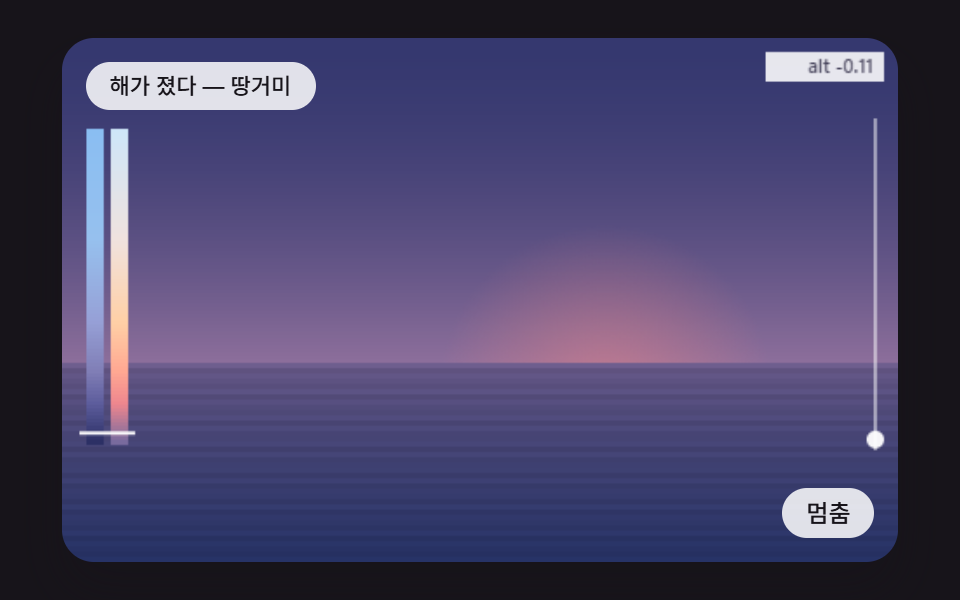 Creative UICSS Sunset Gradient: 9 Demos With a Living Sky
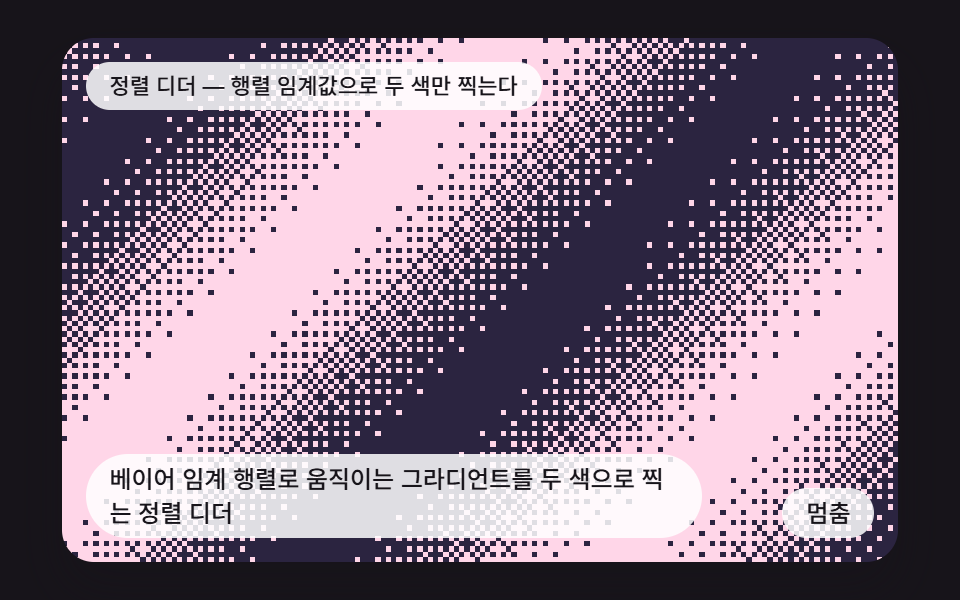 Creative UICSS Dither: 9 Scenes Drawn by Threshold Math
 Creative UICSS Background Pattern Generator: 9 Seeded Scenes
 Creative UICanvas Particle Animation: 9 Engine Patterns
 Creative UIHTML5 Canvas Animation: 9 Warp & Droplet Effects
 Creative UIWave Interference Simulation: 9 Canvas Scenes
 Creative UI3D Globe Website: 9 Canvas Orbit Scenes
 Creative UIVerlet Physics 9 Demos: No Library, Just Canvas
 Creative UICanvas Fluid Simulation: 9 Grid Effects
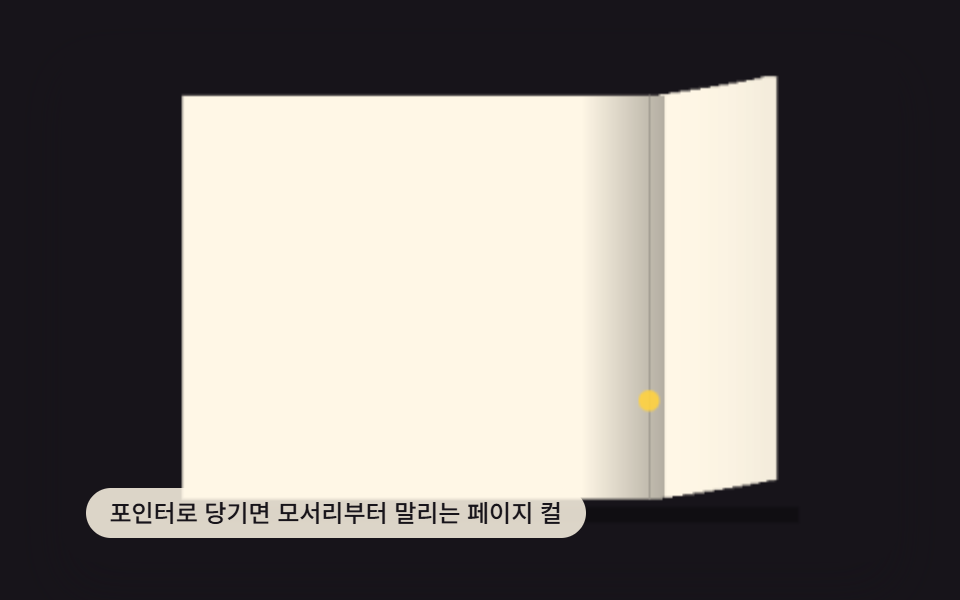 Creative UIPage Turn Animation CSS — 9 Paper Curl Patterns