CSS Resize Handle: 9 Demos That Follow Your Grip
A css resize handle left to the resize property alone cannot change its shape, ignores line height and just stops at the limit — scenes 09, 02 and 06 compute
Drag All Nine Resize Handles Right on This Page
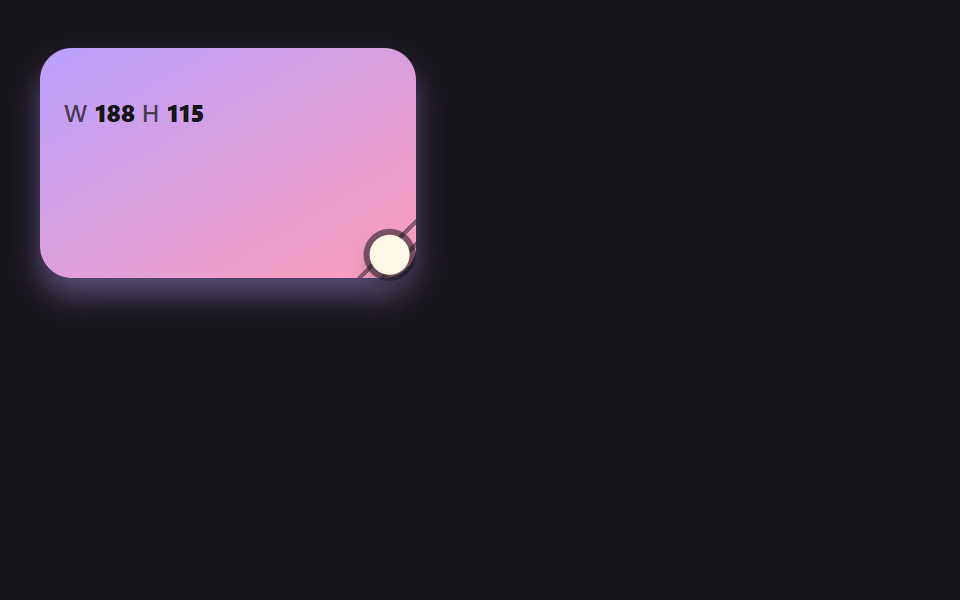 01 rh-spring-corner-grip
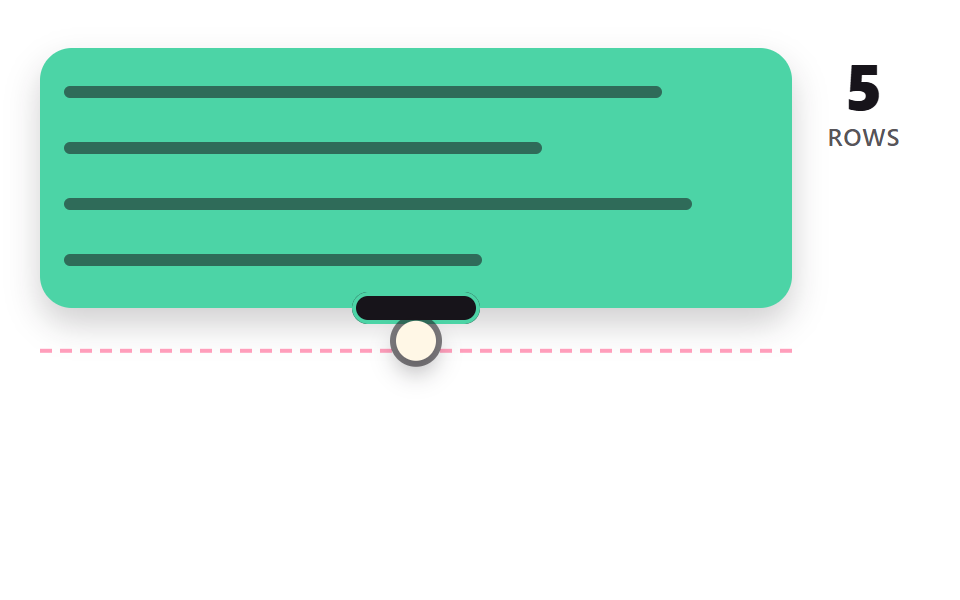 02 rh-line-snap-textarea
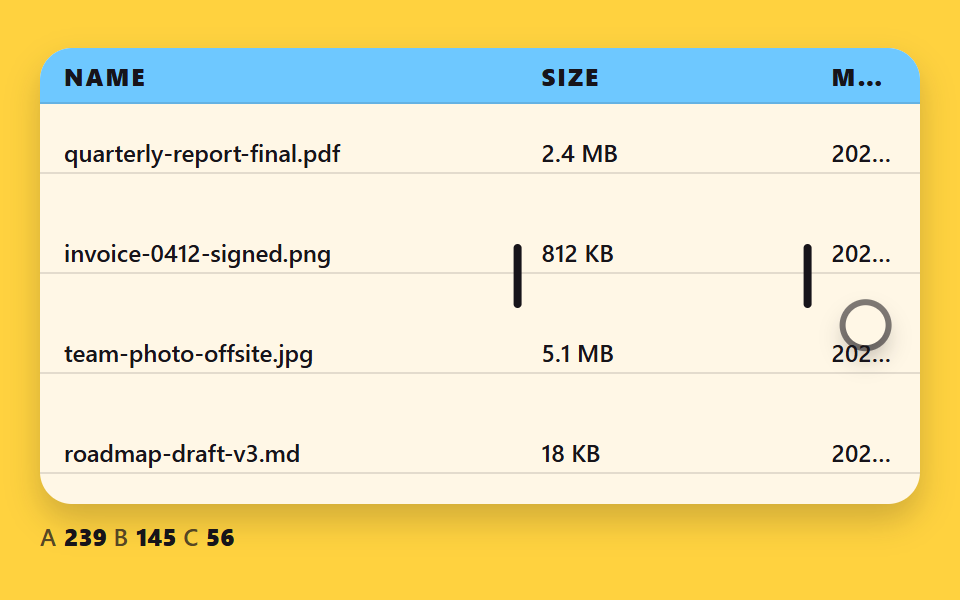 03 rh-column-border-redistribute
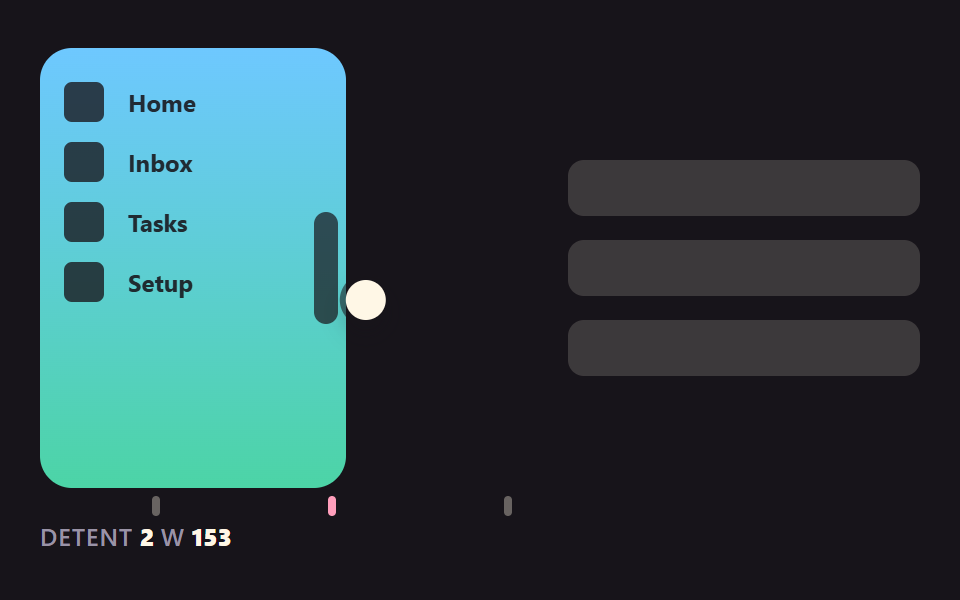 04 rh-sidebar-detent-snap
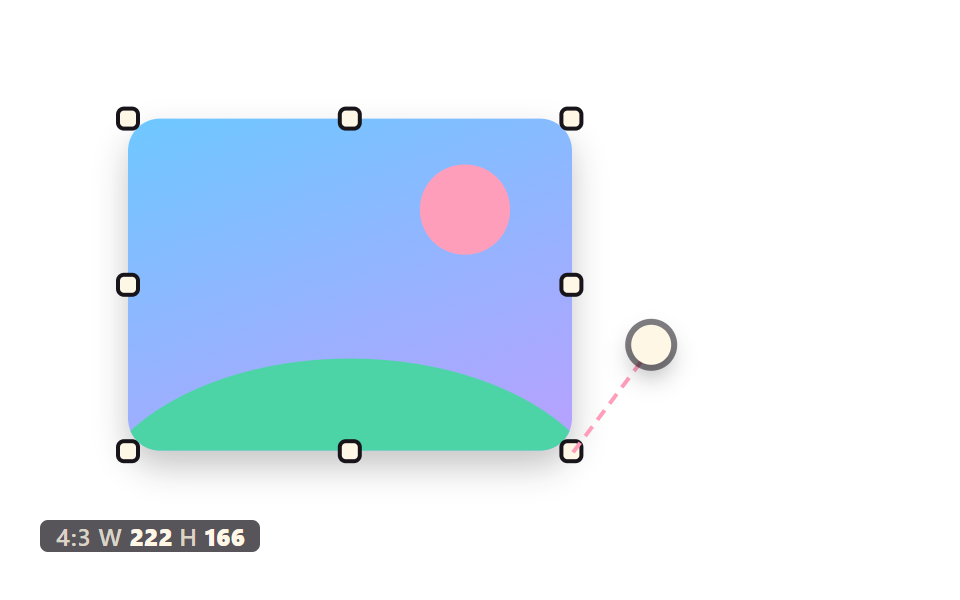 05 rh-ratio-lock-eight-handles
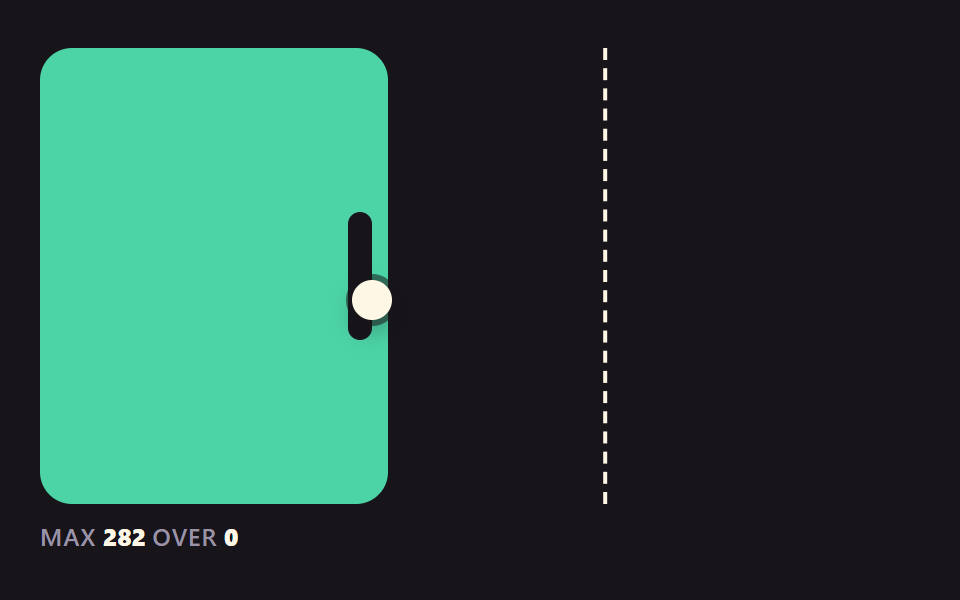 06 rh-rubber-band-limit
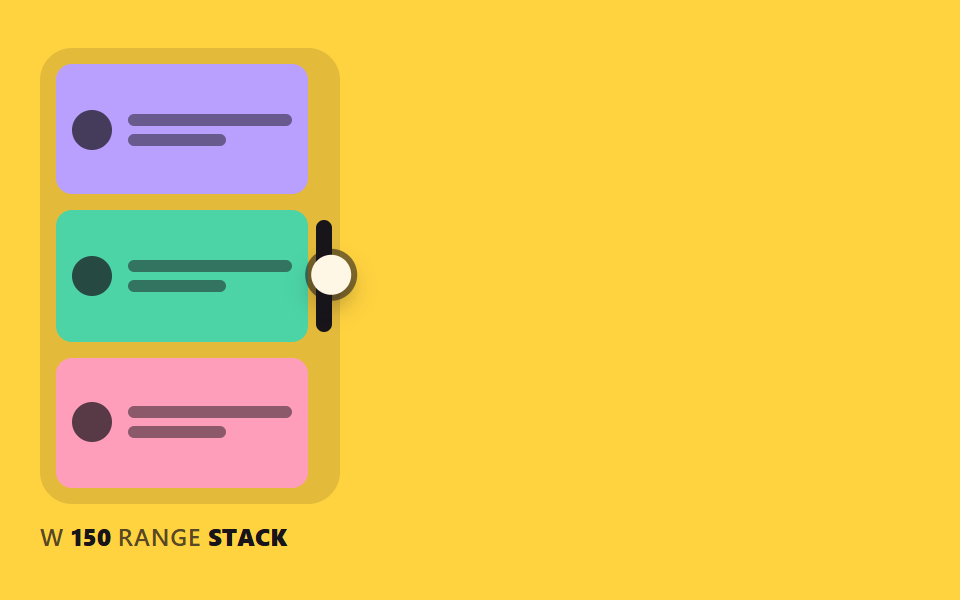 07 rh-container-reflow-readout
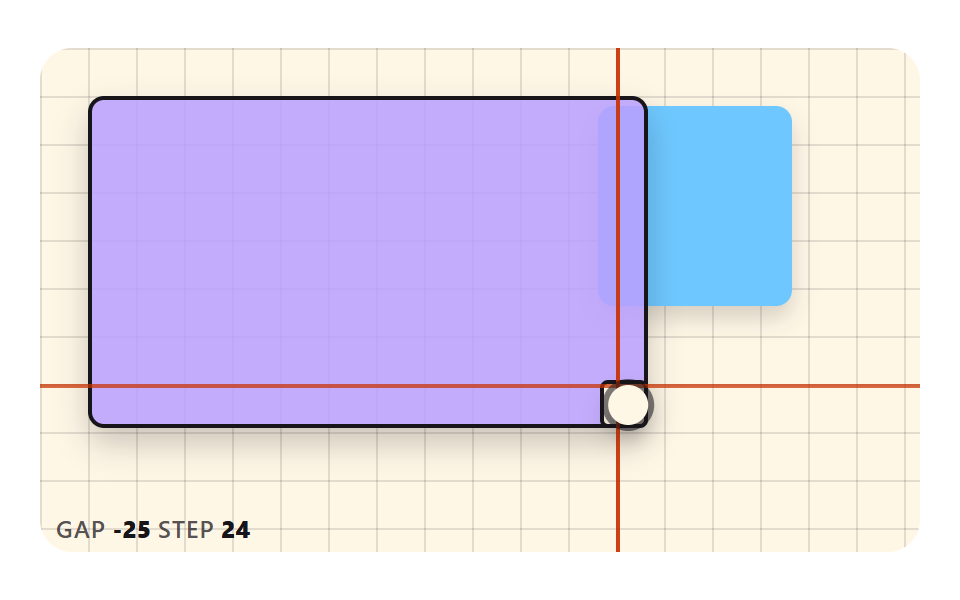 08 rh-grid-snap-guides
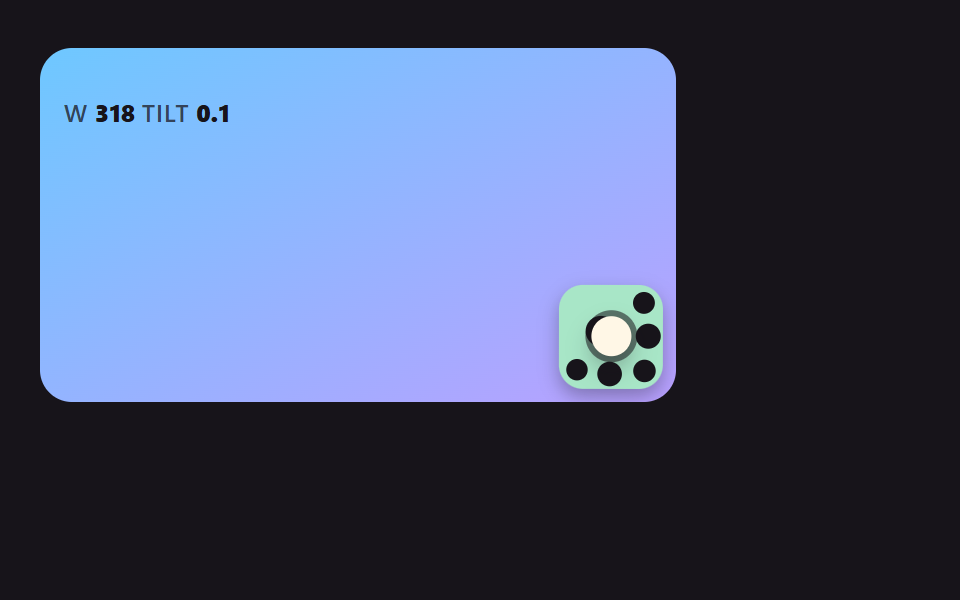 09 rh-handle-shape-feedback
Auto-plays · click a tile to jump to its section · all nine in one zip
- 01 A Box That Follows the Corner Grip Like a Spring
- 02 A Textarea Handle That Snaps to Line-Height Multiples
- 03 A Table Whose Neighbor Column Absorbs the Width You Drag
- 04 A Sidebar Edge That Clicks Into Three Detent Widths
- 05 An Image That Scales From Eight Handles With Ratio Locked
- 06 A Box That Resists Harder Past the Limit Then Springs Back
- 07 A Card Whose Layout Changes Clothes As the Width Moves
- 08 A Handle Whose Guide Lines Flash When It Meets a Grid or Neighbor
- 09 Handle Shapes Whose Dots Spread on Approach and Sink When Grabbed
CSS Resize Handle: 9 Demos Where Target Size, Detents and Anchors Are Computed
Every scene is a frame of up to 440 by 252 pixels with one handle in it (scene 05 has eight), and the cream circle is a fake pointer that grabs the handle and drags it as a demonstration. Grab the handle yourself and the demonstration steps aside, and the arrow keys change the size too.
All nine scenes share one idea. The pointer position is never used as the size directly; it only sets a target, and the value that gets drawn is computed separately on its way to that target. Scenes 01, 04 and 06 use a spring, 02, 03, 07 and 09 use an exponential approach, and 05 and 08 compute the value in place with no smoothing at all. No file has a single line of CSS transition or @keyframes, and none loads a library or an outside address.
If a css resizable sidebar is what you are after, open 04 first, and for css resizable table columns start at 03. The divider that splits two panels is the job of 9 Resizable Split Pane Layouts With No Library, while this page covers only the handle on the edge of a box, a column or an image.
Code for Each Technique Behind a CSS Resize Handle Style
Each snippet below is cut straight from the contiguous lines of a scene's index.html <script>, and none runs past 25 lines. Scene 07 does its work in CSS, so its snippet comes from style.scss.
01A Box That Follows the Corner Grip Like a Spring
The pointer only sets the target sizes tw and th; the drawn w and h chase them through spring, which holds a velocity, so a released handle overshoots once before it settles. That suits card and widget resizing, and since DAMPING is a ratio of 0.5, changing STIFFNESS from 170 leaves the overshoot proportion alone. It covers 78.1% cumulative area with 23/23 frames moving, the largest fill of the nine.
<main class="stage">
<div class="rh is-demo" id="rh" data-demo="1">
  <div class="rh__panel" data-r="panel">
    <p class="rh__meta"><span class="rh__tag">W</span> <b data-r="w">0</b> <span class="rh__tag">H</span> <b data-r="h">0</b></p>
    <button class="rh__grip" data-r="grip" type="button" aria-label="Resize handle"></button>
  </div>
  <i class="rh__cursor" data-r="cursor"></i>
</div>
</main>
@use "../../../../site/static/demo-tokens" as *;
// 핵심: 포인터는 목표 크기만 정하고, 실제 크기는 JS 가 스프링 방정식으로 적분한 값이다.
@include stage($stage-ink);
.rh {
position: relative;
box-sizing: border-box;
width: min(100%, 440px);
height: min(252px, calc(100vh - 2 * clamp(8px, 4vw, 24px)));
color: $subject-cream;
font-size: 12px;
line-height: 16px;
font-weight: 600;
user-select: none;
}
.rh b { font-weight: 800; font-variant-numeric: tabular-nums; }
.rh__tag { color: $tick-mute; letter-spacing: .5px; }
.rh__cursor {
position: absolute;
left: -10px;
top: -10px;
width: 20px;
height: 20px;
border-radius: 50%;
background: $subject-cream;
box-shadow: 0 0 0 3px rgba($subject-ink, .55), $shadow-press;
opacity: 0;
pointer-events: none;
z-index: 6;
}
.rh[data-demo] .rh__cursor { opacity: 1; }
.rh button:focus-visible { outline: 3px solid $subject-pink; outline-offset: 2px; }
@media (prefers-reduced-motion: reduce) {
.rh__cursor { display: none; }
}
// 속도가 클수록 그림자가 들리는 양(--lift)도 같이 커진다.
.rh__panel {
--lift: 0;
position: absolute;
left: 0;
top: 0;
box-sizing: border-box;
overflow: hidden;
padding: $sp-3;
border-radius: $r-card;
background: linear-gradient(150deg, $subject-lilac, $subject-pink);
color: $subject-ink;
box-shadow: 0 calc(4px + var(--lift) * 18px) calc(8px + var(--lift) * 24px) rgba($subject-lilac, .4);
}
.rh__panel .rh__tag { color: rgba($subject-ink, .72); }
.rh__grip {
position: absolute;
right: 0;
bottom: 0;
width: 36px;
height: 36px;
padding: 0;
border: 0;
background: repeating-linear-gradient(135deg, transparent 0 6px, rgba($subject-ink, .5) 6px 8px);
clip-path: polygon(100% 0, 100% 100%, 0 100%);
cursor: nwse-resize;
touch-action: none;
}html, body {
margin: 0;
overflow: hidden;
}
.stage {
box-sizing: border-box;
min-height: 100vh;
display: grid;
place-items: center;
margin: 0;
background: #17141a;
font-family: -apple-system, "Segoe UI", "Noto Sans KR", sans-serif;
padding: clamp(8px, 4vw, 24px);
}
.rh {
position: relative;
box-sizing: border-box;
width: min(100%, 440px);
height: min(252px, 100vh - 2 * clamp(8px, 4vw, 24px));
color: #fff7e6;
font-size: 12px;
line-height: 16px;
font-weight: 600;
user-select: none;
}
.rh b {
font-weight: 800;
font-variant-numeric: tabular-nums;
}
.rh__tag {
color: #9a93a6;
letter-spacing: 0.5px;
}
.rh__cursor {
position: absolute;
left: -10px;
top: -10px;
width: 20px;
height: 20px;
border-radius: 50%;
background: #fff7e6;
box-shadow: 0 0 0 3px rgba(23, 20, 26, 0.55), 0 6px 12px rgba(23, 20, 26, 0.32);
opacity: 0;
pointer-events: none;
z-index: 6;
}
.rh[data-demo] .rh__cursor {
opacity: 1;
}
.rh button:focus-visible {
outline: 3px solid #ff9ebb;
outline-offset: 2px;
}
@media (prefers-reduced-motion: reduce) {
.rh__cursor {
display: none;
}
}
.rh__panel {
--lift: 0;
position: absolute;
left: 0;
top: 0;
box-sizing: border-box;
overflow: hidden;
padding: 12px;
border-radius: 16px;
background: linear-gradient(150deg, #b9a0ff, #ff9ebb);
color: #17141a;
box-shadow: 0 calc(4px + var(--lift) * 18px) calc(8px + var(--lift) * 24px) rgba(185, 160, 255, 0.4);
}
.rh__panel .rh__tag {
color: rgba(23, 20, 26, 0.72);
}
.rh__grip {
position: absolute;
right: 0;
bottom: 0;
width: 36px;
height: 36px;
padding: 0;
border: 0;
background: repeating-linear-gradient(135deg, transparent 0 6px, rgba(23, 20, 26, 0.5) 6px 8px);
clip-path: polygon(100% 0, 100% 100%, 0 100%);
cursor: nwse-resize;
touch-action: none;
}(function () {
const root = document.getElementById("rh");
const reduce = window.matchMedia("(prefers-reduced-motion: reduce)").matches;
let demo = !reduce;
let raf = 0;
let t0 = -1;
let last = -1;
const offs = [];
function q(sel) {
return root.querySelector(sel);
}
function clamp(v, lo, hi) {
return Math.max(lo, Math.min(hi, v));
}
function seg(t, a, b) {
const c = clamp((t - a) / (b - a), 0, 1);
return c * c * (3 - 2 * c);
}
function on(el, type, fn) {
el.addEventListener(type, fn);
offs.push(() => el.removeEventListener(type, fn));
}
function stopDemo() {
demo = false;
root.removeAttribute("data-demo");
root.classList.remove("is-demo");
}
function pos(e) {
const r = root.getBoundingClientRect();
return { x: e.clientX - r.left, y: e.clientY - r.top };
}
    function spring(x, v, to, k, c, dt) {
        const n = Math.max(1, Math.ceil(dt / 0.008));
        const h = dt / n;
        for (let i = 0; i < n; i += 1) {
            v += (-k * (x - to) - c * v) * h;
            x += v * h;
        }
        return [x, v];
    }
function sync() {
if (reduce) {
snap();
render();
}
}
// 기법: 포인터는 목표 크기(tw, th)만 정한다. 실제 크기는 속도를 가진 채 스프링 방정식으로 목표를 쫓는다.
// 감쇠를 비율(DAMPING 0.5)로 두면 강성을 바꿔도 넘침 비율이 같고 쫓는 속도만 달라진다.
const STIFFNESS = 170;
const DAMPING = 0.5;
const MIN_W = 96;
const MIN_H = 72;
const panel = q("[data-r=panel]");
const grip = q("[data-r=grip]");
const cursor = q("[data-r=cursor]");
const wEl = q("[data-r=w]");
const hEl = q("[data-r=h]");
let w = 0;
let h = 0;
let vw = 0;
let vh = 0;
let tw = 0;
let th = 0;
let px = 0;
let py = 0;
let gx = 0;
let gy = 0;
let dragging = false;
let ready = false;
function init() {
if (ready)
return;
ready = true;
tw = w = root.clientWidth * 0.42;
th = h = root.clientHeight * 0.45;
}
function userTakes() {
stopDemo();
dragging = false;
init();
}
function script(now) {
const W = root.clientWidth;
const H = root.clientHeight;
const ph = now % 2000;
const ax = W * 0.42 - 10;
const ay = H * 0.45 - 10;
const bx = W * 0.96 - 10;
const by = H * 0.94 - 10;
const cx = W * 0.62 - 10;
const cy = H * 0.62 - 10;
let t = 0;
let fx = ax;
let fy = ay;
let tx = ax;
let ty = ay;
if (ph >= 200 && ph < 760) {
t = seg(ph, 200, 760);
tx = bx;
ty = by;
}
else if (ph >= 760 && ph < 1000) {
fx = bx;
fy = by;
tx = bx;
ty = by;
}
else if (ph >= 1000 && ph < 1500) {
t = seg(ph, 1000, 1500);
fx = bx;
fy = by;
tx = cx;
ty = cy;
}
else if (ph >= 1500) {
t = seg(ph, 1500, 1960);
fx = cx;
fy = cy;
tx = ax;
ty = ay;
}
px = fx + (tx - fx) * t;
py = fy + (ty - fy) * t;
gx = 10;
gy = 10;
dragging = ph >= 200 && ph < 1960;
}
function snap() {
init();
w = tw;
h = th;
vw = 0;
vh = 0;
}
    function step(dt, now) {
        init();
        if (demo)
            script(now);
        if (dragging) {
            tw = clamp(px + gx, MIN_W, root.clientWidth);
            th = clamp(py + gy, MIN_H, root.clientHeight);
        }
        const c = 2 * DAMPING * Math.sqrt(STIFFNESS);
        const a = spring(w, vw, tw, STIFFNESS, c, dt);
        const b = spring(h, vh, th, STIFFNESS, c, dt);
        w = a[0];
        vw = a[1];
        h = b[0];
        vh = b[1];
    }
function render() {
const lift = clamp(Math.hypot(vw, vh) / 700, 0, 1);
panel.style.width = w.toFixed(1) + "px";
panel.style.height = h.toFixed(1) + "px";
panel.style.setProperty("--lift", lift.toFixed(3));
wEl.textContent = String(Math.round(w));
hEl.textContent = String(Math.round(h));
cursor.style.transform = "translate(" + px.toFixed(1) + "px," + py.toFixed(1) + "px)";
}
on(grip, "pointerdown", (e) => {
userTakes();
grip.setPointerCapture(e.pointerId);
const p = pos(e);
px = p.x;
py = p.y;
gx = w - p.x;
gy = h - p.y;
dragging = true;
});
on(grip, "pointermove", (e) => {
if (!dragging)
return;
const p = pos(e);
px = p.x;
py = p.y;
tw = clamp(px + gx, MIN_W, root.clientWidth);
th = clamp(py + gy, MIN_H, root.clientHeight);
sync();
});
on(grip, "pointerup", () => { dragging = false; });
on(grip, "pointercancel", () => { dragging = false; });
on(grip, "keydown", (e) => {
const k = e.key;
if (k !== "ArrowLeft" && k !== "ArrowRight" && k !== "ArrowUp" && k !== "ArrowDown")
return;
e.preventDefault();
userTakes();
tw = clamp(tw + (k === "ArrowRight" ? 16 : k === "ArrowLeft" ? -16 : 0), MIN_W, root.clientWidth);
th = clamp(th + (k === "ArrowDown" ? 16 : k === "ArrowUp" ? -16 : 0), MIN_H, root.clientHeight);
sync();
});
function frame(ts) {
if (t0 < 0) {
t0 = ts;
last = ts;
}
const dt = Math.min(0.05, (ts - last) / 1000);
last = ts;
step(dt, ts - t0);
render();
raf = requestAnimationFrame(frame);
}
if (reduce) {
stopDemo();
snap();
render();
}
else {
raf = requestAnimationFrame(frame);
}
return () => {
cancelAnimationFrame(raf);
offs.forEach((f) => f());
};
})();// SpringCornerGrip - vanilla 판(01-rh-spring-corner-grip) 의 React 포트. 같은 계산을 useEffect 안에서 돌린다.
import { useEffect, useRef } from "react";
import styles from "./SpringCornerGrip.module.scss";
export default function SpringCornerGrip() {
const rootRef = useRef<HTMLDivElement | null>(null);
useEffect(() => {
const rootEl = rootRef.current;
if (!rootEl) return;
const root: HTMLElement = rootEl;
const reduce = window.matchMedia("(prefers-reduced-motion: reduce)").matches;
let demo = !reduce;
let raf = 0;
let t0 = -1;
let last = -1;
const offs: Array<() => void> = [];
function q<T extends Element>(sel: string): T {
return root.querySelector(sel) as T;
}
function clamp(v: number, lo: number, hi: number): number {
return Math.max(lo, Math.min(hi, v));
}
function seg(t: number, a: number, b: number): number {
const c = clamp((t - a) / (b - a), 0, 1);
return c * c * (3 - 2 * c);
}
function on(el: EventTarget, type: string, fn: (e: any) => void): void {
el.addEventListener(type, fn);
offs.push(() => el.removeEventListener(type, fn));
}
function stopDemo(): void {
demo = false;
root.removeAttribute("data-demo");
root.classList.remove("is-demo");
}
function pos(e: PointerEvent): { x: number; y: number } {
const r = root.getBoundingClientRect();
return { x: e.clientX - r.left, y: e.clientY - r.top };
}
function spring(x: number, v: number, to: number, k: number, c: number, dt: number): number[] {
const n = Math.max(1, Math.ceil(dt / 0.008));
const h = dt / n;
for (let i = 0; i < n; i += 1) {
v += (-k * (x - to) - c * v) * h;
x += v * h;
}
return [x, v];
}
function sync(): void {
if (reduce) {
snap();
render();
}
}
// 기법: 포인터는 목표 크기(tw, th)만 정한다. 실제 크기는 속도를 가진 채 스프링 방정식으로 목표를 쫓는다.
// 감쇠를 비율(DAMPING 0.5)로 두면 강성을 바꿔도 넘침 비율이 같고 쫓는 속도만 달라진다.
const STIFFNESS = 170;
const DAMPING = 0.5;
const MIN_W = 96;
const MIN_H = 72;
const panel = q<HTMLElement>("[data-r=panel]");
const grip = q<HTMLElement>("[data-r=grip]");
const cursor = q<HTMLElement>("[data-r=cursor]");
const wEl = q<HTMLElement>("[data-r=w]");
const hEl = q<HTMLElement>("[data-r=h]");
let w = 0;
let h = 0;
let vw = 0;
let vh = 0;
let tw = 0;
let th = 0;
let px = 0;
let py = 0;
let gx = 0;
let gy = 0;
let dragging = false;
let ready = false;
function init(): void {
if (ready) return;
ready = true;
tw = w = root.clientWidth * 0.42;
th = h = root.clientHeight * 0.45;
}
function userTakes(): void {
stopDemo();
dragging = false;
init();
}
function script(now: number): void {
const W = root.clientWidth;
const H = root.clientHeight;
const ph = now % 2000;
const ax = W * 0.42 - 10;
const ay = H * 0.45 - 10;
const bx = W * 0.96 - 10;
const by = H * 0.94 - 10;
const cx = W * 0.62 - 10;
const cy = H * 0.62 - 10;
let t = 0;
let fx = ax;
let fy = ay;
let tx = ax;
let ty = ay;
if (ph >= 200 && ph < 760) { t = seg(ph, 200, 760); tx = bx; ty = by; }
else if (ph >= 760 && ph < 1000) { fx = bx; fy = by; tx = bx; ty = by; }
else if (ph >= 1000 && ph < 1500) { t = seg(ph, 1000, 1500); fx = bx; fy = by; tx = cx; ty = cy; }
else if (ph >= 1500) { t = seg(ph, 1500, 1960); fx = cx; fy = cy; tx = ax; ty = ay; }
px = fx + (tx - fx) * t;
py = fy + (ty - fy) * t;
gx = 10;
gy = 10;
dragging = ph >= 200 && ph < 1960;
}
function snap(): void {
init();
w = tw;
h = th;
vw = 0;
vh = 0;
}
function step(dt: number, now: number): void {
init();
if (demo) script(now);
if (dragging) {
tw = clamp(px + gx, MIN_W, root.clientWidth);
th = clamp(py + gy, MIN_H, root.clientHeight);
}
const c = 2 * DAMPING * Math.sqrt(STIFFNESS);
const a = spring(w, vw, tw, STIFFNESS, c, dt);
const b = spring(h, vh, th, STIFFNESS, c, dt);
w = a[0];
vw = a[1];
h = b[0];
vh = b[1];
}
function render(): void {
const lift = clamp(Math.hypot(vw, vh) / 700, 0, 1);
panel.style.width = w.toFixed(1) + "px";
panel.style.height = h.toFixed(1) + "px";
panel.style.setProperty("--lift", lift.toFixed(3));
wEl.textContent = String(Math.round(w));
hEl.textContent = String(Math.round(h));
cursor.style.transform = "translate(" + px.toFixed(1) + "px," + py.toFixed(1) + "px)";
}
on(grip, "pointerdown", (e: PointerEvent) => {
userTakes();
grip.setPointerCapture(e.pointerId);
const p = pos(e);
px = p.x;
py = p.y;
gx = w - p.x;
gy = h - p.y;
dragging = true;
});
on(grip, "pointermove", (e: PointerEvent) => {
if (!dragging) return;
const p = pos(e);
px = p.x;
py = p.y;
tw = clamp(px + gx, MIN_W, root.clientWidth);
th = clamp(py + gy, MIN_H, root.clientHeight);
sync();
});
on(grip, "pointerup", () => { dragging = false; });
on(grip, "pointercancel", () => { dragging = false; });
on(grip, "keydown", (e: KeyboardEvent) => {
const k = e.key;
if (k !== "ArrowLeft" && k !== "ArrowRight" && k !== "ArrowUp" && k !== "ArrowDown") return;
e.preventDefault();
userTakes();
tw = clamp(tw + (k === "ArrowRight" ? 16 : k === "ArrowLeft" ? -16 : 0), MIN_W, root.clientWidth);
th = clamp(th + (k === "ArrowDown" ? 16 : k === "ArrowUp" ? -16 : 0), MIN_H, root.clientHeight);
sync();
});
function frame(ts: number): void {
if (t0 < 0) {
t0 = ts;
last = ts;
}
const dt = Math.min(0.05, (ts - last) / 1000);
last = ts;
step(dt, ts - t0);
render();
raf = requestAnimationFrame(frame);
}
if (reduce) {
stopDemo();
snap();
render();
} else {
raf = requestAnimationFrame(frame);
}
return () => {
cancelAnimationFrame(raf);
offs.forEach((f) => f());
};
}, []);
return (
<main className={styles["stage"]}>
<div ref={rootRef} className={styles["rh"] + " is-demo"} data-demo="1">
<div className={styles["rh__panel"]} data-r="panel">
<p className={styles["rh__meta"]}><span className={styles["rh__tag"]}>W</span> <b data-r="w">0</b> <span className={styles["rh__tag"]}>H</span> <b data-r="h">0</b></p>
<button className={styles["rh__grip"]} data-r="grip" type="button" aria-label="크기 조절 손잡이"></button>
</div>
<i className={styles["rh__cursor"]} data-r="cursor"></i>
</div>
</main>
);
}01 · A Box That Follows the Corner Grip Like a Spring — Measured area 78.149% · moving frames 23/23Original by GODRICH · SCSS and React ship in the zip · See the password
function spring(x, v, to, k, c, dt) {
const n = Math.max(1, Math.ceil(dt / 0.008));
const h = dt / n;
for (let i = 0; i < n; i += 1) {
v += (-k * (x - to) - c * v) * h;
x += v * h;
}
return [x, v];
}
function step(dt, now) {
init();
if (demo)
script(now);
if (dragging) {
tw = clamp(px + gx, MIN_W, root.clientWidth);
th = clamp(py + gy, MIN_H, root.clientHeight);
}
const c = 2 * DAMPING * Math.sqrt(STIFFNESS);
const a = spring(w, vw, tw, STIFFNESS, c, dt);
const b = spring(h, vh, th, STIFFNESS, c, dt);
w = a[0];
vw = a[1];
h = b[0];
vh = b[1];
}
02A Textarea Handle That Snaps to Line-Height Multiples
The dragged height rawH is divided by the line height LINE_H (28) and rounded to a whole row count, and the box eases toward the height of that many rows. It suits note and comment fields; the dotted line stays at the raw height of the hand so the gap to the box is visible, and the ROWS number beside it counts lines. Cumulative area is 50.6% with 23/23 frames moving.
<main class="stage">
<div class="rh is-demo" id="rh" data-demo="1">
  <div class="rh__box" data-r="box">
    <div class="rh__lines">
      <i class="rh__ln"></i><i class="rh__ln"></i><i class="rh__ln"></i><i class="rh__ln"></i><i class="rh__ln"></i><i class="rh__ln"></i><i class="rh__ln"></i><i class="rh__ln"></i>
    </div>
    <button class="rh__grip" data-r="grip" type="button" aria-label="Resize handle"></button>
  </div>
  <i class="rh__raw" data-r="raw"></i>
  <p class="rh__rows"><b data-r="rows">0</b><span class="rh__tag">ROWS</span></p>
  <i class="rh__cursor" data-r="cursor"></i>
</div>
</main>
@use "../../../../site/static/demo-tokens" as *;
// 핵심: 상자 높이는 raw 높이를 줄 높이로 나눈 몫(반올림)에 맞춰 지수 감쇠로 이동한다.
@include stage($stage-paper);
.rh {
position: relative;
box-sizing: border-box;
width: min(100%, 440px);
height: min(252px, calc(100vh - 2 * clamp(8px, 4vw, 24px)));
color: $subject-ink;
font-size: 12px;
line-height: 16px;
font-weight: 600;
user-select: none;
}
.rh b { font-weight: 800; font-variant-numeric: tabular-nums; }
.rh__tag { color: rgba($subject-ink, .72); letter-spacing: .5px; }
.rh__cursor {
position: absolute;
left: -10px;
top: -10px;
width: 20px;
height: 20px;
border-radius: 50%;
background: $subject-cream;
box-shadow: 0 0 0 3px rgba($subject-ink, .55), $shadow-press;
opacity: 0;
pointer-events: none;
z-index: 6;
}
.rh[data-demo] .rh__cursor { opacity: 1; }
.rh button:focus-visible { outline: 3px solid $subject-ink; outline-offset: 2px; }
@media (prefers-reduced-motion: reduce) {
.rh__cursor { display: none; }
}
// 점선(raw)과 상자 가장자리가 어긋나 있다가 줄 수가 바뀌는 순간 붙는다.
.rh { color: $subject-ink; }
.rh__box {
position: absolute;
left: 0;
top: 0;
width: calc(100% - 64px);
height: 100px;
}
.rh__lines {
position: absolute;
inset: 0;
overflow: hidden;
border-radius: $r-card;
background: $subject-mint;
box-shadow: 0 8px 16px rgba($subject-ink, .2);
}
.rh__ln {
position: absolute;
left: $sp-3;
height: 6px;
border-radius: $r-xs;
background: rgba($subject-ink, .55);
}
$ln-widths: 86%, 70%, 90%, 62%, 78%, 88%, 66%, 82%;
@for $i from 0 through 7 {
.rh__ln:nth-child(#{$i + 1}) {
top: calc(8px + #{$i} * var(--lh) + (var(--lh) - 6px) / 2);
width: calc(#{nth($ln-widths, $i + 1)} - 24px);
}
}
.rh__grip {
position: absolute;
left: 50%;
bottom: -8px;
width: 64px;
height: 16px;
padding: 0;
border: 0;
border-radius: $r-pill;
background: $subject-ink;
box-shadow: inset 0 0 0 2px $subject-mint;
transform: translateX(-50%);
cursor: ns-resize;
touch-action: none;
}
.rh__raw {
position: absolute;
left: 0;
top: 0;
width: calc(100% - 64px);
height: 0;
border-top: 2px dashed $subject-pink;
pointer-events: none;
}
.rh__rows {
position: absolute;
right: 0;
top: 0;
width: 56px;
margin: 0;
display: grid;
justify-items: center;
}
.rh__rows b { font-size: 32px; line-height: 36px; font-weight: 800; }html, body {
margin: 0;
overflow: hidden;
}
.stage {
box-sizing: border-box;
min-height: 100vh;
display: grid;
place-items: center;
margin: 0;
background: #ffffff;
font-family: -apple-system, "Segoe UI", "Noto Sans KR", sans-serif;
padding: clamp(8px, 4vw, 24px);
}
.rh {
position: relative;
box-sizing: border-box;
width: min(100%, 440px);
height: min(252px, 100vh - 2 * clamp(8px, 4vw, 24px));
color: #17141a;
font-size: 12px;
line-height: 16px;
font-weight: 600;
user-select: none;
}
.rh b {
font-weight: 800;
font-variant-numeric: tabular-nums;
}
.rh__tag {
color: rgba(23, 20, 26, 0.72);
letter-spacing: 0.5px;
}
.rh__cursor {
position: absolute;
left: -10px;
top: -10px;
width: 20px;
height: 20px;
border-radius: 50%;
background: #fff7e6;
box-shadow: 0 0 0 3px rgba(23, 20, 26, 0.55), 0 6px 12px rgba(23, 20, 26, 0.32);
opacity: 0;
pointer-events: none;
z-index: 6;
}
.rh[data-demo] .rh__cursor {
opacity: 1;
}
.rh button:focus-visible {
outline: 3px solid #17141a;
outline-offset: 2px;
}
@media (prefers-reduced-motion: reduce) {
.rh__cursor {
display: none;
}
}
.rh {
color: #17141a;
}
.rh__box {
position: absolute;
left: 0;
top: 0;
width: calc(100% - 64px);
height: 100px;
}
.rh__lines {
position: absolute;
inset: 0;
overflow: hidden;
border-radius: 16px;
background: #4cd4a6;
box-shadow: 0 8px 16px rgba(23, 20, 26, 0.2);
}
.rh__ln {
position: absolute;
left: 12px;
height: 6px;
border-radius: 4px;
background: rgba(23, 20, 26, 0.55);
}
.rh__ln:nth-child(1) {
top: calc(8px + 0 * var(--lh) + (var(--lh) - 6px) / 2);
width: calc(86% - 24px);
}
.rh__ln:nth-child(2) {
top: calc(8px + 1 * var(--lh) + (var(--lh) - 6px) / 2);
width: calc(70% - 24px);
}
.rh__ln:nth-child(3) {
top: calc(8px + 2 * var(--lh) + (var(--lh) - 6px) / 2);
width: calc(90% - 24px);
}
.rh__ln:nth-child(4) {
top: calc(8px + 3 * var(--lh) + (var(--lh) - 6px) / 2);
width: calc(62% - 24px);
}
.rh__ln:nth-child(5) {
top: calc(8px + 4 * var(--lh) + (var(--lh) - 6px) / 2);
width: calc(78% - 24px);
}
.rh__ln:nth-child(6) {
top: calc(8px + 5 * var(--lh) + (var(--lh) - 6px) / 2);
width: calc(88% - 24px);
}
.rh__ln:nth-child(7) {
top: calc(8px + 6 * var(--lh) + (var(--lh) - 6px) / 2);
width: calc(66% - 24px);
}
.rh__ln:nth-child(8) {
top: calc(8px + 7 * var(--lh) + (var(--lh) - 6px) / 2);
width: calc(82% - 24px);
}
.rh__grip {
position: absolute;
left: 50%;
bottom: -8px;
width: 64px;
height: 16px;
padding: 0;
border: 0;
border-radius: 999px;
background: #17141a;
box-shadow: inset 0 0 0 2px #4cd4a6;
transform: translateX(-50%);
cursor: ns-resize;
touch-action: none;
}
.rh__raw {
position: absolute;
left: 0;
top: 0;
width: calc(100% - 64px);
height: 0;
border-top: 2px dashed #ff9ebb;
pointer-events: none;
}
.rh__rows {
position: absolute;
right: 0;
top: 0;
width: 56px;
margin: 0;
display: grid;
justify-items: center;
}
.rh__rows b {
font-size: 32px;
line-height: 36px;
font-weight: 800;
}(function () {
const root = document.getElementById("rh");
const reduce = window.matchMedia("(prefers-reduced-motion: reduce)").matches;
let demo = !reduce;
let raf = 0;
let t0 = -1;
let last = -1;
const offs = [];
function q(sel) {
return root.querySelector(sel);
}
function clamp(v, lo, hi) {
return Math.max(lo, Math.min(hi, v));
}
function seg(t, a, b) {
const c = clamp((t - a) / (b - a), 0, 1);
return c * c * (3 - 2 * c);
}
function on(el, type, fn) {
el.addEventListener(type, fn);
offs.push(() => el.removeEventListener(type, fn));
}
function stopDemo() {
demo = false;
root.removeAttribute("data-demo");
root.classList.remove("is-demo");
}
function pos(e) {
const r = root.getBoundingClientRect();
return { x: e.clientX - r.left, y: e.clientY - r.top };
}
function spring(x, v, to, k, c, dt) {
const n = Math.max(1, Math.ceil(dt / 0.008));
const h = dt / n;
for (let i = 0; i < n; i += 1) {
v += (-k * (x - to) - c * v) * h;
x += v * h;
}
return [x, v];
}
function sync() {
if (reduce) {
snap();
render();
}
}
// 기법: 끄는 높이(raw)를 줄 높이로 나눠 가장 가까운 줄 수로 반올림하고, 상자는 그 높이까지 지수 감쇠로 끌려간다.
// 점선은 손이 실제로 있는 높이, 상자는 줄에 맞춘 높이 - 둘의 차이가 계산이다.
const LINE_H = 28;
const PAD = 8;
const ROUND_ROWS = 1;
const EASE_TO = 14;
const box = q("[data-r=box]");
const grip = q("[data-r=grip]");
const raw = q("[data-r=raw]");
const rowsEl = q("[data-r=rows]");
const cursor = q("[data-r=cursor]");
let h = 0;
let rawH = 0;
let rows = 3;
let px = 0;
let py = 0;
let gy = 0;
let dragging = false;
let ready = false;
root.style.setProperty("--lh", LINE_H + "px");
function maxRows() {
return Math.max(2, Math.floor((root.clientHeight - 2 * PAD - 12) / LINE_H));
}
    function rowsFor(height) {
        const r = Math.round((height - 2 * PAD) / LINE_H / ROUND_ROWS) * ROUND_ROWS;
        return clamp(r, 1, maxRows());
    }
function init() {
if (ready)
return;
ready = true;
rows = Math.max(2, Math.round(maxRows() * 0.3));
h = rawH = rows * LINE_H + 2 * PAD;
}
function userTakes() {
stopDemo();
dragging = false;
init();
}
function script(now) {
const ph = now % 2000;
const lo = rows0() * LINE_H + 2 * PAD - 0.4 * LINE_H;
const hi = maxRows() * LINE_H + 2 * PAD;
const mid = Math.round(maxRows() * 0.5) * LINE_H + 2 * PAD + 0.45 * LINE_H;
let y = lo;
if (ph >= 200 && ph < 900)
y = lo + (hi - lo) * seg(ph, 200, 900);
else if (ph >= 900 && ph < 1100)
y = hi;
else if (ph >= 1100 && ph < 1800)
y = hi + (mid - hi) * seg(ph, 1100, 1800);
else if (ph >= 1800)
y = mid + (lo - mid) * seg(ph, 1800, 2000);
py = y - 4;
gy = 4;
dragging = ph >= 200;
}
function rows0() {
return Math.max(2, Math.round(maxRows() * 0.3));
}
function snap() {
init();
h = rows * LINE_H + 2 * PAD;
}
    function step(dt, now) {
        init();
        if (demo)
            script(now);
        if (dragging) {
            rawH = clamp(py + gy, LINE_H + 2 * PAD, root.clientHeight - 12);
            rows = rowsFor(rawH);
        }
        h += (rows * LINE_H + 2 * PAD - h) * (1 - Math.exp(-EASE_TO * dt));
    }
function render() {
box.style.height = h.toFixed(1) + "px";
raw.style.transform = "translateY(" + rawH.toFixed(1) + "px)";
rowsEl.textContent = String(rows);
cursor.style.transform = "translate(" + (root.clientWidth * 0.5 - 32).toFixed(1) + "px," + py.toFixed(1) + "px)";
}
on(grip, "pointerdown", (e) => {
userTakes();
grip.setPointerCapture(e.pointerId);
const p = pos(e);
py = p.y;
gy = h - p.y;
dragging = true;
});
on(grip, "pointermove", (e) => {
if (!dragging)
return;
py = pos(e).y;
rawH = clamp(py + gy, LINE_H + 2 * PAD, root.clientHeight - 12);
rows = rowsFor(rawH);
sync();
});
on(grip, "pointerup", () => { dragging = false; });
on(grip, "pointercancel", () => { dragging = false; });
on(grip, "keydown", (e) => {
if (e.key !== "ArrowUp" && e.key !== "ArrowDown")
return;
e.preventDefault();
userTakes();
rows = clamp(rows + (e.key === "ArrowDown" ? 1 : -1), 1, maxRows());
rawH = rows * LINE_H + 2 * PAD;
sync();
});
function frame(ts) {
if (t0 < 0) {
t0 = ts;
last = ts;
}
const dt = Math.min(0.05, (ts - last) / 1000);
last = ts;
step(dt, ts - t0);
render();
raf = requestAnimationFrame(frame);
}
if (reduce) {
stopDemo();
snap();
render();
}
else {
raf = requestAnimationFrame(frame);
}
return () => {
cancelAnimationFrame(raf);
offs.forEach((f) => f());
};
})();// LineSnapTextarea - vanilla 판(02-rh-line-snap-textarea) 의 React 포트. 같은 계산을 useEffect 안에서 돌린다.
import { useEffect, useRef } from "react";
import styles from "./LineSnapTextarea.module.scss";
export default function LineSnapTextarea() {
const rootRef = useRef<HTMLDivElement | null>(null);
useEffect(() => {
const rootEl = rootRef.current;
if (!rootEl) return;
const root: HTMLElement = rootEl;
const reduce = window.matchMedia("(prefers-reduced-motion: reduce)").matches;
let demo = !reduce;
let raf = 0;
let t0 = -1;
let last = -1;
const offs: Array<() => void> = [];
function q<T extends Element>(sel: string): T {
return root.querySelector(sel) as T;
}
function clamp(v: number, lo: number, hi: number): number {
return Math.max(lo, Math.min(hi, v));
}
function seg(t: number, a: number, b: number): number {
const c = clamp((t - a) / (b - a), 0, 1);
return c * c * (3 - 2 * c);
}
function on(el: EventTarget, type: string, fn: (e: any) => void): void {
el.addEventListener(type, fn);
offs.push(() => el.removeEventListener(type, fn));
}
function stopDemo(): void {
demo = false;
root.removeAttribute("data-demo");
root.classList.remove("is-demo");
}
function pos(e: PointerEvent): { x: number; y: number } {
const r = root.getBoundingClientRect();
return { x: e.clientX - r.left, y: e.clientY - r.top };
}
function spring(x: number, v: number, to: number, k: number, c: number, dt: number): number[] {
const n = Math.max(1, Math.ceil(dt / 0.008));
const h = dt / n;
for (let i = 0; i < n; i += 1) {
v += (-k * (x - to) - c * v) * h;
x += v * h;
}
return [x, v];
}
function sync(): void {
if (reduce) {
snap();
render();
}
}
// 기법: 끄는 높이(raw)를 줄 높이로 나눠 가장 가까운 줄 수로 반올림하고, 상자는 그 높이까지 지수 감쇠로 끌려간다.
// 점선은 손이 실제로 있는 높이, 상자는 줄에 맞춘 높이 - 둘의 차이가 계산이다.
const LINE_H = 28;
const PAD = 8;
const ROUND_ROWS = 1;
const EASE_TO = 14;
const box = q<HTMLElement>("[data-r=box]");
const grip = q<HTMLElement>("[data-r=grip]");
const raw = q<HTMLElement>("[data-r=raw]");
const rowsEl = q<HTMLElement>("[data-r=rows]");
const cursor = q<HTMLElement>("[data-r=cursor]");
let h = 0;
let rawH = 0;
let rows = 3;
let px = 0;
let py = 0;
let gy = 0;
let dragging = false;
let ready = false;
root.style.setProperty("--lh", LINE_H + "px");
function maxRows(): number {
return Math.max(2, Math.floor((root.clientHeight - 2 * PAD - 12) / LINE_H));
}
function rowsFor(height: number): number {
const r = Math.round((height - 2 * PAD) / LINE_H / ROUND_ROWS) * ROUND_ROWS;
return clamp(r, 1, maxRows());
}
function init(): void {
if (ready) return;
ready = true;
rows = Math.max(2, Math.round(maxRows() * 0.3));
h = rawH = rows * LINE_H + 2 * PAD;
}
function userTakes(): void {
stopDemo();
dragging = false;
init();
}
function script(now: number): void {
const ph = now % 2000;
const lo = rows0() * LINE_H + 2 * PAD - 0.4 * LINE_H;
const hi = maxRows() * LINE_H + 2 * PAD;
const mid = Math.round(maxRows() * 0.5) * LINE_H + 2 * PAD + 0.45 * LINE_H;
let y = lo;
if (ph >= 200 && ph < 900) y = lo + (hi - lo) * seg(ph, 200, 900);
else if (ph >= 900 && ph < 1100) y = hi;
else if (ph >= 1100 && ph < 1800) y = hi + (mid - hi) * seg(ph, 1100, 1800);
else if (ph >= 1800) y = mid + (lo - mid) * seg(ph, 1800, 2000);
py = y - 4;
gy = 4;
dragging = ph >= 200;
}
function rows0(): number {
return Math.max(2, Math.round(maxRows() * 0.3));
}
function snap(): void {
init();
h = rows * LINE_H + 2 * PAD;
}
function step(dt: number, now: number): void {
init();
if (demo) script(now);
if (dragging) {
rawH = clamp(py + gy, LINE_H + 2 * PAD, root.clientHeight - 12);
rows = rowsFor(rawH);
}
h += (rows * LINE_H + 2 * PAD - h) * (1 - Math.exp(-EASE_TO * dt));
}
function render(): void {
box.style.height = h.toFixed(1) + "px";
raw.style.transform = "translateY(" + rawH.toFixed(1) + "px)";
rowsEl.textContent = String(rows);
cursor.style.transform = "translate(" + (root.clientWidth * 0.5 - 32).toFixed(1) + "px," + py.toFixed(1) + "px)";
}
on(grip, "pointerdown", (e: PointerEvent) => {
userTakes();
grip.setPointerCapture(e.pointerId);
const p = pos(e);
py = p.y;
gy = h - p.y;
dragging = true;
});
on(grip, "pointermove", (e: PointerEvent) => {
if (!dragging) return;
py = pos(e).y;
rawH = clamp(py + gy, LINE_H + 2 * PAD, root.clientHeight - 12);
rows = rowsFor(rawH);
sync();
});
on(grip, "pointerup", () => { dragging = false; });
on(grip, "pointercancel", () => { dragging = false; });
on(grip, "keydown", (e: KeyboardEvent) => {
if (e.key !== "ArrowUp" && e.key !== "ArrowDown") return;
e.preventDefault();
userTakes();
rows = clamp(rows + (e.key === "ArrowDown" ? 1 : -1), 1, maxRows());
rawH = rows * LINE_H + 2 * PAD;
sync();
});
function frame(ts: number): void {
if (t0 < 0) {
t0 = ts;
last = ts;
}
const dt = Math.min(0.05, (ts - last) / 1000);
last = ts;
step(dt, ts - t0);
render();
raf = requestAnimationFrame(frame);
}
if (reduce) {
stopDemo();
snap();
render();
} else {
raf = requestAnimationFrame(frame);
}
return () => {
cancelAnimationFrame(raf);
offs.forEach((f) => f());
};
}, []);
return (
<main className={styles["stage"]}>
<div ref={rootRef} className={styles["rh"] + " is-demo"} data-demo="1">
<div className={styles["rh__box"]} data-r="box">
<div className={styles["rh__lines"]}>
<i className={styles["rh__ln"]}></i><i className={styles["rh__ln"]}></i><i className={styles["rh__ln"]}></i><i className={styles["rh__ln"]}></i><i className={styles["rh__ln"]}></i><i className={styles["rh__ln"]}></i><i className={styles["rh__ln"]}></i><i className={styles["rh__ln"]}></i>
</div>
<button className={styles["rh__grip"]} data-r="grip" type="button" aria-label="크기 조절 손잡이"></button>
</div>
<i className={styles["rh__raw"]} data-r="raw"></i>
<p className={styles["rh__rows"]}><b data-r="rows">0</b><span className={styles["rh__tag"]}>ROWS</span></p>
<i className={styles["rh__cursor"]} data-r="cursor"></i>
</div>
</main>
);
}02 · A Textarea Handle That Snaps to Line-Height Multiples — Measured area 50.593% · moving frames 23/23Original by GODRICH · SCSS and React ship in the zip · See the password
function rowsFor(height) {
const r = Math.round((height - 2 * PAD) / LINE_H / ROUND_ROWS) * ROUND_ROWS;
return clamp(r, 1, maxRows());
}
function step(dt, now) {
init();
if (demo)
script(now);
if (dragging) {
rawH = clamp(py + gy, LINE_H + 2 * PAD, root.clientHeight - 12);
rows = rowsFor(rawH);
}
h += (rows * LINE_H + 2 * PAD - h) * (1 - Math.exp(-EASE_TO * dt));
}
03A Table Whose Neighbor Column Absorbs the Width You Drag
Dragging a column border shrinks the column on its right by the same amount, so the three widths always add up to the table width, and when the neighbor reaches COL_MIN (56px) the border stops while the pointer travels on. It suits data tables and file lists, and the truncation is the text-overflow: ellipsis rule in scss rather than JS, so the browser re-cuts the text the moment a width changes. Cumulative area is 11.6%, the smallest of the nine because only column widths change, with 23/23 frames moving.
<main class="stage">
<div class="rh is-demo" id="rh" data-demo="1">
  <div class="rh__tbl" data-r="tbl">
    <span class="rh__th">NAME</span><span class="rh__th">SIZE</span><span class="rh__th">MODIFIED</span>
    <span class="rh__td">quarterly-report-final.pdf</span><span class="rh__td">2.4 MB</span><span class="rh__td">2026-09-30 18:22</span>
    <span class="rh__td">invoice-0412-signed.png</span><span class="rh__td">812 KB</span><span class="rh__td">2026-09-28 09:05</span>
    <span class="rh__td">team-photo-offsite.jpg</span><span class="rh__td">5.1 MB</span><span class="rh__td">2026-09-21 14:40</span>
    <span class="rh__td">roadmap-draft-v3.md</span><span class="rh__td">18 KB</span><span class="rh__td">2026-09-19 11:12</span>
  </div>
  <button class="rh__bar" data-r="bar0" type="button" aria-label="Resize handle"></button>
  <button class="rh__bar" data-r="bar1" type="button" aria-label="Resize handle"></button>
  <p class="rh__meta"><span class="rh__tag">A</span> <b data-r="a">0</b> <span class="rh__tag">B</span> <b data-r="b">0</b> <span class="rh__tag">C</span> <b data-r="c">0</b></p>
  <i class="rh__cursor" data-r="cursor"></i>
</div>
</main>
@use "../../../../site/static/demo-tokens" as *;
// 핵심: 열 너비는 JS 가 세 숫자(합 = 표 너비)로 들고 grid-template-columns 에 쓴다.
@include stage($stage-yellow);
.rh {
position: relative;
box-sizing: border-box;
width: min(100%, 440px);
height: min(252px, calc(100vh - 2 * clamp(8px, 4vw, 24px)));
color: $subject-ink;
font-size: 12px;
line-height: 16px;
font-weight: 600;
user-select: none;
}
.rh b { font-weight: 800; font-variant-numeric: tabular-nums; }
.rh__tag { color: rgba($subject-ink, .72); letter-spacing: .5px; }
.rh__cursor {
position: absolute;
left: -10px;
top: -10px;
width: 20px;
height: 20px;
border-radius: 50%;
background: $subject-cream;
box-shadow: 0 0 0 3px rgba($subject-ink, .55), $shadow-press;
opacity: 0;
pointer-events: none;
z-index: 6;
}
.rh[data-demo] .rh__cursor { opacity: 1; }
.rh button:focus-visible { outline: 3px solid $subject-ink; outline-offset: 2px; }
@media (prefers-reduced-motion: reduce) {
.rh__cursor { display: none; }
}
// 이웃이 최소 폭에 닿으면 경계가 멈추고, 넘치는 글자는 CSS 말줄임이 자른다.
.rh { color: $subject-ink; }
.rh__tbl {
position: absolute;
left: 0;
top: 0;
width: 100%;
height: calc(100% - 24px);
display: grid;
grid-template-rows: 28px repeat(4, 1fr);
overflow: hidden;
border-radius: $r-card;
background: $subject-cream;
box-shadow: 0 8px 16px rgba($subject-ink, .2);
}
.rh__th,
.rh__td {
box-sizing: border-box;
min-width: 0;
padding: 0 $sp-3;
overflow: hidden;
white-space: nowrap;
text-overflow: ellipsis;
line-height: 28px;
border-bottom: 1px solid rgba($subject-ink, .12);
}
.rh__td { align-self: center; line-height: 1.6; font-weight: 500; }
.rh__th { background: $subject-sky; font-weight: 800; letter-spacing: 1px; }
.rh__bar {
position: absolute;
left: 0;
top: 0;
width: 16px;
height: calc(100% - 24px);
padding: 0;
border: 0;
background: transparent;
cursor: col-resize;
touch-action: none;
}
.rh__bar::before {
content: "";
position: absolute;
left: 6px;
top: 50%;
width: 4px;
height: 32px;
border-radius: $r-pill;
background: $subject-ink;
transform: translateY(-50%);
}
.rh__bar:focus-visible::before { box-shadow: 0 0 0 3px $subject-lilac; }
.rh__meta { position: absolute; left: 0; bottom: 0; margin: 0; }
.rh__cursor { z-index: 6; }html, body {
margin: 0;
overflow: hidden;
}
.stage {
box-sizing: border-box;
min-height: 100vh;
display: grid;
place-items: center;
margin: 0;
background: #ffd23f;
font-family: -apple-system, "Segoe UI", "Noto Sans KR", sans-serif;
padding: clamp(8px, 4vw, 24px);
}
.rh {
position: relative;
box-sizing: border-box;
width: min(100%, 440px);
height: min(252px, 100vh - 2 * clamp(8px, 4vw, 24px));
color: #17141a;
font-size: 12px;
line-height: 16px;
font-weight: 600;
user-select: none;
}
.rh b {
font-weight: 800;
font-variant-numeric: tabular-nums;
}
.rh__tag {
color: rgba(23, 20, 26, 0.72);
letter-spacing: 0.5px;
}
.rh__cursor {
position: absolute;
left: -10px;
top: -10px;
width: 20px;
height: 20px;
border-radius: 50%;
background: #fff7e6;
box-shadow: 0 0 0 3px rgba(23, 20, 26, 0.55), 0 6px 12px rgba(23, 20, 26, 0.32);
opacity: 0;
pointer-events: none;
z-index: 6;
}
.rh[data-demo] .rh__cursor {
opacity: 1;
}
.rh button:focus-visible {
outline: 3px solid #17141a;
outline-offset: 2px;
}
@media (prefers-reduced-motion: reduce) {
.rh__cursor {
display: none;
}
}
.rh {
color: #17141a;
}
.rh__tbl {
position: absolute;
left: 0;
top: 0;
width: 100%;
height: calc(100% - 24px);
display: grid;
grid-template-rows: 28px repeat(4, 1fr);
overflow: hidden;
border-radius: 16px;
background: #fff7e6;
box-shadow: 0 8px 16px rgba(23, 20, 26, 0.2);
}
.rh__th,
.rh__td {
box-sizing: border-box;
min-width: 0;
padding: 0 12px;
overflow: hidden;
white-space: nowrap;
text-overflow: ellipsis;
line-height: 28px;
border-bottom: 1px solid rgba(23, 20, 26, 0.12);
}
.rh__td {
align-self: center;
line-height: 1.6;
font-weight: 500;
}
.rh__th {
background: #6ec8ff;
font-weight: 800;
letter-spacing: 1px;
}
.rh__bar {
position: absolute;
left: 0;
top: 0;
width: 16px;
height: calc(100% - 24px);
padding: 0;
border: 0;
background: transparent;
cursor: col-resize;
touch-action: none;
}
.rh__bar::before {
content: "";
position: absolute;
left: 6px;
top: 50%;
width: 4px;
height: 32px;
border-radius: 999px;
background: #17141a;
transform: translateY(-50%);
}
.rh__bar:focus-visible::before {
box-shadow: 0 0 0 3px #b9a0ff;
}
.rh__meta {
position: absolute;
left: 0;
bottom: 0;
margin: 0;
}
.rh__cursor {
z-index: 6;
}(function () {
const root = document.getElementById("rh");
const reduce = window.matchMedia("(prefers-reduced-motion: reduce)").matches;
let demo = !reduce;
let raf = 0;
let t0 = -1;
let last = -1;
const offs = [];
function q(sel) {
return root.querySelector(sel);
}
function clamp(v, lo, hi) {
return Math.max(lo, Math.min(hi, v));
}
function seg(t, a, b) {
const c = clamp((t - a) / (b - a), 0, 1);
return c * c * (3 - 2 * c);
}
function on(el, type, fn) {
el.addEventListener(type, fn);
offs.push(() => el.removeEventListener(type, fn));
}
function stopDemo() {
demo = false;
root.removeAttribute("data-demo");
root.classList.remove("is-demo");
}
function pos(e) {
const r = root.getBoundingClientRect();
return { x: e.clientX - r.left, y: e.clientY - r.top };
}
function spring(x, v, to, k, c, dt) {
const n = Math.max(1, Math.ceil(dt / 0.008));
const h = dt / n;
for (let i = 0; i < n; i += 1) {
v += (-k * (x - to) - c * v) * h;
x += v * h;
}
return [x, v];
}
function sync() {
if (reduce) {
snap();
render();
}
}
// 기법: 경계를 옮긴 만큼 이웃 열이 같은 양을 잃고, 이웃이 최소 폭(COL_MIN)에 닿으면 경계가 거기서 멈춘다.
// 세 열의 합은 항상 표 너비와 같고, 잘린 글자는 CSS text-overflow 가 말줄임으로 처리한다.
const COL_MIN = 56;
const FOLLOW = 18;
const tbl = q("[data-r=tbl]");
const bar0 = q("[data-r=bar0]");
const bar1 = q("[data-r=bar1]");
const cursor = q("[data-r=cursor]");
const aEl = q("[data-r=a]");
const bEl = q("[data-r=b]");
const cEl = q("[data-r=c]");
let ready = false;
let t0w = 0;
let t1w = 0;
let d0 = 0;
let d1 = 0;
let px = 0;
let py = 0;
let gx = 0;
let drag = -1;
function total() { return root.clientWidth; }
function init() {
if (ready)
return;
ready = true;
t0w = d0 = total() * 0.34;
t1w = d1 = total() * 0.67;
}
function userTakes() {
stopDemo();
drag = -1;
init();
}
    function moveBorder(i, want) {
        const T = total();
        if (i === 0)
            t0w = clamp(want, COL_MIN, t1w - COL_MIN);
        else
            t1w = clamp(want, t0w + COL_MIN, T - COL_MIN);
    }
function script(now) {
const T = total();
const ph = now % 2000;
const s0 = T * 0.34;
const s1 = T * 0.67;
px = s0;
drag = -1;
if (ph >= 200 && ph < 700) {
px = s0 + (T * 0.76 - s0) * seg(ph, 200, 700);
drag = 0;
}
else if (ph >= 700 && ph < 800) {
px = T * 0.76;
drag = 0;
}
else if (ph >= 800 && ph < 1250) {
px = s1 + (T * 0.94 - s1) * seg(ph, 800, 1250);
drag = 1;
}
else if (ph >= 1250 && ph < 1350) {
px = T * 0.94;
drag = 1;
}
else if (ph >= 1350) {
px = T * 0.94 + (s1 - T * 0.94) * seg(ph, 1350, 1700);
drag = 1;
}
if (ph >= 1700) {
px = s1;
drag = ph < 1760 ? 1 : -1;
}
gx = 0;
py = root.clientHeight * 0.55;
if (ph >= 1760) {
t0w = s0;
t1w = s1;
}
if (drag >= 0)
moveBorder(drag, px);
}
function snap() {
init();
d0 = t0w;
d1 = t1w;
}
    function step(dt, now) {
        init();
        if (demo)
            script(now);
        else if (drag >= 0)
            moveBorder(drag, px + gx);
        const k = 1 - Math.exp(-FOLLOW * dt);
        d0 += (t0w - d0) * k;
        d1 += (t1w - d1) * k;
    }
function render() {
const T = total();
tbl.style.gridTemplateColumns = d0.toFixed(1) + "px " + (d1 - d0).toFixed(1) + "px " + (T - d1).toFixed(1) + "px";
bar0.style.transform = "translateX(" + (d0 - 8).toFixed(1) + "px)";
bar1.style.transform = "translateX(" + (d1 - 8).toFixed(1) + "px)";
aEl.textContent = String(Math.round(d0));
bEl.textContent = String(Math.round(d1 - d0));
cEl.textContent = String(Math.round(T - d1));
cursor.style.transform = "translate(" + px.toFixed(1) + "px," + py.toFixed(1) + "px)";
}
function bind(el, i) {
on(el, "pointerdown", (e) => {
userTakes();
el.setPointerCapture(e.pointerId);
const p = pos(e);
px = p.x;
py = p.y;
gx = (i === 0 ? d0 : d1) - p.x;
drag = i;
});
on(el, "pointermove", (e) => {
if (drag !== i)
return;
px = pos(e).x;
moveBorder(i, px + gx);
sync();
});
on(el, "pointerup", () => { drag = -1; });
on(el, "pointercancel", () => { drag = -1; });
on(el, "keydown", (e) => {
if (e.key !== "ArrowLeft" && e.key !== "ArrowRight")
return;
e.preventDefault();
userTakes();
moveBorder(i, (i === 0 ? t0w : t1w) + (e.key === "ArrowRight" ? 12 : -12));
sync();
});
}
bind(bar0, 0);
bind(bar1, 1);
function frame(ts) {
if (t0 < 0) {
t0 = ts;
last = ts;
}
const dt = Math.min(0.05, (ts - last) / 1000);
last = ts;
step(dt, ts - t0);
render();
raf = requestAnimationFrame(frame);
}
if (reduce) {
stopDemo();
snap();
render();
}
else {
raf = requestAnimationFrame(frame);
}
return () => {
cancelAnimationFrame(raf);
offs.forEach((f) => f());
};
})();// ColumnBorderTable - vanilla 판(03-rh-column-border-redistribute) 의 React 포트. 같은 계산을 useEffect 안에서 돌린다.
import { useEffect, useRef } from "react";
import styles from "./ColumnBorderTable.module.scss";
export default function ColumnBorderTable() {
const rootRef = useRef<HTMLDivElement | null>(null);
useEffect(() => {
const rootEl = rootRef.current;
if (!rootEl) return;
const root: HTMLElement = rootEl;
const reduce = window.matchMedia("(prefers-reduced-motion: reduce)").matches;
let demo = !reduce;
let raf = 0;
let t0 = -1;
let last = -1;
const offs: Array<() => void> = [];
function q<T extends Element>(sel: string): T {
return root.querySelector(sel) as T;
}
function clamp(v: number, lo: number, hi: number): number {
return Math.max(lo, Math.min(hi, v));
}
function seg(t: number, a: number, b: number): number {
const c = clamp((t - a) / (b - a), 0, 1);
return c * c * (3 - 2 * c);
}
function on(el: EventTarget, type: string, fn: (e: any) => void): void {
el.addEventListener(type, fn);
offs.push(() => el.removeEventListener(type, fn));
}
function stopDemo(): void {
demo = false;
root.removeAttribute("data-demo");
root.classList.remove("is-demo");
}
function pos(e: PointerEvent): { x: number; y: number } {
const r = root.getBoundingClientRect();
return { x: e.clientX - r.left, y: e.clientY - r.top };
}
function spring(x: number, v: number, to: number, k: number, c: number, dt: number): number[] {
const n = Math.max(1, Math.ceil(dt / 0.008));
const h = dt / n;
for (let i = 0; i < n; i += 1) {
v += (-k * (x - to) - c * v) * h;
x += v * h;
}
return [x, v];
}
function sync(): void {
if (reduce) {
snap();
render();
}
}
// 기법: 경계를 옮긴 만큼 이웃 열이 같은 양을 잃고, 이웃이 최소 폭(COL_MIN)에 닿으면 경계가 거기서 멈춘다.
// 세 열의 합은 항상 표 너비와 같고, 잘린 글자는 CSS text-overflow 가 말줄임으로 처리한다.
const COL_MIN = 56;
const FOLLOW = 18;
const tbl = q<HTMLElement>("[data-r=tbl]");
const bar0 = q<HTMLElement>("[data-r=bar0]");
const bar1 = q<HTMLElement>("[data-r=bar1]");
const cursor = q<HTMLElement>("[data-r=cursor]");
const aEl = q<HTMLElement>("[data-r=a]");
const bEl = q<HTMLElement>("[data-r=b]");
const cEl = q<HTMLElement>("[data-r=c]");
let ready = false;
let t0w = 0;
let t1w = 0;
let d0 = 0;
let d1 = 0;
let px = 0;
let py = 0;
let gx = 0;
let drag = -1;
function total(): number { return root.clientWidth; }
function init(): void {
if (ready) return;
ready = true;
t0w = d0 = total() * 0.34;
t1w = d1 = total() * 0.67;
}
function userTakes(): void {
stopDemo();
drag = -1;
init();
}
function moveBorder(i: number, want: number): void {
const T = total();
if (i === 0) t0w = clamp(want, COL_MIN, t1w - COL_MIN);
else t1w = clamp(want, t0w + COL_MIN, T - COL_MIN);
}
function script(now: number): void {
const T = total();
const ph = now % 2000;
const s0 = T * 0.34;
const s1 = T * 0.67;
px = s0;
drag = -1;
if (ph >= 200 && ph < 700) { px = s0 + (T * 0.76 - s0) * seg(ph, 200, 700); drag = 0; }
else if (ph >= 700 && ph < 800) { px = T * 0.76; drag = 0; }
else if (ph >= 800 && ph < 1250) { px = s1 + (T * 0.94 - s1) * seg(ph, 800, 1250); drag = 1; }
else if (ph >= 1250 && ph < 1350) { px = T * 0.94; drag = 1; }
else if (ph >= 1350) { px = T * 0.94 + (s1 - T * 0.94) * seg(ph, 1350, 1700); drag = 1; }
if (ph >= 1700) { px = s1; drag = ph < 1760 ? 1 : -1; }
gx = 0;
py = root.clientHeight * 0.55;
if (ph >= 1760) { t0w = s0; t1w = s1; }
if (drag >= 0) moveBorder(drag, px);
}
function snap(): void {
init();
d0 = t0w;
d1 = t1w;
}
function step(dt: number, now: number): void {
init();
if (demo) script(now);
else if (drag >= 0) moveBorder(drag, px + gx);
const k = 1 - Math.exp(-FOLLOW * dt);
d0 += (t0w - d0) * k;
d1 += (t1w - d1) * k;
}
function render(): void {
const T = total();
tbl.style.gridTemplateColumns = d0.toFixed(1) + "px " + (d1 - d0).toFixed(1) + "px " + (T - d1).toFixed(1) + "px";
bar0.style.transform = "translateX(" + (d0 - 8).toFixed(1) + "px)";
bar1.style.transform = "translateX(" + (d1 - 8).toFixed(1) + "px)";
aEl.textContent = String(Math.round(d0));
bEl.textContent = String(Math.round(d1 - d0));
cEl.textContent = String(Math.round(T - d1));
cursor.style.transform = "translate(" + px.toFixed(1) + "px," + py.toFixed(1) + "px)";
}
function bind(el: HTMLElement, i: number): void {
on(el, "pointerdown", (e: PointerEvent) => {
userTakes();
el.setPointerCapture(e.pointerId);
const p = pos(e);
px = p.x;
py = p.y;
gx = (i === 0 ? d0 : d1) - p.x;
drag = i;
});
on(el, "pointermove", (e: PointerEvent) => {
if (drag !== i) return;
px = pos(e).x;
moveBorder(i, px + gx);
sync();
});
on(el, "pointerup", () => { drag = -1; });
on(el, "pointercancel", () => { drag = -1; });
on(el, "keydown", (e: KeyboardEvent) => {
if (e.key !== "ArrowLeft" && e.key !== "ArrowRight") return;
e.preventDefault();
userTakes();
moveBorder(i, (i === 0 ? t0w : t1w) + (e.key === "ArrowRight" ? 12 : -12));
sync();
});
}
bind(bar0, 0);
bind(bar1, 1);
function frame(ts: number): void {
if (t0 < 0) {
t0 = ts;
last = ts;
}
const dt = Math.min(0.05, (ts - last) / 1000);
last = ts;
step(dt, ts - t0);
render();
raf = requestAnimationFrame(frame);
}
if (reduce) {
stopDemo();
snap();
render();
} else {
raf = requestAnimationFrame(frame);
}
return () => {
cancelAnimationFrame(raf);
offs.forEach((f) => f());
};
}, []);
return (
<main className={styles["stage"]}>
<div ref={rootRef} className={styles["rh"] + " is-demo"} data-demo="1">
<div className={styles["rh__tbl"]} data-r="tbl">
<span className={styles["rh__th"]}>NAME</span><span className={styles["rh__th"]}>SIZE</span><span className={styles["rh__th"]}>MODIFIED</span>
<span className={styles["rh__td"]}>quarterly-report-final.pdf</span><span className={styles["rh__td"]}>2.4 MB</span><span className={styles["rh__td"]}>2026-09-30 18:22</span>
<span className={styles["rh__td"]}>invoice-0412-signed.png</span><span className={styles["rh__td"]}>812 KB</span><span className={styles["rh__td"]}>2026-09-28 09:05</span>
<span className={styles["rh__td"]}>team-photo-offsite.jpg</span><span className={styles["rh__td"]}>5.1 MB</span><span className={styles["rh__td"]}>2026-09-21 14:40</span>
<span className={styles["rh__td"]}>roadmap-draft-v3.md</span><span className={styles["rh__td"]}>18 KB</span><span className={styles["rh__td"]}>2026-09-19 11:12</span>
</div>
<button className={styles["rh__bar"]} data-r="bar0" type="button" aria-label="크기 조절 손잡이"></button>
<button className={styles["rh__bar"]} data-r="bar1" type="button" aria-label="크기 조절 손잡이"></button>
<p className={styles["rh__meta"]}><span className={styles["rh__tag"]}>A</span> <b data-r="a">0</b> <span className={styles["rh__tag"]}>B</span> <b data-r="b">0</b> <span className={styles["rh__tag"]}>C</span> <b data-r="c">0</b></p>
<i className={styles["rh__cursor"]} data-r="cursor"></i>
</div>
</main>
);
}03 · A Table Whose Neighbor Column Absorbs the Width You Drag — Measured area 11.608% · moving frames 23/23Original by GODRICH · SCSS and React ship in the zip · See the password
function moveBorder(i, want) {
const T = total();
if (i === 0)
t0w = clamp(want, COL_MIN, t1w - COL_MIN);
else
t1w = clamp(want, t0w + COL_MIN, T - COL_MIN);
}
function step(dt, now) {
init();
if (demo)
script(now);
else if (drag >= 0)
moveBorder(drag, px + gx);
const k = 1 - Math.exp(-FOLLOW * dt);
d0 += (t0w - d0) * k;
d1 += (t1w - d1) * k;
}
04A Sidebar Edge That Clicks Into Three Detent Widths
While you drag, a width within 36px of a detent (56, 144 or 232 in DETENTS) is pulled toward it, harder the closer it gets, and on release the handle glides to the detent nearest raw + vel × 0.2, the spot 0.2 seconds ahead. The demonstration lets go at 170, but at about 305px/s the hand looks 61px ahead to 231, so the panel settles on 232 instead of the nearer 144, which is the behavior an admin sidebar wants. Cumulative area is 28.3% with 18/23 frames moving.
<main class="stage">
<div class="rh is-demo" id="rh" data-demo="1">
  <div class="rh__side" data-r="side">
    <p class="rh__item"><i class="rh__ico"></i><span class="rh__lab" data-r="lab">Home</span></p>
    <p class="rh__item"><i class="rh__ico"></i><span class="rh__lab" data-r="lab">Inbox</span></p>
    <p class="rh__item"><i class="rh__ico"></i><span class="rh__lab" data-r="lab">Tasks</span></p>
    <p class="rh__item"><i class="rh__ico"></i><span class="rh__lab" data-r="lab">Setup</span></p>
    <button class="rh__grip" data-r="grip" type="button" aria-label="Resize handle"></button>
  </div>
  <i class="rh__tick" data-r="tick"></i><i class="rh__tick" data-r="tick"></i><i class="rh__tick" data-r="tick"></i>
  <div class="rh__main"><i></i><i></i><i></i></div>
  <p class="rh__meta"><span class="rh__tag">DETENT</span> <b data-r="det">1</b> <span class="rh__tag">W</span> <b data-r="w">0</b></p>
  <i class="rh__cursor" data-r="cursor"></i>
</div>
</main>
@use "../../../../site/static/demo-tokens" as *;
// 핵심: 사이드바 너비는 눈금 3개 중 하나로 끌려가는 스프링이다. 라벨의 투명도는 너비에서 계산한다.
@include stage($stage-ink);
.rh {
position: relative;
box-sizing: border-box;
width: min(100%, 440px);
height: min(252px, calc(100vh - 2 * clamp(8px, 4vw, 24px)));
color: $subject-cream;
font-size: 12px;
line-height: 16px;
font-weight: 600;
user-select: none;
}
.rh b { font-weight: 800; font-variant-numeric: tabular-nums; }
.rh__tag { color: $tick-mute; letter-spacing: .5px; }
.rh__cursor {
position: absolute;
left: -10px;
top: -10px;
width: 20px;
height: 20px;
border-radius: 50%;
background: $subject-cream;
box-shadow: 0 0 0 3px rgba($subject-ink, .55), $shadow-press;
opacity: 0;
pointer-events: none;
z-index: 6;
}
.rh[data-demo] .rh__cursor { opacity: 1; }
.rh button:focus-visible { outline: 3px solid $subject-pink; outline-offset: 2px; }
@media (prefers-reduced-motion: reduce) {
.rh__cursor { display: none; }
}
.rh__side {
position: absolute;
left: 0;
top: 0;
box-sizing: border-box;
height: calc(100% - 32px);
width: 56px;
overflow: hidden;
padding: $sp-3 $sp-3;
border-radius: $r-card;
background: linear-gradient(180deg, $subject-sky, $subject-mint);
color: $subject-ink;
z-index: 2;
}
.rh__item {
display: flex;
align-items: center;
gap: $sp-3;
height: 30px;
margin: 0;
white-space: nowrap;
font-weight: 700;
}
.rh__ico {
flex: none;
width: 20px;
height: 20px;
border-radius: $r-xs;
background: rgba($subject-ink, .78);
}
.rh__lab { opacity: 0; }
.rh__grip {
position: absolute;
right: $sp-1;
top: 50%;
width: 12px;
height: 56px;
padding: 0;
border: 0;
border-radius: $r-pill;
background: rgba($subject-ink, .7);
transform: translateY(-50%);
cursor: col-resize;
touch-action: none;
}
.rh__main {
position: absolute;
inset: 0 0 32px 0;
display: grid;
align-content: center;
justify-items: end;
gap: $sp-3;
}
.rh__main i {
width: 40%;
height: 28px;
border-radius: $r-sm;
background: rgba($subject-cream, .16);
}
.rh__tick {
position: absolute;
left: 0;
bottom: 18px;
width: 4px;
height: 10px;
border-radius: $r-xs;
background: rgba($subject-cream, .35);
z-index: 3;
}
.rh__tick[data-on="1"] { background: $subject-pink; }
.rh__meta { position: absolute; left: 0; bottom: 0; margin: 0; }html, body {
margin: 0;
overflow: hidden;
}
.stage {
box-sizing: border-box;
min-height: 100vh;
display: grid;
place-items: center;
margin: 0;
background: #17141a;
font-family: -apple-system, "Segoe UI", "Noto Sans KR", sans-serif;
padding: clamp(8px, 4vw, 24px);
}
.rh {
position: relative;
box-sizing: border-box;
width: min(100%, 440px);
height: min(252px, 100vh - 2 * clamp(8px, 4vw, 24px));
color: #fff7e6;
font-size: 12px;
line-height: 16px;
font-weight: 600;
user-select: none;
}
.rh b {
font-weight: 800;
font-variant-numeric: tabular-nums;
}
.rh__tag {
color: #9a93a6;
letter-spacing: 0.5px;
}
.rh__cursor {
position: absolute;
left: -10px;
top: -10px;
width: 20px;
height: 20px;
border-radius: 50%;
background: #fff7e6;
box-shadow: 0 0 0 3px rgba(23, 20, 26, 0.55), 0 6px 12px rgba(23, 20, 26, 0.32);
opacity: 0;
pointer-events: none;
z-index: 6;
}
.rh[data-demo] .rh__cursor {
opacity: 1;
}
.rh button:focus-visible {
outline: 3px solid #ff9ebb;
outline-offset: 2px;
}
@media (prefers-reduced-motion: reduce) {
.rh__cursor {
display: none;
}
}
.rh__side {
position: absolute;
left: 0;
top: 0;
box-sizing: border-box;
height: calc(100% - 32px);
width: 56px;
overflow: hidden;
padding: 12px 12px;
border-radius: 16px;
background: linear-gradient(180deg, #6ec8ff, #4cd4a6);
color: #17141a;
z-index: 2;
}
.rh__item {
display: flex;
align-items: center;
gap: 12px;
height: 30px;
margin: 0;
white-space: nowrap;
font-weight: 700;
}
.rh__ico {
flex: none;
width: 20px;
height: 20px;
border-radius: 4px;
background: rgba(23, 20, 26, 0.78);
}
.rh__lab {
opacity: 0;
}
.rh__grip {
position: absolute;
right: 4px;
top: 50%;
width: 12px;
height: 56px;
padding: 0;
border: 0;
border-radius: 999px;
background: rgba(23, 20, 26, 0.7);
transform: translateY(-50%);
cursor: col-resize;
touch-action: none;
}
.rh__main {
position: absolute;
inset: 0 0 32px 0;
display: grid;
align-content: center;
justify-items: end;
gap: 12px;
}
.rh__main i {
width: 40%;
height: 28px;
border-radius: 8px;
background: rgba(255, 247, 230, 0.16);
}
.rh__tick {
position: absolute;
left: 0;
bottom: 18px;
width: 4px;
height: 10px;
border-radius: 4px;
background: rgba(255, 247, 230, 0.35);
z-index: 3;
}
.rh__tick[data-on="1"] {
background: #ff9ebb;
}
.rh__meta {
position: absolute;
left: 0;
bottom: 0;
margin: 0;
}(function () {
const root = document.getElementById("rh");
const reduce = window.matchMedia("(prefers-reduced-motion: reduce)").matches;
let demo = !reduce;
let raf = 0;
let t0 = -1;
let last = -1;
const offs = [];
function q(sel) {
return root.querySelector(sel);
}
function clamp(v, lo, hi) {
return Math.max(lo, Math.min(hi, v));
}
function seg(t, a, b) {
const c = clamp((t - a) / (b - a), 0, 1);
return c * c * (3 - 2 * c);
}
function on(el, type, fn) {
el.addEventListener(type, fn);
offs.push(() => el.removeEventListener(type, fn));
}
function stopDemo() {
demo = false;
root.removeAttribute("data-demo");
root.classList.remove("is-demo");
}
function pos(e) {
const r = root.getBoundingClientRect();
return { x: e.clientX - r.left, y: e.clientY - r.top };
}
function spring(x, v, to, k, c, dt) {
const n = Math.max(1, Math.ceil(dt / 0.008));
const h = dt / n;
for (let i = 0; i < n; i += 1) {
v += (-k * (x - to) - c * v) * h;
x += v * h;
}
return [x, v];
}
function sync() {
if (reduce) {
snap();
render();
}
}
// 기법: 끄는 중에는 눈금 가까이에서 PULL_RADIUS 안으로 들어오는 만큼 끌려가고(거리 비례),
// 놓을 때는 손 속도에 FLING 시간을 곱해 미리 내다본 위치에서 가장 가까운 눈금(NEAREST)으로 간다.
const DETENTS = [56, 144, 232];
const PULL_RADIUS = 36;
const FLING_VEL = 0.2;
const side = q("[data-r=side]");
const grip = q("[data-r=grip]");
const cursor = q("[data-r=cursor]");
const wEl = q("[data-r=w]");
const detEl = q("[data-r=det]");
const labs = Array.prototype.slice.call(root.querySelectorAll("[data-r=lab]"));
const ticks = Array.prototype.slice.call(root.querySelectorAll("[data-r=tick]"));
let sw = DETENTS[0];
let vs = 0;
let target = DETENTS[0];
let raw = DETENTS[0];
let lastRaw = DETENTS[0];
let vel = 0;
let px = 0;
let py = 0;
let gx = 0;
let dragging = false;
function limit() { return Math.min(DETENTS[2], root.clientWidth - 48); }
function nearest(x) {
let best = 0;
for (let i = 1; i < DETENTS.length; i += 1) {
if (Math.abs(DETENTS[i] - x) < Math.abs(DETENTS[best] - x))
best = i;
}
return best;
}
    function pulled(x) {
        const d = DETENTS[nearest(x)];
        const dist = Math.abs(x - d);
        if (dist >= PULL_RADIUS)
            return x;
        const t = 1 - dist / PULL_RADIUS;
        return x + (d - x) * t * t * 0.9;
    }
    function release() {
        if (!dragging)
            return;
        dragging = false;
        target = Math.min(DETENTS[nearest(raw + vel * FLING_VEL)], limit());
    }
function userTakes() {
stopDemo();
dragging = false;
}
function script(now) {
const ph = now % 2000;
const was = dragging;
dragging = false;
if (ph >= 200 && ph < 560) {
raw = 60 + 110 * seg2(ph, 200, 560);
dragging = true;
}
else if (ph >= 1100 && ph < 1500) {
raw = DETENTS[2] - 132 * seg2(ph, 1100, 1500);
dragging = true;
}
if (!was && dragging) {
lastRaw = raw;
vel = 0;
}
if (was && !dragging) {
dragging = true;
release();
}
px = (dragging ? raw : sw) - 4;
py = root.clientHeight * 0.5;
gx = 4;
}
function seg2(t, a, b) { return clamp((t - a) / (b - a), 0, 1); }
function snap() {
sw = target;
vs = 0;
}
function step(dt, now) {
if (demo)
script(now);
if (dragging) {
if (!demo)
raw = clamp(px + gx, 40, limit());
vel += ((raw - lastRaw) / Math.max(dt, 0.001) - vel) * 0.3;
lastRaw = raw;
target = clamp(pulled(raw), 40, limit());
}
const a = spring(sw, vs, target, 900, 2 * 0.72 * 30, dt);
sw = a[0];
vs = a[1];
}
function render() {
side.style.width = sw.toFixed(1) + "px";
const open = clamp((sw - 100) / 60, 0, 1);
for (let i = 0; i < labs.length; i += 1)
labs[i].style.opacity = open.toFixed(2);
for (let i = 0; i < ticks.length; i += 1) {
ticks[i].style.transform = "translateX(" + DETENTS[i] + "px)";
ticks[i].setAttribute("data-on", i === nearest(sw) ? "1" : "0");
}
wEl.textContent = String(Math.round(sw));
detEl.textContent = String(nearest(sw) + 1);
cursor.style.transform = "translate(" + px.toFixed(1) + "px," + py.toFixed(1) + "px)";
}
on(grip, "pointerdown", (e) => {
userTakes();
grip.setPointerCapture(e.pointerId);
const p = pos(e);
px = p.x;
py = p.y;
gx = sw - p.x;
raw = lastRaw = sw;
vel = 0;
dragging = true;
});
on(grip, "pointermove", (e) => {
if (!dragging)
return;
px = pos(e).x;
raw = clamp(px + gx, 40, limit());
if (reduce) {
target = clamp(pulled(raw), 40, limit());
sync();
}
});
on(grip, "pointerup", release);
on(grip, "pointercancel", release);
on(grip, "keydown", (e) => {
if (e.key !== "ArrowLeft" && e.key !== "ArrowRight")
return;
e.preventDefault();
userTakes();
const i = clamp(nearest(target) + (e.key === "ArrowRight" ? 1 : -1), 0, DETENTS.length - 1);
target = Math.min(DETENTS[i], limit());
sync();
});
function frame(ts) {
if (t0 < 0) {
t0 = ts;
last = ts;
}
const dt = Math.min(0.05, (ts - last) / 1000);
last = ts;
step(dt, ts - t0);
render();
raf = requestAnimationFrame(frame);
}
if (reduce) {
stopDemo();
snap();
render();
}
else {
raf = requestAnimationFrame(frame);
}
return () => {
cancelAnimationFrame(raf);
offs.forEach((f) => f());
};
})();// SidebarDetentSnap - vanilla 판(04-rh-sidebar-detent-snap) 의 React 포트. 같은 계산을 useEffect 안에서 돌린다.
import { useEffect, useRef } from "react";
import styles from "./SidebarDetentSnap.module.scss";
export default function SidebarDetentSnap() {
const rootRef = useRef<HTMLDivElement | null>(null);
useEffect(() => {
const rootEl = rootRef.current;
if (!rootEl) return;
const root: HTMLElement = rootEl;
const reduce = window.matchMedia("(prefers-reduced-motion: reduce)").matches;
let demo = !reduce;
let raf = 0;
let t0 = -1;
let last = -1;
const offs: Array<() => void> = [];
function q<T extends Element>(sel: string): T {
return root.querySelector(sel) as T;
}
function clamp(v: number, lo: number, hi: number): number {
return Math.max(lo, Math.min(hi, v));
}
function seg(t: number, a: number, b: number): number {
const c = clamp((t - a) / (b - a), 0, 1);
return c * c * (3 - 2 * c);
}
function on(el: EventTarget, type: string, fn: (e: any) => void): void {
el.addEventListener(type, fn);
offs.push(() => el.removeEventListener(type, fn));
}
function stopDemo(): void {
demo = false;
root.removeAttribute("data-demo");
root.classList.remove("is-demo");
}
function pos(e: PointerEvent): { x: number; y: number } {
const r = root.getBoundingClientRect();
return { x: e.clientX - r.left, y: e.clientY - r.top };
}
function spring(x: number, v: number, to: number, k: number, c: number, dt: number): number[] {
const n = Math.max(1, Math.ceil(dt / 0.008));
const h = dt / n;
for (let i = 0; i < n; i += 1) {
v += (-k * (x - to) - c * v) * h;
x += v * h;
}
return [x, v];
}
function sync(): void {
if (reduce) {
snap();
render();
}
}
// 기법: 끄는 중에는 눈금 가까이에서 PULL_RADIUS 안으로 들어오는 만큼 끌려가고(거리 비례),
// 놓을 때는 손 속도에 FLING 시간을 곱해 미리 내다본 위치에서 가장 가까운 눈금(NEAREST)으로 간다.
const DETENTS = [56, 144, 232];
const PULL_RADIUS = 36;
const FLING_VEL = 0.2;
const side = q<HTMLElement>("[data-r=side]");
const grip = q<HTMLElement>("[data-r=grip]");
const cursor = q<HTMLElement>("[data-r=cursor]");
const wEl = q<HTMLElement>("[data-r=w]");
const detEl = q<HTMLElement>("[data-r=det]");
const labs = Array.prototype.slice.call(root.querySelectorAll("[data-r=lab]")) as HTMLElement[];
const ticks = Array.prototype.slice.call(root.querySelectorAll("[data-r=tick]")) as HTMLElement[];
let sw = DETENTS[0];
let vs = 0;
let target = DETENTS[0];
let raw = DETENTS[0];
let lastRaw = DETENTS[0];
let vel = 0;
let px = 0;
let py = 0;
let gx = 0;
let dragging = false;
function limit(): number { return Math.min(DETENTS[2], root.clientWidth - 48); }
function nearest(x: number): number {
let best = 0;
for (let i = 1; i < DETENTS.length; i += 1) {
if (Math.abs(DETENTS[i] - x) < Math.abs(DETENTS[best] - x)) best = i;
}
return best;
}
function pulled(x: number): number {
const d = DETENTS[nearest(x)];
const dist = Math.abs(x - d);
if (dist >= PULL_RADIUS) return x;
const t = 1 - dist / PULL_RADIUS;
return x + (d - x) * t * t * 0.9;
}
function release(): void {
if (!dragging) return;
dragging = false;
target = Math.min(DETENTS[nearest(raw + vel * FLING_VEL)], limit());
}
function userTakes(): void {
stopDemo();
dragging = false;
}
function script(now: number): void {
const ph = now % 2000;
const was = dragging;
dragging = false;
if (ph >= 200 && ph < 560) { raw = 60 + 110 * seg2(ph, 200, 560); dragging = true; }
else if (ph >= 1100 && ph < 1500) { raw = DETENTS[2] - 132 * seg2(ph, 1100, 1500); dragging = true; }
if (!was && dragging) { lastRaw = raw; vel = 0; }
if (was && !dragging) { dragging = true; release(); }
px = (dragging ? raw : sw) - 4;
py = root.clientHeight * 0.5;
gx = 4;
}
function seg2(t: number, a: number, b: number): number { return clamp((t - a) / (b - a), 0, 1); }
function snap(): void {
sw = target;
vs = 0;
}
function step(dt: number, now: number): void {
if (demo) script(now);
if (dragging) {
if (!demo) raw = clamp(px + gx, 40, limit());
vel += ((raw - lastRaw) / Math.max(dt, 0.001) - vel) * 0.3;
lastRaw = raw;
target = clamp(pulled(raw), 40, limit());
}
const a = spring(sw, vs, target, 900, 2 * 0.72 * 30, dt);
sw = a[0];
vs = a[1];
}
function render(): void {
side.style.width = sw.toFixed(1) + "px";
const open = clamp((sw - 100) / 60, 0, 1);
for (let i = 0; i < labs.length; i += 1) labs[i].style.opacity = open.toFixed(2);
for (let i = 0; i < ticks.length; i += 1) {
ticks[i].style.transform = "translateX(" + DETENTS[i] + "px)";
ticks[i].setAttribute("data-on", i === nearest(sw) ? "1" : "0");
}
wEl.textContent = String(Math.round(sw));
detEl.textContent = String(nearest(sw) + 1);
cursor.style.transform = "translate(" + px.toFixed(1) + "px," + py.toFixed(1) + "px)";
}
on(grip, "pointerdown", (e: PointerEvent) => {
userTakes();
grip.setPointerCapture(e.pointerId);
const p = pos(e);
px = p.x;
py = p.y;
gx = sw - p.x;
raw = lastRaw = sw;
vel = 0;
dragging = true;
});
on(grip, "pointermove", (e: PointerEvent) => {
if (!dragging) return;
px = pos(e).x;
raw = clamp(px + gx, 40, limit());
if (reduce) { target = clamp(pulled(raw), 40, limit()); sync(); }
});
on(grip, "pointerup", release);
on(grip, "pointercancel", release);
on(grip, "keydown", (e: KeyboardEvent) => {
if (e.key !== "ArrowLeft" && e.key !== "ArrowRight") return;
e.preventDefault();
userTakes();
const i = clamp(nearest(target) + (e.key === "ArrowRight" ? 1 : -1), 0, DETENTS.length - 1);
target = Math.min(DETENTS[i], limit());
sync();
});
function frame(ts: number): void {
if (t0 < 0) {
t0 = ts;
last = ts;
}
const dt = Math.min(0.05, (ts - last) / 1000);
last = ts;
step(dt, ts - t0);
render();
raf = requestAnimationFrame(frame);
}
if (reduce) {
stopDemo();
snap();
render();
} else {
raf = requestAnimationFrame(frame);
}
return () => {
cancelAnimationFrame(raf);
offs.forEach((f) => f());
};
}, []);
return (
<main className={styles["stage"]}>
<div ref={rootRef} className={styles["rh"] + " is-demo"} data-demo="1">
<div className={styles["rh__side"]} data-r="side">
<p className={styles["rh__item"]}><i className={styles["rh__ico"]}></i><span className={styles["rh__lab"]} data-r="lab">Home</span></p>
<p className={styles["rh__item"]}><i className={styles["rh__ico"]}></i><span className={styles["rh__lab"]} data-r="lab">Inbox</span></p>
<p className={styles["rh__item"]}><i className={styles["rh__ico"]}></i><span className={styles["rh__lab"]} data-r="lab">Tasks</span></p>
<p className={styles["rh__item"]}><i className={styles["rh__ico"]}></i><span className={styles["rh__lab"]} data-r="lab">Setup</span></p>
<button className={styles["rh__grip"]} data-r="grip" type="button" aria-label="크기 조절 손잡이"></button>
</div>
<i className={styles["rh__tick"]} data-r="tick"></i><i className={styles["rh__tick"]} data-r="tick"></i><i className={styles["rh__tick"]} data-r="tick"></i>
<div className={styles["rh__main"]}><i></i><i></i><i></i></div>
<p className={styles["rh__meta"]}><span className={styles["rh__tag"]}>DETENT</span> <b data-r="det">1</b> <span className={styles["rh__tag"]}>W</span> <b data-r="w">0</b></p>
<i className={styles["rh__cursor"]} data-r="cursor"></i>
</div>
</main>
);
}04 · A Sidebar Edge That Clicks Into Three Detent Widths — Measured area 28.338% · moving frames 18/23Original by GODRICH · SCSS and React ship in the zip · See the password
function pulled(x) {
const d = DETENTS[nearest(x)];
const dist = Math.abs(x - d);
if (dist >= PULL_RADIUS)
return x;
const t = 1 - dist / PULL_RADIUS;
return x + (d - x) * t * t * 0.9;
}
function release() {
if (!dragging)
return;
dragging = false;
target = Math.min(DETENTS[nearest(raw + vel * FLING_VEL)], limit());
}
05An Image That Scales From Eight Handles With Ratio Locked
Whichever handle you hold, the opposite point stays put as the anchor, and a corner projects the pointer vector onto the (4/3, 1) diagonal so that one side length s sets both w and h. It suits image editors: the edge handles keep the ratio too by spreading from the midpoint of the anchor edge along the other axis, and while a corner is dragged a pink dotted line joins the pointer to the projected corner. Cumulative area is 50.4% with 21/23 frames moving.
<main class="stage">
<div class="rh is-demo" id="rh" data-demo="1">
  <div class="rh__img" data-r="img"><i class="rh__sun"></i><i class="rh__hill"></i></div>
  <i class="rh__proj" data-r="proj"></i>
  <button class="rh__h" data-hx="-1" data-hy="-1" type="button" aria-label="Resize handle"></button>
  <button class="rh__h" data-hx="0" data-hy="-1" type="button" aria-label="Resize handle"></button>
  <button class="rh__h" data-hx="1" data-hy="-1" type="button" aria-label="Resize handle"></button>
  <button class="rh__h" data-hx="-1" data-hy="0" type="button" aria-label="Resize handle"></button>
  <button class="rh__h" data-hx="1" data-hy="0" type="button" aria-label="Resize handle"></button>
  <button class="rh__h" data-hx="-1" data-hy="1" type="button" aria-label="Resize handle"></button>
  <button class="rh__h" data-hx="0" data-hy="1" type="button" aria-label="Resize handle"></button>
  <button class="rh__h" data-hx="1" data-hy="1" type="button" aria-label="Resize handle"></button>
  <p class="rh__meta"><span class="rh__tag">4:3</span> <span class="rh__tag">W</span> <b data-r="w">0</b> <span class="rh__tag">H</span> <b data-r="h">0</b></p>
  <i class="rh__cursor" data-r="cursor"></i>
</div>
</main>
@use "../../../../site/static/demo-tokens" as *;
// 핵심: 앵커(반대쪽 꼭짓점·변)는 움직이지 않고, 모서리는 포인터 벡터를 비율 대각선 위로 투영해 가로세로를 한 값으로 정한다.
@include stage($stage-paper);
.rh {
position: relative;
box-sizing: border-box;
width: min(100%, 440px);
height: min(252px, calc(100vh - 2 * clamp(8px, 4vw, 24px)));
color: $subject-ink;
font-size: 12px;
line-height: 16px;
font-weight: 600;
user-select: none;
}
.rh b { font-weight: 800; font-variant-numeric: tabular-nums; }
.rh__tag { color: rgba($subject-ink, .72); letter-spacing: .5px; }
.rh__cursor {
position: absolute;
left: -10px;
top: -10px;
width: 20px;
height: 20px;
border-radius: 50%;
background: $subject-cream;
box-shadow: 0 0 0 3px rgba($subject-ink, .55), $shadow-press;
opacity: 0;
pointer-events: none;
z-index: 6;
}
.rh[data-demo] .rh__cursor { opacity: 1; }
.rh button:focus-visible { outline: 3px solid $subject-ink; outline-offset: 2px; }
@media (prefers-reduced-motion: reduce) {
.rh__cursor { display: none; }
}
// 점선은 포인터가 실제로 있는 곳, 손잡이는 투영된 꼭짓점이다.
.rh__img {
position: absolute;
left: 0;
top: 0;
overflow: hidden;
border-radius: $r-card;
background: linear-gradient(160deg, $subject-sky, $subject-lilac);
box-shadow: 0 8px 16px rgba($subject-ink, .24);
}
.rh__sun {
position: absolute;
right: 14%;
top: 14%;
width: 20%;
aspect-ratio: 1;
border-radius: 50%;
background: $subject-pink;
}
.rh__hill {
position: absolute;
left: -10%;
bottom: -72%;
width: 120%;
height: 100%;
border-radius: 50%;
background: $subject-mint;
}
.rh__h {
position: absolute;
left: 0;
top: 0;
width: 28px;
height: 28px;
padding: 0;
border: 0;
background: transparent;
z-index: 3;
touch-action: none;
}
.rh__h::before {
content: "";
position: absolute;
left: 8px;
top: 8px;
width: 12px;
height: 12px;
box-sizing: border-box;
border: 2px solid $subject-ink;
border-radius: $r-xs;
background: $subject-cream;
}
.rh__h[data-hx="-1"][data-hy="-1"],
.rh__h[data-hx="1"][data-hy="1"] { cursor: nwse-resize; }
.rh__h[data-hx="1"][data-hy="-1"],
.rh__h[data-hx="-1"][data-hy="1"] { cursor: nesw-resize; }
.rh__h[data-hx="0"] { cursor: ns-resize; }
.rh__h[data-hy="0"] { cursor: ew-resize; }
.rh__h:focus-visible::before { box-shadow: 0 0 0 3px $subject-pink; }
.rh__proj {
position: absolute;
left: 0;
top: 0;
height: 0;
border-top: 2px dashed $subject-pink;
transform-origin: 0 0;
opacity: 0;
pointer-events: none;
z-index: 4;
}
.rh__meta {
position: absolute;
left: 0;
bottom: 0;
margin: 0;
padding: 0 $sp-2;
border-radius: $r-xs;
background: rgba($subject-ink, .72);
z-index: 5;
}
.rh__meta { color: $subject-cream; }
.rh__meta .rh__tag { color: rgba($subject-cream, .78); }html, body {
margin: 0;
overflow: hidden;
}
.stage {
box-sizing: border-box;
min-height: 100vh;
display: grid;
place-items: center;
margin: 0;
background: #ffffff;
font-family: -apple-system, "Segoe UI", "Noto Sans KR", sans-serif;
padding: clamp(8px, 4vw, 24px);
}
.rh {
position: relative;
box-sizing: border-box;
width: min(100%, 440px);
height: min(252px, 100vh - 2 * clamp(8px, 4vw, 24px));
color: #17141a;
font-size: 12px;
line-height: 16px;
font-weight: 600;
user-select: none;
}
.rh b {
font-weight: 800;
font-variant-numeric: tabular-nums;
}
.rh__tag {
color: rgba(23, 20, 26, 0.72);
letter-spacing: 0.5px;
}
.rh__cursor {
position: absolute;
left: -10px;
top: -10px;
width: 20px;
height: 20px;
border-radius: 50%;
background: #fff7e6;
box-shadow: 0 0 0 3px rgba(23, 20, 26, 0.55), 0 6px 12px rgba(23, 20, 26, 0.32);
opacity: 0;
pointer-events: none;
z-index: 6;
}
.rh[data-demo] .rh__cursor {
opacity: 1;
}
.rh button:focus-visible {
outline: 3px solid #17141a;
outline-offset: 2px;
}
@media (prefers-reduced-motion: reduce) {
.rh__cursor {
display: none;
}
}
.rh__img {
position: absolute;
left: 0;
top: 0;
overflow: hidden;
border-radius: 16px;
background: linear-gradient(160deg, #6ec8ff, #b9a0ff);
box-shadow: 0 8px 16px rgba(23, 20, 26, 0.24);
}
.rh__sun {
position: absolute;
right: 14%;
top: 14%;
width: 20%;
aspect-ratio: 1;
border-radius: 50%;
background: #ff9ebb;
}
.rh__hill {
position: absolute;
left: -10%;
bottom: -72%;
width: 120%;
height: 100%;
border-radius: 50%;
background: #4cd4a6;
}
.rh__h {
position: absolute;
left: 0;
top: 0;
width: 28px;
height: 28px;
padding: 0;
border: 0;
background: transparent;
z-index: 3;
touch-action: none;
}
.rh__h::before {
content: "";
position: absolute;
left: 8px;
top: 8px;
width: 12px;
height: 12px;
box-sizing: border-box;
border: 2px solid #17141a;
border-radius: 4px;
background: #fff7e6;
}
.rh__h[data-hx="-1"][data-hy="-1"],
.rh__h[data-hx="1"][data-hy="1"] {
cursor: nwse-resize;
}
.rh__h[data-hx="1"][data-hy="-1"],
.rh__h[data-hx="-1"][data-hy="1"] {
cursor: nesw-resize;
}
.rh__h[data-hx="0"] {
cursor: ns-resize;
}
.rh__h[data-hy="0"] {
cursor: ew-resize;
}
.rh__h:focus-visible::before {
box-shadow: 0 0 0 3px #ff9ebb;
}
.rh__proj {
position: absolute;
left: 0;
top: 0;
height: 0;
border-top: 2px dashed #ff9ebb;
transform-origin: 0 0;
opacity: 0;
pointer-events: none;
z-index: 4;
}
.rh__meta {
position: absolute;
left: 0;
bottom: 0;
margin: 0;
padding: 0 8px;
border-radius: 4px;
background: rgba(23, 20, 26, 0.72);
z-index: 5;
}
.rh__meta {
color: #fff7e6;
}
.rh__meta .rh__tag {
color: rgba(255, 247, 230, 0.78);
}(function () {
const root = document.getElementById("rh");
const reduce = window.matchMedia("(prefers-reduced-motion: reduce)").matches;
let demo = !reduce;
let raf = 0;
let t0 = -1;
let last = -1;
const offs = [];
function q(sel) {
return root.querySelector(sel);
}
function clamp(v, lo, hi) {
return Math.max(lo, Math.min(hi, v));
}
function seg(t, a, b) {
const c = clamp((t - a) / (b - a), 0, 1);
return c * c * (3 - 2 * c);
}
function on(el, type, fn) {
el.addEventListener(type, fn);
offs.push(() => el.removeEventListener(type, fn));
}
function stopDemo() {
demo = false;
root.removeAttribute("data-demo");
root.classList.remove("is-demo");
}
function pos(e) {
const r = root.getBoundingClientRect();
return { x: e.clientX - r.left, y: e.clientY - r.top };
}
function spring(x, v, to, k, c, dt) {
const n = Math.max(1, Math.ceil(dt / 0.008));
const h = dt / n;
for (let i = 0; i < n; i += 1) {
v += (-k * (x - to) - c * v) * h;
x += v * h;
}
return [x, v];
}
function sync() {
if (reduce) {
snap();
render();
}
}
// 기법: 잡은 손잡이의 반대쪽(앵커)을 고정하고, 모서리는 앵커에서 포인터까지의 벡터를
// 비율 대각선 (ASPECT, 1) 위로 투영해 한 변 길이 s 하나로 가로·세로를 같이 정한다.
const ASPECT = 4 / 3;
const MIN_SIDE = 48;
const img = q("[data-r=img]");
const proj = q("[data-r=proj]");
const cursor = q("[data-r=cursor]");
const wEl = q("[data-r=w]");
const hEl = q("[data-r=h]");
const handles = Array.prototype.slice.call(root.querySelectorAll("[data-hx]"));
let x = 0;
let y = 0;
let w = 0;
let h = 0;
let px = 0;
let py = 0;
let active = -1;
let gx = 0;
let gy = 0;
let ready = false;
function reset() {
const s = root.clientHeight * 0.4;
w = s * ASPECT;
h = s;
x = root.clientWidth * 0.1;
y = root.clientHeight * 0.14;
}
function init() {
if (ready)
return;
ready = true;
reset();
}
function hx(i) { return Number(handles[i].getAttribute("data-hx")); }
function hy(i) { return Number(handles[i].getAttribute("data-hy")); }
    function resizeTo(i, qx, qy) {
        const W = root.clientWidth;
        const H = root.clientHeight;
        const sx = hx(i);
        const sy = hy(i);
        const ax = sx > 0 ? x : sx < 0 ? x + w : x + w / 2;
        const ay = sy > 0 ? y : sy < 0 ? y + h : y + h / 2;
        if (sx !== 0 && sy !== 0) {
            const dx = (qx - ax) * sx;
            const dy = (qy - ay) * sy;
            const maxS = Math.min((sx > 0 ? W - ax : ax) / ASPECT, sy > 0 ? H - ay : ay);
            const s = clamp((dx * ASPECT + dy) / (ASPECT * ASPECT + 1), MIN_SIDE, maxS);
            w = s * ASPECT;
            h = s;
            x = sx > 0 ? ax : ax - w;
            y = sy > 0 ? ay : ay - h;
        }
else if (sx !== 0) {
const maxW = Math.min(sx > 0 ? W - ax : ax, 2 * Math.min(ay, H - ay) * ASPECT);
w = clamp((qx - ax) * sx, MIN_SIDE * ASPECT, maxW);
h = w / ASPECT;
x = sx > 0 ? ax : ax - w;
y = ay - h / 2;
}
else {
const maxH = Math.min(sy > 0 ? H - ay : ay, (2 * Math.min(ax, W - ax)) / ASPECT);
h = clamp((qy - ay) * sy, MIN_SIDE, maxH);
w = h * ASPECT;
x = ax - w / 2;
y = sy > 0 ? ay : ay - h;
}
}
function userTakes() {
stopDemo();
active = -1;
init();
}
function handlePoint(i) {
return [x + ((hx(i) + 1) / 2) * w, y + ((hy(i) + 1) / 2) * h];
}
function leg(l, a, b, from, to) {
const t = seg(l, a, b);
return [from[0] + (to[0] - from[0]) * t, from[1] + (to[1] - from[1]) * t];
}
function script(now) {
const W = root.clientWidth;
const H = root.clientHeight;
const ph = now % 2000;
const corner = ph < 1000;
const l = ph % 1000;
const i = corner ? 7 : 4;
const s0 = H * 0.4;
const p0 = [W * 0.1 + s0 * ASPECT, corner ? H * 0.14 + s0 : H * 0.14 + s0 / 2];
const p1 = corner ? [W * 0.88, H * 0.62] : [W * 0.95, p0[1]];
const p2 = corner ? [W * 0.46, H * 0.95] : [W * 0.5, p0[1]];
let q = p0;
if (l < 200) {
reset();
active = -1;
px = p0[0];
py = p0[1];
return;
}
if (l < 520)
q = leg(l, 200, 520, p0, p1);
else if (l < 640)
q = p1;
else if (l < 860)
q = leg(l, 640, 860, p1, p2);
else
q = leg(l, 860, 1000, p2, p0);
active = i;
resizeTo(i, q[0], q[1]);
px = q[0];
py = q[1];
}
function snap() { init(); }
function step(_dt, now) {
init();
if (demo)
script(now);
}
function render() {
img.style.transform = "translate(" + x.toFixed(1) + "px," + y.toFixed(1) + "px)";
img.style.width = w.toFixed(1) + "px";
img.style.height = h.toFixed(1) + "px";
for (let i = 0; i < handles.length; i += 1) {
const p = handlePoint(i);
handles[i].style.transform = "translate(" + (p[0] - 14).toFixed(1) + "px," + (p[1] - 14).toFixed(1) + "px)";
}
if (active >= 0 && hx(active) !== 0 && hy(active) !== 0) {
const c = handlePoint(active);
const dx = px - c[0];
const dy = py - c[1];
proj.style.opacity = "1";
proj.style.width = Math.hypot(dx, dy).toFixed(1) + "px";
proj.style.transform = "translate(" + c[0].toFixed(1) + "px," + c[1].toFixed(1) + "px) rotate(" + Math.atan2(dy, dx).toFixed(3) + "rad)";
}
else {
proj.style.opacity = "0";
}
wEl.textContent = String(Math.round(w));
hEl.textContent = String(Math.round(h));
cursor.style.transform = "translate(" + px.toFixed(1) + "px," + py.toFixed(1) + "px)";
}
handles.forEach((el, i) => {
on(el, "pointerdown", (e) => {
userTakes();
el.setPointerCapture(e.pointerId);
const p = pos(e);
const c = handlePoint(i);
gx = c[0] - p.x;
gy = c[1] - p.y;
px = p.x;
py = p.y;
active = i;
});
on(el, "pointermove", (e) => {
if (active !== i)
return;
const p = pos(e);
px = p.x;
py = p.y;
resizeTo(i, px + gx, py + gy);
sync();
});
on(el, "pointerup", () => { active = -1; sync(); });
on(el, "pointercancel", () => { active = -1; sync(); });
on(el, "keydown", (e) => {
const k = e.key;
if (k !== "ArrowLeft" && k !== "ArrowRight" && k !== "ArrowUp" && k !== "ArrowDown")
return;
e.preventDefault();
userTakes();
const c = handlePoint(i);
px = c[0] + (k === "ArrowRight" ? 8 : k === "ArrowLeft" ? -8 : 0);
py = c[1] + (k === "ArrowDown" ? 8 : k === "ArrowUp" ? -8 : 0);
resizeTo(i, px, py);
sync();
});
});
function frame(ts) {
if (t0 < 0) {
t0 = ts;
last = ts;
}
const dt = Math.min(0.05, (ts - last) / 1000);
last = ts;
step(dt, ts - t0);
render();
raf = requestAnimationFrame(frame);
}
if (reduce) {
stopDemo();
snap();
render();
}
else {
raf = requestAnimationFrame(frame);
}
return () => {
cancelAnimationFrame(raf);
offs.forEach((f) => f());
};
})();// RatioLockHandles - vanilla 판(05-rh-ratio-lock-eight-handles) 의 React 포트. 같은 계산을 useEffect 안에서 돌린다.
import { useEffect, useRef } from "react";
import styles from "./RatioLockHandles.module.scss";
export default function RatioLockHandles() {
const rootRef = useRef<HTMLDivElement | null>(null);
useEffect(() => {
const rootEl = rootRef.current;
if (!rootEl) return;
const root: HTMLElement = rootEl;
const reduce = window.matchMedia("(prefers-reduced-motion: reduce)").matches;
let demo = !reduce;
let raf = 0;
let t0 = -1;
let last = -1;
const offs: Array<() => void> = [];
function q<T extends Element>(sel: string): T {
return root.querySelector(sel) as T;
}
function clamp(v: number, lo: number, hi: number): number {
return Math.max(lo, Math.min(hi, v));
}
function seg(t: number, a: number, b: number): number {
const c = clamp((t - a) / (b - a), 0, 1);
return c * c * (3 - 2 * c);
}
function on(el: EventTarget, type: string, fn: (e: any) => void): void {
el.addEventListener(type, fn);
offs.push(() => el.removeEventListener(type, fn));
}
function stopDemo(): void {
demo = false;
root.removeAttribute("data-demo");
root.classList.remove("is-demo");
}
function pos(e: PointerEvent): { x: number; y: number } {
const r = root.getBoundingClientRect();
return { x: e.clientX - r.left, y: e.clientY - r.top };
}
function spring(x: number, v: number, to: number, k: number, c: number, dt: number): number[] {
const n = Math.max(1, Math.ceil(dt / 0.008));
const h = dt / n;
for (let i = 0; i < n; i += 1) {
v += (-k * (x - to) - c * v) * h;
x += v * h;
}
return [x, v];
}
function sync(): void {
if (reduce) {
snap();
render();
}
}
// 기법: 잡은 손잡이의 반대쪽(앵커)을 고정하고, 모서리는 앵커에서 포인터까지의 벡터를
// 비율 대각선 (ASPECT, 1) 위로 투영해 한 변 길이 s 하나로 가로·세로를 같이 정한다.
const ASPECT = 4 / 3;
const MIN_SIDE = 48;
const img = q<HTMLElement>("[data-r=img]");
const proj = q<HTMLElement>("[data-r=proj]");
const cursor = q<HTMLElement>("[data-r=cursor]");
const wEl = q<HTMLElement>("[data-r=w]");
const hEl = q<HTMLElement>("[data-r=h]");
const handles = Array.prototype.slice.call(root.querySelectorAll("[data-hx]")) as HTMLElement[];
let x = 0;
let y = 0;
let w = 0;
let h = 0;
let px = 0;
let py = 0;
let active = -1;
let gx = 0;
let gy = 0;
let ready = false;
function reset(): void {
const s = root.clientHeight * 0.4;
w = s * ASPECT;
h = s;
x = root.clientWidth * 0.1;
y = root.clientHeight * 0.14;
}
function init(): void {
if (ready) return;
ready = true;
reset();
}
function hx(i: number): number { return Number(handles[i].getAttribute("data-hx")); }
function hy(i: number): number { return Number(handles[i].getAttribute("data-hy")); }
function resizeTo(i: number, qx: number, qy: number): void {
const W = root.clientWidth;
const H = root.clientHeight;
const sx = hx(i);
const sy = hy(i);
const ax = sx > 0 ? x : sx < 0 ? x + w : x + w / 2;
const ay = sy > 0 ? y : sy < 0 ? y + h : y + h / 2;
if (sx !== 0 && sy !== 0) {
const dx = (qx - ax) * sx;
const dy = (qy - ay) * sy;
const maxS = Math.min((sx > 0 ? W - ax : ax) / ASPECT, sy > 0 ? H - ay : ay);
const s = clamp((dx * ASPECT + dy) / (ASPECT * ASPECT + 1), MIN_SIDE, maxS);
w = s * ASPECT;
h = s;
x = sx > 0 ? ax : ax - w;
y = sy > 0 ? ay : ay - h;
} else if (sx !== 0) {
const maxW = Math.min(sx > 0 ? W - ax : ax, 2 * Math.min(ay, H - ay) * ASPECT);
w = clamp((qx - ax) * sx, MIN_SIDE * ASPECT, maxW);
h = w / ASPECT;
x = sx > 0 ? ax : ax - w;
y = ay - h / 2;
} else {
const maxH = Math.min(sy > 0 ? H - ay : ay, (2 * Math.min(ax, W - ax)) / ASPECT);
h = clamp((qy - ay) * sy, MIN_SIDE, maxH);
w = h * ASPECT;
x = ax - w / 2;
y = sy > 0 ? ay : ay - h;
}
}
function userTakes(): void {
stopDemo();
active = -1;
init();
}
function handlePoint(i: number): number[] {
return [x + ((hx(i) + 1) / 2) * w, y + ((hy(i) + 1) / 2) * h];
}
function leg(l: number, a: number, b: number, from: number[], to: number[]): number[] {
const t = seg(l, a, b);
return [from[0] + (to[0] - from[0]) * t, from[1] + (to[1] - from[1]) * t];
}
function script(now: number): void {
const W = root.clientWidth;
const H = root.clientHeight;
const ph = now % 2000;
const corner = ph < 1000;
const l = ph % 1000;
const i = corner ? 7 : 4;
const s0 = H * 0.4;
const p0 = [W * 0.1 + s0 * ASPECT, corner ? H * 0.14 + s0 : H * 0.14 + s0 / 2];
const p1 = corner ? [W * 0.88, H * 0.62] : [W * 0.95, p0[1]];
const p2 = corner ? [W * 0.46, H * 0.95] : [W * 0.5, p0[1]];
let q = p0;
if (l < 200) { reset(); active = -1; px = p0[0]; py = p0[1]; return; }
if (l < 520) q = leg(l, 200, 520, p0, p1);
else if (l < 640) q = p1;
else if (l < 860) q = leg(l, 640, 860, p1, p2);
else q = leg(l, 860, 1000, p2, p0);
active = i;
resizeTo(i, q[0], q[1]);
px = q[0];
py = q[1];
}
function snap(): void { init(); }
function step(_dt: number, now: number): void {
init();
if (demo) script(now);
}
function render(): void {
img.style.transform = "translate(" + x.toFixed(1) + "px," + y.toFixed(1) + "px)";
img.style.width = w.toFixed(1) + "px";
img.style.height = h.toFixed(1) + "px";
for (let i = 0; i < handles.length; i += 1) {
const p = handlePoint(i);
handles[i].style.transform = "translate(" + (p[0] - 14).toFixed(1) + "px," + (p[1] - 14).toFixed(1) + "px)";
}
if (active >= 0 && hx(active) !== 0 && hy(active) !== 0) {
const c = handlePoint(active);
const dx = px - c[0];
const dy = py - c[1];
proj.style.opacity = "1";
proj.style.width = Math.hypot(dx, dy).toFixed(1) + "px";
proj.style.transform = "translate(" + c[0].toFixed(1) + "px," + c[1].toFixed(1) + "px) rotate(" + Math.atan2(dy, dx).toFixed(3) + "rad)";
} else {
proj.style.opacity = "0";
}
wEl.textContent = String(Math.round(w));
hEl.textContent = String(Math.round(h));
cursor.style.transform = "translate(" + px.toFixed(1) + "px," + py.toFixed(1) + "px)";
}
handles.forEach((el, i) => {
on(el, "pointerdown", (e: PointerEvent) => {
userTakes();
el.setPointerCapture(e.pointerId);
const p = pos(e);
const c = handlePoint(i);
gx = c[0] - p.x;
gy = c[1] - p.y;
px = p.x;
py = p.y;
active = i;
});
on(el, "pointermove", (e: PointerEvent) => {
if (active !== i) return;
const p = pos(e);
px = p.x;
py = p.y;
resizeTo(i, px + gx, py + gy);
sync();
});
on(el, "pointerup", () => { active = -1; sync(); });
on(el, "pointercancel", () => { active = -1; sync(); });
on(el, "keydown", (e: KeyboardEvent) => {
const k = e.key;
if (k !== "ArrowLeft" && k !== "ArrowRight" && k !== "ArrowUp" && k !== "ArrowDown") return;
e.preventDefault();
userTakes();
const c = handlePoint(i);
px = c[0] + (k === "ArrowRight" ? 8 : k === "ArrowLeft" ? -8 : 0);
py = c[1] + (k === "ArrowDown" ? 8 : k === "ArrowUp" ? -8 : 0);
resizeTo(i, px, py);
sync();
});
});
function frame(ts: number): void {
if (t0 < 0) {
t0 = ts;
last = ts;
}
const dt = Math.min(0.05, (ts - last) / 1000);
last = ts;
step(dt, ts - t0);
render();
raf = requestAnimationFrame(frame);
}
if (reduce) {
stopDemo();
snap();
render();
} else {
raf = requestAnimationFrame(frame);
}
return () => {
cancelAnimationFrame(raf);
offs.forEach((f) => f());
};
}, []);
return (
<main className={styles["stage"]}>
<div ref={rootRef} className={styles["rh"] + " is-demo"} data-demo="1">
<div className={styles["rh__img"]} data-r="img"><i className={styles["rh__sun"]}></i><i className={styles["rh__hill"]}></i></div>
<i className={styles["rh__proj"]} data-r="proj"></i>
<button className={styles["rh__h"]} data-hx="-1" data-hy="-1" type="button" aria-label="크기 조절 손잡이"></button>
<button className={styles["rh__h"]} data-hx="0" data-hy="-1" type="button" aria-label="크기 조절 손잡이"></button>
<button className={styles["rh__h"]} data-hx="1" data-hy="-1" type="button" aria-label="크기 조절 손잡이"></button>
<button className={styles["rh__h"]} data-hx="-1" data-hy="0" type="button" aria-label="크기 조절 손잡이"></button>
<button className={styles["rh__h"]} data-hx="1" data-hy="0" type="button" aria-label="크기 조절 손잡이"></button>
<button className={styles["rh__h"]} data-hx="-1" data-hy="1" type="button" aria-label="크기 조절 손잡이"></button>
<button className={styles["rh__h"]} data-hx="0" data-hy="1" type="button" aria-label="크기 조절 손잡이"></button>
<button className={styles["rh__h"]} data-hx="1" data-hy="1" type="button" aria-label="크기 조절 손잡이"></button>
<p className={styles["rh__meta"]}><span className={styles["rh__tag"]}>4:3</span> <span className={styles["rh__tag"]}>W</span> <b data-r="w">0</b> <span className={styles["rh__tag"]}>H</span> <b data-r="h">0</b></p>
<i className={styles["rh__cursor"]} data-r="cursor"></i>
</div>
</main>
);
}05 · An Image That Scales From Eight Handles With Ratio Locked — Measured area 50.427% · moving frames 21/23Original by GODRICH · SCSS and React ship in the zip · See the password
function resizeTo(i, qx, qy) {
const W = root.clientWidth;
const H = root.clientHeight;
const sx = hx(i);
const sy = hy(i);
const ax = sx > 0 ? x : sx < 0 ? x + w : x + w / 2;
const ay = sy > 0 ? y : sy < 0 ? y + h : y + h / 2;
if (sx !== 0 && sy !== 0) {
const dx = (qx - ax) * sx;
const dy = (qy - ay) * sy;
const maxS = Math.min((sx > 0 ? W - ax : ax) / ASPECT, sy > 0 ? H - ay : ay);
const s = clamp((dx * ASPECT + dy) / (ASPECT * ASPECT + 1), MIN_SIDE, maxS);
w = s * ASPECT;
h = s;
x = sx > 0 ? ax : ax - w;
y = sy > 0 ? ay : ay - h;
}
06A Box That Resists Harder Past the Limit Then Springs Back
The limit is 0.64 times the container width; inside it the box follows the hand, past it the width becomes limit + 5 × √(excess) and grows heavier to drag, and on release a weak spring pulls it back to the limit line. That fits a panel with a hard ceiling, and in a node simulation the box passes the limit by about 31% of the stretch and settles in 0.68 seconds. Cumulative area is 55.1% with 22/23 frames moving.
<main class="stage">
<div class="rh is-demo" id="rh" data-demo="1">
  <div class="rh__panel" data-r="panel">
    <i class="rh__stripe"></i>
    <button class="rh__grip" data-r="grip" type="button" aria-label="Resize handle"></button>
  </div>
  <i class="rh__limit" data-r="limit"></i>
  <p class="rh__meta"><span class="rh__tag">MAX</span> <b data-r="max">0</b> <span class="rh__tag">OVER</span> <b data-r="over">0</b></p>
  <i class="rh__cursor" data-r="cursor"></i>
</div>
</main>
@use "../../../../site/static/demo-tokens" as *;
// 핵심: 늘어난 양(--over)이 색과 줄무늬를 같이 끈다. 폭은 JS 스프링이 만든다.
@include stage($stage-ink);
.rh {
position: relative;
box-sizing: border-box;
width: min(100%, 440px);
height: min(252px, calc(100vh - 2 * clamp(8px, 4vw, 24px)));
color: $subject-cream;
font-size: 12px;
line-height: 16px;
font-weight: 600;
user-select: none;
}
.rh b { font-weight: 800; font-variant-numeric: tabular-nums; }
.rh__tag { color: $tick-mute; letter-spacing: .5px; }
.rh__cursor {
position: absolute;
left: -10px;
top: -10px;
width: 20px;
height: 20px;
border-radius: 50%;
background: $subject-cream;
box-shadow: 0 0 0 3px rgba($subject-ink, .55), $shadow-press;
opacity: 0;
pointer-events: none;
z-index: 6;
}
.rh[data-demo] .rh__cursor { opacity: 1; }
.rh button:focus-visible { outline: 3px solid $subject-pink; outline-offset: 2px; }
@media (prefers-reduced-motion: reduce) {
.rh__cursor { display: none; }
}
.rh__panel {
--over: 0;
position: absolute;
left: 0;
top: 0;
box-sizing: border-box;
height: calc(100% - 24px);
overflow: hidden;
border-radius: $r-card;
background: color-mix(in srgb, #{$subject-mint}, #{$subject-pink} calc(var(--over) * 100%));
}
.rh__stripe {
position: absolute;
inset: 0;
opacity: var(--over);
background: repeating-linear-gradient(90deg, transparent 0 10px, rgba($subject-ink, .18) 10px 12px);
}
.rh__grip {
position: absolute;
right: $sp-2;
top: 50%;
width: 12px;
height: 64px;
padding: 0;
border: 0;
border-radius: $r-pill;
background: $subject-ink;
transform: translateY(-50%);
cursor: ew-resize;
touch-action: none;
}
.rh__limit {
position: absolute;
left: 0;
top: 0;
height: calc(100% - 24px);
border-left: 2px dashed $subject-cream;
pointer-events: none;
}
.rh__meta { position: absolute; left: 0; bottom: 0; margin: 0; }html, body {
margin: 0;
overflow: hidden;
}
.stage {
box-sizing: border-box;
min-height: 100vh;
display: grid;
place-items: center;
margin: 0;
background: #17141a;
font-family: -apple-system, "Segoe UI", "Noto Sans KR", sans-serif;
padding: clamp(8px, 4vw, 24px);
}
.rh {
position: relative;
box-sizing: border-box;
width: min(100%, 440px);
height: min(252px, 100vh - 2 * clamp(8px, 4vw, 24px));
color: #fff7e6;
font-size: 12px;
line-height: 16px;
font-weight: 600;
user-select: none;
}
.rh b {
font-weight: 800;
font-variant-numeric: tabular-nums;
}
.rh__tag {
color: #9a93a6;
letter-spacing: 0.5px;
}
.rh__cursor {
position: absolute;
left: -10px;
top: -10px;
width: 20px;
height: 20px;
border-radius: 50%;
background: #fff7e6;
box-shadow: 0 0 0 3px rgba(23, 20, 26, 0.55), 0 6px 12px rgba(23, 20, 26, 0.32);
opacity: 0;
pointer-events: none;
z-index: 6;
}
.rh[data-demo] .rh__cursor {
opacity: 1;
}
.rh button:focus-visible {
outline: 3px solid #ff9ebb;
outline-offset: 2px;
}
@media (prefers-reduced-motion: reduce) {
.rh__cursor {
display: none;
}
}
.rh__panel {
--over: 0;
position: absolute;
left: 0;
top: 0;
box-sizing: border-box;
height: calc(100% - 24px);
overflow: hidden;
border-radius: 16px;
background: color-mix(in srgb, #4cd4a6, #ff9ebb calc(var(--over) * 100%));
}
.rh__stripe {
position: absolute;
inset: 0;
opacity: var(--over);
background: repeating-linear-gradient(90deg, transparent 0 10px, rgba(23, 20, 26, 0.18) 10px 12px);
}
.rh__grip {
position: absolute;
right: 8px;
top: 50%;
width: 12px;
height: 64px;
padding: 0;
border: 0;
border-radius: 999px;
background: #17141a;
transform: translateY(-50%);
cursor: ew-resize;
touch-action: none;
}
.rh__limit {
position: absolute;
left: 0;
top: 0;
height: calc(100% - 24px);
border-left: 2px dashed #fff7e6;
pointer-events: none;
}
.rh__meta {
position: absolute;
left: 0;
bottom: 0;
margin: 0;
}(function () {
const root = document.getElementById("rh");
const reduce = window.matchMedia("(prefers-reduced-motion: reduce)").matches;
let demo = !reduce;
let raf = 0;
let t0 = -1;
let last = -1;
const offs = [];
function q(sel) {
return root.querySelector(sel);
}
function clamp(v, lo, hi) {
return Math.max(lo, Math.min(hi, v));
}
function seg(t, a, b) {
const c = clamp((t - a) / (b - a), 0, 1);
return c * c * (3 - 2 * c);
}
function on(el, type, fn) {
el.addEventListener(type, fn);
offs.push(() => el.removeEventListener(type, fn));
}
function stopDemo() {
demo = false;
root.removeAttribute("data-demo");
root.classList.remove("is-demo");
}
function pos(e) {
const r = root.getBoundingClientRect();
return { x: e.clientX - r.left, y: e.clientY - r.top };
}
function spring(x, v, to, k, c, dt) {
const n = Math.max(1, Math.ceil(dt / 0.008));
const h = dt / n;
for (let i = 0; i < n; i += 1) {
v += (-k * (x - to) - c * v) * h;
x += v * h;
}
return [x, v];
}
function sync() {
if (reduce) {
snap();
render();
}
}
// 기법: 한계(MAX_RATIO) 넘은 만큼을 제곱근으로 눌러 저항을 만든다 - 더 끌수록 같은 거리에서 덜 늘어난다.
// 놓으면 목표는 한계선이고, 감쇠비 0.35 의 스프링이 한계선을 지나쳤다 돌아오며 진동한다.
const MAX_RATIO = 0.64;
const RESIST = 5;
const SPRING_BACK = 16;
const MIN_W = 56;
const panel = q("[data-r=panel]");
const grip = q("[data-r=grip]");
const limit = q("[data-r=limit]");
const maxEl = q("[data-r=max]");
const overEl = q("[data-r=over]");
const cursor = q("[data-r=cursor]");
let w = 0;
let vw = 0;
let target = 0;
let raw = 0;
let px = 0;
let py = 0;
let gx = 0;
let grabW = 0;
let dragging = false;
let ready = false;
function maxW() { return root.clientWidth * MAX_RATIO; }
    function stretch(r) {
        const m = maxW();
        return r <= m ? r : m + RESIST * Math.sqrt(r - m);
    }
function init() {
if (ready)
return;
ready = true;
target = raw = w = root.clientWidth * 0.4;
}
function release() {
if (!dragging)
return;
dragging = false;
target = Math.min(raw, maxW());
}
function userTakes() {
stopDemo();
dragging = false;
init();
}
function script(now) {
const W = root.clientWidth;
const ph = now % 2000;
const was = dragging;
const r0 = W * 0.4;
dragging = false;
if (ph >= 200 && ph < 1000) {
dragging = true;
raw = r0 + (W - r0) * seg(ph, 200, 700);
}
else if (ph >= 1400 && ph < 1960) {
dragging = true;
if (!was)
grabW = w;
raw = grabW + (r0 - grabW) * seg(ph, 1400, 1960);
}
if (was && !dragging) {
dragging = true;
release();
}
px = (dragging ? raw : w) - 8;
py = root.clientHeight * 0.5;
gx = 8;
}
function snap() {
init();
w = target;
vw = 0;
}
    function step(dt, now) {
        init();
        if (demo)
            script(now);
        if (dragging) {
            if (!demo)
                raw = clamp(px + gx, MIN_W, root.clientWidth);
            target = clamp(stretch(raw), MIN_W, root.clientWidth);
            const a = spring(w, vw, target, 1600, 80, dt);
            w = a[0];
            vw = a[1];
        }
        else {
            const a = spring(w, vw, target, SPRING_BACK * SPRING_BACK, 2 * 0.35 * SPRING_BACK, dt);
            w = a[0];
            vw = a[1];
        }
    }
function render() {
const m = maxW();
const over = Math.max(0, w - m);
const span = Math.max(1, RESIST * Math.sqrt(Math.max(1, root.clientWidth - m)));
panel.style.width = w.toFixed(1) + "px";
panel.style.setProperty("--over", clamp(over / span, 0, 1).toFixed(3));
limit.style.transform = "translateX(" + m.toFixed(1) + "px)";
maxEl.textContent = String(Math.round(m));
overEl.textContent = String(Math.round(over));
cursor.style.transform = "translate(" + px.toFixed(1) + "px," + py.toFixed(1) + "px)";
}
on(grip, "pointerdown", (e) => {
userTakes();
grip.setPointerCapture(e.pointerId);
const p = pos(e);
px = p.x;
py = p.y;
gx = w - p.x;
raw = w;
dragging = true;
});
on(grip, "pointermove", (e) => {
if (!dragging)
return;
px = pos(e).x;
raw = clamp(px + gx, MIN_W, root.clientWidth);
if (reduce) {
target = clamp(Math.min(stretch(raw), maxW()), MIN_W, root.clientWidth);
sync();
}
});
on(grip, "pointerup", release);
on(grip, "pointercancel", release);
on(grip, "keydown", (e) => {
if (e.key !== "ArrowLeft" && e.key !== "ArrowRight")
return;
e.preventDefault();
userTakes();
target = clamp(target + (e.key === "ArrowRight" ? 16 : -16), MIN_W, maxW());
sync();
});
function frame(ts) {
if (t0 < 0) {
t0 = ts;
last = ts;
}
const dt = Math.min(0.05, (ts - last) / 1000);
last = ts;
step(dt, ts - t0);
render();
raf = requestAnimationFrame(frame);
}
if (reduce) {
stopDemo();
snap();
render();
}
else {
raf = requestAnimationFrame(frame);
}
return () => {
cancelAnimationFrame(raf);
offs.forEach((f) => f());
};
})();// RubberBandLimit - vanilla 판(06-rh-rubber-band-limit) 의 React 포트. 같은 계산을 useEffect 안에서 돌린다.
import { useEffect, useRef } from "react";
import styles from "./RubberBandLimit.module.scss";
export default function RubberBandLimit() {
const rootRef = useRef<HTMLDivElement | null>(null);
useEffect(() => {
const rootEl = rootRef.current;
if (!rootEl) return;
const root: HTMLElement = rootEl;
const reduce = window.matchMedia("(prefers-reduced-motion: reduce)").matches;
let demo = !reduce;
let raf = 0;
let t0 = -1;
let last = -1;
const offs: Array<() => void> = [];
function q<T extends Element>(sel: string): T {
return root.querySelector(sel) as T;
}
function clamp(v: number, lo: number, hi: number): number {
return Math.max(lo, Math.min(hi, v));
}
function seg(t: number, a: number, b: number): number {
const c = clamp((t - a) / (b - a), 0, 1);
return c * c * (3 - 2 * c);
}
function on(el: EventTarget, type: string, fn: (e: any) => void): void {
el.addEventListener(type, fn);
offs.push(() => el.removeEventListener(type, fn));
}
function stopDemo(): void {
demo = false;
root.removeAttribute("data-demo");
root.classList.remove("is-demo");
}
function pos(e: PointerEvent): { x: number; y: number } {
const r = root.getBoundingClientRect();
return { x: e.clientX - r.left, y: e.clientY - r.top };
}
function spring(x: number, v: number, to: number, k: number, c: number, dt: number): number[] {
const n = Math.max(1, Math.ceil(dt / 0.008));
const h = dt / n;
for (let i = 0; i < n; i += 1) {
v += (-k * (x - to) - c * v) * h;
x += v * h;
}
return [x, v];
}
function sync(): void {
if (reduce) {
snap();
render();
}
}
// 기법: 한계(MAX_RATIO) 넘은 만큼을 제곱근으로 눌러 저항을 만든다 - 더 끌수록 같은 거리에서 덜 늘어난다.
// 놓으면 목표는 한계선이고, 감쇠비 0.35 의 스프링이 한계선을 지나쳤다 돌아오며 진동한다.
const MAX_RATIO = 0.64;
const RESIST = 5;
const SPRING_BACK = 16;
const MIN_W = 56;
const panel = q<HTMLElement>("[data-r=panel]");
const grip = q<HTMLElement>("[data-r=grip]");
const limit = q<HTMLElement>("[data-r=limit]");
const maxEl = q<HTMLElement>("[data-r=max]");
const overEl = q<HTMLElement>("[data-r=over]");
const cursor = q<HTMLElement>("[data-r=cursor]");
let w = 0;
let vw = 0;
let target = 0;
let raw = 0;
let px = 0;
let py = 0;
let gx = 0;
let grabW = 0;
let dragging = false;
let ready = false;
function maxW(): number { return root.clientWidth * MAX_RATIO; }
function stretch(r: number): number {
const m = maxW();
return r <= m ? r : m + RESIST * Math.sqrt(r - m);
}
function init(): void {
if (ready) return;
ready = true;
target = raw = w = root.clientWidth * 0.4;
}
function release(): void {
if (!dragging) return;
dragging = false;
target = Math.min(raw, maxW());
}
function userTakes(): void {
stopDemo();
dragging = false;
init();
}
function script(now: number): void {
const W = root.clientWidth;
const ph = now % 2000;
const was = dragging;
const r0 = W * 0.4;
dragging = false;
if (ph >= 200 && ph < 1000) {
dragging = true;
raw = r0 + (W - r0) * seg(ph, 200, 700);
} else if (ph >= 1400 && ph < 1960) {
dragging = true;
if (!was) grabW = w;
raw = grabW + (r0 - grabW) * seg(ph, 1400, 1960);
}
if (was && !dragging) { dragging = true; release(); }
px = (dragging ? raw : w) - 8;
py = root.clientHeight * 0.5;
gx = 8;
}
function snap(): void {
init();
w = target;
vw = 0;
}
function step(dt: number, now: number): void {
init();
if (demo) script(now);
if (dragging) {
if (!demo) raw = clamp(px + gx, MIN_W, root.clientWidth);
target = clamp(stretch(raw), MIN_W, root.clientWidth);
const a = spring(w, vw, target, 1600, 80, dt);
w = a[0];
vw = a[1];
} else {
const a = spring(w, vw, target, SPRING_BACK * SPRING_BACK, 2 * 0.35 * SPRING_BACK, dt);
w = a[0];
vw = a[1];
}
}
function render(): void {
const m = maxW();
const over = Math.max(0, w - m);
const span = Math.max(1, RESIST * Math.sqrt(Math.max(1, root.clientWidth - m)));
panel.style.width = w.toFixed(1) + "px";
panel.style.setProperty("--over", clamp(over / span, 0, 1).toFixed(3));
limit.style.transform = "translateX(" + m.toFixed(1) + "px)";
maxEl.textContent = String(Math.round(m));
overEl.textContent = String(Math.round(over));
cursor.style.transform = "translate(" + px.toFixed(1) + "px," + py.toFixed(1) + "px)";
}
on(grip, "pointerdown", (e: PointerEvent) => {
userTakes();
grip.setPointerCapture(e.pointerId);
const p = pos(e);
px = p.x;
py = p.y;
gx = w - p.x;
raw = w;
dragging = true;
});
on(grip, "pointermove", (e: PointerEvent) => {
if (!dragging) return;
px = pos(e).x;
raw = clamp(px + gx, MIN_W, root.clientWidth);
if (reduce) { target = clamp(Math.min(stretch(raw), maxW()), MIN_W, root.clientWidth); sync(); }
});
on(grip, "pointerup", release);
on(grip, "pointercancel", release);
on(grip, "keydown", (e: KeyboardEvent) => {
if (e.key !== "ArrowLeft" && e.key !== "ArrowRight") return;
e.preventDefault();
userTakes();
target = clamp(target + (e.key === "ArrowRight" ? 16 : -16), MIN_W, maxW());
sync();
});
function frame(ts: number): void {
if (t0 < 0) {
t0 = ts;
last = ts;
}
const dt = Math.min(0.05, (ts - last) / 1000);
last = ts;
step(dt, ts - t0);
render();
raf = requestAnimationFrame(frame);
}
if (reduce) {
stopDemo();
snap();
render();
} else {
raf = requestAnimationFrame(frame);
}
return () => {
cancelAnimationFrame(raf);
offs.forEach((f) => f());
};
}, []);
return (
<main className={styles["stage"]}>
<div ref={rootRef} className={styles["rh"] + " is-demo"} data-demo="1">
<div className={styles["rh__panel"]} data-r="panel">
<i className={styles["rh__stripe"]}></i>
<button className={styles["rh__grip"]} data-r="grip" type="button" aria-label="크기 조절 손잡이"></button>
</div>
<i className={styles["rh__limit"]} data-r="limit"></i>
<p className={styles["rh__meta"]}><span className={styles["rh__tag"]}>MAX</span> <b data-r="max">0</b> <span className={styles["rh__tag"]}>OVER</span> <b data-r="over">0</b></p>
<i className={styles["rh__cursor"]} data-r="cursor"></i>
</div>
</main>
);
}06 · A Box That Resists Harder Past the Limit Then Springs Back — Measured area 55.13% · moving frames 22/23Original by GODRICH · SCSS and React ship in the zip · See the password
function stretch(r) {
const m = maxW();
return r <= m ? r : m + RESIST * Math.sqrt(r - m);
}
function step(dt, now) {
init();
if (demo)
script(now);
if (dragging) {
if (!demo)
raw = clamp(px + gx, MIN_W, root.clientWidth);
target = clamp(stretch(raw), MIN_W, root.clientWidth);
const a = spring(w, vw, target, 1600, 80, dt);
w = a[0];
vw = a[1];
}
else {
const a = spring(w, vw, target, SPRING_BACK * SPRING_BACK, 2 * 0.35 * SPRING_BACK, dt);
w = a[0];
vw = a[1];
}
}
07A Card Whose Layout Changes Clothes As the Width Moves
JS drags a single box width, and two scss @container rules switch the layout of the card inside at 150px and 250px. It suits checking responsive components, and JS reads the same two boundaries only to print the range name STACK, ROW or GRID under the frame. Cumulative area is 65.5% with 23/23 frames moving.
<main class="stage">
<div class="rh is-demo" id="rh" data-demo="1">
  <div class="rh__box" data-r="box">
    <div class="rh__cards">
      <div class="rh__card"><i></i><span><b></b><b></b></span></div>
      <div class="rh__card"><i></i><span><b></b><b></b></span></div>
      <div class="rh__card"><i></i><span><b></b><b></b></span></div>
    </div>
    <button class="rh__grip" data-r="grip" type="button" aria-label="Resize handle"></button>
  </div>
  <p class="rh__meta"><span class="rh__tag">W</span> <b data-r="w">0</b> <span class="rh__tag">RANGE</span> <b data-r="range">STACK</b></p>
  <i class="rh__cursor" data-r="cursor"></i>
</div>
</main>
@use "../../../../site/static/demo-tokens" as *;
// 핵심: 상자 폭이 container-type: inline-size 의 기준이다. 폭 구간(150px, 250px)마다 카드 배치가 CSS 만으로 바뀐다.
@include stage($stage-yellow);
.rh {
position: relative;
box-sizing: border-box;
width: min(100%, 440px);
height: min(252px, calc(100vh - 2 * clamp(8px, 4vw, 24px)));
color: $subject-ink;
font-size: 12px;
line-height: 16px;
font-weight: 600;
user-select: none;
}
.rh b { font-weight: 800; font-variant-numeric: tabular-nums; }
.rh__tag { color: rgba($subject-ink, .72); letter-spacing: .5px; }
.rh__cursor {
position: absolute;
left: -10px;
top: -10px;
width: 20px;
height: 20px;
border-radius: 50%;
background: $subject-cream;
box-shadow: 0 0 0 3px rgba($subject-ink, .55), $shadow-press;
opacity: 0;
pointer-events: none;
z-index: 6;
}
.rh[data-demo] .rh__cursor { opacity: 1; }
.rh button:focus-visible { outline: 3px solid $subject-ink; outline-offset: 2px; }
@media (prefers-reduced-motion: reduce) {
.rh__cursor { display: none; }
}
// JS 의 BREAK_A·BREAK_B 와 아래 두 @container 경계는 같은 숫자다.
.rh__box {
position: absolute;
left: 0;
top: 0;
box-sizing: border-box;
height: calc(100% - 24px);
container-type: inline-size;
border-radius: $r-card;
background: rgba($subject-ink, .12);
}
.rh__cards {
position: absolute;
inset: $sp-2 $sp-4 $sp-2 $sp-2;
display: grid;
grid-template-columns: 1fr;
grid-auto-rows: 1fr;
gap: $sp-2;
overflow: hidden;
}
.rh__card {
box-sizing: border-box;
min-width: 0;
min-height: 0;
display: flex;
flex-direction: row;
align-items: center;
gap: $sp-2;
padding: $sp-2;
overflow: hidden;
border-radius: $r-sm;
background: $subject-lilac;
}
.rh__card:nth-child(2) { background: $subject-mint; }
.rh__card:nth-child(3) { background: $subject-pink; }
.rh__card i {
flex: none;
width: 20px;
height: 20px;
border-radius: 50%;
background: rgba($subject-ink, .72);
}
.rh__card span { display: grid; gap: $sp-1; min-width: 0; flex: 1; }
.rh__card b { display: block; height: 6px; border-radius: $r-xs; background: rgba($subject-ink, .5); }
.rh__card b:last-child { width: 60%; }
@container (min-width: 150px) {
  .rh__cards { grid-template-columns: repeat(3, 1fr); grid-auto-rows: auto; }
  .rh__card { flex-direction: column; align-items: flex-start; justify-content: flex-start; }
  .rh__card span { width: 100%; flex: none; }
}
@container (min-width: 250px) {
  .rh__cards { grid-template-columns: 1fr 1fr; grid-template-rows: 1.2fr 1fr; }
  .rh__card:first-child { grid-column: 1 / -1; flex-direction: row; align-items: center; }
  .rh__card:first-child i { width: 40px; height: 40px; }
  .rh__card span { flex: 1; width: auto; }
}
.rh__grip {
position: absolute;
right: $sp-1;
top: 50%;
width: 8px;
height: 56px;
padding: 0;
border: 0;
border-radius: $r-pill;
background: $subject-ink;
transform: translateY(-50%);
cursor: ew-resize;
touch-action: none;
}
.rh__meta { position: absolute; left: 0; bottom: 0; margin: 0; }html, body {
margin: 0;
overflow: hidden;
}
.stage {
box-sizing: border-box;
min-height: 100vh;
display: grid;
place-items: center;
margin: 0;
background: #ffd23f;
font-family: -apple-system, "Segoe UI", "Noto Sans KR", sans-serif;
padding: clamp(8px, 4vw, 24px);
}
.rh {
position: relative;
box-sizing: border-box;
width: min(100%, 440px);
height: min(252px, 100vh - 2 * clamp(8px, 4vw, 24px));
color: #17141a;
font-size: 12px;
line-height: 16px;
font-weight: 600;
user-select: none;
}
.rh b {
font-weight: 800;
font-variant-numeric: tabular-nums;
}
.rh__tag {
color: rgba(23, 20, 26, 0.72);
letter-spacing: 0.5px;
}
.rh__cursor {
position: absolute;
left: -10px;
top: -10px;
width: 20px;
height: 20px;
border-radius: 50%;
background: #fff7e6;
box-shadow: 0 0 0 3px rgba(23, 20, 26, 0.55), 0 6px 12px rgba(23, 20, 26, 0.32);
opacity: 0;
pointer-events: none;
z-index: 6;
}
.rh[data-demo] .rh__cursor {
opacity: 1;
}
.rh button:focus-visible {
outline: 3px solid #17141a;
outline-offset: 2px;
}
@media (prefers-reduced-motion: reduce) {
.rh__cursor {
display: none;
}
}
.rh__box {
position: absolute;
left: 0;
top: 0;
box-sizing: border-box;
height: calc(100% - 24px);
container-type: inline-size;
border-radius: 16px;
background: rgba(23, 20, 26, 0.12);
}
.rh__cards {
position: absolute;
inset: 8px 16px 8px 8px;
display: grid;
grid-template-columns: 1fr;
grid-auto-rows: 1fr;
gap: 8px;
overflow: hidden;
}
.rh__card {
box-sizing: border-box;
min-width: 0;
min-height: 0;
display: flex;
flex-direction: row;
align-items: center;
gap: 8px;
padding: 8px;
overflow: hidden;
border-radius: 8px;
background: #b9a0ff;
}
.rh__card:nth-child(2) {
background: #4cd4a6;
}
.rh__card:nth-child(3) {
background: #ff9ebb;
}
.rh__card i {
flex: none;
width: 20px;
height: 20px;
border-radius: 50%;
background: rgba(23, 20, 26, 0.72);
}
.rh__card span {
display: grid;
gap: 4px;
min-width: 0;
flex: 1;
}
.rh__card b {
display: block;
height: 6px;
border-radius: 4px;
background: rgba(23, 20, 26, 0.5);
}
.rh__card b:last-child {
width: 60%;
}
@container (min-width: 150px) {
.rh__cards {
grid-template-columns: repeat(3, 1fr);
grid-auto-rows: auto;
}
.rh__card {
flex-direction: column;
align-items: flex-start;
justify-content: flex-start;
}
.rh__card span {
width: 100%;
flex: none;
}
}
@container (min-width: 250px) {
.rh__cards {
grid-template-columns: 1fr 1fr;
grid-template-rows: 1.2fr 1fr;
}
.rh__card:first-child {
grid-column: 1/-1;
flex-direction: row;
align-items: center;
}
.rh__card:first-child i {
width: 40px;
height: 40px;
}
.rh__card span {
flex: 1;
width: auto;
}
}
.rh__grip {
position: absolute;
right: 4px;
top: 50%;
width: 8px;
height: 56px;
padding: 0;
border: 0;
border-radius: 999px;
background: #17141a;
transform: translateY(-50%);
cursor: ew-resize;
touch-action: none;
}
.rh__meta {
position: absolute;
left: 0;
bottom: 0;
margin: 0;
}(function () {
const root = document.getElementById("rh");
const reduce = window.matchMedia("(prefers-reduced-motion: reduce)").matches;
let demo = !reduce;
let raf = 0;
let t0 = -1;
let last = -1;
const offs = [];
function q(sel) {
return root.querySelector(sel);
}
function clamp(v, lo, hi) {
return Math.max(lo, Math.min(hi, v));
}
function seg(t, a, b) {
const c = clamp((t - a) / (b - a), 0, 1);
return c * c * (3 - 2 * c);
}
function on(el, type, fn) {
el.addEventListener(type, fn);
offs.push(() => el.removeEventListener(type, fn));
}
function stopDemo() {
demo = false;
root.removeAttribute("data-demo");
root.classList.remove("is-demo");
}
function pos(e) {
const r = root.getBoundingClientRect();
return { x: e.clientX - r.left, y: e.clientY - r.top };
}
function spring(x, v, to, k, c, dt) {
const n = Math.max(1, Math.ceil(dt / 0.008));
const h = dt / n;
for (let i = 0; i < n; i += 1) {
v += (-k * (x - to) - c * v) * h;
x += v * h;
}
return [x, v];
}
function sync() {
if (reduce) {
snap();
render();
}
}
// 기법: 상자 너비 하나(cw)를 JS 가 끌고, 안쪽 배치는 CSS @container 가 너비 구간으로 바꾼다.
// 구간 이름은 JS 가 같은 경계값(BREAK_A, BREAK_B)으로 읽어 화면 밑에 적는다.
const BREAK_A = 150;
const BREAK_B = 250;
const RANGE_LABEL = ["STACK", "ROW", "GRID"];
const MIN_W = 96;
const FOLLOW = 16;
const box = q("[data-r=box]");
const grip = q("[data-r=grip]");
const wEl = q("[data-r=w]");
const rangeEl = q("[data-r=range]");
const cursor = q("[data-r=cursor]");
let cw = 0;
let tw = 0;
let px = 0;
let py = 0;
let gx = 0;
let dragging = false;
let ready = false;
function maxW() { return root.clientWidth - 8; }
function init() {
if (ready)
return;
ready = true;
tw = cw = root.clientWidth * 0.34;
}
function rangeOf(width) { return width < BREAK_A ? 0 : width < BREAK_B ? 1 : 2; }
function userTakes() {
stopDemo();
dragging = false;
init();
}
function script(now) {
const W = root.clientWidth;
const ph = now % 2000;
const a = W * 0.34;
const b = maxW();
let x = a;
if (ph >= 200 && ph < 760)
x = a + (b - a) * seg(ph, 200, 760);
else if (ph >= 760 && ph < 1100)
x = b;
else if (ph >= 1100 && ph < 1800)
x = b + (a - b) * seg(ph, 1100, 1800);
dragging = true;
px = x - 4;
py = root.clientHeight * 0.45;
gx = 4;
}
function snap() {
init();
cw = tw;
}
function step(dt, now) {
init();
if (demo)
script(now);
if (dragging)
tw = clamp(px + gx, MIN_W, maxW());
cw += (tw - cw) * (1 - Math.exp(-FOLLOW * dt));
}
function render() {
box.style.width = cw.toFixed(1) + "px";
wEl.textContent = String(Math.round(cw));
rangeEl.textContent = RANGE_LABEL[rangeOf(cw)];
cursor.style.transform = "translate(" + px.toFixed(1) + "px," + py.toFixed(1) + "px)";
}
on(grip, "pointerdown", (e) => {
userTakes();
grip.setPointerCapture(e.pointerId);
const p = pos(e);
px = p.x;
py = p.y;
gx = cw - p.x;
dragging = true;
});
on(grip, "pointermove", (e) => {
if (!dragging)
return;
px = pos(e).x;
tw = clamp(px + gx, MIN_W, maxW());
sync();
});
on(grip, "pointerup", () => { dragging = false; });
on(grip, "pointercancel", () => { dragging = false; });
on(grip, "keydown", (e) => {
if (e.key !== "ArrowLeft" && e.key !== "ArrowRight")
return;
e.preventDefault();
userTakes();
tw = clamp(tw + (e.key === "ArrowRight" ? 16 : -16), MIN_W, maxW());
sync();
});
function frame(ts) {
if (t0 < 0) {
t0 = ts;
last = ts;
}
const dt = Math.min(0.05, (ts - last) / 1000);
last = ts;
step(dt, ts - t0);
render();
raf = requestAnimationFrame(frame);
}
if (reduce) {
stopDemo();
snap();
render();
}
else {
raf = requestAnimationFrame(frame);
}
return () => {
cancelAnimationFrame(raf);
offs.forEach((f) => f());
};
})();// ContainerReflowReadout - vanilla 판(07-rh-container-reflow-readout) 의 React 포트. 같은 계산을 useEffect 안에서 돌린다.
import { useEffect, useRef } from "react";
import styles from "./ContainerReflowReadout.module.scss";
export default function ContainerReflowReadout() {
const rootRef = useRef<HTMLDivElement | null>(null);
useEffect(() => {
const rootEl = rootRef.current;
if (!rootEl) return;
const root: HTMLElement = rootEl;
const reduce = window.matchMedia("(prefers-reduced-motion: reduce)").matches;
let demo = !reduce;
let raf = 0;
let t0 = -1;
let last = -1;
const offs: Array<() => void> = [];
function q<T extends Element>(sel: string): T {
return root.querySelector(sel) as T;
}
function clamp(v: number, lo: number, hi: number): number {
return Math.max(lo, Math.min(hi, v));
}
function seg(t: number, a: number, b: number): number {
const c = clamp((t - a) / (b - a), 0, 1);
return c * c * (3 - 2 * c);
}
function on(el: EventTarget, type: string, fn: (e: any) => void): void {
el.addEventListener(type, fn);
offs.push(() => el.removeEventListener(type, fn));
}
function stopDemo(): void {
demo = false;
root.removeAttribute("data-demo");
root.classList.remove("is-demo");
}
function pos(e: PointerEvent): { x: number; y: number } {
const r = root.getBoundingClientRect();
return { x: e.clientX - r.left, y: e.clientY - r.top };
}
function spring(x: number, v: number, to: number, k: number, c: number, dt: number): number[] {
const n = Math.max(1, Math.ceil(dt / 0.008));
const h = dt / n;
for (let i = 0; i < n; i += 1) {
v += (-k * (x - to) - c * v) * h;
x += v * h;
}
return [x, v];
}
function sync(): void {
if (reduce) {
snap();
render();
}
}
// 기법: 상자 너비 하나(cw)를 JS 가 끌고, 안쪽 배치는 CSS @container 가 너비 구간으로 바꾼다.
// 구간 이름은 JS 가 같은 경계값(BREAK_A, BREAK_B)으로 읽어 화면 밑에 적는다.
const BREAK_A = 150;
const BREAK_B = 250;
const RANGE_LABEL = ["STACK", "ROW", "GRID"];
const MIN_W = 96;
const FOLLOW = 16;
const box = q<HTMLElement>("[data-r=box]");
const grip = q<HTMLElement>("[data-r=grip]");
const wEl = q<HTMLElement>("[data-r=w]");
const rangeEl = q<HTMLElement>("[data-r=range]");
const cursor = q<HTMLElement>("[data-r=cursor]");
let cw = 0;
let tw = 0;
let px = 0;
let py = 0;
let gx = 0;
let dragging = false;
let ready = false;
function maxW(): number { return root.clientWidth - 8; }
function init(): void {
if (ready) return;
ready = true;
tw = cw = root.clientWidth * 0.34;
}
function rangeOf(width: number): number { return width < BREAK_A ? 0 : width < BREAK_B ? 1 : 2; }
function userTakes(): void {
stopDemo();
dragging = false;
init();
}
function script(now: number): void {
const W = root.clientWidth;
const ph = now % 2000;
const a = W * 0.34;
const b = maxW();
let x = a;
if (ph >= 200 && ph < 760) x = a + (b - a) * seg(ph, 200, 760);
else if (ph >= 760 && ph < 1100) x = b;
else if (ph >= 1100 && ph < 1800) x = b + (a - b) * seg(ph, 1100, 1800);
dragging = true;
px = x - 4;
py = root.clientHeight * 0.45;
gx = 4;
}
function snap(): void {
init();
cw = tw;
}
function step(dt: number, now: number): void {
init();
if (demo) script(now);
if (dragging) tw = clamp(px + gx, MIN_W, maxW());
cw += (tw - cw) * (1 - Math.exp(-FOLLOW * dt));
}
function render(): void {
box.style.width = cw.toFixed(1) + "px";
wEl.textContent = String(Math.round(cw));
rangeEl.textContent = RANGE_LABEL[rangeOf(cw)];
cursor.style.transform = "translate(" + px.toFixed(1) + "px," + py.toFixed(1) + "px)";
}
on(grip, "pointerdown", (e: PointerEvent) => {
userTakes();
grip.setPointerCapture(e.pointerId);
const p = pos(e);
px = p.x;
py = p.y;
gx = cw - p.x;
dragging = true;
});
on(grip, "pointermove", (e: PointerEvent) => {
if (!dragging) return;
px = pos(e).x;
tw = clamp(px + gx, MIN_W, maxW());
sync();
});
on(grip, "pointerup", () => { dragging = false; });
on(grip, "pointercancel", () => { dragging = false; });
on(grip, "keydown", (e: KeyboardEvent) => {
if (e.key !== "ArrowLeft" && e.key !== "ArrowRight") return;
e.preventDefault();
userTakes();
tw = clamp(tw + (e.key === "ArrowRight" ? 16 : -16), MIN_W, maxW());
sync();
});
function frame(ts: number): void {
if (t0 < 0) {
t0 = ts;
last = ts;
}
const dt = Math.min(0.05, (ts - last) / 1000);
last = ts;
step(dt, ts - t0);
render();
raf = requestAnimationFrame(frame);
}
if (reduce) {
stopDemo();
snap();
render();
} else {
raf = requestAnimationFrame(frame);
}
return () => {
cancelAnimationFrame(raf);
offs.forEach((f) => f());
};
}, []);
return (
<main className={styles["stage"]}>
<div ref={rootRef} className={styles["rh"] + " is-demo"} data-demo="1">
<div className={styles["rh__box"]} data-r="box">
<div className={styles["rh__cards"]}>
<div className={styles["rh__card"]}><i></i><span><b></b><b></b></span></div>
<div className={styles["rh__card"]}><i></i><span><b></b><b></b></span></div>
<div className={styles["rh__card"]}><i></i><span><b></b><b></b></span></div>
</div>
<button className={styles["rh__grip"]} data-r="grip" type="button" aria-label="크기 조절 손잡이"></button>
</div>
<p className={styles["rh__meta"]}><span className={styles["rh__tag"]}>W</span> <b data-r="w">0</b> <span className={styles["rh__tag"]}>RANGE</span> <b data-r="range">STACK</b></p>
<i className={styles["rh__cursor"]} data-r="cursor"></i>
</div>
</main>
);
}07 · A Card Whose Layout Changes Clothes As the Width Moves — Measured area 65.505% · moving frames 23/23Original by GODRICH · SCSS and React ship in the zip · See the password
@container (min-width: 150px) {
.rh__cards { grid-template-columns: repeat(3, 1fr); grid-auto-rows: auto; }
.rh__card { flex-direction: column; align-items: flex-start; justify-content: flex-start; }
.rh__card span { width: 100%; flex: none; }
}
@container (min-width: 250px) {
.rh__cards { grid-template-columns: 1fr 1fr; grid-template-rows: 1.2fr 1fr; }
.rh__card:first-child { grid-column: 1 / -1; flex-direction: row; align-items: center; }
.rh__card:first-child i { width: 40px; height: 40px; }
.rh__card span { flex: 1; width: auto; }
}
08A Handle Whose Guide Lines Flash When It Meets a Grid or Neighbor
When the nearest candidate, either a grid line or the left or right edge of a neighbor box, is closer than 12px, snapEdge pulls the value toward it, harder the closer it gets, and within 4.8px the guide line switches on. It suits layout editors, and once lit the guide fades with a time constant of 0.35 seconds. Cumulative area is 51.2% with 23/23 frames moving.
<main class="stage">
<div class="rh is-demo" id="rh" data-demo="1">
  <i class="rh__grid"></i>
  <i class="rh__nb" data-r="nb"></i>
  <div class="rh__box" data-r="box">
    <button class="rh__grip" data-r="grip" type="button" aria-label="Resize handle"></button>
  </div>
  <i class="rh__gv" data-r="gv"></i>
  <i class="rh__gh" data-r="gh"></i>
  <p class="rh__meta"><span class="rh__tag">GAP</span> <b data-r="gap">0</b> <span class="rh__tag">STEP</span> <b data-r="step">0</b></p>
  <i class="rh__cursor" data-r="cursor"></i>
</div>
</main>
@use "../../../../site/static/demo-tokens" as *;
// 핵심: 격자 간격(--step)은 JS 가 한 번 정하고 배경 격자선과 흡착 계산이 같은 숫자를 쓴다.
@include stage($stage-paper);
.rh {
position: relative;
box-sizing: border-box;
width: min(100%, 440px);
height: min(252px, calc(100vh - 2 * clamp(8px, 4vw, 24px)));
color: $subject-ink;
font-size: 12px;
line-height: 16px;
font-weight: 600;
user-select: none;
}
.rh b { font-weight: 800; font-variant-numeric: tabular-nums; }
.rh__tag { color: rgba($subject-ink, .72); letter-spacing: .5px; }
.rh__cursor {
position: absolute;
left: -10px;
top: -10px;
width: 20px;
height: 20px;
border-radius: 50%;
background: $subject-cream;
box-shadow: 0 0 0 3px rgba($subject-ink, .55), $shadow-press;
opacity: 0;
pointer-events: none;
z-index: 6;
}
.rh[data-demo] .rh__cursor { opacity: 1; }
.rh button:focus-visible { outline: 3px solid $subject-ink; outline-offset: 2px; }
@media (prefers-reduced-motion: reduce) {
.rh__cursor { display: none; }
}
// 안내선은 흡착 순간 불투명도 1, 이후 지수로 줄어든다.
.rh { overflow: hidden; border-radius: $r-card; background: $subject-cream; }
.rh__grid {
position: absolute;
inset: 0;
background-image:
linear-gradient(to right, rgba($subject-ink, .12) 1px, transparent 1px),
linear-gradient(to bottom, rgba($subject-ink, .12) 1px, transparent 1px);
background-size: var(--step) var(--step);
}
.rh__nb {
position: absolute;
left: 0;
top: 0;
border-radius: $r-sm;
background: $subject-sky;
box-shadow: 0 6px 12px rgba($subject-ink, .18);
}
.rh__box {
position: absolute;
left: 0;
top: 0;
box-sizing: border-box;
border: 2px solid $subject-ink;
border-radius: $r-sm;
background: rgba($subject-lilac, .86);
box-shadow: 0 8px 16px rgba($subject-ink, .22);
}
.rh__grip {
position: absolute;
right: -2px;
bottom: -2px;
width: 24px;
height: 24px;
padding: 0;
border: 2px solid $subject-ink;
border-radius: $r-xs;
background: $subject-cream;
cursor: nwse-resize;
touch-action: none;
}
.rh__gv,
.rh__gh {
position: absolute;
left: 0;
top: 0;
opacity: 0;
pointer-events: none;
}
.rh__gv { width: 2px; height: 100%; background: $subject-orange-deep; }
.rh__gh { width: 100%; height: 2px; background: $subject-orange-deep; }
.rh__meta { position: absolute; left: $sp-2; bottom: $sp-1; margin: 0; z-index: 3; }html, body {
margin: 0;
overflow: hidden;
}
.stage {
box-sizing: border-box;
min-height: 100vh;
display: grid;
place-items: center;
margin: 0;
background: #ffffff;
font-family: -apple-system, "Segoe UI", "Noto Sans KR", sans-serif;
padding: clamp(8px, 4vw, 24px);
}
.rh {
position: relative;
box-sizing: border-box;
width: min(100%, 440px);
height: min(252px, 100vh - 2 * clamp(8px, 4vw, 24px));
color: #17141a;
font-size: 12px;
line-height: 16px;
font-weight: 600;
user-select: none;
}
.rh b {
font-weight: 800;
font-variant-numeric: tabular-nums;
}
.rh__tag {
color: rgba(23, 20, 26, 0.72);
letter-spacing: 0.5px;
}
.rh__cursor {
position: absolute;
left: -10px;
top: -10px;
width: 20px;
height: 20px;
border-radius: 50%;
background: #fff7e6;
box-shadow: 0 0 0 3px rgba(23, 20, 26, 0.55), 0 6px 12px rgba(23, 20, 26, 0.32);
opacity: 0;
pointer-events: none;
z-index: 6;
}
.rh[data-demo] .rh__cursor {
opacity: 1;
}
.rh button:focus-visible {
outline: 3px solid #17141a;
outline-offset: 2px;
}
@media (prefers-reduced-motion: reduce) {
.rh__cursor {
display: none;
}
}
.rh {
overflow: hidden;
border-radius: 16px;
background: #fff7e6;
}
.rh__grid {
position: absolute;
inset: 0;
background-image: linear-gradient(to right, rgba(23, 20, 26, 0.12) 1px, transparent 1px), linear-gradient(to bottom, rgba(23, 20, 26, 0.12) 1px, transparent 1px);
background-size: var(--step) var(--step);
}
.rh__nb {
position: absolute;
left: 0;
top: 0;
border-radius: 8px;
background: #6ec8ff;
box-shadow: 0 6px 12px rgba(23, 20, 26, 0.18);
}
.rh__box {
position: absolute;
left: 0;
top: 0;
box-sizing: border-box;
border: 2px solid #17141a;
border-radius: 8px;
background: rgba(185, 160, 255, 0.86);
box-shadow: 0 8px 16px rgba(23, 20, 26, 0.22);
}
.rh__grip {
position: absolute;
right: -2px;
bottom: -2px;
width: 24px;
height: 24px;
padding: 0;
border: 2px solid #17141a;
border-radius: 4px;
background: #fff7e6;
cursor: nwse-resize;
touch-action: none;
}
.rh__gv,
.rh__gh {
position: absolute;
left: 0;
top: 0;
opacity: 0;
pointer-events: none;
}
.rh__gv {
width: 2px;
height: 100%;
background: #c93000;
}
.rh__gh {
width: 100%;
height: 2px;
background: #c93000;
}
.rh__meta {
position: absolute;
left: 8px;
bottom: 4px;
margin: 0;
z-index: 3;
}(function () {
const root = document.getElementById("rh");
const reduce = window.matchMedia("(prefers-reduced-motion: reduce)").matches;
let demo = !reduce;
let raf = 0;
let t0 = -1;
let last = -1;
const offs = [];
function q(sel) {
return root.querySelector(sel);
}
function clamp(v, lo, hi) {
return Math.max(lo, Math.min(hi, v));
}
function seg(t, a, b) {
const c = clamp((t - a) / (b - a), 0, 1);
return c * c * (3 - 2 * c);
}
function on(el, type, fn) {
el.addEventListener(type, fn);
offs.push(() => el.removeEventListener(type, fn));
}
function stopDemo() {
demo = false;
root.removeAttribute("data-demo");
root.classList.remove("is-demo");
}
function pos(e) {
const r = root.getBoundingClientRect();
return { x: e.clientX - r.left, y: e.clientY - r.top };
}
function spring(x, v, to, k, c, dt) {
const n = Math.max(1, Math.ceil(dt / 0.008));
const h = dt / n;
for (let i = 0; i < n; i += 1) {
v += (-k * (x - to) - c * v) * h;
x += v * h;
}
return [x, v];
}
function sync() {
if (reduce) {
snap();
render();
}
}
// 기법: 가장자리가 격자선·이웃 가장자리에서 SNAP_DIST 안이면 거리에 비례해 끌려간다.
// 끌림은 v = c + (raw - c) * (d / SNAP_DIST) 라서 선 위에서는 평평하고 멀어질수록 손을 따라간다.
// 선에 거의 닿으면 안내선이 번쩍 켜지고 GUIDE_FADE 시간 상수로 사라진다.
const GRID_STEP = 24;
const SNAP_DIST = 12;
const GUIDE_FADE = 0.35;
const MIN_SIDE = 48;
const box = q("[data-r=box]");
const nb = q("[data-r=nb]");
const grip = q("[data-r=grip]");
const gv = q("[data-r=gv]");
const gh = q("[data-r=gh]");
const gapEl = q("[data-r=gap]");
const stepEl = q("[data-r=step]");
const cursor = q("[data-r=cursor]");
let bw = 0;
let bh = 0;
let rawR = 0;
let rawB = 0;
let px = 0;
let py = 0;
let gx = 0;
let gy = 0;
let aV = 0;
let aH = 0;
let posV = 0;
let posH = 0;
let dragging = false;
let ready = false;
root.style.setProperty("--step", GRID_STEP + "px");
function nbLeft() { return Math.floor(root.clientWidth * 0.62) + 7; }
function nbWidth() { return Math.max(56, root.clientWidth * 0.22); }
function nbTop() { return GRID_STEP + 5; }
function nbHeight() { return Math.floor(root.clientHeight * 0.4); }
    function snapEdge(r, cands) {
        let best = cands[0];
        for (let i = 1; i < cands.length; i += 1) {
            if (Math.abs(cands[i] - r) < Math.abs(best - r))
                best = cands[i];
        }
        const d = Math.abs(r - best);
        if (d >= SNAP_DIST)
            return [r, 0, best];
        return [best + (r - best) * (d / SNAP_DIST), d < SNAP_DIST * 0.4 ? 1 : 0, best];
    }
    function resolve(dt) {
        const gridX = Math.round(rawR / GRID_STEP) * GRID_STEP;
        const gridY = Math.round(rawB / GRID_STEP) * GRID_STEP;
        const sx = snapEdge(rawR, [gridX, nbLeft(), nbLeft() + nbWidth()]);
        const sy = snapEdge(rawB, [gridY, nbTop() + nbHeight()]);
        bw = Math.max(MIN_SIDE, sx[0] - GRID_STEP);
        bh = Math.max(MIN_SIDE, sy[0] - GRID_STEP);
        if (sx[1] === 1) {
            aV = 1;
            posV = sx[2];
        }
        else
            aV *= Math.exp(-dt / GUIDE_FADE);
        if (sy[1] === 1) {
            aH = 1;
            posH = sy[2];
        }
        else
            aH *= Math.exp(-dt / GUIDE_FADE);
    }
function init() {
if (ready)
return;
ready = true;
rawR = root.clientWidth * 0.3;
rawB = root.clientHeight * 0.42;
resolve(0);
}
function userTakes() {
stopDemo();
dragging = false;
init();
}
function script(now) {
const W = root.clientWidth;
const H = root.clientHeight;
const ph = now % 2000;
const x0 = W * 0.3;
const y0 = H * 0.42;
const x1 = W * 0.88;
const y1 = H * 0.9;
let t = 0;
if (ph >= 200 && ph < 1100)
t = (ph - 200) / 900;
else if (ph >= 1100)
t = 1 - (ph - 1100) / 900;
rawR = x0 + (x1 - x0) * t;
rawB = y0 + (y1 - y0) * t;
px = rawR - 8;
py = rawB - 8;
dragging = ph >= 200;
}
function snap() { init(); }
function step(dt, now) {
init();
if (demo)
script(now);
else if (dragging) {
rawR = clamp(px + gx, GRID_STEP + MIN_SIDE, root.clientWidth);
rawB = clamp(py + gy, GRID_STEP + MIN_SIDE, root.clientHeight);
}
resolve(dt);
}
function render() {
box.style.transform = "translate(" + GRID_STEP + "px," + GRID_STEP + "px)";
box.style.width = bw.toFixed(1) + "px";
box.style.height = bh.toFixed(1) + "px";
nb.style.width = nbWidth().toFixed(1) + "px";
nb.style.height = nbHeight() + "px";
nb.style.transform = "translate(" + nbLeft() + "px," + nbTop() + "px)";
gv.style.opacity = aV.toFixed(2);
gv.style.transform = "translateX(" + posV.toFixed(1) + "px)";
gh.style.opacity = aH.toFixed(2);
gh.style.transform = "translateY(" + posH.toFixed(1) + "px)";
gapEl.textContent = String(Math.round(nbLeft() - (GRID_STEP + bw)));
stepEl.textContent = String(GRID_STEP);
cursor.style.transform = "translate(" + px.toFixed(1) + "px," + py.toFixed(1) + "px)";
}
on(grip, "pointerdown", (e) => {
userTakes();
grip.setPointerCapture(e.pointerId);
const p = pos(e);
px = p.x;
py = p.y;
gx = GRID_STEP + bw - p.x;
gy = GRID_STEP + bh - p.y;
dragging = true;
});
on(grip, "pointermove", (e) => {
if (!dragging)
return;
const p = pos(e);
px = p.x;
py = p.y;
rawR = clamp(px + gx, GRID_STEP + MIN_SIDE, root.clientWidth);
rawB = clamp(py + gy, GRID_STEP + MIN_SIDE, root.clientHeight);
if (reduce)
resolve(0);
sync();
});
on(grip, "pointerup", () => { dragging = false; });
on(grip, "pointercancel", () => { dragging = false; });
on(grip, "keydown", (e) => {
const k = e.key;
if (k !== "ArrowLeft" && k !== "ArrowRight" && k !== "ArrowUp" && k !== "ArrowDown")
return;
e.preventDefault();
userTakes();
rawR = clamp(GRID_STEP + bw + (k === "ArrowRight" ? GRID_STEP : k === "ArrowLeft" ? -GRID_STEP : 0), GRID_STEP + MIN_SIDE, root.clientWidth);
rawB = clamp(GRID_STEP + bh + (k === "ArrowDown" ? GRID_STEP : k === "ArrowUp" ? -GRID_STEP : 0), GRID_STEP + MIN_SIDE, root.clientHeight);
resolve(0);
sync();
});
function frame(ts) {
if (t0 < 0) {
t0 = ts;
last = ts;
}
const dt = Math.min(0.05, (ts - last) / 1000);
last = ts;
step(dt, ts - t0);
render();
raf = requestAnimationFrame(frame);
}
if (reduce) {
stopDemo();
snap();
render();
}
else {
raf = requestAnimationFrame(frame);
}
return () => {
cancelAnimationFrame(raf);
offs.forEach((f) => f());
};
})();// GridSnapGuides - vanilla 판(08-rh-grid-snap-guides) 의 React 포트. 같은 계산을 useEffect 안에서 돌린다.
import { useEffect, useRef } from "react";
import styles from "./GridSnapGuides.module.scss";
export default function GridSnapGuides() {
const rootRef = useRef<HTMLDivElement | null>(null);
useEffect(() => {
const rootEl = rootRef.current;
if (!rootEl) return;
const root: HTMLElement = rootEl;
const reduce = window.matchMedia("(prefers-reduced-motion: reduce)").matches;
let demo = !reduce;
let raf = 0;
let t0 = -1;
let last = -1;
const offs: Array<() => void> = [];
function q<T extends Element>(sel: string): T {
return root.querySelector(sel) as T;
}
function clamp(v: number, lo: number, hi: number): number {
return Math.max(lo, Math.min(hi, v));
}
function seg(t: number, a: number, b: number): number {
const c = clamp((t - a) / (b - a), 0, 1);
return c * c * (3 - 2 * c);
}
function on(el: EventTarget, type: string, fn: (e: any) => void): void {
el.addEventListener(type, fn);
offs.push(() => el.removeEventListener(type, fn));
}
function stopDemo(): void {
demo = false;
root.removeAttribute("data-demo");
root.classList.remove("is-demo");
}
function pos(e: PointerEvent): { x: number; y: number } {
const r = root.getBoundingClientRect();
return { x: e.clientX - r.left, y: e.clientY - r.top };
}
function spring(x: number, v: number, to: number, k: number, c: number, dt: number): number[] {
const n = Math.max(1, Math.ceil(dt / 0.008));
const h = dt / n;
for (let i = 0; i < n; i += 1) {
v += (-k * (x - to) - c * v) * h;
x += v * h;
}
return [x, v];
}
function sync(): void {
if (reduce) {
snap();
render();
}
}
// 기법: 가장자리가 격자선·이웃 가장자리에서 SNAP_DIST 안이면 거리에 비례해 끌려간다.
// 끌림은 v = c + (raw - c) * (d / SNAP_DIST) 라서 선 위에서는 평평하고 멀어질수록 손을 따라간다.
// 선에 거의 닿으면 안내선이 번쩍 켜지고 GUIDE_FADE 시간 상수로 사라진다.
const GRID_STEP = 24;
const SNAP_DIST = 12;
const GUIDE_FADE = 0.35;
const MIN_SIDE = 48;
const box = q<HTMLElement>("[data-r=box]");
const nb = q<HTMLElement>("[data-r=nb]");
const grip = q<HTMLElement>("[data-r=grip]");
const gv = q<HTMLElement>("[data-r=gv]");
const gh = q<HTMLElement>("[data-r=gh]");
const gapEl = q<HTMLElement>("[data-r=gap]");
const stepEl = q<HTMLElement>("[data-r=step]");
const cursor = q<HTMLElement>("[data-r=cursor]");
let bw = 0;
let bh = 0;
let rawR = 0;
let rawB = 0;
let px = 0;
let py = 0;
let gx = 0;
let gy = 0;
let aV = 0;
let aH = 0;
let posV = 0;
let posH = 0;
let dragging = false;
let ready = false;
root.style.setProperty("--step", GRID_STEP + "px");
function nbLeft(): number { return Math.floor(root.clientWidth * 0.62) + 7; }
function nbWidth(): number { return Math.max(56, root.clientWidth * 0.22); }
function nbTop(): number { return GRID_STEP + 5; }
function nbHeight(): number { return Math.floor(root.clientHeight * 0.4); }
function snapEdge(r: number, cands: number[]): number[] {
let best = cands[0];
for (let i = 1; i < cands.length; i += 1) {
if (Math.abs(cands[i] - r) < Math.abs(best - r)) best = cands[i];
}
const d = Math.abs(r - best);
if (d >= SNAP_DIST) return [r, 0, best];
return [best + (r - best) * (d / SNAP_DIST), d < SNAP_DIST * 0.4 ? 1 : 0, best];
}
function resolve(dt: number): void {
const gridX = Math.round(rawR / GRID_STEP) * GRID_STEP;
const gridY = Math.round(rawB / GRID_STEP) * GRID_STEP;
const sx = snapEdge(rawR, [gridX, nbLeft(), nbLeft() + nbWidth()]);
const sy = snapEdge(rawB, [gridY, nbTop() + nbHeight()]);
bw = Math.max(MIN_SIDE, sx[0] - GRID_STEP);
bh = Math.max(MIN_SIDE, sy[0] - GRID_STEP);
if (sx[1] === 1) { aV = 1; posV = sx[2]; } else aV *= Math.exp(-dt / GUIDE_FADE);
if (sy[1] === 1) { aH = 1; posH = sy[2]; } else aH *= Math.exp(-dt / GUIDE_FADE);
}
function init(): void {
if (ready) return;
ready = true;
rawR = root.clientWidth * 0.3;
rawB = root.clientHeight * 0.42;
resolve(0);
}
function userTakes(): void {
stopDemo();
dragging = false;
init();
}
function script(now: number): void {
const W = root.clientWidth;
const H = root.clientHeight;
const ph = now % 2000;
const x0 = W * 0.3;
const y0 = H * 0.42;
const x1 = W * 0.88;
const y1 = H * 0.9;
let t = 0;
if (ph >= 200 && ph < 1100) t = (ph - 200) / 900;
else if (ph >= 1100) t = 1 - (ph - 1100) / 900;
rawR = x0 + (x1 - x0) * t;
rawB = y0 + (y1 - y0) * t;
px = rawR - 8;
py = rawB - 8;
dragging = ph >= 200;
}
function snap(): void { init(); }
function step(dt: number, now: number): void {
init();
if (demo) script(now);
else if (dragging) {
rawR = clamp(px + gx, GRID_STEP + MIN_SIDE, root.clientWidth);
rawB = clamp(py + gy, GRID_STEP + MIN_SIDE, root.clientHeight);
}
resolve(dt);
}
function render(): void {
box.style.transform = "translate(" + GRID_STEP + "px," + GRID_STEP + "px)";
box.style.width = bw.toFixed(1) + "px";
box.style.height = bh.toFixed(1) + "px";
nb.style.width = nbWidth().toFixed(1) + "px";
nb.style.height = nbHeight() + "px";
nb.style.transform = "translate(" + nbLeft() + "px," + nbTop() + "px)";
gv.style.opacity = aV.toFixed(2);
gv.style.transform = "translateX(" + posV.toFixed(1) + "px)";
gh.style.opacity = aH.toFixed(2);
gh.style.transform = "translateY(" + posH.toFixed(1) + "px)";
gapEl.textContent = String(Math.round(nbLeft() - (GRID_STEP + bw)));
stepEl.textContent = String(GRID_STEP);
cursor.style.transform = "translate(" + px.toFixed(1) + "px," + py.toFixed(1) + "px)";
}
on(grip, "pointerdown", (e: PointerEvent) => {
userTakes();
grip.setPointerCapture(e.pointerId);
const p = pos(e);
px = p.x;
py = p.y;
gx = GRID_STEP + bw - p.x;
gy = GRID_STEP + bh - p.y;
dragging = true;
});
on(grip, "pointermove", (e: PointerEvent) => {
if (!dragging) return;
const p = pos(e);
px = p.x;
py = p.y;
rawR = clamp(px + gx, GRID_STEP + MIN_SIDE, root.clientWidth);
rawB = clamp(py + gy, GRID_STEP + MIN_SIDE, root.clientHeight);
if (reduce) resolve(0);
sync();
});
on(grip, "pointerup", () => { dragging = false; });
on(grip, "pointercancel", () => { dragging = false; });
on(grip, "keydown", (e: KeyboardEvent) => {
const k = e.key;
if (k !== "ArrowLeft" && k !== "ArrowRight" && k !== "ArrowUp" && k !== "ArrowDown") return;
e.preventDefault();
userTakes();
rawR = clamp(GRID_STEP + bw + (k === "ArrowRight" ? GRID_STEP : k === "ArrowLeft" ? -GRID_STEP : 0), GRID_STEP + MIN_SIDE, root.clientWidth);
rawB = clamp(GRID_STEP + bh + (k === "ArrowDown" ? GRID_STEP : k === "ArrowUp" ? -GRID_STEP : 0), GRID_STEP + MIN_SIDE, root.clientHeight);
resolve(0);
sync();
});
function frame(ts: number): void {
if (t0 < 0) {
t0 = ts;
last = ts;
}
const dt = Math.min(0.05, (ts - last) / 1000);
last = ts;
step(dt, ts - t0);
render();
raf = requestAnimationFrame(frame);
}
if (reduce) {
stopDemo();
snap();
render();
} else {
raf = requestAnimationFrame(frame);
}
return () => {
cancelAnimationFrame(raf);
offs.forEach((f) => f());
};
}, []);
return (
<main className={styles["stage"]}>
<div ref={rootRef} className={styles["rh"] + " is-demo"} data-demo="1">
<i className={styles["rh__grid"]}></i>
<i className={styles["rh__nb"]} data-r="nb"></i>
<div className={styles["rh__box"]} data-r="box">
<button className={styles["rh__grip"]} data-r="grip" type="button" aria-label="크기 조절 손잡이"></button>
</div>
<i className={styles["rh__gv"]} data-r="gv"></i>
<i className={styles["rh__gh"]} data-r="gh"></i>
<p className={styles["rh__meta"]}><span className={styles["rh__tag"]}>GAP</span> <b data-r="gap">0</b> <span className={styles["rh__tag"]}>STEP</span> <b data-r="step">0</b></p>
<i className={styles["rh__cursor"]} data-r="cursor"></i>
</div>
</main>
);
}08 · A Handle Whose Guide Lines Flash When It Meets a Grid or Neighbor — Measured area 51.228% · moving frames 23/23Original by GODRICH · SCSS and React ship in the zip · See the password
function snapEdge(r, cands) {
let best = cands[0];
for (let i = 1; i < cands.length; i += 1) {
if (Math.abs(cands[i] - r) < Math.abs(best - r))
best = cands[i];
}
const d = Math.abs(r - best);
if (d >= SNAP_DIST)
return [r, 0, best];
return [best + (r - best) * (d / SNAP_DIST), d < SNAP_DIST * 0.4 ? 1 : 0, best];
}
function resolve(dt) {
const gridX = Math.round(rawR / GRID_STEP) * GRID_STEP;
const gridY = Math.round(rawB / GRID_STEP) * GRID_STEP;
const sx = snapEdge(rawR, [gridX, nbLeft(), nbLeft() + nbWidth()]);
const sy = snapEdge(rawB, [gridY, nbTop() + nbHeight()]);
bw = Math.max(MIN_SIDE, sx[0] - GRID_STEP);
bh = Math.max(MIN_SIDE, sy[0] - GRID_STEP);
if (sx[1] === 1) {
aV = 1;
posV = sx[2];
}
else
aV *= Math.exp(-dt / GUIDE_FADE);
if (sy[1] === 1) {
aH = 1;
posH = sy[2];
}
else
aH *= Math.exp(-dt / GUIDE_FADE);
}
09Handle Shapes Whose Dots Spread on Approach and Sink When Grabbed
Six dots grow and push outward the closer they sit to the pointer within 56px, and once the handle is grabbed the pad sinks 3px and tilts with the horizontal speed. It suits handle design, since resizing itself stays the same and only the look of the grip answers the hand. Cumulative area is 42.5% with 22/23 frames moving.
<main class="stage">
<div class="rh is-demo" id="rh" data-demo="1">
  <div class="rh__panel" data-r="panel">
    <p class="rh__meta"><span class="rh__tag">W</span> <b data-r="w">0</b> <span class="rh__tag">TILT</span> <b data-r="tilt">0.0</b></p>
    <button class="rh__pad" data-r="pad" type="button" aria-label="Resize handle">
      <i class="rh__dot" data-r="dot"></i><i class="rh__dot" data-r="dot"></i><i class="rh__dot" data-r="dot"></i>
      <i class="rh__dot" data-r="dot"></i><i class="rh__dot" data-r="dot"></i><i class="rh__dot" data-r="dot"></i>
    </button>
  </div>
  <i class="rh__cursor" data-r="cursor"></i>
</div>
</main>
@use "../../../../site/static/demo-tokens" as *;
// 핵심: 손잡이 모양은 CSS 값이 아니라 포인터 거리·속도에서 매 프레임 계산한다.
@include stage($stage-ink);
.rh {
position: relative;
box-sizing: border-box;
width: min(100%, 440px);
height: min(252px, calc(100vh - 2 * clamp(8px, 4vw, 24px)));
color: $subject-cream;
font-size: 12px;
line-height: 16px;
font-weight: 600;
user-select: none;
}
.rh b { font-weight: 800; font-variant-numeric: tabular-nums; }
.rh__tag { color: $tick-mute; letter-spacing: .5px; }
.rh__cursor {
position: absolute;
left: -10px;
top: -10px;
width: 20px;
height: 20px;
border-radius: 50%;
background: $subject-cream;
box-shadow: 0 0 0 3px rgba($subject-ink, .55), $shadow-press;
opacity: 0;
pointer-events: none;
z-index: 6;
}
.rh[data-demo] .rh__cursor { opacity: 1; }
.rh button:focus-visible { outline: 3px solid $subject-pink; outline-offset: 2px; }
@media (prefers-reduced-motion: reduce) {
.rh__cursor { display: none; }
}
// --p 하나(0 은 떠 있음, 1 은 눌림)가 손잡이 색과 그림자를 함께 끈다.
.rh__panel {
position: absolute;
left: 0;
top: 0;
box-sizing: border-box;
padding: $sp-3;
overflow: hidden;
border-radius: $r-card;
background: linear-gradient(150deg, $subject-sky, $subject-lilac);
color: $subject-ink;
}
.rh__panel .rh__tag { color: rgba($subject-ink, .72); }
.rh__pad {
--p: 0;
position: absolute;
right: 8px;
bottom: 8px;
width: 52px;
height: 52px;
padding: 0;
border: 0;
border-radius: $r-control;
background: color-mix(in srgb, #{$subject-cream}, #{$subject-mint} calc(var(--p) * 100%));
box-shadow: 0 calc(6px - 4px * var(--p)) calc(12px - 6px * var(--p)) rgba($subject-ink, .32);
cursor: nwse-resize;
touch-action: none;
}
.rh__dot {
position: absolute;
left: 0;
top: 0;
width: 8px;
height: 8px;
border-radius: 50%;
background: $subject-ink;
pointer-events: none;
}html, body {
margin: 0;
overflow: hidden;
}
.stage {
box-sizing: border-box;
min-height: 100vh;
display: grid;
place-items: center;
margin: 0;
background: #17141a;
font-family: -apple-system, "Segoe UI", "Noto Sans KR", sans-serif;
padding: clamp(8px, 4vw, 24px);
}
.rh {
position: relative;
box-sizing: border-box;
width: min(100%, 440px);
height: min(252px, 100vh - 2 * clamp(8px, 4vw, 24px));
color: #fff7e6;
font-size: 12px;
line-height: 16px;
font-weight: 600;
user-select: none;
}
.rh b {
font-weight: 800;
font-variant-numeric: tabular-nums;
}
.rh__tag {
color: #9a93a6;
letter-spacing: 0.5px;
}
.rh__cursor {
position: absolute;
left: -10px;
top: -10px;
width: 20px;
height: 20px;
border-radius: 50%;
background: #fff7e6;
box-shadow: 0 0 0 3px rgba(23, 20, 26, 0.55), 0 6px 12px rgba(23, 20, 26, 0.32);
opacity: 0;
pointer-events: none;
z-index: 6;
}
.rh[data-demo] .rh__cursor {
opacity: 1;
}
.rh button:focus-visible {
outline: 3px solid #ff9ebb;
outline-offset: 2px;
}
@media (prefers-reduced-motion: reduce) {
.rh__cursor {
display: none;
}
}
.rh__panel {
position: absolute;
left: 0;
top: 0;
box-sizing: border-box;
padding: 12px;
overflow: hidden;
border-radius: 16px;
background: linear-gradient(150deg, #6ec8ff, #b9a0ff);
color: #17141a;
}
.rh__panel .rh__tag {
color: rgba(23, 20, 26, 0.72);
}
.rh__pad {
--p: 0;
position: absolute;
right: 8px;
bottom: 8px;
width: 52px;
height: 52px;
padding: 0;
border: 0;
border-radius: 12px;
background: color-mix(in srgb, #fff7e6, #4cd4a6 calc(var(--p) * 100%));
box-shadow: 0 calc(6px - 4px * var(--p)) calc(12px - 6px * var(--p)) rgba(23, 20, 26, 0.32);
cursor: nwse-resize;
touch-action: none;
}
.rh__dot {
position: absolute;
left: 0;
top: 0;
width: 8px;
height: 8px;
border-radius: 50%;
background: #17141a;
pointer-events: none;
}(function () {
const root = document.getElementById("rh");
const reduce = window.matchMedia("(prefers-reduced-motion: reduce)").matches;
let demo = !reduce;
let raf = 0;
let t0 = -1;
let last = -1;
const offs = [];
function q(sel) {
return root.querySelector(sel);
}
function clamp(v, lo, hi) {
return Math.max(lo, Math.min(hi, v));
}
function seg(t, a, b) {
const c = clamp((t - a) / (b - a), 0, 1);
return c * c * (3 - 2 * c);
}
function on(el, type, fn) {
el.addEventListener(type, fn);
offs.push(() => el.removeEventListener(type, fn));
}
function stopDemo() {
demo = false;
root.removeAttribute("data-demo");
root.classList.remove("is-demo");
}
function pos(e) {
const r = root.getBoundingClientRect();
return { x: e.clientX - r.left, y: e.clientY - r.top };
}
function spring(x, v, to, k, c, dt) {
const n = Math.max(1, Math.ceil(dt / 0.008));
const h = dt / n;
for (let i = 0; i < n; i += 1) {
v += (-k * (x - to) - c * v) * h;
x += v * h;
}
return [x, v];
}
function sync() {
if (reduce) {
snap();
render();
}
}
// 기법: 점 여섯 개가 포인터까지 거리(HOVER_SPREAD 안)에 비례해 커지며 바깥으로 밀려난다.
// 잡으면 손잡이가 PRESS_DEPTH 만큼 가라앉고, 가로 속도에 TILT_BY_VEL 을 곱한 각도만큼 기운다.
const GRIP_DOTS = 6;
const HOVER_SPREAD = 56;
const PRESS_DEPTH = 3;
const TILT_BY_VEL = 0.012;
const PAD = 52;
const INSET = 8;
const MIN_W = 120;
const MIN_H = 96;
const panel = q("[data-r=panel]");
const pad = q("[data-r=pad]");
const cursor = q("[data-r=cursor]");
const wEl = q("[data-r=w]");
const tiltEl = q("[data-r=tilt]");
const dots = Array.prototype.slice.call(root.querySelectorAll("[data-r=dot]"));
const cols = [0, 1, 2, 0, 1, 0];
const rowsOf = [0, 0, 0, 1, 1, 2];
let w = 0;
let h = 0;
let tw = 0;
let th = 0;
let px = -999;
let py = -999;
let lastPx = -999;
let gx = 0;
let gy = 0;
let vx = 0;
let tilt = 0;
let press = 0;
let pressed = false;
let dragging = false;
let ready = false;
function init() {
if (ready)
return;
ready = true;
tw = w = root.clientWidth * 0.72;
th = h = root.clientHeight * 0.7;
}
function userTakes() {
stopDemo();
dragging = false;
pressed = false;
init();
}
function leg(l, a, b, from, to) {
const t = seg(l, a, b);
return [from[0] + (to[0] - from[0]) * t, from[1] + (to[1] - from[1]) * t];
}
function script(now) {
const W = root.clientWidth;
const H = root.clientHeight;
const ph = now % 2000;
const c0 = [W * 0.72 - INSET - PAD / 2, H * 0.7 - INSET - PAD / 2];
const c1 = [W * 0.97 - INSET - PAD / 2, H * 0.95 - INSET - PAD / 2];
const p0 = [c0[0] + 70, c0[1] - 40];
let q = p0;
pressed = false;
if (ph >= 200 && ph < 600)
q = leg(ph, 200, 600, p0, c0);
else if (ph >= 600 && ph < 760)
q = c0;
else if (ph >= 760 && ph < 1000) {
q = leg(ph, 760, 1000, c0, c1);
pressed = true;
}
else if (ph >= 1000 && ph < 1160) {
q = c1;
pressed = true;
}
else if (ph >= 1160 && ph < 1240)
q = c1;
else if (ph >= 1240 && ph < 1480) {
q = leg(ph, 1240, 1480, c1, c0);
pressed = true;
}
else if (ph >= 1480 && ph < 1560)
q = c0;
else if (ph >= 1560 && ph < 1960)
q = leg(ph, 1560, 1960, c0, p0);
else if (ph >= 1960)
q = p0;
px = q[0];
py = q[1];
gx = INSET + PAD / 2;
gy = INSET + PAD / 2;
dragging = pressed;
}
function snap() {
init();
w = tw;
h = th;
}
function step(dt, now) {
init();
if (demo)
script(now);
if (dragging) {
tw = clamp(px + gx, MIN_W, root.clientWidth);
th = clamp(py + gy, MIN_H, root.clientHeight);
}
tw = Math.min(tw, root.clientWidth);
th = Math.min(th, root.clientHeight);
const k = 1 - Math.exp(-28 * dt);
w = Math.min(w + (tw - w) * k, root.clientWidth);
h = Math.min(h + (th - h) * k, root.clientHeight);
press += ((pressed || dragging ? 1 : 0) - press) * (1 - Math.exp(-20 * dt));
const v = dragging && lastPx > -900 ? (px - lastPx) / Math.max(dt, 0.001) : 0;
vx += (v - vx) * 0.25;
lastPx = px;
tilt += (clamp(vx * TILT_BY_VEL, -18, 18) - tilt) * (1 - Math.exp(-14 * dt));
}
function render() {
panel.style.width = w.toFixed(1) + "px";
panel.style.height = h.toFixed(1) + "px";
        const ox = w - INSET - PAD;
        const oy = h - INSET - PAD;
        pad.style.setProperty("--p", press.toFixed(3));
        pad.style.transform = "translate(" + (press * PRESS_DEPTH).toFixed(2) + "px," + (press * PRESS_DEPTH).toFixed(2) + "px) rotate(" + tilt.toFixed(2) + "deg)";
        for (let i = 0; i < GRIP_DOTS; i += 1) {
            const bx = 40 - cols[i] * 14;
            const by = 40 - rowsOf[i] * 14;
            const dx = ox + bx - px;
            const dy = oy + by - py;
            const d = Math.max(1, Math.hypot(dx, dy));
            const f = Math.max(0, 1 - d / HOVER_SPREAD);
            const s = (1 + 1.2 * f * f) * (1 - 0.2 * press);
            const mx = (dx / d) * 6 * f;
            const my = (dy / d) * 6 * f;
            dots[i].style.transform = "translate(" + (bx + mx - 4).toFixed(2) + "px," + (by + my - 4).toFixed(2) + "px) scale(" + s.toFixed(3) + ")";
        }
wEl.textContent = String(Math.round(w));
tiltEl.textContent = tilt.toFixed(1);
cursor.style.transform = "translate(" + px.toFixed(1) + "px," + py.toFixed(1) + "px)";
}
on(root, "pointermove", (e) => {
if (demo)
return;
const p = pos(e);
px = p.x;
py = p.y;
if (dragging) {
tw = clamp(px + gx, MIN_W, root.clientWidth);
th = clamp(py + gy, MIN_H, root.clientHeight);
}
sync();
});
on(root, "pointerleave", () => {
if (demo || dragging)
return;
px = -999;
py = -999;
sync();
});
on(pad, "pointerdown", (e) => {
userTakes();
pad.setPointerCapture(e.pointerId);
const p = pos(e);
px = p.x;
py = p.y;
lastPx = px;
gx = w - p.x;
gy = h - p.y;
pressed = true;
dragging = true;
press = 1;
sync();
});
on(pad, "pointerup", () => { dragging = false; pressed = false; sync(); });
on(pad, "pointercancel", () => { dragging = false; pressed = false; sync(); });
on(pad, "keydown", (e) => {
const k = e.key;
if (k !== "ArrowLeft" && k !== "ArrowRight" && k !== "ArrowUp" && k !== "ArrowDown")
return;
e.preventDefault();
userTakes();
tw = clamp(tw + (k === "ArrowRight" ? 16 : k === "ArrowLeft" ? -16 : 0), MIN_W, root.clientWidth);
th = clamp(th + (k === "ArrowDown" ? 16 : k === "ArrowUp" ? -16 : 0), MIN_H, root.clientHeight);
press = 1;
sync();
});
function frame(ts) {
if (t0 < 0) {
t0 = ts;
last = ts;
}
const dt = Math.min(0.05, (ts - last) / 1000);
last = ts;
step(dt, ts - t0);
render();
raf = requestAnimationFrame(frame);
}
if (reduce) {
stopDemo();
snap();
render();
}
else {
raf = requestAnimationFrame(frame);
}
return () => {
cancelAnimationFrame(raf);
offs.forEach((f) => f());
};
})();// HandleShapeFeedback - vanilla 판(09-rh-handle-shape-feedback) 의 React 포트. 같은 계산을 useEffect 안에서 돌린다.
import { useEffect, useRef } from "react";
import styles from "./HandleShapeFeedback.module.scss";
export default function HandleShapeFeedback() {
const rootRef = useRef<HTMLDivElement | null>(null);
useEffect(() => {
const rootEl = rootRef.current;
if (!rootEl) return;
const root: HTMLElement = rootEl;
const reduce = window.matchMedia("(prefers-reduced-motion: reduce)").matches;
let demo = !reduce;
let raf = 0;
let t0 = -1;
let last = -1;
const offs: Array<() => void> = [];
function q<T extends Element>(sel: string): T {
return root.querySelector(sel) as T;
}
function clamp(v: number, lo: number, hi: number): number {
return Math.max(lo, Math.min(hi, v));
}
function seg(t: number, a: number, b: number): number {
const c = clamp((t - a) / (b - a), 0, 1);
return c * c * (3 - 2 * c);
}
function on(el: EventTarget, type: string, fn: (e: any) => void): void {
el.addEventListener(type, fn);
offs.push(() => el.removeEventListener(type, fn));
}
function stopDemo(): void {
demo = false;
root.removeAttribute("data-demo");
root.classList.remove("is-demo");
}
function pos(e: PointerEvent): { x: number; y: number } {
const r = root.getBoundingClientRect();
return { x: e.clientX - r.left, y: e.clientY - r.top };
}
function spring(x: number, v: number, to: number, k: number, c: number, dt: number): number[] {
const n = Math.max(1, Math.ceil(dt / 0.008));
const h = dt / n;
for (let i = 0; i < n; i += 1) {
v += (-k * (x - to) - c * v) * h;
x += v * h;
}
return [x, v];
}
function sync(): void {
if (reduce) {
snap();
render();
}
}
// 기법: 점 여섯 개가 포인터까지 거리(HOVER_SPREAD 안)에 비례해 커지며 바깥으로 밀려난다.
// 잡으면 손잡이가 PRESS_DEPTH 만큼 가라앉고, 가로 속도에 TILT_BY_VEL 을 곱한 각도만큼 기운다.
const GRIP_DOTS = 6;
const HOVER_SPREAD = 56;
const PRESS_DEPTH = 3;
const TILT_BY_VEL = 0.012;
const PAD = 52;
const INSET = 8;
const MIN_W = 120;
const MIN_H = 96;
const panel = q<HTMLElement>("[data-r=panel]");
const pad = q<HTMLElement>("[data-r=pad]");
const cursor = q<HTMLElement>("[data-r=cursor]");
const wEl = q<HTMLElement>("[data-r=w]");
const tiltEl = q<HTMLElement>("[data-r=tilt]");
const dots = Array.prototype.slice.call(root.querySelectorAll("[data-r=dot]")) as HTMLElement[];
const cols = [0, 1, 2, 0, 1, 0];
const rowsOf = [0, 0, 0, 1, 1, 2];
let w = 0;
let h = 0;
let tw = 0;
let th = 0;
let px = -999;
let py = -999;
let lastPx = -999;
let gx = 0;
let gy = 0;
let vx = 0;
let tilt = 0;
let press = 0;
let pressed = false;
let dragging = false;
let ready = false;
function init(): void {
if (ready) return;
ready = true;
tw = w = root.clientWidth * 0.72;
th = h = root.clientHeight * 0.7;
}
function userTakes(): void {
stopDemo();
dragging = false;
pressed = false;
init();
}
function leg(l: number, a: number, b: number, from: number[], to: number[]): number[] {
const t = seg(l, a, b);
return [from[0] + (to[0] - from[0]) * t, from[1] + (to[1] - from[1]) * t];
}
function script(now: number): void {
const W = root.clientWidth;
const H = root.clientHeight;
const ph = now % 2000;
const c0 = [W * 0.72 - INSET - PAD / 2, H * 0.7 - INSET - PAD / 2];
const c1 = [W * 0.97 - INSET - PAD / 2, H * 0.95 - INSET - PAD / 2];
const p0 = [c0[0] + 70, c0[1] - 40];
let q = p0;
pressed = false;
if (ph >= 200 && ph < 600) q = leg(ph, 200, 600, p0, c0);
else if (ph >= 600 && ph < 760) q = c0;
else if (ph >= 760 && ph < 1000) { q = leg(ph, 760, 1000, c0, c1); pressed = true; }
else if (ph >= 1000 && ph < 1160) { q = c1; pressed = true; }
else if (ph >= 1160 && ph < 1240) q = c1;
else if (ph >= 1240 && ph < 1480) { q = leg(ph, 1240, 1480, c1, c0); pressed = true; }
else if (ph >= 1480 && ph < 1560) q = c0;
else if (ph >= 1560 && ph < 1960) q = leg(ph, 1560, 1960, c0, p0);
else if (ph >= 1960) q = p0;
px = q[0];
py = q[1];
gx = INSET + PAD / 2;
gy = INSET + PAD / 2;
dragging = pressed;
}
function snap(): void {
init();
w = tw;
h = th;
}
function step(dt: number, now: number): void {
init();
if (demo) script(now);
if (dragging) {
tw = clamp(px + gx, MIN_W, root.clientWidth);
th = clamp(py + gy, MIN_H, root.clientHeight);
}
tw = Math.min(tw, root.clientWidth);
th = Math.min(th, root.clientHeight);
const k = 1 - Math.exp(-28 * dt);
w = Math.min(w + (tw - w) * k, root.clientWidth);
h = Math.min(h + (th - h) * k, root.clientHeight);
press += ((pressed || dragging ? 1 : 0) - press) * (1 - Math.exp(-20 * dt));
const v = dragging && lastPx > -900 ? (px - lastPx) / Math.max(dt, 0.001) : 0;
vx += (v - vx) * 0.25;
lastPx = px;
tilt += (clamp(vx * TILT_BY_VEL, -18, 18) - tilt) * (1 - Math.exp(-14 * dt));
}
function render(): void {
panel.style.width = w.toFixed(1) + "px";
panel.style.height = h.toFixed(1) + "px";
const ox = w - INSET - PAD;
const oy = h - INSET - PAD;
pad.style.setProperty("--p", press.toFixed(3));
pad.style.transform = "translate(" + (press * PRESS_DEPTH).toFixed(2) + "px," + (press * PRESS_DEPTH).toFixed(2) + "px) rotate(" + tilt.toFixed(2) + "deg)";
for (let i = 0; i < GRIP_DOTS; i += 1) {
const bx = 40 - cols[i] * 14;
const by = 40 - rowsOf[i] * 14;
const dx = ox + bx - px;
const dy = oy + by - py;
const d = Math.max(1, Math.hypot(dx, dy));
const f = Math.max(0, 1 - d / HOVER_SPREAD);
const s = (1 + 1.2 * f * f) * (1 - 0.2 * press);
const mx = (dx / d) * 6 * f;
const my = (dy / d) * 6 * f;
dots[i].style.transform = "translate(" + (bx + mx - 4).toFixed(2) + "px," + (by + my - 4).toFixed(2) + "px) scale(" + s.toFixed(3) + ")";
}
wEl.textContent = String(Math.round(w));
tiltEl.textContent = tilt.toFixed(1);
cursor.style.transform = "translate(" + px.toFixed(1) + "px," + py.toFixed(1) + "px)";
}
on(root, "pointermove", (e: PointerEvent) => {
if (demo) return;
const p = pos(e);
px = p.x;
py = p.y;
if (dragging) {
tw = clamp(px + gx, MIN_W, root.clientWidth);
th = clamp(py + gy, MIN_H, root.clientHeight);
}
sync();
});
on(root, "pointerleave", () => {
if (demo || dragging) return;
px = -999;
py = -999;
sync();
});
on(pad, "pointerdown", (e: PointerEvent) => {
userTakes();
pad.setPointerCapture(e.pointerId);
const p = pos(e);
px = p.x;
py = p.y;
lastPx = px;
gx = w - p.x;
gy = h - p.y;
pressed = true;
dragging = true;
press = 1;
sync();
});
on(pad, "pointerup", () => { dragging = false; pressed = false; sync(); });
on(pad, "pointercancel", () => { dragging = false; pressed = false; sync(); });
on(pad, "keydown", (e: KeyboardEvent) => {
const k = e.key;
if (k !== "ArrowLeft" && k !== "ArrowRight" && k !== "ArrowUp" && k !== "ArrowDown") return;
e.preventDefault();
userTakes();
tw = clamp(tw + (k === "ArrowRight" ? 16 : k === "ArrowLeft" ? -16 : 0), MIN_W, root.clientWidth);
th = clamp(th + (k === "ArrowDown" ? 16 : k === "ArrowUp" ? -16 : 0), MIN_H, root.clientHeight);
press = 1;
sync();
});
function frame(ts: number): void {
if (t0 < 0) {
t0 = ts;
last = ts;
}
const dt = Math.min(0.05, (ts - last) / 1000);
last = ts;
step(dt, ts - t0);
render();
raf = requestAnimationFrame(frame);
}
if (reduce) {
stopDemo();
snap();
render();
} else {
raf = requestAnimationFrame(frame);
}
return () => {
cancelAnimationFrame(raf);
offs.forEach((f) => f());
};
}, []);
return (
<main className={styles["stage"]}>
<div ref={rootRef} className={styles["rh"] + " is-demo"} data-demo="1">
<div className={styles["rh__panel"]} data-r="panel">
<p className={styles["rh__meta"]}><span className={styles["rh__tag"]}>W</span> <b data-r="w">0</b> <span className={styles["rh__tag"]}>TILT</span> <b data-r="tilt">0.0</b></p>
<button className={styles["rh__pad"]} data-r="pad" type="button" aria-label="크기 조절 손잡이">
<i className={styles["rh__dot"]} data-r="dot"></i><i className={styles["rh__dot"]} data-r="dot"></i><i className={styles["rh__dot"]} data-r="dot"></i>
<i className={styles["rh__dot"]} data-r="dot"></i><i className={styles["rh__dot"]} data-r="dot"></i><i className={styles["rh__dot"]} data-r="dot"></i>
</button>
</div>
<i className={styles["rh__cursor"]} data-r="cursor"></i>
</div>
</main>
);
}09 · Handle Shapes Whose Dots Spread on Approach and Sink When Grabbed — Measured area 42.515% · moving frames 22/23Original by GODRICH · SCSS and React ship in the zip · See the password
const ox = w - INSET - PAD;
const oy = h - INSET - PAD;
pad.style.setProperty("--p", press.toFixed(3));
pad.style.transform = "translate(" + (press * PRESS_DEPTH).toFixed(2) + "px," + (press * PRESS_DEPTH).toFixed(2) + "px) rotate(" + tilt.toFixed(2) + "deg)";
for (let i = 0; i < GRIP_DOTS; i += 1) {
const bx = 40 - cols[i] * 14;
const by = 40 - rowsOf[i] * 14;
const dx = ox + bx - px;
const dy = oy + by - py;
const d = Math.max(1, Math.hypot(dx, dy));
const f = Math.max(0, 1 - d / HOVER_SPREAD);
const s = (1 + 1.2 * f * f) * (1 - 0.2 * press);
const mx = (dx / d) * 6 * f;
const my = (dy / d) * 6 * f;
dots[i].style.transform = "translate(" + (bx + mx - 4).toFixed(2) + "px," + (by + my - 4).toFixed(2) + "px) scale(" + s.toFixed(3) + ")";
}
Where the Values Change the Feel — Stiffness, Damping, Detent Radius, Grid Step
Three values change how the handle feels in the hand. The numbers here come from running the same calculation in a node simulation, so they are kept apart from the figures measured in the browser render.
Stiffness Up, Overshoot Unchanged
Raising STIFFNESS in 01 from 170 to 360 cuts the settling time from 0.61 to 0.41 seconds while the overshoot stays near 16%. Damping is set as a ratio instead of a coefficient, so a firmer feel needs DAMPING changed together with it.
A Wider Detent Radius Makes the Zones Overlap
The PULL_RADIUS of 36 in 04 gives a 72px pull zone and 64 gives 128px, but the detents sit only 88px apart, so at radius 64 each zone runs into its neighbor. At a width of 170 the pulled value moves from 168.2 to 161.8, closer to 144.
A Finer Grid Means More Guide Flashes
Shrinking GRID_STEP in 08 from 24 to 16 raises the horizontal lines crossed by the demonstration path from 10 to 16 and the vertical ones from 5 to 7. With more lines the guide lights up more often, and wherever the hand lands, a nearby line pulls on it.
The full-render measurements sit in the next table. The smallest cumulative area is 11.6% in scene 03, so none of the nine falls under 10%, and the frame counts below 23 are 04 (18), 05 (21), 06 (22) and 09 (22), whose cause was not investigated.
| Scene | Cumulative area | Mean intensity | Frames moving |
|---|---|---|---|
| 01 Spring corner | 78.1% | 106.8 | 23/23 |
| 02 Line-height snap | 50.6% | 121.4 | 23/23 |
| 03 Table column border | 11.6% | 129.5 | 23/23 |
| 04 Sidebar detents | 28.3% | 159.8 | 18/23 |
| 05 Eight-way ratio lock | 50.4% | 83.5 | 21/23 |
| 06 Limit resistance | 55.1% | 128.2 | 22/23 |
| 07 Container reflow | 65.5% | 122.1 | 23/23 |
| 08 Grid guides | 51.2% | 93.0 | 23/23 |
| 09 Grip shape response | 42.5% | 155.6 | 22/23 |
Where It Breaks — Narrow Screens, Touch Input, Widths Below the Minimum
The Spring Width Spills Out of the Container
Scene 01 clamps the target tw to the container width, but the real w is the spring, so near the limit it travels about 16% outside the container and then comes back. Nothing clamps w, so in a spot where the outside is cut off, hide the spilled edge with overflow.
Table Columns Lose Their Letters at 56px
At 56px a column has only 32px of text room once its 12px side padding is taken out, so the MODIFIED header in 03 is cut short and ends in an ellipsis mark. The minimum width is only a number, so if the text going into a cell is longer, raise the minimum with it.
A Drag Perpendicular to the Diagonal Changes Nothing
A corner in 05 uses only the component along the diagonal, so a pointer moving at a right angle to it leaves s unchanged. The edge handles stop at 2 × min(ay, H - ay) × ASPECT, which means the closer the center line sits to a container edge the sooner they stop, and the E edge in the demonstration halts at a width of about 228.
The Pointer Passes the Limit but the Keyboard Cannot
In 06 a pointer can stretch past the limit, while the arrow keys stop at maxW(). Because the limit is 0.64 times the container width, resizing the window moves the limit line as well.
The Boundary Numbers Live in JS and in CSS
The 150 and 250 in 07 are written twice, once as BREAK_A and BREAK_B in JS and again in the two scss @container rules, so editing only one side leaves the range name under the frame disagreeing with the real layout.
Touch Has No Hover
The dots in 09 spread only on pointermove over the root, so a finger gets no spread before the grab. When the pointer leaves the root, pointerleave clears its position and the spread vanishes at once.
The Old Width Stays After the Window Shrinks
The first size is taken from the container size in the first frame times a ratio. When the window gets smaller, 09 clamps every frame and follows, 08 clamps only while you drag, and 03 and 04 keep the old pixel values until the next input arrives.
Edit the Constants and Watch the Boundary Move
Change STIFFNESS in 01, PULL_RADIUS in 04 and GRID_STEP in 08 one at a time, and each number above shows up at the place it changes. Open the archive below with the password mayqf5m8 to get the nine scene sources and the React version.
Three Variants and Accessibility
The three rows change one constant each, and the figures are from a node simulation of the same math.
| Name | Value | Feel |
|---|---|---|
| Change the stiffness | 01 STIFFNESS 170 → 360 | Overshoot stays near 16% while the settling time falls from 0.61 to 0.41 seconds, so the box sticks closer to the hand. |
| Change the detent radius | 04 PULL_RADIUS 36 → 64 | The pull zone grows from 72px to 128px and a drag near width 170 is dragged harder toward the 144 detent. |
| Change the grid step | 08 GRID_STEP 24 → 16 | The same move now crosses 16 horizontal lines instead of 10 and 7 vertical lines instead of 5, so the guides flash far more often. |
Each handle is a real <button>, so Tab reaches it and the arrow keys change the size. The preventDefault call fires only for the keys that a scene actually uses (four arrows in 01, 05, 08 and 09, up and down in 02, left and right in the rest), and all nine scenes set setPointerCapture and touch-action: none, so a drag continues after the pointer leaves the frame and a touch does not scroll the page along with it.
With prefers-reduced-motion turned on, every scene switches off the demonstration, never starts its animation loop and draws a single still image. Input then draws the target size at once without smoothing, and 06 does not pass its limit. One limit remains: no scene announces a new size through aria-live, so a screen reader will not read it, and a real page needs a separate region that states the numbers.
Is the resize Property Alone Enough for a CSS Resizable Box?
The resize property only chooses whether a user may stretch an element horizontally, vertically or both, so changing the grip's shape, handing width to a neighbor column or snapping to line height is not its job. Once a page needs any of that, the pointer events take over and the size is calculated by hand, as it is here.
Each scene has its own place to sit. 01 suits a dashboard card, 02 a comment box, 03 a file list table, 04 an admin sidebar, 05 an image editor, 06 a settings panel with a cap, 07 a responsive card review screen, 08 a layout editor and 09 a grip design mockup. The drag input that moves an edge works on the same principle as Drag and Drop Animation CSS: 9 Physics Patterns, and the feel of a dragged value catching on a detent continues in CSS Range Slider: 9 Physics-Grade Custom Sliders. When the drop target is a list position, see Drag to Reorder UI: 9 Lists, One Drop Index, and for how the pointer behaves at the lowest level read the Pointer Events guide.
Frequently Asked Questions Before Placing a CSS Resize Handle
Which scene is a css custom resize handle that keeps an image ratio?
Open 05. The opposite point is the anchor, a corner sets the size from one projected side, and an edge sets it along a single axis, so the ratio always stays 4 to 3. For another ratio, change only ASPECT.
How far does one arrow-key press move each handle?
It depends on the scene. 01, 06, 07 and 09 move 16px (06 stops at its limit, maxW()), 03 moves 12px, 05 pushes the handle dot 8px, 02 moves one line, 04 moves to the neighboring detent and 08 moves one grid step (24px).
Do I need a library or images?
No. None of the nine files makes an outside request, and they run on HTML, CSS and JS alone, so a single scene file can be moved by itself and still work.
You might also like
 dragDrag to Reorder UI: 9 Lists, One Drop Index
 dragDrag and Drop File Upload UI: 9 Computed Dropzones
 dragDrag and Drop Animation CSS: 9 Physics Patterns
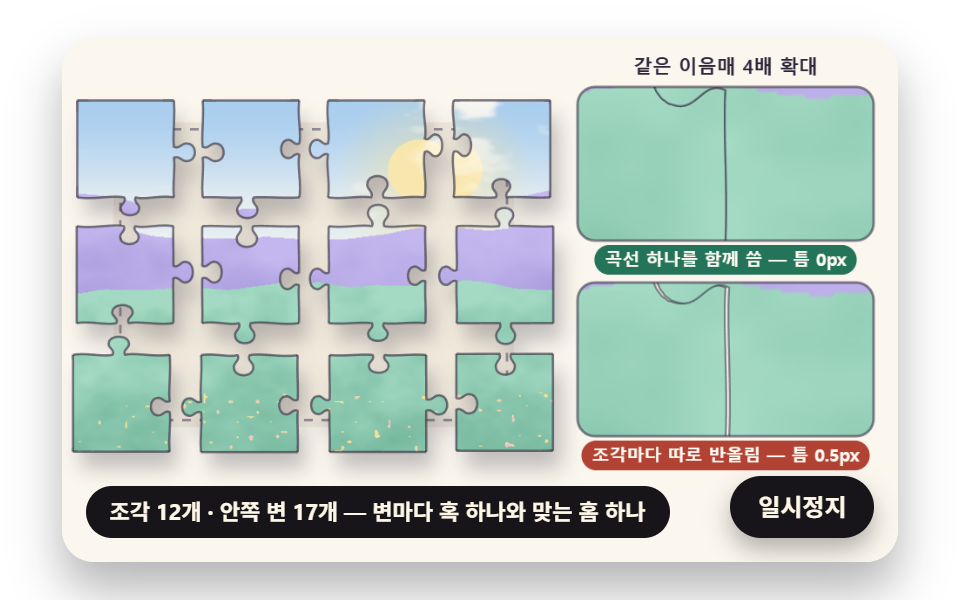 dragJigsaw Puzzle JavaScript: 9 Snapping Tab Boards
 Lists & tables9 Swipe to Delete List UI Patterns (Copy-Paste)
 Lists & tables9 Accordion List UI Patterns (Copy-Paste)
 Lists & tables9 Data Table UI Patterns — Drag, Resize, Select
 Pickers9 time picker ui patterns, from a point to a span
 Auth UI9 account security settings UI patterns
 InteractionsSocial Share Buttons: 9 Copy-Paste UI Patterns