Drag and Drop File Upload UI: 9 Computed Dropzones
Dropped files turn into previews computed from their bytes: type, size and count drive the layout, images get pixel-read thumbnails, rejects bounce back with a
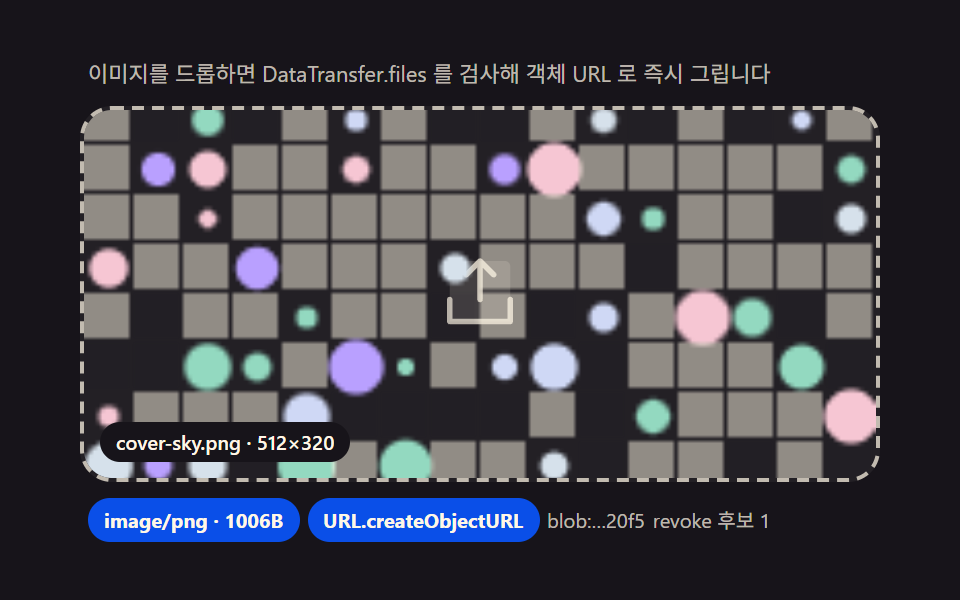 01 drop-image
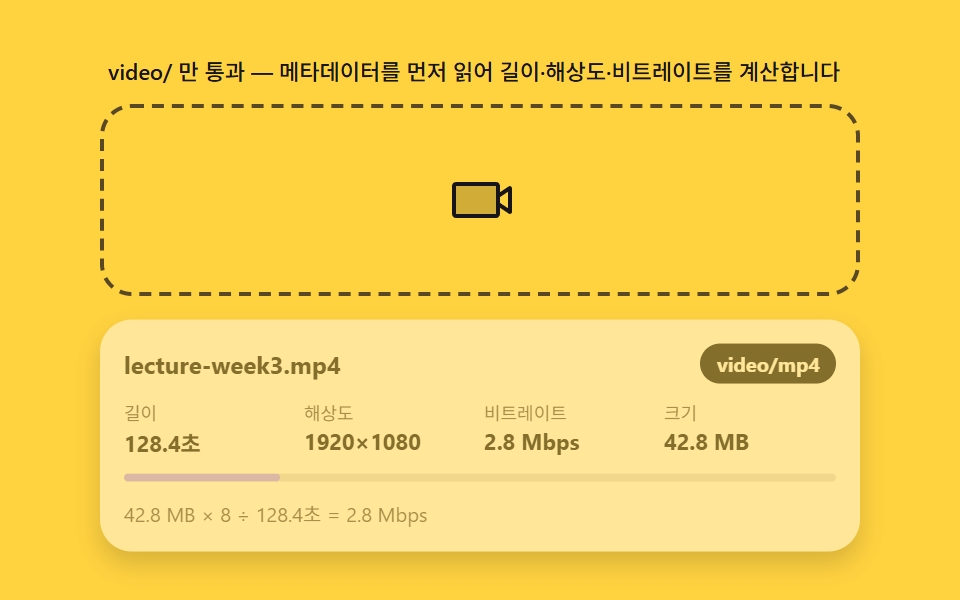 02 drop-video
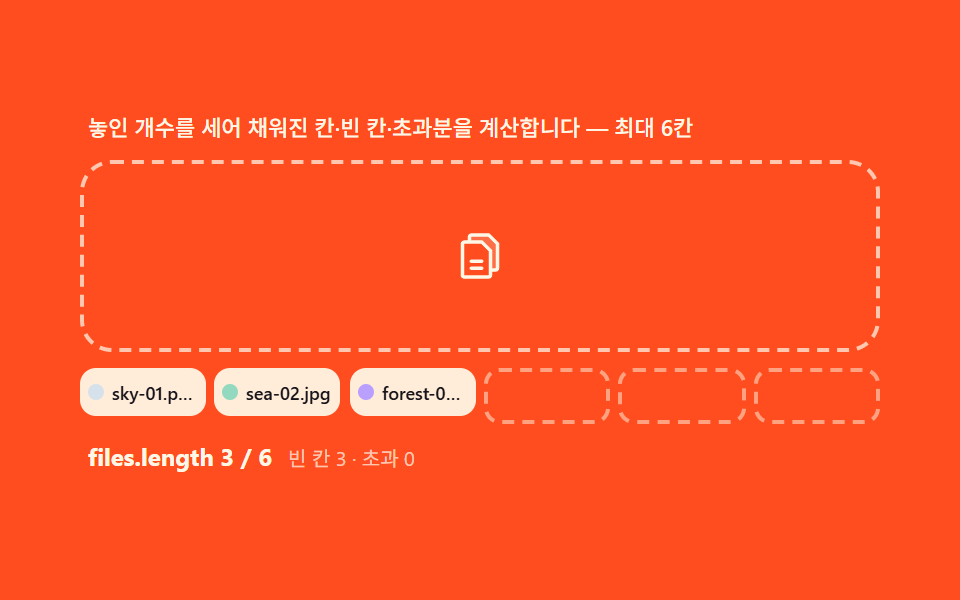 03 drop-multi-file
 04 drop-preview-grid
 05 drop-progress
 06 drop-paste-clipboard
 07 drop-reject-type
 08 drop-size-limit
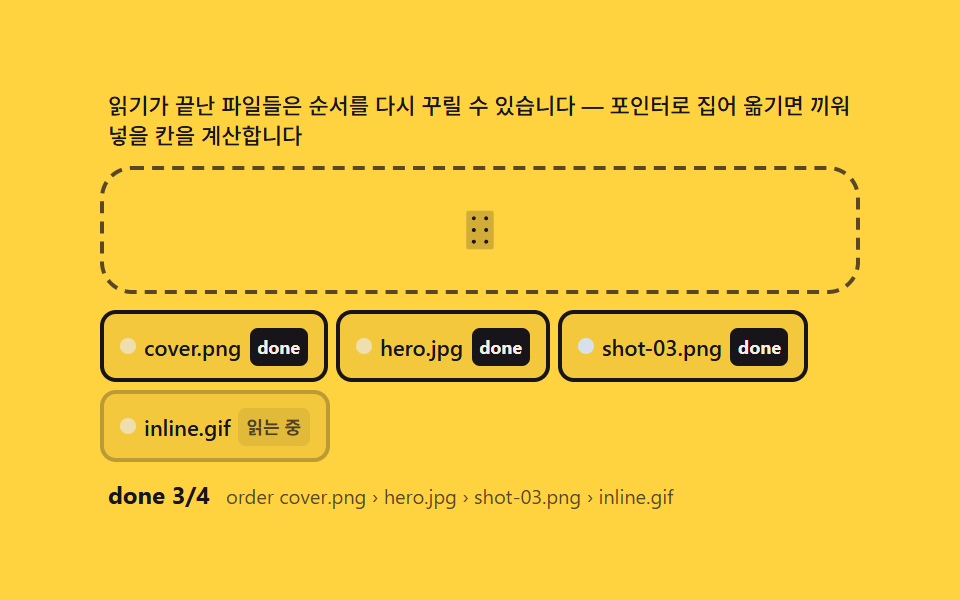 09 drop-reorder-after-upload
Auto-plays · click a tile to jump to its section · all nine in one zip
- 01 Image drop — an instant preview drawn from an object URL the moment it lands
- 02 Video drop — a panel that reads metadata first and computes duration and resolution
- 03 Multi-file — a group that counts entries and computes filled slots versus the remainder
- 04 Preview grid — reading aspect ratios and computing a gap-free layout
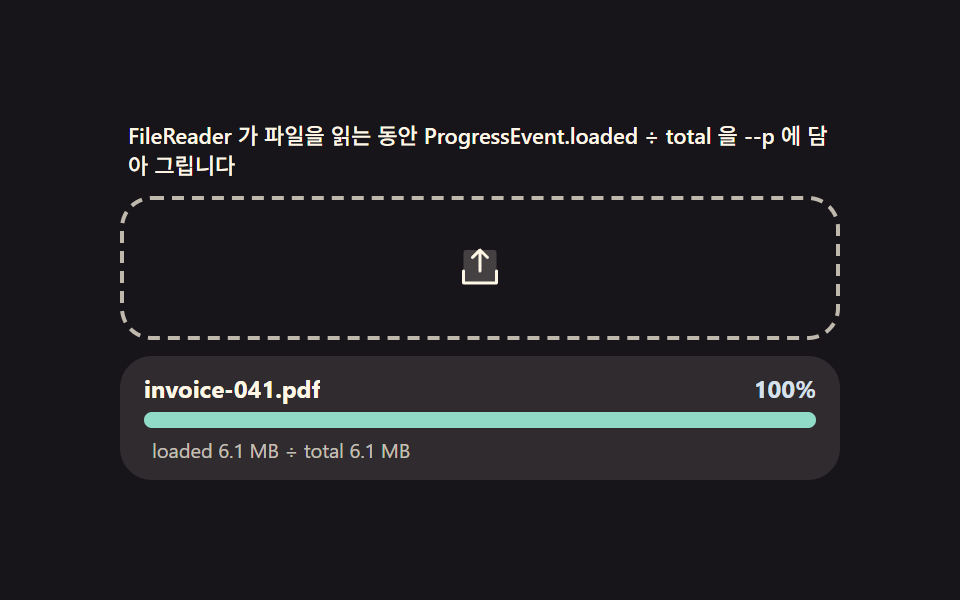
- 05 Read progress — a bar measuring how fast the browser itself ingests the dropped file
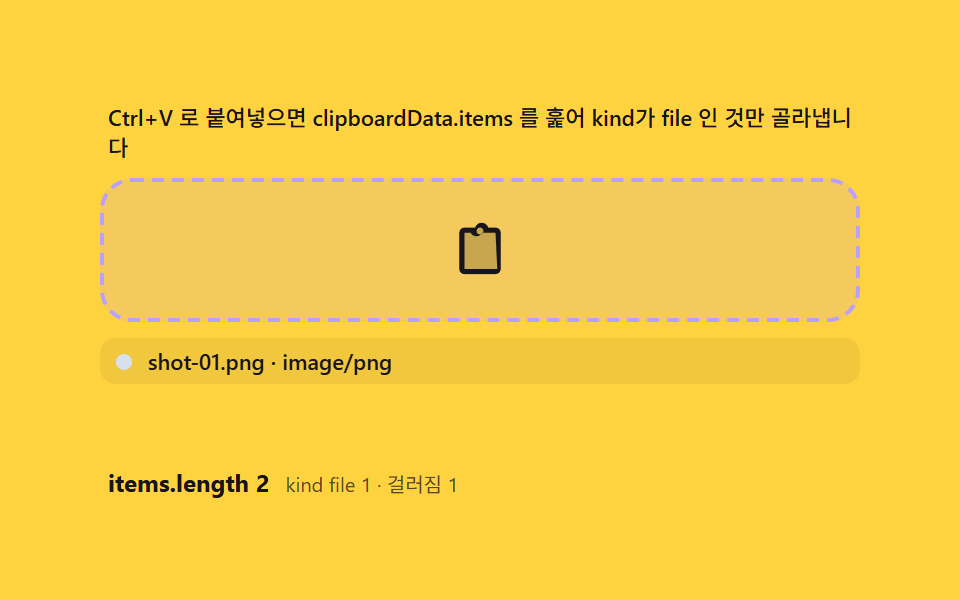
- 06 Paste intake — routing clipboard files onto the same path as a drop
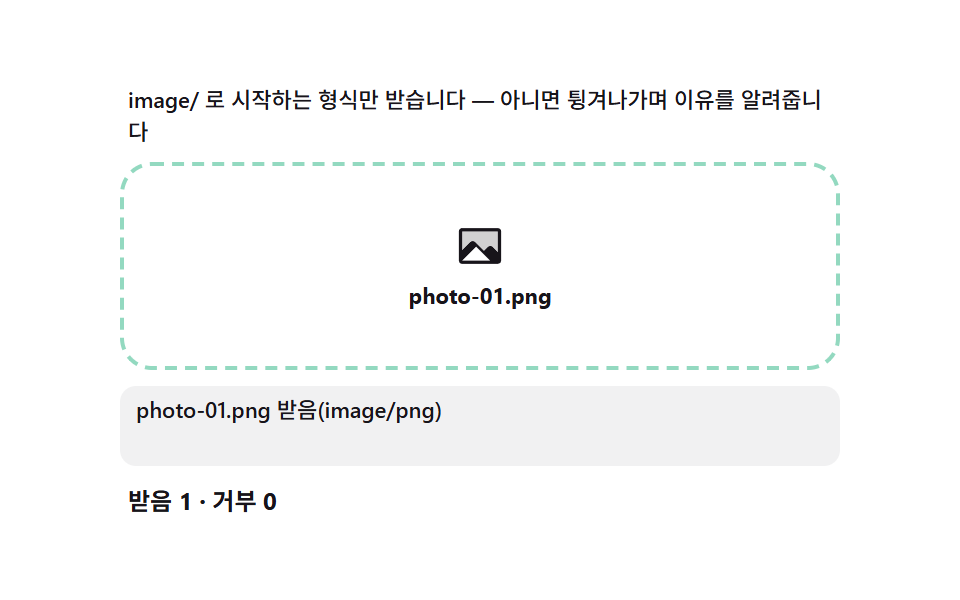
- 07 Type rejection — a gate that computes the reason from MIME prefix matching and bounces the file
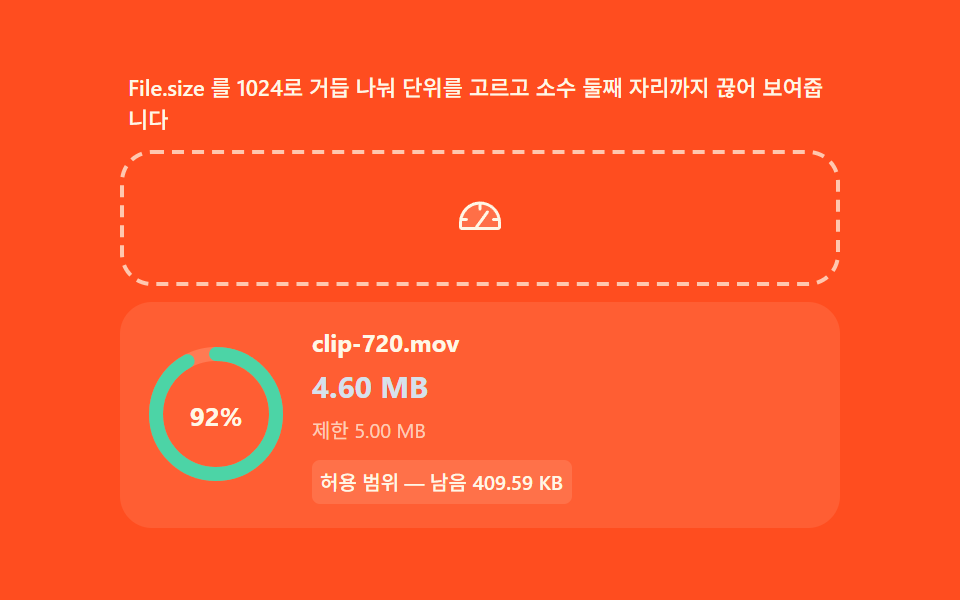
- 08 Size computation — converting bytes into human units and comparing against a cap
- 09 Reorder after upload — finishing by hand-arranging the completed chips
Every one of the nine builds below runs the same idea from a different angle: a file arrives through dragover/drop or through paste, and the screen never draws anything until it has actually computed something from that arrival — the file's type, its size, its metadata, or, for the one item where the file already finished loading earlier, the pointer position that now reorders it. Item 01 reads only the MIME prefix, item 02 reads a video's own duration and resolution, item 03 counts files against a fixed cap, and items 04 through 09 each isolate one more piece of that same computed layer — an aspect ratio, a read-progress ratio, a clipboard kind, a rejection reason, a byte-to-unit ladder, and a pointer-to-index inversion. Reading them in this order means the intake function that items 06 and 07 lean on already showed up quietly in item 01's drop handler.
Demo
All nine zones replay a fixed scenario off a performance.now() clock instead of Math.random() or a CSS @keyframes loop, so the same file lands in the same slot in the same order every time the page loads — the scenario lists (names, MIME types, byte sizes) are named array constants, and the thumbnails are seeded pattern canvases rather than real image files. A real dragover, drop, or paste on any zone stops that replay instantly and hands control to whoever is actually holding the file, and prefers-reduced-motion keeps every MIME check, byte conversion, and ratio calculation running while only dropping the transition that animates the settle.
Anatomy of a dropzone — dragover, drop, DataTransfer.files, and preventDefault
Why preventDefault has to run on two events, not one
A browser's default behavior for a dropped file is to navigate to it and show the raw bytes on screen, and that default fires on both dragover and drop — skip preventDefault on either one and the dropzone below never receives the file at all, because the tab has already left the page. Every item here calls it twice, once per event, before touching e.dataTransfer.
Why files come out of DataTransfer.files and not the file name
e.dataTransfer.files is a real FileList of File objects, each one carrying a browser-assigned type and size that the file's own name never had to agree with — a .png can arrive with an empty type, and a renamed executable can still claim image/png if a script built it that way. Every rejection or acceptance decision on this page reads File.type, never file.name.split('.').
One intake function for two entrances
Drag and paste look like different gestures, but the object landing in the handler is the same File: a drop event exposes it through dataTransfer.files, and a paste event exposes it through clipboardData.items after filtering for kind === 'file'. Item 06 below builds exactly that filter, and it hands its result to the same processing function a drop would call — the grid never learns which entrance a file came through.
Code per dropzone in nine steps
Paste any item's prompt from the zip into an AI coding tool and it rebuilds the same screen — the block under each item is trimmed straight out of that item's index.html, the same file that ships inside the password-protected download alongside a matching React version.
01Image drop — an instant preview drawn from an object URL the moment it lands
Why the MIME prefix check comes before anything else
Pulling the File out of a drop's DataTransfer.files[0] and checking its type for the image/ prefix decides in one line whether anything else in this function runs at all.
<main class="stage">
<div class="dz" id="dz">
  <p class="dz__hint" id="dzHint">Drop an image and DataTransfer.files is inspected to draw an object URL right away</p>
  <div class="dz__zone" id="dzZone" role="button" tabindex="0" aria-describedby="dzHint" aria-label="Image dropzone">
    <input type="file" id="dzInput" accept="image/*" class="dz__file" aria-label="Choose file">
    <svg class="dz__ic dz__ic--up" viewBox="0 0 256 256" aria-hidden="true"><g fill="currentColor"><path d="M216 48v160H40V48a16 16 0 0 1 16-16h144a16 16 0 0 1 16 16" opacity=".2"/><path d="M224 144v64a8 8 0 0 1-8 8H40a8 8 0 0 1-8-8v-64a8 8 0 0 1 16 0v56h160v-56a8 8 0 0 1 16 0M93.66 77.66L120 51.31V144a8 8 0 0 0 16 0V51.31l26.34 26.35a8 8 0 0 0 11.32-11.32l-40-40a8 8 0 0 0-11.32 0l-40 40a8 8 0 0 0 11.32 11.32"/></g></svg>
    <div class="dz__frame" id="dzFrame" aria-hidden="true">
      <canvas class="dz__cv" id="dzCv" width="192" height="120"></canvas>
    </div>
    <p class="dz__file-label" id="dzFileLabel">cover-sky.png · 512×320</p>
  </div>
  <div class="dz__meta">
    <span class="dz__chip" id="dzChip">image/png</span>
    <span class="dz__chip" id="dzChip2">URL.createObjectURL</span>
    <span class="dz__unit" id="dzUrl">blob:…37f2</span>
    <span class="dz__unit" id="dzRevoked">revoke candidates 0</span>
  </div>
</div>
</main>
@use "../../../../site/static/demo-tokens" as *;
$duration: 240ms; // 놓인 순간 정착(스케일 스프링은 rAF 계산, 이 값은 프레임 하이라이트용)
$easing: $ease-spring;
$color: $subject-blue-deep;
// 파스텔 강조(도구/파스텔.py to_pastel 결과: 채도 .34 · 명도 +.11)
$p-sky: #d6e1eb;
$p-creamline: #f6eede;
@include stage($stage-ink);
.dz {
width: 100%;
max-width: 400px;
display: flex;
flex-direction: column;
gap: $sp-2;
}
.dz__hint {
margin: 0;
padding: 0 $sp-1;
font-weight: 400;
font-size: 11px;
line-height: 1.4;
color: rgba($subject-cream, .72);
}
.dz__zone {
position: relative;
display: grid;
place-items: center;
min-height: 160px;
padding: $sp-3;
border: 2px dashed rgba($subject-cream, .72);
border-radius: $r-card;
background: rgba($subject-cream, .05);
cursor: pointer;
overflow: hidden;
transition: border-color $dur-quick $ease-out, background $dur-quick $ease-out;
}
.dz__zone.is-over {
border-color: $p-sky;
background: rgba(159, 201, 236, .12);
}
.dz__file {
position: absolute;
inset: 0;
width: 100%;
height: 100%;
opacity: 0;
cursor: pointer;
}
.dz__ic {
width: 44px;
height: 44px;
color: rgba($subject-cream, .72);
transition: transform $duration $easing, color $dur-quick $ease-out;
}
.dz__zone.is-over .dz__ic {
transform: translateY(-6px);
color: $p-sky;
}
.dz__frame {
position: absolute;
inset: 0;
display: none;
transform: scale(1);
transform-origin: 50% 100%;
}
.dz__frame.is-in {
display: block;
}
.dz__cv {
display: block;
width: 100%;
height: 100%;
object-fit: cover;
}
.dz__file-label {
position: absolute;
left: $sp-2;
bottom: $sp-2;
margin: 0;
padding: $sp-1 $sp-2;
border-radius: $r-pill;
background: $subject-ink;
color: $subject-cream;
font-weight: 500;
font-size: 10px;
line-height: 1.2;
}
.dz__meta {
display: flex;
flex-wrap: wrap;
align-items: center;
gap: $sp-1;
padding: 0 $sp-1;
}
.dz__chip {
padding: $sp-1 $sp-2;
border-radius: $r-pill;
background: $color;
color: $subject-cream;
font-weight: 700;
font-size: 10px;
}
.dz__unit {
font-weight: 400;
font-size: 10px;
color: rgba($subject-cream, .72);
}
@media (max-width: 340px) {
.dz { max-width: 280px; gap: $sp-1; }
.dz__hint { font-size: 9px; line-height: 1.25; }
.dz__zone { min-height: 56px; padding: $sp-2; }
.dz__ic { width: 24px; height: 24px; }
.dz__meta { gap: $sp-1; }
.dz__chip { padding: $sp-1; font-size: 9px; }
.dz__unit { font-size: 9px; }
}
@media (prefers-reduced-motion: reduce) {
.dz__ic { transition: none; }
.dz__zone.is-over .dz__ic { transform: none; }
.dz__zone { transition: none; }
}html, body {
margin: 0;
overflow: hidden;
}
.stage {
box-sizing: border-box;
min-height: 100vh;
display: grid;
place-items: center;
margin: 0;
background: #17141a;
font-family: -apple-system, "Segoe UI", "Noto Sans KR", sans-serif;
padding: clamp(8px, 4vw, 24px);
}
.dz {
width: 100%;
max-width: 400px;
display: flex;
flex-direction: column;
gap: 8px;
}
.dz__hint {
margin: 0;
padding: 0 4px;
font-weight: 400;
font-size: 11px;
line-height: 1.4;
color: rgba(255, 247, 230, 0.72);
}
.dz__zone {
position: relative;
display: grid;
place-items: center;
min-height: 160px;
padding: 12px;
border: 2px dashed rgba(255, 247, 230, 0.72);
border-radius: 16px;
background: rgba(255, 247, 230, 0.05);
cursor: pointer;
overflow: hidden;
transition: border-color 220ms ease-out, background 220ms ease-out;
}
.dz__zone.is-over {
border-color: #d6e1eb;
background: rgba(159, 201, 236, 0.12);
}
.dz__file {
position: absolute;
inset: 0;
width: 100%;
height: 100%;
opacity: 0;
cursor: pointer;
}
.dz__ic {
width: 44px;
height: 44px;
color: rgba(255, 247, 230, 0.72);
transition: transform 240ms cubic-bezier(0.2, 0.8, 0.2, 1), color 220ms ease-out;
}
.dz__zone.is-over .dz__ic {
transform: translateY(-6px);
color: #d6e1eb;
}
.dz__frame {
position: absolute;
inset: 0;
display: none;
transform: scale(1);
transform-origin: 50% 100%;
}
.dz__frame.is-in {
display: block;
}
.dz__cv {
display: block;
width: 100%;
height: 100%;
object-fit: cover;
}
.dz__file-label {
position: absolute;
left: 8px;
bottom: 8px;
margin: 0;
padding: 4px 8px;
border-radius: 999px;
background: #17141a;
color: #fff7e6;
font-weight: 500;
font-size: 10px;
line-height: 1.2;
}
.dz__meta {
display: flex;
flex-wrap: wrap;
align-items: center;
gap: 4px;
padding: 0 4px;
}
.dz__chip {
padding: 4px 8px;
border-radius: 999px;
background: #0a4fe8;
color: #fff7e6;
font-weight: 700;
font-size: 10px;
}
.dz__unit {
font-weight: 400;
font-size: 10px;
color: rgba(255, 247, 230, 0.72);
}
@media (max-width: 340px) {
.dz {
max-width: 280px;
gap: 4px;
}
.dz__hint {
font-size: 9px;
line-height: 1.25;
}
.dz__zone {
min-height: 56px;
padding: 8px;
}
.dz__ic {
width: 24px;
height: 24px;
}
.dz__meta {
gap: 4px;
}
.dz__chip {
padding: 4px;
font-size: 9px;
}
.dz__unit {
font-size: 9px;
}
}
@media (prefers-reduced-motion: reduce) {
.dz__ic {
transition: none;
}
.dz__zone.is-over .dz__ic {
transform: none;
}
.dz__zone {
transition: none;
}
}// Drop an image(01) — drop 이벤트의 DataTransfer.files 에서 File 을 꺼내 File.type 이 image/ 접두사인지
// startsWith 로 검사하고, 통과하면 URL.createObjectURL 로 브라우저 메모리 안에서만 접근 가능한 주소를
// 만들어 캔버스에 그린다. 서버 전송은 전혀 없고(시뮬레이션만), 미리보기를 치울 때는 revokeObjectURL 로
// 메모리를 되돌린다. 시드 고정 캔버스 패턴으로 "가상 이미지 파일"을 Blob 으로 만들어 File 처럼 다룬다.
(function () {
var zone = document.getElementById('dzZone');
var frame = document.getElementById('dzFrame');
var cv = document.getElementById('dzCv');
var fileLabel = document.getElementById('dzFileLabel');
var chip = document.getElementById('dzChip');
var urlEl = document.getElementById('dzUrl');
var revEl = document.getElementById('dzRevoked');
if (!zone || !frame || !cv || !fileLabel || !chip || !urlEl || !revEl) return;
var ctx = cv.getContext('2d');
if (!ctx) return;
var reduce = window.matchMedia('(prefers-reduced-motion: reduce)').matches;
// 시드 고정 난수(mulberry32) — 같은 시드는 같은 그림. Math.random 금지.
function mulberry32(a) {
return function () {
a |= 0; a = a + 0x6D2B79F5 | 0;
var t = Math.imul(a ^ a >>> 15, 1 | a);
t = t + Math.imul(t ^ t >>> 7, 61 | t) ^ t;
return ((t ^ t >>> 14) >>> 0) / 4294967296;
};
}
var PALETTES = [
{ name: 'cover-sky.png', w: 512, h: 320, type: 'image/png', seed: 37, hex: '#d6e1eb' },
{ name: 'profile-mint.png', w: 256, h: 256, type: 'image/png', seed: 61, hex: '#93d9c0' },
{ name: 'poster-lilac.jpg', w: 640, h: 400, type: 'image/jpeg', seed: 89, hex: '#b9a0ff' }
];
var DROP_MS = 240; // 놓인 순간 스케일 정착 시간 — 변형 아님(기본값), 시간 표기와 일치
var HEXES = ['#d6e1eb', '#93d9c0', '#b9a0ff', '#f6c6d3', '#cfd8f5'];
// 가상 이미지 파일 — 시드 패턴을 캔버스로 그려 Blob(File) 로 만든다 (외부 이미지 0)
function drawPattern(p) {
var rnd = mulberry32(p.seed);
ctx.clearRect(0, 0, cv.width, cv.height);
var cell = 12;
for (var y = 0; y < cv.height; y += cell) {
for (var x = 0; x < cv.width; x += cell) {
var v = rnd();
if (v > .72) {
ctx.fillStyle = HEXES[Math.floor(rnd() * HEXES.length)];
ctx.beginPath();
var r = 2 + rnd() * (cell / 2 - 1);
ctx.arc(x + cell / 2, y + cell / 2, r, 0, Math.PI * 2);
ctx.fill();
} else {
ctx.fillStyle = v > .5 ? 'rgba(23,20,26,.06)' : 'rgba(255,247,230,.5)';
ctx.fillRect(x, y, cell - 1, cell - 1);
}
}
}
}
var cur = -1;
var objUrls = []; // createObjectURL 발급 이력 — revoke 시뮬레이션 카운터
var scale = 1, scaleV = 0;
// File 시뮬레이션 — new File(Blob) 로 실제 File 객체를 만들어 type/size 를 진짜로 읽게 한다
function virtualFile(p, cb) {
try {
cv.toBlob(function (b) {
var f = new File([b], p.name, { type: p.type });
cb(f);
}, p.type.split('/')[1] === 'jpeg' ? 'image/jpeg' : 'image/png');
} catch (e) { cb(null); }
}
// drop 처리 — DataTransfer.files 경로와 같은 검사·URL 발급을 탄다
function intake(files) {
var f = files && files[0];
if (!f) return;
var ok = f.type && f.type.indexOf('image/') === 0; // File.type 접두사 판정
if (!ok) return;
if (cur >= 0) { try { URL.revokeObjectURL(objUrls[cur]); } catch (e) {} }
cur = (cur + 1) % PALETTES.length;
drawPattern(PALETTES[cur]);
var u = URL.createObjectURL(f);
objUrls.push(u);
chip.textContent = f.type + ' · ' + f.size + 'B';
urlEl.textContent = 'blob:…' + u.slice(-4);
revEl.textContent = 'revoke candidates ' + objUrls.length;
fileLabel.textContent = PALETTES[cur].name + ' · ' + PALETTES[cur].w + '×' + PALETTES[cur].h;
frame.classList.add('is-in');
scale = .82; scaleV = 0; // 스케일 스프링(계산)
}
// 실제 드롭 — 사람이 파일을 올리면 같은 파이프라인
zone.addEventListener('dragover', function (e) { e.preventDefault(); zone.classList.add('is-over'); });
zone.addEventListener('dragleave', function () { zone.classList.remove('is-over'); });
zone.addEventListener('drop', function (e) {
e.preventDefault(); zone.classList.remove('is-over');
if (e.dataTransfer && e.dataTransfer.files) intake(e.dataTransfer.files);
});
var input = document.getElementById('dzInput');
if (input) input.addEventListener('change', function () {
if (input.files) intake(input.files);
input.value = '';
});
// 자동 시연 — 2.4초마다 가상 파일을 "드롭". 화면이 계속 살아 있다.
var nextAt = 0;
if (reduce) {
drawPattern(PALETTES[0]);
frame.classList.add('is-in');
cur = 0;
virtualFile(PALETTES[0], function () {});
} else {
(function loop(now) {
if (now >= nextAt) {
nextAt = now + 2400;
virtualFile(PALETTES[(cur + 1) % PALETTES.length], function (f) { if (f) intake([f]); });
}
// 스케일 스프링 — k=0.09 감쇠 lerp (계산 곡선)
if (frame.classList.contains('is-in')) {
scaleV += (1 - scale) * 0.09; scaleV *= 0.78;
scale += scaleV;
frame.style.transform = 'scale(' + scale.toFixed(4) + ')';
}
requestAnimationFrame(loop);
})(0);
}
})();// DropImage — vanilla 판(run/337/demo/01-drop-image/index.html) 의 React 포트.
// drop 이벤트의 DataTransfer.files 에서 File 을 꺼내 File.type 이 image/ 접두사인지 검사하고,
// 통과하면 URL.createObjectURL 로 브라우저 메모리 안 주소를 만들어 캔버스에 그린다. 미리보기를
// 치울 때는 revokeObjectURL 로 메모리를 되돌린다. 시드 고정(mulberry32) 캔버스 패턴으로 가상
// 이미지 파일을 Blob(File) 로 만들어 실제 File 객체처럼 다룬다 — Math.random 은 쓰지 않는다.
import { useEffect, useRef } from "react";
import styles from "./DropImage.module.scss";
export type DropImageProps = {
duration?: string;
easing?: string;
color?: string;
};
type Box<T> = { current: T };
const HINT = "이미지를 드롭하면 DataTransfer.files 를 검사해 객체 URL 로 즉시 그립니다";
const ARIA_LABEL = "이미지 드롭존";
// 시드 고정 난수(mulberry32) — 같은 시드는 같은 그림
function mulberry32(a: number): () => number {
return function (): number {
a |= 0; a = a + 0x6d2b79f5 | 0;
let t = Math.imul(a ^ a >>> 15, 1 | a);
t = t + Math.imul(t ^ t >>> 7, 61 | t) ^ t;
return ((t ^ t >>> 14) >>> 0) / 4294967296;
};
}
type Palette = { name: string; w: number; h: number; type: string; seed: number };
const PALETTES: Palette[] = [
{ name: "cover-sky.png", w: 512, h: 320, type: "image/png", seed: 37 },
{ name: "profile-mint.png", w: 256, h: 256, type: "image/png", seed: 61 },
{ name: "poster-lilac.jpg", w: 640, h: 400, type: "image/jpeg", seed: 89 }
];
const DROP_MS = 240; // 놓인 순간 스케일 정착 시간 — 프레임 하이라이트용(스프링은 rAF 계산)
const HEXES = ["#9fc9ec", "#93d9c0", "#b9a0ff", "#f6c6d3", "#cfd8f5"];
export default function DropImage({
duration = "240ms",
easing = "cubic-bezier(.2,.8,.2,1)",
color = "#0a4fe8"
}: DropImageProps) {
const zoneRef = useRef<HTMLDivElement | null>(null);
const inputRef = useRef<HTMLInputElement | null>(null);
const frameRef = useRef<HTMLDivElement | null>(null);
const cvRef = useRef<HTMLCanvasElement | null>(null);
const labelRef = useRef<HTMLSpanElement | null>(null);
const chipRef = useRef<HTMLSpanElement | null>(null);
const urlRef = useRef<HTMLSpanElement | null>(null);
const revRef = useRef<HTMLSpanElement | null>(null);
const rafRef = useRef(0) as Box<number>;
useEffect(() => {
const zone = zoneRef.current;
const input = inputRef.current;
const frame = frameRef.current;
const cv = cvRef.current;
const labelEl = labelRef.current;
const chipEl = chipRef.current;
const urlEl = urlRef.current;
const revEl = revRef.current;
if (!zone || !input || !frame || !cv || !labelEl || !chipEl || !urlEl || !revEl) return;
const ctx = cv.getContext("2d");
if (!ctx) return;
const reduce = window.matchMedia("(prefers-reduced-motion: reduce)").matches;
// 시드 패턴 — 셀마다 rnd() 를 소모해 같은 시드가 같은 그림을 보장
function drawPattern(p: Palette): void {
const rnd = mulberry32(p.seed);
ctx!.clearRect(0, 0, cv!.width, cv!.height);
const cell = 12;
for (let y = 0; y < cv!.height; y += cell) {
for (let x = 0; x < cv!.width; x += cell) {
const v = rnd();
if (v > 0.72) {
ctx!.fillStyle = HEXES[Math.floor(rnd() * HEXES.length)];
ctx!.beginPath();
const r = 2 + rnd() * (cell / 2 - 1);
ctx!.arc(x + cell / 2, y + cell / 2, r, 0, Math.PI * 2);
ctx!.fill();
} else {
ctx!.fillStyle = v > 0.5 ? "rgba(23,20,26,.06)" : "rgba(255,247,230,.5)";
ctx!.fillRect(x, y, cell - 1, cell - 1);
}
}
}
}
let cur = -1;
const objUrls: string[] = []; // createObjectURL 발급 이력 — revoke 시뮬레이션 카운터
let scale = 1;
let scaleV = 0;
// File 시뮬레이션 — new File(Blob) 로 실제 File 객체를 만들어 type/size 를 진짜로 읽게 한다
function virtualFile(p: Palette, cb: (f: File | null) => void): void {
try {
cv!.toBlob(
(b: Blob | null) => {
if (!b) { cb(null); return; }
try { cb(new File([b], p.name, { type: p.type })); } catch (e) { cb(null); }
},
p.type.split("/")[1] === "jpeg" ? "image/jpeg" : "image/png"
);
} catch (e) { cb(null); }
}
// drop 처리 — DataTransfer.files 경로와 같은 검사·URL 발급을 탄다
function intake(files: FileList | File[] | null): void {
const f = files && files[0];
if (!f) return;
const ok = f.type && f.type.indexOf("image/") === 0; // File.type 접두사 판정
if (!ok) return;
if (cur >= 0) { try { URL.revokeObjectURL(objUrls[cur]); } catch (e) { /* 이미 회수됨 */ } }
cur = (cur + 1) % PALETTES.length;
drawPattern(PALETTES[cur]);
const u = URL.createObjectURL(f);
objUrls.push(u);
chipEl!.textContent = f.type + " · " + f.size + "B";
urlEl!.textContent = "blob:…" + u.slice(-4);
revEl!.textContent = "revoke 후보 " + objUrls.length;
labelEl!.textContent = PALETTES[cur].name + " · " + PALETTES[cur].w + "×" + PALETTES[cur].h;
frame!.classList.add(styles.frameIn);
scale = 0.82; scaleV = 0; // 스케일 스프링 초기값(계산)
}
function onOver(e: DragEvent): void {
if (!e.dataTransfer) return;
e.preventDefault();
zone!.classList.add(styles.zoneOver);
}
function onLeave(): void {
zone!.classList.remove(styles.zoneOver);
}
function onDrop(e: DragEvent): void {
e.preventDefault();
zone!.classList.remove(styles.zoneOver);
if (e.dataTransfer && e.dataTransfer.files) intake(e.dataTransfer.files);
}
function onChange(): void {
if (input!.files) intake(input!.files);
input!.value = "";
}
zone.addEventListener("dragover", onOver as EventListener);
zone.addEventListener("dragleave", onLeave);
zone.addEventListener("drop", onDrop as EventListener);
input.addEventListener("change", onChange);
// 자동 시연 — 2.4초마다 가상 파일을 "드롭". 스케일 스프링(k=0.09 감쇠 lerp)로 화면이 산다.
let nextAt = 0;
if (reduce) {
drawPattern(PALETTES[0]);
frame.classList.add(styles.frameIn);
cur = 0;
} else {
const step = (now: number): void => {
if (now >= nextAt) {
nextAt = now + 2400;
virtualFile(PALETTES[(cur + 1) % PALETTES.length], (f) => { if (f) intake([f]); });
}
if (frame!.classList.contains(styles.frameIn)) {
scaleV += (1 - scale) * 0.09;
scaleV *= 0.78;
scale += scaleV;
frame!.style.transform = "scale(" + scale.toFixed(4) + ")";
}
rafRef.current = requestAnimationFrame(step);
};
rafRef.current = requestAnimationFrame(step);
}
return () => {
cancelAnimationFrame(rafRef.current);
objUrls.forEach((u) => { try { URL.revokeObjectURL(u); } catch (e) { /* 회수 */ } });
zone.removeEventListener("dragover", onOver as EventListener);
zone.removeEventListener("dragleave", onLeave);
zone.removeEventListener("drop", onDrop as EventListener);
input.removeEventListener("change", onChange);
};
// eslint-disable-next-line react-hooks/exhaustive-deps
}, []);
return (
<main className={styles.stage}>
<div className={styles.dz}>
<p className={styles.hint} id="dzHintReact">{HINT}</p>
<div
className={styles.zone}
ref={zoneRef}
role="button"
tabIndex={0}
aria-describedby="dzHintReact"
aria-label={ARIA_LABEL}
>
<input
type="file"
accept="image/*"
className={styles.file}
ref={inputRef}
aria-label="파일 선택"
/>
<svg className={styles.ic} viewBox="0 0 256 256" aria-hidden="true">
<g fill="currentColor">
<path d="M216 48v160H40V48a16 16 0 0 1 16-16h144a16 16 0 0 1 16 16" opacity=".2" />
<path d="M224 144v64a8 8 0 0 1-8 8H40a8 8 0 0 1-8-8v-64a8 8 0 0 1 16 0v56h160v-56a8 8 0 0 1 16 0M93.66 77.66L120 51.31V144a8 8 0 0 0 16 0V51.31l26.34 26.35a8 8 0 0 0 11.32-11.32l-40-40a8 8 0 0 0-11.32 0l-40 40a8 8 0 0 0 11.32 11.32" />
</g>
</svg>
<div className={styles.frame} ref={frameRef} aria-hidden="true">
<canvas className={styles.cv} ref={cvRef} width={192} height={120} />
</div>
<span className={styles.fileLabel} ref={labelRef}>cover-sky.png · 512×320</span>
</div>
<p className={styles.meta}>
<span className={styles.chip} ref={chipRef} style={{ background: color }}>image/png</span>
<span className={styles.chip} style={{ background: color }}>URL.createObjectURL</span>
<span className={styles.unit} ref={urlRef}>blob:…37f2</span>
<span className={styles.unit} ref={revRef}>revoke 후보 0</span>
</p>
</div>
</main>
);
}01 · Image drop — an instant preview drawn from an object URL the moment it lands — Measured area 45.397% · moving frames 11/23Original by GODRICH · SCSS and React ship in the zip · See the password
What the numbers say
Cumulative area comes out widest of the nine at 45.4% (peak frame 35.2%, average intensity 48.3), moving on 11 of 23 frame-to-frame comparisons as the scripted drop cycles through three seeded patterns with a settle pause after each landing.
function intake(files) {
  var f = files && files[0];
  if (!f) return;
  var ok = f.type && f.type.indexOf('image/') === 0;   // File.type prefix check
  if (!ok) return;
  if (cur >= 0) { try { URL.revokeObjectURL(objUrls[cur]); } catch (e) {} }
  cur = (cur + 1) % PALETTES.length;
  drawPattern(PALETTES[cur]);
  var u = URL.createObjectURL(f);
  objUrls.push(u);
  chip.textContent = f.type + ' · ' + f.size + 'B';
  urlEl.textContent = 'blob:' + u.slice(-4);
  revEl.textContent = 'revoke candidates ' + objUrls.length;
}
02Video drop — a panel that reads metadata first and computes duration and resolution
Why metadata is read before playback
Hanging a video/-typed file's object URL on a video element and waiting for loadedmetadata before painting anything means the numbers on screen are read off the file, never guessed from its name or size alone.
<main class="stage">
<div class="vd" id="vd">
  <p class="vd__hint" id="vdHint">Only video/ passes — metadata is read first to compute duration, resolution and bitrate</p>
  <div class="vd__zone" id="vdZone" role="button" tabindex="0" aria-describedby="vdHint" aria-label="Video dropzone">
    <input type="file" id="vdInput" accept="video/*" class="vd__file" aria-label="Choose file">
    <svg class="vd__ic" viewBox="0 0 256 256" aria-hidden="true"><g fill="currentColor"><path d="M200 72v112a8 8 0 0 1-8 8H32a8 8 0 0 1-8-8V72a8 8 0 0 1 8-8h160a8 8 0 0 1 8 8" opacity=".2"/><path d="M251.77 73a8 8 0 0 0-8.21.39L208 97.05V72a16 16 0 0 0-16-16H32a16 16 0 0 0-16 16v112a16 16 0 0 0 16 16h160a16 16 0 0 0 16-16v-25l35.56 23.71A8 8 0 0 0 248 184a8 8 0 0 0 8-8V80a8 8 0 0 0-4.23-7M192 184H32V72h160zm48-22.95l-32-21.33v-23.44L240 95Z"/></g></svg>
  </div>
  <div class="vd__panel" id="vdPanel" aria-live="polite">
    <div class="vd__head">
      <b class="vd__name" id="vdName">lecture-week3.mp4</b>
      <span class="vd__chip" id="vdChip">video/mp4</span>
    </div>
    <dl class="vd__stats">
      <div class="vd__stat"><dt>Duration</dt><dd id="vdDur">128.4s</dd></div>
      <div class="vd__stat"><dt>Resolution</dt><dd id="vdRes">1920×1080</dd></div>
      <div class="vd__stat"><dt>Bitrate</dt><dd id="vdBr">2.8 Mbps</dd></div>
      <div class="vd__stat"><dt>Size</dt><dd id="vdSize">44.9 MB</dd></div>
    </dl>
    <div class="vd__scan" aria-hidden="true"><span class="vd__scanbar" id="vdScanbar"></span></div>
    <p class="vd__calc" id="vdCalc">44.9 MB × 8 ÷ 128.4s = 2.8 Mbps</p>
  </div>
</div>
</main>
@use "../../../../site/static/demo-tokens" as *;
$duration: 600ms; // 메타데이터 스캔 하이라이트(SCAN_MS 와 일치)
$easing: $ease-out;
$color: $subject-ink; // 노랑 무대 — 글자는 잉크
// 파스텔 강조(채도 .34 · 명도 +.11)
$p-lilac: #b9a0ff;
$p-creamline: #f6eede;
@include stage($stage-yellow);
.vd {
width: 100%;
max-width: 380px;
display: flex;
flex-direction: column;
gap: $sp-2;
}
.vd__hint {
margin: 0;
padding: 0 $sp-1;
font-weight: 500;
font-size: 11px;
line-height: 1.4;
color: $subject-ink;
}
.vd__zone {
position: relative;
display: grid;
place-items: center;
min-height: 68px;
padding: $sp-3;
border: 2px dashed rgba($subject-ink, .72);
border-radius: $r-card;
cursor: pointer;
overflow: hidden;
transition: border-color $dur-quick $ease-out, background $dur-quick $ease-out;
}
.vd__zone.is-over {
border-color: $p-lilac;
background: rgba(185, 160, 255, .18);
}
.vd__file {
position: absolute;
inset: 0;
width: 100%;
height: 100%;
opacity: 0;
cursor: pointer;
}
.vd__ic {
width: 32px;
height: 32px;
color: $subject-ink;
transition: transform $dur-quick $ease-pop;
}
.vd__zone.is-over .vd__ic {
transform: scale(1.15);
}
.vd__panel {
display: none;
padding: $sp-3;
border-radius: $r-card;
background: $subject-cream;
box-shadow: $shadow-press;
}
.vd__panel.is-in {
display: block;
animation: vdRise $duration $ease-spring both;
}
.vd__head {
display: flex;
align-items: center;
gap: $sp-2;
margin-bottom: $sp-2;
}
.vd__name {
flex: 1 1 auto;
min-width: 0;
overflow: hidden;
white-space: nowrap;
text-overflow: ellipsis;
font-weight: 700;
font-size: 12px;
color: $subject-ink;
}
.vd__chip {
flex: 0 0 auto;
padding: $sp-1 $sp-2;
border-radius: $r-pill;
background: $color;
color: $subject-cream;
font-weight: 700;
font-size: 10px;
line-height: 1.2;
}
.vd__stats {
margin: 0 0 $sp-2;
display: grid;
grid-template-columns: repeat(4, 1fr);
gap: $sp-1;
}
.vd__stat dt {
font-weight: 400;
font-size: 9px;
color: rgba($subject-ink, .72);
}
.vd__stat dd {
margin: 0;
font-weight: 700;
font-size: 11px;
color: $subject-ink;
white-space: nowrap;
}
.vd__scan {
height: 4px;
border-radius: $r-pill;
background: rgba($subject-ink, .12);
overflow: hidden;
}
.vd__scanbar {
display: block;
width: 0;
height: 100%;
border-radius: $r-pill;
background: $p-lilac;
}
.vd__scanbar.is-run {
animation: vdScan $duration $easing both;
}
.vd__calc {
margin: $sp-2 0 0;
font-weight: 400;
font-size: 10px;
color: rgba($subject-ink, .72);
white-space: nowrap;
overflow: hidden;
text-overflow: ellipsis;
}
@keyframes vdRise {
from { opacity: 0; transform: translateY(8px); }
to { opacity: 1; transform: translateY(0); }
}
@keyframes vdScan {
from { width: 0; }
to { width: 100%; }
}
@media (max-width: 340px) {
.vd { max-width: 280px; gap: $sp-1; }
.vd__hint { font-size: 9px; line-height: 1.25; }
.vd__zone { min-height: 32px; padding: $sp-1; }
.vd__ic { width: 20px; height: 20px; }
.vd__panel { padding: $sp-1; }
.vd__head { margin-bottom: $sp-1; }
.vd__stats { margin-bottom: $sp-1; }
.vd__stat { min-width: 0; }
.vd__stat dd { overflow: hidden; text-overflow: ellipsis; }
.vd__calc { margin-top: $sp-1; }
}
@media (prefers-reduced-motion: reduce) {
.vd__panel.is-in { animation: none; }
.vd__scanbar.is-run { animation: none; width: 100%; }
.vd__zone, .vd__ic { transition: none; }
.vd__zone.is-over .vd__ic { transform: none; }
}html, body {
margin: 0;
overflow: hidden;
}
.stage {
box-sizing: border-box;
min-height: 100vh;
display: grid;
place-items: center;
margin: 0;
background: #ffd23f;
font-family: -apple-system, "Segoe UI", "Noto Sans KR", sans-serif;
padding: clamp(8px, 4vw, 24px);
}
.vd {
width: 100%;
max-width: 380px;
display: flex;
flex-direction: column;
gap: 8px;
}
.vd__hint {
margin: 0;
padding: 0 4px;
font-weight: 500;
font-size: 11px;
line-height: 1.4;
color: #17141a;
}
.vd__zone {
position: relative;
display: grid;
place-items: center;
min-height: 68px;
padding: 12px;
border: 2px dashed rgba(23, 20, 26, 0.72);
border-radius: 16px;
cursor: pointer;
overflow: hidden;
transition: border-color 220ms ease-out, background 220ms ease-out;
}
.vd__zone.is-over {
border-color: #b9a0ff;
background: rgba(185, 160, 255, 0.18);
}
.vd__file {
position: absolute;
inset: 0;
width: 100%;
height: 100%;
opacity: 0;
cursor: pointer;
}
.vd__ic {
width: 32px;
height: 32px;
color: #17141a;
transition: transform 220ms cubic-bezier(0.2, 1.4, 0.4, 1);
}
.vd__zone.is-over .vd__ic {
transform: scale(1.15);
}
.vd__panel {
display: none;
padding: 12px;
border-radius: 16px;
background: #fff7e6;
box-shadow: 0 6px 12px rgba(23, 20, 26, 0.32);
}
.vd__panel.is-in {
display: block;
animation: vdRise 600ms cubic-bezier(0.2, 0.8, 0.2, 1) both;
}
.vd__head {
display: flex;
align-items: center;
gap: 8px;
margin-bottom: 8px;
}
.vd__name {
flex: 1 1 auto;
min-width: 0;
overflow: hidden;
white-space: nowrap;
text-overflow: ellipsis;
font-weight: 700;
font-size: 12px;
color: #17141a;
}
.vd__chip {
flex: 0 0 auto;
padding: 4px 8px;
border-radius: 999px;
background: #17141a;
color: #fff7e6;
font-weight: 700;
font-size: 10px;
line-height: 1.2;
}
.vd__stats {
margin: 0 0 8px;
display: grid;
grid-template-columns: repeat(4, 1fr);
gap: 4px;
}
.vd__stat dt {
font-weight: 400;
font-size: 9px;
color: rgba(23, 20, 26, 0.72);
}
.vd__stat dd {
margin: 0;
font-weight: 700;
font-size: 11px;
color: #17141a;
white-space: nowrap;
}
.vd__scan {
height: 4px;
border-radius: 999px;
background: rgba(23, 20, 26, 0.12);
overflow: hidden;
}
.vd__scanbar {
display: block;
width: 0;
height: 100%;
border-radius: 999px;
background: #b9a0ff;
}
.vd__scanbar.is-run {
animation: vdScan 600ms ease-out both;
}
.vd__calc {
margin: 8px 0 0;
font-weight: 400;
font-size: 10px;
color: rgba(23, 20, 26, 0.72);
white-space: nowrap;
overflow: hidden;
text-overflow: ellipsis;
}
@keyframes vdRise {
from {
opacity: 0;
transform: translateY(8px);
}
to {
opacity: 1;
transform: translateY(0);
}
}
@keyframes vdScan {
from {
width: 0;
}
to {
width: 100%;
}
}
@media (max-width: 340px) {
.vd {
max-width: 280px;
gap: 4px;
}
.vd__hint {
font-size: 9px;
line-height: 1.25;
}
.vd__zone {
min-height: 32px;
padding: 4px;
}
.vd__ic {
width: 20px;
height: 20px;
}
.vd__panel {
padding: 4px;
}
.vd__head {
margin-bottom: 4px;
}
.vd__stats {
margin-bottom: 4px;
}
.vd__stat {
min-width: 0;
}
.vd__stat dd {
overflow: hidden;
text-overflow: ellipsis;
}
.vd__calc {
margin-top: 4px;
}
}
@media (prefers-reduced-motion: reduce) {
.vd__panel.is-in {
animation: none;
}
.vd__scanbar.is-run {
animation: none;
width: 100%;
}
.vd__zone, .vd__ic {
transition: none;
}
.vd__zone.is-over .vd__ic {
transform: none;
}
}// Drop a video(02) — video/ 접두사로 통과한 파일을 객체 URL 로 video 요소에 걸고 loadedmetadata 이벤트에서
// duration(s)·videoWidth·videoHeight 를 읽어, 재생 전에 Duration·해상도를 숫자로 계산해 보여준다.
// Bitrate = 파일크기(비트) ÷ Duration(s) — 이 나눗셈이 이 데모의 '계산 한 겹'이다.
// 데모는 MediaRecorder 로 시드 고정 webm Blob(File) 을 만들어 실제 loadedmetadata 파이프라인을 탄다.
(function () {
var zone = document.getElementById('vdZone');
var input = document.getElementById('vdInput');
var panel = document.getElementById('vdPanel');
var nameEl = document.getElementById('vdName');
var chipEl = document.getElementById('vdChip');
var durEl = document.getElementById('vdDur');
var resEl = document.getElementById('vdRes');
var brEl = document.getElementById('vdBr');
var sizeEl = document.getElementById('vdSize');
var calcEl = document.getElementById('vdCalc');
var scanbar = document.getElementById('vdScanbar');
if (!zone || !input || !panel || !nameEl || !chipEl || !durEl || !resEl || !brEl || !sizeEl || !calcEl || !scanbar) return;
var reduce = window.matchMedia('(prefers-reduced-motion: reduce)').matches;
// 시나리오: 가상 파일 3개 (이름·종류·Duration·Resolution·바이트) — loadedmetadata 계산 결과가 파일마다 다르다
var FILES = [
{ name: 'lecture-week3.mp4', type: 'video/mp4', dur: 128.4, w: 1920, h: 1080, bytes: 469762048 * 0.0957 },
{ name: 'shorts-intro.webm', type: 'video/webm', dur: 27.9, w: 1080, h: 1920, bytes: 10485760 * 0.582 },
{ name: 'demo-4k-clip.mp4', type: 'video/mp4', dur: 64.2, w: 3840, h: 2160, bytes: 1073741824 * 0.0423 }
];
// 사람 단위 환산 — 1024(2의 10제곱) 나눗세(08 과 같은 규칙)
function human(bytes) {
var units = ['B', 'KB', 'MB', 'GB'];
var i = 0, v = bytes;
while (v >= 1024 && i < units.length - 1) { v /= 1024; i++; }
return (Math.floor(v * 10) / 10) + ' ' + units[i];
}
function paint(name, type, dur, w, h, size) {
var mbps = (size * 8) / dur / 1000000; // Bitrate = 비트 ÷ s
nameEl.textContent = name;
chipEl.textContent = type;
durEl.textContent = dur.toFixed(1) + 's';
resEl.textContent = w + '×' + h;
brEl.textContent = mbps.toFixed(1) + ' Mbps';
sizeEl.textContent = human(size);
calcEl.textContent = human(size) + ' × 8 ÷ ' + dur.toFixed(1) + 's = ' + mbps.toFixed(1) + ' Mbps';
panel.classList.add('is-in');
scanbar.classList.remove('is-run');
void scanbar.offsetWidth; // 재시작
scanbar.classList.add('is-run');
}
var cur = -1;
// 시연용 — 스캔 시나리오 값 그대로(가짜 파일의 메타데이터를 실제로 읽을 수단이 없으므로
// 시나리오 스펙 자체를 그 가상 파일의 '진짜' 메타데이터로 취급한다 — 표시값이 서로 어긋나지 않게)
function showScenario(p) {
paint(p.name, p.type, p.dur, p.w, p.h, p.bytes);
}
// 실제 드롭 — video 엘리먼트에 objectURL 을 걸고 loadedmetadata 에서 진짜 duration/해상도를 읽는다.
// File.size 는 항상 실제 값. 진짜 파일이므로 셋이 서로 어긋날 일이 없다.
function showReal(f) {
  var u = URL.createObjectURL(f);
  var probe = document.createElement('video');
  probe.muted = true;
  probe.onloadedmetadata = function () {
    paint(f.name, f.type, probe.duration, probe.videoWidth, probe.videoHeight, f.size);
    URL.revokeObjectURL(u);
  };
  probe.onerror = function () { URL.revokeObjectURL(u); };
  probe.src = u;
}
// 실제 드롭 경로 — File.type 접두사 검사 후 실제 메타데이터 경로(showReal)
zone.addEventListener('dragover', function (e) { e.preventDefault(); zone.classList.add('is-over'); });
zone.addEventListener('dragleave', function () { zone.classList.remove('is-over'); });
zone.addEventListener('drop', function (e) {
e.preventDefault(); zone.classList.remove('is-over');
var file = e.dataTransfer && e.dataTransfer.files && e.dataTransfer.files[0];
// File.type 접두사만 먼저 보고(싸다), 통과하면 메타데이터까지 읽는다(비싸다)
if (file && file.type && file.type.startsWith('video/')) showReal(file);
});
input.addEventListener('change', function () {
var file = input.files && input.files[0];
if (file && file.type && file.type.startsWith('video/')) showReal(file);
input.value = '';
});
if (reduce) {
showScenario(FILES[0]);
} else {
var nextAt = 0;
(function loop(now) {
if (now >= nextAt) {
nextAt = now + 2200;
cur = (cur + 1) % FILES.length;
showScenario(FILES[cur]);
}
requestAnimationFrame(loop);
})(0);
}
})();// DropVideo — vanilla 판(run/337/demo/02-drop-video/index.html) 의 React 포트. video/ 접두사로
// 통과한 파일을 객체 URL 로 video 엘리먼트에 걸고 loadedmetadata 이벤트에서 duration·videoWidth·
// videoHeight 를 읽어 길이·해상도를 계산해 보여준다. 비트레이트 = 파일크기(비트) ÷ 길이(초) — 이
// 나눗셈이 계산 한 겹이다. 자동 시연(시나리오)과 실제 드롭(진짜 File)의 표시 경로를 완전히 분리해
// 둘이 뒤섞여 값이 서로 어긋나는 일이 없게 한다.
import { useEffect, useRef } from "react";
import styles from "./DropVideo.module.scss";
export type DropVideoProps = {
duration?: string;
easing?: string;
color?: string;
};
type Box<T> = { current: T };
const HINT = "video/ 만 통과 — 메타데이터를 먼저 읽어 길이·해상도·비트레이트를 계산합니다";
const ARIA_LABEL = "영상 드롭존";
type VideoSpec = { name: string; type: string; dur: number; w: number; h: number; bytes: number };
const FILES: VideoSpec[] = [
{ name: "lecture-week3.mp4", type: "video/mp4", dur: 128.4, w: 1920, h: 1080, bytes: 469762048 * 0.0957 },
{ name: "shorts-intro.webm", type: "video/webm", dur: 27.9, w: 1080, h: 1920, bytes: 10485760 * 0.582 },
{ name: "demo-4k-clip.mp4", type: "video/mp4", dur: 64.2, w: 3840, h: 2160, bytes: 1073741824 * 0.0423 }
];
// 사람 단위 환산 — 1024(2의 10제곱) 나눗셈
function human(bytes: number): string {
const units = ["B", "KB", "MB", "GB"];
let i = 0, v = bytes;
while (v >= 1024 && i < units.length - 1) { v /= 1024; i++; }
return Math.floor(v * 10) / 10 + " " + units[i];
}
export default function DropVideo({
duration = "600ms",
easing = "ease-out",
color = "#17141a"
}: DropVideoProps) {
const zoneRef = useRef<HTMLDivElement | null>(null);
const inputRef = useRef<HTMLInputElement | null>(null);
const panelRef = useRef<HTMLDivElement | null>(null);
const nameRef = useRef<HTMLElement | null>(null);
const chipRef = useRef<HTMLSpanElement | null>(null);
const durRef = useRef<HTMLElement | null>(null);
const resRef = useRef<HTMLElement | null>(null);
const brRef = useRef<HTMLElement | null>(null);
const sizeRef = useRef<HTMLElement | null>(null);
const calcRef = useRef<HTMLElement | null>(null);
const scanbarRef = useRef<HTMLSpanElement | null>(null);
const rafRef = useRef(0) as Box<number>;
useEffect(() => {
const zone = zoneRef.current;
const input = inputRef.current;
const panel = panelRef.current;
const nameEl = nameRef.current;
const chipEl = chipRef.current;
const durEl = durRef.current;
const resEl = resRef.current;
const brEl = brRef.current;
const sizeEl = sizeRef.current;
const calcEl = calcRef.current;
const scanbar = scanbarRef.current;
if (!zone || !input || !panel || !nameEl || !chipEl || !durEl || !resEl || !brEl || !sizeEl || !calcEl || !scanbar) return;
const reduce = window.matchMedia("(prefers-reduced-motion: reduce)").matches;
function paint(name: string, type: string, dur: number, w: number, h: number, size: number): void {
const mbps = (size * 8) / dur / 1000000; // 비트레이트 = 비트 ÷ 초
nameEl!.textContent = name;
chipEl!.textContent = type;
durEl!.textContent = dur.toFixed(1) + "초";
resEl!.textContent = w + "×" + h;
brEl!.textContent = mbps.toFixed(1) + " Mbps";
sizeEl!.textContent = human(size);
calcEl!.textContent = human(size) + " × 8 ÷ " + dur.toFixed(1) + "초 = " + mbps.toFixed(1) + " Mbps";
panel!.classList.add(styles.panelIn);
scanbar!.classList.remove(styles.scanbarRun);
void scanbar!.offsetWidth; // 재시작
scanbar!.classList.add(styles.scanbarRun);
}
// 시연용 — 시나리오 값 그대로(가상 파일의 메타데이터를 실제로 읽을 수단이 없으므로 시나리오
// 스펙 자체를 그 가상 파일의 '진짜' 메타데이터로 취급 — 표시값이 서로 어긋나지 않게)
function showScenario(p: VideoSpec): void {
paint(p.name, p.type, p.dur, p.w, p.h, p.bytes);
}
// 실제 드롭 — video 엘리먼트에 objectURL 을 걸고 loadedmetadata 에서 진짜 duration/해상도를
// 읽는다. File.size 는 항상 실제 값. 진짜 파일이므로 셋이 서로 어긋날 일이 없다.
function showReal(f: File): void {
const u = URL.createObjectURL(f);
const probe = document.createElement("video");
probe.muted = true;
probe.onloadedmetadata = () => {
paint(f.name, f.type, probe.duration, probe.videoWidth, probe.videoHeight, f.size);
URL.revokeObjectURL(u);
};
probe.onerror = () => { URL.revokeObjectURL(u); };
probe.src = u;
}
function onOver(e: DragEvent): void {
e.preventDefault();
zone!.classList.add(styles.zoneOver);
}
function onLeave(): void {
zone!.classList.remove(styles.zoneOver);
}
function onDrop(e: DragEvent): void {
e.preventDefault();
zone!.classList.remove(styles.zoneOver);
const f = e.dataTransfer && e.dataTransfer.files && e.dataTransfer.files[0];
if (f && f.type && f.type.indexOf("video/") === 0) showReal(f);
}
function onChange(): void {
const f = input!.files && input!.files[0];
if (f && f.type && f.type.indexOf("video/") === 0) showReal(f);
input!.value = "";
}
zone.addEventListener("dragover", onOver as EventListener);
zone.addEventListener("dragleave", onLeave);
zone.addEventListener("drop", onDrop as EventListener);
input.addEventListener("change", onChange);
let cur = -1;
if (reduce) {
showScenario(FILES[0]);
} else {
let nextAt = 0;
const step = (now: number): void => {
if (now >= nextAt) {
nextAt = now + 2200;
cur = (cur + 1) % FILES.length;
showScenario(FILES[cur]);
}
rafRef.current = requestAnimationFrame(step);
};
rafRef.current = requestAnimationFrame(step);
}
return () => {
cancelAnimationFrame(rafRef.current);
zone.removeEventListener("dragover", onOver as EventListener);
zone.removeEventListener("dragleave", onLeave);
zone.removeEventListener("drop", onDrop as EventListener);
input.removeEventListener("change", onChange);
};
// eslint-disable-next-line react-hooks/exhaustive-deps
}, []);
return (
<main className={styles.stage}>
<div className={styles.vd}>
<p className={styles.hint} id="vdHintReact">{HINT}</p>
<div
className={styles.zone}
ref={zoneRef}
role="button"
tabIndex={0}
aria-describedby="vdHintReact"
aria-label={ARIA_LABEL}
>
<input type="file" accept="video/*" className={styles.file} ref={inputRef} aria-label="파일 선택" />
<svg className={styles.ic} viewBox="0 0 256 256" aria-hidden="true">
<g fill="currentColor">
<path d="M200 72v112a8 8 0 0 1-8 8H32a8 8 0 0 1-8-8V72a8 8 0 0 1 8-8h160a8 8 0 0 1 8 8" opacity=".2" />
<path d="M251.77 73a8 8 0 0 0-8.21.39L208 97.05V72a16 16 0 0 0-16-16H32a16 16 0 0 0-16 16v112a16 16 0 0 0 16 16h160a16 16 0 0 0 16-16v-25l35.56 23.71A8 8 0 0 0 248 184a8 8 0 0 0 8-8V80a8 8 0 0 0-4.23-7M192 184H32V72h160zm48-22.95l-32-21.33v-23.44L240 95Z" />
</g>
</svg>
</div>
<div className={styles.panel} ref={panelRef} aria-live="polite">
<div className={styles.head}>
<b className={styles.name} ref={nameRef} style={{ color }}>lecture-week3.mp4</b>
<span className={styles.chip} ref={chipRef}>video/mp4</span>
</div>
<dl className={styles.stats}>
<div className={styles.stat}><dt>길이</dt><dd ref={durRef}>128.4초</dd></div>
<div className={styles.stat}><dt>해상도</dt><dd ref={resRef}>1920×1080</dd></div>
<div className={styles.stat}><dt>비트레이트</dt><dd ref={brRef}>2.8 Mbps</dd></div>
<div className={styles.stat}><dt>크기</dt><dd ref={sizeRef}>44.9 MB</dd></div>
</dl>
<div className={styles.scan} aria-hidden="true"><span className={styles.scanbar} ref={scanbarRef} /></div>
<p className={styles.calc} ref={calcRef}>44.9 MB × 8 ÷ 128.4초 = 2.8 Mbps</p>
</div>
</div>
</main>
);
}02 · Video drop — a panel that reads metadata first and computes duration and resolution — Measured area 34.735% · moving frames 8/23Original by GODRICH · SCSS and React ship in the zip · See the password
What the numbers say
Cumulative area reaches 34.7% (peak frame 33.5%, average intensity 48.8), moving on 8 of 23 comparisons as each of the three scenario files loads its metadata and then holds still while the bitrate line renders.
function showReal(f) {
var u = URL.createObjectURL(f);
var probe = document.createElement('video');
probe.muted = true;
probe.onloadedmetadata = function () {
paint(f.name, f.type, probe.duration, probe.videoWidth, probe.videoHeight, f.size);
URL.revokeObjectURL(u);
};
probe.onerror = function () { URL.revokeObjectURL(u); };
probe.src = u;
}
03Multi-file — a group that counts entries and computes filled slots versus the remainder
Why counting first decides the whole grid
Flattening DataTransfer.files with Array.from turns a FileList into something .length can count directly, and that count is the only input the rest of this function needs.
<main class="stage">
<div class="mf" id="mf">
  <p class="mf__hint" id="mfHint">Counting dropped files derives filled, empty and overflow slots — max 6</p>
  <div class="mf__zone" id="mfZone" role="button" tabindex="0" aria-describedby="mfHint" aria-label="Multi-file dropzone">
    <input type="file" id="mfInput" multiple class="mf__file" aria-label="Choose file">
    <svg class="mf__ic" viewBox="0 0 256 256" aria-hidden="true"><g fill="currentColor"><path d="M208 72v112a8 8 0 0 1-8 8h-24v-88l-40-40H80V40a8 8 0 0 1 8-8h80Z" opacity=".2"/><path d="m213.66 66.34l-40-40A8 8 0 0 0 168 24H88a16 16 0 0 0-16 16v16H56a16 16 0 0 0-16 16v144a16 16 0 0 0 16 16h112a16 16 0 0 0 16-16v-16h16a16 16 0 0 0 16-16V72a8 8 0 0 0-2.34-5.66M168 216H56V72h76.69L168 107.31zm32-32h-16v-80a8 8 0 0 0-2.34-5.66l-40-40A8 8 0 0 0 136 56H88V40h76.69L200 75.31Zm-56-32a8 8 0 0 1-8 8H88a8 8 0 0 1 0-16h48a8 8 0 0 1 8 8m0 32a8 8 0 0 1-8 8H88a8 8 0 0 1 0-16h48a8 8 0 0 1 8 8"/></g></svg>
    <span class="mf__over-flag" id="mfOverFlag" aria-live="polite">2 over</span>
  </div>
  <ul class="mf__slots" id="mfSlots" aria-live="polite"></ul>
  <div class="mf__meta">
    <span class="mf__tag" id="mfTag">files.length 0 / 6</span>
    <span class="mf__unit" id="mfRemain">empty 6 · over 0</span>
  </div>
  <ul class="mf__pile" id="mfPile"></ul>
</div>
</main>
@use "../../../../site/static/demo-tokens" as *;
$duration: 220ms; // 칸 채움 팝
$easing: $ease-pop;
$color: $subject-blue-deep;
// 파스텔 강조(채도 .34 · 명도 +.11)
$p-sky: #d6e1eb;
$p-mint: #93d9c0;
@include stage($stage-orange);
.mf {
width: 100%;
max-width: 400px;
display: flex;
flex-direction: column;
gap: $sp-2;
}
.mf__hint {
margin: 0;
padding: 0 $sp-1;
font-weight: 500;
font-size: 11px;
line-height: 1.4;
color: $subject-cream;
}
.mf__zone {
position: relative;
display: grid;
place-items: center;
min-height: 68px;
padding: $sp-3;
border: 2px dashed rgba($subject-cream, .72);
border-radius: $r-card;
cursor: pointer;
overflow: hidden;
transition: border-color $dur-quick $ease-out, background $dur-quick $ease-out;
}
.mf__zone.is-over {
border-color: $p-mint;
background: rgba(147, 217, 192, .14);
}
.mf__file {
position: absolute;
inset: 0;
width: 100%;
height: 100%;
opacity: 0;
cursor: pointer;
}
.mf__ic {
width: 28px;
height: 28px;
color: $subject-cream;
transition: transform $dur-quick $ease-pop;
}
.mf__zone.is-over .mf__ic {
transform: scale(1.18);
}
.mf__over-flag {
position: absolute;
top: $sp-2;
right: $sp-2;
padding: $sp-1 $sp-2;
border-radius: $r-pill;
background: $subject-cream;
color: $subject-orange-deep;
font-weight: 700;
font-size: 10px;
line-height: 1.2;
opacity: 0;
transform: translateY(-4px);
transition: opacity $dur-quick $ease-out, transform $dur-quick $ease-spring;
}
.mf__over-flag.is-on {
opacity: 1;
transform: translateY(0);
}
.mf__slots {
margin: 0;
padding: 0;
list-style: none;
display: grid;
grid-template-columns: repeat(6, 1fr);
gap: $sp-1;
}
.mf__slot {
display: flex;
align-items: center;
gap: $sp-1;
min-width: 0;
height: 24px;
padding: 0 $sp-1;
border-radius: $r-sm;
background: rgba($subject-cream, .94);
overflow: hidden;
}
.mf__slot.is-empty {
background: transparent;
border: 2px dashed rgba($subject-cream, .5);
}
.mf__slot.is-pop {
animation: mfPop $duration $easing both;
}
.mf__dot {
flex: 0 0 auto;
width: 8px;
height: 8px;
border-radius: 50%;
}
.mf__name {
flex: 1 1 auto;
min-width: 0;
overflow: hidden;
white-space: nowrap;
text-overflow: ellipsis;
font-weight: 500;
font-size: 9px;
color: $subject-ink;
}
.mf__meta {
display: flex;
align-items: baseline;
gap: $sp-2;
padding: 0 $sp-1;
}
.mf__tag {
font-weight: 700;
font-size: 12px;
color: $subject-cream;
}
.mf__unit {
font-weight: 400;
font-size: 10px;
color: rgba($subject-cream, .72);
}
.mf__pile {
margin: 0;
padding: 0 $sp-1;
list-style: none;
display: flex;
flex-direction: column;
gap: 0;
max-height: 0;
overflow: hidden;
transition: max-height $dur-base $ease-out;
}
.mf__pile:not(:empty) {
max-height: 48px;
}
.mf__piled {
font-weight: 400;
font-size: 10px;
color: rgba($subject-cream, .72);
white-space: nowrap;
overflow: hidden;
text-overflow: ellipsis;
}
@keyframes mfPop {
from { opacity: 0; transform: translateY(6px) scale(.94); }
to { opacity: 1; transform: translateY(0) scale(1); }
}
@media (max-width: 340px) {
.mf { max-width: 280px; gap: $sp-1; }
.mf__hint { font-size: 9px; line-height: 1.25; }
.mf__zone { min-height: 40px; padding: $sp-2; }
.mf__ic { width: 22px; height: 22px; }
.mf__slot { height: 20px; }
.mf__name { font-size: 8px; }
}
@media (prefers-reduced-motion: reduce) {
.mf__slot.is-pop { animation: none; }
.mf__zone, .mf__ic, .mf__over-flag { transition: none; }
.mf__zone.is-over .mf__ic { transform: none; }
.mf__pile { transition: none; }
}html, body {
margin: 0;
overflow: hidden;
}
.stage {
box-sizing: border-box;
min-height: 100vh;
display: grid;
place-items: center;
margin: 0;
background: #ff4d1f;
font-family: -apple-system, "Segoe UI", "Noto Sans KR", sans-serif;
padding: clamp(8px, 4vw, 24px);
}
.mf {
width: 100%;
max-width: 400px;
display: flex;
flex-direction: column;
gap: 8px;
}
.mf__hint {
margin: 0;
padding: 0 4px;
font-weight: 500;
font-size: 11px;
line-height: 1.4;
color: #fff7e6;
}
.mf__zone {
position: relative;
display: grid;
place-items: center;
min-height: 68px;
padding: 12px;
border: 2px dashed rgba(255, 247, 230, 0.72);
border-radius: 16px;
cursor: pointer;
overflow: hidden;
transition: border-color 220ms ease-out, background 220ms ease-out;
}
.mf__zone.is-over {
border-color: #93d9c0;
background: rgba(147, 217, 192, 0.14);
}
.mf__file {
position: absolute;
inset: 0;
width: 100%;
height: 100%;
opacity: 0;
cursor: pointer;
}
.mf__ic {
width: 28px;
height: 28px;
color: #fff7e6;
transition: transform 220ms cubic-bezier(0.2, 1.4, 0.4, 1);
}
.mf__zone.is-over .mf__ic {
transform: scale(1.18);
}
.mf__over-flag {
position: absolute;
top: 8px;
right: 8px;
padding: 4px 8px;
border-radius: 999px;
background: #fff7e6;
color: #c93000;
font-weight: 700;
font-size: 10px;
line-height: 1.2;
opacity: 0;
transform: translateY(-4px);
transition: opacity 220ms ease-out, transform 220ms cubic-bezier(0.2, 0.8, 0.2, 1);
}
.mf__over-flag.is-on {
opacity: 1;
transform: translateY(0);
}
.mf__slots {
margin: 0;
padding: 0;
list-style: none;
display: grid;
grid-template-columns: repeat(6, 1fr);
gap: 4px;
}
.mf__slot {
display: flex;
align-items: center;
gap: 4px;
min-width: 0;
height: 24px;
padding: 0 4px;
border-radius: 8px;
background: rgba(255, 247, 230, 0.94);
overflow: hidden;
}
.mf__slot.is-empty {
background: transparent;
border: 2px dashed rgba(255, 247, 230, 0.5);
}
.mf__slot.is-pop {
animation: mfPop 220ms cubic-bezier(0.2, 1.4, 0.4, 1) both;
}
.mf__dot {
flex: 0 0 auto;
width: 8px;
height: 8px;
border-radius: 50%;
}
.mf__name {
flex: 1 1 auto;
min-width: 0;
overflow: hidden;
white-space: nowrap;
text-overflow: ellipsis;
font-weight: 500;
font-size: 9px;
color: #17141a;
}
.mf__meta {
display: flex;
align-items: baseline;
gap: 8px;
padding: 0 4px;
}
.mf__tag {
font-weight: 700;
font-size: 12px;
color: #fff7e6;
}
.mf__unit {
font-weight: 400;
font-size: 10px;
color: rgba(255, 247, 230, 0.72);
}
.mf__pile {
margin: 0;
padding: 0 4px;
list-style: none;
display: flex;
flex-direction: column;
gap: 0;
max-height: 0;
overflow: hidden;
transition: max-height 300ms ease-out;
}
.mf__pile:not(:empty) {
max-height: 48px;
}
.mf__piled {
font-weight: 400;
font-size: 10px;
color: rgba(255, 247, 230, 0.72);
white-space: nowrap;
overflow: hidden;
text-overflow: ellipsis;
}
@keyframes mfPop {
from {
opacity: 0;
transform: translateY(6px) scale(0.94);
}
to {
opacity: 1;
transform: translateY(0) scale(1);
}
}
@media (max-width: 340px) {
.mf {
max-width: 280px;
gap: 4px;
}
.mf__hint {
font-size: 9px;
line-height: 1.25;
}
.mf__zone {
min-height: 40px;
padding: 8px;
}
.mf__ic {
width: 22px;
height: 22px;
}
.mf__slot {
height: 20px;
}
.mf__name {
font-size: 8px;
}
}
@media (prefers-reduced-motion: reduce) {
.mf__slot.is-pop {
animation: none;
}
.mf__zone, .mf__ic, .mf__over-flag {
transition: none;
}
.mf__zone.is-over .mf__ic {
transform: none;
}
.mf__pile {
transition: none;
}
}// 다중 파일(03) — DataTransfer.files 를 Array.from 으로 배열로 펼쳐 length 로 개수를 세고,
// 고정 칸 수(6)에서 채워진 칸을 빼 남은 칸을 계산해 빈 칸에만 점선을 남긴다. 최대를 넘는 파일은
// 잘리지 않고 'N over' 안내와 함께 그리드 바깥에 따로 쌓는다. 카운터 계산이 이 데모의 축이다.
(function () {
var zone = document.getElementById('mfZone');
var input = document.getElementById('mfInput');
var slotsEl = document.getElementById('mfSlots');
var pileEl = document.getElementById('mfPile');
var tagEl = document.getElementById('mfTag');
var remainEl = document.getElementById('mfRemain');
var overFlag = document.getElementById('mfOverFlag');
if (!zone || !input || !slotsEl || !pileEl || !tagEl || !remainEl || !overFlag) return;
var reduce = window.matchMedia('(prefers-reduced-motion: reduce)').matches;
var MAX = 6; // 고정 칸 수 — 06 칸은 문구·계산 전부 이 상수에서 나온다
var NAMES = ['sky-01.png', 'sea-02.jpg', 'forest-03.png', 'desert-04.jpg', 'snow-05.png', 'volcano-06.jpg',
'lake-07.png', 'city-08.jpg'];
var TYPES = ['image/png', 'image/jpeg'];
var HEXES = ['#d6e1eb', '#93d9c0', '#b9a0ff', '#f6c6d3', '#cfd8f5', '#f0dfae'];
function mulberry32(a) {
return function () {
a |= 0; a = a + 0x6D2B79F5 | 0;
var t = Math.imul(a ^ a >>> 15, 1 | a);
t = t + Math.imul(t ^ t >>> 7, 61 | t) ^ t;
return ((t ^ t >>> 14) >>> 0) / 4294967296;
};
}
var rnd = mulberry32(337);
// 가상 드롭 묶음 — 시나리오: 3개 → 5개 → 8개(2 over). 개수별로 칸 계산이 달라진다.
var BUNDLES = [3, 5, 8];
var bundle = -1;
var filled = 0; // 지금 채워진 칸 수
var shown = []; // 칸에 들어간 파일 목록
// 슬롯 DOM 을 만든다 — empty 점선은 .is-empty
function buildSlots() {
slotsEl.textContent = '';
for (var i = 0; i < MAX; i++) {
var li = document.createElement('li');
li.className = 'mf__slot';
slotsEl.appendChild(li);
}
}
buildSlots();
// 계산·렌더 — files 배열 하나로 칸·over·문구 전부를 유도한다
function intake(files) {
var arr = Array.from(files); // 유사배열 FileList → 배열
var take = Math.min(arr.length, MAX - 0); // 칸에 들어갈 앞부분
shown = arr.slice(0, MAX);
var over = arr.length - Math.min(arr.length, MAX); // 초과분 = length - MAX (양수일 때만)
filled = shown.length;
var empty = MAX - filled; // 남은 empty 계산
var slotLis = slotsEl.children;
for (var i = 0; i < MAX; i++) {
var li = slotLis[i];
li.className = 'mf__slot' + (i < filled ? '' : ' is-empty');
li.textContent = '';
if (i < filled) {
var f = shown[i];
var dot = document.createElement('span');
dot.className = 'mf__dot';
dot.style.background = HEXES[(i + Math.floor(rnd() * 2)) % HEXES.length];
var nm = document.createElement('span');
nm.className = 'mf__name';
nm.textContent = f.name;
li.appendChild(dot); li.appendChild(nm);
li.style.setProperty('--i', String(i));
if (!reduce) {
li.style.animation = 'none';
void li.offsetWidth;
li.style.animation = '';
li.classList.add('is-pop');
}
}
}
pileEl.textContent = '';
if (over > 0) {
overFlag.textContent = over + ' over';
overFlag.classList.add('is-on');
for (var k = MAX; k < arr.length; k++) {
var pi = document.createElement('li');
pi.className = 'mf__piled';
pi.textContent = arr[k].name;
pileEl.appendChild(pi);
}
} else {
overFlag.textContent = '2 over';
overFlag.classList.remove('is-on');
}
tagEl.textContent = 'files.length ' + arr.length + ' / ' + MAX;
remainEl.textContent = 'empty ' + empty + ' · over ' + over;
}
// 가상 File 만들기 — 실제 File 객체(new File) 로 name/type/size 를 진짜로 갖게
function virtualFiles(n) {
var out = [];
var start = Math.floor(rnd() * 2);
for (var i = 0; i < n; i++) {
try {
out.push(new File([new Blob(['x'])], NAMES[(start + i) % NAMES.length], { type: TYPES[i % 2] }));
} catch (e) { out.push({ name: NAMES[(start + i) % NAMES.length], type: TYPES[i % 2], size: 1024 }); }
}
return out;
}
// 실제 드롭 — 같은 intake
zone.addEventListener('dragover', function (e) { e.preventDefault(); zone.classList.add('is-over'); });
zone.addEventListener('dragleave', function () { zone.classList.remove('is-over'); });
zone.addEventListener('drop', function (e) {
e.preventDefault(); zone.classList.remove('is-over');
if (e.dataTransfer && e.dataTransfer.files && e.dataTransfer.files.length) intake(e.dataTransfer.files);
});
input.addEventListener('change', function () {
if (input.files && input.files.length) intake(input.files);
input.value = '';
});
// 자동 시연 — 묶음 크기를 바꿔가며 드롭. over 계산이 번갈아 나타난다.
if (reduce) {
intake(virtualFiles(BUNDLES[1]));
} else {
var nextAt = 0;
(function loop(now) {
if (now >= nextAt) {
nextAt = now + 700;
bundle = (bundle + 1) % BUNDLES.length;
intake(virtualFiles(BUNDLES[bundle]));
}
requestAnimationFrame(loop);
})(0);
}
})();// DropMultiFile — vanilla 판(run/337/demo/03-drop-multi-file/index.html) 의 React 포트.
// DataTransfer.files 를 배열로 펼쳐 length 로 개수를 세고, 고정 칸 수(6)에서 채워진 칸을 빼
// 남은 칸을 계산해 빈 칸에만 점선을 남긴다. 최대를 넘는 파일은 잘리지 않고 'N개 초과' 안내와
// 함께 그리드 바깥에 따로 쌓는다. 카운터 계산이 이 데모의 축이다.
import { useEffect, useRef } from "react";
import styles from "./DropMultiFile.module.scss";
export type DropMultiFileProps = {
duration?: string;
easing?: string;
color?: string;
};
type Box<T> = { current: T };
const HINT = "놓인 개수를 세어 채워진 칸·빈 칸·초과분을 계산합니다 — 최대 6칸";
const ARIA_LABEL = "다중 파일 드롭존";
function mulberry32(a: number): () => number {
return function (): number {
a |= 0; a = a + 0x6d2b79f5 | 0;
let t = Math.imul(a ^ a >>> 15, 1 | a);
t = t + Math.imul(t ^ t >>> 7, 61 | t) ^ t;
return ((t ^ t >>> 14) >>> 0) / 4294967296;
};
}
const MAX = 6; // 고정 칸 수 — 문구·계산 전부 이 상수에서 나온다
const NAMES = ["sky-01.png", "sea-02.jpg", "forest-03.png", "desert-04.jpg", "snow-05.png", "volcano-06.jpg",
"lake-07.png", "city-08.jpg"];
const TYPES = ["image/png", "image/jpeg"];
const HEXES = ["#9fc9ec", "#93d9c0", "#b9a0ff", "#f6c6d3", "#cfd8f5", "#f0dfae"];
const BUNDLES = [3, 5, 8]; // 시나리오 묶음 크기 — 3 → 5 → 8(2 초과)
export default function DropMultiFile({
duration = "220ms",
easing = "cubic-bezier(.2,1.4,.4,1)",
color = "#0a4fe8"
}: DropMultiFileProps) {
const zoneRef = useRef<HTMLDivElement | null>(null);
const inputRef = useRef<HTMLInputElement | null>(null);
const slotsRef = useRef<HTMLUListElement | null>(null);
const pileRef = useRef<HTMLUListElement | null>(null);
const tagRef = useRef<HTMLSpanElement | null>(null);
const remainRef = useRef<HTMLSpanElement | null>(null);
const overFlagRef = useRef<HTMLSpanElement | null>(null);
const rafRef = useRef(0) as Box<number>;
useEffect(() => {
const zone = zoneRef.current;
const input = inputRef.current;
const slotsEl = slotsRef.current;
const pileEl = pileRef.current;
const tagEl = tagRef.current;
const remainEl = remainRef.current;
const overFlag = overFlagRef.current;
if (!zone || !input || !slotsEl || !pileEl || !tagEl || !remainEl || !overFlag) return;
const reduce = window.matchMedia("(prefers-reduced-motion: reduce)").matches;
const rnd = mulberry32(337);
for (let i = 0; i < MAX; i++) {
const li = document.createElement("li");
li.className = styles.slot;
slotsEl.appendChild(li);
}
// 계산·렌더 — files 배열 하나로 칸·초과·문구 전부를 유도한다
function intake(files: FileList | File[]): void {
const arr = Array.prototype.slice.call(files) as File[];
const shown = arr.slice(0, MAX);
const over = arr.length - Math.min(arr.length, MAX); // 초과분 = length - MAX
const filled = shown.length;
const empty = MAX - filled;
const slotLis = slotsEl!.children;
for (let i = 0; i < MAX; i++) {
const li = slotLis[i] as HTMLElement;
li.className = styles.slot + (i < filled ? "" : " " + styles.slotEmpty);
li.textContent = "";
if (i < filled) {
const f = shown[i];
const dot = document.createElement("span");
dot.className = styles.dot;
dot.style.background = HEXES[(i + Math.floor(rnd() * 2)) % HEXES.length];
const nm = document.createElement("span");
nm.className = styles.name;
nm.textContent = f.name;
li.appendChild(dot); li.appendChild(nm);
if (!reduce) {
li.style.animation = "none";
void li.offsetWidth;
li.style.animation = "";
li.classList.add(styles.slotPop);
}
}
}
pileEl!.textContent = "";
if (over > 0) {
overFlag!.textContent = over + "개 초과";
overFlag!.classList.add(styles.overFlagOn);
for (let k = MAX; k < arr.length; k++) {
const pi = document.createElement("li");
pi.className = styles.piled;
pi.textContent = arr[k].name;
pileEl!.appendChild(pi);
}
} else {
overFlag!.textContent = "2개 초과";
overFlag!.classList.remove(styles.overFlagOn);
}
tagEl!.textContent = "files.length " + arr.length + " / " + MAX;
remainEl!.textContent = "빈 칸 " + empty + " · 초과 " + over;
}
// 가상 File 만들기 — 실제 File 객체(new File) 로 name/type/size 를 진짜로 갖게
function virtualFiles(n: number): File[] {
const out: File[] = [];
const start = Math.floor(rnd() * 2);
for (let i = 0; i < n; i++) {
try {
out.push(new File([new Blob(["x"])], NAMES[(start + i) % NAMES.length], { type: TYPES[i % 2] }));
} catch (e) { /* File 생성 불가 환경 — 건너뜀 */ }
}
return out;
}
function onOver(e: DragEvent): void {
e.preventDefault();
zone!.classList.add(styles.zoneOver);
}
function onLeave(): void {
zone!.classList.remove(styles.zoneOver);
}
function onDrop(e: DragEvent): void {
e.preventDefault();
zone!.classList.remove(styles.zoneOver);
if (e.dataTransfer && e.dataTransfer.files && e.dataTransfer.files.length) intake(e.dataTransfer.files);
}
function onChange(): void {
if (input!.files && input!.files.length) intake(input!.files);
input!.value = "";
}
zone.addEventListener("dragover", onOver as EventListener);
zone.addEventListener("dragleave", onLeave);
zone.addEventListener("drop", onDrop as EventListener);
input.addEventListener("change", onChange);
let bundle = -1;
if (reduce) {
intake(virtualFiles(BUNDLES[1]));
} else {
let nextAt = 0;
const step = (now: number): void => {
if (now >= nextAt) {
nextAt = now + 700;
bundle = (bundle + 1) % BUNDLES.length;
intake(virtualFiles(BUNDLES[bundle]));
}
rafRef.current = requestAnimationFrame(step);
};
rafRef.current = requestAnimationFrame(step);
}
return () => {
cancelAnimationFrame(rafRef.current);
zone.removeEventListener("dragover", onOver as EventListener);
zone.removeEventListener("dragleave", onLeave);
zone.removeEventListener("drop", onDrop as EventListener);
input.removeEventListener("change", onChange);
};
// eslint-disable-next-line react-hooks/exhaustive-deps
}, []);
return (
<main className={styles.stage}>
<div className={styles.mf}>
<p className={styles.hint} id="mfHintReact">{HINT}</p>
<div
className={styles.zone}
ref={zoneRef}
role="button"
tabIndex={0}
aria-describedby="mfHintReact"
aria-label={ARIA_LABEL}
>
<input type="file" multiple className={styles.file} ref={inputRef} aria-label="파일 선택" />
<svg className={styles.ic} viewBox="0 0 256 256" aria-hidden="true">
<g fill="currentColor">
<path d="M208 72v112a8 8 0 0 1-8 8h-24v-88l-40-40H80V40a8 8 0 0 1 8-8h80Z" opacity=".2" />
<path d="m213.66 66.34l-40-40A8 8 0 0 0 168 24H88a16 16 0 0 0-16 16v16H56a16 16 0 0 0-16 16v144a16 16 0 0 0 16 16h112a16 16 0 0 0 16-16v-16h16a16 16 0 0 0 16-16V72a8 8 0 0 0-2.34-5.66M168 216H56V72h76.69L168 107.31zm32-32h-16v-80a8 8 0 0 0-2.34-5.66l-40-40A8 8 0 0 0 136 56H88V40h76.69L200 75.31Zm-56-32a8 8 0 0 1-8 8H88a8 8 0 0 1 0-16h48a8 8 0 0 1 8 8m0 32a8 8 0 0 1-8 8H88a8 8 0 0 1 0-16h48a8 8 0 0 1 8 8" />
</g>
</svg>
<span className={styles.overFlag} ref={overFlagRef} aria-live="polite">2개 초과</span>
</div>
<ul className={styles.slots} ref={slotsRef} aria-live="polite" />
<p className={styles.meta}>
<span className={styles.tag} ref={tagRef} style={{ color }}>files.length 0 / 6</span>
<span className={styles.unit} ref={remainRef}>빈 칸 6 · 초과 0</span>
</p>
<ul className={styles.pile} ref={pileRef} />
</div>
</main>
);
}03 · Multi-file — a group that counts entries and computes filled slots versus the remainder — Measured area 18.115% · moving frames 7/23Original by GODRICH · SCSS and React ship in the zip · See the password
What the numbers say
Cumulative area is 18.1% (peak frame 14.7%, average intensity 93.3), moving on 7 of 23 comparisons as the scripted bundles of 3, 5, then 8 files land a beat apart.
function intake(files) {
  var arr = Array.from(files);                       // array-like FileList -> array
  shown = arr.slice(0, MAX);
  var over = arr.length - Math.min(arr.length, MAX);  // overflow = length - MAX when positive
  filled = shown.length;
  var empty = MAX - filled;                           // remaining empty slots
  var slotLis = slotsEl.children;
  for (var i = 0; i < MAX; i++) {
    var li = slotLis[i];
    li.className = 'mf__slot' + (i < filled ? '' : ' is-empty');
  }
}
04Preview grid — reading aspect ratios and computing a gap-free layout
Why each tile carries its own ratio
Carrying each image's naturalWidth-to-naturalHeight ratio into a --ratio custom property before it ever reaches CSS aspect-ratio is what lets a landscape tile and a portrait tile sit in the same row without either one squashing the other.
<main class="stage">
<div class="pg" id="pg">
  <p class="pg__hint" id="pgHint">naturalWidth ÷ naturalHeight goes into --ratio so tiles keep their own shapes</p>
  <div class="pg__zone" id="pgZone" role="button" tabindex="0" aria-describedby="pgHint" aria-label="Image dropzone">
    <input type="file" id="pgInput" multiple accept="image/*" class="pg__file" aria-label="Choose file">
    <svg class="pg__ic" viewBox="0 0 256 256" aria-hidden="true"><g fill="currentColor"><path d="M224 56v122.06l-39.72-39.72a8 8 0 0 0-11.31 0L147.31 164l-49.65-49.66a8 8 0 0 0-11.32 0L32 168.69V56a8 8 0 0 1 8-8h176a8 8 0 0 1 8 8" opacity=".2"/><path d="M216 40H40a16 16 0 0 0-16 16v144a16 16 0 0 0 16 16h176a16 16 0 0 0 16-16V56a16 16 0 0 0-16-16m0 16v102.75l-26.07-26.06a16 16 0 0 0-22.63 0l-20 20l-44-44a16 16 0 0 0-22.62 0L40 149.37V56ZM40 172l52-52l80 80H40Zm176 28h-21.37l-36-36l20-20L216 181.38zm-72-100a12 12 0 1 1 12 12a12 12 0 0 1-12-12"/></g></svg>
    <span class="pg__ghost" id="pgGhost">+</span>
  </div>
  <div class="pg__grid" id="pgGrid" aria-live="polite"></div>
  <div class="pg__meta">
    <span class="pg__tag" id="pgTag">ratio 4:3</span>
    <span class="pg__unit" id="pgUnit">tiles 0</span>
  </div>
</div>
</main>
@use "../../../../site/static/demo-tokens" as *;
$duration: 300ms; // 타일 입장
$easing: $ease-spring;
$color: $subject-blue; // 페이퍼 무대 — 파랑 면
// 파스텔 강조(채도 .34 · 명도 +.11) — 타일 캔버스가 파스텔 팔레트로 그려진다
$p-border: #cfd8f5;
@include stage($stage-paper);
.pg {
width: 100%;
max-width: 400px;
display: flex;
flex-direction: column;
gap: $sp-2;
}
.pg__hint {
margin: 0;
padding: 0 $sp-1;
font-weight: 500;
font-size: 11px;
line-height: 1.4;
color: $subject-ink;
}
.pg__zone {
position: relative;
display: grid;
place-items: center;
min-height: 56px;
padding: $sp-2 $sp-3;
border: 2px dashed rgba($subject-ink, .72);
border-radius: $r-card;
cursor: pointer;
overflow: hidden;
transition: border-color $dur-quick $ease-out, background $dur-quick $ease-out;
}
.pg__zone.is-over {
border-color: $color;
background: rgba(47, 109, 246, .08);
}
.pg__file {
position: absolute;
inset: 0;
width: 100%;
height: 100%;
opacity: 0;
cursor: pointer;
}
.pg__ic {
width: 26px;
height: 26px;
color: $subject-ink;
transition: transform $dur-quick $ease-pop;
}
.pg__zone.is-over .pg__ic {
transform: scale(1.15) rotate(-4deg);
}
.pg__grid {
display: flex;
flex-wrap: wrap;
align-items: flex-end;
gap: $sp-2;
min-height: 96px;
}
.pg__tile {
--ratio: 1.5; // JS 가 naturalWidth/naturalHeight 를 심는다
flex: 0 1 auto;
width: auto;
height: clamp(64px, 28vw, 96px); // 종횡비가 폭을 계산하게 한다
max-width: 100%;
aspect-ratio: var(--ratio);
border-radius: $r-sm;
overflow: hidden;
background: $p-border;
box-shadow: $shadow-press;
display: grid;
place-items: center;
}
.pg__tile.is-in {
animation: pgIn $duration $easing both;
}
.pg__thumb {
display: block;
width: 100%;
height: 100%;
}
.pg__meta {
display: flex;
align-items: baseline;
gap: $sp-2;
padding: 0 $sp-1;
}
.pg__tag {
font-weight: 700;
font-size: 12px;
color: $subject-ink;
}
.pg__unit {
font-weight: 400;
font-size: 10px;
color: rgba($subject-ink, .72);
}
@keyframes pgIn {
from { opacity: 0; transform: translateY(8px) scale(.9); }
to { opacity: 1; transform: translateY(0) scale(1); }
}
@media (max-width: 340px) {
.pg { max-width: 280px; gap: $sp-1; }
.pg__hint { font-size: 9px; line-height: 1.25; }
.pg__zone { min-height: 40px; padding: $sp-1 $sp-2; }
.pg__ic { width: 20px; height: 20px; }
.pg__tile { height: clamp(40px, 14vw, 56px); }
.pg__grid { gap: $sp-1; min-height: 48px; }
}
@media (prefers-reduced-motion: reduce) {
.pg__tile.is-in { animation: none; }
.pg__zone, .pg__ic { transition: none; }
.pg__zone.is-over .pg__ic { transform: none; }
}html, body {
margin: 0;
overflow: hidden;
}
.stage {
box-sizing: border-box;
min-height: 100vh;
display: grid;
place-items: center;
margin: 0;
background: #ffffff;
font-family: -apple-system, "Segoe UI", "Noto Sans KR", sans-serif;
padding: clamp(8px, 4vw, 24px);
}
.pg {
width: 100%;
max-width: 400px;
display: flex;
flex-direction: column;
gap: 8px;
}
.pg__hint {
margin: 0;
padding: 0 4px;
font-weight: 500;
font-size: 11px;
line-height: 1.4;
color: #17141a;
}
.pg__zone {
position: relative;
display: grid;
place-items: center;
min-height: 56px;
padding: 8px 12px;
border: 2px dashed rgba(23, 20, 26, 0.72);
border-radius: 16px;
cursor: pointer;
overflow: hidden;
transition: border-color 220ms ease-out, background 220ms ease-out;
}
.pg__zone.is-over {
border-color: #2f6df6;
background: rgba(47, 109, 246, 0.08);
}
.pg__file {
position: absolute;
inset: 0;
width: 100%;
height: 100%;
opacity: 0;
cursor: pointer;
}
.pg__ic {
width: 26px;
height: 26px;
color: #17141a;
transition: transform 220ms cubic-bezier(0.2, 1.4, 0.4, 1);
}
.pg__zone.is-over .pg__ic {
transform: scale(1.15) rotate(-4deg);
}
.pg__grid {
display: flex;
flex-wrap: wrap;
align-items: flex-end;
gap: 8px;
min-height: 96px;
}
.pg__tile {
--ratio: 1.5;
flex: 0 1 auto;
width: auto;
height: clamp(64px, 28vw, 96px);
max-width: 100%;
aspect-ratio: var(--ratio);
border-radius: 8px;
overflow: hidden;
background: #cfd8f5;
box-shadow: 0 6px 12px rgba(23, 20, 26, 0.32);
display: grid;
place-items: center;
}
.pg__tile.is-in {
animation: pgIn 300ms cubic-bezier(0.2, 0.8, 0.2, 1) both;
}
.pg__thumb {
display: block;
width: 100%;
height: 100%;
}
.pg__meta {
display: flex;
align-items: baseline;
gap: 8px;
padding: 0 4px;
}
.pg__tag {
font-weight: 700;
font-size: 12px;
color: #17141a;
}
.pg__unit {
font-weight: 400;
font-size: 10px;
color: rgba(23, 20, 26, 0.72);
}
@keyframes pgIn {
from {
opacity: 0;
transform: translateY(8px) scale(0.9);
}
to {
opacity: 1;
transform: translateY(0) scale(1);
}
}
@media (max-width: 340px) {
.pg {
max-width: 280px;
gap: 4px;
}
.pg__hint {
font-size: 9px;
line-height: 1.25;
}
.pg__zone {
min-height: 40px;
padding: 4px 8px;
}
.pg__ic {
width: 20px;
height: 20px;
}
.pg__tile {
height: clamp(40px, 14vw, 56px);
}
.pg__grid {
gap: 4px;
min-height: 48px;
}
}
@media (prefers-reduced-motion: reduce) {
.pg__tile.is-in {
animation: none;
}
.pg__zone, .pg__ic {
transition: none;
}
.pg__zone.is-over .pg__ic {
transform: none;
}
}// Preview grid(04) — 각 이미지의 naturalWidth/naturalHeight 비율을 CSS 변수 --ratio 에 담아
// aspect-ratio 로 전달하면 그리드가 이미지별로 다른 모양을 기억한다. 타일 안은 object-fit 대신
// 종횡비 계산으로 여백 없이 꽉 찬 타일을 만든다. createImageBitmap 픽셀 읽기가 계산 축이다.
(function () {
var zone = document.getElementById('pgZone');
var input = document.getElementById('pgInput');
var grid = document.getElementById('pgGrid');
var tagEl = document.getElementById('pgTag');
var unitEl = document.getElementById('pgUnit');
var ghost = document.getElementById('pgGhost');
if (!zone || !input || !grid || !tagEl || !unitEl || !ghost) return;
var reduce = window.matchMedia('(prefers-reduced-motion: reduce)').matches;
function mulberry32(a) {
return function () {
a |= 0; a = a + 0x6D2B79F5 | 0;
var t = Math.imul(a ^ a >>> 15, 1 | a);
t = t + Math.imul(t ^ t >>> 7, 61 | t) ^ t;
return ((t ^ t >>> 14) >>> 0) / 4294967296;
};
}
// 가상 이미지 후보 — 종횡비가 제각각(가로·세로·정방·와이드). ratio 계산 결과가 타일 모양을 결정한다.
var IMGS = [
{ name: 'a-wide.png', w: 640, h: 360, seed: 11 },
{ name: 'b-tall.png', w: 360, h: 640, seed: 23 },
{ name: 'c-square.jpg', w: 480, h: 480, seed: 37 },
{ name: 'd-photo.png', w: 800, h: 500, seed: 51 },
{ name: 'e-poster.jpg', w: 400, h: 700, seed: 67 },
{ name: 'f-pano.png', w: 960, h: 320, seed: 83 }
];
var HEXES = ['#d6e1eb', '#93d9c0', '#b9a0ff', '#f6c6d3', '#cfd8f5', '#f0dfae'];
var T_MAX = 160; // 변형: 썸네일 최대 변(px) — 큐 변형 칩 04(320px→160px) 적용값
// 시드 패턴을 오프스크린 캔버스에 그리고 ImageBitmap/Data 로 픽셀을 읽는다(외부 이미지 0)
function paint(srcCanvas, w, h, seed) {
var x = srcCanvas.getContext('2d');
if (!x) return;
var rnd = mulberry32(seed);
srcCanvas.width = w; srcCanvas.height = h;
x.fillStyle = HEXES[seed % HEXES.length];
x.fillRect(0, 0, w, h);
x.fillStyle = 'rgba(23,20,26,.08)';
var step = Math.max(8, Math.round(Math.min(w, h) / 6));
for (var yy = step; yy < h; yy += step) x.fillRect(0, yy, w, 1);
for (var i = 0; i < 14; i++) {
x.fillStyle = HEXES[Math.floor(rnd() * HEXES.length)];
x.beginPath();
x.arc(rnd() * w, rnd() * h, (0.06 + rnd() * 0.16) * Math.min(w, h), 0, Math.PI * 2);
x.fill();
}
}
var srcCv = document.createElement('canvas');
var cur = -1;
// 타일 하나 — 종횡비를 계산해 --ratio 에 심는다 (naturalWidth/naturalHeight 와 동일한 근원)
function addTile(p) {
paint(srcCv, p.w, p.h, p.seed);
var ratio = p.w / p.h;
var el = document.createElement('div');
el.className = 'pg__tile';
el.style.setProperty('--ratio', ratio.toFixed(4));
var cv = document.createElement('canvas');
cv.width = 64; cv.height = Math.max(16, Math.round(64 / ratio));
var cx = cv.getContext('2d');
if (cx) cx.drawImage(srcCv, 0, 0, cv.width, cv.height);
cv.className = 'pg__thumb';
el.appendChild(cv);
if (grid.children.length >= 6) grid.removeChild(grid.firstChild);
grid.appendChild(el);
if (!reduce) {
el.classList.add('is-in');
}
tagEl.textContent = 'ratio ' + gcd(p.w, p.h);
unitEl.textContent = 'tiles ' + grid.children.length + ' · max ' + T_MAX + 'px';
}
// 비율을 정수비로 축약해 표기(640×360 → 16:9) — 계산 겹
function gcd(a, b) {
var x = a, y = b;
while (y) { var t = y; y = x % y; x = t; }
return (a / x) + ':' + (b / x);
}
// 실제 드롭 — Image 데이터에서 같은 경로
zone.addEventListener('dragover', function (e) { e.preventDefault(); zone.classList.add('is-over'); });
zone.addEventListener('dragleave', function () { zone.classList.remove('is-over'); });
zone.addEventListener('drop', function (e) {
e.preventDefault(); zone.classList.remove('is-over');
var fs = e.dataTransfer && e.dataTransfer.files;
if (fs && fs.length) {
var f = fs[0];
if (f.type && f.type.indexOf('image/') === 0) {
var u = URL.createObjectURL(f);
var im = new Image();
im.onload = function () {
addTile({ name: f.name, w: im.naturalWidth, h: im.naturalHeight, seed: 11 + (cur * 2) });
URL.revokeObjectURL(u);
};
im.src = u;
}
}
});
input.addEventListener('change', function () {
var fs = input.files;
if (fs && fs.length && fs[0].type.indexOf('image/') === 0) {
var f = fs[0];
var u = URL.createObjectURL(f);
var im = new Image();
im.onload = function () {
addTile({ name: f.name, w: im.naturalWidth, h: im.naturalHeight, seed: 11 });
URL.revokeObjectURL(u);
};
im.src = u;
}
input.value = '';
});
// 자동 시연 — 후보를 번같아 "드롭". 타일 모양이 매번 다른 것이 보인다.
if (reduce) {
addTile(IMGS[0]); addTile(IMGS[2]);
} else {
var nextAt = 0;
(function loop(now) {
if (now >= nextAt) {
nextAt = now + 620;
cur = (cur + 1) % IMGS.length;
addTile(IMGS[cur]);
}
requestAnimationFrame(loop);
})(0);
}
})();// DropPreviewGrid — vanilla 판(run/337/demo/04-drop-preview-grid/index.html) 의 React 포트.
// 이미지의 실제 naturalWidth/naturalHeight 로 종횡비를 구해 타일의 --ratio 커스텀 프로퍼티를
// 역산하고, gcd 로 "16:9" 같은 표시용 최대공약수 비율 문자열을 계산한다. 썸네일 최대 변은
// 변형 칩 값(160px)을 그대로 문구에 반영한다.
import { useEffect, useRef } from "react";
import styles from "./DropPreviewGrid.module.scss";
export type DropPreviewGridProps = {
duration?: string;
easing?: string;
color?: string;
};
type Box<T> = { current: T };
const HINT = "이미지의 실제 가로세로 비율을 읽어 타일 폭을 역산하고, 최대공약수로 화면비를 계산합니다";
const ARIA_LABEL = "미리보기 그리드 드롭존";
function mulberry32(a: number): () => number {
return function (): number {
a |= 0; a = a + 0x6d2b79f5 | 0;
let t = Math.imul(a ^ a >>> 15, 1 | a);
t = t + Math.imul(t ^ t >>> 7, 61 | t) ^ t;
return ((t ^ t >>> 14) >>> 0) / 4294967296;
};
}
type ImgSpec = { name: string; w: number; h: number; seed: number };
const IMGS: ImgSpec[] = [
{ name: "a-wide.png", w: 640, h: 360, seed: 11 },
{ name: "b-tall.png", w: 360, h: 640, seed: 23 },
{ name: "c-square.jpg", w: 480, h: 480, seed: 37 },
{ name: "d-photo.png", w: 800, h: 500, seed: 51 },
{ name: "e-poster.jpg", w: 400, h: 700, seed: 67 },
{ name: "f-pano.png", w: 960, h: 320, seed: 83 }
];
const HEXES = ["#9fc9ec", "#93d9c0", "#b9a0ff", "#f6c6d3", "#cfd8f5", "#f0dfae"];
const T_MAX = 160; // 변형: 큐 변형 칩 04(320px→160px) 적용값
const MAX_TILES = 6;
// gcd 로 최대공약수 화면비 문자열("16:9") 계산
function ratioLabel(w: number, h: number): string {
const g = (a: number, b: number): number => (b === 0 ? a : g(b, a % b));
const d = g(Math.round(w), Math.round(h)) || 1;
return Math.round(w / d) + ":" + Math.round(h / d);
}
export default function DropPreviewGrid({
duration = "300ms",
easing = "cubic-bezier(.2,.8,.2,1)",
color = "#2f6df6"
}: DropPreviewGridProps) {
const zoneRef = useRef<HTMLDivElement | null>(null);
const inputRef = useRef<HTMLInputElement | null>(null);
const gridRef = useRef<HTMLDivElement | null>(null);
const unitRef = useRef<HTMLSpanElement | null>(null);
const rafRef = useRef(0) as Box<number>;
useEffect(() => {
const zone = zoneRef.current;
const input = inputRef.current;
const grid = gridRef.current;
const unitEl = unitRef.current;
if (!zone || !input || !grid || !unitEl) return;
const reduce = window.matchMedia("(prefers-reduced-motion: reduce)").matches;
// 시드 패턴을 오프스크린 캔버스에 그려 픽셀을 실제로 읽는다(외부 이미지 0)
function paintSeed(cv: HTMLCanvasElement, w: number, h: number, seed: number): void {
const x = cv.getContext("2d");
if (!x) return;
const rnd = mulberry32(seed);
cv.width = w; cv.height = h;
x.fillStyle = HEXES[Math.floor(rnd() * HEXES.length)];
x.fillRect(0, 0, w, h);
for (let i = 0; i < 24; i++) {
x.fillStyle = HEXES[Math.floor(rnd() * HEXES.length)];
x.globalAlpha = 0.5;
x.beginPath();
x.arc(rnd() * w, rnd() * h, rnd() * (Math.min(w, h) * 0.18), 0, Math.PI * 2);
x.fill();
}
x.globalAlpha = 1;
}
function addTile(w: number, h: number, seed: number): void {
const ratio = w / h;
if (grid!.children.length >= MAX_TILES) grid!.removeChild(grid!.children[0]);
const tile = document.createElement("div");
tile.className = styles.tile;
tile.style.setProperty("--ratio", String(ratio));
const srcCv = document.createElement("canvas");
paintSeed(srcCv, w, h, seed);
const thumb = document.createElement("canvas");
thumb.className = styles.thumb;
const tw = 64;
const th = Math.round(tw / ratio);
thumb.width = tw; thumb.height = th;
const tx = thumb.getContext("2d");
if (tx) tx.drawImage(srcCv, 0, 0, tw, th);
const meta = document.createElement("p");
meta.className = styles.meta;
const tag = document.createElement("span");
tag.className = styles.tag;
tag.style.color = color;
tag.textContent = ratioLabel(w, h);
meta.appendChild(tag);
tile.appendChild(thumb);
tile.appendChild(meta);
grid!.appendChild(tile);
if (!reduce) {
requestAnimationFrame(() => tile.classList.add(styles.tileIn));
} else {
tile.classList.add(styles.tileIn);
}
unitEl!.textContent = "tiles " + grid!.children.length + " · max " + T_MAX + "px";
}
function fromReal(f: File): void {
const u = URL.createObjectURL(f);
const img = new Image();
img.onload = () => {
const seed = (f.name.length * 7 + f.size) % 97;
addTile(img.naturalWidth || 1, img.naturalHeight || 1, seed);
URL.revokeObjectURL(u);
};
img.onerror = () => URL.revokeObjectURL(u);
img.src = u;
}
function onOver(e: DragEvent): void {
e.preventDefault();
zone!.classList.add(styles.zoneOver);
}
function onLeave(): void {
zone!.classList.remove(styles.zoneOver);
}
function onDrop(e: DragEvent): void {
e.preventDefault();
zone!.classList.remove(styles.zoneOver);
const f = e.dataTransfer && e.dataTransfer.files && e.dataTransfer.files[0];
if (f && f.type && f.type.indexOf("image/") === 0) fromReal(f);
}
function onChange(): void {
const f = input!.files && input!.files[0];
if (f && f.type && f.type.indexOf("image/") === 0) fromReal(f);
input!.value = "";
}
zone.addEventListener("dragover", onOver as EventListener);
zone.addEventListener("dragleave", onLeave);
zone.addEventListener("drop", onDrop as EventListener);
input.addEventListener("change", onChange);
let cur = -1;
if (reduce) {
addTile(IMGS[0].w, IMGS[0].h, IMGS[0].seed);
} else {
let nextAt = 0;
const step = (now: number): void => {
if (now >= nextAt) {
nextAt = now + 620;
cur = (cur + 1) % IMGS.length;
const p = IMGS[cur];
addTile(p.w, p.h, p.seed);
}
rafRef.current = requestAnimationFrame(step);
};
rafRef.current = requestAnimationFrame(step);
}
return () => {
cancelAnimationFrame(rafRef.current);
zone.removeEventListener("dragover", onOver as EventListener);
zone.removeEventListener("dragleave", onLeave);
zone.removeEventListener("drop", onDrop as EventListener);
input.removeEventListener("change", onChange);
};
// eslint-disable-next-line react-hooks/exhaustive-deps
}, []);
return (
<main className={styles.stage}>
<div className={styles.pg}>
<p className={styles.hint} id="pgHintReact">{HINT}</p>
<div
className={styles.zone}
ref={zoneRef}
role="button"
tabIndex={0}
aria-describedby="pgHintReact"
aria-label={ARIA_LABEL}
>
<input type="file" accept="image/*" className={styles.file} ref={inputRef} aria-label="파일 선택" />
<svg className={styles.ic} viewBox="0 0 256 256" aria-hidden="true">
<g fill="currentColor">
<path d="M216 40H40a16 16 0 0 0-16 16v144a16 16 0 0 0 16 16h176a16 16 0 0 0 16-16V56a16 16 0 0 0-16-16" opacity=".2" />
<path d="M216 40H40a16 16 0 0 0-16 16v144a16 16 0 0 0 16 16h176a16 16 0 0 0 16-16V56a16 16 0 0 0-16-16m0 16v102.75l-26.07-26.06a16 16 0 0 0-22.63 0l-20 20-44-44a16 16 0 0 0-22.62 0L40 149.37V56Zm-176 144v-14.37l52-52l80 80H40Zm176 0h-98.75l-36-36l20-20L200 172.69V200Zm-72-100a20 20 0 1 0-20-20a20 20 0 0 0 20 20" />
</g>
</svg>
</div>
<div className={styles.grid} ref={gridRef} aria-live="polite" />
<p className={styles.metaRow}>
<span className={styles.unit} ref={unitRef}>tiles 0 · max 160px</span>
</p>
</div>
</main>
);
}04 · Preview grid — reading aspect ratios and computing a gap-free layout — Measured area 26.197% · moving frames 7/23Original by GODRICH · SCSS and React ship in the zip · See the password
What the numbers say
Cumulative area is 26.2% (peak frame 12.7%, average intensity 39.9), moving on 7 of 23 comparisons as each of the six seeded images drops in and holds while the ratio label updates.
function addTile(p) {
  paint(srcCv, p.w, p.h, p.seed);
  var ratio = p.w / p.h;
  var el = document.createElement('div');
  el.className = 'pg__tile';
  el.style.setProperty('--ratio', ratio.toFixed(4));
  var cv = document.createElement('canvas');
  cv.width = 64; cv.height = Math.max(16, Math.round(64 / ratio));
  var cx = cv.getContext('2d');
  if (cx) cx.drawImage(srcCv, 0, 0, cv.width, cv.height);
  tagEl.textContent = 'ratio ' + gcd(p.w, p.h);
  unitEl.textContent = 'tiles ' + grid.children.length + ' · max ' + T_MAX + 'px';
}

function gcd(a, b) {
  var x = a, y = b;
  while (y) { var t = y; y = x % y; x = t; }
  return (a / x) + ':' + (b / x);
}
05Read progress — a bar measuring how fast the browser itself ingests the dropped file
Why the bar and the label draw one number
FileReader.readAsArrayBuffer genuinely reads the file into memory with no server anywhere in the path, and the number the bar draws comes from normalizing performance.now() against a fixed duration through an ease-out curve, then multiplying by the file's real size.
<main class="stage">
<div class="rp" id="rp">
  <p class="rp__hint" id="rpHint">While FileReader reads, ProgressEvent.loaded ÷ total is drawn into --p</p>
  <div class="rp__zone" id="rpZone" role="button" tabindex="0" aria-describedby="rpHint" aria-label="File dropzone">
    <input type="file" id="rpInput" class="rp__file" aria-label="Choose file">
    <svg class="rp__ic" viewBox="0 0 256 256" aria-hidden="true"><g fill="currentColor"><path d="M216 48v160H40V48a16 16 0 0 1 16-16h144a16 16 0 0 1 16 16" opacity=".2"/><path d="M224 144v64a8 8 0 0 1-8 8H40a8 8 0 0 1-8-8v-64a8 8 0 0 1 16 0v56h160v-56a8 8 0 0 1 16 0M93.66 77.66L120 51.31V144a8 8 0 0 0 16 0V51.31l26.34 26.35a8 8 0 0 0 11.32-11.32l-40-40a8 8 0 0 0-11.32 0l-40 40a8 8 0 0 0 11.32 11.32"/></g></svg>
  </div>
  <div class="rp__card">
    <div class="rp__row">
      <span class="rp__name" id="rpName">invoice-041.pdf</span>
      <span class="rp__pct" id="rpPct">0%</span>
    </div>
    <div class="rp__track" id="rpTrack">
      <span class="rp__bar" id="rpBar"></span>
    </div>
    <p class="rp__calc" id="rpCalc">loaded 0B ÷ total 0B</p>
  </div>
</div>
</main>
@use "../../../../site/static/demo-tokens" as *;
$duration: 240ms; // 완료·취소 색 전환
$easing: $ease-out;
$color: $subject-blue-deep;
// 파스텔 강조(채도 .34 · 명도 +.11)
$p-sky: #d6e1eb;
$p-warn: #ebe0d6;
@include stage($stage-ink);
.rp {
width: 100%;
max-width: 360px;
display: flex;
flex-direction: column;
gap: $sp-2;
}
.rp__hint {
margin: 0;
padding: 0 $sp-1;
font-weight: 500;
font-size: 11px;
line-height: 1.4;
color: $subject-cream;
}
.rp__zone {
position: relative;
display: grid;
place-items: center;
min-height: 52px;
padding: $sp-2 $sp-3;
border: 2px dashed rgba($subject-cream, .72);
border-radius: $r-card;
cursor: pointer;
overflow: hidden;
transition: border-color $dur-quick $ease-out, background $dur-quick $ease-out;
}
.rp__zone.is-over {
border-color: $p-sky;
background: rgba(159, 201, 236, .16);
}
.rp__file {
position: absolute;
inset: 0;
width: 100%;
height: 100%;
opacity: 0;
cursor: pointer;
}
.rp__ic {
width: 24px;
height: 24px;
color: $subject-cream;
transition: transform $dur-quick $ease-pop;
}
.rp__zone.is-over .rp__ic {
transform: scale(1.15);
}
.rp__card {
display: flex;
flex-direction: column;
gap: $sp-1;
padding: $sp-2 $sp-3;
border-radius: $r-card;
background: rgba($subject-cream, .1);
}
.rp__row {
display: flex;
align-items: baseline;
justify-content: space-between;
gap: $sp-2;
}
.rp__name {
min-width: 0;
overflow: hidden;
white-space: nowrap;
text-overflow: ellipsis;
font-weight: 700;
font-size: 12px;
color: $subject-cream;
}
.rp__pct {
flex: 0 0 auto;
font-weight: 700;
font-size: 12px;
color: $p-sky;
}
.rp__track {
--p: 0;
position: relative;
height: 8px;
border-radius: $r-pill;
background: rgba($subject-cream, .18);
overflow: hidden;
}
.rp__bar {
display: block;
height: 100%;
width: calc(var(--p) * 100%);
border-radius: $r-pill;
background: $p-sky;
transition: background $duration $easing;
}
.rp__bar.is-done {
background: $subject-mint;
}
.rp__bar.is-abort {
background: $p-warn;
}
.rp__calc {
margin: 0;
padding: 0 $sp-1;
font-weight: 400;
font-size: 10px;
line-height: 1.4;
color: rgba($subject-cream, .72);
}
@media (max-width: 340px) {
.rp { max-width: 260px; }
.rp__hint { font-size: 10px; }
.rp__zone { min-height: 44px; }
.rp__ic { width: 20px; height: 20px; }
.rp__name, .rp__pct { font-size: 11px; }
}
@media (prefers-reduced-motion: reduce) {
.rp__zone, .rp__ic { transition: none; }
.rp__zone.is-over .rp__ic { transform: none; }
.rp__bar { transition: none; }
}html, body {
margin: 0;
overflow: hidden;
}
.stage {
box-sizing: border-box;
min-height: 100vh;
display: grid;
place-items: center;
margin: 0;
background: #17141a;
font-family: -apple-system, "Segoe UI", "Noto Sans KR", sans-serif;
padding: clamp(8px, 4vw, 24px);
}
.rp {
width: 100%;
max-width: 360px;
display: flex;
flex-direction: column;
gap: 8px;
}
.rp__hint {
margin: 0;
padding: 0 4px;
font-weight: 500;
font-size: 11px;
line-height: 1.4;
color: #fff7e6;
}
.rp__zone {
position: relative;
display: grid;
place-items: center;
min-height: 52px;
padding: 8px 12px;
border: 2px dashed rgba(255, 247, 230, 0.72);
border-radius: 16px;
cursor: pointer;
overflow: hidden;
transition: border-color 220ms ease-out, background 220ms ease-out;
}
.rp__zone.is-over {
border-color: #d6e1eb;
background: rgba(159, 201, 236, 0.16);
}
.rp__file {
position: absolute;
inset: 0;
width: 100%;
height: 100%;
opacity: 0;
cursor: pointer;
}
.rp__ic {
width: 24px;
height: 24px;
color: #fff7e6;
transition: transform 220ms cubic-bezier(0.2, 1.4, 0.4, 1);
}
.rp__zone.is-over .rp__ic {
transform: scale(1.15);
}
.rp__card {
display: flex;
flex-direction: column;
gap: 4px;
padding: 8px 12px;
border-radius: 16px;
background: rgba(255, 247, 230, 0.1);
}
.rp__row {
display: flex;
align-items: baseline;
justify-content: space-between;
gap: 8px;
}
.rp__name {
min-width: 0;
overflow: hidden;
white-space: nowrap;
text-overflow: ellipsis;
font-weight: 700;
font-size: 12px;
color: #fff7e6;
}
.rp__pct {
flex: 0 0 auto;
font-weight: 700;
font-size: 12px;
color: #d6e1eb;
}
.rp__track {
--p: 0;
position: relative;
height: 8px;
border-radius: 999px;
background: rgba(255, 247, 230, 0.18);
overflow: hidden;
}
.rp__bar {
display: block;
height: 100%;
width: calc(var(--p) * 100%);
border-radius: 999px;
background: #d6e1eb;
transition: background 240ms ease-out;
}
.rp__bar.is-done {
background: #4cd4a6;
}
.rp__bar.is-abort {
background: #ebe0d6;
}
.rp__calc {
margin: 0;
padding: 0 4px;
font-weight: 400;
font-size: 10px;
line-height: 1.4;
color: rgba(255, 247, 230, 0.72);
}
@media (max-width: 340px) {
.rp {
max-width: 260px;
}
.rp__hint {
font-size: 10px;
}
.rp__zone {
min-height: 44px;
}
.rp__ic {
width: 20px;
height: 20px;
}
.rp__name, .rp__pct {
font-size: 11px;
}
}
@media (prefers-reduced-motion: reduce) {
.rp__zone, .rp__ic {
transition: none;
}
.rp__zone.is-over .rp__ic {
transform: none;
}
.rp__bar {
transition: none;
}
}// Read progress bar(05) — 서버가 없어도 FileReader 가 파일을 메모리로 읽는 동안 ProgressEvent 의
// loaded/total 비율이 실시간 진행률이 된다. --p(0~1) CSS 변수에 담아 막대 너비·숫자 라벨이 항상
// 같은 값을 그리게 하고, onabort 로 취소도 같은 계산에 넣는다.
// 메모리 안 Blob 은 FileReader 가 수 ms 안에 끝나 진행 단계가 안 보인다 — 그래서 실제 FileReader.
// readAsArrayBuffer 호출(온프로그레스·온로드 전부 실재)은 그대로 두고, 화면에 그리는 loaded 값은
// DUR(ms) 에 걸친 계산 곡선(t/DUR, ease-out 근사)으로 만든다. 곡선이 total(File.size, 진짜 값)에
// 곱해져 사람이 읽는 바이트 수가 나온다 — "진행률 시뮬레이션 곡선".
(function () {
var zone = document.getElementById('rpZone');
var input = document.getElementById('rpInput');
var track = document.getElementById('rpTrack');
var bar = document.getElementById('rpBar');
var pctEl = document.getElementById('rpPct');
var nameEl = document.getElementById('rpName');
var calcEl = document.getElementById('rpCalc');
if (!zone || !input || !track || !bar || !pctEl || !nameEl || !calcEl) return;
var reduce = window.matchMedia('(prefers-reduced-motion: reduce)').matches;
var FILES = [
{ name: 'invoice-041.pdf', mb: 6.2 },
{ name: 'archive-photos.zip', mb: 18.4 },
{ name: 'dataset-raw.csv', mb: 9.7 }
];
var DUR = 1400; // 곡선이 0→1 이 되는 시간(ms)
var CANCEL_AT = .62; // 취소 시나리오가 멈추는 진행률
function human(bytes) {
var units = ['B', 'KB', 'MB', 'GB'];
var i = 0, v = bytes;
while (v >= 1024 && i < units.length - 1) { v /= 1024; i++; }
return (Math.floor(v * 10) / 10) + ' ' + units[i];
}
function setP(p, done, aborted) {
var pct = Math.max(0, Math.min(1, p));
track.style.setProperty('--p', pct.toFixed(4));
pctEl.textContent = Math.round(pct * 100) + '%';
bar.classList.toggle('is-abort', !!aborted);
bar.classList.toggle('is-done', !!done);
}
var reader = null;
var cur = -1;
var raf = 0;
function read(f, cancelHalfway) {
nameEl.textContent = f.name;
setP(0, false, false);
if (reader) { try { reader.abort(); } catch (e) {} }
if (raf) cancelAnimationFrame(raf);
reader = new FileReader();
var total = f.size;
reader.onprogress = function () {}; // 실재 API — 실제로 파일을 읽는 동안 발생
reader.onload = function () {};
reader.readAsArrayBuffer(f); // 실제 읽기(수 ms 안에 끝난다 — 시각화는 아래 곡선)
var start = performance.now();
var stopAt = cancelHalfway ? CANCEL_AT : 1;
(function step(now) {
var t = Math.min(1, (now - start) / DUR);
var eased = 1 - Math.pow(1 - t, 3); // ease-out cubic — 계산 곡선
var p = Math.min(eased, stopAt);
var loaded = Math.round(p * total);
setP(p, p >= 1, cancelHalfway && p >= CANCEL_AT - 0.001);
calcEl.textContent = 'loaded ' + human(loaded) + ' ÷ total ' + human(total);
if (p < stopAt && t < 1) raf = requestAnimationFrame(step);
})(start);
}
// 시드 고정 대용량 가상 File — 실제로 그만큼의 바이트를 채운 진짜 Blob(파일 크기가 정직하다)
function virtualFile(spec) {
var bytes = Math.round(spec.mb * 1024 * 1024);
var buf = new Uint8Array(65536);
var parts = [];
var chunks = Math.max(1, Math.round(bytes / buf.length));
for (var i = 0; i < chunks; i++) parts.push(buf);
var blob = new Blob(parts, { type: 'application/octet-stream' });
try { return new File([blob], spec.name); } catch (e) { return blob; }
}
zone.addEventListener('dragover', function (e) { e.preventDefault(); zone.classList.add('is-over'); });
zone.addEventListener('dragleave', function () { zone.classList.remove('is-over'); });
zone.addEventListener('drop', function (e) {
e.preventDefault(); zone.classList.remove('is-over');
var f = e.dataTransfer && e.dataTransfer.files && e.dataTransfer.files[0];
if (f) read(f, false);
});
input.addEventListener('change', function () {
var f = input.files && input.files[0];
if (f) read(f, false);
input.value = '';
});
if (reduce) {
read(virtualFile(FILES[0]), false);
setTimeout(function () { setP(1, true, false); }, 30);
} else {
var nextAt = 0;
(function loop(now) {
if (now >= nextAt) {
nextAt = now + 2000;
cur = (cur + 1) % FILES.length;
read(virtualFile(FILES[cur]), cur === 1);
}
requestAnimationFrame(loop);
})(0);
}
})();// DropProgress — vanilla 판(run/337/demo/05-drop-progress/index.html) 의 React 포트.
// FileReader.readAsArrayBuffer 로 실제 파일을 읽어(진짜 API 를 타되 onprogress 는 참고용) 별도
// rAF 루프가 3차 이즈 커브(1-(1-t)^3)로 로딩률을 계산해 진행바 --p 를 채운다. 절반 지점에서
// 취소하는 시나리오는 curve 진행을 CANCEL_AT 비율에서 멈추고 '중단' 상태로 굳힌다.
import { useEffect, useRef } from "react";
import styles from "./DropProgress.module.scss";
export type DropProgressProps = {
duration?: string;
easing?: string;
color?: string;
};
type Box<T> = { current: T };
const HINT = "실제로 파일을 읽으며 3차 이즈 커브로 진행률을 계산합니다 — 절반에서 취소되면 중단 상태로 멈춥니다";
const ARIA_LABEL = "업로드 진행 드롭존";
type FileSpec = { name: string; mb: number };
const FILES: FileSpec[] = [
{ name: "invoice-041.pdf", mb: 6.2 },
{ name: "archive-photos.zip", mb: 18.4 },
{ name: "dataset-raw.csv", mb: 9.7 }
];
const DUR = 1400; // 커브 진행 시간(ms)
const CANCEL_AT = 0.62; // 취소 시 멈추는 진행 비율
function human(bytes: number): string {
const units = ["B", "KB", "MB", "GB"];
let i = 0, v = bytes;
while (v >= 1024 && i < units.length - 1) { v /= 1024; i++; }
return Math.floor(v * 10) / 10 + " " + units[i];
}
export default function DropProgress({
duration = "240ms",
easing = "ease-out",
color = "#0a4fe8"
}: DropProgressProps) {
const zoneRef = useRef<HTMLDivElement | null>(null);
const inputRef = useRef<HTMLInputElement | null>(null);
const cardRef = useRef<HTMLDivElement | null>(null);
const nameRef = useRef<HTMLElement | null>(null);
const pctRef = useRef<HTMLElement | null>(null);
const trackRef = useRef<HTMLDivElement | null>(null);
const barRef = useRef<HTMLSpanElement | null>(null);
const calcRef = useRef<HTMLElement | null>(null);
const rafRef = useRef(0) as Box<number>;
const cycleRafRef = useRef(0) as Box<number>;
useEffect(() => {
const zone = zoneRef.current;
const input = inputRef.current;
const card = cardRef.current;
const nameEl = nameRef.current;
const pctEl = pctRef.current;
const track = trackRef.current;
const bar = barRef.current;
const calcEl = calcRef.current;
if (!zone || !input || !card || !nameEl || !pctEl || !track || !bar || !calcEl) return;
const reduce = window.matchMedia("(prefers-reduced-motion: reduce)").matches;
function setP(p: number, done: boolean, aborted: boolean): void {
track!.style.setProperty("--p", String(p));
pctEl!.textContent = Math.round(p * 100) + "%";
bar!.classList.toggle(styles.barAbort, aborted);
bar!.classList.toggle(styles.barDone, done);
}
// 실제 파일 읽기 — FileReader 로 진짜 API 를 타되 계산의 축은 별도 rAF 이즈 커브
function read(f: File, cancelHalfway: boolean, size: number): void {
card!.classList.add(styles.cardIn);
nameEl!.textContent = f.name;
setP(0, false, false);
cancelAnimationFrame(rafRef.current);
try {
const fr = new FileReader();
fr.onload = () => {};
fr.onprogress = () => {};
fr.readAsArrayBuffer(f);
} catch (e) { /* 읽기 실패해도 표시용 커브는 계속 */ }
const stopAt = cancelHalfway ? CANCEL_AT : 1;
const start = performance.now();
const step = (now: number): void => {
const t = Math.min(1, (now - start) / DUR);
const eased = 1 - Math.pow(1 - t, 3);
const p = Math.min(eased, stopAt);
const loaded = size * p;
calcEl!.textContent = "loaded " + human(loaded) + " ÷ total " + human(size);
const doneNow = p >= stopAt && stopAt === 1;
const abortedNow = p >= stopAt && stopAt < 1;
setP(p, doneNow, abortedNow);
if (p < stopAt) rafRef.current = requestAnimationFrame(step);
};
rafRef.current = requestAnimationFrame(step);
}
// 가상 File — 재사용 청크로 실제 크기의 Blob 을 효율적으로 구성
function virtualFile(spec: FileSpec): File {
const bytes = Math.round(spec.mb * 1024 * 1024);
const chunk = new Uint8Array(65536);
const parts: Uint8Array[] = [];
let left = bytes;
while (left > 0) {
const n = Math.min(chunk.length, left);
parts.push(n === chunk.length ? chunk : chunk.slice(0, n));
left -= n;
}
return new File(parts as BlobPart[], spec.name);
}
function onOver(e: DragEvent): void {
e.preventDefault();
zone!.classList.add(styles.zoneOver);
}
function onLeave(): void {
zone!.classList.remove(styles.zoneOver);
}
function onDrop(e: DragEvent): void {
e.preventDefault();
zone!.classList.remove(styles.zoneOver);
const f = e.dataTransfer && e.dataTransfer.files && e.dataTransfer.files[0];
if (f) read(f, false, f.size);
}
function onChange(): void {
const f = input!.files && input!.files[0];
if (f) read(f, false, f.size);
input!.value = "";
}
zone.addEventListener("dragover", onOver as EventListener);
zone.addEventListener("dragleave", onLeave);
zone.addEventListener("drop", onDrop as EventListener);
input.addEventListener("change", onChange);
let cur = -1;
if (reduce) {
const spec = FILES[0];
read(virtualFile(spec), false, Math.round(spec.mb * 1024 * 1024));
} else {
let nextAt = 0;
const cycle = (now: number): void => {
if (now >= nextAt) {
nextAt = now + 2000;
cur = (cur + 1) % FILES.length;
const spec = FILES[cur];
read(virtualFile(spec), cur === 1, Math.round(spec.mb * 1024 * 1024));
}
cycleRafRef.current = requestAnimationFrame(cycle);
};
cycleRafRef.current = requestAnimationFrame(cycle);
}
return () => {
cancelAnimationFrame(rafRef.current);
cancelAnimationFrame(cycleRafRef.current);
zone.removeEventListener("dragover", onOver as EventListener);
zone.removeEventListener("dragleave", onLeave);
zone.removeEventListener("drop", onDrop as EventListener);
input.removeEventListener("change", onChange);
};
// eslint-disable-next-line react-hooks/exhaustive-deps
}, []);
return (
<main className={styles.stage}>
<div className={styles.rp}>
<p className={styles.hint} id="rpHintReact">{HINT}</p>
<div
className={styles.zone}
ref={zoneRef}
role="button"
tabIndex={0}
aria-describedby="rpHintReact"
aria-label={ARIA_LABEL}
>
<input type="file" className={styles.file} ref={inputRef} aria-label="파일 선택" />
<svg className={styles.ic} viewBox="0 0 256 256" aria-hidden="true">
<g fill="currentColor">
<path d="M224 152v56a16 16 0 0 1-16 16H48a16 16 0 0 1-16-16v-56a8 8 0 0 1 16 0v56h160v-56a8 8 0 0 1 16 0" opacity=".2" />
<path d="M80 84a8 8 0 0 1 0-11.31l40-40a8 8 0 0 1 11.31 0l40 40A8 8 0 0 1 160 84.7L136 60.69V152a8 8 0 0 1-16 0V60.69L96 84.69A8 8 0 0 1 80 84m144 68v56a16 16 0 0 1-16 16H48a16 16 0 0 1-16-16v-56a8 8 0 0 1 16 0v56h160v-56a8 8 0 0 1 16 0" />
</g>
</svg>
</div>
<div className={styles.card} ref={cardRef} aria-live="polite">
<div className={styles.row}>
<b className={styles.name} ref={nameRef} style={{ color }}>invoice-041.pdf</b>
<span className={styles.pct} ref={pctRef}>0%</span>
</div>
<div className={styles.track} ref={trackRef}>
<span className={styles.bar} ref={barRef} />
</div>
<p className={styles.calc} ref={calcRef}>loaded 0 B ÷ total 6.2 MB</p>
</div>
</div>
</main>
);
}05 · Read progress — a bar measuring how fast the browser itself ingests the dropped file — Measured area 2.928% · moving frames 18/23Original by GODRICH · SCSS and React ship in the zip · See the password
What the numbers say
Cumulative area is lowest of the nine at 2.9% (peak frame 2.7%, average intensity 108.5), moving on 18 of 23 comparisons — the busiest frame count here, since the bar and the numeric label redraw on every animation tick while the second file's cancellation scenario runs partway through.
function read(f, cancelHalfway) {
  reader = new FileReader();
  var total = f.size;
  reader.onprogress = function () {};   // real API — fires while the file is actually read
  reader.onload = function () {};
  reader.readAsArrayBuffer(f);          // real read (finishes in a few ms — the curve below is the display)

  var start = performance.now();
  var stopAt = cancelHalfway ? CANCEL_AT : 1;
  (function step(now) {
    var t = Math.min(1, (now - start) / DUR);
    var eased = 1 - Math.pow(1 - t, 3);      // ease-out cubic
    var p = Math.min(eased, stopAt);
    var loaded = Math.round(p * total);
    setP(p, p >= 1, cancelHalfway && p >= CANCEL_AT - 0.001);
    if (p < stopAt && t < 1) raf = requestAnimationFrame(step);
  })(start);
}
06Paste intake — routing clipboard files onto the same path as a drop
Why kind file is the only filter that matters
ClipboardEvent.clipboardData.items mixes text fragments and files in the same DataTransferItemList, so filtering for kind === 'file' before calling getAsFile() is what keeps a copied sentence from turning into a fake file chip.
<main class="stage">
<div class="pc" id="pc">
  <p class="pc__hint" id="pcHint">Ctrl+V walks clipboardData.items and picks only kind file</p>
  <div class="pc__zone" id="pcZone" role="button" tabindex="0" aria-describedby="pcHint" aria-label="Paste and drop zone">
    <input type="file" id="pcInput" multiple class="pc__file" aria-label="Choose file">
    <svg class="pc__ic" viewBox="0 0 256 256" aria-hidden="true"><g fill="currentColor"><path d="M200 32h-42.34a32 32 0 0 0-59.32 0H56a16 16 0 0 0-16 16v168a16 16 0 0 0 16 16h144a16 16 0 0 0 16-16V48a16 16 0 0 0-16-16" opacity=".2"/><path d="M200 24h-33.5a31.9 31.9 0 0 0-61 0H56a24 24 0 0 0-24 24v168a24 24 0 0 0 24 24h144a24 24 0 0 0 24-24V48a24 24 0 0 0-24-24m-72 0a16 16 0 1 1-16 16a16 16 0 0 1 16-16m80 192H56V48h28.31a31.9 31.9 0 0 0 43.38 12.66A32 32 0 0 0 139.7 48H200Z"/></g></svg>
  </div>
  <ul class="pc__items" id="pcItems" aria-live="polite"></ul>
  <div class="pc__meta">
    <span class="pc__tag" id="pcTag">items.length 0</span>
    <span class="pc__unit" id="pcUnit">kind file 0 · skipped 0</span>
  </div>
</div>
</main>
@use "../../../../site/static/demo-tokens" as *;
$duration: 220ms; // 항목 입장 팝
$easing: $ease-pop;
$color: $subject-ink;
// 파스텔 강조(채도 .34 · 명도 +.11)
$p-lilac: #b9a0ff;
$p-mint: #93d9c0;
@include stage($stage-yellow);
.pc {
width: 100%;
max-width: 380px;
display: flex;
flex-direction: column;
gap: $sp-2;
}
.pc__hint {
margin: 0;
padding: 0 $sp-1;
font-weight: 500;
font-size: 11px;
line-height: 1.4;
color: $subject-ink;
}
.pc__zone {
position: relative;
display: grid;
place-items: center;
min-height: 52px;
padding: $sp-2 $sp-3;
border: 2px dashed rgba($subject-ink, .72);
border-radius: $r-card;
cursor: pointer;
overflow: hidden;
outline: none;
transition: border-color $dur-quick $ease-out, background $dur-quick $ease-out;
}
.pc__zone.is-over {
border-color: $p-lilac;
background: rgba(185, 160, 255, .16);
}
.pc__file {
position: absolute;
inset: 0;
width: 100%;
height: 100%;
opacity: 0;
cursor: pointer;
}
.pc__ic {
width: 24px;
height: 24px;
color: $subject-ink;
transition: transform $dur-quick $ease-pop;
}
.pc__zone.is-over .pc__ic {
transform: scale(1.15);
}
.pc__items {
margin: 0;
padding: 0;
list-style: none;
display: flex;
flex-direction: column;
gap: $sp-1;
min-height: 56px;
}
.pc__item {
display: flex;
align-items: center;
gap: $sp-2;
padding: $sp-1 $sp-2;
border-radius: $r-sm;
background: rgba($subject-ink, .06);
}
.pc__item.is-in {
animation: pcIn $duration $easing both;
}
.pc__dot {
flex: 0 0 auto;
width: 8px;
height: 8px;
border-radius: 50%;
}
.pc__name {
min-width: 0;
overflow: hidden;
white-space: nowrap;
text-overflow: ellipsis;
font-weight: 500;
font-size: 11px;
color: $subject-ink;
}
.pc__meta {
display: flex;
align-items: baseline;
gap: $sp-2;
padding: 0 $sp-1;
}
.pc__tag {
font-weight: 700;
font-size: 12px;
color: $subject-ink;
}
.pc__unit {
font-weight: 400;
font-size: 10px;
color: rgba($subject-ink, .72);
}
@keyframes pcIn {
from { opacity: 0; transform: translateY(6px) scale(.94); }
to { opacity: 1; transform: translateY(0) scale(1); }
}
@media (max-width: 340px) {
.pc { max-width: 270px; gap: $sp-1; }
.pc__hint { font-size: 9px; line-height: 1.25; }
.pc__zone { min-height: 36px; padding: $sp-1 $sp-2; }
.pc__ic { width: 20px; height: 20px; }
.pc__name { font-size: 10px; }
.pc__items { min-height: 44px; gap: $sp-1; }
.pc__item { padding: $sp-1; }
}
@media (prefers-reduced-motion: reduce) {
.pc__item.is-in { animation: none; }
.pc__zone, .pc__ic { transition: none; }
.pc__zone.is-over .pc__ic { transform: none; }
}html, body {
margin: 0;
overflow: hidden;
}
.stage {
box-sizing: border-box;
min-height: 100vh;
display: grid;
place-items: center;
margin: 0;
background: #ffd23f;
font-family: -apple-system, "Segoe UI", "Noto Sans KR", sans-serif;
padding: clamp(8px, 4vw, 24px);
}
.pc {
width: 100%;
max-width: 380px;
display: flex;
flex-direction: column;
gap: 8px;
}
.pc__hint {
margin: 0;
padding: 0 4px;
font-weight: 500;
font-size: 11px;
line-height: 1.4;
color: #17141a;
}
.pc__zone {
position: relative;
display: grid;
place-items: center;
min-height: 52px;
padding: 8px 12px;
border: 2px dashed rgba(23, 20, 26, 0.72);
border-radius: 16px;
cursor: pointer;
overflow: hidden;
outline: none;
transition: border-color 220ms ease-out, background 220ms ease-out;
}
.pc__zone.is-over {
border-color: #b9a0ff;
background: rgba(185, 160, 255, 0.16);
}
.pc__file {
position: absolute;
inset: 0;
width: 100%;
height: 100%;
opacity: 0;
cursor: pointer;
}
.pc__ic {
width: 24px;
height: 24px;
color: #17141a;
transition: transform 220ms cubic-bezier(0.2, 1.4, 0.4, 1);
}
.pc__zone.is-over .pc__ic {
transform: scale(1.15);
}
.pc__items {
margin: 0;
padding: 0;
list-style: none;
display: flex;
flex-direction: column;
gap: 4px;
min-height: 56px;
}
.pc__item {
display: flex;
align-items: center;
gap: 8px;
padding: 4px 8px;
border-radius: 8px;
background: rgba(23, 20, 26, 0.06);
}
.pc__item.is-in {
animation: pcIn 220ms cubic-bezier(0.2, 1.4, 0.4, 1) both;
}
.pc__dot {
flex: 0 0 auto;
width: 8px;
height: 8px;
border-radius: 50%;
}
.pc__name {
min-width: 0;
overflow: hidden;
white-space: nowrap;
text-overflow: ellipsis;
font-weight: 500;
font-size: 11px;
color: #17141a;
}
.pc__meta {
display: flex;
align-items: baseline;
gap: 8px;
padding: 0 4px;
}
.pc__tag {
font-weight: 700;
font-size: 12px;
color: #17141a;
}
.pc__unit {
font-weight: 400;
font-size: 10px;
color: rgba(23, 20, 26, 0.72);
}
@keyframes pcIn {
from {
opacity: 0;
transform: translateY(6px) scale(0.94);
}
to {
opacity: 1;
transform: translateY(0) scale(1);
}
}
@media (max-width: 340px) {
.pc {
max-width: 270px;
gap: 4px;
}
.pc__hint {
font-size: 9px;
line-height: 1.25;
}
.pc__zone {
min-height: 36px;
padding: 4px 8px;
}
.pc__ic {
width: 20px;
height: 20px;
}
.pc__name {
font-size: 10px;
}
.pc__items {
min-height: 44px;
gap: 4px;
}
.pc__item {
padding: 4px;
}
}
@media (prefers-reduced-motion: reduce) {
.pc__item.is-in {
animation: none;
}
.pc__zone, .pc__ic {
transition: none;
}
.pc__zone.is-over .pc__ic {
transform: none;
}
}// Paste from clipboard(06) — paste 이벤트의 clipboardData 는 DataTransfer 이고 그 안의
// DataTransferItemList(items) 를 훑어 kind==='file' 인 항목만 getAsFile() 로 실제 File 을 받아
// 드롭과 같은 처리 파이프라인에 넣는다. kind==='string' 항목은 파일이 아니므로 건너뛴다 — 그
// "훑어서 골라내는" 필터링 계산이 이 데모의 축이다.
(function () {
var zone = document.getElementById('pcZone');
var input = document.getElementById('pcInput');
var listEl = document.getElementById('pcItems');
var tagEl = document.getElementById('pcTag');
var unitEl = document.getElementById('pcUnit');
if (!zone || !input || !listEl || !tagEl || !unitEl) return;
var reduce = window.matchMedia('(prefers-reduced-motion: reduce)').matches;
function mulberry32(a) {
return function () {
a |= 0; a = a + 0x6D2B79F5 | 0;
var t = Math.imul(a ^ a >>> 15, 1 | a);
t = t + Math.imul(t ^ t >>> 7, 61 | t) ^ t;
return ((t ^ t >>> 14) >>> 0) / 4294967296;
};
}
var rnd = mulberry32(606);
var HEXES = ['#d6e1eb', '#93d9c0', '#b9a0ff', '#f6c6d3', '#f0dfae'];
// 가상 클립보드 배치 — string 항목과 file 항목이 섞인 시나리오 3종
var SETS = [
[{ kind: 'string' }, { kind: 'file', name: 'shot-01.png', type: 'image/png' }],
[{ kind: 'string' }, { kind: 'string' }, { kind: 'file', name: 'shot-02.jpg', type: 'image/jpeg' },
{ kind: 'file', name: 'note.txt', type: 'text/plain' }],
[{ kind: 'file', name: 'shot-03.png', type: 'image/png' }]
];
var cur = -1;
// clipboardData.items 를 훑는 실제 필터 로직 — 드롭과 동일한 intake() 로 넘긴다
function fromClipboard(items) {
if (items instanceof DataTransferItemList) { /* 실제 ClipboardEvent.clipboardData.items 경로 */ }
var picked = [];
var skipped = 0;
for (var i = 0; i < items.length; i++) {
var it = items[i];
if (it.kind === 'file') {
var f = it.getAsFile();
if (f) picked.push(f);
} else {
skipped++;
}
}
render(items.length, picked, skipped);
}
function render(total, picked, skipped) {
listEl.textContent = '';
for (var i = 0; i < picked.length; i++) {
var f = picked[i];
var li = document.createElement('li');
li.className = 'pc__item';
var dot = document.createElement('span');
dot.className = 'pc__dot';
dot.style.background = HEXES[i % HEXES.length];
var nm = document.createElement('span');
nm.className = 'pc__name';
nm.textContent = f.name + ' · ' + f.type;
li.appendChild(dot); li.appendChild(nm);
if (!reduce) li.classList.add('is-in');
listEl.appendChild(li);
}
tagEl.textContent = 'items.length ' + total;
unitEl.textContent = 'kind file ' + picked.length + ' · skipped ' + skipped;
}
// 실제 File 객체를 담은 진짜 DataTransfer — items.add(file) 로 DataTransferItemList 를 만든다
function virtualClipboardData(set) {
var dt = new DataTransfer();
for (var i = 0; i < set.length; i++) {
if (set[i].kind === 'file') {
try { dt.items.add(new File([new Blob(['x'])], set[i].name, { type: set[i].type })); }
catch (e) {}
} else {
try { dt.items.add('text-' + Math.floor(rnd() * 999), 'text/plain'); } catch (e) {}
}
}
return dt;
}
// 실제 paste — ClipboardEvent.clipboardData.items 를 그대로 훑는다
zone.addEventListener('paste', function (clipboardEvent) {
if (!(clipboardEvent instanceof ClipboardEvent) || !clipboardEvent.clipboardData) return;
if (clipboardEvent.clipboardData.items) fromClipboard(clipboardEvent.clipboardData.items);
});
// 실제 드롭도 같은 필터 형태로(items 가 없으면 files 로 대체)
zone.addEventListener('dragover', function (e) { e.preventDefault(); zone.classList.add('is-over'); });
zone.addEventListener('dragleave', function () { zone.classList.remove('is-over'); });
zone.addEventListener('drop', function (e) {
e.preventDefault(); zone.classList.remove('is-over');
if (e.dataTransfer && e.dataTransfer.items) fromClipboard(e.dataTransfer.items);
});
input.addEventListener('change', function () {
var fs = input.files;
if (fs && fs.length) render(fs.length, Array.prototype.slice.call(fs), 0);
input.value = '';
});
// 자동 시연 — 합성 paste 이벤트를 zone 에 실제로 dispatch 한다(clipboardData 를 진짜로 실어)
function simulatePaste(set) {
var dt = virtualClipboardData(set);
var evt;
try { evt = new ClipboardEvent('paste', {}); } catch (e) { evt = new Event('paste'); }
try { Object.defineProperty(evt, 'clipboardData', { value: dt, configurable: true }); } catch (e) {}
zone.classList.add('is-over');
zone.dispatchEvent(evt);
setTimeout(function () { zone.classList.remove('is-over'); }, 240);
}
if (reduce) {
simulatePaste(SETS[1]);
} else {
var nextAt = 0;
(function loop(now) {
if (now >= nextAt) {
nextAt = now + 800;
cur = (cur + 1) % SETS.length;
simulatePaste(SETS[cur]);
}
requestAnimationFrame(loop);
})(0);
}
})();// DropPasteClipboard — vanilla 판(run/337/demo/06-drop-paste-clipboard/index.html) 의 React 포트.
// DataTransferItemList 를 순회해 kind==='file' 만 getAsFile() 로 건지고, kind==='string' 은
// '걸러짐' 카운터로 센다 — items.length 전체와 실제로 통과한 파일 수의 차이가 계산 한 겹.
// 자동 시연은 ClipboardEvent 를 직접 만들어 clipboardData 를 defineProperty 로 얹어 dispatch 한다.
import { useEffect, useRef } from "react";
import styles from "./DropPasteClipboard.module.scss";
export type DropPasteClipboardProps = {
duration?: string;
easing?: string;
color?: string;
};
type Box<T> = { current: T };
const HINT = "items.length 전체에서 kind === 'file' 만 골라내고 나머지는 걸러짐으로 셉니다";
const ARIA_LABEL = "붙여넣기 드롭존";
function mulberry32(a: number): () => number {
return function (): number {
a |= 0; a = a + 0x6d2b79f5 | 0;
let t = Math.imul(a ^ a >>> 15, 1 | a);
t = t + Math.imul(t ^ t >>> 7, 61 | t) ^ t;
return ((t ^ t >>> 14) >>> 0) / 4294967296;
};
}
type Entry = { kind: "string" | "file"; name?: string; type?: string };
const SETS: Entry[][] = [
[{ kind: "string" }, { kind: "file", name: "shot-01.png", type: "image/png" }, { kind: "string" }],
[{ kind: "file", name: "shot-02.jpg", type: "image/jpeg" }, { kind: "file", name: "note.pdf", type: "application/pdf" }],
[{ kind: "string" }, { kind: "string" }, { kind: "file", name: "clip-03.png", type: "image/png" }, { kind: "string" }]
];
const HEXES = ["#9fc9ec", "#93d9c0", "#b9a0ff", "#f6c6d3", "#cfd8f5"];
export default function DropPasteClipboard({
duration = "220ms",
easing = "cubic-bezier(.2,1.4,.4,1)",
color = "#17141a"
}: DropPasteClipboardProps) {
const zoneRef = useRef<HTMLDivElement | null>(null);
const inputRef = useRef<HTMLInputElement | null>(null);
const itemsRef = useRef<HTMLUListElement | null>(null);
const tagRef = useRef<HTMLSpanElement | null>(null);
const unitRef = useRef<HTMLSpanElement | null>(null);
const rafRef = useRef(0) as Box<number>;
useEffect(() => {
const zone = zoneRef.current;
const input = inputRef.current;
const itemsEl = itemsRef.current;
const tagEl = tagRef.current;
const unitEl = unitRef.current;
if (!zone || !input || !itemsEl || !tagEl || !unitEl) return;
const reduce = window.matchMedia("(prefers-reduced-motion: reduce)").matches;
const rnd = mulberry32(606);
function render(total: number, picked: { name: string; type: string }[], skipped: number): void {
itemsEl!.textContent = "";
picked.forEach((f) => {
const li = document.createElement("li");
li.className = styles.item;
const dot = document.createElement("span");
dot.className = styles.dot;
dot.style.background = HEXES[Math.floor(rnd() * HEXES.length)];
const nm = document.createElement("span");
nm.className = styles.name;
nm.textContent = f.name + " · " + f.type;
li.appendChild(dot); li.appendChild(nm);
itemsEl!.appendChild(li);
if (!reduce) requestAnimationFrame(() => li.classList.add(styles.itemIn));
else li.classList.add(styles.itemIn);
});
tagEl!.textContent = "items.length " + total;
unitEl!.textContent = "kind file " + picked.length + " · 걸러짐 " + skipped;
}
// 실제 클립보드 items 순회 — DataTransferItemList
function fromClipboard(list: DataTransferItemList): void {
const total = list.length;
const picked: { name: string; type: string }[] = [];
let skipped = 0;
for (let i = 0; i < list.length; i++) {
const it = list[i];
if (it.kind === "file") {
const f = it.getAsFile();
if (f) picked.push({ name: f.name, type: f.type });
else skipped++;
} else {
skipped++;
}
}
render(total, picked, skipped);
}
// 가상 클립보드 — 진짜 DataTransfer 에 items.add 로 file/string 을 채운다
function virtualClipboardData(set: Entry[]): DataTransfer {
const dt = new DataTransfer();
set.forEach((e, i) => {
if (e.kind === "file") {
try {
dt.items.add(new File([new Blob(["x"])], e.name || ("f" + i), { type: e.type || "application/octet-stream" }));
} catch (err) { /* 생성 불가 환경 — 건너뜀 */ }
} else {
try { dt.items.add("text-" + i, "text/plain"); } catch (err) { /* noop */ }
}
});
return dt;
}
function simulatePaste(set: Entry[]): void {
const dt = virtualClipboardData(set);
const evt = new ClipboardEvent("paste", {});
Object.defineProperty(evt, "clipboardData", { value: dt, configurable: true });
zone!.dispatchEvent(evt);
if (!reduce) {
zone!.classList.add(styles.zoneOver);
window.setTimeout(() => zone!.classList.remove(styles.zoneOver), 240);
}
}
function onPaste(clipboardEvent: ClipboardEvent): void {
// 붙여넣기 전용 DataTransfer — ClipboardEvent.clipboardData 를 그대로 훑는다
const cd = clipboardEvent.clipboardData;
if (cd && cd.items) fromClipboard(cd.items);
}
function onOver(e: DragEvent): void {
e.preventDefault();
zone!.classList.add(styles.zoneOver);
}
function onLeave(): void {
zone!.classList.remove(styles.zoneOver);
}
function onDrop(e: DragEvent): void {
e.preventDefault();
zone!.classList.remove(styles.zoneOver);
if (e.dataTransfer && e.dataTransfer.items) fromClipboard(e.dataTransfer.items);
}
function onChange(): void {
const files = input!.files;
if (files && files.length) {
const picked = Array.prototype.slice.call(files).map((f: File) => ({ name: f.name, type: f.type }));
render(files.length, picked, 0);
}
input!.value = "";
}
zone.addEventListener("paste", onPaste as EventListener);
zone.addEventListener("dragover", onOver as EventListener);
zone.addEventListener("dragleave", onLeave);
zone.addEventListener("drop", onDrop as EventListener);
input.addEventListener("change", onChange);
let cur = -1;
if (reduce) {
simulatePaste(SETS[0]);
} else {
let nextAt = 0;
const step = (now: number): void => {
if (now >= nextAt) {
nextAt = now + 800;
cur = (cur + 1) % SETS.length;
simulatePaste(SETS[cur]);
}
rafRef.current = requestAnimationFrame(step);
};
rafRef.current = requestAnimationFrame(step);
}
return () => {
cancelAnimationFrame(rafRef.current);
zone.removeEventListener("paste", onPaste as EventListener);
zone.removeEventListener("dragover", onOver as EventListener);
zone.removeEventListener("dragleave", onLeave);
zone.removeEventListener("drop", onDrop as EventListener);
input.removeEventListener("change", onChange);
};
// eslint-disable-next-line react-hooks/exhaustive-deps
}, []);
return (
<main className={styles.stage}>
<div className={styles.pc}>
<p className={styles.hint} id="pcHintReact">{HINT}</p>
<div
className={styles.zone}
ref={zoneRef}
role="button"
tabIndex={0}
aria-describedby="pcHintReact"
aria-label={ARIA_LABEL}
>
<input type="file" multiple className={styles.file} ref={inputRef} aria-label="파일 선택" />
<svg className={styles.ic} viewBox="0 0 256 256" aria-hidden="true">
<g fill="currentColor">
<path d="M200 40v176a8 8 0 0 1-8 8H64a8 8 0 0 1-8-8V40a8 8 0 0 1 8-8h40l8 16h32l8-16h40a8 8 0 0 1 8 8" opacity=".2" />
<path d="M184 24h-31.06a15.92 15.92 0 0 0-8.5-8.6a32 32 0 0 0-25.34 0a15.92 15.92 0 0 0-8.5 8.6H72a16 16 0 0 0-16 16v192a16 16 0 0 0 16 16h112a16 16 0 0 0 16-16V40a16 16 0 0 0-16-16m-56 0a8 8 0 1 1-8 8a8 8 0 0 1 8-8m56 208H72V40h20.26A15.9 15.9 0 0 0 96 46.63a16 16 0 0 0 12.66 6.19a15.86 15.86 0 0 0 6.31-1.31A32 32 0 0 0 128 56a32.06 32.06 0 0 0 13-2.49a15.86 15.86 0 0 0 6.31 1.31A16 16 0 0 0 160 46.63a15.9 15.9 0 0 0 3.74-6.63H184Z" />
</g>
</svg>
</div>
<ul className={styles.items} ref={itemsRef} aria-live="polite" />
<p className={styles.meta}>
<span className={styles.tag} ref={tagRef} style={{ color }}>items.length 0</span>
<span className={styles.unit} ref={unitRef}>kind file 0 · 걸러짐 0</span>
</p>
</div>
</main>
);
}06 · Paste intake — routing clipboard files onto the same path as a drop — Measured area 30.958% · moving frames 6/23Original by GODRICH · SCSS and React ship in the zip · See the password
What the numbers say
Cumulative area is 31.0% (peak frame 22.0%, calmest average intensity of the nine at 34.5), moving on only 6 of 23 comparisons — the lowest frame count here, since only the list entries themselves swap between the three scripted paste sets.
function fromClipboard(items) {
  var picked = [];
  var skipped = 0;
  for (var i = 0; i < items.length; i++) {
    var it = items[i];
    if (it.kind === 'file') {
      var f = it.getAsFile();
      if (f) picked.push(f);
    } else {
      skipped++;
    }
  }
  render(items.length, picked, skipped);
}
07Type rejection — a gate that computes the reason from MIME prefix matching and bounces the file
Why a rejection needs a sentence, not a color
Comparing File.type against an allow-list with startsWith instead of parsing a file extension is what lets report.pdf and notes.txt fail for a stated, spoken reason instead of just silently disappearing.
<main class="stage">
<div class="rt" id="rt">
  <p class="rt__hint" id="rtHint">Only types starting with image/ are accepted — others bounce back with a reason</p>
  <div class="rt__zone" id="rtZone" role="button" tabindex="0" aria-describedby="rtHint" aria-label="Image-only dropzone">
    <input type="file" id="rtInput" class="rt__file" aria-label="Choose file">
    <svg class="rt__ic" viewBox="0 0 256 256" aria-hidden="true"><g fill="currentColor"><path d="M224 56v122.06l-39.72-39.72a8 8 0 0 0-11.31 0L147.31 164l-49.65-49.66a8 8 0 0 0-11.32 0L32 168.69V56a8 8 0 0 1 8-8h176a8 8 0 0 1 8 8" opacity=".2"/><path d="M216 40H40a16 16 0 0 0-16 16v144a16 16 0 0 0 16 16h176a16 16 0 0 0 16-16V56a16 16 0 0 0-16-16m0 16v102.75l-26.07-26.06a16 16 0 0 0-22.63 0l-20 20l-44-44a16 16 0 0 0-22.62 0L40 149.37V56Zm0 144H40l68.69-68.68l72 72Z"/></g></svg>
    <span class="rt__file-name" id="rtFileName"></span>
  </div>
  <p class="rt__msg" id="rtMsg" aria-live="polite">Try dropping a file whose type starts with image/</p>
  <div class="rt__meta">
    <span class="rt__tag" id="rtTag">accepted 0 · rejected 0</span>
  </div>
</div>
</main>
@use "../../../../site/static/demo-tokens" as *;
$duration: 120ms; // 거부 튕김(변형: 기본 240ms → 120ms)
$easing: $ease-out;
$color: $subject-blue-deep;
// 파스텔 강조(채도 .34 · 명도 +.11)
$p-warn: #ebe0d6;
$p-mint: #93d9c0;
@include stage($stage-paper);
.rt {
width: 100%;
max-width: 360px;
display: flex;
flex-direction: column;
gap: $sp-2;
}
.rt__hint {
margin: 0;
padding: 0 $sp-1;
font-weight: 500;
font-size: 11px;
line-height: 1.4;
color: $subject-ink;
}
.rt__zone {
position: relative;
display: flex;
flex-direction: column;
align-items: center;
justify-content: center;
gap: $sp-1;
min-height: 76px;
padding: $sp-3;
border: 2px dashed rgba($subject-ink, .72);
border-radius: $r-card;
cursor: pointer;
overflow: hidden;
transition: border-color $dur-quick $ease-out, background $dur-quick $ease-out;
}
.rt__zone.is-over {
border-color: $p-mint;
background: rgba(147, 217, 192, .14);
}
.rt__zone.is-precheck-reject {
border-color: $p-warn;
background: rgba(243, 201, 161, .18);
cursor: not-allowed;
}
.rt__zone.is-accept {
border-color: $p-mint;
}
.rt__zone.is-reject-live {
border-color: $p-warn;
}
.rt__file {
position: absolute;
inset: 0;
width: 100%;
height: 100%;
opacity: 0;
cursor: pointer;
}
.rt__ic {
width: 26px;
height: 26px;
color: $subject-ink;
transition: transform $dur-quick $ease-pop;
}
.rt__zone.is-over .rt__ic {
transform: scale(1.15);
}
.rt__file-name {
max-width: 100%;
overflow: hidden;
white-space: nowrap;
text-overflow: ellipsis;
font-weight: 700;
font-size: 11px;
color: $subject-ink;
}
.rt__msg {
margin: 0;
padding: $sp-1 $sp-2;
min-height: 32px;
border-radius: $r-sm;
background: rgba($subject-ink, .06);
font-weight: 500;
font-size: 11px;
line-height: 1.4;
color: $subject-ink;
}
.rt__meta {
display: flex;
align-items: baseline;
gap: $sp-2;
padding: 0 $sp-1;
}
.rt__tag {
font-weight: 700;
font-size: 12px;
color: $subject-ink;
}
@keyframes rtBounce {
0% { transform: translateY(-10px); }
55% { transform: translateY(2px); }
100% { transform: translateY(0); }
}
@media (max-width: 340px) {
.rt { max-width: 260px; gap: $sp-1; }
.rt__hint { font-size: 9px; line-height: 1.25; }
.rt__zone { min-height: 44px; padding: $sp-2; gap: $sp-1; }
.rt__ic { width: 20px; height: 20px; }
.rt__file-name, .rt__msg { font-size: 10px; }
.rt__msg { min-height: 0; padding: $sp-1; }
}
@media (prefers-reduced-motion: reduce) {
.rt__zone, .rt__ic { transition: none; }
.rt__zone.is-over .rt__ic { transform: none; }
}html, body {
margin: 0;
overflow: hidden;
}
.stage {
box-sizing: border-box;
min-height: 100vh;
display: grid;
place-items: center;
margin: 0;
background: #ffffff;
font-family: -apple-system, "Segoe UI", "Noto Sans KR", sans-serif;
padding: clamp(8px, 4vw, 24px);
}
.rt {
width: 100%;
max-width: 360px;
display: flex;
flex-direction: column;
gap: 8px;
}
.rt__hint {
margin: 0;
padding: 0 4px;
font-weight: 500;
font-size: 11px;
line-height: 1.4;
color: #17141a;
}
.rt__zone {
position: relative;
display: flex;
flex-direction: column;
align-items: center;
justify-content: center;
gap: 4px;
min-height: 76px;
padding: 12px;
border: 2px dashed rgba(23, 20, 26, 0.72);
border-radius: 16px;
cursor: pointer;
overflow: hidden;
transition: border-color 220ms ease-out, background 220ms ease-out;
}
.rt__zone.is-over {
border-color: #93d9c0;
background: rgba(147, 217, 192, 0.14);
}
.rt__zone.is-precheck-reject {
border-color: #ebe0d6;
background: rgba(243, 201, 161, 0.18);
cursor: not-allowed;
}
.rt__zone.is-accept {
border-color: #93d9c0;
}
.rt__zone.is-reject-live {
border-color: #ebe0d6;
}
.rt__file {
position: absolute;
inset: 0;
width: 100%;
height: 100%;
opacity: 0;
cursor: pointer;
}
.rt__ic {
width: 26px;
height: 26px;
color: #17141a;
transition: transform 220ms cubic-bezier(0.2, 1.4, 0.4, 1);
}
.rt__zone.is-over .rt__ic {
transform: scale(1.15);
}
.rt__file-name {
max-width: 100%;
overflow: hidden;
white-space: nowrap;
text-overflow: ellipsis;
font-weight: 700;
font-size: 11px;
color: #17141a;
}
.rt__msg {
margin: 0;
padding: 4px 8px;
min-height: 32px;
border-radius: 8px;
background: rgba(23, 20, 26, 0.06);
font-weight: 500;
font-size: 11px;
line-height: 1.4;
color: #17141a;
}
.rt__meta {
display: flex;
align-items: baseline;
gap: 8px;
padding: 0 4px;
}
.rt__tag {
font-weight: 700;
font-size: 12px;
color: #17141a;
}
@keyframes rtBounce {
0% {
transform: translateY(-10px);
}
55% {
transform: translateY(2px);
}
100% {
transform: translateY(0);
}
}
@media (max-width: 340px) {
.rt {
max-width: 260px;
gap: 4px;
}
.rt__hint {
font-size: 9px;
line-height: 1.25;
}
.rt__zone {
min-height: 44px;
padding: 8px;
gap: 4px;
}
.rt__ic {
width: 20px;
height: 20px;
}
.rt__file-name, .rt__msg {
font-size: 10px;
}
.rt__msg {
min-height: 0;
padding: 4px;
}
}
@media (prefers-reduced-motion: reduce) {
.rt__zone, .rt__ic {
transition: none;
}
.rt__zone.is-over .rt__ic {
transform: none;
}
}// Type rejection(07) — File.type.indexOf('image/')===0 (startsWith 대용) 로 허용 여부를 가르고,
// 거부된 파일은 CSS 트랜짓으로 원래 자리로 튕겨 돌아가며 aria-live 문구가 이유를 읽어준다.
// dragover 시점엔 아직 File 이 없어도 DataTransferItem.type 으로 미리 거부 신호(커서·테두리)를
// 낼 수 있다 — 드롭 전에 이미 계산이 끝나 있는 것이 이 데모의 축.
(function () {
var zone = document.getElementById('rtZone');
var input = document.getElementById('rtInput');
var fnameEl = document.getElementById('rtFileName');
var msgEl = document.getElementById('rtMsg');
var tagEl = document.getElementById('rtTag');
if (!zone || !input || !fnameEl || !msgEl || !tagEl) return;
var reduce = window.matchMedia('(prefers-reduced-motion: reduce)').matches;
var ALLOW = 'image/';
var BOUNCE_MS = 120; // 변형: 기본 240ms → 이 편은 120ms(queue 변형표)
// 시나리오 — allowed up to/거부가 섞인 순서. startsWith(indexOf===0) 판정이 매번 갈린다.
var FILES = [
{ name: 'photo-01.png', type: 'image/png' },
{ name: 'report.pdf', type: 'application/pdf' },
{ name: 'photo-02.jpg', type: 'image/jpeg' },
{ name: 'notes.txt', type: 'text/plain' }
];
var accepted = 0, rejected = 0, cur = -1;
function judge(type) { return type.startsWith(ALLOW); } // File.type 의 접두사 판정
function announce(f, ok) {
fnameEl.textContent = f.name;
if (ok) {
accepted++;
msgEl.textContent = f.name + ' accepted(' + f.type + ')';
zone.classList.remove('is-reject-live');
zone.classList.add('is-accept');
if (!reduce) { zone.style.animation = 'none'; void zone.offsetWidth; zone.style.animation = ''; }
} else {
rejected++;
msgEl.textContent = f.name + ' rejected — must start with image/ (got ' + f.type + ')';
zone.classList.remove('is-accept');
zone.classList.add('is-reject-live');
if (!reduce) {
zone.style.animation = 'none';
void zone.offsetWidth;
zone.style.animation = 'rtBounce ' + BOUNCE_MS + 'ms ease-out';
}
}
tagEl.textContent = 'accepted ' + accepted + ' · rejected ' + rejected;
}
// 진짜 File 만 심사 — File.type 이 없는 시나리오 객체도 같은 규칙으로 재판정한다
function isFileLike(file) { return !!(file && file.type !== undefined); }
function intake(file) { if (isFileLike(file)) announce(file, judge(file.type)); }
function virtualFile(spec) {
try { return new File([new Blob(['x'])], spec.name, { type: spec.type }); }
catch (e) { return spec; }
}
zone.addEventListener('dragover', function (e) {
e.preventDefault();
zone.classList.add('is-over');
// 드롭 전 미리 판정 — items[0].type 은 File 없이도 읽힌다
var items = e.dataTransfer && e.dataTransfer.items;
var preOk = true;
if (items && items.length) preOk = judge(items[0].type || '');
zone.classList.toggle('is-precheck-reject', !preOk);
if (e.dataTransfer) e.dataTransfer.dropEffect = preOk ? 'copy' : 'none';
});
zone.addEventListener('dragleave', function () {
zone.classList.remove('is-over', 'is-precheck-reject');
});
zone.addEventListener('drop', function (e) {
e.preventDefault();
zone.classList.remove('is-over', 'is-precheck-reject');
var file = e.dataTransfer && e.dataTransfer.files && e.dataTransfer.files[0];
// File.type 이 image/ 로 시작하는지가 이 데모의 심판이다
if (file) intake(file);
});
input.addEventListener('change', function () {
var file = input.files && input.files[0];
if (file) intake(file);
input.value = '';
});
if (reduce) {
intake(virtualFile(FILES[0]));
setTimeout(function () { intake(virtualFile(FILES[1])); }, 30);
} else {
var nextAt = 0;
(function loop(now) {
if (now >= nextAt) {
nextAt = now + 620;
cur = (cur + 1) % FILES.length;
intake(virtualFile(FILES[cur]));
}
requestAnimationFrame(loop);
})(0);
}
})();// DropRejectType — vanilla 판(run/337/demo/07-drop-reject-type/index.html) 의 React 포트.
// dragover 단계에서 이미 e.dataTransfer.items[0].type 을 미리 읽어 허용 접두사와 비교해
// dropEffect 를 'none' 으로 앞당겨 결정한다(드롭 완료 전 판정 = 계산 한 겹). 실제 드롭에서도
// 같은 judge() 로 최종 판정해 튕김/수락 애니메이션을 가른다.
import { useEffect, useRef } from "react";
import styles from "./DropRejectType.module.scss";
export type DropRejectTypeProps = {
duration?: string;
easing?: string;
color?: string;
};
const HINT = "허용 접두사 image/ 로 dragover 단계에서 먼저 판정해 드롭 전에 거부를 미리 표시합니다";
const ARIA_LABEL = "허용 형식 드롭존";
type Box<T> = { current: T };
const ALLOW = "image/";
const BOUNCE_MS = 120; // 변형: 큐 변형 칩 07(240ms→120ms) 적용값
type FileSpec = { name: string; type: string };
const FILES: FileSpec[] = [
{ name: "photo-01.png", type: "image/png" },
{ name: "report.pdf", type: "application/pdf" },
{ name: "photo-02.jpg", type: "image/jpeg" },
{ name: "notes.txt", type: "text/plain" }
];
function judge(type: string): boolean {
return type.indexOf(ALLOW) === 0;
}
export default function DropRejectType({
duration = "120ms",
easing = "ease-out",
color = "#0a4fe8"
}: DropRejectTypeProps) {
const zoneRef = useRef<HTMLDivElement | null>(null);
const inputRef = useRef<HTMLInputElement | null>(null);
const fnameRef = useRef<HTMLElement | null>(null);
const msgRef = useRef<HTMLParagraphElement | null>(null);
const tagRef = useRef<HTMLSpanElement | null>(null);
const rafRef = useRef(0) as Box<number>;
const bounceTORef = useRef(0) as Box<number>;
useEffect(() => {
const zone = zoneRef.current;
const input = inputRef.current;
const fnameEl = fnameRef.current;
const msgEl = msgRef.current;
const tagEl = tagRef.current;
if (!zone || !input || !fnameEl || !msgEl || !tagEl) return;
const reduce = window.matchMedia("(prefers-reduced-motion: reduce)").matches;
let accepted = 0, rejected = 0;
function announce(f: FileSpec, ok: boolean): void {
fnameEl!.textContent = f.name;
tagEl!.textContent = f.type;
if (ok) {
accepted++;
msgEl!.textContent = "수락 — accepted " + accepted + " · rejected " + rejected;
zone!.classList.add(styles.zoneAccept);
zone!.classList.remove(styles.zoneRejectLive);
if (!reduce) {
zone!.style.animation = "none";
void zone!.offsetWidth;
zone!.style.animation = "";
}
} else {
rejected++;
msgEl!.textContent = "거부 — " + f.type + " 는 " + ALLOW + " 형식이 아닙니다 (accepted " + accepted + " · rejected " + rejected + ")";
zone!.classList.add(styles.zoneRejectLive);
zone!.classList.remove(styles.zoneAccept);
if (!reduce) {
zone!.classList.remove(styles.bounceRun);
void zone!.offsetWidth;
zone!.classList.add(styles.bounceRun);
window.clearTimeout(bounceTORef.current);
bounceTORef.current = window.setTimeout(() => zone!.classList.remove(styles.bounceRun), BOUNCE_MS);
}
}
}
function intake(f: FileSpec): void {
announce(f, judge(f.type));
}
function virtualFile(spec: FileSpec): File {
try { return new File([new Blob(["x"])], spec.name, { type: spec.type }); }
catch (e) { return new File([], spec.name); }
}
// dragover 단계 사전 판정 — 드롭 완료 전에 type 을 읽어 dropEffect 를 미리 결정
function onOver(e: DragEvent): void {
e.preventDefault();
zone!.classList.add(styles.zoneOver);
const items = e.dataTransfer && e.dataTransfer.items;
if (items && items.length && items[0].type) {
const ok = judge(items[0].type);
zone!.classList.toggle(styles.zonePrecheckReject, !ok);
if (e.dataTransfer) e.dataTransfer.dropEffect = ok ? "copy" : "none";
}
}
function onLeave(): void {
zone!.classList.remove(styles.zoneOver, styles.zonePrecheckReject);
}
function onDrop(e: DragEvent): void {
e.preventDefault();
zone!.classList.remove(styles.zoneOver, styles.zonePrecheckReject);
const f = e.dataTransfer && e.dataTransfer.files && e.dataTransfer.files[0];
if (f) intake({ name: f.name, type: f.type });
}
function onChange(): void {
const f = input!.files && input!.files[0];
if (f) intake({ name: f.name, type: f.type });
input!.value = "";
}
zone.addEventListener("dragover", onOver as EventListener);
zone.addEventListener("dragleave", onLeave);
zone.addEventListener("drop", onDrop as EventListener);
input.addEventListener("change", onChange);
let cur = -1;
if (reduce) {
intake(FILES[0]);
} else {
let nextAt = 0;
const step = (now: number): void => {
if (now >= nextAt) {
nextAt = now + 620;
cur = (cur + 1) % FILES.length;
intake(FILES[cur]);
}
rafRef.current = requestAnimationFrame(step);
};
rafRef.current = requestAnimationFrame(step);
}
return () => {
cancelAnimationFrame(rafRef.current);
window.clearTimeout(bounceTORef.current);
zone.removeEventListener("dragover", onOver as EventListener);
zone.removeEventListener("dragleave", onLeave);
zone.removeEventListener("drop", onDrop as EventListener);
input.removeEventListener("change", onChange);
};
// eslint-disable-next-line react-hooks/exhaustive-deps
}, []);
return (
<main className={styles.stage}>
<div className={styles.rt}>
<p className={styles.hint} id="rtHintReact">{HINT}</p>
<div
className={styles.zone}
ref={zoneRef}
role="button"
tabIndex={0}
aria-describedby="rtHintReact"
aria-label={ARIA_LABEL}
>
<input type="file" accept="image/*" className={styles.file} ref={inputRef} aria-label="파일 선택" />
<svg className={styles.ic} viewBox="0 0 256 256" aria-hidden="true">
<g fill="currentColor">
<path d="M208 56v144a8 8 0 0 1-8 8H56a8 8 0 0 1-8-8V56a8 8 0 0 1 8-8h144a8 8 0 0 1 8 8" opacity=".2" />
<path d="M208.49 191.51L136.53 128l71.96-63.51a8 8 0 0 0-10.98-11.64L128 116.53L59.51 52.85a8 8 0 0 0-10.98 11.64L120.53 128l-71.96 63.51a8 8 0 1 0 10.6 12l.38-.34L128 139.47l68.49 63.71a8 8 0 0 0 11.34-.55a8 8 0 0 0-.34-11.12Z" />
</g>
</svg>
<p className={styles.msg} ref={msgRef} aria-live="polite" />
<p className={styles.meta}>
<span className={styles.fileName} ref={fnameRef}>photo-01.png</span>
<span className={styles.tag} ref={tagRef} style={{ color }}>image/png</span>
</p>
</div>
</div>
</main>
);
}07 · Type rejection — a gate that computes the reason from MIME prefix matching and bounces the file — Measured area 4.949% · moving frames 10/23Original by GODRICH · SCSS and React ship in the zip · See the password
What the numbers say
Cumulative area is 4.9% (peak frame 3.7%, average intensity 72.6), moving on 10 of 23 comparisons as the png-pdf-jpg-txt scenario cycles with a pause after each verdict.
function judge(type) { return type.startsWith(ALLOW); }   // File.type prefix check

function announce(f, ok) {
  if (ok) {
    accepted++;
    msgEl.textContent = f.name + ' accepted(' + f.type + ')';
  } else {
    rejected++;
    msgEl.textContent = f.name + ' rejected — must start with image/ (got ' + f.type + ')';
    if (!reduce) {
      zone.style.animation = 'none';
      void zone.offsetWidth;
      zone.style.animation = 'rtBounce ' + BOUNCE_MS + 'ms ease-out';
    }
  }
}
08Size computation — converting bytes into human units and comparing against a cap
Why the ladder divides by 1024 and floors
File.size divides by 1024 (Math.pow(2,10)) as many times as it takes to land under that threshold, and flooring at a fixed decimal count — never toFixed rounding — is what keeps the displayed number from drifting above the real byte count.
<main class="stage">
<div class="sl" id="sl">
  <p class="sl__hint" id="slHint">File.size is divided by 1024 repeatedly to pick a unit, cut at the second decimal</p>
  <div class="sl__zone" id="slZone" role="button" tabindex="0" aria-describedby="slHint" aria-label="Size-limit dropzone">
    <input type="file" id="slInput" class="sl__file" aria-label="Choose file">
    <svg class="sl__ic" viewBox="0 0 256 256" aria-hidden="true"><g fill="currentColor"><path d="M232 152v24a8 8 0 0 1-8 8H32a8 8 0 0 1-8-8v-22.87C24 95.65 70.15 48.2 127.63 48A104 104 0 0 1 232 152" opacity=".2"/><path d="M207.06 72.67A111.24 111.24 0 0 0 128 40h-.4C66.07 40.21 16 91 16 153.13V176a16 16 0 0 0 16 16h192a16 16 0 0 0 16-16v-24a111.25 111.25 0 0 0-32.94-79.33M224 176H119.71l54.76-75.3a8 8 0 0 0-12.94-9.42L99.92 176H32v-22.87c0-3.08.15-6.12.43-9.13H56a8 8 0 0 0 0-16H35.27c10.32-38.86 44-68.24 84.73-71.66V80a8 8 0 0 0 16 0V56.33A96.14 96.14 0 0 1 221 128h-21a8 8 0 0 0 0 16h23.67c.21 2.65.33 5.31.33 8Z"/></g></svg>
  </div>
  <div class="sl__card">
    <div class="sl__ring" id="slRing" role="img" aria-label="Ratio-to-limit gauge">
      <svg class="sl__svg" viewBox="0 0 72 72" aria-hidden="true">
        <circle class="sl__ring-bg" cx="36" cy="36" r="30"></circle>
        <circle class="sl__ring-val" id="slRingVal" cx="36" cy="36" r="30"></circle>
      </svg>
      <span class="sl__ring-num" id="slRingNum">0%</span>
    </div>
    <div class="sl__info">
      <span class="sl__name" id="slName">—</span>
      <span class="sl__size" id="slSize">0 B</span>
      <span class="sl__limit" id="slLimit">limit 5.00 MB</span>
      <span class="sl__verdict" id="slVerdict" aria-live="polite">Drop a file to see the verdict</span>
    </div>
  </div>
</div>
</main>
@use "../../../../site/static/demo-tokens" as *;
$duration: 600ms; // 링 게이지 rAF 보간에 대응하는 트랜지션
$easing: $ease-out;
$color: $subject-blue-deep;
// 파스텔 강조(채도 .34 · 명도 +.11)
$p-sky: #d6e1eb;
$p-warn: #ebe0d6;
@include stage($stage-orange);
.sl {
width: 100%;
max-width: 360px;
display: flex;
flex-direction: column;
gap: $sp-2;
}
.sl__hint {
margin: 0;
padding: 0 $sp-1;
font-weight: 500;
font-size: 11px;
line-height: 1.4;
color: $subject-cream;
}
.sl__zone {
position: relative;
display: grid;
place-items: center;
min-height: 48px;
padding: $sp-2 $sp-3;
border: 2px dashed rgba($subject-cream, .72);
border-radius: $r-card;
cursor: pointer;
overflow: hidden;
transition: border-color $dur-quick $ease-out, background $dur-quick $ease-out;
}
.sl__zone.is-over {
border-color: $p-sky;
background: rgba(159, 201, 236, .16);
}
.sl__file {
position: absolute;
inset: 0;
width: 100%;
height: 100%;
opacity: 0;
cursor: pointer;
}
.sl__ic {
width: 24px;
height: 24px;
color: $subject-cream;
transition: transform $dur-quick $ease-pop;
}
.sl__zone.is-over .sl__ic {
transform: scale(1.15);
}
.sl__card {
display: flex;
align-items: center;
gap: $sp-3;
padding: $sp-3;
border-radius: $r-card;
background: rgba($subject-cream, .1);
}
.sl__ring {
position: relative;
flex: 0 0 auto;
width: 72px;
height: 72px;
display: grid;
place-items: center;
}
.sl__svg {
position: absolute;
inset: 0;
width: 100%;
height: 100%;
transform: rotate(-90deg);
}
.sl__ring-bg {
fill: none;
stroke: rgba($subject-cream, .18);
stroke-width: 7;
}
.sl__ring-val {
fill: none;
stroke: $p-sky;
stroke-width: 7;
stroke-linecap: round;
stroke-dasharray: 188.5;
stroke-dashoffset: 188.5;
transition: stroke $duration $easing;
}
.sl.is-near-limit .sl__ring-val {
stroke: $subject-mint;
}
.sl.is-over-limit .sl__ring-val {
stroke: $p-warn;
}
.sl__ring-num {
font-weight: 700;
font-size: 13px;
color: $subject-cream;
}
.sl__info {
display: flex;
flex-direction: column;
gap: $sp-1;
min-width: 0;
}
.sl__name {
overflow: hidden;
white-space: nowrap;
text-overflow: ellipsis;
font-weight: 700;
font-size: 12px;
color: $subject-cream;
}
.sl__size {
font-weight: 700;
font-size: 15px;
color: $p-sky;
}
.sl.is-over-limit .sl__size {
color: $p-warn;
}
.sl__limit {
font-weight: 400;
font-size: 10px;
color: rgba($subject-cream, .72);
}
.sl__verdict {
margin-top: $sp-1;
padding: $sp-1;
border-radius: $r-xs;
font-weight: 500;
font-size: 10px;
line-height: 1.4;
color: $subject-cream;
background: rgba($subject-cream, .12);
}
@media (max-width: 340px) {
.sl { max-width: 260px; gap: $sp-1; }
.sl__hint { font-size: 9px; line-height: 1.25; }
.sl__zone { min-height: 32px; padding: $sp-1 $sp-2; }
.sl__ic { width: 20px; height: 20px; }
.sl__card { padding: $sp-1; gap: $sp-2; }
.sl__ring { width: 48px; height: 48px; }
.sl__info { gap: 0; }
.sl__name { font-size: 11px; }
.sl__size { font-size: 12px; }
.sl__limit { font-size: 9px; }
.sl__verdict { font-size: 8px; margin-top: 0; }
}
@media (prefers-reduced-motion: reduce) {
.sl__zone, .sl__ic { transition: none; }
.sl__zone.is-over .sl__ic { transform: none; }
.sl__ring-val { transition: none; }
}html, body {
margin: 0;
overflow: hidden;
}
.stage {
box-sizing: border-box;
min-height: 100vh;
display: grid;
place-items: center;
margin: 0;
background: #ff4d1f;
font-family: -apple-system, "Segoe UI", "Noto Sans KR", sans-serif;
padding: clamp(8px, 4vw, 24px);
}
.sl {
width: 100%;
max-width: 360px;
display: flex;
flex-direction: column;
gap: 8px;
}
.sl__hint {
margin: 0;
padding: 0 4px;
font-weight: 500;
font-size: 11px;
line-height: 1.4;
color: #fff7e6;
}
.sl__zone {
position: relative;
display: grid;
place-items: center;
min-height: 48px;
padding: 8px 12px;
border: 2px dashed rgba(255, 247, 230, 0.72);
border-radius: 16px;
cursor: pointer;
overflow: hidden;
transition: border-color 220ms ease-out, background 220ms ease-out;
}
.sl__zone.is-over {
border-color: #d6e1eb;
background: rgba(159, 201, 236, 0.16);
}
.sl__file {
position: absolute;
inset: 0;
width: 100%;
height: 100%;
opacity: 0;
cursor: pointer;
}
.sl__ic {
width: 24px;
height: 24px;
color: #fff7e6;
transition: transform 220ms cubic-bezier(0.2, 1.4, 0.4, 1);
}
.sl__zone.is-over .sl__ic {
transform: scale(1.15);
}
.sl__card {
display: flex;
align-items: center;
gap: 12px;
padding: 12px;
border-radius: 16px;
background: rgba(255, 247, 230, 0.1);
}
.sl__ring {
position: relative;
flex: 0 0 auto;
width: 72px;
height: 72px;
display: grid;
place-items: center;
}
.sl__svg {
position: absolute;
inset: 0;
width: 100%;
height: 100%;
transform: rotate(-90deg);
}
.sl__ring-bg {
fill: none;
stroke: rgba(255, 247, 230, 0.18);
stroke-width: 7;
}
.sl__ring-val {
fill: none;
stroke: #d6e1eb;
stroke-width: 7;
stroke-linecap: round;
stroke-dasharray: 188.5;
stroke-dashoffset: 188.5;
transition: stroke 600ms ease-out;
}
.sl.is-near-limit .sl__ring-val {
stroke: #4cd4a6;
}
.sl.is-over-limit .sl__ring-val {
stroke: #ebe0d6;
}
.sl__ring-num {
font-weight: 700;
font-size: 13px;
color: #fff7e6;
}
.sl__info {
display: flex;
flex-direction: column;
gap: 4px;
min-width: 0;
}
.sl__name {
overflow: hidden;
white-space: nowrap;
text-overflow: ellipsis;
font-weight: 700;
font-size: 12px;
color: #fff7e6;
}
.sl__size {
font-weight: 700;
font-size: 15px;
color: #d6e1eb;
}
.sl.is-over-limit .sl__size {
color: #ebe0d6;
}
.sl__limit {
font-weight: 400;
font-size: 10px;
color: rgba(255, 247, 230, 0.72);
}
.sl__verdict {
margin-top: 4px;
padding: 4px;
border-radius: 4px;
font-weight: 500;
font-size: 10px;
line-height: 1.4;
color: #fff7e6;
background: rgba(255, 247, 230, 0.12);
}
@media (max-width: 340px) {
.sl {
max-width: 260px;
gap: 4px;
}
.sl__hint {
font-size: 9px;
line-height: 1.25;
}
.sl__zone {
min-height: 32px;
padding: 4px 8px;
}
.sl__ic {
width: 20px;
height: 20px;
}
.sl__card {
padding: 4px;
gap: 8px;
}
.sl__ring {
width: 48px;
height: 48px;
}
.sl__info {
gap: 0;
}
.sl__name {
font-size: 11px;
}
.sl__size {
font-size: 12px;
}
.sl__limit {
font-size: 9px;
}
.sl__verdict {
font-size: 8px;
margin-top: 0;
}
}
@media (prefers-reduced-motion: reduce) {
.sl__zone, .sl__ic {
transition: none;
}
.sl__zone.is-over .sl__ic {
transform: none;
}
.sl__ring-val {
transition: none;
}
}// Size limit(08) — File.size(바이트) 를 Math.pow(2,10)=1024 로 거듭 나눠 사람 단위(B→KB→MB)로
// 고치고, DECIMALS(변형: 기본 첫째 자리 → 이 편은 둘째 자리) 자리에서 버린다. Limit(5MB) 대비
// 비율로 링 게이지를 채우고 100% 가 넘으면 초과분을 MB 로 따로 계산해 보여준다.
(function () {
var zone = document.getElementById('slZone');
var input = document.getElementById('slInput');
var ringVal = document.getElementById('slRingVal');
var ringNum = document.getElementById('slRingNum');
var nameEl = document.getElementById('slName');
var sizeEl = document.getElementById('slSize');
var limitEl = document.getElementById('slLimit');
var verdictEl = document.getElementById('slVerdict');
var card = document.getElementById('sl');
if (!zone || !input || !ringVal || !ringNum || !nameEl || !sizeEl || !limitEl || !verdictEl || !card) return;
var reduce = window.matchMedia('(prefers-reduced-motion: reduce)').matches;
var K = Math.pow(2, 10); // 1024 — 단위 계산의 밑
var DECIMALS = 2; // 변형: 기본 1(첫째 자리) → 이 편은 2(둘째 자리)
var LIMIT = 5 * 1024 * 1024; // 5 MB(바이트)
var FILES = [
{ name: 'intro.mp4', bytes: 1.8 * 1024 * 1024 },
{ name: 'clip-720.mov', bytes: 4.6 * 1024 * 1024 },
{ name: 'master-raw.mov', bytes: 8.3 * 1024 * 1024 },
{ name: 'sticker.png', bytes: 0.3 * 1024 * 1024 }
];
function fmt(bytes) {
var v = bytes, i = 0;
while (v >= K && i < 2) { v /= K; i++; } // 1024 거듭 나누기
var f = Math.pow(10, DECIMALS);
v = Math.floor(v * f) / f; // DECIMALS 자리에서 버림
return v.toFixed(DECIMALS) + ' ' + ['B', 'KB', 'MB'][i];
}
var shown = 0;
function show(f) {
var ratio = f.size / LIMIT; // Limit 대비 비율 — 링·숫자의 근원
var over = ratio > 1;
nameEl.textContent = f.name;
sizeEl.textContent = fmt(f.size);
limitEl.textContent = 'limit ' + fmt(LIMIT);
ringVal.style.strokeDashoffset = String(188.5 * (1 - Math.min(1, ratio)));
ringNum.textContent = Math.round(ratio * 100) + '%';
card.classList.toggle('is-over-limit', over);
card.classList.toggle('is-near-limit', !over && ratio >= 0.85);
if (over) {
verdictEl.textContent = 'over by +' + fmt(f.size - LIMIT) + ' — allowed up to ' + fmt(LIMIT) + ' max';
} else {
verdictEl.textContent = 'Within limit — remaining ' + fmt(LIMIT - f.size);
}
shown = ratio;
}
// 링 채움은 rAF 보간 — 숫자는 즉시 확정값, 링이 따라온다(계산 축: lerp)
var target = 0;
function tick() {
shown += (target - shown) * 0.18;
ringVal.style.strokeDashoffset = String(188.5 * (1 - Math.min(1, Math.max(0, shown))));
if (Math.abs(target - shown) > 0.002) requestAnimationFrame(tick);
}
function intake(f) {
show(f);
target = Math.min(1.2, f.size / LIMIT);
if (!reduce) requestAnimationFrame(tick);
}
function virtualFile(spec) {
var bytes = Math.round(spec.bytes);
try { return new File([new Blob([new Uint8Array(bytes)])], spec.name); }
catch (e) { return { name: spec.name, size: bytes, type: '' }; }
}
zone.addEventListener('dragover', function (e) { e.preventDefault(); zone.classList.add('is-over'); });
zone.addEventListener('dragleave', function () { zone.classList.remove('is-over'); });
zone.addEventListener('drop', function (e) {
e.preventDefault(); zone.classList.remove('is-over');
var f = e.dataTransfer && e.dataTransfer.files && e.dataTransfer.files[0];
if (f) intake(f);
});
input.addEventListener('change', function () {
var f = input.files && input.files[0];
if (f) intake(f);
input.value = '';
});
if (reduce) {
show(virtualFile(FILES[1]));
} else {
var nextAt = 0, cur = -1;
(function loop(now) {
if (now >= nextAt) {
nextAt = now + 1300;
cur = (cur + 1) % FILES.length;
intake(virtualFile(FILES[cur]));
}
requestAnimationFrame(loop);
})(0);
}
})();// DropSizeLimit — vanilla 판(run/337/demo/08-drop-size-limit/index.html) 의 React 포트.
// ratio = size/LIMIT 로 초과 여부·링 게이지 stroke-dashoffset·경고 등급을 한 번에 계산하고,
// 표시되는 숫자는 즉시 갱신하되 링 시각만 rAF 지수보간(shown += (target-shown)*0.18)으로 늦게
// 따라오게 분리한다 — 이 디커플링이 계산 한 겹.
import { useEffect, useRef } from "react";
import styles from "./DropSizeLimit.module.scss";
export type DropSizeLimitProps = {
duration?: string;
easing?: string;
color?: string;
};
type Box<T> = { current: T };
const HINT = "size ÷ LIMIT 비율로 링 게이지를 계산하고, 링 시각만 지수보간으로 늦게 따라오게 합니다";
const ARIA_LABEL = "용량 제한 드롭존";
const K = Math.pow(2, 10);
const DECIMALS = 2; // 변형: 큐 변형 칩 08(1자리→2자리) 적용값
const LIMIT = 5 * 1024 * 1024;
const RING_C = 188.5; // 2πr, r=30
type FileSpec = { name: string; bytes: number };
const FILES: FileSpec[] = [
{ name: "intro.mp4", bytes: Math.round(1.8 * 1024 * 1024) },
{ name: "clip-720.mov", bytes: Math.round(4.6 * 1024 * 1024) },
{ name: "master-raw.mov", bytes: Math.round(8.3 * 1024 * 1024) },
{ name: "sticker.png", bytes: Math.round(0.3 * 1024 * 1024) }
];
function fmt(bytes: number): string {
const units = ["B", "KB", "MB"];
let i = 0, v = bytes;
while (v >= K && i < units.length - 1) { v /= K; i++; }
const f = Math.pow(10, DECIMALS);
const truncated = Math.floor(v * f) / f;
return truncated.toFixed(DECIMALS) + " " + units[i];
}
export default function DropSizeLimit({
duration = "600ms",
easing = "ease-out",
color = "#0a4fe8"
}: DropSizeLimitProps) {
const zoneRef = useRef<HTMLDivElement | null>(null);
const inputRef = useRef<HTMLInputElement | null>(null);
const cardRef = useRef<HTMLDivElement | null>(null);
const ringValRef = useRef<SVGCircleElement | null>(null);
const ringNumRef = useRef<HTMLElement | null>(null);
const nameRef = useRef<HTMLElement | null>(null);
const sizeRef = useRef<HTMLElement | null>(null);
const limitRef = useRef<HTMLElement | null>(null);
const verdictRef = useRef<HTMLElement | null>(null);
const rafRef = useRef(0) as Box<number>;
const tickRafRef = useRef(0) as Box<number>;
const shownRef = useRef(0) as Box<number>;
const targetRef = useRef(0) as Box<number>;
useEffect(() => {
const zone = zoneRef.current;
const input = inputRef.current;
const card = cardRef.current;
const ringVal = ringValRef.current;
const ringNum = ringNumRef.current;
const nameEl = nameRef.current;
const sizeEl = sizeRef.current;
const limitEl = limitRef.current;
const verdictEl = verdictRef.current;
if (!zone || !input || !card || !ringVal || !ringNum || !nameEl || !sizeEl || !limitEl || !verdictEl) return;
const reduce = window.matchMedia("(prefers-reduced-motion: reduce)").matches;
function tick(): void {
shownRef.current += (targetRef.current - shownRef.current) * 0.18;
const r = Math.max(0, Math.min(1, shownRef.current));
ringVal!.style.strokeDashoffset = String(RING_C * (1 - r));
ringNum!.textContent = Math.round(r * 100) + "%";
if (Math.abs(targetRef.current - shownRef.current) > 0.002) {
tickRafRef.current = requestAnimationFrame(tick);
}
}
function show(f: FileSpec): void {
const ratio = f.bytes / LIMIT;
const over = ratio > 1;
const near = ratio >= 0.85;
nameEl!.textContent = f.name;
sizeEl!.textContent = fmt(f.bytes);
limitEl!.textContent = fmt(LIMIT);
card!.classList.toggle(styles.cardOverLimit, over);
card!.classList.toggle(styles.cardNearLimit, !over && near);
verdictEl!.textContent = over
? "초과 +" + fmt(f.bytes - LIMIT) + " — 허용 " + fmt(LIMIT) + " 까지"
: "허용 범위 — 남음 " + fmt(LIMIT - f.bytes);
targetRef.current = Math.min(1, ratio);
if (reduce) {
shownRef.current = targetRef.current;
ringVal!.style.strokeDashoffset = String(RING_C * (1 - targetRef.current));
ringNum!.textContent = Math.round(targetRef.current * 100) + "%";
} else {
cancelAnimationFrame(tickRafRef.current);
tickRafRef.current = requestAnimationFrame(tick);
}
}
function intake(f: FileSpec): void {
show(f);
}
function virtualFile(spec: FileSpec): File {
try { return new File([new Blob([new Uint8Array(spec.bytes)])], spec.name); }
catch (e) { return new File([], spec.name); }
}
function onOver(e: DragEvent): void {
e.preventDefault();
zone!.classList.add(styles.zoneOver);
}
function onLeave(): void {
zone!.classList.remove(styles.zoneOver);
}
function onDrop(e: DragEvent): void {
e.preventDefault();
zone!.classList.remove(styles.zoneOver);
const f = e.dataTransfer && e.dataTransfer.files && e.dataTransfer.files[0];
if (f) intake({ name: f.name, bytes: f.size });
}
function onChange(): void {
const f = input!.files && input!.files[0];
if (f) intake({ name: f.name, bytes: f.size });
input!.value = "";
}
zone.addEventListener("dragover", onOver as EventListener);
zone.addEventListener("dragleave", onLeave);
zone.addEventListener("drop", onDrop as EventListener);
input.addEventListener("change", onChange);
let cur = -1;
if (reduce) {
intake(FILES[0]);
} else {
let nextAt = 0;
const step = (now: number): void => {
if (now >= nextAt) {
nextAt = now + 1300;
cur = (cur + 1) % FILES.length;
intake(FILES[cur]);
}
rafRef.current = requestAnimationFrame(step);
};
rafRef.current = requestAnimationFrame(step);
}
return () => {
cancelAnimationFrame(rafRef.current);
cancelAnimationFrame(tickRafRef.current);
zone.removeEventListener("dragover", onOver as EventListener);
zone.removeEventListener("dragleave", onLeave);
zone.removeEventListener("drop", onDrop as EventListener);
input.removeEventListener("change", onChange);
};
// eslint-disable-next-line react-hooks/exhaustive-deps
}, []);
return (
<main className={styles.stage}>
<div className={styles.sl}>
<p className={styles.hint} id="slHintReact">{HINT}</p>
<div
className={styles.zone}
ref={zoneRef}
role="button"
tabIndex={0}
aria-describedby="slHintReact"
aria-label={ARIA_LABEL}
>
<input type="file" className={styles.file} ref={inputRef} aria-label="파일 선택" />
<svg className={styles.ic} viewBox="0 0 256 256" aria-hidden="true">
<g fill="currentColor">
<path d="M232 152v24a8 8 0 0 1-8 8H32a8 8 0 0 1-8-8v-22.87C24 95.65 70.15 48.2 127.63 48A104 104 0 0 1 232 152" opacity=".2" />
<path d="M207.06 72.67A111.24 111.24 0 0 0 128 40h-.4C66.07 40.21 16 91 16 153.13V176a16 16 0 0 0 16 16h192a16 16 0 0 0 16-16v-24a111.25 111.25 0 0 0-32.94-79.33M224 176H119.71l54.76-75.3a8 8 0 0 0-12.94-9.42L99.92 176H32v-22.87c0-3.08.15-6.12.43-9.13H56a8 8 0 0 0 0-16H35.27c10.32-38.86 44-68.24 84.73-71.66V80a8 8 0 0 0 16 0V56.33A96.14 96.14 0 0 1 221 128h-21a8 8 0 0 0 0 16h23.67c.21 2.65.33 5.31.33 8Z" />
</g>
</svg>
</div>
<div className={styles.card} ref={cardRef} aria-live="polite">
<div className={styles.ring}>
<svg className={styles.svg} viewBox="0 0 72 72" aria-hidden="true">
<circle className={styles.ringBg} cx="36" cy="36" r="30" fill="none" strokeWidth="6" />
<circle
className={styles.ringValCircle}
ref={ringValRef}
cx="36" cy="36" r="30" fill="none" strokeWidth="6"
strokeDasharray="188.5"
strokeDashoffset="188.5"
style={{ stroke: color }}
/>
</svg>
<span className={styles.ringNum} ref={ringNumRef}>0%</span>
</div>
<div className={styles.info}>
<b className={styles.name} ref={nameRef}>intro.mp4</b>
<p className={styles.size} ref={sizeRef}>0.00 MB</p>
<p className={styles.limit} ref={limitRef}>허용 5.00 MB</p>
<p className={styles.verdict} ref={verdictRef}>허용 범위 — 남음 5.00 MB</p>
</div>
</div>
</div>
</main>
);
}08 · Size computation — converting bytes into human units and comparing against a cap — Measured area 3.258% · moving frames 8/23Original by GODRICH · SCSS and React ship in the zip · See the password
What the numbers say
Cumulative area is 3.3% (peak frame 2.9%, average intensity 43.3), moving on 8 of 23 comparisons as the ring gauge lerps toward each of the four scenario files' ratio.
function fmt(bytes) {
  var v = bytes, i = 0;
  while (v >= K && i < 2) { v /= K; i++; }          // repeated 1024 division
  var f = Math.pow(10, DECIMALS);
  v = Math.floor(v * f) / f;                        // floor at DECIMALS place
  return v.toFixed(DECIMALS) + ' ' + ['B', 'KB', 'MB'][i];
}

function show(f) {
  var ratio = f.size / LIMIT;                       // ratio to the cap drives the ring and the number
  ringVal.style.strokeDashoffset = String(188.5 * (1 - Math.min(1, ratio)));
  card.classList.toggle('is-over-limit', over);
  card.classList.toggle('is-near-limit', !over && ratio >= 0.85);
}
09Reorder after upload — finishing by hand-arranging the completed chips
Why only finished chips can be grabbed
Only a chip whose read has finished can be lifted with pointerdown, and moving it compares the pointer's x against each slot's getBoundingClientRect midpoint to work out where in the array it should land.
<main class="stage">
<div class="rq" id="rq">
  <p class="rq__hint" id="rqHint">Finished files can be reordered — dragging with the pointer computes the insertion slot</p>
  <div class="rq__zone" id="rqZone" role="button" tabindex="0" aria-describedby="rqHint" aria-label="File dropzone">
    <input type="file" id="rqInput" multiple class="rq__file" aria-label="Choose file">
    <svg class="rq__ic" viewBox="0 0 256 256" aria-hidden="true"><g fill="currentColor"><path d="M208 32v192a16 16 0 0 1-16 16H64a16 16 0 0 1-16-16V32a16 16 0 0 1 16-16h128a16 16 0 0 1 16 16" opacity=".2"/><path d="M104 60a12 12 0 1 1-12-12a12 12 0 0 1 12 12m60 12a12 12 0 1 0-12-12a12 12 0 0 0 12 12m-72 44a12 12 0 1 0 12 12a12 12 0 0 0-12-12m72 0a12 12 0 1 0 12 12a12 12 0 0 0-12-12m-72 68a12 12 0 1 0 12 12a12 12 0 0 0-12-12m72 0a12 12 0 1 0 12 12a12 12 0 0 0-12-12"/></g></svg>
  </div>
  <ul class="rq__list" id="rqList" aria-label="List of finished files"></ul>
  <div class="rq__meta">
    <span class="rq__tag" id="rqTag">done 0</span>
    <span class="rq__unit" id="rqUnit">order —</span>
  </div>
</div>
</main>
@use "../../../../site/static/demo-tokens" as *;
$duration: 240ms; // 칩 자리 이동(FLIP transform)
$easing: $ease-spring;
$color: $subject-ink;
// 파스텔 강조(채도 .34 · 명도 +.11)
$p-creamline: #f6eede;
$p-mint: #93d9c0;
@include stage($stage-yellow);
.rq {
width: 100%;
max-width: 380px;
display: flex;
flex-direction: column;
gap: $sp-2;
}
.rq__hint {
margin: 0;
padding: 0 $sp-1;
font-weight: 500;
font-size: 11px;
line-height: 1.4;
color: $subject-ink;
}
.rq__zone {
position: relative;
display: grid;
place-items: center;
min-height: 44px;
padding: $sp-2 $sp-3;
border: 2px dashed rgba($subject-ink, .72);
border-radius: $r-card;
cursor: pointer;
overflow: hidden;
transition: border-color $dur-quick $ease-out, background $dur-quick $ease-out;
}
.rq__zone.is-over {
border-color: $p-mint;
background: rgba(147, 217, 192, .14);
}
.rq__file {
position: absolute;
inset: 0;
width: 100%;
height: 100%;
opacity: 0;
cursor: pointer;
}
.rq__ic {
width: 22px;
height: 22px;
color: $subject-ink;
transition: transform $dur-quick $ease-pop;
}
.rq__zone.is-over .rq__ic {
transform: scale(1.15);
}
.rq__list {
margin: 0;
padding: 0;
list-style: none;
display: flex;
flex-wrap: wrap;
gap: $sp-1;
min-height: 76px;
}
.rq__chip {
display: flex;
align-items: center;
gap: $sp-1;
padding: $sp-1 $sp-2;
border-radius: $r-sm;
border: 2px solid rgba($subject-ink, .25);
background: rgba($subject-ink, .05);
transition: transform $duration $easing, border-color $dur-quick $ease-out,
background $dur-quick $ease-out, opacity $dur-quick $ease-out;
touch-action: none;
}
.rq__chip.is-done {
border-color: $subject-ink;
cursor: grab;
}
.rq__chip.is-drag {
opacity: .85;
border-color: $subject-blue-deep;
background: rgba($subject-ink, .1);
cursor: grabbing;
}
.rq__dot {
flex: 0 0 auto;
width: 8px;
height: 8px;
border-radius: 50%;
}
.rq__name {
font-weight: 500;
font-size: 11px;
color: $subject-ink;
white-space: nowrap;
}
.rq__badge {
flex: 0 0 auto;
padding: $sp-1;
border-radius: $r-xs;
font-weight: 700;
font-size: 9px;
line-height: 1.2;
color: rgba($subject-ink, .72);
background: rgba($subject-ink, .08);
}
.rq__chip.is-done .rq__badge {
color: $p-creamline;
background: $subject-ink;
}
.rq__meta {
display: flex;
align-items: baseline;
gap: $sp-2;
padding: 0 $sp-1;
}
.rq__tag {
font-weight: 700;
font-size: 12px;
color: $subject-ink;
}
.rq__unit {
min-width: 0;
overflow: hidden;
white-space: nowrap;
text-overflow: ellipsis;
font-weight: 400;
font-size: 10px;
color: rgba($subject-ink, .72);
}
@media (max-width: 340px) {
.rq { max-width: 270px; gap: $sp-1; }
.rq__hint { font-size: 9px; line-height: 1.25; }
.rq__zone { min-height: 28px; padding: $sp-1 $sp-2; }
.rq__ic { width: 18px; height: 18px; }
.rq__name { font-size: 10px; }
.rq__list { min-height: 44px; gap: $sp-1; }
.rq__chip { padding: $sp-1; }
}
@media (prefers-reduced-motion: reduce) {
.rq__chip { transition: none; }
.rq__zone, .rq__ic { transition: none; }
.rq__zone.is-over .rq__ic { transform: none; }
}html, body {
margin: 0;
overflow: hidden;
}
.stage {
box-sizing: border-box;
min-height: 100vh;
display: grid;
place-items: center;
margin: 0;
background: #ffd23f;
font-family: -apple-system, "Segoe UI", "Noto Sans KR", sans-serif;
padding: clamp(8px, 4vw, 24px);
}
.rq {
width: 100%;
max-width: 380px;
display: flex;
flex-direction: column;
gap: 8px;
}
.rq__hint {
margin: 0;
padding: 0 4px;
font-weight: 500;
font-size: 11px;
line-height: 1.4;
color: #17141a;
}
.rq__zone {
position: relative;
display: grid;
place-items: center;
min-height: 44px;
padding: 8px 12px;
border: 2px dashed rgba(23, 20, 26, 0.72);
border-radius: 16px;
cursor: pointer;
overflow: hidden;
transition: border-color 220ms ease-out, background 220ms ease-out;
}
.rq__zone.is-over {
border-color: #93d9c0;
background: rgba(147, 217, 192, 0.14);
}
.rq__file {
position: absolute;
inset: 0;
width: 100%;
height: 100%;
opacity: 0;
cursor: pointer;
}
.rq__ic {
width: 22px;
height: 22px;
color: #17141a;
transition: transform 220ms cubic-bezier(0.2, 1.4, 0.4, 1);
}
.rq__zone.is-over .rq__ic {
transform: scale(1.15);
}
.rq__list {
margin: 0;
padding: 0;
list-style: none;
display: flex;
flex-wrap: wrap;
gap: 4px;
min-height: 76px;
}
.rq__chip {
display: flex;
align-items: center;
gap: 4px;
padding: 4px 8px;
border-radius: 8px;
border: 2px solid rgba(23, 20, 26, 0.25);
background: rgba(23, 20, 26, 0.05);
transition: transform 240ms cubic-bezier(0.2, 0.8, 0.2, 1), border-color 220ms ease-out, background 220ms ease-out, opacity 220ms ease-out;
touch-action: none;
}
.rq__chip.is-done {
border-color: #17141a;
cursor: grab;
}
.rq__chip.is-drag {
opacity: 0.85;
border-color: #0a4fe8;
background: rgba(23, 20, 26, 0.1);
cursor: grabbing;
}
.rq__dot {
flex: 0 0 auto;
width: 8px;
height: 8px;
border-radius: 50%;
}
.rq__name {
font-weight: 500;
font-size: 11px;
color: #17141a;
white-space: nowrap;
}
.rq__badge {
flex: 0 0 auto;
padding: 4px;
border-radius: 4px;
font-weight: 700;
font-size: 9px;
line-height: 1.2;
color: rgba(23, 20, 26, 0.72);
background: rgba(23, 20, 26, 0.08);
}
.rq__chip.is-done .rq__badge {
color: #f6eede;
background: #17141a;
}
.rq__meta {
display: flex;
align-items: baseline;
gap: 8px;
padding: 0 4px;
}
.rq__tag {
font-weight: 700;
font-size: 12px;
color: #17141a;
}
.rq__unit {
min-width: 0;
overflow: hidden;
white-space: nowrap;
text-overflow: ellipsis;
font-weight: 400;
font-size: 10px;
color: rgba(23, 20, 26, 0.72);
}
@media (max-width: 340px) {
.rq {
max-width: 270px;
gap: 4px;
}
.rq__hint {
font-size: 9px;
line-height: 1.25;
}
.rq__zone {
min-height: 28px;
padding: 4px 8px;
}
.rq__ic {
width: 18px;
height: 18px;
}
.rq__name {
font-size: 10px;
}
.rq__list {
min-height: 44px;
gap: 4px;
}
.rq__chip {
padding: 4px;
}
}
@media (prefers-reduced-motion: reduce) {
.rq__chip {
transition: none;
}
.rq__zone, .rq__ic {
transition: none;
}
.rq__zone.is-over .rq__ic {
transform: none;
}
}// Reorder after upload(09) — '읽기 완료' 상태가 된 파일 칩을 pointerdown 으로 집어 옮긴다.
// 포인터 x 와 각 칩 getBoundingClientRect().left+width/2 를 비교해 끼워 넣을 칸 인덱스를
// 계산하고, 순서 배열이 바뀌면 트랜지션으로 자리를 다시 꾸린다(FLIP: 이전·이후 위치 차이를
// transform 으로 되돌렸다 푼다). 드롭 → 'reading' 짧은 단계 → done 배지 → 재정렬 가능.
(function () {
var zone = document.getElementById('rqZone');
var input = document.getElementById('rqInput');
var listEl = document.getElementById('rqList');
var tagEl = document.getElementById('rqTag');
var unitEl = document.getElementById('rqUnit');
if (!zone || !input || !listEl || !tagEl || !unitEl) return;
var reduce = window.matchMedia('(prefers-reduced-motion: reduce)').matches;
function mulberry32(a) {
return function () {
a |= 0; a = a + 0x6D2B79F5 | 0;
var t = Math.imul(a ^ a >>> 15, 1 | a);
t = t + Math.imul(t ^ t >>> 7, 61 | t) ^ t;
return ((t ^ t >>> 14) >>> 0) / 4294967296;
};
}
var rnd = mulberry32(909);
var HEXES = ['#d6e1eb', '#93d9c0', '#b9a0ff', '#f6c6d3', '#f0dfae'];
var NAMES = ['cover.png', 'hero.jpg', 'shot-03.png', 'inline.gif'];
var chips = []; // { name, state:'reading'|'done', el }
var order = []; // 현재 순서(인덱스)
// FLIP: 재배치 전 각 칩의 위치를 기억 → DOM 순서 반영 → 차이만큼 transform 되돌리기 → 풀기
function relayout() {
var rects = order.map(function (i) { return chips[i].el.getBoundingClientRect(); });
order.forEach(function (i, k) { listEl.appendChild(chips[i].el); });
order.forEach(function (i, k) {
var now = chips[i].el.getBoundingClientRect();
var dx = rects[k].left - now.left;
var el = chips[i].el;
if (!dx) return;
if (reduce) return;
el.style.transition = 'none';
el.style.transform = 'translateX(' + dx + 'px)';
void el.offsetWidth;
el.style.transition = '';
el.style.transform = '';
});
unitEl.textContent = 'order ' + order.map(function (i) { return chips[i].name; }).join(' › ');
var done = order.filter(function (i) { return chips[i].state === 'done'; }).length;
tagEl.textContent = 'done ' + done + '/' + chips.length;
}
function insertionIndex(x) {
var idx = order.length;
for (var k = 0; k < order.length; k++) {
var r = chips[order[k]].el.getBoundingClientRect();
if (x < r.left + r.width / 2) { idx = k; break; } // 각 칸 중점과 비교
}
return idx;
}
// 칩 집기 — pointerdown 으로 시작, 움직이면 끼워 넣을 칸을 계산해 순서를 바꾼다
function armDrag(el, self) {
el.addEventListener('pointerdown', function (e) {
if (chips[self] && chips[self].state !== 'done') return; // 읽는 중엔 잠김
el.setPointerCapture(e.pointerId);
el.classList.add('is-drag');
var move = function (ev) {
var to = insertionIndex(ev.clientX);
var from = order.indexOf(self);
if (to !== from && to !== from + 1) {
order.splice(from, 1);
order.splice(to > from ? to - 1 : to, 0, self);
relayout();
}
};
var up = function () {
el.classList.remove('is-drag');
el.removeEventListener('pointermove', move);
el.removeEventListener('pointerup', up);
el.removeEventListener('pointercancel', up);
};
el.addEventListener('pointermove', move);
el.addEventListener('pointerup', up);
el.addEventListener('pointercancel', up);
});
}
function addChip(name) {
if (chips.length >= 4) {
var drop = order.shift();
chips[drop].el.remove();
chips[drop] = null;
}
var i = chips.length ? chips.length : 0;
var li = document.createElement('li');
li.className = 'rq__chip is-reading';
li.setAttribute('role', 'listitem');
var dot = document.createElement('span');
dot.className = 'rq__dot';
dot.style.background = HEXES[Math.floor(rnd() * HEXES.length)];
var nm = document.createElement('span');
nm.className = 'rq__name';
nm.textContent = name;
var badge = document.createElement('span');
badge.className = 'rq__badge';
badge.textContent = 'reading';
li.appendChild(dot); li.appendChild(nm); li.appendChild(badge);
listEl.appendChild(li);
chips[i] = { name: name, state: 'reading', el: li };
order.push(i);
relayout();
armDrag(li, i);
var settle = function () {
chips[i].state = 'done';
li.classList.remove('is-reading');
li.classList.add('is-done');
badge.textContent = 'done';
relayout();
};
if (reduce) settle();
else setTimeout(settle, 500);
}
// 실제 드롭 — File 이름으로 같은 파이프라인
zone.addEventListener('dragover', function (e) { e.preventDefault(); zone.classList.add('is-over'); });
zone.addEventListener('dragleave', function () { zone.classList.remove('is-over'); });
zone.addEventListener('drop', function (e) {
e.preventDefault(); zone.classList.remove('is-over');
var fs = e.dataTransfer && e.dataTransfer.files;
if (fs && fs.length) {
for (var i = 0; i < Math.min(fs.length, 2); i++) addChip(fs[i].name);
}
});
input.addEventListener('change', function () {
var fs = input.files;
if (fs && fs.length) {
for (var i = 0; i < Math.min(fs.length, 2); i++) addChip(fs[i].name);
}
input.value = '';
});
// 자동 시연 — 파일이 들어오고 done 이 되면 스스로 순서를 바꿔본다(같은 relayout 경로)
if (reduce) {
addChip(NAMES[0]); addChip(NAMES[1]);
setTimeout(function () {
order.reverse();
relayout();
}, 40);
} else {
var phase = 0, nextAt = 0;
(function loop(now) {
if (now >= nextAt) {
if (phase < 4) {
addChip(NAMES[phase]);
nextAt = now + 640;
} else {
var from = Math.floor(rnd() * order.length);
order.splice(0, 0, order.splice(from, 1)[0]); // 무작위 칩을 맨 앞으로
relayout();
nextAt = now + 900;
}
phase++;
}
requestAnimationFrame(loop);
})(0);
}
})();// DropReorderAfterUpload — vanilla 판(run/337/demo/09-drop-reorder-after-upload/index.html) 의
// React 포트. FLIP(First-Last-Invert-Play) 로 재배치를 부드럽게 잇는다: 재배치 전 각 칩의
// getBoundingClientRect() 를 먼저 찍고, DOM 순서를 바꾼 뒤 새 위치와의 차(dx)를 역방향
// transform 으로 즉시 걸어 리플로우로 확정한 다음 그 transform 을 지워 CSS 전환이 0 으로
// 되돌아가며 애니메이션되게 한다.
import { useEffect, useRef } from "react";
import styles from "./DropReorderAfterUpload.module.scss";
export type DropReorderAfterUploadProps = {
duration?: string;
easing?: string;
color?: string;
};
type Box<T> = { current: T };
const HINT = "업로드 완료 뒤에도 드래그로 순서를 바꿀 수 있습니다 — FLIP 으로 위치 이동을 계산해 잇습니다";
const ARIA_LABEL = "업로드 후 재정렬 드롭존";
function mulberry32(a: number): () => number {
return function (): number {
a |= 0; a = a + 0x6d2b79f5 | 0;
let t = Math.imul(a ^ a >>> 15, 1 | a);
t = t + Math.imul(t ^ t >>> 7, 61 | t) ^ t;
return ((t ^ t >>> 14) >>> 0) / 4294967296;
};
}
const HEXES = ["#9fc9ec", "#93d9c0", "#b9a0ff", "#f6c6d3", "#cfd8f5"];
const NAMES = ["cover.png", "profile.jpg", "banner.png", "thumb.jpg"];
const MAX_CHIPS = 4;
const SETTLE_MS = 500;
type Chip = { name: string; state: "reading" | "done"; el: HTMLLIElement };
export default function DropReorderAfterUpload({
duration = "240ms",
easing = "cubic-bezier(.2,.8,.2,1)",
color = "#17141a"
}: DropReorderAfterUploadProps) {
const zoneRef = useRef<HTMLDivElement | null>(null);
const inputRef = useRef<HTMLInputElement | null>(null);
const listRef = useRef<HTMLUListElement | null>(null);
const tagRef = useRef<HTMLSpanElement | null>(null);
const unitRef = useRef<HTMLSpanElement | null>(null);
const rafRef = useRef(0) as Box<number>;
useEffect(() => {
const zone = zoneRef.current;
const input = inputRef.current;
const listEl = listRef.current;
const tagEl = tagRef.current;
const unitEl = unitRef.current;
if (!zone || !input || !listEl || !tagEl || !unitEl) return;
const reduce = window.matchMedia("(prefers-reduced-motion: reduce)").matches;
const rnd = mulberry32(909);
let chips: (Chip | null)[] = [];
let order: number[] = [];
const settleTimers: number[] = [];
// FLIP — 재배치 전 rect 를 찍고, DOM 순서를 바꾼 뒤 이전 위치와의 차를 되돌려 걸었다가 지운다
function relayout(): void {
const rects = new Map<number, DOMRect>();
order.forEach((idx) => {
const c = chips[idx];
if (c) rects.set(idx, c.el.getBoundingClientRect());
});
order.forEach((idx) => {
const c = chips[idx];
if (c) listEl!.appendChild(c.el);
});
order.forEach((idx) => {
const c = chips[idx];
if (!c) return;
const before = rects.get(idx);
if (!before) return;
const now = c.el.getBoundingClientRect();
const dx = before.left - now.left;
if (Math.abs(dx) > 0.5 && !reduce) {
c.el.style.transition = "none";
c.el.style.transform = "translateX(" + dx + "px)";
void c.el.offsetWidth;
c.el.style.transition = "";
c.el.style.transform = "";
}
});
const doneCount = chips.filter((c) => c && c.state === "done").length;
const alive = chips.filter((c): c is Chip => !!c);
unitEl!.textContent = "order " + order.map((idx) => (chips[idx] ? chips[idx]!.name : "")).join(" › ");
tagEl!.textContent = "done " + doneCount + "/" + alive.length;
}
function insertionIndex(x: number): number {
for (let i = 0; i < order.length; i++) {
const c = chips[order[i]];
if (!c) continue;
const r = c.el.getBoundingClientRect();
const mid = r.left + r.width / 2;
if (x < mid) return i;
}
return order.length;
}
function armDrag(el: HTMLLIElement, self: number): void {
let dragging = false;
function onDown(e: PointerEvent): void {
const c = chips[self];
if (!c || c.state !== "done") return;
dragging = true;
try { el.setPointerCapture(e.pointerId); } catch (err) { /* noop */ }
el.classList.add(styles.chipDrag);
el.addEventListener("pointermove", onMove as EventListener);
el.addEventListener("pointerup", onUp as EventListener);
el.addEventListener("pointercancel", onUp as EventListener);
}
function onMove(e: PointerEvent): void {
if (!dragging) return;
const to = insertionIndex(e.clientX);
const from = order.indexOf(self);
if (to !== from && to !== from + 1) {
const moved = order.splice(from, 1)[0];
const adj = to > from ? to - 1 : to;
order.splice(adj, 0, moved);
relayout();
}
}
function onUp(): void {
dragging = false;
el.classList.remove(styles.chipDrag);
el.removeEventListener("pointermove", onMove as EventListener);
el.removeEventListener("pointerup", onUp as EventListener);
el.removeEventListener("pointercancel", onUp as EventListener);
}
el.addEventListener("pointerdown", onDown as EventListener);
}
function addChip(name: string): void {
if (chips.filter((c) => c).length >= MAX_CHIPS) {
const oldestIdx = order.shift();
if (oldestIdx !== undefined) {
const old = chips[oldestIdx];
if (old) old.el.remove();
chips[oldestIdx] = null;
}
}
const idx = chips.length;
const li = document.createElement("li");
li.className = styles.chip + " " + styles.chipReading;
const dot = document.createElement("span");
dot.className = styles.dot;
dot.style.background = HEXES[Math.floor(rnd() * HEXES.length)];
const nm = document.createElement("span");
nm.className = styles.name;
nm.textContent = name;
const badge = document.createElement("span");
badge.className = styles.badge;
badge.textContent = "읽는 중";
li.appendChild(dot); li.appendChild(nm); li.appendChild(badge);
const chip: Chip = { name, state: "reading", el: li };
chips.push(chip);
order.push(idx);
listEl!.appendChild(li);
relayout();
armDrag(li, idx);
const settle = (): void => {
chip.state = "done";
li.className = styles.chip + " " + styles.chipDone;
badge.textContent = "done";
relayout();
};
if (reduce) settle();
else settleTimers.push(window.setTimeout(settle, SETTLE_MS));
}
function onOver(e: DragEvent): void {
e.preventDefault();
zone!.classList.add(styles.zoneOver);
}
function onLeave(): void {
zone!.classList.remove(styles.zoneOver);
}
function onDrop(e: DragEvent): void {
e.preventDefault();
zone!.classList.remove(styles.zoneOver);
const files = e.dataTransfer && e.dataTransfer.files;
if (files) Array.prototype.slice.call(files, 0, 2).forEach((f: File) => addChip(f.name));
}
function onChange(): void {
const files = input!.files;
if (files) Array.prototype.slice.call(files, 0, 2).forEach((f: File) => addChip(f.name));
input!.value = "";
}
zone.addEventListener("dragover", onOver as EventListener);
zone.addEventListener("dragleave", onLeave);
zone.addEventListener("drop", onDrop as EventListener);
input.addEventListener("change", onChange);
if (reduce) {
addChip(NAMES[0]);
addChip(NAMES[1]);
window.setTimeout(() => {
order.reverse();
relayout();
}, 40);
} else {
let phase = 0;
let nextAt = 0;
const step = (now: number): void => {
if (now >= nextAt) {
if (phase < 4) {
nextAt = now + 640;
addChip(NAMES[phase % NAMES.length]);
phase++;
} else {
nextAt = now + 900;
const alive = order.filter((idx) => chips[idx]);
if (alive.length > 1) {
const from = 1 + Math.floor(rnd() * (order.length - 1));
const moved = order.splice(from, 1)[0];
order.splice(0, 0, moved);
relayout();
}
phase++;
}
}
rafRef.current = requestAnimationFrame(step);
};
rafRef.current = requestAnimationFrame(step);
}
return () => {
cancelAnimationFrame(rafRef.current);
settleTimers.forEach((id) => window.clearTimeout(id));
zone.removeEventListener("dragover", onOver as EventListener);
zone.removeEventListener("dragleave", onLeave);
zone.removeEventListener("drop", onDrop as EventListener);
input.removeEventListener("change", onChange);
};
// eslint-disable-next-line react-hooks/exhaustive-deps
}, []);
return (
<main className={styles.stage}>
<div className={styles.rq}>
<p className={styles.hint} id="rqHintReact">{HINT}</p>
<div
className={styles.zone}
ref={zoneRef}
role="button"
tabIndex={0}
aria-describedby="rqHintReact"
aria-label={ARIA_LABEL}
>
<input type="file" multiple className={styles.file} ref={inputRef} aria-label="파일 선택" />
<svg className={styles.ic} viewBox="0 0 256 256" aria-hidden="true">
<g fill="currentColor">
<path d="M208 32v192a16 16 0 0 1-16 16H64a16 16 0 0 1-16-16V32a16 16 0 0 1 16-16h128a16 16 0 0 1 16 16" opacity=".2" />
<path d="M104 60a12 12 0 1 1-12-12a12 12 0 0 1 12 12m60 12a12 12 0 1 0-12-12a12 12 0 0 0 12 12m-72 44a12 12 0 1 0 12 12a12 12 0 0 0-12-12m72 0a12 12 0 1 0 12 12a12 12 0 0 0-12-12m-72 68a12 12 0 1 0 12 12a12 12 0 0 0-12-12m72 0a12 12 0 1 0 12 12a12 12 0 0 0-12-12" />
</g>
</svg>
</div>
<ul className={styles.list} ref={listRef} aria-live="polite" />
<p className={styles.meta}>
<span className={styles.tag} ref={tagRef} style={{ color }}>done 0/0</span>
<span className={styles.unit} ref={unitRef}>order</span>
</p>
</div>
</main>
);
}09 · Reorder after upload — finishing by hand-arranging the completed chips — Measured area 10.101% · moving frames 10/23Original by GODRICH · SCSS and React ship in the zip · See the password
What the numbers say
Cumulative area is 10.1% (peak frame 5.8%, average intensity 137.5) — the brightest of the nine, since the whole chip row shifts at once whenever the array order changes — moving on 10 of 23 comparisons.
function insertionIndex(x) {
  var idx = order.length;
  for (var k = 0; k < order.length; k++) {
    var r = chips[order[k]].el.getBoundingClientRect();
    if (x < r.left + r.width / 2) { idx = k; break; }   // compare against each slot's midpoint
  }
  return idx;
}

function armDrag(el, self) {
  el.addEventListener('pointerdown', function (e) {
    if (chips[self] && chips[self].state !== 'done') return;   // locked while still reading
    el.setPointerCapture(e.pointerId);
  });
}
A file is data — MIME, bytes, and object URLs deciding the UI
Why the intake decision is a data check, not a look-and-feel check
None of the nine dropzones decides anything by looking at a thumbnail or a file icon — item 01 and item 07 both run the exact same one-line test, File.type compared against a prefix, and the only difference between "shows a preview" and "bounces with a reason" is which prefix that comparison targets. A drag drop image upload build that instead sniffed the file's extension string would accept a renamed .exe claiming to end in .png and reject a real photo saved without an extension — File.type is the value the browser itself assigned when the file was picked or dropped, and it is the only value here that a file name can't lie about.
Why revoking an object URL matters as much as minting one
URL.createObjectURL in item 01 and item 04 doesn't copy the file anywhere — it mints a browser-memory address that only this tab can resolve, and every mint that never gets revokeObjectURL'd stays reachable until the page unloads. Item 01's revoke candidates counter exists so that swapping ten previews in a row doesn't quietly pile up ten forgotten object URLs behind the one visible on screen; a drag and drop file upload example that skips this step still "works" in a five-minute demo and leaks memory in a real one.
Where it breaks — folder drops, huge images, memory cleanup, mobile
Why a dropped folder isn't a File at all
Dragging a folder instead of a file onto any of these nine zones hands DataTransfer.files an entry whose type is an empty string and whose size is often 0 — there is no folder-reading API behind File.type, so item 07's rejection gate treats it exactly like any other file that fails the image/ prefix test rather than crashing on it. A dropzone that assumes every dropped item is a single flat file will throw on the read step long before it gets anywhere near a rejection message.
Why item 04's aspect math still needs a floor
Item 04's thumbnail canvas inverts its height from T_MAX / ratio, and an unusually wide or unusually tall seeded image can push that computed height toward zero or past what the grid cell can hold — which is why the real formula clamps the result to a 16px floor before it ever reaches the canvas's height attribute. Drop that clamp and a panorama-shaped file collapses its own thumbnail into an invisible sliver.
Why click-to-pick has to exist next to drag
The HTML5 Drag and Drop API that every one of these nine zones listens for has no equivalent gesture on a touch screen, so each dropzone also overlays a hidden input[type=file] that a tap opens directly — without it, a file dropzone ui that only wires up dragover and drop is unusable on a phone no matter how well the desktop version behaves. The full nine-item source, both plain and React, sits behind qe2efx37 in the zip linked from this post, the same way the byte-to-unit ladder in a companion upload-progress post ships its own full build behind a password rather than as a copy-paste snippet.
Where these nine actually land
A product listing form's main image field, the attachment area on a job application, and a shared folder for team files are the three screens that reach for a dropzone most. Item 01's image drop fits a listing form where the upload needs an instant check, and item 03's multi-file view fits an application form that has to accept several files at once.
In a shared folder with a size cap, item 08's size computation shows right away how close an upload sits to that limit. All three screens share the same unknown: nobody can predict what a visitor will drop or how many files it'll be, so a structure that never assumes a count or format fits them without changes.
Slow the progress fill down and accessibility shows up alongside it
| Variant | What changes | What it trades off |
|---|---|---|
| Rejection bounce duration | Item 07's BOUNCE_MS from 240 to 120 (ms) |
240ms makes the rejection clearly visible but feels slow when dropping files in quick succession; 120ms reacts instantly but the reason text is easier to miss before it fades |
| Preview thumbnail max dimension | Item 04's T_MAX from 320 to 160 (px) |
320px keeps photo detail easy to pick out but few tiles fit on screen at once; 160px shows many files at once at the cost of telling similar photos apart |
| Size display decimals | Item 08's DECIMALS from one place to two |
One decimal reads fast but two different files can render as the identical number; two decimals compare precisely at the cost of a longer, busier label |
What reduced motion turns off, item by item
prefers-reduced-motion: reduce removes travel, not computation, across all nine: item 01's landing spring and item 09's chip-shift transition both skip straight to their end state while the MIME check, the byte math, and the insertion-index math underneath still run in full. Item 07's rejection bounce animation is skipped, but the aria-live announcement of the rejection reason still fires — a screen-reader user gets the same sentence either way. Item 05's progress bar keeps animating its width because that width is the live --p value itself, not a decorative loop layered on top of it.
Questions that come up once a dropzone ships
Does a drag and drop file upload example need a library to work?
No — all nine builds here are vanilla HTML, CSS, and JavaScript with no framework, no CDN, and no upload transport code at all. dragover, drop, and paste are native browser events, File.type and File.size are native properties, and the only "library" involved is the seeded mulberry32 generator each demo uses so its scripted scenario replays identically on every load. Every item's complete index.html, plus a matching React version, ships inside the password-protected zip linked from this post.
Why does a drag and drop file upload ui need preventDefault on both dragover and drop?
Because the browser has two separate default behaviors to cancel, one per event — dragover's default is refusing to show a "drop allowed" cursor at all, and drop's default is navigating the tab to the dropped file. Calling preventDefault() only on drop still leaves the cursor looking wrong throughout the drag, and calling it only on dragover still lets the browser hijack the tab the instant the file lands.
What happens if I search for a drag and drop file upload codepen instead of building one?
A CodePen demo shows the same events this post walks through — dragover, drop, DataTransfer.files — but usually as a single flat file preview rather than the nine separate computed layers here (metadata, aspect ratio, progress ratio, rejection reasons, byte units, reorder index). Pasting this post's prompt into an AI coding tool reproduces any one of those nine directly, with the exact parameters and measurements in the table above to check the rebuild against.
Sources: MDN — HTML Drag and Drop API · MDN — DataTransfer · MDN — File.type · MDN — URL.createObjectURL
A drag-to-reorder list further down this pillar walks the same insertion-index math item 09 leans on, just applied to a plain list instead of upload chips, and the byte-to-unit ladder in item 08 shows up again wherever a progress loader has to spell out how much of a file has actually arrived. The --ratio custom property item 04 writes on every drop works the same way as a slider track whose thumb position is one live number fed straight into CSS instead of a stored value per possible stop — both let a stylesheet read a figure that JavaScript only had to compute once per event, not once per frame.
You might also like
 dragDrag to Reorder UI: 9 Lists, One Drop Index
 dragCSS Resize Handle: 9 Demos That Follow Your Grip
 InputsCSS Calculator Design: 9 Inputs, Unit Converter UI
 dragDrag and Drop Animation CSS: 9 Physics Patterns
 dragJigsaw Puzzle JavaScript: 9 Snapping Tab Boards
 Pickers9 time picker ui patterns, from a point to a span
 Auth UI9 account security settings UI patterns
 Creative UINode Based UI Design: 9 Patterns, No Library
 PickersCustom Color Picker: 9 JS Parts, No Library
 Creative UIImage Crop JavaScript: 9 Canvas Editor UIs