Drag and Drop Animation CSS: 9 Physics Patterns
Nine drag and drop animation css builds: A magnetic grid catches the icon inside a 24px radius, a rubber-band edge lets it go once the stretch passes a limit,
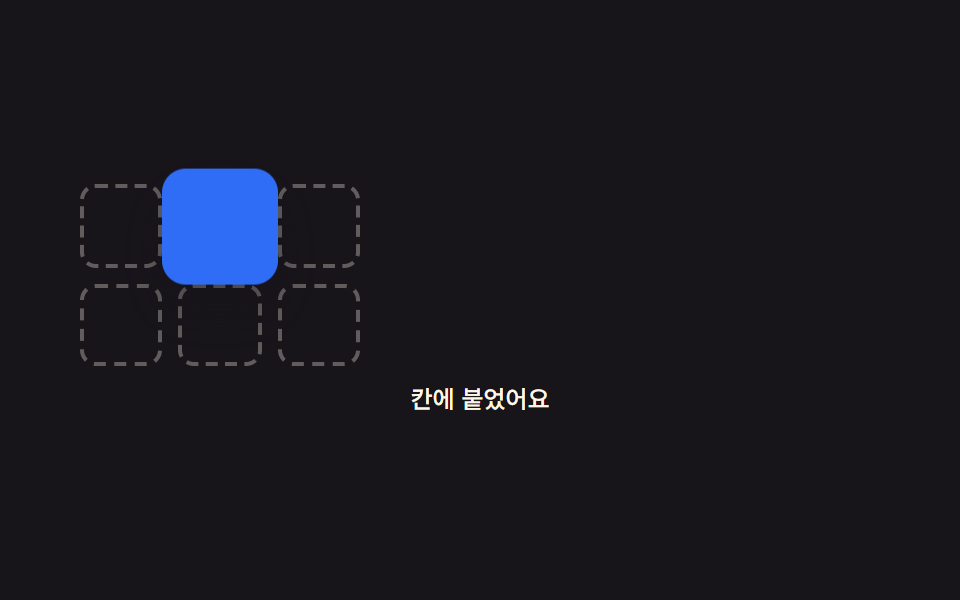 01 drag-phys-grid-magnet
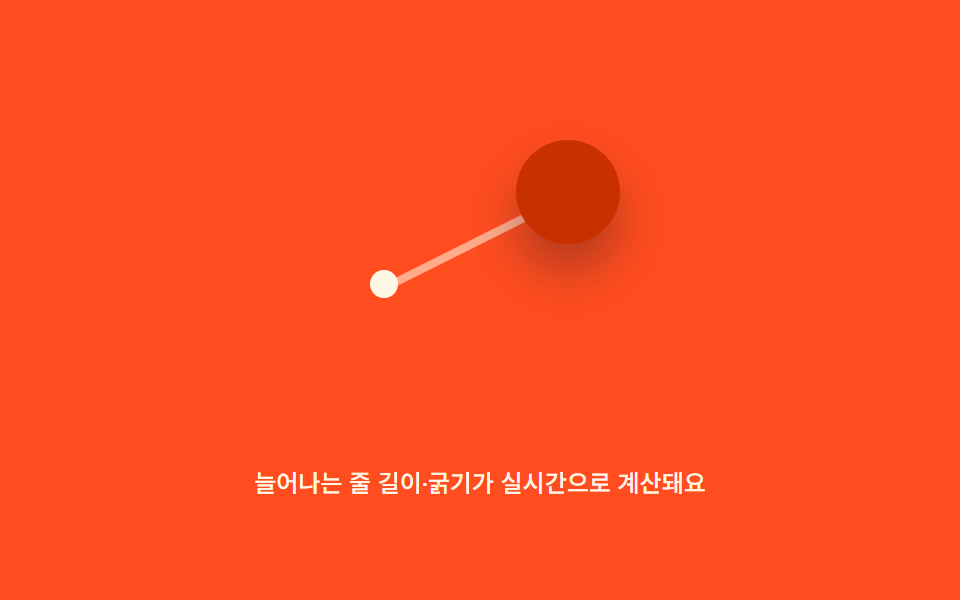 02 drag-phys-elastic-tether
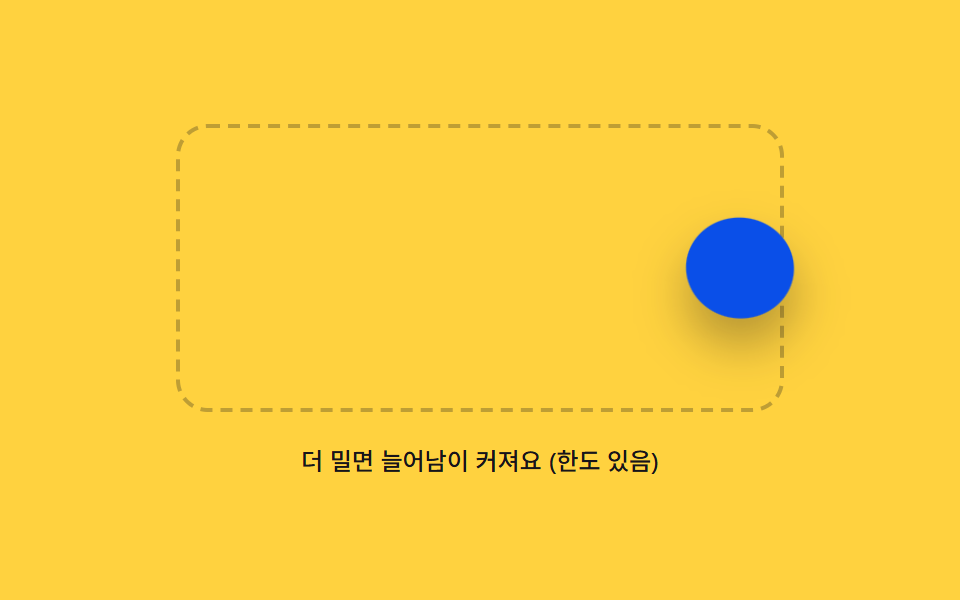 03 drag-phys-boundary-rubber
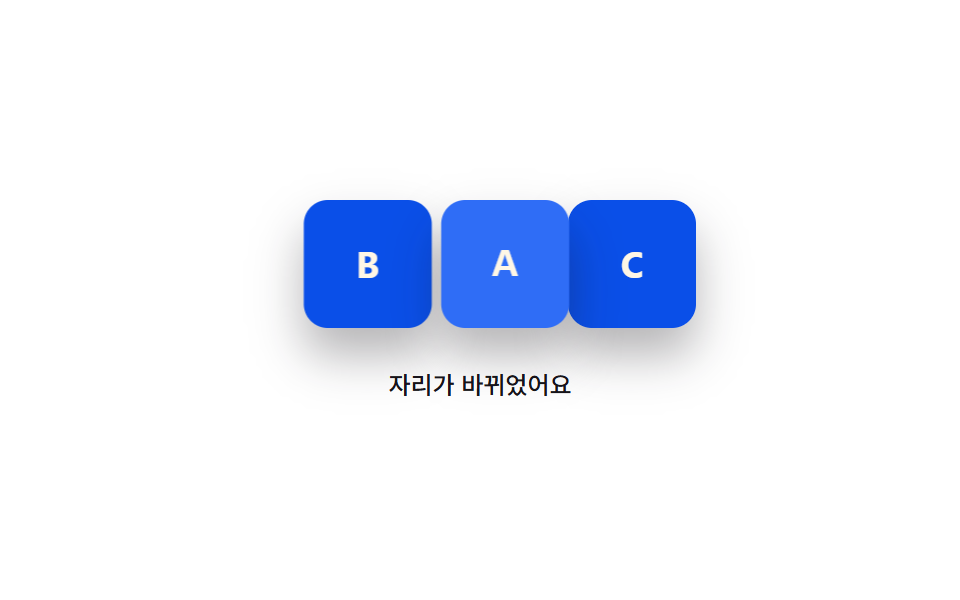 04 drag-phys-swap-neighbor
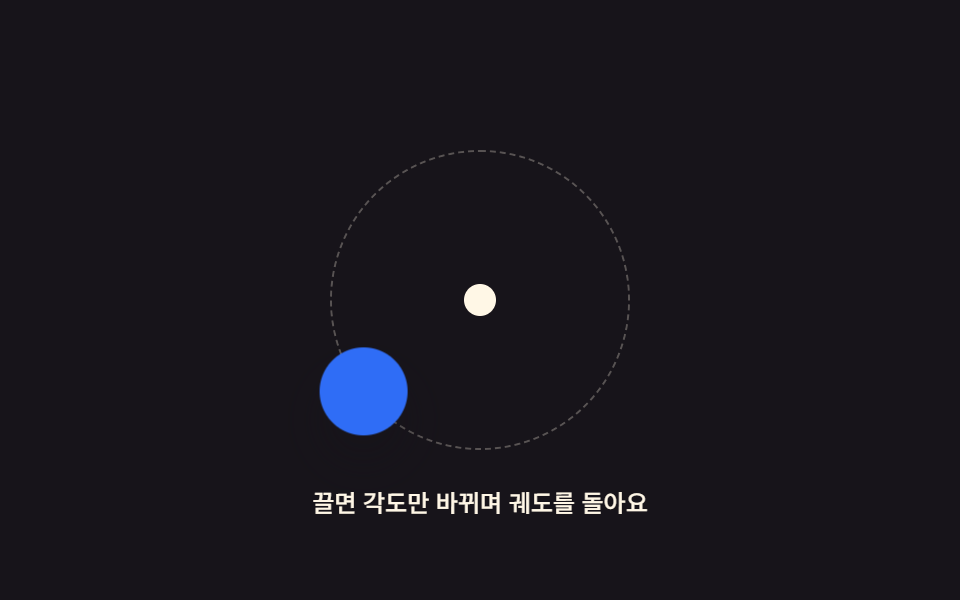 05 drag-phys-orbit-handle
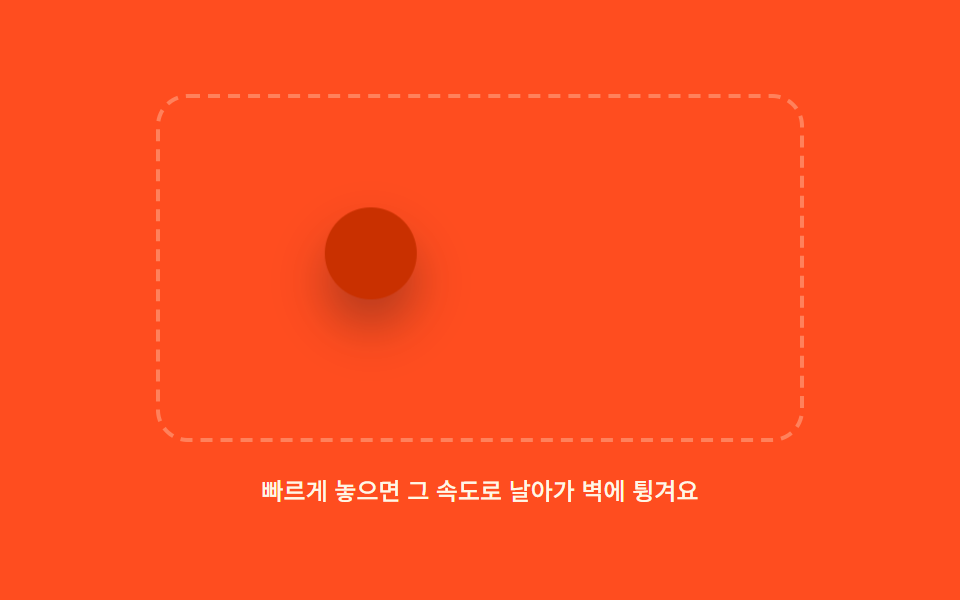 06 drag-phys-momentum-fling
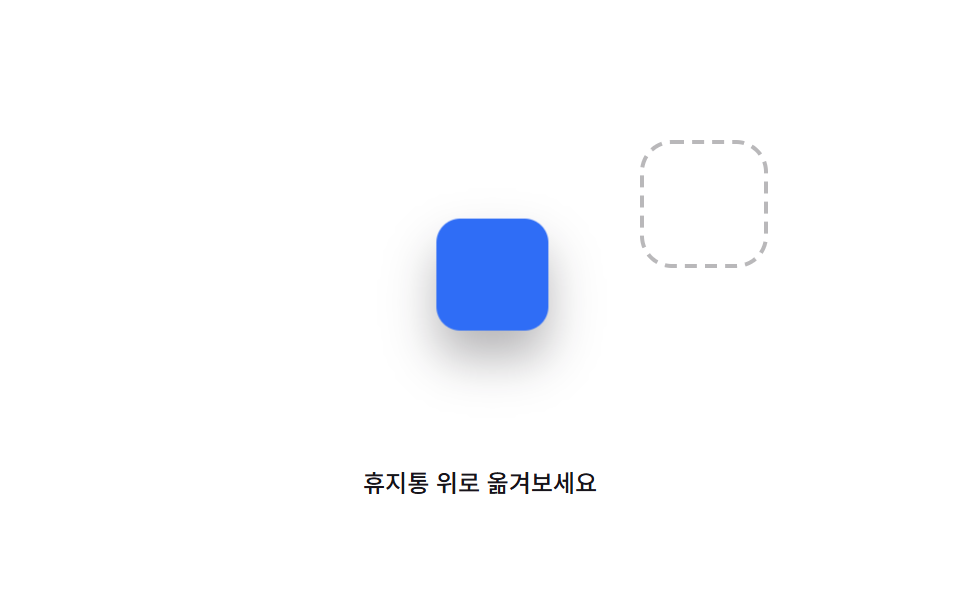 07 drag-phys-trash-shake
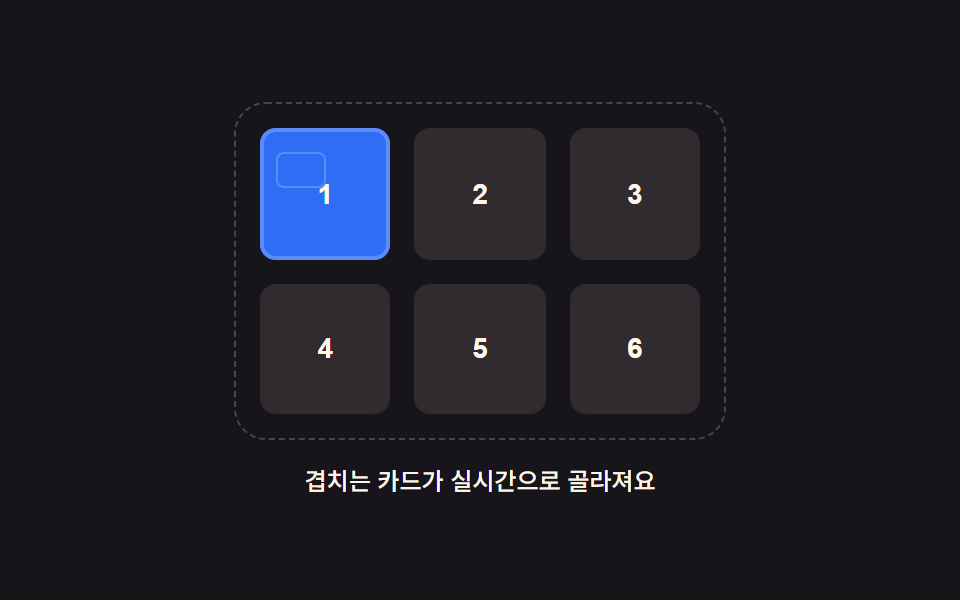 08 drag-phys-lasso-select
 09 drag-phys-hero-board-scene
Auto-plays · click a tile to jump to its section · all nine in one zip
- 01 Grid-Magnet Drag That Pulls an Item Into a Cell Within Range
- 02 Elastic-Tether Drag That Stretches as If Roped to Its Origin
- 03 Rubber Boundary That Stretches and Snaps Back Past the Edge
- 04 Swap Drag That Trades Places Once It Crosses a Neighbor's Midpoint
- 05 Orbit-Handle Drag Where Only the Angle Around a Center Changes
- 06 Momentum-Fling Drag Where Release Speed Pushes the Remaining Distance
- 07 Trash-Shake Warning That Trembles Over the Delete Zone
- 08 Lasso-Select Drag That Picks Only What's Inside the Dragged Rectangle
- 09 Hero Scene Combining Several Physics Patterns on One Board
Drag and Drop Animation CSS: How the Motion Keeps Going After You Let Go
All nine builds below answer the same question in a different way: what should the dragged element do in the instant between the pointer moving and the pointer letting go? Item 01 only reacts while the pointer is still down, snapping toward a cell the moment the distance crosses a threshold. By item 03 that same in-progress reaction is capped by a limit instead of running freely, item 05 and item 06 keep something moving after the release itself, and item 09 folds three of the earlier mechanisms — grid magnet, rubber boundary, momentum fling — onto a single board. The order moves from a value that only matters while the pointer is down toward a value that keeps deciding the motion well after the hand is gone.
01Grid Magnet That Snaps an Icon Into the Nearest Cell
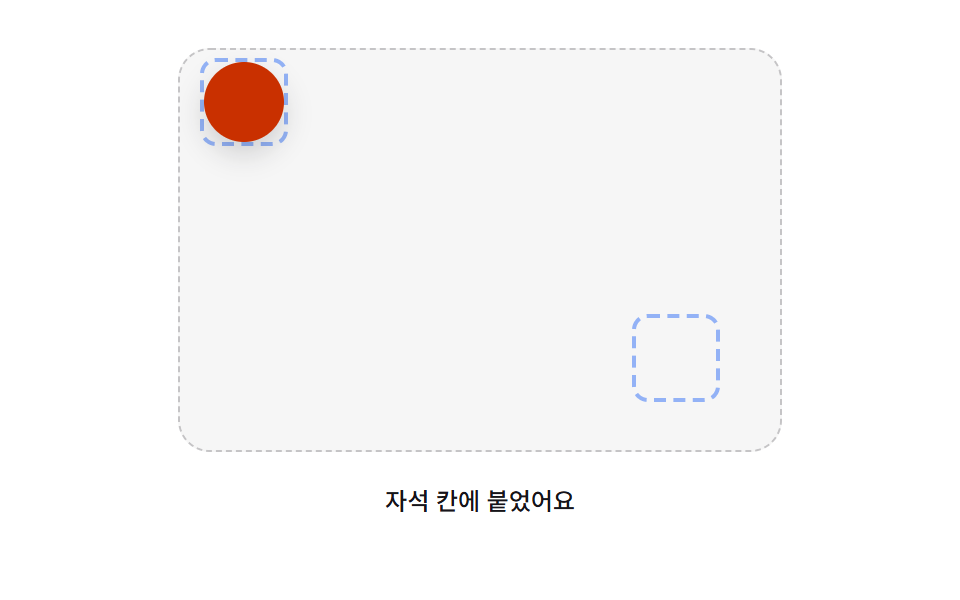
updateMagnetHighlight() measures the live distance from the dragged icon to every grid cell's center on each pointer move, and once that distance drops under GRID_MAGNET_SNAP_PX the nearest cell is marked is-target while the icon's position blends toward that cell by a pull factor scaled from the remaining distance. Releasing inside that radius lets settleTick() spring the icon the rest of the way into the cell instead of teleporting it there, using SPRING_STIFFNESS and SPRING_DAMPING to shape the pull.
<main class="stage">
<div class="gm is-demo" id="gm">
  <div class="gm__grid" id="gmGrid">
    <div class="gm__cell"></div>
    <div class="gm__cell"></div>
    <div class="gm__cell"></div>
    <div class="gm__cell"></div>
    <div class="gm__cell"></div>
    <div class="gm__cell"></div>
  </div>
  <div class="gm__tray">
    <button type="button" class="gm__icon" id="gmIcon" aria-label="An icon you drag onto a grid cell. Press Enter to grab, arrow keys to move, Enter again to drop"></button>
  </div>
  <p class="gm__caption" id="gmCaption">Drop it near a cell and it snaps in like a magnet</p>
</div>
</main>
@use "../../../../site/static/demo-tokens" as *;
@include stage($stage-ink);
.gm {
position: relative;
width: min(92vw, calc(160vh - 12.8vw));
max-width: 400px;
margin: 0 auto;
display: flex;
flex-wrap: wrap;
align-items: center;
justify-content: space-between;
gap: $sp-2;
}
.gm__grid {
display: grid;
grid-template-columns: repeat(3, 1fr);
gap: $sp-2;
width: 140px;
flex: 0 0 auto;
}
.gm__cell {
aspect-ratio: 1 / 1;
border-radius: $r-sm;
border: 2px dashed rgba($subject-cream, .32);
transition: border-color $dur-quick $ease-out, background-color $dur-quick $ease-out;
}
.gm__cell.is-target {
border-color: $subject-cream;
border-style: solid;
background: rgba($subject-cream, .12);
}
.gm__tray {
display: flex;
justify-content: center;
flex: 0 0 auto;
}
.gm__icon {
appearance: none;
border: 0;
width: 58px;
height: 58px;
border-radius: $r-control;
background: $subject-blue;
box-shadow: $shadow-raised;
cursor: grab;
touch-action: none;
will-change: transform;
}
.gm__icon.is-grabbed {
box-shadow: $shadow-press;
outline: 2px solid $subject-blue-light;
outline-offset: 3px;
}
.gm__icon:focus-visible {
outline: 2px solid $subject-blue-light;
outline-offset: 3px;
}
.gm.is-dragging .gm__icon {
cursor: grabbing;
}
.gm__caption {
flex-basis: 100%;
margin: 0;
color: $subject-cream;
font-weight: 500;
font-size: 12px;
line-height: 1.4;
text-align: center;
}
@media (max-width: 340px) {
.gm__grid { width: 110px; }
.gm__icon { width: 44px; height: 44px; }
.gm__caption { font-size: 10px; }
}
@media (prefers-reduced-motion: reduce) {
.gm__icon { transition: none; }
.gm__cell { transition: none; }
}html, body {
margin: 0;
overflow: hidden;
}
.stage {
box-sizing: border-box;
min-height: 100vh;
display: grid;
place-items: center;
margin: 0;
background: #17141a;
font-family: -apple-system, "Segoe UI", "Noto Sans KR", sans-serif;
padding: clamp(8px, 4vw, 24px);
}
.gm {
position: relative;
width: min(92vw, 160vh - 12.8vw);
max-width: 400px;
margin: 0 auto;
display: flex;
flex-wrap: wrap;
align-items: center;
justify-content: space-between;
gap: 8px;
}
.gm__grid {
display: grid;
grid-template-columns: repeat(3, 1fr);
gap: 8px;
width: 140px;
flex: 0 0 auto;
}
.gm__cell {
aspect-ratio: 1/1;
border-radius: 8px;
border: 2px dashed rgba(255, 247, 230, 0.32);
transition: border-color 220ms ease-out, background-color 220ms ease-out;
}
.gm__cell.is-target {
border-color: #fff7e6;
border-style: solid;
background: rgba(255, 247, 230, 0.12);
}
.gm__tray {
display: flex;
justify-content: center;
flex: 0 0 auto;
}
.gm__icon {
appearance: none;
border: 0;
width: 58px;
height: 58px;
border-radius: 12px;
background: #2f6df6;
box-shadow: 0 14px 24px rgba(23, 20, 26, 0.32);
cursor: grab;
touch-action: none;
will-change: transform;
}
.gm__icon.is-grabbed {
box-shadow: 0 6px 12px rgba(23, 20, 26, 0.32);
outline: 2px solid #5b8cf8;
outline-offset: 3px;
}
.gm__icon:focus-visible {
outline: 2px solid #5b8cf8;
outline-offset: 3px;
}
.gm.is-dragging .gm__icon {
cursor: grabbing;
}
.gm__caption {
flex-basis: 100%;
margin: 0;
color: #fff7e6;
font-weight: 500;
font-size: 12px;
line-height: 1.4;
text-align: center;
}
@media (max-width: 340px) {
.gm__grid {
width: 110px;
}
.gm__icon {
width: 44px;
height: 44px;
}
.gm__caption {
font-size: 10px;
}
}
@media (prefers-reduced-motion: reduce) {
.gm__icon {
transition: none;
}
.gm__cell {
transition: none;
}
}(function () {
// 기법: 드래그 중인 아이콘 중심과 각 격자 칸 중심 사이의 거리를 매 프레임 계산해
// GRID_MAGNET_SNAP_PX 안으로 들어오면 목표 위치를 칸 중심으로 섞어(당김) 자석처럼
// 붙이고, 손을 떼는 순간엔 감쇠 스프링으로 정확히 칸 중심(또는 원래 자리)에 정착시킨다.
var root = document.getElementById('gm');
var grid = document.getElementById('gmGrid');
var icon = document.getElementById('gmIcon');
var caption = document.getElementById('gmCaption');
var cells = Array.prototype.slice.call(grid.querySelectorAll('.gm__cell'));
var GRID_MAGNET_SNAP_PX = 24;
var KEY_STEP_PX = 16;
var SPRING_STIFFNESS = 180;
var SPRING_DAMPING = 18;
var pos = { x: 0, y: 0 };
var vel = { x: 0, y: 0 };
var settleTarget = null;
var settling = false;
var grabbed = false;
var pointerStart = null;
var startPos = null;
var targetCell = null;
function applyPos() {
icon.style.transform = 'translate(' + pos.x.toFixed(1) + 'px,' + pos.y.toFixed(1) + 'px)';
}
function nearestCell() {
var r = icon.getBoundingClientRect();
var cx = r.left + r.width / 2, cy = r.top + r.height / 2;
var best = null, bestD = Infinity, bestOffset = null;
cells.forEach(function (cell) {
var cr = cell.getBoundingClientRect();
var ccx = cr.left + cr.width / 2, ccy = cr.top + cr.height / 2;
var d = Math.hypot(cx - ccx, cy - ccy);
if (d < bestD) {
bestD = d; best = cell;
bestOffset = { x: pos.x + (ccx - cx), y: pos.y + (ccy - cy) };
}
});
return { cell: best, dist: bestD, offset: bestOffset };
}
  function updateMagnetHighlight(rawX, rawY) {
    var near = nearestCell();
    cells.forEach(function (c) { c.classList.remove('is-target'); });
    if (near.dist < GRID_MAGNET_SNAP_PX) {
      near.cell.classList.add('is-target');
      targetCell = near;
      var pull = Math.max(0, 1 - near.dist / GRID_MAGNET_SNAP_PX) * 0.55;
      pos.x = rawX + (near.offset.x - rawX) * pull;
      pos.y = rawY + (near.offset.y - rawY) * pull;
    } else {
      targetCell = null;
      pos.x = rawX; pos.y = rawY;
    }
    applyPos();
  }

  var raf = 0, lastTs = null;
  function settleTick(ts) {
    if (lastTs === null) lastTs = ts;
var dt = Math.min((ts - lastTs) / 1000, 0.032);
lastTs = ts;
var fx = (settleTarget.x - pos.x) * SPRING_STIFFNESS - vel.x * SPRING_DAMPING;
var fy = (settleTarget.y - pos.y) * SPRING_STIFFNESS - vel.y * SPRING_DAMPING;
vel.x += fx * dt; vel.y += fy * dt;
pos.x += vel.x * dt; pos.y += vel.y * dt;
applyPos();
var rest = Math.hypot(vel.x, vel.y) < 2 && Math.hypot(settleTarget.x - pos.x, settleTarget.y - pos.y) < 0.6;
if (!rest) { raf = requestAnimationFrame(settleTick); return; }
pos.x = settleTarget.x; pos.y = settleTarget.y; vel.x = 0; vel.y = 0;
applyPos();
settling = false;
lastTs = null;
}
function springTo(target) {
cancelAnimationFrame(raf);
settleTarget = target;
settling = true;
lastTs = null;
raf = requestAnimationFrame(settleTick);
}
function releaseDrag() {
var reduce = window.matchMedia('(prefers-reduced-motion: reduce)').matches;
var near = nearestCell();
cells.forEach(function (c) { c.classList.remove('is-target'); });
var goal = (near.dist < GRID_MAGNET_SNAP_PX) ? near.offset : { x: 0, y: 0 };
if (near.dist < GRID_MAGNET_SNAP_PX) {
caption.textContent = 'Snapped into the cell';
root.classList.add('is-snapped');
} else {
caption.textContent = 'Drop it near a cell and it snaps in like a magnet';
root.classList.remove('is-snapped');
}
if (reduce) {
pos.x = goal.x; pos.y = goal.y; applyPos();
} else {
springTo(goal);
}
}
function beginDrag(clientX, clientY) {
cancelAnimationFrame(raf);
settling = false;
pointerStart = { x: clientX, y: clientY };
startPos = { x: pos.x, y: pos.y };
root.classList.add('is-dragging');
}
function moveDrag(clientX, clientY) {
var rawX = startPos.x + (clientX - pointerStart.x);
var rawY = startPos.y + (clientY - pointerStart.y);
updateMagnetHighlight(rawX, rawY);
}
function endDrag() {
root.classList.remove('is-dragging');
releaseDrag();
}
icon.addEventListener('pointerdown', function (e) {
root.classList.remove('is-demo');
icon.setPointerCapture(e.pointerId);
beginDrag(e.clientX, e.clientY);
e.preventDefault();
});
icon.addEventListener('pointermove', function (e) {
if (!pointerStart) return;
moveDrag(e.clientX, e.clientY);
e.preventDefault();
});
icon.addEventListener('pointerup', function (e) {
if (!pointerStart) return;
pointerStart = null;
endDrag();
e.preventDefault();
});
icon.addEventListener('keydown', function (e) {
root.classList.remove('is-demo');
if (e.key === 'Enter' || e.key === ' ') {
e.preventDefault();
if (!grabbed) {
grabbed = true;
cancelAnimationFrame(raf);
settling = false;
icon.classList.add('is-grabbed');
caption.textContent = 'Grabbed. Move with arrow keys, press Enter to drop';
} else {
grabbed = false;
icon.classList.remove('is-grabbed');
releaseDrag();
}
return;
}
if (!grabbed) return;
var dx = 0, dy = 0;
if (e.key === 'ArrowLeft') dx = -KEY_STEP_PX;
else if (e.key === 'ArrowRight') dx = KEY_STEP_PX;
else if (e.key === 'ArrowUp') dy = -KEY_STEP_PX;
else if (e.key === 'ArrowDown') dy = KEY_STEP_PX;
else if (e.key === 'Escape') {
e.preventDefault();
grabbed = false;
icon.classList.remove('is-grabbed');
springTo({ x: 0, y: 0 });
caption.textContent = 'Drop it near a cell and it snaps in like a magnet';
return;
} else { return; }
e.preventDefault();
updateMagnetHighlight(pos.x + dx, pos.y + dy);
});
// is-demo 자동 시연 — 실제 드래그와 같은 begin/move/end 함수를 가상 좌표로 호출한다
var reduce = window.matchMedia('(prefers-reduced-motion: reduce)').matches;
if (reduce) {
root.classList.remove('is-demo');
} else {
var iconRect0 = icon.getBoundingClientRect();
var originX = iconRect0.left + iconRect0.width / 2;
var originY = iconRect0.top + iconRect0.height / 2;
var cellRect0 = cells[1].getBoundingClientRect();
var goalX = cellRect0.left + cellRect0.width / 2;
var goalY = cellRect0.top + cellRect0.height / 2;
var demoStart = null;
function demoTick(ts) {
if (demoStart === null) demoStart = ts;
var t = ts - demoStart;
if (t < 200) {
// 대기
} else if (t < 900) {
var p = Math.min(1, (t - 200) / 700);
var ease = 1 - Math.pow(1 - p, 3);
var cx = originX + (goalX - originX) * ease;
var cy = originY + (goalY - originY) * ease;
if (t < 220) beginDrag(originX, originY);
moveDrag(cx, cy);
} else if (t < 950) {
// 짧게 머물러 자석 당김을 보여준다
} else if (t < 970) {
endDrag();
} else if (t < 1500) {
// 정착 스프링 관찰
} else if (t < 2200) {
var p2 = Math.min(1, (t - 1500) / 600);
var ease2 = 1 - Math.pow(1 - p2, 3);
var cx2 = goalX + (originX - goalX) * ease2 * 0.7;
var cy2 = goalY + (originY - goalY) * ease2 * 0.7;
if (t < 1520) beginDrag(goalX, goalY);
moveDrag(cx2, cy2);
} else if (t < 2260) {
endDrag();
} else {
demoStart = ts - 60; // 루프
}
requestAnimationFrame(demoTick);
}
requestAnimationFrame(demoTick);
}
})();import { useEffect, useRef } from "react";
import styles from "./DragPhysGridMagnet.module.scss";
type Box<T> = { current: T };
type Pt = { x: number; y: number };
export default function DragPhysGridMagnet() {
const rootRef = useRef<HTMLDivElement>(null);
const gridRef = useRef<HTMLDivElement>(null);
const iconRef = useRef<HTMLButtonElement>(null);
const captionRef = useRef<HTMLParagraphElement>(null);
useEffect(() => {
const root = rootRef.current;
const grid = gridRef.current;
const icon = iconRef.current;
const caption = captionRef.current;
if (!root || !grid || !icon || !caption) return;
const cells = Array.prototype.slice.call(grid.querySelectorAll("." + styles.cell)) as HTMLDivElement[];
const GRID_MAGNET_SNAP_PX = 24;
const KEY_STEP_PX = 16;
const SPRING_STIFFNESS = 180;
const SPRING_DAMPING = 18;
const pos: Pt = { x: 0, y: 0 };
const vel: Pt = { x: 0, y: 0 };
let settleTarget: Pt = { x: 0, y: 0 };
let grabbed = false;
let pointerStart: Pt | null = null;
let startPos: Pt = { x: 0, y: 0 };
function applyPos() {
icon!.style.transform = "translate(" + pos.x.toFixed(1) + "px," + pos.y.toFixed(1) + "px)";
}
type NearestCell = { cell: HTMLDivElement | null; dist: number; offset: Pt };
function nearestCell(): NearestCell {
const r = icon!.getBoundingClientRect();
const cx = r.left + r.width / 2, cy = r.top + r.height / 2;
let best: HTMLDivElement | null = null;
let bestD = Infinity;
let bestOffset: Pt = { x: 0, y: 0 };
cells.forEach(function (cell) {
const cr = cell.getBoundingClientRect();
const ccx = cr.left + cr.width / 2, ccy = cr.top + cr.height / 2;
const d = Math.hypot(cx - ccx, cy - ccy);
if (d < bestD) {
bestD = d; best = cell;
bestOffset = { x: pos.x + (ccx - cx), y: pos.y + (ccy - cy) };
}
});
return { cell: best, dist: bestD, offset: bestOffset };
}
function updateMagnetHighlight(rawX: number, rawY: number) {
const near = nearestCell();
cells.forEach(function (c) { c.classList.remove(styles.isTarget); });
if (near.dist < GRID_MAGNET_SNAP_PX && near.cell) {
near.cell.classList.add(styles.isTarget);
const pull = Math.max(0, 1 - near.dist / GRID_MAGNET_SNAP_PX) * 0.55;
pos.x = rawX + (near.offset.x - rawX) * pull;
pos.y = rawY + (near.offset.y - rawY) * pull;
} else {
pos.x = rawX; pos.y = rawY;
}
applyPos();
}
let raf = 0, lastTs: number | null = null;
function settleTick(ts: number) {
if (lastTs === null) lastTs = ts;
const dt = Math.min((ts - lastTs) / 1000, 0.032);
lastTs = ts;
const fx = (settleTarget.x - pos.x) * SPRING_STIFFNESS - vel.x * SPRING_DAMPING;
const fy = (settleTarget.y - pos.y) * SPRING_STIFFNESS - vel.y * SPRING_DAMPING;
vel.x += fx * dt; vel.y += fy * dt;
pos.x += vel.x * dt; pos.y += vel.y * dt;
applyPos();
const rest = Math.hypot(vel.x, vel.y) < 2 && Math.hypot(settleTarget.x - pos.x, settleTarget.y - pos.y) < 0.6;
if (!rest) { raf = requestAnimationFrame(settleTick); return; }
pos.x = settleTarget.x; pos.y = settleTarget.y; vel.x = 0; vel.y = 0;
applyPos();
lastTs = null;
}
function springTo(target: Pt) {
cancelAnimationFrame(raf);
settleTarget = target;
lastTs = null;
raf = requestAnimationFrame(settleTick);
}
function releaseDrag() {
const reduce = window.matchMedia("(prefers-reduced-motion: reduce)").matches;
const near = nearestCell();
cells.forEach(function (c) { c.classList.remove(styles.isTarget); });
const goal = near.dist < GRID_MAGNET_SNAP_PX ? near.offset : { x: 0, y: 0 };
if (near.dist < GRID_MAGNET_SNAP_PX) {
caption!.textContent = "칸에 붙었어요";
root!.classList.add(styles.isSnapped);
} else {
caption!.textContent = "칸 가까이 놓으면 자석처럼 붙어요";
root!.classList.remove(styles.isSnapped);
}
if (reduce) { pos.x = goal.x; pos.y = goal.y; applyPos(); } else { springTo(goal); }
}
function beginDrag(clientX: number, clientY: number) {
cancelAnimationFrame(raf);
pointerStart = { x: clientX, y: clientY };
startPos = { x: pos.x, y: pos.y };
root!.classList.add(styles.isDragging);
}
function moveDrag(clientX: number, clientY: number) {
const rawX = startPos.x + (clientX - pointerStart!.x);
const rawY = startPos.y + (clientY - pointerStart!.y);
updateMagnetHighlight(rawX, rawY);
}
function endDrag() {
root!.classList.remove(styles.isDragging);
releaseDrag();
}
function onPointerDown(e: PointerEvent) {
root!.classList.remove("is-demo");
icon!.setPointerCapture(e.pointerId);
beginDrag(e.clientX, e.clientY);
e.preventDefault();
}
function onPointerMove(e: PointerEvent) {
if (!pointerStart) return;
moveDrag(e.clientX, e.clientY);
e.preventDefault();
}
function onPointerUp(e: PointerEvent) {
if (!pointerStart) return;
pointerStart = null;
endDrag();
e.preventDefault();
}
icon.addEventListener("pointerdown", onPointerDown);
icon.addEventListener("pointermove", onPointerMove);
icon.addEventListener("pointerup", onPointerUp);
function onKeyDown(e: KeyboardEvent) {
root!.classList.remove("is-demo");
if (e.key === "Enter" || e.key === " ") {
e.preventDefault();
if (!grabbed) {
grabbed = true;
cancelAnimationFrame(raf);
icon!.classList.add(styles.isGrabbed);
caption!.textContent = "잡았어요. 화살표로 옮기고 Enter 로 놓으세요";
} else {
grabbed = false;
icon!.classList.remove(styles.isGrabbed);
releaseDrag();
}
return;
}
if (!grabbed) return;
let dx = 0, dy = 0;
if (e.key === "ArrowLeft") dx = -KEY_STEP_PX;
else if (e.key === "ArrowRight") dx = KEY_STEP_PX;
else if (e.key === "ArrowUp") dy = -KEY_STEP_PX;
else if (e.key === "ArrowDown") dy = KEY_STEP_PX;
else if (e.key === "Escape") {
e.preventDefault();
grabbed = false;
icon!.classList.remove(styles.isGrabbed);
springTo({ x: 0, y: 0 });
caption!.textContent = "칸 가까이 놓으면 자석처럼 붙어요";
return;
} else { return; }
e.preventDefault();
updateMagnetHighlight(pos.x + dx, pos.y + dy);
}
icon.addEventListener("keydown", onKeyDown);
const reduce = window.matchMedia("(prefers-reduced-motion: reduce)").matches;
let demoRaf = 0;
if (reduce) {
root.classList.remove("is-demo");
} else {
const iconRect0 = icon.getBoundingClientRect();
const originX = iconRect0.left + iconRect0.width / 2;
const originY = iconRect0.top + iconRect0.height / 2;
const cellRect0 = cells[1].getBoundingClientRect();
const goalX = cellRect0.left + cellRect0.width / 2;
const goalY = cellRect0.top + cellRect0.height / 2;
let demoStart: number | null = null;
function demoTick(ts: number) {
if (demoStart === null) demoStart = ts;
const t = ts - demoStart;
if (t < 200) {
// 대기
} else if (t < 900) {
const p = Math.min(1, (t - 200) / 700);
const ease = 1 - Math.pow(1 - p, 3);
const cx = originX + (goalX - originX) * ease;
const cy = originY + (goalY - originY) * ease;
if (t < 220) beginDrag(originX, originY);
moveDrag(cx, cy);
} else if (t < 950) {
// 대기
} else if (t < 970) {
endDrag();
} else if (t < 1500) {
// 대기
} else if (t < 2200) {
const p2 = Math.min(1, (t - 1500) / 600);
const ease2 = 1 - Math.pow(1 - p2, 3);
const cx2 = goalX + (originX - goalX) * ease2 * 0.7;
const cy2 = goalY + (originY - goalY) * ease2 * 0.7;
if (t < 1520) beginDrag(goalX, goalY);
moveDrag(cx2, cy2);
} else if (t < 2260) {
endDrag();
} else {
demoStart = ts - 60;
}
demoRaf = requestAnimationFrame(demoTick);
}
demoRaf = requestAnimationFrame(demoTick);
}
return () => {
icon.removeEventListener("pointerdown", onPointerDown);
icon.removeEventListener("pointermove", onPointerMove);
icon.removeEventListener("pointerup", onPointerUp);
icon.removeEventListener("keydown", onKeyDown);
cancelAnimationFrame(raf);
cancelAnimationFrame(demoRaf);
};
}, []);
return (
<main className={styles.stage}>
<div className={`${styles.gm} is-demo`} ref={rootRef}>
<div className={styles.grid} ref={gridRef}>
<div className={styles.cell}></div>
<div className={styles.cell}></div>
<div className={styles.cell}></div>
<div className={styles.cell}></div>
<div className={styles.cell}></div>
<div className={styles.cell}></div>
</div>
<div className={styles.tray}>
<button
type="button"
className={styles.icon}
ref={iconRef}
aria-label="드래그해서 격자 칸에 놓는 아이콘. Enter 로 잡고 화살표로 이동, Enter 로 다시 놓습니다"
></button>
</div>
<p className={styles.caption} ref={captionRef}>칸 가까이 놓으면 자석처럼 붙어요</p>
</div>
</main>
);
}01 · Grid-Magnet Drag That Pulls an Item Into a Cell Within Range — Measured area 14.062% · moving frames 20/23Original by GODRICH · SCSS and React ship in the zip · See the password
function updateMagnetHighlight(rawX, rawY) {
var near = nearestCell();
cells.forEach(function (c) { c.classList.remove('is-target'); });
if (near.dist < GRID_MAGNET_SNAP_PX) {
near.cell.classList.add('is-target');
targetCell = near;
var pull = Math.max(0, 1 - near.dist / GRID_MAGNET_SNAP_PX) * 0.55;
pos.x = rawX + (near.offset.x - rawX) * pull;
pos.y = rawY + (near.offset.y - rawY) * pull;
} else {
targetCell = null;
pos.x = rawX; pos.y = rawY;
}
applyPos();
}
var raf = 0, lastTs = null;
function settleTick(ts) {
if (lastTs === null) lastTs = ts;
Item 01 repainted 14.1% of the frame at an average intensity of 177.0 across 20/23 measured frames.
02Elastic Tether That Stretches and Snaps Back to Its Origin
drawTether() recalculates the line connecting the icon to its origin on every frame from the two elements' live bounding rectangles, rotating a single div to match the distance and angle between them. That same distance also drives the line's thickness through TETHER_THICKNESS_BASE_PX, and on release settleTick() springs the icon back toward the origin with TETHER_SPRING_STIFFNESS and TETHER_SPRING_DAMPING until the line's length reaches zero.
<main class="stage">
<div class="et is-demo" id="et">
  <div class="et__origin" id="etOrigin"></div>
  <div class="et__line" id="etLine"></div>
  <button type="button" class="et__icon" id="etIcon" aria-label="An icon pulled by an elastic tether. Press Enter to grab, arrow keys to stretch, Enter to release and spring back"></button>
  <p class="et__caption" id="etCaption">Drag it far and the tether stretches. Release and it snaps back</p>
</div>
</main>
@use "../../../../site/static/demo-tokens" as *;
@include stage($stage-orange);
.et {
position: relative;
width: min(92vw, calc(160vh - 12.8vw));
max-width: 400px;
height: 200px;
margin: 0 auto;
display: flex;
flex-direction: column;
align-items: center;
justify-content: flex-end;
gap: $sp-4;
}
.et__origin {
position: absolute;
top: 46%;
left: 38%;
width: 14px;
height: 14px;
border-radius: $r-pill;
background: $subject-cream;
transform: translate(-50%, -50%);
}
.et__line {
position: absolute;
top: 0;
left: 0;
transform-origin: 0 50%;
border-radius: $r-pill;
background: rgba($subject-cream, .55);
pointer-events: none;
}
.et__icon {
position: absolute;
top: 46%;
left: 38%;
appearance: none;
border: 0;
width: 52px;
height: 52px;
margin: -26px 0 0 -26px;
border-radius: $r-pill;
background: $subject-orange-deep;
box-shadow: $shadow-raised;
cursor: grab;
touch-action: none;
will-change: transform;
}
.et__icon.is-grabbed,
.et__icon:focus-visible {
outline: 2px solid $subject-cream;
outline-offset: 3px;
}
.et.is-dragging .et__icon {
cursor: grabbing;
}
.et__caption {
position: relative;
margin: 0;
color: $subject-cream;
font-weight: 500;
font-size: 12px;
line-height: 1.4;
text-align: center;
}
@media (max-width: 340px) {
.et { height: 160px; }
.et__icon { width: 40px; height: 40px; margin: -20px 0 0 -20px; }
.et__caption { font-size: 10px; }
}
@media (prefers-reduced-motion: reduce) {
.et__line { transition: none; }
}html, body {
margin: 0;
overflow: hidden;
}
.stage {
box-sizing: border-box;
min-height: 100vh;
display: grid;
place-items: center;
margin: 0;
background: #ff4d1f;
font-family: -apple-system, "Segoe UI", "Noto Sans KR", sans-serif;
padding: clamp(8px, 4vw, 24px);
}
.et {
position: relative;
width: min(92vw, 160vh - 12.8vw);
max-width: 400px;
height: 200px;
margin: 0 auto;
display: flex;
flex-direction: column;
align-items: center;
justify-content: flex-end;
gap: 16px;
}
.et__origin {
position: absolute;
top: 46%;
left: 38%;
width: 14px;
height: 14px;
border-radius: 999px;
background: #fff7e6;
transform: translate(-50%, -50%);
}
.et__line {
position: absolute;
top: 0;
left: 0;
transform-origin: 0 50%;
border-radius: 999px;
background: rgba(255, 247, 230, 0.55);
pointer-events: none;
}
.et__icon {
position: absolute;
top: 46%;
left: 38%;
appearance: none;
border: 0;
width: 52px;
height: 52px;
margin: -26px 0 0 -26px;
border-radius: 999px;
background: #c93000;
box-shadow: 0 14px 24px rgba(23, 20, 26, 0.32);
cursor: grab;
touch-action: none;
will-change: transform;
}
.et__icon.is-grabbed,
.et__icon:focus-visible {
outline: 2px solid #fff7e6;
outline-offset: 3px;
}
.et.is-dragging .et__icon {
cursor: grabbing;
}
.et__caption {
position: relative;
margin: 0;
color: #fff7e6;
font-weight: 500;
font-size: 12px;
line-height: 1.4;
text-align: center;
}
@media (max-width: 340px) {
.et {
height: 160px;
}
.et__icon {
width: 40px;
height: 40px;
margin: -20px 0 0 -20px;
}
.et__caption {
font-size: 10px;
}
}
@media (prefers-reduced-motion: reduce) {
.et__line {
transition: none;
}
}(function () {
// 기법: 아이콘이 원점(origin)에서 멀어진 거리로 테더 선의 길이·각도·굵기를 매 프레임
// 계산해 그리고, 손을 떼면 감쇠 스프링(오버슛 포함)으로 원점까지 되돌아가며 그동안도
// 같은 계산으로 선이 실시간으로 짧아진다.
var root = document.getElementById('et');
var origin = document.getElementById('etOrigin');
var line = document.getElementById('etLine');
var icon = document.getElementById('etIcon');
var caption = document.getElementById('etCaption');
var TETHER_SPRING_STIFFNESS = 140;
var TETHER_SPRING_DAMPING = 12;
var TETHER_THICKNESS_BASE_PX = 5;
var KEY_STEP_PX = 18;
var pos = { x: 0, y: 0 };
var vel = { x: 0, y: 0 };
var grabbed = false;
var pointerStart = null;
var startPos = null;
var raf = 0, lastTs = null;
var springing = false;
function applyIcon() {
icon.style.transform = 'translate(' + pos.x.toFixed(1) + 'px,' + pos.y.toFixed(1) + 'px)';
}
  function drawTether() {
    var or = origin.getBoundingClientRect();
    var ir = icon.getBoundingClientRect();
    var ox = or.left + or.width / 2, oy = or.top + or.height / 2;
    var ix = ir.left + ir.width / 2, iy = ir.top + ir.height / 2;
    var dx = ix - ox, dy = iy - oy;
    var length = Math.hypot(dx, dy);
    var angle = Math.atan2(dy, dx) * 180 / Math.PI;
    var thickness = Math.max(1.5, TETHER_THICKNESS_BASE_PX - length * 0.012);
    var boardRect = root.getBoundingClientRect();
    line.style.left = (ox - boardRect.left) + 'px';
    line.style.top = (oy - boardRect.top) + 'px';
    line.style.width = length + 'px';
    line.style.height = thickness + 'px';
    line.style.transform = 'rotate(' + angle + 'deg)';
    line.style.opacity = length < 2 ? '0' : '1';
  }

  function settleTick(ts) {
    if (lastTs === null) lastTs = ts;
    var dt = Math.min((ts - lastTs) / 1000, 0.032);
    lastTs = ts;
    var fx = (0 - pos.x) * TETHER_SPRING_STIFFNESS - vel.x * TETHER_SPRING_DAMPING;
var fy = (0 - pos.y) * TETHER_SPRING_STIFFNESS - vel.y * TETHER_SPRING_DAMPING;
vel.x += fx * dt; vel.y += fy * dt;
pos.x += vel.x * dt; pos.y += vel.y * dt;
applyIcon();
drawTether();
var rest = Math.hypot(vel.x, vel.y) < 2 && Math.hypot(pos.x, pos.y) < 0.6;
if (!rest) { raf = requestAnimationFrame(settleTick); return; }
pos.x = 0; pos.y = 0; vel.x = 0; vel.y = 0;
applyIcon(); drawTether();
springing = false;
lastTs = null;
}
function springHome() {
cancelAnimationFrame(raf);
springing = true;
lastTs = null;
raf = requestAnimationFrame(settleTick);
}
function beginDrag(clientX, clientY) {
cancelAnimationFrame(raf);
springing = false;
vel.x = 0; vel.y = 0;
pointerStart = { x: clientX, y: clientY };
startPos = { x: pos.x, y: pos.y };
root.classList.add('is-dragging');
caption.textContent = 'The stretching line\'s length and thickness are calculated in real time';
}
function moveDrag(clientX, clientY) {
pos.x = startPos.x + (clientX - pointerStart.x);
pos.y = startPos.y + (clientY - pointerStart.y);
applyIcon();
drawTether();
}
function endDrag() {
root.classList.remove('is-dragging');
var reduce = window.matchMedia('(prefers-reduced-motion: reduce)').matches;
caption.textContent = 'Drag it far and the tether stretches. Release and it snaps back';
if (reduce) { pos.x = 0; pos.y = 0; applyIcon(); drawTether(); }
else { springHome(); }
}
icon.addEventListener('pointerdown', function (e) {
root.classList.remove('is-demo');
icon.setPointerCapture(e.pointerId);
beginDrag(e.clientX, e.clientY);
e.preventDefault();
});
icon.addEventListener('pointermove', function (e) {
if (!pointerStart) return;
moveDrag(e.clientX, e.clientY);
e.preventDefault();
});
icon.addEventListener('pointerup', function (e) {
if (!pointerStart) return;
pointerStart = null;
endDrag();
e.preventDefault();
});
icon.addEventListener('keydown', function (e) {
root.classList.remove('is-demo');
if (e.key === 'Enter' || e.key === ' ') {
e.preventDefault();
if (!grabbed) {
grabbed = true;
cancelAnimationFrame(raf);
icon.classList.add('is-grabbed');
caption.textContent = 'Grabbed. Stretch with arrow keys, press Enter to release';
} else {
grabbed = false;
icon.classList.remove('is-grabbed');
endDrag();
}
return;
}
if (!grabbed) return;
var dx = 0, dy = 0;
if (e.key === 'ArrowLeft') dx = -KEY_STEP_PX;
else if (e.key === 'ArrowRight') dx = KEY_STEP_PX;
else if (e.key === 'ArrowUp') dy = -KEY_STEP_PX;
else if (e.key === 'ArrowDown') dy = KEY_STEP_PX;
else if (e.key === 'Escape') {
e.preventDefault();
grabbed = false;
icon.classList.remove('is-grabbed');
endDrag();
return;
} else { return; }
e.preventDefault();
pos.x += dx; pos.y += dy;
applyIcon();
drawTether();
});
drawTether();
var reduce = window.matchMedia('(prefers-reduced-motion: reduce)').matches;
if (reduce) {
root.classList.remove('is-demo');
} else {
var originRect0 = origin.getBoundingClientRect();
var ox0 = originRect0.left + originRect0.width / 2;
var oy0 = originRect0.top + originRect0.height / 2;
var farX = ox0 + 92, farY = oy0 - 46;
var demoStart = null;
function demoTick(ts) {
if (demoStart === null) demoStart = ts;
var t = ts - demoStart;
if (t < 200) {
// 대기
} else if (t < 950) {
var p = Math.min(1, (t - 200) / 750);
var ease = 1 - Math.pow(1 - p, 2);
var cx = ox0 + (farX - ox0) * ease;
var cy = oy0 + (farY - oy0) * ease;
if (t < 220) beginDrag(ox0, oy0);
moveDrag(cx, cy);
} else if (t < 1150) {
// 최대 늘어남 유지
} else if (t < 1180) {
endDrag();
} else {
// 스프링 복귀 관찰, 루프
if (t > 1900) demoStart = ts - 60;
}
requestAnimationFrame(demoTick);
}
requestAnimationFrame(demoTick);
}
})();import { useEffect, useRef } from "react";
import styles from "./DragPhysElasticTether.module.scss";
type Box<T> = { current: T };
type Pt = { x: number; y: number };
export default function DragPhysElasticTether() {
const rootRef = useRef<HTMLDivElement>(null);
const originRef = useRef<HTMLDivElement>(null);
const lineRef = useRef<HTMLDivElement>(null);
const iconRef = useRef<HTMLButtonElement>(null);
const captionRef = useRef<HTMLParagraphElement>(null);
useEffect(() => {
const root = rootRef.current;
const origin = originRef.current;
const line = lineRef.current;
const icon = iconRef.current;
const caption = captionRef.current;
if (!root || !origin || !line || !icon || !caption) return;
const TETHER_SPRING_STIFFNESS = 140;
const TETHER_SPRING_DAMPING = 12;
const TETHER_THICKNESS_BASE_PX = 5;
const KEY_STEP_PX = 18;
const pos: Pt = { x: 0, y: 0 };
const vel: Pt = { x: 0, y: 0 };
let grabbed = false;
let pointerStart: Pt | null = null;
let startPos: Pt = { x: 0, y: 0 };
let raf = 0, lastTs: number | null = null;
function applyIcon() {
icon!.style.transform = "translate(" + pos.x.toFixed(1) + "px," + pos.y.toFixed(1) + "px)";
}
function drawTether() {
const or = origin!.getBoundingClientRect();
const ir = icon!.getBoundingClientRect();
const ox = or.left + or.width / 2, oy = or.top + or.height / 2;
const ix = ir.left + ir.width / 2, iy = ir.top + ir.height / 2;
const dx = ix - ox, dy = iy - oy;
const length = Math.hypot(dx, dy);
const angle = (Math.atan2(dy, dx) * 180) / Math.PI;
const thickness = Math.max(1.5, TETHER_THICKNESS_BASE_PX - length * 0.012);
const boardRect = root!.getBoundingClientRect();
line!.style.left = ox - boardRect.left + "px";
line!.style.top = oy - boardRect.top + "px";
line!.style.width = length + "px";
line!.style.height = thickness + "px";
line!.style.transform = "rotate(" + angle + "deg)";
line!.style.opacity = length < 2 ? "0" : "1";
}
function settleTick(ts: number) {
if (lastTs === null) lastTs = ts;
const dt = Math.min((ts - lastTs) / 1000, 0.032);
lastTs = ts;
const fx = (0 - pos.x) * TETHER_SPRING_STIFFNESS - vel.x * TETHER_SPRING_DAMPING;
const fy = (0 - pos.y) * TETHER_SPRING_STIFFNESS - vel.y * TETHER_SPRING_DAMPING;
vel.x += fx * dt; vel.y += fy * dt;
pos.x += vel.x * dt; pos.y += vel.y * dt;
applyIcon();
drawTether();
const rest = Math.hypot(vel.x, vel.y) < 2 && Math.hypot(pos.x, pos.y) < 0.6;
if (!rest) { raf = requestAnimationFrame(settleTick); return; }
pos.x = 0; pos.y = 0; vel.x = 0; vel.y = 0;
applyIcon(); drawTether();
lastTs = null;
}
function springHome() {
cancelAnimationFrame(raf);
lastTs = null;
raf = requestAnimationFrame(settleTick);
}
function beginDrag(clientX: number, clientY: number) {
cancelAnimationFrame(raf);
vel.x = 0; vel.y = 0;
pointerStart = { x: clientX, y: clientY };
startPos = { x: pos.x, y: pos.y };
root!.classList.add(styles.isDragging);
caption!.textContent = "늘어나는 줄 길이·굵기가 실시간으로 계산돼요";
}
function moveDrag(clientX: number, clientY: number) {
pos.x = startPos.x + (clientX - pointerStart!.x);
pos.y = startPos.y + (clientY - pointerStart!.y);
applyIcon();
drawTether();
}
function endDrag() {
root!.classList.remove(styles.isDragging);
const reduce = window.matchMedia("(prefers-reduced-motion: reduce)").matches;
caption!.textContent = "멀리 끌면 줄이 늘어나요. 놓으면 되돌아가요";
if (reduce) { pos.x = 0; pos.y = 0; applyIcon(); drawTether(); } else { springHome(); }
}
function onPointerDown(e: PointerEvent) {
root!.classList.remove("is-demo");
icon!.setPointerCapture(e.pointerId);
beginDrag(e.clientX, e.clientY);
e.preventDefault();
}
function onPointerMove(e: PointerEvent) {
if (!pointerStart) return;
moveDrag(e.clientX, e.clientY);
e.preventDefault();
}
function onPointerUp(e: PointerEvent) {
if (!pointerStart) return;
pointerStart = null;
endDrag();
e.preventDefault();
}
icon.addEventListener("pointerdown", onPointerDown);
icon.addEventListener("pointermove", onPointerMove);
icon.addEventListener("pointerup", onPointerUp);
function onKeyDown(e: KeyboardEvent) {
root!.classList.remove("is-demo");
if (e.key === "Enter" || e.key === " ") {
e.preventDefault();
if (!grabbed) {
grabbed = true;
cancelAnimationFrame(raf);
icon!.classList.add(styles.isGrabbed);
caption!.textContent = "잡았어요. 화살표로 늘이고 Enter 로 놓으세요";
} else {
grabbed = false;
icon!.classList.remove(styles.isGrabbed);
endDrag();
}
return;
}
if (!grabbed) return;
let dx = 0, dy = 0;
if (e.key === "ArrowLeft") dx = -KEY_STEP_PX;
else if (e.key === "ArrowRight") dx = KEY_STEP_PX;
else if (e.key === "ArrowUp") dy = -KEY_STEP_PX;
else if (e.key === "ArrowDown") dy = KEY_STEP_PX;
else if (e.key === "Escape") {
e.preventDefault();
grabbed = false;
icon!.classList.remove(styles.isGrabbed);
endDrag();
return;
} else { return; }
e.preventDefault();
pos.x += dx; pos.y += dy;
applyIcon();
drawTether();
}
icon.addEventListener("keydown", onKeyDown);
drawTether();
const reduce = window.matchMedia("(prefers-reduced-motion: reduce)").matches;
let demoRaf = 0;
if (reduce) {
root.classList.remove("is-demo");
} else {
const originRect0 = origin.getBoundingClientRect();
const ox0 = originRect0.left + originRect0.width / 2;
const oy0 = originRect0.top + originRect0.height / 2;
const farX = ox0 + 92, farY = oy0 - 46;
let demoStart: number | null = null;
function demoTick(ts: number) {
if (demoStart === null) demoStart = ts;
const t = ts - demoStart;
if (t < 200) {
// 대기
} else if (t < 950) {
const p = Math.min(1, (t - 200) / 750);
const ease = 1 - Math.pow(1 - p, 2);
const cx = ox0 + (farX - ox0) * ease;
const cy = oy0 + (farY - oy0) * ease;
if (t < 220) beginDrag(ox0, oy0);
moveDrag(cx, cy);
} else if (t < 1150) {
// 최대 늘어남 유지
} else if (t < 1180) {
endDrag();
} else {
if (t > 1900) demoStart = ts - 60;
}
demoRaf = requestAnimationFrame(demoTick);
}
demoRaf = requestAnimationFrame(demoTick);
}
return () => {
icon.removeEventListener("pointerdown", onPointerDown);
icon.removeEventListener("pointermove", onPointerMove);
icon.removeEventListener("pointerup", onPointerUp);
icon.removeEventListener("keydown", onKeyDown);
cancelAnimationFrame(raf);
cancelAnimationFrame(demoRaf);
};
}, []);
return (
<main className={styles.stage}>
<div className={`${styles.et} is-demo`} ref={rootRef}>
<div className={styles.origin} ref={originRef}></div>
<div className={styles.line} ref={lineRef}></div>
<button
type="button"
className={styles.icon}
ref={iconRef}
aria-label="탄성 테더로 당겨지는 아이콘. Enter 로 잡고 화살표로 늘이고, Enter 로 놓으면 되돌아갑니다"
></button>
<p className={styles.caption} ref={captionRef}>멀리 끌면 줄이 늘어나요. 놓으면 되돌아가요</p>
</div>
</main>
);
}02 · Elastic-Tether Drag That Stretches as If Roped to Its Origin — Measured area 9.738% · moving frames 22/23Original by GODRICH · SCSS and React ship in the zip · See the password
function drawTether() {
var or = origin.getBoundingClientRect();
var ir = icon.getBoundingClientRect();
var ox = or.left + or.width / 2, oy = or.top + or.height / 2;
var ix = ir.left + ir.width / 2, iy = ir.top + ir.height / 2;
var dx = ix - ox, dy = iy - oy;
var length = Math.hypot(dx, dy);
var angle = Math.atan2(dy, dx) * 180 / Math.PI;
var thickness = Math.max(1.5, TETHER_THICKNESS_BASE_PX - length * 0.012);
var boardRect = root.getBoundingClientRect();
line.style.left = (ox - boardRect.left) + 'px';
line.style.top = (oy - boardRect.top) + 'px';
line.style.width = length + 'px';
line.style.height = thickness + 'px';
line.style.transform = 'rotate(' + angle + 'deg)';
line.style.opacity = length < 2 ? '0' : '1';
}
function settleTick(ts) {
if (lastTs === null) lastTs = ts;
var dt = Math.min((ts - lastTs) / 1000, 0.032);
lastTs = ts;
var fx = (0 - pos.x) * TETHER_SPRING_STIFFNESS - vel.x * TETHER_SPRING_DAMPING;
Item 02 repainted 9.7% of the frame at an average intensity of 39.6 across 22/23 measured frames.
03Rubber Boundary That Squishes an Icon at the Edge
overflowOf() measures how far the pointer's coordinates have crossed the container's edge, and applyVisual() turns that overflow into a ratio capped at BOUNDARY_RUBBER_MAX_PX that stretches the icon's scale and skews it in the direction it's being pulled. Letting go beyond the edge springs the icon back inside using BOUNDARY_SPRING_STIFFNESS and BOUNDARY_SPRING_DAMPING, so the same two numbers that shape the stretch also shape the snap back.
<main class="stage">
<div class="br is-demo" id="br">
  <div class="br__box" id="brBox">
    <button type="button" class="br__icon" id="brIcon" aria-label="An icon that moves only inside the boundary. It stretches like rubber past the edge. Press Enter to grab, arrow keys to move, Enter to drop"></button>
  </div>
  <p class="br__caption" id="brCaption">Push past the boundary and it squishes like rubber</p>
</div>
</main>
@use "../../../../site/static/demo-tokens" as *;
@include stage($stage-yellow);
.br {
position: relative;
width: min(92vw, calc(160vh - 12.8vw));
max-width: 400px;
margin: 0 auto;
display: flex;
flex-direction: column;
align-items: center;
gap: $sp-4;
}
.br__box {
position: relative;
width: 100%;
height: 140px;
max-width: 300px;
border-radius: $r-card;
border: 2px dashed rgba($subject-ink, .28);
display: flex;
align-items: center;
justify-content: center;
}
.br__icon {
appearance: none;
border: 0;
width: 52px;
height: 52px;
border-radius: $r-pill;
background: $subject-blue;
box-shadow: $shadow-raised;
cursor: grab;
touch-action: none;
will-change: transform;
}
.br.is-stretch .br__icon {
background: $subject-blue-deep;
}
.br__icon.is-grabbed,
.br__icon:focus-visible {
outline: 2px solid $subject-blue-light;
outline-offset: 3px;
}
.br.is-dragging .br__icon {
cursor: grabbing;
}
.br__caption {
margin: 0;
color: $subject-ink;
font-weight: 500;
font-size: 12px;
line-height: 1.4;
text-align: center;
}
@media (max-width: 340px) {
.br__box { height: 108px; }
.br__icon { width: 40px; height: 40px; }
.br__caption { font-size: 10px; }
}
@media (prefers-reduced-motion: reduce) {
.br__icon { transition: none; }
}html, body {
margin: 0;
overflow: hidden;
}
.stage {
box-sizing: border-box;
min-height: 100vh;
display: grid;
place-items: center;
margin: 0;
background: #ffd23f;
font-family: -apple-system, "Segoe UI", "Noto Sans KR", sans-serif;
padding: clamp(8px, 4vw, 24px);
}
.br {
position: relative;
width: min(92vw, 160vh - 12.8vw);
max-width: 400px;
margin: 0 auto;
display: flex;
flex-direction: column;
align-items: center;
gap: 16px;
}
.br__box {
position: relative;
width: 100%;
height: 140px;
max-width: 300px;
border-radius: 16px;
border: 2px dashed rgba(23, 20, 26, 0.28);
display: flex;
align-items: center;
justify-content: center;
}
.br__icon {
appearance: none;
border: 0;
width: 52px;
height: 52px;
border-radius: 999px;
background: #2f6df6;
box-shadow: 0 14px 24px rgba(23, 20, 26, 0.32);
cursor: grab;
touch-action: none;
will-change: transform;
}
.br.is-stretch .br__icon {
background: #0a4fe8;
}
.br__icon.is-grabbed,
.br__icon:focus-visible {
outline: 2px solid #5b8cf8;
outline-offset: 3px;
}
.br.is-dragging .br__icon {
cursor: grabbing;
}
.br__caption {
margin: 0;
color: #17141a;
font-weight: 500;
font-size: 12px;
line-height: 1.4;
text-align: center;
}
@media (max-width: 340px) {
.br__box {
height: 108px;
}
.br__icon {
width: 40px;
height: 40px;
}
.br__caption {
font-size: 10px;
}
}
@media (prefers-reduced-motion: reduce) {
.br__icon {
transition: none;
}
}(function () {
// 기법: 아이콘이 경계 상자 밖으로 나간 거리(overflow)를 축별로 계산해
// BOUNDARY_RUBBER_MAX_PX 로 클램프한 뒤, 그 비율만큼 scale·skew 를 섞어
// "눌린" 모양을 만들고, 손을 떼면 감쇠 스프링으로 경계 안쪽까지 되돌린다.
var root = document.getElementById('br');
var box = document.getElementById('brBox');
var icon = document.getElementById('brIcon');
var caption = document.getElementById('brCaption');
var BOUNDARY_RUBBER_MAX_PX = 40;
var BOUNDARY_SPRING_STIFFNESS = 200;
var BOUNDARY_SPRING_DAMPING = 20;
var KEY_STEP_PX = 16;
var pos = { x: 0, y: 0 };
var vel = { x: 0, y: 0 };
var grabbed = false;
var pointerStart = null;
var startPos = null;
var raf = 0, lastTs = null;
function bounds() {
var br = box.getBoundingClientRect();
var ir = icon.getBoundingClientRect();
var halfW = ir.width / 2, halfH = ir.height / 2;
return {
minX: br.left + halfW, maxX: br.right - halfW,
minY: br.top + halfH, maxY: br.bottom - halfH
};
}
  function overflowOf(clientX, clientY) {
    var b = bounds();
    var ox = 0, oy = 0;
    if (clientX < b.minX) ox = clientX - b.minX;
    else if (clientX > b.maxX) ox = clientX - b.maxX;
    if (clientY < b.minY) oy = clientY - b.minY;
    else if (clientY > b.maxY) oy = clientY - b.maxY;
    return { x: ox, y: oy };
  }

  function applyVisual(clampedX, clampedY, overflow) {
    var ratioX = Math.min(1, Math.abs(overflow.x) / BOUNDARY_RUBBER_MAX_PX);
    var ratioY = Math.min(1, Math.abs(overflow.y) / BOUNDARY_RUBBER_MAX_PX);
    var ratio = Math.max(ratioX, ratioY);
    var scaleStretch = 1 + ratio * 0.28;
    var scaleSquash = 1 - ratio * 0.22;
    var skewX = overflow.x !== 0 ? (overflow.x > 0 ? 1 : -1) * ratioX * 6 : 0;
    var skewY = overflow.y !== 0 ? (overflow.y > 0 ? 1 : -1) * ratioY * 6 : 0;
    var sx = ratioX >= ratioY ? scaleStretch : scaleSquash;
    var sy = ratioY >= ratioX ? scaleStretch : scaleSquash;
    icon.style.transform = 'translate(' + clampedX.toFixed(1) + 'px,' + clampedY.toFixed(1) + 'px) scale(' + sx.toFixed(3) + ',' + sy.toFixed(3) + ') skew(' + skewX.toFixed(2) + 'deg,' + skewY.toFixed(2) + 'deg)';
    root.classList.toggle('is-stretch', ratio > 0.02);
  }
function settleTick(ts) {
if (lastTs === null) lastTs = ts;
var dt = Math.min((ts - lastTs) / 1000, 0.032);
lastTs = ts;
var fx = (0 - pos.x) * BOUNDARY_SPRING_STIFFNESS - vel.x * BOUNDARY_SPRING_DAMPING;
var fy = (0 - pos.y) * BOUNDARY_SPRING_STIFFNESS - vel.y * BOUNDARY_SPRING_DAMPING;
vel.x += fx * dt; vel.y += fy * dt;
pos.x += vel.x * dt; pos.y += vel.y * dt;
applyVisual(pos.x, pos.y, { x: 0, y: 0 });
var rest = Math.hypot(vel.x, vel.y) < 2 && Math.hypot(pos.x, pos.y) < 0.6;
if (!rest) { raf = requestAnimationFrame(settleTick); return; }
pos.x = 0; pos.y = 0; vel.x = 0; vel.y = 0;
applyVisual(0, 0, { x: 0, y: 0 });
lastTs = null;
}
function springHome() {
cancelAnimationFrame(raf);
lastTs = null;
raf = requestAnimationFrame(settleTick);
}
function beginDrag(clientX, clientY) {
cancelAnimationFrame(raf);
vel.x = 0; vel.y = 0;
pointerStart = { x: clientX, y: clientY };
startPos = { x: pos.x, y: pos.y };
root.classList.add('is-dragging');
}
function moveDrag(clientX, clientY) {
var rawX = startPos.x + (clientX - pointerStart.x);
var rawY = startPos.y + (clientY - pointerStart.y);
var iconRect = icon.getBoundingClientRect();
var curCx = iconRect.left + iconRect.width / 2;
var curCy = iconRect.top + iconRect.height / 2;
var moveX = clientX - pointerStart.x;
var moveY = clientY - pointerStart.y;
var wantCx = curCx - (pos.x - rawX);
var wantCy = curCy - (pos.y - rawY);
var overflow = overflowOf(wantCx, wantCy);
var clampedOverX = Math.max(-BOUNDARY_RUBBER_MAX_PX, Math.min(BOUNDARY_RUBBER_MAX_PX, overflow.x));
var clampedOverY = Math.max(-BOUNDARY_RUBBER_MAX_PX, Math.min(BOUNDARY_RUBBER_MAX_PX, overflow.y));
var clampX = rawX - (overflow.x - clampedOverX);
var clampY = rawY - (overflow.y - clampedOverY);
pos.x = clampX; pos.y = clampY;
applyVisual(pos.x, pos.y, { x: clampedOverX, y: clampedOverY });
if (Math.abs(clampedOverX) > 2 || Math.abs(clampedOverY) > 2) {
caption.textContent = 'Push further and the stretch grows (up to a limit)';
} else {
caption.textContent = 'Push past the boundary and it squishes like rubber';
}
}
function endDrag() {
root.classList.remove('is-dragging');
root.classList.remove('is-stretch');
var reduce = window.matchMedia('(prefers-reduced-motion: reduce)').matches;
caption.textContent = 'Push past the boundary and it squishes like rubber';
if (reduce) { pos.x = 0; pos.y = 0; applyVisual(0, 0, { x: 0, y: 0 }); }
else { springHome(); }
}
icon.addEventListener('pointerdown', function (e) {
root.classList.remove('is-demo');
icon.setPointerCapture(e.pointerId);
beginDrag(e.clientX, e.clientY);
e.preventDefault();
});
icon.addEventListener('pointermove', function (e) {
if (!pointerStart) return;
moveDrag(e.clientX, e.clientY);
e.preventDefault();
});
icon.addEventListener('pointerup', function (e) {
if (!pointerStart) return;
pointerStart = null;
endDrag();
e.preventDefault();
});
icon.addEventListener('keydown', function (e) {
root.classList.remove('is-demo');
if (e.key === 'Enter' || e.key === ' ') {
e.preventDefault();
if (!grabbed) {
grabbed = true;
cancelAnimationFrame(raf);
icon.classList.add('is-grabbed');
caption.textContent = 'Grabbed. Push with arrow keys, press Enter to release';
} else {
grabbed = false;
icon.classList.remove('is-grabbed');
endDrag();
}
return;
}
if (!grabbed) return;
var dx = 0, dy = 0;
if (e.key === 'ArrowLeft') dx = -KEY_STEP_PX;
else if (e.key === 'ArrowRight') dx = KEY_STEP_PX;
else if (e.key === 'ArrowUp') dy = -KEY_STEP_PX;
else if (e.key === 'ArrowDown') dy = KEY_STEP_PX;
else if (e.key === 'Escape') {
e.preventDefault();
grabbed = false;
icon.classList.remove('is-grabbed');
endDrag();
return;
} else { return; }
e.preventDefault();
var iconRect = icon.getBoundingClientRect();
var wantCx = iconRect.left + iconRect.width / 2 + dx;
var wantCy = iconRect.top + iconRect.height / 2 + dy;
var overflow = overflowOf(wantCx, wantCy);
var clampedOverX = Math.max(-BOUNDARY_RUBBER_MAX_PX, Math.min(BOUNDARY_RUBBER_MAX_PX, overflow.x));
var clampedOverY = Math.max(-BOUNDARY_RUBBER_MAX_PX, Math.min(BOUNDARY_RUBBER_MAX_PX, overflow.y));
pos.x += dx - (overflow.x - clampedOverX);
pos.y += dy - (overflow.y - clampedOverY);
applyVisual(pos.x, pos.y, { x: clampedOverX, y: clampedOverY });
});
applyVisual(0, 0, { x: 0, y: 0 });
var reduce = window.matchMedia('(prefers-reduced-motion: reduce)').matches;
if (reduce) {
root.classList.remove('is-demo');
} else {
var iconRect0 = icon.getBoundingClientRect();
var ox0 = iconRect0.left + iconRect0.width / 2;
var oy0 = iconRect0.top + iconRect0.height / 2;
var pushX = ox0 + 130, pushY = oy0;
var demoStart = null;
function demoTick(ts) {
if (demoStart === null) demoStart = ts;
var t = ts - demoStart;
if (t < 200) {
// 대기
} else if (t < 900) {
var p = Math.min(1, (t - 200) / 700);
var ease = 1 - Math.pow(1 - p, 2);
var cx = ox0 + (pushX - ox0) * ease;
if (t < 220) beginDrag(ox0, oy0);
moveDrag(cx, pushY);
} else if (t < 1150) {
// 눌린 모양 관찰
} else if (t < 1180) {
endDrag();
} else {
if (t > 1900) demoStart = ts - 60;
}
requestAnimationFrame(demoTick);
}
requestAnimationFrame(demoTick);
}
})();import { useEffect, useRef } from "react";
import styles from "./DragPhysBoundaryRubber.module.scss";
type Box<T> = { current: T };
type Pt = { x: number; y: number };
export default function DragPhysBoundaryRubber() {
const rootRef = useRef<HTMLDivElement>(null);
const boxRef = useRef<HTMLDivElement>(null);
const iconRef = useRef<HTMLButtonElement>(null);
const captionRef = useRef<HTMLParagraphElement>(null);
useEffect(() => {
const root = rootRef.current;
const box = boxRef.current;
const icon = iconRef.current;
const caption = captionRef.current;
if (!root || !box || !icon || !caption) return;
const BOUNDARY_RUBBER_MAX_PX = 40;
const BOUNDARY_SPRING_STIFFNESS = 200;
const BOUNDARY_SPRING_DAMPING = 20;
const KEY_STEP_PX = 16;
const pos: Pt = { x: 0, y: 0 };
const vel: Pt = { x: 0, y: 0 };
let grabbed = false;
let pointerStart: Pt | null = null;
let startPos: Pt = { x: 0, y: 0 };
let raf = 0, lastTs: number | null = null;
function bounds() {
const br = box!.getBoundingClientRect();
const ir = icon!.getBoundingClientRect();
const halfW = ir.width / 2, halfH = ir.height / 2;
return {
minX: br.left + halfW, maxX: br.right - halfW,
minY: br.top + halfH, maxY: br.bottom - halfH,
};
}
function overflowOf(clientX: number, clientY: number) {
const b = bounds();
let ox = 0, oy = 0;
if (clientX < b.minX) ox = clientX - b.minX;
else if (clientX > b.maxX) ox = clientX - b.maxX;
if (clientY < b.minY) oy = clientY - b.minY;
else if (clientY > b.maxY) oy = clientY - b.maxY;
return { x: ox, y: oy };
}
function applyVisual(clampedX: number, clampedY: number, overflow: Pt) {
const ratioX = Math.min(1, Math.abs(overflow.x) / BOUNDARY_RUBBER_MAX_PX);
const ratioY = Math.min(1, Math.abs(overflow.y) / BOUNDARY_RUBBER_MAX_PX);
const ratio = Math.max(ratioX, ratioY);
const scaleStretch = 1 + ratio * 0.28;
const scaleSquash = 1 - ratio * 0.22;
const skewX = overflow.x !== 0 ? (overflow.x > 0 ? 1 : -1) * ratioX * 6 : 0;
const skewY = overflow.y !== 0 ? (overflow.y > 0 ? 1 : -1) * ratioY * 6 : 0;
const sx = ratioX >= ratioY ? scaleStretch : scaleSquash;
const sy = ratioY >= ratioX ? scaleStretch : scaleSquash;
icon!.style.transform =
"translate(" + clampedX.toFixed(1) + "px," + clampedY.toFixed(1) + "px) scale(" +
sx.toFixed(3) + "," + sy.toFixed(3) + ") skew(" + skewX.toFixed(2) + "deg," + skewY.toFixed(2) + "deg)";
root!.classList.toggle(styles.isStretch, ratio > 0.02);
}
function settleTick(ts: number) {
if (lastTs === null) lastTs = ts;
const dt = Math.min((ts - lastTs) / 1000, 0.032);
lastTs = ts;
const fx = (0 - pos.x) * BOUNDARY_SPRING_STIFFNESS - vel.x * BOUNDARY_SPRING_DAMPING;
const fy = (0 - pos.y) * BOUNDARY_SPRING_STIFFNESS - vel.y * BOUNDARY_SPRING_DAMPING;
vel.x += fx * dt; vel.y += fy * dt;
pos.x += vel.x * dt; pos.y += vel.y * dt;
applyVisual(pos.x, pos.y, { x: 0, y: 0 });
const rest = Math.hypot(vel.x, vel.y) < 2 && Math.hypot(pos.x, pos.y) < 0.6;
if (!rest) { raf = requestAnimationFrame(settleTick); return; }
pos.x = 0; pos.y = 0; vel.x = 0; vel.y = 0;
applyVisual(0, 0, { x: 0, y: 0 });
lastTs = null;
}
function springHome() {
cancelAnimationFrame(raf);
lastTs = null;
raf = requestAnimationFrame(settleTick);
}
function beginDrag(clientX: number, clientY: number) {
cancelAnimationFrame(raf);
vel.x = 0; vel.y = 0;
pointerStart = { x: clientX, y: clientY };
startPos = { x: pos.x, y: pos.y };
root!.classList.add(styles.isDragging);
}
function moveDrag(clientX: number, clientY: number) {
const rawX = startPos.x + (clientX - pointerStart!.x);
const rawY = startPos.y + (clientY - pointerStart!.y);
const iconRect = icon!.getBoundingClientRect();
const curCx = iconRect.left + iconRect.width / 2;
const curCy = iconRect.top + iconRect.height / 2;
const wantCx = curCx - (pos.x - rawX);
const wantCy = curCy - (pos.y - rawY);
const overflow = overflowOf(wantCx, wantCy);
const clampedOverX = Math.max(-BOUNDARY_RUBBER_MAX_PX, Math.min(BOUNDARY_RUBBER_MAX_PX, overflow.x));
const clampedOverY = Math.max(-BOUNDARY_RUBBER_MAX_PX, Math.min(BOUNDARY_RUBBER_MAX_PX, overflow.y));
const clampX = rawX - (overflow.x - clampedOverX);
const clampY = rawY - (overflow.y - clampedOverY);
pos.x = clampX; pos.y = clampY;
applyVisual(pos.x, pos.y, { x: clampedOverX, y: clampedOverY });
if (Math.abs(clampedOverX) > 2 || Math.abs(clampedOverY) > 2) {
caption!.textContent = "더 밀면 늘어남이 커져요 (한도 있음)";
} else {
caption!.textContent = "경계 밖으로 밀면 고무처럼 눌려요";
}
}
function endDrag() {
root!.classList.remove(styles.isDragging);
root!.classList.remove(styles.isStretch);
const reduce = window.matchMedia("(prefers-reduced-motion: reduce)").matches;
caption!.textContent = "경계 밖으로 밀면 고무처럼 눌려요";
if (reduce) { pos.x = 0; pos.y = 0; applyVisual(0, 0, { x: 0, y: 0 }); } else { springHome(); }
}
function onPointerDown(e: PointerEvent) {
root!.classList.remove("is-demo");
icon!.setPointerCapture(e.pointerId);
beginDrag(e.clientX, e.clientY);
e.preventDefault();
}
function onPointerMove(e: PointerEvent) {
if (!pointerStart) return;
moveDrag(e.clientX, e.clientY);
e.preventDefault();
}
function onPointerUp(e: PointerEvent) {
if (!pointerStart) return;
pointerStart = null;
endDrag();
e.preventDefault();
}
icon.addEventListener("pointerdown", onPointerDown);
icon.addEventListener("pointermove", onPointerMove);
icon.addEventListener("pointerup", onPointerUp);
function onKeyDown(e: KeyboardEvent) {
root!.classList.remove("is-demo");
if (e.key === "Enter" || e.key === " ") {
e.preventDefault();
if (!grabbed) {
grabbed = true;
cancelAnimationFrame(raf);
icon!.classList.add(styles.isGrabbed);
caption!.textContent = "잡았어요. 화살표로 밀고 Enter 로 놓으세요";
} else {
grabbed = false;
icon!.classList.remove(styles.isGrabbed);
endDrag();
}
return;
}
if (!grabbed) return;
let dx = 0, dy = 0;
if (e.key === "ArrowLeft") dx = -KEY_STEP_PX;
else if (e.key === "ArrowRight") dx = KEY_STEP_PX;
else if (e.key === "ArrowUp") dy = -KEY_STEP_PX;
else if (e.key === "ArrowDown") dy = KEY_STEP_PX;
else if (e.key === "Escape") {
e.preventDefault();
grabbed = false;
icon!.classList.remove(styles.isGrabbed);
endDrag();
return;
} else { return; }
e.preventDefault();
const iconRect = icon!.getBoundingClientRect();
const wantCx = iconRect.left + iconRect.width / 2 + dx;
const wantCy = iconRect.top + iconRect.height / 2 + dy;
const overflow = overflowOf(wantCx, wantCy);
const clampedOverX = Math.max(-BOUNDARY_RUBBER_MAX_PX, Math.min(BOUNDARY_RUBBER_MAX_PX, overflow.x));
const clampedOverY = Math.max(-BOUNDARY_RUBBER_MAX_PX, Math.min(BOUNDARY_RUBBER_MAX_PX, overflow.y));
pos.x += dx - (overflow.x - clampedOverX);
pos.y += dy - (overflow.y - clampedOverY);
applyVisual(pos.x, pos.y, { x: clampedOverX, y: clampedOverY });
}
icon.addEventListener("keydown", onKeyDown);
applyVisual(0, 0, { x: 0, y: 0 });
const reduce = window.matchMedia("(prefers-reduced-motion: reduce)").matches;
let demoRaf = 0;
if (reduce) {
root.classList.remove("is-demo");
} else {
const iconRect0 = icon.getBoundingClientRect();
const ox0 = iconRect0.left + iconRect0.width / 2;
const oy0 = iconRect0.top + iconRect0.height / 2;
const pushX = ox0 + 130, pushY = oy0;
let demoStart: number | null = null;
function demoTick(ts: number) {
if (demoStart === null) demoStart = ts;
const t = ts - demoStart;
if (t < 200) {
// 대기
} else if (t < 900) {
const p = Math.min(1, (t - 200) / 700);
const ease = 1 - Math.pow(1 - p, 2);
const cx = ox0 + (pushX - ox0) * ease;
if (t < 220) beginDrag(ox0, oy0);
moveDrag(cx, pushY);
} else if (t < 1150) {
// 눌린 모양 관찰
} else if (t < 1180) {
endDrag();
} else {
if (t > 1900) demoStart = ts - 60;
}
demoRaf = requestAnimationFrame(demoTick);
}
demoRaf = requestAnimationFrame(demoTick);
}
return () => {
icon.removeEventListener("pointerdown", onPointerDown);
icon.removeEventListener("pointermove", onPointerMove);
icon.removeEventListener("pointerup", onPointerUp);
icon.removeEventListener("keydown", onKeyDown);
cancelAnimationFrame(raf);
cancelAnimationFrame(demoRaf);
};
}, []);
return (
<main className={styles.stage}>
<div className={`${styles.br} is-demo`} ref={rootRef}>
<div className={styles.box} ref={boxRef}>
<button
type="button"
className={styles.icon}
ref={iconRef}
aria-label="경계 안에서만 움직이는 아이콘. 경계를 넘으면 고무처럼 늘어납니다. Enter 로 잡고 화살표로 이동, Enter 로 놓습니다"
></button>
</div>
<p className={styles.caption} ref={captionRef}>경계 밖으로 밀면 고무처럼 눌려요</p>
</div>
</main>
);
}03 · Rubber Boundary That Stretches and Snaps Back Past the Edge — Measured area 10.521% · moving frames 20/23Original by GODRICH · SCSS and React ship in the zip · See the password
function overflowOf(clientX, clientY) {
var b = bounds();
var ox = 0, oy = 0;
if (clientX < b.minX) ox = clientX - b.minX;
else if (clientX > b.maxX) ox = clientX - b.maxX;
if (clientY < b.minY) oy = clientY - b.minY;
else if (clientY > b.maxY) oy = clientY - b.maxY;
return { x: ox, y: oy };
}
function applyVisual(clampedX, clampedY, overflow) {
var ratioX = Math.min(1, Math.abs(overflow.x) / BOUNDARY_RUBBER_MAX_PX);
var ratioY = Math.min(1, Math.abs(overflow.y) / BOUNDARY_RUBBER_MAX_PX);
var ratio = Math.max(ratioX, ratioY);
var scaleStretch = 1 + ratio * 0.28;
var scaleSquash = 1 - ratio * 0.22;
var skewX = overflow.x !== 0 ? (overflow.x > 0 ? 1 : -1) * ratioX * 6 : 0;
var skewY = overflow.y !== 0 ? (overflow.y > 0 ? 1 : -1) * ratioY * 6 : 0;
var sx = ratioX >= ratioY ? scaleStretch : scaleSquash;
var sy = ratioY >= ratioX ? scaleStretch : scaleSquash;
icon.style.transform = 'translate(' + clampedX.toFixed(1) + 'px,' + clampedY.toFixed(1) + 'px) scale(' + sx.toFixed(3) + ',' + sy.toFixed(3) + ') skew(' + skewX.toFixed(2) + 'deg,' + skewY.toFixed(2) + 'deg)';
root.classList.toggle('is-stretch', ratio > 0.02);
}
Item 03 repainted 10.5% of the frame at an average intensity of 99.0 across 20/23 measured frames.
04Neighbor Swap That Trades Places at the Midpoint
moveDrag() recomputes the dragged chip's on-screen center every pointer move and rounds it to the nearest slot, and while that slot differs from the chip's current one, moveInOrder() swaps the two positions in the underlying order array. Every swap calls retarget() and kickSpring(), which drive the untouched chips into their new slots through SWAP_FLIP_STIFFNESS and SWAP_FLIP_DAMPING rather than snapping them there instantly.
<main class="stage">
<div class="sw is-demo" id="sw">
  <div class="sw__track" id="swTrack">
    <button type="button" class="sw__chip" id="swChip0" data-id="0" aria-label="A chip you drag to reorder. Press Enter to grab, arrow keys to swap with the neighboring slot">A</button>
    <div class="sw__chip sw__chip--static" data-id="1">B</div>
    <div class="sw__chip sw__chip--static" data-id="2">C</div>
  </div>
  <p class="sw__caption" id="swCaption">Cross the midpoint and it swaps places with its neighbor</p>
</div>
</main>
@use "../../../../site/static/demo-tokens" as *;
@include stage($stage-paper);
.sw {
position: relative;
width: min(92vw, calc(160vh - 12.8vw));
max-width: 400px;
margin: 0 auto;
display: flex;
flex-direction: column;
align-items: center;
gap: $sp-5;
}
.sw__track {
position: relative;
display: flex;
gap: $sp-3;
}
.sw__chip {
appearance: none;
border: 0;
width: 64px;
height: 64px;
border-radius: $r-control;
display: flex;
align-items: center;
justify-content: center;
font-weight: 700;
font-size: 18px;
color: $subject-cream;
background: $subject-blue;
box-shadow: $shadow-raised;
will-change: transform;
}
.sw__chip--static {
background: $subject-blue-deep;
cursor: default;
}
#swChip0 {
cursor: grab;
touch-action: none;
position: relative;
z-index: 2;
}
#swChip0.is-grabbed,
#swChip0:focus-visible {
outline: 2px solid $subject-blue-light;
outline-offset: 3px;
}
.sw.is-dragging #swChip0 {
cursor: grabbing;
z-index: 3;
}
.sw__caption {
margin: 0;
color: $subject-ink;
font-weight: 500;
font-size: 12px;
line-height: 1.4;
text-align: center;
}
@media (max-width: 340px) {
.sw__chip { width: 48px; height: 48px; font-size: 15px; }
.sw__caption { font-size: 10px; }
}
@media (prefers-reduced-motion: reduce) {
.sw__chip { transition: none; }
}html, body {
margin: 0;
overflow: hidden;
}
.stage {
box-sizing: border-box;
min-height: 100vh;
display: grid;
place-items: center;
margin: 0;
background: #ffffff;
font-family: -apple-system, "Segoe UI", "Noto Sans KR", sans-serif;
padding: clamp(8px, 4vw, 24px);
}
.sw {
position: relative;
width: min(92vw, 160vh - 12.8vw);
max-width: 400px;
margin: 0 auto;
display: flex;
flex-direction: column;
align-items: center;
gap: 20px;
}
.sw__track {
position: relative;
display: flex;
gap: 12px;
}
.sw__chip {
appearance: none;
border: 0;
width: 64px;
height: 64px;
border-radius: 12px;
display: flex;
align-items: center;
justify-content: center;
font-weight: 700;
font-size: 18px;
color: #fff7e6;
background: #2f6df6;
box-shadow: 0 14px 24px rgba(23, 20, 26, 0.32);
will-change: transform;
}
.sw__chip--static {
background: #0a4fe8;
cursor: default;
}
#swChip0 {
cursor: grab;
touch-action: none;
position: relative;
z-index: 2;
}
#swChip0.is-grabbed,
#swChip0:focus-visible {
outline: 2px solid #5b8cf8;
outline-offset: 3px;
}
.sw.is-dragging #swChip0 {
cursor: grabbing;
z-index: 3;
}
.sw__caption {
margin: 0;
color: #17141a;
font-weight: 500;
font-size: 12px;
line-height: 1.4;
text-align: center;
}
@media (max-width: 340px) {
.sw__chip {
width: 48px;
height: 48px;
font-size: 15px;
}
.sw__caption {
font-size: 10px;
}
}
@media (prefers-reduced-motion: reduce) {
.sw__chip {
transition: none;
}
}(function () {
// 기법: 드래그 중인 칩의 중심이 이웃 칩과의 중점(슬롯 경계)을 넘는 순간을 감지해
// order 배열의 자리를 바꾸고, 밀려난 칩은 FLIP(새 목표 위치와의 차이를 스프링으로
// 0 까지 줄이는) 방식으로 부드럽게 새 자리로 이동한다.
var root = document.getElementById('sw');
var track = document.getElementById('swTrack');
var chips = Array.prototype.slice.call(track.querySelectorAll('.sw__chip'));
var caption = document.getElementById('swCaption');
var dragChip = document.getElementById('swChip0');
var DRAGGED_ID = 0;
var SWAP_FLIP_STIFFNESS = 210;
var SWAP_FLIP_DAMPING = 22;
var KEY_STEP_SLOTS = 1;
var order = [0, 1, 2];
var STEP = 0;
var state = {};
chips.forEach(function (c) {
var id = parseInt(c.getAttribute('data-id'), 10);
state[id] = { x: 0, v: 0, target: 0 };
});
function measureStep() {
if (chips.length < 2) return 80;
var r0 = chips[0].getBoundingClientRect();
var r1 = chips[1].getBoundingClientRect();
return r1.left - r0.left;
}
function slotOf(id) { return order.indexOf(id); }
function retarget() {
chips.forEach(function (c) {
var id = parseInt(c.getAttribute('data-id'), 10);
state[id].target = (slotOf(id) - id) * STEP;
});
}
function moveInOrder(fromSlot, toSlot) {
var id = order[fromSlot];
order.splice(fromSlot, 1);
order.splice(toSlot, 0, id);
}
function applyChip(id, x) {
var el = id === DRAGGED_ID ? dragChip : chips.filter(function (c) { return parseInt(c.getAttribute('data-id'), 10) === id; })[0];
el.style.transform = 'translateX(' + x.toFixed(1) + 'px)';
}
var raf = 0, lastTs = null;
function settleTick(ts) {
if (lastTs === null) lastTs = ts;
var dt = Math.min((ts - lastTs) / 1000, 0.032);
lastTs = ts;
var moving = false;
chips.forEach(function (c) {
var id = parseInt(c.getAttribute('data-id'), 10);
if (id === DRAGGED_ID && dragging) return;
var s = state[id];
var f = (s.target - s.x) * SWAP_FLIP_STIFFNESS - s.v * SWAP_FLIP_DAMPING;
s.v += f * dt;
s.x += s.v * dt;
applyChip(id, s.x);
if (Math.abs(s.v) > 1 || Math.abs(s.target - s.x) > 0.5) moving = true;
else { s.x = s.target; s.v = 0; applyChip(id, s.x); }
});
if (moving) { raf = requestAnimationFrame(settleTick); }
else { lastTs = null; raf = 0; }
}
function kickSpring() {
if (!raf) { lastTs = null; raf = requestAnimationFrame(settleTick); }
}
var dragging = false;
var pointerStartX = null;
var dragStartX = 0;
var startSlot = 0;
var grabbed = false;
function beginDrag(clientX) {
cancelAnimationFrame(raf); raf = 0; lastTs = null;
dragging = true;
pointerStartX = clientX;
dragStartX = state[DRAGGED_ID].x;
startSlot = slotOf(DRAGGED_ID);
root.classList.add('is-dragging');
}
function moveDrag(clientX) {
if (!STEP) STEP = measureStep();
var deltaX = clientX - pointerStartX;
var rawX = dragStartX + deltaX;
applyChip(DRAGGED_ID, rawX);
// 중점 판정: 드래그 칩의 화면 중심을 재서 어느 슬롯에 가장 가까운지 계산
    var chipRect = dragChip.getBoundingClientRect();
    var trackRect = track.getBoundingClientRect();
    var centerX = chipRect.left + chipRect.width / 2 - trackRect.left;
    var targetSlot = Math.max(0, Math.min(chips.length - 1, Math.round((centerX - STEP / 2) / STEP)));
    while (targetSlot !== slotOf(DRAGGED_ID)) {
      var from = slotOf(DRAGGED_ID);
      var step = targetSlot > from ? 1 : -1;
      var to = from + step;
      moveInOrder(from, to);
      retarget();
      kickSpring();
      caption.textContent = 'Swapped places';
    }
    state[DRAGGED_ID].x = rawX;
  }

  function endDrag() {
    dragging = false;
    root.classList.remove('is-dragging');
    caption.textContent = 'Cross the midpoint and it swaps places with its neighbor';
var reduce = window.matchMedia('(prefers-reduced-motion: reduce)').matches;
retarget();
if (reduce) {
chips.forEach(function (c) {
var id = parseInt(c.getAttribute('data-id'), 10);
state[id].x = state[id].target; state[id].v = 0;
applyChip(id, state[id].x);
});
} else {
kickSpring();
}
}
dragChip.addEventListener('pointerdown', function (e) {
root.classList.remove('is-demo');
dragChip.setPointerCapture(e.pointerId);
beginDrag(e.clientX);
e.preventDefault();
});
dragChip.addEventListener('pointermove', function (e) {
if (!dragging) return;
moveDrag(e.clientX);
e.preventDefault();
});
dragChip.addEventListener('pointerup', function (e) {
if (!dragging) return;
endDrag();
e.preventDefault();
});
dragChip.addEventListener('keydown', function (e) {
root.classList.remove('is-demo');
if (e.key === 'Enter' || e.key === ' ') {
e.preventDefault();
grabbed = !grabbed;
dragChip.classList.toggle('is-grabbed', grabbed);
caption.textContent = grabbed ? 'Grabbed. Swap places with arrow keys' : 'Cross the midpoint and it swaps places with its neighbor';
return;
}
if (!grabbed) return;
var dir = 0;
if (e.key === 'ArrowLeft') dir = -1;
else if (e.key === 'ArrowRight') dir = 1;
else if (e.key === 'Escape') {
e.preventDefault();
grabbed = false;
dragChip.classList.remove('is-grabbed');
caption.textContent = 'Cross the midpoint and it swaps places with its neighbor';
return;
} else { return; }
e.preventDefault();
var from = slotOf(DRAGGED_ID);
var to = Math.max(0, Math.min(chips.length - 1, from + dir * KEY_STEP_SLOTS));
if (to !== from) {
moveInOrder(from, to);
retarget();
kickSpring();
caption.textContent = 'Swapped places';
}
});
if (!STEP) STEP = 96;
retarget();
var reduce = window.matchMedia('(prefers-reduced-motion: reduce)').matches;
if (reduce) {
root.classList.remove('is-demo');
} else {
var demoStart = null;
function demoTick(ts) {
if (demoStart === null) { demoStart = ts; STEP = measureStep(); }
var t = ts - demoStart;
if (t < 200) {
// 대기
} else if (t < 1000) {
var p = Math.min(1, (t - 200) / 800);
var ease = 1 - Math.pow(1 - p, 2);
var travel = STEP * 2 * ease;
if (t < 220) beginDrag(0);
moveDrag(travel);
} else if (t < 1300) {
// 결과 관찰
} else if (t < 1330) {
endDrag();
} else {
if (t > 1900) demoStart = ts - 60;
}
requestAnimationFrame(demoTick);
}
requestAnimationFrame(demoTick);
}
})();import { useEffect, useRef } from "react";
import styles from "./DragPhysSwapNeighbor.module.scss";
type Box<T> = { current: T };
export default function DragPhysSwapNeighbor() {
const rootRef = useRef<HTMLDivElement>(null);
const trackRef = useRef<HTMLDivElement>(null);
const dragChipRef = useRef<HTMLButtonElement>(null);
const chipBRef = useRef<HTMLDivElement>(null);
const chipCRef = useRef<HTMLDivElement>(null);
const captionRef = useRef<HTMLParagraphElement>(null);
useEffect(() => {
const root = rootRef.current;
const track = trackRef.current;
const dragChip = dragChipRef.current;
const caption = captionRef.current;
if (!root || !track || !dragChip || !chipBRef.current || !chipCRef.current || !caption) return;
const chips: HTMLElement[] = [dragChip, chipBRef.current, chipCRef.current];
const DRAGGED_ID = 0;
const SWAP_FLIP_STIFFNESS = 210;
const SWAP_FLIP_DAMPING = 22;
const KEY_STEP_SLOTS = 1;
let order = [0, 1, 2];
let STEP = 0;
const state: Record<number, { x: number; v: number; target: number }> = {
0: { x: 0, v: 0, target: 0 },
1: { x: 0, v: 0, target: 0 },
2: { x: 0, v: 0, target: 0 },
};
function measureStep() {
const r0 = chips[0].getBoundingClientRect();
const r1 = chips[1].getBoundingClientRect();
return r1.left - r0.left;
}
function slotOf(id: number) { return order.indexOf(id); }
function retarget() {
chips.forEach(function (c, id) {
state[id].target = (slotOf(id) - id) * STEP;
});
}
function moveInOrder(fromSlot: number, toSlot: number) {
const id = order[fromSlot];
order.splice(fromSlot, 1);
order.splice(toSlot, 0, id);
}
function applyChip(id: number, x: number) {
chips[id].style.transform = "translateX(" + x.toFixed(1) + "px)";
}
let raf = 0, lastTs: number | null = null;
let dragging = false;
function settleTick(ts: number) {
if (lastTs === null) lastTs = ts;
const dt = Math.min((ts - lastTs) / 1000, 0.032);
lastTs = ts;
let moving = false;
chips.forEach(function (c, id) {
if (id === DRAGGED_ID && dragging) return;
const s = state[id];
const f = (s.target - s.x) * SWAP_FLIP_STIFFNESS - s.v * SWAP_FLIP_DAMPING;
s.v += f * dt;
s.x += s.v * dt;
applyChip(id, s.x);
if (Math.abs(s.v) > 1 || Math.abs(s.target - s.x) > 0.5) moving = true;
else { s.x = s.target; s.v = 0; applyChip(id, s.x); }
});
if (moving) { raf = requestAnimationFrame(settleTick); } else { lastTs = null; raf = 0; }
}
function kickSpring() {
if (!raf) { lastTs = null; raf = requestAnimationFrame(settleTick); }
}
let pointerStartX: number | null = null;
let dragStartX = 0;
let startSlot = 0;
let grabbed = false;
function beginDrag(clientX: number) {
cancelAnimationFrame(raf); raf = 0; lastTs = null;
dragging = true;
pointerStartX = clientX;
dragStartX = state[DRAGGED_ID].x;
startSlot = slotOf(DRAGGED_ID);
root!.classList.add(styles.isDragging);
}
function moveDrag(clientX: number) {
if (!STEP) STEP = measureStep();
const deltaX = clientX - pointerStartX!;
const rawX = dragStartX + deltaX;
applyChip(DRAGGED_ID, rawX);
const chipRect = dragChip!.getBoundingClientRect();
const trackRect = track!.getBoundingClientRect();
const centerX = chipRect.left + chipRect.width / 2 - trackRect.left;
const targetSlot = Math.max(0, Math.min(chips.length - 1, Math.round((centerX - STEP / 2) / STEP)));
while (targetSlot !== slotOf(DRAGGED_ID)) {
const from = slotOf(DRAGGED_ID);
const step = targetSlot > from ? 1 : -1;
const to = from + step;
moveInOrder(from, to);
retarget();
kickSpring();
caption!.textContent = "자리가 바뀌었어요";
}
state[DRAGGED_ID].x = rawX;
}
function endDrag() {
dragging = false;
root!.classList.remove(styles.isDragging);
caption!.textContent = "중점을 넘으면 이웃과 자리를 바꿔요";
const reduce = window.matchMedia("(prefers-reduced-motion: reduce)").matches;
retarget();
if (reduce) {
chips.forEach(function (c, id) {
state[id].x = state[id].target; state[id].v = 0;
applyChip(id, state[id].x);
});
} else {
kickSpring();
}
}
function onPointerDown(e: PointerEvent) {
root!.classList.remove("is-demo");
dragChip!.setPointerCapture(e.pointerId);
beginDrag(e.clientX);
e.preventDefault();
}
function onPointerMove(e: PointerEvent) {
if (!dragging) return;
moveDrag(e.clientX);
e.preventDefault();
}
function onPointerUp(e: PointerEvent) {
if (!dragging) return;
endDrag();
e.preventDefault();
}
dragChip.addEventListener("pointerdown", onPointerDown);
dragChip.addEventListener("pointermove", onPointerMove);
dragChip.addEventListener("pointerup", onPointerUp);
function onKeyDown(e: KeyboardEvent) {
root!.classList.remove("is-demo");
if (e.key === "Enter" || e.key === " ") {
e.preventDefault();
grabbed = !grabbed;
dragChip!.classList.toggle(styles.isGrabbed, grabbed);
caption!.textContent = grabbed ? "잡았어요. 화살표로 자리를 바꾸세요" : "중점을 넘으면 이웃과 자리를 바꿔요";
return;
}
if (!grabbed) return;
let dir = 0;
if (e.key === "ArrowLeft") dir = -1;
else if (e.key === "ArrowRight") dir = 1;
else if (e.key === "Escape") {
e.preventDefault();
grabbed = false;
dragChip!.classList.remove(styles.isGrabbed);
caption!.textContent = "중점을 넘으면 이웃과 자리를 바꿔요";
return;
} else { return; }
e.preventDefault();
const from = slotOf(DRAGGED_ID);
const to = Math.max(0, Math.min(chips.length - 1, from + dir * KEY_STEP_SLOTS));
if (to !== from) {
moveInOrder(from, to);
retarget();
kickSpring();
caption!.textContent = "자리가 바뀌었어요";
}
}
dragChip.addEventListener("keydown", onKeyDown);
if (!STEP) STEP = 96;
retarget();
const reduce = window.matchMedia("(prefers-reduced-motion: reduce)").matches;
let demoRaf = 0;
if (reduce) {
root.classList.remove("is-demo");
} else {
let demoStart: number | null = null;
function demoTick(ts: number) {
if (demoStart === null) { demoStart = ts; STEP = measureStep(); }
const t = ts - demoStart;
if (t < 200) {
// 대기
} else if (t < 1000) {
const p = Math.min(1, (t - 200) / 800);
const ease = 1 - Math.pow(1 - p, 2);
const travel = STEP * 2 * ease;
if (t < 220) beginDrag(0);
moveDrag(travel);
} else if (t < 1300) {
// 결과 관찰
} else if (t < 1330) {
endDrag();
} else {
if (t > 1900) demoStart = ts - 60;
}
demoRaf = requestAnimationFrame(demoTick);
}
demoRaf = requestAnimationFrame(demoTick);
}
return () => {
dragChip!.removeEventListener("pointerdown", onPointerDown);
dragChip!.removeEventListener("pointermove", onPointerMove);
dragChip!.removeEventListener("pointerup", onPointerUp);
dragChip!.removeEventListener("keydown", onKeyDown);
cancelAnimationFrame(raf);
cancelAnimationFrame(demoRaf);
};
}, []);
return (
<main className={styles.stage}>
<div className={`${styles.sw} is-demo`} ref={rootRef}>
<div className={styles.track} ref={trackRef}>
<button
type="button"
className={`${styles.chip} ${styles.chipDrag}`}
ref={dragChipRef}
aria-label="드래그해서 순서를 바꾸는 칩. Enter 로 잡고 화살표로 옆 칸과 자리를 바꿉니다"
>A</button>
<div className={`${styles.chip} ${styles.chipStatic}`} ref={chipBRef}>B</div>
<div className={`${styles.chip} ${styles.chipStatic}`} ref={chipCRef}>C</div>
</div>
<p className={styles.caption} ref={captionRef}>중점을 넘으면 이웃과 자리를 바꿔요</p>
</div>
</main>
);
}04 · Swap Drag That Trades Places Once It Crosses a Neighbor's Midpoint — Measured area 22.487% · moving frames 17/23Original by GODRICH · SCSS and React ship in the zip · See the password
var chipRect = dragChip.getBoundingClientRect();
var trackRect = track.getBoundingClientRect();
var centerX = chipRect.left + chipRect.width / 2 - trackRect.left;
var targetSlot = Math.max(0, Math.min(chips.length - 1, Math.round((centerX - STEP / 2) / STEP)));
while (targetSlot !== slotOf(DRAGGED_ID)) {
var from = slotOf(DRAGGED_ID);
var step = targetSlot > from ? 1 : -1;
var to = from + step;
moveInOrder(from, to);
retarget();
kickSpring();
caption.textContent = 'Swapped places';
}
state[DRAGGED_ID].x = rawX;
}
function endDrag() {
dragging = false;
root.classList.remove('is-dragging');
caption.textContent = 'Cross the midpoint and it swaps places with its neighbor';
Item 04 repainted 22.5% of the frame at an average intensity of 103.3 across 17/23 measured frames.
05Orbit Handle Fixed to a Radius Around a Hub
angleFromPointer() converts the pointer's live coordinates into a single angle around the hub's fixed center using Math.atan2(), and applyHandle() always places the handle at Math.cos(angle) * ORBIT_RADIUS_PX and the matching sine term, so the radius itself never changes. Releasing the handle hands that angle's last rate of change to inertiaTick(), which multiplies the angular velocity by ORBIT_DECAY_RATE every frame until the spin runs out.
<main class="stage">
<div class="ob is-demo" id="ob">
  <div class="ob__ring" id="obRing"></div>
  <div class="ob__hub" id="obHub"></div>
  <button type="button" class="ob__handle" id="obHandle" aria-label="A handle that orbits at a fixed radius. Press Enter to grab, arrow keys to rotate the angle"></button>
  <p class="ob__caption" id="obCaption">Drag it and only the angle changes as it orbits</p>
</div>
</main>
@use "../../../../site/static/demo-tokens" as *;
@include stage($stage-ink);
.ob {
position: relative;
width: min(92vw, calc(160vh - 12.8vw));
max-width: 400px;
height: 220px;
margin: 0 auto;
display: flex;
align-items: center;
justify-content: center;
}
.ob__ring {
position: absolute;
width: 148px;
height: 148px;
border-radius: $r-pill;
border: 1px dashed rgba($subject-cream, .28);
}
.ob__hub {
position: absolute;
width: 16px;
height: 16px;
border-radius: $r-pill;
background: $subject-cream;
}
.ob__handle {
position: absolute;
appearance: none;
border: 0;
width: 44px;
height: 44px;
margin: -22px 0 0 -22px;
top: 50%;
left: 50%;
border-radius: $r-pill;
background: $subject-blue;
box-shadow: $shadow-raised;
cursor: grab;
touch-action: none;
will-change: transform;
}
.ob__handle.is-grabbed,
.ob__handle:focus-visible {
outline: 2px solid $subject-blue-light;
outline-offset: 3px;
}
.ob.is-dragging .ob__handle {
cursor: grabbing;
}
.ob__caption {
position: absolute;
bottom: 0;
margin: 0;
color: $subject-cream;
font-weight: 500;
font-size: 12px;
line-height: 1.4;
text-align: center;
}
@media (max-width: 340px) {
.ob { height: 150px; }
.ob__ring { width: 100px; height: 100px; }
.ob__handle { width: 30px; height: 30px; margin: -15px 0 0 -15px; }
.ob__caption { font-size: 10px; }
}
@media (prefers-reduced-motion: reduce) {
.ob__handle { transition: none; }
}html, body {
margin: 0;
overflow: hidden;
}
.stage {
box-sizing: border-box;
min-height: 100vh;
display: grid;
place-items: center;
margin: 0;
background: #17141a;
font-family: -apple-system, "Segoe UI", "Noto Sans KR", sans-serif;
padding: clamp(8px, 4vw, 24px);
}
.ob {
position: relative;
width: min(92vw, 160vh - 12.8vw);
max-width: 400px;
height: 220px;
margin: 0 auto;
display: flex;
align-items: center;
justify-content: center;
}
.ob__ring {
position: absolute;
width: 148px;
height: 148px;
border-radius: 999px;
border: 1px dashed rgba(255, 247, 230, 0.28);
}
.ob__hub {
position: absolute;
width: 16px;
height: 16px;
border-radius: 999px;
background: #fff7e6;
}
.ob__handle {
position: absolute;
appearance: none;
border: 0;
width: 44px;
height: 44px;
margin: -22px 0 0 -22px;
top: 50%;
left: 50%;
border-radius: 999px;
background: #2f6df6;
box-shadow: 0 14px 24px rgba(23, 20, 26, 0.32);
cursor: grab;
touch-action: none;
will-change: transform;
}
.ob__handle.is-grabbed,
.ob__handle:focus-visible {
outline: 2px solid #5b8cf8;
outline-offset: 3px;
}
.ob.is-dragging .ob__handle {
cursor: grabbing;
}
.ob__caption {
position: absolute;
bottom: 0;
margin: 0;
color: #fff7e6;
font-weight: 500;
font-size: 12px;
line-height: 1.4;
text-align: center;
}
@media (max-width: 340px) {
.ob {
height: 150px;
}
.ob__ring {
width: 100px;
height: 100px;
}
.ob__handle {
width: 30px;
height: 30px;
margin: -15px 0 0 -15px;
}
.ob__caption {
font-size: 10px;
}
}
@media (prefers-reduced-motion: reduce) {
.ob__handle {
transition: none;
}
}(function () {
// 기법: 허브 중심에서 포인터까지의 각도를 atan2 로 매 프레임 계산해 핸들을
// 고정 반지름(ORBIT_RADIUS_PX) 위 그 각도 지점으로만 옮긴다(반지름은 절대
// 바뀌지 않음). 손을 떼면 마지막 각속도로 관성 회전하다 감쇠로 멈춘다.
var root = document.getElementById('ob');
var hub = document.getElementById('obHub');
var handle = document.getElementById('obHandle');
var caption = document.getElementById('obCaption');
var ORBIT_RADIUS_PX = 74;
var ORBIT_KEY_STEP_DEG = 12;
var ORBIT_DECAY_RATE = 0.94;
var angle = -90 * Math.PI / 180;
var angularVel = 0;
var grabbed = false;
var dragging = false;
var lastAngle = angle;
var lastTs = null;
var raf = 0;
  function applyHandle() {
    var x = Math.cos(angle) * ORBIT_RADIUS_PX;
    var y = Math.sin(angle) * ORBIT_RADIUS_PX;
    handle.style.transform = 'translate(' + x.toFixed(1) + 'px,' + y.toFixed(1) + 'px)';
  }

  function angleFromPointer(clientX, clientY) {
    var hr = hub.getBoundingClientRect();
    var hx = hr.left + hr.width / 2, hy = hr.top + hr.height / 2;
    return Math.atan2(clientY - hy, clientX - hx);
  }

  function shortestDelta(a, b) {
    var d = b - a;
    while (d > Math.PI) d -= Math.PI * 2;
    while (d < -Math.PI) d += Math.PI * 2;
    return d;
  }
function inertiaTick(ts) {
if (lastTs === null) lastTs = ts;
var dt = Math.min((ts - lastTs) / 1000, 0.032);
lastTs = ts;
angle += angularVel * dt;
angularVel *= Math.pow(ORBIT_DECAY_RATE, dt * 60);
applyHandle();
if (Math.abs(angularVel) > 0.02) { raf = requestAnimationFrame(inertiaTick); return; }
angularVel = 0;
lastTs = null;
}
function beginDrag(clientX, clientY) {
cancelAnimationFrame(raf);
dragging = true;
angularVel = 0;
angle = angleFromPointer(clientX, clientY);
lastAngle = angle;
lastTs = null;
root.classList.add('is-dragging');
applyHandle();
}
function moveDrag(clientX, clientY, ts) {
var next = angleFromPointer(clientX, clientY);
var delta = shortestDelta(lastAngle, next);
angle = lastAngle + delta;
if (ts !== undefined && lastTs !== null) {
var dt = Math.max((ts - lastTs) / 1000, 0.001);
angularVel = delta / dt;
}
lastAngle = angle;
lastTs = ts !== undefined ? ts : lastTs;
applyHandle();
}
function endDrag() {
dragging = false;
root.classList.remove('is-dragging');
var reduce = window.matchMedia('(prefers-reduced-motion: reduce)').matches;
if (reduce || Math.abs(angularVel) < 0.02) { angularVel = 0; }
else { lastTs = null; raf = requestAnimationFrame(inertiaTick); }
}
handle.addEventListener('pointerdown', function (e) {
root.classList.remove('is-demo');
handle.setPointerCapture(e.pointerId);
beginDrag(e.clientX, e.clientY);
caption.textContent = 'Only the angle is calculated to move it along the orbit';
e.preventDefault();
});
handle.addEventListener('pointermove', function (e) {
if (!dragging) return;
moveDrag(e.clientX, e.clientY, e.timeStamp);
e.preventDefault();
});
handle.addEventListener('pointerup', function (e) {
if (!dragging) return;
endDrag();
caption.textContent = 'Drag it and only the angle changes as it orbits';
e.preventDefault();
});
handle.addEventListener('keydown', function (e) {
root.classList.remove('is-demo');
if (e.key === 'Enter' || e.key === ' ') {
e.preventDefault();
grabbed = !grabbed;
handle.classList.toggle('is-grabbed', grabbed);
caption.textContent = grabbed ? 'Grabbed. Rotate the angle with arrow keys' : 'Drag it and only the angle changes as it orbits';
return;
}
if (!grabbed) return;
var dir = 0;
if (e.key === 'ArrowLeft' || e.key === 'ArrowUp') dir = -1;
else if (e.key === 'ArrowRight' || e.key === 'ArrowDown') dir = 1;
else if (e.key === 'Escape') {
e.preventDefault();
grabbed = false;
handle.classList.remove('is-grabbed');
caption.textContent = 'Drag it and only the angle changes as it orbits';
return;
} else { return; }
e.preventDefault();
cancelAnimationFrame(raf);
angularVel = 0;
angle += dir * ORBIT_KEY_STEP_DEG * Math.PI / 180;
applyHandle();
});
applyHandle();
var reduce = window.matchMedia('(prefers-reduced-motion: reduce)').matches;
if (reduce) {
root.classList.remove('is-demo');
} else {
var hubRect0 = hub.getBoundingClientRect();
var hx0 = hubRect0.left + hubRect0.width / 2;
var hy0 = hubRect0.top + hubRect0.height / 2;
var demoStart = null;
function demoTick(ts) {
if (demoStart === null) demoStart = ts;
var t = ts - demoStart;
if (t < 200) {
// 대기
} else if (t < 1300) {
var p = (t - 200) / 1100;
var a = (-90 + p * 200) * Math.PI / 180;
var px = hx0 + Math.cos(a) * (ORBIT_RADIUS_PX + 40);
var py = hy0 + Math.sin(a) * (ORBIT_RADIUS_PX + 40);
if (t < 220) beginDrag(px, py);
moveDrag(px, py, ts);
} else if (t < 1330) {
endDrag();
} else {
if (t > 1900) demoStart = ts - 60;
}
requestAnimationFrame(demoTick);
}
requestAnimationFrame(demoTick);
}
})();import { useEffect, useRef } from "react";
import styles from "./DragPhysOrbitHandle.module.scss";
type Box<T> = { current: T };
export default function DragPhysOrbitHandle() {
const rootRef = useRef<HTMLDivElement>(null);
const hubRef = useRef<HTMLDivElement>(null);
const handleRef = useRef<HTMLButtonElement>(null);
const captionRef = useRef<HTMLParagraphElement>(null);
useEffect(() => {
const root = rootRef.current;
const hub = hubRef.current;
const handle = handleRef.current;
const caption = captionRef.current;
if (!root || !hub || !handle || !caption) return;
const ORBIT_RADIUS_PX = 74;
const ORBIT_KEY_STEP_DEG = 12;
const ORBIT_DECAY_RATE = 0.94;
let angle = (-90 * Math.PI) / 180;
let angularVel = 0;
let grabbed = false;
let dragging = false;
let lastAngle = angle;
let lastTs: number | null = null;
let raf = 0;
function applyHandle() {
const x = Math.cos(angle) * ORBIT_RADIUS_PX;
const y = Math.sin(angle) * ORBIT_RADIUS_PX;
handle!.style.transform = "translate(" + x.toFixed(1) + "px," + y.toFixed(1) + "px)";
}
function angleFromPointer(clientX: number, clientY: number) {
const hr = hub!.getBoundingClientRect();
const hx = hr.left + hr.width / 2, hy = hr.top + hr.height / 2;
return Math.atan2(clientY - hy, clientX - hx);
}
function shortestDelta(a: number, b: number) {
let d = b - a;
while (d > Math.PI) d -= Math.PI * 2;
while (d < -Math.PI) d += Math.PI * 2;
return d;
}
function inertiaTick(ts: number) {
if (lastTs === null) lastTs = ts;
const dt = Math.min((ts - lastTs) / 1000, 0.032);
lastTs = ts;
angle += angularVel * dt;
angularVel *= Math.pow(ORBIT_DECAY_RATE, dt * 60);
applyHandle();
if (Math.abs(angularVel) > 0.02) { raf = requestAnimationFrame(inertiaTick); return; }
angularVel = 0;
lastTs = null;
}
function beginDrag(clientX: number, clientY: number) {
cancelAnimationFrame(raf);
dragging = true;
angularVel = 0;
angle = angleFromPointer(clientX, clientY);
lastAngle = angle;
lastTs = null;
root!.classList.add(styles.isDragging);
applyHandle();
}
function moveDrag(clientX: number, clientY: number, ts?: number) {
const next = angleFromPointer(clientX, clientY);
const delta = shortestDelta(lastAngle, next);
angle = lastAngle + delta;
if (ts !== undefined && lastTs !== null) {
const dt = Math.max((ts - lastTs) / 1000, 0.001);
angularVel = delta / dt;
}
lastAngle = angle;
lastTs = ts !== undefined ? ts : lastTs;
applyHandle();
}
function endDrag() {
dragging = false;
root!.classList.remove(styles.isDragging);
const reduce = window.matchMedia("(prefers-reduced-motion: reduce)").matches;
if (reduce || Math.abs(angularVel) < 0.02) { angularVel = 0; } else { lastTs = null; raf = requestAnimationFrame(inertiaTick); }
}
function onPointerDown(e: PointerEvent) {
root!.classList.remove("is-demo");
handle!.setPointerCapture(e.pointerId);
beginDrag(e.clientX, e.clientY);
caption!.textContent = "각도만 계산해서 궤도 위를 이동해요";
e.preventDefault();
}
function onPointerMove(e: PointerEvent) {
if (!dragging) return;
moveDrag(e.clientX, e.clientY, e.timeStamp);
e.preventDefault();
}
function onPointerUp(e: PointerEvent) {
if (!dragging) return;
endDrag();
caption!.textContent = "끌면 각도만 바뀌며 궤도를 돌아요";
e.preventDefault();
}
handle.addEventListener("pointerdown", onPointerDown);
handle.addEventListener("pointermove", onPointerMove);
handle.addEventListener("pointerup", onPointerUp);
function onKeyDown(e: KeyboardEvent) {
root!.classList.remove("is-demo");
if (e.key === "Enter" || e.key === " ") {
e.preventDefault();
grabbed = !grabbed;
handle!.classList.toggle(styles.isGrabbed, grabbed);
caption!.textContent = grabbed ? "잡았어요. 화살표로 각도를 돌리세요" : "끌면 각도만 바뀌며 궤도를 돌아요";
return;
}
if (!grabbed) return;
let dir = 0;
if (e.key === "ArrowLeft" || e.key === "ArrowUp") dir = -1;
else if (e.key === "ArrowRight" || e.key === "ArrowDown") dir = 1;
else if (e.key === "Escape") {
e.preventDefault();
grabbed = false;
handle!.classList.remove(styles.isGrabbed);
caption!.textContent = "끌면 각도만 바뀌며 궤도를 돌아요";
return;
} else { return; }
e.preventDefault();
cancelAnimationFrame(raf);
angularVel = 0;
angle += (dir * ORBIT_KEY_STEP_DEG * Math.PI) / 180;
applyHandle();
}
handle.addEventListener("keydown", onKeyDown);
applyHandle();
const reduce = window.matchMedia("(prefers-reduced-motion: reduce)").matches;
let demoRaf = 0;
if (reduce) {
root.classList.remove("is-demo");
} else {
const hubRect0 = hub.getBoundingClientRect();
const hx0 = hubRect0.left + hubRect0.width / 2;
const hy0 = hubRect0.top + hubRect0.height / 2;
let demoStart: number | null = null;
function demoTick(ts: number) {
if (demoStart === null) demoStart = ts;
const t = ts - demoStart;
if (t < 200) {
// 대기
} else if (t < 1300) {
const p = (t - 200) / 1100;
const a = ((-90 + p * 200) * Math.PI) / 180;
const px = hx0 + Math.cos(a) * (ORBIT_RADIUS_PX + 40);
const py = hy0 + Math.sin(a) * (ORBIT_RADIUS_PX + 40);
if (t < 220) beginDrag(px, py);
moveDrag(px, py, ts);
} else if (t < 1330) {
endDrag();
} else {
if (t > 1900) demoStart = ts - 60;
}
demoRaf = requestAnimationFrame(demoTick);
}
demoRaf = requestAnimationFrame(demoTick);
}
return () => {
handle.removeEventListener("pointerdown", onPointerDown);
handle.removeEventListener("pointermove", onPointerMove);
handle.removeEventListener("pointerup", onPointerUp);
handle.removeEventListener("keydown", onKeyDown);
cancelAnimationFrame(raf);
cancelAnimationFrame(demoRaf);
};
}, []);
return (
<main className={styles.stage}>
<div className={`${styles.ob} is-demo`} ref={rootRef}>
<div className={styles.ring}></div>
<div className={styles.hub} ref={hubRef}></div>
<button
type="button"
className={styles.handle}
ref={handleRef}
aria-label="고정 반지름 궤도를 도는 핸들. Enter 로 잡고 화살표로 각도를 돌립니다"
></button>
<p className={styles.caption} ref={captionRef}>끌면 각도만 바뀌며 궤도를 돌아요</p>
</div>
</main>
);
}05 · Orbit-Handle Drag Where Only the Angle Around a Center Changes — Measured area 11.255% · moving frames 23/23Original by GODRICH · SCSS and React ship in the zip · See the password
function applyHandle() {
var x = Math.cos(angle) * ORBIT_RADIUS_PX;
var y = Math.sin(angle) * ORBIT_RADIUS_PX;
handle.style.transform = 'translate(' + x.toFixed(1) + 'px,' + y.toFixed(1) + 'px)';
}
function angleFromPointer(clientX, clientY) {
var hr = hub.getBoundingClientRect();
var hx = hr.left + hr.width / 2, hy = hr.top + hr.height / 2;
return Math.atan2(clientY - hy, clientX - hx);
}
function shortestDelta(a, b) {
var d = b - a;
while (d > Math.PI) d -= Math.PI * 2;
while (d < -Math.PI) d += Math.PI * 2;
return d;
}
Item 05 repainted 11.3% of the frame at an average intensity of 186.6 across 23/23 measured frames.
06Momentum Fling That Bounces Off the Walls
flingTick() advances the ball's position by its velocity every frame and reverses whichever velocity component hit a wall the moment the ball's center crosses bounds(), adding the is-bounce class for that frame. The same function multiplies both velocity components by FLING_DECAY_RATE on every frame, so the ball keeps sliding and bouncing until its speed drops under 4 pixels per frame and flingTick() lets it rest.
<main class="stage">
<div class="fl is-demo" id="fl">
  <div class="fl__box" id="flBox">
    <button type="button" class="fl__ball" id="flBall" aria-label="A ball that bounces off walls and gradually slows when thrown. Press Enter to grab, arrow keys to add force in a direction"></button>
  </div>
  <p class="fl__caption" id="flCaption">Release it fast and it flies off at that speed, bouncing off the walls</p>
</div>
</main>
@use "../../../../site/static/demo-tokens" as *;
@include stage($stage-orange);
.fl {
position: relative;
width: min(92vw, calc(160vh - 12.8vw));
max-width: 400px;
margin: 0 auto;
display: flex;
flex-direction: column;
align-items: center;
gap: $sp-4;
}
.fl__box {
position: relative;
width: 100%;
height: 170px;
max-width: 320px;
border-radius: $r-card;
border: 2px dashed rgba($subject-cream, .3);
display: flex;
align-items: center;
justify-content: center;
overflow: hidden;
}
.fl__ball {
appearance: none;
border: 0;
width: 46px;
height: 46px;
border-radius: $r-pill;
background: $subject-orange-deep;
box-shadow: $shadow-raised;
cursor: grab;
touch-action: none;
will-change: transform;
}
.fl.is-bounce .fl__ball {
background: $subject-cream;
}
.fl__ball.is-grabbed,
.fl__ball:focus-visible {
outline: 2px solid $subject-cream;
outline-offset: 3px;
}
.fl.is-dragging .fl__ball {
cursor: grabbing;
}
.fl__caption {
margin: 0;
color: $subject-cream;
font-weight: 500;
font-size: 12px;
line-height: 1.4;
text-align: center;
}
@media (max-width: 340px) {
.fl__box { height: 130px; }
.fl__ball { width: 36px; height: 36px; }
.fl__caption { font-size: 10px; }
}
@media (prefers-reduced-motion: reduce) {
.fl__ball { transition: none; }
}html, body {
margin: 0;
overflow: hidden;
}
.stage {
box-sizing: border-box;
min-height: 100vh;
display: grid;
place-items: center;
margin: 0;
background: #ff4d1f;
font-family: -apple-system, "Segoe UI", "Noto Sans KR", sans-serif;
padding: clamp(8px, 4vw, 24px);
}
.fl {
position: relative;
width: min(92vw, 160vh - 12.8vw);
max-width: 400px;
margin: 0 auto;
display: flex;
flex-direction: column;
align-items: center;
gap: 16px;
}
.fl__box {
position: relative;
width: 100%;
height: 170px;
max-width: 320px;
border-radius: 16px;
border: 2px dashed rgba(255, 247, 230, 0.3);
display: flex;
align-items: center;
justify-content: center;
overflow: hidden;
}
.fl__ball {
appearance: none;
border: 0;
width: 46px;
height: 46px;
border-radius: 999px;
background: #c93000;
box-shadow: 0 14px 24px rgba(23, 20, 26, 0.32);
cursor: grab;
touch-action: none;
will-change: transform;
}
.fl.is-bounce .fl__ball {
background: #fff7e6;
}
.fl__ball.is-grabbed,
.fl__ball:focus-visible {
outline: 2px solid #fff7e6;
outline-offset: 3px;
}
.fl.is-dragging .fl__ball {
cursor: grabbing;
}
.fl__caption {
margin: 0;
color: #fff7e6;
font-weight: 500;
font-size: 12px;
line-height: 1.4;
text-align: center;
}
@media (max-width: 340px) {
.fl__box {
height: 130px;
}
.fl__ball {
width: 36px;
height: 36px;
}
.fl__caption {
font-size: 10px;
}
}
@media (prefers-reduced-motion: reduce) {
.fl__ball {
transition: none;
}
}(function () {
// 기법: 드래그 중 마지막 몇 프레임의 이동량으로 놓는 순간의 속도(vx,vy)를 구하고,
// 놓으면 그 속도로 계속 이동시키며 매 프레임 FLING_DECAY_RATE 로 감쇠, 경계에
// 부딪히면 해당 축 속도의 부호를 반전(반사)시킨다.
var root = document.getElementById('fl');
var box = document.getElementById('flBox');
var ball = document.getElementById('flBall');
var caption = document.getElementById('flCaption');
var FLING_DECAY_RATE = 0.92;
var KEY_IMPULSE_PX_S = 260;
var pos = { x: 0, y: 0 };
var vel = { x: 0, y: 0 };
var pointerStart = null;
var startPos = null;
var lastSample = null;
var dragging = false;
var grabbed = false;
var raf = 0, lastTs = null;
function applyBall() {
ball.style.transform = 'translate(' + pos.x.toFixed(1) + 'px,' + pos.y.toFixed(1) + 'px)';
}
function bounds() {
var br = box.getBoundingClientRect();
var brc = ball.getBoundingClientRect();
var halfW = brc.width / 2, halfH = brc.height / 2;
return { minX: br.left + halfW, maxX: br.right - halfW, minY: br.top + halfH, maxY: br.bottom - halfH };
}
  function flingTick(ts) {
    if (lastTs === null) lastTs = ts;
    var dt = Math.min((ts - lastTs) / 1000, 0.032);
    lastTs = ts;
    pos.x += vel.x * dt;
    pos.y += vel.y * dt;
    var b = bounds();
    var origin = ballOrigin();
    var cx = origin.x + pos.x, cy = origin.y + pos.y;
    if (cx < b.minX) { pos.x += (b.minX - cx); vel.x = Math.abs(vel.x); root.classList.add('is-bounce'); }
    else if (cx > b.maxX) { pos.x -= (cx - b.maxX); vel.x = -Math.abs(vel.x); root.classList.add('is-bounce'); }
    if (cy < b.minY) { pos.y += (b.minY - cy); vel.y = Math.abs(vel.y); root.classList.add('is-bounce'); }
    else if (cy > b.maxY) { pos.y -= (cy - b.maxY); vel.y = -Math.abs(vel.y); root.classList.add('is-bounce'); }
    vel.x *= Math.pow(FLING_DECAY_RATE, dt * 60);
    vel.y *= Math.pow(FLING_DECAY_RATE, dt * 60);
    applyBall();
    var speed = Math.hypot(vel.x, vel.y);
    if (speed > 4) { raf = requestAnimationFrame(flingTick); return; }
    vel.x = 0; vel.y = 0;
    root.classList.remove('is-bounce');
lastTs = null;
}
var originCache = null;
function ballOrigin() {
if (originCache) return originCache;
var r = ball.getBoundingClientRect();
originCache = { x: r.left + r.width / 2 - pos.x, y: r.top + r.height / 2 - pos.y };
return originCache;
}
function beginDrag(clientX, clientY) {
cancelAnimationFrame(raf);
dragging = true;
vel.x = 0; vel.y = 0;
pointerStart = { x: clientX, y: clientY };
startPos = { x: pos.x, y: pos.y };
lastSample = { x: clientX, y: clientY, t: performance.now() };
root.classList.add('is-dragging');
}
function moveDrag(clientX, clientY) {
pos.x = startPos.x + (clientX - pointerStart.x);
pos.y = startPos.y + (clientY - pointerStart.y);
applyBall();
var now = performance.now();
var dt = Math.max((now - lastSample.t) / 1000, 0.001);
vel.x = (clientX - lastSample.x) / dt;
vel.y = (clientY - lastSample.y) / dt;
lastSample = { x: clientX, y: clientY, t: now };
}
function endDrag() {
dragging = false;
root.classList.remove('is-dragging');
var reduce = window.matchMedia('(prefers-reduced-motion: reduce)').matches;
if (reduce) { vel.x = 0; vel.y = 0; }
else { lastTs = null; raf = requestAnimationFrame(flingTick); }
}
ball.addEventListener('pointerdown', function (e) {
root.classList.remove('is-demo');
ball.setPointerCapture(e.pointerId);
beginDrag(e.clientX, e.clientY);
caption.textContent = 'Measuring the speed. Release it and it flies off as-is';
e.preventDefault();
});
ball.addEventListener('pointermove', function (e) {
if (!dragging) return;
moveDrag(e.clientX, e.clientY);
e.preventDefault();
});
ball.addEventListener('pointerup', function (e) {
if (!dragging) return;
endDrag();
caption.textContent = 'Release it fast and it flies off at that speed, bouncing off the walls';
e.preventDefault();
});
ball.addEventListener('keydown', function (e) {
root.classList.remove('is-demo');
if (e.key === 'Enter' || e.key === ' ') {
e.preventDefault();
grabbed = !grabbed;
ball.classList.toggle('is-grabbed', grabbed);
caption.textContent = grabbed ? 'Grabbed. Add force in a direction with arrow keys' : 'Release it fast and it flies off at that speed, bouncing off the walls';
return;
}
if (!grabbed) return;
var ix = 0, iy = 0;
if (e.key === 'ArrowLeft') ix = -KEY_IMPULSE_PX_S;
else if (e.key === 'ArrowRight') ix = KEY_IMPULSE_PX_S;
else if (e.key === 'ArrowUp') iy = -KEY_IMPULSE_PX_S;
else if (e.key === 'ArrowDown') iy = KEY_IMPULSE_PX_S;
else if (e.key === 'Escape') {
e.preventDefault();
grabbed = false;
ball.classList.remove('is-grabbed');
caption.textContent = 'Release it fast and it flies off at that speed, bouncing off the walls';
return;
} else { return; }
e.preventDefault();
vel.x += ix; vel.y += iy;
grabbed = false;
ball.classList.remove('is-grabbed');
lastTs = null;
cancelAnimationFrame(raf);
raf = requestAnimationFrame(flingTick);
});
applyBall();
var reduce = window.matchMedia('(prefers-reduced-motion: reduce)').matches;
if (reduce) {
root.classList.remove('is-demo');
} else {
var ballRect0 = ball.getBoundingClientRect();
var ox0 = ballRect0.left + ballRect0.width / 2;
var oy0 = ballRect0.top + ballRect0.height / 2;
var demoStart = null;
function demoTick(ts) {
if (demoStart === null) demoStart = ts;
var t = ts - demoStart;
if (t < 200) {
// 대기
} else if (t < 420) {
var p = (t - 200) / 220;
var cx = ox0 - 60 * p;
var cy = oy0 - 8 * p;
if (t < 220) beginDrag(ox0, oy0);
moveDrag(cx, cy);
} else if (t < 460) {
endDrag();
} else {
if (t > 1900) demoStart = ts - 60;
}
requestAnimationFrame(demoTick);
}
requestAnimationFrame(demoTick);
}
})();import { useEffect, useRef } from "react";
import styles from "./DragPhysMomentumFling.module.scss";
type Box<T> = { current: T };
type Pt = { x: number; y: number };
export default function DragPhysMomentumFling() {
const rootRef = useRef<HTMLDivElement>(null);
const boxRef = useRef<HTMLDivElement>(null);
const ballRef = useRef<HTMLButtonElement>(null);
const captionRef = useRef<HTMLParagraphElement>(null);
useEffect(() => {
const root = rootRef.current;
const box = boxRef.current;
const ball = ballRef.current;
const caption = captionRef.current;
if (!root || !box || !ball || !caption) return;
const FLING_DECAY_RATE = 0.92;
const KEY_IMPULSE_PX_S = 260;
const pos: Pt = { x: 0, y: 0 };
const vel: Pt = { x: 0, y: 0 };
let pointerStart: Pt | null = null;
let startPos: Pt = { x: 0, y: 0 };
let lastSample: { x: number; y: number; t: number } | null = null;
let dragging = false;
let grabbed = false;
let raf = 0, lastTs: number | null = null;
let originCache: Pt | null = null;
function applyBall() {
ball!.style.transform = "translate(" + pos.x.toFixed(1) + "px," + pos.y.toFixed(1) + "px)";
}
function bounds() {
const br = box!.getBoundingClientRect();
const brc = ball!.getBoundingClientRect();
const halfW = brc.width / 2, halfH = brc.height / 2;
return { minX: br.left + halfW, maxX: br.right - halfW, minY: br.top + halfH, maxY: br.bottom - halfH };
}
function ballOrigin() {
if (originCache) return originCache;
const r = ball!.getBoundingClientRect();
originCache = { x: r.left + r.width / 2 - pos.x, y: r.top + r.height / 2 - pos.y };
return originCache;
}
function flingTick(ts: number) {
if (lastTs === null) lastTs = ts;
const dt = Math.min((ts - lastTs) / 1000, 0.032);
lastTs = ts;
pos.x += vel.x * dt;
pos.y += vel.y * dt;
const b = bounds();
const origin = ballOrigin();
const cx = origin.x + pos.x, cy = origin.y + pos.y;
if (cx < b.minX) { pos.x += b.minX - cx; vel.x = Math.abs(vel.x); root!.classList.add(styles.isBounce); }
else if (cx > b.maxX) { pos.x -= cx - b.maxX; vel.x = -Math.abs(vel.x); root!.classList.add(styles.isBounce); }
if (cy < b.minY) { pos.y += b.minY - cy; vel.y = Math.abs(vel.y); root!.classList.add(styles.isBounce); }
else if (cy > b.maxY) { pos.y -= cy - b.maxY; vel.y = -Math.abs(vel.y); root!.classList.add(styles.isBounce); }
vel.x *= Math.pow(FLING_DECAY_RATE, dt * 60);
vel.y *= Math.pow(FLING_DECAY_RATE, dt * 60);
applyBall();
const speed = Math.hypot(vel.x, vel.y);
if (speed > 4) { raf = requestAnimationFrame(flingTick); return; }
vel.x = 0; vel.y = 0;
root!.classList.remove(styles.isBounce);
lastTs = null;
}
function beginDrag(clientX: number, clientY: number) {
cancelAnimationFrame(raf);
dragging = true;
vel.x = 0; vel.y = 0;
pointerStart = { x: clientX, y: clientY };
startPos = { x: pos.x, y: pos.y };
lastSample = { x: clientX, y: clientY, t: performance.now() };
root!.classList.add(styles.isDragging);
}
function moveDrag(clientX: number, clientY: number) {
pos.x = startPos.x + (clientX - pointerStart!.x);
pos.y = startPos.y + (clientY - pointerStart!.y);
applyBall();
const now = performance.now();
const dt = Math.max((now - lastSample!.t) / 1000, 0.001);
vel.x = (clientX - lastSample!.x) / dt;
vel.y = (clientY - lastSample!.y) / dt;
lastSample = { x: clientX, y: clientY, t: now };
}
function endDrag() {
dragging = false;
root!.classList.remove(styles.isDragging);
const reduce = window.matchMedia("(prefers-reduced-motion: reduce)").matches;
if (reduce) { vel.x = 0; vel.y = 0; } else { lastTs = null; raf = requestAnimationFrame(flingTick); }
}
function onPointerDown(e: PointerEvent) {
root!.classList.remove("is-demo");
ball!.setPointerCapture(e.pointerId);
beginDrag(e.clientX, e.clientY);
caption!.textContent = "속도를 재고 있어요. 놓으면 그대로 날아가요";
e.preventDefault();
}
function onPointerMove(e: PointerEvent) {
if (!dragging) return;
moveDrag(e.clientX, e.clientY);
e.preventDefault();
}
function onPointerUp(e: PointerEvent) {
if (!dragging) return;
endDrag();
caption!.textContent = "빠르게 놓으면 그 속도로 날아가 벽에 튕겨요";
e.preventDefault();
}
ball.addEventListener("pointerdown", onPointerDown);
ball.addEventListener("pointermove", onPointerMove);
ball.addEventListener("pointerup", onPointerUp);
function onKeyDown(e: KeyboardEvent) {
root!.classList.remove("is-demo");
if (e.key === "Enter" || e.key === " ") {
e.preventDefault();
grabbed = !grabbed;
ball!.classList.toggle(styles.isGrabbed, grabbed);
caption!.textContent = grabbed ? "잡았어요. 화살표로 방향에 힘을 주세요" : "빠르게 놓으면 그 속도로 날아가 벽에 튕겨요";
return;
}
if (!grabbed) return;
let ix = 0, iy = 0;
if (e.key === "ArrowLeft") ix = -KEY_IMPULSE_PX_S;
else if (e.key === "ArrowRight") ix = KEY_IMPULSE_PX_S;
else if (e.key === "ArrowUp") iy = -KEY_IMPULSE_PX_S;
else if (e.key === "ArrowDown") iy = KEY_IMPULSE_PX_S;
else if (e.key === "Escape") {
e.preventDefault();
grabbed = false;
ball!.classList.remove(styles.isGrabbed);
caption!.textContent = "빠르게 놓으면 그 속도로 날아가 벽에 튕겨요";
return;
} else { return; }
e.preventDefault();
vel.x += ix; vel.y += iy;
grabbed = false;
ball!.classList.remove(styles.isGrabbed);
lastTs = null;
cancelAnimationFrame(raf);
raf = requestAnimationFrame(flingTick);
}
ball.addEventListener("keydown", onKeyDown);
applyBall();
const reduce = window.matchMedia("(prefers-reduced-motion: reduce)").matches;
let demoRaf = 0;
if (reduce) {
root.classList.remove("is-demo");
} else {
const ballRect0 = ball.getBoundingClientRect();
const ox0 = ballRect0.left + ballRect0.width / 2;
const oy0 = ballRect0.top + ballRect0.height / 2;
let demoStart: number | null = null;
function demoTick(ts: number) {
if (demoStart === null) demoStart = ts;
const t = ts - demoStart;
if (t < 200) {
// 대기
} else if (t < 420) {
const p = (t - 200) / 220;
const cx = ox0 - 60 * p;
const cy = oy0 - 8 * p;
if (t < 220) beginDrag(ox0, oy0);
moveDrag(cx, cy);
} else if (t < 460) {
endDrag();
} else {
if (t > 1900) demoStart = ts - 60;
}
demoRaf = requestAnimationFrame(demoTick);
}
demoRaf = requestAnimationFrame(demoTick);
}
return () => {
ball.removeEventListener("pointerdown", onPointerDown);
ball.removeEventListener("pointermove", onPointerMove);
ball.removeEventListener("pointerup", onPointerUp);
ball.removeEventListener("keydown", onKeyDown);
cancelAnimationFrame(raf);
cancelAnimationFrame(demoRaf);
};
}, []);
return (
<main className={styles.stage}>
<div className={`${styles.fl} is-demo`} ref={rootRef}>
<div className={styles.box} ref={boxRef}>
<button
type="button"
className={styles.ball}
ref={ballRef}
aria-label="던지면 벽에 튕기며 서서히 멈추는 공. Enter 로 잡고 화살표로 방향에 힘을 줍니다"
></button>
</div>
<p className={styles.caption} ref={captionRef}>빠르게 놓으면 그 속도로 날아가 벽에 튕겨요</p>
</div>
</main>
);
}06 · Momentum-Fling Drag Where Release Speed Pushes the Remaining Distance — Measured area 9.251% · moving frames 17/23Original by GODRICH · SCSS and React ship in the zip · See the password
function flingTick(ts) {
if (lastTs === null) lastTs = ts;
var dt = Math.min((ts - lastTs) / 1000, 0.032);
lastTs = ts;
pos.x += vel.x * dt;
pos.y += vel.y * dt;
var b = bounds();
var origin = ballOrigin();
var cx = origin.x + pos.x, cy = origin.y + pos.y;
if (cx < b.minX) { pos.x += (b.minX - cx); vel.x = Math.abs(vel.x); root.classList.add('is-bounce'); }
else if (cx > b.maxX) { pos.x -= (cx - b.maxX); vel.x = -Math.abs(vel.x); root.classList.add('is-bounce'); }
if (cy < b.minY) { pos.y += (b.minY - cy); vel.y = Math.abs(vel.y); root.classList.add('is-bounce'); }
else if (cy > b.maxY) { pos.y -= (cy - b.maxY); vel.y = -Math.abs(vel.y); root.classList.add('is-bounce'); }
vel.x *= Math.pow(FLING_DECAY_RATE, dt * 60);
vel.y *= Math.pow(FLING_DECAY_RATE, dt * 60);
applyBall();
var speed = Math.hypot(vel.x, vel.y);
if (speed > 4) { raf = requestAnimationFrame(flingTick); return; }
vel.x = 0; vel.y = 0;
root.classList.remove('is-bounce');
Item 06 repainted 9.3% of the frame at an average intensity of 55.6 across 17/23 measured frames.
07Trash Zone That Shakes Before It Deletes
shakeTick() turns how long the icon has overlapped the trash zone into a single dwellMs value, and scales a sine-and-cosine shake offset by that time relative to TRASH_DWELL_SHAKE_MS, capped at TRASH_SHAKE_MAX_PX. Once dwellMs passes TRASH_DELETE_DWELL_MS the caption switches to warn that releasing now deletes the icon, so the same timer both shakes the icon and decides when a release counts as a delete.
<main class="stage">
<div class="ts is-demo" id="ts">
  <div class="ts__trash" id="tsTrash" aria-hidden="true"></div>
  <button type="button" class="ts__icon" id="tsIcon" aria-label="A card that shakes and disappears when left over the trash. Press Enter to grab, arrow keys to move it, Enter to drop and delete"></button>
  <p class="ts__caption" id="tsCaption">Stay over the trash too long and it shakes, then disappears</p>
</div>
</main>
@use "../../../../site/static/demo-tokens" as *;
@include stage($stage-paper);
.ts {
position: relative;
width: min(92vw, calc(160vh - 12.8vw));
max-width: 400px;
height: 200px;
margin: 0 auto;
display: flex;
flex-direction: column;
align-items: center;
justify-content: flex-end;
gap: $sp-4;
}
.ts__trash {
position: absolute;
top: 10%;
right: 14%;
width: 60px;
height: 60px;
border-radius: $r-card;
border: 2px dashed rgba($subject-ink, .3);
transition: border-color $dur-quick $ease-out, background-color $dur-quick $ease-out;
}
.ts__trash.is-armed {
border-color: $subject-orange-deep;
border-style: solid;
background: rgba($subject-orange-deep, .12);
}
.ts__icon {
position: absolute;
top: 62%;
left: 24%;
appearance: none;
border: 0;
width: 56px;
height: 56px;
margin: -28px 0 0 -28px;
border-radius: $r-control;
background: $subject-blue;
box-shadow: $shadow-raised;
cursor: grab;
touch-action: none;
will-change: transform, opacity;
}
.ts.is-armed .ts__icon {
background: $subject-orange-deep;
}
.ts__icon.is-grabbed,
.ts__icon:focus-visible {
outline: 2px solid $subject-blue-light;
outline-offset: 3px;
}
.ts.is-dragging .ts__icon {
cursor: grabbing;
}
.ts__caption {
position: relative;
margin: 0;
color: $subject-ink;
font-weight: 500;
font-size: 12px;
line-height: 1.4;
text-align: center;
}
@media (max-width: 340px) {
.ts { height: 160px; }
.ts__trash { width: 46px; height: 46px; }
.ts__icon { width: 42px; height: 42px; margin: -21px 0 0 -21px; }
.ts__caption { font-size: 10px; }
}
@media (prefers-reduced-motion: reduce) {
.ts__icon { transition: none; }
.ts__trash { transition: none; }
}html, body {
margin: 0;
overflow: hidden;
}
.stage {
box-sizing: border-box;
min-height: 100vh;
display: grid;
place-items: center;
margin: 0;
background: #ffffff;
font-family: -apple-system, "Segoe UI", "Noto Sans KR", sans-serif;
padding: clamp(8px, 4vw, 24px);
}
.ts {
position: relative;
width: min(92vw, 160vh - 12.8vw);
max-width: 400px;
height: 200px;
margin: 0 auto;
display: flex;
flex-direction: column;
align-items: center;
justify-content: flex-end;
gap: 16px;
}
.ts__trash {
position: absolute;
top: 10%;
right: 14%;
width: 60px;
height: 60px;
border-radius: 16px;
border: 2px dashed rgba(23, 20, 26, 0.3);
transition: border-color 220ms ease-out, background-color 220ms ease-out;
}
.ts__trash.is-armed {
border-color: #c93000;
border-style: solid;
background: rgba(201, 48, 0, 0.12);
}
.ts__icon {
position: absolute;
top: 62%;
left: 24%;
appearance: none;
border: 0;
width: 56px;
height: 56px;
margin: -28px 0 0 -28px;
border-radius: 12px;
background: #2f6df6;
box-shadow: 0 14px 24px rgba(23, 20, 26, 0.32);
cursor: grab;
touch-action: none;
will-change: transform, opacity;
}
.ts.is-armed .ts__icon {
background: #c93000;
}
.ts__icon.is-grabbed,
.ts__icon:focus-visible {
outline: 2px solid #5b8cf8;
outline-offset: 3px;
}
.ts.is-dragging .ts__icon {
cursor: grabbing;
}
.ts__caption {
position: relative;
margin: 0;
color: #17141a;
font-weight: 500;
font-size: 12px;
line-height: 1.4;
text-align: center;
}
@media (max-width: 340px) {
.ts {
height: 160px;
}
.ts__trash {
width: 46px;
height: 46px;
}
.ts__icon {
width: 42px;
height: 42px;
margin: -21px 0 0 -21px;
}
.ts__caption {
font-size: 10px;
}
}
@media (prefers-reduced-motion: reduce) {
.ts__icon {
transition: none;
}
.ts__trash {
transition: none;
}
}(function () {
// 기법: 드래그 중인 카드 중심이 휴지통 영역과 겹치는 동안 머문 시간(dwell)을 매
// 프레임 누적하고, 그 시간에 비례해 흔들림 진폭을 사인 파형으로 키운다. 머문
// 시간이 TRASH_DELETE_DWELL_MS 를 넘긴 채 놓으면 scale 을 0 으로 줄이며 삭제한다.
var root = document.getElementById('ts');
var trash = document.getElementById('tsTrash');
var icon = document.getElementById('tsIcon');
var caption = document.getElementById('tsCaption');
var TRASH_DWELL_SHAKE_MS = 700;
var TRASH_SHAKE_MAX_PX = 5;
var TRASH_DELETE_DWELL_MS = 550;
var KEY_STEP_PX = 16;
var pos = { x: 0, y: 0 };
var basePos = { x: 0, y: 0 };
var dragging = false;
var grabbed = false;
var dwellStart = null;
var overTrash = false;
var raf = 0;
var deleted = false;
function overlapsTrash() {
var ir = icon.getBoundingClientRect();
var tr = trash.getBoundingClientRect();
var icx = ir.left + ir.width / 2, icy = ir.top + ir.height / 2;
return icx > tr.left && icx < tr.right && icy > tr.top && icy < tr.bottom;
}
function applyIcon(shakeX, shakeY, scale) {
icon.style.transform = 'translate(' + (pos.x + shakeX).toFixed(1) + 'px,' + (pos.y + shakeY).toFixed(1) + 'px) scale(' + scale.toFixed(3) + ')';
}
  function shakeTick(ts) {
    if (deleted) return;
    var isOver = overlapsTrash();
    if (isOver && !overTrash) { dwellStart = ts; }
    overTrash = isOver;
    trash.classList.toggle('is-armed', overTrash);
    var shakeX = 0, shakeY = 0;
    var dwellMs = 0;
    if (overTrash && dwellStart !== null) {
      dwellMs = ts - dwellStart;
      var amp = Math.min(1, dwellMs / TRASH_DWELL_SHAKE_MS) * TRASH_SHAKE_MAX_PX;
      shakeX = Math.sin(ts / 40) * amp;
      shakeY = Math.cos(ts / 55) * amp * 0.6;
      if (dwellMs > TRASH_DELETE_DWELL_MS) {
        caption.textContent = 'Release now and it deletes';
        root.classList.add('is-armed');
      } else {
        caption.textContent = 'Stay longer and it gets ready to delete';
        root.classList.remove('is-armed');
      }
    } else {
      caption.textContent = dragging ? 'Try moving it over the trash' : 'Stay over the trash too long and it shakes, then disappears';
      root.classList.remove('is-armed');
    }
    applyIcon(shakeX, shakeY, 1);
if (dragging) raf = requestAnimationFrame(shakeTick);
}
function respawn() {
deleted = false;
pos.x = 0; pos.y = 0;
icon.style.opacity = '1';
applyIcon(0, 0, 1);
caption.textContent = 'Stay over the trash too long and it shakes, then disappears';
}
function deleteIcon() {
deleted = true;
var reduce = window.matchMedia('(prefers-reduced-motion: reduce)').matches;
caption.textContent = 'Deleted';
if (reduce) {
icon.style.opacity = '0';
requestAnimationFrame(function waitReduce(ts) {
if (waitReduce.start === undefined) waitReduce.start = ts;
if (ts - waitReduce.start < 260) { requestAnimationFrame(waitReduce); } else { respawn(); }
});
return;
}
var start = null;
function shrink(ts) {
if (start === null) start = ts;
var p = Math.min(1, (ts - start) / 260);
applyIcon(0, 0, 1 - p);
icon.style.opacity = String(1 - p);
if (p < 1) { requestAnimationFrame(shrink); return; }
requestAnimationFrame(function waitRespawn(ts2) {
if (waitRespawn.start === undefined) waitRespawn.start = ts2;
if (ts2 - waitRespawn.start < 260) { requestAnimationFrame(waitRespawn); } else { respawn(); }
});
}
requestAnimationFrame(shrink);
}
function beginDrag(clientX, clientY) {
if (deleted) return;
dragging = true;
overTrash = false;
dwellStart = null;
basePos = { x: clientX - pos.x, y: clientY - pos.y };
root.classList.add('is-dragging');
cancelAnimationFrame(raf);
raf = requestAnimationFrame(shakeTick);
}
function moveDrag(clientX, clientY) {
pos.x = clientX - basePos.x;
pos.y = clientY - basePos.y;
}
function endDrag() {
dragging = false;
root.classList.remove('is-dragging');
var isOver = overlapsTrash();
var dwellMs = (isOver && dwellStart !== null) ? performance.now() - dwellStart : 0;
if (isOver && dwellMs > TRASH_DELETE_DWELL_MS) {
deleteIcon();
} else {
caption.textContent = 'Stay over the trash too long and it shakes, then disappears';
root.classList.remove('is-armed');
trash.classList.remove('is-armed');
applyIcon(0, 0, 1);
}
}
icon.addEventListener('pointerdown', function (e) {
root.classList.remove('is-demo');
icon.setPointerCapture(e.pointerId);
beginDrag(e.clientX, e.clientY);
e.preventDefault();
});
icon.addEventListener('pointermove', function (e) {
if (!dragging) return;
moveDrag(e.clientX, e.clientY);
e.preventDefault();
});
icon.addEventListener('pointerup', function (e) {
if (!dragging) return;
endDrag();
e.preventDefault();
});
icon.addEventListener('keydown', function (e) {
root.classList.remove('is-demo');
if (deleted) return;
if (e.key === 'Enter' || e.key === ' ') {
e.preventDefault();
if (!grabbed) {
grabbed = true;
icon.classList.add('is-grabbed');
var r = icon.getBoundingClientRect();
beginDrag(r.left + r.width / 2, r.top + r.height / 2);
caption.textContent = 'Grabbed. Move it over the trash with arrow keys';
} else {
grabbed = false;
icon.classList.remove('is-grabbed');
dragging = false;
endDrag();
}
return;
}
if (!grabbed) return;
var dx = 0, dy = 0;
if (e.key === 'ArrowLeft') dx = -KEY_STEP_PX;
else if (e.key === 'ArrowRight') dx = KEY_STEP_PX;
else if (e.key === 'ArrowUp') dy = -KEY_STEP_PX;
else if (e.key === 'ArrowDown') dy = KEY_STEP_PX;
else if (e.key === 'Escape') {
e.preventDefault();
grabbed = false;
icon.classList.remove('is-grabbed');
dragging = false;
root.classList.remove('is-dragging', 'is-armed');
trash.classList.remove('is-armed');
applyIcon(0, 0, 1);
caption.textContent = 'Stay over the trash too long and it shakes, then disappears';
return;
} else { return; }
e.preventDefault();
pos.x += dx; pos.y += dy;
});
applyIcon(0, 0, 1);
var reduce = window.matchMedia('(prefers-reduced-motion: reduce)').matches;
if (reduce) {
root.classList.remove('is-demo');
} else {
var iconRect0 = icon.getBoundingClientRect();
var ox0 = iconRect0.left + iconRect0.width / 2;
var oy0 = iconRect0.top + iconRect0.height / 2;
var trashRect0 = trash.getBoundingClientRect();
var tx0 = trashRect0.left + trashRect0.width / 2;
var ty0 = trashRect0.top + trashRect0.height / 2;
var demoStart = null;
function demoTick(ts) {
if (demoStart === null) demoStart = ts;
var t = ts - demoStart;
if (t < 200) {
// 대기
} else if (t < 700) {
var p = (t - 200) / 500;
var ease = 1 - Math.pow(1 - p, 2);
var cx = ox0 + (tx0 - ox0) * ease;
var cy = oy0 + (ty0 - oy0) * ease;
if (t < 220) beginDrag(ox0, oy0);
moveDrag(cx, cy);
} else if (t < 1550) {
// 휴지통 위에서 대기 → 떨림 누적
moveDrag(tx0, ty0);
} else if (t < 1600) {
endDrag();
} else {
if (t > 2600) demoStart = ts - 60;
}
requestAnimationFrame(demoTick);
}
requestAnimationFrame(demoTick);
}
})();import { useEffect, useRef } from "react";
import styles from "./DragPhysTrashShake.module.scss";
type Box<T> = { current: T };
type Pt = { x: number; y: number };
export default function DragPhysTrashShake() {
const rootRef = useRef<HTMLDivElement>(null);
const trashRef = useRef<HTMLDivElement>(null);
const iconRef = useRef<HTMLButtonElement>(null);
const captionRef = useRef<HTMLParagraphElement>(null);
useEffect(() => {
const root = rootRef.current;
const trash = trashRef.current;
const icon = iconRef.current;
const caption = captionRef.current;
if (!root || !trash || !icon || !caption) return;
const TRASH_DWELL_SHAKE_MS = 700;
const TRASH_SHAKE_MAX_PX = 5;
const TRASH_DELETE_DWELL_MS = 550;
const KEY_STEP_PX = 16;
const pos: Pt = { x: 0, y: 0 };
let basePos: Pt = { x: 0, y: 0 };
let dragging = false;
let grabbed = false;
let dwellStart: number | null = null;
let overTrash = false;
let raf = 0;
let deleted = false;
function overlapsTrash() {
const ir = icon!.getBoundingClientRect();
const tr = trash!.getBoundingClientRect();
const icx = ir.left + ir.width / 2, icy = ir.top + ir.height / 2;
return icx > tr.left && icx < tr.right && icy > tr.top && icy < tr.bottom;
}
function applyIcon(shakeX: number, shakeY: number, scale: number) {
icon!.style.transform =
"translate(" + (pos.x + shakeX).toFixed(1) + "px," + (pos.y + shakeY).toFixed(1) + "px) scale(" + scale.toFixed(3) + ")";
}
function shakeTick(ts: number) {
if (deleted) return;
const isOver = overlapsTrash();
if (isOver && !overTrash) { dwellStart = ts; }
overTrash = isOver;
trash!.classList.toggle(styles.isArmed, overTrash);
let shakeX = 0, shakeY = 0;
if (overTrash && dwellStart !== null) {
const dwellMs = ts - dwellStart;
const amp = Math.min(1, dwellMs / TRASH_DWELL_SHAKE_MS) * TRASH_SHAKE_MAX_PX;
shakeX = Math.sin(ts / 40) * amp;
shakeY = Math.cos(ts / 55) * amp * 0.6;
if (dwellMs > TRASH_DELETE_DWELL_MS) {
caption!.textContent = "지금 놓으면 삭제돼요";
root!.classList.add(styles.isArmed);
} else {
caption!.textContent = "더 있으면 삭제 준비돼요";
root!.classList.remove(styles.isArmed);
}
} else {
caption!.textContent = dragging ? "휴지통 위로 옮겨보세요" : "휴지통 위에 오래 있으면 떨리다 사라져요";
root!.classList.remove(styles.isArmed);
}
applyIcon(shakeX, shakeY, 1);
if (dragging) raf = requestAnimationFrame(shakeTick);
}
function respawn() {
deleted = false;
pos.x = 0; pos.y = 0;
icon!.style.opacity = "1";
applyIcon(0, 0, 1);
caption!.textContent = "휴지통 위에 오래 있으면 떨리다 사라져요";
}
function deleteIcon() {
deleted = true;
const reduce = window.matchMedia("(prefers-reduced-motion: reduce)").matches;
caption!.textContent = "삭제됐어요";
if (reduce) {
icon!.style.opacity = "0";
let waitStart: number | null = null;
function waitReduce(ts: number) {
if (waitStart === null) waitStart = ts;
if (ts - waitStart < 260) { requestAnimationFrame(waitReduce); } else { respawn(); }
}
requestAnimationFrame(waitReduce);
return;
}
let start: number | null = null;
function shrink(ts: number) {
if (start === null) start = ts;
const p = Math.min(1, (ts - start!) / 260);
applyIcon(0, 0, 1 - p);
icon!.style.opacity = String(1 - p);
if (p < 1) { requestAnimationFrame(shrink); return; }
let waitStart: number | null = null;
function waitRespawn(ts2: number) {
if (waitStart === null) waitStart = ts2;
if (ts2 - waitStart < 260) { requestAnimationFrame(waitRespawn); } else { respawn(); }
}
requestAnimationFrame(waitRespawn);
}
requestAnimationFrame(shrink);
}
function beginDrag(clientX: number, clientY: number) {
if (deleted) return;
dragging = true;
overTrash = false;
dwellStart = null;
basePos = { x: clientX - pos.x, y: clientY - pos.y };
root!.classList.add(styles.isDragging);
cancelAnimationFrame(raf);
raf = requestAnimationFrame(shakeTick);
}
function moveDrag(clientX: number, clientY: number) {
pos.x = clientX - basePos.x;
pos.y = clientY - basePos.y;
}
function endDrag() {
dragging = false;
root!.classList.remove(styles.isDragging);
const isOver = overlapsTrash();
const dwellMs = isOver && dwellStart !== null ? performance.now() - dwellStart : 0;
if (isOver && dwellMs > TRASH_DELETE_DWELL_MS) {
deleteIcon();
} else {
caption!.textContent = "휴지통 위에 오래 있으면 떨리다 사라져요";
root!.classList.remove(styles.isArmed);
trash!.classList.remove(styles.isArmed);
applyIcon(0, 0, 1);
}
}
function onPointerDown(e: PointerEvent) {
root!.classList.remove("is-demo");
icon!.setPointerCapture(e.pointerId);
beginDrag(e.clientX, e.clientY);
e.preventDefault();
}
function onPointerMove(e: PointerEvent) {
if (!dragging) return;
moveDrag(e.clientX, e.clientY);
e.preventDefault();
}
function onPointerUp(e: PointerEvent) {
if (!dragging) return;
endDrag();
e.preventDefault();
}
icon.addEventListener("pointerdown", onPointerDown);
icon.addEventListener("pointermove", onPointerMove);
icon.addEventListener("pointerup", onPointerUp);
function onKeyDown(e: KeyboardEvent) {
root!.classList.remove("is-demo");
if (deleted) return;
if (e.key === "Enter" || e.key === " ") {
e.preventDefault();
if (!grabbed) {
grabbed = true;
icon!.classList.add(styles.isGrabbed);
const r = icon!.getBoundingClientRect();
beginDrag(r.left + r.width / 2, r.top + r.height / 2);
caption!.textContent = "잡았어요. 화살표로 휴지통 위로 옮기세요";
} else {
grabbed = false;
icon!.classList.remove(styles.isGrabbed);
dragging = false;
endDrag();
}
return;
}
if (!grabbed) return;
let dx = 0, dy = 0;
if (e.key === "ArrowLeft") dx = -KEY_STEP_PX;
else if (e.key === "ArrowRight") dx = KEY_STEP_PX;
else if (e.key === "ArrowUp") dy = -KEY_STEP_PX;
else if (e.key === "ArrowDown") dy = KEY_STEP_PX;
else if (e.key === "Escape") {
e.preventDefault();
grabbed = false;
icon!.classList.remove(styles.isGrabbed);
dragging = false;
root!.classList.remove(styles.isDragging, styles.isArmed);
trash!.classList.remove(styles.isArmed);
applyIcon(0, 0, 1);
caption!.textContent = "휴지통 위에 오래 있으면 떨리다 사라져요";
return;
} else { return; }
e.preventDefault();
pos.x += dx; pos.y += dy;
}
icon.addEventListener("keydown", onKeyDown);
applyIcon(0, 0, 1);
const reduce = window.matchMedia("(prefers-reduced-motion: reduce)").matches;
let demoRaf = 0;
if (reduce) {
root.classList.remove("is-demo");
} else {
const iconRect0 = icon.getBoundingClientRect();
const ox0 = iconRect0.left + iconRect0.width / 2;
const oy0 = iconRect0.top + iconRect0.height / 2;
const trashRect0 = trash.getBoundingClientRect();
const tx0 = trashRect0.left + trashRect0.width / 2;
const ty0 = trashRect0.top + trashRect0.height / 2;
let demoStart: number | null = null;
function demoTick(ts: number) {
if (demoStart === null) demoStart = ts;
const t = ts - demoStart;
if (t < 200) {
// 대기
} else if (t < 700) {
const p = (t - 200) / 500;
const ease = 1 - Math.pow(1 - p, 2);
const cx = ox0 + (tx0 - ox0) * ease;
const cy = oy0 + (ty0 - oy0) * ease;
if (t < 220) beginDrag(ox0, oy0);
moveDrag(cx, cy);
} else if (t < 1550) {
moveDrag(tx0, ty0);
} else if (t < 1600) {
endDrag();
} else {
if (t > 2600) demoStart = ts - 60;
}
demoRaf = requestAnimationFrame(demoTick);
}
demoRaf = requestAnimationFrame(demoTick);
}
return () => {
icon.removeEventListener("pointerdown", onPointerDown);
icon.removeEventListener("pointermove", onPointerMove);
icon.removeEventListener("pointerup", onPointerUp);
icon.removeEventListener("keydown", onKeyDown);
cancelAnimationFrame(raf);
cancelAnimationFrame(demoRaf);
};
}, []);
return (
<main className={styles.stage}>
<div className={`${styles.ts} is-demo`} ref={rootRef}>
<div className={styles.trash} ref={trashRef} aria-hidden="true"></div>
<button
type="button"
className={styles.icon}
ref={iconRef}
aria-label="휴지통 위에 놓으면 떨리다 사라지는 카드. Enter 로 잡고 화살표로 옮긴 뒤 Enter 로 놓아 삭제합니다"
></button>
<p className={styles.caption} ref={captionRef}>휴지통 위에 오래 있으면 떨리다 사라져요</p>
</div>
</main>
);
}07 · Trash-Shake Warning That Trembles Over the Delete Zone — Measured area 17.508% · moving frames 17/23Original by GODRICH · SCSS and React ship in the zip · See the password
function shakeTick(ts) {
if (deleted) return;
var isOver = overlapsTrash();
if (isOver && !overTrash) { dwellStart = ts; }
overTrash = isOver;
trash.classList.toggle('is-armed', overTrash);
var shakeX = 0, shakeY = 0;
var dwellMs = 0;
if (overTrash && dwellStart !== null) {
dwellMs = ts - dwellStart;
var amp = Math.min(1, dwellMs / TRASH_DWELL_SHAKE_MS) * TRASH_SHAKE_MAX_PX;
shakeX = Math.sin(ts / 40) * amp;
shakeY = Math.cos(ts / 55) * amp * 0.6;
if (dwellMs > TRASH_DELETE_DWELL_MS) {
caption.textContent = 'Release now and it deletes';
root.classList.add('is-armed');
} else {
caption.textContent = 'Stay longer and it gets ready to delete';
root.classList.remove('is-armed');
}
} else {
caption.textContent = dragging ? 'Try moving it over the trash' : 'Stay over the trash too long and it shakes, then disappears';
root.classList.remove('is-armed');
}
applyIcon(shakeX, shakeY, 1);
Item 07 repainted 17.5% of the frame at an average intensity of 115.5 across 17/23 measured frames.
08Lasso Select That Picks Up Whatever It Crosses
drawLasso() redraws a rectangle from the drag's starting point to the current pointer position every frame, and once the drag passes LASSO_MIN_DRAG_PX, updateLassoSelection() calls rectsIntersect() against every card's live bounding rectangle to decide which ones are selected. The field itself carries role="listbox", so a keyboard user can also focus one card at a time and press Enter to toggle it without ever dragging a rectangle.
<main class="stage">
<div class="ls is-demo" id="ls">
  <div class="ls__field" id="lsField" role="listbox" aria-multiselectable="true" aria-label="An area where you drag to select several cards at once. You can also focus a card and press Enter to pick it one by one">
    <button type="button" class="ls__item" data-idx="0" role="option" aria-selected="false">1</button>
    <button type="button" class="ls__item" data-idx="1" role="option" aria-selected="false">2</button>
    <button type="button" class="ls__item" data-idx="2" role="option" aria-selected="false">3</button>
    <button type="button" class="ls__item" data-idx="3" role="option" aria-selected="false">4</button>
    <button type="button" class="ls__item" data-idx="4" role="option" aria-selected="false">5</button>
    <button type="button" class="ls__item" data-idx="5" role="option" aria-selected="false">6</button>
    <div class="ls__lasso" id="lsLasso"></div>
  </div>
  <p class="ls__caption" id="lsCaption">Drag from an empty spot and cards overlapping the rectangle get selected</p>
</div>
</main>
@use "../../../../site/static/demo-tokens" as *;
@include stage($stage-ink);
.ls {
position: relative;
width: min(92vw, calc(160vh - 12.8vw));
max-width: 400px;
margin: 0 auto;
display: flex;
flex-direction: column;
align-items: center;
gap: $sp-3;
}
.ls__field {
touch-action: none;
position: relative;
display: grid;
grid-template-columns: repeat(3, 1fr);
gap: $sp-3;
width: 100%;
max-width: 220px;
padding: $sp-3;
border-radius: $r-card;
border: 1px dashed rgba($subject-cream, .22);
}
.ls__item {
appearance: none;
border: 0;
aspect-ratio: 1 / 1;
border-radius: $r-sm;
background: rgba($subject-cream, .1);
color: $subject-cream;
font-weight: 600;
font-size: 14px;
display: flex;
align-items: center;
justify-content: center;
transition: background-color $dur-quick $ease-out, box-shadow $dur-quick $ease-out;
}
.ls__item.is-selected {
background: $subject-blue;
box-shadow: 0 0 0 2px $subject-blue-light inset;
}
.ls__item:focus-visible {
outline: 2px solid $subject-blue-light;
outline-offset: 2px;
}
.ls__lasso {
position: absolute;
pointer-events: none;
border: 1px solid $subject-blue-light;
background: rgba($subject-blue, .16);
border-radius: $r-xs;
opacity: 0;
}
.ls__caption {
margin: 0;
color: $subject-cream;
font-weight: 500;
font-size: 12px;
line-height: 1.4;
text-align: center;
}
@media (max-width: 340px) {
.ls__field { max-width: 180px; }
.ls__item { font-size: 12px; }
.ls__caption { font-size: 10px; }
}
@media (prefers-reduced-motion: reduce) {
.ls__item { transition: none; }
}html, body {
margin: 0;
overflow: hidden;
}
.stage {
box-sizing: border-box;
min-height: 100vh;
display: grid;
place-items: center;
margin: 0;
background: #17141a;
font-family: -apple-system, "Segoe UI", "Noto Sans KR", sans-serif;
padding: clamp(8px, 4vw, 24px);
}
.ls {
position: relative;
width: min(92vw, 160vh - 12.8vw);
max-width: 400px;
margin: 0 auto;
display: flex;
flex-direction: column;
align-items: center;
gap: 12px;
}
.ls__field {
touch-action: none;
position: relative;
display: grid;
grid-template-columns: repeat(3, 1fr);
gap: 12px;
width: 100%;
max-width: 220px;
padding: 12px;
border-radius: 16px;
border: 1px dashed rgba(255, 247, 230, 0.22);
}
.ls__item {
appearance: none;
border: 0;
aspect-ratio: 1/1;
border-radius: 8px;
background: rgba(255, 247, 230, 0.1);
color: #fff7e6;
font-weight: 600;
font-size: 14px;
display: flex;
align-items: center;
justify-content: center;
transition: background-color 220ms ease-out, box-shadow 220ms ease-out;
}
.ls__item.is-selected {
background: #2f6df6;
box-shadow: 0 0 0 2px #5b8cf8 inset;
}
.ls__item:focus-visible {
outline: 2px solid #5b8cf8;
outline-offset: 2px;
}
.ls__lasso {
position: absolute;
pointer-events: none;
border: 1px solid #5b8cf8;
background: rgba(47, 109, 246, 0.16);
border-radius: 4px;
opacity: 0;
}
.ls__caption {
margin: 0;
color: #fff7e6;
font-weight: 500;
font-size: 12px;
line-height: 1.4;
text-align: center;
}
@media (max-width: 340px) {
.ls__field {
max-width: 180px;
}
.ls__item {
font-size: 12px;
}
.ls__caption {
font-size: 10px;
}
}
@media (prefers-reduced-motion: reduce) {
.ls__item {
transition: none;
}
}(function () {
// 기법: 빈 곳에서 드래그를 시작하면 시작점과 현재 포인터로 사각형(라쏘)을 만들고,
// 매 프레임 그 사각형과 각 카드의 getBoundingClientRect 를 좌표 비교(rectsIntersect)해
// 겹치는 카드만 실시간으로 선택 표시한다.
var root = document.getElementById('ls');
var field = document.getElementById('lsField');
var lasso = document.getElementById('lsLasso');
var caption = document.getElementById('lsCaption');
var items = Array.prototype.slice.call(field.querySelectorAll('.ls__item'));
var LASSO_MIN_DRAG_PX = 4;
var selected = items.map(function () { return false; });
var lassoing = false;
var lassoStart = null;
var focusIdx = 0;
function setSelected(idx, on) {
selected[idx] = on;
items[idx].classList.toggle('is-selected', on);
items[idx].setAttribute('aria-selected', on ? 'true' : 'false');
}
  function rectsIntersect(a, b) {
    return a.left < b.right && a.right > b.left && a.top < b.bottom && a.bottom > b.top;
  }

  function updateLassoSelection(rect) {
    items.forEach(function (el, idx) {
      var r = el.getBoundingClientRect();
      setSelected(idx, rectsIntersect(rect, r));
    });
  }

  function drawLasso(x0, y0, x1, y1) {
    var left = Math.min(x0, x1), top = Math.min(y0, y1);
    var w = Math.abs(x1 - x0), h = Math.abs(y1 - y0);
    var fieldRect = field.getBoundingClientRect();
    lasso.style.left = (left - fieldRect.left) + 'px';
    lasso.style.top = (top - fieldRect.top) + 'px';
    lasso.style.width = w + 'px';
    lasso.style.height = h + 'px';
    lasso.style.opacity = '1';
return { left: left, top: top, right: left + w, bottom: top + h };
}
function beginLasso(clientX, clientY) {
lassoing = true;
lassoStart = { x: clientX, y: clientY };
root.classList.add('is-dragging');
caption.textContent = 'Overlapping cards get selected in real time';
}
function moveLasso(clientX, clientY) {
if (!lassoing) return;
var rect = drawLasso(lassoStart.x, lassoStart.y, clientX, clientY);
if (Math.abs(clientX - lassoStart.x) > LASSO_MIN_DRAG_PX || Math.abs(clientY - lassoStart.y) > LASSO_MIN_DRAG_PX) {
updateLassoSelection(rect);
}
}
function endLasso() {
lassoing = false;
root.classList.remove('is-dragging');
lasso.style.opacity = '0';
var count = selected.filter(Boolean).length;
caption.textContent = count > 0 ? count + ' selected' : 'Drag from an empty spot and cards overlapping the rectangle get selected';
}
field.addEventListener('pointerdown', function (e) {
root.classList.remove('is-demo');
if (e.target.classList.contains('ls__item')) return;
field.setPointerCapture(e.pointerId);
beginLasso(e.clientX, e.clientY);
e.preventDefault();
});
field.addEventListener('pointermove', function (e) {
if (!lassoing) return;
moveLasso(e.clientX, e.clientY);
e.preventDefault();
});
field.addEventListener('pointerup', function (e) {
if (!lassoing) return;
endLasso();
e.preventDefault();
});
items.forEach(function (el, idx) {
el.addEventListener('pointerdown', function (e) {
root.classList.remove('is-demo');
e.stopPropagation();
});
el.addEventListener('click', function () {
root.classList.remove('is-demo');
setSelected(idx, !selected[idx]);
var count = selected.filter(Boolean).length;
caption.textContent = count > 0 ? count + ' selected' : 'Drag from an empty spot and cards overlapping the rectangle get selected';
});
el.addEventListener('keydown', function (e) {
root.classList.remove('is-demo');
if (e.key === 'Enter' || e.key === ' ') {
e.preventDefault();
setSelected(idx, !selected[idx]);
var count = selected.filter(Boolean).length;
caption.textContent = count > 0 ? count + ' selected' : 'Drag from an empty spot and cards overlapping the rectangle get selected';
return;
}
var dir = 0;
if (e.key === 'ArrowRight') dir = 1;
else if (e.key === 'ArrowLeft') dir = -1;
else if (e.key === 'ArrowDown') dir = 3;
else if (e.key === 'ArrowUp') dir = -3;
else if (e.key === 'Escape') {
e.preventDefault();
items.forEach(function (elx, i) { setSelected(i, false); });
caption.textContent = 'Drag from an empty spot and cards overlapping the rectangle get selected';
return;
} else { return; }
e.preventDefault();
focusIdx = Math.max(0, Math.min(items.length - 1, idx + dir));
items[focusIdx].focus({ preventScroll: true });
});
});
var reduce = window.matchMedia('(prefers-reduced-motion: reduce)').matches;
if (reduce) {
root.classList.remove('is-demo');
} else {
var fieldRect0 = field.getBoundingClientRect();
var startX = fieldRect0.left + fieldRect0.width * 0.08;
var startY = fieldRect0.top + fieldRect0.height * 0.14;
var endX = fieldRect0.left + fieldRect0.width * 0.62;
var endY = fieldRect0.top + fieldRect0.height * 0.68;
var demoStart = null;
function demoTick(ts) {
if (demoStart === null) demoStart = ts;
var t = ts - demoStart;
if (t < 200) {
// 대기
} else if (t < 1100) {
var p = Math.min(1, (t - 200) / 900);
var ease = 1 - Math.pow(1 - p, 2);
var cx = startX + (endX - startX) * ease;
var cy = startY + (endY - startY) * ease;
if (t < 220) beginLasso(startX, startY);
moveLasso(cx, cy);
} else if (t < 1450) {
// 선택 결과 관찰
} else if (t < 1480) {
endLasso();
} else {
if (t > 1900) demoStart = ts - 60;
}
requestAnimationFrame(demoTick);
}
requestAnimationFrame(demoTick);
}
})();import { useEffect, useRef } from "react";
import styles from "./DragPhysLassoSelect.module.scss";
type Box<T> = { current: T };
type Rect = { left: number; top: number; right: number; bottom: number };
export default function DragPhysLassoSelect() {
const rootRef = useRef<HTMLDivElement>(null);
const fieldRef = useRef<HTMLDivElement>(null);
const lassoRef = useRef<HTMLDivElement>(null);
const itemRefs = useRef<HTMLButtonElement[]>([]);
const captionRef = useRef<HTMLParagraphElement>(null);
useEffect(() => {
const root = rootRef.current;
const field = fieldRef.current;
const lasso = lassoRef.current;
const caption = captionRef.current;
const items = (itemRefs.current || []).filter(Boolean);
if (!root || !field || !lasso || !caption || items.length !== 6) return;
const LASSO_MIN_DRAG_PX = 4;
const selected: boolean[] = items.map(() => false);
let lassoing = false;
let lassoStart: { x: number; y: number } | null = null;
let focusIdx = 0;
function setSelected(idx: number, on: boolean) {
selected[idx] = on;
items[idx].classList.toggle(styles.isSelected, on);
items[idx].setAttribute("aria-selected", on ? "true" : "false");
}
function rectsIntersect(a: Rect, b: Rect) {
return a.left < b.right && a.right > b.left && a.top < b.bottom && a.bottom > b.top;
}
function updateLassoSelection(rect: Rect) {
items.forEach(function (el, idx) {
const r = el.getBoundingClientRect();
setSelected(idx, rectsIntersect(rect, r));
});
}
function drawLasso(x0: number, y0: number, x1: number, y1: number): Rect {
const left = Math.min(x0, x1), top = Math.min(y0, y1);
const w = Math.abs(x1 - x0), h = Math.abs(y1 - y0);
const fieldRect = field!.getBoundingClientRect();
lasso!.style.left = left - fieldRect.left + "px";
lasso!.style.top = top - fieldRect.top + "px";
lasso!.style.width = w + "px";
lasso!.style.height = h + "px";
lasso!.style.opacity = "1";
return { left: left, top: top, right: left + w, bottom: top + h };
}
function updateCountCaption() {
const count = selected.filter(Boolean).length;
caption!.textContent = count > 0 ? count + "개 골랐어요" : "빈 곳을 끌면 사각형과 겹친 카드가 골라져요";
}
function beginLasso(clientX: number, clientY: number) {
lassoing = true;
lassoStart = { x: clientX, y: clientY };
root!.classList.add(styles.isDragging);
caption!.textContent = "겹치는 카드가 실시간으로 골라져요";
}
function moveLasso(clientX: number, clientY: number) {
if (!lassoing || !lassoStart) return;
const rect = drawLasso(lassoStart.x, lassoStart.y, clientX, clientY);
if (Math.abs(clientX - lassoStart.x) > LASSO_MIN_DRAG_PX || Math.abs(clientY - lassoStart.y) > LASSO_MIN_DRAG_PX) {
updateLassoSelection(rect);
}
}
function endLasso() {
lassoing = false;
root!.classList.remove(styles.isDragging);
lasso!.style.opacity = "0";
updateCountCaption();
}
function onFieldPointerDown(e: PointerEvent) {
root!.classList.remove("is-demo");
if ((e.target as HTMLElement).classList.contains(styles.item)) return;
field!.setPointerCapture(e.pointerId);
beginLasso(e.clientX, e.clientY);
e.preventDefault();
}
function onFieldPointerMove(e: PointerEvent) {
if (!lassoing) return;
moveLasso(e.clientX, e.clientY);
e.preventDefault();
}
function onFieldPointerUp(e: PointerEvent) {
if (!lassoing) return;
endLasso();
e.preventDefault();
}
field.addEventListener("pointerdown", onFieldPointerDown);
field.addEventListener("pointermove", onFieldPointerMove);
field.addEventListener("pointerup", onFieldPointerUp);
const itemHandlers: { el: HTMLButtonElement; down: (e: PointerEvent) => void; click: () => void; key: (e: KeyboardEvent) => void }[] = [];
items.forEach(function (el, idx) {
function down(e: PointerEvent) {
root!.classList.remove("is-demo");
e.stopPropagation();
}
function click() {
root!.classList.remove("is-demo");
setSelected(idx, !selected[idx]);
updateCountCaption();
}
function key(e: KeyboardEvent) {
root!.classList.remove("is-demo");
if (e.key === "Enter" || e.key === " ") {
e.preventDefault();
setSelected(idx, !selected[idx]);
updateCountCaption();
return;
}
let dir = 0;
if (e.key === "ArrowRight") dir = 1;
else if (e.key === "ArrowLeft") dir = -1;
else if (e.key === "ArrowDown") dir = 3;
else if (e.key === "ArrowUp") dir = -3;
else if (e.key === "Escape") {
e.preventDefault();
items.forEach(function (elx, i) { setSelected(i, false); });
updateCountCaption();
return;
} else { return; }
e.preventDefault();
focusIdx = Math.max(0, Math.min(items.length - 1, idx + dir));
items[focusIdx].focus({ preventScroll: true });
}
el.addEventListener("pointerdown", down);
el.addEventListener("click", click);
el.addEventListener("keydown", key);
itemHandlers.push({ el, down, click, key });
});
const reduce = window.matchMedia("(prefers-reduced-motion: reduce)").matches;
let demoRaf = 0;
if (reduce) {
root.classList.remove("is-demo");
} else {
const fieldRect0 = field.getBoundingClientRect();
const startX = fieldRect0.left + fieldRect0.width * 0.08;
const startY = fieldRect0.top + fieldRect0.height * 0.14;
const endX = fieldRect0.left + fieldRect0.width * 0.62;
const endY = fieldRect0.top + fieldRect0.height * 0.68;
let demoStart: number | null = null;
function demoTick(ts: number) {
if (demoStart === null) demoStart = ts;
const t = ts - demoStart;
if (t < 200) {
// 대기
} else if (t < 1100) {
const p = Math.min(1, (t - 200) / 900);
const ease = 1 - Math.pow(1 - p, 2);
const cx = startX + (endX - startX) * ease;
const cy = startY + (endY - startY) * ease;
if (t < 220) beginLasso(startX, startY);
moveLasso(cx, cy);
} else if (t < 1450) {
// 선택 결과 관찰
} else if (t < 1480) {
endLasso();
} else {
if (t > 1900) demoStart = ts - 60;
}
demoRaf = requestAnimationFrame(demoTick);
}
demoRaf = requestAnimationFrame(demoTick);
}
return () => {
field.removeEventListener("pointerdown", onFieldPointerDown);
field.removeEventListener("pointermove", onFieldPointerMove);
field.removeEventListener("pointerup", onFieldPointerUp);
itemHandlers.forEach(function (h) {
h.el.removeEventListener("pointerdown", h.down);
h.el.removeEventListener("click", h.click);
h.el.removeEventListener("keydown", h.key);
});
cancelAnimationFrame(demoRaf);
};
}, []);
const labels = ["1", "2", "3", "4", "5", "6"];
return (
<main className={styles.stage}>
<div className={`${styles.ls} is-demo`} ref={rootRef}>
<div
className={styles.field}
ref={fieldRef}
role="listbox"
aria-multiselectable="true"
aria-label="드래그해서 여러 카드를 한 번에 고르는 영역. 카드에 포커스한 뒤 Enter 로 하나씩 고를 수도 있습니다"
>
{labels.map(function (label, idx) {
return (
<button
key={label}
type="button"
className={styles.item}
role="option"
aria-selected="false"
ref={function (el: HTMLButtonElement | null) { if (el) itemRefs.current![idx] = el; }}
>{label}</button>
);
})}
<div className={styles.lasso} ref={lassoRef}></div>
</div>
<p className={styles.caption} ref={captionRef}>빈 곳을 끌면 사각형과 겹친 카드가 골라져요</p>
</div>
</main>
);
}08 · Lasso-Select Drag That Picks Only What's Inside the Dragged Rectangle — Measured area 14.549% · moving frames 17/23Original by GODRICH · SCSS and React ship in the zip · See the password
function rectsIntersect(a, b) {
return a.left < b.right && a.right > b.left && a.top < b.bottom && a.bottom > b.top;
}
function updateLassoSelection(rect) {
items.forEach(function (el, idx) {
var r = el.getBoundingClientRect();
setSelected(idx, rectsIntersect(rect, r));
});
}
function drawLasso(x0, y0, x1, y1) {
var left = Math.min(x0, x1), top = Math.min(y0, y1);
var w = Math.abs(x1 - x0), h = Math.abs(y1 - y0);
var fieldRect = field.getBoundingClientRect();
lasso.style.left = (left - fieldRect.left) + 'px';
lasso.style.top = (top - fieldRect.top) + 'px';
lasso.style.width = w + 'px';
lasso.style.height = h + 'px';
lasso.style.opacity = '1';
Item 08 repainted 14.5% of the frame at an average intensity of 74.3 across 17/23 measured frames.
09Hero Board Scene Combining Magnet, Rubber, and Fling
The same drag handler checks nearestCell() against HERO_GRID_MAGNET_SNAP_PX first, and only when nothing is close enough does it fall back to clamping the pointer's overflow past the board edge by HERO_BOUNDARY_RUBBER_MAX_PX and squishing the icon's scale. Releasing outside a magnet cell hands the icon to the same fling loop as item 06, decayed here by HERO_FLING_DECAY_RATE instead of FLING_DECAY_RATE, so one board runs all three mechanisms from a single pointer handler.
<main class="stage">
<div class="hb is-demo" id="hb">
  <div class="hb__board" id="hbBoard">
    <div class="hb__cell" id="hbCellA" style="left:10%;top:12%;"></div>
    <div class="hb__cell" id="hbCellB" style="right:10%;bottom:12%;"></div>
    <button type="button" class="hb__icon" id="hbIcon" aria-label="An icon that snaps to a magnet cell, squishes at the boundary, or flies off bouncing when thrown. Press Enter to grab, arrow keys to move, Enter to drop"></button>
  </div>
  <p class="hb__caption" id="hbCaption">Try the magnet cell, rubber boundary, and throw inertia all on one board</p>
</div>
</main>
@use "../../../../site/static/demo-tokens" as *;
@include stage($stage-paper);
.hb {
position: relative;
width: min(92vw, calc(160vh - 12.8vw));
max-width: 400px;
margin: 0 auto;
display: flex;
flex-direction: column;
align-items: center;
gap: $sp-4;
}
.hb__board {
position: relative;
width: 100%;
max-width: 300px;
height: 200px;
border-radius: $r-card;
border: 1px dashed rgba($subject-ink, .22);
background: rgba($subject-ink, .04);
overflow: hidden;
}
.hb__cell {
position: absolute;
width: 40px;
height: 40px;
margin: -20px 0 0 -20px;
border-radius: $r-sm;
border: 2px dashed rgba($subject-blue, .5);
transition: background-color .15s ease-out, border-color .15s ease-out;
}
.hb__cell.is-target {
background: rgba($subject-blue, .18);
border-color: $subject-blue;
border-style: solid;
}
.hb__icon {
appearance: none;
border: 0;
position: absolute;
top: 50%;
left: 50%;
width: 40px;
height: 40px;
margin: -20px 0 0 -20px;
border-radius: $r-pill;
background: $subject-orange-deep;
box-shadow: 0 6px 14px rgba($subject-ink, .18);
touch-action: none;
cursor: grab;
transform-origin: center;
will-change: transform;
}
.hb.is-dragging .hb__icon { cursor: grabbing; }
.hb__icon.is-grabbed {
box-shadow: 0 0 0 3px $subject-blue-light, 0 6px 14px rgba($subject-ink, .18);
}
.hb__icon:focus-visible {
outline: 2px solid $subject-blue-light;
outline-offset: 3px;
}
.hb__caption {
margin: 0;
color: $subject-ink;
font-weight: 500;
font-size: 12px;
line-height: 1.4;
text-align: center;
min-height: 2.8em;
}
@media (max-width: 340px) {
.hb { gap: $sp-2; }
.hb__board { max-width: 200px; height: 110px; }
.hb__cell { width: 30px; height: 30px; margin: -15px 0 0 -15px; }
.hb__icon { width: 30px; height: 30px; margin: -15px 0 0 -15px; }
.hb__caption { font-size: 10px; min-height: 1.8em; }
}
@media (prefers-reduced-motion: reduce) {
.hb__cell { transition: none; }
}html, body {
margin: 0;
overflow: hidden;
}
.stage {
box-sizing: border-box;
min-height: 100vh;
display: grid;
place-items: center;
margin: 0;
background: #ffffff;
font-family: -apple-system, "Segoe UI", "Noto Sans KR", sans-serif;
padding: clamp(8px, 4vw, 24px);
}
.hb {
position: relative;
width: min(92vw, 160vh - 12.8vw);
max-width: 400px;
margin: 0 auto;
display: flex;
flex-direction: column;
align-items: center;
gap: 16px;
}
.hb__board {
position: relative;
width: 100%;
max-width: 300px;
height: 200px;
border-radius: 16px;
border: 1px dashed rgba(23, 20, 26, 0.22);
background: rgba(23, 20, 26, 0.04);
overflow: hidden;
}
.hb__cell {
position: absolute;
width: 40px;
height: 40px;
margin: -20px 0 0 -20px;
border-radius: 8px;
border: 2px dashed rgba(47, 109, 246, 0.5);
transition: background-color 0.15s ease-out, border-color 0.15s ease-out;
}
.hb__cell.is-target {
background: rgba(47, 109, 246, 0.18);
border-color: #2f6df6;
border-style: solid;
}
.hb__icon {
appearance: none;
border: 0;
position: absolute;
top: 50%;
left: 50%;
width: 40px;
height: 40px;
margin: -20px 0 0 -20px;
border-radius: 999px;
background: #c93000;
box-shadow: 0 6px 14px rgba(23, 20, 26, 0.18);
touch-action: none;
cursor: grab;
transform-origin: center;
will-change: transform;
}
.hb.is-dragging .hb__icon {
cursor: grabbing;
}
.hb__icon.is-grabbed {
box-shadow: 0 0 0 3px #5b8cf8, 0 6px 14px rgba(23, 20, 26, 0.18);
}
.hb__icon:focus-visible {
outline: 2px solid #5b8cf8;
outline-offset: 3px;
}
.hb__caption {
margin: 0;
color: #17141a;
font-weight: 500;
font-size: 12px;
line-height: 1.4;
text-align: center;
min-height: 2.8em;
}
@media (max-width: 340px) {
.hb {
gap: 8px;
}
.hb__board {
max-width: 200px;
height: 110px;
}
.hb__cell {
width: 30px;
height: 30px;
margin: -15px 0 0 -15px;
}
.hb__icon {
width: 30px;
height: 30px;
margin: -15px 0 0 -15px;
}
.hb__caption {
font-size: 10px;
min-height: 1.8em;
}
}
@media (prefers-reduced-motion: reduce) {
.hb__cell {
transition: none;
}
}(function () {
// 기법: 01(격자 자석)·03(경계 고무)·06(관성 플링)의 계산을 한 아이콘에 합쳐,
// 자석 칸 근처면 스냅, 보드 경계 밖이면 클램프+스퀴시, 그 외에는 마지막 속도로
// 관성 플링+벽 반사를 적용한다. 우선순위: 자석 > 경계 > 플링.
var root = document.getElementById('hb');
var board = document.getElementById('hbBoard');
var icon = document.getElementById('hbIcon');
var caption = document.getElementById('hbCaption');
var cells = [document.getElementById('hbCellA'), document.getElementById('hbCellB')];
var HERO_GRID_MAGNET_SNAP_PX = 26;
var HERO_BOUNDARY_RUBBER_MAX_PX = 36;
var HERO_FLING_DECAY_RATE = 0.93;
var HERO_SPRING_STIFFNESS = 190;
var HERO_SPRING_DAMPING = 19;
var KEY_STEP_PX = 16;
var pos = { x: 0, y: 0 };
var vel = { x: 0, y: 0 };
var origin = null;
var pointerStart = null;
var startPos = null;
var lastSample = null;
var dragging = false;
var grabbed = false;
var mode = 'idle';
var raf = 0, lastTs = null;
function iconOrigin() {
if (origin) return origin;
var r = icon.getBoundingClientRect();
origin = { x: r.left + r.width / 2 - pos.x, y: r.top + r.height / 2 - pos.y };
return origin;
}
function boardBounds() {
var br = board.getBoundingClientRect();
var ir = icon.getBoundingClientRect();
var halfW = ir.width / 2, halfH = ir.height / 2;
return { minX: br.left + halfW, maxX: br.right - halfW, minY: br.top + halfH, maxY: br.bottom - halfH };
}
function nearestCell(cx, cy) {
var best = null, bestD = Infinity;
cells.forEach(function (cell) {
var cr = cell.getBoundingClientRect();
var ccx = cr.left + cr.width / 2, ccy = cr.top + cr.height / 2;
var d = Math.hypot(cx - ccx, cy - ccy);
if (d < bestD) { bestD = d; best = { cell: cell, x: ccx, y: ccy, dist: d }; }
});
return best;
}
function applyIcon(scaleX, scaleY) {
var sx = scaleX === undefined ? 1 : scaleX;
var sy = scaleY === undefined ? 1 : scaleY;
icon.style.transform = 'translate(' + pos.x.toFixed(1) + 'px,' + pos.y.toFixed(1) + 'px) scale(' + sx.toFixed(3) + ',' + sy.toFixed(3) + ')';
}
function beginDrag(clientX, clientY) {
cancelAnimationFrame(raf);
dragging = true;
vel.x = 0; vel.y = 0;
pointerStart = { x: clientX, y: clientY };
startPos = { x: pos.x, y: pos.y };
lastSample = { x: clientX, y: clientY, t: performance.now() };
root.classList.add('is-dragging');
cells.forEach(function (c) { c.classList.remove('is-target'); });
}
function moveDrag(clientX, clientY) {
var rawX = startPos.x + (clientX - pointerStart.x);
var rawY = startPos.y + (clientY - pointerStart.y);
var o = iconOrigin();
var cx = o.x + rawX, cy = o.y + rawY;
    var near = nearestCell(cx, cy);
    cells.forEach(function (c) { c.classList.remove('is-target'); });

    if (near && near.dist < HERO_GRID_MAGNET_SNAP_PX) {
      near.cell.classList.add('is-target');
      var pull = Math.max(0, 1 - near.dist / HERO_GRID_MAGNET_SNAP_PX) * 0.6;
      pos.x = rawX + ((near.x - o.x) - rawX) * pull;
      pos.y = rawY + ((near.y - o.y) - rawY) * pull;
      applyIcon(1, 1);
      caption.textContent = 'Snapping to the magnet cell';
    } else {
      var b = boardBounds();
      var overX = 0, overY = 0;
      if (cx < b.minX) overX = cx - b.minX; else if (cx > b.maxX) overX = cx - b.maxX;
      if (cy < b.minY) overY = cy - b.minY; else if (cy > b.maxY) overY = cy - b.maxY;
      if (overX !== 0 || overY !== 0) {
        var clampedX = Math.max(-HERO_BOUNDARY_RUBBER_MAX_PX, Math.min(HERO_BOUNDARY_RUBBER_MAX_PX, overX));
        var clampedY = Math.max(-HERO_BOUNDARY_RUBBER_MAX_PX, Math.min(HERO_BOUNDARY_RUBBER_MAX_PX, overY));
        pos.x = rawX - (overX - clampedX);
        pos.y = rawY - (overY - clampedY);
        var ratio = Math.max(Math.abs(clampedX), Math.abs(clampedY)) / HERO_BOUNDARY_RUBBER_MAX_PX;
        applyIcon(1 + ratio * 0.22, 1 - ratio * 0.18);
        caption.textContent = 'Squishing like rubber at the boundary';
} else {
pos.x = rawX; pos.y = rawY;
applyIcon(1, 1);
caption.textContent = 'Release it and it flies off at that speed';
}
}
var now = performance.now();
var dt = Math.max((now - lastSample.t) / 1000, 0.001);
vel.x = (clientX - lastSample.x) / dt;
vel.y = (clientY - lastSample.y) / dt;
lastSample = { x: clientX, y: clientY, t: now };
}
function settleSpring(target) {
mode = 'spring';
lastTs = null;
function tick(ts) {
if (lastTs === null) lastTs = ts;
var dt = Math.min((ts - lastTs) / 1000, 0.032);
lastTs = ts;
var fx = (target.x - pos.x) * HERO_SPRING_STIFFNESS - vel.x * HERO_SPRING_DAMPING;
var fy = (target.y - pos.y) * HERO_SPRING_STIFFNESS - vel.y * HERO_SPRING_DAMPING;
vel.x += fx * dt; vel.y += fy * dt;
pos.x += vel.x * dt; pos.y += vel.y * dt;
applyIcon(1, 1);
var rest = Math.hypot(vel.x, vel.y) < 2 && Math.hypot(target.x - pos.x, target.y - pos.y) < 0.6;
if (!rest) { raf = requestAnimationFrame(tick); return; }
pos.x = target.x; pos.y = target.y; vel.x = 0; vel.y = 0;
applyIcon(1, 1);
mode = 'idle';
}
raf = requestAnimationFrame(tick);
}
function flingSettle() {
mode = 'fling';
lastTs = null;
function tick(ts) {
if (lastTs === null) lastTs = ts;
var dt = Math.min((ts - lastTs) / 1000, 0.032);
lastTs = ts;
pos.x += vel.x * dt; pos.y += vel.y * dt;
var o = iconOrigin();
var b = boardBounds();
var cx = o.x + pos.x, cy = o.y + pos.y;
if (cx < b.minX) { pos.x += b.minX - cx; vel.x = Math.abs(vel.x); }
else if (cx > b.maxX) { pos.x -= cx - b.maxX; vel.x = -Math.abs(vel.x); }
if (cy < b.minY) { pos.y += b.minY - cy; vel.y = Math.abs(vel.y); }
else if (cy > b.maxY) { pos.y -= cy - b.maxY; vel.y = -Math.abs(vel.y); }
vel.x *= Math.pow(HERO_FLING_DECAY_RATE, dt * 60);
vel.y *= Math.pow(HERO_FLING_DECAY_RATE, dt * 60);
applyIcon(1, 1);
var speed = Math.hypot(vel.x, vel.y);
if (speed > 4) { raf = requestAnimationFrame(tick); return; }
vel.x = 0; vel.y = 0;
mode = 'idle';
}
raf = requestAnimationFrame(tick);
}
function endDrag() {
dragging = false;
root.classList.remove('is-dragging');
var o = iconOrigin();
var cx = o.x + pos.x, cy = o.y + pos.y;
var near = nearestCell(cx, cy);
cells.forEach(function (c) { c.classList.remove('is-target'); });
var reduce = window.matchMedia('(prefers-reduced-motion: reduce)').matches;
if (near && near.dist < HERO_GRID_MAGNET_SNAP_PX) {
caption.textContent = 'Snapped to the magnet cell';
var target = { x: near.x - o.x, y: near.y - o.y };
if (reduce) { pos.x = target.x; pos.y = target.y; applyIcon(1, 1); }
else { cancelAnimationFrame(raf); settleSpring(target); }
return;
}
var b = boardBounds();
var overX = 0, overY = 0;
if (cx < b.minX) overX = cx - b.minX; else if (cx > b.maxX) overX = cx - b.maxX;
if (cy < b.minY) overY = cy - b.minY; else if (cy > b.maxY) overY = cy - b.maxY;
if (overX !== 0 || overY !== 0) {
caption.textContent = 'It\'s outside the boundary, so it springs back in';
var clampX = Math.max(b.minX, Math.min(b.maxX, cx)) - o.x;
var clampY = Math.max(b.minY, Math.min(b.maxY, cy)) - o.y;
if (reduce) { pos.x = clampX; pos.y = clampY; applyIcon(1, 1); }
else { cancelAnimationFrame(raf); settleSpring({ x: clampX, y: clampY }); }
return;
}
caption.textContent = 'Try the magnet cell, rubber boundary, and throw inertia all on one board';
if (reduce || Math.hypot(vel.x, vel.y) < 30) { vel.x = 0; vel.y = 0; }
else { cancelAnimationFrame(raf); flingSettle(); }
}
icon.addEventListener('pointerdown', function (e) {
root.classList.remove('is-demo');
icon.setPointerCapture(e.pointerId);
beginDrag(e.clientX, e.clientY);
e.preventDefault();
});
icon.addEventListener('pointermove', function (e) {
if (!dragging) return;
moveDrag(e.clientX, e.clientY);
e.preventDefault();
});
icon.addEventListener('pointerup', function (e) {
if (!dragging) return;
endDrag();
e.preventDefault();
});
icon.addEventListener('keydown', function (e) {
root.classList.remove('is-demo');
if (e.key === 'Enter' || e.key === ' ') {
e.preventDefault();
if (!grabbed) {
grabbed = true;
cancelAnimationFrame(raf);
icon.classList.add('is-grabbed');
caption.textContent = 'Grabbed. Move with arrow keys, press Enter to drop';
} else {
grabbed = false;
icon.classList.remove('is-grabbed');
endDrag();
}
return;
}
if (!grabbed) return;
var dx = 0, dy = 0;
if (e.key === 'ArrowLeft') dx = -KEY_STEP_PX;
else if (e.key === 'ArrowRight') dx = KEY_STEP_PX;
else if (e.key === 'ArrowUp') dy = -KEY_STEP_PX;
else if (e.key === 'ArrowDown') dy = KEY_STEP_PX;
else if (e.key === 'Escape') {
e.preventDefault();
grabbed = false;
icon.classList.remove('is-grabbed');
endDrag();
return;
} else { return; }
e.preventDefault();
pos.x += dx; pos.y += dy;
applyIcon(1, 1);
});
applyIcon(1, 1);
var reduce = window.matchMedia('(prefers-reduced-motion: reduce)').matches;
if (reduce) {
root.classList.remove('is-demo');
} else {
var iconRect0 = icon.getBoundingClientRect();
var ox0 = iconRect0.left + iconRect0.width / 2;
var oy0 = iconRect0.top + iconRect0.height / 2;
var cellRect0 = cells[0].getBoundingClientRect();
var gx0 = cellRect0.left + cellRect0.width / 2;
var gy0 = cellRect0.top + cellRect0.height / 2;
var demoStart = null;
function demoTick(ts) {
if (demoStart === null) demoStart = ts;
var t = ts - demoStart;
if (t < 200) {
// 대기
} else if (t < 800) {
var p = Math.min(1, (t - 200) / 600);
var ease = 1 - Math.pow(1 - p, 2);
var cx = ox0 + (gx0 - ox0) * ease;
var cy = oy0 + (gy0 - oy0) * ease;
if (t < 220) beginDrag(ox0, oy0);
moveDrag(cx, cy);
} else if (t < 950) {
// 대기 (자석 확인)
} else if (t < 980) {
endDrag();
} else if (t < 1400) {
// 정착 관찰
} else if (t < 1420) {
beginDrag(gx0, gy0);
} else if (t < 1650) {
var p2 = (t - 1420) / 230;
moveDrag(gx0 + p2 * 70, gy0 - p2 * 20);
} else if (t < 1680) {
endDrag();
} else {
if (t > 2200) demoStart = ts - 60;
}
requestAnimationFrame(demoTick);
}
requestAnimationFrame(demoTick);
}
})();import { useEffect, useRef } from "react";
import styles from "./DragPhysHeroBoard.module.scss";
type Box<T> = { current: T };
type Pt = { x: number; y: number };
export default function DragPhysHeroBoard() {
const rootRef = useRef<HTMLDivElement>(null);
const boardRef = useRef<HTMLDivElement>(null);
const cellARef = useRef<HTMLDivElement>(null);
const cellBRef = useRef<HTMLDivElement>(null);
const iconRef = useRef<HTMLButtonElement>(null);
const captionRef = useRef<HTMLParagraphElement>(null);
useEffect(() => {
const root = rootRef.current;
const board = boardRef.current;
const icon = iconRef.current;
const caption = captionRef.current;
const cells = [cellARef.current, cellBRef.current].filter(Boolean) as HTMLDivElement[];
if (!root || !board || !icon || !caption || cells.length !== 2) return;
const HERO_GRID_MAGNET_SNAP_PX = 26;
const HERO_BOUNDARY_RUBBER_MAX_PX = 36;
const HERO_FLING_DECAY_RATE = 0.93;
const HERO_SPRING_STIFFNESS = 190;
const HERO_SPRING_DAMPING = 19;
const KEY_STEP_PX = 16;
const pos: Pt = { x: 0, y: 0 };
const vel: Pt = { x: 0, y: 0 };
let origin: Pt | null = null;
let pointerStart: Pt | null = null;
let startPos: Pt | null = null;
let lastSample: { x: number; y: number; t: number } | null = null;
let dragging = false;
let grabbed = false;
let raf = 0;
let lastTs: number | null = null;
function iconOrigin(): Pt {
if (origin) return origin;
const r = icon!.getBoundingClientRect();
origin = { x: r.left + r.width / 2 - pos.x, y: r.top + r.height / 2 - pos.y };
return origin;
}
function boardBounds() {
const br = board!.getBoundingClientRect();
const ir = icon!.getBoundingClientRect();
const halfW = ir.width / 2, halfH = ir.height / 2;
return { minX: br.left + halfW, maxX: br.right - halfW, minY: br.top + halfH, maxY: br.bottom - halfH };
}
type NearestCell = { cell: HTMLDivElement; x: number; y: number; dist: number };
function nearestCell(cx: number, cy: number): NearestCell | null {
let best: NearestCell | null = null;
let bestD = Infinity;
cells.forEach(function (cell) {
const cr = cell.getBoundingClientRect();
const ccx = cr.left + cr.width / 2, ccy = cr.top + cr.height / 2;
const d = Math.hypot(cx - ccx, cy - ccy);
if (d < bestD) { bestD = d; best = { cell: cell, x: ccx, y: ccy, dist: d }; }
});
return best;
}
function applyIcon(scaleX?: number, scaleY?: number) {
const sx = scaleX === undefined ? 1 : scaleX;
const sy = scaleY === undefined ? 1 : scaleY;
icon!.style.transform = "translate(" + pos.x.toFixed(1) + "px," + pos.y.toFixed(1) + "px) scale(" + sx.toFixed(3) + "," + sy.toFixed(3) + ")";
}
function beginDrag(clientX: number, clientY: number) {
cancelAnimationFrame(raf);
dragging = true;
vel.x = 0; vel.y = 0;
pointerStart = { x: clientX, y: clientY };
startPos = { x: pos.x, y: pos.y };
lastSample = { x: clientX, y: clientY, t: performance.now() };
root!.classList.add(styles.isDragging);
cells.forEach(function (c) { c.classList.remove(styles.isTarget); });
}
function moveDrag(clientX: number, clientY: number) {
const rawX = startPos!.x + (clientX - pointerStart!.x);
const rawY = startPos!.y + (clientY - pointerStart!.y);
const o = iconOrigin();
const cx = o.x + rawX, cy = o.y + rawY;
const near = nearestCell(cx, cy);
cells.forEach(function (c) { c.classList.remove(styles.isTarget); });
if (near && near.dist < HERO_GRID_MAGNET_SNAP_PX) {
near.cell.classList.add(styles.isTarget);
const pull = Math.max(0, 1 - near.dist / HERO_GRID_MAGNET_SNAP_PX) * 0.6;
pos.x = rawX + ((near.x - o.x) - rawX) * pull;
pos.y = rawY + ((near.y - o.y) - rawY) * pull;
applyIcon(1, 1);
caption!.textContent = "자석 칸에 붙어요";
} else {
const b = boardBounds();
let overX = 0, overY = 0;
if (cx < b.minX) overX = cx - b.minX; else if (cx > b.maxX) overX = cx - b.maxX;
if (cy < b.minY) overY = cy - b.minY; else if (cy > b.maxY) overY = cy - b.maxY;
if (overX !== 0 || overY !== 0) {
const clampedX = Math.max(-HERO_BOUNDARY_RUBBER_MAX_PX, Math.min(HERO_BOUNDARY_RUBBER_MAX_PX, overX));
const clampedY = Math.max(-HERO_BOUNDARY_RUBBER_MAX_PX, Math.min(HERO_BOUNDARY_RUBBER_MAX_PX, overY));
pos.x = rawX - (overX - clampedX);
pos.y = rawY - (overY - clampedY);
const ratio = Math.max(Math.abs(clampedX), Math.abs(clampedY)) / HERO_BOUNDARY_RUBBER_MAX_PX;
applyIcon(1 + ratio * 0.22, 1 - ratio * 0.18);
caption!.textContent = "경계에서 고무처럼 눌려요";
} else {
pos.x = rawX; pos.y = rawY;
applyIcon(1, 1);
caption!.textContent = "놓으면 속도대로 던져져요";
}
}
const now = performance.now();
const dt = Math.max((now - lastSample!.t) / 1000, 0.001);
vel.x = (clientX - lastSample!.x) / dt;
vel.y = (clientY - lastSample!.y) / dt;
lastSample = { x: clientX, y: clientY, t: now };
}
function settleSpring(target: Pt) {
lastTs = null;
function tick(ts: number) {
if (lastTs === null) lastTs = ts;
const dt = Math.min((ts - lastTs) / 1000, 0.032);
lastTs = ts;
const fx = (target.x - pos.x) * HERO_SPRING_STIFFNESS - vel.x * HERO_SPRING_DAMPING;
const fy = (target.y - pos.y) * HERO_SPRING_STIFFNESS - vel.y * HERO_SPRING_DAMPING;
vel.x += fx * dt; vel.y += fy * dt;
pos.x += vel.x * dt; pos.y += vel.y * dt;
applyIcon(1, 1);
const rest = Math.hypot(vel.x, vel.y) < 2 && Math.hypot(target.x - pos.x, target.y - pos.y) < 0.6;
if (!rest) { raf = requestAnimationFrame(tick); return; }
pos.x = target.x; pos.y = target.y; vel.x = 0; vel.y = 0;
applyIcon(1, 1);
}
raf = requestAnimationFrame(tick);
}
function flingSettle() {
lastTs = null;
function tick(ts: number) {
if (lastTs === null) lastTs = ts;
const dt = Math.min((ts - lastTs) / 1000, 0.032);
lastTs = ts;
pos.x += vel.x * dt; pos.y += vel.y * dt;
const o = iconOrigin();
const b = boardBounds();
const cx = o.x + pos.x, cy = o.y + pos.y;
if (cx < b.minX) { pos.x += b.minX - cx; vel.x = Math.abs(vel.x); }
else if (cx > b.maxX) { pos.x -= cx - b.maxX; vel.x = -Math.abs(vel.x); }
if (cy < b.minY) { pos.y += b.minY - cy; vel.y = Math.abs(vel.y); }
else if (cy > b.maxY) { pos.y -= cy - b.maxY; vel.y = -Math.abs(vel.y); }
vel.x *= Math.pow(HERO_FLING_DECAY_RATE, dt * 60);
vel.y *= Math.pow(HERO_FLING_DECAY_RATE, dt * 60);
applyIcon(1, 1);
const speed = Math.hypot(vel.x, vel.y);
if (speed > 4) { raf = requestAnimationFrame(tick); return; }
vel.x = 0; vel.y = 0;
}
raf = requestAnimationFrame(tick);
}
function endDrag() {
dragging = false;
root!.classList.remove(styles.isDragging);
const o = iconOrigin();
const cx = o.x + pos.x, cy = o.y + pos.y;
const near = nearestCell(cx, cy);
cells.forEach(function (c) { c.classList.remove(styles.isTarget); });
const reduce = window.matchMedia("(prefers-reduced-motion: reduce)").matches;
if (near && near.dist < HERO_GRID_MAGNET_SNAP_PX) {
caption!.textContent = "자석 칸에 붙었어요";
const target = { x: near.x - o.x, y: near.y - o.y };
if (reduce) { pos.x = target.x; pos.y = target.y; applyIcon(1, 1); }
else { cancelAnimationFrame(raf); settleSpring(target); }
return;
}
const b = boardBounds();
let overX = 0, overY = 0;
if (cx < b.minX) overX = cx - b.minX; else if (cx > b.maxX) overX = cx - b.maxX;
if (cy < b.minY) overY = cy - b.minY; else if (cy > b.maxY) overY = cy - b.maxY;
if (overX !== 0 || overY !== 0) {
caption!.textContent = "경계 밖이라 안으로 되돌아가요";
const clampX = Math.max(b.minX, Math.min(b.maxX, cx)) - o.x;
const clampY = Math.max(b.minY, Math.min(b.maxY, cy)) - o.y;
if (reduce) { pos.x = clampX; pos.y = clampY; applyIcon(1, 1); }
else { cancelAnimationFrame(raf); settleSpring({ x: clampX, y: clampY }); }
return;
}
caption!.textContent = "자석 칸 · 고무 경계 · 던지기 관성을 한 판에서 써보세요";
if (reduce || Math.hypot(vel.x, vel.y) < 30) { vel.x = 0; vel.y = 0; }
else { cancelAnimationFrame(raf); flingSettle(); }
}
function onPointerDown(e: PointerEvent) {
root!.classList.remove("is-demo");
icon!.setPointerCapture(e.pointerId);
beginDrag(e.clientX, e.clientY);
e.preventDefault();
}
function onPointerMove(e: PointerEvent) {
if (!dragging) return;
moveDrag(e.clientX, e.clientY);
e.preventDefault();
}
function onPointerUp(e: PointerEvent) {
if (!dragging) return;
endDrag();
e.preventDefault();
}
function onKeyDown(e: KeyboardEvent) {
root!.classList.remove("is-demo");
if (e.key === "Enter" || e.key === " ") {
e.preventDefault();
if (!grabbed) {
grabbed = true;
cancelAnimationFrame(raf);
icon!.classList.add(styles.isGrabbed);
caption!.textContent = "잡았어요. 화살표로 옮기고 Enter 로 놓으세요";
} else {
grabbed = false;
icon!.classList.remove(styles.isGrabbed);
endDrag();
}
return;
}
if (!grabbed) return;
let dx = 0, dy = 0;
if (e.key === "ArrowLeft") dx = -KEY_STEP_PX;
else if (e.key === "ArrowRight") dx = KEY_STEP_PX;
else if (e.key === "ArrowUp") dy = -KEY_STEP_PX;
else if (e.key === "ArrowDown") dy = KEY_STEP_PX;
else if (e.key === "Escape") {
e.preventDefault();
grabbed = false;
icon!.classList.remove(styles.isGrabbed);
endDrag();
return;
} else { return; }
e.preventDefault();
pos.x += dx; pos.y += dy;
applyIcon(1, 1);
}
icon.addEventListener("pointerdown", onPointerDown);
icon.addEventListener("pointermove", onPointerMove);
icon.addEventListener("pointerup", onPointerUp);
icon.addEventListener("keydown", onKeyDown);
applyIcon(1, 1);
const reduce = window.matchMedia("(prefers-reduced-motion: reduce)").matches;
let demoRaf = 0;
if (reduce) {
root.classList.remove("is-demo");
} else {
const iconRect0 = icon.getBoundingClientRect();
const ox0 = iconRect0.left + iconRect0.width / 2;
const oy0 = iconRect0.top + iconRect0.height / 2;
const cellRect0 = cells[0].getBoundingClientRect();
const gx0 = cellRect0.left + cellRect0.width / 2;
const gy0 = cellRect0.top + cellRect0.height / 2;
let demoStart: number | null = null;
function demoTick(ts: number) {
if (demoStart === null) demoStart = ts;
const t = ts - demoStart;
if (t < 200) {
// 대기
} else if (t < 800) {
const p = Math.min(1, (t - 200) / 600);
const ease = 1 - Math.pow(1 - p, 2);
const cx = ox0 + (gx0 - ox0) * ease;
const cy = oy0 + (gy0 - oy0) * ease;
if (t < 220) beginDrag(ox0, oy0);
moveDrag(cx, cy);
} else if (t < 950) {
// 대기
} else if (t < 980) {
endDrag();
} else if (t < 1400) {
// 정착 관찰
} else if (t < 1420) {
beginDrag(gx0, gy0);
} else if (t < 1650) {
const p2 = (t - 1420) / 230;
moveDrag(gx0 + p2 * 70, gy0 - p2 * 20);
} else if (t < 1680) {
endDrag();
} else {
if (t > 2200) demoStart = ts - 60;
}
demoRaf = requestAnimationFrame(demoTick);
}
demoRaf = requestAnimationFrame(demoTick);
}
return () => {
icon.removeEventListener("pointerdown", onPointerDown);
icon.removeEventListener("pointermove", onPointerMove);
icon.removeEventListener("pointerup", onPointerUp);
icon.removeEventListener("keydown", onKeyDown);
cancelAnimationFrame(raf);
cancelAnimationFrame(demoRaf);
};
}, []);
return (
<main className={styles.stage}>
<div className={`${styles.hb} is-demo`} ref={rootRef}>
<div className={styles.board} ref={boardRef}>
<div className={styles.cell} ref={cellARef} style={{ left: "10%", top: "12%" }}></div>
<div className={styles.cell} ref={cellBRef} style={{ right: "10%", bottom: "12%" }}></div>
<button
type="button"
className={styles.icon}
ref={iconRef}
aria-label="자석 칸에 붙거나, 경계에서 눌리거나, 던지면 튕기며 날아가는 아이콘. Enter 로 잡고 화살표로 이동, Enter 로 놓습니다"
></button>
</div>
<p className={styles.caption} ref={captionRef}>자석 칸 · 고무 경계 · 던지기 관성을 한 판에서 써보세요</p>
</div>
</main>
);
}09 · Hero Scene Combining Several Physics Patterns on One Board — Measured area 8.088% · moving frames 18/23Original by GODRICH · SCSS and React ship in the zip · See the password
var near = nearestCell(cx, cy);
cells.forEach(function (c) { c.classList.remove('is-target'); });
if (near && near.dist < HERO_GRID_MAGNET_SNAP_PX) {
near.cell.classList.add('is-target');
var pull = Math.max(0, 1 - near.dist / HERO_GRID_MAGNET_SNAP_PX) * 0.6;
pos.x = rawX + ((near.x - o.x) - rawX) * pull;
pos.y = rawY + ((near.y - o.y) - rawY) * pull;
applyIcon(1, 1);
caption.textContent = 'Snapping to the magnet cell';
} else {
var b = boardBounds();
var overX = 0, overY = 0;
if (cx < b.minX) overX = cx - b.minX; else if (cx > b.maxX) overX = cx - b.maxX;
if (cy < b.minY) overY = cy - b.minY; else if (cy > b.maxY) overY = cy - b.maxY;
if (overX !== 0 || overY !== 0) {
var clampedX = Math.max(-HERO_BOUNDARY_RUBBER_MAX_PX, Math.min(HERO_BOUNDARY_RUBBER_MAX_PX, overX));
var clampedY = Math.max(-HERO_BOUNDARY_RUBBER_MAX_PX, Math.min(HERO_BOUNDARY_RUBBER_MAX_PX, overY));
pos.x = rawX - (overX - clampedX);
pos.y = rawY - (overY - clampedY);
var ratio = Math.max(Math.abs(clampedX), Math.abs(clampedY)) / HERO_BOUNDARY_RUBBER_MAX_PX;
applyIcon(1 + ratio * 0.22, 1 - ratio * 0.18);
caption.textContent = 'Squishing like rubber at the boundary';
Item 09 repainted 8.1% of the frame at an average intensity of 125.5 across 18/23 measured frames.
Which of the Nine Fits Your Drag Interaction
Every drag surface needs some way to decide what happens between pickup and drop, but which of these nine earns its place depends on what's actually being dragged. Item 01's grid magnet suits an icon that always belongs in exactly one cell, like a home-screen layout, and item 03's rubber boundary fits a card meant to stay inside a fixed play area no matter how hard it's pulled. Item 04's midpoint swap is the shape a reorderable list needs, and a companion build with its own drop-index math lives at Drag to Reorder UI: 9 Lists, One Drop Index. Item 07's trash dwell timer belongs next to any drop target that deletes rather than places, and a file-upload variant of a computed drop target sits in Drag and Drop File Upload UI: 9 Computed Dropzones. Item 05's fixed-radius orbit is the closest of these nine to a value dragged around a circle rather than across a plane, which CSS Radial Menu: 9 Circular Control Patterns covers from the dial side instead of the drag side, and every drag and drop interaction ui built here still needs the same drag and drop ui examples question answered first: what happens the instant the pointer stops moving.
Nine Drag and Drop Physics Patterns, Measured in Area and Intensity
Cumulative area is the share of each fixed-camera frame that actually repainted, averaged across every measured frame, and intensity is the average pixel delta where it did — most of the nine below sit under 25% because only a small icon, chip, or ball is actually moving against a mostly static card.
| Pattern | Cumulative area | Avg. intensity | Frames moved |
|---|---|---|---|
| 01 Grid magnet snap | 14.1% | 177.0 | 20/23 |
| 02 Elastic tether | 9.7% | 39.6 | 22/23 |
| 03 Boundary rubber squish | 10.5% | 99.0 | 20/23 |
| 04 Neighbor swap | 22.5% | 103.3 | 17/23 |
| 05 Orbit handle | 11.3% | 186.6 | 23/23 |
| 06 Momentum fling | 9.3% | 55.6 | 17/23 |
| 07 Trash zone shake | 17.5% | 115.5 | 17/23 |
| 08 Lasso select | 14.5% | 74.3 | 17/23 |
| 09 Hero board scene | 8.1% | 125.5 | 18/23 |
Three of the nine — 02, 06, and 09 — sit under 10% cumulative area, and that's expected rather than a flaw: a tether line, a small ball, and one icon on a hero board simply don't cover much of a fixed-camera frame no matter how the physics underneath them behaves.
Where the Value Changes the Reaction — Magnet Snap Distance, Rubber-Band Max Stretch, Decay Rate
Three numbers below do most of the deciding: GRID_MAGNET_SNAP_PX sets how close item 01's icon has to get to a cell's center before that cell starts pulling it in, BOUNDARY_RUBBER_MAX_PX caps how far item 03's icon can stretch past the container edge before the rubber effect stops growing, and FLING_DECAY_RATE sets how much of item 06's release velocity survives from one frame to the next. None of the three change what shape draws — a magnet target, a stretched icon, a bouncing ball — only how far the pointer has to travel before that shape reacts and how long the motion keeps going once the pointer is gone.
Where It Breaks — Touch-Scroll Conflicts, Out-of-Bounds Coordinates, Keyboard Alternatives
All nine of these set touch-action: none somewhere, but not on the same scope: eight of them scope it to the single element actually being dragged — the icon, the chip, the handle, the ball — so a touch gesture anywhere else on the card still scrolls the page normally, while item 08 sets it on the whole .ls__field, since any point inside that field can start a lasso and none of it should hand the gesture off to the page's own scroll instead. Six of the nine — 01, 02, 04, 05, 07, and 08 — never clamp the pointer-derived position against a bounds() or boardBounds() function, so a pointer that keeps moving after it leaves the demo card can carry the icon, chip, or lasso rectangle well outside the visible frame with nothing pulling it back until release; only 03, 06, and 09 define that clamp explicitly. The keyboard alternative doesn't depend on any of that: a keydown handler on the draggable element itself grabs on Enter, steps with the arrow keys, and drops on Enter again on all nine, so losing the pointer or dragging past the edge never means losing the interaction — the nine index.html/style.scss pairs behind these builds, dqbvrvq6, are the fastest way to check which of the nine your own board still needs the same bounds clamp added to.
Three Variants and Accessibility
| Variant | Value change | Feel |
|---|---|---|
| Adjust the magnetic grid snap distance | 01 GRID_MAGNET_SNAP_PX 24 → 8 | Raising the value pulls the icon into a cell from farther away, while lowering it means the icon must sit almost exactly over the cell before it snaps. |
| Adjust the rubber-band boundary's maximum stretch | 03 BOUNDARY_RUBBER_MAX_PX 40 → 90 | Lowering the value makes the edge stop and snap back after only a short pull, while raising it lets the drag stretch much farther before it stops and snaps back. |
| Adjust the momentum fling decay rate | 06 FLING_DECAY_RATE 0.92 → 0.98 | Lowering the value stops the item within a few frames of release, while raising it lets it keep sliding on the release speed for much longer. |
None of the nine demos announce a selection or a snap through aria-live — a screen reader gets no separate narration of when an icon locks into a cell or a card joins the lasso selection beyond whatever state change its own markup exposes. All nine check prefers-reduced-motion through the same matchMedia('(prefers-reduced-motion: reduce)') call, and eight of them use it twice: once to skip the idle attract loop that plays before a visitor's first drag, and once inside the physics itself, jumping straight to the resting position instead of running the spring, fling, or shake. Item 08's lasso has no release physics to skip, so its single check only covers the idle attract loop; it's also the only one of the nine that calls focus({ preventScroll: true }), so tabbing to a card inside the selectable list never scrolls the demo card out of view first. Pointer Events, requestAnimationFrame(), prefers-reduced-motion, and transform are documented on MDN.
Can Drag and Drop Animation CSS Work Without a Library?
All nine of these run on the Pointer Events API — pointerdown, pointermove, pointerup, and pointercancel — instead of the older HTML5 drag-and-drop API's dragstart, dragover, and drop. That single event family already unifies mouse, touch, and pen input, so none of the nine reaches for a drag and drop animation maker or any other library to normalize the input source or to run the spring, fling, or magnet math; every calculation above runs on plain numbers inside requestAnimationFrame(). A drag and drop interaction ui built this way stays a handful of drag and drop ui examples short of a full library, and that gap is exactly what a search for drag and drop animation free usually turns up first.
Questions to Settle Before You Wire Up Drag and Drop Animation CSS
Is any of this built on the HTML5 drag-and-drop API?
No — all nine listen for pointerdown, pointermove, and pointerup/pointercancel on a real element instead of dragstart/dragover/drop, and none of the nine sets draggable="true" or reads DataTransfer. That keeps the same code path working for mouse, touch, and pen input without a second implementation.
Can every one of these nine be operated without a pointer at all?
Yes — all nine attach a keydown handler to the draggable element itself, following the same pattern of pressing Enter to grab, the arrow keys to move, and Enter again to drop. Only item 08's lasso adds a second path on top of that, since its role="listbox" field also lets a focused card be toggled with Enter one at a time.
Which of the nine repaints the least of the frame, and why?
Item 09's hero scene sits lowest at 8.1% cumulative area, just under item 06's fling at 9.3% and item 02's tether at 9.7% — moving a single small icon or ball only repaints the pixels immediately around it, unlike item 04's swap, which redraws every chip in the row at once and reaches 22.5%.
You might also like
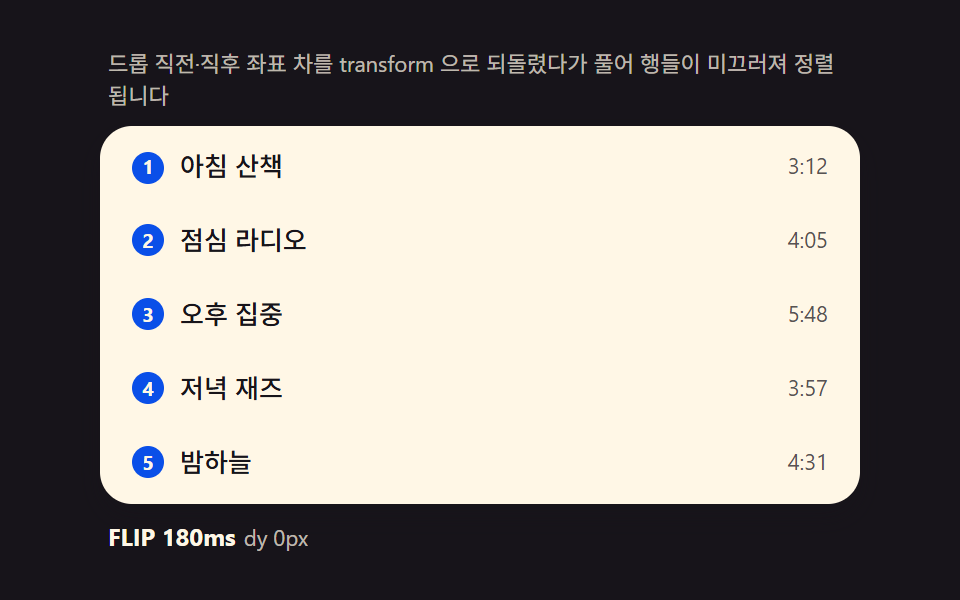 dragDrag to Reorder UI: 9 Lists, One Drop Index
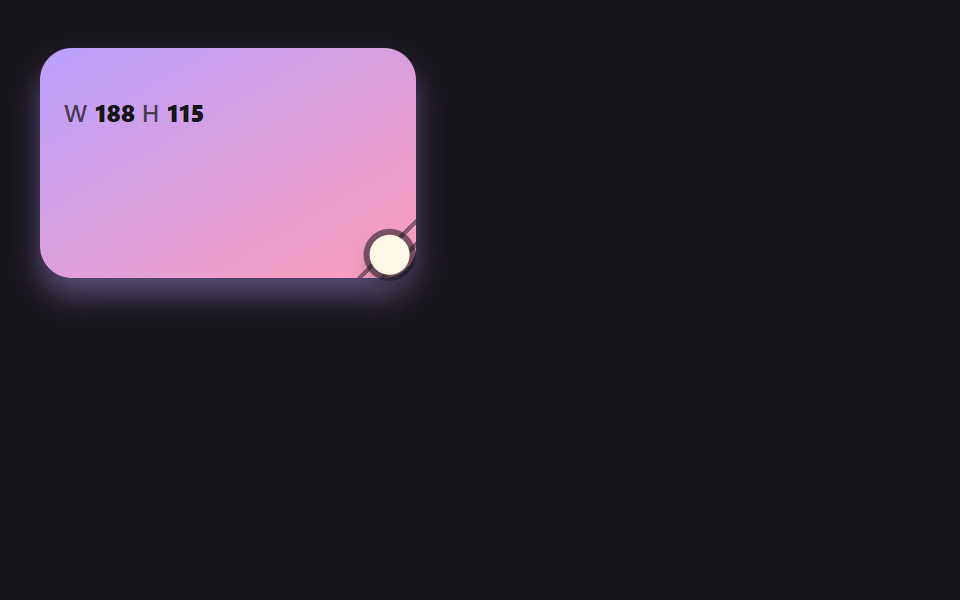 dragCSS Resize Handle: 9 Demos That Follow Your Grip
 dragDrag and Drop File Upload UI: 9 Computed Dropzones
 dragJigsaw Puzzle JavaScript: 9 Snapping Tab Boards
 Lists & tables9 Swipe to Delete List UI Patterns (Copy-Paste)
 Lists & tables9 Accordion List UI Patterns (Copy-Paste)
 Pickers9 css calendar design patterns that really move
 Lists & tables9 File Tree CSS Views — Folders That Really Open
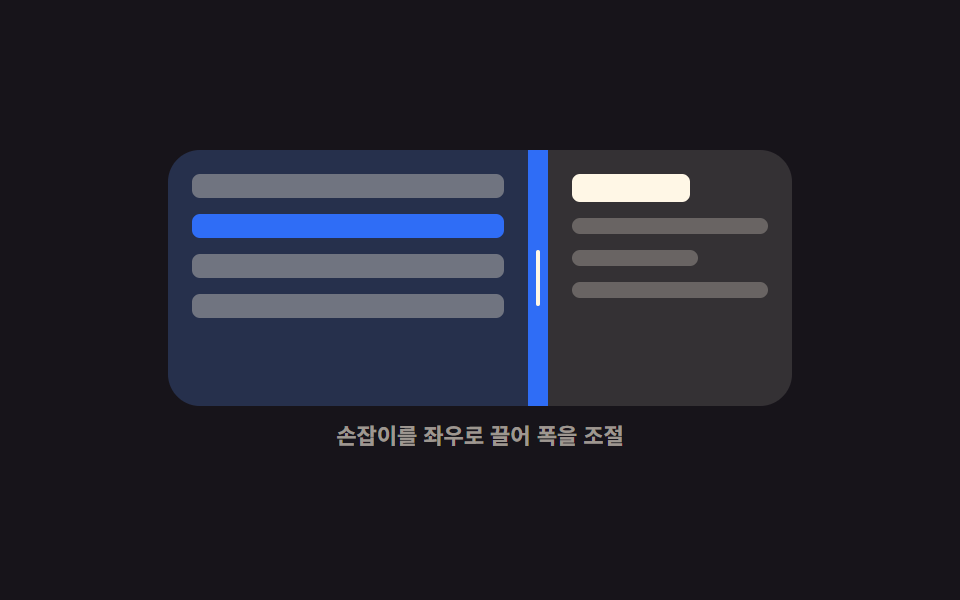 Interactions9 Resizable Split Pane Layouts With No Library
 Lists & tables9 Data Table UI Patterns — Drag, Resize, Select