9 Mobile Touch Gestures That Follow Your Finger
Mobile touch gestures turn the distance and speed of a finger on glass into a change on screen.
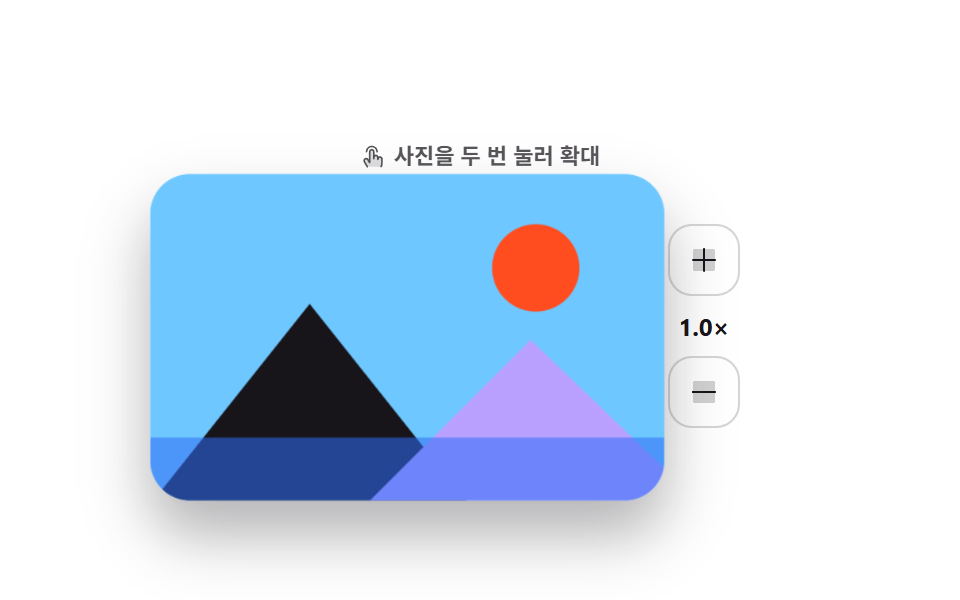 01 gesture-double-tap-zoom
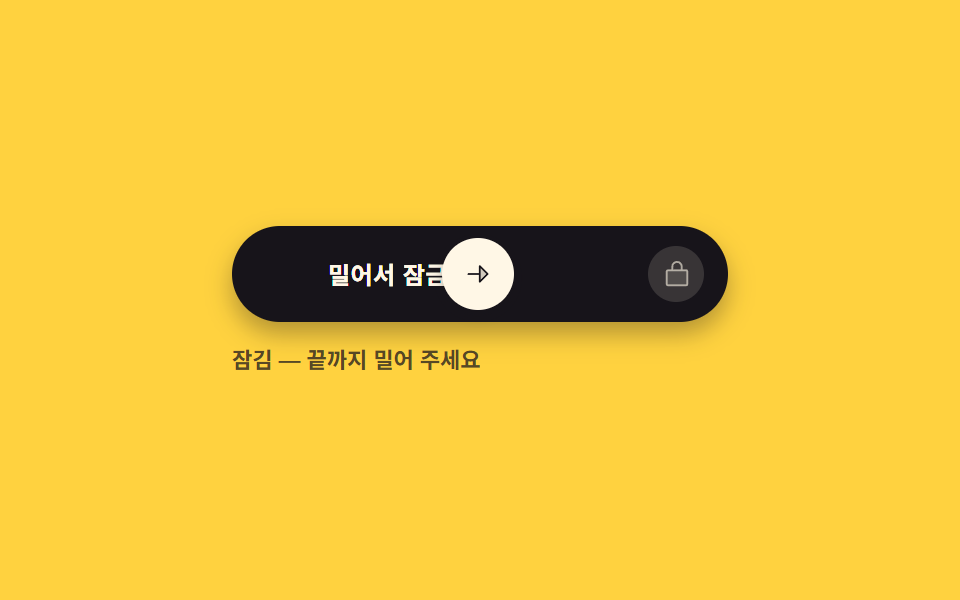 02 gesture-slide-to-unlock-track
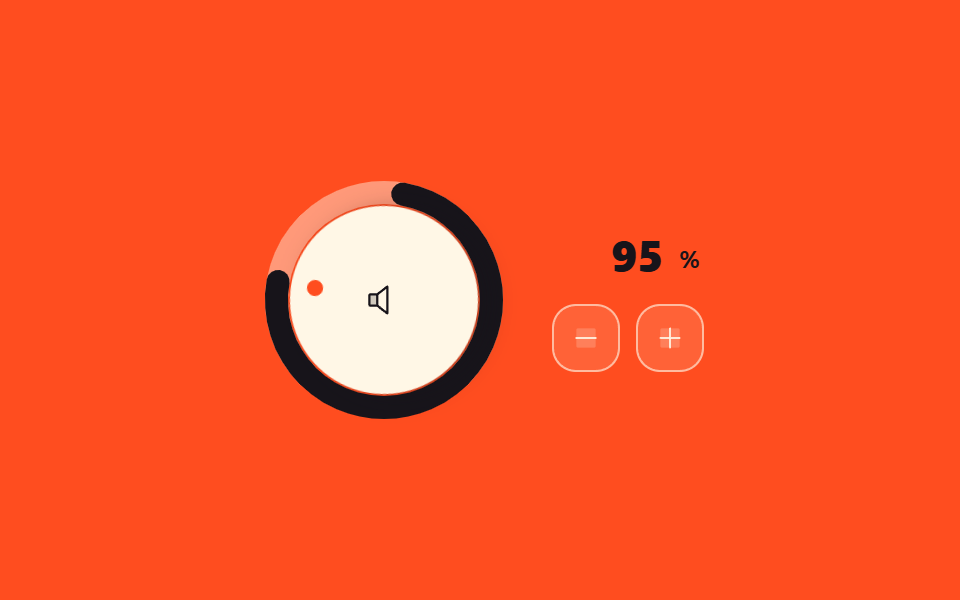 03 gesture-drag-dial-value
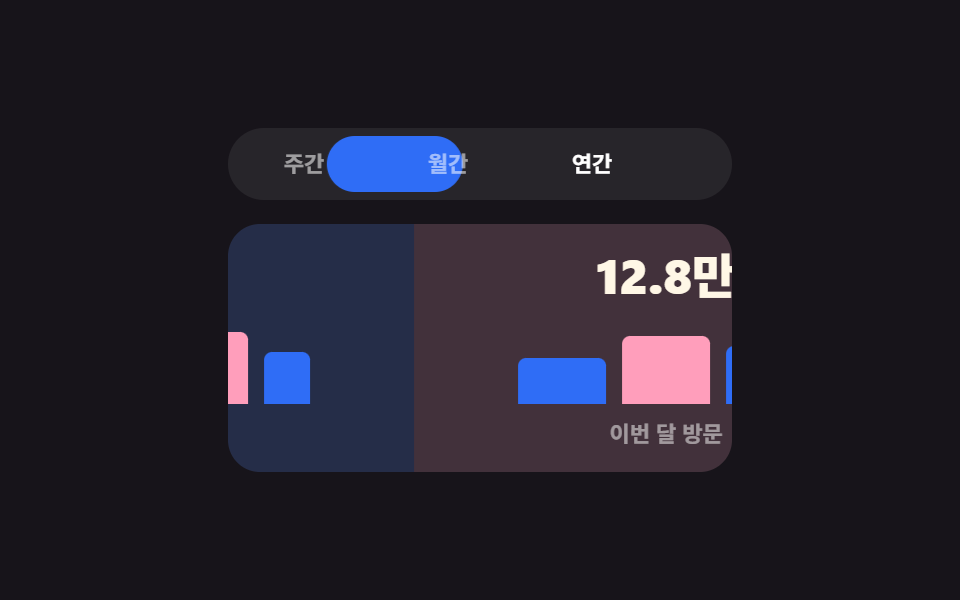 04 gesture-swipe-tab-switch
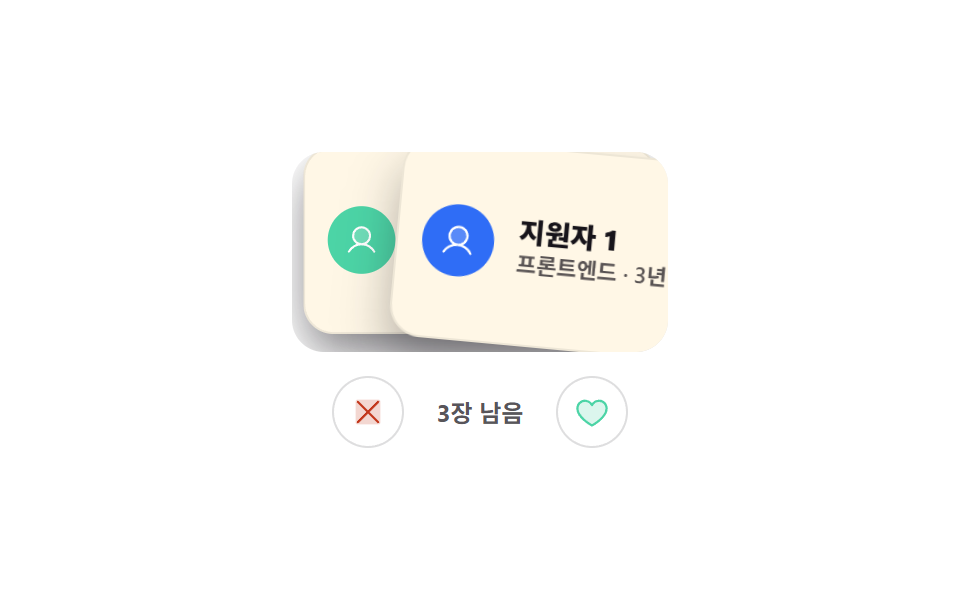 05 gesture-swipe-card-deck
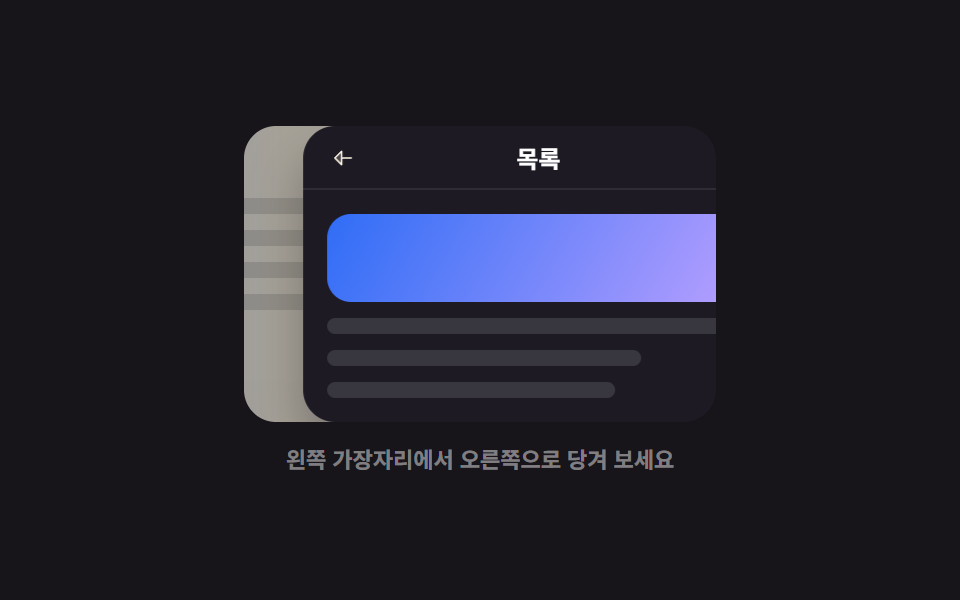 06 gesture-edge-swipe-back
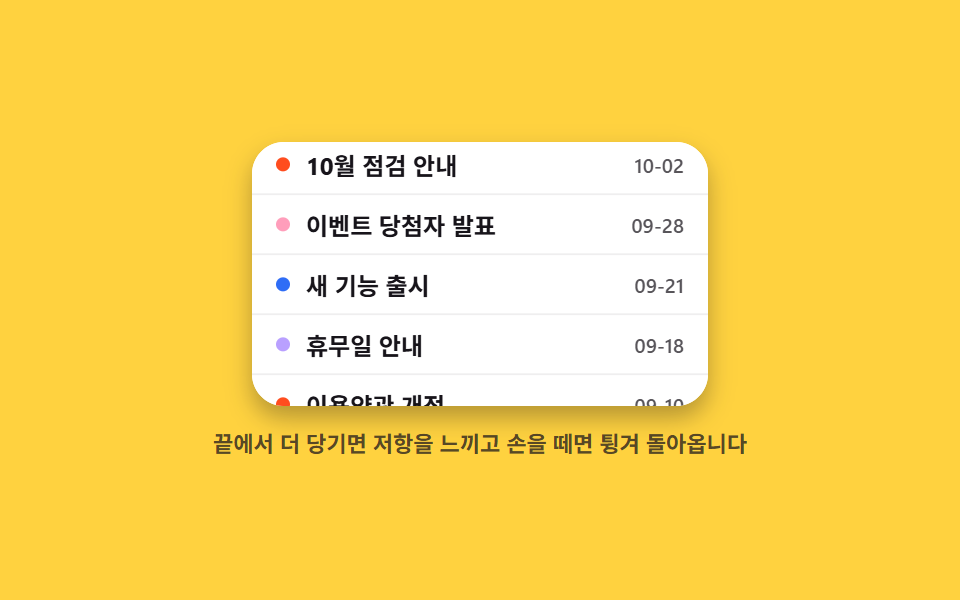 07 gesture-rubber-band-boundary
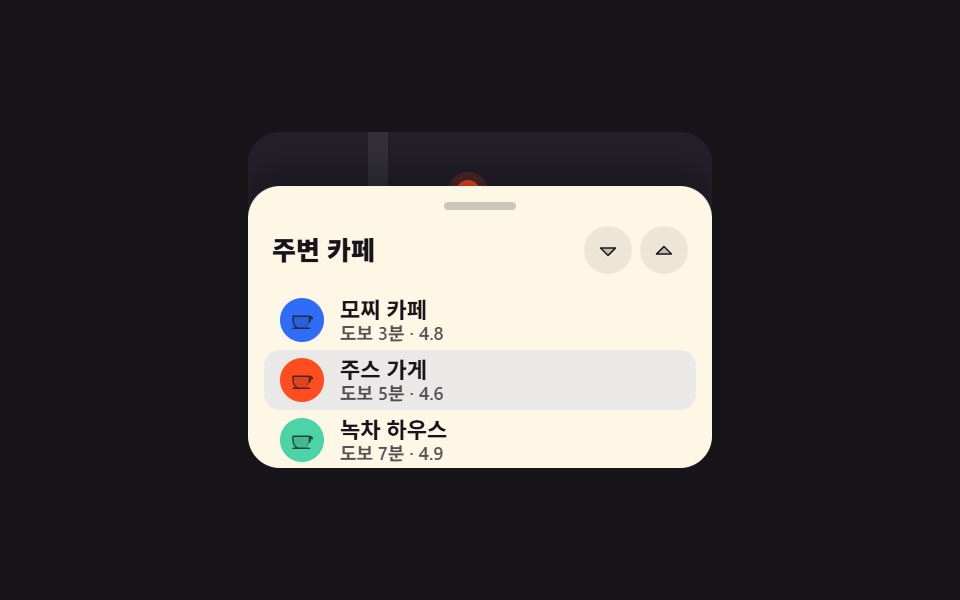 08 gesture-bottom-sheet-snap-drag
 09 gesture-pinch-zoom-pan
Auto-plays · click a tile to jump to its section · all nine in one zip
- 01 Double-tap zoom
- 02 Slide-to-unlock track
- 03 Drag-to-turn value dial
- 04 Swipe tab switcher
- 05 Swipe card deck
- 06 Edge swipe back
- 07 Rubber-band boundary
- 08 Drag-up bottom sheet
- 09 Pinch zoom
They are ordered by how long a finger stays on the glass, not by how fashionable they are. The first is barely contact at all — two quick taps (01). Next comes a push that only counts when it reaches the end (02), then a finger that travels in a circle to set a value (03), a whole panel dragged aside (04), and a card whose verdict depends on how far it went (05). From the sixth on, where the finger starts is the whole point: begin at the screen edge and it means back (06), pull past the end of a list and resistance builds (07), lift from the bottom and a sheet catches on a step (08). Only the last one (09) needs two fingers. All nine mobile browser touch gestures take mouse and touch through the same pointerdown, pointermove, and pointerup handlers, and every gesture also has a button or an arrow key that does the same job. The same moves under a mouse are listed in Mouse Effects CSS Tricks, and the drag that ends up resizing regions continues in Resizable Split Pane Layouts.
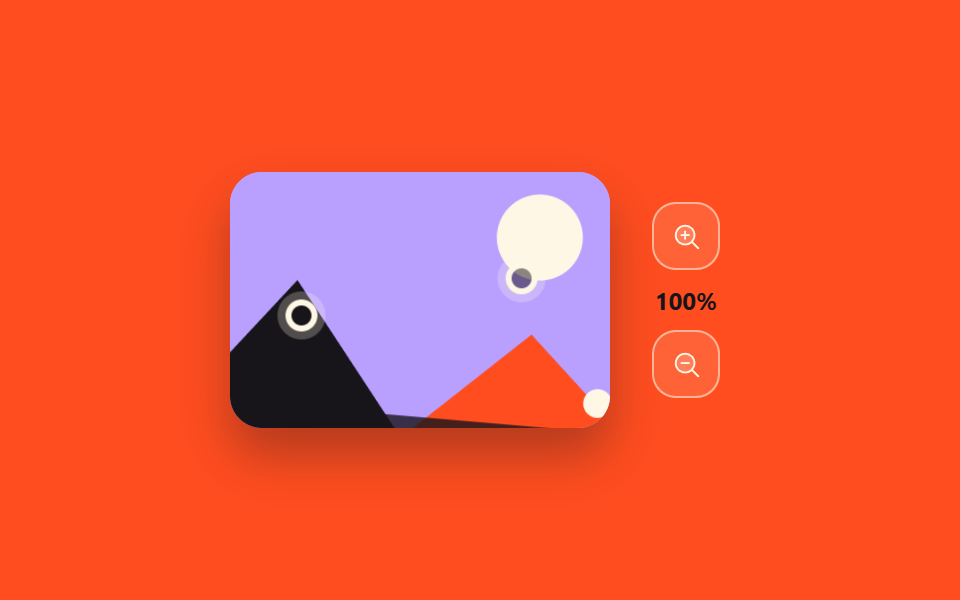
01Double-tap zoom
What this touch ui design shows
Two quick taps zoom the photo in around the second tap point, and another pair zooms back out.
<main class="stage">
  <div class="dz is-demo">
    <div class="dz__main">
    <div class="dz__photo" id="dz-photo">
      <svg viewBox="0 0 200 130" preserveAspectRatio="xMidYMid slice" aria-hidden="true">
        <rect class="dz__sky" width="200" height="130"/>
        <circle class="dz__sun" cx="150" cy="38" r="17"/>
        <polygon class="dz__m1" points="0,130 62,52 124,130"/>
        <polygon class="dz__m2" points="84,130 148,66 200,116 200,130"/>
        <rect class="dz__lake" y="104" width="200" height="26"/>
      </svg>
      <span class="dz__ring" id="dz-ring" aria-hidden="true"></span>
    </div>
    <div class="dz__side">
      <button class="dz__btn" type="button" id="dz-in" aria-label="Zoom in one step">
        <svg viewBox="0 0 256 256" width="16" height="16"><g fill="currentColor"><path d="M216 56v144a16 16 0 0 1-16 16H56a16 16 0 0 1-16-16V56a16 16 0 0 1 16-16h144a16 16 0 0 1 16 16" opacity=".2"/><path d="M224 128a8 8 0 0 1-8 8h-80v80a8 8 0 0 1-16 0v-80H40a8 8 0 0 1 0-16h80V40a8 8 0 0 1 16 0v80h80a8 8 0 0 1 8 8"/></g></svg>
      </button>
      <span class="dz__level" id="dz-level" aria-live="polite">1.0×</span>
      <button class="dz__btn" type="button" id="dz-out" aria-label="Zoom out one step">
        <svg viewBox="0 0 256 256" width="16" height="16"><g fill="currentColor"><path d="M216 56v144a16 16 0 0 1-16 16H56a16 16 0 0 1-16-16V56a16 16 0 0 1 16-16h144a16 16 0 0 1 16 16" opacity=".2"/><path d="M224 128a8 8 0 0 1-8 8H40a8 8 0 0 1 0-16h176a8 8 0 0 1 8 8"/></g></svg>
      </button>
    </div>
    </div>
    <p class="dz__hint" id="dz-hint"><svg viewBox="0 0 256 256" width="13" height="13"><g fill="currentColor"><path d="M216 148v36c0 24-8 40-8 40H72l-29.32-50a20 20 0 0 1 34.64-20L96 184V76a20 20 0 0 1 40 0v56a20 20 0 0 1 40 0v16a20 20 0 0 1 40 0" opacity=".2"/><path d="M56 76a60 60 0 0 1 120 0a8 8 0 0 1-16 0a44 44 0 0 0-88 0a8 8 0 1 1-16 0m140 44a27.9 27.9 0 0 0-13.36 3.39A28 28 0 0 0 144 106.7V76a28 28 0 0 0-56 0v80l-3.82-6.13a28 28 0 0 0-48.41 28.17l29.32 50a8 8 0 1 0 13.8-8.04L49.6 170a12 12 0 1 1 20.78-12l.14.23l18.68 30A8 8 0 0 0 104 184V76a12 12 0 0 1 24 0v68a8 8 0 1 0 16 0v-12a12 12 0 0 1 24 0v20a8 8 0 0 0 16 0v-4a12 12 0 0 1 24 0v36c0 21.61-7.1 36.3-7.16 36.42a8 8 0 0 0 3.58 10.73a7.9 7.9 0 0 0 3.58.85a8 8 0 0 0 7.16-4.42c.37-.73 8.85-18 8.85-43.58v-36A28 28 0 0 0 196 120"/></g></svg> Double-tap the photo to zoom</p>
  </div>
</main>@use "../../../../site/static/demo-tokens" as *;
$duration: $dur-enter;
$easing: $ease-spring;
$color: $subject-blue;
@include stage($stage-paper);
.dz {
display: flex;
flex-direction: column-reverse; // 힌트를 위로 — 확대된 사진이 힌트를 덮지 않게
align-items: center;
user-select: none;
-webkit-user-select: none;
}
.dz__main { display: flex; align-items: center; gap: $sp-4; }
.dz__photo {
position: relative;
width: 208px;
height: 132px;
border-radius: $r-card;
overflow: hidden;
box-shadow: $shadow-raised;
background: $subject-sky;
transform: scale(1);
transition: transform $duration $easing;
cursor: zoom-in;
touch-action: manipulation;
}
.dz__photo svg { display: block; width: 100%; height: 100%; }
.dz__sky { fill: $subject-sky; }
.dz__sun { fill: $stage-orange; }
.dz__m1 { fill: $subject-ink; }
.dz__m2 { fill: $subject-lilac; }
.dz__lake { fill: $subject-blue; opacity: .55; }
.dz__ring {
position: absolute;
width: 36px; height: 36px;
margin: -18px 0 0 -18px;
border: 2px solid #fff;
border-radius: 50%;
opacity: 0;
pointer-events: none;
}
.dz__ring.is-pulse { animation: dz-pulse $dur-quick $ease-out; }
@keyframes dz-pulse {
0% { opacity: .9; transform: scale(.4); }
100% { opacity: 0; transform: scale(1.15); }
}
.dz__side { display: flex; flex-direction: column; align-items: center; gap: $sp-2; }
.dz__btn {
display: inline-flex; align-items: center; justify-content: center;
width: 36px; height: 36px;
border: 1px solid rgba(23, 20, 26, .18);
background: #fff;
border-radius: $r-control;
color: $subject-ink;
cursor: pointer;
transition: background $dur-quick $easing, color $dur-quick $easing;
}
.dz__btn:hover { background: $color; color: #fff; }
.dz__btn:focus-visible { outline: 2px solid $color; outline-offset: 2px; }
.dz__level {
font-size: 12px; line-height: 14px; font-weight: 700;
color: $subject-ink;
font-variant-numeric: tabular-nums;
}
.dz__hint {
position: relative;
z-index: 1;
display: flex; align-items: center; gap: $sp-1;
margin: 0 0 $sp-3;
font-size: 11px; line-height: 14px; font-weight: 600;
color: rgba(23, 20, 26, .72);
}
.dz__hint svg { flex: none; color: rgba(23, 20, 26, .72); }
// ── 자동 루프: 탭 두 번 → 확대 → 유지 → 복귀. 복귀는 90% 안에 끝난다 ──
.dz.is-demo .dz__photo {
transform-origin: 148px 42px; // 규칙8: 탭 좌표(148,42) 줌 앵커
animation: dz-zoom $dur-loop $easing infinite;
}
@keyframes dz-zoom {
0%, 100% { transform: scale(1); }
30% { transform: scale(1); }
44% { transform: scale(2.1); }
76% { transform: scale(2.1); }
88% { transform: scale(1); }
}
.dz.is-demo .dz__ring {
left: 148px; top: 42px;
animation: dz-taps $dur-loop $ease-out infinite;
}
@keyframes dz-taps {
0%, 8% { opacity: 0; transform: scale(.4); }
13% { opacity: .95; transform: scale(.85); }
19% { opacity: 0; transform: scale(1.15); }
21% { opacity: 0; transform: scale(.4); }
26% { opacity: .95; transform: scale(.85); }
32% { opacity: 0; transform: scale(1.15); }
100% { opacity: 0; transform: scale(1.15); }
}
@media (prefers-reduced-motion: reduce) {
.dz.is-demo .dz__photo,
.dz.is-demo .dz__ring,
.dz.is-demo .dz__level { animation: none !important; }
.dz__photo, .dz__btn { transition: none; }
.dz__photo { transform: none; }
}html, body {
margin: 0;
overflow: hidden;
}
.stage {
box-sizing: border-box;
min-height: 100vh;
display: grid;
place-items: center;
margin: 0;
background: #ffffff;
font-family: -apple-system, "Segoe UI", "Noto Sans KR", sans-serif;
padding: clamp(8px, 4vw, 24px);
}
.dz {
display: flex;
flex-direction: column-reverse;
align-items: center;
user-select: none;
-webkit-user-select: none;
}
.dz__main {
display: flex;
align-items: center;
gap: 16px;
}
.dz__photo {
position: relative;
width: 208px;
height: 132px;
border-radius: 16px;
overflow: hidden;
box-shadow: 0 14px 24px rgba(23, 20, 26, 0.32);
background: #6ec8ff;
transform: scale(1);
transition: transform 600ms cubic-bezier(0.2, 0.8, 0.2, 1);
cursor: zoom-in;
touch-action: manipulation;
}
.dz__photo svg {
display: block;
width: 100%;
height: 100%;
}
.dz__sky {
fill: #6ec8ff;
}
.dz__sun {
fill: #ff4d1f;
}
.dz__m1 {
fill: #17141a;
}
.dz__m2 {
fill: #b9a0ff;
}
.dz__lake {
fill: #2f6df6;
opacity: 0.55;
}
.dz__ring {
position: absolute;
width: 36px;
height: 36px;
margin: -18px 0 0 -18px;
border: 2px solid #fff;
border-radius: 50%;
opacity: 0;
pointer-events: none;
}
.dz__ring.is-pulse {
animation: dz-pulse 220ms ease-out;
}
@keyframes dz-pulse {
0% {
opacity: 0.9;
transform: scale(0.4);
}
100% {
opacity: 0;
transform: scale(1.15);
}
}
.dz__side {
display: flex;
flex-direction: column;
align-items: center;
gap: 8px;
}
.dz__btn {
display: inline-flex;
align-items: center;
justify-content: center;
width: 36px;
height: 36px;
border: 1px solid rgba(23, 20, 26, 0.18);
background: #fff;
border-radius: 12px;
color: #17141a;
cursor: pointer;
transition: background 220ms cubic-bezier(0.2, 0.8, 0.2, 1), color 220ms cubic-bezier(0.2, 0.8, 0.2, 1);
}
.dz__btn:hover {
background: #2f6df6;
color: #fff;
}
.dz__btn:focus-visible {
outline: 2px solid #2f6df6;
outline-offset: 2px;
}
.dz__level {
font-size: 12px;
line-height: 14px;
font-weight: 700;
color: #17141a;
font-variant-numeric: tabular-nums;
}
.dz__hint {
position: relative;
z-index: 1;
display: flex;
align-items: center;
gap: 4px;
margin: 0 0 12px;
font-size: 11px;
line-height: 14px;
font-weight: 600;
color: rgba(23, 20, 26, 0.72);
}
.dz__hint svg {
flex: none;
color: rgba(23, 20, 26, 0.72);
}
.dz.is-demo .dz__photo {
transform-origin: 148px 42px;
animation: dz-zoom 2s cubic-bezier(0.2, 0.8, 0.2, 1) infinite;
}
@keyframes dz-zoom {
0%, 100% {
transform: scale(1);
}
30% {
transform: scale(1);
}
44% {
transform: scale(2.1);
}
76% {
transform: scale(2.1);
}
88% {
transform: scale(1);
}
}
.dz.is-demo .dz__ring {
left: 148px;
top: 42px;
animation: dz-taps 2s ease-out infinite;
}
@keyframes dz-taps {
0%, 8% {
opacity: 0;
transform: scale(0.4);
}
13% {
opacity: 0.95;
transform: scale(0.85);
}
19% {
opacity: 0;
transform: scale(1.15);
}
21% {
opacity: 0;
transform: scale(0.4);
}
26% {
opacity: 0.95;
transform: scale(0.85);
}
32% {
opacity: 0;
transform: scale(1.15);
}
100% {
opacity: 0;
transform: scale(1.15);
}
}
@media (prefers-reduced-motion: reduce) {
.dz.is-demo .dz__photo,
.dz.is-demo .dz__ring,
.dz.is-demo .dz__level {
animation: none !important;
}
.dz__photo, .dz__btn {
transition: none;
}
.dz__photo {
transform: none;
}
}// 실제 동작: 두 번 누르면 그 지점 중심으로 Zoom in/Zoom out, 버튼은 같은 단계를 밟는다.
var root = document.querySelector('.dz');
var photo = document.getElementById('dz-photo');
var ring = document.getElementById('dz-ring');
var level = document.getElementById('dz-level');
var STEPS = [1, 1.55, 2.1];
var at = 0, lastTap = 0;
function go(i, ox, oy) {
at = Math.max(0, Math.min(i, STEPS.length - 1));
if (ox !== undefined) photo.style.transformOrigin = ox + 'px ' + oy + 'px';
photo.style.transform = 'scale(' + STEPS[at] + ')';
level.textContent = STEPS[at].toFixed(1) + '×';
}
function pulse(x, y) {
ring.style.left = x + 'px';
ring.style.top = y + 'px';
ring.classList.remove('is-pulse');
void ring.offsetWidth;
ring.classList.add('is-pulse');
}
photo.addEventListener('pointerdown', function (e) {
root.classList.remove('is-demo');
var now = Date.now();
if (now - lastTap < 320) {
var r = photo.getBoundingClientRect();
var x = e.clientX - r.left, y = e.clientY - r.top;
pulse(x, y);
go(at === STEPS.length - 1 ? 0 : at + 1, x, y);
lastTap = 0;
e.preventDefault();
} else { lastTap = now; }
});
document.getElementById('dz-in').addEventListener('click', function () { root.classList.remove('is-demo'); go(at + 1, 150, 44); });
document.getElementById('dz-out').addEventListener('click', function () { root.classList.remove('is-demo'); go(at - 1, 150, 44); });import { useRef, useState } from "react";
import type { CSSProperties } from "react";
import styles from "./DoubleTapZoom.module.scss";
export type DoubleTapZoomProps = {
steps?: number[];
duration?: number;
easing?: string;
color?: string;
};
type PEvt = { clientX: number; clientY: number; pointerId: number; preventDefault(): void; currentTarget: { setPointerCapture(id: number): void } };
type Box<T> = { current: T };
type Vars = CSSProperties & { "--duration"?: string; "--easing"?: string; "--color"?: string };
const IconPlus = () => (
<svg viewBox="0 0 256 256" width="16" height="16"><g fill="currentColor"><path d="M216 56v144a16 16 0 0 1-16 16H56a16 16 0 0 1-16-16V56a16 16 0 0 1 16-16h144a16 16 0 0 1 16 16" opacity=".2"/><path d="M224 128a8 8 0 0 1-8 8h-80v80a8 8 0 0 1-16 0v-80H40a8 8 0 0 1 0-16h80V40a8 8 0 0 1 16 0v80h80a8 8 0 0 1 8 8"/></g></svg>
);
const IconMinus = () => (
<svg viewBox="0 0 256 256" width="16" height="16"><g fill="currentColor"><path d="M216 56v144a16 16 0 0 1-16 16H56a16 16 0 0 1-16-16V56a16 16 0 0 1 16-16h144a16 16 0 0 1 16 16" opacity=".2"/><path d="M224 128a8 8 0 0 1-8 8H40a8 8 0 0 1 0-16h176a8 8 0 0 1 8 8"/></g></svg>
);
export default function DoubleTapZoom({
steps = [1, 1.55, 2.1],
duration = 600,
easing = "cubic-bezier(.2,.8,.2,1)",
color = "#2f6df6",
}: DoubleTapZoomProps) {
const [at, setAt] = useState(0);
const [origin, setOrigin] = useState("50% 50%");
const [ring, setRing] = useState<{ x: number; y: number; k: number } | null>(null);
const lastTap = useRef(0) as Box<number>;
const photoRef = useRef<HTMLDivElement>(null);
const vars: Vars = { "--duration": `${duration}ms`, "--easing": easing, "--color": color };
function go(i: number, ox?: number, oy?: number) {
const next = Math.max(0, Math.min(i, steps.length - 1));
if (ox !== undefined && oy !== undefined) setOrigin(`${ox}px ${oy}px`);
setAt(next);
}
function onDown(e: PEvt) {
const now = Date.now();
if (now - lastTap.current < 320) {
const r = (photoRef.current as HTMLDivElement).getBoundingClientRect();
const x = e.clientX - r.left, y = e.clientY - r.top;
setRing({ x, y, k: now });
go(at === steps.length - 1 ? 0 : at + 1, x, y);
lastTap.current = 0;
} else {
lastTap.current = now;
}
}
return (
<div className={styles.dz} style={vars}>
<div
ref={photoRef}
className={styles.photo}
style={{ transform: `scale(${steps[at]})`, transformOrigin: origin }}
onPointerDown={onDown}
>
<svg viewBox="0 0 200 130" preserveAspectRatio="xMidYMid slice" aria-hidden="true">
<rect className={styles.sky} width="200" height="130" />
<circle className={styles.sun} cx="150" cy="38" r="17" />
<polygon className={styles.m1} points="0,130 62,52 124,130" />
<polygon className={styles.m2} points="84,130 148,66 200,116 200,130" />
<rect className={styles.lake} y="104" width="200" height="26" />
</svg>
{ring && (
<span key={ring.k} className={styles.ring} style={{ left: ring.x, top: ring.y }} aria-hidden="true" />
)}
</div>
<div className={styles.side}>
<button type="button" className={styles.btn} aria-label="Zoom in one step" onClick={(): void => go(at + 1, 150, 44)}>
<IconPlus />
</button>
<span className={styles.level} aria-live="polite">{steps[at].toFixed(1)}x</span>
<button type="button" className={styles.btn} aria-label="Zoom out one step" onClick={(): void => go(at - 1, 150, 44)}>
<IconMinus />
</button>
</div>
</div>
);
}01 · Double-tap zoom — Measured area 60.957% · moving frames 14/23Original by GODRICH · SCSS and React ship in the zip · See the password
Where to look in the code
The zoom center comes from feeding the tap coordinates straight into transformOrigin, while the plus and minus buttons walk the same array of steps.
photo.addEventListener('pointerdown', function (e) {
  var now = Date.now();
  if (now - lastTap < 320) {
    var r = photo.getBoundingClientRect();
    var x = e.clientX - r.left, y = e.clientY - r.top;
    pulse(x, y);
    go(at === STEPS.length - 1 ? 0 : at + 1, x, y);
    lastTap = 0;
    e.preventDefault();
  } else { lastTap = now; }
});
02Slide-to-unlock track
What happens on screen
The handle has to reach the far end of the track before anything unlocks; let go halfway and it springs back.
<main class="stage">
  <div class="su is-demo" id="su-root">
    <div class="su__track" id="su-track">
      <span class="su__label" aria-hidden="true"><span class="su__t1">Slide to unlock</span><span class="su__t2" id="su-lit">Slide to unlock</span></span>
      <span class="su__lock" id="su-lock" aria-hidden="true">
        <svg class="su__ic su__ic--closed" viewBox="0 0 256 256" width="15" height="15"><g fill="currentColor"><path d="M216 96v112a8 8 0 0 1-8 8H48a8 8 0 0 1-8-8V96a8 8 0 0 1 8-8h160a8 8 0 0 1 8 8" opacity=".2"/><path d="M208 80h-32V56a48 48 0 0 0-96 0v24H48a16 16 0 0 0-16 16v112a16 16 0 0 0 16 16h160a16 16 0 0 0 16-16V96a16 16 0 0 0-16-16M96 56a32 32 0 0 1 64 0v24H96Zm112 152H48V96h160z"/></g></svg>
        <svg class="su__ic su__ic--open" viewBox="0 0 256 256" width="15" height="15"><g fill="currentColor"><path d="M216 96v112a8 8 0 0 1-8 8H48a8 8 0 0 1-8-8V96a8 8 0 0 1 8-8h160a8 8 0 0 1 8 8" opacity=".2"/><path d="M208 80H96V56a32 32 0 0 1 32-32c15.37 0 29.2 11 32.16 25.59a8 8 0 0 0 15.68-3.18C171.32 24.15 151.2 8 128 8a48.05 48.05 0 0 0-48 48v24H48a16 16 0 0 0-16 16v112a16 16 0 0 0 16 16h160a16 16 0 0 0 16-16V96a16 16 0 0 0-16-16m0 128H48V96h160z"/></g></svg>
        <svg class="su__ic su__ic--done" viewBox="0 0 256 256" width="13" height="13"><g fill="currentColor"><path d="M232 56v144a16 16 0 0 1-16 16H40a16 16 0 0 1-16-16V56a16 16 0 0 1 16-16h176a16 16 0 0 1 16 16" opacity=".2"/><path d="m205.66 85.66l-96 96a8 8 0 0 1-11.32 0l-40-40a8 8 0 0 1 11.32-11.32L104 164.69l90.34-90.35a8 8 0 0 1 11.32 11.32"/></g></svg>
      </span>
      <button class="su__handle" type="button" id="su-handle" aria-label="Slide all the way right to unlock">
        <svg viewBox="0 0 256 256" width="14" height="14"><g fill="currentColor"><path d="m216 128l-72 72V56Z" opacity=".2"/><path d="m221.66 122.34l-72-72A8 8 0 0 0 136 56v64H40a8 8 0 0 0 0 16h96v64a8 8 0 0 0 13.66 5.66l72-72a8 8 0 0 0 0-11.32M152 180.69V75.31L204.69 128Z"/></g></svg>
      </button>
    </div>
    <p class="su__state" id="su-state" aria-live="polite">Locked — slide all the way</p>
    <span hidden id="su-msg-done">Unlocked — relocks in 1.6s</span>
  </div>
</main>
@use "../../../../site/static/demo-tokens" as *;
$duration: $dur-base;
$easing: $ease-spring;
$color: $subject-ink;
@include stage($stage-yellow);
.su { user-select: none; -webkit-user-select: none; }
.su__track {
position: relative;
box-sizing: border-box;
width: min(248px, 84vw);
height: 48px;
background: $color;
border-radius: $r-pill;
box-shadow: $shadow-press;
}
.su__label {
position: absolute;
inset: 0;
display: flex;
align-items: center;
padding-left: 48px;
font-size: 12px; line-height: 14px; font-weight: 700;
letter-spacing: .02em;
}
.su__t1 { color: rgba(255, 247, 230, .72); } // 먹 트랙 위 흐린 크림 2.79:1 → 9.2:1
.su__t2 {
position: absolute;
left: 48px; top: 50%;
transform: translateY(-50%);
width: 36px;
overflow: hidden;
white-space: nowrap;
color: $subject-cream;
}
.su__lock {
position: absolute;
right: $sp-3;
top: 50%;
transform: translateY(-50%);
display: inline-flex;
align-items: center; justify-content: center;
width: 28px; height: 28px;
border-radius: 50%;
background: rgba(255, 247, 230, .14);
color: rgba(255, 247, 230, .6);
transition: background $duration $easing, color $duration $easing, transform $duration $easing;
}
.su__ic { position: absolute; transition: opacity $dur-quick steps(1, end), transform $duration $easing; }
.su__ic--open, .su__ic--done { opacity: 0; }
.su__track.is-done .su__lock { background: $stage-yellow; color: $color; transform: translateY(-50%) scale(1.12); }
.su__track.is-done .su__ic--closed { opacity: 0; }
.su__track.is-done .su__ic--open { opacity: 0; }
.su__track.is-done .su__ic--done { opacity: 1; }
.su__handle {
position: absolute;
left: $sp-2;
top: 50%;
transform: translateY(-50%) translateX(0);
display: inline-flex; align-items: center; justify-content: center;
width: 36px; height: 36px;
border: 0;
background: $subject-cream;
color: $color;
border-radius: 50%;
box-shadow: 0 2px 6px rgba(23, 20, 26, .35);
cursor: grab;
touch-action: none;
transition: transform $duration $easing, box-shadow $duration $easing;
}
.su__handle.is-drag { box-shadow: 0 4px 10px rgba(23, 20, 26, .45); }
.su__handle:active { cursor: grabbing; }
.su__handle:focus-visible { outline: 3px solid rgba(23, 20, 26, .55); outline-offset: 2px; }
.su__state {
margin: $sp-3 0 0;
font-size: 11px; line-height: 14px; font-weight: 600;
color: rgba(23, 20, 26, .72);
}
// ── 자동 루프: 밀기 → 잠금 해제 → 유지 → 페이드아웃(보이지 않을 때 초기화) → 복귀 ──
.su.is-demo .su__handle { animation: su-slide $dur-loop $easing infinite; }
@keyframes su-slide {
0% { transform: translateY(-50%) translateX(0); }
34% { transform: translateY(-50%) translateX(204px); }
38% { transform: translateY(-50%) translateX(204px) scale(1.1, .9); }
42%, 66% { transform: translateY(-50%) translateX(204px); }
72% { transform: translateY(-50%) translateX(204px); opacity: 1; }
78% { transform: translateY(-50%) translateX(204px); opacity: 0; }
79% { transform: translateY(-50%) translateX(0); opacity: 0; }
88%, 100% { transform: translateY(-50%) translateX(0); opacity: 1; }
}
.su.is-demo .su__t2 { animation: su-lit $dur-loop linear infinite; }
@keyframes su-lit {
0% { width: 36px; }
34%, 78% { width: 240px; }
79% { width: 36px; }
100% { width: 36px; }
}
.su.is-demo .su__lock { animation: su-lock $dur-loop steps(1, end) infinite; }
@keyframes su-lock {
0%, 41% { background: rgba(255, 247, 230, .14); color: rgba(255, 247, 230, .6); }
42%, 72% { background: $stage-yellow; color: $subject-ink; }
73%, 100% { background: rgba(255, 247, 230, .14); color: rgba(255, 247, 230, .6); }
}
@media (prefers-reduced-motion: reduce) {
.su.is-demo .su__handle,
.su.is-demo .su__t2,
.su.is-demo .su__lock { animation: none !important; }
.su__handle, .su__lock { transition: none; }
}html, body {
margin: 0;
overflow: hidden;
}
.stage {
box-sizing: border-box;
min-height: 100vh;
display: grid;
place-items: center;
margin: 0;
background: #ffd23f;
font-family: -apple-system, "Segoe UI", "Noto Sans KR", sans-serif;
padding: clamp(8px, 4vw, 24px);
}
.su {
user-select: none;
-webkit-user-select: none;
}
.su__track {
position: relative;
box-sizing: border-box;
width: min(248px, 84vw);
height: 48px;
background: #17141a;
border-radius: 999px;
box-shadow: 0 6px 12px rgba(23, 20, 26, 0.32);
}
.su__label {
position: absolute;
inset: 0;
display: flex;
align-items: center;
padding-left: 48px;
font-size: 12px;
line-height: 14px;
font-weight: 700;
letter-spacing: 0.02em;
}
.su__t1 {
color: rgba(255, 247, 230, 0.72);
}
.su__t2 {
position: absolute;
left: 48px;
top: 50%;
transform: translateY(-50%);
width: 36px;
overflow: hidden;
white-space: nowrap;
color: #fff7e6;
}
.su__lock {
position: absolute;
right: 12px;
top: 50%;
transform: translateY(-50%);
display: inline-flex;
align-items: center;
justify-content: center;
width: 28px;
height: 28px;
border-radius: 50%;
background: rgba(255, 247, 230, 0.14);
color: rgba(255, 247, 230, 0.6);
transition: background 300ms cubic-bezier(0.2, 0.8, 0.2, 1), color 300ms cubic-bezier(0.2, 0.8, 0.2, 1), transform 300ms cubic-bezier(0.2, 0.8, 0.2, 1);
}
.su__ic {
position: absolute;
transition: opacity 220ms steps(1, end), transform 300ms cubic-bezier(0.2, 0.8, 0.2, 1);
}
.su__ic--open, .su__ic--done {
opacity: 0;
}
.su__track.is-done .su__lock {
background: #ffd23f;
color: #17141a;
transform: translateY(-50%) scale(1.12);
}
.su__track.is-done .su__ic--closed {
opacity: 0;
}
.su__track.is-done .su__ic--open {
opacity: 0;
}
.su__track.is-done .su__ic--done {
opacity: 1;
}
.su__handle {
position: absolute;
left: 8px;
top: 50%;
transform: translateY(-50%) translateX(0);
display: inline-flex;
align-items: center;
justify-content: center;
width: 36px;
height: 36px;
border: 0;
background: #fff7e6;
color: #17141a;
border-radius: 50%;
box-shadow: 0 2px 6px rgba(23, 20, 26, 0.35);
cursor: grab;
touch-action: none;
transition: transform 300ms cubic-bezier(0.2, 0.8, 0.2, 1), box-shadow 300ms cubic-bezier(0.2, 0.8, 0.2, 1);
}
.su__handle.is-drag {
box-shadow: 0 4px 10px rgba(23, 20, 26, 0.45);
}
.su__handle:active {
cursor: grabbing;
}
.su__handle:focus-visible {
outline: 3px solid rgba(23, 20, 26, 0.55);
outline-offset: 2px;
}
.su__state {
margin: 12px 0 0;
font-size: 11px;
line-height: 14px;
font-weight: 600;
color: rgba(23, 20, 26, 0.72);
}
.su.is-demo .su__handle {
animation: su-slide 2s cubic-bezier(0.2, 0.8, 0.2, 1) infinite;
}
@keyframes su-slide {
0% {
transform: translateY(-50%) translateX(0);
}
34% {
transform: translateY(-50%) translateX(204px);
}
38% {
transform: translateY(-50%) translateX(204px) scale(1.1, 0.9);
}
42%, 66% {
transform: translateY(-50%) translateX(204px);
}
72% {
transform: translateY(-50%) translateX(204px);
opacity: 1;
}
78% {
transform: translateY(-50%) translateX(204px);
opacity: 0;
}
79% {
transform: translateY(-50%) translateX(0);
opacity: 0;
}
88%, 100% {
transform: translateY(-50%) translateX(0);
opacity: 1;
}
}
.su.is-demo .su__t2 {
animation: su-lit 2s linear infinite;
}
@keyframes su-lit {
0% {
width: 36px;
}
34%, 78% {
width: 240px;
}
79% {
width: 36px;
}
100% {
width: 36px;
}
}
.su.is-demo .su__lock {
animation: su-lock 2s steps(1, end) infinite;
}
@keyframes su-lock {
0%, 41% {
background: rgba(255, 247, 230, 0.14);
color: rgba(255, 247, 230, 0.6);
}
42%, 72% {
background: #ffd23f;
color: #17141a;
}
73%, 100% {
background: rgba(255, 247, 230, 0.14);
color: rgba(255, 247, 230, 0.6);
}
}
@media (prefers-reduced-motion: reduce) {
.su.is-demo .su__handle,
.su.is-demo .su__t2,
.su.is-demo .su__lock {
animation: none !important;
}
.su__handle, .su__lock {
transition: none;
}
}// 실제 동작: 손잡이를 끝까지 밀면 잠금 해제, 중간에 떼면 스프링으로 복귀. 화살표 키·Enter 도 같은 검사를 밟는다.
var root = document.getElementById('su-root');
var track = document.getElementById('su-track');
var handle = document.getElementById('su-handle');
var lit = document.getElementById('su-lit');
var state = document.getElementById('su-state');
var MAX, x = 0, dragging = false, sx = 0, x0 = 0, done = false;
var MSG_DONE = document.getElementById('su-msg-done').textContent;
var MSG_LOCKED = state.textContent;
function end() { MAX = track.clientWidth - handle.clientWidth - 8; }
end();
window.addEventListener('resize', end);
function paint(px) {
x = Math.max(0, Math.min(px, MAX));
handle.style.transform = 'translateX(' + x + 'px)';
handle.classList.toggle('is-drag', x > 0 && x < MAX);
lit.style.width = (x + 36) + 'px';
if (x >= MAX - 1 && !done) unlock();
}
function unlock() {
done = true;
track.classList.add('is-done');
state.textContent = MSG_DONE;
setTimeout(relock, 1600);
}
function relock() {
done = false;
track.classList.remove('is-done');
handle.style.transition = 'none';
paint(0);
void handle.offsetWidth;
handle.style.transition = '';
state.textContent = MSG_LOCKED;
}
handle.addEventListener('pointerdown', function (e) {
if (done) return;
root.classList.remove('is-demo');
dragging = true; sx = e.clientX; x0 = x;
handle.setPointerCapture(e.pointerId);
handle.style.transition = 'none';
e.preventDefault();
});
handle.addEventListener('pointermove', function (e) {
if (!dragging) return;
paint(x0 + (e.clientX - sx));
});
function drop() {
if (!dragging) return;
dragging = false;
handle.style.transition = '';
if (!done) paint(0);
}
handle.addEventListener('pointerup', drop);
handle.addEventListener('pointercancel', drop);
handle.addEventListener('keydown', function (e) {
if (done) return;
if (e.key === 'ArrowRight') { root.classList.remove('is-demo'); handle.style.transition = 'none'; paint(x + 12); window.setTimeout(function () { handle.style.transition = ''; }, 60); e.preventDefault(); }
else if (e.key === 'Enter' && x >= MAX - 14) { root.classList.remove('is-demo'); paint(MAX); e.preventDefault(); }
});import { useEffect, useRef, useState } from "react";
import type { CSSProperties } from "react";
import styles from "./SlideUnlock.module.scss";
export type SlideUnlockProps = {
label?: string;
doneLabel?: string;
duration?: number;
easing?: string;
color?: string;
};
type PEvt = { clientX: number; clientY: number; pointerId: number; preventDefault(): void; currentTarget: { setPointerCapture(id: number): void } };
type KeyEvt = { key: string; preventDefault(): void };
type Box<T> = { current: T };
type Vars = CSSProperties & { "--duration"?: string; "--easing"?: string; "--color"?: string };
const IconArrow = () => (
<svg viewBox="0 0 256 256" width="14" height="14"><g fill="currentColor"><path d="m216 128l-72 72V56Z" opacity=".2"/><path d="m221.66 122.34l-72-72A8 8 0 0 0 136 56v64H40a8 8 0 0 0 0 16h96v64a8 8 0 0 0 13.66 5.66l72-72a8 8 0 0 0 0-11.32M152 180.69V75.31L204.69 128Z"/></g></svg>
);
const IconDone = () => (
<svg viewBox="0 0 256 256" width="13" height="13"><g fill="currentColor"><path d="M232 56v144a16 16 0 0 1-16 16H40a16 16 0 0 1-16-16V56a16 16 0 0 1 16-16h176a16 16 0 0 1 16 16" opacity=".2"/><path d="m205.66 85.66l-96 96a8 8 0 0 1-11.32 0l-40-40a8 8 0 0 1 11.32-11.32L104 164.69l90.34-90.35a8 8 0 0 1 11.32 11.32"/></g></svg>
);
const IconLock = () => (
<svg viewBox="0 0 256 256" width="15" height="15"><g fill="currentColor"><path d="M216 96v112a8 8 0 0 1-8 8H48a8 8 0 0 1-8-8V96a8 8 0 0 1 8-8h160a8 8 0 0 1 8 8" opacity=".2"/><path d="M208 80h-32V56a48 48 0 0 0-96 0v24H48a16 16 0 0 0-16 16v112a16 16 0 0 0 16 16h160a16 16 0 0 0 16-16V96a16 16 0 0 0-16-16M96 56a32 32 0 0 1 64 0v24H96Zm112 152H48V96h160z"/></g></svg>
);
export default function SlideUnlock({
label = "Slide to unlock",
doneLabel = "Unlocked — relocks in 1.6s",
duration = 300,
easing = "cubic-bezier(.2,.8,.2,1)",
color = "#17141a",
}: SlideUnlockProps) {
const trackRef = useRef<HTMLDivElement>(null);
const handleRef = useRef<HTMLButtonElement>(null);
const [x, setX] = useState(0);
const [done, setDone] = useState(false);
const drag = useRef({ on: false, sx: 0, x0: 0 }) as Box<{ on: boolean; sx: number; x0: number }>;
const maxRef = useRef(204) as Box<number>;
const vars: Vars = { "--duration": `${duration}ms`, "--easing": easing, "--color": color };
useEffect(() => {
function measure() {
const t = trackRef.current, h = handleRef.current;
if (t && h) maxRef.current = t.clientWidth - h.clientWidth - 8;
}
measure();
window.addEventListener("resize", measure);
return () => window.removeEventListener("resize", measure);
}, []);
useEffect(() => {
if (!done) return;
const t = window.setTimeout(() => { setDone(false); setX(0); }, 1600);
return () => window.clearTimeout(t);
}, [done]);
function paint(px: number) {
const max = maxRef.current;
const nx = Math.max(0, Math.min(px, max));
setX(nx);
if (nx >= max - 1 && !done) setDone(true);
}
function onDown(e: PEvt) {
if (done) return;
drag.current = { on: true, sx: e.clientX, x0: x };
e.currentTarget.setPointerCapture(e.pointerId);
e.preventDefault();
}
function onMove(e: PEvt) {
if (!drag.current.on) return;
paint(drag.current.x0 + (e.clientX - drag.current.sx));
}
function onUp() { drag.current.on = false; if (!done) paint(0); }
function onKey(e: KeyEvt) {
if (done) return;
if (e.key === "ArrowRight") { paint(x + 12); e.preventDefault(); }
else if (e.key === "Enter" && x >= maxRef.current - 14) { paint(maxRef.current); e.preventDefault(); }
}
return (
<div className={styles.su} style={vars}>
<div ref={trackRef} className={styles.track}>
<span className={styles.t1} aria-hidden="true">{label}</span>
<span className={styles.t2} aria-hidden="true" style={{ width: x + 36 }}>{label}</span>
<span className={done ? styles.lockDone : styles.lock} aria-hidden="true">
{done ? <IconDone /> : <IconLock />}
</span>
<button
ref={handleRef}
type="button"
className={styles.handle}
aria-label="Slide all the way right to unlock"
style={{ transform: `translate(-50%, -50%) translateX(${8 + x}px)` }}
onPointerDown={onDown}
onPointerMove={onMove}
onPointerUp={onUp}
onPointerCancel={onUp}
onKeyDown={onKey}
>
<IconArrow />
</button>
</div>
<p className={styles.state} aria-live="polite">{done ? doneLabel : `${label} — hold and push right`}</p>
</div>
);
}02 · Slide-to-unlock track — Measured area 3.585% · moving frames 15/23Original by GODRICH · SCSS and React ship in the zip · See the password
How to read the code
Grabbing it calls setPointerCapture, so the drag survives a finger that wanders off the track.
handle.addEventListener('pointerdown', function (e) {
  if (done) return;
  dragging = true; sx = e.clientX; x0 = x;
  handle.setPointerCapture(e.pointerId);
  handle.style.transition = 'none';
  e.preventDefault();
});
handle.addEventListener('pointermove', function (e) {
  if (!dragging) return;
  paint(x0 + (e.clientX - sx));
});
03Drag-to-turn value dial
What moves
Turning the round knob raises and lowers the value, and the gauge arc fills to the same angle.
<main class="stage">
  <div class="dl is-demo" id="dl-root">
    <div class="dl__dial" id="dl-dial" role="slider" tabindex="0" aria-label="Volume" aria-valuemin="0" aria-valuemax="100" aria-valuenow="20" aria-orientation="vertical">
      <svg class="dl__gauge" viewBox="0 0 100 100" aria-hidden="true">
        <circle class="dl__track" cx="50" cy="50" r="42"/>
        <circle class="dl__fill" id="dl-fill" cx="50" cy="50" r="42"/>
      </svg>
      <span class="dl__knob" id="dl-knob" aria-hidden="true">
        <span class="dl__dot"></span>
        <svg viewBox="0 0 256 256" width="18" height="18"><g fill="currentColor"><path d="M80 88v80H32a8 8 0 0 1-8-8V96a8 8 0 0 1 8-8Z" opacity=".2"/><path d="M155.51 24.81a8 8 0 0 0-8.42.88L77.25 80H32a16 16 0 0 0-16 16v64a16 16 0 0 0 16 16h45.25l69.84 54.31A8 8 0 0 0 160 224V32a8 8 0 0 0-4.49-7.19M32 96h40v64H32Zm112 111.64l-56-43.55V91.91l56-43.55Z" /></g></svg>
      </span>
    </div>
    <div class="dl__side">
      <span class="dl__value" aria-live="polite"><span class="dl__n dl__n--a">20</span><span class="dl__n dl__n--b">60</span><span class="dl__n dl__n--c">95</span><span class="dl__unit">%</span></span>
      <div class="dl__btns">
        <button class="dl__btn" type="button" id="dl-dec" aria-label="Volume down by 4">
          <svg viewBox="0 0 256 256" width="14" height="14"><g fill="currentColor"><path d="M216 56v144a16 16 0 0 1-16 16H56a16 16 0 0 1-16-16V56a16 16 0 0 1 16-16h144a16 16 0 0 1 16 16" opacity=".2"/><path d="M224 128a8 8 0 0 1-8 8H40a8 8 0 0 1 0-16h176a8 8 0 0 1 8 8"/></g></svg>
        </button>
        <button class="dl__btn" type="button" id="dl-inc" aria-label="Volume up by 4">
          <svg viewBox="0 0 256 256" width="14" height="14"><g fill="currentColor"><path d="M216 56v144a16 16 0 0 1-16 16H56a16 16 0 0 1-16-16V56a16 16 0 0 1 16-16h144a16 16 0 0 1 16 16" opacity=".2"/><path d="M224 128a8 8 0 0 1-8 8h-80v80a8 8 0 0 1-16 0v-80H40a8 8 0 0 1 0-16h80V40a8 8 0 0 1 16 0v80h80a8 8 0 0 1 8 8"/></g></svg>
        </button>
      </div>
    </div>
  </div>
</main>@use "../../../../site/static/demo-tokens" as *;
$duration: $dur-quick;
$easing: $ease-spring;
$color: $subject-ink;
@include stage($stage-orange);
.dl {
display: flex;
align-items: center;
gap: $sp-5;
user-select: none;
-webkit-user-select: none;
}
.dl__dial {
position: relative;
width: 128px;
height: 128px;
border-radius: 50%;
cursor: grab;
touch-action: none;
}
.dl__dial:active { cursor: grabbing; }
.dl__dial:focus-visible { outline: 3px solid $subject-cream; outline-offset: 4px; }
.dl__gauge { position: absolute; inset: 0; transform: rotate(135deg); }
.dl__track, .dl__fill {
fill: none;
stroke-width: 9;
stroke-linecap: round;
}
.dl__track { stroke: rgba(255, 247, 230, .45); stroke-dasharray: 197.92 66.06; }
.dl__fill {
stroke: $color;
stroke-dasharray: 197.92 66.06; // 270도만 그린다 — gap 을 안 주면 dash 가 반복돼 호가 꼬인다
stroke-dashoffset: 197.92;
transition: stroke-dashoffset $duration $easing;
}
.dl__knob svg { transition: transform $duration $easing; }
.dl__knob {
position: absolute;
inset: 17px;
display: flex;
align-items: center;
justify-content: center;
background: $subject-cream; // 노브 판은 크림, 게이지 호는 $color(잉크) — 서로 대비
border-radius: 50%;
box-shadow: $shadow-press;
color: $color;
transform: rotate(225deg);
transition: transform $duration $easing;
}
.dl__dot {
position: absolute;
top: $sp-2;
left: 50%;
width: 8px; height: 8px;
margin-left: -4px;
border-radius: 50%;
background: $stage-orange;
}
.dl__side { display: flex; flex-direction: column; align-items: center; gap: $sp-3; }
.dl__value {
position: relative;
height: 26px;
min-width: 72px;
text-align: center;
}
.dl__n {
position: absolute;
right: 18px;
font-size: 22px; line-height: 26px; font-weight: 800;
color: $subject-ink;
font-variant-numeric: tabular-nums;
opacity: 0;
transition: opacity $dur-quick steps(1, end);
}
.dl__n.is-on { opacity: 1; }
.dl__n--a.is-on { opacity: 1; }
.dl__unit {
position: absolute;
right: 0;
font-size: 12px; line-height: 30px; font-weight: 700;
color: $subject-ink; // 주황 무대 위 흐린 잉크 2.74:1 → 5.50:1
}
.dl__btns { display: flex; gap: $sp-2; }
.dl__btn {
display: inline-flex; align-items: center; justify-content: center;
width: 34px; height: 34px;
border: 1px solid rgba(255, 247, 230, .6);
background: rgba(255, 247, 230, .12);
border-radius: $r-control;
color: $subject-cream;
cursor: pointer;
transition: background $duration $easing;
}
.dl__btn:hover { background: $subject-cream; color: $stage-orange; }
.dl__btn:focus-visible { outline: 2px solid $subject-cream; outline-offset: 2px; }
// ── 자동 루프: 20 → 60 → 95 로 돌고 되돌아온다. 숫자 교체는 steps 컷 ──
.dl.is-demo .dl__knob { animation: dl-turn $dur-loop $easing infinite; }
.dl.is-demo .dl__knob svg { animation: dl-turn-back $dur-loop $easing infinite; }
@keyframes dl-turn-back {
0% { transform: rotate(-225deg); }
30%, 40% { transform: rotate(-387deg); }
66%, 76% { transform: rotate(-481.5deg); }
88%, 100% { transform: rotate(-225deg); }
}
@keyframes dl-turn {
0% { transform: rotate(225deg); }
30%, 40% { transform: rotate(387deg); }
66%, 76% { transform: rotate(481.5deg); }
88%, 100% { transform: rotate(225deg); }
}
.dl.is-demo .dl__fill { animation: dl-fill $dur-loop $easing infinite; }
@keyframes dl-fill {
0% { stroke-dashoffset: 197.92; }
30%, 40% { stroke-dashoffset: 79.17; }
66%, 76% { stroke-dashoffset: 9.9; }
88%, 100% { stroke-dashoffset: 197.92; }
}
.dl.is-demo .dl__n { transition: none; }
.dl.is-demo .dl__n--a { animation: dl-na $dur-loop steps(1, end) infinite; }
.dl.is-demo .dl__n--b { animation: dl-nb $dur-loop steps(1, end) infinite; }
.dl.is-demo .dl__n--c { animation: dl-nc $dur-loop steps(1, end) infinite; }
@keyframes dl-na { 0%, 29% { opacity: 1; } 30%, 100% { opacity: 0; } }
@keyframes dl-nb { 0%, 29% { opacity: 0; } 30%, 65% { opacity: 1; } 66%, 100% { opacity: 0; } }
@keyframes dl-nc { 0%, 65% { opacity: 0; } 66%, 87% { opacity: 1; } 88%, 100% { opacity: 0; } }
@media (prefers-reduced-motion: reduce) {
.dl.is-demo .dl__knob,
.dl.is-demo .dl__fill,
.dl.is-demo .dl__n { animation: none !important; }
.dl.is-demo .dl__n--a { opacity: 1; }
.dl.is-demo .dl__n--b, .dl.is-demo .dl__n--c { opacity: 0; }
.dl__knob, .dl__fill { transition: none; }
}html, body {
margin: 0;
overflow: hidden;
}
.stage {
box-sizing: border-box;
min-height: 100vh;
display: grid;
place-items: center;
margin: 0;
background: #ff4d1f;
font-family: -apple-system, "Segoe UI", "Noto Sans KR", sans-serif;
padding: clamp(8px, 4vw, 24px);
}
.dl {
display: flex;
align-items: center;
gap: 20px;
user-select: none;
-webkit-user-select: none;
}
.dl__dial {
position: relative;
width: 128px;
height: 128px;
border-radius: 50%;
cursor: grab;
touch-action: none;
}
.dl__dial:active {
cursor: grabbing;
}
.dl__dial:focus-visible {
outline: 3px solid #fff7e6;
outline-offset: 4px;
}
.dl__gauge {
position: absolute;
inset: 0;
transform: rotate(135deg);
}
.dl__track, .dl__fill {
fill: none;
stroke-width: 9;
stroke-linecap: round;
}
.dl__track {
stroke: rgba(255, 247, 230, 0.45);
stroke-dasharray: 197.92 66.06;
}
.dl__fill {
stroke: #17141a;
stroke-dasharray: 197.92 66.06;
stroke-dashoffset: 197.92;
transition: stroke-dashoffset 220ms cubic-bezier(0.2, 0.8, 0.2, 1);
}
.dl__knob svg {
transition: transform 220ms cubic-bezier(0.2, 0.8, 0.2, 1);
}
.dl__knob {
position: absolute;
inset: 17px;
display: flex;
align-items: center;
justify-content: center;
background: #fff7e6;
border-radius: 50%;
box-shadow: 0 6px 12px rgba(23, 20, 26, 0.32);
color: #17141a;
transform: rotate(225deg);
transition: transform 220ms cubic-bezier(0.2, 0.8, 0.2, 1);
}
.dl__dot {
position: absolute;
top: 8px;
left: 50%;
width: 8px;
height: 8px;
margin-left: -4px;
border-radius: 50%;
background: #ff4d1f;
}
.dl__side {
display: flex;
flex-direction: column;
align-items: center;
gap: 12px;
}
.dl__value {
position: relative;
height: 26px;
min-width: 72px;
text-align: center;
}
.dl__n {
position: absolute;
right: 18px;
font-size: 22px;
line-height: 26px;
font-weight: 800;
color: #17141a;
font-variant-numeric: tabular-nums;
opacity: 0;
transition: opacity 220ms steps(1, end);
}
.dl__n.is-on {
opacity: 1;
}
.dl__n--a.is-on {
opacity: 1;
}
.dl__unit {
position: absolute;
right: 0;
font-size: 12px;
line-height: 30px;
font-weight: 700;
color: #17141a;
}
.dl__btns {
display: flex;
gap: 8px;
}
.dl__btn {
display: inline-flex;
align-items: center;
justify-content: center;
width: 34px;
height: 34px;
border: 1px solid rgba(255, 247, 230, 0.6);
background: rgba(255, 247, 230, 0.12);
border-radius: 12px;
color: #fff7e6;
cursor: pointer;
transition: background 220ms cubic-bezier(0.2, 0.8, 0.2, 1);
}
.dl__btn:hover {
background: #fff7e6;
color: #ff4d1f;
}
.dl__btn:focus-visible {
outline: 2px solid #fff7e6;
outline-offset: 2px;
}
.dl.is-demo .dl__knob {
animation: dl-turn 2s cubic-bezier(0.2, 0.8, 0.2, 1) infinite;
}
.dl.is-demo .dl__knob svg {
animation: dl-turn-back 2s cubic-bezier(0.2, 0.8, 0.2, 1) infinite;
}
@keyframes dl-turn-back {
0% {
transform: rotate(-225deg);
}
30%, 40% {
transform: rotate(-387deg);
}
66%, 76% {
transform: rotate(-481.5deg);
}
88%, 100% {
transform: rotate(-225deg);
}
}
@keyframes dl-turn {
0% {
transform: rotate(225deg);
}
30%, 40% {
transform: rotate(387deg);
}
66%, 76% {
transform: rotate(481.5deg);
}
88%, 100% {
transform: rotate(225deg);
}
}
.dl.is-demo .dl__fill {
animation: dl-fill 2s cubic-bezier(0.2, 0.8, 0.2, 1) infinite;
}
@keyframes dl-fill {
0% {
stroke-dashoffset: 197.92;
}
30%, 40% {
stroke-dashoffset: 79.17;
}
66%, 76% {
stroke-dashoffset: 9.9;
}
88%, 100% {
stroke-dashoffset: 197.92;
}
}
.dl.is-demo .dl__n {
transition: none;
}
.dl.is-demo .dl__n--a {
animation: dl-na 2s steps(1, end) infinite;
}
.dl.is-demo .dl__n--b {
animation: dl-nb 2s steps(1, end) infinite;
}
.dl.is-demo .dl__n--c {
animation: dl-nc 2s steps(1, end) infinite;
}
@keyframes dl-na {
0%, 29% {
opacity: 1;
}
30%, 100% {
opacity: 0;
}
}
@keyframes dl-nb {
0%, 29% {
opacity: 0;
}
30%, 65% {
opacity: 1;
}
66%, 100% {
opacity: 0;
}
}
@keyframes dl-nc {
0%, 65% {
opacity: 0;
}
66%, 87% {
opacity: 1;
}
88%, 100% {
opacity: 0;
}
}
@media (prefers-reduced-motion: reduce) {
.dl.is-demo .dl__knob,
.dl.is-demo .dl__fill,
.dl.is-demo .dl__n {
animation: none !important;
}
.dl.is-demo .dl__n--a {
opacity: 1;
}
.dl.is-demo .dl__n--b, .dl.is-demo .dl__n--c {
opacity: 0;
}
.dl__knob, .dl__fill {
transition: none;
}
}// 실제 동작: 각도(atan2)로 값 조절, 화살표 키·버튼은 4씩 계단식.
var root = document.getElementById('dl-root');
var dial = document.getElementById('dl-dial');
var knob = document.getElementById('dl-knob');
var fill = document.getElementById('dl-fill');
var icon = knob.querySelector('svg');
var nums = dial.parentElement.querySelectorAll('.dl__n');
var SPAN = 270, BASE = 225; // -135deg..+135deg
var value = 20;
var LEN = 2 * Math.PI * 42 * (SPAN / 360);
fill.style.strokeDasharray = LEN + ' ' + (2 * Math.PI * 42 - LEN);
function setValue(v) {
value = Math.max(0, Math.min(100, Math.round(v)));
var deg = BASE + (value / 100) * SPAN;
knob.style.transform = 'rotate(' + deg + 'deg)';
icon.style.transform = 'rotate(' + (-deg) + 'deg)'; // 아이콘은 노브와 반대로 — 늘 바로 선다
fill.style.strokeDashoffset = LEN * (1 - value / 100);
dial.setAttribute('aria-valuenow', value);
var near = value < 40 ? 0 : value < 78 ? 1 : 2;
nums.forEach(function (n, i) { n.classList.toggle('is-on', i === near); });
}
function fromPointer(e) {
var r = dial.getBoundingClientRect();
var dx = e.clientX - (r.left + r.width / 2);
var dy = e.clientY - (r.top + r.height / 2);
var deg = Math.atan2(dy, dx) * 180 / Math.PI; // -180..180 (0 = 오른쪽)
var rel = deg - BASE; // -135 기준 상대각
while (rel > 180) rel -= 360;
while (rel < -180) rel += 360;
if (rel < -SPAN / 2) rel = -SPAN / 2;
if (rel > SPAN / 2) rel = SPAN / 2;
setValue((rel + SPAN / 2) / SPAN * 100);
}
var dragging = false;
dial.addEventListener('pointerdown', function (e) {
root.classList.remove('is-demo');
dragging = true;
dial.setPointerCapture(e.pointerId);
fromPointer(e);
e.preventDefault();
});
dial.addEventListener('pointermove', function (e) { if (dragging) fromPointer(e); });
function drop() { dragging = false; }
dial.addEventListener('pointerup', drop);
dial.addEventListener('pointercancel', drop);
dial.addEventListener('keydown', function (e) {
if (e.key === 'ArrowUp' || e.key === 'ArrowRight') { root.classList.remove('is-demo'); setValue(value + 4); e.preventDefault(); }
else if (e.key === 'ArrowDown' || e.key === 'ArrowLeft') { root.classList.remove('is-demo'); setValue(value - 4); e.preventDefault(); }
else if (e.key === 'Home') { root.classList.remove('is-demo'); setValue(0); e.preventDefault(); }
else if (e.key === 'End') { root.classList.remove('is-demo'); setValue(100); e.preventDefault(); }
});
document.getElementById('dl-inc').addEventListener('click', function () { root.classList.remove('is-demo'); setValue(value + 4); });
document.getElementById('dl-dec').addEventListener('click', function () { root.classList.remove('is-demo'); setValue(value - 4); });
setValue(20);import { useRef, useState } from "react";
import type { CSSProperties } from "react";
import styles from "./DragDial.module.scss";
export type DragDialProps = {
initial?: number;
duration?: number;
easing?: string;
color?: string;
};
type PEvt = { clientX: number; clientY: number; pointerId: number; preventDefault(): void; currentTarget: { setPointerCapture(id: number): void } };
type KeyEvt = { key: string; preventDefault(): void };
type Box<T> = { current: T };
type Vars = CSSProperties & { "--duration"?: string; "--easing"?: string; "--color"?: string };
const SPAN = 270, BASE = 225;
const LEN = 2 * Math.PI * 42 * (SPAN / 360);
const IconSpeaker = () => (
<svg viewBox="0 0 256 256" width="18" height="18"><g fill="currentColor"><path d="M80 88v80H32a8 8 0 0 1-8-8V96a8 8 0 0 1 8-8Z" opacity=".2"/><path d="M155.51 24.81a8 8 0 0 0-8.42.88L77.25 80H32a16 16 0 0 0-16 16v64a16 16 0 0 0 16 16h45.25l69.84 54.31A8 8 0 0 0 160 224V32a8 8 0 0 0-4.49-7.19M32 96h40v64H32Zm112 111.64l-56-43.55V91.91l56-43.55Z"/></g></svg>
);
const IconPlus = () => (
<svg viewBox="0 0 256 256" width="14" height="14"><g fill="currentColor"><path d="M216 56v144a16 16 0 0 1-16 16H56a16 16 0 0 1-16-16V56a16 16 0 0 1 16-16h144a16 16 0 0 1 16 16" opacity=".2"/><path d="M224 128a8 8 0 0 1-8 8h-80v80a8 8 0 0 1-16 0v-80H40a8 8 0 0 1 0-16h80V40a8 8 0 0 1 16 0v80h80a8 8 0 0 1 8 8"/></g></svg>
);
const IconMinus = () => (
<svg viewBox="0 0 256 256" width="14" height="14"><g fill="currentColor"><path d="M216 56v144a16 16 0 0 1-16 16H56a16 16 0 0 1-16-16V56a16 16 0 0 1 16-16h144a16 16 0 0 1 16 16" opacity=".2"/><path d="M224 128a8 8 0 0 1-8 8H40a8 8 0 0 1 0-16h176a8 8 0 0 1 8 8"/></g></svg>
);
export default function DragDial({
initial = 20,
duration = 220,
easing = "cubic-bezier(.2,.8,.2,1)",
color = "#fff7e6",
}: DragDialProps) {
const [value, setValue] = useState(initial);
const dialRef = useRef<HTMLDivElement>(null);
const dragging = useRef(false) as Box<boolean>;
const vars: Vars = { "--duration": `${duration}ms`, "--easing": easing, "--color": color };
function clamp(v: number) { return Math.max(0, Math.min(100, Math.round(v))); }
function fromPointer(e: PEvt) {
const el = dialRef.current as HTMLDivElement;
const r = el.getBoundingClientRect();
const dx = e.clientX - (r.left + r.width / 2);
const dy = e.clientY - (r.top + r.height / 2);
let rel = Math.atan2(dy, dx) * 180 / Math.PI - BASE;
while (rel > 180) rel -= 360;
while (rel < -180) rel += 360;
rel = Math.max(-SPAN / 2, Math.min(SPAN / 2, rel));
setValue(((rel + SPAN / 2) / SPAN) * 100);
}
function onDown(e: PEvt) {
dragging.current = true;
e.currentTarget.setPointerCapture(e.pointerId);
fromPointer(e);
e.preventDefault();
}
function onMove(e: PEvt) { if (dragging.current) fromPointer(e); }
function onUp() { dragging.current = false; }
function onKey(e: KeyEvt) {
if (e.key === "ArrowUp" || e.key === "ArrowRight") { setValue(clamp(value + 4)); e.preventDefault(); }
else if (e.key === "ArrowDown" || e.key === "ArrowLeft") { setValue(clamp(value - 4)); e.preventDefault(); }
else if (e.key === "Home") { setValue(0); e.preventDefault(); }
else if (e.key === "End") { setValue(100); e.preventDefault(); }
}
const deg = BASE + (value / 100) * SPAN;
return (
<div className={styles.dl} style={vars}>
<div
ref={dialRef}
className={styles.dial}
role="slider"
tabIndex={0}
aria-label="Volume"
aria-valuemin={0}
aria-valuemax={100}
aria-valuenow={Math.round(value)}
aria-orientation="vertical"
onPointerDown={onDown}
onPointerMove={onMove}
onPointerUp={onUp}
onPointerCancel={onUp}
onKeyDown={onKey}
>
<svg className={styles.gauge} viewBox="0 0 100 100" aria-hidden="true">
<circle className={styles.track} cx="50" cy="50" r="42" />
<circle
className={styles.fill}
cx="50" cy="50" r="42"
style={{ strokeDasharray: LEN, strokeDashoffset: LEN * (1 - value / 100) }}
/>
</svg>
<span className={styles.knob} style={{ transform: `rotate(${deg}deg)` }} aria-hidden="true">
<span className={styles.dot} />
<IconSpeaker />
</span>
</div>
<div className={styles.side}>
<span className={styles.value} aria-live="polite">{Math.round(value)}%</span>
<div className={styles.btns}>
<button type="button" className={styles.btn} aria-label="Volume down by 4" onClick={(): void => setValue(clamp(value - 4))}>
<IconMinus />
</button>
<button type="button" className={styles.btn} aria-label="Volume up by 4" onClick={(): void => setValue(clamp(value + 4))}>
<IconPlus />
</button>
</div>
</div>
</div>
);
}03 · Drag-to-turn value dial — Measured area 3.827% · moving frames 19/23Original by GODRICH · SCSS and React ship in the zip · See the password
What to change
The angle is Math.atan2 between the dial center and the pointer, folded into a 270-degree range that starts at −135 degrees.
function fromPointer(e) {
  var r = dial.getBoundingClientRect();
  var dx = e.clientX - (r.left + r.width / 2);
  var dy = e.clientY - (r.top + r.height / 2);
  var deg = Math.atan2(dy, dx) * 180 / Math.PI;
  var rel = deg - BASE;
  while (rel > 180) rel -= 360;
  while (rel < -180) rel += 360;
  if (rel < -SPAN / 2) rel = -SPAN / 2;
  if (rel > SPAN / 2) rel = SPAN / 2;
  setValue((rel + SPAN / 2) / SPAN * 100);
}
04Swipe tab switcher
What you see
The panel tracks the finger live, and the release decides: remaining distance and speed are read together to either finish the move or snap back.
<main class="stage">
  <div class="wt is-demo" id="wt-root">
    <div class="wt__tabs" role="tablist" aria-label="Stats period">
      <span class="wt__pill" id="wt-pill" aria-hidden="true"></span>
      <button class="wt__tab is-on" type="button" role="tab" id="wt-t0" aria-selected="true" aria-controls="wt-p0">Weekly</button>
      <button class="wt__tab" type="button" role="tab" id="wt-t1" aria-selected="false" aria-controls="wt-p1" tabindex="-1">Monthly</button>
      <button class="wt__tab" type="button" role="tab" id="wt-t2" aria-selected="false" aria-controls="wt-p2" tabindex="-1">Yearly</button>
    </div>
    <div class="wt__view" id="wt-view">
      <div class="wt__track" id="wt-track">
        <section class="wt__panel" role="tabpanel" id="wt-p0" aria-labelledby="wt-t0">
          <strong class="wt__num">32K</strong>
          <div class="wt__bars"><i style="height:34%"></i><i style="height:64%"></i><i style="height:48%"></i><i style="height:82%"></i><i style="height:58%"></i></div>
          <span class="wt__cap">Visits this week</span>
        </section>
        <section class="wt__panel" role="tabpanel" id="wt-p1" aria-labelledby="wt-t1">
          <strong class="wt__num">128K</strong>
          <div class="wt__bars"><i style="height:52%"></i><i style="height:78%"></i><i style="height:66%"></i></div>
          <span class="wt__cap">Visits this month</span>
        </section>
        <section class="wt__panel" role="tabpanel" id="wt-p2" aria-labelledby="wt-t2">
          <strong class="wt__num">1.48M</strong>
          <div class="wt__bars"><i style="height:40%"></i><i style="height:88%"></i><i style="height:60%"></i><i style="height:74%"></i></div>
          <span class="wt__cap">Visits this year</span>
        </section>
      </div>
    </div>
  </div>
</main>@use "../../../../site/static/demo-tokens" as *;
$duration: $dur-base;
$easing: $ease-spring;
$color: $subject-blue;
@include stage($stage-ink);
.wt { width: min(252px, 86vw); }
.wt__tabs {
position: relative;
display: flex;
gap: $sp-1;
padding: $sp-1;
background: rgba(255, 255, 255, .07);
border-radius: $r-pill;
}
.wt__pill {
position: absolute;
top: $sp-1;
left: $sp-1;
width: 68px;
height: 28px;
background: $color;
border-radius: $r-pill;
transform: translateX(0);
transition: transform $duration $easing;
}
.wt__tab {
position: relative;
z-index: 1;
flex: 0 0 auto;
box-sizing: border-box;
width: 68px;
height: 28px;
padding: 0;
border: 0;
background: none;
border-radius: $r-pill;
font-family: inherit;
font-size: 11px; line-height: 28px; font-weight: 700;
color: rgba(255, 255, 255, .55);
cursor: pointer;
transition: color $dur-quick steps(1, end);
}
.wt__tab.is-on { color: #fff; }
.wt__tab:focus-visible { outline: 2px solid $subject-cream; outline-offset: -3px; }
.wt__view {
margin-top: $sp-3;
overflow: hidden;
border-radius: $r-card;
background: rgba(255, 255, 255, .05);
touch-action: pan-y;
}
.wt__track {
display: flex;
width: 100%;
transition: transform $duration $easing;
}
// 패널마다 바탕을 달리한다 — 같은 색이면 미는 중에 두 패널이 한 장처럼 뒤섞여 보인다
.wt__panel:nth-child(1) { background: rgba(47, 109, 246, .16); }
.wt__panel:nth-child(2) { background: rgba(255, 158, 187, .14); }
.wt__panel:nth-child(3) { background: rgba(76, 212, 166, .14); }
.wt__panel {
box-sizing: border-box;
flex: 0 0 100%;
display: flex;
flex-direction: column;
align-items: center;
gap: $sp-2;
padding: $sp-3;
}
.wt__num {
font-size: 24px; line-height: 26px; font-weight: 800;
color: $subject-cream;
font-variant-numeric: tabular-nums;
}
.wt__bars {
display: flex;
align-items: flex-end;
gap: $sp-2;
width: 148px;
height: 44px;
}
.wt__bars i {
display: block;
flex: 1;
background: $color;
border-radius: $r-xs $r-xs 0 0;
}
.wt__bars i:nth-child(2n) { background: $subject-pink; }
.wt__cap {
font-size: 11px; line-height: 14px; font-weight: 600;
color: rgba(255, 255, 255, .5);
}
// ── 자동 루프: 주간 → 월간 → 연간 → 되돌아오기. 패널·알약·탭색이 같은 박자 ──
.wt.is-demo .wt__track { animation: wt-slide $dur-loop $easing infinite; }
@keyframes wt-slide {
0%, 14% { transform: translateX(0); }
24%, 40% { transform: translateX(-100%); }
50%, 66% { transform: translateX(-200%); }
90%, 100% { transform: translateX(0); }
}
.wt.is-demo .wt__pill { animation: wt-pill $dur-loop $easing infinite; }
@keyframes wt-pill {
0%, 14% { transform: translateX(0); }
24%, 40% { transform: translateX(72px); }
50%, 66% { transform: translateX(144px); }
90%, 100% { transform: translateX(0); }
}
.wt.is-demo .wt__tab { transition: none; }
.wt.is-demo .wt__tab:nth-child(2) { animation: wt-t0 $dur-loop steps(1, end) infinite; }
.wt.is-demo .wt__tab:nth-child(3) { animation: wt-t1 $dur-loop steps(1, end) infinite; }
.wt.is-demo .wt__tab:nth-child(4) { animation: wt-t2 $dur-loop steps(1, end) infinite; }
@keyframes wt-t0 { 0%, 23% { color: #fff; } 24%, 89% { color: rgba(255, 255, 255, .55); } 90%, 100% { color: #fff; } }
@keyframes wt-t1 { 0%, 23% { color: rgba(255, 255, 255, .55); } 24%, 49% { color: #fff; } 50%, 100% { color: rgba(255, 255, 255, .55); } }
@media (prefers-reduced-motion: reduce) {
.wt.is-demo .wt__track,
.wt.is-demo .wt__pill,
.wt.is-demo .wt__tab { animation: none !important; }
.wt__track, .wt__pill { transition: none; }
}
@keyframes wt-t2 { 0%, 49% { color: rgba(255, 255, 255, .55); } 50%, 89% { color: #fff; } 90%, 100% { color: rgba(255, 255, 255, .55); } }html, body {
margin: 0;
overflow: hidden;
}
.stage {
box-sizing: border-box;
min-height: 100vh;
display: grid;
place-items: center;
margin: 0;
background: #17141a;
font-family: -apple-system, "Segoe UI", "Noto Sans KR", sans-serif;
padding: clamp(8px, 4vw, 24px);
}
.wt {
width: min(252px, 86vw);
}
.wt__tabs {
position: relative;
display: flex;
gap: 4px;
padding: 4px;
background: rgba(255, 255, 255, 0.07);
border-radius: 999px;
}
.wt__pill {
position: absolute;
top: 4px;
left: 4px;
width: 68px;
height: 28px;
background: #2f6df6;
border-radius: 999px;
transform: translateX(0);
transition: transform 300ms cubic-bezier(0.2, 0.8, 0.2, 1);
}
.wt__tab {
position: relative;
z-index: 1;
flex: 0 0 auto;
box-sizing: border-box;
width: 68px;
height: 28px;
padding: 0;
border: 0;
background: none;
border-radius: 999px;
font-family: inherit;
font-size: 11px;
line-height: 28px;
font-weight: 700;
color: rgba(255, 255, 255, 0.55);
cursor: pointer;
transition: color 220ms steps(1, end);
}
.wt__tab.is-on {
color: #fff;
}
.wt__tab:focus-visible {
outline: 2px solid #fff7e6;
outline-offset: -3px;
}
.wt__view {
margin-top: 12px;
overflow: hidden;
border-radius: 16px;
background: rgba(255, 255, 255, 0.05);
touch-action: pan-y;
}
.wt__track {
display: flex;
width: 100%;
transition: transform 300ms cubic-bezier(0.2, 0.8, 0.2, 1);
}
.wt__panel:nth-child(1) {
background: rgba(47, 109, 246, 0.16);
}
.wt__panel:nth-child(2) {
background: rgba(255, 158, 187, 0.14);
}
.wt__panel:nth-child(3) {
background: rgba(76, 212, 166, 0.14);
}
.wt__panel {
box-sizing: border-box;
flex: 0 0 100%;
display: flex;
flex-direction: column;
align-items: center;
gap: 8px;
padding: 12px;
}
.wt__num {
font-size: 24px;
line-height: 26px;
font-weight: 800;
color: #fff7e6;
font-variant-numeric: tabular-nums;
}
.wt__bars {
display: flex;
align-items: flex-end;
gap: 8px;
width: 148px;
height: 44px;
}
.wt__bars i {
display: block;
flex: 1;
background: #2f6df6;
border-radius: 4px 4px 0 0;
}
.wt__bars i:nth-child(2n) {
background: #ff9ebb;
}
.wt__cap {
font-size: 11px;
line-height: 14px;
font-weight: 600;
color: rgba(255, 255, 255, 0.5);
}
.wt.is-demo .wt__track {
animation: wt-slide 2s cubic-bezier(0.2, 0.8, 0.2, 1) infinite;
}
@keyframes wt-slide {
0%, 14% {
transform: translateX(0);
}
24%, 40% {
transform: translateX(-100%);
}
50%, 66% {
transform: translateX(-200%);
}
90%, 100% {
transform: translateX(0);
}
}
.wt.is-demo .wt__pill {
animation: wt-pill 2s cubic-bezier(0.2, 0.8, 0.2, 1) infinite;
}
@keyframes wt-pill {
0%, 14% {
transform: translateX(0);
}
24%, 40% {
transform: translateX(72px);
}
50%, 66% {
transform: translateX(144px);
}
90%, 100% {
transform: translateX(0);
}
}
.wt.is-demo .wt__tab {
transition: none;
}
.wt.is-demo .wt__tab:nth-child(2) {
animation: wt-t0 2s steps(1, end) infinite;
}
.wt.is-demo .wt__tab:nth-child(3) {
animation: wt-t1 2s steps(1, end) infinite;
}
.wt.is-demo .wt__tab:nth-child(4) {
animation: wt-t2 2s steps(1, end) infinite;
}
@keyframes wt-t0 {
0%, 23% {
color: #fff;
}
24%, 89% {
color: rgba(255, 255, 255, 0.55);
}
90%, 100% {
color: #fff;
}
}
@keyframes wt-t1 {
0%, 23% {
color: rgba(255, 255, 255, 0.55);
}
24%, 49% {
color: #fff;
}
50%, 100% {
color: rgba(255, 255, 255, 0.55);
}
}
@media (prefers-reduced-motion: reduce) {
.wt.is-demo .wt__track,
.wt.is-demo .wt__pill,
.wt.is-demo .wt__tab {
animation: none !important;
}
.wt__track, .wt__pill {
transition: none;
}
}
@keyframes wt-t2 {
0%, 49% {
color: rgba(255, 255, 255, 0.55);
}
50%, 89% {
color: #fff;
}
90%, 100% {
color: rgba(255, 255, 255, 0.55);
}
}// 실제 동작: 패널이 손가락을 따라오다가 놓으면 거리·속도로 확정. 탭·화살표 키도 같은 인덱스를 고른다.
var root = document.getElementById('wt-root');
var view = document.getElementById('wt-view');
var track = document.getElementById('wt-track');
var pill = document.getElementById('wt-pill');
var tabs = [].slice.call(document.querySelectorAll('.wt__tab'));
var W, at = 0;
function end() { W = view.clientWidth; }
end();
window.addEventListener('resize', end);
function paint(i, dx) {
track.style.transform = 'translateX(' + (-i * W + (dx || 0)) + 'px)';
pill.style.transform = 'translateX(' + (i * 72) + 'px)';
tabs.forEach(function (t, k) {
var on = k === i;
t.classList.toggle('is-on', on);
t.setAttribute('aria-selected', String(on));
t.tabIndex = on ? 0 : -1;
});
}
function go(i) { at = Math.max(0, Math.min(i, tabs.length - 1)); paint(at, 0); }
tabs.forEach(function (t, i) {
t.addEventListener('click', function () { root.classList.remove('is-demo'); go(i); });
});
document.querySelector('.wt__tabs').addEventListener('keydown', function (e) {
var k = e.key === 'ArrowRight' ? at + 1 : e.key === 'ArrowLeft' ? at - 1 : e.key === 'Home' ? 0 : e.key === 'End' ? tabs.length - 1 : at;
if (k !== at) {
root.classList.remove('is-demo');
go(k);
tabs[k].focus({ preventScroll: true });
e.preventDefault();
}
});
var x0 = 0, v = 0, lastX = 0, lastT = 0, dragging = false;
view.addEventListener('pointerdown', function (e) {
if (e.target.closest('.wt__tabs')) return;
root.classList.remove('is-demo');
dragging = true; x0 = e.clientX; lastX = e.clientX; lastT = Date.now(); v = 0;
view.setPointerCapture(e.pointerId);
track.style.transition = 'none';
});
view.addEventListener('pointermove', function (e) {
if (!dragging) return;
var dx = e.clientX - x0;
var now = Date.now();
if (now - lastT > 0) { v = (e.clientX - lastX) / Math.max(1, now - lastT); lastX = e.clientX; lastT = now; }
if ((at === 0 && dx > 0) || (at === tabs.length - 1 && dx < 0)) dx *= .3; // 끝에서는 저항
paint(at, dx);
});
function drop() {
  if (!dragging) return;
  dragging = false;
  track.style.transition = '';
  var dx = lastX - x0;
  if (dx < -44 || v < -.45) go(at + 1);
  else if (dx > 44 || v > .45) go(at - 1);
  else go(at);
}
view.addEventListener('pointerup', drop);
view.addEventListener('pointercancel', drop);
paint(0, 0);import { useEffect, useRef, useState } from "react";
import type { CSSProperties } from "react";
import styles from "./SwipeTabs.module.scss";
export type SwipeTabsProps = {
tabs?: string[];
duration?: number;
easing?: string;
color?: string;
};
type PEvt = { clientX: number; clientY: number; pointerId: number; preventDefault(): void; currentTarget: { setPointerCapture(id: number): void } };
type KeyEvt = { key: string; preventDefault(): void };
type Box<T> = { current: T };
type Vars = CSSProperties & { "--duration"?: string; "--easing"?: string; "--color"?: string };
export default function SwipeTabs({
tabs = ["Weekly", "Monthly", "Yearly"],
duration = 300,
easing = "cubic-bezier(.2,.8,.2,1)",
color = "#2f6df6",
}: SwipeTabsProps) {
const [at, setAt] = useState(0);
const [dx, setDx] = useState(0);
const viewRef = useRef<HTMLDivElement>(null);
const drag = useRef({ on: false, x0: 0, lastX: 0, lastT: 0, v: 0 }) as Box<{ on: boolean; x0: number; lastX: number; lastT: number; v: number }>;
const vars: Vars = { "--duration": `${duration}ms`, "--easing": easing, "--color": color };
function go(i: number) {
setAt(Math.max(0, Math.min(i, tabs.length - 1)));
setDx(0);
}
function onDown(e: PEvt) {
drag.current = { on: true, x0: e.clientX, lastX: e.clientX, lastT: Date.now(), v: 0 };
e.currentTarget.setPointerCapture(e.pointerId);
}
function onMove(e: PEvt) {
if (!drag.current.on) return;
const now = Date.now();
if (now - drag.current.lastT > 0) {
drag.current.v = (e.clientX - drag.current.lastX) / Math.max(1, now - drag.current.lastT);
drag.current.lastX = e.clientX;
drag.current.lastT = now;
}
let d = e.clientX - drag.current.x0;
if ((at === 0 && d > 0) || (at === tabs.length - 1 && d < 0)) d *= 0.3;
setDx(d);
}
function onUp() {
if (!drag.current.on) return;
drag.current.on = false;
const d = drag.current.lastX - drag.current.x0;
if (d < -44 || drag.current.v < -0.45) go(at + 1);
else if (d > 44 || drag.current.v > 0.45) go(at - 1);
else setDx(0);
}
function onKey(e: KeyEvt) {
const k = e.key === "ArrowRight" ? at + 1
: e.key === "ArrowLeft" ? at - 1
: e.key === "Home" ? 0
: e.key === "End" ? tabs.length - 1
: at;
if (k !== at) { go(k); e.preventDefault(); }
}
useEffect(() => {
const el = viewRef.current;
if (!el) return;
function wheel(e: WheelEvent) { e.preventDefault(); }
el.addEventListener("wheel", wheel, { passive: false });
return () => el.removeEventListener("wheel", wheel);
}, []);
return (
<div className={styles.wt} style={vars}>
<div className={styles.tabs} role="tablist" aria-label="Stats period" onKeyDown={onKey}>
<span className={styles.pill} style={{ transform: `translateX(${at * 72}px)` }} aria-hidden="true" />
{tabs.map((t, i) => (
<button
key={t}
type="button"
role="tab"
className={i === at ? styles.tabOn : styles.tab}
aria-selected={i === at}
aria-controls={`wt-p${i}`}
tabIndex={i === at ? 0 : -1}
onClick={(): void => go(i)}
>
{t}
</button>
))}
</div>
<div
ref={viewRef}
className={styles.view}
onPointerDown={onDown}
onPointerMove={onMove}
onPointerUp={onUp}
onPointerCancel={onUp}
>
<div
className={styles.track}
style={{ transform: `translateX(calc(${-at * 100}% + ${dx}px))` }}
>
{tabs.map((t, i) => (
<section key={t} role="tabpanel" id={`wt-p${i}`} className={styles.panel}>
<strong className={styles.num}>{[32000, 128000, 1480000][i].toLocaleString("en-US")}</strong>
<span className={styles.cap}>{`Visits ${t.toLowerCase()}`}</span>
</section>
))}
</div>
</div>
</div>
);
}04 · Swipe tab switcher — Measured area 25.581% · moving frames 13/23Original by GODRICH · SCSS and React ship in the zip · See the password
Where to look in the code
The thresholds are 44px of travel and 0.45px/ms of speed, and passing either one is enough.
function drop() {
if (!dragging) return;
dragging = false;
track.style.transition = '';
var dx = lastX - x0;
if (dx < -44 || v < -.45) go(at + 1);
else if (dx > 44 || v > .45) go(at - 1);
else go(at);
}
05Swipe card deck
What happens on screen
Dragging the card sideways tilts it while the PASS or SKIP stamp fades in, and crossing 64px on release locks the verdict and throws the card off screen.
<main class="stage">
  <div class="cd is-demo" id="cd-root">
    <div class="cd__deck" id="cd-deck">
      <article class="cd__card is-back2" data-name="Applicant 3" aria-hidden="true">
        <span class="cd__avatar" style="background:#b9a0ff"><svg viewBox="0 0 256 256" width="18" height="18"><g fill="currentColor"><path d="M192 96a64 64 0 1 1-64-64a64 64 0 0 1 64 64" opacity=".2"/><path d="M230.92 212c-15.23-26.33-38.7-45.21-66.09-54.16a72 72 0 1 0-73.66 0c-27.39 8.94-50.86 27.82-66.09 54.16a8 8 0 1 0 13.85 8c18.84-32.56 52.14-52 89.07-52s70.23 19.44 89.07 52a8 8 0 1 0 13.85-8M72 96a56 56 0 1 1 56 56a56.06 56.06 0 0 1-56-56"/></g></svg></span>
        <div class="cd__who"><strong>Applicant 3</strong><span>Data analysis</span></div>
      </article>
      <article class="cd__card is-back1" data-name="Applicant 2" aria-hidden="true">
        <span class="cd__avatar" style="background:#4cd4a6"><svg viewBox="0 0 256 256" width="18" height="18"><g fill="currentColor"><path d="M192 96a64 64 0 1 1-64-64a64 64 0 0 1 64 64" opacity=".2"/><path d="M230.92 212c-15.23-26.33-38.7-45.21-66.09-54.16a72 72 0 1 0-73.66 0c-27.39 8.94-50.86 27.82-66.09 54.16a8 8 0 1 0 13.85 8c18.84-32.56 52.14-52 89.07-52s70.23 19.44 89.07 52a8 8 0 1 0 13.85-8M72 96a56 56 0 1 1 56 56a56.06 56.06 0 0 1-56-56"/></g></svg></span>
        <div class="cd__who"><strong>Applicant 2</strong><span>Frontend</span></div>
      </article>
      <article class="cd__card is-top" id="cd-top" data-name="Applicant 1">
        <span class="cd__stamp cd__stamp--pass">PASS</span>
        <span class="cd__stamp cd__stamp--skip">SKIP</span>
        <span class="cd__avatar" style="background:#2f6df6"><svg viewBox="0 0 256 256" width="18" height="18"><g fill="currentColor"><path d="M192 96a64 64 0 1 1-64-64a64 64 0 0 1 64 64" opacity=".2"/><path d="M230.92 212c-15.23-26.33-38.7-45.21-66.09-54.16a72 72 0 1 0-73.66 0c-27.39 8.94-50.86 27.82-66.09 54.16a8 8 0 1 0 13.85 8c18.84-32.56 52.14-52 89.07-52s70.23 19.44 89.07 52a8 8 0 1 0 13.85-8M72 96a56 56 0 1 1 56 56a56.06 56.06 0 0 1-56-56"/></g></svg></span>
        <div class="cd__who"><strong>Applicant 1</strong><span>Frontend · 3 yrs</span></div>
      </article>
    </div>
    <div class="cd__acts">
      <button class="cd__btn cd__btn--skip" type="button" id="cd-skip" aria-label="SKIP">
        <svg viewBox="0 0 256 256" width="18" height="18"><g fill="currentColor"><path d="M216 56v144a16 16 0 0 1-16 16H56a16 16 0 0 1-16-16V56a16 16 0 0 1 16-16h144a16 16 0 0 1 16 16" opacity=".2"/><path d="M205.66 194.34a8 8 0 0 1-11.32 11.32L128 139.31l-66.34 66.35a8 8 0 0 1-11.32-11.32L116.69 128L50.34 61.66a8 8 0 0 1 11.32-11.32L128 116.69l66.34-66.35a8 8 0 0 1 11.32 11.32L139.31 128Z"/></g></svg>
      </button>
      <span class="cd__count" id="cd-count" aria-live="polite">3 cards left</span>
      <button class="cd__btn cd__btn--pass" type="button" id="cd-pass" aria-label="PASS">
        <svg viewBox="0 0 256 256" width="18" height="18"><g fill="currentColor"><path d="M232 102c0 66-104 122-104 122S24 168 24 102a54 54 0 0 1 54-54c22.59 0 41.94 12.31 50 32c8.06-19.69 27.41-32 50-32a54 54 0 0 1 54 54" opacity=".2"/><path d="M178 40c-20.65 0-38.73 8.88-50 23.89C116.73 48.88 98.65 40 78 40a62.07 62.07 0 0 0-62 62c0 70 103.79 126.66 108.21 129a8 8 0 0 0 7.58 0C136.21 228.66 240 172 240 102a62.07 62.07 0 0 0-62-62m-50 174.8c-18.26-10.64-96-59.11-96-112.8a46.06 46.06 0 0 1 46-46c19.45 0 35.78 10.36 42.6 27a8 8 0 0 0 14.8 0c6.82-16.67 23.15-27 42.6-27a46.06 46.06 0 0 1 46 46c0 53.61-77.76 102.15-96 112.8"/></g></svg>
      </button>
    </div>
  </div>
</main>
<template id="cd-src">
      <article class="cd__card is-back2" data-name="Applicant 3" aria-hidden="true">
        <span class="cd__avatar" style="background:#b9a0ff"><svg viewBox="0 0 256 256" width="18" height="18"><g fill="currentColor"><path d="M192 96a64 64 0 1 1-64-64a64 64 0 0 1 64 64" opacity=".2"/><path d="M230.92 212c-15.23-26.33-38.7-45.21-66.09-54.16a72 72 0 1 0-73.66 0c-27.39 8.94-50.86 27.82-66.09 54.16a8 8 0 1 0 13.85 8c18.84-32.56 52.14-52 89.07-52s70.23 19.44 89.07 52a8 8 0 1 0 13.85-8M72 96a56 56 0 1 1 56 56a56.06 56.06 0 0 1-56-56"/></g></svg></span>
        <div class="cd__who"><strong>Applicant 3</strong><span>Data analysis</span></div>
      </article>
      <article class="cd__card is-back1" data-name="Applicant 2" aria-hidden="true">
        <span class="cd__avatar" style="background:#4cd4a6"><svg viewBox="0 0 256 256" width="18" height="18"><g fill="currentColor"><path d="M192 96a64 64 0 1 1-64-64a64 64 0 0 1 64 64" opacity=".2"/><path d="M230.92 212c-15.23-26.33-38.7-45.21-66.09-54.16a72 72 0 1 0-73.66 0c-27.39 8.94-50.86 27.82-66.09 54.16a8 8 0 1 0 13.85 8c18.84-32.56 52.14-52 89.07-52s70.23 19.44 89.07 52a8 8 0 1 0 13.85-8M72 96a56 56 0 1 1 56 56a56.06 56.06 0 0 1-56-56"/></g></svg></span>
        <div class="cd__who"><strong>Applicant 2</strong><span>Frontend</span></div>
      </article>
      <article class="cd__card is-top">
        <span class="cd__stamp cd__stamp--pass">PASS</span>
        <span class="cd__stamp cd__stamp--skip">SKIP</span>
        <span class="cd__avatar" style="background:#2f6df6"><svg viewBox="0 0 256 256" width="18" height="18"><g fill="currentColor"><path d="M192 96a64 64 0 1 1-64-64a64 64 0 0 1 64 64" opacity=".2"/><path d="M230.92 212c-15.23-26.33-38.7-45.21-66.09-54.16a72 72 0 1 0-73.66 0c-27.39 8.94-50.86 27.82-66.09 54.16a8 8 0 1 0 13.85 8c18.84-32.56 52.14-52 89.07-52s70.23 19.44 89.07 52a8 8 0 1 0 13.85-8M72 96a56 56 0 1 1 56 56a56.06 56.06 0 0 1-56-56"/></g></svg></span>
        <div class="cd__who"><strong>Applicant 1</strong><span>Frontend · 3 yrs</span></div>
      </article>
</template>@use "../../../../site/static/demo-tokens" as *;
$duration: $dur-base;
$easing: $ease-spring;
$color: $subject-blue;
@include stage($stage-paper);
.cd {
display: flex;
flex-direction: column;
align-items: center;
gap: $sp-3;
user-select: none;
-webkit-user-select: none;
}
// 카드가 화면 밖으로 날아가는 애니메이션이라 덱을 클립 상자로 감싼다.
// overflow:hidden 이어도 부모의 scrollWidth 는 날아간 카드까지 세므로(BD9) 클립은 덱 자신이 한다
.cd__deck {
position: relative;
width: 188px;
height: 100px;
overflow: hidden;
border-radius: $r-card;
}
.cd__card {
position: absolute;
inset: 0;
box-sizing: border-box;
display: flex;
align-items: center;
gap: $sp-3;
padding: $sp-3;
background: $subject-cream;
border: 1px solid rgba(23, 20, 26, .08);
border-radius: $r-card;
box-shadow: $shadow-raised;
transition: transform $duration $easing, opacity $dur-quick $easing;
}
// 뒷카드는 opacity 를 쓰지 않는다 — 반투명이면 앞 카드 글자가 비쳐 보인다(고스팅)
.cd__card.is-back1 { transform: translateY(-6px) scale(.94); }
.cd__card.is-back2 { transform: translateY(-12px) scale(.88); }
.cd__card.is-top { cursor: grab; touch-action: none; z-index: 2; }
.cd__card.is-top:active { cursor: grabbing; }
.cd__stamp {
position: absolute;
top: $sp-2;
padding: 0 $sp-2;
border-radius: $r-xs;
font-size: 12px; line-height: 16px; font-weight: 800;
letter-spacing: .06em;
opacity: 0;
border: 2px solid currentColor;
}
.cd__stamp--pass { left: $sp-2; color: $subject-mint; transform: rotate(-9deg); }
.cd__stamp--skip { right: $sp-2; color: $error; transform: rotate(9deg); }
.cd__avatar {
display: inline-flex; align-items: center; justify-content: center;
width: 36px; height: 36px;
border-radius: 50%;
color: #fff;
font-size: 16px; line-height: 40px; font-weight: 800;
}
.cd__who { display: flex; flex-direction: column; gap: 0; }
.cd__who strong { font-size: 14px; line-height: 18px; font-weight: 800; color: $subject-ink; }
.cd__who span { font-size: 11px; line-height: 14px; font-weight: 600; color: rgba(23, 20, 26, .72); }
.cd__acts { display: flex; align-items: center; gap: $sp-4; }
.cd__btn {
display: inline-flex; align-items: center; justify-content: center;
width: 36px; height: 36px;
border: 1px solid rgba(23, 20, 26, .14);
background: #fff;
border-radius: 50%;
cursor: pointer;
transition: transform $dur-quick $easing, background $dur-quick $easing, color $dur-quick $easing;
}
.cd__btn:hover { transform: scale(1.08); }
.cd__btn:focus-visible { outline: 2px solid $color; outline-offset: 2px; }
.cd__btn--pass { color: $subject-mint; }
.cd__btn--skip { color: $error; }
.cd__count {
font-size: 12px; line-height: 14px; font-weight: 700;
color: rgba(23, 20, 26, .72);
font-variant-numeric: tabular-nums;
}
// ── 자동 루프: 오른쪽으로 끌기(통과 스탬프) → 비행 → 다음 카드 상승 → 페이드 리셋 ──
.cd.is-demo .cd__card.is-top { animation: cd-drag $dur-loop $easing infinite; }
@keyframes cd-drag {
0% { transform: translateX(0) rotate(0); }
26% { transform: translateX(88px) rotate(9deg); }
38% { transform: translateX(190px) rotate(20deg); opacity: 1; }
44% { transform: translateX(230px) rotate(24deg); opacity: 0; }
45%, 70% { transform: translateX(230px) rotate(24deg); opacity: 0; }
71% { transform: translateX(0) rotate(0); opacity: 0; }
86%, 100% { transform: translateX(0) rotate(0); opacity: 1; }
}
.cd.is-demo .cd__stamp--pass { animation: cd-stamp $dur-loop steps(1, end) infinite; }
@keyframes cd-stamp {
0%, 9% { opacity: 0; }
10%, 43% { opacity: 1; }
44%, 100% { opacity: 0; }
}
.cd.is-demo .cd__card.is-back1 { animation: cd-rise $dur-loop $easing infinite; }
@keyframes cd-rise {
0%, 43% { transform: translateY(-6px) scale(.94); }
54%, 70% { transform: translateY(0) scale(1); }
71% { transform: translateY(-6px) scale(.94); }
86%, 100% { transform: translateY(-6px) scale(.94); }
}
@media (prefers-reduced-motion: reduce) {
.cd.is-demo .cd__card.is-top,
.cd.is-demo .cd__stamp--pass,
.cd.is-demo .cd__card.is-back1 { animation: none !important; }
.cd__card { transition: none; }
}html, body {
margin: 0;
overflow: hidden;
}
.stage {
box-sizing: border-box;
min-height: 100vh;
display: grid;
place-items: center;
margin: 0;
background: #ffffff;
font-family: -apple-system, "Segoe UI", "Noto Sans KR", sans-serif;
padding: clamp(8px, 4vw, 24px);
}
.cd {
display: flex;
flex-direction: column;
align-items: center;
gap: 12px;
user-select: none;
-webkit-user-select: none;
}
.cd__deck {
position: relative;
width: 188px;
height: 100px;
overflow: hidden;
border-radius: 16px;
}
.cd__card {
position: absolute;
inset: 0;
box-sizing: border-box;
display: flex;
align-items: center;
gap: 12px;
padding: 12px;
background: #fff7e6;
border: 1px solid rgba(23, 20, 26, 0.08);
border-radius: 16px;
box-shadow: 0 14px 24px rgba(23, 20, 26, 0.32);
transition: transform 300ms cubic-bezier(0.2, 0.8, 0.2, 1), opacity 220ms cubic-bezier(0.2, 0.8, 0.2, 1);
}
.cd__card.is-back1 {
transform: translateY(-6px) scale(0.94);
}
.cd__card.is-back2 {
transform: translateY(-12px) scale(0.88);
}
.cd__card.is-top {
cursor: grab;
touch-action: none;
z-index: 2;
}
.cd__card.is-top:active {
cursor: grabbing;
}
.cd__stamp {
position: absolute;
top: 8px;
padding: 0 8px;
border-radius: 4px;
font-size: 12px;
line-height: 16px;
font-weight: 800;
letter-spacing: 0.06em;
opacity: 0;
border: 2px solid currentColor;
}
.cd__stamp--pass {
left: 8px;
color: #4cd4a6;
transform: rotate(-9deg);
}
.cd__stamp--skip {
right: 8px;
color: #c2361a;
transform: rotate(9deg);
}
.cd__avatar {
display: inline-flex;
align-items: center;
justify-content: center;
width: 36px;
height: 36px;
border-radius: 50%;
color: #fff;
font-size: 16px;
line-height: 40px;
font-weight: 800;
}
.cd__who {
display: flex;
flex-direction: column;
gap: 0;
}
.cd__who strong {
font-size: 14px;
line-height: 18px;
font-weight: 800;
color: #17141a;
}
.cd__who span {
font-size: 11px;
line-height: 14px;
font-weight: 600;
color: rgba(23, 20, 26, 0.72);
}
.cd__acts {
display: flex;
align-items: center;
gap: 16px;
}
.cd__btn {
display: inline-flex;
align-items: center;
justify-content: center;
width: 36px;
height: 36px;
border: 1px solid rgba(23, 20, 26, 0.14);
background: #fff;
border-radius: 50%;
cursor: pointer;
transition: transform 220ms cubic-bezier(0.2, 0.8, 0.2, 1), background 220ms cubic-bezier(0.2, 0.8, 0.2, 1), color 220ms cubic-bezier(0.2, 0.8, 0.2, 1);
}
.cd__btn:hover {
transform: scale(1.08);
}
.cd__btn:focus-visible {
outline: 2px solid #2f6df6;
outline-offset: 2px;
}
.cd__btn--pass {
color: #4cd4a6;
}
.cd__btn--skip {
color: #c2361a;
}
.cd__count {
font-size: 12px;
line-height: 14px;
font-weight: 700;
color: rgba(23, 20, 26, 0.72);
font-variant-numeric: tabular-nums;
}
.cd.is-demo .cd__card.is-top {
animation: cd-drag 2s cubic-bezier(0.2, 0.8, 0.2, 1) infinite;
}
@keyframes cd-drag {
0% {
transform: translateX(0) rotate(0);
}
26% {
transform: translateX(88px) rotate(9deg);
}
38% {
transform: translateX(190px) rotate(20deg);
opacity: 1;
}
44% {
transform: translateX(230px) rotate(24deg);
opacity: 0;
}
45%, 70% {
transform: translateX(230px) rotate(24deg);
opacity: 0;
}
71% {
transform: translateX(0) rotate(0);
opacity: 0;
}
86%, 100% {
transform: translateX(0) rotate(0);
opacity: 1;
}
}
.cd.is-demo .cd__stamp--pass {
animation: cd-stamp 2s steps(1, end) infinite;
}
@keyframes cd-stamp {
0%, 9% {
opacity: 0;
}
10%, 43% {
opacity: 1;
}
44%, 100% {
opacity: 0;
}
}
.cd.is-demo .cd__card.is-back1 {
animation: cd-rise 2s cubic-bezier(0.2, 0.8, 0.2, 1) infinite;
}
@keyframes cd-rise {
0%, 43% {
transform: translateY(-6px) scale(0.94);
}
54%, 70% {
transform: translateY(0) scale(1);
}
71% {
transform: translateY(-6px) scale(0.94);
}
86%, 100% {
transform: translateY(-6px) scale(0.94);
}
}
@media (prefers-reduced-motion: reduce) {
.cd.is-demo .cd__card.is-top,
.cd.is-demo .cd__stamp--pass,
.cd.is-demo .cd__card.is-back1 {
animation: none !important;
}
.cd__card {
transition: none;
}
}// 실제 동작: 좌우 드래그 → 기울기·스탬프 → 임계값 넘으면 판정 확정·비행. 버튼·화살표 키도 같은 판정.
var root = document.getElementById('cd-root');
var deck = document.getElementById('cd-deck');
var count = document.getElementById('cd-count');
var left = 3, judging = false;
var top = null, x0 = 0, dragging = false;
function cards() { return [].slice.call(deck.querySelectorAll('.cd__card')); }
function restack() {
var cs = cards();
top = cs[cs.length - 1];
cs.forEach(function (c, i) {
var depth = cs.length - 1 - i;
c.classList.toggle('is-top', depth === 0);
c.classList.toggle('is-back1', depth === 1);
c.classList.toggle('is-back2', depth === 2);
c.setAttribute('aria-hidden', String(depth > 0));
});
count.textContent = count.textContent.replace(/\d+/, cs.length);
}
function verdict(pass) {
if (judging || !top) return;
judging = true;
top.style.transition = 'transform 420ms cubic-bezier(.2,.8,.2,1), opacity 420ms ease-out';
top.style.transform = 'translateX(' + (pass ? 150 : -150) + 'px) rotate(' + (pass ? 18 : -18) + 'deg)';
top.style.opacity = '0';
window.setTimeout(function () {
deck.removeChild(top);
left--;
if (!cards().length) {
reset();
} else { restack(); }
judging = false;
}, 380);
}
function reset() {
deck.innerHTML = document.getElementById('cd-src').innerHTML;
left = 3;
restack();
bind();
}
function bind() {
restack();
top.addEventListener('pointerdown', function (e) {
if (judging) return;
root.classList.remove('is-demo');
dragging = true; x0 = e.clientX;
top.setPointerCapture(e.pointerId);
top.style.transition = 'none';
e.preventDefault();
});
top.addEventListener('pointermove', function (e) {
  if (!dragging) return;
  var dx = e.clientX - x0;
  var r = Math.max(-12, Math.min(12, dx / 9));
  top.style.transform = 'translateX(' + dx + 'px) rotate(' + r + 'deg)';
  top.querySelector('.cd__stamp--pass').style.opacity = Math.max(0, Math.min(1, dx / 64));
  top.querySelector('.cd__stamp--skip').style.opacity = Math.max(0, Math.min(1, -dx / 64));
});
function drop() {
if (!dragging) return;
dragging = false;
var dx = parseFloat((top.style.transform.match(/translateX\((-?[\d.]+)px\)/) || [0, 0])[1]);
if (dx > 64) verdict(true);
else if (dx < -64) verdict(false);
else {
top.style.transition = '';
top.style.transform = '';
top.querySelector('.cd__stamp--pass').style.opacity = 0;
top.querySelector('.cd__stamp--skip').style.opacity = 0;
}
}
top.addEventListener('pointerup', drop);
top.addEventListener('pointercancel', drop);
}
document.getElementById('cd-pass').addEventListener('click', function () { root.classList.remove('is-demo'); verdict(true); });
document.getElementById('cd-skip').addEventListener('click', function () { root.classList.remove('is-demo'); verdict(false); });
root.addEventListener('keydown', function (e) {
if (e.key === 'ArrowRight') { root.classList.remove('is-demo'); verdict(true); e.preventDefault(); }
else if (e.key === 'ArrowLeft') { root.classList.remove('is-demo'); verdict(false); e.preventDefault(); }
});
bind();import { useRef, useState } from "react";
import type { CSSProperties } from "react";
import styles from "./SwipeDeck.module.scss";
export type SwipeDeckProps = {
cards?: { name: string; role: string; hue: string }[];
duration?: number;
easing?: string;
color?: string;
};
type PEvt = { clientX: number; clientY: number; pointerId: number; preventDefault(): void; currentTarget: { setPointerCapture(id: number): void } };
type KeyEvt = { key: string; preventDefault(): void };
type Box<T> = { current: T };
type Vars = CSSProperties & { "--duration"?: string; "--easing"?: string; "--color"?: string };
const IconHeart = () => (
<svg viewBox="0 0 256 256" width="18" height="18"><g fill="currentColor"><path d="M232 102c0 66-104 122-104 122S24 168 24 102a54 54 0 0 1 54-54c22.59 0 41.94 12.31 50 32c8.06-19.69 27.41-32 50-32a54 54 0 0 1 54 54" opacity=".2"/><path d="M178 40c-20.65 0-38.73 8.88-50 23.89C116.73 48.88 98.65 40 78 40a62.07 62.07 0 0 0-62 62c0 70 103.79 126.66 108.21 129a8 8 0 0 0 7.58 0C136.21 228.66 240 172 240 102a62.07 62.07 0 0 0-62-62m-50 174.8c-18.26-10.64-96-59.11-96-112.8a46.06 46.06 0 0 1 46-46c19.45 0 35.78 10.36 42.6 27a8 8 0 0 0 14.8 0c6.82-16.67 23.15-27 42.6-27a46.06 46.06 0 0 1 46 46c0 53.61-77.76 102.15-96 112.8"/></g></svg>
);
const IconX = () => (
<svg viewBox="0 0 256 256" width="18" height="18"><g fill="currentColor"><path d="M216 56v144a16 16 0 0 1-16 16H56a16 16 0 0 1-16-16V56a16 16 0 0 1 16-16h144a16 16 0 0 1 16 16" opacity=".2"/><path d="M205.66 194.34a8 8 0 0 1-11.32 11.32L128 139.31l-66.34 66.35a8 8 0 0 1-11.32-11.32L116.69 128L50.34 61.66a8 8 0 0 1 11.32-11.32L128 116.69l66.34-66.35a8 8 0 0 1 11.32 11.32L139.31 128Z"/></g></svg>
);
const IconUser = () => (
<svg viewBox="0 0 256 256" width="18" height="18"><g fill="currentColor"><path d="M192 96a64 64 0 1 1-64-64a64 64 0 0 1 64 64" opacity=".2"/><path d="M230.92 212c-15.23-26.33-38.7-45.21-66.09-54.16a72 72 0 1 0-73.66 0c-27.39 8.94-50.86 27.82-66.09 54.16a8 8 0 1 0 13.85 8c18.84-32.56 52.14-52 89.07-52s70.23 19.44 89.07 52a8 8 0 1 0 13.85-8M72 96a56 56 0 1 1 56 56a56.06 56.06 0 0 1-56-56"/></g></svg>
);
export default function SwipeDeck({
cards = [
{ name: "Applicant 1", role: "Frontend · 3 yrs", hue: "#2f6df6" },
{ name: "Applicant 2", role: "Frontend", hue: "#4cd4a6" },
{ name: "Applicant 3", role: "Data analysis", hue: "#b9a0ff" },
],
duration = 300,
easing = "cubic-bezier(.2,.8,.2,1)",
color = "#2f6df6",
}: SwipeDeckProps) {
const [rest, setRest] = useState(cards);
const [fly, setFly] = useState<null | { pass: boolean }>(null);
const [dx, setDx] = useState(0);
const drag = useRef({ on: false, x0: 0 }) as Box<{ on: boolean; x0: number }>;
const vars: Vars = { "--duration": `${duration}ms`, "--easing": easing, "--color": color };
function next(pass: boolean) {
if (fly) return;
setFly({ pass });
window.setTimeout(() => {
setFly(null);
setDx(0);
setRest((r) => (r.length > 1 ? r.slice(1) : cards));
}, 380);
}
function onDown(e: PEvt) {
if (fly) return;
drag.current = { on: true, x0: e.clientX };
e.currentTarget.setPointerCapture(e.pointerId);
e.preventDefault();
}
function onMove(e: PEvt) {
if (!drag.current.on) return;
setDx(e.clientX - drag.current.x0);
}
function onUp() {
if (!drag.current.on) return;
drag.current.on = false;
if (dx > 64) next(true);
else if (dx < -64) next(false);
else setDx(0);
}
const topDx = fly ? (fly.pass ? 190 : -190) : dx;
const topRot = fly ? (fly.pass ? 18 : -18) : Math.max(-12, Math.min(12, dx / 9));
const topOp = fly ? 0 : 1;
const passO = Math.max(0, Math.min(1, topDx / 64));
const skipO = Math.max(0, Math.min(1, -topDx / 64));
return (
<div className={styles.cd} style={vars}>
<div className={styles.deck}>
{rest.slice(0, 3).map((c, i) => {
const depth = i;
const isTop = depth === 0;
const cls = isTop ? styles.cardTop : depth === 1 ? styles.cardBack1 : styles.cardBack2;
if (isTop) {
return (
<article
key={c.name}
className={cls}
style={{ transform: `translateX(${topDx}px) rotate(${topRot}deg)`, opacity: topOp }}
onPointerDown={onDown}
onPointerMove={onMove}
onPointerUp={onUp}
onPointerCancel={onUp}
onKeyDown={(e: KeyEvt): void => {
if (e.key === "ArrowRight") { next(true); e.preventDefault(); }
else if (e.key === "ArrowLeft") { next(false); e.preventDefault(); }
}}
tabIndex={0}
aria-label={`${c.name}, ${c.role}. Arrow keys judge.`}
>
<span className={styles.stampPass} style={{ opacity: passO }}>PASS</span>
<span className={styles.stampSkip} style={{ opacity: skipO }}>SKIP</span>
<span className={styles.avatar} style={{ background: c.hue }} aria-hidden="true"><IconUser /></span>
<div className={styles.who}><strong>{c.name}</strong><span>{c.role}</span></div>
</article>
);
}
return (
<article key={c.name} className={cls} aria-hidden="true">
<span className={styles.avatar} style={{ background: c.hue }}><IconUser /></span>
<div className={styles.who}><strong>{c.name}</strong><span>{c.role}</span></div>
</article>
);
})}
</div>
<div className={styles.acts}>
<button type="button" className={`${styles.btn} ${styles.skip}`} aria-label="Skip" onClick={(): void => next(false)}>
<IconX />
</button>
<span className={styles.count} aria-live="polite">{`${rest.length} cards left`}</span>
<button type="button" className={`${styles.btn} ${styles.pass}`} aria-label="Pass" onClick={(): void => next(true)}>
<IconHeart />
</button>
</div>
</div>
);
}05 · Swipe card deck — Measured area 8.776% · moving frames 16/23Original by GODRICH · SCSS and React ship in the zip · See the password
How to read the code
Tilt is the drag distance divided by nine, capped at twelve degrees.
top.addEventListener('pointermove', function (e) {
if (!dragging) return;
var dx = e.clientX - x0;
var r = Math.max(-12, Math.min(12, dx / 9));
top.style.transform = 'translateX(' + dx + 'px) rotate(' + r + 'deg)';
top.querySelector('.cd__stamp--pass').style.opacity = Math.max(0, Math.min(1, dx / 64));
top.querySelector('.cd__stamp--skip').style.opacity = Math.max(0, Math.min(1, -dx / 64));
});
06Edge swipe back
What moves
Only a drag that starts inside the leftmost 28px counts as going back; anything starting further in is ignored outright.
<main class="stage">
  <div class="eb is-demo" id="eb-root">
    <div class="eb__frame" id="eb-frame">
      <div class="eb__prev" id="eb-prev" aria-hidden="true">
        <span class="eb__ptitle">List</span>
        <i class="eb__ln"></i><i class="eb__ln"></i><i class="eb__ln"></i><i class="eb__ln"></i>
      </div>
      <div class="eb__cur" id="eb-cur">
        <div class="eb__bar">
          <button class="eb__back" type="button" id="eb-back" aria-label="Go back">
            <svg viewBox="0 0 256 256" width="14" height="14"><g fill="currentColor"><path d="M112 56v144l-72-72Z" opacity=".2"/><path d="M216 120h-96V56a8 8 0 0 0-13.66-5.66l-72 72a8 8 0 0 0 0 11.32l72 72A8 8 0 0 0 120 200v-64h96a8 8 0 0 0 0-16m-112 60.69L51.31 128L104 75.31Z"/></g></svg>
          </button>
          <span class="eb__ctitle eb__ctitle--a">Detail page</span>
          <span class="eb__ctitle eb__ctitle--b">List</span>
        </div>
        <div class="eb__body">
          <span class="eb__hero"></span>
          <i class="eb__ln"></i><i class="eb__ln"></i><i class="eb__ln"></i>
        </div>
      </div>
      <span class="eb__edge" aria-hidden="true"></span>
    </div>
    <p class="eb__hint">Drag in from the left edge</p>
  </div>
</main>@use "../../../../site/static/demo-tokens" as *;
$duration: $dur-base;
$easing: $ease-spring;
$color: $subject-blue;
@include stage($stage-ink);
.eb { display: flex; flex-direction: column; align-items: center; gap: $sp-3; user-select: none; -webkit-user-select: none; }
.eb__frame {
position: relative;
width: 236px;
height: 148px;
border-radius: $r-card;
overflow: hidden;
background: #101014;
touch-action: pan-y;
}
.eb__prev {
position: absolute;
inset: 0;
box-sizing: border-box;
display: flex;
flex-direction: column;
gap: $sp-2;
padding: $sp-3;
background: $subject-cream;
transform: translateX(-46%);
opacity: .45;
transition: transform $duration $easing, opacity $duration $easing;
}
.eb__ptitle { font-size: 13px; line-height: 16px; font-weight: 800; color: $subject-ink; }
.eb__ln { display: block; height: 8px; border-radius: $r-xs; background: rgba(23, 20, 26, .14); }
.eb__ln:nth-child(3) { width: 86%; }
.eb__ln:nth-child(4) { width: 68%; }
.eb__cur {
position: absolute;
inset: 0;
box-sizing: border-box;
display: flex;
flex-direction: column;
background: #1d1a24;
border-radius: $r-card;
box-shadow: $shadow-raised;
transition: transform $duration $easing;
}
.eb__bar {
display: flex;
align-items: center;
gap: $sp-2;
height: 32px;
padding: 0 $sp-2;
border-bottom: 1px solid rgba(255, 255, 255, .08);
}
.eb__back {
display: inline-flex; align-items: center; justify-content: center;
width: 24px; height: 24px;
border: 0;
background: none;
border-radius: 50%;
color: $subject-cream;
cursor: pointer;
transition: background $dur-quick $easing;
}
.eb__back:hover { background: rgba(255, 255, 255, .14); }
.eb__back:focus-visible { outline: 2px solid $color; outline-offset: 2px; }
.eb__ctitle {
font-size: 12px; line-height: 14px; font-weight: 700;
color: #fff;
opacity: 0;
transition: opacity $dur-quick steps(1, end);
}
.eb__ctitle.is-on { opacity: 1; }
.eb__body { display: flex; flex-direction: column; gap: $sp-2; padding: $sp-3; }
.eb__hero {
display: block;
height: 44px;
border-radius: $r-control;
background: linear-gradient(120deg, $color, $subject-lilac);
}
.eb__cur .eb__ln { background: rgba(255, 255, 255, .12); }
.eb__cur .eb__ln:nth-child(3) { width: 74%; }
.eb__edge {
position: absolute;
left: 0; top: 0; bottom: 0;
width: 20px;
background: linear-gradient(90deg, rgba(47, 109, 246, .5), transparent);
pointer-events: none;
}
.eb__hint {
margin: 0;
font-size: 11px; line-height: 14px; font-weight: 600;
color: rgba(255, 255, 255, .45);
}
// ── 자동 루프: 가장자리 당기기 → 확정(제목 교체) → 유지 → 되돌아가기 ──
.eb.is-demo .eb__prev { animation: eb-prev $dur-loop $easing infinite; }
@keyframes eb-prev {
0%, 10% { transform: translateX(-46%); opacity: .45; }
36%, 62% { transform: translateX(0); opacity: 1; }
86%, 100% { transform: translateX(-46%); opacity: .45; }
}
.eb.is-demo .eb__cur { animation: eb-cur $dur-loop $easing infinite; }
@keyframes eb-cur {
0%, 10% { transform: translateX(0); }
36%, 62% { transform: translateX(38%); }
86%, 100% { transform: translateX(0); }
}
.eb.is-demo .eb__ctitle { transition: none; }
.eb.is-demo .eb__ctitle--a { animation: eb-ta $dur-loop steps(1, end) infinite; }
.eb.is-demo .eb__ctitle--b { animation: eb-tb $dur-loop steps(1, end) infinite; }
@keyframes eb-ta { 0%, 35% { opacity: 1; } 36%, 85% { opacity: 0; } 86%, 100% { opacity: 1; } }
@keyframes eb-tb { 0%, 35% { opacity: 0; } 36%, 85% { opacity: 1; } 86%, 100% { opacity: 0; } }
.eb.is-demo .eb__edge { animation: eb-edge $dur-loop ease-in-out infinite; }
@keyframes eb-edge {
0%, 6% { opacity: 1; }
14%, 62% { opacity: 0; }
86%, 100% { opacity: 1; }
}
@media (prefers-reduced-motion: reduce) {
.eb.is-demo .eb__prev,
.eb.is-demo .eb__cur,
.eb.is-demo .eb__ctitle,
.eb.is-demo .eb__edge { animation: none !important; }
.eb__prev, .eb__cur { transition: none; }
}html, body {
margin: 0;
overflow: hidden;
}
.stage {
box-sizing: border-box;
min-height: 100vh;
display: grid;
place-items: center;
margin: 0;
background: #17141a;
font-family: -apple-system, "Segoe UI", "Noto Sans KR", sans-serif;
padding: clamp(8px, 4vw, 24px);
}
.eb {
display: flex;
flex-direction: column;
align-items: center;
gap: 12px;
user-select: none;
-webkit-user-select: none;
}
.eb__frame {
position: relative;
width: 236px;
height: 148px;
border-radius: 16px;
overflow: hidden;
background: #101014;
touch-action: pan-y;
}
.eb__prev {
position: absolute;
inset: 0;
box-sizing: border-box;
display: flex;
flex-direction: column;
gap: 8px;
padding: 12px;
background: #fff7e6;
transform: translateX(-46%);
opacity: 0.45;
transition: transform 300ms cubic-bezier(0.2, 0.8, 0.2, 1), opacity 300ms cubic-bezier(0.2, 0.8, 0.2, 1);
}
.eb__ptitle {
font-size: 13px;
line-height: 16px;
font-weight: 800;
color: #17141a;
}
.eb__ln {
display: block;
height: 8px;
border-radius: 4px;
background: rgba(23, 20, 26, 0.14);
}
.eb__ln:nth-child(3) {
width: 86%;
}
.eb__ln:nth-child(4) {
width: 68%;
}
.eb__cur {
position: absolute;
inset: 0;
box-sizing: border-box;
display: flex;
flex-direction: column;
background: #1d1a24;
border-radius: 16px;
box-shadow: 0 14px 24px rgba(23, 20, 26, 0.32);
transition: transform 300ms cubic-bezier(0.2, 0.8, 0.2, 1);
}
.eb__bar {
display: flex;
align-items: center;
gap: 8px;
height: 32px;
padding: 0 8px;
border-bottom: 1px solid rgba(255, 255, 255, 0.08);
}
.eb__back {
display: inline-flex;
align-items: center;
justify-content: center;
width: 24px;
height: 24px;
border: 0;
background: none;
border-radius: 50%;
color: #fff7e6;
cursor: pointer;
transition: background 220ms cubic-bezier(0.2, 0.8, 0.2, 1);
}
.eb__back:hover {
background: rgba(255, 255, 255, 0.14);
}
.eb__back:focus-visible {
outline: 2px solid #2f6df6;
outline-offset: 2px;
}
.eb__ctitle {
font-size: 12px;
line-height: 14px;
font-weight: 700;
color: #fff;
opacity: 0;
transition: opacity 220ms steps(1, end);
}
.eb__ctitle.is-on {
opacity: 1;
}
.eb__body {
display: flex;
flex-direction: column;
gap: 8px;
padding: 12px;
}
.eb__hero {
display: block;
height: 44px;
border-radius: 12px;
background: linear-gradient(120deg, #2f6df6, #b9a0ff);
}
.eb__cur .eb__ln {
background: rgba(255, 255, 255, 0.12);
}
.eb__cur .eb__ln:nth-child(3) {
width: 74%;
}
.eb__edge {
position: absolute;
left: 0;
top: 0;
bottom: 0;
width: 20px;
background: linear-gradient(90deg, rgba(47, 109, 246, 0.5), transparent);
pointer-events: none;
}
.eb__hint {
margin: 0;
font-size: 11px;
line-height: 14px;
font-weight: 600;
color: rgba(255, 255, 255, 0.45);
}
.eb.is-demo .eb__prev {
animation: eb-prev 2s cubic-bezier(0.2, 0.8, 0.2, 1) infinite;
}
@keyframes eb-prev {
0%, 10% {
transform: translateX(-46%);
opacity: 0.45;
}
36%, 62% {
transform: translateX(0);
opacity: 1;
}
86%, 100% {
transform: translateX(-46%);
opacity: 0.45;
}
}
.eb.is-demo .eb__cur {
animation: eb-cur 2s cubic-bezier(0.2, 0.8, 0.2, 1) infinite;
}
@keyframes eb-cur {
0%, 10% {
transform: translateX(0);
}
36%, 62% {
transform: translateX(38%);
}
86%, 100% {
transform: translateX(0);
}
}
.eb.is-demo .eb__ctitle {
transition: none;
}
.eb.is-demo .eb__ctitle--a {
animation: eb-ta 2s steps(1, end) infinite;
}
.eb.is-demo .eb__ctitle--b {
animation: eb-tb 2s steps(1, end) infinite;
}
@keyframes eb-ta {
0%, 35% {
opacity: 1;
}
36%, 85% {
opacity: 0;
}
86%, 100% {
opacity: 1;
}
}
@keyframes eb-tb {
0%, 35% {
opacity: 0;
}
36%, 85% {
opacity: 1;
}
86%, 100% {
opacity: 0;
}
}
.eb.is-demo .eb__edge {
animation: eb-edge 2s ease-in-out infinite;
}
@keyframes eb-edge {
0%, 6% {
opacity: 1;
}
14%, 62% {
opacity: 0;
}
86%, 100% {
opacity: 1;
}
}
@media (prefers-reduced-motion: reduce) {
.eb.is-demo .eb__prev,
.eb.is-demo .eb__cur,
.eb.is-demo .eb__ctitle,
.eb.is-demo .eb__edge {
animation: none !important;
}
.eb__prev, .eb__cur {
transition: none;
}
}// 실제 동작: 왼쪽 가장자리에서 당기면 이전 페이지가 반투명하게 따라 나오고, 끝까지 당겨야 확정.
var root = document.getElementById('eb-root');
var frame = document.getElementById('eb-frame');
var prev = document.getElementById('eb-prev');
var cur = document.getElementById('eb-cur');
var back = document.getElementById('eb-back');
var TITLES = ['eb__ctitle--a', 'eb__ctitle--b'];
var atDetail = true, x0 = 0, dragging = false;
function paint(p) { // p: 0..1
prev.style.transform = 'translateX(' + (-46 + p * 46) + '%)';
prev.style.opacity = String(.45 + p * .55);
cur.style.transform = 'translateX(' + (p * 38) + '%)';
}
function settle() { paint(atDetail ? 0 : 1); }
frame.addEventListener('pointerdown', function (e) {
var r = frame.getBoundingClientRect();
if (e.clientX - r.left > 28) return; // 가장자리 잡기 영역
root.classList.remove('is-demo');
dragging = true; x0 = e.clientX;
frame.setPointerCapture(e.pointerId);
prev.style.transition = 'none';
cur.style.transition = 'none';
e.preventDefault();
});
frame.addEventListener('pointermove', function (e) {
if (!dragging) return;
var p = Math.max(0, Math.min(1, (e.clientX - x0) / (frame.clientWidth * .55)));
paint(p);
});
function drop(e) {
if (!dragging) return;
dragging = false;
prev.style.transition = '';
cur.style.transition = '';
var p = Math.max(0, Math.min(1, (e.clientX - x0) / (frame.clientWidth * .55)));
if (p > .72) {
atDetail = false;
document.querySelectorAll('.eb__ctitle').forEach(function (t) { t.classList.toggle('is-on', t.classList.contains(TITLES[atDetail ? 0 : 1])); });
settle();
} else { settle(); }
}
frame.addEventListener('pointerup', drop);
frame.addEventListener('pointercancel', drop);
back.addEventListener('click', function () {
root.classList.remove('is-demo');
atDetail = !atDetail;
document.querySelectorAll('.eb__ctitle').forEach(function (t) { t.classList.toggle('is-on', t.classList.contains(TITLES[atDetail ? 0 : 1])); });
prev.style.transition = '';
cur.style.transition = '';
settle();
});
document.querySelector('.eb__ctitle--a').classList.add('is-on');
settle();import { useRef, useState } from "react";
import type { CSSProperties } from "react";
import styles from "./EdgeSwipeBack.module.scss";
export type EdgeSwipeBackProps = {
currentLabel?: string;
backLabel?: string;
duration?: number;
easing?: string;
color?: string;
};
type PEvt = { clientX: number; clientY: number; pointerId: number; preventDefault(): void; currentTarget: { setPointerCapture(id: number): void } };
type Box<T> = { current: T };
type Vars = CSSProperties & { "--duration"?: string; "--easing"?: string; "--color"?: string };
const IconBack = () => (
<svg viewBox="0 0 256 256" width="14" height="14"><g fill="currentColor"><path d="M112 56v144l-72-72Z" opacity=".2"/><path d="M216 120h-96V56a8 8 0 0 0-13.66-5.66l-72 72a8 8 0 0 0 0 11.32l72 72A8 8 0 0 0 120 200v-64h96a8 8 0 0 0 0-16m-112 60.69L51.31 128L104 75.31Z"/></g></svg>
);
export default function EdgeSwipeBack({
currentLabel = "Detail page",
backLabel = "List",
duration = 300,
easing = "cubic-bezier(.2,.8,.2,1)",
color = "#2f6df6",
}: EdgeSwipeBackProps) {
const [p, setP] = useState(0); // 0..1 진행
const [atDetail, setAtDetail] = useState(true);
const frameRef = useRef<HTMLDivElement>(null);
const drag = useRef({ on: false, x0: 0 }) as Box<{ on: boolean; x0: number }>;
const vars: Vars = { "--duration": `${duration}ms`, "--easing": easing, "--color": color };
const shown = atDetail ? p : 1 - p; // 화면에 보이는 당김 정도
function onDown(e: PEvt) {
const r = (frameRef.current as HTMLDivElement).getBoundingClientRect();
if (e.clientX - r.left > 28) return;
drag.current = { on: true, x0: e.clientX };
e.currentTarget.setPointerCapture(e.pointerId);
e.preventDefault();
}
function onMove(e: PEvt) {
if (!drag.current.on) return;
const r = (frameRef.current as HTMLDivElement).getBoundingClientRect();
setP(Math.max(0, Math.min(1, (e.clientX - drag.current.x0) / (r.width * 0.55))));
}
function onUp() {
if (!drag.current.on) return;
drag.current.on = false;
if (p > 0.72) setAtDetail(false);
setP(0);
}
function goBack() {
setAtDetail((d) => !d);
setP(0);
}
return (
<div className={styles.eb} style={vars}>
<div
ref={frameRef}
className={styles.frame}
onPointerDown={onDown}
onPointerMove={onMove}
onPointerUp={onUp}
onPointerCancel={onUp}
>
<div
className={styles.prev}
style={{ transform: `translateX(${-46 + shown * 46}%)`, opacity: 0.45 + shown * 0.55 }}
aria-hidden="true"
>
<span className={styles.ptitle}>{backLabel}</span>
<i className={styles.ln} /><i className={`${styles.ln} ${styles.lnS}`} /><i className={`${styles.ln} ${styles.lnM}`} /><i className={styles.ln} />
</div>
<div className={styles.cur} style={{ transform: `translateX(${shown * 38}%)` }}>
<div className={styles.bar}>
<button type="button" className={styles.back} aria-label="Go back" onClick={goBack}>
<IconBack />
</button>
<span className={styles.ctitle}>{atDetail ? currentLabel : backLabel}</span>
</div>
<div className={styles.body}>
<span className={styles.hero} />
<i className={`${styles.ln} ${styles.lnDark}`} /><i className={`${styles.ln} ${styles.lnDark} ${styles.lnS}`} />
</div>
</div>
<span className={styles.edge} aria-hidden="true" style={{ opacity: 1 - shown }} />
</div>
<p className={styles.hint}>Drag in from the left edge</p>
</div>
);
}06 · Edge swipe back — Measured area 15.798% · moving frames 14/23Original by GODRICH · SCSS and React ship in the zip · See the password
What to change
The move commits when the pull passes 72% of a 55%-of-frame budget, and falls back otherwise.
frame.addEventListener('pointerdown', function (e) {
  var r = frame.getBoundingClientRect();
  if (e.clientX - r.left > 28) return;
  dragging = true; x0 = e.clientX;
  frame.setPointerCapture(e.pointerId);
  prev.style.transition = 'none';
  cur.style.transition = 'none';
  e.preventDefault();
});
07Rubber-band boundary
What you see
Past the end of the list, only a third of the extra drag makes it to the screen, so finger and content drift apart, and that drift is the message: this is the end.
<main class="stage">
  <div class="rb is-demo" id="rb-root">
    <div class="rb__view" id="rb-view" tabindex="0" role="group" aria-label="Notice list — arrow keys check the ends">
      <span class="rb__end rb__end--top" id="rb-top" aria-hidden="true">No earlier notices</span>
      <div class="rb__inner" id="rb-inner">
        <div class="rb__row"><span class="rb__dot"></span><strong>October maintenance</strong><time>10-02</time></div>
        <div class="rb__row"><span class="rb__dot rb__dot--pink"></span><strong>Event winners announced</strong><time>09-28</time></div>
        <div class="rb__row"><span class="rb__dot rb__dot--blue"></span><strong>New feature released</strong><time>09-21</time></div>
        <div class="rb__row"><span class="rb__dot rb__dot--lilac"></span><strong>Holiday notice</strong><time>09-18</time></div>
        <div class="rb__row"><span class="rb__dot"></span><strong>Terms updated</strong><time>09-10</time></div>
      </div>
      <span class="rb__end rb__end--bottom" id="rb-bottom" aria-hidden="true">This is the last notice</span>
    </div>
    <p class="rb__hint">Past the end each pixel drags harder, and releasing springs it back</p>
  </div>
</main>
@use "../../../../site/static/demo-tokens" as *;
$duration: $dur-enter;
$easing: $ease-pop;
$color: $subject-ink;
@include stage($stage-yellow);
.rb { display: flex; flex-direction: column; align-items: center; gap: $sp-3; user-select: none; -webkit-user-select: none; }
.rb__view {
position: relative;
width: min(228px, 84vw);
height: 132px;
overflow: hidden;
background: #fff;
border-radius: $r-card;
box-shadow: $shadow-press;
touch-action: none;
cursor: grab;
}
.rb__view:active { cursor: grabbing; }
.rb__view:focus-visible { outline: 3px solid rgba(23, 20, 26, .5); outline-offset: 2px; }
.rb__inner {
transition: transform $duration $easing;
will-change: transform;
}
.rb__row {
box-sizing: border-box;
display: flex;
align-items: center;
gap: $sp-2;
height: 30px;
padding: 0 $sp-3;
border-bottom: 1px solid rgba(23, 20, 26, .07);
background: #fff;
}
.rb__row strong { flex: 1; font-size: 12px; line-height: 14px; font-weight: 700; color: $subject-ink; }
.rb__row time { font-size: 10px; line-height: 12px; font-weight: 600; color: rgba(23, 20, 26, .72); }
.rb__dot { width: 7px; height: 7px; border-radius: 50%; background: $stage-orange; }
.rb__dot--pink { background: $subject-pink; }
.rb__dot--blue { background: $subject-blue; }
.rb__dot--lilac { background: $subject-lilac; }
.rb__end {
position: absolute;
left: 0; right: 0;
display: flex;
align-items: center;
justify-content: center;
height: 24px;
background: $subject-ink;
color: $subject-cream;
font-size: 10px; line-height: 12px; font-weight: 700;
opacity: 0;
transform: translateY(-100%);
transition: opacity $dur-quick steps(1, end);
pointer-events: none;
}
.rb__end--top { top: 0; }
.rb__end--bottom { bottom: 0; transform: translateY(100%); }
.rb__end.is-on { opacity: 1; }
.rb__hint {
margin: 0;
font-size: 11px; line-height: 14px; font-weight: 600;
color: rgba(23, 20, 26, .72);
}
// ── 자동 루프: 위 끝 당김(저항) → 튕겨 복귀 → 아래 끝 당김 → 복귀. 튕김은 ease-pop ──
.rb.is-demo .rb__inner { animation: rb-band $dur-loop infinite; }
@keyframes rb-band {
0%, 8% { transform: translateY(0); }
22% { transform: translateY(13px); }
30% { transform: translateY(-5px); }
36%, 46% { transform: translateY(0); }
60% { transform: translateY(-13px); }
68% { transform: translateY(5px); }
74%, 100% { transform: translateY(0); }
}
.rb.is-demo .rb__end { transition: none; }
.rb.is-demo .rb__end--top { animation: rb-endt $dur-loop steps(1, end) infinite; }
.rb.is-demo .rb__end--bottom { animation: rb-endb $dur-loop steps(1, end) infinite; }
@keyframes rb-endt { 0%, 21% { opacity: 0; } 22%, 34% { opacity: 1; } 35%, 100% { opacity: 0; } }
@keyframes rb-endb { 0%, 59% { opacity: 0; } 60%, 72% { opacity: 1; } 73%, 100% { opacity: 0; } }
@media (prefers-reduced-motion: reduce) {
.rb.is-demo .rb__inner,
.rb.is-demo .rb__end { animation: none !important; }
.rb__inner { transition: none; }
}html, body {
margin: 0;
overflow: hidden;
}
.stage {
box-sizing: border-box;
min-height: 100vh;
display: grid;
place-items: center;
margin: 0;
background: #ffd23f;
font-family: -apple-system, "Segoe UI", "Noto Sans KR", sans-serif;
padding: clamp(8px, 4vw, 24px);
}
.rb {
display: flex;
flex-direction: column;
align-items: center;
gap: 12px;
user-select: none;
-webkit-user-select: none;
}
.rb__view {
position: relative;
width: min(228px, 84vw);
height: 132px;
overflow: hidden;
background: #fff;
border-radius: 16px;
box-shadow: 0 6px 12px rgba(23, 20, 26, 0.32);
touch-action: none;
cursor: grab;
}
.rb__view:active {
cursor: grabbing;
}
.rb__view:focus-visible {
outline: 3px solid rgba(23, 20, 26, 0.5);
outline-offset: 2px;
}
.rb__inner {
transition: transform 600ms cubic-bezier(0.2, 1.4, 0.4, 1);
will-change: transform;
}
.rb__row {
box-sizing: border-box;
display: flex;
align-items: center;
gap: 8px;
height: 30px;
padding: 0 12px;
border-bottom: 1px solid rgba(23, 20, 26, 0.07);
background: #fff;
}
.rb__row strong {
flex: 1;
font-size: 12px;
line-height: 14px;
font-weight: 700;
color: #17141a;
}
.rb__row time {
font-size: 10px;
line-height: 12px;
font-weight: 600;
color: rgba(23, 20, 26, 0.72);
}
.rb__dot {
width: 7px;
height: 7px;
border-radius: 50%;
background: #ff4d1f;
}
.rb__dot--pink {
background: #ff9ebb;
}
.rb__dot--blue {
background: #2f6df6;
}
.rb__dot--lilac {
background: #b9a0ff;
}
.rb__end {
position: absolute;
left: 0;
right: 0;
display: flex;
align-items: center;
justify-content: center;
height: 24px;
background: #17141a;
color: #fff7e6;
font-size: 10px;
line-height: 12px;
font-weight: 700;
opacity: 0;
transform: translateY(-100%);
transition: opacity 220ms steps(1, end);
pointer-events: none;
}
.rb__end--top {
top: 0;
}
.rb__end--bottom {
bottom: 0;
transform: translateY(100%);
}
.rb__end.is-on {
opacity: 1;
}
.rb__hint {
margin: 0;
font-size: 11px;
line-height: 14px;
font-weight: 600;
color: rgba(23, 20, 26, 0.72);
}
.rb.is-demo .rb__inner {
animation: rb-band 2s infinite;
}
@keyframes rb-band {
0%, 8% {
transform: translateY(0);
}
22% {
transform: translateY(13px);
}
30% {
transform: translateY(-5px);
}
36%, 46% {
transform: translateY(0);
}
60% {
transform: translateY(-13px);
}
68% {
transform: translateY(5px);
}
74%, 100% {
transform: translateY(0);
}
}
.rb.is-demo .rb__end {
transition: none;
}
.rb.is-demo .rb__end--top {
animation: rb-endt 2s steps(1, end) infinite;
}
.rb.is-demo .rb__end--bottom {
animation: rb-endb 2s steps(1, end) infinite;
}
@keyframes rb-endt {
0%, 21% {
opacity: 0;
}
22%, 34% {
opacity: 1;
}
35%, 100% {
opacity: 0;
}
}
@keyframes rb-endb {
0%, 59% {
opacity: 0;
}
60%, 72% {
opacity: 1;
}
73%, 100% {
opacity: 0;
}
}
@media (prefers-reduced-motion: reduce) {
.rb.is-demo .rb__inner,
.rb.is-demo .rb__end {
animation: none !important;
}
.rb__inner {
transition: none;
}
}// 실제 동작: 끝에서 더 당기면 점점 저항(거리/3)이 붙고, 떼면 탄력으로 복귀. 화살표 키도 같은 반발을 보여준다.
var root = document.getElementById('rb-root');
var view = document.getElementById('rb-view');
var inner = document.getElementById('rb-inner');
var topEnd = document.getElementById('rb-top');
var bottomEnd = document.getElementById('rb-bottom');
var y0 = 0, dragging = false, cur = 0;
function bounds() {
return { top: 0, bottom: Math.max(0, inner.offsetHeight - view.clientHeight + 2) };
}
function paint(y) {
var b = bounds();
var yd = y;
if (yd < b.top) yd = b.top + (yd - b.top) / 3; // 위 끝: 거리의 1/3만 따라오는 저항
if (yd > b.bottom) yd = b.bottom + (yd - b.bottom) / 3;
cur = y;
inner.style.transform = 'translateY(' + (-yd) + 'px)';
topEnd.classList.toggle('is-on', y < -6);
bottomEnd.classList.toggle('is-on', y > b.bottom + 6);
}
view.addEventListener('pointerdown', function (e) {
root.classList.remove('is-demo');
dragging = true; y0 = e.clientY + cur;
view.setPointerCapture(e.pointerId);
inner.style.transition = 'none';
e.preventDefault();
});
view.addEventListener('pointermove', function (e) {
if (!dragging) return;
paint(y0 - e.clientY); // 손가락을 아래로 당기면 콘텐츠도 아래로 늘어난다
});
function drop() {
if (!dragging) return;
dragging = false;
inner.style.transition = '';
var b = bounds();
paint(Math.max(b.top, Math.min(b.bottom, cur)));
}
view.addEventListener('pointerup', drop);
view.addEventListener('pointercancel', drop);
view.addEventListener('keydown', function (e) {
var b = bounds();
if (e.key === 'ArrowUp') { root.classList.remove('is-demo'); bounce(b.top - 26); e.preventDefault(); }
else if (e.key === 'ArrowDown') { root.classList.remove('is-demo'); bounce(b.bottom + 26); e.preventDefault(); }
});
function bounce(y) {
inner.style.transition = 'none';
paint(y);
window.setTimeout(function () {
inner.style.transition = '';
var b = bounds();
paint(Math.max(b.top, Math.min(b.bottom, y)));
}, 240);
}
paint(0);import { useRef, useState } from "react";
import type { CSSProperties } from "react";
import styles from "./RubberBand.module.scss";
export type RubberBandProps = {
rows?: string[];
topLabel?: string;
bottomLabel?: string;
duration?: number;
easing?: string;
color?: string;
};
type PEvt = { clientX: number; clientY: number; pointerId: number; preventDefault(): void; currentTarget: { setPointerCapture(id: number): void } };
type KeyEvt = { key: string; preventDefault(): void };
type Box<T> = { current: T };
type Vars = CSSProperties & { "--duration"?: string; "--easing"?: string; "--color"?: string };
export default function RubberBand({
rows = ["October maintenance", "Event winners announced", "New feature released", "Holiday notice", "Terms updated"],
topLabel = "No earlier notices",
bottomLabel = "This is the last notice",
duration = 600,
easing = "cubic-bezier(.2,1.4,.4,1)",
color = "#17141a",
}: RubberBandProps) {
const [y, setY] = useState(0);
const [bounce, setBounce] = useState(false);
const viewRef = useRef<HTMLDivElement>(null);
const innerRef = useRef<HTMLDivElement>(null);
const drag = useRef({ on: false, y0: 0 }) as Box<{ on: boolean; y0: number }>;
const vars: Vars = { "--duration": `${duration}ms`, "--easing": easing, "--color": color };
function bounds() {
const v = viewRef.current, i = innerRef.current;
const bottom = v && i ? Math.max(0, i.offsetHeight - v.clientHeight + 2) : 0;
return { top: 0, bottom };
}
function display(yv: number) {
const b = bounds();
let yd = yv;
if (yd < b.top) yd = b.top + (yd - b.top) / 3;
if (yd > b.bottom) yd = b.bottom + (yd - b.bottom) / 3;
return yd;
}
function onDown(e: PEvt) {
drag.current = { on: true, y0: e.clientY + y };
e.currentTarget.setPointerCapture(e.pointerId);
setBounce(false);
e.preventDefault();
}
function onMove(e: PEvt) {
if (!drag.current.on) return;
setY(drag.current.y0 - e.clientY);
}
function onUp() {
if (!drag.current.on) return;
drag.current.on = false;
const b = bounds();
setBounce(true);
setY(Math.max(b.top, Math.min(b.bottom, y)));
}
function onKey(e: KeyEvt) {
const b = bounds();
if (e.key === "ArrowUp") { setBounce(false); setY(b.top - 26); window.setTimeout((): void => { setBounce(true); setY(0); }, 240); e.preventDefault(); }
else if (e.key === "ArrowDown") { setBounce(false); setY(b.bottom + 26); window.setTimeout((): void => { setBounce(true); setY(b.bottom); }, 240); e.preventDefault(); }
}
return (
<div className={styles.rb} style={vars}>
<div
ref={viewRef}
className={styles.view}
tabIndex={0}
role="group"
aria-label="Notice list — arrow keys check the ends"
onPointerDown={onDown}
onPointerMove={onMove}
onPointerUp={onUp}
onPointerCancel={onUp}
onKeyDown={onKey}
>
<span className={y < -6 ? styles.endOn : styles.endTop} aria-hidden="true">{topLabel}</span>
<div ref={innerRef} className={bounce ? styles.innerBounce : styles.inner} style={{ transform: `translateY(${-display(y)}px)` }}>
{rows.map((r, i) => (
<div key={r} className={styles.row}>
<span className={i % 4 === 0 ? styles.dot : i % 4 === 1 ? styles.dotPink : i % 4 === 2 ? styles.dotBlue : styles.dotLilac} />
<strong>{r}</strong>
<time>{`10-0${(5 - i)}`}</time>
</div>
))}
</div>
<span className={y > bounds().bottom + 6 ? styles.endOn : styles.endBottom} aria-hidden="true">{bottomLabel}</span>
</div>
<p className={styles.hint}>Past the end each pixel drags harder, and releasing springs it back</p>
</div>
);
}07 · Rubber-band boundary — Measured area 11.048% · moving frames 15/23Original by GODRICH · SCSS and React ship in the zip · See the password
Where to look in the code
Releasing snaps back on a bouncy easing curve.
function paint(y) {
  var b = bounds();
  var yd = y;
  if (yd < b.top) yd = b.top + (yd - b.top) / 3;
  if (yd > b.bottom) yd = b.bottom + (yd - b.bottom) / 3;
  cur = y;
  inner.style.transform = 'translateY(' + (-yd) + 'px)';
  topEnd.classList.toggle('is-on', y < -6);
  bottomEnd.classList.toggle('is-on', y > b.bottom + 6);
}
08Drag-up bottom sheet
What happens on screen
The sheet rides the finger and settles onto the nearest step when released, but a hard downward flick closes it regardless of where it was.
<main class="stage">
  <div class="bs is-demo" id="bs-root">
    <div class="bs__frame" id="bs-frame">
      <div class="bs__map" aria-hidden="true">
        <i class="bs__road bs__road--h"></i>
        <i class="bs__road bs__road--v"></i>
        <i class="bs__road bs__road--h2"></i>
        <span class="bs__pin"></span>
        <span class="bs__pin bs__pin--b"></span>
      </div>
      <section class="bs__sheet" id="bs-sheet" tabindex="0" aria-label="Nearby cafes sheet">
        <span class="bs__grab" aria-hidden="true"></span>
        <header class="bs__head">
          <strong>Nearby cafes</strong>
          <span class="bs__steps">
            <button class="bs__step" type="button" id="bs-down" aria-label="Down one step">
              <svg viewBox="0 0 256 256" width="13" height="13"><g fill="currentColor"><path d="m208 96l-80 80l-80-80Z" opacity=".2"/><path d="M215.39 92.94A8 8 0 0 0 208 88H48a8 8 0 0 0-5.66 13.66l80 80a8 8 0 0 0 11.32 0l80-80a8 8 0 0 0 1.73-8.72M128 164.69L67.31 104h121.38Z"/></g></svg>
            </button>
            <button class="bs__step" type="button" id="bs-up" aria-label="Up one step">
              <svg viewBox="0 0 256 256" width="13" height="13"><g fill="currentColor"><path d="M208 160H48l80-80Z" opacity=".2"/><path d="m213.66 154.34l-80-80a8 8 0 0 0-11.32 0l-80 80A8 8 0 0 0 48 168h160a8 8 0 0 0 5.66-13.66M67.31 152L128 91.31L188.69 152Z"/></g></svg>
            </button>
          </span>
        </header>
        <ul class="bs__list">
          <li><span class="bs__cafe" style="background:#2f6df6"><svg viewBox="0 0 256 256" width="12" height="12"><g fill="currentColor"><path d="M208 88v48a88 88 0 0 1-51.3 80H83.3A88 88 0 0 1 32 136V88Z" opacity=".2"/><path d="M224 120v8a40 40 0 0 1-37.51 39.91a96.6 96.6 0 0 1-27 40.09H208a8 8 0 0 1 0 16H32a8 8 0 0 1 0-16h24.54A96.3 96.3 0 0 1 24 136V88a8 8 0 0 1 8-8h176a40 40 0 0 1 40 40m-48-24H40v40a80.27 80.27 0 0 0 45.12 72h69.76A80.27 80.27 0 0 0 200 136Z"/></g></svg></span><div><strong>Mochi Cafe</strong><span>3-min walk · 4.8</span></div></li>
          <li><span class="bs__cafe" style="background:#ff4d1f"><svg viewBox="0 0 256 256" width="12" height="12"><g fill="currentColor"><path d="M208 88v48a88 88 0 0 1-51.3 80H83.3A88 88 0 0 1 32 136V88Z" opacity=".2"/><path d="M224 120v8a40 40 0 0 1-37.51 39.91a96.6 96.6 0 0 1-27 40.09H208a8 8 0 0 1 0 16H32a8 8 0 0 1 0-16h24.54A96.3 96.3 0 0 1 24 136V88a8 8 0 0 1 8-8h176a40 40 0 0 1 40 40m-48-24H40v40a80.27 80.27 0 0 0 45.12 72h69.76A80.27 80.27 0 0 0 200 136Z"/></g></svg></span><div><strong>Juice Stand</strong><span>5-min walk · 4.6</span></div></li>
          <li><span class="bs__cafe" style="background:#4cd4a6"><svg viewBox="0 0 256 256" width="12" height="12"><g fill="currentColor"><path d="M208 88v48a88 88 0 0 1-51.3 80H83.3A88 88 0 0 1 32 136V88Z" opacity=".2"/><path d="M224 120v8a40 40 0 0 1-37.51 39.91a96.6 96.6 0 0 1-27 40.09H208a8 8 0 0 1 0 16H32a8 8 0 0 1 0-16h24.54A96.3 96.3 0 0 1 24 136V88a8 8 0 0 1 8-8h176a40 40 0 0 1 40 40m-48-24H40v40a80.27 80.27 0 0 0 45.12 72h69.76A80.27 80.27 0 0 0 200 136Z"/></g></svg></span><div><strong>Tea House</strong><span>7-min walk · 4.9</span></div></li>
        </ul>
      </section>
    </div>
  </div>
</main>@use "../../../../site/static/demo-tokens" as *;
$duration: $dur-base;
$easing: $ease-spring;
$color: $subject-blue;
@include stage($stage-ink);
.bs { display: flex; justify-content: center; }
.bs__frame {
position: relative;
width: 232px;
height: 168px;
border-radius: $r-card;
overflow: hidden;
background: #23202b;
}
.bs__map { position: absolute; inset: 0; }
.bs__road { position: absolute; background: rgba(255, 255, 255, .08); border-radius: $r-pill; }
.bs__road--h { left: -8px; right: 40px; top: 44px; height: 10px; }
.bs__road--v { top: -8px; bottom: 60px; left: 60px; width: 10px; }
.bs__road--h2 { left: 56px; right: -8px; top: 108px; height: 7px; }
.bs__pin {
position: absolute;
width: 12px; height: 12px;
border-radius: 50%;
background: $stage-orange;
box-shadow: 0 0 0 4px rgba(255, 77, 31, .22);
}
.bs__pin { top: 24px; left: 104px; }
.bs__pin--b { top: 84px; left: 148px; background: $subject-blue; box-shadow: 0 0 0 4px rgba(47, 109, 246, .22); }
.bs__sheet {
position: absolute;
left: 0; right: 0; bottom: 0;
box-sizing: border-box;
height: 150px;
background: $subject-cream;
border-radius: $r-card $r-card 0 0;
box-shadow: 0 -8px 20px rgba(0, 0, 0, .35);
transform: translateY(106px);
transition: transform $duration $easing;
touch-action: none;
cursor: grab;
}
.bs__sheet:active { cursor: grabbing; }
.bs__sheet:focus-visible { outline: 3px solid $color; outline-offset: -4px; }
.bs__grab {
display: block;
width: 36px; height: 4px;
margin: $sp-2 auto 0;
border-radius: $r-pill;
background: rgba(23, 20, 26, .22);
}
.bs__head {
display: flex;
align-items: center;
justify-content: space-between;
padding: $sp-2 $sp-3 0;
}
.bs__head strong { font-size: 13px; line-height: 16px; font-weight: 800; color: $subject-ink; }
.bs__steps { display: flex; gap: $sp-1; }
.bs__step {
display: inline-flex; align-items: center; justify-content: center;
width: 24px; height: 24px;
border: 0;
background: rgba(23, 20, 26, .08);
border-radius: 50%;
color: $subject-ink;
cursor: pointer;
transition: background $dur-quick $easing;
}
.bs__step:hover { background: rgba(23, 20, 26, .18); }
.bs__step:focus-visible { outline: 2px solid $color; outline-offset: 2px; }
.bs__list { margin: $sp-2 0 0; padding: 0 $sp-2; list-style: none; }
.bs__list li {
display: flex;
align-items: center;
gap: $sp-2;
height: 30px;
padding: 0 $sp-2;
border-radius: $r-sm;
}
.bs__list li:nth-child(2) { background: rgba(47, 109, 246, .1); }
.bs__cafe {
display: inline-flex; align-items: center; justify-content: center;
width: 22px; height: 22px;
border-radius: 50%;
color: #fff;
font-size: 10px; line-height: 22px; font-weight: 800;
}
.bs__list div { display: flex; flex-direction: column; }
.bs__list strong { font-size: 11px; line-height: 13px; font-weight: 700; color: $subject-ink; }
.bs__list span { font-size: 9px; line-height: 11px; font-weight: 600; color: rgba(23, 20, 26, .72); }
// ── 자동 루프: peek → half → full → 아래로 던져 닫힘(peek). 끝=처음이라 이어진다 ──
.bs.is-demo .bs__sheet { animation: bs-snap $dur-loop $easing infinite; }
@keyframes bs-snap {
0%, 10% { transform: translateY(106px); }
22%, 38% { transform: translateY(54px); }
50%, 66% { transform: translateY(0); }
74%, 100% { transform: translateY(106px); }
}
.bs.is-demo .bs__list li:nth-child(2),
.bs.is-demo .bs__list li:nth-child(3) { animation: bs-reveal $dur-loop steps(1, end) infinite; }
@keyframes bs-reveal {
0%, 49% { opacity: 1; }
50%, 73% { opacity: 0; }
74%, 100% { opacity: 1; }
}
@media (prefers-reduced-motion: reduce) {
.bs.is-demo .bs__sheet,
.bs.is-demo .bs__list li { animation: none !important; }
.bs.is-demo .bs__sheet { transform: translateY(54px); }
.bs__sheet { transition: none; }
}html, body {
margin: 0;
overflow: hidden;
}
.stage {
box-sizing: border-box;
min-height: 100vh;
display: grid;
place-items: center;
margin: 0;
background: #17141a;
font-family: -apple-system, "Segoe UI", "Noto Sans KR", sans-serif;
padding: clamp(8px, 4vw, 24px);
}
.bs {
display: flex;
justify-content: center;
}
.bs__frame {
position: relative;
width: 232px;
height: 168px;
border-radius: 16px;
overflow: hidden;
background: #23202b;
}
.bs__map {
position: absolute;
inset: 0;
}
.bs__road {
position: absolute;
background: rgba(255, 255, 255, 0.08);
border-radius: 999px;
}
.bs__road--h {
left: -8px;
right: 40px;
top: 44px;
height: 10px;
}
.bs__road--v {
top: -8px;
bottom: 60px;
left: 60px;
width: 10px;
}
.bs__road--h2 {
left: 56px;
right: -8px;
top: 108px;
height: 7px;
}
.bs__pin {
position: absolute;
width: 12px;
height: 12px;
border-radius: 50%;
background: #ff4d1f;
box-shadow: 0 0 0 4px rgba(255, 77, 31, 0.22);
}
.bs__pin {
top: 24px;
left: 104px;
}
.bs__pin--b {
top: 84px;
left: 148px;
background: #2f6df6;
box-shadow: 0 0 0 4px rgba(47, 109, 246, 0.22);
}
.bs__sheet {
position: absolute;
left: 0;
right: 0;
bottom: 0;
box-sizing: border-box;
height: 150px;
background: #fff7e6;
border-radius: 16px 16px 0 0;
box-shadow: 0 -8px 20px rgba(0, 0, 0, 0.35);
transform: translateY(106px);
transition: transform 300ms cubic-bezier(0.2, 0.8, 0.2, 1);
touch-action: none;
cursor: grab;
}
.bs__sheet:active {
cursor: grabbing;
}
.bs__sheet:focus-visible {
outline: 3px solid #2f6df6;
outline-offset: -4px;
}
.bs__grab {
display: block;
width: 36px;
height: 4px;
margin: 8px auto 0;
border-radius: 999px;
background: rgba(23, 20, 26, 0.22);
}
.bs__head {
display: flex;
align-items: center;
justify-content: space-between;
padding: 8px 12px 0;
}
.bs__head strong {
font-size: 13px;
line-height: 16px;
font-weight: 800;
color: #17141a;
}
.bs__steps {
display: flex;
gap: 4px;
}
.bs__step {
display: inline-flex;
align-items: center;
justify-content: center;
width: 24px;
height: 24px;
border: 0;
background: rgba(23, 20, 26, 0.08);
border-radius: 50%;
color: #17141a;
cursor: pointer;
transition: background 220ms cubic-bezier(0.2, 0.8, 0.2, 1);
}
.bs__step:hover {
background: rgba(23, 20, 26, 0.18);
}
.bs__step:focus-visible {
outline: 2px solid #2f6df6;
outline-offset: 2px;
}
.bs__list {
margin: 8px 0 0;
padding: 0 8px;
list-style: none;
}
.bs__list li {
display: flex;
align-items: center;
gap: 8px;
height: 30px;
padding: 0 8px;
border-radius: 8px;
}
.bs__list li:nth-child(2) {
background: rgba(47, 109, 246, 0.1);
}
.bs__cafe {
display: inline-flex;
align-items: center;
justify-content: center;
width: 22px;
height: 22px;
border-radius: 50%;
color: #fff;
font-size: 10px;
line-height: 22px;
font-weight: 800;
}
.bs__list div {
display: flex;
flex-direction: column;
}
.bs__list strong {
font-size: 11px;
line-height: 13px;
font-weight: 700;
color: #17141a;
}
.bs__list span {
font-size: 9px;
line-height: 11px;
font-weight: 600;
color: rgba(23, 20, 26, 0.72);
}
.bs.is-demo .bs__sheet {
animation: bs-snap 2s cubic-bezier(0.2, 0.8, 0.2, 1) infinite;
}
@keyframes bs-snap {
0%, 10% {
transform: translateY(106px);
}
22%, 38% {
transform: translateY(54px);
}
50%, 66% {
transform: translateY(0);
}
74%, 100% {
transform: translateY(106px);
}
}
.bs.is-demo .bs__list li:nth-child(2),
.bs.is-demo .bs__list li:nth-child(3) {
animation: bs-reveal 2s steps(1, end) infinite;
}
@keyframes bs-reveal {
0%, 49% {
opacity: 1;
}
50%, 73% {
opacity: 0;
}
74%, 100% {
opacity: 1;
}
}
@media (prefers-reduced-motion: reduce) {
.bs.is-demo .bs__sheet,
.bs.is-demo .bs__list li {
animation: none !important;
}
.bs.is-demo .bs__sheet {
transform: translateY(54px);
}
.bs__sheet {
transition: none;
}
}// 실제 동작: 시트가 손가락을 따라 오르내리다 놓으면 가까운 단계로 스냅, 아래로 던지면 닫힌다.
var root = document.getElementById('bs-root');
var frame = document.getElementById('bs-frame');
var sheet = document.getElementById('bs-sheet');
var H = 150; // 시트 높이
var SNAPS = [H - 44, H - 96, 0]; // peek, half, full (translateY 값)
var at = 0, dragging = false, startY = 0, lastY = 0, t0 = 0, v0 = 0, startPos = 0;
function paint(ty) { sheet.style.transform = 'translateY(' + ty + 'px)'; }
function go(i) {
at = Math.max(0, Math.min(SNAPS.length - 1, i));
paint(SNAPS[at]);
}
sheet.addEventListener('pointerdown', function (e) {
root.classList.remove('is-demo');
dragging = true;
startY = lastY = e.clientY; t0 = Date.now(); v0 = 0; startPos = SNAPS[at];
sheet.setPointerCapture(e.pointerId);
sheet.style.transition = 'none';
// e.preventDefault(); — 버튼 클릭을 막지 않게 놔둔다
});
sheet.addEventListener('pointermove', function (e) {
if (!dragging) return;
var now = Date.now();
if (now - t0 > 0) { v0 = (e.clientY - lastY) / Math.max(1, now - t0); lastY = e.clientY; t0 = now; }
paint(Math.max(0, startPos + (e.clientY - startY))); // 손가락을 따라 실시간으로
});
function drop() {
if (!dragging) return;
dragging = false;
sheet.style.transition = '';
var cur2 = startPos + (lastY - startY);
if (v0 > .5) { go(0); return; } // 아래로 세게 던짐 → 닫힘
if (v0 < -.5) { go(SNAPS.length - 1); return; } // 위로 세게 덗침 → 전체
var best = 0, dist = 1e9;
SNAPS.forEach(function (s, i) {
var d = Math.abs(cur2 - s);
if (d < dist) { dist = d; best = i; }
});
go(best);
}
sheet.addEventListener('pointerup', drop);
sheet.addEventListener('pointercancel', drop);
document.getElementById('bs-up').addEventListener('click', function () { root.classList.remove('is-demo'); go(at + 1); });
document.getElementById('bs-down').addEventListener('click', function () { root.classList.remove('is-demo'); go(at - 1); });
sheet.addEventListener('keydown', function (e) {
if (e.key === 'ArrowUp') { root.classList.remove('is-demo'); go(at + 1); e.preventDefault(); }
else if (e.key === 'ArrowDown' || e.key === 'Escape') { root.classList.remove('is-demo'); go(at - 1); e.preventDefault(); }
});
go(0);import { useEffect, useRef, useState } from "react";
import type { CSSProperties } from "react";
import styles from "./BottomSheet.module.scss";
export type BottomSheetProps = {
title?: string;
rows?: { name: string; meta: string; hue: string }[];
duration?: number;
easing?: string;
color?: string;
};
type PEvt = { clientX: number; clientY: number; pointerId: number; preventDefault(): void; currentTarget: { setPointerCapture(id: number): void } };
type KeyEvt = { key: string; preventDefault(): void };
type Box<T> = { current: T };
type Vars = CSSProperties & { "--duration"?: string; "--easing"?: string; "--color"?: string };
const H = 150;
const SNAPS = [H - 44, H - 96, 0]; // peek · half · full
const IconUp = () => (
<svg viewBox="0 0 256 256" width="13" height="13"><g fill="currentColor"><path d="M208 160H48l80-80Z" opacity=".2"/><path d="m213.66 154.34l-80-80a8 8 0 0 0-11.32 0l-80 80A8 8 0 0 0 48 168h160a8 8 0 0 0 5.66-13.66M67.31 152L128 91.31L188.69 152Z"/></g></svg>
);
const IconDown = () => (
<svg viewBox="0 0 256 256" width="13" height="13"><g fill="currentColor"><path d="m208 96l-80 80l-80-80Z" opacity=".2"/><path d="M215.39 92.94A8 8 0 0 0 208 88H48a8 8 0 0 0-5.66 13.66l80 80a8 8 0 0 0 11.32 0l80-80a8 8 0 0 0 1.73-8.72M128 164.69L67.31 104h121.38Z"/></g></svg>
);
const IconCoffee = () => (
<svg viewBox="0 0 256 256" width="12" height="12"><g fill="currentColor"><path d="M208 88v48a88 88 0 0 1-51.3 80H83.3A88 88 0 0 1 32 136V88Z" opacity=".2"/><path d="M224 120v8a40 40 0 0 1-37.51 39.91a96.6 96.6 0 0 1-27 40.09H208a8 8 0 0 1 0 16H32a8 8 0 0 1 0-16h24.54A96.3 96.3 0 0 1 24 136V88a8 8 0 0 1 8-8h176a40 40 0 0 1 40 40m-48-24H40v40a80.27 80.27 0 0 0 45.12 72h69.76A80.27 80.27 0 0 0 200 136Z"/></g></svg>
);
export default function BottomSheet({
title = "Nearby cafes",
rows = [
{ name: "Mochi Cafe", meta: "3-min walk · 4.8", hue: "#2f6df6" },
{ name: "Juice Stand", meta: "5-min walk · 4.6", hue: "#ff4d1f" },
{ name: "Tea House", meta: "7-min walk · 4.9", hue: "#4cd4a6" },
],
duration = 300,
easing = "cubic-bezier(.2,.8,.2,1)",
color = "#2f6df6",
}: BottomSheetProps) {
const [at, setAt] = useState(0);
const [ty, setTy] = useState(SNAPS[0]);
const [dragging, setDragging] = useState(false);
const drag = useRef({ startY: 0, lastY: 0, t0: 0, v: 0, startPos: 0 }) as Box<{ startY: number; lastY: number; t0: number; v: number; startPos: number }>;
const vars: Vars = { "--duration": `${duration}ms`, "--easing": easing, "--color": color };
function go(i: number) {
const n = Math.max(0, Math.min(SNAPS.length - 1, i));
setAt(n);
setTy(SNAPS[n]);
}
function onDown(e: PEvt) {
drag.current = { startY: e.clientY, lastY: e.clientY, t0: Date.now(), v: 0, startPos: SNAPS[at] };
setDragging(true);
e.currentTarget.setPointerCapture(e.pointerId);
}
function onMove(e: PEvt) {
if (!dragging) return;
const now = Date.now();
if (now - drag.current.t0 > 0) {
drag.current.v = (e.clientY - drag.current.lastY) / Math.max(1, now - drag.current.t0);
drag.current.lastY = e.clientY;
drag.current.t0 = now;
}
setTy(Math.max(0, drag.current.startPos + (e.clientY - drag.current.startY)));
}
function onUp() {
if (!dragging) return;
setDragging(false);
const cur = drag.current.startPos + (drag.current.lastY - drag.current.startY);
if (drag.current.v > 0.5) { go(0); return; }
if (drag.current.v < -0.5) { go(SNAPS.length - 1); return; }
let best = 0, dist = 1e9;
SNAPS.forEach((s, i) => {
const d = Math.abs(cur - s);
if (d < dist) { dist = d; best = i; }
});
go(best);
}
function onKey(e: KeyEvt) {
if (e.key === "ArrowUp") { go(at + 1); e.preventDefault(); }
else if (e.key === "ArrowDown" || e.key === "Escape") { go(at - 1); e.preventDefault(); }
}
useEffect(() => {
const el = document.documentElement;
function wheel(e: WheelEvent) { if (Math.abs(e.deltaX) > Math.abs(e.deltaY)) e.preventDefault(); }
el.addEventListener("wheel", wheel, { passive: false });
return () => el.removeEventListener("wheel", wheel);
}, []);
return (
<div className={styles.bs} style={vars}>
<div className={styles.frame}>
<div className={styles.map} aria-hidden="true">
<i className={styles.roadH} /><i className={styles.roadV} /><i className={styles.roadH2} />
<span className={styles.pin} /><span className={`${styles.pin} ${styles.pinB}`} />
</div>
<section
className={dragging ? styles.sheetRaw : styles.sheet}
style={{ transform: `translateY(${ty}px)` }}
tabIndex={0}
aria-label={`${title} sheet`}
onPointerDown={onDown}
onPointerMove={onMove}
onPointerUp={onUp}
onPointerCancel={onUp}
onKeyDown={onKey}
>
<span className={styles.grab} aria-hidden="true" />
<header className={styles.head}>
<strong>{title}</strong>
<span className={styles.steps}>
<button type="button" className={styles.step} aria-label="Down one step" onClick={(): void => go(at - 1)}>
<IconDown />
</button>
<button type="button" className={styles.step} aria-label="Up one step" onClick={(): void => go(at + 1)}>
<IconUp />
</button>
</span>
</header>
<ul className={styles.list}>
{rows.map((r, i) => (
<li key={r.name} className={i === 1 ? styles.rowOn : undefined}>
<span className={styles.cafe} style={{ background: r.hue }} aria-hidden="true"><IconCoffee /></span>
<div><strong>{r.name}</strong><span>{r.meta}</span></div>
</li>
))}
</ul>
</section>
</div>
</div>
);
}08 · Drag-up bottom sheet — Measured area 22.508% · moving frames 10/23Original by GODRICH · SCSS and React ship in the zip · See the password
How to read the code
Flick speed is measured between the last two events, with 0.5px/ms as the line.
function drop() {
  if (!dragging) return;
  dragging = false;
  sheet.style.transition = '';
  var cur2 = startPos + (lastY - startY);
  if (v0 > .5) { go(0); return; }
  if (v0 < -.5) { go(SNAPS.length - 1); return; }
  var best = 0, dist = 1e9;
  SNAPS.forEach(function (s, i) {
    var d = Math.abs(cur2 - s);
    if (d < dist) { dist = d; best = i; }
  });
  go(best);
}
09Pinch zoom
What moves
Two pointers are stored separately, and the ratio of the distance between them becomes scale while the change in their tilt becomes rotation.
<main class="stage">
  <div class="pz is-demo" id="pz-root">
    <div class="pz__frame" id="pz-frame">
      <div class="pz__photo" id="pz-photo">
        <svg viewBox="0 0 190 128" preserveAspectRatio="xMidYMid slice" aria-hidden="true">
          <rect class="pz__bg" width="190" height="128"/>
          <circle class="pz__moon" cx="138" cy="36" r="15"/>
          <polygon class="pz__t1" points="0,128 55,58 110,128"/>
          <polygon class="pz__t2" points="76,128 138,70 190,118 190,128"/>
          <rect class="pz__field" y="102" width="190" height="26"/>
          <circle class="pz__tree" cx="30" cy="96" r="7"/>
          <circle class="pz__tree pz__tree--b" cx="163" cy="92" r="5"/>
        </svg>
      </div>
      <span class="pz__finger pz__finger--a" id="pz-fa" aria-hidden="true"></span>
      <span class="pz__finger pz__finger--b" id="pz-fb" aria-hidden="true"></span>
    </div>
    <div class="pz__side">
      <button class="pz__btn" type="button" id="pz-in" aria-label="Zoom in">
        <svg viewBox="0 0 256 256" width="15" height="15"><g fill="currentColor"><path d="M192 112a80 80 0 1 1-80-80a80 80 0 0 1 80 80" opacity=".2"/><path d="m229.66 218.34l-50.06-50.06a88.21 88.21 0 1 0-11.32 11.31l50.06 50.07a8 8 0 0 0 11.32-11.32M40 112a72 72 0 1 1 72 72a72.08 72.08 0 0 1-72-72m112 0a8 8 0 0 1-8 8h-24v24a8 8 0 0 1-16 0v-24H80a8 8 0 0 1 0-16h24V80a8 8 0 0 1 16 0v24h24a8 8 0 0 1 8 8"/></g></svg>
      </button>
      <span class="pz__zoom" id="pz-zoom" aria-live="polite"><span class="pz__z pz__z--a">100%</span><span class="pz__z pz__z--b">162%</span></span>
      <button class="pz__btn" type="button" id="pz-out" aria-label="Zoom out">
        <svg viewBox="0 0 256 256" width="15" height="15"><g fill="currentColor"><path d="M192 112a80 80 0 1 1-80-80a80 80 0 0 1 80 80" opacity=".2"/><path d="m229.66 218.34l-50.06-50.06a88.21 88.21 0 1 0-11.32 11.31l50.06 50.07a8 8 0 0 0 11.32-11.32M40 112a72 72 0 1 1 72 72a72.08 72.08 0 0 1-72-72m112 0a8 8 0 0 1-8 8H80a8 8 0 0 1 0-16h64a8 8 0 0 1 8 8"/></g></svg>
      </button>
    </div>
  </div>
</main>@use "../../../../site/static/demo-tokens" as *;
$duration: $dur-enter;
$easing: $ease-spring;
$color: $subject-cream;
@include stage($stage-orange);
.pz {
display: flex;
align-items: center;
gap: $sp-4;
user-select: none;
-webkit-user-select: none;
}
.pz__frame {
position: relative;
width: 190px;
height: 128px;
border-radius: $r-card;
overflow: hidden;
box-shadow: $shadow-raised;
background: $subject-lilac;
touch-action: none;
cursor: grab;
}
.pz__frame:active { cursor: grabbing; }
.pz__photo {
width: 100%;
height: 100%;
transition: transform $duration $easing;
will-change: transform;
}
.pz__photo svg { display: block; width: 100%; height: 100%; }
.pz__bg { fill: $subject-lilac; }
.pz__moon { fill: $subject-cream; }
.pz__t1 { fill: $subject-ink; }
.pz__t2 { fill: $stage-orange; }
.pz__field { fill: $subject-ink; opacity: .8; }
.pz__tree { fill: $subject-ink; }
.pz__tree--b { fill: $subject-cream; }
.pz__finger {
position: absolute;
left: -8px;
top: -8px;
width: 16px; height: 16px;
box-sizing: border-box;
border: 3px solid $subject-cream;
border-radius: 50%;
background: rgba(23, 20, 26, .5);
box-shadow: 0 0 0 4px rgba(255, 247, 230, .25);
pointer-events: none;
}
.pz__side { display: flex; flex-direction: column; align-items: center; gap: $sp-2; }
.pz__btn {
display: inline-flex; align-items: center; justify-content: center;
width: 34px; height: 34px;
border: 1px solid rgba(255, 247, 230, .55);
background: rgba(255, 247, 230, .12);
border-radius: $r-control;
color: $color;
cursor: pointer;
transition: background $dur-quick $easing, color $dur-quick $easing;
}
.pz__btn:hover { background: $color; color: $stage-orange; }
.pz__btn:focus-visible { outline: 2px solid $color; outline-offset: 2px; }
.pz__zoom {
position: relative;
display: block;
width: 44px;
height: 14px;
font-size: 12px; line-height: 14px; font-weight: 700;
color: $subject-ink;
font-variant-numeric: tabular-nums;
text-align: center;
}
// 자동 루프에서는 두 라벨을 steps(1,end) 로 컷 교체한다 — 크로스페이드는 두 숫자가 겹쳐 보인다
.pz__z { position: absolute; left: 0; right: 0; }
.pz__z--b { opacity: 0; }
.pz.is-demo .pz__z--a { animation: pz-za $dur-loop steps(1, end) infinite; }
.pz.is-demo .pz__z--b { animation: pz-zb $dur-loop steps(1, end) infinite; }
@keyframes pz-za { 0%, 41% { opacity: 1; } 42%, 78% { opacity: 0; } 79%, 100% { opacity: 1; } }
@keyframes pz-zb { 0%, 41% { opacity: 0; } 42%, 78% { opacity: 1; } 79%, 100% { opacity: 0; } }
// ── 자동 루프: 두 손가락 벌리기(확대+회전) → 유지 → 손 떼기 → 복귀 ──
.pz.is-demo .pz__photo { animation: pz-zoom $dur-loop $easing infinite; }
@keyframes pz-zoom {
0%, 10% { transform: translate(0, 0) scale(1) rotate(0deg); }
42%, 64% { transform: translate(-7px, 5px) scale(1.62) rotate(7deg); }
90%, 100% { transform: translate(0, 0) scale(1) rotate(0deg); }
}
.pz.is-demo .pz__finger--a { animation: pz-fa $dur-loop $easing infinite; }
@keyframes pz-fa {
0%, 8% { transform: translate(76px, 64px); opacity: 0; }
12% { opacity: 1; }
42%, 64% { transform: translate(24px, 74px); opacity: 1; }
70% { opacity: 0; }
100% { transform: translate(76px, 64px); opacity: 0; }
}
.pz.is-demo .pz__finger--b { animation: pz-fb $dur-loop $easing infinite; }
@keyframes pz-fb {
0%, 8% { transform: translate(104px, 64px); opacity: 0; }
12% { opacity: 1; }
42%, 64% { transform: translate(158px, 50px); opacity: 1; }
70% { opacity: 0; }
100% { transform: translate(104px, 64px); opacity: 0; }
}
@media (prefers-reduced-motion: reduce) {
.pz.is-demo .pz__photo,
.pz.is-demo .pz__finger,
.pz.is-demo .pz__z { animation: none !important; }
.pz__photo { transition: none; }
}html, body {
margin: 0;
overflow: hidden;
}
.stage {
box-sizing: border-box;
min-height: 100vh;
display: grid;
place-items: center;
margin: 0;
background: #ff4d1f;
font-family: -apple-system, "Segoe UI", "Noto Sans KR", sans-serif;
padding: clamp(8px, 4vw, 24px);
}
.pz {
display: flex;
align-items: center;
gap: 16px;
user-select: none;
-webkit-user-select: none;
}
.pz__frame {
position: relative;
width: 190px;
height: 128px;
border-radius: 16px;
overflow: hidden;
box-shadow: 0 14px 24px rgba(23, 20, 26, 0.32);
background: #b9a0ff;
touch-action: none;
cursor: grab;
}
.pz__frame:active {
cursor: grabbing;
}
.pz__photo {
width: 100%;
height: 100%;
transition: transform 600ms cubic-bezier(0.2, 0.8, 0.2, 1);
will-change: transform;
}
.pz__photo svg {
display: block;
width: 100%;
height: 100%;
}
.pz__bg {
fill: #b9a0ff;
}
.pz__moon {
fill: #fff7e6;
}
.pz__t1 {
fill: #17141a;
}
.pz__t2 {
fill: #ff4d1f;
}
.pz__field {
fill: #17141a;
opacity: 0.8;
}
.pz__tree {
fill: #17141a;
}
.pz__tree--b {
fill: #fff7e6;
}
.pz__finger {
position: absolute;
left: -8px;
top: -8px;
width: 16px;
height: 16px;
box-sizing: border-box;
border: 3px solid #fff7e6;
border-radius: 50%;
background: rgba(23, 20, 26, 0.5);
box-shadow: 0 0 0 4px rgba(255, 247, 230, 0.25);
pointer-events: none;
}
.pz__side {
display: flex;
flex-direction: column;
align-items: center;
gap: 8px;
}
.pz__btn {
display: inline-flex;
align-items: center;
justify-content: center;
width: 34px;
height: 34px;
border: 1px solid rgba(255, 247, 230, 0.55);
background: rgba(255, 247, 230, 0.12);
border-radius: 12px;
color: #fff7e6;
cursor: pointer;
transition: background 220ms cubic-bezier(0.2, 0.8, 0.2, 1), color 220ms cubic-bezier(0.2, 0.8, 0.2, 1);
}
.pz__btn:hover {
background: #fff7e6;
color: #ff4d1f;
}
.pz__btn:focus-visible {
outline: 2px solid #fff7e6;
outline-offset: 2px;
}
.pz__zoom {
position: relative;
display: block;
width: 44px;
height: 14px;
font-size: 12px;
line-height: 14px;
font-weight: 700;
color: #17141a;
font-variant-numeric: tabular-nums;
text-align: center;
}
.pz__z {
position: absolute;
left: 0;
right: 0;
}
.pz__z--b {
opacity: 0;
}
.pz.is-demo .pz__z--a {
animation: pz-za 2s steps(1, end) infinite;
}
.pz.is-demo .pz__z--b {
animation: pz-zb 2s steps(1, end) infinite;
}
@keyframes pz-za {
0%, 41% {
opacity: 1;
}
42%, 78% {
opacity: 0;
}
79%, 100% {
opacity: 1;
}
}
@keyframes pz-zb {
0%, 41% {
opacity: 0;
}
42%, 78% {
opacity: 1;
}
79%, 100% {
opacity: 0;
}
}
.pz.is-demo .pz__photo {
animation: pz-zoom 2s cubic-bezier(0.2, 0.8, 0.2, 1) infinite;
}
@keyframes pz-zoom {
0%, 10% {
transform: translate(0, 0) scale(1) rotate(0deg);
}
42%, 64% {
transform: translate(-7px, 5px) scale(1.62) rotate(7deg);
}
90%, 100% {
transform: translate(0, 0) scale(1) rotate(0deg);
}
}
.pz.is-demo .pz__finger--a {
animation: pz-fa 2s cubic-bezier(0.2, 0.8, 0.2, 1) infinite;
}
@keyframes pz-fa {
0%, 8% {
transform: translate(76px, 64px);
opacity: 0;
}
12% {
opacity: 1;
}
42%, 64% {
transform: translate(24px, 74px);
opacity: 1;
}
70% {
opacity: 0;
}
100% {
transform: translate(76px, 64px);
opacity: 0;
}
}
.pz.is-demo .pz__finger--b {
animation: pz-fb 2s cubic-bezier(0.2, 0.8, 0.2, 1) infinite;
}
@keyframes pz-fb {
0%, 8% {
transform: translate(104px, 64px);
opacity: 0;
}
12% {
opacity: 1;
}
42%, 64% {
transform: translate(158px, 50px);
opacity: 1;
}
70% {
opacity: 0;
}
100% {
transform: translate(104px, 64px);
opacity: 0;
}
}
@media (prefers-reduced-motion: reduce) {
.pz.is-demo .pz__photo,
.pz.is-demo .pz__finger,
.pz.is-demo .pz__z {
animation: none !important;
}
.pz__photo {
transition: none;
}
}// 실제 동작: 두 손가락 거리→Zoom in, 비틀림→회전. 마우스는 휠(Zoom in)·드래그(이동), 버튼·화살표 키도 같은 동작.
var root = document.getElementById('pz-root');
var frame = document.getElementById('pz-frame');
var photo = document.getElementById('pz-photo');
var zoom = document.getElementById('pz-zoom');
var fa = document.getElementById('pz-fa');
var fb = document.getElementById('pz-fb');
var ptrs = {}; // pointerId -> {x, y}
var scale = 1, rot = 0, tx = 0, ty = 0;
var start = null; // 드래그/핀치 시작 스냅샷
function paint() {
photo.style.transform = 'translate(' + tx + 'px,' + ty + 'px) scale(' + scale + ') rotate(' + rot + 'deg)';
// 자동 루프를 끈 뒤(사람이 만진 뒤)에만 숫자를 직접 쓴다 — 루프 중에는 두 라벨이 steps 로 교체된다
if (!root.classList.contains('is-demo')) zoom.textContent = Math.round(scale * 100) + '%';
}
function pinchInfo() {
var ks = Object.keys(ptrs);
if (ks.length < 2) return null;
var a = ptrs[ks[0]], b = ptrs[ks[1]];
var r = frame.getBoundingClientRect();
var ax = a.x - r.left, ay = a.y - r.top, bx = b.x - r.left, by = b.y - r.top;
fa.style.transform = 'translate(' + ax + 'px,' + ay + 'px)';
fb.style.transform = 'translate(' + bx + 'px,' + by + 'px)';
return {
d: Math.hypot(ax - bx, ay - by),
ang: Math.atan2(by - ay, bx - ax) * 180 / Math.PI,
mx: (ax + bx) / 2, my: (ay + by) / 2
};
}
frame.addEventListener('pointerdown', function (e) {
root.classList.remove('is-demo');
frame.setPointerCapture(e.pointerId);
ptrs[e.pointerId] = { x: e.clientX, y: e.clientY };
var info = pinchInfo();
start = { scale: scale, rot: rot, tx: tx, ty: ty,
d: info ? info.d : 0, ang: info ? info.ang : 0,
px: e.clientX, py: e.clientY };
e.preventDefault();
});
frame.addEventListener('pointermove', function (e) {
if (!(e.pointerId in ptrs)) return;
ptrs[e.pointerId] = { x: e.clientX, y: e.clientY };
var info = pinchInfo();
if (info && start && start.d > 0) {
scale = Math.max(.6, Math.min(2.4, start.scale * info.d / start.d));
var da = info.ang - start.ang;
while (da > 180) da -= 360;
while (da < -180) da += 360;
rot = Math.max(-24, Math.min(24, start.rot + da * .5));
} else if (start) {
if (scale > 1.05) { // 확대된 상태에서 한 손가락 이동(팬)
tx = start.tx + (e.clientX - start.px);
ty = start.ty + (e.clientY - start.py);
}
}
paint();
});
function up(e) {
delete ptrs[e.pointerId];
var ks = Object.keys(ptrs);
if (ks.length === 1) { // 남은 한 손가락 기준으로 팬 시작점 다시 잡기
var p = ptrs[ks[0]];
start = { scale: scale, rot: rot, tx: tx, ty: ty, d: 0, ang: 0, px: p.x, py: p.y };
}
}
frame.addEventListener('pointerup', up);
frame.addEventListener('pointercancel', up);
frame.addEventListener('wheel', function (e) {
root.classList.remove('is-demo');
scale = Math.max(.6, Math.min(2.4, scale * (e.deltaY < 0 ? 1.12 : .89)));
paint();
e.preventDefault();
}, { passive: false });
function step(di) {
root.classList.remove('is-demo');
scale = Math.max(.6, Math.min(2.4, scale + di));
paint();
}
document.getElementById('pz-in').addEventListener('click', function () { step(.2); });
document.getElementById('pz-out').addEventListener('click', function () { step(-.2); });
root.addEventListener('keydown', function (e) {
if (e.key === 'ArrowRight') { root.classList.remove('is-demo'); tx += 8; paint(); e.preventDefault(); }
else if (e.key === 'ArrowLeft') { root.classList.remove('is-demo'); tx -= 8; paint(); e.preventDefault(); }
else if (e.key === 'ArrowDown') { root.classList.remove('is-demo'); ty += 8; paint(); e.preventDefault(); }
else if (e.key === 'ArrowUp') { root.classList.remove('is-demo'); ty -= 8; paint(); e.preventDefault(); }
});import { useRef, useState } from "react";
import type { CSSProperties } from "react";
import styles from "./PinchZoom.module.scss";
export type PinchZoomProps = {
duration?: number;
easing?: string;
color?: string;
};
type PEvt = { clientX: number; clientY: number; pointerId: number; preventDefault(): void; currentTarget: { setPointerCapture(id: number): void } };
type KeyEvt = { key: string; preventDefault(): void };
type WEvt = { deltaY: number; preventDefault(): void };
type Box<T> = { current: T };
type Vars = CSSProperties & { "--duration"?: string; "--easing"?: string; "--color"?: string };
type Pt = { x: number; y: number };
const IconIn = () => (
<svg viewBox="0 0 256 256" width="15" height="15"><g fill="currentColor"><path d="M192 112a80 80 0 1 1-80-80a80 80 0 0 1 80 80" opacity=".2"/><path d="m229.66 218.34l-50.06-50.06a88.21 88.21 0 1 0-11.32 11.31l50.06 50.07a8 8 0 0 0 11.32-11.32M40 112a72 72 0 1 1 72 72a72.08 72.08 0 0 1-72-72m112 0a8 8 0 0 1-8 8h-24v24a8 8 0 0 1-16 0v-24H80a8 8 0 0 1 0-16h24V80a8 8 0 0 1 16 0v24h24a8 8 0 0 1 8 8"/></g></svg>
);
const IconOut = () => (
<svg viewBox="0 0 256 256" width="15" height="15"><g fill="currentColor"><path d="M192 112a80 80 0 1 1-80-80a80 80 0 0 1 80 80" opacity=".2"/><path d="m229.66 218.34l-50.06-50.06a88.21 88.21 0 1 0-11.32 11.31l50.06 50.07a8 8 0 0 0 11.32-11.32M40 112a72 72 0 1 1 72 72a72.08 72.08 0 0 1-72-72m112 0a8 8 0 0 1-8 8H80a8 8 0 0 1 0-16h64a8 8 0 0 1 8 8"/></g></svg>
);
export default function PinchZoom({
duration = 600,
easing = "cubic-bezier(.2,.8,.2,1)",
color = "#fff7e6",
}: PinchZoomProps) {
const [tf, setTf] = useState({ scale: 1, rot: 0, tx: 0, ty: 0 });
const frameRef = useRef<HTMLDivElement>(null);
const ptrs = useRef<Record<number, Pt>>({}) as Box<Record<number, Pt>>;
const start = useRef({ scale: 1, rot: 0, tx: 0, ty: 0, d: 0, ang: 0, px: 0, py: 0 }) as Box<{ scale: number; rot: number; tx: number; ty: number; d: number; ang: number; px: number; py: number }>;
const vars: Vars = { "--duration": `${duration}ms`, "--easing": easing, "--color": color };
function pinchInfo() {
const ks = Object.keys(ptrs.current);
if (ks.length < 2) return null;
const r = (frameRef.current as HTMLDivElement).getBoundingClientRect();
const a = ptrs.current[Number(ks[0])], b = ptrs.current[Number(ks[1])];
return {
d: Math.hypot(a.x - b.x, a.y - b.y),
ang: Math.atan2(b.y - a.y, b.x - a.x) * 180 / Math.PI,
};
}
function clampScale(s: number) { return Math.max(0.6, Math.min(2.4, s)); }
function onDown(e: PEvt) {
e.currentTarget.setPointerCapture(e.pointerId);
ptrs.current[e.pointerId] = { x: e.clientX, y: e.clientY };
const info = pinchInfo();
start.current = { scale: tf.scale, rot: tf.rot, tx: tf.tx, ty: tf.ty,
d: info ? info.d : 0, ang: info ? info.ang : 0, px: e.clientX, py: e.clientY };
e.preventDefault();
}
function onMove(e: PEvt) {
if (!(e.pointerId in ptrs.current)) return;
ptrs.current[e.pointerId] = { x: e.clientX, y: e.clientY };
const info = pinchInfo();
if (info && start.current.d > 0) {
let da = info.ang - start.current.ang;
while (da > 180) da -= 360;
while (da < -180) da += 360;
setTf((t) => ({
...t,
scale: clampScale(start.current.scale * info.d / start.current.d),
rot: Math.max(-24, Math.min(24, start.current.rot + da * 0.5)),
}));
} else if (tf.scale > 1.05) {
setTf((t) => ({ ...t, tx: start.current.tx + (e.clientX - start.current.px), ty: start.current.ty + (e.clientY - start.current.py) }));
}
}
function onUp(e: PEvt) {
delete ptrs.current[e.pointerId];
const ks = Object.keys(ptrs.current);
if (ks.length === 1) {
const p = ptrs.current[Number(ks[0])];
start.current = { ...start.current, d: 0, ang: 0, px: p.x, py: p.y };
}
}
function onWheel(e: WEvt) {
setTf((t) => ({ ...t, scale: clampScale(t.scale * (e.deltaY < 0 ? 1.12 : 0.89)) }));
e.preventDefault();
}
function step(di: number) {
setTf((t) => ({ ...t, scale: clampScale(t.scale + di) }));
}
function onKey(e: KeyEvt) {
if (e.key === "ArrowRight") { setTf((t) => ({ ...t, tx: t.tx + 8 })); e.preventDefault(); }
else if (e.key === "ArrowLeft") { setTf((t) => ({ ...t, tx: t.tx - 8 })); e.preventDefault(); }
else if (e.key === "ArrowDown") { setTf((t) => ({ ...t, ty: t.ty + 8 })); e.preventDefault(); }
else if (e.key === "ArrowUp") { setTf((t) => ({ ...t, ty: t.ty - 8 })); e.preventDefault(); }
}
return (
<div className={styles.pz} style={vars} onKeyDown={onKey} tabIndex={0} aria-label="Pinch zoom viewer">
<div
ref={frameRef}
className={styles.frame}
onPointerDown={onDown}
onPointerMove={onMove}
onPointerUp={onUp}
onPointerCancel={onUp}
onWheel={onWheel}
>
<div
className={styles.photo}
style={{ transform: `translate(${tf.tx}px, ${tf.ty}px) scale(${tf.scale}) rotate(${tf.rot}deg)` }}
>
<svg viewBox="0 0 190 128" preserveAspectRatio="xMidYMid slice" aria-hidden="true">
<rect className={styles.bg} width="190" height="128" />
<circle className={styles.moon} cx="138" cy="36" r="15" />
<polygon className={styles.t1} points="0,128 55,58 110,128" />
<polygon className={styles.t2} points="76,128 138,70 190,118 190,128" />
<rect className={styles.field} y="102" width="190" height="26" />
<circle className={styles.tree} cx="30" cy="96" r="7" />
<circle className={styles.treeB} cx="163" cy="92" r="5" />
</svg>
</div>
</div>
<div className={styles.side}>
<button type="button" className={styles.btn} aria-label="Zoom in" onClick={(): void => step(0.2)}>
<IconIn />
</button>
<span className={styles.zoom} aria-live="polite">{`${Math.round(tf.scale * 100)}%`}</span>
<button type="button" className={styles.btn} aria-label="Zoom out" onClick={(): void => step(-0.2)}>
<IconOut />
</button>
</div>
</div>
);
}09 · Pinch zoom — Measured area 7.376% · moving frames 16/23Original by GODRICH · SCSS and React ship in the zip · See the password
What to change
A mouse has no second finger, so the wheel zooms and a plain drag pans instead.
function pinchInfo() {
  var ks = Object.keys(ptrs);
  if (ks.length < 2) return null;
  var a = ptrs[ks[0]], b = ptrs[ks[1]];
  var r = frame.getBoundingClientRect();
  var ax = a.x - r.left, ay = a.y - r.top, bx = b.x - r.left, by = b.y - r.top;
  return {
    d: Math.hypot(ax - bx, ay - by),
    ang: Math.atan2(by - ay, bx - ax) * 180 / Math.PI
  };
}
Where it breaks — the trap
The real trap in gesture work turned out to have nothing to do with fingers: an element thrown off screen still counts toward document size. Card deck 05 flings a judged card away with translateX(230px), and long after that card is out of sight, its position keeps stretching the document. On a 320px-wide screen, one card stuck out more than 100px past the right edge, and the overflow: hidden on the surrounding stage did nothing about it. Being invisible and being excluded from layout size are different things. The fix was giving the deck itself overflow: hidden and a fixed size so the card is clipped the moment it leaves, and with that the changed-pixel area of the same animation dropped from 29.6% to 9.7% — exactly the part the flying card used to paint outside the stage.
Rotation was the other repeat offender. Dial 03 turns its knob with rotate, which also turned the speaker icon sitting inside it, so the icon stood on its head as the value climbed. A second animation on the icon alone, running the same angles in reverse, keeps it upright. The gauge arc had a related bug: give stroke-dasharray only one length and it reuses that number as the gap too, so the pattern repeats once the circle is longer than that length, and the arc tangled into itself. Drawing 270 degrees needs both numbers — 197.92 drawn and 66.06 skipped. Once the finger math turns into points and lines it merges with the node wiring of Node Based UI Design. Every one of those fixes is in the nine sources inside the zip, which opens with the archive password 49t2bve3, and the vanilla and React builds share the same numbers.
Accessibility (reduced-motion)
None of the nine makes a gesture the only way in. 01 has plus and minus buttons, 02 takes ArrowRight, 03 takes all four arrows plus Home and End, 04 has tab buttons, left/right arrows, Home and End, 05 has pass and skip buttons and left/right arrows, 06 has a back button, 07 takes up and down arrows, 08 has step buttons and Escape, and 09 has zoom buttons and arrow panning. The value-bearing dial carries role="slider" with aria-valuenow so its current number is announced, and the readouts in 01, 02, 03, 05, and 09 are aria-live="polite" so a change is spoken rather than only shown. Under prefers-reduced-motion: reduce only the autoplay loop stops; the real interaction and the state values stay. The single-handler approach to mouse, touch, and pen is documented in the MDN pointer events guide.
More thumb-sized parts live under the navigation category and the scroll category.
FAQ
Can phone touch gestures use pointer events alone instead of touch events?
Yes. None of the nine registers touchstart or mousedown; they all use one set of pointerdown, pointermove, and pointerup. Pointer events deliver mouse, finger, and pen in the same shape, so the same function runs whether you drag with a mouse or push with a thumb. The one thing to add for multi-touch, as in 09, is storing coordinates keyed by e.pointerId. Finishing a share in one gesture is built, copy included, in Social Share Buttons.
Why does my drag stop when the finger leaves the element?
Because the pointer was never captured. By default, an element stops receiving events the instant the finger crosses its boundary. Calling setPointerCapture(e.pointerId) once inside pointerdown, the way 02 does, routes every later event to that element until release, and a fast drag no longer strands the handle mid-track.
My swipe keeps fighting the page scroll
Decide which axis the browser keeps by using CSS touch-action. Horizontal-only 04 sets touch-action: pan-y, leaving vertical scrolling to the browser and claiming only the horizontal axis, while 07, 08, and 09 handle every direction themselves and set touch-action: none to turn native scrolling off entirely. Without that line, one finger drives two things at once.
You might also like
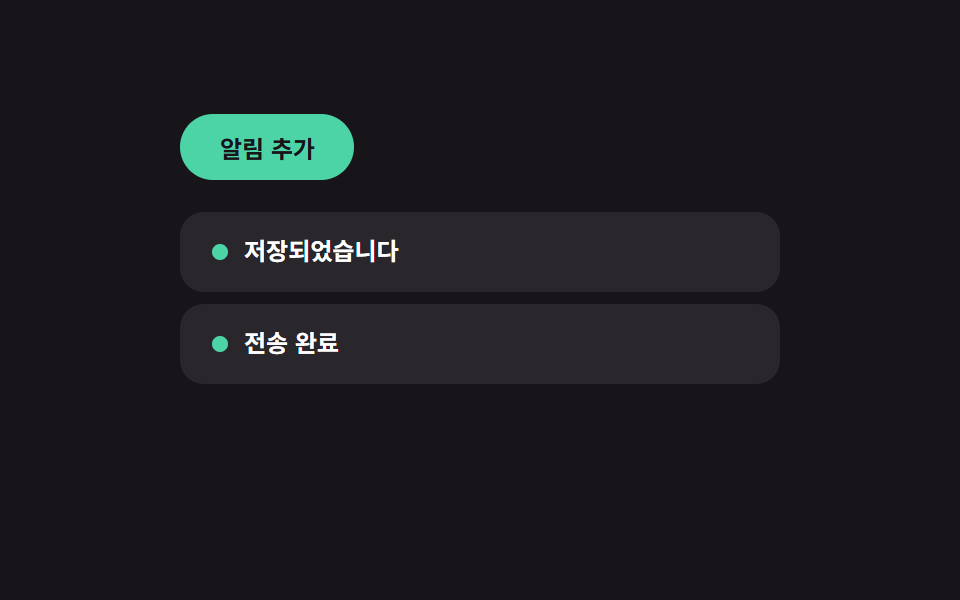 InteractionsMicro Interactions: 9 Essential UI Patterns
 Interactions9 Breadcrumb UI Patterns That Survive Deep Paths
 InteractionsKeyboard Shortcuts UI Design: 9 Working Parts
 InteractionsKiosk UI Design: 9 Finger-Sized Order Screens
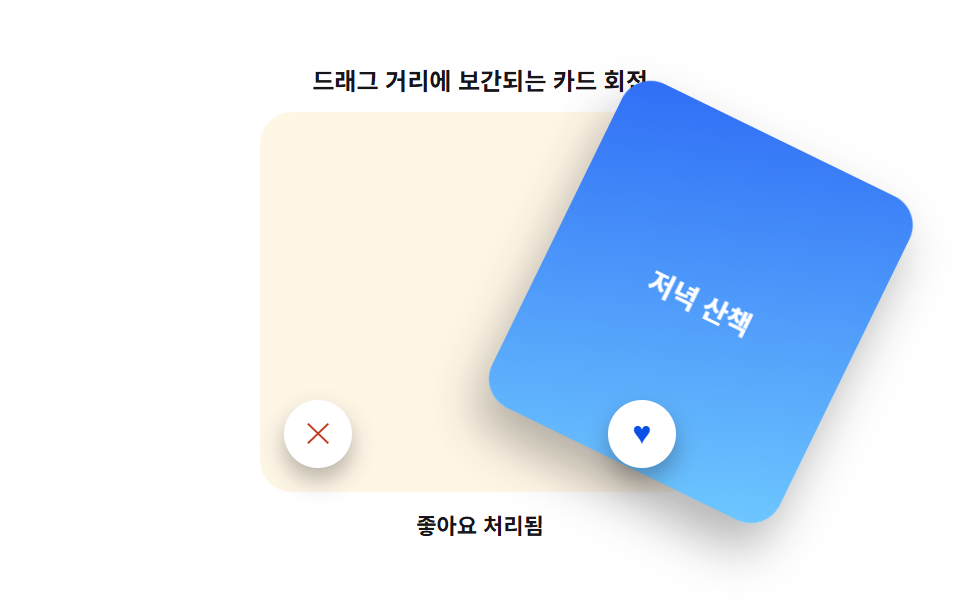 InteractionsCard Swipe UI: 9 Physics-Based Deck Patterns
 InteractionsCSS Popover: 9 Ways to Anchor, Flip and Spring
 Interactions9 Mouse Effects CSS Tricks You Can Copy-Paste
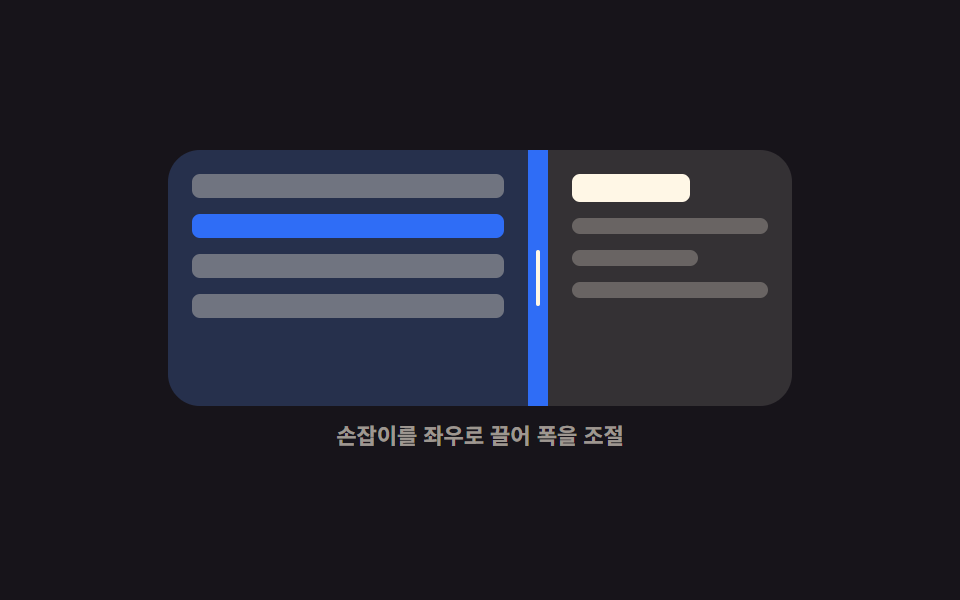 Interactions9 Resizable Split Pane Layouts With No Library
 InteractionsSocial Share Buttons: 9 Copy-Paste UI Patterns
 Interactions3D Hover Effect CSS: 9 Pointer-Following Scenes