CSS Tic Tac Toe: 9 Boards That Count Ahead
Before you place a mark on a css tic tac toe board, the computer has counted the endings left — the score heat in scene 03 and the odds ring in scene 04 draw
Play All Nine Tic Tac Toe Boards Right on This Page
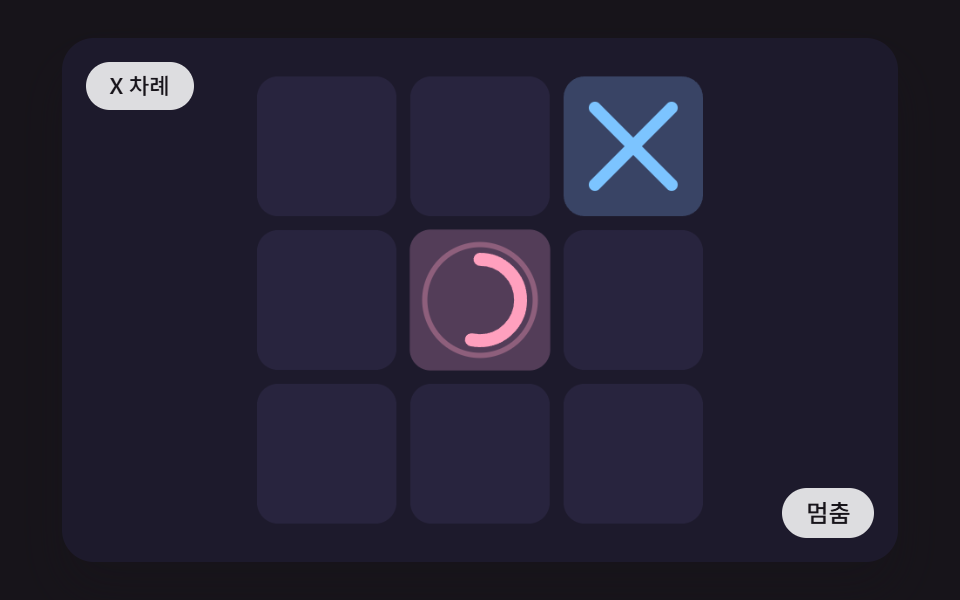 01 ttt-stroke-mark-spring-draw
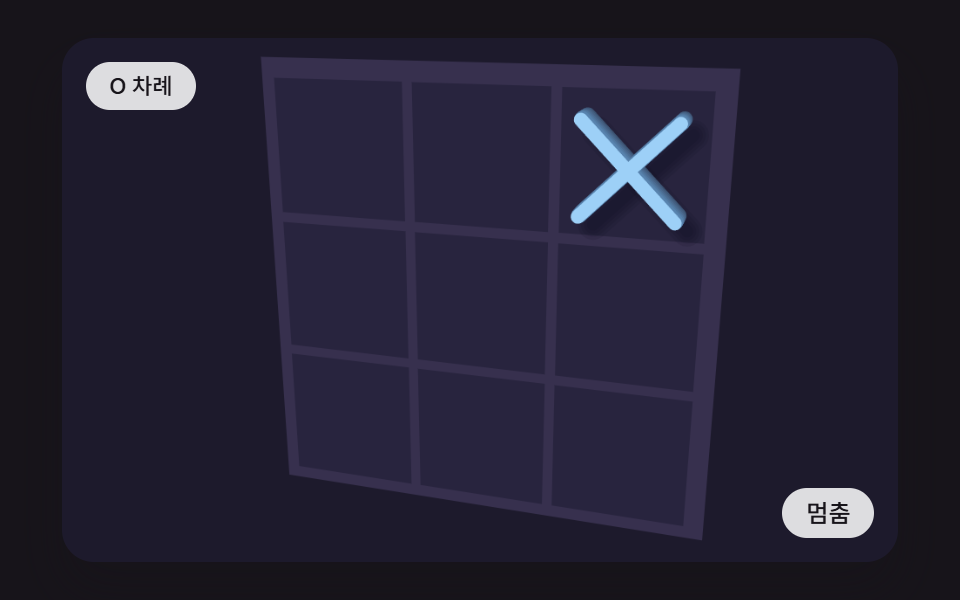 02 ttt-pointer-tilt-board-shadow
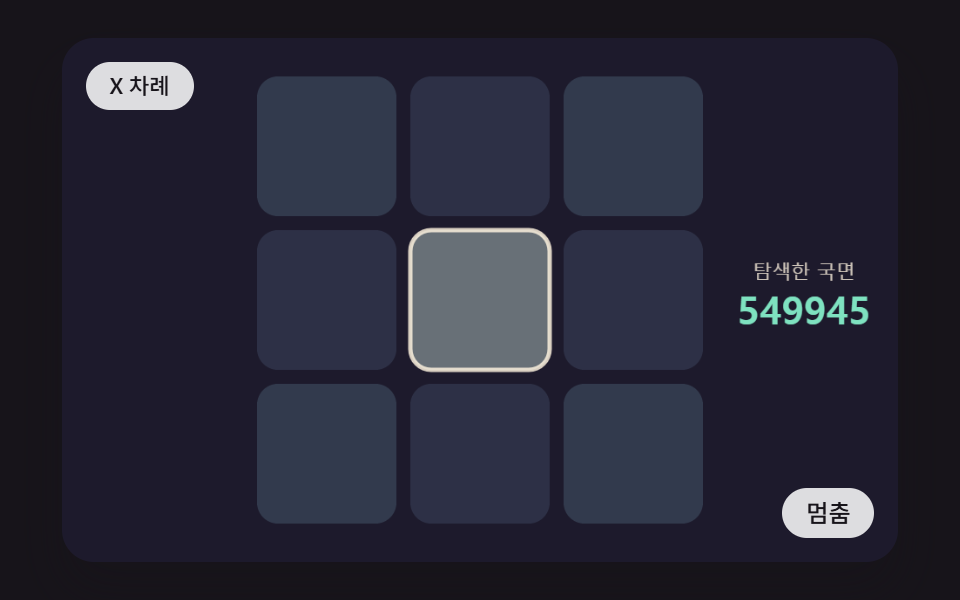 03 ttt-minimax-cell-score-heat
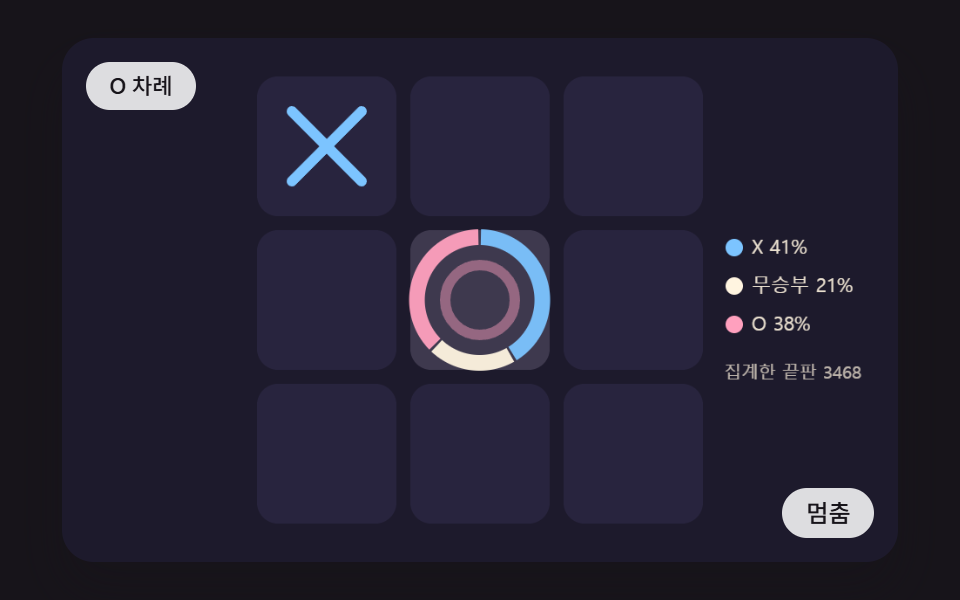 04 ttt-hover-outcome-odds-ring
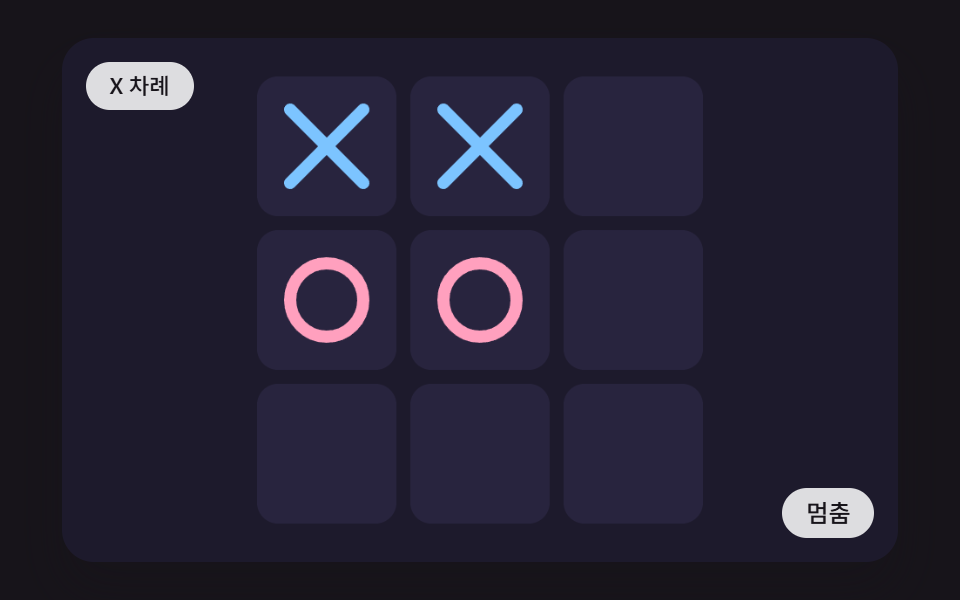 05 ttt-win-line-sweep-glow
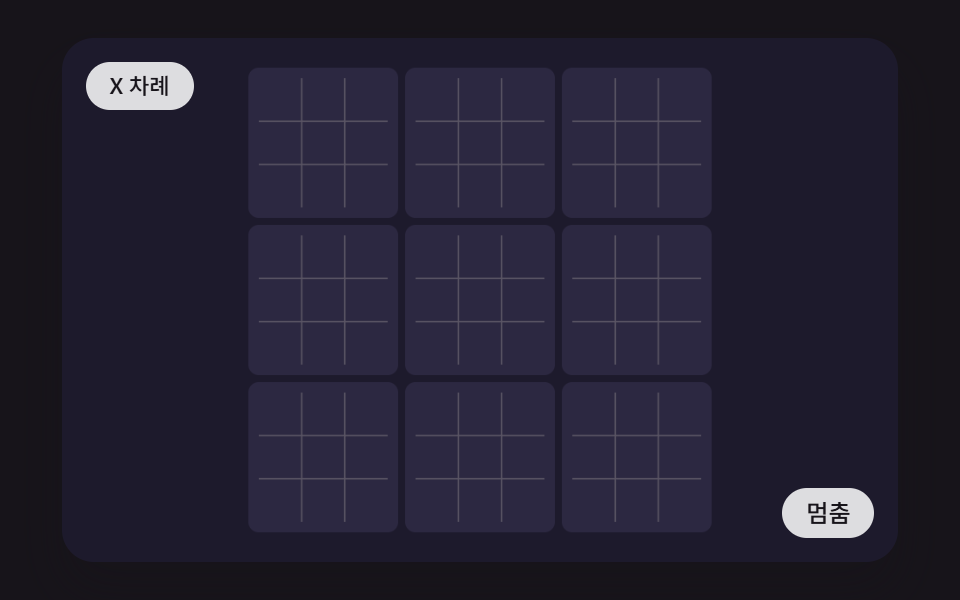 06 ttt-nested-board-zoom-focus
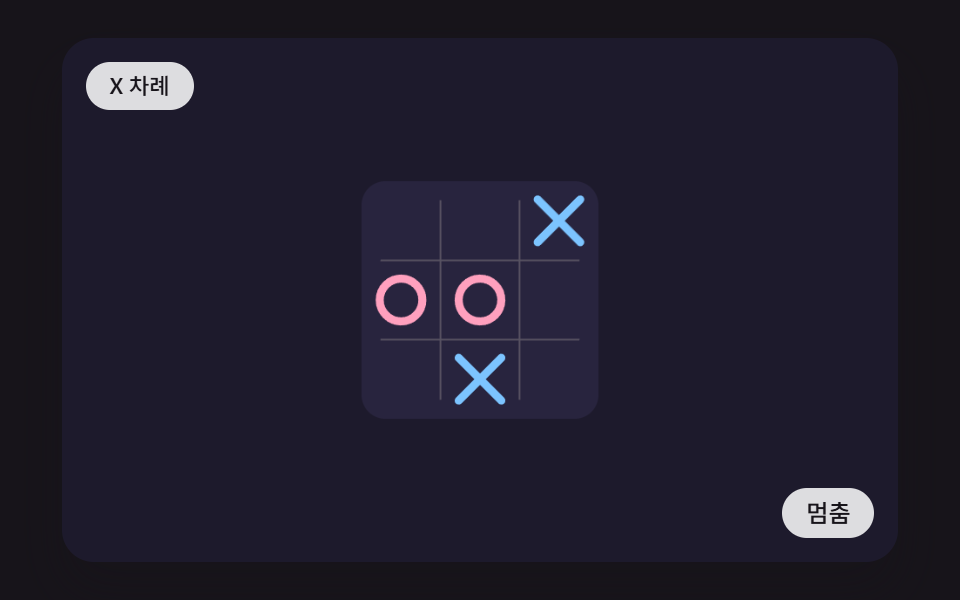 07 ttt-symmetry-fold-canonical
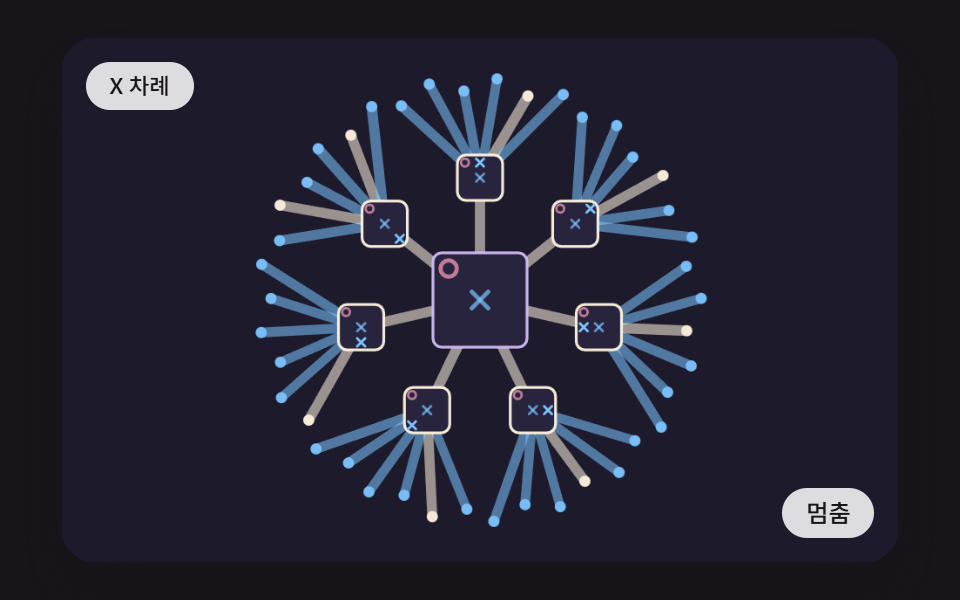 08 ttt-game-tree-branch-expand
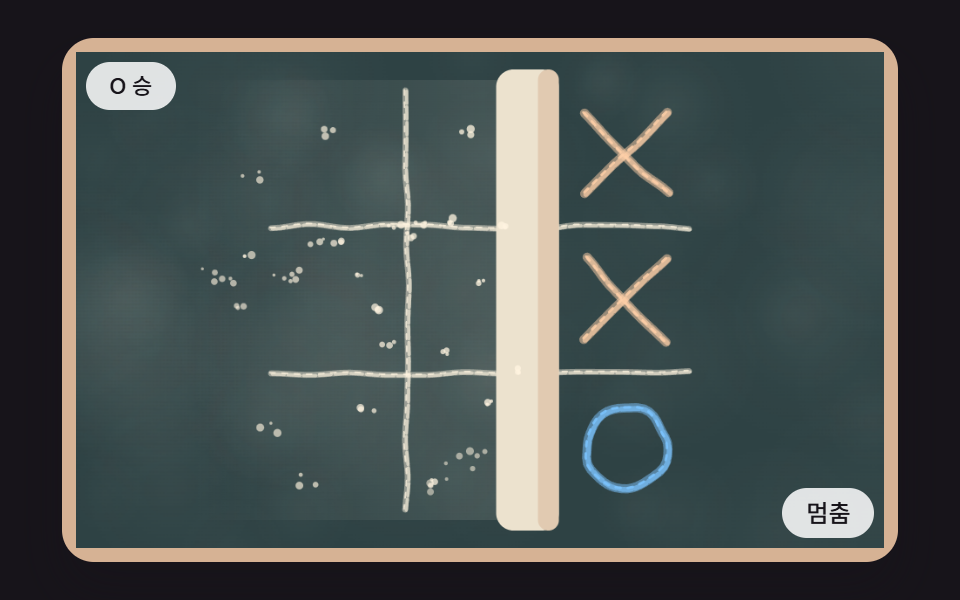 09 ttt-chalkboard-selfplay-dust-hero
Auto-plays · click a tile to jump to its section · all nine in one zip
- 01 Placing a Mark That Draws X and O Stroke by Stroke While the Cell Presses In and Springs Back
- 02 A Solid Board That Tilts in Perspective With the Pointer and Casts a Longer, Softer Shadow While a Mark Falls Into Place
- 03 A Board Where Every Empty Cell Is Tinted by a Score Read Out to the Very End and the Best Cell Lights Up
- 04 A Board Where Hovering a Cell Spreads a Ring of Win, Draw and Loss Shares Around a Ghost Mark
- 05 A Win Scene Where a Line Sweeps Through the Centers of Three Matching Cells and Its Glow Swells and Fades
- 06 A Board Inside a Board Where the Cell You Pick Chooses the Next Board and the View Springs In to It
- 07 A Symmetry Fold View That Merges Positions Equal Under Rotation and Flip Into One Board
- 08 A Tree View Where Moves Branch From the Current Position and Branch Thickness Follows the Number of Endings Below
- 09 A Hero Where Two AIs Play Each Other on a Chalk-Textured Board, Dust Drifts, and an Eraser Wipes It Clean
The nine boards widen from one mark landing to a calculation that reads the whole position. Scene 01 draws a mark stroke by stroke while its cell springs, 02 tilts the board toward the pointer, and 03 and 04 lay scores and outcome shares over the cells. Scene 05 is the moment a game ends, 06 nests a board inside a board, 07 and 08 fold or branch one position, and 09 finishes with two computers playing on chalk.
CSS Tic Tac Toe: 9 Boards Where the Calculation Is Drawn on the Cells
Every board is a single canvas. The script inside index.html paints marks, cells and score colors and decides the next move, while CSS keeps only the stage size, the status pill and button above it, and the keyboard focus outline. The .tt stage is min(92vw, 160vh - 12.8vw) wide at a 480:300 ratio, and the canvas resolution is 480×300 times devicePixelRatio (capped at 2), so cell coordinates do not move when the window shrinks. A pointer position is mapped back into that 480×300 space through the getBoundingClientRect ratio.
All nine boards follow the same turn rules
You play X and the computer plays O. After your mark lands, bestCell waits 420 ms and puts O on the cell with the highest full-search score, taking the lowest-numbered cell on a tie, and any input during that wait or on a filled cell is dropped.
If you stop for 2.4 seconds (150 ticks), both sides are played by the computer. X picks with a seeded random number when more than six cells are empty or on a 30% roll and otherwise calls bestCell; scene 05 is a scripted game that finishes eight lines in a fixed order, and scene 06 has its own small-board rules and picks with the chooseMove bonus formula. Once a game is over, your next tap opens a fresh one.
Input is a cursor on the canvas, not a button per cell
The canvas carries tabindex="0" and an aria-label, and the arrow keys move a cursor over the 3×3 grid (9×9 in scene 06) while Enter or Space places the mark. No cell has its own <button>, so the only <button> in a file is the pause and play control, and the cursor cell gets a 2.5 px white outline only while the canvas has focus.
The status line is aria-live="polite" and updates only when its wording changes, such as X to move or O wins. When a keyboard cursor exists, a row-column pair is appended.
Time and randomness are pinned
A harness calls scene.step() at a fixed 16 ms step (FIXED_DT) and draws once per requestAnimationFrame. Random numbers come only from a seeded linear congruential generator, lcg(seed) (each scene has its own seed: scene 01 passes 11 to makeMatch, 03 uses lcg(31), 06 lcg(61), 07 lcg(71) and 09 lcg(91), and 09 has a separate lcg(5) for the background; scene 05 is scripted, so no seed changes it), and a grep finds zero Math.random, new Date, Date.now, fetch or localStorage in all nine files.
Where these boards fit on a page
Scene 01 suits a mobile match app or a board game intro page, and 02 a board game cafe landing or a toy shop hero. Scene 03 fits an explainer on how a game computer plays and a difficulty guide, and 04 a strategy tutorial or a move-reading practice page.
Scene 05 belongs on a victory screen or a shareable result card, and 06 in a board game portfolio or a match mode introduction. Scene 07 serves math education pages and puzzle write-ups, 08 algorithm lectures and dev blog diagrams, and 09 an education service landing or a developer event poster.
Code for Each Technique Behind an HTML CSS Tic Tac Toe Board
Each snippet is a run of consecutive lines cut straight out of the <script> in index.html, and none passes 25 lines. A shared layer of roughly 520 lines (mark drawing, harness, turn driver) comes first in every file, and the scene code starts near line 528. If you came looking for a css grid tic tac toe where each cell is a div with a click handler, these boards go a layer deeper: they show where the board computes and draws its values.
01Placing a Mark That Draws X and O Stroke by Stroke While the Cell Presses In and Springs Back
X is drawn in two strokes and O in one clockwise lap from 12 o'clock, each by shrinking a setLineDash length through lineDashOffset. The cell size follows a = -SPRING_K * (pos[i] - 1) - damp * vel[i], a damped spring that overshoots once and settles, and the snippet below integrates it four sub-steps per 16 ms tick. The render logged 19.3% cumulative area, an average intensity of 45.1 and 21/23 moving frames.
<main class="stage">
<div class="tt is-demo" id="tt">
  <canvas class="tt__canvas" data-role="canvas" width="480" height="300" tabindex="0" aria-label="Placing a Mark That Draws X and O Stroke by Stroke While the Cell Presses In and Springs Back"></canvas>
  <p class="tt__status" data-role="status" aria-live="polite">X to move</p>
  <button class="tt__btn" data-role="btn" type="button">Pause</button>
</div>
</main>
@use "../../../../site/static/demo-tokens" as *;
@include stage($stage-ink);
.tt {
position: relative;
width: min(92vw, calc(160vh - 12.8vw));
aspect-ratio: 480 / 300;
margin: 0 auto;
border-radius: $r-card;
overflow: hidden;
box-shadow: $shadow-raised;
background: $subject-ink;
}
.tt__canvas {
display: block;
width: 100%;
height: 100%;
touch-action: none;
}
.tt__canvas:focus-visible {
outline: 2px solid rgba(255, 255, 255, .85);
outline-offset: -6px;
}
.tt__status {
position: absolute;
left: $sp-3;
top: $sp-3;
max-width: 62%;
margin: 0;
padding: $sp-1 $sp-3;
border-radius: $r-pill;
background: rgba(255, 255, 255, .85);
color: $subject-ink;
font-weight: 500;
font-size: 11px;
line-height: 1.4;
pointer-events: none;
}
.tt__btn {
position: absolute;
right: $sp-3;
bottom: $sp-3;
margin: 0;
padding: $sp-1 $sp-3;
border: 0;
border-radius: $r-pill;
background: rgba(255, 255, 255, .85);
color: $subject-ink;
font: inherit;
font-weight: 500;
font-size: 12px;
line-height: 1.4;
cursor: pointer;
}
.tt__btn:focus-visible {
outline: 2px solid #ffffff;
outline-offset: 2px;
}
@media (max-width: 340px) {
.tt__btn { font-size: 10px; padding: $sp-1 $sp-2; }
.tt__status { font-size: 10px; }
}
@media (prefers-reduced-motion: reduce) {
.tt { cursor: default; }
}html, body {
margin: 0;
overflow: hidden;
}
.stage {
box-sizing: border-box;
min-height: 100vh;
display: grid;
place-items: center;
margin: 0;
background: #17141a;
font-family: -apple-system, "Segoe UI", "Noto Sans KR", sans-serif;
padding: clamp(8px, 4vw, 24px);
}
.tt {
position: relative;
width: min(92vw, 160vh - 12.8vw);
aspect-ratio: 480/300;
margin: 0 auto;
border-radius: 16px;
overflow: hidden;
box-shadow: 0 14px 24px rgba(23, 20, 26, 0.32);
background: #17141a;
}
.tt__canvas {
display: block;
width: 100%;
height: 100%;
touch-action: none;
}
.tt__canvas:focus-visible {
outline: 2px solid rgba(255, 255, 255, 0.85);
outline-offset: -6px;
}
.tt__status {
position: absolute;
left: 12px;
top: 12px;
max-width: 62%;
margin: 0;
padding: 4px 12px;
border-radius: 999px;
background: rgba(255, 255, 255, 0.85);
color: #17141a;
font-weight: 500;
font-size: 11px;
line-height: 1.4;
pointer-events: none;
}
.tt__btn {
position: absolute;
right: 12px;
bottom: 12px;
margin: 0;
padding: 4px 12px;
border: 0;
border-radius: 999px;
background: rgba(255, 255, 255, 0.85);
color: #17141a;
font: inherit;
font-weight: 500;
font-size: 12px;
line-height: 1.4;
cursor: pointer;
}
.tt__btn:focus-visible {
outline: 2px solid #ffffff;
outline-offset: 2px;
}
@media (max-width: 340px) {
.tt__btn {
font-size: 10px;
padding: 4px 8px;
}
.tt__status {
font-size: 10px;
}
}
@media (prefers-reduced-motion: reduce) {
.tt {
cursor: default;
}
}(function () {
const root = document.getElementById("tt");
if (!root) return;
const W = 480;
const H = 300;
const PI2 = Math.PI * 2;
const FIXED_DT = 16;
const REDUCE_STEP_MS = 900;
const IDLE_TICKS = 150;
const BTN_PAUSE = 'Pause';
const BTN_PLAY = 'Play';
const BTN_NEXT = 'Next scene';
const TXT_CELL = 'Cell';
// 파스텔 팔레트 — 어두운 판 위에 밝은 색을 얹어 명도 차로 읽힌다
const BG = [29, 26, 44];
const TILE = [40, 36, 62];
const MINT = [126, 226, 192];
const SKY = [124, 196, 255];
const LILAC = [190, 164, 255];
const PINK = [255, 160, 190];
const PEACH = [255, 208, 168];
const CREAM = [255, 244, 224];
function clamp(v, lo, hi) { return v < lo ? lo : (v > hi ? hi : v); }
function lerp(a, b, k) { return a + (b - a) * k; }
function smooth(x) { const c = clamp(x, 0, 1); return c * c * (3 - 2 * c); }
function rgba(c, a) {
return 'rgba(' + Math.round(c[0]) + ',' + Math.round(c[1]) + ',' + Math.round(c[2]) + ',' + clamp(a, 0, 1).toFixed(3) + ')';
}
function mix(a, b, k) {
return [lerp(a[0], b[0], k), lerp(a[1], b[1], k), lerp(a[2], b[2], k)];
}
// 시드 고정 난수 — 같은 시드면 언제나 같은 수열 (선형 합동 방식)
function lcg(seed) {
let s = seed >>> 0;
return function () {
s = (Math.imul(s, 1664525) + 1013904223) >>> 0;
return s / 4294967296;
};
}
// 정수 두 개로 0 이상 1 미만의 값을 만드는 해시 (같은 입력은 늘 같은 값)
function hash2(x, y, seed) {
let h = (Math.imul(x | 0, 374761393) + Math.imul(y | 0, 668265263) + Math.imul(seed | 0, 1442695041)) | 0;
h = Math.imul(h ^ (h >>> 13), 1274126177);
h ^= h >>> 16;
return (h >>> 0) / 4294967296;
}
// 값 노이즈 — 격자점 해시 네 개를 부드럽게 섞는다
function noise2(x, y, seed) {
const xi = Math.floor(x);
const yi = Math.floor(y);
const fx = smooth(x - xi);
const fy = smooth(y - yi);
const a = hash2(xi, yi, seed);
const b = hash2(xi + 1, yi, seed);
const c = hash2(xi, yi + 1, seed);
const d = hash2(xi + 1, yi + 1, seed);
return lerp(lerp(a, b, fx), lerp(c, d, fx), fy);
}
function rrect(ctx, x, y, w, h, r) {
const rr = Math.min(r, w / 2, h / 2);
ctx.beginPath();
ctx.moveTo(x + rr, y);
ctx.lineTo(x + w - rr, y);
ctx.arcTo(x + w, y, x + w, y + rr, rr);
ctx.lineTo(x + w, y + h - rr);
ctx.arcTo(x + w, y + h, x + w - rr, y + h, rr);
ctx.lineTo(x + rr, y + h);
ctx.arcTo(x, y + h, x, y + h - rr, rr);
ctx.lineTo(x, y + rr);
ctx.arcTo(x, y, x + rr, y, rr);
ctx.closePath();
}
// 말 하나를 (cx, cy) 에 그린다. p(0~1) 만큼 대시 오프셋으로 획을 긋는다 — who 1 은 X(두 획), 2 는 O(원)
function drawMark(ctx, who, cx, cy, r, p, w, col) {
ctx.save();
ctx.lineWidth = w;
ctx.lineCap = 'round';
ctx.strokeStyle = col;
if (who === 1) {
const d = r * 2 * Math.SQRT2;
for (let k = 0; k < 2; k += 1) {
const pk = clamp(p * 2 - k, 0, 1);
if (pk <= 0.001) {
continue;
}
ctx.setLineDash([d, d]);
ctx.lineDashOffset = d * (1 - pk);
ctx.beginPath();
if (k === 0) {
ctx.moveTo(cx - r, cy - r);
ctx.lineTo(cx + r, cy + r);
}
else {
ctx.moveTo(cx + r, cy - r);
ctx.lineTo(cx - r, cy + r);
}
ctx.stroke();
}
}
else {
const L = PI2 * r;
if (p > 0.001) {
ctx.setLineDash([L, L]);
ctx.lineDashOffset = L * (1 - clamp(p, 0, 1));
ctx.beginPath();
ctx.arc(cx, cy, r, -Math.PI / 2, -Math.PI / 2 + PI2);
ctx.stroke();
}
}
ctx.restore();
}
function mount(root, make) {
const canvas = root.querySelector('[data-role="canvas"]');
const statusEl = root.querySelector('[data-role="status"]');
const btnEl = root.querySelector('[data-role="btn"]');
if (!canvas || !statusEl || !btnEl) {
return function () { return; };
}
const ctx0 = canvas.getContext('2d');
if (!ctx0) {
return function () { return; };
}
const ctx = ctx0;
const dpr = Math.min(window.devicePixelRatio || 1, 2);
canvas.width = Math.round(W * dpr);
canvas.height = Math.round(H * dpr);
ctx.setTransform(dpr, 0, 0, dpr, 0, 0);
const reduce = window.matchMedia('(prefers-reduced-motion: reduce)').matches;
const inp = { x: -1, y: -1, cur: -1, key: false, idle: 99999 };
const scene = make(inp, reduce);
let paused = false;
let focused = false;
let rafId = 0;
let lastTs = -1;
let accMs = 0;
let lastLabel = '';
const cleaners = [];
function listen(target, type, fn) {
target.addEventListener(type, fn);
cleaners.push(function () { target.removeEventListener(type, fn); });
}
function show() {
scene.draw(ctx);
if (inp.key && focused && inp.cur >= 0) {
const r = scene.rect(inp.cur);
ctx.save();
ctx.lineWidth = 2.5;
ctx.strokeStyle = 'rgba(255,255,255,0.92)';
rrect(ctx, r[0] + 2, r[1] + 2, r[2] - 4, r[3] - 4, 8);
ctx.stroke();
ctx.restore();
}
let t = scene.label();
if (inp.key && inp.cur >= 0) {
const n = scene.n();
t += ' · ' + TXT_CELL + ' ' + (Math.floor(inp.cur / n) + 1) + '-' + ((inp.cur % n) + 1);
}
if (t !== lastLabel) {
lastLabel = t;
statusEl.textContent = t;
}
}
function localPoint(e) {
const r = canvas.getBoundingClientRect();
inp.x = clamp((e.clientX - r.left) * W / r.width, 0, W);
inp.y = clamp((e.clientY - r.top) * H / r.height, 0, H);
inp.idle = 0;
inp.key = false;
}
function tick(ts) {
if (lastTs < 0) {
lastTs = ts;
}
const frameDt = Math.min(ts - lastTs, 160);
lastTs = ts;
if (!paused) {
accMs += frameDt;
while (accMs >= FIXED_DT) {
inp.idle += 1;
scene.step();
accMs -= FIXED_DT;
}
show();
}
rafId = requestAnimationFrame(tick);
}
btnEl.textContent = reduce ? BTN_NEXT : BTN_PAUSE;
if (reduce) {
root.classList.remove('is-demo');
scene.auto();
scene.auto();
scene.auto();
show();
}
listen(btnEl, 'click', function () {
if (reduce) {
scene.auto();
show();
return;
}
paused = !paused;
if (paused) {
root.classList.remove('is-demo');
}
else {
root.classList.add('is-demo');
}
btnEl.textContent = paused ? BTN_PLAY : BTN_PAUSE;
});
listen(canvas, 'focus', function () { focused = true; });
listen(canvas, 'blur', function () { focused = false; if (reduce) {
show();
} });
listen(canvas, 'pointermove', function (e) {
localPoint(e);
scene.hover(scene.hit(inp.x, inp.y));
if (reduce) {
show();
}
});
listen(canvas, 'pointerleave', function () { scene.hover(-1); if (reduce) {
show();
} });
listen(canvas, 'pointerdown', function (e) {
localPoint(e);
const i = scene.hit(inp.x, inp.y);
if (i >= 0) {
scene.tap(i);
}
if (reduce) {
show();
}
});
listen(canvas, 'keydown', function (e) {
const ev = e;
const k = ev.key;
const n = scene.n();
const mid = Math.floor((n * n) / 2);
if (k === 'ArrowLeft' || k === 'ArrowRight' || k === 'ArrowUp' || k === 'ArrowDown') {
ev.preventDefault();
if (inp.cur < 0) {
inp.cur = mid;
}
else {
let r = Math.floor(inp.cur / n);
let c = inp.cur % n;
if (k === 'ArrowLeft') {
c = Math.max(0, c - 1);
}
if (k === 'ArrowRight') {
c = Math.min(n - 1, c + 1);
}
if (k === 'ArrowUp') {
r = Math.max(0, r - 1);
}
if (k === 'ArrowDown') {
r = Math.min(n - 1, r + 1);
}
inp.cur = r * n + c;
}
inp.key = true;
inp.idle = 0;
scene.hover(inp.cur);
if (reduce) {
show();
}
return;
}
if (k === 'Enter' || k === ' ') {
ev.preventDefault();
if (inp.cur < 0) {
inp.cur = mid;
}
inp.key = true;
inp.idle = 0;
scene.tap(inp.cur);
if (reduce) {
show();
}
}
});
if (!reduce) {
rafId = requestAnimationFrame(tick);
}
return function () {
cancelAnimationFrame(rafId);
for (let i = 0; i < cleaners.length; i += 1) {
cleaners[i]();
}
};
}
const LINES = [[0, 1, 2], [3, 4, 5], [6, 7, 8], [0, 3, 6], [1, 4, 7], [2, 5, 8], [0, 4, 8], [2, 4, 6]];
const SCORE_WIN = 10;
const TXT_X_TURN = 'X to move';
const TXT_O_TURN = 'O to move';
const TXT_X_WIN = 'X wins';
const TXT_O_WIN = 'O wins';
const TXT_DRAW = 'Draw';
function newGame() { return { b: [0, 0, 0, 0, 0, 0, 0, 0, 0], turn: 1, over: false, line: -1 }; }
// 완성된 줄의 번호(LINES 안의 위치). 없으면 -1
function lineOf(b) {
for (let k = 0; k < LINES.length; k += 1) {
const l = LINES[k];
if (b[l[0]] !== 0 && b[l[0]] === b[l[1]] && b[l[1]] === b[l[2]]) {
return k;
}
}
return -1;
}
function emptyCells(b) {
const out = [];
for (let i = 0; i < 9; i += 1) {
if (b[i] === 0) {
out.push(i);
}
}
return out;
}
function place(g, i) {
if (g.over || g.b[i] !== 0) {
return false;
}
g.b[i] = g.turn;
g.line = lineOf(g.b);
if (g.line >= 0 || emptyCells(g.b).length === 0) {
g.over = true;
}
else {
g.turn = 3 - g.turn;
}
return true;
}
function gameLabel(g) {
if (g.over) {
return g.line >= 0 ? (g.b[LINES[g.line][0]] === 1 ? TXT_X_WIN : TXT_O_WIN) : TXT_DRAW;
}
return g.turn === 1 ? TXT_X_TURN : TXT_O_TURN;
}
// 전수 탐색 — X 시점 점수. depth 가 0 이 되면 더 보지 않고 0 으로 친다. cnt.n 은 방문한 국면 수
function solve(b, turn, ply, depth, cnt) {
cnt.n += 1;
const w = lineOf(b);
if (w >= 0) {
const s = SCORE_WIN - ply;
if (b[LINES[w][0]] === 1) {
cnt.x += 1;
return s;
}
cnt.o += 1;
return -s;
}
if (depth <= 0) {
return 0;
}
let best = turn === 1 ? -1000 : 1000;
let any = false;
for (let i = 0; i < 9; i += 1) {
if (b[i] !== 0) {
continue;
}
b[i] = turn;
const v = solve(b, 3 - turn, ply + 1, depth - 1, cnt);
b[i] = 0;
any = true;
if (turn === 1 ? v > best : v < best) {
best = v;
}
}
return any ? best : 0;
}
// 둘 곳마다 점수. 이미 찬 칸은 NaN. 둔 사람(turn) 시점이 아니라 X 시점 값이다
function cellScores(b, turn, depth, cnt, per) {
const out = [];
for (let i = 0; i < 9; i += 1) {
if (b[i] !== 0) {
out.push(NaN);
if (per) {
per.push({ n: 0, x: 0, o: 0 });
}
continue;
}
b[i] = turn;
const c = { n: 0, x: 0, o: 0 };
out.push(solve(b, 3 - turn, 1, depth - 1, c));
b[i] = 0;
cnt.n += c.n;
cnt.x += c.x;
cnt.o += c.o;
if (per) {
per.push(c);
}
}
return out;
}
function bestCell(b, turn, depth) {
const cnt = { n: 0, x: 0, o: 0 };
const sc = cellScores(b, turn, depth, cnt);
let best = -1;
for (let i = 0; i < 9; i += 1) {
if (isNaN(sc[i])) {
continue;
}
if (best < 0 || (turn === 1 ? sc[i] > sc[best] : sc[i] < sc[best])) {
best = i;
}
}
return best;
}
function gridRect(i, ox, oy, cs) {
return [ox + (i % 3) * cs, oy + Math.floor(i / 3) * cs, cs, cs];
}
function gridHit(x, y, ox, oy, cs) {
const c = Math.floor((x - ox) / cs);
const r = Math.floor((y - oy) / cs);
return c >= 0 && c < 3 && r >= 0 && r < 3 ? r * 3 + c : -1;
}
const MATCH_DEPTH = 9;
const REPLY_MS = 420;
// 한 판 진행기 — 사람은 X, 컴퓨터는 O. 사람이 가만히 있으면(idle) 둘 다 컴퓨터가 두어 루프를 만든다.
// pick 이 있으면 자동 대국의 수를 그 함수가 정한다. 판이 끝나면 holdMs 뒤에 새 판
function makeMatch(inp, reduce, turnMs, holdMs, seed, depth, onPlace, onReset, pick) {
const rng = lcg(seed);
let t = 0;
let reply = -1;
let hold = 0;
const m = {
g: newGame(),
since: 0,
move(i) {
const who = m.g.turn;
if (place(m.g, i)) {
m.since = 0;
onPlace(i, who);
}
},
tap(i) {
if (m.g.over) {
reset();
return;
}
if (m.g.turn !== 1 || m.g.b[i] !== 0) {
return;
}
m.move(i);
if (!m.g.over) {
if (reduce) {
m.move(bestCell(m.g.b, 2, depth));
}
else {
reply = REPLY_MS;
}
}
},
step() {
m.since += FIXED_DT;
if (m.g.over) {
hold += FIXED_DT;
if (hold >= holdMs) {
reset();
}
return;
}
if (reply >= 0) {
reply -= FIXED_DT;
if (reply < 0) {
m.move(bestCell(m.g.b, 2, depth));
}
return;
}
if (inp.idle > IDLE_TICKS) {
t += FIXED_DT;
if (t >= turnMs) {
t = 0;
autoMove();
}
}
},
auto() {
if (m.g.over) {
reset();
}
else {
autoMove();
}
},
};
function reset() {
m.g = newGame();
t = 0;
reply = -1;
hold = 0;
onReset();
}
function autoMove() {
if (pick) {
const p = pick();
if (p >= 0) {
m.move(p);
}
return;
}
const e = emptyCells(m.g.b);
if (m.g.turn === 1 && (e.length > 6 || rng() < 0.3)) {
m.move(e[Math.floor(rng() * e.length)]);
return;
}
m.move(bestCell(m.g.b, m.g.turn, depth));
}
return m;
}
const MARK_MS = 360;
const OVERSHOOT = 1.1;
const STROKE_W = 7;
const SPRING_K = 260;
const TURN_MS = 560;
const HOLD_MS = 1500;
const CELL = 88;
const OX = 108;
const OY = 18;
const RING_MS = 520;
const make = function (inp, reduce) {
// 감쇠 스프링 — 처음 값 0 에서 1 로 갈 때 최대 OVERSHOOT 까지 넘치도록 감쇠비를 거꾸로 푼다
const ov = Math.max(OVERSHOOT - 1, 0.001);
const ln = Math.log(ov);
const zeta = -ln / Math.sqrt(Math.PI * Math.PI + ln * ln);
const damp = 2 * zeta * Math.sqrt(SPRING_K);
const pos = [0, 0, 0, 0, 0, 0, 0, 0, 0];
const vel = [0, 0, 0, 0, 0, 0, 0, 0, 0];
const age = [-1, -1, -1, -1, -1, -1, -1, -1, -1];
const who = [0, 0, 0, 0, 0, 0, 0, 0, 0];
let hov = -1;
let clock = 0;
const m = makeMatch(inp, reduce, TURN_MS, HOLD_MS, 11, MATCH_DEPTH, function (i, w) {
who[i] = w;
if (reduce) {
age[i] = 99999;
pos[i] = 1;
vel[i] = 0;
return;
}
age[i] = 0;
pos[i] = 0;
vel[i] = 0;
}, function () {
for (let i = 0; i < 9; i += 1) {
age[i] = -1;
pos[i] = 0;
vel[i] = 0;
who[i] = 0;
}
}, null);
return {
step() {
clock += FIXED_DT;
m.step();
const dt = FIXED_DT / 1000;
for (let i = 0; i < 9; i += 1) {
if (age[i] < 0) {
continue;
}
age[i] += FIXED_DT;
// 16ms 한 걸음을 네 번으로 쪼개 적분 — 한 번에 가면 식이 목표로 한 넘침보다 작게 나온다
for (let q = 0; q < 4; q += 1) {
const a = -SPRING_K * (pos[i] - 1) - damp * vel[i];
vel[i] += (a * dt) / 4;
pos[i] += (vel[i] * dt) / 4;
}
}
},
draw(ctx) {
ctx.fillStyle = rgba(BG, 1);
ctx.fillRect(0, 0, W, H);
const wl = m.g.line >= 0 ? LINES[m.g.line] : [];
for (let i = 0; i < 9; i += 1) {
const r = gridRect(i, OX, OY, CELL);
const cx = r[0] + CELL / 2;
const cy = r[1] + CELL / 2;
const x = age[i] >= 0 ? pos[i] : 1;
const pad = (CELL - 8) * (age[i] >= 0 ? 0.86 + 0.14 * x : 1);
let col = TILE;
if (age[i] >= 0) {
col = mix(TILE, who[i] === 1 ? SKY : PINK, 0.2);
}
if (wl.indexOf(i) >= 0) {
col = mix(col, MINT, 0.35 + 0.15 * Math.sin(clock / 160));
}
if (hov === i && age[i] < 0 && !m.g.over) {
col = mix(TILE, CREAM, 0.12);
}
ctx.fillStyle = rgba(col, 1);
rrect(ctx, cx - pad / 2, cy - pad / 2, pad, pad, 12);
ctx.fill();
if (age[i] < 0) {
continue;
}
const q = age[i] / RING_MS;
if (q < 1) {
ctx.lineWidth = 3;
ctx.strokeStyle = rgba(who[i] === 1 ? SKY : PINK, (1 - q) * 0.55);
ctx.beginPath();
ctx.arc(cx, cy, 20 + 38 * smooth(q), 0, PI2);
ctx.stroke();
}
const p = clamp(age[i] / MARK_MS, 0, 1);
ctx.save();
ctx.translate(cx, cy);
ctx.scale(Math.max(x, 0), Math.max(x, 0));
drawMark(ctx, who[i], 0, 0, 22, p, STROKE_W, rgba(who[i] === 1 ? SKY : PINK, 1));
ctx.restore();
}
},
label() { return gameLabel(m.g); },
hit(x, y) { return gridHit(x, y, OX, OY, CELL); },
hover(i) { hov = i; },
tap(i) { m.tap(i); },
auto() { m.auto(); },
rect(i) { return gridRect(i, OX, OY, CELL); },
n() { return 3; },
};
};
return mount(root, make);
})();// TttStrokeMarkSpringDraw - vanilla 판(01-ttt-stroke-mark-spring-draw) 의 React 포트. 같은 계산을 useEffect 안에서 돌린다.
import { useEffect, useRef } from "react";
import styles from "./TttStrokeMarkSpringDraw.module.scss";
const cx = (s: string): string => s.split(" ").map((n) => styles[n] ?? n).join(" ");
export default function TttStrokeMarkSpringDraw() {
const rootRef = useRef<HTMLDivElement | null>(null);
useEffect(() => {
const rootEl = rootRef.current;
if (!rootEl) return;
const root: HTMLElement = rootEl;
const W = 480;
const H = 300;
const PI2 = Math.PI * 2;
const FIXED_DT = 16;
const REDUCE_STEP_MS = 900;
const IDLE_TICKS = 150;
const BTN_PAUSE = '멈춤';
const BTN_PLAY = '재생';
const BTN_NEXT = '다음 장면';
const TXT_CELL = '칸';
type RGB = [number, number, number];
interface Input { x: number; y: number; cur: number; key: boolean; idle: number; }
interface Scene {
step(): void;
draw(ctx: CanvasRenderingContext2D): void;
label(): string;
hit(x: number, y: number): number;
hover(i: number): void;
tap(i: number): void;
auto(): void;
rect(i: number): [number, number, number, number];
n(): number;
}
type Maker = (inp: Input, reduce: boolean) => Scene;
// 파스텔 팔레트 — 어두운 판 위에 밝은 색을 얹어 명도 차로 읽힌다
const BG: RGB = [29, 26, 44];
const TILE: RGB = [40, 36, 62];
const MINT: RGB = [126, 226, 192];
const SKY: RGB = [124, 196, 255];
const LILAC: RGB = [190, 164, 255];
const PINK: RGB = [255, 160, 190];
const PEACH: RGB = [255, 208, 168];
const CREAM: RGB = [255, 244, 224];
function clamp(v: number, lo: number, hi: number): number { return v < lo ? lo : (v > hi ? hi : v); }
function lerp(a: number, b: number, k: number): number { return a + (b - a) * k; }
function smooth(x: number): number { const c = clamp(x, 0, 1); return c * c * (3 - 2 * c); }
function rgba(c: RGB, a: number): string {
return 'rgba(' + Math.round(c[0]) + ',' + Math.round(c[1]) + ',' + Math.round(c[2]) + ',' + clamp(a, 0, 1).toFixed(3) + ')';
}
function mix(a: RGB, b: RGB, k: number): RGB {
return [lerp(a[0], b[0], k), lerp(a[1], b[1], k), lerp(a[2], b[2], k)];
}
// 시드 고정 난수 — 같은 시드면 언제나 같은 수열 (선형 합동 방식)
function lcg(seed: number): () => number {
let s = seed >>> 0;
return function (): number {
s = (Math.imul(s, 1664525) + 1013904223) >>> 0;
return s / 4294967296;
};
}
// 정수 두 개로 0 이상 1 미만의 값을 만드는 해시 (같은 입력은 늘 같은 값)
function hash2(x: number, y: number, seed: number): number {
let h = (Math.imul(x | 0, 374761393) + Math.imul(y | 0, 668265263) + Math.imul(seed | 0, 1442695041)) | 0;
h = Math.imul(h ^ (h >>> 13), 1274126177);
h ^= h >>> 16;
return (h >>> 0) / 4294967296;
}
// 값 노이즈 — 격자점 해시 네 개를 부드럽게 섞는다
function noise2(x: number, y: number, seed: number): number {
const xi = Math.floor(x);
const yi = Math.floor(y);
const fx = smooth(x - xi);
const fy = smooth(y - yi);
const a = hash2(xi, yi, seed);
const b = hash2(xi + 1, yi, seed);
const c = hash2(xi, yi + 1, seed);
const d = hash2(xi + 1, yi + 1, seed);
return lerp(lerp(a, b, fx), lerp(c, d, fx), fy);
}
function rrect(ctx: CanvasRenderingContext2D, x: number, y: number, w: number, h: number, r: number): void {
const rr = Math.min(r, w / 2, h / 2);
ctx.beginPath();
ctx.moveTo(x + rr, y);
ctx.lineTo(x + w - rr, y);
ctx.arcTo(x + w, y, x + w, y + rr, rr);
ctx.lineTo(x + w, y + h - rr);
ctx.arcTo(x + w, y + h, x + w - rr, y + h, rr);
ctx.lineTo(x + rr, y + h);
ctx.arcTo(x, y + h, x, y + h - rr, rr);
ctx.lineTo(x, y + rr);
ctx.arcTo(x, y, x + rr, y, rr);
ctx.closePath();
}
// 말 하나를 (cx, cy) 에 그린다. p(0~1) 만큼 대시 오프셋으로 획을 긋는다 — who 1 은 X(두 획), 2 는 O(원)
function drawMark(ctx: CanvasRenderingContext2D, who: number, cx: number, cy: number, r: number, p: number, w: number, col: string): void {
ctx.save();
ctx.lineWidth = w;
ctx.lineCap = 'round';
ctx.strokeStyle = col;
if (who === 1) {
const d = r * 2 * Math.SQRT2;
for (let k = 0; k < 2; k += 1) {
const pk = clamp(p * 2 - k, 0, 1);
if (pk <= 0.001) { continue; }
ctx.setLineDash([d, d]);
ctx.lineDashOffset = d * (1 - pk);
ctx.beginPath();
if (k === 0) { ctx.moveTo(cx - r, cy - r); ctx.lineTo(cx + r, cy + r); }
else { ctx.moveTo(cx + r, cy - r); ctx.lineTo(cx - r, cy + r); }
ctx.stroke();
}
} else {
const L = PI2 * r;
if (p > 0.001) {
ctx.setLineDash([L, L]);
ctx.lineDashOffset = L * (1 - clamp(p, 0, 1));
ctx.beginPath();
ctx.arc(cx, cy, r, -Math.PI / 2, -Math.PI / 2 + PI2);
ctx.stroke();
}
}
ctx.restore();
}
function mount(root: HTMLElement, make: Maker): () => void {
const canvas = root.querySelector('[data-role="canvas"]') as HTMLCanvasElement | null;
const statusEl = root.querySelector('[data-role="status"]') as HTMLElement | null;
const btnEl = root.querySelector('[data-role="btn"]') as HTMLButtonElement | null;
if (!canvas || !statusEl || !btnEl) { return function (): void { return; }; }
const ctx0 = canvas.getContext('2d');
if (!ctx0) { return function (): void { return; }; }
const ctx: CanvasRenderingContext2D = ctx0;
const dpr = Math.min(window.devicePixelRatio || 1, 2);
canvas.width = Math.round(W * dpr);
canvas.height = Math.round(H * dpr);
ctx.setTransform(dpr, 0, 0, dpr, 0, 0);
const reduce = window.matchMedia('(prefers-reduced-motion: reduce)').matches;
const inp: Input = { x: -1, y: -1, cur: -1, key: false, idle: 99999 };
const scene = make(inp, reduce);
let paused = false;
let focused = false;
let rafId = 0;
let lastTs = -1;
let accMs = 0;
let lastLabel = '';
const cleaners: Array<() => void> = [];
function listen(target: EventTarget, type: string, fn: (e: Event) => void): void {
target.addEventListener(type, fn);
cleaners.push(function (): void { target.removeEventListener(type, fn); });
}
function show(): void {
scene.draw(ctx);
if (inp.key && focused && inp.cur >= 0) {
const r = scene.rect(inp.cur);
ctx.save();
ctx.lineWidth = 2.5;
ctx.strokeStyle = 'rgba(255,255,255,0.92)';
rrect(ctx, r[0] + 2, r[1] + 2, r[2] - 4, r[3] - 4, 8);
ctx.stroke();
ctx.restore();
}
let t = scene.label();
if (inp.key && inp.cur >= 0) {
const n = scene.n();
t += ' · ' + TXT_CELL + ' ' + (Math.floor(inp.cur / n) + 1) + '-' + ((inp.cur % n) + 1);
}
if (t !== lastLabel) {
lastLabel = t;
statusEl!.textContent = t;
}
}
function localPoint(e: PointerEvent): void {
const r = canvas!.getBoundingClientRect();
inp.x = clamp((e.clientX - r.left) * W / r.width, 0, W);
inp.y = clamp((e.clientY - r.top) * H / r.height, 0, H);
inp.idle = 0;
inp.key = false;
}
function tick(ts: number): void {
if (lastTs < 0) { lastTs = ts; }
const frameDt = Math.min(ts - lastTs, 160);
lastTs = ts;
if (!paused) {
accMs += frameDt;
while (accMs >= FIXED_DT) {
inp.idle += 1;
scene.step();
accMs -= FIXED_DT;
}
show();
}
rafId = requestAnimationFrame(tick);
}
btnEl.textContent = reduce ? BTN_NEXT : BTN_PAUSE;
if (reduce) {
root.classList.remove('is-demo');
scene.auto();
scene.auto();
scene.auto();
show();
}
listen(btnEl, 'click', function (): void {
if (reduce) { scene.auto(); show(); return; }
paused = !paused;
if (paused) { root.classList.remove('is-demo'); } else { root.classList.add('is-demo'); }
btnEl.textContent = paused ? BTN_PLAY : BTN_PAUSE;
});
listen(canvas, 'focus', function (): void { focused = true; });
listen(canvas, 'blur', function (): void { focused = false; if (reduce) { show(); } });
listen(canvas, 'pointermove', function (e: Event): void {
localPoint(e as PointerEvent);
scene.hover(scene.hit(inp.x, inp.y));
if (reduce) { show(); }
});
listen(canvas, 'pointerleave', function (): void { scene.hover(-1); if (reduce) { show(); } });
listen(canvas, 'pointerdown', function (e: Event): void {
localPoint(e as PointerEvent);
const i = scene.hit(inp.x, inp.y);
if (i >= 0) { scene.tap(i); }
if (reduce) { show(); }
});
listen(canvas, 'keydown', function (e: Event): void {
const ev = e as KeyboardEvent;
const k = ev.key;
const n = scene.n();
const mid = Math.floor((n * n) / 2);
if (k === 'ArrowLeft' || k === 'ArrowRight' || k === 'ArrowUp' || k === 'ArrowDown') {
ev.preventDefault();
if (inp.cur < 0) { inp.cur = mid; }
else {
let r = Math.floor(inp.cur / n);
let c = inp.cur % n;
if (k === 'ArrowLeft') { c = Math.max(0, c - 1); }
if (k === 'ArrowRight') { c = Math.min(n - 1, c + 1); }
if (k === 'ArrowUp') { r = Math.max(0, r - 1); }
if (k === 'ArrowDown') { r = Math.min(n - 1, r + 1); }
inp.cur = r * n + c;
}
inp.key = true;
inp.idle = 0;
scene.hover(inp.cur);
if (reduce) { show(); }
return;
}
if (k === 'Enter' || k === ' ') {
ev.preventDefault();
if (inp.cur < 0) { inp.cur = mid; }
inp.key = true;
inp.idle = 0;
scene.tap(inp.cur);
if (reduce) { show(); }
}
});
if (!reduce) { rafId = requestAnimationFrame(tick); }
return function (): void {
cancelAnimationFrame(rafId);
for (let i = 0; i < cleaners.length; i += 1) { cleaners[i](); }
};
}
const LINES: number[][] = [[0, 1, 2], [3, 4, 5], [6, 7, 8], [0, 3, 6], [1, 4, 7], [2, 5, 8], [0, 4, 8], [2, 4, 6]];
const SCORE_WIN = 10;
const TXT_X_TURN = 'X 차례';
const TXT_O_TURN = 'O 차례';
const TXT_X_WIN = 'X 승';
const TXT_O_WIN = 'O 승';
const TXT_DRAW = '무승부';
interface Game { b: number[]; turn: number; over: boolean; line: number; }
interface Counter { n: number; x: number; o: number; }
function newGame(): Game { return { b: [0, 0, 0, 0, 0, 0, 0, 0, 0], turn: 1, over: false, line: -1 }; }
// 완성된 줄의 번호(LINES 안의 위치). 없으면 -1
function lineOf(b: number[]): number {
for (let k = 0; k < LINES.length; k += 1) {
const l = LINES[k];
if (b[l[0]] !== 0 && b[l[0]] === b[l[1]] && b[l[1]] === b[l[2]]) { return k; }
}
return -1;
}
function emptyCells(b: number[]): number[] {
const out: number[] = [];
for (let i = 0; i < 9; i += 1) { if (b[i] === 0) { out.push(i); } }
return out;
}
function place(g: Game, i: number): boolean {
if (g.over || g.b[i] !== 0) { return false; }
g.b[i] = g.turn;
g.line = lineOf(g.b);
if (g.line >= 0 || emptyCells(g.b).length === 0) { g.over = true; } else { g.turn = 3 - g.turn; }
return true;
}
function gameLabel(g: Game): string {
if (g.over) { return g.line >= 0 ? (g.b[LINES[g.line][0]] === 1 ? TXT_X_WIN : TXT_O_WIN) : TXT_DRAW; }
return g.turn === 1 ? TXT_X_TURN : TXT_O_TURN;
}
// 전수 탐색 — X 시점 점수. depth 가 0 이 되면 더 보지 않고 0 으로 친다. cnt.n 은 방문한 국면 수
function solve(b: number[], turn: number, ply: number, depth: number, cnt: Counter): number {
cnt.n += 1;
const w = lineOf(b);
if (w >= 0) {
const s = SCORE_WIN - ply;
if (b[LINES[w][0]] === 1) { cnt.x += 1; return s; }
cnt.o += 1;
return -s;
}
if (depth <= 0) { return 0; }
let best = turn === 1 ? -1000 : 1000;
let any = false;
for (let i = 0; i < 9; i += 1) {
if (b[i] !== 0) { continue; }
b[i] = turn;
const v = solve(b, 3 - turn, ply + 1, depth - 1, cnt);
b[i] = 0;
any = true;
if (turn === 1 ? v > best : v < best) { best = v; }
}
return any ? best : 0;
}
// 둘 곳마다 점수. 이미 찬 칸은 NaN. 둔 사람(turn) 시점이 아니라 X 시점 값이다
function cellScores(b: number[], turn: number, depth: number, cnt: Counter, per?: Counter[]): number[] {
const out: number[] = [];
for (let i = 0; i < 9; i += 1) {
if (b[i] !== 0) { out.push(NaN); if (per) { per.push({ n: 0, x: 0, o: 0 }); } continue; }
b[i] = turn;
const c: Counter = { n: 0, x: 0, o: 0 };
out.push(solve(b, 3 - turn, 1, depth - 1, c));
b[i] = 0;
cnt.n += c.n; cnt.x += c.x; cnt.o += c.o;
if (per) { per.push(c); }
}
return out;
}
function bestCell(b: number[], turn: number, depth: number): number {
const cnt: Counter = { n: 0, x: 0, o: 0 };
const sc = cellScores(b, turn, depth, cnt);
let best = -1;
for (let i = 0; i < 9; i += 1) {
if (isNaN(sc[i])) { continue; }
if (best < 0 || (turn === 1 ? sc[i] > sc[best] : sc[i] < sc[best])) { best = i; }
}
return best;
}
function gridRect(i: number, ox: number, oy: number, cs: number): [number, number, number, number] {
return [ox + (i % 3) * cs, oy + Math.floor(i / 3) * cs, cs, cs];
}
function gridHit(x: number, y: number, ox: number, oy: number, cs: number): number {
const c = Math.floor((x - ox) / cs);
const r = Math.floor((y - oy) / cs);
return c >= 0 && c < 3 && r >= 0 && r < 3 ? r * 3 + c : -1;
}
interface Match {
g: Game;
since: number;
move(i: number): void;
tap(i: number): void;
step(): void;
auto(): void;
}
const MATCH_DEPTH = 9;
const REPLY_MS = 420;
// 한 판 진행기 — 사람은 X, 컴퓨터는 O. 사람이 가만히 있으면(idle) 둘 다 컴퓨터가 두어 루프를 만든다.
// pick 이 있으면 자동 대국의 수를 그 함수가 정한다. 판이 끝나면 holdMs 뒤에 새 판
function makeMatch(inp: Input, reduce: boolean, turnMs: number, holdMs: number, seed: number, depth: number, onPlace: (i: number, who: number) => void, onReset: () => void, pick: (() => number) | null): Match {
const rng = lcg(seed);
let t = 0;
let reply = -1;
let hold = 0;
const m: Match = {
g: newGame(),
since: 0,
move(i: number): void {
const who = m.g.turn;
if (place(m.g, i)) { m.since = 0; onPlace(i, who); }
},
tap(i: number): void {
if (m.g.over) { reset(); return; }
if (m.g.turn !== 1 || m.g.b[i] !== 0) { return; }
m.move(i);
if (!m.g.over) {
if (reduce) { m.move(bestCell(m.g.b, 2, depth)); } else { reply = REPLY_MS; }
}
},
step(): void {
m.since += FIXED_DT;
if (m.g.over) {
hold += FIXED_DT;
if (hold >= holdMs) { reset(); }
return;
}
if (reply >= 0) {
reply -= FIXED_DT;
if (reply < 0) { m.move(bestCell(m.g.b, 2, depth)); }
return;
}
if (inp.idle > IDLE_TICKS) {
t += FIXED_DT;
if (t >= turnMs) { t = 0; autoMove(); }
}
},
auto(): void {
if (m.g.over) { reset(); } else { autoMove(); }
},
};
function reset(): void {
m.g = newGame();
t = 0;
reply = -1;
hold = 0;
onReset();
}
function autoMove(): void {
if (pick) { const p = pick(); if (p >= 0) { m.move(p); } return; }
const e = emptyCells(m.g.b);
if (m.g.turn === 1 && (e.length > 6 || rng() < 0.3)) { m.move(e[Math.floor(rng() * e.length)]); return; }
m.move(bestCell(m.g.b, m.g.turn, depth));
}
return m;
}
const MARK_MS = 360;
const OVERSHOOT = 1.1;
const STROKE_W = 7;
const SPRING_K = 260;
const TURN_MS = 560;
const HOLD_MS = 1500;
const CELL = 88;
const OX = 108;
const OY = 18;
const RING_MS = 520;
const make: Maker = function (inp: Input, reduce: boolean): Scene {
// 감쇠 스프링 — 처음 값 0 에서 1 로 갈 때 최대 OVERSHOOT 까지 넘치도록 감쇠비를 거꾸로 푼다
const ov = Math.max(OVERSHOOT - 1, 0.001);
const ln = Math.log(ov);
const zeta = -ln / Math.sqrt(Math.PI * Math.PI + ln * ln);
const damp = 2 * zeta * Math.sqrt(SPRING_K);
const pos: number[] = [0, 0, 0, 0, 0, 0, 0, 0, 0];
const vel: number[] = [0, 0, 0, 0, 0, 0, 0, 0, 0];
const age: number[] = [-1, -1, -1, -1, -1, -1, -1, -1, -1];
const who: number[] = [0, 0, 0, 0, 0, 0, 0, 0, 0];
let hov = -1;
let clock = 0;
const m = makeMatch(inp, reduce, TURN_MS, HOLD_MS, 11, MATCH_DEPTH, function (i: number, w: number): void {
who[i] = w;
if (reduce) { age[i] = 99999; pos[i] = 1; vel[i] = 0; return; }
age[i] = 0;
pos[i] = 0;
vel[i] = 0;
}, function (): void {
for (let i = 0; i < 9; i += 1) { age[i] = -1; pos[i] = 0; vel[i] = 0; who[i] = 0; }
}, null);
return {
step(): void {
clock += FIXED_DT;
m.step();
const dt = FIXED_DT / 1000;
for (let i = 0; i < 9; i += 1) {
if (age[i] < 0) { continue; }
age[i] += FIXED_DT;
// 16ms 한 걸음을 네 번으로 쪼개 적분 — 한 번에 가면 식이 목표로 한 넘침보다 작게 나온다
for (let q = 0; q < 4; q += 1) {
const a = -SPRING_K * (pos[i] - 1) - damp * vel[i];
vel[i] += (a * dt) / 4;
pos[i] += (vel[i] * dt) / 4;
}
}
},
draw(ctx: CanvasRenderingContext2D): void {
ctx.fillStyle = rgba(BG, 1);
ctx.fillRect(0, 0, W, H);
const wl = m.g.line >= 0 ? LINES[m.g.line] : [];
for (let i = 0; i < 9; i += 1) {
const r = gridRect(i, OX, OY, CELL);
const cx = r[0] + CELL / 2;
const cy = r[1] + CELL / 2;
const x = age[i] >= 0 ? pos[i] : 1;
const pad = (CELL - 8) * (age[i] >= 0 ? 0.86 + 0.14 * x : 1);
let col: RGB = TILE;
if (age[i] >= 0) { col = mix(TILE, who[i] === 1 ? SKY : PINK, 0.2); }
if (wl.indexOf(i) >= 0) { col = mix(col, MINT, 0.35 + 0.15 * Math.sin(clock / 160)); }
if (hov === i && age[i] < 0 && !m.g.over) { col = mix(TILE, CREAM, 0.12); }
ctx.fillStyle = rgba(col, 1);
rrect(ctx, cx - pad / 2, cy - pad / 2, pad, pad, 12);
ctx.fill();
if (age[i] < 0) { continue; }
const q = age[i] / RING_MS;
if (q < 1) {
ctx.lineWidth = 3;
ctx.strokeStyle = rgba(who[i] === 1 ? SKY : PINK, (1 - q) * 0.55);
ctx.beginPath();
ctx.arc(cx, cy, 20 + 38 * smooth(q), 0, PI2);
ctx.stroke();
}
const p = clamp(age[i] / MARK_MS, 0, 1);
ctx.save();
ctx.translate(cx, cy);
ctx.scale(Math.max(x, 0), Math.max(x, 0));
drawMark(ctx, who[i], 0, 0, 22, p, STROKE_W, rgba(who[i] === 1 ? SKY : PINK, 1));
ctx.restore();
}
},
label(): string { return gameLabel(m.g); },
hit(x: number, y: number): number { return gridHit(x, y, OX, OY, CELL); },
hover(i: number): void { hov = i; },
tap(i: number): void { m.tap(i); },
auto(): void { m.auto(); },
rect(i: number): [number, number, number, number] { return gridRect(i, OX, OY, CELL); },
n(): number { return 3; },
};
};
return mount(root, make);
}, []);
return (
<div className={cx("tt") + " is-demo"} id="tt" ref={rootRef}>
<canvas className={cx("tt__canvas")} data-role="canvas" width="480" height="300" tabIndex={0} aria-label="칸을 누르면 X·O 가 획 순서대로 그려지고 칸이 스프링으로 눌렸다 돌아오는 말 놓기"></canvas>
<p className={cx("tt__status")} data-role="status" aria-live="polite">X 차례</p>
<button className={cx("tt__btn")} data-role="btn" type="button">멈춤</button>
</div>
);
}01 · Placing a Mark That Draws X and O Stroke by Stroke While the Cell Presses In and Springs Back — Measured area 19.281% · moving frames 21/23Original by GODRICH · SCSS and React ship in the zip · See the password
                const dt = FIXED_DT / 1000;
                for (let i = 0; i < 9; i += 1) {
                    if (age[i] < 0) {
                        continue;
                    }
                    age[i] += FIXED_DT;
                    // split the 16 ms step into four sub-steps; one big step gives a smaller overshoot than the formula targets
                    for (let q = 0; q < 4; q += 1) {
                        const a = -SPRING_K * (pos[i] - 1) - damp * vel[i];
                        vel[i] += (a * dt) / 4;
                        pos[i] += (vel[i] * dt) / 4;
                    }
                }
02A Solid Board That Tilts in Perspective With the Pointer and Casts a Longer, Softer Shadow While a Mark Falls Into Place
The board is a 252 px square, and the pointer feeds the tilt through lerp(ax, tx, LERP_K) each tick, which reaches 95% of the target after 32 ticks (512 ms). A shadow stretches and spreads with the mark's height, yet the spread is four overlapping strokes of different widths instead of a real blur: a resting mark gets length 9.9 px and an outer stroke near 17.5 px, while a mark at 90 px up gets 59.4 px and near 56 px. This board measured 26.7% cumulative area, an average intensity of 45.6 and 23/23 moving frames.
<main class="stage">
<div class="tt is-demo" id="tt">
  <canvas class="tt__canvas" data-role="canvas" width="480" height="300" tabindex="0" aria-label="A Solid Board That Tilts in Perspective With the Pointer and Casts a Longer, Softer Shadow While a Mark Falls Into Place"></canvas>
  <p class="tt__status" data-role="status" aria-live="polite">X to move</p>
  <button class="tt__btn" data-role="btn" type="button">Pause</button>
</div>
</main>
@use "../../../../site/static/demo-tokens" as *;
@include stage($stage-ink);
.tt {
position: relative;
width: min(92vw, calc(160vh - 12.8vw));
aspect-ratio: 480 / 300;
margin: 0 auto;
border-radius: $r-card;
overflow: hidden;
box-shadow: $shadow-raised;
background: $subject-ink;
}
.tt__canvas {
display: block;
width: 100%;
height: 100%;
touch-action: none;
}
.tt__canvas:focus-visible {
outline: 2px solid rgba(255, 255, 255, .85);
outline-offset: -6px;
}
.tt__status {
position: absolute;
left: $sp-3;
top: $sp-3;
max-width: 62%;
margin: 0;
padding: $sp-1 $sp-3;
border-radius: $r-pill;
background: rgba(255, 255, 255, .85);
color: $subject-ink;
font-weight: 500;
font-size: 11px;
line-height: 1.4;
pointer-events: none;
}
.tt__btn {
position: absolute;
right: $sp-3;
bottom: $sp-3;
margin: 0;
padding: $sp-1 $sp-3;
border: 0;
border-radius: $r-pill;
background: rgba(255, 255, 255, .85);
color: $subject-ink;
font: inherit;
font-weight: 500;
font-size: 12px;
line-height: 1.4;
cursor: pointer;
}
.tt__btn:focus-visible {
outline: 2px solid #ffffff;
outline-offset: 2px;
}
@media (max-width: 340px) {
.tt__btn { font-size: 10px; padding: $sp-1 $sp-2; }
.tt__status { font-size: 10px; }
}
@media (prefers-reduced-motion: reduce) {
.tt { cursor: default; }
}html, body {
margin: 0;
overflow: hidden;
}
.stage {
box-sizing: border-box;
min-height: 100vh;
display: grid;
place-items: center;
margin: 0;
background: #17141a;
font-family: -apple-system, "Segoe UI", "Noto Sans KR", sans-serif;
padding: clamp(8px, 4vw, 24px);
}
.tt {
position: relative;
width: min(92vw, 160vh - 12.8vw);
aspect-ratio: 480/300;
margin: 0 auto;
border-radius: 16px;
overflow: hidden;
box-shadow: 0 14px 24px rgba(23, 20, 26, 0.32);
background: #17141a;
}
.tt__canvas {
display: block;
width: 100%;
height: 100%;
touch-action: none;
}
.tt__canvas:focus-visible {
outline: 2px solid rgba(255, 255, 255, 0.85);
outline-offset: -6px;
}
.tt__status {
position: absolute;
left: 12px;
top: 12px;
max-width: 62%;
margin: 0;
padding: 4px 12px;
border-radius: 999px;
background: rgba(255, 255, 255, 0.85);
color: #17141a;
font-weight: 500;
font-size: 11px;
line-height: 1.4;
pointer-events: none;
}
.tt__btn {
position: absolute;
right: 12px;
bottom: 12px;
margin: 0;
padding: 4px 12px;
border: 0;
border-radius: 999px;
background: rgba(255, 255, 255, 0.85);
color: #17141a;
font: inherit;
font-weight: 500;
font-size: 12px;
line-height: 1.4;
cursor: pointer;
}
.tt__btn:focus-visible {
outline: 2px solid #ffffff;
outline-offset: 2px;
}
@media (max-width: 340px) {
.tt__btn {
font-size: 10px;
padding: 4px 8px;
}
.tt__status {
font-size: 10px;
}
}
@media (prefers-reduced-motion: reduce) {
.tt {
cursor: default;
}
}(function () {
const root = document.getElementById("tt");
if (!root) return;
const W = 480;
const H = 300;
const PI2 = Math.PI * 2;
const FIXED_DT = 16;
const REDUCE_STEP_MS = 900;
const IDLE_TICKS = 150;
const BTN_PAUSE = 'Pause';
const BTN_PLAY = 'Play';
const BTN_NEXT = 'Next scene';
const TXT_CELL = 'Cell';
// 파스텔 팔레트 — 어두운 판 위에 밝은 색을 얹어 명도 차로 읽힌다
const BG = [29, 26, 44];
const TILE = [40, 36, 62];
const MINT = [126, 226, 192];
const SKY = [124, 196, 255];
const LILAC = [190, 164, 255];
const PINK = [255, 160, 190];
const PEACH = [255, 208, 168];
const CREAM = [255, 244, 224];
function clamp(v, lo, hi) { return v < lo ? lo : (v > hi ? hi : v); }
function lerp(a, b, k) { return a + (b - a) * k; }
function smooth(x) { const c = clamp(x, 0, 1); return c * c * (3 - 2 * c); }
function rgba(c, a) {
return 'rgba(' + Math.round(c[0]) + ',' + Math.round(c[1]) + ',' + Math.round(c[2]) + ',' + clamp(a, 0, 1).toFixed(3) + ')';
}
function mix(a, b, k) {
return [lerp(a[0], b[0], k), lerp(a[1], b[1], k), lerp(a[2], b[2], k)];
}
// 시드 고정 난수 — 같은 시드면 언제나 같은 수열 (선형 합동 방식)
function lcg(seed) {
let s = seed >>> 0;
return function () {
s = (Math.imul(s, 1664525) + 1013904223) >>> 0;
return s / 4294967296;
};
}
// 정수 두 개로 0 이상 1 미만의 값을 만드는 해시 (같은 입력은 늘 같은 값)
function hash2(x, y, seed) {
let h = (Math.imul(x | 0, 374761393) + Math.imul(y | 0, 668265263) + Math.imul(seed | 0, 1442695041)) | 0;
h = Math.imul(h ^ (h >>> 13), 1274126177);
h ^= h >>> 16;
return (h >>> 0) / 4294967296;
}
// 값 노이즈 — 격자점 해시 네 개를 부드럽게 섞는다
function noise2(x, y, seed) {
const xi = Math.floor(x);
const yi = Math.floor(y);
const fx = smooth(x - xi);
const fy = smooth(y - yi);
const a = hash2(xi, yi, seed);
const b = hash2(xi + 1, yi, seed);
const c = hash2(xi, yi + 1, seed);
const d = hash2(xi + 1, yi + 1, seed);
return lerp(lerp(a, b, fx), lerp(c, d, fx), fy);
}
function rrect(ctx, x, y, w, h, r) {
const rr = Math.min(r, w / 2, h / 2);
ctx.beginPath();
ctx.moveTo(x + rr, y);
ctx.lineTo(x + w - rr, y);
ctx.arcTo(x + w, y, x + w, y + rr, rr);
ctx.lineTo(x + w, y + h - rr);
ctx.arcTo(x + w, y + h, x + w - rr, y + h, rr);
ctx.lineTo(x + rr, y + h);
ctx.arcTo(x, y + h, x, y + h - rr, rr);
ctx.lineTo(x, y + rr);
ctx.arcTo(x, y, x + rr, y, rr);
ctx.closePath();
}
// 말 하나를 (cx, cy) 에 그린다. p(0~1) 만큼 대시 오프셋으로 획을 긋는다 — who 1 은 X(두 획), 2 는 O(원)
function drawMark(ctx, who, cx, cy, r, p, w, col) {
ctx.save();
ctx.lineWidth = w;
ctx.lineCap = 'round';
ctx.strokeStyle = col;
if (who === 1) {
const d = r * 2 * Math.SQRT2;
for (let k = 0; k < 2; k += 1) {
const pk = clamp(p * 2 - k, 0, 1);
if (pk <= 0.001) {
continue;
}
ctx.setLineDash([d, d]);
ctx.lineDashOffset = d * (1 - pk);
ctx.beginPath();
if (k === 0) {
ctx.moveTo(cx - r, cy - r);
ctx.lineTo(cx + r, cy + r);
}
else {
ctx.moveTo(cx + r, cy - r);
ctx.lineTo(cx - r, cy + r);
}
ctx.stroke();
}
}
else {
const L = PI2 * r;
if (p > 0.001) {
ctx.setLineDash([L, L]);
ctx.lineDashOffset = L * (1 - clamp(p, 0, 1));
ctx.beginPath();
ctx.arc(cx, cy, r, -Math.PI / 2, -Math.PI / 2 + PI2);
ctx.stroke();
}
}
ctx.restore();
}
function mount(root, make) {
const canvas = root.querySelector('[data-role="canvas"]');
const statusEl = root.querySelector('[data-role="status"]');
const btnEl = root.querySelector('[data-role="btn"]');
if (!canvas || !statusEl || !btnEl) {
return function () { return; };
}
const ctx0 = canvas.getContext('2d');
if (!ctx0) {
return function () { return; };
}
const ctx = ctx0;
const dpr = Math.min(window.devicePixelRatio || 1, 2);
canvas.width = Math.round(W * dpr);
canvas.height = Math.round(H * dpr);
ctx.setTransform(dpr, 0, 0, dpr, 0, 0);
const reduce = window.matchMedia('(prefers-reduced-motion: reduce)').matches;
const inp = { x: -1, y: -1, cur: -1, key: false, idle: 99999 };
const scene = make(inp, reduce);
let paused = false;
let focused = false;
let rafId = 0;
let lastTs = -1;
let accMs = 0;
let lastLabel = '';
const cleaners = [];
function listen(target, type, fn) {
target.addEventListener(type, fn);
cleaners.push(function () { target.removeEventListener(type, fn); });
}
function show() {
scene.draw(ctx);
if (inp.key && focused && inp.cur >= 0) {
const r = scene.rect(inp.cur);
ctx.save();
ctx.lineWidth = 2.5;
ctx.strokeStyle = 'rgba(255,255,255,0.92)';
rrect(ctx, r[0] + 2, r[1] + 2, r[2] - 4, r[3] - 4, 8);
ctx.stroke();
ctx.restore();
}
let t = scene.label();
if (inp.key && inp.cur >= 0) {
const n = scene.n();
t += ' · ' + TXT_CELL + ' ' + (Math.floor(inp.cur / n) + 1) + '-' + ((inp.cur % n) + 1);
}
if (t !== lastLabel) {
lastLabel = t;
statusEl.textContent = t;
}
}
function localPoint(e) {
const r = canvas.getBoundingClientRect();
inp.x = clamp((e.clientX - r.left) * W / r.width, 0, W);
inp.y = clamp((e.clientY - r.top) * H / r.height, 0, H);
inp.idle = 0;
inp.key = false;
}
function tick(ts) {
if (lastTs < 0) {
lastTs = ts;
}
const frameDt = Math.min(ts - lastTs, 160);
lastTs = ts;
if (!paused) {
accMs += frameDt;
while (accMs >= FIXED_DT) {
inp.idle += 1;
scene.step();
accMs -= FIXED_DT;
}
show();
}
rafId = requestAnimationFrame(tick);
}
btnEl.textContent = reduce ? BTN_NEXT : BTN_PAUSE;
if (reduce) {
root.classList.remove('is-demo');
scene.auto();
scene.auto();
scene.auto();
show();
}
listen(btnEl, 'click', function () {
if (reduce) {
scene.auto();
show();
return;
}
paused = !paused;
if (paused) {
root.classList.remove('is-demo');
}
else {
root.classList.add('is-demo');
}
btnEl.textContent = paused ? BTN_PLAY : BTN_PAUSE;
});
listen(canvas, 'focus', function () { focused = true; });
listen(canvas, 'blur', function () { focused = false; if (reduce) {
show();
} });
listen(canvas, 'pointermove', function (e) {
localPoint(e);
scene.hover(scene.hit(inp.x, inp.y));
if (reduce) {
show();
}
});
listen(canvas, 'pointerleave', function () { scene.hover(-1); if (reduce) {
show();
} });
listen(canvas, 'pointerdown', function (e) {
localPoint(e);
const i = scene.hit(inp.x, inp.y);
if (i >= 0) {
scene.tap(i);
}
if (reduce) {
show();
}
});
listen(canvas, 'keydown', function (e) {
const ev = e;
const k = ev.key;
const n = scene.n();
const mid = Math.floor((n * n) / 2);
if (k === 'ArrowLeft' || k === 'ArrowRight' || k === 'ArrowUp' || k === 'ArrowDown') {
ev.preventDefault();
if (inp.cur < 0) {
inp.cur = mid;
}
else {
let r = Math.floor(inp.cur / n);
let c = inp.cur % n;
if (k === 'ArrowLeft') {
c = Math.max(0, c - 1);
}
if (k === 'ArrowRight') {
c = Math.min(n - 1, c + 1);
}
if (k === 'ArrowUp') {
r = Math.max(0, r - 1);
}
if (k === 'ArrowDown') {
r = Math.min(n - 1, r + 1);
}
inp.cur = r * n + c;
}
inp.key = true;
inp.idle = 0;
scene.hover(inp.cur);
if (reduce) {
show();
}
return;
}
if (k === 'Enter' || k === ' ') {
ev.preventDefault();
if (inp.cur < 0) {
inp.cur = mid;
}
inp.key = true;
inp.idle = 0;
scene.tap(inp.cur);
if (reduce) {
show();
}
}
});
if (!reduce) {
rafId = requestAnimationFrame(tick);
}
return function () {
cancelAnimationFrame(rafId);
for (let i = 0; i < cleaners.length; i += 1) {
cleaners[i]();
}
};
}
const LINES = [[0, 1, 2], [3, 4, 5], [6, 7, 8], [0, 3, 6], [1, 4, 7], [2, 5, 8], [0, 4, 8], [2, 4, 6]];
const SCORE_WIN = 10;
const TXT_X_TURN = 'X to move';
const TXT_O_TURN = 'O to move';
const TXT_X_WIN = 'X wins';
const TXT_O_WIN = 'O wins';
const TXT_DRAW = 'Draw';
function newGame() { return { b: [0, 0, 0, 0, 0, 0, 0, 0, 0], turn: 1, over: false, line: -1 }; }
// 완성된 줄의 번호(LINES 안의 위치). 없으면 -1
function lineOf(b) {
for (let k = 0; k < LINES.length; k += 1) {
const l = LINES[k];
if (b[l[0]] !== 0 && b[l[0]] === b[l[1]] && b[l[1]] === b[l[2]]) {
return k;
}
}
return -1;
}
function emptyCells(b) {
const out = [];
for (let i = 0; i < 9; i += 1) {
if (b[i] === 0) {
out.push(i);
}
}
return out;
}
function place(g, i) {
if (g.over || g.b[i] !== 0) {
return false;
}
g.b[i] = g.turn;
g.line = lineOf(g.b);
if (g.line >= 0 || emptyCells(g.b).length === 0) {
g.over = true;
}
else {
g.turn = 3 - g.turn;
}
return true;
}
function gameLabel(g) {
if (g.over) {
return g.line >= 0 ? (g.b[LINES[g.line][0]] === 1 ? TXT_X_WIN : TXT_O_WIN) : TXT_DRAW;
}
return g.turn === 1 ? TXT_X_TURN : TXT_O_TURN;
}
// 전수 탐색 — X 시점 점수. depth 가 0 이 되면 더 보지 않고 0 으로 친다. cnt.n 은 방문한 국면 수
function solve(b, turn, ply, depth, cnt) {
cnt.n += 1;
const w = lineOf(b);
if (w >= 0) {
const s = SCORE_WIN - ply;
if (b[LINES[w][0]] === 1) {
cnt.x += 1;
return s;
}
cnt.o += 1;
return -s;
}
if (depth <= 0) {
return 0;
}
let best = turn === 1 ? -1000 : 1000;
let any = false;
for (let i = 0; i < 9; i += 1) {
if (b[i] !== 0) {
continue;
}
b[i] = turn;
const v = solve(b, 3 - turn, ply + 1, depth - 1, cnt);
b[i] = 0;
any = true;
if (turn === 1 ? v > best : v < best) {
best = v;
}
}
return any ? best : 0;
}
// 둘 곳마다 점수. 이미 찬 칸은 NaN. 둔 사람(turn) 시점이 아니라 X 시점 값이다
function cellScores(b, turn, depth, cnt, per) {
const out = [];
for (let i = 0; i < 9; i += 1) {
if (b[i] !== 0) {
out.push(NaN);
if (per) {
per.push({ n: 0, x: 0, o: 0 });
}
continue;
}
b[i] = turn;
const c = { n: 0, x: 0, o: 0 };
out.push(solve(b, 3 - turn, 1, depth - 1, c));
b[i] = 0;
cnt.n += c.n;
cnt.x += c.x;
cnt.o += c.o;
if (per) {
per.push(c);
}
}
return out;
}
function bestCell(b, turn, depth) {
const cnt = { n: 0, x: 0, o: 0 };
const sc = cellScores(b, turn, depth, cnt);
let best = -1;
for (let i = 0; i < 9; i += 1) {
if (isNaN(sc[i])) {
continue;
}
if (best < 0 || (turn === 1 ? sc[i] > sc[best] : sc[i] < sc[best])) {
best = i;
}
}
return best;
}
function gridRect(i, ox, oy, cs) {
return [ox + (i % 3) * cs, oy + Math.floor(i / 3) * cs, cs, cs];
}
function gridHit(x, y, ox, oy, cs) {
const c = Math.floor((x - ox) / cs);
const r = Math.floor((y - oy) / cs);
return c >= 0 && c < 3 && r >= 0 && r < 3 ? r * 3 + c : -1;
}
const MATCH_DEPTH = 9;
const REPLY_MS = 420;
// 한 판 진행기 — 사람은 X, 컴퓨터는 O. 사람이 가만히 있으면(idle) 둘 다 컴퓨터가 두어 루프를 만든다.
// pick 이 있으면 자동 대국의 수를 그 함수가 정한다. 판이 끝나면 holdMs 뒤에 새 판
function makeMatch(inp, reduce, turnMs, holdMs, seed, depth, onPlace, onReset, pick) {
const rng = lcg(seed);
let t = 0;
let reply = -1;
let hold = 0;
const m = {
g: newGame(),
since: 0,
move(i) {
const who = m.g.turn;
if (place(m.g, i)) {
m.since = 0;
onPlace(i, who);
}
},
tap(i) {
if (m.g.over) {
reset();
return;
}
if (m.g.turn !== 1 || m.g.b[i] !== 0) {
return;
}
m.move(i);
if (!m.g.over) {
if (reduce) {
m.move(bestCell(m.g.b, 2, depth));
}
else {
reply = REPLY_MS;
}
}
},
step() {
m.since += FIXED_DT;
if (m.g.over) {
hold += FIXED_DT;
if (hold >= holdMs) {
reset();
}
return;
}
if (reply >= 0) {
reply -= FIXED_DT;
if (reply < 0) {
m.move(bestCell(m.g.b, 2, depth));
}
return;
}
if (inp.idle > IDLE_TICKS) {
t += FIXED_DT;
if (t >= turnMs) {
t = 0;
autoMove();
}
}
},
auto() {
if (m.g.over) {
reset();
}
else {
autoMove();
}
},
};
function reset() {
m.g = newGame();
t = 0;
reply = -1;
hold = 0;
onReset();
}
function autoMove() {
if (pick) {
const p = pick();
if (p >= 0) {
m.move(p);
}
return;
}
const e = emptyCells(m.g.b);
if (m.g.turn === 1 && (e.length > 6 || rng() < 0.3)) {
m.move(e[Math.floor(rng() * e.length)]);
return;
}
m.move(bestCell(m.g.b, m.g.turn, depth));
}
return m;
}
const TILT_MAX = 0.42;
const DEPTH_PX = 18;
const SHADOW_LEN = 0.55;
const LERP_K = 0.09;
const CAM_Z = 560;
const CELL = 84;
const TURN_MS = 1000;
const HOLD_MS = 1500;
const DROP_H = 90;
const GRAVITY = 1100;
const BOUNCE = 0.38;
const MARK_R = 25;
const make = function (inp, reduce) {
let ax = 0;
let ay = 0;
let hov = -1;
let clock = 0;
const zb = [0, 0, 0, 0, 0, 0, 0, 0, 0];
const vz = [0, 0, 0, 0, 0, 0, 0, 0, 0];
const who = [0, 0, 0, 0, 0, 0, 0, 0, 0];
const m = makeMatch(inp, reduce, TURN_MS, HOLD_MS, 21, MATCH_DEPTH, function (i, w) {
who[i] = w;
zb[i] = reduce ? 0 : DROP_H;
vz[i] = 0;
}, function () {
for (let i = 0; i < 9; i += 1) {
who[i] = 0;
zb[i] = 0;
vz[i] = 0;
}
}, null);
// 판 평면의 점 (px, py) 과 높이 pz 를 화면으로 — 두 축 회전 뒤 원근 나눗셈
function proj(px, py, pz) {
const cyy = Math.cos(ay);
const syy = Math.sin(ay);
const cxx = Math.cos(ax);
const sxx = Math.sin(ax);
const x1 = px * cyy + pz * syy;
const z1 = -px * syy + pz * cyy;
const y2 = py * cxx - z1 * sxx;
const z2 = py * sxx + z1 * cxx;
const f = CAM_Z / (CAM_Z - z2);
return [W / 2 + x1 * f, H / 2 + 2 + y2 * f, f];
}
function center(i) {
return [((i % 3) - 1) * CELL, (Math.floor(i / 3) - 1) * CELL];
}
function quad(i) {
const c = center(i);
const h = CELL / 2;
return [proj(c[0] - h, c[1] - h, 0), proj(c[0] + h, c[1] - h, 0), proj(c[0] + h, c[1] + h, 0), proj(c[0] - h, c[1] + h, 0)];
}
function markPoints(who1, cx, cy) {
const r = MARK_R;
if (who1 === 1) {
return [[[cx - r, cy - r], [cx + r, cy + r]], [[cx + r, cy - r], [cx - r, cy + r]]];
}
const pts = [];
for (let k = 0; k <= 24; k += 1) {
pts.push([cx + Math.cos((k / 24) * PI2) * r, cy + Math.sin((k / 24) * PI2) * r]);
}
return [pts];
}
function strokeMark(ctx, w, i, z, col, lw, dx, dy) {
const c = center(i);
const shapes = markPoints(w, c[0] + dx, c[1] + dy);
ctx.strokeStyle = col;
ctx.lineWidth = lw;
ctx.lineCap = 'round';
ctx.lineJoin = 'round';
for (let s = 0; s < shapes.length; s += 1) {
ctx.beginPath();
for (let k = 0; k < shapes[s].length; k += 1) {
const p = proj(shapes[s][k][0], shapes[s][k][1], z);
if (k === 0) {
ctx.moveTo(p[0], p[1]);
}
else {
ctx.lineTo(p[0], p[1]);
}
}
ctx.stroke();
}
}
return {
step() {
clock += FIXED_DT;
m.step();
let tx = 0;
let ty = 0;
if (inp.idle <= IDLE_TICKS && inp.x >= 0 && !inp.key) {
tx = ((inp.y - H / 2) / (H / 2)) * TILT_MAX;
ty = ((inp.x - W / 2) / (W / 2)) * TILT_MAX;
}
else {
tx = TILT_MAX * 0.8 * Math.cos(clock / 520);
ty = TILT_MAX * Math.sin(clock / 410);
}
if (reduce) {
tx = 0;
ty = 0;
}
ax = lerp(ax, tx, LERP_K);
ay = lerp(ay, ty, LERP_K);
const dt = FIXED_DT / 1000;
for (let i = 0; i < 9; i += 1) {
if (who[i] === 0) {
continue;
}
if (zb[i] > 0 || vz[i] !== 0) {
vz[i] -= GRAVITY * dt;
zb[i] += vz[i] * dt;
if (zb[i] <= 0) {
zb[i] = 0;
vz[i] = Math.abs(vz[i]) > 60 ? -vz[i] * BOUNCE : 0;
}
}
}
},
draw(ctx) {
ctx.fillStyle = rgba(BG, 1);
ctx.fillRect(0, 0, W, H);
// 판 받침
const hb = CELL * 1.5 + 8;
const base = [proj(-hb, -hb, -6), proj(hb, -hb, -6), proj(hb, hb, -6), proj(-hb, hb, -6)];
ctx.fillStyle = rgba(mix(BG, LILAC, 0.16), 1);
ctx.beginPath();
for (let k = 0; k < 4; k += 1) {
if (k === 0) {
ctx.moveTo(base[k][0], base[k][1]);
}
else {
ctx.lineTo(base[k][0], base[k][1]);
}
}
ctx.closePath();
ctx.fill();
const wl = m.g.line >= 0 ? LINES[m.g.line] : [];
for (let i = 0; i < 9; i += 1) {
const q = quad(i);
let col = TILE;
if (wl.indexOf(i) >= 0) {
col = mix(TILE, MINT, 0.4);
}
if (hov === i && who[i] === 0 && !m.g.over) {
col = mix(TILE, CREAM, 0.16);
}
ctx.fillStyle = rgba(col, 1);
ctx.beginPath();
for (let k = 0; k < 4; k += 1) {
// Cell 사이 틈 — 중심 쪽으로 6% 당긴다
const c = proj(center(i)[0], center(i)[1], 0);
const x = lerp(q[k][0], c[0], 0.07);
const y = lerp(q[k][1], c[1], 0.07);
if (k === 0) {
ctx.moveTo(x, y);
}
else {
ctx.lineTo(x, y);
}
}
ctx.closePath();
ctx.fill();
}
// 그림자 — 높이(받침 위 떠 있는 높이 + 두께)에 비례해 멀리, 더 번지게
                for (let i = 0; i < 9; i += 1) {
                    if (who[i] === 0) {
                        continue;
                    }
                    const hgt = zb[i] + DEPTH_PX;
                    const off = hgt * SHADOW_LEN;
                    const blur = 1 + hgt * 0.16;
                    const alpha = clamp(0.5 - hgt * 0.0016, 0.18, 0.5);
                    for (let pass = 3; pass >= 0; pass -= 1) {
                        strokeMark(ctx, who[i], i, 0.5, 'rgba(10,8,22,' + (alpha / 4).toFixed(3) + ')', 7 + blur * pass * 0.9, off * 0.5, off * 0.8);
                    }
                }
// 말 — 뒤쪽 줄부터 그린다. 두께는 높이를 여러 층으로 쌓아 표현
const order = [0, 1, 2, 3, 4, 5, 6, 7, 8].sort(function (a, b) { return center(a)[1] - center(b)[1]; });
for (let o = 0; o < 9; o += 1) {
const i = order[o];
if (who[i] === 0) {
continue;
}
const base0 = who[i] === 1 ? SKY : PINK;
const layers = 6;
for (let s = 0; s < layers; s += 1) {
const z = zb[i] + (DEPTH_PX * s) / (layers - 1);
const top = s === layers - 1;
const col = top ? mix(base0, CREAM, 0.25) : mix(BG, base0, 0.35 + 0.4 * (s / layers));
strokeMark(ctx, who[i], i, z, rgba(col, 1), top ? 8 : 9, 0, 0);
}
}
},
label() { return gameLabel(m.g); },
hit(x, y) {
for (let i = 0; i < 9; i += 1) {
const q = quad(i);
let pos = 0;
let neg = 0;
for (let k = 0; k < 4; k += 1) {
const a = q[k];
const b = q[(k + 1) % 4];
const cr = (b[0] - a[0]) * (y - a[1]) - (b[1] - a[1]) * (x - a[0]);
if (cr > 0) {
pos += 1;
}
else {
neg += 1;
}
}
if (pos === 4 || neg === 4) {
return i;
}
}
return -1;
},
hover(i) { hov = i; },
tap(i) { m.tap(i); },
auto() { m.auto(); },
rect(i) {
const q = quad(i);
const xs = q.map(function (p) { return p[0]; });
const ys = q.map(function (p) { return p[1]; });
const x0 = Math.min(xs[0], xs[1], xs[2], xs[3]);
const y0 = Math.min(ys[0], ys[1], ys[2], ys[3]);
return [x0, y0, Math.max(xs[0], xs[1], xs[2], xs[3]) - x0, Math.max(ys[0], ys[1], ys[2], ys[3]) - y0];
},
n() { return 3; },
};
};
return mount(root, make);
})();// TttPointerTiltBoardShadow - vanilla 판(02-ttt-pointer-tilt-board-shadow) 의 React 포트. 같은 계산을 useEffect 안에서 돌린다.
import { useEffect, useRef } from "react";
import styles from "./TttPointerTiltBoardShadow.module.scss";
const cx = (s: string): string => s.split(" ").map((n) => styles[n] ?? n).join(" ");
export default function TttPointerTiltBoardShadow() {
const rootRef = useRef<HTMLDivElement | null>(null);
useEffect(() => {
const rootEl = rootRef.current;
if (!rootEl) return;
const root: HTMLElement = rootEl;
const W = 480;
const H = 300;
const PI2 = Math.PI * 2;
const FIXED_DT = 16;
const REDUCE_STEP_MS = 900;
const IDLE_TICKS = 150;
const BTN_PAUSE = '멈춤';
const BTN_PLAY = '재생';
const BTN_NEXT = '다음 장면';
const TXT_CELL = '칸';
type RGB = [number, number, number];
interface Input { x: number; y: number; cur: number; key: boolean; idle: number; }
interface Scene {
step(): void;
draw(ctx: CanvasRenderingContext2D): void;
label(): string;
hit(x: number, y: number): number;
hover(i: number): void;
tap(i: number): void;
auto(): void;
rect(i: number): [number, number, number, number];
n(): number;
}
type Maker = (inp: Input, reduce: boolean) => Scene;
// 파스텔 팔레트 — 어두운 판 위에 밝은 색을 얹어 명도 차로 읽힌다
const BG: RGB = [29, 26, 44];
const TILE: RGB = [40, 36, 62];
const MINT: RGB = [126, 226, 192];
const SKY: RGB = [124, 196, 255];
const LILAC: RGB = [190, 164, 255];
const PINK: RGB = [255, 160, 190];
const PEACH: RGB = [255, 208, 168];
const CREAM: RGB = [255, 244, 224];
function clamp(v: number, lo: number, hi: number): number { return v < lo ? lo : (v > hi ? hi : v); }
function lerp(a: number, b: number, k: number): number { return a + (b - a) * k; }
function smooth(x: number): number { const c = clamp(x, 0, 1); return c * c * (3 - 2 * c); }
function rgba(c: RGB, a: number): string {
return 'rgba(' + Math.round(c[0]) + ',' + Math.round(c[1]) + ',' + Math.round(c[2]) + ',' + clamp(a, 0, 1).toFixed(3) + ')';
}
function mix(a: RGB, b: RGB, k: number): RGB {
return [lerp(a[0], b[0], k), lerp(a[1], b[1], k), lerp(a[2], b[2], k)];
}
// 시드 고정 난수 — 같은 시드면 언제나 같은 수열 (선형 합동 방식)
function lcg(seed: number): () => number {
let s = seed >>> 0;
return function (): number {
s = (Math.imul(s, 1664525) + 1013904223) >>> 0;
return s / 4294967296;
};
}
// 정수 두 개로 0 이상 1 미만의 값을 만드는 해시 (같은 입력은 늘 같은 값)
function hash2(x: number, y: number, seed: number): number {
let h = (Math.imul(x | 0, 374761393) + Math.imul(y | 0, 668265263) + Math.imul(seed | 0, 1442695041)) | 0;
h = Math.imul(h ^ (h >>> 13), 1274126177);
h ^= h >>> 16;
return (h >>> 0) / 4294967296;
}
// 값 노이즈 — 격자점 해시 네 개를 부드럽게 섞는다
function noise2(x: number, y: number, seed: number): number {
const xi = Math.floor(x);
const yi = Math.floor(y);
const fx = smooth(x - xi);
const fy = smooth(y - yi);
const a = hash2(xi, yi, seed);
const b = hash2(xi + 1, yi, seed);
const c = hash2(xi, yi + 1, seed);
const d = hash2(xi + 1, yi + 1, seed);
return lerp(lerp(a, b, fx), lerp(c, d, fx), fy);
}
function rrect(ctx: CanvasRenderingContext2D, x: number, y: number, w: number, h: number, r: number): void {
const rr = Math.min(r, w / 2, h / 2);
ctx.beginPath();
ctx.moveTo(x + rr, y);
ctx.lineTo(x + w - rr, y);
ctx.arcTo(x + w, y, x + w, y + rr, rr);
ctx.lineTo(x + w, y + h - rr);
ctx.arcTo(x + w, y + h, x + w - rr, y + h, rr);
ctx.lineTo(x + rr, y + h);
ctx.arcTo(x, y + h, x, y + h - rr, rr);
ctx.lineTo(x, y + rr);
ctx.arcTo(x, y, x + rr, y, rr);
ctx.closePath();
}
// 말 하나를 (cx, cy) 에 그린다. p(0~1) 만큼 대시 오프셋으로 획을 긋는다 — who 1 은 X(두 획), 2 는 O(원)
function drawMark(ctx: CanvasRenderingContext2D, who: number, cx: number, cy: number, r: number, p: number, w: number, col: string): void {
ctx.save();
ctx.lineWidth = w;
ctx.lineCap = 'round';
ctx.strokeStyle = col;
if (who === 1) {
const d = r * 2 * Math.SQRT2;
for (let k = 0; k < 2; k += 1) {
const pk = clamp(p * 2 - k, 0, 1);
if (pk <= 0.001) { continue; }
ctx.setLineDash([d, d]);
ctx.lineDashOffset = d * (1 - pk);
ctx.beginPath();
if (k === 0) { ctx.moveTo(cx - r, cy - r); ctx.lineTo(cx + r, cy + r); }
else { ctx.moveTo(cx + r, cy - r); ctx.lineTo(cx - r, cy + r); }
ctx.stroke();
}
} else {
const L = PI2 * r;
if (p > 0.001) {
ctx.setLineDash([L, L]);
ctx.lineDashOffset = L * (1 - clamp(p, 0, 1));
ctx.beginPath();
ctx.arc(cx, cy, r, -Math.PI / 2, -Math.PI / 2 + PI2);
ctx.stroke();
}
}
ctx.restore();
}
function mount(root: HTMLElement, make: Maker): () => void {
const canvas = root.querySelector('[data-role="canvas"]') as HTMLCanvasElement | null;
const statusEl = root.querySelector('[data-role="status"]') as HTMLElement | null;
const btnEl = root.querySelector('[data-role="btn"]') as HTMLButtonElement | null;
if (!canvas || !statusEl || !btnEl) { return function (): void { return; }; }
const ctx0 = canvas.getContext('2d');
if (!ctx0) { return function (): void { return; }; }
const ctx: CanvasRenderingContext2D = ctx0;
const dpr = Math.min(window.devicePixelRatio || 1, 2);
canvas.width = Math.round(W * dpr);
canvas.height = Math.round(H * dpr);
ctx.setTransform(dpr, 0, 0, dpr, 0, 0);
const reduce = window.matchMedia('(prefers-reduced-motion: reduce)').matches;
const inp: Input = { x: -1, y: -1, cur: -1, key: false, idle: 99999 };
const scene = make(inp, reduce);
let paused = false;
let focused = false;
let rafId = 0;
let lastTs = -1;
let accMs = 0;
let lastLabel = '';
const cleaners: Array<() => void> = [];
function listen(target: EventTarget, type: string, fn: (e: Event) => void): void {
target.addEventListener(type, fn);
cleaners.push(function (): void { target.removeEventListener(type, fn); });
}
function show(): void {
scene.draw(ctx);
if (inp.key && focused && inp.cur >= 0) {
const r = scene.rect(inp.cur);
ctx.save();
ctx.lineWidth = 2.5;
ctx.strokeStyle = 'rgba(255,255,255,0.92)';
rrect(ctx, r[0] + 2, r[1] + 2, r[2] - 4, r[3] - 4, 8);
ctx.stroke();
ctx.restore();
}
let t = scene.label();
if (inp.key && inp.cur >= 0) {
const n = scene.n();
t += ' · ' + TXT_CELL + ' ' + (Math.floor(inp.cur / n) + 1) + '-' + ((inp.cur % n) + 1);
}
if (t !== lastLabel) {
lastLabel = t;
statusEl!.textContent = t;
}
}
function localPoint(e: PointerEvent): void {
const r = canvas!.getBoundingClientRect();
inp.x = clamp((e.clientX - r.left) * W / r.width, 0, W);
inp.y = clamp((e.clientY - r.top) * H / r.height, 0, H);
inp.idle = 0;
inp.key = false;
}
function tick(ts: number): void {
if (lastTs < 0) { lastTs = ts; }
const frameDt = Math.min(ts - lastTs, 160);
lastTs = ts;
if (!paused) {
accMs += frameDt;
while (accMs >= FIXED_DT) {
inp.idle += 1;
scene.step();
accMs -= FIXED_DT;
}
show();
}
rafId = requestAnimationFrame(tick);
}
btnEl.textContent = reduce ? BTN_NEXT : BTN_PAUSE;
if (reduce) {
root.classList.remove('is-demo');
scene.auto();
scene.auto();
scene.auto();
show();
}
listen(btnEl, 'click', function (): void {
if (reduce) { scene.auto(); show(); return; }
paused = !paused;
if (paused) { root.classList.remove('is-demo'); } else { root.classList.add('is-demo'); }
btnEl.textContent = paused ? BTN_PLAY : BTN_PAUSE;
});
listen(canvas, 'focus', function (): void { focused = true; });
listen(canvas, 'blur', function (): void { focused = false; if (reduce) { show(); } });
listen(canvas, 'pointermove', function (e: Event): void {
localPoint(e as PointerEvent);
scene.hover(scene.hit(inp.x, inp.y));
if (reduce) { show(); }
});
listen(canvas, 'pointerleave', function (): void { scene.hover(-1); if (reduce) { show(); } });
listen(canvas, 'pointerdown', function (e: Event): void {
localPoint(e as PointerEvent);
const i = scene.hit(inp.x, inp.y);
if (i >= 0) { scene.tap(i); }
if (reduce) { show(); }
});
listen(canvas, 'keydown', function (e: Event): void {
const ev = e as KeyboardEvent;
const k = ev.key;
const n = scene.n();
const mid = Math.floor((n * n) / 2);
if (k === 'ArrowLeft' || k === 'ArrowRight' || k === 'ArrowUp' || k === 'ArrowDown') {
ev.preventDefault();
if (inp.cur < 0) { inp.cur = mid; }
else {
let r = Math.floor(inp.cur / n);
let c = inp.cur % n;
if (k === 'ArrowLeft') { c = Math.max(0, c - 1); }
if (k === 'ArrowRight') { c = Math.min(n - 1, c + 1); }
if (k === 'ArrowUp') { r = Math.max(0, r - 1); }
if (k === 'ArrowDown') { r = Math.min(n - 1, r + 1); }
inp.cur = r * n + c;
}
inp.key = true;
inp.idle = 0;
scene.hover(inp.cur);
if (reduce) { show(); }
return;
}
if (k === 'Enter' || k === ' ') {
ev.preventDefault();
if (inp.cur < 0) { inp.cur = mid; }
inp.key = true;
inp.idle = 0;
scene.tap(inp.cur);
if (reduce) { show(); }
}
});
if (!reduce) { rafId = requestAnimationFrame(tick); }
return function (): void {
cancelAnimationFrame(rafId);
for (let i = 0; i < cleaners.length; i += 1) { cleaners[i](); }
};
}
const LINES: number[][] = [[0, 1, 2], [3, 4, 5], [6, 7, 8], [0, 3, 6], [1, 4, 7], [2, 5, 8], [0, 4, 8], [2, 4, 6]];
const SCORE_WIN = 10;
const TXT_X_TURN = 'X 차례';
const TXT_O_TURN = 'O 차례';
const TXT_X_WIN = 'X 승';
const TXT_O_WIN = 'O 승';
const TXT_DRAW = '무승부';
interface Game { b: number[]; turn: number; over: boolean; line: number; }
interface Counter { n: number; x: number; o: number; }
function newGame(): Game { return { b: [0, 0, 0, 0, 0, 0, 0, 0, 0], turn: 1, over: false, line: -1 }; }
// 완성된 줄의 번호(LINES 안의 위치). 없으면 -1
function lineOf(b: number[]): number {
for (let k = 0; k < LINES.length; k += 1) {
const l = LINES[k];
if (b[l[0]] !== 0 && b[l[0]] === b[l[1]] && b[l[1]] === b[l[2]]) { return k; }
}
return -1;
}
function emptyCells(b: number[]): number[] {
const out: number[] = [];
for (let i = 0; i < 9; i += 1) { if (b[i] === 0) { out.push(i); } }
return out;
}
function place(g: Game, i: number): boolean {
if (g.over || g.b[i] !== 0) { return false; }
g.b[i] = g.turn;
g.line = lineOf(g.b);
if (g.line >= 0 || emptyCells(g.b).length === 0) { g.over = true; } else { g.turn = 3 - g.turn; }
return true;
}
function gameLabel(g: Game): string {
if (g.over) { return g.line >= 0 ? (g.b[LINES[g.line][0]] === 1 ? TXT_X_WIN : TXT_O_WIN) : TXT_DRAW; }
return g.turn === 1 ? TXT_X_TURN : TXT_O_TURN;
}
// 전수 탐색 — X 시점 점수. depth 가 0 이 되면 더 보지 않고 0 으로 친다. cnt.n 은 방문한 국면 수
function solve(b: number[], turn: number, ply: number, depth: number, cnt: Counter): number {
cnt.n += 1;
const w = lineOf(b);
if (w >= 0) {
const s = SCORE_WIN - ply;
if (b[LINES[w][0]] === 1) { cnt.x += 1; return s; }
cnt.o += 1;
return -s;
}
if (depth <= 0) { return 0; }
let best = turn === 1 ? -1000 : 1000;
let any = false;
for (let i = 0; i < 9; i += 1) {
if (b[i] !== 0) { continue; }
b[i] = turn;
const v = solve(b, 3 - turn, ply + 1, depth - 1, cnt);
b[i] = 0;
any = true;
if (turn === 1 ? v > best : v < best) { best = v; }
}
return any ? best : 0;
}
// 둘 곳마다 점수. 이미 찬 칸은 NaN. 둔 사람(turn) 시점이 아니라 X 시점 값이다
function cellScores(b: number[], turn: number, depth: number, cnt: Counter, per?: Counter[]): number[] {
const out: number[] = [];
for (let i = 0; i < 9; i += 1) {
if (b[i] !== 0) { out.push(NaN); if (per) { per.push({ n: 0, x: 0, o: 0 }); } continue; }
b[i] = turn;
const c: Counter = { n: 0, x: 0, o: 0 };
out.push(solve(b, 3 - turn, 1, depth - 1, c));
b[i] = 0;
cnt.n += c.n; cnt.x += c.x; cnt.o += c.o;
if (per) { per.push(c); }
}
return out;
}
function bestCell(b: number[], turn: number, depth: number): number {
const cnt: Counter = { n: 0, x: 0, o: 0 };
const sc = cellScores(b, turn, depth, cnt);
let best = -1;
for (let i = 0; i < 9; i += 1) {
if (isNaN(sc[i])) { continue; }
if (best < 0 || (turn === 1 ? sc[i] > sc[best] : sc[i] < sc[best])) { best = i; }
}
return best;
}
function gridRect(i: number, ox: number, oy: number, cs: number): [number, number, number, number] {
return [ox + (i % 3) * cs, oy + Math.floor(i / 3) * cs, cs, cs];
}
function gridHit(x: number, y: number, ox: number, oy: number, cs: number): number {
const c = Math.floor((x - ox) / cs);
const r = Math.floor((y - oy) / cs);
return c >= 0 && c < 3 && r >= 0 && r < 3 ? r * 3 + c : -1;
}
interface Match {
g: Game;
since: number;
move(i: number): void;
tap(i: number): void;
step(): void;
auto(): void;
}
const MATCH_DEPTH = 9;
const REPLY_MS = 420;
// 한 판 진행기 — 사람은 X, 컴퓨터는 O. 사람이 가만히 있으면(idle) 둘 다 컴퓨터가 두어 루프를 만든다.
// pick 이 있으면 자동 대국의 수를 그 함수가 정한다. 판이 끝나면 holdMs 뒤에 새 판
function makeMatch(inp: Input, reduce: boolean, turnMs: number, holdMs: number, seed: number, depth: number, onPlace: (i: number, who: number) => void, onReset: () => void, pick: (() => number) | null): Match {
const rng = lcg(seed);
let t = 0;
let reply = -1;
let hold = 0;
const m: Match = {
g: newGame(),
since: 0,
move(i: number): void {
const who = m.g.turn;
if (place(m.g, i)) { m.since = 0; onPlace(i, who); }
},
tap(i: number): void {
if (m.g.over) { reset(); return; }
if (m.g.turn !== 1 || m.g.b[i] !== 0) { return; }
m.move(i);
if (!m.g.over) {
if (reduce) { m.move(bestCell(m.g.b, 2, depth)); } else { reply = REPLY_MS; }
}
},
step(): void {
m.since += FIXED_DT;
if (m.g.over) {
hold += FIXED_DT;
if (hold >= holdMs) { reset(); }
return;
}
if (reply >= 0) {
reply -= FIXED_DT;
if (reply < 0) { m.move(bestCell(m.g.b, 2, depth)); }
return;
}
if (inp.idle > IDLE_TICKS) {
t += FIXED_DT;
if (t >= turnMs) { t = 0; autoMove(); }
}
},
auto(): void {
if (m.g.over) { reset(); } else { autoMove(); }
},
};
function reset(): void {
m.g = newGame();
t = 0;
reply = -1;
hold = 0;
onReset();
}
function autoMove(): void {
if (pick) { const p = pick(); if (p >= 0) { m.move(p); } return; }
const e = emptyCells(m.g.b);
if (m.g.turn === 1 && (e.length > 6 || rng() < 0.3)) { m.move(e[Math.floor(rng() * e.length)]); return; }
m.move(bestCell(m.g.b, m.g.turn, depth));
}
return m;
}
const TILT_MAX = 0.42;
const DEPTH_PX = 18;
const SHADOW_LEN = 0.55;
const LERP_K = 0.09;
const CAM_Z = 560;
const CELL = 84;
const TURN_MS = 1000;
const HOLD_MS = 1500;
const DROP_H = 90;
const GRAVITY = 1100;
const BOUNCE = 0.38;
const MARK_R = 25;
const make: Maker = function (inp: Input, reduce: boolean): Scene {
let ax = 0;
let ay = 0;
let hov = -1;
let clock = 0;
const zb: number[] = [0, 0, 0, 0, 0, 0, 0, 0, 0];
const vz: number[] = [0, 0, 0, 0, 0, 0, 0, 0, 0];
const who: number[] = [0, 0, 0, 0, 0, 0, 0, 0, 0];
const m = makeMatch(inp, reduce, TURN_MS, HOLD_MS, 21, MATCH_DEPTH, function (i: number, w: number): void {
who[i] = w;
zb[i] = reduce ? 0 : DROP_H;
vz[i] = 0;
}, function (): void {
for (let i = 0; i < 9; i += 1) { who[i] = 0; zb[i] = 0; vz[i] = 0; }
}, null);
// 판 평면의 점 (px, py) 과 높이 pz 를 화면으로 — 두 축 회전 뒤 원근 나눗셈
function proj(px: number, py: number, pz: number): [number, number, number] {
const cyy = Math.cos(ay);
const syy = Math.sin(ay);
const cxx = Math.cos(ax);
const sxx = Math.sin(ax);
const x1 = px * cyy + pz * syy;
const z1 = -px * syy + pz * cyy;
const y2 = py * cxx - z1 * sxx;
const z2 = py * sxx + z1 * cxx;
const f = CAM_Z / (CAM_Z - z2);
return [W / 2 + x1 * f, H / 2 + 2 + y2 * f, f];
}
function center(i: number): [number, number] {
return [((i % 3) - 1) * CELL, (Math.floor(i / 3) - 1) * CELL];
}
function quad(i: number): Array<[number, number, number]> {
const c = center(i);
const h = CELL / 2;
return [proj(c[0] - h, c[1] - h, 0), proj(c[0] + h, c[1] - h, 0), proj(c[0] + h, c[1] + h, 0), proj(c[0] - h, c[1] + h, 0)];
}
function markPoints(who1: number, cx: number, cy: number): number[][][] {
const r = MARK_R;
if (who1 === 1) { return [[[cx - r, cy - r], [cx + r, cy + r]], [[cx + r, cy - r], [cx - r, cy + r]]]; }
const pts: number[][] = [];
for (let k = 0; k <= 24; k += 1) { pts.push([cx + Math.cos((k / 24) * PI2) * r, cy + Math.sin((k / 24) * PI2) * r]); }
return [pts];
}
function strokeMark(ctx: CanvasRenderingContext2D, w: number, i: number, z: number, col: string, lw: number, dx: number, dy: number): void {
const c = center(i);
const shapes = markPoints(w, c[0] + dx, c[1] + dy);
ctx.strokeStyle = col;
ctx.lineWidth = lw;
ctx.lineCap = 'round';
ctx.lineJoin = 'round';
for (let s = 0; s < shapes.length; s += 1) {
ctx.beginPath();
for (let k = 0; k < shapes[s].length; k += 1) {
const p = proj(shapes[s][k][0], shapes[s][k][1], z);
if (k === 0) { ctx.moveTo(p[0], p[1]); } else { ctx.lineTo(p[0], p[1]); }
}
ctx.stroke();
}
}
return {
step(): void {
clock += FIXED_DT;
m.step();
let tx = 0;
let ty = 0;
if (inp.idle <= IDLE_TICKS && inp.x >= 0 && !inp.key) {
tx = ((inp.y - H / 2) / (H / 2)) * TILT_MAX;
ty = ((inp.x - W / 2) / (W / 2)) * TILT_MAX;
} else {
tx = TILT_MAX * 0.8 * Math.cos(clock / 520);
ty = TILT_MAX * Math.sin(clock / 410);
}
if (reduce) { tx = 0; ty = 0; }
ax = lerp(ax, tx, LERP_K);
ay = lerp(ay, ty, LERP_K);
const dt = FIXED_DT / 1000;
for (let i = 0; i < 9; i += 1) {
if (who[i] === 0) { continue; }
if (zb[i] > 0 || vz[i] !== 0) {
vz[i] -= GRAVITY * dt;
zb[i] += vz[i] * dt;
if (zb[i] <= 0) {
zb[i] = 0;
vz[i] = Math.abs(vz[i]) > 60 ? -vz[i] * BOUNCE : 0;
}
}
}
},
draw(ctx: CanvasRenderingContext2D): void {
ctx.fillStyle = rgba(BG, 1);
ctx.fillRect(0, 0, W, H);
// 판 받침
const hb = CELL * 1.5 + 8;
const base = [proj(-hb, -hb, -6), proj(hb, -hb, -6), proj(hb, hb, -6), proj(-hb, hb, -6)];
ctx.fillStyle = rgba(mix(BG, LILAC, 0.16), 1);
ctx.beginPath();
for (let k = 0; k < 4; k += 1) { if (k === 0) { ctx.moveTo(base[k][0], base[k][1]); } else { ctx.lineTo(base[k][0], base[k][1]); } }
ctx.closePath();
ctx.fill();
const wl = m.g.line >= 0 ? LINES[m.g.line] : [];
for (let i = 0; i < 9; i += 1) {
const q = quad(i);
let col: RGB = TILE;
if (wl.indexOf(i) >= 0) { col = mix(TILE, MINT, 0.4); }
if (hov === i && who[i] === 0 && !m.g.over) { col = mix(TILE, CREAM, 0.16); }
ctx.fillStyle = rgba(col, 1);
ctx.beginPath();
for (let k = 0; k < 4; k += 1) {
// 칸 사이 틈 — 중심 쪽으로 6% 당긴다
const c = proj(center(i)[0], center(i)[1], 0);
const x = lerp(q[k][0], c[0], 0.07);
const y = lerp(q[k][1], c[1], 0.07);
if (k === 0) { ctx.moveTo(x, y); } else { ctx.lineTo(x, y); }
}
ctx.closePath();
ctx.fill();
}
// 그림자 — 높이(받침 위 떠 있는 높이 + 두께)에 비례해 멀리, 더 번지게
for (let i = 0; i < 9; i += 1) {
if (who[i] === 0) { continue; }
const hgt = zb[i] + DEPTH_PX;
const off = hgt * SHADOW_LEN;
const blur = 1 + hgt * 0.16;
const alpha = clamp(0.5 - hgt * 0.0016, 0.18, 0.5);
for (let pass = 3; pass >= 0; pass -= 1) {
strokeMark(ctx, who[i], i, 0.5, 'rgba(10,8,22,' + (alpha / 4).toFixed(3) + ')', 7 + blur * pass * 0.9, off * 0.5, off * 0.8);
}
}
// 말 — 뒤쪽 줄부터 그린다. 두께는 높이를 여러 층으로 쌓아 표현
const order = [0, 1, 2, 3, 4, 5, 6, 7, 8].sort(function (a: number, b: number): number { return center(a)[1] - center(b)[1]; });
for (let o = 0; o < 9; o += 1) {
const i = order[o];
if (who[i] === 0) { continue; }
const base0 = who[i] === 1 ? SKY : PINK;
const layers = 6;
for (let s = 0; s < layers; s += 1) {
const z = zb[i] + (DEPTH_PX * s) / (layers - 1);
const top = s === layers - 1;
const col: RGB = top ? mix(base0, CREAM, 0.25) : mix(BG, base0, 0.35 + 0.4 * (s / layers));
strokeMark(ctx, who[i], i, z, rgba(col, 1), top ? 8 : 9, 0, 0);
}
}
},
label(): string { return gameLabel(m.g); },
hit(x: number, y: number): number {
for (let i = 0; i < 9; i += 1) {
const q = quad(i);
let pos = 0;
let neg = 0;
for (let k = 0; k < 4; k += 1) {
const a = q[k];
const b = q[(k + 1) % 4];
const cr = (b[0] - a[0]) * (y - a[1]) - (b[1] - a[1]) * (x - a[0]);
if (cr > 0) { pos += 1; } else { neg += 1; }
}
if (pos === 4 || neg === 4) { return i; }
}
return -1;
},
hover(i: number): void { hov = i; },
tap(i: number): void { m.tap(i); },
auto(): void { m.auto(); },
rect(i: number): [number, number, number, number] {
const q = quad(i);
const xs = q.map(function (p: [number, number, number]): number { return p[0]; });
const ys = q.map(function (p: [number, number, number]): number { return p[1]; });
const x0 = Math.min(xs[0], xs[1], xs[2], xs[3]);
const y0 = Math.min(ys[0], ys[1], ys[2], ys[3]);
return [x0, y0, Math.max(xs[0], xs[1], xs[2], xs[3]) - x0, Math.max(ys[0], ys[1], ys[2], ys[3]) - y0];
},
n(): number { return 3; },
};
};
return mount(root, make);
}, []);
return (
<div className={cx("tt") + " is-demo"} id="tt" ref={rootRef}>
<canvas className={cx("tt__canvas")} data-role="canvas" width="480" height="300" tabIndex={0} aria-label="포인터를 따라 판이 원근으로 기울고 말이 떨어져 앉을 때 높이만큼 그림자가 길고 흐려지는 입체 판"></canvas>
<p className={cx("tt__status")} data-role="status" aria-live="polite">X 차례</p>
<button className={cx("tt__btn")} data-role="btn" type="button">멈춤</button>
</div>
);
}02 · A Solid Board That Tilts in Perspective With the Pointer and Casts a Longer, Softer Shadow While a Mark Falls Into Place — Measured area 26.728% · moving frames 23/23Original by GODRICH · SCSS and React ship in the zip · See the password
for (let i = 0; i < 9; i += 1) {
if (who[i] === 0) {
continue;
}
const hgt = zb[i] + DEPTH_PX;
const off = hgt * SHADOW_LEN;
const blur = 1 + hgt * 0.16;
const alpha = clamp(0.5 - hgt * 0.0016, 0.18, 0.5);
for (let pass = 3; pass >= 0; pass -= 1) {
strokeMark(ctx, who[i], i, 0.5, 'rgba(10,8,22,' + (alpha / 4).toFixed(3) + ')', 7 + blur * pass * 0.9, off * 0.5, off * 0.8);
}
}
03A Board Where Every Empty Cell Is Tinted by a Score Read Out to the Very End and the Best Cell Lights Up
For each empty cell, solve plays the resulting position out to the end and passes up SCORE_WIN - ply when X wins, the negative of that when X loses and 0 for a draw. Positive scores tint mint and negative ones pink, and on an empty board every first move scores 0, so no number appears and only the ratio of the side to move's wins minus losses among the endings to the ending count separates the pale tints; the best cell starts a border pulse after 700 ms. The measurement shows 37.2% cumulative area, an average intensity of 30.2 and 21/23 moving frames.
<main class="stage">
<div class="tt is-demo" id="tt">
  <canvas class="tt__canvas" data-role="canvas" width="480" height="300" tabindex="0" aria-label="A Board Where Every Empty Cell Is Tinted by a Score Read Out to the Very End and the Best Cell Lights Up"></canvas>
  <p class="tt__status" data-role="status" aria-live="polite">X to move</p>
  <button class="tt__btn" data-role="btn" type="button">Pause</button>
</div>
</main>
@use "../../../../site/static/demo-tokens" as *;
@include stage($stage-ink);
.tt {
position: relative;
width: min(92vw, calc(160vh - 12.8vw));
aspect-ratio: 480 / 300;
margin: 0 auto;
border-radius: $r-card;
overflow: hidden;
box-shadow: $shadow-raised;
background: $subject-ink;
}
.tt__canvas {
display: block;
width: 100%;
height: 100%;
touch-action: none;
}
.tt__canvas:focus-visible {
outline: 2px solid rgba(255, 255, 255, .85);
outline-offset: -6px;
}
.tt__status {
position: absolute;
left: $sp-3;
top: $sp-3;
max-width: 62%;
margin: 0;
padding: $sp-1 $sp-3;
border-radius: $r-pill;
background: rgba(255, 255, 255, .85);
color: $subject-ink;
font-weight: 500;
font-size: 11px;
line-height: 1.4;
pointer-events: none;
}
.tt__btn {
position: absolute;
right: $sp-3;
bottom: $sp-3;
margin: 0;
padding: $sp-1 $sp-3;
border: 0;
border-radius: $r-pill;
background: rgba(255, 255, 255, .85);
color: $subject-ink;
font: inherit;
font-weight: 500;
font-size: 12px;
line-height: 1.4;
cursor: pointer;
}
.tt__btn:focus-visible {
outline: 2px solid #ffffff;
outline-offset: 2px;
}
@media (max-width: 340px) {
.tt__btn { font-size: 10px; padding: $sp-1 $sp-2; }
.tt__status { font-size: 10px; }
}
@media (prefers-reduced-motion: reduce) {
.tt { cursor: default; }
}html, body {
margin: 0;
overflow: hidden;
}
.stage {
box-sizing: border-box;
min-height: 100vh;
display: grid;
place-items: center;
margin: 0;
background: #17141a;
font-family: -apple-system, "Segoe UI", "Noto Sans KR", sans-serif;
padding: clamp(8px, 4vw, 24px);
}
.tt {
position: relative;
width: min(92vw, 160vh - 12.8vw);
aspect-ratio: 480/300;
margin: 0 auto;
border-radius: 16px;
overflow: hidden;
box-shadow: 0 14px 24px rgba(23, 20, 26, 0.32);
background: #17141a;
}
.tt__canvas {
display: block;
width: 100%;
height: 100%;
touch-action: none;
}
.tt__canvas:focus-visible {
outline: 2px solid rgba(255, 255, 255, 0.85);
outline-offset: -6px;
}
.tt__status {
position: absolute;
left: 12px;
top: 12px;
max-width: 62%;
margin: 0;
padding: 4px 12px;
border-radius: 999px;
background: rgba(255, 255, 255, 0.85);
color: #17141a;
font-weight: 500;
font-size: 11px;
line-height: 1.4;
pointer-events: none;
}
.tt__btn {
position: absolute;
right: 12px;
bottom: 12px;
margin: 0;
padding: 4px 12px;
border: 0;
border-radius: 999px;
background: rgba(255, 255, 255, 0.85);
color: #17141a;
font: inherit;
font-weight: 500;
font-size: 12px;
line-height: 1.4;
cursor: pointer;
}
.tt__btn:focus-visible {
outline: 2px solid #ffffff;
outline-offset: 2px;
}
@media (max-width: 340px) {
.tt__btn {
font-size: 10px;
padding: 4px 8px;
}
.tt__status {
font-size: 10px;
}
}
@media (prefers-reduced-motion: reduce) {
.tt {
cursor: default;
}
}(function () {
const root = document.getElementById("tt");
if (!root) return;
const W = 480;
const H = 300;
const PI2 = Math.PI * 2;
const FIXED_DT = 16;
const REDUCE_STEP_MS = 900;
const IDLE_TICKS = 150;
const BTN_PAUSE = 'Pause';
const BTN_PLAY = 'Play';
const BTN_NEXT = 'Next scene';
const TXT_CELL = 'Cell';
// 파스텔 팔레트 — 어두운 판 위에 밝은 색을 얹어 명도 차로 읽힌다
const BG = [29, 26, 44];
const TILE = [40, 36, 62];
const MINT = [126, 226, 192];
const SKY = [124, 196, 255];
const LILAC = [190, 164, 255];
const PINK = [255, 160, 190];
const PEACH = [255, 208, 168];
const CREAM = [255, 244, 224];
function clamp(v, lo, hi) { return v < lo ? lo : (v > hi ? hi : v); }
function lerp(a, b, k) { return a + (b - a) * k; }
function smooth(x) { const c = clamp(x, 0, 1); return c * c * (3 - 2 * c); }
function rgba(c, a) {
return 'rgba(' + Math.round(c[0]) + ',' + Math.round(c[1]) + ',' + Math.round(c[2]) + ',' + clamp(a, 0, 1).toFixed(3) + ')';
}
function mix(a, b, k) {
return [lerp(a[0], b[0], k), lerp(a[1], b[1], k), lerp(a[2], b[2], k)];
}
// 시드 고정 난수 — 같은 시드면 언제나 같은 수열 (선형 합동 방식)
function lcg(seed) {
let s = seed >>> 0;
return function () {
s = (Math.imul(s, 1664525) + 1013904223) >>> 0;
return s / 4294967296;
};
}
// 정수 두 개로 0 이상 1 미만의 값을 만드는 해시 (같은 입력은 늘 같은 값)
function hash2(x, y, seed) {
let h = (Math.imul(x | 0, 374761393) + Math.imul(y | 0, 668265263) + Math.imul(seed | 0, 1442695041)) | 0;
h = Math.imul(h ^ (h >>> 13), 1274126177);
h ^= h >>> 16;
return (h >>> 0) / 4294967296;
}
// 값 노이즈 — 격자점 해시 네 개를 부드럽게 섞는다
function noise2(x, y, seed) {
const xi = Math.floor(x);
const yi = Math.floor(y);
const fx = smooth(x - xi);
const fy = smooth(y - yi);
const a = hash2(xi, yi, seed);
const b = hash2(xi + 1, yi, seed);
const c = hash2(xi, yi + 1, seed);
const d = hash2(xi + 1, yi + 1, seed);
return lerp(lerp(a, b, fx), lerp(c, d, fx), fy);
}
function rrect(ctx, x, y, w, h, r) {
const rr = Math.min(r, w / 2, h / 2);
ctx.beginPath();
ctx.moveTo(x + rr, y);
ctx.lineTo(x + w - rr, y);
ctx.arcTo(x + w, y, x + w, y + rr, rr);
ctx.lineTo(x + w, y + h - rr);
ctx.arcTo(x + w, y + h, x + w - rr, y + h, rr);
ctx.lineTo(x + rr, y + h);
ctx.arcTo(x, y + h, x, y + h - rr, rr);
ctx.lineTo(x, y + rr);
ctx.arcTo(x, y, x + rr, y, rr);
ctx.closePath();
}
// 말 하나를 (cx, cy) 에 그린다. p(0~1) 만큼 대시 오프셋으로 획을 긋는다 — who 1 은 X(두 획), 2 는 O(원)
function drawMark(ctx, who, cx, cy, r, p, w, col) {
ctx.save();
ctx.lineWidth = w;
ctx.lineCap = 'round';
ctx.strokeStyle = col;
if (who === 1) {
const d = r * 2 * Math.SQRT2;
for (let k = 0; k < 2; k += 1) {
const pk = clamp(p * 2 - k, 0, 1);
if (pk <= 0.001) {
continue;
}
ctx.setLineDash([d, d]);
ctx.lineDashOffset = d * (1 - pk);
ctx.beginPath();
if (k === 0) {
ctx.moveTo(cx - r, cy - r);
ctx.lineTo(cx + r, cy + r);
}
else {
ctx.moveTo(cx + r, cy - r);
ctx.lineTo(cx - r, cy + r);
}
ctx.stroke();
}
}
else {
const L = PI2 * r;
if (p > 0.001) {
ctx.setLineDash([L, L]);
ctx.lineDashOffset = L * (1 - clamp(p, 0, 1));
ctx.beginPath();
ctx.arc(cx, cy, r, -Math.PI / 2, -Math.PI / 2 + PI2);
ctx.stroke();
}
}
ctx.restore();
}
function mount(root, make) {
const canvas = root.querySelector('[data-role="canvas"]');
const statusEl = root.querySelector('[data-role="status"]');
const btnEl = root.querySelector('[data-role="btn"]');
if (!canvas || !statusEl || !btnEl) {
return function () { return; };
}
const ctx0 = canvas.getContext('2d');
if (!ctx0) {
return function () { return; };
}
const ctx = ctx0;
const dpr = Math.min(window.devicePixelRatio || 1, 2);
canvas.width = Math.round(W * dpr);
canvas.height = Math.round(H * dpr);
ctx.setTransform(dpr, 0, 0, dpr, 0, 0);
const reduce = window.matchMedia('(prefers-reduced-motion: reduce)').matches;
const inp = { x: -1, y: -1, cur: -1, key: false, idle: 99999 };
const scene = make(inp, reduce);
let paused = false;
let focused = false;
let rafId = 0;
let lastTs = -1;
let accMs = 0;
let lastLabel = '';
const cleaners = [];
function listen(target, type, fn) {
target.addEventListener(type, fn);
cleaners.push(function () { target.removeEventListener(type, fn); });
}
function show() {
scene.draw(ctx);
if (inp.key && focused && inp.cur >= 0) {
const r = scene.rect(inp.cur);
ctx.save();
ctx.lineWidth = 2.5;
ctx.strokeStyle = 'rgba(255,255,255,0.92)';
rrect(ctx, r[0] + 2, r[1] + 2, r[2] - 4, r[3] - 4, 8);
ctx.stroke();
ctx.restore();
}
let t = scene.label();
if (inp.key && inp.cur >= 0) {
const n = scene.n();
t += ' · ' + TXT_CELL + ' ' + (Math.floor(inp.cur / n) + 1) + '-' + ((inp.cur % n) + 1);
}
if (t !== lastLabel) {
lastLabel = t;
statusEl.textContent = t;
}
}
function localPoint(e) {
const r = canvas.getBoundingClientRect();
inp.x = clamp((e.clientX - r.left) * W / r.width, 0, W);
inp.y = clamp((e.clientY - r.top) * H / r.height, 0, H);
inp.idle = 0;
inp.key = false;
}
function tick(ts) {
if (lastTs < 0) {
lastTs = ts;
}
const frameDt = Math.min(ts - lastTs, 160);
lastTs = ts;
if (!paused) {
accMs += frameDt;
while (accMs >= FIXED_DT) {
inp.idle += 1;
scene.step();
accMs -= FIXED_DT;
}
show();
}
rafId = requestAnimationFrame(tick);
}
btnEl.textContent = reduce ? BTN_NEXT : BTN_PAUSE;
if (reduce) {
root.classList.remove('is-demo');
scene.auto();
scene.auto();
scene.auto();
show();
}
listen(btnEl, 'click', function () {
if (reduce) {
scene.auto();
show();
return;
}
paused = !paused;
if (paused) {
root.classList.remove('is-demo');
}
else {
root.classList.add('is-demo');
}
btnEl.textContent = paused ? BTN_PLAY : BTN_PAUSE;
});
listen(canvas, 'focus', function () { focused = true; });
listen(canvas, 'blur', function () { focused = false; if (reduce) {
show();
} });
listen(canvas, 'pointermove', function (e) {
localPoint(e);
scene.hover(scene.hit(inp.x, inp.y));
if (reduce) {
show();
}
});
listen(canvas, 'pointerleave', function () { scene.hover(-1); if (reduce) {
show();
} });
listen(canvas, 'pointerdown', function (e) {
localPoint(e);
const i = scene.hit(inp.x, inp.y);
if (i >= 0) {
scene.tap(i);
}
if (reduce) {
show();
}
});
listen(canvas, 'keydown', function (e) {
const ev = e;
const k = ev.key;
const n = scene.n();
const mid = Math.floor((n * n) / 2);
if (k === 'ArrowLeft' || k === 'ArrowRight' || k === 'ArrowUp' || k === 'ArrowDown') {
ev.preventDefault();
if (inp.cur < 0) {
inp.cur = mid;
}
else {
let r = Math.floor(inp.cur / n);
let c = inp.cur % n;
if (k === 'ArrowLeft') {
c = Math.max(0, c - 1);
}
if (k === 'ArrowRight') {
c = Math.min(n - 1, c + 1);
}
if (k === 'ArrowUp') {
r = Math.max(0, r - 1);
}
if (k === 'ArrowDown') {
r = Math.min(n - 1, r + 1);
}
inp.cur = r * n + c;
}
inp.key = true;
inp.idle = 0;
scene.hover(inp.cur);
if (reduce) {
show();
}
return;
}
if (k === 'Enter' || k === ' ') {
ev.preventDefault();
if (inp.cur < 0) {
inp.cur = mid;
}
inp.key = true;
inp.idle = 0;
scene.tap(inp.cur);
if (reduce) {
show();
}
}
});
if (!reduce) {
rafId = requestAnimationFrame(tick);
}
return function () {
cancelAnimationFrame(rafId);
for (let i = 0; i < cleaners.length; i += 1) {
cleaners[i]();
}
};
}
const LINES = [[0, 1, 2], [3, 4, 5], [6, 7, 8], [0, 3, 6], [1, 4, 7], [2, 5, 8], [0, 4, 8], [2, 4, 6]];
const SCORE_WIN = 10;
const TXT_X_TURN = 'X to move';
const TXT_O_TURN = 'O to move';
const TXT_X_WIN = 'X wins';
const TXT_O_WIN = 'O wins';
const TXT_DRAW = 'Draw';
function newGame() { return { b: [0, 0, 0, 0, 0, 0, 0, 0, 0], turn: 1, over: false, line: -1 }; }
// 완성된 줄의 번호(LINES 안의 위치). 없으면 -1
function lineOf(b) {
for (let k = 0; k < LINES.length; k += 1) {
const l = LINES[k];
if (b[l[0]] !== 0 && b[l[0]] === b[l[1]] && b[l[1]] === b[l[2]]) {
return k;
}
}
return -1;
}
function emptyCells(b) {
const out = [];
for (let i = 0; i < 9; i += 1) {
if (b[i] === 0) {
out.push(i);
}
}
return out;
}
function place(g, i) {
if (g.over || g.b[i] !== 0) {
return false;
}
g.b[i] = g.turn;
g.line = lineOf(g.b);
if (g.line >= 0 || emptyCells(g.b).length === 0) {
g.over = true;
}
else {
g.turn = 3 - g.turn;
}
return true;
}
function gameLabel(g) {
if (g.over) {
return g.line >= 0 ? (g.b[LINES[g.line][0]] === 1 ? TXT_X_WIN : TXT_O_WIN) : TXT_DRAW;
}
return g.turn === 1 ? TXT_X_TURN : TXT_O_TURN;
}
// 전수 탐색 — X 시점 점수. depth 가 0 이 되면 더 보지 않고 0 으로 친다. cnt.n 은 방문한 국면 수
function solve(b, turn, ply, depth, cnt) {
cnt.n += 1;
const w = lineOf(b);
if (w >= 0) {
const s = SCORE_WIN - ply;
if (b[LINES[w][0]] === 1) {
cnt.x += 1;
return s;
}
cnt.o += 1;
return -s;
}
if (depth <= 0) {
return 0;
}
        let best = turn === 1 ? -1000 : 1000;
        let any = false;
        for (let i = 0; i < 9; i += 1) {
            if (b[i] !== 0) {
                continue;
            }
            b[i] = turn;
            const v = solve(b, 3 - turn, ply + 1, depth - 1, cnt);
            b[i] = 0;
            any = true;
            if (turn === 1 ? v > best : v < best) {
                best = v;
            }
        }
        return any ? best : 0;
}
// 둘 곳마다 점수. 이미 찬 칸은 NaN. 둔 사람(turn) 시점이 아니라 X 시점 값이다
function cellScores(b, turn, depth, cnt, per) {
const out = [];
for (let i = 0; i < 9; i += 1) {
if (b[i] !== 0) {
out.push(NaN);
if (per) {
per.push({ n: 0, x: 0, o: 0 });
}
continue;
}
b[i] = turn;
const c = { n: 0, x: 0, o: 0 };
out.push(solve(b, 3 - turn, 1, depth - 1, c));
b[i] = 0;
cnt.n += c.n;
cnt.x += c.x;
cnt.o += c.o;
if (per) {
per.push(c);
}
}
return out;
}
function bestCell(b, turn, depth) {
const cnt = { n: 0, x: 0, o: 0 };
const sc = cellScores(b, turn, depth, cnt);
let best = -1;
for (let i = 0; i < 9; i += 1) {
if (isNaN(sc[i])) {
continue;
}
if (best < 0 || (turn === 1 ? sc[i] > sc[best] : sc[i] < sc[best])) {
best = i;
}
}
return best;
}
function gridRect(i, ox, oy, cs) {
return [ox + (i % 3) * cs, oy + Math.floor(i / 3) * cs, cs, cs];
}
function gridHit(x, y, ox, oy, cs) {
const c = Math.floor((x - ox) / cs);
const r = Math.floor((y - oy) / cs);
return c >= 0 && c < 3 && r >= 0 && r < 3 ? r * 3 + c : -1;
}
const MATCH_DEPTH = 9;
const REPLY_MS = 420;
// 한 판 진행기 — 사람은 X, 컴퓨터는 O. 사람이 가만히 있으면(idle) 둘 다 컴퓨터가 두어 루프를 만든다.
// pick 이 있으면 자동 대국의 수를 그 함수가 정한다. 판이 끝나면 holdMs 뒤에 새 판
function makeMatch(inp, reduce, turnMs, holdMs, seed, depth, onPlace, onReset, pick) {
const rng = lcg(seed);
let t = 0;
let reply = -1;
let hold = 0;
const m = {
g: newGame(),
since: 0,
move(i) {
const who = m.g.turn;
if (place(m.g, i)) {
m.since = 0;
onPlace(i, who);
}
},
tap(i) {
if (m.g.over) {
reset();
return;
}
if (m.g.turn !== 1 || m.g.b[i] !== 0) {
return;
}
m.move(i);
if (!m.g.over) {
if (reduce) {
m.move(bestCell(m.g.b, 2, depth));
}
else {
reply = REPLY_MS;
}
}
},
step() {
m.since += FIXED_DT;
if (m.g.over) {
hold += FIXED_DT;
if (hold >= holdMs) {
reset();
}
return;
}
if (reply >= 0) {
reply -= FIXED_DT;
if (reply < 0) {
m.move(bestCell(m.g.b, 2, depth));
}
return;
}
if (inp.idle > IDLE_TICKS) {
t += FIXED_DT;
if (t >= turnMs) {
t = 0;
autoMove();
}
}
},
auto() {
if (m.g.over) {
reset();
}
else {
autoMove();
}
},
};
function reset() {
m.g = newGame();
t = 0;
reply = -1;
hold = 0;
onReset();
}
function autoMove() {
if (pick) {
const p = pick();
if (p >= 0) {
m.move(p);
}
return;
}
const e = emptyCells(m.g.b);
if (m.g.turn === 1 && (e.length > 6 || rng() < 0.3)) {
m.move(e[Math.floor(rng() * e.length)]);
return;
}
m.move(bestCell(m.g.b, m.g.turn, depth));
}
return m;
}
const SEARCH_DEPTH = 9;
const HEAT_ALPHA = 0.85;
const THINK_MS = 700;
const TURN_MS = 1500;
const HOLD_MS = 1600;
const CELL = 88;
const OX = 108;
const OY = 18;
const TXT_NODES = 'Positions searched';
const make = function (inp, reduce) {
const rng = lcg(31);
let scores = [];
let ratio = [];
let bestI = -1;
let nodes = 0;
let thinkT = 0;
let hov = -1;
let clock = 0;
const marks = [0, 0, 0, 0, 0, 0, 0, 0, 0];
const m = makeMatch(inp, reduce, TURN_MS, HOLD_MS, 31, SEARCH_DEPTH, function (i, w) {
marks[i] = w;
analyze();
}, function () {
for (let i = 0; i < 9; i += 1) {
marks[i] = 0;
}
analyze();
}, function () {
const e = emptyCells(m.g.b);
if (m.g.turn === 1 && (e.length > 6 || rng() < 0.3)) {
return e[Math.floor(rng() * e.length)];
}
let best = -1;
for (let i = 0; i < 9; i += 1) {
if (isNaN(scores[i])) {
continue;
}
if (best < 0 || mover(scores[i]) + ratio[i] * 0.01 > mover(scores[best]) + ratio[best] * 0.01) {
best = i;
}
}
return best;
});
// 둘 사람 시점으로 뒤집은 점수 — 양수면 둘 사람에게 좋은 Cell
function mover(s) { return m.g.turn === 1 ? s : -s; }
function analyze() {
const cnt = { n: 0, x: 0, o: 0 };
const per = [];
scores = m.g.over ? [NaN, NaN, NaN, NaN, NaN, NaN, NaN, NaN, NaN] : cellScores(m.g.b.slice(), m.g.turn, SEARCH_DEPTH, cnt, per);
// 점수가 0 인 칸도 색이 갈리게 — 그 Cell 뒤에서 탐색이 만난 끝판 중 둘 사람이 이긴 몫 − 진 몫
ratio = per.map(function (c) {
const tot = c.x + c.o;
return tot === 0 ? 0 : (m.g.turn === 1 ? c.x - c.o : c.o - c.x) / tot;
});
nodes = cnt.n;
bestI = -1;
for (let i = 0; i < 9; i += 1) {
if (isNaN(scores[i])) {
continue;
}
if (bestI < 0 || mover(scores[i]) + ratio[i] * 0.01 > mover(scores[bestI]) + ratio[bestI] * 0.01) {
bestI = i;
}
}
thinkT = reduce ? THINK_MS * 2 : 0;
}
analyze();
return {
step() {
clock += FIXED_DT;
thinkT += FIXED_DT;
m.step();
},
draw(ctx) {
ctx.fillStyle = rgba(BG, 1);
ctx.fillRect(0, 0, W, H);
const wl = m.g.line >= 0 ? LINES[m.g.line] : [];
let rank = 0;
for (let i = 0; i < 9; i += 1) {
const r = gridRect(i, OX, OY, CELL);
const cx = r[0] + CELL / 2;
const cy = r[1] + CELL / 2;
let col = TILE;
let txt = '';
if (marks[i] === 0 && !isNaN(scores[i])) {
const reveal = smooth((thinkT - rank * (THINK_MS / 10)) / (THINK_MS * 0.4));
rank += 1;
const ms = mover(scores[i]);
const raw = ms !== 0 ? clamp(ms / (SCORE_WIN - 1), -1, 1) : ratio[i] * 0.45;
const v = raw * reveal;
const target = v >= 0 ? MINT : PINK;
col = mix(TILE, target, HEAT_ALPHA * Math.abs(v));
if (reveal > 0.6 && ms !== 0) {
txt = (ms > 0 ? '+' : '') + ms;
}
}
if (wl.indexOf(i) >= 0) {
col = mix(col, CREAM, 0.3 + 0.12 * Math.sin(clock / 150));
}
if (i === bestI && thinkT > THINK_MS && !m.g.over) {
col = mix(col, CREAM, 0.16 + 0.1 * Math.sin(clock / 170));
}
if (hov === i && marks[i] === 0 && !m.g.over) {
col = mix(col, CREAM, 0.14);
}
ctx.fillStyle = rgba(col, 1);
rrect(ctx, r[0] + 4, r[1] + 4, CELL - 8, CELL - 8, 12);
ctx.fill();
if (i === bestI && thinkT > THINK_MS && !m.g.over) {
ctx.strokeStyle = rgba(CREAM, 0.55 + 0.35 * Math.sin(clock / 170));
ctx.lineWidth = 2.5;
rrect(ctx, r[0] + 4, r[1] + 4, CELL - 8, CELL - 8, 12);
ctx.stroke();
}
if (marks[i] !== 0) {
drawMark(ctx, marks[i], cx, cy, 22, 1, 7, rgba(marks[i] === 1 ? SKY : PINK, 1));
}
else if (txt) {
ctx.fillStyle = rgba(BG, 0.82);
ctx.font = '600 19px sans-serif';
ctx.textAlign = 'center';
ctx.textBaseline = 'middle';
ctx.fillText(txt, cx, cy);
}
}
// 탐색 스캔 막대 — 생각하는 동안 Cell 위를 지나간다
const prog = clamp(thinkT / THINK_MS, 0, 1);
if (prog < 1 && !m.g.over) {
const sx = OX + prog * CELL * 3;
const g = ctx.createLinearGradient(sx - 30, 0, sx, 0);
g.addColorStop(0, rgba(CREAM, 0));
g.addColorStop(1, rgba(CREAM, 0.28));
ctx.fillStyle = g;
ctx.fillRect(sx - 30, OY, 30, CELL * 3);
}
// Positions searched 수 — THINK_MS 동안 올라가 최종값에 닿는다
ctx.textAlign = 'center';
ctx.textBaseline = 'alphabetic';
ctx.fillStyle = rgba(CREAM, 0.78);
ctx.font = '500 11px sans-serif';
ctx.fillText(TXT_NODES, 426, 138);
ctx.fillStyle = rgba(MINT, 1);
ctx.font = '600 22px sans-serif';
ctx.fillText(String(Math.round(nodes * smooth(prog))), 426, 164);
},
label() { return gameLabel(m.g); },
hit(x, y) { return gridHit(x, y, OX, OY, CELL); },
hover(i) { hov = i; },
tap(i) { m.tap(i); },
auto() { m.auto(); },
rect(i) { return gridRect(i, OX, OY, CELL); },
n() { return 3; },
};
};
return mount(root, make);
})();// TttMinimaxCellScoreHeat - vanilla 판(03-ttt-minimax-cell-score-heat) 의 React 포트. 같은 계산을 useEffect 안에서 돌린다.
import { useEffect, useRef } from "react";
import styles from "./TttMinimaxCellScoreHeat.module.scss";
const cx = (s: string): string => s.split(" ").map((n) => styles[n] ?? n).join(" ");
export default function TttMinimaxCellScoreHeat() {
const rootRef = useRef<HTMLDivElement | null>(null);
useEffect(() => {
const rootEl = rootRef.current;
if (!rootEl) return;
const root: HTMLElement = rootEl;
const W = 480;
const H = 300;
const PI2 = Math.PI * 2;
const FIXED_DT = 16;
const REDUCE_STEP_MS = 900;
const IDLE_TICKS = 150;
const BTN_PAUSE = '멈춤';
const BTN_PLAY = '재생';
const BTN_NEXT = '다음 장면';
const TXT_CELL = '칸';
type RGB = [number, number, number];
interface Input { x: number; y: number; cur: number; key: boolean; idle: number; }
interface Scene {
step(): void;
draw(ctx: CanvasRenderingContext2D): void;
label(): string;
hit(x: number, y: number): number;
hover(i: number): void;
tap(i: number): void;
auto(): void;
rect(i: number): [number, number, number, number];
n(): number;
}
type Maker = (inp: Input, reduce: boolean) => Scene;
// 파스텔 팔레트 — 어두운 판 위에 밝은 색을 얹어 명도 차로 읽힌다
const BG: RGB = [29, 26, 44];
const TILE: RGB = [40, 36, 62];
const MINT: RGB = [126, 226, 192];
const SKY: RGB = [124, 196, 255];
const LILAC: RGB = [190, 164, 255];
const PINK: RGB = [255, 160, 190];
const PEACH: RGB = [255, 208, 168];
const CREAM: RGB = [255, 244, 224];
function clamp(v: number, lo: number, hi: number): number { return v < lo ? lo : (v > hi ? hi : v); }
function lerp(a: number, b: number, k: number): number { return a + (b - a) * k; }
function smooth(x: number): number { const c = clamp(x, 0, 1); return c * c * (3 - 2 * c); }
function rgba(c: RGB, a: number): string {
return 'rgba(' + Math.round(c[0]) + ',' + Math.round(c[1]) + ',' + Math.round(c[2]) + ',' + clamp(a, 0, 1).toFixed(3) + ')';
}
function mix(a: RGB, b: RGB, k: number): RGB {
return [lerp(a[0], b[0], k), lerp(a[1], b[1], k), lerp(a[2], b[2], k)];
}
// 시드 고정 난수 — 같은 시드면 언제나 같은 수열 (선형 합동 방식)
function lcg(seed: number): () => number {
let s = seed >>> 0;
return function (): number {
s = (Math.imul(s, 1664525) + 1013904223) >>> 0;
return s / 4294967296;
};
}
// 정수 두 개로 0 이상 1 미만의 값을 만드는 해시 (같은 입력은 늘 같은 값)
function hash2(x: number, y: number, seed: number): number {
let h = (Math.imul(x | 0, 374761393) + Math.imul(y | 0, 668265263) + Math.imul(seed | 0, 1442695041)) | 0;
h = Math.imul(h ^ (h >>> 13), 1274126177);
h ^= h >>> 16;
return (h >>> 0) / 4294967296;
}
// 값 노이즈 — 격자점 해시 네 개를 부드럽게 섞는다
function noise2(x: number, y: number, seed: number): number {
const xi = Math.floor(x);
const yi = Math.floor(y);
const fx = smooth(x - xi);
const fy = smooth(y - yi);
const a = hash2(xi, yi, seed);
const b = hash2(xi + 1, yi, seed);
const c = hash2(xi, yi + 1, seed);
const d = hash2(xi + 1, yi + 1, seed);
return lerp(lerp(a, b, fx), lerp(c, d, fx), fy);
}
function rrect(ctx: CanvasRenderingContext2D, x: number, y: number, w: number, h: number, r: number): void {
const rr = Math.min(r, w / 2, h / 2);
ctx.beginPath();
ctx.moveTo(x + rr, y);
ctx.lineTo(x + w - rr, y);
ctx.arcTo(x + w, y, x + w, y + rr, rr);
ctx.lineTo(x + w, y + h - rr);
ctx.arcTo(x + w, y + h, x + w - rr, y + h, rr);
ctx.lineTo(x + rr, y + h);
ctx.arcTo(x, y + h, x, y + h - rr, rr);
ctx.lineTo(x, y + rr);
ctx.arcTo(x, y, x + rr, y, rr);
ctx.closePath();
}
// 말 하나를 (cx, cy) 에 그린다. p(0~1) 만큼 대시 오프셋으로 획을 긋는다 — who 1 은 X(두 획), 2 는 O(원)
function drawMark(ctx: CanvasRenderingContext2D, who: number, cx: number, cy: number, r: number, p: number, w: number, col: string): void {
ctx.save();
ctx.lineWidth = w;
ctx.lineCap = 'round';
ctx.strokeStyle = col;
if (who === 1) {
const d = r * 2 * Math.SQRT2;
for (let k = 0; k < 2; k += 1) {
const pk = clamp(p * 2 - k, 0, 1);
if (pk <= 0.001) { continue; }
ctx.setLineDash([d, d]);
ctx.lineDashOffset = d * (1 - pk);
ctx.beginPath();
if (k === 0) { ctx.moveTo(cx - r, cy - r); ctx.lineTo(cx + r, cy + r); }
else { ctx.moveTo(cx + r, cy - r); ctx.lineTo(cx - r, cy + r); }
ctx.stroke();
}
} else {
const L = PI2 * r;
if (p > 0.001) {
ctx.setLineDash([L, L]);
ctx.lineDashOffset = L * (1 - clamp(p, 0, 1));
ctx.beginPath();
ctx.arc(cx, cy, r, -Math.PI / 2, -Math.PI / 2 + PI2);
ctx.stroke();
}
}
ctx.restore();
}
function mount(root: HTMLElement, make: Maker): () => void {
const canvas = root.querySelector('[data-role="canvas"]') as HTMLCanvasElement | null;
const statusEl = root.querySelector('[data-role="status"]') as HTMLElement | null;
const btnEl = root.querySelector('[data-role="btn"]') as HTMLButtonElement | null;
if (!canvas || !statusEl || !btnEl) { return function (): void { return; }; }
const ctx0 = canvas.getContext('2d');
if (!ctx0) { return function (): void { return; }; }
const ctx: CanvasRenderingContext2D = ctx0;
const dpr = Math.min(window.devicePixelRatio || 1, 2);
canvas.width = Math.round(W * dpr);
canvas.height = Math.round(H * dpr);
ctx.setTransform(dpr, 0, 0, dpr, 0, 0);
const reduce = window.matchMedia('(prefers-reduced-motion: reduce)').matches;
const inp: Input = { x: -1, y: -1, cur: -1, key: false, idle: 99999 };
const scene = make(inp, reduce);
let paused = false;
let focused = false;
let rafId = 0;
let lastTs = -1;
let accMs = 0;
let lastLabel = '';
const cleaners: Array<() => void> = [];
function listen(target: EventTarget, type: string, fn: (e: Event) => void): void {
target.addEventListener(type, fn);
cleaners.push(function (): void { target.removeEventListener(type, fn); });
}
function show(): void {
scene.draw(ctx);
if (inp.key && focused && inp.cur >= 0) {
const r = scene.rect(inp.cur);
ctx.save();
ctx.lineWidth = 2.5;
ctx.strokeStyle = 'rgba(255,255,255,0.92)';
rrect(ctx, r[0] + 2, r[1] + 2, r[2] - 4, r[3] - 4, 8);
ctx.stroke();
ctx.restore();
}
let t = scene.label();
if (inp.key && inp.cur >= 0) {
const n = scene.n();
t += ' · ' + TXT_CELL + ' ' + (Math.floor(inp.cur / n) + 1) + '-' + ((inp.cur % n) + 1);
}
if (t !== lastLabel) {
lastLabel = t;
statusEl!.textContent = t;
}
}
function localPoint(e: PointerEvent): void {
const r = canvas!.getBoundingClientRect();
inp.x = clamp((e.clientX - r.left) * W / r.width, 0, W);
inp.y = clamp((e.clientY - r.top) * H / r.height, 0, H);
inp.idle = 0;
inp.key = false;
}
function tick(ts: number): void {
if (lastTs < 0) { lastTs = ts; }
const frameDt = Math.min(ts - lastTs, 160);
lastTs = ts;
if (!paused) {
accMs += frameDt;
while (accMs >= FIXED_DT) {
inp.idle += 1;
scene.step();
accMs -= FIXED_DT;
}
show();
}
rafId = requestAnimationFrame(tick);
}
btnEl.textContent = reduce ? BTN_NEXT : BTN_PAUSE;
if (reduce) {
root.classList.remove('is-demo');
scene.auto();
scene.auto();
scene.auto();
show();
}
listen(btnEl, 'click', function (): void {
if (reduce) { scene.auto(); show(); return; }
paused = !paused;
if (paused) { root.classList.remove('is-demo'); } else { root.classList.add('is-demo'); }
btnEl.textContent = paused ? BTN_PLAY : BTN_PAUSE;
});
listen(canvas, 'focus', function (): void { focused = true; });
listen(canvas, 'blur', function (): void { focused = false; if (reduce) { show(); } });
listen(canvas, 'pointermove', function (e: Event): void {
localPoint(e as PointerEvent);
scene.hover(scene.hit(inp.x, inp.y));
if (reduce) { show(); }
});
listen(canvas, 'pointerleave', function (): void { scene.hover(-1); if (reduce) { show(); } });
listen(canvas, 'pointerdown', function (e: Event): void {
localPoint(e as PointerEvent);
const i = scene.hit(inp.x, inp.y);
if (i >= 0) { scene.tap(i); }
if (reduce) { show(); }
});
listen(canvas, 'keydown', function (e: Event): void {
const ev = e as KeyboardEvent;
const k = ev.key;
const n = scene.n();
const mid = Math.floor((n * n) / 2);
if (k === 'ArrowLeft' || k === 'ArrowRight' || k === 'ArrowUp' || k === 'ArrowDown') {
ev.preventDefault();
if (inp.cur < 0) { inp.cur = mid; }
else {
let r = Math.floor(inp.cur / n);
let c = inp.cur % n;
if (k === 'ArrowLeft') { c = Math.max(0, c - 1); }
if (k === 'ArrowRight') { c = Math.min(n - 1, c + 1); }
if (k === 'ArrowUp') { r = Math.max(0, r - 1); }
if (k === 'ArrowDown') { r = Math.min(n - 1, r + 1); }
inp.cur = r * n + c;
}
inp.key = true;
inp.idle = 0;
scene.hover(inp.cur);
if (reduce) { show(); }
return;
}
if (k === 'Enter' || k === ' ') {
ev.preventDefault();
if (inp.cur < 0) { inp.cur = mid; }
inp.key = true;
inp.idle = 0;
scene.tap(inp.cur);
if (reduce) { show(); }
}
});
if (!reduce) { rafId = requestAnimationFrame(tick); }
return function (): void {
cancelAnimationFrame(rafId);
for (let i = 0; i < cleaners.length; i += 1) { cleaners[i](); }
};
}
const LINES: number[][] = [[0, 1, 2], [3, 4, 5], [6, 7, 8], [0, 3, 6], [1, 4, 7], [2, 5, 8], [0, 4, 8], [2, 4, 6]];
const SCORE_WIN = 10;
const TXT_X_TURN = 'X 차례';
const TXT_O_TURN = 'O 차례';
const TXT_X_WIN = 'X 승';
const TXT_O_WIN = 'O 승';
const TXT_DRAW = '무승부';
interface Game { b: number[]; turn: number; over: boolean; line: number; }
interface Counter { n: number; x: number; o: number; }
function newGame(): Game { return { b: [0, 0, 0, 0, 0, 0, 0, 0, 0], turn: 1, over: false, line: -1 }; }
// 완성된 줄의 번호(LINES 안의 위치). 없으면 -1
function lineOf(b: number[]): number {
for (let k = 0; k < LINES.length; k += 1) {
const l = LINES[k];
if (b[l[0]] !== 0 && b[l[0]] === b[l[1]] && b[l[1]] === b[l[2]]) { return k; }
}
return -1;
}
function emptyCells(b: number[]): number[] {
const out: number[] = [];
for (let i = 0; i < 9; i += 1) { if (b[i] === 0) { out.push(i); } }
return out;
}
function place(g: Game, i: number): boolean {
if (g.over || g.b[i] !== 0) { return false; }
g.b[i] = g.turn;
g.line = lineOf(g.b);
if (g.line >= 0 || emptyCells(g.b).length === 0) { g.over = true; } else { g.turn = 3 - g.turn; }
return true;
}
function gameLabel(g: Game): string {
if (g.over) { return g.line >= 0 ? (g.b[LINES[g.line][0]] === 1 ? TXT_X_WIN : TXT_O_WIN) : TXT_DRAW; }
return g.turn === 1 ? TXT_X_TURN : TXT_O_TURN;
}
// 전수 탐색 — X 시점 점수. depth 가 0 이 되면 더 보지 않고 0 으로 친다. cnt.n 은 방문한 국면 수
function solve(b: number[], turn: number, ply: number, depth: number, cnt: Counter): number {
cnt.n += 1;
const w = lineOf(b);
if (w >= 0) {
const s = SCORE_WIN - ply;
if (b[LINES[w][0]] === 1) { cnt.x += 1; return s; }
cnt.o += 1;
return -s;
}
if (depth <= 0) { return 0; }
let best = turn === 1 ? -1000 : 1000;
let any = false;
for (let i = 0; i < 9; i += 1) {
if (b[i] !== 0) { continue; }
b[i] = turn;
const v = solve(b, 3 - turn, ply + 1, depth - 1, cnt);
b[i] = 0;
any = true;
if (turn === 1 ? v > best : v < best) { best = v; }
}
return any ? best : 0;
}
// 둘 곳마다 점수. 이미 찬 칸은 NaN. 둔 사람(turn) 시점이 아니라 X 시점 값이다
function cellScores(b: number[], turn: number, depth: number, cnt: Counter, per?: Counter[]): number[] {
const out: number[] = [];
for (let i = 0; i < 9; i += 1) {
if (b[i] !== 0) { out.push(NaN); if (per) { per.push({ n: 0, x: 0, o: 0 }); } continue; }
b[i] = turn;
const c: Counter = { n: 0, x: 0, o: 0 };
out.push(solve(b, 3 - turn, 1, depth - 1, c));
b[i] = 0;
cnt.n += c.n; cnt.x += c.x; cnt.o += c.o;
if (per) { per.push(c); }
}
return out;
}
function bestCell(b: number[], turn: number, depth: number): number {
const cnt: Counter = { n: 0, x: 0, o: 0 };
const sc = cellScores(b, turn, depth, cnt);
let best = -1;
for (let i = 0; i < 9; i += 1) {
if (isNaN(sc[i])) { continue; }
if (best < 0 || (turn === 1 ? sc[i] > sc[best] : sc[i] < sc[best])) { best = i; }
}
return best;
}
function gridRect(i: number, ox: number, oy: number, cs: number): [number, number, number, number] {
return [ox + (i % 3) * cs, oy + Math.floor(i / 3) * cs, cs, cs];
}
function gridHit(x: number, y: number, ox: number, oy: number, cs: number): number {
const c = Math.floor((x - ox) / cs);
const r = Math.floor((y - oy) / cs);
return c >= 0 && c < 3 && r >= 0 && r < 3 ? r * 3 + c : -1;
}
interface Match {
g: Game;
since: number;
move(i: number): void;
tap(i: number): void;
step(): void;
auto(): void;
}
const MATCH_DEPTH = 9;
const REPLY_MS = 420;
// 한 판 진행기 — 사람은 X, 컴퓨터는 O. 사람이 가만히 있으면(idle) 둘 다 컴퓨터가 두어 루프를 만든다.
// pick 이 있으면 자동 대국의 수를 그 함수가 정한다. 판이 끝나면 holdMs 뒤에 새 판
function makeMatch(inp: Input, reduce: boolean, turnMs: number, holdMs: number, seed: number, depth: number, onPlace: (i: number, who: number) => void, onReset: () => void, pick: (() => number) | null): Match {
const rng = lcg(seed);
let t = 0;
let reply = -1;
let hold = 0;
const m: Match = {
g: newGame(),
since: 0,
move(i: number): void {
const who = m.g.turn;
if (place(m.g, i)) { m.since = 0; onPlace(i, who); }
},
tap(i: number): void {
if (m.g.over) { reset(); return; }
if (m.g.turn !== 1 || m.g.b[i] !== 0) { return; }
m.move(i);
if (!m.g.over) {
if (reduce) { m.move(bestCell(m.g.b, 2, depth)); } else { reply = REPLY_MS; }
}
},
step(): void {
m.since += FIXED_DT;
if (m.g.over) {
hold += FIXED_DT;
if (hold >= holdMs) { reset(); }
return;
}
if (reply >= 0) {
reply -= FIXED_DT;
if (reply < 0) { m.move(bestCell(m.g.b, 2, depth)); }
return;
}
if (inp.idle > IDLE_TICKS) {
t += FIXED_DT;
if (t >= turnMs) { t = 0; autoMove(); }
}
},
auto(): void {
if (m.g.over) { reset(); } else { autoMove(); }
},
};
function reset(): void {
m.g = newGame();
t = 0;
reply = -1;
hold = 0;
onReset();
}
function autoMove(): void {
if (pick) { const p = pick(); if (p >= 0) { m.move(p); } return; }
const e = emptyCells(m.g.b);
if (m.g.turn === 1 && (e.length > 6 || rng() < 0.3)) { m.move(e[Math.floor(rng() * e.length)]); return; }
m.move(bestCell(m.g.b, m.g.turn, depth));
}
return m;
}
const SEARCH_DEPTH = 9;
const HEAT_ALPHA = 0.85;
const THINK_MS = 700;
const TURN_MS = 1500;
const HOLD_MS = 1600;
const CELL = 88;
const OX = 108;
const OY = 18;
const TXT_NODES = '탐색한 국면';
const make: Maker = function (inp: Input, reduce: boolean): Scene {
const rng = lcg(31);
let scores: number[] = [];
let ratio: number[] = [];
let bestI = -1;
let nodes = 0;
let thinkT = 0;
let hov = -1;
let clock = 0;
const marks: number[] = [0, 0, 0, 0, 0, 0, 0, 0, 0];
const m: Match = makeMatch(inp, reduce, TURN_MS, HOLD_MS, 31, SEARCH_DEPTH, function (i: number, w: number): void {
marks[i] = w;
analyze();
}, function (): void {
for (let i = 0; i < 9; i += 1) { marks[i] = 0; }
analyze();
}, function (): number {
const e = emptyCells(m.g.b);
if (m.g.turn === 1 && (e.length > 6 || rng() < 0.3)) { return e[Math.floor(rng() * e.length)]; }
let best = -1;
for (let i = 0; i < 9; i += 1) {
if (isNaN(scores[i])) { continue; }
if (best < 0 || mover(scores[i]) + ratio[i] * 0.01 > mover(scores[best]) + ratio[best] * 0.01) { best = i; }
}
return best;
});
// 둘 사람 시점으로 뒤집은 점수 — 양수면 둘 사람에게 좋은 칸
function mover(s: number): number { return m.g.turn === 1 ? s : -s; }
function analyze(): void {
const cnt: Counter = { n: 0, x: 0, o: 0 };
const per: Counter[] = [];
scores = m.g.over ? [NaN, NaN, NaN, NaN, NaN, NaN, NaN, NaN, NaN] : cellScores(m.g.b.slice(), m.g.turn, SEARCH_DEPTH, cnt, per);
// 점수가 0 인 칸도 색이 갈리게 — 그 칸 뒤에서 탐색이 만난 끝판 중 둘 사람이 이긴 몫 − 진 몫
ratio = per.map(function (c: Counter): number {
const tot = c.x + c.o;
return tot === 0 ? 0 : (m.g.turn === 1 ? c.x - c.o : c.o - c.x) / tot;
});
nodes = cnt.n;
bestI = -1;
for (let i = 0; i < 9; i += 1) {
if (isNaN(scores[i])) { continue; }
if (bestI < 0 || mover(scores[i]) + ratio[i] * 0.01 > mover(scores[bestI]) + ratio[bestI] * 0.01) { bestI = i; }
}
thinkT = reduce ? THINK_MS * 2 : 0;
}
analyze();
return {
step(): void {
clock += FIXED_DT;
thinkT += FIXED_DT;
m.step();
},
draw(ctx: CanvasRenderingContext2D): void {
ctx.fillStyle = rgba(BG, 1);
ctx.fillRect(0, 0, W, H);
const wl = m.g.line >= 0 ? LINES[m.g.line] : [];
let rank = 0;
for (let i = 0; i < 9; i += 1) {
const r = gridRect(i, OX, OY, CELL);
const cx = r[0] + CELL / 2;
const cy = r[1] + CELL / 2;
let col: RGB = TILE;
let txt = '';
if (marks[i] === 0 && !isNaN(scores[i])) {
const reveal = smooth((thinkT - rank * (THINK_MS / 10)) / (THINK_MS * 0.4));
rank += 1;
const ms = mover(scores[i]);
const raw = ms !== 0 ? clamp(ms / (SCORE_WIN - 1), -1, 1) : ratio[i] * 0.45;
const v = raw * reveal;
const target: RGB = v >= 0 ? MINT : PINK;
col = mix(TILE, target, HEAT_ALPHA * Math.abs(v));
if (reveal > 0.6 && ms !== 0) { txt = (ms > 0 ? '+' : '') + ms; }
}
if (wl.indexOf(i) >= 0) { col = mix(col, CREAM, 0.3 + 0.12 * Math.sin(clock / 150)); }
if (i === bestI && thinkT > THINK_MS && !m.g.over) { col = mix(col, CREAM, 0.16 + 0.1 * Math.sin(clock / 170)); }
if (hov === i && marks[i] === 0 && !m.g.over) { col = mix(col, CREAM, 0.14); }
ctx.fillStyle = rgba(col, 1);
rrect(ctx, r[0] + 4, r[1] + 4, CELL - 8, CELL - 8, 12);
ctx.fill();
if (i === bestI && thinkT > THINK_MS && !m.g.over) {
ctx.strokeStyle = rgba(CREAM, 0.55 + 0.35 * Math.sin(clock / 170));
ctx.lineWidth = 2.5;
rrect(ctx, r[0] + 4, r[1] + 4, CELL - 8, CELL - 8, 12);
ctx.stroke();
}
if (marks[i] !== 0) {
drawMark(ctx, marks[i], cx, cy, 22, 1, 7, rgba(marks[i] === 1 ? SKY : PINK, 1));
} else if (txt) {
ctx.fillStyle = rgba(BG, 0.82);
ctx.font = '600 19px sans-serif';
ctx.textAlign = 'center';
ctx.textBaseline = 'middle';
ctx.fillText(txt, cx, cy);
}
}
// 탐색 스캔 막대 — 생각하는 동안 칸 위를 지나간다
const prog = clamp(thinkT / THINK_MS, 0, 1);
if (prog < 1 && !m.g.over) {
const sx = OX + prog * CELL * 3;
const g = ctx.createLinearGradient(sx - 30, 0, sx, 0);
g.addColorStop(0, rgba(CREAM, 0));
g.addColorStop(1, rgba(CREAM, 0.28));
ctx.fillStyle = g;
ctx.fillRect(sx - 30, OY, 30, CELL * 3);
}
// 탐색한 국면 수 — THINK_MS 동안 올라가 최종값에 닿는다
ctx.textAlign = 'center';
ctx.textBaseline = 'alphabetic';
ctx.fillStyle = rgba(CREAM, 0.78);
ctx.font = '500 11px sans-serif';
ctx.fillText(TXT_NODES, 426, 138);
ctx.fillStyle = rgba(MINT, 1);
ctx.font = '600 22px sans-serif';
ctx.fillText(String(Math.round(nodes * smooth(prog))), 426, 164);
},
label(): string { return gameLabel(m.g); },
hit(x: number, y: number): number { return gridHit(x, y, OX, OY, CELL); },
hover(i: number): void { hov = i; },
tap(i: number): void { m.tap(i); },
auto(): void { m.auto(); },
rect(i: number): [number, number, number, number] { return gridRect(i, OX, OY, CELL); },
n(): number { return 3; },
};
};
return mount(root, make);
}, []);
return (
<div className={cx("tt") + " is-demo"} id="tt" ref={rootRef}>
<canvas className={cx("tt__canvas")} data-role="canvas" width="480" height="300" tabIndex={0} aria-label="빈 칸마다 끝까지 수를 읽은 점수가 열지도 색으로 깔리고 가장 좋은 칸이 켜지는 판"></canvas>
<p className={cx("tt__status")} data-role="status" aria-live="polite">X 차례</p>
<button className={cx("tt__btn")} data-role="btn" type="button">멈춤</button>
</div>
);
}03 · A Board Where Every Empty Cell Is Tinted by a Score Read Out to the Very End and the Best Cell Lights Up — Measured area 37.219% · moving frames 21/23Original by GODRICH · SCSS and React ship in the zip · See the password
let best = turn === 1 ? -1000 : 1000;
let any = false;
for (let i = 0; i < 9; i += 1) {
if (b[i] !== 0) {
continue;
}
b[i] = turn;
const v = solve(b, 3 - turn, ply + 1, depth - 1, cnt);
b[i] = 0;
any = true;
if (turn === 1 ? v > best : v < best) {
best = v;
}
}
return any ? best : 0;
04A Board Where Hovering a Cell Spreads a Ring of Win, Draw and Loss Shares Around a Ghost Mark
With a mark pretended into the hovered empty cell, enumerate walks the endings depth first and turns the X win, draw and O win shares into ring arc lengths. Pointing at a corner cell on an empty board visits 59,705 positions, which passes the ENUM_CAP of 20,000, so only 9,074 of the 27,732 endings are counted; a dotted outer ring appears and the status line adds a cap note. The render gave 22.5% cumulative area, an average intensity of 115.8 and 21/23 moving frames.
<main class="stage">
<div class="tt is-demo" id="tt">
  <canvas class="tt__canvas" data-role="canvas" width="480" height="300" tabindex="0" aria-label="A Board Where Hovering a Cell Spreads a Ring of Win, Draw and Loss Shares Around a Ghost Mark"></canvas>
  <p class="tt__status" data-role="status" aria-live="polite">X to move</p>
  <button class="tt__btn" data-role="btn" type="button">Pause</button>
</div>
</main>
@use "../../../../site/static/demo-tokens" as *;
@include stage($stage-ink);
.tt {
position: relative;
width: min(92vw, calc(160vh - 12.8vw));
aspect-ratio: 480 / 300;
margin: 0 auto;
border-radius: $r-card;
overflow: hidden;
box-shadow: $shadow-raised;
background: $subject-ink;
}
.tt__canvas {
display: block;
width: 100%;
height: 100%;
touch-action: none;
}
.tt__canvas:focus-visible {
outline: 2px solid rgba(255, 255, 255, .85);
outline-offset: -6px;
}
.tt__status {
position: absolute;
left: $sp-3;
top: $sp-3;
max-width: 62%;
margin: 0;
padding: $sp-1 $sp-3;
border-radius: $r-pill;
background: rgba(255, 255, 255, .85);
color: $subject-ink;
font-weight: 500;
font-size: 11px;
line-height: 1.4;
pointer-events: none;
}
.tt__btn {
position: absolute;
right: $sp-3;
bottom: $sp-3;
margin: 0;
padding: $sp-1 $sp-3;
border: 0;
border-radius: $r-pill;
background: rgba(255, 255, 255, .85);
color: $subject-ink;
font: inherit;
font-weight: 500;
font-size: 12px;
line-height: 1.4;
cursor: pointer;
}
.tt__btn:focus-visible {
outline: 2px solid #ffffff;
outline-offset: 2px;
}
@media (max-width: 340px) {
.tt__btn { font-size: 10px; padding: $sp-1 $sp-2; }
.tt__status { font-size: 10px; }
}
@media (prefers-reduced-motion: reduce) {
.tt { cursor: default; }
}html, body {
margin: 0;
overflow: hidden;
}
.stage {
box-sizing: border-box;
min-height: 100vh;
display: grid;
place-items: center;
margin: 0;
background: #17141a;
font-family: -apple-system, "Segoe UI", "Noto Sans KR", sans-serif;
padding: clamp(8px, 4vw, 24px);
}
.tt {
position: relative;
width: min(92vw, 160vh - 12.8vw);
aspect-ratio: 480/300;
margin: 0 auto;
border-radius: 16px;
overflow: hidden;
box-shadow: 0 14px 24px rgba(23, 20, 26, 0.32);
background: #17141a;
}
.tt__canvas {
display: block;
width: 100%;
height: 100%;
touch-action: none;
}
.tt__canvas:focus-visible {
outline: 2px solid rgba(255, 255, 255, 0.85);
outline-offset: -6px;
}
.tt__status {
position: absolute;
left: 12px;
top: 12px;
max-width: 62%;
margin: 0;
padding: 4px 12px;
border-radius: 999px;
background: rgba(255, 255, 255, 0.85);
color: #17141a;
font-weight: 500;
font-size: 11px;
line-height: 1.4;
pointer-events: none;
}
.tt__btn {
position: absolute;
right: 12px;
bottom: 12px;
margin: 0;
padding: 4px 12px;
border: 0;
border-radius: 999px;
background: rgba(255, 255, 255, 0.85);
color: #17141a;
font: inherit;
font-weight: 500;
font-size: 12px;
line-height: 1.4;
cursor: pointer;
}
.tt__btn:focus-visible {
outline: 2px solid #ffffff;
outline-offset: 2px;
}
@media (max-width: 340px) {
.tt__btn {
font-size: 10px;
padding: 4px 8px;
}
.tt__status {
font-size: 10px;
}
}
@media (prefers-reduced-motion: reduce) {
.tt {
cursor: default;
}
}(function () {
const root = document.getElementById("tt");
if (!root) return;
const W = 480;
const H = 300;
const PI2 = Math.PI * 2;
const FIXED_DT = 16;
const REDUCE_STEP_MS = 900;
const IDLE_TICKS = 150;
const BTN_PAUSE = 'Pause';
const BTN_PLAY = 'Play';
const BTN_NEXT = 'Next scene';
const TXT_CELL = 'Cell';
// 파스텔 팔레트 — 어두운 판 위에 밝은 색을 얹어 명도 차로 읽힌다
const BG = [29, 26, 44];
const TILE = [40, 36, 62];
const MINT = [126, 226, 192];
const SKY = [124, 196, 255];
const LILAC = [190, 164, 255];
const PINK = [255, 160, 190];
const PEACH = [255, 208, 168];
const CREAM = [255, 244, 224];
function clamp(v, lo, hi) { return v < lo ? lo : (v > hi ? hi : v); }
function lerp(a, b, k) { return a + (b - a) * k; }
function smooth(x) { const c = clamp(x, 0, 1); return c * c * (3 - 2 * c); }
function rgba(c, a) {
return 'rgba(' + Math.round(c[0]) + ',' + Math.round(c[1]) + ',' + Math.round(c[2]) + ',' + clamp(a, 0, 1).toFixed(3) + ')';
}
function mix(a, b, k) {
return [lerp(a[0], b[0], k), lerp(a[1], b[1], k), lerp(a[2], b[2], k)];
}
// 시드 고정 난수 — 같은 시드면 언제나 같은 수열 (선형 합동 방식)
function lcg(seed) {
let s = seed >>> 0;
return function () {
s = (Math.imul(s, 1664525) + 1013904223) >>> 0;
return s / 4294967296;
};
}
// 정수 두 개로 0 이상 1 미만의 값을 만드는 해시 (같은 입력은 늘 같은 값)
function hash2(x, y, seed) {
let h = (Math.imul(x | 0, 374761393) + Math.imul(y | 0, 668265263) + Math.imul(seed | 0, 1442695041)) | 0;
h = Math.imul(h ^ (h >>> 13), 1274126177);
h ^= h >>> 16;
return (h >>> 0) / 4294967296;
}
// 값 노이즈 — 격자점 해시 네 개를 부드럽게 섞는다
function noise2(x, y, seed) {
const xi = Math.floor(x);
const yi = Math.floor(y);
const fx = smooth(x - xi);
const fy = smooth(y - yi);
const a = hash2(xi, yi, seed);
const b = hash2(xi + 1, yi, seed);
const c = hash2(xi, yi + 1, seed);
const d = hash2(xi + 1, yi + 1, seed);
return lerp(lerp(a, b, fx), lerp(c, d, fx), fy);
}
function rrect(ctx, x, y, w, h, r) {
const rr = Math.min(r, w / 2, h / 2);
ctx.beginPath();
ctx.moveTo(x + rr, y);
ctx.lineTo(x + w - rr, y);
ctx.arcTo(x + w, y, x + w, y + rr, rr);
ctx.lineTo(x + w, y + h - rr);
ctx.arcTo(x + w, y + h, x + w - rr, y + h, rr);
ctx.lineTo(x + rr, y + h);
ctx.arcTo(x, y + h, x, y + h - rr, rr);
ctx.lineTo(x, y + rr);
ctx.arcTo(x, y, x + rr, y, rr);
ctx.closePath();
}
// 말 하나를 (cx, cy) 에 그린다. p(0~1) 만큼 대시 오프셋으로 획을 긋는다 — who 1 은 X(두 획), 2 는 O(원)
function drawMark(ctx, who, cx, cy, r, p, w, col) {
ctx.save();
ctx.lineWidth = w;
ctx.lineCap = 'round';
ctx.strokeStyle = col;
if (who === 1) {
const d = r * 2 * Math.SQRT2;
for (let k = 0; k < 2; k += 1) {
const pk = clamp(p * 2 - k, 0, 1);
if (pk <= 0.001) {
continue;
}
ctx.setLineDash([d, d]);
ctx.lineDashOffset = d * (1 - pk);
ctx.beginPath();
if (k === 0) {
ctx.moveTo(cx - r, cy - r);
ctx.lineTo(cx + r, cy + r);
}
else {
ctx.moveTo(cx + r, cy - r);
ctx.lineTo(cx - r, cy + r);
}
ctx.stroke();
}
}
else {
const L = PI2 * r;
if (p > 0.001) {
ctx.setLineDash([L, L]);
ctx.lineDashOffset = L * (1 - clamp(p, 0, 1));
ctx.beginPath();
ctx.arc(cx, cy, r, -Math.PI / 2, -Math.PI / 2 + PI2);
ctx.stroke();
}
}
ctx.restore();
}
function mount(root, make) {
const canvas = root.querySelector('[data-role="canvas"]');
const statusEl = root.querySelector('[data-role="status"]');
const btnEl = root.querySelector('[data-role="btn"]');
if (!canvas || !statusEl || !btnEl) {
return function () { return; };
}
const ctx0 = canvas.getContext('2d');
if (!ctx0) {
return function () { return; };
}
const ctx = ctx0;
const dpr = Math.min(window.devicePixelRatio || 1, 2);
canvas.width = Math.round(W * dpr);
canvas.height = Math.round(H * dpr);
ctx.setTransform(dpr, 0, 0, dpr, 0, 0);
const reduce = window.matchMedia('(prefers-reduced-motion: reduce)').matches;
const inp = { x: -1, y: -1, cur: -1, key: false, idle: 99999 };
const scene = make(inp, reduce);
let paused = false;
let focused = false;
let rafId = 0;
let lastTs = -1;
let accMs = 0;
let lastLabel = '';
const cleaners = [];
function listen(target, type, fn) {
target.addEventListener(type, fn);
cleaners.push(function () { target.removeEventListener(type, fn); });
}
function show() {
scene.draw(ctx);
if (inp.key && focused && inp.cur >= 0) {
const r = scene.rect(inp.cur);
ctx.save();
ctx.lineWidth = 2.5;
ctx.strokeStyle = 'rgba(255,255,255,0.92)';
rrect(ctx, r[0] + 2, r[1] + 2, r[2] - 4, r[3] - 4, 8);
ctx.stroke();
ctx.restore();
}
let t = scene.label();
if (inp.key && inp.cur >= 0) {
const n = scene.n();
t += ' · ' + TXT_CELL + ' ' + (Math.floor(inp.cur / n) + 1) + '-' + ((inp.cur % n) + 1);
}
if (t !== lastLabel) {
lastLabel = t;
statusEl.textContent = t;
}
}
function localPoint(e) {
const r = canvas.getBoundingClientRect();
inp.x = clamp((e.clientX - r.left) * W / r.width, 0, W);
inp.y = clamp((e.clientY - r.top) * H / r.height, 0, H);
inp.idle = 0;
inp.key = false;
}
function tick(ts) {
if (lastTs < 0) {
lastTs = ts;
}
const frameDt = Math.min(ts - lastTs, 160);
lastTs = ts;
if (!paused) {
accMs += frameDt;
while (accMs >= FIXED_DT) {
inp.idle += 1;
scene.step();
accMs -= FIXED_DT;
}
show();
}
rafId = requestAnimationFrame(tick);
}
btnEl.textContent = reduce ? BTN_NEXT : BTN_PAUSE;
if (reduce) {
root.classList.remove('is-demo');
scene.auto();
scene.auto();
scene.auto();
show();
}
listen(btnEl, 'click', function () {
if (reduce) {
scene.auto();
show();
return;
}
paused = !paused;
if (paused) {
root.classList.remove('is-demo');
}
else {
root.classList.add('is-demo');
}
btnEl.textContent = paused ? BTN_PLAY : BTN_PAUSE;
});
listen(canvas, 'focus', function () { focused = true; });
listen(canvas, 'blur', function () { focused = false; if (reduce) {
show();
} });
listen(canvas, 'pointermove', function (e) {
localPoint(e);
scene.hover(scene.hit(inp.x, inp.y));
if (reduce) {
show();
}
});
listen(canvas, 'pointerleave', function () { scene.hover(-1); if (reduce) {
show();
} });
listen(canvas, 'pointerdown', function (e) {
localPoint(e);
const i = scene.hit(inp.x, inp.y);
if (i >= 0) {
scene.tap(i);
}
if (reduce) {
show();
}
});
listen(canvas, 'keydown', function (e) {
const ev = e;
const k = ev.key;
const n = scene.n();
const mid = Math.floor((n * n) / 2);
if (k === 'ArrowLeft' || k === 'ArrowRight' || k === 'ArrowUp' || k === 'ArrowDown') {
ev.preventDefault();
if (inp.cur < 0) {
inp.cur = mid;
}
else {
let r = Math.floor(inp.cur / n);
let c = inp.cur % n;
if (k === 'ArrowLeft') {
c = Math.max(0, c - 1);
}
if (k === 'ArrowRight') {
c = Math.min(n - 1, c + 1);
}
if (k === 'ArrowUp') {
r = Math.max(0, r - 1);
}
if (k === 'ArrowDown') {
r = Math.min(n - 1, r + 1);
}
inp.cur = r * n + c;
}
inp.key = true;
inp.idle = 0;
scene.hover(inp.cur);
if (reduce) {
show();
}
return;
}
if (k === 'Enter' || k === ' ') {
ev.preventDefault();
if (inp.cur < 0) {
inp.cur = mid;
}
inp.key = true;
inp.idle = 0;
scene.tap(inp.cur);
if (reduce) {
show();
}
}
});
if (!reduce) {
rafId = requestAnimationFrame(tick);
}
return function () {
cancelAnimationFrame(rafId);
for (let i = 0; i < cleaners.length; i += 1) {
cleaners[i]();
}
};
}
const LINES = [[0, 1, 2], [3, 4, 5], [6, 7, 8], [0, 3, 6], [1, 4, 7], [2, 5, 8], [0, 4, 8], [2, 4, 6]];
const SCORE_WIN = 10;
const TXT_X_TURN = 'X to move';
const TXT_O_TURN = 'O to move';
const TXT_X_WIN = 'X wins';
const TXT_O_WIN = 'O wins';
const TXT_DRAW = 'Draw';
function newGame() { return { b: [0, 0, 0, 0, 0, 0, 0, 0, 0], turn: 1, over: false, line: -1 }; }
// 완성된 줄의 번호(LINES 안의 위치). 없으면 -1
function lineOf(b) {
for (let k = 0; k < LINES.length; k += 1) {
const l = LINES[k];
if (b[l[0]] !== 0 && b[l[0]] === b[l[1]] && b[l[1]] === b[l[2]]) {
return k;
}
}
return -1;
}
function emptyCells(b) {
const out = [];
for (let i = 0; i < 9; i += 1) {
if (b[i] === 0) {
out.push(i);
}
}
return out;
}
function place(g, i) {
if (g.over || g.b[i] !== 0) {
return false;
}
g.b[i] = g.turn;
g.line = lineOf(g.b);
if (g.line >= 0 || emptyCells(g.b).length === 0) {
g.over = true;
}
else {
g.turn = 3 - g.turn;
}
return true;
}
function gameLabel(g) {
if (g.over) {
return g.line >= 0 ? (g.b[LINES[g.line][0]] === 1 ? TXT_X_WIN : TXT_O_WIN) : TXT_DRAW;
}
return g.turn === 1 ? TXT_X_TURN : TXT_O_TURN;
}
// 전수 탐색 — X 시점 점수. depth 가 0 이 되면 더 보지 않고 0 으로 친다. cnt.n 은 방문한 국면 수
function solve(b, turn, ply, depth, cnt) {
cnt.n += 1;
const w = lineOf(b);
if (w >= 0) {
const s = SCORE_WIN - ply;
if (b[LINES[w][0]] === 1) {
cnt.x += 1;
return s;
}
cnt.o += 1;
return -s;
}
if (depth <= 0) {
return 0;
}
let best = turn === 1 ? -1000 : 1000;
let any = false;
for (let i = 0; i < 9; i += 1) {
if (b[i] !== 0) {
continue;
}
b[i] = turn;
const v = solve(b, 3 - turn, ply + 1, depth - 1, cnt);
b[i] = 0;
any = true;
if (turn === 1 ? v > best : v < best) {
best = v;
}
}
return any ? best : 0;
}
// 둘 곳마다 점수. 이미 찬 칸은 NaN. 둔 사람(turn) 시점이 아니라 X 시점 값이다
function cellScores(b, turn, depth, cnt, per) {
const out = [];
for (let i = 0; i < 9; i += 1) {
if (b[i] !== 0) {
out.push(NaN);
if (per) {
per.push({ n: 0, x: 0, o: 0 });
}
continue;
}
b[i] = turn;
const c = { n: 0, x: 0, o: 0 };
out.push(solve(b, 3 - turn, 1, depth - 1, c));
b[i] = 0;
cnt.n += c.n;
cnt.x += c.x;
cnt.o += c.o;
if (per) {
per.push(c);
}
}
return out;
}
function bestCell(b, turn, depth) {
const cnt = { n: 0, x: 0, o: 0 };
const sc = cellScores(b, turn, depth, cnt);
let best = -1;
for (let i = 0; i < 9; i += 1) {
if (isNaN(sc[i])) {
continue;
}
if (best < 0 || (turn === 1 ? sc[i] > sc[best] : sc[i] < sc[best])) {
best = i;
}
}
return best;
}
function gridRect(i, ox, oy, cs) {
return [ox + (i % 3) * cs, oy + Math.floor(i / 3) * cs, cs, cs];
}
function gridHit(x, y, ox, oy, cs) {
const c = Math.floor((x - ox) / cs);
const r = Math.floor((y - oy) / cs);
return c >= 0 && c < 3 && r >= 0 && r < 3 ? r * 3 + c : -1;
}
const MATCH_DEPTH = 9;
const REPLY_MS = 420;
// 한 판 진행기 — 사람은 X, 컴퓨터는 O. 사람이 가만히 있으면(idle) 둘 다 컴퓨터가 두어 루프를 만든다.
// pick 이 있으면 자동 대국의 수를 그 함수가 정한다. 판이 끝나면 holdMs 뒤에 새 판
function makeMatch(inp, reduce, turnMs, holdMs, seed, depth, onPlace, onReset, pick) {
const rng = lcg(seed);
let t = 0;
let reply = -1;
let hold = 0;
const m = {
g: newGame(),
since: 0,
move(i) {
const who = m.g.turn;
if (place(m.g, i)) {
m.since = 0;
onPlace(i, who);
}
},
tap(i) {
if (m.g.over) {
reset();
return;
}
if (m.g.turn !== 1 || m.g.b[i] !== 0) {
return;
}
m.move(i);
if (!m.g.over) {
if (reduce) {
m.move(bestCell(m.g.b, 2, depth));
}
else {
reply = REPLY_MS;
}
}
},
step() {
m.since += FIXED_DT;
if (m.g.over) {
hold += FIXED_DT;
if (hold >= holdMs) {
reset();
}
return;
}
if (reply >= 0) {
reply -= FIXED_DT;
if (reply < 0) {
m.move(bestCell(m.g.b, 2, depth));
}
return;
}
if (inp.idle > IDLE_TICKS) {
t += FIXED_DT;
if (t >= turnMs) {
t = 0;
autoMove();
}
}
},
auto() {
if (m.g.over) {
reset();
}
else {
autoMove();
}
},
};
function reset() {
m.g = newGame();
t = 0;
reply = -1;
hold = 0;
onReset();
}
function autoMove() {
if (pick) {
const p = pick();
if (p >= 0) {
m.move(p);
}
return;
}
const e = emptyCells(m.g.b);
if (m.g.turn === 1 && (e.length > 6 || rng() < 0.3)) {
m.move(e[Math.floor(rng() * e.length)]);
return;
}
m.move(bestCell(m.g.b, m.g.turn, depth));
}
return m;
}
const ODDS_RADIUS = 36;
const HOVER_LERP = 0.2;
const GHOST_ALPHA = 0.45;
const ENUM_CAP = 20000;
const SWEEP_MS = 420;
const TURN_MS = 2600;
const HOLD_MS = 1500;
const CELL = 88;
const OX = 108;
const OY = 18;
const TXT_ENUM = 'Endings counted';
const TXT_CAPPED = 'Counted up to the cap';
// 둔 뒤의 국면에서 가능한 끝판을 깊이 우선으로 센다. 방문 국면이 cap 을 넘으면 거기서 멈춘다
    function enumerate(b, turn, t, cap) {
        if (t.capped) {
            return;
        }
        t.nodes += 1;
        if (t.nodes > cap) {
            t.capped = true;
            return;
        }
        const w = lineOf(b);
        if (w >= 0) {
            if (b[LINES[w][0]] === 1) {
                t.x += 1;
            }
            else {
                t.o += 1;
            }
            return;
        }
let any = false;
for (let i = 0; i < 9; i += 1) {
if (b[i] !== 0) {
continue;
}
any = true;
b[i] = turn;
enumerate(b, 3 - turn, t, cap);
b[i] = 0;
if (t.capped) {
return;
}
}
if (!any) {
t.d += 1;
}
}
const make = function (inp, reduce) {
let hv = -1;
let sweep = 0;
let sweepT = 0;
let hovKey = '';
let tally = { x: 0, d: 0, o: 0, nodes: 0, capped: false };
let fx = 0;
let fd = 0;
let fo = 0;
let rx = OX + CELL * 1.5;
let ry = OY + CELL * 1.5;
const marks = [0, 0, 0, 0, 0, 0, 0, 0, 0];
const m = makeMatch(inp, reduce, TURN_MS, HOLD_MS, 41, MATCH_DEPTH, function (i, w) {
marks[i] = w;
hovKey = '';
}, function () {
for (let i = 0; i < 9; i += 1) {
marks[i] = 0;
}
hovKey = '';
}, null);
function target() {
if (m.g.over) {
return -1;
}
if (hv >= 0 && marks[hv] === 0) {
return hv;
}
return -1;
}
function refreshTally(t) {
const key = t + ':' + m.g.b.join('');
if (key === hovKey) {
return;
}
hovKey = key;
const nb = m.g.b.slice();
const next = { x: 0, d: 0, o: 0, nodes: 0, capped: false };
if (t >= 0) {
nb[t] = m.g.turn;
enumerate(nb, 3 - m.g.turn, next, ENUM_CAP);
}
tally = next;
}
function frac() {
const s = Math.max(tally.x + tally.d + tally.o, 1);
return [tally.x / s, tally.d / s, tally.o / s];
}
function settle() {
if (hv >= 0 && marks[hv] !== 0) {
hv = -1;
}
const t = target();
refreshTally(t);
const f = frac();
const k = reduce ? 1 : 0.16;
fx = lerp(fx, f[0], k);
fd = lerp(fd, f[1], k);
fo = lerp(fo, f[2], k);
if (t >= 0) {
const r = gridRect(t, OX, OY, CELL);
rx = lerp(rx, r[0] + CELL / 2, reduce ? 1 : HOVER_LERP);
ry = lerp(ry, r[1] + CELL / 2, reduce ? 1 : HOVER_LERP);
}
}
// 첫 수가 이미 놓인 국면으로 시작 — 집계가 상한 안에서 끝나는 호버부터 보인다 (빈 판에서는 상한에 닿는다)
if (!reduce) {
m.move(0);
}
return {
step() {
m.step();
// 사람이 가리키지 않으면 빈 칸을 순서대로 훑으며 가리킨다
if (inp.idle > IDLE_TICKS && !m.g.over) {
sweepT += FIXED_DT;
if (sweepT >= SWEEP_MS) {
sweepT = 0;
const e = emptyCells(m.g.b);
sweep = (sweep + 1) % Math.max(e.length, 1);
hv = e[sweep];
}
}
settle();
},
draw(ctx) {
ctx.fillStyle = rgba(BG, 1);
ctx.fillRect(0, 0, W, H);
const wl = m.g.line >= 0 ? LINES[m.g.line] : [];
for (let i = 0; i < 9; i += 1) {
const r = gridRect(i, OX, OY, CELL);
const hot = i === target();
ctx.fillStyle = rgba(wl.indexOf(i) >= 0 ? mix(TILE, MINT, 0.4) : (hot ? mix(TILE, CREAM, 0.1) : TILE), 1);
rrect(ctx, r[0] + 4, r[1] + 4, CELL - 8, CELL - 8, 12);
ctx.fill();
if (marks[i] !== 0) {
drawMark(ctx, marks[i], r[0] + CELL / 2, r[1] + CELL / 2, 20, 1, 6, rgba(marks[i] === 1 ? SKY : PINK, 1));
}
}
const t = target();
if (t >= 0) {
const r = gridRect(t, OX, OY, CELL);
drawMark(ctx, m.g.turn, r[0] + CELL / 2, r[1] + CELL / 2, 20, 1, 6, rgba(m.g.turn === 1 ? SKY : PINK, GHOST_ALPHA));
}
// 승·무·패 링 — 호의 길이가 끝판 비율
if (t >= 0 || fx + fd + fo > 0.01) {
const cols = [SKY, CREAM, PINK];
const fr = [fx, fd, fo];
let a0 = -Math.PI / 2;
ctx.lineCap = 'butt';
ctx.lineWidth = 9;
for (let k = 0; k < 3; k += 1) {
const span = fr[k] * PI2;
if (span < 0.02) {
continue;
}
ctx.strokeStyle = rgba(cols[k], 0.95);
ctx.beginPath();
ctx.arc(rx, ry, ODDS_RADIUS, a0 + 0.02, a0 + span - 0.02);
ctx.stroke();
a0 += span;
}
if (tally.capped) {
ctx.lineWidth = 1.5;
ctx.setLineDash([4, 5]);
ctx.strokeStyle = rgba(CREAM, 0.7);
ctx.beginPath();
ctx.arc(rx, ry, ODDS_RADIUS + 9, 0, PI2);
ctx.stroke();
ctx.setLineDash([]);
}
}
// 오른쪽 읽는 Cell
const cols2 = [SKY, CREAM, PINK];
const names = ['X', TXT_DRAW, 'O'];
const fr2 = frac();
ctx.textAlign = 'left';
ctx.textBaseline = 'middle';
for (let k = 0; k < 3; k += 1) {
ctx.fillStyle = rgba(cols2[k], 1);
ctx.beginPath();
ctx.arc(386, 120 + k * 22, 5, 0, PI2);
ctx.fill();
ctx.fillStyle = rgba(CREAM, 0.9);
ctx.font = '500 11px sans-serif';
ctx.fillText(names[k] + ' ' + Math.round(fr2[k] * 100) + '%', 396, 120 + k * 22);
}
ctx.fillStyle = rgba(CREAM, 0.7);
ctx.font = '500 10px sans-serif';
ctx.fillText(TXT_ENUM + ' ' + (tally.x + tally.d + tally.o), 380, 192);
},
label() { return gameLabel(m.g) + (tally.capped && target() >= 0 ? ' · ' + TXT_CAPPED : ''); },
hit(x, y) { return gridHit(x, y, OX, OY, CELL); },
hover(i) { hv = i; if (reduce) {
settle();
} },
tap(i) { m.tap(i); if (reduce) {
settle();
} },
auto() {
m.auto();
if (reduce) {
const e = emptyCells(m.g.b);
hv = e.length > 0 ? e[0] : -1;
settle();
}
},
rect(i) { return gridRect(i, OX, OY, CELL); },
n() { return 3; },
};
};
return mount(root, make);
})();// TttHoverOutcomeOddsRing - vanilla 판(04-ttt-hover-outcome-odds-ring) 의 React 포트. 같은 계산을 useEffect 안에서 돌린다.
import { useEffect, useRef } from "react";
import styles from "./TttHoverOutcomeOddsRing.module.scss";
const cx = (s: string): string => s.split(" ").map((n) => styles[n] ?? n).join(" ");
export default function TttHoverOutcomeOddsRing() {
const rootRef = useRef<HTMLDivElement | null>(null);
useEffect(() => {
const rootEl = rootRef.current;
if (!rootEl) return;
const root: HTMLElement = rootEl;
const W = 480;
const H = 300;
const PI2 = Math.PI * 2;
const FIXED_DT = 16;
const REDUCE_STEP_MS = 900;
const IDLE_TICKS = 150;
const BTN_PAUSE = '멈춤';
const BTN_PLAY = '재생';
const BTN_NEXT = '다음 장면';
const TXT_CELL = '칸';
type RGB = [number, number, number];
interface Input { x: number; y: number; cur: number; key: boolean; idle: number; }
interface Scene {
step(): void;
draw(ctx: CanvasRenderingContext2D): void;
label(): string;
hit(x: number, y: number): number;
hover(i: number): void;
tap(i: number): void;
auto(): void;
rect(i: number): [number, number, number, number];
n(): number;
}
type Maker = (inp: Input, reduce: boolean) => Scene;
// 파스텔 팔레트 — 어두운 판 위에 밝은 색을 얹어 명도 차로 읽힌다
const BG: RGB = [29, 26, 44];
const TILE: RGB = [40, 36, 62];
const MINT: RGB = [126, 226, 192];
const SKY: RGB = [124, 196, 255];
const LILAC: RGB = [190, 164, 255];
const PINK: RGB = [255, 160, 190];
const PEACH: RGB = [255, 208, 168];
const CREAM: RGB = [255, 244, 224];
function clamp(v: number, lo: number, hi: number): number { return v < lo ? lo : (v > hi ? hi : v); }
function lerp(a: number, b: number, k: number): number { return a + (b - a) * k; }
function smooth(x: number): number { const c = clamp(x, 0, 1); return c * c * (3 - 2 * c); }
function rgba(c: RGB, a: number): string {
return 'rgba(' + Math.round(c[0]) + ',' + Math.round(c[1]) + ',' + Math.round(c[2]) + ',' + clamp(a, 0, 1).toFixed(3) + ')';
}
function mix(a: RGB, b: RGB, k: number): RGB {
return [lerp(a[0], b[0], k), lerp(a[1], b[1], k), lerp(a[2], b[2], k)];
}
// 시드 고정 난수 — 같은 시드면 언제나 같은 수열 (선형 합동 방식)
function lcg(seed: number): () => number {
let s = seed >>> 0;
return function (): number {
s = (Math.imul(s, 1664525) + 1013904223) >>> 0;
return s / 4294967296;
};
}
// 정수 두 개로 0 이상 1 미만의 값을 만드는 해시 (같은 입력은 늘 같은 값)
function hash2(x: number, y: number, seed: number): number {
let h = (Math.imul(x | 0, 374761393) + Math.imul(y | 0, 668265263) + Math.imul(seed | 0, 1442695041)) | 0;
h = Math.imul(h ^ (h >>> 13), 1274126177);
h ^= h >>> 16;
return (h >>> 0) / 4294967296;
}
// 값 노이즈 — 격자점 해시 네 개를 부드럽게 섞는다
function noise2(x: number, y: number, seed: number): number {
const xi = Math.floor(x);
const yi = Math.floor(y);
const fx = smooth(x - xi);
const fy = smooth(y - yi);
const a = hash2(xi, yi, seed);
const b = hash2(xi + 1, yi, seed);
const c = hash2(xi, yi + 1, seed);
const d = hash2(xi + 1, yi + 1, seed);
return lerp(lerp(a, b, fx), lerp(c, d, fx), fy);
}
function rrect(ctx: CanvasRenderingContext2D, x: number, y: number, w: number, h: number, r: number): void {
const rr = Math.min(r, w / 2, h / 2);
ctx.beginPath();
ctx.moveTo(x + rr, y);
ctx.lineTo(x + w - rr, y);
ctx.arcTo(x + w, y, x + w, y + rr, rr);
ctx.lineTo(x + w, y + h - rr);
ctx.arcTo(x + w, y + h, x + w - rr, y + h, rr);
ctx.lineTo(x + rr, y + h);
ctx.arcTo(x, y + h, x, y + h - rr, rr);
ctx.lineTo(x, y + rr);
ctx.arcTo(x, y, x + rr, y, rr);
ctx.closePath();
}
// 말 하나를 (cx, cy) 에 그린다. p(0~1) 만큼 대시 오프셋으로 획을 긋는다 — who 1 은 X(두 획), 2 는 O(원)
function drawMark(ctx: CanvasRenderingContext2D, who: number, cx: number, cy: number, r: number, p: number, w: number, col: string): void {
ctx.save();
ctx.lineWidth = w;
ctx.lineCap = 'round';
ctx.strokeStyle = col;
if (who === 1) {
const d = r * 2 * Math.SQRT2;
for (let k = 0; k < 2; k += 1) {
const pk = clamp(p * 2 - k, 0, 1);
if (pk <= 0.001) { continue; }
ctx.setLineDash([d, d]);
ctx.lineDashOffset = d * (1 - pk);
ctx.beginPath();
if (k === 0) { ctx.moveTo(cx - r, cy - r); ctx.lineTo(cx + r, cy + r); }
else { ctx.moveTo(cx + r, cy - r); ctx.lineTo(cx - r, cy + r); }
ctx.stroke();
}
} else {
const L = PI2 * r;
if (p > 0.001) {
ctx.setLineDash([L, L]);
ctx.lineDashOffset = L * (1 - clamp(p, 0, 1));
ctx.beginPath();
ctx.arc(cx, cy, r, -Math.PI / 2, -Math.PI / 2 + PI2);
ctx.stroke();
}
}
ctx.restore();
}
function mount(root: HTMLElement, make: Maker): () => void {
const canvas = root.querySelector('[data-role="canvas"]') as HTMLCanvasElement | null;
const statusEl = root.querySelector('[data-role="status"]') as HTMLElement | null;
const btnEl = root.querySelector('[data-role="btn"]') as HTMLButtonElement | null;
if (!canvas || !statusEl || !btnEl) { return function (): void { return; }; }
const ctx0 = canvas.getContext('2d');
if (!ctx0) { return function (): void { return; }; }
const ctx: CanvasRenderingContext2D = ctx0;
const dpr = Math.min(window.devicePixelRatio || 1, 2);
canvas.width = Math.round(W * dpr);
canvas.height = Math.round(H * dpr);
ctx.setTransform(dpr, 0, 0, dpr, 0, 0);
const reduce = window.matchMedia('(prefers-reduced-motion: reduce)').matches;
const inp: Input = { x: -1, y: -1, cur: -1, key: false, idle: 99999 };
const scene = make(inp, reduce);
let paused = false;
let focused = false;
let rafId = 0;
let lastTs = -1;
let accMs = 0;
let lastLabel = '';
const cleaners: Array<() => void> = [];
function listen(target: EventTarget, type: string, fn: (e: Event) => void): void {
target.addEventListener(type, fn);
cleaners.push(function (): void { target.removeEventListener(type, fn); });
}
function show(): void {
scene.draw(ctx);
if (inp.key && focused && inp.cur >= 0) {
const r = scene.rect(inp.cur);
ctx.save();
ctx.lineWidth = 2.5;
ctx.strokeStyle = 'rgba(255,255,255,0.92)';
rrect(ctx, r[0] + 2, r[1] + 2, r[2] - 4, r[3] - 4, 8);
ctx.stroke();
ctx.restore();
}
let t = scene.label();
if (inp.key && inp.cur >= 0) {
const n = scene.n();
t += ' · ' + TXT_CELL + ' ' + (Math.floor(inp.cur / n) + 1) + '-' + ((inp.cur % n) + 1);
}
if (t !== lastLabel) {
lastLabel = t;
statusEl!.textContent = t;
}
}
function localPoint(e: PointerEvent): void {
const r = canvas!.getBoundingClientRect();
inp.x = clamp((e.clientX - r.left) * W / r.width, 0, W);
inp.y = clamp((e.clientY - r.top) * H / r.height, 0, H);
inp.idle = 0;
inp.key = false;
}
function tick(ts: number): void {
if (lastTs < 0) { lastTs = ts; }
const frameDt = Math.min(ts - lastTs, 160);
lastTs = ts;
if (!paused) {
accMs += frameDt;
while (accMs >= FIXED_DT) {
inp.idle += 1;
scene.step();
accMs -= FIXED_DT;
}
show();
}
rafId = requestAnimationFrame(tick);
}
btnEl.textContent = reduce ? BTN_NEXT : BTN_PAUSE;
if (reduce) {
root.classList.remove('is-demo');
scene.auto();
scene.auto();
scene.auto();
show();
}
listen(btnEl, 'click', function (): void {
if (reduce) { scene.auto(); show(); return; }
paused = !paused;
if (paused) { root.classList.remove('is-demo'); } else { root.classList.add('is-demo'); }
btnEl.textContent = paused ? BTN_PLAY : BTN_PAUSE;
});
listen(canvas, 'focus', function (): void { focused = true; });
listen(canvas, 'blur', function (): void { focused = false; if (reduce) { show(); } });
listen(canvas, 'pointermove', function (e: Event): void {
localPoint(e as PointerEvent);
scene.hover(scene.hit(inp.x, inp.y));
if (reduce) { show(); }
});
listen(canvas, 'pointerleave', function (): void { scene.hover(-1); if (reduce) { show(); } });
listen(canvas, 'pointerdown', function (e: Event): void {
localPoint(e as PointerEvent);
const i = scene.hit(inp.x, inp.y);
if (i >= 0) { scene.tap(i); }
if (reduce) { show(); }
});
listen(canvas, 'keydown', function (e: Event): void {
const ev = e as KeyboardEvent;
const k = ev.key;
const n = scene.n();
const mid = Math.floor((n * n) / 2);
if (k === 'ArrowLeft' || k === 'ArrowRight' || k === 'ArrowUp' || k === 'ArrowDown') {
ev.preventDefault();
if (inp.cur < 0) { inp.cur = mid; }
else {
let r = Math.floor(inp.cur / n);
let c = inp.cur % n;
if (k === 'ArrowLeft') { c = Math.max(0, c - 1); }
if (k === 'ArrowRight') { c = Math.min(n - 1, c + 1); }
if (k === 'ArrowUp') { r = Math.max(0, r - 1); }
if (k === 'ArrowDown') { r = Math.min(n - 1, r + 1); }
inp.cur = r * n + c;
}
inp.key = true;
inp.idle = 0;
scene.hover(inp.cur);
if (reduce) { show(); }
return;
}
if (k === 'Enter' || k === ' ') {
ev.preventDefault();
if (inp.cur < 0) { inp.cur = mid; }
inp.key = true;
inp.idle = 0;
scene.tap(inp.cur);
if (reduce) { show(); }
}
});
if (!reduce) { rafId = requestAnimationFrame(tick); }
return function (): void {
cancelAnimationFrame(rafId);
for (let i = 0; i < cleaners.length; i += 1) { cleaners[i](); }
};
}
const LINES: number[][] = [[0, 1, 2], [3, 4, 5], [6, 7, 8], [0, 3, 6], [1, 4, 7], [2, 5, 8], [0, 4, 8], [2, 4, 6]];
const SCORE_WIN = 10;
const TXT_X_TURN = 'X 차례';
const TXT_O_TURN = 'O 차례';
const TXT_X_WIN = 'X 승';
const TXT_O_WIN = 'O 승';
const TXT_DRAW = '무승부';
interface Game { b: number[]; turn: number; over: boolean; line: number; }
interface Counter { n: number; x: number; o: number; }
function newGame(): Game { return { b: [0, 0, 0, 0, 0, 0, 0, 0, 0], turn: 1, over: false, line: -1 }; }
// 완성된 줄의 번호(LINES 안의 위치). 없으면 -1
function lineOf(b: number[]): number {
for (let k = 0; k < LINES.length; k += 1) {
const l = LINES[k];
if (b[l[0]] !== 0 && b[l[0]] === b[l[1]] && b[l[1]] === b[l[2]]) { return k; }
}
return -1;
}
function emptyCells(b: number[]): number[] {
const out: number[] = [];
for (let i = 0; i < 9; i += 1) { if (b[i] === 0) { out.push(i); } }
return out;
}
function place(g: Game, i: number): boolean {
if (g.over || g.b[i] !== 0) { return false; }
g.b[i] = g.turn;
g.line = lineOf(g.b);
if (g.line >= 0 || emptyCells(g.b).length === 0) { g.over = true; } else { g.turn = 3 - g.turn; }
return true;
}
function gameLabel(g: Game): string {
if (g.over) { return g.line >= 0 ? (g.b[LINES[g.line][0]] === 1 ? TXT_X_WIN : TXT_O_WIN) : TXT_DRAW; }
return g.turn === 1 ? TXT_X_TURN : TXT_O_TURN;
}
// 전수 탐색 — X 시점 점수. depth 가 0 이 되면 더 보지 않고 0 으로 친다. cnt.n 은 방문한 국면 수
function solve(b: number[], turn: number, ply: number, depth: number, cnt: Counter): number {
cnt.n += 1;
const w = lineOf(b);
if (w >= 0) {
const s = SCORE_WIN - ply;
if (b[LINES[w][0]] === 1) { cnt.x += 1; return s; }
cnt.o += 1;
return -s;
}
if (depth <= 0) { return 0; }
let best = turn === 1 ? -1000 : 1000;
let any = false;
for (let i = 0; i < 9; i += 1) {
if (b[i] !== 0) { continue; }
b[i] = turn;
const v = solve(b, 3 - turn, ply + 1, depth - 1, cnt);
b[i] = 0;
any = true;
if (turn === 1 ? v > best : v < best) { best = v; }
}
return any ? best : 0;
}
// 둘 곳마다 점수. 이미 찬 칸은 NaN. 둔 사람(turn) 시점이 아니라 X 시점 값이다
function cellScores(b: number[], turn: number, depth: number, cnt: Counter, per?: Counter[]): number[] {
const out: number[] = [];
for (let i = 0; i < 9; i += 1) {
if (b[i] !== 0) { out.push(NaN); if (per) { per.push({ n: 0, x: 0, o: 0 }); } continue; }
b[i] = turn;
const c: Counter = { n: 0, x: 0, o: 0 };
out.push(solve(b, 3 - turn, 1, depth - 1, c));
b[i] = 0;
cnt.n += c.n; cnt.x += c.x; cnt.o += c.o;
if (per) { per.push(c); }
}
return out;
}
function bestCell(b: number[], turn: number, depth: number): number {
const cnt: Counter = { n: 0, x: 0, o: 0 };
const sc = cellScores(b, turn, depth, cnt);
let best = -1;
for (let i = 0; i < 9; i += 1) {
if (isNaN(sc[i])) { continue; }
if (best < 0 || (turn === 1 ? sc[i] > sc[best] : sc[i] < sc[best])) { best = i; }
}
return best;
}
function gridRect(i: number, ox: number, oy: number, cs: number): [number, number, number, number] {
return [ox + (i % 3) * cs, oy + Math.floor(i / 3) * cs, cs, cs];
}
function gridHit(x: number, y: number, ox: number, oy: number, cs: number): number {
const c = Math.floor((x - ox) / cs);
const r = Math.floor((y - oy) / cs);
return c >= 0 && c < 3 && r >= 0 && r < 3 ? r * 3 + c : -1;
}
interface Match {
g: Game;
since: number;
move(i: number): void;
tap(i: number): void;
step(): void;
auto(): void;
}
const MATCH_DEPTH = 9;
const REPLY_MS = 420;
// 한 판 진행기 — 사람은 X, 컴퓨터는 O. 사람이 가만히 있으면(idle) 둘 다 컴퓨터가 두어 루프를 만든다.
// pick 이 있으면 자동 대국의 수를 그 함수가 정한다. 판이 끝나면 holdMs 뒤에 새 판
function makeMatch(inp: Input, reduce: boolean, turnMs: number, holdMs: number, seed: number, depth: number, onPlace: (i: number, who: number) => void, onReset: () => void, pick: (() => number) | null): Match {
const rng = lcg(seed);
let t = 0;
let reply = -1;
let hold = 0;
const m: Match = {
g: newGame(),
since: 0,
move(i: number): void {
const who = m.g.turn;
if (place(m.g, i)) { m.since = 0; onPlace(i, who); }
},
tap(i: number): void {
if (m.g.over) { reset(); return; }
if (m.g.turn !== 1 || m.g.b[i] !== 0) { return; }
m.move(i);
if (!m.g.over) {
if (reduce) { m.move(bestCell(m.g.b, 2, depth)); } else { reply = REPLY_MS; }
}
},
step(): void {
m.since += FIXED_DT;
if (m.g.over) {
hold += FIXED_DT;
if (hold >= holdMs) { reset(); }
return;
}
if (reply >= 0) {
reply -= FIXED_DT;
if (reply < 0) { m.move(bestCell(m.g.b, 2, depth)); }
return;
}
if (inp.idle > IDLE_TICKS) {
t += FIXED_DT;
if (t >= turnMs) { t = 0; autoMove(); }
}
},
auto(): void {
if (m.g.over) { reset(); } else { autoMove(); }
},
};
function reset(): void {
m.g = newGame();
t = 0;
reply = -1;
hold = 0;
onReset();
}
function autoMove(): void {
if (pick) { const p = pick(); if (p >= 0) { m.move(p); } return; }
const e = emptyCells(m.g.b);
if (m.g.turn === 1 && (e.length > 6 || rng() < 0.3)) { m.move(e[Math.floor(rng() * e.length)]); return; }
m.move(bestCell(m.g.b, m.g.turn, depth));
}
return m;
}
const ODDS_RADIUS = 36;
const HOVER_LERP = 0.2;
const GHOST_ALPHA = 0.45;
const ENUM_CAP = 20000;
const SWEEP_MS = 420;
const TURN_MS = 2600;
const HOLD_MS = 1500;
const CELL = 88;
const OX = 108;
const OY = 18;
const TXT_ENUM = '집계한 끝판';
const TXT_CAPPED = '집계 상한까지만';
interface Tally { x: number; d: number; o: number; nodes: number; capped: boolean; }
// 둔 뒤의 국면에서 가능한 끝판을 깊이 우선으로 센다. 방문 국면이 cap 을 넘으면 거기서 멈춘다
function enumerate(b: number[], turn: number, t: Tally, cap: number): void {
if (t.capped) { return; }
t.nodes += 1;
if (t.nodes > cap) { t.capped = true; return; }
const w = lineOf(b);
if (w >= 0) { if (b[LINES[w][0]] === 1) { t.x += 1; } else { t.o += 1; } return; }
let any = false;
for (let i = 0; i < 9; i += 1) {
if (b[i] !== 0) { continue; }
any = true;
b[i] = turn;
enumerate(b, 3 - turn, t, cap);
b[i] = 0;
if (t.capped) { return; }
}
if (!any) { t.d += 1; }
}
const make: Maker = function (inp: Input, reduce: boolean): Scene {
let hv = -1;
let sweep = 0;
let sweepT = 0;
let hovKey = '';
let tally: Tally = { x: 0, d: 0, o: 0, nodes: 0, capped: false };
let fx = 0;
let fd = 0;
let fo = 0;
let rx = OX + CELL * 1.5;
let ry = OY + CELL * 1.5;
const marks: number[] = [0, 0, 0, 0, 0, 0, 0, 0, 0];
const m: Match = makeMatch(inp, reduce, TURN_MS, HOLD_MS, 41, MATCH_DEPTH, function (i: number, w: number): void {
marks[i] = w;
hovKey = '';
}, function (): void {
for (let i = 0; i < 9; i += 1) { marks[i] = 0; }
hovKey = '';
}, null);
function target(): number {
if (m.g.over) { return -1; }
if (hv >= 0 && marks[hv] === 0) { return hv; }
return -1;
}
function refreshTally(t: number): void {
const key = t + ':' + m.g.b.join('');
if (key === hovKey) { return; }
hovKey = key;
const nb = m.g.b.slice();
const next: Tally = { x: 0, d: 0, o: 0, nodes: 0, capped: false };
if (t >= 0) { nb[t] = m.g.turn; enumerate(nb, 3 - m.g.turn, next, ENUM_CAP); }
tally = next;
}
function frac(): [number, number, number] {
const s = Math.max(tally.x + tally.d + tally.o, 1);
return [tally.x / s, tally.d / s, tally.o / s];
}
function settle(): void {
if (hv >= 0 && marks[hv] !== 0) { hv = -1; }
const t = target();
refreshTally(t);
const f = frac();
const k = reduce ? 1 : 0.16;
fx = lerp(fx, f[0], k);
fd = lerp(fd, f[1], k);
fo = lerp(fo, f[2], k);
if (t >= 0) {
const r = gridRect(t, OX, OY, CELL);
rx = lerp(rx, r[0] + CELL / 2, reduce ? 1 : HOVER_LERP);
ry = lerp(ry, r[1] + CELL / 2, reduce ? 1 : HOVER_LERP);
}
}
// 첫 수가 이미 놓인 국면으로 시작 — 집계가 상한 안에서 끝나는 호버부터 보인다 (빈 판에서는 상한에 닿는다)
if (!reduce) { m.move(0); }
return {
step(): void {
m.step();
// 사람이 가리키지 않으면 빈 칸을 순서대로 훑으며 가리킨다
if (inp.idle > IDLE_TICKS && !m.g.over) {
sweepT += FIXED_DT;
if (sweepT >= SWEEP_MS) {
sweepT = 0;
const e = emptyCells(m.g.b);
sweep = (sweep + 1) % Math.max(e.length, 1);
hv = e[sweep];
}
}
settle();
},
draw(ctx: CanvasRenderingContext2D): void {
ctx.fillStyle = rgba(BG, 1);
ctx.fillRect(0, 0, W, H);
const wl = m.g.line >= 0 ? LINES[m.g.line] : [];
for (let i = 0; i < 9; i += 1) {
const r = gridRect(i, OX, OY, CELL);
const hot = i === target();
ctx.fillStyle = rgba(wl.indexOf(i) >= 0 ? mix(TILE, MINT, 0.4) : (hot ? mix(TILE, CREAM, 0.1) : TILE), 1);
rrect(ctx, r[0] + 4, r[1] + 4, CELL - 8, CELL - 8, 12);
ctx.fill();
if (marks[i] !== 0) { drawMark(ctx, marks[i], r[0] + CELL / 2, r[1] + CELL / 2, 20, 1, 6, rgba(marks[i] === 1 ? SKY : PINK, 1)); }
}
const t = target();
if (t >= 0) {
const r = gridRect(t, OX, OY, CELL);
drawMark(ctx, m.g.turn, r[0] + CELL / 2, r[1] + CELL / 2, 20, 1, 6, rgba(m.g.turn === 1 ? SKY : PINK, GHOST_ALPHA));
}
// 승·무·패 링 — 호의 길이가 끝판 비율
if (t >= 0 || fx + fd + fo > 0.01) {
const cols: RGB[] = [SKY, CREAM, PINK];
const fr = [fx, fd, fo];
let a0 = -Math.PI / 2;
ctx.lineCap = 'butt';
ctx.lineWidth = 9;
for (let k = 0; k < 3; k += 1) {
const span = fr[k] * PI2;
if (span < 0.02) { continue; }
ctx.strokeStyle = rgba(cols[k], 0.95);
ctx.beginPath();
ctx.arc(rx, ry, ODDS_RADIUS, a0 + 0.02, a0 + span - 0.02);
ctx.stroke();
a0 += span;
}
if (tally.capped) {
ctx.lineWidth = 1.5;
ctx.setLineDash([4, 5]);
ctx.strokeStyle = rgba(CREAM, 0.7);
ctx.beginPath();
ctx.arc(rx, ry, ODDS_RADIUS + 9, 0, PI2);
ctx.stroke();
ctx.setLineDash([]);
}
}
// 오른쪽 읽는 칸
const cols2: RGB[] = [SKY, CREAM, PINK];
const names = ['X', TXT_DRAW, 'O'];
const fr2 = frac();
ctx.textAlign = 'left';
ctx.textBaseline = 'middle';
for (let k = 0; k < 3; k += 1) {
ctx.fillStyle = rgba(cols2[k], 1);
ctx.beginPath();
ctx.arc(386, 120 + k * 22, 5, 0, PI2);
ctx.fill();
ctx.fillStyle = rgba(CREAM, 0.9);
ctx.font = '500 11px sans-serif';
ctx.fillText(names[k] + ' ' + Math.round(fr2[k] * 100) + '%', 396, 120 + k * 22);
}
ctx.fillStyle = rgba(CREAM, 0.7);
ctx.font = '500 10px sans-serif';
ctx.fillText(TXT_ENUM + ' ' + (tally.x + tally.d + tally.o), 380, 192);
},
label(): string { return gameLabel(m.g) + (tally.capped && target() >= 0 ? ' · ' + TXT_CAPPED : ''); },
hit(x: number, y: number): number { return gridHit(x, y, OX, OY, CELL); },
hover(i: number): void { hv = i; if (reduce) { settle(); } },
tap(i: number): void { m.tap(i); if (reduce) { settle(); } },
auto(): void {
m.auto();
if (reduce) { const e = emptyCells(m.g.b); hv = e.length > 0 ? e[0] : -1; settle(); }
},
rect(i: number): [number, number, number, number] { return gridRect(i, OX, OY, CELL); },
n(): number { return 3; },
};
};
return mount(root, make);
}, []);
return (
<div className={cx("tt") + " is-demo"} id="tt" ref={rootRef}>
<canvas className={cx("tt__canvas")} data-role="canvas" width="480" height="300" tabIndex={0} aria-label="칸에 올리면 거기 놓은 뒤 가능한 끝판의 승·무·패 비율이 반투명 말 둘레에 링으로 번지는 판"></canvas>
<p className={cx("tt__status")} data-role="status" aria-live="polite">X 차례</p>
<button className={cx("tt__btn")} data-role="btn" type="button">멈춤</button>
</div>
);
}04 · A Board Where Hovering a Cell Spreads a Ring of Win, Draw and Loss Shares Around a Ghost Mark — Measured area 22.503% · moving frames 21/23Original by GODRICH · SCSS and React ship in the zip · See the password
function enumerate(b, turn, t, cap) {
if (t.capped) {
return;
}
t.nodes += 1;
if (t.nodes > cap) {
t.capped = true;
return;
}
const w = lineOf(b);
if (w >= 0) {
if (b[LINES[w][0]] === 1) {
t.x += 1;
}
else {
t.o += 1;
}
return;
}
05A Win Scene Where a Line Sweeps Through the Centers of Three Matching Cells and Its Glow Swells and Fades
After every move the eight line combinations are checked, and a winning line is extended 0.3 of a cell past both end centers and grown over LINE_MS, 420 ms. The glow gives shadowBlur the value GLOW_BLUR times progress while the line grows, then Math.cos(fade * Math.PI / 2) shrinks it to 0 over 900 ms, and because shadow blur ignores the canvas transform the code multiplies it by devicePixelRatio. The scene measured 11.4% cumulative area, an average intensity of 97.6 and 14/23 moving frames.
<main class="stage">
<div class="tt is-demo" id="tt">
  <canvas class="tt__canvas" data-role="canvas" width="480" height="300" tabindex="0" aria-label="A Win Scene Where a Line Sweeps Through the Centers of Three Matching Cells and Its Glow Swells and Fades"></canvas>
  <p class="tt__status" data-role="status" aria-live="polite">X to move</p>
  <button class="tt__btn" data-role="btn" type="button">Pause</button>
</div>
</main>
@use "../../../../site/static/demo-tokens" as *;
@include stage($stage-ink);
.tt {
position: relative;
width: min(92vw, calc(160vh - 12.8vw));
aspect-ratio: 480 / 300;
margin: 0 auto;
border-radius: $r-card;
overflow: hidden;
box-shadow: $shadow-raised;
background: $subject-ink;
}
.tt__canvas {
display: block;
width: 100%;
height: 100%;
touch-action: none;
}
.tt__canvas:focus-visible {
outline: 2px solid rgba(255, 255, 255, .85);
outline-offset: -6px;
}
.tt__status {
position: absolute;
left: $sp-3;
top: $sp-3;
max-width: 62%;
margin: 0;
padding: $sp-1 $sp-3;
border-radius: $r-pill;
background: rgba(255, 255, 255, .85);
color: $subject-ink;
font-weight: 500;
font-size: 11px;
line-height: 1.4;
pointer-events: none;
}
.tt__btn {
position: absolute;
right: $sp-3;
bottom: $sp-3;
margin: 0;
padding: $sp-1 $sp-3;
border: 0;
border-radius: $r-pill;
background: rgba(255, 255, 255, .85);
color: $subject-ink;
font: inherit;
font-weight: 500;
font-size: 12px;
line-height: 1.4;
cursor: pointer;
}
.tt__btn:focus-visible {
outline: 2px solid #ffffff;
outline-offset: 2px;
}
@media (max-width: 340px) {
.tt__btn { font-size: 10px; padding: $sp-1 $sp-2; }
.tt__status { font-size: 10px; }
}
@media (prefers-reduced-motion: reduce) {
.tt { cursor: default; }
}html, body {
margin: 0;
overflow: hidden;
}
.stage {
box-sizing: border-box;
min-height: 100vh;
display: grid;
place-items: center;
margin: 0;
background: #17141a;
font-family: -apple-system, "Segoe UI", "Noto Sans KR", sans-serif;
padding: clamp(8px, 4vw, 24px);
}
.tt {
position: relative;
width: min(92vw, 160vh - 12.8vw);
aspect-ratio: 480/300;
margin: 0 auto;
border-radius: 16px;
overflow: hidden;
box-shadow: 0 14px 24px rgba(23, 20, 26, 0.32);
background: #17141a;
}
.tt__canvas {
display: block;
width: 100%;
height: 100%;
touch-action: none;
}
.tt__canvas:focus-visible {
outline: 2px solid rgba(255, 255, 255, 0.85);
outline-offset: -6px;
}
.tt__status {
position: absolute;
left: 12px;
top: 12px;
max-width: 62%;
margin: 0;
padding: 4px 12px;
border-radius: 999px;
background: rgba(255, 255, 255, 0.85);
color: #17141a;
font-weight: 500;
font-size: 11px;
line-height: 1.4;
pointer-events: none;
}
.tt__btn {
position: absolute;
right: 12px;
bottom: 12px;
margin: 0;
padding: 4px 12px;
border: 0;
border-radius: 999px;
background: rgba(255, 255, 255, 0.85);
color: #17141a;
font: inherit;
font-weight: 500;
font-size: 12px;
line-height: 1.4;
cursor: pointer;
}
.tt__btn:focus-visible {
outline: 2px solid #ffffff;
outline-offset: 2px;
}
@media (max-width: 340px) {
.tt__btn {
font-size: 10px;
padding: 4px 8px;
}
.tt__status {
font-size: 10px;
}
}
@media (prefers-reduced-motion: reduce) {
.tt {
cursor: default;
}
}(function () {
const root = document.getElementById("tt");
if (!root) return;
const W = 480;
const H = 300;
const PI2 = Math.PI * 2;
const FIXED_DT = 16;
const REDUCE_STEP_MS = 900;
const IDLE_TICKS = 150;
const BTN_PAUSE = 'Pause';
const BTN_PLAY = 'Play';
const BTN_NEXT = 'Next scene';
const TXT_CELL = 'Cell';
// 파스텔 팔레트 — 어두운 판 위에 밝은 색을 얹어 명도 차로 읽힌다
const BG = [29, 26, 44];
const TILE = [40, 36, 62];
const MINT = [126, 226, 192];
const SKY = [124, 196, 255];
const LILAC = [190, 164, 255];
const PINK = [255, 160, 190];
const PEACH = [255, 208, 168];
const CREAM = [255, 244, 224];
function clamp(v, lo, hi) { return v < lo ? lo : (v > hi ? hi : v); }
function lerp(a, b, k) { return a + (b - a) * k; }
function smooth(x) { const c = clamp(x, 0, 1); return c * c * (3 - 2 * c); }
function rgba(c, a) {
return 'rgba(' + Math.round(c[0]) + ',' + Math.round(c[1]) + ',' + Math.round(c[2]) + ',' + clamp(a, 0, 1).toFixed(3) + ')';
}
function mix(a, b, k) {
return [lerp(a[0], b[0], k), lerp(a[1], b[1], k), lerp(a[2], b[2], k)];
}
// 시드 고정 난수 — 같은 시드면 언제나 같은 수열 (선형 합동 방식)
function lcg(seed) {
let s = seed >>> 0;
return function () {
s = (Math.imul(s, 1664525) + 1013904223) >>> 0;
return s / 4294967296;
};
}
// 정수 두 개로 0 이상 1 미만의 값을 만드는 해시 (같은 입력은 늘 같은 값)
function hash2(x, y, seed) {
let h = (Math.imul(x | 0, 374761393) + Math.imul(y | 0, 668265263) + Math.imul(seed | 0, 1442695041)) | 0;
h = Math.imul(h ^ (h >>> 13), 1274126177);
h ^= h >>> 16;
return (h >>> 0) / 4294967296;
}
// 값 노이즈 — 격자점 해시 네 개를 부드럽게 섞는다
function noise2(x, y, seed) {
const xi = Math.floor(x);
const yi = Math.floor(y);
const fx = smooth(x - xi);
const fy = smooth(y - yi);
const a = hash2(xi, yi, seed);
const b = hash2(xi + 1, yi, seed);
const c = hash2(xi, yi + 1, seed);
const d = hash2(xi + 1, yi + 1, seed);
return lerp(lerp(a, b, fx), lerp(c, d, fx), fy);
}
function rrect(ctx, x, y, w, h, r) {
const rr = Math.min(r, w / 2, h / 2);
ctx.beginPath();
ctx.moveTo(x + rr, y);
ctx.lineTo(x + w - rr, y);
ctx.arcTo(x + w, y, x + w, y + rr, rr);
ctx.lineTo(x + w, y + h - rr);
ctx.arcTo(x + w, y + h, x + w - rr, y + h, rr);
ctx.lineTo(x + rr, y + h);
ctx.arcTo(x, y + h, x, y + h - rr, rr);
ctx.lineTo(x, y + rr);
ctx.arcTo(x, y, x + rr, y, rr);
ctx.closePath();
}
// 말 하나를 (cx, cy) 에 그린다. p(0~1) 만큼 대시 오프셋으로 획을 긋는다 — who 1 은 X(두 획), 2 는 O(원)
function drawMark(ctx, who, cx, cy, r, p, w, col) {
ctx.save();
ctx.lineWidth = w;
ctx.lineCap = 'round';
ctx.strokeStyle = col;
if (who === 1) {
const d = r * 2 * Math.SQRT2;
for (let k = 0; k < 2; k += 1) {
const pk = clamp(p * 2 - k, 0, 1);
if (pk <= 0.001) {
continue;
}
ctx.setLineDash([d, d]);
ctx.lineDashOffset = d * (1 - pk);
ctx.beginPath();
if (k === 0) {
ctx.moveTo(cx - r, cy - r);
ctx.lineTo(cx + r, cy + r);
}
else {
ctx.moveTo(cx + r, cy - r);
ctx.lineTo(cx - r, cy + r);
}
ctx.stroke();
}
}
else {
const L = PI2 * r;
if (p > 0.001) {
ctx.setLineDash([L, L]);
ctx.lineDashOffset = L * (1 - clamp(p, 0, 1));
ctx.beginPath();
ctx.arc(cx, cy, r, -Math.PI / 2, -Math.PI / 2 + PI2);
ctx.stroke();
}
}
ctx.restore();
}
function mount(root, make) {
const canvas = root.querySelector('[data-role="canvas"]');
const statusEl = root.querySelector('[data-role="status"]');
const btnEl = root.querySelector('[data-role="btn"]');
if (!canvas || !statusEl || !btnEl) {
return function () { return; };
}
const ctx0 = canvas.getContext('2d');
if (!ctx0) {
return function () { return; };
}
const ctx = ctx0;
const dpr = Math.min(window.devicePixelRatio || 1, 2);
canvas.width = Math.round(W * dpr);
canvas.height = Math.round(H * dpr);
ctx.setTransform(dpr, 0, 0, dpr, 0, 0);
const reduce = window.matchMedia('(prefers-reduced-motion: reduce)').matches;
const inp = { x: -1, y: -1, cur: -1, key: false, idle: 99999 };
const scene = make(inp, reduce);
let paused = false;
let focused = false;
let rafId = 0;
let lastTs = -1;
let accMs = 0;
let lastLabel = '';
const cleaners = [];
function listen(target, type, fn) {
target.addEventListener(type, fn);
cleaners.push(function () { target.removeEventListener(type, fn); });
}
function show() {
scene.draw(ctx);
if (inp.key && focused && inp.cur >= 0) {
const r = scene.rect(inp.cur);
ctx.save();
ctx.lineWidth = 2.5;
ctx.strokeStyle = 'rgba(255,255,255,0.92)';
rrect(ctx, r[0] + 2, r[1] + 2, r[2] - 4, r[3] - 4, 8);
ctx.stroke();
ctx.restore();
}
let t = scene.label();
if (inp.key && inp.cur >= 0) {
const n = scene.n();
t += ' · ' + TXT_CELL + ' ' + (Math.floor(inp.cur / n) + 1) + '-' + ((inp.cur % n) + 1);
}
if (t !== lastLabel) {
lastLabel = t;
statusEl.textContent = t;
}
}
function localPoint(e) {
const r = canvas.getBoundingClientRect();
inp.x = clamp((e.clientX - r.left) * W / r.width, 0, W);
inp.y = clamp((e.clientY - r.top) * H / r.height, 0, H);
inp.idle = 0;
inp.key = false;
}
function tick(ts) {
if (lastTs < 0) {
lastTs = ts;
}
const frameDt = Math.min(ts - lastTs, 160);
lastTs = ts;
if (!paused) {
accMs += frameDt;
while (accMs >= FIXED_DT) {
inp.idle += 1;
scene.step();
accMs -= FIXED_DT;
}
show();
}
rafId = requestAnimationFrame(tick);
}
btnEl.textContent = reduce ? BTN_NEXT : BTN_PAUSE;
if (reduce) {
root.classList.remove('is-demo');
scene.auto();
scene.auto();
scene.auto();
show();
}
listen(btnEl, 'click', function () {
if (reduce) {
scene.auto();
show();
return;
}
paused = !paused;
if (paused) {
root.classList.remove('is-demo');
}
else {
root.classList.add('is-demo');
}
btnEl.textContent = paused ? BTN_PLAY : BTN_PAUSE;
});
listen(canvas, 'focus', function () { focused = true; });
listen(canvas, 'blur', function () { focused = false; if (reduce) {
show();
} });
listen(canvas, 'pointermove', function (e) {
localPoint(e);
scene.hover(scene.hit(inp.x, inp.y));
if (reduce) {
show();
}
});
listen(canvas, 'pointerleave', function () { scene.hover(-1); if (reduce) {
show();
} });
listen(canvas, 'pointerdown', function (e) {
localPoint(e);
const i = scene.hit(inp.x, inp.y);
if (i >= 0) {
scene.tap(i);
}
if (reduce) {
show();
}
});
listen(canvas, 'keydown', function (e) {
const ev = e;
const k = ev.key;
const n = scene.n();
const mid = Math.floor((n * n) / 2);
if (k === 'ArrowLeft' || k === 'ArrowRight' || k === 'ArrowUp' || k === 'ArrowDown') {
ev.preventDefault();
if (inp.cur < 0) {
inp.cur = mid;
}
else {
let r = Math.floor(inp.cur / n);
let c = inp.cur % n;
if (k === 'ArrowLeft') {
c = Math.max(0, c - 1);
}
if (k === 'ArrowRight') {
c = Math.min(n - 1, c + 1);
}
if (k === 'ArrowUp') {
r = Math.max(0, r - 1);
}
if (k === 'ArrowDown') {
r = Math.min(n - 1, r + 1);
}
inp.cur = r * n + c;
}
inp.key = true;
inp.idle = 0;
scene.hover(inp.cur);
if (reduce) {
show();
}
return;
}
if (k === 'Enter' || k === ' ') {
ev.preventDefault();
if (inp.cur < 0) {
inp.cur = mid;
}
inp.key = true;
inp.idle = 0;
scene.tap(inp.cur);
if (reduce) {
show();
}
}
});
if (!reduce) {
rafId = requestAnimationFrame(tick);
}
return function () {
cancelAnimationFrame(rafId);
for (let i = 0; i < cleaners.length; i += 1) {
cleaners[i]();
}
};
}
const LINES = [[0, 1, 2], [3, 4, 5], [6, 7, 8], [0, 3, 6], [1, 4, 7], [2, 5, 8], [0, 4, 8], [2, 4, 6]];
const SCORE_WIN = 10;
const TXT_X_TURN = 'X to move';
const TXT_O_TURN = 'O to move';
const TXT_X_WIN = 'X wins';
const TXT_O_WIN = 'O wins';
const TXT_DRAW = 'Draw';
function newGame() { return { b: [0, 0, 0, 0, 0, 0, 0, 0, 0], turn: 1, over: false, line: -1 }; }
// 완성된 줄의 번호(LINES 안의 위치). 없으면 -1
function lineOf(b) {
for (let k = 0; k < LINES.length; k += 1) {
const l = LINES[k];
if (b[l[0]] !== 0 && b[l[0]] === b[l[1]] && b[l[1]] === b[l[2]]) {
return k;
}
}
return -1;
}
function emptyCells(b) {
const out = [];
for (let i = 0; i < 9; i += 1) {
if (b[i] === 0) {
out.push(i);
}
}
return out;
}
function place(g, i) {
if (g.over || g.b[i] !== 0) {
return false;
}
g.b[i] = g.turn;
g.line = lineOf(g.b);
if (g.line >= 0 || emptyCells(g.b).length === 0) {
g.over = true;
}
else {
g.turn = 3 - g.turn;
}
return true;
}
function gameLabel(g) {
if (g.over) {
return g.line >= 0 ? (g.b[LINES[g.line][0]] === 1 ? TXT_X_WIN : TXT_O_WIN) : TXT_DRAW;
}
return g.turn === 1 ? TXT_X_TURN : TXT_O_TURN;
}
// 전수 탐색 — X 시점 점수. depth 가 0 이 되면 더 보지 않고 0 으로 친다. cnt.n 은 방문한 국면 수
function solve(b, turn, ply, depth, cnt) {
cnt.n += 1;
const w = lineOf(b);
if (w >= 0) {
const s = SCORE_WIN - ply;
if (b[LINES[w][0]] === 1) {
cnt.x += 1;
return s;
}
cnt.o += 1;
return -s;
}
if (depth <= 0) {
return 0;
}
let best = turn === 1 ? -1000 : 1000;
let any = false;
for (let i = 0; i < 9; i += 1) {
if (b[i] !== 0) {
continue;
}
b[i] = turn;
const v = solve(b, 3 - turn, ply + 1, depth - 1, cnt);
b[i] = 0;
any = true;
if (turn === 1 ? v > best : v < best) {
best = v;
}
}
return any ? best : 0;
}
// 둘 곳마다 점수. 이미 찬 칸은 NaN. 둔 사람(turn) 시점이 아니라 X 시점 값이다
function cellScores(b, turn, depth, cnt, per) {
const out = [];
for (let i = 0; i < 9; i += 1) {
if (b[i] !== 0) {
out.push(NaN);
if (per) {
per.push({ n: 0, x: 0, o: 0 });
}
continue;
}
b[i] = turn;
const c = { n: 0, x: 0, o: 0 };
out.push(solve(b, 3 - turn, 1, depth - 1, c));
b[i] = 0;
cnt.n += c.n;
cnt.x += c.x;
cnt.o += c.o;
if (per) {
per.push(c);
}
}
return out;
}
function bestCell(b, turn, depth) {
const cnt = { n: 0, x: 0, o: 0 };
const sc = cellScores(b, turn, depth, cnt);
let best = -1;
for (let i = 0; i < 9; i += 1) {
if (isNaN(sc[i])) {
continue;
}
if (best < 0 || (turn === 1 ? sc[i] > sc[best] : sc[i] < sc[best])) {
best = i;
}
}
return best;
}
function gridRect(i, ox, oy, cs) {
return [ox + (i % 3) * cs, oy + Math.floor(i / 3) * cs, cs, cs];
}
function gridHit(x, y, ox, oy, cs) {
const c = Math.floor((x - ox) / cs);
const r = Math.floor((y - oy) / cs);
return c >= 0 && c < 3 && r >= 0 && r < 3 ? r * 3 + c : -1;
}
const MATCH_DEPTH = 9;
const REPLY_MS = 420;
// 한 판 진행기 — 사람은 X, 컴퓨터는 O. 사람이 가만히 있으면(idle) 둘 다 컴퓨터가 두어 루프를 만든다.
// pick 이 있으면 자동 대국의 수를 그 함수가 정한다. 판이 끝나면 holdMs 뒤에 새 판
function makeMatch(inp, reduce, turnMs, holdMs, seed, depth, onPlace, onReset, pick) {
const rng = lcg(seed);
let t = 0;
let reply = -1;
let hold = 0;
const m = {
g: newGame(),
since: 0,
move(i) {
const who = m.g.turn;
if (place(m.g, i)) {
m.since = 0;
onPlace(i, who);
}
},
tap(i) {
if (m.g.over) {
reset();
return;
}
if (m.g.turn !== 1 || m.g.b[i] !== 0) {
return;
}
m.move(i);
if (!m.g.over) {
if (reduce) {
m.move(bestCell(m.g.b, 2, depth));
}
else {
reply = REPLY_MS;
}
}
},
step() {
m.since += FIXED_DT;
if (m.g.over) {
hold += FIXED_DT;
if (hold >= holdMs) {
reset();
}
return;
}
if (reply >= 0) {
reply -= FIXED_DT;
if (reply < 0) {
m.move(bestCell(m.g.b, 2, depth));
}
return;
}
if (inp.idle > IDLE_TICKS) {
t += FIXED_DT;
if (t >= turnMs) {
t = 0;
autoMove();
}
}
},
auto() {
if (m.g.over) {
reset();
}
else {
autoMove();
}
},
};
function reset() {
m.g = newGame();
t = 0;
reply = -1;
hold = 0;
onReset();
}
function autoMove() {
if (pick) {
const p = pick();
if (p >= 0) {
m.move(p);
}
return;
}
const e = emptyCells(m.g.b);
if (m.g.turn === 1 && (e.length > 6 || rng() < 0.3)) {
m.move(e[Math.floor(rng() * e.length)]);
return;
}
m.move(bestCell(m.g.b, m.g.turn, depth));
}
return m;
}
const LINE_MS = 420;
const GLOW_BLUR = 6;
const WIN_LINES = LINES.length;
const FADE_ALPHA = 0.35;
const GLOW_FADE_MS = 900;
const MARK_MS = 280;
const TURN_MS = 380;
const HOLD_MS = 2200;
const CELL = 88;
const OX = 108;
const OY = 18;
const ORDER = [0, 4, 3, 7, 1, 6, 5, 2];
const make = function (inp, reduce) {
const dprG = Math.min(window.devicePixelRatio || 1, 2);
const age = [-1, -1, -1, -1, -1, -1, -1, -1, -1];
const who = [0, 0, 0, 0, 0, 0, 0, 0, 0];
let winAge = -1;
let round = 0;
let hov = -1;
// 이번 판에 X 가 완성할 줄(8줄을 차례로) 과, O 가 두는 두 Cell — O 가 먼저 이길 수 없는 칸만 쓴다
function plan() {
const xs = LINES[ORDER[round % WIN_LINES]];
const os = [];
for (let i = 0; i < 9 && os.length < 2; i += 1) {
if (xs.indexOf(i) < 0) {
os.push(i);
}
}
return [xs, os];
}
function pick() {
const f = 9 - emptyCells(m.g.b).length;
const p = plan();
const c = f % 2 === 0 ? p[0][f / 2] : p[1][(f - 1) / 2];
return m.g.b[c] === 0 ? c : emptyCells(m.g.b)[0];
}
const m = makeMatch(inp, reduce, TURN_MS, HOLD_MS, 51, MATCH_DEPTH, function (i, w) {
who[i] = w;
age[i] = reduce ? 9999 : 0;
if (m.g.line >= 0) {
winAge = reduce ? 9999 : 0;
}
}, function () {
for (let i = 0; i < 9; i += 1) {
age[i] = -1;
who[i] = 0;
}
winAge = -1;
round += 1;
}, pick);
if (!reduce) {
// 첫 판은 두 수를 이미 둔 상태로 시작 — 시작하자마자 줄이 완성되는 장면이 보이게
m.move(pick());
m.move(pick());
for (let i = 0; i < 9; i += 1) {
if (age[i] >= 0) {
age[i] = 9999;
}
}
}
return {
step() {
m.step();
for (let i = 0; i < 9; i += 1) {
if (age[i] >= 0) {
age[i] += FIXED_DT;
}
}
if (winAge >= 0) {
winAge += FIXED_DT;
}
},
draw(ctx) {
ctx.fillStyle = rgba(BG, 1);
ctx.fillRect(0, 0, W, H);
const wl = m.g.line >= 0 ? LINES[m.g.line] : [];
const dim = wl.length > 0 ? lerp(1, FADE_ALPHA, smooth(winAge / 300)) : 1;
for (let i = 0; i < 9; i += 1) {
const r = gridRect(i, OX, OY, CELL);
const win = wl.indexOf(i) >= 0;
let col = TILE;
if (hov === i && who[i] === 0 && !m.g.over) {
col = mix(TILE, CREAM, 0.12);
}
if (win) {
col = mix(TILE, MINT, 0.22 * smooth(winAge / 300));
}
ctx.fillStyle = rgba(col, 1);
rrect(ctx, r[0] + 4, r[1] + 4, CELL - 8, CELL - 8, 12);
ctx.fill();
if (age[i] >= 0) {
drawMark(ctx, who[i], r[0] + CELL / 2, r[1] + CELL / 2, 21, clamp(age[i] / MARK_MS, 0, 1), 7, rgba(who[i] === 1 ? SKY : PINK, win ? 1 : dim));
}
}
if (m.g.line >= 0 && winAge >= 0) {
const a = gridRect(wl[0], OX, OY, CELL);
const b = gridRect(wl[2], OX, OY, CELL);
let x0 = a[0] + CELL / 2;
let y0 = a[1] + CELL / 2;
let x1 = b[0] + CELL / 2;
let y1 = b[1] + CELL / 2;
const len = Math.hypot(x1 - x0, y1 - y0);
const ux = (x1 - x0) / len;
const uy = (y1 - y0) / len;
x0 -= ux * CELL * 0.3;
y0 -= uy * CELL * 0.3;
x1 += ux * CELL * 0.3;
y1 += uy * CELL * 0.3;
const prog = smooth(winAge / LINE_MS);
// 번짐 반경 — 선이 자라는 동안 커지고, 다 그어진 뒤 사인 곡선을 따라 줄어든다
const fade = clamp((winAge - LINE_MS) / GLOW_FADE_MS, 0, 1);
const glow = GLOW_BLUR * (winAge < LINE_MS ? prog : Math.cos(fade * Math.PI / 2)) * dprG;
ctx.save();
ctx.shadowColor = rgba(MINT, 1);
ctx.shadowBlur = glow;
ctx.strokeStyle = rgba(mix(MINT, CREAM, 0.35), 1);
ctx.lineWidth = 9;
ctx.lineCap = 'round';
ctx.beginPath();
ctx.moveTo(x0, y0);
ctx.lineTo(lerp(x0, x1, prog), lerp(y0, y1, prog));
ctx.stroke();
ctx.restore();
}
},
label() { return gameLabel(m.g); },
hit(x, y) { return gridHit(x, y, OX, OY, CELL); },
hover(i) { hov = i; },
tap(i) { m.tap(i); },
auto() { m.auto(); },
rect(i) { return gridRect(i, OX, OY, CELL); },
n() { return 3; },
};
};
return mount(root, make);
})();// TttWinLineSweepGlow - vanilla 판(05-ttt-win-line-sweep-glow) 의 React 포트. 같은 계산을 useEffect 안에서 돌린다.
import { useEffect, useRef } from "react";
import styles from "./TttWinLineSweepGlow.module.scss";
const cx = (s: string): string => s.split(" ").map((n) => styles[n] ?? n).join(" ");
export default function TttWinLineSweepGlow() {
const rootRef = useRef<HTMLDivElement | null>(null);
useEffect(() => {
const rootEl = rootRef.current;
if (!rootEl) return;
const root: HTMLElement = rootEl;
const W = 480;
const H = 300;
const PI2 = Math.PI * 2;
const FIXED_DT = 16;
const REDUCE_STEP_MS = 900;
const IDLE_TICKS = 150;
const BTN_PAUSE = '멈춤';
const BTN_PLAY = '재생';
const BTN_NEXT = '다음 장면';
const TXT_CELL = '칸';
type RGB = [number, number, number];
interface Input { x: number; y: number; cur: number; key: boolean; idle: number; }
interface Scene {
step(): void;
draw(ctx: CanvasRenderingContext2D): void;
label(): string;
hit(x: number, y: number): number;
hover(i: number): void;
tap(i: number): void;
auto(): void;
rect(i: number): [number, number, number, number];
n(): number;
}
type Maker = (inp: Input, reduce: boolean) => Scene;
// 파스텔 팔레트 — 어두운 판 위에 밝은 색을 얹어 명도 차로 읽힌다
const BG: RGB = [29, 26, 44];
const TILE: RGB = [40, 36, 62];
const MINT: RGB = [126, 226, 192];
const SKY: RGB = [124, 196, 255];
const LILAC: RGB = [190, 164, 255];
const PINK: RGB = [255, 160, 190];
const PEACH: RGB = [255, 208, 168];
const CREAM: RGB = [255, 244, 224];
function clamp(v: number, lo: number, hi: number): number { return v < lo ? lo : (v > hi ? hi : v); }
function lerp(a: number, b: number, k: number): number { return a + (b - a) * k; }
function smooth(x: number): number { const c = clamp(x, 0, 1); return c * c * (3 - 2 * c); }
function rgba(c: RGB, a: number): string {
return 'rgba(' + Math.round(c[0]) + ',' + Math.round(c[1]) + ',' + Math.round(c[2]) + ',' + clamp(a, 0, 1).toFixed(3) + ')';
}
function mix(a: RGB, b: RGB, k: number): RGB {
return [lerp(a[0], b[0], k), lerp(a[1], b[1], k), lerp(a[2], b[2], k)];
}
// 시드 고정 난수 — 같은 시드면 언제나 같은 수열 (선형 합동 방식)
function lcg(seed: number): () => number {
let s = seed >>> 0;
return function (): number {
s = (Math.imul(s, 1664525) + 1013904223) >>> 0;
return s / 4294967296;
};
}
// 정수 두 개로 0 이상 1 미만의 값을 만드는 해시 (같은 입력은 늘 같은 값)
function hash2(x: number, y: number, seed: number): number {
let h = (Math.imul(x | 0, 374761393) + Math.imul(y | 0, 668265263) + Math.imul(seed | 0, 1442695041)) | 0;
h = Math.imul(h ^ (h >>> 13), 1274126177);
h ^= h >>> 16;
return (h >>> 0) / 4294967296;
}
// 값 노이즈 — 격자점 해시 네 개를 부드럽게 섞는다
function noise2(x: number, y: number, seed: number): number {
const xi = Math.floor(x);
const yi = Math.floor(y);
const fx = smooth(x - xi);
const fy = smooth(y - yi);
const a = hash2(xi, yi, seed);
const b = hash2(xi + 1, yi, seed);
const c = hash2(xi, yi + 1, seed);
const d = hash2(xi + 1, yi + 1, seed);
return lerp(lerp(a, b, fx), lerp(c, d, fx), fy);
}
function rrect(ctx: CanvasRenderingContext2D, x: number, y: number, w: number, h: number, r: number): void {
const rr = Math.min(r, w / 2, h / 2);
ctx.beginPath();
ctx.moveTo(x + rr, y);
ctx.lineTo(x + w - rr, y);
ctx.arcTo(x + w, y, x + w, y + rr, rr);
ctx.lineTo(x + w, y + h - rr);
ctx.arcTo(x + w, y + h, x + w - rr, y + h, rr);
ctx.lineTo(x + rr, y + h);
ctx.arcTo(x, y + h, x, y + h - rr, rr);
ctx.lineTo(x, y + rr);
ctx.arcTo(x, y, x + rr, y, rr);
ctx.closePath();
}
// 말 하나를 (cx, cy) 에 그린다. p(0~1) 만큼 대시 오프셋으로 획을 긋는다 — who 1 은 X(두 획), 2 는 O(원)
function drawMark(ctx: CanvasRenderingContext2D, who: number, cx: number, cy: number, r: number, p: number, w: number, col: string): void {
ctx.save();
ctx.lineWidth = w;
ctx.lineCap = 'round';
ctx.strokeStyle = col;
if (who === 1) {
const d = r * 2 * Math.SQRT2;
for (let k = 0; k < 2; k += 1) {
const pk = clamp(p * 2 - k, 0, 1);
if (pk <= 0.001) { continue; }
ctx.setLineDash([d, d]);
ctx.lineDashOffset = d * (1 - pk);
ctx.beginPath();
if (k === 0) { ctx.moveTo(cx - r, cy - r); ctx.lineTo(cx + r, cy + r); }
else { ctx.moveTo(cx + r, cy - r); ctx.lineTo(cx - r, cy + r); }
ctx.stroke();
}
} else {
const L = PI2 * r;
if (p > 0.001) {
ctx.setLineDash([L, L]);
ctx.lineDashOffset = L * (1 - clamp(p, 0, 1));
ctx.beginPath();
ctx.arc(cx, cy, r, -Math.PI / 2, -Math.PI / 2 + PI2);
ctx.stroke();
}
}
ctx.restore();
}
function mount(root: HTMLElement, make: Maker): () => void {
const canvas = root.querySelector('[data-role="canvas"]') as HTMLCanvasElement | null;
const statusEl = root.querySelector('[data-role="status"]') as HTMLElement | null;
const btnEl = root.querySelector('[data-role="btn"]') as HTMLButtonElement | null;
if (!canvas || !statusEl || !btnEl) { return function (): void { return; }; }
const ctx0 = canvas.getContext('2d');
if (!ctx0) { return function (): void { return; }; }
const ctx: CanvasRenderingContext2D = ctx0;
const dpr = Math.min(window.devicePixelRatio || 1, 2);
canvas.width = Math.round(W * dpr);
canvas.height = Math.round(H * dpr);
ctx.setTransform(dpr, 0, 0, dpr, 0, 0);
const reduce = window.matchMedia('(prefers-reduced-motion: reduce)').matches;
const inp: Input = { x: -1, y: -1, cur: -1, key: false, idle: 99999 };
const scene = make(inp, reduce);
let paused = false;
let focused = false;
let rafId = 0;
let lastTs = -1;
let accMs = 0;
let lastLabel = '';
const cleaners: Array<() => void> = [];
function listen(target: EventTarget, type: string, fn: (e: Event) => void): void {
target.addEventListener(type, fn);
cleaners.push(function (): void { target.removeEventListener(type, fn); });
}
function show(): void {
scene.draw(ctx);
if (inp.key && focused && inp.cur >= 0) {
const r = scene.rect(inp.cur);
ctx.save();
ctx.lineWidth = 2.5;
ctx.strokeStyle = 'rgba(255,255,255,0.92)';
rrect(ctx, r[0] + 2, r[1] + 2, r[2] - 4, r[3] - 4, 8);
ctx.stroke();
ctx.restore();
}
let t = scene.label();
if (inp.key && inp.cur >= 0) {
const n = scene.n();
t += ' · ' + TXT_CELL + ' ' + (Math.floor(inp.cur / n) + 1) + '-' + ((inp.cur % n) + 1);
}
if (t !== lastLabel) {
lastLabel = t;
statusEl!.textContent = t;
}
}
function localPoint(e: PointerEvent): void {
const r = canvas!.getBoundingClientRect();
inp.x = clamp((e.clientX - r.left) * W / r.width, 0, W);
inp.y = clamp((e.clientY - r.top) * H / r.height, 0, H);
inp.idle = 0;
inp.key = false;
}
function tick(ts: number): void {
if (lastTs < 0) { lastTs = ts; }
const frameDt = Math.min(ts - lastTs, 160);
lastTs = ts;
if (!paused) {
accMs += frameDt;
while (accMs >= FIXED_DT) {
inp.idle += 1;
scene.step();
accMs -= FIXED_DT;
}
show();
}
rafId = requestAnimationFrame(tick);
}
btnEl.textContent = reduce ? BTN_NEXT : BTN_PAUSE;
if (reduce) {
root.classList.remove('is-demo');
scene.auto();
scene.auto();
scene.auto();
show();
}
listen(btnEl, 'click', function (): void {
if (reduce) { scene.auto(); show(); return; }
paused = !paused;
if (paused) { root.classList.remove('is-demo'); } else { root.classList.add('is-demo'); }
btnEl.textContent = paused ? BTN_PLAY : BTN_PAUSE;
});
listen(canvas, 'focus', function (): void { focused = true; });
listen(canvas, 'blur', function (): void { focused = false; if (reduce) { show(); } });
listen(canvas, 'pointermove', function (e: Event): void {
localPoint(e as PointerEvent);
scene.hover(scene.hit(inp.x, inp.y));
if (reduce) { show(); }
});
listen(canvas, 'pointerleave', function (): void { scene.hover(-1); if (reduce) { show(); } });
listen(canvas, 'pointerdown', function (e: Event): void {
localPoint(e as PointerEvent);
const i = scene.hit(inp.x, inp.y);
if (i >= 0) { scene.tap(i); }
if (reduce) { show(); }
});
listen(canvas, 'keydown', function (e: Event): void {
const ev = e as KeyboardEvent;
const k = ev.key;
const n = scene.n();
const mid = Math.floor((n * n) / 2);
if (k === 'ArrowLeft' || k === 'ArrowRight' || k === 'ArrowUp' || k === 'ArrowDown') {
ev.preventDefault();
if (inp.cur < 0) { inp.cur = mid; }
else {
let r = Math.floor(inp.cur / n);
let c = inp.cur % n;
if (k === 'ArrowLeft') { c = Math.max(0, c - 1); }
if (k === 'ArrowRight') { c = Math.min(n - 1, c + 1); }
if (k === 'ArrowUp') { r = Math.max(0, r - 1); }
if (k === 'ArrowDown') { r = Math.min(n - 1, r + 1); }
inp.cur = r * n + c;
}
inp.key = true;
inp.idle = 0;
scene.hover(inp.cur);
if (reduce) { show(); }
return;
}
if (k === 'Enter' || k === ' ') {
ev.preventDefault();
if (inp.cur < 0) { inp.cur = mid; }
inp.key = true;
inp.idle = 0;
scene.tap(inp.cur);
if (reduce) { show(); }
}
});
if (!reduce) { rafId = requestAnimationFrame(tick); }
return function (): void {
cancelAnimationFrame(rafId);
for (let i = 0; i < cleaners.length; i += 1) { cleaners[i](); }
};
}
const LINES: number[][] = [[0, 1, 2], [3, 4, 5], [6, 7, 8], [0, 3, 6], [1, 4, 7], [2, 5, 8], [0, 4, 8], [2, 4, 6]];
const SCORE_WIN = 10;
const TXT_X_TURN = 'X 차례';
const TXT_O_TURN = 'O 차례';
const TXT_X_WIN = 'X 승';
const TXT_O_WIN = 'O 승';
const TXT_DRAW = '무승부';
interface Game { b: number[]; turn: number; over: boolean; line: number; }
interface Counter { n: number; x: number; o: number; }
function newGame(): Game { return { b: [0, 0, 0, 0, 0, 0, 0, 0, 0], turn: 1, over: false, line: -1 }; }
// 완성된 줄의 번호(LINES 안의 위치). 없으면 -1
function lineOf(b: number[]): number {
for (let k = 0; k < LINES.length; k += 1) {
const l = LINES[k];
if (b[l[0]] !== 0 && b[l[0]] === b[l[1]] && b[l[1]] === b[l[2]]) { return k; }
}
return -1;
}
function emptyCells(b: number[]): number[] {
const out: number[] = [];
for (let i = 0; i < 9; i += 1) { if (b[i] === 0) { out.push(i); } }
return out;
}
function place(g: Game, i: number): boolean {
if (g.over || g.b[i] !== 0) { return false; }
g.b[i] = g.turn;
g.line = lineOf(g.b);
if (g.line >= 0 || emptyCells(g.b).length === 0) { g.over = true; } else { g.turn = 3 - g.turn; }
return true;
}
function gameLabel(g: Game): string {
if (g.over) { return g.line >= 0 ? (g.b[LINES[g.line][0]] === 1 ? TXT_X_WIN : TXT_O_WIN) : TXT_DRAW; }
return g.turn === 1 ? TXT_X_TURN : TXT_O_TURN;
}
// 전수 탐색 — X 시점 점수. depth 가 0 이 되면 더 보지 않고 0 으로 친다. cnt.n 은 방문한 국면 수
function solve(b: number[], turn: number, ply: number, depth: number, cnt: Counter): number {
cnt.n += 1;
const w = lineOf(b);
if (w >= 0) {
const s = SCORE_WIN - ply;
if (b[LINES[w][0]] === 1) { cnt.x += 1; return s; }
cnt.o += 1;
return -s;
}
if (depth <= 0) { return 0; }
let best = turn === 1 ? -1000 : 1000;
let any = false;
for (let i = 0; i < 9; i += 1) {
if (b[i] !== 0) { continue; }
b[i] = turn;
const v = solve(b, 3 - turn, ply + 1, depth - 1, cnt);
b[i] = 0;
any = true;
if (turn === 1 ? v > best : v < best) { best = v; }
}
return any ? best : 0;
}
// 둘 곳마다 점수. 이미 찬 칸은 NaN. 둔 사람(turn) 시점이 아니라 X 시점 값이다
function cellScores(b: number[], turn: number, depth: number, cnt: Counter, per?: Counter[]): number[] {
const out: number[] = [];
for (let i = 0; i < 9; i += 1) {
if (b[i] !== 0) { out.push(NaN); if (per) { per.push({ n: 0, x: 0, o: 0 }); } continue; }
b[i] = turn;
const c: Counter = { n: 0, x: 0, o: 0 };
out.push(solve(b, 3 - turn, 1, depth - 1, c));
b[i] = 0;
cnt.n += c.n; cnt.x += c.x; cnt.o += c.o;
if (per) { per.push(c); }
}
return out;
}
function bestCell(b: number[], turn: number, depth: number): number {
const cnt: Counter = { n: 0, x: 0, o: 0 };
const sc = cellScores(b, turn, depth, cnt);
let best = -1;
for (let i = 0; i < 9; i += 1) {
if (isNaN(sc[i])) { continue; }
if (best < 0 || (turn === 1 ? sc[i] > sc[best] : sc[i] < sc[best])) { best = i; }
}
return best;
}
function gridRect(i: number, ox: number, oy: number, cs: number): [number, number, number, number] {
return [ox + (i % 3) * cs, oy + Math.floor(i / 3) * cs, cs, cs];
}
function gridHit(x: number, y: number, ox: number, oy: number, cs: number): number {
const c = Math.floor((x - ox) / cs);
const r = Math.floor((y - oy) / cs);
return c >= 0 && c < 3 && r >= 0 && r < 3 ? r * 3 + c : -1;
}
interface Match {
g: Game;
since: number;
move(i: number): void;
tap(i: number): void;
step(): void;
auto(): void;
}
const MATCH_DEPTH = 9;
const REPLY_MS = 420;
// 한 판 진행기 — 사람은 X, 컴퓨터는 O. 사람이 가만히 있으면(idle) 둘 다 컴퓨터가 두어 루프를 만든다.
// pick 이 있으면 자동 대국의 수를 그 함수가 정한다. 판이 끝나면 holdMs 뒤에 새 판
function makeMatch(inp: Input, reduce: boolean, turnMs: number, holdMs: number, seed: number, depth: number, onPlace: (i: number, who: number) => void, onReset: () => void, pick: (() => number) | null): Match {
const rng = lcg(seed);
let t = 0;
let reply = -1;
let hold = 0;
const m: Match = {
g: newGame(),
since: 0,
move(i: number): void {
const who = m.g.turn;
if (place(m.g, i)) { m.since = 0; onPlace(i, who); }
},
tap(i: number): void {
if (m.g.over) { reset(); return; }
if (m.g.turn !== 1 || m.g.b[i] !== 0) { return; }
m.move(i);
if (!m.g.over) {
if (reduce) { m.move(bestCell(m.g.b, 2, depth)); } else { reply = REPLY_MS; }
}
},
step(): void {
m.since += FIXED_DT;
if (m.g.over) {
hold += FIXED_DT;
if (hold >= holdMs) { reset(); }
return;
}
if (reply >= 0) {
reply -= FIXED_DT;
if (reply < 0) { m.move(bestCell(m.g.b, 2, depth)); }
return;
}
if (inp.idle > IDLE_TICKS) {
t += FIXED_DT;
if (t >= turnMs) { t = 0; autoMove(); }
}
},
auto(): void {
if (m.g.over) { reset(); } else { autoMove(); }
},
};
function reset(): void {
m.g = newGame();
t = 0;
reply = -1;
hold = 0;
onReset();
}
function autoMove(): void {
if (pick) { const p = pick(); if (p >= 0) { m.move(p); } return; }
const e = emptyCells(m.g.b);
if (m.g.turn === 1 && (e.length > 6 || rng() < 0.3)) { m.move(e[Math.floor(rng() * e.length)]); return; }
m.move(bestCell(m.g.b, m.g.turn, depth));
}
return m;
}
const LINE_MS = 420;
const GLOW_BLUR = 6;
const WIN_LINES = LINES.length;
const FADE_ALPHA = 0.35;
const GLOW_FADE_MS = 900;
const MARK_MS = 280;
const TURN_MS = 380;
const HOLD_MS = 2200;
const CELL = 88;
const OX = 108;
const OY = 18;
const ORDER = [0, 4, 3, 7, 1, 6, 5, 2];
const make: Maker = function (inp: Input, reduce: boolean): Scene {
const dprG = Math.min(window.devicePixelRatio || 1, 2);
const age: number[] = [-1, -1, -1, -1, -1, -1, -1, -1, -1];
const who: number[] = [0, 0, 0, 0, 0, 0, 0, 0, 0];
let winAge = -1;
let round = 0;
let hov = -1;
// 이번 판에 X 가 완성할 줄(8줄을 차례로) 과, O 가 두는 두 칸 — O 가 먼저 이길 수 없는 칸만 쓴다
function plan(): number[][] {
const xs = LINES[ORDER[round % WIN_LINES]];
const os: number[] = [];
for (let i = 0; i < 9 && os.length < 2; i += 1) { if (xs.indexOf(i) < 0) { os.push(i); } }
return [xs, os];
}
function pick(): number {
const f = 9 - emptyCells(m.g.b).length;
const p = plan();
const c = f % 2 === 0 ? p[0][f / 2] : p[1][(f - 1) / 2];
return m.g.b[c] === 0 ? c : emptyCells(m.g.b)[0];
}
const m: Match = makeMatch(inp, reduce, TURN_MS, HOLD_MS, 51, MATCH_DEPTH, function (i: number, w: number): void {
who[i] = w;
age[i] = reduce ? 9999 : 0;
if (m.g.line >= 0) { winAge = reduce ? 9999 : 0; }
}, function (): void {
for (let i = 0; i < 9; i += 1) { age[i] = -1; who[i] = 0; }
winAge = -1;
round += 1;
}, pick);
if (!reduce) {
// 첫 판은 두 수를 이미 둔 상태로 시작 — 시작하자마자 줄이 완성되는 장면이 보이게
m.move(pick());
m.move(pick());
for (let i = 0; i < 9; i += 1) { if (age[i] >= 0) { age[i] = 9999; } }
}
return {
step(): void {
m.step();
for (let i = 0; i < 9; i += 1) { if (age[i] >= 0) { age[i] += FIXED_DT; } }
if (winAge >= 0) { winAge += FIXED_DT; }
},
draw(ctx: CanvasRenderingContext2D): void {
ctx.fillStyle = rgba(BG, 1);
ctx.fillRect(0, 0, W, H);
const wl = m.g.line >= 0 ? LINES[m.g.line] : [];
const dim = wl.length > 0 ? lerp(1, FADE_ALPHA, smooth(winAge / 300)) : 1;
for (let i = 0; i < 9; i += 1) {
const r = gridRect(i, OX, OY, CELL);
const win = wl.indexOf(i) >= 0;
let col: RGB = TILE;
if (hov === i && who[i] === 0 && !m.g.over) { col = mix(TILE, CREAM, 0.12); }
if (win) { col = mix(TILE, MINT, 0.22 * smooth(winAge / 300)); }
ctx.fillStyle = rgba(col, 1);
rrect(ctx, r[0] + 4, r[1] + 4, CELL - 8, CELL - 8, 12);
ctx.fill();
if (age[i] >= 0) {
drawMark(ctx, who[i], r[0] + CELL / 2, r[1] + CELL / 2, 21, clamp(age[i] / MARK_MS, 0, 1), 7, rgba(who[i] === 1 ? SKY : PINK, win ? 1 : dim));
}
}
if (m.g.line >= 0 && winAge >= 0) {
const a = gridRect(wl[0], OX, OY, CELL);
const b = gridRect(wl[2], OX, OY, CELL);
let x0 = a[0] + CELL / 2;
let y0 = a[1] + CELL / 2;
let x1 = b[0] + CELL / 2;
let y1 = b[1] + CELL / 2;
const len = Math.hypot(x1 - x0, y1 - y0);
const ux = (x1 - x0) / len;
const uy = (y1 - y0) / len;
x0 -= ux * CELL * 0.3;
y0 -= uy * CELL * 0.3;
x1 += ux * CELL * 0.3;
y1 += uy * CELL * 0.3;
const prog = smooth(winAge / LINE_MS);
// 번짐 반경 — 선이 자라는 동안 커지고, 다 그어진 뒤 사인 곡선을 따라 줄어든다
const fade = clamp((winAge - LINE_MS) / GLOW_FADE_MS, 0, 1);
const glow = GLOW_BLUR * (winAge < LINE_MS ? prog : Math.cos(fade * Math.PI / 2)) * dprG;
ctx.save();
ctx.shadowColor = rgba(MINT, 1);
ctx.shadowBlur = glow;
ctx.strokeStyle = rgba(mix(MINT, CREAM, 0.35), 1);
ctx.lineWidth = 9;
ctx.lineCap = 'round';
ctx.beginPath();
ctx.moveTo(x0, y0);
ctx.lineTo(lerp(x0, x1, prog), lerp(y0, y1, prog));
ctx.stroke();
ctx.restore();
}
},
label(): string { return gameLabel(m.g); },
hit(x: number, y: number): number { return gridHit(x, y, OX, OY, CELL); },
hover(i: number): void { hov = i; },
tap(i: number): void { m.tap(i); },
auto(): void { m.auto(); },
rect(i: number): [number, number, number, number] { return gridRect(i, OX, OY, CELL); },
n(): number { return 3; },
};
};
return mount(root, make);
}, []);
return (
<div className={cx("tt") + " is-demo"} id="tt" ref={rootRef}>
<canvas className={cx("tt__canvas")} data-role="canvas" width="480" height="300" tabIndex={0} aria-label="세 칸이 이어지면 줄이 칸 중심을 잇듯 긋고 빛이 번졌다 가라앉는 승리 연출"></canvas>
<p className={cx("tt__status")} data-role="status" aria-live="polite">X 차례</p>
<button className={cx("tt__btn")} data-role="btn" type="button">멈춤</button>
</div>
);
}05 · A Win Scene Where a Line Sweeps Through the Centers of Three Matching Cells and Its Glow Swells and Fades — Measured area 11.423% · moving frames 14/23Original by GODRICH · SCSS and React ship in the zip · See the password
                    x0 -= ux * CELL * 0.3;
                    y0 -= uy * CELL * 0.3;
                    x1 += ux * CELL * 0.3;
                    y1 += uy * CELL * 0.3;
                    const prog = smooth(winAge / LINE_MS);
                    // glow radius: grows while the line draws, then shrinks along a sine curve once it is done
                    const fade = clamp((winAge - LINE_MS) / GLOW_FADE_MS, 0, 1);
                    const glow = GLOW_BLUR * (winAge < LINE_MS ? prog : Math.cos(fade * Math.PI / 2)) * dprG;
                    ctx.save();
                    ctx.shadowColor = rgba(MINT, 1);
                    ctx.shadowBlur = glow;
                    ctx.strokeStyle = rgba(mix(MINT, CREAM, 0.35), 1);
                    ctx.lineWidth = 9;
                    ctx.lineCap = 'round';
                    ctx.beginPath();
                    ctx.moveTo(x0, y0);
                    ctx.lineTo(lerp(x0, x1, prog), lerp(y0, y1, prog));
                    ctx.stroke();
                    ctx.restore();
06A Board Inside a Board Where the Cell You Pick Chooses the Next Board and the View Springs In to It
The index of the cell you pick becomes the index of the small board to play next, and if that board is already won or full you may choose any small board. Camera position and scale each chase the target from goal(), a small-board center at ZOOM_K 2.6x, through their own springs, so the scale peaks at 2.725 and settles within 2% of the travel distance in 576 ms. This nested board covers 59.0% cumulative area, the widest of the nine, with an average intensity of 32.3 and 19/23 moving frames.
<main class="stage">
<div class="tt is-demo" id="tt">
  <canvas class="tt__canvas" data-role="canvas" width="480" height="300" tabindex="0" aria-label="A Board Inside a Board Where the Cell You Pick Chooses the Next Board and the View Springs In to It"></canvas>
  <p class="tt__status" data-role="status" aria-live="polite">X to move</p>
  <button class="tt__btn" data-role="btn" type="button">Pause</button>
</div>
</main>
@use "../../../../site/static/demo-tokens" as *;
@include stage($stage-ink);
.tt {
position: relative;
width: min(92vw, calc(160vh - 12.8vw));
aspect-ratio: 480 / 300;
margin: 0 auto;
border-radius: $r-card;
overflow: hidden;
box-shadow: $shadow-raised;
background: $subject-ink;
}
.tt__canvas {
display: block;
width: 100%;
height: 100%;
touch-action: none;
}
.tt__canvas:focus-visible {
outline: 2px solid rgba(255, 255, 255, .85);
outline-offset: -6px;
}
.tt__status {
position: absolute;
left: $sp-3;
top: $sp-3;
max-width: 62%;
margin: 0;
padding: $sp-1 $sp-3;
border-radius: $r-pill;
background: rgba(255, 255, 255, .85);
color: $subject-ink;
font-weight: 500;
font-size: 11px;
line-height: 1.4;
pointer-events: none;
}
.tt__btn {
position: absolute;
right: $sp-3;
bottom: $sp-3;
margin: 0;
padding: $sp-1 $sp-3;
border: 0;
border-radius: $r-pill;
background: rgba(255, 255, 255, .85);
color: $subject-ink;
font: inherit;
font-weight: 500;
font-size: 12px;
line-height: 1.4;
cursor: pointer;
}
.tt__btn:focus-visible {
outline: 2px solid #ffffff;
outline-offset: 2px;
}
@media (max-width: 340px) {
.tt__btn { font-size: 10px; padding: $sp-1 $sp-2; }
.tt__status { font-size: 10px; }
}
@media (prefers-reduced-motion: reduce) {
.tt { cursor: default; }
}html, body {
margin: 0;
overflow: hidden;
}
.stage {
box-sizing: border-box;
min-height: 100vh;
display: grid;
place-items: center;
margin: 0;
background: #17141a;
font-family: -apple-system, "Segoe UI", "Noto Sans KR", sans-serif;
padding: clamp(8px, 4vw, 24px);
}
.tt {
position: relative;
width: min(92vw, 160vh - 12.8vw);
aspect-ratio: 480/300;
margin: 0 auto;
border-radius: 16px;
overflow: hidden;
box-shadow: 0 14px 24px rgba(23, 20, 26, 0.32);
background: #17141a;
}
.tt__canvas {
display: block;
width: 100%;
height: 100%;
touch-action: none;
}
.tt__canvas:focus-visible {
outline: 2px solid rgba(255, 255, 255, 0.85);
outline-offset: -6px;
}
.tt__status {
position: absolute;
left: 12px;
top: 12px;
max-width: 62%;
margin: 0;
padding: 4px 12px;
border-radius: 999px;
background: rgba(255, 255, 255, 0.85);
color: #17141a;
font-weight: 500;
font-size: 11px;
line-height: 1.4;
pointer-events: none;
}
.tt__btn {
position: absolute;
right: 12px;
bottom: 12px;
margin: 0;
padding: 4px 12px;
border: 0;
border-radius: 999px;
background: rgba(255, 255, 255, 0.85);
color: #17141a;
font: inherit;
font-weight: 500;
font-size: 12px;
line-height: 1.4;
cursor: pointer;
}
.tt__btn:focus-visible {
outline: 2px solid #ffffff;
outline-offset: 2px;
}
@media (max-width: 340px) {
.tt__btn {
font-size: 10px;
padding: 4px 8px;
}
.tt__status {
font-size: 10px;
}
}
@media (prefers-reduced-motion: reduce) {
.tt {
cursor: default;
}
}(function () {
const root = document.getElementById("tt");
if (!root) return;
const W = 480;
const H = 300;
const PI2 = Math.PI * 2;
const FIXED_DT = 16;
const REDUCE_STEP_MS = 900;
const IDLE_TICKS = 150;
const BTN_PAUSE = 'Pause';
const BTN_PLAY = 'Play';
const BTN_NEXT = 'Next scene';
const TXT_CELL = 'Cell';
// 파스텔 팔레트 — 어두운 판 위에 밝은 색을 얹어 명도 차로 읽힌다
const BG = [29, 26, 44];
const TILE = [40, 36, 62];
const MINT = [126, 226, 192];
const SKY = [124, 196, 255];
const LILAC = [190, 164, 255];
const PINK = [255, 160, 190];
const PEACH = [255, 208, 168];
const CREAM = [255, 244, 224];
function clamp(v, lo, hi) { return v < lo ? lo : (v > hi ? hi : v); }
function lerp(a, b, k) { return a + (b - a) * k; }
function smooth(x) { const c = clamp(x, 0, 1); return c * c * (3 - 2 * c); }
function rgba(c, a) {
return 'rgba(' + Math.round(c[0]) + ',' + Math.round(c[1]) + ',' + Math.round(c[2]) + ',' + clamp(a, 0, 1).toFixed(3) + ')';
}
function mix(a, b, k) {
return [lerp(a[0], b[0], k), lerp(a[1], b[1], k), lerp(a[2], b[2], k)];
}
// 시드 고정 난수 — 같은 시드면 언제나 같은 수열 (선형 합동 방식)
function lcg(seed) {
let s = seed >>> 0;
return function () {
s = (Math.imul(s, 1664525) + 1013904223) >>> 0;
return s / 4294967296;
};
}
// 정수 두 개로 0 이상 1 미만의 값을 만드는 해시 (같은 입력은 늘 같은 값)
function hash2(x, y, seed) {
let h = (Math.imul(x | 0, 374761393) + Math.imul(y | 0, 668265263) + Math.imul(seed | 0, 1442695041)) | 0;
h = Math.imul(h ^ (h >>> 13), 1274126177);
h ^= h >>> 16;
return (h >>> 0) / 4294967296;
}
// 값 노이즈 — 격자점 해시 네 개를 부드럽게 섞는다
function noise2(x, y, seed) {
const xi = Math.floor(x);
const yi = Math.floor(y);
const fx = smooth(x - xi);
const fy = smooth(y - yi);
const a = hash2(xi, yi, seed);
const b = hash2(xi + 1, yi, seed);
const c = hash2(xi, yi + 1, seed);
const d = hash2(xi + 1, yi + 1, seed);
return lerp(lerp(a, b, fx), lerp(c, d, fx), fy);
}
function rrect(ctx, x, y, w, h, r) {
const rr = Math.min(r, w / 2, h / 2);
ctx.beginPath();
ctx.moveTo(x + rr, y);
ctx.lineTo(x + w - rr, y);
ctx.arcTo(x + w, y, x + w, y + rr, rr);
ctx.lineTo(x + w, y + h - rr);
ctx.arcTo(x + w, y + h, x + w - rr, y + h, rr);
ctx.lineTo(x + rr, y + h);
ctx.arcTo(x, y + h, x, y + h - rr, rr);
ctx.lineTo(x, y + rr);
ctx.arcTo(x, y, x + rr, y, rr);
ctx.closePath();
}
// 말 하나를 (cx, cy) 에 그린다. p(0~1) 만큼 대시 오프셋으로 획을 긋는다 — who 1 은 X(두 획), 2 는 O(원)
function drawMark(ctx, who, cx, cy, r, p, w, col) {
ctx.save();
ctx.lineWidth = w;
ctx.lineCap = 'round';
ctx.strokeStyle = col;
if (who === 1) {
const d = r * 2 * Math.SQRT2;
for (let k = 0; k < 2; k += 1) {
const pk = clamp(p * 2 - k, 0, 1);
if (pk <= 0.001) {
continue;
}
ctx.setLineDash([d, d]);
ctx.lineDashOffset = d * (1 - pk);
ctx.beginPath();
if (k === 0) {
ctx.moveTo(cx - r, cy - r);
ctx.lineTo(cx + r, cy + r);
}
else {
ctx.moveTo(cx + r, cy - r);
ctx.lineTo(cx - r, cy + r);
}
ctx.stroke();
}
}
else {
const L = PI2 * r;
if (p > 0.001) {
ctx.setLineDash([L, L]);
ctx.lineDashOffset = L * (1 - clamp(p, 0, 1));
ctx.beginPath();
ctx.arc(cx, cy, r, -Math.PI / 2, -Math.PI / 2 + PI2);
ctx.stroke();
}
}
ctx.restore();
}
function mount(root, make) {
const canvas = root.querySelector('[data-role="canvas"]');
const statusEl = root.querySelector('[data-role="status"]');
const btnEl = root.querySelector('[data-role="btn"]');
if (!canvas || !statusEl || !btnEl) {
return function () { return; };
}
const ctx0 = canvas.getContext('2d');
if (!ctx0) {
return function () { return; };
}
const ctx = ctx0;
const dpr = Math.min(window.devicePixelRatio || 1, 2);
canvas.width = Math.round(W * dpr);
canvas.height = Math.round(H * dpr);
ctx.setTransform(dpr, 0, 0, dpr, 0, 0);
const reduce = window.matchMedia('(prefers-reduced-motion: reduce)').matches;
const inp = { x: -1, y: -1, cur: -1, key: false, idle: 99999 };
const scene = make(inp, reduce);
let paused = false;
let focused = false;
let rafId = 0;
let lastTs = -1;
let accMs = 0;
let lastLabel = '';
const cleaners = [];
function listen(target, type, fn) {
target.addEventListener(type, fn);
cleaners.push(function () { target.removeEventListener(type, fn); });
}
function show() {
scene.draw(ctx);
if (inp.key && focused && inp.cur >= 0) {
const r = scene.rect(inp.cur);
ctx.save();
ctx.lineWidth = 2.5;
ctx.strokeStyle = 'rgba(255,255,255,0.92)';
rrect(ctx, r[0] + 2, r[1] + 2, r[2] - 4, r[3] - 4, 8);
ctx.stroke();
ctx.restore();
}
let t = scene.label();
if (inp.key && inp.cur >= 0) {
const n = scene.n();
t += ' · ' + TXT_CELL + ' ' + (Math.floor(inp.cur / n) + 1) + '-' + ((inp.cur % n) + 1);
}
if (t !== lastLabel) {
lastLabel = t;
statusEl.textContent = t;
}
}
function localPoint(e) {
const r = canvas.getBoundingClientRect();
inp.x = clamp((e.clientX - r.left) * W / r.width, 0, W);
inp.y = clamp((e.clientY - r.top) * H / r.height, 0, H);
inp.idle = 0;
inp.key = false;
}
function tick(ts) {
if (lastTs < 0) {
lastTs = ts;
}
const frameDt = Math.min(ts - lastTs, 160);
lastTs = ts;
if (!paused) {
accMs += frameDt;
while (accMs >= FIXED_DT) {
inp.idle += 1;
scene.step();
accMs -= FIXED_DT;
}
show();
}
rafId = requestAnimationFrame(tick);
}
btnEl.textContent = reduce ? BTN_NEXT : BTN_PAUSE;
if (reduce) {
root.classList.remove('is-demo');
scene.auto();
scene.auto();
scene.auto();
show();
}
listen(btnEl, 'click', function () {
if (reduce) {
scene.auto();
show();
return;
}
paused = !paused;
if (paused) {
root.classList.remove('is-demo');
}
else {
root.classList.add('is-demo');
}
btnEl.textContent = paused ? BTN_PLAY : BTN_PAUSE;
});
listen(canvas, 'focus', function () { focused = true; });
listen(canvas, 'blur', function () { focused = false; if (reduce) {
show();
} });
listen(canvas, 'pointermove', function (e) {
localPoint(e);
scene.hover(scene.hit(inp.x, inp.y));
if (reduce) {
show();
}
});
listen(canvas, 'pointerleave', function () { scene.hover(-1); if (reduce) {
show();
} });
listen(canvas, 'pointerdown', function (e) {
localPoint(e);
const i = scene.hit(inp.x, inp.y);
if (i >= 0) {
scene.tap(i);
}
if (reduce) {
show();
}
});
listen(canvas, 'keydown', function (e) {
const ev = e;
const k = ev.key;
const n = scene.n();
const mid = Math.floor((n * n) / 2);
if (k === 'ArrowLeft' || k === 'ArrowRight' || k === 'ArrowUp' || k === 'ArrowDown') {
ev.preventDefault();
if (inp.cur < 0) {
inp.cur = mid;
}
else {
let r = Math.floor(inp.cur / n);
let c = inp.cur % n;
if (k === 'ArrowLeft') {
c = Math.max(0, c - 1);
}
if (k === 'ArrowRight') {
c = Math.min(n - 1, c + 1);
}
if (k === 'ArrowUp') {
r = Math.max(0, r - 1);
}
if (k === 'ArrowDown') {
r = Math.min(n - 1, r + 1);
}
inp.cur = r * n + c;
}
inp.key = true;
inp.idle = 0;
scene.hover(inp.cur);
if (reduce) {
show();
}
return;
}
if (k === 'Enter' || k === ' ') {
ev.preventDefault();
if (inp.cur < 0) {
inp.cur = mid;
}
inp.key = true;
inp.idle = 0;
scene.tap(inp.cur);
if (reduce) {
show();
}
}
});
if (!reduce) {
rafId = requestAnimationFrame(tick);
}
return function () {
cancelAnimationFrame(rafId);
for (let i = 0; i < cleaners.length; i += 1) {
cleaners[i]();
}
};
}
const LINES = [[0, 1, 2], [3, 4, 5], [6, 7, 8], [0, 3, 6], [1, 4, 7], [2, 5, 8], [0, 4, 8], [2, 4, 6]];
const SCORE_WIN = 10;
const TXT_X_TURN = 'X to move';
const TXT_O_TURN = 'O to move';
const TXT_X_WIN = 'X wins';
const TXT_O_WIN = 'O wins';
const TXT_DRAW = 'Draw';
function newGame() { return { b: [0, 0, 0, 0, 0, 0, 0, 0, 0], turn: 1, over: false, line: -1 }; }
// 완성된 줄의 번호(LINES 안의 위치). 없으면 -1
function lineOf(b) {
for (let k = 0; k < LINES.length; k += 1) {
const l = LINES[k];
if (b[l[0]] !== 0 && b[l[0]] === b[l[1]] && b[l[1]] === b[l[2]]) {
return k;
}
}
return -1;
}
function emptyCells(b) {
const out = [];
for (let i = 0; i < 9; i += 1) {
if (b[i] === 0) {
out.push(i);
}
}
return out;
}
function place(g, i) {
if (g.over || g.b[i] !== 0) {
return false;
}
g.b[i] = g.turn;
g.line = lineOf(g.b);
if (g.line >= 0 || emptyCells(g.b).length === 0) {
g.over = true;
}
else {
g.turn = 3 - g.turn;
}
return true;
}
function gameLabel(g) {
if (g.over) {
return g.line >= 0 ? (g.b[LINES[g.line][0]] === 1 ? TXT_X_WIN : TXT_O_WIN) : TXT_DRAW;
}
return g.turn === 1 ? TXT_X_TURN : TXT_O_TURN;
}
// 전수 탐색 — X 시점 점수. depth 가 0 이 되면 더 보지 않고 0 으로 친다. cnt.n 은 방문한 국면 수
function solve(b, turn, ply, depth, cnt) {
cnt.n += 1;
const w = lineOf(b);
if (w >= 0) {
const s = SCORE_WIN - ply;
if (b[LINES[w][0]] === 1) {
cnt.x += 1;
return s;
}
cnt.o += 1;
return -s;
}
if (depth <= 0) {
return 0;
}
let best = turn === 1 ? -1000 : 1000;
let any = false;
for (let i = 0; i < 9; i += 1) {
if (b[i] !== 0) {
continue;
}
b[i] = turn;
const v = solve(b, 3 - turn, ply + 1, depth - 1, cnt);
b[i] = 0;
any = true;
if (turn === 1 ? v > best : v < best) {
best = v;
}
}
return any ? best : 0;
}
// 둘 곳마다 점수. 이미 찬 칸은 NaN. 둔 사람(turn) 시점이 아니라 X 시점 값이다
function cellScores(b, turn, depth, cnt, per) {
const out = [];
for (let i = 0; i < 9; i += 1) {
if (b[i] !== 0) {
out.push(NaN);
if (per) {
per.push({ n: 0, x: 0, o: 0 });
}
continue;
}
b[i] = turn;
const c = { n: 0, x: 0, o: 0 };
out.push(solve(b, 3 - turn, 1, depth - 1, c));
b[i] = 0;
cnt.n += c.n;
cnt.x += c.x;
cnt.o += c.o;
if (per) {
per.push(c);
}
}
return out;
}
function bestCell(b, turn, depth) {
const cnt = { n: 0, x: 0, o: 0 };
const sc = cellScores(b, turn, depth, cnt);
let best = -1;
for (let i = 0; i < 9; i += 1) {
if (isNaN(sc[i])) {
continue;
}
if (best < 0 || (turn === 1 ? sc[i] > sc[best] : sc[i] < sc[best])) {
best = i;
}
}
return best;
}
function gridRect(i, ox, oy, cs) {
return [ox + (i % 3) * cs, oy + Math.floor(i / 3) * cs, cs, cs];
}
function gridHit(x, y, ox, oy, cs) {
const c = Math.floor((x - ox) / cs);
const r = Math.floor((y - oy) / cs);
return c >= 0 && c < 3 && r >= 0 && r < 3 ? r * 3 + c : -1;
}
const MATCH_DEPTH = 9;
const REPLY_MS = 420;
// 한 판 진행기 — 사람은 X, 컴퓨터는 O. 사람이 가만히 있으면(idle) 둘 다 컴퓨터가 두어 루프를 만든다.
// pick 이 있으면 자동 대국의 수를 그 함수가 정한다. 판이 끝나면 holdMs 뒤에 새 판
function makeMatch(inp, reduce, turnMs, holdMs, seed, depth, onPlace, onReset, pick) {
const rng = lcg(seed);
let t = 0;
let reply = -1;
let hold = 0;
const m = {
g: newGame(),
since: 0,
move(i) {
const who = m.g.turn;
if (place(m.g, i)) {
m.since = 0;
onPlace(i, who);
}
},
tap(i) {
if (m.g.over) {
reset();
return;
}
if (m.g.turn !== 1 || m.g.b[i] !== 0) {
return;
}
m.move(i);
if (!m.g.over) {
if (reduce) {
m.move(bestCell(m.g.b, 2, depth));
}
else {
reply = REPLY_MS;
}
}
},
step() {
m.since += FIXED_DT;
if (m.g.over) {
hold += FIXED_DT;
if (hold >= holdMs) {
reset();
}
return;
}
if (reply >= 0) {
reply -= FIXED_DT;
if (reply < 0) {
m.move(bestCell(m.g.b, 2, depth));
}
return;
}
if (inp.idle > IDLE_TICKS) {
t += FIXED_DT;
if (t >= turnMs) {
t = 0;
autoMove();
}
}
},
auto() {
if (m.g.over) {
reset();
}
else {
autoMove();
}
},
};
function reset() {
m.g = newGame();
t = 0;
reply = -1;
hold = 0;
onReset();
}
function autoMove() {
if (pick) {
const p = pick();
if (p >= 0) {
m.move(p);
}
return;
}
const e = emptyCells(m.g.b);
if (m.g.turn === 1 && (e.length > 6 || rng() < 0.3)) {
m.move(e[Math.floor(rng() * e.length)]);
return;
}
m.move(bestCell(m.g.b, m.g.turn, depth));
}
return m;
}
const ZOOM_K = 2.6;
const FOCUS_MS = 640;
const DIM_ALPHA = 0.32;
const SPRING_ZETA = 0.6;
const TURN_MS = 620;
const HOLD_MS = 1800;
const BIG = 270;
const SMALL = 90;
const UNIT = 30;
const MARK_MS = 260;
const make = function (inp, reduce) {
const rng = lcg(61);
const cells = [];
const age = [];
for (let i = 0; i < 81; i += 1) {
cells.push(0);
age.push(-1);
}
const sw = [0, 0, 0, 0, 0, 0, 0, 0, 0];
const swAge = [0, 0, 0, 0, 0, 0, 0, 0, 0];
let turn = 1;
let fb = -1;
let over = false;
let winLine = -1;
let winner = 0;
let hold = 0;
let t = 0;
let reply = -1;
let hov = -1;
let clock = 0;
let cx = BIG / 2;
let cy = BIG / 2;
let sc = 1;
let vx = 0;
let vy = 0;
let vs = 0;
const omega = PI2 / (FOCUS_MS / 1000);
function boardOf(i) { return Math.floor(Math.floor(i / 9) / 3) * 3 + Math.floor((i % 9) / 3); }
function cellOf(i) { return (Math.floor(i / 9) % 3) * 3 + ((i % 9) % 3); }
function gidx(b, c) { return (Math.floor(b / 3) * 3 + Math.floor(c / 3)) * 9 + (b % 3) * 3 + (c % 3); }
function legal(i) {
const b = boardOf(i);
return !over && cells[i] === 0 && sw[b] === 0 && (fb < 0 || fb === b);
}
function legalList() {
const out = [];
for (let i = 0; i < 81; i += 1) {
if (legal(i)) {
out.push(i);
}
}
return out;
}
function smallLine(b) {
const v = [];
for (let c = 0; c < 9; c += 1) {
v.push(cells[gidx(b, c)]);
}
return lineOf(v);
}
// b 판의 c 칸에 w 가 두면 그 판의 줄이 완성되는가
function completes(b, c, w) {
const v = [];
for (let k = 0; k < 9; k += 1) {
v.push(cells[gidx(b, k)]);
}
v[c] = w;
return lineOf(v) >= 0;
}
function place6(i) {
if (!legal(i)) {
return;
}
const b = boardOf(i);
const c = cellOf(i);
cells[i] = turn;
age[i] = reduce ? 9999 : 0;
const sl = smallLine(b);
if (sl >= 0) {
sw[b] = turn;
swAge[b] = reduce ? 9999 : 0;
}
else {
let full = true;
for (let k = 0; k < 9; k += 1) {
if (cells[gidx(b, k)] === 0) {
full = false;
}
}
if (full) {
sw[b] = 3;
swAge[b] = reduce ? 9999 : 0;
}
}
const bigVals = sw.map(function (v) { return v === 3 ? 0 : v; });
winLine = lineOf(bigVals);
let open = false;
for (let k = 0; k < 9; k += 1) {
if (sw[k] === 0) {
open = true;
}
}
if (winLine >= 0) {
over = true;
winner = bigVals[LINES[winLine][0]];
}
else if (!open) {
over = true;
winner = 0;
}
fb = sw[c] === 0 ? c : -1;
turn = 3 - turn;
snap();
}
function chooseMove() {
const e = legalList();
let best = -1;
let bs = -1000;
for (let k = 0; k < e.length; k += 1) {
const i = e[k];
const b = boardOf(i);
const c = cellOf(i);
let s = rng() * 8;
if (completes(b, c, turn)) {
s += 100;
}
else if (completes(b, c, 3 - turn)) {
s += 40;
}
if (c === 4) {
s += 6;
}
// 상대를 보낼 판에서 상대가 바로 이기면 감점
if (sw[c] === 0) {
for (let q = 0; q < 9; q += 1) {
if (cells[gidx(c, q)] === 0 && completes(c, q, 3 - turn)) {
s -= 30;
break;
}
}
}
if (s > bs) {
bs = s;
best = i;
}
}
return best;
}
function resetAll() {
for (let i = 0; i < 81; i += 1) {
cells[i] = 0;
age[i] = -1;
}
for (let b = 0; b < 9; b += 1) {
sw[b] = 0;
swAge[b] = 0;
}
turn = 1;
fb = -1;
over = false;
winLine = -1;
winner = 0;
hold = 0;
t = 0;
reply = -1;
snap();
}
// 카메라 목표 — 정해진 판이 있으면 그 판으로 줌, 없으면 전체
function goal() {
if (fb >= 0) {
return [(fb % 3) * SMALL + SMALL / 2, Math.floor(fb / 3) * SMALL + SMALL / 2, ZOOM_K];
}
return [BIG / 2, BIG / 2, 1];
}
function snap() {
if (!reduce) {
return;
}
const g = goal();
cx = g[0];
cy = g[1];
sc = g[2];
}
function toScreen(wx, wy) { return [W / 2 + (wx - cx) * sc, H / 2 + (wy - cy) * sc]; }
function cellRect(i) {
const p = toScreen((i % 9) * UNIT, Math.floor(i / 9) * UNIT);
return [p[0], p[1], UNIT * sc, UNIT * sc];
}
snap();
return {
step() {
clock += FIXED_DT;
const dt = FIXED_DT / 1000;
const g = goal();
const k = omega * omega;
const c2 = 2 * SPRING_ZETA * omega;
vx += (-k * (cx - g[0]) - c2 * vx) * dt;
vy += (-k * (cy - g[1]) - c2 * vy) * dt;
vs += (-k * (sc - g[2]) - c2 * vs) * dt;
cx += vx * dt;
cy += vy * dt;
sc += vs * dt;
for (let i = 0; i < 81; i += 1) {
if (age[i] >= 0) {
age[i] += FIXED_DT;
}
}
for (let b = 0; b < 9; b += 1) {
if (sw[b] !== 0) {
swAge[b] += FIXED_DT;
}
}
if (over) {
hold += FIXED_DT;
if (hold >= HOLD_MS) {
resetAll();
}
return;
}
if (reply >= 0) {
reply -= FIXED_DT;
if (reply < 0) {
place6(chooseMove());
}
return;
}
if (inp.idle > IDLE_TICKS) {
t += FIXED_DT;
if (t >= TURN_MS) {
t = 0;
place6(chooseMove());
}
}
},
draw(ctx) {
ctx.fillStyle = rgba(BG, 1);
ctx.fillRect(0, 0, W, H);
ctx.save();
ctx.translate(W / 2, H / 2);
ctx.scale(sc, sc);
ctx.translate(-cx, -cy);
const bigWin = winLine >= 0 ? LINES[winLine] : [];
for (let b = 0; b < 9; b += 1) {
const bx = (b % 3) * SMALL;
const by = Math.floor(b / 3) * SMALL;
const active = !over && sw[b] === 0 && (fb < 0 || fb === b);
const a = active ? 1 : DIM_ALPHA;
ctx.globalAlpha = a;
let col = mix(TILE, CREAM, active && fb === b ? 0.1 : 0.02);
if (bigWin.indexOf(b) >= 0) {
col = mix(TILE, MINT, 0.35);
}
ctx.fillStyle = rgba(col, 1);
rrect(ctx, bx + 2, by + 2, SMALL - 4, SMALL - 4, 6);
ctx.fill();
// 소판 격자선
ctx.strokeStyle = rgba(CREAM, 0.22);
ctx.lineWidth = 0.8;
ctx.beginPath();
for (let q = 1; q < 3; q += 1) {
ctx.moveTo(bx + 8 + q * 24.67, by + 8);
ctx.lineTo(bx + 8 + q * 24.67, by + SMALL - 8);
ctx.moveTo(bx + 8, by + 8 + q * 24.67);
ctx.lineTo(bx + SMALL - 8, by + 8 + q * 24.67);
}
ctx.stroke();
for (let c = 0; c < 9; c += 1) {
const i = gidx(b, c);
if (cells[i] === 0) {
continue;
}
const mx = (i % 9) * UNIT + UNIT / 2;
const my = Math.floor(i / 9) * UNIT + UNIT / 2;
drawMark(ctx, cells[i], mx, my, 7.5, clamp(age[i] / MARK_MS, 0, 1), 2.6, rgba(cells[i] === 1 ? SKY : PINK, 1));
}
if (hov >= 0 && boardOf(hov) === b && legal(hov)) {
const hx = (hov % 9) * UNIT;
const hy = Math.floor(hov / 9) * UNIT;
ctx.fillStyle = rgba(CREAM, 0.14);
rrect(ctx, hx + 3, hy + 3, UNIT - 6, UNIT - 6, 4);
ctx.fill();
}
if (sw[b] === 1 || sw[b] === 2) {
const q = clamp(swAge[b] / 320, 0, 1);
ctx.globalAlpha = a * smooth(q) * 0.92;
ctx.fillStyle = rgba(BG, 0.55);
rrect(ctx, bx + 2, by + 2, SMALL - 4, SMALL - 4, 6);
ctx.fill();
ctx.globalAlpha = 1;
drawMark(ctx, sw[b], bx + SMALL / 2, by + SMALL / 2, 26, q, 7, rgba(sw[b] === 1 ? SKY : PINK, smooth(q)));
}
ctx.globalAlpha = 1;
}
if (winLine >= 0) {
const l = LINES[winLine];
const ax = (l[0] % 3) * SMALL + SMALL / 2;
const ay = Math.floor(l[0] / 3) * SMALL + SMALL / 2;
const bx2 = (l[2] % 3) * SMALL + SMALL / 2;
const by2 = Math.floor(l[2] / 3) * SMALL + SMALL / 2;
ctx.strokeStyle = rgba(CREAM, 0.9);
ctx.lineWidth = 5;
ctx.lineCap = 'round';
ctx.beginPath();
ctx.moveTo(ax, ay);
ctx.lineTo(bx2, by2);
ctx.stroke();
}
ctx.restore();
},
label() {
if (over) {
return winner === 1 ? TXT_X_WIN : (winner === 2 ? TXT_O_WIN : TXT_DRAW);
}
return turn === 1 ? TXT_X_TURN : TXT_O_TURN;
},
hit(x, y) {
const wx = (x - W / 2) / sc + cx;
const wy = (y - H / 2) / sc + cy;
const c = Math.floor(wx / UNIT);
const r = Math.floor(wy / UNIT);
return c >= 0 && c < 9 && r >= 0 && r < 9 ? r * 9 + c : -1;
},
hover(i) { hov = i; },
tap(i) {
if (over) {
resetAll();
return;
}
if (turn !== 1 || !legal(i)) {
return;
}
place6(i);
if (!over) {
if (reduce) {
place6(chooseMove());
}
else {
reply = REPLY_MS;
}
}
},
auto() {
if (over) {
resetAll();
}
else {
place6(chooseMove());
}
},
rect(i) { return cellRect(i); },
n() { return 9; },
};
};
return mount(root, make);
})();// TttNestedBoardZoomFocus - vanilla 판(06-ttt-nested-board-zoom-focus) 의 React 포트. 같은 계산을 useEffect 안에서 돌린다.
import { useEffect, useRef } from "react";
import styles from "./TttNestedBoardZoomFocus.module.scss";
const cx = (s: string): string => s.split(" ").map((n) => styles[n] ?? n).join(" ");
export default function TttNestedBoardZoomFocus() {
const rootRef = useRef<HTMLDivElement | null>(null);
useEffect(() => {
const rootEl = rootRef.current;
if (!rootEl) return;
const root: HTMLElement = rootEl;
const W = 480;
const H = 300;
const PI2 = Math.PI * 2;
const FIXED_DT = 16;
const REDUCE_STEP_MS = 900;
const IDLE_TICKS = 150;
const BTN_PAUSE = '멈춤';
const BTN_PLAY = '재생';
const BTN_NEXT = '다음 장면';
const TXT_CELL = '칸';
type RGB = [number, number, number];
interface Input { x: number; y: number; cur: number; key: boolean; idle: number; }
interface Scene {
step(): void;
draw(ctx: CanvasRenderingContext2D): void;
label(): string;
hit(x: number, y: number): number;
hover(i: number): void;
tap(i: number): void;
auto(): void;
rect(i: number): [number, number, number, number];
n(): number;
}
type Maker = (inp: Input, reduce: boolean) => Scene;
// 파스텔 팔레트 — 어두운 판 위에 밝은 색을 얹어 명도 차로 읽힌다
const BG: RGB = [29, 26, 44];
const TILE: RGB = [40, 36, 62];
const MINT: RGB = [126, 226, 192];
const SKY: RGB = [124, 196, 255];
const LILAC: RGB = [190, 164, 255];
const PINK: RGB = [255, 160, 190];
const PEACH: RGB = [255, 208, 168];
const CREAM: RGB = [255, 244, 224];
function clamp(v: number, lo: number, hi: number): number { return v < lo ? lo : (v > hi ? hi : v); }
function lerp(a: number, b: number, k: number): number { return a + (b - a) * k; }
function smooth(x: number): number { const c = clamp(x, 0, 1); return c * c * (3 - 2 * c); }
function rgba(c: RGB, a: number): string {
return 'rgba(' + Math.round(c[0]) + ',' + Math.round(c[1]) + ',' + Math.round(c[2]) + ',' + clamp(a, 0, 1).toFixed(3) + ')';
}
function mix(a: RGB, b: RGB, k: number): RGB {
return [lerp(a[0], b[0], k), lerp(a[1], b[1], k), lerp(a[2], b[2], k)];
}
// 시드 고정 난수 — 같은 시드면 언제나 같은 수열 (선형 합동 방식)
function lcg(seed: number): () => number {
let s = seed >>> 0;
return function (): number {
s = (Math.imul(s, 1664525) + 1013904223) >>> 0;
return s / 4294967296;
};
}
// 정수 두 개로 0 이상 1 미만의 값을 만드는 해시 (같은 입력은 늘 같은 값)
function hash2(x: number, y: number, seed: number): number {
let h = (Math.imul(x | 0, 374761393) + Math.imul(y | 0, 668265263) + Math.imul(seed | 0, 1442695041)) | 0;
h = Math.imul(h ^ (h >>> 13), 1274126177);
h ^= h >>> 16;
return (h >>> 0) / 4294967296;
}
// 값 노이즈 — 격자점 해시 네 개를 부드럽게 섞는다
function noise2(x: number, y: number, seed: number): number {
const xi = Math.floor(x);
const yi = Math.floor(y);
const fx = smooth(x - xi);
const fy = smooth(y - yi);
const a = hash2(xi, yi, seed);
const b = hash2(xi + 1, yi, seed);
const c = hash2(xi, yi + 1, seed);
const d = hash2(xi + 1, yi + 1, seed);
return lerp(lerp(a, b, fx), lerp(c, d, fx), fy);
}
function rrect(ctx: CanvasRenderingContext2D, x: number, y: number, w: number, h: number, r: number): void {
const rr = Math.min(r, w / 2, h / 2);
ctx.beginPath();
ctx.moveTo(x + rr, y);
ctx.lineTo(x + w - rr, y);
ctx.arcTo(x + w, y, x + w, y + rr, rr);
ctx.lineTo(x + w, y + h - rr);
ctx.arcTo(x + w, y + h, x + w - rr, y + h, rr);
ctx.lineTo(x + rr, y + h);
ctx.arcTo(x, y + h, x, y + h - rr, rr);
ctx.lineTo(x, y + rr);
ctx.arcTo(x, y, x + rr, y, rr);
ctx.closePath();
}
// 말 하나를 (cx, cy) 에 그린다. p(0~1) 만큼 대시 오프셋으로 획을 긋는다 — who 1 은 X(두 획), 2 는 O(원)
function drawMark(ctx: CanvasRenderingContext2D, who: number, cx: number, cy: number, r: number, p: number, w: number, col: string): void {
ctx.save();
ctx.lineWidth = w;
ctx.lineCap = 'round';
ctx.strokeStyle = col;
if (who === 1) {
const d = r * 2 * Math.SQRT2;
for (let k = 0; k < 2; k += 1) {
const pk = clamp(p * 2 - k, 0, 1);
if (pk <= 0.001) { continue; }
ctx.setLineDash([d, d]);
ctx.lineDashOffset = d * (1 - pk);
ctx.beginPath();
if (k === 0) { ctx.moveTo(cx - r, cy - r); ctx.lineTo(cx + r, cy + r); }
else { ctx.moveTo(cx + r, cy - r); ctx.lineTo(cx - r, cy + r); }
ctx.stroke();
}
} else {
const L = PI2 * r;
if (p > 0.001) {
ctx.setLineDash([L, L]);
ctx.lineDashOffset = L * (1 - clamp(p, 0, 1));
ctx.beginPath();
ctx.arc(cx, cy, r, -Math.PI / 2, -Math.PI / 2 + PI2);
ctx.stroke();
}
}
ctx.restore();
}
function mount(root: HTMLElement, make: Maker): () => void {
const canvas = root.querySelector('[data-role="canvas"]') as HTMLCanvasElement | null;
const statusEl = root.querySelector('[data-role="status"]') as HTMLElement | null;
const btnEl = root.querySelector('[data-role="btn"]') as HTMLButtonElement | null;
if (!canvas || !statusEl || !btnEl) { return function (): void { return; }; }
const ctx0 = canvas.getContext('2d');
if (!ctx0) { return function (): void { return; }; }
const ctx: CanvasRenderingContext2D = ctx0;
const dpr = Math.min(window.devicePixelRatio || 1, 2);
canvas.width = Math.round(W * dpr);
canvas.height = Math.round(H * dpr);
ctx.setTransform(dpr, 0, 0, dpr, 0, 0);
const reduce = window.matchMedia('(prefers-reduced-motion: reduce)').matches;
const inp: Input = { x: -1, y: -1, cur: -1, key: false, idle: 99999 };
const scene = make(inp, reduce);
let paused = false;
let focused = false;
let rafId = 0;
let lastTs = -1;
let accMs = 0;
let lastLabel = '';
const cleaners: Array<() => void> = [];
function listen(target: EventTarget, type: string, fn: (e: Event) => void): void {
target.addEventListener(type, fn);
cleaners.push(function (): void { target.removeEventListener(type, fn); });
}
function show(): void {
scene.draw(ctx);
if (inp.key && focused && inp.cur >= 0) {
const r = scene.rect(inp.cur);
ctx.save();
ctx.lineWidth = 2.5;
ctx.strokeStyle = 'rgba(255,255,255,0.92)';
rrect(ctx, r[0] + 2, r[1] + 2, r[2] - 4, r[3] - 4, 8);
ctx.stroke();
ctx.restore();
}
let t = scene.label();
if (inp.key && inp.cur >= 0) {
const n = scene.n();
t += ' · ' + TXT_CELL + ' ' + (Math.floor(inp.cur / n) + 1) + '-' + ((inp.cur % n) + 1);
}
if (t !== lastLabel) {
lastLabel = t;
statusEl!.textContent = t;
}
}
function localPoint(e: PointerEvent): void {
const r = canvas!.getBoundingClientRect();
inp.x = clamp((e.clientX - r.left) * W / r.width, 0, W);
inp.y = clamp((e.clientY - r.top) * H / r.height, 0, H);
inp.idle = 0;
inp.key = false;
}
function tick(ts: number): void {
if (lastTs < 0) { lastTs = ts; }
const frameDt = Math.min(ts - lastTs, 160);
lastTs = ts;
if (!paused) {
accMs += frameDt;
while (accMs >= FIXED_DT) {
inp.idle += 1;
scene.step();
accMs -= FIXED_DT;
}
show();
}
rafId = requestAnimationFrame(tick);
}
btnEl.textContent = reduce ? BTN_NEXT : BTN_PAUSE;
if (reduce) {
root.classList.remove('is-demo');
scene.auto();
scene.auto();
scene.auto();
show();
}
listen(btnEl, 'click', function (): void {
if (reduce) { scene.auto(); show(); return; }
paused = !paused;
if (paused) { root.classList.remove('is-demo'); } else { root.classList.add('is-demo'); }
btnEl.textContent = paused ? BTN_PLAY : BTN_PAUSE;
});
listen(canvas, 'focus', function (): void { focused = true; });
listen(canvas, 'blur', function (): void { focused = false; if (reduce) { show(); } });
listen(canvas, 'pointermove', function (e: Event): void {
localPoint(e as PointerEvent);
scene.hover(scene.hit(inp.x, inp.y));
if (reduce) { show(); }
});
listen(canvas, 'pointerleave', function (): void { scene.hover(-1); if (reduce) { show(); } });
listen(canvas, 'pointerdown', function (e: Event): void {
localPoint(e as PointerEvent);
const i = scene.hit(inp.x, inp.y);
if (i >= 0) { scene.tap(i); }
if (reduce) { show(); }
});
listen(canvas, 'keydown', function (e: Event): void {
const ev = e as KeyboardEvent;
const k = ev.key;
const n = scene.n();
const mid = Math.floor((n * n) / 2);
if (k === 'ArrowLeft' || k === 'ArrowRight' || k === 'ArrowUp' || k === 'ArrowDown') {
ev.preventDefault();
if (inp.cur < 0) { inp.cur = mid; }
else {
let r = Math.floor(inp.cur / n);
let c = inp.cur % n;
if (k === 'ArrowLeft') { c = Math.max(0, c - 1); }
if (k === 'ArrowRight') { c = Math.min(n - 1, c + 1); }
if (k === 'ArrowUp') { r = Math.max(0, r - 1); }
if (k === 'ArrowDown') { r = Math.min(n - 1, r + 1); }
inp.cur = r * n + c;
}
inp.key = true;
inp.idle = 0;
scene.hover(inp.cur);
if (reduce) { show(); }
return;
}
if (k === 'Enter' || k === ' ') {
ev.preventDefault();
if (inp.cur < 0) { inp.cur = mid; }
inp.key = true;
inp.idle = 0;
scene.tap(inp.cur);
if (reduce) { show(); }
}
});
if (!reduce) { rafId = requestAnimationFrame(tick); }
return function (): void {
cancelAnimationFrame(rafId);
for (let i = 0; i < cleaners.length; i += 1) { cleaners[i](); }
};
}
const LINES: number[][] = [[0, 1, 2], [3, 4, 5], [6, 7, 8], [0, 3, 6], [1, 4, 7], [2, 5, 8], [0, 4, 8], [2, 4, 6]];
const SCORE_WIN = 10;
const TXT_X_TURN = 'X 차례';
const TXT_O_TURN = 'O 차례';
const TXT_X_WIN = 'X 승';
const TXT_O_WIN = 'O 승';
const TXT_DRAW = '무승부';
interface Game { b: number[]; turn: number; over: boolean; line: number; }
interface Counter { n: number; x: number; o: number; }
function newGame(): Game { return { b: [0, 0, 0, 0, 0, 0, 0, 0, 0], turn: 1, over: false, line: -1 }; }
// 완성된 줄의 번호(LINES 안의 위치). 없으면 -1
function lineOf(b: number[]): number {
for (let k = 0; k < LINES.length; k += 1) {
const l = LINES[k];
if (b[l[0]] !== 0 && b[l[0]] === b[l[1]] && b[l[1]] === b[l[2]]) { return k; }
}
return -1;
}
function emptyCells(b: number[]): number[] {
const out: number[] = [];
for (let i = 0; i < 9; i += 1) { if (b[i] === 0) { out.push(i); } }
return out;
}
function place(g: Game, i: number): boolean {
if (g.over || g.b[i] !== 0) { return false; }
g.b[i] = g.turn;
g.line = lineOf(g.b);
if (g.line >= 0 || emptyCells(g.b).length === 0) { g.over = true; } else { g.turn = 3 - g.turn; }
return true;
}
function gameLabel(g: Game): string {
if (g.over) { return g.line >= 0 ? (g.b[LINES[g.line][0]] === 1 ? TXT_X_WIN : TXT_O_WIN) : TXT_DRAW; }
return g.turn === 1 ? TXT_X_TURN : TXT_O_TURN;
}
// 전수 탐색 — X 시점 점수. depth 가 0 이 되면 더 보지 않고 0 으로 친다. cnt.n 은 방문한 국면 수
function solve(b: number[], turn: number, ply: number, depth: number, cnt: Counter): number {
cnt.n += 1;
const w = lineOf(b);
if (w >= 0) {
const s = SCORE_WIN - ply;
if (b[LINES[w][0]] === 1) { cnt.x += 1; return s; }
cnt.o += 1;
return -s;
}
if (depth <= 0) { return 0; }
let best = turn === 1 ? -1000 : 1000;
let any = false;
for (let i = 0; i < 9; i += 1) {
if (b[i] !== 0) { continue; }
b[i] = turn;
const v = solve(b, 3 - turn, ply + 1, depth - 1, cnt);
b[i] = 0;
any = true;
if (turn === 1 ? v > best : v < best) { best = v; }
}
return any ? best : 0;
}
// 둘 곳마다 점수. 이미 찬 칸은 NaN. 둔 사람(turn) 시점이 아니라 X 시점 값이다
function cellScores(b: number[], turn: number, depth: number, cnt: Counter, per?: Counter[]): number[] {
const out: number[] = [];
for (let i = 0; i < 9; i += 1) {
if (b[i] !== 0) { out.push(NaN); if (per) { per.push({ n: 0, x: 0, o: 0 }); } continue; }
b[i] = turn;
const c: Counter = { n: 0, x: 0, o: 0 };
out.push(solve(b, 3 - turn, 1, depth - 1, c));
b[i] = 0;
cnt.n += c.n; cnt.x += c.x; cnt.o += c.o;
if (per) { per.push(c); }
}
return out;
}
function bestCell(b: number[], turn: number, depth: number): number {
const cnt: Counter = { n: 0, x: 0, o: 0 };
const sc = cellScores(b, turn, depth, cnt);
let best = -1;
for (let i = 0; i < 9; i += 1) {
if (isNaN(sc[i])) { continue; }
if (best < 0 || (turn === 1 ? sc[i] > sc[best] : sc[i] < sc[best])) { best = i; }
}
return best;
}
function gridRect(i: number, ox: number, oy: number, cs: number): [number, number, number, number] {
return [ox + (i % 3) * cs, oy + Math.floor(i / 3) * cs, cs, cs];
}
function gridHit(x: number, y: number, ox: number, oy: number, cs: number): number {
const c = Math.floor((x - ox) / cs);
const r = Math.floor((y - oy) / cs);
return c >= 0 && c < 3 && r >= 0 && r < 3 ? r * 3 + c : -1;
}
interface Match {
g: Game;
since: number;
move(i: number): void;
tap(i: number): void;
step(): void;
auto(): void;
}
const MATCH_DEPTH = 9;
const REPLY_MS = 420;
// 한 판 진행기 — 사람은 X, 컴퓨터는 O. 사람이 가만히 있으면(idle) 둘 다 컴퓨터가 두어 루프를 만든다.
// pick 이 있으면 자동 대국의 수를 그 함수가 정한다. 판이 끝나면 holdMs 뒤에 새 판
function makeMatch(inp: Input, reduce: boolean, turnMs: number, holdMs: number, seed: number, depth: number, onPlace: (i: number, who: number) => void, onReset: () => void, pick: (() => number) | null): Match {
const rng = lcg(seed);
let t = 0;
let reply = -1;
let hold = 0;
const m: Match = {
g: newGame(),
since: 0,
move(i: number): void {
const who = m.g.turn;
if (place(m.g, i)) { m.since = 0; onPlace(i, who); }
},
tap(i: number): void {
if (m.g.over) { reset(); return; }
if (m.g.turn !== 1 || m.g.b[i] !== 0) { return; }
m.move(i);
if (!m.g.over) {
if (reduce) { m.move(bestCell(m.g.b, 2, depth)); } else { reply = REPLY_MS; }
}
},
step(): void {
m.since += FIXED_DT;
if (m.g.over) {
hold += FIXED_DT;
if (hold >= holdMs) { reset(); }
return;
}
if (reply >= 0) {
reply -= FIXED_DT;
if (reply < 0) { m.move(bestCell(m.g.b, 2, depth)); }
return;
}
if (inp.idle > IDLE_TICKS) {
t += FIXED_DT;
if (t >= turnMs) { t = 0; autoMove(); }
}
},
auto(): void {
if (m.g.over) { reset(); } else { autoMove(); }
},
};
function reset(): void {
m.g = newGame();
t = 0;
reply = -1;
hold = 0;
onReset();
}
function autoMove(): void {
if (pick) { const p = pick(); if (p >= 0) { m.move(p); } return; }
const e = emptyCells(m.g.b);
if (m.g.turn === 1 && (e.length > 6 || rng() < 0.3)) { m.move(e[Math.floor(rng() * e.length)]); return; }
m.move(bestCell(m.g.b, m.g.turn, depth));
}
return m;
}
const ZOOM_K = 2.6;
const FOCUS_MS = 640;
const DIM_ALPHA = 0.32;
const SPRING_ZETA = 0.6;
const TURN_MS = 620;
const HOLD_MS = 1800;
const BIG = 270;
const SMALL = 90;
const UNIT = 30;
const MARK_MS = 260;
const make: Maker = function (inp: Input, reduce: boolean): Scene {
const rng = lcg(61);
const cells: number[] = [];
const age: number[] = [];
for (let i = 0; i < 81; i += 1) { cells.push(0); age.push(-1); }
const sw: number[] = [0, 0, 0, 0, 0, 0, 0, 0, 0];
const swAge: number[] = [0, 0, 0, 0, 0, 0, 0, 0, 0];
let turn = 1;
let fb = -1;
let over = false;
let winLine = -1;
let winner = 0;
let hold = 0;
let t = 0;
let reply = -1;
let hov = -1;
let clock = 0;
let cx = BIG / 2;
let cy = BIG / 2;
let sc = 1;
let vx = 0;
let vy = 0;
let vs = 0;
const omega = PI2 / (FOCUS_MS / 1000);
function boardOf(i: number): number { return Math.floor(Math.floor(i / 9) / 3) * 3 + Math.floor((i % 9) / 3); }
function cellOf(i: number): number { return (Math.floor(i / 9) % 3) * 3 + ((i % 9) % 3); }
function gidx(b: number, c: number): number { return (Math.floor(b / 3) * 3 + Math.floor(c / 3)) * 9 + (b % 3) * 3 + (c % 3); }
function legal(i: number): boolean {
const b = boardOf(i);
return !over && cells[i] === 0 && sw[b] === 0 && (fb < 0 || fb === b);
}
function legalList(): number[] {
const out: number[] = [];
for (let i = 0; i < 81; i += 1) { if (legal(i)) { out.push(i); } }
return out;
}
function smallLine(b: number): number {
const v: number[] = [];
for (let c = 0; c < 9; c += 1) { v.push(cells[gidx(b, c)]); }
return lineOf(v);
}
// b 판의 c 칸에 w 가 두면 그 판의 줄이 완성되는가
function completes(b: number, c: number, w: number): boolean {
const v: number[] = [];
for (let k = 0; k < 9; k += 1) { v.push(cells[gidx(b, k)]); }
v[c] = w;
return lineOf(v) >= 0;
}
function place6(i: number): void {
if (!legal(i)) { return; }
const b = boardOf(i);
const c = cellOf(i);
cells[i] = turn;
age[i] = reduce ? 9999 : 0;
const sl = smallLine(b);
if (sl >= 0) { sw[b] = turn; swAge[b] = reduce ? 9999 : 0; }
else {
let full = true;
for (let k = 0; k < 9; k += 1) { if (cells[gidx(b, k)] === 0) { full = false; } }
if (full) { sw[b] = 3; swAge[b] = reduce ? 9999 : 0; }
}
const bigVals = sw.map(function (v: number): number { return v === 3 ? 0 : v; });
winLine = lineOf(bigVals);
let open = false;
for (let k = 0; k < 9; k += 1) { if (sw[k] === 0) { open = true; } }
if (winLine >= 0) { over = true; winner = bigVals[LINES[winLine][0]]; }
else if (!open) { over = true; winner = 0; }
fb = sw[c] === 0 ? c : -1;
turn = 3 - turn;
snap();
}
function chooseMove(): number {
const e = legalList();
let best = -1;
let bs = -1000;
for (let k = 0; k < e.length; k += 1) {
const i = e[k];
const b = boardOf(i);
const c = cellOf(i);
let s = rng() * 8;
if (completes(b, c, turn)) { s += 100; }
else if (completes(b, c, 3 - turn)) { s += 40; }
if (c === 4) { s += 6; }
// 상대를 보낼 판에서 상대가 바로 이기면 감점
if (sw[c] === 0) {
for (let q = 0; q < 9; q += 1) { if (cells[gidx(c, q)] === 0 && completes(c, q, 3 - turn)) { s -= 30; break; } }
}
if (s > bs) { bs = s; best = i; }
}
return best;
}
function resetAll(): void {
for (let i = 0; i < 81; i += 1) { cells[i] = 0; age[i] = -1; }
for (let b = 0; b < 9; b += 1) { sw[b] = 0; swAge[b] = 0; }
turn = 1; fb = -1; over = false; winLine = -1; winner = 0; hold = 0; t = 0; reply = -1;
snap();
}
// 카메라 목표 — 정해진 판이 있으면 그 판으로 줌, 없으면 전체
function goal(): [number, number, number] {
if (fb >= 0) { return [(fb % 3) * SMALL + SMALL / 2, Math.floor(fb / 3) * SMALL + SMALL / 2, ZOOM_K]; }
return [BIG / 2, BIG / 2, 1];
}
function snap(): void {
if (!reduce) { return; }
const g = goal();
cx = g[0]; cy = g[1]; sc = g[2];
}
function toScreen(wx: number, wy: number): [number, number] { return [W / 2 + (wx - cx) * sc, H / 2 + (wy - cy) * sc]; }
function cellRect(i: number): [number, number, number, number] {
const p = toScreen((i % 9) * UNIT, Math.floor(i / 9) * UNIT);
return [p[0], p[1], UNIT * sc, UNIT * sc];
}
snap();
return {
step(): void {
clock += FIXED_DT;
const dt = FIXED_DT / 1000;
const g = goal();
const k = omega * omega;
const c2 = 2 * SPRING_ZETA * omega;
vx += (-k * (cx - g[0]) - c2 * vx) * dt;
vy += (-k * (cy - g[1]) - c2 * vy) * dt;
vs += (-k * (sc - g[2]) - c2 * vs) * dt;
cx += vx * dt; cy += vy * dt; sc += vs * dt;
for (let i = 0; i < 81; i += 1) { if (age[i] >= 0) { age[i] += FIXED_DT; } }
for (let b = 0; b < 9; b += 1) { if (sw[b] !== 0) { swAge[b] += FIXED_DT; } }
if (over) { hold += FIXED_DT; if (hold >= HOLD_MS) { resetAll(); } return; }
if (reply >= 0) {
reply -= FIXED_DT;
if (reply < 0) { place6(chooseMove()); }
return;
}
if (inp.idle > IDLE_TICKS) {
t += FIXED_DT;
if (t >= TURN_MS) { t = 0; place6(chooseMove()); }
}
},
draw(ctx: CanvasRenderingContext2D): void {
ctx.fillStyle = rgba(BG, 1);
ctx.fillRect(0, 0, W, H);
ctx.save();
ctx.translate(W / 2, H / 2);
ctx.scale(sc, sc);
ctx.translate(-cx, -cy);
const bigWin = winLine >= 0 ? LINES[winLine] : [];
for (let b = 0; b < 9; b += 1) {
const bx = (b % 3) * SMALL;
const by = Math.floor(b / 3) * SMALL;
const active = !over && sw[b] === 0 && (fb < 0 || fb === b);
const a = active ? 1 : DIM_ALPHA;
ctx.globalAlpha = a;
let col: RGB = mix(TILE, CREAM, active && fb === b ? 0.1 : 0.02);
if (bigWin.indexOf(b) >= 0) { col = mix(TILE, MINT, 0.35); }
ctx.fillStyle = rgba(col, 1);
rrect(ctx, bx + 2, by + 2, SMALL - 4, SMALL - 4, 6);
ctx.fill();
// 소판 격자선
ctx.strokeStyle = rgba(CREAM, 0.22);
ctx.lineWidth = 0.8;
ctx.beginPath();
for (let q = 1; q < 3; q += 1) {
ctx.moveTo(bx + 8 + q * 24.67, by + 8); ctx.lineTo(bx + 8 + q * 24.67, by + SMALL - 8);
ctx.moveTo(bx + 8, by + 8 + q * 24.67); ctx.lineTo(bx + SMALL - 8, by + 8 + q * 24.67);
}
ctx.stroke();
for (let c = 0; c < 9; c += 1) {
const i = gidx(b, c);
if (cells[i] === 0) { continue; }
const mx = (i % 9) * UNIT + UNIT / 2;
const my = Math.floor(i / 9) * UNIT + UNIT / 2;
drawMark(ctx, cells[i], mx, my, 7.5, clamp(age[i] / MARK_MS, 0, 1), 2.6, rgba(cells[i] === 1 ? SKY : PINK, 1));
}
if (hov >= 0 && boardOf(hov) === b && legal(hov)) {
const hx = (hov % 9) * UNIT;
const hy = Math.floor(hov / 9) * UNIT;
ctx.fillStyle = rgba(CREAM, 0.14);
rrect(ctx, hx + 3, hy + 3, UNIT - 6, UNIT - 6, 4);
ctx.fill();
}
if (sw[b] === 1 || sw[b] === 2) {
const q = clamp(swAge[b] / 320, 0, 1);
ctx.globalAlpha = a * smooth(q) * 0.92;
ctx.fillStyle = rgba(BG, 0.55);
rrect(ctx, bx + 2, by + 2, SMALL - 4, SMALL - 4, 6);
ctx.fill();
ctx.globalAlpha = 1;
drawMark(ctx, sw[b], bx + SMALL / 2, by + SMALL / 2, 26, q, 7, rgba(sw[b] === 1 ? SKY : PINK, smooth(q)));
}
ctx.globalAlpha = 1;
}
if (winLine >= 0) {
const l = LINES[winLine];
const ax = (l[0] % 3) * SMALL + SMALL / 2;
const ay = Math.floor(l[0] / 3) * SMALL + SMALL / 2;
const bx2 = (l[2] % 3) * SMALL + SMALL / 2;
const by2 = Math.floor(l[2] / 3) * SMALL + SMALL / 2;
ctx.strokeStyle = rgba(CREAM, 0.9);
ctx.lineWidth = 5;
ctx.lineCap = 'round';
ctx.beginPath();
ctx.moveTo(ax, ay);
ctx.lineTo(bx2, by2);
ctx.stroke();
}
ctx.restore();
},
label(): string {
if (over) { return winner === 1 ? TXT_X_WIN : (winner === 2 ? TXT_O_WIN : TXT_DRAW); }
return turn === 1 ? TXT_X_TURN : TXT_O_TURN;
},
hit(x: number, y: number): number {
const wx = (x - W / 2) / sc + cx;
const wy = (y - H / 2) / sc + cy;
const c = Math.floor(wx / UNIT);
const r = Math.floor(wy / UNIT);
return c >= 0 && c < 9 && r >= 0 && r < 9 ? r * 9 + c : -1;
},
hover(i: number): void { hov = i; },
tap(i: number): void {
if (over) { resetAll(); return; }
if (turn !== 1 || !legal(i)) { return; }
place6(i);
if (!over) { if (reduce) { place6(chooseMove()); } else { reply = REPLY_MS; } }
},
auto(): void {
if (over) { resetAll(); } else { place6(chooseMove()); }
},
rect(i: number): [number, number, number, number] { return cellRect(i); },
n(): number { return 9; },
};
};
return mount(root, make);
}, []);
return (
<div className={cx("tt") + " is-demo"} id="tt" ref={rootRef}>
<canvas className={cx("tt__canvas")} data-role="canvas" width="480" height="300" tabIndex={0} aria-label="판 안에 판이 들어 있어 놓은 칸이 다음 판을 지정하고 화면이 그 판으로 스프링 확대되는 겹판"></canvas>
<p className={cx("tt__status")} data-role="status" aria-live="polite">X 차례</p>
<button className={cx("tt__btn")} data-role="btn" type="button">멈춤</button>
</div>
);
}06 · A Board Inside a Board Where the Cell You Pick Chooses the Next Board and the View Springs In to It — Measured area 59.026% · moving frames 19/23Original by GODRICH · SCSS and React ship in the zip · See the password
        // camera target: zoom to the dictated small board, otherwise the full view
        function goal() {
            if (fb >= 0) {
                return [(fb % 3) * SMALL + SMALL / 2, Math.floor(fb / 3) * SMALL + SMALL / 2, ZOOM_K];
            }
            return [BIG / 2, BIG / 2, 1];
        }
07A Symmetry Fold View That Merges Positions Equal Under Rotation and Flip Into One Board
Four rotations times two reflections give eight transforms, which buildSym stores as cell-permutation tables; the position is permuted eight times, joined into strings, and the smallest string becomes its canonical form. Eight translucent boards open into a 104 px ring around the center and fold into one spot over 800 ms while the status line reports how many distinct shapes remain out of 8. This scene measured 29.1% cumulative area, an average intensity of 70.0 and 21/23 moving frames.
<main class="stage">
<div class="tt is-demo" id="tt">
  <canvas class="tt__canvas" data-role="canvas" width="480" height="300" tabindex="0" aria-label="A Symmetry Fold View That Merges Positions Equal Under Rotation and Flip Into One Board"></canvas>
  <p class="tt__status" data-role="status" aria-live="polite">X to move</p>
  <button class="tt__btn" data-role="btn" type="button">Pause</button>
</div>
</main>
@use "../../../../site/static/demo-tokens" as *;
@include stage($stage-ink);
.tt {
position: relative;
width: min(92vw, calc(160vh - 12.8vw));
aspect-ratio: 480 / 300;
margin: 0 auto;
border-radius: $r-card;
overflow: hidden;
box-shadow: $shadow-raised;
background: $subject-ink;
}
.tt__canvas {
display: block;
width: 100%;
height: 100%;
touch-action: none;
}
.tt__canvas:focus-visible {
outline: 2px solid rgba(255, 255, 255, .85);
outline-offset: -6px;
}
.tt__status {
position: absolute;
left: $sp-3;
top: $sp-3;
max-width: 62%;
margin: 0;
padding: $sp-1 $sp-3;
border-radius: $r-pill;
background: rgba(255, 255, 255, .85);
color: $subject-ink;
font-weight: 500;
font-size: 11px;
line-height: 1.4;
pointer-events: none;
}
.tt__btn {
position: absolute;
right: $sp-3;
bottom: $sp-3;
margin: 0;
padding: $sp-1 $sp-3;
border: 0;
border-radius: $r-pill;
background: rgba(255, 255, 255, .85);
color: $subject-ink;
font: inherit;
font-weight: 500;
font-size: 12px;
line-height: 1.4;
cursor: pointer;
}
.tt__btn:focus-visible {
outline: 2px solid #ffffff;
outline-offset: 2px;
}
@media (max-width: 340px) {
.tt__btn { font-size: 10px; padding: $sp-1 $sp-2; }
.tt__status { font-size: 10px; }
}
@media (prefers-reduced-motion: reduce) {
.tt { cursor: default; }
}html, body {
margin: 0;
overflow: hidden;
}
.stage {
box-sizing: border-box;
min-height: 100vh;
display: grid;
place-items: center;
margin: 0;
background: #17141a;
font-family: -apple-system, "Segoe UI", "Noto Sans KR", sans-serif;
padding: clamp(8px, 4vw, 24px);
}
.tt {
position: relative;
width: min(92vw, 160vh - 12.8vw);
aspect-ratio: 480/300;
margin: 0 auto;
border-radius: 16px;
overflow: hidden;
box-shadow: 0 14px 24px rgba(23, 20, 26, 0.32);
background: #17141a;
}
.tt__canvas {
display: block;
width: 100%;
height: 100%;
touch-action: none;
}
.tt__canvas:focus-visible {
outline: 2px solid rgba(255, 255, 255, 0.85);
outline-offset: -6px;
}
.tt__status {
position: absolute;
left: 12px;
top: 12px;
max-width: 62%;
margin: 0;
padding: 4px 12px;
border-radius: 999px;
background: rgba(255, 255, 255, 0.85);
color: #17141a;
font-weight: 500;
font-size: 11px;
line-height: 1.4;
pointer-events: none;
}
.tt__btn {
position: absolute;
right: 12px;
bottom: 12px;
margin: 0;
padding: 4px 12px;
border: 0;
border-radius: 999px;
background: rgba(255, 255, 255, 0.85);
color: #17141a;
font: inherit;
font-weight: 500;
font-size: 12px;
line-height: 1.4;
cursor: pointer;
}
.tt__btn:focus-visible {
outline: 2px solid #ffffff;
outline-offset: 2px;
}
@media (max-width: 340px) {
.tt__btn {
font-size: 10px;
padding: 4px 8px;
}
.tt__status {
font-size: 10px;
}
}
@media (prefers-reduced-motion: reduce) {
.tt {
cursor: default;
}
}(function () {
const root = document.getElementById("tt");
if (!root) return;
const W = 480;
const H = 300;
const PI2 = Math.PI * 2;
const FIXED_DT = 16;
const REDUCE_STEP_MS = 900;
const IDLE_TICKS = 150;
const BTN_PAUSE = 'Pause';
const BTN_PLAY = 'Play';
const BTN_NEXT = 'Next scene';
const TXT_CELL = 'Cell';
// 파스텔 팔레트 — 어두운 판 위에 밝은 색을 얹어 명도 차로 읽힌다
const BG = [29, 26, 44];
const TILE = [40, 36, 62];
const MINT = [126, 226, 192];
const SKY = [124, 196, 255];
const LILAC = [190, 164, 255];
const PINK = [255, 160, 190];
const PEACH = [255, 208, 168];
const CREAM = [255, 244, 224];
function clamp(v, lo, hi) { return v < lo ? lo : (v > hi ? hi : v); }
function lerp(a, b, k) { return a + (b - a) * k; }
function smooth(x) { const c = clamp(x, 0, 1); return c * c * (3 - 2 * c); }
function rgba(c, a) {
return 'rgba(' + Math.round(c[0]) + ',' + Math.round(c[1]) + ',' + Math.round(c[2]) + ',' + clamp(a, 0, 1).toFixed(3) + ')';
}
function mix(a, b, k) {
return [lerp(a[0], b[0], k), lerp(a[1], b[1], k), lerp(a[2], b[2], k)];
}
// 시드 고정 난수 — 같은 시드면 언제나 같은 수열 (선형 합동 방식)
function lcg(seed) {
let s = seed >>> 0;
return function () {
s = (Math.imul(s, 1664525) + 1013904223) >>> 0;
return s / 4294967296;
};
}
// 정수 두 개로 0 이상 1 미만의 값을 만드는 해시 (같은 입력은 늘 같은 값)
function hash2(x, y, seed) {
let h = (Math.imul(x | 0, 374761393) + Math.imul(y | 0, 668265263) + Math.imul(seed | 0, 1442695041)) | 0;
h = Math.imul(h ^ (h >>> 13), 1274126177);
h ^= h >>> 16;
return (h >>> 0) / 4294967296;
}
// 값 노이즈 — 격자점 해시 네 개를 부드럽게 섞는다
function noise2(x, y, seed) {
const xi = Math.floor(x);
const yi = Math.floor(y);
const fx = smooth(x - xi);
const fy = smooth(y - yi);
const a = hash2(xi, yi, seed);
const b = hash2(xi + 1, yi, seed);
const c = hash2(xi, yi + 1, seed);
const d = hash2(xi + 1, yi + 1, seed);
return lerp(lerp(a, b, fx), lerp(c, d, fx), fy);
}
function rrect(ctx, x, y, w, h, r) {
const rr = Math.min(r, w / 2, h / 2);
ctx.beginPath();
ctx.moveTo(x + rr, y);
ctx.lineTo(x + w - rr, y);
ctx.arcTo(x + w, y, x + w, y + rr, rr);
ctx.lineTo(x + w, y + h - rr);
ctx.arcTo(x + w, y + h, x + w - rr, y + h, rr);
ctx.lineTo(x + rr, y + h);
ctx.arcTo(x, y + h, x, y + h - rr, rr);
ctx.lineTo(x, y + rr);
ctx.arcTo(x, y, x + rr, y, rr);
ctx.closePath();
}
// 말 하나를 (cx, cy) 에 그린다. p(0~1) 만큼 대시 오프셋으로 획을 긋는다 — who 1 은 X(두 획), 2 는 O(원)
function drawMark(ctx, who, cx, cy, r, p, w, col) {
ctx.save();
ctx.lineWidth = w;
ctx.lineCap = 'round';
ctx.strokeStyle = col;
if (who === 1) {
const d = r * 2 * Math.SQRT2;
for (let k = 0; k < 2; k += 1) {
const pk = clamp(p * 2 - k, 0, 1);
if (pk <= 0.001) {
continue;
}
ctx.setLineDash([d, d]);
ctx.lineDashOffset = d * (1 - pk);
ctx.beginPath();
if (k === 0) {
ctx.moveTo(cx - r, cy - r);
ctx.lineTo(cx + r, cy + r);
}
else {
ctx.moveTo(cx + r, cy - r);
ctx.lineTo(cx - r, cy + r);
}
ctx.stroke();
}
}
else {
const L = PI2 * r;
if (p > 0.001) {
ctx.setLineDash([L, L]);
ctx.lineDashOffset = L * (1 - clamp(p, 0, 1));
ctx.beginPath();
ctx.arc(cx, cy, r, -Math.PI / 2, -Math.PI / 2 + PI2);
ctx.stroke();
}
}
ctx.restore();
}
function mount(root, make) {
const canvas = root.querySelector('[data-role="canvas"]');
const statusEl = root.querySelector('[data-role="status"]');
const btnEl = root.querySelector('[data-role="btn"]');
if (!canvas || !statusEl || !btnEl) {
return function () { return; };
}
const ctx0 = canvas.getContext('2d');
if (!ctx0) {
return function () { return; };
}
const ctx = ctx0;
const dpr = Math.min(window.devicePixelRatio || 1, 2);
canvas.width = Math.round(W * dpr);
canvas.height = Math.round(H * dpr);
ctx.setTransform(dpr, 0, 0, dpr, 0, 0);
const reduce = window.matchMedia('(prefers-reduced-motion: reduce)').matches;
const inp = { x: -1, y: -1, cur: -1, key: false, idle: 99999 };
const scene = make(inp, reduce);
let paused = false;
let focused = false;
let rafId = 0;
let lastTs = -1;
let accMs = 0;
let lastLabel = '';
const cleaners = [];
function listen(target, type, fn) {
target.addEventListener(type, fn);
cleaners.push(function () { target.removeEventListener(type, fn); });
}
function show() {
scene.draw(ctx);
if (inp.key && focused && inp.cur >= 0) {
const r = scene.rect(inp.cur);
ctx.save();
ctx.lineWidth = 2.5;
ctx.strokeStyle = 'rgba(255,255,255,0.92)';
rrect(ctx, r[0] + 2, r[1] + 2, r[2] - 4, r[3] - 4, 8);
ctx.stroke();
ctx.restore();
}
let t = scene.label();
if (inp.key && inp.cur >= 0) {
const n = scene.n();
t += ' · ' + TXT_CELL + ' ' + (Math.floor(inp.cur / n) + 1) + '-' + ((inp.cur % n) + 1);
}
if (t !== lastLabel) {
lastLabel = t;
statusEl.textContent = t;
}
}
function localPoint(e) {
const r = canvas.getBoundingClientRect();
inp.x = clamp((e.clientX - r.left) * W / r.width, 0, W);
inp.y = clamp((e.clientY - r.top) * H / r.height, 0, H);
inp.idle = 0;
inp.key = false;
}
function tick(ts) {
if (lastTs < 0) {
lastTs = ts;
}
const frameDt = Math.min(ts - lastTs, 160);
lastTs = ts;
if (!paused) {
accMs += frameDt;
while (accMs >= FIXED_DT) {
inp.idle += 1;
scene.step();
accMs -= FIXED_DT;
}
show();
}
rafId = requestAnimationFrame(tick);
}
btnEl.textContent = reduce ? BTN_NEXT : BTN_PAUSE;
if (reduce) {
root.classList.remove('is-demo');
scene.auto();
scene.auto();
scene.auto();
show();
}
listen(btnEl, 'click', function () {
if (reduce) {
scene.auto();
show();
return;
}
paused = !paused;
if (paused) {
root.classList.remove('is-demo');
}
else {
root.classList.add('is-demo');
}
btnEl.textContent = paused ? BTN_PLAY : BTN_PAUSE;
});
listen(canvas, 'focus', function () { focused = true; });
listen(canvas, 'blur', function () { focused = false; if (reduce) {
show();
} });
listen(canvas, 'pointermove', function (e) {
localPoint(e);
scene.hover(scene.hit(inp.x, inp.y));
if (reduce) {
show();
}
});
listen(canvas, 'pointerleave', function () { scene.hover(-1); if (reduce) {
show();
} });
listen(canvas, 'pointerdown', function (e) {
localPoint(e);
const i = scene.hit(inp.x, inp.y);
if (i >= 0) {
scene.tap(i);
}
if (reduce) {
show();
}
});
listen(canvas, 'keydown', function (e) {
const ev = e;
const k = ev.key;
const n = scene.n();
const mid = Math.floor((n * n) / 2);
if (k === 'ArrowLeft' || k === 'ArrowRight' || k === 'ArrowUp' || k === 'ArrowDown') {
ev.preventDefault();
if (inp.cur < 0) {
inp.cur = mid;
}
else {
let r = Math.floor(inp.cur / n);
let c = inp.cur % n;
if (k === 'ArrowLeft') {
c = Math.max(0, c - 1);
}
if (k === 'ArrowRight') {
c = Math.min(n - 1, c + 1);
}
if (k === 'ArrowUp') {
r = Math.max(0, r - 1);
}
if (k === 'ArrowDown') {
r = Math.min(n - 1, r + 1);
}
inp.cur = r * n + c;
}
inp.key = true;
inp.idle = 0;
scene.hover(inp.cur);
if (reduce) {
show();
}
return;
}
if (k === 'Enter' || k === ' ') {
ev.preventDefault();
if (inp.cur < 0) {
inp.cur = mid;
}
inp.key = true;
inp.idle = 0;
scene.tap(inp.cur);
if (reduce) {
show();
}
}
});
if (!reduce) {
rafId = requestAnimationFrame(tick);
}
return function () {
cancelAnimationFrame(rafId);
for (let i = 0; i < cleaners.length; i += 1) {
cleaners[i]();
}
};
}
const LINES = [[0, 1, 2], [3, 4, 5], [6, 7, 8], [0, 3, 6], [1, 4, 7], [2, 5, 8], [0, 4, 8], [2, 4, 6]];
const SCORE_WIN = 10;
const TXT_X_TURN = 'X to move';
const TXT_O_TURN = 'O to move';
const TXT_X_WIN = 'X wins';
const TXT_O_WIN = 'O wins';
const TXT_DRAW = 'Draw';
function newGame() { return { b: [0, 0, 0, 0, 0, 0, 0, 0, 0], turn: 1, over: false, line: -1 }; }
// 완성된 줄의 번호(LINES 안의 위치). 없으면 -1
function lineOf(b) {
for (let k = 0; k < LINES.length; k += 1) {
const l = LINES[k];
if (b[l[0]] !== 0 && b[l[0]] === b[l[1]] && b[l[1]] === b[l[2]]) {
return k;
}
}
return -1;
}
function emptyCells(b) {
const out = [];
for (let i = 0; i < 9; i += 1) {
if (b[i] === 0) {
out.push(i);
}
}
return out;
}
function place(g, i) {
if (g.over || g.b[i] !== 0) {
return false;
}
g.b[i] = g.turn;
g.line = lineOf(g.b);
if (g.line >= 0 || emptyCells(g.b).length === 0) {
g.over = true;
}
else {
g.turn = 3 - g.turn;
}
return true;
}
function gameLabel(g) {
if (g.over) {
return g.line >= 0 ? (g.b[LINES[g.line][0]] === 1 ? TXT_X_WIN : TXT_O_WIN) : TXT_DRAW;
}
return g.turn === 1 ? TXT_X_TURN : TXT_O_TURN;
}
// 전수 탐색 — X 시점 점수. depth 가 0 이 되면 더 보지 않고 0 으로 친다. cnt.n 은 방문한 국면 수
function solve(b, turn, ply, depth, cnt) {
cnt.n += 1;
const w = lineOf(b);
if (w >= 0) {
const s = SCORE_WIN - ply;
if (b[LINES[w][0]] === 1) {
cnt.x += 1;
return s;
}
cnt.o += 1;
return -s;
}
if (depth <= 0) {
return 0;
}
let best = turn === 1 ? -1000 : 1000;
let any = false;
for (let i = 0; i < 9; i += 1) {
if (b[i] !== 0) {
continue;
}
b[i] = turn;
const v = solve(b, 3 - turn, ply + 1, depth - 1, cnt);
b[i] = 0;
any = true;
if (turn === 1 ? v > best : v < best) {
best = v;
}
}
return any ? best : 0;
}
// 둘 곳마다 점수. 이미 찬 칸은 NaN. 둔 사람(turn) 시점이 아니라 X 시점 값이다
function cellScores(b, turn, depth, cnt, per) {
const out = [];
for (let i = 0; i < 9; i += 1) {
if (b[i] !== 0) {
out.push(NaN);
if (per) {
per.push({ n: 0, x: 0, o: 0 });
}
continue;
}
b[i] = turn;
const c = { n: 0, x: 0, o: 0 };
out.push(solve(b, 3 - turn, 1, depth - 1, c));
b[i] = 0;
cnt.n += c.n;
cnt.x += c.x;
cnt.o += c.o;
if (per) {
per.push(c);
}
}
return out;
}
function bestCell(b, turn, depth) {
const cnt = { n: 0, x: 0, o: 0 };
const sc = cellScores(b, turn, depth, cnt);
let best = -1;
for (let i = 0; i < 9; i += 1) {
if (isNaN(sc[i])) {
continue;
}
if (best < 0 || (turn === 1 ? sc[i] > sc[best] : sc[i] < sc[best])) {
best = i;
}
}
return best;
}
function gridRect(i, ox, oy, cs) {
return [ox + (i % 3) * cs, oy + Math.floor(i / 3) * cs, cs, cs];
}
function gridHit(x, y, ox, oy, cs) {
const c = Math.floor((x - ox) / cs);
const r = Math.floor((y - oy) / cs);
return c >= 0 && c < 3 && r >= 0 && r < 3 ? r * 3 + c : -1;
}
const MATCH_DEPTH = 9;
const REPLY_MS = 420;
// 한 판 진행기 — 사람은 X, 컴퓨터는 O. 사람이 가만히 있으면(idle) 둘 다 컴퓨터가 두어 루프를 만든다.
// pick 이 있으면 자동 대국의 수를 그 함수가 정한다. 판이 끝나면 holdMs 뒤에 새 판
function makeMatch(inp, reduce, turnMs, holdMs, seed, depth, onPlace, onReset, pick) {
const rng = lcg(seed);
let t = 0;
let reply = -1;
let hold = 0;
const m = {
g: newGame(),
since: 0,
move(i) {
const who = m.g.turn;
if (place(m.g, i)) {
m.since = 0;
onPlace(i, who);
}
},
tap(i) {
if (m.g.over) {
reset();
return;
}
if (m.g.turn !== 1 || m.g.b[i] !== 0) {
return;
}
m.move(i);
if (!m.g.over) {
if (reduce) {
m.move(bestCell(m.g.b, 2, depth));
}
else {
reply = REPLY_MS;
}
}
},
step() {
m.since += FIXED_DT;
if (m.g.over) {
hold += FIXED_DT;
if (hold >= holdMs) {
reset();
}
return;
}
if (reply >= 0) {
reply -= FIXED_DT;
if (reply < 0) {
m.move(bestCell(m.g.b, 2, depth));
}
return;
}
if (inp.idle > IDLE_TICKS) {
t += FIXED_DT;
if (t >= turnMs) {
t = 0;
autoMove();
}
}
},
auto() {
if (m.g.over) {
reset();
}
else {
autoMove();
}
},
};
function reset() {
m.g = newGame();
t = 0;
reply = -1;
hold = 0;
onReset();
}
function autoMove() {
if (pick) {
const p = pick();
if (p >= 0) {
m.move(p);
}
return;
}
const e = emptyCells(m.g.b);
if (m.g.turn === 1 && (e.length > 6 || rng() < 0.3)) {
m.move(e[Math.floor(rng() * e.length)]);
return;
}
m.move(bestCell(m.g.b, m.g.turn, depth));
}
return m;
}
const SYM_COUNT = 8;
const FOLD_MS = 800;
const MERGE_ALPHA = 0.5;
const SPREAD_R = 104;
const SPREAD_MS = 450;
const HOLD_P = 300;
const SETTLE_MS = 260;
const BIG_SIZE = 120;
const GHOST_SIZE = 66;
const TXT_DISTINCT = 'Distinct shapes';
// 회전 4 × 반사 2 = 8 가지 Cell 옮기기 — SYM[k][i] 는 i 번 칸이 k 번 변환에서 가는 Cell
    function buildSym() {
        const out = [];
        for (let f = 0; f < 2; f += 1) {
            for (let r = 0; r < 4; r += 1) {
                const perm = [];
                for (let i = 0; i < 9; i += 1) {
                    let row = Math.floor(i / 3);
                    let col = i % 3;
                    for (let q = 0; q < r; q += 1) {
                        const nr = col;
                        col = 2 - row;
                        row = nr;
                    }
                    if (f === 1) {
                        col = 2 - col;
                    }
                    perm.push(row * 3 + col);
                }
                out.push(perm);
            }
        }
        return out;
    }
const SYM = buildSym();
function applySym(b, perm) {
const out = [0, 0, 0, 0, 0, 0, 0, 0, 0];
for (let i = 0; i < 9; i += 1) {
out[perm[i]] = b[i];
}
return out;
}
const make = function (inp, reduce) {
const rng = lcg(71);
let variants = [];
let canon = 0;
let distinct = 1;
let phase = 0;
let pt = 0;
let hov = -1;
function analyze() {
variants = [];
const keys = [];
for (let k = 0; k < SYM_COUNT; k += 1) {
variants.push(applySym(m.g.b, SYM[k]));
keys.push(variants[k].join(''));
}
canon = 0;
for (let k = 1; k < SYM_COUNT; k += 1) {
if (keys[k] < keys[canon]) {
canon = k;
}
}
distinct = keys.filter(function (v, i) { return keys.indexOf(v) === i; }).length;
}
const m = makeMatch(inp, reduce, 1000000, 1200, 71, MATCH_DEPTH, function () {
analyze();
phase = 0;
pt = 0;
}, function () {
analyze();
phase = 0;
pt = 0;
}, null);
// 첫 판은 세 수를 둔 국면으로 시작
function warm() {
const e0 = emptyCells(m.g.b);
m.move(e0[Math.floor(rng() * e0.length)]);
m.move(bestCell(m.g.b, 2, MATCH_DEPTH));
const e1 = emptyCells(m.g.b);
m.move(e1[Math.floor(rng() * e1.length)]);
analyze();
}
warm();
function ringPos(k, s) {
const a = (k / SYM_COUNT) * PI2 - Math.PI / 2 + Math.PI / SYM_COUNT;
return [W / 2 + Math.cos(a) * SPREAD_R * s, H / 2 + Math.sin(a) * SPREAD_R * s];
}
function drawBoard(ctx, b, cx, cy, size, alpha, outline) {
const x0 = cx - size / 2;
const y0 = cy - size / 2;
const cs = size / 3;
ctx.globalAlpha = alpha;
ctx.fillStyle = rgba(TILE, 1);
rrect(ctx, x0, y0, size, size, size * 0.1);
ctx.fill();
if (outline) {
ctx.strokeStyle = rgba(MINT, 1);
ctx.lineWidth = 2;
rrect(ctx, x0, y0, size, size, size * 0.1);
ctx.stroke();
}
ctx.strokeStyle = rgba(CREAM, 0.22);
ctx.lineWidth = 1;
ctx.beginPath();
for (let q = 1; q < 3; q += 1) {
ctx.moveTo(x0 + q * cs, y0 + size * 0.08);
ctx.lineTo(x0 + q * cs, y0 + size * 0.92);
ctx.moveTo(x0 + size * 0.08, y0 + q * cs);
ctx.lineTo(x0 + size * 0.92, y0 + q * cs);
}
ctx.stroke();
for (let i = 0; i < 9; i += 1) {
if (b[i] === 0) {
continue;
}
drawMark(ctx, b[i], x0 + (i % 3) * cs + cs / 2, y0 + Math.floor(i / 3) * cs + cs / 2, cs * 0.27, 1, Math.max(size * 0.034, 2), rgba(b[i] === 1 ? SKY : PINK, 1));
}
ctx.globalAlpha = 1;
}
function phaseLen() { return phase === 0 ? HOLD_P : (phase === 1 ? SPREAD_MS : (phase === 2 ? FOLD_MS : SETTLE_MS)); }
return {
step() {
m.step();
if (m.g.over) {
return;
}
if (inp.idle <= IDLE_TICKS && phase === 0) {
pt = 0;
return;
}
pt += FIXED_DT;
if (pt >= phaseLen()) {
pt = 0;
phase += 1;
if (phase > 3) {
phase = 0;
if (inp.idle > IDLE_TICKS) {
m.auto();
}
}
}
},
draw(ctx) {
ctx.fillStyle = rgba(BG, 1);
ctx.fillRect(0, 0, W, H);
const real = m.g.b;
const ph = reduce ? 0 : phase;
const q = clamp(pt / phaseLen(), 0, 1);
if (ph === 0 || reduce) {
drawBoard(ctx, real, W / 2, H / 2, BIG_SIZE + 16, 1, false);
if (reduce) {
for (let k = 0; k < SYM_COUNT; k += 1) {
const p = ringPos(k, 1);
drawBoard(ctx, variants[k], p[0], p[1], GHOST_SIZE, 0.85, k === canon);
}
}
return;
}
const spread = ph === 1 ? smooth(q) : 1;
const fold = ph === 2 ? smooth(q) : (ph === 3 ? 1 : 0);
// 중앙 판: 접히는 동안 실제 국면에서 표준 모양으로 서서히 바뀐다
drawBoard(ctx, real, W / 2, H / 2, BIG_SIZE + 16, 1 - fold, false);
if (fold > 0) {
drawBoard(ctx, variants[canon], W / 2, H / 2, BIG_SIZE + 16, fold, false);
}
for (let k = 0; k < SYM_COUNT; k += 1) {
const p0 = ringPos(k, spread);
const p1 = ringPos(k, 1);
const x = lerp(p0[0], W / 2, fold);
const y = lerp(p0[1], H / 2, fold);
const size = lerp(GHOST_SIZE * (0.6 + 0.4 * spread), BIG_SIZE + 16, fold);
const fade = ph === 3 ? Math.max(0, 1 - q * 4) : 1;
if (fade <= 0) {
continue;
}
const a = lerp(0.95, MERGE_ALPHA, fold) * fade;
drawBoard(ctx, variants[k], x, y, size, a * (1 - fold * 0.55), k === canon && fold < 0.7);
void p1;
}
},
label() { return gameLabel(m.g) + (phase >= 1 || reduce ? ' · ' + TXT_DISTINCT + ' ' + distinct + '/' + SYM_COUNT : ''); },
hit(x, y) { return gridHit(x, y, W / 2 - (BIG_SIZE + 16) / 2, H / 2 - (BIG_SIZE + 16) / 2, (BIG_SIZE + 16) / 3); },
hover(i) { hov = i; void hov; },
tap(i) {
// 접히는 동안 가운데 판은 표준 모양으로 바뀌므로, 그동안 누른 칸은 실제 국면의 칸과 어긋난다 — 받지 않는다
if (!reduce && phase >= 2) {
return;
}
m.tap(i);
},
auto() { m.auto(); },
rect(i) { return gridRect(i, W / 2 - (BIG_SIZE + 16) / 2, H / 2 - (BIG_SIZE + 16) / 2, (BIG_SIZE + 16) / 3); },
n() { return 3; },
};
};
return mount(root, make);
})();// TttSymmetryFoldCanonical - vanilla 판(07-ttt-symmetry-fold-canonical) 의 React 포트. 같은 계산을 useEffect 안에서 돌린다.
import { useEffect, useRef } from "react";
import styles from "./TttSymmetryFoldCanonical.module.scss";
const cx = (s: string): string => s.split(" ").map((n) => styles[n] ?? n).join(" ");
export default function TttSymmetryFoldCanonical() {
const rootRef = useRef<HTMLDivElement | null>(null);
useEffect(() => {
const rootEl = rootRef.current;
if (!rootEl) return;
const root: HTMLElement = rootEl;
const W = 480;
const H = 300;
const PI2 = Math.PI * 2;
const FIXED_DT = 16;
const REDUCE_STEP_MS = 900;
const IDLE_TICKS = 150;
const BTN_PAUSE = '멈춤';
const BTN_PLAY = '재생';
const BTN_NEXT = '다음 장면';
const TXT_CELL = '칸';
type RGB = [number, number, number];
interface Input { x: number; y: number; cur: number; key: boolean; idle: number; }
interface Scene {
step(): void;
draw(ctx: CanvasRenderingContext2D): void;
label(): string;
hit(x: number, y: number): number;
hover(i: number): void;
tap(i: number): void;
auto(): void;
rect(i: number): [number, number, number, number];
n(): number;
}
type Maker = (inp: Input, reduce: boolean) => Scene;
// 파스텔 팔레트 — 어두운 판 위에 밝은 색을 얹어 명도 차로 읽힌다
const BG: RGB = [29, 26, 44];
const TILE: RGB = [40, 36, 62];
const MINT: RGB = [126, 226, 192];
const SKY: RGB = [124, 196, 255];
const LILAC: RGB = [190, 164, 255];
const PINK: RGB = [255, 160, 190];
const PEACH: RGB = [255, 208, 168];
const CREAM: RGB = [255, 244, 224];
function clamp(v: number, lo: number, hi: number): number { return v < lo ? lo : (v > hi ? hi : v); }
function lerp(a: number, b: number, k: number): number { return a + (b - a) * k; }
function smooth(x: number): number { const c = clamp(x, 0, 1); return c * c * (3 - 2 * c); }
function rgba(c: RGB, a: number): string {
return 'rgba(' + Math.round(c[0]) + ',' + Math.round(c[1]) + ',' + Math.round(c[2]) + ',' + clamp(a, 0, 1).toFixed(3) + ')';
}
function mix(a: RGB, b: RGB, k: number): RGB {
return [lerp(a[0], b[0], k), lerp(a[1], b[1], k), lerp(a[2], b[2], k)];
}
// 시드 고정 난수 — 같은 시드면 언제나 같은 수열 (선형 합동 방식)
function lcg(seed: number): () => number {
let s = seed >>> 0;
return function (): number {
s = (Math.imul(s, 1664525) + 1013904223) >>> 0;
return s / 4294967296;
};
}
// 정수 두 개로 0 이상 1 미만의 값을 만드는 해시 (같은 입력은 늘 같은 값)
function hash2(x: number, y: number, seed: number): number {
let h = (Math.imul(x | 0, 374761393) + Math.imul(y | 0, 668265263) + Math.imul(seed | 0, 1442695041)) | 0;
h = Math.imul(h ^ (h >>> 13), 1274126177);
h ^= h >>> 16;
return (h >>> 0) / 4294967296;
}
// 값 노이즈 — 격자점 해시 네 개를 부드럽게 섞는다
function noise2(x: number, y: number, seed: number): number {
const xi = Math.floor(x);
const yi = Math.floor(y);
const fx = smooth(x - xi);
const fy = smooth(y - yi);
const a = hash2(xi, yi, seed);
const b = hash2(xi + 1, yi, seed);
const c = hash2(xi, yi + 1, seed);
const d = hash2(xi + 1, yi + 1, seed);
return lerp(lerp(a, b, fx), lerp(c, d, fx), fy);
}
function rrect(ctx: CanvasRenderingContext2D, x: number, y: number, w: number, h: number, r: number): void {
const rr = Math.min(r, w / 2, h / 2);
ctx.beginPath();
ctx.moveTo(x + rr, y);
ctx.lineTo(x + w - rr, y);
ctx.arcTo(x + w, y, x + w, y + rr, rr);
ctx.lineTo(x + w, y + h - rr);
ctx.arcTo(x + w, y + h, x + w - rr, y + h, rr);
ctx.lineTo(x + rr, y + h);
ctx.arcTo(x, y + h, x, y + h - rr, rr);
ctx.lineTo(x, y + rr);
ctx.arcTo(x, y, x + rr, y, rr);
ctx.closePath();
}
// 말 하나를 (cx, cy) 에 그린다. p(0~1) 만큼 대시 오프셋으로 획을 긋는다 — who 1 은 X(두 획), 2 는 O(원)
function drawMark(ctx: CanvasRenderingContext2D, who: number, cx: number, cy: number, r: number, p: number, w: number, col: string): void {
ctx.save();
ctx.lineWidth = w;
ctx.lineCap = 'round';
ctx.strokeStyle = col;
if (who === 1) {
const d = r * 2 * Math.SQRT2;
for (let k = 0; k < 2; k += 1) {
const pk = clamp(p * 2 - k, 0, 1);
if (pk <= 0.001) { continue; }
ctx.setLineDash([d, d]);
ctx.lineDashOffset = d * (1 - pk);
ctx.beginPath();
if (k === 0) { ctx.moveTo(cx - r, cy - r); ctx.lineTo(cx + r, cy + r); }
else { ctx.moveTo(cx + r, cy - r); ctx.lineTo(cx - r, cy + r); }
ctx.stroke();
}
} else {
const L = PI2 * r;
if (p > 0.001) {
ctx.setLineDash([L, L]);
ctx.lineDashOffset = L * (1 - clamp(p, 0, 1));
ctx.beginPath();
ctx.arc(cx, cy, r, -Math.PI / 2, -Math.PI / 2 + PI2);
ctx.stroke();
}
}
ctx.restore();
}
function mount(root: HTMLElement, make: Maker): () => void {
const canvas = root.querySelector('[data-role="canvas"]') as HTMLCanvasElement | null;
const statusEl = root.querySelector('[data-role="status"]') as HTMLElement | null;
const btnEl = root.querySelector('[data-role="btn"]') as HTMLButtonElement | null;
if (!canvas || !statusEl || !btnEl) { return function (): void { return; }; }
const ctx0 = canvas.getContext('2d');
if (!ctx0) { return function (): void { return; }; }
const ctx: CanvasRenderingContext2D = ctx0;
const dpr = Math.min(window.devicePixelRatio || 1, 2);
canvas.width = Math.round(W * dpr);
canvas.height = Math.round(H * dpr);
ctx.setTransform(dpr, 0, 0, dpr, 0, 0);
const reduce = window.matchMedia('(prefers-reduced-motion: reduce)').matches;
const inp: Input = { x: -1, y: -1, cur: -1, key: false, idle: 99999 };
const scene = make(inp, reduce);
let paused = false;
let focused = false;
let rafId = 0;
let lastTs = -1;
let accMs = 0;
let lastLabel = '';
const cleaners: Array<() => void> = [];
function listen(target: EventTarget, type: string, fn: (e: Event) => void): void {
target.addEventListener(type, fn);
cleaners.push(function (): void { target.removeEventListener(type, fn); });
}
function show(): void {
scene.draw(ctx);
if (inp.key && focused && inp.cur >= 0) {
const r = scene.rect(inp.cur);
ctx.save();
ctx.lineWidth = 2.5;
ctx.strokeStyle = 'rgba(255,255,255,0.92)';
rrect(ctx, r[0] + 2, r[1] + 2, r[2] - 4, r[3] - 4, 8);
ctx.stroke();
ctx.restore();
}
let t = scene.label();
if (inp.key && inp.cur >= 0) {
const n = scene.n();
t += ' · ' + TXT_CELL + ' ' + (Math.floor(inp.cur / n) + 1) + '-' + ((inp.cur % n) + 1);
}
if (t !== lastLabel) {
lastLabel = t;
statusEl!.textContent = t;
}
}
function localPoint(e: PointerEvent): void {
const r = canvas!.getBoundingClientRect();
inp.x = clamp((e.clientX - r.left) * W / r.width, 0, W);
inp.y = clamp((e.clientY - r.top) * H / r.height, 0, H);
inp.idle = 0;
inp.key = false;
}
function tick(ts: number): void {
if (lastTs < 0) { lastTs = ts; }
const frameDt = Math.min(ts - lastTs, 160);
lastTs = ts;
if (!paused) {
accMs += frameDt;
while (accMs >= FIXED_DT) {
inp.idle += 1;
scene.step();
accMs -= FIXED_DT;
}
show();
}
rafId = requestAnimationFrame(tick);
}
btnEl.textContent = reduce ? BTN_NEXT : BTN_PAUSE;
if (reduce) {
root.classList.remove('is-demo');
scene.auto();
scene.auto();
scene.auto();
show();
}
listen(btnEl, 'click', function (): void {
if (reduce) { scene.auto(); show(); return; }
paused = !paused;
if (paused) { root.classList.remove('is-demo'); } else { root.classList.add('is-demo'); }
btnEl.textContent = paused ? BTN_PLAY : BTN_PAUSE;
});
listen(canvas, 'focus', function (): void { focused = true; });
listen(canvas, 'blur', function (): void { focused = false; if (reduce) { show(); } });
listen(canvas, 'pointermove', function (e: Event): void {
localPoint(e as PointerEvent);
scene.hover(scene.hit(inp.x, inp.y));
if (reduce) { show(); }
});
listen(canvas, 'pointerleave', function (): void { scene.hover(-1); if (reduce) { show(); } });
listen(canvas, 'pointerdown', function (e: Event): void {
localPoint(e as PointerEvent);
const i = scene.hit(inp.x, inp.y);
if (i >= 0) { scene.tap(i); }
if (reduce) { show(); }
});
listen(canvas, 'keydown', function (e: Event): void {
const ev = e as KeyboardEvent;
const k = ev.key;
const n = scene.n();
const mid = Math.floor((n * n) / 2);
if (k === 'ArrowLeft' || k === 'ArrowRight' || k === 'ArrowUp' || k === 'ArrowDown') {
ev.preventDefault();
if (inp.cur < 0) { inp.cur = mid; }
else {
let r = Math.floor(inp.cur / n);
let c = inp.cur % n;
if (k === 'ArrowLeft') { c = Math.max(0, c - 1); }
if (k === 'ArrowRight') { c = Math.min(n - 1, c + 1); }
if (k === 'ArrowUp') { r = Math.max(0, r - 1); }
if (k === 'ArrowDown') { r = Math.min(n - 1, r + 1); }
inp.cur = r * n + c;
}
inp.key = true;
inp.idle = 0;
scene.hover(inp.cur);
if (reduce) { show(); }
return;
}
if (k === 'Enter' || k === ' ') {
ev.preventDefault();
if (inp.cur < 0) { inp.cur = mid; }
inp.key = true;
inp.idle = 0;
scene.tap(inp.cur);
if (reduce) { show(); }
}
});
if (!reduce) { rafId = requestAnimationFrame(tick); }
return function (): void {
cancelAnimationFrame(rafId);
for (let i = 0; i < cleaners.length; i += 1) { cleaners[i](); }
};
}
const LINES: number[][] = [[0, 1, 2], [3, 4, 5], [6, 7, 8], [0, 3, 6], [1, 4, 7], [2, 5, 8], [0, 4, 8], [2, 4, 6]];
const SCORE_WIN = 10;
const TXT_X_TURN = 'X 차례';
const TXT_O_TURN = 'O 차례';
const TXT_X_WIN = 'X 승';
const TXT_O_WIN = 'O 승';
const TXT_DRAW = '무승부';
interface Game { b: number[]; turn: number; over: boolean; line: number; }
interface Counter { n: number; x: number; o: number; }
function newGame(): Game { return { b: [0, 0, 0, 0, 0, 0, 0, 0, 0], turn: 1, over: false, line: -1 }; }
// 완성된 줄의 번호(LINES 안의 위치). 없으면 -1
function lineOf(b: number[]): number {
for (let k = 0; k < LINES.length; k += 1) {
const l = LINES[k];
if (b[l[0]] !== 0 && b[l[0]] === b[l[1]] && b[l[1]] === b[l[2]]) { return k; }
}
return -1;
}
function emptyCells(b: number[]): number[] {
const out: number[] = [];
for (let i = 0; i < 9; i += 1) { if (b[i] === 0) { out.push(i); } }
return out;
}
function place(g: Game, i: number): boolean {
if (g.over || g.b[i] !== 0) { return false; }
g.b[i] = g.turn;
g.line = lineOf(g.b);
if (g.line >= 0 || emptyCells(g.b).length === 0) { g.over = true; } else { g.turn = 3 - g.turn; }
return true;
}
function gameLabel(g: Game): string {
if (g.over) { return g.line >= 0 ? (g.b[LINES[g.line][0]] === 1 ? TXT_X_WIN : TXT_O_WIN) : TXT_DRAW; }
return g.turn === 1 ? TXT_X_TURN : TXT_O_TURN;
}
// 전수 탐색 — X 시점 점수. depth 가 0 이 되면 더 보지 않고 0 으로 친다. cnt.n 은 방문한 국면 수
function solve(b: number[], turn: number, ply: number, depth: number, cnt: Counter): number {
cnt.n += 1;
const w = lineOf(b);
if (w >= 0) {
const s = SCORE_WIN - ply;
if (b[LINES[w][0]] === 1) { cnt.x += 1; return s; }
cnt.o += 1;
return -s;
}
if (depth <= 0) { return 0; }
let best = turn === 1 ? -1000 : 1000;
let any = false;
for (let i = 0; i < 9; i += 1) {
if (b[i] !== 0) { continue; }
b[i] = turn;
const v = solve(b, 3 - turn, ply + 1, depth - 1, cnt);
b[i] = 0;
any = true;
if (turn === 1 ? v > best : v < best) { best = v; }
}
return any ? best : 0;
}
// 둘 곳마다 점수. 이미 찬 칸은 NaN. 둔 사람(turn) 시점이 아니라 X 시점 값이다
function cellScores(b: number[], turn: number, depth: number, cnt: Counter, per?: Counter[]): number[] {
const out: number[] = [];
for (let i = 0; i < 9; i += 1) {
if (b[i] !== 0) { out.push(NaN); if (per) { per.push({ n: 0, x: 0, o: 0 }); } continue; }
b[i] = turn;
const c: Counter = { n: 0, x: 0, o: 0 };
out.push(solve(b, 3 - turn, 1, depth - 1, c));
b[i] = 0;
cnt.n += c.n; cnt.x += c.x; cnt.o += c.o;
if (per) { per.push(c); }
}
return out;
}
function bestCell(b: number[], turn: number, depth: number): number {
const cnt: Counter = { n: 0, x: 0, o: 0 };
const sc = cellScores(b, turn, depth, cnt);
let best = -1;
for (let i = 0; i < 9; i += 1) {
if (isNaN(sc[i])) { continue; }
if (best < 0 || (turn === 1 ? sc[i] > sc[best] : sc[i] < sc[best])) { best = i; }
}
return best;
}
function gridRect(i: number, ox: number, oy: number, cs: number): [number, number, number, number] {
return [ox + (i % 3) * cs, oy + Math.floor(i / 3) * cs, cs, cs];
}
function gridHit(x: number, y: number, ox: number, oy: number, cs: number): number {
const c = Math.floor((x - ox) / cs);
const r = Math.floor((y - oy) / cs);
return c >= 0 && c < 3 && r >= 0 && r < 3 ? r * 3 + c : -1;
}
interface Match {
g: Game;
since: number;
move(i: number): void;
tap(i: number): void;
step(): void;
auto(): void;
}
const MATCH_DEPTH = 9;
const REPLY_MS = 420;
// 한 판 진행기 — 사람은 X, 컴퓨터는 O. 사람이 가만히 있으면(idle) 둘 다 컴퓨터가 두어 루프를 만든다.
// pick 이 있으면 자동 대국의 수를 그 함수가 정한다. 판이 끝나면 holdMs 뒤에 새 판
function makeMatch(inp: Input, reduce: boolean, turnMs: number, holdMs: number, seed: number, depth: number, onPlace: (i: number, who: number) => void, onReset: () => void, pick: (() => number) | null): Match {
const rng = lcg(seed);
let t = 0;
let reply = -1;
let hold = 0;
const m: Match = {
g: newGame(),
since: 0,
move(i: number): void {
const who = m.g.turn;
if (place(m.g, i)) { m.since = 0; onPlace(i, who); }
},
tap(i: number): void {
if (m.g.over) { reset(); return; }
if (m.g.turn !== 1 || m.g.b[i] !== 0) { return; }
m.move(i);
if (!m.g.over) {
if (reduce) { m.move(bestCell(m.g.b, 2, depth)); } else { reply = REPLY_MS; }
}
},
step(): void {
m.since += FIXED_DT;
if (m.g.over) {
hold += FIXED_DT;
if (hold >= holdMs) { reset(); }
return;
}
if (reply >= 0) {
reply -= FIXED_DT;
if (reply < 0) { m.move(bestCell(m.g.b, 2, depth)); }
return;
}
if (inp.idle > IDLE_TICKS) {
t += FIXED_DT;
if (t >= turnMs) { t = 0; autoMove(); }
}
},
auto(): void {
if (m.g.over) { reset(); } else { autoMove(); }
},
};
function reset(): void {
m.g = newGame();
t = 0;
reply = -1;
hold = 0;
onReset();
}
function autoMove(): void {
if (pick) { const p = pick(); if (p >= 0) { m.move(p); } return; }
const e = emptyCells(m.g.b);
if (m.g.turn === 1 && (e.length > 6 || rng() < 0.3)) { m.move(e[Math.floor(rng() * e.length)]); return; }
m.move(bestCell(m.g.b, m.g.turn, depth));
}
return m;
}
const SYM_COUNT = 8;
const FOLD_MS = 800;
const MERGE_ALPHA = 0.5;
const SPREAD_R = 104;
const SPREAD_MS = 450;
const HOLD_P = 300;
const SETTLE_MS = 260;
const BIG_SIZE = 120;
const GHOST_SIZE = 66;
const TXT_DISTINCT = '서로 다른 모양';
// 회전 4 × 반사 2 = 8 가지 칸 옮기기 — SYM[k][i] 는 i 번 칸이 k 번 변환에서 가는 칸
function buildSym(): number[][] {
const out: number[][] = [];
for (let f = 0; f < 2; f += 1) {
for (let r = 0; r < 4; r += 1) {
const perm: number[] = [];
for (let i = 0; i < 9; i += 1) {
let row = Math.floor(i / 3);
let col = i % 3;
for (let q = 0; q < r; q += 1) { const nr = col; col = 2 - row; row = nr; }
if (f === 1) { col = 2 - col; }
perm.push(row * 3 + col);
}
out.push(perm);
}
}
return out;
}
const SYM = buildSym();
function applySym(b: number[], perm: number[]): number[] {
const out: number[] = [0, 0, 0, 0, 0, 0, 0, 0, 0];
for (let i = 0; i < 9; i += 1) { out[perm[i]] = b[i]; }
return out;
}
const make: Maker = function (inp: Input, reduce: boolean): Scene {
const rng = lcg(71);
let variants: number[][] = [];
let canon = 0;
let distinct = 1;
let phase = 0;
let pt = 0;
let hov = -1;
function analyze(): void {
variants = [];
const keys: string[] = [];
for (let k = 0; k < SYM_COUNT; k += 1) { variants.push(applySym(m.g.b, SYM[k])); keys.push(variants[k].join('')); }
canon = 0;
for (let k = 1; k < SYM_COUNT; k += 1) { if (keys[k] < keys[canon]) { canon = k; } }
distinct = keys.filter(function (v: string, i: number): boolean { return keys.indexOf(v) === i; }).length;
}
const m: Match = makeMatch(inp, reduce, 1000000, 1200, 71, MATCH_DEPTH, function (): void {
analyze();
phase = 0;
pt = 0;
}, function (): void {
analyze();
phase = 0;
pt = 0;
}, null);
// 첫 판은 세 수를 둔 국면으로 시작
function warm(): void {
const e0 = emptyCells(m.g.b);
m.move(e0[Math.floor(rng() * e0.length)]);
m.move(bestCell(m.g.b, 2, MATCH_DEPTH));
const e1 = emptyCells(m.g.b);
m.move(e1[Math.floor(rng() * e1.length)]);
analyze();
}
warm();
function ringPos(k: number, s: number): [number, number] {
const a = (k / SYM_COUNT) * PI2 - Math.PI / 2 + Math.PI / SYM_COUNT;
return [W / 2 + Math.cos(a) * SPREAD_R * s, H / 2 + Math.sin(a) * SPREAD_R * s];
}
function drawBoard(ctx: CanvasRenderingContext2D, b: number[], cx: number, cy: number, size: number, alpha: number, outline: boolean): void {
const x0 = cx - size / 2;
const y0 = cy - size / 2;
const cs = size / 3;
ctx.globalAlpha = alpha;
ctx.fillStyle = rgba(TILE, 1);
rrect(ctx, x0, y0, size, size, size * 0.1);
ctx.fill();
if (outline) {
ctx.strokeStyle = rgba(MINT, 1);
ctx.lineWidth = 2;
rrect(ctx, x0, y0, size, size, size * 0.1);
ctx.stroke();
}
ctx.strokeStyle = rgba(CREAM, 0.22);
ctx.lineWidth = 1;
ctx.beginPath();
for (let q = 1; q < 3; q += 1) {
ctx.moveTo(x0 + q * cs, y0 + size * 0.08); ctx.lineTo(x0 + q * cs, y0 + size * 0.92);
ctx.moveTo(x0 + size * 0.08, y0 + q * cs); ctx.lineTo(x0 + size * 0.92, y0 + q * cs);
}
ctx.stroke();
for (let i = 0; i < 9; i += 1) {
if (b[i] === 0) { continue; }
drawMark(ctx, b[i], x0 + (i % 3) * cs + cs / 2, y0 + Math.floor(i / 3) * cs + cs / 2, cs * 0.27, 1, Math.max(size * 0.034, 2), rgba(b[i] === 1 ? SKY : PINK, 1));
}
ctx.globalAlpha = 1;
}
function phaseLen(): number { return phase === 0 ? HOLD_P : (phase === 1 ? SPREAD_MS : (phase === 2 ? FOLD_MS : SETTLE_MS)); }
return {
step(): void {
m.step();
if (m.g.over) { return; }
if (inp.idle <= IDLE_TICKS && phase === 0) { pt = 0; return; }
pt += FIXED_DT;
if (pt >= phaseLen()) {
pt = 0;
phase += 1;
if (phase > 3) {
phase = 0;
if (inp.idle > IDLE_TICKS) { m.auto(); }
}
}
},
draw(ctx: CanvasRenderingContext2D): void {
ctx.fillStyle = rgba(BG, 1);
ctx.fillRect(0, 0, W, H);
const real = m.g.b;
const ph = reduce ? 0 : phase;
const q = clamp(pt / phaseLen(), 0, 1);
if (ph === 0 || reduce) {
drawBoard(ctx, real, W / 2, H / 2, BIG_SIZE + 16, 1, false);
if (reduce) {
for (let k = 0; k < SYM_COUNT; k += 1) {
const p = ringPos(k, 1);
drawBoard(ctx, variants[k], p[0], p[1], GHOST_SIZE, 0.85, k === canon);
}
}
return;
}
const spread = ph === 1 ? smooth(q) : 1;
const fold = ph === 2 ? smooth(q) : (ph === 3 ? 1 : 0);
// 중앙 판: 접히는 동안 실제 국면에서 표준 모양으로 서서히 바뀐다
drawBoard(ctx, real, W / 2, H / 2, BIG_SIZE + 16, 1 - fold, false);
if (fold > 0) { drawBoard(ctx, variants[canon], W / 2, H / 2, BIG_SIZE + 16, fold, false); }
for (let k = 0; k < SYM_COUNT; k += 1) {
const p0 = ringPos(k, spread);
const p1 = ringPos(k, 1);
const x = lerp(p0[0], W / 2, fold);
const y = lerp(p0[1], H / 2, fold);
const size = lerp(GHOST_SIZE * (0.6 + 0.4 * spread), BIG_SIZE + 16, fold);
const fade = ph === 3 ? Math.max(0, 1 - q * 4) : 1;
if (fade <= 0) { continue; }
const a = lerp(0.95, MERGE_ALPHA, fold) * fade;
drawBoard(ctx, variants[k], x, y, size, a * (1 - fold * 0.55), k === canon && fold < 0.7);
void p1;
}
},
label(): string { return gameLabel(m.g) + (phase >= 1 || reduce ? ' · ' + TXT_DISTINCT + ' ' + distinct + '/' + SYM_COUNT : ''); },
hit(x: number, y: number): number { return gridHit(x, y, W / 2 - (BIG_SIZE + 16) / 2, H / 2 - (BIG_SIZE + 16) / 2, (BIG_SIZE + 16) / 3); },
hover(i: number): void { hov = i; void hov; },
tap(i: number): void {
// 접히는 동안 가운데 판은 표준 모양으로 바뀌므로, 그동안 누른 칸은 실제 국면의 칸과 어긋난다 — 받지 않는다
if (!reduce && phase >= 2) { return; }
m.tap(i);
},
auto(): void { m.auto(); },
rect(i: number): [number, number, number, number] { return gridRect(i, W / 2 - (BIG_SIZE + 16) / 2, H / 2 - (BIG_SIZE + 16) / 2, (BIG_SIZE + 16) / 3); },
n(): number { return 3; },
};
};
return mount(root, make);
}, []);
return (
<div className={cx("tt") + " is-demo"} id="tt" ref={rootRef}>
<canvas className={cx("tt__canvas")} data-role="canvas" width="480" height="300" tabIndex={0} aria-label="돌리고 뒤집어도 같은 국면을 한 판으로 접어 겹치는 대칭 접기 보기"></canvas>
<p className={cx("tt__status")} data-role="status" aria-live="polite">X 차례</p>
<button className={cx("tt__btn")} data-role="btn" type="button">멈춤</button>
</div>
);
}07 · A Symmetry Fold View That Merges Positions Equal Under Rotation and Flip Into One Board — Measured area 29.139% · moving frames 21/23Original by GODRICH · SCSS and React ship in the zip · See the password
function buildSym() {
const out = [];
for (let f = 0; f < 2; f += 1) {
for (let r = 0; r < 4; r += 1) {
const perm = [];
for (let i = 0; i < 9; i += 1) {
let row = Math.floor(i / 3);
let col = i % 3;
for (let q = 0; q < r; q += 1) {
const nr = col;
col = 2 - row;
row = nr;
}
if (f === 1) {
col = 2 - col;
}
perm.push(row * 3 + col);
}
out.push(perm);
}
}
return out;
}
08A Tree View Where Moves Branch From the Current Position and Branch Thickness Follows the Number of Endings Below
The root is a 54 px mini board for the current position, each empty cell becomes a 26 px child board on a 70 px radius circle with a 55 ms stagger, and grandchild dots follow 160 ms later. Branch width is 1 plus BRANCH_W (5) times the log ratio of endings below, colored sky blue for a positive played-out score, pink for a negative one and cream for 0. The tree logged 18.6% cumulative area, an average intensity of 75.0 and 16/23 moving frames.
<main class="stage">
<div class="tt is-demo" id="tt">
  <canvas class="tt__canvas" data-role="canvas" width="480" height="300" tabindex="0" aria-label="A Tree View Where Moves Branch From the Current Position and Branch Thickness Follows the Number of Endings Below"></canvas>
  <p class="tt__status" data-role="status" aria-live="polite">X to move</p>
  <button class="tt__btn" data-role="btn" type="button">Pause</button>
</div>
</main>
@use "../../../../site/static/demo-tokens" as *;
@include stage($stage-ink);
.tt {
position: relative;
width: min(92vw, calc(160vh - 12.8vw));
aspect-ratio: 480 / 300;
margin: 0 auto;
border-radius: $r-card;
overflow: hidden;
box-shadow: $shadow-raised;
background: $subject-ink;
}
.tt__canvas {
display: block;
width: 100%;
height: 100%;
touch-action: none;
}
.tt__canvas:focus-visible {
outline: 2px solid rgba(255, 255, 255, .85);
outline-offset: -6px;
}
.tt__status {
position: absolute;
left: $sp-3;
top: $sp-3;
max-width: 62%;
margin: 0;
padding: $sp-1 $sp-3;
border-radius: $r-pill;
background: rgba(255, 255, 255, .85);
color: $subject-ink;
font-weight: 500;
font-size: 11px;
line-height: 1.4;
pointer-events: none;
}
.tt__btn {
position: absolute;
right: $sp-3;
bottom: $sp-3;
margin: 0;
padding: $sp-1 $sp-3;
border: 0;
border-radius: $r-pill;
background: rgba(255, 255, 255, .85);
color: $subject-ink;
font: inherit;
font-weight: 500;
font-size: 12px;
line-height: 1.4;
cursor: pointer;
}
.tt__btn:focus-visible {
outline: 2px solid #ffffff;
outline-offset: 2px;
}
@media (max-width: 340px) {
.tt__btn { font-size: 10px; padding: $sp-1 $sp-2; }
.tt__status { font-size: 10px; }
}
@media (prefers-reduced-motion: reduce) {
.tt { cursor: default; }
}html, body {
margin: 0;
overflow: hidden;
}
.stage {
box-sizing: border-box;
min-height: 100vh;
display: grid;
place-items: center;
margin: 0;
background: #17141a;
font-family: -apple-system, "Segoe UI", "Noto Sans KR", sans-serif;
padding: clamp(8px, 4vw, 24px);
}
.tt {
position: relative;
width: min(92vw, 160vh - 12.8vw);
aspect-ratio: 480/300;
margin: 0 auto;
border-radius: 16px;
overflow: hidden;
box-shadow: 0 14px 24px rgba(23, 20, 26, 0.32);
background: #17141a;
}
.tt__canvas {
display: block;
width: 100%;
height: 100%;
touch-action: none;
}
.tt__canvas:focus-visible {
outline: 2px solid rgba(255, 255, 255, 0.85);
outline-offset: -6px;
}
.tt__status {
position: absolute;
left: 12px;
top: 12px;
max-width: 62%;
margin: 0;
padding: 4px 12px;
border-radius: 999px;
background: rgba(255, 255, 255, 0.85);
color: #17141a;
font-weight: 500;
font-size: 11px;
line-height: 1.4;
pointer-events: none;
}
.tt__btn {
position: absolute;
right: 12px;
bottom: 12px;
margin: 0;
padding: 4px 12px;
border: 0;
border-radius: 999px;
background: rgba(255, 255, 255, 0.85);
color: #17141a;
font: inherit;
font-weight: 500;
font-size: 12px;
line-height: 1.4;
cursor: pointer;
}
.tt__btn:focus-visible {
outline: 2px solid #ffffff;
outline-offset: 2px;
}
@media (max-width: 340px) {
.tt__btn {
font-size: 10px;
padding: 4px 8px;
}
.tt__status {
font-size: 10px;
}
}
@media (prefers-reduced-motion: reduce) {
.tt {
cursor: default;
}
}(function () {
const root = document.getElementById("tt");
if (!root) return;
const W = 480;
const H = 300;
const PI2 = Math.PI * 2;
const FIXED_DT = 16;
const REDUCE_STEP_MS = 900;
const IDLE_TICKS = 150;
const BTN_PAUSE = 'Pause';
const BTN_PLAY = 'Play';
const BTN_NEXT = 'Next scene';
const TXT_CELL = 'Cell';
// 파스텔 팔레트 — 어두운 판 위에 밝은 색을 얹어 명도 차로 읽힌다
const BG = [29, 26, 44];
const TILE = [40, 36, 62];
const MINT = [126, 226, 192];
const SKY = [124, 196, 255];
const LILAC = [190, 164, 255];
const PINK = [255, 160, 190];
const PEACH = [255, 208, 168];
const CREAM = [255, 244, 224];
function clamp(v, lo, hi) { return v < lo ? lo : (v > hi ? hi : v); }
function lerp(a, b, k) { return a + (b - a) * k; }
function smooth(x) { const c = clamp(x, 0, 1); return c * c * (3 - 2 * c); }
function rgba(c, a) {
return 'rgba(' + Math.round(c[0]) + ',' + Math.round(c[1]) + ',' + Math.round(c[2]) + ',' + clamp(a, 0, 1).toFixed(3) + ')';
}
function mix(a, b, k) {
return [lerp(a[0], b[0], k), lerp(a[1], b[1], k), lerp(a[2], b[2], k)];
}
// 시드 고정 난수 — 같은 시드면 언제나 같은 수열 (선형 합동 방식)
function lcg(seed) {
let s = seed >>> 0;
return function () {
s = (Math.imul(s, 1664525) + 1013904223) >>> 0;
return s / 4294967296;
};
}
// 정수 두 개로 0 이상 1 미만의 값을 만드는 해시 (같은 입력은 늘 같은 값)
function hash2(x, y, seed) {
let h = (Math.imul(x | 0, 374761393) + Math.imul(y | 0, 668265263) + Math.imul(seed | 0, 1442695041)) | 0;
h = Math.imul(h ^ (h >>> 13), 1274126177);
h ^= h >>> 16;
return (h >>> 0) / 4294967296;
}
// 값 노이즈 — 격자점 해시 네 개를 부드럽게 섞는다
function noise2(x, y, seed) {
const xi = Math.floor(x);
const yi = Math.floor(y);
const fx = smooth(x - xi);
const fy = smooth(y - yi);
const a = hash2(xi, yi, seed);
const b = hash2(xi + 1, yi, seed);
const c = hash2(xi, yi + 1, seed);
const d = hash2(xi + 1, yi + 1, seed);
return lerp(lerp(a, b, fx), lerp(c, d, fx), fy);
}
function rrect(ctx, x, y, w, h, r) {
const rr = Math.min(r, w / 2, h / 2);
ctx.beginPath();
ctx.moveTo(x + rr, y);
ctx.lineTo(x + w - rr, y);
ctx.arcTo(x + w, y, x + w, y + rr, rr);
ctx.lineTo(x + w, y + h - rr);
ctx.arcTo(x + w, y + h, x + w - rr, y + h, rr);
ctx.lineTo(x + rr, y + h);
ctx.arcTo(x, y + h, x, y + h - rr, rr);
ctx.lineTo(x, y + rr);
ctx.arcTo(x, y, x + rr, y, rr);
ctx.closePath();
}
// 말 하나를 (cx, cy) 에 그린다. p(0~1) 만큼 대시 오프셋으로 획을 긋는다 — who 1 은 X(두 획), 2 는 O(원)
function drawMark(ctx, who, cx, cy, r, p, w, col) {
ctx.save();
ctx.lineWidth = w;
ctx.lineCap = 'round';
ctx.strokeStyle = col;
if (who === 1) {
const d = r * 2 * Math.SQRT2;
for (let k = 0; k < 2; k += 1) {
const pk = clamp(p * 2 - k, 0, 1);
if (pk <= 0.001) {
continue;
}
ctx.setLineDash([d, d]);
ctx.lineDashOffset = d * (1 - pk);
ctx.beginPath();
if (k === 0) {
ctx.moveTo(cx - r, cy - r);
ctx.lineTo(cx + r, cy + r);
}
else {
ctx.moveTo(cx + r, cy - r);
ctx.lineTo(cx - r, cy + r);
}
ctx.stroke();
}
}
else {
const L = PI2 * r;
if (p > 0.001) {
ctx.setLineDash([L, L]);
ctx.lineDashOffset = L * (1 - clamp(p, 0, 1));
ctx.beginPath();
ctx.arc(cx, cy, r, -Math.PI / 2, -Math.PI / 2 + PI2);
ctx.stroke();
}
}
ctx.restore();
}
function mount(root, make) {
const canvas = root.querySelector('[data-role="canvas"]');
const statusEl = root.querySelector('[data-role="status"]');
const btnEl = root.querySelector('[data-role="btn"]');
if (!canvas || !statusEl || !btnEl) {
return function () { return; };
}
const ctx0 = canvas.getContext('2d');
if (!ctx0) {
return function () { return; };
}
const ctx = ctx0;
const dpr = Math.min(window.devicePixelRatio || 1, 2);
canvas.width = Math.round(W * dpr);
canvas.height = Math.round(H * dpr);
ctx.setTransform(dpr, 0, 0, dpr, 0, 0);
const reduce = window.matchMedia('(prefers-reduced-motion: reduce)').matches;
const inp = { x: -1, y: -1, cur: -1, key: false, idle: 99999 };
const scene = make(inp, reduce);
let paused = false;
let focused = false;
let rafId = 0;
let lastTs = -1;
let accMs = 0;
let lastLabel = '';
const cleaners = [];
function listen(target, type, fn) {
target.addEventListener(type, fn);
cleaners.push(function () { target.removeEventListener(type, fn); });
}
function show() {
scene.draw(ctx);
if (inp.key && focused && inp.cur >= 0) {
const r = scene.rect(inp.cur);
ctx.save();
ctx.lineWidth = 2.5;
ctx.strokeStyle = 'rgba(255,255,255,0.92)';
rrect(ctx, r[0] + 2, r[1] + 2, r[2] - 4, r[3] - 4, 8);
ctx.stroke();
ctx.restore();
}
let t = scene.label();
if (inp.key && inp.cur >= 0) {
const n = scene.n();
t += ' · ' + TXT_CELL + ' ' + (Math.floor(inp.cur / n) + 1) + '-' + ((inp.cur % n) + 1);
}
if (t !== lastLabel) {
lastLabel = t;
statusEl.textContent = t;
}
}
function localPoint(e) {
const r = canvas.getBoundingClientRect();
inp.x = clamp((e.clientX - r.left) * W / r.width, 0, W);
inp.y = clamp((e.clientY - r.top) * H / r.height, 0, H);
inp.idle = 0;
inp.key = false;
}
function tick(ts) {
if (lastTs < 0) {
lastTs = ts;
}
const frameDt = Math.min(ts - lastTs, 160);
lastTs = ts;
if (!paused) {
accMs += frameDt;
while (accMs >= FIXED_DT) {
inp.idle += 1;
scene.step();
accMs -= FIXED_DT;
}
show();
}
rafId = requestAnimationFrame(tick);
}
btnEl.textContent = reduce ? BTN_NEXT : BTN_PAUSE;
if (reduce) {
root.classList.remove('is-demo');
scene.auto();
scene.auto();
scene.auto();
show();
}
listen(btnEl, 'click', function () {
if (reduce) {
scene.auto();
show();
return;
}
paused = !paused;
if (paused) {
root.classList.remove('is-demo');
}
else {
root.classList.add('is-demo');
}
btnEl.textContent = paused ? BTN_PLAY : BTN_PAUSE;
});
listen(canvas, 'focus', function () { focused = true; });
listen(canvas, 'blur', function () { focused = false; if (reduce) {
show();
} });
listen(canvas, 'pointermove', function (e) {
localPoint(e);
scene.hover(scene.hit(inp.x, inp.y));
if (reduce) {
show();
}
});
listen(canvas, 'pointerleave', function () { scene.hover(-1); if (reduce) {
show();
} });
listen(canvas, 'pointerdown', function (e) {
localPoint(e);
const i = scene.hit(inp.x, inp.y);
if (i >= 0) {
scene.tap(i);
}
if (reduce) {
show();
}
});
listen(canvas, 'keydown', function (e) {
const ev = e;
const k = ev.key;
const n = scene.n();
const mid = Math.floor((n * n) / 2);
if (k === 'ArrowLeft' || k === 'ArrowRight' || k === 'ArrowUp' || k === 'ArrowDown') {
ev.preventDefault();
if (inp.cur < 0) {
inp.cur = mid;
}
else {
let r = Math.floor(inp.cur / n);
let c = inp.cur % n;
if (k === 'ArrowLeft') {
c = Math.max(0, c - 1);
}
if (k === 'ArrowRight') {
c = Math.min(n - 1, c + 1);
}
if (k === 'ArrowUp') {
r = Math.max(0, r - 1);
}
if (k === 'ArrowDown') {
r = Math.min(n - 1, r + 1);
}
inp.cur = r * n + c;
}
inp.key = true;
inp.idle = 0;
scene.hover(inp.cur);
if (reduce) {
show();
}
return;
}
if (k === 'Enter' || k === ' ') {
ev.preventDefault();
if (inp.cur < 0) {
inp.cur = mid;
}
inp.key = true;
inp.idle = 0;
scene.tap(inp.cur);
if (reduce) {
show();
}
}
});
if (!reduce) {
rafId = requestAnimationFrame(tick);
}
return function () {
cancelAnimationFrame(rafId);
for (let i = 0; i < cleaners.length; i += 1) {
cleaners[i]();
}
};
}
const LINES = [[0, 1, 2], [3, 4, 5], [6, 7, 8], [0, 3, 6], [1, 4, 7], [2, 5, 8], [0, 4, 8], [2, 4, 6]];
const SCORE_WIN = 10;
const TXT_X_TURN = 'X to move';
const TXT_O_TURN = 'O to move';
const TXT_X_WIN = 'X wins';
const TXT_O_WIN = 'O wins';
const TXT_DRAW = 'Draw';
function newGame() { return { b: [0, 0, 0, 0, 0, 0, 0, 0, 0], turn: 1, over: false, line: -1 }; }
// 완성된 줄의 번호(LINES 안의 위치). 없으면 -1
function lineOf(b) {
for (let k = 0; k < LINES.length; k += 1) {
const l = LINES[k];
if (b[l[0]] !== 0 && b[l[0]] === b[l[1]] && b[l[1]] === b[l[2]]) {
return k;
}
}
return -1;
}
function emptyCells(b) {
const out = [];
for (let i = 0; i < 9; i += 1) {
if (b[i] === 0) {
out.push(i);
}
}
return out;
}
function place(g, i) {
if (g.over || g.b[i] !== 0) {
return false;
}
g.b[i] = g.turn;
g.line = lineOf(g.b);
if (g.line >= 0 || emptyCells(g.b).length === 0) {
g.over = true;
}
else {
g.turn = 3 - g.turn;
}
return true;
}
function gameLabel(g) {
if (g.over) {
return g.line >= 0 ? (g.b[LINES[g.line][0]] === 1 ? TXT_X_WIN : TXT_O_WIN) : TXT_DRAW;
}
return g.turn === 1 ? TXT_X_TURN : TXT_O_TURN;
}
// 전수 탐색 — X 시점 점수. depth 가 0 이 되면 더 보지 않고 0 으로 친다. cnt.n 은 방문한 국면 수
function solve(b, turn, ply, depth, cnt) {
cnt.n += 1;
const w = lineOf(b);
if (w >= 0) {
const s = SCORE_WIN - ply;
if (b[LINES[w][0]] === 1) {
cnt.x += 1;
return s;
}
cnt.o += 1;
return -s;
}
if (depth <= 0) {
return 0;
}
let best = turn === 1 ? -1000 : 1000;
let any = false;
for (let i = 0; i < 9; i += 1) {
if (b[i] !== 0) {
continue;
}
b[i] = turn;
const v = solve(b, 3 - turn, ply + 1, depth - 1, cnt);
b[i] = 0;
any = true;
if (turn === 1 ? v > best : v < best) {
best = v;
}
}
return any ? best : 0;
}
// 둘 곳마다 점수. 이미 찬 칸은 NaN. 둔 사람(turn) 시점이 아니라 X 시점 값이다
function cellScores(b, turn, depth, cnt, per) {
const out = [];
for (let i = 0; i < 9; i += 1) {
if (b[i] !== 0) {
out.push(NaN);
if (per) {
per.push({ n: 0, x: 0, o: 0 });
}
continue;
}
b[i] = turn;
const c = { n: 0, x: 0, o: 0 };
out.push(solve(b, 3 - turn, 1, depth - 1, c));
b[i] = 0;
cnt.n += c.n;
cnt.x += c.x;
cnt.o += c.o;
if (per) {
per.push(c);
}
}
return out;
}
function bestCell(b, turn, depth) {
const cnt = { n: 0, x: 0, o: 0 };
const sc = cellScores(b, turn, depth, cnt);
let best = -1;
for (let i = 0; i < 9; i += 1) {
if (isNaN(sc[i])) {
continue;
}
if (best < 0 || (turn === 1 ? sc[i] > sc[best] : sc[i] < sc[best])) {
best = i;
}
}
return best;
}
function gridRect(i, ox, oy, cs) {
return [ox + (i % 3) * cs, oy + Math.floor(i / 3) * cs, cs, cs];
}
function gridHit(x, y, ox, oy, cs) {
const c = Math.floor((x - ox) / cs);
const r = Math.floor((y - oy) / cs);
return c >= 0 && c < 3 && r >= 0 && r < 3 ? r * 3 + c : -1;
}
const MATCH_DEPTH = 9;
const REPLY_MS = 420;
// 한 판 진행기 — 사람은 X, 컴퓨터는 O. 사람이 가만히 있으면(idle) 둘 다 컴퓨터가 두어 루프를 만든다.
// pick 이 있으면 자동 대국의 수를 그 함수가 정한다. 판이 끝나면 holdMs 뒤에 새 판
function makeMatch(inp, reduce, turnMs, holdMs, seed, depth, onPlace, onReset, pick) {
const rng = lcg(seed);
let t = 0;
let reply = -1;
let hold = 0;
const m = {
g: newGame(),
since: 0,
move(i) {
const who = m.g.turn;
if (place(m.g, i)) {
m.since = 0;
onPlace(i, who);
}
},
tap(i) {
if (m.g.over) {
reset();
return;
}
if (m.g.turn !== 1 || m.g.b[i] !== 0) {
return;
}
m.move(i);
if (!m.g.over) {
if (reduce) {
m.move(bestCell(m.g.b, 2, depth));
}
else {
reply = REPLY_MS;
}
}
},
step() {
m.since += FIXED_DT;
if (m.g.over) {
hold += FIXED_DT;
if (hold >= holdMs) {
reset();
}
return;
}
if (reply >= 0) {
reply -= FIXED_DT;
if (reply < 0) {
m.move(bestCell(m.g.b, 2, depth));
}
return;
}
if (inp.idle > IDLE_TICKS) {
t += FIXED_DT;
if (t >= turnMs) {
t = 0;
autoMove();
}
}
},
auto() {
if (m.g.over) {
reset();
}
else {
autoMove();
}
},
};
function reset() {
m.g = newGame();
t = 0;
reply = -1;
hold = 0;
onReset();
}
function autoMove() {
if (pick) {
const p = pick();
if (p >= 0) {
m.move(p);
}
return;
}
const e = emptyCells(m.g.b);
if (m.g.turn === 1 && (e.length > 6 || rng() < 0.3)) {
m.move(e[Math.floor(rng() * e.length)]);
return;
}
m.move(bestCell(m.g.b, m.g.turn, depth));
}
return m;
}
const RING_R = 70;
const NODE_R = 3.2;
const BRANCH_W = 5;
const EXPAND_MS = 520;
const TURN_MS = 1700;
const HOLD_MS = 1500;
const OUTER_R = 120;
const ROOT_SIZE = 54;
const KID_SIZE = 26;
// 이 국면에서 이어질 수 있는 끝판의 수
function countLeaves(b, turn) {
if (lineOf(b) >= 0) {
return 1;
}
let sum = 0;
for (let i = 0; i < 9; i += 1) {
if (b[i] !== 0) {
continue;
}
b[i] = turn;
sum += countLeaves(b, 3 - turn);
b[i] = 0;
}
return sum === 0 ? 1 : sum;
}
function makeNode(b, cell, turn, deep) {
const nb = b.slice();
nb[cell] = turn;
const cnt = { n: 0, x: 0, o: 0 };
const node = { cell: cell, leaves: countLeaves(nb.slice(), 3 - turn), val: solve(nb.slice(), 3 - turn, 1, 9, cnt), b: nb, kids: [] };
if (deep && lineOf(nb) < 0) {
for (let j = 0; j < 9; j += 1) {
if (nb[j] === 0) {
node.kids.push(makeNode(nb, j, 3 - turn, false));
}
}
}
return node;
}
const make = function (inp, reduce) {
let kids = [];
let maxK = 1;
let maxG = 1;
let expandT = 0;
let hov = -1;
let angles = [];
const m = makeMatch(inp, reduce, TURN_MS, HOLD_MS, 81, MATCH_DEPTH, function () { rebuild(); }, function () { rebuild(); }, null);
function rebuild() {
kids = [];
maxK = 1;
maxG = 1;
if (!m.g.over) {
for (let i = 0; i < 9; i += 1) {
if (m.g.b[i] === 0) {
kids.push(makeNode(m.g.b, i, m.g.turn, true));
}
}
}
for (let k = 0; k < kids.length; k += 1) {
maxK = Math.max(maxK, kids[k].leaves);
for (let g = 0; g < kids[k].kids.length; g += 1) {
maxG = Math.max(maxG, kids[k].kids[g].leaves);
}
}
angles = kids.map(function (_n, k) { return -Math.PI / 2 + (k / kids.length) * PI2; });
expandT = reduce ? 99999 : 0;
}
function kidPos(k) { return [W / 2 + Math.cos(angles[k]) * RING_R, H / 2 + Math.sin(angles[k]) * RING_R]; }
function valCol(v) { return v > 0 ? SKY : (v < 0 ? PINK : CREAM); }
function drawMini(ctx, b, cx, cy, size, newCell, col, alpha) {
const x0 = cx - size / 2;
const y0 = cy - size / 2;
const cs = size / 3;
ctx.globalAlpha = alpha;
ctx.fillStyle = rgba(TILE, 1);
rrect(ctx, x0, y0, size, size, 5);
ctx.fill();
ctx.strokeStyle = rgba(col, 0.95);
ctx.lineWidth = 1.6;
rrect(ctx, x0, y0, size, size, 5);
ctx.stroke();
for (let i = 0; i < 9; i += 1) {
if (b[i] === 0) {
continue;
}
const mc = rgba(b[i] === 1 ? SKY : PINK, i === newCell ? 1 : 0.7);
drawMark(ctx, b[i], x0 + (i % 3) * cs + cs / 2, y0 + Math.floor(i / 3) * cs + cs / 2, cs * 0.26, 1, Math.max(size * 0.045, 1.4), mc);
}
ctx.globalAlpha = 1;
}
        function branch(ctx, x0, y0, x1, y1, leaves, mx, prog, col, hot) {
            const w = 1 + BRANCH_W * (Math.log(1 + leaves) / Math.log(1 + mx));
            ctx.strokeStyle = rgba(col, hot ? 0.95 : 0.55);
            ctx.lineWidth = w;
            ctx.lineCap = 'round';
            ctx.beginPath();
            ctx.moveTo(x0, y0);
            ctx.lineTo(lerp(x0, x1, prog), lerp(y0, y1, prog));
            ctx.stroke();
        }
rebuild();
m.move(emptyCells(m.g.b)[4]);
m.move(bestCell(m.g.b, 2, MATCH_DEPTH));
return {
step() {
expandT += FIXED_DT;
m.step();
},
draw(ctx) {
ctx.fillStyle = rgba(BG, 1);
ctx.fillRect(0, 0, W, H);
const n = kids.length;
const cxr = W / 2;
const cyr = H / 2;
for (let k = 0; k < n; k += 1) {
const kp = kidPos(k);
const pk = smooth((expandT - k * 55) / EXPAND_MS);
const hot = hov === kids[k].cell;
branch(ctx, cxr, cyr, kp[0], kp[1], kids[k].leaves, maxK, pk, valCol(kids[k].val), hot);
const nk = kids[k].kids.length;
const spread = Math.min((PI2 / n) * 0.86, 1.05);
for (let g = 0; g < nk; g += 1) {
const pg = smooth((expandT - 160 - k * 55 - g * 18) / EXPAND_MS);
if (pg <= 0) {
continue;
}
const ga = angles[k] + (nk > 1 ? (g / (nk - 1) - 0.5) * spread : 0);
const rr = OUTER_R + (g % 2) * 7;
const gx = cxr + Math.cos(ga) * rr;
const gy = cyr + Math.sin(ga) * rr;
const gc = valCol(kids[k].kids[g].val);
branch(ctx, kp[0], kp[1], gx, gy, kids[k].kids[g].leaves, maxG, pg, gc, hot);
ctx.fillStyle = rgba(gc, 0.9 * pg);
ctx.beginPath();
ctx.arc(lerp(kp[0], gx, pg), lerp(kp[1], gy, pg), NODE_R * pg, 0, PI2);
ctx.fill();
}
}
drawMini(ctx, m.g.b, cxr, cyr, ROOT_SIZE, -1, mix(LILAC, CREAM, 0.3), 1);
for (let k = 0; k < n; k += 1) {
const kp = kidPos(k);
const pk = smooth((expandT - k * 55) / EXPAND_MS);
if (pk <= 0) {
continue;
}
const x = lerp(cxr, kp[0], pk);
const y = lerp(cyr, kp[1], pk);
const hot = hov === kids[k].cell;
drawMini(ctx, kids[k].b, x, y, hot ? KID_SIZE + 6 : KID_SIZE, kids[k].cell, valCol(kids[k].val), pk);
}
},
label() { return gameLabel(m.g); },
hit(x, y) {
for (let k = 0; k < kids.length; k += 1) {
const kp = kidPos(k);
if (Math.abs(x - kp[0]) <= KID_SIZE / 2 + 3 && Math.abs(y - kp[1]) <= KID_SIZE / 2 + 3) {
return kids[k].cell;
}
}
return -1;
},
hover(i) { hov = i; },
tap(i) { m.tap(i); },
auto() { m.auto(); },
rect(i) {
for (let k = 0; k < kids.length; k += 1) {
if (kids[k].cell === i) {
const kp = kidPos(k);
return [kp[0] - KID_SIZE / 2, kp[1] - KID_SIZE / 2, KID_SIZE, KID_SIZE];
}
}
return gridRect(i, W / 2 - ROOT_SIZE / 2, H / 2 - ROOT_SIZE / 2, ROOT_SIZE / 3);
},
n() { return 3; },
};
};
return mount(root, make);
})();// TttGameTreeBranchExpand - vanilla 판(08-ttt-game-tree-branch-expand) 의 React 포트. 같은 계산을 useEffect 안에서 돌린다.
import { useEffect, useRef } from "react";
import styles from "./TttGameTreeBranchExpand.module.scss";
const cx = (s: string): string => s.split(" ").map((n) => styles[n] ?? n).join(" ");
export default function TttGameTreeBranchExpand() {
const rootRef = useRef<HTMLDivElement | null>(null);
useEffect(() => {
const rootEl = rootRef.current;
if (!rootEl) return;
const root: HTMLElement = rootEl;
const W = 480;
const H = 300;
const PI2 = Math.PI * 2;
const FIXED_DT = 16;
const REDUCE_STEP_MS = 900;
const IDLE_TICKS = 150;
const BTN_PAUSE = '멈춤';
const BTN_PLAY = '재생';
const BTN_NEXT = '다음 장면';
const TXT_CELL = '칸';
type RGB = [number, number, number];
interface Input { x: number; y: number; cur: number; key: boolean; idle: number; }
interface Scene {
step(): void;
draw(ctx: CanvasRenderingContext2D): void;
label(): string;
hit(x: number, y: number): number;
hover(i: number): void;
tap(i: number): void;
auto(): void;
rect(i: number): [number, number, number, number];
n(): number;
}
type Maker = (inp: Input, reduce: boolean) => Scene;
// 파스텔 팔레트 — 어두운 판 위에 밝은 색을 얹어 명도 차로 읽힌다
const BG: RGB = [29, 26, 44];
const TILE: RGB = [40, 36, 62];
const MINT: RGB = [126, 226, 192];
const SKY: RGB = [124, 196, 255];
const LILAC: RGB = [190, 164, 255];
const PINK: RGB = [255, 160, 190];
const PEACH: RGB = [255, 208, 168];
const CREAM: RGB = [255, 244, 224];
function clamp(v: number, lo: number, hi: number): number { return v < lo ? lo : (v > hi ? hi : v); }
function lerp(a: number, b: number, k: number): number { return a + (b - a) * k; }
function smooth(x: number): number { const c = clamp(x, 0, 1); return c * c * (3 - 2 * c); }
function rgba(c: RGB, a: number): string {
return 'rgba(' + Math.round(c[0]) + ',' + Math.round(c[1]) + ',' + Math.round(c[2]) + ',' + clamp(a, 0, 1).toFixed(3) + ')';
}
function mix(a: RGB, b: RGB, k: number): RGB {
return [lerp(a[0], b[0], k), lerp(a[1], b[1], k), lerp(a[2], b[2], k)];
}
// 시드 고정 난수 — 같은 시드면 언제나 같은 수열 (선형 합동 방식)
function lcg(seed: number): () => number {
let s = seed >>> 0;
return function (): number {
s = (Math.imul(s, 1664525) + 1013904223) >>> 0;
return s / 4294967296;
};
}
// 정수 두 개로 0 이상 1 미만의 값을 만드는 해시 (같은 입력은 늘 같은 값)
function hash2(x: number, y: number, seed: number): number {
let h = (Math.imul(x | 0, 374761393) + Math.imul(y | 0, 668265263) + Math.imul(seed | 0, 1442695041)) | 0;
h = Math.imul(h ^ (h >>> 13), 1274126177);
h ^= h >>> 16;
return (h >>> 0) / 4294967296;
}
// 값 노이즈 — 격자점 해시 네 개를 부드럽게 섞는다
function noise2(x: number, y: number, seed: number): number {
const xi = Math.floor(x);
const yi = Math.floor(y);
const fx = smooth(x - xi);
const fy = smooth(y - yi);
const a = hash2(xi, yi, seed);
const b = hash2(xi + 1, yi, seed);
const c = hash2(xi, yi + 1, seed);
const d = hash2(xi + 1, yi + 1, seed);
return lerp(lerp(a, b, fx), lerp(c, d, fx), fy);
}
function rrect(ctx: CanvasRenderingContext2D, x: number, y: number, w: number, h: number, r: number): void {
const rr = Math.min(r, w / 2, h / 2);
ctx.beginPath();
ctx.moveTo(x + rr, y);
ctx.lineTo(x + w - rr, y);
ctx.arcTo(x + w, y, x + w, y + rr, rr);
ctx.lineTo(x + w, y + h - rr);
ctx.arcTo(x + w, y + h, x + w - rr, y + h, rr);
ctx.lineTo(x + rr, y + h);
ctx.arcTo(x, y + h, x, y + h - rr, rr);
ctx.lineTo(x, y + rr);
ctx.arcTo(x, y, x + rr, y, rr);
ctx.closePath();
}
// 말 하나를 (cx, cy) 에 그린다. p(0~1) 만큼 대시 오프셋으로 획을 긋는다 — who 1 은 X(두 획), 2 는 O(원)
function drawMark(ctx: CanvasRenderingContext2D, who: number, cx: number, cy: number, r: number, p: number, w: number, col: string): void {
ctx.save();
ctx.lineWidth = w;
ctx.lineCap = 'round';
ctx.strokeStyle = col;
if (who === 1) {
const d = r * 2 * Math.SQRT2;
for (let k = 0; k < 2; k += 1) {
const pk = clamp(p * 2 - k, 0, 1);
if (pk <= 0.001) { continue; }
ctx.setLineDash([d, d]);
ctx.lineDashOffset = d * (1 - pk);
ctx.beginPath();
if (k === 0) { ctx.moveTo(cx - r, cy - r); ctx.lineTo(cx + r, cy + r); }
else { ctx.moveTo(cx + r, cy - r); ctx.lineTo(cx - r, cy + r); }
ctx.stroke();
}
} else {
const L = PI2 * r;
if (p > 0.001) {
ctx.setLineDash([L, L]);
ctx.lineDashOffset = L * (1 - clamp(p, 0, 1));
ctx.beginPath();
ctx.arc(cx, cy, r, -Math.PI / 2, -Math.PI / 2 + PI2);
ctx.stroke();
}
}
ctx.restore();
}
function mount(root: HTMLElement, make: Maker): () => void {
const canvas = root.querySelector('[data-role="canvas"]') as HTMLCanvasElement | null;
const statusEl = root.querySelector('[data-role="status"]') as HTMLElement | null;
const btnEl = root.querySelector('[data-role="btn"]') as HTMLButtonElement | null;
if (!canvas || !statusEl || !btnEl) { return function (): void { return; }; }
const ctx0 = canvas.getContext('2d');
if (!ctx0) { return function (): void { return; }; }
const ctx: CanvasRenderingContext2D = ctx0;
const dpr = Math.min(window.devicePixelRatio || 1, 2);
canvas.width = Math.round(W * dpr);
canvas.height = Math.round(H * dpr);
ctx.setTransform(dpr, 0, 0, dpr, 0, 0);
const reduce = window.matchMedia('(prefers-reduced-motion: reduce)').matches;
const inp: Input = { x: -1, y: -1, cur: -1, key: false, idle: 99999 };
const scene = make(inp, reduce);
let paused = false;
let focused = false;
let rafId = 0;
let lastTs = -1;
let accMs = 0;
let lastLabel = '';
const cleaners: Array<() => void> = [];
function listen(target: EventTarget, type: string, fn: (e: Event) => void): void {
target.addEventListener(type, fn);
cleaners.push(function (): void { target.removeEventListener(type, fn); });
}
function show(): void {
scene.draw(ctx);
if (inp.key && focused && inp.cur >= 0) {
const r = scene.rect(inp.cur);
ctx.save();
ctx.lineWidth = 2.5;
ctx.strokeStyle = 'rgba(255,255,255,0.92)';
rrect(ctx, r[0] + 2, r[1] + 2, r[2] - 4, r[3] - 4, 8);
ctx.stroke();
ctx.restore();
}
let t = scene.label();
if (inp.key && inp.cur >= 0) {
const n = scene.n();
t += ' · ' + TXT_CELL + ' ' + (Math.floor(inp.cur / n) + 1) + '-' + ((inp.cur % n) + 1);
}
if (t !== lastLabel) {
lastLabel = t;
statusEl!.textContent = t;
}
}
function localPoint(e: PointerEvent): void {
const r = canvas!.getBoundingClientRect();
inp.x = clamp((e.clientX - r.left) * W / r.width, 0, W);
inp.y = clamp((e.clientY - r.top) * H / r.height, 0, H);
inp.idle = 0;
inp.key = false;
}
function tick(ts: number): void {
if (lastTs < 0) { lastTs = ts; }
const frameDt = Math.min(ts - lastTs, 160);
lastTs = ts;
if (!paused) {
accMs += frameDt;
while (accMs >= FIXED_DT) {
inp.idle += 1;
scene.step();
accMs -= FIXED_DT;
}
show();
}
rafId = requestAnimationFrame(tick);
}
btnEl.textContent = reduce ? BTN_NEXT : BTN_PAUSE;
if (reduce) {
root.classList.remove('is-demo');
scene.auto();
scene.auto();
scene.auto();
show();
}
listen(btnEl, 'click', function (): void {
if (reduce) { scene.auto(); show(); return; }
paused = !paused;
if (paused) { root.classList.remove('is-demo'); } else { root.classList.add('is-demo'); }
btnEl.textContent = paused ? BTN_PLAY : BTN_PAUSE;
});
listen(canvas, 'focus', function (): void { focused = true; });
listen(canvas, 'blur', function (): void { focused = false; if (reduce) { show(); } });
listen(canvas, 'pointermove', function (e: Event): void {
localPoint(e as PointerEvent);
scene.hover(scene.hit(inp.x, inp.y));
if (reduce) { show(); }
});
listen(canvas, 'pointerleave', function (): void { scene.hover(-1); if (reduce) { show(); } });
listen(canvas, 'pointerdown', function (e: Event): void {
localPoint(e as PointerEvent);
const i = scene.hit(inp.x, inp.y);
if (i >= 0) { scene.tap(i); }
if (reduce) { show(); }
});
listen(canvas, 'keydown', function (e: Event): void {
const ev = e as KeyboardEvent;
const k = ev.key;
const n = scene.n();
const mid = Math.floor((n * n) / 2);
if (k === 'ArrowLeft' || k === 'ArrowRight' || k === 'ArrowUp' || k === 'ArrowDown') {
ev.preventDefault();
if (inp.cur < 0) { inp.cur = mid; }
else {
let r = Math.floor(inp.cur / n);
let c = inp.cur % n;
if (k === 'ArrowLeft') { c = Math.max(0, c - 1); }
if (k === 'ArrowRight') { c = Math.min(n - 1, c + 1); }
if (k === 'ArrowUp') { r = Math.max(0, r - 1); }
if (k === 'ArrowDown') { r = Math.min(n - 1, r + 1); }
inp.cur = r * n + c;
}
inp.key = true;
inp.idle = 0;
scene.hover(inp.cur);
if (reduce) { show(); }
return;
}
if (k === 'Enter' || k === ' ') {
ev.preventDefault();
if (inp.cur < 0) { inp.cur = mid; }
inp.key = true;
inp.idle = 0;
scene.tap(inp.cur);
if (reduce) { show(); }
}
});
if (!reduce) { rafId = requestAnimationFrame(tick); }
return function (): void {
cancelAnimationFrame(rafId);
for (let i = 0; i < cleaners.length; i += 1) { cleaners[i](); }
};
}
const LINES: number[][] = [[0, 1, 2], [3, 4, 5], [6, 7, 8], [0, 3, 6], [1, 4, 7], [2, 5, 8], [0, 4, 8], [2, 4, 6]];
const SCORE_WIN = 10;
const TXT_X_TURN = 'X 차례';
const TXT_O_TURN = 'O 차례';
const TXT_X_WIN = 'X 승';
const TXT_O_WIN = 'O 승';
const TXT_DRAW = '무승부';
interface Game { b: number[]; turn: number; over: boolean; line: number; }
interface Counter { n: number; x: number; o: number; }
function newGame(): Game { return { b: [0, 0, 0, 0, 0, 0, 0, 0, 0], turn: 1, over: false, line: -1 }; }
// 완성된 줄의 번호(LINES 안의 위치). 없으면 -1
function lineOf(b: number[]): number {
for (let k = 0; k < LINES.length; k += 1) {
const l = LINES[k];
if (b[l[0]] !== 0 && b[l[0]] === b[l[1]] && b[l[1]] === b[l[2]]) { return k; }
}
return -1;
}
function emptyCells(b: number[]): number[] {
const out: number[] = [];
for (let i = 0; i < 9; i += 1) { if (b[i] === 0) { out.push(i); } }
return out;
}
function place(g: Game, i: number): boolean {
if (g.over || g.b[i] !== 0) { return false; }
g.b[i] = g.turn;
g.line = lineOf(g.b);
if (g.line >= 0 || emptyCells(g.b).length === 0) { g.over = true; } else { g.turn = 3 - g.turn; }
return true;
}
function gameLabel(g: Game): string {
if (g.over) { return g.line >= 0 ? (g.b[LINES[g.line][0]] === 1 ? TXT_X_WIN : TXT_O_WIN) : TXT_DRAW; }
return g.turn === 1 ? TXT_X_TURN : TXT_O_TURN;
}
// 전수 탐색 — X 시점 점수. depth 가 0 이 되면 더 보지 않고 0 으로 친다. cnt.n 은 방문한 국면 수
function solve(b: number[], turn: number, ply: number, depth: number, cnt: Counter): number {
cnt.n += 1;
const w = lineOf(b);
if (w >= 0) {
const s = SCORE_WIN - ply;
if (b[LINES[w][0]] === 1) { cnt.x += 1; return s; }
cnt.o += 1;
return -s;
}
if (depth <= 0) { return 0; }
let best = turn === 1 ? -1000 : 1000;
let any = false;
for (let i = 0; i < 9; i += 1) {
if (b[i] !== 0) { continue; }
b[i] = turn;
const v = solve(b, 3 - turn, ply + 1, depth - 1, cnt);
b[i] = 0;
any = true;
if (turn === 1 ? v > best : v < best) { best = v; }
}
return any ? best : 0;
}
// 둘 곳마다 점수. 이미 찬 칸은 NaN. 둔 사람(turn) 시점이 아니라 X 시점 값이다
function cellScores(b: number[], turn: number, depth: number, cnt: Counter, per?: Counter[]): number[] {
const out: number[] = [];
for (let i = 0; i < 9; i += 1) {
if (b[i] !== 0) { out.push(NaN); if (per) { per.push({ n: 0, x: 0, o: 0 }); } continue; }
b[i] = turn;
const c: Counter = { n: 0, x: 0, o: 0 };
out.push(solve(b, 3 - turn, 1, depth - 1, c));
b[i] = 0;
cnt.n += c.n; cnt.x += c.x; cnt.o += c.o;
if (per) { per.push(c); }
}
return out;
}
function bestCell(b: number[], turn: number, depth: number): number {
const cnt: Counter = { n: 0, x: 0, o: 0 };
const sc = cellScores(b, turn, depth, cnt);
let best = -1;
for (let i = 0; i < 9; i += 1) {
if (isNaN(sc[i])) { continue; }
if (best < 0 || (turn === 1 ? sc[i] > sc[best] : sc[i] < sc[best])) { best = i; }
}
return best;
}
function gridRect(i: number, ox: number, oy: number, cs: number): [number, number, number, number] {
return [ox + (i % 3) * cs, oy + Math.floor(i / 3) * cs, cs, cs];
}
function gridHit(x: number, y: number, ox: number, oy: number, cs: number): number {
const c = Math.floor((x - ox) / cs);
const r = Math.floor((y - oy) / cs);
return c >= 0 && c < 3 && r >= 0 && r < 3 ? r * 3 + c : -1;
}
interface Match {
g: Game;
since: number;
move(i: number): void;
tap(i: number): void;
step(): void;
auto(): void;
}
const MATCH_DEPTH = 9;
const REPLY_MS = 420;
// 한 판 진행기 — 사람은 X, 컴퓨터는 O. 사람이 가만히 있으면(idle) 둘 다 컴퓨터가 두어 루프를 만든다.
// pick 이 있으면 자동 대국의 수를 그 함수가 정한다. 판이 끝나면 holdMs 뒤에 새 판
function makeMatch(inp: Input, reduce: boolean, turnMs: number, holdMs: number, seed: number, depth: number, onPlace: (i: number, who: number) => void, onReset: () => void, pick: (() => number) | null): Match {
const rng = lcg(seed);
let t = 0;
let reply = -1;
let hold = 0;
const m: Match = {
g: newGame(),
since: 0,
move(i: number): void {
const who = m.g.turn;
if (place(m.g, i)) { m.since = 0; onPlace(i, who); }
},
tap(i: number): void {
if (m.g.over) { reset(); return; }
if (m.g.turn !== 1 || m.g.b[i] !== 0) { return; }
m.move(i);
if (!m.g.over) {
if (reduce) { m.move(bestCell(m.g.b, 2, depth)); } else { reply = REPLY_MS; }
}
},
step(): void {
m.since += FIXED_DT;
if (m.g.over) {
hold += FIXED_DT;
if (hold >= holdMs) { reset(); }
return;
}
if (reply >= 0) {
reply -= FIXED_DT;
if (reply < 0) { m.move(bestCell(m.g.b, 2, depth)); }
return;
}
if (inp.idle > IDLE_TICKS) {
t += FIXED_DT;
if (t >= turnMs) { t = 0; autoMove(); }
}
},
auto(): void {
if (m.g.over) { reset(); } else { autoMove(); }
},
};
function reset(): void {
m.g = newGame();
t = 0;
reply = -1;
hold = 0;
onReset();
}
function autoMove(): void {
if (pick) { const p = pick(); if (p >= 0) { m.move(p); } return; }
const e = emptyCells(m.g.b);
if (m.g.turn === 1 && (e.length > 6 || rng() < 0.3)) { m.move(e[Math.floor(rng() * e.length)]); return; }
m.move(bestCell(m.g.b, m.g.turn, depth));
}
return m;
}
const RING_R = 70;
const NODE_R = 3.2;
const BRANCH_W = 5;
const EXPAND_MS = 520;
const TURN_MS = 1700;
const HOLD_MS = 1500;
const OUTER_R = 120;
const ROOT_SIZE = 54;
const KID_SIZE = 26;
interface TreeNode { cell: number; leaves: number; val: number; b: number[]; kids: TreeNode[]; }
// 이 국면에서 이어질 수 있는 끝판의 수
function countLeaves(b: number[], turn: number): number {
if (lineOf(b) >= 0) { return 1; }
let sum = 0;
for (let i = 0; i < 9; i += 1) {
if (b[i] !== 0) { continue; }
b[i] = turn;
sum += countLeaves(b, 3 - turn);
b[i] = 0;
}
return sum === 0 ? 1 : sum;
}
function makeNode(b: number[], cell: number, turn: number, deep: boolean): TreeNode {
const nb = b.slice();
nb[cell] = turn;
const cnt: Counter = { n: 0, x: 0, o: 0 };
const node: TreeNode = { cell: cell, leaves: countLeaves(nb.slice(), 3 - turn), val: solve(nb.slice(), 3 - turn, 1, 9, cnt), b: nb, kids: [] };
if (deep && lineOf(nb) < 0) {
for (let j = 0; j < 9; j += 1) { if (nb[j] === 0) { node.kids.push(makeNode(nb, j, 3 - turn, false)); } }
}
return node;
}
const make: Maker = function (inp: Input, reduce: boolean): Scene {
let kids: TreeNode[] = [];
let maxK = 1;
let maxG = 1;
let expandT = 0;
let hov = -1;
let angles: number[] = [];
const m: Match = makeMatch(inp, reduce, TURN_MS, HOLD_MS, 81, MATCH_DEPTH, function (): void { rebuild(); }, function (): void { rebuild(); }, null);
function rebuild(): void {
kids = [];
maxK = 1;
maxG = 1;
if (!m.g.over) {
for (let i = 0; i < 9; i += 1) { if (m.g.b[i] === 0) { kids.push(makeNode(m.g.b, i, m.g.turn, true)); } }
}
for (let k = 0; k < kids.length; k += 1) {
maxK = Math.max(maxK, kids[k].leaves);
for (let g = 0; g < kids[k].kids.length; g += 1) { maxG = Math.max(maxG, kids[k].kids[g].leaves); }
}
angles = kids.map(function (_n: TreeNode, k: number): number { return -Math.PI / 2 + (k / kids.length) * PI2; });
expandT = reduce ? 99999 : 0;
}
function kidPos(k: number): [number, number] { return [W / 2 + Math.cos(angles[k]) * RING_R, H / 2 + Math.sin(angles[k]) * RING_R]; }
function valCol(v: number): RGB { return v > 0 ? SKY : (v < 0 ? PINK : CREAM); }
function drawMini(ctx: CanvasRenderingContext2D, b: number[], cx: number, cy: number, size: number, newCell: number, col: RGB, alpha: number): void {
const x0 = cx - size / 2;
const y0 = cy - size / 2;
const cs = size / 3;
ctx.globalAlpha = alpha;
ctx.fillStyle = rgba(TILE, 1);
rrect(ctx, x0, y0, size, size, 5);
ctx.fill();
ctx.strokeStyle = rgba(col, 0.95);
ctx.lineWidth = 1.6;
rrect(ctx, x0, y0, size, size, 5);
ctx.stroke();
for (let i = 0; i < 9; i += 1) {
if (b[i] === 0) { continue; }
const mc = rgba(b[i] === 1 ? SKY : PINK, i === newCell ? 1 : 0.7);
drawMark(ctx, b[i], x0 + (i % 3) * cs + cs / 2, y0 + Math.floor(i / 3) * cs + cs / 2, cs * 0.26, 1, Math.max(size * 0.045, 1.4), mc);
}
ctx.globalAlpha = 1;
}
function branch(ctx: CanvasRenderingContext2D, x0: number, y0: number, x1: number, y1: number, leaves: number, mx: number, prog: number, col: RGB, hot: boolean): void {
const w = 1 + BRANCH_W * (Math.log(1 + leaves) / Math.log(1 + mx));
ctx.strokeStyle = rgba(col, hot ? 0.95 : 0.55);
ctx.lineWidth = w;
ctx.lineCap = 'round';
ctx.beginPath();
ctx.moveTo(x0, y0);
ctx.lineTo(lerp(x0, x1, prog), lerp(y0, y1, prog));
ctx.stroke();
}
rebuild();
m.move(emptyCells(m.g.b)[4]);
m.move(bestCell(m.g.b, 2, MATCH_DEPTH));
return {
step(): void {
expandT += FIXED_DT;
m.step();
},
draw(ctx: CanvasRenderingContext2D): void {
ctx.fillStyle = rgba(BG, 1);
ctx.fillRect(0, 0, W, H);
const n = kids.length;
const cxr = W / 2;
const cyr = H / 2;
for (let k = 0; k < n; k += 1) {
const kp = kidPos(k);
const pk = smooth((expandT - k * 55) / EXPAND_MS);
const hot = hov === kids[k].cell;
branch(ctx, cxr, cyr, kp[0], kp[1], kids[k].leaves, maxK, pk, valCol(kids[k].val), hot);
const nk = kids[k].kids.length;
const spread = Math.min((PI2 / n) * 0.86, 1.05);
for (let g = 0; g < nk; g += 1) {
const pg = smooth((expandT - 160 - k * 55 - g * 18) / EXPAND_MS);
if (pg <= 0) { continue; }
const ga = angles[k] + (nk > 1 ? (g / (nk - 1) - 0.5) * spread : 0);
const rr = OUTER_R + (g % 2) * 7;
const gx = cxr + Math.cos(ga) * rr;
const gy = cyr + Math.sin(ga) * rr;
const gc = valCol(kids[k].kids[g].val);
branch(ctx, kp[0], kp[1], gx, gy, kids[k].kids[g].leaves, maxG, pg, gc, hot);
ctx.fillStyle = rgba(gc, 0.9 * pg);
ctx.beginPath();
ctx.arc(lerp(kp[0], gx, pg), lerp(kp[1], gy, pg), NODE_R * pg, 0, PI2);
ctx.fill();
}
}
drawMini(ctx, m.g.b, cxr, cyr, ROOT_SIZE, -1, mix(LILAC, CREAM, 0.3), 1);
for (let k = 0; k < n; k += 1) {
const kp = kidPos(k);
const pk = smooth((expandT - k * 55) / EXPAND_MS);
if (pk <= 0) { continue; }
const x = lerp(cxr, kp[0], pk);
const y = lerp(cyr, kp[1], pk);
const hot = hov === kids[k].cell;
drawMini(ctx, kids[k].b, x, y, hot ? KID_SIZE + 6 : KID_SIZE, kids[k].cell, valCol(kids[k].val), pk);
}
},
label(): string { return gameLabel(m.g); },
hit(x: number, y: number): number {
for (let k = 0; k < kids.length; k += 1) {
const kp = kidPos(k);
if (Math.abs(x - kp[0]) <= KID_SIZE / 2 + 3 && Math.abs(y - kp[1]) <= KID_SIZE / 2 + 3) { return kids[k].cell; }
}
return -1;
},
hover(i: number): void { hov = i; },
tap(i: number): void { m.tap(i); },
auto(): void { m.auto(); },
rect(i: number): [number, number, number, number] {
for (let k = 0; k < kids.length; k += 1) {
if (kids[k].cell === i) { const kp = kidPos(k); return [kp[0] - KID_SIZE / 2, kp[1] - KID_SIZE / 2, KID_SIZE, KID_SIZE]; }
}
return gridRect(i, W / 2 - ROOT_SIZE / 2, H / 2 - ROOT_SIZE / 2, ROOT_SIZE / 3);
},
n(): number { return 3; },
};
};
return mount(root, make);
}, []);
return (
<div className={cx("tt") + " is-demo"} id="tt" ref={rootRef}>
<canvas className={cx("tt__canvas")} data-role="canvas" width="480" height="300" tabIndex={0} aria-label="현재 국면에서 갈라지는 수를 가지로 펼치고 그 아래 끝판 수에 따라 가지 굵기가 달라지는 나무 보기"></canvas>
<p className={cx("tt__status")} data-role="status" aria-live="polite">X 차례</p>
<button className={cx("tt__btn")} data-role="btn" type="button">멈춤</button>
</div>
);
}08 · A Tree View Where Moves Branch From the Current Position and Branch Thickness Follows the Number of Endings Below — Measured area 18.648% · moving frames 16/23Original by GODRICH · SCSS and React ship in the zip · See the password
function branch(ctx, x0, y0, x1, y1, leaves, mx, prog, col, hot) {
const w = 1 + BRANCH_W * (Math.log(1 + leaves) / Math.log(1 + mx));
ctx.strokeStyle = rgba(col, hot ? 0.95 : 0.55);
ctx.lineWidth = w;
ctx.lineCap = 'round';
ctx.beginPath();
ctx.moveTo(x0, y0);
ctx.lineTo(lerp(x0, x1, prog), lerp(y0, y1, prog));
ctx.stroke();
}
09A Hero Where Two AIs Play Each Other on a Chalk-Textured Board, Dust Drifts, and an Eraser Wipes It Clean
A chalk line is a straight segment cut every 5 px and nudged sideways by value noise times 1.8 px, and dust comes from a pool of 90 particles, two per drawing tick, under gravity and wind. Four hundred ms after the last move an eraser sweeps from x 74 to x 406 over 800 ms and clears the board, redrawing marks only to the right of the band so the swept area looks empty. The blackboard registered 45.6% cumulative area, an average intensity of 85.6 and 22/23 moving frames.
<main class="stage">
<div class="tt is-demo" id="tt">
  <canvas class="tt__canvas" data-role="canvas" width="480" height="300" tabindex="0" aria-label="A Hero Where Two AIs Play Each Other on a Chalk-Textured Board, Dust Drifts, and an Eraser Wipes It Clean"></canvas>
  <p class="tt__status" data-role="status" aria-live="polite">X to move</p>
  <button class="tt__btn" data-role="btn" type="button">Pause</button>
</div>
</main>
@use "../../../../site/static/demo-tokens" as *;
@include stage($stage-ink);
.tt {
position: relative;
width: min(92vw, calc(160vh - 12.8vw));
aspect-ratio: 480 / 300;
margin: 0 auto;
border-radius: $r-card;
overflow: hidden;
box-shadow: $shadow-raised;
background: $subject-ink;
}
.tt__canvas {
display: block;
width: 100%;
height: 100%;
touch-action: none;
}
.tt__canvas:focus-visible {
outline: 2px solid rgba(255, 255, 255, .85);
outline-offset: -6px;
}
.tt__status {
position: absolute;
left: $sp-3;
top: $sp-3;
max-width: 62%;
margin: 0;
padding: $sp-1 $sp-3;
border-radius: $r-pill;
background: rgba(255, 255, 255, .85);
color: $subject-ink;
font-weight: 500;
font-size: 11px;
line-height: 1.4;
pointer-events: none;
}
.tt__btn {
position: absolute;
right: $sp-3;
bottom: $sp-3;
margin: 0;
padding: $sp-1 $sp-3;
border: 0;
border-radius: $r-pill;
background: rgba(255, 255, 255, .85);
color: $subject-ink;
font: inherit;
font-weight: 500;
font-size: 12px;
line-height: 1.4;
cursor: pointer;
}
.tt__btn:focus-visible {
outline: 2px solid #ffffff;
outline-offset: 2px;
}
@media (max-width: 340px) {
.tt__btn { font-size: 10px; padding: $sp-1 $sp-2; }
.tt__status { font-size: 10px; }
}
@media (prefers-reduced-motion: reduce) {
.tt { cursor: default; }
}html, body {
margin: 0;
overflow: hidden;
}
.stage {
box-sizing: border-box;
min-height: 100vh;
display: grid;
place-items: center;
margin: 0;
background: #17141a;
font-family: -apple-system, "Segoe UI", "Noto Sans KR", sans-serif;
padding: clamp(8px, 4vw, 24px);
}
.tt {
position: relative;
width: min(92vw, 160vh - 12.8vw);
aspect-ratio: 480/300;
margin: 0 auto;
border-radius: 16px;
overflow: hidden;
box-shadow: 0 14px 24px rgba(23, 20, 26, 0.32);
background: #17141a;
}
.tt__canvas {
display: block;
width: 100%;
height: 100%;
touch-action: none;
}
.tt__canvas:focus-visible {
outline: 2px solid rgba(255, 255, 255, 0.85);
outline-offset: -6px;
}
.tt__status {
position: absolute;
left: 12px;
top: 12px;
max-width: 62%;
margin: 0;
padding: 4px 12px;
border-radius: 999px;
background: rgba(255, 255, 255, 0.85);
color: #17141a;
font-weight: 500;
font-size: 11px;
line-height: 1.4;
pointer-events: none;
}
.tt__btn {
position: absolute;
right: 12px;
bottom: 12px;
margin: 0;
padding: 4px 12px;
border: 0;
border-radius: 999px;
background: rgba(255, 255, 255, 0.85);
color: #17141a;
font: inherit;
font-weight: 500;
font-size: 12px;
line-height: 1.4;
cursor: pointer;
}
.tt__btn:focus-visible {
outline: 2px solid #ffffff;
outline-offset: 2px;
}
@media (max-width: 340px) {
.tt__btn {
font-size: 10px;
padding: 4px 8px;
}
.tt__status {
font-size: 10px;
}
}
@media (prefers-reduced-motion: reduce) {
.tt {
cursor: default;
}
}(function () {
const root = document.getElementById("tt");
if (!root) return;
const W = 480;
const H = 300;
const PI2 = Math.PI * 2;
const FIXED_DT = 16;
const REDUCE_STEP_MS = 900;
const IDLE_TICKS = 150;
const BTN_PAUSE = 'Pause';
const BTN_PLAY = 'Play';
const BTN_NEXT = 'Next scene';
const TXT_CELL = 'Cell';
// 파스텔 팔레트 — 어두운 판 위에 밝은 색을 얹어 명도 차로 읽힌다
const BG = [29, 26, 44];
const TILE = [40, 36, 62];
const MINT = [126, 226, 192];
const SKY = [124, 196, 255];
const LILAC = [190, 164, 255];
const PINK = [255, 160, 190];
const PEACH = [255, 208, 168];
const CREAM = [255, 244, 224];
function clamp(v, lo, hi) { return v < lo ? lo : (v > hi ? hi : v); }
function lerp(a, b, k) { return a + (b - a) * k; }
function smooth(x) { const c = clamp(x, 0, 1); return c * c * (3 - 2 * c); }
function rgba(c, a) {
return 'rgba(' + Math.round(c[0]) + ',' + Math.round(c[1]) + ',' + Math.round(c[2]) + ',' + clamp(a, 0, 1).toFixed(3) + ')';
}
function mix(a, b, k) {
return [lerp(a[0], b[0], k), lerp(a[1], b[1], k), lerp(a[2], b[2], k)];
}
// 시드 고정 난수 — 같은 시드면 언제나 같은 수열 (선형 합동 방식)
function lcg(seed) {
let s = seed >>> 0;
return function () {
s = (Math.imul(s, 1664525) + 1013904223) >>> 0;
return s / 4294967296;
};
}
// 정수 두 개로 0 이상 1 미만의 값을 만드는 해시 (같은 입력은 늘 같은 값)
function hash2(x, y, seed) {
let h = (Math.imul(x | 0, 374761393) + Math.imul(y | 0, 668265263) + Math.imul(seed | 0, 1442695041)) | 0;
h = Math.imul(h ^ (h >>> 13), 1274126177);
h ^= h >>> 16;
return (h >>> 0) / 4294967296;
}
// 값 노이즈 — 격자점 해시 네 개를 부드럽게 섞는다
function noise2(x, y, seed) {
const xi = Math.floor(x);
const yi = Math.floor(y);
const fx = smooth(x - xi);
const fy = smooth(y - yi);
const a = hash2(xi, yi, seed);
const b = hash2(xi + 1, yi, seed);
const c = hash2(xi, yi + 1, seed);
const d = hash2(xi + 1, yi + 1, seed);
return lerp(lerp(a, b, fx), lerp(c, d, fx), fy);
}
function rrect(ctx, x, y, w, h, r) {
const rr = Math.min(r, w / 2, h / 2);
ctx.beginPath();
ctx.moveTo(x + rr, y);
ctx.lineTo(x + w - rr, y);
ctx.arcTo(x + w, y, x + w, y + rr, rr);
ctx.lineTo(x + w, y + h - rr);
ctx.arcTo(x + w, y + h, x + w - rr, y + h, rr);
ctx.lineTo(x + rr, y + h);
ctx.arcTo(x, y + h, x, y + h - rr, rr);
ctx.lineTo(x, y + rr);
ctx.arcTo(x, y, x + rr, y, rr);
ctx.closePath();
}
// 말 하나를 (cx, cy) 에 그린다. p(0~1) 만큼 대시 오프셋으로 획을 긋는다 — who 1 은 X(두 획), 2 는 O(원)
function drawMark(ctx, who, cx, cy, r, p, w, col) {
ctx.save();
ctx.lineWidth = w;
ctx.lineCap = 'round';
ctx.strokeStyle = col;
if (who === 1) {
const d = r * 2 * Math.SQRT2;
for (let k = 0; k < 2; k += 1) {
const pk = clamp(p * 2 - k, 0, 1);
if (pk <= 0.001) {
continue;
}
ctx.setLineDash([d, d]);
ctx.lineDashOffset = d * (1 - pk);
ctx.beginPath();
if (k === 0) {
ctx.moveTo(cx - r, cy - r);
ctx.lineTo(cx + r, cy + r);
}
else {
ctx.moveTo(cx + r, cy - r);
ctx.lineTo(cx - r, cy + r);
}
ctx.stroke();
}
}
else {
const L = PI2 * r;
if (p > 0.001) {
ctx.setLineDash([L, L]);
ctx.lineDashOffset = L * (1 - clamp(p, 0, 1));
ctx.beginPath();
ctx.arc(cx, cy, r, -Math.PI / 2, -Math.PI / 2 + PI2);
ctx.stroke();
}
}
ctx.restore();
}
function mount(root, make) {
const canvas = root.querySelector('[data-role="canvas"]');
const statusEl = root.querySelector('[data-role="status"]');
const btnEl = root.querySelector('[data-role="btn"]');
if (!canvas || !statusEl || !btnEl) {
return function () { return; };
}
const ctx0 = canvas.getContext('2d');
if (!ctx0) {
return function () { return; };
}
const ctx = ctx0;
const dpr = Math.min(window.devicePixelRatio || 1, 2);
canvas.width = Math.round(W * dpr);
canvas.height = Math.round(H * dpr);
ctx.setTransform(dpr, 0, 0, dpr, 0, 0);
const reduce = window.matchMedia('(prefers-reduced-motion: reduce)').matches;
const inp = { x: -1, y: -1, cur: -1, key: false, idle: 99999 };
const scene = make(inp, reduce);
let paused = false;
let focused = false;
let rafId = 0;
let lastTs = -1;
let accMs = 0;
let lastLabel = '';
const cleaners = [];
function listen(target, type, fn) {
target.addEventListener(type, fn);
cleaners.push(function () { target.removeEventListener(type, fn); });
}
function show() {
scene.draw(ctx);
if (inp.key && focused && inp.cur >= 0) {
const r = scene.rect(inp.cur);
ctx.save();
ctx.lineWidth = 2.5;
ctx.strokeStyle = 'rgba(255,255,255,0.92)';
rrect(ctx, r[0] + 2, r[1] + 2, r[2] - 4, r[3] - 4, 8);
ctx.stroke();
ctx.restore();
}
let t = scene.label();
if (inp.key && inp.cur >= 0) {
const n = scene.n();
t += ' · ' + TXT_CELL + ' ' + (Math.floor(inp.cur / n) + 1) + '-' + ((inp.cur % n) + 1);
}
if (t !== lastLabel) {
lastLabel = t;
statusEl.textContent = t;
}
}
function localPoint(e) {
const r = canvas.getBoundingClientRect();
inp.x = clamp((e.clientX - r.left) * W / r.width, 0, W);
inp.y = clamp((e.clientY - r.top) * H / r.height, 0, H);
inp.idle = 0;
inp.key = false;
}
function tick(ts) {
if (lastTs < 0) {
lastTs = ts;
}
const frameDt = Math.min(ts - lastTs, 160);
lastTs = ts;
if (!paused) {
accMs += frameDt;
while (accMs >= FIXED_DT) {
inp.idle += 1;
scene.step();
accMs -= FIXED_DT;
}
show();
}
rafId = requestAnimationFrame(tick);
}
btnEl.textContent = reduce ? BTN_NEXT : BTN_PAUSE;
if (reduce) {
root.classList.remove('is-demo');
scene.auto();
scene.auto();
scene.auto();
show();
}
listen(btnEl, 'click', function () {
if (reduce) {
scene.auto();
show();
return;
}
paused = !paused;
if (paused) {
root.classList.remove('is-demo');
}
else {
root.classList.add('is-demo');
}
btnEl.textContent = paused ? BTN_PLAY : BTN_PAUSE;
});
listen(canvas, 'focus', function () { focused = true; });
listen(canvas, 'blur', function () { focused = false; if (reduce) {
show();
} });
listen(canvas, 'pointermove', function (e) {
localPoint(e);
scene.hover(scene.hit(inp.x, inp.y));
if (reduce) {
show();
}
});
listen(canvas, 'pointerleave', function () { scene.hover(-1); if (reduce) {
show();
} });
listen(canvas, 'pointerdown', function (e) {
localPoint(e);
const i = scene.hit(inp.x, inp.y);
if (i >= 0) {
scene.tap(i);
}
if (reduce) {
show();
}
});
listen(canvas, 'keydown', function (e) {
const ev = e;
const k = ev.key;
const n = scene.n();
const mid = Math.floor((n * n) / 2);
if (k === 'ArrowLeft' || k === 'ArrowRight' || k === 'ArrowUp' || k === 'ArrowDown') {
ev.preventDefault();
if (inp.cur < 0) {
inp.cur = mid;
}
else {
let r = Math.floor(inp.cur / n);
let c = inp.cur % n;
if (k === 'ArrowLeft') {
c = Math.max(0, c - 1);
}
if (k === 'ArrowRight') {
c = Math.min(n - 1, c + 1);
}
if (k === 'ArrowUp') {
r = Math.max(0, r - 1);
}
if (k === 'ArrowDown') {
r = Math.min(n - 1, r + 1);
}
inp.cur = r * n + c;
}
inp.key = true;
inp.idle = 0;
scene.hover(inp.cur);
if (reduce) {
show();
}
return;
}
if (k === 'Enter' || k === ' ') {
ev.preventDefault();
if (inp.cur < 0) {
inp.cur = mid;
}
inp.key = true;
inp.idle = 0;
scene.tap(inp.cur);
if (reduce) {
show();
}
}
});
if (!reduce) {
rafId = requestAnimationFrame(tick);
}
return function () {
cancelAnimationFrame(rafId);
for (let i = 0; i < cleaners.length; i += 1) {
cleaners[i]();
}
};
}
const LINES = [[0, 1, 2], [3, 4, 5], [6, 7, 8], [0, 3, 6], [1, 4, 7], [2, 5, 8], [0, 4, 8], [2, 4, 6]];
const SCORE_WIN = 10;
const TXT_X_TURN = 'X to move';
const TXT_O_TURN = 'O to move';
const TXT_X_WIN = 'X wins';
const TXT_O_WIN = 'O wins';
const TXT_DRAW = 'Draw';
function newGame() { return { b: [0, 0, 0, 0, 0, 0, 0, 0, 0], turn: 1, over: false, line: -1 }; }
// 완성된 줄의 번호(LINES 안의 위치). 없으면 -1
function lineOf(b) {
for (let k = 0; k < LINES.length; k += 1) {
const l = LINES[k];
if (b[l[0]] !== 0 && b[l[0]] === b[l[1]] && b[l[1]] === b[l[2]]) {
return k;
}
}
return -1;
}
function emptyCells(b) {
const out = [];
for (let i = 0; i < 9; i += 1) {
if (b[i] === 0) {
out.push(i);
}
}
return out;
}
function place(g, i) {
if (g.over || g.b[i] !== 0) {
return false;
}
g.b[i] = g.turn;
g.line = lineOf(g.b);
if (g.line >= 0 || emptyCells(g.b).length === 0) {
g.over = true;
}
else {
g.turn = 3 - g.turn;
}
return true;
}
function gameLabel(g) {
if (g.over) {
return g.line >= 0 ? (g.b[LINES[g.line][0]] === 1 ? TXT_X_WIN : TXT_O_WIN) : TXT_DRAW;
}
return g.turn === 1 ? TXT_X_TURN : TXT_O_TURN;
}
// 전수 탐색 — X 시점 점수. depth 가 0 이 되면 더 보지 않고 0 으로 친다. cnt.n 은 방문한 국면 수
function solve(b, turn, ply, depth, cnt) {
cnt.n += 1;
const w = lineOf(b);
if (w >= 0) {
const s = SCORE_WIN - ply;
if (b[LINES[w][0]] === 1) {
cnt.x += 1;
return s;
}
cnt.o += 1;
return -s;
}
if (depth <= 0) {
return 0;
}
let best = turn === 1 ? -1000 : 1000;
let any = false;
for (let i = 0; i < 9; i += 1) {
if (b[i] !== 0) {
continue;
}
b[i] = turn;
const v = solve(b, 3 - turn, ply + 1, depth - 1, cnt);
b[i] = 0;
any = true;
if (turn === 1 ? v > best : v < best) {
best = v;
}
}
return any ? best : 0;
}
// 둘 곳마다 점수. 이미 찬 칸은 NaN. 둔 사람(turn) 시점이 아니라 X 시점 값이다
function cellScores(b, turn, depth, cnt, per) {
const out = [];
for (let i = 0; i < 9; i += 1) {
if (b[i] !== 0) {
out.push(NaN);
if (per) {
per.push({ n: 0, x: 0, o: 0 });
}
continue;
}
b[i] = turn;
const c = { n: 0, x: 0, o: 0 };
out.push(solve(b, 3 - turn, 1, depth - 1, c));
b[i] = 0;
cnt.n += c.n;
cnt.x += c.x;
cnt.o += c.o;
if (per) {
per.push(c);
}
}
return out;
}
function bestCell(b, turn, depth) {
const cnt = { n: 0, x: 0, o: 0 };
const sc = cellScores(b, turn, depth, cnt);
let best = -1;
for (let i = 0; i < 9; i += 1) {
if (isNaN(sc[i])) {
continue;
}
if (best < 0 || (turn === 1 ? sc[i] > sc[best] : sc[i] < sc[best])) {
best = i;
}
}
return best;
}
function gridRect(i, ox, oy, cs) {
return [ox + (i % 3) * cs, oy + Math.floor(i / 3) * cs, cs, cs];
}
function gridHit(x, y, ox, oy, cs) {
const c = Math.floor((x - ox) / cs);
const r = Math.floor((y - oy) / cs);
return c >= 0 && c < 3 && r >= 0 && r < 3 ? r * 3 + c : -1;
}
const MATCH_DEPTH = 9;
const REPLY_MS = 420;
// 한 판 진행기 — 사람은 X, 컴퓨터는 O. 사람이 가만히 있으면(idle) 둘 다 컴퓨터가 두어 루프를 만든다.
// pick 이 있으면 자동 대국의 수를 그 함수가 정한다. 판이 끝나면 holdMs 뒤에 새 판
function makeMatch(inp, reduce, turnMs, holdMs, seed, depth, onPlace, onReset, pick) {
const rng = lcg(seed);
let t = 0;
let reply = -1;
let hold = 0;
const m = {
g: newGame(),
since: 0,
move(i) {
const who = m.g.turn;
if (place(m.g, i)) {
m.since = 0;
onPlace(i, who);
}
},
tap(i) {
if (m.g.over) {
reset();
return;
}
if (m.g.turn !== 1 || m.g.b[i] !== 0) {
return;
}
m.move(i);
if (!m.g.over) {
if (reduce) {
m.move(bestCell(m.g.b, 2, depth));
}
else {
reply = REPLY_MS;
}
}
},
step() {
m.since += FIXED_DT;
if (m.g.over) {
hold += FIXED_DT;
if (hold >= holdMs) {
reset();
}
return;
}
if (reply >= 0) {
reply -= FIXED_DT;
if (reply < 0) {
m.move(bestCell(m.g.b, 2, depth));
}
return;
}
if (inp.idle > IDLE_TICKS) {
t += FIXED_DT;
if (t >= turnMs) {
t = 0;
autoMove();
}
}
},
auto() {
if (m.g.over) {
reset();
}
else {
autoMove();
}
},
};
function reset() {
m.g = newGame();
t = 0;
reply = -1;
hold = 0;
onReset();
}
function autoMove() {
if (pick) {
const p = pick();
if (p >= 0) {
m.move(p);
}
return;
}
const e = emptyCells(m.g.b);
if (m.g.turn === 1 && (e.length > 6 || rng() < 0.3)) {
m.move(e[Math.floor(rng() * e.length)]);
return;
}
m.move(bestCell(m.g.b, m.g.turn, depth));
}
return m;
}
const CHALK_NOISE = 1.8;
const DUST_N = 90;
const TURN_MS = 450;
const ERASE_MS = 800;
const DRAW_MS = 320;
const ERASE_WAIT = 400;
const CS = 84;
const OX = 114;
const OY = 24;
const SLATE = [46, 66, 68];
const WOOD = [214, 178, 148];
const FELT = [236, 226, 206];
const make = function (inp, reduce) {
const rng = lcg(91);
const dust = [];
const strokes = [];
const age = [-1, -1, -1, -1, -1, -1, -1, -1, -1];
const poly = [[], [], [], [], [], [], [], [], []];
let winPts = [];
let clock = 0;
let hov = -1;
let bake = null;
// 분필 선 — 직선을 5px 마다 끊고 수직 방향으로 값 노이즈만큼 흔든다
        function chalkLine(x0, y0, x1, y1, seed) {
            const len = Math.hypot(x1 - x0, y1 - y0);
            const n = Math.max(2, Math.ceil(len / 5));
            const nx = -(y1 - y0) / len;
            const ny = (x1 - x0) / len;
            const out = [];
            for (let k = 0; k <= n; k += 1) {
                const t = k / n;
                const off = (noise2(t * len * 0.045, seed * 7.31, 3) - 0.5) * 2 * CHALK_NOISE;
                out.push([lerp(x0, x1, t) + nx * off, lerp(y0, y1, t) + ny * off]);
            }
            return out;
        }
function chalkCircle(cx, cy, r, seed) {
const out = [];
const n = 44;
const a0 = -Math.PI / 2 + (noise2(seed, 1, 5) - 0.5) * 0.6;
for (let k = 0; k <= n; k += 1) {
const a = a0 + (k / n) * PI2 * 1.04;
const rr = r + (noise2(Math.cos(a) * 2 + seed, Math.sin(a) * 2, 9) - 0.5) * 2 * CHALK_NOISE;
out.push([cx + Math.cos(a) * rr, cy + Math.sin(a) * rr]);
}
return out;
}
const boardLines = [
chalkLine(OX + CS, OY + 6, OX + CS, OY + CS * 3 - 6, 1),
chalkLine(OX + CS * 2, OY + 6, OX + CS * 2, OY + CS * 3 - 6, 2),
chalkLine(OX + 6, OY + CS, OX + CS * 3 - 6, OY + CS, 3),
chalkLine(OX + 6, OY + CS * 2, OX + CS * 3 - 6, OY + CS * 2, 4),
];
// 분필 한 줄을 세 겹으로 — 굵은 바탕, 끊기는 알갱이, 가는 심
function chalk(ctx, pts, p, col, w, alpha) {
const cut = clamp(p, 0, 1) * (pts.length - 1);
const full = Math.floor(cut);
const part = cut - full;
const draw = pts.slice(0, full + 1);
if (full < pts.length - 1 && part > 0) {
draw.push([lerp(pts[full][0], pts[full + 1][0], part), lerp(pts[full][1], pts[full + 1][1], part)]);
}
if (draw.length < 2) {
return [pts[0][0], pts[0][1]];
}
const passes = [[w, 0.5, [], 0], [w * 0.55, 0.65, [7, 2], 0.7], [w * 0.28, 0.85, [3, 4], -0.6]];
ctx.lineCap = 'round';
ctx.lineJoin = 'round';
for (let k = 0; k < passes.length; k += 1) {
ctx.setLineDash(passes[k][2]);
ctx.lineWidth = passes[k][0];
ctx.strokeStyle = rgba(col, passes[k][1] * alpha);
ctx.beginPath();
for (let q = 0; q < draw.length; q += 1) {
const x = draw[q][0] + passes[k][3];
const y = draw[q][1] + passes[k][3] * 0.6;
if (q === 0) {
ctx.moveTo(x, y);
}
else {
ctx.lineTo(x, y);
}
}
ctx.stroke();
}
ctx.setLineDash([]);
const tip = draw[draw.length - 1];
return [tip[0], tip[1]];
}
function spawn(x, y, n) {
for (let k = 0; k < n; k += 1) {
if (dust.length >= DUST_N) {
dust.shift();
}
dust.push({ x: x + (rng() - 0.5) * 6, y: y + (rng() - 0.5) * 4, vx: (rng() - 0.5) * 30, vy: -rng() * 14, life: 1, s: 0.8 + rng() * 1.6 });
}
}
const m = makeMatch(inp, reduce, TURN_MS, ERASE_WAIT + ERASE_MS + 150, 91, MATCH_DEPTH, function (i, w) {
const cx = OX + (i % 3) * CS + CS / 2;
const cy = OY + Math.floor(i / 3) * CS + CS / 2;
const r = CS * 0.28;
if (w === 1) {
poly[i] = [chalkLine(cx - r, cy - r, cx + r, cy + r, i + 11), chalkLine(cx + r, cy - r, cx - r, cy + r, i + 29)];
}
else {
poly[i] = [chalkCircle(cx, cy, r, i + 7)];
}
strokes.push({ pts: [], who: w });
age[i] = reduce ? 99999 : 0;
if (m.g.line >= 0) {
const l = LINES[m.g.line];
const a = gridRect(l[0], OX, OY, CS);
const b = gridRect(l[2], OX, OY, CS);
winPts = chalkLine(a[0] + CS / 2 - 14, a[1] + CS / 2 - 8, b[0] + CS / 2 + 14, b[1] + CS / 2 + 8, 77);
if (l[0] % 3 === l[2] % 3 && l[0] !== l[2]) {
winPts = chalkLine(a[0] + CS / 2, a[1] + 8, b[0] + CS / 2, b[1] + CS - 8, 77);
}
if (Math.floor(l[0] / 3) === Math.floor(l[2] / 3)) {
winPts = chalkLine(a[0] + 8, a[1] + CS / 2, b[0] + CS - 8, b[1] + CS / 2, 77);
}
}
}, function () {
for (let i = 0; i < 9; i += 1) {
age[i] = -1;
poly[i] = [];
}
winPts = [];
strokes.length = 0;
}, null);
function eraserX() {
if (!m.g.over || reduce) {
return -999;
}
const e = m.since - ERASE_WAIT;
return e <= 0 ? -999 : lerp(OX - 40, OX + CS * 3 + 40, clamp(e / ERASE_MS, 0, 1));
}
function bakeBackground() {
if (bake || typeof document === 'undefined') {
return;
}
const c = document.createElement('canvas');
c.width = W;
c.height = H;
const g = c.getContext('2d');
if (!g) {
return;
}
g.fillStyle = rgba(SLATE, 1);
g.fillRect(0, 0, W, H);
const r2 = lcg(5);
for (let k = 0; k < 70; k += 1) {
const x = r2() * W;
const y = r2() * H;
const rad = 20 + r2() * 60;
const gr = g.createRadialGradient(x, y, 0, x, y, rad);
gr.addColorStop(0, 'rgba(255,248,230,' + (0.015 + r2() * 0.03).toFixed(3) + ')');
gr.addColorStop(1, 'rgba(255,248,230,0)');
g.fillStyle = gr;
g.fillRect(x - rad, y - rad, rad * 2, rad * 2);
}
bake = c;
}
// 시작할 때 이미 일곱 수가 놓인 판 — 곧 끝나서 지우개가 지나가는 장면까지 한 번에 보인다
if (!reduce) {
for (let k = 0; k < 7 && !m.g.over; k += 1) {
m.auto();
}
for (let i = 0; i < 9; i += 1) {
if (age[i] >= 0) {
age[i] = 99999;
}
}
}
return {
step() {
clock += FIXED_DT;
m.step();
const dt = FIXED_DT / 1000;
for (let i = 0; i < 9; i += 1) {
if (age[i] < 0) {
continue;
}
age[i] += FIXED_DT;
const p = clamp(age[i] / DRAW_MS, 0, 1);
if (p < 1 && poly[i].length > 0) {
const pts = poly[i][m.g.b[i] === 1 ? (p < 0.5 ? 0 : 1) : 0];
const pp = m.g.b[i] === 1 ? (p < 0.5 ? p * 2 : (p - 0.5) * 2) : p;
const idx = Math.min(pts.length - 1, Math.floor(pp * (pts.length - 1)));
spawn(pts[idx][0], pts[idx][1] + 2, 2);
}
}
const ex = eraserX();
if (ex > -900 && ex < OX + CS * 3 + 30) {
spawn(ex + 6, OY + 20 + rng() * (CS * 3 - 40), 3);
}
for (let k = dust.length - 1; k >= 0; k -= 1) {
const d = dust[k];
d.vy += 150 * dt;
d.vx += Math.sin(clock * 0.0022 + d.y * 0.03) * 40 * dt;
d.x += d.vx * dt;
d.y += d.vy * dt;
d.life -= dt * 0.55;
if (d.life <= 0 || d.y > H - 8) {
dust.splice(k, 1);
}
}
},
draw(ctx) {
bakeBackground();
if (bake) {
ctx.drawImage(bake, 0, 0, W, H);
}
else {
ctx.fillStyle = rgba(SLATE, 1);
ctx.fillRect(0, 0, W, H);
}
ctx.strokeStyle = rgba(WOOD, 1);
ctx.lineWidth = 8;
ctx.strokeRect(4, 4, W - 8, H - 8);
const ex = eraserX();
for (let k = 0; k < boardLines.length; k += 1) {
chalk(ctx, boardLines[k], 1, CREAM, 3.4, 0.9);
}
if (hov >= 0 && m.g.b[hov] === 0 && !m.g.over) {
const r = gridRect(hov, OX, OY, CS);
ctx.fillStyle = rgba(CREAM, 0.08);
rrect(ctx, r[0] + 6, r[1] + 6, CS - 12, CS - 12, 10);
ctx.fill();
}
ctx.save();
if (ex > -900) {
ctx.beginPath();
ctx.rect(ex + 28, 0, W, H);
ctx.clip();
}
for (let i = 0; i < 9; i += 1) {
if (age[i] < 0 || poly[i].length === 0) {
continue;
}
const p = clamp(age[i] / DRAW_MS, 0, 1);
const col = m.g.b[i] === 1 ? PEACH : SKY;
if (m.g.b[i] === 1) {
chalk(ctx, poly[i][0], clamp(p * 2, 0, 1), col, 5.2, 1);
chalk(ctx, poly[i][1], clamp(p * 2 - 1, 0, 1), col, 5.2, 1);
}
else {
chalk(ctx, poly[i][0], p, col, 5.2, 1);
}
}
if (winPts.length > 1) {
chalk(ctx, winPts, clamp((m.since - 120) / 300, 0, 1), MINT, 6, 1);
}
ctx.restore();
// 지우개 띠 — 지나간 자리에는 옅은 가루 얼룩이 남는다
if (ex > -900) {
const sm = ctx.createLinearGradient(OX - 40, 0, ex, 0);
sm.addColorStop(0, 'rgba(255,248,230,0)');
sm.addColorStop(1, 'rgba(255,248,230,0.1)');
ctx.fillStyle = sm;
ctx.fillRect(OX - 40, OY, Math.max(0, ex - (OX - 40)), CS * 3);
ctx.fillStyle = rgba(FELT, 1);
rrect(ctx, ex - 4, OY - 6, 36, CS * 3 + 12, 10);
ctx.fill();
ctx.fillStyle = rgba(mix(FELT, WOOD, 0.5), 1);
rrect(ctx, ex + 20, OY - 6, 12, CS * 3 + 12, 6);
ctx.fill();
}
for (let k = 0; k < dust.length; k += 1) {
const d = dust[k];
ctx.fillStyle = rgba(CREAM, clamp(d.life, 0, 1) * 0.8);
ctx.beginPath();
ctx.arc(d.x, d.y, d.s, 0, PI2);
ctx.fill();
}
},
label() { return gameLabel(m.g); },
hit(x, y) { return gridHit(x, y, OX, OY, CS); },
hover(i) { hov = i; },
tap(i) { m.tap(i); },
auto() { m.auto(); },
rect(i) { return gridRect(i, OX, OY, CS); },
n() { return 3; },
};
};
return mount(root, make);
})();// TttChalkboardSelfplayDustHero - vanilla 판(09-ttt-chalkboard-selfplay-dust-hero) 의 React 포트. 같은 계산을 useEffect 안에서 돌린다.
import { useEffect, useRef } from "react";
import styles from "./TttChalkboardSelfplayDustHero.module.scss";
const cx = (s: string): string => s.split(" ").map((n) => styles[n] ?? n).join(" ");
export default function TttChalkboardSelfplayDustHero() {
const rootRef = useRef<HTMLDivElement | null>(null);
useEffect(() => {
const rootEl = rootRef.current;
if (!rootEl) return;
const root: HTMLElement = rootEl;
const W = 480;
const H = 300;
const PI2 = Math.PI * 2;
const FIXED_DT = 16;
const REDUCE_STEP_MS = 900;
const IDLE_TICKS = 150;
const BTN_PAUSE = '멈춤';
const BTN_PLAY = '재생';
const BTN_NEXT = '다음 장면';
const TXT_CELL = '칸';
type RGB = [number, number, number];
interface Input { x: number; y: number; cur: number; key: boolean; idle: number; }
interface Scene {
step(): void;
draw(ctx: CanvasRenderingContext2D): void;
label(): string;
hit(x: number, y: number): number;
hover(i: number): void;
tap(i: number): void;
auto(): void;
rect(i: number): [number, number, number, number];
n(): number;
}
type Maker = (inp: Input, reduce: boolean) => Scene;
// 파스텔 팔레트 — 어두운 판 위에 밝은 색을 얹어 명도 차로 읽힌다
const BG: RGB = [29, 26, 44];
const TILE: RGB = [40, 36, 62];
const MINT: RGB = [126, 226, 192];
const SKY: RGB = [124, 196, 255];
const LILAC: RGB = [190, 164, 255];
const PINK: RGB = [255, 160, 190];
const PEACH: RGB = [255, 208, 168];
const CREAM: RGB = [255, 244, 224];
function clamp(v: number, lo: number, hi: number): number { return v < lo ? lo : (v > hi ? hi : v); }
function lerp(a: number, b: number, k: number): number { return a + (b - a) * k; }
function smooth(x: number): number { const c = clamp(x, 0, 1); return c * c * (3 - 2 * c); }
function rgba(c: RGB, a: number): string {
return 'rgba(' + Math.round(c[0]) + ',' + Math.round(c[1]) + ',' + Math.round(c[2]) + ',' + clamp(a, 0, 1).toFixed(3) + ')';
}
function mix(a: RGB, b: RGB, k: number): RGB {
return [lerp(a[0], b[0], k), lerp(a[1], b[1], k), lerp(a[2], b[2], k)];
}
// 시드 고정 난수 — 같은 시드면 언제나 같은 수열 (선형 합동 방식)
function lcg(seed: number): () => number {
let s = seed >>> 0;
return function (): number {
s = (Math.imul(s, 1664525) + 1013904223) >>> 0;
return s / 4294967296;
};
}
// 정수 두 개로 0 이상 1 미만의 값을 만드는 해시 (같은 입력은 늘 같은 값)
function hash2(x: number, y: number, seed: number): number {
let h = (Math.imul(x | 0, 374761393) + Math.imul(y | 0, 668265263) + Math.imul(seed | 0, 1442695041)) | 0;
h = Math.imul(h ^ (h >>> 13), 1274126177);
h ^= h >>> 16;
return (h >>> 0) / 4294967296;
}
// 값 노이즈 — 격자점 해시 네 개를 부드럽게 섞는다
function noise2(x: number, y: number, seed: number): number {
const xi = Math.floor(x);
const yi = Math.floor(y);
const fx = smooth(x - xi);
const fy = smooth(y - yi);
const a = hash2(xi, yi, seed);
const b = hash2(xi + 1, yi, seed);
const c = hash2(xi, yi + 1, seed);
const d = hash2(xi + 1, yi + 1, seed);
return lerp(lerp(a, b, fx), lerp(c, d, fx), fy);
}
function rrect(ctx: CanvasRenderingContext2D, x: number, y: number, w: number, h: number, r: number): void {
const rr = Math.min(r, w / 2, h / 2);
ctx.beginPath();
ctx.moveTo(x + rr, y);
ctx.lineTo(x + w - rr, y);
ctx.arcTo(x + w, y, x + w, y + rr, rr);
ctx.lineTo(x + w, y + h - rr);
ctx.arcTo(x + w, y + h, x + w - rr, y + h, rr);
ctx.lineTo(x + rr, y + h);
ctx.arcTo(x, y + h, x, y + h - rr, rr);
ctx.lineTo(x, y + rr);
ctx.arcTo(x, y, x + rr, y, rr);
ctx.closePath();
}
// 말 하나를 (cx, cy) 에 그린다. p(0~1) 만큼 대시 오프셋으로 획을 긋는다 — who 1 은 X(두 획), 2 는 O(원)
function drawMark(ctx: CanvasRenderingContext2D, who: number, cx: number, cy: number, r: number, p: number, w: number, col: string): void {
ctx.save();
ctx.lineWidth = w;
ctx.lineCap = 'round';
ctx.strokeStyle = col;
if (who === 1) {
const d = r * 2 * Math.SQRT2;
for (let k = 0; k < 2; k += 1) {
const pk = clamp(p * 2 - k, 0, 1);
if (pk <= 0.001) { continue; }
ctx.setLineDash([d, d]);
ctx.lineDashOffset = d * (1 - pk);
ctx.beginPath();
if (k === 0) { ctx.moveTo(cx - r, cy - r); ctx.lineTo(cx + r, cy + r); }
else { ctx.moveTo(cx + r, cy - r); ctx.lineTo(cx - r, cy + r); }
ctx.stroke();
}
} else {
const L = PI2 * r;
if (p > 0.001) {
ctx.setLineDash([L, L]);
ctx.lineDashOffset = L * (1 - clamp(p, 0, 1));
ctx.beginPath();
ctx.arc(cx, cy, r, -Math.PI / 2, -Math.PI / 2 + PI2);
ctx.stroke();
}
}
ctx.restore();
}
function mount(root: HTMLElement, make: Maker): () => void {
const canvas = root.querySelector('[data-role="canvas"]') as HTMLCanvasElement | null;
const statusEl = root.querySelector('[data-role="status"]') as HTMLElement | null;
const btnEl = root.querySelector('[data-role="btn"]') as HTMLButtonElement | null;
if (!canvas || !statusEl || !btnEl) { return function (): void { return; }; }
const ctx0 = canvas.getContext('2d');
if (!ctx0) { return function (): void { return; }; }
const ctx: CanvasRenderingContext2D = ctx0;
const dpr = Math.min(window.devicePixelRatio || 1, 2);
canvas.width = Math.round(W * dpr);
canvas.height = Math.round(H * dpr);
ctx.setTransform(dpr, 0, 0, dpr, 0, 0);
const reduce = window.matchMedia('(prefers-reduced-motion: reduce)').matches;
const inp: Input = { x: -1, y: -1, cur: -1, key: false, idle: 99999 };
const scene = make(inp, reduce);
let paused = false;
let focused = false;
let rafId = 0;
let lastTs = -1;
let accMs = 0;
let lastLabel = '';
const cleaners: Array<() => void> = [];
function listen(target: EventTarget, type: string, fn: (e: Event) => void): void {
target.addEventListener(type, fn);
cleaners.push(function (): void { target.removeEventListener(type, fn); });
}
function show(): void {
scene.draw(ctx);
if (inp.key && focused && inp.cur >= 0) {
const r = scene.rect(inp.cur);
ctx.save();
ctx.lineWidth = 2.5;
ctx.strokeStyle = 'rgba(255,255,255,0.92)';
rrect(ctx, r[0] + 2, r[1] + 2, r[2] - 4, r[3] - 4, 8);
ctx.stroke();
ctx.restore();
}
let t = scene.label();
if (inp.key && inp.cur >= 0) {
const n = scene.n();
t += ' · ' + TXT_CELL + ' ' + (Math.floor(inp.cur / n) + 1) + '-' + ((inp.cur % n) + 1);
}
if (t !== lastLabel) {
lastLabel = t;
statusEl!.textContent = t;
}
}
function localPoint(e: PointerEvent): void {
const r = canvas!.getBoundingClientRect();
inp.x = clamp((e.clientX - r.left) * W / r.width, 0, W);
inp.y = clamp((e.clientY - r.top) * H / r.height, 0, H);
inp.idle = 0;
inp.key = false;
}
function tick(ts: number): void {
if (lastTs < 0) { lastTs = ts; }
const frameDt = Math.min(ts - lastTs, 160);
lastTs = ts;
if (!paused) {
accMs += frameDt;
while (accMs >= FIXED_DT) {
inp.idle += 1;
scene.step();
accMs -= FIXED_DT;
}
show();
}
rafId = requestAnimationFrame(tick);
}
btnEl.textContent = reduce ? BTN_NEXT : BTN_PAUSE;
if (reduce) {
root.classList.remove('is-demo');
scene.auto();
scene.auto();
scene.auto();
show();
}
listen(btnEl, 'click', function (): void {
if (reduce) { scene.auto(); show(); return; }
paused = !paused;
if (paused) { root.classList.remove('is-demo'); } else { root.classList.add('is-demo'); }
btnEl.textContent = paused ? BTN_PLAY : BTN_PAUSE;
});
listen(canvas, 'focus', function (): void { focused = true; });
listen(canvas, 'blur', function (): void { focused = false; if (reduce) { show(); } });
listen(canvas, 'pointermove', function (e: Event): void {
localPoint(e as PointerEvent);
scene.hover(scene.hit(inp.x, inp.y));
if (reduce) { show(); }
});
listen(canvas, 'pointerleave', function (): void { scene.hover(-1); if (reduce) { show(); } });
listen(canvas, 'pointerdown', function (e: Event): void {
localPoint(e as PointerEvent);
const i = scene.hit(inp.x, inp.y);
if (i >= 0) { scene.tap(i); }
if (reduce) { show(); }
});
listen(canvas, 'keydown', function (e: Event): void {
const ev = e as KeyboardEvent;
const k = ev.key;
const n = scene.n();
const mid = Math.floor((n * n) / 2);
if (k === 'ArrowLeft' || k === 'ArrowRight' || k === 'ArrowUp' || k === 'ArrowDown') {
ev.preventDefault();
if (inp.cur < 0) { inp.cur = mid; }
else {
let r = Math.floor(inp.cur / n);
let c = inp.cur % n;
if (k === 'ArrowLeft') { c = Math.max(0, c - 1); }
if (k === 'ArrowRight') { c = Math.min(n - 1, c + 1); }
if (k === 'ArrowUp') { r = Math.max(0, r - 1); }
if (k === 'ArrowDown') { r = Math.min(n - 1, r + 1); }
inp.cur = r * n + c;
}
inp.key = true;
inp.idle = 0;
scene.hover(inp.cur);
if (reduce) { show(); }
return;
}
if (k === 'Enter' || k === ' ') {
ev.preventDefault();
if (inp.cur < 0) { inp.cur = mid; }
inp.key = true;
inp.idle = 0;
scene.tap(inp.cur);
if (reduce) { show(); }
}
});
if (!reduce) { rafId = requestAnimationFrame(tick); }
return function (): void {
cancelAnimationFrame(rafId);
for (let i = 0; i < cleaners.length; i += 1) { cleaners[i](); }
};
}
const LINES: number[][] = [[0, 1, 2], [3, 4, 5], [6, 7, 8], [0, 3, 6], [1, 4, 7], [2, 5, 8], [0, 4, 8], [2, 4, 6]];
const SCORE_WIN = 10;
const TXT_X_TURN = 'X 차례';
const TXT_O_TURN = 'O 차례';
const TXT_X_WIN = 'X 승';
const TXT_O_WIN = 'O 승';
const TXT_DRAW = '무승부';
interface Game { b: number[]; turn: number; over: boolean; line: number; }
interface Counter { n: number; x: number; o: number; }
function newGame(): Game { return { b: [0, 0, 0, 0, 0, 0, 0, 0, 0], turn: 1, over: false, line: -1 }; }
// 완성된 줄의 번호(LINES 안의 위치). 없으면 -1
function lineOf(b: number[]): number {
for (let k = 0; k < LINES.length; k += 1) {
const l = LINES[k];
if (b[l[0]] !== 0 && b[l[0]] === b[l[1]] && b[l[1]] === b[l[2]]) { return k; }
}
return -1;
}
function emptyCells(b: number[]): number[] {
const out: number[] = [];
for (let i = 0; i < 9; i += 1) { if (b[i] === 0) { out.push(i); } }
return out;
}
function place(g: Game, i: number): boolean {
if (g.over || g.b[i] !== 0) { return false; }
g.b[i] = g.turn;
g.line = lineOf(g.b);
if (g.line >= 0 || emptyCells(g.b).length === 0) { g.over = true; } else { g.turn = 3 - g.turn; }
return true;
}
function gameLabel(g: Game): string {
if (g.over) { return g.line >= 0 ? (g.b[LINES[g.line][0]] === 1 ? TXT_X_WIN : TXT_O_WIN) : TXT_DRAW; }
return g.turn === 1 ? TXT_X_TURN : TXT_O_TURN;
}
// 전수 탐색 — X 시점 점수. depth 가 0 이 되면 더 보지 않고 0 으로 친다. cnt.n 은 방문한 국면 수
function solve(b: number[], turn: number, ply: number, depth: number, cnt: Counter): number {
cnt.n += 1;
const w = lineOf(b);
if (w >= 0) {
const s = SCORE_WIN - ply;
if (b[LINES[w][0]] === 1) { cnt.x += 1; return s; }
cnt.o += 1;
return -s;
}
if (depth <= 0) { return 0; }
let best = turn === 1 ? -1000 : 1000;
let any = false;
for (let i = 0; i < 9; i += 1) {
if (b[i] !== 0) { continue; }
b[i] = turn;
const v = solve(b, 3 - turn, ply + 1, depth - 1, cnt);
b[i] = 0;
any = true;
if (turn === 1 ? v > best : v < best) { best = v; }
}
return any ? best : 0;
}
// 둘 곳마다 점수. 이미 찬 칸은 NaN. 둔 사람(turn) 시점이 아니라 X 시점 값이다
function cellScores(b: number[], turn: number, depth: number, cnt: Counter, per?: Counter[]): number[] {
const out: number[] = [];
for (let i = 0; i < 9; i += 1) {
if (b[i] !== 0) { out.push(NaN); if (per) { per.push({ n: 0, x: 0, o: 0 }); } continue; }
b[i] = turn;
const c: Counter = { n: 0, x: 0, o: 0 };
out.push(solve(b, 3 - turn, 1, depth - 1, c));
b[i] = 0;
cnt.n += c.n; cnt.x += c.x; cnt.o += c.o;
if (per) { per.push(c); }
}
return out;
}
function bestCell(b: number[], turn: number, depth: number): number {
const cnt: Counter = { n: 0, x: 0, o: 0 };
const sc = cellScores(b, turn, depth, cnt);
let best = -1;
for (let i = 0; i < 9; i += 1) {
if (isNaN(sc[i])) { continue; }
if (best < 0 || (turn === 1 ? sc[i] > sc[best] : sc[i] < sc[best])) { best = i; }
}
return best;
}
function gridRect(i: number, ox: number, oy: number, cs: number): [number, number, number, number] {
return [ox + (i % 3) * cs, oy + Math.floor(i / 3) * cs, cs, cs];
}
function gridHit(x: number, y: number, ox: number, oy: number, cs: number): number {
const c = Math.floor((x - ox) / cs);
const r = Math.floor((y - oy) / cs);
return c >= 0 && c < 3 && r >= 0 && r < 3 ? r * 3 + c : -1;
}
interface Match {
g: Game;
since: number;
move(i: number): void;
tap(i: number): void;
step(): void;
auto(): void;
}
const MATCH_DEPTH = 9;
const REPLY_MS = 420;
// 한 판 진행기 — 사람은 X, 컴퓨터는 O. 사람이 가만히 있으면(idle) 둘 다 컴퓨터가 두어 루프를 만든다.
// pick 이 있으면 자동 대국의 수를 그 함수가 정한다. 판이 끝나면 holdMs 뒤에 새 판
function makeMatch(inp: Input, reduce: boolean, turnMs: number, holdMs: number, seed: number, depth: number, onPlace: (i: number, who: number) => void, onReset: () => void, pick: (() => number) | null): Match {
const rng = lcg(seed);
let t = 0;
let reply = -1;
let hold = 0;
const m: Match = {
g: newGame(),
since: 0,
move(i: number): void {
const who = m.g.turn;
if (place(m.g, i)) { m.since = 0; onPlace(i, who); }
},
tap(i: number): void {
if (m.g.over) { reset(); return; }
if (m.g.turn !== 1 || m.g.b[i] !== 0) { return; }
m.move(i);
if (!m.g.over) {
if (reduce) { m.move(bestCell(m.g.b, 2, depth)); } else { reply = REPLY_MS; }
}
},
step(): void {
m.since += FIXED_DT;
if (m.g.over) {
hold += FIXED_DT;
if (hold >= holdMs) { reset(); }
return;
}
if (reply >= 0) {
reply -= FIXED_DT;
if (reply < 0) { m.move(bestCell(m.g.b, 2, depth)); }
return;
}
if (inp.idle > IDLE_TICKS) {
t += FIXED_DT;
if (t >= turnMs) { t = 0; autoMove(); }
}
},
auto(): void {
if (m.g.over) { reset(); } else { autoMove(); }
},
};
function reset(): void {
m.g = newGame();
t = 0;
reply = -1;
hold = 0;
onReset();
}
function autoMove(): void {
if (pick) { const p = pick(); if (p >= 0) { m.move(p); } return; }
const e = emptyCells(m.g.b);
if (m.g.turn === 1 && (e.length > 6 || rng() < 0.3)) { m.move(e[Math.floor(rng() * e.length)]); return; }
m.move(bestCell(m.g.b, m.g.turn, depth));
}
return m;
}
const CHALK_NOISE = 1.8;
const DUST_N = 90;
const TURN_MS = 450;
const ERASE_MS = 800;
const DRAW_MS = 320;
const ERASE_WAIT = 400;
const CS = 84;
const OX = 114;
const OY = 24;
const SLATE: RGB = [46, 66, 68];
const WOOD: RGB = [214, 178, 148];
const FELT: RGB = [236, 226, 206];
interface Dust { x: number; y: number; vx: number; vy: number; life: number; s: number; }
interface Stroke { pts: number[][]; who: number; }
const make: Maker = function (inp: Input, reduce: boolean): Scene {
const rng = lcg(91);
const dust: Dust[] = [];
const strokes: Stroke[] = [];
const age: number[] = [-1, -1, -1, -1, -1, -1, -1, -1, -1];
const poly: number[][][][] = [[], [], [], [], [], [], [], [], []];
let winPts: number[][] = [];
let clock = 0;
let hov = -1;
let bake: HTMLCanvasElement | null = null;
// 분필 선 — 직선을 5px 마다 끊고 수직 방향으로 값 노이즈만큼 흔든다
function chalkLine(x0: number, y0: number, x1: number, y1: number, seed: number): number[][] {
const len = Math.hypot(x1 - x0, y1 - y0);
const n = Math.max(2, Math.ceil(len / 5));
const nx = -(y1 - y0) / len;
const ny = (x1 - x0) / len;
const out: number[][] = [];
for (let k = 0; k <= n; k += 1) {
const t = k / n;
const off = (noise2(t * len * 0.045, seed * 7.31, 3) - 0.5) * 2 * CHALK_NOISE;
out.push([lerp(x0, x1, t) + nx * off, lerp(y0, y1, t) + ny * off]);
}
return out;
}
function chalkCircle(cx: number, cy: number, r: number, seed: number): number[][] {
const out: number[][] = [];
const n = 44;
const a0 = -Math.PI / 2 + (noise2(seed, 1, 5) - 0.5) * 0.6;
for (let k = 0; k <= n; k += 1) {
const a = a0 + (k / n) * PI2 * 1.04;
const rr = r + (noise2(Math.cos(a) * 2 + seed, Math.sin(a) * 2, 9) - 0.5) * 2 * CHALK_NOISE;
out.push([cx + Math.cos(a) * rr, cy + Math.sin(a) * rr]);
}
return out;
}
const boardLines: number[][][] = [
chalkLine(OX + CS, OY + 6, OX + CS, OY + CS * 3 - 6, 1),
chalkLine(OX + CS * 2, OY + 6, OX + CS * 2, OY + CS * 3 - 6, 2),
chalkLine(OX + 6, OY + CS, OX + CS * 3 - 6, OY + CS, 3),
chalkLine(OX + 6, OY + CS * 2, OX + CS * 3 - 6, OY + CS * 2, 4),
];
// 분필 한 줄을 세 겹으로 — 굵은 바탕, 끊기는 알갱이, 가는 심
function chalk(ctx: CanvasRenderingContext2D, pts: number[][], p: number, col: RGB, w: number, alpha: number): [number, number] {
const cut = clamp(p, 0, 1) * (pts.length - 1);
const full = Math.floor(cut);
const part = cut - full;
const draw = pts.slice(0, full + 1);
if (full < pts.length - 1 && part > 0) { draw.push([lerp(pts[full][0], pts[full + 1][0], part), lerp(pts[full][1], pts[full + 1][1], part)]); }
if (draw.length < 2) { return [pts[0][0], pts[0][1]]; }
const passes: Array<[number, number, number[], number]> = [[w, 0.5, [], 0], [w * 0.55, 0.65, [7, 2], 0.7], [w * 0.28, 0.85, [3, 4], -0.6]];
ctx.lineCap = 'round';
ctx.lineJoin = 'round';
for (let k = 0; k < passes.length; k += 1) {
ctx.setLineDash(passes[k][2]);
ctx.lineWidth = passes[k][0];
ctx.strokeStyle = rgba(col, passes[k][1] * alpha);
ctx.beginPath();
for (let q = 0; q < draw.length; q += 1) {
const x = draw[q][0] + passes[k][3];
const y = draw[q][1] + passes[k][3] * 0.6;
if (q === 0) { ctx.moveTo(x, y); } else { ctx.lineTo(x, y); }
}
ctx.stroke();
}
ctx.setLineDash([]);
const tip = draw[draw.length - 1];
return [tip[0], tip[1]];
}
function spawn(x: number, y: number, n: number): void {
for (let k = 0; k < n; k += 1) {
if (dust.length >= DUST_N) { dust.shift(); }
dust.push({ x: x + (rng() - 0.5) * 6, y: y + (rng() - 0.5) * 4, vx: (rng() - 0.5) * 30, vy: -rng() * 14, life: 1, s: 0.8 + rng() * 1.6 });
}
}
const m: Match = makeMatch(inp, reduce, TURN_MS, ERASE_WAIT + ERASE_MS + 150, 91, MATCH_DEPTH, function (i: number, w: number): void {
const cx = OX + (i % 3) * CS + CS / 2;
const cy = OY + Math.floor(i / 3) * CS + CS / 2;
const r = CS * 0.28;
if (w === 1) { poly[i] = [chalkLine(cx - r, cy - r, cx + r, cy + r, i + 11), chalkLine(cx + r, cy - r, cx - r, cy + r, i + 29)]; }
else { poly[i] = [chalkCircle(cx, cy, r, i + 7)]; }
strokes.push({ pts: [], who: w });
age[i] = reduce ? 99999 : 0;
if (m.g.line >= 0) {
const l = LINES[m.g.line];
const a = gridRect(l[0], OX, OY, CS);
const b = gridRect(l[2], OX, OY, CS);
winPts = chalkLine(a[0] + CS / 2 - 14, a[1] + CS / 2 - 8, b[0] + CS / 2 + 14, b[1] + CS / 2 + 8, 77);
if (l[0] % 3 === l[2] % 3 && l[0] !== l[2]) { winPts = chalkLine(a[0] + CS / 2, a[1] + 8, b[0] + CS / 2, b[1] + CS - 8, 77); }
if (Math.floor(l[0] / 3) === Math.floor(l[2] / 3)) { winPts = chalkLine(a[0] + 8, a[1] + CS / 2, b[0] + CS - 8, b[1] + CS / 2, 77); }
}
}, function (): void {
for (let i = 0; i < 9; i += 1) { age[i] = -1; poly[i] = []; }
winPts = [];
strokes.length = 0;
}, null);
function eraserX(): number {
if (!m.g.over || reduce) { return -999; }
const e = m.since - ERASE_WAIT;
return e <= 0 ? -999 : lerp(OX - 40, OX + CS * 3 + 40, clamp(e / ERASE_MS, 0, 1));
}
function bakeBackground(): void {
if (bake || typeof document === 'undefined') { return; }
const c = document.createElement('canvas');
c.width = W;
c.height = H;
const g = c.getContext('2d');
if (!g) { return; }
g.fillStyle = rgba(SLATE, 1);
g.fillRect(0, 0, W, H);
const r2 = lcg(5);
for (let k = 0; k < 70; k += 1) {
const x = r2() * W;
const y = r2() * H;
const rad = 20 + r2() * 60;
const gr = g.createRadialGradient(x, y, 0, x, y, rad);
gr.addColorStop(0, 'rgba(255,248,230,' + (0.015 + r2() * 0.03).toFixed(3) + ')');
gr.addColorStop(1, 'rgba(255,248,230,0)');
g.fillStyle = gr;
g.fillRect(x - rad, y - rad, rad * 2, rad * 2);
}
bake = c;
}
// 시작할 때 이미 일곱 수가 놓인 판 — 곧 끝나서 지우개가 지나가는 장면까지 한 번에 보인다
if (!reduce) {
for (let k = 0; k < 7 && !m.g.over; k += 1) { m.auto(); }
for (let i = 0; i < 9; i += 1) { if (age[i] >= 0) { age[i] = 99999; } }
}
return {
step(): void {
clock += FIXED_DT;
m.step();
const dt = FIXED_DT / 1000;
for (let i = 0; i < 9; i += 1) {
if (age[i] < 0) { continue; }
age[i] += FIXED_DT;
const p = clamp(age[i] / DRAW_MS, 0, 1);
if (p < 1 && poly[i].length > 0) {
const pts = poly[i][m.g.b[i] === 1 ? (p < 0.5 ? 0 : 1) : 0];
const pp = m.g.b[i] === 1 ? (p < 0.5 ? p * 2 : (p - 0.5) * 2) : p;
const idx = Math.min(pts.length - 1, Math.floor(pp * (pts.length - 1)));
spawn(pts[idx][0], pts[idx][1] + 2, 2);
}
}
const ex = eraserX();
if (ex > -900 && ex < OX + CS * 3 + 30) { spawn(ex + 6, OY + 20 + rng() * (CS * 3 - 40), 3); }
for (let k = dust.length - 1; k >= 0; k -= 1) {
const d = dust[k];
d.vy += 150 * dt;
d.vx += Math.sin(clock * 0.0022 + d.y * 0.03) * 40 * dt;
d.x += d.vx * dt;
d.y += d.vy * dt;
d.life -= dt * 0.55;
if (d.life <= 0 || d.y > H - 8) { dust.splice(k, 1); }
}
},
draw(ctx: CanvasRenderingContext2D): void {
bakeBackground();
if (bake) { ctx.drawImage(bake, 0, 0, W, H); } else { ctx.fillStyle = rgba(SLATE, 1); ctx.fillRect(0, 0, W, H); }
ctx.strokeStyle = rgba(WOOD, 1);
ctx.lineWidth = 8;
ctx.strokeRect(4, 4, W - 8, H - 8);
const ex = eraserX();
for (let k = 0; k < boardLines.length; k += 1) { chalk(ctx, boardLines[k], 1, CREAM, 3.4, 0.9); }
if (hov >= 0 && m.g.b[hov] === 0 && !m.g.over) {
const r = gridRect(hov, OX, OY, CS);
ctx.fillStyle = rgba(CREAM, 0.08);
rrect(ctx, r[0] + 6, r[1] + 6, CS - 12, CS - 12, 10);
ctx.fill();
}
ctx.save();
if (ex > -900) {
ctx.beginPath();
ctx.rect(ex + 28, 0, W, H);
ctx.clip();
}
for (let i = 0; i < 9; i += 1) {
if (age[i] < 0 || poly[i].length === 0) { continue; }
const p = clamp(age[i] / DRAW_MS, 0, 1);
const col = m.g.b[i] === 1 ? PEACH : SKY;
if (m.g.b[i] === 1) {
chalk(ctx, poly[i][0], clamp(p * 2, 0, 1), col, 5.2, 1);
chalk(ctx, poly[i][1], clamp(p * 2 - 1, 0, 1), col, 5.2, 1);
} else {
chalk(ctx, poly[i][0], p, col, 5.2, 1);
}
}
if (winPts.length > 1) { chalk(ctx, winPts, clamp((m.since - 120) / 300, 0, 1), MINT, 6, 1); }
ctx.restore();
// 지우개 띠 — 지나간 자리에는 옅은 가루 얼룩이 남는다
if (ex > -900) {
const sm = ctx.createLinearGradient(OX - 40, 0, ex, 0);
sm.addColorStop(0, 'rgba(255,248,230,0)');
sm.addColorStop(1, 'rgba(255,248,230,0.1)');
ctx.fillStyle = sm;
ctx.fillRect(OX - 40, OY, Math.max(0, ex - (OX - 40)), CS * 3);
ctx.fillStyle = rgba(FELT, 1);
rrect(ctx, ex - 4, OY - 6, 36, CS * 3 + 12, 10);
ctx.fill();
ctx.fillStyle = rgba(mix(FELT, WOOD, 0.5), 1);
rrect(ctx, ex + 20, OY - 6, 12, CS * 3 + 12, 6);
ctx.fill();
}
for (let k = 0; k < dust.length; k += 1) {
const d = dust[k];
ctx.fillStyle = rgba(CREAM, clamp(d.life, 0, 1) * 0.8);
ctx.beginPath();
ctx.arc(d.x, d.y, d.s, 0, PI2);
ctx.fill();
}
},
label(): string { return gameLabel(m.g); },
hit(x: number, y: number): number { return gridHit(x, y, OX, OY, CS); },
hover(i: number): void { hov = i; },
tap(i: number): void { m.tap(i); },
auto(): void { m.auto(); },
rect(i: number): [number, number, number, number] { return gridRect(i, OX, OY, CS); },
n(): number { return 3; },
};
};
return mount(root, make);
}, []);
return (
<div className={cx("tt") + " is-demo"} id="tt" ref={rootRef}>
<canvas className={cx("tt__canvas")} data-role="canvas" width="480" height="300" tabIndex={0} aria-label="분필 질감의 칠판 위에서 두 AI 가 스스로 두고 가루가 흩날리다 지우개로 지워지는 히어로"></canvas>
<p className={cx("tt__status")} data-role="status" aria-live="polite">X 차례</p>
<button className={cx("tt__btn")} data-role="btn" type="button">멈춤</button>
</div>
);
}09 · A Hero Where Two AIs Play Each Other on a Chalk-Textured Board, Dust Drifts, and an Eraser Wipes It Clean — Measured area 45.573% · moving frames 22/23Original by GODRICH · SCSS and React ship in the zip · See the password
function chalkLine(x0, y0, x1, y1, seed) {
const len = Math.hypot(x1 - x0, y1 - y0);
const n = Math.max(2, Math.ceil(len / 5));
const nx = -(y1 - y0) / len;
const ny = (x1 - x0) / len;
const out = [];
for (let k = 0; k <= n; k += 1) {
const t = k / n;
const off = (noise2(t * len * 0.045, seed * 7.31, 3) - 0.5) * 2 * CHALK_NOISE;
out.push([lerp(x0, x1, t) + nx * off, lerp(y0, y1, t) + ny * off]);
}
return out;
}
Where the Values Change the Feel — Spring Overshoot, Search Depth, Glow Radius
These three numbers did not come from a screenshot: they were counted by calling the functions in the source directly in node. The values measured on rendered frames are gathered in the table that follows.
Raising the overshoot from 1.1 to 1.6 stretches settling from 368 ms to 1,424 ms
With scene 01's OVERSHOOT at 1.1 the damping ratio is 0.591, and a cell peaks at 1.093x after 240 ms and settles within 2% by 368 ms. At 1.6 the damping ratio falls to 0.160, the peak reaches 1.598x at 192 ms and settling takes 1,424 ms. Since O answers after 420 ms, a next mark can land while the earlier one is still wobbling.
Lowering the search depth from 9 to 3 flattens the heat map
Scene 03's SEARCH_DEPTH of 9 visits 549,945 positions on an empty board (about 13 ms per cellScores call in node), and 3 visits only 585. Counting the 81 positions with one or two marks placed, which give 576 candidate cells, a signed score appears on 276 cells at depth 9 and on none at depth 3.
Raising the glow blur from 6 to 20 makes the lit area about 2.3 times larger
With scene 05's GLOW_BLUR at 6, one 280 px line 9 px thick on a 480×300 canvas lights pixels out to 10 px from the center line, 5,900 pixels in total. At 20 the reach is 22 px and 13,348 pixels, roughly 2.3 times the area, which is enough for the light to spill into the gaps between cells.
The renders of all nine scenes gave the numbers below. Moving frames run from 14 to 23 across the scenes, and this measurement alone could not tell why scene 05 sits lowest at 14/23.
| Scene | Cumulative area | Average intensity | Moving frames |
|---|---|---|---|
| 01 Spring mark placement | 19.3% | 45.1 | 21/23 |
| 02 Solid board | 26.7% | 45.6 | 23/23 |
| 03 Score heat | 37.2% | 30.2 | 21/23 |
| 04 Odds ring | 22.5% | 115.8 | 21/23 |
| 05 Win line | 11.4% | 97.6 | 14/23 |
| 06 Nested board | 59.0% | 32.3 | 19/23 |
| 07 Symmetry fold | 29.1% | 70.0 | 21/23 |
| 08 Game tree | 18.6% | 75.0 | 16/23 |
| 09 Chalkboard self-play | 45.6% | 85.6 | 22/23 |
Where It Breaks — Rapid Clicks, After the Game Ends, Reduced-Motion Settings
Rapid clicks vanish while O is answering
In all nine boards turn !== 1 holds for 420 ms after your move, so new input is discarded during that stretch. Rapid tapping can look dead for that window, and a press on an occupied cell is ignored for the same reason.
Scene 02 can show a falling mark away from the cell you must click
The hit test hit uses the footprint at z = 0, not the mark's height. At the maximum tilt of 0.42 rad a mark 90 px up appears higher on screen: roughly 37 px if you ignore perspective, and about 43 px on the middle row once proj() applies it (31 to 52 px depending on the row). So while it falls, the drawn mark and the cell you have to press are offset.
Scene 04's empty-board shares lean toward the early cells
A count stopped at the 20,000 cap goes depth first, so branches under the low-numbered cells are counted first. With one X in the center and the first empty cell hovered, the visit count is 6,812, under the cap, and the endings are counted all the way.
Scene 05 cuts its effect short if you tap after the game ends
Whether the line is still growing or the glow is fading, a tap starts a new game and the effect disappears at once. A draw has neither a line nor a glow.
Scene 06's cells are small in the full view
On the canvas a cell is 30 px in the full view and 78 px zoomed in. At a 320×200 viewport .tt shrinks to about 279 px wide and those become roughly 17 px and 45 px, which is small for a touch target in the full view. When no small board is dictated the camera zooms back out to the full view, yet a click is still resolved in cell coordinates.
Scene 07 ignores taps while folding
Input is ignored for the 1,060 ms of folding and settling, because the center board turns into the canonical shape and no longer lines up with the real cells. The 5,478 reachable positions fold into 765 canonical ones, and a corner X with an edge O has eight variants that are all different, so the shape count there goes up to 8 of 8.
Scene 08 shows almost no thickness difference on an empty board
Below an empty board there are 255,168 endings, and each child holds 25,872 to 29,592, so widths cluster between 5.9 and 6.0 px. With two marks down, the seven children hold 441 to 576 endings each and widths differ by about 0.2 px; the real difference shows at the grandchild layer.
Scene 09's background is blurry on a high-density screen
The offscreen canvas (480×300) that bakes the background blur is not multiplied by devicePixelRatio, so it is stretched twice at dpr 2 and looks soft. When the dust pool fills to 90, the oldest particle disappears first.
To edit the three values by hand, take the archive on the card below. It unzips with the password gvrueby4, and every board in it comes as an HTML and SCSS pair along with a React version.
Three Variants and Accessibility
| Name | Value | Feel |
|---|---|---|
| Change the spring overshoot | 01 OVERSHOOT 1.1 → 1.6 | The overshoot grows. The damping ratio drops from 0.59 to 0.16, the peak rises from 1.09x to 1.60x, and the time to settle within 2% stretches from about 370 ms to about 1,420 ms, so the mark wobbles for a good while. |
| Change the search depth | 03 SEARCH_DEPTH 9 → 3 | The heat map flattens. Across the 576 candidate cells in all 81 positions with one or two marks placed, 276 carry a non-zero score at depth 9 and 0 at depth 3, and the positions searched on an empty board drop from 549,945 to 585, so the thinking time nearly vanishes. |
| Change the glow radius | 05 GLOW_BLUR 6 → 20 | The glow spreads wide. For one 280 px line drawn on a 480x300 canvas, the distance the light reaches from the center line grows from 10 px to 22 px and the lit area from 5,900 px to 13,348 px, about 2.3 times, so it bleeds across the gaps between cells. |
These figures come from calling the source functions in node, as in the values section above.
All nine files share one input skeleton. Each has exactly one <button>, a canvas with tabindex="0" and an aria-label, and one aria-live status line. preventDefault is called in just two places, the arrow-key branch and the Enter and Space branch, so Tab is never blocked and focus moves from the canvas to the button, and none of the nine uses setPointerCapture.
prefers-reduced-motion is read in one matchMedia call in the script and one place in CSS. When it is on, no requestAnimationFrame loop starts and a still frame with three marks is drawn; input redraws at once through show() without interpolation and O does not wait to reply, and the button turns into a next-scene control. Scene 01 shows the final size and finished strokes with no spring, 02 a tilt of 0 and a drop height of 0, 04 a ring already at its target shares, and 06 a camera already on target. Scene 07 pins the eight variants on the ring with no fold, 08 opens its branches instantly, and 09 has no dust or eraser.
Is HTML CSS JavaScript Tic Tac Toe Enough Without a Library?
The nine files use no library, CDN or WebGL, and <script src and http each appear zero times, so one file is enough to run. The score search, the odds count, the symmetry fold and the game tree are all computed by JavaScript inside that file, which is what a tic tac toe game html css js project needs for these views.
What it lacks is the product layer. There is no localStorage for win records, no AudioContext for sound, and no mode for two people at one screen. The reflection angles of a ball and bricks are covered in Brick Breaker Game JavaScript — 9 Physics Patterns, and a snake that plans its route is in CSS Snake Game: 9 Boards That Find Their Own Path. For a wider sweep of genres, open 9 CSS Game Demos — Mini Games in HTML & CSS and HTML CSS JS mini games: 9 copy-paste mini apps next.
Frequently Asked Questions Before Reusing Tic Tac Toe Game HTML CSS JS Code
Can I paste this html css tic tac toe source straight into my site?
The files call no outside address, so there is no dependency list to carry along. Each scene is one index.html holding its styles and script, and seeded randomness makes the same game reproduce. The on-screen wording follows the archive you take: the Korean archive holds Korean text and the English archive holds English, so change it to your site's language either way.
Where does the computer choose its move?
After your move, bestCell picks the O reply in scenes 01 to 05 and 07 to 09: the cell with the best full-search score, the lowest number on a tie. Only scene 06 has small boards, so chooseMove decides there with bonuses such as +100 for completing a line, +40 for blocking the opponent's line and +6 for the center, minus 30 for handing the opponent an immediate win, plus lcg noise. The scores in 03 are full-search values and the shares in 04 are a capped count of endings, so both show how the board is read and neither promises a win.
How do I get a different game every time?
X's first moves in the self-playing scenes come from an lcg seed, so changing the seed number gives another game (scene 05 is scripted, so a seed does not change it). To randomize on every load you would have to supply that value yourself, because these files never generate one.
You might also like
 game9 CSS Game Demos — Mini Games in HTML & CSS
 gameHTML CSS JS mini games: 9 copy-paste mini apps
 gameSpin Wheel: 9 Canvas Roulettes, Flick to Stop
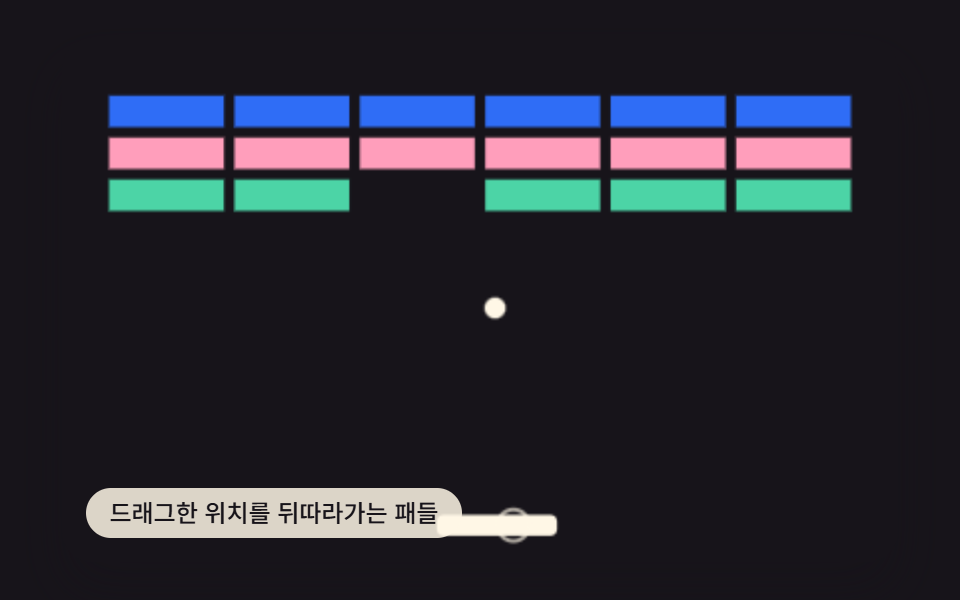 gameBrick Breaker Game JavaScript — 9 Physics Patterns
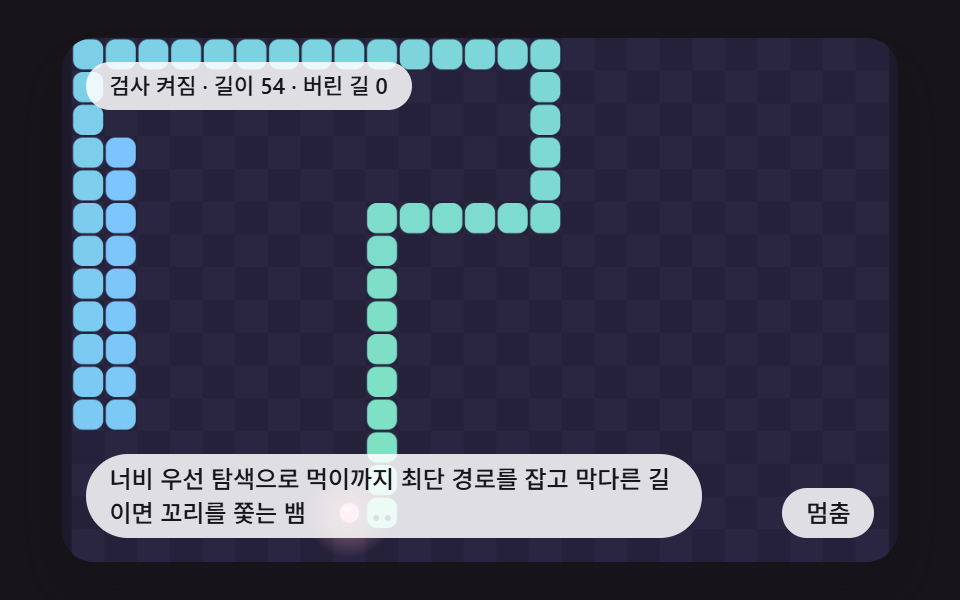 gameCSS Snake Game: 9 Boards That Find Their Own Path
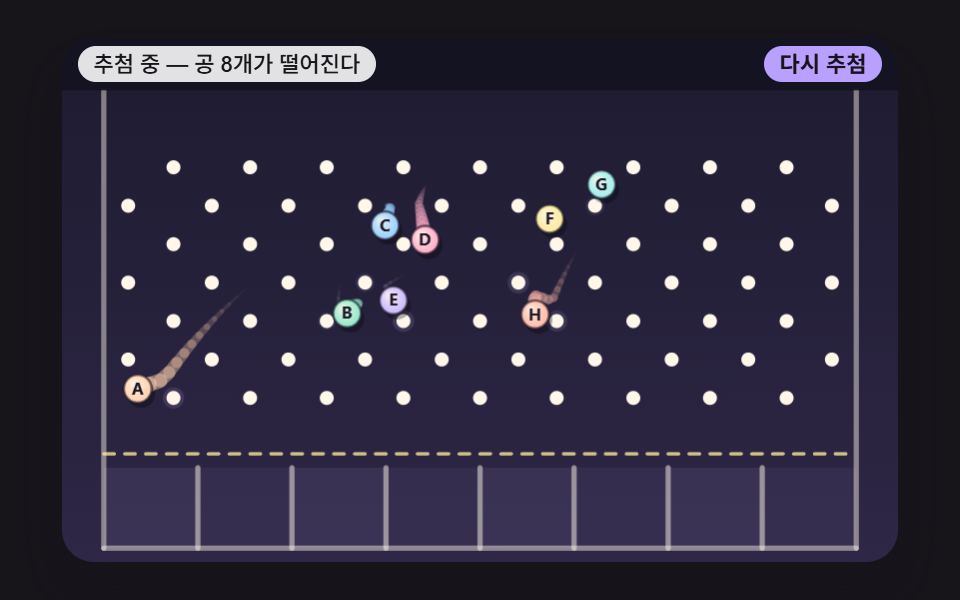 gameJavaScript Pinball Game: 9 Physics Scenes
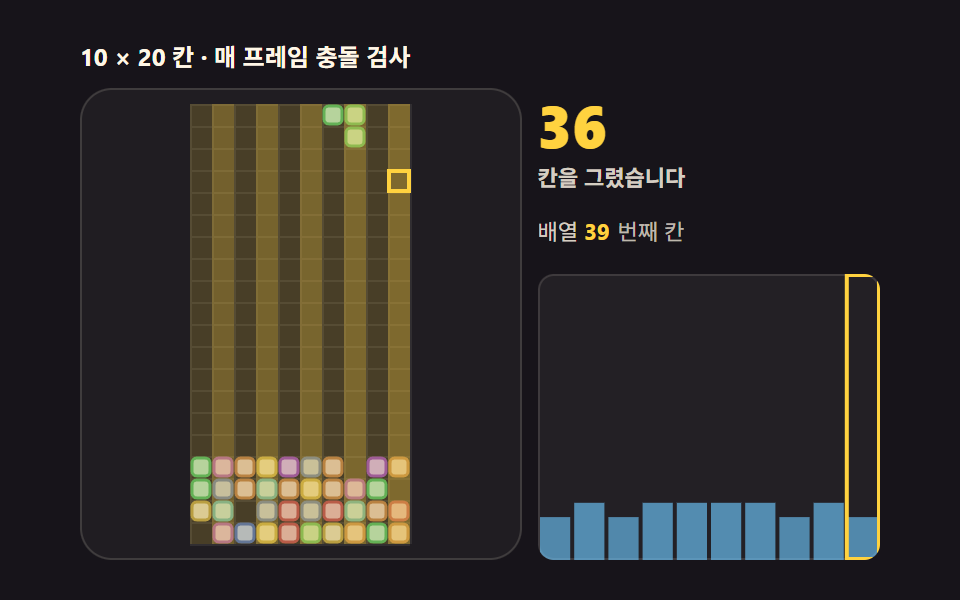 gameTetris JavaScript: Build It in 9 Canvas Steps
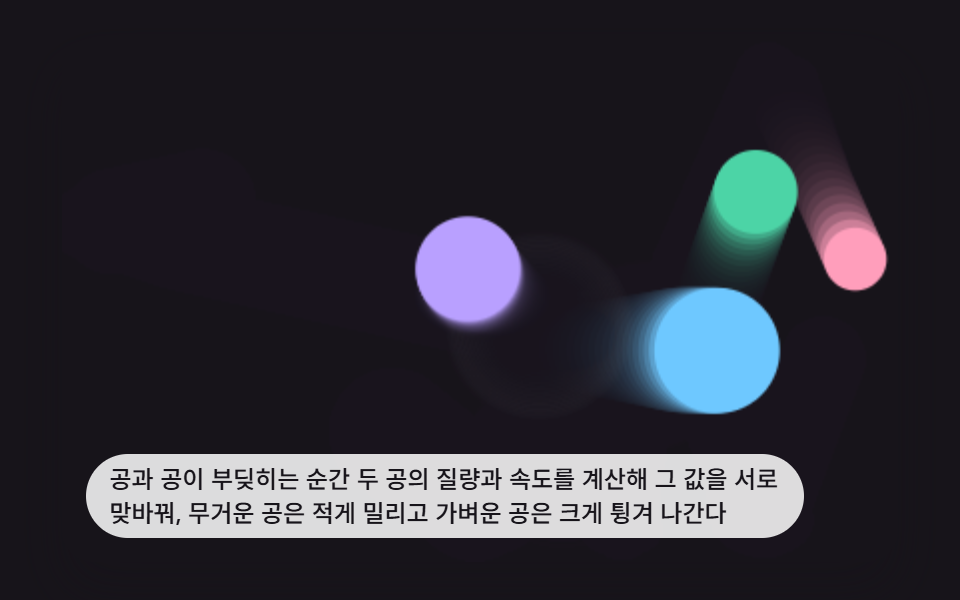 game9 Bouncing Ball Animation Patterns With Physics
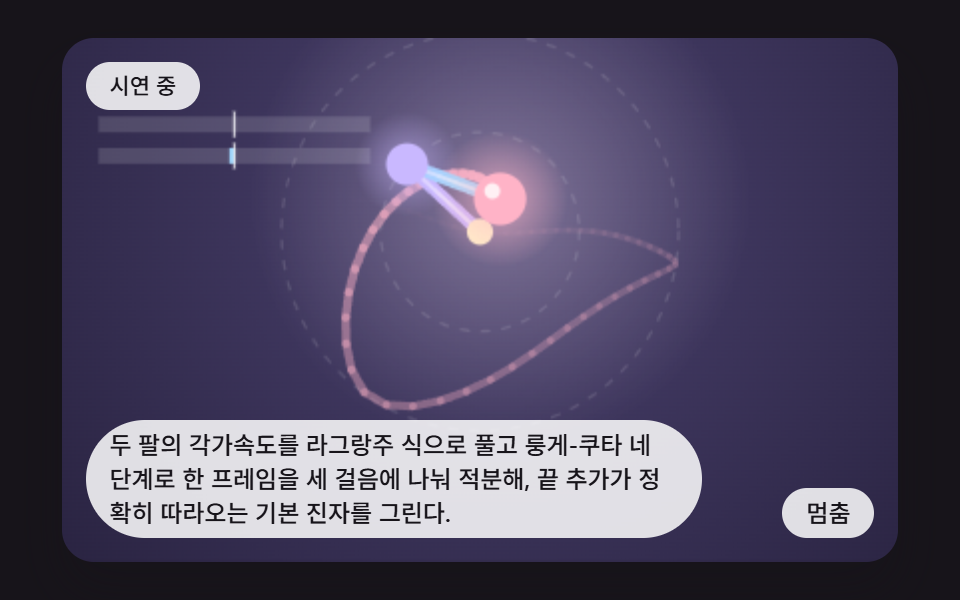 gameDouble Pendulum Simulation: 9 Chaos Scenes
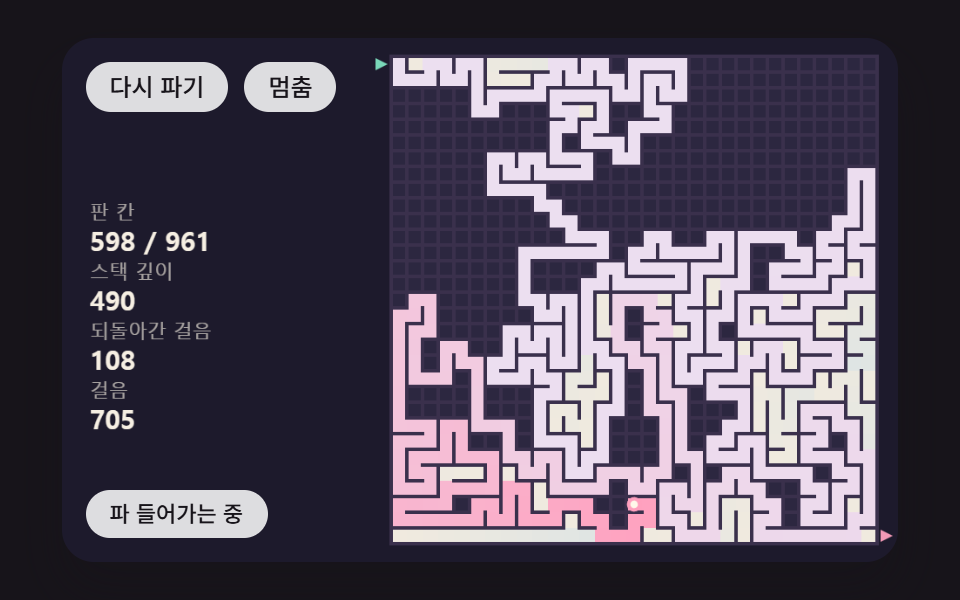 gameMaze Generator: 9 Carve-and-Solve Scenes