CSS Toggle Switch: 9 Realistic Switches to Paste
A css toggle switch is the small on-off control visitors flip without thinking, and here are nine built with no library, just a checkbox.
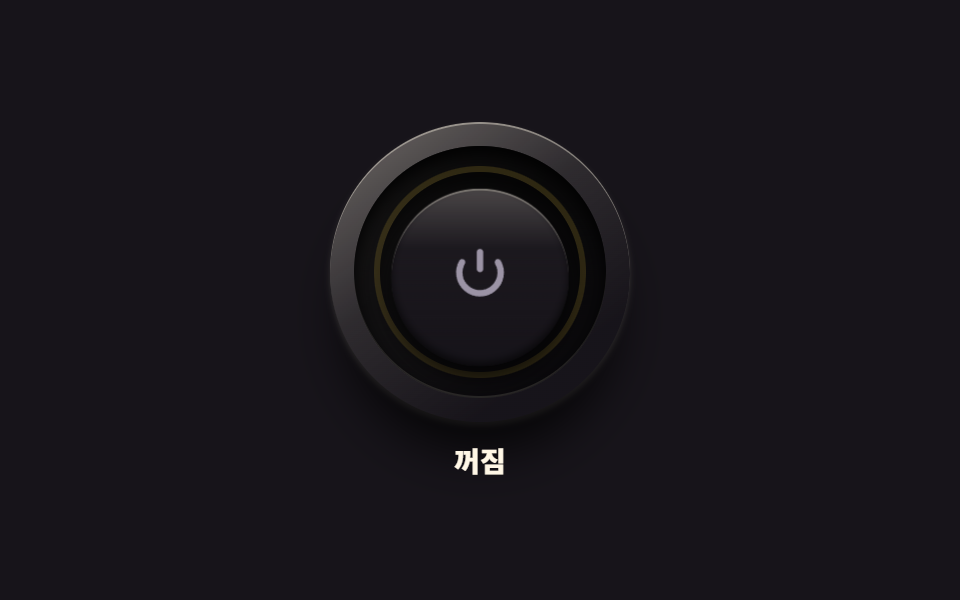 01 real-power-led-button
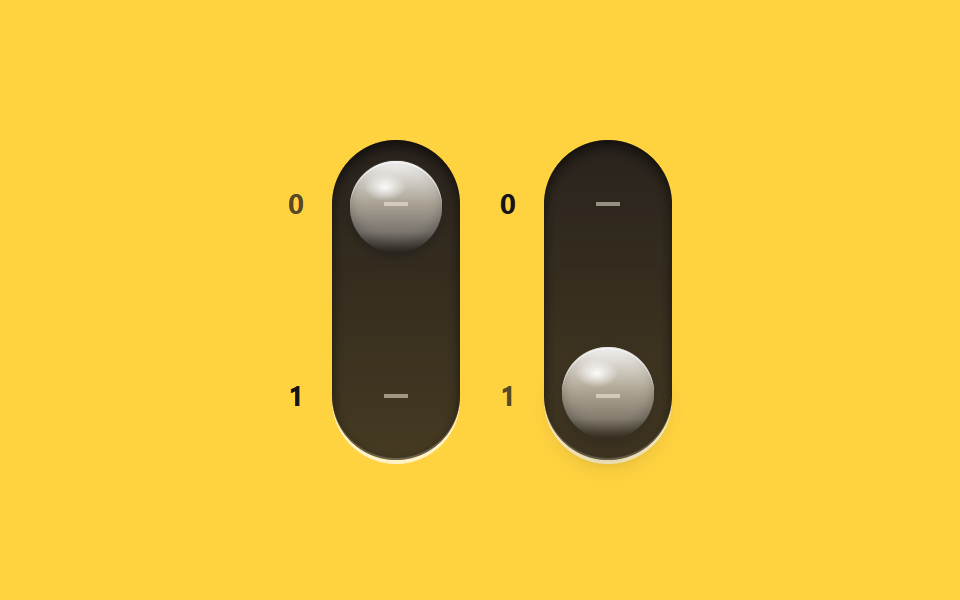 02 real-glass-toggle-pair
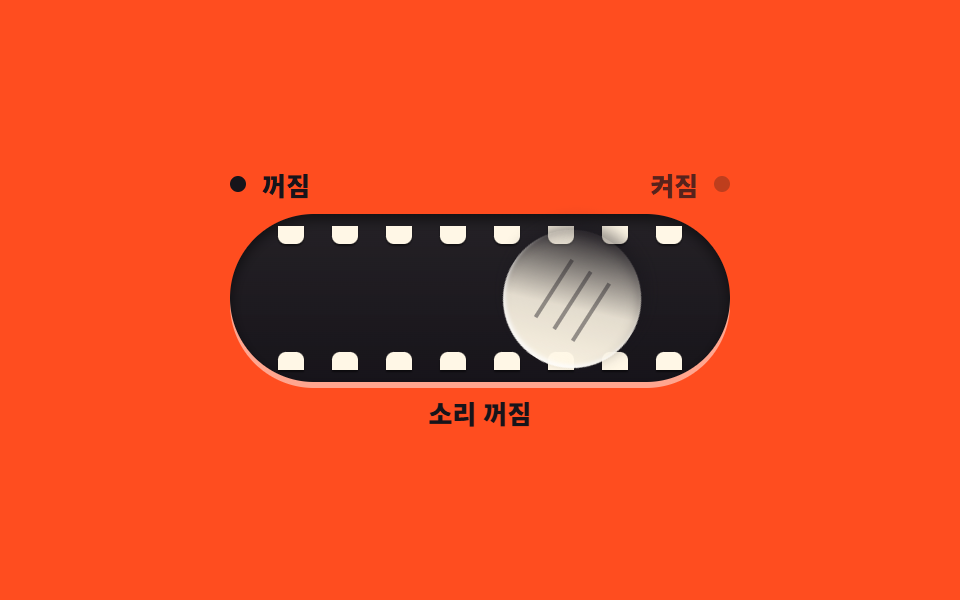 03 real-playful-morph-toggle
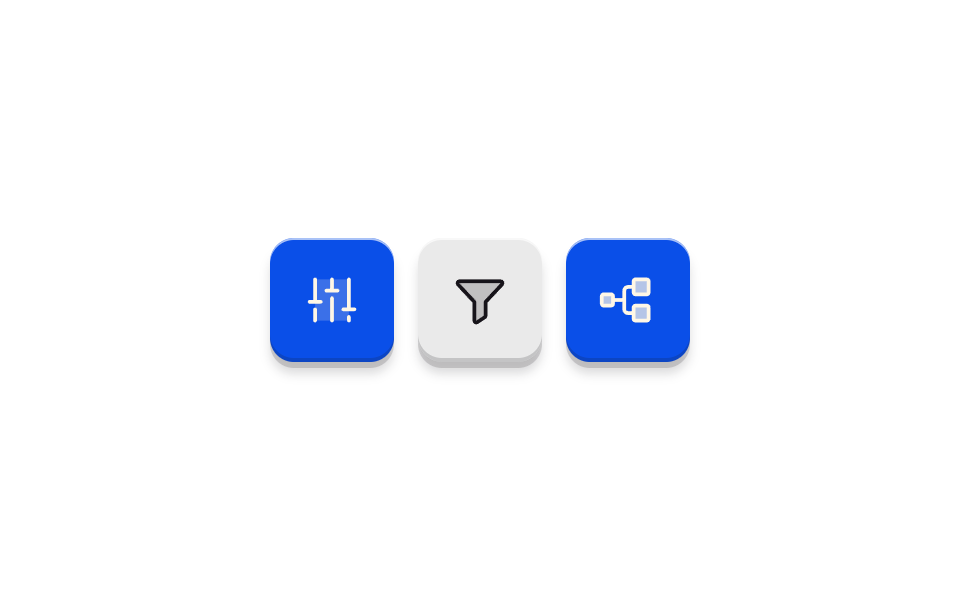 04 real-soft-plastic-toggle
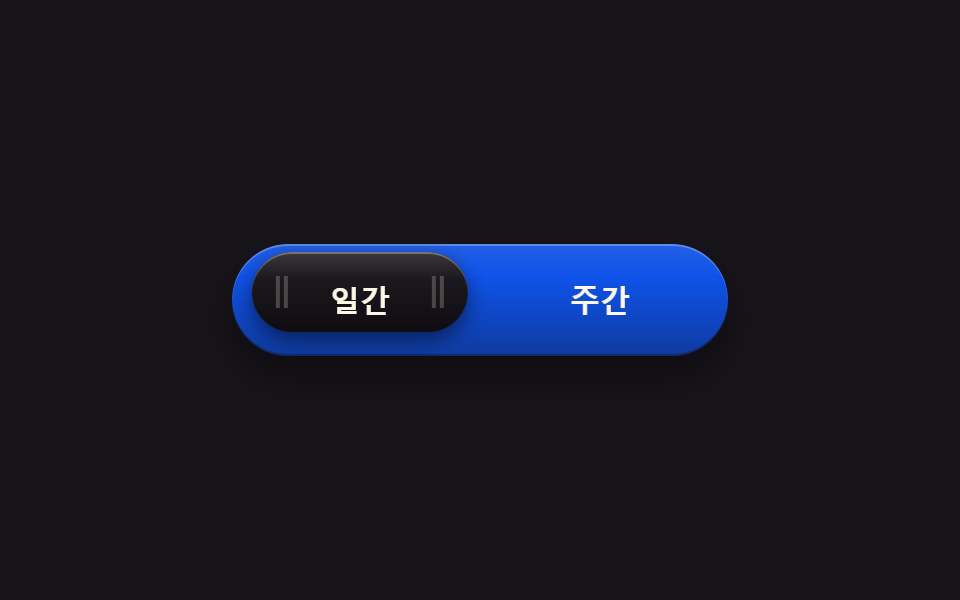 05 real-metal-segment-switch
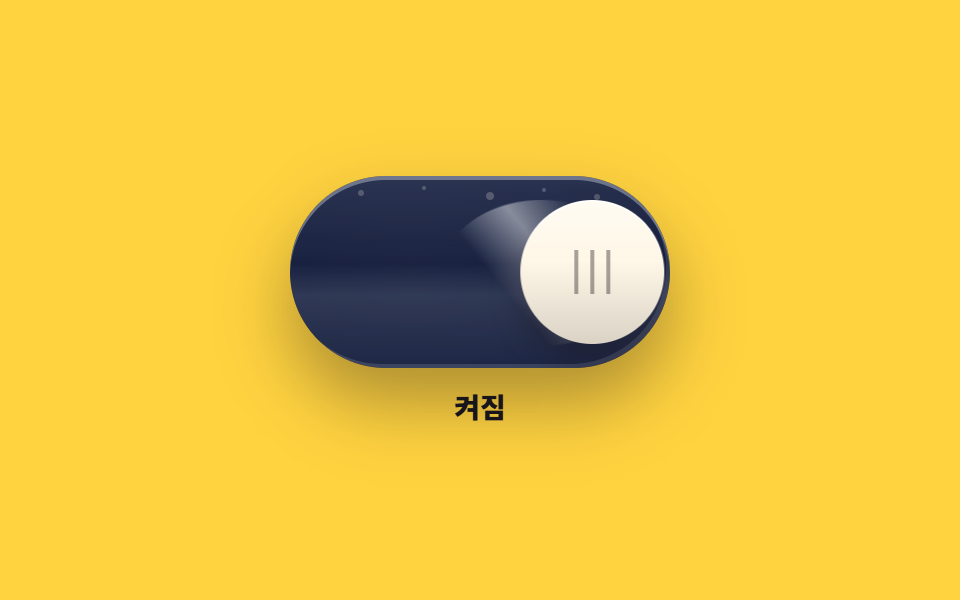 06 real-oneui-toggle
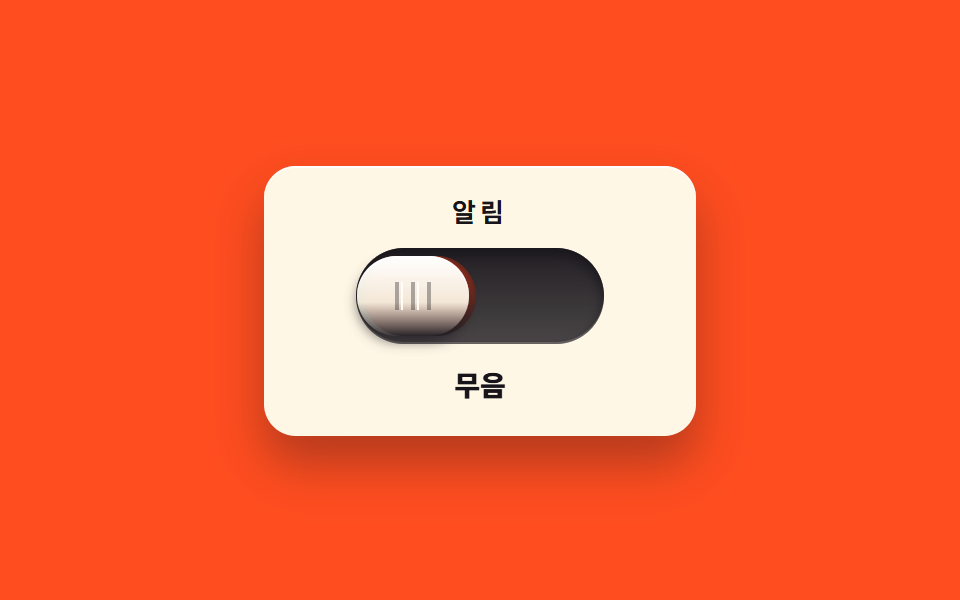 07 real-slide-mute-switch
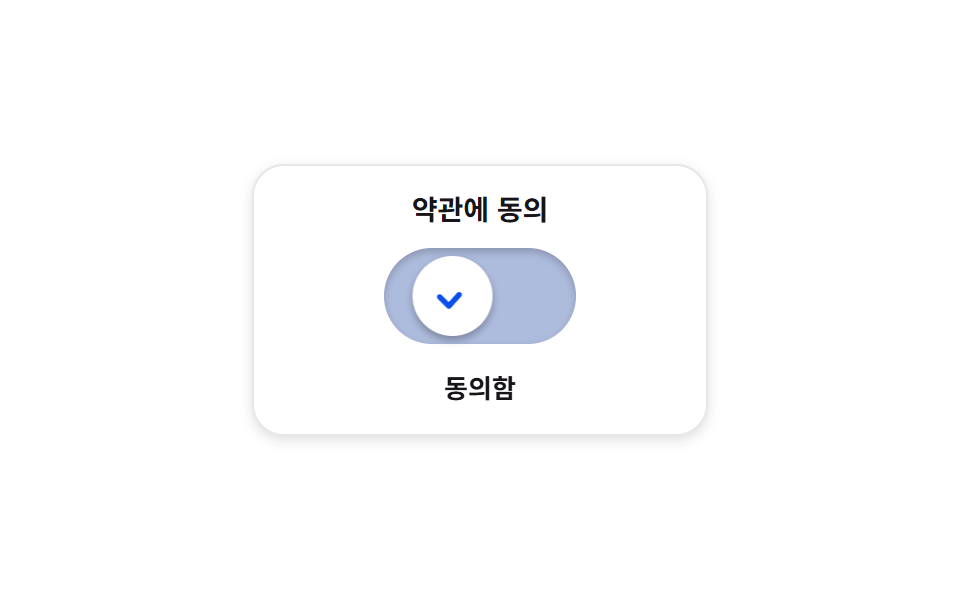 08 real-check-morph-switch
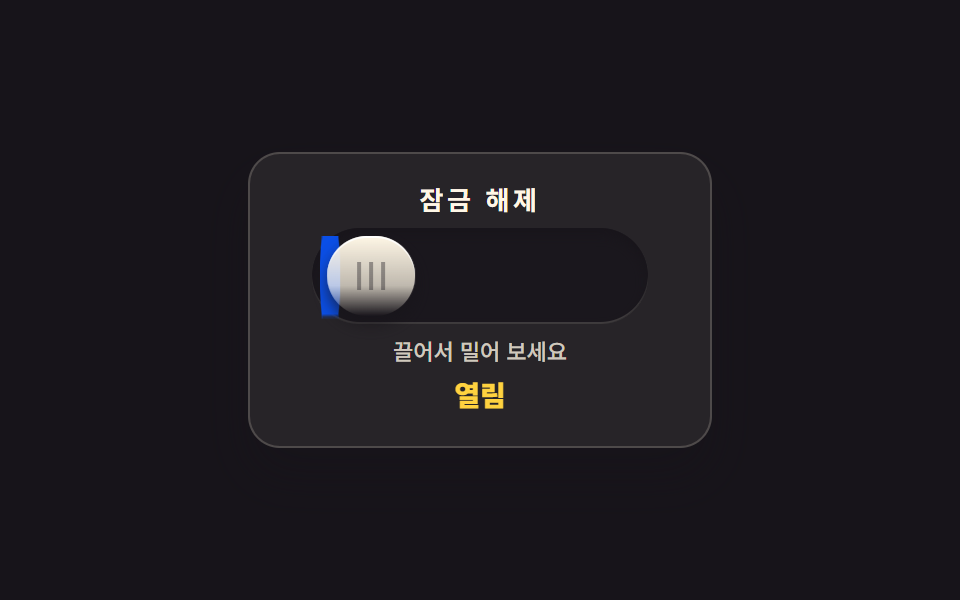 09 real-inertia-drag-toggle
Auto-plays · click a tile to jump to its section · all nine in one zip
- 01 Power button with LED ring
- 02 Vertical glass-gloss toggle pair
- 03 Rolling toggle that opens its eyes
- 04 Three matte keycap toggles
- 05 Selector pill sliding between two slots
- 06 Glass toggle with a light sweep
- 07 Slide-across mute switch
- 08 Toggle that sets into a check
- 09 Drag-and-release inertia toggle
The order is not a popularity list — it is the order in which a switch gains its physical feel. First comes press and light (01), then glass (02), then personality (03), then a calm matte finish (04), then two slots to choose between (05), then flowing light (06), then a hidden band uncovered by the slide (07), then a checkmark that settles the agreement (08), and finally inertia that follows your finger (09). Eight announce their state with role="switch" and aria-checked while the two-slot picker (05) uses aria-pressed, and the on state is readable from position, words, and light, never from color alone. For the hardware-flavored parts see 9 CSS Switch Buttons, and for flat toggle fundamentals see 9 CSS Toggle Switches.
01Power button with LED ring
A round button stacked from concentric bevels that sinks when pressed as the power-symbol ring on its rim bleeds light, for the main power on a device panel.
<main class="stage">
<div class="pw is-demo" id="pw">
  <div class="pw__col">
  <div class="pw__assembly">
    <span class="pw__bezel" aria-hidden="true"></span>
    <span class="pw__groove" aria-hidden="true"></span>
    <button class="pw__cap" id="pwCap" type="button" role="switch" aria-checked="false" aria-label="Power">
      <svg class="pw__mark" viewBox="0 0 24 24" aria-hidden="true" focusable="false">
        <path d="M12 3v6" fill="none" stroke="currentColor" stroke-width="2.3" stroke-linecap="round"></path>
        <path d="M18.4 6.6a7.4 7.4 0 1 1-12.8 0" fill="none" stroke="currentColor" stroke-width="2.3" stroke-linecap="round"></path>
      </svg>
    </button>
    <span class="pw__led" aria-hidden="true"></span>
    <span class="pw__shade" aria-hidden="true"></span>
  </div>
  <p class="pw__state" role="status"><span class="pw__wordOn">On</span><span class="pw__wordOff">Off</span></p>
  </div>
</div>
</main>
@use "../../../../site/static/demo-tokens" as *;
// 전원 버튼과 LED 링 — 베벨 링·어두운 그루브·캡의 3중 동심원. 캡 중앙의 전원 기호(IEC 5009)는 음각.
// 누르면 캡이 안으로 들어가고 그루브 위쪽 그림자가 짙어진다. 놓으면 캡이 먼저 돌아오고($duration),
// LED 링은 그 뒤에 서서히 켜진다 — 비대칭 타이밍. 끌 때는 반대로 LED 가 먼저 꺼지고 캡이 돌아온다.
// 켜짐은 색만으로 말하지 않는다: 링의 빛·기호의 발색·상태 글자가 함께 바뀐다. role="switch" + aria-checked.
// 미리보기(.is-demo)는 눌림 → 복귀 → 점등 유지 → 재눌림 → 소등을 2초에 한 바퀴 돈다.
$duration: $dur-quick;
$easing: $ease-spring;
$color: $stage-yellow;
@include stage($stage-ink);
.pw { display: grid; place-items: center; width: 100%; }
.pw__col { display: flex; flex-direction: column; align-items: center; gap: $sp-3; }
// ── 버튼 어셈블리(베벨 링 · 그루브 · 캡 · LED 링) ────────────
.pw__assembly { position: relative; width: 150px; height: 150px; }
// 바깥 베벨 링 — 위에서 비치는 금속성 테두리와 6시 방향 소프트 드롭섀도
.pw__bezel {
position: absolute; inset: 0; border-radius: 50%; pointer-events: none;
background: linear-gradient(145deg, rgba($subject-cream, .38), rgba($subject-cream, .1) 42%, rgba($stage-ink, .9) 78%), $subject-ink;
box-shadow: 0 22px 26px -8px rgba(0, 0, 0, .8), 0 2px 3px rgba($subject-cream, .18), inset 0 1px 0 rgba($subject-cream, .4);
}
// 어두운 그루브 링 — 캡이 들어가는 홈, 그림자로 깊이를 만든다
.pw__groove {
position: absolute; inset: 12px; border-radius: 50%; pointer-events: none;
background: linear-gradient(180deg, rgba(0, 0, 0, .85), rgba(0, 0, 0, .55));
box-shadow: inset 0 4px 8px rgba(0, 0, 0, .9), inset 0 -1px 0 rgba($subject-cream, .14);
}
// 캡(지름 60%) — 실제 누르는 면. 전원 기호는 SVG 로 직접 그렸다(아이콘 세트에 없는 정밀 기호 예외)
.pw__cap {
position: absolute; inset: 30px; z-index: 5;
display: flex; align-items: center; justify-content: center;
margin: 0; padding: 0; border: 0; border-radius: 50%; cursor: pointer;
background: linear-gradient(180deg, rgba($subject-cream, .22), rgba($subject-cream, .02) 34%, rgba($stage-ink, .5) 88%), $subject-ink;
box-shadow: 0 6px 10px rgba(0, 0, 0, .66), inset 0 1px 0 rgba($subject-cream, .3), inset 0 -2px 4px rgba(0, 0, 0, .6);
transform: translateY(0) scale(1);
transition: transform $duration $easing, box-shadow $duration $easing;
}
.pw__cap:active {
transform: translateY(4px) scale(.98);
box-shadow: 0 2px 4px rgba(0, 0, 0, .6), inset 0 1px 0 rgba($subject-cream, .22), inset 0 -2px 4px rgba(0, 0, 0, .6);
}
.pw__cap:focus-visible { outline: 2px solid $stage-yellow; outline-offset: 3px; }
// 전원 기호 — 꺼짐은 낮은 대비의 음각 회색, 켜지면 $color 로 밝아진다
.pw__mark { width: 34px; height: 34px; color: $tick-mute; transition: color $dur-quick $ease-out; }
// LED 링 — 그루브 위를 도는 빛. 켜질 때는 캡 복귀 뒤 $dur-quick 늦게 $dur-base 에 걸쳐 번지고,
// 꺼질 때는 지연 없이 빠르게 사그라든다(방향마다 transition 규칙을 다르게 둔 한 방향 트릭).
.pw__led {
position: absolute; inset: 22px; z-index: 2; border-radius: 50%; pointer-events: none;
box-shadow: inset 0 0 0 3px rgba($color, .14);
transition: box-shadow $dur-quick $ease-out;
}
// 그루브 위쪽 내그림자 — 누르는 동안 짙어진다(캡보다 뒤에 두어 캡은 덮지 않는다)
.pw__shade {
position: absolute; inset: 25px; z-index: 3; border-radius: 50%; pointer-events: none;
box-shadow: inset 0 7px 9px rgba(0, 0, 0, .75);
opacity: .3; transition: opacity $duration $easing;
}
.pw__cap:active ~ .pw__shade { opacity: .8; }
// ── 켜짐 상태 ────────────────────────────────────────────────
.pw.is-on .pw__led {
box-shadow: inset 0 0 0 3px $color, 0 0 16px rgba($color, .6), 0 0 34px rgba($color, .28);
transition: box-shadow $dur-base $ease-out $duration;
}
.pw.is-on .pw__mark { color: $color; transition: color $dur-base $ease-out $duration; }
// ── 상태 글자 ────────────────────────────────────────────────
.pw__state { position: relative; margin: 0; width: 60px; height: 16px; }
.pw__wordOn, .pw__wordOff {
position: absolute; inset: 0; display: flex; align-items: center; justify-content: center;
font-weight: 800; font-size: clamp(12px, 3vw, 14px); line-height: 1; color: $subject-cream;
}
.pw__wordOn { display: none; color: $stage-yellow; }
.pw.is-on .pw__wordOn { display: flex; }
.pw.is-on .pw__wordOff { display: none; }
// ── 미리보기 루프(2초 한 바퀴) ────────────────────────────────
// 캡 눌림은 transform 키프레임(움직임 축), LED 점등은 box-shadow·색 키프레임(상태 변화라 번지는 게 맞다).
.pw.is-demo .pw__cap {
animation-name: pwPress; animation-duration: $dur-loop;
animation-timing-function: $easing; animation-iteration-count: infinite;
}
@keyframes pwPress {
0%, 6% { transform: translateY(0) scale(1); }
11% { transform: translateY(4px) scale(.98); }
16% { transform: translateY(0) scale(1); }
57% { transform: translateY(0) scale(1); }
62% { transform: translateY(4px) scale(.98); }
68%, 100% { transform: translateY(0) scale(1); }
}
.pw.is-demo .pw__shade {
animation-name: pwShade; animation-duration: $dur-loop;
animation-timing-function: steps(1, end); animation-iteration-count: infinite;
}
@keyframes pwShade {
0% { opacity: .3; }
7% { opacity: .8; }
16% { opacity: .3; }
57% { opacity: .8; }
68% { opacity: .3; }
100% { opacity: .3; }
}
.pw.is-demo .pw__led {
animation-name: pwLed; animation-duration: $dur-loop;
animation-timing-function: ease; animation-iteration-count: infinite;
}
@keyframes pwLed {
0%, 16% { box-shadow: inset 0 0 0 3px rgba($color, .14); }
28%, 58% { box-shadow: inset 0 0 0 3px $color, 0 0 16px rgba($color, .6), 0 0 34px rgba($color, .28); }
63%, 100% { box-shadow: inset 0 0 0 3px rgba($color, .14); }
}
.pw.is-demo .pw__mark {
animation-name: pwMark; animation-duration: $dur-loop;
animation-timing-function: ease; animation-iteration-count: infinite;
}
@keyframes pwMark {
0%, 16% { color: $tick-mute; }
28%, 58% { color: $color; }
63%, 100% { color: $tick-mute; }
}
// 상태 글자는 steps(1, end) 컷 — 반투명하게 겹치는 유령 프레임이 생기지 않는다
.pw.is-demo .pw__wordOn { display: flex; opacity: 0; }
.pw.is-demo .pw__wordOff { opacity: 1; }
.pw.is-demo .pw__wordOn {
animation-name: pwWordOn; animation-duration: $dur-loop;
animation-timing-function: steps(1, end); animation-iteration-count: infinite;
}
@keyframes pwWordOn {
0%, 18% { opacity: 0; }
24% { opacity: 1; }
60% { opacity: 0; }
100% { opacity: 0; }
}
.pw.is-demo .pw__wordOff {
animation-name: pwWordOff; animation-duration: $dur-loop;
animation-timing-function: steps(1, end); animation-iteration-count: infinite;
}
@keyframes pwWordOff {
0%, 18% { opacity: 1; }
24% { opacity: 0; }
60% { opacity: 1; }
100% { opacity: 1; }
}
@media (max-width: 340px) {
.pw__col { gap: $sp-2; }
.pw__assembly { width: 118px; height: 118px; }
.pw__groove { inset: 10px; }
.pw__cap { inset: 24px; }
.pw__led { inset: 18px; }
.pw__shade { inset: 20px; }
.pw__mark { width: 26px; height: 26px; }
.pw__state { width: 48px; height: 14px; }
}
@media (prefers-reduced-motion: reduce) {
.pw .pw__cap { transition: none !important; }
.pw .pw__shade { transition: none !important; }
.pw.is-demo .pw__cap { animation: none !important; transform: translateY(0) scale(1) !important; }
.pw.is-demo .pw__shade { animation: none !important; opacity: .3 !important; }
.pw.is-demo .pw__led { animation: none !important; }
.pw.is-demo .pw__mark { animation: none !important; }
.pw.is-demo .pw__wordOn { animation: none !important; opacity: 0 !important; }
.pw.is-demo .pw__wordOff { animation: none !important; opacity: 1 !important; }
}html, body {
margin: 0;
overflow: hidden;
}
.stage {
box-sizing: border-box;
min-height: 100vh;
display: grid;
place-items: center;
margin: 0;
background: #17141a;
font-family: -apple-system, "Segoe UI", "Noto Sans KR", sans-serif;
padding: clamp(8px, 4vw, 24px);
}
.pw {
display: grid;
place-items: center;
width: 100%;
}
.pw__col {
display: flex;
flex-direction: column;
align-items: center;
gap: 12px;
}
.pw__assembly {
position: relative;
width: 150px;
height: 150px;
}
.pw__bezel {
position: absolute;
inset: 0;
border-radius: 50%;
pointer-events: none;
background: linear-gradient(145deg, rgba(255, 247, 230, 0.38), rgba(255, 247, 230, 0.1) 42%, rgba(23, 20, 26, 0.9) 78%), #17141a;
box-shadow: 0 22px 26px -8px rgba(0, 0, 0, 0.8), 0 2px 3px rgba(255, 247, 230, 0.18), inset 0 1px 0 rgba(255, 247, 230, 0.4);
}
.pw__groove {
position: absolute;
inset: 12px;
border-radius: 50%;
pointer-events: none;
background: linear-gradient(180deg, rgba(0, 0, 0, 0.85), rgba(0, 0, 0, 0.55));
box-shadow: inset 0 4px 8px rgba(0, 0, 0, 0.9), inset 0 -1px 0 rgba(255, 247, 230, 0.14);
}
.pw__cap {
position: absolute;
inset: 30px;
z-index: 5;
display: flex;
align-items: center;
justify-content: center;
margin: 0;
padding: 0;
border: 0;
border-radius: 50%;
cursor: pointer;
background: linear-gradient(180deg, rgba(255, 247, 230, 0.22), rgba(255, 247, 230, 0.02) 34%, rgba(23, 20, 26, 0.5) 88%), #17141a;
box-shadow: 0 6px 10px rgba(0, 0, 0, 0.66), inset 0 1px 0 rgba(255, 247, 230, 0.3), inset 0 -2px 4px rgba(0, 0, 0, 0.6);
transform: translateY(0) scale(1);
transition: transform 220ms cubic-bezier(0.2, 0.8, 0.2, 1), box-shadow 220ms cubic-bezier(0.2, 0.8, 0.2, 1);
}
.pw__cap:active {
transform: translateY(4px) scale(0.98);
box-shadow: 0 2px 4px rgba(0, 0, 0, 0.6), inset 0 1px 0 rgba(255, 247, 230, 0.22), inset 0 -2px 4px rgba(0, 0, 0, 0.6);
}
.pw__cap:focus-visible {
outline: 2px solid #ffd23f;
outline-offset: 3px;
}
.pw__mark {
width: 34px;
height: 34px;
color: #9a93a6;
transition: color 220ms ease-out;
}
.pw__led {
position: absolute;
inset: 22px;
z-index: 2;
border-radius: 50%;
pointer-events: none;
box-shadow: inset 0 0 0 3px rgba(255, 210, 63, 0.14);
transition: box-shadow 220ms ease-out;
}
.pw__shade {
position: absolute;
inset: 25px;
z-index: 3;
border-radius: 50%;
pointer-events: none;
box-shadow: inset 0 7px 9px rgba(0, 0, 0, 0.75);
opacity: 0.3;
transition: opacity 220ms cubic-bezier(0.2, 0.8, 0.2, 1);
}
.pw__cap:active ~ .pw__shade {
opacity: 0.8;
}
.pw.is-on .pw__led {
box-shadow: inset 0 0 0 3px #ffd23f, 0 0 16px rgba(255, 210, 63, 0.6), 0 0 34px rgba(255, 210, 63, 0.28);
transition: box-shadow 300ms ease-out 220ms;
}
.pw.is-on .pw__mark {
color: #ffd23f;
transition: color 300ms ease-out 220ms;
}
.pw__state {
position: relative;
margin: 0;
width: 60px;
height: 16px;
}
.pw__wordOn, .pw__wordOff {
position: absolute;
inset: 0;
display: flex;
align-items: center;
justify-content: center;
font-weight: 800;
font-size: clamp(12px, 3vw, 14px);
line-height: 1;
color: #fff7e6;
}
.pw__wordOn {
display: none;
color: #ffd23f;
}
.pw.is-on .pw__wordOn {
display: flex;
}
.pw.is-on .pw__wordOff {
display: none;
}
.pw.is-demo .pw__cap {
animation-name: pwPress;
animation-duration: 2s;
animation-timing-function: cubic-bezier(0.2, 0.8, 0.2, 1);
animation-iteration-count: infinite;
}
@keyframes pwPress {
0%, 6% {
transform: translateY(0) scale(1);
}
11% {
transform: translateY(4px) scale(0.98);
}
16% {
transform: translateY(0) scale(1);
}
57% {
transform: translateY(0) scale(1);
}
62% {
transform: translateY(4px) scale(0.98);
}
68%, 100% {
transform: translateY(0) scale(1);
}
}
.pw.is-demo .pw__shade {
animation-name: pwShade;
animation-duration: 2s;
animation-timing-function: steps(1, end);
animation-iteration-count: infinite;
}
@keyframes pwShade {
0% {
opacity: 0.3;
}
7% {
opacity: 0.8;
}
16% {
opacity: 0.3;
}
57% {
opacity: 0.8;
}
68% {
opacity: 0.3;
}
100% {
opacity: 0.3;
}
}
.pw.is-demo .pw__led {
animation-name: pwLed;
animation-duration: 2s;
animation-timing-function: ease;
animation-iteration-count: infinite;
}
@keyframes pwLed {
0%, 16% {
box-shadow: inset 0 0 0 3px rgba(255, 210, 63, 0.14);
}
28%, 58% {
box-shadow: inset 0 0 0 3px #ffd23f, 0 0 16px rgba(255, 210, 63, 0.6), 0 0 34px rgba(255, 210, 63, 0.28);
}
63%, 100% {
box-shadow: inset 0 0 0 3px rgba(255, 210, 63, 0.14);
}
}
.pw.is-demo .pw__mark {
animation-name: pwMark;
animation-duration: 2s;
animation-timing-function: ease;
animation-iteration-count: infinite;
}
@keyframes pwMark {
0%, 16% {
color: #9a93a6;
}
28%, 58% {
color: #ffd23f;
}
63%, 100% {
color: #9a93a6;
}
}
.pw.is-demo .pw__wordOn {
display: flex;
opacity: 0;
}
.pw.is-demo .pw__wordOff {
opacity: 1;
}
.pw.is-demo .pw__wordOn {
animation-name: pwWordOn;
animation-duration: 2s;
animation-timing-function: steps(1, end);
animation-iteration-count: infinite;
}
@keyframes pwWordOn {
0%, 18% {
opacity: 0;
}
24% {
opacity: 1;
}
60% {
opacity: 0;
}
100% {
opacity: 0;
}
}
.pw.is-demo .pw__wordOff {
animation-name: pwWordOff;
animation-duration: 2s;
animation-timing-function: steps(1, end);
animation-iteration-count: infinite;
}
@keyframes pwWordOff {
0%, 18% {
opacity: 1;
}
24% {
opacity: 0;
}
60% {
opacity: 1;
}
100% {
opacity: 1;
}
}
@media (max-width: 340px) {
.pw__col {
gap: 8px;
}
.pw__assembly {
width: 118px;
height: 118px;
}
.pw__groove {
inset: 10px;
}
.pw__cap {
inset: 24px;
}
.pw__led {
inset: 18px;
}
.pw__shade {
inset: 20px;
}
.pw__mark {
width: 26px;
height: 26px;
}
.pw__state {
width: 48px;
height: 14px;
}
}
@media (prefers-reduced-motion: reduce) {
.pw .pw__cap {
transition: none !important;
}
.pw .pw__shade {
transition: none !important;
}
.pw.is-demo .pw__cap {
animation: none !important;
transform: translateY(0) scale(1) !important;
}
.pw.is-demo .pw__shade {
animation: none !important;
opacity: 0.3 !important;
}
.pw.is-demo .pw__led {
animation: none !important;
}
.pw.is-demo .pw__mark {
animation: none !important;
}
.pw.is-demo .pw__wordOn {
animation: none !important;
opacity: 0 !important;
}
.pw.is-demo .pw__wordOff {
animation: none !important;
opacity: 1 !important;
}
}var pwRoot = document.getElementById('pw');
var pwCap = document.getElementById('pwCap');
function pwSet(on) {
pwCap.setAttribute('aria-checked', on ? 'true' : 'false');
pwRoot.classList.toggle('is-on', on);
}
pwCap.addEventListener('pointerdown', function () { pwRoot.classList.remove('is-demo'); });
pwCap.addEventListener('click', function () {
pwRoot.classList.remove('is-demo');
pwSet(pwCap.getAttribute('aria-checked') !== 'true');
});// PowerLedButton — vanilla 판(run/076/demo/01-real-power-led-button/index.html) 의 React 포트.
// 누르면 캡이 안으로 들어가고, 놓으면 캡이 먼저 돌아오고 LED 링은 그 뒤에 서서히 켜진다(비대칭 타이밍).
// 값·키프레임은 vanilla 와 같다(다시 타이핑하지 않는다). 누르면 미리보기 루프를 뗀다.
import { useState } from "react";
import styles from "./PowerLedButton.module.scss";
export type PowerLedButtonProps = {
duration?: number;
easing?: string;
color?: string;
};
type Vars = { [k: string]: any };
const ARIA_LABEL = "전원";
const STATE_ON = "켜짐";
const STATE_OFF = "꺼짐";
export default function PowerLedButton({
duration = 220,
easing = "cubic-bezier(.2, .8, .2, 1)", // = $ease-spring
color = "#ffd23f",
}: PowerLedButtonProps) {
const [on, setOn] = useState(false);
const [demo, setDemo] = useState(true);
const vars: Vars = {
"--duration": `${duration}ms`,
"--easing": easing,
"--color": color,
};
const cls = [styles.root, demo ? styles.isDemo : "", on ? styles.isOn : ""].filter(Boolean).join(" ");
function wake() {
setDemo(false);
}
function toggle() {
setDemo(false);
setOn((prev) => !prev);
}
return (
<main className={styles.stage}>
<div className={cls} style={vars}>
<div className={styles.col}>
<div className={styles.assembly}>
<span className={styles.bezel} aria-hidden="true"></span>
<span className={styles.groove} aria-hidden="true"></span>
<button
className={styles.cap}
type="button"
role="switch"
aria-checked={on}
aria-label={ARIA_LABEL}
onPointerDown={wake}
onClick={toggle}
>
<svg className={styles.mark} viewBox="0 0 24 24" aria-hidden="true" focusable="false">
<path d="M12 3v6" fill="none" stroke="currentColor" stroke-width="2.3" stroke-linecap="round"></path>
<path d="M18.4 6.6a7.4 7.4 0 1 1-12.8 0" fill="none" stroke="currentColor" stroke-width="2.3" stroke-linecap="round"></path>
</svg>
</button>
<span className={styles.led} aria-hidden="true"></span>
<span className={styles.shade} aria-hidden="true"></span>
</div>
<p className={styles.state} role="status">
<span className={styles.wordOn}>{STATE_ON}</span>
<span className={styles.wordOff}>{STATE_OFF}</span>
</p>
</div>
</div>
</main>
);
}01 · Power button with LED ring — Measured area 5.355% · moving frames 9/23Original by GODRICH · SCSS and React ship in the zip · See the password
On and off take different amounts of time
// LED ring — turning on, it spreads for $dur-base starting $dur-quick after the cap returns;
// turning off it dies fast with no delay (one-way trick: a transition rule per direction).
.pw__led {
  position: absolute; inset: 22px; z-index: 2; border-radius: 50%; pointer-events: none;
  box-shadow: inset 0 0 0 3px rgba($color, .14);
  transition: box-shadow $dur-quick $ease-out;
}
.pw.is-on .pw__led {
  box-shadow: inset 0 0 0 3px $color, 0 0 16px rgba($color, .6), 0 0 34px rgba($color, .28);
  transition: box-shadow $dur-base $ease-out $duration;
}
The base rule owns the off direction (short, no delay) and the .is-on rule overrides it for on (a 300ms spread that starts 220ms after the button returns), so one transition rule per direction is all it takes to produce the asymmetry of a real power button.
The press deepens the shadow with it
.pw__cap:active {
  transform: translateY(4px) scale(.98);
  box-shadow: 0 2px 4px rgba(0, 0, 0, .6), inset 0 1px 0 rgba($subject-cream, .22), inset 0 -2px 4px rgba(0, 0, 0, .6);
}
The cap drops 4px while its outer shadow collapses — press depth is information your hand notices before your eyes do — so transform and box-shadow share one duration.
02Vertical glass-gloss toggle pair
Two glossy knobs slide up and down inside upright grooves, one per equipment-panel channel, and they sit in opposite states so you can compare 0 and 1 side by side.
<main class="stage">
<div class="ch is-demo" id="ch">
  <div class="ch__unit ch__unit--a">
    <input class="ch__input" id="chA" type="checkbox" role="switch" aria-label="Channel 1">
    <div class="ch__scale" aria-hidden="true">
      <span class="ch__num ch__num--zero">0</span>
      <span class="ch__num ch__num--one">1</span>
    </div>
    <div class="ch__track">
      <span class="ch__detent ch__detent--top" aria-hidden="true"></span>
      <span class="ch__detent ch__detent--bottom" aria-hidden="true"></span>
      <span class="ch__knob" aria-hidden="true"></span>
    </div>
  </div>
  <div class="ch__unit ch__unit--b">
    <input class="ch__input" id="chB" type="checkbox" role="switch" aria-label="Channel 2" checked>
    <div class="ch__scale" aria-hidden="true">
      <span class="ch__num ch__num--zero">0</span>
      <span class="ch__num ch__num--one">1</span>
    </div>
    <div class="ch__track">
      <span class="ch__detent ch__detent--top" aria-hidden="true"></span>
      <span class="ch__detent ch__detent--bottom" aria-hidden="true"></span>
      <span class="ch__knob" aria-hidden="true"></span>
    </div>
  </div>
</div>
</main>@use "../../../../site/static/demo-tokens" as *;
// 유리 광택 세로 토글 두 개 — 세로로 선 어두운 홈을 유리 노브가 위아래로 미끄러진다.
// 두 채널은 서로 반대 상태로 놓여 0 과 1 을 나란히 견준다. 상태는 위치·그림자·숫자 강조 세 가지로 읽힌다.
// 노브가 내려앉을수록 그림자가 넓게 번진다(box-shadow 두 벌을 상태마다 갈아 낀다).
// 딱 끊기는 성격에 살짝 오버슈트 — $ease-pop 이 트랜지션 한 번으로 만든다.
// 입력은 체크박스에 role="switch"(aria-checked 는 native 노출). CSS 는 :checked 로만 상태를 만든다.
// 미리보기(.is-demo)는 두 노브가 엇갈려 왕복하고 숫자 강조는 steps(1, end) 로 컷된다.
$duration: $dur-quick;
$easing: $ease-pop;
$color: $subject-cream;
@include stage($stage-yellow);
.ch { display: flex; align-items: center; justify-content: center; gap: $sp-5; width: 100%; }
.ch__unit { position: relative; display: flex; gap: $sp-2; }
// 입력은 눈에 보이지 않지만 단위 전체를 덮는다(클림 영역이 홈보다 넓다)
.ch__input { position: absolute; inset: 0; z-index: 10; margin: 0; opacity: 0; cursor: pointer; }
// ── 숫자 눈금(0 은 상단 높이, 1 은 하단 높이) ────────────────
.ch__scale { position: relative; width: 14px; height: 160px; }
.ch__num {
position: absolute; left: 0;
font-weight: 700; font-size: 14px; line-height: 1;
color: rgba($subject-ink, .72);
}
.ch__num--zero { top: 25px; color: $subject-ink; }
.ch__num--one { bottom: 25px; }
// 현재 값만 진하게 — 체크되면 강조가 0 에서 1 로 옮겨 간다
.ch__input:checked ~ .ch__scale .ch__num--zero { color: rgba($subject-ink, .72); }
.ch__input:checked ~ .ch__scale .ch__num--one { color: $subject-ink; }
// ── 홈(트랙) ─────────────────────────────────────────────────
.ch__track {
--travel: 96px; // 노브가 반대쪽 끝까지 가는 거리(세로 160 − 노브 46 − 위아래 여백 18)
position: relative; width: 64px; height: 160px; border-radius: $r-pill;
background: linear-gradient(180deg, rgba($subject-ink, .92), rgba($subject-ink, .8));
box-shadow: inset 0 3px 6px rgba(0, 0, 0, .6), inset 0 -1px 0 rgba($color, .25), 0 2px 0 rgba($stage-paper, .7);
}
.ch__input:focus-visible ~ .ch__track { outline: 2px solid $subject-ink; outline-offset: 3px; }
// 위·아래 정지점(디텐트) — 노브가 닿는 높이의 짧은 광택 줄
.ch__detent {
position: absolute; left: 26px; width: 12px; height: 2px; border-radius: 0;
background: rgba($color, .5);
}
.ch__detent--top { top: 31px; }
.ch__detent--bottom { bottom: 31px; }
// ── 유리 노브 ────────────────────────────────────────────────
.ch__knob {
position: absolute; left: 9px; top: 9px; width: 46px; height: 46px; border-radius: 50%;
background: linear-gradient(180deg, rgba($stage-paper, .95), rgba($color, .6) 45%, rgba($stage-paper, .35) 78%, rgba($subject-ink, .22));
box-shadow: 0 3px 5px rgba($stage-ink, .4), inset 0 -3px 6px rgba($stage-ink, .28), inset 0 1px 0 rgba($stage-paper, .9);
transform: translateY(0);
transition: transform $duration $easing, box-shadow $duration $easing;
}
// 좌상단 타원 스펙큘러 — 유리가 갖는 한 점의 하이라이트
.ch__knob::before {
content: ""; position: absolute; left: 16%; top: 12%; width: 44%; height: 32%;
border-radius: 50%;
background: radial-gradient(closest-side, rgba($stage-paper, .95), rgba($stage-paper, 0));
}
// 내려앉은 상태 — 그림자가 멀리 넓게 번진다(위에서 뜬 상태의 좁은 그림자와 갈린다)
.ch__input:checked ~ .ch__track .ch__knob {
  transform: translateY(var(--travel));
  box-shadow: 0 9px 14px rgba($stage-ink, .34), inset 0 -3px 6px rgba($stage-ink, .28), inset 0 1px 0 rgba($stage-paper, .9);
}
// ── 미리보기 루프(2초 한 바퀴) ────────────────────────────────
// 두 노브는 같은 키프레임 각도로 엇갈리게 왕복한다(왼쪽은 내려갔다, 오른쪽은 올라갔다).
.ch.is-demo .ch__knob {
animation-duration: $dur-loop;
animation-timing-function: $easing; animation-iteration-count: infinite;
}
.ch.is-demo .ch__unit--a .ch__knob { animation-name: chSlideDown; }
.ch.is-demo .ch__unit--b .ch__knob { animation-name: chSlideUp; }
@keyframes chSlideDown {
0%, 8% { transform: translateY(0); }
36% { transform: translateY(calc(var(--travel) + 4px)); }
42% { transform: translateY(calc(var(--travel) - 3px)); }
46%, 60% { transform: translateY(var(--travel)); }
86% { transform: translateY(-4px); }
90% { transform: translateY(2px); }
94%, 100% { transform: translateY(0); }
}
@keyframes chSlideUp {
0%, 8% { transform: translateY(var(--travel)); }
36% { transform: translateY(-4px); }
42% { transform: translateY(3px); }
46%, 60% { transform: translateY(0); }
86% { transform: translateY(calc(var(--travel) + 4px)); }
90% { transform: translateY(calc(var(--travel) - 3px)); }
94%, 100% { transform: translateY(var(--travel)); }
}
// 숫자 강조 컷 — 도착 순간(46%)과 복귀 순간(90%)에 한 프레임으로 갈린다
.ch.is-demo .ch__num {
animation-duration: $dur-loop;
animation-timing-function: steps(1, end); animation-iteration-count: infinite;
}
.ch.is-demo .ch__unit--a .ch__num--zero { animation-name: chEmphA; }
.ch.is-demo .ch__unit--a .ch__num--one { animation-name: chEmphB; }
.ch.is-demo .ch__unit--b .ch__num--zero { animation-name: chEmphB; }
.ch.is-demo .ch__unit--b .ch__num--one { animation-name: chEmphA; }
@keyframes chEmphA {
0% { color: $subject-ink; }
46% { color: rgba($subject-ink, .72); }
90% { color: $subject-ink; }
100% { color: $subject-ink; }
}
@keyframes chEmphB {
0% { color: rgba($subject-ink, .72); }
46% { color: $subject-ink; }
90% { color: rgba($subject-ink, .72); }
100% { color: rgba($subject-ink, .72); }
}
@media (max-width: 340px) {
.ch { gap: $sp-3; }
.ch__unit { gap: $sp-1; }
.ch__scale { width: 12px; height: 120px; }
.ch__num { font-size: 12px; }
.ch__num--zero { top: 18px; }
.ch__num--one { bottom: 18px; }
.ch__track { --travel: 72px; width: 48px; height: 120px; }
.ch__detent { left: 18px; }
.ch__detent--top { top: 23px; }
.ch__detent--bottom { bottom: 23px; }
.ch__knob { left: 7px; top: 7px; width: 34px; height: 34px; }
}
@media (prefers-reduced-motion: reduce) {
.ch .ch__knob { transition: none !important; }
.ch.is-demo .ch__knob { animation: none !important; }
.ch.is-demo .ch__unit--a .ch__knob { transform: translateY(0) !important; }
.ch.is-demo .ch__unit--b .ch__knob { transform: translateY(var(--travel)) !important; }
.ch.is-demo .ch__num { animation: none !important; }
}html, body {
margin: 0;
overflow: hidden;
}
.stage {
box-sizing: border-box;
min-height: 100vh;
display: grid;
place-items: center;
margin: 0;
background: #ffd23f;
font-family: -apple-system, "Segoe UI", "Noto Sans KR", sans-serif;
padding: clamp(8px, 4vw, 24px);
}
.ch {
display: flex;
align-items: center;
justify-content: center;
gap: 20px;
width: 100%;
}
.ch__unit {
position: relative;
display: flex;
gap: 8px;
}
.ch__input {
position: absolute;
inset: 0;
z-index: 10;
margin: 0;
opacity: 0;
cursor: pointer;
}
.ch__scale {
position: relative;
width: 14px;
height: 160px;
}
.ch__num {
position: absolute;
left: 0;
font-weight: 700;
font-size: 14px;
line-height: 1;
color: rgba(23, 20, 26, 0.72);
}
.ch__num--zero {
top: 25px;
color: #17141a;
}
.ch__num--one {
bottom: 25px;
}
.ch__input:checked ~ .ch__scale .ch__num--zero {
color: rgba(23, 20, 26, 0.72);
}
.ch__input:checked ~ .ch__scale .ch__num--one {
color: #17141a;
}
.ch__track {
--travel: 96px;
position: relative;
width: 64px;
height: 160px;
border-radius: 999px;
background: linear-gradient(180deg, rgba(23, 20, 26, 0.92), rgba(23, 20, 26, 0.8));
box-shadow: inset 0 3px 6px rgba(0, 0, 0, 0.6), inset 0 -1px 0 rgba(255, 247, 230, 0.25), 0 2px 0 rgba(255, 255, 255, 0.7);
}
.ch__input:focus-visible ~ .ch__track {
outline: 2px solid #17141a;
outline-offset: 3px;
}
.ch__detent {
position: absolute;
left: 26px;
width: 12px;
height: 2px;
border-radius: 0;
background: rgba(255, 247, 230, 0.5);
}
.ch__detent--top {
top: 31px;
}
.ch__detent--bottom {
bottom: 31px;
}
.ch__knob {
position: absolute;
left: 9px;
top: 9px;
width: 46px;
height: 46px;
border-radius: 50%;
background: linear-gradient(180deg, rgba(255, 255, 255, 0.95), rgba(255, 247, 230, 0.6) 45%, rgba(255, 255, 255, 0.35) 78%, rgba(23, 20, 26, 0.22));
box-shadow: 0 3px 5px rgba(23, 20, 26, 0.4), inset 0 -3px 6px rgba(23, 20, 26, 0.28), inset 0 1px 0 rgba(255, 255, 255, 0.9);
transform: translateY(0);
transition: transform 220ms cubic-bezier(0.2, 1.4, 0.4, 1), box-shadow 220ms cubic-bezier(0.2, 1.4, 0.4, 1);
}
.ch__knob::before {
content: "";
position: absolute;
left: 16%;
top: 12%;
width: 44%;
height: 32%;
border-radius: 50%;
background: radial-gradient(closest-side, rgba(255, 255, 255, 0.95), rgba(255, 255, 255, 0));
}
.ch__input:checked ~ .ch__track .ch__knob {
transform: translateY(var(--travel));
box-shadow: 0 9px 14px rgba(23, 20, 26, 0.34), inset 0 -3px 6px rgba(23, 20, 26, 0.28), inset 0 1px 0 rgba(255, 255, 255, 0.9);
}
.ch.is-demo .ch__knob {
animation-duration: 2s;
animation-timing-function: cubic-bezier(0.2, 1.4, 0.4, 1);
animation-iteration-count: infinite;
}
.ch.is-demo .ch__unit--a .ch__knob {
animation-name: chSlideDown;
}
.ch.is-demo .ch__unit--b .ch__knob {
animation-name: chSlideUp;
}
@keyframes chSlideDown {
0%, 8% {
transform: translateY(0);
}
36% {
transform: translateY(calc(var(--travel) + 4px));
}
42% {
transform: translateY(calc(var(--travel) - 3px));
}
46%, 60% {
transform: translateY(var(--travel));
}
86% {
transform: translateY(-4px);
}
90% {
transform: translateY(2px);
}
94%, 100% {
transform: translateY(0);
}
}
@keyframes chSlideUp {
0%, 8% {
transform: translateY(var(--travel));
}
36% {
transform: translateY(-4px);
}
42% {
transform: translateY(3px);
}
46%, 60% {
transform: translateY(0);
}
86% {
transform: translateY(calc(var(--travel) + 4px));
}
90% {
transform: translateY(calc(var(--travel) - 3px));
}
94%, 100% {
transform: translateY(var(--travel));
}
}
.ch.is-demo .ch__num {
animation-duration: 2s;
animation-timing-function: steps(1, end);
animation-iteration-count: infinite;
}
.ch.is-demo .ch__unit--a .ch__num--zero {
animation-name: chEmphA;
}
.ch.is-demo .ch__unit--a .ch__num--one {
animation-name: chEmphB;
}
.ch.is-demo .ch__unit--b .ch__num--zero {
animation-name: chEmphB;
}
.ch.is-demo .ch__unit--b .ch__num--one {
animation-name: chEmphA;
}
@keyframes chEmphA {
0% {
color: #17141a;
}
46% {
color: rgba(23, 20, 26, 0.72);
}
90% {
color: #17141a;
}
100% {
color: #17141a;
}
}
@keyframes chEmphB {
0% {
color: rgba(23, 20, 26, 0.72);
}
46% {
color: #17141a;
}
90% {
color: rgba(23, 20, 26, 0.72);
}
100% {
color: rgba(23, 20, 26, 0.72);
}
}
@media (max-width: 340px) {
.ch {
gap: 12px;
}
.ch__unit {
gap: 4px;
}
.ch__scale {
width: 12px;
height: 120px;
}
.ch__num {
font-size: 12px;
}
.ch__num--zero {
top: 18px;
}
.ch__num--one {
bottom: 18px;
}
.ch__track {
--travel: 72px;
width: 48px;
height: 120px;
}
.ch__detent {
left: 18px;
}
.ch__detent--top {
top: 23px;
}
.ch__detent--bottom {
bottom: 23px;
}
.ch__knob {
left: 7px;
top: 7px;
width: 34px;
height: 34px;
}
}
@media (prefers-reduced-motion: reduce) {
.ch .ch__knob {
transition: none !important;
}
.ch.is-demo .ch__knob {
animation: none !important;
}
.ch.is-demo .ch__unit--a .ch__knob {
transform: translateY(0) !important;
}
.ch.is-demo .ch__unit--b .ch__knob {
transform: translateY(var(--travel)) !important;
}
.ch.is-demo .ch__num {
animation: none !important;
}
}var chRoot = document.getElementById('ch');
// 켜고 끄는 것은 체크박스 스스로 한다(role="switch" 입력은 aria-checked 를 native 로 노출한다).
// 스크립트는 손이 닿으면 미리보기 루프를 멈추는 역할만 한다.
chRoot.addEventListener('pointerdown', function () { chRoot.classList.remove('is-demo'); });// GlassTogglePair — vanilla 판(run/076/demo/02-real-glass-toggle-pair/index.html) 의 React 포트.
// 세로로 선 어두운 홈을 유리 노브가 위아래로 미끄러진다. 두 채널은 서로 반대 상태로 놓여 0 과 1 을 견준다.
// 값·키프레임은 vanilla 와 같다(다시 타이핑하지 않는다). 손이 닿으면 미리보기 루프를 뗀다.
import { useState } from "react";
import styles from "./GlassTogglePair.module.scss";
export type GlassTogglePairProps = {
duration?: number;
easing?: string;
color?: string;
};
type Vars = { [k: string]: any };
const CH_A_LABEL = "채널 1";
const CH_B_LABEL = "채널 2";
export default function GlassTogglePair({
duration = 220,
easing = "cubic-bezier(.2, 1.4, .4, 1)", // = $ease-pop
color = "#fff7e6",
}: GlassTogglePairProps) {
const [demo, setDemo] = useState(true);
const [a, setA] = useState(false);
const [b, setB] = useState(true);
const vars: Vars = {
"--duration": `${duration}ms`,
"--easing": easing,
"--color": color,
};
const cls = [styles.root, demo ? styles.isDemo : ""].filter(Boolean).join(" ");
function wake() {
setDemo(false);
}
function flipA() {
setDemo(false);
setA((prev) => !prev);
}
function flipB() {
setDemo(false);
setB((prev) => !prev);
}
return (
<main className={styles.stage}>
<div className={cls} style={vars} onPointerDown={wake}>
<div className={[styles.unit, styles.unitA].join(" ")}>
<input
className={styles.input}
type="checkbox"
role="switch"
aria-label={CH_A_LABEL}
checked={a}
onChange={flipA}
/>
<div className={styles.scale} aria-hidden="true">
<span className={[styles.num, styles.numZero].join(" ")}>0</span>
<span className={[styles.num, styles.numOne].join(" ")}>1</span>
</div>
<div className={styles.track}>
<span className={[styles.detent, styles.detentTop].join(" ")} aria-hidden="true"></span>
<span className={[styles.detent, styles.detentBottom].join(" ")} aria-hidden="true"></span>
<span className={styles.knob} aria-hidden="true"></span>
</div>
</div>
<div className={[styles.unit, styles.unitB].join(" ")}>
<input
className={styles.input}
type="checkbox"
role="switch"
aria-label={CH_B_LABEL}
checked={b}
onChange={flipB}
/>
<div className={styles.scale} aria-hidden="true">
<span className={[styles.num, styles.numZero].join(" ")}>0</span>
<span className={[styles.num, styles.numOne].join(" ")}>1</span>
</div>
<div className={styles.track}>
<span className={[styles.detent, styles.detentTop].join(" ")} aria-hidden="true"></span>
<span className={[styles.detent, styles.detentBottom].join(" ")} aria-hidden="true"></span>
<span className={styles.knob} aria-hidden="true"></span>
</div>
</div>
</div>
</main>
);
}02 · Vertical glass-gloss toggle pair — Measured area 10.045% · moving frames 20/23Original by GODRICH · SCSS and React ship in the zip · See the password
The checkbox decides the state itself
.ch__input:checked ~ .ch__track .ch__knob {
transform: translateY(var(--travel));
box-shadow: 0 9px 14px rgba($stage-ink, .34), inset 0 -3px 6px rgba($stage-ink, .28), inset 0 1px 0 rgba($stage-paper, .9);
}
The input is a single <input type="checkbox" role="switch">, so the toggle needs zero lines of JS, the :checked sibling selector drives knob position, shadow, and digit emphasis at once, and Space comes free with the checkbox.
Glass reads from one specular dot
.ch__knob {
  position: absolute; left: 9px; top: 9px; width: 46px; height: 46px; border-radius: 50%;
  background: linear-gradient(180deg, rgba($stage-paper, .95), rgba($color, .6) 45%, rgba($stage-paper, .35) 78%, rgba($subject-ink, .22));
  box-shadow: 0 3px 5px rgba($stage-ink, .4), inset 0 -3px 6px rgba($stage-ink, .28), inset 0 1px 0 rgba($stage-paper, .9);
  transform: translateY(0);
  transition: transform $duration $easing, box-shadow $duration $easing;
}
.ch__knob::before {
  content: ""; position: absolute; left: 16%; top: 12%; width: 44%; height: 32%;
  border-radius: 50%;
  background: radial-gradient(closest-side, rgba($stage-paper, .95), rgba($stage-paper, 0));
}
A vertical gradient plus one upper-left elliptical specular highlight reads as glass, and the shadow of the settled state spreads farther down than the raised state's, which is itself the clue that the knob has reached the bottom of the groove.
03Rolling toggle that opens its eyes
Instead of sliding, the knob rolls across to the other side and its two shut eyes open once it arrives, for a sound toggle in a kids' app.
<main class="stage">
<div class="tr is-demo" id="tr">
  <div class="tr__unit">
    <div class="tr__head" aria-hidden="true">
      <span class="tr__side tr__side--off"><span class="tr__dot"></span><span class="tr__word">Off</span></span>
      <span class="tr__side tr__side--on"><span class="tr__word">On</span><span class="tr__dot"></span></span>
    </div>
    <div class="tr__track">
      <span class="tr__rack tr__rack--top" aria-hidden="true">
        <span class="tr__tooth"></span><span class="tr__tooth"></span><span class="tr__tooth"></span><span class="tr__tooth"></span><span class="tr__tooth"></span><span class="tr__tooth"></span><span class="tr__tooth"></span><span class="tr__tooth"></span>
      </span>
      <span class="tr__rack tr__rack--bottom" aria-hidden="true">
        <span class="tr__tooth"></span><span class="tr__tooth"></span><span class="tr__tooth"></span><span class="tr__tooth"></span><span class="tr__tooth"></span><span class="tr__tooth"></span><span class="tr__tooth"></span><span class="tr__tooth"></span>
      </span>
      <span class="tr__knob" aria-hidden="true">
        <span class="tr__roll"><span class="tr__grip"></span></span>
        <span class="tr__eyes"><span class="tr__eye"></span><span class="tr__eye"></span></span>
      </span>
      <button class="tr__hit" id="trHit" type="button" role="switch" aria-checked="false" aria-label="Sound"></button>
    </div>
    <p class="tr__state" role="status"><span class="tr__wordOn">Sound on</span><span class="tr__wordOff">Sound off</span></p>
  </div>
</div>
</main>
@use "../../../../site/static/demo-tokens" as *;
// 굴러가며 눈을 뜨는 토글 — 노브는 미끄러지는 대신 굴러서 반대편으로 간다.
// translateX(이동)와 rotate(회전)를 같은 시간에 놓아 바퀴가 도는 착각을 만든다(회전각은 근사 — 아래 주석).
// 도착하면 감겨 있던 두 눈이 위아래로 벌어지고, 꺼질 때는 굴러 돌아오며 다시 감긴다.
// 트랙 안쪽 위·아래 벽에는 크림색 이빨이 한 줄씩 — 노브가 기어(rack)를 지나는 셈이다.
// 라벨·상태점·상태 글자는 steps(1, end) 컷으로 교차한다. role="switch" + aria-checked.
$duration: $dur-base;
$easing: cubic-bezier(.2, 1.4, .4, 1); // = $ease-pop — 칩 값 그대로 노출
$color: $subject-cream;
@include stage($stage-orange);
.tr { display: grid; place-items: center; width: 100%; }
.tr__unit { display: flex; flex-direction: column; align-items: center; gap: $sp-2; }
// ── 위 줄: 상태점 두 개와 라벨 ────────────────────────────────
.tr__head { display: flex; justify-content: space-between; width: 250px; }
.tr__side { display: flex; align-items: center; gap: $sp-2; }
.tr__dot { width: 8px; height: 8px; border-radius: 50%; background: rgba($subject-ink, .28); }
.tr__word { font-weight: 800; font-size: 13px; line-height: 1; color: rgba($subject-ink, .72); }
// 기본(꺼짐)은 왼쪽 점·글자가 켜져 있다
.tr__side--off .tr__dot { background: $subject-ink; }
.tr__side--off .tr__word { color: $subject-ink; }
.tr.is-on .tr__side--off .tr__dot { background: rgba($subject-ink, .28); }
.tr.is-on .tr__side--off .tr__word { color: rgba($subject-ink, .72); }
.tr.is-on .tr__side--on .tr__dot { background: $subject-ink; }
.tr.is-on .tr__side--on .tr__word { color: $subject-ink; }
// ── 트랙(기어 랙) ────────────────────────────────────────────
.tr__track {
--travel: 163px; // 이동거리: 250 − 노브 69 − 좌우 여백 18
--roll: 271deg; // 회전각 근사: 이동 163px ÷ 반지름 34.5px ≈ 4.7rad ≈ 271deg
position: relative; width: 250px; height: 84px; border-radius: $r-pill;
background: linear-gradient(180deg, rgba($color, .06), rgba($stage-ink, .25)), $subject-ink;
box-shadow: inset 0 3px 6px rgba(0, 0, 0, .5), 0 3px 0 rgba($stage-paper, .5);
}
// 이빨 한 줄 — 위 벽과 아래 벽을 따라 8개씩. 안쪽 모서리만 둥글게
.tr__rack {
position: absolute; left: 24px; right: 24px; height: 9px;
display: flex; justify-content: space-between;
}
.tr__rack--top { top: 6px; }
.tr__rack--bottom { bottom: 6px; }
.tr__tooth { width: 13px; height: 100%; background: $color; box-shadow: 0 1px 1px rgba(0, 0, 0, .5); }
.tr__rack--top .tr__tooth { border-radius: 0 0 $r-xs $r-xs; }
.tr__rack--bottom .tr__tooth { border-radius: $r-xs $r-xs 0 0; }
// ── 노브(굴러가는 디스크) ────────────────────────────────────
// tr__knob 은 이동만, tr__roll 은 회전만 — 눈(tr__eyes)은 회전에서 빼 둥근 채 도착하게 한다.
.tr__knob {
position: absolute; left: 9px; top: 8px; width: 69px; height: 69px;
transform: translateX(0);
transition: transform $duration $easing;
}
.tr__roll {
position: absolute; inset: 0; border-radius: 50%;
background: linear-gradient(160deg, $color, rgba($color, .88) 45%, rgba($subject-ink, .16) 92%);
box-shadow: 0 4px 8px rgba($stage-ink, .45), inset 0 2px 2px rgba($stage-paper, .8), inset 0 -3px 5px rgba($stage-ink, .22);
transform: rotate(0deg);
transition: transform $duration $easing;
}
// 표면 세로 3줄 그립 눈금 — 회전하면 굴러가는 게 보인다
.tr__grip {
position: absolute; left: 22px; top: 17px; width: 24px; height: 34px;
background: linear-gradient(90deg, rgba($subject-ink, .42) 0 2px, transparent 2px 11px) 0 0 / 11px 100%;
}
// 두 눈 — 감김 = scaleY(0) 의 가는 선, 뜸 = scaleY(1) 의 동그라미
.tr__eyes {
position: absolute; inset: 0;
display: flex; align-items: center; justify-content: center; gap: $sp-2;
}
.tr__eye {
width: 8px; height: 8px; border-radius: 50%; background: $subject-ink;
transform: scaleY(0);
transition: transform $dur-quick $ease-pop;
}
// 켤 때는 도착한 뒤에 뜬다(지연 $duration), 끌 때는 굴러 돌아오며 곧바로 감긴다(지연 없음)
.tr.is-on .tr__eye { transform: scaleY(1); transition: transform $dur-quick $ease-pop $duration; }
.tr.is-on .tr__knob { transform: translateX(var(--travel)); }
.tr.is-on .tr__roll { transform: rotate(var(--roll)); }
// 트랙 전체가 클릭 면적
.tr__hit {
position: absolute; inset: 0; z-index: 10;
margin: 0; padding: 0; border: 0; border-radius: $r-pill;
background: transparent; cursor: pointer;
}
.tr__hit:focus-visible { outline: 2px solid $subject-ink; outline-offset: 3px; }
// ── 상태 글자 ────────────────────────────────────────────────
.tr__state { position: relative; margin: 0; width: 72px; height: 16px; }
.tr__wordOn, .tr__wordOff {
position: absolute; inset: 0; display: flex; align-items: center; justify-content: center;
font-weight: 800; font-size: 13px; line-height: 1; color: $subject-ink;
}
.tr__wordOn { display: none; }
.tr.is-on .tr__wordOn { display: flex; }
.tr.is-on .tr__wordOff { display: none; }
// ── 미리보기 루프(2초 한 바퀴) ────────────────────────────────
// 굴러가기(이동+회전 동시) → 눈 뜨기 → 유지 → 눈 감기 → 굴러오기. 라벨·상태점은 steps(1, end) 컷.
.tr.is-demo .tr__knob, .tr.is-demo .tr__roll {
animation-duration: $dur-loop;
animation-timing-function: $easing; animation-iteration-count: infinite;
}
.tr.is-demo .tr__knob { animation-name: trRollX; }
.tr.is-demo .tr__roll { animation-name: trRollSpin; }
@keyframes trRollX {
0%, 8% { transform: translateX(0); }
36% { transform: translateX(calc(var(--travel) + 5px)); }
42% { transform: translateX(calc(var(--travel) - 3px)); }
46%, 66% { transform: translateX(var(--travel)); }
88% { transform: translateX(-4px); }
92% { transform: translateX(2px); }
96%, 100% { transform: translateX(0); }
}
@keyframes trRollSpin {
0%, 8% { transform: rotate(0deg); }
36% { transform: rotate(calc(var(--roll) + 9deg)); }
42% { transform: rotate(calc(var(--roll) - 5deg)); }
46%, 66% { transform: rotate(var(--roll)); }
88% { transform: rotate(-7deg); }
92% { transform: rotate(3deg); }
96%, 100% { transform: rotate(0deg); }
}
.tr.is-demo .tr__eye {
animation-name: trEyeLoop; animation-duration: $dur-loop;
animation-timing-function: $ease-pop; animation-iteration-count: infinite;
}
@keyframes trEyeLoop {
0%, 46% { transform: scaleY(0); }
52%, 64% { transform: scaleY(1); }
69%, 100% { transform: scaleY(0); }
}
// 상태점·라벨 컷 — 도착(46%)과 복귀(92%)에 한 프레임으로 갈린다
.tr.is-demo .tr__side--off .tr__dot {
animation-name: trDotOff; animation-duration: $dur-loop;
animation-timing-function: steps(1, end); animation-iteration-count: infinite;
}
@keyframes trDotOff {
0% { background-color: $subject-ink; }
46% { background-color: rgba($subject-ink, .28); }
92% { background-color: $subject-ink; }
100% { background-color: $subject-ink; }
}
.tr.is-demo .tr__side--on .tr__dot {
animation-name: trDotOn; animation-duration: $dur-loop;
animation-timing-function: steps(1, end); animation-iteration-count: infinite;
}
@keyframes trDotOn {
0% { background-color: rgba($subject-ink, .28); }
46% { background-color: $subject-ink; }
92% { background-color: rgba($subject-ink, .28); }
100% { background-color: rgba($subject-ink, .28); }
}
.tr.is-demo .tr__side--off .tr__word {
animation-name: trLitOff; animation-duration: $dur-loop;
animation-timing-function: steps(1, end); animation-iteration-count: infinite;
}
@keyframes trLitOff {
0% { color: $subject-ink; }
46% { color: rgba($subject-ink, .72); }
92% { color: $subject-ink; }
100% { color: $subject-ink; }
}
.tr.is-demo .tr__side--on .tr__word {
animation-name: trLitOn; animation-duration: $dur-loop;
animation-timing-function: steps(1, end); animation-iteration-count: infinite;
}
@keyframes trLitOn {
0% { color: rgba($subject-ink, .72); }
46% { color: $subject-ink; }
92% { color: rgba($subject-ink, .72); }
100% { color: rgba($subject-ink, .72); }
}
// 상태 글자는 둘 다 띄워 두고 opacity 컷으로 갈아 낀다(정적 규칙의 display 는 건드리지 않는다)
.tr.is-demo .tr__wordOn { display: flex; opacity: 0; }
.tr.is-demo .tr__wordOff { opacity: 1; }
.tr.is-demo .tr__wordOn {
animation-name: trWordOn; animation-duration: $dur-loop;
animation-timing-function: steps(1, end); animation-iteration-count: infinite;
}
@keyframes trWordOn {
0%, 46% { opacity: 0; }
50% { opacity: 1; }
92% { opacity: 0; }
100% { opacity: 0; }
}
.tr.is-demo .tr__wordOff {
animation-name: trWordOff; animation-duration: $dur-loop;
animation-timing-function: steps(1, end); animation-iteration-count: infinite;
}
@keyframes trWordOff {
0%, 46% { opacity: 1; }
50% { opacity: 0; }
92% { opacity: 1; }
100% { opacity: 1; }
}
@media (max-width: 340px) {
.tr__unit { gap: $sp-1; }
.tr__head { width: 210px; }
.tr__word { font-size: 11px; }
.tr__track { --travel: 142px; --roll: 313deg; width: 210px; height: 64px; }
.tr__rack { left: 20px; right: 20px; height: 7px; }
.tr__rack--top { top: 4px; }
.tr__rack--bottom { bottom: 4px; }
.tr__tooth { width: 11px; }
.tr__knob { left: 8px; top: 6px; width: 52px; height: 52px; }
.tr__grip { left: 17px; top: 13px; width: 18px; height: 26px;
background: linear-gradient(90deg, rgba($subject-ink, .42) 0 2px, transparent 2px 8px) 0 0 / 8px 100%; }
.tr__eye { width: 6px; height: 6px; }
.tr__state { width: 60px; height: 14px; }
.tr__wordOn, .tr__wordOff { font-size: 11px; }
}
@media (prefers-reduced-motion: reduce) {
.tr .tr__knob { transition: none !important; }
.tr .tr__roll { transition: none !important; }
.tr .tr__eye { transition: none !important; }
.tr.is-demo .tr__knob { animation: none !important; transform: translateX(0) !important; }
.tr.is-demo .tr__roll { animation: none !important; transform: rotate(0deg) !important; }
.tr.is-demo .tr__eye { animation: none !important; transform: scaleY(0) !important; }
.tr.is-demo .tr__dot { animation: none !important; }
.tr.is-demo .tr__word { animation: none !important; }
.tr.is-demo .tr__wordOn { animation: none !important; opacity: 0 !important; }
.tr.is-demo .tr__wordOff { animation: none !important; opacity: 1 !important; }
}html, body {
margin: 0;
overflow: hidden;
}
.stage {
box-sizing: border-box;
min-height: 100vh;
display: grid;
place-items: center;
margin: 0;
background: #ff4d1f;
font-family: -apple-system, "Segoe UI", "Noto Sans KR", sans-serif;
padding: clamp(8px, 4vw, 24px);
}
.tr {
display: grid;
place-items: center;
width: 100%;
}
.tr__unit {
display: flex;
flex-direction: column;
align-items: center;
gap: 8px;
}
.tr__head {
display: flex;
justify-content: space-between;
width: 250px;
}
.tr__side {
display: flex;
align-items: center;
gap: 8px;
}
.tr__dot {
width: 8px;
height: 8px;
border-radius: 50%;
background: rgba(23, 20, 26, 0.28);
}
.tr__word {
font-weight: 800;
font-size: 13px;
line-height: 1;
color: rgba(23, 20, 26, 0.72);
}
.tr__side--off .tr__dot {
background: #17141a;
}
.tr__side--off .tr__word {
color: #17141a;
}
.tr.is-on .tr__side--off .tr__dot {
background: rgba(23, 20, 26, 0.28);
}
.tr.is-on .tr__side--off .tr__word {
color: rgba(23, 20, 26, 0.72);
}
.tr.is-on .tr__side--on .tr__dot {
background: #17141a;
}
.tr.is-on .tr__side--on .tr__word {
color: #17141a;
}
.tr__track {
--travel: 163px;
--roll: 271deg;
position: relative;
width: 250px;
height: 84px;
border-radius: 999px;
background: linear-gradient(180deg, rgba(255, 247, 230, 0.06), rgba(23, 20, 26, 0.25)), #17141a;
box-shadow: inset 0 3px 6px rgba(0, 0, 0, 0.5), 0 3px 0 rgba(255, 255, 255, 0.5);
}
.tr__rack {
position: absolute;
left: 24px;
right: 24px;
height: 9px;
display: flex;
justify-content: space-between;
}
.tr__rack--top {
top: 6px;
}
.tr__rack--bottom {
bottom: 6px;
}
.tr__tooth {
width: 13px;
height: 100%;
background: #fff7e6;
box-shadow: 0 1px 1px rgba(0, 0, 0, 0.5);
}
.tr__rack--top .tr__tooth {
border-radius: 0 0 4px 4px;
}
.tr__rack--bottom .tr__tooth {
border-radius: 4px 4px 0 0;
}
.tr__knob {
position: absolute;
left: 9px;
top: 8px;
width: 69px;
height: 69px;
transform: translateX(0);
transition: transform 300ms cubic-bezier(0.2, 1.4, 0.4, 1);
}
.tr__roll {
position: absolute;
inset: 0;
border-radius: 50%;
background: linear-gradient(160deg, #fff7e6, rgba(255, 247, 230, 0.88) 45%, rgba(23, 20, 26, 0.16) 92%);
box-shadow: 0 4px 8px rgba(23, 20, 26, 0.45), inset 0 2px 2px rgba(255, 255, 255, 0.8), inset 0 -3px 5px rgba(23, 20, 26, 0.22);
transform: rotate(0deg);
transition: transform 300ms cubic-bezier(0.2, 1.4, 0.4, 1);
}
.tr__grip {
position: absolute;
left: 22px;
top: 17px;
width: 24px;
height: 34px;
background: linear-gradient(90deg, rgba(23, 20, 26, 0.42) 0 2px, transparent 2px 11px) 0 0/11px 100%;
}
.tr__eyes {
position: absolute;
inset: 0;
display: flex;
align-items: center;
justify-content: center;
gap: 8px;
}
.tr__eye {
width: 8px;
height: 8px;
border-radius: 50%;
background: #17141a;
transform: scaleY(0);
transition: transform 220ms cubic-bezier(0.2, 1.4, 0.4, 1);
}
.tr.is-on .tr__eye {
transform: scaleY(1);
transition: transform 220ms cubic-bezier(0.2, 1.4, 0.4, 1) 300ms;
}
.tr.is-on .tr__knob {
transform: translateX(var(--travel));
}
.tr.is-on .tr__roll {
transform: rotate(var(--roll));
}
.tr__hit {
position: absolute;
inset: 0;
z-index: 10;
margin: 0;
padding: 0;
border: 0;
border-radius: 999px;
background: transparent;
cursor: pointer;
}
.tr__hit:focus-visible {
outline: 2px solid #17141a;
outline-offset: 3px;
}
.tr__state {
position: relative;
margin: 0;
width: 72px;
height: 16px;
}
.tr__wordOn, .tr__wordOff {
position: absolute;
inset: 0;
display: flex;
align-items: center;
justify-content: center;
font-weight: 800;
font-size: 13px;
line-height: 1;
color: #17141a;
}
.tr__wordOn {
display: none;
}
.tr.is-on .tr__wordOn {
display: flex;
}
.tr.is-on .tr__wordOff {
display: none;
}
.tr.is-demo .tr__knob, .tr.is-demo .tr__roll {
animation-duration: 2s;
animation-timing-function: cubic-bezier(0.2, 1.4, 0.4, 1);
animation-iteration-count: infinite;
}
.tr.is-demo .tr__knob {
animation-name: trRollX;
}
.tr.is-demo .tr__roll {
animation-name: trRollSpin;
}
@keyframes trRollX {
0%, 8% {
transform: translateX(0);
}
36% {
transform: translateX(calc(var(--travel) + 5px));
}
42% {
transform: translateX(calc(var(--travel) - 3px));
}
46%, 66% {
transform: translateX(var(--travel));
}
88% {
transform: translateX(-4px);
}
92% {
transform: translateX(2px);
}
96%, 100% {
transform: translateX(0);
}
}
@keyframes trRollSpin {
0%, 8% {
transform: rotate(0deg);
}
36% {
transform: rotate(calc(var(--roll) + 9deg));
}
42% {
transform: rotate(calc(var(--roll) - 5deg));
}
46%, 66% {
transform: rotate(var(--roll));
}
88% {
transform: rotate(-7deg);
}
92% {
transform: rotate(3deg);
}
96%, 100% {
transform: rotate(0deg);
}
}
.tr.is-demo .tr__eye {
animation-name: trEyeLoop;
animation-duration: 2s;
animation-timing-function: cubic-bezier(0.2, 1.4, 0.4, 1);
animation-iteration-count: infinite;
}
@keyframes trEyeLoop {
0%, 46% {
transform: scaleY(0);
}
52%, 64% {
transform: scaleY(1);
}
69%, 100% {
transform: scaleY(0);
}
}
.tr.is-demo .tr__side--off .tr__dot {
animation-name: trDotOff;
animation-duration: 2s;
animation-timing-function: steps(1, end);
animation-iteration-count: infinite;
}
@keyframes trDotOff {
0% {
background-color: #17141a;
}
46% {
background-color: rgba(23, 20, 26, 0.28);
}
92% {
background-color: #17141a;
}
100% {
background-color: #17141a;
}
}
.tr.is-demo .tr__side--on .tr__dot {
animation-name: trDotOn;
animation-duration: 2s;
animation-timing-function: steps(1, end);
animation-iteration-count: infinite;
}
@keyframes trDotOn {
0% {
background-color: rgba(23, 20, 26, 0.28);
}
46% {
background-color: #17141a;
}
92% {
background-color: rgba(23, 20, 26, 0.28);
}
100% {
background-color: rgba(23, 20, 26, 0.28);
}
}
.tr.is-demo .tr__side--off .tr__word {
animation-name: trLitOff;
animation-duration: 2s;
animation-timing-function: steps(1, end);
animation-iteration-count: infinite;
}
@keyframes trLitOff {
0% {
color: #17141a;
}
46% {
color: rgba(23, 20, 26, 0.72);
}
92% {
color: #17141a;
}
100% {
color: #17141a;
}
}
.tr.is-demo .tr__side--on .tr__word {
animation-name: trLitOn;
animation-duration: 2s;
animation-timing-function: steps(1, end);
animation-iteration-count: infinite;
}
@keyframes trLitOn {
0% {
color: rgba(23, 20, 26, 0.72);
}
46% {
color: #17141a;
}
92% {
color: rgba(23, 20, 26, 0.72);
}
100% {
color: rgba(23, 20, 26, 0.72);
}
}
.tr.is-demo .tr__wordOn {
display: flex;
opacity: 0;
}
.tr.is-demo .tr__wordOff {
opacity: 1;
}
.tr.is-demo .tr__wordOn {
animation-name: trWordOn;
animation-duration: 2s;
animation-timing-function: steps(1, end);
animation-iteration-count: infinite;
}
@keyframes trWordOn {
0%, 46% {
opacity: 0;
}
50% {
opacity: 1;
}
92% {
opacity: 0;
}
100% {
opacity: 0;
}
}
.tr.is-demo .tr__wordOff {
animation-name: trWordOff;
animation-duration: 2s;
animation-timing-function: steps(1, end);
animation-iteration-count: infinite;
}
@keyframes trWordOff {
0%, 46% {
opacity: 1;
}
50% {
opacity: 0;
}
92% {
opacity: 1;
}
100% {
opacity: 1;
}
}
@media (max-width: 340px) {
.tr__unit {
gap: 4px;
}
.tr__head {
width: 210px;
}
.tr__word {
font-size: 11px;
}
.tr__track {
--travel: 142px;
--roll: 313deg;
width: 210px;
height: 64px;
}
.tr__rack {
left: 20px;
right: 20px;
height: 7px;
}
.tr__rack--top {
top: 4px;
}
.tr__rack--bottom {
bottom: 4px;
}
.tr__tooth {
width: 11px;
}
.tr__knob {
left: 8px;
top: 6px;
width: 52px;
height: 52px;
}
.tr__grip {
left: 17px;
top: 13px;
width: 18px;
height: 26px;
background: linear-gradient(90deg, rgba(23, 20, 26, 0.42) 0 2px, transparent 2px 8px) 0 0/8px 100%;
}
.tr__eye {
width: 6px;
height: 6px;
}
.tr__state {
width: 60px;
height: 14px;
}
.tr__wordOn, .tr__wordOff {
font-size: 11px;
}
}
@media (prefers-reduced-motion: reduce) {
.tr .tr__knob {
transition: none !important;
}
.tr .tr__roll {
transition: none !important;
}
.tr .tr__eye {
transition: none !important;
}
.tr.is-demo .tr__knob {
animation: none !important;
transform: translateX(0) !important;
}
.tr.is-demo .tr__roll {
animation: none !important;
transform: rotate(0deg) !important;
}
.tr.is-demo .tr__eye {
animation: none !important;
transform: scaleY(0) !important;
}
.tr.is-demo .tr__dot {
animation: none !important;
}
.tr.is-demo .tr__word {
animation: none !important;
}
.tr.is-demo .tr__wordOn {
animation: none !important;
opacity: 0 !important;
}
.tr.is-demo .tr__wordOff {
animation: none !important;
opacity: 1 !important;
}
}var trRoot = document.getElementById('tr');
var trHit = document.getElementById('trHit');
function trSet(on) {
trHit.setAttribute('aria-checked', on ? 'true' : 'false');
trRoot.classList.toggle('is-on', on);
}
trHit.addEventListener('pointerdown', function () { trRoot.classList.remove('is-demo'); });
trHit.addEventListener('click', function () {
trRoot.classList.remove('is-demo');
trSet(trHit.getAttribute('aria-checked') !== 'true');
});// PlayfulMorphToggle — vanilla 판(run/076/demo/03-real-playful-morph-toggle/index.html) 의 React 포트.
// 노브는 미끄러지는 대신 굴러서 반대편으로 간다(translateX + rotate 동시). 도착하면 감겨 있던 두 눈이 벌어진다.
// 값·키프레임은 vanilla 와 같다(다시 타이핑하지 않는다). 누르면 미리보기 루프를 뗀다.
import { useState } from "react";
import styles from "./PlayfulMorphToggle.module.scss";
export type PlayfulMorphToggleProps = {
duration?: number;
easing?: string;
color?: string;
};
type Vars = { [k: string]: any };
const SIDE_OFF = "꺼짐";
const SIDE_ON = "켜짐";
const ARIA_LABEL = "소리";
const STATE_ON = "소리 켜짐";
const STATE_OFF = "소리 꺼짐";
const TOOTH_COUNT = 8; // 위·아래 랙의 이빨 수(vanilla 와 같다)
export default function PlayfulMorphToggle({
duration = 300,
easing = "cubic-bezier(.2, 1.4, .4, 1)", // = $ease-pop — 칩 값 그대로 노출
color = "#fff7e6",
}: PlayfulMorphToggleProps) {
const [on, setOn] = useState(false);
const [demo, setDemo] = useState(true);
const vars: Vars = {
"--duration": `${duration}ms`,
"--easing": easing,
"--color": color,
};
const cls = [styles.root, demo ? styles.isDemo : "", on ? styles.isOn : ""].filter(Boolean).join(" ");
const teeth: number[] = [];
for (let i = 0; i < TOOTH_COUNT; i++) { teeth.push(i); }
function wake() {
setDemo(false);
}
function toggle() {
setDemo(false);
setOn((prev) => !prev);
}
return (
<main className={styles.stage}>
<div className={cls} style={vars}>
<div className={styles.unit}>
<div className={styles.head} aria-hidden="true">
<span className={[styles.side, styles.sideOff].join(" ")}>
<span className={styles.dot}></span>
<span className={styles.word}>{SIDE_OFF}</span>
</span>
<span className={[styles.side, styles.sideOn].join(" ")}>
<span className={styles.word}>{SIDE_ON}</span>
<span className={styles.dot}></span>
</span>
</div>
<div className={styles.track}>
<span className={[styles.rack, styles.rackTop].join(" ")} aria-hidden="true">
{teeth.map((i) => <span key={i} className={styles.tooth}></span>)}
</span>
<span className={[styles.rack, styles.rackBottom].join(" ")} aria-hidden="true">
{teeth.map((i) => <span key={`b${i}`} className={styles.tooth}></span>)}
</span>
<span className={styles.knob} aria-hidden="true">
<span className={styles.roll}><span className={styles.grip}></span></span>
<span className={styles.eyes}><span className={styles.eye}></span><span className={styles.eye}></span></span>
</span>
<button
className={styles.hit}
type="button"
role="switch"
aria-checked={on}
aria-label={ARIA_LABEL}
onPointerDown={wake}
onClick={toggle}
></button>
</div>
<p className={styles.state} role="status">
<span className={styles.wordOn}>{STATE_ON}</span>
<span className={styles.wordOff}>{STATE_OFF}</span>
</p>
</div>
</div>
</main>
);
}03 · Rolling toggle that opens its eyes — Measured area 9.99% · moving frames 21/23Original by GODRICH · SCSS and React ship in the zip · See the password
Travel and spin live on two layers
// tr__knob only translates, tr__roll only rotates — the eyes sit outside the rotation
// so they arrive upright no matter how far the knob rolled.
.tr__knob {
  position: absolute; left: 9px; top: 8px; width: 69px; height: 69px;
  transform: translateX(0);
  transition: transform $duration $easing;
}
.tr__roll {
  position: absolute; inset: 0; border-radius: 50%;
  background: linear-gradient(160deg, $color, rgba($color, .88) 45%, rgba($subject-ink, .16) 92%);
  box-shadow: 0 4px 8px rgba($stage-ink, .45), inset 0 2px 2px rgba($stage-paper, .8), inset 0 -3px 5px rgba($stage-ink, .22);
  transform: rotate(0deg);
  transition: transform $duration $easing;
}
.tr.is-on .tr__knob { transform: translateX(var(--travel)); }
.tr.is-on .tr__roll { transform: rotate(var(--roll)); }
The outer layer travels 163px while the inner one turns 271deg over the same time, and since the angle is only travel divided by radius, it does not have to be exact — when both movements end together, it reads as a wheel.
The eyes sit outside the spin axis
.tr__eye {
  width: 8px; height: 8px; border-radius: 50%; background: $subject-ink;
  transform: scaleY(0);
  transition: transform $dur-quick $ease-pop;
}
.tr.is-on .tr__eye { transform: scaleY(1); }
The eyes live on a layer above the rolling disc, so they stay upright through the roll, and the closed state is a thin scaleY(0) line that would skew apart if it were caught in the spin.
04Three matte keycap toggles
Three nearly square keycaps sit in a row, and pressing one sinks it while it fills with blue, for on-off buttons in a toolbar.
<main class="stage">
<div class="eq is-demo" id="eq">
  <button class="eq__key" id="eqKeyEq" type="button" role="switch" aria-checked="false" aria-label="Equalizer">
    <svg class="eq__icon" viewBox="0 0 256 256" aria-hidden="true" focusable="false"><g fill="currentColor"><path d="M200 40v176H56V40Z" opacity=".2"/><path d="M136 120v96a8 8 0 0 1-16 0v-96a8 8 0 0 1 16 0m64 72a8 8 0 0 0-8 8v16a8 8 0 0 0 16 0v-16a8 8 0 0 0-8-8m24-32h-16V40a8 8 0 0 0-16 0v120h-16a8 8 0 0 0 0 16h48a8 8 0 0 0 0-16m-168 0a8 8 0 0 0-8 8v48a8 8 0 0 0 16 0v-48a8 8 0 0 0-8-8m24-32H64V40a8 8 0 0 0-16 0v88H32a8 8 0 0 0 0 16h48a8 8 0 0 0 0-16m72-48h-16V40a8 8 0 0 0-16 0v40h-16a8 8 0 0 0 0 16h48a8 8 0 0 0 0-16"/></g></svg>
  </button>
  <button class="eq__key" id="eqKeyFilter" type="button" role="switch" aria-checked="false" aria-label="Filter">
    <svg class="eq__icon" viewBox="0 0 256 256" aria-hidden="true" focusable="false"><g fill="currentColor"><path d="M221.9 61.38L152 136v58.65a8 8 0 0 1-3.56 6.66l-32 21.33A8 8 0 0 1 104 216v-80L34.1 61.38A8 8 0 0 1 40 48h176a8 8 0 0 1 5.9 13.38" opacity=".2"/><path d="M230.6 49.53A15.81 15.81 0 0 0 216 40H40a16 16 0 0 0-11.81 26.76l.08.09L96 139.17V216a16 16 0 0 0 24.87 13.32l32-21.34a16 16 0 0 0 7.13-13.32v-55.49l67.74-72.32l.08-.09a15.8 15.8 0 0 0 2.78-17.23m-84.42 81.05A8 8 0 0 0 144 136v58.66L112 216v-80a8 8 0 0 0-2.16-5.47L40 56h176Z"/></g></svg>
  </button>
  <button class="eq__key is-on" id="eqKeyBranch" type="button" role="switch" aria-checked="true" aria-label="Branch">
    <svg class="eq__icon" viewBox="0 0 256 256" aria-hidden="true" focusable="false"><g fill="currentColor"><path d="M64 112v32a8 8 0 0 1-8 8H24a8 8 0 0 1-8-8v-32a8 8 0 0 1 8-8h32a8 8 0 0 1 8 8m144-72h-48a8 8 0 0 0-8 8v48a8 8 0 0 0 8 8h48a8 8 0 0 0 8-8V48a8 8 0 0 0-8-8m0 112h-48a8 8 0 0 0-8 8v48a8 8 0 0 0 8 8h48a8 8 0 0 0 8-8v-48a8 8 0 0 0-8-8" opacity=".2"/><path d="M160 112h48a16 16 0 0 0 16-16V48a16 16 0 0 0-16-16h-48a16 16 0 0 0-16 16v16h-16a24 24 0 0 0-24 24v32H72v-8a16 16 0 0 0-16-16H24a16 16 0 0 0-16 16v32a16 16 0 0 0 16 16h32a16 16 0 0 0 16-16v-8h32v32a24 24 0 0 0 24 24h16v16a16 16 0 0 0 16 16h48a16 16 0 0 0 16-16v-48a16 16 0 0 0-16-16h-48a16 16 0 0 0-16 16v16h-16a8 8 0 0 1-8-8V88a8 8 0 0 1 8-8h16v16a16 16 0 0 0 16 16M56 144H24v-32h32zm104 16h48v48h-48Zm0-112h48v48h-48Z"/></g></svg>
  </button>
</div>
</main>
@use "../../../../site/static/demo-tokens" as *;
// 무광 키캡 토글 세 개 — 위 광원을 받은 볼록 캡. 광택 스펙큘러를 아예 두지 않고
// 위 1px 하이라이트 줄 · 아래 2px 어두운 줄 · 아래쪽 벽과 흐린 드롭섀도 세 가지 선으로만 볼록함을 만든다.
// 눌림(transform·box-shadow)은 $dur-instant, 색 충전(background-color·아이콘 color)은 $duration(220ms) —
// 축이 다르니 시간을 갈라 놓아 "탁 눌리고 색이 뒤따라 차오른다"는 순서가 생긴다.
// 아이콘은 Phosphor Duotone(faders·funnel·git-branch, MIT) 을 인라인으로 박았고 currentColor 로 캡 색을 따라간다.
// 세 키는 독립 토글(role="switch" + aria-checked)이고 화면 글자는 없다 — 상태는 색과 눌린 깊이로만 읽힌다.
// 미리보기(.is-demo)는 세 키가 3분의 1주기씩 시차(음수 delay)로 눌리고 차오르고 풀린다.
$duration: $dur-quick;
$easing: $ease-spring;
$color: $subject-blue-deep;
@include stage($stage-paper);
// 캡 두 상태의 그림자 — 꺼짐(쉴 때) 과 눌림. 벽(0 3px 0) 이 얇아지며 캡이 들어가 보인다
$cap-rest-shadow: inset 0 1px 0 rgba($stage-paper, .65), inset 0 -2px 0 rgba($subject-ink, .18), 0 3px 0 rgba($subject-ink, .16), 0 6px 5px rgba($subject-ink, .15);
$cap-press-shadow: inset 0 1px 0 rgba($stage-paper, .65), inset 0 -2px 0 rgba($subject-ink, .18), 0 1px 0 rgba($subject-ink, .16), 0 2px 2px rgba($subject-ink, .12);
$cap-off: rgba($subject-ink, .09);
.eq { display: flex; align-items: center; justify-content: center; gap: $sp-3; }
// 정사각에 가까운 키캡 — 표면은 무광 단색. 상태 글자 없음(참조 구도)
.eq__key {
display: flex; align-items: center; justify-content: center;
width: 62px; height: 62px; margin: 0; padding: 0;
border: 0; border-radius: $r-control; cursor: pointer;
color: $subject-ink; // 아이콘(currentColor) 은 키에서 물려받는다 — eqIcon 키프레임이 이 color 를 움직인다
background-color: $cap-off;
box-shadow: $cap-rest-shadow;
transform: translateY(0);
transition: transform $dur-instant $easing, box-shadow $dur-instant $easing, background-color $duration $ease-out, color $duration $ease-out;
}
.eq__key:active {
transform: translateY(2px);
box-shadow: $cap-press-shadow;
}
.eq__key:focus-visible { outline: 2px solid $subject-blue-deep; outline-offset: 3px; }
// 켜짐 — 캡이 $color 로 충전되고 아이콘이 잉크에서 크림으로 뒤집힌다(파란 면 위 크림은 AA 통과 조합)
.eq__key.is-on { background-color: $color; color: $subject-cream; }
// 아이콘 — duotone 뒷면(opacity .2 path) 이 currentColor 로 캡 색을 그대로 물들인다.
// color 를 여기에 두지 않는다: 자식의 직접 선언이 부모의 애니메이션 상속을 이겨 eqIcon 이 죽는다(포스터 육안 실측)
.eq__icon { width: 30px; height: 30px; }
// duotone 뒷면(opacity .2) 은 파란 캡 위 크림에서 거의 안 보인다(육안 실측) — 켜짐 캡에서만 반투명도를 올린다
.eq__key.is-on .eq__icon path[opacity=".2"] { opacity: .7; }
// ── 미리보기 루프(2초 한 바퀴) ────────────────────────────────
// 눌림과 색 충전은 축이 다르니 애니메이션을 갈라 놓고, 세 키는 같은 키프레임을 음수 delay 로
// 3분의 1주기씩 어긋나게 돌린다(음수 delay 는 시작 전 구간이 없어 fill-mode 가 필요 없다).
// delay 를 단축이 아닌 낱개 속성으로 뒤·높은 특이도에 두는 것은 단축 리셋 함정(240) 을 피하는 길이다.
.eq.is-demo .eq__key {
animation-name: eqPress, eqFill, eqIcon;
animation-duration: $dur-loop;
animation-timing-function: $easing, steps(1, end), steps(1, end);
animation-iteration-count: infinite;
}
.eq.is-demo .eq__key:nth-child(2) { animation-delay: calc(#{$dur-loop} / -3 * 2); }
.eq.is-demo .eq__key:nth-child(3) { animation-delay: calc(#{$dur-loop} / -3); }
@keyframes eqPress {
0% { transform: translateY(0); box-shadow: $cap-rest-shadow; }
3% { transform: translateY(2px); box-shadow: $cap-press-shadow; }
8%, 100% { transform: translateY(0); box-shadow: $cap-rest-shadow; }
}
@keyframes eqFill {
0%, 4% { background-color: $cap-off; }
10%, 40% { background-color: $color; }
46%, 100% { background-color: $cap-off; }
}
// 캡 색과 아이콘 샅은 같은 지점에서 steps(1,end) 컷으로 함께 뒤집는다 — 페이드의 중간 톤에서
// 어두운 아이콘이 반쯤 찬 파란 캡 위에 옅게 뜨는 프레임이 포스터로 뽑혔다(육안 실측).
// 실제 클릭은 정적 규칙의 transition(220ms 페이드) 그대로다 — 컷은 격자 미리보기 루프만.
@keyframes eqIcon {
0%, 4% { color: $subject-ink; }
10% { color: $subject-cream; }
46%, 100% { color: $subject-ink; }
}
@media (max-width: 340px) {
.eq__key { width: 48px; height: 48px; }
.eq__icon { width: 20px; height: 20px; }
}
@media (prefers-reduced-motion: reduce) {
.eq .eq__key { transition: none !important; }
.eq.is-demo .eq__key { animation: none !important; }
}html, body {
margin: 0;
overflow: hidden;
}
.stage {
box-sizing: border-box;
min-height: 100vh;
display: grid;
place-items: center;
margin: 0;
background: #ffffff;
font-family: -apple-system, "Segoe UI", "Noto Sans KR", sans-serif;
padding: clamp(8px, 4vw, 24px);
}
.eq {
display: flex;
align-items: center;
justify-content: center;
gap: 12px;
}
.eq__key {
display: flex;
align-items: center;
justify-content: center;
width: 62px;
height: 62px;
margin: 0;
padding: 0;
border: 0;
border-radius: 12px;
cursor: pointer;
color: #17141a;
background-color: rgba(23, 20, 26, 0.09);
box-shadow: inset 0 1px 0 rgba(255, 255, 255, 0.65), inset 0 -2px 0 rgba(23, 20, 26, 0.18), 0 3px 0 rgba(23, 20, 26, 0.16), 0 6px 5px rgba(23, 20, 26, 0.15);
transform: translateY(0);
transition: transform 140ms cubic-bezier(0.2, 0.8, 0.2, 1), box-shadow 140ms cubic-bezier(0.2, 0.8, 0.2, 1), background-color 220ms ease-out, color 220ms ease-out;
}
.eq__key:active {
transform: translateY(2px);
box-shadow: inset 0 1px 0 rgba(255, 255, 255, 0.65), inset 0 -2px 0 rgba(23, 20, 26, 0.18), 0 1px 0 rgba(23, 20, 26, 0.16), 0 2px 2px rgba(23, 20, 26, 0.12);
}
.eq__key:focus-visible {
outline: 2px solid #0a4fe8;
outline-offset: 3px;
}
.eq__key.is-on {
background-color: #0a4fe8;
color: #fff7e6;
}
.eq__icon {
width: 30px;
height: 30px;
}
.eq__key.is-on .eq__icon path[opacity=".2"] {
opacity: 0.7;
}
.eq.is-demo .eq__key {
animation-name: eqPress, eqFill, eqIcon;
animation-duration: 2s;
animation-timing-function: cubic-bezier(0.2, 0.8, 0.2, 1), steps(1, end), steps(1, end);
animation-iteration-count: infinite;
}
.eq.is-demo .eq__key:nth-child(2) {
animation-delay: calc(2s / -3 * 2);
}
.eq.is-demo .eq__key:nth-child(3) {
animation-delay: calc(2s / -3);
}
@keyframes eqPress {
0% {
transform: translateY(0);
box-shadow: inset 0 1px 0 rgba(255, 255, 255, 0.65), inset 0 -2px 0 rgba(23, 20, 26, 0.18), 0 3px 0 rgba(23, 20, 26, 0.16), 0 6px 5px rgba(23, 20, 26, 0.15);
}
3% {
transform: translateY(2px);
box-shadow: inset 0 1px 0 rgba(255, 255, 255, 0.65), inset 0 -2px 0 rgba(23, 20, 26, 0.18), 0 1px 0 rgba(23, 20, 26, 0.16), 0 2px 2px rgba(23, 20, 26, 0.12);
}
8%, 100% {
transform: translateY(0);
box-shadow: inset 0 1px 0 rgba(255, 255, 255, 0.65), inset 0 -2px 0 rgba(23, 20, 26, 0.18), 0 3px 0 rgba(23, 20, 26, 0.16), 0 6px 5px rgba(23, 20, 26, 0.15);
}
}
@keyframes eqFill {
0%, 4% {
background-color: rgba(23, 20, 26, 0.09);
}
10%, 40% {
background-color: #0a4fe8;
}
46%, 100% {
background-color: rgba(23, 20, 26, 0.09);
}
}
@keyframes eqIcon {
0%, 4% {
color: #17141a;
}
10% {
color: #fff7e6;
}
46%, 100% {
color: #17141a;
}
}
@media (max-width: 340px) {
.eq__key {
width: 48px;
height: 48px;
}
.eq__icon {
width: 20px;
height: 20px;
}
}
@media (prefers-reduced-motion: reduce) {
.eq .eq__key {
transition: none !important;
}
.eq.is-demo .eq__key {
animation: none !important;
}
}var eqRoot = document.getElementById('eq');
var eqKeys = eqRoot.querySelectorAll('.eq__key');
// 손이 닿으면 미리보기 루프를 멈춘다(01 Power 버튼과 같은 규칙). 세 키는 각자 독립 토글이다.
eqRoot.addEventListener('pointerdown', function () { eqRoot.classList.remove('is-demo'); });
for (var i = 0; i < eqKeys.length; i++) {
eqKeys[i].addEventListener('click', function () {
var on = this.getAttribute('aria-checked') !== 'true';
this.setAttribute('aria-checked', on ? 'true' : 'false');
this.classList.toggle('is-on', on);
});
}// SoftPlasticToggle — vanilla 판(run/076/demo/04-real-soft-plastic-toggle/index.html) 의 React 포트.
// 위 광원을 받은 볼록 무광 키캡 세 개. 눌림은 짧게, 색 충전은 그 뒤에 차오른다(축이 다르니 시간을 갈라 둔다).
// 값·키프레임은 vanilla 와 같다(다시 타이핑하지 않는다). 손이 닿으면 미리보기 루프를 뗀다.
import { useState } from "react";
import styles from "./SoftPlasticToggle.module.scss";
export type SoftPlasticToggleProps = {
duration?: number;
easing?: string;
color?: string;
};
type Vars = { [k: string]: any };
const LABEL_EQ = "이퀄라이저";
const LABEL_FILTER = "필터";
const LABEL_BRANCH = "분기";
export default function SoftPlasticToggle({
duration = 220,
easing = "cubic-bezier(.2, .8, .2, 1)", // = $ease-spring
color = "#0a4fe8",
}: SoftPlasticToggleProps) {
const [demo, setDemo] = useState(true);
const [on, setOn] = useState([false, false, true]);
const vars: Vars = {
"--duration": `${duration}ms`,
"--easing": easing,
"--color": color,
};
const cls = [styles.root, demo ? styles.isDemo : ""].filter(Boolean).join(" ");
function wake() {
setDemo(false);
}
function toggle(i: number) {
setDemo(false);
setOn((prev) => prev.map((v, j) => (j === i ? !v : v)));
}
return (
<main className={styles.stage}>
<div className={cls} style={vars} onPointerDown={wake}>
<button
className={[styles.key, on[0] ? styles.isOn : ""].filter(Boolean).join(" ")}
type="button"
role="switch"
aria-checked={on[0]}
aria-label={LABEL_EQ}
onClick={() => toggle(0)}
>
<svg className={styles.icon} viewBox="0 0 256 256" aria-hidden="true" focusable="false"><g fill="currentColor"><path d="M64 112v32a8 8 0 0 1-8 8H24a8 8 0 0 1-8-8v-32a8 8 0 0 1 8-8h32a8 8 0 0 1 8 8m144-72h-48a8 8 0 0 0-8 8v48a8 8 0 0 0 8 8h48a8 8 0 0 0 8-8V48a8 8 0 0 0-8-8m0 112h-48a8 8 0 0 0-8 8v48a8 8 0 0 0 8 8h48a8 8 0 0 0 8-8v-48a8 8 0 0 0-8-8" opacity=".2"/><path d="M160 112h48a16 16 0 0 0 16-16V48a16 16 0 0 0-16-16h-48a16 16 0 0 0-16 16v16h-16a24 24 0 0 0-24 24v32H72v-8a16 16 0 0 0-16-16H24a16 16 0 0 0-16 16v32a16 16 0 0 0 16 16h32a16 16 0 0 0 16-16v-8h32v32a24 24 0 0 0 24 24h16v16a16 16 0 0 0 16 16h48a16 16 0 0 0 16-16v-48a16 16 0 0 0-16-16h-48a16 16 0 0 0-16 16v16h-16a8 8 0 0 1-8-8V88a8 8 0 0 1 8-8h16v16a16 16 0 0 0 16 16M56 144H24v-32h32zm104 16h48v48h-48Zm0-112h48v48h-48Z"/></g></svg>
</button>
<button
className={[styles.key, on[1] ? styles.isOn : ""].filter(Boolean).join(" ")}
type="button"
role="switch"
aria-checked={on[1]}
aria-label={LABEL_FILTER}
onClick={() => toggle(1)}
>
<svg className={styles.icon} viewBox="0 0 256 256" aria-hidden="true" focusable="false"><g fill="currentColor"><path d="M221.9 61.38L152 136v58.65a8 8 0 0 1-3.56 6.66l-32 21.33A8 8 0 0 1 104 216v-80L34.1 61.38A8 8 0 0 1 40 48h176a8 8 0 0 1 5.9 13.38" opacity=".2"/><path d="M230.6 49.53A15.81 15.81 0 0 0 216 40H40a16 16 0 0 0-11.81 26.76l.08.09L96 139.17V216a16 16 0 0 0 24.87 13.32l32-21.34a16 16 0 0 0 7.13-13.32v-55.49l67.74-72.32l.08-.09a15.8 15.8 0 0 0 2.78-17.23m-84.42 81.05A8 8 0 0 0 144 136v58.66L112 216v-80a8 8 0 0 0-2.16-5.47L40 56h176Z"/></g></svg>
</button>
<button
className={[styles.key, on[2] ? styles.isOn : ""].filter(Boolean).join(" ")}
type="button"
role="switch"
aria-checked={on[2]}
aria-label={LABEL_BRANCH}
onClick={() => toggle(2)}
>
<svg className={styles.icon} viewBox="0 0 256 256" aria-hidden="true" focusable="false"><g fill="currentColor"><path d="M224 64a24 24 0 1 1-24-24a24 24 0 0 1 24 24" opacity=".2"/><path d="M232 64a32 32 0 1 0-40 31v17a8 8 0 0 1-8 8H96a23.8 23.8 0 0 0-8 1.38V95a32 32 0 1 0-16 0v66a32 32 0 1 0 16 0v-17a8 8 0 0 1 8-8h88a24 24 0 0 0 24-24V95a32.06 32.06 0 0 0 24-31M64 64a16 16 0 1 1 16 16a16 16 0 0 1-16-16m32 128a16 16 0 1 1-16-16a16 16 0 0 1 16 16M200 80a16 16 0 1 1 16-16a16 16 0 0 1-16 16"/></g></svg>
</button>
</div>
</main>
);
}04 · Three matte keycap toggles — Measured area 7.817% · moving frames 12/23Original by GODRICH · SCSS and React ship in the zip · See the password
Press and color fill get separate clocks
.eq__key {
  display: flex; align-items: center; justify-content: center;
  width: 62px; height: 62px; margin: 0; padding: 0;
  border: 0; border-radius: $r-control; cursor: pointer;
  color: $subject-ink; // the icon (currentColor) inherits from the key — the eqIcon keyframes drive this color
  background-color: $cap-off;
  box-shadow: $cap-rest-shadow;
  transform: translateY(0);
  transition: transform $dur-instant $easing, box-shadow $dur-instant $easing, background-color $duration $ease-out, color $duration $ease-out;
}
.eq__key.is-on { background-color: $color; color: $subject-cream; }
The press (transform, box-shadow) takes 140ms and the fill takes 220ms, so the click lands first and the color chases it.
Three keys, one keyframe set, negative delays
.eq.is-demo .eq__key {
  animation-name: eqPress, eqFill, eqIcon;
  animation-duration: $dur-loop;
  animation-timing-function: $easing, steps(1, end), steps(1, end);
  animation-iteration-count: infinite;
}
.eq.is-demo .eq__key:nth-child(2) { animation-delay: calc(#{$dur-loop} / -3 * 2); }
.eq.is-demo .eq__key:nth-child(3) { animation-delay: calc(#{$dur-loop} / -3); }
One keyframe set serves all three keys because the animation-delay shifts each by a third of the loop, and a negative delay means no waiting period, so no fill-mode is needed either.
05Selector pill sliding between two slots
A dark pill slides between two labels inside a long track and only the label it lands on flips its color, for picking one of two ranges such as day or week.
<main class="stage">
<div class="sg is-demo" id="sg">
  <div class="sg__track">
    <span class="sg__knob" aria-hidden="true"></span>
    <button class="sg__cell" id="sgDay" type="button" aria-pressed="true">Daily</button>
    <button class="sg__cell" id="sgWeek" type="button" aria-pressed="false">Weekly</button>
  </div>
</div>
</main>
@use "../../../../site/static/demo-tokens" as *;
// 두 칸 선택 알약 — 파란 면($subject-blue-deep) 트랙 안을 짙은 잉크 알약 노브가 좌우로 미끄러진다.
// 칸은 grid repeat(2, 1fr) 로 균등해야 translateX(칸 폭 고정 px) 가 라벨을 빗나가지 않는다(BD19 함정).
// 노브 이동은 $ease-pop 의 오버슈트 한 번, 글자 반전은 steps(1, end) 컷 — 부드러움과 딱 끊김이 역할을 나눈다.
// 금속감은 무대를 단색으로 두고 재질로만: 트랙 위 얇은 하이라이트(inset), 노브 양 끝의 세로 그립 줄.
// 비선택 글자 rgba($subject-cream, .85) — 파란 면 위 약 4.7:1 로 AA 를 지킨다(알파를 더 내리면 4.5 아래로 떨어진다).
$duration: $dur-base;
$easing: $ease-pop;
$color: $subject-blue-deep;
@include stage($stage-ink);
.sg { display: grid; place-items: center; width: 100%; }
// ── 트랙(파란 면) ────────────────────────────────────────────
.sg__track {
--travel: 116px; // 칸 폭 = 트랙 240 − 좌우 패딩 8 을 2 로 나눈 값. 좁은 화면에서는 96px
position: relative;
display: grid; grid-template-columns: repeat(2, 1fr);
width: 240px; height: 48px; padding: $sp-1;
border-radius: $r-pill;
background: linear-gradient(180deg, rgba($subject-cream, .1), rgba($subject-cream, .02) 30%, rgba($subject-ink, .35)), $color;
box-shadow: inset 0 1px 0 rgba($subject-cream, .28), inset 0 -1px 0 rgba($subject-ink, .45), 0 10px 22px rgba(0, 0, 0, .4);
}
// 짙은 잉크 알약 노브 — 위가 밝고 아래가 어두운 금속 면, 양 끝에 세로 그립 줄 두 쌍
.sg__knob {
position: absolute; left: 8px; top: 4px;
width: 108px; height: 40px; border-radius: $r-pill;
background: linear-gradient(180deg, rgba($subject-cream, .16), rgba($subject-cream, .02) 34%, rgba(0, 0, 0, .38)), $subject-ink;
box-shadow: inset 0 1px 0 rgba($subject-cream, .3), 0 4px 10px rgba(0, 0, 0, .5);
transform: translateX(0);
transition: transform $duration $easing;
}
.sg__knob::before, .sg__knob::after {
content: ""; position: absolute; top: 12px; width: 6px; height: 16px;
background-image: linear-gradient(90deg, rgba($subject-cream, .22) 0 2px, transparent 2px 4px, rgba($subject-cream, .22) 4px 6px);
}
.sg__knob::before { left: 12px; }
.sg__knob::after { right: 12px; }
// ── 두 칸(라벨 버튼) — 노브 위에 올라앉는다(position 으로 노브보다 위에 그린다) ──
.sg__cell {
position: relative; z-index: 1;
margin: 0; padding: 0; border: 0; border-radius: $r-pill;
background: none; cursor: pointer;
font-weight: 700; font-size: 15px; line-height: 1;
color: rgba($subject-cream, .85);
}
.sg__cell[aria-pressed="true"] { color: $subject-cream; }
.sg__cell:focus-visible { outline: 2px solid $stage-yellow; outline-offset: 2px; }
// 주간 선택 — 알약이 오른쪽 칸 폭만큼 미끄러진다
.sg.is-week .sg__knob { transform: translateX(var(--travel)); }
// ── 미리보기 루프(2초 한 바퀴) ────────────────────────────────
// 알약은 왕복(오버슈트 포함), 글자 반전은 노브가 자리를 잡은 뒤(30%) 한 프레임 컷.
.sg.is-demo .sg__knob {
animation-name: sgSweep;
animation-duration: $dur-loop;
animation-timing-function: $easing;
animation-iteration-count: infinite;
}
@keyframes sgSweep {
0%, 8% { transform: translateX(0); }
24% { transform: translateX(calc(var(--travel) + 4px)); }
30%, 50% { transform: translateX(var(--travel)); }
66% { transform: translateX(-4px); }
72%, 100% { transform: translateX(0); }
}
.sg.is-demo .sg__cell {
animation-duration: $dur-loop;
animation-timing-function: steps(1, end);
animation-iteration-count: infinite;
}
.sg.is-demo .sg__cell:first-child { animation-name: sgDayCut; }
.sg.is-demo .sg__cell:last-child { animation-name: sgWeekCut; }
@keyframes sgDayCut {
0%, 30% { color: $subject-cream; }
34%, 72% { color: rgba($subject-cream, .85); }
76%, 100% { color: $subject-cream; }
}
@keyframes sgWeekCut {
0%, 30% { color: rgba($subject-cream, .85); }
34%, 72% { color: $subject-cream; }
76%, 100% { color: rgba($subject-cream, .85); }
}
@media (max-width: 340px) {
.sg__track { --travel: 96px; width: 200px; height: 44px; }
.sg__knob { width: 88px; height: 36px; }
.sg__knob::before, .sg__knob::after { top: 10px; height: 14px; }
.sg__cell { font-size: 14px; }
}
@media (prefers-reduced-motion: reduce) {
.sg .sg__knob { transition: none !important; }
.sg.is-demo .sg__knob { animation: none !important; }
.sg.is-demo .sg__cell { animation: none !important; }
}html, body {
margin: 0;
overflow: hidden;
}
.stage {
box-sizing: border-box;
min-height: 100vh;
display: grid;
place-items: center;
margin: 0;
background: #17141a;
font-family: -apple-system, "Segoe UI", "Noto Sans KR", sans-serif;
padding: clamp(8px, 4vw, 24px);
}
.sg {
display: grid;
place-items: center;
width: 100%;
}
.sg__track {
--travel: 116px;
position: relative;
display: grid;
grid-template-columns: repeat(2, 1fr);
width: 240px;
height: 48px;
padding: 4px;
border-radius: 999px;
background: linear-gradient(180deg, rgba(255, 247, 230, 0.1), rgba(255, 247, 230, 0.02) 30%, rgba(23, 20, 26, 0.35)), #0a4fe8;
box-shadow: inset 0 1px 0 rgba(255, 247, 230, 0.28), inset 0 -1px 0 rgba(23, 20, 26, 0.45), 0 10px 22px rgba(0, 0, 0, 0.4);
}
.sg__knob {
position: absolute;
left: 8px;
top: 4px;
width: 108px;
height: 40px;
border-radius: 999px;
background: linear-gradient(180deg, rgba(255, 247, 230, 0.16), rgba(255, 247, 230, 0.02) 34%, rgba(0, 0, 0, 0.38)), #17141a;
box-shadow: inset 0 1px 0 rgba(255, 247, 230, 0.3), 0 4px 10px rgba(0, 0, 0, 0.5);
transform: translateX(0);
transition: transform 300ms cubic-bezier(0.2, 1.4, 0.4, 1);
}
.sg__knob::before, .sg__knob::after {
content: "";
position: absolute;
top: 12px;
width: 6px;
height: 16px;
background-image: linear-gradient(90deg, rgba(255, 247, 230, 0.22) 0 2px, transparent 2px 4px, rgba(255, 247, 230, 0.22) 4px 6px);
}
.sg__knob::before {
left: 12px;
}
.sg__knob::after {
right: 12px;
}
.sg__cell {
position: relative;
z-index: 1;
margin: 0;
padding: 0;
border: 0;
border-radius: 999px;
background: none;
cursor: pointer;
font-weight: 700;
font-size: 15px;
line-height: 1;
color: rgba(255, 247, 230, 0.85);
}
.sg__cell[aria-pressed=true] {
color: #fff7e6;
}
.sg__cell:focus-visible {
outline: 2px solid #ffd23f;
outline-offset: 2px;
}
.sg.is-week .sg__knob {
transform: translateX(var(--travel));
}
.sg.is-demo .sg__knob {
animation-name: sgSweep;
animation-duration: 2s;
animation-timing-function: cubic-bezier(0.2, 1.4, 0.4, 1);
animation-iteration-count: infinite;
}
@keyframes sgSweep {
0%, 8% {
transform: translateX(0);
}
24% {
transform: translateX(calc(var(--travel) + 4px));
}
30%, 50% {
transform: translateX(var(--travel));
}
66% {
transform: translateX(-4px);
}
72%, 100% {
transform: translateX(0);
}
}
.sg.is-demo .sg__cell {
animation-duration: 2s;
animation-timing-function: steps(1, end);
animation-iteration-count: infinite;
}
.sg.is-demo .sg__cell:first-child {
animation-name: sgDayCut;
}
.sg.is-demo .sg__cell:last-child {
animation-name: sgWeekCut;
}
@keyframes sgDayCut {
0%, 30% {
color: #fff7e6;
}
34%, 72% {
color: rgba(255, 247, 230, 0.85);
}
76%, 100% {
color: #fff7e6;
}
}
@keyframes sgWeekCut {
0%, 30% {
color: rgba(255, 247, 230, 0.85);
}
34%, 72% {
color: #fff7e6;
}
76%, 100% {
color: rgba(255, 247, 230, 0.85);
}
}
@media (max-width: 340px) {
.sg__track {
--travel: 96px;
width: 200px;
height: 44px;
}
.sg__knob {
width: 88px;
height: 36px;
}
.sg__knob::before, .sg__knob::after {
top: 10px;
height: 14px;
}
.sg__cell {
font-size: 14px;
}
}
@media (prefers-reduced-motion: reduce) {
.sg .sg__knob {
transition: none !important;
}
.sg.is-demo .sg__knob {
animation: none !important;
}
.sg.is-demo .sg__cell {
animation: none !important;
}
}var sgRoot = document.getElementById('sg');
var sgCells = sgRoot.querySelectorAll('.sg__cell');
// 두 칸 중 하나 고르기 — 이미 눌린 칸이면 그대로 두고, 아니면 알약을 옮긴다.
// 칸은 button 이라 탭과 엔터로도 전환된다(aria-pressed 로 선택 상태를 알린다).
function sgSelect(cell) {
for (var i = 0; i < sgCells.length; i++) {
sgCells[i].setAttribute('aria-pressed', sgCells[i] === cell ? 'true' : 'false');
}
sgRoot.classList.toggle('is-week', cell.id === 'sgWeek');
}
sgRoot.addEventListener('pointerdown', function () { sgRoot.classList.remove('is-demo'); });
for (var j = 0; j < sgCells.length; j++) {
sgCells[j].addEventListener('click', function () { sgSelect(this); });
}// MetalSegmentSwitch — vanilla 판(run/076/demo/05-real-metal-segment-switch/index.html) 의 React 포트.
// 파란 면 트랙 안을 짙은 잉크 알약 노브가 좌우로 미끄러진다. 이미 눌린 칸이면 그대로 둔다.
// 값·키프레임은 vanilla 와 같다(다시 타이핑하지 않는다). 손이 닿으면 미리보기 루프를 뗀다.
import { useState } from "react";
import styles from "./MetalSegmentSwitch.module.scss";
export type MetalSegmentSwitchProps = {
duration?: number;
easing?: string;
color?: string;
};
type Vars = { [k: string]: any };
const LABEL_DAY = "일간";
const LABEL_WEEK = "주간";
export default function MetalSegmentSwitch({
duration = 300,
easing = "cubic-bezier(.2, 1.4, .4, 1)", // = $ease-pop
color = "#0a4fe8",
}: MetalSegmentSwitchProps) {
const [demo, setDemo] = useState(true);
const [week, setWeek] = useState(false);
const vars: Vars = {
"--duration": `${duration}ms`,
"--easing": easing,
"--color": color,
};
const cls = [styles.root, demo ? styles.isDemo : "", week ? styles.isWeek : ""].filter(Boolean).join(" ");
function wake() {
setDemo(false);
}
function pick(next: boolean) {
setDemo(false);
setWeek(next);
}
return (
<main className={styles.stage}>
<div className={cls} style={vars} onPointerDown={wake}>
<div className={styles.track}>
<span className={styles.knob} aria-hidden="true"></span>
<button
className={styles.cell}
type="button"
aria-pressed={!week}
onClick={() => pick(false)}
>
{LABEL_DAY}
</button>
<button
className={styles.cell}
type="button"
aria-pressed={week}
onClick={() => pick(true)}
>
{LABEL_WEEK}
</button>
</div>
</div>
</main>
);
}05 · Selector pill sliding between two slots — Measured area 8.249% · moving frames 12/23Original by GODRICH · SCSS and React ship in the zip · See the password
Slots are an even grid, travel is a fixed distance
.sg__track {
  --travel: 116px; // slot width = track 240 minus 8 side padding, halved. 96px on narrow screens
  display: grid; grid-template-columns: repeat(2, 1fr);
  position: relative;
  width: 240px; height: 48px; padding: $sp-1;
  border-radius: $r-pill;
  background: $subject-blue-deep;
}
.sg.is-week .sg__knob { transform: translateX(var(--travel)); }
Because the indicator moves by a fixed pixel distance, the two slots use repeat(2, 1fr) — flex: 1 1 0 cells can render at widths that drift off the fixed value and leave the pill landing off its label — and on narrow screens a media query shrinks the track, the pill, and --travel together.
A metal face is one bright-over-dark layer
.sg__knob {
  position: absolute; left: 8px; top: 4px;
  width: 108px; height: 40px; border-radius: $r-pill;
  background: linear-gradient(180deg, rgba($subject-cream, .16), rgba($subject-cream, .02) 34%, rgba(0, 0, 0, .38)), $subject-ink;
  box-shadow: inset 0 1px 0 rgba($subject-cream, .3), 0 4px 10px rgba(0, 0, 0, .5);
  transform: translateX(0);
  transition: transform $duration $easing;
}
.sg__cell[aria-pressed="true"] { color: $subject-cream; }
The pill is an ink base with one top gloss layer and vertical grips at both ends, each slot is a <button aria-pressed> so Tab and Enter switch it too, and only the label under the pill deepens when it lands.
06Glass toggle with a light sweep
As the knob crosses the track, a pool of light sweeps diagonally over the glass and the specks brighten when it arrives, for one large night-mode switch in the middle of a dark screen.
<main class="stage">
<div class="onx is-demo" id="onx">
  <div class="onx__col">
    <button class="onx__track" id="onxSwitch" type="button" role="switch" aria-checked="false" aria-label="Night mode">
      <span class="onx__light" aria-hidden="true"></span>
      <span class="onx__sweep" aria-hidden="true"></span>
      <span class="onx__star onx__star--1" aria-hidden="true"></span>
      <span class="onx__star onx__star--2" aria-hidden="true"></span>
      <span class="onx__star onx__star--3" aria-hidden="true"></span>
      <span class="onx__star onx__star--4" aria-hidden="true"></span>
      <span class="onx__star onx__star--5" aria-hidden="true"></span>
      <span class="onx__knob" aria-hidden="true"><span class="onx__grip" aria-hidden="true"></span></span>
    </button>
    <p class="onx__state" role="status"><span class="onx__wordOn">On</span><span class="onx__wordOff">Off</span></p>
  </div>
</div>
</main>
@use "../../../../site/static/demo-tokens" as *;
// 빛이 쓸려 가는 유리 토글 — 노란 무대 위에 뒤집힌 짙은 잉크 유리(어두운 면이 무대와 대비된다).
// 켜질 때 트랙 안 빛이 $subject-blue-deep 면에서 밝은 중심으로 차오르고(radial-gradient 층, opacity 축),
// 사선 반사광 덩어리(sweep)는 노브와 별개 요소로 반대편으로 천천히 흘러 간다($dur-enter 성격의 light sweep).
// 별 점 다섯 개는 노브 도착 시점에 steps(1, end) 컷으로 밝아지고, 상태 글자(꺼짐/켜짐)도 같은 컷.
// 림 라이트는 위·우하 가장자리의 inset 줄, 바깥 글로우는 상태별 box-shadow 두 벌.
$duration: $dur-base;
$easing: $ease-pop;
$color: $subject-blue;
@include stage($stage-yellow);
.onx { display: grid; place-items: center; width: 100%; }
.onx__col { display: flex; flex-direction: column; align-items: center; gap: $sp-3; }
// ── 유리 트랭(= 스위치 버튼) ────────────────────────────────
.onx__track {
--travel: 94px; // 트랙 190 − 노브 72 − 좌우 여백 24. 좁은 화면에서는 74px
position: relative;
display: block; overflow: hidden;
width: 190px; height: 96px; margin: 0; padding: 0;
border: 0; border-radius: $r-pill; cursor: pointer;
background: linear-gradient(180deg, rgba($subject-cream, .1), rgba($subject-cream, 0) 46%, rgba($subject-cream, .12) 62%, rgba($subject-cream, .03)), $subject-ink;
box-shadow: inset 0 2px 0 rgba($subject-cream, .4), inset -2px -2px 0 rgba($subject-cream, .16), 0 18px 34px rgba($subject-ink, .35);
transition: box-shadow $duration $ease-out;
}
.onx__track:focus-visible { outline: 2px solid $subject-ink; outline-offset: 3px; }
// 안쪽 빛 — 꺼짐에는 완전히 비어 있고 켜지면 진한 파란 면 위 밝은 중심이 차오른다
.onx__light {
position: absolute; inset: 0; border-radius: inherit; pointer-events: none;
background: radial-gradient(120% 150% at 32% 50%, rgba($color, .96), rgba($subject-blue-deep, .92) 62%, rgba($subject-blue-deep, .8));
opacity: 0;
transition: opacity $dur-enter $ease-out;
}
// 사선 반사광 덩어리 — 곡면을 따라 휘는 타원 띠. 켜지면 반대편(왼쪽) 으로 천천히 밀린다
.onx__sweep {
position: absolute; left: 44%; top: 12%; width: 52%; height: 76%;
border-radius: 50%; pointer-events: none;
background: linear-gradient(52deg, rgba($stage-paper, 0) 34%, rgba($stage-paper, .46) 56%, rgba($stage-paper, 0) 78%);
transform: translateX(0) rotate(0deg);
transition: transform $dur-enter $ease-out;
}
// 별 점 다섯 개 — 노브 위단(노브 시작 y 12) 위쪽 띠에 흩뿌려 어느 상태에서든 보인다
.onx__star {
position: absolute; border-radius: 50%; pointer-events: none;
background-color: rgba($subject-cream, .22);
transition: background-color $dur-quick $ease-out, box-shadow $dur-quick $ease-out;
}
.onx__star--1 { left: 34px; top: 7px; width: 3px; height: 3px; }
.onx__star--2 { left: 66px; top: 5px; width: 2px; height: 2px; }
.onx__star--3 { left: 98px; top: 8px; width: 4px; height: 4px; }
.onx__star--4 { left: 126px; top: 6px; width: 2px; height: 2px; }
.onx__star--5 { left: 152px; top: 9px; width: 3px; height: 3px; }
// 큰 노브(트랙 높이의 75%) — 유리 위를 건너가는 크림 원. 표면에 세로 3줄 그립
.onx__knob {
position: absolute; left: 12px; top: 12px;
display: flex; align-items: center; justify-content: center;
width: 72px; height: 72px; border-radius: 50%;
background: linear-gradient(180deg, rgba($stage-paper, .5), rgba($stage-paper, .05) 42%, rgba($subject-ink, .16)), $subject-cream;
box-shadow: 0 10px 18px rgba($subject-ink, .42), inset 0 1px 0 rgba($stage-paper, .9);
transform: translateX(0);
transition: transform $duration $easing;
}
.onx__grip {
width: 18px; height: 22px;
background-image: linear-gradient(90deg, rgba($subject-ink, .38) 0 2px, transparent 2px 8px, rgba($subject-ink, .38) 8px 10px, transparent 10px 16px, rgba($subject-ink, .38) 16px 18px);
}
// ── 켜짐 ────────────────────────────────────────────────────
.onx.is-on .onx__track {
box-shadow: inset 0 2px 0 rgba($subject-cream, .4), inset -2px -2px 0 rgba($subject-cream, .16), 0 18px 34px rgba($subject-ink, .35), 0 0 34px rgba($color, .55);
}
.onx.is-on .onx__knob { transform: translateX(var(--travel)); }
.onx.is-on .onx__light { opacity: 1; }
.onx.is-on .onx__sweep { transform: translateX(-76%) rotate(-9deg); }
.onx.is-on .onx__star { background-color: rgba($stage-paper, .95); box-shadow: 0 0 6px rgba($stage-paper, .75); }
// ── 상태 글자(노란 무대 위 잉크) ─────────────────────────────
.onx__state { position: relative; margin: 0; width: 60px; height: 16px; }
.onx__wordOn, .onx__wordOff {
position: absolute; inset: 0; display: flex; align-items: center; justify-content: center;
font-weight: 800; font-size: clamp(12px, 3vw, 14px); line-height: 1; color: rgba($subject-ink, .72);
}
.onx__wordOn { display: none; color: $subject-ink; }
.onx.is-on .onx__wordOn { display: flex; }
.onx.is-on .onx__wordOff { display: none; }
// ── 미리보기 루프(2초 한 바퀴) ────────────────────────────────
// 노브(탄성) → 빛 채움·스윕(길고 유체) → 별 점등 컷 → 글자 컷. 복귀는 90% 안에 끝난다.
.onx.is-demo .onx__knob {
animation-name: onxKnobLoop; animation-duration: $dur-loop;
animation-timing-function: $easing; animation-iteration-count: infinite;
}
@keyframes onxKnobLoop {
0%, 6% { transform: translateX(0); }
19% { transform: translateX(calc(var(--travel) + 4px)); }
25%, 56% { transform: translateX(var(--travel)); }
69% { transform: translateX(-4px); }
75%, 100% { transform: translateX(0); }
}
.onx.is-demo .onx__light {
animation-name: onxLightLoop; animation-duration: $dur-loop;
animation-timing-function: $ease-out; animation-iteration-count: infinite;
}
@keyframes onxLightLoop {
0%, 8% { opacity: 0; }
46%, 58% { opacity: 1; }
88%, 100% { opacity: 0; }
}
.onx.is-demo .onx__sweep {
animation-name: onxSweepLoop; animation-duration: $dur-loop;
animation-timing-function: $ease-out; animation-iteration-count: infinite;
}
@keyframes onxSweepLoop {
0%, 10% { transform: translateX(0) rotate(0deg); }
48%, 58% { transform: translateX(-76%) rotate(-9deg); }
86%, 100% { transform: translateX(0) rotate(0deg); }
}
// 별 점등 — 노브 도착(25%) 뒤 컷으로 밝아지고, 끄기 시작(56~58%) 과 함께 컷으로 든다
.onx.is-demo .onx__star {
animation-name: onxStarLoop; animation-duration: $dur-loop;
animation-timing-function: steps(1, end); animation-iteration-count: infinite;
}
@keyframes onxStarLoop {
0%, 28% { background-color: rgba($subject-cream, .22); box-shadow: 0 0 0 rgba($stage-paper, 0); }
32%, 58% { background-color: rgba($stage-paper, .95); box-shadow: 0 0 6px rgba($stage-paper, .75); }
62%, 100% { background-color: rgba($subject-cream, .22); box-shadow: 0 0 0 rgba($stage-paper, 0); }
}
// 상태 글자 컷 — 겹치는 유령 프레임이 없게 steps 로 한 프레임에 갈린다
.onx.is-demo .onx__wordOn { display: flex; opacity: 0; }
.onx.is-demo .onx__wordOff { opacity: 1; }
.onx.is-demo .onx__wordOn {
animation-name: onxWordOnLoop; animation-duration: $dur-loop;
animation-timing-function: steps(1, end); animation-iteration-count: infinite;
}
@keyframes onxWordOnLoop {
0%, 8% { opacity: 0; }
12%, 58% { opacity: 1; }
62%, 100% { opacity: 0; }
}
.onx.is-demo .onx__wordOff {
animation-name: onxWordOffLoop; animation-duration: $dur-loop;
animation-timing-function: steps(1, end); animation-iteration-count: infinite;
}
@keyframes onxWordOffLoop {
0%, 8% { opacity: 1; }
12%, 58% { opacity: 0; }
62%, 100% { opacity: 1; }
}
@media (max-width: 340px) {
.onx__col { gap: $sp-2; }
.onx__track { --travel: 74px; width: 150px; height: 76px; }
.onx__knob { left: 10px; top: 10px; width: 56px; height: 56px; }
.onx__grip { width: 14px; height: 18px; }
.onx__star--1 { left: 26px; top: 5px; }
.onx__star--2 { left: 48px; top: 4px; }
.onx__star--3 { left: 72px; top: 6px; }
.onx__star--4 { left: 94px; top: 4px; }
.onx__star--5 { left: 114px; top: 6px; }
.onx__state { width: 48px; height: 14px; }
}
@media (prefers-reduced-motion: reduce) {
.onx .onx__track { transition: none !important; }
.onx .onx__knob { transition: none !important; }
.onx .onx__light { transition: none !important; }
.onx .onx__sweep { transition: none !important; }
.onx .onx__star { transition: none !important; }
.onx.is-demo .onx__knob { animation: none !important; }
.onx.is-demo .onx__light { animation: none !important; }
.onx.is-demo .onx__sweep { animation: none !important; }
.onx.is-demo .onx__star { animation: none !important; }
.onx.is-demo .onx__wordOn { animation: none !important; opacity: 0 !important; }
.onx.is-demo .onx__wordOff { animation: none !important; opacity: 1 !important; }
}html, body {
margin: 0;
overflow: hidden;
}
.stage {
box-sizing: border-box;
min-height: 100vh;
display: grid;
place-items: center;
margin: 0;
background: #ffd23f;
font-family: -apple-system, "Segoe UI", "Noto Sans KR", sans-serif;
padding: clamp(8px, 4vw, 24px);
}
.onx {
display: grid;
place-items: center;
width: 100%;
}
.onx__col {
display: flex;
flex-direction: column;
align-items: center;
gap: 12px;
}
.onx__track {
--travel: 94px;
position: relative;
display: block;
overflow: hidden;
width: 190px;
height: 96px;
margin: 0;
padding: 0;
border: 0;
border-radius: 999px;
cursor: pointer;
background: linear-gradient(180deg, rgba(255, 247, 230, 0.1), rgba(255, 247, 230, 0) 46%, rgba(255, 247, 230, 0.12) 62%, rgba(255, 247, 230, 0.03)), #17141a;
box-shadow: inset 0 2px 0 rgba(255, 247, 230, 0.4), inset -2px -2px 0 rgba(255, 247, 230, 0.16), 0 18px 34px rgba(23, 20, 26, 0.35);
transition: box-shadow 300ms ease-out;
}
.onx__track:focus-visible {
outline: 2px solid #17141a;
outline-offset: 3px;
}
.onx__light {
position: absolute;
inset: 0;
border-radius: inherit;
pointer-events: none;
background: radial-gradient(120% 150% at 32% 50%, rgba(47, 109, 246, 0.96), rgba(10, 79, 232, 0.92) 62%, rgba(10, 79, 232, 0.8));
opacity: 0;
transition: opacity 600ms ease-out;
}
.onx__sweep {
position: absolute;
left: 44%;
top: 12%;
width: 52%;
height: 76%;
border-radius: 50%;
pointer-events: none;
background: linear-gradient(52deg, rgba(255, 255, 255, 0) 34%, rgba(255, 255, 255, 0.46) 56%, rgba(255, 255, 255, 0) 78%);
transform: translateX(0) rotate(0deg);
transition: transform 600ms ease-out;
}
.onx__star {
position: absolute;
border-radius: 50%;
pointer-events: none;
background-color: rgba(255, 247, 230, 0.22);
transition: background-color 220ms ease-out, box-shadow 220ms ease-out;
}
.onx__star--1 {
left: 34px;
top: 7px;
width: 3px;
height: 3px;
}
.onx__star--2 {
left: 66px;
top: 5px;
width: 2px;
height: 2px;
}
.onx__star--3 {
left: 98px;
top: 8px;
width: 4px;
height: 4px;
}
.onx__star--4 {
left: 126px;
top: 6px;
width: 2px;
height: 2px;
}
.onx__star--5 {
left: 152px;
top: 9px;
width: 3px;
height: 3px;
}
.onx__knob {
position: absolute;
left: 12px;
top: 12px;
display: flex;
align-items: center;
justify-content: center;
width: 72px;
height: 72px;
border-radius: 50%;
background: linear-gradient(180deg, rgba(255, 255, 255, 0.5), rgba(255, 255, 255, 0.05) 42%, rgba(23, 20, 26, 0.16)), #fff7e6;
box-shadow: 0 10px 18px rgba(23, 20, 26, 0.42), inset 0 1px 0 rgba(255, 255, 255, 0.9);
transform: translateX(0);
transition: transform 300ms cubic-bezier(0.2, 1.4, 0.4, 1);
}
.onx__grip {
width: 18px;
height: 22px;
background-image: linear-gradient(90deg, rgba(23, 20, 26, 0.38) 0 2px, transparent 2px 8px, rgba(23, 20, 26, 0.38) 8px 10px, transparent 10px 16px, rgba(23, 20, 26, 0.38) 16px 18px);
}
.onx.is-on .onx__track {
box-shadow: inset 0 2px 0 rgba(255, 247, 230, 0.4), inset -2px -2px 0 rgba(255, 247, 230, 0.16), 0 18px 34px rgba(23, 20, 26, 0.35), 0 0 34px rgba(47, 109, 246, 0.55);
}
.onx.is-on .onx__knob {
transform: translateX(var(--travel));
}
.onx.is-on .onx__light {
opacity: 1;
}
.onx.is-on .onx__sweep {
transform: translateX(-76%) rotate(-9deg);
}
.onx.is-on .onx__star {
background-color: rgba(255, 255, 255, 0.95);
box-shadow: 0 0 6px rgba(255, 255, 255, 0.75);
}
.onx__state {
position: relative;
margin: 0;
width: 60px;
height: 16px;
}
.onx__wordOn, .onx__wordOff {
position: absolute;
inset: 0;
display: flex;
align-items: center;
justify-content: center;
font-weight: 800;
font-size: clamp(12px, 3vw, 14px);
line-height: 1;
color: rgba(23, 20, 26, 0.72);
}
.onx__wordOn {
display: none;
color: #17141a;
}
.onx.is-on .onx__wordOn {
display: flex;
}
.onx.is-on .onx__wordOff {
display: none;
}
.onx.is-demo .onx__knob {
animation-name: onxKnobLoop;
animation-duration: 2s;
animation-timing-function: cubic-bezier(0.2, 1.4, 0.4, 1);
animation-iteration-count: infinite;
}
@keyframes onxKnobLoop {
0%, 6% {
transform: translateX(0);
}
19% {
transform: translateX(calc(var(--travel) + 4px));
}
25%, 56% {
transform: translateX(var(--travel));
}
69% {
transform: translateX(-4px);
}
75%, 100% {
transform: translateX(0);
}
}
.onx.is-demo .onx__light {
animation-name: onxLightLoop;
animation-duration: 2s;
animation-timing-function: ease-out;
animation-iteration-count: infinite;
}
@keyframes onxLightLoop {
0%, 8% {
opacity: 0;
}
46%, 58% {
opacity: 1;
}
88%, 100% {
opacity: 0;
}
}
.onx.is-demo .onx__sweep {
animation-name: onxSweepLoop;
animation-duration: 2s;
animation-timing-function: ease-out;
animation-iteration-count: infinite;
}
@keyframes onxSweepLoop {
0%, 10% {
transform: translateX(0) rotate(0deg);
}
48%, 58% {
transform: translateX(-76%) rotate(-9deg);
}
86%, 100% {
transform: translateX(0) rotate(0deg);
}
}
.onx.is-demo .onx__star {
animation-name: onxStarLoop;
animation-duration: 2s;
animation-timing-function: steps(1, end);
animation-iteration-count: infinite;
}
@keyframes onxStarLoop {
0%, 28% {
background-color: rgba(255, 247, 230, 0.22);
box-shadow: 0 0 0 rgba(255, 255, 255, 0);
}
32%, 58% {
background-color: rgba(255, 255, 255, 0.95);
box-shadow: 0 0 6px rgba(255, 255, 255, 0.75);
}
62%, 100% {
background-color: rgba(255, 247, 230, 0.22);
box-shadow: 0 0 0 rgba(255, 255, 255, 0);
}
}
.onx.is-demo .onx__wordOn {
display: flex;
opacity: 0;
}
.onx.is-demo .onx__wordOff {
opacity: 1;
}
.onx.is-demo .onx__wordOn {
animation-name: onxWordOnLoop;
animation-duration: 2s;
animation-timing-function: steps(1, end);
animation-iteration-count: infinite;
}
@keyframes onxWordOnLoop {
0%, 8% {
opacity: 0;
}
12%, 58% {
opacity: 1;
}
62%, 100% {
opacity: 0;
}
}
.onx.is-demo .onx__wordOff {
animation-name: onxWordOffLoop;
animation-duration: 2s;
animation-timing-function: steps(1, end);
animation-iteration-count: infinite;
}
@keyframes onxWordOffLoop {
0%, 8% {
opacity: 1;
}
12%, 58% {
opacity: 0;
}
62%, 100% {
opacity: 1;
}
}
@media (max-width: 340px) {
.onx__col {
gap: 8px;
}
.onx__track {
--travel: 74px;
width: 150px;
height: 76px;
}
.onx__knob {
left: 10px;
top: 10px;
width: 56px;
height: 56px;
}
.onx__grip {
width: 14px;
height: 18px;
}
.onx__star--1 {
left: 26px;
top: 5px;
}
.onx__star--2 {
left: 48px;
top: 4px;
}
.onx__star--3 {
left: 72px;
top: 6px;
}
.onx__star--4 {
left: 94px;
top: 4px;
}
.onx__star--5 {
left: 114px;
top: 6px;
}
.onx__state {
width: 48px;
height: 14px;
}
}
@media (prefers-reduced-motion: reduce) {
.onx .onx__track {
transition: none !important;
}
.onx .onx__knob {
transition: none !important;
}
.onx .onx__light {
transition: none !important;
}
.onx .onx__sweep {
transition: none !important;
}
.onx .onx__star {
transition: none !important;
}
.onx.is-demo .onx__knob {
animation: none !important;
}
.onx.is-demo .onx__light {
animation: none !important;
}
.onx.is-demo .onx__sweep {
animation: none !important;
}
.onx.is-demo .onx__star {
animation: none !important;
}
.onx.is-demo .onx__wordOn {
animation: none !important;
opacity: 0 !important;
}
.onx.is-demo .onx__wordOff {
animation: none !important;
opacity: 1 !important;
}
}var onxRoot = document.getElementById('onx');
var onxSwitch = document.getElementById('onxSwitch');
function onxSet(on) {
onxSwitch.setAttribute('aria-checked', on ? 'true' : 'false');
onxRoot.classList.toggle('is-on', on);
}
onxSwitch.addEventListener('pointerdown', function () { onxRoot.classList.remove('is-demo'); });
onxSwitch.addEventListener('click', function () {
onxRoot.classList.remove('is-demo');
onxSet(onxSwitch.getAttribute('aria-checked') !== 'true');
});// LightSweepGlassToggle — vanilla 판(run/076/demo/06-real-oneui-toggle/index.html) 의 React 포트.
// 켜질 때 트랙 안 빛이 차오르고 사선 반사광 덩어리(sweep)는 노브와 별개로 반대편으로 흘러 간다.
// 값·키프레임은 vanilla 와 같다(다시 타이핑하지 않는다). 누르면 미리보기 루프를 뗀다.
import { useState } from "react";
import styles from "./LightSweepGlassToggle.module.scss";
export type LightSweepGlassToggleProps = {
duration?: number;
easing?: string;
color?: string;
};
type Vars = { [k: string]: any };
const ARIA_LABEL = "야간 모드";
const STATE_ON = "켜짐";
const STATE_OFF = "꺼짐";
export default function LightSweepGlassToggle({
duration = 300,
easing = "cubic-bezier(.2, 1.4, .4, 1)", // = $ease-pop
color = "#2f6df6",
}: LightSweepGlassToggleProps) {
const [on, setOn] = useState(false);
const [demo, setDemo] = useState(true);
const vars: Vars = {
"--duration": `${duration}ms`,
"--easing": easing,
"--color": color,
};
const cls = [styles.root, demo ? styles.isDemo : "", on ? styles.isOn : ""].filter(Boolean).join(" ");
function wake() {
setDemo(false);
}
function toggle() {
setDemo(false);
setOn((prev) => !prev);
}
return (
<main className={styles.stage}>
<div className={cls} style={vars}>
<div className={styles.col}>
<button
className={styles.track}
type="button"
role="switch"
aria-checked={on}
aria-label={ARIA_LABEL}
onPointerDown={wake}
onClick={toggle}
>
<span className={styles.light} aria-hidden="true"></span>
<span className={styles.sweep} aria-hidden="true"></span>
<span className={[styles.star, styles.star1].join(" ")} aria-hidden="true"></span>
<span className={[styles.star, styles.star2].join(" ")} aria-hidden="true"></span>
<span className={[styles.star, styles.star3].join(" ")} aria-hidden="true"></span>
<span className={[styles.star, styles.star4].join(" ")} aria-hidden="true"></span>
<span className={[styles.star, styles.star5].join(" ")} aria-hidden="true"></span>
<span className={styles.knob} aria-hidden="true"><span className={styles.grip} aria-hidden="true"></span></span>
</button>
<p className={styles.state} role="status">
<span className={styles.wordOn}>{STATE_ON}</span>
<span className={styles.wordOff}>{STATE_OFF}</span>
</p>
</div>
</div>
</main>
);
}06 · Glass toggle with a light sweep — Measured area 11.507% · moving frames 19/23Original by GODRICH · SCSS and React ship in the zip · See the password
The light overlays an empty track
.onx__light {
  position: absolute; inset: 0; border-radius: inherit; pointer-events: none;
  background: radial-gradient(120% 150% at 32% 50%, rgba($color, .96), rgba($subject-blue-deep, .92) 62%, rgba($subject-blue-deep, .8));
  opacity: 0;
  transition: opacity $dur-enter $ease-out;
}
.onx.is-on .onx__light { opacity: 1; }
The track sits empty while the switch is off, and a radial gradient with a bright center fills it in over 600ms when it turns on, with track, light, and knob on separate layers so the glow never tints the knob itself.
The reflection drifts to the far side
.onx__sweep {
  position: absolute; left: 44%; top: 12%; width: 52%; height: 76%;
  border-radius: 50%; pointer-events: none;
  background: linear-gradient(52deg, rgba($stage-paper, 0) 34%, rgba($stage-paper, .46) 56%, rgba($stage-paper, 0) 78%);
  transform: translateX(0) rotate(0deg);
  transition: transform $dur-enter $ease-out;
}
.onx.is-on .onx__sweep { transform: translateX(-76%) rotate(-9deg); }
A diagonal band of reflection slides left and tilts by 9 degrees the moment the switch turns on, which reads as the light source moving across the glass, while five star dots switch on at arrival and the state words stay ink-dark on the yellow stage.
07Slide-across mute switch
Push the handle to the end and an orange band hidden inside the groove is uncovered, for an easily reversible action such as muting alerts.
<main class="stage">
<div class="sm is-demo" id="sm">
  <section class="sm__panel">
    <p class="sm__label">Alerts</p>
    <div class="sm__rail">
      <span class="sm__band" aria-hidden="true"></span>
      <button class="sm__handle" id="smHandle" type="button" role="switch" aria-checked="false" aria-label="Mute alerts">
        <span class="sm__grip" aria-hidden="true"></span>
      </button>
    </div>
    <p class="sm__state" role="status"><span class="sm__wordOn">Sound on</span><span class="sm__wordOff">Muted</span></p>
  </section>
</div>
</main>
@use "../../../../site/static/demo-tokens" as *;
// 밀어 젖히는 무음 스위치 — 레일 안쪽에 숨어 있던 띠가, 손잡이가 비켜난 만큼 드러난다.
// 손잡이는 중간에 서지 않는다: transition 한 번으로 반대쪽 끝까지 가고 $easing 이 끝에서 한 번 튕긴다.
// 색만으로 상태를 말하지 않는다 — 띠가 드러나는 것과 상태 글자가 함께 바뀐다. role="switch" + aria-checked.
// 미리보기(.is-demo)는 손잡이가 좌우로 왕복하고 상태 글자는 steps(1, end) 로 컷으로 갈린다.
$duration: $dur-base;
$easing: $ease-pop;
$color: $error;
@include stage($stage-orange);
.sm { display: grid; place-items: center; width: 100%; }
.sm__panel {
box-sizing: border-box; width: clamp(184px, 58vw, 216px);
display: flex; flex-direction: column; align-items: center; gap: $sp-3;
padding: $sp-4; border-radius: $r-card;
background: $subject-cream;
box-shadow: $shadow-raised, inset 0 1px 0 rgba($stage-paper, .9);
}
.sm__label {
margin: 0; font-weight: 700; font-size: clamp(11px, 2.8vw, 13px); line-height: 1;
letter-spacing: .16em; color: $subject-ink;
}
// ── 레일과 손잡이 ────────────────────────────────────────────
.sm__rail {
position: relative; box-sizing: border-box;
width: 124px; height: 48px; border-radius: $r-pill;
background: linear-gradient(180deg, rgba($subject-ink, .95), rgba($subject-ink, .78));
box-shadow: inset 0 3px 6px rgba($stage-ink, .9), inset 0 -1px 0 rgba($subject-cream, .22);
}
// 숨어 있는 띠 — 손잡이가 오른쪽으로 가면 이 자리가 드러난다
.sm__band {
position: absolute; left: 4px; top: 4px; width: 56px; height: 40px;
border-radius: $r-pill;
background: linear-gradient(180deg, $color, rgba($stage-ink, .55));
box-shadow: inset 0 2px 3px rgba($stage-ink, .5);
}
.sm__handle {
--travel: 56px; // 손잡이가 반대쪽 끝 칸까지 가는 거리. 좁은 화면에서는 아래 미디어쿼리가 줄인다
position: absolute; left: 4px; top: 4px; z-index: 2;
box-sizing: border-box; width: 56px; height: 40px;
margin: 0; padding: 0; border: 0; cursor: pointer;
border-radius: $r-pill;
background: linear-gradient(180deg, $stage-paper, rgba($subject-cream, .92) 58%, rgba($subject-ink, .22));
box-shadow: 0 3px 6px rgba($stage-ink, .55), inset 0 1px 0 rgba($stage-paper, .95);
transform: translateX(0);
transition: transform $duration $easing;
}
.sm__handle:focus-visible { outline: 2px solid $stage-yellow; outline-offset: 2px; }
// 손잡이 위 미끄럼 방지 눈금 — 음각 느낌의 세 줄
.sm__grip {
position: absolute; left: calc(50% - 9px); top: calc(50% - 7px); width: 18px; height: 14px;
background:
linear-gradient(90deg, rgba($subject-ink, .34) 2px, transparent 2px) 0 0 / 8px 100% repeat-x,
linear-gradient(90deg, rgba($stage-paper, .9) 1px, transparent 1px) 3px 0 / 8px 100% repeat-x;
}
// ── 상태 ─────────────────────────────────────────────────────
.sm__state { position: relative; margin: 0; width: 108px; height: 18px; }
.sm__wordOn, .sm__wordOff {
position: absolute; inset: 0; display: flex; align-items: center; justify-content: center;
font-weight: 800; font-size: clamp(12px, 3vw, 14px); line-height: 1;
color: $subject-ink;
}
.sm__wordOff { display: none; }
// 무음 — 손잡이가 끝 칸으로 붙고 띠가 드러난다
.sm.is-muted .sm__handle { transform: translateX(var(--travel)); }
.sm.is-muted .sm__wordOn { display: none; }
.sm.is-muted .sm__wordOff { display: flex; }
// ── 미리보기 루프(2초 한 바퀴) ────────────────────────────────
// 손잡이는 끝에서 한 번 튕겼다가 붙는다. 상태 글자는 steps(1, end) 컷이라 반투명하게 겹치지 않는다.
.sm.is-demo .sm__handle {
animation-name: smSlide; animation-duration: $dur-loop;
animation-timing-function: $easing; animation-iteration-count: infinite;
}
@keyframes smSlide {
0% { transform: translateX(0); }
8% { transform: translateX(0); }
36% { transform: translateX(calc(var(--travel) + 4px)); }
42% { transform: translateX(calc(var(--travel) - 2px)); }
46% { transform: translateX(var(--travel)); }
72% { transform: translateX(var(--travel)); }
82% { transform: translateX(-4px); }
86% { transform: translateX(2px); }
90% { transform: translateX(0); }
100% { transform: translateX(0); }
}
// 루프에서는 두 글자를 둘 다 띄워 두고 opacity 로 컷한다(정적 규칙의 display 는 건드리지 않는다)
.sm.is-demo .sm__wordOff { display: flex; opacity: 0; }
.sm.is-demo .sm__wordOn { opacity: 1; }
.sm.is-demo .sm__wordOff {
animation-name: smWordOff; animation-duration: $dur-loop;
animation-timing-function: steps(1, end); animation-iteration-count: infinite;
}
@keyframes smWordOff {
0% { opacity: 0; }
40% { opacity: 1; }
84% { opacity: 0; }
100% { opacity: 0; }
}
.sm.is-demo .sm__wordOn {
animation-name: smWordOn; animation-duration: $dur-loop;
animation-timing-function: steps(1, end); animation-iteration-count: infinite;
}
@keyframes smWordOn {
0% { opacity: 1; }
40% { opacity: 0; }
84% { opacity: 1; }
100% { opacity: 1; }
}
@media (max-width: 340px) {
.sm__panel { gap: $sp-2; padding: $sp-3; width: clamp(160px, 82vw, 184px); }
.sm__rail { width: 108px; height: 40px; }
.sm__band { width: 48px; height: 32px; }
.sm__handle { --travel: 52px; width: 48px; height: 32px; }
.sm__state { width: 96px; height: 16px; }
}
@media (prefers-reduced-motion: reduce) {
.sm .sm__handle { transition: none !important; }
.sm.is-demo .sm__handle { animation: none !important; transform: translateX(0) !important; }
.sm.is-demo .sm__wordOff { animation: none !important; opacity: 0 !important; }
.sm.is-demo .sm__wordOn { animation: none !important; opacity: 1 !important; }
}html, body {
margin: 0;
overflow: hidden;
}
.stage {
box-sizing: border-box;
min-height: 100vh;
display: grid;
place-items: center;
margin: 0;
background: #ff4d1f;
font-family: -apple-system, "Segoe UI", "Noto Sans KR", sans-serif;
padding: clamp(8px, 4vw, 24px);
}
.sm {
display: grid;
place-items: center;
width: 100%;
}
.sm__panel {
box-sizing: border-box;
width: clamp(184px, 58vw, 216px);
display: flex;
flex-direction: column;
align-items: center;
gap: 12px;
padding: 16px;
border-radius: 16px;
background: #fff7e6;
box-shadow: 0 14px 24px rgba(23, 20, 26, 0.32), inset 0 1px 0 rgba(255, 255, 255, 0.9);
}
.sm__label {
margin: 0;
font-weight: 700;
font-size: clamp(11px, 2.8vw, 13px);
line-height: 1;
letter-spacing: 0.16em;
color: #17141a;
}
.sm__rail {
position: relative;
box-sizing: border-box;
width: 124px;
height: 48px;
border-radius: 999px;
background: linear-gradient(180deg, rgba(23, 20, 26, 0.95), rgba(23, 20, 26, 0.78));
box-shadow: inset 0 3px 6px rgba(23, 20, 26, 0.9), inset 0 -1px 0 rgba(255, 247, 230, 0.22);
}
.sm__band {
position: absolute;
left: 4px;
top: 4px;
width: 56px;
height: 40px;
border-radius: 999px;
background: linear-gradient(180deg, #c2361a, rgba(23, 20, 26, 0.55));
box-shadow: inset 0 2px 3px rgba(23, 20, 26, 0.5);
}
.sm__handle {
--travel: 56px;
position: absolute;
left: 4px;
top: 4px;
z-index: 2;
box-sizing: border-box;
width: 56px;
height: 40px;
margin: 0;
padding: 0;
border: 0;
cursor: pointer;
border-radius: 999px;
background: linear-gradient(180deg, #ffffff, rgba(255, 247, 230, 0.92) 58%, rgba(23, 20, 26, 0.22));
box-shadow: 0 3px 6px rgba(23, 20, 26, 0.55), inset 0 1px 0 rgba(255, 255, 255, 0.95);
transform: translateX(0);
transition: transform 300ms cubic-bezier(0.2, 1.4, 0.4, 1);
}
.sm__handle:focus-visible {
outline: 2px solid #ffd23f;
outline-offset: 2px;
}
.sm__grip {
position: absolute;
left: calc(50% - 9px);
top: calc(50% - 7px);
width: 18px;
height: 14px;
background: linear-gradient(90deg, rgba(23, 20, 26, 0.34) 2px, transparent 2px) 0 0/8px 100% repeat-x, linear-gradient(90deg, rgba(255, 255, 255, 0.9) 1px, transparent 1px) 3px 0/8px 100% repeat-x;
}
.sm__state {
position: relative;
margin: 0;
width: 108px;
height: 18px;
}
.sm__wordOn, .sm__wordOff {
position: absolute;
inset: 0;
display: flex;
align-items: center;
justify-content: center;
font-weight: 800;
font-size: clamp(12px, 3vw, 14px);
line-height: 1;
color: #17141a;
}
.sm__wordOff {
display: none;
}
.sm.is-muted .sm__handle {
transform: translateX(var(--travel));
}
.sm.is-muted .sm__wordOn {
display: none;
}
.sm.is-muted .sm__wordOff {
display: flex;
}
.sm.is-demo .sm__handle {
animation-name: smSlide;
animation-duration: 2s;
animation-timing-function: cubic-bezier(0.2, 1.4, 0.4, 1);
animation-iteration-count: infinite;
}
@keyframes smSlide {
0% {
transform: translateX(0);
}
8% {
transform: translateX(0);
}
36% {
transform: translateX(calc(var(--travel) + 4px));
}
42% {
transform: translateX(calc(var(--travel) - 2px));
}
46% {
transform: translateX(var(--travel));
}
72% {
transform: translateX(var(--travel));
}
82% {
transform: translateX(-4px);
}
86% {
transform: translateX(2px);
}
90% {
transform: translateX(0);
}
100% {
transform: translateX(0);
}
}
.sm.is-demo .sm__wordOff {
display: flex;
opacity: 0;
}
.sm.is-demo .sm__wordOn {
opacity: 1;
}
.sm.is-demo .sm__wordOff {
animation-name: smWordOff;
animation-duration: 2s;
animation-timing-function: steps(1, end);
animation-iteration-count: infinite;
}
@keyframes smWordOff {
0% {
opacity: 0;
}
40% {
opacity: 1;
}
84% {
opacity: 0;
}
100% {
opacity: 0;
}
}
.sm.is-demo .sm__wordOn {
animation-name: smWordOn;
animation-duration: 2s;
animation-timing-function: steps(1, end);
animation-iteration-count: infinite;
}
@keyframes smWordOn {
0% {
opacity: 1;
}
40% {
opacity: 0;
}
84% {
opacity: 1;
}
100% {
opacity: 1;
}
}
@media (max-width: 340px) {
.sm__panel {
gap: 8px;
padding: 12px;
width: clamp(160px, 82vw, 184px);
}
.sm__rail {
width: 108px;
height: 40px;
}
.sm__band {
width: 48px;
height: 32px;
}
.sm__handle {
--travel: 52px;
width: 48px;
height: 32px;
}
.sm__state {
width: 96px;
height: 16px;
}
}
@media (prefers-reduced-motion: reduce) {
.sm .sm__handle {
transition: none !important;
}
.sm.is-demo .sm__handle {
animation: none !important;
transform: translateX(0) !important;
}
.sm.is-demo .sm__wordOff {
animation: none !important;
opacity: 0 !important;
}
.sm.is-demo .sm__wordOn {
animation: none !important;
opacity: 1 !important;
}
}var smRoot = document.getElementById('sm');
var smHandle = document.getElementById('smHandle');
function smSet(muted) {
smHandle.setAttribute('aria-checked', muted ? 'true' : 'false');
smRoot.classList.toggle('is-muted', muted);
}
smHandle.addEventListener('pointerdown', function () { smRoot.classList.remove('is-demo'); });
smHandle.addEventListener('click', function () {
smRoot.classList.remove('is-demo');
smSet(smHandle.getAttribute('aria-checked') !== 'true');
});// SlideMuteSwitch — vanilla 판(run/076/demo/07-real-slide-mute-switch/index.html) 의 React 포트.
// 레일 안쪽에 숨어 있던 띠가 손잡이가 비켜난 만큼 드러나고, 손잡이는 중간에 서지 않는다.
// 값·키프레임은 vanilla 와 같다(다시 타이핑하지 않는다). 클릭하면 미리보기 루프를 뗀다.
import { useState } from "react";
import styles from "./SlideMuteSwitch.module.scss";
export type SlideMuteSwitchProps = {
duration?: number;
easing?: string;
color?: string;
};
type Vars = { [k: string]: any };
const LABEL_TEXT = "알림";
const HANDLE_LABEL = "알림 무음";
const STATE_ON = "소리 켜짐";
const STATE_OFF = "무음";
export default function SlideMuteSwitch({
duration = 300,
easing = "cubic-bezier(.2, 1.4, .4, 1)", // = $ease-pop
color = "#c2361a",
}: SlideMuteSwitchProps) {
const [muted, setMuted] = useState(false);
const [demo, setDemo] = useState(true);
const vars: Vars = {
"--duration": `${duration}ms`,
"--easing": easing,
"--color": color,
};
const cls = [styles.root, demo ? styles.isDemo : "", muted ? styles.isMuted : ""].filter(Boolean).join(" ");
function toggle() {
setDemo(false);
setMuted((prev) => !prev);
}
function wake() {
setDemo(false);
}
return (
<main className={styles.stage}>
<div className={cls} style={vars}>
<section className={styles.panel}>
<p className={styles.label}>{LABEL_TEXT}</p>
<div className={styles.rail}>
<span className={styles.band} aria-hidden="true"></span>
<button
className={styles.handle}
type="button"
role="switch"
aria-checked={muted}
aria-label={HANDLE_LABEL}
onPointerDown={wake}
onClick={toggle}
>
<span className={styles.grip} aria-hidden="true"></span>
</button>
</div>
<p className={styles.state} role="status">
<span className={styles.wordOn}>{STATE_ON}</span>
<span className={styles.wordOff}>{STATE_OFF}</span>
</p>
</section>
</div>
</main>
);
}07 · Slide-across mute switch — Measured area 4.199% · moving frames 15/23Original by GODRICH · SCSS and React ship in the zip · See the password
The hidden band tells the state
.sm__rail {
  position: relative; box-sizing: border-box;
  width: 124px; height: 48px; border-radius: $r-pill;
  background: linear-gradient(180deg, rgba($subject-ink, .95), rgba($subject-ink, .78));
  box-shadow: inset 0 3px 6px rgba($stage-ink, .9), inset 0 -1px 0 rgba($subject-cream, .22);
}
.sm__band {
  position: absolute; left: 4px; top: 4px; width: 56px; height: 40px;
  border-radius: $r-pill;
  background: linear-gradient(180deg, $color, rgba($stage-ink, .55));
  box-shadow: inset 0 2px 3px rgba($stage-ink, .5);
}
The band is laid inside the rail from the start and merely covered by the handle, so when the handle moves to the far end the uncovered patch says "muted" through exposure rather than through color.
It snaps past the end slot once
.sm__handle {
  --travel: 56px; // distance to the far slot; a narrower screen shrinks it below
  transition: transform $duration $easing;
}
.sm.is-muted .sm__handle { transform: translateX(var(--travel)); }
The $ease-pop easing carries the handle just past the slot and settles it back, and because a hardware slide never rests halfway, the move is a single transition, with the narrow-screen query shrinking the rail, the handle, and --travel together.
08Toggle that sets into a check
The check line draws itself only after the knob has arrived, for a control where commitment matters, such as agreeing to terms.
<main class="stage">
<div class="cm is-demo" id="cm">
  <section class="cm__panel">
    <p class="cm__label">Agree to the terms</p>
    <button class="cm__switch" id="cmSwitch" type="button" role="switch" aria-checked="false" aria-label="Terms agreement">
      <span class="cm__knob" aria-hidden="true">
        <svg class="cm__check" viewBox="0 0 24 24" aria-hidden="true">
          <polyline points="5,12.5 10,17.5 19,7.5"></polyline>
        </svg>
      </span>
    </button>
    <p class="cm__state" role="status"><span class="cm__wordOff">Not agreed yet</span><span class="cm__wordOn">Agreed</span></p>
  </section>
</div>
</main>
@use "../../../../site/static/demo-tokens" as *;
// 체크로 굳는 확인 토글 — 노브가 반대쪽에 "도착한 다음에야" 체크 선이 그려진다.
// 두 신호를 겹치지 않게 떼어 놓는 장치가 animation-delay 하나다: 이동은 $duration, 그리기는 그 뒤.
// 체크는 div 를 겹쳐 흉내 내지 않고 SVG polyline 을 stroke-dashoffset 으로 한 획에 긋는다(BD16 계열 함정 회피).
// role="switch" + aria-checked, 상태 글자도 함께 바뀐다 — 색만으로 말하지 않는다.
$duration: $dur-base;
$easing: $ease-spring;
$color: $subject-blue-deep;
@include stage($stage-paper);
.cm { display: grid; place-items: center; width: 100%; }
.cm__panel {
box-sizing: border-box; width: clamp(196px, 60vw, 228px);
display: flex; flex-direction: column; align-items: center; gap: $sp-3;
padding: $sp-4; border-radius: $r-card;
background: $stage-paper;
box-shadow: 0 2px 6px rgba($subject-ink, .14), inset 0 0 0 1px rgba($subject-ink, .10);
}
.cm__label {
margin: 0; font-weight: 700; font-size: clamp(12px, 3vw, 14px); line-height: 1;
color: $subject-ink;
}
// ── 트랙과 노브 ──────────────────────────────────────────────
.cm__switch {
--travel: 48px; // 노브가 건너가는 거리
position: relative; box-sizing: border-box;
width: 96px; height: 48px; margin: 0; padding: 0; border: 0; cursor: pointer;
border-radius: $r-pill;
background: rgba($subject-ink, .16);
box-shadow: inset 0 2px 4px rgba($subject-ink, .22);
transition: background-color $duration $easing;
}
.cm__switch:focus-visible { outline: 2px solid $color; outline-offset: 2px; }
.cm__knob {
position: absolute; left: 4px; top: 4px; display: grid; place-items: center;
width: 40px; height: 40px; border-radius: 50%;
background: $stage-paper;
box-shadow: 0 2px 4px rgba($subject-ink, .34);
transform: translateX(0);
transition: transform $duration $easing;
}
.cm__check { width: 22px; height: 22px; overflow: visible; }
.cm__check polyline {
fill: none; stroke: $color; stroke-width: 3;
stroke-linecap: round; stroke-linejoin: round;
stroke-dasharray: 26; stroke-dashoffset: 26;
transition: stroke-dashoffset $dur-quick $ease-out;
}
// ── 동의함 ───────────────────────────────────────────────────
// 노브가 먼저 건너가고(=$duration), 체크는 그 뒤에 그려진다
.cm.is-agreed .cm__switch { background: $color; }
.cm.is-agreed .cm__knob { transform: translateX(var(--travel)); }
.cm.is-agreed .cm__check polyline { stroke-dashoffset: 0; transition-delay: $duration; }
.cm.is-agreed .cm__wordOff { display: none; }
.cm.is-agreed .cm__wordOn { display: flex; }
// ── 상태 글자 ────────────────────────────────────────────────
.cm__state { position: relative; margin: 0; width: 128px; height: 18px; }
.cm__wordOff, .cm__wordOn {
position: absolute; inset: 0; display: flex; align-items: center; justify-content: center;
font-weight: 700; font-size: clamp(11px, 2.8vw, 13px); line-height: 1;
color: $subject-ink;
}
.cm__wordOn { display: none; }
// ── 미리보기 루프(2초 한 바퀴) ────────────────────────────────
// 이동 → (도착 후) 그리기 → 지우기 → 되돌아오기. 체크 그리기는 animation-delay 로 이동 뒤에 붙는다.
.cm.is-demo .cm__knob {
animation-name: cmSlide; animation-duration: $dur-loop;
animation-timing-function: $easing; animation-iteration-count: infinite;
}
@keyframes cmSlide {
0% { transform: translateX(0); }
8% { transform: translateX(0); }
28% { transform: translateX(var(--travel)); }
76% { transform: translateX(var(--travel)); }
88% { transform: translateX(0); }
100% { transform: translateX(0); }
}
.cm.is-demo .cm__switch {
animation-name: cmFill; animation-duration: $dur-loop;
animation-timing-function: $easing; animation-iteration-count: infinite;
}
@keyframes cmFill {
0% { background: rgba($subject-ink, .16); }
28% { background: $color; }
76% { background: $color; }
88% { background: rgba($subject-ink, .16); }
100% { background: rgba($subject-ink, .16); }
}
// 그리기는 도착(28%) 뒤에 시작한다 — animation-delay 로 이동 시간만큼 밀어 둔다
.cm.is-demo .cm__check polyline {
animation-name: cmDraw; animation-duration: $dur-loop;
animation-timing-function: $ease-out; animation-iteration-count: infinite;
animation-delay: $duration; animation-fill-mode: backwards;
}
@keyframes cmDraw {
0% { stroke-dashoffset: 26; }
16% { stroke-dashoffset: 0; }
62% { stroke-dashoffset: 0; }
70% { stroke-dashoffset: 26; }
100% { stroke-dashoffset: 26; }
}
.cm.is-demo .cm__wordOn { display: flex; opacity: 0; }
.cm.is-demo .cm__wordOff { opacity: 1; }
.cm.is-demo .cm__wordOn {
animation-name: cmWordOn; animation-duration: $dur-loop;
animation-timing-function: steps(1, end); animation-iteration-count: infinite;
}
@keyframes cmWordOn {
0% { opacity: 0; }
46% { opacity: 1; }
80% { opacity: 0; }
100% { opacity: 0; }
}
.cm.is-demo .cm__wordOff {
animation-name: cmWordOff; animation-duration: $dur-loop;
animation-timing-function: steps(1, end); animation-iteration-count: infinite;
}
@keyframes cmWordOff {
0% { opacity: 1; }
46% { opacity: 0; }
80% { opacity: 1; }
100% { opacity: 1; }
}
@media (max-width: 340px) {
.cm__panel { gap: $sp-2; padding: $sp-3; width: clamp(164px, 84vw, 196px); }
.cm__switch { --travel: 40px; width: 80px; height: 40px; }
.cm__knob { width: 32px; height: 32px; }
.cm__check { width: 18px; height: 18px; }
.cm__state { width: 112px; height: 16px; }
}
@media (prefers-reduced-motion: reduce) {
.cm .cm__knob { transition: none !important; }
.cm .cm__switch { transition: none !important; }
.cm .cm__check polyline { transition: none !important; }
.cm.is-demo .cm__knob { animation: none !important; transform: translateX(0) !important; }
.cm.is-demo .cm__switch { animation: none !important; }
.cm.is-demo .cm__check polyline { animation: none !important; stroke-dashoffset: 26 !important; }
.cm.is-demo .cm__wordOn { animation: none !important; opacity: 0 !important; }
.cm.is-demo .cm__wordOff { animation: none !important; opacity: 1 !important; }
}html, body {
margin: 0;
overflow: hidden;
}
.stage {
box-sizing: border-box;
min-height: 100vh;
display: grid;
place-items: center;
margin: 0;
background: #ffffff;
font-family: -apple-system, "Segoe UI", "Noto Sans KR", sans-serif;
padding: clamp(8px, 4vw, 24px);
}
.cm {
display: grid;
place-items: center;
width: 100%;
}
.cm__panel {
box-sizing: border-box;
width: clamp(196px, 60vw, 228px);
display: flex;
flex-direction: column;
align-items: center;
gap: 12px;
padding: 16px;
border-radius: 16px;
background: #ffffff;
box-shadow: 0 2px 6px rgba(23, 20, 26, 0.14), inset 0 0 0 1px rgba(23, 20, 26, 0.1);
}
.cm__label {
margin: 0;
font-weight: 700;
font-size: clamp(12px, 3vw, 14px);
line-height: 1;
color: #17141a;
}
.cm__switch {
--travel: 48px;
position: relative;
box-sizing: border-box;
width: 96px;
height: 48px;
margin: 0;
padding: 0;
border: 0;
cursor: pointer;
border-radius: 999px;
background: rgba(23, 20, 26, 0.16);
box-shadow: inset 0 2px 4px rgba(23, 20, 26, 0.22);
transition: background-color 300ms cubic-bezier(0.2, 0.8, 0.2, 1);
}
.cm__switch:focus-visible {
outline: 2px solid #0a4fe8;
outline-offset: 2px;
}
.cm__knob {
position: absolute;
left: 4px;
top: 4px;
display: grid;
place-items: center;
width: 40px;
height: 40px;
border-radius: 50%;
background: #ffffff;
box-shadow: 0 2px 4px rgba(23, 20, 26, 0.34);
transform: translateX(0);
transition: transform 300ms cubic-bezier(0.2, 0.8, 0.2, 1);
}
.cm__check {
width: 22px;
height: 22px;
overflow: visible;
}
.cm__check polyline {
fill: none;
stroke: #0a4fe8;
stroke-width: 3;
stroke-linecap: round;
stroke-linejoin: round;
stroke-dasharray: 26;
stroke-dashoffset: 26;
transition: stroke-dashoffset 220ms ease-out;
}
.cm.is-agreed .cm__switch {
background: #0a4fe8;
}
.cm.is-agreed .cm__knob {
transform: translateX(var(--travel));
}
.cm.is-agreed .cm__check polyline {
stroke-dashoffset: 0;
transition-delay: 300ms;
}
.cm.is-agreed .cm__wordOff {
display: none;
}
.cm.is-agreed .cm__wordOn {
display: flex;
}
.cm__state {
position: relative;
margin: 0;
width: 128px;
height: 18px;
}
.cm__wordOff, .cm__wordOn {
position: absolute;
inset: 0;
display: flex;
align-items: center;
justify-content: center;
font-weight: 700;
font-size: clamp(11px, 2.8vw, 13px);
line-height: 1;
color: #17141a;
}
.cm__wordOn {
display: none;
}
.cm.is-demo .cm__knob {
animation-name: cmSlide;
animation-duration: 2s;
animation-timing-function: cubic-bezier(0.2, 0.8, 0.2, 1);
animation-iteration-count: infinite;
}
@keyframes cmSlide {
0% {
transform: translateX(0);
}
8% {
transform: translateX(0);
}
28% {
transform: translateX(var(--travel));
}
76% {
transform: translateX(var(--travel));
}
88% {
transform: translateX(0);
}
100% {
transform: translateX(0);
}
}
.cm.is-demo .cm__switch {
animation-name: cmFill;
animation-duration: 2s;
animation-timing-function: cubic-bezier(0.2, 0.8, 0.2, 1);
animation-iteration-count: infinite;
}
@keyframes cmFill {
0% {
background: rgba(23, 20, 26, 0.16);
}
28% {
background: #0a4fe8;
}
76% {
background: #0a4fe8;
}
88% {
background: rgba(23, 20, 26, 0.16);
}
100% {
background: rgba(23, 20, 26, 0.16);
}
}
.cm.is-demo .cm__check polyline {
animation-name: cmDraw;
animation-duration: 2s;
animation-timing-function: ease-out;
animation-iteration-count: infinite;
animation-delay: 300ms;
animation-fill-mode: backwards;
}
@keyframes cmDraw {
0% {
stroke-dashoffset: 26;
}
16% {
stroke-dashoffset: 0;
}
62% {
stroke-dashoffset: 0;
}
70% {
stroke-dashoffset: 26;
}
100% {
stroke-dashoffset: 26;
}
}
.cm.is-demo .cm__wordOn {
display: flex;
opacity: 0;
}
.cm.is-demo .cm__wordOff {
opacity: 1;
}
.cm.is-demo .cm__wordOn {
animation-name: cmWordOn;
animation-duration: 2s;
animation-timing-function: steps(1, end);
animation-iteration-count: infinite;
}
@keyframes cmWordOn {
0% {
opacity: 0;
}
46% {
opacity: 1;
}
80% {
opacity: 0;
}
100% {
opacity: 0;
}
}
.cm.is-demo .cm__wordOff {
animation-name: cmWordOff;
animation-duration: 2s;
animation-timing-function: steps(1, end);
animation-iteration-count: infinite;
}
@keyframes cmWordOff {
0% {
opacity: 1;
}
46% {
opacity: 0;
}
80% {
opacity: 1;
}
100% {
opacity: 1;
}
}
@media (max-width: 340px) {
.cm__panel {
gap: 8px;
padding: 12px;
width: clamp(164px, 84vw, 196px);
}
.cm__switch {
--travel: 40px;
width: 80px;
height: 40px;
}
.cm__knob {
width: 32px;
height: 32px;
}
.cm__check {
width: 18px;
height: 18px;
}
.cm__state {
width: 112px;
height: 16px;
}
}
@media (prefers-reduced-motion: reduce) {
.cm .cm__knob {
transition: none !important;
}
.cm .cm__switch {
transition: none !important;
}
.cm .cm__check polyline {
transition: none !important;
}
.cm.is-demo .cm__knob {
animation: none !important;
transform: translateX(0) !important;
}
.cm.is-demo .cm__switch {
animation: none !important;
}
.cm.is-demo .cm__check polyline {
animation: none !important;
stroke-dashoffset: 26 !important;
}
.cm.is-demo .cm__wordOn {
animation: none !important;
opacity: 0 !important;
}
.cm.is-demo .cm__wordOff {
animation: none !important;
opacity: 1 !important;
}
}var cmRoot = document.getElementById('cm');
var cmSwitch = document.getElementById('cmSwitch');
function cmSet(agreed) {
cmSwitch.setAttribute('aria-checked', agreed ? 'true' : 'false');
cmRoot.classList.toggle('is-agreed', agreed);
}
cmSwitch.addEventListener('pointerdown', function () { cmRoot.classList.remove('is-demo'); });
cmSwitch.addEventListener('click', function () {
cmRoot.classList.remove('is-demo');
cmSet(cmSwitch.getAttribute('aria-checked') !== 'true');
});// CheckMorphSwitch — vanilla 판(run/076/demo/08-real-check-morph-switch/index.html) 의 React 포트.
// 노브가 도착한 다음에야 체크 선이 그려진다 — 이동과 확인 신호를 animation-delay 하나로 뗀다.
// 값·키프레임은 vanilla 와 같다(다시 타이핑하지 않는다). 클릭하면 미리보기 루프를 뗀다.
import { useState } from "react";
import styles from "./CheckMorphSwitch.module.scss";
export type CheckMorphSwitchProps = {
duration?: number;
easing?: string;
color?: string;
};
type Vars = { [k: string]: any };
const LABEL_TEXT = "약관에 동의";
const SWITCH_LABEL = "약관 동의";
const STATE_OFF = "아직 동의 전";
const STATE_ON = "동의함";
export default function CheckMorphSwitch({
duration = 300,
easing = "cubic-bezier(.2, .8, .2, 1)", // = $ease-spring
color = "#0a4fe8",
}: CheckMorphSwitchProps) {
const [agreed, setAgreed] = useState(false);
const [demo, setDemo] = useState(true);
const vars: Vars = {
"--duration": `${duration}ms`,
"--easing": easing,
"--color": color,
};
const cls = [styles.root, demo ? styles.isDemo : "", agreed ? styles.isAgreed : ""].filter(Boolean).join(" ");
function toggle() {
setDemo(false);
setAgreed((prev) => !prev);
}
function wake() {
setDemo(false);
}
return (
<main className={styles.stage}>
<div className={cls} style={vars}>
<section className={styles.panel}>
<p className={styles.label}>{LABEL_TEXT}</p>
<button
className={styles.switch}
type="button"
role="switch"
aria-checked={agreed}
aria-label={SWITCH_LABEL}
onPointerDown={wake}
onClick={toggle}
>
<span className={styles.knob} aria-hidden="true">
<svg className={styles.check} viewBox="0 0 24 24" aria-hidden="true">
<polyline points="5,12.5 10,17.5 19,7.5"></polyline>
</svg>
</span>
</button>
<p className={styles.state} role="status">
<span className={styles.wordOff}>{STATE_OFF}</span>
<span className={styles.wordOn}>{STATE_ON}</span>
</p>
</section>
</div>
</main>
);
}08 · Toggle that sets into a check — Measured area 3.276% · moving frames 11/23Original by GODRICH · SCSS and React ship in the zip · See the password
The check is one SVG stroke
<button class="cm__switch" id="cmSwitch" type="button" role="switch" aria-checked="false" aria-label="Terms agreement">
  <span class="cm__knob" aria-hidden="true">
    <svg class="cm__check" viewBox="0 0 24 24" aria-hidden="true">
      <polyline points="5,12.5 10,17.5 19,7.5"></polyline>
    </svg>
  </span>
</button>
Faking a checkmark from two bars tends to misalign their origins into a single diagonal, while one SVG polyline with stroke-dasharray: 26, its stroke-dashoffset eased from 26 to 0, draws a single exact stroke with a correct corner.
Drawing starts only after the travel ends
.cm__knob {
  position: absolute; left: 4px; top: 4px; display: grid; place-items: center;
  width: 40px; height: 40px; border-radius: 50%;
  background: $stage-paper;
  box-shadow: 0 2px 4px rgba($subject-ink, .34);
  transform: translateX(0);
  transition: transform $duration $easing;
}
.cm.is-agreed .cm__knob { transform: translateX(var(--travel)); }
.cm.is-agreed .cm__check polyline { stroke-dashoffset: 0; transition-delay: $duration; }
Arrival and confirmation are different signals, so the check transition carries transition-delay: $duration and only draws once the knob has fully landed, while switching off erases the check first with no delay.
09Drag-and-release inertia toggle
The knob follows your finger while you drag it, and letting go past the halfway mark sends it coasting to the far end, for an unlock you do not want triggered by accident.
<main class="stage">
<div class="dt is-demo" id="dt">
  <section class="dt__panel">
    <p class="dt__label">Unlock</p>
    <div class="dt__track" id="dtTrack">
      <span class="dt__fill" aria-hidden="true"></span>
      <button class="dt__knob" id="dtKnob" type="button" role="switch" aria-checked="false" aria-label="Unlock switch">
        <span class="dt__grip" aria-hidden="true"></span>
      </button>
    </div>
    <p class="dt__hint">Drag it across</p>
    <p class="dt__state" role="status"><span class="dt__wordOff">Locked</span><span class="dt__wordOn">Open</span></p>
  </section>
</div>
</main>
@use "../../../../site/static/demo-tokens" as *;
// 끌었다 놓는 관성 토글 — 끄는 동안은 손끝을 그대로 따라오고(transition 없음), 놓는 순간에만 관성이 붙는다.
// 그 두 구간을 가르는 것이 .is-dragging 하나다: 끌 때는 transition 을 끄고, 놓으면 $easing 이 남은 거리를 달린다.
// 포인터는 setPointerCapture 로 노브에 묶어 트랙 밖으로 손이 나가도 끊기지 않게 한다.
// 클릭·Space 로도 같은 동작이 되고(버튼), role="switch" + aria-checked 로 상태를 읽어 준다.
$duration: $dur-base;
$easing: $ease-pop;
$color: $subject-blue-deep;
@include stage($stage-ink);
.dt { display: grid; place-items: center; width: 100%; }
.dt__panel {
box-sizing: border-box; width: clamp(196px, 62vw, 232px);
display: flex; flex-direction: column; align-items: center; gap: $sp-2;
padding: $sp-4; border-radius: $r-card;
background: rgba($subject-cream, .07);
border: 1px solid rgba($subject-cream, .18);
box-shadow: $shadow-raised;
}
.dt__label {
margin: 0; font-weight: 700; font-size: clamp(11px, 2.8vw, 13px); line-height: 1;
letter-spacing: .14em; color: $subject-cream;
}
// ── 트랙 ─────────────────────────────────────────────────────
.dt__track {
position: relative; box-sizing: border-box;
width: 168px; height: 48px; border-radius: $r-pill;
background: rgba($stage-ink, .8);
box-shadow: inset 0 3px 6px rgba($stage-ink, .9), inset 0 -1px 0 rgba($subject-cream, .18);
}
// 노브가 지나온 만큼 차오르는 자국
.dt__fill {
position: absolute; left: 4px; top: 4px; width: 160px; height: 40px;
border-radius: $r-pill; background: $color;
transform: scaleX(0); transform-origin: left center; // 왼쪽 변에서 자라는 채움 막대
transition: transform $duration $easing;
}
.dt__knob {
position: absolute; left: 4px; top: 4px; z-index: 2;
box-sizing: border-box; width: 44px; height: 40px;
margin: 0; padding: 0; border: 0; cursor: grab;
border-radius: $r-pill; touch-action: none;
background: linear-gradient(180deg, $subject-cream, rgba($subject-cream, .72) 62%, rgba($stage-ink, .45));
box-shadow: 0 4px 8px rgba($stage-ink, .7), inset 0 1px 0 rgba($stage-paper, .9);
transform: translateX(0);
transition: transform $duration $easing;
}
.dt__knob:focus-visible { outline: 2px solid $stage-yellow; outline-offset: 2px; }
// 끄는 동안에는 손끝과 노브가 어긋나면 안 되므로 전환을 끈다
.dt.is-dragging .dt__knob { transition: none; cursor: grabbing; }
.dt.is-dragging .dt__fill { transition: none; }
.dt__grip {
position: absolute; left: calc(50% - 7px); top: calc(50% - 7px); width: 14px; height: 14px;
background:
linear-gradient(90deg, rgba($subject-ink, .38) 2px, transparent 2px) 0 0 / 6px 100% repeat-x;
}
.dt__hint {
margin: 0; font-weight: 500; font-size: clamp(10px, 2.4vw, 11px); line-height: 1;
color: rgba($subject-cream, .78);
}
.dt__state { position: relative; margin: 0; width: 96px; height: 18px; }
.dt__wordOff, .dt__wordOn {
position: absolute; inset: 0; display: flex; align-items: center; justify-content: center;
font-weight: 800; font-size: clamp(12px, 3vw, 14px); line-height: 1;
color: $subject-cream;
}
.dt__wordOn { display: none; color: $stage-yellow; }
// ── 열림 ─────────────────────────────────────────────────────
.dt.is-open .dt__knob { transform: translateX(116px); }
.dt.is-open .dt__fill { transform: scaleX(1); }
.dt.is-open .dt__wordOff { display: none; }
.dt.is-open .dt__wordOn { display: flex; }
// ── 미리보기 루프(2초 한 바퀴) ────────────────────────────────
// 끄는 손을 흉내 낸다: 천천히 끌려가다(등속) 절반을 넘긴 뒤 놓으면 나머지를 관성으로 달린다.
.dt.is-demo .dt__knob {
animation-name: dtDrag; animation-duration: $dur-loop;
animation-timing-function: $easing; animation-iteration-count: infinite;
}
@keyframes dtDrag {
0% { transform: translateX(0); }
8% { transform: translateX(0); }
28% { transform: translateX(64px); }
40% { transform: translateX(122px); }
46% { transform: translateX(116px); }
72% { transform: translateX(116px); }
84% { transform: translateX(-4px); }
88% { transform: translateX(0); }
100% { transform: translateX(0); }
}
.dt.is-demo .dt__fill {
animation-name: dtFill; animation-duration: $dur-loop;
animation-timing-function: $easing; animation-iteration-count: infinite;
}
@keyframes dtFill {
0% { transform: scaleX(0); }
8% { transform: scaleX(0); }
28% { transform: scaleX(.42); }
40% { transform: scaleX(1); }
72% { transform: scaleX(1); }
84% { transform: scaleX(0); }
100% { transform: scaleX(0); }
}
.dt.is-demo .dt__wordOn { display: flex; opacity: 0; }
.dt.is-demo .dt__wordOff { opacity: 1; }
.dt.is-demo .dt__wordOn {
animation-name: dtWordOn; animation-duration: $dur-loop;
animation-timing-function: steps(1, end); animation-iteration-count: infinite;
}
@keyframes dtWordOn {
0% { opacity: 0; }
42% { opacity: 1; }
82% { opacity: 0; }
100% { opacity: 0; }
}
.dt.is-demo .dt__wordOff {
animation-name: dtWordOff; animation-duration: $dur-loop;
animation-timing-function: steps(1, end); animation-iteration-count: infinite;
}
@keyframes dtWordOff {
0% { opacity: 1; }
42% { opacity: 0; }
82% { opacity: 1; }
100% { opacity: 1; }
}
@media (max-width: 340px) {
.dt__panel { gap: $sp-1; padding: $sp-3; width: clamp(168px, 86vw, 196px); }
.dt__track { width: 144px; height: 40px; }
.dt__fill { width: 136px; height: 32px; }
.dt__knob { width: 40px; height: 32px; }
.dt.is-open .dt__knob { transform: translateX(96px); }
.dt__state { width: 84px; height: 16px; }
}
@media (prefers-reduced-motion: reduce) {
.dt .dt__knob { transition: none !important; }
.dt .dt__fill { transition: none !important; }
.dt.is-demo .dt__knob { animation: none !important; transform: translateX(0) !important; }
.dt.is-demo .dt__fill { animation: none !important; transform: scaleX(0) !important; }
.dt.is-demo .dt__wordOn { animation: none !important; opacity: 0 !important; }
.dt.is-demo .dt__wordOff { animation: none !important; opacity: 1 !important; }
}html, body {
margin: 0;
overflow: hidden;
}
.stage {
box-sizing: border-box;
min-height: 100vh;
display: grid;
place-items: center;
margin: 0;
background: #17141a;
font-family: -apple-system, "Segoe UI", "Noto Sans KR", sans-serif;
padding: clamp(8px, 4vw, 24px);
}
.dt {
display: grid;
place-items: center;
width: 100%;
}
.dt__panel {
box-sizing: border-box;
width: clamp(196px, 62vw, 232px);
display: flex;
flex-direction: column;
align-items: center;
gap: 8px;
padding: 16px;
border-radius: 16px;
background: rgba(255, 247, 230, 0.07);
border: 1px solid rgba(255, 247, 230, 0.18);
box-shadow: 0 14px 24px rgba(23, 20, 26, 0.32);
}
.dt__label {
margin: 0;
font-weight: 700;
font-size: clamp(11px, 2.8vw, 13px);
line-height: 1;
letter-spacing: 0.14em;
color: #fff7e6;
}
.dt__track {
position: relative;
box-sizing: border-box;
width: 168px;
height: 48px;
border-radius: 999px;
background: rgba(23, 20, 26, 0.8);
box-shadow: inset 0 3px 6px rgba(23, 20, 26, 0.9), inset 0 -1px 0 rgba(255, 247, 230, 0.18);
}
.dt__fill {
position: absolute;
left: 4px;
top: 4px;
width: 160px;
height: 40px;
border-radius: 999px;
background: #0a4fe8;
transform: scaleX(0);
transform-origin: left center;
transition: transform 300ms cubic-bezier(0.2, 1.4, 0.4, 1);
}
.dt__knob {
position: absolute;
left: 4px;
top: 4px;
z-index: 2;
box-sizing: border-box;
width: 44px;
height: 40px;
margin: 0;
padding: 0;
border: 0;
cursor: grab;
border-radius: 999px;
touch-action: none;
background: linear-gradient(180deg, #fff7e6, rgba(255, 247, 230, 0.72) 62%, rgba(23, 20, 26, 0.45));
box-shadow: 0 4px 8px rgba(23, 20, 26, 0.7), inset 0 1px 0 rgba(255, 255, 255, 0.9);
transform: translateX(0);
transition: transform 300ms cubic-bezier(0.2, 1.4, 0.4, 1);
}
.dt__knob:focus-visible {
outline: 2px solid #ffd23f;
outline-offset: 2px;
}
.dt.is-dragging .dt__knob {
transition: none;
cursor: grabbing;
}
.dt.is-dragging .dt__fill {
transition: none;
}
.dt__grip {
position: absolute;
left: calc(50% - 7px);
top: calc(50% - 7px);
width: 14px;
height: 14px;
background: linear-gradient(90deg, rgba(23, 20, 26, 0.38) 2px, transparent 2px) 0 0/6px 100% repeat-x;
}
.dt__hint {
margin: 0;
font-weight: 500;
font-size: clamp(10px, 2.4vw, 11px);
line-height: 1;
color: rgba(255, 247, 230, 0.78);
}
.dt__state {
position: relative;
margin: 0;
width: 96px;
height: 18px;
}
.dt__wordOff, .dt__wordOn {
position: absolute;
inset: 0;
display: flex;
align-items: center;
justify-content: center;
font-weight: 800;
font-size: clamp(12px, 3vw, 14px);
line-height: 1;
color: #fff7e6;
}
.dt__wordOn {
display: none;
color: #ffd23f;
}
.dt.is-open .dt__knob {
transform: translateX(116px);
}
.dt.is-open .dt__fill {
transform: scaleX(1);
}
.dt.is-open .dt__wordOff {
display: none;
}
.dt.is-open .dt__wordOn {
display: flex;
}
.dt.is-demo .dt__knob {
animation-name: dtDrag;
animation-duration: 2s;
animation-timing-function: cubic-bezier(0.2, 1.4, 0.4, 1);
animation-iteration-count: infinite;
}
@keyframes dtDrag {
0% {
transform: translateX(0);
}
8% {
transform: translateX(0);
}
28% {
transform: translateX(64px);
}
40% {
transform: translateX(122px);
}
46% {
transform: translateX(116px);
}
72% {
transform: translateX(116px);
}
84% {
transform: translateX(-4px);
}
88% {
transform: translateX(0);
}
100% {
transform: translateX(0);
}
}
.dt.is-demo .dt__fill {
animation-name: dtFill;
animation-duration: 2s;
animation-timing-function: cubic-bezier(0.2, 1.4, 0.4, 1);
animation-iteration-count: infinite;
}
@keyframes dtFill {
0% {
transform: scaleX(0);
}
8% {
transform: scaleX(0);
}
28% {
transform: scaleX(0.42);
}
40% {
transform: scaleX(1);
}
72% {
transform: scaleX(1);
}
84% {
transform: scaleX(0);
}
100% {
transform: scaleX(0);
}
}
.dt.is-demo .dt__wordOn {
display: flex;
opacity: 0;
}
.dt.is-demo .dt__wordOff {
opacity: 1;
}
.dt.is-demo .dt__wordOn {
animation-name: dtWordOn;
animation-duration: 2s;
animation-timing-function: steps(1, end);
animation-iteration-count: infinite;
}
@keyframes dtWordOn {
0% {
opacity: 0;
}
42% {
opacity: 1;
}
82% {
opacity: 0;
}
100% {
opacity: 0;
}
}
.dt.is-demo .dt__wordOff {
animation-name: dtWordOff;
animation-duration: 2s;
animation-timing-function: steps(1, end);
animation-iteration-count: infinite;
}
@keyframes dtWordOff {
0% {
opacity: 1;
}
42% {
opacity: 0;
}
82% {
opacity: 1;
}
100% {
opacity: 1;
}
}
@media (max-width: 340px) {
.dt__panel {
gap: 4px;
padding: 12px;
width: clamp(168px, 86vw, 196px);
}
.dt__track {
width: 144px;
height: 40px;
}
.dt__fill {
width: 136px;
height: 32px;
}
.dt__knob {
width: 40px;
height: 32px;
}
.dt.is-open .dt__knob {
transform: translateX(96px);
}
.dt__state {
width: 84px;
height: 16px;
}
}
@media (prefers-reduced-motion: reduce) {
.dt .dt__knob {
transition: none !important;
}
.dt .dt__fill {
transition: none !important;
}
.dt.is-demo .dt__knob {
animation: none !important;
transform: translateX(0) !important;
}
.dt.is-demo .dt__fill {
animation: none !important;
transform: scaleX(0) !important;
}
.dt.is-demo .dt__wordOn {
animation: none !important;
opacity: 0 !important;
}
.dt.is-demo .dt__wordOff {
animation: none !important;
opacity: 1 !important;
}
}var dtRoot = document.getElementById('dt');
var dtTrack = document.getElementById('dtTrack');
var dtKnob = document.getElementById('dtKnob');
var dragging = false;
var startX = 0;
var startOffset = 0;
var offset = 0;
var suppressClick = false; // 끌기가 일어난 뒤 따라오는 click 은 토글이 아니라 끌기의 끝이다
function travel() {
// 노브가 갈 수 있는 최대 거리 = 트랙 안폭 - 노브 폭 (레일 여백 4px 씩)
return dtTrack.clientWidth - dtKnob.offsetWidth - 8;
}
function place(px) {
offset = Math.max(0, Math.min(travel(), px));
dtKnob.style.transform = 'translateX(' + offset + 'px)';
}
function settle(open) {
dtKnob.style.transform = '';
dtKnob.setAttribute('aria-checked', open ? 'true' : 'false');
dtRoot.classList.toggle('is-open', open);
offset = open ? travel() : 0;
}
function onDown(e) {
dtRoot.classList.remove('is-demo');
dragging = true;
startX = e.clientX;
startOffset = dtRoot.classList.contains('is-open') ? travel() : 0;
dtRoot.classList.add('is-dragging');
dtKnob.setPointerCapture(e.pointerId);
}
function onMove(e) {
if (!dragging) return;
if (Math.abs(e.clientX - startX) > 6) suppressClick = true;
place(startOffset + (e.clientX - startX));
}
function onUp() {
if (!dragging) return;
dragging = false;
dtRoot.classList.remove('is-dragging');
// 절반을 넘겼으면 남은 거리를 관성으로 마저 달리고, 못 넘겼으면 제자리로 돌아온다
settle(offset > travel() / 2);
}
dtKnob.addEventListener('pointerdown', onDown);
dtKnob.addEventListener('pointermove', onMove);
dtKnob.addEventListener('pointerup', onUp);
dtKnob.addEventListener('pointercancel', onUp);
dtKnob.addEventListener('click', function () {
dtRoot.classList.remove('is-demo');
if (suppressClick) { suppressClick = false; return; } // 끌기 직후의 click 은 무시한다
settle(dtKnob.getAttribute('aria-checked') !== 'true');
});// InertiaDragToggle — vanilla 판(run/076/demo/09-real-inertia-drag-toggle/index.html) 의 React 포트.
// 끄는 동안은 손끝을 그대로 따라오고(transition 없음), 놓는 순간에만 관성이 붙는다.
// 값·키프레임은 vanilla 와 같다(다시 타이핑하지 않는다). 드래그·클릭 모두 미리보기 루프를 뗀다.
import { useRef, useState } from "react";
import type { PointerEvent as ReactPointerEvent } from "react";
import styles from "./InertiaDragToggle.module.scss";
export type InertiaDragToggleProps = {
duration?: number;
easing?: string;
color?: string;
};
type Vars = { [k: string]: any };
type PtrEvt = ReactPointerEvent<HTMLButtonElement>;
const LABEL_TEXT = "잠금 해제";
const SWITCH_LABEL = "잠금 해제 스위치";
const HINT_TEXT = "끌어서 밀어 보세요";
const STATE_OFF = "잠김";
const STATE_ON = "열림";
export default function InertiaDragToggle({
duration = 300,
easing = "cubic-bezier(.2, 1.4, .4, 1)", // = $ease-pop
color = "#0a4fe8",
}: InertiaDragToggleProps) {
const [open, setOpen] = useState(false);
const [demo, setDemo] = useState(true);
const [dragging, setDragging] = useState(false);
const trackRef = useRef<HTMLDivElement>(null);
const knobRef = useRef<HTMLButtonElement>(null);
const drag = useRef({ on: false, startX: 0, startOffset: 0, offset: 0, moved: false });
const vars: Vars = {
"--duration": `${duration}ms`,
"--easing": easing,
"--color": color,
};
const cls = [
styles.root,
demo ? styles.isDemo : "",
open ? styles.isOpen : "",
dragging ? styles.isDragging : "",
].filter(Boolean).join(" ");
function travel(): number {
// 노브가 갈 수 있는 최대 거리 = 트랙 안폭 - 노브 폭 (레일 여백 4px 씩)
const track = trackRef.current;
const knob = knobRef.current;
if (!track || !knob) return 0;
return track.clientWidth - knob.offsetWidth - 8;
}
function place(px: number) {
const knob = knobRef.current;
const d = drag.current;
if (!knob || !d) return;
d.offset = Math.max(0, Math.min(travel(), px));
knob.style.transform = "translateX(" + d.offset + "px)";
}
function settle(next: boolean) {
const knob = knobRef.current;
const d = drag.current;
if (knob) knob.style.transform = "";
setOpen(next);
if (d) d.offset = next ? travel() : 0;
}
function onDown(e: PtrEvt) {
const d = drag.current;
if (!d) return;
setDemo(false);
d.on = true;
d.moved = false;
d.startX = e.clientX;
d.startOffset = open ? travel() : 0;
setDragging(true);
e.currentTarget.setPointerCapture(e.pointerId);
}
function onMove(e: PtrEvt) {
const d = drag.current;
if (!d || !d.on) return;
// 끌기가 일어난 뒤 따라오는 click 은 토글이 아니라 끌기의 끝이다
if (Math.abs(e.clientX - d.startX) > 6) d.moved = true;
place(d.startOffset + (e.clientX - d.startX));
}
function onUp() {
const d = drag.current;
if (!d || !d.on) return;
d.on = false;
setDragging(false);
// 절반을 넘겼으면 남은 거리를 관성으로 마저 달리고, 못 넘겼으면 제자리로 돌아온다
settle(d.offset > travel() / 2);
}
function onKey() {
const d = drag.current;
setDemo(false);
if (d && d.moved) {
d.moved = false;
return; // 끌기 직후의 click 은 무시한다
}
settle(!open);
}
return (
<main className={styles.stage}>
<div className={cls} style={vars}>
<section className={styles.panel}>
<p className={styles.label}>{LABEL_TEXT}</p>
<div className={styles.track} ref={trackRef}>
<span className={styles.fill} aria-hidden="true"></span>
<button
className={styles.knob}
type="button"
role="switch"
aria-checked={open}
aria-label={SWITCH_LABEL}
ref={knobRef}
onPointerDown={onDown}
onPointerMove={onMove}
onPointerUp={onUp}
onPointerCancel={onUp}
onClick={onKey}
>
<span className={styles.grip} aria-hidden="true"></span>
</button>
</div>
<p className={styles.hint}>{HINT_TEXT}</p>
<p className={styles.state} role="status">
<span className={styles.wordOff}>{STATE_OFF}</span>
<span className={styles.wordOn}>{STATE_ON}</span>
</p>
</section>
</div>
</main>
);
}09 · Drag-and-release inertia toggle — Measured area 5.107% · moving frames 14/23Original by GODRICH · SCSS and React ship in the zip · See the password
Transitions turn off only while dragging
.dt.is-dragging .dt__knob { transition: none; cursor: grabbing; }
.dt.is-dragging .dt__fill { transition: none; }
During the drag the knob must not lag behind the fingertip, so .is-dragging switches the transition off, and the moment you let go the class drops, the transition returns, and $ease-pop sprints the remaining distance.
Halfway decides where it settles
function settle(open) {
  dtKnob.style.transform = '';
  dtKnob.setAttribute('aria-checked', open ? 'true' : 'false');
  dtRoot.classList.toggle('is-open', open);
  offset = open ? travel() : 0;
}
function onUp() {
  if (!dragging) return;
  dragging = false;
  dtRoot.classList.remove('is-dragging');
  // past halfway the inertia finishes the trip, short of it the knob returns home
  settle(offset > travel() / 2);
}
Release position is judged only against the halfway line, the pointer is bound with setPointerCapture so the drag survives leaving the track, and clicks and Space call the same settle() so the keyboard unlocks too.
How far does a css toggle switch example go with one checkbox?
This far. Keep the state on a checkbox or an aria-checked flag, build the material from a few gradients and box-shadows, and give each css switch on off its own timing and easing — everything from the power button to the inertia toggle runs without a library. Three items play by different rules — the roll in 03, the stroke draw in 08, and the drag in 09 are motion rather than state, so their preview loops and their real input paths must be verified separately.
Where it breaks — switches that only work in the grid
The click after a drag flipped the state
On the first pass of 09, a Playwright drag of 30px and release left aria-checked flipped to true. The browser fires a click event on the same element after a drag ends, and the toggle handler reads it as a fresh tap. Two lines that remember any movement beyond 6px and swallow the following click fixed it — measurement only watches the preview loop, so anything with an input path has to be driven by hand.
A child's own color rule killed the parent's animation
In 04 the icon color was declared directly on .eq__icon, and the third key's icon stayed frozen in its on color through the whole preview loop. The animation was driving the parent key's color, but the child's direct declaration beat inheritance. Moving the color to the key so the icon inherits it put all three keys back on schedule, and nothing in the source looked wrong until the computed values were dumped frame by frame.
A half-filled cap became the poster
Comparing the poster against the rendered frames pixel by pixel showed it had caught the cap mid-fade between gray and blue, with the dark icon floating pale on the half tone. The eased fill leaves a few in-between frames by design, so the cap and icon colors now flip together as a steps(1, end) cut at the same keyframes. Real clicks keep the 220ms fade from the static rules, so the feel in hand is unchanged. The password for the nine files is 3hntnd6x, and every switch was measured through click, Space, and drag.
Three variants and accessibility
| Name | Changed value | Feel |
|---|---|---|
| duration | $dur-base 300ms → $dur-instant 140ms |
the knob stops gliding and snaps like a machine part |
| easing | $ease-spring → $ease-pop |
the knob bounces once at the far end before settling |
| color | $subject-blue-deep → $stage-orange |
the on state reads as a warning switch |
Eight carry role="switch" (02 is a checkbox that exposes aria-checked natively) and the two-slot picker 05 uses aria-pressed. State is signaled by knob position, words, and the uncovered band as well as by color, so the on state survives color-vision differences. In 09 the pointer and keyboard paths end in the same settle(), and under prefers-reduced-motion: reduce the preview loops stop and leave one readable frame of each switch in its off position.
Further reading: 9 CSS Switch Buttons covers levers, rockers, and dials, and the button animation guide sets the timing standards. For the specs see the MDN switch role and :checked.
FAQ
Should a css toggle switch with label use a button or a checkbox
When the control should hold its own state, put role="switch" on a checkbox (item 02), and Space and form submission come free. When the app owns the state, keep aria-checked on a button yourself (items 01, 07, 08, 09).
Is color alone enough to show an icon switch is on
Even when color is the main cue as in 04, press depth and the icon-color flip ride along. Blue-versus-gray is weak for some color-vision types, so add a second cue such as position or words whenever you can.
Does the drag toggle work on touch screens
Yes. Item 09 funnels mouse, touch, and pen through setPointerCapture and blocks scroll during the drag with touch-action: none. Fingers rarely stop exactly at halfway, so confirm by hand that the halfway rule settles where you intended.
You might also like
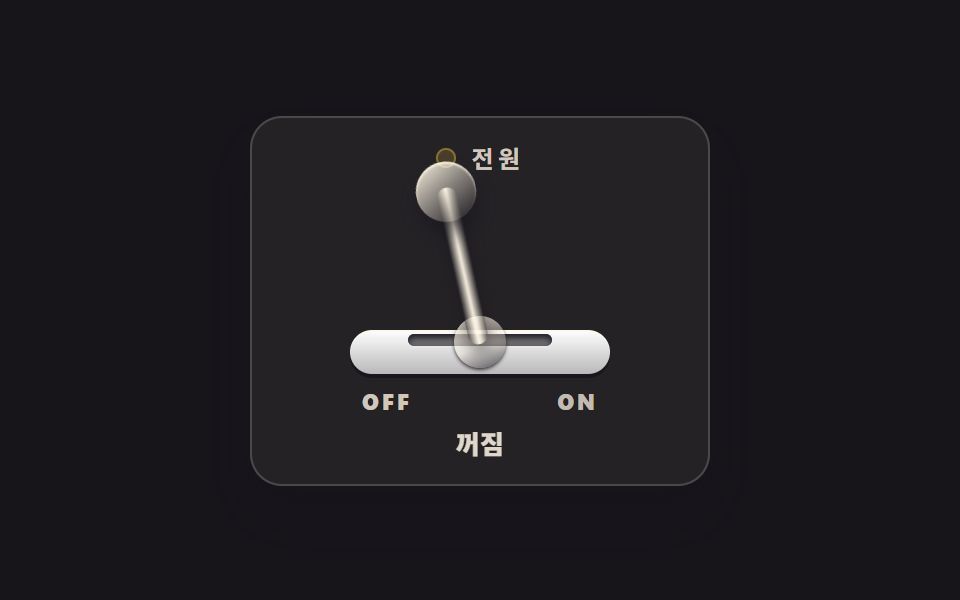 ButtonsCSS Switch Button 9 Ways — Rocker to Tape Eject
 Buttons9 CSS Button Animations (SCSS + React, copy-paste)
 Buttons9 button state css patterns, loading to done
 Buttons9 css button design ideas — candy, push, loading
 Buttons9 button hover effects css that award sites reuse
 ButtonsExpanding Button UI: 9 Shape-Morph Patterns
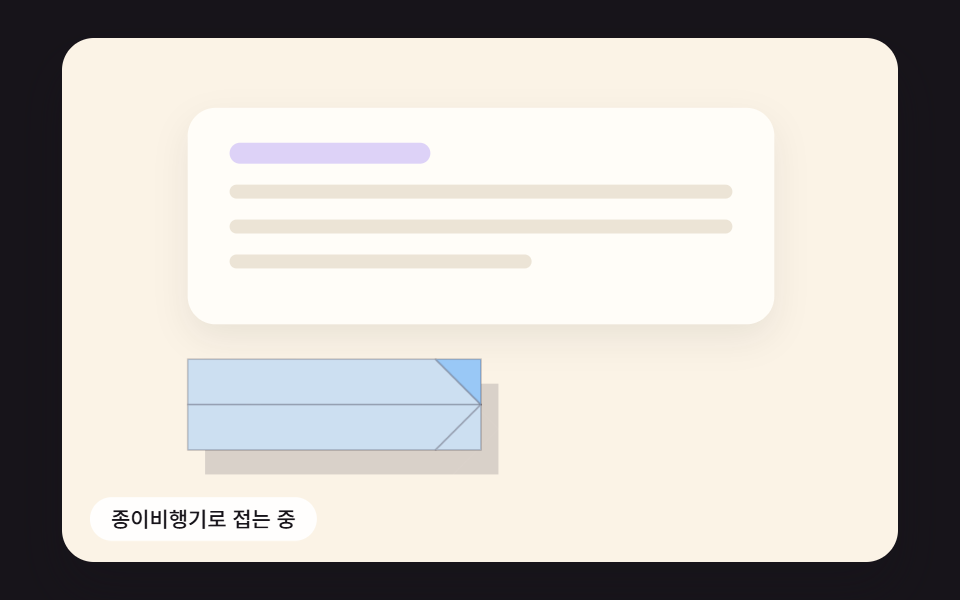 ButtonsSend Button Animation CSS: 9 Fold-and-Fly Buttons
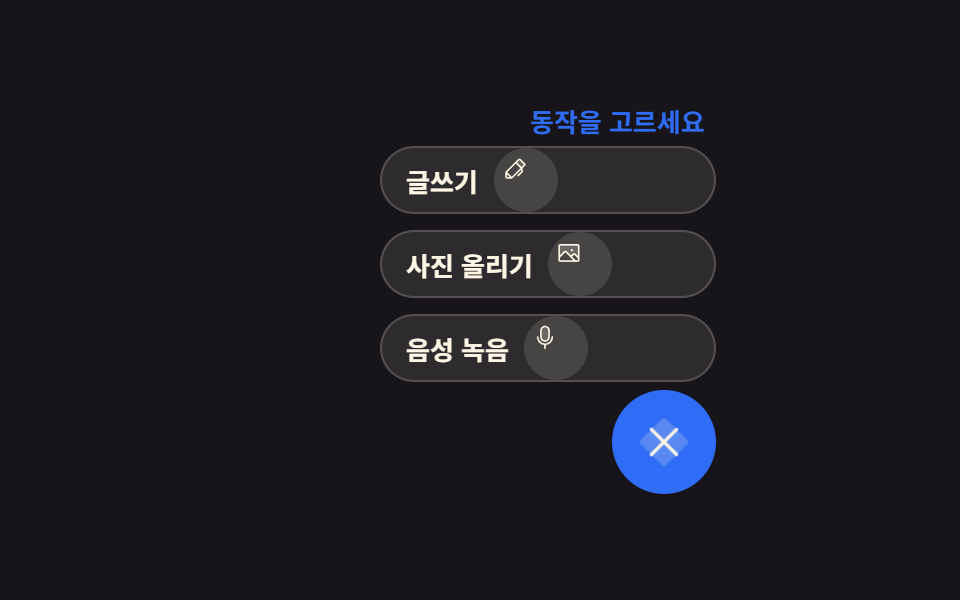 Buttons9 Icon Button CSS Patterns — Press, Drag, Expand
 ButtonsCTA Button Design: 9 Interaction Patterns
 ButtonsButton Press Animation UI: 9 Calculation Patterns