Aurora Background CSS: 9 Living Night-Sky Scenes
Aurora background css in canvas. One gradient gives an aurora that sits like wallpaper.
Nine Night-Sky Scenes to Stir on a Dark Stage
 01 aur-curtain-noise-ribbon
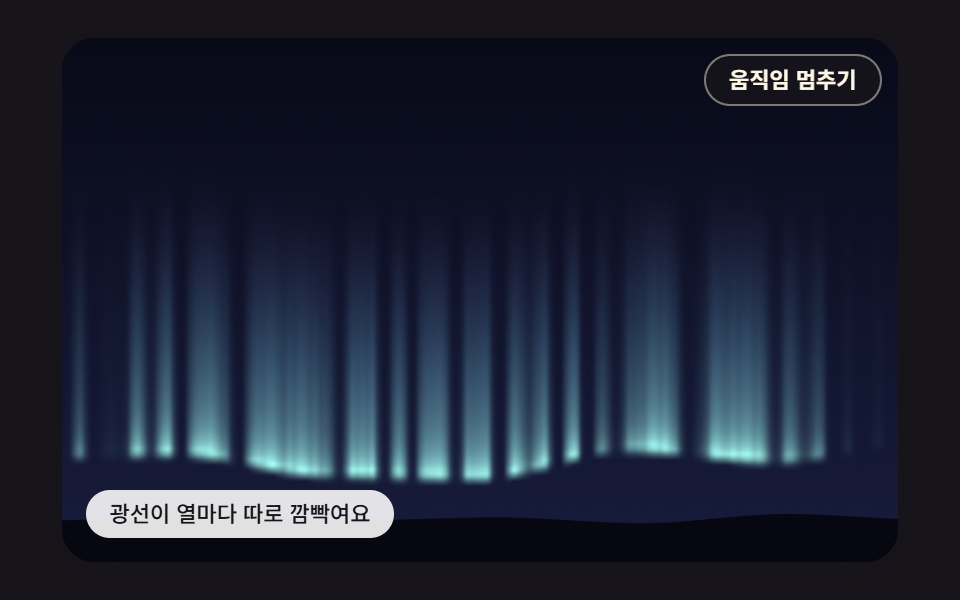 02 aur-vertical-ray-pixel-shader
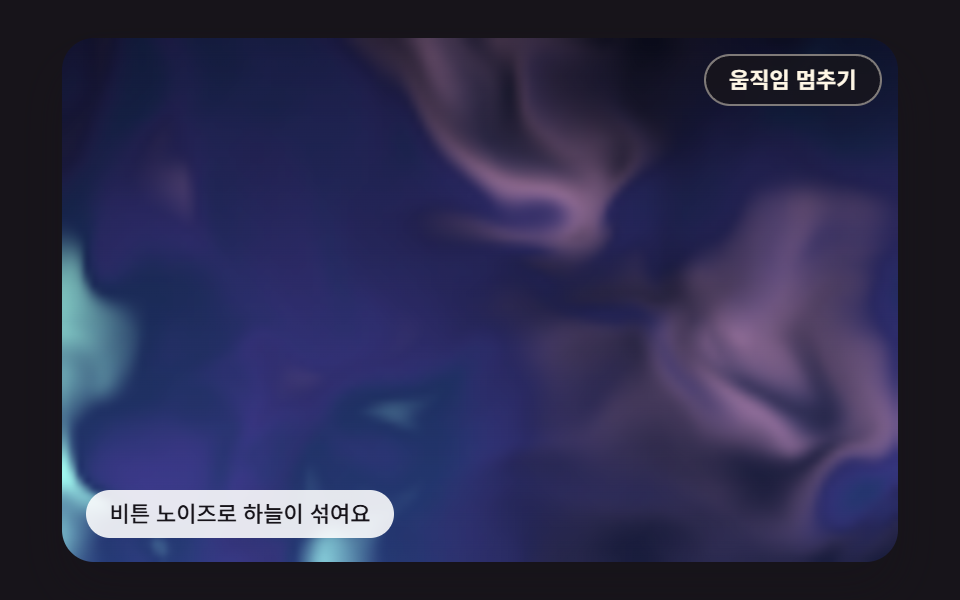 03 aur-domain-warp-soft-sky
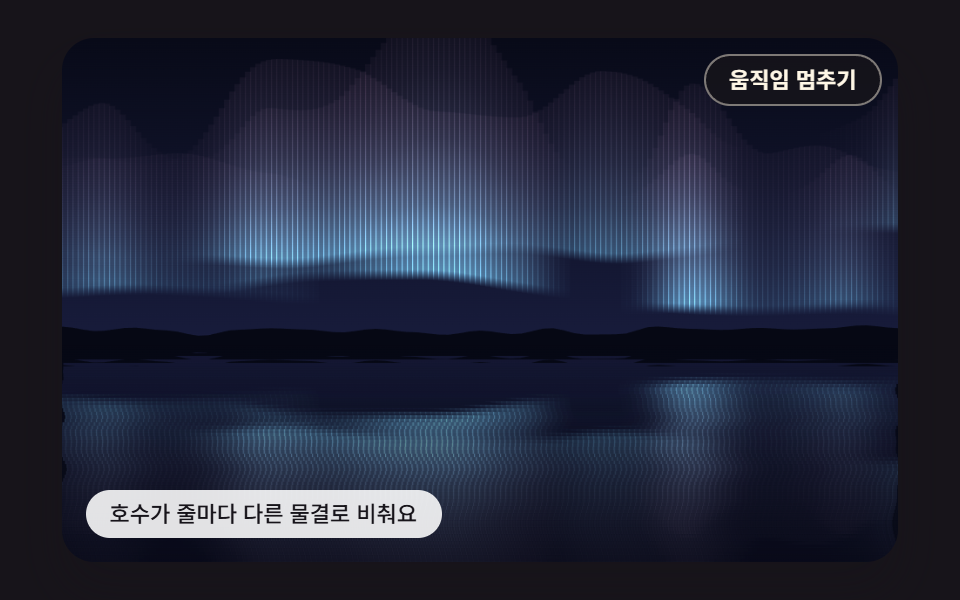 04 aur-lake-reflection-row-ripple
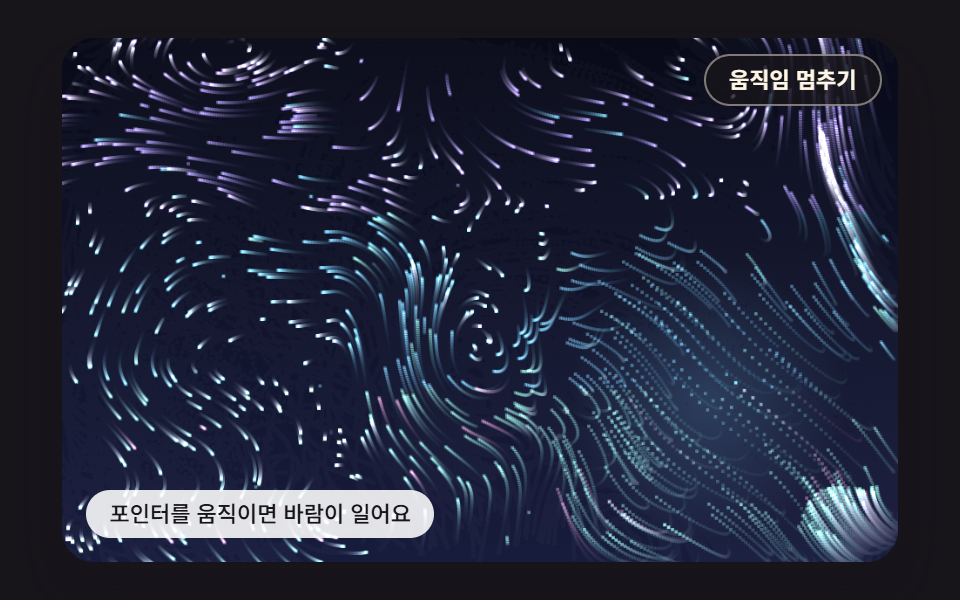 05 aur-pointer-wind-swirl-field
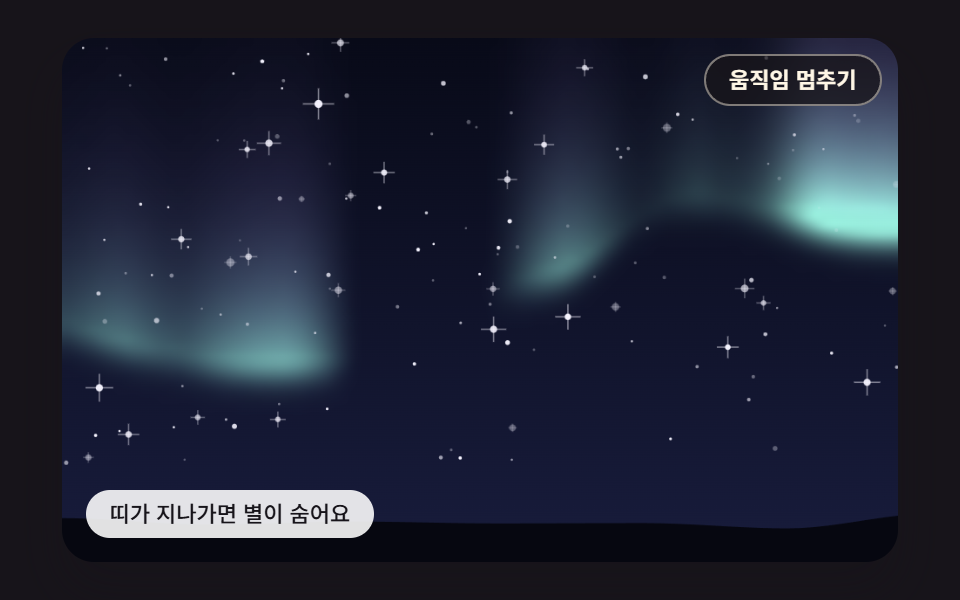 06 aur-star-twinkle-occlusion
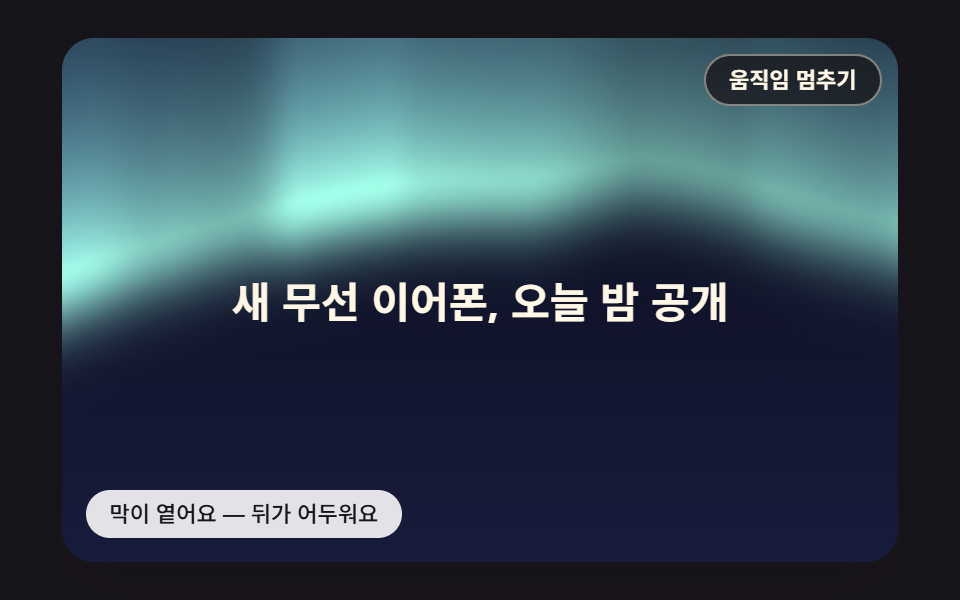 07 aur-headline-contrast-scrim
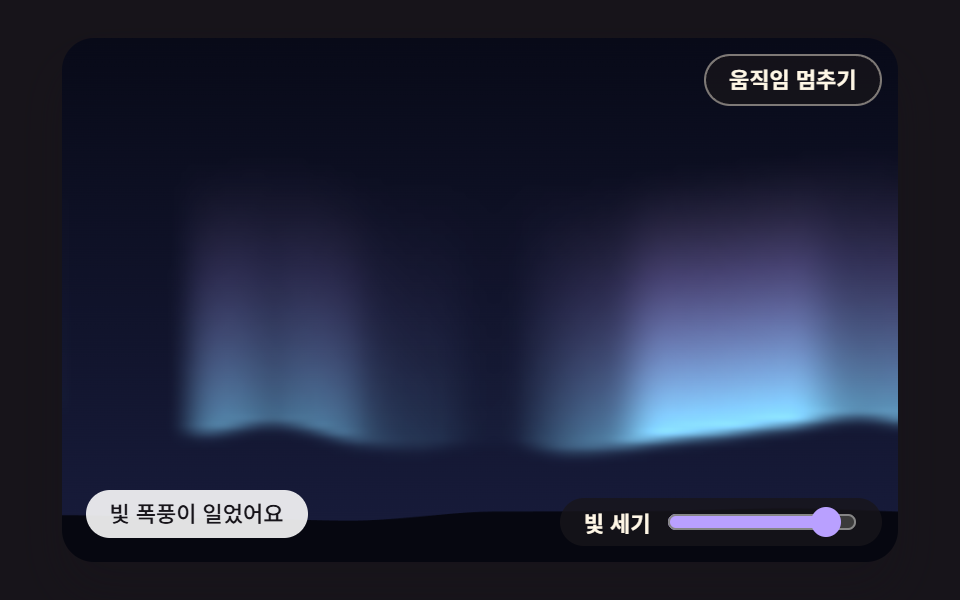 08 aur-intensity-dial-spring-storm
 09 aur-ridge-lake-parallax-hero
Auto-plays · click a tile to jump to its section · all nine in one zip
- 01 An Aurora Curtain That Sways on Layered Noise
- 02 Vertical Rays Computed Pixel by Pixel
- 03 A Soft Sky That Flows by Warping Noise With Noise
- 04 A Lake That Mirrors the Sky With a Ripple per Row
- 05 Light Dust That Flows in the Wind Your Pointer Stirs
- 06 Twinkling Stars That Hide When the Aurora Passes
- 07 A Scrim Behind the Headline That Darkens by Measured Brightness
- 08 A Light Storm That Springs Up as You Raise the Intensity Dial
- 09 A Parallax Hero of Mountain Ridges, Aurora and Lake Reflection
Each scene is an animated night sky meant to sit behind a page headline, with no image files, all computed: a canvas works out every band of light, star and ripple frame by frame. Left alone, every cell keeps running by itself, and its pause button stops it whenever you like. In 05 and 09 a virtual pointer with a fixed seed keeps moving: in 05 it loops along a path woven from two sine waves of different periods, and in 09 a single sine sweeps it left and right. Rest your own pointer on the stage and the scene follows you, then drifts back to the virtual path once you leave. 08 runs a 2,600ms demo loop that turns the dial to 9 at 200ms and down to 2 at 1,300ms, and the slider handle moves along with it.
The order swaps the drawing method one layer at a time. 01 strokes vertical lines as vectors with no buffer at all, 02 paints a similar band cell by cell in a small pixel buffer, and 03 fills that buffer with noise whose sampling coordinates are bent first. 04 reuses a finished sky upside down as a reflection, 05 trades painting for 900 dust grains carried by a flow field, and 06 samples the aurora strength again at each star. 07 averages that strength under the headline box and turns it into scrim opacity, 08 hands a value you choose to a spring, and 09 joins the 01 curtain and the 04 reflection with mountain ridges in one hero.
Aurora Background CSS: 9 Effects — Noise Curtain, Vertical Rays, Warped Sky, Lake Reflection, Pointer Wind, Star Occlusion, Headline Scrim, Intensity Dial and a Ridge Hero
All nine scenes are drawn with the 2D canvas and plain JavaScript. The CSS side holds zero @keyframes and zero filter: blur rules, and there is no library, WebGL, CDN or image file in the set. Time arrives through requestAnimationFrame, but the gap it reports is cut into fixed 16ms ticks, at most 6 per frame or 100ms of catch-up, and the noise reads the accumulated simMs divided by 1,000 as its time coordinate in seconds. The canvas pixel ratio stops at 2 through Math.min(window.devicePixelRatio || 1, 2).
Changed pixels across the stage, compared 23 times
Each scene was captured as 24 frames over two seconds and every neighboring pair was compared, which gives 23 comparisons. Cumulative area is the share of the stage where pixels changed at any point in that window, moved frames counts the comparisons that found a difference, and the last column is the mean change intensity the render tool reported.
| Scene | Cumulative area | Moved frames | Intensity avg |
|---|---|---|---|
| 01 Noise curtain | 36.2% | 23/23 | 22.4 |
| 02 Vertical rays | 26.7% | 23/23 | 17.2 |
| 03 Warped sky | 67.9% | 23/23 | 18.4 |
| 04 Lake reflection | 43.7% | 23/23 | 16.2 |
| 05 Pointer wind | 71.0% | 23/23 | 53.1 |
| 06 Star occlusion | 34.8% | 23/23 | 22.4 |
| 07 Headline scrim | 69.5% | 23/23 | 27.8 |
| 08 Intensity dial | 36.0% | 23/23 | 26.2 |
| 09 Ridge hero | 41.3% | 23/23 | 18.3 |
Every scene scored 23/23, so the picture differed at each comparison. 05 leads with 71.0% and 53.1, likely because its 900 grains spread over the whole stage and their trails lose half their light in 7.3 ticks, so brightness shifts almost everywhere. 02 is the smallest at 26.7%, which appears to come from its rays lighting up only inside a 55-row band of a 100-row buffer while the dark sky above stays put.
From a cabin booking page to a weather widget: where each scene fits
For a full first screen, look at 01, 03 or 09. The first curtain layer in 01 keeps its centerline low, between 213 and 232px on a 300px stage, which leaves dark sky above for a product headline; 03 suits a company landing hero where soft color patches should blend with no edges; 09 fills a travel landing page top to bottom with ridges, sky and lake. 04 belongs on a lakeside cabin booking page, 06 on an event page for a stargazing night, and 02 on a music release page where light streaks carry the rhythm.
One rule runs through the set: text is not drawn on the canvas. The 07 headline, "New wireless earbuds, revealed tonight", is real text inside <p data-role="headline">, place() seats its box as percentages of the stage, and the canvas sits behind it with aria-hidden="true". If you turn 08 into a night-sky weather widget, writing a fetched value into levelTarget in place of the range input should let the same spring carry it.
Why Does a Single Aurora Gradient Look Like Frozen Wallpaper?
A gradient can only move where its colors sit
A typical aurora gradient background css recipe decides up front where each color sits, and the animation can only slide, rotate or recolor that whole blob. The grain inside the blob stays the same, so after a few seconds the eye reads one pattern gliding past, which is likely where the wallpaper feeling comes from. A band of night-sky light needs a crisp lower hem, vertical streaks that fade as they climb, and folds that keep forming anew. Each of those needs its own value at every horizontal position and every moment, and this set gets those values from noise.
How this set differs from three earlier auroras
Scene 03 in CSS Background Animation is a color blob made of three radial-gradient layers with filter: blur(3px) and a spin keyframe, and scene 01 in Mesh Gradient CSS, Grain Left In on Purpose is a section decoration of five radial-gradient layers, blur(28px) and a drift keyframe. Scene 05 of the canvas noise terrain set painted an aurora band with octave-summed noise on a canvas, but as a single item. Both earlier posts are a sound aurora animation css choice for a decorative section; this one uses no keyframes or blur and splits the same noise ingredients nine ways instead, from curtain and rays to reflection, flow, occlusion and contrast.
Stacking and Twisting Noise — Octave Sums, Domain Warping and a Swirling Flow Field for Bands of Light
From an integer grid hash to an octave sum
There is one raw ingredient. hash2 hands every integer grid point a value from 0 to 1, and noise2 blends the four corner values of the cell a point falls in along a 3t²−2t³ curve, producing smooth value noise. octaves adds n layers of that noise, each at twice the frequency and half the weight, then divides by the total weight, so broad swells carry small ripples and the result stays between 0 and 1. The 01 centerline takes its height from a 3-layer sum, while fold brightness reads a 2-layer sum at a 2.6× finer grain, stretches what lies above a 0.25 threshold through a smooth step and raises it to the power 1.8 to split bright folds from dark gaps.
Moving where noise is read, and turning a slope sideways
Domain warping in 03 leaves noise values untouched and moves the point where noise is read. It reads two values q, shifts p by 1.6q and reads two values r there, then shifts p by 1.6r for the final read: five octave sums of 3 octaves each, or 15 noise calls per pixel, and across a 120×75 buffer of 9,000 cells that is 135,000 calls per frame. In a headless check at development time (2026-10-09), one paintWarp call took 2.07ms.
05 takes the horizontal and vertical partial derivatives of a potential ψ and rotates them 90 degrees to use as velocity. Following the slope directly would herd dust toward peaks or hollows, but the rotated flow only circles along contour lines, so what flows into a spot roughly matches what flows out. Measured, the swirl field's mean divergence is 2.27e-06 against 0.013 for the plain slope of the same potential, about 5,700 times smaller, and that gap appears to be why the dust does not clump or leave empty holes as it travels.
Paint a small buffer, then stretch it and add it on
The scenes that write one value per cell, 02, 03, 06, 07 and 08, keep small buffers whatever the screen size. makeBuffer prepares an offscreen canvas and a createImageData block, and blitBuffer uploads it with putImageData, then stretches it onto the 480×300 stage with imageSmoothingQuality = 'high' and 'lighter' compositing (the createImageData reference). Buffer sizes are 160×100 for 02, 120×75 for 03, 07 and 08, and 96×60 for 06. None of the nine calls getImageData to read the screen back, so even 07 works out brightness from values it painted itself.
01An Aurora Curtain That Sways on Layered Noise
Each of the three curtain layers draws a vertical line every 3px with its foot on a centerline set by an octave sum, fading upward by exp(-RAY_FALLOFF × d) so brightness halves every 38.5px. Every line is a vector stroke filled with its own vertical gradient, so no pixel buffer is involved, and at the 165px tip the alpha factor is down to 0.051, letting the top of the curtain melt into the sky. The first layer's centerline moved at most 20.1px in one second, calm enough for a hero that stays on screen for a long visit.
<main class="stage">
<div class="au is-demo" id="au">
  <canvas class="au__canvas" data-role="canvas" width="480" height="300" aria-hidden="true"></canvas>
  <button class="au__pause" data-role="pause" type="button" aria-pressed="false">Pause motion</button>
  <p class="au__status" data-role="status" aria-live="off">The curtain sways along the noise</p>
</div>
</main>
@use "../../../../site/static/demo-tokens" as *;
@include stage($stage-ink);
.au {
position: relative;
width: min(92vw, calc(160vh - 12.8vw));
aspect-ratio: 480 / 300;
margin: 0 auto;
border-radius: $r-card;
overflow: hidden;
box-shadow: $shadow-raised;
background: $subject-ink;
}
// 05·09 는 무대 자체가 초점을 받는다(화살표 키) — 고리는 크림색으로 어두운 하늘 위에서 보이게
.au:focus-visible {
outline: 2px solid $subject-cream;
outline-offset: 3px;
}
.au__canvas {
display: block;
width: 100%;
height: 100%;
// 손가락 세로 쓸기는 브라우저에 남겨 페이지 스크롤이 막히지 않게 한다
touch-action: pan-y;
}
.au__pause {
position: absolute;
top: $sp-2;
right: $sp-2;
margin: 0;
padding: $sp-1 $sp-3;
border: 1px solid rgba(255, 247, 230, .45);
border-radius: $r-pill;
background: rgba(23, 20, 26, .78);
color: $subject-cream;
font-family: inherit;
font-weight: 600;
font-size: 11px;
line-height: 1.4;
cursor: pointer;
}
.au__pause:hover {
background: rgba(23, 20, 26, .92);
}
.au__pause:focus-visible {
outline: 2px solid $subject-cream;
outline-offset: 2px;
}
.au__pause[hidden] {
display: none;
}
.au__status {
position: absolute;
left: $sp-3;
bottom: $sp-3;
box-sizing: border-box;
max-width: 54%;
margin: 0;
padding: $sp-1 $sp-3;
border-radius: $r-control;
background: rgba(255, 255, 255, .88);
color: $subject-ink;
font-weight: 500;
font-size: 11px;
line-height: 1.4;
pointer-events: none;
}
@media (max-width: 340px) {
.au__status { font-size: 10px; padding: $sp-1 $sp-2; }
.au__pause { font-size: 10px; padding: $sp-1 $sp-2; }
}
// 움직임은 스크립트가 matchMedia 로 멈춘다(노이즈 시간을 세운 한 장면). CSS 쪽은 멈춤 버튼을 감추는 hidden 만 쓴다
@media (prefers-reduced-motion: reduce) {
.au__pause { transition: none; }
}html, body {
margin: 0;
overflow: hidden;
}
.stage {
box-sizing: border-box;
min-height: 100vh;
display: grid;
place-items: center;
margin: 0;
background: #17141a;
font-family: -apple-system, "Segoe UI", "Noto Sans KR", sans-serif;
padding: clamp(8px, 4vw, 24px);
}
.au {
position: relative;
width: min(92vw, 160vh - 12.8vw);
aspect-ratio: 480/300;
margin: 0 auto;
border-radius: 16px;
overflow: hidden;
box-shadow: 0 14px 24px rgba(23, 20, 26, 0.32);
background: #17141a;
}
.au:focus-visible {
outline: 2px solid #fff7e6;
outline-offset: 3px;
}
.au__canvas {
display: block;
width: 100%;
height: 100%;
touch-action: pan-y;
}
.au__pause {
position: absolute;
top: 8px;
right: 8px;
margin: 0;
padding: 4px 12px;
border: 1px solid rgba(255, 247, 230, 0.45);
border-radius: 999px;
background: rgba(23, 20, 26, 0.78);
color: #fff7e6;
font-family: inherit;
font-weight: 600;
font-size: 11px;
line-height: 1.4;
cursor: pointer;
}
.au__pause:hover {
background: rgba(23, 20, 26, 0.92);
}
.au__pause:focus-visible {
outline: 2px solid #fff7e6;
outline-offset: 2px;
}
.au__pause[hidden] {
display: none;
}
.au__status {
position: absolute;
left: 12px;
bottom: 12px;
box-sizing: border-box;
max-width: 54%;
margin: 0;
padding: 4px 12px;
border-radius: 12px;
background: rgba(255, 255, 255, 0.88);
color: #17141a;
font-weight: 500;
font-size: 11px;
line-height: 1.4;
pointer-events: none;
}
@media (max-width: 340px) {
.au__status {
font-size: 10px;
padding: 4px 8px;
}
.au__pause {
font-size: 10px;
padding: 4px 8px;
}
}
@media (prefers-reduced-motion: reduce) {
.au__pause {
transition: none;
}
}(function () {
const root = document.getElementById("au");
if (!root) return;
// 장면 좌표 — 캔버스 내부는 이 크기 x 배율(dpr)로 잡고, 그림은 늘 480x300 좌표로 그린다
const W = 480;
const H = 300;
// 고정 틱(ms) — 화면 주사율과 상관없이 같은 빠르기로 흐른다
const FIXED_DT = 16;
const TAU = Math.PI * 2;
// 동작 줄이기에서 멈춰 둘 장면 시각(ms) — 이 시각의 한 장면만 그린다
const STILL_MS = 5200;
// 밤하늘 — 위는 짙은 남색, 지평선 쪽은 한 단계 밝은 남보라
const SKY_TOP = [8, 10, 24];
const SKY_LOW = [24, 28, 60];
// 오로라 빛 — 채도를 낮춘 파스텔이지만 어두운 하늘과의 명도 차는 크게 둔다
const MINT = [150, 240, 200];
const TEAL = [126, 214, 236];
const VIOLET = [192, 168, 255];
const PINK = [255, 178, 214];
function clamp(v, lo, hi) { return v < lo ? lo : (v > hi ? hi : v); }
function lerp(a, b, k) { return a + (b - a) * k; }
// 부드러운 계단 3x² - 2x³ — 0 과 1 에서 기울기가 0 이라 이음매가 보이지 않는다
function smooth(x) { const c = clamp(x, 0, 1); return c * c * (3 - 2 * c); }
function mix(a, b, k) { return [lerp(a[0], b[0], k), lerp(a[1], b[1], k), lerp(a[2], b[2], k)]; }
function rgba(c, a) {
return 'rgba(' + Math.round(clamp(c[0], 0, 255)) + ',' + Math.round(clamp(c[1], 0, 255)) + ',' + Math.round(clamp(c[2], 0, 255)) + ',' + clamp(a, 0, 1).toFixed(3) + ')';
}
// 시드 고정 난수 — 같은 시드면 같은 배치가 다시 나온다 (32비트 정수 섞기)
function makeRng(seed) {
let s = seed >>> 0;
return function () {
s = (s + 0x6d2b79f5) >>> 0;
let t = s;
t = Math.imul(t ^ (t >>> 15), t | 1);
t ^= t + Math.imul(t ^ (t >>> 7), t | 61);
return ((t ^ (t >>> 14)) >>> 0) / 4294967296;
};
}
// 격자점 해시 — 정수 좌표 (ix, iy) 와 시드에서 0..1 값 하나를 만든다. 같은 점은 언제나 같은 값
function hash2(ix, iy, seed) {
let h = (Math.imul(ix, 374761393) + Math.imul(iy, 668265263) + Math.imul(seed, 1013904223)) | 0;
h = Math.imul(h ^ (h >>> 13), 1274126177);
h ^= h >>> 16;
return (h >>> 0) / 4294967296;
}
// 값 노이즈 — 정수 격자점마다 해시 값을 두고, 칸 안에서는 네 모서리 값을 부드러운 계단으로 보간한다. 결과 0..1
function noise2(x, y, seed) {
const ix = Math.floor(x);
const iy = Math.floor(y);
const fx = x - ix;
const fy = y - iy;
const u = fx * fx * (3 - 2 * fx);
const v = fy * fy * (3 - 2 * fy);
const a = hash2(ix, iy, seed);
const b = hash2(ix + 1, iy, seed);
const c = hash2(ix, iy + 1, seed);
const d = hash2(ix + 1, iy + 1, seed);
return lerp(lerp(a, b, u), lerp(c, d, u), v);
}
// 옥타브 합 — 주파수를 두 배로, 세기를 절반으로 줄여 가며 n 겹 더한 뒤 세기 합으로 나눈다. 결과 0..1
function octaves(x, y, n, seed) {
let sum = 0;
let amp = 0.5;
let norm = 0;
let f = 1;
for (let k = 0; k < n; k += 1) {
sum += amp * noise2(x * f + k * 17.13, y * f + k * 9.71, seed + k * 31);
norm += amp;
amp *= 0.5;
f *= 2;
}
return sum / norm;
}
function textOf(el) { return (el.textContent || '').trim(); }
const canvasEl = root.querySelector('[data-role="canvas"]');
const statusEl = root.querySelector('[data-role="status"]');
const pauseEl = root.querySelector('[data-role="pause"]');
const ctxRaw = canvasEl ? canvasEl.getContext('2d') : null;
if (!canvasEl || !ctxRaw || !statusEl || !pauseEl) {
return;
}
const cv = canvasEl;
const ctx = ctxRaw;
const status = statusEl;
const pauseBtn = pauseEl;
// 화면 글자는 DOM 에 있다 — 문구를 바꾸면 버튼·상태 줄도 같이 바뀐다
const STATUS0 = textOf(status);
const PAUSE_LABEL = textOf(pauseBtn);
const RESUME_LABEL = 'Resume motion';
const TXT_PAUSED = 'Paused — use the button to resume';
const reduceQuery = window.matchMedia('(prefers-reduced-motion: reduce)');
// 페이지를 연 채 동작 줄이기 설정을 바꿔도 아래 change 리스너가 이 값을 다시 읽는다
let still = reduceQuery.matches;
// 사람이 멈춤 버튼을 눌렀는가
let paused = false;
// 자동 시연 중인가 — 사람이 처음 만지는 순간 시연을 멈추고 상태 줄을 읽어 주기 시작한다
let demo = root.classList.contains('is-demo');
function wake() {
if (!demo) {
return;
}
demo = false;
root.classList.remove('is-demo');
status.setAttribute('aria-live', 'polite');
}
function say(text) {
if (status.textContent !== text) {
status.textContent = text;
}
}
// 캔버스 배율 — 화면 배율을 따르되 2 에서 자른다(배율 3 기기에서 픽셀 일이 2.25배로 늘지 않게)
let dpr = 1;
function fitCanvas() {
dpr = Math.min(window.devicePixelRatio || 1, 2);
cv.width = Math.round(W * dpr);
cv.height = Math.round(H * dpr);
}
function begin() {
ctx.setTransform(dpr, 0, 0, dpr, 0, 0);
ctx.globalCompositeOperation = 'source-over';
ctx.globalAlpha = 1;
}
// 작은 픽셀 버퍼 — 계산은 이 크기에서 하고 화면에는 늘려 그린다
function makeBuffer(w, h) {
const b = document.createElement('canvas');
b.width = w;
b.height = h;
const c = b.getContext('2d');
return { cv: b, c: c, img: c.createImageData(w, h), w: w, h: h };
}
// 버퍼를 무대 크기로 키워 더한다 — 늘릴 때 브라우저의 이미지 보간이 칸 사이를 메우고, 'lighter' 는 밤하늘 위에 빛을 더한다
function blitBuffer(b, x, y, w, h) {
b.c.putImageData(b.img, 0, 0);
ctx.save();
ctx.imageSmoothingEnabled = true;
ctx.imageSmoothingQuality = 'high';
ctx.globalCompositeOperation = 'lighter';
ctx.drawImage(b.cv, x, y, w, h);
ctx.restore();
}
// 높이 y 에서 하늘 색 — 버퍼 계산에서 밝기를 잴 때도 같은 식을 쓴다
function skyAt(y, h) { return mix(SKY_TOP, SKY_LOW, clamp(y / h, 0, 1)); }
function drawSky(c, w, h) {
const g = c.createLinearGradient(0, 0, 0, h);
g.addColorStop(0, rgba(SKY_TOP, 1));
g.addColorStop(1, rgba(SKY_LOW, 1));
c.fillStyle = g;
c.fillRect(0, 0, w, h);
}
// 장면 시계(ms) — rAF 루프가 고정 틱으로만 늘린다. 동작 줄이기에서는 STILL_MS 에 멈춘다
let simMs = 0;
function nowS() { return simMs / 1000; }
function toScene(ev) {
const r = cv.getBoundingClientRect();
return [(ev.clientX - r.left) / Math.max(1, r.width) * W, (ev.clientY - r.top) / Math.max(1, r.height) * H];
}
// 겹치는 DOM 층의 자리 — 장면 좌표를 무대 백분율로 바꿔 넣는다
function place(el, r) {
el.style.left = (r.x / W * 100).toFixed(3) + '%';
el.style.top = (r.y / H * 100).toFixed(3) + '%';
el.style.width = (r.w / W * 100).toFixed(3) + '%';
el.style.height = (r.h / H * 100).toFixed(3) + '%';
}
// 커튼 겹 수 — 겹마다 중심선 높이·노이즈 시드·밝기가 다르다
const CURTAIN_LAYERS = 3;
// 노이즈 결 — 장면 1px 당 노이즈 좌표가 움직이는 양. 작을수록 주름이 넓고 느긋하다
const NOISE_SCALE = 0.004;
// 세로 감쇠(1px 당) — 중심선에서 위로 d px 올라간 곳의 알파 = exp(-RAY_FALLOFF x d)
const RAY_FALLOFF = 0.018;
// 세로 줄 간격(px) — 줄마다 세로 그라데이션 하나
const STROKE_STEP = 3;
// 중심선 높이 — 옥타브 합(3겹) 값 노이즈 0..1 을 -1..1 로 펴서 진폭을 곱한다. 시간은 노이즈 둘째 좌표로 흘린다
function curtainCenter(o, layer, x, t) {
const n = octaves(x * NOISE_SCALE + t * o.speed * 0.4, t * o.speed + layer * 3.7, 3, o.seed + layer * 11);
return o.base - layer * 16 + (n - 0.5) * 2 * o.amp;
}
// 주름 밝기 — 결을 2.6배 잘게 읽은 노이즈를 문턱 0.25 위로 펴고 1.8 제곱해 밝은 주름과 어두운 틈을 가른다
function curtainFold(o, layer, x, t) {
const n = octaves(x * NOISE_SCALE * 2.6 - t * o.speed * 0.9, layer * 5.1 + t * o.speed * 0.5, 2, o.seed + 50 + layer);
return Math.pow(smooth((n - 0.25) / 0.6), 1.8);
}
// 커튼 — 겹마다 STROKE_STEP 간격으로 세로 줄을 긋는다. 줄의 아래 끝이 중심선, 위로 갈수록 지수로 옅어진다
function drawCurtain(c, o, t, w) {
c.save();
c.globalCompositeOperation = 'lighter';
for (let layer = 0; layer < CURTAIN_LAYERS; layer += 1) {
const k = CURTAIN_LAYERS > 1 ? layer / (CURTAIN_LAYERS - 1) : 0;
const layerAlpha = o.alpha * (1 - 0.35 * k);
for (let x = -STROKE_STEP; x <= w + STROKE_STEP; x += STROKE_STEP) {
const fold = curtainFold(o, layer, x, t);
if (fold < 0.02) {
continue;
}
const yc = curtainCenter(o, layer, x, t);
const len = o.len * (0.55 + 0.75 * fold) * (1 - 0.25 * k);
const top = yc - len;
const g = c.createLinearGradient(0, yc + 6, 0, top);
g.addColorStop(0, rgba(o.low, 0));
// 아래 가장자리 6px — 짧게 밝아져 커튼 밑단이 또렷하다
g.addColorStop(6 / (len + 6), rgba(o.low, layerAlpha * fold));
for (let s = 1; s <= 4; s += 1) {
const d = len * s / 4;
g.addColorStop((6 + d) / (len + 6), rgba(mix(o.low, o.high, s / 4), layerAlpha * fold * Math.exp(-RAY_FALLOFF * d)));
}
c.fillStyle = g;
c.fillRect(x, top, STROKE_STEP + 0.6, len + 6);
}
}
c.restore();
}
// 땅 실루엣 — 값 노이즈 한 겹으로 낮은 언덕 선을 만들고 그 아래를 짙게 채운다
const GROUND = [6, 7, 16];
function drawGround(c, y0, rough, seed) {
c.beginPath();
c.moveTo(0, H);
for (let x = 0; x <= W; x += 8) {
c.lineTo(x, y0 + (noise2(x * 0.012, 0.5, seed) - 0.5) * rough);
}
c.lineTo(W, H);
c.closePath();
c.fillStyle = rgba(GROUND, 1);
c.fill();
}
// 01 커튼 — 아래 끝은 민트, 위로 라일락. 땅 바로 위에서 흔들린다
const CURTAIN_01 = { base: 226, amp: 44, len: 165, low: MINT, high: VIOLET, alpha: 0.62, speed: 0.24, seed: 101 };
function itemInit() { }
function itemStep(dt) { }
function itemDraw() {
drawSky(ctx, W, H);
drawCurtain(ctx, CURTAIN_01, nowS(), W);
drawGround(ctx, 270, 16, 131);
}
function itemDemo(t) { }
function itemStatus() { return STATUS0; }
function itemSnap() { }
function itemPointer(p, on) { return false; }
function itemKey(key) { return false; }
function render() {
begin();
itemDraw();
if (!paused) {
say(itemStatus());
}
}
// 루프가 멈춰 있을 때(동작 줄이기·멈춤) 입력이 들어오면 — 움직이던 값을 목표로 바로 옮겨 한 장 그린다
function after() {
if (rafId) {
return;
}
itemSnap();
render();
}
function setPaused(p) {
paused = p;
pauseBtn.setAttribute('aria-pressed', p ? 'true' : 'false');
pauseBtn.textContent = p ? RESUME_LABEL : PAUSE_LABEL;
if (p) {
stopLoop();
say(TXT_PAUSED);
}
else {
say(itemStatus());
startLoop();
}
}
pauseBtn.addEventListener('click', function () { wake(); setPaused(!paused); });
cv.addEventListener('pointermove', function (ev) {
if (itemPointer(toScene(ev), true)) {
wake();
after();
}
});
cv.addEventListener('pointerdown', function (ev) {
wake();
if (itemPointer(toScene(ev), true)) {
after();
}
});
cv.addEventListener('pointerleave', function () { itemPointer([W / 2, H / 2], false); });
root.addEventListener('keydown', function (ev) {
if (ev.target !== root) {
return;
}
if (itemKey(ev.key)) {
ev.preventDefault();
wake();
after();
}
});
function onResize() {
fitCanvas();
render();
}
fitCanvas();
itemInit();
window.addEventListener('resize', onResize);
let rafId = 0;
let lastTs = -1;
let acc = 0;
function frame(ts) {
if (still || paused) {
rafId = 0;
return;
}
if (lastTs < 0) {
lastTs = ts;
}
// 탭이 숨었다 돌아와도 한 번에 100ms 까지만 따라잡는다 — 순간이동 대신 이어서 움직인다
acc += Math.min(ts - lastTs, 100);
lastTs = ts;
let n = 0;
while (acc >= FIXED_DT && n < 6) {
simMs += FIXED_DT;
if (demo) {
itemDemo(simMs);
}
itemStep(FIXED_DT);
acc -= FIXED_DT;
n += 1;
}
if (n === 6) {
acc = 0;
}
render();
rafId = window.requestAnimationFrame(frame);
}
function startLoop() {
if (rafId || still || paused) {
return;
}
lastTs = -1;
acc = 0;
rafId = window.requestAnimationFrame(frame);
}
function stopLoop() {
if (rafId) {
window.cancelAnimationFrame(rafId);
rafId = 0;
}
}
// 동작 줄이기 설정이 페이지를 연 채 바뀌면 — 켜지면 루프를 멈추고 그 순간 한 장면으로, 꺼지면 루프를 다시 돈다
function onMotionPref() {
still = reduceQuery.matches;
pauseBtn.hidden = still;
if (still) {
stopLoop();
itemSnap();
render();
}
else {
startLoop();
}
}
if (typeof reduceQuery.addEventListener === 'function') {
reduceQuery.addEventListener('change', onMotionPref);
}
pauseBtn.hidden = still;
if (still) {
// 동작 줄이기 — 노이즈 시간을 STILL_MS 에 세운 한 장면. 입력은 after() 가 그 자리에서 반영한다
simMs = STILL_MS;
itemSnap();
render();
}
else {
render();
startLoop();
}
return function () {
stopLoop();
window.removeEventListener('resize', onResize);
if (typeof reduceQuery.removeEventListener === 'function') {
reduceQuery.removeEventListener('change', onMotionPref);
}
};
})();// CurtainNoiseRibbon - vanilla 판(01-aur-curtain-noise-ribbon) 의 React 포트. 같은 계산을 useEffect 안에서 돌린다.
import { useEffect, useRef } from "react";
import styles from "./CurtainNoiseRibbon.module.scss";
const cx = (s: string): string => s.split(" ").map((n) => styles[n] ?? n).join(" ");
export default function CurtainNoiseRibbon() {
const rootRef = useRef<HTMLDivElement | null>(null);
useEffect(() => {
const rootEl = rootRef.current;
if (!rootEl) return;
const root: HTMLElement = rootEl;
type RGB = [number, number, number];
type Pt = [number, number];
type Rect = { x: number; y: number; w: number; h: number };
type PixelBuffer = { cv: HTMLCanvasElement; c: CanvasRenderingContext2D; img: ImageData; w: number; h: number };
// 장면 좌표 — 캔버스 내부는 이 크기 x 배율(dpr)로 잡고, 그림은 늘 480x300 좌표로 그린다
const W = 480;
const H = 300;
// 고정 틱(ms) — 화면 주사율과 상관없이 같은 빠르기로 흐른다
const FIXED_DT = 16;
const TAU = Math.PI * 2;
// 동작 줄이기에서 멈춰 둘 장면 시각(ms) — 이 시각의 한 장면만 그린다
const STILL_MS = 5200;
// 밤하늘 — 위는 짙은 남색, 지평선 쪽은 한 단계 밝은 남보라
const SKY_TOP: RGB = [8, 10, 24];
const SKY_LOW: RGB = [24, 28, 60];
// 오로라 빛 — 채도를 낮춘 파스텔이지만 어두운 하늘과의 명도 차는 크게 둔다
const MINT: RGB = [150, 240, 200];
const TEAL: RGB = [126, 214, 236];
const VIOLET: RGB = [192, 168, 255];
const PINK: RGB = [255, 178, 214];
function clamp(v: number, lo: number, hi: number): number { return v < lo ? lo : (v > hi ? hi : v); }
function lerp(a: number, b: number, k: number): number { return a + (b - a) * k; }
// 부드러운 계단 3x² - 2x³ — 0 과 1 에서 기울기가 0 이라 이음매가 보이지 않는다
function smooth(x: number): number { const c = clamp(x, 0, 1); return c * c * (3 - 2 * c); }
function mix(a: RGB, b: RGB, k: number): RGB { return [lerp(a[0], b[0], k), lerp(a[1], b[1], k), lerp(a[2], b[2], k)]; }
function rgba(c: RGB, a: number): string {
return 'rgba(' + Math.round(clamp(c[0], 0, 255)) + ',' + Math.round(clamp(c[1], 0, 255)) + ',' + Math.round(clamp(c[2], 0, 255)) + ',' + clamp(a, 0, 1).toFixed(3) + ')';
}
// 시드 고정 난수 — 같은 시드면 같은 배치가 다시 나온다 (32비트 정수 섞기)
function makeRng(seed: number): () => number {
let s = seed >>> 0;
return function (): number {
s = (s + 0x6d2b79f5) >>> 0;
let t = s;
t = Math.imul(t ^ (t >>> 15), t | 1);
t ^= t + Math.imul(t ^ (t >>> 7), t | 61);
return ((t ^ (t >>> 14)) >>> 0) / 4294967296;
};
}
// 격자점 해시 — 정수 좌표 (ix, iy) 와 시드에서 0..1 값 하나를 만든다. 같은 점은 언제나 같은 값
function hash2(ix: number, iy: number, seed: number): number {
let h = (Math.imul(ix, 374761393) + Math.imul(iy, 668265263) + Math.imul(seed, 1013904223)) | 0;
h = Math.imul(h ^ (h >>> 13), 1274126177);
h ^= h >>> 16;
return (h >>> 0) / 4294967296;
}
// 값 노이즈 — 정수 격자점마다 해시 값을 두고, 칸 안에서는 네 모서리 값을 부드러운 계단으로 보간한다. 결과 0..1
function noise2(x: number, y: number, seed: number): number {
const ix = Math.floor(x);
const iy = Math.floor(y);
const fx = x - ix;
const fy = y - iy;
const u = fx * fx * (3 - 2 * fx);
const v = fy * fy * (3 - 2 * fy);
const a = hash2(ix, iy, seed);
const b = hash2(ix + 1, iy, seed);
const c = hash2(ix, iy + 1, seed);
const d = hash2(ix + 1, iy + 1, seed);
return lerp(lerp(a, b, u), lerp(c, d, u), v);
}
// 옥타브 합 — 주파수를 두 배로, 세기를 절반으로 줄여 가며 n 겹 더한 뒤 세기 합으로 나눈다. 결과 0..1
function octaves(x: number, y: number, n: number, seed: number): number {
let sum = 0;
let amp = 0.5;
let norm = 0;
let f = 1;
for (let k = 0; k < n; k += 1) {
sum += amp * noise2(x * f + k * 17.13, y * f + k * 9.71, seed + k * 31);
norm += amp;
amp *= 0.5;
f *= 2;
}
return sum / norm;
}
function textOf(el: HTMLElement): string { return (el.textContent || '').trim(); }
const canvasEl = root.querySelector('[data-role="canvas"]') as HTMLCanvasElement | null;
const statusEl = root.querySelector('[data-role="status"]') as HTMLElement | null;
const pauseEl = root.querySelector('[data-role="pause"]') as HTMLButtonElement | null;
const ctxRaw = canvasEl ? canvasEl.getContext('2d') : null;
if (!canvasEl || !ctxRaw || !statusEl || !pauseEl) { return; }
const cv: HTMLCanvasElement = canvasEl;
const ctx: CanvasRenderingContext2D = ctxRaw;
const status: HTMLElement = statusEl;
const pauseBtn: HTMLButtonElement = pauseEl;
// 화면 글자는 DOM 에 있다 — 문구를 바꾸면 버튼·상태 줄도 같이 바뀐다
const STATUS0 = textOf(status);
const PAUSE_LABEL = textOf(pauseBtn);
const RESUME_LABEL = '움직임 다시 켜기';
const TXT_PAUSED = '멈췄어요 — 버튼으로 다시 켜기';
const reduceQuery = window.matchMedia('(prefers-reduced-motion: reduce)');
// 페이지를 연 채 동작 줄이기 설정을 바꿔도 아래 change 리스너가 이 값을 다시 읽는다
let still = reduceQuery.matches;
// 사람이 멈춤 버튼을 눌렀는가
let paused = false;
// 자동 시연 중인가 — 사람이 처음 만지는 순간 시연을 멈추고 상태 줄을 읽어 주기 시작한다
let demo = root.classList.contains('is-demo');
function wake(): void {
if (!demo) { return; }
demo = false;
root.classList.remove('is-demo');
status.setAttribute('aria-live', 'polite');
}
function say(text: string): void {
if (status.textContent !== text) { status.textContent = text; }
}
// 캔버스 배율 — 화면 배율을 따르되 2 에서 자른다(배율 3 기기에서 픽셀 일이 2.25배로 늘지 않게)
let dpr = 1;
function fitCanvas(): void {
dpr = Math.min(window.devicePixelRatio || 1, 2);
cv.width = Math.round(W * dpr);
cv.height = Math.round(H * dpr);
}
function begin(): void {
ctx.setTransform(dpr, 0, 0, dpr, 0, 0);
ctx.globalCompositeOperation = 'source-over';
ctx.globalAlpha = 1;
}
// 작은 픽셀 버퍼 — 계산은 이 크기에서 하고 화면에는 늘려 그린다
function makeBuffer(w: number, h: number): PixelBuffer {
const b = document.createElement('canvas');
b.width = w;
b.height = h;
const c = b.getContext('2d') as CanvasRenderingContext2D;
return { cv: b, c: c, img: c.createImageData(w, h), w: w, h: h };
}
// 버퍼를 무대 크기로 키워 더한다 — 늘릴 때 브라우저의 이미지 보간이 칸 사이를 메우고, 'lighter' 는 밤하늘 위에 빛을 더한다
function blitBuffer(b: PixelBuffer, x: number, y: number, w: number, h: number): void {
b.c.putImageData(b.img, 0, 0);
ctx.save();
ctx.imageSmoothingEnabled = true;
ctx.imageSmoothingQuality = 'high';
ctx.globalCompositeOperation = 'lighter';
ctx.drawImage(b.cv, x, y, w, h);
ctx.restore();
}
// 높이 y 에서 하늘 색 — 버퍼 계산에서 밝기를 잴 때도 같은 식을 쓴다
function skyAt(y: number, h: number): RGB { return mix(SKY_TOP, SKY_LOW, clamp(y / h, 0, 1)); }
function drawSky(c: CanvasRenderingContext2D, w: number, h: number): void {
const g = c.createLinearGradient(0, 0, 0, h);
g.addColorStop(0, rgba(SKY_TOP, 1));
g.addColorStop(1, rgba(SKY_LOW, 1));
c.fillStyle = g;
c.fillRect(0, 0, w, h);
}
// 장면 시계(ms) — rAF 루프가 고정 틱으로만 늘린다. 동작 줄이기에서는 STILL_MS 에 멈춘다
let simMs = 0;
function nowS(): number { return simMs / 1000; }
function toScene(ev: PointerEvent): Pt {
const r = cv.getBoundingClientRect();
return [(ev.clientX - r.left) / Math.max(1, r.width) * W, (ev.clientY - r.top) / Math.max(1, r.height) * H];
}
// 겹치는 DOM 층의 자리 — 장면 좌표를 무대 백분율로 바꿔 넣는다
function place(el: HTMLElement, r: Rect): void {
el.style.left = (r.x / W * 100).toFixed(3) + '%';
el.style.top = (r.y / H * 100).toFixed(3) + '%';
el.style.width = (r.w / W * 100).toFixed(3) + '%';
el.style.height = (r.h / H * 100).toFixed(3) + '%';
}
// 커튼 겹 수 — 겹마다 중심선 높이·노이즈 시드·밝기가 다르다
const CURTAIN_LAYERS = 3;
// 노이즈 결 — 장면 1px 당 노이즈 좌표가 움직이는 양. 작을수록 주름이 넓고 느긋하다
const NOISE_SCALE = 0.004;
// 세로 감쇠(1px 당) — 중심선에서 위로 d px 올라간 곳의 알파 = exp(-RAY_FALLOFF x d)
const RAY_FALLOFF = 0.018;
// 세로 줄 간격(px) — 줄마다 세로 그라데이션 하나
const STROKE_STEP = 3;
type Curtain = { base: number; amp: number; len: number; low: RGB; high: RGB; alpha: number; speed: number; seed: number };
// 중심선 높이 — 옥타브 합(3겹) 값 노이즈 0..1 을 -1..1 로 펴서 진폭을 곱한다. 시간은 노이즈 둘째 좌표로 흘린다
function curtainCenter(o: Curtain, layer: number, x: number, t: number): number {
const n = octaves(x * NOISE_SCALE + t * o.speed * 0.4, t * o.speed + layer * 3.7, 3, o.seed + layer * 11);
return o.base - layer * 16 + (n - 0.5) * 2 * o.amp;
}
// 주름 밝기 — 결을 2.6배 잘게 읽은 노이즈를 문턱 0.25 위로 펴고 1.8 제곱해 밝은 주름과 어두운 틈을 가른다
function curtainFold(o: Curtain, layer: number, x: number, t: number): number {
const n = octaves(x * NOISE_SCALE * 2.6 - t * o.speed * 0.9, layer * 5.1 + t * o.speed * 0.5, 2, o.seed + 50 + layer);
return Math.pow(smooth((n - 0.25) / 0.6), 1.8);
}
// 커튼 — 겹마다 STROKE_STEP 간격으로 세로 줄을 긋는다. 줄의 아래 끝이 중심선, 위로 갈수록 지수로 옅어진다
function drawCurtain(c: CanvasRenderingContext2D, o: Curtain, t: number, w: number): void {
c.save();
c.globalCompositeOperation = 'lighter';
for (let layer = 0; layer < CURTAIN_LAYERS; layer += 1) {
const k = CURTAIN_LAYERS > 1 ? layer / (CURTAIN_LAYERS - 1) : 0;
const layerAlpha = o.alpha * (1 - 0.35 * k);
for (let x = -STROKE_STEP; x <= w + STROKE_STEP; x += STROKE_STEP) {
const fold = curtainFold(o, layer, x, t);
if (fold < 0.02) { continue; }
const yc = curtainCenter(o, layer, x, t);
const len = o.len * (0.55 + 0.75 * fold) * (1 - 0.25 * k);
const top = yc - len;
const g = c.createLinearGradient(0, yc + 6, 0, top);
g.addColorStop(0, rgba(o.low, 0));
// 아래 가장자리 6px — 짧게 밝아져 커튼 밑단이 또렷하다
g.addColorStop(6 / (len + 6), rgba(o.low, layerAlpha * fold));
for (let s = 1; s <= 4; s += 1) {
const d = len * s / 4;
g.addColorStop((6 + d) / (len + 6), rgba(mix(o.low, o.high, s / 4), layerAlpha * fold * Math.exp(-RAY_FALLOFF * d)));
}
c.fillStyle = g;
c.fillRect(x, top, STROKE_STEP + 0.6, len + 6);
}
}
c.restore();
}
// 땅 실루엣 — 값 노이즈 한 겹으로 낮은 언덕 선을 만들고 그 아래를 짙게 채운다
const GROUND: RGB = [6, 7, 16];
function drawGround(c: CanvasRenderingContext2D, y0: number, rough: number, seed: number): void {
c.beginPath();
c.moveTo(0, H);
for (let x = 0; x <= W; x += 8) {
c.lineTo(x, y0 + (noise2(x * 0.012, 0.5, seed) - 0.5) * rough);
}
c.lineTo(W, H);
c.closePath();
c.fillStyle = rgba(GROUND, 1);
c.fill();
}
// 01 커튼 — 아래 끝은 민트, 위로 라일락. 땅 바로 위에서 흔들린다
const CURTAIN_01: Curtain = { base: 226, amp: 44, len: 165, low: MINT, high: VIOLET, alpha: 0.62, speed: 0.24, seed: 101 };
function itemInit(): void { }
function itemStep(dt: number): void { }
function itemDraw(): void {
drawSky(ctx, W, H);
drawCurtain(ctx, CURTAIN_01, nowS(), W);
drawGround(ctx, 270, 16, 131);
}
function itemDemo(t: number): void { }
function itemStatus(): string { return STATUS0; }
function itemSnap(): void { }
function itemPointer(p: Pt, on: boolean): boolean { return false; }
function itemKey(key: string): boolean { return false; }
function render(): void {
begin();
itemDraw();
if (!paused) { say(itemStatus()); }
}
// 루프가 멈춰 있을 때(동작 줄이기·멈춤) 입력이 들어오면 — 움직이던 값을 목표로 바로 옮겨 한 장 그린다
function after(): void {
if (rafId) { return; }
itemSnap();
render();
}
function setPaused(p: boolean): void {
paused = p;
pauseBtn.setAttribute('aria-pressed', p ? 'true' : 'false');
pauseBtn.textContent = p ? RESUME_LABEL : PAUSE_LABEL;
if (p) {
stopLoop();
say(TXT_PAUSED);
} else {
say(itemStatus());
startLoop();
}
}
pauseBtn.addEventListener('click', function (): void { wake(); setPaused(!paused); });
cv.addEventListener('pointermove', function (ev: PointerEvent): void {
if (itemPointer(toScene(ev), true)) { wake(); after(); }
});
cv.addEventListener('pointerdown', function (ev: PointerEvent): void {
wake();
if (itemPointer(toScene(ev), true)) { after(); }
});
cv.addEventListener('pointerleave', function (): void { itemPointer([W / 2, H / 2], false); });
root.addEventListener('keydown', function (ev: KeyboardEvent): void {
if (ev.target !== root) { return; }
if (itemKey(ev.key)) {
ev.preventDefault();
wake();
after();
}
});
function onResize(): void {
fitCanvas();
render();
}
fitCanvas();
itemInit();
window.addEventListener('resize', onResize);
let rafId = 0;
let lastTs = -1;
let acc = 0;
function frame(ts: number): void {
if (still || paused) { rafId = 0; return; }
if (lastTs < 0) { lastTs = ts; }
// 탭이 숨었다 돌아와도 한 번에 100ms 까지만 따라잡는다 — 순간이동 대신 이어서 움직인다
acc += Math.min(ts - lastTs, 100);
lastTs = ts;
let n = 0;
while (acc >= FIXED_DT && n < 6) {
simMs += FIXED_DT;
if (demo) { itemDemo(simMs); }
itemStep(FIXED_DT);
acc -= FIXED_DT;
n += 1;
}
if (n === 6) { acc = 0; }
render();
rafId = window.requestAnimationFrame(frame);
}
function startLoop(): void {
if (rafId || still || paused) { return; }
lastTs = -1;
acc = 0;
rafId = window.requestAnimationFrame(frame);
}
function stopLoop(): void {
if (rafId) { window.cancelAnimationFrame(rafId); rafId = 0; }
}
// 동작 줄이기 설정이 페이지를 연 채 바뀌면 — 켜지면 루프를 멈추고 그 순간 한 장면으로, 꺼지면 루프를 다시 돈다
function onMotionPref(): void {
still = reduceQuery.matches;
pauseBtn.hidden = still;
if (still) {
stopLoop();
itemSnap();
render();
} else {
startLoop();
}
}
if (typeof reduceQuery.addEventListener === 'function') { reduceQuery.addEventListener('change', onMotionPref); }
pauseBtn.hidden = still;
if (still) {
// 동작 줄이기 — 노이즈 시간을 STILL_MS 에 세운 한 장면. 입력은 after() 가 그 자리에서 반영한다
simMs = STILL_MS;
itemSnap();
render();
} else {
render();
startLoop();
}
return function (): void {
stopLoop();
window.removeEventListener('resize', onResize);
if (typeof reduceQuery.removeEventListener === 'function') { reduceQuery.removeEventListener('change', onMotionPref); }
};
}, []);
return (
<div className={cx("au") + " is-demo"} ref={rootRef}>
<canvas className={cx("au__canvas")} data-role="canvas" width={480} height={300} aria-hidden="true"></canvas>
<button className={cx("au__pause")} data-role="pause" type="button" aria-pressed="false">움직임 멈추기</button>
<p className={cx("au__status")} data-role="status" aria-live="off">커튼이 노이즈를 따라 일렁여요</p>
</div>
);
}01 · An Aurora Curtain That Sways on Layered Noise — Measured area 36.213% · moving frames 23/23Original by GODRICH · SCSS and React ship in the zip · See the password
        for (let layer = 0; layer < CURTAIN_LAYERS; layer += 1) {
            const k = CURTAIN_LAYERS > 1 ? layer / (CURTAIN_LAYERS - 1) : 0;
            const layerAlpha = o.alpha * (1 - 0.35 * k);
            for (let x = -STROKE_STEP; x <= w + STROKE_STEP; x += STROKE_STEP) {
                const fold = curtainFold(o, layer, x, t);
                if (fold < 0.02) {
                    continue;
                }
                const yc = curtainCenter(o, layer, x, t);
                const len = o.len * (0.55 + 0.75 * fold) * (1 - 0.25 * k);
                const top = yc - len;
                const g = c.createLinearGradient(0, yc + 6, 0, top);
                g.addColorStop(0, rgba(o.low, 0));
                // bottom edge 6px — a short bright rise keeps the curtain hem crisp
                g.addColorStop(6 / (len + 6), rgba(o.low, layerAlpha * fold));
                for (let s = 1; s <= 4; s += 1) {
                    const d = len * s / 4;
                    g.addColorStop((6 + d) / (len + 6), rgba(mix(o.low, o.high, s / 4), layerAlpha * fold * Math.exp(-RAY_FALLOFF * d)));
                }
                c.fillStyle = g;
                c.fillRect(x, top, STROKE_STEP + 0.6, len + 6);
            }
        }
02Vertical Rays Computed Pixel by Pixel
Each of the 16,000 cells in a 160×100 buffer uses its column's light strength times a height gradient as alpha, and the buffer is stretched 3× onto the stage, so needle-thin rays brighten and fade column by column. Column strength mixes a fast and a slow noise, pushes the sum past a threshold and squares it, while a sine running at 0.6 to 1.4× speed per column presses brightness down to as low as 0.85×. In the 5.2-second frame 151 of the 160 columns are lit, a good match for a page that wants the whole band filled with streaks of light.
<main class="stage">
<div class="au is-demo" id="au">
  <canvas class="au__canvas" data-role="canvas" width="480" height="300" aria-hidden="true"></canvas>
  <button class="au__pause" data-role="pause" type="button" aria-pressed="false">Pause motion</button>
  <p class="au__status" data-role="status" aria-live="off">Each column of rays flickers on its own</p>
</div>
</main>
@use "../../../../site/static/demo-tokens" as *;
@include stage($stage-ink);
.au {
position: relative;
width: min(92vw, calc(160vh - 12.8vw));
aspect-ratio: 480 / 300;
margin: 0 auto;
border-radius: $r-card;
overflow: hidden;
box-shadow: $shadow-raised;
background: $subject-ink;
}
// 05·09 는 무대 자체가 초점을 받는다(화살표 키) — 고리는 크림색으로 어두운 하늘 위에서 보이게
.au:focus-visible {
outline: 2px solid $subject-cream;
outline-offset: 3px;
}
.au__canvas {
display: block;
width: 100%;
height: 100%;
// 손가락 세로 쓸기는 브라우저에 남겨 페이지 스크롤이 막히지 않게 한다
touch-action: pan-y;
}
.au__pause {
position: absolute;
top: $sp-2;
right: $sp-2;
margin: 0;
padding: $sp-1 $sp-3;
border: 1px solid rgba(255, 247, 230, .45);
border-radius: $r-pill;
background: rgba(23, 20, 26, .78);
color: $subject-cream;
font-family: inherit;
font-weight: 600;
font-size: 11px;
line-height: 1.4;
cursor: pointer;
}
.au__pause:hover {
background: rgba(23, 20, 26, .92);
}
.au__pause:focus-visible {
outline: 2px solid $subject-cream;
outline-offset: 2px;
}
.au__pause[hidden] {
display: none;
}
.au__status {
position: absolute;
left: $sp-3;
bottom: $sp-3;
box-sizing: border-box;
max-width: 54%;
margin: 0;
padding: $sp-1 $sp-3;
border-radius: $r-control;
background: rgba(255, 255, 255, .88);
color: $subject-ink;
font-weight: 500;
font-size: 11px;
line-height: 1.4;
pointer-events: none;
}
@media (max-width: 340px) {
.au__status { font-size: 10px; padding: $sp-1 $sp-2; }
.au__pause { font-size: 10px; padding: $sp-1 $sp-2; }
}
// 움직임은 스크립트가 matchMedia 로 멈춘다(노이즈 시간을 세운 한 장면). CSS 쪽은 멈춤 버튼을 감추는 hidden 만 쓴다
@media (prefers-reduced-motion: reduce) {
.au__pause { transition: none; }
}html, body {
margin: 0;
overflow: hidden;
}
.stage {
box-sizing: border-box;
min-height: 100vh;
display: grid;
place-items: center;
margin: 0;
background: #17141a;
font-family: -apple-system, "Segoe UI", "Noto Sans KR", sans-serif;
padding: clamp(8px, 4vw, 24px);
}
.au {
position: relative;
width: min(92vw, 160vh - 12.8vw);
aspect-ratio: 480/300;
margin: 0 auto;
border-radius: 16px;
overflow: hidden;
box-shadow: 0 14px 24px rgba(23, 20, 26, 0.32);
background: #17141a;
}
.au:focus-visible {
outline: 2px solid #fff7e6;
outline-offset: 3px;
}
.au__canvas {
display: block;
width: 100%;
height: 100%;
touch-action: pan-y;
}
.au__pause {
position: absolute;
top: 8px;
right: 8px;
margin: 0;
padding: 4px 12px;
border: 1px solid rgba(255, 247, 230, 0.45);
border-radius: 999px;
background: rgba(23, 20, 26, 0.78);
color: #fff7e6;
font-family: inherit;
font-weight: 600;
font-size: 11px;
line-height: 1.4;
cursor: pointer;
}
.au__pause:hover {
background: rgba(23, 20, 26, 0.92);
}
.au__pause:focus-visible {
outline: 2px solid #fff7e6;
outline-offset: 2px;
}
.au__pause[hidden] {
display: none;
}
.au__status {
position: absolute;
left: 12px;
bottom: 12px;
box-sizing: border-box;
max-width: 54%;
margin: 0;
padding: 4px 12px;
border-radius: 12px;
background: rgba(255, 255, 255, 0.88);
color: #17141a;
font-weight: 500;
font-size: 11px;
line-height: 1.4;
pointer-events: none;
}
@media (max-width: 340px) {
.au__status {
font-size: 10px;
padding: 4px 8px;
}
.au__pause {
font-size: 10px;
padding: 4px 8px;
}
}
@media (prefers-reduced-motion: reduce) {
.au__pause {
transition: none;
}
}(function () {
const root = document.getElementById("au");
if (!root) return;
// 장면 좌표 — 캔버스 내부는 이 크기 x 배율(dpr)로 잡고, 그림은 늘 480x300 좌표로 그린다
const W = 480;
const H = 300;
// 고정 틱(ms) — 화면 주사율과 상관없이 같은 빠르기로 흐른다
const FIXED_DT = 16;
const TAU = Math.PI * 2;
// 동작 줄이기에서 멈춰 둘 장면 시각(ms) — 이 시각의 한 장면만 그린다
const STILL_MS = 5200;
// 밤하늘 — 위는 짙은 남색, 지평선 쪽은 한 단계 밝은 남보라
const SKY_TOP = [8, 10, 24];
const SKY_LOW = [24, 28, 60];
// 오로라 빛 — 채도를 낮춘 파스텔이지만 어두운 하늘과의 명도 차는 크게 둔다
const MINT = [150, 240, 200];
const TEAL = [126, 214, 236];
const VIOLET = [192, 168, 255];
const PINK = [255, 178, 214];
function clamp(v, lo, hi) { return v < lo ? lo : (v > hi ? hi : v); }
function lerp(a, b, k) { return a + (b - a) * k; }
// 부드러운 계단 3x² - 2x³ — 0 과 1 에서 기울기가 0 이라 이음매가 보이지 않는다
function smooth(x) { const c = clamp(x, 0, 1); return c * c * (3 - 2 * c); }
function mix(a, b, k) { return [lerp(a[0], b[0], k), lerp(a[1], b[1], k), lerp(a[2], b[2], k)]; }
function rgba(c, a) {
return 'rgba(' + Math.round(clamp(c[0], 0, 255)) + ',' + Math.round(clamp(c[1], 0, 255)) + ',' + Math.round(clamp(c[2], 0, 255)) + ',' + clamp(a, 0, 1).toFixed(3) + ')';
}
// 시드 고정 난수 — 같은 시드면 같은 배치가 다시 나온다 (32비트 정수 섞기)
function makeRng(seed) {
let s = seed >>> 0;
return function () {
s = (s + 0x6d2b79f5) >>> 0;
let t = s;
t = Math.imul(t ^ (t >>> 15), t | 1);
t ^= t + Math.imul(t ^ (t >>> 7), t | 61);
return ((t ^ (t >>> 14)) >>> 0) / 4294967296;
};
}
// 격자점 해시 — 정수 좌표 (ix, iy) 와 시드에서 0..1 값 하나를 만든다. 같은 점은 언제나 같은 값
function hash2(ix, iy, seed) {
let h = (Math.imul(ix, 374761393) + Math.imul(iy, 668265263) + Math.imul(seed, 1013904223)) | 0;
h = Math.imul(h ^ (h >>> 13), 1274126177);
h ^= h >>> 16;
return (h >>> 0) / 4294967296;
}
// 값 노이즈 — 정수 격자점마다 해시 값을 두고, 칸 안에서는 네 모서리 값을 부드러운 계단으로 보간한다. 결과 0..1
function noise2(x, y, seed) {
const ix = Math.floor(x);
const iy = Math.floor(y);
const fx = x - ix;
const fy = y - iy;
const u = fx * fx * (3 - 2 * fx);
const v = fy * fy * (3 - 2 * fy);
const a = hash2(ix, iy, seed);
const b = hash2(ix + 1, iy, seed);
const c = hash2(ix, iy + 1, seed);
const d = hash2(ix + 1, iy + 1, seed);
return lerp(lerp(a, b, u), lerp(c, d, u), v);
}
// 옥타브 합 — 주파수를 두 배로, 세기를 절반으로 줄여 가며 n 겹 더한 뒤 세기 합으로 나눈다. 결과 0..1
function octaves(x, y, n, seed) {
let sum = 0;
let amp = 0.5;
let norm = 0;
let f = 1;
for (let k = 0; k < n; k += 1) {
sum += amp * noise2(x * f + k * 17.13, y * f + k * 9.71, seed + k * 31);
norm += amp;
amp *= 0.5;
f *= 2;
}
return sum / norm;
}
function textOf(el) { return (el.textContent || '').trim(); }
const canvasEl = root.querySelector('[data-role="canvas"]');
const statusEl = root.querySelector('[data-role="status"]');
const pauseEl = root.querySelector('[data-role="pause"]');
const ctxRaw = canvasEl ? canvasEl.getContext('2d') : null;
if (!canvasEl || !ctxRaw || !statusEl || !pauseEl) {
return;
}
const cv = canvasEl;
const ctx = ctxRaw;
const status = statusEl;
const pauseBtn = pauseEl;
// 화면 글자는 DOM 에 있다 — 문구를 바꾸면 버튼·상태 줄도 같이 바뀐다
const STATUS0 = textOf(status);
const PAUSE_LABEL = textOf(pauseBtn);
const RESUME_LABEL = 'Resume motion';
const TXT_PAUSED = 'Paused — use the button to resume';
const reduceQuery = window.matchMedia('(prefers-reduced-motion: reduce)');
// 페이지를 연 채 동작 줄이기 설정을 바꿔도 아래 change 리스너가 이 값을 다시 읽는다
let still = reduceQuery.matches;
// 사람이 멈춤 버튼을 눌렀는가
let paused = false;
// 자동 시연 중인가 — 사람이 처음 만지는 순간 시연을 멈추고 상태 줄을 읽어 주기 시작한다
let demo = root.classList.contains('is-demo');
function wake() {
if (!demo) {
return;
}
demo = false;
root.classList.remove('is-demo');
status.setAttribute('aria-live', 'polite');
}
function say(text) {
if (status.textContent !== text) {
status.textContent = text;
}
}
// 캔버스 배율 — 화면 배율을 따르되 2 에서 자른다(배율 3 기기에서 픽셀 일이 2.25배로 늘지 않게)
let dpr = 1;
function fitCanvas() {
dpr = Math.min(window.devicePixelRatio || 1, 2);
cv.width = Math.round(W * dpr);
cv.height = Math.round(H * dpr);
}
function begin() {
ctx.setTransform(dpr, 0, 0, dpr, 0, 0);
ctx.globalCompositeOperation = 'source-over';
ctx.globalAlpha = 1;
}
// 작은 픽셀 버퍼 — 계산은 이 크기에서 하고 화면에는 늘려 그린다
function makeBuffer(w, h) {
const b = document.createElement('canvas');
b.width = w;
b.height = h;
const c = b.getContext('2d');
return { cv: b, c: c, img: c.createImageData(w, h), w: w, h: h };
}
// 버퍼를 무대 크기로 키워 더한다 — 늘릴 때 브라우저의 이미지 보간이 칸 사이를 메우고, 'lighter' 는 밤하늘 위에 빛을 더한다
function blitBuffer(b, x, y, w, h) {
b.c.putImageData(b.img, 0, 0);
ctx.save();
ctx.imageSmoothingEnabled = true;
ctx.imageSmoothingQuality = 'high';
ctx.globalCompositeOperation = 'lighter';
ctx.drawImage(b.cv, x, y, w, h);
ctx.restore();
}
// 높이 y 에서 하늘 색 — 버퍼 계산에서 밝기를 잴 때도 같은 식을 쓴다
function skyAt(y, h) { return mix(SKY_TOP, SKY_LOW, clamp(y / h, 0, 1)); }
function drawSky(c, w, h) {
const g = c.createLinearGradient(0, 0, 0, h);
g.addColorStop(0, rgba(SKY_TOP, 1));
g.addColorStop(1, rgba(SKY_LOW, 1));
c.fillStyle = g;
c.fillRect(0, 0, w, h);
}
// 장면 시계(ms) — rAF 루프가 고정 틱으로만 늘린다. 동작 줄이기에서는 STILL_MS 에 멈춘다
let simMs = 0;
function nowS() { return simMs / 1000; }
function toScene(ev) {
const r = cv.getBoundingClientRect();
return [(ev.clientX - r.left) / Math.max(1, r.width) * W, (ev.clientY - r.top) / Math.max(1, r.height) * H];
}
// 겹치는 DOM 층의 자리 — 장면 좌표를 무대 백분율로 바꿔 넣는다
function place(el, r) {
el.style.left = (r.x / W * 100).toFixed(3) + '%';
el.style.top = (r.y / H * 100).toFixed(3) + '%';
el.style.width = (r.w / W * 100).toFixed(3) + '%';
el.style.height = (r.h / H * 100).toFixed(3) + '%';
}
// 땅 실루엣 — 값 노이즈 한 겹으로 낮은 언덕 선을 만들고 그 아래를 짙게 채운다
const GROUND = [6, 7, 16];
function drawGround(c, y0, rough, seed) {
c.beginPath();
c.moveTo(0, H);
for (let x = 0; x <= W; x += 8) {
c.lineTo(x, y0 + (noise2(x * 0.012, 0.5, seed) - 0.5) * rough);
}
c.lineTo(W, H);
c.closePath();
c.fillStyle = rgba(GROUND, 1);
c.fill();
}
// 픽셀 버퍼 가로 칸 수 — 화면 크기와 상관없이 이 폭에서 계산하고 drawImage 로 키운다
const SHADER_WIDTH = 160;
const SHADER_HEIGHT = Math.round(SHADER_WIDTH * H / W);
// 깜빡임 세기 — 열마다 위상이 다른 사인이 밝기를 (1 - RAY_FLICKER) 까지 눌렀다 놓는다
const RAY_FLICKER = 0.15;
// 띠 높이 — 버퍼 높이에 대한 비율. 광선은 아래 가장자리에서 이만큼 위로 뻗는다
const BAND_HEIGHT = 0.55;
// 열 노이즈 결 — 버퍼 한 칸 옆으로 갈 때 노이즈 좌표가 움직이는 양. 클수록 이웃 광선이 서로 다르다
const RAY_GRAIN = 0.36;
// 깜빡임 빠르기(rad/s) — 열마다 0.6~1.4배
const FLICKER_SPEED = 9;
const rayBuf = makeBuffer(SHADER_WIDTH, SHADER_HEIGHT);
const rng02 = makeRng(202);
const colPhase = new Float32Array(SHADER_WIDTH);
const colRate = new Float32Array(SHADER_WIDTH);
for (let i = 0; i < SHADER_WIDTH; i += 1) {
colPhase[i] = rng02() * TAU;
colRate[i] = 0.6 + rng02() * 0.8;
}
// 열 세기 — 빠른 1차원 노이즈(이웃 열마다 다름) x 느린 노이즈(어느 구간이 켜졌나) x 깜빡임
function rayColumn(col, t) {
const fast = noise2(col * RAY_GRAIN, t * 0.7, 211);
const slow = noise2(col * RAY_GRAIN * 0.12 + t * 0.12, 3.5, 223);
const lit = Math.pow(smooth((fast * 0.6 + slow * 0.7 - 0.42) / 0.5), 2);
const flick = 1 - RAY_FLICKER * (0.5 + 0.5 * Math.sin(t * FLICKER_SPEED * colRate[col] + colPhase[col]));
return lit * flick;
}
// 띠 아래 가장자리(버퍼 행) — 열을 따라 느리게 물결친다
function rayBottom(col, t) {
return SHADER_HEIGHT * (0.8 + (noise2(col * 0.035 + t * 0.15, 7.5, 229) - 0.5) * 0.22);
}
// 높이 그라데이션 — 가장자리 밑으로는 2칸 안에 꺼지고, 위로는 띠 높이에 걸쳐 (1 - u)^1.6 로 옅어진다
function heightProfile(row, bottom) {
const band = BAND_HEIGHT * SHADER_HEIGHT;
const d = bottom - row;
if (d < 0) {
return Math.max(0, 1 + d / 2);
}
const u = d / band;
return u >= 1 ? 0 : Math.pow(1 - u, 1.6) * (0.55 + 0.45 * Math.exp(-d / 3));
}
// 픽셀 셰이더 — 버퍼의 모든 칸에 열 세기 x 높이 그라데이션을 알파로, 높이에 따른 색을 RGB 로 쓴다
function shade(t) {
const data = rayBuf.img.data;
const band = BAND_HEIGHT * SHADER_HEIGHT;
for (let col = 0; col < SHADER_WIDTH; col += 1) {
const I = rayColumn(col, t);
const bottom = rayBottom(col, t);
for (let row = 0; row < SHADER_HEIGHT; row += 1) {
const i = (row * SHADER_WIDTH + col) * 4;
const v = I * heightProfile(row, bottom);
const k = clamp((bottom - row) / band, 0, 1);
const c = k < 0.5 ? mix(MINT, TEAL, k * 2) : mix(TEAL, VIOLET, (k - 0.5) * 2);
data[i] = c[0];
data[i + 1] = c[1];
data[i + 2] = c[2];
data[i + 3] = clamp(v * 255, 0, 255);
}
}
}
function itemInit() { }
function itemStep(dt) { }
function itemDraw() {
drawSky(ctx, W, H);
shade(nowS());
blitBuffer(rayBuf, 0, 0, W, H);
drawGround(ctx, 274, 12, 233);
}
function itemDemo(t) { }
function itemStatus() { return STATUS0; }
function itemSnap() { }
function itemPointer(p, on) { return false; }
function itemKey(key) { return false; }
function render() {
begin();
itemDraw();
if (!paused) {
say(itemStatus());
}
}
// 루프가 멈춰 있을 때(동작 줄이기·멈춤) 입력이 들어오면 — 움직이던 값을 목표로 바로 옮겨 한 장 그린다
function after() {
if (rafId) {
return;
}
itemSnap();
render();
}
function setPaused(p) {
paused = p;
pauseBtn.setAttribute('aria-pressed', p ? 'true' : 'false');
pauseBtn.textContent = p ? RESUME_LABEL : PAUSE_LABEL;
if (p) {
stopLoop();
say(TXT_PAUSED);
}
else {
say(itemStatus());
startLoop();
}
}
pauseBtn.addEventListener('click', function () { wake(); setPaused(!paused); });
cv.addEventListener('pointermove', function (ev) {
if (itemPointer(toScene(ev), true)) {
wake();
after();
}
});
cv.addEventListener('pointerdown', function (ev) {
wake();
if (itemPointer(toScene(ev), true)) {
after();
}
});
cv.addEventListener('pointerleave', function () { itemPointer([W / 2, H / 2], false); });
root.addEventListener('keydown', function (ev) {
if (ev.target !== root) {
return;
}
if (itemKey(ev.key)) {
ev.preventDefault();
wake();
after();
}
});
function onResize() {
fitCanvas();
render();
}
fitCanvas();
itemInit();
window.addEventListener('resize', onResize);
let rafId = 0;
let lastTs = -1;
let acc = 0;
function frame(ts) {
if (still || paused) {
rafId = 0;
return;
}
if (lastTs < 0) {
lastTs = ts;
}
// 탭이 숨었다 돌아와도 한 번에 100ms 까지만 따라잡는다 — 순간이동 대신 이어서 움직인다
acc += Math.min(ts - lastTs, 100);
lastTs = ts;
let n = 0;
while (acc >= FIXED_DT && n < 6) {
simMs += FIXED_DT;
if (demo) {
itemDemo(simMs);
}
itemStep(FIXED_DT);
acc -= FIXED_DT;
n += 1;
}
if (n === 6) {
acc = 0;
}
render();
rafId = window.requestAnimationFrame(frame);
}
function startLoop() {
if (rafId || still || paused) {
return;
}
lastTs = -1;
acc = 0;
rafId = window.requestAnimationFrame(frame);
}
function stopLoop() {
if (rafId) {
window.cancelAnimationFrame(rafId);
rafId = 0;
}
}
// 동작 줄이기 설정이 페이지를 연 채 바뀌면 — 켜지면 루프를 멈추고 그 순간 한 장면으로, 꺼지면 루프를 다시 돈다
function onMotionPref() {
still = reduceQuery.matches;
pauseBtn.hidden = still;
if (still) {
stopLoop();
itemSnap();
render();
}
else {
startLoop();
}
}
if (typeof reduceQuery.addEventListener === 'function') {
reduceQuery.addEventListener('change', onMotionPref);
}
pauseBtn.hidden = still;
if (still) {
// 동작 줄이기 — 노이즈 시간을 STILL_MS 에 세운 한 장면. 입력은 after() 가 그 자리에서 반영한다
simMs = STILL_MS;
itemSnap();
render();
}
else {
render();
startLoop();
}
return function () {
stopLoop();
window.removeEventListener('resize', onResize);
if (typeof reduceQuery.removeEventListener === 'function') {
reduceQuery.removeEventListener('change', onMotionPref);
}
};
})();// VerticalRayPixelShader - vanilla 판(02-aur-vertical-ray-pixel-shader) 의 React 포트. 같은 계산을 useEffect 안에서 돌린다.
import { useEffect, useRef } from "react";
import styles from "./VerticalRayPixelShader.module.scss";
const cx = (s: string): string => s.split(" ").map((n) => styles[n] ?? n).join(" ");
export default function VerticalRayPixelShader() {
const rootRef = useRef<HTMLDivElement | null>(null);
useEffect(() => {
const rootEl = rootRef.current;
if (!rootEl) return;
const root: HTMLElement = rootEl;
type RGB = [number, number, number];
type Pt = [number, number];
type Rect = { x: number; y: number; w: number; h: number };
type PixelBuffer = { cv: HTMLCanvasElement; c: CanvasRenderingContext2D; img: ImageData; w: number; h: number };
// 장면 좌표 — 캔버스 내부는 이 크기 x 배율(dpr)로 잡고, 그림은 늘 480x300 좌표로 그린다
const W = 480;
const H = 300;
// 고정 틱(ms) — 화면 주사율과 상관없이 같은 빠르기로 흐른다
const FIXED_DT = 16;
const TAU = Math.PI * 2;
// 동작 줄이기에서 멈춰 둘 장면 시각(ms) — 이 시각의 한 장면만 그린다
const STILL_MS = 5200;
// 밤하늘 — 위는 짙은 남색, 지평선 쪽은 한 단계 밝은 남보라
const SKY_TOP: RGB = [8, 10, 24];
const SKY_LOW: RGB = [24, 28, 60];
// 오로라 빛 — 채도를 낮춘 파스텔이지만 어두운 하늘과의 명도 차는 크게 둔다
const MINT: RGB = [150, 240, 200];
const TEAL: RGB = [126, 214, 236];
const VIOLET: RGB = [192, 168, 255];
const PINK: RGB = [255, 178, 214];
function clamp(v: number, lo: number, hi: number): number { return v < lo ? lo : (v > hi ? hi : v); }
function lerp(a: number, b: number, k: number): number { return a + (b - a) * k; }
// 부드러운 계단 3x² - 2x³ — 0 과 1 에서 기울기가 0 이라 이음매가 보이지 않는다
function smooth(x: number): number { const c = clamp(x, 0, 1); return c * c * (3 - 2 * c); }
function mix(a: RGB, b: RGB, k: number): RGB { return [lerp(a[0], b[0], k), lerp(a[1], b[1], k), lerp(a[2], b[2], k)]; }
function rgba(c: RGB, a: number): string {
return 'rgba(' + Math.round(clamp(c[0], 0, 255)) + ',' + Math.round(clamp(c[1], 0, 255)) + ',' + Math.round(clamp(c[2], 0, 255)) + ',' + clamp(a, 0, 1).toFixed(3) + ')';
}
// 시드 고정 난수 — 같은 시드면 같은 배치가 다시 나온다 (32비트 정수 섞기)
function makeRng(seed: number): () => number {
let s = seed >>> 0;
return function (): number {
s = (s + 0x6d2b79f5) >>> 0;
let t = s;
t = Math.imul(t ^ (t >>> 15), t | 1);
t ^= t + Math.imul(t ^ (t >>> 7), t | 61);
return ((t ^ (t >>> 14)) >>> 0) / 4294967296;
};
}
// 격자점 해시 — 정수 좌표 (ix, iy) 와 시드에서 0..1 값 하나를 만든다. 같은 점은 언제나 같은 값
function hash2(ix: number, iy: number, seed: number): number {
let h = (Math.imul(ix, 374761393) + Math.imul(iy, 668265263) + Math.imul(seed, 1013904223)) | 0;
h = Math.imul(h ^ (h >>> 13), 1274126177);
h ^= h >>> 16;
return (h >>> 0) / 4294967296;
}
// 값 노이즈 — 정수 격자점마다 해시 값을 두고, 칸 안에서는 네 모서리 값을 부드러운 계단으로 보간한다. 결과 0..1
function noise2(x: number, y: number, seed: number): number {
const ix = Math.floor(x);
const iy = Math.floor(y);
const fx = x - ix;
const fy = y - iy;
const u = fx * fx * (3 - 2 * fx);
const v = fy * fy * (3 - 2 * fy);
const a = hash2(ix, iy, seed);
const b = hash2(ix + 1, iy, seed);
const c = hash2(ix, iy + 1, seed);
const d = hash2(ix + 1, iy + 1, seed);
return lerp(lerp(a, b, u), lerp(c, d, u), v);
}
// 옥타브 합 — 주파수를 두 배로, 세기를 절반으로 줄여 가며 n 겹 더한 뒤 세기 합으로 나눈다. 결과 0..1
function octaves(x: number, y: number, n: number, seed: number): number {
let sum = 0;
let amp = 0.5;
let norm = 0;
let f = 1;
for (let k = 0; k < n; k += 1) {
sum += amp * noise2(x * f + k * 17.13, y * f + k * 9.71, seed + k * 31);
norm += amp;
amp *= 0.5;
f *= 2;
}
return sum / norm;
}
function textOf(el: HTMLElement): string { return (el.textContent || '').trim(); }
const canvasEl = root.querySelector('[data-role="canvas"]') as HTMLCanvasElement | null;
const statusEl = root.querySelector('[data-role="status"]') as HTMLElement | null;
const pauseEl = root.querySelector('[data-role="pause"]') as HTMLButtonElement | null;
const ctxRaw = canvasEl ? canvasEl.getContext('2d') : null;
if (!canvasEl || !ctxRaw || !statusEl || !pauseEl) { return; }
const cv: HTMLCanvasElement = canvasEl;
const ctx: CanvasRenderingContext2D = ctxRaw;
const status: HTMLElement = statusEl;
const pauseBtn: HTMLButtonElement = pauseEl;
// 화면 글자는 DOM 에 있다 — 문구를 바꾸면 버튼·상태 줄도 같이 바뀐다
const STATUS0 = textOf(status);
const PAUSE_LABEL = textOf(pauseBtn);
const RESUME_LABEL = '움직임 다시 켜기';
const TXT_PAUSED = '멈췄어요 — 버튼으로 다시 켜기';
const reduceQuery = window.matchMedia('(prefers-reduced-motion: reduce)');
// 페이지를 연 채 동작 줄이기 설정을 바꿔도 아래 change 리스너가 이 값을 다시 읽는다
let still = reduceQuery.matches;
// 사람이 멈춤 버튼을 눌렀는가
let paused = false;
// 자동 시연 중인가 — 사람이 처음 만지는 순간 시연을 멈추고 상태 줄을 읽어 주기 시작한다
let demo = root.classList.contains('is-demo');
function wake(): void {
if (!demo) { return; }
demo = false;
root.classList.remove('is-demo');
status.setAttribute('aria-live', 'polite');
}
function say(text: string): void {
if (status.textContent !== text) { status.textContent = text; }
}
// 캔버스 배율 — 화면 배율을 따르되 2 에서 자른다(배율 3 기기에서 픽셀 일이 2.25배로 늘지 않게)
let dpr = 1;
function fitCanvas(): void {
dpr = Math.min(window.devicePixelRatio || 1, 2);
cv.width = Math.round(W * dpr);
cv.height = Math.round(H * dpr);
}
function begin(): void {
ctx.setTransform(dpr, 0, 0, dpr, 0, 0);
ctx.globalCompositeOperation = 'source-over';
ctx.globalAlpha = 1;
}
// 작은 픽셀 버퍼 — 계산은 이 크기에서 하고 화면에는 늘려 그린다
function makeBuffer(w: number, h: number): PixelBuffer {
const b = document.createElement('canvas');
b.width = w;
b.height = h;
const c = b.getContext('2d') as CanvasRenderingContext2D;
return { cv: b, c: c, img: c.createImageData(w, h), w: w, h: h };
}
// 버퍼를 무대 크기로 키워 더한다 — 늘릴 때 브라우저의 이미지 보간이 칸 사이를 메우고, 'lighter' 는 밤하늘 위에 빛을 더한다
function blitBuffer(b: PixelBuffer, x: number, y: number, w: number, h: number): void {
b.c.putImageData(b.img, 0, 0);
ctx.save();
ctx.imageSmoothingEnabled = true;
ctx.imageSmoothingQuality = 'high';
ctx.globalCompositeOperation = 'lighter';
ctx.drawImage(b.cv, x, y, w, h);
ctx.restore();
}
// 높이 y 에서 하늘 색 — 버퍼 계산에서 밝기를 잴 때도 같은 식을 쓴다
function skyAt(y: number, h: number): RGB { return mix(SKY_TOP, SKY_LOW, clamp(y / h, 0, 1)); }
function drawSky(c: CanvasRenderingContext2D, w: number, h: number): void {
const g = c.createLinearGradient(0, 0, 0, h);
g.addColorStop(0, rgba(SKY_TOP, 1));
g.addColorStop(1, rgba(SKY_LOW, 1));
c.fillStyle = g;
c.fillRect(0, 0, w, h);
}
// 장면 시계(ms) — rAF 루프가 고정 틱으로만 늘린다. 동작 줄이기에서는 STILL_MS 에 멈춘다
let simMs = 0;
function nowS(): number { return simMs / 1000; }
function toScene(ev: PointerEvent): Pt {
const r = cv.getBoundingClientRect();
return [(ev.clientX - r.left) / Math.max(1, r.width) * W, (ev.clientY - r.top) / Math.max(1, r.height) * H];
}
// 겹치는 DOM 층의 자리 — 장면 좌표를 무대 백분율로 바꿔 넣는다
function place(el: HTMLElement, r: Rect): void {
el.style.left = (r.x / W * 100).toFixed(3) + '%';
el.style.top = (r.y / H * 100).toFixed(3) + '%';
el.style.width = (r.w / W * 100).toFixed(3) + '%';
el.style.height = (r.h / H * 100).toFixed(3) + '%';
}
// 땅 실루엣 — 값 노이즈 한 겹으로 낮은 언덕 선을 만들고 그 아래를 짙게 채운다
const GROUND: RGB = [6, 7, 16];
function drawGround(c: CanvasRenderingContext2D, y0: number, rough: number, seed: number): void {
c.beginPath();
c.moveTo(0, H);
for (let x = 0; x <= W; x += 8) {
c.lineTo(x, y0 + (noise2(x * 0.012, 0.5, seed) - 0.5) * rough);
}
c.lineTo(W, H);
c.closePath();
c.fillStyle = rgba(GROUND, 1);
c.fill();
}
// 픽셀 버퍼 가로 칸 수 — 화면 크기와 상관없이 이 폭에서 계산하고 drawImage 로 키운다
const SHADER_WIDTH = 160;
const SHADER_HEIGHT = Math.round(SHADER_WIDTH * H / W);
// 깜빡임 세기 — 열마다 위상이 다른 사인이 밝기를 (1 - RAY_FLICKER) 까지 눌렀다 놓는다
const RAY_FLICKER = 0.15;
// 띠 높이 — 버퍼 높이에 대한 비율. 광선은 아래 가장자리에서 이만큼 위로 뻗는다
const BAND_HEIGHT = 0.55;
// 열 노이즈 결 — 버퍼 한 칸 옆으로 갈 때 노이즈 좌표가 움직이는 양. 클수록 이웃 광선이 서로 다르다
const RAY_GRAIN = 0.36;
// 깜빡임 빠르기(rad/s) — 열마다 0.6~1.4배
const FLICKER_SPEED = 9;
const rayBuf = makeBuffer(SHADER_WIDTH, SHADER_HEIGHT);
const rng02 = makeRng(202);
const colPhase = new Float32Array(SHADER_WIDTH);
const colRate = new Float32Array(SHADER_WIDTH);
for (let i = 0; i < SHADER_WIDTH; i += 1) {
colPhase[i] = rng02() * TAU;
colRate[i] = 0.6 + rng02() * 0.8;
}
// 열 세기 — 빠른 1차원 노이즈(이웃 열마다 다름) x 느린 노이즈(어느 구간이 켜졌나) x 깜빡임
function rayColumn(col: number, t: number): number {
const fast = noise2(col * RAY_GRAIN, t * 0.7, 211);
const slow = noise2(col * RAY_GRAIN * 0.12 + t * 0.12, 3.5, 223);
const lit = Math.pow(smooth((fast * 0.6 + slow * 0.7 - 0.42) / 0.5), 2);
const flick = 1 - RAY_FLICKER * (0.5 + 0.5 * Math.sin(t * FLICKER_SPEED * colRate[col] + colPhase[col]));
return lit * flick;
}
// 띠 아래 가장자리(버퍼 행) — 열을 따라 느리게 물결친다
function rayBottom(col: number, t: number): number {
return SHADER_HEIGHT * (0.8 + (noise2(col * 0.035 + t * 0.15, 7.5, 229) - 0.5) * 0.22);
}
// 높이 그라데이션 — 가장자리 밑으로는 2칸 안에 꺼지고, 위로는 띠 높이에 걸쳐 (1 - u)^1.6 로 옅어진다
function heightProfile(row: number, bottom: number): number {
const band = BAND_HEIGHT * SHADER_HEIGHT;
const d = bottom - row;
if (d < 0) { return Math.max(0, 1 + d / 2); }
const u = d / band;
return u >= 1 ? 0 : Math.pow(1 - u, 1.6) * (0.55 + 0.45 * Math.exp(-d / 3));
}
// 픽셀 셰이더 — 버퍼의 모든 칸에 열 세기 x 높이 그라데이션을 알파로, 높이에 따른 색을 RGB 로 쓴다
function shade(t: number): void {
const data = rayBuf.img.data;
const band = BAND_HEIGHT * SHADER_HEIGHT;
for (let col = 0; col < SHADER_WIDTH; col += 1) {
const I = rayColumn(col, t);
const bottom = rayBottom(col, t);
for (let row = 0; row < SHADER_HEIGHT; row += 1) {
const i = (row * SHADER_WIDTH + col) * 4;
const v = I * heightProfile(row, bottom);
const k = clamp((bottom - row) / band, 0, 1);
const c = k < 0.5 ? mix(MINT, TEAL, k * 2) : mix(TEAL, VIOLET, (k - 0.5) * 2);
data[i] = c[0];
data[i + 1] = c[1];
data[i + 2] = c[2];
data[i + 3] = clamp(v * 255, 0, 255);
}
}
}
function itemInit(): void { }
function itemStep(dt: number): void { }
function itemDraw(): void {
drawSky(ctx, W, H);
shade(nowS());
blitBuffer(rayBuf, 0, 0, W, H);
drawGround(ctx, 274, 12, 233);
}
function itemDemo(t: number): void { }
function itemStatus(): string { return STATUS0; }
function itemSnap(): void { }
function itemPointer(p: Pt, on: boolean): boolean { return false; }
function itemKey(key: string): boolean { return false; }
function render(): void {
begin();
itemDraw();
if (!paused) { say(itemStatus()); }
}
// 루프가 멈춰 있을 때(동작 줄이기·멈춤) 입력이 들어오면 — 움직이던 값을 목표로 바로 옮겨 한 장 그린다
function after(): void {
if (rafId) { return; }
itemSnap();
render();
}
function setPaused(p: boolean): void {
paused = p;
pauseBtn.setAttribute('aria-pressed', p ? 'true' : 'false');
pauseBtn.textContent = p ? RESUME_LABEL : PAUSE_LABEL;
if (p) {
stopLoop();
say(TXT_PAUSED);
} else {
say(itemStatus());
startLoop();
}
}
pauseBtn.addEventListener('click', function (): void { wake(); setPaused(!paused); });
cv.addEventListener('pointermove', function (ev: PointerEvent): void {
if (itemPointer(toScene(ev), true)) { wake(); after(); }
});
cv.addEventListener('pointerdown', function (ev: PointerEvent): void {
wake();
if (itemPointer(toScene(ev), true)) { after(); }
});
cv.addEventListener('pointerleave', function (): void { itemPointer([W / 2, H / 2], false); });
root.addEventListener('keydown', function (ev: KeyboardEvent): void {
if (ev.target !== root) { return; }
if (itemKey(ev.key)) {
ev.preventDefault();
wake();
after();
}
});
function onResize(): void {
fitCanvas();
render();
}
fitCanvas();
itemInit();
window.addEventListener('resize', onResize);
let rafId = 0;
let lastTs = -1;
let acc = 0;
function frame(ts: number): void {
if (still || paused) { rafId = 0; return; }
if (lastTs < 0) { lastTs = ts; }
// 탭이 숨었다 돌아와도 한 번에 100ms 까지만 따라잡는다 — 순간이동 대신 이어서 움직인다
acc += Math.min(ts - lastTs, 100);
lastTs = ts;
let n = 0;
while (acc >= FIXED_DT && n < 6) {
simMs += FIXED_DT;
if (demo) { itemDemo(simMs); }
itemStep(FIXED_DT);
acc -= FIXED_DT;
n += 1;
}
if (n === 6) { acc = 0; }
render();
rafId = window.requestAnimationFrame(frame);
}
function startLoop(): void {
if (rafId || still || paused) { return; }
lastTs = -1;
acc = 0;
rafId = window.requestAnimationFrame(frame);
}
function stopLoop(): void {
if (rafId) { window.cancelAnimationFrame(rafId); rafId = 0; }
}
// 동작 줄이기 설정이 페이지를 연 채 바뀌면 — 켜지면 루프를 멈추고 그 순간 한 장면으로, 꺼지면 루프를 다시 돈다
function onMotionPref(): void {
still = reduceQuery.matches;
pauseBtn.hidden = still;
if (still) {
stopLoop();
itemSnap();
render();
} else {
startLoop();
}
}
if (typeof reduceQuery.addEventListener === 'function') { reduceQuery.addEventListener('change', onMotionPref); }
pauseBtn.hidden = still;
if (still) {
// 동작 줄이기 — 노이즈 시간을 STILL_MS 에 세운 한 장면. 입력은 after() 가 그 자리에서 반영한다
simMs = STILL_MS;
itemSnap();
render();
} else {
render();
startLoop();
}
return function (): void {
stopLoop();
window.removeEventListener('resize', onResize);
if (typeof reduceQuery.removeEventListener === 'function') { reduceQuery.removeEventListener('change', onMotionPref); }
};
}, []);
return (
<div className={cx("au") + " is-demo"} ref={rootRef}>
<canvas className={cx("au__canvas")} data-role="canvas" width={480} height={300} aria-hidden="true"></canvas>
<button className={cx("au__pause")} data-role="pause" type="button" aria-pressed="false">움직임 멈추기</button>
<p className={cx("au__status")} data-role="status" aria-live="off">광선이 열마다 따로 깜빡여요</p>
</div>
);
}02 · Vertical Rays Computed Pixel by Pixel — Measured area 26.675% · moving frames 23/23Original by GODRICH · SCSS and React ship in the zip · See the password
    function rayColumn(col, t) {
        const fast = noise2(col * RAY_GRAIN, t * 0.7, 211);
        const slow = noise2(col * RAY_GRAIN * 0.12 + t * 0.12, 3.5, 223);
        const lit = Math.pow(smooth((fast * 0.6 + slow * 0.7 - 0.42) / 0.5), 2);
        const flick = 1 - RAY_FLICKER * (0.5 + 0.5 * Math.sin(t * FLICKER_SPEED * colRate[col] + colPhase[col]));
        return lit * flick;
    }
    // lower band edge (buffer row) — ripples slowly along the columns
    function rayBottom(col, t) {
        return SHADER_HEIGHT * (0.8 + (noise2(col * 0.035 + t * 0.15, 7.5, 229) - 0.5) * 0.22);
    }
    // height gradient — dies out within 2 cells below the edge, fades as (1 - u)^1.6 over the band height above it
    function heightProfile(row, bottom) {
        const band = BAND_HEIGHT * SHADER_HEIGHT;
        const d = bottom - row;
        if (d < 0) {
            return Math.max(0, 1 + d / 2);
        }
        const u = d / band;
        return u >= 1 ? 0 : Math.pow(1 - u, 1.6) * (0.55 + 0.45 * Math.exp(-d / 3));
    }
03A Soft Sky That Flows by Warping Noise With Noise
warped shifts the coordinates it reads by q and then by r, each scaled by 1.6, so the grain swirls instead of drifting one way. A weighted sum of that value, the horizontal part of r and time picks a color from a 6-color table, and since time adds 0.05 per second the colors come full circle every 20 seconds. Edgeless patches of light cover 67.9% of the stage as they blend slowly, a fit for a landing hero where color should change quietly.
<main class="stage">
<div class="au is-demo" id="au">
  <canvas class="au__canvas" data-role="canvas" width="480" height="300" aria-hidden="true"></canvas>
  <button class="au__pause" data-role="pause" type="button" aria-pressed="false">Pause motion</button>
  <p class="au__status" data-role="status" aria-live="off">Warped noise blends the sky</p>
</div>
</main>
@use "../../../../site/static/demo-tokens" as *;
@include stage($stage-ink);
.au {
position: relative;
width: min(92vw, calc(160vh - 12.8vw));
aspect-ratio: 480 / 300;
margin: 0 auto;
border-radius: $r-card;
overflow: hidden;
box-shadow: $shadow-raised;
background: $subject-ink;
}
// 05·09 는 무대 자체가 초점을 받는다(화살표 키) — 고리는 크림색으로 어두운 하늘 위에서 보이게
.au:focus-visible {
outline: 2px solid $subject-cream;
outline-offset: 3px;
}
.au__canvas {
display: block;
width: 100%;
height: 100%;
// 손가락 세로 쓸기는 브라우저에 남겨 페이지 스크롤이 막히지 않게 한다
touch-action: pan-y;
}
.au__pause {
position: absolute;
top: $sp-2;
right: $sp-2;
margin: 0;
padding: $sp-1 $sp-3;
border: 1px solid rgba(255, 247, 230, .45);
border-radius: $r-pill;
background: rgba(23, 20, 26, .78);
color: $subject-cream;
font-family: inherit;
font-weight: 600;
font-size: 11px;
line-height: 1.4;
cursor: pointer;
}
.au__pause:hover {
background: rgba(23, 20, 26, .92);
}
.au__pause:focus-visible {
outline: 2px solid $subject-cream;
outline-offset: 2px;
}
.au__pause[hidden] {
display: none;
}
.au__status {
position: absolute;
left: $sp-3;
bottom: $sp-3;
box-sizing: border-box;
max-width: 54%;
margin: 0;
padding: $sp-1 $sp-3;
border-radius: $r-control;
background: rgba(255, 255, 255, .88);
color: $subject-ink;
font-weight: 500;
font-size: 11px;
line-height: 1.4;
pointer-events: none;
}
@media (max-width: 340px) {
.au__status { font-size: 10px; padding: $sp-1 $sp-2; }
.au__pause { font-size: 10px; padding: $sp-1 $sp-2; }
}
// 움직임은 스크립트가 matchMedia 로 멈춘다(노이즈 시간을 세운 한 장면). CSS 쪽은 멈춤 버튼을 감추는 hidden 만 쓴다
@media (prefers-reduced-motion: reduce) {
.au__pause { transition: none; }
}html, body {
margin: 0;
overflow: hidden;
}
.stage {
box-sizing: border-box;
min-height: 100vh;
display: grid;
place-items: center;
margin: 0;
background: #17141a;
font-family: -apple-system, "Segoe UI", "Noto Sans KR", sans-serif;
padding: clamp(8px, 4vw, 24px);
}
.au {
position: relative;
width: min(92vw, 160vh - 12.8vw);
aspect-ratio: 480/300;
margin: 0 auto;
border-radius: 16px;
overflow: hidden;
box-shadow: 0 14px 24px rgba(23, 20, 26, 0.32);
background: #17141a;
}
.au:focus-visible {
outline: 2px solid #fff7e6;
outline-offset: 3px;
}
.au__canvas {
display: block;
width: 100%;
height: 100%;
touch-action: pan-y;
}
.au__pause {
position: absolute;
top: 8px;
right: 8px;
margin: 0;
padding: 4px 12px;
border: 1px solid rgba(255, 247, 230, 0.45);
border-radius: 999px;
background: rgba(23, 20, 26, 0.78);
color: #fff7e6;
font-family: inherit;
font-weight: 600;
font-size: 11px;
line-height: 1.4;
cursor: pointer;
}
.au__pause:hover {
background: rgba(23, 20, 26, 0.92);
}
.au__pause:focus-visible {
outline: 2px solid #fff7e6;
outline-offset: 2px;
}
.au__pause[hidden] {
display: none;
}
.au__status {
position: absolute;
left: 12px;
bottom: 12px;
box-sizing: border-box;
max-width: 54%;
margin: 0;
padding: 4px 12px;
border-radius: 12px;
background: rgba(255, 255, 255, 0.88);
color: #17141a;
font-weight: 500;
font-size: 11px;
line-height: 1.4;
pointer-events: none;
}
@media (max-width: 340px) {
.au__status {
font-size: 10px;
padding: 4px 8px;
}
.au__pause {
font-size: 10px;
padding: 4px 8px;
}
}
@media (prefers-reduced-motion: reduce) {
.au__pause {
transition: none;
}
}(function () {
const root = document.getElementById("au");
if (!root) return;
// 장면 좌표 — 캔버스 내부는 이 크기 x 배율(dpr)로 잡고, 그림은 늘 480x300 좌표로 그린다
const W = 480;
const H = 300;
// 고정 틱(ms) — 화면 주사율과 상관없이 같은 빠르기로 흐른다
const FIXED_DT = 16;
const TAU = Math.PI * 2;
// 동작 줄이기에서 멈춰 둘 장면 시각(ms) — 이 시각의 한 장면만 그린다
const STILL_MS = 5200;
// 밤하늘 — 위는 짙은 남색, 지평선 쪽은 한 단계 밝은 남보라
const SKY_TOP = [8, 10, 24];
const SKY_LOW = [24, 28, 60];
// 오로라 빛 — 채도를 낮춘 파스텔이지만 어두운 하늘과의 명도 차는 크게 둔다
const MINT = [150, 240, 200];
const TEAL = [126, 214, 236];
const VIOLET = [192, 168, 255];
const PINK = [255, 178, 214];
function clamp(v, lo, hi) { return v < lo ? lo : (v > hi ? hi : v); }
function lerp(a, b, k) { return a + (b - a) * k; }
// 부드러운 계단 3x² - 2x³ — 0 과 1 에서 기울기가 0 이라 이음매가 보이지 않는다
function smooth(x) { const c = clamp(x, 0, 1); return c * c * (3 - 2 * c); }
function mix(a, b, k) { return [lerp(a[0], b[0], k), lerp(a[1], b[1], k), lerp(a[2], b[2], k)]; }
function rgba(c, a) {
return 'rgba(' + Math.round(clamp(c[0], 0, 255)) + ',' + Math.round(clamp(c[1], 0, 255)) + ',' + Math.round(clamp(c[2], 0, 255)) + ',' + clamp(a, 0, 1).toFixed(3) + ')';
}
// 시드 고정 난수 — 같은 시드면 같은 배치가 다시 나온다 (32비트 정수 섞기)
function makeRng(seed) {
let s = seed >>> 0;
return function () {
s = (s + 0x6d2b79f5) >>> 0;
let t = s;
t = Math.imul(t ^ (t >>> 15), t | 1);
t ^= t + Math.imul(t ^ (t >>> 7), t | 61);
return ((t ^ (t >>> 14)) >>> 0) / 4294967296;
};
}
// 격자점 해시 — 정수 좌표 (ix, iy) 와 시드에서 0..1 값 하나를 만든다. 같은 점은 언제나 같은 값
function hash2(ix, iy, seed) {
let h = (Math.imul(ix, 374761393) + Math.imul(iy, 668265263) + Math.imul(seed, 1013904223)) | 0;
h = Math.imul(h ^ (h >>> 13), 1274126177);
h ^= h >>> 16;
return (h >>> 0) / 4294967296;
}
// 값 노이즈 — 정수 격자점마다 해시 값을 두고, 칸 안에서는 네 모서리 값을 부드러운 계단으로 보간한다. 결과 0..1
function noise2(x, y, seed) {
const ix = Math.floor(x);
const iy = Math.floor(y);
const fx = x - ix;
const fy = y - iy;
const u = fx * fx * (3 - 2 * fx);
const v = fy * fy * (3 - 2 * fy);
const a = hash2(ix, iy, seed);
const b = hash2(ix + 1, iy, seed);
const c = hash2(ix, iy + 1, seed);
const d = hash2(ix + 1, iy + 1, seed);
return lerp(lerp(a, b, u), lerp(c, d, u), v);
}
// 옥타브 합 — 주파수를 두 배로, 세기를 절반으로 줄여 가며 n 겹 더한 뒤 세기 합으로 나눈다. 결과 0..1
function octaves(x, y, n, seed) {
let sum = 0;
let amp = 0.5;
let norm = 0;
let f = 1;
for (let k = 0; k < n; k += 1) {
sum += amp * noise2(x * f + k * 17.13, y * f + k * 9.71, seed + k * 31);
norm += amp;
amp *= 0.5;
f *= 2;
}
return sum / norm;
}
function textOf(el) { return (el.textContent || '').trim(); }
const canvasEl = root.querySelector('[data-role="canvas"]');
const statusEl = root.querySelector('[data-role="status"]');
const pauseEl = root.querySelector('[data-role="pause"]');
const ctxRaw = canvasEl ? canvasEl.getContext('2d') : null;
if (!canvasEl || !ctxRaw || !statusEl || !pauseEl) {
return;
}
const cv = canvasEl;
const ctx = ctxRaw;
const status = statusEl;
const pauseBtn = pauseEl;
// 화면 글자는 DOM 에 있다 — 문구를 바꾸면 버튼·상태 줄도 같이 바뀐다
const STATUS0 = textOf(status);
const PAUSE_LABEL = textOf(pauseBtn);
const RESUME_LABEL = 'Resume motion';
const TXT_PAUSED = 'Paused — use the button to resume';
const reduceQuery = window.matchMedia('(prefers-reduced-motion: reduce)');
// 페이지를 연 채 동작 줄이기 설정을 바꿔도 아래 change 리스너가 이 값을 다시 읽는다
let still = reduceQuery.matches;
// 사람이 멈춤 버튼을 눌렀는가
let paused = false;
// 자동 시연 중인가 — 사람이 처음 만지는 순간 시연을 멈추고 상태 줄을 읽어 주기 시작한다
let demo = root.classList.contains('is-demo');
function wake() {
if (!demo) {
return;
}
demo = false;
root.classList.remove('is-demo');
status.setAttribute('aria-live', 'polite');
}
function say(text) {
if (status.textContent !== text) {
status.textContent = text;
}
}
// 캔버스 배율 — 화면 배율을 따르되 2 에서 자른다(배율 3 기기에서 픽셀 일이 2.25배로 늘지 않게)
let dpr = 1;
function fitCanvas() {
dpr = Math.min(window.devicePixelRatio || 1, 2);
cv.width = Math.round(W * dpr);
cv.height = Math.round(H * dpr);
}
function begin() {
ctx.setTransform(dpr, 0, 0, dpr, 0, 0);
ctx.globalCompositeOperation = 'source-over';
ctx.globalAlpha = 1;
}
// 작은 픽셀 버퍼 — 계산은 이 크기에서 하고 화면에는 늘려 그린다
function makeBuffer(w, h) {
const b = document.createElement('canvas');
b.width = w;
b.height = h;
const c = b.getContext('2d');
return { cv: b, c: c, img: c.createImageData(w, h), w: w, h: h };
}
// 버퍼를 무대 크기로 키워 더한다 — 늘릴 때 브라우저의 이미지 보간이 칸 사이를 메우고, 'lighter' 는 밤하늘 위에 빛을 더한다
function blitBuffer(b, x, y, w, h) {
b.c.putImageData(b.img, 0, 0);
ctx.save();
ctx.imageSmoothingEnabled = true;
ctx.imageSmoothingQuality = 'high';
ctx.globalCompositeOperation = 'lighter';
ctx.drawImage(b.cv, x, y, w, h);
ctx.restore();
}
// 높이 y 에서 하늘 색 — 버퍼 계산에서 밝기를 잴 때도 같은 식을 쓴다
function skyAt(y, h) { return mix(SKY_TOP, SKY_LOW, clamp(y / h, 0, 1)); }
function drawSky(c, w, h) {
const g = c.createLinearGradient(0, 0, 0, h);
g.addColorStop(0, rgba(SKY_TOP, 1));
g.addColorStop(1, rgba(SKY_LOW, 1));
c.fillStyle = g;
c.fillRect(0, 0, w, h);
}
// 장면 시계(ms) — rAF 루프가 고정 틱으로만 늘린다. 동작 줄이기에서는 STILL_MS 에 멈춘다
let simMs = 0;
function nowS() { return simMs / 1000; }
function toScene(ev) {
const r = cv.getBoundingClientRect();
return [(ev.clientX - r.left) / Math.max(1, r.width) * W, (ev.clientY - r.top) / Math.max(1, r.height) * H];
}
// 겹치는 DOM 층의 자리 — 장면 좌표를 무대 백분율로 바꿔 넣는다
function place(el, r) {
el.style.left = (r.x / W * 100).toFixed(3) + '%';
el.style.top = (r.y / H * 100).toFixed(3) + '%';
el.style.width = (r.w / W * 100).toFixed(3) + '%';
el.style.height = (r.h / H * 100).toFixed(3) + '%';
}
// 왜곡 세기 — 노이즈 값(0..1)에 이만큼 곱해 다음 단계 노이즈를 읽을 좌표를 민다
const WARP_STRENGTH = 1.6;
// 왜곡에 쓰는 노이즈의 옥타브 수
const WARP_OCTAVES = 3;
// 색표 흐름 — 1초에 색표 위치가 움직이는 양
const HUE_DRIFT = 0.05;
// 버퍼 크기 — 120x75 칸에서 계산하고 무대 크기로 키운다
const WARP_W = 120;
const WARP_H = 75;
// 노이즈 좌표 배율 — 버퍼 가로 전체가 노이즈 3.2칸
const WARP_SPAN = 3.2 / WARP_W;
// 시간 흐름 — 1초에 첫 단계 좌표가 움직이는 양
const WARP_FLOW = 0.16;
// 색표 — 짙은 청록 → 민트 → 하늘 → 라일락 → 분홍 → 짙은 남보라, 끝에서 처음으로 돈다
const PALETTE_03 = [[14, 30, 58], MINT, TEAL, VIOLET, PINK, [40, 34, 88]];
const warpBuf = makeBuffer(WARP_W, WARP_H);
const warpTmp = [0, 0];
function fbm(x, y, seed) { return octaves(x, y, WARP_OCTAVES, seed); }
// 2단 도메인 왜곡 — q 로 좌표를 한 번, r 로 한 번 더 민 자리에서 노이즈를 읽는다. 결 무늬가 소용돌이친다
function warped(x, y, t, out) {
const f = t * WARP_FLOW;
const qx = fbm(x + f, y, 301);
const qy = fbm(x + 5.2, y + 1.3 - f, 302);
const rx = fbm(x + WARP_STRENGTH * qx + 1.7 - f * 0.7, y + WARP_STRENGTH * qy + 9.2, 303);
const ry = fbm(x + WARP_STRENGTH * qx + 8.3, y + WARP_STRENGTH * qy + 2.8 + f * 0.8, 304);
out[0] = qx;
out[1] = rx;
return fbm(x + WARP_STRENGTH * rx, y + WARP_STRENGTH * ry, 305);
}
// 색표 조회 — 0..1 위치를 표의 이웃 두 색 사이에서 보간한다. 1 을 넘으면 처음으로 돈다
function paletteAt(u) {
const n = PALETTE_03.length;
const p = (((u % 1) + 1) % 1) * n;
const i = Math.floor(p);
return mix(PALETTE_03[i % n], PALETTE_03[(i + 1) % n], smooth(p - i));
}
function paintWarp(t) {
const data = warpBuf.img.data;
for (let row = 0; row < WARP_H; row += 1) {
// 위쪽은 조금 눌러 밤하늘이 비치게 한다
const m = 0.6 + 0.4 * (row / WARP_H);
for (let col = 0; col < WARP_W; col += 1) {
const v = warped(col * WARP_SPAN, row * WARP_SPAN, t, warpTmp);
const c = paletteAt(v * 0.9 + warpTmp[1] * 0.5 + t * HUE_DRIFT);
const glow = smooth((v - 0.3) / 0.42);
const i = (row * WARP_W + col) * 4;
data[i] = c[0];
data[i + 1] = c[1];
data[i + 2] = c[2];
data[i + 3] = clamp(glow * m * 255, 0, 255);
}
}
}
function itemInit() { }
function itemStep(dt) { }
function itemDraw() {
drawSky(ctx, W, H);
paintWarp(nowS());
blitBuffer(warpBuf, 0, 0, W, H);
}
function itemDemo(t) { }
function itemStatus() { return STATUS0; }
function itemSnap() { }
function itemPointer(p, on) { return false; }
function itemKey(key) { return false; }
function render() {
begin();
itemDraw();
if (!paused) {
say(itemStatus());
}
}
// 루프가 멈춰 있을 때(동작 줄이기·멈춤) 입력이 들어오면 — 움직이던 값을 목표로 바로 옮겨 한 장 그린다
function after() {
if (rafId) {
return;
}
itemSnap();
render();
}
function setPaused(p) {
paused = p;
pauseBtn.setAttribute('aria-pressed', p ? 'true' : 'false');
pauseBtn.textContent = p ? RESUME_LABEL : PAUSE_LABEL;
if (p) {
stopLoop();
say(TXT_PAUSED);
}
else {
say(itemStatus());
startLoop();
}
}
pauseBtn.addEventListener('click', function () { wake(); setPaused(!paused); });
cv.addEventListener('pointermove', function (ev) {
if (itemPointer(toScene(ev), true)) {
wake();
after();
}
});
cv.addEventListener('pointerdown', function (ev) {
wake();
if (itemPointer(toScene(ev), true)) {
after();
}
});
cv.addEventListener('pointerleave', function () { itemPointer([W / 2, H / 2], false); });
root.addEventListener('keydown', function (ev) {
if (ev.target !== root) {
return;
}
if (itemKey(ev.key)) {
ev.preventDefault();
wake();
after();
}
});
function onResize() {
fitCanvas();
render();
}
fitCanvas();
itemInit();
window.addEventListener('resize', onResize);
let rafId = 0;
let lastTs = -1;
let acc = 0;
function frame(ts) {
if (still || paused) {
rafId = 0;
return;
}
if (lastTs < 0) {
lastTs = ts;
}
// 탭이 숨었다 돌아와도 한 번에 100ms 까지만 따라잡는다 — 순간이동 대신 이어서 움직인다
acc += Math.min(ts - lastTs, 100);
lastTs = ts;
let n = 0;
while (acc >= FIXED_DT && n < 6) {
simMs += FIXED_DT;
if (demo) {
itemDemo(simMs);
}
itemStep(FIXED_DT);
acc -= FIXED_DT;
n += 1;
}
if (n === 6) {
acc = 0;
}
render();
rafId = window.requestAnimationFrame(frame);
}
function startLoop() {
if (rafId || still || paused) {
return;
}
lastTs = -1;
acc = 0;
rafId = window.requestAnimationFrame(frame);
}
function stopLoop() {
if (rafId) {
window.cancelAnimationFrame(rafId);
rafId = 0;
}
}
// 동작 줄이기 설정이 페이지를 연 채 바뀌면 — 켜지면 루프를 멈추고 그 순간 한 장면으로, 꺼지면 루프를 다시 돈다
function onMotionPref() {
still = reduceQuery.matches;
pauseBtn.hidden = still;
if (still) {
stopLoop();
itemSnap();
render();
}
else {
startLoop();
}
}
if (typeof reduceQuery.addEventListener === 'function') {
reduceQuery.addEventListener('change', onMotionPref);
}
pauseBtn.hidden = still;
if (still) {
// 동작 줄이기 — 노이즈 시간을 STILL_MS 에 세운 한 장면. 입력은 after() 가 그 자리에서 반영한다
simMs = STILL_MS;
itemSnap();
render();
}
else {
render();
startLoop();
}
return function () {
stopLoop();
window.removeEventListener('resize', onResize);
if (typeof reduceQuery.removeEventListener === 'function') {
reduceQuery.removeEventListener('change', onMotionPref);
}
};
})();// DomainWarpSoftSky - vanilla 판(03-aur-domain-warp-soft-sky) 의 React 포트. 같은 계산을 useEffect 안에서 돌린다.
import { useEffect, useRef } from "react";
import styles from "./DomainWarpSoftSky.module.scss";
const cx = (s: string): string => s.split(" ").map((n) => styles[n] ?? n).join(" ");
export default function DomainWarpSoftSky() {
const rootRef = useRef<HTMLDivElement | null>(null);
useEffect(() => {
const rootEl = rootRef.current;
if (!rootEl) return;
const root: HTMLElement = rootEl;
type RGB = [number, number, number];
type Pt = [number, number];
type Rect = { x: number; y: number; w: number; h: number };
type PixelBuffer = { cv: HTMLCanvasElement; c: CanvasRenderingContext2D; img: ImageData; w: number; h: number };
// 장면 좌표 — 캔버스 내부는 이 크기 x 배율(dpr)로 잡고, 그림은 늘 480x300 좌표로 그린다
const W = 480;
const H = 300;
// 고정 틱(ms) — 화면 주사율과 상관없이 같은 빠르기로 흐른다
const FIXED_DT = 16;
const TAU = Math.PI * 2;
// 동작 줄이기에서 멈춰 둘 장면 시각(ms) — 이 시각의 한 장면만 그린다
const STILL_MS = 5200;
// 밤하늘 — 위는 짙은 남색, 지평선 쪽은 한 단계 밝은 남보라
const SKY_TOP: RGB = [8, 10, 24];
const SKY_LOW: RGB = [24, 28, 60];
// 오로라 빛 — 채도를 낮춘 파스텔이지만 어두운 하늘과의 명도 차는 크게 둔다
const MINT: RGB = [150, 240, 200];
const TEAL: RGB = [126, 214, 236];
const VIOLET: RGB = [192, 168, 255];
const PINK: RGB = [255, 178, 214];
function clamp(v: number, lo: number, hi: number): number { return v < lo ? lo : (v > hi ? hi : v); }
function lerp(a: number, b: number, k: number): number { return a + (b - a) * k; }
// 부드러운 계단 3x² - 2x³ — 0 과 1 에서 기울기가 0 이라 이음매가 보이지 않는다
function smooth(x: number): number { const c = clamp(x, 0, 1); return c * c * (3 - 2 * c); }
function mix(a: RGB, b: RGB, k: number): RGB { return [lerp(a[0], b[0], k), lerp(a[1], b[1], k), lerp(a[2], b[2], k)]; }
function rgba(c: RGB, a: number): string {
return 'rgba(' + Math.round(clamp(c[0], 0, 255)) + ',' + Math.round(clamp(c[1], 0, 255)) + ',' + Math.round(clamp(c[2], 0, 255)) + ',' + clamp(a, 0, 1).toFixed(3) + ')';
}
// 시드 고정 난수 — 같은 시드면 같은 배치가 다시 나온다 (32비트 정수 섞기)
function makeRng(seed: number): () => number {
let s = seed >>> 0;
return function (): number {
s = (s + 0x6d2b79f5) >>> 0;
let t = s;
t = Math.imul(t ^ (t >>> 15), t | 1);
t ^= t + Math.imul(t ^ (t >>> 7), t | 61);
return ((t ^ (t >>> 14)) >>> 0) / 4294967296;
};
}
// 격자점 해시 — 정수 좌표 (ix, iy) 와 시드에서 0..1 값 하나를 만든다. 같은 점은 언제나 같은 값
function hash2(ix: number, iy: number, seed: number): number {
let h = (Math.imul(ix, 374761393) + Math.imul(iy, 668265263) + Math.imul(seed, 1013904223)) | 0;
h = Math.imul(h ^ (h >>> 13), 1274126177);
h ^= h >>> 16;
return (h >>> 0) / 4294967296;
}
// 값 노이즈 — 정수 격자점마다 해시 값을 두고, 칸 안에서는 네 모서리 값을 부드러운 계단으로 보간한다. 결과 0..1
function noise2(x: number, y: number, seed: number): number {
const ix = Math.floor(x);
const iy = Math.floor(y);
const fx = x - ix;
const fy = y - iy;
const u = fx * fx * (3 - 2 * fx);
const v = fy * fy * (3 - 2 * fy);
const a = hash2(ix, iy, seed);
const b = hash2(ix + 1, iy, seed);
const c = hash2(ix, iy + 1, seed);
const d = hash2(ix + 1, iy + 1, seed);
return lerp(lerp(a, b, u), lerp(c, d, u), v);
}
// 옥타브 합 — 주파수를 두 배로, 세기를 절반으로 줄여 가며 n 겹 더한 뒤 세기 합으로 나눈다. 결과 0..1
function octaves(x: number, y: number, n: number, seed: number): number {
let sum = 0;
let amp = 0.5;
let norm = 0;
let f = 1;
for (let k = 0; k < n; k += 1) {
sum += amp * noise2(x * f + k * 17.13, y * f + k * 9.71, seed + k * 31);
norm += amp;
amp *= 0.5;
f *= 2;
}
return sum / norm;
}
function textOf(el: HTMLElement): string { return (el.textContent || '').trim(); }
const canvasEl = root.querySelector('[data-role="canvas"]') as HTMLCanvasElement | null;
const statusEl = root.querySelector('[data-role="status"]') as HTMLElement | null;
const pauseEl = root.querySelector('[data-role="pause"]') as HTMLButtonElement | null;
const ctxRaw = canvasEl ? canvasEl.getContext('2d') : null;
if (!canvasEl || !ctxRaw || !statusEl || !pauseEl) { return; }
const cv: HTMLCanvasElement = canvasEl;
const ctx: CanvasRenderingContext2D = ctxRaw;
const status: HTMLElement = statusEl;
const pauseBtn: HTMLButtonElement = pauseEl;
// 화면 글자는 DOM 에 있다 — 문구를 바꾸면 버튼·상태 줄도 같이 바뀐다
const STATUS0 = textOf(status);
const PAUSE_LABEL = textOf(pauseBtn);
const RESUME_LABEL = '움직임 다시 켜기';
const TXT_PAUSED = '멈췄어요 — 버튼으로 다시 켜기';
const reduceQuery = window.matchMedia('(prefers-reduced-motion: reduce)');
// 페이지를 연 채 동작 줄이기 설정을 바꿔도 아래 change 리스너가 이 값을 다시 읽는다
let still = reduceQuery.matches;
// 사람이 멈춤 버튼을 눌렀는가
let paused = false;
// 자동 시연 중인가 — 사람이 처음 만지는 순간 시연을 멈추고 상태 줄을 읽어 주기 시작한다
let demo = root.classList.contains('is-demo');
function wake(): void {
if (!demo) { return; }
demo = false;
root.classList.remove('is-demo');
status.setAttribute('aria-live', 'polite');
}
function say(text: string): void {
if (status.textContent !== text) { status.textContent = text; }
}
// 캔버스 배율 — 화면 배율을 따르되 2 에서 자른다(배율 3 기기에서 픽셀 일이 2.25배로 늘지 않게)
let dpr = 1;
function fitCanvas(): void {
dpr = Math.min(window.devicePixelRatio || 1, 2);
cv.width = Math.round(W * dpr);
cv.height = Math.round(H * dpr);
}
function begin(): void {
ctx.setTransform(dpr, 0, 0, dpr, 0, 0);
ctx.globalCompositeOperation = 'source-over';
ctx.globalAlpha = 1;
}
// 작은 픽셀 버퍼 — 계산은 이 크기에서 하고 화면에는 늘려 그린다
function makeBuffer(w: number, h: number): PixelBuffer {
const b = document.createElement('canvas');
b.width = w;
b.height = h;
const c = b.getContext('2d') as CanvasRenderingContext2D;
return { cv: b, c: c, img: c.createImageData(w, h), w: w, h: h };
}
// 버퍼를 무대 크기로 키워 더한다 — 늘릴 때 브라우저의 이미지 보간이 칸 사이를 메우고, 'lighter' 는 밤하늘 위에 빛을 더한다
function blitBuffer(b: PixelBuffer, x: number, y: number, w: number, h: number): void {
b.c.putImageData(b.img, 0, 0);
ctx.save();
ctx.imageSmoothingEnabled = true;
ctx.imageSmoothingQuality = 'high';
ctx.globalCompositeOperation = 'lighter';
ctx.drawImage(b.cv, x, y, w, h);
ctx.restore();
}
// 높이 y 에서 하늘 색 — 버퍼 계산에서 밝기를 잴 때도 같은 식을 쓴다
function skyAt(y: number, h: number): RGB { return mix(SKY_TOP, SKY_LOW, clamp(y / h, 0, 1)); }
function drawSky(c: CanvasRenderingContext2D, w: number, h: number): void {
const g = c.createLinearGradient(0, 0, 0, h);
g.addColorStop(0, rgba(SKY_TOP, 1));
g.addColorStop(1, rgba(SKY_LOW, 1));
c.fillStyle = g;
c.fillRect(0, 0, w, h);
}
// 장면 시계(ms) — rAF 루프가 고정 틱으로만 늘린다. 동작 줄이기에서는 STILL_MS 에 멈춘다
let simMs = 0;
function nowS(): number { return simMs / 1000; }
function toScene(ev: PointerEvent): Pt {
const r = cv.getBoundingClientRect();
return [(ev.clientX - r.left) / Math.max(1, r.width) * W, (ev.clientY - r.top) / Math.max(1, r.height) * H];
}
// 겹치는 DOM 층의 자리 — 장면 좌표를 무대 백분율로 바꿔 넣는다
function place(el: HTMLElement, r: Rect): void {
el.style.left = (r.x / W * 100).toFixed(3) + '%';
el.style.top = (r.y / H * 100).toFixed(3) + '%';
el.style.width = (r.w / W * 100).toFixed(3) + '%';
el.style.height = (r.h / H * 100).toFixed(3) + '%';
}
// 왜곡 세기 — 노이즈 값(0..1)에 이만큼 곱해 다음 단계 노이즈를 읽을 좌표를 민다
const WARP_STRENGTH = 1.6;
// 왜곡에 쓰는 노이즈의 옥타브 수
const WARP_OCTAVES = 3;
// 색표 흐름 — 1초에 색표 위치가 움직이는 양
const HUE_DRIFT = 0.05;
// 버퍼 크기 — 120x75 칸에서 계산하고 무대 크기로 키운다
const WARP_W = 120;
const WARP_H = 75;
// 노이즈 좌표 배율 — 버퍼 가로 전체가 노이즈 3.2칸
const WARP_SPAN = 3.2 / WARP_W;
// 시간 흐름 — 1초에 첫 단계 좌표가 움직이는 양
const WARP_FLOW = 0.16;
// 색표 — 짙은 청록 → 민트 → 하늘 → 라일락 → 분홍 → 짙은 남보라, 끝에서 처음으로 돈다
const PALETTE_03: RGB[] = [[14, 30, 58], MINT, TEAL, VIOLET, PINK, [40, 34, 88]];
const warpBuf = makeBuffer(WARP_W, WARP_H);
const warpTmp: number[] = [0, 0];
function fbm(x: number, y: number, seed: number): number { return octaves(x, y, WARP_OCTAVES, seed); }
// 2단 도메인 왜곡 — q 로 좌표를 한 번, r 로 한 번 더 민 자리에서 노이즈를 읽는다. 결 무늬가 소용돌이친다
function warped(x: number, y: number, t: number, out: number[]): number {
const f = t * WARP_FLOW;
const qx = fbm(x + f, y, 301);
const qy = fbm(x + 5.2, y + 1.3 - f, 302);
const rx = fbm(x + WARP_STRENGTH * qx + 1.7 - f * 0.7, y + WARP_STRENGTH * qy + 9.2, 303);
const ry = fbm(x + WARP_STRENGTH * qx + 8.3, y + WARP_STRENGTH * qy + 2.8 + f * 0.8, 304);
out[0] = qx;
out[1] = rx;
return fbm(x + WARP_STRENGTH * rx, y + WARP_STRENGTH * ry, 305);
}
// 색표 조회 — 0..1 위치를 표의 이웃 두 색 사이에서 보간한다. 1 을 넘으면 처음으로 돈다
function paletteAt(u: number): RGB {
const n = PALETTE_03.length;
const p = (((u % 1) + 1) % 1) * n;
const i = Math.floor(p);
return mix(PALETTE_03[i % n], PALETTE_03[(i + 1) % n], smooth(p - i));
}
function paintWarp(t: number): void {
const data = warpBuf.img.data;
for (let row = 0; row < WARP_H; row += 1) {
// 위쪽은 조금 눌러 밤하늘이 비치게 한다
const m = 0.6 + 0.4 * (row / WARP_H);
for (let col = 0; col < WARP_W; col += 1) {
const v = warped(col * WARP_SPAN, row * WARP_SPAN, t, warpTmp);
const c = paletteAt(v * 0.9 + warpTmp[1] * 0.5 + t * HUE_DRIFT);
const glow = smooth((v - 0.3) / 0.42);
const i = (row * WARP_W + col) * 4;
data[i] = c[0];
data[i + 1] = c[1];
data[i + 2] = c[2];
data[i + 3] = clamp(glow * m * 255, 0, 255);
}
}
}
function itemInit(): void { }
function itemStep(dt: number): void { }
function itemDraw(): void {
drawSky(ctx, W, H);
paintWarp(nowS());
blitBuffer(warpBuf, 0, 0, W, H);
}
function itemDemo(t: number): void { }
function itemStatus(): string { return STATUS0; }
function itemSnap(): void { }
function itemPointer(p: Pt, on: boolean): boolean { return false; }
function itemKey(key: string): boolean { return false; }
function render(): void {
begin();
itemDraw();
if (!paused) { say(itemStatus()); }
}
// 루프가 멈춰 있을 때(동작 줄이기·멈춤) 입력이 들어오면 — 움직이던 값을 목표로 바로 옮겨 한 장 그린다
function after(): void {
if (rafId) { return; }
itemSnap();
render();
}
function setPaused(p: boolean): void {
paused = p;
pauseBtn.setAttribute('aria-pressed', p ? 'true' : 'false');
pauseBtn.textContent = p ? RESUME_LABEL : PAUSE_LABEL;
if (p) {
stopLoop();
say(TXT_PAUSED);
} else {
say(itemStatus());
startLoop();
}
}
pauseBtn.addEventListener('click', function (): void { wake(); setPaused(!paused); });
cv.addEventListener('pointermove', function (ev: PointerEvent): void {
if (itemPointer(toScene(ev), true)) { wake(); after(); }
});
cv.addEventListener('pointerdown', function (ev: PointerEvent): void {
wake();
if (itemPointer(toScene(ev), true)) { after(); }
});
cv.addEventListener('pointerleave', function (): void { itemPointer([W / 2, H / 2], false); });
root.addEventListener('keydown', function (ev: KeyboardEvent): void {
if (ev.target !== root) { return; }
if (itemKey(ev.key)) {
ev.preventDefault();
wake();
after();
}
});
function onResize(): void {
fitCanvas();
render();
}
fitCanvas();
itemInit();
window.addEventListener('resize', onResize);
let rafId = 0;
let lastTs = -1;
let acc = 0;
function frame(ts: number): void {
if (still || paused) { rafId = 0; return; }
if (lastTs < 0) { lastTs = ts; }
// 탭이 숨었다 돌아와도 한 번에 100ms 까지만 따라잡는다 — 순간이동 대신 이어서 움직인다
acc += Math.min(ts - lastTs, 100);
lastTs = ts;
let n = 0;
while (acc >= FIXED_DT && n < 6) {
simMs += FIXED_DT;
if (demo) { itemDemo(simMs); }
itemStep(FIXED_DT);
acc -= FIXED_DT;
n += 1;
}
if (n === 6) { acc = 0; }
render();
rafId = window.requestAnimationFrame(frame);
}
function startLoop(): void {
if (rafId || still || paused) { return; }
lastTs = -1;
acc = 0;
rafId = window.requestAnimationFrame(frame);
}
function stopLoop(): void {
if (rafId) { window.cancelAnimationFrame(rafId); rafId = 0; }
}
// 동작 줄이기 설정이 페이지를 연 채 바뀌면 — 켜지면 루프를 멈추고 그 순간 한 장면으로, 꺼지면 루프를 다시 돈다
function onMotionPref(): void {
still = reduceQuery.matches;
pauseBtn.hidden = still;
if (still) {
stopLoop();
itemSnap();
render();
} else {
startLoop();
}
}
if (typeof reduceQuery.addEventListener === 'function') { reduceQuery.addEventListener('change', onMotionPref); }
pauseBtn.hidden = still;
if (still) {
// 동작 줄이기 — 노이즈 시간을 STILL_MS 에 세운 한 장면. 입력은 after() 가 그 자리에서 반영한다
simMs = STILL_MS;
itemSnap();
render();
} else {
render();
startLoop();
}
return function (): void {
stopLoop();
window.removeEventListener('resize', onResize);
if (typeof reduceQuery.removeEventListener === 'function') { reduceQuery.removeEventListener('change', onMotionPref); }
};
}, []);
return (
<div className={cx("au") + " is-demo"} ref={rootRef}>
<canvas className={cx("au__canvas")} data-role="canvas" width={480} height={300} aria-hidden="true"></canvas>
<button className={cx("au__pause")} data-role="pause" type="button" aria-pressed="false">움직임 멈추기</button>
<p className={cx("au__status")} data-role="status" aria-live="off">비튼 노이즈로 하늘이 섞여요</p>
</div>
);
}03 · A Soft Sky That Flows by Warping Noise With Noise — Measured area 67.861% · moving frames 23/23Original by GODRICH · SCSS and React ship in the zip · See the password
    function warped(x, y, t, out) {
        const f = t * WARP_FLOW;
        const qx = fbm(x + f, y, 301);
        const qy = fbm(x + 5.2, y + 1.3 - f, 302);
        const rx = fbm(x + WARP_STRENGTH * qx + 1.7 - f * 0.7, y + WARP_STRENGTH * qy + 9.2, 303);
        const ry = fbm(x + WARP_STRENGTH * qx + 8.3, y + WARP_STRENGTH * qy + 2.8 + f * 0.8, 304);
        out[0] = qx;
        out[1] = rx;
        return fbm(x + WARP_STRENGTH * rx, y + WARP_STRENGTH * ry, 305);
    }
    // palette lookup — interpolates a 0..1 position between two neighboring colors in the table; past 1 it wraps to the start
    function paletteAt(u) {
        const n = PALETTE_03.length;
        const p = (((u % 1) + 1) % 1) * n;
        const i = Math.floor(p);
        return mix(PALETTE_03[i % n], PALETTE_03[(i + 1) % n], smooth(p - i));
    }
04A Lake That Mirrors the Sky With a Ripple per Row
Below the horizon at 176px, 124px of water is cut into 62 rows of 2px, and each row redraws its mirror row of sky pushed sideways by the sum of two sines. Amplitude grows from 0.25× to 1× with depth, so the shift peaks at 1.09px by the shore and 4.30px at the bottom of the frame, and two translucent copies spread to either side are layered in to blur the reflection more the deeper the water gets. The sky is drawn once on an offscreen canvas, shown above and reused in the water, so a lakeside cabin page does not pay for the sky twice.
<main class="stage">
<div class="au is-demo" id="au">
  <canvas class="au__canvas" data-role="canvas" width="480" height="300" aria-hidden="true"></canvas>
  <button class="au__pause" data-role="pause" type="button" aria-pressed="false">Pause motion</button>
  <p class="au__status" data-role="status" aria-live="off">The lake mirrors the sky with a different ripple per row</p>
</div>
</main>
@use "../../../../site/static/demo-tokens" as *;
@include stage($stage-ink);
.au {
position: relative;
width: min(92vw, calc(160vh - 12.8vw));
aspect-ratio: 480 / 300;
margin: 0 auto;
border-radius: $r-card;
overflow: hidden;
box-shadow: $shadow-raised;
background: $subject-ink;
}
// 05·09 는 무대 자체가 초점을 받는다(화살표 키) — 고리는 크림색으로 어두운 하늘 위에서 보이게
.au:focus-visible {
outline: 2px solid $subject-cream;
outline-offset: 3px;
}
.au__canvas {
display: block;
width: 100%;
height: 100%;
// 손가락 세로 쓸기는 브라우저에 남겨 페이지 스크롤이 막히지 않게 한다
touch-action: pan-y;
}
.au__pause {
position: absolute;
top: $sp-2;
right: $sp-2;
margin: 0;
padding: $sp-1 $sp-3;
border: 1px solid rgba(255, 247, 230, .45);
border-radius: $r-pill;
background: rgba(23, 20, 26, .78);
color: $subject-cream;
font-family: inherit;
font-weight: 600;
font-size: 11px;
line-height: 1.4;
cursor: pointer;
}
.au__pause:hover {
background: rgba(23, 20, 26, .92);
}
.au__pause:focus-visible {
outline: 2px solid $subject-cream;
outline-offset: 2px;
}
.au__pause[hidden] {
display: none;
}
.au__status {
position: absolute;
left: $sp-3;
bottom: $sp-3;
box-sizing: border-box;
max-width: 54%;
margin: 0;
padding: $sp-1 $sp-3;
border-radius: $r-control;
background: rgba(255, 255, 255, .88);
color: $subject-ink;
font-weight: 500;
font-size: 11px;
line-height: 1.4;
pointer-events: none;
}
@media (max-width: 340px) {
.au__status { font-size: 10px; padding: $sp-1 $sp-2; }
.au__pause { font-size: 10px; padding: $sp-1 $sp-2; }
}
// 움직임은 스크립트가 matchMedia 로 멈춘다(노이즈 시간을 세운 한 장면). CSS 쪽은 멈춤 버튼을 감추는 hidden 만 쓴다
@media (prefers-reduced-motion: reduce) {
.au__pause { transition: none; }
}html, body {
margin: 0;
overflow: hidden;
}
.stage {
box-sizing: border-box;
min-height: 100vh;
display: grid;
place-items: center;
margin: 0;
background: #17141a;
font-family: -apple-system, "Segoe UI", "Noto Sans KR", sans-serif;
padding: clamp(8px, 4vw, 24px);
}
.au {
position: relative;
width: min(92vw, 160vh - 12.8vw);
aspect-ratio: 480/300;
margin: 0 auto;
border-radius: 16px;
overflow: hidden;
box-shadow: 0 14px 24px rgba(23, 20, 26, 0.32);
background: #17141a;
}
.au:focus-visible {
outline: 2px solid #fff7e6;
outline-offset: 3px;
}
.au__canvas {
display: block;
width: 100%;
height: 100%;
touch-action: pan-y;
}
.au__pause {
position: absolute;
top: 8px;
right: 8px;
margin: 0;
padding: 4px 12px;
border: 1px solid rgba(255, 247, 230, 0.45);
border-radius: 999px;
background: rgba(23, 20, 26, 0.78);
color: #fff7e6;
font-family: inherit;
font-weight: 600;
font-size: 11px;
line-height: 1.4;
cursor: pointer;
}
.au__pause:hover {
background: rgba(23, 20, 26, 0.92);
}
.au__pause:focus-visible {
outline: 2px solid #fff7e6;
outline-offset: 2px;
}
.au__pause[hidden] {
display: none;
}
.au__status {
position: absolute;
left: 12px;
bottom: 12px;
box-sizing: border-box;
max-width: 54%;
margin: 0;
padding: 4px 12px;
border-radius: 12px;
background: rgba(255, 255, 255, 0.88);
color: #17141a;
font-weight: 500;
font-size: 11px;
line-height: 1.4;
pointer-events: none;
}
@media (max-width: 340px) {
.au__status {
font-size: 10px;
padding: 4px 8px;
}
.au__pause {
font-size: 10px;
padding: 4px 8px;
}
}
@media (prefers-reduced-motion: reduce) {
.au__pause {
transition: none;
}
}(function () {
const root = document.getElementById("au");
if (!root) return;
// 장면 좌표 — 캔버스 내부는 이 크기 x 배율(dpr)로 잡고, 그림은 늘 480x300 좌표로 그린다
const W = 480;
const H = 300;
// 고정 틱(ms) — 화면 주사율과 상관없이 같은 빠르기로 흐른다
const FIXED_DT = 16;
const TAU = Math.PI * 2;
// 동작 줄이기에서 멈춰 둘 장면 시각(ms) — 이 시각의 한 장면만 그린다
const STILL_MS = 5200;
// 밤하늘 — 위는 짙은 남색, 지평선 쪽은 한 단계 밝은 남보라
const SKY_TOP = [8, 10, 24];
const SKY_LOW = [24, 28, 60];
// 오로라 빛 — 채도를 낮춘 파스텔이지만 어두운 하늘과의 명도 차는 크게 둔다
const MINT = [150, 240, 200];
const TEAL = [126, 214, 236];
const VIOLET = [192, 168, 255];
const PINK = [255, 178, 214];
function clamp(v, lo, hi) { return v < lo ? lo : (v > hi ? hi : v); }
function lerp(a, b, k) { return a + (b - a) * k; }
// 부드러운 계단 3x² - 2x³ — 0 과 1 에서 기울기가 0 이라 이음매가 보이지 않는다
function smooth(x) { const c = clamp(x, 0, 1); return c * c * (3 - 2 * c); }
function mix(a, b, k) { return [lerp(a[0], b[0], k), lerp(a[1], b[1], k), lerp(a[2], b[2], k)]; }
function rgba(c, a) {
return 'rgba(' + Math.round(clamp(c[0], 0, 255)) + ',' + Math.round(clamp(c[1], 0, 255)) + ',' + Math.round(clamp(c[2], 0, 255)) + ',' + clamp(a, 0, 1).toFixed(3) + ')';
}
// 시드 고정 난수 — 같은 시드면 같은 배치가 다시 나온다 (32비트 정수 섞기)
function makeRng(seed) {
let s = seed >>> 0;
return function () {
s = (s + 0x6d2b79f5) >>> 0;
let t = s;
t = Math.imul(t ^ (t >>> 15), t | 1);
t ^= t + Math.imul(t ^ (t >>> 7), t | 61);
return ((t ^ (t >>> 14)) >>> 0) / 4294967296;
};
}
// 격자점 해시 — 정수 좌표 (ix, iy) 와 시드에서 0..1 값 하나를 만든다. 같은 점은 언제나 같은 값
function hash2(ix, iy, seed) {
let h = (Math.imul(ix, 374761393) + Math.imul(iy, 668265263) + Math.imul(seed, 1013904223)) | 0;
h = Math.imul(h ^ (h >>> 13), 1274126177);
h ^= h >>> 16;
return (h >>> 0) / 4294967296;
}
// 값 노이즈 — 정수 격자점마다 해시 값을 두고, 칸 안에서는 네 모서리 값을 부드러운 계단으로 보간한다. 결과 0..1
function noise2(x, y, seed) {
const ix = Math.floor(x);
const iy = Math.floor(y);
const fx = x - ix;
const fy = y - iy;
const u = fx * fx * (3 - 2 * fx);
const v = fy * fy * (3 - 2 * fy);
const a = hash2(ix, iy, seed);
const b = hash2(ix + 1, iy, seed);
const c = hash2(ix, iy + 1, seed);
const d = hash2(ix + 1, iy + 1, seed);
return lerp(lerp(a, b, u), lerp(c, d, u), v);
}
// 옥타브 합 — 주파수를 두 배로, 세기를 절반으로 줄여 가며 n 겹 더한 뒤 세기 합으로 나눈다. 결과 0..1
function octaves(x, y, n, seed) {
let sum = 0;
let amp = 0.5;
let norm = 0;
let f = 1;
for (let k = 0; k < n; k += 1) {
sum += amp * noise2(x * f + k * 17.13, y * f + k * 9.71, seed + k * 31);
norm += amp;
amp *= 0.5;
f *= 2;
}
return sum / norm;
}
function textOf(el) { return (el.textContent || '').trim(); }
const canvasEl = root.querySelector('[data-role="canvas"]');
const statusEl = root.querySelector('[data-role="status"]');
const pauseEl = root.querySelector('[data-role="pause"]');
const ctxRaw = canvasEl ? canvasEl.getContext('2d') : null;
if (!canvasEl || !ctxRaw || !statusEl || !pauseEl) {
return;
}
const cv = canvasEl;
const ctx = ctxRaw;
const status = statusEl;
const pauseBtn = pauseEl;
// 화면 글자는 DOM 에 있다 — 문구를 바꾸면 버튼·상태 줄도 같이 바뀐다
const STATUS0 = textOf(status);
const PAUSE_LABEL = textOf(pauseBtn);
const RESUME_LABEL = 'Resume motion';
const TXT_PAUSED = 'Paused — use the button to resume';
const reduceQuery = window.matchMedia('(prefers-reduced-motion: reduce)');
// 페이지를 연 채 동작 줄이기 설정을 바꿔도 아래 change 리스너가 이 값을 다시 읽는다
let still = reduceQuery.matches;
// 사람이 멈춤 버튼을 눌렀는가
let paused = false;
// 자동 시연 중인가 — 사람이 처음 만지는 순간 시연을 멈추고 상태 줄을 읽어 주기 시작한다
let demo = root.classList.contains('is-demo');
function wake() {
if (!demo) {
return;
}
demo = false;
root.classList.remove('is-demo');
status.setAttribute('aria-live', 'polite');
}
function say(text) {
if (status.textContent !== text) {
status.textContent = text;
}
}
// 캔버스 배율 — 화면 배율을 따르되 2 에서 자른다(배율 3 기기에서 픽셀 일이 2.25배로 늘지 않게)
let dpr = 1;
function fitCanvas() {
dpr = Math.min(window.devicePixelRatio || 1, 2);
cv.width = Math.round(W * dpr);
cv.height = Math.round(H * dpr);
}
function begin() {
ctx.setTransform(dpr, 0, 0, dpr, 0, 0);
ctx.globalCompositeOperation = 'source-over';
ctx.globalAlpha = 1;
}
// 작은 픽셀 버퍼 — 계산은 이 크기에서 하고 화면에는 늘려 그린다
function makeBuffer(w, h) {
const b = document.createElement('canvas');
b.width = w;
b.height = h;
const c = b.getContext('2d');
return { cv: b, c: c, img: c.createImageData(w, h), w: w, h: h };
}
// 버퍼를 무대 크기로 키워 더한다 — 늘릴 때 브라우저의 이미지 보간이 칸 사이를 메우고, 'lighter' 는 밤하늘 위에 빛을 더한다
function blitBuffer(b, x, y, w, h) {
b.c.putImageData(b.img, 0, 0);
ctx.save();
ctx.imageSmoothingEnabled = true;
ctx.imageSmoothingQuality = 'high';
ctx.globalCompositeOperation = 'lighter';
ctx.drawImage(b.cv, x, y, w, h);
ctx.restore();
}
// 높이 y 에서 하늘 색 — 버퍼 계산에서 밝기를 잴 때도 같은 식을 쓴다
function skyAt(y, h) { return mix(SKY_TOP, SKY_LOW, clamp(y / h, 0, 1)); }
function drawSky(c, w, h) {
const g = c.createLinearGradient(0, 0, 0, h);
g.addColorStop(0, rgba(SKY_TOP, 1));
g.addColorStop(1, rgba(SKY_LOW, 1));
c.fillStyle = g;
c.fillRect(0, 0, w, h);
}
// 장면 시계(ms) — rAF 루프가 고정 틱으로만 늘린다. 동작 줄이기에서는 STILL_MS 에 멈춘다
let simMs = 0;
function nowS() { return simMs / 1000; }
function toScene(ev) {
const r = cv.getBoundingClientRect();
return [(ev.clientX - r.left) / Math.max(1, r.width) * W, (ev.clientY - r.top) / Math.max(1, r.height) * H];
}
// 겹치는 DOM 층의 자리 — 장면 좌표를 무대 백분율로 바꿔 넣는다
function place(el, r) {
el.style.left = (r.x / W * 100).toFixed(3) + '%';
el.style.top = (r.y / H * 100).toFixed(3) + '%';
el.style.width = (r.w / W * 100).toFixed(3) + '%';
el.style.height = (r.h / H * 100).toFixed(3) + '%';
}
// 커튼 겹 수 — 겹마다 중심선 높이·노이즈 시드·밝기가 다르다
const CURTAIN_LAYERS = 3;
// 노이즈 결 — 장면 1px 당 노이즈 좌표가 움직이는 양. 작을수록 주름이 넓고 느긋하다
const NOISE_SCALE = 0.004;
// 세로 감쇠(1px 당) — 중심선에서 위로 d px 올라간 곳의 알파 = exp(-RAY_FALLOFF x d)
const RAY_FALLOFF = 0.018;
// 세로 줄 간격(px) — 줄마다 세로 그라데이션 하나
const STROKE_STEP = 3;
// 중심선 높이 — 옥타브 합(3겹) 값 노이즈 0..1 을 -1..1 로 펴서 진폭을 곱한다. 시간은 노이즈 둘째 좌표로 흘린다
function curtainCenter(o, layer, x, t) {
const n = octaves(x * NOISE_SCALE + t * o.speed * 0.4, t * o.speed + layer * 3.7, 3, o.seed + layer * 11);
return o.base - layer * 16 + (n - 0.5) * 2 * o.amp;
}
// 주름 밝기 — 결을 2.6배 잘게 읽은 노이즈를 문턱 0.25 위로 펴고 1.8 제곱해 밝은 주름과 어두운 틈을 가른다
function curtainFold(o, layer, x, t) {
const n = octaves(x * NOISE_SCALE * 2.6 - t * o.speed * 0.9, layer * 5.1 + t * o.speed * 0.5, 2, o.seed + 50 + layer);
return Math.pow(smooth((n - 0.25) / 0.6), 1.8);
}
// 커튼 — 겹마다 STROKE_STEP 간격으로 세로 줄을 긋는다. 줄의 아래 끝이 중심선, 위로 갈수록 지수로 옅어진다
function drawCurtain(c, o, t, w) {
c.save();
c.globalCompositeOperation = 'lighter';
for (let layer = 0; layer < CURTAIN_LAYERS; layer += 1) {
const k = CURTAIN_LAYERS > 1 ? layer / (CURTAIN_LAYERS - 1) : 0;
const layerAlpha = o.alpha * (1 - 0.35 * k);
for (let x = -STROKE_STEP; x <= w + STROKE_STEP; x += STROKE_STEP) {
const fold = curtainFold(o, layer, x, t);
if (fold < 0.02) {
continue;
}
const yc = curtainCenter(o, layer, x, t);
const len = o.len * (0.55 + 0.75 * fold) * (1 - 0.25 * k);
const top = yc - len;
const g = c.createLinearGradient(0, yc + 6, 0, top);
g.addColorStop(0, rgba(o.low, 0));
// 아래 가장자리 6px — 짧게 밝아져 커튼 밑단이 또렷하다
g.addColorStop(6 / (len + 6), rgba(o.low, layerAlpha * fold));
for (let s = 1; s <= 4; s += 1) {
const d = len * s / 4;
g.addColorStop((6 + d) / (len + 6), rgba(mix(o.low, o.high, s / 4), layerAlpha * fold * Math.exp(-RAY_FALLOFF * d)));
}
c.fillStyle = g;
c.fillRect(x, top, STROKE_STEP + 0.6, len + 6);
}
}
c.restore();
}
// 물결 진폭(px) — 화면 맨 아래 줄(물가에서 가장 먼 줄)의 옆 밀림. 물가 쪽은 이 값의 0.25배
const RIPPLE_AMP = 3;
// 물결 촘촘함 — 물가에서 1px 내려갈 때 사인 위상이 바뀌는 양(라디안)
const RIPPLE_FREQ = 0.32;
// 깊이 어둡게 — 화면 맨 아래 줄을 덮는 어두운 막의 알파(물가는 0.08)
const REFLECT_DIM = 0.55;
// 물결이 흐르는 빠르기(rad/s)
const RIPPLE_SPEED = 2.6;
// 반사를 옮겨 그리는 줄 높이(px)
const REFLECT_ROW = 2;
const WATER = [6, 8, 20];
// 반사 — 하늘 그림(src, 높이 horizon)을 거꾸로 읽어 물 위에 줄 단위로 옮긴다. 줄마다 사인 물결만큼 옆으로 민다
function drawReflection(c, src, horizon, t) {
const waterH = H - horizon;
const sd = src.width / W;
c.save();
c.fillStyle = rgba(WATER, 1);
c.fillRect(0, horizon, W, waterH);
for (let y = 0; y < waterH; y += REFLECT_ROW) {
const depth = y / waterH;
// 원근 — 가까운(아래) 물일수록 물결이 크고 성기다
const amp = RIPPLE_AMP * (0.25 + 0.75 * depth);
const ph = y * RIPPLE_FREQ * (1 - 0.45 * depth);
const dx = amp * Math.sin(ph + t * RIPPLE_SPEED) + amp * 0.45 * Math.sin(ph * 2.3 - t * RIPPLE_SPEED * 1.4);
// 거울 — 물가에서 y 만큼 내려간 줄은 하늘에서 y 만큼 위의 줄을 비춘다
const sy = clamp(horizon - REFLECT_ROW - y, 0, horizon - REFLECT_ROW);
c.globalAlpha = 0.88 - 0.3 * depth;
c.drawImage(src, 0, sy * sd, src.width, REFLECT_ROW * sd, dx, horizon + y, W, REFLECT_ROW);
// 흐리게 — 깊을수록 옆으로 벌린 사본 두 장을 반투명으로 더 겹친다
const spread = 1 + 4 * depth;
c.globalAlpha = 0.22 * depth;
c.drawImage(src, 0, sy * sd, src.width, REFLECT_ROW * sd, dx - spread, horizon + y, W, REFLECT_ROW);
c.drawImage(src, 0, sy * sd, src.width, REFLECT_ROW * sd, dx + spread, horizon + y, W, REFLECT_ROW);
}
c.globalAlpha = 1;
// 깊이별 어둡게 — 물가 0.08 에서 화면 아래 REFLECT_DIM 까지
const g = c.createLinearGradient(0, horizon, 0, H);
g.addColorStop(0, rgba(WATER, 0.08));
g.addColorStop(1, rgba(WATER, REFLECT_DIM));
c.fillStyle = g;
c.fillRect(0, horizon, W, waterH);
c.restore();
}
// 물가(지평선) 높이 — 위는 하늘, 아래는 물
const HORIZON_04 = 176;
// 04 하늘 커튼 — 아래 끝 하늘색, 위로 분홍
const CURTAIN_04 = { base: 150, amp: 30, len: 125, low: TEAL, high: PINK, alpha: 0.58, speed: 0.22, seed: 404 };
// 하늘 그림 — 화면 밖 캔버스에 그려 위에 한 번, 물 위에 뒤집어 한 번 더 쓴다
const sky04 = document.createElement('canvas');
const skyCtx04 = sky04.getContext('2d');
function sizeSky04() {
const w = Math.round(W * dpr);
const h = Math.round(HORIZON_04 * dpr);
if (sky04.width !== w || sky04.height !== h) {
sky04.width = w;
sky04.height = h;
}
}
// 먼 물가 — 지평선 바로 위의 낮고 짙은 숲 띠
function drawShore04(c) {
c.beginPath();
c.moveTo(0, HORIZON_04);
for (let x = 0; x <= W; x += 6) {
c.lineTo(x, HORIZON_04 - 4 - noise2(x * 0.05, 1.5, 441) * 9);
}
c.lineTo(W, HORIZON_04);
c.closePath();
c.fillStyle = rgba(WATER, 1);
c.fill();
}
function itemInit() { sizeSky04(); }
function itemStep(dt) { }
function itemDraw() {
const t = nowS();
sizeSky04();
skyCtx04.setTransform(dpr, 0, 0, dpr, 0, 0);
drawSky(skyCtx04, W, HORIZON_04);
drawCurtain(skyCtx04, CURTAIN_04, t, W);
drawShore04(skyCtx04);
ctx.drawImage(sky04, 0, 0, W, HORIZON_04);
drawReflection(ctx, sky04, HORIZON_04, t);
}
function itemDemo(t) { }
function itemStatus() { return STATUS0; }
function itemSnap() { }
function itemPointer(p, on) { return false; }
function itemKey(key) { return false; }
function render() {
begin();
itemDraw();
if (!paused) {
say(itemStatus());
}
}
// 루프가 멈춰 있을 때(동작 줄이기·멈춤) 입력이 들어오면 — 움직이던 값을 목표로 바로 옮겨 한 장 그린다
function after() {
if (rafId) {
return;
}
itemSnap();
render();
}
function setPaused(p) {
paused = p;
pauseBtn.setAttribute('aria-pressed', p ? 'true' : 'false');
pauseBtn.textContent = p ? RESUME_LABEL : PAUSE_LABEL;
if (p) {
stopLoop();
say(TXT_PAUSED);
}
else {
say(itemStatus());
startLoop();
}
}
pauseBtn.addEventListener('click', function () { wake(); setPaused(!paused); });
cv.addEventListener('pointermove', function (ev) {
if (itemPointer(toScene(ev), true)) {
wake();
after();
}
});
cv.addEventListener('pointerdown', function (ev) {
wake();
if (itemPointer(toScene(ev), true)) {
after();
}
});
cv.addEventListener('pointerleave', function () { itemPointer([W / 2, H / 2], false); });
root.addEventListener('keydown', function (ev) {
if (ev.target !== root) {
return;
}
if (itemKey(ev.key)) {
ev.preventDefault();
wake();
after();
}
});
function onResize() {
fitCanvas();
render();
}
fitCanvas();
itemInit();
window.addEventListener('resize', onResize);
let rafId = 0;
let lastTs = -1;
let acc = 0;
function frame(ts) {
if (still || paused) {
rafId = 0;
return;
}
if (lastTs < 0) {
lastTs = ts;
}
// 탭이 숨었다 돌아와도 한 번에 100ms 까지만 따라잡는다 — 순간이동 대신 이어서 움직인다
acc += Math.min(ts - lastTs, 100);
lastTs = ts;
let n = 0;
while (acc >= FIXED_DT && n < 6) {
simMs += FIXED_DT;
if (demo) {
itemDemo(simMs);
}
itemStep(FIXED_DT);
acc -= FIXED_DT;
n += 1;
}
if (n === 6) {
acc = 0;
}
render();
rafId = window.requestAnimationFrame(frame);
}
function startLoop() {
if (rafId || still || paused) {
return;
}
lastTs = -1;
acc = 0;
rafId = window.requestAnimationFrame(frame);
}
function stopLoop() {
if (rafId) {
window.cancelAnimationFrame(rafId);
rafId = 0;
}
}
// 동작 줄이기 설정이 페이지를 연 채 바뀌면 — 켜지면 루프를 멈추고 그 순간 한 장면으로, 꺼지면 루프를 다시 돈다
function onMotionPref() {
still = reduceQuery.matches;
pauseBtn.hidden = still;
if (still) {
stopLoop();
itemSnap();
render();
}
else {
startLoop();
}
}
if (typeof reduceQuery.addEventListener === 'function') {
reduceQuery.addEventListener('change', onMotionPref);
}
pauseBtn.hidden = still;
if (still) {
// 동작 줄이기 — 노이즈 시간을 STILL_MS 에 세운 한 장면. 입력은 after() 가 그 자리에서 반영한다
simMs = STILL_MS;
itemSnap();
render();
}
else {
render();
startLoop();
}
return function () {
stopLoop();
window.removeEventListener('resize', onResize);
if (typeof reduceQuery.removeEventListener === 'function') {
reduceQuery.removeEventListener('change', onMotionPref);
}
};
})();// LakeReflectionRowRipple - vanilla 판(04-aur-lake-reflection-row-ripple) 의 React 포트. 같은 계산을 useEffect 안에서 돌린다.
import { useEffect, useRef } from "react";
import styles from "./LakeReflectionRowRipple.module.scss";
const cx = (s: string): string => s.split(" ").map((n) => styles[n] ?? n).join(" ");
export default function LakeReflectionRowRipple() {
const rootRef = useRef<HTMLDivElement | null>(null);
useEffect(() => {
const rootEl = rootRef.current;
if (!rootEl) return;
const root: HTMLElement = rootEl;
type RGB = [number, number, number];
type Pt = [number, number];
type Rect = { x: number; y: number; w: number; h: number };
type PixelBuffer = { cv: HTMLCanvasElement; c: CanvasRenderingContext2D; img: ImageData; w: number; h: number };
// 장면 좌표 — 캔버스 내부는 이 크기 x 배율(dpr)로 잡고, 그림은 늘 480x300 좌표로 그린다
const W = 480;
const H = 300;
// 고정 틱(ms) — 화면 주사율과 상관없이 같은 빠르기로 흐른다
const FIXED_DT = 16;
const TAU = Math.PI * 2;
// 동작 줄이기에서 멈춰 둘 장면 시각(ms) — 이 시각의 한 장면만 그린다
const STILL_MS = 5200;
// 밤하늘 — 위는 짙은 남색, 지평선 쪽은 한 단계 밝은 남보라
const SKY_TOP: RGB = [8, 10, 24];
const SKY_LOW: RGB = [24, 28, 60];
// 오로라 빛 — 채도를 낮춘 파스텔이지만 어두운 하늘과의 명도 차는 크게 둔다
const MINT: RGB = [150, 240, 200];
const TEAL: RGB = [126, 214, 236];
const VIOLET: RGB = [192, 168, 255];
const PINK: RGB = [255, 178, 214];
function clamp(v: number, lo: number, hi: number): number { return v < lo ? lo : (v > hi ? hi : v); }
function lerp(a: number, b: number, k: number): number { return a + (b - a) * k; }
// 부드러운 계단 3x² - 2x³ — 0 과 1 에서 기울기가 0 이라 이음매가 보이지 않는다
function smooth(x: number): number { const c = clamp(x, 0, 1); return c * c * (3 - 2 * c); }
function mix(a: RGB, b: RGB, k: number): RGB { return [lerp(a[0], b[0], k), lerp(a[1], b[1], k), lerp(a[2], b[2], k)]; }
function rgba(c: RGB, a: number): string {
return 'rgba(' + Math.round(clamp(c[0], 0, 255)) + ',' + Math.round(clamp(c[1], 0, 255)) + ',' + Math.round(clamp(c[2], 0, 255)) + ',' + clamp(a, 0, 1).toFixed(3) + ')';
}
// 시드 고정 난수 — 같은 시드면 같은 배치가 다시 나온다 (32비트 정수 섞기)
function makeRng(seed: number): () => number {
let s = seed >>> 0;
return function (): number {
s = (s + 0x6d2b79f5) >>> 0;
let t = s;
t = Math.imul(t ^ (t >>> 15), t | 1);
t ^= t + Math.imul(t ^ (t >>> 7), t | 61);
return ((t ^ (t >>> 14)) >>> 0) / 4294967296;
};
}
// 격자점 해시 — 정수 좌표 (ix, iy) 와 시드에서 0..1 값 하나를 만든다. 같은 점은 언제나 같은 값
function hash2(ix: number, iy: number, seed: number): number {
let h = (Math.imul(ix, 374761393) + Math.imul(iy, 668265263) + Math.imul(seed, 1013904223)) | 0;
h = Math.imul(h ^ (h >>> 13), 1274126177);
h ^= h >>> 16;
return (h >>> 0) / 4294967296;
}
// 값 노이즈 — 정수 격자점마다 해시 값을 두고, 칸 안에서는 네 모서리 값을 부드러운 계단으로 보간한다. 결과 0..1
function noise2(x: number, y: number, seed: number): number {
const ix = Math.floor(x);
const iy = Math.floor(y);
const fx = x - ix;
const fy = y - iy;
const u = fx * fx * (3 - 2 * fx);
const v = fy * fy * (3 - 2 * fy);
const a = hash2(ix, iy, seed);
const b = hash2(ix + 1, iy, seed);
const c = hash2(ix, iy + 1, seed);
const d = hash2(ix + 1, iy + 1, seed);
return lerp(lerp(a, b, u), lerp(c, d, u), v);
}
// 옥타브 합 — 주파수를 두 배로, 세기를 절반으로 줄여 가며 n 겹 더한 뒤 세기 합으로 나눈다. 결과 0..1
function octaves(x: number, y: number, n: number, seed: number): number {
let sum = 0;
let amp = 0.5;
let norm = 0;
let f = 1;
for (let k = 0; k < n; k += 1) {
sum += amp * noise2(x * f + k * 17.13, y * f + k * 9.71, seed + k * 31);
norm += amp;
amp *= 0.5;
f *= 2;
}
return sum / norm;
}
function textOf(el: HTMLElement): string { return (el.textContent || '').trim(); }
const canvasEl = root.querySelector('[data-role="canvas"]') as HTMLCanvasElement | null;
const statusEl = root.querySelector('[data-role="status"]') as HTMLElement | null;
const pauseEl = root.querySelector('[data-role="pause"]') as HTMLButtonElement | null;
const ctxRaw = canvasEl ? canvasEl.getContext('2d') : null;
if (!canvasEl || !ctxRaw || !statusEl || !pauseEl) { return; }
const cv: HTMLCanvasElement = canvasEl;
const ctx: CanvasRenderingContext2D = ctxRaw;
const status: HTMLElement = statusEl;
const pauseBtn: HTMLButtonElement = pauseEl;
// 화면 글자는 DOM 에 있다 — 문구를 바꾸면 버튼·상태 줄도 같이 바뀐다
const STATUS0 = textOf(status);
const PAUSE_LABEL = textOf(pauseBtn);
const RESUME_LABEL = '움직임 다시 켜기';
const TXT_PAUSED = '멈췄어요 — 버튼으로 다시 켜기';
const reduceQuery = window.matchMedia('(prefers-reduced-motion: reduce)');
// 페이지를 연 채 동작 줄이기 설정을 바꿔도 아래 change 리스너가 이 값을 다시 읽는다
let still = reduceQuery.matches;
// 사람이 멈춤 버튼을 눌렀는가
let paused = false;
// 자동 시연 중인가 — 사람이 처음 만지는 순간 시연을 멈추고 상태 줄을 읽어 주기 시작한다
let demo = root.classList.contains('is-demo');
function wake(): void {
if (!demo) { return; }
demo = false;
root.classList.remove('is-demo');
status.setAttribute('aria-live', 'polite');
}
function say(text: string): void {
if (status.textContent !== text) { status.textContent = text; }
}
// 캔버스 배율 — 화면 배율을 따르되 2 에서 자른다(배율 3 기기에서 픽셀 일이 2.25배로 늘지 않게)
let dpr = 1;
function fitCanvas(): void {
dpr = Math.min(window.devicePixelRatio || 1, 2);
cv.width = Math.round(W * dpr);
cv.height = Math.round(H * dpr);
}
function begin(): void {
ctx.setTransform(dpr, 0, 0, dpr, 0, 0);
ctx.globalCompositeOperation = 'source-over';
ctx.globalAlpha = 1;
}
// 작은 픽셀 버퍼 — 계산은 이 크기에서 하고 화면에는 늘려 그린다
function makeBuffer(w: number, h: number): PixelBuffer {
const b = document.createElement('canvas');
b.width = w;
b.height = h;
const c = b.getContext('2d') as CanvasRenderingContext2D;
return { cv: b, c: c, img: c.createImageData(w, h), w: w, h: h };
}
// 버퍼를 무대 크기로 키워 더한다 — 늘릴 때 브라우저의 이미지 보간이 칸 사이를 메우고, 'lighter' 는 밤하늘 위에 빛을 더한다
function blitBuffer(b: PixelBuffer, x: number, y: number, w: number, h: number): void {
b.c.putImageData(b.img, 0, 0);
ctx.save();
ctx.imageSmoothingEnabled = true;
ctx.imageSmoothingQuality = 'high';
ctx.globalCompositeOperation = 'lighter';
ctx.drawImage(b.cv, x, y, w, h);
ctx.restore();
}
// 높이 y 에서 하늘 색 — 버퍼 계산에서 밝기를 잴 때도 같은 식을 쓴다
function skyAt(y: number, h: number): RGB { return mix(SKY_TOP, SKY_LOW, clamp(y / h, 0, 1)); }
function drawSky(c: CanvasRenderingContext2D, w: number, h: number): void {
const g = c.createLinearGradient(0, 0, 0, h);
g.addColorStop(0, rgba(SKY_TOP, 1));
g.addColorStop(1, rgba(SKY_LOW, 1));
c.fillStyle = g;
c.fillRect(0, 0, w, h);
}
// 장면 시계(ms) — rAF 루프가 고정 틱으로만 늘린다. 동작 줄이기에서는 STILL_MS 에 멈춘다
let simMs = 0;
function nowS(): number { return simMs / 1000; }
function toScene(ev: PointerEvent): Pt {
const r = cv.getBoundingClientRect();
return [(ev.clientX - r.left) / Math.max(1, r.width) * W, (ev.clientY - r.top) / Math.max(1, r.height) * H];
}
// 겹치는 DOM 층의 자리 — 장면 좌표를 무대 백분율로 바꿔 넣는다
function place(el: HTMLElement, r: Rect): void {
el.style.left = (r.x / W * 100).toFixed(3) + '%';
el.style.top = (r.y / H * 100).toFixed(3) + '%';
el.style.width = (r.w / W * 100).toFixed(3) + '%';
el.style.height = (r.h / H * 100).toFixed(3) + '%';
}
// 커튼 겹 수 — 겹마다 중심선 높이·노이즈 시드·밝기가 다르다
const CURTAIN_LAYERS = 3;
// 노이즈 결 — 장면 1px 당 노이즈 좌표가 움직이는 양. 작을수록 주름이 넓고 느긋하다
const NOISE_SCALE = 0.004;
// 세로 감쇠(1px 당) — 중심선에서 위로 d px 올라간 곳의 알파 = exp(-RAY_FALLOFF x d)
const RAY_FALLOFF = 0.018;
// 세로 줄 간격(px) — 줄마다 세로 그라데이션 하나
const STROKE_STEP = 3;
type Curtain = { base: number; amp: number; len: number; low: RGB; high: RGB; alpha: number; speed: number; seed: number };
// 중심선 높이 — 옥타브 합(3겹) 값 노이즈 0..1 을 -1..1 로 펴서 진폭을 곱한다. 시간은 노이즈 둘째 좌표로 흘린다
function curtainCenter(o: Curtain, layer: number, x: number, t: number): number {
const n = octaves(x * NOISE_SCALE + t * o.speed * 0.4, t * o.speed + layer * 3.7, 3, o.seed + layer * 11);
return o.base - layer * 16 + (n - 0.5) * 2 * o.amp;
}
// 주름 밝기 — 결을 2.6배 잘게 읽은 노이즈를 문턱 0.25 위로 펴고 1.8 제곱해 밝은 주름과 어두운 틈을 가른다
function curtainFold(o: Curtain, layer: number, x: number, t: number): number {
const n = octaves(x * NOISE_SCALE * 2.6 - t * o.speed * 0.9, layer * 5.1 + t * o.speed * 0.5, 2, o.seed + 50 + layer);
return Math.pow(smooth((n - 0.25) / 0.6), 1.8);
}
// 커튼 — 겹마다 STROKE_STEP 간격으로 세로 줄을 긋는다. 줄의 아래 끝이 중심선, 위로 갈수록 지수로 옅어진다
function drawCurtain(c: CanvasRenderingContext2D, o: Curtain, t: number, w: number): void {
c.save();
c.globalCompositeOperation = 'lighter';
for (let layer = 0; layer < CURTAIN_LAYERS; layer += 1) {
const k = CURTAIN_LAYERS > 1 ? layer / (CURTAIN_LAYERS - 1) : 0;
const layerAlpha = o.alpha * (1 - 0.35 * k);
for (let x = -STROKE_STEP; x <= w + STROKE_STEP; x += STROKE_STEP) {
const fold = curtainFold(o, layer, x, t);
if (fold < 0.02) { continue; }
const yc = curtainCenter(o, layer, x, t);
const len = o.len * (0.55 + 0.75 * fold) * (1 - 0.25 * k);
const top = yc - len;
const g = c.createLinearGradient(0, yc + 6, 0, top);
g.addColorStop(0, rgba(o.low, 0));
// 아래 가장자리 6px — 짧게 밝아져 커튼 밑단이 또렷하다
g.addColorStop(6 / (len + 6), rgba(o.low, layerAlpha * fold));
for (let s = 1; s <= 4; s += 1) {
const d = len * s / 4;
g.addColorStop((6 + d) / (len + 6), rgba(mix(o.low, o.high, s / 4), layerAlpha * fold * Math.exp(-RAY_FALLOFF * d)));
}
c.fillStyle = g;
c.fillRect(x, top, STROKE_STEP + 0.6, len + 6);
}
}
c.restore();
}
// 물결 진폭(px) — 화면 맨 아래 줄(물가에서 가장 먼 줄)의 옆 밀림. 물가 쪽은 이 값의 0.25배
const RIPPLE_AMP = 3;
// 물결 촘촘함 — 물가에서 1px 내려갈 때 사인 위상이 바뀌는 양(라디안)
const RIPPLE_FREQ = 0.32;
// 깊이 어둡게 — 화면 맨 아래 줄을 덮는 어두운 막의 알파(물가는 0.08)
const REFLECT_DIM = 0.55;
// 물결이 흐르는 빠르기(rad/s)
const RIPPLE_SPEED = 2.6;
// 반사를 옮겨 그리는 줄 높이(px)
const REFLECT_ROW = 2;
const WATER: RGB = [6, 8, 20];
// 반사 — 하늘 그림(src, 높이 horizon)을 거꾸로 읽어 물 위에 줄 단위로 옮긴다. 줄마다 사인 물결만큼 옆으로 민다
function drawReflection(c: CanvasRenderingContext2D, src: HTMLCanvasElement, horizon: number, t: number): void {
const waterH = H - horizon;
const sd = src.width / W;
c.save();
c.fillStyle = rgba(WATER, 1);
c.fillRect(0, horizon, W, waterH);
for (let y = 0; y < waterH; y += REFLECT_ROW) {
const depth = y / waterH;
// 원근 — 가까운(아래) 물일수록 물결이 크고 성기다
const amp = RIPPLE_AMP * (0.25 + 0.75 * depth);
const ph = y * RIPPLE_FREQ * (1 - 0.45 * depth);
const dx = amp * Math.sin(ph + t * RIPPLE_SPEED) + amp * 0.45 * Math.sin(ph * 2.3 - t * RIPPLE_SPEED * 1.4);
// 거울 — 물가에서 y 만큼 내려간 줄은 하늘에서 y 만큼 위의 줄을 비춘다
const sy = clamp(horizon - REFLECT_ROW - y, 0, horizon - REFLECT_ROW);
c.globalAlpha = 0.88 - 0.3 * depth;
c.drawImage(src, 0, sy * sd, src.width, REFLECT_ROW * sd, dx, horizon + y, W, REFLECT_ROW);
// 흐리게 — 깊을수록 옆으로 벌린 사본 두 장을 반투명으로 더 겹친다
const spread = 1 + 4 * depth;
c.globalAlpha = 0.22 * depth;
c.drawImage(src, 0, sy * sd, src.width, REFLECT_ROW * sd, dx - spread, horizon + y, W, REFLECT_ROW);
c.drawImage(src, 0, sy * sd, src.width, REFLECT_ROW * sd, dx + spread, horizon + y, W, REFLECT_ROW);
}
c.globalAlpha = 1;
// 깊이별 어둡게 — 물가 0.08 에서 화면 아래 REFLECT_DIM 까지
const g = c.createLinearGradient(0, horizon, 0, H);
g.addColorStop(0, rgba(WATER, 0.08));
g.addColorStop(1, rgba(WATER, REFLECT_DIM));
c.fillStyle = g;
c.fillRect(0, horizon, W, waterH);
c.restore();
}
// 물가(지평선) 높이 — 위는 하늘, 아래는 물
const HORIZON_04 = 176;
// 04 하늘 커튼 — 아래 끝 하늘색, 위로 분홍
const CURTAIN_04: Curtain = { base: 150, amp: 30, len: 125, low: TEAL, high: PINK, alpha: 0.58, speed: 0.22, seed: 404 };
// 하늘 그림 — 화면 밖 캔버스에 그려 위에 한 번, 물 위에 뒤집어 한 번 더 쓴다
const sky04: HTMLCanvasElement = document.createElement('canvas');
const skyCtx04 = sky04.getContext('2d') as CanvasRenderingContext2D;
function sizeSky04(): void {
const w = Math.round(W * dpr);
const h = Math.round(HORIZON_04 * dpr);
if (sky04.width !== w || sky04.height !== h) {
sky04.width = w;
sky04.height = h;
}
}
// 먼 물가 — 지평선 바로 위의 낮고 짙은 숲 띠
function drawShore04(c: CanvasRenderingContext2D): void {
c.beginPath();
c.moveTo(0, HORIZON_04);
for (let x = 0; x <= W; x += 6) {
c.lineTo(x, HORIZON_04 - 4 - noise2(x * 0.05, 1.5, 441) * 9);
}
c.lineTo(W, HORIZON_04);
c.closePath();
c.fillStyle = rgba(WATER, 1);
c.fill();
}
function itemInit(): void { sizeSky04(); }
function itemStep(dt: number): void { }
function itemDraw(): void {
const t = nowS();
sizeSky04();
skyCtx04.setTransform(dpr, 0, 0, dpr, 0, 0);
drawSky(skyCtx04, W, HORIZON_04);
drawCurtain(skyCtx04, CURTAIN_04, t, W);
drawShore04(skyCtx04);
ctx.drawImage(sky04, 0, 0, W, HORIZON_04);
drawReflection(ctx, sky04, HORIZON_04, t);
}
function itemDemo(t: number): void { }
function itemStatus(): string { return STATUS0; }
function itemSnap(): void { }
function itemPointer(p: Pt, on: boolean): boolean { return false; }
function itemKey(key: string): boolean { return false; }
function render(): void {
begin();
itemDraw();
if (!paused) { say(itemStatus()); }
}
// 루프가 멈춰 있을 때(동작 줄이기·멈춤) 입력이 들어오면 — 움직이던 값을 목표로 바로 옮겨 한 장 그린다
function after(): void {
if (rafId) { return; }
itemSnap();
render();
}
function setPaused(p: boolean): void {
paused = p;
pauseBtn.setAttribute('aria-pressed', p ? 'true' : 'false');
pauseBtn.textContent = p ? RESUME_LABEL : PAUSE_LABEL;
if (p) {
stopLoop();
say(TXT_PAUSED);
} else {
say(itemStatus());
startLoop();
}
}
pauseBtn.addEventListener('click', function (): void { wake(); setPaused(!paused); });
cv.addEventListener('pointermove', function (ev: PointerEvent): void {
if (itemPointer(toScene(ev), true)) { wake(); after(); }
});
cv.addEventListener('pointerdown', function (ev: PointerEvent): void {
wake();
if (itemPointer(toScene(ev), true)) { after(); }
});
cv.addEventListener('pointerleave', function (): void { itemPointer([W / 2, H / 2], false); });
root.addEventListener('keydown', function (ev: KeyboardEvent): void {
if (ev.target !== root) { return; }
if (itemKey(ev.key)) {
ev.preventDefault();
wake();
after();
}
});
function onResize(): void {
fitCanvas();
render();
}
fitCanvas();
itemInit();
window.addEventListener('resize', onResize);
let rafId = 0;
let lastTs = -1;
let acc = 0;
function frame(ts: number): void {
if (still || paused) { rafId = 0; return; }
if (lastTs < 0) { lastTs = ts; }
// 탭이 숨었다 돌아와도 한 번에 100ms 까지만 따라잡는다 — 순간이동 대신 이어서 움직인다
acc += Math.min(ts - lastTs, 100);
lastTs = ts;
let n = 0;
while (acc >= FIXED_DT && n < 6) {
simMs += FIXED_DT;
if (demo) { itemDemo(simMs); }
itemStep(FIXED_DT);
acc -= FIXED_DT;
n += 1;
}
if (n === 6) { acc = 0; }
render();
rafId = window.requestAnimationFrame(frame);
}
function startLoop(): void {
if (rafId || still || paused) { return; }
lastTs = -1;
acc = 0;
rafId = window.requestAnimationFrame(frame);
}
function stopLoop(): void {
if (rafId) { window.cancelAnimationFrame(rafId); rafId = 0; }
}
// 동작 줄이기 설정이 페이지를 연 채 바뀌면 — 켜지면 루프를 멈추고 그 순간 한 장면으로, 꺼지면 루프를 다시 돈다
function onMotionPref(): void {
still = reduceQuery.matches;
pauseBtn.hidden = still;
if (still) {
stopLoop();
itemSnap();
render();
} else {
startLoop();
}
}
if (typeof reduceQuery.addEventListener === 'function') { reduceQuery.addEventListener('change', onMotionPref); }
pauseBtn.hidden = still;
if (still) {
// 동작 줄이기 — 노이즈 시간을 STILL_MS 에 세운 한 장면. 입력은 after() 가 그 자리에서 반영한다
simMs = STILL_MS;
itemSnap();
render();
} else {
render();
startLoop();
}
return function (): void {
stopLoop();
window.removeEventListener('resize', onResize);
if (typeof reduceQuery.removeEventListener === 'function') { reduceQuery.removeEventListener('change', onMotionPref); }
};
}, []);
return (
<div className={cx("au") + " is-demo"} ref={rootRef}>
<canvas className={cx("au__canvas")} data-role="canvas" width={480} height={300} aria-hidden="true"></canvas>
<button className={cx("au__pause")} data-role="pause" type="button" aria-pressed="false">움직임 멈추기</button>
<p className={cx("au__status")} data-role="status" aria-live="off">호수가 줄마다 다른 물결로 비춰요</p>
</div>
);
}04 · A Lake That Mirrors the Sky With a Ripple per Row — Measured area 43.742% · moving frames 23/23Original by GODRICH · SCSS and React ship in the zip · See the password
        for (let y = 0; y < waterH; y += REFLECT_ROW) {
            const depth = y / waterH;
            // perspective — nearer (lower) water gets bigger, looser ripples
            const amp = RIPPLE_AMP * (0.25 + 0.75 * depth);
            const ph = y * RIPPLE_FREQ * (1 - 0.45 * depth);
            const dx = amp * Math.sin(ph + t * RIPPLE_SPEED) + amp * 0.45 * Math.sin(ph * 2.3 - t * RIPPLE_SPEED * 1.4);
            // mirror — the row y below the shoreline reflects the sky row y above it
            const sy = clamp(horizon - REFLECT_ROW - y, 0, horizon - REFLECT_ROW);
            c.globalAlpha = 0.88 - 0.3 * depth;
            c.drawImage(src, 0, sy * sd, src.width, REFLECT_ROW * sd, dx, horizon + y, W, REFLECT_ROW);
            // blur — the deeper the row, the more two side-shifted translucent copies are layered on
            const spread = 1 + 4 * depth;
            c.globalAlpha = 0.22 * depth;
            c.drawImage(src, 0, sy * sd, src.width, REFLECT_ROW * sd, dx - spread, horizon + y, W, REFLECT_ROW);
            c.drawImage(src, 0, sy * sd, src.width, REFLECT_ROW * sd, dx + spread, horizon + y, W, REFLECT_ROW);
        }
05Light Dust That Flows in the Wind Your Pointer Stirs
Each of 900 dust grains moves at a velocity built from the potential's partial derivatives, sampled 1.5px apart in each direction and rotated 90 degrees, and near the pointer a wind of pointer speed times 2.4 times a distance falloff is added. The wind drops to 0.779× at 40px from the pointer, 0.368× at 80px and 0.018× at 160px, and each tick lays a black veil at alpha 0.09 before adding the dust on top, so trails linger like ribbons. With the stage focused, each arrow key sends a 24px gust, which makes it a good portfolio intro where first-time visitors should feel invited to touch something.
<main class="stage">
<div class="au is-demo" id="au" tabindex="0" role="group" aria-label="Light dust stage — arrow keys move the wind source">
  <canvas class="au__canvas" data-role="canvas" width="480" height="300" aria-hidden="true"></canvas>
  <button class="au__pause" data-role="pause" type="button" aria-pressed="false">Pause motion</button>
  <p class="au__status" data-role="status" aria-live="off">Move the pointer to stir up wind</p>
</div>
</main>
@use "../../../../site/static/demo-tokens" as *;
@include stage($stage-ink);
.au {
position: relative;
width: min(92vw, calc(160vh - 12.8vw));
aspect-ratio: 480 / 300;
margin: 0 auto;
border-radius: $r-card;
overflow: hidden;
box-shadow: $shadow-raised;
background: $subject-ink;
}
// 05·09 는 무대 자체가 초점을 받는다(화살표 키) — 고리는 크림색으로 어두운 하늘 위에서 보이게
.au:focus-visible {
outline: 2px solid $subject-cream;
outline-offset: 3px;
}
.au__canvas {
display: block;
width: 100%;
height: 100%;
// 손가락 세로 쓸기는 브라우저에 남겨 페이지 스크롤이 막히지 않게 한다
touch-action: pan-y;
}
.au__pause {
position: absolute;
top: $sp-2;
right: $sp-2;
margin: 0;
padding: $sp-1 $sp-3;
border: 1px solid rgba(255, 247, 230, .45);
border-radius: $r-pill;
background: rgba(23, 20, 26, .78);
color: $subject-cream;
font-family: inherit;
font-weight: 600;
font-size: 11px;
line-height: 1.4;
cursor: pointer;
}
.au__pause:hover {
background: rgba(23, 20, 26, .92);
}
.au__pause:focus-visible {
outline: 2px solid $subject-cream;
outline-offset: 2px;
}
.au__pause[hidden] {
display: none;
}
.au__status {
position: absolute;
left: $sp-3;
bottom: $sp-3;
box-sizing: border-box;
max-width: 54%;
margin: 0;
padding: $sp-1 $sp-3;
border-radius: $r-control;
background: rgba(255, 255, 255, .88);
color: $subject-ink;
font-weight: 500;
font-size: 11px;
line-height: 1.4;
pointer-events: none;
}
@media (max-width: 340px) {
.au__status { font-size: 10px; padding: $sp-1 $sp-2; }
.au__pause { font-size: 10px; padding: $sp-1 $sp-2; }
}
// 움직임은 스크립트가 matchMedia 로 멈춘다(노이즈 시간을 세운 한 장면). CSS 쪽은 멈춤 버튼을 감추는 hidden 만 쓴다
@media (prefers-reduced-motion: reduce) {
.au__pause { transition: none; }
}html, body {
margin: 0;
overflow: hidden;
}
.stage {
box-sizing: border-box;
min-height: 100vh;
display: grid;
place-items: center;
margin: 0;
background: #17141a;
font-family: -apple-system, "Segoe UI", "Noto Sans KR", sans-serif;
padding: clamp(8px, 4vw, 24px);
}
.au {
position: relative;
width: min(92vw, 160vh - 12.8vw);
aspect-ratio: 480/300;
margin: 0 auto;
border-radius: 16px;
overflow: hidden;
box-shadow: 0 14px 24px rgba(23, 20, 26, 0.32);
background: #17141a;
}
.au:focus-visible {
outline: 2px solid #fff7e6;
outline-offset: 3px;
}
.au__canvas {
display: block;
width: 100%;
height: 100%;
touch-action: pan-y;
}
.au__pause {
position: absolute;
top: 8px;
right: 8px;
margin: 0;
padding: 4px 12px;
border: 1px solid rgba(255, 247, 230, 0.45);
border-radius: 999px;
background: rgba(23, 20, 26, 0.78);
color: #fff7e6;
font-family: inherit;
font-weight: 600;
font-size: 11px;
line-height: 1.4;
cursor: pointer;
}
.au__pause:hover {
background: rgba(23, 20, 26, 0.92);
}
.au__pause:focus-visible {
outline: 2px solid #fff7e6;
outline-offset: 2px;
}
.au__pause[hidden] {
display: none;
}
.au__status {
position: absolute;
left: 12px;
bottom: 12px;
box-sizing: border-box;
max-width: 54%;
margin: 0;
padding: 4px 12px;
border-radius: 12px;
background: rgba(255, 255, 255, 0.88);
color: #17141a;
font-weight: 500;
font-size: 11px;
line-height: 1.4;
pointer-events: none;
}
@media (max-width: 340px) {
.au__status {
font-size: 10px;
padding: 4px 8px;
}
.au__pause {
font-size: 10px;
padding: 4px 8px;
}
}
@media (prefers-reduced-motion: reduce) {
.au__pause {
transition: none;
}
}(function () {
const root = document.getElementById("au");
if (!root) return;
// 장면 좌표 — 캔버스 내부는 이 크기 x 배율(dpr)로 잡고, 그림은 늘 480x300 좌표로 그린다
const W = 480;
const H = 300;
// 고정 틱(ms) — 화면 주사율과 상관없이 같은 빠르기로 흐른다
const FIXED_DT = 16;
const TAU = Math.PI * 2;
// 동작 줄이기에서 멈춰 둘 장면 시각(ms) — 이 시각의 한 장면만 그린다
const STILL_MS = 5200;
// 밤하늘 — 위는 짙은 남색, 지평선 쪽은 한 단계 밝은 남보라
const SKY_TOP = [8, 10, 24];
const SKY_LOW = [24, 28, 60];
// 오로라 빛 — 채도를 낮춘 파스텔이지만 어두운 하늘과의 명도 차는 크게 둔다
const MINT = [150, 240, 200];
const TEAL = [126, 214, 236];
const VIOLET = [192, 168, 255];
const PINK = [255, 178, 214];
function clamp(v, lo, hi) { return v < lo ? lo : (v > hi ? hi : v); }
function lerp(a, b, k) { return a + (b - a) * k; }
// 부드러운 계단 3x² - 2x³ — 0 과 1 에서 기울기가 0 이라 이음매가 보이지 않는다
function smooth(x) { const c = clamp(x, 0, 1); return c * c * (3 - 2 * c); }
function mix(a, b, k) { return [lerp(a[0], b[0], k), lerp(a[1], b[1], k), lerp(a[2], b[2], k)]; }
function rgba(c, a) {
return 'rgba(' + Math.round(clamp(c[0], 0, 255)) + ',' + Math.round(clamp(c[1], 0, 255)) + ',' + Math.round(clamp(c[2], 0, 255)) + ',' + clamp(a, 0, 1).toFixed(3) + ')';
}
// 시드 고정 난수 — 같은 시드면 같은 배치가 다시 나온다 (32비트 정수 섞기)
function makeRng(seed) {
let s = seed >>> 0;
return function () {
s = (s + 0x6d2b79f5) >>> 0;
let t = s;
t = Math.imul(t ^ (t >>> 15), t | 1);
t ^= t + Math.imul(t ^ (t >>> 7), t | 61);
return ((t ^ (t >>> 14)) >>> 0) / 4294967296;
};
}
// 격자점 해시 — 정수 좌표 (ix, iy) 와 시드에서 0..1 값 하나를 만든다. 같은 점은 언제나 같은 값
function hash2(ix, iy, seed) {
let h = (Math.imul(ix, 374761393) + Math.imul(iy, 668265263) + Math.imul(seed, 1013904223)) | 0;
h = Math.imul(h ^ (h >>> 13), 1274126177);
h ^= h >>> 16;
return (h >>> 0) / 4294967296;
}
// 값 노이즈 — 정수 격자점마다 해시 값을 두고, 칸 안에서는 네 모서리 값을 부드러운 계단으로 보간한다. 결과 0..1
function noise2(x, y, seed) {
const ix = Math.floor(x);
const iy = Math.floor(y);
const fx = x - ix;
const fy = y - iy;
const u = fx * fx * (3 - 2 * fx);
const v = fy * fy * (3 - 2 * fy);
const a = hash2(ix, iy, seed);
const b = hash2(ix + 1, iy, seed);
const c = hash2(ix, iy + 1, seed);
const d = hash2(ix + 1, iy + 1, seed);
return lerp(lerp(a, b, u), lerp(c, d, u), v);
}
// 옥타브 합 — 주파수를 두 배로, 세기를 절반으로 줄여 가며 n 겹 더한 뒤 세기 합으로 나눈다. 결과 0..1
function octaves(x, y, n, seed) {
let sum = 0;
let amp = 0.5;
let norm = 0;
let f = 1;
for (let k = 0; k < n; k += 1) {
sum += amp * noise2(x * f + k * 17.13, y * f + k * 9.71, seed + k * 31);
norm += amp;
amp *= 0.5;
f *= 2;
}
return sum / norm;
}
function textOf(el) { return (el.textContent || '').trim(); }
const canvasEl = root.querySelector('[data-role="canvas"]');
const statusEl = root.querySelector('[data-role="status"]');
const pauseEl = root.querySelector('[data-role="pause"]');
const ctxRaw = canvasEl ? canvasEl.getContext('2d') : null;
if (!canvasEl || !ctxRaw || !statusEl || !pauseEl) {
return;
}
const cv = canvasEl;
const ctx = ctxRaw;
const status = statusEl;
const pauseBtn = pauseEl;
// 화면 글자는 DOM 에 있다 — 문구를 바꾸면 버튼·상태 줄도 같이 바뀐다
const STATUS0 = textOf(status);
const PAUSE_LABEL = textOf(pauseBtn);
const RESUME_LABEL = 'Resume motion';
const TXT_PAUSED = 'Paused — use the button to resume';
const reduceQuery = window.matchMedia('(prefers-reduced-motion: reduce)');
// 페이지를 연 채 동작 줄이기 설정을 바꿔도 아래 change 리스너가 이 값을 다시 읽는다
let still = reduceQuery.matches;
// 사람이 멈춤 버튼을 눌렀는가
let paused = false;
// 자동 시연 중인가 — 사람이 처음 만지는 순간 시연을 멈추고 상태 줄을 읽어 주기 시작한다
let demo = root.classList.contains('is-demo');
function wake() {
if (!demo) {
return;
}
demo = false;
root.classList.remove('is-demo');
status.setAttribute('aria-live', 'polite');
}
function say(text) {
if (status.textContent !== text) {
status.textContent = text;
}
}
// 캔버스 배율 — 화면 배율을 따르되 2 에서 자른다(배율 3 기기에서 픽셀 일이 2.25배로 늘지 않게)
let dpr = 1;
function fitCanvas() {
dpr = Math.min(window.devicePixelRatio || 1, 2);
cv.width = Math.round(W * dpr);
cv.height = Math.round(H * dpr);
}
function begin() {
ctx.setTransform(dpr, 0, 0, dpr, 0, 0);
ctx.globalCompositeOperation = 'source-over';
ctx.globalAlpha = 1;
}
// 작은 픽셀 버퍼 — 계산은 이 크기에서 하고 화면에는 늘려 그린다
function makeBuffer(w, h) {
const b = document.createElement('canvas');
b.width = w;
b.height = h;
const c = b.getContext('2d');
return { cv: b, c: c, img: c.createImageData(w, h), w: w, h: h };
}
// 버퍼를 무대 크기로 키워 더한다 — 늘릴 때 브라우저의 이미지 보간이 칸 사이를 메우고, 'lighter' 는 밤하늘 위에 빛을 더한다
function blitBuffer(b, x, y, w, h) {
b.c.putImageData(b.img, 0, 0);
ctx.save();
ctx.imageSmoothingEnabled = true;
ctx.imageSmoothingQuality = 'high';
ctx.globalCompositeOperation = 'lighter';
ctx.drawImage(b.cv, x, y, w, h);
ctx.restore();
}
// 높이 y 에서 하늘 색 — 버퍼 계산에서 밝기를 잴 때도 같은 식을 쓴다
function skyAt(y, h) { return mix(SKY_TOP, SKY_LOW, clamp(y / h, 0, 1)); }
function drawSky(c, w, h) {
const g = c.createLinearGradient(0, 0, 0, h);
g.addColorStop(0, rgba(SKY_TOP, 1));
g.addColorStop(1, rgba(SKY_LOW, 1));
c.fillStyle = g;
c.fillRect(0, 0, w, h);
}
// 장면 시계(ms) — rAF 루프가 고정 틱으로만 늘린다. 동작 줄이기에서는 STILL_MS 에 멈춘다
let simMs = 0;
function nowS() { return simMs / 1000; }
function toScene(ev) {
const r = cv.getBoundingClientRect();
return [(ev.clientX - r.left) / Math.max(1, r.width) * W, (ev.clientY - r.top) / Math.max(1, r.height) * H];
}
// 겹치는 DOM 층의 자리 — 장면 좌표를 무대 백분율로 바꿔 넣는다
function place(el, r) {
el.style.left = (r.x / W * 100).toFixed(3) + '%';
el.style.top = (r.y / H * 100).toFixed(3) + '%';
el.style.width = (r.w / W * 100).toFixed(3) + '%';
el.style.height = (r.h / H * 100).toFixed(3) + '%';
}
// 소용돌이 결 — 장면 1px 당 퍼텐셜 노이즈 좌표가 움직이는 양. 작을수록 소용돌이가 크다
const SWIRL_SCALE = 0.006;
// 포인터 바람 세기 — 포인터 속도(px/틱)에 이 값을 곱해 반경 안의 가루를 민다
const POINTER_WIND = 2.4;
// 빛 가루 수
const DUST_COUNT = 900;
// 바람이 닿는 반경(px) — 거리 d 에서 세기 x exp(-d²/반경²)
const WIND_RADIUS = 80;
// 흐름 빠르기 — 흐름장 크기 1 일 때 한 틱에 가는 거리(px)
const FLOW_SPEED = 1.4;
// 자취 지우기 — 틱마다 자취 캔버스를 이 알파의 검정으로 덮는다(작을수록 꼬리가 길다)
const TRAIL_FADE = 0.09;
// 편미분 간격(px) — 퍼텐셜을 양옆 이만큼에서 읽어 기울기를 잰다
const CURL_EPS = 1.5;
// 처음 자취를 채워 두는 틱 수
const WARM_TICKS = 120;
// 동작 줄이기·멈춤에서 입력이 들어오면 이만큼만 계산해 한 장을 그린다
const SNAP_TICKS = 24;
// 포인터 속도 상한(px/틱) — 포인터가 무대 밖에서 돌아올 때의 순간이동을 바람으로 치지 않는다
const WIND_CAP = 12;
const dustX = new Float32Array(DUST_COUNT);
const dustY = new Float32Array(DUST_COUNT);
const dustLife = new Float32Array(DUST_COUNT);
const rng05 = makeRng(505);
// 가상 포인터 위상 — 시드 고정이라 렌더마다 같은 길을 돈다
const vpPhase = [rng05() * TAU, rng05() * TAU];
const trail05 = document.createElement('canvas');
const trailCtx05 = trail05.getContext('2d');
const flowTmp = [0, 0];
const DUST_COLORS = [rgba(VIOLET, 0.42), rgba(TEAL, 0.42), rgba(MINT, 0.42), rgba(PINK, 0.38)];
const dustBucket = new Uint8Array(DUST_COUNT);
let ptr = [W / 2, H / 2];
let prevPtr = [W / 2, H / 2];
let live = false;
let keyLive = false;
const windV = [0, 0];
function virtualPointer(t) {
return [W / 2 + 175 * Math.sin(t * 1.3 + vpPhase[0]), H / 2 + 85 * Math.sin(t * 2.05 + vpPhase[1])];
}
// 퍼텐셜 ψ — 값 노이즈 옥타브 합(2겹). 시간은 세로 좌표로 천천히 흘린다
function potential(x, y, t) {
return octaves(x * SWIRL_SCALE, y * SWIRL_SCALE + t * 0.05, 2, 501);
}
// 회전 흐름장 — v = (∂ψ/∂y, -∂ψ/∂x). 퍼텐셜 등고선을 따라 흐르므로 발산이 0 — 가루가 한곳에 뭉치거나 비지 않는다
function flow(x, y, t, out) {
const e = CURL_EPS;
const dPdy = (potential(x, y + e, t) - potential(x, y - e, t)) / (2 * e);
const dPdx = (potential(x + e, y, t) - potential(x - e, y, t)) / (2 * e);
out[0] = dPdy / SWIRL_SCALE;
out[1] = -dPdx / SWIRL_SCALE;
}
function respawn(i) {
dustX[i] = rng05() * W;
dustY[i] = rng05() * H;
dustLife[i] = 1.5 + rng05() * 4;
}
function sizeTrail05() {
const w = Math.round(W * dpr);
const h = Math.round(H * dpr);
if (trail05.width !== w || trail05.height !== h) {
trail05.width = w;
trail05.height = h;
}
trailCtx05.setTransform(dpr, 0, 0, dpr, 0, 0);
}
function windSource(t) { return live ? ptr : virtualPointer(t); }
function stepDust(t, dt) {
const src = windSource(t);
// 포인터 속도 — 지난 틱과의 차를 저역 필터로 고른다
windV[0] = lerp(windV[0], clamp(src[0] - prevPtr[0], -WIND_CAP, WIND_CAP), 0.35);
windV[1] = lerp(windV[1], clamp(src[1] - prevPtr[1], -WIND_CAP, WIND_CAP), 0.35);
prevPtr = [src[0], src[1]];
const tc = trailCtx05;
tc.globalCompositeOperation = 'source-over';
tc.fillStyle = 'rgba(0,0,0,' + TRAIL_FADE + ')';
tc.fillRect(0, 0, W, H);
const r2 = WIND_RADIUS * WIND_RADIUS;
for (let i = 0; i < DUST_COUNT; i += 1) {
flow(dustX[i], dustY[i], t, flowTmp);
let vx = flowTmp[0] * FLOW_SPEED;
let vy = flowTmp[1] * FLOW_SPEED;
const ox = dustX[i] - src[0];
const oy = dustY[i] - src[1];
const fall = Math.exp(-(ox * ox + oy * oy) / r2);
vx += windV[0] * POINTER_WIND * fall;
vy += windV[1] * POINTER_WIND * fall;
dustX[i] += vx;
dustY[i] += vy;
dustLife[i] -= dt / 1000;
if (dustLife[i] < 0 || dustX[i] < -4 || dustX[i] > W + 4 || dustY[i] < -4 || dustY[i] > H + 4) {
respawn(i);
}
dustBucket[i] = Math.min(3, Math.floor(clamp(dustY[i] / H, 0, 0.999) * 3 + (i % 9 === 0 ? 1 : 0)));
}
// 가산 합성 — 겹친 자리가 밝아져 흐름을 따라 빛의 띠가 생긴다. 색 묶음마다 fillStyle 을 한 번만 바꾼다
tc.globalCompositeOperation = 'lighter';
for (let b = 0; b < 4; b += 1) {
tc.fillStyle = DUST_COLORS[b];
for (let i = 0; i < DUST_COUNT; i += 1) {
if (dustBucket[i] === b) {
tc.fillRect(dustX[i] - 0.9, dustY[i] - 0.9, 1.8, 1.8);
}
}
}
}
function itemInit() {
sizeTrail05();
for (let i = 0; i < DUST_COUNT; i += 1) {
respawn(i);
}
prevPtr = virtualPointer(-WARM_TICKS * FIXED_DT / 1000);
for (let k = 0; k < WARM_TICKS; k += 1) {
stepDust((k - WARM_TICKS) * FIXED_DT / 1000, FIXED_DT);
}
}
function itemStep(dt) { stepDust(nowS(), dt); }
function itemDraw() {
if (trail05.width !== Math.round(W * dpr)) {
sizeTrail05();
}
drawSky(ctx, W, H);
ctx.save();
ctx.globalCompositeOperation = 'lighter';
ctx.drawImage(trail05, 0, 0, W, H);
// 바람 자리 — 포인터(또는 가상 포인터) 둘레의 옅은 빛
const src = windSource(nowS());
const g = ctx.createRadialGradient(src[0], src[1], 0, src[0], src[1], WIND_RADIUS);
g.addColorStop(0, rgba(TEAL, 0.16));
g.addColorStop(1, rgba(TEAL, 0));
ctx.fillStyle = g;
ctx.fillRect(src[0] - WIND_RADIUS, src[1] - WIND_RADIUS, WIND_RADIUS * 2, WIND_RADIUS * 2);
ctx.restore();
}
function itemDemo(t) { }
function itemStatus() { return live ? 'The wind is curling the light dust' : STATUS0; }
function itemSnap() {
for (let k = 0; k < SNAP_TICKS; k += 1) {
stepDust(nowS(), FIXED_DT);
}
}
function itemPointer(p, on) {
if (on) {
if (!live) {
prevPtr = [p[0], p[1]];
}
live = true;
keyLive = false;
ptr = p;
return true;
}
if (!keyLive) {
live = false;
prevPtr = virtualPointer(nowS());
}
return false;
}
// 화살표 키 — 바람 자리를 24px 씩 옮긴다. 옮긴 만큼이 그 틱의 포인터 속도라 바람이 인다
function itemKey(key) {
const d = key === 'ArrowLeft' ? [-24, 0] : key === 'ArrowRight' ? [24, 0] : key === 'ArrowUp' ? [0, -24] : key === 'ArrowDown' ? [0, 24] : [0, 0];
if (d[0] === 0 && d[1] === 0) {
return false;
}
if (!live) {
ptr = virtualPointer(nowS());
prevPtr = [ptr[0], ptr[1]];
}
live = true;
keyLive = true;
ptr = [clamp(ptr[0] + d[0], 0, W), clamp(ptr[1] + d[1], 0, H)];
return true;
}
function render() {
begin();
itemDraw();
if (!paused) {
say(itemStatus());
}
}
// 루프가 멈춰 있을 때(동작 줄이기·멈춤) 입력이 들어오면 — 움직이던 값을 목표로 바로 옮겨 한 장 그린다
function after() {
if (rafId) {
return;
}
itemSnap();
render();
}
function setPaused(p) {
paused = p;
pauseBtn.setAttribute('aria-pressed', p ? 'true' : 'false');
pauseBtn.textContent = p ? RESUME_LABEL : PAUSE_LABEL;
if (p) {
stopLoop();
say(TXT_PAUSED);
}
else {
say(itemStatus());
startLoop();
}
}
pauseBtn.addEventListener('click', function () { wake(); setPaused(!paused); });
cv.addEventListener('pointermove', function (ev) {
if (itemPointer(toScene(ev), true)) {
wake();
after();
}
});
cv.addEventListener('pointerdown', function (ev) {
wake();
if (itemPointer(toScene(ev), true)) {
after();
}
});
cv.addEventListener('pointerleave', function () { itemPointer([W / 2, H / 2], false); });
root.addEventListener('keydown', function (ev) {
if (ev.target !== root) {
return;
}
if (itemKey(ev.key)) {
ev.preventDefault();
wake();
after();
}
});
function onResize() {
fitCanvas();
render();
}
fitCanvas();
itemInit();
window.addEventListener('resize', onResize);
let rafId = 0;
let lastTs = -1;
let acc = 0;
function frame(ts) {
if (still || paused) {
rafId = 0;
return;
}
if (lastTs < 0) {
lastTs = ts;
}
// 탭이 숨었다 돌아와도 한 번에 100ms 까지만 따라잡는다 — 순간이동 대신 이어서 움직인다
acc += Math.min(ts - lastTs, 100);
lastTs = ts;
let n = 0;
while (acc >= FIXED_DT && n < 6) {
simMs += FIXED_DT;
if (demo) {
itemDemo(simMs);
}
itemStep(FIXED_DT);
acc -= FIXED_DT;
n += 1;
}
if (n === 6) {
acc = 0;
}
render();
rafId = window.requestAnimationFrame(frame);
}
function startLoop() {
if (rafId || still || paused) {
return;
}
lastTs = -1;
acc = 0;
rafId = window.requestAnimationFrame(frame);
}
function stopLoop() {
if (rafId) {
window.cancelAnimationFrame(rafId);
rafId = 0;
}
}
// 동작 줄이기 설정이 페이지를 연 채 바뀌면 — 켜지면 루프를 멈추고 그 순간 한 장면으로, 꺼지면 루프를 다시 돈다
function onMotionPref() {
still = reduceQuery.matches;
pauseBtn.hidden = still;
if (still) {
stopLoop();
itemSnap();
render();
}
else {
startLoop();
}
}
if (typeof reduceQuery.addEventListener === 'function') {
reduceQuery.addEventListener('change', onMotionPref);
}
pauseBtn.hidden = still;
if (still) {
// 동작 줄이기 — 노이즈 시간을 STILL_MS 에 세운 한 장면. 입력은 after() 가 그 자리에서 반영한다
simMs = STILL_MS;
itemSnap();
render();
}
else {
render();
startLoop();
}
return function () {
stopLoop();
window.removeEventListener('resize', onResize);
if (typeof reduceQuery.removeEventListener === 'function') {
reduceQuery.removeEventListener('change', onMotionPref);
}
};
})();// PointerWindSwirlField - vanilla 판(05-aur-pointer-wind-swirl-field) 의 React 포트. 같은 계산을 useEffect 안에서 돌린다.
import { useEffect, useRef } from "react";
import styles from "./PointerWindSwirlField.module.scss";
const cx = (s: string): string => s.split(" ").map((n) => styles[n] ?? n).join(" ");
export default function PointerWindSwirlField() {
const rootRef = useRef<HTMLDivElement | null>(null);
useEffect(() => {
const rootEl = rootRef.current;
if (!rootEl) return;
const root: HTMLElement = rootEl;
type RGB = [number, number, number];
type Pt = [number, number];
type Rect = { x: number; y: number; w: number; h: number };
type PixelBuffer = { cv: HTMLCanvasElement; c: CanvasRenderingContext2D; img: ImageData; w: number; h: number };
// 장면 좌표 — 캔버스 내부는 이 크기 x 배율(dpr)로 잡고, 그림은 늘 480x300 좌표로 그린다
const W = 480;
const H = 300;
// 고정 틱(ms) — 화면 주사율과 상관없이 같은 빠르기로 흐른다
const FIXED_DT = 16;
const TAU = Math.PI * 2;
// 동작 줄이기에서 멈춰 둘 장면 시각(ms) — 이 시각의 한 장면만 그린다
const STILL_MS = 5200;
// 밤하늘 — 위는 짙은 남색, 지평선 쪽은 한 단계 밝은 남보라
const SKY_TOP: RGB = [8, 10, 24];
const SKY_LOW: RGB = [24, 28, 60];
// 오로라 빛 — 채도를 낮춘 파스텔이지만 어두운 하늘과의 명도 차는 크게 둔다
const MINT: RGB = [150, 240, 200];
const TEAL: RGB = [126, 214, 236];
const VIOLET: RGB = [192, 168, 255];
const PINK: RGB = [255, 178, 214];
function clamp(v: number, lo: number, hi: number): number { return v < lo ? lo : (v > hi ? hi : v); }
function lerp(a: number, b: number, k: number): number { return a + (b - a) * k; }
// 부드러운 계단 3x² - 2x³ — 0 과 1 에서 기울기가 0 이라 이음매가 보이지 않는다
function smooth(x: number): number { const c = clamp(x, 0, 1); return c * c * (3 - 2 * c); }
function mix(a: RGB, b: RGB, k: number): RGB { return [lerp(a[0], b[0], k), lerp(a[1], b[1], k), lerp(a[2], b[2], k)]; }
function rgba(c: RGB, a: number): string {
return 'rgba(' + Math.round(clamp(c[0], 0, 255)) + ',' + Math.round(clamp(c[1], 0, 255)) + ',' + Math.round(clamp(c[2], 0, 255)) + ',' + clamp(a, 0, 1).toFixed(3) + ')';
}
// 시드 고정 난수 — 같은 시드면 같은 배치가 다시 나온다 (32비트 정수 섞기)
function makeRng(seed: number): () => number {
let s = seed >>> 0;
return function (): number {
s = (s + 0x6d2b79f5) >>> 0;
let t = s;
t = Math.imul(t ^ (t >>> 15), t | 1);
t ^= t + Math.imul(t ^ (t >>> 7), t | 61);
return ((t ^ (t >>> 14)) >>> 0) / 4294967296;
};
}
// 격자점 해시 — 정수 좌표 (ix, iy) 와 시드에서 0..1 값 하나를 만든다. 같은 점은 언제나 같은 값
function hash2(ix: number, iy: number, seed: number): number {
let h = (Math.imul(ix, 374761393) + Math.imul(iy, 668265263) + Math.imul(seed, 1013904223)) | 0;
h = Math.imul(h ^ (h >>> 13), 1274126177);
h ^= h >>> 16;
return (h >>> 0) / 4294967296;
}
// 값 노이즈 — 정수 격자점마다 해시 값을 두고, 칸 안에서는 네 모서리 값을 부드러운 계단으로 보간한다. 결과 0..1
function noise2(x: number, y: number, seed: number): number {
const ix = Math.floor(x);
const iy = Math.floor(y);
const fx = x - ix;
const fy = y - iy;
const u = fx * fx * (3 - 2 * fx);
const v = fy * fy * (3 - 2 * fy);
const a = hash2(ix, iy, seed);
const b = hash2(ix + 1, iy, seed);
const c = hash2(ix, iy + 1, seed);
const d = hash2(ix + 1, iy + 1, seed);
return lerp(lerp(a, b, u), lerp(c, d, u), v);
}
// 옥타브 합 — 주파수를 두 배로, 세기를 절반으로 줄여 가며 n 겹 더한 뒤 세기 합으로 나눈다. 결과 0..1
function octaves(x: number, y: number, n: number, seed: number): number {
let sum = 0;
let amp = 0.5;
let norm = 0;
let f = 1;
for (let k = 0; k < n; k += 1) {
sum += amp * noise2(x * f + k * 17.13, y * f + k * 9.71, seed + k * 31);
norm += amp;
amp *= 0.5;
f *= 2;
}
return sum / norm;
}
function textOf(el: HTMLElement): string { return (el.textContent || '').trim(); }
const canvasEl = root.querySelector('[data-role="canvas"]') as HTMLCanvasElement | null;
const statusEl = root.querySelector('[data-role="status"]') as HTMLElement | null;
const pauseEl = root.querySelector('[data-role="pause"]') as HTMLButtonElement | null;
const ctxRaw = canvasEl ? canvasEl.getContext('2d') : null;
if (!canvasEl || !ctxRaw || !statusEl || !pauseEl) { return; }
const cv: HTMLCanvasElement = canvasEl;
const ctx: CanvasRenderingContext2D = ctxRaw;
const status: HTMLElement = statusEl;
const pauseBtn: HTMLButtonElement = pauseEl;
// 화면 글자는 DOM 에 있다 — 문구를 바꾸면 버튼·상태 줄도 같이 바뀐다
const STATUS0 = textOf(status);
const PAUSE_LABEL = textOf(pauseBtn);
const RESUME_LABEL = '움직임 다시 켜기';
const TXT_PAUSED = '멈췄어요 — 버튼으로 다시 켜기';
const reduceQuery = window.matchMedia('(prefers-reduced-motion: reduce)');
// 페이지를 연 채 동작 줄이기 설정을 바꿔도 아래 change 리스너가 이 값을 다시 읽는다
let still = reduceQuery.matches;
// 사람이 멈춤 버튼을 눌렀는가
let paused = false;
// 자동 시연 중인가 — 사람이 처음 만지는 순간 시연을 멈추고 상태 줄을 읽어 주기 시작한다
let demo = root.classList.contains('is-demo');
function wake(): void {
if (!demo) { return; }
demo = false;
root.classList.remove('is-demo');
status.setAttribute('aria-live', 'polite');
}
function say(text: string): void {
if (status.textContent !== text) { status.textContent = text; }
}
// 캔버스 배율 — 화면 배율을 따르되 2 에서 자른다(배율 3 기기에서 픽셀 일이 2.25배로 늘지 않게)
let dpr = 1;
function fitCanvas(): void {
dpr = Math.min(window.devicePixelRatio || 1, 2);
cv.width = Math.round(W * dpr);
cv.height = Math.round(H * dpr);
}
function begin(): void {
ctx.setTransform(dpr, 0, 0, dpr, 0, 0);
ctx.globalCompositeOperation = 'source-over';
ctx.globalAlpha = 1;
}
// 작은 픽셀 버퍼 — 계산은 이 크기에서 하고 화면에는 늘려 그린다
function makeBuffer(w: number, h: number): PixelBuffer {
const b = document.createElement('canvas');
b.width = w;
b.height = h;
const c = b.getContext('2d') as CanvasRenderingContext2D;
return { cv: b, c: c, img: c.createImageData(w, h), w: w, h: h };
}
// 버퍼를 무대 크기로 키워 더한다 — 늘릴 때 브라우저의 이미지 보간이 칸 사이를 메우고, 'lighter' 는 밤하늘 위에 빛을 더한다
function blitBuffer(b: PixelBuffer, x: number, y: number, w: number, h: number): void {
b.c.putImageData(b.img, 0, 0);
ctx.save();
ctx.imageSmoothingEnabled = true;
ctx.imageSmoothingQuality = 'high';
ctx.globalCompositeOperation = 'lighter';
ctx.drawImage(b.cv, x, y, w, h);
ctx.restore();
}
// 높이 y 에서 하늘 색 — 버퍼 계산에서 밝기를 잴 때도 같은 식을 쓴다
function skyAt(y: number, h: number): RGB { return mix(SKY_TOP, SKY_LOW, clamp(y / h, 0, 1)); }
function drawSky(c: CanvasRenderingContext2D, w: number, h: number): void {
const g = c.createLinearGradient(0, 0, 0, h);
g.addColorStop(0, rgba(SKY_TOP, 1));
g.addColorStop(1, rgba(SKY_LOW, 1));
c.fillStyle = g;
c.fillRect(0, 0, w, h);
}
// 장면 시계(ms) — rAF 루프가 고정 틱으로만 늘린다. 동작 줄이기에서는 STILL_MS 에 멈춘다
let simMs = 0;
function nowS(): number { return simMs / 1000; }
function toScene(ev: PointerEvent): Pt {
const r = cv.getBoundingClientRect();
return [(ev.clientX - r.left) / Math.max(1, r.width) * W, (ev.clientY - r.top) / Math.max(1, r.height) * H];
}
// 겹치는 DOM 층의 자리 — 장면 좌표를 무대 백분율로 바꿔 넣는다
function place(el: HTMLElement, r: Rect): void {
el.style.left = (r.x / W * 100).toFixed(3) + '%';
el.style.top = (r.y / H * 100).toFixed(3) + '%';
el.style.width = (r.w / W * 100).toFixed(3) + '%';
el.style.height = (r.h / H * 100).toFixed(3) + '%';
}
// 소용돌이 결 — 장면 1px 당 퍼텐셜 노이즈 좌표가 움직이는 양. 작을수록 소용돌이가 크다
const SWIRL_SCALE = 0.006;
// 포인터 바람 세기 — 포인터 속도(px/틱)에 이 값을 곱해 반경 안의 가루를 민다
const POINTER_WIND = 2.4;
// 빛 가루 수
const DUST_COUNT = 900;
// 바람이 닿는 반경(px) — 거리 d 에서 세기 x exp(-d²/반경²)
const WIND_RADIUS = 80;
// 흐름 빠르기 — 흐름장 크기 1 일 때 한 틱에 가는 거리(px)
const FLOW_SPEED = 1.4;
// 자취 지우기 — 틱마다 자취 캔버스를 이 알파의 검정으로 덮는다(작을수록 꼬리가 길다)
const TRAIL_FADE = 0.09;
// 편미분 간격(px) — 퍼텐셜을 양옆 이만큼에서 읽어 기울기를 잰다
const CURL_EPS = 1.5;
// 처음 자취를 채워 두는 틱 수
const WARM_TICKS = 120;
// 동작 줄이기·멈춤에서 입력이 들어오면 이만큼만 계산해 한 장을 그린다
const SNAP_TICKS = 24;
// 포인터 속도 상한(px/틱) — 포인터가 무대 밖에서 돌아올 때의 순간이동을 바람으로 치지 않는다
const WIND_CAP = 12;
const dustX = new Float32Array(DUST_COUNT);
const dustY = new Float32Array(DUST_COUNT);
const dustLife = new Float32Array(DUST_COUNT);
const rng05 = makeRng(505);
// 가상 포인터 위상 — 시드 고정이라 렌더마다 같은 길을 돈다
const vpPhase: number[] = [rng05() * TAU, rng05() * TAU];
const trail05: HTMLCanvasElement = document.createElement('canvas');
const trailCtx05 = trail05.getContext('2d') as CanvasRenderingContext2D;
const flowTmp: number[] = [0, 0];
const DUST_COLORS: string[] = [rgba(VIOLET, 0.42), rgba(TEAL, 0.42), rgba(MINT, 0.42), rgba(PINK, 0.38)];
const dustBucket = new Uint8Array(DUST_COUNT);
let ptr: Pt = [W / 2, H / 2];
let prevPtr: Pt = [W / 2, H / 2];
let live = false;
let keyLive = false;
const windV: number[] = [0, 0];
function virtualPointer(t: number): Pt {
return [W / 2 + 175 * Math.sin(t * 1.3 + vpPhase[0]), H / 2 + 85 * Math.sin(t * 2.05 + vpPhase[1])];
}
// 퍼텐셜 ψ — 값 노이즈 옥타브 합(2겹). 시간은 세로 좌표로 천천히 흘린다
function potential(x: number, y: number, t: number): number {
return octaves(x * SWIRL_SCALE, y * SWIRL_SCALE + t * 0.05, 2, 501);
}
// 회전 흐름장 — v = (∂ψ/∂y, -∂ψ/∂x). 퍼텐셜 등고선을 따라 흐르므로 발산이 0 — 가루가 한곳에 뭉치거나 비지 않는다
function flow(x: number, y: number, t: number, out: number[]): void {
const e = CURL_EPS;
const dPdy = (potential(x, y + e, t) - potential(x, y - e, t)) / (2 * e);
const dPdx = (potential(x + e, y, t) - potential(x - e, y, t)) / (2 * e);
out[0] = dPdy / SWIRL_SCALE;
out[1] = -dPdx / SWIRL_SCALE;
}
function respawn(i: number): void {
dustX[i] = rng05() * W;
dustY[i] = rng05() * H;
dustLife[i] = 1.5 + rng05() * 4;
}
function sizeTrail05(): void {
const w = Math.round(W * dpr);
const h = Math.round(H * dpr);
if (trail05.width !== w || trail05.height !== h) {
trail05.width = w;
trail05.height = h;
}
trailCtx05.setTransform(dpr, 0, 0, dpr, 0, 0);
}
function windSource(t: number): Pt { return live ? ptr : virtualPointer(t); }
function stepDust(t: number, dt: number): void {
const src = windSource(t);
// 포인터 속도 — 지난 틱과의 차를 저역 필터로 고른다
windV[0] = lerp(windV[0], clamp(src[0] - prevPtr[0], -WIND_CAP, WIND_CAP), 0.35);
windV[1] = lerp(windV[1], clamp(src[1] - prevPtr[1], -WIND_CAP, WIND_CAP), 0.35);
prevPtr = [src[0], src[1]];
const tc = trailCtx05;
tc.globalCompositeOperation = 'source-over';
tc.fillStyle = 'rgba(0,0,0,' + TRAIL_FADE + ')';
tc.fillRect(0, 0, W, H);
const r2 = WIND_RADIUS * WIND_RADIUS;
for (let i = 0; i < DUST_COUNT; i += 1) {
flow(dustX[i], dustY[i], t, flowTmp);
let vx = flowTmp[0] * FLOW_SPEED;
let vy = flowTmp[1] * FLOW_SPEED;
const ox = dustX[i] - src[0];
const oy = dustY[i] - src[1];
const fall = Math.exp(-(ox * ox + oy * oy) / r2);
vx += windV[0] * POINTER_WIND * fall;
vy += windV[1] * POINTER_WIND * fall;
dustX[i] += vx;
dustY[i] += vy;
dustLife[i] -= dt / 1000;
if (dustLife[i] < 0 || dustX[i] < -4 || dustX[i] > W + 4 || dustY[i] < -4 || dustY[i] > H + 4) { respawn(i); }
dustBucket[i] = Math.min(3, Math.floor(clamp(dustY[i] / H, 0, 0.999) * 3 + (i % 9 === 0 ? 1 : 0)));
}
// 가산 합성 — 겹친 자리가 밝아져 흐름을 따라 빛의 띠가 생긴다. 색 묶음마다 fillStyle 을 한 번만 바꾼다
tc.globalCompositeOperation = 'lighter';
for (let b = 0; b < 4; b += 1) {
tc.fillStyle = DUST_COLORS[b];
for (let i = 0; i < DUST_COUNT; i += 1) {
if (dustBucket[i] === b) { tc.fillRect(dustX[i] - 0.9, dustY[i] - 0.9, 1.8, 1.8); }
}
}
}
function itemInit(): void {
sizeTrail05();
for (let i = 0; i < DUST_COUNT; i += 1) { respawn(i); }
prevPtr = virtualPointer(-WARM_TICKS * FIXED_DT / 1000);
for (let k = 0; k < WARM_TICKS; k += 1) { stepDust((k - WARM_TICKS) * FIXED_DT / 1000, FIXED_DT); }
}
function itemStep(dt: number): void { stepDust(nowS(), dt); }
function itemDraw(): void {
if (trail05.width !== Math.round(W * dpr)) { sizeTrail05(); }
drawSky(ctx, W, H);
ctx.save();
ctx.globalCompositeOperation = 'lighter';
ctx.drawImage(trail05, 0, 0, W, H);
// 바람 자리 — 포인터(또는 가상 포인터) 둘레의 옅은 빛
const src = windSource(nowS());
const g = ctx.createRadialGradient(src[0], src[1], 0, src[0], src[1], WIND_RADIUS);
g.addColorStop(0, rgba(TEAL, 0.16));
g.addColorStop(1, rgba(TEAL, 0));
ctx.fillStyle = g;
ctx.fillRect(src[0] - WIND_RADIUS, src[1] - WIND_RADIUS, WIND_RADIUS * 2, WIND_RADIUS * 2);
ctx.restore();
}
function itemDemo(t: number): void { }
function itemStatus(): string { return live ? '바람이 빛 가루를 휘감아요' : STATUS0; }
function itemSnap(): void {
for (let k = 0; k < SNAP_TICKS; k += 1) { stepDust(nowS(), FIXED_DT); }
}
function itemPointer(p: Pt, on: boolean): boolean {
if (on) {
if (!live) { prevPtr = [p[0], p[1]]; }
live = true;
keyLive = false;
ptr = p;
return true;
}
if (!keyLive) {
live = false;
prevPtr = virtualPointer(nowS());
}
return false;
}
// 화살표 키 — 바람 자리를 24px 씩 옮긴다. 옮긴 만큼이 그 틱의 포인터 속도라 바람이 인다
function itemKey(key: string): boolean {
const d: Pt = key === 'ArrowLeft' ? [-24, 0] : key === 'ArrowRight' ? [24, 0] : key === 'ArrowUp' ? [0, -24] : key === 'ArrowDown' ? [0, 24] : [0, 0];
if (d[0] === 0 && d[1] === 0) { return false; }
if (!live) { ptr = virtualPointer(nowS()); prevPtr = [ptr[0], ptr[1]]; }
live = true;
keyLive = true;
ptr = [clamp(ptr[0] + d[0], 0, W), clamp(ptr[1] + d[1], 0, H)];
return true;
}
function render(): void {
begin();
itemDraw();
if (!paused) { say(itemStatus()); }
}
// 루프가 멈춰 있을 때(동작 줄이기·멈춤) 입력이 들어오면 — 움직이던 값을 목표로 바로 옮겨 한 장 그린다
function after(): void {
if (rafId) { return; }
itemSnap();
render();
}
function setPaused(p: boolean): void {
paused = p;
pauseBtn.setAttribute('aria-pressed', p ? 'true' : 'false');
pauseBtn.textContent = p ? RESUME_LABEL : PAUSE_LABEL;
if (p) {
stopLoop();
say(TXT_PAUSED);
} else {
say(itemStatus());
startLoop();
}
}
pauseBtn.addEventListener('click', function (): void { wake(); setPaused(!paused); });
cv.addEventListener('pointermove', function (ev: PointerEvent): void {
if (itemPointer(toScene(ev), true)) { wake(); after(); }
});
cv.addEventListener('pointerdown', function (ev: PointerEvent): void {
wake();
if (itemPointer(toScene(ev), true)) { after(); }
});
cv.addEventListener('pointerleave', function (): void { itemPointer([W / 2, H / 2], false); });
root.addEventListener('keydown', function (ev: KeyboardEvent): void {
if (ev.target !== root) { return; }
if (itemKey(ev.key)) {
ev.preventDefault();
wake();
after();
}
});
function onResize(): void {
fitCanvas();
render();
}
fitCanvas();
itemInit();
window.addEventListener('resize', onResize);
let rafId = 0;
let lastTs = -1;
let acc = 0;
function frame(ts: number): void {
if (still || paused) { rafId = 0; return; }
if (lastTs < 0) { lastTs = ts; }
// 탭이 숨었다 돌아와도 한 번에 100ms 까지만 따라잡는다 — 순간이동 대신 이어서 움직인다
acc += Math.min(ts - lastTs, 100);
lastTs = ts;
let n = 0;
while (acc >= FIXED_DT && n < 6) {
simMs += FIXED_DT;
if (demo) { itemDemo(simMs); }
itemStep(FIXED_DT);
acc -= FIXED_DT;
n += 1;
}
if (n === 6) { acc = 0; }
render();
rafId = window.requestAnimationFrame(frame);
}
function startLoop(): void {
if (rafId || still || paused) { return; }
lastTs = -1;
acc = 0;
rafId = window.requestAnimationFrame(frame);
}
function stopLoop(): void {
if (rafId) { window.cancelAnimationFrame(rafId); rafId = 0; }
}
// 동작 줄이기 설정이 페이지를 연 채 바뀌면 — 켜지면 루프를 멈추고 그 순간 한 장면으로, 꺼지면 루프를 다시 돈다
function onMotionPref(): void {
still = reduceQuery.matches;
pauseBtn.hidden = still;
if (still) {
stopLoop();
itemSnap();
render();
} else {
startLoop();
}
}
if (typeof reduceQuery.addEventListener === 'function') { reduceQuery.addEventListener('change', onMotionPref); }
pauseBtn.hidden = still;
if (still) {
// 동작 줄이기 — 노이즈 시간을 STILL_MS 에 세운 한 장면. 입력은 after() 가 그 자리에서 반영한다
simMs = STILL_MS;
itemSnap();
render();
} else {
render();
startLoop();
}
return function (): void {
stopLoop();
window.removeEventListener('resize', onResize);
if (typeof reduceQuery.removeEventListener === 'function') { reduceQuery.removeEventListener('change', onMotionPref); }
};
}, []);
return (
<div className={cx("au") + " is-demo"} ref={rootRef} tabIndex={0} role="group" aria-label="빛 가루 무대 — 화살표 키로 바람 자리 옮기기">
<canvas className={cx("au__canvas")} data-role="canvas" width={480} height={300} aria-hidden="true"></canvas>
<button className={cx("au__pause")} data-role="pause" type="button" aria-pressed="false">움직임 멈추기</button>
<p className={cx("au__status")} data-role="status" aria-live="off">포인터를 움직이면 바람이 일어요</p>
</div>
);
}05 · Light Dust That Flows in the Wind Your Pointer Stirs — Measured area 71.011% · moving frames 23/23Original by GODRICH · SCSS and React ship in the zip · See the password
    function potential(x, y, t) {
        return octaves(x * SWIRL_SCALE, y * SWIRL_SCALE + t * 0.05, 2, 501);
    }
    // swirl flow field — v = (∂ψ/∂y, -∂ψ/∂x). It follows the potential contour lines, so divergence is 0 — dust does not bunch up or empty out
    function flow(x, y, t, out) {
        const e = CURL_EPS;
        const dPdy = (potential(x, y + e, t) - potential(x, y - e, t)) / (2 * e);
        const dPdx = (potential(x + e, y, t) - potential(x - e, y, t)) / (2 * e);
        out[0] = dPdy / SWIRL_SCALE;
        out[1] = -dPdx / SWIRL_SCALE;
    }
06Twinkling Stars That Hide When the Aurora Passes
Each of the 140 stars twinkles on a sine with its own phase and a 0.6 to 1.6× speed, a cycle of 1.78 to 4.76 seconds, and is multiplied by 1 - AURORA_OCCLUSION × a, with the aurora strength a recomputed at its spot, so a fully covered star drops to 0.15×. The 31 stars with a radius over 1.5px carry cross-shaped rays whose length follows their brightness. At 5 seconds the 11 stars inside the band average a brightness factor of 0.441, so this one suits a stargazing event page that wants a veil of light drawn over a star-led sky.
<main class="stage">
<div class="au is-demo" id="au">
  <canvas class="au__canvas" data-role="canvas" width="480" height="300" aria-hidden="true"></canvas>
  <button class="au__pause" data-role="pause" type="button" aria-pressed="false">Pause motion</button>
  <p class="au__status" data-role="status" aria-live="off">Stars hide as the band passes</p>
</div>
</main>
@use "../../../../site/static/demo-tokens" as *;
@include stage($stage-ink);
.au {
position: relative;
width: min(92vw, calc(160vh - 12.8vw));
aspect-ratio: 480 / 300;
margin: 0 auto;
border-radius: $r-card;
overflow: hidden;
box-shadow: $shadow-raised;
background: $subject-ink;
}
// 05·09 는 무대 자체가 초점을 받는다(화살표 키) — 고리는 크림색으로 어두운 하늘 위에서 보이게
.au:focus-visible {
outline: 2px solid $subject-cream;
outline-offset: 3px;
}
.au__canvas {
display: block;
width: 100%;
height: 100%;
// 손가락 세로 쓸기는 브라우저에 남겨 페이지 스크롤이 막히지 않게 한다
touch-action: pan-y;
}
.au__pause {
position: absolute;
top: $sp-2;
right: $sp-2;
margin: 0;
padding: $sp-1 $sp-3;
border: 1px solid rgba(255, 247, 230, .45);
border-radius: $r-pill;
background: rgba(23, 20, 26, .78);
color: $subject-cream;
font-family: inherit;
font-weight: 600;
font-size: 11px;
line-height: 1.4;
cursor: pointer;
}
.au__pause:hover {
background: rgba(23, 20, 26, .92);
}
.au__pause:focus-visible {
outline: 2px solid $subject-cream;
outline-offset: 2px;
}
.au__pause[hidden] {
display: none;
}
.au__status {
position: absolute;
left: $sp-3;
bottom: $sp-3;
box-sizing: border-box;
max-width: 54%;
margin: 0;
padding: $sp-1 $sp-3;
border-radius: $r-control;
background: rgba(255, 255, 255, .88);
color: $subject-ink;
font-weight: 500;
font-size: 11px;
line-height: 1.4;
pointer-events: none;
}
@media (max-width: 340px) {
.au__status { font-size: 10px; padding: $sp-1 $sp-2; }
.au__pause { font-size: 10px; padding: $sp-1 $sp-2; }
}
// 움직임은 스크립트가 matchMedia 로 멈춘다(노이즈 시간을 세운 한 장면). CSS 쪽은 멈춤 버튼을 감추는 hidden 만 쓴다
@media (prefers-reduced-motion: reduce) {
.au__pause { transition: none; }
}html, body {
margin: 0;
overflow: hidden;
}
.stage {
box-sizing: border-box;
min-height: 100vh;
display: grid;
place-items: center;
margin: 0;
background: #17141a;
font-family: -apple-system, "Segoe UI", "Noto Sans KR", sans-serif;
padding: clamp(8px, 4vw, 24px);
}
.au {
position: relative;
width: min(92vw, 160vh - 12.8vw);
aspect-ratio: 480/300;
margin: 0 auto;
border-radius: 16px;
overflow: hidden;
box-shadow: 0 14px 24px rgba(23, 20, 26, 0.32);
background: #17141a;
}
.au:focus-visible {
outline: 2px solid #fff7e6;
outline-offset: 3px;
}
.au__canvas {
display: block;
width: 100%;
height: 100%;
touch-action: pan-y;
}
.au__pause {
position: absolute;
top: 8px;
right: 8px;
margin: 0;
padding: 4px 12px;
border: 1px solid rgba(255, 247, 230, 0.45);
border-radius: 999px;
background: rgba(23, 20, 26, 0.78);
color: #fff7e6;
font-family: inherit;
font-weight: 600;
font-size: 11px;
line-height: 1.4;
cursor: pointer;
}
.au__pause:hover {
background: rgba(23, 20, 26, 0.92);
}
.au__pause:focus-visible {
outline: 2px solid #fff7e6;
outline-offset: 2px;
}
.au__pause[hidden] {
display: none;
}
.au__status {
position: absolute;
left: 12px;
bottom: 12px;
box-sizing: border-box;
max-width: 54%;
margin: 0;
padding: 4px 12px;
border-radius: 12px;
background: rgba(255, 255, 255, 0.88);
color: #17141a;
font-weight: 500;
font-size: 11px;
line-height: 1.4;
pointer-events: none;
}
@media (max-width: 340px) {
.au__status {
font-size: 10px;
padding: 4px 8px;
}
.au__pause {
font-size: 10px;
padding: 4px 8px;
}
}
@media (prefers-reduced-motion: reduce) {
.au__pause {
transition: none;
}
}(function () {
const root = document.getElementById("au");
if (!root) return;
// 장면 좌표 — 캔버스 내부는 이 크기 x 배율(dpr)로 잡고, 그림은 늘 480x300 좌표로 그린다
const W = 480;
const H = 300;
// 고정 틱(ms) — 화면 주사율과 상관없이 같은 빠르기로 흐른다
const FIXED_DT = 16;
const TAU = Math.PI * 2;
// 동작 줄이기에서 멈춰 둘 장면 시각(ms) — 이 시각의 한 장면만 그린다
const STILL_MS = 5200;
// 밤하늘 — 위는 짙은 남색, 지평선 쪽은 한 단계 밝은 남보라
const SKY_TOP = [8, 10, 24];
const SKY_LOW = [24, 28, 60];
// 오로라 빛 — 채도를 낮춘 파스텔이지만 어두운 하늘과의 명도 차는 크게 둔다
const MINT = [150, 240, 200];
const TEAL = [126, 214, 236];
const VIOLET = [192, 168, 255];
const PINK = [255, 178, 214];
function clamp(v, lo, hi) { return v < lo ? lo : (v > hi ? hi : v); }
function lerp(a, b, k) { return a + (b - a) * k; }
// 부드러운 계단 3x² - 2x³ — 0 과 1 에서 기울기가 0 이라 이음매가 보이지 않는다
function smooth(x) { const c = clamp(x, 0, 1); return c * c * (3 - 2 * c); }
function mix(a, b, k) { return [lerp(a[0], b[0], k), lerp(a[1], b[1], k), lerp(a[2], b[2], k)]; }
function rgba(c, a) {
return 'rgba(' + Math.round(clamp(c[0], 0, 255)) + ',' + Math.round(clamp(c[1], 0, 255)) + ',' + Math.round(clamp(c[2], 0, 255)) + ',' + clamp(a, 0, 1).toFixed(3) + ')';
}
// 시드 고정 난수 — 같은 시드면 같은 배치가 다시 나온다 (32비트 정수 섞기)
function makeRng(seed) {
let s = seed >>> 0;
return function () {
s = (s + 0x6d2b79f5) >>> 0;
let t = s;
t = Math.imul(t ^ (t >>> 15), t | 1);
t ^= t + Math.imul(t ^ (t >>> 7), t | 61);
return ((t ^ (t >>> 14)) >>> 0) / 4294967296;
};
}
// 격자점 해시 — 정수 좌표 (ix, iy) 와 시드에서 0..1 값 하나를 만든다. 같은 점은 언제나 같은 값
function hash2(ix, iy, seed) {
let h = (Math.imul(ix, 374761393) + Math.imul(iy, 668265263) + Math.imul(seed, 1013904223)) | 0;
h = Math.imul(h ^ (h >>> 13), 1274126177);
h ^= h >>> 16;
return (h >>> 0) / 4294967296;
}
// 값 노이즈 — 정수 격자점마다 해시 값을 두고, 칸 안에서는 네 모서리 값을 부드러운 계단으로 보간한다. 결과 0..1
function noise2(x, y, seed) {
const ix = Math.floor(x);
const iy = Math.floor(y);
const fx = x - ix;
const fy = y - iy;
const u = fx * fx * (3 - 2 * fx);
const v = fy * fy * (3 - 2 * fy);
const a = hash2(ix, iy, seed);
const b = hash2(ix + 1, iy, seed);
const c = hash2(ix, iy + 1, seed);
const d = hash2(ix + 1, iy + 1, seed);
return lerp(lerp(a, b, u), lerp(c, d, u), v);
}
// 옥타브 합 — 주파수를 두 배로, 세기를 절반으로 줄여 가며 n 겹 더한 뒤 세기 합으로 나눈다. 결과 0..1
function octaves(x, y, n, seed) {
let sum = 0;
let amp = 0.5;
let norm = 0;
let f = 1;
for (let k = 0; k < n; k += 1) {
sum += amp * noise2(x * f + k * 17.13, y * f + k * 9.71, seed + k * 31);
norm += amp;
amp *= 0.5;
f *= 2;
}
return sum / norm;
}
function textOf(el) { return (el.textContent || '').trim(); }
const canvasEl = root.querySelector('[data-role="canvas"]');
const statusEl = root.querySelector('[data-role="status"]');
const pauseEl = root.querySelector('[data-role="pause"]');
const ctxRaw = canvasEl ? canvasEl.getContext('2d') : null;
if (!canvasEl || !ctxRaw || !statusEl || !pauseEl) {
return;
}
const cv = canvasEl;
const ctx = ctxRaw;
const status = statusEl;
const pauseBtn = pauseEl;
// 화면 글자는 DOM 에 있다 — 문구를 바꾸면 버튼·상태 줄도 같이 바뀐다
const STATUS0 = textOf(status);
const PAUSE_LABEL = textOf(pauseBtn);
const RESUME_LABEL = 'Resume motion';
const TXT_PAUSED = 'Paused — use the button to resume';
const reduceQuery = window.matchMedia('(prefers-reduced-motion: reduce)');
// 페이지를 연 채 동작 줄이기 설정을 바꿔도 아래 change 리스너가 이 값을 다시 읽는다
let still = reduceQuery.matches;
// 사람이 멈춤 버튼을 눌렀는가
let paused = false;
// 자동 시연 중인가 — 사람이 처음 만지는 순간 시연을 멈추고 상태 줄을 읽어 주기 시작한다
let demo = root.classList.contains('is-demo');
function wake() {
if (!demo) {
return;
}
demo = false;
root.classList.remove('is-demo');
status.setAttribute('aria-live', 'polite');
}
function say(text) {
if (status.textContent !== text) {
status.textContent = text;
}
}
// 캔버스 배율 — 화면 배율을 따르되 2 에서 자른다(배율 3 기기에서 픽셀 일이 2.25배로 늘지 않게)
let dpr = 1;
function fitCanvas() {
dpr = Math.min(window.devicePixelRatio || 1, 2);
cv.width = Math.round(W * dpr);
cv.height = Math.round(H * dpr);
}
function begin() {
ctx.setTransform(dpr, 0, 0, dpr, 0, 0);
ctx.globalCompositeOperation = 'source-over';
ctx.globalAlpha = 1;
}
// 작은 픽셀 버퍼 — 계산은 이 크기에서 하고 화면에는 늘려 그린다
function makeBuffer(w, h) {
const b = document.createElement('canvas');
b.width = w;
b.height = h;
const c = b.getContext('2d');
return { cv: b, c: c, img: c.createImageData(w, h), w: w, h: h };
}
// 버퍼를 무대 크기로 키워 더한다 — 늘릴 때 브라우저의 이미지 보간이 칸 사이를 메우고, 'lighter' 는 밤하늘 위에 빛을 더한다
function blitBuffer(b, x, y, w, h) {
b.c.putImageData(b.img, 0, 0);
ctx.save();
ctx.imageSmoothingEnabled = true;
ctx.imageSmoothingQuality = 'high';
ctx.globalCompositeOperation = 'lighter';
ctx.drawImage(b.cv, x, y, w, h);
ctx.restore();
}
// 높이 y 에서 하늘 색 — 버퍼 계산에서 밝기를 잴 때도 같은 식을 쓴다
function skyAt(y, h) { return mix(SKY_TOP, SKY_LOW, clamp(y / h, 0, 1)); }
function drawSky(c, w, h) {
const g = c.createLinearGradient(0, 0, 0, h);
g.addColorStop(0, rgba(SKY_TOP, 1));
g.addColorStop(1, rgba(SKY_LOW, 1));
c.fillStyle = g;
c.fillRect(0, 0, w, h);
}
// 장면 시계(ms) — rAF 루프가 고정 틱으로만 늘린다. 동작 줄이기에서는 STILL_MS 에 멈춘다
let simMs = 0;
function nowS() { return simMs / 1000; }
function toScene(ev) {
const r = cv.getBoundingClientRect();
return [(ev.clientX - r.left) / Math.max(1, r.width) * W, (ev.clientY - r.top) / Math.max(1, r.height) * H];
}
// 겹치는 DOM 층의 자리 — 장면 좌표를 무대 백분율로 바꿔 넣는다
function place(el, r) {
el.style.left = (r.x / W * 100).toFixed(3) + '%';
el.style.top = (r.y / H * 100).toFixed(3) + '%';
el.style.width = (r.w / W * 100).toFixed(3) + '%';
el.style.height = (r.h / H * 100).toFixed(3) + '%';
}
// 땅 실루엣 — 값 노이즈 한 겹으로 낮은 언덕 선을 만들고 그 아래를 짙게 채운다
const GROUND = [6, 7, 16];
function drawGround(c, y0, rough, seed) {
c.beginPath();
c.moveTo(0, H);
for (let x = 0; x <= W; x += 8) {
c.lineTo(x, y0 + (noise2(x * 0.012, 0.5, seed) - 0.5) * rough);
}
c.lineTo(W, H);
c.closePath();
c.fillStyle = rgba(GROUND, 1);
c.fill();
}
// 별 수
const STAR_COUNT = 140;
// 반짝임 빠르기(rad/s) — 별마다 0.6~1.6배
const TWINKLE_SPEED = 2.2;
// 가림 세기 — 별 자리 오로라 세기 a(0..1)에서 별빛 x (1 - AURORA_OCCLUSION x a)
const AURORA_OCCLUSION = 0.85;
// 오로라 버퍼 — 96x60 칸에서 계산해 키운다
const BAND_W = 96;
const BAND_H = 60;
const bandBuf06 = makeBuffer(BAND_W, BAND_H);
const rng06 = makeRng(606);
const starX = new Float32Array(STAR_COUNT);
const starY = new Float32Array(STAR_COUNT);
const starR = new Float32Array(STAR_COUNT);
const starPhase = new Float32Array(STAR_COUNT);
const starRate = new Float32Array(STAR_COUNT);
for (let i = 0; i < STAR_COUNT; i += 1) {
starX[i] = rng06() * W;
starY[i] = rng06() * 250;
starR[i] = 0.6 + Math.pow(rng06(), 3) * 1.8;
starPhase[i] = rng06() * TAU;
starRate[i] = 0.6 + rng06();
}
const STAR_RGB = [246, 244, 255];
// 띠 중심선 — 옥타브 합 노이즈 + 느린 사인으로 위아래로 흔들린다
function bandCenter06(x, t) {
return 132 + (octaves(x * 0.005 + t * 0.09, t * 0.12, 3, 601) - 0.5) * 120 + 40 * Math.sin(t * 0.9 + x * 0.004);
}
// 띠 밝기(가로) — 0.3 문턱 위로 편 노이즈
function bandBright06(x, t) {
return smooth((octaves(x * 0.012 - t * 0.25, 2 + t * 0.2, 2, 611) - 0.3) / 0.5);
}
// 오로라 세기(0..1) — 중심선 아래로는 폭 14px 가우스로 짧게, 위로는 55px 지수 꼬리로 길게
function auroraAt(x, y, t) {
const d = y - bandCenter06(x, t);
const v = d > 0 ? Math.exp(-(d / 14) * (d / 14)) : Math.exp(d / 55);
return clamp(v * bandBright06(x, t) * 1.15, 0, 1);
}
function paintBand06(t) {
const data = bandBuf06.img.data;
for (let col = 0; col < BAND_W; col += 1) {
const x = (col + 0.5) * W / BAND_W;
const yc = bandCenter06(x, t);
const br = bandBright06(x, t);
for (let row = 0; row < BAND_H; row += 1) {
const y = (row + 0.5) * H / BAND_H;
const d = y - yc;
const v = clamp((d > 0 ? Math.exp(-(d / 14) * (d / 14)) : Math.exp(d / 55)) * br * 1.15, 0, 1);
const c = mix(MINT, VIOLET, clamp(-d / 110, 0, 1));
const i = (row * BAND_W + col) * 4;
data[i] = c[0];
data[i + 1] = c[1];
data[i + 2] = c[2];
data[i + 3] = v * 235;
}
}
}
// 별 — 위상이 다른 사인으로 반짝이고, 그 자리의 오로라 세기만큼 어두워진다
function drawStars06(t) {
for (let i = 0; i < STAR_COUNT; i += 1) {
const tw = 0.5 + 0.5 * Math.sin(t * TWINKLE_SPEED * starRate[i] + starPhase[i]);
const a = auroraAt(starX[i], starY[i], t);
const vis = (0.3 + 0.7 * tw) * (1 - AURORA_OCCLUSION * a);
if (vis < 0.02) {
continue;
}
ctx.fillStyle = rgba(STAR_RGB, vis);
ctx.beginPath();
ctx.arc(starX[i], starY[i], starR[i], 0, TAU);
ctx.fill();
// 큰 별은 십자 빛살 — 길이도 밝기를 따라 줄었다 늘었다 한다
if (starR[i] > 1.5) {
const L = starR[i] * 4 * vis;
ctx.fillStyle = rgba(STAR_RGB, vis * 0.5);
ctx.fillRect(starX[i] - L, starY[i] - 0.4, L * 2, 0.8);
ctx.fillRect(starX[i] - 0.4, starY[i] - L, 0.8, L * 2);
}
}
}
function itemInit() { }
function itemStep(dt) { }
function itemDraw() {
const t = nowS();
drawSky(ctx, W, H);
paintBand06(t);
blitBuffer(bandBuf06, 0, 0, W, H);
drawStars06(t);
drawGround(ctx, 276, 14, 661);
}
function itemDemo(t) { }
function itemStatus() { return STATUS0; }
function itemSnap() { }
function itemPointer(p, on) { return false; }
function itemKey(key) { return false; }
function render() {
begin();
itemDraw();
if (!paused) {
say(itemStatus());
}
}
// 루프가 멈춰 있을 때(동작 줄이기·멈춤) 입력이 들어오면 — 움직이던 값을 목표로 바로 옮겨 한 장 그린다
function after() {
if (rafId) {
return;
}
itemSnap();
render();
}
function setPaused(p) {
paused = p;
pauseBtn.setAttribute('aria-pressed', p ? 'true' : 'false');
pauseBtn.textContent = p ? RESUME_LABEL : PAUSE_LABEL;
if (p) {
stopLoop();
say(TXT_PAUSED);
}
else {
say(itemStatus());
startLoop();
}
}
pauseBtn.addEventListener('click', function () { wake(); setPaused(!paused); });
cv.addEventListener('pointermove', function (ev) {
if (itemPointer(toScene(ev), true)) {
wake();
after();
}
});
cv.addEventListener('pointerdown', function (ev) {
wake();
if (itemPointer(toScene(ev), true)) {
after();
}
});
cv.addEventListener('pointerleave', function () { itemPointer([W / 2, H / 2], false); });
root.addEventListener('keydown', function (ev) {
if (ev.target !== root) {
return;
}
if (itemKey(ev.key)) {
ev.preventDefault();
wake();
after();
}
});
function onResize() {
fitCanvas();
render();
}
fitCanvas();
itemInit();
window.addEventListener('resize', onResize);
let rafId = 0;
let lastTs = -1;
let acc = 0;
function frame(ts) {
if (still || paused) {
rafId = 0;
return;
}
if (lastTs < 0) {
lastTs = ts;
}
// 탭이 숨었다 돌아와도 한 번에 100ms 까지만 따라잡는다 — 순간이동 대신 이어서 움직인다
acc += Math.min(ts - lastTs, 100);
lastTs = ts;
let n = 0;
while (acc >= FIXED_DT && n < 6) {
simMs += FIXED_DT;
if (demo) {
itemDemo(simMs);
}
itemStep(FIXED_DT);
acc -= FIXED_DT;
n += 1;
}
if (n === 6) {
acc = 0;
}
render();
rafId = window.requestAnimationFrame(frame);
}
function startLoop() {
if (rafId || still || paused) {
return;
}
lastTs = -1;
acc = 0;
rafId = window.requestAnimationFrame(frame);
}
function stopLoop() {
if (rafId) {
window.cancelAnimationFrame(rafId);
rafId = 0;
}
}
// 동작 줄이기 설정이 페이지를 연 채 바뀌면 — 켜지면 루프를 멈추고 그 순간 한 장면으로, 꺼지면 루프를 다시 돈다
function onMotionPref() {
still = reduceQuery.matches;
pauseBtn.hidden = still;
if (still) {
stopLoop();
itemSnap();
render();
}
else {
startLoop();
}
}
if (typeof reduceQuery.addEventListener === 'function') {
reduceQuery.addEventListener('change', onMotionPref);
}
pauseBtn.hidden = still;
if (still) {
// 동작 줄이기 — 노이즈 시간을 STILL_MS 에 세운 한 장면. 입력은 after() 가 그 자리에서 반영한다
simMs = STILL_MS;
itemSnap();
render();
}
else {
render();
startLoop();
}
return function () {
stopLoop();
window.removeEventListener('resize', onResize);
if (typeof reduceQuery.removeEventListener === 'function') {
reduceQuery.removeEventListener('change', onMotionPref);
}
};
})();// StarTwinkleOcclusion - vanilla 판(06-aur-star-twinkle-occlusion) 의 React 포트. 같은 계산을 useEffect 안에서 돌린다.
import { useEffect, useRef } from "react";
import styles from "./StarTwinkleOcclusion.module.scss";
const cx = (s: string): string => s.split(" ").map((n) => styles[n] ?? n).join(" ");
export default function StarTwinkleOcclusion() {
const rootRef = useRef<HTMLDivElement | null>(null);
useEffect(() => {
const rootEl = rootRef.current;
if (!rootEl) return;
const root: HTMLElement = rootEl;
type RGB = [number, number, number];
type Pt = [number, number];
type Rect = { x: number; y: number; w: number; h: number };
type PixelBuffer = { cv: HTMLCanvasElement; c: CanvasRenderingContext2D; img: ImageData; w: number; h: number };
// 장면 좌표 — 캔버스 내부는 이 크기 x 배율(dpr)로 잡고, 그림은 늘 480x300 좌표로 그린다
const W = 480;
const H = 300;
// 고정 틱(ms) — 화면 주사율과 상관없이 같은 빠르기로 흐른다
const FIXED_DT = 16;
const TAU = Math.PI * 2;
// 동작 줄이기에서 멈춰 둘 장면 시각(ms) — 이 시각의 한 장면만 그린다
const STILL_MS = 5200;
// 밤하늘 — 위는 짙은 남색, 지평선 쪽은 한 단계 밝은 남보라
const SKY_TOP: RGB = [8, 10, 24];
const SKY_LOW: RGB = [24, 28, 60];
// 오로라 빛 — 채도를 낮춘 파스텔이지만 어두운 하늘과의 명도 차는 크게 둔다
const MINT: RGB = [150, 240, 200];
const TEAL: RGB = [126, 214, 236];
const VIOLET: RGB = [192, 168, 255];
const PINK: RGB = [255, 178, 214];
function clamp(v: number, lo: number, hi: number): number { return v < lo ? lo : (v > hi ? hi : v); }
function lerp(a: number, b: number, k: number): number { return a + (b - a) * k; }
// 부드러운 계단 3x² - 2x³ — 0 과 1 에서 기울기가 0 이라 이음매가 보이지 않는다
function smooth(x: number): number { const c = clamp(x, 0, 1); return c * c * (3 - 2 * c); }
function mix(a: RGB, b: RGB, k: number): RGB { return [lerp(a[0], b[0], k), lerp(a[1], b[1], k), lerp(a[2], b[2], k)]; }
function rgba(c: RGB, a: number): string {
return 'rgba(' + Math.round(clamp(c[0], 0, 255)) + ',' + Math.round(clamp(c[1], 0, 255)) + ',' + Math.round(clamp(c[2], 0, 255)) + ',' + clamp(a, 0, 1).toFixed(3) + ')';
}
// 시드 고정 난수 — 같은 시드면 같은 배치가 다시 나온다 (32비트 정수 섞기)
function makeRng(seed: number): () => number {
let s = seed >>> 0;
return function (): number {
s = (s + 0x6d2b79f5) >>> 0;
let t = s;
t = Math.imul(t ^ (t >>> 15), t | 1);
t ^= t + Math.imul(t ^ (t >>> 7), t | 61);
return ((t ^ (t >>> 14)) >>> 0) / 4294967296;
};
}
// 격자점 해시 — 정수 좌표 (ix, iy) 와 시드에서 0..1 값 하나를 만든다. 같은 점은 언제나 같은 값
function hash2(ix: number, iy: number, seed: number): number {
let h = (Math.imul(ix, 374761393) + Math.imul(iy, 668265263) + Math.imul(seed, 1013904223)) | 0;
h = Math.imul(h ^ (h >>> 13), 1274126177);
h ^= h >>> 16;
return (h >>> 0) / 4294967296;
}
// 값 노이즈 — 정수 격자점마다 해시 값을 두고, 칸 안에서는 네 모서리 값을 부드러운 계단으로 보간한다. 결과 0..1
function noise2(x: number, y: number, seed: number): number {
const ix = Math.floor(x);
const iy = Math.floor(y);
const fx = x - ix;
const fy = y - iy;
const u = fx * fx * (3 - 2 * fx);
const v = fy * fy * (3 - 2 * fy);
const a = hash2(ix, iy, seed);
const b = hash2(ix + 1, iy, seed);
const c = hash2(ix, iy + 1, seed);
const d = hash2(ix + 1, iy + 1, seed);
return lerp(lerp(a, b, u), lerp(c, d, u), v);
}
// 옥타브 합 — 주파수를 두 배로, 세기를 절반으로 줄여 가며 n 겹 더한 뒤 세기 합으로 나눈다. 결과 0..1
function octaves(x: number, y: number, n: number, seed: number): number {
let sum = 0;
let amp = 0.5;
let norm = 0;
let f = 1;
for (let k = 0; k < n; k += 1) {
sum += amp * noise2(x * f + k * 17.13, y * f + k * 9.71, seed + k * 31);
norm += amp;
amp *= 0.5;
f *= 2;
}
return sum / norm;
}
function textOf(el: HTMLElement): string { return (el.textContent || '').trim(); }
const canvasEl = root.querySelector('[data-role="canvas"]') as HTMLCanvasElement | null;
const statusEl = root.querySelector('[data-role="status"]') as HTMLElement | null;
const pauseEl = root.querySelector('[data-role="pause"]') as HTMLButtonElement | null;
const ctxRaw = canvasEl ? canvasEl.getContext('2d') : null;
if (!canvasEl || !ctxRaw || !statusEl || !pauseEl) { return; }
const cv: HTMLCanvasElement = canvasEl;
const ctx: CanvasRenderingContext2D = ctxRaw;
const status: HTMLElement = statusEl;
const pauseBtn: HTMLButtonElement = pauseEl;
// 화면 글자는 DOM 에 있다 — 문구를 바꾸면 버튼·상태 줄도 같이 바뀐다
const STATUS0 = textOf(status);
const PAUSE_LABEL = textOf(pauseBtn);
const RESUME_LABEL = '움직임 다시 켜기';
const TXT_PAUSED = '멈췄어요 — 버튼으로 다시 켜기';
const reduceQuery = window.matchMedia('(prefers-reduced-motion: reduce)');
// 페이지를 연 채 동작 줄이기 설정을 바꿔도 아래 change 리스너가 이 값을 다시 읽는다
let still = reduceQuery.matches;
// 사람이 멈춤 버튼을 눌렀는가
let paused = false;
// 자동 시연 중인가 — 사람이 처음 만지는 순간 시연을 멈추고 상태 줄을 읽어 주기 시작한다
let demo = root.classList.contains('is-demo');
function wake(): void {
if (!demo) { return; }
demo = false;
root.classList.remove('is-demo');
status.setAttribute('aria-live', 'polite');
}
function say(text: string): void {
if (status.textContent !== text) { status.textContent = text; }
}
// 캔버스 배율 — 화면 배율을 따르되 2 에서 자른다(배율 3 기기에서 픽셀 일이 2.25배로 늘지 않게)
let dpr = 1;
function fitCanvas(): void {
dpr = Math.min(window.devicePixelRatio || 1, 2);
cv.width = Math.round(W * dpr);
cv.height = Math.round(H * dpr);
}
function begin(): void {
ctx.setTransform(dpr, 0, 0, dpr, 0, 0);
ctx.globalCompositeOperation = 'source-over';
ctx.globalAlpha = 1;
}
// 작은 픽셀 버퍼 — 계산은 이 크기에서 하고 화면에는 늘려 그린다
function makeBuffer(w: number, h: number): PixelBuffer {
const b = document.createElement('canvas');
b.width = w;
b.height = h;
const c = b.getContext('2d') as CanvasRenderingContext2D;
return { cv: b, c: c, img: c.createImageData(w, h), w: w, h: h };
}
// 버퍼를 무대 크기로 키워 더한다 — 늘릴 때 브라우저의 이미지 보간이 칸 사이를 메우고, 'lighter' 는 밤하늘 위에 빛을 더한다
function blitBuffer(b: PixelBuffer, x: number, y: number, w: number, h: number): void {
b.c.putImageData(b.img, 0, 0);
ctx.save();
ctx.imageSmoothingEnabled = true;
ctx.imageSmoothingQuality = 'high';
ctx.globalCompositeOperation = 'lighter';
ctx.drawImage(b.cv, x, y, w, h);
ctx.restore();
}
// 높이 y 에서 하늘 색 — 버퍼 계산에서 밝기를 잴 때도 같은 식을 쓴다
function skyAt(y: number, h: number): RGB { return mix(SKY_TOP, SKY_LOW, clamp(y / h, 0, 1)); }
function drawSky(c: CanvasRenderingContext2D, w: number, h: number): void {
const g = c.createLinearGradient(0, 0, 0, h);
g.addColorStop(0, rgba(SKY_TOP, 1));
g.addColorStop(1, rgba(SKY_LOW, 1));
c.fillStyle = g;
c.fillRect(0, 0, w, h);
}
// 장면 시계(ms) — rAF 루프가 고정 틱으로만 늘린다. 동작 줄이기에서는 STILL_MS 에 멈춘다
let simMs = 0;
function nowS(): number { return simMs / 1000; }
function toScene(ev: PointerEvent): Pt {
const r = cv.getBoundingClientRect();
return [(ev.clientX - r.left) / Math.max(1, r.width) * W, (ev.clientY - r.top) / Math.max(1, r.height) * H];
}
// 겹치는 DOM 층의 자리 — 장면 좌표를 무대 백분율로 바꿔 넣는다
function place(el: HTMLElement, r: Rect): void {
el.style.left = (r.x / W * 100).toFixed(3) + '%';
el.style.top = (r.y / H * 100).toFixed(3) + '%';
el.style.width = (r.w / W * 100).toFixed(3) + '%';
el.style.height = (r.h / H * 100).toFixed(3) + '%';
}
// 땅 실루엣 — 값 노이즈 한 겹으로 낮은 언덕 선을 만들고 그 아래를 짙게 채운다
const GROUND: RGB = [6, 7, 16];
function drawGround(c: CanvasRenderingContext2D, y0: number, rough: number, seed: number): void {
c.beginPath();
c.moveTo(0, H);
for (let x = 0; x <= W; x += 8) {
c.lineTo(x, y0 + (noise2(x * 0.012, 0.5, seed) - 0.5) * rough);
}
c.lineTo(W, H);
c.closePath();
c.fillStyle = rgba(GROUND, 1);
c.fill();
}
// 별 수
const STAR_COUNT = 140;
// 반짝임 빠르기(rad/s) — 별마다 0.6~1.6배
const TWINKLE_SPEED = 2.2;
// 가림 세기 — 별 자리 오로라 세기 a(0..1)에서 별빛 x (1 - AURORA_OCCLUSION x a)
const AURORA_OCCLUSION = 0.85;
// 오로라 버퍼 — 96x60 칸에서 계산해 키운다
const BAND_W = 96;
const BAND_H = 60;
const bandBuf06 = makeBuffer(BAND_W, BAND_H);
const rng06 = makeRng(606);
const starX = new Float32Array(STAR_COUNT);
const starY = new Float32Array(STAR_COUNT);
const starR = new Float32Array(STAR_COUNT);
const starPhase = new Float32Array(STAR_COUNT);
const starRate = new Float32Array(STAR_COUNT);
for (let i = 0; i < STAR_COUNT; i += 1) {
starX[i] = rng06() * W;
starY[i] = rng06() * 250;
starR[i] = 0.6 + Math.pow(rng06(), 3) * 1.8;
starPhase[i] = rng06() * TAU;
starRate[i] = 0.6 + rng06();
}
const STAR_RGB: RGB = [246, 244, 255];
// 띠 중심선 — 옥타브 합 노이즈 + 느린 사인으로 위아래로 흔들린다
function bandCenter06(x: number, t: number): number {
return 132 + (octaves(x * 0.005 + t * 0.09, t * 0.12, 3, 601) - 0.5) * 120 + 40 * Math.sin(t * 0.9 + x * 0.004);
}
// 띠 밝기(가로) — 0.3 문턱 위로 편 노이즈
function bandBright06(x: number, t: number): number {
return smooth((octaves(x * 0.012 - t * 0.25, 2 + t * 0.2, 2, 611) - 0.3) / 0.5);
}
// 오로라 세기(0..1) — 중심선 아래로는 폭 14px 가우스로 짧게, 위로는 55px 지수 꼬리로 길게
function auroraAt(x: number, y: number, t: number): number {
const d = y - bandCenter06(x, t);
const v = d > 0 ? Math.exp(-(d / 14) * (d / 14)) : Math.exp(d / 55);
return clamp(v * bandBright06(x, t) * 1.15, 0, 1);
}
function paintBand06(t: number): void {
const data = bandBuf06.img.data;
for (let col = 0; col < BAND_W; col += 1) {
const x = (col + 0.5) * W / BAND_W;
const yc = bandCenter06(x, t);
const br = bandBright06(x, t);
for (let row = 0; row < BAND_H; row += 1) {
const y = (row + 0.5) * H / BAND_H;
const d = y - yc;
const v = clamp((d > 0 ? Math.exp(-(d / 14) * (d / 14)) : Math.exp(d / 55)) * br * 1.15, 0, 1);
const c = mix(MINT, VIOLET, clamp(-d / 110, 0, 1));
const i = (row * BAND_W + col) * 4;
data[i] = c[0];
data[i + 1] = c[1];
data[i + 2] = c[2];
data[i + 3] = v * 235;
}
}
}
// 별 — 위상이 다른 사인으로 반짝이고, 그 자리의 오로라 세기만큼 어두워진다
function drawStars06(t: number): void {
for (let i = 0; i < STAR_COUNT; i += 1) {
const tw = 0.5 + 0.5 * Math.sin(t * TWINKLE_SPEED * starRate[i] + starPhase[i]);
const a = auroraAt(starX[i], starY[i], t);
const vis = (0.3 + 0.7 * tw) * (1 - AURORA_OCCLUSION * a);
if (vis < 0.02) { continue; }
ctx.fillStyle = rgba(STAR_RGB, vis);
ctx.beginPath();
ctx.arc(starX[i], starY[i], starR[i], 0, TAU);
ctx.fill();
// 큰 별은 십자 빛살 — 길이도 밝기를 따라 줄었다 늘었다 한다
if (starR[i] > 1.5) {
const L = starR[i] * 4 * vis;
ctx.fillStyle = rgba(STAR_RGB, vis * 0.5);
ctx.fillRect(starX[i] - L, starY[i] - 0.4, L * 2, 0.8);
ctx.fillRect(starX[i] - 0.4, starY[i] - L, 0.8, L * 2);
}
}
}
function itemInit(): void { }
function itemStep(dt: number): void { }
function itemDraw(): void {
const t = nowS();
drawSky(ctx, W, H);
paintBand06(t);
blitBuffer(bandBuf06, 0, 0, W, H);
drawStars06(t);
drawGround(ctx, 276, 14, 661);
}
function itemDemo(t: number): void { }
function itemStatus(): string { return STATUS0; }
function itemSnap(): void { }
function itemPointer(p: Pt, on: boolean): boolean { return false; }
function itemKey(key: string): boolean { return false; }
function render(): void {
begin();
itemDraw();
if (!paused) { say(itemStatus()); }
}
// 루프가 멈춰 있을 때(동작 줄이기·멈춤) 입력이 들어오면 — 움직이던 값을 목표로 바로 옮겨 한 장 그린다
function after(): void {
if (rafId) { return; }
itemSnap();
render();
}
function setPaused(p: boolean): void {
paused = p;
pauseBtn.setAttribute('aria-pressed', p ? 'true' : 'false');
pauseBtn.textContent = p ? RESUME_LABEL : PAUSE_LABEL;
if (p) {
stopLoop();
say(TXT_PAUSED);
} else {
say(itemStatus());
startLoop();
}
}
pauseBtn.addEventListener('click', function (): void { wake(); setPaused(!paused); });
cv.addEventListener('pointermove', function (ev: PointerEvent): void {
if (itemPointer(toScene(ev), true)) { wake(); after(); }
});
cv.addEventListener('pointerdown', function (ev: PointerEvent): void {
wake();
if (itemPointer(toScene(ev), true)) { after(); }
});
cv.addEventListener('pointerleave', function (): void { itemPointer([W / 2, H / 2], false); });
root.addEventListener('keydown', function (ev: KeyboardEvent): void {
if (ev.target !== root) { return; }
if (itemKey(ev.key)) {
ev.preventDefault();
wake();
after();
}
});
function onResize(): void {
fitCanvas();
render();
}
fitCanvas();
itemInit();
window.addEventListener('resize', onResize);
let rafId = 0;
let lastTs = -1;
let acc = 0;
function frame(ts: number): void {
if (still || paused) { rafId = 0; return; }
if (lastTs < 0) { lastTs = ts; }
// 탭이 숨었다 돌아와도 한 번에 100ms 까지만 따라잡는다 — 순간이동 대신 이어서 움직인다
acc += Math.min(ts - lastTs, 100);
lastTs = ts;
let n = 0;
while (acc >= FIXED_DT && n < 6) {
simMs += FIXED_DT;
if (demo) { itemDemo(simMs); }
itemStep(FIXED_DT);
acc -= FIXED_DT;
n += 1;
}
if (n === 6) { acc = 0; }
render();
rafId = window.requestAnimationFrame(frame);
}
function startLoop(): void {
if (rafId || still || paused) { return; }
lastTs = -1;
acc = 0;
rafId = window.requestAnimationFrame(frame);
}
function stopLoop(): void {
if (rafId) { window.cancelAnimationFrame(rafId); rafId = 0; }
}
// 동작 줄이기 설정이 페이지를 연 채 바뀌면 — 켜지면 루프를 멈추고 그 순간 한 장면으로, 꺼지면 루프를 다시 돈다
function onMotionPref(): void {
still = reduceQuery.matches;
pauseBtn.hidden = still;
if (still) {
stopLoop();
itemSnap();
render();
} else {
startLoop();
}
}
if (typeof reduceQuery.addEventListener === 'function') { reduceQuery.addEventListener('change', onMotionPref); }
pauseBtn.hidden = still;
if (still) {
// 동작 줄이기 — 노이즈 시간을 STILL_MS 에 세운 한 장면. 입력은 after() 가 그 자리에서 반영한다
simMs = STILL_MS;
itemSnap();
render();
} else {
render();
startLoop();
}
return function (): void {
stopLoop();
window.removeEventListener('resize', onResize);
if (typeof reduceQuery.removeEventListener === 'function') { reduceQuery.removeEventListener('change', onMotionPref); }
};
}, []);
return (
<div className={cx("au") + " is-demo"} ref={rootRef}>
<canvas className={cx("au__canvas")} data-role="canvas" width={480} height={300} aria-hidden="true"></canvas>
<button className={cx("au__pause")} data-role="pause" type="button" aria-pressed="false">움직임 멈추기</button>
<p className={cx("au__status")} data-role="status" aria-live="off">띠가 지나가면 별이 숨어요</p>
</div>
);
}06 · Twinkling Stars That Hide When the Aurora Passes — Measured area 34.751% · moving frames 23/23Original by GODRICH · SCSS and React ship in the zip · See the password
    function drawStars06(t) {
        for (let i = 0; i < STAR_COUNT; i += 1) {
            const tw = 0.5 + 0.5 * Math.sin(t * TWINKLE_SPEED * starRate[i] + starPhase[i]);
            const a = auroraAt(starX[i], starY[i], t);
            const vis = (0.3 + 0.7 * tw) * (1 - AURORA_OCCLUSION * a);
            if (vis < 0.02) {
                continue;
            }
            ctx.fillStyle = rgba(STAR_RGB, vis);
            ctx.beginPath();
            ctx.arc(starX[i], starY[i], starR[i], 0, TAU);
            ctx.fill();
            // big stars get cross rays — their length shrinks and grows with brightness too
            if (starR[i] > 1.5) {
                const L = starR[i] * 4 * vis;
                ctx.fillStyle = rgba(STAR_RGB, vis * 0.5);
                ctx.fillRect(starX[i] - L, starY[i] - 0.4, L * 2, 0.8);
                ctx.fillRect(starX[i] - 0.4, starY[i] - L, 0.8, L * 2);
            }
        }
    }
07A Scrim Behind the Headline That Darkens by Measured Brightness
While painting its buffer, the scene averages the cells under the 340×76px headline box, and every 3 ticks (48ms) neededAlpha runs 14 rounds of binary search for the alpha at which that color mixed with the scrim ink falls below a target luminance of 0.1142. The scrim's real alpha closes 0.12 of the remaining gap each tick and reaches 63% in 8 ticks (128ms), and brightness comes from its own buffer values plus the sky formula instead of a screen read. Over 8 seconds, contrast that would have sunk to 3.06:1 without the scrim held at 5.04:1 at worst and 7.78:1 on average, useful when a launch headline has to sit on a moving sky.
<main class="stage">
<div class="au is-demo" id="au">
  <canvas class="au__canvas" data-role="canvas" width="480" height="300" aria-hidden="true"></canvas>
  <p class="au__headline" data-role="headline">New wireless earbuds, revealed tonight</p>
  <button class="au__pause" data-role="pause" type="button" aria-pressed="false">Pause motion</button>
  <p class="au__status" data-role="status" aria-live="off">The scrim is light — the sky behind is dark</p>
</div>
</main>
@use "../../../../site/static/demo-tokens" as *;
@include stage($stage-ink);
.au {
position: relative;
width: min(92vw, calc(160vh - 12.8vw));
aspect-ratio: 480 / 300;
margin: 0 auto;
border-radius: $r-card;
overflow: hidden;
box-shadow: $shadow-raised;
background: $subject-ink;
}
// 05·09 는 무대 자체가 초점을 받는다(화살표 키) — 고리는 크림색으로 어두운 하늘 위에서 보이게
.au:focus-visible {
outline: 2px solid $subject-cream;
outline-offset: 3px;
}
.au__canvas {
display: block;
width: 100%;
height: 100%;
// 손가락 세로 쓸기는 브라우저에 남겨 페이지 스크롤이 막히지 않게 한다
touch-action: pan-y;
}
.au__pause {
position: absolute;
top: $sp-2;
right: $sp-2;
margin: 0;
padding: $sp-1 $sp-3;
border: 1px solid rgba(255, 247, 230, .45);
border-radius: $r-pill;
background: rgba(23, 20, 26, .78);
color: $subject-cream;
font-family: inherit;
font-weight: 600;
font-size: 11px;
line-height: 1.4;
cursor: pointer;
}
.au__pause:hover {
background: rgba(23, 20, 26, .92);
}
.au__pause:focus-visible {
outline: 2px solid $subject-cream;
outline-offset: 2px;
}
.au__pause[hidden] {
display: none;
}
.au__status {
position: absolute;
left: $sp-3;
bottom: $sp-3;
box-sizing: border-box;
max-width: 54%;
margin: 0;
padding: $sp-1 $sp-3;
border-radius: $r-control;
background: rgba(255, 255, 255, .88);
color: $subject-ink;
font-weight: 500;
font-size: 11px;
line-height: 1.4;
pointer-events: none;
}
@media (max-width: 340px) {
.au__status { font-size: 10px; padding: $sp-1 $sp-2; }
.au__pause { font-size: 10px; padding: $sp-1 $sp-2; }
}
// 움직임은 스크립트가 matchMedia 로 멈춘다(노이즈 시간을 세운 한 장면). CSS 쪽은 멈춤 버튼을 감추는 hidden 만 쓴다
@media (prefers-reduced-motion: reduce) {
.au__pause { transition: none; }
}
// 07 문구 — 진짜 글자. 자리(left·top·width·height)는 스크립트가 HEADLINE_BOX 를 백분율로 바꿔 넣는다
.au__headline {
position: absolute;
box-sizing: border-box;
display: grid;
place-items: center;
margin: 0;
padding: 0 $sp-3;
color: $subject-cream;
font-weight: 700;
font-size: clamp(13px, 4.4vw, 24px);
line-height: 1.25;
text-align: center;
word-break: keep-all;
pointer-events: none;
}html, body {
margin: 0;
overflow: hidden;
}
.stage {
box-sizing: border-box;
min-height: 100vh;
display: grid;
place-items: center;
margin: 0;
background: #17141a;
font-family: -apple-system, "Segoe UI", "Noto Sans KR", sans-serif;
padding: clamp(8px, 4vw, 24px);
}
.au {
position: relative;
width: min(92vw, 160vh - 12.8vw);
aspect-ratio: 480/300;
margin: 0 auto;
border-radius: 16px;
overflow: hidden;
box-shadow: 0 14px 24px rgba(23, 20, 26, 0.32);
background: #17141a;
}
.au:focus-visible {
outline: 2px solid #fff7e6;
outline-offset: 3px;
}
.au__canvas {
display: block;
width: 100%;
height: 100%;
touch-action: pan-y;
}
.au__pause {
position: absolute;
top: 8px;
right: 8px;
margin: 0;
padding: 4px 12px;
border: 1px solid rgba(255, 247, 230, 0.45);
border-radius: 999px;
background: rgba(23, 20, 26, 0.78);
color: #fff7e6;
font-family: inherit;
font-weight: 600;
font-size: 11px;
line-height: 1.4;
cursor: pointer;
}
.au__pause:hover {
background: rgba(23, 20, 26, 0.92);
}
.au__pause:focus-visible {
outline: 2px solid #fff7e6;
outline-offset: 2px;
}
.au__pause[hidden] {
display: none;
}
.au__status {
position: absolute;
left: 12px;
bottom: 12px;
box-sizing: border-box;
max-width: 54%;
margin: 0;
padding: 4px 12px;
border-radius: 12px;
background: rgba(255, 255, 255, 0.88);
color: #17141a;
font-weight: 500;
font-size: 11px;
line-height: 1.4;
pointer-events: none;
}
@media (max-width: 340px) {
.au__status {
font-size: 10px;
padding: 4px 8px;
}
.au__pause {
font-size: 10px;
padding: 4px 8px;
}
}
@media (prefers-reduced-motion: reduce) {
.au__pause {
transition: none;
}
}
.au__headline {
position: absolute;
box-sizing: border-box;
display: grid;
place-items: center;
margin: 0;
padding: 0 12px;
color: #fff7e6;
font-weight: 700;
font-size: clamp(13px, 4.4vw, 24px);
line-height: 1.25;
text-align: center;
word-break: keep-all;
pointer-events: none;
}(function () {
const root = document.getElementById("au");
if (!root) return;
// 장면 좌표 — 캔버스 내부는 이 크기 x 배율(dpr)로 잡고, 그림은 늘 480x300 좌표로 그린다
const W = 480;
const H = 300;
// 고정 틱(ms) — 화면 주사율과 상관없이 같은 빠르기로 흐른다
const FIXED_DT = 16;
const TAU = Math.PI * 2;
// 동작 줄이기에서 멈춰 둘 장면 시각(ms) — 이 시각의 한 장면만 그린다
const STILL_MS = 5200;
// 밤하늘 — 위는 짙은 남색, 지평선 쪽은 한 단계 밝은 남보라
const SKY_TOP = [8, 10, 24];
const SKY_LOW = [24, 28, 60];
// 오로라 빛 — 채도를 낮춘 파스텔이지만 어두운 하늘과의 명도 차는 크게 둔다
const MINT = [150, 240, 200];
const TEAL = [126, 214, 236];
const VIOLET = [192, 168, 255];
const PINK = [255, 178, 214];
function clamp(v, lo, hi) { return v < lo ? lo : (v > hi ? hi : v); }
function lerp(a, b, k) { return a + (b - a) * k; }
// 부드러운 계단 3x² - 2x³ — 0 과 1 에서 기울기가 0 이라 이음매가 보이지 않는다
function smooth(x) { const c = clamp(x, 0, 1); return c * c * (3 - 2 * c); }
function mix(a, b, k) { return [lerp(a[0], b[0], k), lerp(a[1], b[1], k), lerp(a[2], b[2], k)]; }
function rgba(c, a) {
return 'rgba(' + Math.round(clamp(c[0], 0, 255)) + ',' + Math.round(clamp(c[1], 0, 255)) + ',' + Math.round(clamp(c[2], 0, 255)) + ',' + clamp(a, 0, 1).toFixed(3) + ')';
}
// 시드 고정 난수 — 같은 시드면 같은 배치가 다시 나온다 (32비트 정수 섞기)
function makeRng(seed) {
let s = seed >>> 0;
return function () {
s = (s + 0x6d2b79f5) >>> 0;
let t = s;
t = Math.imul(t ^ (t >>> 15), t | 1);
t ^= t + Math.imul(t ^ (t >>> 7), t | 61);
return ((t ^ (t >>> 14)) >>> 0) / 4294967296;
};
}
// 격자점 해시 — 정수 좌표 (ix, iy) 와 시드에서 0..1 값 하나를 만든다. 같은 점은 언제나 같은 값
function hash2(ix, iy, seed) {
let h = (Math.imul(ix, 374761393) + Math.imul(iy, 668265263) + Math.imul(seed, 1013904223)) | 0;
h = Math.imul(h ^ (h >>> 13), 1274126177);
h ^= h >>> 16;
return (h >>> 0) / 4294967296;
}
// 값 노이즈 — 정수 격자점마다 해시 값을 두고, 칸 안에서는 네 모서리 값을 부드러운 계단으로 보간한다. 결과 0..1
function noise2(x, y, seed) {
const ix = Math.floor(x);
const iy = Math.floor(y);
const fx = x - ix;
const fy = y - iy;
const u = fx * fx * (3 - 2 * fx);
const v = fy * fy * (3 - 2 * fy);
const a = hash2(ix, iy, seed);
const b = hash2(ix + 1, iy, seed);
const c = hash2(ix, iy + 1, seed);
const d = hash2(ix + 1, iy + 1, seed);
return lerp(lerp(a, b, u), lerp(c, d, u), v);
}
// 옥타브 합 — 주파수를 두 배로, 세기를 절반으로 줄여 가며 n 겹 더한 뒤 세기 합으로 나눈다. 결과 0..1
function octaves(x, y, n, seed) {
let sum = 0;
let amp = 0.5;
let norm = 0;
let f = 1;
for (let k = 0; k < n; k += 1) {
sum += amp * noise2(x * f + k * 17.13, y * f + k * 9.71, seed + k * 31);
norm += amp;
amp *= 0.5;
f *= 2;
}
return sum / norm;
}
function textOf(el) { return (el.textContent || '').trim(); }
const canvasEl = root.querySelector('[data-role="canvas"]');
const statusEl = root.querySelector('[data-role="status"]');
const pauseEl = root.querySelector('[data-role="pause"]');
const ctxRaw = canvasEl ? canvasEl.getContext('2d') : null;
if (!canvasEl || !ctxRaw || !statusEl || !pauseEl) {
return;
}
const cv = canvasEl;
const ctx = ctxRaw;
const status = statusEl;
const pauseBtn = pauseEl;
// 화면 글자는 DOM 에 있다 — 문구를 바꾸면 버튼·상태 줄도 같이 바뀐다
const STATUS0 = textOf(status);
const PAUSE_LABEL = textOf(pauseBtn);
const RESUME_LABEL = 'Resume motion';
const TXT_PAUSED = 'Paused — use the button to resume';
const reduceQuery = window.matchMedia('(prefers-reduced-motion: reduce)');
// 페이지를 연 채 동작 줄이기 설정을 바꿔도 아래 change 리스너가 이 값을 다시 읽는다
let still = reduceQuery.matches;
// 사람이 멈춤 버튼을 눌렀는가
let paused = false;
// 자동 시연 중인가 — 사람이 처음 만지는 순간 시연을 멈추고 상태 줄을 읽어 주기 시작한다
let demo = root.classList.contains('is-demo');
function wake() {
if (!demo) {
return;
}
demo = false;
root.classList.remove('is-demo');
status.setAttribute('aria-live', 'polite');
}
function say(text) {
if (status.textContent !== text) {
status.textContent = text;
}
}
// 캔버스 배율 — 화면 배율을 따르되 2 에서 자른다(배율 3 기기에서 픽셀 일이 2.25배로 늘지 않게)
let dpr = 1;
function fitCanvas() {
dpr = Math.min(window.devicePixelRatio || 1, 2);
cv.width = Math.round(W * dpr);
cv.height = Math.round(H * dpr);
}
function begin() {
ctx.setTransform(dpr, 0, 0, dpr, 0, 0);
ctx.globalCompositeOperation = 'source-over';
ctx.globalAlpha = 1;
}
// 작은 픽셀 버퍼 — 계산은 이 크기에서 하고 화면에는 늘려 그린다
function makeBuffer(w, h) {
const b = document.createElement('canvas');
b.width = w;
b.height = h;
const c = b.getContext('2d');
return { cv: b, c: c, img: c.createImageData(w, h), w: w, h: h };
}
// 버퍼를 무대 크기로 키워 더한다 — 늘릴 때 브라우저의 이미지 보간이 칸 사이를 메우고, 'lighter' 는 밤하늘 위에 빛을 더한다
function blitBuffer(b, x, y, w, h) {
b.c.putImageData(b.img, 0, 0);
ctx.save();
ctx.imageSmoothingEnabled = true;
ctx.imageSmoothingQuality = 'high';
ctx.globalCompositeOperation = 'lighter';
ctx.drawImage(b.cv, x, y, w, h);
ctx.restore();
}
// 높이 y 에서 하늘 색 — 버퍼 계산에서 밝기를 잴 때도 같은 식을 쓴다
function skyAt(y, h) { return mix(SKY_TOP, SKY_LOW, clamp(y / h, 0, 1)); }
function drawSky(c, w, h) {
const g = c.createLinearGradient(0, 0, 0, h);
g.addColorStop(0, rgba(SKY_TOP, 1));
g.addColorStop(1, rgba(SKY_LOW, 1));
c.fillStyle = g;
c.fillRect(0, 0, w, h);
}
// 장면 시계(ms) — rAF 루프가 고정 틱으로만 늘린다. 동작 줄이기에서는 STILL_MS 에 멈춘다
let simMs = 0;
function nowS() { return simMs / 1000; }
function toScene(ev) {
const r = cv.getBoundingClientRect();
return [(ev.clientX - r.left) / Math.max(1, r.width) * W, (ev.clientY - r.top) / Math.max(1, r.height) * H];
}
// 겹치는 DOM 층의 자리 — 장면 좌표를 무대 백분율로 바꿔 넣는다
function place(el, r) {
el.style.left = (r.x / W * 100).toFixed(3) + '%';
el.style.top = (r.y / H * 100).toFixed(3) + '%';
el.style.width = (r.w / W * 100).toFixed(3) + '%';
el.style.height = (r.h / H * 100).toFixed(3) + '%';
}
// 목표 대비 비 — 문구 글자색과 막 위 배경(평균색) 의 상대 휘도 비가 이 값 이상이 되게 막을 깐다
const SCRIM_TARGET_RATIO = 6;
// 막 알파 상한 — 아무리 밝아도 이 이상은 덮지 않는다(오로라가 비쳐 보이게)
const SCRIM_ALPHA_MAX = 0.82;
// 저역 필터 — 틱마다 목표 알파까지 남은 거리의 이 비율만큼 따라간다
const SCRIM_SMOOTH = 0.12;
// 밝기를 다시 재는 주기(틱)
const SCRIM_EVERY = 3;
// 문구 상자(장면 좌표) — DOM 문구도 이 자리에 놓인다
const HEADLINE_BOX = { x: 70, y: 112, w: 340, h: 76 };
const SCRIM_INK = [10, 10, 26];
// 문구 글자색 — scss 의 $subject-cream(#fff7e6) 과 같은 값
const TEXT_RGB = [255, 247, 230];
// 오로라 버퍼 — 120x75 칸
const F7_W = 120;
const F7_H = 75;
const buf07 = makeBuffer(F7_W, F7_H);
const headlineEl = root.querySelector('[data-role="headline"]');
let scrimAlpha = 0;
let scrimTarget = 0;
let tickNo = 0;
// 마지막으로 잰 상자 밑 평균색(sRGB 0..255)
let boxAvg = [0, 0, 0];
// sRGB 0..255 → 선형 빛(0..1)
function linear(c) {
const s = c / 255;
return s <= 0.04045 ? s / 12.92 : Math.pow((s + 0.055) / 1.055, 2.4);
}
// 상대 휘도 — 선형 빛을 사람 눈 감도(빨강 0.2126 · 초록 0.7152 · 파랑 0.0722)로 섞는다
function luminance(c) { return 0.2126 * linear(c[0]) + 0.7152 * linear(c[1]) + 0.0722 * linear(c[2]); }
function contrast(a, b) { return (Math.max(a, b) + 0.05) / (Math.min(a, b) + 0.05); }
// 필요한 막 알파 — 평균색과 막 색을 알파 a 로 섞은 색이 목표 대비를 낼 때까지 이분 탐색(14번)
    function neededAlpha(avg) {
        const goal = (luminance(TEXT_RGB) + 0.05) / SCRIM_TARGET_RATIO - 0.05;
        if (luminance(avg) <= goal) {
            return 0;
        }
        let lo = 0;
        let hi = 1;
        for (let k = 0; k < 14; k += 1) {
            const mid = (lo + hi) / 2;
            if (luminance(mix(avg, SCRIM_INK, mid)) > goal) {
                lo = mid;
            }
            else {
                hi = mid;
            }
        }
        return Math.min(hi, SCRIM_ALPHA_MAX);
    }
// 띠 중심선 — 사인으로 크게 오르내려 문구 상자를 지나갔다 빠져나간다
function bandCenter07(x, t) {
return 150 + 84 * Math.sin(t * 1.6 + x * 0.005) + (octaves(x * 0.006 + t * 0.18, t * 0.3, 2, 701) - 0.5) * 50;
}
function bandBright07(x, t) {
return 0.6 + 0.4 * smooth((octaves(x * 0.01 - t * 0.3, 2.2, 2, 711) - 0.25) / 0.5);
}
// 오로라를 버퍼에 칠하면서, 문구 상자가 덮는 칸의 최종색(하늘 + 더한 빛)을 평균 낸다
function field07(t) {
const data = buf07.img.data;
const c0 = Math.floor(HEADLINE_BOX.x / W * F7_W);
const c1 = Math.ceil((HEADLINE_BOX.x + HEADLINE_BOX.w) / W * F7_W);
const r0 = Math.floor(HEADLINE_BOX.y / H * F7_H);
const r1 = Math.ceil((HEADLINE_BOX.y + HEADLINE_BOX.h) / H * F7_H);
let sr = 0;
let sg = 0;
let sb = 0;
let n = 0;
for (let col = 0; col < F7_W; col += 1) {
const x = (col + 0.5) * W / F7_W;
const yc = bandCenter07(x, t);
const br = bandBright07(x, t);
for (let row = 0; row < F7_H; row += 1) {
const y = (row + 0.5) * H / F7_H;
const d = y - yc;
// 띠 — 중심선 아래로 폭 34px 가우스, 위로 110px 지수 꼬리. 굵고 밝아 상자를 지날 때 뒤가 확 밝아진다
const v = clamp((d > 0 ? Math.exp(-(d / 34) * (d / 34)) : Math.exp(d / 110)) * br, 0, 1);
const c = mix(MINT, TEAL, clamp(-d / 120, 0, 1));
const i = (row * F7_W + col) * 4;
data[i] = c[0];
data[i + 1] = c[1];
data[i + 2] = c[2];
data[i + 3] = v * 255;
if (col >= c0 && col < c1 && row >= r0 && row < r1) {
const s = skyAt(y, H);
sr += Math.min(255, s[0] + c[0] * v);
sg += Math.min(255, s[1] + c[1] * v);
sb += Math.min(255, s[2] + c[2] * v);
n += 1;
}
}
}
boxAvg = [sr / n, sg / n, sb / n];
}
function drawScrim07() {
if (scrimAlpha < 0.004) {
return;
}
const r = HEADLINE_BOX;
const pad = 6;
const x = r.x - pad;
const y = r.y - pad;
const w = r.w + pad * 2;
const h = r.h + pad * 2;
const rad = 16;
ctx.beginPath();
ctx.moveTo(x + rad, y);
ctx.arcTo(x + w, y, x + w, y + h, rad);
ctx.arcTo(x + w, y + h, x, y + h, rad);
ctx.arcTo(x, y + h, x, y, rad);
ctx.arcTo(x, y, x + w, y, rad);
ctx.closePath();
ctx.fillStyle = rgba(SCRIM_INK, scrimAlpha);
ctx.fill();
ctx.strokeStyle = rgba(TEXT_RGB, 0.14 * scrimAlpha);
ctx.lineWidth = 1;
ctx.stroke();
}
function itemInit() {
if (headlineEl) {
place(headlineEl, HEADLINE_BOX);
}
}
    function itemStep(dt) {
        tickNo += 1;
        if (tickNo % SCRIM_EVERY === 0) {
            scrimTarget = neededAlpha(boxAvg);
        }
        scrimAlpha += (scrimTarget - scrimAlpha) * SCRIM_SMOOTH;
    }
function itemDraw() {
drawSky(ctx, W, H);
field07(nowS());
blitBuffer(buf07, 0, 0, W, H);
drawScrim07();
}
function itemDemo(t) { }
function itemStatus() { return scrimAlpha < 0.3 ? STATUS0 : 'The scrim got darker — a bright band is passing'; }
function itemSnap() {
field07(nowS());
scrimTarget = neededAlpha(boxAvg);
scrimAlpha = scrimTarget;
}
function itemPointer(p, on) { return false; }
function itemKey(key) { return false; }
function render() {
begin();
itemDraw();
if (!paused) {
say(itemStatus());
}
}
// 루프가 멈춰 있을 때(동작 줄이기·멈춤) 입력이 들어오면 — 움직이던 값을 목표로 바로 옮겨 한 장 그린다
function after() {
if (rafId) {
return;
}
itemSnap();
render();
}
function setPaused(p) {
paused = p;
pauseBtn.setAttribute('aria-pressed', p ? 'true' : 'false');
pauseBtn.textContent = p ? RESUME_LABEL : PAUSE_LABEL;
if (p) {
stopLoop();
say(TXT_PAUSED);
}
else {
say(itemStatus());
startLoop();
}
}
pauseBtn.addEventListener('click', function () { wake(); setPaused(!paused); });
cv.addEventListener('pointermove', function (ev) {
if (itemPointer(toScene(ev), true)) {
wake();
after();
}
});
cv.addEventListener('pointerdown', function (ev) {
wake();
if (itemPointer(toScene(ev), true)) {
after();
}
});
cv.addEventListener('pointerleave', function () { itemPointer([W / 2, H / 2], false); });
root.addEventListener('keydown', function (ev) {
if (ev.target !== root) {
return;
}
if (itemKey(ev.key)) {
ev.preventDefault();
wake();
after();
}
});
function onResize() {
fitCanvas();
render();
}
fitCanvas();
itemInit();
window.addEventListener('resize', onResize);
let rafId = 0;
let lastTs = -1;
let acc = 0;
function frame(ts) {
if (still || paused) {
rafId = 0;
return;
}
if (lastTs < 0) {
lastTs = ts;
}
// 탭이 숨었다 돌아와도 한 번에 100ms 까지만 따라잡는다 — 순간이동 대신 이어서 움직인다
acc += Math.min(ts - lastTs, 100);
lastTs = ts;
let n = 0;
while (acc >= FIXED_DT && n < 6) {
simMs += FIXED_DT;
if (demo) {
itemDemo(simMs);
}
itemStep(FIXED_DT);
acc -= FIXED_DT;
n += 1;
}
if (n === 6) {
acc = 0;
}
render();
rafId = window.requestAnimationFrame(frame);
}
function startLoop() {
if (rafId || still || paused) {
return;
}
lastTs = -1;
acc = 0;
rafId = window.requestAnimationFrame(frame);
}
function stopLoop() {
if (rafId) {
window.cancelAnimationFrame(rafId);
rafId = 0;
}
}
// 동작 줄이기 설정이 페이지를 연 채 바뀌면 — 켜지면 루프를 멈추고 그 순간 한 장면으로, 꺼지면 루프를 다시 돈다
function onMotionPref() {
still = reduceQuery.matches;
pauseBtn.hidden = still;
if (still) {
stopLoop();
itemSnap();
render();
}
else {
startLoop();
}
}
if (typeof reduceQuery.addEventListener === 'function') {
reduceQuery.addEventListener('change', onMotionPref);
}
pauseBtn.hidden = still;
if (still) {
// 동작 줄이기 — 노이즈 시간을 STILL_MS 에 세운 한 장면. 입력은 after() 가 그 자리에서 반영한다
simMs = STILL_MS;
itemSnap();
render();
}
else {
render();
startLoop();
}
return function () {
stopLoop();
window.removeEventListener('resize', onResize);
if (typeof reduceQuery.removeEventListener === 'function') {
reduceQuery.removeEventListener('change', onMotionPref);
}
};
})();// HeadlineContrastScrim - vanilla 판(07-aur-headline-contrast-scrim) 의 React 포트. 같은 계산을 useEffect 안에서 돌린다.
import { useEffect, useRef } from "react";
import styles from "./HeadlineContrastScrim.module.scss";
const cx = (s: string): string => s.split(" ").map((n) => styles[n] ?? n).join(" ");
export default function HeadlineContrastScrim() {
const rootRef = useRef<HTMLDivElement | null>(null);
useEffect(() => {
const rootEl = rootRef.current;
if (!rootEl) return;
const root: HTMLElement = rootEl;
type RGB = [number, number, number];
type Pt = [number, number];
type Rect = { x: number; y: number; w: number; h: number };
type PixelBuffer = { cv: HTMLCanvasElement; c: CanvasRenderingContext2D; img: ImageData; w: number; h: number };
// 장면 좌표 — 캔버스 내부는 이 크기 x 배율(dpr)로 잡고, 그림은 늘 480x300 좌표로 그린다
const W = 480;
const H = 300;
// 고정 틱(ms) — 화면 주사율과 상관없이 같은 빠르기로 흐른다
const FIXED_DT = 16;
const TAU = Math.PI * 2;
// 동작 줄이기에서 멈춰 둘 장면 시각(ms) — 이 시각의 한 장면만 그린다
const STILL_MS = 5200;
// 밤하늘 — 위는 짙은 남색, 지평선 쪽은 한 단계 밝은 남보라
const SKY_TOP: RGB = [8, 10, 24];
const SKY_LOW: RGB = [24, 28, 60];
// 오로라 빛 — 채도를 낮춘 파스텔이지만 어두운 하늘과의 명도 차는 크게 둔다
const MINT: RGB = [150, 240, 200];
const TEAL: RGB = [126, 214, 236];
const VIOLET: RGB = [192, 168, 255];
const PINK: RGB = [255, 178, 214];
function clamp(v: number, lo: number, hi: number): number { return v < lo ? lo : (v > hi ? hi : v); }
function lerp(a: number, b: number, k: number): number { return a + (b - a) * k; }
// 부드러운 계단 3x² - 2x³ — 0 과 1 에서 기울기가 0 이라 이음매가 보이지 않는다
function smooth(x: number): number { const c = clamp(x, 0, 1); return c * c * (3 - 2 * c); }
function mix(a: RGB, b: RGB, k: number): RGB { return [lerp(a[0], b[0], k), lerp(a[1], b[1], k), lerp(a[2], b[2], k)]; }
function rgba(c: RGB, a: number): string {
return 'rgba(' + Math.round(clamp(c[0], 0, 255)) + ',' + Math.round(clamp(c[1], 0, 255)) + ',' + Math.round(clamp(c[2], 0, 255)) + ',' + clamp(a, 0, 1).toFixed(3) + ')';
}
// 시드 고정 난수 — 같은 시드면 같은 배치가 다시 나온다 (32비트 정수 섞기)
function makeRng(seed: number): () => number {
let s = seed >>> 0;
return function (): number {
s = (s + 0x6d2b79f5) >>> 0;
let t = s;
t = Math.imul(t ^ (t >>> 15), t | 1);
t ^= t + Math.imul(t ^ (t >>> 7), t | 61);
return ((t ^ (t >>> 14)) >>> 0) / 4294967296;
};
}
// 격자점 해시 — 정수 좌표 (ix, iy) 와 시드에서 0..1 값 하나를 만든다. 같은 점은 언제나 같은 값
function hash2(ix: number, iy: number, seed: number): number {
let h = (Math.imul(ix, 374761393) + Math.imul(iy, 668265263) + Math.imul(seed, 1013904223)) | 0;
h = Math.imul(h ^ (h >>> 13), 1274126177);
h ^= h >>> 16;
return (h >>> 0) / 4294967296;
}
// 값 노이즈 — 정수 격자점마다 해시 값을 두고, 칸 안에서는 네 모서리 값을 부드러운 계단으로 보간한다. 결과 0..1
function noise2(x: number, y: number, seed: number): number {
const ix = Math.floor(x);
const iy = Math.floor(y);
const fx = x - ix;
const fy = y - iy;
const u = fx * fx * (3 - 2 * fx);
const v = fy * fy * (3 - 2 * fy);
const a = hash2(ix, iy, seed);
const b = hash2(ix + 1, iy, seed);
const c = hash2(ix, iy + 1, seed);
const d = hash2(ix + 1, iy + 1, seed);
return lerp(lerp(a, b, u), lerp(c, d, u), v);
}
// 옥타브 합 — 주파수를 두 배로, 세기를 절반으로 줄여 가며 n 겹 더한 뒤 세기 합으로 나눈다. 결과 0..1
function octaves(x: number, y: number, n: number, seed: number): number {
let sum = 0;
let amp = 0.5;
let norm = 0;
let f = 1;
for (let k = 0; k < n; k += 1) {
sum += amp * noise2(x * f + k * 17.13, y * f + k * 9.71, seed + k * 31);
norm += amp;
amp *= 0.5;
f *= 2;
}
return sum / norm;
}
function textOf(el: HTMLElement): string { return (el.textContent || '').trim(); }
const canvasEl = root.querySelector('[data-role="canvas"]') as HTMLCanvasElement | null;
const statusEl = root.querySelector('[data-role="status"]') as HTMLElement | null;
const pauseEl = root.querySelector('[data-role="pause"]') as HTMLButtonElement | null;
const ctxRaw = canvasEl ? canvasEl.getContext('2d') : null;
if (!canvasEl || !ctxRaw || !statusEl || !pauseEl) { return; }
const cv: HTMLCanvasElement = canvasEl;
const ctx: CanvasRenderingContext2D = ctxRaw;
const status: HTMLElement = statusEl;
const pauseBtn: HTMLButtonElement = pauseEl;
// 화면 글자는 DOM 에 있다 — 문구를 바꾸면 버튼·상태 줄도 같이 바뀐다
const STATUS0 = textOf(status);
const PAUSE_LABEL = textOf(pauseBtn);
const RESUME_LABEL = '움직임 다시 켜기';
const TXT_PAUSED = '멈췄어요 — 버튼으로 다시 켜기';
const reduceQuery = window.matchMedia('(prefers-reduced-motion: reduce)');
// 페이지를 연 채 동작 줄이기 설정을 바꿔도 아래 change 리스너가 이 값을 다시 읽는다
let still = reduceQuery.matches;
// 사람이 멈춤 버튼을 눌렀는가
let paused = false;
// 자동 시연 중인가 — 사람이 처음 만지는 순간 시연을 멈추고 상태 줄을 읽어 주기 시작한다
let demo = root.classList.contains('is-demo');
function wake(): void {
if (!demo) { return; }
demo = false;
root.classList.remove('is-demo');
status.setAttribute('aria-live', 'polite');
}
function say(text: string): void {
if (status.textContent !== text) { status.textContent = text; }
}
// 캔버스 배율 — 화면 배율을 따르되 2 에서 자른다(배율 3 기기에서 픽셀 일이 2.25배로 늘지 않게)
let dpr = 1;
function fitCanvas(): void {
dpr = Math.min(window.devicePixelRatio || 1, 2);
cv.width = Math.round(W * dpr);
cv.height = Math.round(H * dpr);
}
function begin(): void {
ctx.setTransform(dpr, 0, 0, dpr, 0, 0);
ctx.globalCompositeOperation = 'source-over';
ctx.globalAlpha = 1;
}
// 작은 픽셀 버퍼 — 계산은 이 크기에서 하고 화면에는 늘려 그린다
function makeBuffer(w: number, h: number): PixelBuffer {
const b = document.createElement('canvas');
b.width = w;
b.height = h;
const c = b.getContext('2d') as CanvasRenderingContext2D;
return { cv: b, c: c, img: c.createImageData(w, h), w: w, h: h };
}
// 버퍼를 무대 크기로 키워 더한다 — 늘릴 때 브라우저의 이미지 보간이 칸 사이를 메우고, 'lighter' 는 밤하늘 위에 빛을 더한다
function blitBuffer(b: PixelBuffer, x: number, y: number, w: number, h: number): void {
b.c.putImageData(b.img, 0, 0);
ctx.save();
ctx.imageSmoothingEnabled = true;
ctx.imageSmoothingQuality = 'high';
ctx.globalCompositeOperation = 'lighter';
ctx.drawImage(b.cv, x, y, w, h);
ctx.restore();
}
// 높이 y 에서 하늘 색 — 버퍼 계산에서 밝기를 잴 때도 같은 식을 쓴다
function skyAt(y: number, h: number): RGB { return mix(SKY_TOP, SKY_LOW, clamp(y / h, 0, 1)); }
function drawSky(c: CanvasRenderingContext2D, w: number, h: number): void {
const g = c.createLinearGradient(0, 0, 0, h);
g.addColorStop(0, rgba(SKY_TOP, 1));
g.addColorStop(1, rgba(SKY_LOW, 1));
c.fillStyle = g;
c.fillRect(0, 0, w, h);
}
// 장면 시계(ms) — rAF 루프가 고정 틱으로만 늘린다. 동작 줄이기에서는 STILL_MS 에 멈춘다
let simMs = 0;
function nowS(): number { return simMs / 1000; }
function toScene(ev: PointerEvent): Pt {
const r = cv.getBoundingClientRect();
return [(ev.clientX - r.left) / Math.max(1, r.width) * W, (ev.clientY - r.top) / Math.max(1, r.height) * H];
}
// 겹치는 DOM 층의 자리 — 장면 좌표를 무대 백분율로 바꿔 넣는다
function place(el: HTMLElement, r: Rect): void {
el.style.left = (r.x / W * 100).toFixed(3) + '%';
el.style.top = (r.y / H * 100).toFixed(3) + '%';
el.style.width = (r.w / W * 100).toFixed(3) + '%';
el.style.height = (r.h / H * 100).toFixed(3) + '%';
}
// 목표 대비 비 — 문구 글자색과 막 위 배경(평균색) 의 상대 휘도 비가 이 값 이상이 되게 막을 깐다
const SCRIM_TARGET_RATIO = 6;
// 막 알파 상한 — 아무리 밝아도 이 이상은 덮지 않는다(오로라가 비쳐 보이게)
const SCRIM_ALPHA_MAX = 0.82;
// 저역 필터 — 틱마다 목표 알파까지 남은 거리의 이 비율만큼 따라간다
const SCRIM_SMOOTH = 0.12;
// 밝기를 다시 재는 주기(틱)
const SCRIM_EVERY = 3;
// 문구 상자(장면 좌표) — DOM 문구도 이 자리에 놓인다
const HEADLINE_BOX: Rect = { x: 70, y: 112, w: 340, h: 76 };
const SCRIM_INK: RGB = [10, 10, 26];
// 문구 글자색 — scss 의 $subject-cream(#fff7e6) 과 같은 값
const TEXT_RGB: RGB = [255, 247, 230];
// 오로라 버퍼 — 120x75 칸
const F7_W = 120;
const F7_H = 75;
const buf07 = makeBuffer(F7_W, F7_H);
const headlineEl = root.querySelector('[data-role="headline"]') as HTMLElement | null;
let scrimAlpha = 0;
let scrimTarget = 0;
let tickNo = 0;
// 마지막으로 잰 상자 밑 평균색(sRGB 0..255)
let boxAvg: RGB = [0, 0, 0];
// sRGB 0..255 → 선형 빛(0..1)
function linear(c: number): number {
const s = c / 255;
return s <= 0.04045 ? s / 12.92 : Math.pow((s + 0.055) / 1.055, 2.4);
}
// 상대 휘도 — 선형 빛을 사람 눈 감도(빨강 0.2126 · 초록 0.7152 · 파랑 0.0722)로 섞는다
function luminance(c: RGB): number { return 0.2126 * linear(c[0]) + 0.7152 * linear(c[1]) + 0.0722 * linear(c[2]); }
function contrast(a: number, b: number): number { return (Math.max(a, b) + 0.05) / (Math.min(a, b) + 0.05); }
// 필요한 막 알파 — 평균색과 막 색을 알파 a 로 섞은 색이 목표 대비를 낼 때까지 이분 탐색(14번)
function neededAlpha(avg: RGB): number {
const goal = (luminance(TEXT_RGB) + 0.05) / SCRIM_TARGET_RATIO - 0.05;
if (luminance(avg) <= goal) { return 0; }
let lo = 0;
let hi = 1;
for (let k = 0; k < 14; k += 1) {
const mid = (lo + hi) / 2;
if (luminance(mix(avg, SCRIM_INK, mid)) > goal) { lo = mid; } else { hi = mid; }
}
return Math.min(hi, SCRIM_ALPHA_MAX);
}
// 띠 중심선 — 사인으로 크게 오르내려 문구 상자를 지나갔다 빠져나간다
function bandCenter07(x: number, t: number): number {
return 150 + 84 * Math.sin(t * 1.6 + x * 0.005) + (octaves(x * 0.006 + t * 0.18, t * 0.3, 2, 701) - 0.5) * 50;
}
function bandBright07(x: number, t: number): number {
return 0.6 + 0.4 * smooth((octaves(x * 0.01 - t * 0.3, 2.2, 2, 711) - 0.25) / 0.5);
}
// 오로라를 버퍼에 칠하면서, 문구 상자가 덮는 칸의 최종색(하늘 + 더한 빛)을 평균 낸다
function field07(t: number): void {
const data = buf07.img.data;
const c0 = Math.floor(HEADLINE_BOX.x / W * F7_W);
const c1 = Math.ceil((HEADLINE_BOX.x + HEADLINE_BOX.w) / W * F7_W);
const r0 = Math.floor(HEADLINE_BOX.y / H * F7_H);
const r1 = Math.ceil((HEADLINE_BOX.y + HEADLINE_BOX.h) / H * F7_H);
let sr = 0;
let sg = 0;
let sb = 0;
let n = 0;
for (let col = 0; col < F7_W; col += 1) {
const x = (col + 0.5) * W / F7_W;
const yc = bandCenter07(x, t);
const br = bandBright07(x, t);
for (let row = 0; row < F7_H; row += 1) {
const y = (row + 0.5) * H / F7_H;
const d = y - yc;
// 띠 — 중심선 아래로 폭 34px 가우스, 위로 110px 지수 꼬리. 굵고 밝아 상자를 지날 때 뒤가 확 밝아진다
const v = clamp((d > 0 ? Math.exp(-(d / 34) * (d / 34)) : Math.exp(d / 110)) * br, 0, 1);
const c = mix(MINT, TEAL, clamp(-d / 120, 0, 1));
const i = (row * F7_W + col) * 4;
data[i] = c[0];
data[i + 1] = c[1];
data[i + 2] = c[2];
data[i + 3] = v * 255;
if (col >= c0 && col < c1 && row >= r0 && row < r1) {
const s = skyAt(y, H);
sr += Math.min(255, s[0] + c[0] * v);
sg += Math.min(255, s[1] + c[1] * v);
sb += Math.min(255, s[2] + c[2] * v);
n += 1;
}
}
}
boxAvg = [sr / n, sg / n, sb / n];
}
function drawScrim07(): void {
if (scrimAlpha < 0.004) { return; }
const r = HEADLINE_BOX;
const pad = 6;
const x = r.x - pad;
const y = r.y - pad;
const w = r.w + pad * 2;
const h = r.h + pad * 2;
const rad = 16;
ctx.beginPath();
ctx.moveTo(x + rad, y);
ctx.arcTo(x + w, y, x + w, y + h, rad);
ctx.arcTo(x + w, y + h, x, y + h, rad);
ctx.arcTo(x, y + h, x, y, rad);
ctx.arcTo(x, y, x + w, y, rad);
ctx.closePath();
ctx.fillStyle = rgba(SCRIM_INK, scrimAlpha);
ctx.fill();
ctx.strokeStyle = rgba(TEXT_RGB, 0.14 * scrimAlpha);
ctx.lineWidth = 1;
ctx.stroke();
}
function itemInit(): void {
if (headlineEl) { place(headlineEl, HEADLINE_BOX); }
}
function itemStep(dt: number): void {
tickNo += 1;
if (tickNo % SCRIM_EVERY === 0) { scrimTarget = neededAlpha(boxAvg); }
scrimAlpha += (scrimTarget - scrimAlpha) * SCRIM_SMOOTH;
}
function itemDraw(): void {
drawSky(ctx, W, H);
field07(nowS());
blitBuffer(buf07, 0, 0, W, H);
drawScrim07();
}
function itemDemo(t: number): void { }
function itemStatus(): string { return scrimAlpha < 0.3 ? STATUS0 : '막이 짙어졌어요 — 밝은 띠가 지나가요'; }
function itemSnap(): void {
field07(nowS());
scrimTarget = neededAlpha(boxAvg);
scrimAlpha = scrimTarget;
}
function itemPointer(p: Pt, on: boolean): boolean { return false; }
function itemKey(key: string): boolean { return false; }
function render(): void {
begin();
itemDraw();
if (!paused) { say(itemStatus()); }
}
// 루프가 멈춰 있을 때(동작 줄이기·멈춤) 입력이 들어오면 — 움직이던 값을 목표로 바로 옮겨 한 장 그린다
function after(): void {
if (rafId) { return; }
itemSnap();
render();
}
function setPaused(p: boolean): void {
paused = p;
pauseBtn.setAttribute('aria-pressed', p ? 'true' : 'false');
pauseBtn.textContent = p ? RESUME_LABEL : PAUSE_LABEL;
if (p) {
stopLoop();
say(TXT_PAUSED);
} else {
say(itemStatus());
startLoop();
}
}
pauseBtn.addEventListener('click', function (): void { wake(); setPaused(!paused); });
cv.addEventListener('pointermove', function (ev: PointerEvent): void {
if (itemPointer(toScene(ev), true)) { wake(); after(); }
});
cv.addEventListener('pointerdown', function (ev: PointerEvent): void {
wake();
if (itemPointer(toScene(ev), true)) { after(); }
});
cv.addEventListener('pointerleave', function (): void { itemPointer([W / 2, H / 2], false); });
root.addEventListener('keydown', function (ev: KeyboardEvent): void {
if (ev.target !== root) { return; }
if (itemKey(ev.key)) {
ev.preventDefault();
wake();
after();
}
});
function onResize(): void {
fitCanvas();
render();
}
fitCanvas();
itemInit();
window.addEventListener('resize', onResize);
let rafId = 0;
let lastTs = -1;
let acc = 0;
function frame(ts: number): void {
if (still || paused) { rafId = 0; return; }
if (lastTs < 0) { lastTs = ts; }
// 탭이 숨었다 돌아와도 한 번에 100ms 까지만 따라잡는다 — 순간이동 대신 이어서 움직인다
acc += Math.min(ts - lastTs, 100);
lastTs = ts;
let n = 0;
while (acc >= FIXED_DT && n < 6) {
simMs += FIXED_DT;
if (demo) { itemDemo(simMs); }
itemStep(FIXED_DT);
acc -= FIXED_DT;
n += 1;
}
if (n === 6) { acc = 0; }
render();
rafId = window.requestAnimationFrame(frame);
}
function startLoop(): void {
if (rafId || still || paused) { return; }
lastTs = -1;
acc = 0;
rafId = window.requestAnimationFrame(frame);
}
function stopLoop(): void {
if (rafId) { window.cancelAnimationFrame(rafId); rafId = 0; }
}
// 동작 줄이기 설정이 페이지를 연 채 바뀌면 — 켜지면 루프를 멈추고 그 순간 한 장면으로, 꺼지면 루프를 다시 돈다
function onMotionPref(): void {
still = reduceQuery.matches;
pauseBtn.hidden = still;
if (still) {
stopLoop();
itemSnap();
render();
} else {
startLoop();
}
}
if (typeof reduceQuery.addEventListener === 'function') { reduceQuery.addEventListener('change', onMotionPref); }
pauseBtn.hidden = still;
if (still) {
// 동작 줄이기 — 노이즈 시간을 STILL_MS 에 세운 한 장면. 입력은 after() 가 그 자리에서 반영한다
simMs = STILL_MS;
itemSnap();
render();
} else {
render();
startLoop();
}
return function (): void {
stopLoop();
window.removeEventListener('resize', onResize);
if (typeof reduceQuery.removeEventListener === 'function') { reduceQuery.removeEventListener('change', onMotionPref); }
};
}, []);
return (
<div className={cx("au") + " is-demo"} ref={rootRef}>
<canvas className={cx("au__canvas")} data-role="canvas" width={480} height={300} aria-hidden="true"></canvas>
<p className={cx("au__headline")} data-role="headline">새 무선 이어폰, 오늘 밤 공개</p>
<button className={cx("au__pause")} data-role="pause" type="button" aria-pressed="false">움직임 멈추기</button>
<p className={cx("au__status")} data-role="status" aria-live="off">막이 옅어요 — 뒤가 어두워요</p>
</div>
);
}07 · A Scrim Behind the Headline That Darkens by Measured Brightness — Measured area 69.529% · moving frames 23/23Original by GODRICH · SCSS and React ship in the zip · See the password
function neededAlpha(avg) {
const goal = (luminance(TEXT_RGB) + 0.05) / SCRIM_TARGET_RATIO - 0.05;
if (luminance(avg) <= goal) {
return 0;
}
let lo = 0;
let hi = 1;
for (let k = 0; k < 14; k += 1) {
const mid = (lo + hi) / 2;
if (luminance(mix(avg, SCRIM_INK, mid)) > goal) {
lo = mid;
}
else {
hi = mid;
}
}
return Math.min(hi, SCRIM_ALPHA_MAX);
}
function itemStep(dt) {
tickNo += 1;
if (tickNo % SCRIM_EVERY === 0) {
scrimTarget = neededAlpha(boxAvg);
}
scrimAlpha += (scrimTarget - scrimAlpha) * SCRIM_SMOOTH;
}
08A Light Storm That Springs Up as You Raise the Intensity Dial
The <input type="range"> value from 0 to 10, divided by 10, becomes the target of a spring with stiffness 60 and damping 7, and the spring's value sets band height (30px at 0, 165px at 1), flow speed and hue shift (up to 0.35) together. With a damping ratio of 0.452, a step from 0.2 to 0.9 first enters the ±2% band at 288ms, overshoots by 19.2% to 1.035 at 432ms and stays inside the band for good from 1,040ms. Speed piles up in flowPhase, so a sudden twist of the dial does not make the pattern jump, which fits a night-sky weather widget that shows the mood of the sky with one number.
<main class="stage">
<div class="au is-demo" id="au">
  <canvas class="au__canvas" data-role="canvas" width="480" height="300" aria-hidden="true"></canvas>
  <div class="au__dial">
    <label class="au__label" for="au-level-08">Light intensity</label>
    <input class="au__range" id="au-level-08" data-role="level" type="range" min="0" max="10" step="1" value="3">
  </div>
  <button class="au__pause" data-role="pause" type="button" aria-pressed="false">Pause motion</button>
  <p class="au__status" data-role="status" aria-live="off">A calm sky</p>
</div>
</main>
@use "../../../../site/static/demo-tokens" as *;
@include stage($stage-ink);
.au {
position: relative;
width: min(92vw, calc(160vh - 12.8vw));
aspect-ratio: 480 / 300;
margin: 0 auto;
border-radius: $r-card;
overflow: hidden;
box-shadow: $shadow-raised;
background: $subject-ink;
}
// 05·09 는 무대 자체가 초점을 받는다(화살표 키) — 고리는 크림색으로 어두운 하늘 위에서 보이게
.au:focus-visible {
outline: 2px solid $subject-cream;
outline-offset: 3px;
}
.au__canvas {
display: block;
width: 100%;
height: 100%;
// 손가락 세로 쓸기는 브라우저에 남겨 페이지 스크롤이 막히지 않게 한다
touch-action: pan-y;
}
.au__pause {
position: absolute;
top: $sp-2;
right: $sp-2;
margin: 0;
padding: $sp-1 $sp-3;
border: 1px solid rgba(255, 247, 230, .45);
border-radius: $r-pill;
background: rgba(23, 20, 26, .78);
color: $subject-cream;
font-family: inherit;
font-weight: 600;
font-size: 11px;
line-height: 1.4;
cursor: pointer;
}
.au__pause:hover {
background: rgba(23, 20, 26, .92);
}
.au__pause:focus-visible {
outline: 2px solid $subject-cream;
outline-offset: 2px;
}
.au__pause[hidden] {
display: none;
}
.au__status {
position: absolute;
left: $sp-3;
bottom: $sp-3;
box-sizing: border-box;
max-width: 54%;
margin: 0;
padding: $sp-1 $sp-3;
border-radius: $r-control;
background: rgba(255, 255, 255, .88);
color: $subject-ink;
font-weight: 500;
font-size: 11px;
line-height: 1.4;
pointer-events: none;
}
@media (max-width: 340px) {
.au__status { font-size: 10px; padding: $sp-1 $sp-2; }
.au__pause { font-size: 10px; padding: $sp-1 $sp-2; }
}
// 움직임은 스크립트가 matchMedia 로 멈춘다(노이즈 시간을 세운 한 장면). CSS 쪽은 멈춤 버튼을 감추는 hidden 만 쓴다
@media (prefers-reduced-motion: reduce) {
.au__pause { transition: none; }
}
// 08 다이얼 — 네이티브 range + label. 바탕은 어두운 반투명 알약
.au__dial {
position: absolute;
right: $sp-2;
bottom: $sp-2;
display: flex;
align-items: center;
gap: $sp-2;
padding: $sp-1 $sp-3;
border-radius: $r-pill;
background: rgba(23, 20, 26, .78);
}
.au__label {
color: $subject-cream;
font-weight: 600;
font-size: 11px;
white-space: nowrap;
}
.au__range {
width: clamp(64px, 20vw, 112px);
margin: 0;
accent-color: $subject-lilac;
cursor: pointer;
}
.au__range:focus-visible {
outline: 2px solid $subject-cream;
outline-offset: 3px;
}
@media (max-width: 340px) {
.au__label { font-size: 10px; }
.au__dial { gap: $sp-1; padding: $sp-1 $sp-2; }
}html, body {
margin: 0;
overflow: hidden;
}
.stage {
box-sizing: border-box;
min-height: 100vh;
display: grid;
place-items: center;
margin: 0;
background: #17141a;
font-family: -apple-system, "Segoe UI", "Noto Sans KR", sans-serif;
padding: clamp(8px, 4vw, 24px);
}
.au {
position: relative;
width: min(92vw, 160vh - 12.8vw);
aspect-ratio: 480/300;
margin: 0 auto;
border-radius: 16px;
overflow: hidden;
box-shadow: 0 14px 24px rgba(23, 20, 26, 0.32);
background: #17141a;
}
.au:focus-visible {
outline: 2px solid #fff7e6;
outline-offset: 3px;
}
.au__canvas {
display: block;
width: 100%;
height: 100%;
touch-action: pan-y;
}
.au__pause {
position: absolute;
top: 8px;
right: 8px;
margin: 0;
padding: 4px 12px;
border: 1px solid rgba(255, 247, 230, 0.45);
border-radius: 999px;
background: rgba(23, 20, 26, 0.78);
color: #fff7e6;
font-family: inherit;
font-weight: 600;
font-size: 11px;
line-height: 1.4;
cursor: pointer;
}
.au__pause:hover {
background: rgba(23, 20, 26, 0.92);
}
.au__pause:focus-visible {
outline: 2px solid #fff7e6;
outline-offset: 2px;
}
.au__pause[hidden] {
display: none;
}
.au__status {
position: absolute;
left: 12px;
bottom: 12px;
box-sizing: border-box;
max-width: 54%;
margin: 0;
padding: 4px 12px;
border-radius: 12px;
background: rgba(255, 255, 255, 0.88);
color: #17141a;
font-weight: 500;
font-size: 11px;
line-height: 1.4;
pointer-events: none;
}
@media (max-width: 340px) {
.au__status {
font-size: 10px;
padding: 4px 8px;
}
.au__pause {
font-size: 10px;
padding: 4px 8px;
}
}
@media (prefers-reduced-motion: reduce) {
.au__pause {
transition: none;
}
}
.au__dial {
position: absolute;
right: 8px;
bottom: 8px;
display: flex;
align-items: center;
gap: 8px;
padding: 4px 12px;
border-radius: 999px;
background: rgba(23, 20, 26, 0.78);
}
.au__label {
color: #fff7e6;
font-weight: 600;
font-size: 11px;
white-space: nowrap;
}
.au__range {
width: clamp(64px, 20vw, 112px);
margin: 0;
accent-color: #b9a0ff;
cursor: pointer;
}
.au__range:focus-visible {
outline: 2px solid #fff7e6;
outline-offset: 3px;
}
@media (max-width: 340px) {
.au__label {
font-size: 10px;
}
.au__dial {
gap: 4px;
padding: 4px 8px;
}
}(function () {
const root = document.getElementById("au");
if (!root) return;
// 장면 좌표 — 캔버스 내부는 이 크기 x 배율(dpr)로 잡고, 그림은 늘 480x300 좌표로 그린다
const W = 480;
const H = 300;
// 고정 틱(ms) — 화면 주사율과 상관없이 같은 빠르기로 흐른다
const FIXED_DT = 16;
const TAU = Math.PI * 2;
// 동작 줄이기에서 멈춰 둘 장면 시각(ms) — 이 시각의 한 장면만 그린다
const STILL_MS = 5200;
// 밤하늘 — 위는 짙은 남색, 지평선 쪽은 한 단계 밝은 남보라
const SKY_TOP = [8, 10, 24];
const SKY_LOW = [24, 28, 60];
// 오로라 빛 — 채도를 낮춘 파스텔이지만 어두운 하늘과의 명도 차는 크게 둔다
const MINT = [150, 240, 200];
const TEAL = [126, 214, 236];
const VIOLET = [192, 168, 255];
const PINK = [255, 178, 214];
function clamp(v, lo, hi) { return v < lo ? lo : (v > hi ? hi : v); }
function lerp(a, b, k) { return a + (b - a) * k; }
// 부드러운 계단 3x² - 2x³ — 0 과 1 에서 기울기가 0 이라 이음매가 보이지 않는다
function smooth(x) { const c = clamp(x, 0, 1); return c * c * (3 - 2 * c); }
function mix(a, b, k) { return [lerp(a[0], b[0], k), lerp(a[1], b[1], k), lerp(a[2], b[2], k)]; }
function rgba(c, a) {
return 'rgba(' + Math.round(clamp(c[0], 0, 255)) + ',' + Math.round(clamp(c[1], 0, 255)) + ',' + Math.round(clamp(c[2], 0, 255)) + ',' + clamp(a, 0, 1).toFixed(3) + ')';
}
// 시드 고정 난수 — 같은 시드면 같은 배치가 다시 나온다 (32비트 정수 섞기)
function makeRng(seed) {
let s = seed >>> 0;
return function () {
s = (s + 0x6d2b79f5) >>> 0;
let t = s;
t = Math.imul(t ^ (t >>> 15), t | 1);
t ^= t + Math.imul(t ^ (t >>> 7), t | 61);
return ((t ^ (t >>> 14)) >>> 0) / 4294967296;
};
}
// 격자점 해시 — 정수 좌표 (ix, iy) 와 시드에서 0..1 값 하나를 만든다. 같은 점은 언제나 같은 값
function hash2(ix, iy, seed) {
let h = (Math.imul(ix, 374761393) + Math.imul(iy, 668265263) + Math.imul(seed, 1013904223)) | 0;
h = Math.imul(h ^ (h >>> 13), 1274126177);
h ^= h >>> 16;
return (h >>> 0) / 4294967296;
}
// 값 노이즈 — 정수 격자점마다 해시 값을 두고, 칸 안에서는 네 모서리 값을 부드러운 계단으로 보간한다. 결과 0..1
function noise2(x, y, seed) {
const ix = Math.floor(x);
const iy = Math.floor(y);
const fx = x - ix;
const fy = y - iy;
const u = fx * fx * (3 - 2 * fx);
const v = fy * fy * (3 - 2 * fy);
const a = hash2(ix, iy, seed);
const b = hash2(ix + 1, iy, seed);
const c = hash2(ix, iy + 1, seed);
const d = hash2(ix + 1, iy + 1, seed);
return lerp(lerp(a, b, u), lerp(c, d, u), v);
}
// 옥타브 합 — 주파수를 두 배로, 세기를 절반으로 줄여 가며 n 겹 더한 뒤 세기 합으로 나눈다. 결과 0..1
function octaves(x, y, n, seed) {
let sum = 0;
let amp = 0.5;
let norm = 0;
let f = 1;
for (let k = 0; k < n; k += 1) {
sum += amp * noise2(x * f + k * 17.13, y * f + k * 9.71, seed + k * 31);
norm += amp;
amp *= 0.5;
f *= 2;
}
return sum / norm;
}
function textOf(el) { return (el.textContent || '').trim(); }
const canvasEl = root.querySelector('[data-role="canvas"]');
const statusEl = root.querySelector('[data-role="status"]');
const pauseEl = root.querySelector('[data-role="pause"]');
const ctxRaw = canvasEl ? canvasEl.getContext('2d') : null;
if (!canvasEl || !ctxRaw || !statusEl || !pauseEl) {
return;
}
const cv = canvasEl;
const ctx = ctxRaw;
const status = statusEl;
const pauseBtn = pauseEl;
// 화면 글자는 DOM 에 있다 — 문구를 바꾸면 버튼·상태 줄도 같이 바뀐다
const STATUS0 = textOf(status);
const PAUSE_LABEL = textOf(pauseBtn);
const RESUME_LABEL = 'Resume motion';
const TXT_PAUSED = 'Paused — use the button to resume';
const reduceQuery = window.matchMedia('(prefers-reduced-motion: reduce)');
// 페이지를 연 채 동작 줄이기 설정을 바꿔도 아래 change 리스너가 이 값을 다시 읽는다
let still = reduceQuery.matches;
// 사람이 멈춤 버튼을 눌렀는가
let paused = false;
// 자동 시연 중인가 — 사람이 처음 만지는 순간 시연을 멈추고 상태 줄을 읽어 주기 시작한다
let demo = root.classList.contains('is-demo');
function wake() {
if (!demo) {
return;
}
demo = false;
root.classList.remove('is-demo');
status.setAttribute('aria-live', 'polite');
}
function say(text) {
if (status.textContent !== text) {
status.textContent = text;
}
}
// 캔버스 배율 — 화면 배율을 따르되 2 에서 자른다(배율 3 기기에서 픽셀 일이 2.25배로 늘지 않게)
let dpr = 1;
function fitCanvas() {
dpr = Math.min(window.devicePixelRatio || 1, 2);
cv.width = Math.round(W * dpr);
cv.height = Math.round(H * dpr);
}
function begin() {
ctx.setTransform(dpr, 0, 0, dpr, 0, 0);
ctx.globalCompositeOperation = 'source-over';
ctx.globalAlpha = 1;
}
// 작은 픽셀 버퍼 — 계산은 이 크기에서 하고 화면에는 늘려 그린다
function makeBuffer(w, h) {
const b = document.createElement('canvas');
b.width = w;
b.height = h;
const c = b.getContext('2d');
return { cv: b, c: c, img: c.createImageData(w, h), w: w, h: h };
}
// 버퍼를 무대 크기로 키워 더한다 — 늘릴 때 브라우저의 이미지 보간이 칸 사이를 메우고, 'lighter' 는 밤하늘 위에 빛을 더한다
function blitBuffer(b, x, y, w, h) {
b.c.putImageData(b.img, 0, 0);
ctx.save();
ctx.imageSmoothingEnabled = true;
ctx.imageSmoothingQuality = 'high';
ctx.globalCompositeOperation = 'lighter';
ctx.drawImage(b.cv, x, y, w, h);
ctx.restore();
}
// 높이 y 에서 하늘 색 — 버퍼 계산에서 밝기를 잴 때도 같은 식을 쓴다
function skyAt(y, h) { return mix(SKY_TOP, SKY_LOW, clamp(y / h, 0, 1)); }
function drawSky(c, w, h) {
const g = c.createLinearGradient(0, 0, 0, h);
g.addColorStop(0, rgba(SKY_TOP, 1));
g.addColorStop(1, rgba(SKY_LOW, 1));
c.fillStyle = g;
c.fillRect(0, 0, w, h);
}
// 장면 시계(ms) — rAF 루프가 고정 틱으로만 늘린다. 동작 줄이기에서는 STILL_MS 에 멈춘다
let simMs = 0;
function nowS() { return simMs / 1000; }
function toScene(ev) {
const r = cv.getBoundingClientRect();
return [(ev.clientX - r.left) / Math.max(1, r.width) * W, (ev.clientY - r.top) / Math.max(1, r.height) * H];
}
// 겹치는 DOM 층의 자리 — 장면 좌표를 무대 백분율로 바꿔 넣는다
function place(el, r) {
el.style.left = (r.x / W * 100).toFixed(3) + '%';
el.style.top = (r.y / H * 100).toFixed(3) + '%';
el.style.width = (r.w / W * 100).toFixed(3) + '%';
el.style.height = (r.h / H * 100).toFixed(3) + '%';
}
// 땅 실루엣 — 값 노이즈 한 겹으로 낮은 언덕 선을 만들고 그 아래를 짙게 채운다
const GROUND = [6, 7, 16];
function drawGround(c, y0, rough, seed) {
c.beginPath();
c.moveTo(0, H);
for (let x = 0; x <= W; x += 8) {
c.lineTo(x, y0 + (noise2(x * 0.012, 0.5, seed) - 0.5) * rough);
}
c.lineTo(W, H);
c.closePath();
c.fillStyle = rgba(GROUND, 1);
c.fill();
}
// 세기 다이얼 처음 값(0..10) — 범위 입력의 value 도 이 값으로 맞춘다
const STORM_LEVEL_DEFAULT = 3;
// 스프링 강성(1/s²) — 클수록 목표를 빨리 따라간다
const LEVEL_STIFFNESS = 60;
// 스프링 감쇠(1/s) — 감쇠비 = 감쇠 / (2√강성). 1 보다 작으면 목표를 넘었다 돌아온다
const LEVEL_DAMPING = 7;
// 색상 이동 상한 — 세기 1 에서 색표 위치를 이만큼 분홍 쪽으로 민다
const HUE_SHIFT_MAX = 0.35;
const LEVEL_MAX = 10;
// 시연 — 한 바퀴 2600ms, 200ms 에 9 로 올리고 1300ms 에 2 로 내린다
const DEMO_LOOP_MS = 2600;
const DEMO_UP_AT = 200;
const DEMO_DOWN_AT = 1300;
const F8_W = 120;
const F8_H = 75;
const buf08 = makeBuffer(F8_W, F8_H);
const PALETTE_08 = [MINT, TEAL, VIOLET, PINK];
const levelEl = root.querySelector('[data-role="level"]');
if (!levelEl) {
return;
}
const levelInput = levelEl;
levelInput.value = String(STORM_LEVEL_DEFAULT);
// 스프링 — x 는 지금 세기(0..1, 넘칠 수 있음), v 는 속도
const lvl = { x: STORM_LEVEL_DEFAULT / LEVEL_MAX, v: 0 };
let levelTarget = lvl.x;
// 흐름 위상 — 빠르기 x 시간을 쌓아 둔다(빠르기가 바뀌어도 무늬가 튀지 않는다)
let flowPhase = 0;
function springStep(dt) {
const s = dt / 1000;
const a = -LEVEL_STIFFNESS * (lvl.x - levelTarget) - LEVEL_DAMPING * lvl.v;
lvl.v += a * s;
lvl.x += lvl.v * s;
}
function flowSpeed(x) { return lerp(0.25, 2.2, clamp(x, 0, 1.2)); }
function bandHeight08(x) { return lerp(30, 165, clamp(x, 0, 1.25)); }
function hueShift08(x) { return HUE_SHIFT_MAX * clamp(x, 0, 1.2); }
function palette08(u) {
const p = clamp(u, 0, 1) * (PALETTE_08.length - 1);
const i = Math.min(PALETTE_08.length - 2, Math.floor(p));
return mix(PALETTE_08[i], PALETTE_08[i + 1], p - i);
}
function paint08() {
const data = buf08.img.data;
const x = lvl.x;
const hb = bandHeight08(x);
const gain = lerp(0.45, 1, clamp(x, 0, 1));
const shift = hueShift08(x);
const f = flowPhase;
for (let col = 0; col < F8_W; col += 1) {
const sx = (col + 0.5) * W / F8_W;
const yc = 214 + (octaves(sx * 0.006 + f * 0.35, f * 0.5, 3, 801) - 0.5) * 70;
const br = smooth((octaves(sx * 0.011 - f * 0.8, 4.4 + f * 0.3, 2, 811) - 0.3) / 0.5);
for (let row = 0; row < F8_H; row += 1) {
const y = (row + 0.5) * H / F8_H;
const d = yc - y;
let v = 0;
if (d < 0) {
v = Math.exp(-(d / 6) * (d / 6));
}
else if (d < hb) {
v = Math.pow(1 - d / hb, 1.4);
}
const c = palette08(clamp(d / hb, 0, 1) * 0.6 + shift);
const i = (row * F8_W + col) * 4;
data[i] = c[0];
data[i + 1] = c[1];
data[i + 2] = c[2];
data[i + 3] = clamp(v * br * gain * 255, 0, 255);
}
}
}
function setLevel(n) {
levelInput.value = String(n);
levelTarget = n / LEVEL_MAX;
}
levelInput.addEventListener('input', function () {
wake();
levelTarget = Number(levelInput.value) / LEVEL_MAX;
after();
});
function itemInit() { }
function itemStep(dt) {
springStep(dt);
flowPhase += flowSpeed(lvl.x) * dt / 1000;
}
function itemDraw() {
drawSky(ctx, W, H);
paint08();
blitBuffer(buf08, 0, 0, W, H);
drawGround(ctx, 272, 14, 833);
}
function itemDemo(t) {
const p = t % DEMO_LOOP_MS;
if (p >= DEMO_UP_AT && p < DEMO_DOWN_AT) {
if (levelInput.value !== '9') {
setLevel(9);
}
}
else if (p >= DEMO_DOWN_AT) {
if (levelInput.value !== '2') {
setLevel(2);
}
}
}
function itemStatus() {
if (levelTarget <= 0.3) {
return STATUS0;
}
return levelTarget <= 0.6 ? 'The light is spreading' : 'A light storm has risen';
}
// 루프가 멈춰 있으면 스프링을 목표에 바로 놓는다 — 동작 줄이기에서도 다이얼 값이 그 자리에서 보인다
function itemSnap() {
lvl.x = levelTarget;
lvl.v = 0;
}
function itemPointer(p, on) { return false; }
function itemKey(key) { return false; }
function render() {
begin();
itemDraw();
if (!paused) {
say(itemStatus());
}
}
// 루프가 멈춰 있을 때(동작 줄이기·멈춤) 입력이 들어오면 — 움직이던 값을 목표로 바로 옮겨 한 장 그린다
function after() {
if (rafId) {
return;
}
itemSnap();
render();
}
function setPaused(p) {
paused = p;
pauseBtn.setAttribute('aria-pressed', p ? 'true' : 'false');
pauseBtn.textContent = p ? RESUME_LABEL : PAUSE_LABEL;
if (p) {
stopLoop();
say(TXT_PAUSED);
}
else {
say(itemStatus());
startLoop();
}
}
pauseBtn.addEventListener('click', function () { wake(); setPaused(!paused); });
cv.addEventListener('pointermove', function (ev) {
if (itemPointer(toScene(ev), true)) {
wake();
after();
}
});
cv.addEventListener('pointerdown', function (ev) {
wake();
if (itemPointer(toScene(ev), true)) {
after();
}
});
cv.addEventListener('pointerleave', function () { itemPointer([W / 2, H / 2], false); });
root.addEventListener('keydown', function (ev) {
if (ev.target !== root) {
return;
}
if (itemKey(ev.key)) {
ev.preventDefault();
wake();
after();
}
});
function onResize() {
fitCanvas();
render();
}
fitCanvas();
itemInit();
window.addEventListener('resize', onResize);
let rafId = 0;
let lastTs = -1;
let acc = 0;
function frame(ts) {
if (still || paused) {
rafId = 0;
return;
}
if (lastTs < 0) {
lastTs = ts;
}
// 탭이 숨었다 돌아와도 한 번에 100ms 까지만 따라잡는다 — 순간이동 대신 이어서 움직인다
acc += Math.min(ts - lastTs, 100);
lastTs = ts;
let n = 0;
while (acc >= FIXED_DT && n < 6) {
simMs += FIXED_DT;
if (demo) {
itemDemo(simMs);
}
itemStep(FIXED_DT);
acc -= FIXED_DT;
n += 1;
}
if (n === 6) {
acc = 0;
}
render();
rafId = window.requestAnimationFrame(frame);
}
function startLoop() {
if (rafId || still || paused) {
return;
}
lastTs = -1;
acc = 0;
rafId = window.requestAnimationFrame(frame);
}
function stopLoop() {
if (rafId) {
window.cancelAnimationFrame(rafId);
rafId = 0;
}
}
// 동작 줄이기 설정이 페이지를 연 채 바뀌면 — 켜지면 루프를 멈추고 그 순간 한 장면으로, 꺼지면 루프를 다시 돈다
function onMotionPref() {
still = reduceQuery.matches;
pauseBtn.hidden = still;
if (still) {
stopLoop();
itemSnap();
render();
}
else {
startLoop();
}
}
if (typeof reduceQuery.addEventListener === 'function') {
reduceQuery.addEventListener('change', onMotionPref);
}
pauseBtn.hidden = still;
if (still) {
// 동작 줄이기 — 노이즈 시간을 STILL_MS 에 세운 한 장면. 입력은 after() 가 그 자리에서 반영한다
simMs = STILL_MS;
itemSnap();
render();
}
else {
render();
startLoop();
}
return function () {
stopLoop();
window.removeEventListener('resize', onResize);
if (typeof reduceQuery.removeEventListener === 'function') {
reduceQuery.removeEventListener('change', onMotionPref);
}
};
})();// IntensityDialSpringStorm - vanilla 판(08-aur-intensity-dial-spring-storm) 의 React 포트. 같은 계산을 useEffect 안에서 돌린다.
import { useEffect, useRef } from "react";
import styles from "./IntensityDialSpringStorm.module.scss";
const cx = (s: string): string => s.split(" ").map((n) => styles[n] ?? n).join(" ");
export default function IntensityDialSpringStorm() {
const rootRef = useRef<HTMLDivElement | null>(null);
useEffect(() => {
const rootEl = rootRef.current;
if (!rootEl) return;
const root: HTMLElement = rootEl;
type RGB = [number, number, number];
type Pt = [number, number];
type Rect = { x: number; y: number; w: number; h: number };
type PixelBuffer = { cv: HTMLCanvasElement; c: CanvasRenderingContext2D; img: ImageData; w: number; h: number };
// 장면 좌표 — 캔버스 내부는 이 크기 x 배율(dpr)로 잡고, 그림은 늘 480x300 좌표로 그린다
const W = 480;
const H = 300;
// 고정 틱(ms) — 화면 주사율과 상관없이 같은 빠르기로 흐른다
const FIXED_DT = 16;
const TAU = Math.PI * 2;
// 동작 줄이기에서 멈춰 둘 장면 시각(ms) — 이 시각의 한 장면만 그린다
const STILL_MS = 5200;
// 밤하늘 — 위는 짙은 남색, 지평선 쪽은 한 단계 밝은 남보라
const SKY_TOP: RGB = [8, 10, 24];
const SKY_LOW: RGB = [24, 28, 60];
// 오로라 빛 — 채도를 낮춘 파스텔이지만 어두운 하늘과의 명도 차는 크게 둔다
const MINT: RGB = [150, 240, 200];
const TEAL: RGB = [126, 214, 236];
const VIOLET: RGB = [192, 168, 255];
const PINK: RGB = [255, 178, 214];
function clamp(v: number, lo: number, hi: number): number { return v < lo ? lo : (v > hi ? hi : v); }
function lerp(a: number, b: number, k: number): number { return a + (b - a) * k; }
// 부드러운 계단 3x² - 2x³ — 0 과 1 에서 기울기가 0 이라 이음매가 보이지 않는다
function smooth(x: number): number { const c = clamp(x, 0, 1); return c * c * (3 - 2 * c); }
function mix(a: RGB, b: RGB, k: number): RGB { return [lerp(a[0], b[0], k), lerp(a[1], b[1], k), lerp(a[2], b[2], k)]; }
function rgba(c: RGB, a: number): string {
return 'rgba(' + Math.round(clamp(c[0], 0, 255)) + ',' + Math.round(clamp(c[1], 0, 255)) + ',' + Math.round(clamp(c[2], 0, 255)) + ',' + clamp(a, 0, 1).toFixed(3) + ')';
}
// 시드 고정 난수 — 같은 시드면 같은 배치가 다시 나온다 (32비트 정수 섞기)
function makeRng(seed: number): () => number {
let s = seed >>> 0;
return function (): number {
s = (s + 0x6d2b79f5) >>> 0;
let t = s;
t = Math.imul(t ^ (t >>> 15), t | 1);
t ^= t + Math.imul(t ^ (t >>> 7), t | 61);
return ((t ^ (t >>> 14)) >>> 0) / 4294967296;
};
}
// 격자점 해시 — 정수 좌표 (ix, iy) 와 시드에서 0..1 값 하나를 만든다. 같은 점은 언제나 같은 값
function hash2(ix: number, iy: number, seed: number): number {
let h = (Math.imul(ix, 374761393) + Math.imul(iy, 668265263) + Math.imul(seed, 1013904223)) | 0;
h = Math.imul(h ^ (h >>> 13), 1274126177);
h ^= h >>> 16;
return (h >>> 0) / 4294967296;
}
// 값 노이즈 — 정수 격자점마다 해시 값을 두고, 칸 안에서는 네 모서리 값을 부드러운 계단으로 보간한다. 결과 0..1
function noise2(x: number, y: number, seed: number): number {
const ix = Math.floor(x);
const iy = Math.floor(y);
const fx = x - ix;
const fy = y - iy;
const u = fx * fx * (3 - 2 * fx);
const v = fy * fy * (3 - 2 * fy);
const a = hash2(ix, iy, seed);
const b = hash2(ix + 1, iy, seed);
const c = hash2(ix, iy + 1, seed);
const d = hash2(ix + 1, iy + 1, seed);
return lerp(lerp(a, b, u), lerp(c, d, u), v);
}
// 옥타브 합 — 주파수를 두 배로, 세기를 절반으로 줄여 가며 n 겹 더한 뒤 세기 합으로 나눈다. 결과 0..1
function octaves(x: number, y: number, n: number, seed: number): number {
let sum = 0;
let amp = 0.5;
let norm = 0;
let f = 1;
for (let k = 0; k < n; k += 1) {
sum += amp * noise2(x * f + k * 17.13, y * f + k * 9.71, seed + k * 31);
norm += amp;
amp *= 0.5;
f *= 2;
}
return sum / norm;
}
function textOf(el: HTMLElement): string { return (el.textContent || '').trim(); }
const canvasEl = root.querySelector('[data-role="canvas"]') as HTMLCanvasElement | null;
const statusEl = root.querySelector('[data-role="status"]') as HTMLElement | null;
const pauseEl = root.querySelector('[data-role="pause"]') as HTMLButtonElement | null;
const ctxRaw = canvasEl ? canvasEl.getContext('2d') : null;
if (!canvasEl || !ctxRaw || !statusEl || !pauseEl) { return; }
const cv: HTMLCanvasElement = canvasEl;
const ctx: CanvasRenderingContext2D = ctxRaw;
const status: HTMLElement = statusEl;
const pauseBtn: HTMLButtonElement = pauseEl;
// 화면 글자는 DOM 에 있다 — 문구를 바꾸면 버튼·상태 줄도 같이 바뀐다
const STATUS0 = textOf(status);
const PAUSE_LABEL = textOf(pauseBtn);
const RESUME_LABEL = '움직임 다시 켜기';
const TXT_PAUSED = '멈췄어요 — 버튼으로 다시 켜기';
const reduceQuery = window.matchMedia('(prefers-reduced-motion: reduce)');
// 페이지를 연 채 동작 줄이기 설정을 바꿔도 아래 change 리스너가 이 값을 다시 읽는다
let still = reduceQuery.matches;
// 사람이 멈춤 버튼을 눌렀는가
let paused = false;
// 자동 시연 중인가 — 사람이 처음 만지는 순간 시연을 멈추고 상태 줄을 읽어 주기 시작한다
let demo = root.classList.contains('is-demo');
function wake(): void {
if (!demo) { return; }
demo = false;
root.classList.remove('is-demo');
status.setAttribute('aria-live', 'polite');
}
function say(text: string): void {
if (status.textContent !== text) { status.textContent = text; }
}
// 캔버스 배율 — 화면 배율을 따르되 2 에서 자른다(배율 3 기기에서 픽셀 일이 2.25배로 늘지 않게)
let dpr = 1;
function fitCanvas(): void {
dpr = Math.min(window.devicePixelRatio || 1, 2);
cv.width = Math.round(W * dpr);
cv.height = Math.round(H * dpr);
}
function begin(): void {
ctx.setTransform(dpr, 0, 0, dpr, 0, 0);
ctx.globalCompositeOperation = 'source-over';
ctx.globalAlpha = 1;
}
// 작은 픽셀 버퍼 — 계산은 이 크기에서 하고 화면에는 늘려 그린다
function makeBuffer(w: number, h: number): PixelBuffer {
const b = document.createElement('canvas');
b.width = w;
b.height = h;
const c = b.getContext('2d') as CanvasRenderingContext2D;
return { cv: b, c: c, img: c.createImageData(w, h), w: w, h: h };
}
// 버퍼를 무대 크기로 키워 더한다 — 늘릴 때 브라우저의 이미지 보간이 칸 사이를 메우고, 'lighter' 는 밤하늘 위에 빛을 더한다
function blitBuffer(b: PixelBuffer, x: number, y: number, w: number, h: number): void {
b.c.putImageData(b.img, 0, 0);
ctx.save();
ctx.imageSmoothingEnabled = true;
ctx.imageSmoothingQuality = 'high';
ctx.globalCompositeOperation = 'lighter';
ctx.drawImage(b.cv, x, y, w, h);
ctx.restore();
}
// 높이 y 에서 하늘 색 — 버퍼 계산에서 밝기를 잴 때도 같은 식을 쓴다
function skyAt(y: number, h: number): RGB { return mix(SKY_TOP, SKY_LOW, clamp(y / h, 0, 1)); }
function drawSky(c: CanvasRenderingContext2D, w: number, h: number): void {
const g = c.createLinearGradient(0, 0, 0, h);
g.addColorStop(0, rgba(SKY_TOP, 1));
g.addColorStop(1, rgba(SKY_LOW, 1));
c.fillStyle = g;
c.fillRect(0, 0, w, h);
}
// 장면 시계(ms) — rAF 루프가 고정 틱으로만 늘린다. 동작 줄이기에서는 STILL_MS 에 멈춘다
let simMs = 0;
function nowS(): number { return simMs / 1000; }
function toScene(ev: PointerEvent): Pt {
const r = cv.getBoundingClientRect();
return [(ev.clientX - r.left) / Math.max(1, r.width) * W, (ev.clientY - r.top) / Math.max(1, r.height) * H];
}
// 겹치는 DOM 층의 자리 — 장면 좌표를 무대 백분율로 바꿔 넣는다
function place(el: HTMLElement, r: Rect): void {
el.style.left = (r.x / W * 100).toFixed(3) + '%';
el.style.top = (r.y / H * 100).toFixed(3) + '%';
el.style.width = (r.w / W * 100).toFixed(3) + '%';
el.style.height = (r.h / H * 100).toFixed(3) + '%';
}
// 땅 실루엣 — 값 노이즈 한 겹으로 낮은 언덕 선을 만들고 그 아래를 짙게 채운다
const GROUND: RGB = [6, 7, 16];
function drawGround(c: CanvasRenderingContext2D, y0: number, rough: number, seed: number): void {
c.beginPath();
c.moveTo(0, H);
for (let x = 0; x <= W; x += 8) {
c.lineTo(x, y0 + (noise2(x * 0.012, 0.5, seed) - 0.5) * rough);
}
c.lineTo(W, H);
c.closePath();
c.fillStyle = rgba(GROUND, 1);
c.fill();
}
// 세기 다이얼 처음 값(0..10) — 범위 입력의 value 도 이 값으로 맞춘다
const STORM_LEVEL_DEFAULT = 3;
// 스프링 강성(1/s²) — 클수록 목표를 빨리 따라간다
const LEVEL_STIFFNESS = 60;
// 스프링 감쇠(1/s) — 감쇠비 = 감쇠 / (2√강성). 1 보다 작으면 목표를 넘었다 돌아온다
const LEVEL_DAMPING = 7;
// 색상 이동 상한 — 세기 1 에서 색표 위치를 이만큼 분홍 쪽으로 민다
const HUE_SHIFT_MAX = 0.35;
const LEVEL_MAX = 10;
// 시연 — 한 바퀴 2600ms, 200ms 에 9 로 올리고 1300ms 에 2 로 내린다
const DEMO_LOOP_MS = 2600;
const DEMO_UP_AT = 200;
const DEMO_DOWN_AT = 1300;
const F8_W = 120;
const F8_H = 75;
const buf08 = makeBuffer(F8_W, F8_H);
const PALETTE_08: RGB[] = [MINT, TEAL, VIOLET, PINK];
const levelEl = root.querySelector('[data-role="level"]') as HTMLInputElement | null;
if (!levelEl) { return; }
const levelInput: HTMLInputElement = levelEl;
levelInput.value = String(STORM_LEVEL_DEFAULT);
// 스프링 — x 는 지금 세기(0..1, 넘칠 수 있음), v 는 속도
const lvl = { x: STORM_LEVEL_DEFAULT / LEVEL_MAX, v: 0 };
let levelTarget = lvl.x;
// 흐름 위상 — 빠르기 x 시간을 쌓아 둔다(빠르기가 바뀌어도 무늬가 튀지 않는다)
let flowPhase = 0;
function springStep(dt: number): void {
const s = dt / 1000;
const a = -LEVEL_STIFFNESS * (lvl.x - levelTarget) - LEVEL_DAMPING * lvl.v;
lvl.v += a * s;
lvl.x += lvl.v * s;
}
function flowSpeed(x: number): number { return lerp(0.25, 2.2, clamp(x, 0, 1.2)); }
function bandHeight08(x: number): number { return lerp(30, 165, clamp(x, 0, 1.25)); }
function hueShift08(x: number): number { return HUE_SHIFT_MAX * clamp(x, 0, 1.2); }
function palette08(u: number): RGB {
const p = clamp(u, 0, 1) * (PALETTE_08.length - 1);
const i = Math.min(PALETTE_08.length - 2, Math.floor(p));
return mix(PALETTE_08[i], PALETTE_08[i + 1], p - i);
}
function paint08(): void {
const data = buf08.img.data;
const x = lvl.x;
const hb = bandHeight08(x);
const gain = lerp(0.45, 1, clamp(x, 0, 1));
const shift = hueShift08(x);
const f = flowPhase;
for (let col = 0; col < F8_W; col += 1) {
const sx = (col + 0.5) * W / F8_W;
const yc = 214 + (octaves(sx * 0.006 + f * 0.35, f * 0.5, 3, 801) - 0.5) * 70;
const br = smooth((octaves(sx * 0.011 - f * 0.8, 4.4 + f * 0.3, 2, 811) - 0.3) / 0.5);
for (let row = 0; row < F8_H; row += 1) {
const y = (row + 0.5) * H / F8_H;
const d = yc - y;
let v = 0;
if (d < 0) { v = Math.exp(-(d / 6) * (d / 6)); } else if (d < hb) { v = Math.pow(1 - d / hb, 1.4); }
const c = palette08(clamp(d / hb, 0, 1) * 0.6 + shift);
const i = (row * F8_W + col) * 4;
data[i] = c[0];
data[i + 1] = c[1];
data[i + 2] = c[2];
data[i + 3] = clamp(v * br * gain * 255, 0, 255);
}
}
}
function setLevel(n: number): void {
levelInput.value = String(n);
levelTarget = n / LEVEL_MAX;
}
levelInput.addEventListener('input', function (): void {
wake();
levelTarget = Number(levelInput.value) / LEVEL_MAX;
after();
});
function itemInit(): void { }
function itemStep(dt: number): void {
springStep(dt);
flowPhase += flowSpeed(lvl.x) * dt / 1000;
}
function itemDraw(): void {
drawSky(ctx, W, H);
paint08();
blitBuffer(buf08, 0, 0, W, H);
drawGround(ctx, 272, 14, 833);
}
function itemDemo(t: number): void {
const p = t % DEMO_LOOP_MS;
if (p >= DEMO_UP_AT && p < DEMO_DOWN_AT) {
if (levelInput.value !== '9') { setLevel(9); }
} else if (p >= DEMO_DOWN_AT) {
if (levelInput.value !== '2') { setLevel(2); }
}
}
function itemStatus(): string {
if (levelTarget <= 0.3) { return STATUS0; }
return levelTarget <= 0.6 ? '빛이 번지고 있어요' : '빛 폭풍이 일었어요';
}
// 루프가 멈춰 있으면 스프링을 목표에 바로 놓는다 — 동작 줄이기에서도 다이얼 값이 그 자리에서 보인다
function itemSnap(): void {
lvl.x = levelTarget;
lvl.v = 0;
}
function itemPointer(p: Pt, on: boolean): boolean { return false; }
function itemKey(key: string): boolean { return false; }
function render(): void {
begin();
itemDraw();
if (!paused) { say(itemStatus()); }
}
// 루프가 멈춰 있을 때(동작 줄이기·멈춤) 입력이 들어오면 — 움직이던 값을 목표로 바로 옮겨 한 장 그린다
function after(): void {
if (rafId) { return; }
itemSnap();
render();
}
function setPaused(p: boolean): void {
paused = p;
pauseBtn.setAttribute('aria-pressed', p ? 'true' : 'false');
pauseBtn.textContent = p ? RESUME_LABEL : PAUSE_LABEL;
if (p) {
stopLoop();
say(TXT_PAUSED);
} else {
say(itemStatus());
startLoop();
}
}
pauseBtn.addEventListener('click', function (): void { wake(); setPaused(!paused); });
cv.addEventListener('pointermove', function (ev: PointerEvent): void {
if (itemPointer(toScene(ev), true)) { wake(); after(); }
});
cv.addEventListener('pointerdown', function (ev: PointerEvent): void {
wake();
if (itemPointer(toScene(ev), true)) { after(); }
});
cv.addEventListener('pointerleave', function (): void { itemPointer([W / 2, H / 2], false); });
root.addEventListener('keydown', function (ev: KeyboardEvent): void {
if (ev.target !== root) { return; }
if (itemKey(ev.key)) {
ev.preventDefault();
wake();
after();
}
});
function onResize(): void {
fitCanvas();
render();
}
fitCanvas();
itemInit();
window.addEventListener('resize', onResize);
let rafId = 0;
let lastTs = -1;
let acc = 0;
function frame(ts: number): void {
if (still || paused) { rafId = 0; return; }
if (lastTs < 0) { lastTs = ts; }
// 탭이 숨었다 돌아와도 한 번에 100ms 까지만 따라잡는다 — 순간이동 대신 이어서 움직인다
acc += Math.min(ts - lastTs, 100);
lastTs = ts;
let n = 0;
while (acc >= FIXED_DT && n < 6) {
simMs += FIXED_DT;
if (demo) { itemDemo(simMs); }
itemStep(FIXED_DT);
acc -= FIXED_DT;
n += 1;
}
if (n === 6) { acc = 0; }
render();
rafId = window.requestAnimationFrame(frame);
}
function startLoop(): void {
if (rafId || still || paused) { return; }
lastTs = -1;
acc = 0;
rafId = window.requestAnimationFrame(frame);
}
function stopLoop(): void {
if (rafId) { window.cancelAnimationFrame(rafId); rafId = 0; }
}
// 동작 줄이기 설정이 페이지를 연 채 바뀌면 — 켜지면 루프를 멈추고 그 순간 한 장면으로, 꺼지면 루프를 다시 돈다
function onMotionPref(): void {
still = reduceQuery.matches;
pauseBtn.hidden = still;
if (still) {
stopLoop();
itemSnap();
render();
} else {
startLoop();
}
}
if (typeof reduceQuery.addEventListener === 'function') { reduceQuery.addEventListener('change', onMotionPref); }
pauseBtn.hidden = still;
if (still) {
// 동작 줄이기 — 노이즈 시간을 STILL_MS 에 세운 한 장면. 입력은 after() 가 그 자리에서 반영한다
simMs = STILL_MS;
itemSnap();
render();
} else {
render();
startLoop();
}
return function (): void {
stopLoop();
window.removeEventListener('resize', onResize);
if (typeof reduceQuery.removeEventListener === 'function') { reduceQuery.removeEventListener('change', onMotionPref); }
};
}, []);
return (
<div className={cx("au") + " is-demo"} ref={rootRef}>
<canvas className={cx("au__canvas")} data-role="canvas" width={480} height={300} aria-hidden="true"></canvas>
<div className={cx("au__dial")}>
<label className={cx("au__label")} htmlFor="au-level-08">빛 세기</label>
<input className={cx("au__range")} id="au-level-08" data-role="level" type="range" min="0" max="10" step="1" defaultValue="3" />
</div>
<button className={cx("au__pause")} data-role="pause" type="button" aria-pressed="false">움직임 멈추기</button>
<p className={cx("au__status")} data-role="status" aria-live="off">잔잔한 하늘이에요</p>
</div>
);
}08 · A Light Storm That Springs Up as You Raise the Intensity Dial — Measured area 36.038% · moving frames 23/23Original by GODRICH · SCSS and React ship in the zip · See the password
    // spring — x is the current intensity (0..1, may overshoot), v is velocity
    const lvl = { x: STORM_LEVEL_DEFAULT / LEVEL_MAX, v: 0 };
    let levelTarget = lvl.x;
    // flow phase — accumulates speed x time (the pattern does not jump when speed changes)
    let flowPhase = 0;
    function springStep(dt) {
        const s = dt / 1000;
        const a = -LEVEL_STIFFNESS * (lvl.x - levelTarget) - LEVEL_DAMPING * lvl.v;
        lvl.v += a * s;
        lvl.x += lvl.v * s;
    }
    function flowSpeed(x) { return lerp(0.25, 2.2, clamp(x, 0, 1.2)); }
    function bandHeight08(x) { return lerp(30, 165, clamp(x, 0, 1.25)); }
    function hueShift08(x) { return HUE_SHIFT_MAX * clamp(x, 0, 1.2); }
09A Parallax Hero of Mountain Ridges, Aurora and Lake Reflection
Each of the three ridge layers fixes its two end heights, then nudges every midpoint off its neighbors' average, scaling the nudge by 0.55 per round over 6 rounds to reach 65 points. The parallax offset chases a pointer-set target by 8% per tick and takes 576ms (36 ticks) to cover 95% of the way, with layers shifting up to 6, 14 and 26px so nearer mountains move more. The 01 curtain, 70 stars and the ridges go onto a sky canvas that the 04 drawReflection then mirrors in the water, ridges included, so one scene can carry a whole travel landing page.
<main class="stage">
<div class="au is-demo" id="au" tabindex="0" role="group" aria-label="Lakeside scene — arrow keys shift the view">
  <canvas class="au__canvas" data-role="canvas" width="480" height="300" aria-hidden="true"></canvas>
  <div class="au__hero">
    <p class="au__kicker">Three nights by a lake</p>
    <h2 class="au__title">Nights of rest under the aurora</h2>
  </div>
  <button class="au__pause" data-role="pause" type="button" aria-pressed="false">Pause motion</button>
  <p class="au__status" data-role="status" aria-live="off">The ridges follow the pointer by depth</p>
</div>
</main>
@use "../../../../site/static/demo-tokens" as *;
@include stage($stage-ink);
.au {
position: relative;
width: min(92vw, calc(160vh - 12.8vw));
aspect-ratio: 480 / 300;
margin: 0 auto;
border-radius: $r-card;
overflow: hidden;
box-shadow: $shadow-raised;
background: $subject-ink;
}
// 05·09 는 무대 자체가 초점을 받는다(화살표 키) — 고리는 크림색으로 어두운 하늘 위에서 보이게
.au:focus-visible {
outline: 2px solid $subject-cream;
outline-offset: 3px;
}
.au__canvas {
display: block;
width: 100%;
height: 100%;
// 손가락 세로 쓸기는 브라우저에 남겨 페이지 스크롤이 막히지 않게 한다
touch-action: pan-y;
}
.au__pause {
position: absolute;
top: $sp-2;
right: $sp-2;
margin: 0;
padding: $sp-1 $sp-3;
border: 1px solid rgba(255, 247, 230, .45);
border-radius: $r-pill;
background: rgba(23, 20, 26, .78);
color: $subject-cream;
font-family: inherit;
font-weight: 600;
font-size: 11px;
line-height: 1.4;
cursor: pointer;
}
.au__pause:hover {
background: rgba(23, 20, 26, .92);
}
.au__pause:focus-visible {
outline: 2px solid $subject-cream;
outline-offset: 2px;
}
.au__pause[hidden] {
display: none;
}
.au__status {
position: absolute;
left: $sp-3;
bottom: $sp-3;
box-sizing: border-box;
max-width: 54%;
margin: 0;
padding: $sp-1 $sp-3;
border-radius: $r-control;
background: rgba(255, 255, 255, .88);
color: $subject-ink;
font-weight: 500;
font-size: 11px;
line-height: 1.4;
pointer-events: none;
}
@media (max-width: 340px) {
.au__status { font-size: 10px; padding: $sp-1 $sp-2; }
.au__pause { font-size: 10px; padding: $sp-1 $sp-2; }
}
// 움직임은 스크립트가 matchMedia 로 멈춘다(노이즈 시간을 세운 한 장면). CSS 쪽은 멈춤 버튼을 감추는 hidden 만 쓴다
@media (prefers-reduced-motion: reduce) {
.au__pause { transition: none; }
}
// 09 히어로 문구 — 하늘 왼쪽 위(어두운 쪽)에 둔다
.au__hero {
position: absolute;
left: $sp-4;
top: $sp-4;
max-width: 58%;
pointer-events: none;
}
.au__kicker {
margin: 0 0 $sp-1;
color: $subject-cream;
font-weight: 600;
font-size: 11px;
letter-spacing: .04em;
}
.au__title {
margin: 0;
color: $subject-cream;
font-weight: 700;
font-size: clamp(15px, 5vw, 26px);
line-height: 1.2;
word-break: keep-all;
text-shadow: 0 1px 8px rgba(8, 10, 24, .8);
}
@media (max-width: 340px) {
.au__hero { left: $sp-3; top: $sp-3; }
.au__kicker { font-size: 10px; }
}html, body {
margin: 0;
overflow: hidden;
}
.stage {
box-sizing: border-box;
min-height: 100vh;
display: grid;
place-items: center;
margin: 0;
background: #17141a;
font-family: -apple-system, "Segoe UI", "Noto Sans KR", sans-serif;
padding: clamp(8px, 4vw, 24px);
}
.au {
position: relative;
width: min(92vw, 160vh - 12.8vw);
aspect-ratio: 480/300;
margin: 0 auto;
border-radius: 16px;
overflow: hidden;
box-shadow: 0 14px 24px rgba(23, 20, 26, 0.32);
background: #17141a;
}
.au:focus-visible {
outline: 2px solid #fff7e6;
outline-offset: 3px;
}
.au__canvas {
display: block;
width: 100%;
height: 100%;
touch-action: pan-y;
}
.au__pause {
position: absolute;
top: 8px;
right: 8px;
margin: 0;
padding: 4px 12px;
border: 1px solid rgba(255, 247, 230, 0.45);
border-radius: 999px;
background: rgba(23, 20, 26, 0.78);
color: #fff7e6;
font-family: inherit;
font-weight: 600;
font-size: 11px;
line-height: 1.4;
cursor: pointer;
}
.au__pause:hover {
background: rgba(23, 20, 26, 0.92);
}
.au__pause:focus-visible {
outline: 2px solid #fff7e6;
outline-offset: 2px;
}
.au__pause[hidden] {
display: none;
}
.au__status {
position: absolute;
left: 12px;
bottom: 12px;
box-sizing: border-box;
max-width: 54%;
margin: 0;
padding: 4px 12px;
border-radius: 12px;
background: rgba(255, 255, 255, 0.88);
color: #17141a;
font-weight: 500;
font-size: 11px;
line-height: 1.4;
pointer-events: none;
}
@media (max-width: 340px) {
.au__status {
font-size: 10px;
padding: 4px 8px;
}
.au__pause {
font-size: 10px;
padding: 4px 8px;
}
}
@media (prefers-reduced-motion: reduce) {
.au__pause {
transition: none;
}
}
.au__hero {
position: absolute;
left: 16px;
top: 16px;
max-width: 58%;
pointer-events: none;
}
.au__kicker {
margin: 0 0 4px;
color: #fff7e6;
font-weight: 600;
font-size: 11px;
letter-spacing: 0.04em;
}
.au__title {
margin: 0;
color: #fff7e6;
font-weight: 700;
font-size: clamp(15px, 5vw, 26px);
line-height: 1.2;
word-break: keep-all;
text-shadow: 0 1px 8px rgba(8, 10, 24, 0.8);
}
@media (max-width: 340px) {
.au__hero {
left: 12px;
top: 12px;
}
.au__kicker {
font-size: 10px;
}
}(function () {
const root = document.getElementById("au");
if (!root) return;
// 장면 좌표 — 캔버스 내부는 이 크기 x 배율(dpr)로 잡고, 그림은 늘 480x300 좌표로 그린다
const W = 480;
const H = 300;
// 고정 틱(ms) — 화면 주사율과 상관없이 같은 빠르기로 흐른다
const FIXED_DT = 16;
const TAU = Math.PI * 2;
// 동작 줄이기에서 멈춰 둘 장면 시각(ms) — 이 시각의 한 장면만 그린다
const STILL_MS = 5200;
// 밤하늘 — 위는 짙은 남색, 지평선 쪽은 한 단계 밝은 남보라
const SKY_TOP = [8, 10, 24];
const SKY_LOW = [24, 28, 60];
// 오로라 빛 — 채도를 낮춘 파스텔이지만 어두운 하늘과의 명도 차는 크게 둔다
const MINT = [150, 240, 200];
const TEAL = [126, 214, 236];
const VIOLET = [192, 168, 255];
const PINK = [255, 178, 214];
function clamp(v, lo, hi) { return v < lo ? lo : (v > hi ? hi : v); }
function lerp(a, b, k) { return a + (b - a) * k; }
// 부드러운 계단 3x² - 2x³ — 0 과 1 에서 기울기가 0 이라 이음매가 보이지 않는다
function smooth(x) { const c = clamp(x, 0, 1); return c * c * (3 - 2 * c); }
function mix(a, b, k) { return [lerp(a[0], b[0], k), lerp(a[1], b[1], k), lerp(a[2], b[2], k)]; }
function rgba(c, a) {
return 'rgba(' + Math.round(clamp(c[0], 0, 255)) + ',' + Math.round(clamp(c[1], 0, 255)) + ',' + Math.round(clamp(c[2], 0, 255)) + ',' + clamp(a, 0, 1).toFixed(3) + ')';
}
// 시드 고정 난수 — 같은 시드면 같은 배치가 다시 나온다 (32비트 정수 섞기)
function makeRng(seed) {
let s = seed >>> 0;
return function () {
s = (s + 0x6d2b79f5) >>> 0;
let t = s;
t = Math.imul(t ^ (t >>> 15), t | 1);
t ^= t + Math.imul(t ^ (t >>> 7), t | 61);
return ((t ^ (t >>> 14)) >>> 0) / 4294967296;
};
}
// 격자점 해시 — 정수 좌표 (ix, iy) 와 시드에서 0..1 값 하나를 만든다. 같은 점은 언제나 같은 값
function hash2(ix, iy, seed) {
let h = (Math.imul(ix, 374761393) + Math.imul(iy, 668265263) + Math.imul(seed, 1013904223)) | 0;
h = Math.imul(h ^ (h >>> 13), 1274126177);
h ^= h >>> 16;
return (h >>> 0) / 4294967296;
}
// 값 노이즈 — 정수 격자점마다 해시 값을 두고, 칸 안에서는 네 모서리 값을 부드러운 계단으로 보간한다. 결과 0..1
function noise2(x, y, seed) {
const ix = Math.floor(x);
const iy = Math.floor(y);
const fx = x - ix;
const fy = y - iy;
const u = fx * fx * (3 - 2 * fx);
const v = fy * fy * (3 - 2 * fy);
const a = hash2(ix, iy, seed);
const b = hash2(ix + 1, iy, seed);
const c = hash2(ix, iy + 1, seed);
const d = hash2(ix + 1, iy + 1, seed);
return lerp(lerp(a, b, u), lerp(c, d, u), v);
}
// 옥타브 합 — 주파수를 두 배로, 세기를 절반으로 줄여 가며 n 겹 더한 뒤 세기 합으로 나눈다. 결과 0..1
function octaves(x, y, n, seed) {
let sum = 0;
let amp = 0.5;
let norm = 0;
let f = 1;
for (let k = 0; k < n; k += 1) {
sum += amp * noise2(x * f + k * 17.13, y * f + k * 9.71, seed + k * 31);
norm += amp;
amp *= 0.5;
f *= 2;
}
return sum / norm;
}
function textOf(el) { return (el.textContent || '').trim(); }
const canvasEl = root.querySelector('[data-role="canvas"]');
const statusEl = root.querySelector('[data-role="status"]');
const pauseEl = root.querySelector('[data-role="pause"]');
const ctxRaw = canvasEl ? canvasEl.getContext('2d') : null;
if (!canvasEl || !ctxRaw || !statusEl || !pauseEl) {
return;
}
const cv = canvasEl;
const ctx = ctxRaw;
const status = statusEl;
const pauseBtn = pauseEl;
// 화면 글자는 DOM 에 있다 — 문구를 바꾸면 버튼·상태 줄도 같이 바뀐다
const STATUS0 = textOf(status);
const PAUSE_LABEL = textOf(pauseBtn);
const RESUME_LABEL = 'Resume motion';
const TXT_PAUSED = 'Paused — use the button to resume';
const reduceQuery = window.matchMedia('(prefers-reduced-motion: reduce)');
// 페이지를 연 채 동작 줄이기 설정을 바꿔도 아래 change 리스너가 이 값을 다시 읽는다
let still = reduceQuery.matches;
// 사람이 멈춤 버튼을 눌렀는가
let paused = false;
// 자동 시연 중인가 — 사람이 처음 만지는 순간 시연을 멈추고 상태 줄을 읽어 주기 시작한다
let demo = root.classList.contains('is-demo');
function wake() {
if (!demo) {
return;
}
demo = false;
root.classList.remove('is-demo');
status.setAttribute('aria-live', 'polite');
}
function say(text) {
if (status.textContent !== text) {
status.textContent = text;
}
}
// 캔버스 배율 — 화면 배율을 따르되 2 에서 자른다(배율 3 기기에서 픽셀 일이 2.25배로 늘지 않게)
let dpr = 1;
function fitCanvas() {
dpr = Math.min(window.devicePixelRatio || 1, 2);
cv.width = Math.round(W * dpr);
cv.height = Math.round(H * dpr);
}
function begin() {
ctx.setTransform(dpr, 0, 0, dpr, 0, 0);
ctx.globalCompositeOperation = 'source-over';
ctx.globalAlpha = 1;
}
// 작은 픽셀 버퍼 — 계산은 이 크기에서 하고 화면에는 늘려 그린다
function makeBuffer(w, h) {
const b = document.createElement('canvas');
b.width = w;
b.height = h;
const c = b.getContext('2d');
return { cv: b, c: c, img: c.createImageData(w, h), w: w, h: h };
}
// 버퍼를 무대 크기로 키워 더한다 — 늘릴 때 브라우저의 이미지 보간이 칸 사이를 메우고, 'lighter' 는 밤하늘 위에 빛을 더한다
function blitBuffer(b, x, y, w, h) {
b.c.putImageData(b.img, 0, 0);
ctx.save();
ctx.imageSmoothingEnabled = true;
ctx.imageSmoothingQuality = 'high';
ctx.globalCompositeOperation = 'lighter';
ctx.drawImage(b.cv, x, y, w, h);
ctx.restore();
}
// 높이 y 에서 하늘 색 — 버퍼 계산에서 밝기를 잴 때도 같은 식을 쓴다
function skyAt(y, h) { return mix(SKY_TOP, SKY_LOW, clamp(y / h, 0, 1)); }
function drawSky(c, w, h) {
const g = c.createLinearGradient(0, 0, 0, h);
g.addColorStop(0, rgba(SKY_TOP, 1));
g.addColorStop(1, rgba(SKY_LOW, 1));
c.fillStyle = g;
c.fillRect(0, 0, w, h);
}
// 장면 시계(ms) — rAF 루프가 고정 틱으로만 늘린다. 동작 줄이기에서는 STILL_MS 에 멈춘다
let simMs = 0;
function nowS() { return simMs / 1000; }
function toScene(ev) {
const r = cv.getBoundingClientRect();
return [(ev.clientX - r.left) / Math.max(1, r.width) * W, (ev.clientY - r.top) / Math.max(1, r.height) * H];
}
// 겹치는 DOM 층의 자리 — 장면 좌표를 무대 백분율로 바꿔 넣는다
function place(el, r) {
el.style.left = (r.x / W * 100).toFixed(3) + '%';
el.style.top = (r.y / H * 100).toFixed(3) + '%';
el.style.width = (r.w / W * 100).toFixed(3) + '%';
el.style.height = (r.h / H * 100).toFixed(3) + '%';
}
// 커튼 겹 수 — 겹마다 중심선 높이·노이즈 시드·밝기가 다르다
const CURTAIN_LAYERS = 3;
// 노이즈 결 — 장면 1px 당 노이즈 좌표가 움직이는 양. 작을수록 주름이 넓고 느긋하다
const NOISE_SCALE = 0.004;
// 세로 감쇠(1px 당) — 중심선에서 위로 d px 올라간 곳의 알파 = exp(-RAY_FALLOFF x d)
const RAY_FALLOFF = 0.018;
// 세로 줄 간격(px) — 줄마다 세로 그라데이션 하나
const STROKE_STEP = 3;
// 중심선 높이 — 옥타브 합(3겹) 값 노이즈 0..1 을 -1..1 로 펴서 진폭을 곱한다. 시간은 노이즈 둘째 좌표로 흘린다
function curtainCenter(o, layer, x, t) {
const n = octaves(x * NOISE_SCALE + t * o.speed * 0.4, t * o.speed + layer * 3.7, 3, o.seed + layer * 11);
return o.base - layer * 16 + (n - 0.5) * 2 * o.amp;
}
// 주름 밝기 — 결을 2.6배 잘게 읽은 노이즈를 문턱 0.25 위로 펴고 1.8 제곱해 밝은 주름과 어두운 틈을 가른다
function curtainFold(o, layer, x, t) {
const n = octaves(x * NOISE_SCALE * 2.6 - t * o.speed * 0.9, layer * 5.1 + t * o.speed * 0.5, 2, o.seed + 50 + layer);
return Math.pow(smooth((n - 0.25) / 0.6), 1.8);
}
// 커튼 — 겹마다 STROKE_STEP 간격으로 세로 줄을 긋는다. 줄의 아래 끝이 중심선, 위로 갈수록 지수로 옅어진다
function drawCurtain(c, o, t, w) {
c.save();
c.globalCompositeOperation = 'lighter';
for (let layer = 0; layer < CURTAIN_LAYERS; layer += 1) {
const k = CURTAIN_LAYERS > 1 ? layer / (CURTAIN_LAYERS - 1) : 0;
const layerAlpha = o.alpha * (1 - 0.35 * k);
for (let x = -STROKE_STEP; x <= w + STROKE_STEP; x += STROKE_STEP) {
const fold = curtainFold(o, layer, x, t);
if (fold < 0.02) {
continue;
}
const yc = curtainCenter(o, layer, x, t);
const len = o.len * (0.55 + 0.75 * fold) * (1 - 0.25 * k);
const top = yc - len;
const g = c.createLinearGradient(0, yc + 6, 0, top);
g.addColorStop(0, rgba(o.low, 0));
// 아래 가장자리 6px — 짧게 밝아져 커튼 밑단이 또렷하다
g.addColorStop(6 / (len + 6), rgba(o.low, layerAlpha * fold));
for (let s = 1; s <= 4; s += 1) {
const d = len * s / 4;
g.addColorStop((6 + d) / (len + 6), rgba(mix(o.low, o.high, s / 4), layerAlpha * fold * Math.exp(-RAY_FALLOFF * d)));
}
c.fillStyle = g;
c.fillRect(x, top, STROKE_STEP + 0.6, len + 6);
}
}
c.restore();
}
// 물결 진폭(px) — 화면 맨 아래 줄(물가에서 가장 먼 줄)의 옆 밀림. 물가 쪽은 이 값의 0.25배
const RIPPLE_AMP = 3;
// 물결 촘촘함 — 물가에서 1px 내려갈 때 사인 위상이 바뀌는 양(라디안)
const RIPPLE_FREQ = 0.32;
// 깊이 어둡게 — 화면 맨 아래 줄을 덮는 어두운 막의 알파(물가는 0.08)
const REFLECT_DIM = 0.55;
// 물결이 흐르는 빠르기(rad/s)
const RIPPLE_SPEED = 2.6;
// 반사를 옮겨 그리는 줄 높이(px)
const REFLECT_ROW = 2;
const WATER = [6, 8, 20];
// 반사 — 하늘 그림(src, 높이 horizon)을 거꾸로 읽어 물 위에 줄 단위로 옮긴다. 줄마다 사인 물결만큼 옆으로 민다
function drawReflection(c, src, horizon, t) {
const waterH = H - horizon;
const sd = src.width / W;
c.save();
c.fillStyle = rgba(WATER, 1);
c.fillRect(0, horizon, W, waterH);
for (let y = 0; y < waterH; y += REFLECT_ROW) {
const depth = y / waterH;
// 원근 — 가까운(아래) 물일수록 물결이 크고 성기다
const amp = RIPPLE_AMP * (0.25 + 0.75 * depth);
const ph = y * RIPPLE_FREQ * (1 - 0.45 * depth);
const dx = amp * Math.sin(ph + t * RIPPLE_SPEED) + amp * 0.45 * Math.sin(ph * 2.3 - t * RIPPLE_SPEED * 1.4);
// 거울 — 물가에서 y 만큼 내려간 줄은 하늘에서 y 만큼 위의 줄을 비춘다
const sy = clamp(horizon - REFLECT_ROW - y, 0, horizon - REFLECT_ROW);
c.globalAlpha = 0.88 - 0.3 * depth;
c.drawImage(src, 0, sy * sd, src.width, REFLECT_ROW * sd, dx, horizon + y, W, REFLECT_ROW);
// 흐리게 — 깊을수록 옆으로 벌린 사본 두 장을 반투명으로 더 겹친다
const spread = 1 + 4 * depth;
c.globalAlpha = 0.22 * depth;
c.drawImage(src, 0, sy * sd, src.width, REFLECT_ROW * sd, dx - spread, horizon + y, W, REFLECT_ROW);
c.drawImage(src, 0, sy * sd, src.width, REFLECT_ROW * sd, dx + spread, horizon + y, W, REFLECT_ROW);
}
c.globalAlpha = 1;
// 깊이별 어둡게 — 물가 0.08 에서 화면 아래 REFLECT_DIM 까지
const g = c.createLinearGradient(0, horizon, 0, H);
g.addColorStop(0, rgba(WATER, 0.08));
g.addColorStop(1, rgba(WATER, REFLECT_DIM));
c.fillStyle = g;
c.fillRect(0, horizon, W, waterH);
c.restore();
}
// 능선 겹 수 — 먼 겹부터 그린다
const RIDGE_LAYERS = 3;
// 거칠기 — 중점 흔들기 단계마다 흔들림 폭에 곱하는 값. 클수록 능선이 잘게 들쭉날쭉하다
const RIDGE_ROUGHNESS = 0.55;
// 시차 따라가기 — 틱마다 목표 밀림까지 남은 거리의 이 비율만큼 간다
const PARALLAX_LERP = 0.08;
// 능선 점 수 — 2⁶ + 1 (중점을 여섯 번 나눈다)
const RIDGE_POINTS = 65;
// 능선이 화면 양옆으로 남는 폭(px) — 밀려도 끝이 보이지 않게
const RIDGE_MARGIN = 40;
const HORIZON_09 = 196;
// 겹마다 바닥 높이·흔들림 폭·최대 밀림(px)·색 — 가까울수록 많이 밀리고 짙다
const RIDGE_BASE = [150, 168, 186];
const RIDGE_AMP = [70, 52, 36];
const RIDGE_DEPTH_PX = [6, 14, 26];
const RIDGE_RGB = [[52, 58, 104], [30, 34, 70], [14, 16, 38]];
// 하늘 커튼은 능선보다 더 멀다 — 밀림 3px
const SKY_DEPTH_PX = 3;
const CURTAIN_09 = { base: 140, amp: 34, len: 118, low: MINT, high: VIOLET, alpha: 0.5, speed: 0.22, seed: 909 };
const rng09 = makeRng(909);
// 중점 흔들기 — 양 끝 높이에서 시작해 구간 가운데 점을 두 끝 평균 ± 흔들림으로 정하고, 단계마다 흔들림 폭을 RIDGE_ROUGHNESS 배로 줄인다
    function midpointRidge(rng, amp) {
        const n = RIDGE_POINTS;
        const a = new Float32Array(n);
        a[0] = (rng() - 0.5) * amp;
        a[n - 1] = (rng() - 0.5) * amp;
        let step = n - 1;
        let spread = amp;
        while (step > 1) {
            const half = step / 2;
            for (let i = half; i < n; i += step) {
                a[i] = (a[i - half] + a[i + half]) / 2 + (rng() - 0.5) * spread;
            }
            step = half;
            spread *= RIDGE_ROUGHNESS;
        }
        return a;
    }
    const ridges = [];
    for (let k = 0; k < RIDGE_LAYERS; k += 1) {
        ridges.push(midpointRidge(rng09, RIDGE_AMP[k]));
    }
// 하늘의 작은 별 — 시드 고정 자리
const SKY_STARS = [];
for (let i = 0; i < 70; i += 1) {
SKY_STARS.push(rng09() * W, rng09() * 150, 0.3 + rng09() * 0.6);
}
const vpPhase09 = rng09() * TAU;
const sky09 = document.createElement('canvas');
const skyCtx09 = sky09.getContext('2d');
// 시차 — off 는 지금 밀림(-1..1), offTarget 은 포인터가 정한 목표
let off = 0;
let offTarget = 0;
let live09 = false;
let keyLive09 = false;
let ptrX09 = W / 2;
function virtualX09(t) { return W / 2 + 200 * Math.sin(t * 1.5 + vpPhase09); }
function sizeSky09() {
const w = Math.round(W * dpr);
const h = Math.round(HORIZON_09 * dpr);
if (sky09.width !== w || sky09.height !== h) {
sky09.width = w;
sky09.height = h;
}
}
function drawRidge09(c, k) {
const a = ridges[k];
const shift = -off * RIDGE_DEPTH_PX[k];
const span = W + RIDGE_MARGIN * 2;
c.beginPath();
c.moveTo(-RIDGE_MARGIN + shift, HORIZON_09);
for (let i = 0; i < RIDGE_POINTS; i += 1) {
c.lineTo(-RIDGE_MARGIN + shift + span * i / (RIDGE_POINTS - 1), RIDGE_BASE[k] + a[i]);
}
c.lineTo(W + RIDGE_MARGIN + shift, HORIZON_09);
c.closePath();
c.fillStyle = rgba(RIDGE_RGB[k], 1);
c.fill();
}
function itemInit() { sizeSky09(); }
function itemStep(dt) {
const x = live09 ? ptrX09 : virtualX09(nowS());
offTarget = clamp((x - W / 2) / (W / 2), -1, 1);
off += (offTarget - off) * PARALLAX_LERP;
}
function itemDraw() {
const t = nowS();
sizeSky09();
const c = skyCtx09;
c.setTransform(dpr, 0, 0, dpr, 0, 0);
drawSky(c, W, HORIZON_09);
c.fillStyle = 'rgba(246,244,255,0.7)';
for (let i = 0; i < SKY_STARS.length; i += 3) {
c.fillRect(SKY_STARS[i] - off * SKY_DEPTH_PX, SKY_STARS[i + 1], SKY_STARS[i + 2] * 2, SKY_STARS[i + 2] * 2);
}
c.save();
c.translate(-off * SKY_DEPTH_PX, 0);
drawCurtain(c, CURTAIN_09, t, W + SKY_DEPTH_PX * 2);
c.restore();
for (let k = 0; k < RIDGE_LAYERS; k += 1) {
drawRidge09(c, k);
}
ctx.drawImage(sky09, 0, 0, W, HORIZON_09);
drawReflection(ctx, sky09, HORIZON_09, t);
}
function itemDemo(t) { }
function itemStatus() { return STATUS0; }
function itemSnap() {
if (live09) {
offTarget = clamp((ptrX09 - W / 2) / (W / 2), -1, 1);
}
off = offTarget;
}
function itemPointer(p, on) {
if (on) {
live09 = true;
keyLive09 = false;
ptrX09 = p[0];
return true;
}
if (!keyLive09) {
live09 = false;
}
return false;
}
// 화살표 키 — 시점을 30px 씩 옆으로 옮긴다
function itemKey(key) {
const d = key === 'ArrowLeft' ? -30 : key === 'ArrowRight' ? 30 : 0;
if (d === 0) {
return false;
}
if (!live09) {
ptrX09 = virtualX09(nowS());
}
live09 = true;
keyLive09 = true;
ptrX09 = clamp(ptrX09 + d, 0, W);
return true;
}
function render() {
begin();
itemDraw();
if (!paused) {
say(itemStatus());
}
}
// 루프가 멈춰 있을 때(동작 줄이기·멈춤) 입력이 들어오면 — 움직이던 값을 목표로 바로 옮겨 한 장 그린다
function after() {
if (rafId) {
return;
}
itemSnap();
render();
}
function setPaused(p) {
paused = p;
pauseBtn.setAttribute('aria-pressed', p ? 'true' : 'false');
pauseBtn.textContent = p ? RESUME_LABEL : PAUSE_LABEL;
if (p) {
stopLoop();
say(TXT_PAUSED);
}
else {
say(itemStatus());
startLoop();
}
}
pauseBtn.addEventListener('click', function () { wake(); setPaused(!paused); });
cv.addEventListener('pointermove', function (ev) {
if (itemPointer(toScene(ev), true)) {
wake();
after();
}
});
cv.addEventListener('pointerdown', function (ev) {
wake();
if (itemPointer(toScene(ev), true)) {
after();
}
});
cv.addEventListener('pointerleave', function () { itemPointer([W / 2, H / 2], false); });
root.addEventListener('keydown', function (ev) {
if (ev.target !== root) {
return;
}
if (itemKey(ev.key)) {
ev.preventDefault();
wake();
after();
}
});
function onResize() {
fitCanvas();
render();
}
fitCanvas();
itemInit();
window.addEventListener('resize', onResize);
let rafId = 0;
let lastTs = -1;
let acc = 0;
function frame(ts) {
if (still || paused) {
rafId = 0;
return;
}
if (lastTs < 0) {
lastTs = ts;
}
// 탭이 숨었다 돌아와도 한 번에 100ms 까지만 따라잡는다 — 순간이동 대신 이어서 움직인다
acc += Math.min(ts - lastTs, 100);
lastTs = ts;
let n = 0;
while (acc >= FIXED_DT && n < 6) {
simMs += FIXED_DT;
if (demo) {
itemDemo(simMs);
}
itemStep(FIXED_DT);
acc -= FIXED_DT;
n += 1;
}
if (n === 6) {
acc = 0;
}
render();
rafId = window.requestAnimationFrame(frame);
}
function startLoop() {
if (rafId || still || paused) {
return;
}
lastTs = -1;
acc = 0;
rafId = window.requestAnimationFrame(frame);
}
function stopLoop() {
if (rafId) {
window.cancelAnimationFrame(rafId);
rafId = 0;
}
}
// 동작 줄이기 설정이 페이지를 연 채 바뀌면 — 켜지면 루프를 멈추고 그 순간 한 장면으로, 꺼지면 루프를 다시 돈다
function onMotionPref() {
still = reduceQuery.matches;
pauseBtn.hidden = still;
if (still) {
stopLoop();
itemSnap();
render();
}
else {
startLoop();
}
}
if (typeof reduceQuery.addEventListener === 'function') {
reduceQuery.addEventListener('change', onMotionPref);
}
pauseBtn.hidden = still;
if (still) {
// 동작 줄이기 — 노이즈 시간을 STILL_MS 에 세운 한 장면. 입력은 after() 가 그 자리에서 반영한다
simMs = STILL_MS;
itemSnap();
render();
}
else {
render();
startLoop();
}
return function () {
stopLoop();
window.removeEventListener('resize', onResize);
if (typeof reduceQuery.removeEventListener === 'function') {
reduceQuery.removeEventListener('change', onMotionPref);
}
};
})();// RidgeLakeParallaxHero - vanilla 판(09-aur-ridge-lake-parallax-hero) 의 React 포트. 같은 계산을 useEffect 안에서 돌린다.
import { useEffect, useRef } from "react";
import styles from "./RidgeLakeParallaxHero.module.scss";
const cx = (s: string): string => s.split(" ").map((n) => styles[n] ?? n).join(" ");
export default function RidgeLakeParallaxHero() {
const rootRef = useRef<HTMLDivElement | null>(null);
useEffect(() => {
const rootEl = rootRef.current;
if (!rootEl) return;
const root: HTMLElement = rootEl;
type RGB = [number, number, number];
type Pt = [number, number];
type Rect = { x: number; y: number; w: number; h: number };
type PixelBuffer = { cv: HTMLCanvasElement; c: CanvasRenderingContext2D; img: ImageData; w: number; h: number };
// 장면 좌표 — 캔버스 내부는 이 크기 x 배율(dpr)로 잡고, 그림은 늘 480x300 좌표로 그린다
const W = 480;
const H = 300;
// 고정 틱(ms) — 화면 주사율과 상관없이 같은 빠르기로 흐른다
const FIXED_DT = 16;
const TAU = Math.PI * 2;
// 동작 줄이기에서 멈춰 둘 장면 시각(ms) — 이 시각의 한 장면만 그린다
const STILL_MS = 5200;
// 밤하늘 — 위는 짙은 남색, 지평선 쪽은 한 단계 밝은 남보라
const SKY_TOP: RGB = [8, 10, 24];
const SKY_LOW: RGB = [24, 28, 60];
// 오로라 빛 — 채도를 낮춘 파스텔이지만 어두운 하늘과의 명도 차는 크게 둔다
const MINT: RGB = [150, 240, 200];
const TEAL: RGB = [126, 214, 236];
const VIOLET: RGB = [192, 168, 255];
const PINK: RGB = [255, 178, 214];
function clamp(v: number, lo: number, hi: number): number { return v < lo ? lo : (v > hi ? hi : v); }
function lerp(a: number, b: number, k: number): number { return a + (b - a) * k; }
// 부드러운 계단 3x² - 2x³ — 0 과 1 에서 기울기가 0 이라 이음매가 보이지 않는다
function smooth(x: number): number { const c = clamp(x, 0, 1); return c * c * (3 - 2 * c); }
function mix(a: RGB, b: RGB, k: number): RGB { return [lerp(a[0], b[0], k), lerp(a[1], b[1], k), lerp(a[2], b[2], k)]; }
function rgba(c: RGB, a: number): string {
return 'rgba(' + Math.round(clamp(c[0], 0, 255)) + ',' + Math.round(clamp(c[1], 0, 255)) + ',' + Math.round(clamp(c[2], 0, 255)) + ',' + clamp(a, 0, 1).toFixed(3) + ')';
}
// 시드 고정 난수 — 같은 시드면 같은 배치가 다시 나온다 (32비트 정수 섞기)
function makeRng(seed: number): () => number {
let s = seed >>> 0;
return function (): number {
s = (s + 0x6d2b79f5) >>> 0;
let t = s;
t = Math.imul(t ^ (t >>> 15), t | 1);
t ^= t + Math.imul(t ^ (t >>> 7), t | 61);
return ((t ^ (t >>> 14)) >>> 0) / 4294967296;
};
}
// 격자점 해시 — 정수 좌표 (ix, iy) 와 시드에서 0..1 값 하나를 만든다. 같은 점은 언제나 같은 값
function hash2(ix: number, iy: number, seed: number): number {
let h = (Math.imul(ix, 374761393) + Math.imul(iy, 668265263) + Math.imul(seed, 1013904223)) | 0;
h = Math.imul(h ^ (h >>> 13), 1274126177);
h ^= h >>> 16;
return (h >>> 0) / 4294967296;
}
// 값 노이즈 — 정수 격자점마다 해시 값을 두고, 칸 안에서는 네 모서리 값을 부드러운 계단으로 보간한다. 결과 0..1
function noise2(x: number, y: number, seed: number): number {
const ix = Math.floor(x);
const iy = Math.floor(y);
const fx = x - ix;
const fy = y - iy;
const u = fx * fx * (3 - 2 * fx);
const v = fy * fy * (3 - 2 * fy);
const a = hash2(ix, iy, seed);
const b = hash2(ix + 1, iy, seed);
const c = hash2(ix, iy + 1, seed);
const d = hash2(ix + 1, iy + 1, seed);
return lerp(lerp(a, b, u), lerp(c, d, u), v);
}
// 옥타브 합 — 주파수를 두 배로, 세기를 절반으로 줄여 가며 n 겹 더한 뒤 세기 합으로 나눈다. 결과 0..1
function octaves(x: number, y: number, n: number, seed: number): number {
let sum = 0;
let amp = 0.5;
let norm = 0;
let f = 1;
for (let k = 0; k < n; k += 1) {
sum += amp * noise2(x * f + k * 17.13, y * f + k * 9.71, seed + k * 31);
norm += amp;
amp *= 0.5;
f *= 2;
}
return sum / norm;
}
function textOf(el: HTMLElement): string { return (el.textContent || '').trim(); }
const canvasEl = root.querySelector('[data-role="canvas"]') as HTMLCanvasElement | null;
const statusEl = root.querySelector('[data-role="status"]') as HTMLElement | null;
const pauseEl = root.querySelector('[data-role="pause"]') as HTMLButtonElement | null;
const ctxRaw = canvasEl ? canvasEl.getContext('2d') : null;
if (!canvasEl || !ctxRaw || !statusEl || !pauseEl) { return; }
const cv: HTMLCanvasElement = canvasEl;
const ctx: CanvasRenderingContext2D = ctxRaw;
const status: HTMLElement = statusEl;
const pauseBtn: HTMLButtonElement = pauseEl;
// 화면 글자는 DOM 에 있다 — 문구를 바꾸면 버튼·상태 줄도 같이 바뀐다
const STATUS0 = textOf(status);
const PAUSE_LABEL = textOf(pauseBtn);
const RESUME_LABEL = '움직임 다시 켜기';
const TXT_PAUSED = '멈췄어요 — 버튼으로 다시 켜기';
const reduceQuery = window.matchMedia('(prefers-reduced-motion: reduce)');
// 페이지를 연 채 동작 줄이기 설정을 바꿔도 아래 change 리스너가 이 값을 다시 읽는다
let still = reduceQuery.matches;
// 사람이 멈춤 버튼을 눌렀는가
let paused = false;
// 자동 시연 중인가 — 사람이 처음 만지는 순간 시연을 멈추고 상태 줄을 읽어 주기 시작한다
let demo = root.classList.contains('is-demo');
function wake(): void {
if (!demo) { return; }
demo = false;
root.classList.remove('is-demo');
status.setAttribute('aria-live', 'polite');
}
function say(text: string): void {
if (status.textContent !== text) { status.textContent = text; }
}
// 캔버스 배율 — 화면 배율을 따르되 2 에서 자른다(배율 3 기기에서 픽셀 일이 2.25배로 늘지 않게)
let dpr = 1;
function fitCanvas(): void {
dpr = Math.min(window.devicePixelRatio || 1, 2);
cv.width = Math.round(W * dpr);
cv.height = Math.round(H * dpr);
}
function begin(): void {
ctx.setTransform(dpr, 0, 0, dpr, 0, 0);
ctx.globalCompositeOperation = 'source-over';
ctx.globalAlpha = 1;
}
// 작은 픽셀 버퍼 — 계산은 이 크기에서 하고 화면에는 늘려 그린다
function makeBuffer(w: number, h: number): PixelBuffer {
const b = document.createElement('canvas');
b.width = w;
b.height = h;
const c = b.getContext('2d') as CanvasRenderingContext2D;
return { cv: b, c: c, img: c.createImageData(w, h), w: w, h: h };
}
// 버퍼를 무대 크기로 키워 더한다 — 늘릴 때 브라우저의 이미지 보간이 칸 사이를 메우고, 'lighter' 는 밤하늘 위에 빛을 더한다
function blitBuffer(b: PixelBuffer, x: number, y: number, w: number, h: number): void {
b.c.putImageData(b.img, 0, 0);
ctx.save();
ctx.imageSmoothingEnabled = true;
ctx.imageSmoothingQuality = 'high';
ctx.globalCompositeOperation = 'lighter';
ctx.drawImage(b.cv, x, y, w, h);
ctx.restore();
}
// 높이 y 에서 하늘 색 — 버퍼 계산에서 밝기를 잴 때도 같은 식을 쓴다
function skyAt(y: number, h: number): RGB { return mix(SKY_TOP, SKY_LOW, clamp(y / h, 0, 1)); }
function drawSky(c: CanvasRenderingContext2D, w: number, h: number): void {
const g = c.createLinearGradient(0, 0, 0, h);
g.addColorStop(0, rgba(SKY_TOP, 1));
g.addColorStop(1, rgba(SKY_LOW, 1));
c.fillStyle = g;
c.fillRect(0, 0, w, h);
}
// 장면 시계(ms) — rAF 루프가 고정 틱으로만 늘린다. 동작 줄이기에서는 STILL_MS 에 멈춘다
let simMs = 0;
function nowS(): number { return simMs / 1000; }
function toScene(ev: PointerEvent): Pt {
const r = cv.getBoundingClientRect();
return [(ev.clientX - r.left) / Math.max(1, r.width) * W, (ev.clientY - r.top) / Math.max(1, r.height) * H];
}
// 겹치는 DOM 층의 자리 — 장면 좌표를 무대 백분율로 바꿔 넣는다
function place(el: HTMLElement, r: Rect): void {
el.style.left = (r.x / W * 100).toFixed(3) + '%';
el.style.top = (r.y / H * 100).toFixed(3) + '%';
el.style.width = (r.w / W * 100).toFixed(3) + '%';
el.style.height = (r.h / H * 100).toFixed(3) + '%';
}
// 커튼 겹 수 — 겹마다 중심선 높이·노이즈 시드·밝기가 다르다
const CURTAIN_LAYERS = 3;
// 노이즈 결 — 장면 1px 당 노이즈 좌표가 움직이는 양. 작을수록 주름이 넓고 느긋하다
const NOISE_SCALE = 0.004;
// 세로 감쇠(1px 당) — 중심선에서 위로 d px 올라간 곳의 알파 = exp(-RAY_FALLOFF x d)
const RAY_FALLOFF = 0.018;
// 세로 줄 간격(px) — 줄마다 세로 그라데이션 하나
const STROKE_STEP = 3;
type Curtain = { base: number; amp: number; len: number; low: RGB; high: RGB; alpha: number; speed: number; seed: number };
// 중심선 높이 — 옥타브 합(3겹) 값 노이즈 0..1 을 -1..1 로 펴서 진폭을 곱한다. 시간은 노이즈 둘째 좌표로 흘린다
function curtainCenter(o: Curtain, layer: number, x: number, t: number): number {
const n = octaves(x * NOISE_SCALE + t * o.speed * 0.4, t * o.speed + layer * 3.7, 3, o.seed + layer * 11);
return o.base - layer * 16 + (n - 0.5) * 2 * o.amp;
}
// 주름 밝기 — 결을 2.6배 잘게 읽은 노이즈를 문턱 0.25 위로 펴고 1.8 제곱해 밝은 주름과 어두운 틈을 가른다
function curtainFold(o: Curtain, layer: number, x: number, t: number): number {
const n = octaves(x * NOISE_SCALE * 2.6 - t * o.speed * 0.9, layer * 5.1 + t * o.speed * 0.5, 2, o.seed + 50 + layer);
return Math.pow(smooth((n - 0.25) / 0.6), 1.8);
}
// 커튼 — 겹마다 STROKE_STEP 간격으로 세로 줄을 긋는다. 줄의 아래 끝이 중심선, 위로 갈수록 지수로 옅어진다
function drawCurtain(c: CanvasRenderingContext2D, o: Curtain, t: number, w: number): void {
c.save();
c.globalCompositeOperation = 'lighter';
for (let layer = 0; layer < CURTAIN_LAYERS; layer += 1) {
const k = CURTAIN_LAYERS > 1 ? layer / (CURTAIN_LAYERS - 1) : 0;
const layerAlpha = o.alpha * (1 - 0.35 * k);
for (let x = -STROKE_STEP; x <= w + STROKE_STEP; x += STROKE_STEP) {
const fold = curtainFold(o, layer, x, t);
if (fold < 0.02) { continue; }
const yc = curtainCenter(o, layer, x, t);
const len = o.len * (0.55 + 0.75 * fold) * (1 - 0.25 * k);
const top = yc - len;
const g = c.createLinearGradient(0, yc + 6, 0, top);
g.addColorStop(0, rgba(o.low, 0));
// 아래 가장자리 6px — 짧게 밝아져 커튼 밑단이 또렷하다
g.addColorStop(6 / (len + 6), rgba(o.low, layerAlpha * fold));
for (let s = 1; s <= 4; s += 1) {
const d = len * s / 4;
g.addColorStop((6 + d) / (len + 6), rgba(mix(o.low, o.high, s / 4), layerAlpha * fold * Math.exp(-RAY_FALLOFF * d)));
}
c.fillStyle = g;
c.fillRect(x, top, STROKE_STEP + 0.6, len + 6);
}
}
c.restore();
}
// 물결 진폭(px) — 화면 맨 아래 줄(물가에서 가장 먼 줄)의 옆 밀림. 물가 쪽은 이 값의 0.25배
const RIPPLE_AMP = 3;
// 물결 촘촘함 — 물가에서 1px 내려갈 때 사인 위상이 바뀌는 양(라디안)
const RIPPLE_FREQ = 0.32;
// 깊이 어둡게 — 화면 맨 아래 줄을 덮는 어두운 막의 알파(물가는 0.08)
const REFLECT_DIM = 0.55;
// 물결이 흐르는 빠르기(rad/s)
const RIPPLE_SPEED = 2.6;
// 반사를 옮겨 그리는 줄 높이(px)
const REFLECT_ROW = 2;
const WATER: RGB = [6, 8, 20];
// 반사 — 하늘 그림(src, 높이 horizon)을 거꾸로 읽어 물 위에 줄 단위로 옮긴다. 줄마다 사인 물결만큼 옆으로 민다
function drawReflection(c: CanvasRenderingContext2D, src: HTMLCanvasElement, horizon: number, t: number): void {
const waterH = H - horizon;
const sd = src.width / W;
c.save();
c.fillStyle = rgba(WATER, 1);
c.fillRect(0, horizon, W, waterH);
for (let y = 0; y < waterH; y += REFLECT_ROW) {
const depth = y / waterH;
// 원근 — 가까운(아래) 물일수록 물결이 크고 성기다
const amp = RIPPLE_AMP * (0.25 + 0.75 * depth);
const ph = y * RIPPLE_FREQ * (1 - 0.45 * depth);
const dx = amp * Math.sin(ph + t * RIPPLE_SPEED) + amp * 0.45 * Math.sin(ph * 2.3 - t * RIPPLE_SPEED * 1.4);
// 거울 — 물가에서 y 만큼 내려간 줄은 하늘에서 y 만큼 위의 줄을 비춘다
const sy = clamp(horizon - REFLECT_ROW - y, 0, horizon - REFLECT_ROW);
c.globalAlpha = 0.88 - 0.3 * depth;
c.drawImage(src, 0, sy * sd, src.width, REFLECT_ROW * sd, dx, horizon + y, W, REFLECT_ROW);
// 흐리게 — 깊을수록 옆으로 벌린 사본 두 장을 반투명으로 더 겹친다
const spread = 1 + 4 * depth;
c.globalAlpha = 0.22 * depth;
c.drawImage(src, 0, sy * sd, src.width, REFLECT_ROW * sd, dx - spread, horizon + y, W, REFLECT_ROW);
c.drawImage(src, 0, sy * sd, src.width, REFLECT_ROW * sd, dx + spread, horizon + y, W, REFLECT_ROW);
}
c.globalAlpha = 1;
// 깊이별 어둡게 — 물가 0.08 에서 화면 아래 REFLECT_DIM 까지
const g = c.createLinearGradient(0, horizon, 0, H);
g.addColorStop(0, rgba(WATER, 0.08));
g.addColorStop(1, rgba(WATER, REFLECT_DIM));
c.fillStyle = g;
c.fillRect(0, horizon, W, waterH);
c.restore();
}
// 능선 겹 수 — 먼 겹부터 그린다
const RIDGE_LAYERS = 3;
// 거칠기 — 중점 흔들기 단계마다 흔들림 폭에 곱하는 값. 클수록 능선이 잘게 들쭉날쭉하다
const RIDGE_ROUGHNESS = 0.55;
// 시차 따라가기 — 틱마다 목표 밀림까지 남은 거리의 이 비율만큼 간다
const PARALLAX_LERP = 0.08;
// 능선 점 수 — 2⁶ + 1 (중점을 여섯 번 나눈다)
const RIDGE_POINTS = 65;
// 능선이 화면 양옆으로 남는 폭(px) — 밀려도 끝이 보이지 않게
const RIDGE_MARGIN = 40;
const HORIZON_09 = 196;
// 겹마다 바닥 높이·흔들림 폭·최대 밀림(px)·색 — 가까울수록 많이 밀리고 짙다
const RIDGE_BASE: number[] = [150, 168, 186];
const RIDGE_AMP: number[] = [70, 52, 36];
const RIDGE_DEPTH_PX: number[] = [6, 14, 26];
const RIDGE_RGB: RGB[] = [[52, 58, 104], [30, 34, 70], [14, 16, 38]];
// 하늘 커튼은 능선보다 더 멀다 — 밀림 3px
const SKY_DEPTH_PX = 3;
const CURTAIN_09: Curtain = { base: 140, amp: 34, len: 118, low: MINT, high: VIOLET, alpha: 0.5, speed: 0.22, seed: 909 };
const rng09 = makeRng(909);
// 중점 흔들기 — 양 끝 높이에서 시작해 구간 가운데 점을 두 끝 평균 ± 흔들림으로 정하고, 단계마다 흔들림 폭을 RIDGE_ROUGHNESS 배로 줄인다
function midpointRidge(rng: () => number, amp: number): Float32Array {
const n = RIDGE_POINTS;
const a = new Float32Array(n);
a[0] = (rng() - 0.5) * amp;
a[n - 1] = (rng() - 0.5) * amp;
let step = n - 1;
let spread = amp;
while (step > 1) {
const half = step / 2;
for (let i = half; i < n; i += step) {
a[i] = (a[i - half] + a[i + half]) / 2 + (rng() - 0.5) * spread;
}
step = half;
spread *= RIDGE_ROUGHNESS;
}
return a;
}
const ridges: Float32Array[] = [];
for (let k = 0; k < RIDGE_LAYERS; k += 1) { ridges.push(midpointRidge(rng09, RIDGE_AMP[k])); }
// 하늘의 작은 별 — 시드 고정 자리
const SKY_STARS: number[] = [];
for (let i = 0; i < 70; i += 1) { SKY_STARS.push(rng09() * W, rng09() * 150, 0.3 + rng09() * 0.6); }
const vpPhase09 = rng09() * TAU;
const sky09: HTMLCanvasElement = document.createElement('canvas');
const skyCtx09 = sky09.getContext('2d') as CanvasRenderingContext2D;
// 시차 — off 는 지금 밀림(-1..1), offTarget 은 포인터가 정한 목표
let off = 0;
let offTarget = 0;
let live09 = false;
let keyLive09 = false;
let ptrX09 = W / 2;
function virtualX09(t: number): number { return W / 2 + 200 * Math.sin(t * 1.5 + vpPhase09); }
function sizeSky09(): void {
const w = Math.round(W * dpr);
const h = Math.round(HORIZON_09 * dpr);
if (sky09.width !== w || sky09.height !== h) {
sky09.width = w;
sky09.height = h;
}
}
function drawRidge09(c: CanvasRenderingContext2D, k: number): void {
const a = ridges[k];
const shift = -off * RIDGE_DEPTH_PX[k];
const span = W + RIDGE_MARGIN * 2;
c.beginPath();
c.moveTo(-RIDGE_MARGIN + shift, HORIZON_09);
for (let i = 0; i < RIDGE_POINTS; i += 1) {
c.lineTo(-RIDGE_MARGIN + shift + span * i / (RIDGE_POINTS - 1), RIDGE_BASE[k] + a[i]);
}
c.lineTo(W + RIDGE_MARGIN + shift, HORIZON_09);
c.closePath();
c.fillStyle = rgba(RIDGE_RGB[k], 1);
c.fill();
}
function itemInit(): void { sizeSky09(); }
function itemStep(dt: number): void {
const x = live09 ? ptrX09 : virtualX09(nowS());
offTarget = clamp((x - W / 2) / (W / 2), -1, 1);
off += (offTarget - off) * PARALLAX_LERP;
}
function itemDraw(): void {
const t = nowS();
sizeSky09();
const c = skyCtx09;
c.setTransform(dpr, 0, 0, dpr, 0, 0);
drawSky(c, W, HORIZON_09);
c.fillStyle = 'rgba(246,244,255,0.7)';
for (let i = 0; i < SKY_STARS.length; i += 3) { c.fillRect(SKY_STARS[i] - off * SKY_DEPTH_PX, SKY_STARS[i + 1], SKY_STARS[i + 2] * 2, SKY_STARS[i + 2] * 2); }
c.save();
c.translate(-off * SKY_DEPTH_PX, 0);
drawCurtain(c, CURTAIN_09, t, W + SKY_DEPTH_PX * 2);
c.restore();
for (let k = 0; k < RIDGE_LAYERS; k += 1) { drawRidge09(c, k); }
ctx.drawImage(sky09, 0, 0, W, HORIZON_09);
drawReflection(ctx, sky09, HORIZON_09, t);
}
function itemDemo(t: number): void { }
function itemStatus(): string { return STATUS0; }
function itemSnap(): void {
if (live09) { offTarget = clamp((ptrX09 - W / 2) / (W / 2), -1, 1); }
off = offTarget;
}
function itemPointer(p: Pt, on: boolean): boolean {
if (on) {
live09 = true;
keyLive09 = false;
ptrX09 = p[0];
return true;
}
if (!keyLive09) { live09 = false; }
return false;
}
// 화살표 키 — 시점을 30px 씩 옆으로 옮긴다
function itemKey(key: string): boolean {
const d = key === 'ArrowLeft' ? -30 : key === 'ArrowRight' ? 30 : 0;
if (d === 0) { return false; }
if (!live09) { ptrX09 = virtualX09(nowS()); }
live09 = true;
keyLive09 = true;
ptrX09 = clamp(ptrX09 + d, 0, W);
return true;
}
function render(): void {
begin();
itemDraw();
if (!paused) { say(itemStatus()); }
}
// 루프가 멈춰 있을 때(동작 줄이기·멈춤) 입력이 들어오면 — 움직이던 값을 목표로 바로 옮겨 한 장 그린다
function after(): void {
if (rafId) { return; }
itemSnap();
render();
}
function setPaused(p: boolean): void {
paused = p;
pauseBtn.setAttribute('aria-pressed', p ? 'true' : 'false');
pauseBtn.textContent = p ? RESUME_LABEL : PAUSE_LABEL;
if (p) {
stopLoop();
say(TXT_PAUSED);
} else {
say(itemStatus());
startLoop();
}
}
pauseBtn.addEventListener('click', function (): void { wake(); setPaused(!paused); });
cv.addEventListener('pointermove', function (ev: PointerEvent): void {
if (itemPointer(toScene(ev), true)) { wake(); after(); }
});
cv.addEventListener('pointerdown', function (ev: PointerEvent): void {
wake();
if (itemPointer(toScene(ev), true)) { after(); }
});
cv.addEventListener('pointerleave', function (): void { itemPointer([W / 2, H / 2], false); });
root.addEventListener('keydown', function (ev: KeyboardEvent): void {
if (ev.target !== root) { return; }
if (itemKey(ev.key)) {
ev.preventDefault();
wake();
after();
}
});
function onResize(): void {
fitCanvas();
render();
}
fitCanvas();
itemInit();
window.addEventListener('resize', onResize);
let rafId = 0;
let lastTs = -1;
let acc = 0;
function frame(ts: number): void {
if (still || paused) { rafId = 0; return; }
if (lastTs < 0) { lastTs = ts; }
// 탭이 숨었다 돌아와도 한 번에 100ms 까지만 따라잡는다 — 순간이동 대신 이어서 움직인다
acc += Math.min(ts - lastTs, 100);
lastTs = ts;
let n = 0;
while (acc >= FIXED_DT && n < 6) {
simMs += FIXED_DT;
if (demo) { itemDemo(simMs); }
itemStep(FIXED_DT);
acc -= FIXED_DT;
n += 1;
}
if (n === 6) { acc = 0; }
render();
rafId = window.requestAnimationFrame(frame);
}
function startLoop(): void {
if (rafId || still || paused) { return; }
lastTs = -1;
acc = 0;
rafId = window.requestAnimationFrame(frame);
}
function stopLoop(): void {
if (rafId) { window.cancelAnimationFrame(rafId); rafId = 0; }
}
// 동작 줄이기 설정이 페이지를 연 채 바뀌면 — 켜지면 루프를 멈추고 그 순간 한 장면으로, 꺼지면 루프를 다시 돈다
function onMotionPref(): void {
still = reduceQuery.matches;
pauseBtn.hidden = still;
if (still) {
stopLoop();
itemSnap();
render();
} else {
startLoop();
}
}
if (typeof reduceQuery.addEventListener === 'function') { reduceQuery.addEventListener('change', onMotionPref); }
pauseBtn.hidden = still;
if (still) {
// 동작 줄이기 — 노이즈 시간을 STILL_MS 에 세운 한 장면. 입력은 after() 가 그 자리에서 반영한다
simMs = STILL_MS;
itemSnap();
render();
} else {
render();
startLoop();
}
return function (): void {
stopLoop();
window.removeEventListener('resize', onResize);
if (typeof reduceQuery.removeEventListener === 'function') { reduceQuery.removeEventListener('change', onMotionPref); }
};
}, []);
return (
<div className={cx("au") + " is-demo"} ref={rootRef} tabIndex={0} role="group" aria-label="호숫가 풍경 — 화살표 키로 시점 옮기기">
<canvas className={cx("au__canvas")} data-role="canvas" width={480} height={300} aria-hidden="true"></canvas>
<div className={cx("au__hero")}>
<p className={cx("au__kicker")}>밤 호숫가에서 보내는 사흘</p>
<h2 className={cx("au__title")}>오로라 아래에서 쉬어 가는 밤</h2>
</div>
<button className={cx("au__pause")} data-role="pause" type="button" aria-pressed="false">움직임 멈추기</button>
<p className={cx("au__status")} data-role="status" aria-live="off">포인터를 따라 능선이 깊이별로 움직여요</p>
</div>
);
}09 · A Parallax Hero of Mountain Ridges, Aurora and Lake Reflection — Measured area 41.267% · moving frames 23/23Original by GODRICH · SCSS and React ship in the zip · See the password
function midpointRidge(rng, amp) {
const n = RIDGE_POINTS;
const a = new Float32Array(n);
a[0] = (rng() - 0.5) * amp;
a[n - 1] = (rng() - 0.5) * amp;
let step = n - 1;
let spread = amp;
while (step > 1) {
const half = step / 2;
for (let i = half; i < n; i += step) {
a[i] = (a[i - half] + a[i + half]) / 2 + (rng() - 0.5) * spread;
}
step = half;
spread *= RIDGE_ROUGHNESS;
}
return a;
}
const ridges = [];
for (let k = 0; k < RIDGE_LAYERS; k += 1) {
ridges.push(midpointRidge(rng09, RIDGE_AMP[k]));
}
Huge Screens, Bright Headlines, Slow Devices — Where a Per-Pixel Aurora Breaks
A target of 6 and a measured low of 5 to 1
In 07 the target contrast is SCRIM_TARGET_RATIO 6, yet the lowest value measured over 8 seconds (500 ticks) was 5.04:1. The target alpha is set afresh every 3 ticks and the real alpha follows only 12% of the gap per tick, so when a bright band slides quickly into the headline box the scrim darkens a beat late. Across those 8 seconds the peak alpha was 0.348, and 15.6% of ticks had an alpha of 0.3 or more. Raising the follow rate SCRIM_SMOOTH would shorten the lag but would likely make the scrim flutter with every passing band, so this build leans toward smoothness.
The average is a weak spot of its own. Alpha comes from the mean color of the whole box, so a thin bright streak crossing only one edge of it keeps the mean low, and the letters on that streak appear to sit below the target. There is a cap as well, SCRIM_ALPHA_MAX 0.82. With the current colors even a white background needs only 0.657 and a pure mint one 0.602, but pushing the target ratio much higher or darkening the text would likely run into the cap and miss the goal.
Growing a buffer to full stage resolution costs 64×
Growing the 03 buffer from 9,000 cells to the stage's real 480×300 at a pixel ratio of 2, or 576,000 cells, multiplies the cell count by 64, and scaling the development-time 2.07ms by that gives roughly 130ms per frame. That cannot fit inside a 16ms tick, which is why 02, 03, 06, 07 and 08 keep their buffers small, paying for it with blur on large screens. Edgeless patches like 03 hide the blur well, but the needle rays in 02 may show their 3× wider columns.
The download archive carries the index.html for each of the nine scenes, curtain strokes, pixel buffers, row reflections and the scrim included, plus React versions built from the same source, and it opens with 85c5k85f.
Hundreds of gradients and three draws per reflection row
01 builds a fresh createLinearGradient for every line whose fold brightness is at or above 0.02, out of 489 candidates (3 layers × 163 positions), which comes to 446 gradients in the 5.2-second frame and anywhere from 241 to 489, 361.7 on average, between 0.016 and 60 seconds. On slow devices those objects likely add garbage collection load, and raising STROKE_STEP from 3 cuts the count but thins the curtain. The 04 reflection calls drawImage three times per 2px row, which over its 124px of water comes to 186 calls per frame. 09 runs its water through the same function, but its horizon sits lower at 196px, so its 104px of water takes 156 calls, and blowing either display up a lot may expose row-sized steps.
Trail smudges and arrow keys that go quiet
05 clears its trails by laying black at alpha 0.09 every tick, and on an 8-bit canvas dark values appear to stall above 0 because of rounding, which can leave faint smudges. When the pointer comes back in from outside the stage, the jump is clipped by WIND_CAP 12 so the wind does not spike. Arrow keys in 05 and 09 respond only while the stage itself has focus; with focus on the pause button the stage ignores them.
Three Variations: Finer Noise Grain, Stronger Ray Flicker, Bigger Ripples
| Variation | Value | Feel |
|---|---|---|
| Finer noise grain | 01 NOISE_SCALE 0.004 → 0.012 | One noise cell shrinks from 250px to 83px, the first centerline bends 14 times across the stage instead of 5, and its mean slope rises from 0.045 to 0.246, so lazy folds turn into a fine, flickering flame |
| Stronger ray flicker | 02 RAY_FLICKER 0.15 → 0.5 | The lowest factor the flicker presses rays down to falls from 0.85 to 0.50, and the 2-second relative standard deviation of lit columns rises from 0.450 to 0.538, so each needle blinks faster on its own |
| Bigger ripples | 04 RIPPLE_AMP 3 → 10 | The largest row shift grows from 1.09px at the shore and 4.30px at the bottom to 3.62px and 14.32px, breaking the crisp curtain reflection into heavy waves |
Raising the flicker more than threefold lifts the relative standard deviation by only about 20%, likely because slow noise already drives most of a lit column's brightness change. Flicker is one multiplied layer on top, so widening its range from 0.85 to 1 into 0.50 to 1 adds only a modest share of the total movement. 04 scales in step with amplitude, 3.3× at the shore and at the bottom alike, which makes it the easiest of the three knobs to predict in numbers.
One Still Frame Under Reduced Motion — Accessibility That Keeps the Headline Readable
One clock stopped at 5,200ms freezes every scene together
When prefers-reduced-motion: reduce is on, none of the nine scenes start the animation loop, and each draws one frame with its clock set to STILL_MS, 5,200ms (the prefers-reduced-motion reference). Flicker in 02, ripples in 04 and 09 and twinkling in 06 read that same clock, so they stop at the same instant, and if the setting changes while the page is open, a change listener freezes the scene right there. The pause button is hidden in this mode. In a headless check, 01, 05, 08 and 09 produced identical frames 300ms apart.
Input still lands on a frozen screen
Moving the 08 dial skips the spring and draws the target strength straight away, 09 sets the parallax at its target at once, and 05 computes 24 ticks and redraws a single frame. 01, 02, 03, 04, 06 and 07 have no control to operate, so only the still frame remains.
Range input, pause button and stage focus
The 08 control is a real <input type="range"> from 0 to 10 with a <label> reading "Light intensity", not a fake handle painted on the canvas, so arrow keys, Home and End change the value with the browser's default behavior (the range input reference). Pause is a <button> with aria-pressed, and pressing it changes the label from "Pause motion" to "Resume motion". In 05 and 09 the stage takes focus through tabindex="0" and role="group", and arrow keys move the wind source 24px in four directions in 05 or shift the view 30px left and right in 09. Focus rings are drawn in cream on :focus-visible, the status line starts as aria-live="off" and switches to polite on the first input, and the canvas in all nine scenes carries aria-hidden="true".
Aurora Borealis CSS Background on a Real Site: Common Questions
Can an aurora borealis effect css build skip the canvas entirely?
For color blobs that turn or drift slowly, CSS is enough: Mesh Gradient CSS, Grain Left In on Purpose builds that kind of section decoration from radial-gradient, blur and keyframes alone. A curtain with a crisp hem, rays that flicker column by column and a reflection that wobbles row by row each need a different value per position and moment, so they take computation; this set draws them on a canvas, and the canvas scene effects collection works the same way.
The scenes look soft on a large monitor, so can the buffer be bigger?
It can, but the work grows with the cell count. Doubling 03's 120×75 in both directions gives 4× the cells, which at development-time figures would likely push one paint past 8ms. Scenes stroked as vectors without a buffer, like the 01 curtain, render at the full pixel ratio up to 2, so they are a sensible pick for a large-screen hero.
Can the 07 scrim be lifted onto a different background?
neededAlpha takes only the mean color under the box, so the function moves over as is. 07, though, computes that mean from its own buffer and sky formula instead of reading the screen, so on another background you need to work out the average color that background paints under the box and pass it in. If you do not paint the background yourself, an extra step that reads the screen and averages it would likely be needed.
You might also like
 Creative UI3D Globe Website: 9 Canvas Orbit Scenes
 Creative UICSS Background Pattern Generator: 9 Seeded Scenes
 Creative UICanvas Particle Animation: 9 Engine Patterns
 Creative UIHTML5 Canvas Animation: 9 Warp & Droplet Effects
 Creative UIVerlet Physics 9 Demos: No Library, Just Canvas
 Creative UI9 Ray Marching Scenes in Canvas (No WebGL)
 Creative UI9 Metaball Effect Scenes, Marching Squares Canvas
 Creative UIMesh Gradient Background: 9 Canvas Animations
 Creative UICSS Shadow Effects: 9 Demos That Compute the Cast
 Creative UIMarble Effect CSS: 9 Ink, Comb and Agate Patterns