Kaleidoscope Drawing: 9 Canvas Symmetry Tools
Draw one stroke and reflection matrices fill every remaining wedge. Mirror angle, symmetry order and hue cycling are yours — one canvas, zero libraries, full
 01 kaleido-mirror-draw-canvas
 02 kaleido-symmetry-order-slider
 03 kaleido-color-hue-cycle-brush
 04 kaleido-polar-tile-stamp
 05 kaleido-image-feed-mirror
 06 kaleido-snowflake-fold-six
 07 kaleido-rangoli-dot-grid
 08 kaleido-record-replay-loop
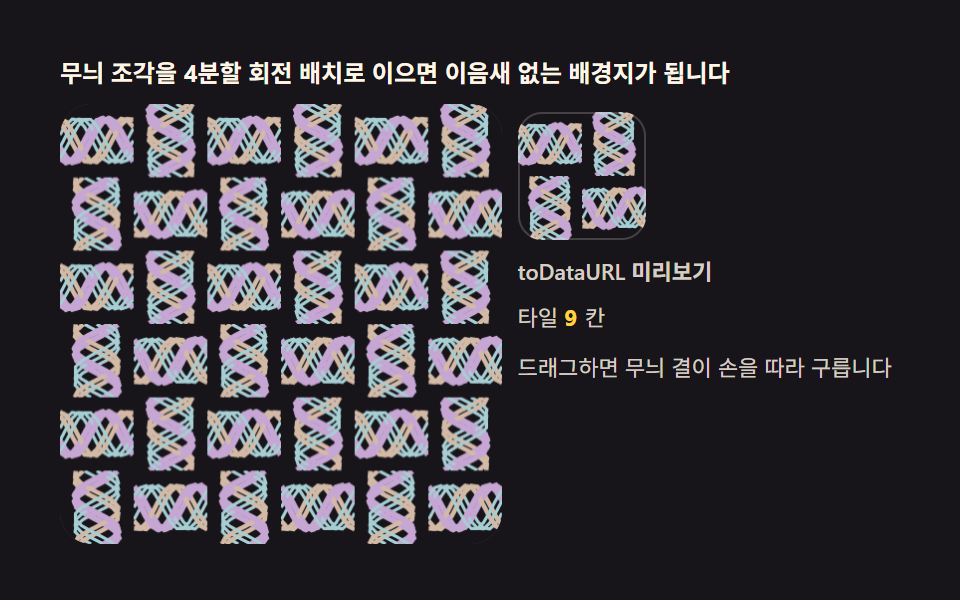 09 kaleido-wallpaper-tile-export
Auto-plays · click a tile to jump to its section · all nine in one zip
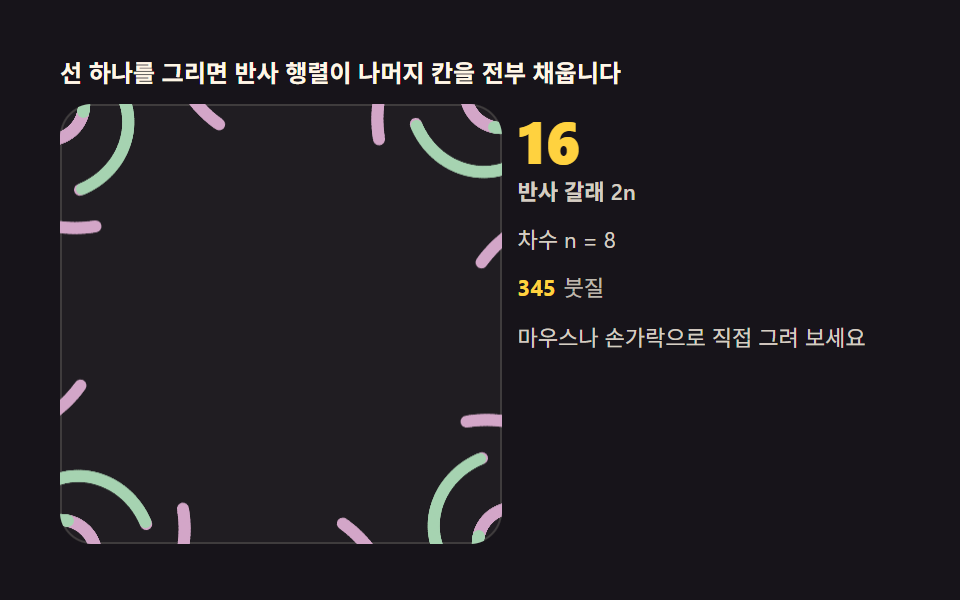
- 01 The base kaleidoscope brush — one stroke reflected 2n times
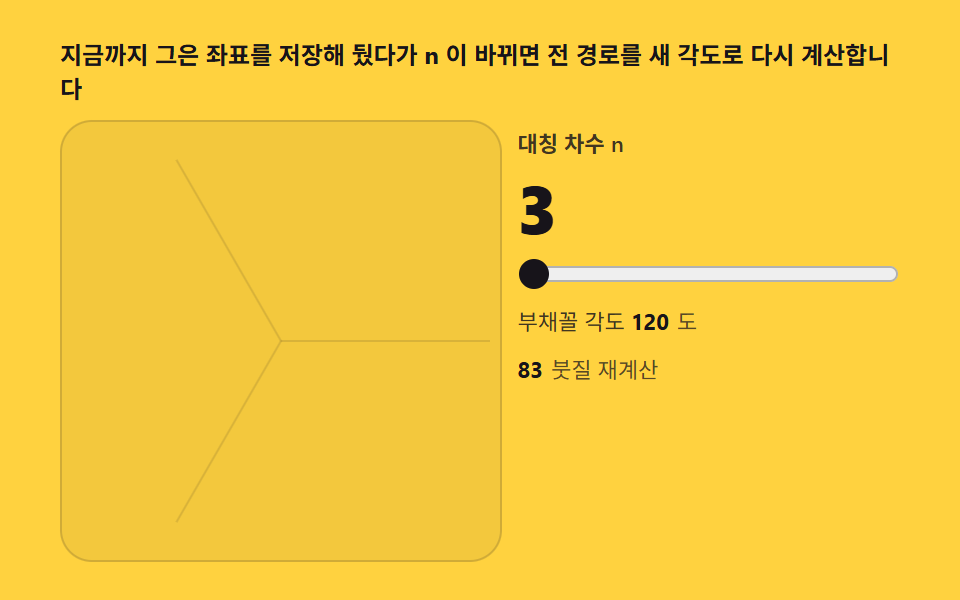
- 02 Symmetry order slider — change n and the pattern rebuilds
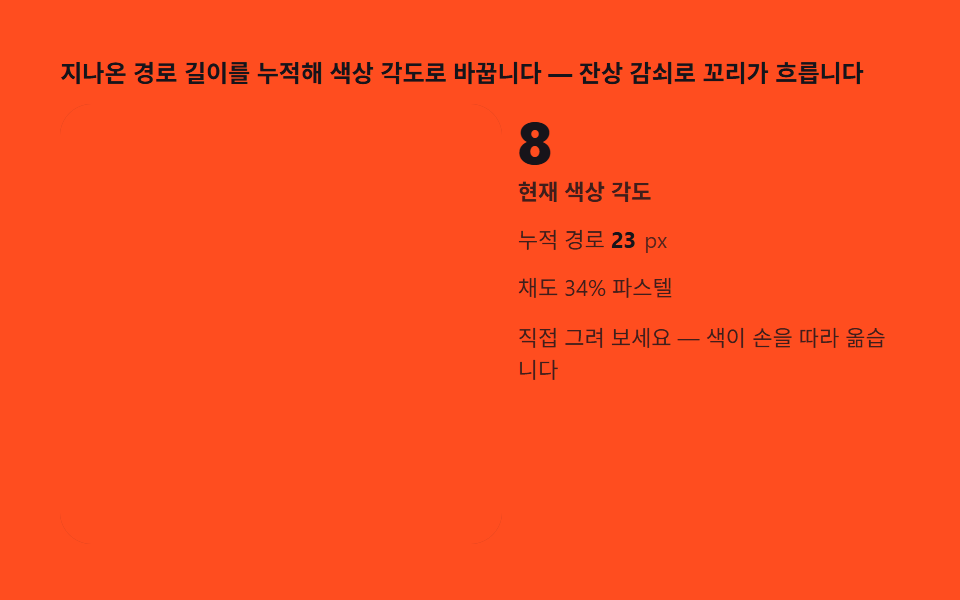
- 03 Hue-cycle brush — color travels with distance drawn
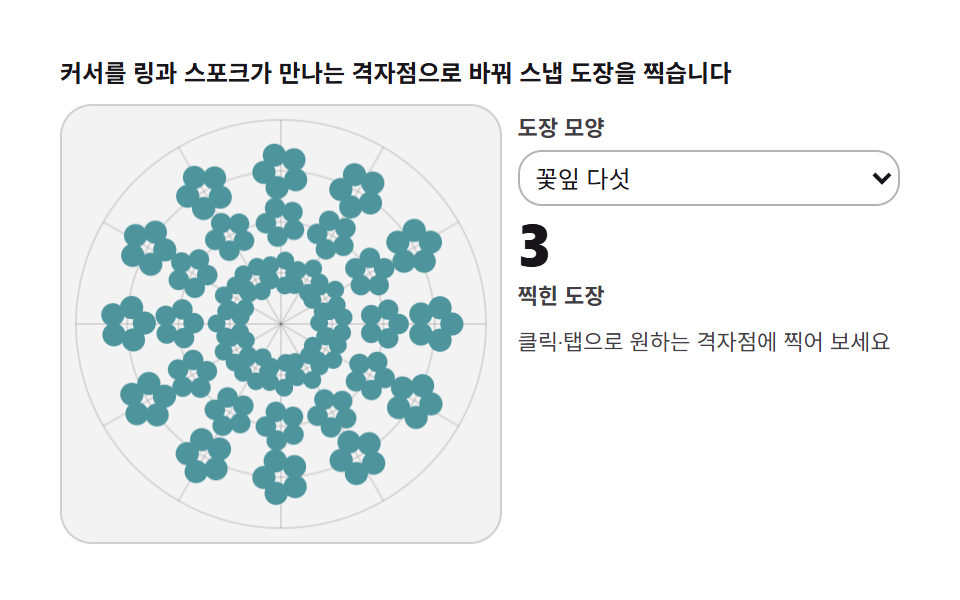
- 04 Polar tile stamp — stamps snapping to a radial grid
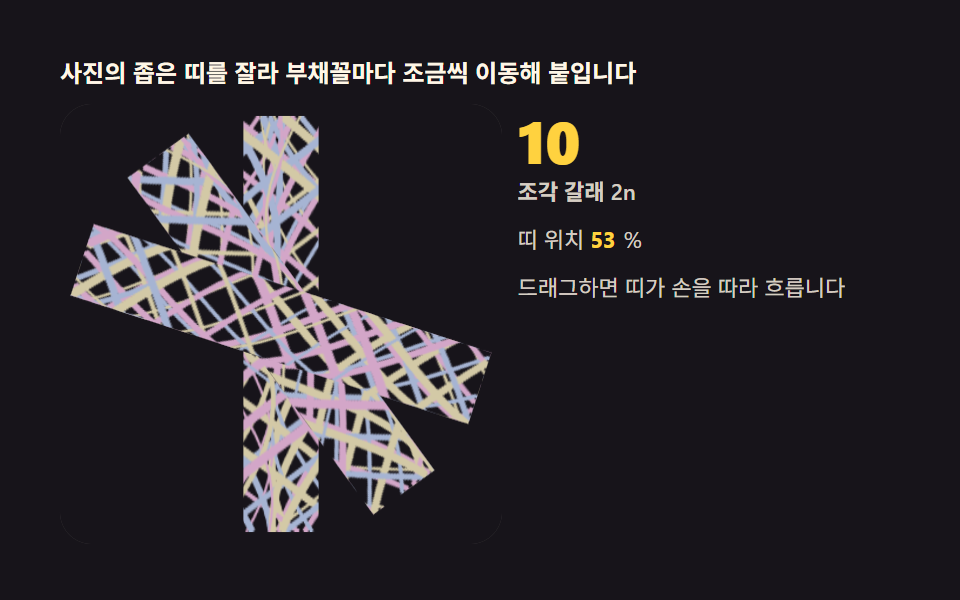
- 05 Feeding a photo — streaming image slices into the mirrors
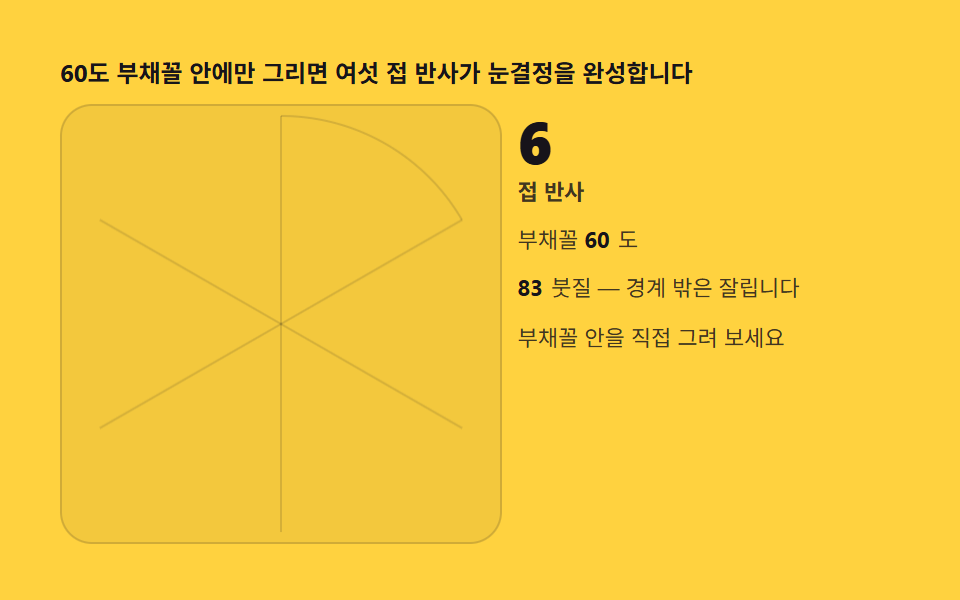
- 06 Six-fold snowflake — folding paper without paper
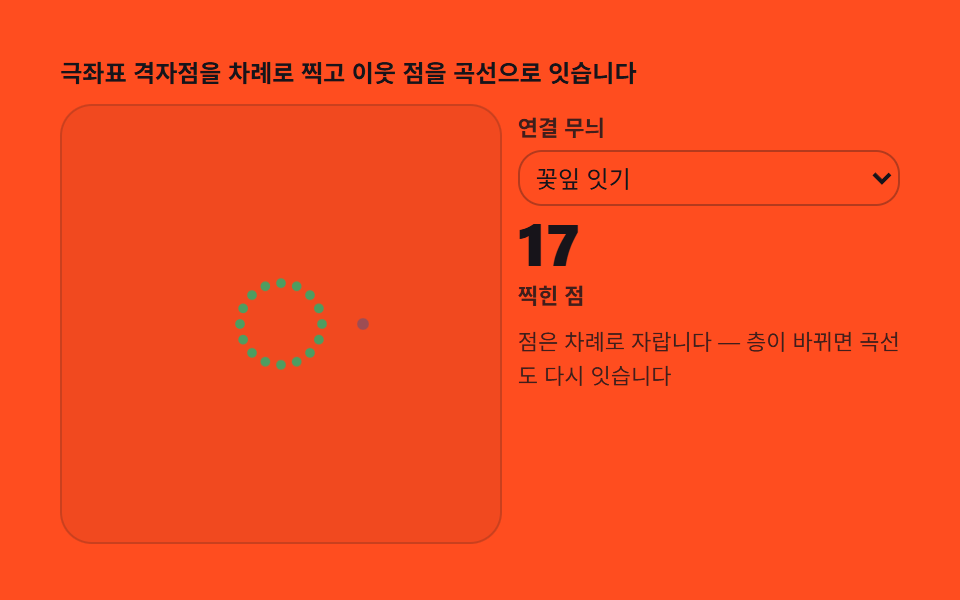
- 07 Rangoli grid — weaving symmetric wreaths from dots
- 08 Record and replay — a loop that rewinds your drawing
- 09 Wallpaper export — turning the pattern into a repeating tile
Demo
A kaleidoscope drawing tool earns the name only while the hand is in it: the moment one segment arrives — from your pointer on pointermove, or from the seeded autoplay — a reflection matrix stamps that single segment into every wedge of the disc, 2n strokes computed in the same frame, and the pattern you watch is the arithmetic itself, not a picture of it. Nine boards share that one core and widen it in sequence: a base brush, an order slider that rebuilds the whole path, a hue that travels with the distance drawn, polar stamps that snap to a radial grid, an image feed sliced into the mirrors, a wedge-clipped six-fold snowflake, rangoli wreaths assembled from dots and curves, a record-and-replay loop, and a repeating-tile export. The measurements keep the same honesty. Item 09's 3×3 tiling repaints the widest footprint at 25.892 percent cumulative area, with item 04's rosette stamps at 19.003 and item 05's image bands at 13.488; at the thin end, item 03's hue brush covers 0.556 percent, because a 5 px brush stacking one segment at a time fills almost nothing — a structural property of line art, not a defect. Brightness runs the other way: the hue brush is the brightest board at 148.4 average intensity, the replay loop close behind at 147.0, and the tiled wallpaper darkest at 26.3 as its grain flows across a pale stage. In the 24-frame capture, eight boards moved on 23 frames and the stamp board on 22.
Nothing here rolls dice: the code contains no random call at all, and every autoplay brush is a parameter curve — three brushes orbiting 2π/3 apart in item 01, a closing spiral in item 08, 46 woven curves feeding item 05 — so the pattern you verify is the pattern every visitor gets. That distinction also tells you what to look for in a kaleidoscope drawing online: a board whose pointer joins the computation through the same reflection function is a tool, and one that only plays back is a recording. Interact where the chips invite you — draw directly on 01, 02, 03, and 06, click 04 to stamp a node, drag 05 and 09 to steer the band and the grain phase, change shapes and patterns from the selects, and restart item 08's recording with its button.
The 24-frame measurements at a glance
| # | Board | Focus | Painted area | Peak frame | Avg intensity | Frames moved |
|---|---|---|---|---|---|---|
| 01 | Base brush | setTransform reflection, 2n = 16 | 5.295% | 0.699% | 125.5 | 23 |
| 02 | Order slider | stored segments, change recompute | 0.975% | 0.390% | 129.1 | 23 |
| 03 | Hue-cycle brush | path length into the hsl angle | 0.556% | 0.321% | 148.4 | 23 |
| 04 | Polar stamp | ring and spoke snap, 0.12 s interval | 19.003% | 5.593% | 80.6 | 22 |
| 05 | Image feed | drawImage band, 2n placements | 13.488% | 9.228% | 66.9 | 23 |
| 06 | Six-fold snowflake | 60-degree wedge clipping | 0.714% | 0.689% | 122.9 | 23 |
| 07 | Rangoli grid | ring × spoke dots, curve links | 2.192% | 0.338% | 116.7 | 23 |
| 08 | Record and replay | coordinate record, interpolated playback | 5.417% | 1.944% | 147.0 | 23 |
| 09 | Wallpaper export | quadrant rotations, toDataURL | 25.892% | 10.350% | 26.3 | 23 |
Painted area is the share of frame pixels the brush actually touched; average intensity is measured contrast; frames moved counts how many of the 24 captured frames changed at all.
Why the line-art boards measure small areas
A drawing tool's screen only grows where the brush has been, so items 02, 03, 06, and 07 — 0.556 to 2.192 percent — are showing the true size of thin 1.4-to-5 px strokes laid one segment at a time. The wide end of the set earns its numbers differently: item 04 fills rosettes of stamp shapes across 48 grid nodes, item 05 drags full-height image bands through every wedge, and item 09 repaints a 3×3 field of finished tiles every frame. What keeps the thin boards alive is intensity and motion — 116.7 to 148.4 average intensity, far above the floor of 15, and movement in nearly every captured frame.
No random numbers anywhere
Each board's autoplay is a fixed parameter function of time, so reloading always reproduces the same pattern — item 01's three brushes phase apart, item 02's tour of orders, item 03's spiral, item 06's crystal growth, item 08's closing loop. The seed is the function itself: no generator to initialize, no stream to consume, nothing to drift.
The nine boards run in one arc: define the reflection core first (01), bind it to a symmetry order (02), hang color on the distance drawn (03), then raise the tool's grade — stamps that complete the symmetry for you (04), a feed that draws images instead of lines (05), the folded-wedge discipline of a paper snowflake (06), wreaths built from dots and curves (07), a process you can rewind (08), and finally a file you can keep (09).
Code per tool in nine steps
Every fence below is lifted verbatim from that board's index.html — the same constants and identifiers the running demos use, with the Korean source comments rendered in English — and no fence is shortened with a placeholder; the password archive carries the nine complete files plus a React port of each.
Where these nine boards actually get used
A workshop or online-class landing page needs its hero already moving before a visitor scrolls, and item 01's seeded brushwork never stops on its own — drop that board behind the fold and the page never shows a static first screen. A livestream or music-visualizer overlay needs the opposite property, a field that keeps reacting for as long as the show runs, which is what makes item 03's hue-cycle brush a fit — feed chat events or beat timing into the same pointer path and the background answers in real time. A seasonal promo banner or gift-card page benefits from item 06's six-fold snowflake, since a single wedge redrawn through the clip is cheap enough to recolor per campaign without touching the fold math underneath.
Why symmetry is computed the moment you draw — reflection matrices
The mirror does not copy the finished picture; it relocates the brush. Every stroke in this set passes through one call — setTransform carrying the four matrix arguments (c, s, s, −c) and then the two translations — where c and s are the cosine and sine of a = k·2π/n. That 2×2 matrix [[c, s], [s, −c]] is a rotation multiplied by a y-axis reflection, determinant −1, and the sign is the whole trick: neighboring wedges meet as mirror images and interlock at their spokes, while rotation alone would leave every wedge the same way up and the screen would read as a fan of pasted tiles. Cycling k from 0 to n−1 turns one segment into 2n strokes — the reflected pairs ride along because the mirror axis itself turns with k — and after the loop the transform resets to the identity so the next stroke starts in plain screen coordinates. Doing all of it at draw time rather than as a post-process is what buys the simultaneity: the instant your segment bends, all 2n copies bend in the same frame, and that liveness is the difference between a kaleidoscope and a collage. This site keeps other canvases built on the same law — a string-art board whose rosette emerges from winding order rather than drawn curves, a sand field re-decided one cell at a time as it pours — computed drawings, not painted ones.
Reference specs: MDN — CanvasRenderingContext2D.setTransform · MDN — CanvasRenderingContext2D.transform · MDN — CanvasRenderingContext2D.lineTo · MDN — Pointer events · MDN — CanvasRenderingContext2D.toDataURL · MDN — aria-label.
Every fence below is lifted verbatim from that board's index.html — the same constants and identifiers the running demos use, with the Korean source comments rendered in English — and no fence is shortened with a placeholder; the password archive carries the nine complete files plus a React port of each.
01The base kaleidoscope brush — one stroke reflected 2n times
Every pointermove hands one previous-point-to-current-point segment to mirroredSeg, which stamps it at n angles through the rotation-and-flip matrix while three autoplay brushes orbit at phases 2π/3 apart, resuming 1.6 s after your hand leaves the board.
<main class="stage">
<div class="kb" id="kb">
  <p class="kb__hint">Draw one stroke and reflection matrices fill every remaining wedge</p>
  <div class="kb__row">
    <div class="kb__field" id="field" role="application" aria-label="Kaleidoscope brush lab" tabindex="0">
      <canvas class="kb__cv" id="cv"></canvas>
    </div>
    <div class="kb__side">
      <b class="kb__num" id="parts">16</b>
      <span class="kb__unit">reflected strokes 2n</span>
      <p class="kb__meta">Order n = 8</p>
      <p class="kb__meta"><b class="kb__count" id="cnt">0</b><span class="kb__metaUnit">strokes</span></p>
      <p class="kb__meta">Draw it yourself with mouse or finger</p>
    </div>
  </div>
</div>
</main>
@use "../../../../site/static/demo-tokens" as *;
// 만화경 붓(01) — 움직임은 전부 캔버스 rAF 루프 안에 있다(077 방식). CSS @keyframes 를
// 두지 않는다 — 애니메이션이 0개여야 렌더러가 실시간으로 24장을 찍는다.
// 선빛깔 세 개는 파스텔 팔레트(채도 .34) — 면 위 명도 .74 / 어두운 보조 .46.
$duration: $dur-loop;
$easing: $ease-out;
$color: $subject-sky;
@include stage($stage-ink);
.kb {
--c1: #a6b4d3; // 파랑빛 파스텔 — 붓 첫째
--c2: #d3a6c8; // 연분홍 파스텔 — 붓 둘째
--c3: #a6d3b1; // 연두 파스텔 — 붓 셋째
display: flex; flex-direction: column; gap: $sp-2;
width: 100%; max-width: 420px;
}
.kb__hint {
margin: 0; font-weight: 700; font-size: clamp(10px, 2.8vw, 12px); line-height: 1.35;
color: $subject-cream;
}
.kb__row { display: flex; gap: $sp-2; align-items: stretch; }
.kb__field {
position: relative; overflow: hidden;
flex: 0 0 auto;
width: clamp(176px, 46vw, 232px);
height: clamp(176px, 46vw, 232px);
border-radius: $r-card;
background: rgba($subject-cream, .04);
box-shadow: inset 0 0 0 1px rgba($subject-cream, .14);
cursor: crosshair; touch-action: none;
}
.kb__field:focus-visible { outline: 2px solid $color; outline-offset: 2px; }
.kb__cv { display: block; width: 100%; height: 100%; }
.kb__side {
flex: 1; min-width: 0;
display: flex; flex-direction: column; gap: $sp-1;
padding-top: $sp-1;
}
.kb__num {
font-weight: 800; font-size: clamp(20px, 6vw, 30px); line-height: 1;
color: $stage-yellow; font-variant-numeric: tabular-nums;
}
.kb__unit { font-weight: 600; font-size: clamp(9px, 2.4vw, 11px); line-height: 1.4; color: rgba($subject-cream, .82); }
.kb__meta { margin: $sp-1 0 0; font-size: clamp(9px, 2.4vw, 11px); line-height: 1.5; color: rgba($subject-cream, .82); }
.kb__meta b { font-weight: 700; color: $stage-yellow; font-variant-numeric: tabular-nums; margin-right: $sp-1; }
.kb__metaUnit { color: rgba($subject-cream, .72); }
@media (max-width: 340px) {
.kb { gap: $sp-1; }
.kb__field { width: 150px; height: 150px; }
.kb__num { font-size: 16px; }
.kb__meta { margin-top: 0; font-size: 8px; }
}
// reduce — 루프가 안 돈다. 미리 그려 둔 정적 무늬 한 장이 남는다.
@media (prefers-reduced-motion: reduce) {
.kb.is-still .kb__field { cursor: default !important; }
}html, body {
margin: 0;
overflow: hidden;
}
.stage {
box-sizing: border-box;
min-height: 100vh;
display: grid;
place-items: center;
margin: 0;
background: #17141a;
font-family: -apple-system, "Segoe UI", "Noto Sans KR", sans-serif;
padding: clamp(8px, 4vw, 24px);
}
.kb {
--c1: #a6b4d3;
--c2: #d3a6c8;
--c3: #a6d3b1;
display: flex;
flex-direction: column;
gap: 8px;
width: 100%;
max-width: 420px;
}
.kb__hint {
margin: 0;
font-weight: 700;
font-size: clamp(10px, 2.8vw, 12px);
line-height: 1.35;
color: #fff7e6;
}
.kb__row {
display: flex;
gap: 8px;
align-items: stretch;
}
.kb__field {
position: relative;
overflow: hidden;
flex: 0 0 auto;
width: clamp(176px, 46vw, 232px);
height: clamp(176px, 46vw, 232px);
border-radius: 16px;
background: rgba(255, 247, 230, 0.04);
box-shadow: inset 0 0 0 1px rgba(255, 247, 230, 0.14);
cursor: crosshair;
touch-action: none;
}
.kb__field:focus-visible {
outline: 2px solid #6ec8ff;
outline-offset: 2px;
}
.kb__cv {
display: block;
width: 100%;
height: 100%;
}
.kb__side {
flex: 1;
min-width: 0;
display: flex;
flex-direction: column;
gap: 4px;
padding-top: 4px;
}
.kb__num {
font-weight: 800;
font-size: clamp(20px, 6vw, 30px);
line-height: 1;
color: #ffd23f;
font-variant-numeric: tabular-nums;
}
.kb__unit {
font-weight: 600;
font-size: clamp(9px, 2.4vw, 11px);
line-height: 1.4;
color: rgba(255, 247, 230, 0.82);
}
.kb__meta {
margin: 4px 0 0;
font-size: clamp(9px, 2.4vw, 11px);
line-height: 1.5;
color: rgba(255, 247, 230, 0.82);
}
.kb__meta b {
font-weight: 700;
color: #ffd23f;
font-variant-numeric: tabular-nums;
margin-right: 4px;
}
.kb__metaUnit {
color: rgba(255, 247, 230, 0.72);
}
@media (max-width: 340px) {
.kb {
gap: 4px;
}
.kb__field {
width: 150px;
height: 150px;
}
.kb__num {
font-size: 16px;
}
.kb__meta {
margin-top: 0;
font-size: 8px;
}
}
@media (prefers-reduced-motion: reduce) {
.kb.is-still .kb__field {
cursor: default !important;
}
}// 만화경 붓 — 반사 행렬이 핵심이다. k번째 부채꼴의 변환은 회전 R(a) 와 y축 반사의 곱
// [[cos a, sin a], [sin a, -cos a]] (a = k · 2π/n). 선분 하나를 이 행렬로 n번 찍으면
// 좌우 반사까지 합쳐 2n 갈래의 대칭 무늬가 그린 순간에 생긴다. 경로는 파라미터 함수라
// 시드 난수 없이도 항상 같은 데모가 반복된다.
(function () {
var root = document.getElementById('kb');
var field = document.getElementById('field');
var cv = document.getElementById('cv');
var parts = document.getElementById('parts');
var cnt = document.getElementById('cnt');
if (!root || !field || !cv || !parts || !cnt) return;
var ctx = cv.getContext('2d');
var css = getComputedStyle(root);
var COLS = [css.getPropertyValue('--c1').trim(), css.getPropertyValue('--c2').trim(), css.getPropertyValue('--c3').trim()];
var N = 8; // 차수 n — 반사까지 합치면 2N = 16 갈래
parts.textContent = String(2 * N);
var strokes = 0;
var W = 0, H = 0, dpr = 1, cx = 0, cy = 0, R = 0;
function fit() {
W = field.clientWidth; H = field.clientHeight;
dpr = Math.min(2, window.devicePixelRatio || 1);
cv.width = Math.round(W * dpr); cv.height = Math.round(H * dpr);
cx = W / 2; cy = H / 2; R = Math.min(W, H) / 2 - 6;
}
// 반사 행렬 스트로크 — 선분 하나를 2N 위치에 찍는다. setTransform 의 여섯 인수는
// (a, b, c, d, e, f) = 행렬 2×2 + 이동. 여기 곱한 행렬이 곧 회전×반사다
  function mirroredSeg(x0, y0, x1, y1, ci) {
    for (var k = 0; k < N; k++) {
      var a = k * 2 * Math.PI / N, c = Math.cos(a), s = Math.sin(a);
      ctx.setTransform(dpr * c, dpr * s, dpr * s, -dpr * c, cx * dpr, cy * dpr);
      ctx.strokeStyle = COLS[ci % 3];
      ctx.lineWidth = 6;
      ctx.lineCap = 'round';
      ctx.beginPath(); ctx.moveTo(x0, y0); ctx.lineTo(x1, y1); ctx.stroke();
    }
    ctx.setTransform(dpr, 0, 0, dpr, 0, 0);
    strokes += 1;
    cnt.textContent = String(strokes);
  }
// 시드 고정 자동 strokes — 붓 세 자루가 위상을 달리해 함께 돈다
function pathAt(t, ph) {
var ang = t * 1.55 + ph + 0.9 * Math.sin(t * 0.31 + ph);
var r = R * (0.30 + 0.34 * Math.sin(t * 0.47 + ph * 2) + 0.20 * Math.sin(t * 0.13 + ph));
if (r < R * 0.07) r = R * 0.07;
return [cx + r * Math.cos(ang), cy + r * Math.sin(ang)];
}
var reduce = window.matchMedia('(prefers-reduced-motion: reduce)').matches;
var t = 0, lastInput = -9, pen = false, penPt = null;
var PH = [0, 2.09, 4.19]; // 붓 세 자루의 위상 (2π/3 간격)
var prev = [null, null, null];
function toLocal(e) {
var b = field.getBoundingClientRect();
return [e.clientX - b.left, e.clientY - b.top];
}
field.addEventListener('pointerdown', function (e) {
pen = true; penPt = toLocal(e);
if (field.setPointerCapture) { try { field.setPointerCapture(e.pointerId); } catch (err) { /* 캡처 실패는 그리기에 영향 없다 */ }
}
});
field.addEventListener('pointermove', function (e) {
if (!pen) return;
var p = toLocal(e);
mirroredSeg(penPt[0], penPt[1], p[0], p[1], strokes);
penPt = p; lastInput = t;
});
field.addEventListener('pointerup', function () { pen = false; lastInput = t; });
field.addEventListener('pointercancel', function () { pen = false; lastInput = t; });
var last = 0;
function step(now) {
var dt = Math.min(64, now - last) / 1000; last = now;
if (!pen && t - lastInput > 1.6) {
t += dt;
for (var i = 0; i < PH.length; i++) {
var p = pathAt(t, PH[i]);
if (prev[i]) mirroredSeg(prev[i][0], prev[i][1], p[0], p[1], Math.floor(t * 0.9 + i));
prev[i] = p;
}
}
requestAnimationFrame(step);
}
fit();
window.addEventListener('resize', fit);
if (reduce) {
// 정지 한 장 — 시간 4초 분의 붓질을 미리 그려 둔다. 루프는 돌지 않는다
for (var j = 1; j <= 200; j++) {
var tt = j * 0.02;
for (var i2 = 0; i2 < PH.length; i2++) {
var a0 = pathAt(tt - 0.02, PH[i2]), a1 = pathAt(tt, PH[i2]);
mirroredSeg(a0[0], a0[1], a1[0], a1[1], Math.floor(tt * 0.9 + i2));
}
}
root.classList.add('is-still');
} else {
last = performance.now();
requestAnimationFrame(step);
}
})();// KaleidoMirrorDrawCanvas — vanilla 판(run/331/demo/01-kaleido-mirror-draw-canvas/index.html) 의 React 포트.
// 반사 행렬이 핵심이다. k번째 부채꼴의 변환은 회전 R(a) 와 y축 반사의 곱
// [[cos a, sin a], [sin a, -cos a]] (a = k · 2π/n). 선분 하나를 이 행렬로 n번 찍으면
// 좌우 반사까지 합쳐 2n 갈래의 대칭 무늬가 그린 순간에 생긴다. 경로는 파라미터 함수라
// 시드 난수 없이도 항상 같은 데모가 반복된다. 값·수치는 vanilla 와 같다.
// 움직임은 전부 캔버스 rAF 루프가 그리므로 CSS 애니메이션이 없다.
// reduce 에서는 루프를 돌리지 않고 시간 4초 분의 붓질을 미리 그린 한 장만 남긴다(.isStill).
import { useEffect, useRef, useState } from "react";
import type { CSSProperties, PointerEvent } from "react";
import styles from "./KaleidoMirrorDrawCanvas.module.scss";
export type KaleidoMirrorDrawCanvasProps = {
duration?: string;
easing?: string;
color?: string;
};
type Vars = CSSProperties & { "--duration"?: string; "--easing"?: string; "--color"?: string };
// useRef 는 T | null 을 돌려준다. 처음부터 값이 있고 절대 비지 않는 상자는 이렇게 좁혀 쓴다
type Box<T> = { current: T };
const N = 8; // 차수 n — 반사까지 합치면 2N = 16 갈래
const PH = [0, 2.09, 4.19]; // 붓 세 자루의 위상 (2π/3 간격)
const COLS = ["#a6b4d3", "#d3a6c8", "#a6d3b1"]; // 파랑빛·연분홍·연두 파스텔 — 붓 셋
const HINT = "선 하나를 그리면 반사 행렬이 나머지 칸을 전부 채웁니다";
const ARIA_FIELD = "만화경 붓 실험판";
const PARTS_UNIT = "반사 갈래 2n";
const ORDER_TEXT = "차수 n = 8";
const STROKE_UNIT = "붓질";
const DRAW_TEXT = "마우스나 손가락으로 직접 그려 보세요";
export default function KaleidoMirrorDrawCanvas({
duration = "2s",
easing = "ease-out",
color = "#6ec8ff"
}: KaleidoMirrorDrawCanvasProps) {
const fieldRef = useRef<HTMLDivElement | null>(null);
const cvRef = useRef<HTMLCanvasElement | null>(null);
const cntRef = useRef<HTMLSpanElement | null>(null);
const ctxRef = useRef<CanvasRenderingContext2D | null>(null);
const stRef = useRef({
W: 0, H: 0, dpr: 1, cx: 0, cy: 0, R: 0,
t: 0, strokes: 0, lastInput: -9,
pen: false, penPt: null as [number, number] | null,
prev: [null, null, null] as Array<[number, number] | null>
}) as Box<{
W: number; H: number; dpr: number; cx: number; cy: number; R: number;
strokes: number; t: number; lastInput: number;
pen: boolean; penPt: [number, number] | null;
prev: Array<[number, number] | null>
}>;
const lastRef = useRef(0) as Box<number>;
const rafRef = useRef(0) as Box<number>;
const [still, setStill] = useState(false);
function reduced(): boolean {
return window.matchMedia("(prefers-reduced-motion: reduce)").matches;
}
function fit(): void {
const st = stRef.current;
const field = fieldRef.current, cv = cvRef.current;
if (!field || !cv) return;
const ctx = cv.getContext("2d");
if (!ctx) return;
st.W = field.clientWidth; st.H = field.clientHeight;
st.dpr = Math.min(2, window.devicePixelRatio || 1);
cv.width = Math.round(st.W * st.dpr); cv.height = Math.round(st.H * st.dpr);
st.cx = st.W / 2; st.cy = st.H / 2; st.R = Math.min(st.W, st.H) / 2 - 6;
ctxRef.current = ctx;
}
// 반사 행렬 스트로크 — 선분 하나를 2N 위치에 찍는다. setTransform 의 여섯 인수는
// (a, b, c, d, e, f) = 행렬 2×2 + 이동. 여기 곱한 행렬이 곧 회전×반사다
function mirroredSeg(x0: number, y0: number, x1: number, y1: number, ci: number): void {
const st = stRef.current;
const ctx = ctxRef.current;
if (!ctx) return;
for (let k = 0; k < N; k++) {
const a = k * 2 * Math.PI / N, c = Math.cos(a), s = Math.sin(a);
ctx.setTransform(st.dpr * c, st.dpr * s, st.dpr * s, -st.dpr * c, st.cx * st.dpr, st.cy * st.dpr);
ctx.strokeStyle = COLS[ci % 3];
ctx.lineWidth = 6;
ctx.lineCap = "round";
ctx.beginPath(); ctx.moveTo(x0, y0); ctx.lineTo(x1, y1); ctx.stroke();
}
ctx.setTransform(st.dpr, 0, 0, st.dpr, 0, 0);
st.strokes += 1;
const out = cntRef.current;
if (out) out.textContent = String(st.strokes);
}
// 시드 고정 자동 붓질 — 붓 세 자루가 위상을 달리해 함께 돈다
function pathAt(t: number, ph: number): [number, number] {
const st = stRef.current;
const ang = t * 1.55 + ph + 0.9 * Math.sin(t * 0.31 + ph);
let r = st.R * (0.30 + 0.34 * Math.sin(t * 0.47 + ph * 2) + 0.20 * Math.sin(t * 0.13 + ph));
if (r < st.R * 0.07) r = st.R * 0.07;
return [st.cx + r * Math.cos(ang), st.cy + r * Math.sin(ang)];
}
function step(now: number): void {
const st = stRef.current;
const dt = Math.min(64, now - lastRef.current) / 1000; lastRef.current = now;
if (!st.pen && st.t - st.lastInput > 1.6) {
st.t += dt;
for (let i = 0; i < PH.length; i++) {
const p = pathAt(st.t, PH[i]);
const pv = st.prev[i];
if (pv) mirroredSeg(pv[0], pv[1], p[0], p[1], Math.floor(st.t * 0.9 + i));
st.prev[i] = p;
}
}
rafRef.current = requestAnimationFrame(step);
}
function toLocal(e: PointerEvent<HTMLDivElement>): [number, number] {
const b = e.currentTarget.getBoundingClientRect();
return [e.clientX - b.left, e.clientY - b.top];
}
function onPointerDown(e: PointerEvent<HTMLDivElement>): void {
const st = stRef.current;
st.pen = true; st.penPt = toLocal(e);
try { e.currentTarget.setPointerCapture(e.pointerId); } catch { /* 캡처 실패는 그리기에 영향 없다 */ }
}
function onPointerMove(e: PointerEvent<HTMLDivElement>): void {
const st = stRef.current;
if (!st.pen || !st.penPt) return;
const p = toLocal(e);
mirroredSeg(st.penPt[0], st.penPt[1], p[0], p[1], st.strokes);
st.penPt = p; st.lastInput = st.t;
}
function onPointerUp(): void {
const st = stRef.current;
st.pen = false; st.lastInput = st.t;
}
useEffect(() => {
fit();
function onResize(): void { fit(); }
window.addEventListener("resize", onResize);
if (reduced()) {
// 정지 한 장 — 시간 4초 분의 붓질을 미리 그려 둔다. 루프는 돌지 않는다
for (let j = 1; j <= 200; j++) {
const tt = j * 0.02;
for (let i = 0; i < PH.length; i++) {
const a0 = pathAt(tt - 0.02, PH[i]), a1 = pathAt(tt, PH[i]);
mirroredSeg(a0[0], a0[1], a1[0], a1[1], Math.floor(tt * 0.9 + i));
}
}
setStill(true);
} else {
lastRef.current = performance.now();
rafRef.current = requestAnimationFrame(step);
}
return () => {
window.removeEventListener("resize", onResize);
cancelAnimationFrame(rafRef.current);
};
// eslint-disable-next-line react-hooks/exhaustive-deps
}, []);
const rootCls = still ? styles.kb + " " + styles.isStill : styles.kb;
return (
<main className={styles.stage}>
<div className={rootCls} style={{ "--duration": duration, "--easing": easing, "--color": color } as Vars}>
<p className={styles.hint}>{HINT}</p>
<div className={styles.row}>
<div
className={styles.field}
ref={fieldRef}
role="application"
aria-label={ARIA_FIELD}
tabIndex={0}
onPointerDown={onPointerDown}
onPointerMove={onPointerMove}
onPointerUp={onPointerUp}
onPointerCancel={onPointerUp}
>
<canvas className={styles.cv} ref={cvRef}></canvas>
</div>
<div className={styles.side}>
<b className={styles.num}>{2 * N}</b>
<span className={styles.unit}>{PARTS_UNIT}</span>
<p className={styles.meta}>{ORDER_TEXT}</p>
<p className={styles.meta}><b ref={cntRef}>0</b><span className={styles.metaUnit}>{STROKE_UNIT}</span></p>
<p className={styles.meta}>{DRAW_TEXT}</p>
</div>
</div>
</div>
</main>
);
}01 · The base kaleidoscope brush — one stroke reflected 2n times — Measured area 5.295% · moving frames 23/23Original by GODRICH · SCSS and React ship in the zip · See the password
One matrix that is a rotation and a mirror at once
The four matrix arguments (c, s, s, −c) multiply a rotation by a y-axis flip — determinant −1 — so adjacent wedges face each other as mirror images and meet exactly at the spoke, and after the loop the identity transform (dpr, 0, 0, dpr, 0, 0) hands the canvas back to screen coordinates.
function mirroredSeg(x0, y0, x1, y1, ci) {
for (var k = 0; k < N; k++) {
var a = k * 2 * Math.PI / N, c = Math.cos(a), s = Math.sin(a);
ctx.setTransform(dpr * c, dpr * s, dpr * s, -dpr * c, cx * dpr, cy * dpr);
ctx.strokeStyle = COLS[ci % 3];
ctx.lineWidth = 6;
ctx.lineCap = 'round';
ctx.beginPath(); ctx.moveTo(x0, y0); ctx.lineTo(x1, y1); ctx.stroke();
}
ctx.setTransform(dpr, 0, 0, dpr, 0, 0);
strokes += 1;
cnt.textContent = String(strokes);
}
Three brushes on one deterministic path
pathAt is a pair of sine sums — no random number anywhere — so the autoplay reproduces the same orbits on every visit and pauses the moment a pointerdown starts, and the stroke counter you see climbing counts real reflected segments.
  function pathAt(t, ph) {
    var ang = t * 1.55 + ph + 0.9 * Math.sin(t * 0.31 + ph);
    var r = R * (0.30 + 0.34 * Math.sin(t * 0.47 + ph * 2) + 0.20 * Math.sin(t * 0.13 + ph));
    if (r < R * 0.07) r = R * 0.07;
    return [cx + r * Math.cos(ang), cy + r * Math.sin(ang)];
  }

  var reduce = window.matchMedia('(prefers-reduced-motion: reduce)').matches;
  var t = 0, lastInput = -9, pen = false, penPt = null;
  var PH = [0, 2.09, 4.19];        // three brushes, phases 2π/3 apart
02Symmetry order slider — change n and the pattern rebuilds
Drawn segments are stored as [x0, y0, x1, y1, color] rows, and the slider's change event — read once, after the thumb is released — clears the canvas and re-stamps the whole array at fresh angles with the wedge angle 360/n shown alongside, while the autoplay tours n = 3, 6, 12, 18, 24, switching every 4 seconds.
<main class="stage">
<div class="ks" id="ks">
  <p class="ks__hint">Drawn coordinates are stored; a new n replays the whole path at fresh angles</p>
  <div class="ks__row">
    <div class="ks__field" id="field" role="application" aria-label="Symmetry order lab" tabindex="0">
      <canvas class="ks__cv" id="cv"></canvas>
    </div>
    <div class="ks__side">
      <label class="ks__lab" for="order">Symmetry order n</label>
      <b class="ks__val" id="val" aria-live="polite">6</b>
      <input class="ks__slider" id="order" type="range" min="3" max="24" step="1" value="6"
             aria-label="Symmetry order">
      <p class="ks__meta">Wedge angle <b id="deg">60</b><span class="ks__degUnit">deg</span></p>
      <p class="ks__meta"><b id="cnt">0</b><span class="ks__metaUnit">strokes recomputed</span></p>
    </div>
  </div>
</div>
</main>
@use "../../../../site/static/demo-tokens" as *;
// 대칭 차수 슬라이더(02) — rAF 캔버스 데모. 슬라이더 몸은 CSS 정적 부품,
// 무늬 재계산은 전부 캔버스다. 슬라이더 색은 노랑 무대 위 잉크 계열.
$duration: $dur-loop;
$easing: $ease-out;
$color: $subject-ink;
@include stage($stage-yellow);
.ks {
--c1: #4d659d; // 잉크보다 한 단 밝은 파랑 파스텔 — 붓 첫째
--c2: #9d4d54; // 붉은기 파스텔 — 붓 둘째
--grid: #{rgba($subject-ink, .12)};
display: flex; flex-direction: column; gap: $sp-2;
width: 100%; max-width: 420px;
}
.ks__hint {
margin: 0; font-weight: 700; font-size: clamp(10px, 2.8vw, 12px); line-height: 1.35;
color: $subject-ink;
}
.ks__row { display: flex; gap: $sp-2; align-items: stretch; }
.ks__field {
position: relative; overflow: hidden;
flex: 0 0 auto;
width: clamp(176px, 46vw, 232px);
height: clamp(176px, 46vw, 232px);
border-radius: $r-card;
background: rgba($subject-ink, .05);
box-shadow: inset 0 0 0 1px rgba($subject-ink, .16);
cursor: crosshair; touch-action: none;
}
.ks__field:focus-visible { outline: 2px solid $color; outline-offset: 2px; }
.ks__cv { display: block; width: 100%; height: 100%; }
.ks__side {
flex: 1; min-width: 0;
display: flex; flex-direction: column; gap: $sp-2;
padding-top: $sp-1;
}
.ks__lab { font-weight: 600; font-size: clamp(9px, 2.4vw, 11px); line-height: 1.4; color: rgba($subject-ink, .82); }
.ks__val {
font-weight: 800; font-size: clamp(24px, 7vw, 34px); line-height: 1;
color: $subject-ink; font-variant-numeric: tabular-nums;
}
.ks__slider {
width: 100%; margin: 0;
accent-color: $subject-ink;
}
.ks__slider:focus-visible { outline: 2px solid $color; outline-offset: 2px; }
.ks__meta { margin: 0; font-size: clamp(9px, 2.4vw, 11px); line-height: 1.5; color: rgba($subject-ink, .82); }
.ks__meta b { font-weight: 700; color: $subject-ink; font-variant-numeric: tabular-nums; margin-right: $sp-1; }
.ks__degUnit { color: rgba($subject-ink, .72); }
.ks__metaUnit { color: rgba($subject-ink, .72); }
@media (max-width: 340px) {
.ks { gap: $sp-1; }
.ks__field { width: 132px; height: 132px; }
.ks__val { font-size: 20px; }
.ks__side { gap: $sp-1; }
.ks__meta { font-size: 8px; }
}
// reduce — 루프가 안 돈다. 차수 12 정적 무늬 한 장이 남는다.
@media (prefers-reduced-motion: reduce) {
.ks.is-still .ks__field { cursor: default !important; }
.ks.is-still .ks__slider { pointer-events: none !important; }
}html, body {
margin: 0;
overflow: hidden;
}
.stage {
box-sizing: border-box;
min-height: 100vh;
display: grid;
place-items: center;
margin: 0;
background: #ffd23f;
font-family: -apple-system, "Segoe UI", "Noto Sans KR", sans-serif;
padding: clamp(8px, 4vw, 24px);
}
.ks {
--c1: #4d659d;
--c2: #9d4d54;
--grid: rgba(23, 20, 26, 0.12);
display: flex;
flex-direction: column;
gap: 8px;
width: 100%;
max-width: 420px;
}
.ks__hint {
margin: 0;
font-weight: 700;
font-size: clamp(10px, 2.8vw, 12px);
line-height: 1.35;
color: #17141a;
}
.ks__row {
display: flex;
gap: 8px;
align-items: stretch;
}
.ks__field {
position: relative;
overflow: hidden;
flex: 0 0 auto;
width: clamp(176px, 46vw, 232px);
height: clamp(176px, 46vw, 232px);
border-radius: 16px;
background: rgba(23, 20, 26, 0.05);
box-shadow: inset 0 0 0 1px rgba(23, 20, 26, 0.16);
cursor: crosshair;
touch-action: none;
}
.ks__field:focus-visible {
outline: 2px solid #17141a;
outline-offset: 2px;
}
.ks__cv {
display: block;
width: 100%;
height: 100%;
}
.ks__side {
flex: 1;
min-width: 0;
display: flex;
flex-direction: column;
gap: 8px;
padding-top: 4px;
}
.ks__lab {
font-weight: 600;
font-size: clamp(9px, 2.4vw, 11px);
line-height: 1.4;
color: rgba(23, 20, 26, 0.82);
}
.ks__val {
font-weight: 800;
font-size: clamp(24px, 7vw, 34px);
line-height: 1;
color: #17141a;
font-variant-numeric: tabular-nums;
}
.ks__slider {
width: 100%;
margin: 0;
accent-color: #17141a;
}
.ks__slider:focus-visible {
outline: 2px solid #17141a;
outline-offset: 2px;
}
.ks__meta {
margin: 0;
font-size: clamp(9px, 2.4vw, 11px);
line-height: 1.5;
color: rgba(23, 20, 26, 0.82);
}
.ks__meta b {
font-weight: 700;
color: #17141a;
font-variant-numeric: tabular-nums;
margin-right: 4px;
}
.ks__degUnit {
color: rgba(23, 20, 26, 0.72);
}
.ks__metaUnit {
color: rgba(23, 20, 26, 0.72);
}
@media (max-width: 340px) {
.ks {
gap: 4px;
}
.ks__field {
width: 132px;
height: 132px;
}
.ks__val {
font-size: 20px;
}
.ks__side {
gap: 4px;
}
.ks__meta {
font-size: 8px;
}
}
@media (prefers-reduced-motion: reduce) {
.ks.is-still .ks__field {
cursor: default !important;
}
.ks.is-still .ks__slider {
pointer-events: none !important;
}
}// Symmetry order 슬라이더 — strokes 좌표를 strokes 배열에 쌓아 둔다. n 이 바뀌면 캔버스를 지우고
// 저장한 전 경로를 새 Wedge angle(2π/n)의 반사 행렬로 전부 다시 찍는다. 무늬가 무너졌다
// 다시 서는 순간이 이 재계산이다. 데모는 시드 고정 경로가 스스로 그리며, 4초마다 n 을
// 3 → 6 → 12 → 18 → 24 → 3 으로 바꿔 재구성 과정을 보여 준다.
(function () {
var root = document.getElementById('ks');
var field = document.getElementById('field');
var cv = document.getElementById('cv');
var order = document.getElementById('order');
var val = document.getElementById('val');
var deg = document.getElementById('deg');
var cnt = document.getElementById('cnt');
if (!root || !field || !cv || !order || !val || !deg || !cnt) return;
var ctx = cv.getContext('2d');
var css = getComputedStyle(root);
var C1 = css.getPropertyValue('--c1').trim();
var C2 = css.getPropertyValue('--c2').trim();
var GRID = css.getPropertyValue('--grid').trim();
var strokes = []; // [[x0,y0,x1,y1,ci], ...] — 절대 좌표, n 과 무관하게 보존
var recalc = 0;
var N = 6;
var W = 0, H = 0, dpr = 1, cx = 0, cy = 0, R = 0;
function fit() {
W = field.clientWidth; H = field.clientHeight;
dpr = Math.min(2, window.devicePixelRatio || 1);
cv.width = Math.round(W * dpr); cv.height = Math.round(H * dpr);
cx = W / 2; cy = H / 2; R = Math.min(W, H) / 2 - 6;
redraw();
}
  function drawSeg(s) {
    for (var k = 0; k < N; k++) {
      var a = k * 2 * Math.PI / N, c = Math.cos(a), sn = Math.sin(a);
      ctx.setTransform(dpr * c, dpr * sn, dpr * sn, -dpr * c, cx * dpr, cy * dpr);
      ctx.strokeStyle = s[4] ? C2 : C1;
      ctx.lineWidth = 5;
      ctx.lineCap = 'round';
      ctx.beginPath(); ctx.moveTo(s[0], s[1]); ctx.lineTo(s[2], s[3]); ctx.stroke();
    }
    ctx.setTransform(dpr, 0, 0, dpr, 0, 0);
  }
function redraw() {
ctx.setTransform(dpr, 0, 0, dpr, 0, 0);
ctx.clearRect(0, 0, W, H);
// 안내 Wedge 경계 — 현재 n 의 각도를 얇게 표시
ctx.strokeStyle = GRID; ctx.lineWidth = 1;
for (var k = 0; k < N; k++) {
var a = k * 2 * Math.PI / N;
ctx.beginPath(); ctx.moveTo(cx, cy);
ctx.lineTo(cx + R * Math.cos(a), cy + R * Math.sin(a)); ctx.stroke();
}
for (var i = 0; i < strokes.length; i++) drawSeg(strokes[i]);
}
function setN(n) {
N = n;
val.textContent = String(n);
deg.textContent = String(Math.round(360 / n));
order.value = String(n);
redraw();
}
// change 이벤트 — 손을 뗀 뒤에 전체 재계산. input 이 아니라 change 를 쓰면
// 슬라이더를 끄는 동안 무늬가 흔들리지 않고 놓는 순간 한 번에 다시 선다
order.addEventListener('change', function () { setN(parseInt(order.value, 10) || 6); });
// 시드 고정 자동 strokes — 반경이 스치는 길게 늘어진 꽃잎 곡선
function pathAt(t) {
var ang = t * 1.1 + 1.3 * Math.sin(t * 0.23);
var r = R * (0.24 + 0.38 * Math.abs(Math.sin(t * 0.4)) + 0.18 * Math.sin(t * 0.09));
if (r < R * 0.06) r = R * 0.06;
return [cx + r * Math.cos(ang), cy + r * Math.sin(ang)];
}
var reduce = window.matchMedia('(prefers-reduced-motion: reduce)').matches;
var CYCLE = [3, 6, 12, 18, 24]; // 자동 시연이 돌아보는 차수
var t = 0, last = 0, prev = null, pen = false, penPt = null, ci = 0;
function toLocal(e) {
var b = field.getBoundingClientRect();
return [e.clientX - b.left, e.clientY - b.top];
}
field.addEventListener('pointerdown', function (e) {
pen = true; penPt = toLocal(e);
if (field.setPointerCapture) { try { field.setPointerCapture(e.pointerId); } catch (err) { /* 캡처 실패는 그리기에 영향 없다 */ } }
});
field.addEventListener('pointermove', function (e) {
if (!pen || !penPt) return;
var p = toLocal(e);
var s = [penPt[0], penPt[1], p[0], p[1], ci];
strokes.push(s); drawSeg(s); recalc += 1; cnt.textContent = String(recalc);
penPt = p;
});
field.addEventListener('pointerup', function () { pen = false; penPt = null; ci = 1 - ci; });
field.addEventListener('pointercancel', function () { pen = false; penPt = null; });
function step(now) {
var dt = Math.min(64, now - last) / 1000; last = now;
if (!pen) {
t += dt;
// 4초마다 차수 전환 — 재계산 순간을 보여 준다
var idx = Math.floor(t / 4) % CYCLE.length;
if (CYCLE[idx] !== N) setN(CYCLE[idx]);
var p = pathAt(t);
if (prev) {
var s2 = [prev[0], prev[1], p[0], p[1], 0];
strokes.push(s2); drawSeg(s2); recalc += 1; cnt.textContent = String(recalc);
}
prev = p;
}
requestAnimationFrame(step);
}
fit();
window.addEventListener('resize', fit);
if (reduce) {
// 정지 한 장 — 차수 12 의 완성 무늬
setN(12);
for (var j = 1; j <= 260; j++) {
var tt = j * 0.02, a0 = pathAt(tt - 0.02), a1 = pathAt(tt);
strokes.push([a0[0], a0[1], a1[0], a1[1], 0]);
}
redraw();
recalc = strokes.length; cnt.textContent = String(recalc);
root.classList.add('is-still');
} else {
last = performance.now();
requestAnimationFrame(step);
}
})();// KaleidoSymmetryOrderSlider — vanilla 판(run/331/demo/02-kaleido-symmetry-order-slider/index.html) 의 React 포트.
// 붓질 좌표를 strokes 배열에 쌓아 둔다. n 이 바뀌면 캔버스를 지우고 저장한 전 경로를
// 새 부채꼴 각도(2π/n)의 반사 행렬로 전부 다시 찍는다. 무늬가 무너졌다 다시 서는 순간이
// 이 재계산이다. 데모는 시드 고정 경로가 스스로 그리며, 4초마다 n 을 3 → 6 → 12 → 18 → 24 → 3
// 으로 바꿔 재구성 과정을 보여 준다. 값·수치는 vanilla 와 같다.
// 움직임은 전부 캔버스 rAF 루프가 그리므로 CSS 애니메이션이 없다.
// reduce 에서는 루프를 돌리지 않고 차수 12 의 완성 무늬 한 장만 남긴다(.isStill).
import { useEffect, useRef, useState } from "react";
import type { CSSProperties, PointerEvent } from "react";
import styles from "./KaleidoSymmetryOrderSlider.module.scss";
export type KaleidoSymmetryOrderSliderProps = {
duration?: string;
easing?: string;
color?: string;
};
type Vars = CSSProperties & { "--duration"?: string; "--easing"?: string; "--color"?: string };
// useRef 는 T | null 을 돌려준다. 처음부터 값이 있고 절대 비지 않는 상자는 이렇게 좁혀 쓴다
type Box<T> = { current: T };
// 절대 좌표 붓질 [x0, y0, x1, y1, ci] — n 과 무관하게 보존
type Seg = [number, number, number, number, number];
const C1 = "#4d659d"; // 잉크보다 한 단 밝은 파랑 파스텔 — 붓 첫째
const C2 = "#9d4d54"; // 붉은기 파스텔 — 붓 둘째
const GRID = "rgba(23, 20, 26, 0.12)"; // 안내 부채꼴 경계
const CYCLE = [3, 6, 12, 18, 24]; // 자동 시연이 돌아보는 차수
const HINT = "지금까지 그은 좌표를 저장해 뒀다가 n 이 바뀌면 전 경로를 새 각도로 다시 계산합니다";
const ARIA_FIELD = "대칭 차수 실험판";
const ORDER_LABEL = "대칭 차수 n";
const DEG_TEXT = "부채꼴 각도";
const DEG_UNIT = "도";
const RECALC_UNIT = "붓질 재계산";
export default function KaleidoSymmetryOrderSlider({
duration = "2s",
easing = "ease-out",
color = "#17141a"
}: KaleidoSymmetryOrderSliderProps) {
const fieldRef = useRef<HTMLDivElement | null>(null);
const cvRef = useRef<HTMLCanvasElement | null>(null);
const sliderRef = useRef<HTMLInputElement | null>(null);
const valRef = useRef<HTMLSpanElement | null>(null);
const degRef = useRef<HTMLSpanElement | null>(null);
const cntRef = useRef<HTMLSpanElement | null>(null);
const ctxRef = useRef<CanvasRenderingContext2D | null>(null);
const stRef = useRef({
W: 0, H: 0, dpr: 1, cx: 0, cy: 0, R: 0,
strokes: [] as Seg[], recalc: 0, N: 6,
t: 0, prev: null as [number, number] | null,
pen: false, penPt: null as [number, number] | null, ci: 0
}) as Box<{
W: number; H: number; dpr: number; cx: number; cy: number; R: number;
strokes: Seg[]; recalc: number; N: number;
t: number; prev: [number, number] | null;
pen: boolean; penPt: [number, number] | null; ci: number
}>;
const lastRef = useRef(0) as Box<number>;
const rafRef = useRef(0) as Box<number>;
const [still, setStill] = useState(false);
function reduced(): boolean {
return window.matchMedia("(prefers-reduced-motion: reduce)").matches;
}
function fit(): void {
const st = stRef.current;
const field = fieldRef.current, cv = cvRef.current;
if (!field || !cv) return;
const ctx = cv.getContext("2d");
if (!ctx) return;
st.W = field.clientWidth; st.H = field.clientHeight;
st.dpr = Math.min(2, window.devicePixelRatio || 1);
cv.width = Math.round(st.W * st.dpr); cv.height = Math.round(st.H * st.dpr);
st.cx = st.W / 2; st.cy = st.H / 2; st.R = Math.min(st.W, st.H) / 2 - 6;
ctxRef.current = ctx;
redraw();
}
function drawSeg(s: Seg): void {
const st = stRef.current;
const ctx = ctxRef.current;
if (!ctx) return;
for (let k = 0; k < st.N; k++) {
const a = k * 2 * Math.PI / st.N, c = Math.cos(a), sn = Math.sin(a);
ctx.setTransform(st.dpr * c, st.dpr * sn, st.dpr * sn, -st.dpr * c, st.cx * st.dpr, st.cy * st.dpr);
ctx.strokeStyle = s[4] ? C2 : C1;
ctx.lineWidth = 5;
ctx.lineCap = "round";
ctx.beginPath(); ctx.moveTo(s[0], s[1]); ctx.lineTo(s[2], s[3]); ctx.stroke();
}
ctx.setTransform(st.dpr, 0, 0, st.dpr, 0, 0);
}
function redraw(): void {
const st = stRef.current;
const ctx = ctxRef.current;
if (!ctx) return;
ctx.setTransform(st.dpr, 0, 0, st.dpr, 0, 0);
ctx.clearRect(0, 0, st.W, st.H);
// 안내 부채꼴 경계 — 현재 n 의 각도를 얇게 표시
ctx.strokeStyle = GRID; ctx.lineWidth = 1;
for (let k = 0; k < st.N; k++) {
const a = k * 2 * Math.PI / st.N;
ctx.beginPath(); ctx.moveTo(st.cx, st.cy);
ctx.lineTo(st.cx + st.R * Math.cos(a), st.cy + st.R * Math.sin(a)); ctx.stroke();
}
for (let i = 0; i < st.strokes.length; i++) drawSeg(st.strokes[i]);
}
function setN(n: number): void {
const st = stRef.current;
st.N = n;
const val = valRef.current, deg = degRef.current, order = sliderRef.current;
if (val) val.textContent = String(n);
if (deg) deg.textContent = String(Math.round(360 / n));
if (order) order.value = String(n);
redraw();
}
// 시드 고정 자동 붓질 — 반경이 스치는 길게 늘어진 꽃잎 곡선
function pathAt(t: number): [number, number] {
const st = stRef.current;
const ang = t * 1.1 + 1.3 * Math.sin(t * 0.23);
let r = st.R * (0.24 + 0.38 * Math.abs(Math.sin(t * 0.4)) + 0.18 * Math.sin(t * 0.09));
if (r < st.R * 0.06) r = st.R * 0.06;
return [st.cx + r * Math.cos(ang), st.cy + r * Math.sin(ang)];
}
function step(now: number): void {
const st = stRef.current;
const dt = Math.min(64, now - lastRef.current) / 1000; lastRef.current = now;
if (!st.pen) {
st.t += dt;
// 4초마다 차수 전환 — 재계산 순간을 보여 준다
const idx = Math.floor(st.t / 4) % CYCLE.length;
if (CYCLE[idx] !== st.N) setN(CYCLE[idx]);
const p = pathAt(st.t);
if (st.prev) {
const s2: Seg = [st.prev[0], st.prev[1], p[0], p[1], 0];
st.strokes.push(s2); drawSeg(s2); st.recalc += 1;
const out = cntRef.current;
if (out) out.textContent = String(st.recalc);
}
st.prev = p;
}
rafRef.current = requestAnimationFrame(step);
}
function toLocal(e: PointerEvent<HTMLDivElement>): [number, number] {
const b = e.currentTarget.getBoundingClientRect();
return [e.clientX - b.left, e.clientY - b.top];
}
function onPointerDown(e: PointerEvent<HTMLDivElement>): void {
const st = stRef.current;
st.pen = true; st.penPt = toLocal(e);
try { e.currentTarget.setPointerCapture(e.pointerId); } catch { /* 캡처 실패는 그리기에 영향 없다 */ }
}
function onPointerMove(e: PointerEvent<HTMLDivElement>): void {
const st = stRef.current;
if (!st.pen || !st.penPt) return;
const p = toLocal(e);
const s: Seg = [st.penPt[0], st.penPt[1], p[0], p[1], st.ci];
st.strokes.push(s); drawSeg(s); st.recalc += 1;
const out = cntRef.current;
if (out) out.textContent = String(st.recalc);
st.penPt = p;
}
function onPointerUp(): void {
const st = stRef.current;
st.pen = false; st.penPt = null; st.ci = 1 - st.ci;
}
// change 이벤트 — 손을 뗀 뒤에 전체 재계산. input 이 아니라 change 를 쓰면
// 슬라이더를 끄는 동안 무늬가 흔들리지 않고 놓는 순간 한 번에 다시 선다
function onSliderChange(): void {
const order = sliderRef.current;
if (order) setN(parseInt(order.value, 10) || 6);
}
useEffect(() => {
fit();
function onResize(): void { fit(); }
window.addEventListener("resize", onResize);
if (reduced()) {
// 정지 한 장 — 차수 12 의 완성 무늬
setN(12);
const st = stRef.current;
for (let j = 1; j <= 260; j++) {
const tt = j * 0.02, a0 = pathAt(tt - 0.02), a1 = pathAt(tt);
st.strokes.push([a0[0], a0[1], a1[0], a1[1], 0]);
}
redraw();
st.recalc = st.strokes.length;
const out = cntRef.current;
if (out) out.textContent = String(st.recalc);
setStill(true);
} else {
lastRef.current = performance.now();
rafRef.current = requestAnimationFrame(step);
}
return () => {
window.removeEventListener("resize", onResize);
cancelAnimationFrame(rafRef.current);
};
// eslint-disable-next-line react-hooks/exhaustive-deps
}, []);
const rootCls = still ? styles.ks + " " + styles.isStill : styles.ks;
return (
<main className={styles.stage}>
<div className={rootCls} style={{ "--duration": duration, "--easing": easing, "--color": color } as Vars}>
<p className={styles.hint}>{HINT}</p>
<div className={styles.row}>
<div
className={styles.field}
ref={fieldRef}
role="application"
aria-label={ARIA_FIELD}
tabIndex={0}
onPointerDown={onPointerDown}
onPointerMove={onPointerMove}
onPointerUp={onPointerUp}
onPointerCancel={onPointerUp}
>
<canvas className={styles.cv} ref={cvRef}></canvas>
</div>
<div className={styles.side}>
<label className={styles.lab} htmlFor="order">{ORDER_LABEL}</label>
<b className={styles.val} aria-live="polite"><span ref={valRef}>6</span></b>
<input
className={styles.slider}
id="order"
ref={sliderRef}
type="range"
min={3}
max={24}
step={1}
defaultValue={6}
aria-label="대칭 차수"
onChange={onSliderChange}
/>
<p className={styles.meta}>{DEG_TEXT} <b><span ref={degRef}>60</span></b><span className={styles.degUnit}>{DEG_UNIT}</span></p>
<p className={styles.meta}><b><span ref={cntRef}>0</span></b><span className={styles.metaUnit}>{RECALC_UNIT}</span></p>
</div>
</div>
</div>
</main>
);
}02 · Symmetry order slider — change n and the pattern rebuilds — Measured area 0.975% · moving frames 23/23Original by GODRICH · SCSS and React ship in the zip · See the password
Why change and not input
Listening to input would recompute on every intermediate value and shake the pattern all through the drag; change fires a single time on release, so the rebuild lands in one frame and the board holds still while you decide.
function drawSeg(s) {
for (var k = 0; k < N; k++) {
var a = k * 2 * Math.PI / N, c = Math.cos(a), sn = Math.sin(a);
ctx.setTransform(dpr * c, dpr * sn, dpr * sn, -dpr * c, cx * dpr, cy * dpr);
ctx.strokeStyle = s[4] ? C2 : C1;
ctx.lineWidth = 5;
ctx.lineCap = 'round';
ctx.beginPath(); ctx.moveTo(s[0], s[1]); ctx.lineTo(s[2], s[3]); ctx.stroke();
}
ctx.setTransform(dpr, 0, 0, dpr, 0, 0);
}
The stored array outlives any order
The bitmap is pixels with no memory of the angles that painted it, but the segment array holds order-free absolute coordinates, so setN can rebuild the identical drawing under a different n without the brush ever passing again.
  function setN(n) {
    N = n;
    val.textContent = String(n);
    deg.textContent = String(Math.round(360 / n));
    order.value = String(n);
    redraw();
  }
  // the change event fires once, after the thumb is released — reading input
  // instead would recompute mid-drag and shake the pattern the whole way
  order.addEventListener('change', function () { setN(parseInt(order.value, 10) || 6); });
03Hue-cycle brush — color travels with distance drawn
The accumulated path length feeds hsl(pathLen × 0.35, 34%, 74%), so the hue axis advances as the stroke grows, and a trail fade that lays 8 percent stage color over the frame each tick — an equivalent decay of 0.92 — leaves the older strokes drifting out in tails.
<main class="stage">
<div class="kh" id="kh">
  <p class="kh__hint">Accumulated path length becomes the hue angle — the fading tail smears behind</p>
  <div class="kh__row">
    <div class="kh__field" id="field" role="application" aria-label="Hue-cycle brush lab" tabindex="0">
      <canvas class="kh__cv" id="cv"></canvas>
    </div>
    <div class="kh__side">
      <b class="kh__num" id="hue">0</b>
      <span class="kh__unit">Current hue angle</span>
      <p class="kh__meta">Total path <b id="len">0</b><span class="kh__metaUnit">px</span></p>
      <p class="kh__meta">34% saturation, pastel</p>
      <p class="kh__meta">Draw it yourself — color follows your hand</p>
    </div>
  </div>
</div>
</main>
@use "../../../../site/static/demo-tokens" as *;
// 환색 붓(03) — rAF 캔버스 데모. 붓빛은 코드가 hsl(각도, 34%, 74%) 로 계산해
// 파스텔 채도를 소스에서 고정한다(색이 기능이라 hex 대신 hsl 축).
$duration: $dur-loop;
$easing: $ease-out;
$color: $subject-cream;
@include stage($stage-orange);
.kh {
--stage: #{$stage-orange};
--panel: #{rgba($subject-cream, .05)};
--accent: #{$subject-cream};
display: flex; flex-direction: column; gap: $sp-2;
width: 100%; max-width: 420px;
}
.kh__hint {
margin: 0; font-weight: 700; font-size: clamp(10px, 2.8vw, 12px); line-height: 1.35;
color: $subject-ink;
}
.kh__row { display: flex; gap: $sp-2; align-items: stretch; }
.kh__field {
position: relative; overflow: hidden;
flex: 0 0 auto;
width: clamp(176px, 46vw, 232px);
height: clamp(176px, 46vw, 232px);
border-radius: $r-card;
background: rgba($subject-ink, .06);
box-shadow: inset 0 0 0 1px rgba($subject-ink, .18);
cursor: crosshair; touch-action: none;
}
.kh__field:focus-visible { outline: 2px solid $color; outline-offset: 2px; }
.kh__cv { display: block; width: 100%; height: 100%; }
.kh__side {
flex: 1; min-width: 0;
display: flex; flex-direction: column; gap: $sp-1;
padding-top: $sp-1;
}
.kh__num {
font-weight: 800; font-size: clamp(20px, 6vw, 30px); line-height: 1;
color: $subject-ink; font-variant-numeric: tabular-nums;
}
.kh__unit { font-weight: 600; font-size: clamp(9px, 2.4vw, 11px); line-height: 1.4; color: rgba($subject-ink, .82); }
.kh__meta { margin: $sp-1 0 0; font-size: clamp(9px, 2.4vw, 11px); line-height: 1.5; color: rgba($subject-ink, .82); }
.kh__meta b { font-weight: 700; color: $subject-ink; font-variant-numeric: tabular-nums; margin-right: $sp-1; }
.kh__metaUnit { color: rgba($subject-ink, .72); }
@media (max-width: 340px) {
.kh { gap: $sp-1; }
.kh__field { width: 132px; height: 132px; }
.kh__num { font-size: 16px; }
.kh__meta { margin-top: 0; font-size: 8px; }
}
// reduce — 루프가 안 돈다. 채워진 나선 정적 한 장이 남는다.
@media (prefers-reduced-motion: reduce) {
.kh.is-still .kh__field { cursor: default !important; }
}html, body {
margin: 0;
overflow: hidden;
}
.stage {
box-sizing: border-box;
min-height: 100vh;
display: grid;
place-items: center;
margin: 0;
background: #ff4d1f;
font-family: -apple-system, "Segoe UI", "Noto Sans KR", sans-serif;
padding: clamp(8px, 4vw, 24px);
}
.kh {
--stage: #ff4d1f;
--panel: rgba(255, 247, 230, 0.05);
--accent: #fff7e6;
display: flex;
flex-direction: column;
gap: 8px;
width: 100%;
max-width: 420px;
}
.kh__hint {
margin: 0;
font-weight: 700;
font-size: clamp(10px, 2.8vw, 12px);
line-height: 1.35;
color: #17141a;
}
.kh__row {
display: flex;
gap: 8px;
align-items: stretch;
}
.kh__field {
position: relative;
overflow: hidden;
flex: 0 0 auto;
width: clamp(176px, 46vw, 232px);
height: clamp(176px, 46vw, 232px);
border-radius: 16px;
background: rgba(23, 20, 26, 0.06);
box-shadow: inset 0 0 0 1px rgba(23, 20, 26, 0.18);
cursor: crosshair;
touch-action: none;
}
.kh__field:focus-visible {
outline: 2px solid #fff7e6;
outline-offset: 2px;
}
.kh__cv {
display: block;
width: 100%;
height: 100%;
}
.kh__side {
flex: 1;
min-width: 0;
display: flex;
flex-direction: column;
gap: 4px;
padding-top: 4px;
}
.kh__num {
font-weight: 800;
font-size: clamp(20px, 6vw, 30px);
line-height: 1;
color: #17141a;
font-variant-numeric: tabular-nums;
}
.kh__unit {
font-weight: 600;
font-size: clamp(9px, 2.4vw, 11px);
line-height: 1.4;
color: rgba(23, 20, 26, 0.82);
}
.kh__meta {
margin: 4px 0 0;
font-size: clamp(9px, 2.4vw, 11px);
line-height: 1.5;
color: rgba(23, 20, 26, 0.82);
}
.kh__meta b {
font-weight: 700;
color: #17141a;
font-variant-numeric: tabular-nums;
margin-right: 4px;
}
.kh__metaUnit {
color: rgba(23, 20, 26, 0.72);
}
@media (max-width: 340px) {
.kh {
gap: 4px;
}
.kh__field {
width: 132px;
height: 132px;
}
.kh__num {
font-size: 16px;
}
.kh__meta {
margin-top: 0;
font-size: 8px;
}
}
@media (prefers-reduced-motion: reduce) {
.kh.is-still .kh__field {
cursor: default !important;
}
}// 환색 붓 — 경로 길이 len 을 누적해 hsl(len*0.35, 34%, 74%) 로 선빛깔을 정한다.
// hsl 의 색상축이 경로 길이에 물려 있어 선이 길어질수록 무지개로 돈다. 채도 34% 로
// 잡아 만화경 특유의 강한 색을 파스텔로 눌렀다. 잔상 감쇠 0.92 는 매 프레임 캔버스
// 전체를 아주 옅은 무대색으로 덮는 것이라 이전 붓질이 꼬리를 남긴다.
(function () {
var root = document.getElementById('kh');
var field = document.getElementById('field');
var cv = document.getElementById('cv');
var hue = document.getElementById('hue');
var len = document.getElementById('len');
if (!root || !field || !cv || !hue || !len) return;
var ctx = cv.getContext('2d');
var css = getComputedStyle(root);
var STAGE = css.getPropertyValue('--stage').trim();
var PANEL = css.getPropertyValue('--panel').trim();
var ACCENT = css.getPropertyValue('--accent').trim();
var N = 10; // 차수 n — 반사 포함 2n = 20 갈래
var pathLen = 0;
var W = 0, H = 0, dpr = 1, cx = 0, cy = 0, R = 0;
function fit() {
W = field.clientWidth; H = field.clientHeight;
dpr = Math.min(2, window.devicePixelRatio || 1);
var w0 = cv.width, h0 = cv.height;
cv.width = Math.round(W * dpr); cv.height = Math.round(H * dpr);
cx = W / 2; cy = H / 2; R = Math.min(W, H) / 2 - 6;
// 리사이즈에도 쌓인 그림이 남게 — 기존 내용을 복사해 둔다
if (w0 && h0) {
var old = document.createElement('canvas');
old.width = w0; old.height = h0;
old.getContext('2d').drawImage(cv, 0, 0);
ctx.setTransform(1, 0, 0, 1, 0, 0);
ctx.drawImage(old, 0, 0);
ctx.setTransform(dpr, 0, 0, dpr, 0, 0);
}
}
function fade() {
// 잔상 감쇠 — 알파 0.92 가 아니라 매 프레임 8% 씩 무대색을 겹쳐 옛 붓질을 녹인다
ctx.setTransform(dpr, 0, 0, dpr, 0, 0);
ctx.globalAlpha = 0.08;
ctx.fillStyle = STAGE;
ctx.fillRect(0, 0, W, H);
ctx.globalAlpha = 1;
}
  function brushColor() {
    var h = (pathLen * 0.35) % 360;
    return 'hsl(' + h.toFixed(0) + ', 34%, 74%)';
  }

  function mirroredSeg(x0, y0, x1, y1, col) {
    var dx = x1 - x0, dy = y1 - y0;
    pathLen += Math.sqrt(dx * dx + dy * dy);
    hue.textContent = String(Math.round((pathLen * 0.35) % 360));
    len.textContent = String(Math.round(pathLen));
    ctx.globalAlpha = 0.9;
    for (var k = 0; k < N; k++) {
      var a = k * 2 * Math.PI / N, c = Math.cos(a), s = Math.sin(a);
      ctx.setTransform(dpr * c, dpr * s, dpr * s, -dpr * c, cx * dpr, cy * dpr);
      ctx.strokeStyle = col;
      ctx.lineWidth = 5;
      ctx.lineCap = 'round';
      ctx.beginPath(); ctx.moveTo(x0, y0); ctx.lineTo(x1, y1); ctx.stroke();
    }
    ctx.setTransform(dpr, 0, 0, dpr, 0, 0);
    ctx.globalAlpha = 1;
  }
// 시드 고정 자동 strokes — 나선을 그리며 색상축이 한 바퀴 이상 돈다
function pathAt(t) {
var ang = t * 0.9;
var r = R * (0.12 + 0.72 * ((t * 0.11) % 1)) * (0.8 + 0.2 * Math.sin(t * 0.7));
return [cx + r * Math.cos(ang), cy + r * Math.sin(ang)];
}
var reduce = window.matchMedia('(prefers-reduced-motion: reduce)').matches;
var t = 0, last = 0, prev = null, pen = false, penPt = null;
function toLocal(e) {
var b = field.getBoundingClientRect();
return [e.clientX - b.left, e.clientY - b.top];
}
field.addEventListener('pointerdown', function (e) {
pen = true; penPt = toLocal(e);
if (field.setPointerCapture) { try { field.setPointerCapture(e.pointerId); } catch (err) { /* 캡처 실패는 그리기에 영향 없다 */ } }
});
field.addEventListener('pointermove', function (e) {
if (!pen || !penPt) return;
var p = toLocal(e);
mirroredSeg(penPt[0], penPt[1], p[0], p[1], brushColor());
penPt = p;
});
field.addEventListener('pointerup', function () { pen = false; penPt = null; });
field.addEventListener('pointercancel', function () { pen = false; penPt = null; });
function step(now) {
var dt = Math.min(64, now - last) / 1000; last = now;
fade();
if (!pen) {
t += dt;
var p = pathAt(t);
if (prev) mirroredSeg(prev[0], prev[1], p[0], p[1], brushColor());
prev = p;
}
requestAnimationFrame(step);
}
fit();
window.addEventListener('resize', fit);
if (reduce) {
// 정지 한 장 — 감쇠 없이 나선 세 바퀴를 채운 상태
ctx.setTransform(dpr, 0, 0, dpr, 0, 0);
ctx.fillStyle = STAGE; ctx.fillRect(0, 0, W, H);
var pv = pathAt(0);
for (var j = 1; j <= 340; j++) {
var tt = j * 0.02, q = pathAt(tt);
mirroredSeg(pv[0], pv[1], q[0], q[1], brushColor());
pv = q;
}
root.classList.add('is-still');
} else {
ctx.setTransform(dpr, 0, 0, dpr, 0, 0);
ctx.fillStyle = STAGE; ctx.fillRect(0, 0, W, H);
last = performance.now();
requestAnimationFrame(step);
}
})();// KaleidoColorHueCycleBrush — vanilla 판(run/331/demo/03-kaleido-color-hue-cycle-brush/index.html) 의 React 포트.
// 경로 길이 len 을 누적해 hsl(len*0.35, 34%, 74%) 로 선빛깔을 정한다. hsl 의 색상축이
// 경로 길이에 물려 있어 선이 길어질수록 무지개로 돈다. 채도 34% 로 잡아 만화경 특유의
// 강한 색을 파스텔로 눌렀다. 잔상 감쇠 0.92 는 매 프레임 캔버스 전체를 아주 옅은 무대색으로
// 덮는 것이라 이전 붓질이 꼬리를 남긴다. 값·수치는 vanilla 와 같다.
// 움직임은 전부 캔버스 rAF 루프가 그리므로 CSS 애니메이션이 없다.
// reduce 에서는 루프를 돌리지 않고 감쇠 없이 나선을 채운 한 장만 남긴다(.isStill).
import { useEffect, useRef, useState } from "react";
import type { CSSProperties, PointerEvent } from "react";
import styles from "./KaleidoColorHueCycleBrush.module.scss";
export type KaleidoColorHueCycleBrushProps = {
duration?: string;
easing?: string;
color?: string;
};
type Vars = CSSProperties & { "--duration"?: string; "--easing"?: string; "--color"?: string };
// useRef 는 T | null 을 돌려준다. 처음부터 값이 있고 절대 비지 않는 상자는 이렇게 좁혀 쓴다
type Box<T> = { current: T };
const STAGE = "#ff4d1f"; // 무대 주황 — 감쇠 덮개 색
const N = 10; // 차수 n — 반사 포함 2n = 20 갈래
const HINT = "지나온 경로 길이를 누적해 색상 각도로 바꿉니다 — 잔상 감쇠로 꼬리가 흐립니다";
const ARIA_FIELD = "환색 붓 실험판";
const HUE_UNIT = "현재 색상 각도";
const LEN_LABEL = "누적 경로";
const LEN_UNIT = "px";
const SAT_TEXT = "채도 34% 파스텔";
const DRAW_TEXT = "직접 그려 보세요 — 색이 손을 따라 옮습니다";
export default function KaleidoColorHueCycleBrush({
duration = "2s",
easing = "ease-out",
color = "#fff7e6"
}: KaleidoColorHueCycleBrushProps) {
const fieldRef = useRef<HTMLDivElement | null>(null);
const cvRef = useRef<HTMLCanvasElement | null>(null);
const hueRef = useRef<HTMLSpanElement | null>(null);
const lenRef = useRef<HTMLSpanElement | null>(null);
const ctxRef = useRef<CanvasRenderingContext2D | null>(null);
const stRef = useRef({
W: 0, H: 0, dpr: 1, cx: 0, cy: 0, R: 0,
pathLen: 0, t: 0, prev: null as [number, number] | null,
pen: false, penPt: null as [number, number] | null
}) as Box<{
W: number; H: number; dpr: number; cx: number; cy: number; R: number;
pathLen: number; t: number; prev: [number, number] | null;
pen: boolean; penPt: [number, number] | null
}>;
const lastRef = useRef(0) as Box<number>;
const rafRef = useRef(0) as Box<number>;
const [still, setStill] = useState(false);
function reduced(): boolean {
return window.matchMedia("(prefers-reduced-motion: reduce)").matches;
}
function fit(): void {
const st = stRef.current;
const field = fieldRef.current, cv = cvRef.current;
if (!field || !cv) return;
const ctx = cv.getContext("2d");
if (!ctx) return;
st.W = field.clientWidth; st.H = field.clientHeight;
st.dpr = Math.min(2, window.devicePixelRatio || 1);
const w0 = cv.width, h0 = cv.height;
cv.width = Math.round(st.W * st.dpr); cv.height = Math.round(st.H * st.dpr);
st.cx = st.W / 2; st.cy = st.H / 2; st.R = Math.min(st.W, st.H) / 2 - 6;
// 리사이즈에도 쌓인 그림이 남게 — 기존 내용을 복사해 둔다
if (w0 && h0) {
const old = document.createElement("canvas");
old.width = w0; old.height = h0;
const octx = old.getContext("2d");
if (octx) octx.drawImage(cv, 0, 0);
ctx.setTransform(1, 0, 0, 1, 0, 0);
ctx.drawImage(old, 0, 0);
ctx.setTransform(st.dpr, 0, 0, st.dpr, 0, 0);
}
ctxRef.current = ctx;
}
function fade(): void {
const st = stRef.current;
const ctx = ctxRef.current;
if (!ctx) return;
// 잔상 감쇠 — 알파 0.92 가 아니라 매 프레임 8% 씩 무대색을 겹쳐 옛 붓질을 녹인다
ctx.setTransform(st.dpr, 0, 0, st.dpr, 0, 0);
ctx.globalAlpha = 0.08;
ctx.fillStyle = STAGE;
ctx.fillRect(0, 0, st.W, st.H);
ctx.globalAlpha = 1;
}
function brushColor(): string {
const st = stRef.current;
const h = (st.pathLen * 0.35) % 360;
return "hsl(" + h.toFixed(0) + ", 34%, 74%)";
}
function mirroredSeg(x0: number, y0: number, x1: number, y1: number, col: string): void {
const st = stRef.current;
const ctx = ctxRef.current;
if (!ctx) return;
const dx = x1 - x0, dy = y1 - y0;
st.pathLen += Math.sqrt(dx * dx + dy * dy);
const hue = hueRef.current, len = lenRef.current;
if (hue) hue.textContent = String(Math.round((st.pathLen * 0.35) % 360));
if (len) len.textContent = String(Math.round(st.pathLen));
ctx.globalAlpha = 0.9;
for (let k = 0; k < N; k++) {
const a = k * 2 * Math.PI / N, c = Math.cos(a), s = Math.sin(a);
ctx.setTransform(st.dpr * c, st.dpr * s, st.dpr * s, -st.dpr * c, st.cx * st.dpr, st.cy * st.dpr);
ctx.strokeStyle = col;
ctx.lineWidth = 5;
ctx.lineCap = "round";
ctx.beginPath(); ctx.moveTo(x0, y0); ctx.lineTo(x1, y1); ctx.stroke();
}
ctx.setTransform(st.dpr, 0, 0, st.dpr, 0, 0);
ctx.globalAlpha = 1;
}
// 시드 고정 자동 붓질 — 나선을 그리며 색상축이 한 바퀴 이상 돈다
function pathAt(t: number): [number, number] {
const st = stRef.current;
const ang = t * 0.9;
const r = st.R * (0.12 + 0.72 * ((t * 0.11) % 1)) * (0.8 + 0.2 * Math.sin(t * 0.7));
return [st.cx + r * Math.cos(ang), st.cy + r * Math.sin(ang)];
}
function step(now: number): void {
const st = stRef.current;
const dt = Math.min(64, now - lastRef.current) / 1000; lastRef.current = now;
fade();
if (!st.pen) {
st.t += dt;
const p = pathAt(st.t);
if (st.prev) mirroredSeg(st.prev[0], st.prev[1], p[0], p[1], brushColor());
st.prev = p;
}
rafRef.current = requestAnimationFrame(step);
}
function toLocal(e: PointerEvent<HTMLDivElement>): [number, number] {
const b = e.currentTarget.getBoundingClientRect();
return [e.clientX - b.left, e.clientY - b.top];
}
function onPointerDown(e: PointerEvent<HTMLDivElement>): void {
const st = stRef.current;
st.pen = true; st.penPt = toLocal(e);
try { e.currentTarget.setPointerCapture(e.pointerId); } catch { /* 캡처 실패는 그리기에 영향 없다 */ }
}
function onPointerMove(e: PointerEvent<HTMLDivElement>): void {
const st = stRef.current;
if (!st.pen || !st.penPt) return;
const p = toLocal(e);
mirroredSeg(st.penPt[0], st.penPt[1], p[0], p[1], brushColor());
st.penPt = p;
}
function onPointerUp(): void {
const st = stRef.current;
st.pen = false; st.penPt = null;
}
function paintBase(): void {
const st = stRef.current;
const ctx = ctxRef.current;
if (!ctx) return;
ctx.setTransform(st.dpr, 0, 0, st.dpr, 0, 0);
ctx.fillStyle = STAGE; ctx.fillRect(0, 0, st.W, st.H);
}
useEffect(() => {
fit();
function onResize(): void { fit(); }
window.addEventListener("resize", onResize);
if (reduced()) {
// 정지 한 장 — 감쇠 없이 나선 세 바퀴를 채운 상태
paintBase();
let pv = pathAt(0);
for (let j = 1; j <= 340; j++) {
const tt = j * 0.02, q = pathAt(tt);
mirroredSeg(pv[0], pv[1], q[0], q[1], brushColor());
pv = q;
}
setStill(true);
} else {
paintBase();
lastRef.current = performance.now();
rafRef.current = requestAnimationFrame(step);
}
return () => {
window.removeEventListener("resize", onResize);
cancelAnimationFrame(rafRef.current);
};
// eslint-disable-next-line react-hooks/exhaustive-deps
}, []);
const rootCls = still ? styles.kh + " " + styles.isStill : styles.kh;
return (
<main className={styles.stage}>
<div className={rootCls} style={{ "--duration": duration, "--easing": easing, "--color": color } as Vars}>
<p className={styles.hint}>{HINT}</p>
<div className={styles.row}>
<div
className={styles.field}
ref={fieldRef}
role="application"
aria-label={ARIA_FIELD}
tabIndex={0}
onPointerDown={onPointerDown}
onPointerMove={onPointerMove}
onPointerUp={onPointerUp}
onPointerCancel={onPointerUp}
>
<canvas className={styles.cv} ref={cvRef}></canvas>
</div>
<div className={styles.side}>
<b className={styles.num}><span ref={hueRef}>0</span></b>
<span className={styles.unit}>{HUE_UNIT}</span>
<p className={styles.meta}>{LEN_LABEL} <b><span ref={lenRef}>0</span></b><span className={styles.metaUnit}>{LEN_UNIT}</span></p>
<p className={styles.meta}>{SAT_TEXT}</p>
<p className={styles.meta}>{DRAW_TEXT}</p>
</div>
</div>
</div>
</main>
);
}03 · Hue-cycle brush — color travels with distance drawn — Measured area 0.556% · moving frames 23/23Original by GODRICH · SCSS and React ship in the zip · See the password
Distance becomes color
mirroredSeg measures each incoming segment with the Pythagorean root before stamping it and updates the hue and length readouts in the same pass, so the number climbing in the chip is the number picking the color.
function brushColor() {
var h = (pathLen * 0.35) % 360;
return 'hsl(' + h.toFixed(0) + ', 34%, 74%)';
}
function mirroredSeg(x0, y0, x1, y1, col) {
var dx = x1 - x0, dy = y1 - y0;
pathLen += Math.sqrt(dx * dx + dy * dy);
hue.textContent = String(Math.round((pathLen * 0.35) % 360));
len.textContent = String(Math.round(pathLen));
ctx.globalAlpha = 0.9;
for (var k = 0; k < N; k++) {
var a = k * 2 * Math.PI / N, c = Math.cos(a), s = Math.sin(a);
ctx.setTransform(dpr * c, dpr * s, dpr * s, -dpr * c, cx * dpr, cy * dpr);
ctx.strokeStyle = col;
ctx.lineWidth = 5;
ctx.lineCap = 'round';
ctx.beginPath(); ctx.moveTo(x0, y0); ctx.lineTo(x1, y1); ctx.stroke();
}
ctx.setTransform(dpr, 0, 0, dpr, 0, 0);
ctx.globalAlpha = 1;
}
The fade is a fill, not an alpha
Erasing with a destination-out composite would thin the strokes themselves; painting a translucent stage rectangle melts old marks toward the background while every fresh segment stays at full strength.
  function fade() {
    // trail decay — 8 percent stage color over the whole frame each tick,
    // an equivalent decay of 0.92, melts old strokes toward the background
    ctx.setTransform(dpr, 0, 0, dpr, 0, 0);
    ctx.globalAlpha = 0.08;
    ctx.fillStyle = STAGE;
    ctx.fillRect(0, 0, W, H);
    ctx.globalAlpha = 1;
  }
04Polar tile stamp — stamps snapping to a radial grid
The cursor lands wherever it lands, and snap rounds it to a ring and spoke on a grid of 4 rings × 12 spokes — odd rings shifted half a cell so the rosette fills — with three stamp shapes of five petals, an eight-point star, and three dots chosen from a select, while the autoplay places one node every 0.12 s and restarts after three laps — 144 stamps in all.
<main class="stage">
<div class="kp" id="kp">
  <p class="kp__hint">Your cursor snaps to ring-spoke grid points and stamps there</p>
  <div class="kp__row">
    <div class="kp__field" id="field" role="application" aria-label="Polar stamp lab" tabindex="0">
      <canvas class="kp__cv" id="cv"></canvas>
    </div>
    <div class="kp__side">
      <label class="kp__lab" for="stamp">Stamp shape</label>
      <select class="kp__sel" id="stamp" aria-label="Stamp shape">
        <option value="0">Five petals</option>
        <option value="1">Eight-point star</option>
        <option value="2">Three dots</option>
      </select>
      <b class="kp__num" id="marks">0</b>
      <span class="kp__unit">stamps placed</span>
      <p class="kp__meta">Click or tap any grid point to stamp it</p>
    </div>
  </div>
</div>
</main>
@use "../../../../site/static/demo-tokens" as *;
// 극좌표 도장(04) — rAF 캔버스 데모. 커서를 (링, 스포크) 격자점에 스냅해 도장을 찍는다.
// 도장 빛깔은 종이 무대 위 짙은 파스텔 세 가지 — 링과 스포크 번갈아 순환.
$duration: $dur-loop;
$easing: $ease-out;
$color: $subject-ink;
@include stage($stage-paper);
.kp {
--c1: #4d949d; // 청록 파스텔 짙음 — 도장 첫째
--c2: #9d4d54; // 붉은기 파스텔 짙음 — 도장 둘째
--c3: #854d9d; // 보라 파스텔 짙음 — 도장 셋째
--grid: #{rgba($subject-ink, .12)};
display: flex; flex-direction: column; gap: $sp-2;
width: 100%; max-width: 420px;
}
.kp__hint {
margin: 0; font-weight: 700; font-size: clamp(10px, 2.8vw, 12px); line-height: 1.35;
color: $subject-ink;
}
.kp__row { display: flex; gap: $sp-2; align-items: stretch; }
.kp__field {
position: relative; overflow: hidden;
flex: 0 0 auto;
width: clamp(176px, 46vw, 232px);
height: clamp(176px, 46vw, 232px);
border-radius: $r-card;
background: rgba($subject-ink, .05);
box-shadow: inset 0 0 0 1px rgba($subject-ink, .16);
cursor: crosshair; touch-action: none;
}
.kp__field:focus-visible { outline: 2px solid $color; outline-offset: 2px; }
.kp__cv { display: block; width: 100%; height: 100%; }
.kp__side {
flex: 1; min-width: 0;
display: flex; flex-direction: column; gap: $sp-1;
padding-top: $sp-1;
}
.kp__lab { font-weight: 600; font-size: clamp(9px, 2.4vw, 11px); line-height: 1.4; color: rgba($subject-ink, .82); }
.kp__sel {
width: 100%; margin: 0; padding: $sp-1;
font-family: inherit; font-size: clamp(10px, 2.6vw, 12px); line-height: 1.4;
color: $subject-ink;
background: transparent;
border: 1px solid rgba($subject-ink, .32); border-radius: $r-control;
}
.kp__sel:focus-visible { outline: 2px solid $color; outline-offset: 2px; }
.kp__num {
font-weight: 800; font-size: clamp(20px, 6vw, 30px); line-height: 1;
color: $subject-ink; font-variant-numeric: tabular-nums;
}
.kp__unit { font-weight: 600; font-size: clamp(9px, 2.4vw, 11px); line-height: 1.4; color: rgba($subject-ink, .82); }
.kp__meta { margin: $sp-1 0 0; font-size: clamp(9px, 2.4vw, 11px); line-height: 1.5; color: rgba($subject-ink, .82); }
@media (max-width: 340px) {
.kp { gap: $sp-1; }
.kp__field { width: 150px; height: 150px; }
.kp__num { font-size: 16px; }
.kp__meta { margin-top: 0; font-size: 8px; }
}
// reduce — 루프가 안 돈다. 32칸 전부 찍힌 정적 한 장이 남는다.
@media (prefers-reduced-motion: reduce) {
.kp.is-still .kp__field { cursor: default !important; }
.kp.is-still .kp__sel { pointer-events: none !important; }
}html, body {
margin: 0;
overflow: hidden;
}
.stage {
box-sizing: border-box;
min-height: 100vh;
display: grid;
place-items: center;
margin: 0;
background: #ffffff;
font-family: -apple-system, "Segoe UI", "Noto Sans KR", sans-serif;
padding: clamp(8px, 4vw, 24px);
}
.kp {
--c1: #4d949d;
--c2: #9d4d54;
--c3: #854d9d;
--grid: rgba(23, 20, 26, 0.12);
display: flex;
flex-direction: column;
gap: 8px;
width: 100%;
max-width: 420px;
}
.kp__hint {
margin: 0;
font-weight: 700;
font-size: clamp(10px, 2.8vw, 12px);
line-height: 1.35;
color: #17141a;
}
.kp__row {
display: flex;
gap: 8px;
align-items: stretch;
}
.kp__field {
position: relative;
overflow: hidden;
flex: 0 0 auto;
width: clamp(176px, 46vw, 232px);
height: clamp(176px, 46vw, 232px);
border-radius: 16px;
background: rgba(23, 20, 26, 0.05);
box-shadow: inset 0 0 0 1px rgba(23, 20, 26, 0.16);
cursor: crosshair;
touch-action: none;
}
.kp__field:focus-visible {
outline: 2px solid #17141a;
outline-offset: 2px;
}
.kp__cv {
display: block;
width: 100%;
height: 100%;
}
.kp__side {
flex: 1;
min-width: 0;
display: flex;
flex-direction: column;
gap: 4px;
padding-top: 4px;
}
.kp__lab {
font-weight: 600;
font-size: clamp(9px, 2.4vw, 11px);
line-height: 1.4;
color: rgba(23, 20, 26, 0.82);
}
.kp__sel {
width: 100%;
margin: 0;
padding: 4px;
font-family: inherit;
font-size: clamp(10px, 2.6vw, 12px);
line-height: 1.4;
color: #17141a;
background: transparent;
border: 1px solid rgba(23, 20, 26, 0.32);
border-radius: 12px;
}
.kp__sel:focus-visible {
outline: 2px solid #17141a;
outline-offset: 2px;
}
.kp__num {
font-weight: 800;
font-size: clamp(20px, 6vw, 30px);
line-height: 1;
color: #17141a;
font-variant-numeric: tabular-nums;
}
.kp__unit {
font-weight: 600;
font-size: clamp(9px, 2.4vw, 11px);
line-height: 1.4;
color: rgba(23, 20, 26, 0.82);
}
.kp__meta {
margin: 4px 0 0;
font-size: clamp(9px, 2.4vw, 11px);
line-height: 1.5;
color: rgba(23, 20, 26, 0.82);
}
@media (max-width: 340px) {
.kp {
gap: 4px;
}
.kp__field {
width: 150px;
height: 150px;
}
.kp__num {
font-size: 16px;
}
.kp__meta {
margin-top: 0;
font-size: 8px;
}
}
@media (prefers-reduced-motion: reduce) {
.kp.is-still .kp__field {
cursor: default !important;
}
.kp.is-still .kp__sel {
pointer-events: none !important;
}
}// 극좌표 도장 — 커서 위치를 (반경 링, 각도 스포크) 로 양자화한다. 극좌표 격자는
// 균일 격자와 달리 중심이 촘촘하고 바깥이 성기다 — 랑골·만다라 배치의 뼈대다.
// 도장 하나를 찍으면 k번째 스포크의 격자점을 반사 행렬로 N 갈래에 복제한다.
(function () {
var root = document.getElementById('kp');
var field = document.getElementById('field');
var cv = document.getElementById('cv');
var stamp = document.getElementById('stamp');
var marks = document.getElementById('marks');
if (!root || !field || !cv || !stamp || !marks) return;
var ctx = cv.getContext('2d');
var css = getComputedStyle(root);
var COLS = [css.getPropertyValue('--c1').trim(), css.getPropertyValue('--c2').trim(), css.getPropertyValue('--c3').trim()];
var GRID = css.getPropertyValue('--grid').trim();
var N = 12; // 스포크 수 — 격자이자 Symmetry order
var RINGS = 4; // 반경 링 수
var W = 0, H = 0, dpr = 1, cx = 0, cy = 0, R = 0;
var count = 0;
var shape = 0; // 0 꽃잎 · 1 별 · 2 Three dots
function fit() {
W = field.clientWidth; H = field.clientHeight;
dpr = Math.min(2, window.devicePixelRatio || 1);
cv.width = Math.round(W * dpr); cv.height = Math.round(H * dpr);
cx = W / 2; cy = H / 2; R = Math.min(W, H) / 2 - 8;
drawGrid();
}
// 격자 — 링 원 N/2 개와 스포크 반직선 N 개. 찍힌 도장은 지우지 않는다
function drawGrid() {
ctx.setTransform(dpr, 0, 0, dpr, 0, 0);
ctx.clearRect(0, 0, W, H);
ctx.strokeStyle = GRID; ctx.lineWidth = 1;
for (var g = 1; g <= RINGS; g++) {
var r = R * g / RINGS;
ctx.beginPath(); ctx.arc(cx, cy, r, 0, 2 * Math.PI); ctx.stroke();
}
for (var k = 0; k < N; k++) {
var a = k * 2 * Math.PI / N;
ctx.beginPath(); ctx.moveTo(cx, cy);
ctx.lineTo(cx + R * Math.cos(a), cy + R * Math.sin(a)); ctx.stroke();
}
}
// Stamp shape — 셋 다 arc·lineTo 조합. 칩과 1:1
function drawStamp(x, y, s, ci, rot) {
ctx.setTransform(dpr, 0, 0, dpr, 0, 0);
ctx.translate(x, y); ctx.rotate(rot);
ctx.fillStyle = COLS[ci % 3];
ctx.strokeStyle = COLS[ci % 3];
if (shape === 0) {
// Five petals — 원 5개가 한 점을 공유
for (var p = 0; p < 5; p++) {
var a = p * 2 * Math.PI / 5;
ctx.beginPath();
ctx.arc(s * 0.62 * Math.cos(a), s * 0.62 * Math.sin(a), s * 0.42, 0, 2 * Math.PI);
ctx.fill();
}
} else if (shape === 1) {
// Eight-point star — lineTo 로 뾰족별
ctx.beginPath();
for (var v = 0; v < 16; v++) {
var rad = (v % 2 === 0) ? s : s * 0.44;
var an = v * Math.PI / 8;
var px = rad * Math.cos(an), py = rad * Math.sin(an);
if (v === 0) ctx.moveTo(px, py); else ctx.lineTo(px, py);
}
ctx.closePath(); ctx.fill();
} else {
// Three dots — arc 세 개를 lineTo 로 잇는 얼룩
ctx.beginPath();
ctx.arc(-s * 0.55, -s * 0.2, s * 0.34, 0, 2 * Math.PI); ctx.fill();
ctx.beginPath();
ctx.arc(s * 0.5, -s * 0.35, s * 0.28, 0, 2 * Math.PI); ctx.fill();
ctx.beginPath();
ctx.moveTo(-s * 0.3, s * 0.1); ctx.lineTo(s * 0.28, s * 0.05); ctx.lineTo(s * 0.1, s * 0.62); ctx.closePath(); ctx.fill();
}
ctx.setTransform(dpr, 0, 0, dpr, 0, 0);
}
// 스냅 — 극좌표를 링·스포크 번호로 반올림한 뒤 다시 좌표로
  function snap(px, py) {
    var dx = px - cx, dy = py - cy;
    var r = Math.min(RINGS, Math.max(1, Math.round(Math.hypot(dx, dy) / (R / RINGS))));
    var k = Math.round(Math.atan2(dy, dx) / (2 * Math.PI / N));
    k = ((k % N) + N) % N;
    var a = k * 2 * Math.PI / N;
    return [cx + r * (R / RINGS) * Math.cos(a), cy + r * (R / RINGS) * Math.sin(a), r, k];
  }
// 격자점 하나에 도장 — 스포크 전체에 반사 복제. 링은 이미 대칭이라 r 하나만
  function stampAt(px, py, ci) {
    var p = snap(px, py);
    var aBase = p[3] * 2 * Math.PI / N;
    for (var k = 0; k < N; k++) {
      var a = k * 2 * Math.PI / N, c = Math.cos(a), s = Math.sin(a);
      ctx.setTransform(dpr * c, dpr * s, dpr * s, -dpr * c, cx * dpr, cy * dpr);
      var lx = (p[0] - cx), ly = (p[1] - cy);
      var mx = lx * c + ly * s, my = lx * s - ly * c;
      ctx.setTransform(dpr, 0, 0, dpr, 0, 0);
      drawStamp(cx + mx, cy + my, 9 + p[2] * 1.6, ci, aBase + k * 0.2);
    }
    count += 1; marks.textContent = String(count);
  }
// 시드 고정 자동 시연 — 링·스포크·모양을 순회하며 도장 찍기
function autoStamp(i) {
var ring = (i % RINGS) + 1;
var k = Math.floor(i / RINGS) % N;
var a = k * 2 * Math.PI / N + (ring % 2) * (Math.PI / N);
var rr = R * ring / RINGS;
stampAt(cx + rr * Math.cos(a), cy + rr * Math.sin(a), Math.floor(i / 3));
}
var reduce = window.matchMedia('(prefers-reduced-motion: reduce)').matches;
var t = 0, last = 0, fired = 0;
stamp.addEventListener('change', function () { shape = parseInt(stamp.value, 10) || 0; });
function toLocal(e) {
var b = field.getBoundingClientRect();
return [e.clientX - b.left, e.clientY - b.top];
}
field.addEventListener('pointerdown', function (e) {
var p = toLocal(e);
stampAt(p[0], p[1], count);
});
function step(now) {
var dt = Math.min(64, now - last) / 1000; last = now;
t += dt;
var want = Math.floor(t / 0.12); // 0.12초마다 도장 한 개
while (fired < want) { autoStamp(fired); fired += 1; }
if (fired >= RINGS * N * 3) { // 3바퀴 그리면 새로 시작
t = 0; fired = 0; count = 0; drawGrid();
}
requestAnimationFrame(step);
}
fit();
window.addEventListener('resize', fit);
if (reduce) {
// 정지 한 장 — 32개 격자점 전부 찍힌 완성 무늬
for (var i = 0; i < RINGS * N; i++) autoStamp(i);
root.classList.add('is-still');
} else {
last = performance.now();
requestAnimationFrame(step);
}
})();// KaleidoPolarTileStamp — vanilla 판(run/331/demo/04-kaleido-polar-tile-stamp/index.html) 의 React 포트.
// 커서 위치를 (반경 링, 각도 스포크) 로 양자화한다. 극좌표 격자는 균일 격자와 달리
// 중심이 촘촘하고 바깥이 성기다 — 랑골·만다라 배치의 뼈대다. 도장 하나를 찍으면
// k번째 스포크의 격자점을 반사 행렬로 N 갈래에 복제한다. 도장 간격 0.12초 —
// 시간 표기와 소스 상수가 같다. 값·수치는 vanilla 와 같다.
// 움직임은 전부 캔버스 rAF 루프가 그리므로 CSS 애니메이션이 없다.
// reduce 에서는 루프를 돌리지 않고 32개 격자점 전부 찍힌 한 장만 남긴다(.isStill).
import { useEffect, useRef, useState } from "react";
import type { CSSProperties, PointerEvent } from "react";
import styles from "./KaleidoPolarTileStamp.module.scss";
export type KaleidoPolarTileStampProps = {
duration?: string;
easing?: string;
color?: string;
};
type Vars = CSSProperties & { "--duration"?: string; "--easing"?: string; "--color"?: string };
// useRef 는 T | null 을 돌려준다. 처음부터 값이 있고 절대 비지 않는 상자는 이렇게 좁혀 쓴다
type Box<T> = { current: T };
const N = 12; // 스포크 수 — 격자이자 대칭 차수
const RINGS = 4; // 반경 링 수
const COLS = ["#4d949d", "#9d4d54", "#854d9d"]; // 청록·붉은기·보라 파스텔 짙음 — 도장 셋
const GRID = "rgba(23, 20, 26, 0.12)"; // 격자선
const HINT = "커서를 링과 스포크가 만나는 격자점으로 바꿔 스냅 도장을 찍습니다";
const ARIA_FIELD = "극좌표 도장 실험판";
const STAMP_LABEL = "도장 모양";
const SHAPES = ["꽃잎 다섯", "별 여덟", "점 세 개"];
const STAMP_ARIA = "도장 모양";
const MARKS_UNIT = "찍힌 도장";
const DRAW_TEXT = "클릭·탭으로 원하는 격자점에 찍어 보세요";
export default function KaleidoPolarTileStamp({
duration = "2s",
easing = "ease-out",
color = "#17141a"
}: KaleidoPolarTileStampProps) {
const fieldRef = useRef<HTMLDivElement | null>(null);
const cvRef = useRef<HTMLCanvasElement | null>(null);
const selRef = useRef<HTMLSelectElement | null>(null);
const marksRef = useRef<HTMLSpanElement | null>(null);
const ctxRef = useRef<CanvasRenderingContext2D | null>(null);
const stRef = useRef({
W: 0, H: 0, dpr: 1, cx: 0, cy: 0, R: 0,
count: 0, shape: 0, t: 0, fired: 0
}) as Box<{
W: number; H: number; dpr: number; cx: number; cy: number; R: number;
count: number; shape: number; t: number; fired: number;
}>;
const lastRef = useRef(0) as Box<number>;
const rafRef = useRef(0) as Box<number>;
const [still, setStill] = useState(false);
function reduced(): boolean {
return window.matchMedia("(prefers-reduced-motion: reduce)").matches;
}
function fit(): void {
const st = stRef.current;
const field = fieldRef.current, cv = cvRef.current;
if (!field || !cv) return;
const ctx = cv.getContext("2d");
if (!ctx) return;
st.W = field.clientWidth; st.H = field.clientHeight;
st.dpr = Math.min(2, window.devicePixelRatio || 1);
cv.width = Math.round(st.W * st.dpr); cv.height = Math.round(st.H * st.dpr);
st.cx = st.W / 2; st.cy = st.H / 2; st.R = Math.min(st.W, st.H) / 2 - 8;
ctxRef.current = ctx;
drawGrid();
}
// 격자 — 링 원 N/2 개와 스포크 반직선 N 개. 찍힌 도장은 지우지 않는다
function drawGrid(): void {
const st = stRef.current;
const ctx = ctxRef.current;
if (!ctx) return;
ctx.setTransform(st.dpr, 0, 0, st.dpr, 0, 0);
ctx.clearRect(0, 0, st.W, st.H);
ctx.strokeStyle = GRID; ctx.lineWidth = 1;
for (let g = 1; g <= RINGS; g++) {
const r = st.R * g / RINGS;
ctx.beginPath(); ctx.arc(st.cx, st.cy, r, 0, 2 * Math.PI); ctx.stroke();
}
for (let k = 0; k < N; k++) {
const a = k * 2 * Math.PI / N;
ctx.beginPath(); ctx.moveTo(st.cx, st.cy);
ctx.lineTo(st.cx + st.R * Math.cos(a), st.cy + st.R * Math.sin(a)); ctx.stroke();
}
}
// 도장 모양 — 셋 다 arc·lineTo 조합. 칩과 1:1
function drawStamp(x: number, y: number, s: number, ci: number, rot: number): void {
const st = stRef.current;
const ctx = ctxRef.current;
if (!ctx) return;
ctx.setTransform(st.dpr, 0, 0, st.dpr, 0, 0);
ctx.translate(x, y); ctx.rotate(rot);
ctx.fillStyle = COLS[ci % 3];
ctx.strokeStyle = COLS[ci % 3];
if (st.shape === 0) {
// 꽃잎 다섯 — 원 5개가 한 점을 공유
for (let p = 0; p < 5; p++) {
const a = p * 2 * Math.PI / 5;
ctx.beginPath();
ctx.arc(s * 0.62 * Math.cos(a), s * 0.62 * Math.sin(a), s * 0.42, 0, 2 * Math.PI);
ctx.fill();
}
} else if (st.shape === 1) {
// 별 여덟 — lineTo 로 뾰족별
ctx.beginPath();
for (let v = 0; v < 16; v++) {
const rad = (v % 2 === 0) ? s : s * 0.44;
const an = v * Math.PI / 8;
const px = rad * Math.cos(an), py = rad * Math.sin(an);
if (v === 0) ctx.moveTo(px, py); else ctx.lineTo(px, py);
}
ctx.closePath(); ctx.fill();
} else {
// 점 세 개 — arc 세 개를 lineTo 로 잇는 얼룩
ctx.beginPath();
ctx.arc(-s * 0.55, -s * 0.2, s * 0.34, 0, 2 * Math.PI); ctx.fill();
ctx.beginPath();
ctx.arc(s * 0.5, -s * 0.35, s * 0.28, 0, 2 * Math.PI); ctx.fill();
ctx.beginPath();
ctx.moveTo(-s * 0.3, s * 0.1); ctx.lineTo(s * 0.28, s * 0.05); ctx.lineTo(s * 0.1, s * 0.62); ctx.closePath(); ctx.fill();
}
ctx.setTransform(st.dpr, 0, 0, st.dpr, 0, 0);
}
// 스냅 — 극좌표를 링·스포크 번호로 반올림한 뒤 다시 좌표로
function snap(px: number, py: number): [number, number, number, number] {
const st = stRef.current;
const dx = px - st.cx, dy = py - st.cy;
const r = Math.min(RINGS, Math.max(1, Math.round(Math.hypot(dx, dy) / (st.R / RINGS))));
let k = Math.round(Math.atan2(dy, dx) / (2 * Math.PI / N));
k = ((k % N) + N) % N;
const a = k * 2 * Math.PI / N;
return [st.cx + r * (st.R / RINGS) * Math.cos(a), st.cy + r * (st.R / RINGS) * Math.sin(a), r, k];
}
// 격자점 하나에 도장 — 스포크 전체에 반사 복제. 링은 이미 대칭이라 r 하나만
function stampAt(px: number, py: number, ci: number): void {
const st = stRef.current;
const ctx = ctxRef.current;
if (!ctx) return;
const p = snap(px, py);
const aBase = p[3] * 2 * Math.PI / N;
for (let k = 0; k < N; k++) {
const a = k * 2 * Math.PI / N, c = Math.cos(a), s = Math.sin(a);
ctx.setTransform(st.dpr * c, st.dpr * s, st.dpr * s, -st.dpr * c, st.cx * st.dpr, st.cy * st.dpr);
const lx = (p[0] - st.cx), ly = (p[1] - st.cy);
const mx = lx * c + ly * s, my = lx * s - ly * c;
ctx.setTransform(st.dpr, 0, 0, st.dpr, 0, 0);
drawStamp(st.cx + mx, st.cy + my, 9 + p[2] * 1.6, ci, aBase + k * 0.2);
}
st.count += 1;
const out = marksRef.current;
if (out) out.textContent = String(st.count);
}
// 시드 고정 자동 시연 — 링·스포크·모양을 순회하며 도장 찍기
function autoStamp(i: number): void {
const st = stRef.current;
const ring = (i % RINGS) + 1;
const k = Math.floor(i / RINGS) % N;
const a = k * 2 * Math.PI / N + (ring % 2) * (Math.PI / N);
const rr = st.R * ring / RINGS;
stampAt(st.cx + rr * Math.cos(a), st.cy + rr * Math.sin(a), Math.floor(i / 3));
}
function step(now: number): void {
const st = stRef.current;
const dt = Math.min(64, now - lastRef.current) / 1000; lastRef.current = now;
st.t += dt;
const want = Math.floor(st.t / 0.12); // 0.12초마다 도장 한 개
while (st.fired < want) { autoStamp(st.fired); st.fired += 1; }
if (st.fired >= RINGS * N * 3) { // 3바퀴 그리면 새로 시작
st.t = 0; st.fired = 0; st.count = 0; drawGrid();
}
rafRef.current = requestAnimationFrame(step);
}
function toLocal(e: PointerEvent<HTMLDivElement>): [number, number] {
const b = e.currentTarget.getBoundingClientRect();
return [e.clientX - b.left, e.clientY - b.top];
}
function onPointerDown(e: PointerEvent<HTMLDivElement>): void {
const st = stRef.current;
const p = toLocal(e);
stampAt(p[0], p[1], st.count);
}
function onSelectChange(): void {
const st = stRef.current;
const sel = selRef.current;
if (sel) st.shape = parseInt(sel.value, 10) || 0;
}
useEffect(() => {
fit();
function onResize(): void { fit(); }
window.addEventListener("resize", onResize);
if (reduced()) {
// 정지 한 장 — 32개 격자점 전부 찍힌 완성 무늬
for (let i = 0; i < RINGS * N; i++) autoStamp(i);
setStill(true);
} else {
lastRef.current = performance.now();
rafRef.current = requestAnimationFrame(step);
}
return () => {
window.removeEventListener("resize", onResize);
cancelAnimationFrame(rafRef.current);
};
// eslint-disable-next-line react-hooks/exhaustive-deps
}, []);
const rootCls = still ? styles.kp + " " + styles.isStill : styles.kp;
return (
<main className={styles.stage}>
<div className={rootCls} style={{ "--duration": duration, "--easing": easing, "--color": color } as Vars}>
<p className={styles.hint}>{HINT}</p>
<div className={styles.row}>
<div
className={styles.field}
ref={fieldRef}
role="application"
aria-label={ARIA_FIELD}
tabIndex={0}
onPointerDown={onPointerDown}
>
<canvas className={styles.cv} ref={cvRef}></canvas>
</div>
<div className={styles.side}>
<label className={styles.lab} htmlFor="stamp">{STAMP_LABEL}</label>
<select className={styles.sel} id="stamp" ref={selRef} aria-label={STAMP_ARIA} defaultValue="0" onChange={onSelectChange}>
<option value="0">{SHAPES[0]}</option>
<option value="1">{SHAPES[1]}</option>
<option value="2">{SHAPES[2]}</option>
</select>
<b className={styles.num}><span ref={marksRef}>0</span></b>
<span className={styles.unit}>{MARKS_UNIT}</span>
<p className={styles.meta}>{DRAW_TEXT}</p>
</div>
</div>
</div>
</main>
);
}04 · Polar tile stamp — stamps snapping to a radial grid — Measured area 19.003% · moving frames 22/23Original by GODRICH · SCSS and React ship in the zip · See the password
Rounding radius and angle before reflecting
A stamp that misses its grid node reads as doodle rather than rangoli, so the radius rounds to the nearest ring width and the angle to the nearest multiple of 2π/n before any matrix touches it.
function snap(px, py) {
var dx = px - cx, dy = py - cy;
var r = Math.min(RINGS, Math.max(1, Math.round(Math.hypot(dx, dy) / (R / RINGS))));
var k = Math.round(Math.atan2(dy, dx) / (2 * Math.PI / N));
k = ((k % N) + N) % N;
var a = k * 2 * Math.PI / N;
return [cx + r * (R / RINGS) * Math.cos(a), cy + r * (R / RINGS) * Math.sin(a), r, k];
}
Rings pass through, spokes reflect
Rings are already symmetric, so the radius needs no mirroring — stampAt reflects the point across the spokes only, walking it through the same rotation-and-flip matrix the line tools use.
function stampAt(px, py, ci) {
var p = snap(px, py);
var aBase = p[3] * 2 * Math.PI / N;
for (var k = 0; k < N; k++) {
var a = k * 2 * Math.PI / N, c = Math.cos(a), s = Math.sin(a);
ctx.setTransform(dpr * c, dpr * s, dpr * s, -dpr * c, cx * dpr, cy * dpr);
var lx = (p[0] - cx), ly = (p[1] - cy);
var mx = lx * c + ly * s, my = lx * s - ly * c;
ctx.setTransform(dpr, 0, 0, dpr, 0, 0);
drawStamp(cx + mx, cy + my, 9 + p[2] * 1.6, ci, aBase + k * 0.2);
}
count += 1; marks.textContent = String(count);
}
05Feeding a photo — streaming image slices into the mirrors
An offscreen 320×240 canvas woven from 46 parameter curves plays the source image, and each wedge k receives one band of it — width SW/n = 64 px — wrapped in by drawImage, with even wedges passing through unchanged and odd wedges flipped so neighbors interlock, while the band position drifts as 0.5 + 0.48·sin(t × 0.21) or follows your drag directly.
<main class="stage">
<div class="km" id="km">
  <p class="km__hint">A narrow photo strip is cut and pasted into every wedge, shifted a little each time</p>
  <div class="km__row">
    <div class="km__field" id="field" role="application" aria-label="Photo-feed lab" tabindex="0">
      <canvas class="km__cv" id="cv"></canvas>
    </div>
    <div class="km__side">
      <b class="km__num" id="parts">10</b>
      <span class="km__unit">shard count 2n</span>
      <p class="km__meta">Strip position <b id="pos">0</b>%</p>
      <p class="km__meta">Drag and the strip follows your hand</p>
    </div>
  </div>
</div>
</main>
@use "../../../../site/static/demo-tokens" as *;
// 사진 먹이기(05) — rAF 캔버스 데모. 코드로 만든 비단결 무늬 캔버스(source)를
// 좁은 띠로 잘라 반사 행렬로 흩뿌린다. 잉크 무대 위 파스텔 빛살.
$duration: $dur-loop;
$easing: $ease-out;
$color: $subject-cream;
@include stage($stage-ink);
.km {
--stage: #{$stage-ink};
--c1: #d3c9a6; // 모래 파스텔 — 소스 결
--c2: #a6b4d3; // 파랑빛 파스텔 — 소스 결 둘째
--c3: #d3a6c8; // 연분홍 파스텔 — 소스 결 셋째
display: flex; flex-direction: column; gap: $sp-2;
width: 100%; max-width: 420px;
}
.km__hint {
margin: 0; font-weight: 700; font-size: clamp(10px, 2.8vw, 12px); line-height: 1.35;
color: $subject-cream;
}
.km__row { display: flex; gap: $sp-2; align-items: stretch; }
.km__field {
position: relative; overflow: hidden;
flex: 0 0 auto;
width: clamp(176px, 46vw, 232px);
height: clamp(176px, 46vw, 232px);
border-radius: $r-card;
background: rgba($subject-cream, .04);
box-shadow: inset 0 0 0 1px rgba($subject-cream, .14);
cursor: crosshair; touch-action: none;
}
.km__field:focus-visible { outline: 2px solid $color; outline-offset: 2px; }
.km__cv { display: block; width: 100%; height: 100%; }
.km__side {
flex: 1; min-width: 0;
display: flex; flex-direction: column; gap: $sp-1;
padding-top: $sp-1;
}
.km__num {
font-weight: 800; font-size: clamp(20px, 6vw, 30px); line-height: 1;
color: $stage-yellow; font-variant-numeric: tabular-nums;
}
.km__unit { font-weight: 600; font-size: clamp(9px, 2.4vw, 11px); line-height: 1.4; color: rgba($subject-cream, .82); }
.km__meta { margin: $sp-1 0 0; font-size: clamp(9px, 2.4vw, 11px); line-height: 1.5; color: rgba($subject-cream, .82); }
.km__meta b { font-weight: 700; color: $stage-yellow; font-variant-numeric: tabular-nums; margin-right: $sp-1; }
@media (max-width: 340px) {
.km { gap: $sp-1; }
.km__field { width: 150px; height: 150px; }
.km__num { font-size: 16px; }
.km__meta { margin-top: 0; font-size: 8px; }
}
// reduce — 루프가 안 돈다. 완성된 무늬 한 장이 남는다.
@media (prefers-reduced-motion: reduce) {
.km.is-still .km__field { cursor: default !important; }
}html, body {
margin: 0;
overflow: hidden;
}
.stage {
box-sizing: border-box;
min-height: 100vh;
display: grid;
place-items: center;
margin: 0;
background: #17141a;
font-family: -apple-system, "Segoe UI", "Noto Sans KR", sans-serif;
padding: clamp(8px, 4vw, 24px);
}
.km {
--stage: #17141a;
--c1: #d3c9a6;
--c2: #a6b4d3;
--c3: #d3a6c8;
display: flex;
flex-direction: column;
gap: 8px;
width: 100%;
max-width: 420px;
}
.km__hint {
margin: 0;
font-weight: 700;
font-size: clamp(10px, 2.8vw, 12px);
line-height: 1.35;
color: #fff7e6;
}
.km__row {
display: flex;
gap: 8px;
align-items: stretch;
}
.km__field {
position: relative;
overflow: hidden;
flex: 0 0 auto;
width: clamp(176px, 46vw, 232px);
height: clamp(176px, 46vw, 232px);
border-radius: 16px;
background: rgba(255, 247, 230, 0.04);
box-shadow: inset 0 0 0 1px rgba(255, 247, 230, 0.14);
cursor: crosshair;
touch-action: none;
}
.km__field:focus-visible {
outline: 2px solid #fff7e6;
outline-offset: 2px;
}
.km__cv {
display: block;
width: 100%;
height: 100%;
}
.km__side {
flex: 1;
min-width: 0;
display: flex;
flex-direction: column;
gap: 4px;
padding-top: 4px;
}
.km__num {
font-weight: 800;
font-size: clamp(20px, 6vw, 30px);
line-height: 1;
color: #ffd23f;
font-variant-numeric: tabular-nums;
}
.km__unit {
font-weight: 600;
font-size: clamp(9px, 2.4vw, 11px);
line-height: 1.4;
color: rgba(255, 247, 230, 0.82);
}
.km__meta {
margin: 4px 0 0;
font-size: clamp(9px, 2.4vw, 11px);
line-height: 1.5;
color: rgba(255, 247, 230, 0.82);
}
.km__meta b {
font-weight: 700;
color: #ffd23f;
font-variant-numeric: tabular-nums;
margin-right: 4px;
}
@media (max-width: 340px) {
.km {
gap: 4px;
}
.km__field {
width: 150px;
height: 150px;
}
.km__num {
font-size: 16px;
}
.km__meta {
margin-top: 0;
font-size: 8px;
}
}
@media (prefers-reduced-motion: reduce) {
.km.is-still .km__field {
cursor: default !important;
}
}// 사진 먹이기 만화경 — 원본 사진 대신 코드가 그린 비단결 무늬 캔버스(source)를 쓴다.
// 매 프레임 source 의 좁은 세로 띠(스캔라인)를 drawImage 로 잘라 반사 행렬 N 갈래로
// 원뿔에 감듯 붙인다. 띠 위치가 시간으로 흐르면 사진을 천천히 먹여 나가는 셈이다.
(function () {
var root = document.getElementById('km');
var field = document.getElementById('field');
var cv = document.getElementById('cv');
var parts = document.getElementById('parts');
var pos = document.getElementById('pos');
if (!root || !field || !cv || !parts || !pos) return;
var ctx = cv.getContext('2d');
var css = getComputedStyle(root);
var STAGE = css.getPropertyValue('--stage').trim();
var C1 = css.getPropertyValue('--c1').trim();
var C2 = css.getPropertyValue('--c2').trim();
var C3 = css.getPropertyValue('--c3').trim();
var N = 5; // 차수 — 조각 2N 개
parts.textContent = String(2 * N);
var SW = 320, SH = 240; // 소스 캔버스 크기
var src = document.createElement('canvas');
src.width = SW; src.height = SH;
var sc = src.getContext('2d');
// 소스 "사진" — 파라미터 곡선으로 짠 비단결. 시드 고정이라 항상 같은 결
function paintSource() {
sc.fillStyle = STAGE;
sc.fillRect(0, 0, SW, SH);
for (var i = 0; i < 46; i++) {
var ph = i * 1.7;
sc.strokeStyle = [C1, C2, C3][i % 3];
sc.lineWidth = 2 + (i % 5);
sc.beginPath();
for (var y = 0; y <= SH; y += 8) {
var x = SW / 2 + (SW / 2 - 8) * Math.sin(y * 0.013 + ph) * Math.cos(y * 0.005 + ph * 0.5);
if (y === 0) sc.moveTo(x, y); else sc.lineTo(x, y);
}
sc.stroke();
}
}
var W = 0, H = 0, dpr = 1, cx = 0, cy = 0, R = 0;
function fit() {
W = field.clientWidth; H = field.clientHeight;
dpr = Math.min(2, window.devicePixelRatio || 1);
cv.width = Math.round(W * dpr); cv.height = Math.round(H * dpr);
cx = W / 2; cy = H / 2; R = Math.min(W, H) / 2 - 6;
render(0);
}
// 조각 배치 — k번째 부채꼴에 띠 하나. Strip position p(0~1) 는 k 와 시간으로 조금씩 다르게
function render(p) {
ctx.setTransform(dpr, 0, 0, dpr, 0, 0);
ctx.fillStyle = STAGE;
ctx.fillRect(0, 0, W, H);
var band = SW / N; // 부채꼴마다 맡은 띠 폭
for (var k = 0; k < N; k++) {
var a = k * 2 * Math.PI / N, c = Math.cos(a), s = Math.sin(a);
// Wedge 뒤집기(반사) — 같은 띠를 좌우로 뒤집어 이웃과 맞물리게
var flip = (k % 2 === 0) ? 1 : -1;
ctx.setTransform(dpr * c, dpr * s * flip, dpr * s, -dpr * c * flip, cx * dpr, cy * dpr);
var sx = ((p * (SW - band) + k * band * 0.13) % SW + SW) % SW;
// 띠를 원뿔에 감듯: 세로를 반경으로 눕히고 가로를 호 방향으로 늘린다
ctx.drawImage(src, sx, 0, band, SH, -R * 0.18, -R, R * 0.36, R * 2);
}
ctx.setTransform(dpr, 0, 0, dpr, 0, 0);
pos.textContent = String(Math.round(p * 100));
}
var reduce = window.matchMedia('(prefers-reduced-motion: reduce)').matches;
var t = 0, last = 0, drag = false, dragP = null;
paintSource();
function toLocal(e) {
var b = field.getBoundingClientRect();
return [e.clientX - b.left, e.clientY - b.top];
}
field.addEventListener('pointerdown', function (e) {
drag = true; dragP = toLocal(e);
if (field.setPointerCapture) { try { field.setPointerCapture(e.pointerId); } catch (err) { /* 캡처 실패는 무시 */ } }
});
field.addEventListener('pointermove', function (e) {
if (!drag || !dragP) return;
var p = toLocal(e);
render(Math.max(0, Math.min(1, p[0] / W)));
dragP = p;
});
field.addEventListener('pointerup', function () { drag = false; dragP = null; });
field.addEventListener('pointercancel', function () { drag = false; dragP = null; });
function step(now) {
var dt = Math.min(64, now - last) / 1000; last = now;
if (!drag) {
t += dt;
var p = 0.5 + 0.48 * Math.sin(t * 0.21); // 띠가 천천히 앞뒤로 흐른다
render(p);
}
requestAnimationFrame(step);
}
fit();
window.addEventListener('resize', fit);
if (reduce) {
// 정지 한 장 — p = 0.35 의 완성 무늬
render(0.35);
root.classList.add('is-still');
} else {
last = performance.now();
requestAnimationFrame(step);
}
})();// KaleidoImageFeedMirror — vanilla 판(run/331/demo/05-kaleido-image-feed-mirror/index.html) 의 React 포트.
// 원본 사진 대신 코드가 그린 비단결 무늬 캔버스(source)를 쓴다. 매 프레임 source 의
// 좁은 세로 띠(스캔라인)를 drawImage 로 잘라 반사 행렬 N 갈래로 원뿔에 감듯 붙인다.
// 띠 위치가 시간으로 흐르면 사진을 천천히 먹여 나가는 셈이다. 값·수치는 vanilla 와 같다.
// 움직임은 전부 캔버스 rAF 루프가 그리므로 CSS 애니메이션이 없다.
// reduce 에서는 루프를 돌리지 않고 p = 0.35 의 완성 무늬 한 장만 남긴다(.isStill).
import { useEffect, useRef, useState } from "react";
import type { CSSProperties, PointerEvent } from "react";
import styles from "./KaleidoImageFeedMirror.module.scss";
export type KaleidoImageFeedMirrorProps = {
duration?: string;
easing?: string;
color?: string;
};
type Vars = CSSProperties & { "--duration"?: string; "--easing"?: string; "--color"?: string };
// useRef 는 T | null 을 돌려준다. 처음부터 값이 있고 절대 비지 않는 상자는 이렇게 좁혀 쓴다
type Box<T> = { current: T };
const STAGE = "#17141a"; // 무대 잉크
const C1 = "#d3c9a6"; // 모래 파스텔 — 소스 결
const C2 = "#a6b4d3"; // 파랑빛 파스텔 — 소스 결 둘째
const C3 = "#d3a6c8"; // 연분홍 파스텔 — 소스 결 셋째
const N = 5; // 차수 — 조각 2N 개
const SW = 320, SH = 240; // 소스 캔버스 크기
const HINT = "사진의 좁은 띠를 잘라 부채꼴마다 조금씩 이동해 붙입니다";
const ARIA_FIELD = "사진 먹이기 실험판";
const PARTS_UNIT = "조각 갈래 2n";
const POS_LABEL = "띠 위치";
const POS_UNIT = "%";
const DRAG_TEXT = "드래그하면 띠가 손을 따라 흐릅니다";
export default function KaleidoImageFeedMirror({
duration = "2s",
easing = "ease-out",
color = "#fff7e6"
}: KaleidoImageFeedMirrorProps) {
const fieldRef = useRef<HTMLDivElement | null>(null);
const cvRef = useRef<HTMLCanvasElement | null>(null);
const posRef = useRef<HTMLSpanElement | null>(null);
const ctxRef = useRef<CanvasRenderingContext2D | null>(null);
const srcRef = useRef<HTMLCanvasElement | null>(null);
const scRef = useRef<CanvasRenderingContext2D | null>(null);
const stRef = useRef({
W: 0, H: 0, dpr: 1, cx: 0, cy: 0, R: 0,
t: 0, drag: false
}) as Box<{
W: number; H: number; dpr: number; cx: number; cy: number; R: number;
t: number; drag: boolean;
}>;
const lastRef = useRef(0) as Box<number>;
const rafRef = useRef(0) as Box<number>;
const [still, setStill] = useState(false);
function reduced(): boolean {
return window.matchMedia("(prefers-reduced-motion: reduce)").matches;
}
// 소스 "사진" — 파라미터 곡선으로 짠 비단결. 시드 고정이라 항상 같은 결
function paintSource(): void {
const sc = scRef.current;
if (!sc) return;
sc.fillStyle = STAGE;
sc.fillRect(0, 0, SW, SH);
const cols = [C1, C2, C3];
for (let i = 0; i < 46; i++) {
const ph = i * 1.7;
sc.strokeStyle = cols[i % 3];
sc.lineWidth = 2 + (i % 5);
sc.beginPath();
for (let y = 0; y <= SH; y += 8) {
const x = SW / 2 + (SW / 2 - 8) * Math.sin(y * 0.013 + ph) * Math.cos(y * 0.005 + ph * 0.5);
if (y === 0) sc.moveTo(x, y); else sc.lineTo(x, y);
}
sc.stroke();
}
}
function fit(): void {
const st = stRef.current;
const field = fieldRef.current, cv = cvRef.current;
if (!field || !cv) return;
const ctx = cv.getContext("2d");
if (!ctx) return;
st.W = field.clientWidth; st.H = field.clientHeight;
st.dpr = Math.min(2, window.devicePixelRatio || 1);
cv.width = Math.round(st.W * st.dpr); cv.height = Math.round(st.H * st.dpr);
st.cx = st.W / 2; st.cy = st.H / 2; st.R = Math.min(st.W, st.H) / 2 - 6;
ctxRef.current = ctx;
render(0);
}
// 조각 배치 — k번째 부채꼴에 띠 하나. 띠 위치 p(0~1) 는 k 와 시간으로 조금씩 다르게
function render(p: number): void {
const st = stRef.current;
const ctx = ctxRef.current, src = srcRef.current;
if (!ctx || !src) return;
ctx.setTransform(st.dpr, 0, 0, st.dpr, 0, 0);
ctx.fillStyle = STAGE;
ctx.fillRect(0, 0, st.W, st.H);
const band = SW / N; // 부채꼴마다 맡은 띠 폭
for (let k = 0; k < N; k++) {
const a = k * 2 * Math.PI / N, c = Math.cos(a), s = Math.sin(a);
// 부채꼴 뒤집기(반사) — 같은 띠를 좌우로 뒤집어 이웃과 맞물리게
const flip = (k % 2 === 0) ? 1 : -1;
ctx.setTransform(st.dpr * c, st.dpr * s * flip, st.dpr * s, -st.dpr * c * flip, st.cx * st.dpr, st.cy * st.dpr);
const sx = ((p * (SW - band) + k * band * 0.13) % SW + SW) % SW;
// 띠를 원뿔에 감듯: 세로를 반경으로 눕히고 가로를 호 방향으로 늘린다
ctx.drawImage(src, sx, 0, band, SH, -st.R * 0.18, -st.R, st.R * 0.36, st.R * 2);
}
ctx.setTransform(st.dpr, 0, 0, st.dpr, 0, 0);
const out = posRef.current;
if (out) out.textContent = String(Math.round(p * 100));
}
function step(now: number): void {
const st = stRef.current;
const dt = Math.min(64, now - lastRef.current) / 1000; lastRef.current = now;
if (!st.drag) {
st.t += dt;
const p = 0.5 + 0.48 * Math.sin(st.t * 0.21); // 띠가 천천히 앞뒤로 흐른다
render(p);
}
rafRef.current = requestAnimationFrame(step);
}
function toLocal(e: PointerEvent<HTMLDivElement>): [number, number] {
const b = e.currentTarget.getBoundingClientRect();
return [e.clientX - b.left, e.clientY - b.top];
}
function onPointerDown(e: PointerEvent<HTMLDivElement>): void {
const st = stRef.current;
st.drag = true;
toLocal(e);
try { e.currentTarget.setPointerCapture(e.pointerId); } catch { /* 캡처 실패는 무시 */ }
}
function onPointerMove(e: PointerEvent<HTMLDivElement>): void {
const st = stRef.current;
if (!st.drag) return;
const p = toLocal(e);
render(Math.max(0, Math.min(1, p[0] / st.W)));
}
function onPointerUp(): void {
const st = stRef.current;
st.drag = false;
}
useEffect(() => {
// 소스 캔버스 준비 — ref 컨테이너 없이 직접 생성
const src = document.createElement("canvas");
src.width = SW; src.height = SH;
srcRef.current = src;
scRef.current = src.getContext("2d");
paintSource();
fit();
function onResize(): void { fit(); }
window.addEventListener("resize", onResize);
if (reduced()) {
// 정지 한 장 — p = 0.35 의 완성 무늬
render(0.35);
setStill(true);
} else {
lastRef.current = performance.now();
rafRef.current = requestAnimationFrame(step);
}
return () => {
window.removeEventListener("resize", onResize);
cancelAnimationFrame(rafRef.current);
};
// eslint-disable-next-line react-hooks/exhaustive-deps
}, []);
const rootCls = still ? styles.km + " " + styles.isStill : styles.km;
return (
<main className={styles.stage}>
<div className={rootCls} style={{ "--duration": duration, "--easing": easing, "--color": color } as Vars}>
<p className={styles.hint}>{HINT}</p>
<div className={styles.row}>
<div
className={styles.field}
ref={fieldRef}
role="application"
aria-label={ARIA_FIELD}
tabIndex={0}
onPointerDown={onPointerDown}
onPointerMove={onPointerMove}
onPointerUp={onPointerUp}
onPointerCancel={onPointerUp}
>
<canvas className={styles.cv} ref={cvRef}></canvas>
</div>
<div className={styles.side}>
<b className={styles.num}>{2 * N}</b>
<span className={styles.unit}>{PARTS_UNIT}</span>
<p className={styles.meta}>{POS_LABEL} <b><span ref={posRef}>0</span>{POS_UNIT}</b></p>
<p className={styles.meta}>{DRAG_TEXT}</p>
</div>
</div>
</div>
</main>
);
}05 · Feeding a photo — streaming image slices into the mirrors — Measured area 13.488% · moving frames 23/23Original by GODRICH · SCSS and React ship in the zip · See the password
The flip lives inside the matrix
Multiplying the second and fourth matrix arguments by −1 on odd wedges turns the same band into its mirror image, which is why adjacent slices meet along the spoke without a seam.
  function render(p) {
    ctx.setTransform(dpr, 0, 0, dpr, 0, 0);
    ctx.fillStyle = STAGE;
    ctx.fillRect(0, 0, W, H);
    var band = SW / N;                        // the strip each wedge owns
    for (var k = 0; k < N; k++) {
      var a = k * 2 * Math.PI / N, c = Math.cos(a), s = Math.sin(a);
      // wedge flip (reflection) — the same band mirrored so neighbors interlock
      var flip = (k % 2 === 0) ? 1 : -1;
      ctx.setTransform(dpr * c, dpr * s * flip, dpr * s, -dpr * c * flip, cx * dpr, cy * dpr);
      var sx = ((p * (SW - band) + k * band * 0.13) % SW + SW) % SW;
      // wrap the band as if around a cone: height becomes radius
      ctx.drawImage(src, sx, 0, band, SH, -R * 0.18, -R, R * 0.36, R * 2);
    }
    ctx.setTransform(dpr, 0, 0, dpr, 0, 0);
    pos.textContent = String(Math.round(p * 100));
  }
A source cheap enough to redraw
paintSource costs 46 stroked curves on a small canvas, which is why the feed can be treated as live material — the band you drag through it is cut from a picture that exists only as computation.
  function paintSource() {
    sc.fillStyle = STAGE;
    sc.fillRect(0, 0, SW, SH);
    for (var i = 0; i < 46; i++) {
      var ph = i * 1.7;
      sc.strokeStyle = [C1, C2, C3][i % 3];
      sc.lineWidth = 2 + (i % 5);
      sc.beginPath();
      for (var y = 0; y <= SH; y += 8) {
        var x = SW / 2 + (SW / 2 - 8) * Math.sin(y * 0.013 + ph) * Math.cos(y * 0.005 + ph * 0.5);
        if (y === 0) sc.moveTo(x, y); else sc.lineTo(x, y);
      }
      sc.stroke();
    }
  }
06Six-fold snowflake — folding paper without paper
Draw anywhere on the disc and foldPoint maps the point into a single 60-degree wedge starting at −90°, where every stroke is stamped six times through the fold matrix under a wedge clip that cuts at the boundary — the rule of paper folded six times and trimmed with scissors.
<main class="stage">
<div class="kf" id="kf">
  <p class="kf__hint">Draw only inside the 60-degree wedge and six-fold reflection completes the crystal</p>
  <div class="kf__row">
    <div class="kf__field" id="field" role="application" aria-label="Six-fold snowflake lab" tabindex="0">
      <canvas class="kf__cv" id="cv"></canvas>
    </div>
    <div class="kf__side">
      <b class="kf__num" id="fold">6</b>
      <span class="kf__unit">fold reflections</span>
      <p class="kf__meta">Wedge <b id="deg">60</b>deg</p>
      <p class="kf__meta"><b id="cnt">0</b>strokes — outside the wedge is clipped</p>
      <p class="kf__meta">Draw inside the wedge yourself</p>
    </div>
  </div>
</div>
</main>
@use "../../../../site/static/demo-tokens" as *;
// 여섯 접 눈결정(06) — rAF 캔버스 데모. 60도 부채꼴 하나에만 그리면 나머지는
// 반사 행렬이 채운다. 경계 밖 붓질은 클리핑으로 잘린다 — 실제 종이 접기와 같은 규칙.
$duration: $dur-loop;
$easing: $ease-out;
$color: $subject-ink;
@include stage($stage-yellow);
.kf {
--c1: #4d659d; // 잉크보다 한 단 밝은 파랑 파스텔 — 결 첫째
--c2: #9d714d; // 황토 파스텔 짙음 — 결 둘째
--grid: #{rgba($subject-ink, .14)};
display: flex; flex-direction: column; gap: $sp-2;
width: 100%; max-width: 420px;
}
.kf__hint {
margin: 0; font-weight: 700; font-size: clamp(10px, 2.8vw, 12px); line-height: 1.35;
color: $subject-ink;
}
.kf__row { display: flex; gap: $sp-2; align-items: stretch; }
.kf__field {
position: relative; overflow: hidden;
flex: 0 0 auto;
width: clamp(176px, 46vw, 232px);
height: clamp(176px, 46vw, 232px);
border-radius: $r-card;
background: rgba($subject-ink, .05);
box-shadow: inset 0 0 0 1px rgba($subject-ink, .16);
cursor: crosshair; touch-action: none;
}
.kf__field:focus-visible { outline: 2px solid $color; outline-offset: 2px; }
.kf__cv { display: block; width: 100%; height: 100%; }
.kf__side {
flex: 1; min-width: 0;
display: flex; flex-direction: column; gap: $sp-1;
padding-top: $sp-1;
}
.kf__num {
font-weight: 800; font-size: clamp(20px, 6vw, 30px); line-height: 1;
color: $subject-ink; font-variant-numeric: tabular-nums;
}
.kf__unit { font-weight: 600; font-size: clamp(9px, 2.4vw, 11px); line-height: 1.4; color: rgba($subject-ink, .82); }
.kf__meta { margin: $sp-1 0 0; font-size: clamp(9px, 2.4vw, 11px); line-height: 1.5; color: rgba($subject-ink, .82); }
.kf__meta b { font-weight: 700; color: $subject-ink; font-variant-numeric: tabular-nums; margin-right: $sp-1; }
@media (max-width: 340px) {
.kf { gap: $sp-1; }
.kf__field { width: 150px; height: 150px; }
.kf__num { font-size: 16px; }
.kf__meta { margin-top: 0; font-size: 8px; }
}
// reduce — 루프가 안 돈다. 완성 눈결정 한 장이 남는다.
@media (prefers-reduced-motion: reduce) {
.kf.is-still .kf__field { cursor: default !important; }
}html, body {
margin: 0;
overflow: hidden;
}
.stage {
box-sizing: border-box;
min-height: 100vh;
display: grid;
place-items: center;
margin: 0;
background: #ffd23f;
font-family: -apple-system, "Segoe UI", "Noto Sans KR", sans-serif;
padding: clamp(8px, 4vw, 24px);
}
.kf {
--c1: #4d659d;
--c2: #9d714d;
--grid: rgba(23, 20, 26, 0.14);
display: flex;
flex-direction: column;
gap: 8px;
width: 100%;
max-width: 420px;
}
.kf__hint {
margin: 0;
font-weight: 700;
font-size: clamp(10px, 2.8vw, 12px);
line-height: 1.35;
color: #17141a;
}
.kf__row {
display: flex;
gap: 8px;
align-items: stretch;
}
.kf__field {
position: relative;
overflow: hidden;
flex: 0 0 auto;
width: clamp(176px, 46vw, 232px);
height: clamp(176px, 46vw, 232px);
border-radius: 16px;
background: rgba(23, 20, 26, 0.05);
box-shadow: inset 0 0 0 1px rgba(23, 20, 26, 0.16);
cursor: crosshair;
touch-action: none;
}
.kf__field:focus-visible {
outline: 2px solid #17141a;
outline-offset: 2px;
}
.kf__cv {
display: block;
width: 100%;
height: 100%;
}
.kf__side {
flex: 1;
min-width: 0;
display: flex;
flex-direction: column;
gap: 4px;
padding-top: 4px;
}
.kf__num {
font-weight: 800;
font-size: clamp(20px, 6vw, 30px);
line-height: 1;
color: #17141a;
font-variant-numeric: tabular-nums;
}
.kf__unit {
font-weight: 600;
font-size: clamp(9px, 2.4vw, 11px);
line-height: 1.4;
color: rgba(23, 20, 26, 0.82);
}
.kf__meta {
margin: 4px 0 0;
font-size: clamp(9px, 2.4vw, 11px);
line-height: 1.5;
color: rgba(23, 20, 26, 0.82);
}
.kf__meta b {
font-weight: 700;
color: #17141a;
font-variant-numeric: tabular-nums;
margin-right: 4px;
}
@media (max-width: 340px) {
.kf {
gap: 4px;
}
.kf__field {
width: 150px;
height: 150px;
}
.kf__num {
font-size: 16px;
}
.kf__meta {
margin-top: 0;
font-size: 8px;
}
}
@media (prefers-reduced-motion: reduce) {
.kf.is-still .kf__field {
cursor: default !important;
}
}// 여섯 접 눈결정 — Wedge 하나(−90deg ~ −30deg, 60deg 폭)만 그리기 판이다. 붓질은 전부
// 세그먼트로 저장해 두고, k번째 접의 변환 [[cos, sin],[sin, −cos]] (a = −60deg·k) 로
// 여섯 번 찍는다. 종이 접기와 같아 경계를 넘는 선은 클리핑돼 잘린 채 반사된다.
(function () {
var root = document.getElementById('kf');
var field = document.getElementById('field');
var cv = document.getElementById('cv');
var fold = document.getElementById('fold');
var deg = document.getElementById('deg');
var cnt = document.getElementById('cnt');
if (!root || !field || !cv || !fold || !deg || !cnt) return;
var ctx = cv.getContext('2d');
var css = getComputedStyle(root);
var C1 = css.getPropertyValue('--c1').trim();
var C2 = css.getPropertyValue('--c2').trim();
var GRID = css.getPropertyValue('--grid').trim();
var N = 6; // 접 수 — 360/60
var A0 = -Math.PI / 2; // Wedge 시작각 (12시 방향)
var WEDGE = Math.PI / 3; // 60deg
var strokes = 0;
var W = 0, H = 0, dpr = 1, cx = 0, cy = 0, R = 0;
function fit() {
W = field.clientWidth; H = field.clientHeight;
dpr = Math.min(2, window.devicePixelRatio || 1);
cv.width = Math.round(W * dpr); cv.height = Math.round(H * dpr);
cx = W / 2; cy = H / 2; R = Math.min(W, H) / 2 - 6;
drawGuide();
}
// Wedge 안내선 — 첫 접만 진하게, 나머지는 흐리게
function drawGuide() {
ctx.setTransform(dpr, 0, 0, dpr, 0, 0);
ctx.clearRect(0, 0, W, H);
ctx.strokeStyle = GRID; ctx.lineWidth = 1;
for (var k = 0; k < N; k++) {
var a = A0 + k * WEDGE;
ctx.beginPath(); ctx.moveTo(cx, cy);
ctx.lineTo(cx + R * Math.cos(a), cy + R * Math.sin(a)); ctx.stroke();
}
ctx.beginPath(); ctx.arc(cx, cy, R, A0, A0 + WEDGE); ctx.stroke();
}
// 반사 복제 — 세그먼트를 여섯 접에 찍는다. Wedge 클리핑은 beginPath-clip 로
function mirroredSeg(x0, y0, x1, y1, ci) {
for (var k = 0; k < N; k++) {
var a = A0 + k * WEDGE, c = Math.cos(a), s = Math.sin(a);
ctx.setTransform(dpr * c, dpr * s, dpr * s, -dpr * c, cx * dpr, cy * dpr);
// Wedge(0 <= 각 <= WEDGE, 지역좌표) 클리핑 — 경계 밖 붓질이 잘리는 규칙
ctx.save();
ctx.beginPath();
ctx.moveTo(0, 0);
ctx.arc(0, 0, R + 2, 0, WEDGE);
ctx.closePath();
ctx.clip();
ctx.strokeStyle = ci ? C2 : C1;
ctx.lineWidth = 4.5;
ctx.lineCap = 'round';
ctx.beginPath(); ctx.moveTo(x0 - cx, y0 - cy); ctx.lineTo(x1 - cx, y1 - cy); ctx.stroke();
ctx.restore();
}
ctx.setTransform(dpr, 0, 0, dpr, 0, 0);
strokes += 1;
cnt.textContent = String(strokes);
}
// Wedge 안으로 좌표를 뒤집어 주는 그리기 좌표 — 사용자가 어디를 그려도 첫 접에 사상
function foldPoint(px, py) {
var dx = px - cx, dy = py - cy;
var a = Math.atan2(dy, dx);
var r = Math.min(R, Math.hypot(dx, dy));
// 각도를 [A0, A0+WEDGE] 로 접는다 — 육각 대칭이라 어떤 각이든 이 부채꼴로 사상 가능
var span = 2 * Math.PI / N;
var rel = ((a - A0) % (2 * span) + 2 * span) % (2 * span);
if (rel > span) rel = 2 * span - rel; // 넓은 쪽이면 반사로 접힘
var a2 = A0 + rel;
return [cx + r * Math.cos(a2), cy + r * Math.sin(a2)];
}
// 시드 고정 자동 strokes — 가지 뻗는 결정 성장 곡선
function pathAt(t) {
var rel = WEDGE * (0.5 + 0.42 * Math.sin(t * 0.7)); // Wedge 안을 좌우로
var r = R * (0.18 + 0.74 * (0.5 + 0.5 * Math.sin(t * 0.23 + 1.1)));
var a = A0 + rel;
return [cx + r * Math.cos(a), cy + r * Math.sin(a)];
}
var reduce = window.matchMedia('(prefers-reduced-motion: reduce)').matches;
var t = 0, last = 0, prev = null, pen = false, penPt = null, ci = 0, lastInput = -9;
function toLocal(e) {
var b = field.getBoundingClientRect();
return [e.clientX - b.left, e.clientY - b.top];
}
field.addEventListener('pointerdown', function (e) {
pen = true; penPt = foldPoint.apply(null, toLocal(e)); lastInput = t;
if (field.setPointerCapture) { try { field.setPointerCapture(e.pointerId); } catch (err) { /* 무시 */ } }
});
field.addEventListener('pointermove', function (e) {
if (!pen) return;
var p = foldPoint.apply(null, toLocal(e));
mirroredSeg(penPt[0], penPt[1], p[0], p[1], ci);
penPt = p; lastInput = t;
});
field.addEventListener('pointerup', function () { pen = false; ci = 1 - ci; lastInput = t; });
field.addEventListener('pointercancel', function () { pen = false; lastInput = t; });
function step(now) {
var dt = Math.min(64, now - last) / 1000; last = now;
if (!pen && t - lastInput > 1.6) {
t += dt;
var p = pathAt(t);
if (prev) mirroredSeg(prev[0], prev[1], p[0], p[1], Math.floor(t * 0.7));
prev = p;
}
requestAnimationFrame(step);
}
fit();
window.addEventListener('resize', fit);
if (reduce) {
// 정지 한 장 — 시간 5초 분의 성장을 미리 그린다
for (var j = 1; j <= 250; j++) {
var tt = j * 0.02;
var a0 = pathAt(tt - 0.02), a1 = pathAt(tt);
mirroredSeg(a0[0], a0[1], a1[0], a1[1], Math.floor(tt * 0.7));
}
root.classList.add('is-still');
} else {
last = performance.now();
requestAnimationFrame(step);
}
})();// KaleidoSnowflakeFoldSix — vanilla 판(run/331/demo/06-kaleido-snowflake-fold-six/index.html) 의 React 포트.
// 부채꼴 하나(−90도 ~ −30도, 60도 폭)만 그리기 판이다. 붓질은 전부 세그먼트로 저장해 두고,
// k번째 접의 변환 [[cos, sin],[sin, −cos]] (a = −60도·k) 로 여섯 번 찍는다. 종이 접기와
// 같아 경계를 넘는 선은 클리핑돼 잘린 채 반사된다. 값·수치는 vanilla 와 같다.
// 움직임은 전부 캔버스 rAF 루프가 그리므로 CSS 애니메이션이 없다.
// reduce 에서는 루프를 돌리지 않고 시간 5초 분의 성장을 미리 그린 한 장만 남긴다(.isStill).
import { useEffect, useRef, useState } from "react";
import type { CSSProperties, PointerEvent } from "react";
import styles from "./KaleidoSnowflakeFoldSix.module.scss";
export type KaleidoSnowflakeFoldSixProps = {
duration?: string;
easing?: string;
color?: string;
};
type Vars = CSSProperties & { "--duration"?: string; "--easing"?: string; "--color"?: string };
// useRef 는 T | null 을 돌려준다. 처음부터 값이 있고 절대 비지 않는 상자는 이렇게 좁혀 쓴다
type Box<T> = { current: T };
const N = 6; // 접 수 — 360/60
const A0 = -Math.PI / 2; // 부채꼴 시작각 (12시 방향)
const WEDGE = Math.PI / 3; // 60도
const C1 = "#4d659d"; // 잉크보다 한 단 밝은 파랑 파스텔 — 결 첫째
const C2 = "#9d714d"; // 황토 파스텔 짙음 — 결 둘째
const GRID = "rgba(23, 20, 26, 0.14)"; // 부채꼴 안내선
const HINT = "60도 부채꼴 안에만 그리면 여섯 접 반사가 눈결정을 완성합니다";
const ARIA_FIELD = "여섯 접 눈결정 실험판";
const FOLD_UNIT = "접 반사";
const WEDGE_TEXT = "부채꼴";
const DEG_UNIT = "도";
const STROKE_TEXT = "붓질 — 경계 밖은 잘립니다";
const DRAW_TEXT = "부채꼴 안을 직접 그려 보세요";
export default function KaleidoSnowflakeFoldSix({
duration = "2s",
easing = "ease-out",
color = "#17141a"
}: KaleidoSnowflakeFoldSixProps) {
const fieldRef = useRef<HTMLDivElement | null>(null);
const cvRef = useRef<HTMLCanvasElement | null>(null);
const cntRef = useRef<HTMLSpanElement | null>(null);
const ctxRef = useRef<CanvasRenderingContext2D | null>(null);
const stRef = useRef({
W: 0, H: 0, dpr: 1, cx: 0, cy: 0, R: 0,
strokes: 0, t: 0, prev: null as [number, number] | null,
pen: false, penPt: null as [number, number] | null, ci: 0, lastInput: -9
}) as Box<{
W: number; H: number; dpr: number; cx: number; cy: number; R: number;
strokes: number; t: number; prev: [number, number] | null;
pen: boolean; penPt: [number, number] | null; ci: number; lastInput: number;
}>;
const lastRef = useRef(0) as Box<number>;
const rafRef = useRef(0) as Box<number>;
const [still, setStill] = useState(false);
function reduced(): boolean {
return window.matchMedia("(prefers-reduced-motion: reduce)").matches;
}
function fit(): void {
const st = stRef.current;
const field = fieldRef.current, cv = cvRef.current;
if (!field || !cv) return;
const ctx = cv.getContext("2d");
if (!ctx) return;
st.W = field.clientWidth; st.H = field.clientHeight;
st.dpr = Math.min(2, window.devicePixelRatio || 1);
cv.width = Math.round(st.W * st.dpr); cv.height = Math.round(st.H * st.dpr);
st.cx = st.W / 2; st.cy = st.H / 2; st.R = Math.min(st.W, st.H) / 2 - 6;
ctxRef.current = ctx;
drawGuide();
}
// 부채꼴 안내선 — 첫 접만 진하게, 나머지는 흐리게
function drawGuide(): void {
const st = stRef.current;
const ctx = ctxRef.current;
if (!ctx) return;
ctx.setTransform(st.dpr, 0, 0, st.dpr, 0, 0);
ctx.clearRect(0, 0, st.W, st.H);
ctx.strokeStyle = GRID; ctx.lineWidth = 1;
for (let k = 0; k < N; k++) {
const a = A0 + k * WEDGE;
ctx.beginPath(); ctx.moveTo(st.cx, st.cy);
ctx.lineTo(st.cx + st.R * Math.cos(a), st.cy + st.R * Math.sin(a)); ctx.stroke();
}
ctx.beginPath(); ctx.arc(st.cx, st.cy, st.R, A0, A0 + WEDGE); ctx.stroke();
}
// 반사 복제 — 세그먼트를 여섯 접에 찍는다. 부채꼴 클리핑은 beginPath-clip 로
function mirroredSeg(x0: number, y0: number, x1: number, y1: number, ci: number): void {
const st = stRef.current;
const ctx = ctxRef.current;
if (!ctx) return;
for (let k = 0; k < N; k++) {
const a = A0 + k * WEDGE, c = Math.cos(a), s = Math.sin(a);
ctx.setTransform(st.dpr * c, st.dpr * s, st.dpr * s, -st.dpr * c, st.cx * st.dpr, st.cy * st.dpr);
// 부채꼴(0 <= 각 <= WEDGE, 지역좌표) 클리핑 — 경계 밖 붓질이 잘리는 규칙
ctx.save();
ctx.beginPath();
ctx.moveTo(0, 0);
ctx.arc(0, 0, st.R + 2, 0, WEDGE);
ctx.closePath();
ctx.clip();
ctx.strokeStyle = ci ? C2 : C1;
ctx.lineWidth = 4.5;
ctx.lineCap = "round";
ctx.beginPath(); ctx.moveTo(x0 - st.cx, y0 - st.cy); ctx.lineTo(x1 - st.cx, y1 - st.cy); ctx.stroke();
ctx.restore();
}
ctx.setTransform(st.dpr, 0, 0, st.dpr, 0, 0);
st.strokes += 1;
const out = cntRef.current;
if (out) out.textContent = String(st.strokes);
}
// 부채꼴 안으로 좌표를 뒤집어 주는 그리기 좌표 — 사용자가 어디를 그려도 첫 접에 사상
function foldPoint(px: number, py: number): [number, number] {
const st = stRef.current;
const dx = px - st.cx, dy = py - st.cy;
const a = Math.atan2(dy, dx);
const r = Math.min(st.R, Math.hypot(dx, dy));
// 각도를 [A0, A0+WEDGE] 로 접는다 — 육각 대칭이라 어떤 각이든 이 부채꼴로 사상 가능
const span = 2 * Math.PI / N;
let rel = ((a - A0) % (2 * span) + 2 * span) % (2 * span);
if (rel > span) rel = 2 * span - rel; // 넓은 쪽이면 반사로 접힘
const a2 = A0 + rel;
return [st.cx + r * Math.cos(a2), st.cy + r * Math.sin(a2)];
}
// 시드 고정 자동 붓질 — 가지 뻗는 결정 성장 곡선
function pathAt(t: number): [number, number] {
const st = stRef.current;
const rel = WEDGE * (0.5 + 0.42 * Math.sin(t * 0.7)); // 부채꼴 안을 좌우로
const r = st.R * (0.18 + 0.74 * (0.5 + 0.5 * Math.sin(t * 0.23 + 1.1)));
const a = A0 + rel;
return [st.cx + r * Math.cos(a), st.cy + r * Math.sin(a)];
}
function step(now: number): void {
const st = stRef.current;
const dt = Math.min(64, now - lastRef.current) / 1000; lastRef.current = now;
if (!st.pen && st.t - st.lastInput > 1.6) {
st.t += dt;
const p = pathAt(st.t);
if (st.prev) mirroredSeg(st.prev[0], st.prev[1], p[0], p[1], Math.floor(st.t * 0.7));
st.prev = p;
}
rafRef.current = requestAnimationFrame(step);
}
function toLocal(e: PointerEvent<HTMLDivElement>): [number, number] {
const b = e.currentTarget.getBoundingClientRect();
return [e.clientX - b.left, e.clientY - b.top];
}
function onPointerDown(e: PointerEvent<HTMLDivElement>): void {
const st = stRef.current;
const p = toLocal(e);
st.pen = true; st.penPt = foldPoint(p[0], p[1]); st.lastInput = st.t;
try { e.currentTarget.setPointerCapture(e.pointerId); } catch { /* 무시 */ }
}
function onPointerMove(e: PointerEvent<HTMLDivElement>): void {
const st = stRef.current;
if (!st.pen || !st.penPt) return;
const p = foldPoint.apply(null, toLocal(e));
mirroredSeg(st.penPt[0], st.penPt[1], p[0], p[1], st.ci);
st.penPt = p; st.lastInput = st.t;
}
function onPointerUp(): void {
const st = stRef.current;
st.pen = false; st.ci = 1 - st.ci; st.lastInput = st.t;
}
useEffect(() => {
fit();
function onResize(): void { fit(); }
window.addEventListener("resize", onResize);
if (reduced()) {
// 정지 한 장 — 시간 5초 분의 성장을 미리 그린다
for (let j = 1; j <= 250; j++) {
const tt = j * 0.02;
const a0 = pathAt(tt - 0.02), a1 = pathAt(tt);
mirroredSeg(a0[0], a0[1], a1[0], a1[1], Math.floor(tt * 0.7));
}
setStill(true);
} else {
lastRef.current = performance.now();
rafRef.current = requestAnimationFrame(step);
}
return () => {
window.removeEventListener("resize", onResize);
cancelAnimationFrame(rafRef.current);
};
// eslint-disable-next-line react-hooks/exhaustive-deps
}, []);
const rootCls = still ? styles.kf + " " + styles.isStill : styles.kf;
return (
<main className={styles.stage}>
<div className={rootCls} style={{ "--duration": duration, "--easing": easing, "--color": color } as Vars}>
<p className={styles.hint}>{HINT}</p>
<div className={styles.row}>
<div
className={styles.field}
ref={fieldRef}
role="application"
aria-label={ARIA_FIELD}
tabIndex={0}
onPointerDown={onPointerDown}
onPointerMove={onPointerMove}
onPointerUp={onPointerUp}
onPointerCancel={onPointerUp}
>
<canvas className={styles.cv} ref={cvRef}></canvas>
</div>
<div className={styles.side}>
<b className={styles.num}>{N}</b>
<span className={styles.unit}>{FOLD_UNIT}</span>
<p className={styles.meta}>{WEDGE_TEXT} <b>60</b>{DEG_UNIT}</p>
<p className={styles.meta}><b><span ref={cntRef}>0</span></b>{STROKE_TEXT}</p>
<p className={styles.meta}>{DRAW_TEXT}</p>
</div>
</div>
</div>
</main>
);
}06 · Six-fold snowflake — folding paper without paper — Measured area 0.714% · moving frames 23/23Original by GODRICH · SCSS and React ship in the zip · See the password
The clip plays the scissors
A beginPath-arc-clip in local coordinates means a stroke crossing the wedge edge is cut there, and its mirror continues from the far side, exactly where folded paper would show the cut.
  function mirroredSeg(x0, y0, x1, y1, ci) {
    for (var k = 0; k < N; k++) {
      var a = A0 + k * WEDGE, c = Math.cos(a), s = Math.sin(a);
      ctx.setTransform(dpr * c, dpr * s, dpr * s, -dpr * c, cx * dpr, cy * dpr);
      // clip to the wedge (0 <= angle <= WEDGE, local coords) — strokes
      // crossing the boundary are cut, the rule of folded paper
      ctx.save();
      ctx.beginPath();
      ctx.moveTo(0, 0);
      ctx.arc(0, 0, R + 2, 0, WEDGE);
      ctx.closePath();
      ctx.clip();
      ctx.strokeStyle = ci ? C2 : C1;
      ctx.lineWidth = 4.5;
      ctx.lineCap = 'round';
      ctx.beginPath(); ctx.moveTo(x0 - cx, y0 - cy); ctx.lineTo(x1 - cx, y1 - cy); ctx.stroke();
      ctx.restore();
    }
    ctx.setTransform(dpr, 0, 0, dpr, 0, 0);
    strokes += 1;
    cnt.textContent = String(strokes);
  }
Folding any angle into the first wedge
Six-fold symmetry maps every direction onto the one sector — an angle past the half turn reflects back as 2·span − rel — so wherever the pen wanders, the drawing itself happens inside the fold.
  function foldPoint(px, py) {
    var dx = px - cx, dy = py - cy;
    var a = Math.atan2(dy, dx);
    var r = Math.min(R, Math.hypot(dx, dy));
    // fold the angle into [A0, A0+WEDGE] — six-fold symmetry maps any
    // direction onto this one wedge
    var span = 2 * Math.PI / N;
    var rel = ((a - A0) % (2 * span) + 2 * span) % (2 * span);
    if (rel > span) rel = 2 * span - rel;         // past half a turn, reflect
    var a2 = A0 + rel;
    return [cx + r * Math.cos(a2), cy + r * Math.sin(a2)];
  }
07Rangoli grid — weaving symmetric wreaths from dots
On a polar grid of 4 rings × 16 spokes, pt computes each position from the ring and spoke numbers — the zigzag pattern shifts every other ring by half a cell — and the autoplay drops one dot every 0.045 s until 64 fill the field, then lays connecting curves at 0.06 s each — 48 links spanning the rings — rests 2 s, and moves to the next of three patterns.
<main class="stage">
<div class="kr" id="kr">
  <p class="kr__hint">Polar grid points are placed one by one, then neighbors are joined with curves</p>
  <div class="kr__row">
    <div class="kr__field" id="field" role="application" aria-label="Rangoli grid lab" tabindex="0">
      <canvas class="kr__cv" id="cv"></canvas>
    </div>
    <div class="kr__side">
      <label class="kr__lab" for="link">Link pattern</label>
      <select class="kr__sel" id="link" aria-label="Link pattern">
        <option value="0">Petal link</option>
        <option value="1">Zigzag</option>
        <option value="2">Star mesh</option>
      </select>
      <b class="kr__num" id="dots">0</b>
      <span class="kr__unit">dots placed</span>
      <p class="kr__meta">Dots grow ring by ring — a new layer relinks the curves</p>
    </div>
  </div>
</div>
</main>
@use "../../../../site/static/demo-tokens" as *;
// 랑골 격자(07) — rAF 캔버스 데모. 극좌표 격자 점을 하나씩 찍고 곡선으로 잇는다.
// 주황 무대 위 짙은 파스텔 점·선. select 변경(change)이 무늬 층을 갈아끼운다.
$duration: $dur-loop;
$easing: $ease-out;
$color: $subject-ink;
@include stage($stage-orange);
.kr {
--c1: #9d4d54; // 붉은기 파스텔 짙음 — 점
--c2: #854d9d; // 보라 파스텔 짙음 — 연결 곡선
--c3: #4d9d61; // 연두 파스텔 짙음 — 씨앗 점
--grid: #{rgba($subject-ink, .12)};
display: flex; flex-direction: column; gap: $sp-2;
width: 100%; max-width: 420px;
}
.kr__hint {
margin: 0; font-weight: 700; font-size: clamp(10px, 2.8vw, 12px); line-height: 1.35;
color: $subject-ink;
}
.kr__row { display: flex; gap: $sp-2; align-items: stretch; }
.kr__field {
position: relative; overflow: hidden;
flex: 0 0 auto;
width: clamp(176px, 46vw, 232px);
height: clamp(176px, 46vw, 232px);
border-radius: $r-card;
background: rgba($subject-ink, .06);
box-shadow: inset 0 0 0 1px rgba($subject-ink, .18);
cursor: crosshair; touch-action: none;
}
.kr__field:focus-visible { outline: 2px solid $color; outline-offset: 2px; }
.kr__cv { display: block; width: 100%; height: 100%; }
.kr__side {
flex: 1; min-width: 0;
display: flex; flex-direction: column; gap: $sp-1;
padding-top: $sp-1;
}
.kr__lab { font-weight: 600; font-size: clamp(9px, 2.4vw, 11px); line-height: 1.4; color: rgba($subject-ink, .82); }
.kr__sel {
width: 100%; margin: 0; padding: $sp-1;
font-family: inherit; font-size: clamp(10px, 2.6vw, 12px); line-height: 1.4;
color: $subject-ink;
background: transparent;
border: 1px solid rgba($subject-ink, .32); border-radius: $r-control;
}
.kr__sel:focus-visible { outline: 2px solid $color; outline-offset: 2px; }
.kr__num {
font-weight: 800; font-size: clamp(20px, 6vw, 30px); line-height: 1;
color: $subject-ink; font-variant-numeric: tabular-nums;
}
.kr__unit { font-weight: 600; font-size: clamp(9px, 2.4vw, 11px); line-height: 1.4; color: rgba($subject-ink, .82); }
.kr__meta { margin: $sp-1 0 0; font-size: clamp(9px, 2.4vw, 11px); line-height: 1.5; color: rgba($subject-ink, .82); }
@media (max-width: 340px) {
.kr { gap: $sp-1; }
.kr__field { width: 150px; height: 150px; }
.kr__num { font-size: 16px; }
.kr__meta { margin-top: 0; font-size: 8px; }
}
// reduce — 루프가 안 돈다. 완성 랑골 한 장이 남는다.
@media (prefers-reduced-motion: reduce) {
.kr.is-still .kr__field { cursor: default !important; }
.kr.is-still .kr__sel { pointer-events: none !important; }
}html, body {
margin: 0;
overflow: hidden;
}
.stage {
box-sizing: border-box;
min-height: 100vh;
display: grid;
place-items: center;
margin: 0;
background: #ff4d1f;
font-family: -apple-system, "Segoe UI", "Noto Sans KR", sans-serif;
padding: clamp(8px, 4vw, 24px);
}
.kr {
--c1: #9d4d54;
--c2: #854d9d;
--c3: #4d9d61;
--grid: rgba(23, 20, 26, 0.12);
display: flex;
flex-direction: column;
gap: 8px;
width: 100%;
max-width: 420px;
}
.kr__hint {
margin: 0;
font-weight: 700;
font-size: clamp(10px, 2.8vw, 12px);
line-height: 1.35;
color: #17141a;
}
.kr__row {
display: flex;
gap: 8px;
align-items: stretch;
}
.kr__field {
position: relative;
overflow: hidden;
flex: 0 0 auto;
width: clamp(176px, 46vw, 232px);
height: clamp(176px, 46vw, 232px);
border-radius: 16px;
background: rgba(23, 20, 26, 0.06);
box-shadow: inset 0 0 0 1px rgba(23, 20, 26, 0.18);
cursor: crosshair;
touch-action: none;
}
.kr__field:focus-visible {
outline: 2px solid #17141a;
outline-offset: 2px;
}
.kr__cv {
display: block;
width: 100%;
height: 100%;
}
.kr__side {
flex: 1;
min-width: 0;
display: flex;
flex-direction: column;
gap: 4px;
padding-top: 4px;
}
.kr__lab {
font-weight: 600;
font-size: clamp(9px, 2.4vw, 11px);
line-height: 1.4;
color: rgba(23, 20, 26, 0.82);
}
.kr__sel {
width: 100%;
margin: 0;
padding: 4px;
font-family: inherit;
font-size: clamp(10px, 2.6vw, 12px);
line-height: 1.4;
color: #17141a;
background: transparent;
border: 1px solid rgba(23, 20, 26, 0.32);
border-radius: 12px;
}
.kr__sel:focus-visible {
outline: 2px solid #17141a;
outline-offset: 2px;
}
.kr__num {
font-weight: 800;
font-size: clamp(20px, 6vw, 30px);
line-height: 1;
color: #17141a;
font-variant-numeric: tabular-nums;
}
.kr__unit {
font-weight: 600;
font-size: clamp(9px, 2.4vw, 11px);
line-height: 1.4;
color: rgba(23, 20, 26, 0.82);
}
.kr__meta {
margin: 4px 0 0;
font-size: clamp(9px, 2.4vw, 11px);
line-height: 1.5;
color: rgba(23, 20, 26, 0.82);
}
@media (max-width: 340px) {
.kr {
gap: 4px;
}
.kr__field {
width: 150px;
height: 150px;
}
.kr__num {
font-size: 16px;
}
.kr__meta {
margin-top: 0;
font-size: 8px;
}
}
@media (prefers-reduced-motion: reduce) {
.kr.is-still .kr__field {
cursor: default !important;
}
.kr.is-still .kr__sel {
pointer-events: none !important;
}
}// 랑골 격자 — 인도 랑골(바닥 그림)의 극좌표 점 배치를 재현한다. 링 r 개 × 스포크 N 개
// 격자점을 안쪽 링부터 바깥까지 나선 순서로 찍는다. 점을 다 찍은 뒤엔 이웃 링의 점을
// quadraticCurveTo 로 잇는 곡선 층을 올린다. 무늬(꽃잎·Zigzag·별그물)는 링 간
// 스포크 오프셋으로 만든다 — change 이벤트로 갈아끼운다.
(function () {
var root = document.getElementById('kr');
var field = document.getElementById('field');
var cv = document.getElementById('cv');
var link = document.getElementById('link');
var dots = document.getElementById('dots');
if (!root || !field || !cv || !link || !dots) return;
var ctx = cv.getContext('2d');
var css = getComputedStyle(root);
var C1 = css.getPropertyValue('--c1').trim();
var C2 = css.getPropertyValue('--c2').trim();
var C3 = css.getPropertyValue('--c3').trim();
var GRID = css.getPropertyValue('--grid').trim();
var N = 16; // 스포크 수
var RINGS = 4; // 링 수
var pattern = 0; // 0 꽃잎 · 1 Zigzag · 2 별그물
var W = 0, H = 0, dpr = 1, cx = 0, cy = 0, R = 0;
function fit() {
W = field.clientWidth; H = field.clientHeight;
dpr = Math.min(2, window.devicePixelRatio || 1);
cv.width = Math.round(W * dpr); cv.height = Math.round(H * dpr);
cx = W / 2; cy = H / 2; R = Math.min(W, H) / 2 - 8;
}
function pt(ring, k) {
var off = (pattern === 1 && ring % 2 === 1) ? 0.5 : 0; // 지그재그는 링마다 반 cells
var r = R * (ring + 1) / (RINGS + 1);
var a = (k + off) * 2 * Math.PI / N;
return [cx + r * Math.cos(a), cy + r * Math.sin(a)];
}
function drawDot(x, y, s, col) {
ctx.setTransform(dpr, 0, 0, dpr, 0, 0);
ctx.fillStyle = col;
ctx.beginPath(); ctx.arc(x, y, s, 0, 2 * Math.PI); ctx.fill();
}
// 곡선 연결 — 링 ring 과 ring+1 사이. 무늬별로 잇는 상대 스포크가 다르다
function drawLink(ring, k) {
var a0 = pt(ring, k), a1;
var step = pattern === 2 ? Math.round(N / 5) : (pattern === 1 ? 0.5 : (ring % 2 === 0 ? 1 : -1));
if (pattern === 1) {
a1 = pt(ring + 1, k + ((k % 2 === 0) ? 0.5 : -0.5));
} else {
a1 = pt(ring + 1, k + step);
}
ctx.setTransform(dpr, 0, 0, dpr, 0, 0);
ctx.strokeStyle = C2; ctx.lineWidth = 1.4;
ctx.beginPath();
ctx.moveTo(a0[0], a0[1]);
var mx = (a0[0] + a1[0]) / 2 + (a1[1] - a0[1]) * 0.35;
var my = (a0[1] + a1[1]) / 2 - (a1[0] - a0[0]) * 0.35;
ctx.quadraticCurveTo(mx, my, a1[0], a1[1]);
ctx.stroke();
}
// 격자 안내 — 옅은 링
function drawGrid() {
ctx.setTransform(dpr, 0, 0, dpr, 0, 0);
ctx.strokeStyle = GRID; ctx.lineWidth = 1;
for (var g = 1; g <= RINGS; g++) {
ctx.beginPath(); ctx.arc(cx, cy, R * g / (RINGS + 1), 0, 2 * Math.PI); ctx.stroke();
}
}
var reduce = window.matchMedia('(prefers-reduced-motion: reduce)').matches;
var total = RINGS * N;
var t = 0, last = 0, fired = 0, phase2 = false, linked = 0;
link.addEventListener('change', function () {
pattern = parseInt(link.value, 10) || 0;
redrawAll();
});
function redrawAll() {
ctx.setTransform(dpr, 0, 0, dpr, 0, 0);
ctx.clearRect(0, 0, W, H);
drawGrid();
for (var i = 0; i < fired; i++) placeDot(i);
for (var j = 0; j < linked; j++) placeLink(j);
}
function placeDot(i) {
var ring = Math.floor(i / N), k = i % N;
var p = pt(ring, k);
drawDot(p[0], p[1], 2.4 + ring * 0.5, ring === 0 ? C3 : C1);
}
function placeLink(j) {
var ring = Math.floor(j / N), k = j % N;
if (ring < RINGS - 1) drawLink(ring, k);
}
function step(now) {
var dt = Math.min(64, now - last) / 1000; last = now;
t += dt;
if (!phase2) {
var want = Math.min(total, Math.floor(t / 0.045)); // 점 성상 속도
while (fired < want) { placeDot(fired); fired += 1; }
dots.textContent = String(fired);
if (fired >= total) phase2 = true;
} else {
var want2 = Math.floor((t - total * 0.045) / 0.06); // 곡선 연결 속도
while (linked < Math.min(want2, (RINGS - 1) * N)) { placeLink(linked); linked += 1; }
if (linked >= (RINGS - 1) * N) {
// 한 바퀴 끝 — 2초 쉬고 다음 무늬로
t = -2; fired = 0; linked = 0; phase2 = false;
pattern = (pattern + 1) % 3;
link.value = String(pattern);
ctx.setTransform(dpr, 0, 0, dpr, 0, 0);
ctx.clearRect(0, 0, W, H);
drawGrid();
dots.textContent = '0';
}
}
requestAnimationFrame(step);
}
fit();
window.addEventListener('resize', fit);
if (reduce) {
// 정지 한 장 — 점·곡선 전부 완성된 랑골
for (var i2 = 0; i2 < total; i2++) placeDot(i2);
for (var j2 = 0; j2 < (RINGS - 1) * N; j2++) placeLink(j2);
dots.textContent = String(total);
root.classList.add('is-still');
} else {
last = performance.now();
requestAnimationFrame(step);
}
})();// KaleidoRangoliDotGrid — vanilla 판(run/331/demo/07-kaleido-rangoli-dot-grid/index.html) 의 React 포트.
// 인도 랑골(바닥 그림)의 극좌표 점 배치를 재현한다. 링 r 개 × 스포크 N 개 격자점을
// 안쪽 링부터 바깥까지 나선 순서로 찍는다. 점을 다 찍은 뒤엔 이웃 링의 점을
// quadraticCurveTo 로 잇는 곡선 층을 올린다. 무늬(꽃잎·지그재그·별그물)는 링 간
// 스포크 오프셋으로 만든다 — change 이벤트로 갈아끼운다. 값·수치는 vanilla 와 같다.
// 움직임은 전부 캔버스 rAF 루프가 그리므로 CSS 애니메이션이 없다.
// reduce 에서는 루프를 돌리지 않고 점·곡선 전부 완성된 한 장만 남긴다(.isStill).
import { useEffect, useRef, useState } from "react";
import type { CSSProperties } from "react";
import styles from "./KaleidoRangoliDotGrid.module.scss";
export type KaleidoRangoliDotGridProps = {
duration?: string;
easing?: string;
color?: string;
};
type Vars = CSSProperties & { "--duration"?: string; "--easing"?: string; "--color"?: string };
// useRef 는 T | null 을 돌려준다. 처음부터 값이 있고 절대 비지 않는 상자는 이렇게 좁혀 쓴다
type Box<T> = { current: T };
const N = 16; // 스포크 수
const RINGS = 4; // 링 수
const C1 = "#9d4d54"; // 붉은기 파스텔 짙음 — 점
const C2 = "#854d9d"; // 보라 파스텔 짙음 — 연결 곡선
const C3 = "#4d9d61"; // 연두 파스텔 짙음 — 씨앗 점
const GRID = "rgba(23, 20, 26, 0.12)"; // 옅은 링 안내선
const HINT = "극좌표 격자점을 차례로 찍고 이웃 점을 곡선으로 잇습니다";
const ARIA_FIELD = "랑골 격자 실험판";
const LINK_LABEL = "연결 무늬";
const PATTERNS = ["꽃잎 잇기", "지그재그", "별 그물"];
const LINK_ARIA = "연결 무늬";
const DOTS_UNIT = "찍힌 점";
const GROW_TEXT = "점은 차례로 자랍니다 — 층이 바뀌면 곡선도 다시 잇습니다";
export default function KaleidoRangoliDotGrid({
duration = "2s",
easing = "ease-out",
color = "#17141a"
}: KaleidoRangoliDotGridProps) {
const fieldRef = useRef<HTMLDivElement | null>(null);
const cvRef = useRef<HTMLCanvasElement | null>(null);
const selRef = useRef<HTMLSelectElement | null>(null);
const dotsRef = useRef<HTMLSpanElement | null>(null);
const ctxRef = useRef<CanvasRenderingContext2D | null>(null);
const stRef = useRef({
W: 0, H: 0, dpr: 1, cx: 0, cy: 0, R: 0,
pattern: 0, t: 0, fired: 0, phase2: false, linked: 0
}) as Box<{
W: number; H: number; dpr: number; cx: number; cy: number; R: number;
pattern: number; t: number; fired: number; phase2: boolean; linked: number;
}>;
const lastRef = useRef(0) as Box<number>;
const rafRef = useRef(0) as Box<number>;
const [still, setStill] = useState(false);
const total = RINGS * N;
function reduced(): boolean {
return window.matchMedia("(prefers-reduced-motion: reduce)").matches;
}
function fit(): void {
const st = stRef.current;
const field = fieldRef.current, cv = cvRef.current;
if (!field || !cv) return;
const ctx = cv.getContext("2d");
if (!ctx) return;
st.W = field.clientWidth; st.H = field.clientHeight;
st.dpr = Math.min(2, window.devicePixelRatio || 1);
cv.width = Math.round(st.W * st.dpr); cv.height = Math.round(st.H * st.dpr);
st.cx = st.W / 2; st.cy = st.H / 2; st.R = Math.min(st.W, st.H) / 2 - 8;
ctxRef.current = ctx;
}
function pt(ring: number, k: number): [number, number] {
const st = stRef.current;
const off = (st.pattern === 1 && ring % 2 === 1) ? 0.5 : 0; // 지그재그는 링마다 반 칸
const r = st.R * (ring + 1) / (RINGS + 1);
const a = (k + off) * 2 * Math.PI / N;
return [st.cx + r * Math.cos(a), st.cy + r * Math.sin(a)];
}
function drawDot(x: number, y: number, s: number, col: string): void {
const st = stRef.current;
const ctx = ctxRef.current;
if (!ctx) return;
ctx.setTransform(st.dpr, 0, 0, st.dpr, 0, 0);
ctx.fillStyle = col;
ctx.beginPath(); ctx.arc(x, y, s, 0, 2 * Math.PI); ctx.fill();
}
// 곡선 연결 — 링 ring 과 ring+1 사이. 무늬별로 잇는 상대 스포크가 다르다
function drawLink(ring: number, k: number): void {
const st = stRef.current;
const ctx = ctxRef.current;
if (!ctx) return;
const a0 = pt(ring, k);
const step = st.pattern === 2 ? Math.round(N / 5) : (st.pattern === 1 ? 0.5 : (ring % 2 === 0 ? 1 : -1));
let a1: [number, number];
if (st.pattern === 1) {
a1 = pt(ring + 1, k + ((k % 2 === 0) ? 0.5 : -0.5));
} else {
a1 = pt(ring + 1, k + step);
}
ctx.setTransform(st.dpr, 0, 0, st.dpr, 0, 0);
ctx.strokeStyle = C2; ctx.lineWidth = 1.4;
ctx.beginPath();
ctx.moveTo(a0[0], a0[1]);
const mx = (a0[0] + a1[0]) / 2 + (a1[1] - a0[1]) * 0.35;
const my = (a0[1] + a1[1]) / 2 - (a1[0] - a0[0]) * 0.35;
ctx.quadraticCurveTo(mx, my, a1[0], a1[1]);
ctx.stroke();
}
// 격자 안내 — 옅은 링
function drawGrid(): void {
const st = stRef.current;
const ctx = ctxRef.current;
if (!ctx) return;
ctx.setTransform(st.dpr, 0, 0, st.dpr, 0, 0);
ctx.strokeStyle = GRID; ctx.lineWidth = 1;
for (let g = 1; g <= RINGS; g++) {
ctx.beginPath(); ctx.arc(st.cx, st.cy, st.R * g / (RINGS + 1), 0, 2 * Math.PI); ctx.stroke();
}
}
function redrawAll(): void {
const st = stRef.current;
const ctx = ctxRef.current;
if (!ctx) return;
ctx.setTransform(st.dpr, 0, 0, st.dpr, 0, 0);
ctx.clearRect(0, 0, st.W, st.H);
drawGrid();
for (let i = 0; i < st.fired; i++) placeDot(i);
for (let j = 0; j < st.linked; j++) placeLink(j);
}
function placeDot(i: number): void {
const ring = Math.floor(i / N), k = i % N;
const p = pt(ring, k);
drawDot(p[0], p[1], 2.4 + ring * 0.5, ring === 0 ? C3 : C1);
}
function placeLink(j: number): void {
const ring = Math.floor(j / N), k = j % N;
if (ring < RINGS - 1) drawLink(ring, k);
}
function step(now: number): void {
const st = stRef.current;
const dt = Math.min(64, now - lastRef.current) / 1000; lastRef.current = now;
st.t += dt;
const out = dotsRef.current;
if (!st.phase2) {
const want = Math.min(total, Math.floor(st.t / 0.045)); // 점 성상 속도
while (st.fired < want) { placeDot(st.fired); st.fired += 1; }
if (out) out.textContent = String(st.fired);
if (st.fired >= total) st.phase2 = true;
} else {
const want2 = Math.floor((st.t - total * 0.045) / 0.06); // 곡선 연결 속도
while (st.linked < Math.min(want2, (RINGS - 1) * N)) { placeLink(st.linked); st.linked += 1; }
if (st.linked >= (RINGS - 1) * N) {
// 한 바퀴 끝 — 2초 쉬고 다음 무늬로
st.t = -2; st.fired = 0; st.linked = 0; st.phase2 = false;
st.pattern = (st.pattern + 1) % 3;
const sel = selRef.current;
if (sel) sel.value = String(st.pattern);
const ctx = ctxRef.current;
if (ctx) {
ctx.setTransform(st.dpr, 0, 0, st.dpr, 0, 0);
ctx.clearRect(0, 0, st.W, st.H);
}
drawGrid();
if (out) out.textContent = "0";
}
}
rafRef.current = requestAnimationFrame(step);
}
function onSelectChange(): void {
const st = stRef.current;
const sel = selRef.current;
if (!sel) return;
st.pattern = parseInt(sel.value, 10) || 0;
redrawAll();
}
useEffect(() => {
fit();
function onResize(): void { fit(); }
window.addEventListener("resize", onResize);
if (reduced()) {
// 정지 한 장 — 점·곡선 전부 완성된 랑골
for (let i = 0; i < total; i++) placeDot(i);
for (let j = 0; j < (RINGS - 1) * N; j++) placeLink(j);
const out = dotsRef.current;
if (out) out.textContent = String(total);
setStill(true);
} else {
lastRef.current = performance.now();
rafRef.current = requestAnimationFrame(step);
}
return () => {
window.removeEventListener("resize", onResize);
cancelAnimationFrame(rafRef.current);
};
// eslint-disable-next-line react-hooks/exhaustive-deps
}, []);
const rootCls = still ? styles.kr + " " + styles.isStill : styles.kr;
return (
<main className={styles.stage}>
<div className={rootCls} style={{ "--duration": duration, "--easing": easing, "--color": color } as Vars}>
<p className={styles.hint}>{HINT}</p>
<div className={styles.row}>
<div
className={styles.field}
ref={fieldRef}
role="application"
aria-label={ARIA_FIELD}
tabIndex={0}
>
<canvas className={styles.cv} ref={cvRef}></canvas>
</div>
<div className={styles.side}>
<label className={styles.lab} htmlFor="link">{LINK_LABEL}</label>
<select className={styles.sel} id="link" ref={selRef} aria-label={LINK_ARIA} defaultValue="0" onChange={onSelectChange}>
<option value="0">{PATTERNS[0]}</option>
<option value="1">{PATTERNS[1]}</option>
<option value="2">{PATTERNS[2]}</option>
</select>
<b className={styles.num}><span ref={dotsRef}>0</span></b>
<span className={styles.unit}>{DOTS_UNIT}</span>
<p className={styles.meta}>{GROW_TEXT}</p>
</div>
</div>
</div>
</main>
);
}07 · Rangoli grid — weaving symmetric wreaths from dots — Measured area 2.192% · moving frames 23/23Original by GODRICH · SCSS and React ship in the zip · See the password
Placement by index, not by eye
Because pt turns two integers into a position, symmetry is arithmetic — the same spoke number on every ring lines up exactly, which freehand placement never manages.
  function pt(ring, k) {
    var off = (pattern === 1 && ring % 2 === 1) ? 0.5 : 0;   // zigzag: half a cell per ring
    var r = R * (ring + 1) / (RINGS + 1);
    var a = (k + off) * 2 * Math.PI / N;
    return [cx + r * Math.cos(a), cy + r * Math.sin(a)];
  }
Curves chosen per pattern
drawLink picks its target spoke by pattern — neighbors for petals, half-steps for the zigzag, a jump of n/5 for the star net — and bows each connection with a single quadratic control point.
  function drawLink(ring, k) {
    var a0 = pt(ring, k), a1;
    var step = pattern === 2 ? Math.round(N / 5) : (pattern === 1 ? 0.5 : (ring % 2 === 0 ? 1 : -1));
    if (pattern === 1) {
      a1 = pt(ring + 1, k + ((k % 2 === 0) ? 0.5 : -0.5));
    } else {
      a1 = pt(ring + 1, k + step);
    }
    ctx.setTransform(dpr, 0, 0, dpr, 0, 0);
    ctx.strokeStyle = C2; ctx.lineWidth = 1.4;
    ctx.beginPath();
    ctx.moveTo(a0[0], a0[1]);
    var mx = (a0[0] + a1[0]) / 2 + (a1[1] - a0[1]) * 0.35;
    var my = (a0[1] + a1[1]) / 2 - (a1[0] - a0[0]) * 0.35;
    ctx.quadraticCurveTo(mx, my, a1[0], a1[1]);
    ctx.stroke();
  }
08Record and replay — a loop that rewinds your drawing
Recording pushes [u, x, y] every frame across a 3.0 s lap whose spiral closes on its own start point, and replay re-stamps the record at the same pace through linear interpolation between the two nearest points, a green cursor dot riding along while the color alternates each lap.
<main class="stage">
<div class="krec" id="krec">
  <p class="krec__hint">Recorded strokes replay the same pattern forever</p>
  <div class="krec__row">
    <div class="krec__field" id="field" role="application" aria-label="Record-replay lab" tabindex="0">
      <canvas class="krec__cv" id="cv"></canvas>
    </div>
    <div class="krec__side">
      <button class="krec__btn" id="rec" type="button" aria-label="Record again">Record again</button>
      <div class="krec__bar"><div class="krec__fill" id="fill"></div></div>
      <p class="krec__meta"><b id="loop">0</b>loops played</p>
      <p class="krec__meta"><b id="pts">0</b>points recorded</p>
    </div>
  </div>
</div>
</main>
@use "../../../../site/static/demo-tokens" as *;
// 녹화 재생 루프(08) — rAF 캔버스 데모. 그린 좌표를 기록해 무한 재생한다.
// 종이 무대 위 짙은 파스텔 재생 궤적 — 초록 재생 커서.
$duration: $dur-loop;
$easing: $ease-out;
$color: $subject-ink;
@include stage($stage-paper);
.krec {
--c1: #4d659d; // 파랑 파스텔 짙음 — 녹화 붓
--c2: #9d4d54; // 붉은기 파스텔 짙음 — 재생 붓
--c3: #4d9d61; // 연두 파스텔 짙음 — 재생 커서
display: flex; flex-direction: column; gap: $sp-2;
width: 100%; max-width: 420px;
}
.krec__hint {
margin: 0; font-weight: 700; font-size: clamp(10px, 2.8vw, 12px); line-height: 1.35;
color: $subject-ink;
}
.krec__row { display: flex; gap: $sp-2; align-items: stretch; }
.krec__field {
position: relative; overflow: hidden;
flex: 0 0 auto;
width: clamp(176px, 46vw, 232px);
height: clamp(176px, 46vw, 232px);
border-radius: $r-card;
background: rgba($subject-ink, .05);
box-shadow: inset 0 0 0 1px rgba($subject-ink, .16);
cursor: crosshair; touch-action: none;
}
.krec__field:focus-visible { outline: 2px solid $color; outline-offset: 2px; }
.krec__cv { display: block; width: 100%; height: 100%; }
.krec__side {
flex: 1; min-width: 0;
display: flex; flex-direction: column; gap: $sp-2;
padding-top: $sp-1;
}
.krec__btn {
width: 100%; margin: 0; padding: $sp-1 $sp-2;
font-family: inherit; font-weight: 700; font-size: clamp(10px, 2.6vw, 12px); line-height: 1.4;
color: $subject-ink;
background: rgba($subject-ink, .06);
border: 1px solid rgba($subject-ink, .32); border-radius: $r-control;
cursor: pointer;
}
.krec__btn:focus-visible { outline: 2px solid $color; outline-offset: 2px; }
.krec__bar {
height: 4px; border-radius: $r-pill;
background: rgba($subject-ink, .14);
overflow: hidden;
}
.krec__fill {
height: 100%; width: 0%;
background: $subject-ink; border-radius: $r-pill;
}
.krec__meta { margin: 0; font-size: clamp(9px, 2.4vw, 11px); line-height: 1.5; color: rgba($subject-ink, .82); }
.krec__meta b { font-weight: 700; color: $subject-ink; font-variant-numeric: tabular-nums; margin-right: $sp-1; }
@media (max-width: 340px) {
.krec { gap: $sp-1; }
.krec__field { width: 150px; height: 150px; }
.krec__meta { font-size: 8px; }
}
// reduce — 루프가 안 돈다. 재생이 끝난 완성 궤적 한 장이 남는다.
@media (prefers-reduced-motion: reduce) {
.krec.is-still .krec__field { cursor: default !important; }
.krec.is-still .krec__btn { pointer-events: none !important; }
}html, body {
margin: 0;
overflow: hidden;
}
.stage {
box-sizing: border-box;
min-height: 100vh;
display: grid;
place-items: center;
margin: 0;
background: #ffffff;
font-family: -apple-system, "Segoe UI", "Noto Sans KR", sans-serif;
padding: clamp(8px, 4vw, 24px);
}
.krec {
--c1: #4d659d;
--c2: #9d4d54;
--c3: #4d9d61;
display: flex;
flex-direction: column;
gap: 8px;
width: 100%;
max-width: 420px;
}
.krec__hint {
margin: 0;
font-weight: 700;
font-size: clamp(10px, 2.8vw, 12px);
line-height: 1.35;
color: #17141a;
}
.krec__row {
display: flex;
gap: 8px;
align-items: stretch;
}
.krec__field {
position: relative;
overflow: hidden;
flex: 0 0 auto;
width: clamp(176px, 46vw, 232px);
height: clamp(176px, 46vw, 232px);
border-radius: 16px;
background: rgba(23, 20, 26, 0.05);
box-shadow: inset 0 0 0 1px rgba(23, 20, 26, 0.16);
cursor: crosshair;
touch-action: none;
}
.krec__field:focus-visible {
outline: 2px solid #17141a;
outline-offset: 2px;
}
.krec__cv {
display: block;
width: 100%;
height: 100%;
}
.krec__side {
flex: 1;
min-width: 0;
display: flex;
flex-direction: column;
gap: 8px;
padding-top: 4px;
}
.krec__btn {
width: 100%;
margin: 0;
padding: 4px 8px;
font-family: inherit;
font-weight: 700;
font-size: clamp(10px, 2.6vw, 12px);
line-height: 1.4;
color: #17141a;
background: rgba(23, 20, 26, 0.06);
border: 1px solid rgba(23, 20, 26, 0.32);
border-radius: 12px;
cursor: pointer;
}
.krec__btn:focus-visible {
outline: 2px solid #17141a;
outline-offset: 2px;
}
.krec__bar {
height: 4px;
border-radius: 999px;
background: rgba(23, 20, 26, 0.14);
overflow: hidden;
}
.krec__fill {
height: 100%;
width: 0%;
background: #17141a;
border-radius: 999px;
}
.krec__meta {
margin: 0;
font-size: clamp(9px, 2.4vw, 11px);
line-height: 1.5;
color: rgba(23, 20, 26, 0.82);
}
.krec__meta b {
font-weight: 700;
color: #17141a;
font-variant-numeric: tabular-nums;
margin-right: 4px;
}
@media (max-width: 340px) {
.krec {
gap: 4px;
}
.krec__field {
width: 150px;
height: 150px;
}
.krec__meta {
font-size: 8px;
}
}
@media (prefers-reduced-motion: reduce) {
.krec.is-still .krec__field {
cursor: default !important;
}
.krec.is-still .krec__btn {
pointer-events: none !important;
}
}// 녹화 재생 루프 — 붓질을 [x, y, 시각] 배열로 기록한다. 기록이 끝나면 처음부터
// 같은 속도로 재생하되, 반사 행렬 N 갈래 무늬는 매번 다시 찍힌다(기록은 한 Wedge
// 분량만). 재생 커서는 초록 점. 루프 카운터가 오르며 무한 반복한다.
(function () {
var root = document.getElementById('krec');
var field = document.getElementById('field');
var cv = document.getElementById('cv');
var rec = document.getElementById('rec');
var fill = document.getElementById('fill');
var loop = document.getElementById('loop');
var pts = document.getElementById('pts');
if (!root || !field || !cv || !rec || !fill || !loop || !pts) return;
var ctx = cv.getContext('2d');
var css = getComputedStyle(root);
var C1 = css.getPropertyValue('--c1').trim();
var C2 = css.getPropertyValue('--c2').trim();
var C3 = css.getPropertyValue('--c3').trim();
var N = 8;
var W = 0, H = 0, dpr = 1, cx = 0, cy = 0, R = 0;
function fit() {
W = field.clientWidth; H = field.clientHeight;
dpr = Math.min(2, window.devicePixelRatio || 1);
cv.width = Math.round(W * dpr); cv.height = Math.round(H * dpr);
cx = W / 2; cy = H / 2; R = Math.min(W, H) / 2 - 6;
}
// 반사 복제 스트로크 — 01 과 같은 코어
function mirroredSeg(x0, y0, x1, y1, col) {
for (var k = 0; k < N; k++) {
var a = k * 2 * Math.PI / N, c = Math.cos(a), s = Math.sin(a);
ctx.setTransform(dpr * c, dpr * s, dpr * s, -dpr * c, cx * dpr, cy * dpr);
ctx.strokeStyle = col;
ctx.lineWidth = 5; ctx.lineCap = 'round';
ctx.beginPath(); ctx.moveTo(x0, y0); ctx.lineTo(x1, y1); ctx.stroke();
}
ctx.setTransform(dpr, 0, 0, dpr, 0, 0);
}
// 시드 고정 녹화 경로 — 루프가 이어지는 나선 (끝점 = 시작점)
function pathAt(u) { // u: 0~1 루프 파라미터
var ang = u * 2 * Math.PI * 2 + Math.sin(u * 2 * Math.PI * 3) * 0.6;
var r = R * (0.16 + 0.60 * (0.5 - 0.5 * Math.cos(u * 2 * Math.PI)));
return [cx + r * Math.cos(ang), cy + r * Math.sin(ang)];
}
var reduce = window.matchMedia('(prefers-reduced-motion: reduce)').matches;
var REC_DUR = 3.0; // 한 바퀴 녹화 길이(초) — 시간 표기와 일치
var t = 0, last = 0;
var phase = 0; // 0 녹화 · 1 재생
var recU = 0; // 녹화 진행 0~1
var playU = 0; // 재생 진행 0~1
var loops = 0;
var record = []; // [u, x, y] — 재생 보간용
var playPrev = null;
function clear() {
ctx.setTransform(dpr, 0, 0, dpr, 0, 0);
ctx.clearRect(0, 0, W, H);
}
rec.addEventListener('click', function () {
phase = 0; recU = 0; playU = 0; loops = 0; record = []; playPrev = null;
loop.textContent = '0'; pts.textContent = '0'; fill.style.width = '0%';
clear();
});
// 녹화 — 붓이 지나간 자리만 즉시 반사 찍힌다 (잔상 축적)
  function recStep(du) {
    recU += du;
    var u = Math.min(1, recU / REC_DUR);
    var prev = record.length ? [record[record.length - 1][1], record[record.length - 1][2]] : null;
    var p = pathAt(u);
    record.push([u, p[0], p[1]]);
    pts.textContent = String(record.length);
    if (prev) mirroredSeg(prev[0], prev[1], p[0], p[1], C1);
    fill.style.width = String(Math.round(u * 100)) + '%';
    if (u >= 1) { phase = 1; playU = 0; playPrev = null; clear(); }
  }
// 재생 — 기록을 같은 속도로 되찍는다. 루프마다 색이 번갈아 온다
function playStep(du) {
playU += du;
var u = playU / REC_DUR;
if (u >= 1) { loops += 1; loop.textContent = String(loops); playU = 0; playPrev = null; u = 0; }
var col = (loops % 2 === 0) ? C2 : C1;
// 기록 보간 — u 에 가장 가까운 두 점
var i = Math.min(record.length - 1, Math.floor(u * (record.length - 1)));
var a = record[i], b = record[Math.min(record.length - 1, i + 1)];
var f = (u * (record.length - 1)) - i;
var x = a[1] + (b[1] - a[1]) * f, y = a[2] + (b[2] - a[2]) * f;
if (playPrev) mirroredSeg(playPrev[0], playPrev[1], x, y, col);
playPrev = [x, y];
// 재생 커서 — 초록 점
ctx.setTransform(dpr, 0, 0, dpr, 0, 0);
ctx.fillStyle = C3;
ctx.beginPath(); ctx.arc(x, y, 4, 0, 2 * Math.PI); ctx.fill();
fill.style.width = String(Math.round(u * 100)) + '%';
}
function step(now) {
var dt = Math.min(64, now - last) / 1000; last = now;
t += dt;
if (phase === 0) recStep(dt);
else playStep(dt);
requestAnimationFrame(step);
}
fit();
window.addEventListener('resize', fit);
if (reduce) {
// 정지 한 장 — 녹화 완료 + 재생 1바퀴 궤적
clear();
var prevP = null;
for (var j = 0; j <= 120; j++) {
var u2 = j / 120;
var p2 = pathAt(u2);
if (prevP) mirroredSeg(prevP[0], prevP[1], p2[0], p2[1], C1);
prevP = p2;
}
prevP = null;
for (var j2 = 0; j2 <= 90; j2++) {
var u3 = j2 / 90;
var p3 = pathAt(u3);
if (prevP) mirroredSeg(prevP[0], prevP[1], p3[0], p3[1], C2);
prevP = p3;
}
pts.textContent = '121'; loop.textContent = '1'; fill.style.width = '100%';
root.classList.add('is-still');
} else {
last = performance.now();
requestAnimationFrame(step);
}
})();// KaleidoRecordReplayLoop — vanilla 판(run/331/demo/08-kaleido-record-replay-loop/index.html) 의 React 포트.
// 붓질을 [x, y, 시각] 배열로 기록한다. 기록이 끝나면 처음부터 같은 속도로 재생하되,
// 반사 행렬 N 갈래 무늬는 매번 다시 찍힌다(기록은 한 부채꼴 분량만). 재생 커서는
// 초록 점. 루프 카운터가 오르며 무한 반복한다. 한 바퀴 녹화 길이 REC_DUR = 3.0초 —
// 시간 표기와 소스 상수가 같다. 값·수치는 vanilla 와 같다.
// 움직임은 전부 캔버스 rAF 루프가 그리므로 CSS 애니메이션이 없다.
// reduce 에서는 루프를 돌리지 않고 녹화 완료 + 재생 1바퀴 궤적 한 장만 남긴다(.isStill).
import { useEffect, useRef, useState } from "react";
import type { CSSProperties } from "react";
import styles from "./KaleidoRecordReplayLoop.module.scss";
export type KaleidoRecordReplayLoopProps = {
duration?: string;
easing?: string;
color?: string;
};
type Vars = CSSProperties & { "--duration"?: string; "--easing"?: string; "--color"?: string };
// useRef 는 T | null 을 돌려준다. 처음부터 값이 있고 절대 비지 않는 상자는 이렇게 좁혀 쓴다
type Box<T> = { current: T };
const N = 8;
const C1 = "#4d659d"; // 파랑 파스텔 짙음 — 녹화 붓
const C2 = "#9d4d54"; // 붉은기 파스텔 짙음 — 재생 붓
const C3 = "#4d9d61"; // 연두 파스텔 짙음 — 재생 커서
const REC_DUR = 3.0; // 한 바퀴 녹화 길이(초) — 시간 표기와 일치
const HINT = "붓질을 기록해 두면 같은 무늬가 계속 반복해 재생됩니다";
const ARIA_FIELD = "녹화 재생 실험판";
const REC_BTN = "다시 녹화";
const REC_ARIA = "다시 녹화";
const LOOP_UNIT = "바퀴 재생";
const PTS_UNIT = "점 기록";
// 기록 점 [u, x, y] — 재생 보간용
type RecPt = [number, number, number];
export default function KaleidoRecordReplayLoop({
duration = "2s",
easing = "ease-out",
color = "#17141a"
}: KaleidoRecordReplayLoopProps) {
const fieldRef = useRef<HTMLDivElement | null>(null);
const cvRef = useRef<HTMLCanvasElement | null>(null);
const fillRef = useRef<HTMLDivElement | null>(null);
const loopRef = useRef<HTMLSpanElement | null>(null);
const ptsRef = useRef<HTMLSpanElement | null>(null);
const ctxRef = useRef<CanvasRenderingContext2D | null>(null);
const stRef = useRef({
W: 0, H: 0, dpr: 1, cx: 0, cy: 0, R: 0,
t: 0, phase: 0, recU: 0, playU: 0, loops: 0,
record: [] as RecPt[], playPrev: null as [number, number] | null
}) as Box<{
W: number; H: number; dpr: number; cx: number; cy: number; R: number;
t: number; phase: number; recU: number; playU: number; loops: number;
record: RecPt[]; playPrev: [number, number] | null;
}>;
const lastRef = useRef(0) as Box<number>;
const rafRef = useRef(0) as Box<number>;
const [still, setStill] = useState(false);
function reduced(): boolean {
return window.matchMedia("(prefers-reduced-motion: reduce)").matches;
}
function fit(): void {
const st = stRef.current;
const field = fieldRef.current, cv = cvRef.current;
if (!field || !cv) return;
const ctx = cv.getContext("2d");
if (!ctx) return;
st.W = field.clientWidth; st.H = field.clientHeight;
st.dpr = Math.min(2, window.devicePixelRatio || 1);
cv.width = Math.round(st.W * st.dpr); cv.height = Math.round(st.H * st.dpr);
st.cx = st.W / 2; st.cy = st.H / 2; st.R = Math.min(st.W, st.H) / 2 - 6;
ctxRef.current = ctx;
}
// 반사 복제 스트로크 — 01 과 같은 코어
function mirroredSeg(x0: number, y0: number, x1: number, y1: number, col: string): void {
const st = stRef.current;
const ctx = ctxRef.current;
if (!ctx) return;
for (let k = 0; k < N; k++) {
const a = k * 2 * Math.PI / N, c = Math.cos(a), s = Math.sin(a);
ctx.setTransform(st.dpr * c, st.dpr * s, st.dpr * s, -st.dpr * c, st.cx * st.dpr, st.cy * st.dpr);
ctx.strokeStyle = col;
ctx.lineWidth = 5; ctx.lineCap = "round";
ctx.beginPath(); ctx.moveTo(x0, y0); ctx.lineTo(x1, y1); ctx.stroke();
}
ctx.setTransform(st.dpr, 0, 0, st.dpr, 0, 0);
}
// 시드 고정 녹화 경로 — 루프가 이어지는 나선 (끝점 = 시작점)
function pathAt(u: number): [number, number] { // u: 0~1 루프 파라미터
const st = stRef.current;
const ang = u * 2 * Math.PI * 2 + Math.sin(u * 2 * Math.PI * 3) * 0.6;
const r = st.R * (0.16 + 0.60 * (0.5 - 0.5 * Math.cos(u * 2 * Math.PI)));
return [st.cx + r * Math.cos(ang), st.cy + r * Math.sin(ang)];
}
function clear(): void {
const st = stRef.current;
const ctx = ctxRef.current;
if (!ctx) return;
ctx.setTransform(st.dpr, 0, 0, st.dpr, 0, 0);
ctx.clearRect(0, 0, st.W, st.H);
}
function onRecClick(): void {
const st = stRef.current;
st.phase = 0; st.recU = 0; st.playU = 0; st.loops = 0; st.record = []; st.playPrev = null;
const loop = loopRef.current, pts = ptsRef.current, fill = fillRef.current;
if (loop) loop.textContent = "0";
if (pts) pts.textContent = "0";
if (fill) fill.style.width = "0%";
clear();
}
// 녹화 — 붓이 지나간 자리만 즉시 반사 찍힌다 (잔상 축적)
function recStep(du: number): void {
const st = stRef.current;
st.recU += du;
const u = Math.min(1, st.recU / REC_DUR);
const lastRec = st.record.length ? st.record[st.record.length - 1] : null;
const prev: [number, number] | null = lastRec ? [lastRec[1], lastRec[2]] : null;
const p = pathAt(u);
st.record.push([u, p[0], p[1]]);
const pts = ptsRef.current, fill = fillRef.current;
if (pts) pts.textContent = String(st.record.length);
if (prev) mirroredSeg(prev[0], prev[1], p[0], p[1], C1);
if (fill) fill.style.width = String(Math.round(u * 100)) + "%";
if (u >= 1) { st.phase = 1; st.playU = 0; st.playPrev = null; clear(); }
}
// 재생 — 기록을 같은 속도로 되찍는다. 루프마다 색이 번갈아 온다
function playStep(du: number): void {
const st = stRef.current;
st.playU += du;
let u = st.playU / REC_DUR;
if (u >= 1) {
st.loops += 1;
const loop = loopRef.current;
if (loop) loop.textContent = String(st.loops);
st.playU = 0; st.playPrev = null; u = 0;
}
const col = (st.loops % 2 === 0) ? C2 : C1;
// 기록 보간 — u 에 가장 가까운 두 점
const i = Math.min(st.record.length - 1, Math.floor(u * (st.record.length - 1)));
const a = st.record[i], b = st.record[Math.min(st.record.length - 1, i + 1)];
const f = (u * (st.record.length - 1)) - i;
const x = a[1] + (b[1] - a[1]) * f, y = a[2] + (b[2] - a[2]) * f;
if (st.playPrev) mirroredSeg(st.playPrev[0], st.playPrev[1], x, y, col);
st.playPrev = [x, y];
// 재생 커서 — 초록 점
const ctx = ctxRef.current;
if (ctx) {
ctx.setTransform(st.dpr, 0, 0, st.dpr, 0, 0);
ctx.fillStyle = C3;
ctx.beginPath(); ctx.arc(x, y, 4, 0, 2 * Math.PI); ctx.fill();
}
const fill = fillRef.current;
if (fill) fill.style.width = String(Math.round(u * 100)) + "%";
}
function step(now: number): void {
const st = stRef.current;
const dt = Math.min(64, now - lastRef.current) / 1000; lastRef.current = now;
st.t += dt;
if (st.phase === 0) recStep(dt);
else playStep(dt);
rafRef.current = requestAnimationFrame(step);
}
useEffect(() => {
fit();
function onResize(): void { fit(); }
window.addEventListener("resize", onResize);
if (reduced()) {
// 정지 한 장 — 녹화 완료 + 재생 1바퀴 궤적
clear();
let prevP: [number, number] | null = null;
for (let j = 0; j <= 120; j++) {
const u2 = j / 120;
const p2 = pathAt(u2);
if (prevP) mirroredSeg(prevP[0], prevP[1], p2[0], p2[1], C1);
prevP = p2;
}
prevP = null;
for (let j2 = 0; j2 <= 90; j2++) {
const u3 = j2 / 90;
const p3 = pathAt(u3);
if (prevP) mirroredSeg(prevP[0], prevP[1], p3[0], p3[1], C2);
prevP = p3;
}
const pts = ptsRef.current, loop = loopRef.current, fill = fillRef.current;
if (pts) pts.textContent = "121";
if (loop) loop.textContent = "1";
if (fill) fill.style.width = "100%";
setStill(true);
} else {
lastRef.current = performance.now();
rafRef.current = requestAnimationFrame(step);
}
return () => {
window.removeEventListener("resize", onResize);
cancelAnimationFrame(rafRef.current);
};
// eslint-disable-next-line react-hooks/exhaustive-deps
}, []);
const rootCls = still ? styles.krec + " " + styles.isStill : styles.krec;
return (
<main className={styles.stage}>
<div className={rootCls} style={{ "--duration": duration, "--easing": easing, "--color": color } as Vars}>
<p className={styles.hint}>{HINT}</p>
<div className={styles.row}>
<div
className={styles.field}
ref={fieldRef}
role="application"
aria-label={ARIA_FIELD}
tabIndex={0}
>
<canvas className={styles.cv} ref={cvRef}></canvas>
</div>
<div className={styles.side}>
<button className={styles.btn} type="button" aria-label={REC_ARIA} onClick={onRecClick}>{REC_BTN}</button>
<div className={styles.bar}><div className={styles.fill} ref={fillRef}></div></div>
<p className={styles.meta}><b><span ref={loopRef}>0</span></b>{LOOP_UNIT}</p>
<p className={styles.meta}><b><span ref={ptsRef}>0</span></b>{PTS_UNIT}</p>
</div>
</div>
</div>
</main>
);
}08 · Record and replay — a loop that rewinds your drawing — Measured area 5.417% · moving frames 23/23Original by GODRICH · SCSS and React ship in the zip · See the password
Why the record stores progress, not pixels
A bitmap cannot be played back at another speed, but a u-parameterized path can — interpolation needs coordinates, and the closing spiral guarantees the loop never breaks mid-path.
function recStep(du) {
recU += du;
var u = Math.min(1, recU / REC_DUR);
var prev = record.length ? [record[record.length - 1][1], record[record.length - 1][2]] : null;
var p = pathAt(u);
record.push([u, p[0], p[1]]);
pts.textContent = String(record.length);
if (prev) mirroredSeg(prev[0], prev[1], p[0], p[1], C1);
fill.style.width = String(Math.round(u * 100)) + '%';
if (u >= 1) { phase = 1; playU = 0; playPrev = null; clear(); }
}
Interpolating between the two nearest points
playStep converts elapsed time back to u, finds the bracketing record entries, and blends them by the fractional part, so playback speed is decoupled from the frame rate it was recorded at.
  function playStep(du) {
    playU += du;
    var u = playU / REC_DUR;
    if (u >= 1) { loops += 1; loop.textContent = String(loops); playU = 0; playPrev = null; u = 0; }
    var col = (loops % 2 === 0) ? C2 : C1;
    // interpolate between the two record points bracketing u
    var i = Math.min(record.length - 1, Math.floor(u * (record.length - 1)));
    var a = record[i], b = record[Math.min(record.length - 1, i + 1)];
    var f = (u * (record.length - 1)) - i;
    var x = a[1] + (b[1] - a[1]) * f, y = a[2] + (b[2] - a[2]) * f;
    if (playPrev) mirroredSeg(playPrev[0], playPrev[1], x, y, col);
    playPrev = [x, y];
    // replay cursor — the green dot
    ctx.setTransform(dpr, 0, 0, dpr, 0, 0);
    ctx.fillStyle = C3;
    ctx.beginPath(); ctx.arc(x, y, 4, 0, 2 * Math.PI); ctx.fill();
    fill.style.width = String(Math.round(u * 100)) + '%';
  }
09Wallpaper export — turning the pattern into a repeating tile
A quadrant canvas paints seven grain lines whose phase p flows with your drag, an assembly canvas places that quadrant four times through 0°, 90°, 180°, and 270° rotations so the corners connect, the finished tile fills a 3×3 grid, and toDataURL encodes it into the preview as a genuinely repeating background.
<main class="stage">
<div class="kt" id="kt">
  <p class="kt__hint">Quarter-turn assembly of one motif makes a seamless wallpaper</p>
  <div class="kt__row">
    <div class="kt__field" id="field" role="application" aria-label="Wallpaper tile lab" tabindex="0">
      <canvas class="kt__cv" id="cv"></canvas>
    </div>
    <div class="kt__side">
      <div class="kt__tile" id="tile" role="img" aria-label="Exported tile preview"></div>
      <span class="kt__lab">toDataURL preview</span>
      <p class="kt__meta">Tiles <b id="cells">9</b>cells</p>
      <p class="kt__meta">Drag and the motif grain rolls with your hand</p>
    </div>
  </div>
</div>
</main>
@use "../../../../site/static/demo-tokens" as *;
// 배경지 타일 내보내기(09) — rAF 캔버스 데모. 무늬 한 조각(타일)을 4분할 회전 배치로
// 짜 이으면 이어짐 새 없는 배경지가 된다. 잉크 무대 위 파스텔 빛살.
$duration: $dur-loop;
$easing: $ease-out;
$color: $subject-cream;
@include stage($stage-ink);
.kt {
--stage: #{$stage-ink};
--c1: #a6ced3; // 청록 파스텔 — 타일 결 첫째
--c2: #d3baa6; // 황토 파스텔 — 타일 결 둘째
--c3: #c6a6d3; // 보라 파스텔 — 타일 결 셋째
display: flex; flex-direction: column; gap: $sp-2;
width: 100%; max-width: 420px;
}
.kt__hint {
margin: 0; font-weight: 700; font-size: clamp(10px, 2.8vw, 12px); line-height: 1.35;
color: $subject-cream;
}
.kt__row { display: flex; gap: $sp-2; align-items: stretch; }
.kt__field {
position: relative; overflow: hidden;
flex: 0 0 auto;
width: clamp(176px, 46vw, 232px);
height: clamp(176px, 46vw, 232px);
border-radius: $r-card;
background: rgba($subject-cream, .04);
box-shadow: inset 0 0 0 1px rgba($subject-cream, .14);
cursor: crosshair; touch-action: none;
}
.kt__field:focus-visible { outline: 2px solid $color; outline-offset: 2px; }
.kt__cv { display: block; width: 100%; height: 100%; }
.kt__side {
flex: 1; min-width: 0;
display: flex; flex-direction: column; gap: $sp-2;
padding-top: $sp-1;
}
.kt__tile {
width: 64px; height: 64px;
border-radius: $r-control;
box-shadow: inset 0 0 0 1px rgba($subject-cream, .2);
background-size: cover;
}
.kt__lab { font-weight: 600; font-size: clamp(9px, 2.4vw, 11px); line-height: 1.4; color: rgba($subject-cream, .82); }
.kt__meta { margin: 0; font-size: clamp(9px, 2.4vw, 11px); line-height: 1.5; color: rgba($subject-cream, .82); }
.kt__meta b { font-weight: 700; color: $stage-yellow; font-variant-numeric: tabular-nums; margin-right: $sp-1; }
@media (max-width: 340px) {
.kt { gap: $sp-1; }
.kt__field { width: 150px; height: 150px; }
.kt__tile { width: 48px; height: 48px; }
.kt__meta { font-size: 8px; }
}
// reduce — 루프가 안 돈다. 완성 배경지 한 장이 남는다.
@media (prefers-reduced-motion: reduce) {
.kt.is-still .kt__field { cursor: default !important; }
}html, body {
margin: 0;
overflow: hidden;
}
.stage {
box-sizing: border-box;
min-height: 100vh;
display: grid;
place-items: center;
margin: 0;
background: #17141a;
font-family: -apple-system, "Segoe UI", "Noto Sans KR", sans-serif;
padding: clamp(8px, 4vw, 24px);
}
.kt {
--stage: #17141a;
--c1: #a6ced3;
--c2: #d3baa6;
--c3: #c6a6d3;
display: flex;
flex-direction: column;
gap: 8px;
width: 100%;
max-width: 420px;
}
.kt__hint {
margin: 0;
font-weight: 700;
font-size: clamp(10px, 2.8vw, 12px);
line-height: 1.35;
color: #fff7e6;
}
.kt__row {
display: flex;
gap: 8px;
align-items: stretch;
}
.kt__field {
position: relative;
overflow: hidden;
flex: 0 0 auto;
width: clamp(176px, 46vw, 232px);
height: clamp(176px, 46vw, 232px);
border-radius: 16px;
background: rgba(255, 247, 230, 0.04);
box-shadow: inset 0 0 0 1px rgba(255, 247, 230, 0.14);
cursor: crosshair;
touch-action: none;
}
.kt__field:focus-visible {
outline: 2px solid #fff7e6;
outline-offset: 2px;
}
.kt__cv {
display: block;
width: 100%;
height: 100%;
}
.kt__side {
flex: 1;
min-width: 0;
display: flex;
flex-direction: column;
gap: 8px;
padding-top: 4px;
}
.kt__tile {
width: 64px;
height: 64px;
border-radius: 12px;
box-shadow: inset 0 0 0 1px rgba(255, 247, 230, 0.2);
background-size: cover;
}
.kt__lab {
font-weight: 600;
font-size: clamp(9px, 2.4vw, 11px);
line-height: 1.4;
color: rgba(255, 247, 230, 0.82);
}
.kt__meta {
margin: 0;
font-size: clamp(9px, 2.4vw, 11px);
line-height: 1.5;
color: rgba(255, 247, 230, 0.82);
}
.kt__meta b {
font-weight: 700;
color: #ffd23f;
font-variant-numeric: tabular-nums;
margin-right: 4px;
}
@media (max-width: 340px) {
.kt {
gap: 4px;
}
.kt__field {
width: 150px;
height: 150px;
}
.kt__tile {
width: 48px;
height: 48px;
}
.kt__meta {
font-size: 8px;
}
}
@media (prefers-reduced-motion: reduce) {
.kt.is-still .kt__field {
cursor: default !important;
}
}// 배경지 Tiles 내보내기 — 사분면 조각(q)을 Tiles 캔버스의 네 칸에 0/90/180/270도로
// 돌려 놓는다. 이웃 타일과 맞닿는 가장자리가 짝 반사라 어느 방향으로 반복해도
// 이음새가 없다. 완성 타일은 toDataURL 로 짜서 오른쪽 미리보기 배경에 실제로 심는다 —
// 내보낸 결과를 화면에서 바로 보는 게 이 데모의 낙점이다.
(function () {
var root = document.getElementById('kt');
var field = document.getElementById('field');
var cv = document.getElementById('cv');
var tile = document.getElementById('tile');
var cells = document.getElementById('cells');
if (!root || !field || !cv || !tile || !cells) return;
var ctx = cv.getContext('2d');
var css = getComputedStyle(root);
var C1 = css.getPropertyValue('--c1').trim();
var C2 = css.getPropertyValue('--c2').trim();
var C3 = css.getPropertyValue('--c3').trim();
var STAGE = css.getPropertyValue('--stage').trim();
var NX = 3, NY = 3; // Tiles 격자 3×3
cells.textContent = String(NX * NY);
var W = 0, H = 0, dpr = 1;
var S = 0; // 사분면 한 변 (css px)
var q = null, qc = null; // 사분면 캔버스
var tw = null, tc = null; // Tiles(2S×2S) 캔버스
function fit() {
W = field.clientWidth; H = field.clientHeight;
dpr = Math.min(2, window.devicePixelRatio || 1);
cv.width = Math.round(W * dpr); cv.height = Math.round(H * dpr);
var tileS = Math.min(W, H) / NX; // Tiles 한 변 = 사분면 두 개
S = tileS / 2;
q = document.createElement('canvas');
q.width = Math.max(2, Math.round(S * dpr)); q.height = q.width;
qc = q.getContext('2d');
tw = document.createElement('canvas');
tw.width = q.width * 2; tw.height = q.height * 2;
tc = tw.getContext('2d');
render(0);
}
// 사분면 무늬 — 파라미터 곡선 결. p(0~1) 가 흐르면 결의 위상이 구른다
  function paintQuadrant(p) {
    qc.setTransform(1, 0, 0, 1, 0, 0);
    qc.clearRect(0, 0, q.width, q.height);
    qc.scale(dpr, dpr);
    for (var i = 0; i < 7; i++) {
      var ph = i * 1.9 + p * 6.28;
      qc.strokeStyle = [C1, C2, C3][i % 3];
      qc.lineWidth = 1.6 + (i % 3) * 0.7;
      qc.beginPath();
      for (var s = 0; s <= 12; s++) {
        var x = S * s / 12;
        var y = S * (0.2 + 0.6 * (0.5 + 0.5 * Math.sin(s * 0.55 + ph)));
        if (s === 0) qc.moveTo(x, y); else qc.lineTo(x, y);
      }
      qc.stroke();
    }
  }
// 4분할 회전 배치 — 좌상(0deg)·우상(90)·우하(180)·좌하(270). 변환 행렬이 곧 회전
function assembleTile() {
var qd = q.width; // 사분면 device px — 정사각형
tc.setTransform(1, 0, 0, 1, 0, 0);
tc.clearRect(0, 0, tw.width, tw.height);
tc.drawImage(q, 0, 0); // 좌상 0deg
tc.setTransform(0, 1, -1, 0, qd * 2, 0); tc.drawImage(q, 0, 0); // 우상 90deg
tc.setTransform(-1, 0, 0, -1, qd * 2, qd * 2); tc.drawImage(q, 0, 0); // 우하 180deg
tc.setTransform(0, -1, 1, 0, 0, qd * 2); tc.drawImage(q, 0, 0); // 좌하 270deg
tc.setTransform(1, 0, 0, 1, 0, 0);
}
function render(p) {
paintQuadrant(p);
assembleTile();
ctx.setTransform(dpr, 0, 0, dpr, 0, 0);
ctx.fillStyle = STAGE;
ctx.fillRect(0, 0, W, H);
var tileS = S * 2;
for (var gy = 0; gy < NY; gy++) {
for (var gx = 0; gx < NX; gx++) {
ctx.drawImage(tw, gx * tileS, gy * tileS, tileS, tileS);
}
}
// 내보내기 — 완성 타일을 데이터 URL 로 짜서 미리보기 배경에 심는다
var url = tw.toDataURL('image/png');
tile.style.backgroundImage = 'url(' + url + ')';
}
var reduce = window.matchMedia('(prefers-reduced-motion: reduce)').matches;
var t = 0, last = 0, drag = false, dragP = null;
function toLocal(e) {
var b = field.getBoundingClientRect();
return [e.clientX - b.left, e.clientY - b.top];
}
field.addEventListener('pointerdown', function (e) {
drag = true; dragP = toLocal(e);
if (field.setPointerCapture) { try { field.setPointerCapture(e.pointerId); } catch (err) { /* 무시 */ } }
});
field.addEventListener('pointermove', function (e) {
if (!drag || !dragP) return;
var p = toLocal(e);
render(Math.max(0, Math.min(1, p[0] / W)));
dragP = p;
});
field.addEventListener('pointerup', function () { drag = false; dragP = null; });
field.addEventListener('pointercancel', function () { drag = false; dragP = null; });
function step(now) {
var dt = Math.min(64, now - last) / 1000; last = now;
if (!drag) {
t += dt;
render(0.5 + 0.48 * Math.sin(t * 0.19));
}
requestAnimationFrame(step);
}
fit();
window.addEventListener('resize', fit);
if (reduce) {
// 정지 한 장 — p = 0.35 배경지 + 미리보기
render(0.35);
root.classList.add('is-still');
} else {
last = performance.now();
requestAnimationFrame(step);
}
})();// KaleidoWallpaperTileExport — vanilla 판(run/331/demo/09-kaleido-wallpaper-tile-export/index.html) 의 React 포트.
// 사분면 조각(q)을 타일 캔버스의 네 칸에 0/90/180/270도로 돌려 놓는다. 이웃 타일과
// 맞닿는 가장자리가 짝 반사라 어느 방향으로 반복해도 이음새가 없다. 완성 타일은
// toDataURL 로 짜서 오른쪽 미리보기 배경에 실제로 심는다 — 내보낸 결과를 화면에서
// 바로 보는 게 이 데모의 낙점이다. q/tw 두 캔버스 분리 + 4분할 회전 행렬 배치는
// vanilla 와 1:1. 값·수치는 vanilla 와 같다.
// 움직임은 전부 캔버스 rAF 루프가 그리므로 CSS 애니메이션이 없다.
// reduce 에서는 루프를 돌리지 않고 p = 0.35 배경지 한 장만 남긴다(.isStill).
import { useEffect, useRef, useState } from "react";
import type { CSSProperties, PointerEvent } from "react";
import styles from "./KaleidoWallpaperTileExport.module.scss";
export type KaleidoWallpaperTileExportProps = {
duration?: string;
easing?: string;
color?: string;
};
type Vars = CSSProperties & { "--duration"?: string; "--easing"?: string; "--color"?: string };
// useRef 는 T | null 을 돌려준다. 처음부터 값이 있고 절대 비지 않는 상자는 이렇게 좁혀 쓴다
type Box<T> = { current: T };
const STAGE = "#17141a"; // 무대 잉크
const C1 = "#a6ced3"; // 청록 파스텔 — 타일 결 첫째
const C2 = "#d3baa6"; // 황토 파스텔 — 타일 결 둘째
const C3 = "#c6a6d3"; // 보라 파스텔 — 타일 결 셋째
const NX = 3, NY = 3; // 타일 격자 3×3
const HINT = "무늬 조각을 4분할 회전 배치로 이으면 이음새 없는 배경지가 됩니다";
const ARIA_FIELD = "배경지 타일 실험판";
const TILE_ARIA = "내보낸 타일 미리보기";
const PREVIEW_LABEL = "toDataURL 미리보기";
const TILE_TEXT = "타일";
const CELL_UNIT = "칸";
const DRAG_TEXT = "드래그하면 무늬 결이 손을 따라 구릅니다";
export default function KaleidoWallpaperTileExport({
duration = "2s",
easing = "ease-out",
color = "#fff7e6"
}: KaleidoWallpaperTileExportProps) {
const fieldRef = useRef<HTMLDivElement | null>(null);
const cvRef = useRef<HTMLCanvasElement | null>(null);
const tileRef = useRef<HTMLDivElement | null>(null);
const ctxRef = useRef<CanvasRenderingContext2D | null>(null);
// q(사분면)·tw(타일) 캔버스 분리 — vanilla 와 1:1
const qRef = useRef<HTMLCanvasElement | null>(null);
const qcRef = useRef<CanvasRenderingContext2D | null>(null);
const twRef = useRef<HTMLCanvasElement | null>(null);
const tcRef = useRef<CanvasRenderingContext2D | null>(null);
const stRef = useRef({
W: 0, H: 0, dpr: 1, S: 0,
t: 0, drag: false
}) as Box<{
W: number; H: number; dpr: number; S: number;
t: number; drag: boolean;
}>;
const lastRef = useRef(0) as Box<number>;
const rafRef = useRef(0) as Box<number>;
const [still, setStill] = useState(false);
function reduced(): boolean {
return window.matchMedia("(prefers-reduced-motion: reduce)").matches;
}
function fit(): void {
const st = stRef.current;
const field = fieldRef.current, cv = cvRef.current;
if (!field || !cv) return;
const ctx = cv.getContext("2d");
if (!ctx) return;
st.W = field.clientWidth; st.H = field.clientHeight;
st.dpr = Math.min(2, window.devicePixelRatio || 1);
cv.width = Math.round(st.W * st.dpr); cv.height = Math.round(st.H * st.dpr);
const tileS = Math.min(st.W, st.H) / NX; // 타일 한 변 = 사분면 두 개
st.S = tileS / 2;
const q = document.createElement("canvas");
q.width = Math.max(2, Math.round(st.S * st.dpr)); q.height = q.width;
qRef.current = q;
qcRef.current = q.getContext("2d");
const tw = document.createElement("canvas");
tw.width = q.width * 2; tw.height = q.height * 2;
twRef.current = tw;
tcRef.current = tw.getContext("2d");
ctxRef.current = ctx;
render(0);
}
// 사분면 무늬 — 파라미터 곡선 결. p(0~1) 가 흐르면 결의 위상이 구른다
function paintQuadrant(p: number): void {
const st = stRef.current;
const qc = qcRef.current, q = qRef.current;
if (!qc || !q) return;
qc.setTransform(1, 0, 0, 1, 0, 0);
qc.clearRect(0, 0, q.width, q.height);
qc.scale(st.dpr, st.dpr);
const cols = [C1, C2, C3];
for (let i = 0; i < 7; i++) {
const ph = i * 1.9 + p * 6.28;
qc.strokeStyle = cols[i % 3];
qc.lineWidth = 1.6 + (i % 3) * 0.7;
qc.beginPath();
for (let s = 0; s <= 12; s++) {
const x = st.S * s / 12;
const y = st.S * (0.2 + 0.6 * (0.5 + 0.5 * Math.sin(s * 0.55 + ph)));
if (s === 0) qc.moveTo(x, y); else qc.lineTo(x, y);
}
qc.stroke();
}
}
// 4분할 회전 배치 — 좌상(0도)·우상(90)·우하(180)·좌하(270). 변환 행렬이 곧 회전
function assembleTile(): void {
const q = qRef.current, tw = twRef.current, tc = tcRef.current;
if (!q || !tw || !tc) return;
const qd = q.width; // 사분면 device px — 정사각형
tc.setTransform(1, 0, 0, 1, 0, 0);
tc.clearRect(0, 0, tw.width, tw.height);
tc.drawImage(q, 0, 0); // 좌상 0도
tc.setTransform(0, 1, -1, 0, qd * 2, 0); tc.drawImage(q, 0, 0); // 우상 90도
tc.setTransform(-1, 0, 0, -1, qd * 2, qd * 2); tc.drawImage(q, 0, 0); // 우하 180도
tc.setTransform(0, -1, 1, 0, 0, qd * 2); tc.drawImage(q, 0, 0); // 좌하 270도
tc.setTransform(1, 0, 0, 1, 0, 0);
}
function render(p: number): void {
const st = stRef.current;
const ctx = ctxRef.current, tw = twRef.current, tile = tileRef.current;
if (!ctx || !tw) return;
paintQuadrant(p);
assembleTile();
ctx.setTransform(st.dpr, 0, 0, st.dpr, 0, 0);
ctx.fillStyle = STAGE;
ctx.fillRect(0, 0, st.W, st.H);
const tileS = st.S * 2;
for (let gy = 0; gy < NY; gy++) {
for (let gx = 0; gx < NX; gx++) {
ctx.drawImage(tw, gx * tileS, gy * tileS, tileS, tileS);
}
}
// 내보내기 — 완성 타일을 데이터 URL 로 짜서 미리보기 배경에 심는다
const url = tw.toDataURL("image/png");
if (tile) tile.style.backgroundImage = "url(" + url + ")";
}
function step(now: number): void {
const st = stRef.current;
const dt = Math.min(64, now - lastRef.current) / 1000; lastRef.current = now;
if (!st.drag) {
st.t += dt;
render(0.5 + 0.48 * Math.sin(st.t * 0.19));
}
rafRef.current = requestAnimationFrame(step);
}
function toLocal(e: PointerEvent<HTMLDivElement>): [number, number] {
const b = e.currentTarget.getBoundingClientRect();
return [e.clientX - b.left, e.clientY - b.top];
}
function onPointerDown(e: PointerEvent<HTMLDivElement>): void {
const st = stRef.current;
st.drag = true;
toLocal(e);
try { e.currentTarget.setPointerCapture(e.pointerId); } catch { /* 무시 */ }
}
function onPointerMove(e: PointerEvent<HTMLDivElement>): void {
const st = stRef.current;
if (!st.drag) return;
const p = toLocal(e);
render(Math.max(0, Math.min(1, p[0] / st.W)));
}
function onPointerUp(): void {
const st = stRef.current;
st.drag = false;
}
useEffect(() => {
fit();
function onResize(): void { fit(); }
window.addEventListener("resize", onResize);
if (reduced()) {
// 정지 한 장 — p = 0.35 배경지 + 미리보기
render(0.35);
setStill(true);
} else {
lastRef.current = performance.now();
rafRef.current = requestAnimationFrame(step);
}
return () => {
window.removeEventListener("resize", onResize);
cancelAnimationFrame(rafRef.current);
};
// eslint-disable-next-line react-hooks/exhaustive-deps
}, []);
const rootCls = still ? styles.kt + " " + styles.isStill : styles.kt;
return (
<main className={styles.stage}>
<div className={rootCls} style={{ "--duration": duration, "--easing": easing, "--color": color } as Vars}>
<p className={styles.hint}>{HINT}</p>
<div className={styles.row}>
<div
className={styles.field}
ref={fieldRef}
role="application"
aria-label={ARIA_FIELD}
tabIndex={0}
onPointerDown={onPointerDown}
onPointerMove={onPointerMove}
onPointerUp={onPointerUp}
onPointerCancel={onPointerUp}
>
<canvas className={styles.cv} ref={cvRef}></canvas>
</div>
<div className={styles.side}>
<div className={styles.tile} ref={tileRef} role="img" aria-label={TILE_ARIA}></div>
<span className={styles.lab}>{PREVIEW_LABEL}</span>
<p className={styles.meta}>{TILE_TEXT} <b>{NX * NY}</b>{CELL_UNIT}</p>
<p className={styles.meta}>{DRAG_TEXT}</p>
</div>
</div>
</div>
</main>
);
}09 · Wallpaper export — turning the pattern into a repeating tile — Measured area 25.892% · moving frames 23/23Original by GODRICH · SCSS and React ship in the zip · See the password
Seven grain lines on one quadrant
Each line is a sine whose phase shifts with p, stroked at 13 points across the quadrant — cheap enough to repaint every frame while you drag.
function paintQuadrant(p) {
qc.setTransform(1, 0, 0, 1, 0, 0);
qc.clearRect(0, 0, q.width, q.height);
qc.scale(dpr, dpr);
for (var i = 0; i < 7; i++) {
var ph = i * 1.9 + p * 6.28;
qc.strokeStyle = [C1, C2, C3][i % 3];
qc.lineWidth = 1.6 + (i % 3) * 0.7;
qc.beginPath();
for (var s = 0; s <= 12; s++) {
var x = S * s / 12;
var y = S * (0.2 + 0.6 * (0.5 + 0.5 * Math.sin(s * 0.55 + ph)));
if (s === 0) qc.moveTo(x, y); else qc.lineTo(x, y);
}
qc.stroke();
}
}
Four rotations, then a data URL
Each 90-degree placement meets its neighbor along an edge drawn by the same curves, so the wrapped tile has no visible joint — and toDataURL turns the assembled canvas into a PNG the preview can wear as wallpaper.
  function assembleTile() {
    var qd = q.width;                  // quadrant device px — square
    tc.setTransform(1, 0, 0, 1, 0, 0);
    tc.clearRect(0, 0, tw.width, tw.height);
    tc.drawImage(q, 0, 0);                                    // top-left 0°
    tc.setTransform(0, 1, -1, 0, qd * 2, 0); tc.drawImage(q, 0, 0);   // top-right 90°
    tc.setTransform(-1, 0, 0, -1, qd * 2, qd * 2); tc.drawImage(q, 0, 0); // bottom-right 180°
    tc.setTransform(0, -1, 1, 0, 0, qd * 2); tc.drawImage(q, 0, 0);   // bottom-left 270°
    tc.setTransform(1, 0, 0, 1, 0, 0);
  }
  function render(p) {
    paintQuadrant(p);
    assembleTile();
    ctx.setTransform(dpr, 0, 0, dpr, 0, 0);
    ctx.fillStyle = STAGE;
    ctx.fillRect(0, 0, W, H);
    var tileS = S * 2;
    for (var gy = 0; gy < NY; gy++) {
      for (var gx = 0; gx < NX; gx++) {
        ctx.drawImage(tw, gx * tileS, gy * tileS, tileS, tileS);
      }
    }
    // export — encode the finished tile and plant it in the preview background
    var url = tw.toDataURL('image/png');
    tile.style.backgroundImage = 'url(' + url + ')';
  }
Changing the symmetry order — why patterns collapse and rebuild
Change n and the wedge boundaries move — but the canvas is a pile of pixels that remembers nothing about the angles that painted it, so leaving the bitmap as-is would hang the old symmetry underneath the new one until enough fresh strokes buried it. Item 02 answers by trusting coordinates over pixels: every segment lands on a strokes array as it is drawn, and when the slider's change event fires, setN clears the canvas and re-stamps the entire array through the reflection matrix at the new angles — one frame of work, so the rebuild reads as the pattern quietly standing up again rather than collapsing. It is also a reliable tell about the whole class of tool: a symmetry drawing online that survives its own order slider is recomputing from stored coordinates, and one that smears is only moving pixels.
It is also where this post's archive proves its worth: it holds all nine boards and a React port of each, opens with mqv4cpdt, and continues every fence above into complete, uncut files.
Skip the y-flip and every mirror breaks into a fan
Dropping the y-flip leaves a fan, not a fold
Drop the minus sign on the fourth matrix argument — write (c, s, s, c) — and the reflection is gone: what remains is rotation without the y-flip, every wedge the same way up, and the eye reads the result as a patchwork of turned tiles rather than a kaleidoscope. The identity of the form is alternation — rotation and reflection taking turns — and in the matrix (c, s, s, −c) that single sign carries all of it.
Recomputing without clearing stacks two orders
When n changes, redrawing at fresh angles without clearing first leaves the old pattern living underneath at the old angles, and two symmetries overlay until the board is mud. The stored segment array is still perfect — the failure lives on screen only — which is why the first act of every rebuild is the eraser.
A bare remainder splits the polar grid
atan2 hands back negative angles, and a remainder operator that follows the sign of its dividend will produce a negative spoke index near twelve o'clock, splitting the grid into two mismatched halves; the fold ((k % N) + N) % N is what keeps every index inside 0 to n−1.
Three one-value variants, tuned for reduced-motion accessibility
Three changes of one value each
| Variant | Change | What it changes |
|---|---|---|
| Symmetry order | 02 order 8 → 16 | doubling the order makes the same strokes read more ornate, but each wedge halves in width and the calm of the empty field thins away |
| Brush jitter | 01 jitter 0 px → 3 px | a little hand tremor warms the geometry with a drawn-by-hand feel, while too much blurs the mirror until the kaleidoscope reads as a sketch |
| Stroke decay | 03 trail 1.0 → 0.92 | erasing faintly every frame leaves the strokes flowing with tails, while at 1.0 every moment simply accumulates |
Measured across the set, the hue-cycle brush runs the brightest board at 148.4 average intensity with the replay loop close at 147.0, and the tiled wallpaper reads darkest at 26.3 — pale stage, flowing grain, by design.
What reduced-motion users receive
Every board checks prefers-reduced-motion at startup, and a reduce match stops the loop and pre-computes one finished still instead: item 01 pre-draws four seconds of brushwork, item 02 settles at order 12, item 03 fills its spiral turns, item 04 stamps all 48 grid nodes, items 05 and 09 render the pattern at position 0.35, item 06 grows five seconds of branches, item 07 completes its dots and curves, and item 08 shows the finished record with one replay lap. Turning the motion off never means erasing the information.
Screen readers and keyboards
Each field carries role="application" with a human-readable aria-label and a tabindex, pointer capture is wrapped in try/catch so a stroke survives the pointer leaving the canvas, sliders and selects commit on change, and the live counters — parts, strokes, path length, stamp count, replay laps — are text a screen reader meets as it changes.
Questions people ask before opening the nine boards
Is this kaleidoscope drawing set runnable by copy and paste?
Yes — each board is one self-contained index.html with no library, no framework, no CDN, and no font dependency, so dropping a file into a browser tab runs that tool exactly as it runs above. The fences are the exact functions from those files, and the password archive carries all nine boards plus nine React ports built on the same reflection core.
Why does the pattern rebuild instead of smearing when the order changes?
Because the tool never trusts the bitmap to hold the geometry. Segments are stored as coordinates the moment they are drawn, and an order change clears the canvas and re-stamps the whole array through the reflection matrix at fresh angles — recomputation inside a single frame, which is what item 02's slider demonstrates every four seconds.
How do I save the finished pattern as an image file?
Item 09 already walks the whole path: the finished tile is encoded with toDataURL and planted into the preview's background. Pointing an anchor element's download attribute at that same data URL turns the preview into a click-to-save wallpaper, and because the four-rotation assembly makes opposite edges match, the saved tile repeats without seams.
You might also like
 Creative UIVerlet Physics 9 Demos: No Library, Just Canvas
 Creative UINode Based UI Design: 9 Patterns, No Library
 Creative UICSS Background Pattern Generator: 9 Seeded Scenes
 Creative UIImage Crop JavaScript: 9 Canvas Editor UIs
 Creative UIWave Interference Simulation: 9 Canvas Scenes
 Creative UICanvas Fluid Simulation: 9 Grid Effects
 Creative UIFalling Sand Simulator, 9 Ways (No Library)
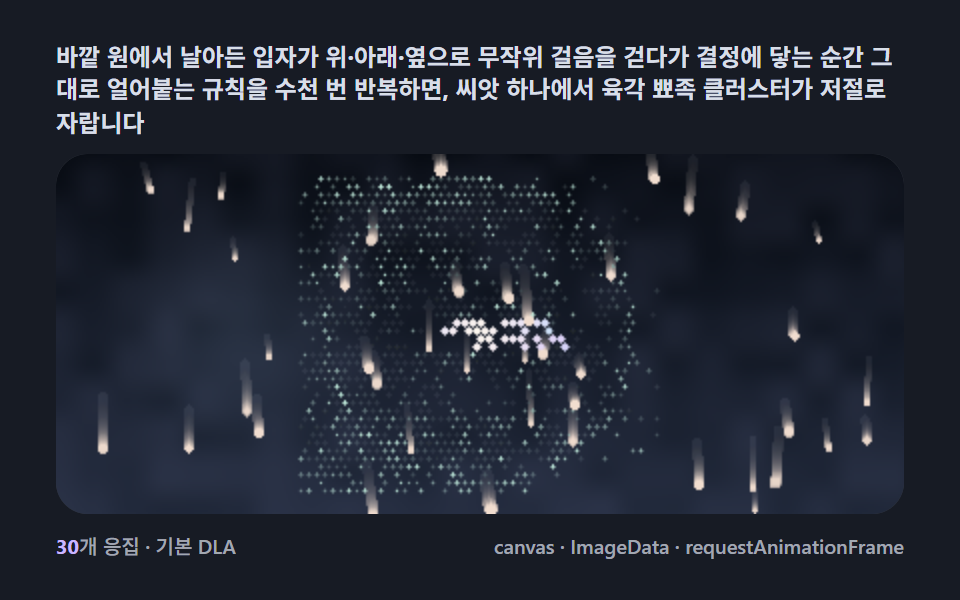 Creative UISnowflake Generator, 9 Ways (DLA, No Library)
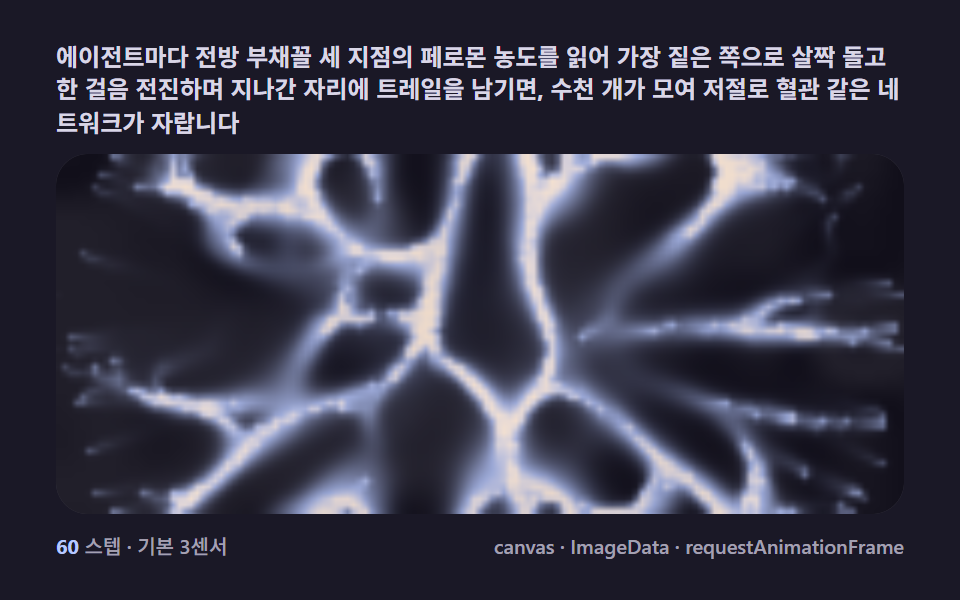 Creative UISlime Mold Simulation, 9 Ways (No Library)
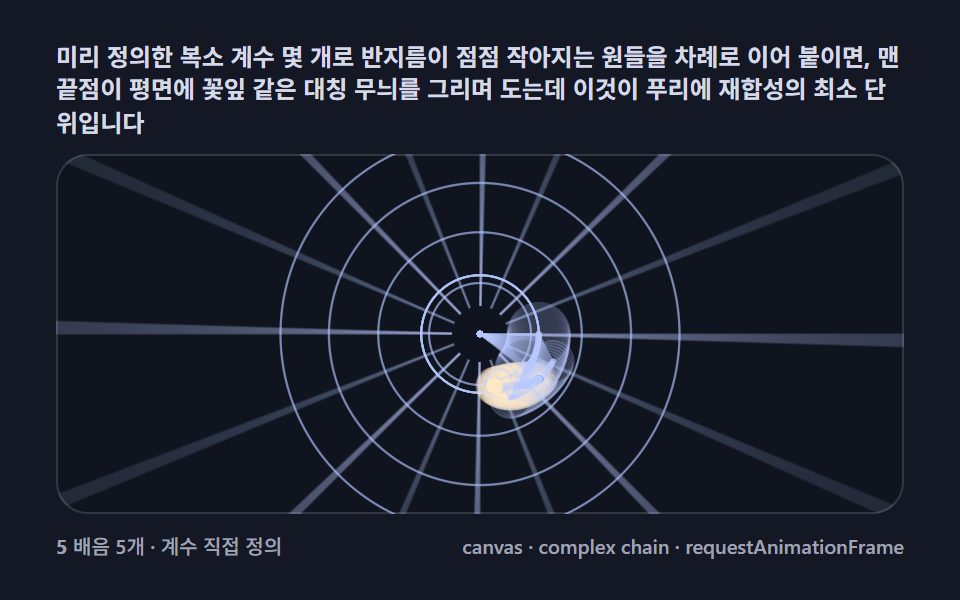 Creative UIFourier Epicycles, 9 Ways (No Library)