03A Soft Sky That Flows by Warping Noise With Noise
The coordinates used to read the noise are pushed twice by other noise values so the grain swirls, and the result is looked up in a color table so borderless patches of light blend slowly.
Best forHero for a company landing page
WARP_STRENGTHWARP_OCTAVESHUE_DRIFT
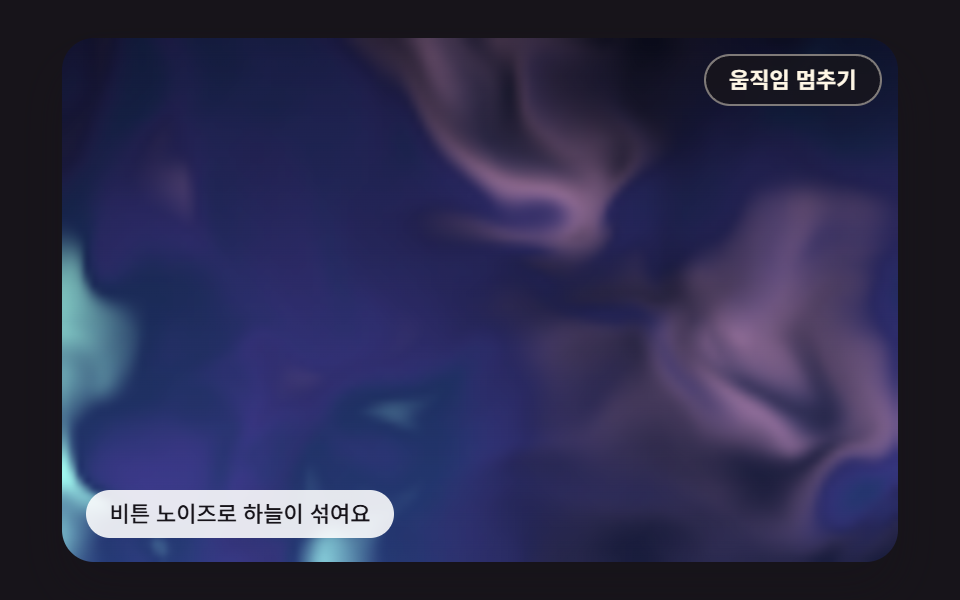
<main class="stage">
<div class="au is-demo" id="au">
  <canvas class="au__canvas" data-role="canvas" width="480" height="300" aria-hidden="true"></canvas>
  <button class="au__pause" data-role="pause" type="button" aria-pressed="false">Pause motion</button>
  <p class="au__status" data-role="status" aria-live="off">Warped noise blends the sky</p>
</div>
</main>
@use "../../../../site/static/demo-tokens" as *;
@include stage($stage-ink);
.au {
position: relative;
width: min(92vw, calc(160vh - 12.8vw));
aspect-ratio: 480 / 300;
margin: 0 auto;
border-radius: $r-card;
overflow: hidden;
box-shadow: $shadow-raised;
background: $subject-ink;
}
// 05·09 는 무대 자체가 초점을 받는다(화살표 키) — 고리는 크림색으로 어두운 하늘 위에서 보이게
.au:focus-visible {
outline: 2px solid $subject-cream;
outline-offset: 3px;
}
.au__canvas {
display: block;
width: 100%;
height: 100%;
// 손가락 세로 쓸기는 브라우저에 남겨 페이지 스크롤이 막히지 않게 한다
touch-action: pan-y;
}
.au__pause {
position: absolute;
top: $sp-2;
right: $sp-2;
margin: 0;
padding: $sp-1 $sp-3;
border: 1px solid rgba(255, 247, 230, .45);
border-radius: $r-pill;
background: rgba(23, 20, 26, .78);
color: $subject-cream;
font-family: inherit;
font-weight: 600;
font-size: 11px;
line-height: 1.4;
cursor: pointer;
}
.au__pause:hover {
background: rgba(23, 20, 26, .92);
}
.au__pause:focus-visible {
outline: 2px solid $subject-cream;
outline-offset: 2px;
}
.au__pause[hidden] {
display: none;
}
.au__status {
position: absolute;
left: $sp-3;
bottom: $sp-3;
box-sizing: border-box;
max-width: 54%;
margin: 0;
padding: $sp-1 $sp-3;
border-radius: $r-control;
background: rgba(255, 255, 255, .88);
color: $subject-ink;
font-weight: 500;
font-size: 11px;
line-height: 1.4;
pointer-events: none;
}
@media (max-width: 340px) {
.au__status { font-size: 10px; padding: $sp-1 $sp-2; }
.au__pause { font-size: 10px; padding: $sp-1 $sp-2; }
}
// 움직임은 스크립트가 matchMedia 로 멈춘다(노이즈 시간을 세운 한 장면). CSS 쪽은 멈춤 버튼을 감추는 hidden 만 쓴다
@media (prefers-reduced-motion: reduce) {
.au__pause { transition: none; }
}html, body {
margin: 0;
overflow: hidden;
}
.stage {
box-sizing: border-box;
min-height: 100vh;
display: grid;
place-items: center;
margin: 0;
background: #17141a;
font-family: -apple-system, "Segoe UI", "Noto Sans KR", sans-serif;
padding: clamp(8px, 4vw, 24px);
}
.au {
position: relative;
width: min(92vw, 160vh - 12.8vw);
aspect-ratio: 480/300;
margin: 0 auto;
border-radius: 16px;
overflow: hidden;
box-shadow: 0 14px 24px rgba(23, 20, 26, 0.32);
background: #17141a;
}
.au:focus-visible {
outline: 2px solid #fff7e6;
outline-offset: 3px;
}
.au__canvas {
display: block;
width: 100%;
height: 100%;
touch-action: pan-y;
}
.au__pause {
position: absolute;
top: 8px;
right: 8px;
margin: 0;
padding: 4px 12px;
border: 1px solid rgba(255, 247, 230, 0.45);
border-radius: 999px;
background: rgba(23, 20, 26, 0.78);
color: #fff7e6;
font-family: inherit;
font-weight: 600;
font-size: 11px;
line-height: 1.4;
cursor: pointer;
}
.au__pause:hover {
background: rgba(23, 20, 26, 0.92);
}
.au__pause:focus-visible {
outline: 2px solid #fff7e6;
outline-offset: 2px;
}
.au__pause[hidden] {
display: none;
}
.au__status {
position: absolute;
left: 12px;
bottom: 12px;
box-sizing: border-box;
max-width: 54%;
margin: 0;
padding: 4px 12px;
border-radius: 12px;
background: rgba(255, 255, 255, 0.88);
color: #17141a;
font-weight: 500;
font-size: 11px;
line-height: 1.4;
pointer-events: none;
}
@media (max-width: 340px) {
.au__status {
font-size: 10px;
padding: 4px 8px;
}
.au__pause {
font-size: 10px;
padding: 4px 8px;
}
}
@media (prefers-reduced-motion: reduce) {
.au__pause {
transition: none;
}
}(function () {
const root = document.getElementById("au");
if (!root) return;
// 장면 좌표 — 캔버스 내부는 이 크기 x 배율(dpr)로 잡고, 그림은 늘 480x300 좌표로 그린다
const W = 480;
const H = 300;
// 고정 틱(ms) — 화면 주사율과 상관없이 같은 빠르기로 흐른다
const FIXED_DT = 16;
const TAU = Math.PI * 2;
// 동작 줄이기에서 멈춰 둘 장면 시각(ms) — 이 시각의 한 장면만 그린다
const STILL_MS = 5200;
// 밤하늘 — 위는 짙은 남색, 지평선 쪽은 한 단계 밝은 남보라
const SKY_TOP = [8, 10, 24];
const SKY_LOW = [24, 28, 60];
// 오로라 빛 — 채도를 낮춘 파스텔이지만 어두운 하늘과의 명도 차는 크게 둔다
const MINT = [150, 240, 200];
const TEAL = [126, 214, 236];
const VIOLET = [192, 168, 255];
const PINK = [255, 178, 214];
function clamp(v, lo, hi) { return v < lo ? lo : (v > hi ? hi : v); }
function lerp(a, b, k) { return a + (b - a) * k; }
// 부드러운 계단 3x² - 2x³ — 0 과 1 에서 기울기가 0 이라 이음매가 보이지 않는다
function smooth(x) { const c = clamp(x, 0, 1); return c * c * (3 - 2 * c); }
function mix(a, b, k) { return [lerp(a[0], b[0], k), lerp(a[1], b[1], k), lerp(a[2], b[2], k)]; }
function rgba(c, a) {
return 'rgba(' + Math.round(clamp(c[0], 0, 255)) + ',' + Math.round(clamp(c[1], 0, 255)) + ',' + Math.round(clamp(c[2], 0, 255)) + ',' + clamp(a, 0, 1).toFixed(3) + ')';
}
// 시드 고정 난수 — 같은 시드면 같은 배치가 다시 나온다 (32비트 정수 섞기)
function makeRng(seed) {
let s = seed >>> 0;
return function () {
s = (s + 0x6d2b79f5) >>> 0;
let t = s;
t = Math.imul(t ^ (t >>> 15), t | 1);
t ^= t + Math.imul(t ^ (t >>> 7), t | 61);
return ((t ^ (t >>> 14)) >>> 0) / 4294967296;
};
}
// 격자점 해시 — 정수 좌표 (ix, iy) 와 시드에서 0..1 값 하나를 만든다. 같은 점은 언제나 같은 값
function hash2(ix, iy, seed) {
let h = (Math.imul(ix, 374761393) + Math.imul(iy, 668265263) + Math.imul(seed, 1013904223)) | 0;
h = Math.imul(h ^ (h >>> 13), 1274126177);
h ^= h >>> 16;
return (h >>> 0) / 4294967296;
}
// 값 노이즈 — 정수 격자점마다 해시 값을 두고, 칸 안에서는 네 모서리 값을 부드러운 계단으로 보간한다. 결과 0..1
function noise2(x, y, seed) {
const ix = Math.floor(x);
const iy = Math.floor(y);
const fx = x - ix;
const fy = y - iy;
const u = fx * fx * (3 - 2 * fx);
const v = fy * fy * (3 - 2 * fy);
const a = hash2(ix, iy, seed);
const b = hash2(ix + 1, iy, seed);
const c = hash2(ix, iy + 1, seed);
const d = hash2(ix + 1, iy + 1, seed);
return lerp(lerp(a, b, u), lerp(c, d, u), v);
}
// 옥타브 합 — 주파수를 두 배로, 세기를 절반으로 줄여 가며 n 겹 더한 뒤 세기 합으로 나눈다. 결과 0..1
function octaves(x, y, n, seed) {
let sum = 0;
let amp = 0.5;
let norm = 0;
let f = 1;
for (let k = 0; k < n; k += 1) {
sum += amp * noise2(x * f + k * 17.13, y * f + k * 9.71, seed + k * 31);
norm += amp;
amp *= 0.5;
f *= 2;
}
return sum / norm;
}
function textOf(el) { return (el.textContent || '').trim(); }
const canvasEl = root.querySelector('[data-role="canvas"]');
const statusEl = root.querySelector('[data-role="status"]');
const pauseEl = root.querySelector('[data-role="pause"]');
const ctxRaw = canvasEl ? canvasEl.getContext('2d') : null;
if (!canvasEl || !ctxRaw || !statusEl || !pauseEl) {
return;
}
const cv = canvasEl;
const ctx = ctxRaw;
const status = statusEl;
const pauseBtn = pauseEl;
// 화면 글자는 DOM 에 있다 — 문구를 바꾸면 버튼·상태 줄도 같이 바뀐다
const STATUS0 = textOf(status);
const PAUSE_LABEL = textOf(pauseBtn);
const RESUME_LABEL = 'Resume motion';
const TXT_PAUSED = 'Paused — use the button to resume';
const reduceQuery = window.matchMedia('(prefers-reduced-motion: reduce)');
// 페이지를 연 채 동작 줄이기 설정을 바꿔도 아래 change 리스너가 이 값을 다시 읽는다
let still = reduceQuery.matches;
// 사람이 멈춤 버튼을 눌렀는가
let paused = false;
// 자동 시연 중인가 — 사람이 처음 만지는 순간 시연을 멈추고 상태 줄을 읽어 주기 시작한다
let demo = root.classList.contains('is-demo');
function wake() {
if (!demo) {
return;
}
demo = false;
root.classList.remove('is-demo');
status.setAttribute('aria-live', 'polite');
}
function say(text) {
if (status.textContent !== text) {
status.textContent = text;
}
}
// 캔버스 배율 — 화면 배율을 따르되 2 에서 자른다(배율 3 기기에서 픽셀 일이 2.25배로 늘지 않게)
let dpr = 1;
function fitCanvas() {
dpr = Math.min(window.devicePixelRatio || 1, 2);
cv.width = Math.round(W * dpr);
cv.height = Math.round(H * dpr);
}
function begin() {
ctx.setTransform(dpr, 0, 0, dpr, 0, 0);
ctx.globalCompositeOperation = 'source-over';
ctx.globalAlpha = 1;
}
// 작은 픽셀 버퍼 — 계산은 이 크기에서 하고 화면에는 늘려 그린다
function makeBuffer(w, h) {
const b = document.createElement('canvas');
b.width = w;
b.height = h;
const c = b.getContext('2d');
return { cv: b, c: c, img: c.createImageData(w, h), w: w, h: h };
}
// 버퍼를 무대 크기로 키워 더한다 — 늘릴 때 브라우저의 이미지 보간이 칸 사이를 메우고, 'lighter' 는 밤하늘 위에 빛을 더한다
function blitBuffer(b, x, y, w, h) {
b.c.putImageData(b.img, 0, 0);
ctx.save();
ctx.imageSmoothingEnabled = true;
ctx.imageSmoothingQuality = 'high';
ctx.globalCompositeOperation = 'lighter';
ctx.drawImage(b.cv, x, y, w, h);
ctx.restore();
}
// 높이 y 에서 하늘 색 — 버퍼 계산에서 밝기를 잴 때도 같은 식을 쓴다
function skyAt(y, h) { return mix(SKY_TOP, SKY_LOW, clamp(y / h, 0, 1)); }
function drawSky(c, w, h) {
const g = c.createLinearGradient(0, 0, 0, h);
g.addColorStop(0, rgba(SKY_TOP, 1));
g.addColorStop(1, rgba(SKY_LOW, 1));
c.fillStyle = g;
c.fillRect(0, 0, w, h);
}
// 장면 시계(ms) — rAF 루프가 고정 틱으로만 늘린다. 동작 줄이기에서는 STILL_MS 에 멈춘다
let simMs = 0;
function nowS() { return simMs / 1000; }
function toScene(ev) {
const r = cv.getBoundingClientRect();
return [(ev.clientX - r.left) / Math.max(1, r.width) * W, (ev.clientY - r.top) / Math.max(1, r.height) * H];
}
// 겹치는 DOM 층의 자리 — 장면 좌표를 무대 백분율로 바꿔 넣는다
function place(el, r) {
el.style.left = (r.x / W * 100).toFixed(3) + '%';
el.style.top = (r.y / H * 100).toFixed(3) + '%';
el.style.width = (r.w / W * 100).toFixed(3) + '%';
el.style.height = (r.h / H * 100).toFixed(3) + '%';
}
// 왜곡 세기 — 노이즈 값(0..1)에 이만큼 곱해 다음 단계 노이즈를 읽을 좌표를 민다
const WARP_STRENGTH = 1.6;
// 왜곡에 쓰는 노이즈의 옥타브 수
const WARP_OCTAVES = 3;
// 색표 흐름 — 1초에 색표 위치가 움직이는 양
const HUE_DRIFT = 0.05;
// 버퍼 크기 — 120x75 칸에서 계산하고 무대 크기로 키운다
const WARP_W = 120;
const WARP_H = 75;
// 노이즈 좌표 배율 — 버퍼 가로 전체가 노이즈 3.2칸
const WARP_SPAN = 3.2 / WARP_W;
// 시간 흐름 — 1초에 첫 단계 좌표가 움직이는 양
const WARP_FLOW = 0.16;
// 색표 — 짙은 청록 → 민트 → 하늘 → 라일락 → 분홍 → 짙은 남보라, 끝에서 처음으로 돈다
const PALETTE_03 = [[14, 30, 58], MINT, TEAL, VIOLET, PINK, [40, 34, 88]];
const warpBuf = makeBuffer(WARP_W, WARP_H);
const warpTmp = [0, 0];
function fbm(x, y, seed) { return octaves(x, y, WARP_OCTAVES, seed); }
// 2단 도메인 왜곡 — q 로 좌표를 한 번, r 로 한 번 더 민 자리에서 노이즈를 읽는다. 결 무늬가 소용돌이친다
function warped(x, y, t, out) {
const f = t * WARP_FLOW;
const qx = fbm(x + f, y, 301);
const qy = fbm(x + 5.2, y + 1.3 - f, 302);
const rx = fbm(x + WARP_STRENGTH * qx + 1.7 - f * 0.7, y + WARP_STRENGTH * qy + 9.2, 303);
const ry = fbm(x + WARP_STRENGTH * qx + 8.3, y + WARP_STRENGTH * qy + 2.8 + f * 0.8, 304);
out[0] = qx;
out[1] = rx;
return fbm(x + WARP_STRENGTH * rx, y + WARP_STRENGTH * ry, 305);
}
// 색표 조회 — 0..1 위치를 표의 이웃 두 색 사이에서 보간한다. 1 을 넘으면 처음으로 돈다
function paletteAt(u) {
const n = PALETTE_03.length;
const p = (((u % 1) + 1) % 1) * n;
const i = Math.floor(p);
return mix(PALETTE_03[i % n], PALETTE_03[(i + 1) % n], smooth(p - i));
}
function paintWarp(t) {
const data = warpBuf.img.data;
for (let row = 0; row < WARP_H; row += 1) {
// 위쪽은 조금 눌러 밤하늘이 비치게 한다
const m = 0.6 + 0.4 * (row / WARP_H);
for (let col = 0; col < WARP_W; col += 1) {
const v = warped(col * WARP_SPAN, row * WARP_SPAN, t, warpTmp);
const c = paletteAt(v * 0.9 + warpTmp[1] * 0.5 + t * HUE_DRIFT);
const glow = smooth((v - 0.3) / 0.42);
const i = (row * WARP_W + col) * 4;
data[i] = c[0];
data[i + 1] = c[1];
data[i + 2] = c[2];
data[i + 3] = clamp(glow * m * 255, 0, 255);
}
}
}
function itemInit() { }
function itemStep(dt) { }
function itemDraw() {
drawSky(ctx, W, H);
paintWarp(nowS());
blitBuffer(warpBuf, 0, 0, W, H);
}
function itemDemo(t) { }
function itemStatus() { return STATUS0; }
function itemSnap() { }
function itemPointer(p, on) { return false; }
function itemKey(key) { return false; }
function render() {
begin();
itemDraw();
if (!paused) {
say(itemStatus());
}
}
// 루프가 멈춰 있을 때(동작 줄이기·멈춤) 입력이 들어오면 — 움직이던 값을 목표로 바로 옮겨 한 장 그린다
function after() {
if (rafId) {
return;
}
itemSnap();
render();
}
function setPaused(p) {
paused = p;
pauseBtn.setAttribute('aria-pressed', p ? 'true' : 'false');
pauseBtn.textContent = p ? RESUME_LABEL : PAUSE_LABEL;
if (p) {
stopLoop();
say(TXT_PAUSED);
}
else {
say(itemStatus());
startLoop();
}
}
pauseBtn.addEventListener('click', function () { wake(); setPaused(!paused); });
cv.addEventListener('pointermove', function (ev) {
if (itemPointer(toScene(ev), true)) {
wake();
after();
}
});
cv.addEventListener('pointerdown', function (ev) {
wake();
if (itemPointer(toScene(ev), true)) {
after();
}
});
cv.addEventListener('pointerleave', function () { itemPointer([W / 2, H / 2], false); });
root.addEventListener('keydown', function (ev) {
if (ev.target !== root) {
return;
}
if (itemKey(ev.key)) {
ev.preventDefault();
wake();
after();
}
});
function onResize() {
fitCanvas();
render();
}
fitCanvas();
itemInit();
window.addEventListener('resize', onResize);
let rafId = 0;
let lastTs = -1;
let acc = 0;
function frame(ts) {
if (still || paused) {
rafId = 0;
return;
}
if (lastTs < 0) {
lastTs = ts;
}
// 탭이 숨었다 돌아와도 한 번에 100ms 까지만 따라잡는다 — 순간이동 대신 이어서 움직인다
acc += Math.min(ts - lastTs, 100);
lastTs = ts;
let n = 0;
while (acc >= FIXED_DT && n < 6) {
simMs += FIXED_DT;
if (demo) {
itemDemo(simMs);
}
itemStep(FIXED_DT);
acc -= FIXED_DT;
n += 1;
}
if (n === 6) {
acc = 0;
}
render();
rafId = window.requestAnimationFrame(frame);
}
function startLoop() {
if (rafId || still || paused) {
return;
}
lastTs = -1;
acc = 0;
rafId = window.requestAnimationFrame(frame);
}
function stopLoop() {
if (rafId) {
window.cancelAnimationFrame(rafId);
rafId = 0;
}
}
// 동작 줄이기 설정이 페이지를 연 채 바뀌면 — 켜지면 루프를 멈추고 그 순간 한 장면으로, 꺼지면 루프를 다시 돈다
function onMotionPref() {
still = reduceQuery.matches;
pauseBtn.hidden = still;
if (still) {
stopLoop();
itemSnap();
render();
}
else {
startLoop();
}
}
if (typeof reduceQuery.addEventListener === 'function') {
reduceQuery.addEventListener('change', onMotionPref);
}
pauseBtn.hidden = still;
if (still) {
// 동작 줄이기 — 노이즈 시간을 STILL_MS 에 세운 한 장면. 입력은 after() 가 그 자리에서 반영한다
simMs = STILL_MS;
itemSnap();
render();
}
else {
render();
startLoop();
}
return function () {
stopLoop();
window.removeEventListener('resize', onResize);
if (typeof reduceQuery.removeEventListener === 'function') {
reduceQuery.removeEventListener('change', onMotionPref);
}
};
})();// DomainWarpSoftSky - vanilla 판(03-aur-domain-warp-soft-sky) 의 React 포트. 같은 계산을 useEffect 안에서 돌린다.
import { useEffect, useRef } from "react";
import styles from "./DomainWarpSoftSky.module.scss";
const cx = (s: string): string => s.split(" ").map((n) => styles[n] ?? n).join(" ");
export default function DomainWarpSoftSky() {
const rootRef = useRef<HTMLDivElement | null>(null);
useEffect(() => {
const rootEl = rootRef.current;
if (!rootEl) return;
const root: HTMLElement = rootEl;
type RGB = [number, number, number];
type Pt = [number, number];
type Rect = { x: number; y: number; w: number; h: number };
type PixelBuffer = { cv: HTMLCanvasElement; c: CanvasRenderingContext2D; img: ImageData; w: number; h: number };
// 장면 좌표 — 캔버스 내부는 이 크기 x 배율(dpr)로 잡고, 그림은 늘 480x300 좌표로 그린다
const W = 480;
const H = 300;
// 고정 틱(ms) — 화면 주사율과 상관없이 같은 빠르기로 흐른다
const FIXED_DT = 16;
const TAU = Math.PI * 2;
// 동작 줄이기에서 멈춰 둘 장면 시각(ms) — 이 시각의 한 장면만 그린다
const STILL_MS = 5200;
// 밤하늘 — 위는 짙은 남색, 지평선 쪽은 한 단계 밝은 남보라
const SKY_TOP: RGB = [8, 10, 24];
const SKY_LOW: RGB = [24, 28, 60];
// 오로라 빛 — 채도를 낮춘 파스텔이지만 어두운 하늘과의 명도 차는 크게 둔다
const MINT: RGB = [150, 240, 200];
const TEAL: RGB = [126, 214, 236];
const VIOLET: RGB = [192, 168, 255];
const PINK: RGB = [255, 178, 214];
function clamp(v: number, lo: number, hi: number): number { return v < lo ? lo : (v > hi ? hi : v); }
function lerp(a: number, b: number, k: number): number { return a + (b - a) * k; }
// 부드러운 계단 3x² - 2x³ — 0 과 1 에서 기울기가 0 이라 이음매가 보이지 않는다
function smooth(x: number): number { const c = clamp(x, 0, 1); return c * c * (3 - 2 * c); }
function mix(a: RGB, b: RGB, k: number): RGB { return [lerp(a[0], b[0], k), lerp(a[1], b[1], k), lerp(a[2], b[2], k)]; }
function rgba(c: RGB, a: number): string {
return 'rgba(' + Math.round(clamp(c[0], 0, 255)) + ',' + Math.round(clamp(c[1], 0, 255)) + ',' + Math.round(clamp(c[2], 0, 255)) + ',' + clamp(a, 0, 1).toFixed(3) + ')';
}
// 시드 고정 난수 — 같은 시드면 같은 배치가 다시 나온다 (32비트 정수 섞기)
function makeRng(seed: number): () => number {
let s = seed >>> 0;
return function (): number {
s = (s + 0x6d2b79f5) >>> 0;
let t = s;
t = Math.imul(t ^ (t >>> 15), t | 1);
t ^= t + Math.imul(t ^ (t >>> 7), t | 61);
return ((t ^ (t >>> 14)) >>> 0) / 4294967296;
};
}
// 격자점 해시 — 정수 좌표 (ix, iy) 와 시드에서 0..1 값 하나를 만든다. 같은 점은 언제나 같은 값
function hash2(ix: number, iy: number, seed: number): number {
let h = (Math.imul(ix, 374761393) + Math.imul(iy, 668265263) + Math.imul(seed, 1013904223)) | 0;
h = Math.imul(h ^ (h >>> 13), 1274126177);
h ^= h >>> 16;
return (h >>> 0) / 4294967296;
}
// 값 노이즈 — 정수 격자점마다 해시 값을 두고, 칸 안에서는 네 모서리 값을 부드러운 계단으로 보간한다. 결과 0..1
function noise2(x: number, y: number, seed: number): number {
const ix = Math.floor(x);
const iy = Math.floor(y);
const fx = x - ix;
const fy = y - iy;
const u = fx * fx * (3 - 2 * fx);
const v = fy * fy * (3 - 2 * fy);
const a = hash2(ix, iy, seed);
const b = hash2(ix + 1, iy, seed);
const c = hash2(ix, iy + 1, seed);
const d = hash2(ix + 1, iy + 1, seed);
return lerp(lerp(a, b, u), lerp(c, d, u), v);
}
// 옥타브 합 — 주파수를 두 배로, 세기를 절반으로 줄여 가며 n 겹 더한 뒤 세기 합으로 나눈다. 결과 0..1
function octaves(x: number, y: number, n: number, seed: number): number {
let sum = 0;
let amp = 0.5;
let norm = 0;
let f = 1;
for (let k = 0; k < n; k += 1) {
sum += amp * noise2(x * f + k * 17.13, y * f + k * 9.71, seed + k * 31);
norm += amp;
amp *= 0.5;
f *= 2;
}
return sum / norm;
}
function textOf(el: HTMLElement): string { return (el.textContent || '').trim(); }
const canvasEl = root.querySelector('[data-role="canvas"]') as HTMLCanvasElement | null;
const statusEl = root.querySelector('[data-role="status"]') as HTMLElement | null;
const pauseEl = root.querySelector('[data-role="pause"]') as HTMLButtonElement | null;
const ctxRaw = canvasEl ? canvasEl.getContext('2d') : null;
if (!canvasEl || !ctxRaw || !statusEl || !pauseEl) { return; }
const cv: HTMLCanvasElement = canvasEl;
const ctx: CanvasRenderingContext2D = ctxRaw;
const status: HTMLElement = statusEl;
const pauseBtn: HTMLButtonElement = pauseEl;
// 화면 글자는 DOM 에 있다 — 문구를 바꾸면 버튼·상태 줄도 같이 바뀐다
const STATUS0 = textOf(status);
const PAUSE_LABEL = textOf(pauseBtn);
const RESUME_LABEL = '움직임 다시 켜기';
const TXT_PAUSED = '멈췄어요 — 버튼으로 다시 켜기';
const reduceQuery = window.matchMedia('(prefers-reduced-motion: reduce)');
// 페이지를 연 채 동작 줄이기 설정을 바꿔도 아래 change 리스너가 이 값을 다시 읽는다
let still = reduceQuery.matches;
// 사람이 멈춤 버튼을 눌렀는가
let paused = false;
// 자동 시연 중인가 — 사람이 처음 만지는 순간 시연을 멈추고 상태 줄을 읽어 주기 시작한다
let demo = root.classList.contains('is-demo');
function wake(): void {
if (!demo) { return; }
demo = false;
root.classList.remove('is-demo');
status.setAttribute('aria-live', 'polite');
}
function say(text: string): void {
if (status.textContent !== text) { status.textContent = text; }
}
// 캔버스 배율 — 화면 배율을 따르되 2 에서 자른다(배율 3 기기에서 픽셀 일이 2.25배로 늘지 않게)
let dpr = 1;
function fitCanvas(): void {
dpr = Math.min(window.devicePixelRatio || 1, 2);
cv.width = Math.round(W * dpr);
cv.height = Math.round(H * dpr);
}
function begin(): void {
ctx.setTransform(dpr, 0, 0, dpr, 0, 0);
ctx.globalCompositeOperation = 'source-over';
ctx.globalAlpha = 1;
}
// 작은 픽셀 버퍼 — 계산은 이 크기에서 하고 화면에는 늘려 그린다
function makeBuffer(w: number, h: number): PixelBuffer {
const b = document.createElement('canvas');
b.width = w;
b.height = h;
const c = b.getContext('2d') as CanvasRenderingContext2D;
return { cv: b, c: c, img: c.createImageData(w, h), w: w, h: h };
}
// 버퍼를 무대 크기로 키워 더한다 — 늘릴 때 브라우저의 이미지 보간이 칸 사이를 메우고, 'lighter' 는 밤하늘 위에 빛을 더한다
function blitBuffer(b: PixelBuffer, x: number, y: number, w: number, h: number): void {
b.c.putImageData(b.img, 0, 0);
ctx.save();
ctx.imageSmoothingEnabled = true;
ctx.imageSmoothingQuality = 'high';
ctx.globalCompositeOperation = 'lighter';
ctx.drawImage(b.cv, x, y, w, h);
ctx.restore();
}
// 높이 y 에서 하늘 색 — 버퍼 계산에서 밝기를 잴 때도 같은 식을 쓴다
function skyAt(y: number, h: number): RGB { return mix(SKY_TOP, SKY_LOW, clamp(y / h, 0, 1)); }
function drawSky(c: CanvasRenderingContext2D, w: number, h: number): void {
const g = c.createLinearGradient(0, 0, 0, h);
g.addColorStop(0, rgba(SKY_TOP, 1));
g.addColorStop(1, rgba(SKY_LOW, 1));
c.fillStyle = g;
c.fillRect(0, 0, w, h);
}
// 장면 시계(ms) — rAF 루프가 고정 틱으로만 늘린다. 동작 줄이기에서는 STILL_MS 에 멈춘다
let simMs = 0;
function nowS(): number { return simMs / 1000; }
function toScene(ev: PointerEvent): Pt {
const r = cv.getBoundingClientRect();
return [(ev.clientX - r.left) / Math.max(1, r.width) * W, (ev.clientY - r.top) / Math.max(1, r.height) * H];
}
// 겹치는 DOM 층의 자리 — 장면 좌표를 무대 백분율로 바꿔 넣는다
function place(el: HTMLElement, r: Rect): void {
el.style.left = (r.x / W * 100).toFixed(3) + '%';
el.style.top = (r.y / H * 100).toFixed(3) + '%';
el.style.width = (r.w / W * 100).toFixed(3) + '%';
el.style.height = (r.h / H * 100).toFixed(3) + '%';
}
// 왜곡 세기 — 노이즈 값(0..1)에 이만큼 곱해 다음 단계 노이즈를 읽을 좌표를 민다
const WARP_STRENGTH = 1.6;
// 왜곡에 쓰는 노이즈의 옥타브 수
const WARP_OCTAVES = 3;
// 색표 흐름 — 1초에 색표 위치가 움직이는 양
const HUE_DRIFT = 0.05;
// 버퍼 크기 — 120x75 칸에서 계산하고 무대 크기로 키운다
const WARP_W = 120;
const WARP_H = 75;
// 노이즈 좌표 배율 — 버퍼 가로 전체가 노이즈 3.2칸
const WARP_SPAN = 3.2 / WARP_W;
// 시간 흐름 — 1초에 첫 단계 좌표가 움직이는 양
const WARP_FLOW = 0.16;
// 색표 — 짙은 청록 → 민트 → 하늘 → 라일락 → 분홍 → 짙은 남보라, 끝에서 처음으로 돈다
const PALETTE_03: RGB[] = [[14, 30, 58], MINT, TEAL, VIOLET, PINK, [40, 34, 88]];
const warpBuf = makeBuffer(WARP_W, WARP_H);
const warpTmp: number[] = [0, 0];
function fbm(x: number, y: number, seed: number): number { return octaves(x, y, WARP_OCTAVES, seed); }
// 2단 도메인 왜곡 — q 로 좌표를 한 번, r 로 한 번 더 민 자리에서 노이즈를 읽는다. 결 무늬가 소용돌이친다
function warped(x: number, y: number, t: number, out: number[]): number {
const f = t * WARP_FLOW;
const qx = fbm(x + f, y, 301);
const qy = fbm(x + 5.2, y + 1.3 - f, 302);
const rx = fbm(x + WARP_STRENGTH * qx + 1.7 - f * 0.7, y + WARP_STRENGTH * qy + 9.2, 303);
const ry = fbm(x + WARP_STRENGTH * qx + 8.3, y + WARP_STRENGTH * qy + 2.8 + f * 0.8, 304);
out[0] = qx;
out[1] = rx;
return fbm(x + WARP_STRENGTH * rx, y + WARP_STRENGTH * ry, 305);
}
// 색표 조회 — 0..1 위치를 표의 이웃 두 색 사이에서 보간한다. 1 을 넘으면 처음으로 돈다
function paletteAt(u: number): RGB {
const n = PALETTE_03.length;
const p = (((u % 1) + 1) % 1) * n;
const i = Math.floor(p);
return mix(PALETTE_03[i % n], PALETTE_03[(i + 1) % n], smooth(p - i));
}
function paintWarp(t: number): void {
const data = warpBuf.img.data;
for (let row = 0; row < WARP_H; row += 1) {
// 위쪽은 조금 눌러 밤하늘이 비치게 한다
const m = 0.6 + 0.4 * (row / WARP_H);
for (let col = 0; col < WARP_W; col += 1) {
const v = warped(col * WARP_SPAN, row * WARP_SPAN, t, warpTmp);
const c = paletteAt(v * 0.9 + warpTmp[1] * 0.5 + t * HUE_DRIFT);
const glow = smooth((v - 0.3) / 0.42);
const i = (row * WARP_W + col) * 4;
data[i] = c[0];
data[i + 1] = c[1];
data[i + 2] = c[2];
data[i + 3] = clamp(glow * m * 255, 0, 255);
}
}
}
function itemInit(): void { }
function itemStep(dt: number): void { }
function itemDraw(): void {
drawSky(ctx, W, H);
paintWarp(nowS());
blitBuffer(warpBuf, 0, 0, W, H);
}
function itemDemo(t: number): void { }
function itemStatus(): string { return STATUS0; }
function itemSnap(): void { }
function itemPointer(p: Pt, on: boolean): boolean { return false; }
function itemKey(key: string): boolean { return false; }
function render(): void {
begin();
itemDraw();
if (!paused) { say(itemStatus()); }
}
// 루프가 멈춰 있을 때(동작 줄이기·멈춤) 입력이 들어오면 — 움직이던 값을 목표로 바로 옮겨 한 장 그린다
function after(): void {
if (rafId) { return; }
itemSnap();
render();
}
function setPaused(p: boolean): void {
paused = p;
pauseBtn.setAttribute('aria-pressed', p ? 'true' : 'false');
pauseBtn.textContent = p ? RESUME_LABEL : PAUSE_LABEL;
if (p) {
stopLoop();
say(TXT_PAUSED);
} else {
say(itemStatus());
startLoop();
}
}
pauseBtn.addEventListener('click', function (): void { wake(); setPaused(!paused); });
cv.addEventListener('pointermove', function (ev: PointerEvent): void {
if (itemPointer(toScene(ev), true)) { wake(); after(); }
});
cv.addEventListener('pointerdown', function (ev: PointerEvent): void {
wake();
if (itemPointer(toScene(ev), true)) { after(); }
});
cv.addEventListener('pointerleave', function (): void { itemPointer([W / 2, H / 2], false); });
root.addEventListener('keydown', function (ev: KeyboardEvent): void {
if (ev.target !== root) { return; }
if (itemKey(ev.key)) {
ev.preventDefault();
wake();
after();
}
});
function onResize(): void {
fitCanvas();
render();
}
fitCanvas();
itemInit();
window.addEventListener('resize', onResize);
let rafId = 0;
let lastTs = -1;
let acc = 0;
function frame(ts: number): void {
if (still || paused) { rafId = 0; return; }
if (lastTs < 0) { lastTs = ts; }
// 탭이 숨었다 돌아와도 한 번에 100ms 까지만 따라잡는다 — 순간이동 대신 이어서 움직인다
acc += Math.min(ts - lastTs, 100);
lastTs = ts;
let n = 0;
while (acc >= FIXED_DT && n < 6) {
simMs += FIXED_DT;
if (demo) { itemDemo(simMs); }
itemStep(FIXED_DT);
acc -= FIXED_DT;
n += 1;
}
if (n === 6) { acc = 0; }
render();
rafId = window.requestAnimationFrame(frame);
}
function startLoop(): void {
if (rafId || still || paused) { return; }
lastTs = -1;
acc = 0;
rafId = window.requestAnimationFrame(frame);
}
function stopLoop(): void {
if (rafId) { window.cancelAnimationFrame(rafId); rafId = 0; }
}
// 동작 줄이기 설정이 페이지를 연 채 바뀌면 — 켜지면 루프를 멈추고 그 순간 한 장면으로, 꺼지면 루프를 다시 돈다
function onMotionPref(): void {
still = reduceQuery.matches;
pauseBtn.hidden = still;
if (still) {
stopLoop();
itemSnap();
render();
} else {
startLoop();
}
}
if (typeof reduceQuery.addEventListener === 'function') { reduceQuery.addEventListener('change', onMotionPref); }
pauseBtn.hidden = still;
if (still) {
// 동작 줄이기 — 노이즈 시간을 STILL_MS 에 세운 한 장면. 입력은 after() 가 그 자리에서 반영한다
simMs = STILL_MS;
itemSnap();
render();
} else {
render();
startLoop();
}
return function (): void {
stopLoop();
window.removeEventListener('resize', onResize);
if (typeof reduceQuery.removeEventListener === 'function') { reduceQuery.removeEventListener('change', onMotionPref); }
};
}, []);
return (
<div className={cx("au") + " is-demo"} ref={rootRef}>
<canvas className={cx("au__canvas")} data-role="canvas" width={480} height={300} aria-hidden="true"></canvas>
<button className={cx("au__pause")} data-role="pause" type="button" aria-pressed="false">움직임 멈추기</button>
<p className={cx("au__status")} data-role="status" aria-live="off">비튼 노이즈로 하늘이 섞여요</p>
</div>
);
}03 A Soft Sky That Flows by Warping Noise With Noise — Measured area 67.861% · moving frames 23/23Original by GODRICH · SCSS and React ship in the zip · Aurora Background CSS: 9 Living Night-Sky Scenes
The post this demo lives in
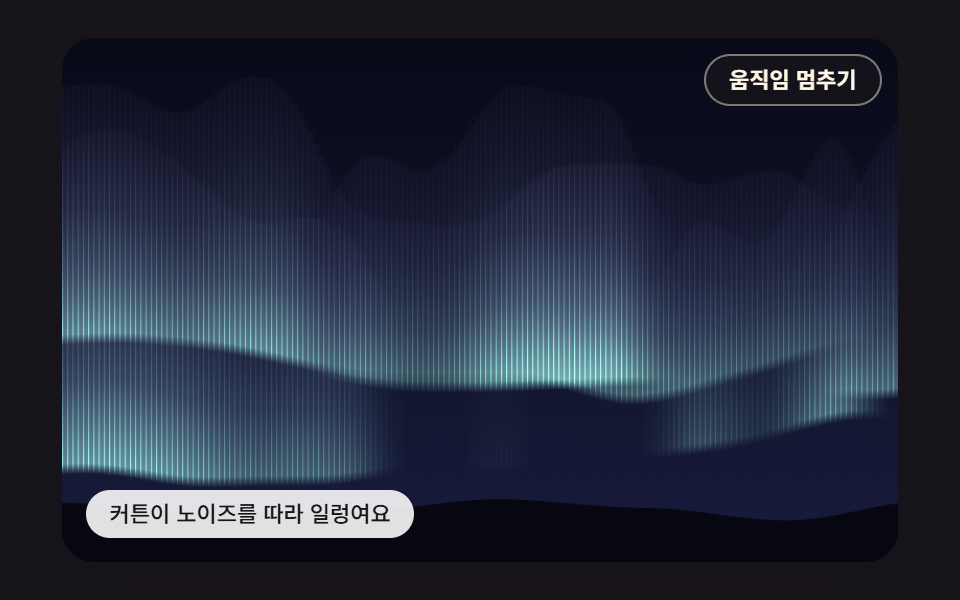 Aurora Background CSS: 9 Living Night-Sky ScenesAurora background css in canvas. One gradient gives an aurora that sits like wallpaper. Warp noise with noise and 03's s See all demos in this post
If you like this effect - similar demos
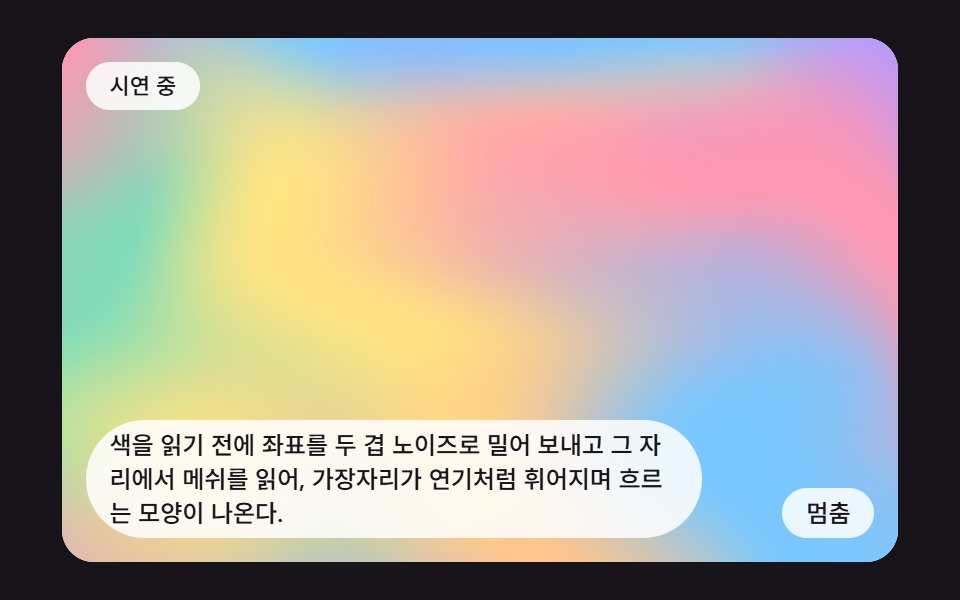 Creative UI04 Mesh Flowing Through Noise-Warped CoordinatesMesh Gradient Background: 9 Canvas Animations
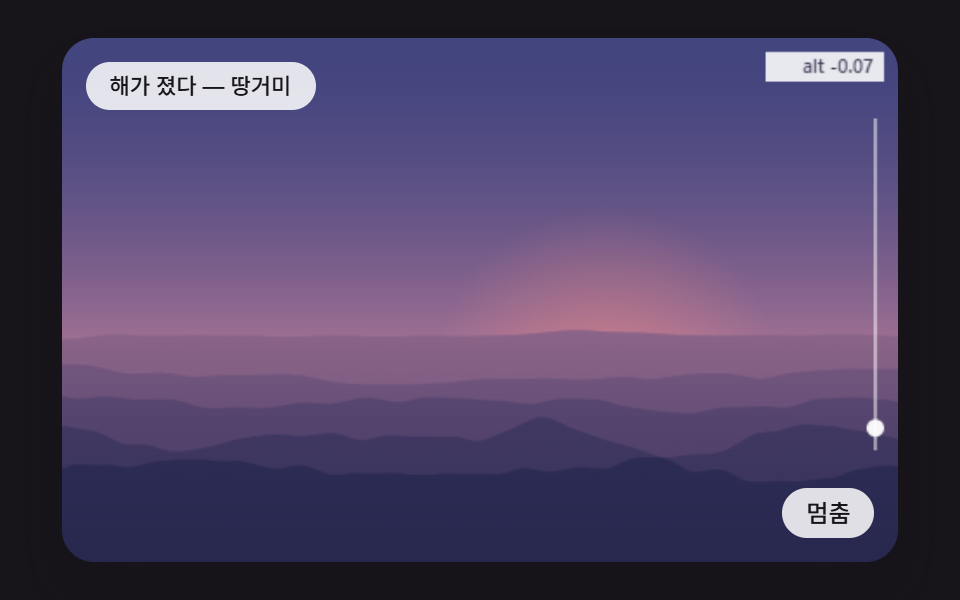 Creative UI06 Layered Ridges That Melt Into the Sky Color With DistanceCSS Sunset Gradient: 9 Demos With a Living Sky
 Creative UI06 Noise warp — letters washed by ripples9 Text Particle Effect CSS Ideas From Pixels