06Presence dot
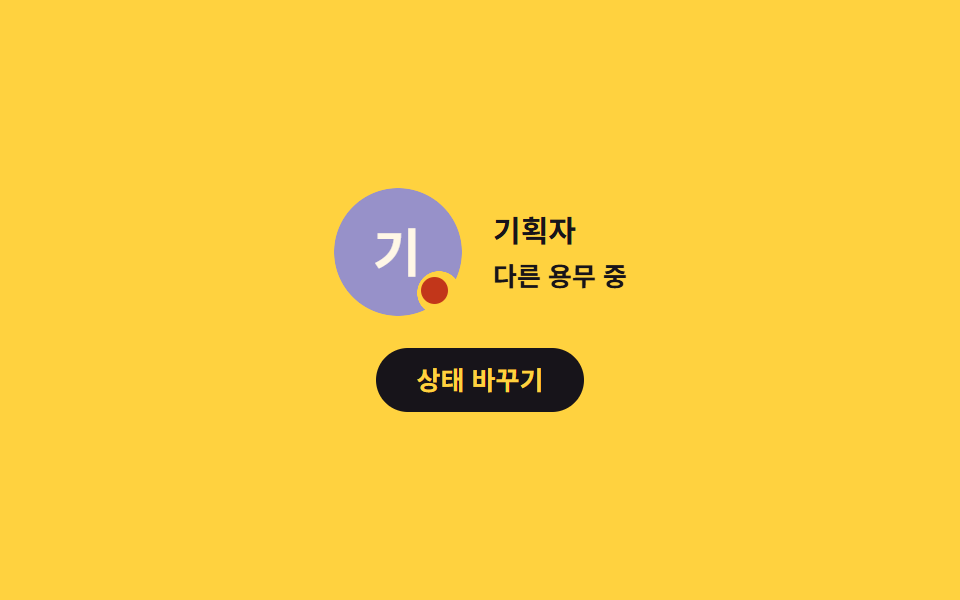
A mask punches a round hole in the avatar edge and the dot sits in that hole so it never covers the face, and every state change updates both the adjacent text and the announced label.
Best forTeam screens that show who is online right now
mask-imagesteps(1, end)aria-label
<main class="stage">
  <section class="pd is-demo" data-state="online" aria-label="Presence indicator">
    <div class="pd__body">
      <div class="pd__wrap" role="img" aria-label="Planner, Online">
        <span class="pd__av" data-name="Planner"></span>
        <span class="pd__dot" aria-hidden="true"></span>
      </div>
      <div class="pd__meta">
        <p class="pd__name">Planner</p>
        <p class="pd__state">
          <span data-key="online">Online</span>
          <span data-key="away">Away</span>
          <span data-key="busy">Busy</span>
        </p>
      </div>
    </div>

    <button class="pd__btn" type="button">Change status</button>
  </section>
</main>
@use "../../../../site/static/demo-tokens" as *;
// 279 아바타 팔레트 — 이니셜 글자는 언제나 $subject-cream. 괄호 안은 크림 글자 기준 실측 대비비
$av-blue: #7c90be; // 5.29:1
$av-violet: #9791c9; // 5.76:1
$av-teal: #479082; // 5.79:1
$av-plum: #ab5488; // 6.52:1
$av-brick: $error; // 오류 토큰 — 5.13:1. 리터럴 금지 (BD10)
$av-slate: #3b4a63; // 8.40:1
$av-mist: #b6b0c0; // 잉크 무대 보조 글자 8.65:1
$av-deep: #4a4452; // 옐로 무대 보조 글자 6.49:1 · 페이퍼 무대 9.38:1
// ── 변수 3개 ──────────────────────────────────────────
$duration: $dur-loop; // 세 상태를 한 바퀴에 도는 시간
$easing: $ease-spring;
$color: $av-violet; // 아바타 면 색
@include stage($stage-yellow);
.pd {
display: grid;
justify-items: center;
gap: $sp-4;
width: min(320px, 90vw);
}
.pd__body {
display: flex;
align-items: center;
gap: $sp-4;
}
.pd__wrap {
position: relative;
display: block;
width: 64px;
height: 64px;
}
.pd__av {
display: grid;
place-items: center;
width: 64px;
aspect-ratio: 1;
border-radius: 50%;
background: $color;
color: $subject-cream;
font-weight: 700;
font-size: 26px;
line-height: 1;
// 이 데모의 주제 — 아바타 면에 마스크로 구멍을 파고 점을 그 구멍에 앉힌다.
// 점이 얼굴이나 가장자리를 덮지 않고, 뚫린 자리에 정확히 들어간다
-webkit-mask-image: radial-gradient(circle 11px at 82% 82%, transparent 98%, #000 100%);
mask-image: radial-gradient(circle 11px at 82% 82%, transparent 98%, #000 100%);
}
// 상태 점 — 마스크 구멍(82% 82%, 지름 약 21px) 안에 앉는 10px 원
.pd__dot {
position: absolute;
left: 82%;
top: 82%;
width: 10px;
height: 10px;
border-radius: 50%;
background: $av-teal;
transform: translate(-50%, -50%);
}
.pd__meta { display: grid; gap: $sp-1; }
.pd__name {
margin: 0;
color: $stage-ink; // 옐로 무대 12.63:1 (크림 1.35:1 금지)
font-weight: 700;
font-size: 15px;
line-height: 1.3;
}
// 상태 글자 — 정적 규칙: 현재 상태 한 줄만 보인다
.pd__state {
margin: 0;
color: $stage-ink;
font-weight: 600;
font-size: 13px;
line-height: 1.3;
}
.pd__state span { display: none; }
.pd[data-state="online"] .pd__state span[data-key="online"],
.pd[data-state="away"] .pd__state span[data-key="away"],
.pd[data-state="busy"] .pd__state span[data-key="busy"] { display: inline; }
// 상태별 점 색 — 접속(민트) · 자리 비움(짙은 회자주) · 다른 용무(벽돌)
.pd[data-state="online"] .pd__dot { background: $av-teal; }
.pd[data-state="away"] .pd__dot { background: $av-deep; }
.pd[data-state="busy"] .pd__dot { background: $error; }
.pd__btn {
margin: 0;
padding: $sp-2 $sp-5;
border: 0;
border-radius: $r-pill;
background: $stage-ink;
color: $stage-yellow; // 12.63:1
font-family: inherit;
font-weight: 700;
font-size: 13px;
line-height: 1.2;
cursor: pointer;
transition: transform $dur-quick $ease-spring;
}
.pd__btn:hover { transform: translateY(-2px); }
.pd__btn:focus-visible { outline: 2px solid $stage-ink; outline-offset: 3px; }
// ── 격자 미리보기 루프 ────────────────────────────────
// 세 상태를 steps(1, end) 로 0% / 34% / 67% 에 컷 전환하고 88% 에 처음으로 복귀한다.
// 상태 교체를 페이드로 하면 poster 에 반투명 유령이 겹치므로 무조건 컷.
// 컷만으로는 움직인프레임이 모자라니 점은 scale 로 조용히 뛴다(1000ms — 2s 의 약수)
.pd.is-demo .pd__dot {
animation-name: pdDotCut, pdDotBeat;
animation-duration: $duration, 1000ms;
animation-timing-function: steps(1, end), $easing;
animation-iteration-count: infinite, infinite;
}
// 세 상태 글자를 같은 칸에 겹쳐 두고 컷 타이밍에 갈아 끼운다 — 두 글자가 겹쳐 보이지 않게
.pd.is-demo .pd__state { display: grid; }
.pd.is-demo .pd__state span {
display: inline;
grid-area: 1 / 1;
opacity: 0;
animation-duration: $duration;
animation-timing-function: steps(1, end);
animation-iteration-count: infinite;
}
.pd.is-demo .pd__state span[data-key="online"] { animation-name: pdTxtOnline; }
.pd.is-demo .pd__state span[data-key="away"] { animation-name: pdTxtAway; }
.pd.is-demo .pd__state span[data-key="busy"] { animation-name: pdTxtBusy; }
@keyframes pdDotCut {
0% { background-color: $av-teal; }
34% { background-color: $av-deep; }
67% { background-color: $error; }
88%, 100% { background-color: $av-teal; }
}
@keyframes pdDotBeat {
0% { scale: 1; }
50% { scale: 1.35; }
100% { scale: 1; }
}
@keyframes pdTxtOnline {
0% { opacity: 1; }
34% { opacity: 0; }
88% { opacity: 1; }
100% { opacity: 1; }
}
@keyframes pdTxtAway {
0% { opacity: 0; }
34% { opacity: 1; }
67% { opacity: 0; }
100% { opacity: 0; }
}
@keyframes pdTxtBusy {
0% { opacity: 0; }
67% { opacity: 1; }
88% { opacity: 0; }
100% { opacity: 0; }
}
// 좁은 화면 — 글자만 줄인다. 값을 올리지 않는다
@media (max-width: 340px), (max-height: 220px) {
.pd { gap: $sp-3; }
.pd__body { gap: $sp-3; }
.pd__name { font-size: 14px; }
.pd__state { font-size: 12px; }
.pd__btn { padding: $sp-1 $sp-4; font-size: 12px; }
}
@media (prefers-reduced-motion: reduce) {
// .pd.is-demo .pd__dot (0,3,0) 를 이기려면 !important.
// 움직임만 끄고, 상태 글자는 .is-demo 겹침 배치를 풀어 현재 상태 한 줄만 남긴다
.pd__dot { animation: none !important; }
.pd__state { display: block !important; }
.pd__state span { display: none !important; opacity: 1 !important; animation: none !important; }
.pd[data-state="online"] .pd__state span[data-key="online"],
.pd[data-state="away"] .pd__state span[data-key="away"],
.pd[data-state="busy"] .pd__state span[data-key="busy"] { display: inline !important; }
.pd__btn { transition: none !important; }
}html, body {
margin: 0;
overflow: hidden;
}
.stage {
box-sizing: border-box;
min-height: 100vh;
display: grid;
place-items: center;
margin: 0;
background: #ffd23f;
font-family: -apple-system, "Segoe UI", "Noto Sans KR", sans-serif;
padding: clamp(8px, 4vw, 24px);
}
.pd {
display: grid;
justify-items: center;
gap: 16px;
width: min(320px, 90vw);
}
.pd__body {
display: flex;
align-items: center;
gap: 16px;
}
.pd__wrap {
position: relative;
display: block;
width: 64px;
height: 64px;
}
.pd__av {
display: grid;
place-items: center;
width: 64px;
aspect-ratio: 1;
border-radius: 50%;
background: #9791c9;
color: #fff7e6;
font-weight: 700;
font-size: 26px;
line-height: 1;
-webkit-mask-image: radial-gradient(circle 11px at 82% 82%, transparent 98%, #000 100%);
mask-image: radial-gradient(circle 11px at 82% 82%, transparent 98%, #000 100%);
}
.pd__dot {
position: absolute;
left: 82%;
top: 82%;
width: 10px;
height: 10px;
border-radius: 50%;
background: #479082;
transform: translate(-50%, -50%);
}
.pd__meta {
display: grid;
gap: 4px;
}
.pd__name {
margin: 0;
color: #17141a;
font-weight: 700;
font-size: 15px;
line-height: 1.3;
}
.pd__state {
margin: 0;
color: #17141a;
font-weight: 600;
font-size: 13px;
line-height: 1.3;
}
.pd__state span {
display: none;
}
.pd[data-state=online] .pd__state span[data-key=online],
.pd[data-state=away] .pd__state span[data-key=away],
.pd[data-state=busy] .pd__state span[data-key=busy] {
display: inline;
}
.pd[data-state=online] .pd__dot {
background: #479082;
}
.pd[data-state=away] .pd__dot {
background: #4a4452;
}
.pd[data-state=busy] .pd__dot {
background: #c2361a;
}
.pd__btn {
margin: 0;
padding: 8px 20px;
border: 0;
border-radius: 999px;
background: #17141a;
color: #ffd23f;
font-family: inherit;
font-weight: 700;
font-size: 13px;
line-height: 1.2;
cursor: pointer;
transition: transform 220ms cubic-bezier(0.2, 0.8, 0.2, 1);
}
.pd__btn:hover {
transform: translateY(-2px);
}
.pd__btn:focus-visible {
outline: 2px solid #17141a;
outline-offset: 3px;
}
.pd.is-demo .pd__dot {
animation-name: pdDotCut, pdDotBeat;
animation-duration: 2s, 1000ms;
animation-timing-function: steps(1, end), cubic-bezier(0.2, 0.8, 0.2, 1);
animation-iteration-count: infinite, infinite;
}
.pd.is-demo .pd__state {
display: grid;
}
.pd.is-demo .pd__state span {
display: inline;
grid-area: 1/1;
opacity: 0;
animation-duration: 2s;
animation-timing-function: steps(1, end);
animation-iteration-count: infinite;
}
.pd.is-demo .pd__state span[data-key=online] {
animation-name: pdTxtOnline;
}
.pd.is-demo .pd__state span[data-key=away] {
animation-name: pdTxtAway;
}
.pd.is-demo .pd__state span[data-key=busy] {
animation-name: pdTxtBusy;
}
@keyframes pdDotCut {
0% {
background-color: #479082;
}
34% {
background-color: #4a4452;
}
67% {
background-color: #c2361a;
}
88%, 100% {
background-color: #479082;
}
}
@keyframes pdDotBeat {
0% {
scale: 1;
}
50% {
scale: 1.35;
}
100% {
scale: 1;
}
}
@keyframes pdTxtOnline {
0% {
opacity: 1;
}
34% {
opacity: 0;
}
88% {
opacity: 1;
}
100% {
opacity: 1;
}
}
@keyframes pdTxtAway {
0% {
opacity: 0;
}
34% {
opacity: 1;
}
67% {
opacity: 0;
}
100% {
opacity: 0;
}
}
@keyframes pdTxtBusy {
0% {
opacity: 0;
}
67% {
opacity: 1;
}
88% {
opacity: 0;
}
100% {
opacity: 0;
}
}
@media (max-width: 340px), (max-height: 220px) {
.pd {
gap: 12px;
}
.pd__body {
gap: 12px;
}
.pd__name {
font-size: 14px;
}
.pd__state {
font-size: 12px;
}
.pd__btn {
padding: 4px 16px;
font-size: 12px;
}
}
@media (prefers-reduced-motion: reduce) {
.pd__dot {
animation: none !important;
}
.pd__state {
display: block !important;
}
.pd__state span {
display: none !important;
opacity: 1 !important;
animation: none !important;
}
.pd[data-state=online] .pd__state span[data-key=online],
.pd[data-state=away] .pd__state span[data-key=away],
.pd[data-state=busy] .pd__state span[data-key=busy] {
display: inline !important;
}
.pd__btn {
transition: none !important;
}
}(function () {
var root = document.querySelector('.pd');
var wrap = root.querySelector('.pd__wrap');
var av = root.querySelector('.pd__av');
var btn = root.querySelector('.pd__btn');
var order = ['online', 'away', 'busy'];
// 이니셜은 표시 문자열에서 계산한다 — 하드코딩하지 않아야 en/ja 언어팩에서도 따라간다
function initialOf(name) {
var words = (name || '').trim().split(/\s+/);
if (/[A-Za-z]/.test(words[0].charAt(0))) {
return words.slice(0, 2).map(function (w) { return w.charAt(0).toUpperCase(); }).join('');
}
return words[0].charAt(0);
}
av.textContent = initialOf(av.getAttribute('data-name'));
// 상태 글자는 코드에 박지 않고 HTML 안 요소에서 읽는다
var nameEl = root.querySelector('.pd__name');
function currentLabel() {
var el = root.querySelector('.pd__state span[data-key="' + root.getAttribute('data-state') + '"]');
return el ? el.textContent : '';
}
// aria-label 은 조사 앞뒤 공백이 생기지 않게 처음부터 완성된 문장으로 만든다
function applyLabel() {
wrap.setAttribute('aria-label', nameEl.textContent + ', ' + currentLabel());
}
applyLabel();
// online → away → busy → online
btn.addEventListener('click', function () {
var next = order[(order.indexOf(root.getAttribute('data-state')) + 1) % order.length];
root.setAttribute('data-state', next);
applyLabel();
});
// 사람이 손을 대면 미리보기 루프를 뗀다
function stopLoop() { root.classList.remove('is-demo'); }
root.addEventListener('pointerdown', stopLoop);
root.addEventListener('focusin', stopLoop);
})();import { useState } from "react";
import type { CSSProperties, ReactNode } from "react";
import styles from "./AvatarPresenceDot.module.scss";
export type AvatarPresenceDotProps = {
sectionLabel?: string;
name?: string;
stateTexts?: { online: string; away: string; busy: string };
buttonLabel?: string;
/** 세 상태를 한 바퀴에 도는 시간(ms) */
duration?: number;
easing?: string;
/** 아바타 면 색 */
color?: string;
};
type Vars = CSSProperties & {
"--duration"?: string;
"--easing"?: string;
"--color"?: string;
};
// 이니셜은 표시 문자열에서 계산한다 — 하드코딩하지 않아야 언어팩이 바뀌어도 따라간다
function initialOf(name: string): string {
const words = name.trim().split(/\s+/);
if (/[A-Za-z]/.test(words[0].charAt(0))) {
return words.slice(0, 2).map((w) => w.charAt(0).toUpperCase()).join("");
}
return words[0].charAt(0);
}
const ORDER = ["online", "away", "busy"] as const;
export default function AvatarPresenceDot({
sectionLabel = "접속 상태 표시",
name = "기획자",
stateTexts = { online: "접속 중", away: "자리 비움", busy: "다른 용무 중" },
buttonLabel = "상태 바꾸기",
duration = 2000,
easing = "cubic-bezier(.2, .8, .2, 1)",
color = "#5b4bd6",
}: AvatarPresenceDotProps): ReactNode {
const [loop, setLoop] = useState<boolean>(true);
const [idx, setIdx] = useState<number>(0);
const vars: Vars = { "--duration": `${duration}ms`, "--easing": easing, "--color": color };
const state = ORDER[idx];
// aria-label 은 조사 앞뒤 공백이 생기지 않게 처음부터 완성된 문장으로 만든다
const wrapLabel = `${name}, ${stateTexts[state]}`;
return (
<section
className={loop ? `${styles.pd} ${styles.isDemo}` : styles.pd}
data-state={state}
style={vars}
aria-label={sectionLabel}
onPointerDown={() => setLoop(false)}
onFocus={() => setLoop(false)}
>
<div className={styles.body}>
<div className={styles.wrap} role="img" aria-label={wrapLabel}>
{/* 마스크가 아바타 면에 구멍을 파고, 점이 그 구멍에 앉는다 */}
<span className={styles.av}>{initialOf(name)}</span>
<span className={styles.dot} aria-hidden="true" />
</div>
<div className={styles.meta}>
<p className={styles.name}>{name}</p>
<p className={styles.state}>
<span data-key="online">{stateTexts.online}</span>
<span data-key="away">{stateTexts.away}</span>
<span data-key="busy">{stateTexts.busy}</span>
</p>
</div>
</div>
<button
className={styles.btn}
type="button"
onClick={() => setIdx((i) => (i + 1) % ORDER.length)}
>
{buttonLabel}
</button>
</section>
);
}06 Presence dot — Measured area 0.557% · moving frames 17/23Original by GODRICH · SCSS and React ship in the zip · Avatar UI Design: 9 Parts, No Image Files
The post this demo lives in
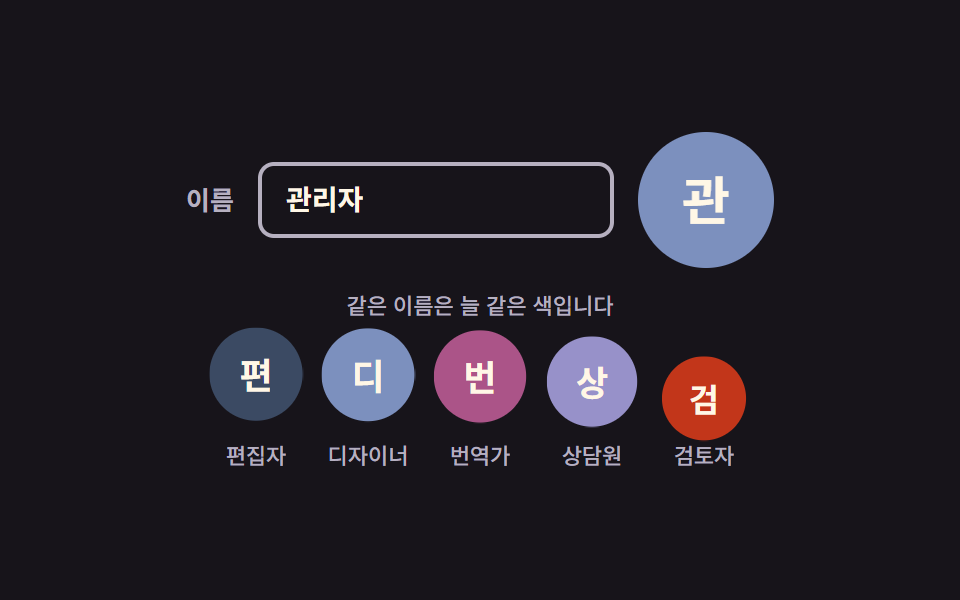 Avatar UI Design: 9 Parts, No Image FilesAvatar UI design is how one small circle makes a person recognizable. The nine parts draw it from a name alone — color, See all demos in this post