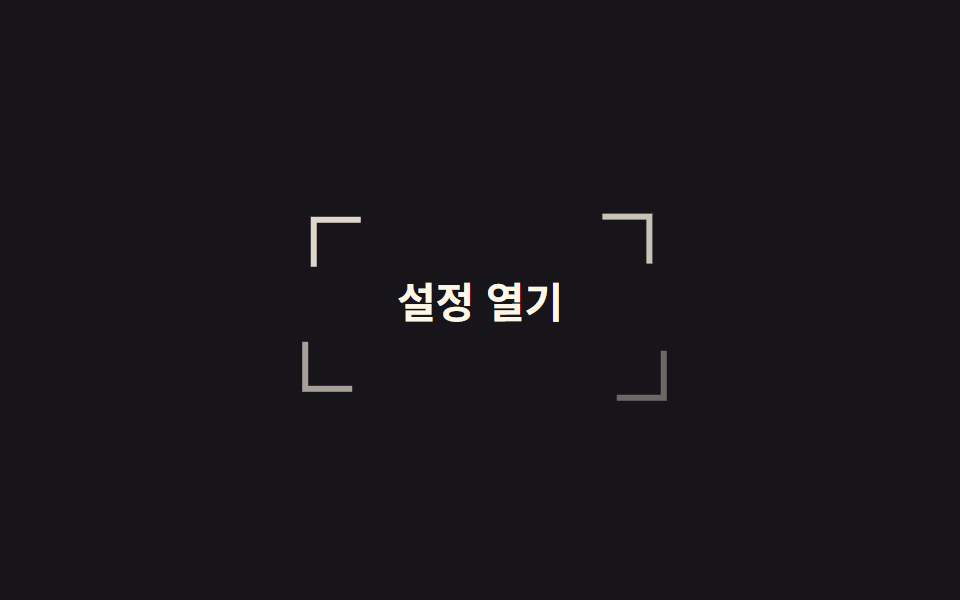
08Corner brackets closing in
Four L-shaped pieces close in from outside and finish a frame around the button. Each piece differs in which two borders it drops and which way it travels, never in distance.
Best forOn dashboards and admin screens where keyboard focus should live inside the design instead of the default blue ring
translatefocus-visible순차 지연
<main class="stage">
  <button class="brk is-demo" type="button">
    <span class="brk__c brk__c--tl" aria-hidden="true"></span>
    <span class="brk__c brk__c--tr" aria-hidden="true"></span>
    <span class="brk__c brk__c--bl" aria-hidden="true"></span>
    <span class="brk__c brk__c--br" aria-hidden="true"></span>
    <span class="brk__label">Open settings</span>
  </button>
</main>
@use "../../../../site/static/demo-tokens" as *;
// 변형은 이 세 줄만 바꾼다
$duration: $dur-loop;
$easing: $ease-spring;
$color: $subject-cream;
@include stage($stage-ink);
.brk {
position: relative;
border: 0;
cursor: pointer;
padding: $sp-4 $sp-8;
border-radius: 0;
background: transparent;
color: $color;
font-family: inherit;
font-size: clamp(16px, 5vw, 21px);
font-weight: 700;
}
// 조각 넷은 같은 크기·같은 이동 거리. 다른 건 어느 쪽 변을 지우느냐뿐이다
.brk__c {
position: absolute;
width: 22px;
height: 22px;
border: 3px solid $color;
--tx: -18px;
--ty: -18px;
}
.brk__c--tl { top: -8px; left: -8px; border-right: 0; border-bottom: 0; --i: 0; }
.brk__c--tr { top: -8px; right: -8px; border-left: 0; border-bottom: 0; --tx: 18px; --i: 1; }
.brk__c--bl { bottom: -8px; left: -8px; border-right: 0; border-top: 0; --ty: 18px; --i: 2; }
.brk__c--br { bottom: -8px; right: -8px; border-left: 0; border-top: 0; --tx: 18px; --ty: 18px; --i: 3; }
.brk.is-demo .brk__c {
animation: brk-close $duration $easing infinite;
animation-delay: calc(var(--i) * 60ms);
}
// 모였다가 다시 흩어져 시작 위치로 돌아온다. 모인 상태에서 끝내면 매 바퀴 조각이 순간이동한다
@keyframes brk-close {
0% { translate: var(--tx) var(--ty); opacity: 0; }
38%, 66% { translate: 0 0; opacity: 1; }
100% { translate: var(--tx) var(--ty); opacity: 0; }
}
// 키보드 포커스에도 같은 조준선
.brk:focus-visible {
outline: none;
.brk__c { animation: none; translate: 0 0; opacity: 1; }
}
@media (prefers-reduced-motion: reduce) {
.brk.is-demo .brk__c { animation: none; translate: 0 0; opacity: 1; }
}html, body {
margin: 0;
overflow: hidden;
}
.stage {
box-sizing: border-box;
min-height: 100vh;
display: grid;
place-items: center;
margin: 0;
background: #17141a;
font-family: -apple-system, "Segoe UI", "Noto Sans KR", sans-serif;
padding: clamp(8px, 4vw, 24px);
}
.brk {
position: relative;
border: 0;
cursor: pointer;
padding: 16px 32px;
border-radius: 0;
background: transparent;
color: #fff7e6;
font-family: inherit;
font-size: clamp(16px, 5vw, 21px);
font-weight: 700;
}
.brk__c {
position: absolute;
width: 22px;
height: 22px;
border: 3px solid #fff7e6;
--tx: -18px;
--ty: -18px;
}
.brk__c--tl {
top: -8px;
left: -8px;
border-right: 0;
border-bottom: 0;
--i: 0;
}
.brk__c--tr {
top: -8px;
right: -8px;
border-left: 0;
border-bottom: 0;
--tx: 18px;
--i: 1;
}
.brk__c--bl {
bottom: -8px;
left: -8px;
border-right: 0;
border-top: 0;
--ty: 18px;
--i: 2;
}
.brk__c--br {
bottom: -8px;
right: -8px;
border-left: 0;
border-top: 0;
--tx: 18px;
--ty: 18px;
--i: 3;
}
.brk.is-demo .brk__c {
animation: brk-close 2s cubic-bezier(0.2, 0.8, 0.2, 1) infinite;
animation-delay: calc(var(--i) * 60ms);
}
@keyframes brk-close {
0% {
translate: var(--tx) var(--ty);
opacity: 0;
}
38%, 66% {
translate: 0 0;
opacity: 1;
}
100% {
translate: var(--tx) var(--ty);
opacity: 0;
}
}
.brk:focus-visible {
outline: none;
}
.brk:focus-visible .brk__c {
animation: none;
translate: 0 0;
opacity: 1;
}
@media (prefers-reduced-motion: reduce) {
.brk.is-demo .brk__c {
animation: none;
translate: 0 0;
opacity: 1;
}
}import type { CSSProperties } from "react";
import styles from "./CornerBracketButton.module.scss";
export type CornerBracketButtonProps = {
label?: string;
duration?: number;
easing?: string;
color?: string;
};
type Vars = CSSProperties & { "--duration"?: string; "--easing"?: string; "--color"?: string };
const corners = ["tl", "tr", "bl", "br"] as const;
export default function CornerBracketButton({
label = "Open settings",
duration = 2000,
easing = "cubic-bezier(.2,.8,.2,1)",
color = "#fff7e6",
}: CornerBracketButtonProps) {
const vars: Vars = { "--duration": `${duration}ms`, "--easing": easing, "--color": color };
return (
<button type="button" className={styles.brk} style={vars}>
{corners.map((c) => (
<span key={c} className={`${styles.c} ${styles[c]}`} aria-hidden="true" />
))}
<span className={styles.label}>{label}</span>
</button>
);
}08 Corner brackets closing in — Measured area 2.501% · moving frames 19/23Original by GODRICH · SCSS and React ship in the zip · 9 button hover effects css that award sites reuse
The post this demo lives in
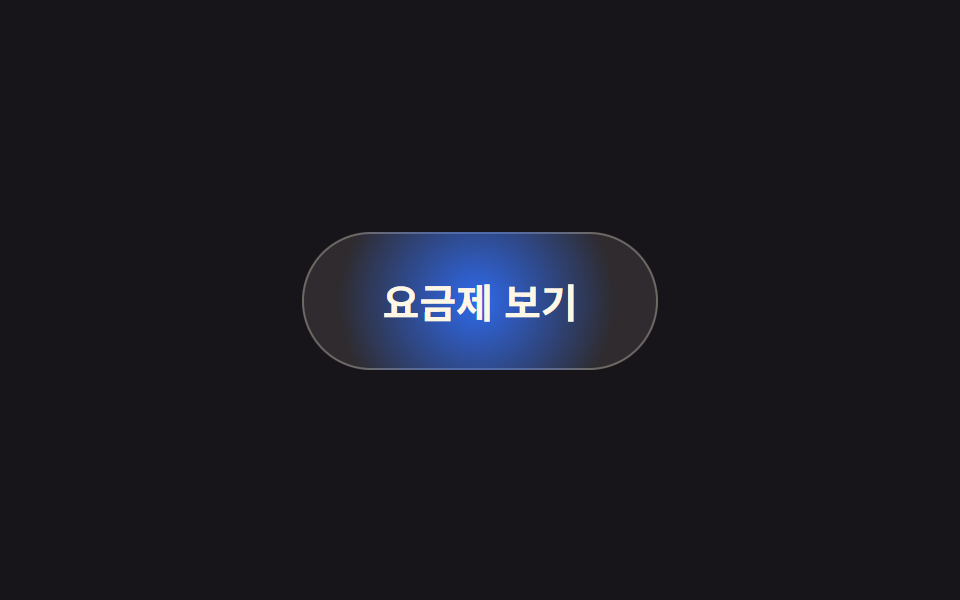 9 button hover effects css that award sites reuseThese button hover effects css techniques are the reactions a button gives when a pointer arrives, sorted by what each s See all demos in this post
If you like this effect - similar demos
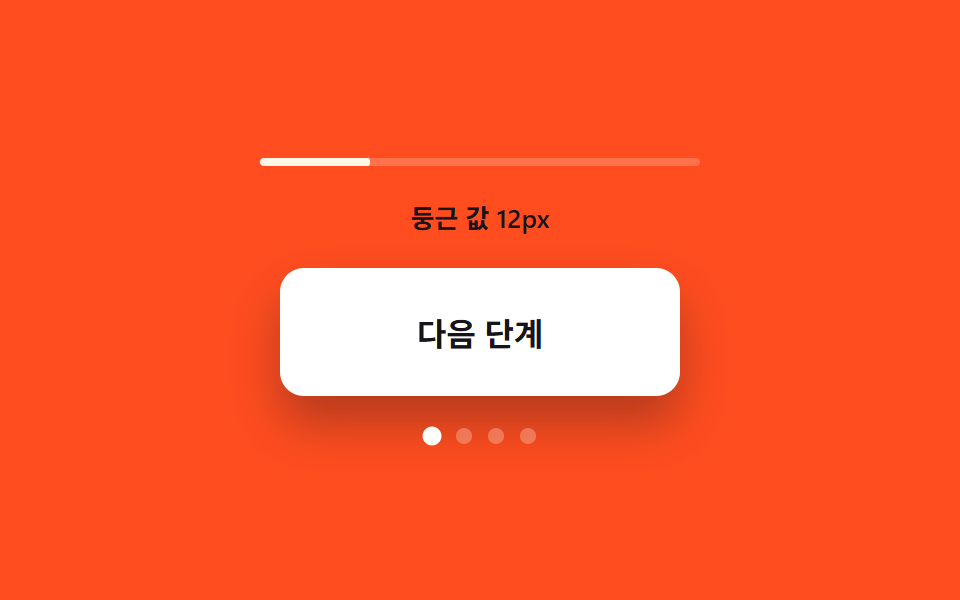 Buttons03 Corner-rounding value growth — the more the open value grows, the more the button's corner rounding grows with itExpanding Button UI: 9 Shape-Morph Patterns
 Buttons01 Ripple9 CSS Button Animations (SCSS + React, copy-paste)
 Buttons01 Candy gradient flow button9 css button design ideas — candy, push, loading