03Touch-swipe comparison slider
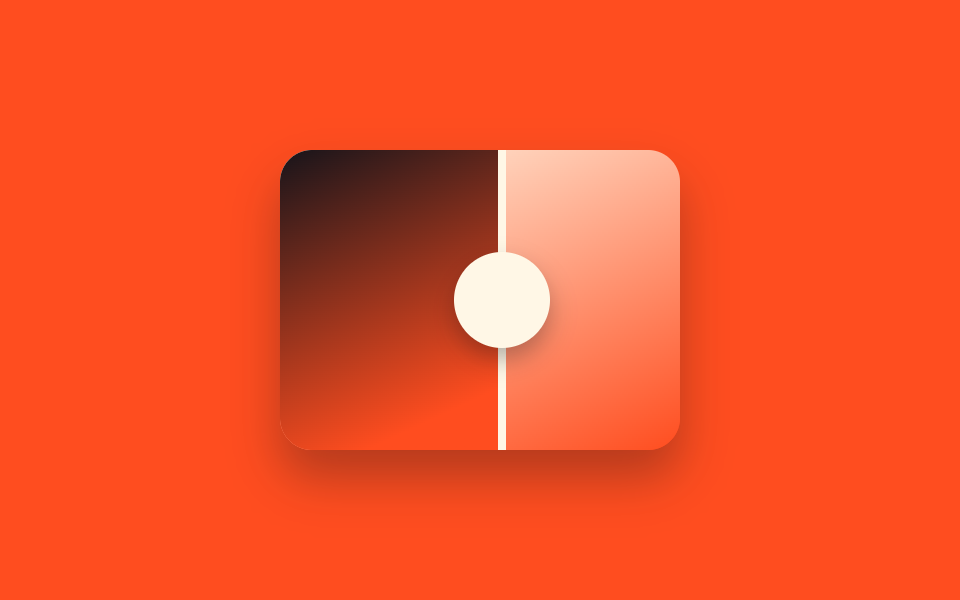
Touching the slider calls setPointerCapture to lock onto that finger, so the divider keeps tracking even if it slides past the slider's edge and never fights the page scroll.
Best forA mobile shop product detail page, a review page viewed inside Instagram's in-app browser
touch-action:nonesetPointerCapture48px 터치 영역
<main class="stage">
  <div class="ba is-demo" id="ba">
    <div class="ba__after"></div>
    <div class="ba__before"></div>
    <div class="ba__handle"><span class="ba__grip"></span></div>
  </div>
</main>
@use "../../../../site/static/demo-tokens" as *;
$duration: $dur-loop;
$easing: $ease-spring;
$color: $subject-cream;
@property --reveal {
syntax: "<percentage>";
inherits: true;
initial-value: 50%;
}
@include stage($stage-orange);
.ba {
position: relative;
width: 200px;
max-width: 100%;
aspect-ratio: 4 / 3;
border-radius: $r-card;
overflow: hidden;
box-shadow: $shadow-raised;
touch-action: none;
cursor: grab;
--reveal: 50%;
}
.ba__after,
.ba__before {
position: absolute;
inset: 0;
}
.ba__after { background: linear-gradient(155deg, $color 0%, $stage-orange 100%); }
.ba__before {
background: linear-gradient(155deg, $stage-ink 0%, $stage-orange 70%);
clip-path: inset(0 calc(100% - var(--reveal)) 0 0);
}
// 손끝이 굵어 명중률이 낮은 터치라 핸들을 얇게 두지 않고 48px 그립으로 키운다
.ba__handle {
position: absolute;
top: 0;
bottom: 0;
left: var(--reveal);
width: $sp-1;
transform: translateX(-50%);
background: $color;
}
.ba__grip {
position: absolute;
top: 50%;
left: 50%;
width: $sp-12;
height: $sp-12;
border-radius: $r-pill;
background: $color;
transform: translate(-50%, -50%);
box-shadow: $shadow-press;
}
.ba.is-demo { animation: reveal-loop $dur-loop $easing infinite; }
@keyframes reveal-loop {
0%, 8% { --reveal: 24%; }
50% { --reveal: 76%; }
92%, 100% { --reveal: 24%; }
}
@media (prefers-reduced-motion: reduce) {
.ba.is-demo { animation: none; --reveal: 50%; }
}@property --reveal {
syntax: "<percentage>";
inherits: true;
initial-value: 50%;
}
html, body {
margin: 0;
overflow: hidden;
}
.stage {
box-sizing: border-box;
min-height: 100vh;
display: grid;
place-items: center;
margin: 0;
background: #ff4d1f;
font-family: -apple-system, "Segoe UI", "Noto Sans KR", sans-serif;
padding: clamp(8px, 4vw, 24px);
}
.ba {
position: relative;
width: 200px;
max-width: 100%;
aspect-ratio: 4/3;
border-radius: 16px;
overflow: hidden;
box-shadow: 0 14px 24px rgba(23, 20, 26, 0.32);
touch-action: none;
cursor: grab;
--reveal: 50%;
}
.ba__after,
.ba__before {
position: absolute;
inset: 0;
}
.ba__after {
background: linear-gradient(155deg, #fff7e6 0%, #ff4d1f 100%);
}
.ba__before {
background: linear-gradient(155deg, #17141a 0%, #ff4d1f 70%);
clip-path: inset(0 calc(100% - var(--reveal)) 0 0);
}
.ba__handle {
position: absolute;
top: 0;
bottom: 0;
left: var(--reveal);
width: 4px;
transform: translateX(-50%);
background: #fff7e6;
}
.ba__grip {
position: absolute;
top: 50%;
left: 50%;
width: 48px;
height: 48px;
border-radius: 999px;
background: #fff7e6;
transform: translate(-50%, -50%);
box-shadow: 0 6px 12px rgba(23, 20, 26, 0.32);
}
.ba.is-demo {
animation: reveal-loop 2s cubic-bezier(0.2, 0.8, 0.2, 1) infinite;
}
@keyframes reveal-loop {
0%, 8% {
--reveal: 24%;
}
50% {
--reveal: 76%;
}
92%, 100% {
--reveal: 24%;
}
}
@media (prefers-reduced-motion: reduce) {
.ba.is-demo {
animation: none;
--reveal: 50%;
}
}(function () {
var el = document.getElementById("ba");
var dragging = false;
function set(pct) {
pct = Math.max(0, Math.min(100, pct));
el.style.setProperty("--reveal", pct + "%");
}
function fromX(x) {
var r = el.getBoundingClientRect();
return ((x - r.left) / r.width) * 100;
}
el.addEventListener("pointerdown", function (e) {
el.classList.remove("is-demo");
dragging = true;
el.setPointerCapture(e.pointerId);
set(fromX(e.clientX));
});
el.addEventListener("pointermove", function (e) {
if (dragging) set(fromX(e.clientX));
});
el.addEventListener("pointerup", function () { dragging = false; });
el.addEventListener("pointercancel", function () { dragging = false; });
})();import { useRef, useState, useCallback } from "react";
import type { CSSProperties, PointerEvent } from "react";
import styles from "./BeforeAfterTouchSwipe.module.scss";
export type BeforeAfterTouchSwipeProps = {
duration?: string;
easing?: string;
color?: string;
};
type Vars = CSSProperties & { "--reveal"?: string };
/** 슬라이더 전체가 터치 타깃이다. setPointerCapture 로 손가락이 밖으로 나가도 계속 따라온다. */
export default function BeforeAfterTouchSwipe({
duration = "2s",
easing = "cubic-bezier(.2,.8,.2,1)",
color = "#fff7e6",
}: BeforeAfterTouchSwipeProps) {
const ref = useRef<HTMLDivElement | null>(null);
const [reveal, setReveal] = useState(50);
const [demo, setDemo] = useState(true);
const dragging = useRef(false);
const setFromX = useCallback((x: number) => {
const el = ref.current;
if (!el) return;
const r = el.getBoundingClientRect();
const pct = ((x - r.left) / r.width) * 100;
setReveal(Math.max(0, Math.min(100, pct)));
}, []);
const onDown = useCallback((e: PointerEvent<HTMLDivElement>) => {
setDemo(false);
dragging.current = true;
(e.currentTarget as HTMLDivElement).setPointerCapture(e.pointerId);
setFromX(e.clientX);
}, [setFromX]);
const onMove = useCallback((e: PointerEvent<HTMLDivElement>) => {
if (dragging.current) setFromX(e.clientX);
}, [setFromX]);
const onUp = useCallback(() => { dragging.current = false; }, []);
const vars: Vars = { "--reveal": `${reveal}%`, ["--duration" as string]: duration, ["--easing" as string]: easing, ["--color" as string]: color };
return (
<div
ref={ref}
className={demo ? `${styles.ba} ${styles.isDemo}` : styles.ba}
style={vars}
onPointerDown={onDown}
onPointerMove={onMove}
onPointerUp={onUp}
onPointerCancel={onUp}
>
<div className={styles.after} />
<div className={styles.before} />
<div className={styles.handle}>
<span className={styles.grip} />
</div>
</div>
);
}03 Touch-swipe comparison slider — Measured area 12.826% · moving frames 17/23Original by GODRICH · SCSS and React ship in the zip · 9 Before After Slider UIs — Drag to Compare
The post this demo lives in
 9 Before After Slider UIs — Drag to CompareA before after slider stacks two photos and splits them at a line you can move, so before and after show side by side. T See all demos in this post