07Drag slider that decides the rest by release speed
Movement from pointerdown follows the finger exactly, setPointerCapture keeps the pointer bound, and the speed at release decides whether the slide advances or springs back.
Best forMobile photo paging, product images on touch devices
pointerdownsetPointerCapturetranslate3d
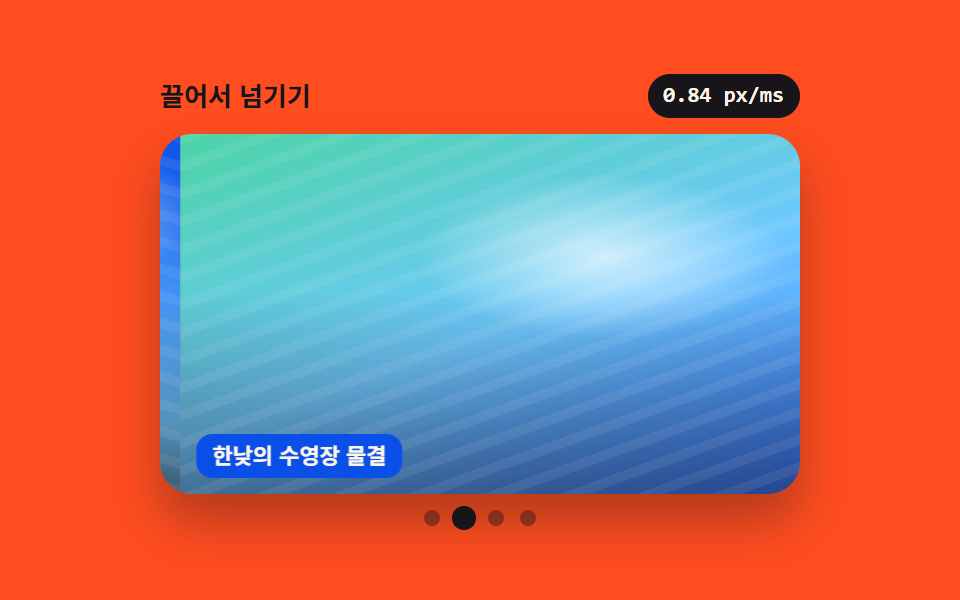
<main class="stage">
<section class="dg is-demo" id="dg" role="region" aria-roledescription="carousel" aria-label="Photo slider you page by dragging" tabindex="0">
  <header class="dg__bar">
    <span class="dg__title">Drag to page</span>
    <span class="dg__speed" id="speed">0.00 px/ms</span>
  </header>
  <div class="dg__frame" id="frame">
    <div class="dg__track" id="track">
      <article class="dg__slide" role="group" aria-roledescription="slide" aria-label="Slide 1 of 4">
        <span class="dg__ph dg__ph--a" role="img" aria-label="Containers at a dawn harbour"></span>
        <span class="dg__cap" aria-hidden="true">Containers at a dawn harbour</span>
      </article>
      <article class="dg__slide" role="group" aria-roledescription="slide" aria-label="Slide 2 of 4">
        <span class="dg__ph dg__ph--e" role="img" aria-label="Pool ripples at midday"></span>
        <span class="dg__cap" aria-hidden="true">Pool ripples at midday</span>
      </article>
      <article class="dg__slide" role="group" aria-roledescription="slide" aria-label="Slide 3 of 4">
        <span class="dg__ph dg__ph--c" role="img" aria-label="A city alley after the rain"></span>
        <span class="dg__cap" aria-hidden="true">A city alley after the rain</span>
      </article>
      <article class="dg__slide" role="group" aria-roledescription="slide" aria-label="Slide 4 of 4">
        <span class="dg__ph dg__ph--d" role="img" aria-label="A snow-covered birch forest"></span>
        <span class="dg__cap" aria-hidden="true">A snow-covered birch forest</span>
      </article>
    </div>
  </div>
  <nav class="dg__dots" aria-label="Choose a photo">
    <button class="dg__dot" type="button" aria-current="true" aria-label="Show photo 1"></button>
    <button class="dg__dot" type="button" aria-current="false" aria-label="Show photo 2"></button>
    <button class="dg__dot" type="button" aria-current="false" aria-label="Show photo 3"></button>
    <button class="dg__dot" type="button" aria-current="false" aria-label="Show photo 4"></button>
  </nav>
</section>
</main>@use "../../../../site/static/demo-tokens" as *;
// 손을 뗀 속도로 남은 거리를 정하는 드래그 슬라이더.
// 트랙은 슬라이드를 한 줄로 이어 붙이고 translate3d 로만 움직인다 — 끄는 동안에는 JS 가
// transition 을 꺼서 손가락 위치가 곧 트랙 위치가 되고, 놓는 순간 다시 켜서 남은 거리를 잇는다.
// touch-action: pan-y 를 트랙에 걸어야 가로로 끌 때도 페이지 세로 스크롤이 살아 있다.
// 사진 자리는 FLUX 이미지가 들어올 자리다 (run/082/_이미지후보.07.json) — 지금은 토큰 그라디언트 합성.
$duration: $dur-enter;
$easing: $ease-spring;
$color: $subject-blue-deep;
@include stage($stage-orange);
// 장면 하나 = 빛 + 아래로 깔리는 그늘 + 결 + 바탕 네 겹. 색만 바꿔 장면을 가른다
@mixin scene($top, $mid, $low, $angle, $sunx, $suny) {
background:
radial-gradient(40% 32% at $sunx $suny, rgba(255, 255, 255, .68), rgba(255, 255, 255, 0) 72%),
repeating-linear-gradient($angle, rgba(255, 255, 255, .07) 0 5px, rgba(255, 255, 255, 0) 5px 13px),
linear-gradient(180deg, rgba(255, 255, 255, 0) 44%, rgba($stage-ink, .46) 100%),
linear-gradient($angle, $top 0%, $mid 54%, $low 100%);
}
.dg {
box-sizing: border-box;
display: flex; flex-direction: column; gap: $sp-2;
width: min(100%, 320px);
}
.dg:focus-visible { outline: 2px solid $subject-ink; outline-offset: 4px; border-radius: $r-card; }
.dg__bar { display: flex; align-items: center; gap: $sp-2; }
.dg__title {
flex: 1 1 auto; color: $subject-ink;
font-weight: 700; font-size: 13px; line-height: 1.3;
}
.dg__speed {
flex: 0 0 auto; padding: $sp-1 $sp-2; border-radius: $r-pill;
background: $stage-ink; color: $subject-cream;
font-family: ui-monospace, SFMono-Regular, Consolas, monospace;
font-weight: 700; font-size: 11px; line-height: 1.3;
}
.dg__frame {
overflow: hidden; border-radius: $r-card;
box-shadow: $shadow-raised;
}
.dg__track {
display: flex;
touch-action: pan-y; // 가로는 우리가 받고 세로 스크롤은 브라우저에 남긴다
cursor: grab;
transform: translate3d(0, 0, 0); // JS 가 처음 놓는 값과 같은 항등 변환 — 첫 칠에 헛 transition 이 안 생긴다
transition: transform $duration $easing;
will-change: transform;
}
.dg__track:active { cursor: grabbing; }
.dg__slide { position: relative; flex: 0 0 100%; }
.dg__ph {
display: block; width: 100%; aspect-ratio: 16 / 9;
-webkit-user-drag: none; user-select: none;
}
.dg__ph--a { @include scene($subject-blue-deep, $subject-sky, $stage-ink, 196deg, 74%, 22%); }
// 무대가 주황이라 주황 계열 장면(사막 노을)은 07 에 쓰지 않는다 — 사진과 무대가 붙어 보인다
.dg__ph--e { @include scene($subject-mint, $subject-sky, $chart-1, 160deg, 66%, 34%); }
.dg__ph--c { @include scene($stage-ink, $subject-blue-light, $tick-panel, 208deg, 58%, 18%); }
.dg__ph--d { @include scene($subject-sky, $subject-cream, $chart-3, 184deg, 44%, 30%); }
.dg__cap {
position: absolute; left: $sp-2; bottom: $sp-2;
max-width: calc(100% - #{$sp-4});
padding: $sp-1 $sp-2; border-radius: $r-sm;
background: $color; color: $subject-cream;
font-weight: 700; font-size: 11px; line-height: 1.3;
white-space: nowrap; overflow: hidden; text-overflow: ellipsis;
}
.dg__dots { display: flex; justify-content: center; gap: $sp-2; }
.dg__dot {
flex: 0 0 auto; width: 8px; height: 8px; padding: 0;
border: 0; border-radius: 50%; background: rgba($subject-ink, .42);
cursor: pointer; transform-origin: 50% 50%;
transition: transform $dur-quick $easing, background $dur-quick $easing;
}
.dg__dot[aria-current="true"] { background: $subject-ink; transform: scale(1.5); }
.dg__dot:focus-visible { outline: 2px solid $subject-ink; outline-offset: 3px; }
// 좁은 화면 — 프레임을 좁혀 16:9 사진 높이를 무대 안에 넣는다 (320×200 에서 세로 넘침 0)
@media (max-width: 340px) {
.dg { width: min(100%, 216px); gap: $sp-1; }
.dg__title { font-size: 11px; }
.dg__speed { font-size: 10px; padding: 0 $sp-1; }
.dg__cap { font-size: 10px; left: $sp-1; bottom: $sp-1; }
.dg__dots { gap: $sp-1; }
}
@media (prefers-reduced-motion: reduce) {
.dg__track, .dg__dot { transition: none !important; }
}html, body {
margin: 0;
overflow: hidden;
}
.stage {
box-sizing: border-box;
min-height: 100vh;
display: grid;
place-items: center;
margin: 0;
background: #ff4d1f;
font-family: -apple-system, "Segoe UI", "Noto Sans KR", sans-serif;
padding: clamp(8px, 4vw, 24px);
}
.dg {
box-sizing: border-box;
display: flex;
flex-direction: column;
gap: 8px;
width: min(100%, 320px);
}
.dg:focus-visible {
outline: 2px solid #17141a;
outline-offset: 4px;
border-radius: 16px;
}
.dg__bar {
display: flex;
align-items: center;
gap: 8px;
}
.dg__title {
flex: 1 1 auto;
color: #17141a;
font-weight: 700;
font-size: 13px;
line-height: 1.3;
}
.dg__speed {
flex: 0 0 auto;
padding: 4px 8px;
border-radius: 999px;
background: #17141a;
color: #fff7e6;
font-family: ui-monospace, SFMono-Regular, Consolas, monospace;
font-weight: 700;
font-size: 11px;
line-height: 1.3;
}
.dg__frame {
overflow: hidden;
border-radius: 16px;
box-shadow: 0 14px 24px rgba(23, 20, 26, 0.32);
}
.dg__track {
display: flex;
touch-action: pan-y;
cursor: grab;
transform: translate3d(0, 0, 0);
transition: transform 600ms cubic-bezier(0.2, 0.8, 0.2, 1);
will-change: transform;
}
.dg__track:active {
cursor: grabbing;
}
.dg__slide {
position: relative;
flex: 0 0 100%;
}
.dg__ph {
display: block;
width: 100%;
aspect-ratio: 16/9;
-webkit-user-drag: none;
user-select: none;
}
.dg__ph--a {
background: radial-gradient(40% 32% at 74% 22%, rgba(255, 255, 255, 0.68), rgba(255, 255, 255, 0) 72%), repeating-linear-gradient(196deg, rgba(255, 255, 255, 0.07) 0 5px, rgba(255, 255, 255, 0) 5px 13px), linear-gradient(180deg, rgba(255, 255, 255, 0) 44%, rgba(23, 20, 26, 0.46) 100%), linear-gradient(196deg, #0a4fe8 0%, #6ec8ff 54%, #17141a 100%);
}
.dg__ph--e {
background: radial-gradient(40% 32% at 66% 34%, rgba(255, 255, 255, 0.68), rgba(255, 255, 255, 0) 72%), repeating-linear-gradient(160deg, rgba(255, 255, 255, 0.07) 0 5px, rgba(255, 255, 255, 0) 5px 13px), linear-gradient(180deg, rgba(255, 255, 255, 0) 44%, rgba(23, 20, 26, 0.46) 100%), linear-gradient(160deg, #4cd4a6 0%, #6ec8ff 54%, #2f6df6 100%);
}
.dg__ph--c {
background: radial-gradient(40% 32% at 58% 18%, rgba(255, 255, 255, 0.68), rgba(255, 255, 255, 0) 72%), repeating-linear-gradient(208deg, rgba(255, 255, 255, 0.07) 0 5px, rgba(255, 255, 255, 0) 5px 13px), linear-gradient(180deg, rgba(255, 255, 255, 0) 44%, rgba(23, 20, 26, 0.46) 100%), linear-gradient(208deg, #17141a 0%, #5b8cf8 54%, #231f28 100%);
}
.dg__ph--d {
background: radial-gradient(40% 32% at 44% 30%, rgba(255, 255, 255, 0.68), rgba(255, 255, 255, 0) 72%), repeating-linear-gradient(184deg, rgba(255, 255, 255, 0.07) 0 5px, rgba(255, 255, 255, 0) 5px 13px), linear-gradient(180deg, rgba(255, 255, 255, 0) 44%, rgba(23, 20, 26, 0.46) 100%), linear-gradient(184deg, #6ec8ff 0%, #fff7e6 54%, #2b9d74 100%);
}
.dg__cap {
position: absolute;
left: 8px;
bottom: 8px;
max-width: calc(100% - 16px);
padding: 4px 8px;
border-radius: 8px;
background: #0a4fe8;
color: #fff7e6;
font-weight: 700;
font-size: 11px;
line-height: 1.3;
white-space: nowrap;
overflow: hidden;
text-overflow: ellipsis;
}
.dg__dots {
display: flex;
justify-content: center;
gap: 8px;
}
.dg__dot {
flex: 0 0 auto;
width: 8px;
height: 8px;
padding: 0;
border: 0;
border-radius: 50%;
background: rgba(23, 20, 26, 0.42);
cursor: pointer;
transform-origin: 50% 50%;
transition: transform 220ms cubic-bezier(0.2, 0.8, 0.2, 1), background 220ms cubic-bezier(0.2, 0.8, 0.2, 1);
}
.dg__dot[aria-current=true] {
background: #17141a;
transform: scale(1.5);
}
.dg__dot:focus-visible {
outline: 2px solid #17141a;
outline-offset: 3px;
}
@media (max-width: 340px) {
.dg {
width: min(100%, 216px);
gap: 4px;
}
.dg__title {
font-size: 11px;
}
.dg__speed {
font-size: 10px;
padding: 0 4px;
}
.dg__cap {
font-size: 10px;
left: 4px;
bottom: 4px;
}
.dg__dots {
gap: 4px;
}
}
@media (prefers-reduced-motion: reduce) {
.dg__track, .dg__dot {
transition: none !important;
}
}var root = document.getElementById('dg');
var frame = document.getElementById('frame');
var track = document.getElementById('track');
var speed = document.getElementById('speed');
var slides = [].slice.call(track.children);
var dots = [].slice.call(document.querySelectorAll('.dg__dot'));
var index = 0, dragging = false, startX = 0, lastX = 0, lastT = 0, velocity = 0, width = 0, timer = 0;
function measure() { width = frame.clientWidth; }
// 한 칸 = 프레임 폭. 끄는 동안은 transition 을 꺼서 손가락이 곧 트랙 위치가 된다
function place(offset, animate) {
track.style.transition = animate ? '' : 'none';
track.style.transform = 'translate3d(' + (offset - index * width) + 'px, 0, 0)';
}
function show(next, animate) {
index = Math.max(0, Math.min(slides.length - 1, next));
place(0, animate);
dots.forEach(function (dot, i) { dot.setAttribute('aria-current', i === index ? 'true' : 'false'); });
}
function stopDemo() { root.classList.remove('is-demo'); clearInterval(timer); }
function onDown(e) {
stopDemo(); measure();
dragging = true; startX = e.clientX; lastX = e.clientX; lastT = e.timeStamp; velocity = 0;
track.setPointerCapture(e.pointerId);
}
function onMove(e) {
if (!dragging) { return; }
var dt = e.timeStamp - lastT;
if (dt > 0) { velocity = (e.clientX - lastX) / dt; }
lastX = e.clientX; lastT = e.timeStamp;
speed.textContent = Math.abs(velocity).toFixed(2) + ' px/ms';
place(e.clientX - startX, false);
}
// 놓는 순간의 속도(px/ms)가 먼저고, 느리게 끌었을 땐 이동 거리(28%)가 두 번째 기준이다
function onUp(e) {
if (!dragging) { return; }
dragging = false;
if (track.hasPointerCapture(e.pointerId)) { track.releasePointerCapture(e.pointerId); }
var moved = e.clientX - startX;
var carry = Math.abs(velocity) > 0.4 || Math.abs(moved) > width * 0.28;
show(index + (carry && moved < 0 ? 1 : 0) - (carry && moved > 0 ? 1 : 0), true);
}
track.addEventListener('pointerdown', onDown);
track.addEventListener('pointermove', onMove);
track.addEventListener('pointerup', onUp); track.addEventListener('pointercancel', onUp);
dots.forEach(function (dot, i) { dot.addEventListener('click', function () { stopDemo(); measure(); show(i, true); }); });
root.addEventListener('keydown', function (e) {
if (e.key !== 'ArrowRight' && e.key !== 'ArrowLeft') { return; }
stopDemo(); measure(); show(index + (e.key === 'ArrowRight' ? 1 : -1), true);
});
window.addEventListener('resize', function () { measure(); place(0, false); });
measure(); show(0, false);
if (root.classList.contains('is-demo')) {
timer = setInterval(function () {
measure();
var last = index === slides.length - 1;
speed.textContent = (last ? 0.52 : 0.84).toFixed(2) + ' px/ms';
place(last ? 64 : -64, true);
setTimeout(function () { show(last ? 0 : index + 1, true); }, 180);
}, 760);
}// DragInertiaSlider — vanilla 판(run/082/demo/07-slider-drag-swipe-inertia/index.html) 의 React 포트.
// pointerdown 부터의 이동량이 트랙을 그대로 따라오고, setPointerCapture 로 포인터를 붙잡아 둔 채
// 놓는 순간의 속도(px/ms)와 이동 거리가 다음 장으로 넘길지 제자리로 돌릴지를 정한다.
// 판정 기준(0.4 px/ms · 폭의 28%)과 미리보기 주기(760ms · 180ms)는 vanilla 와 같은 값이다.
import { useEffect, useRef, useState } from "react";
import type { CSSProperties, PointerEvent } from "react";
import styles from "./DragInertiaSlider.module.scss";
export type DragInertiaSliderProps = {
duration?: number;
easing?: string;
color?: string;
};
type Vars = CSSProperties & { "--duration"?: string; "--easing"?: string; "--color"?: string };
// useRef<T> 는 T | null 을 돌려준다 — ambient 타입에 맞춰 상자 타입을 따로 둔다
type Box<T> = { current: T | null };
type DragState = { on: boolean; startX: number; lastX: number; lastT: number; velocity: number; width: number };
const REGION_LABEL = "드래그로 넘기는 사진 슬라이더";
const TITLE = "끌어서 넘기기";
const DOTS_LABEL = "사진 고르기";
const PHOTOS = [
{ tone: "a", alt: "새벽 부두의 컨테이너", slide: "4장 중 1장", dot: "1번째 사진 보기" },
{ tone: "e", alt: "한낮의 수영장 물결", slide: "4장 중 2장", dot: "2번째 사진 보기" },
{ tone: "c", alt: "비 온 뒤 도심 골목", slide: "4장 중 3장", dot: "3번째 사진 보기" },
{ tone: "d", alt: "눈 덮인 자작나무 숲", slide: "4장 중 4장", dot: "4번째 사진 보기" },
];
export default function DragInertiaSlider(props: DragInertiaSliderProps) {
const duration = props.duration ?? 600;
const easing = props.easing ?? "cubic-bezier(.2, .8, .2, 1)";
const color = props.color ?? "#0a4fe8";
const [index, setIndex] = useState<number>(0);
const [offset, setOffset] = useState<number>(0);
const [animate, setAnimate] = useState<boolean>(true);
const [speed, setSpeed] = useState<string>("0.00");
const [preview, setPreview] = useState<boolean>(true);
const [width, setWidth] = useState<number>(0);
const frameRef = useRef<HTMLDivElement>(null) as Box<HTMLDivElement>;
const indexRef = useRef<number>(0) as Box<number>;
const dragRef = useRef<DragState>({ on: false, startX: 0, lastX: 0, lastT: 0, velocity: 0, width: 0 }) as Box<DragState>;
useEffect(() => {
indexRef.current = index;
}, [index]);
useEffect(() => {
const measure = () => {
const frame = frameRef.current;
if (frame) {
setWidth(frame.clientWidth);
}
};
measure();
window.addEventListener("resize", measure);
return () => {
window.removeEventListener("resize", measure);
};
}, []);
// 미리보기 — 한 번 끌었다 놓는 손짓을 흉내 낸다. 먼저 64px 당기고 180ms 뒤에 남은 거리를 잇는다
useEffect(() => {
if (!preview) {
return;
}
const id = window.setInterval(() => {
const at = indexRef.current ?? 0;
const last = at === PHOTOS.length - 1;
setSpeed(last ? "0.52" : "0.84");
setAnimate(true);
setOffset(last ? 64 : -64);
window.setTimeout(() => {
setOffset(0);
setIndex(last ? 0 : at + 1);
}, 180);
}, 760);
return () => {
window.clearInterval(id);
};
}, [preview]);
const go = (next: number) => {
setAnimate(true);
setOffset(0);
setIndex(Math.max(0, Math.min(PHOTOS.length - 1, next)));
};
const onPointerDown = (e: PointerEvent<HTMLDivElement>) => {
const frame = frameRef.current;
const drag = dragRef.current;
if (!frame || !drag) {
return;
}
setPreview(false);
setAnimate(false);
setWidth(frame.clientWidth);
drag.on = true;
drag.startX = e.clientX;
drag.lastX = e.clientX;
drag.lastT = e.timeStamp;
drag.velocity = 0;
drag.width = frame.clientWidth;
e.currentTarget.setPointerCapture(e.pointerId);
};
const onPointerMove = (e: PointerEvent<HTMLDivElement>) => {
const drag = dragRef.current;
if (!drag || !drag.on) {
return;
}
const dt = e.timeStamp - drag.lastT;
if (dt > 0) {
drag.velocity = (e.clientX - drag.lastX) / dt;
}
drag.lastX = e.clientX;
drag.lastT = e.timeStamp;
setSpeed(Math.abs(drag.velocity).toFixed(2));
setOffset(e.clientX - drag.startX);
};
// 놓는 순간의 속도가 먼저고, 느리게 끌었을 땐 이동 거리(28%)가 두 번째 기준이다
const onPointerUp = (e: PointerEvent<HTMLDivElement>) => {
const drag = dragRef.current;
if (!drag || !drag.on) {
return;
}
drag.on = false;
if (e.currentTarget.hasPointerCapture(e.pointerId)) {
e.currentTarget.releasePointerCapture(e.pointerId);
}
const moved = e.clientX - drag.startX;
const carry = Math.abs(drag.velocity) > 0.4 || Math.abs(moved) > drag.width * 0.28;
go((indexRef.current ?? 0) + (carry && moved < 0 ? 1 : 0) - (carry && moved > 0 ? 1 : 0));
};
const vars: Vars = { "--duration": duration + "ms", "--easing": easing, "--color": color };
const shift = offset - index * width;
return (
<main className={styles.stage}>
<section
className={styles.root}
style={vars}
role="region"
aria-roledescription="carousel"
aria-label={REGION_LABEL}
tabIndex={0}
onKeyDown={(e: { key: string }) => {
if (e.key !== "ArrowRight" && e.key !== "ArrowLeft") {
return;
}
setPreview(false);
go(index + (e.key === "ArrowRight" ? 1 : -1));
}}
>
<header className={styles.bar}>
<span className={styles.title}>{TITLE}</span>
<span className={styles.speed}>{speed} px/ms</span>
</header>
<div className={styles.frame} ref={frameRef}>
<div
className={styles.track}
style={{ transform: "translate3d(" + shift + "px, 0, 0)", transition: animate ? "" : "none" }}
onPointerDown={onPointerDown}
onPointerMove={onPointerMove}
onPointerUp={onPointerUp}
onPointerCancel={onPointerUp}
>
{PHOTOS.map((photo) => (
<article
className={styles.slide}
key={photo.tone}
role="group"
aria-roledescription="slide"
aria-label={photo.slide}
>
<span className={styles.ph + " " + styles["ph--" + photo.tone]} role="img" aria-label={photo.alt} />
<span className={styles.cap} aria-hidden="true">{photo.alt}</span>
</article>
))}
</div>
</div>
<nav className={styles.dots} aria-label={DOTS_LABEL}>
{PHOTOS.map((photo, i) => (
<button
className={styles.dot}
key={photo.tone}
type="button"
aria-current={i === index ? "true" : "false"}
aria-label={photo.dot}
onClick={() => {
setPreview(false);
go(i);
}}
/>
))}
</nav>
</section>
</main>
);
}07 Drag slider that decides the rest by release speed — Measured area 40.266% · moving frames 19/23Original by GODRICH · SCSS and React ship in the zip · CSS Image Slider — 9 Responsive Sliders, No GSAP
The post this demo lives in
 CSS Image Slider — 9 Responsive Sliders, No GSAPA css image slider lines up several photo slots in a row and shows them one at a time with arrows, dots, or a finger — N See all demos in this post