07Caption-overlay comparison slider
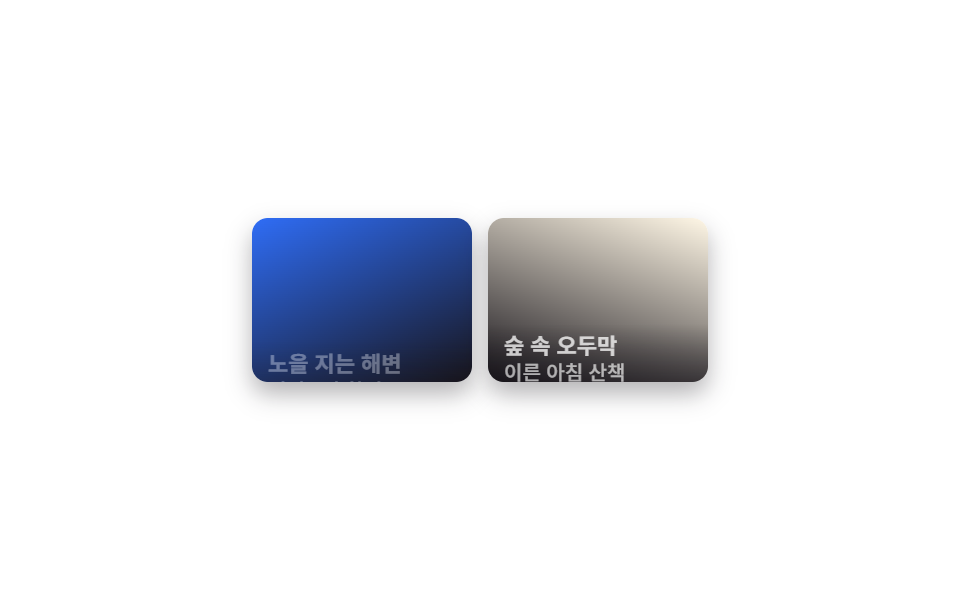
A translucent gradient band sits along the bottom with a caption like "after 3 weeks" riding on it, spelling out in words what the photos are comparing.
Best forA remodel review that also states the construction timeline, a gym or PT member's before/after transformation story
linear-gradient 오버레이clip-path: insetcaption 텍스트

<main class="stage">
  <div class="ba is-demo" id="ba">
    <div class="ba__after"></div>
    <div class="ba__before"></div>
    <div class="ba__caption">3 weeks later</div>
    <div class="ba__handle"><span class="ba__grip"></span></div>
  </div>
</main>
@use "../../../../site/static/demo-tokens" as *;
$duration: $dur-loop;
$easing: $ease-spring;
$color: $subject-cream;
@property --reveal {
syntax: "<percentage>";
inherits: true;
initial-value: 50%;
}
@include stage($stage-orange);
.ba {
position: relative;
width: 200px;
max-width: 100%;
aspect-ratio: 4 / 3;
border-radius: $r-card;
overflow: hidden;
box-shadow: $shadow-raised;
touch-action: none;
cursor: ew-resize;
--reveal: 50%;
}
.ba__after,
.ba__before {
position: absolute;
inset: 0;
}
.ba__after { background: linear-gradient(155deg, $color 0%, $stage-orange 100%); }
.ba__before {
background: linear-gradient(155deg, $subject-ink 0%, $stage-orange 70%);
clip-path: inset(0 calc(100% - var(--reveal)) 0 0);
}
.ba__caption {
position: absolute;
left: 0;
right: 0;
bottom: 0;
padding: $sp-6 $sp-4 $sp-3;
background: linear-gradient(to top, rgba(23, 20, 26, .78) 0%, rgba(23, 20, 26, 0) 100%);
color: $color;
font: 700 13px/1.3 system-ui, sans-serif;
}
.ba__handle {
position: absolute;
top: 0;
bottom: 0;
left: var(--reveal);
width: $sp-1;
transform: translateX(-50%);
background: $color;
}
.ba__grip {
position: absolute;
top: 40%;
left: 50%;
width: $sp-8;
height: $sp-8;
border-radius: $r-pill;
background: $color;
transform: translate(-50%, -50%);
box-shadow: $shadow-press;
}
.ba.is-demo { animation: reveal-loop $dur-loop $easing infinite; }
@keyframes reveal-loop {
0%, 8% { --reveal: 24%; }
50% { --reveal: 76%; }
92%, 100% { --reveal: 24%; }
}
@media (prefers-reduced-motion: reduce) {
.ba.is-demo { animation: none; --reveal: 50%; }
}@property --reveal {
syntax: "<percentage>";
inherits: true;
initial-value: 50%;
}
html, body {
margin: 0;
overflow: hidden;
}
.stage {
box-sizing: border-box;
min-height: 100vh;
display: grid;
place-items: center;
margin: 0;
background: #ff4d1f;
font-family: -apple-system, "Segoe UI", "Noto Sans KR", sans-serif;
padding: clamp(8px, 4vw, 24px);
}
.ba {
position: relative;
width: 200px;
max-width: 100%;
aspect-ratio: 4/3;
border-radius: 16px;
overflow: hidden;
box-shadow: 0 14px 24px rgba(23, 20, 26, 0.32);
touch-action: none;
cursor: ew-resize;
--reveal: 50%;
}
.ba__after,
.ba__before {
position: absolute;
inset: 0;
}
.ba__after {
background: linear-gradient(155deg, #fff7e6 0%, #ff4d1f 100%);
}
.ba__before {
background: linear-gradient(155deg, #17141a 0%, #ff4d1f 70%);
clip-path: inset(0 calc(100% - var(--reveal)) 0 0);
}
.ba__caption {
position: absolute;
left: 0;
right: 0;
bottom: 0;
padding: 24px 16px 12px;
background: linear-gradient(to top, rgba(23, 20, 26, 0.78) 0%, rgba(23, 20, 26, 0) 100%);
color: #fff7e6;
font: 700 13px/1.3 system-ui, sans-serif;
}
.ba__handle {
position: absolute;
top: 0;
bottom: 0;
left: var(--reveal);
width: 4px;
transform: translateX(-50%);
background: #fff7e6;
}
.ba__grip {
position: absolute;
top: 40%;
left: 50%;
width: 32px;
height: 32px;
border-radius: 999px;
background: #fff7e6;
transform: translate(-50%, -50%);
box-shadow: 0 6px 12px rgba(23, 20, 26, 0.32);
}
.ba.is-demo {
animation: reveal-loop 2s cubic-bezier(0.2, 0.8, 0.2, 1) infinite;
}
@keyframes reveal-loop {
0%, 8% {
--reveal: 24%;
}
50% {
--reveal: 76%;
}
92%, 100% {
--reveal: 24%;
}
}
@media (prefers-reduced-motion: reduce) {
.ba.is-demo {
animation: none;
--reveal: 50%;
}
}(function () {
var el = document.getElementById("ba");
var dragging = false;
function set(pct) {
pct = Math.max(0, Math.min(100, pct));
el.style.setProperty("--reveal", pct + "%");
}
function fromX(x) {
var r = el.getBoundingClientRect();
return ((x - r.left) / r.width) * 100;
}
el.addEventListener("pointerdown", function (e) {
el.classList.remove("is-demo");
dragging = true;
el.setPointerCapture(e.pointerId);
set(fromX(e.clientX));
});
el.addEventListener("pointermove", function (e) { if (dragging) set(fromX(e.clientX)); });
el.addEventListener("pointerup", function () { dragging = false; });
})();import { useRef, useState, useCallback } from "react";
import type { CSSProperties, PointerEvent } from "react";
import styles from "./BeforeAfterCaptionOverlay.module.scss";
export type BeforeAfterCaptionOverlayProps = {
duration?: string;
easing?: string;
color?: string;
caption?: string;
};
type Vars = CSSProperties & { "--reveal"?: string };
/** 하단 그러데이션 띠 위에 캡션 글자가 얹혀, 무엇을 비교하는 사진인지 말로 설명한다. */
export default function BeforeAfterCaptionOverlay({
duration = "2s",
easing = "cubic-bezier(.2,.8,.2,1)",
color = "#fff7e6",
caption = "3주 경과",
}: BeforeAfterCaptionOverlayProps) {
const ref = useRef<HTMLDivElement | null>(null);
const [reveal, setReveal] = useState(50);
const [demo, setDemo] = useState(true);
const dragging = useRef(false);
const setFromX = useCallback((x: number) => {
const el = ref.current;
if (!el) return;
const r = el.getBoundingClientRect();
setReveal(Math.max(0, Math.min(100, ((x - r.left) / r.width) * 100)));
}, []);
const onDown = useCallback((e: PointerEvent<HTMLDivElement>) => {
setDemo(false);
dragging.current = true;
(e.currentTarget as HTMLDivElement).setPointerCapture(e.pointerId);
setFromX(e.clientX);
}, [setFromX]);
const onMove = useCallback((e: PointerEvent<HTMLDivElement>) => { if (dragging.current) setFromX(e.clientX); }, [setFromX]);
const onUp = useCallback(() => { dragging.current = false; }, []);
const vars: Vars = { "--reveal": `${reveal}%`, ["--duration" as string]: duration, ["--easing" as string]: easing, ["--color" as string]: color };
return (
<div
ref={ref}
className={demo ? `${styles.ba} ${styles.isDemo}` : styles.ba}
style={vars}
onPointerDown={onDown}
onPointerMove={onMove}
onPointerUp={onUp}
>
<div className={styles.after} />
<div className={styles.before} />
<div className={styles.caption}>{caption}</div>
<div className={styles.handle}>
<span className={styles.grip} />
</div>
</div>
);
}07 Caption-overlay comparison slider — Measured area 11.721% · moving frames 17/23Original by GODRICH · SCSS and React ship in the zip · 9 Before After Slider UIs — Drag to Compare
The post this demo lives in
 9 Before After Slider UIs — Drag to CompareA before after slider stacks two photos and splits them at a line you can move, so before and after show side by side. T See all demos in this post