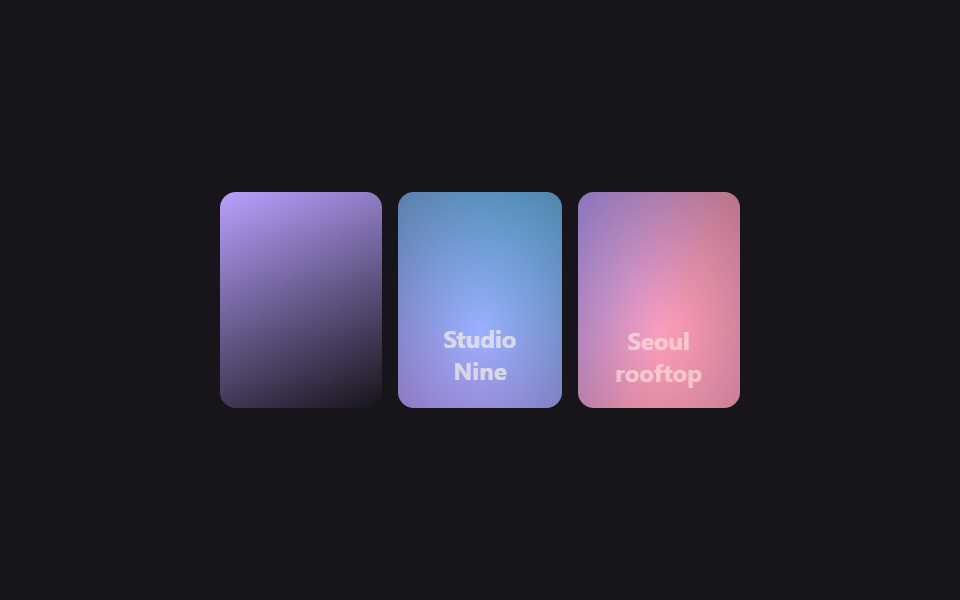
08Hover caption overlay
A translucent band that's normally tucked just below the photo's edge slides fully into view via translateY on hover, bringing the caption text (title, location) up with it.
Best forA travel gallery that labels each photo with a place name, a portfolio that titles each piece
translateY hover반투명 그러데이션opacity

<main class="stage">
  <ul class="gallery is-demo" aria-label="Photo gallery">
    <li class="tile" tabindex="0">
      <span class="tile__media" aria-hidden="true"></span>
      <div class="tile__caption">
        <h3 class="tile__title">Sunset beach</h3>
        <p class="tile__desc">Shot at 6 PM</p>
      </div>
    </li>
    <li class="tile" tabindex="0">
      <span class="tile__media tile__media--b" aria-hidden="true"></span>
      <div class="tile__caption">
        <h3 class="tile__title">Cabin in the woods</h3>
        <p class="tile__desc">Early morning walk</p>
      </div>
    </li>
  </ul>
</main>
@use "../../../../site/static/demo-tokens" as *;
$duration: $dur-base; // 캡션이 올라오는 시간
$easing: $ease-out;
$color: $subject-blue; // 사진 그러데이션
@include stage($stage-paper);
.stage { padding: clamp(8px, 2.4vw, 16px); }
.gallery {
display: grid;
grid-template-columns: repeat(2, 1fr);
gap: $sp-2;
list-style: none;
margin: 0;
padding: 0;
width: 228px;
max-width: 100%;
}
.tile {
position: relative;
aspect-ratio: 4 / 3;
border-radius: $r-sm;
overflow: hidden;
outline: none;
cursor: pointer;
box-shadow: $shadow-press;
}
.tile__media {
position: absolute; inset: 0;
background: linear-gradient(155deg, $color 0%, $stage-ink 100%);
}
.tile__media--b { background: linear-gradient(200deg, $subject-cream 0%, $stage-ink 100%); }
.tile__caption {
position: absolute; left: 0; right: 0; bottom: 0;
padding: $sp-1 $sp-2;
background: linear-gradient(0deg, rgba($stage-ink, .88), rgba($stage-ink, 0));
transform: translateY(64%);
opacity: 0;
transition: transform $duration $easing, opacity $duration $easing;
}
.tile__title { margin: 0; font-weight: 700; font-size: clamp(10px, 3vw, 11px); line-height: 1.3; font-family: inherit; color: $stage-paper; }
.tile__desc { margin: 0; font-weight: 500; font-size: clamp(9px, 2.6vw, 10px); line-height: 1.3; font-family: inherit; color: rgba($stage-paper, .85); }
.tile:hover .tile__caption, .tile:focus-visible .tile__caption, .tile:active .tile__caption {
transform: translateY(0);
opacity: 1;
}
.gallery.is-demo .tile__caption { animation: caption-loop $dur-loop $easing infinite; }
.gallery.is-demo .tile:nth-child(2) .tile__caption { animation-delay: -1s; }
@keyframes caption-loop {
0%, 10% { transform: translateY(64%); opacity: 0; }
40%, 60% { transform: translateY(0); opacity: 1; }
100% { transform: translateY(64%); opacity: 0; }
}
@media (hover: none) {
.tile:active .tile__caption { transform: translateY(0); opacity: 1; }
}
@media (prefers-reduced-motion: reduce) {
.tile__caption { transition: none; transform: translateY(0); opacity: 1; }
.gallery.is-demo .tile__caption { animation: none; }
}html, body {
margin: 0;
overflow: hidden;
}
.stage {
box-sizing: border-box;
min-height: 100vh;
display: grid;
place-items: center;
margin: 0;
background: #ffffff;
font-family: -apple-system, "Segoe UI", "Noto Sans KR", sans-serif;
padding: clamp(8px, 4vw, 24px);
}
.stage {
padding: clamp(8px, 2.4vw, 16px);
}
.gallery {
display: grid;
grid-template-columns: repeat(2, 1fr);
gap: 8px;
list-style: none;
margin: 0;
padding: 0;
width: 228px;
max-width: 100%;
}
.tile {
position: relative;
aspect-ratio: 4/3;
border-radius: 8px;
overflow: hidden;
outline: none;
cursor: pointer;
box-shadow: 0 6px 12px rgba(23, 20, 26, 0.32);
}
.tile__media {
position: absolute;
inset: 0;
background: linear-gradient(155deg, #2f6df6 0%, #17141a 100%);
}
.tile__media--b {
background: linear-gradient(200deg, #fff7e6 0%, #17141a 100%);
}
.tile__caption {
position: absolute;
left: 0;
right: 0;
bottom: 0;
padding: 4px 8px;
background: linear-gradient(0deg, rgba(23, 20, 26, 0.88), rgba(23, 20, 26, 0));
transform: translateY(64%);
opacity: 0;
transition: transform 300ms ease-out, opacity 300ms ease-out;
}
.tile__title {
margin: 0;
font-weight: 700;
font-size: clamp(10px, 3vw, 11px);
line-height: 1.3;
font-family: inherit;
color: #ffffff;
}
.tile__desc {
margin: 0;
font-weight: 500;
font-size: clamp(9px, 2.6vw, 10px);
line-height: 1.3;
font-family: inherit;
color: rgba(255, 255, 255, 0.85);
}
.tile:hover .tile__caption, .tile:focus-visible .tile__caption, .tile:active .tile__caption {
transform: translateY(0);
opacity: 1;
}
.gallery.is-demo .tile__caption {
animation: caption-loop 2s ease-out infinite;
}
.gallery.is-demo .tile:nth-child(2) .tile__caption {
animation-delay: -1s;
}
@keyframes caption-loop {
0%, 10% {
transform: translateY(64%);
opacity: 0;
}
40%, 60% {
transform: translateY(0);
opacity: 1;
}
100% {
transform: translateY(64%);
opacity: 0;
}
}
@media (hover: none) {
.tile:active .tile__caption {
transform: translateY(0);
opacity: 1;
}
}
@media (prefers-reduced-motion: reduce) {
.tile__caption {
transition: none;
transform: translateY(0);
opacity: 1;
}
.gallery.is-demo .tile__caption {
animation: none;
}
}import type { CSSProperties } from "react";
import styles from "./HoverCaptionGallery.module.scss";
export type CaptionTile = { title: string; desc: string };
export type HoverCaptionGalleryProps = {
items?: CaptionTile[];
duration?: number;
easing?: string;
color?: string;
};
const DEFAULT_ITEMS: CaptionTile[] = [
{ title: "Sunset beach", desc: "Shot at 6 PM" },
{ title: "Cabin in the woods", desc: "Early morning walk" },
];
type Vars = CSSProperties & { "--duration"?: string; "--easing"?: string; "--color"?: string };
/** 평소엔 살짝 가려진 캡션 띠가 호버하면 translateY 로 완전히 올라오며 제목·설명이 드러난다 */
export default function HoverCaptionGallery({
items = DEFAULT_ITEMS,
duration = 300,
easing = "ease-out",
color = "#2f6df6",
}: HoverCaptionGalleryProps) {
const vars: Vars = { "--duration": `${duration}ms`, "--easing": easing, "--color": color };
return (
<ul className={styles.gallery} style={vars} aria-label="Photo gallery">
{items.map((it, i) => (
<li key={i} className={styles.tile} tabIndex={0}>
<span className={styles.media} aria-hidden="true" />
<div className={styles.caption}>
<h3 className={styles.title}>{it.title}</h3>
<p className={styles.desc}>{it.desc}</p>
</div>
</li>
))}
</ul>
);
}08 Hover caption overlay — Measured area 4.308% · moving frames 18/23Original by GODRICH · SCSS and React ship in the zip · 9 CSS Image Gallery Grid Effects
The post this demo lives in
 9 CSS Image Gallery Grid EffectsCSS image gallery grid effects arrange photos into a grid or waterfall that reacts to hover and click, as pretty as the See all demos in this post