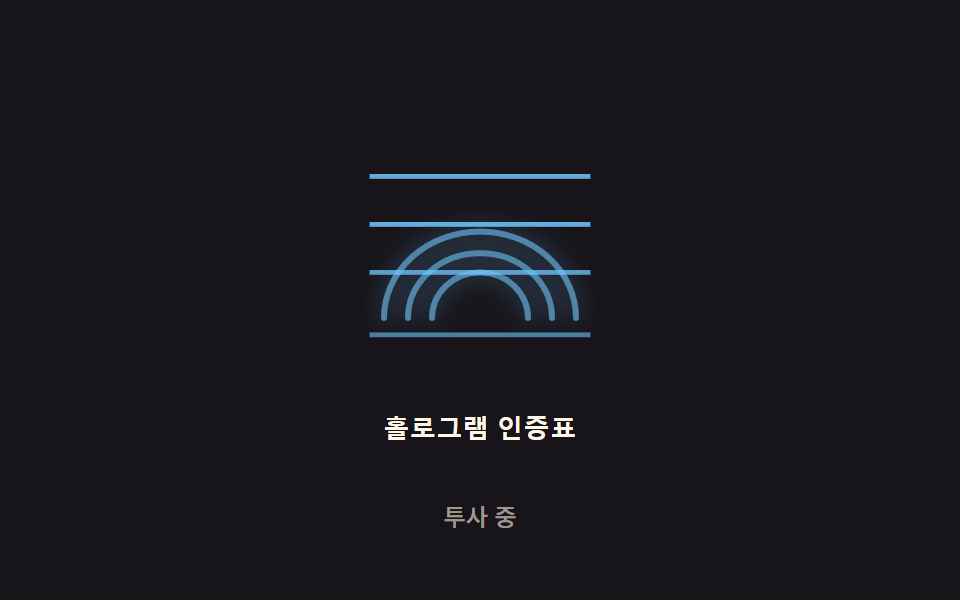
06Hologram flicker — a 2D noise value drives a subtle flicker-intensity value on the scan icon
A noise value that shifts over time maps onto the flicker-intensity value, so the icon's brightness trembles subtly instead of staying constant.
Best forA biometric-wait icon, a sci-fi-styled authentication screen background
LINE_PHASE_STEP$subject-skyFREQS
<main class="stage">
<div class="holo-wrap">
<button type="button" class="holo is-demo" id="holo" aria-pressed="true">
  <svg class="holo__icon" viewBox="0 0 120 120" aria-hidden="true">
    <g id="glyph">
      <path class="holo__ridge" d="M20,90 A40 36 0 0 1 100,90"></path>
      <path class="holo__ridge" d="M30,90 A30 27 0 0 1 90,90"></path>
      <path class="holo__ridge" d="M40,90 A20 19 0 0 1 80,90"></path>
    </g>
    <rect class="holo__line" data-i="0" x="14" y="30" width="92" height="2"></rect>
    <rect class="holo__line" data-i="1" x="14" y="50" width="92" height="2"></rect>
    <rect class="holo__line" data-i="2" x="14" y="70" width="92" height="2"></rect>
    <rect class="holo__line" data-i="3" x="14" y="96" width="92" height="2"></rect>
  </svg>
  <span class="holo__label">Hologram auth badge</span>
</button>
<p class="holo__status" id="status">Projecting</p>
</div>
</main>
@use "../../../../site/static/demo-tokens" as *;
// 계산 겹은 index.html 의 noise() 에 있다 — 서로 다른 주기의 사인 3개를 가중합한 결정적 노이즈로
// 매 프레임 불투명도를 다시 계산한다(Math.random 미사용). 여기는 무대·모양만 맡는다.
@include stage($stage-ink);
.holo-wrap {
display: flex;
flex-direction: column;
align-items: center;
gap: $sp-3;
}
.holo {
appearance: none;
border: none;
background: transparent;
display: flex;
flex-direction: column;
align-items: center;
gap: $sp-3;
cursor: pointer;
padding: $sp-4;
border-radius: $r-card;
&:focus-visible { outline: 2px solid $subject-sky; outline-offset: 4px; }
}
.holo__icon {
width: clamp(120px, 30vw, 160px);
height: auto;
overflow: visible;
}
.holo__ridge {
fill: none;
stroke: $subject-sky;
stroke-width: 2.5;
stroke-linecap: round;
filter: drop-shadow(0 0 5px rgba($subject-sky, .8));
}
.holo__line {
fill: $subject-sky;
opacity: .6;
}
.holo__label {
color: $subject-cream;
font-weight: 600;
font-size: 13px;
line-height: 1.2;
letter-spacing: .02em;
}
.holo__status {
margin: 0;
color: rgba($subject-cream, .58);
font-weight: 500;
font-size: 12px;
line-height: 1.2;
}
@media (max-width: 340px) {
.stage { padding: $sp-2; }
.holo-wrap { gap: $sp-2; }
.holo { padding: $sp-2 $sp-3; gap: $sp-2; }
.holo__icon { width: 104px; }
.holo__label { font-size: 12px; }
.holo__status { font-size: 11px; }
}
@media (prefers-reduced-motion: reduce) {
.holo__ridge, .holo__line { transition: none; }
}html, body {
margin: 0;
overflow: hidden;
}
.stage {
box-sizing: border-box;
min-height: 100vh;
display: grid;
place-items: center;
margin: 0;
background: #17141a;
font-family: -apple-system, "Segoe UI", "Noto Sans KR", sans-serif;
padding: clamp(8px, 4vw, 24px);
}
.holo-wrap {
display: flex;
flex-direction: column;
align-items: center;
gap: 12px;
}
.holo {
appearance: none;
border: none;
background: transparent;
display: flex;
flex-direction: column;
align-items: center;
gap: 12px;
cursor: pointer;
padding: 16px;
border-radius: 16px;
}
.holo:focus-visible {
outline: 2px solid #6ec8ff;
outline-offset: 4px;
}
.holo__icon {
width: clamp(120px, 30vw, 160px);
height: auto;
overflow: visible;
}
.holo__ridge {
fill: none;
stroke: #6ec8ff;
stroke-width: 2.5;
stroke-linecap: round;
filter: drop-shadow(0 0 5px rgba(110, 200, 255, 0.8));
}
.holo__line {
fill: #6ec8ff;
opacity: 0.6;
}
.holo__label {
color: #fff7e6;
font-weight: 600;
font-size: 13px;
line-height: 1.2;
letter-spacing: 0.02em;
}
.holo__status {
margin: 0;
color: rgba(255, 247, 230, 0.58);
font-weight: 500;
font-size: 12px;
line-height: 1.2;
}
@media (max-width: 340px) {
.stage {
padding: 8px;
}
.holo-wrap {
gap: 8px;
}
.holo {
padding: 8px 12px;
gap: 8px;
}
.holo__icon {
width: 104px;
}
.holo__label {
font-size: 12px;
}
.holo__status {
font-size: 11px;
}
}
@media (prefers-reduced-motion: reduce) {
.holo__ridge, .holo__line {
transition: none;
}
}(function () {
// 계산 겹: 결정적 노이즈 플리커 — Math.random 없이 서로 다른 주기의 사인 3개를 가중합해
// -1~1 노이즈 값을 만들고(노이즈 합성), 매 프레임 그 값으로 불투명도를 계산한다. 스캔 라인마다
// 위상(phase)을 다르게 줘서 같은 순간에도 줄마다 다른 밝기로 반짝인다.
var FREQS = [0.013, 0.031, 0.007]; // 세 사인의 각속도(rad/ms) — 서로소에 가깝게 골라 주기성이 안 보이게
var WEIGHTS = [0.5, 0.32, 0.18];
var PHASES = [0, 1.7, 3.4];
var LINE_PHASE_STEP = 0.6; // 스캔 라인 인덱스마다 더하는 위상 차
var BASE = 0.55, RANGE = 0.42;
var WSUM = WEIGHTS[0] + WEIGHTS[1] + WEIGHTS[2];
var reduce = window.matchMedia('(prefers-reduced-motion: reduce)').matches;
var root = document.getElementById('holo');
var glyph = document.getElementById('glyph');
var lines = Array.prototype.slice.call(document.querySelectorAll('.holo__line'));
var status = document.getElementById('status');
var STRINGS = { on: 'Projecting', off: 'Power off' };
var isDemo = true;
var active = true;
function noise(t, phaseOffset) {
var v = 0;
for (var i = 0; i < 3; i++) {
v += WEIGHTS[i] * Math.sin(t * FREQS[i] + PHASES[i] + phaseOffset);
}
return v / WSUM;
}
function human() { if (isDemo) { root.classList.remove('is-demo'); isDemo = false; } }
function toggle() {
active = !active;
root.setAttribute('aria-pressed', String(active));
status.textContent = active ? STRINGS.on : STRINGS.off;
}
root.addEventListener('click', function () { human(); toggle(); });
root.addEventListener('keydown', function (e) {
if (e.key === ' ' || e.key === 'Enter') { human(); }
});
function loop(ts) {
var run = active && (isDemo ? !reduce : true);
if (run) {
glyph.style.opacity = (BASE + RANGE * noise(ts, 0)).toFixed(3);
for (var i = 0; i < lines.length; i++) {
var v = BASE + RANGE * noise(ts, i * LINE_PHASE_STEP + 1);
lines[i].style.opacity = Math.max(0, Math.min(1, v)).toFixed(3);
}
} else {
glyph.style.opacity = active ? '1' : '0.08';
for (var j = 0; j < lines.length; j++) { lines[j].style.opacity = active ? '0.7' : '0'; }
}
requestAnimationFrame(loop);
}
requestAnimationFrame(loop);
})();// HologramFlicker — vanilla 판(run/371/demo/06-biometric-scan-hologram-flicker/index.html) 의 React 포트.
// 계산 겹(결정적 노이즈 플리커)은 useEffect 안에 있다: Math.random 없이 서로 다른 주기의 사인 3개를
// 가중합해 노이즈 값을 만들고, 매 프레임 그 값으로 불투명도를 계산한다.
import { useEffect, useRef, useState } from "react";
import styles from "./HologramFlicker.module.scss";
type Box<T> = { current: T };
const STRINGS: Record<string, string> = { on: "투사 중", off: "전원 꺼짐" };
export default function HologramFlicker() {
const rootRef = useRef(null) as unknown as Box<HTMLButtonElement>;
const glyphRef = useRef(null) as unknown as Box<SVGGElement>;
const lineRefs = useRef([]) as unknown as Box<SVGRectElement[]>;
const [status, setStatus] = useState(STRINGS.on);
const [pressed, setPressed] = useState(true);
useEffect(() => {
const FREQS = [0.013, 0.031, 0.007];
const WEIGHTS = [0.5, 0.32, 0.18];
const PHASES = [0, 1.7, 3.4];
const LINE_PHASE_STEP = 0.6;
const BASE = 0.55, RANGE = 0.42;
const WSUM = WEIGHTS[0] + WEIGHTS[1] + WEIGHTS[2];
const reduce = window.matchMedia("(prefers-reduced-motion: reduce)").matches;
const root = rootRef.current;
const glyph = glyphRef.current;
const lines = lineRefs.current;
if (!root || !glyph || lines.length === 0) return;
let isDemo = true;
let active = true;
let rafId = 0;
function noise(t: number, phaseOffset: number) {
let v = 0;
for (let i = 0; i < 3; i++) {
v += WEIGHTS[i] * Math.sin(t * FREQS[i] + PHASES[i] + phaseOffset);
}
return v / WSUM;
}
function human() { if (isDemo) { root.classList.remove(styles.isDemo); isDemo = false; } }
function toggle() {
active = !active;
setPressed(active);
setStatus(active ? STRINGS.on : STRINGS.off);
}
function onClick() { human(); toggle(); }
function onKeyDown(e: KeyboardEvent) { if (e.key === " " || e.key === "Enter") human(); }
root.addEventListener("click", onClick);
root.addEventListener("keydown", onKeyDown);
function loop(ts: number) {
const run = active && (isDemo ? !reduce : true);
if (run) {
glyph.style.opacity = (BASE + RANGE * noise(ts, 0)).toFixed(3);
for (let i = 0; i < lines.length; i++) {
const v = BASE + RANGE * noise(ts, i * LINE_PHASE_STEP + 1);
lines[i].style.opacity = Math.max(0, Math.min(1, v)).toFixed(3);
}
} else {
glyph.style.opacity = active ? "1" : "0.08";
for (let j = 0; j < lines.length; j++) lines[j].style.opacity = active ? "0.7" : "0";
}
rafId = requestAnimationFrame(loop);
}
rafId = requestAnimationFrame(loop);
return () => {
root.removeEventListener("click", onClick);
root.removeEventListener("keydown", onKeyDown);
cancelAnimationFrame(rafId);
};
}, []);
return (
<main className={styles.stage}>
<div className={styles.holoWrap}>
<button
type="button"
className={styles.holo + " " + styles.isDemo}
ref={rootRef}
aria-pressed={pressed}
>
<svg className={styles.holoIcon} viewBox="0 0 120 120" aria-hidden="true">
<g ref={glyphRef}>
<path className={styles.holoRidge} d="M20,90 A40 36 0 0 1 100,90" />
<path className={styles.holoRidge} d="M30,90 A30 27 0 0 1 90,90" />
<path className={styles.holoRidge} d="M40,90 A20 19 0 0 1 80,90" />
</g>
{[30, 50, 70, 96].map((y, i) => (
<rect
key={i}
className={styles.holoLine}
x={14}
y={y}
width={92}
height={2}
ref={(el: SVGRectElement | null) => { if (el) lineRefs.current[i] = el; }}
/>
))}
</svg>
<span className={styles.holoLabel}>홀로그램 인증표</span>
</button>
<p className={styles.holoStatus}>{status}</p>
</div>
</main>
);
}06 Hologram flicker — a 2D noise value drives a subtle flicker-intensity value on the scan icon — Measured area 3.044% · moving frames 22/23Original by GODRICH · SCSS and React ship in the zip · Fingerprint Scan Animation: 9 Biometric UI Demos
The post this demo lives in
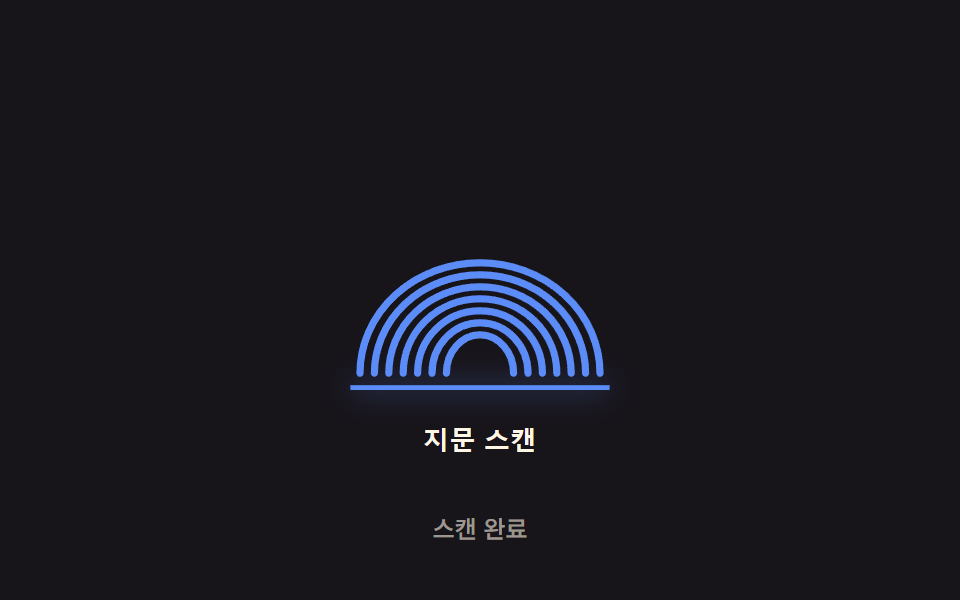 Fingerprint Scan Animation: 9 Biometric UI DemosNine fingerprint scan animation patterns: one lights ridges by scan-progress value, one shakes by spring-damping value o See all demos in this post
If you like this effect - similar demos
 Auth UI01 Remaining-tries shake — the remaining-tries value drops and the number shakes briefly each time login failsToo Many Failed Login Attempts: 9 Patterns
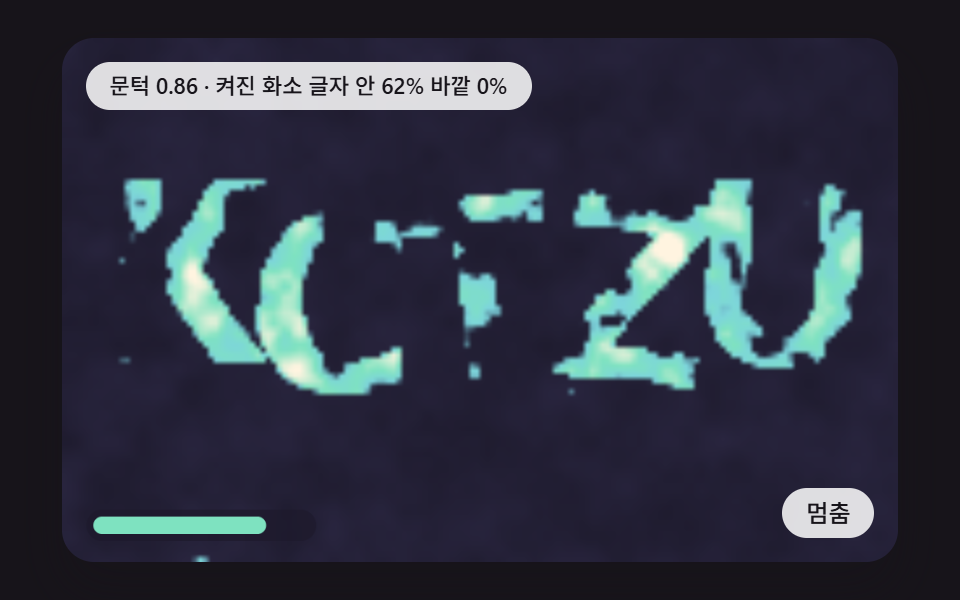 Auth UI07 A Check Where Letters Hidden in Noise Surface More Clearly as the Threshold RisesCSS Captcha: 9 Warped Text and Rotate Checks
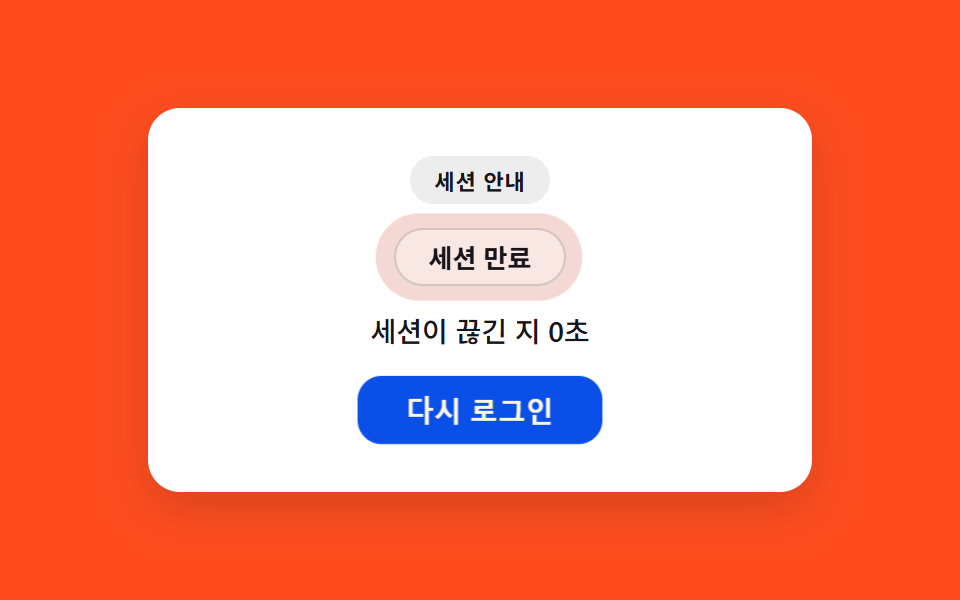 Auth UI07 Session expired — a notice that recomputes badge intensity from elapsed time since expiry9 Login UI Design Patterns (Copy-Paste)