09A flock that spells — a sentence assembling while dodging the pointer
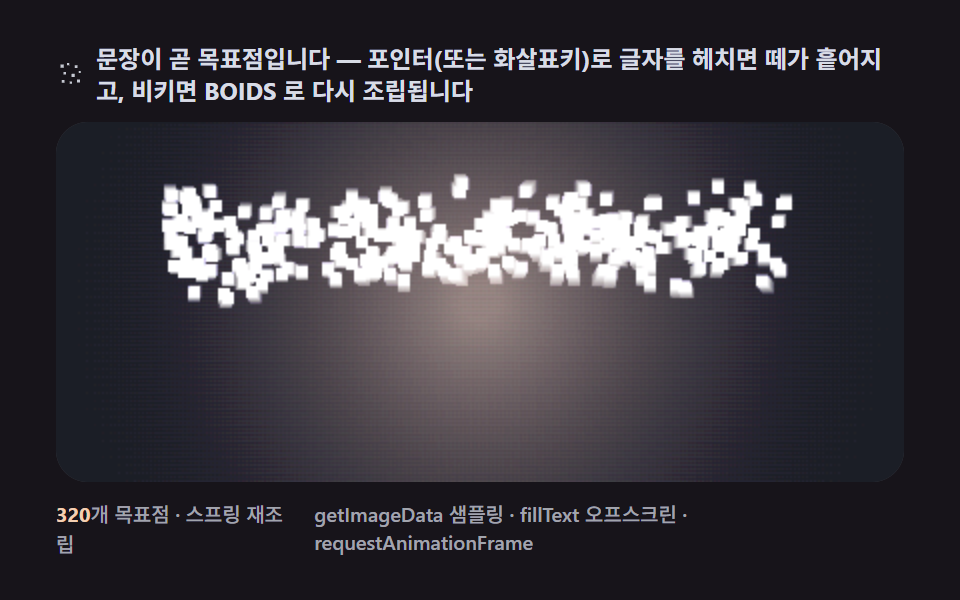
Assigning each bird a pixel of the text as its target and adding the flee vector only near the pointer gives a swarm that scatters when you barge in and re-forms the sentence when you step aside.
Best forHero headlines and exhibition intro copy
fillTextpointermoverequestAnimationFrame
<main class="stage">
<div class="cd is-demo" id="cdRoot">
  <p class="cd__hint">
    <svg class="cd__ico" viewBox="0 0 256 256" aria-hidden="true"><g fill="currentColor" opacity=".9"><rect x="36" y="52" width="26" height="26" rx="4"/><rect x="88" y="40" width="18" height="18" rx="3"/><rect x="150" y="58" width="22" height="22" rx="4"/><rect x="60" y="112" width="20" height="20" rx="4"/><rect x="124" y="126" width="26" height="26" rx="5"/><rect x="182" y="104" width="16" height="16" rx="3"/><rect x="46" y="176" width="22" height="22" rx="4"/><rect x="110" y="188" width="18" height="18" rx="3"/><rect x="168" y="172" width="24" height="24" rx="4"/></g></svg>
    <span>A sentence itself is the set of target points — sweep through the letters with the pointer (or arrow keys) and the flock scatters, then reassembles into BOIDS when you step away</span>
  </p>
  <div class="cd__field" id="cdField" role="application" aria-label="Letter-forming flock test panel — use arrow keys to sweep through the letters" tabindex="0">
    <canvas class="cd__cv" id="cdCv"></canvas>
  </div>
  <div class="cd__bar">
    <span class="cd__meta"><b class="cd__val" id="cdN">320</b>target points · spring reassembly</span>
    <span class="cd__meta cd__meta--dim">getImageData sampling · fillText offscreen · requestAnimationFrame</span>
  </div>
</div>
</main>
@use "../../../../site/static/demo-tokens" as *;
// 글자를 이루는 떼(09). CSS 애니메이션·@keyframes 를 아예 두지 않는다 —
// 움직임은 전부 캔버스 rAF 루프(목표점 스프링 + 군집 3벡터 + 도망)가 만든다.
// 무대는 어스름 잉크. 파스텔 고정 팔레트를 --flock-* 로 편 공통 규격(07~09 동일).
$duration: $dur-loop;
$easing: $ease-spring;
$color: $subject-lilac;
@include stage($stage-ink);
// ── 편 공통 파스텔 팔레트(315 07~09 — BD9~11 원칙) ──
$flock-ink: #1b1e26; // 어스름 무대
$flock-dusk: #3d4358; // 하늘 깊은 슬레이트
$flock-glow: #f4cfb2; // 지평선 따뜻한 파스텔
$flock-bird: #23262f; // 실루엣 잉크
$flock-lilac: #b9a0ff; // 변형 색(흩어진 개체가 물드는 색)
$flock-mist: #d8dce6; // 글자 색 — 먼 개체 흐릿
.cd {
// 렌더러가 읽는 색 — JS 는 getComputedStyle 로 --flock-* 를 받아 쓴다
--flock-ink: #{$flock-ink};
--flock-dusk: #{$flock-dusk};
--flock-glow: #{$flock-glow};
--flock-bird: #{$flock-bird};
--flock-lilac: #{$flock-lilac};
--flock-mist: #{$flock-mist};
display: flex; flex-direction: column; gap: $sp-2;
width: 100%; max-width: 424px;
}
.cd__hint {
display: flex; align-items: center; gap: $sp-1; margin: 0;
font-weight: 700; font-size: clamp(10px, 2.8vw, 12px); line-height: 1.35;
color: $flock-mist;
}
.cd__ico { width: 16px; height: 16px; flex: 0 0 auto; color: $flock-mist; }
.cd__field {
position: relative; height: 180px;
border-radius: $r-card; overflow: hidden;
background: $flock-ink;
box-shadow: inset 0 0 0 1px rgba($flock-mist, .16);
cursor: crosshair; touch-action: none;
}
.cd__field:focus-visible { outline: 2px solid $flock-glow; outline-offset: 2px; }
.cd__cv { display: block; width: 100%; height: 100%; }
.cd__bar { display: flex; align-items: baseline; justify-content: space-between; gap: $sp-2; }
.cd__meta { font-size: 10px; font-weight: 500; color: rgba($flock-mist, .72); }
.cd__val { color: $flock-glow; font-weight: 700; }
.cd__meta--dim { font-size: 10px; }
@media (max-width: 340px) {
.cd { gap: $sp-1; }
.cd__field { height: 100px; }
.cd__meta--dim { display: none; }
}
// reduce — rAF 를 돌리지 않고 한 장만 남는다. 커서 신호만 거둔다.
@media (prefers-reduced-motion: reduce) {
.cd.is-still .cd__field { cursor: default !important; }
}html, body {
margin: 0;
overflow: hidden;
}
.stage {
box-sizing: border-box;
min-height: 100vh;
display: grid;
place-items: center;
margin: 0;
background: #17141a;
font-family: -apple-system, "Segoe UI", "Noto Sans KR", sans-serif;
padding: clamp(8px, 4vw, 24px);
}
.cd {
--flock-ink: #1b1e26;
--flock-dusk: #3d4358;
--flock-glow: #f4cfb2;
--flock-bird: #23262f;
--flock-lilac: #b9a0ff;
--flock-mist: #d8dce6;
display: flex;
flex-direction: column;
gap: 8px;
width: 100%;
max-width: 424px;
}
.cd__hint {
display: flex;
align-items: center;
gap: 4px;
margin: 0;
font-weight: 700;
font-size: clamp(10px, 2.8vw, 12px);
line-height: 1.35;
color: #d8dce6;
}
.cd__ico {
width: 16px;
height: 16px;
flex: 0 0 auto;
color: #d8dce6;
}
.cd__field {
position: relative;
height: 180px;
border-radius: 16px;
overflow: hidden;
background: #1b1e26;
box-shadow: inset 0 0 0 1px rgba(216, 220, 230, 0.16);
cursor: crosshair;
touch-action: none;
}
.cd__field:focus-visible {
outline: 2px solid #f4cfb2;
outline-offset: 2px;
}
.cd__cv {
display: block;
width: 100%;
height: 100%;
}
.cd__bar {
display: flex;
align-items: baseline;
justify-content: space-between;
gap: 8px;
}
.cd__meta {
font-size: 10px;
font-weight: 500;
color: rgba(216, 220, 230, 0.72);
}
.cd__val {
color: #f4cfb2;
font-weight: 700;
}
.cd__meta--dim {
font-size: 10px;
}
@media (max-width: 340px) {
.cd {
gap: 4px;
}
.cd__field {
height: 100px;
}
.cd__meta--dim {
display: none;
}
}
@media (prefers-reduced-motion: reduce) {
.cd.is-still .cd__field {
cursor: default !important;
}
}// 글자를 이루는 떼(09). 오프스크린 캔버스에 굵은 산세리프로 "BOIDS" 를 fillText 로 칠고
// getImageData 로 밝은 픽셀 좌표를 샘플(약 300~400점)해 개체별 목표점으로 배정한다.
// 스티어링 = 목표점 스프링(강) + 군집 3규칙(약) + 포인터 도망 벡터.
// 포인터가 없는 렌더 환경에서는 시드 고정 가상 포인터가 주기적으로 문장을 가로질러
// 흩었다 모으게 한다(23/23 프레임 보장). 오프스크린은 화면에 안 보인다.
(function () {
// ── 변형 상수 블록 — 아래 값 하나만 바꿔 변형 3종을 만든다 ──
var N = 320; // 개체 수(샘플 점 수에 맞춰 상한에서 잘린다)
var FLEE_R = 120; // 도망 반경(px) — 변형 "도망 반경" 축(28 → 120), 화면 넓은 영역까지 흩어진다
var SPRING = 6.0; // 목표점 스프링 세기 — 낮춰 흩어진 뒤 되돌아오는 데 시간이 걸리게 한다
var TRAIL = 0.07; // 잔상 덮개 알파 — 흩어지는 궤적을 남겨 누적면적을 넓힌다
// ────────────────────────────────────────────────────
var root = document.getElementById('cdRoot');
var field = document.getElementById('cdField');
var cv = document.getElementById('cdCv');
var ctx = cv.getContext('2d');
var nOut = document.getElementById('cdN');
// 시드 고정 PRNG — mulberry32
var SEED = 0x09b0d5;
var prngState = SEED >>> 0;
function rand() {
prngState = (prngState + 0x6D2B79F5) >>> 0;
var t = prngState;
t = Math.imul(t ^ (t >>> 15), t | 1);
t ^= t + Math.imul(t ^ (t >>> 7), t | 61);
return ((t ^ (t >>> 14)) >>> 0) / 4294967296;
}
var css = getComputedStyle(root);
function tokRGB(name) {
var s = css.getPropertyValue(name).trim();
var hx = s.length === 4
? s.charAt(1) + s.charAt(1) + s.charAt(2) + s.charAt(2) + s.charAt(3) + s.charAt(3)
: s.slice(1);
return [parseInt(hx.slice(0, 2), 16), parseInt(hx.slice(2, 4), 16), parseInt(hx.slice(4, 6), 16)];
}
var C_INK = tokRGB('--flock-ink');
var C_MIST = tokRGB('--flock-mist');
var C_LILAC = tokRGB('--flock-lilac');
var C_GLOW = tokRGB('--flock-glow');
var TAU = Math.PI * 2;
var reduce = window.matchMedia('(prefers-reduced-motion: reduce)').matches;
var W = 0, H = 0;
var raf = 0, t0 = -1;
var px01 = 0.5, py01 = 0.5; // 포인터(0..1) — 없으면 가상
var manual = false;
var firstFrame = true; // 리사이즈마다 잔상 캔버스를 다시 깔아야 한다
// ── 이웃 반경 안 3벡터(약하게) ──
var NEI_R = 22, NEI_R2 = NEI_R * NEI_R, SEP_R = 8;
var W_SEP = 9, W_ALI = 2.4, W_COH = 1.2;
// ── 목표점 샘플 — 오프스크린 fillText → getImageData ──
var targets = []; // {x,y} 정규화(0..1) 좌표
var boids = [];
var FONT_STACK = '900 100px "Segoe UI", "Helvetica Neue", Arial, sans-serif';
var sampleGap = 4; // 픽셀 샘플 간격
function buildTargets() {
targets = [];
var off = document.createElement('canvas');
off.width = Math.max(64, Math.round(W));
off.height = Math.max(32, Math.round(H));
var octx = off.getContext('2d');
octx.fillStyle = '#000';
octx.fillRect(0, 0, off.width, off.height);
octx.fillStyle = '#fff';
octx.font = FONT_STACK;
octx.textAlign = 'center';
octx.textBaseline = 'middle';
var word = 'BOIDS';
octx.fillText(word, off.width / 2, off.height / 2);
var availW = off.width * 0.92;
var m = octx.measureText(word);
if (m.width > availW) {
// 폭이 넘치면 글꼴 크기를 비례 축소해 다시 칠한다
var scale = availW / m.width;
var px2 = Math.max(28, Math.floor(100 * scale));
octx.font = '900 ' + px2 + 'px "Segoe UI", "Helvetica Neue", Arial, sans-serif';
octx.fillText(word, off.width / 2, off.height / 2);
}
var img = octx.getImageData(0, 0, off.width, off.height);
var d = img.data, ow = off.width, oh = off.height;
for (var yy = 0; yy < oh; yy += sampleGap) {
for (var xx = 0; xx < ow; xx += sampleGap) {
if (d[(yy * ow + xx) * 4] > 128) {
targets.push({ x: xx / ow, y: yy / oh });
}
}
}
// 개체 수를 목표점 수에 맞춰 재배치(목표 인덱스는 그대로 유지)
var count = Math.min(N, targets.length);
boids = [];
for (var i = 0; i < count; i++) {
var tg = targets[i % targets.length];
boids.push({
x: tg.x * W + (rand() - 0.5) * 40,
y: tg.y * H + (rand() - 0.5) * 40,
vx: (rand() - 0.5) * 20,
vy: (rand() - 0.5) * 20,
tx: tg.x, ty: tg.y,
ph: rand() * TAU
});
}
nOut.textContent = String(count);
}
function flockForce(idx) {
var p = boids[idx];
var sepX = 0, sepY = 0, aliX = 0, aliY = 0, cohX = 0, cohY = 0, cnt = 0;
for (var j = 0; j < boids.length; j++) {
if (j === idx) continue;
var q = boids[j];
var dx = q.x - p.x, dy = q.y - p.y;
if (dx > W / 2) dx -= W; else if (dx < -W / 2) dx += W;
if (dy > H / 2) dy -= H; else if (dy < -H / 2) dy += H;
var d2 = dx * dx + dy * dy;
if (d2 > NEI_R2) continue;
var d = Math.sqrt(d2) || 0.0001;
if (d < SEP_R) { sepX -= dx / d; sepY -= dy / d; }
aliX += q.vx; aliY += q.vy;
cohX += dx; cohY += dy;
cnt++;
}
var fx = sepX * W_SEP, fy = sepY * W_SEP;
if (cnt > 0) {
fx += (aliX / cnt - p.vx) * (W_ALI / 10);
fy += (aliY / cnt - p.vy) * (W_ALI / 10);
fx += (cohX / cnt) * (W_COH / 40);
fy += (cohY / cnt) * (W_COH / 40);
}
return [fx, fy];
}
var STILL_T = 1.5;
function draw(tSec, dt) {
// 잔상 덮개 — 첫 프레임은 불투명 full, 이후 반투명 TRAIL 로 흩어지는 궤적을 남긴다
ctx.globalCompositeOperation = 'source-over';
ctx.fillStyle = 'rgba(' + C_INK[0] + ',' + C_INK[1] + ',' + C_INK[2] + ',' + (firstFrame ? 1 : TRAIL).toFixed(3) + ')';
ctx.fillRect(0, 0, W, H);
firstFrame = false;
// 가상 포인터 — 주기적으로 문장을 가로질러 흩었다 모으게(23/23 보장)
var sX, sY;
if (manual) { sX = px01 * W; sY = py01 * H; }
else {
var cyc = (tSec % 6.2) / 6.2; // 6.2초 주기 — 더 자주 문장을 가로지른다
var sweep = Math.sin(cyc * TAU);
sX = W * (0.5 + sweep * 0.5);
sY = H * (0.5 + 0.4 * Math.cos(cyc * TAU * 2));
}
// ── 목표점 미광 — 문장 자리를 은은히 비춘다(재조립 방향 감각) ──
var breathe = 0.85 + 0.15 * Math.sin(tSec * 1.8);
var gA = 0.05 * breathe;
var rg = ctx.createRadialGradient(W / 2, H / 2, Math.min(W, H) * 0.05, W / 2, H / 2, Math.max(W, H) * 0.52);
rg.addColorStop(0, 'rgba(' + C_GLOW[0] + ',' + C_GLOW[1] + ',' + C_GLOW[2] + ',' + gA.toFixed(3) + ')');
rg.addColorStop(1, 'rgba(0,0,0,0)');
ctx.globalCompositeOperation = 'lighter';
ctx.fillStyle = rg;
ctx.fillRect(0, 0, W, H);
// ── 개체 — 목표 스프링 + 군집(약) + 도망 ──
for (var i = 0; i < boids.length; i++) {
var p = boids[i];
var dx = p.tx * W - p.x, dy = p.ty * H - p.y;
var ax = dx * SPRING, ay = dy * SPRING;
var ff = flockForce(i);
ax += ff[0]; ay += ff[1];
var dxs = p.x - sX, dys = p.y - sY;
var ds = Math.hypot(dxs, dys) || 0.0001;
if (ds < FLEE_R) {
var fm = (1 - ds / FLEE_R) * 460;
ax += (dxs / ds) * fm;
ay += (dys / ds) * fm;
}
var jitX = Math.sin(tSec * 6.3 + p.ph) * 34;
var jitY = Math.cos(tSec * 5.1 + p.ph * 1.3) * 30;
ax += jitX; ay += jitY;
p.vx += ax * dt; p.vy += ay * dt;
var damp = Math.pow(0.86, dt * 60);
p.vx *= damp; p.vy *= damp;
var sp = Math.hypot(p.vx, p.vy);
var maxV = 260;
if (sp > maxV) { p.vx = p.vx / sp * maxV; p.vy = p.vy / sp * maxV; }
p.x += p.vx * dt; p.y += p.vy * dt;
// 글자 색 $flock-mist — 도망 중(목표에서 멀수록) 라일락으로 물든다
var far = Math.min(1, Math.hypot(dx, dy) / 60);
var rC = C_MIST[0] + (C_LILAC[0] - C_MIST[0]) * far;
var gC = C_MIST[1] + (C_LILAC[1] - C_MIST[1]) * far;
var bC = C_MIST[2] + (C_LILAC[2] - C_MIST[2]) * far;
var rad = 2.6;
ctx.fillStyle = 'rgba(' + (rC | 0) + ',' + (gC | 0) + ',' + (bC | 0) + ',0.85)';
ctx.fillRect(p.x - rad, p.y - rad, rad * 2, rad * 2);
}
ctx.globalCompositeOperation = 'source-over';
}
function fit() {
var r = field.getBoundingClientRect();
W = r.width; H = r.height;
cv.width = Math.round(W); cv.height = Math.round(H);
firstFrame = true; // 리사이즈마다 잔상 캔버스를 다시 깔아야 한다
}
function frame(now) {
if (t0 < 0) t0 = now;
var t = (now - t0) / 1000;
var dt = Math.min(0.05, (now - (frame.prev || now)) / 1000);
frame.prev = now;
draw(t, dt);
raf = requestAnimationFrame(frame);
}
field.addEventListener('pointermove', function (e) {
var r = field.getBoundingClientRect();
px01 = Math.min(1, Math.max(0, (e.clientX - r.left) / r.width));
py01 = Math.min(1, Math.max(0, (e.clientY - r.top) / r.height));
if (!manual) { manual = true; root.classList.remove('is-demo'); }
if (reduce) draw(STILL_T, 0.016);
});
field.addEventListener('pointerleave', function () { manual = false; });
field.addEventListener('keydown', function (e) {
var d = { ArrowLeft: [-0.07, 0], ArrowRight: [0.07, 0], ArrowUp: [0, -0.06], ArrowDown: [0, 0.06] }[e.key];
if (!d) return;
e.preventDefault();
if (!manual) { manual = true; root.classList.remove('is-demo'); px01 = 0.5; py01 = 0.5; }
px01 = Math.max(0, Math.min(1, px01 + d[0]));
py01 = Math.max(0, Math.min(1, py01 + d[1]));
if (reduce) draw(STILL_T, 0.016);
});
window.addEventListener('resize', function () { fit(); buildTargets(); if (reduce) draw(STILL_T, 0.016); });
fit();
buildTargets();
if (reduce) {
draw(STILL_T, 0);
root.classList.add('is-still');
} else {
raf = requestAnimationFrame(frame);
}
})();// TextGlyphSwarm — vanilla 판(run/315/demo/09-flock-text-glyph-swarm/index.html) 의 React 포트.
// 오프스크린 캔버스에 굵은 산세리프로 "BOIDS" 를 fillText 로 칠고 getImageData 로 밝은 픽셀
// 좌표를 샘플해 개체별 목표점으로 배정한다. 스티어링 = 목표점 스프링(강) + 군집 3규칙(약) +
// 포인터 도망 벡터. 포인터가 없으면 시드 고정 가상 포인터가 주기적으로 문장을 가로지른다.
import { useEffect, useRef, useState } from "react";
import type { CSSProperties } from "react";
import styles from "./TextGlyphSwarm.module.scss";
export type TextGlyphSwarmProps = {
duration?: string;
easing?: string;
color?: string;
count?: number; // 개체 수(샘플 점 수에 맞춰 상한에서 잘린다)
fleeR?: number; // 도망 반경(px) — 변형 "도망 반경" 축(28 → 120)
spring?: number; // 목표점 스프링 세기
};
type Vars = CSSProperties & { "--duration"?: string; "--easing"?: string; "--color"?: string };
type Box<T> = { current: T };
type RGB = [number, number, number];
type Target = { x: number; y: number };
type Boid = { x: number; y: number; vx: number; vy: number; tx: number; ty: number; ph: number };
type Colors = { ink: RGB; mist: RGB; lilac: RGB; glow: RGB };
const TAU = Math.PI * 2;
const FIELD_LABEL = "글자를 이루는 군집 실험판 — 화살표키로 글자를 헤칠 수 있습니다";
const STILL_T = 1.5;
const TRAIL = 0.07;
const NEI_R = 22, NEI_R2 = NEI_R * NEI_R, SEP_R = 8;
const W_SEP = 9, W_ALI = 2.4, W_COH = 1.2;
const FONT_STACK = '900 100px "Segoe UI", "Helvetica Neue", Arial, sans-serif';
const SAMPLE_GAP = 4;
const WORD = "BOIDS";
const ARROW_STEP: Record<string, [number, number]> = {
ArrowLeft: [-0.07, 0], ArrowRight: [0.07, 0], ArrowUp: [0, -0.06], ArrowDown: [0, 0.06],
};
// 시드 고정 PRNG — mulberry32
function makePRNG(seed: number): () => number {
let s = seed >>> 0;
return function () {
s = (s + 0x6d2b79f5) >>> 0;
let t = s;
t = Math.imul(t ^ (t >>> 15), t | 1);
t ^= t + Math.imul(t ^ (t >>> 7), t | 61);
return ((t ^ (t >>> 14)) >>> 0) / 4294967296;
};
}
export default function TextGlyphSwarm({
duration = "2s",
easing = "cubic-bezier(.2, .8, .2, 1)",
color = "#b9a0ff",
count = 320,
fleeR = 120,
spring = 6.0,
}: TextGlyphSwarmProps) {
const rootRef = useRef<HTMLDivElement | null>(null);
const fieldRef = useRef<HTMLDivElement | null>(null);
const cvRef = useRef<HTMLCanvasElement | null>(null);
const ctxRef = useRef<CanvasRenderingContext2D | null>(null);
const sizeRef = useRef({ w: 0, h: 0 }) as Box<{ w: number; h: number }>;
const colRef = useRef<Colors | null>(null);
const boidsRef = useRef<Boid[]>([]) as Box<Boid[]>;
const randRef = useRef<() => number>(makePRNG(0x09b0d5)) as Box<() => number>;
const firstRef = useRef(true) as Box<boolean>;
const rafRef = useRef(0) as Box<number>;
const t0Ref = useRef(-1) as Box<number>;
const prevRef = useRef(0) as Box<number>;
const pxRef = useRef(0.5) as Box<number>;
const pyRef = useRef(0.5) as Box<number>;
const manualRef = useRef(false) as Box<boolean>;
const reduceRef = useRef(false) as Box<boolean>;
const [n, setN] = useState(String(count));
const [still, setStill] = useState(false);
const vars: Vars = { "--duration": duration, "--easing": easing, "--color": color };
function tokRGB(root: HTMLDivElement, name: string): RGB {
const s = getComputedStyle(root).getPropertyValue(name).trim();
const hx = s.length === 4
? s.charAt(1) + s.charAt(1) + s.charAt(2) + s.charAt(2) + s.charAt(3) + s.charAt(3)
: s.slice(1);
return [parseInt(hx.slice(0, 2), 16), parseInt(hx.slice(2, 4), 16), parseInt(hx.slice(4, 6), 16)];
}
// 오프스크린 fillText → getImageData 로 목표점 샘플, 개체 재배치
function buildTargets(): void {
const rand = randRef.current;
const { w: W, h: H } = sizeRef.current;
const targets: Target[] = [];
const off = document.createElement("canvas");
off.width = Math.max(64, Math.round(W));
off.height = Math.max(32, Math.round(H));
const octx = off.getContext("2d");
if (!octx) return;
octx.fillStyle = "#000";
octx.fillRect(0, 0, off.width, off.height);
octx.fillStyle = "#fff";
octx.font = FONT_STACK;
octx.textAlign = "center";
octx.textBaseline = "middle";
octx.fillText(WORD, off.width / 2, off.height / 2);
const availW = off.width * 0.92;
const m = octx.measureText(WORD);
if (m.width > availW) {
const scale = availW / m.width;
const px2 = Math.max(28, Math.floor(100 * scale));
octx.font = `900 ${px2}px "Segoe UI", "Helvetica Neue", Arial, sans-serif`;
octx.fillText(WORD, off.width / 2, off.height / 2);
}
const img = octx.getImageData(0, 0, off.width, off.height);
const d = img.data, ow = off.width, oh = off.height;
for (let yy = 0; yy < oh; yy += SAMPLE_GAP) {
for (let xx = 0; xx < ow; xx += SAMPLE_GAP) {
if (d[(yy * ow + xx) * 4] > 128) targets.push({ x: xx / ow, y: yy / oh });
}
}
const cnt = Math.min(count, targets.length);
const arr: Boid[] = [];
for (let i = 0; i < cnt; i++) {
const tg = targets[i % targets.length];
arr.push({
x: tg.x * W + (rand() - 0.5) * 40,
y: tg.y * H + (rand() - 0.5) * 40,
vx: (rand() - 0.5) * 20,
vy: (rand() - 0.5) * 20,
tx: tg.x, ty: tg.y,
ph: rand() * TAU,
});
}
boidsRef.current = arr;
setN(String(cnt));
}
function fit(): void {
const field = fieldRef.current;
const cv = cvRef.current;
if (!field || !cv) return;
const ctx = cv.getContext("2d");
if (!ctx) return;
const r = field.getBoundingClientRect();
sizeRef.current.w = r.width;
sizeRef.current.h = r.height;
cv.width = Math.round(r.width);
cv.height = Math.round(r.height);
ctxRef.current = ctx;
firstRef.current = true;
}
function flockForce(idx: number): [number, number] {
const boids = boidsRef.current;
const { w: W, h: H } = sizeRef.current;
const p = boids[idx];
let sepX = 0, sepY = 0, aliX = 0, aliY = 0, cohX = 0, cohY = 0, cnt = 0;
for (let j = 0; j < boids.length; j++) {
if (j === idx) continue;
const q = boids[j];
let dx = q.x - p.x, dy = q.y - p.y;
if (dx > W / 2) dx -= W; else if (dx < -W / 2) dx += W;
if (dy > H / 2) dy -= H; else if (dy < -H / 2) dy += H;
const d2 = dx * dx + dy * dy;
if (d2 > NEI_R2) continue;
const d = Math.sqrt(d2) || 0.0001;
if (d < SEP_R) { sepX -= dx / d; sepY -= dy / d; }
aliX += q.vx; aliY += q.vy;
cohX += dx; cohY += dy;
cnt++;
}
let fx = sepX * W_SEP, fy = sepY * W_SEP;
if (cnt > 0) {
fx += (aliX / cnt - p.vx) * (W_ALI / 10);
fy += (aliY / cnt - p.vy) * (W_ALI / 10);
fx += (cohX / cnt) * (W_COH / 40);
fy += (cohY / cnt) * (W_COH / 40);
}
return [fx, fy];
}
function draw(tSec: number, dt: number): void {
const ctx = ctxRef.current;
const col = colRef.current;
const boids = boidsRef.current;
if (!ctx || !col) return;
const { w: W, h: H } = sizeRef.current;
ctx.globalCompositeOperation = "source-over";
ctx.fillStyle = `rgba(${col.ink[0]},${col.ink[1]},${col.ink[2]},${firstRef.current ? 1 : TRAIL})`;
ctx.fillRect(0, 0, W, H);
firstRef.current = false;
let sX: number, sY: number;
if (manualRef.current) { sX = pxRef.current * W; sY = pyRef.current * H; }
else {
const cyc = (tSec % 6.2) / 6.2;
const sweep = Math.sin(cyc * TAU);
sX = W * (0.5 + sweep * 0.5);
sY = H * (0.5 + 0.4 * Math.cos(cyc * TAU * 2));
}
const breathe = 0.85 + 0.15 * Math.sin(tSec * 1.8);
const gA = 0.05 * breathe;
const rg = ctx.createRadialGradient(W / 2, H / 2, Math.min(W, H) * 0.05, W / 2, H / 2, Math.max(W, H) * 0.52);
rg.addColorStop(0, `rgba(${col.glow[0]},${col.glow[1]},${col.glow[2]},${gA.toFixed(3)})`);
rg.addColorStop(1, "rgba(0,0,0,0)");
ctx.globalCompositeOperation = "lighter";
ctx.fillStyle = rg;
ctx.fillRect(0, 0, W, H);
for (let i = 0; i < boids.length; i++) {
const p = boids[i];
const dx = p.tx * W - p.x, dy = p.ty * H - p.y;
let ax = dx * spring, ay = dy * spring;
const ff = flockForce(i);
ax += ff[0]; ay += ff[1];
const dxs = p.x - sX, dys = p.y - sY;
const ds = Math.hypot(dxs, dys) || 0.0001;
if (ds < fleeR) {
const fm = (1 - ds / fleeR) * 460;
ax += (dxs / ds) * fm;
ay += (dys / ds) * fm;
}
const jitX = Math.sin(tSec * 6.3 + p.ph) * 34;
const jitY = Math.cos(tSec * 5.1 + p.ph * 1.3) * 30;
ax += jitX; ay += jitY;
p.vx += ax * dt; p.vy += ay * dt;
const damp = Math.pow(0.86, dt * 60);
p.vx *= damp; p.vy *= damp;
const sp = Math.hypot(p.vx, p.vy);
const maxV = 260;
if (sp > maxV) { p.vx = (p.vx / sp) * maxV; p.vy = (p.vy / sp) * maxV; }
p.x += p.vx * dt; p.y += p.vy * dt;
const far = Math.min(1, Math.hypot(dx, dy) / 60);
const rC = col.mist[0] + (col.lilac[0] - col.mist[0]) * far;
const gC = col.mist[1] + (col.lilac[1] - col.mist[1]) * far;
const bC = col.mist[2] + (col.lilac[2] - col.mist[2]) * far;
const rad = 2.6;
ctx.fillStyle = `rgba(${rC | 0},${gC | 0},${bC | 0},0.85)`;
ctx.fillRect(p.x - rad, p.y - rad, rad * 2, rad * 2);
}
ctx.globalCompositeOperation = "source-over";
}
function frame(now: number): void {
if (t0Ref.current < 0) t0Ref.current = now;
const t = (now - t0Ref.current) / 1000;
const dt = Math.min(0.05, (now - (prevRef.current || now)) / 1000);
prevRef.current = now;
draw(t, dt);
rafRef.current = requestAnimationFrame(frame);
}
function onPointerMove(e: React.PointerEvent<HTMLDivElement>): void {
const field = fieldRef.current;
if (!field) return;
const r = field.getBoundingClientRect();
pxRef.current = Math.min(1, Math.max(0, (e.clientX - r.left) / r.width));
pyRef.current = Math.min(1, Math.max(0, (e.clientY - r.top) / r.height));
if (!manualRef.current) manualRef.current = true;
if (reduceRef.current) draw(STILL_T, 0.016);
}
function onPointerLeave(): void { manualRef.current = false; }
function onKeyDown(e: React.KeyboardEvent<HTMLDivElement>): void {
const d = ARROW_STEP[e.key];
if (!d) return;
e.preventDefault();
if (!manualRef.current) { manualRef.current = true; pxRef.current = 0.5; pyRef.current = 0.5; }
pxRef.current = Math.max(0, Math.min(1, pxRef.current + d[0]));
pyRef.current = Math.max(0, Math.min(1, pyRef.current + d[1]));
if (reduceRef.current) draw(STILL_T, 0.016);
}
useEffect(() => {
const root = rootRef.current;
if (!root) return;
reduceRef.current = window.matchMedia("(prefers-reduced-motion: reduce)").matches;
colRef.current = {
ink: tokRGB(root, "--flock-ink"),
mist: tokRGB(root, "--flock-mist"),
lilac: tokRGB(root, "--flock-lilac"),
glow: tokRGB(root, "--flock-glow"),
};
randRef.current = makePRNG(0x09b0d5);
fit();
buildTargets();
function onResize(): void {
fit();
buildTargets();
if (reduceRef.current) draw(STILL_T, 0.016);
}
window.addEventListener("resize", onResize);
if (reduceRef.current) {
draw(STILL_T, 0);
setStill(true);
} else {
rafRef.current = requestAnimationFrame(frame);
}
return () => {
window.removeEventListener("resize", onResize);
cancelAnimationFrame(rafRef.current);
};
// eslint-disable-next-line react-hooks/exhaustive-deps
}, [count, fleeR, spring]);
const rootCls = still ? `${styles.root} ${styles.isStill}` : styles.root;
return (
<main className={styles.stage}>
<div className={rootCls} ref={rootRef} style={vars}>
<p className={styles.hint}>
<svg className={styles.ico} viewBox="0 0 256 256" aria-hidden="true"><g fill="currentColor" opacity=".9"><rect x="36" y="52" width="26" height="26" rx="4" /><rect x="88" y="40" width="18" height="18" rx="3" /><rect x="150" y="58" width="22" height="22" rx="4" /><rect x="60" y="112" width="20" height="20" rx="4" /><rect x="124" y="126" width="26" height="26" rx="5" /><rect x="182" y="104" width="16" height="16" rx="3" /><rect x="46" y="176" width="22" height="22" rx="4" /><rect x="110" y="188" width="18" height="18" rx="3" /><rect x="168" y="172" width="24" height="24" rx="4" /></g></svg>
<span>문장이 곧 목표점입니다 — 포인터(또는 화살표키)로 글자를 헤치면 떼가 흩어지고, 비키면 BOIDS 로 다시 조립됩니다</span>
</p>
<div
className={styles.field}
ref={fieldRef}
role="application"
aria-label={FIELD_LABEL}
tabIndex={0}
onPointerMove={onPointerMove}
onPointerLeave={onPointerLeave}
onKeyDown={onKeyDown}
>
<canvas className={styles.cv} ref={cvRef}></canvas>
</div>
<div className={styles.bar}>
<span className={styles.meta}><b className={styles.val}>{n}</b>개 목표점 · 스프링 재조립</span>
<span className={styles.metaDim}>getImageData 샘플링 · fillText 오프스크린 · requestAnimationFrame</span>
</div>
</div>
</main>
);
}09 A flock that spells — a sentence assembling while dodging the pointer — Measured area 31.423% · moving frames 23/23Original by GODRICH · SCSS and React ship in the zip · 9 Canvas Boids Algorithm Flocking Birds Simulation
The post this demo lives in
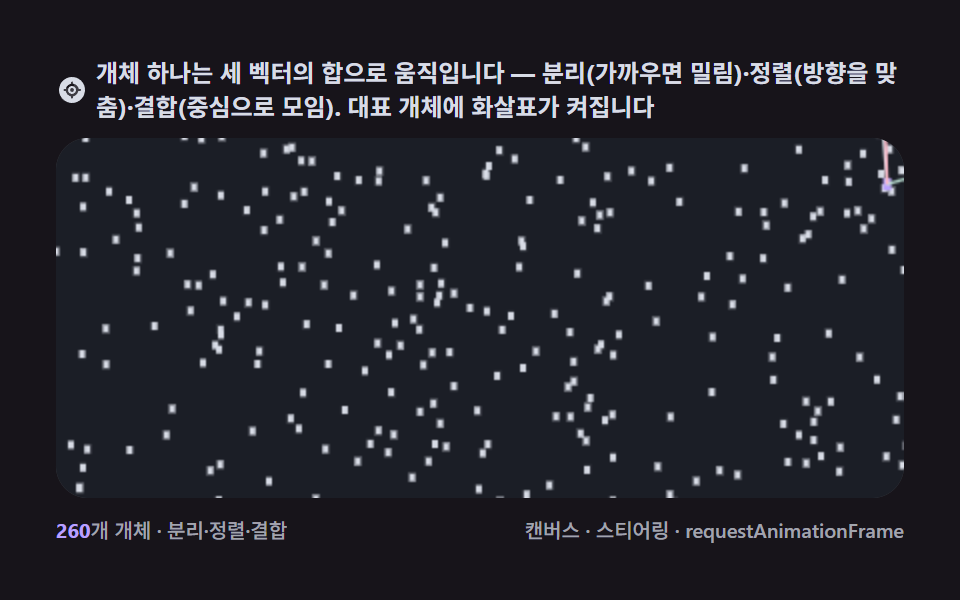 9 Canvas Boids Algorithm Flocking Birds SimulationA boids algorithm demo steers every agent with three local vectors, separation, alignment, cohesion, and that is enough See all demos in this post
If you like this effect - similar demos
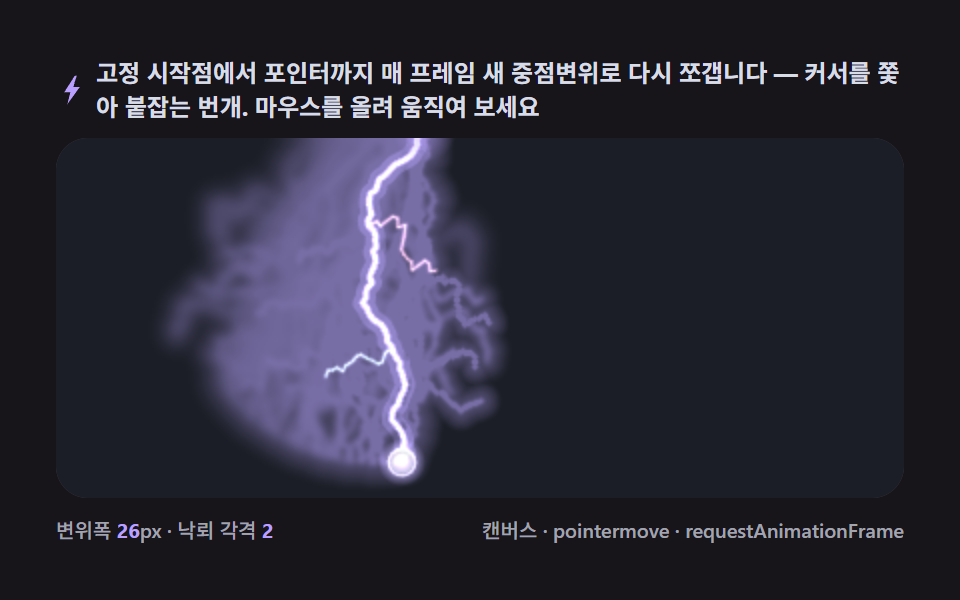 Creative UI06 Pointer-tracking strike — the path redrawn toward the cursor9 Lightning Effect Background Scenes, No WebGL
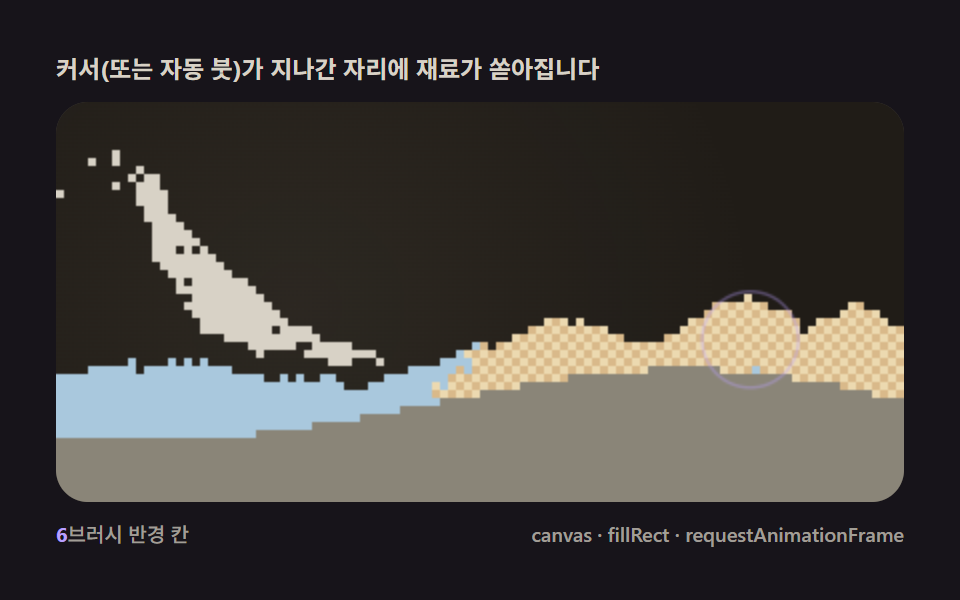 Creative UI06 Pointer brush — a spawner pouring material from the cursor like a brushFalling Sand Simulator, 9 Ways (No Library)
 Creative UI04 Pointer food or repellent — the network grows toward or flees your clickSlime Mold Simulation, 9 Ways (No Library)