06Pointer-tracking strike — the path redrawn toward the cursor
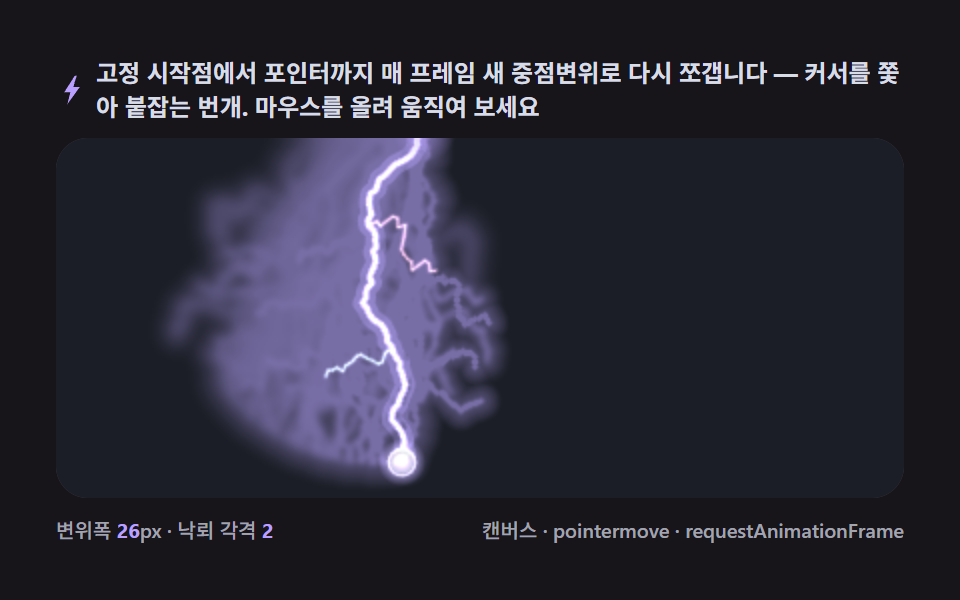
Re-splitting the segment from a fixed origin to the pointer's coordinates with fresh displacement every frame makes the bolt feel like it chases and grips the cursor as it moves.
Best forA mouse trail on an interactive hero, a badge hover effect
pointermovelineTorequestAnimationFrame
<main class="stage">
<div class="cd is-demo" id="cdRoot">
  <p class="cd__hint">
    <svg class="cd__ico" viewBox="0 0 256 256" aria-hidden="true"><path fill="currentColor" d="M150 14 66 146h49l-24 96 99-138h-52l28-90z"/></svg>
    <span>The path from a fixed start point to the pointer is re-split with fresh midpoint displacement every frame — lightning that chases and grabs the cursor. Hover and move your mouse to try it</span>
  </p>
  <div class="cd__field" id="cdField" role="application" aria-label="Pointer-Tracking Strike test panel" tabindex="0">
    <canvas class="cd__cv" id="cdCv"></canvas>
  </div>
  <div class="cd__bar">
    <span class="cd__meta">displacement width <b class="cd__val" id="cdMag"></b>px · strike interval <b class="cd__val" id="cdFork"></b></span>
    <span class="cd__meta cd__meta--dim">canvas · pointermove · requestAnimationFrame</span>
  </div>
</div>
</main>
@use "../../../../site/static/demo-tokens" as *;
// 포인터 추적 낙뢰(06). @keyframes 를 아예 두지 않는다 — 움직임은 전부 캔버스 rAF 루프
// (매 프레임 중점변위 재계산 + 포인터 lerp 추적)가 만든다.
// 무대는 어스름 잉크. 파스텔 팔레트를 --bolt-* 로 편다(편 316 공통 규격).
$duration: $dur-loop;
$easing: $ease-spring;
$color: $subject-lilac;
@include stage($stage-ink);
// ── 편 공통 파스텔 팔레트(BD9~11 원칙: 편마다 다시 정하지 않는다) ──
$bolt-ink: #1b1e26; // 어스름 무대
$bolt-dusk: #3d4358; // 슬레이트
$bolt-core: #f6e7ff; // 번개 코어 — 밝은 라벤다 화이트
$bolt-halo: #b9a0ff; // 헤일로 라일락
$bolt-mint: #b9ddd1; // 민트 보조(곁가지)
$bolt-pink: #ffb9c8; // 핑크 보조(곁가지)
$bolt-mist: #d8dce6; // 안개 회색빛
.cd {
// 렌더러가 읽는 색 — JS 는 getComputedStyle 로 --bolt-* 를 받아 쓴다
--bolt-ink: #{$bolt-ink};
--bolt-dusk: #{$bolt-dusk};
--bolt-core: #{$bolt-core};
--bolt-halo: #{$bolt-halo};
--bolt-mint: #{$bolt-mint};
--bolt-pink: #{$bolt-pink};
--bolt-mist: #{$bolt-mist};
// 항목 반경 토큰(01~09 공통 — 실사용은 $r-* SCSS 토큰, 표기 참조용)
--radius-sm: 4px;
--radius-md: 10px;
--radius-lg: 20px;
display: flex; flex-direction: column; gap: $sp-2;
width: 100%; max-width: 424px;
}
.cd__hint {
display: flex; align-items: center; gap: $sp-1; margin: 0;
font-weight: 700; font-size: clamp(10px, 2.8vw, 12px); line-height: 1.35;
color: $bolt-mist; // 잉크 무대 위 — 안개 톤 글자
}
.cd__ico { width: 16px; height: 16px; flex: 0 0 auto; color: $bolt-halo; }
.cd__field {
position: relative; height: 180px;
border-radius: $r-card; overflow: hidden;
background: $bolt-ink;
box-shadow: inset 0 0 0 1px rgba($bolt-mist, .18);
cursor: crosshair;
}
.cd__field:focus-visible { outline: 2px solid $bolt-halo; outline-offset: 2px; }
.cd__cv { display: block; width: 100%; height: 100%; }
.cd__bar { display: flex; align-items: baseline; justify-content: space-between; gap: $sp-2; }
.cd__meta { font-size: 10px; font-weight: 500; color: rgba($bolt-mist, .72); }
.cd__val { color: $bolt-halo; font-weight: 700; } // 잉크 위 라일락 라벨
.cd__meta--dim { font-size: 10px; }
@media (max-width: 340px) {
.cd { gap: $sp-1; }
.cd__field { height: 100px; }
.cd__meta--dim { display: none; }
}
// reduce — rAF 를 돌리지 않고 한 번 잡은 한 장만 남는다.
@media (prefers-reduced-motion: reduce) {
.cd.is-still .cd__field { cursor: default !important; }
}html, body {
margin: 0;
overflow: hidden;
}
.stage {
box-sizing: border-box;
min-height: 100vh;
display: grid;
place-items: center;
margin: 0;
background: #17141a;
font-family: -apple-system, "Segoe UI", "Noto Sans KR", sans-serif;
padding: clamp(8px, 4vw, 24px);
}
.cd {
--bolt-ink: #1b1e26;
--bolt-dusk: #3d4358;
--bolt-core: #f6e7ff;
--bolt-halo: #b9a0ff;
--bolt-mint: #b9ddd1;
--bolt-pink: #ffb9c8;
--bolt-mist: #d8dce6;
--radius-sm: 4px;
--radius-md: 10px;
--radius-lg: 20px;
display: flex;
flex-direction: column;
gap: 8px;
width: 100%;
max-width: 424px;
}
.cd__hint {
display: flex;
align-items: center;
gap: 4px;
margin: 0;
font-weight: 700;
font-size: clamp(10px, 2.8vw, 12px);
line-height: 1.35;
color: #d8dce6;
}
.cd__ico {
width: 16px;
height: 16px;
flex: 0 0 auto;
color: #b9a0ff;
}
.cd__field {
position: relative;
height: 180px;
border-radius: 16px;
overflow: hidden;
background: #1b1e26;
box-shadow: inset 0 0 0 1px rgba(216, 220, 230, 0.18);
cursor: crosshair;
}
.cd__field:focus-visible {
outline: 2px solid #b9a0ff;
outline-offset: 2px;
}
.cd__cv {
display: block;
width: 100%;
height: 100%;
}
.cd__bar {
display: flex;
align-items: baseline;
justify-content: space-between;
gap: 8px;
}
.cd__meta {
font-size: 10px;
font-weight: 500;
color: rgba(216, 220, 230, 0.72);
}
.cd__val {
color: #b9a0ff;
font-weight: 700;
}
.cd__meta--dim {
font-size: 10px;
}
@media (max-width: 340px) {
.cd {
gap: 4px;
}
.cd__field {
height: 100px;
}
.cd__meta--dim {
display: none;
}
}
@media (prefers-reduced-motion: reduce) {
.cd.is-still .cd__field {
cursor: default !important;
}
}// 포인터 추적 낙뢰(06). 상단 고정 시작점에서 포인터 좌표까지 매 프레임 새 중점변위 경로를 그린다.
// pointermove 없으면(렌더 환경) 리사처 자가 천천히 움직이는 시연 경로 — 8자 리사주 — 를 따라간다(is-demo 자동 모드).
// 곁가지 2개가 줄기 중간에서 갈라지고, 끝점엔 착탄 광륜이 퍼진다.
(function () {
// ── 변형 상수 블록 — 아래 값 하나만 바꿔 변형 3종을 만든다 ──
var MAG_PX = 26; // displacement width(px) — 변형 "변위 강도" 축(26 → 60)
var FORK_N = 2; // 곁가지 수 — 변형 "가지 확률" 축(2 → 5)
var AUTOSPD = 0.9; // 자동 모드 리사주 속도 배율 — 변형 "추적 속도" 축(0.9 → 1.8)
// ────────────────────────────────────────────────────
// 잔광 diffusion(04·05 와 같은 기법) — 줄기가 지나간 자리의 밝기 버퍼를 diffusion·냉각해 잔상을 남긴다
var SWARM = 0.55, DIE_OUT = 0.988;
var root = document.getElementById('cdRoot');
var field = document.getElementById('cdField');
var cv = document.getElementById('cdCv');
var ctx = cv.getContext('2d');
document.getElementById('cdMag').textContent = String(MAG_PX);
document.getElementById('cdFork').textContent = String(FORK_N);
// 시드 고정 PRNG — mulberry32. 미리보기가 항상 같은 추적으로 시작한다
var SEED = 0x3160606;
var prngState = SEED >>> 0;
function rand() {
prngState = (prngState + 0x6D2B79F5) >>> 0;
var t = prngState;
t = Math.imul(t ^ (t >>> 15), t | 1);
t ^= t + Math.imul(t ^ (t >>> 7), t | 61);
return ((t ^ (t >>> 14)) >>> 0) / 4294967296;
}
// 색은 CSS 커스텀 프로퍼티(--bolt-*)에서 getComputedStyle 로 읽는다 — 파스텔 토큰이 scss 한 곳에
var css = getComputedStyle(root);
function tokRGB(name) {
var s = css.getPropertyValue(name).trim();
var hx = s.length === 4
? s.charAt(1) + s.charAt(1) + s.charAt(2) + s.charAt(2) + s.charAt(3) + s.charAt(3)
: s.slice(1);
return [parseInt(hx.slice(0, 2), 16), parseInt(hx.slice(2, 4), 16), parseInt(hx.slice(4, 6), 16)];
}
var C_INK = tokRGB('--bolt-ink');
var C_CORE = tokRGB('--bolt-core');
var C_HALO = tokRGB('--bolt-halo');
var C_MINT = tokRGB('--bolt-mint');
var C_PINK = tokRGB('--bolt-pink');
var C_MIST = tokRGB('--bolt-mist');
function rgb(c, a) { return 'rgba(' + c[0] + ',' + c[1] + ',' + c[2] + ',' + a + ')'; }
var W = 0, H = 0;
var reduce = window.matchMedia('(prefers-reduced-motion: reduce)').matches;
var raf = 0, t0 = -1;
var STILL_T = 1.6; // reduce 에서 그리는 시각 — 한 번 잡은 한 장
// ── 상태 ──
var hasPointer = false; // pointermove 를 한 번이라도 받았는가
var ptrX = 0, ptrY = 0; // 목표(실제 포인터 또는 자동 경로)
var curX = 0, curY = 0; // 표시 위치 — 목표를 lerp 로 쫓아 미끄럽게
var origin = { x: 0, y: 0 }; // 고정 시작점(상단)
// 중점변위 — 선분을 depth 번 반분하며 중점을 법선 방향으로 무작위 오프셋
function genBolt(ax, ay, bx, by, mag, depth) {
var pts = [{ x: ax, y: ay }, { x: bx, y: by }];
var dx = bx - ax, dy = by - ay;
var len = Math.hypot(dx, dy) || 1;
var nx = -dy / len, ny = dx / len;
var off = mag;
for (var d = 0; d < depth; d++) {
var next = [pts[0]];
for (var i = 0; i < pts.length - 1; i++) {
var p = pts[i], q = pts[i + 1];
var r = (rand() * 2 - 1) * off;
next.push({ x: (p.x + q.x) * 0.5 + nx * r, y: (p.y + q.y) * 0.5 + ny * r }, q);
}
pts = next;
off *= 0.55;
}
return pts;
}
function strokePath(pts, width, color) {
ctx.strokeStyle = color;
ctx.lineWidth = width;
ctx.lineJoin = 'round';
ctx.lineCap = 'round';
ctx.beginPath();
ctx.moveTo(pts[0].x, pts[0].y);
for (var i = 1; i < pts.length; i++) ctx.lineTo(pts[i].x, pts[i].y);
ctx.stroke();
}
// ── 잔광 버퍼(04·05 와 같은 규격) ──
var glow = null, glow2 = null, glowCv = null, glowCtx = null, glowImg = null;
var HALO_LUT = new Uint8ClampedArray(256);
(function () {
for (var i = 0; i < 256; i++) {
var t = i / 255;
HALO_LUT[i] = Math.round(255 * Math.pow(t, 0.78) * 0.5);
}
})();
function glowFit() {
glow = new Float32Array(W * H);
glow2 = new Float32Array(W * H);
glowCv = document.createElement('canvas');
glowCv.width = W; glowCv.height = H;
glowCtx = glowCv.getContext('2d');
glowImg = glowCtx.createImageData(W, H);
var d = glowImg.data;
for (var i = 3; i < d.length; i += 4) d[i] = 255;
}
function glowStamp(px, py, radius) {
var cx = Math.round(px), cy = Math.round(py);
for (var yy = cy - radius; yy <= cy + radius; yy++) {
if (yy < 0 || yy >= H) continue;
for (var xx = cx - radius; xx <= cx + radius; xx++) {
var dxx = xx - cx, dyy = yy - cy;
var d = Math.sqrt(dxx * dxx + dyy * dyy);
if (d > radius || xx < 0 || xx >= W) continue;
var v = d <= 1 ? 1.2 : (1 - d / radius) * 0.6;
var idx = yy * W + xx;
if (v > glow[idx]) glow[idx] = v;
}
}
}
function glowStampPath(pts, radius) {
for (var i = 0; i < pts.length - 1; i++) {
var p = pts[i], q = pts[i + 1];
var seg = Math.max(1, Math.ceil(Math.hypot(q.x - p.x, q.y - p.y) / 2));
for (var s = 0; s < seg; s++) {
var f = s / seg;
glowStamp(p.x + (q.x - p.x) * f, p.y + (q.y - p.y) * f, radius);
}
}
}
function glowDiffuse() {
for (var y = 0; y < H; y++) {
var row = y * W;
var up = (y > 0 ? y - 1 : y) * W;
var dn = (y < H - 1 ? y + 1 : y) * W;
for (var x = 0; x < W; x++) {
var i = row + x;
var l = glow[i];
var av = (glow[row + (x > 0 ? x - 1 : x)] + glow[row + (x < W - 1 ? x + 1 : x)] +
glow[up + x] + glow[dn + x]) * 0.25;
glow2[i] = (l + SWARM * (av - l)) * DIE_OUT;
}
}
var tmp = glow; glow = glow2; glow2 = tmp;
}
function glowCompose() {
var d = glowImg.data, n = W * H;
for (var i = 0; i < n; i++) {
var v = glow[i];
var li = v >= 1 ? 255 : (v <= 0 ? 0 : (v * 255) | 0);
var a = HALO_LUT[li];
var j = i << 2;
d[j] = C_HALO[0]; d[j + 1] = C_HALO[1]; d[j + 2] = C_HALO[2]; d[j + 3] = a;
}
glowCtx.putImageData(glowImg, 0, 0);
}
function draw(tSec) {
// 무대 — 어스름 잉크
ctx.globalCompositeOperation = 'source-over';
ctx.fillStyle = rgb(C_INK, 1);
ctx.fillRect(0, 0, W, H);
// 목표 갱신 — 포인터가 없으면 리사주 8자 자동 시연 경로. 진폭을 넓혀 화면 구석까지 쓴다
// 위상을 당겨 2초 시연 안에 8자가 좌우를 왕복하게 시작한다
if (!hasPointer) {
var a = tSec * AUTOSPD;
ptrX = W * 0.5 + Math.sin(a * 1.3 - 1.1) * W * 0.40;
ptrY = H * 0.55 + Math.sin(a * 2.6) * H * 0.36;
}
// 표시 위치 lerp — 목표를 부드럽게 쫓는다
curX += (ptrX - curX) * 0.22;
curY += (ptrY - curY) * 0.22;
// 시작점(구름 매듭)도 자동 모드에선 천천히 좌우로 흘러간다 — 줄기가 상단 전체를 쓴다
if (!hasPointer) {
origin.x = W * 0.5 + Math.sin(tSec * AUTOSPD * 0.55 - 0.6) * W * 0.32;
}
// 줄기 — 시작점에서 표시 위치까지 새 경로
var main = genBolt(origin.x, origin.y, curX, curY, MAG_PX, 6);
// 잔광 diffusion 버퍼 — 줄기를 도장한 뒤 번지게 하고 무대 위에 깐다
glowStampPath(main, 13);
glowDiffuse();
glowCompose();
ctx.globalCompositeOperation = 'lighter';
ctx.drawImage(glowCv, 0, 0);
// 가산혼합 — 빛 겹침
ctx.globalCompositeOperation = 'lighter';
strokePath(main, 10, rgb(C_HALO, 0.14));
strokePath(main, 3.4, rgb(C_HALO, 0.48));
strokePath(main, 1.5, rgb(C_CORE, 0.95));
// 곁가지 — 줄기 중간 무작위 지점에서 비스듬히 짧게
for (var k = 0; k < FORK_N; k++) {
var t = 0.3 + rand() * 0.5;
var idx = Math.min(main.length - 2, Math.floor(t * (main.length - 1)));
var p = main[idx];
var fl = H * (0.16 + rand() * 0.18);
var side = rand() < 0.5 ? -1 : 1;
var fr = genBolt(p.x, p.y, p.x + side * W * 0.08, p.y + fl * 0.4, fl * 0.4, 4);
glowStampPath(fr, 10); // 곁가지도 잔광에 남긴다
var fc = k % 2 === 0 ? C_MINT : C_PINK;
strokePath(fr, 2.6, rgb(fc, 0.18));
strokePath(fr, 0.9, rgb(fc, 0.55));
}
// 착탄 광륜 — 끝점에서 퍼지는 링(위상으로 반복)
var ringPh = (tSec * 1.4) % 1;
ctx.strokeStyle = rgb(C_MIST, 0.5 * (1 - ringPh));
ctx.lineWidth = 1.5;
ctx.beginPath();
ctx.arc(curX, curY, 4 + ringPh * 22, 0, Math.PI * 2);
ctx.stroke();
// 끝점 코어 광점
var g = ctx.createRadialGradient(curX, curY, 0, curX, curY, 12);
g.addColorStop(0, rgb(C_CORE, 0.85));
g.addColorStop(1, rgb(C_HALO, 0));
ctx.fillStyle = g;
ctx.beginPath(); ctx.arc(curX, curY, 12, 0, Math.PI * 2); ctx.fill();
// 시작점 — 상단 구름 매듭
ctx.globalCompositeOperation = 'source-over';
var hg = ctx.createRadialGradient(origin.x, origin.y, 0, origin.x, origin.y, 16);
hg.addColorStop(0, rgb(C_HALO, 0.55));
hg.addColorStop(1, rgb(C_HALO, 0));
ctx.fillStyle = hg;
ctx.beginPath(); ctx.arc(origin.x, origin.y, 16, 0, Math.PI * 2); ctx.fill();
ctx.fillStyle = rgb(C_CORE, 0.9);
ctx.beginPath(); ctx.arc(origin.x, origin.y, 2.5, 0, Math.PI * 2); ctx.fill();
// 자동 모드 표시 — 포인터를 아직 안 움직였으면 커서 점을 또렷이
if (!hasPointer) {
ctx.strokeStyle = rgb(C_MIST, 0.65);
ctx.lineWidth = 1.2;
ctx.beginPath(); ctx.arc(curX, curY, 5, 0, Math.PI * 2); ctx.stroke();
}
}
function fit() {
var r = field.getBoundingClientRect();
W = Math.max(2, Math.round(r.width));
H = Math.max(2, Math.round(r.height));
cv.width = W; cv.height = H;
prngState = SEED >>> 0;
glowFit();
origin.x = W * 0.5; origin.y = -4;
ptrX = W * 0.5; ptrY = H * 0.62;
curX = ptrX; curY = ptrY;
}
// 포인터 — 첫 이동부터 추적. field 밖으로 나가도 마지막 좌표를 유지한다
field.addEventListener('pointermove', function (ev) {
var r = field.getBoundingClientRect();
ptrX = ev.clientX - r.left;
ptrY = ev.clientY - r.top;
if (!hasPointer) { curX = ptrX; curY = ptrY; } // 첫 접촉은 점프 — 뒤끝김 방지
hasPointer = true;
});
function frame(now) {
if (t0 < 0) t0 = now;
var t = (now - t0) / 1000;
draw(t);
raf = requestAnimationFrame(frame);
}
window.addEventListener('resize', function () { fit(); if (reduce) draw(STILL_T); });
fit();
if (reduce) {
draw(STILL_T);
root.classList.add('is-still');
} else {
raf = requestAnimationFrame(frame);
}
})();// PointerStrike — vanilla 판(run/316/demo/06-lightning-pointer-follow-strike/index.html) 의 React 포트.
// 상단 고정 시작점에서 포인터까지 매 프레임 새 중점변위 경로를 그린다. pointermove 가 없으면
// (렌더 환경) 리사주 8자 자동 시연 경로를 따라간다 — is-demo 자동 모드, 레코더가 24프레임을 뽑는다.
// 잔광 확산(04·05 와 같은 기법) — 줄기가 지나간 자리의 밝기 버퍼를 오프스크린 캔버스로 번지게 해 무대 위에 깐다.
import { useEffect, useRef, useState } from "react";
import type { CSSProperties } from "react";
import styles from "./PointerStrike.module.scss";
export type PointerStrikeProps = {
duration?: string;
easing?: string;
color?: string;
magPx?: number; // 변위폭(px) — 변형 "변위 강도" 축(26 → 60)
forkN?: number; // 곁가지 수 — 변형 "가지 확률" 축(2 → 5)
autoSpeed?: number; // 자동 모드 리사주 속도 배율 — 변형 "추적 속도" 축(0.9 → 1.8)
};
type Vars = CSSProperties & { "--duration"?: string; "--easing"?: string; "--color"?: string };
type Box<T> = { current: T };
type PointerEvt = { clientX: number; clientY: number };
type RGB = [number, number, number];
type Pt = { x: number; y: number };
type Colors = { ink: RGB; core: RGB; halo: RGB; mint: RGB; pink: RGB; mist: RGB };
type Glow = {
buf: Float32Array;
buf2: Float32Array;
cv: HTMLCanvasElement;
ctx: CanvasRenderingContext2D;
img: ImageData;
};
const FIELD_LABEL = "포인터 추적 낙뢰 실험판";
const STILL_T = 1.6;
const SWARM = 0.55; // 잔광 확산 계수
const DIE_OUT = 0.988; // 잔광 냉각 계수
// 밝기 t → 불투명도 LUT. 라일락 헤일로 색으로 뿌린다
const HALO_LUT = new Uint8ClampedArray(256);
for (let i = 0; i < 256; i++) {
const t = i / 255;
HALO_LUT[i] = Math.round(255 * Math.pow(t, 0.78) * 0.5);
}
function makePRNG(seed: number): () => number {
let s = seed >>> 0;
return function () {
s = (s + 0x6d2b79f5) >>> 0;
let t = s;
t = Math.imul(t ^ (t >>> 15), t | 1);
t ^= t + Math.imul(t ^ (t >>> 7), t | 61);
return ((t ^ (t >>> 14)) >>> 0) / 4294967296;
};
}
export default function PointerStrike({
duration = "2s",
easing = "cubic-bezier(.2, .8, .2, 1)",
color = "#b9a0ff",
magPx = 26,
forkN = 2,
autoSpeed = 0.9,
}: PointerStrikeProps) {
const rootRef = useRef<HTMLDivElement | null>(null);
const fieldRef = useRef<HTMLDivElement | null>(null);
const cvRef = useRef<HTMLCanvasElement | null>(null);
const ctxRef = useRef<CanvasRenderingContext2D | null>(null);
const sizeRef = useRef({ w: 0, h: 0 }) as Box<{ w: number; h: number }>;
const colRef = useRef<Colors | null>(null);
const magRef = useRef(magPx) as Box<number>;
const forkRef = useRef(forkN) as Box<number>;
const autoRef = useRef(autoSpeed) as Box<number>;
const hasPointerRef = useRef(false) as Box<boolean>;
const ptrRef = useRef({ x: 0, y: 0 }) as Box<{ x: number; y: number }>;
const curRef = useRef({ x: 0, y: 0 }) as Box<{ x: number; y: number }>;
const originRef = useRef({ x: 0, y: 0 }) as Box<{ x: number; y: number }>;
const glowRef = useRef<Glow | null>(null);
const randRef = useRef<() => number>(makePRNG(0x3160606)) as Box<() => number>;
const rafRef = useRef(0) as Box<number>;
const [still, setStill] = useState(false);
const vars: Vars = { "--duration": duration, "--easing": easing, "--color": color };
function reduced(): boolean {
return window.matchMedia("(prefers-reduced-motion: reduce)").matches;
}
function tokRGB(root: HTMLDivElement, name: string): RGB {
const s = getComputedStyle(root).getPropertyValue(name).trim();
const hx = s.length === 4
? s.charAt(1) + s.charAt(1) + s.charAt(2) + s.charAt(2) + s.charAt(3) + s.charAt(3)
: s.slice(1);
return [parseInt(hx.slice(0, 2), 16), parseInt(hx.slice(2, 4), 16), parseInt(hx.slice(4, 6), 16)];
}
function rgbStr(c: RGB, a: number): string {
return `rgba(${c[0]},${c[1]},${c[2]},${a})`;
}
function genBolt(ax: number, ay: number, bx: number, by: number, mag: number, depth: number): Pt[] {
const rand = randRef.current;
let pts: Pt[] = [{ x: ax, y: ay }, { x: bx, y: by }];
const dx = bx - ax, dy = by - ay;
const len = Math.hypot(dx, dy) || 1;
const nx = -dy / len, ny = dx / len;
let off = mag;
for (let d = 0; d < depth; d++) {
const next: Pt[] = [pts[0]];
for (let i = 0; i < pts.length - 1; i++) {
const p = pts[i], q = pts[i + 1];
const r = (rand() * 2 - 1) * off;
next.push({ x: (p.x + q.x) * 0.5 + nx * r, y: (p.y + q.y) * 0.5 + ny * r }, q);
}
pts = next;
off *= 0.55;
}
return pts;
}
function strokePath(pts: Pt[], width: number, color2: string): void {
const ctx = ctxRef.current;
if (!ctx) return;
ctx.strokeStyle = color2;
ctx.lineWidth = width;
ctx.lineJoin = "round";
ctx.lineCap = "round";
ctx.beginPath();
ctx.moveTo(pts[0].x, pts[0].y);
for (let i = 1; i < pts.length; i++) ctx.lineTo(pts[i].x, pts[i].y);
ctx.stroke();
}
// ── 잔광 버퍼(04·05 와 같은 규격) ──
function glowFit(): void {
const { w: W, h: H } = sizeRef.current;
const cv = document.createElement("canvas");
cv.width = W; cv.height = H;
const gctx = cv.getContext("2d");
if (!gctx) return;
const img = gctx.createImageData(W, H);
const d = img.data;
for (let i = 3; i < d.length; i += 4) d[i] = 255;
glowRef.current = { buf: new Float32Array(W * H), buf2: new Float32Array(W * H), cv, ctx: gctx, img };
}
function glowStamp(px: number, py: number, radius: number): void {
const g = glowRef.current;
const { w: W, h: H } = sizeRef.current;
if (!g) return;
const cx = Math.round(px), cy = Math.round(py);
for (let yy = cy - radius; yy <= cy + radius; yy++) {
if (yy < 0 || yy >= H) continue;
for (let xx = cx - radius; xx <= cx + radius; xx++) {
const dxx = xx - cx, dyy = yy - cy;
const d = Math.sqrt(dxx * dxx + dyy * dyy);
if (d > radius || xx < 0 || xx >= W) continue;
const v = d <= 1 ? 1.2 : (1 - d / radius) * 0.6;
const idx = yy * W + xx;
if (v > g.buf[idx]) g.buf[idx] = v;
}
}
}
function glowStampPath(pts: Pt[], radius: number): void {
for (let i = 0; i < pts.length - 1; i++) {
const p = pts[i], q = pts[i + 1];
const seg = Math.max(1, Math.ceil(Math.hypot(q.x - p.x, q.y - p.y) / 2));
for (let s = 0; s < seg; s++) {
const f = s / seg;
glowStamp(p.x + (q.x - p.x) * f, p.y + (q.y - p.y) * f, radius);
}
}
}
function glowDiffuse(): void {
const g = glowRef.current;
const { w: W, h: H } = sizeRef.current;
if (!g) return;
const buf = g.buf, buf2 = g.buf2;
for (let y = 0; y < H; y++) {
const row = y * W;
const up = (y > 0 ? y - 1 : y) * W;
const dn = (y < H - 1 ? y + 1 : y) * W;
for (let x = 0; x < W; x++) {
const i = row + x;
const l = buf[i];
const av = (buf[row + (x > 0 ? x - 1 : x)] + buf[row + (x < W - 1 ? x + 1 : x)] + buf[up + x] + buf[dn + x]) * 0.25;
buf2[i] = (l + SWARM * (av - l)) * DIE_OUT;
}
}
g.buf = buf2;
g.buf2 = buf;
}
function glowCompose(): void {
const g = glowRef.current;
const col = colRef.current;
const { w: W, h: H } = sizeRef.current;
if (!g || !col) return;
const d = g.img.data, n = W * H;
for (let i = 0; i < n; i++) {
const v = g.buf[i];
const li = v >= 1 ? 255 : v <= 0 ? 0 : (v * 255) | 0;
const a = HALO_LUT[li];
const j = i << 2;
d[j] = col.halo[0]; d[j + 1] = col.halo[1]; d[j + 2] = col.halo[2]; d[j + 3] = a;
}
g.ctx.putImageData(g.img, 0, 0);
}
function draw(tSec: number): void {
const ctx = ctxRef.current;
const col = colRef.current;
const g = glowRef.current;
const { w: W, h: H } = sizeRef.current;
if (!ctx || !col || !g) return;
ctx.globalCompositeOperation = "source-over";
ctx.fillStyle = rgbStr(col.ink, 1);
ctx.fillRect(0, 0, W, H);
const ptr = ptrRef.current, cur = curRef.current, origin = originRef.current;
const auto = !hasPointerRef.current;
// 목표 갱신 — 포인터가 없으면 리사주 8자 자동 시연 경로. 진폭을 넓혀 화면 구석까지 쓴다
if (auto) {
const a = tSec * autoRef.current;
ptr.x = W * 0.5 + Math.sin(a * 1.3 - 1.1) * W * 0.40;
ptr.y = H * 0.55 + Math.sin(a * 2.6) * H * 0.36;
}
cur.x += (ptr.x - cur.x) * 0.22;
cur.y += (ptr.y - cur.y) * 0.22;
// 시작점(구름 매듭)도 자동 모드에선 천천히 좌우로 흘러간다 — 줄기가 상단 전체를 쓴다
if (auto) {
origin.x = W * 0.5 + Math.sin(tSec * autoRef.current * 0.55 - 0.6) * W * 0.32;
}
const main = genBolt(origin.x, origin.y, cur.x, cur.y, magRef.current, 6);
// 잔광 확산 버퍼 — 줄기를 도장한 뒤 번지게 하고 무대 위에 깐다
glowStampPath(main, 13);
glowDiffuse();
glowCompose();
ctx.globalCompositeOperation = "lighter";
ctx.drawImage(g.cv, 0, 0);
strokePath(main, 10, rgbStr(col.halo, 0.14));
strokePath(main, 3.4, rgbStr(col.halo, 0.48));
strokePath(main, 1.5, rgbStr(col.core, 0.95));
const rand = randRef.current;
for (let k = 0; k < forkRef.current; k++) {
const t = 0.3 + rand() * 0.5;
const idx = Math.min(main.length - 2, Math.floor(t * (main.length - 1)));
const p = main[idx];
const fl = H * (0.16 + rand() * 0.18);
const side = rand() < 0.5 ? -1 : 1;
const fr = genBolt(p.x, p.y, p.x + side * W * 0.08, p.y + fl * 0.4, fl * 0.4, 4);
glowStampPath(fr, 10);
const fc = k % 2 === 0 ? col.mint : col.pink;
strokePath(fr, 2.6, rgbStr(fc, 0.18));
strokePath(fr, 0.9, rgbStr(fc, 0.55));
}
// 착탄 광륜 — 끝점에서 퍼지는 링(위상으로 반복)
const ringPh = (tSec * 1.4) % 1;
ctx.strokeStyle = rgbStr(col.mist, 0.5 * (1 - ringPh));
ctx.lineWidth = 1.5;
ctx.beginPath();
ctx.arc(cur.x, cur.y, 4 + ringPh * 22, 0, Math.PI * 2);
ctx.stroke();
const grad = ctx.createRadialGradient(cur.x, cur.y, 0, cur.x, cur.y, 12);
grad.addColorStop(0, rgbStr(col.core, 0.85));
grad.addColorStop(1, rgbStr(col.halo, 0));
ctx.fillStyle = grad;
ctx.beginPath(); ctx.arc(cur.x, cur.y, 12, 0, Math.PI * 2); ctx.fill();
// 시작점 — 상단 구름 매듭
ctx.globalCompositeOperation = "source-over";
const hg = ctx.createRadialGradient(origin.x, origin.y, 0, origin.x, origin.y, 16);
hg.addColorStop(0, rgbStr(col.halo, 0.55));
hg.addColorStop(1, rgbStr(col.halo, 0));
ctx.fillStyle = hg;
ctx.beginPath(); ctx.arc(origin.x, origin.y, 16, 0, Math.PI * 2); ctx.fill();
ctx.fillStyle = rgbStr(col.core, 0.9);
ctx.beginPath(); ctx.arc(origin.x, origin.y, 2.5, 0, Math.PI * 2); ctx.fill();
if (auto) {
ctx.strokeStyle = rgbStr(col.mist, 0.65);
ctx.lineWidth = 1.2;
ctx.beginPath(); ctx.arc(cur.x, cur.y, 5, 0, Math.PI * 2); ctx.stroke();
}
}
function fit(): void {
const field = fieldRef.current;
const cv = cvRef.current;
if (!field || !cv) return;
const ctx = cv.getContext("2d");
if (!ctx) return;
const r = field.getBoundingClientRect();
const W = Math.max(2, Math.round(r.width));
const H = Math.max(2, Math.round(r.height));
sizeRef.current.w = W;
sizeRef.current.h = H;
cv.width = W; cv.height = H;
ctxRef.current = ctx;
randRef.current = makePRNG(0x3160606);
glowFit();
originRef.current = { x: W * 0.5, y: -4 };
ptrRef.current = { x: W * 0.5, y: H * 0.62 };
curRef.current = { x: ptrRef.current.x, y: ptrRef.current.y };
}
// 포인터 — 첫 이동부터 추적. field 밖으로 나가도 마지막 좌표를 유지한다
function onPointerMove(ev: PointerEvt): void {
const field = fieldRef.current;
if (!field) return;
const r = field.getBoundingClientRect();
const x = ev.clientX - r.left;
const y = ev.clientY - r.top;
ptrRef.current.x = x; ptrRef.current.y = y;
if (!hasPointerRef.current) { curRef.current.x = x; curRef.current.y = y; }
hasPointerRef.current = true;
}
let t0 = -1;
function frame(now: number): void {
if (t0 < 0) t0 = now;
const t = (now - t0) / 1000;
draw(t);
rafRef.current = requestAnimationFrame(frame);
}
useEffect(() => {
const root = rootRef.current;
if (!root) return;
magRef.current = magPx;
forkRef.current = forkN;
autoRef.current = autoSpeed;
colRef.current = {
ink: tokRGB(root, "--bolt-ink"),
core: tokRGB(root, "--bolt-core"),
halo: tokRGB(root, "--bolt-halo"),
mint: tokRGB(root, "--bolt-mint"),
pink: tokRGB(root, "--bolt-pink"),
mist: tokRGB(root, "--bolt-mist"),
};
fit();
function onResize(): void {
fit();
if (reduced()) draw(STILL_T);
}
window.addEventListener("resize", onResize);
if (reduced()) {
draw(STILL_T);
setStill(true);
} else {
rafRef.current = requestAnimationFrame(frame);
}
return () => {
window.removeEventListener("resize", onResize);
cancelAnimationFrame(rafRef.current);
};
// eslint-disable-next-line react-hooks/exhaustive-deps
}, [magPx, forkN, autoSpeed]);
const rootCls = still ? `${styles.root} ${styles.isStill}` : styles.root;
return (
<main className={styles.stage}>
<div className={rootCls} ref={rootRef} style={vars}>
<p className={styles.hint}>
<svg className={styles.ico} viewBox="0 0 256 256" aria-hidden="true"><path fill="currentColor" d="M150 14 66 146h49l-24 96 99-138h-52l28-90z"/></svg>
<span>고정 시작점에서 포인터까지 매 프레임 새 중점변위로 다시 쪼갭니다 — 커서를 쫓아 붙잡는 번개. 마우스를 올려 움직여 보세요</span>
</p>
<div
className={styles.field}
ref={fieldRef}
role="application"
aria-label={FIELD_LABEL}
tabIndex={0}
onPointerMove={onPointerMove}
>
<canvas className={styles.cv} ref={cvRef}></canvas>
</div>
<div className={styles.bar}>
<span className={styles.meta}>변위폭 <b className={styles.val}>{magPx}</b>px · 낙뢰 각격 <b className={styles.val}>{forkN}</b></span>
<span className={styles.metaDim}>캔버스 · pointermove · requestAnimationFrame</span>
</div>
</div>
</main>
);
}06 Pointer-tracking strike — the path redrawn toward the cursor — Measured area 31.824% · moving frames 23/23Original by GODRICH · SCSS and React ship in the zip · 9 Lightning Effect Background Scenes, No WebGL
The post this demo lives in
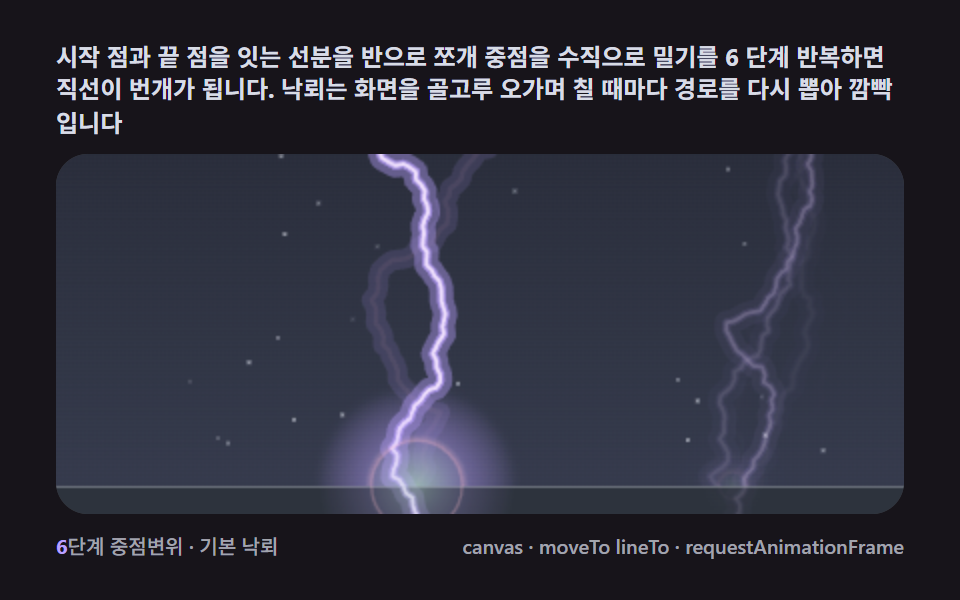 9 Lightning Effect Background Scenes, No WebGLNo library, no WebGL — a single recursive midpoint-displacement split makes lightning branches fork on their own, and th See all demos in this post
If you like this effect - similar demos
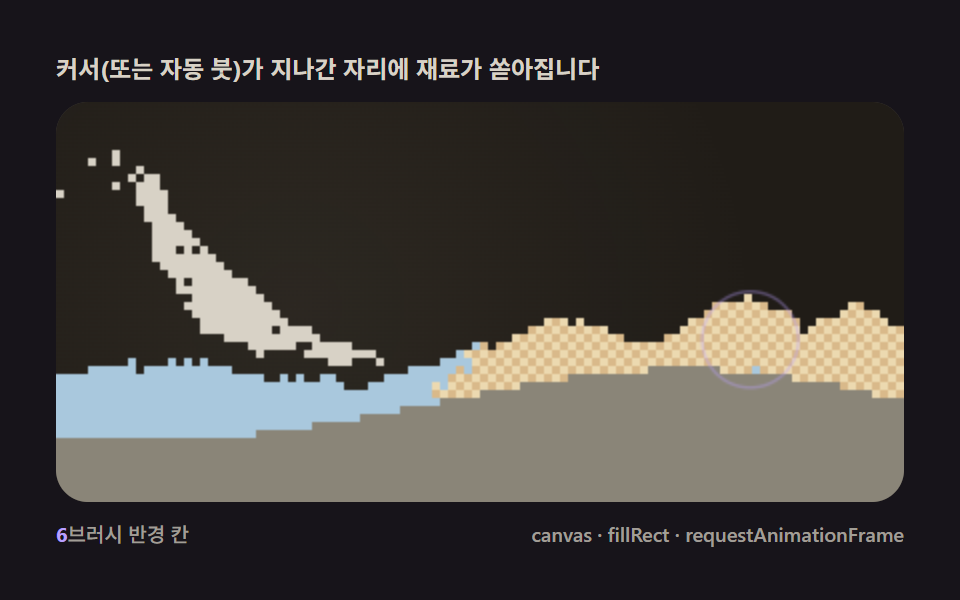 Creative UI06 Pointer brush — a spawner pouring material from the cursor like a brushFalling Sand Simulator, 9 Ways (No Library)
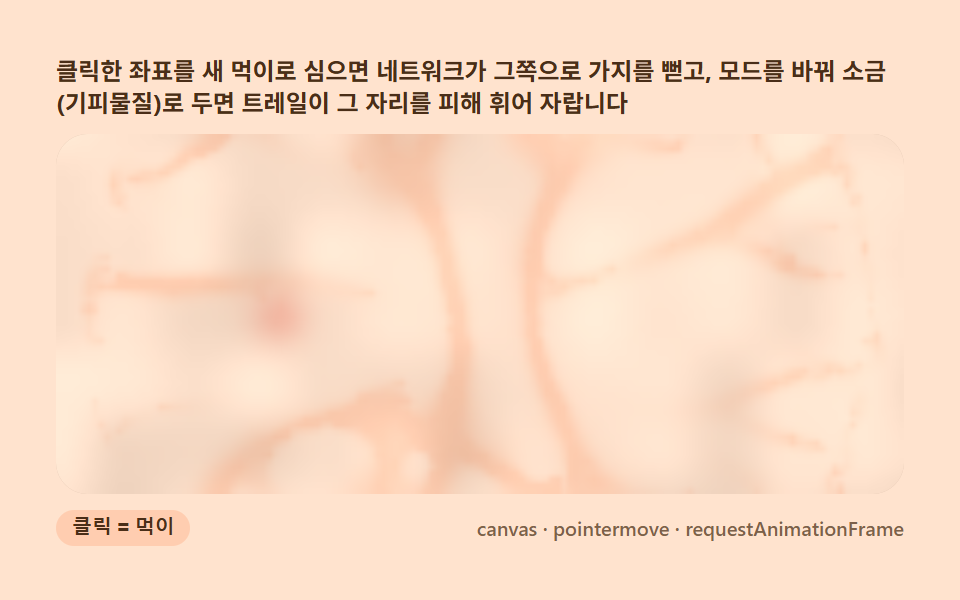 Creative UI04 Pointer food or repellent — the network grows toward or flees your clickSlime Mold Simulation, 9 Ways (No Library)
 Creative UI02 Drag to reflow — pull one node and the whole graph rebalancesForce Directed Graph: 9 Network Layout Demos