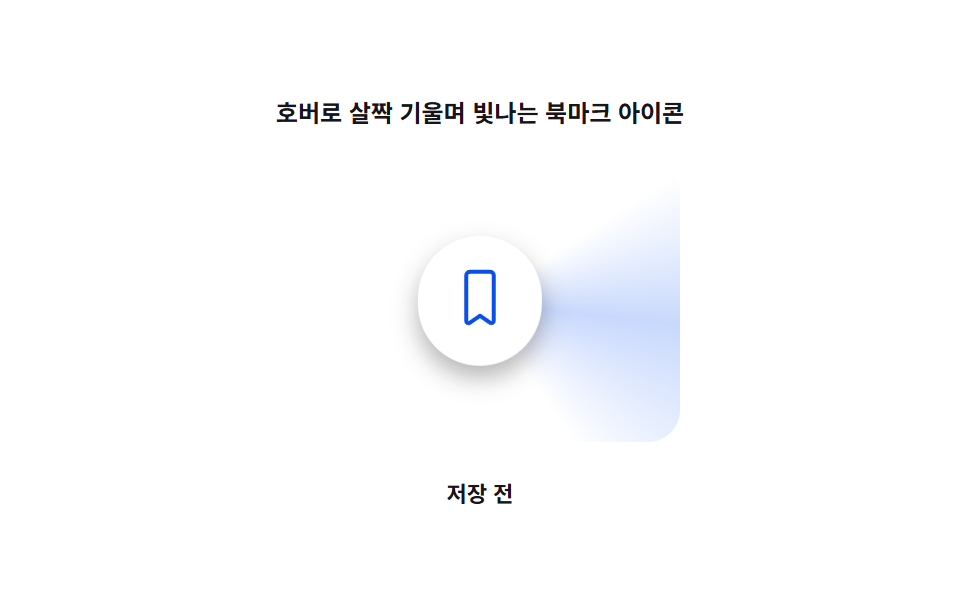
01Bookmark Icon That Tilts and Glows on Hover
On hover the icon tilts slightly and a soft light sweeps across its edge.
Best forSave icon on an article list card
TILT_MAX_DEGGLOW_RADIUS_PXapplyVector
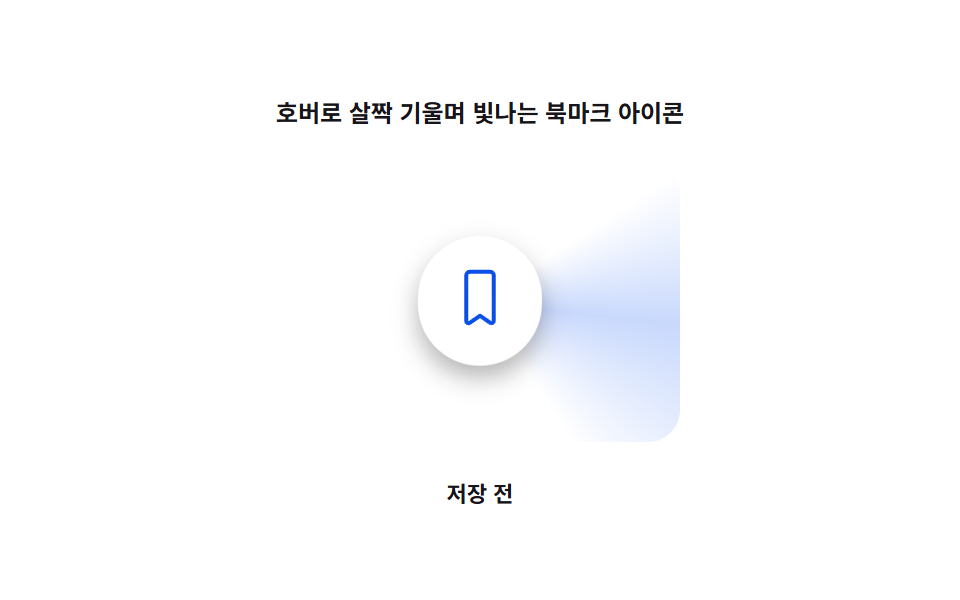
<main class="stage">
<div class="rb is-demo" id="rb">
  <p class="rb__caption">A Bookmark Icon That Tilts and Glows on Hover</p>
  <div class="rb__zone" id="rbZone">
    <div class="rb__glow" id="rbGlow" aria-hidden="true"></div>
    <button class="rb__btn" id="rbBtn" type="button" aria-pressed="false">
      <svg class="rb__icon" viewBox="0 0 24 24" width="30" height="30" aria-hidden="true" focusable="false">
        <path class="rb__shape" d="M6.5 3A1.5 1.5 0 0 1 8 1.5h8A1.5 1.5 0 0 1 17.5 3v18.2a.9.9 0 0 1-1.38.76L12 19.1l-4.12 2.86A.9.9 0 0 1 6.5 21.2Z"/>
      </svg>
    </button>
  </div>
  <p class="rb__status" id="rbStatus" aria-live="polite">Not saved</p>
</div>
</main>
@use "../../../../site/static/demo-tokens" as *;
// 값 하나: 포인터 벡터→각도. 그 각도가 기울기(rotateX/rotateY)와 광택 sweep 위치를 함께 정한다.
$duration: $dur-loop;
$easing: $ease-out;
$color: $subject-blue-deep;
@include stage($stage-paper);
.rb {
display: grid;
gap: $sp-3;
justify-items: center;
}
.rb__caption {
margin: 0;
font-size: 12px;
font-weight: 600;
color: $subject-ink;
}
.rb__zone {
position: relative;
width: 220px;
height: 150px;
display: grid;
place-items: center;
}
.rb__glow {
position: absolute;
inset: 0;
margin: auto;
width: 200px;
height: 140px;
--glow-deg: 0deg;
--glow-strength: 0;
background: conic-gradient(from var(--glow-deg), transparent 0deg, rgba($subject-blue, .55) 40deg, transparent 90deg);
opacity: var(--glow-strength);
border-radius: $r-card;
pointer-events: none;
}
.rb__btn {
position: relative;
z-index: 1;
border: 0;
background: $stage-paper;
border-radius: $r-pill;
padding: $sp-4;
cursor: pointer;
color: $color;
box-shadow: $shadow-press;
transform-origin: center;
will-change: transform;
}
.rb__btn:focus-visible {
outline: 2px solid $subject-blue;
outline-offset: 3px;
}
.rb__shape {
fill: none;
stroke: $color;
stroke-width: 1.6;
stroke-linejoin: round;
}
.rb.is-saved .rb__shape {
fill: $color;
}
.rb__status {
margin: 0;
font-size: 11px;
color: $subject-ink;
font-weight: 600;
}
@media (max-width: 340px) {
.rb__zone { width: 170px; height: 96px; }
.rb__glow { width: 150px; height: 86px; }
}
@media (prefers-reduced-motion: reduce) {
.rb__btn { transition: none; }
}html, body {
margin: 0;
overflow: hidden;
}
.stage {
box-sizing: border-box;
min-height: 100vh;
display: grid;
place-items: center;
margin: 0;
background: #ffffff;
font-family: -apple-system, "Segoe UI", "Noto Sans KR", sans-serif;
padding: clamp(8px, 4vw, 24px);
}
.rb {
display: grid;
gap: 12px;
justify-items: center;
}
.rb__caption {
margin: 0;
font-size: 12px;
font-weight: 600;
color: #17141a;
}
.rb__zone {
position: relative;
width: 220px;
height: 150px;
display: grid;
place-items: center;
}
.rb__glow {
position: absolute;
inset: 0;
margin: auto;
width: 200px;
height: 140px;
--glow-deg: 0deg;
--glow-strength: 0;
background: conic-gradient(from var(--glow-deg), transparent 0deg, rgba(47, 109, 246, 0.55) 40deg, transparent 90deg);
opacity: var(--glow-strength);
border-radius: 16px;
pointer-events: none;
}
.rb__btn {
position: relative;
z-index: 1;
border: 0;
background: #ffffff;
border-radius: 999px;
padding: 16px;
cursor: pointer;
color: #0a4fe8;
box-shadow: 0 6px 12px rgba(23, 20, 26, 0.32);
transform-origin: center;
will-change: transform;
}
.rb__btn:focus-visible {
outline: 2px solid #2f6df6;
outline-offset: 3px;
}
.rb__shape {
fill: none;
stroke: #0a4fe8;
stroke-width: 1.6;
stroke-linejoin: round;
}
.rb.is-saved .rb__shape {
fill: #0a4fe8;
}
.rb__status {
margin: 0;
font-size: 11px;
color: #17141a;
font-weight: 600;
}
@media (max-width: 340px) {
.rb__zone {
width: 170px;
height: 96px;
}
.rb__glow {
width: 150px;
height: 86px;
}
}
@media (prefers-reduced-motion: reduce) {
.rb__btn {
transition: none;
}
}(function () {
"use strict";
var TILT_MAX_DEG = 14;
var GLOW_RADIUS_PX = 150;
var CYCLE_S = 2;
var root = document.getElementById("rb");
var zone = document.getElementById("rbZone");
var glow = document.getElementById("rbGlow");
var btn = document.getElementById("rbBtn");
var status = document.getElementById("rbStatus");
var reduce = window.matchMedia("(prefers-reduced-motion: reduce)").matches;
var saved = false;
function setSaved(v) {
saved = v;
btn.setAttribute("aria-pressed", String(v));
root.classList.toggle("is-saved", v);
status.textContent = v ? "Saved" : "Not saved";
}
function clamp(v, lo, hi) { return Math.max(lo, Math.min(hi, v)); }
// 값 하나: 포인터 벡터(dx,dy) → 각도. 그 각도가 기울기(rotateX/rotateY)와
// 광택 sweep 위치(conic-gradient 각도)를 동시에 결정한다.
function applyVector(dx, dy) {
var dist = Math.hypot(dx, dy);
var strength = clamp(1 - dist / GLOW_RADIUS_PX, 0, 1);
var angleDeg = Math.atan2(dy, dx) * 180 / Math.PI;
var tiltX = clamp(-dy / GLOW_RADIUS_PX, -1, 1) * TILT_MAX_DEG * strength;
var tiltY = clamp(dx / GLOW_RADIUS_PX, -1, 1) * TILT_MAX_DEG * strength;
btn.style.transform = "perspective(600px) rotateX(" + tiltX.toFixed(2) + "deg) rotateY(" + tiltY.toFixed(2) + "deg)";
glow.style.setProperty("--glow-deg", angleDeg.toFixed(1) + "deg");
glow.style.setProperty("--glow-strength", strength.toFixed(3));
}
var hasPointer = false;
zone.addEventListener("pointermove", function (e) {
hasPointer = true;
root.classList.remove("is-demo");
var r = btn.getBoundingClientRect();
var cx = r.left + r.width / 2;
var cy = r.top + r.height / 2;
applyVector(e.clientX - cx, e.clientY - cy);
});
zone.addEventListener("pointerleave", function () {
hasPointer = false;
applyVector(0, 0);
});
btn.addEventListener("focus", function () {
applyVector(0, -GLOW_RADIUS_PX * 0.4);
});
btn.addEventListener("blur", function () {
if (!hasPointer) applyVector(0, 0);
});
btn.addEventListener("click", function () {
setSaved(!saved);
});
// .is-demo 자동 시연: 가상 포인터가 원을 그리며 지나가고, 그 사이 두 번 저장 상태를 바꾼다.
var start = null;
var prevT = 0;
var toggledA = false;
var toggledB = false;
function loop(now) {
if (start === null) start = now;
var t = ((now - start) / 1000) % CYCLE_S;
if (t < prevT) { toggledA = false; toggledB = false; }
prevT = t;
if (!reduce && !hasPointer && root.classList.contains("is-demo")) {
var ang = (t / CYCLE_S) * Math.PI * 2;
var x = Math.cos(ang) * 120;
var y = Math.sin(ang) * 70;
applyVector(x, y);
if (!toggledA && t > 0.45) { toggledA = true; setSaved(true); }
if (!toggledB && t > 1.45) { toggledB = true; setSaved(false); }
}
requestAnimationFrame(loop);
}
if (reduce) {
applyVector(0, 0);
} else {
requestAnimationFrame(loop);
}
})();// HoverTiltGlowBookmark — vanilla 판(run/416/demo/01-bookmark-btn-hover-tilt-glow/index.html) 의 React 포트.
// 값 하나: 포인터 벡터(dx,dy) → 각도. 그 각도가 버튼 기울기(rotateX/rotateY)와 광택 sweep 위치(conic-gradient)를 함께 정한다.
import { useEffect, useRef, useState } from "react";
import type { PointerEvent as ReactPointerEvent } from "react";
import styles from "./HoverTiltGlowBookmark.module.scss";
type Box<T> = { current: T };
const TILT_MAX_DEG = 14;
const GLOW_RADIUS_PX = 150;
const CYCLE_S = 2;
function clamp(v: number, lo: number, hi: number): number {
return Math.max(lo, Math.min(hi, v));
}
export default function HoverTiltGlowBookmark() {
const btnRef = useRef<HTMLButtonElement | null>(null);
const glowRef = useRef<HTMLDivElement | null>(null);
const hasPointerRef = useRef<boolean>(false) as Box<boolean>;
const frameRef = useRef<number>(0) as Box<number>;
const [saved, setSaved] = useState(false);
const [demo, setDemo] = useState(true);
const [reduce, setReduce] = useState(false);
function applyVector(dx: number, dy: number): void {
const btn = btnRef.current;
const glow = glowRef.current;
if (!btn || !glow) return;
const dist = Math.hypot(dx, dy);
const strength = clamp(1 - dist / GLOW_RADIUS_PX, 0, 1);
const angleDeg = (Math.atan2(dy, dx) * 180) / Math.PI;
const tiltX = clamp(-dy / GLOW_RADIUS_PX, -1, 1) * TILT_MAX_DEG * strength;
const tiltY = clamp(dx / GLOW_RADIUS_PX, -1, 1) * TILT_MAX_DEG * strength;
btn.style.transform = "perspective(600px) rotateX(" + tiltX.toFixed(2) + "deg) rotateY(" + tiltY.toFixed(2) + "deg)";
glow.style.setProperty("--glow-deg", angleDeg.toFixed(1) + "deg");
glow.style.setProperty("--glow-strength", strength.toFixed(3));
}
useEffect(() => {
setReduce(window.matchMedia("(prefers-reduced-motion: reduce)").matches);
}, []);
useEffect(() => {
if (reduce) {
applyVector(0, 0);
return;
}
let start = 0;
let prevT = 0;
let toggledA = false;
let toggledB = false;
function loop(now: number): void {
if (start === 0) start = now;
const t = ((now - start) / 1000) % CYCLE_S;
if (t < prevT) { toggledA = false; toggledB = false; }
prevT = t;
if (!hasPointerRef.current && demo) {
const ang = (t / CYCLE_S) * Math.PI * 2;
const x = Math.cos(ang) * 120;
const y = Math.sin(ang) * 70;
applyVector(x, y);
if (!toggledA && t > 0.45) { toggledA = true; setSaved(true); }
if (!toggledB && t > 1.45) { toggledB = true; setSaved(false); }
}
frameRef.current = requestAnimationFrame(loop);
}
frameRef.current = requestAnimationFrame(loop);
return () => cancelAnimationFrame(frameRef.current);
}, [reduce, demo]);
function onPointerMove(event: ReactPointerEvent<HTMLDivElement>): void {
hasPointerRef.current = true;
setDemo(false);
const btn = btnRef.current;
if (!btn) return;
const r = btn.getBoundingClientRect();
const cx = r.left + r.width / 2;
const cy = r.top + r.height / 2;
applyVector(event.clientX - cx, event.clientY - cy);
}
function onPointerLeave(): void {
hasPointerRef.current = false;
applyVector(0, 0);
}
function onFocus(): void {
applyVector(0, -GLOW_RADIUS_PX * 0.4);
}
function onBlur(): void {
if (!hasPointerRef.current) applyVector(0, 0);
}
function onClick(): void {
setDemo(false);
setSaved(!saved);
}
return (
<main className={styles.stage}>
<div className={styles.rb}>
<p className={styles.caption}>호버로 살짝 기울며 빛나는 북마크 아이콘</p>
<div className={styles.zone} onPointerMove={onPointerMove} onPointerLeave={onPointerLeave}>
<div className={styles.glow} aria-hidden="true" ref={glowRef} />
<button className={styles.btn} ref={btnRef} type="button" aria-pressed={saved} onFocus={onFocus} onBlur={onBlur} onClick={onClick}>
<svg className={styles.icon} viewBox="0 0 24 24" width={30} height={30} aria-hidden="true" focusable="false">
<path className={styles.shape} d="M6.5 3A1.5 1.5 0 0 1 8 1.5h8A1.5 1.5 0 0 1 17.5 3v18.2a.9.9 0 0 1-1.38.76L12 19.1l-4.12 2.86A.9.9 0 0 1 6.5 21.2Z" />
</svg>
</button>
</div>
<p className={styles.status} aria-live="polite">{saved ? "저장됨" : "저장 전"}</p>
</div>
</main>
);
}01 Bookmark Icon That Tilts and Glows on Hover — Measured area 17.316% · moving frames 21/23Original by GODRICH · SCSS and React ship in the zip · Bookmark Icon Animation: 9 Patterns, One Icon
The post this demo lives in
 Bookmark Icon Animation: 9 Patterns, One Iconbookmark icon animation: Saved. One word, nine feelings — 03 overshoots by a spring value, 06 stacks the count digit by See all demos in this post
If you like this effect - similar demos
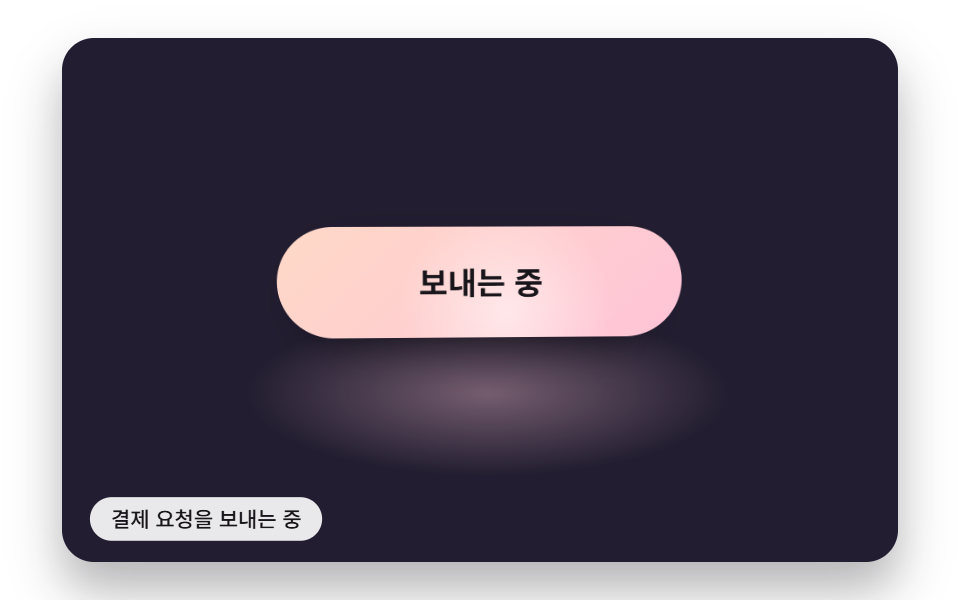 Buttons06 A Button With a Gloss Band While Sending and a Highlight That Follows the Pointer TiltSend Button Animation CSS: 9 Fold-and-Fly Buttons
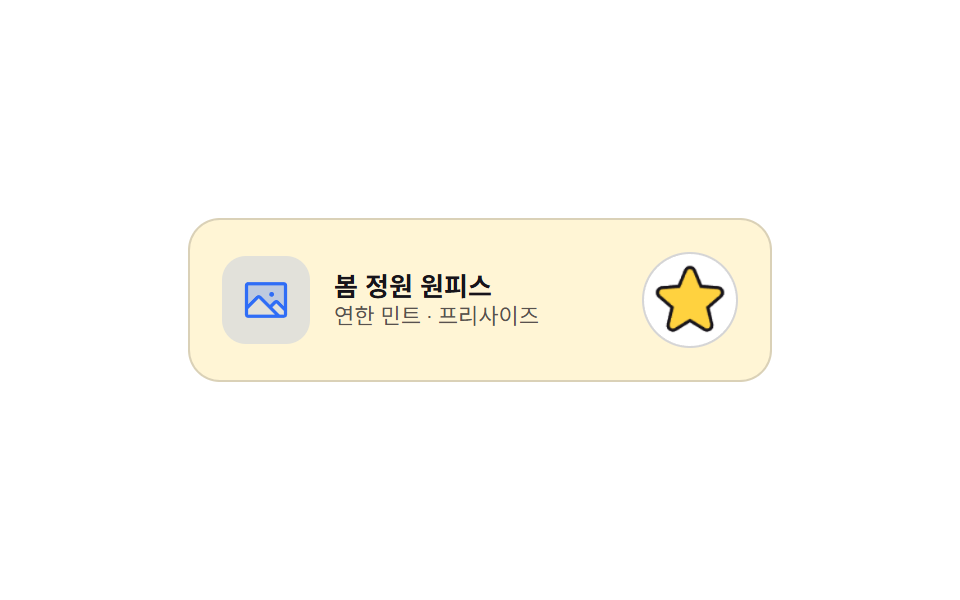 Buttons04 Favorite star that draws its line, then fills9 Icon Button CSS Patterns — Press, Drag, Expand
 Buttons01 Long-shadow retro — a button whose trailing shadow length value extends and retracts with hover stateCTA Button Design: 9 Interaction Patterns