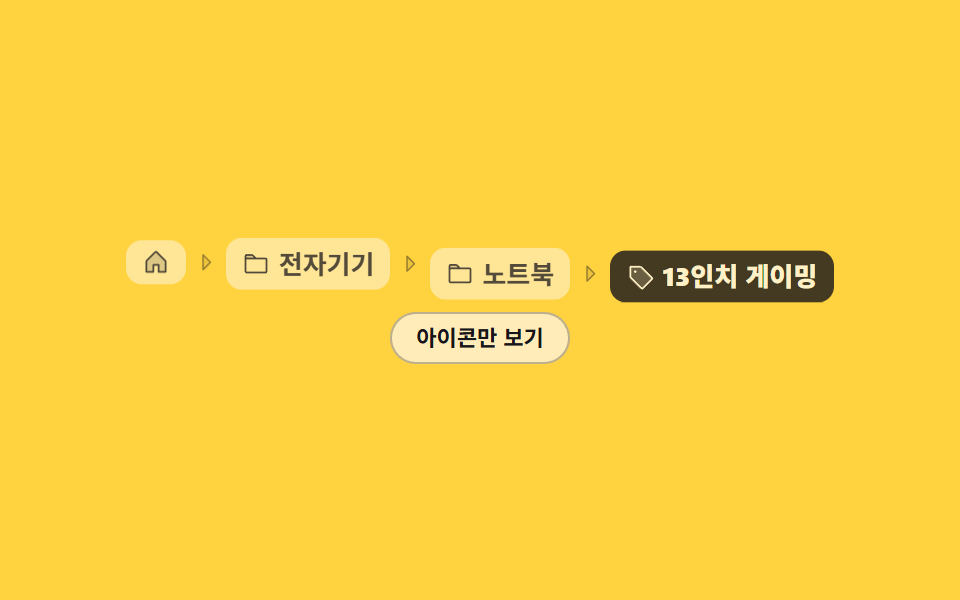
06Icon plus label crumbs
The first crumb is a house icon alone, the middle ones pair icon with label, and the last pairs a tag icon with its label, with every icon inheriting the text color.
Best forMobile detail pages that buy a line back by shrinking Home to an icon
currentColorinline-flexaria-label
<main class="stage">
  <nav class="ic is-demo" aria-label="Breadcrumb">
    <ol class="ic__list">
      <li class="ic__item">
        <a class="ic__crumb" href="#" aria-label="Home"><svg viewBox="0 0 256 256" width="14" height="14" aria-hidden="true"><g fill="currentColor"><path d="M216 120v96h-64v-64h-48v64H40v-96a8 8 0 0 1 2.34-5.66l80-80a8 8 0 0 1 11.32 0l80 80A8 8 0 0 1 216 120" opacity=".2"/><path d="m219.31 108.68l-80-80a16 16 0 0 0-22.62 0l-80 80A15.87 15.87 0 0 0 32 120v96a8 8 0 0 0 8 8h64a8 8 0 0 0 8-8v-56h32v56a8 8 0 0 0 8 8h64a8 8 0 0 0 8-8v-96a15.87 15.87 0 0 0-4.69-11.32M208 208h-48v-56a8 8 0 0 0-8-8h-48a8 8 0 0 0-8 8v56H48v-88l80-80l80 80Z"/></g></svg></a>
        <span class="ic__sep" aria-hidden="true"><svg viewBox="0 0 256 256" width="12" height="12" aria-hidden="true"><g fill="currentColor"><path d="m176 128l-80 80V48Z" opacity=".2"/><path d="m181.66 122.34l-80-80A8 8 0 0 0 88 48v160a8 8 0 0 0 13.66 5.66l80-80a8 8 0 0 0 0-11.32M104 188.69V67.31L164.69 128Z"/></g></svg></span>
      </li>
      <li class="ic__item">
        <a class="ic__crumb" href="#"><svg viewBox="0 0 256 256" width="14" height="14" aria-hidden="true"><g fill="currentColor"><path d="M128 80H32V56a8 8 0 0 1 8-8h52.69a8 8 0 0 1 5.65 2.34Z" opacity=".2"/><path d="M216 72h-84.69L104 44.69A15.86 15.86 0 0 0 92.69 40H40a16 16 0 0 0-16 16v144.62A15.4 15.4 0 0 0 39.38 216h177.51A15.13 15.13 0 0 0 232 200.89V88a16 16 0 0 0-16-16M92.69 56l16 16H40V56ZM216 200H40V88h176Z"/></g></svg><span class="ic__label">Electronics</span></a>
        <span class="ic__sep" aria-hidden="true"><svg viewBox="0 0 256 256" width="12" height="12" aria-hidden="true"><g fill="currentColor"><path d="m176 128l-80 80V48Z" opacity=".2"/><path d="m181.66 122.34l-80-80A8 8 0 0 0 88 48v160a8 8 0 0 0 13.66 5.66l80-80a8 8 0 0 0 0-11.32M104 188.69V67.31L164.69 128Z"/></g></svg></span>
      </li>
      <li class="ic__item">
        <a class="ic__crumb" href="#"><svg viewBox="0 0 256 256" width="14" height="14" aria-hidden="true"><g fill="currentColor"><path d="M128 80H32V56a8 8 0 0 1 8-8h52.69a8 8 0 0 1 5.65 2.34Z" opacity=".2"/><path d="M216 72h-84.69L104 44.69A15.86 15.86 0 0 0 92.69 40H40a16 16 0 0 0-16 16v144.62A15.4 15.4 0 0 0 39.38 216h177.51A15.13 15.13 0 0 0 232 200.89V88a16 16 0 0 0-16-16M92.69 56l16 16H40V56ZM216 200H40V88h176Z"/></g></svg><span class="ic__label">Laptops</span></a>
        <span class="ic__sep" aria-hidden="true"><svg viewBox="0 0 256 256" width="12" height="12" aria-hidden="true"><g fill="currentColor"><path d="m176 128l-80 80V48Z" opacity=".2"/><path d="m181.66 122.34l-80-80A8 8 0 0 0 88 48v160a8 8 0 0 0 13.66 5.66l80-80a8 8 0 0 0 0-11.32M104 188.69V67.31L164.69 128Z"/></g></svg></span>
      </li>
      <li class="ic__item">
        <a class="ic__crumb ic__crumb--now" href="#" aria-current="page"><svg viewBox="0 0 256 256" width="14" height="14" aria-hidden="true"><g fill="currentColor"><path d="M237.66 153L153 237.66a8 8 0 0 1-11.31 0l-99.35-99.32a8 8 0 0 1-2.34-5.65V40h92.69a8 8 0 0 1 5.65 2.34l99.32 99.32a8 8 0 0 1 0 11.34" opacity=".2"/><path d="M243.31 136L144 36.69A15.86 15.86 0 0 0 132.69 32H40a8 8 0 0 0-8 8v92.69A15.86 15.86 0 0 0 36.69 144L136 243.31a16 16 0 0 0 22.63 0l84.68-84.68a16 16 0 0 0 0-22.63m-96 96L48 132.69V48h84.69L232 147.31ZM96 84a12 12 0 1 1-12-12a12 12 0 0 1 12 12"/></g></svg><span class="ic__label">13-inch gaming</span></a>
      </li>
    </ol>
    <button class="ic__toggle" type="button" id="ic-toggle" aria-pressed="false">Icons only</button>
  </nav>
</main>
@use "../../../../site/static/demo-tokens" as *;
$duration: $dur-quick;
$easing: $ease-spring;
$color: $subject-ink;
@include stage($stage-yellow);
.ic {
display: flex;
flex-direction: column;
align-items: center;
gap: $sp-3;
color: $color;
font-size: clamp(11px, 3vw, 13px);
line-height: 18px;
user-select: none;
-webkit-user-select: none;
}
.ic__list {
display: flex;
align-items: center;
flex-wrap: nowrap;
margin: 0;
padding: 0;
list-style: none;
}
.ic__item {
display: flex;
align-items: center;
white-space: nowrap;
}
.ic__sep {
display: inline-flex;
margin: 0 $sp-1;
color: rgba($subject-ink, .42);
}
.ic__sep svg { display: block; }
// 아이콘은 currentColor 로 글자 색을 그대로 물려받는다
.ic__crumb {
display: inline-flex;
align-items: center;
gap: $sp-1;
padding: $sp-1 $sp-2;
border-radius: $r-sm;
background: rgba($subject-cream, .52);
color: rgba($subject-ink, .74);
font-weight: 600;
line-height: 18px;
text-decoration: none;
cursor: pointer;
transition: background $duration $easing, color $duration $easing;
}
.ic__crumb svg {
display: block;
flex: 0 0 auto;
color: currentColor;
}
.ic__crumb:hover { background: $subject-cream; color: $subject-ink; }
.ic__crumb:focus-visible { outline: 2px solid $subject-ink; outline-offset: 2px; }
.ic__crumb--now {
background: $subject-ink;
color: $subject-cream;
font-weight: 800;
}
.ic__crumb--now:hover { background: $subject-ink; color: $subject-cream; }
.ic__label { display: inline; }
.ic.is-compact .ic__item:nth-child(2) .ic__label,
.ic.is-compact .ic__item:nth-child(3) .ic__label { display: none; }
.ic__toggle {
padding: $sp-1 $sp-3;
border: 1px solid rgba($subject-ink, .28);
border-radius: $r-pill;
background: rgba($subject-cream, .72);
color: $subject-ink;
font-family: inherit;
font-size: 11px;
line-height: 16px;
font-weight: 700;
cursor: pointer;
transition: background $duration $easing;
}
.ic__toggle:hover { background: $subject-cream; }
.ic__toggle:focus-visible { outline: 2px solid $subject-ink; outline-offset: 2px; }
.ic__toggle[aria-pressed="true"] {
background: $subject-ink;
color: $subject-cream;
}
// ── 자동 루프(2초): 칸 네 개가 0.1초 간격으로 떠오르고 → 유지 → 내려간다 ──
// animation-delay 는 낱개 속성으로만 — `animation:` 단축과 같이 쓰면 delay 가 0 으로 리셋된다
.ic.is-demo .ic__item {
animation-name: ic-rise;
animation-duration: $dur-loop;
animation-timing-function: $easing;
animation-iteration-count: infinite;
animation-fill-mode: both;
}
.ic.is-demo .ic__item:nth-child(2) { animation-delay: 100ms; }
.ic.is-demo .ic__item:nth-child(3) { animation-delay: 200ms; }
.ic.is-demo .ic__item:nth-child(4) { animation-delay: 300ms; }
// 투명도는 앞뒤 6% 에서만 오간다 — 반투명 프레임이 길면 poster 가 뿌옇게 찍힌다
@keyframes ic-rise {
0% { opacity: 0; transform: translateY(8px); }
6% { opacity: 1; transform: translateY(7px); }
22%, 62% { opacity: 1; transform: translateY(0); }
70% { opacity: 1; transform: translateY(7px); }
74%, 100% { opacity: 0; transform: translateY(8px); }
}
@media (prefers-reduced-motion: reduce) {
.ic.is-demo .ic__item { animation: none !important; opacity: 1; transform: none; }
.ic__crumb, .ic__toggle { transition: none; }
}
// 좁은 화면에서는 가운데 칸이 아이콘만 남아 한 줄을 번다 — 이 데모가 말하는 그 쓰임
@media (max-width: 340px) {
.ic__item:nth-child(2) .ic__label,
.ic__item:nth-child(3) .ic__label { display: none; }
.ic { gap: $sp-2; }
.ic__crumb { padding: $sp-1; }
}html, body {
margin: 0;
overflow: hidden;
}
.stage {
box-sizing: border-box;
min-height: 100vh;
display: grid;
place-items: center;
margin: 0;
background: #ffd23f;
font-family: -apple-system, "Segoe UI", "Noto Sans KR", sans-serif;
padding: clamp(8px, 4vw, 24px);
}
.ic {
display: flex;
flex-direction: column;
align-items: center;
gap: 12px;
color: #17141a;
font-size: clamp(11px, 3vw, 13px);
line-height: 18px;
user-select: none;
-webkit-user-select: none;
}
.ic__list {
display: flex;
align-items: center;
flex-wrap: nowrap;
margin: 0;
padding: 0;
list-style: none;
}
.ic__item {
display: flex;
align-items: center;
white-space: nowrap;
}
.ic__sep {
display: inline-flex;
margin: 0 4px;
color: rgba(23, 20, 26, 0.42);
}
.ic__sep svg {
display: block;
}
.ic__crumb {
display: inline-flex;
align-items: center;
gap: 4px;
padding: 4px 8px;
border-radius: 8px;
background: rgba(255, 247, 230, 0.52);
color: rgba(23, 20, 26, 0.74);
font-weight: 600;
line-height: 18px;
text-decoration: none;
cursor: pointer;
transition: background 220ms cubic-bezier(0.2, 0.8, 0.2, 1), color 220ms cubic-bezier(0.2, 0.8, 0.2, 1);
}
.ic__crumb svg {
display: block;
flex: 0 0 auto;
color: currentColor;
}
.ic__crumb:hover {
background: #fff7e6;
color: #17141a;
}
.ic__crumb:focus-visible {
outline: 2px solid #17141a;
outline-offset: 2px;
}
.ic__crumb--now {
background: #17141a;
color: #fff7e6;
font-weight: 800;
}
.ic__crumb--now:hover {
background: #17141a;
color: #fff7e6;
}
.ic__label {
display: inline;
}
.ic.is-compact .ic__item:nth-child(2) .ic__label,
.ic.is-compact .ic__item:nth-child(3) .ic__label {
display: none;
}
.ic__toggle {
padding: 4px 12px;
border: 1px solid rgba(23, 20, 26, 0.28);
border-radius: 999px;
background: rgba(255, 247, 230, 0.72);
color: #17141a;
font-family: inherit;
font-size: 11px;
line-height: 16px;
font-weight: 700;
cursor: pointer;
transition: background 220ms cubic-bezier(0.2, 0.8, 0.2, 1);
}
.ic__toggle:hover {
background: #fff7e6;
}
.ic__toggle:focus-visible {
outline: 2px solid #17141a;
outline-offset: 2px;
}
.ic__toggle[aria-pressed=true] {
background: #17141a;
color: #fff7e6;
}
.ic.is-demo .ic__item {
animation-name: ic-rise;
animation-duration: 2s;
animation-timing-function: cubic-bezier(0.2, 0.8, 0.2, 1);
animation-iteration-count: infinite;
animation-fill-mode: both;
}
.ic.is-demo .ic__item:nth-child(2) {
animation-delay: 100ms;
}
.ic.is-demo .ic__item:nth-child(3) {
animation-delay: 200ms;
}
.ic.is-demo .ic__item:nth-child(4) {
animation-delay: 300ms;
}
@keyframes ic-rise {
0% {
opacity: 0;
transform: translateY(8px);
}
6% {
opacity: 1;
transform: translateY(7px);
}
22%, 62% {
opacity: 1;
transform: translateY(0);
}
70% {
opacity: 1;
transform: translateY(7px);
}
74%, 100% {
opacity: 0;
transform: translateY(8px);
}
}
@media (prefers-reduced-motion: reduce) {
.ic.is-demo .ic__item {
animation: none !important;
opacity: 1;
transform: none;
}
.ic__crumb, .ic__toggle {
transition: none;
}
}
@media (max-width: 340px) {
.ic__item:nth-child(2) .ic__label,
.ic__item:nth-child(3) .ic__label {
display: none;
}
.ic {
gap: 8px;
}
.ic__crumb {
padding: 4px;
}
}// 실동작: 토글 버튼으로 가운데 칸 글자 접기/펴기 · 칸을 누르면 그 칸이 현재 페이지가 된다
var root = document.querySelector('.ic');
var toggle = document.getElementById('ic-toggle');
var crumbs = [].slice.call(root.querySelectorAll('.ic__crumb'));
toggle.addEventListener('click', function () {
root.classList.remove('is-demo');
var on = root.classList.toggle('is-compact');
toggle.setAttribute('aria-pressed', on ? 'true' : 'false');
toggle.textContent = on ? 'Icon and label' : 'Icons only';
});
crumbs.forEach(function (c) {
c.addEventListener('click', function (e) {
e.preventDefault();
root.classList.remove('is-demo');
crumbs.forEach(function (o) {
o.classList.remove('ic__crumb--now');
o.removeAttribute('aria-current');
});
c.classList.add('ic__crumb--now');
c.setAttribute('aria-current', 'page');
});
});import { useState } from "react";
import type { CSSProperties } from "react";
import styles from "./IconTextCrumbs.module.scss";
export type IconTextCrumbsProps = {
duration?: number;
easing?: string;
color?: string;
};
type ClickEvt = { preventDefault(): void };
type Vars = CSSProperties & { "--duration"?: string; "--easing"?: string; "--color"?: string };
const House = () => (
<svg viewBox="0 0 256 256" width="14" height="14" aria-hidden="true"><g fill="currentColor"><path d="M216 120v96h-64v-64h-48v64H40v-96a8 8 0 0 1 2.34-5.66l80-80a8 8 0 0 1 11.32 0l80 80A8 8 0 0 1 216 120" opacity=".2"/><path d="m219.31 108.68l-80-80a16 16 0 0 0-22.62 0l-80 80A15.87 15.87 0 0 0 32 120v96a8 8 0 0 0 8 8h64a8 8 0 0 0 8-8v-56h32v56a8 8 0 0 0 8 8h64a8 8 0 0 0 8-8v-96a15.87 15.87 0 0 0-4.69-11.32M208 208h-48v-56a8 8 0 0 0-8-8h-48a8 8 0 0 0-8 8v56H48v-88l80-80l80 80Z"/></g></svg>
);
const Folder = () => (
<svg viewBox="0 0 256 256" width="14" height="14" aria-hidden="true"><g fill="currentColor"><path d="M128 80H32V56a8 8 0 0 1 8-8h52.69a8 8 0 0 1 5.65 2.34Z" opacity=".2"/><path d="M216 72h-84.69L104 44.69A15.86 15.86 0 0 0 92.69 40H40a16 16 0 0 0-16 16v144.62A15.4 15.4 0 0 0 39.38 216h177.51A15.13 15.13 0 0 0 232 200.89V88a16 16 0 0 0-16-16M92.69 56l16 16H40V56ZM216 200H40V88h176Z"/></g></svg>
);
const Tag = () => (
<svg viewBox="0 0 256 256" width="14" height="14" aria-hidden="true"><g fill="currentColor"><path d="M237.66 153L153 237.66a8 8 0 0 1-11.31 0l-99.35-99.32a8 8 0 0 1-2.34-5.65V40h92.69a8 8 0 0 1 5.65 2.34l99.32 99.32a8 8 0 0 1 0 11.34" opacity=".2"/><path d="M243.31 136L144 36.69A15.86 15.86 0 0 0 132.69 32H40a8 8 0 0 0-8 8v92.69A15.86 15.86 0 0 0 36.69 144L136 243.31a16 16 0 0 0 22.63 0l84.68-84.68a16 16 0 0 0 0-22.63m-96 96L48 132.69V48h84.69L232 147.31ZM96 84a12 12 0 1 1-12-12a12 12 0 0 1 12 12"/></g></svg>
);
const CaretRight = () => (
<span className={styles.sep} aria-hidden="true"><svg viewBox="0 0 256 256" width="12" height="12" aria-hidden="true"><g fill="currentColor"><path d="m176 128l-80 80V48Z" opacity=".2"/><path d="m181.66 122.34l-80-80A8 8 0 0 0 88 48v160a8 8 0 0 0 13.66 5.66l80-80a8 8 0 0 0 0-11.32M104 188.69V67.31L164.69 128Z"/></g></svg></span>
);
const CRUMBS = [
{ label: "Home", icon: "house" },
{ label: "Electronics", icon: "folder" },
{ label: "Laptops", icon: "folder" },
{ label: "13-inch gaming", icon: "tag" },
];
export default function IconTextCrumbs({
duration = 220,
easing = "cubic-bezier(.2,.8,.2,1)",
color = "#17141a",
}: IconTextCrumbsProps) {
const [compact, setCompact] = useState(false);
const [now, setNow] = useState(CRUMBS.length - 1);
const vars: Vars = { "--duration": `${duration}ms`, "--easing": easing, "--color": color };
function pick(e: ClickEvt, i: number): void {
e.preventDefault();
setNow(i);
}
return (
<nav className={compact ? `${styles.ic} ${styles.isCompact}` : styles.ic} style={vars} aria-label="Breadcrumb">
<ol className={styles.list}>
{CRUMBS.map((c: { label: string; icon: string }, i: number) => (
<li className={styles.item} key={c.label}>
<a
className={i === now ? `${styles.crumb} ${styles.now}` : styles.crumb}
href="#"
aria-label={i === 0 ? c.label : undefined}
aria-current={i === now ? "page" : undefined}
onClick={(e: ClickEvt): void => pick(e, i)}
>
{c.icon === "house" && <House />}
{c.icon === "folder" && <Folder />}
{c.icon === "tag" && <Tag />}
{i > 0 && <span className={styles.label}>{c.label}</span>}
</a>
{i < CRUMBS.length - 1 && <CaretRight />}
</li>
))}
</ol>
<button
type="button"
className={styles.toggle}
aria-pressed={compact}
onClick={(): void => setCompact(!compact)}
>
{compact ? "Icon and label" : "Icons only"}
</button>
</nav>
);
}06 Icon plus label crumbs — Measured area 6.76% · moving frames 15/23Original by GODRICH · SCSS and React ship in the zip · 9 Breadcrumb UI Patterns That Survive Deep Paths
The post this demo lives in
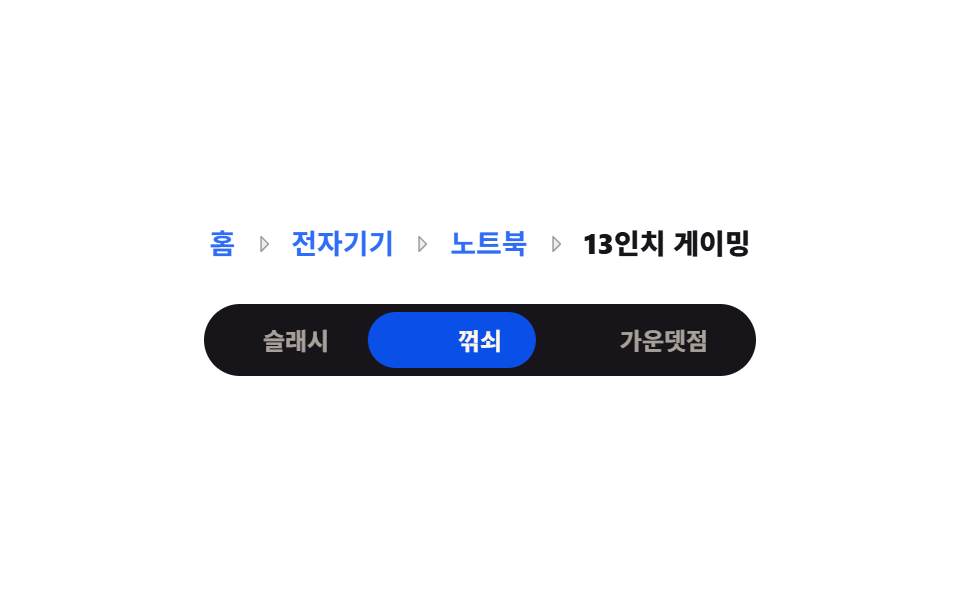 9 Breadcrumb UI Patterns That Survive Deep PathsBreadcrumb UI is the trail of links at the top of a page showing where you are, from Home to the item in view. Nine work See all demos in this post
If you like this effect - similar demos
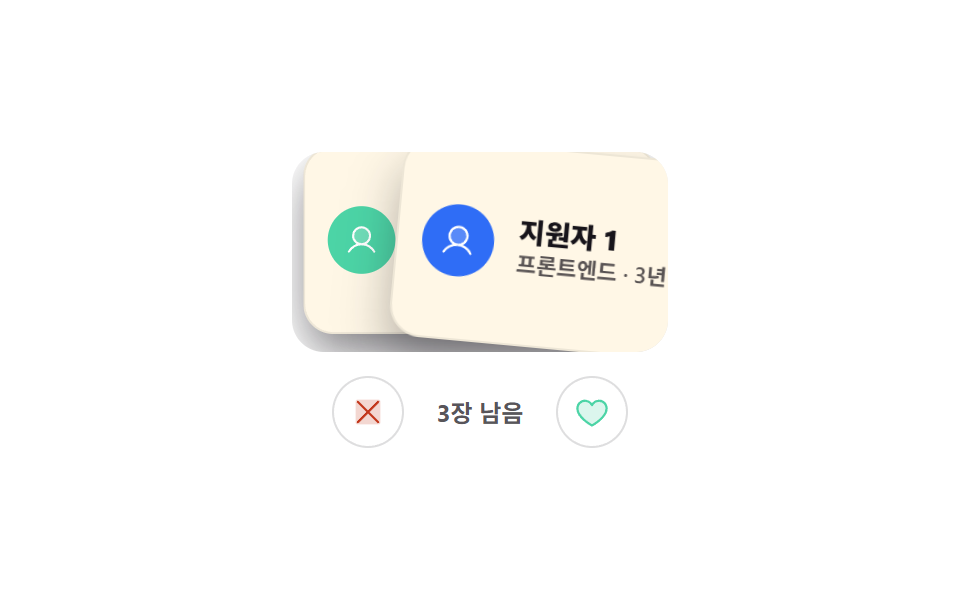 Interactions05 Swipe card deck9 Mobile Touch Gestures That Follow Your Finger
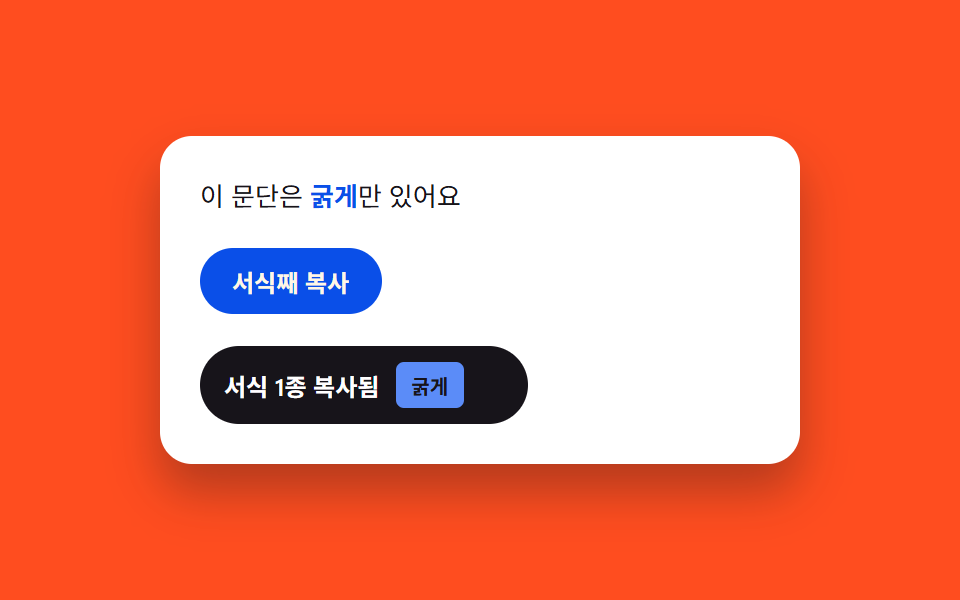 Interactions09 Rich-text toast — a notice whose label width recomputes by style-kind count9 Copy Button CSS UI Patterns (Copy to Clipboard)
 Interactions07 Text-selection highlight color9 Mouse Effects CSS Tricks You Can Copy-Paste