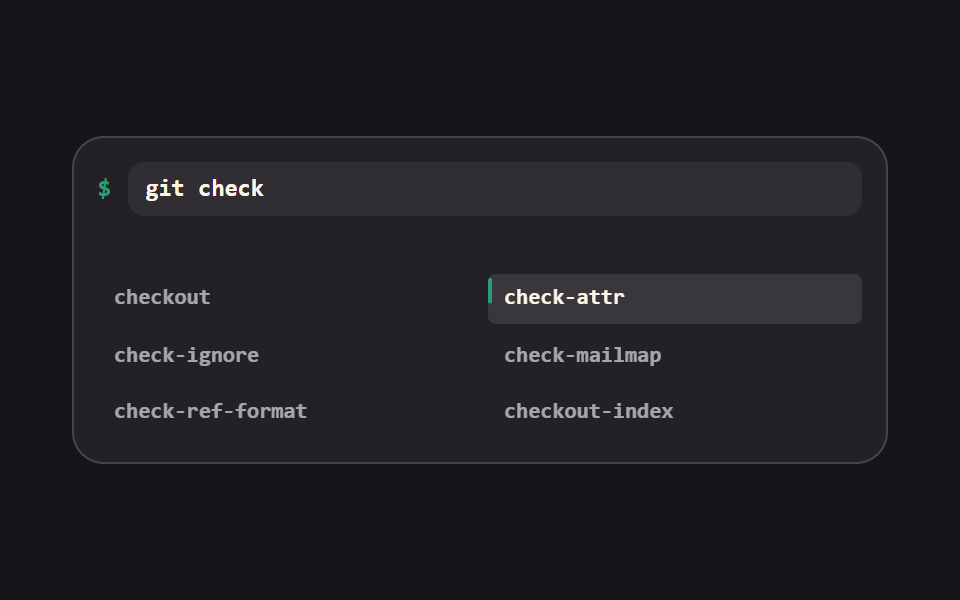
07Caret autocomplete popup
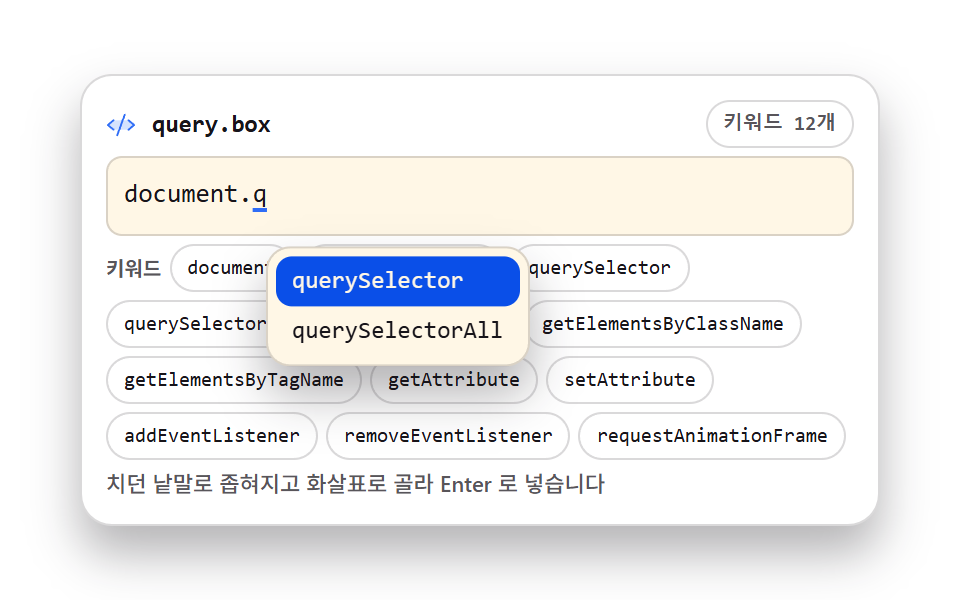
The list narrows to the word you are typing and the popup opens right under the caret; arrows move, Enter swaps the partial word for the whole keyword.
Best forQuery box with a fixed keyword set
role="listbox"aria-activedescendantstartsWith
<main class="stage">
<div class="ac is-demo" id="ac">
  <div class="ac__bar">
    <span class="ac__ico" aria-hidden="true"><svg xmlns="http://www.w3.org/2000/svg" width="1em" height="1em" viewBox="0 0 256 256"><g fill="currentColor"><path d="m240 128l-48 40H64l-48-40l48-40h128Z" opacity=".2"/><path d="M69.12 94.15L28.5 128l40.62 33.85a8 8 0 1 1-10.24 12.29l-48-40a8 8 0 0 1 0-12.29l48-40a8 8 0 0 1 10.24 12.3m176 27.7l-48-40a8 8 0 1 0-10.24 12.3L227.5 128l-40.62 33.85a8 8 0 1 0 10.24 12.29l48-40a8 8 0 0 0 0-12.29m-82.39-89.37a8 8 0 0 0-10.25 4.79l-64 176a8 8 0 0 0 4.79 10.26A8.1 8.1 0 0 0 96 224a8 8 0 0 0 7.52-5.27l64-176a8 8 0 0 0-4.79-10.25"/></g></svg></span>
    <span class="ac__name">query.box</span>
    <span class="ac__hint">12 keywords</span>
  </div>
  <div class="ac__field">
    <span class="ac__mirror" id="mirror" aria-hidden="true"></span>
    <pre class="ac__hl" id="hl" aria-hidden="true"><span class="ac__line"><span class="ac__base">document.</span><span class="ac__frag ac__frag--a">document.<span class="ac__caret"></span></span><span class="ac__frag ac__frag--b">document.<span class="ac__u">q</span><span class="ac__caret"></span></span></span></pre>
    <textarea class="ac__ta" id="ta" rows="1" spellcheck="false" autocomplete="off" wrap="off" aria-label="Query input" aria-expanded="false" aria-autocomplete="list" aria-controls="ac-pop">document.q</textarea>
    <div class="ac__pop" id="ac-pop" role="listbox" aria-label="Suggestion list" aria-activedescendant="ac-opt0">
      <div class="ac__opt" id="ac-opt0" role="option" aria-selected="true">querySelector</div>
      <div class="ac__opt" id="ac-opt1" role="option" aria-selected="false">querySelectorAll</div>
    </div>
  </div>
  <div class="ac__keys" aria-hidden="true">
    <span class="ac__klabel">Keywords</span>
    <span class="ac__k">document</span>
    <span class="ac__k">documentElement</span>
    <span class="ac__k">querySelector</span>
    <span class="ac__k">querySelectorAll</span>
    <span class="ac__k">getElementById</span>
    <span class="ac__k">getElementsByClassName</span>
    <span class="ac__k">getElementsByTagName</span>
    <span class="ac__k">getAttribute</span>
    <span class="ac__k">setAttribute</span>
    <span class="ac__k">addEventListener</span>
    <span class="ac__k">removeEventListener</span>
    <span class="ac__k">requestAnimationFrame</span>
  </div>
  <p class="ac__note">The list narrows as you type, arrow keys choose, Enter inserts</p>
</div>
</main>@use "../../../../site/static/demo-tokens" as *;
// 커서 자리 자동완성 — 치던 낱말(조각)로 startsWith 좁히기를 하고, 거울 요소로 잰 커서 x 좌표
// 바로 아래에 role="listbox" 팝업을 뜨게 한다. ↑↓ 로 항목을 고르고(aria-activedescendant 갱신),
// Enter 로 조각을 통째로 갈아 끼운다. 고정 위치 드롭다운이 아니라 커서를 따라가는 팝업이다.
// 팝업은 절대배치라 부모 높이 계산에서 빠진다 — 아래 키워드 칩 줄이 열린 팝업 높이만큼의
// 여유(예약 높이)를 함께 담당한다(237 실측: 확보가 없으면 320px 에서 넘친다).
// 격자 미리보기(.is-demo)는 조각 두 상태를 steps(1, end) 컷으로 갈아 끼우고 팝업을 컷 + translateY
// 팝으로 띄운 다음, 선택 밴드가 1번 항목에서 2번 항목으로 옮겨 간다. 페이드는 쓰지 않는다.
$duration: $dur-quick;
$easing: $ease-pop;
$color: $subject-blue;
$mono: ui-monospace, SFMono-Regular, "SF Mono", Consolas, "Liberation Mono", monospace;
$line: rgba(23, 20, 26, .16);
$dim: rgba(23, 20, 26, .72);
$fs: clamp(11px, 3vw, 13px);
$lh: 20px;
@include stage($stage-paper);
// 격자 미리보기 루프 공통 — 낱개 속성만 쓴다(단축은 delay 를 지운다), 시작 전은 0% 상태로 채운다
@mixin loop($name, $timing) {
animation-name: $name;
animation-duration: $dur-loop;
animation-timing-function: $timing;
animation-iteration-count: infinite;
animation-fill-mode: backwards;
}
.ac {
display: flex; flex-direction: column; gap: $sp-1;
box-sizing: border-box; width: min(100%, 400px);
padding: $sp-3; border: 1px solid $line; border-radius: $r-card;
background: $stage-paper; box-shadow: $shadow-raised;
}
// ── 파일 이름 줄
.ac__bar { display: flex; align-items: center; gap: $sp-2; }
.ac__ico { display: grid; place-items: center; color: $color; font-size: 15px; }
.ac__name {
flex: 1 1 auto; color: $subject-ink;
font-family: $mono; font-weight: 700; font-size: 12px; line-height: 1.4;
}
.ac__hint {
flex: 0 0 auto; padding: $sp-1 $sp-2; border: 1px solid $line; border-radius: $r-pill;
color: $dim; font-family: $mono; font-weight: 700; font-size: 10px; line-height: 1.4;
}
// ── 입력줄. 테두리는 이 껍데기가 갖고 pre·textarea 는 포개 얹는다(01 과 같은 두 겹 기법)
// 트랙을 minmax(0, 1fr) 로 못박는다 — auto 트랙은 항목 내용만큼 커질 수 있다
.ac__field { position: relative; display: grid; grid-template-rows: minmax(0, 1fr); height: $lh + $sp-4 + 2px;
border: 1px solid $line; border-radius: $r-sm; background: $subject-cream; }
.ac__hl, .ac__ta { grid-area: 1 / 1; }
%layer {
box-sizing: border-box; margin: 0; padding: $sp-2;
border: 0; border-radius: $r-sm;
font-family: $mono; font-weight: 500; font-size: $fs; line-height: $lh;
letter-spacing: 0; tab-size: 2;
white-space: pre; overflow: hidden;
}
.ac__hl {
@extend %layer;
color: $subject-ink; pointer-events: none;
}
// 글자는 투명하고 캐럿만 남긴다 — 글자색은 아래 pre 가 그린다
.ac__ta {
@extend %layer;
background: transparent; color: transparent; caret-color: $subject-ink;
resize: none;
-webkit-text-fill-color: transparent;
}
.ac__ta::selection { background: rgba(47, 109, 246, .24); }
.ac__ta:focus-visible { outline: 2px solid $color; outline-offset: 2px; }
// 거울 요소 — 커서 x 좌표를 재는 자로, 화면에 보이지 않게 절대배치로 뺀다
.ac__mirror {
position: absolute; top: 0; left: 0; visibility: hidden; white-space: pre;
font-family: $mono; font-weight: 500; font-size: $fs; line-height: $lh; letter-spacing: 0;
}
// 미리보기 전용 두 조각 — 절대배치로 같은 지점에 포개고 한쪽만 보인다
.ac__line { position: relative; display: block; }
.ac__base { color: $subject-ink; }
.ac__frag { position: absolute; left: 0; top: 0; visibility: hidden; white-space: pre; color: $subject-ink; }
// 치던 조각에 깔리는 밑줄 — 실사용 경로(.ac__word)와 미리보기(.ac__u)가 같은 옷을 입는다
.ac__word, .ac__u {
text-decoration: underline; text-decoration-color: $color;
text-decoration-thickness: 2px; text-underline-offset: 3px;
}
.ac__caret {
display: inline-block; width: 2px; height: 14px;
background: $subject-ink; vertical-align: -2px;
}
// ── 후보 팝업 — 커서 바로 아래. listbox 경로로 스크린리더가 읽는다
.ac__pop {
position: absolute; top: calc(100% + 4px); left: 0; z-index: 3;
min-width: 120px; box-sizing: border-box;
padding: $sp-1; border: 1px solid $line; border-radius: $r-control;
background: $subject-cream; box-shadow: $shadow-raised;
opacity: 0; visibility: hidden; transform: translateY(4px); pointer-events: none;
transition: opacity $duration $ease-out, transform $duration $easing, visibility $duration;
}
.ac.is-open .ac__pop { opacity: 1; visibility: visible; transform: translateY(0); pointer-events: auto; }
.ac__opt {
padding: $sp-1 $sp-2; border-radius: $r-sm;
color: $subject-ink; font-family: $mono; font-weight: 500; font-size: 12px; line-height: 1.4;
white-space: nowrap;
}
// 고른 항목 — 깊은 파랑 면 위 크림(옅은 파랑 면이면 미달이다)
.ac__opt[aria-selected="true"] { background: $subject-blue-deep; color: $subject-cream; }
// ── 키워드 칩 줄. 열린 팝업이 덮는 자리이자, 절대배치 높이의 예약분이다
.ac__keys { display: flex; flex-wrap: wrap; align-items: center; gap: $sp-1; }
.ac__klabel { color: $dim; font-weight: 700; font-size: 10px; line-height: 1.4; }
.ac__k {
padding: $sp-1 $sp-2; border: 1px solid $line; border-radius: $r-pill;
background: $stage-paper; color: $subject-ink;
font-family: $mono; font-weight: 500; font-size: 10px; line-height: 1.4;
}
.ac__note {
margin: 0; color: $dim;
font-weight: 500; font-size: 11px; line-height: 1.4;
}
// ── 격자 미리보기 루프 (2초)
// 0~5% "document." 를 치던 중(캐럿 깜빡임) → 6% 조각이 "document.q" 로 컷 교체, 8% 팝업이 컷 + 팝으로
// 열리며 후보 2개 → 42% 선택 밴드가 1번(querySelector)에서 2번(querySelectorAll)으로 컷 이동 → 유지.
// 팝업이 사라지는 장면은 찍지 않는다 — 퇴장 프레임이 poster 로 뽑히면 빈 화면이 된다.
.ac.is-demo .ac__base { color: transparent; } // 공간은 유지한 채 감춘다(display:none 은 레이아웃을 지운다)
.ac.is-demo .ac__frag--a { @include loop(acFragA, steps(1, end)); }
.ac.is-demo .ac__frag--b { @include loop(acFragB, steps(1, end)); }
.ac.is-demo .ac__pop {
animation-name: acPopVis, acPopIn;
animation-duration: $dur-loop, $dur-loop;
animation-timing-function: steps(1, end), $easing;
animation-iteration-count: infinite, infinite;
animation-fill-mode: backwards, backwards;
}
.ac.is-demo #ac-opt0 { @include loop(acSel0, steps(1, end)); }
.ac.is-demo #ac-opt1 { @include loop(acSel1, steps(1, end)); }
// 캐럿은 루프 내내 깜빡인다 — steps 컷이라 반투명 유령이 없다
.ac.is-demo .ac__caret { @include loop(acBlink, steps(1, end)); }
@keyframes acFragA {
0%, 5% { visibility: visible; }
6%, 100% { visibility: hidden; }
}
@keyframes acFragB {
0%, 5% { visibility: hidden; }
6%, 100% { visibility: visible; }
}
@keyframes acPopVis {
0%, 7% { opacity: 0; visibility: hidden; }
8%, 100% { opacity: 1; visibility: visible; }
}
@keyframes acPopIn {
0%, 7% { transform: translateY(6px); }
18%, 100% { transform: translateY(0); }
}
@keyframes acSel0 {
0%, 38% { background: $subject-blue-deep; color: $subject-cream; }
42%, 100% { background: transparent; color: $subject-ink; }
}
@keyframes acSel1 {
0%, 38% { background: transparent; color: $subject-ink; }
42%, 100% { background: $subject-blue-deep; color: $subject-cream; }
}
// 2초에 여섯 번 깜빡임 — 8% 간격 컷
@keyframes acBlink {
0%, 7% { opacity: 1; }
8%, 15% { opacity: 0; }
16%, 23% { opacity: 1; }
24%, 31% { opacity: 0; }
32%, 39% { opacity: 1; }
40%, 47% { opacity: 0; }
48%, 55% { opacity: 1; }
56%, 63% { opacity: 0; }
64%, 71% { opacity: 1; }
72%, 79% { opacity: 0; }
80%, 87% { opacity: 1; }
88%, 95% { opacity: 0; }
96%, 100% { opacity: 1; }
}
// ── 좁은 화면: 행간과 여백을 줄여 무대 안에 들어오게 한다. 칩은 앞 4개만(get* 계열은 폭이 길어 줄이 넘는다)
@media (max-width: 340px) {
.ac { gap: $sp-1; padding: $sp-2; }
.ac__keys > :nth-child(n+6) { display: none; }
.ac__field { height: 16px + $sp-2 + 2px; }
.ac__hl, .ac__ta { font-size: 11px; line-height: 16px; padding: $sp-1; }
.ac__mirror { font-size: 11px; line-height: 16px; }
.ac__caret { height: 12px; vertical-align: -2px; }
.ac__opt { font-size: 11px; padding: $sp-1; }
.ac__k, .ac__klabel { font-size: 10px; }
.ac__name { font-size: 11px; }
.ac__note { font-size: 10px; }
}
@media (prefers-reduced-motion: reduce) {
.ac.is-demo .ac__frag--a,
.ac.is-demo .ac__frag--b,
.ac.is-demo .ac__pop,
.ac.is-demo .ac__caret,
.ac.is-demo #ac-opt0,
.ac.is-demo #ac-opt1 {
animation: none !important;
opacity: 1 !important;
visibility: visible !important;
transform: none !important;
}
// 조각은 두 번째 상태로, 캐럿은 켠 채 멈춘다
.ac.is-demo .ac__frag--a { visibility: hidden !important; }
.ac.is-demo .ac__caret { opacity: 1 !important; }
}html, body {
margin: 0;
overflow: hidden;
}
.stage {
box-sizing: border-box;
min-height: 100vh;
display: grid;
place-items: center;
margin: 0;
background: #ffffff;
font-family: -apple-system, "Segoe UI", "Noto Sans KR", sans-serif;
padding: clamp(8px, 4vw, 24px);
}
.ac {
display: flex;
flex-direction: column;
gap: 4px;
box-sizing: border-box;
width: min(100%, 400px);
padding: 12px;
border: 1px solid rgba(23, 20, 26, 0.16);
border-radius: 16px;
background: #ffffff;
box-shadow: 0 14px 24px rgba(23, 20, 26, 0.32);
}
.ac__bar {
display: flex;
align-items: center;
gap: 8px;
}
.ac__ico {
display: grid;
place-items: center;
color: #2f6df6;
font-size: 15px;
}
.ac__name {
flex: 1 1 auto;
color: #17141a;
font-family: ui-monospace, SFMono-Regular, "SF Mono", Consolas, "Liberation Mono", monospace;
font-weight: 700;
font-size: 12px;
line-height: 1.4;
}
.ac__hint {
flex: 0 0 auto;
padding: 4px 8px;
border: 1px solid rgba(23, 20, 26, 0.16);
border-radius: 999px;
color: rgba(23, 20, 26, 0.72);
font-family: ui-monospace, SFMono-Regular, "SF Mono", Consolas, "Liberation Mono", monospace;
font-weight: 700;
font-size: 10px;
line-height: 1.4;
}
.ac__field {
position: relative;
display: grid;
grid-template-rows: minmax(0, 1fr);
height: 38px;
border: 1px solid rgba(23, 20, 26, 0.16);
border-radius: 8px;
background: #fff7e6;
}
.ac__hl, .ac__ta {
grid-area: 1/1;
}
.ac__ta, .ac__hl {
box-sizing: border-box;
margin: 0;
padding: 8px;
border: 0;
border-radius: 8px;
font-family: ui-monospace, SFMono-Regular, "SF Mono", Consolas, "Liberation Mono", monospace;
font-weight: 500;
font-size: clamp(11px, 3vw, 13px);
line-height: 20px;
letter-spacing: 0;
tab-size: 2;
white-space: pre;
overflow: hidden;
}
.ac__hl {
color: #17141a;
pointer-events: none;
}
.ac__ta {
background: transparent;
color: transparent;
caret-color: #17141a;
resize: none;
-webkit-text-fill-color: transparent;
}
.ac__ta::selection {
background: rgba(47, 109, 246, 0.24);
}
.ac__ta:focus-visible {
outline: 2px solid #2f6df6;
outline-offset: 2px;
}
.ac__mirror {
position: absolute;
top: 0;
left: 0;
visibility: hidden;
white-space: pre;
font-family: ui-monospace, SFMono-Regular, "SF Mono", Consolas, "Liberation Mono", monospace;
font-weight: 500;
font-size: clamp(11px, 3vw, 13px);
line-height: 20px;
letter-spacing: 0;
}
.ac__line {
position: relative;
display: block;
}
.ac__base {
color: #17141a;
}
.ac__frag {
position: absolute;
left: 0;
top: 0;
visibility: hidden;
white-space: pre;
color: #17141a;
}
.ac__word, .ac__u {
text-decoration: underline;
text-decoration-color: #2f6df6;
text-decoration-thickness: 2px;
text-underline-offset: 3px;
}
.ac__caret {
display: inline-block;
width: 2px;
height: 14px;
background: #17141a;
vertical-align: -2px;
}
.ac__pop {
position: absolute;
top: calc(100% + 4px);
left: 0;
z-index: 3;
min-width: 120px;
box-sizing: border-box;
padding: 4px;
border: 1px solid rgba(23, 20, 26, 0.16);
border-radius: 12px;
background: #fff7e6;
box-shadow: 0 14px 24px rgba(23, 20, 26, 0.32);
opacity: 0;
visibility: hidden;
transform: translateY(4px);
pointer-events: none;
transition: opacity 220ms ease-out, transform 220ms cubic-bezier(0.2, 1.4, 0.4, 1), visibility 220ms;
}
.ac.is-open .ac__pop {
opacity: 1;
visibility: visible;
transform: translateY(0);
pointer-events: auto;
}
.ac__opt {
padding: 4px 8px;
border-radius: 8px;
color: #17141a;
font-family: ui-monospace, SFMono-Regular, "SF Mono", Consolas, "Liberation Mono", monospace;
font-weight: 500;
font-size: 12px;
line-height: 1.4;
white-space: nowrap;
}
.ac__opt[aria-selected=true] {
background: #0a4fe8;
color: #fff7e6;
}
.ac__keys {
display: flex;
flex-wrap: wrap;
align-items: center;
gap: 4px;
}
.ac__klabel {
color: rgba(23, 20, 26, 0.72);
font-weight: 700;
font-size: 10px;
line-height: 1.4;
}
.ac__k {
padding: 4px 8px;
border: 1px solid rgba(23, 20, 26, 0.16);
border-radius: 999px;
background: #ffffff;
color: #17141a;
font-family: ui-monospace, SFMono-Regular, "SF Mono", Consolas, "Liberation Mono", monospace;
font-weight: 500;
font-size: 10px;
line-height: 1.4;
}
.ac__note {
margin: 0;
color: rgba(23, 20, 26, 0.72);
font-weight: 500;
font-size: 11px;
line-height: 1.4;
}
.ac.is-demo .ac__base {
color: transparent;
}
.ac.is-demo .ac__frag--a {
animation-name: acFragA;
animation-duration: 2s;
animation-timing-function: steps(1, end);
animation-iteration-count: infinite;
animation-fill-mode: backwards;
}
.ac.is-demo .ac__frag--b {
animation-name: acFragB;
animation-duration: 2s;
animation-timing-function: steps(1, end);
animation-iteration-count: infinite;
animation-fill-mode: backwards;
}
.ac.is-demo .ac__pop {
animation-name: acPopVis, acPopIn;
animation-duration: 2s, 2s;
animation-timing-function: steps(1, end), cubic-bezier(0.2, 1.4, 0.4, 1);
animation-iteration-count: infinite, infinite;
animation-fill-mode: backwards, backwards;
}
.ac.is-demo #ac-opt0 {
animation-name: acSel0;
animation-duration: 2s;
animation-timing-function: steps(1, end);
animation-iteration-count: infinite;
animation-fill-mode: backwards;
}
.ac.is-demo #ac-opt1 {
animation-name: acSel1;
animation-duration: 2s;
animation-timing-function: steps(1, end);
animation-iteration-count: infinite;
animation-fill-mode: backwards;
}
.ac.is-demo .ac__caret {
animation-name: acBlink;
animation-duration: 2s;
animation-timing-function: steps(1, end);
animation-iteration-count: infinite;
animation-fill-mode: backwards;
}
@keyframes acFragA {
0%, 5% {
visibility: visible;
}
6%, 100% {
visibility: hidden;
}
}
@keyframes acFragB {
0%, 5% {
visibility: hidden;
}
6%, 100% {
visibility: visible;
}
}
@keyframes acPopVis {
0%, 7% {
opacity: 0;
visibility: hidden;
}
8%, 100% {
opacity: 1;
visibility: visible;
}
}
@keyframes acPopIn {
0%, 7% {
transform: translateY(6px);
}
18%, 100% {
transform: translateY(0);
}
}
@keyframes acSel0 {
0%, 38% {
background: #0a4fe8;
color: #fff7e6;
}
42%, 100% {
background: transparent;
color: #17141a;
}
}
@keyframes acSel1 {
0%, 38% {
background: transparent;
color: #17141a;
}
42%, 100% {
background: #0a4fe8;
color: #fff7e6;
}
}
@keyframes acBlink {
0%, 7% {
opacity: 1;
}
8%, 15% {
opacity: 0;
}
16%, 23% {
opacity: 1;
}
24%, 31% {
opacity: 0;
}
32%, 39% {
opacity: 1;
}
40%, 47% {
opacity: 0;
}
48%, 55% {
opacity: 1;
}
56%, 63% {
opacity: 0;
}
64%, 71% {
opacity: 1;
}
72%, 79% {
opacity: 0;
}
80%, 87% {
opacity: 1;
}
88%, 95% {
opacity: 0;
}
96%, 100% {
opacity: 1;
}
}
@media (max-width: 340px) {
.ac {
gap: 4px;
padding: 8px;
}
.ac__keys > :nth-child(n+6) {
display: none;
}
.ac__field {
height: 26px;
}
.ac__hl, .ac__ta {
font-size: 11px;
line-height: 16px;
padding: 4px;
}
.ac__mirror {
font-size: 11px;
line-height: 16px;
}
.ac__caret {
height: 12px;
vertical-align: -2px;
}
.ac__opt {
font-size: 11px;
padding: 4px;
}
.ac__k, .ac__klabel {
font-size: 10px;
}
.ac__name {
font-size: 11px;
}
.ac__note {
font-size: 10px;
}
}
@media (prefers-reduced-motion: reduce) {
.ac.is-demo .ac__frag--a,
.ac.is-demo .ac__frag--b,
.ac.is-demo .ac__pop,
.ac.is-demo .ac__caret,
.ac.is-demo #ac-opt0,
.ac.is-demo #ac-opt1 {
animation: none !important;
opacity: 1 !important;
visibility: visible !important;
transform: none !important;
}
.ac.is-demo .ac__frag--a {
visibility: hidden !important;
}
.ac.is-demo .ac__caret {
opacity: 1 !important;
}
}var ac = document.getElementById('ac');
var ta = document.getElementById('ta');
var hl = document.getElementById('hl');
var pop = document.getElementById('ac-pop');
var mirror = document.getElementById('mirror');
var sel = 0;
// 정해진 Keywords 목록 — 치던 낱말(조각)로 startsWith 좁히기를 한다
var KEYS = ['document', 'documentElement', 'querySelector', 'querySelectorAll',
'getElementById', 'getElementsByClassName', 'getElementsByTagName',
'getAttribute', 'setAttribute', 'addEventListener', 'removeEventListener',
'requestAnimationFrame'];
function esc(t) { return t.replace(/&/g, '&').replace(/</g, '<').replace(/>/g, '>'); }
// 커서 바로 앞의 낱말 조각 — 마지막 비단어 문자(점·공백) 뒤부터 커서까지가 조각이다
function wordAt(v, pos) {
var i = pos;
while (i > 0 && /[\w$]/.test(v[i - 1])) i--;
return { start: i, text: v.slice(i, pos) };
}
function candidates(word) {
return KEYS.filter(function (k) { return k.toLowerCase().startsWith(word.toLowerCase()); });
}
// 거울 요소 — 입력칸과 같은 서체로 커서 앞 글자를 재서 커서 x 좌표를 잰다
function caretX(pos) {
mirror.textContent = ta.value.slice(0, pos);
var pad = parseFloat(getComputedStyle(ta).paddingLeft) || 0;
return pad + mirror.offsetWidth - ta.scrollLeft;
}
// 팝업 왼쪽을 커서 x 에 맞춘다 — 오른쪽 끝을 넘으면 안으로 접는다
function place(pos) {
var x = caretX(pos);
var maxX = ta.clientWidth - pop.offsetWidth - 4;
pop.style.left = Math.max(0, Math.min(x, Math.max(0, maxX))) + 'px';
}
function update() {
var v = ta.value, pos = ta.selectionStart;
var w = wordAt(v, pos);
var list = w.text ? candidates(w.text) : [];
if (sel >= list.length) sel = 0;
// 오버레이를 다시 그린다 — 치던 조각에 밑줄이 깔린다
hl.innerHTML = esc(v.slice(0, w.start))
+ (w.text ? '<span class="ac__word">' + esc(w.text) + '</span>' : '')
+ esc(v.slice(w.start + w.text.length));
if (list.length) {
pop.innerHTML = list.map(function (k, i) {
return '<div class="ac__opt" id="ac-opt' + i + '" role="option" aria-selected="'
+ (i === sel) + '">' + k + '</div>';
}).join('');
pop.setAttribute('aria-activedescendant', 'ac-opt' + sel);
ac.classList.add('is-open');
} else {
ac.classList.remove('is-open');
pop.removeAttribute('aria-activedescendant');
}
ta.setAttribute('aria-expanded', list.length ? 'true' : 'false');
place(pos);
}
// Enter — 치던 조각을 통째로 갈아 끼운다 (조각만 바뀌고 앞뒤는 그대로)
function insert() {
var v = ta.value, pos = ta.selectionStart;
var w = wordAt(v, pos);
var list = candidates(w.text);
var k = list[sel] || list[0];
if (!k) return;
ta.value = v.slice(0, w.start) + k + v.slice(w.start + w.text.length);
var next = w.start + k.length;
ta.setSelectionRange(next, next);
update();
// update() 는 커서 앞 낱말로 후보를 다시 찾는다 — 방금 넣은 키워드가 그대로 접두어라 팝업이 도로
// 열린다. 골라 넣은 직후에는 닫힌 채로 둔다 (실측 2026-09-13: Enter 뒤에도 목록이 남아 있었다)
ac.classList.remove('is-open');
ta.setAttribute('aria-expanded', 'false');
}
ac.addEventListener('pointerdown', function () { ac.classList.remove('is-demo'); });
ac.addEventListener('focusin', function () { ac.classList.remove('is-demo'); });
ta.addEventListener('input', function () { sel = 0; update(); });
ta.addEventListener('keyup', function (e) {
if (e.key === 'ArrowLeft' || e.key === 'ArrowRight' || e.key === 'Home' || e.key === 'End') update();
});
ta.addEventListener('click', update);
ta.addEventListener('keydown', function (e) {
var open = ac.classList.contains('is-open');
if (open && (e.key === 'ArrowDown' || e.key === 'ArrowUp')) {
e.preventDefault();
var n = pop.children.length;
sel = (sel + (e.key === 'ArrowDown' ? 1 : -1) + n) % n;
update();
} else if (open && e.key === 'Enter') {
e.preventDefault();
insert();
} else if (e.key === 'Escape') {
ac.classList.remove('is-open');
ta.setAttribute('aria-expanded', 'false');
}
});
// 격자 미리보기 동안에는 손으로 써 둔 후보를 그대로 두고 좌표만 잡는다
if (ac.classList.contains('is-demo')) place(ta.value.length);
else update();// AutocompletePopup — vanilla 판(run/299/demo/07-editor-autocomplete-popup/index.html) 의 React 포트.
// 치던 낱말(조각)로 startsWith 좁히기를 하고, 거울 요소로 잰 커서 x 좌표 바로 아래에
// role="listbox" 팝업을 띄운다. 화살표로 고르고(aria-activedescendant 갱신) Enter 로 조각을 갈아 끼운다.
// wordAt·candidates·caretX·place·insert 는 vanilla 와 같은 글자다 (값을 다시 타이핑하지 않는다).
import { useEffect, useMemo, useRef, useState } from "react";
import type { CSSProperties } from "react";
import styles from "./AutocompletePopup.module.scss";
export type AutocompletePopupProps = {
duration?: number;
easing?: string;
color?: string;
initialValue?: string;
};
type Vars = CSSProperties & { "--duration"?: string; "--easing"?: string; "--color"?: string };
// useRef<T> 는 T | null 을 돌려준다 — ambient 타입에 맞춰 상자 타입을 따로 둔다
type Box<T> = { current: T | null };
// ambient 에 React 이벤트 제네릭이 없다 — 쓰는 필드만 로컬 타입으로 선언한다
type KeyEvt = { key: string; preventDefault(): void };
type TextEvt = { target: { value: string; selectionStart: number | null } };
const FILE_NAME = "query.box";
const HINT = "키워드 12개";
const TA_LABEL = "쿼리 입력칸";
const POP_LABEL = "후보 목록";
const KEYS_LABEL = "키워드";
const NOTE = "치던 낱말로 좁혀지고 화살표로 골라 Enter 로 넣습니다";
const VALUE = "document.q";
const DEMO_BASE = "document.";
const DEMO_FRAG = "q";
// 정해진 키워드 목록 — 치던 낱말(조각)로 startsWith 좁히기를 한다
const KEYS = ["document", "documentElement", "querySelector", "querySelectorAll",
"getElementById", "getElementsByClassName", "getElementsByTagName",
"getAttribute", "setAttribute", "addEventListener", "removeEventListener",
"requestAnimationFrame"];
type Word = { start: number; text: string };
function escapeHtml(text: string): string {
return text.replace(/&/g, "&").replace(/</g, "<").replace(/>/g, ">");
}
// 커서 바로 앞의 낱말 조각 — 마지막 비단어 문자(점·공백) 뒤부터 커서까지가 조각이다
function wordAt(v: string, pos: number): Word {
let i = pos;
while (i > 0 && /[\w$]/.test(v[i - 1])) i--;
return { start: i, text: v.slice(i, pos) };
}
function candidates(word: string): string[] {
return KEYS.filter((k) => k.toLowerCase().startsWith(word.toLowerCase()));
}
// 오버레이를 다시 그린다 — 치던 조각에 밑줄이 깔린다
function paint(v: string, w: Word): string {
return escapeHtml(v.slice(0, w.start))
+ (w.text ? '<span class="' + styles.word + '">' + escapeHtml(w.text) + "</span>" : "")
+ escapeHtml(v.slice(w.start + w.text.length));
}
export default function AutocompletePopup(props: AutocompletePopupProps) {
const duration = props.duration ?? 220;
const easing = props.easing ?? "cubic-bezier(.2, 1.4, .4, 1)";
const color = props.color ?? "#2f6df6";
const start = props.initialValue ?? VALUE;
const [value, setValue] = useState<string>(start);
const [pos, setPos] = useState<number>(start.length);
const [sel, setSel] = useState<number>(0);
const [escaped, setEscaped] = useState<boolean>(false);
const [preview, setPreview] = useState<boolean>(true);
const [left, setLeft] = useState<number>(0);
const taRef = useRef<HTMLTextAreaElement>(null) as Box<HTMLTextAreaElement>;
const mirrorRef = useRef<HTMLSpanElement>(null) as Box<HTMLSpanElement>;
const popRef = useRef<HTMLDivElement>(null) as Box<HTMLDivElement>;
const pendingRef = useRef<number>(-1) as Box<number>; // Enter 삽입 뒤 옮겨 둘 커서 자리
const word = useMemo(() => wordAt(value, pos), [value, pos]);
const list = useMemo(() => (word.text ? candidates(word.text) : []), [word]);
// vanilla 의 update() 첫 줄과 같다 — 후보가 줄면 처음으로 되돌아간다
const cur = sel >= list.length ? 0 : sel;
const open = !escaped && list.length > 0;
const html = useMemo(() => paint(value, word), [value, word]);
// 격자 미리보기 동안에는 손으로 써 둔 후보를 그대로 두고 좌표만 잡는다
const caretAt = preview ? value.length : pos;
// 거울 요소 — 입력칸과 같은 서체로 커서 앞 글자를 재서 커서 x 좌표를 잰다.
// 팝업 왼쪽을 그 x 에 맞추고, 오른쪽 끝을 넘으면 안으로 접는다
useEffect(() => {
const ta = taRef.current;
const mirror = mirrorRef.current;
const pop = popRef.current;
if (!ta || !mirror || !pop) return;
const pad = parseFloat(getComputedStyle(ta).paddingLeft) || 0;
const x = pad + mirror.offsetWidth - ta.scrollLeft;
const maxX = ta.clientWidth - pop.offsetWidth - 4;
setLeft(Math.max(0, Math.min(x, Math.max(0, maxX))));
}, [value, caretAt, preview, open]);
// 삽입 직후에만 커서를 옮긴다 — 사람이 잡아 둔 자리를 매 렌더마다 뺏지 않으려는 가드다
useEffect(() => {
const ta = taRef.current;
const want = pendingRef.current;
if (!ta || want === null || want < 0) return;
pendingRef.current = -1;
ta.setSelectionRange(want, want);
}, [value]);
// 커서만 움직인 경로(화살표·클릭) — 조각을 다시 재고 팝업을 되살린다
const syncPos = () => {
const ta = taRef.current;
if (!ta) return;
setPos(ta.selectionStart ?? 0);
setEscaped(false);
};
// Enter — 치던 조각을 통째로 갈아 끼운다 (조각만 바뀌고 앞뒤는 그대로)
const insert = () => {
const w = wordAt(value, pos);
const cands = candidates(w.text);
const k = cands[cur] || cands[0];
if (!k) return;
const next = w.start + k.length;
pendingRef.current = next;
setValue(value.slice(0, w.start) + k + value.slice(w.start + w.text.length));
setPos(next);
setEscaped(false);
};
const vars: Vars = { "--duration": duration + "ms", "--easing": easing, "--color": color };
const cls = styles.root + (preview ? " " + styles.isDemo : "") + (!preview && open ? " " + styles.isOpen : "");
return (
<main className={styles.stage}>
<div
className={cls}
style={vars}
onPointerDown={() => setPreview(false)}
onFocus={() => setPreview(false)}
>
<div className={styles.bar}>
<span className={styles.ico} aria-hidden="true">
<svg xmlns="http://www.w3.org/2000/svg" width="1em" height="1em" viewBox="0 0 256 256">
<g fill="currentColor">
<path d="m240 128l-48 40H64l-48-40l48-40h128Z" opacity=".2" />
<path d="M69.12 94.15L28.5 128l40.62 33.85a8 8 0 1 1-10.24 12.29l-48-40a8 8 0 0 1 0-12.29l48-40a8 8 0 0 1 10.24 12.3m176 27.7l-48-40a8 8 0 1 0-10.24 12.3L227.5 128l-40.62 33.85a8 8 0 1 0 10.24 12.29l48-40a8 8 0 0 0 0-12.29m-82.39-89.37a8 8 0 0 0-10.25 4.79l-64 176a8 8 0 0 0 4.79 10.26A8.1 8.1 0 0 0 96 224a8 8 0 0 0 7.52-5.27l64-176a8 8 0 0 0-4.79-10.25" />
</g>
</svg>
</span>
<span className={styles.name}>{FILE_NAME}</span>
<span className={styles.hint}>{HINT}</span>
</div>
<div className={styles.field}>
<span className={styles.mirror} ref={mirrorRef} aria-hidden="true">{value.slice(0, caretAt)}</span>
{preview ? (
<pre className={styles.hl} aria-hidden="true">
<span className={styles.line}>
<span className={styles.base}>{DEMO_BASE}</span>
<span className={styles.frag + " " + styles["frag--a"]}>
{DEMO_BASE}<span className={styles.caret} />
</span>
<span className={styles.frag + " " + styles["frag--b"]}>
{DEMO_BASE}<span className={styles.u}>{DEMO_FRAG}</span><span className={styles.caret} />
</span>
</span>
</pre>
) : (
<pre className={styles.hl} aria-hidden="true" dangerouslySetInnerHTML={{ __html: html }} />
)}
<textarea
className={styles.ta}
ref={taRef}
value={value}
rows={1}
spellCheck={false}
autoComplete="off"
wrap="off"
aria-label={TA_LABEL}
aria-expanded={!preview && open ? "true" : "false"}
aria-autocomplete="list"
aria-controls="ac-pop"
onChange={(e: TextEvt) => {
setPreview(false);
setSel(0);
setEscaped(false);
setValue(e.target.value);
setPos(e.target.selectionStart ?? e.target.value.length);
}}
onClick={syncPos}
onKeyUp={(e: KeyEvt) => {
if (e.key === "ArrowLeft" || e.key === "ArrowRight" || e.key === "Home" || e.key === "End") syncPos();
}}
onKeyDown={(e: KeyEvt) => {
if (open && (e.key === "ArrowDown" || e.key === "ArrowUp")) {
e.preventDefault();
const n = list.length;
setSel((cur + (e.key === "ArrowDown" ? 1 : -1) + n) % n);
} else if (open && e.key === "Enter") {
e.preventDefault();
insert();
} else if (e.key === "Escape") {
setEscaped(true);
}
}}
/>
<div
className={styles.pop}
id="ac-pop"
ref={popRef}
role="listbox"
aria-label={POP_LABEL}
aria-activedescendant={preview ? "ac-opt0" : (open ? "ac-opt" + cur : undefined)}
style={{ left: left + "px" }}
>
{preview ? (
<>
<div className={styles.opt + " " + styles["opt--a"]} id="ac-opt0" role="option" aria-selected="true">{KEYS[2]}</div>
<div className={styles.opt + " " + styles["opt--b"]} id="ac-opt1" role="option" aria-selected="false">{KEYS[3]}</div>
</>
) : (
list.map((k, i) => (
<div key={k} className={styles.opt} id={"ac-opt" + i} role="option" aria-selected={i === cur}>{k}</div>
))
)}
</div>
</div>
<div className={styles.keys} aria-hidden="true">
<span className={styles.klabel}>{KEYS_LABEL}</span>
{KEYS.map((k) => (<span className={styles.k} key={k}>{k}</span>))}
</div>
<p className={styles.note}>{NOTE}</p>
</div>
</main>
);
}07 Caret autocomplete popup — Measured area 8.792% · moving frames 13/23Original by GODRICH · SCSS and React ship in the zip · Code Editor JavaScript: 9 UI Parts, No Library
The post this demo lives in
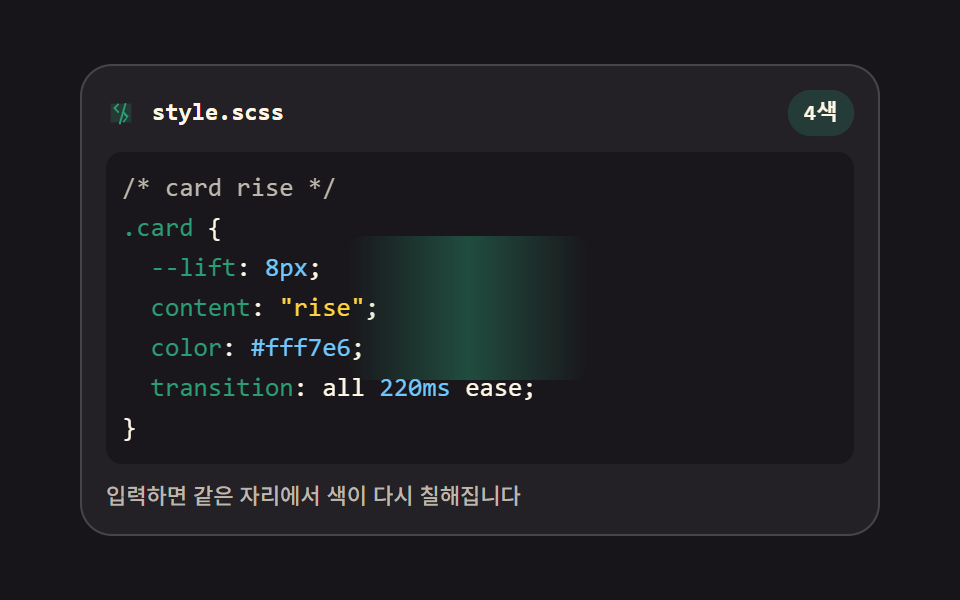 Code Editor JavaScript: 9 UI Parts, No LibraryCode editor javascript is the plain way to get coloring, line numbers, and closing brackets into a page: nine parts, no See all demos in this post