08Quality Badge Driven by Bandwidth Judgment
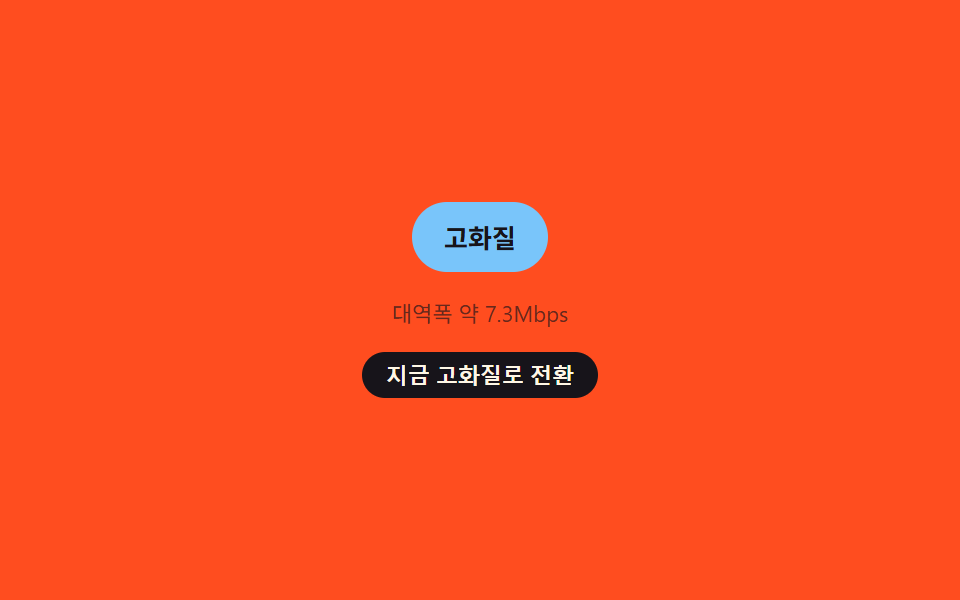
A sine-composite bandwidth value is judged high/mid/low every tick, but the badge label only changes once a new judgment holds for QUALITY_BADGE_HOLD_MS (1200ms) to prevent flicker, while the badge's background color keeps blending live via liveColor() in between.
Best forAdaptive-streaming player status indicators
data-levelbackgroundColorQUALITY_BADGE_HOLD_MS
<main class="stage">
<div class="qualityCard is-demo" id="qualityCard">
  <div class="badge" id="badge">
    <span class="warnIcon" id="warnIcon" aria-hidden="true">
      <svg xmlns="http://www.w3.org/2000/svg" width="16" height="16" viewBox="0 0 256 256">
        <g fill="currentColor">
          <path d="M215.46 216H40.54c-12.62 0-20.54-13.21-14.41-23.91l87.46-151.87c6.3-11 22.52-11 28.82 0l87.46 151.87c6.13 10.7-1.79 23.91-14.41 23.91" opacity=".2"/>
          <path d="M236.8 188.09L149.35 36.22a24.76 24.76 0 0 0-42.7 0L19.2 188.09a23.51 23.51 0 0 0 0 23.72A24.35 24.35 0 0 0 40.55 224h174.9a24.35 24.35 0 0 0 21.33-12.19a23.51 23.51 0 0 0 .02-23.72m-13.87 15.71a8.5 8.5 0 0 1-7.48 4.2H40.55a8.5 8.5 0 0 1-7.48-4.2a7.59 7.59 0 0 1 0-7.72l87.45-151.87a8.75 8.75 0 0 1 15 0l87.45 151.87a7.59 7.59 0 0 1-.04 7.72M120 144v-40a8 8 0 0 1 16 0v40a8 8 0 0 1-16 0m20 36a12 12 0 1 1-12-12a12 12 0 0 1 12 12"/>
        </g>
      </svg>
    </span>
    <span class="badgeText" id="badgeText">High quality</span>
  </div>
  <p class="readout" id="readout" aria-live="polite">Bandwidth approx. 6.0Mbps</p>
  <button class="forceBtn" id="forceBtn" type="button" aria-pressed="false">Switch to high quality now</button>
</div>
</main>
@use "../../../../site/static/demo-tokens" as *;
// 변수 3개
$duration: $dur-base;
$easing: $ease-out;
$color: $subject-sky;
// 계산 겹: index.html 의 judge() 가 합성파 대역폭을 등급으로 판정하고, tick() 이
// QUALITY_BADGE_HOLD_MS 동안 같은 판정이 유지될 때만 배지를 바꾼다 — 순간 튐 방지 판정.
@include stage($stage-orange);
.qualityCard {
display: flex;
flex-direction: column;
align-items: center;
gap: $sp-3;
}
.badge {
display: flex;
align-items: center;
gap: $sp-1;
padding: $sp-2 $sp-4;
border-radius: $r-pill;
background: $color;
// 바탕색은 JS liveColor() 가 매 틱 인라인으로 계속 덮어쓴다(실시간 대역폭) — 여기 transition 은 그 갱신을 부드럽게만 잇는다
transition: background-color 90ms linear;
}
.warnIcon {
display: inline-flex;
color: $subject-cream;
&[hidden] { display: none; }
}
.badgeText {
font-size: 13px;
font-weight: 700;
color: $subject-ink;
}
.badge[data-level="low"] .badgeText { color: $subject-cream; }
.readout {
margin: 0;
font-size: 11px;
color: rgba($subject-ink, .65);
}
.forceBtn {
appearance: none;
border: none;
border-radius: $r-pill;
padding: $sp-1 $sp-3;
font-size: 11px;
font-weight: 600;
color: $subject-cream;
background: $subject-ink;
cursor: pointer;
&:focus-visible { outline: 2px solid $subject-blue-deep; outline-offset: 2px; }
&[aria-pressed="true"] { background: $subject-orange-deep; }
}
@media (max-width: 340px) {
.badge { padding: $sp-1 $sp-3; }
.badgeText, .readout, .forceBtn { font-size: 10px; }
}
// reduce: 실사용 경로 적용 — 배지 배경색 전환만 끈다. 등급 판정 자체는 계속 갱신돼야 의미가 있다
@media (prefers-reduced-motion: reduce) {
.badge { transition: none; }
}html, body {
margin: 0;
overflow: hidden;
}
.stage {
box-sizing: border-box;
min-height: 100vh;
display: grid;
place-items: center;
margin: 0;
background: #ff4d1f;
font-family: -apple-system, "Segoe UI", "Noto Sans KR", sans-serif;
padding: clamp(8px, 4vw, 24px);
}
.qualityCard {
display: flex;
flex-direction: column;
align-items: center;
gap: 12px;
}
.badge {
display: flex;
align-items: center;
gap: 4px;
padding: 8px 16px;
border-radius: 999px;
background: #6ec8ff;
transition: background-color 90ms linear;
}
.warnIcon {
display: inline-flex;
color: #fff7e6;
}
.warnIcon[hidden] {
display: none;
}
.badgeText {
font-size: 13px;
font-weight: 700;
color: #17141a;
}
.badge[data-level=low] .badgeText {
color: #fff7e6;
}
.readout {
margin: 0;
font-size: 11px;
color: rgba(23, 20, 26, 0.65);
}
.forceBtn {
appearance: none;
border: none;
border-radius: 999px;
padding: 4px 12px;
font-size: 11px;
font-weight: 600;
color: #fff7e6;
background: #17141a;
cursor: pointer;
}
.forceBtn:focus-visible {
outline: 2px solid #0a4fe8;
outline-offset: 2px;
}
.forceBtn[aria-pressed=true] {
background: #c93000;
}
@media (max-width: 340px) {
.badge {
padding: 4px 12px;
}
.badgeText, .readout, .forceBtn {
font-size: 10px;
}
}
@media (prefers-reduced-motion: reduce) {
.badge {
transition: none;
}
}(function () {
var QUALITY_BADGE_HOLD_MS = 1200; // 훅 — 변형이 1200→3000 으로 바꾸는 값
var LOOP_MS = 6000;
var TICK_MS = 100;
var HIGH_MBPS = 6;
var LOW_MBPS = 2.5;
var card = document.getElementById('qualityCard');
var badge = document.getElementById('badge');
var badgeText = document.getElementById('badgeText');
var warnIcon = document.getElementById('warnIcon');
var readout = document.getElementById('readout');
var forceBtn = document.getElementById('forceBtn');
var reduce = window.matchMedia('(prefers-reduced-motion: reduce)').matches;
var LEVELS = { high: 'High quality', mid: 'Medium quality', low: 'Low quality' };
// 판정 배지의 바탕색을 만드는 3점 그라디언트 정지색(고→중→저)
var STOP_HIGH = [110, 200, 255];
var STOP_MID = [255, 158, 187];
var STOP_LOW = [194, 54, 26];
function bandwidth(ms) {
var w = 4.2 + 3.6 * Math.sin(ms / 380) + 1.3 * Math.sin(ms / 133);
return Math.max(0.4, w);
}
function judge(mbps) {
if (mbps >= HIGH_MBPS) return 'high';
if (mbps <= LOW_MBPS) return 'low';
return 'mid';
}
function mix(a, b, t) { return Math.round(a + (b - a) * t); }
// 원시 대역폭 값을 0~1 로 정규화해 바탕색을 매 틱 연속으로 섞는다(실시간 신호) —
// 화면 문구(고/중/저)는 아래 tick() 의 판정+홀드 결과를 따로 쓴다(순간 튐 없는 결정)
function liveColor(mbps) {
var t = Math.max(0, Math.min(1, (mbps - LOW_MBPS) / (HIGH_MBPS - LOW_MBPS)));
var stops = t > 0.5 ? [STOP_MID, STOP_HIGH, (t - 0.5) * 2] : [STOP_LOW, STOP_MID, t * 2];
var from = stops[0], to = stops[1], localT = stops[2];
return 'rgb(' + mix(from[0], to[0], localT) + ',' + mix(from[1], to[1], localT) + ',' + mix(from[2], to[2], localT) + ')';
}
var displayLevel = 'high';
var pendingLevel = 'high';
var pendingSinceMs = 0;
var forced = null;
function paint(level, mbps) {
badgeText.textContent = LEVELS[level];
badge.setAttribute('data-level', level);
badge.style.backgroundColor = liveColor(mbps);
warnIcon.hidden = level !== 'low';
readout.textContent = 'Bandwidth approx. ' + mbps.toFixed(1) + 'Mbps';
}
// 대역폭이 임계값을 넘었다고 즉시 바꾸지 않고, QUALITY_BADGE_HOLD_MS 만큼 그 판정이
// 계속 유지될 때만 라벨·아이콘을 바꾼다 — 순간 튐으로 배지 글자가 깜빡이는 것을 막는 판정 계산.
// (바탕색은 위 liveColor() 로 매 틱 계속 움직여 실시간 신호 자체는 감추지 않는다)
function tick(ms) {
var mbps = bandwidth(ms);
if (forced !== null) { paint(forced, mbps); return; }
var target = judge(mbps);
if (target !== displayLevel) {
if (target === pendingLevel) {
if (ms - pendingSinceMs >= QUALITY_BADGE_HOLD_MS) {
displayLevel = target;
}
} else {
pendingLevel = target;
pendingSinceMs = ms;
}
} else {
pendingLevel = displayLevel;
}
paint(displayLevel, mbps);
}
var timer = null;
var start = 0;
function loop() { tick(performance.now() - start); }
function human() {
if (card.classList.contains('is-demo')) {
card.classList.remove('is-demo');
window.clearInterval(timer);
timer = null;
}
}
forceBtn.addEventListener('click', function () {
human();
if (forced === null) {
forced = 'high';
forceBtn.setAttribute('aria-pressed', 'true');
forceBtn.textContent = 'Return to automatic judgment';
} else {
forced = null;
forceBtn.setAttribute('aria-pressed', 'false');
forceBtn.textContent = 'Switch to high quality now';
}
});
if (!reduce) {
start = performance.now();
tick(0);
timer = window.setInterval(loop, TICK_MS);
} else {
// reduce: 실사용 경로 적용 — 판정 갱신을 멈추고 한 등급을 고정해 보여준다
paint('mid', 4.0);
}
})();import { useEffect, useRef } from 'react';
import styles from './BufferingQualityDropBadge.module.scss';
const QUALITY_BADGE_HOLD_MS = 1200; // 훅 — 변형이 1200→3000 으로 바꾸는 값
const LOOP_MS = 6000;
const TICK_MS = 100;
const HIGH_MBPS = 6;
const LOW_MBPS = 2.5;
const WARN_ICON_PATH_BG =
'M215.46 216H40.54c-12.62 0-20.54-13.21-14.41-23.91l87.46-151.87c6.3-11 22.52-11 28.82 0l87.46 151.87c6.13 10.7-1.79 23.91-14.41 23.91';
const WARN_ICON_PATH_FG =
'M236.8 188.09L149.35 36.22a24.76 24.76 0 0 0-42.7 0L19.2 188.09a23.51 23.51 0 0 0 0 23.72A24.35 24.35 0 0 0 40.55 224h174.9a24.35 24.35 0 0 0 21.33-12.19a23.51 23.51 0 0 0 .02-23.72m-13.87 15.71a8.5 8.5 0 0 1-7.48 4.2H40.55a8.5 8.5 0 0 1-7.48-4.2a7.59 7.59 0 0 1 0-7.72l87.45-151.87a8.75 8.75 0 0 1 15 0l87.45 151.87a7.59 7.59 0 0 1-.04 7.72M120 144v-40a8 8 0 0 1 16 0v40a8 8 0 0 1-16 0m20 36a12 12 0 1 1-12-12a12 12 0 0 1 12 12';
type Level = 'high' | 'mid' | 'low';
const LEVELS: Record<Level, string> = { high: '고화질', mid: '중간 화질', low: '저화질' };
// 판정 배지의 바탕색을 만드는 3점 그라디언트 정지색(고→중→저)
const STOP_HIGH: [number, number, number] = [110, 200, 255];
const STOP_MID: [number, number, number] = [255, 158, 187];
const STOP_LOW: [number, number, number] = [194, 54, 26];
function bandwidth(ms: number) {
const w = 4.2 + 3.6 * Math.sin(ms / 380) + 1.3 * Math.sin(ms / 133);
return Math.max(0.4, w);
}
function judge(mbps: number): Level {
if (mbps >= HIGH_MBPS) return 'high';
if (mbps <= LOW_MBPS) return 'low';
return 'mid';
}
function mix(a: number, b: number, t: number) {
return Math.round(a + (b - a) * t);
}
// 원시 대역폭 값을 0~1 로 정규화해 바탕색을 매 틱 연속으로 섞는다(실시간 신호) —
// 화면 문구(고/중/저)는 tick() 의 판정+홀드 결과를 따로 쓴다(순간 튐 없는 결정)
function liveColor(mbps: number) {
const t = Math.max(0, Math.min(1, (mbps - LOW_MBPS) / (HIGH_MBPS - LOW_MBPS)));
const from = t > 0.5 ? STOP_MID : STOP_LOW;
const to = t > 0.5 ? STOP_HIGH : STOP_MID;
const localT = t > 0.5 ? (t - 0.5) * 2 : t * 2;
return `rgb(${mix(from[0], to[0], localT)},${mix(from[1], to[1], localT)},${mix(from[2], to[2], localT)})`;
}
export default function BufferingQualityDropBadge() {
const cardRef = useRef<HTMLDivElement>(null);
const badgeRef = useRef<HTMLDivElement>(null);
const warnIconRef = useRef<HTMLSpanElement>(null);
const badgeTextRef = useRef<HTMLSpanElement>(null);
const readoutRef = useRef<HTMLParagraphElement>(null);
const forceBtnRef = useRef<HTMLButtonElement>(null);
useEffect(() => {
const card = cardRef.current;
const badge = badgeRef.current;
const warnIcon = warnIconRef.current;
const badgeText = badgeTextRef.current;
const readout = readoutRef.current;
const forceBtn = forceBtnRef.current;
if (!card || !badge || !warnIcon || !badgeText || !readout || !forceBtn) return undefined;
const reduce = window.matchMedia('(prefers-reduced-motion: reduce)').matches;
let displayLevel: Level = 'high';
let pendingLevel: Level = 'high';
let pendingSinceMs = 0;
let forced: Level | null = null;
function paint(level: Level, mbps: number) {
if (!badgeText || !badge || !warnIcon || !readout) return;
badgeText.textContent = LEVELS[level];
badge.setAttribute('data-level', level);
badge.style.backgroundColor = liveColor(mbps);
warnIcon.hidden = level !== 'low';
readout.textContent = '대역폭 약 ' + mbps.toFixed(1) + 'Mbps';
}
// 대역폭이 임계값을 넘었다고 즉시 바꾸지 않고, QUALITY_BADGE_HOLD_MS 만큼 그 판정이
// 계속 유지될 때만 라벨·아이콘을 바꾼다 — 순간 튐으로 배지 글자가 깜빡이는 것을 막는 판정 계산.
// (바탕색은 위 liveColor() 로 매 틱 계속 움직여 실시간 신호 자체는 감추지 않는다)
function tick(ms: number) {
const mbps = bandwidth(ms);
if (forced !== null) {
paint(forced, mbps);
return;
}
const target = judge(mbps);
if (target !== displayLevel) {
if (target === pendingLevel) {
if (ms - pendingSinceMs >= QUALITY_BADGE_HOLD_MS) {
displayLevel = target;
}
} else {
pendingLevel = target;
pendingSinceMs = ms;
}
} else {
pendingLevel = displayLevel;
}
paint(displayLevel, mbps);
}
let timer: ReturnType<typeof window.setInterval> | null = null;
let start = 0;
function loop() {
tick(performance.now() - start);
}
function human() {
if (card && card.classList.contains(styles['is-demo'])) {
card.classList.remove(styles['is-demo']);
if (timer !== null) window.clearInterval(timer);
timer = null;
}
}
function onForce() {
human();
if (!forceBtn) return;
if (forced === null) {
forced = 'high';
forceBtn.setAttribute('aria-pressed', 'true');
forceBtn.textContent = '자동 판정으로 되돌리기';
} else {
forced = null;
forceBtn.setAttribute('aria-pressed', 'false');
forceBtn.textContent = '지금 고화질로 전환';
}
}
forceBtn.addEventListener('click', onForce);
if (!reduce) {
start = performance.now();
tick(0);
timer = window.setInterval(loop, TICK_MS);
} else {
// reduce: 실사용 경로 적용 — 판정 갱신을 멈추고 한 등급을 고정해 보여준다
paint('mid', 4.0);
}
return () => {
if (timer !== null) window.clearInterval(timer);
forceBtn.removeEventListener('click', onForce);
};
}, []);
return (
<div className={`${styles.qualityCard} ${styles['is-demo']}`} ref={cardRef}>
<div className={styles.badge} ref={badgeRef} data-level="high">
<span className={styles.warnIcon} ref={warnIconRef} hidden aria-hidden="true">
<svg xmlns="http://www.w3.org/2000/svg" width="16" height="16" viewBox="0 0 256 256">
<g fill="currentColor">
<path d={WARN_ICON_PATH_BG} opacity=".2" />
<path d={WARN_ICON_PATH_FG} />
</g>
</svg>
</span>
<span className={styles.badgeText} ref={badgeTextRef}>고화질</span>
</div>
<p className={styles.readout} ref={readoutRef} aria-live="polite">대역폭 약 6.0Mbps</p>
<button className={styles.forceBtn} ref={forceBtnRef} type="button" aria-pressed="false">지금 고화질로 전환</button>
</div>
);
}08 Quality Badge Driven by Bandwidth Judgment — Measured area 1.535% · moving frames 16/23Original by GODRICH · SCSS and React ship in the zip · Buffering Animation CSS — 9 Loading Patterns
The post this demo lives in
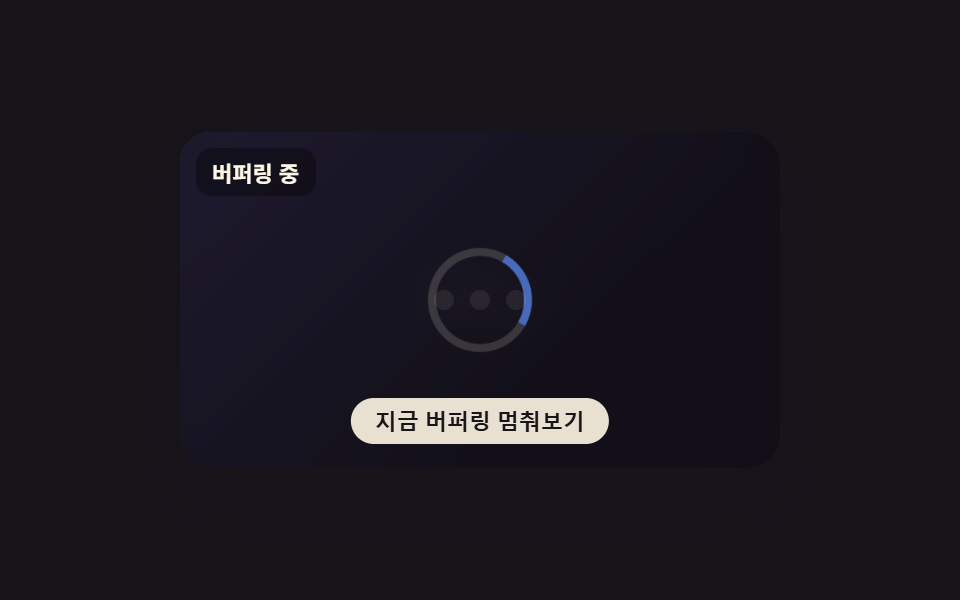 Buffering Animation CSS — 9 Loading PatternsAmong nine buffering animation css ideas, one draws two stacked rings for playback and buffer, one fills a waveform only See all demos in this post
If you like this effect - similar demos
 Loaders09 Reduced-motion static badge9 CSS AI Chat Loading Animations to Copy-Paste
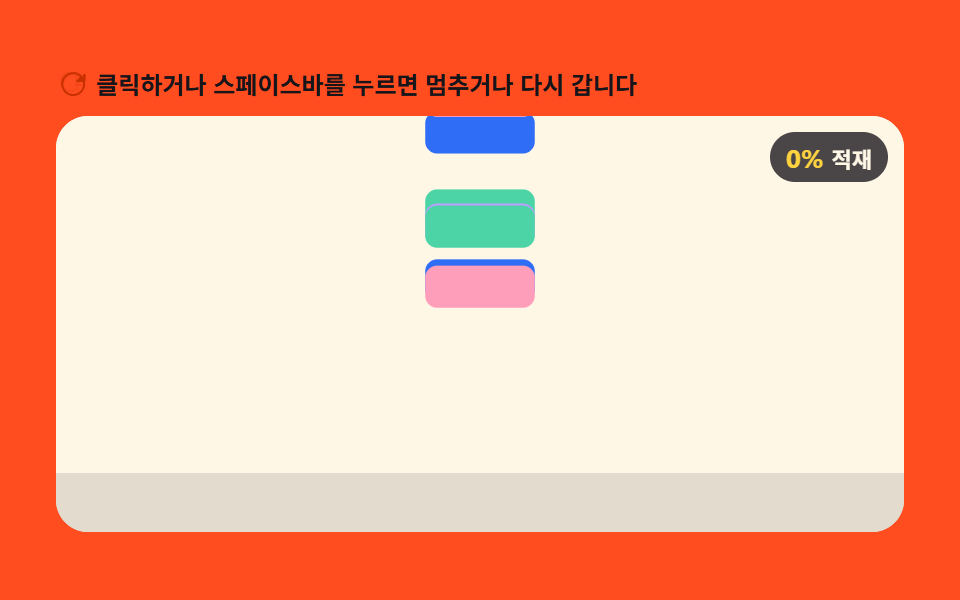 Loaders03 Loader a Gravity Drop-height Value Stacks9 CSS Loading Animation Patterns, Canvas Physics
 Loaders09 Processing Badge That Swaps to Static Text When a Reduced-motion Value Is DetectedAI Loading Animation: 9 Patterns by One Value