07Button Whose Text Flips as the Fill Brightens
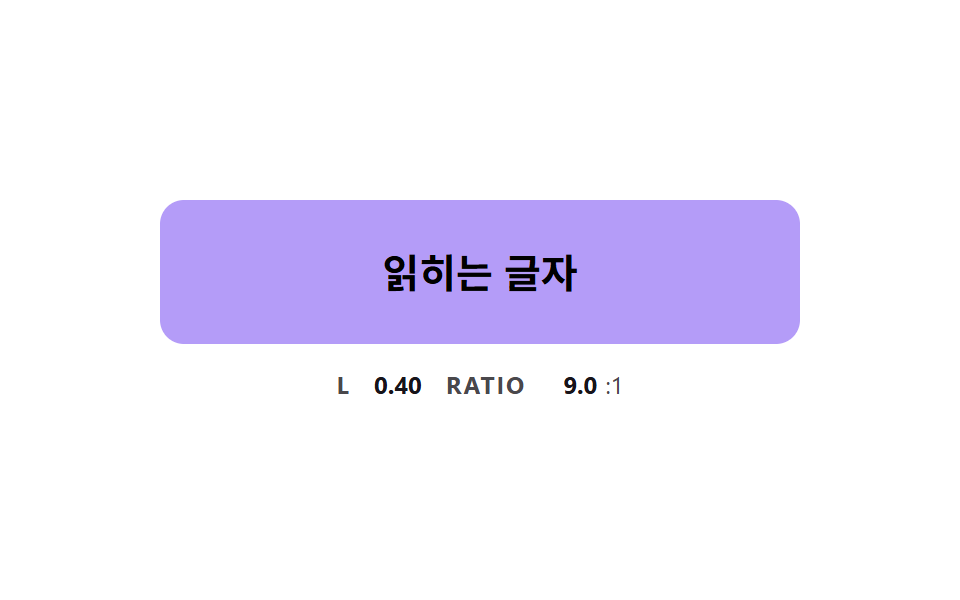
While the fill moves from dark to light the relative luminance is computed, and the text color flips to dark the moment it crosses a threshold, so the label stays readable at every midpoint.
Best forKeeping label contrast while a button changes color
FLIP_THRESHOLDFILL_RATEluminance
<main class="stage">
<div class="bc is-demo" id="bcRoot">
  <button class="bc__btn" id="bcBtn" type="button">Readable label</button>
  <p class="bc__meta"><span class="bc__tag">L</span> <b id="bcLum">0.01</b> <span class="bc__tag">RATIO</span> <b id="bcRatio">17.0</b><span>:1</span></p>
</div>
</main>
@use "../../../../site/static/demo-tokens" as *;
// 핵심: 바탕이 어두운 색에서 밝은 색으로 옮겨 가는 동안 글자색을 매 프레임 상대 밝기로 정한다.
// 글자 두 색은 순수한 흰색과 검정이다 — 둘이 같은 대비를 내는 밝기(0.179)에서 4.58:1 이라 어느 중간 색도 4.5:1 을 넘는다.
$text-pure-dark: #000;
@include stage($stage-paper);
.bc {
--c-from: #{$subject-ink};
--c-to: #{$subject-lilac};
--t-light: #{$stage-paper};
--t-dark: #{$text-pure-dark};
width: min(100%, 320px);
display: grid;
gap: $sp-3;
justify-items: center;
}
.bc__btn {
box-sizing: border-box;
width: 100%;
height: 72px;
border: 0;
border-radius: $r-control;
background: $subject-ink;
color: $stage-paper;
font-family: inherit;
font-size: 20px;
font-weight: 700;
line-height: 24px;
cursor: pointer;
}
.bc__btn:focus-visible { outline: 3px solid $subject-ink; outline-offset: 3px; }
.bc__meta {
margin: 0;
display: flex;
align-items: baseline;
flex-wrap: wrap;
justify-content: center;
gap: $sp-1;
font-size: 12px;
line-height: 16px;
color: rgba($subject-ink, .78);
}
.bc__tag { margin: 0 $sp-1 0 $sp-2; font-weight: 700; letter-spacing: .08em; }
.bc__tag:first-child { margin-left: 0; }
.bc__meta b { min-width: 4ch; text-align: right; font-variant-numeric: tabular-nums; color: $subject-ink; }
@media (prefers-reduced-motion: reduce) {
.bc__btn { transition: none; }
}html, body {
margin: 0;
overflow: hidden;
}
.stage {
box-sizing: border-box;
min-height: 100vh;
display: grid;
place-items: center;
margin: 0;
background: #ffffff;
font-family: -apple-system, "Segoe UI", "Noto Sans KR", sans-serif;
padding: clamp(8px, 4vw, 24px);
}
.bc {
--c-from: #17141a;
--c-to: #b9a0ff;
--t-light: #ffffff;
--t-dark: #000;
width: min(100%, 320px);
display: grid;
gap: 12px;
justify-items: center;
}
.bc__btn {
box-sizing: border-box;
width: 100%;
height: 72px;
border: 0;
border-radius: 12px;
background: #17141a;
color: #ffffff;
font-family: inherit;
font-size: 20px;
font-weight: 700;
line-height: 24px;
cursor: pointer;
}
.bc__btn:focus-visible {
outline: 3px solid #17141a;
outline-offset: 3px;
}
.bc__meta {
margin: 0;
display: flex;
align-items: baseline;
flex-wrap: wrap;
justify-content: center;
gap: 4px;
font-size: 12px;
line-height: 16px;
color: rgba(23, 20, 26, 0.78);
}
.bc__tag {
margin: 0 4px 0 8px;
font-weight: 700;
letter-spacing: 0.08em;
}
.bc__tag:first-child {
margin-left: 0;
}
.bc__meta b {
min-width: 4ch;
text-align: right;
font-variant-numeric: tabular-nums;
color: #17141a;
}
@media (prefers-reduced-motion: reduce) {
.bc__btn {
transition: none;
}
}(function () {
// 기법: 바탕색이 어두운 색에서 밝은 색으로 옮겨 가는 동안 매 프레임 상대 밝기 L 을 직접 계산한다.
// L 이 FLIP_THRESHOLD 를 넘는 순간 글자를 흰색에서 검정으로 뒤집는다.
// 흰색과 검정이 같은 대비(4.58:1)를 내는 밝기가 0.179 라서, 이 기준이면 어느 중간 색에서도 4.5:1 아래로 떨어지지 않는다.
var FLIP_THRESHOLD = 0.179;
var FILL_RATE = 4;
var START_MS = 200;
var ON_MS = 1000;
var CYCLE_MS = 2000;
var root = document.getElementById('bcRoot');
var btn = document.getElementById('bcBtn');
var lumEl = document.getElementById('bcLum');
var ratioEl = document.getElementById('bcRatio');
var reduce = window.matchMedia('(prefers-reduced-motion: reduce)').matches;
function readRgb(name) {
var v = getComputedStyle(btn).getPropertyValue(name).trim().replace('#', '');
if (v.length === 3) v = v.split('').map(function (c) { return c + c; }).join('');
return [parseInt(v.slice(0, 2), 16), parseInt(v.slice(2, 4), 16), parseInt(v.slice(4, 6), 16)];
}
function toHex(rgb) {
return '#' + rgb.map(function (c) { return ('0' + Math.round(c).toString(16)).slice(-2); }).join('');
}
function channel(c) {
var s = c / 255;
return s <= 0.04045 ? s / 12.92 : Math.pow((s + 0.055) / 1.055, 2.4);
}
function luminance(rgb) {
return 0.2126 * channel(rgb[0]) + 0.7152 * channel(rgb[1]) + 0.0722 * channel(rgb[2]);
}
function ratio(a, b) {
var hi = Math.max(a, b);
var lo = Math.min(a, b);
return (hi + 0.05) / (lo + 0.05);
}
var from = readRgb('--c-from');
var to = readRgb('--c-to');
var textLight = readRgb('--t-light');
var textDark = readRgb('--t-dark');
var lumLight = luminance(textLight);
var lumDark = luminance(textDark);
var cur = from.slice();
var pointerIn = false;
var kbFocus = false;
var t0 = null;
var lastTs = null;
function demoOn(now) {
return root.classList.contains('is-demo') && now >= START_MS && (now - START_MS) % CYCLE_MS < ON_MS;
}
function goalOf(now) { return demoOn(now) || pointerIn || kbFocus ? to : from; }
function paint() {
var l = luminance(cur);
var dark = l > FLIP_THRESHOLD;
btn.style.background = toHex(cur);
btn.style.color = toHex(dark ? textDark : textLight);
lumEl.textContent = l.toFixed(2);
ratioEl.textContent = ratio(l, dark ? lumDark : lumLight).toFixed(1);
}
function stopDemo() { root.classList.remove('is-demo'); }
function jump() { cur = (pointerIn || kbFocus ? to : from).slice(); paint(); }
btn.addEventListener('pointerenter', function () { stopDemo(); pointerIn = true; if (reduce) jump(); });
btn.addEventListener('pointerleave', function () { pointerIn = false; if (reduce) jump(); });
btn.addEventListener('focus', function () { kbFocus = btn.matches(':focus-visible'); if (kbFocus) stopDemo(); if (reduce) jump(); });
btn.addEventListener('blur', function () { kbFocus = false; if (reduce) jump(); });
function tick(ts) {
if (t0 === null) t0 = ts;
var now = ts - t0;
var dt = lastTs === null ? 0.016 : Math.min(0.05, (ts - lastTs) / 1000);
lastTs = ts;
var g = goalOf(now);
var k = 1 - Math.exp(-dt * FILL_RATE);
var gap = 0;
for (var i = 0; i < 3; i += 1) {
cur[i] += (g[i] - cur[i]) * k;
gap += Math.abs(g[i] - cur[i]);
}
if (gap < 0.5) cur = g.slice();
paint();
requestAnimationFrame(tick);
}
if (reduce) {
stopDemo();
paint();
} else {
requestAnimationFrame(tick);
}
})();// TextFlipButton — vanilla 판(07-btn-color-text-contrast-flip) 의 React 포트.
// 바탕색이 어두운 색에서 밝은 색으로 옮겨 가는 동안 상대 밝기 L 을 계산해 FLIP_THRESHOLD 를 넘으면 글자색을 뒤집는다.
import { useEffect, useRef } from "react";
import styles from "./TextFlipButton.module.scss";
type Box<T> = { current: T };
type Rgb = [number, number, number];
const FLIP_THRESHOLD = 0.179;
const FILL_RATE = 4;
const START_MS = 200;
const ON_MS = 1000;
const CYCLE_MS = 2000;
function toHex(rgb: Rgb): string {
return "#" + rgb.map((c) => ("0" + Math.round(c).toString(16)).slice(-2)).join("");
}
function channel(c: number): number {
const s = c / 255;
return s <= 0.04045 ? s / 12.92 : Math.pow((s + 0.055) / 1.055, 2.4);
}
function luminance(rgb: Rgb): number {
return 0.2126 * channel(rgb[0]) + 0.7152 * channel(rgb[1]) + 0.0722 * channel(rgb[2]);
}
function ratio(a: number, b: number): number {
return (Math.max(a, b) + 0.05) / (Math.min(a, b) + 0.05);
}
export default function TextFlipButton() {
const rootRef = useRef<HTMLDivElement | null>(null) as Box<HTMLDivElement | null>;
const btnRef = useRef<HTMLButtonElement | null>(null) as Box<HTMLButtonElement | null>;
const lumRef = useRef<HTMLElement | null>(null) as Box<HTMLElement | null>;
const ratioRef = useRef<HTMLElement | null>(null) as Box<HTMLElement | null>;
useEffect(() => {
const btn = btnRef.current;
const lumEl = lumRef.current;
const ratioEl = ratioRef.current;
if (!btn || !lumEl || !ratioEl) return;
const reduce = window.matchMedia("(prefers-reduced-motion: reduce)").matches;
const readRgb = (name: string): Rgb => {
let v = getComputedStyle(btn).getPropertyValue(name).trim().replace("#", "");
if (v.length === 3) v = v.split("").map((c) => c + c).join("");
return [parseInt(v.slice(0, 2), 16), parseInt(v.slice(2, 4), 16), parseInt(v.slice(4, 6), 16)];
};
const from = readRgb("--c-from");
const to = readRgb("--c-to");
const textLight = readRgb("--t-light");
const textDark = readRgb("--t-dark");
const lumLight = luminance(textLight);
const lumDark = luminance(textDark);
let cur: Rgb = [from[0], from[1], from[2]];
let demo = !reduce;
let pointerIn = false;
let kbFocus = false;
let t0: number | null = null;
let lastTs: number | null = null;
let raf = 0;
const demoOn = (now: number): boolean => demo && now >= START_MS && (now - START_MS) % CYCLE_MS < ON_MS;
const paint = (): void => {
const l = luminance(cur);
const dark = l > FLIP_THRESHOLD;
btn.style.background = toHex(cur);
btn.style.color = toHex(dark ? textDark : textLight);
lumEl.textContent = l.toFixed(2);
ratioEl.textContent = ratio(l, dark ? lumDark : lumLight).toFixed(1);
};
const stopDemo = (): void => { demo = false; };
const jump = (): void => {
const g = pointerIn || kbFocus ? to : from;
cur = [g[0], g[1], g[2]];
paint();
};
const onEnter = (): void => { stopDemo(); pointerIn = true; if (reduce) jump(); };
const onLeave = (): void => { pointerIn = false; if (reduce) jump(); };
const onFocus = (): void => { kbFocus = btn.matches(":focus-visible"); if (kbFocus) stopDemo(); if (reduce) jump(); };
const onBlur = (): void => { kbFocus = false; if (reduce) jump(); };
btn.addEventListener("pointerenter", onEnter);
btn.addEventListener("pointerleave", onLeave);
btn.addEventListener("focus", onFocus);
btn.addEventListener("blur", onBlur);
function tick(ts: number): void {
if (t0 === null) t0 = ts;
const now = ts - t0;
const dt = lastTs === null ? 0.016 : Math.min(0.05, (ts - lastTs) / 1000);
lastTs = ts;
const g = demoOn(now) || pointerIn || kbFocus ? to : from;
const k = 1 - Math.exp(-dt * FILL_RATE);
const next: Rgb = [cur[0] + (g[0] - cur[0]) * k, cur[1] + (g[1] - cur[1]) * k, cur[2] + (g[2] - cur[2]) * k];
const gap = Math.abs(g[0] - next[0]) + Math.abs(g[1] - next[1]) + Math.abs(g[2] - next[2]);
cur = gap < 0.5 ? [g[0], g[1], g[2]] : next;
paint();
raf = requestAnimationFrame(tick);
}
if (reduce) paint();
else raf = requestAnimationFrame(tick);
return () => {
cancelAnimationFrame(raf);
btn.removeEventListener("pointerenter", onEnter);
btn.removeEventListener("pointerleave", onLeave);
btn.removeEventListener("focus", onFocus);
btn.removeEventListener("blur", onBlur);
};
}, []);
return (
<main className={styles.stage}>
<div className={styles.bc} ref={rootRef}>
<button className={styles.bc__btn} type="button" ref={btnRef}>읽히는 글자</button>
<p className={styles.bc__meta}>
<span className={styles.bc__tag}>L</span> <b ref={lumRef}>0.01</b> <span className={styles.bc__tag}>RATIO</span> <b ref={ratioRef}>17.0</b><span>:1</span>
</p>
</div>
</main>
);
}07 Button Whose Text Flips as the Fill Brightens — Measured area 16.139% · moving frames 23/23Original by GODRICH · SCSS and React ship in the zip · CSS Button Color Transition: 9 Hover Demos
The post this demo lives in
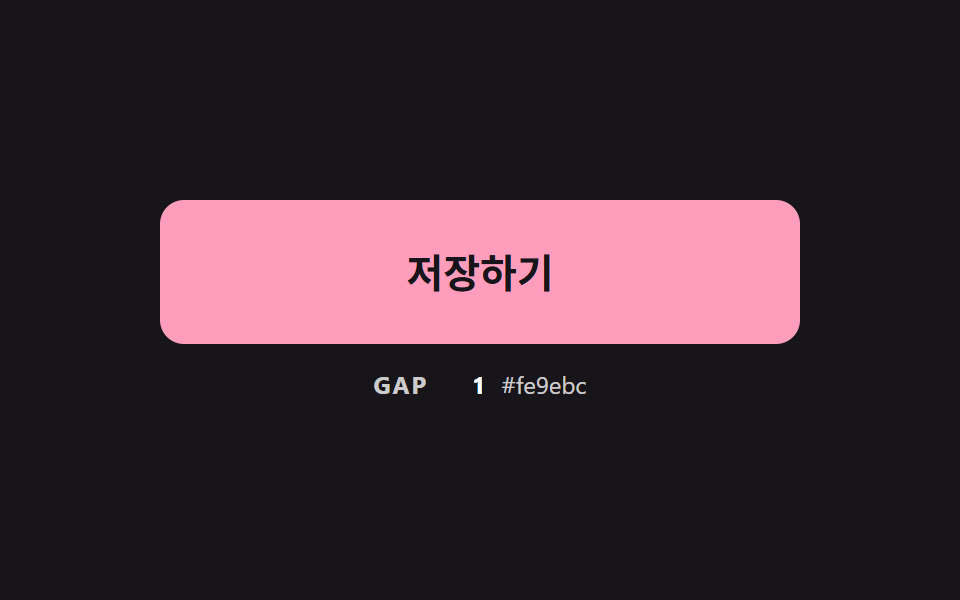 CSS Button Color Transition: 9 Hover DemosOne line recolors a button on hover, yet it muddies the midpoint, cannot move a gradient and loses the label midway — sc See all demos in this post
If you like this effect - similar demos
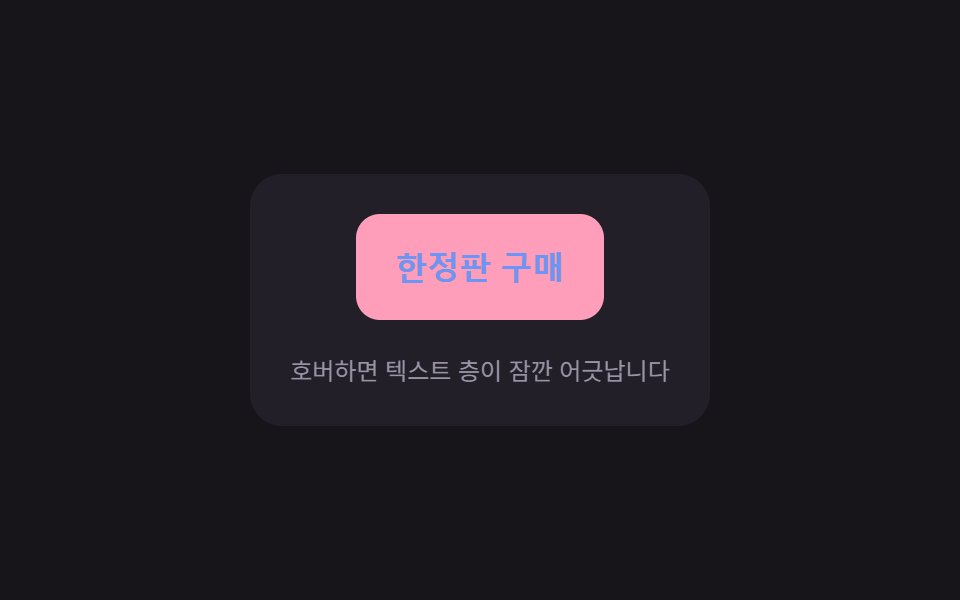 Buttons02 Split offset — a button whose stacked text layers momentarily offset in position value before realigningCTA Button Design: 9 Interaction Patterns
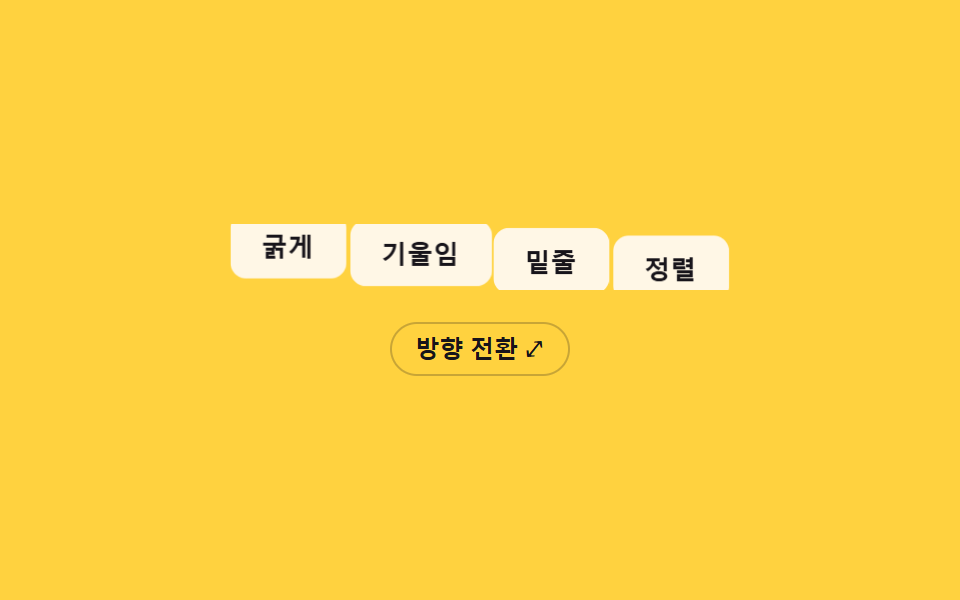 Buttons06 Horizontal-vertical orient morph — when the group's orientation value flips, each button's position value travels between measured coordinates to re-lay the rowButton Group CSS: 9 Adjoined Patterns
 Buttons01 Button Whose Glow Widens With the Distance ValueCSS Button Hover Effects — 9 Proximity Patterns