08Button Whose Label Text Cycles Through Steps While Loading
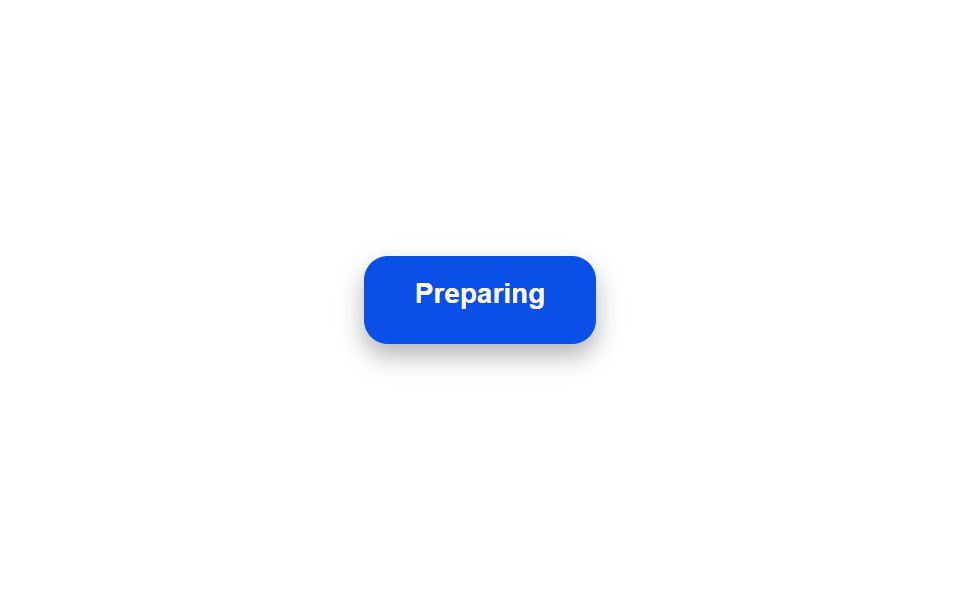
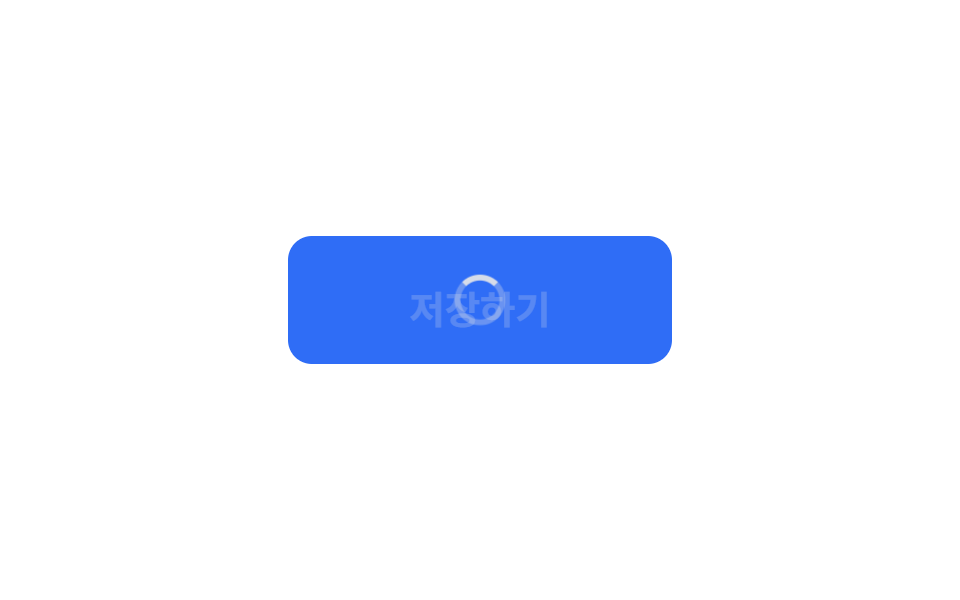
After the button is pressed, its label starts at one phrase and slides up to the next at set intervals, moving through several step captions in turn — spelling out which stage things are at instead of leaving that to a single spinner.
Best forNarrating progress through a long submission that passes through several stages
measureOffsetsoffsetTopslideTo
<main class="stage">
<div class="scene is-demo" id="scene">
  <button class="btn" id="btn" type="button">
    <span class="btnContent">
      <span class="btnLabel" id="label">Submit</span>
      <span class="btnSteps" id="steps" aria-hidden="true">
        <span class="btnStepsTrack" id="track">
          <span class="btnStep" id="step0">Preparing</span>
          <span class="btnStep" id="step1">Uploading</span>
          <span class="btnStep" id="step2">Verifying</span>
          <span class="btnStep" id="step3">Done</span>
        </span>
      </span>
    </span>
  </button>
  <span class="visuallyHidden" id="status" role="status" aria-live="polite"></span>
</div>
</main>
@use "../../../../site/static/demo-tokens" as *;
// 변수 3개
$duration: $dur-quick;
$easing: $ease-out;
$color: $subject-blue-deep;
// 계산 겹: index.html 의 measureOffsets() 가 각 단계 문구의 offsetTop 을 실측해 슬라이드
// 목표값으로 쓴다 — 줄 높이를 짐작한 고정 px 가 아니다.
@include stage($stage-paper);
.scene {
display: grid;
place-items: center;
}
.btn {
position: relative;
display: inline-flex;
align-items: center;
justify-content: center;
height: 44px;
padding: 0 $sp-5;
border: none;
border-radius: $r-control;
background: $color;
color: $subject-cream;
font-weight: 600;
font-size: 14px;
line-height: 1;
box-shadow: $shadow-press;
cursor: pointer;
&:focus-visible { outline: 2px solid $subject-blue-deep; outline-offset: 3px; }
&:disabled { cursor: default; }
}
.btnContent {
position: relative;
display: inline-block;
min-width: 76px;
height: 18px;
overflow: hidden;
}
.btnLabel {
position: absolute;
inset: 0;
display: flex;
align-items: center;
justify-content: center;
white-space: nowrap;
}
.btnSteps {
position: absolute;
inset: 0;
opacity: 0;
overflow: hidden;
}
.btnStepsTrack {
display: flex;
flex-direction: column;
}
.btnStep {
height: 18px;
display: flex;
align-items: center;
justify-content: center;
white-space: nowrap;
}
.visuallyHidden {
position: absolute;
width: 1px;
height: 1px;
overflow: hidden;
clip: rect(0 0 0 0);
white-space: nowrap;
}
@media (max-width: 340px) {
.btn { height: 40px; padding: 0 $sp-4; font-size: 13px; }
.btnContent { min-width: 66px; }
}
@media (prefers-reduced-motion: reduce) {
// 실사용 경로 적용 — index.html 의 runReduced() 가 슬라이드 트윈 없이 단계마다 즉시 이동한다.
// scss 만: 남은 트랜지션을 전부 끈다.
* { transition: none !important; }
}html, body {
margin: 0;
overflow: hidden;
}
.stage {
box-sizing: border-box;
min-height: 100vh;
display: grid;
place-items: center;
margin: 0;
background: #ffffff;
font-family: -apple-system, "Segoe UI", "Noto Sans KR", sans-serif;
padding: clamp(8px, 4vw, 24px);
}
.scene {
display: grid;
place-items: center;
}
.btn {
position: relative;
display: inline-flex;
align-items: center;
justify-content: center;
height: 44px;
padding: 0 20px;
border: none;
border-radius: 12px;
background: #0a4fe8;
color: #fff7e6;
font-weight: 600;
font-size: 14px;
line-height: 1;
box-shadow: 0 6px 12px rgba(23, 20, 26, 0.32);
cursor: pointer;
}
.btn:focus-visible {
outline: 2px solid #0a4fe8;
outline-offset: 3px;
}
.btn:disabled {
cursor: default;
}
.btnContent {
position: relative;
display: inline-block;
min-width: 76px;
height: 18px;
overflow: hidden;
}
.btnLabel {
position: absolute;
inset: 0;
display: flex;
align-items: center;
justify-content: center;
white-space: nowrap;
}
.btnSteps {
position: absolute;
inset: 0;
opacity: 0;
overflow: hidden;
}
.btnStepsTrack {
display: flex;
flex-direction: column;
}
.btnStep {
height: 18px;
display: flex;
align-items: center;
justify-content: center;
white-space: nowrap;
}
.visuallyHidden {
position: absolute;
width: 1px;
height: 1px;
overflow: hidden;
clip: rect(0 0 0 0);
white-space: nowrap;
}
@media (max-width: 340px) {
.btn {
height: 40px;
padding: 0 16px;
font-size: 13px;
}
.btnContent {
min-width: 66px;
}
}
@media (prefers-reduced-motion: reduce) {
* {
transition: none !important;
}
}(function () {
var STEP_INTERVAL_MS = 450;
var STEP_ANIM_MS = 220;
var FADE_MS = 160;
var DONE_HOLD_MS = 400;
var GAP_MS = 460;
var START_DELAY_MS = 200;
var STEP_LABELS = ['Preparing', 'Uploading', 'Verifying', 'Done'];
var STEP_STATUS = ['Preparing', 'Uploading', 'Verifying', 'Done'];
var scene = document.getElementById('scene');
var btn = document.getElementById('btn');
var label = document.getElementById('label');
var steps = document.getElementById('steps');
var track = document.getElementById('track');
var status = document.getElementById('status');
var reduce = window.matchMedia('(prefers-reduced-motion: reduce)').matches;
var stepEls = [document.getElementById('step0'), document.getElementById('step1'), document.getElementById('step2'), document.getElementById('step3')];
var gen = 0;
var timers = [];
function human() {
if (scene.classList.contains('is-demo')) {
scene.classList.remove('is-demo');
timers.forEach(function (t) { clearTimeout(t); });
timers = [];
}
}
function easeInOutQuad(p) { return p < .5 ? 2 * p * p : 1 - Math.pow(-2 * p + 2, 2) / 2; }
// 계산 겹: 각 단계 문구의 오프셋을 짐작하지 않고 offsetTop 으로 실측한다 — 트랙 안에서
// 앞선 문구들이 쌓인 실제 높이만큼만 밀어 올리므로 줄 높이가 달라져도 어긋나지 않는다.
function measureOffsets() {
return stepEls.map(function (el) { return el.offsetTop; });
}
function fade(el, from, to, ms, myGen, onDone) {
var start = null;
function step(now) {
if (myGen !== gen) return;
if (start === null) start = now;
var p = Math.min(1, (now - start) / ms);
el.style.opacity = String(from + (to - from) * easeInOutQuad(p));
if (p < 1) requestAnimationFrame(step); else if (onDone) onDone();
}
requestAnimationFrame(step);
}
function slideTo(myGen, fromY, toY, ms, onDone) {
var start = null;
function step(now) {
if (myGen !== gen) return;
if (start === null) start = now;
var p = easeInOutQuad(Math.min(1, (now - start) / ms));
var y = fromY + (toY - fromY) * p;
track.style.transform = 'translateY(' + (-y).toFixed(2) + 'px)';
if (p < 1) requestAnimationFrame(step); else onDone();
}
requestAnimationFrame(step);
}
function runAnimated() {
gen++;
var myGen = gen;
var offsets = measureOffsets();
btn.disabled = true;
btn.setAttribute('aria-busy', 'true');
status.textContent = STEP_STATUS[0];
track.style.transform = 'translateY(0px)';
fade(label, 1, 0, FADE_MS, myGen);
fade(steps, 0, 1, FADE_MS, myGen);
function advance(i) {
if (i >= offsets.length) {
timers.push(setTimeout(function () {
fade(steps, 1, 0, FADE_MS, myGen);
fade(label, 0, 1, FADE_MS, myGen, function () {
btn.disabled = false;
btn.removeAttribute('aria-busy');
label.textContent = 'Submit';
status.textContent = '';
});
}, DONE_HOLD_MS));
return;
}
status.textContent = STEP_STATUS[i];
timers.push(setTimeout(function () {
if (i + 1 < offsets.length) {
slideTo(myGen, offsets[i], offsets[i + 1], STEP_ANIM_MS, function () { advance(i + 1); });
} else {
advance(i + 1);
}
}, STEP_INTERVAL_MS));
}
advance(0);
}
function runReduced() {
gen++;
var myGen = gen;
var offsets = measureOffsets();
btn.disabled = true;
btn.setAttribute('aria-busy', 'true');
label.style.opacity = '0';
steps.style.opacity = '1';
var i = 0;
function tick() {
if (myGen !== gen) return;
status.textContent = STEP_STATUS[i];
track.style.transform = 'translateY(' + (-offsets[i]).toFixed(2) + 'px)';
if (i < offsets.length - 1) {
i++;
timers.push(setTimeout(tick, STEP_INTERVAL_MS));
} else {
timers.push(setTimeout(function () {
steps.style.opacity = '0';
label.style.opacity = '1';
label.textContent = 'Submit';
btn.disabled = false;
btn.removeAttribute('aria-busy');
status.textContent = '';
}, DONE_HOLD_MS));
}
}
tick();
}
btn.addEventListener('click', function () {
if (btn.disabled) return;
human();
if (reduce) runReduced(); else runAnimated();
});
// reduce: 실사용 경로 적용 — runReduced() 는 슬라이드 트윈 없이 단계마다 즉시 위치를 바꾼다.
// 아래 자동 루프는 시연 게이트만 — reduce 에서는 돌지 않는다.
function cycle() {
if (!scene.classList.contains('is-demo')) return;
runAnimated();
var total = STEP_INTERVAL_MS * STEP_LABELS.length + STEP_ANIM_MS * (STEP_LABELS.length - 1) + DONE_HOLD_MS + FADE_MS;
timers.push(setTimeout(function () {
timers.push(setTimeout(cycle, GAP_MS));
}, total));
}
if (!reduce) {
timers.push(setTimeout(cycle, START_DELAY_MS));
}
})();import { useEffect, useRef } from 'react';
import styles from './ButtonLoadingMultiStepSequence.module.scss';
const STEP_INTERVAL_MS = 450;
const STEP_ANIM_MS = 220;
const FADE_MS = 160;
const DONE_HOLD_MS = 400;
const GAP_MS = 460;
const START_DELAY_MS = 200;
const STEP_LABELS = ['Preparing', 'Uploading', 'Verifying', 'Done'];
const STEP_STATUS = ['준비하는 중', '올리는 중', '확인하는 중', '완료'];
export default function ButtonLoadingMultiStepSequence() {
const sceneRef = useRef<HTMLDivElement>(null);
const btnRef = useRef<HTMLButtonElement>(null);
const labelRef = useRef<HTMLSpanElement>(null);
const stepsRef = useRef<HTMLSpanElement>(null);
const trackRef = useRef<HTMLSpanElement>(null);
const step0Ref = useRef<HTMLSpanElement>(null);
const step1Ref = useRef<HTMLSpanElement>(null);
const step2Ref = useRef<HTMLSpanElement>(null);
const step3Ref = useRef<HTMLSpanElement>(null);
const statusRef = useRef<HTMLSpanElement>(null);
useEffect(() => {
const scene = sceneRef.current;
const btn = btnRef.current;
const label = labelRef.current;
const steps = stepsRef.current;
const track = trackRef.current;
const step0 = step0Ref.current;
const step1 = step1Ref.current;
const step2 = step2Ref.current;
const step3 = step3Ref.current;
const status = statusRef.current;
if (!scene || !btn || !label || !steps || !track || !step0 || !step1 || !step2 || !step3 || !status) return undefined;
const stepEls = [step0, step1, step2, step3];
const reduce = window.matchMedia('(prefers-reduced-motion: reduce)').matches;
let gen = 0;
let timers: number[] = [];
function human() {
if (scene!.classList.contains(styles['is-demo'])) {
scene!.classList.remove(styles['is-demo']);
timers.forEach((t) => window.clearTimeout(t));
timers = [];
}
}
function easeInOutQuad(p: number) { return p < .5 ? 2 * p * p : 1 - Math.pow(-2 * p + 2, 2) / 2; }
// 계산 겹: 각 단계 문구의 오프셋을 짐작하지 않고 offsetTop 으로 실측한다 — 트랙 안에서
// 앞선 문구들이 쌓인 실제 높이만큼만 밀어 올리므로 줄 높이가 달라져도 어긋나지 않는다.
function measureOffsets() {
return stepEls.map((el) => el.offsetTop);
}
function fade(el: HTMLElement, from: number, to: number, ms: number, myGen: number, onDone?: () => void) {
let start: number | null = null;
function step(now: number) {
if (myGen !== gen) return;
if (start === null) start = now;
const p = Math.min(1, (now - start) / ms);
el.style.opacity = String(from + (to - from) * easeInOutQuad(p));
if (p < 1) requestAnimationFrame(step); else if (onDone) onDone();
}
requestAnimationFrame(step);
}
function slideTo(myGen: number, fromY: number, toY: number, ms: number, onDone: () => void) {
let start: number | null = null;
function step(now: number) {
if (myGen !== gen) return;
if (start === null) start = now;
const p = easeInOutQuad(Math.min(1, (now - start) / ms));
const y = fromY + (toY - fromY) * p;
track!.style.transform = 'translateY(' + (-y).toFixed(2) + 'px)';
if (p < 1) requestAnimationFrame(step); else onDone();
}
requestAnimationFrame(step);
}
function runAnimated() {
gen++;
const myGen = gen;
const offsets = measureOffsets();
btn!.disabled = true;
btn!.setAttribute('aria-busy', 'true');
status!.textContent = STEP_STATUS[0];
track!.style.transform = 'translateY(0px)';
fade(label!, 1, 0, FADE_MS, myGen);
fade(steps!, 0, 1, FADE_MS, myGen);
function advance(i: number) {
if (i >= offsets.length) {
timers.push(window.setTimeout(() => {
fade(steps!, 1, 0, FADE_MS, myGen);
fade(label!, 0, 1, FADE_MS, myGen, () => {
btn!.disabled = false;
btn!.removeAttribute('aria-busy');
label!.textContent = 'Submit';
status!.textContent = '';
});
}, DONE_HOLD_MS));
return;
}
status!.textContent = STEP_STATUS[i];
timers.push(window.setTimeout(() => {
if (i + 1 < offsets.length) {
slideTo(myGen, offsets[i], offsets[i + 1], STEP_ANIM_MS, () => { advance(i + 1); });
} else {
advance(i + 1);
}
}, STEP_INTERVAL_MS));
}
advance(0);
}
function runReduced() {
gen++;
const myGen = gen;
const offsets = measureOffsets();
btn!.disabled = true;
btn!.setAttribute('aria-busy', 'true');
label!.style.opacity = '0';
steps!.style.opacity = '1';
let i = 0;
function tick() {
if (myGen !== gen) return;
status!.textContent = STEP_STATUS[i];
track!.style.transform = 'translateY(' + (-offsets[i]).toFixed(2) + 'px)';
if (i < offsets.length - 1) {
i++;
timers.push(window.setTimeout(tick, STEP_INTERVAL_MS));
} else {
timers.push(window.setTimeout(() => {
steps!.style.opacity = '0';
label!.style.opacity = '1';
label!.textContent = 'Submit';
btn!.disabled = false;
btn!.removeAttribute('aria-busy');
status!.textContent = '';
}, DONE_HOLD_MS));
}
}
tick();
}
function onClick() {
if (btn!.disabled) return;
human();
if (reduce) runReduced(); else runAnimated();
}
btn.addEventListener('click', onClick);
// reduce: 실사용 경로 적용 — runReduced() 는 슬라이드 트윈 없이 단계마다 즉시 위치를 바꾼다.
// 아래 자동 루프는 시연 게이트만 — reduce 에서는 돌지 않는다.
function cycle() {
if (!scene!.classList.contains(styles['is-demo'])) return;
runAnimated();
const total = STEP_INTERVAL_MS * STEP_LABELS.length + STEP_ANIM_MS * (STEP_LABELS.length - 1) + DONE_HOLD_MS + FADE_MS;
timers.push(window.setTimeout(() => {
timers.push(window.setTimeout(cycle, GAP_MS));
}, total));
}
if (!reduce) {
timers.push(window.setTimeout(cycle, START_DELAY_MS));
}
return () => {
btn.removeEventListener('click', onClick);
timers.forEach((t) => window.clearTimeout(t));
};
}, []);
return (
<main className={styles.stage}>
<div className={styles.scene + ' ' + styles['is-demo']} ref={sceneRef}>
<button className={styles.btn} ref={btnRef} type="button">
<span className={styles.btnContent}>
<span className={styles.btnLabel} ref={labelRef}>Submit</span>
<span className={styles.btnSteps} ref={stepsRef} aria-hidden="true">
<span className={styles.btnStepsTrack} ref={trackRef}>
<span className={styles.btnStep} ref={step0Ref}>Preparing</span>
<span className={styles.btnStep} ref={step1Ref}>Uploading</span>
<span className={styles.btnStep} ref={step2Ref}>Verifying</span>
<span className={styles.btnStep} ref={step3Ref}>Done</span>
</span>
</span>
</span>
</button>
<span className={styles.visuallyHidden} ref={statusRef} role="status" aria-live="polite" />
</div>
</main>
);
}08 Button Whose Label Text Cycles Through Steps While Loading — Measured area 0.785% · moving frames 10/23Original by GODRICH · SCSS and React ship in the zip · Loading Button UI — 9 States, Spinner to Success
The post this demo lives in
 Loading Button UI — 9 States, Spinner to SuccessAmong nine loading button patterns, one turns its spinner into a checkmark, one swaps the label for three pulsing dots, See all demos in this post
If you like this effect - similar demos
 Loaders06 Multi-Series Loading Whose Each Line Settles With a Damped CascadeChart Loading Animation — 9 Computed Patterns
 Loaders02 QR Code Whose Corner Frame Blinks While Waiting to Be ReadQR Code Loading Animation — 9 CSS Expiry Patterns
 Loaders08 Inline button loading state9 CSS Loading Spinners: Copy-Paste, Single Element