03Tilting Button Whose Distance Value Becomes an Angle Value
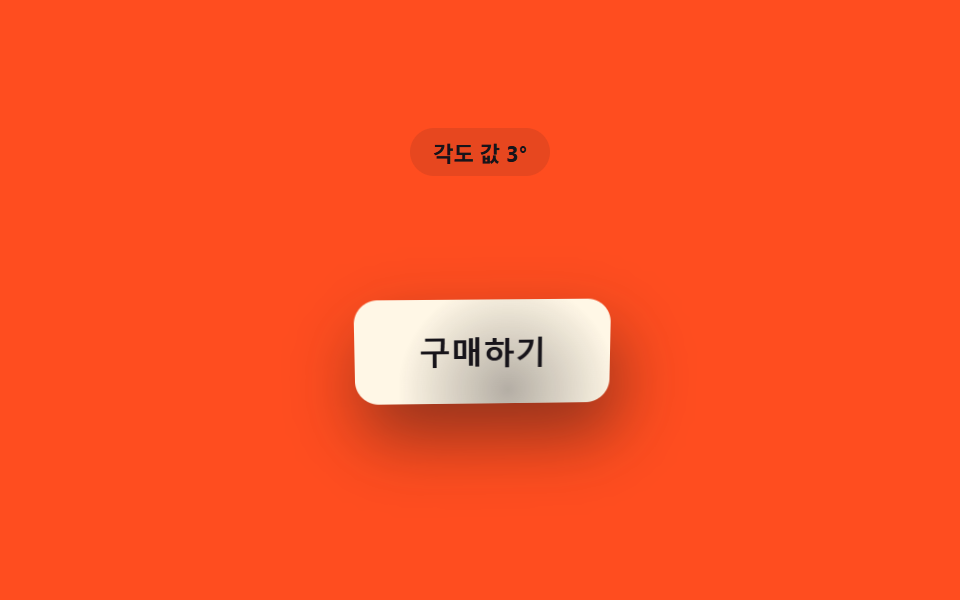
The distance and direction between the cursor and the button center is converted into an angle value, so the button tilts toward the cursor before it is even touched.
Best forProduct card button pre-reaction
vectorToButtonTA_MAX_DEGPROX_RADIUS_PX
<main class="stage">
<div class="ta is-demo" id="ta">
  <p class="ta__badge" id="taBadge">Angle value 0°</p>
  <div class="ta__scene" id="taScene">
    <button class="ta__btn" id="taBtn" type="button">
      <span class="ta__label">Buy now</span>
    </button>
  </div>
</div>
</main>
@use "../../../../site/static/demo-tokens" as *;
// 핵심: 커서–버튼 중심 방향 벡터를 단위 벡터로 정규화하고 atan2 로 각도를 구한 뒤,
// 거리 값(가까울수록 1)을 그 각도의 크기로 곱한다 — 닿기 전부터 커서 쪽으로 미리 기운다.
$duration: $dur-loop;
$easing: linear;
$color: $subject-cream;
@include stage($stage-orange);
.ta {
display: grid;
gap: $sp-4;
justify-items: center;
}
.ta__badge {
margin: 0;
padding: $sp-1 $sp-3;
border-radius: $r-pill;
background: rgba(23, 20, 26, .1);
color: $subject-ink;
font-weight: 700;
font-size: 11px;
font-variant-numeric: tabular-nums;
}
.ta__scene {
perspective: 600px;
padding: $sp-10;
}
.ta__btn {
position: relative;
border: 0;
cursor: pointer;
padding: $sp-4 $sp-8;
border-radius: $r-control;
background: $color;
color: $subject-ink;
font-size: 16px;
font-weight: 700;
transform-style: preserve-3d;
box-shadow: $shadow-raised;
will-change: transform, box-shadow;
--hl-x: 50%;
--hl-y: 50%;
--hl-o: 0;
}
.ta__btn::before {
content: '';
position: absolute;
inset: 0;
border-radius: inherit;
background: radial-gradient(circle at var(--hl-x) var(--hl-y), rgba(23, 20, 26, .55), transparent 62%);
opacity: var(--hl-o);
pointer-events: none;
}
.ta__btn:focus-visible {
outline: 2px solid $subject-ink;
outline-offset: 3px;
}
@media (max-width: 340px) {
.ta__scene { padding: $sp-6; }
.ta__btn { padding: $sp-3 $sp-6; font-size: 14px; }
}
@media (prefers-reduced-motion: reduce) {
.ta__btn { transition: none; }
}html, body {
margin: 0;
overflow: hidden;
}
.stage {
box-sizing: border-box;
min-height: 100vh;
display: grid;
place-items: center;
margin: 0;
background: #ff4d1f;
font-family: -apple-system, "Segoe UI", "Noto Sans KR", sans-serif;
padding: clamp(8px, 4vw, 24px);
}
.ta {
display: grid;
gap: 16px;
justify-items: center;
}
.ta__badge {
margin: 0;
padding: 4px 12px;
border-radius: 999px;
background: rgba(23, 20, 26, 0.1);
color: #17141a;
font-weight: 700;
font-size: 11px;
font-variant-numeric: tabular-nums;
}
.ta__scene {
perspective: 600px;
padding: 40px;
}
.ta__btn {
position: relative;
border: 0;
cursor: pointer;
padding: 16px 32px;
border-radius: 12px;
background: #fff7e6;
color: #17141a;
font-size: 16px;
font-weight: 700;
transform-style: preserve-3d;
box-shadow: 0 14px 24px rgba(23, 20, 26, 0.32);
will-change: transform, box-shadow;
--hl-x: 50%;
--hl-y: 50%;
--hl-o: 0;
}
.ta__btn::before {
content: "";
position: absolute;
inset: 0;
border-radius: inherit;
background: radial-gradient(circle at var(--hl-x) var(--hl-y), rgba(23, 20, 26, 0.55), transparent 62%);
opacity: var(--hl-o);
pointer-events: none;
}
.ta__btn:focus-visible {
outline: 2px solid #17141a;
outline-offset: 3px;
}
@media (max-width: 340px) {
.ta__scene {
padding: 24px;
}
.ta__btn {
padding: 12px 24px;
font-size: 14px;
}
}
@media (prefers-reduced-motion: reduce) {
.ta__btn {
transition: none;
}
}(function () {
var PROX_RADIUS_PX = 190;
var TA_MAX_DEG = 12;
var LERP = 0.16;
var root = document.getElementById('ta');
var scene = document.getElementById('taScene');
var btn = document.getElementById('taBtn');
var badge = document.getElementById('taBadge');
var reduce = window.matchMedia('(prefers-reduced-motion: reduce)').matches;
function clamp(v, lo, hi) { return Math.max(lo, Math.min(hi, v)); }
var targetDx = 0, targetDy = 0;
var curDx = 0, curDy = 0;
var hasPointer = false;
function vectorToButton(x, y) {
var r = btn.getBoundingClientRect();
var cx = r.left + r.width / 2;
var cy = r.top + r.height / 2;
return [x - cx, y - cy];
}
function render(dx, dy) {
// 방향 벡터 → 각도(atan2) 변환 — Distance value(가까울수록 1)을 각도 크기로 쓴다.
var d = Math.hypot(dx, dy);
var p = clamp(1 - d / PROX_RADIUS_PX, 0, 1);
var ux = d > 0.001 ? dx / d : 0;
var uy = d > 0.001 ? dy / d : 0;
var rotY = ux * p * TA_MAX_DEG;
var rotX = -uy * p * TA_MAX_DEG;
var lean = p * 6;
btn.style.transform = 'translate(' + (ux * lean).toFixed(2) + 'px,' + (uy * lean).toFixed(2) + 'px) rotateX(' + rotX.toFixed(2) + 'deg) rotateY(' + rotY.toFixed(2) + 'deg)';
// 계산 레이어: 같은 기울기 각도(ux·uy·p) 를 테두리 하이라이트 위치·깊이 그림자에도 전파한다.
var shadowX = ux * p * 16;
var shadowY = 6 + uy * p * 12;
var shadowBlur = 14 + p * 22;
btn.style.boxShadow = shadowX.toFixed(1) + 'px ' + shadowY.toFixed(1) + 'px ' + shadowBlur.toFixed(1) + 'px rgba(23,20,26,' + (0.2 + p * 0.3).toFixed(2) + ')';
btn.style.setProperty('--hl-x', (50 + ux * 38).toFixed(1) + '%');
btn.style.setProperty('--hl-y', (50 + uy * 38).toFixed(1) + '%');
btn.style.setProperty('--hl-o', (0.12 + p * 0.5).toFixed(2));
var angleDeg = Math.atan2(dy, dx) * 180 / Math.PI;
badge.textContent = 'Angle value ' + Math.round(rotY) + '°';
void angleDeg;
}
function syntheticOffset(t) {
var ang = t * 1.9;
var rad = 130 * (1 + Math.cos(t * Math.PI));
return [Math.cos(ang) * rad, Math.sin(ang) * rad * 0.7];
}
var startTime = null;
function loop(now) {
if (startTime === null) { startTime = now; }
var t = (now - startTime) / 1000;
if (!hasPointer && !reduce) {
var off = syntheticOffset(t);
targetDx = off[0]; targetDy = off[1];
}
curDx += (targetDx - curDx) * LERP;
curDy += (targetDy - curDy) * LERP;
render(curDx, curDy);
requestAnimationFrame(loop);
}
scene.addEventListener('pointermove', function (e) {
hasPointer = true;
root.classList.remove('is-demo');
var v = vectorToButton(e.clientX, e.clientY);
targetDx = v[0]; targetDy = v[1];
if (reduce) { curDx = v[0]; curDy = v[1]; render(curDx, curDy); }
});
scene.addEventListener('pointerleave', function () {
hasPointer = false;
targetDx = PROX_RADIUS_PX * 2; targetDy = 0;
if (reduce) { curDx = targetDx; curDy = 0; render(curDx, 0); }
});
btn.addEventListener('focus', function () {
hasPointer = true;
targetDx = 0; targetDy = 0;
if (reduce) { curDx = 0; curDy = 0; render(0, 0); }
});
btn.addEventListener('blur', function () {
hasPointer = false;
targetDx = PROX_RADIUS_PX * 2; targetDy = 0;
if (reduce) { curDx = targetDx; curDy = 0; render(curDx, 0); }
});
if (reduce) {
curDx = PROX_RADIUS_PX * 2; curDy = 0;
render(curDx, curDy);
} else {
requestAnimationFrame(loop);
}
})();// ProximityTiltButton — vanilla 판(run/408/demo/03-btn-proximity-tilt-angle-follow/index.html) 의 React 포트.
// 커서–버튼 중심 방향 벡터를 단위 벡터로 정규화하고, 거리 값(가까울수록 1)을 그 방향의 각도 크기로
// 곱한다 — atan2 로 각도를 구하는 계산 한 겹이 단순 좌표 매핑과 다르다.
import { useEffect, useRef, useState } from "react";
import type { PointerEvent as ReactPointerEvent } from "react";
import styles from "./ProximityTiltButton.module.scss";
type Box<T> = { current: T };
const PROX_RADIUS_PX = 190;
const TA_MAX_DEG = 12;
const LERP = 0.16;
function clamp(v: number, lo: number, hi: number): number {
return Math.max(lo, Math.min(hi, v));
}
function syntheticOffset(t: number): [number, number] {
const ang = t * 1.9;
const rad = 130 * (1 + Math.cos(t * Math.PI));
return [Math.cos(ang) * rad, Math.sin(ang) * rad * 0.7];
}
export default function ProximityTiltButton() {
const sceneRef = useRef<HTMLDivElement | null>(null);
const btnRef = useRef<HTMLButtonElement | null>(null);
const badgeRef = useRef<HTMLParagraphElement | null>(null);
const targetDxRef = useRef<number>(0) as Box<number>;
const targetDyRef = useRef<number>(0) as Box<number>;
const curDxRef = useRef<number>(0) as Box<number>;
const curDyRef = useRef<number>(0) as Box<number>;
const hasPointerRef = useRef<boolean>(false) as Box<boolean>;
const frameRef = useRef<number>(0) as Box<number>;
const t0Ref = useRef<number>(0) as Box<number>;
const [demo, setDemo] = useState(true);
const [reduce, setReduce] = useState(false);
function render(dx: number, dy: number): void {
const btn = btnRef.current;
const badge = badgeRef.current;
if (!btn || !badge) return;
const d = Math.hypot(dx, dy);
const p = clamp(1 - d / PROX_RADIUS_PX, 0, 1);
const ux = d > 0.001 ? dx / d : 0;
const uy = d > 0.001 ? dy / d : 0;
const rotY = ux * p * TA_MAX_DEG;
const rotX = -uy * p * TA_MAX_DEG;
const lean = p * 6;
btn.style.transform = "translate(" + (ux * lean).toFixed(2) + "px," + (uy * lean).toFixed(2) + "px) rotateX(" + rotX.toFixed(2) + "deg) rotateY(" + rotY.toFixed(2) + "deg)";
// 계산 레이어: 같은 기울기 각도(ux·uy·p) 를 테두리 하이라이트 위치·깊이 그림자에도 전파한다.
const shadowX = ux * p * 16;
const shadowY = 6 + uy * p * 12;
const shadowBlur = 14 + p * 22;
btn.style.boxShadow = shadowX.toFixed(1) + "px " + shadowY.toFixed(1) + "px " + shadowBlur.toFixed(1) + "px rgba(23,20,26," + (0.2 + p * 0.3).toFixed(2) + ")";
btn.style.setProperty("--hl-x", (50 + ux * 38).toFixed(1) + "%");
btn.style.setProperty("--hl-y", (50 + uy * 38).toFixed(1) + "%");
btn.style.setProperty("--hl-o", (0.12 + p * 0.5).toFixed(2));
badge.textContent = "각도 값 " + Math.round(rotY) + "°";
}
function vectorToButton(x: number, y: number): [number, number] {
const btn = btnRef.current;
if (!btn) return [PROX_RADIUS_PX * 2, 0];
const r = btn.getBoundingClientRect();
const cx = r.left + r.width / 2;
const cy = r.top + r.height / 2;
return [x - cx, y - cy];
}
useEffect(() => {
setReduce(window.matchMedia("(prefers-reduced-motion: reduce)").matches);
}, []);
useEffect(() => {
if (reduce) {
curDxRef.current = PROX_RADIUS_PX * 2;
curDyRef.current = 0;
render(curDxRef.current, curDyRef.current);
return;
}
function loop(now: number): void {
if (t0Ref.current === 0) t0Ref.current = now;
const t = (now - t0Ref.current) / 1000;
if (!hasPointerRef.current) {
const off = syntheticOffset(t);
targetDxRef.current = off[0];
targetDyRef.current = off[1];
}
curDxRef.current += (targetDxRef.current - curDxRef.current) * LERP;
curDyRef.current += (targetDyRef.current - curDyRef.current) * LERP;
render(curDxRef.current, curDyRef.current);
frameRef.current = requestAnimationFrame(loop);
}
frameRef.current = requestAnimationFrame(loop);
return () => cancelAnimationFrame(frameRef.current);
}, [reduce]);
function onPointerMove(event: ReactPointerEvent<HTMLDivElement>): void {
hasPointerRef.current = true;
setDemo(false);
const v = vectorToButton(event.clientX, event.clientY);
targetDxRef.current = v[0];
targetDyRef.current = v[1];
if (reduce) { curDxRef.current = v[0]; curDyRef.current = v[1]; render(curDxRef.current, curDyRef.current); }
}
function onPointerLeave(): void {
hasPointerRef.current = false;
targetDxRef.current = PROX_RADIUS_PX * 2;
targetDyRef.current = 0;
if (reduce) { curDxRef.current = targetDxRef.current; curDyRef.current = 0; render(curDxRef.current, 0); }
}
function onFocus(): void {
hasPointerRef.current = true;
targetDxRef.current = 0;
targetDyRef.current = 0;
if (reduce) { curDxRef.current = 0; curDyRef.current = 0; render(0, 0); }
}
function onBlur(): void {
hasPointerRef.current = false;
targetDxRef.current = PROX_RADIUS_PX * 2;
targetDyRef.current = 0;
if (reduce) { curDxRef.current = targetDxRef.current; curDyRef.current = 0; render(curDxRef.current, 0); }
}
const cls = [styles.ta, demo ? styles.isDemo : ""].filter(Boolean).join(" ");
return (
<main className={styles.stage}>
<div className={cls}>
<p className={styles.badge} ref={badgeRef}>각도 값 0°</p>
<div className={styles.scene} ref={sceneRef} onPointerMove={onPointerMove} onPointerLeave={onPointerLeave}>
<button className={styles.btn} ref={btnRef} type="button" onFocus={onFocus} onBlur={onBlur}>
<span>구매하기</span>
</button>
</div>
</div>
</main>
);
}03 Tilting Button Whose Distance Value Becomes an Angle Value — Measured area 13.244% · moving frames 18/23Original by GODRICH · SCSS and React ship in the zip · CSS Button Hover Effects — 9 Proximity Patterns
The post this demo lives in
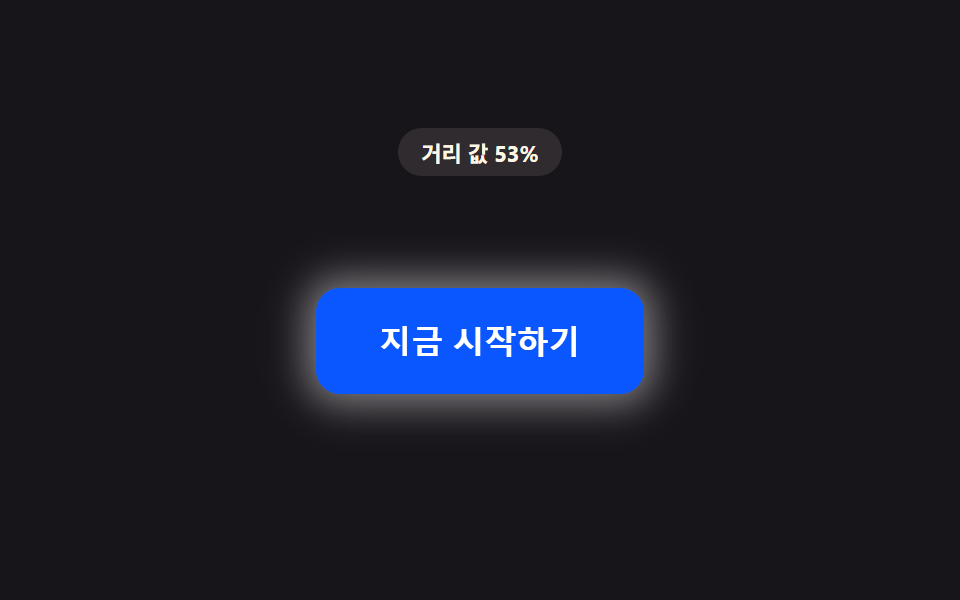 CSS Button Hover Effects — 9 Proximity PatternsThese are css button hover effects. If the cursor is still a hand-width away, the distance value stays large. As it shri See all demos in this post
If you like this effect - similar demos
 Buttons01 Long-shadow retro — a button whose trailing shadow length value extends and retracts with hover stateCTA Button Design: 9 Interaction Patterns
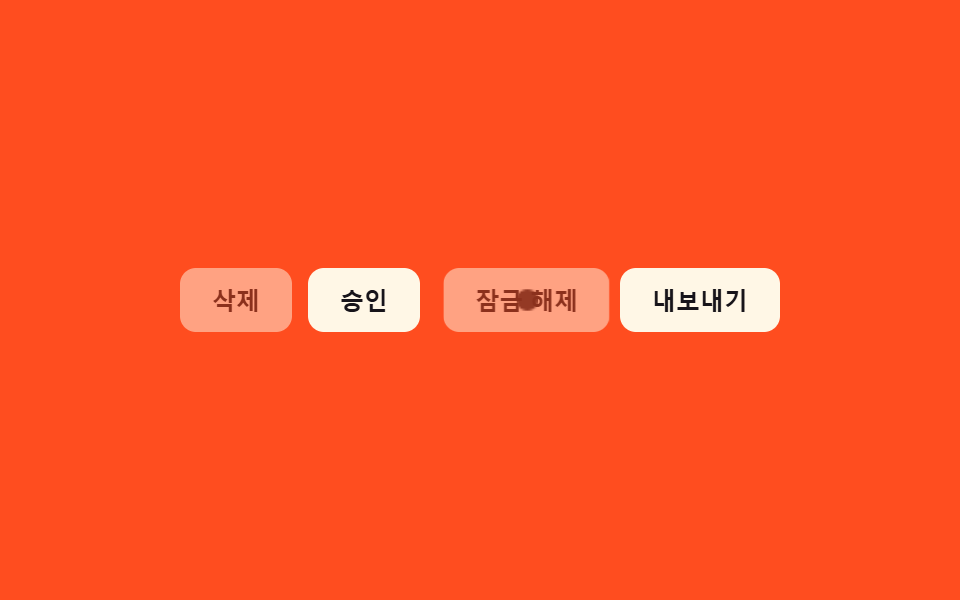 Buttons09 Disabled ripple block — pressing a button whose disabled value is on stops the ripple-spread value midway and answers with a shake value insteadButton Group CSS: 9 Adjoined Patterns
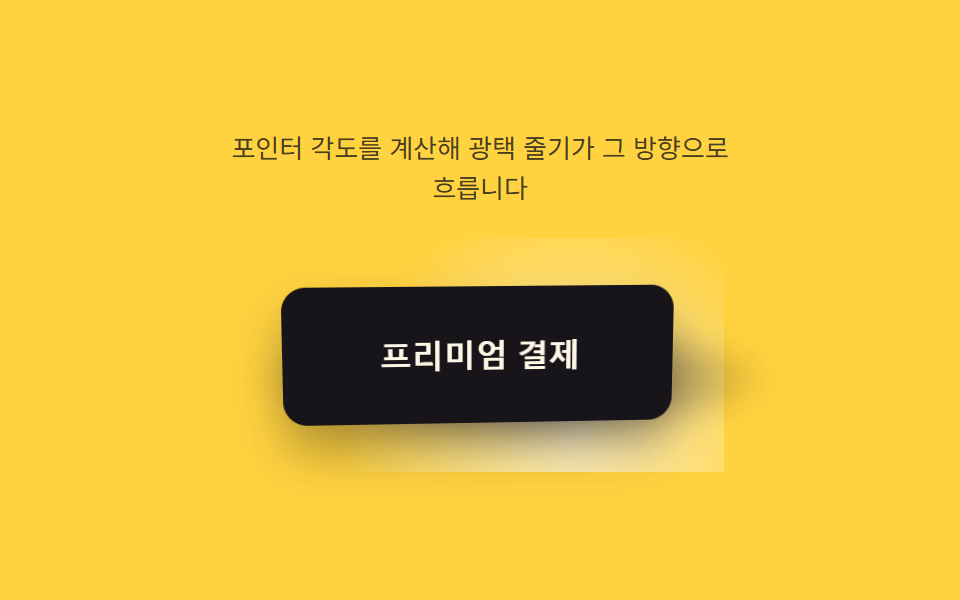 Buttons02 Button Highlight a Light-angle Value Sweeps Across9 CSS 3D Button Effects — Copy-paste Ready