05Button Whose Distance Value Becomes a Color-interpolation Point
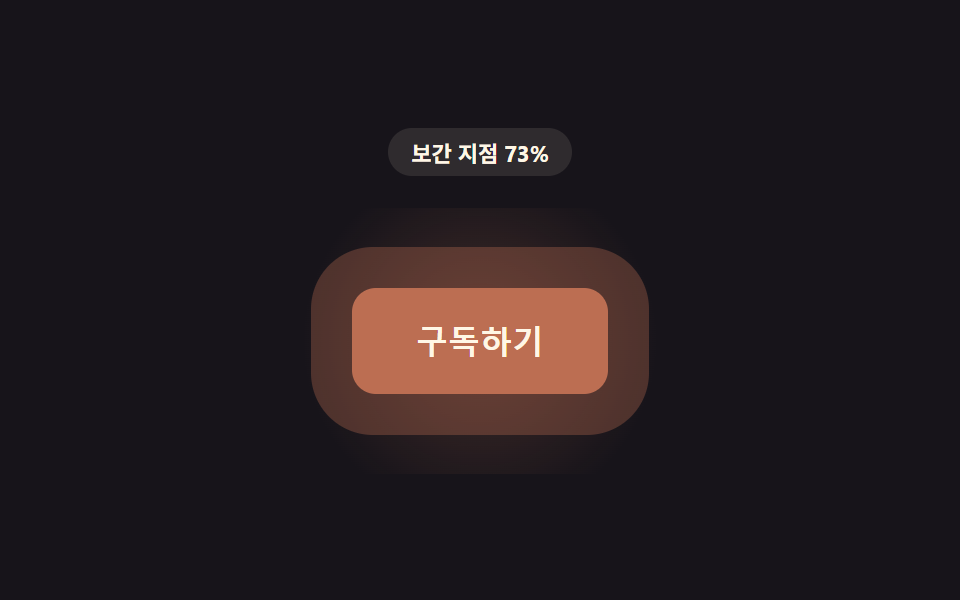
The distance value is used as the interpolation point between two color values, so the button's color shifts toward an accent color as the cursor approaches.
Best forAccent button color transition
lerpColorCOLOR_FARCOLOR_NEAR
<main class="stage">
<div class="hu is-demo" id="hu">
  <p class="hu__badge" id="huBadge">Interpolation point 0%</p>
  <div class="hu__scene" id="huScene">
    <button class="hu__btn" id="huBtn" type="button">Subscribe</button>
  </div>
</div>
</main>
@use "../../../../site/static/demo-tokens" as *;
// 핵심: 거리 값을 두 색상 값 사이의 보간 지점(0~1)으로 쓴다. 채널(R·G·B)마다
// 선형 보간해 커서가 가까워질수록 버튼 색이 강조 색 쪽으로 옮겨간다.
$duration: $dur-loop;
$easing: linear;
$color: $subject-blue-deep;
@include stage($stage-ink);
.hu {
display: grid;
gap: $sp-4;
justify-items: center;
}
.hu__badge {
margin: 0;
padding: $sp-1 $sp-3;
border-radius: $r-pill;
background: rgba(255, 247, 230, .1);
color: $subject-cream;
font-weight: 700;
font-size: 11px;
font-variant-numeric: tabular-nums;
}
.hu__scene {
padding: $sp-10;
will-change: background;
}
.hu__btn {
border: 0;
cursor: pointer;
padding: $sp-4 $sp-8;
border-radius: $r-control;
background: $color;
color: $subject-cream;
font-size: 16px;
font-weight: 700;
will-change: background, box-shadow;
}
.hu__btn:focus-visible {
outline: 2px solid $subject-cream;
outline-offset: 3px;
}
@media (max-width: 340px) {
.hu__scene { padding: $sp-6; }
.hu__btn { padding: $sp-3 $sp-6; font-size: 14px; }
}
@media (prefers-reduced-motion: reduce) {
.hu__btn { transition: none; }
}html, body {
margin: 0;
overflow: hidden;
}
.stage {
box-sizing: border-box;
min-height: 100vh;
display: grid;
place-items: center;
margin: 0;
background: #17141a;
font-family: -apple-system, "Segoe UI", "Noto Sans KR", sans-serif;
padding: clamp(8px, 4vw, 24px);
}
.hu {
display: grid;
gap: 16px;
justify-items: center;
}
.hu__badge {
margin: 0;
padding: 4px 12px;
border-radius: 999px;
background: rgba(255, 247, 230, 0.1);
color: #fff7e6;
font-weight: 700;
font-size: 11px;
font-variant-numeric: tabular-nums;
}
.hu__scene {
padding: 40px;
will-change: background;
}
.hu__btn {
border: 0;
cursor: pointer;
padding: 16px 32px;
border-radius: 12px;
background: #0a4fe8;
color: #fff7e6;
font-size: 16px;
font-weight: 700;
will-change: background, box-shadow;
}
.hu__btn:focus-visible {
outline: 2px solid #fff7e6;
outline-offset: 3px;
}
@media (max-width: 340px) {
.hu__scene {
padding: 24px;
}
.hu__btn {
padding: 12px 24px;
font-size: 14px;
}
}
@media (prefers-reduced-motion: reduce) {
.hu__btn {
transition: none;
}
}(function () {
var PROX_RADIUS_PX = 170;
var LERP = 0.17;
// 두 색상 값 — 거리 값이 이 사이를 보간하는 지점이 된다.
var COLOR_FAR = [10, 79, 232]; // $subject-blue-deep
var COLOR_NEAR = [255, 122, 26]; // 강조 색
var root = document.getElementById('hu');
var scene = document.getElementById('huScene');
var btn = document.getElementById('huBtn');
var badge = document.getElementById('huBadge');
var reduce = window.matchMedia('(prefers-reduced-motion: reduce)').matches;
function clamp(v, lo, hi) { return Math.max(lo, Math.min(hi, v)); }
var targetP = 0;
var curP = 0;
var hasPointer = false;
function distanceToButton(x, y) {
var r = btn.getBoundingClientRect();
var cx = r.left + r.width / 2;
var cy = r.top + r.height / 2;
return Math.hypot(x - cx, y - cy);
}
// 두 색상 값 보간 — 채널마다 선형 보간(계산 한 겹, 속성 트윈이 아니다)
function lerpColor(c1, c2, t) {
return [
Math.round(c1[0] + (c2[0] - c1[0]) * t),
Math.round(c1[1] + (c2[1] - c1[1]) * t),
Math.round(c1[2] + (c2[2] - c1[2]) * t)
];
}
function render(p) {
var c = lerpColor(COLOR_FAR, COLOR_NEAR, p);
btn.style.background = 'rgb(' + c[0] + ',' + c[1] + ',' + c[2] + ')';
// 계산 레이어: 같은 보간 색을 테두리(퍼지는 링)·카드 전체 배경 톤에도 전파한다.
var ringPx = (6 + p * 20).toFixed(1);
var ringA = (0.14 + p * 0.26).toFixed(2);
btn.style.boxShadow = '0 0 0 ' + ringPx + 'px rgba(' + c[0] + ',' + c[1] + ',' + c[2] + ',' + ringA + ')';
scene.style.background = 'radial-gradient(circle, rgba(' + c[0] + ',' + c[1] + ',' + c[2] + ',' + (0.1 + p * 0.22).toFixed(2) + '), transparent 72%)';
badge.textContent = 'Interpolation point ' + Math.round(p * 100) + '%';
}
function syntheticOffset(t) {
var ang = t * 1.5 + 0.3;
var rad = 110 * (1 + Math.cos(t * Math.PI));
return [Math.cos(ang) * rad, Math.sin(ang) * rad];
}
var startTime = null;
function loop(now) {
if (startTime === null) { startTime = now; }
var t = (now - startTime) / 1000;
if (!hasPointer && !reduce) {
var off = syntheticOffset(t);
var d = Math.hypot(off[0], off[1]);
targetP = clamp(1 - d / PROX_RADIUS_PX, 0, 1);
}
curP += (targetP - curP) * LERP;
render(curP);
requestAnimationFrame(loop);
}
scene.addEventListener('pointermove', function (e) {
hasPointer = true;
root.classList.remove('is-demo');
var d = distanceToButton(e.clientX, e.clientY);
targetP = clamp(1 - d / PROX_RADIUS_PX, 0, 1);
if (reduce) { curP = targetP; render(curP); }
});
scene.addEventListener('pointerleave', function () {
hasPointer = false;
targetP = 0;
if (reduce) { curP = 0; render(0); }
});
btn.addEventListener('focus', function () {
hasPointer = true;
targetP = 1;
if (reduce) { curP = 1; render(1); }
});
btn.addEventListener('blur', function () {
hasPointer = false;
targetP = 0;
if (reduce) { curP = 0; render(0); }
});
if (reduce) {
render(0);
} else {
requestAnimationFrame(loop);
}
})();// ProximityHueShiftButton — vanilla 판(run/408/demo/05-btn-proximity-hue-shift-approach/index.html) 의 React 포트.
// 거리 값을 두 색상 값 사이의 보간 지점(0~1)으로 쓴다. 채널(R·G·B)마다 선형 보간해
// 커서가 가까워질수록 버튼 색이 강조 색 쪽으로 옮겨간다 — 계산 한 겹, 속성 트윈이 아니다.
import { useEffect, useRef, useState } from "react";
import type { PointerEvent as ReactPointerEvent } from "react";
import styles from "./ProximityHueShiftButton.module.scss";
type Box<T> = { current: T };
type RGB = [number, number, number];
const PROX_RADIUS_PX = 170;
const LERP = 0.17;
const COLOR_FAR: RGB = [10, 79, 232];
const COLOR_NEAR: RGB = [255, 122, 26];
function clamp(v: number, lo: number, hi: number): number {
return Math.max(lo, Math.min(hi, v));
}
function lerpColor(c1: RGB, c2: RGB, t: number): RGB {
return [
Math.round(c1[0] + (c2[0] - c1[0]) * t),
Math.round(c1[1] + (c2[1] - c1[1]) * t),
Math.round(c1[2] + (c2[2] - c1[2]) * t),
];
}
function syntheticOffset(t: number): [number, number] {
const ang = t * 1.5 + 0.3;
const rad = 110 * (1 + Math.cos(t * Math.PI));
return [Math.cos(ang) * rad, Math.sin(ang) * rad];
}
export default function ProximityHueShiftButton() {
const sceneRef = useRef<HTMLDivElement | null>(null);
const btnRef = useRef<HTMLButtonElement | null>(null);
const badgeRef = useRef<HTMLParagraphElement | null>(null);
const targetPRef = useRef<number>(0) as Box<number>;
const curPRef = useRef<number>(0) as Box<number>;
const hasPointerRef = useRef<boolean>(false) as Box<boolean>;
const frameRef = useRef<number>(0) as Box<number>;
const t0Ref = useRef<number>(0) as Box<number>;
const [demo, setDemo] = useState(true);
const [reduce, setReduce] = useState(false);
function render(p: number): void {
const btn = btnRef.current;
const badge = badgeRef.current;
const scene = sceneRef.current;
if (!btn || !badge || !scene) return;
const c = lerpColor(COLOR_FAR, COLOR_NEAR, p);
btn.style.background = "rgb(" + c[0] + "," + c[1] + "," + c[2] + ")";
// 계산 레이어: 같은 보간 색(c)을 버튼 링·장면 배경 전체에도 전파한다.
const ringPx = (6 + p * 20).toFixed(1);
const ringA = (0.14 + p * 0.26).toFixed(2);
btn.style.boxShadow = "0 0 0 " + ringPx + "px rgba(" + c[0] + "," + c[1] + "," + c[2] + "," + ringA + ")";
scene.style.background = "radial-gradient(circle, rgba(" + c[0] + "," + c[1] + "," + c[2] + "," + (0.1 + p * 0.22).toFixed(2) + "), transparent 72%)";
badge.textContent = "보간 지점 " + Math.round(p * 100) + "%";
}
function distanceToButton(x: number, y: number): number {
const btn = btnRef.current;
if (!btn) return PROX_RADIUS_PX;
const r = btn.getBoundingClientRect();
const cx = r.left + r.width / 2;
const cy = r.top + r.height / 2;
return Math.hypot(x - cx, y - cy);
}
useEffect(() => {
setReduce(window.matchMedia("(prefers-reduced-motion: reduce)").matches);
}, []);
useEffect(() => {
if (reduce) {
render(0);
return;
}
function loop(now: number): void {
if (t0Ref.current === 0) t0Ref.current = now;
const t = (now - t0Ref.current) / 1000;
if (!hasPointerRef.current) {
const off = syntheticOffset(t);
const d = Math.hypot(off[0], off[1]);
targetPRef.current = clamp(1 - d / PROX_RADIUS_PX, 0, 1);
}
curPRef.current += (targetPRef.current - curPRef.current) * LERP;
render(curPRef.current);
frameRef.current = requestAnimationFrame(loop);
}
frameRef.current = requestAnimationFrame(loop);
return () => cancelAnimationFrame(frameRef.current);
}, [reduce]);
function onPointerMove(event: ReactPointerEvent<HTMLDivElement>): void {
hasPointerRef.current = true;
setDemo(false);
const d = distanceToButton(event.clientX, event.clientY);
targetPRef.current = clamp(1 - d / PROX_RADIUS_PX, 0, 1);
if (reduce) { curPRef.current = targetPRef.current; render(curPRef.current); }
}
function onPointerLeave(): void {
hasPointerRef.current = false;
targetPRef.current = 0;
if (reduce) { curPRef.current = 0; render(0); }
}
function onFocus(): void {
hasPointerRef.current = true;
targetPRef.current = 1;
if (reduce) { curPRef.current = 1; render(1); }
}
function onBlur(): void {
hasPointerRef.current = false;
targetPRef.current = 0;
if (reduce) { curPRef.current = 0; render(0); }
}
const cls = [styles.hu, demo ? styles.isDemo : ""].filter(Boolean).join(" ");
return (
<main className={styles.stage}>
<div className={cls}>
<p className={styles.badge} ref={badgeRef}>보간 지점 0%</p>
<div className={styles.scene} ref={sceneRef} onPointerMove={onPointerMove} onPointerLeave={onPointerLeave}>
<button className={styles.btn} ref={btnRef} type="button" onFocus={onFocus} onBlur={onBlur}>구독하기</button>
</div>
</div>
</main>
);
}05 Button Whose Distance Value Becomes a Color-interpolation Point — Measured area 14.462% · moving frames 20/23Original by GODRICH · SCSS and React ship in the zip · CSS Button Hover Effects — 9 Proximity Patterns
The post this demo lives in
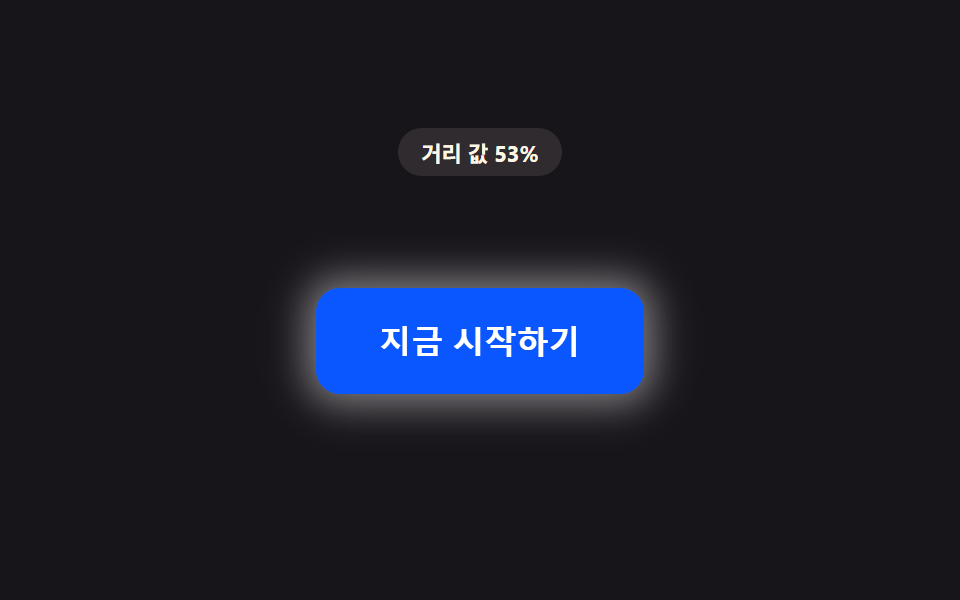 CSS Button Hover Effects — 9 Proximity PatternsThese are css button hover effects. If the cursor is still a hand-width away, the distance value stays large. As it shri See all demos in this post
If you like this effect - similar demos
 Buttons01 Long-shadow retro — a button whose trailing shadow length value extends and retracts with hover stateCTA Button Design: 9 Interaction Patterns
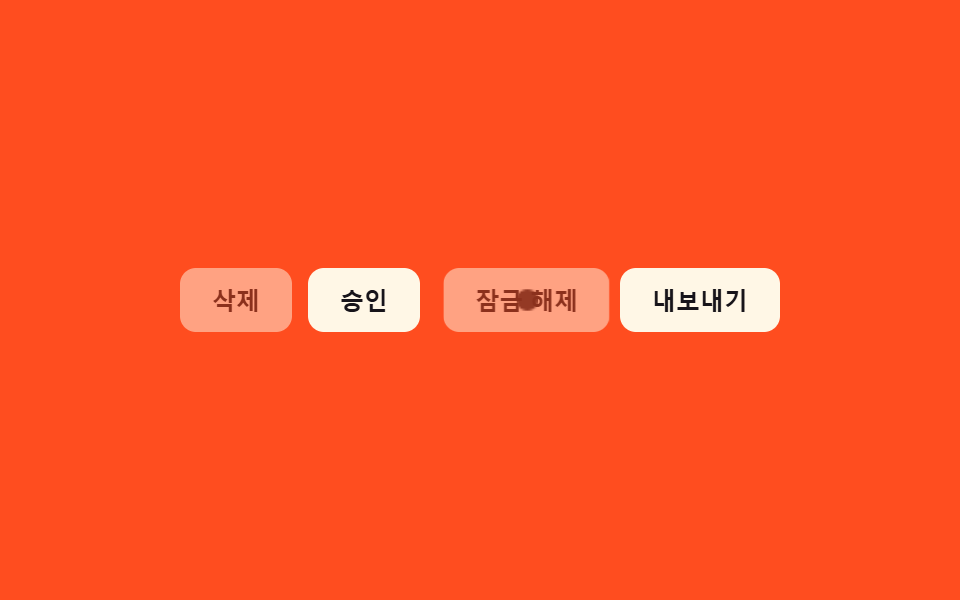 Buttons09 Disabled ripple block — pressing a button whose disabled value is on stops the ripple-spread value midway and answers with a shake value insteadButton Group CSS: 9 Adjoined Patterns
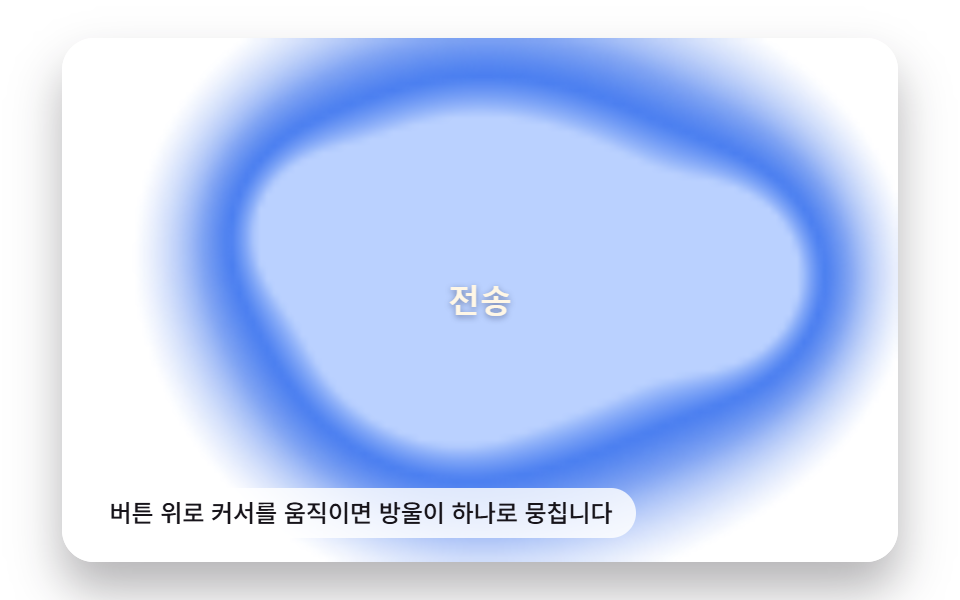 Buttons04 Liquid-metal Button That Merges and Spreads With a Pointer-distance ValueButton Click Effect CSS: 9 Canvas Pixel Patterns