01One round trip from loading to done
A press swaps the label for a spinner, the spinner cuts to a check when the work lands, and two seconds later the original label returns while the button stays locked and announced as busy the whole way.
Best forSave and submit buttons whose result arrives a second or two later
aria-busysteps(1, end)setTimeout

<main class="stage">
  <div class="ac is-demo">
    <button class="ac__btn" id="ac-btn" type="button" data-state="idle" aria-busy="false">
      <span class="ac__face" data-face="idle">
        <span class="ac__t">Save</span>
      </span>
      <span class="ac__face" data-face="busy">
        <span class="ac__ic ac__ic--spin" aria-hidden="true"><svg viewBox="0 0 256 256" width="20" height="20"><g fill="currentColor"><path d="M224 128a96 96 0 1 1-96-96a96 96 0 0 1 96 96" opacity=".2"/><path d="M136 32v32a8 8 0 0 1-16 0V32a8 8 0 0 1 16 0m88 88h-32a8 8 0 0 0 0 16h32a8 8 0 0 0 0-16m-45.09 47.6a8 8 0 0 0-11.31 11.31l22.62 22.63a8 8 0 0 0 11.32-11.32ZM128 184a8 8 0 0 0-8 8v32a8 8 0 0 0 16 0v-32a8 8 0 0 0-8-8m-50.91-16.4l-22.63 22.62a8 8 0 0 0 11.32 11.32l22.62-22.63a8 8 0 0 0-11.31-11.31M72 128a8 8 0 0 0-8-8H32a8 8 0 0 0 0 16h32a8 8 0 0 0 8-8m-6.22-73.54a8 8 0 0 0-11.32 11.32L77.09 88.4A8 8 0 0 0 88.4 77.09Z"/></g></svg></span>
        <span class="ac__t">Saving</span>
      </span>
      <span class="ac__face" data-face="done">
        <span class="ac__ic" aria-hidden="true"><svg viewBox="0 0 256 256" width="20" height="20"><g fill="currentColor"><path d="M224 128a96 96 0 1 1-96-96a96 96 0 0 1 96 96" opacity=".2"/><path d="M173.66 98.34a8 8 0 0 1 0 11.32l-56 56a8 8 0 0 1-11.32 0l-24-24a8 8 0 0 1 11.32-11.32L112 148.69l50.34-50.35a8 8 0 0 1 11.32 0M232 128A104 104 0 1 1 128 24a104.11 104.11 0 0 1 104 104m-16 0a88 88 0 1 0-88 88a88.1 88.1 0 0 0 88-88"/></g></svg></span>
        <span class="ac__t">Saved</span>
      </span>
    </button>
    <p class="ac__log" role="status" aria-live="polite">
      <span class="ac__word" data-word="idle">Ready</span>
      <span class="ac__word" data-word="busy">Sending</span>
      <span class="ac__word" data-word="done">Done</span>
    </p>
  </div>
</main>
@use "../../../../site/static/demo-tokens" as *;
$duration: $dur-quick;
$easing: $ease-spring;
$color: $subject-mint;
@include stage($stage-ink);
.ac {
box-sizing: border-box;
display: flex;
flex-direction: column;
align-items: center;
gap: $sp-3;
width: min(280px, 84vw);
font-family: -apple-system, "Segoe UI", "Noto Sans KR", sans-serif;
}
.ac__btn {
position: relative;
box-sizing: border-box;
margin: 0;
padding: 0;
width: 100%;
height: 48px;
overflow: hidden;
border: 0;
border-radius: $r-control;
background-color: $subject-cream;
color: $subject-ink;
cursor: pointer;
box-shadow: $shadow-raised;
}
.ac__btn:focus-visible { outline: 3px solid $color; outline-offset: 3px; }
.ac__face {
position: absolute;
left: 0;
right: 0;
top: 0;
bottom: 0;
display: flex;
align-items: center;
justify-content: center;
gap: $sp-2;
opacity: 0;
}
.ac__ic { display: inline-flex; flex: 0 0 auto; }
.ac__ic svg { display: block; }
.ac__t {
font-size: 15px;
line-height: 20px;
font-weight: 700;
white-space: nowrap;
}
// 사람이 실제로 누른 경로 — 루프를 껐을 때도 화면이 비지 않게 정적 규칙을 먼저 둔다
.ac:not(.is-demo) .ac__btn[data-state="idle"] .ac__face[data-face="idle"],
.ac:not(.is-demo) .ac__btn[data-state="busy"] .ac__face[data-face="busy"],
.ac:not(.is-demo) .ac__btn[data-state="done"] .ac__face[data-face="done"] { opacity: 1; }
.ac:not(.is-demo) .ac__btn[data-state="busy"] { background-color: $subject-blue; color: $subject-cream; }
.ac:not(.is-demo) .ac__btn[data-state="done"] { background-color: $color; color: $subject-ink; }
.ac__log {
position: relative;
margin: 0;
width: 100%;
height: 18px;
}
.ac__word {
position: absolute;
left: 0;
right: 0;
top: 0;
text-align: center;
font-size: 12px;
line-height: 18px;
font-weight: 500;
color: $subject-cream;
opacity: 0;
}
.ac:not(.is-demo) .ac__btn[data-state="idle"] ~ .ac__log .ac__word[data-word="idle"],
.ac:not(.is-demo) .ac__btn[data-state="busy"] ~ .ac__log .ac__word[data-word="busy"],
.ac:not(.is-demo) .ac__btn[data-state="done"] ~ .ac__log .ac__word[data-word="done"] { opacity: 1; }
// 스피너는 도는 동안 매 프레임 달라진다 — 컷 두 번만으로는 움직인 프레임이 안 찬다
.ac__ic--spin svg {
animation-name: ac-spin;
animation-duration: 800ms;
animation-timing-function: linear;
animation-iteration-count: infinite;
}
@keyframes ac-spin {
from { transform: rotate(0deg); }
to { transform: rotate(360deg); }
}
// ── 자동 루프: idle → busy(20%) → done(60%) → idle(88%). 상태 교체는 한 프레임에 끊는다 ──
.ac.is-demo .ac__face,
.ac.is-demo .ac__word {
animation-duration: $dur-loop;
animation-timing-function: steps(1, end);
animation-iteration-count: infinite;
}
.ac.is-demo .ac__face[data-face="idle"],
.ac.is-demo .ac__word[data-word="idle"] { animation-name: ac-idle; }
.ac.is-demo .ac__face[data-face="busy"],
.ac.is-demo .ac__word[data-word="busy"] { animation-name: ac-busy; }
.ac.is-demo .ac__face[data-face="done"],
.ac.is-demo .ac__word[data-word="done"] { animation-name: ac-done; }
@keyframes ac-idle {
0% { opacity: 1; }
20% { opacity: 0; }
88% { opacity: 1; }
100% { opacity: 1; }
}
@keyframes ac-busy {
0% { opacity: 0; }
20% { opacity: 1; }
60% { opacity: 0; }
100% { opacity: 0; }
}
@keyframes ac-done {
0% { opacity: 0; }
60% { opacity: 1; }
88% { opacity: 0; }
100% { opacity: 0; }
}
// 껍질 색은 컷으로, 눌림 반동은 부드럽게 — 두 애니메이션을 한 요소에 겹쳐 건다
.ac.is-demo .ac__btn {
animation-name: ac-skin, ac-pop;
animation-duration: $dur-loop, $dur-loop;
animation-timing-function: steps(1, end), $easing;
animation-iteration-count: infinite, infinite;
}
@keyframes ac-skin {
0% { background-color: $subject-cream; color: $subject-ink; }
20% { background-color: $subject-blue; color: $subject-cream; }
60% { background-color: $color; color: $subject-ink; }
88% { background-color: $subject-cream; color: $subject-ink; }
100% { background-color: $subject-cream; color: $subject-ink; }
}
// 완료로 갈리는 순간 버튼이 한 번 눌렸다 펴진다 — 컷만으로는 대표 장면이 밋밋하다
@keyframes ac-pop {
0% { transform: scale(1); }
18% { transform: scale(1); }
22% { transform: scale(.96); }
30% { transform: scale(1); }
58% { transform: scale(1); }
63% { transform: scale(1.04); }
72% { transform: scale(1); }
100% { transform: scale(1); }
}
@media (max-width: 340px) {
.ac { gap: $sp-2; }
.ac__btn { height: 44px; }
.ac__t { font-size: 13px; line-height: 18px; }
}
@media (prefers-reduced-motion: reduce) {
.ac.is-demo .ac__face,
.ac.is-demo .ac__word,
.ac.is-demo .ac__btn,
.ac__ic--spin svg { animation: none !important; }
.ac.is-demo .ac__face[data-face="idle"],
.ac.is-demo .ac__word[data-word="idle"] { opacity: 1; }
}html, body {
margin: 0;
overflow: hidden;
}
.stage {
box-sizing: border-box;
min-height: 100vh;
display: grid;
place-items: center;
margin: 0;
background: #17141a;
font-family: -apple-system, "Segoe UI", "Noto Sans KR", sans-serif;
padding: clamp(8px, 4vw, 24px);
}
.ac {
box-sizing: border-box;
display: flex;
flex-direction: column;
align-items: center;
gap: 12px;
width: min(280px, 84vw);
font-family: -apple-system, "Segoe UI", "Noto Sans KR", sans-serif;
}
.ac__btn {
position: relative;
box-sizing: border-box;
margin: 0;
padding: 0;
width: 100%;
height: 48px;
overflow: hidden;
border: 0;
border-radius: 12px;
background-color: #fff7e6;
color: #17141a;
cursor: pointer;
box-shadow: 0 14px 24px rgba(23, 20, 26, 0.32);
}
.ac__btn:focus-visible {
outline: 3px solid #4cd4a6;
outline-offset: 3px;
}
.ac__face {
position: absolute;
left: 0;
right: 0;
top: 0;
bottom: 0;
display: flex;
align-items: center;
justify-content: center;
gap: 8px;
opacity: 0;
}
.ac__ic {
display: inline-flex;
flex: 0 0 auto;
}
.ac__ic svg {
display: block;
}
.ac__t {
font-size: 15px;
line-height: 20px;
font-weight: 700;
white-space: nowrap;
}
.ac:not(.is-demo) .ac__btn[data-state=idle] .ac__face[data-face=idle],
.ac:not(.is-demo) .ac__btn[data-state=busy] .ac__face[data-face=busy],
.ac:not(.is-demo) .ac__btn[data-state=done] .ac__face[data-face=done] {
opacity: 1;
}
.ac:not(.is-demo) .ac__btn[data-state=busy] {
background-color: #2f6df6;
color: #fff7e6;
}
.ac:not(.is-demo) .ac__btn[data-state=done] {
background-color: #4cd4a6;
color: #17141a;
}
.ac__log {
position: relative;
margin: 0;
width: 100%;
height: 18px;
}
.ac__word {
position: absolute;
left: 0;
right: 0;
top: 0;
text-align: center;
font-size: 12px;
line-height: 18px;
font-weight: 500;
color: #fff7e6;
opacity: 0;
}
.ac:not(.is-demo) .ac__btn[data-state=idle] ~ .ac__log .ac__word[data-word=idle],
.ac:not(.is-demo) .ac__btn[data-state=busy] ~ .ac__log .ac__word[data-word=busy],
.ac:not(.is-demo) .ac__btn[data-state=done] ~ .ac__log .ac__word[data-word=done] {
opacity: 1;
}
.ac__ic--spin svg {
animation-name: ac-spin;
animation-duration: 800ms;
animation-timing-function: linear;
animation-iteration-count: infinite;
}
@keyframes ac-spin {
from {
transform: rotate(0deg);
}
to {
transform: rotate(360deg);
}
}
.ac.is-demo .ac__face,
.ac.is-demo .ac__word {
animation-duration: 2s;
animation-timing-function: steps(1, end);
animation-iteration-count: infinite;
}
.ac.is-demo .ac__face[data-face=idle],
.ac.is-demo .ac__word[data-word=idle] {
animation-name: ac-idle;
}
.ac.is-demo .ac__face[data-face=busy],
.ac.is-demo .ac__word[data-word=busy] {
animation-name: ac-busy;
}
.ac.is-demo .ac__face[data-face=done],
.ac.is-demo .ac__word[data-word=done] {
animation-name: ac-done;
}
@keyframes ac-idle {
0% {
opacity: 1;
}
20% {
opacity: 0;
}
88% {
opacity: 1;
}
100% {
opacity: 1;
}
}
@keyframes ac-busy {
0% {
opacity: 0;
}
20% {
opacity: 1;
}
60% {
opacity: 0;
}
100% {
opacity: 0;
}
}
@keyframes ac-done {
0% {
opacity: 0;
}
60% {
opacity: 1;
}
88% {
opacity: 0;
}
100% {
opacity: 0;
}
}
.ac.is-demo .ac__btn {
animation-name: ac-skin, ac-pop;
animation-duration: 2s, 2s;
animation-timing-function: steps(1, end), cubic-bezier(0.2, 0.8, 0.2, 1);
animation-iteration-count: infinite, infinite;
}
@keyframes ac-skin {
0% {
background-color: #fff7e6;
color: #17141a;
}
20% {
background-color: #2f6df6;
color: #fff7e6;
}
60% {
background-color: #4cd4a6;
color: #17141a;
}
88% {
background-color: #fff7e6;
color: #17141a;
}
100% {
background-color: #fff7e6;
color: #17141a;
}
}
@keyframes ac-pop {
0% {
transform: scale(1);
}
18% {
transform: scale(1);
}
22% {
transform: scale(0.96);
}
30% {
transform: scale(1);
}
58% {
transform: scale(1);
}
63% {
transform: scale(1.04);
}
72% {
transform: scale(1);
}
100% {
transform: scale(1);
}
}
@media (max-width: 340px) {
.ac {
gap: 8px;
}
.ac__btn {
height: 44px;
}
.ac__t {
font-size: 13px;
line-height: 18px;
}
}
@media (prefers-reduced-motion: reduce) {
.ac.is-demo .ac__face,
.ac.is-demo .ac__word,
.ac.is-demo .ac__btn,
.ac__ic--spin svg {
animation: none !important;
}
.ac.is-demo .ac__face[data-face=idle],
.ac.is-demo .ac__word[data-word=idle] {
opacity: 1;
}
}// 실제 동작: 한 번 누르면 busy → done → idle 로 스스로 돌아온다. 도는 동안 버튼은 잠긴다
var root = document.querySelector('.ac');
var btn = document.getElementById('ac-btn');
var t1 = 0, t2 = 0;
function setState(s) {
btn.setAttribute('data-state', s);
btn.setAttribute('aria-busy', String(s === 'busy'));
btn.disabled = s !== 'idle';
}
btn.addEventListener('click', function () {
root.classList.remove('is-demo');
clearTimeout(t1);
clearTimeout(t2);
setState('busy');
t1 = setTimeout(function () { setState('done'); }, 1200); // 서버가 답한 시점
t2 = setTimeout(function () { setState('idle'); }, 3200); // 완료 표시를 2초 보여 주고 원복
});import { useState, useRef, useEffect } from "react";
import type { CSSProperties } from "react";
import styles from "./AsyncCycleButton.module.scss";
export type AsyncState = "idle" | "busy" | "done";
export type AsyncCycleButtonProps = {
labels?: Record<AsyncState, string>;
logs?: Record<AsyncState, string>;
duration?: number;
easing?: string;
color?: string;
};
type Vars = CSSProperties & { "--duration"?: string; "--easing"?: string; "--color"?: string };
type Timer = ReturnType<typeof setTimeout>;
const BUSY_MS = 1200; // 서버가 답한 시점
const DONE_MS = 2000; // 완료 표시를 2초 보여 주고 원복
const SPINNER = (
<g fill="currentColor">
<path d="M224 128a96 96 0 1 1-96-96a96 96 0 0 1 96 96" opacity=".2" />
<path d="M136 32v32a8 8 0 0 1-16 0V32a8 8 0 0 1 16 0m88 88h-32a8 8 0 0 0 0 16h32a8 8 0 0 0 0-16m-45.09 47.6a8 8 0 0 0-11.31 11.31l22.62 22.63a8 8 0 0 0 11.32-11.32ZM128 184a8 8 0 0 0-8 8v32a8 8 0 0 0 16 0v-32a8 8 0 0 0-8-8m-50.91-16.4l-22.63 22.62a8 8 0 0 0 11.32 11.32l22.62-22.63a8 8 0 0 0-11.31-11.31M72 128a8 8 0 0 0-8-8H32a8 8 0 0 0 0 16h32a8 8 0 0 0 8-8m-6.22-73.54a8 8 0 0 0-11.32 11.32L77.09 88.4A8 8 0 0 0 88.4 77.09Z" />
</g>
);
const CHECK = (
<g fill="currentColor">
<path d="M224 128a96 96 0 1 1-96-96a96 96 0 0 1 96 96" opacity=".2" />
<path d="M173.66 98.34a8 8 0 0 1 0 11.32l-56 56a8 8 0 0 1-11.32 0l-24-24a8 8 0 0 1 11.32-11.32L112 148.69l50.34-50.35a8 8 0 0 1 11.32 0M232 128A104 104 0 1 1 128 24a104.11 104.11 0 0 1 104 104m-16 0a88 88 0 1 0-88 88a88.1 88.1 0 0 0 88-88" />
</g>
);
export default function AsyncCycleButton({
labels = { idle: "Save", busy: "Saving", done: "Saved" },
logs = { idle: "Ready to press", busy: "Sending now", done: "All done" },
duration = 220,
easing = "cubic-bezier(.2,.8,.2,1)",
color = "#4cd4a6",
}: AsyncCycleButtonProps) {
const [demo, setDemo] = useState(true);
const [state, setState] = useState<AsyncState>("idle");
const t1 = useRef<Timer>(null);
const t2 = useRef<Timer>(null);
const vars: Vars = { "--duration": `${duration}ms`, "--easing": easing, "--color": color };
function clear() {
if (t1.current !== null) clearTimeout(t1.current);
if (t2.current !== null) clearTimeout(t2.current);
}
useEffect(() => clear, []); // 떠날 때 예약된 타이머를 버린다
// 한 번 누르면 busy → done → idle 로 스스로 돌아온다. 도는 동안 버튼은 잠긴다
function run() {
setDemo(false); // 사람이 눌렀으니 자동 루프를 끈다
clear();
setState("busy");
t1.current = setTimeout(() => setState("done"), BUSY_MS);
t2.current = setTimeout(() => setState("idle"), BUSY_MS + DONE_MS);
}
return (
<div className={`${styles.ac} ${demo ? styles.isDemo : ""}`} style={vars}>
<button
className={styles.btn}
type="button"
data-state={state}
aria-busy={state === "busy"}
disabled={state !== "idle"}
onClick={run}
>
<span className={styles.face} data-face="idle">
<span className={styles.txt}>{labels.idle}</span>
</span>
<span className={styles.face} data-face="busy">
<span className={`${styles.ic} ${styles.icSpin}`} aria-hidden="true">
<svg viewBox="0 0 256 256" width="20" height="20">{SPINNER}</svg>
</span>
<span className={styles.txt}>{labels.busy}</span>
</span>
<span className={styles.face} data-face="done">
<span className={styles.ic} aria-hidden="true">
<svg viewBox="0 0 256 256" width="20" height="20">{CHECK}</svg>
</span>
<span className={styles.txt}>{labels.done}</span>
</span>
</button>
<p className={styles.log} role="status" aria-live="polite">
<span className={styles.word} data-word="idle">{logs.idle}</span>
<span className={styles.word} data-word="busy">{logs.busy}</span>
<span className={styles.word} data-word="done">{logs.done}</span>
</p>
</div>
);
}01 One round trip from loading to done — Measured area 10.988% · moving frames 15/23Original by GODRICH · SCSS and React ship in the zip · 9 button state css patterns, loading to done
The post this demo lives in
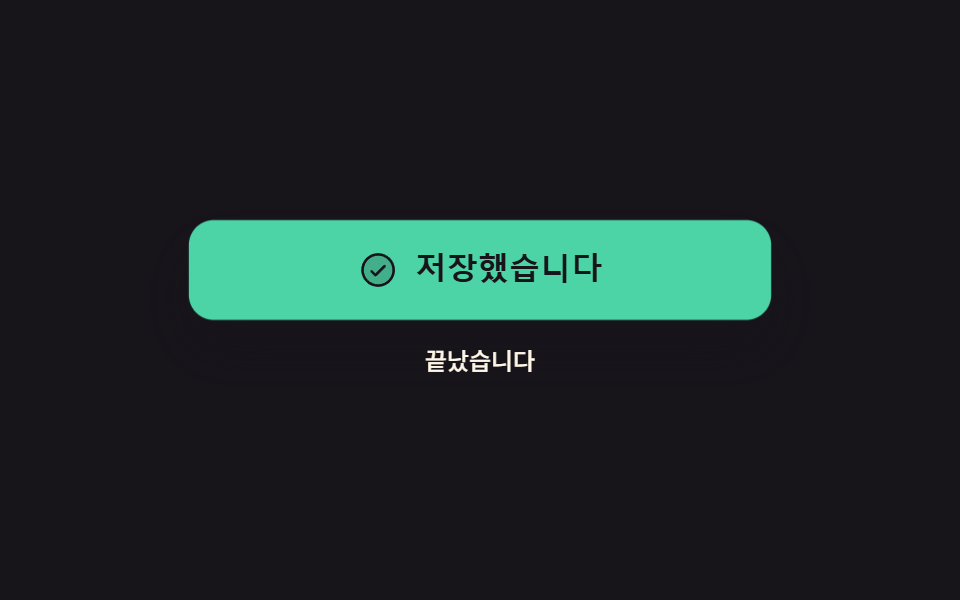 9 button state css patterns, loading to doneA button state css pattern decides what a button looks like between the press and the result. All nine here actually loc See all demos in this post
If you like this effect - similar demos
 Buttons09 Loading morph: button to spinner to check9 button hover effects css that award sites reuse
 Buttons04 Favorite star that draws its line, then fills9 Icon Button CSS Patterns — Press, Drag, Expand
 Buttons04 Exclusive pressed state — when one button's pressed value turns on, every other button's pressed value turns off at the same instantButton Group CSS: 9 Adjoined Patterns