03One button holding on and off
The same button flips between pressed and unpressed with both its fill and its icon changing, and the truth lives in the pressed attribute rather than a class so assistive tech can read it.
Best forNotification and bookmark buttons that only change state in place
aria-pressedsteps(1, end)scale
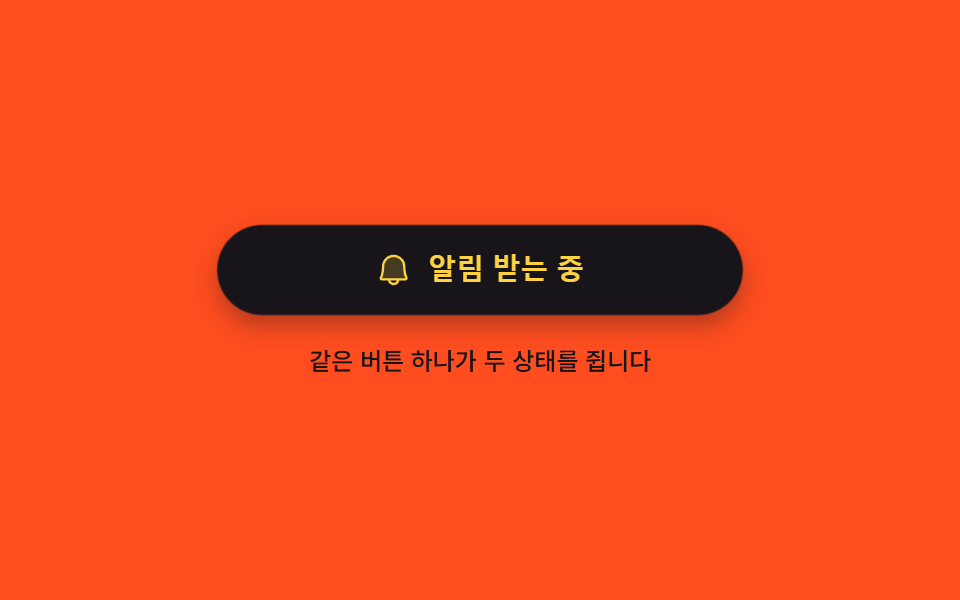
<main class="stage">
  <div class="tp is-demo">
    <button class="tp__btn" id="tp-btn" type="button" aria-pressed="false">
      <span class="tp__face" data-face="off">
        <span class="tp__ic" aria-hidden="true"><svg viewBox="0 0 256 256" width="20" height="20"><g fill="currentColor"><path d="M208 192H48a8 8 0 0 1-6.88-12C47.71 168.6 56 139.81 56 104a72 72 0 0 1 144 0c0 35.82 8.3 64.6 14.9 76a8 8 0 0 1-6.9 12" opacity=".2"/><path d="M53.92 34.62a8 8 0 1 0-11.84 10.76L58.82 63.8A79.6 79.6 0 0 0 48 104c0 35.34-8.26 62.38-13.81 71.94A16 16 0 0 0 48 200h40.8a40 40 0 0 0 78.4 0h15.44l19.44 21.38a8 8 0 1 0 11.84-10.76ZM128 216a24 24 0 0 1-22.62-16h45.24A24 24 0 0 1 128 216m-80-32c7.7-13.24 16-43.92 16-80a63.65 63.65 0 0 1 6.26-27.62L168.09 184Zm166-4.73a8.1 8.1 0 0 1-2.93.55a8 8 0 0 1-7.44-5.08C196.35 156.19 192 129.75 192 104a64 64 0 0 0-95.57-55.69a8 8 0 0 1-7.9-13.91A80 80 0 0 1 208 104c0 35.35 8.05 58.59 10.52 64.88a8 8 0 0 1-4.52 10.37Z"/></g></svg></span>
        <span class="tp__lab">Get alerts</span>
      </span>
      <span class="tp__face" data-face="on">
        <span class="tp__ic" aria-hidden="true"><svg viewBox="0 0 256 256" width="20" height="20"><g fill="currentColor"><path d="M208 192H48a8 8 0 0 1-6.88-12C47.71 168.6 56 139.81 56 104a72 72 0 0 1 144 0c0 35.82 8.3 64.6 14.9 76a8 8 0 0 1-6.9 12" opacity=".2"/><path d="M221.8 175.94c-5.55-9.56-13.8-36.61-13.8-71.94a80 80 0 1 0-160 0c0 35.34-8.26 62.38-13.81 71.94A16 16 0 0 0 48 200h40.81a40 40 0 0 0 78.38 0H208a16 16 0 0 0 13.8-24.06M128 216a24 24 0 0 1-22.62-16h45.24A24 24 0 0 1 128 216m-80-32c7.7-13.24 16-43.92 16-80a64 64 0 1 1 128 0c0 36.05 8.28 66.73 16 80Z"/></g></svg></span>
        <span class="tp__lab">Alerts on</span>
      </span>
    </button>
    <p class="tp__note">One button holds both states</p>
  </div>
</main>
@use "../../../../site/static/demo-tokens" as *;
$duration: $dur-quick;
$easing: $ease-pop;
$color: $subject-ink;
@include stage($stage-orange);
.tp {
box-sizing: border-box;
display: flex;
flex-direction: column;
align-items: center;
gap: $sp-3;
width: min(280px, 86vw);
font-family: -apple-system, "Segoe UI", "Noto Sans KR", sans-serif;
}
.tp__btn {
position: relative;
box-sizing: border-box;
margin: 0;
padding: 0;
width: 100%;
height: 48px;
overflow: hidden;
border: 0;
border-radius: $r-pill;
background-color: $subject-cream;
color: $color;
cursor: pointer;
box-shadow: $shadow-press;
}
.tp__btn:focus-visible { outline: 3px solid $subject-cream; outline-offset: 3px; }
.tp__face {
position: absolute;
left: 0;
right: 0;
top: 0;
bottom: 0;
display: flex;
align-items: center;
justify-content: center;
gap: $sp-2;
opacity: 0;
}
.tp__ic { display: inline-flex; flex: 0 0 auto; }
.tp__ic svg { display: block; }
.tp__lab {
font-size: 15px;
line-height: 20px;
font-weight: 700;
white-space: nowrap;
}
// 눌림 여부는 aria-pressed 한 곳에만 적힌다 — 색도 아이콘도 그 값에서 갈린다
.tp:not(.is-demo) .tp__btn[aria-pressed="false"] .tp__face[data-face="off"],
.tp:not(.is-demo) .tp__btn[aria-pressed="true"] .tp__face[data-face="on"] { opacity: 1; }
.tp:not(.is-demo) .tp__btn[aria-pressed="true"] { background-color: $color; color: $stage-yellow; }
.tp__btn.is-pop {
animation-name: tp-tap;
animation-duration: $duration;
animation-timing-function: $easing;
animation-iteration-count: 1;
}
@keyframes tp-tap {
0% { transform: scale(.94); }
60% { transform: scale(1.03); }
100% { transform: scale(1); }
}
.tp__note {
margin: 0;
font-size: 12px;
line-height: 18px;
font-weight: 500;
color: $subject-ink;
}
// ── 자동 루프: 1초마다 켜짐과 꺼짐을 한 프레임에 끊어 바꾼다 ──
.tp.is-demo .tp__face {
animation-duration: $dur-loop;
animation-timing-function: steps(1, end);
animation-iteration-count: infinite;
}
.tp.is-demo .tp__face[data-face="off"] { animation-name: tp-off; }
.tp.is-demo .tp__face[data-face="on"] { animation-name: tp-on; }
@keyframes tp-off {
0% { opacity: 1; }
40% { opacity: 0; }
86% { opacity: 1; }
100% { opacity: 1; }
}
@keyframes tp-on {
0% { opacity: 0; }
40% { opacity: 1; }
86% { opacity: 0; }
100% { opacity: 0; }
}
.tp.is-demo .tp__btn {
animation-name: tp-skin, tp-pop;
animation-duration: $dur-loop, $dur-loop;
animation-timing-function: steps(1, end), $easing;
animation-iteration-count: infinite, infinite;
}
@keyframes tp-skin {
0% { background-color: $subject-cream; color: $color; }
40% { background-color: $color; color: $stage-yellow; }
86% { background-color: $subject-cream; color: $color; }
100% { background-color: $subject-cream; color: $color; }
}
// 갈리는 순간마다 알약이 한 번 눌렸다 펴진다 — 컷 두 번만으로는 움직인 프레임이 안 찬다
@keyframes tp-pop {
0% { transform: scale(1); }
38% { transform: scale(1); }
43% { transform: scale(.94); }
52% { transform: scale(1.03); }
60% { transform: scale(1); }
84% { transform: scale(1); }
89% { transform: scale(.96); }
96% { transform: scale(1); }
100% { transform: scale(1); }
}
@media (max-width: 340px) {
.tp { gap: $sp-2; }
.tp__btn { height: 44px; }
.tp__lab { font-size: 13px; line-height: 18px; }
.tp__note { font-size: 11px; line-height: 16px; }
}
@media (prefers-reduced-motion: reduce) {
.tp.is-demo .tp__face,
.tp.is-demo .tp__btn,
.tp__btn.is-pop { animation: none !important; }
.tp.is-demo .tp__face[data-face="off"] { opacity: 1; }
}html, body {
margin: 0;
overflow: hidden;
}
.stage {
box-sizing: border-box;
min-height: 100vh;
display: grid;
place-items: center;
margin: 0;
background: #ff4d1f;
font-family: -apple-system, "Segoe UI", "Noto Sans KR", sans-serif;
padding: clamp(8px, 4vw, 24px);
}
.tp {
box-sizing: border-box;
display: flex;
flex-direction: column;
align-items: center;
gap: 12px;
width: min(280px, 86vw);
font-family: -apple-system, "Segoe UI", "Noto Sans KR", sans-serif;
}
.tp__btn {
position: relative;
box-sizing: border-box;
margin: 0;
padding: 0;
width: 100%;
height: 48px;
overflow: hidden;
border: 0;
border-radius: 999px;
background-color: #fff7e6;
color: #17141a;
cursor: pointer;
box-shadow: 0 6px 12px rgba(23, 20, 26, 0.32);
}
.tp__btn:focus-visible {
outline: 3px solid #fff7e6;
outline-offset: 3px;
}
.tp__face {
position: absolute;
left: 0;
right: 0;
top: 0;
bottom: 0;
display: flex;
align-items: center;
justify-content: center;
gap: 8px;
opacity: 0;
}
.tp__ic {
display: inline-flex;
flex: 0 0 auto;
}
.tp__ic svg {
display: block;
}
.tp__lab {
font-size: 15px;
line-height: 20px;
font-weight: 700;
white-space: nowrap;
}
.tp:not(.is-demo) .tp__btn[aria-pressed=false] .tp__face[data-face=off],
.tp:not(.is-demo) .tp__btn[aria-pressed=true] .tp__face[data-face=on] {
opacity: 1;
}
.tp:not(.is-demo) .tp__btn[aria-pressed=true] {
background-color: #17141a;
color: #ffd23f;
}
.tp__btn.is-pop {
animation-name: tp-tap;
animation-duration: 220ms;
animation-timing-function: cubic-bezier(0.2, 1.4, 0.4, 1);
animation-iteration-count: 1;
}
@keyframes tp-tap {
0% {
transform: scale(0.94);
}
60% {
transform: scale(1.03);
}
100% {
transform: scale(1);
}
}
.tp__note {
margin: 0;
font-size: 12px;
line-height: 18px;
font-weight: 500;
color: #17141a;
}
.tp.is-demo .tp__face {
animation-duration: 2s;
animation-timing-function: steps(1, end);
animation-iteration-count: infinite;
}
.tp.is-demo .tp__face[data-face=off] {
animation-name: tp-off;
}
.tp.is-demo .tp__face[data-face=on] {
animation-name: tp-on;
}
@keyframes tp-off {
0% {
opacity: 1;
}
40% {
opacity: 0;
}
86% {
opacity: 1;
}
100% {
opacity: 1;
}
}
@keyframes tp-on {
0% {
opacity: 0;
}
40% {
opacity: 1;
}
86% {
opacity: 0;
}
100% {
opacity: 0;
}
}
.tp.is-demo .tp__btn {
animation-name: tp-skin, tp-pop;
animation-duration: 2s, 2s;
animation-timing-function: steps(1, end), cubic-bezier(0.2, 1.4, 0.4, 1);
animation-iteration-count: infinite, infinite;
}
@keyframes tp-skin {
0% {
background-color: #fff7e6;
color: #17141a;
}
40% {
background-color: #17141a;
color: #ffd23f;
}
86% {
background-color: #fff7e6;
color: #17141a;
}
100% {
background-color: #fff7e6;
color: #17141a;
}
}
@keyframes tp-pop {
0% {
transform: scale(1);
}
38% {
transform: scale(1);
}
43% {
transform: scale(0.94);
}
52% {
transform: scale(1.03);
}
60% {
transform: scale(1);
}
84% {
transform: scale(1);
}
89% {
transform: scale(0.96);
}
96% {
transform: scale(1);
}
100% {
transform: scale(1);
}
}
@media (max-width: 340px) {
.tp {
gap: 8px;
}
.tp__btn {
height: 44px;
}
.tp__lab {
font-size: 13px;
line-height: 18px;
}
.tp__note {
font-size: 11px;
line-height: 16px;
}
}
@media (prefers-reduced-motion: reduce) {
.tp.is-demo .tp__face,
.tp.is-demo .tp__btn,
.tp__btn.is-pop {
animation: none !important;
}
.tp.is-demo .tp__face[data-face=off] {
opacity: 1;
}
}// 실제 동작: 클래스가 아니라 aria-pressed 를 뒤집는다. 보이는 색과 읽히는 상태가 한 값에서 나온다
var root = document.querySelector('.tp');
var btn = document.getElementById('tp-btn');
btn.addEventListener('click', function () {
root.classList.remove('is-demo');
var on = btn.getAttribute('aria-pressed') === 'true';
btn.setAttribute('aria-pressed', String(!on));
btn.classList.remove('is-pop');
void btn.offsetWidth; // 같은 방향으로 다시 눌러도 반동이 한 번 더 돌게 리플로를 강제한다
btn.classList.add('is-pop');
});import { useState } from "react";
import type { CSSProperties } from "react";
import styles from "./TogglePressedButton.module.scss";
export type TogglePressedButtonProps = {
labels?: { off: string; on: string; note: string };
duration?: number;
easing?: string;
color?: string;
};
type Vars = CSSProperties & { "--duration"?: string; "--easing"?: string; "--color"?: string };
const BELL_OFF = (
<g fill="currentColor">
<path d="M208 192H48a8 8 0 0 1-6.88-12C47.71 168.6 56 139.81 56 104a72 72 0 0 1 144 0c0 35.82 8.3 64.6 14.9 76a8 8 0 0 1-6.9 12" opacity=".2" />
<path d="M53.92 34.62a8 8 0 1 0-11.84 10.76L58.82 63.8A79.6 79.6 0 0 0 48 104c0 35.34-8.26 62.38-13.81 71.94A16 16 0 0 0 48 200h40.8a40 40 0 0 0 78.4 0h15.44l19.44 21.38a8 8 0 1 0 11.84-10.76ZM128 216a24 24 0 0 1-22.62-16h45.24A24 24 0 0 1 128 216m-80-32c7.7-13.24 16-43.92 16-80a63.65 63.65 0 0 1 6.26-27.62L168.09 184Zm166-4.73a8.1 8.1 0 0 1-2.93.55a8 8 0 0 1-7.44-5.08C196.35 156.19 192 129.75 192 104a64 64 0 0 0-95.57-55.69a8 8 0 0 1-7.9-13.91A80 80 0 0 1 208 104c0 35.35 8.05 58.59 10.52 64.88a8 8 0 0 1-4.52 10.37Z" />
</g>
);
const BELL_ON = (
<g fill="currentColor">
<path d="M208 192H48a8 8 0 0 1-6.88-12C47.71 168.6 56 139.81 56 104a72 72 0 0 1 144 0c0 35.82 8.3 64.6 14.9 76a8 8 0 0 1-6.9 12" opacity=".2" />
<path d="M221.8 175.94c-5.55-9.56-13.8-36.61-13.8-71.94a80 80 0 1 0-160 0c0 35.34-8.26 62.38-13.81 71.94A16 16 0 0 0 48 200h40.81a40 40 0 0 0 78.38 0H208a16 16 0 0 0 13.8-24.06M128 216a24 24 0 0 1-22.62-16h45.24A24 24 0 0 1 128 216m-80-32c7.7-13.24 16-43.92 16-80a64 64 0 1 1 128 0c0 36.05 8.28 66.73 16 80Z" />
</g>
);
export default function TogglePressedButton({
labels = { off: "Get alerts", on: "Alerts on", note: "One button holds both states" },
duration = 220,
easing = "cubic-bezier(.2,1.4,.4,1)",
color = "#17141a",
}: TogglePressedButtonProps) {
const [demo, setDemo] = useState(true);
const [on, setOn] = useState(false);
const [pop, setPop] = useState(false);
const vars: Vars = { "--duration": `${duration}ms`, "--easing": easing, "--color": color };
// 클래스가 아니라 aria-pressed 를 뒤집는다. 보이는 색과 읽히는 상태가 한 값에서 나온다
function toggle() {
setDemo(false); // 사람이 눌렀으니 자동 루프를 끈다
setOn((v) => !v);
// 같은 방향으로 다시 눌러도 반동이 한 번 더 돌게 한 프레임 뒤에 다시 건다
setPop(false);
requestAnimationFrame(() => setPop(true));
}
return (
<div className={`${styles.tp} ${demo ? styles.isDemo : ""}`} style={vars}>
<button
className={`${styles.btn} ${pop ? styles.isPop : ""}`}
type="button"
aria-pressed={on}
onClick={toggle}
onAnimationEnd={() => setPop(false)}
>
<span className={styles.face} data-face="off">
<span className={styles.ic} aria-hidden="true">
<svg viewBox="0 0 256 256" width="20" height="20">{BELL_OFF}</svg>
</span>
<span className={styles.lab}>{labels.off}</span>
</span>
<span className={styles.face} data-face="on">
<span className={styles.ic} aria-hidden="true">
<svg viewBox="0 0 256 256" width="20" height="20">{BELL_ON}</svg>
</span>
<span className={styles.lab}>{labels.on}</span>
</span>
</button>
<p className={styles.note}>{labels.note}</p>
</div>
);
}03 One button holding on and off — Measured area 10.316% · moving frames 10/23Original by GODRICH · SCSS and React ship in the zip · 9 button state css patterns, loading to done
The post this demo lives in
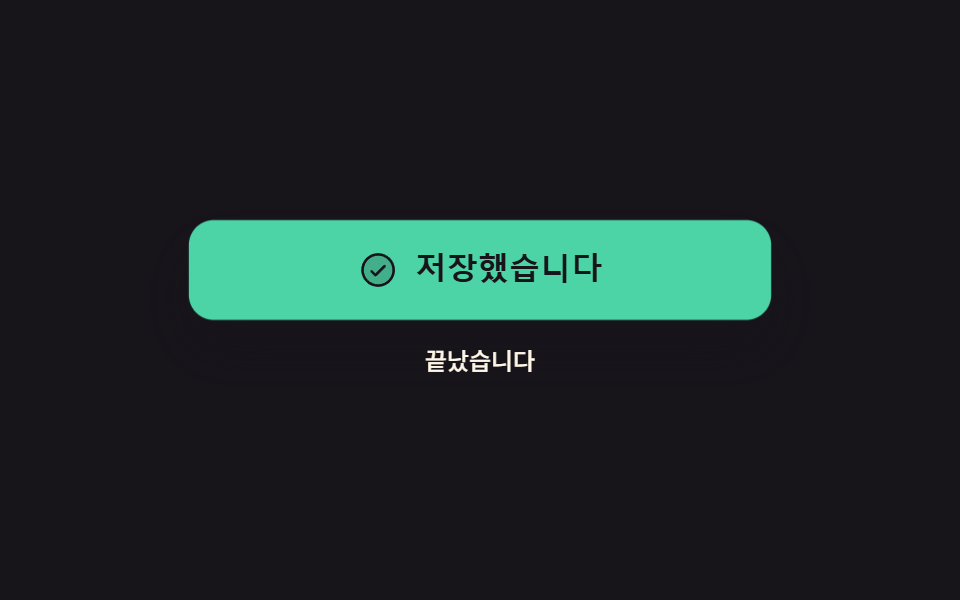 9 button state css patterns, loading to doneA button state css pattern decides what a button looks like between the press and the result. All nine here actually loc See all demos in this post
If you like this effect - similar demos
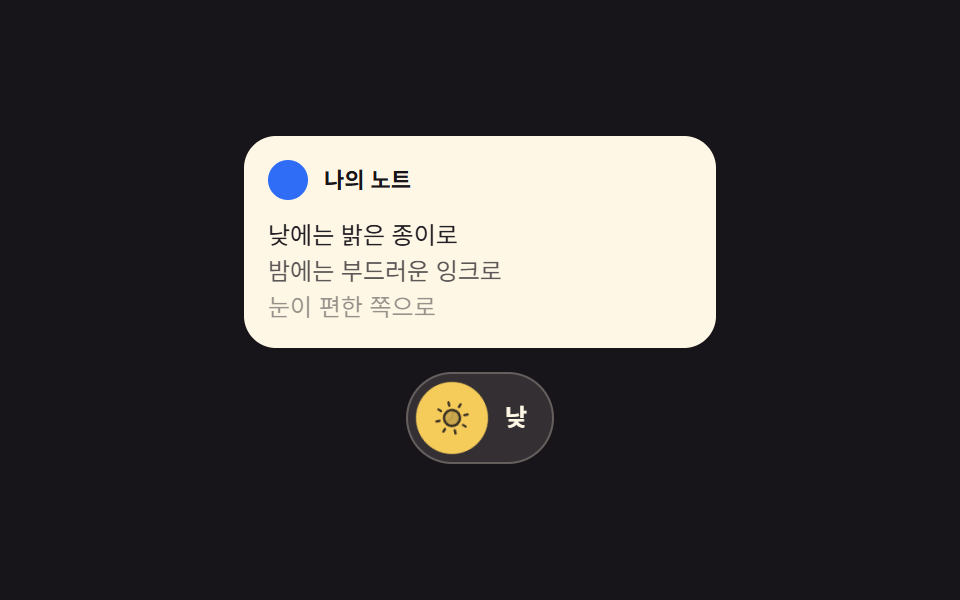 Buttons05 Theme button where the sun and moon trade places9 Icon Button CSS Patterns — Press, Drag, Expand
 Buttons04 Exclusive pressed state — when one button's pressed value turns on, every other button's pressed value turns off at the same instantButton Group CSS: 9 Adjoined Patterns
 Buttons01 Long-shadow retro — a button whose trailing shadow length value extends and retracts with hover stateCTA Button Design: 9 Interaction Patterns