02Marching squares — the 16-case table that links the boundary into an outline
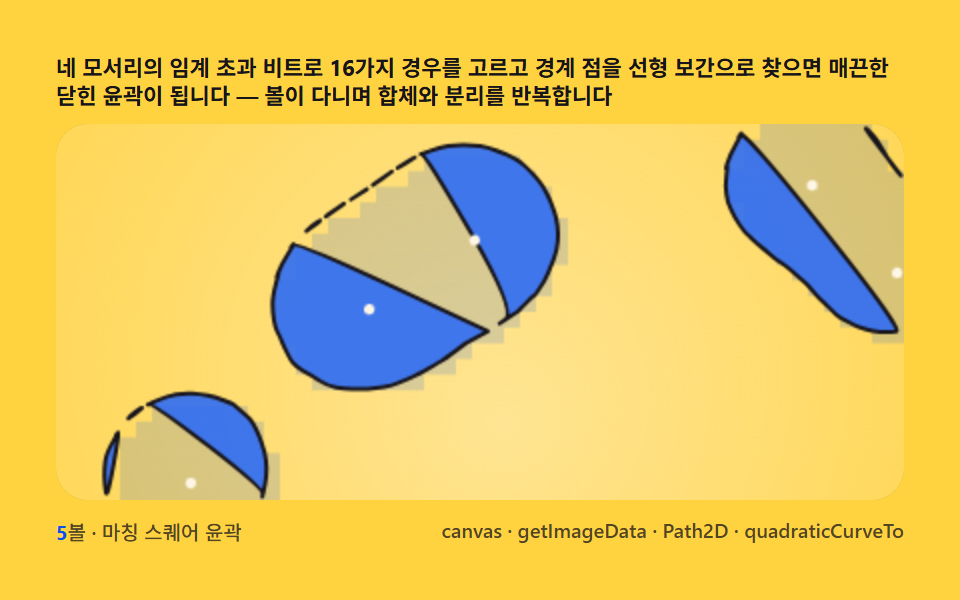
Encode the four corner crossings of each cell as a 4-bit case, interpolate the edge points linearly and join them with curves — the stair-stepped pixel edge becomes a smooth closed outline.
Best forA liquid silhouette for logos and mascots
Path2DquadraticCurveTo
<main class="stage">
<div class="cd is-demo" id="cdRoot">
  <p class="cd__hint">
    <span>Pick one of 16 cases from the four corners' above-threshold bits and find the edge points by linear interpolation — the result is a smooth closed contour, with balls merging and splitting as they move</span>
  </p>
  <div class="cd__field" id="cdField" role="application" aria-label="Marching-Squares Contour test panel" tabindex="0">
    <canvas class="cd__cv" id="cdCv"></canvas>
  </div>
  <div class="cd__bar">
    <span class="cd__meta"><b class="cd__val" id="cdN">5</b>balls · marching squares contour</span>
    <span class="cd__meta cd__meta--dim">canvas · getImageData · Path2D · quadraticCurveTo</span>
  </div>
</div>
</main>
@use "../../../../site/static/demo-tokens" as *;
// 마칭 스퀘어(02). @keyframes 없음 — 움직임은 rAF(스칼라 필드 + 4비트 16경우 테이블
// + 선형 보간 경계 + quadraticCurveTo 평활)가 만든다.
// 무대는 옐로, 피사체는 블루 계열. 파스텔을 --ms-* 로 편다(편 공통 규격).
$duration: $dur-loop;
$easing: $ease-spring;
$color: $subject-blue;
@include stage($stage-yellow);
// ── 파스텔 팔레트(BD26 — vivid 잔존 0) ──
$ms-fill: $subject-blue; // 볼 몸통 채움
$ms-deep: $subject-blue-deep; // 몸통보다 한 단 깊은 채움(층감)
$ms-edge: $stage-ink; // 윤곽 잉크
$ms-dot: $stage-ink; // 보간점 표식
$ms-cream: $subject-cream; // 크림 하이라이트
$ms-text: $stage-ink; // 옐로 무대 본문 잉크
.cd {
--ms-fill: #{$ms-fill};
--ms-deep: #{$ms-deep};
--ms-edge: #{$ms-edge};
--ms-cream: #{$ms-cream};
display: flex; flex-direction: column; gap: $sp-2;
width: 100%; max-width: 424px;
}
.cd__hint {
display: flex; align-items: center; gap: $sp-1; margin: 0;
// en·ja 번역문이 ko 보다 길어 480×300 에서 3줄로 넘친다(BD14) — 폭·레이아웃은 그대로,
// 글자만 살짝 줄여 3줄이 돼도 예산 안에 들어오게 한다 (2026-09-15)
font-weight: 700; font-size: clamp(9px, 2.5vw, 11px); line-height: 1.22;
color: $ms-text;
}
.cd__field {
position: relative; height: 188px;
border-radius: $r-card; overflow: hidden;
background: $stage-yellow;
box-shadow: inset 0 0 0 1px rgba($ms-text, .2);
}
.cd__field:focus-visible { outline: 2px solid $ms-fill; outline-offset: 2px; }
.cd__cv { display: block; width: 100%; height: 100%; }
.cd__bar { display: flex; align-items: center; justify-content: space-between; gap: $sp-2; }
.cd__meta { font-size: 10px; font-weight: 500; color: rgba($ms-text, .74); }
.cd__val { color: $ms-deep; font-weight: 700; }
.cd__meta--dim { font-size: 10px; }
@media (max-width: 340px) {
.cd { gap: $sp-1; }
.cd__field { height: 104px; }
.cd__meta--dim { display: none; }
}
// reduce — rAF 를 돌리지 않고 한 장만 남는다.
@media (prefers-reduced-motion: reduce) {
.cd.is-still .cd__field { cursor: default !important; }
}html, body {
margin: 0;
overflow: hidden;
}
.stage {
box-sizing: border-box;
min-height: 100vh;
display: grid;
place-items: center;
margin: 0;
background: #ffd23f;
font-family: -apple-system, "Segoe UI", "Noto Sans KR", sans-serif;
padding: clamp(8px, 4vw, 24px);
}
.cd {
--ms-fill: #2f6df6;
--ms-deep: #0a4fe8;
--ms-edge: #17141a;
--ms-cream: #fff7e6;
display: flex;
flex-direction: column;
gap: 8px;
width: 100%;
max-width: 424px;
}
.cd__hint {
display: flex;
align-items: center;
gap: 4px;
margin: 0;
font-weight: 700;
font-size: clamp(9px, 2.5vw, 11px);
line-height: 1.22;
color: #17141a;
}
.cd__field {
position: relative;
height: 188px;
border-radius: 16px;
overflow: hidden;
background: #ffd23f;
box-shadow: inset 0 0 0 1px rgba(23, 20, 26, 0.2);
}
.cd__field:focus-visible {
outline: 2px solid #2f6df6;
outline-offset: 2px;
}
.cd__cv {
display: block;
width: 100%;
height: 100%;
}
.cd__bar {
display: flex;
align-items: center;
justify-content: space-between;
gap: 8px;
}
.cd__meta {
font-size: 10px;
font-weight: 500;
color: rgba(23, 20, 26, 0.74);
}
.cd__val {
color: #0a4fe8;
font-weight: 700;
}
.cd__meta--dim {
font-size: 10px;
}
@media (max-width: 340px) {
.cd {
gap: 4px;
}
.cd__field {
height: 104px;
}
.cd__meta--dim {
display: none;
}
}
@media (prefers-reduced-motion: reduce) {
.cd.is-still .cd__field {
cursor: default !important;
}
}// 마칭 스퀘어(02). 스칼라 필드(볼마다 r²/d² 감쇠 합)를 오프스크린 저해상 캔버스에 굽는다 —
// 격자 모서리당 1px 크기로, 볼마다 감쇠 radialGradient 스프라이트를 lighter 합성으로 겹한다.
// getImageData 로 그 픽셀을 읽어 Float32Array 격자에 되돌리는 게 필드 샘플링이다(07 의 패턴).
// 각 칸의 네 모서리 코너값이 임계값을 넘는지에 따라 4비트 인덱스(16경우)를 만들고,
// 경우 테이블이 어떤 변을 경계가 가로지르는지 알려주면 그 위치를 변 양 끝 코너값의
// 선형 보간으로 정한다. 이 점들을 짝지어 폴리라인을 만들고 quadraticCurveTo 로 평활한
// 닫힌 윤곽을 Path2D 에 담아 fill+stroke — 3~5개 볼이 가까워지면 다리로 합체, 멀어지면 분리된다.
(function () {
// ── 변형 상수 블록 — 아래 값 하나만 바꿔 변형을 만든다 ──
var N_BALL = 5; // balls 개수 — 합체/분리가 잦은 밀도
var THRESH = 1.0; // 필드 임계값
var CELL = 8; // 격자 셀 픽셀 크기 — 보간 밀도
// ────────────────────────────────────────────────────
var root = document.getElementById('cdRoot');
var field = document.getElementById('cdField');
var cv = document.getElementById('cdCv');
var ctx = cv.getContext('2d');
var nOut = document.getElementById('cdN');
nOut.textContent = String(N_BALL);
var css = getComputedStyle(root);
function tok(name) { return css.getPropertyValue(name).trim(); }
var C_FILL = tok('--ms-fill');
var C_DEEP = tok('--ms-deep');
var C_EDGE = tok('--ms-edge');
var C_CREAM = tok('--ms-cream');
var C_BG = '#ffd23f';
var reduce = window.matchMedia('(prefers-reduced-motion: reduce)').matches;
var W = 0, H = 0, COLS = 0, ROWS = 0;
var grid = null;
var raf = 0, t0 = -1;
// 오프스크린 필드 캔버스 — 격자 모서리당 1px. 여기에 감쇠를 굽고 getImageData 로 읽는다
var fieldCv = document.createElement('canvas');
var fieldCtx = fieldCv.getContext('2d', { willReadFrequently: true });
var LOWW = 0, LOWH = 0;
// 시드 고정 PRNG — 미리보기가 항상 같은 balls 궤도로 흐른다
function makeRand(seed) {
var st = seed >>> 0;
return function () {
st = (st + 0x6D2B79F5) >>> 0;
var t = st;
t = Math.imul(t ^ (t >>> 15), t | 1);
t ^= t + Math.imul(t ^ (t >>> 7), t | 61);
return ((t ^ (t >>> 14)) >>> 0) / 4294967296;
};
}
var rand = makeRand(0x317A02);
var balls = [];
function buildBalls() {
balls = [];
for (var i = 0; i < N_BALL; i++) {
balls.push({
fx: 0.3 + rand() * 0.5, fy: 0.24 + rand() * 0.44,
ph: rand() * Math.PI * 2, ax: 0.3 + rand() * 0.24, ay: 0.28 + rand() * 0.24,
cx: 0.5, cy: 0.5, rad: 42 + rand() * 22
});
}
}
function fit() {
var r = field.getBoundingClientRect();
W = r.width; H = r.height;
cv.width = Math.round(W); cv.height = Math.round(H);
COLS = Math.max(16, Math.round(W / CELL));
ROWS = Math.max(12, Math.round(H / CELL));
LOWW = COLS + 1; LOWH = ROWS + 1;
fieldCv.width = LOWW; fieldCv.height = LOWH;
grid = new Float32Array(LOWW * LOWH);
}
function ballPos(b, t) {
return [
(b.cx + Math.sin(t * b.fx + b.ph) * b.ax) * W,
(b.cy + Math.cos(t * b.fy + b.ph * 1.4) * b.ay) * H
];
}
// ── 필드 굽기 + 픽셀 판독 ──
// 볼마다 r²/d² 감쇠를 회색조 radialGradient 로 오프스크린 캔버스(격자 모서리당 1px)에 그리고
// lighter 합성으로 겹한다 — 겹치는 볼의 감쇠가 픽셀 값으로 그대로 더해진다(메타볼 합산).
// 스프라이트 반경 안에서 gradient offset fr 마다 값 v=1/(fr·K)² 을 SCALE 배로 픽셀에 쓰고,
// getImageData 로 읽은 뒤 SCALE 로 나누면 이전 fieldAt 판(Σ r²·0.5/d²)과 같은 척도로 돌아온다.
// 임계값(1.0)이 새지 않도록 SCALE 을 넉넉히 잡아 포화(255) 가 임계값 부근에서 일어나지 않게 한다.
// 임계값(1.0) 부근의 양자화를 줄이려 SCALE 을 넉넉히 잡는다 — v=1(임계)이 픽셀 100 에 대응.
// 255 클램프는 블롭 깊은 내부(v≥2.55, 어차피 case 15)에서만 일어나 윤곽에 영향 없다.
var K = 8, SCALE = 100, STOPS = 32;
var rad2Cache = [];
function b_rad2(i) {
if (!rad2Cache[i]) rad2Cache[i] = balls[i].rad * balls[i].rad * 0.5;
return rad2Cache[i];
}
function drawField(t) {
var cw = W / COLS, ch = H / ROWS;
fieldCtx.globalCompositeOperation = 'source-over';
fieldCtx.fillStyle = '#000';
fieldCtx.fillRect(0, 0, LOWW, LOWH);
fieldCtx.globalCompositeOperation = 'lighter';
for (var i = 0; i < balls.length; i++) {
var p = ballPos(balls[i], t);
var cx = p[0] / cw, cy = p[1] / ch;
var R = Math.sqrt(b_rad2(i)) * K / cw;
var g = fieldCtx.createRadialGradient(cx, cy, 0, cx, cy, R);
for (var s = 0; s < STOPS; s++) {
var off = s / STOPS;
var fr = Math.max(off, 1 / (STOPS * 4));
var v = 1 / (fr * fr * K * K);
var px = Math.min(255, Math.round(v * SCALE));
g.addColorStop(off, 'rgb(' + px + ',' + px + ',' + px + ')');
}
g.addColorStop(1, 'rgb(0,0,0)'); // 꼬리 절단 — 반경 밖은 0(gradient 마지막 정지점이 밖으로 펴지는 걸 끊는다)
fieldCtx.fillStyle = g;
fieldCtx.fillRect(0, 0, LOWW, LOWH);
}
fieldCtx.globalCompositeOperation = 'source-over';
}
function classify() {
var img = fieldCtx.getImageData(0, 0, LOWW, LOWH);
var d = img.data;
for (var gy = 0; gy < LOWH; gy++) {
for (var gx = 0; gx < LOWW; gx++) {
grid[gy * LOWW + gx] = d[(gy * LOWW + gx) * 4] / SCALE;
}
}
}
// ambiguous(5·10) 칸의 중심값만 실계산으로 보강 — getImageData 픽셀과 같은 r²/d² 합
function fieldAt(px, py, t) {
var sum = 0;
for (var i = 0; i < balls.length; i++) {
var p = ballPos(balls[i], t);
var dx = px - p[0], dy = py - p[1];
var d2 = dx * dx + dy * dy;
if (d2 < 1) d2 = 1;
sum += (b_rad2(i)) / d2;
}
return sum;
}
function sampleGrid(t) {
drawField(t);
classify();
}
// 16경우 마칭 스퀘어 — 칸의 코너 비트(TL=1 TR=2 BR=4 BL=8, 임계 초과=1)에 따라
// 경계가 지나는 변 쌍을 돌려준다: top·right·bottom·left 변 코드
// ambiguous 5·10 는 중심값으로 판정해 두 선으로 나눈다.
var EDGES = { T: 0, R: 1, B: 2, L: 3 };
function caseSegments(cs) {
switch (cs) {
case 0: return [];
case 15: return [];
case 1: return [[EDGES.T, EDGES.L]];
case 14: return [[EDGES.T, EDGES.L]];
case 2: return [[EDGES.T, EDGES.R]];
case 13: return [[EDGES.T, EDGES.R]];
case 3: return [[EDGES.L, EDGES.R]];
case 12: return [[EDGES.L, EDGES.R]];
case 4: return [[EDGES.R, EDGES.B]];
case 11: return [[EDGES.R, EDGES.B]];
case 6: return [[EDGES.T, EDGES.B]];
case 9: return [[EDGES.T, EDGES.B]];
case 7: return [[EDGES.L, EDGES.B]];
case 8: return [[EDGES.L, EDGES.B]];
case 5: return 'AMB-x'; // 중심 낮음: TL 블롭과 BR 블롭 분리
case 10: return 'AMB-+'; // 중심 높음: 두 블롭 연결
}
return [];
}
// 변 위 경계점 — 코너값 선형 보간
function lerpPt(gx, gy, edge, cw, ch) {
var vTL = grid[gy * (COLS + 1) + gx];
var vTR = grid[gy * (COLS + 1) + gx + 1];
var vBR = grid[(gy + 1) * (COLS + 1) + gx + 1];
var vBL = grid[(gy + 1) * (COLS + 1) + gx];
var x0 = gx * cw, y0 = gy * ch;
function ip(a, b) { return (THRESH - a) / (b - a); }
switch (edge) {
case EDGES.T: return [x0 + cw * ip(vTL, vTR), y0];
case EDGES.B: return [x0 + cw * ip(vBL, vBR), y0 + ch];
case EDGES.L: return [x0, y0 + ch * ip(vTL, vBL)];
case EDGES.R: return [x0 + cw, y0 + ch * ip(vTR, vBR)];
}
return [x0, y0];
}
// 세그먼트 모으기 — 모든 칸의 경계 절편을 점 배열로
function collectSegments(t) {
var cw = W / COLS, ch = H / ROWS;
var pts = []; // [x, y, nx, ny] 시작점·끝점
for (var gy = 0; gy < ROWS; gy++) {
for (var gx = 0; gx < COLS; gx++) {
var vTL = grid[gy * (COLS + 1) + gx];
var vTR = grid[gy * (COLS + 1) + gx + 1];
var vBR = grid[(gy + 1) * (COLS + 1) + gx + 1];
var vBL = grid[(gy + 1) * (COLS + 1) + gx];
var cs = (vTL > THRESH ? 1 : 0) | (vTR > THRESH ? 2 : 0) | (vBR > THRESH ? 4 : 0) | (vBL > THRESH ? 8 : 0);
if (cs === 0 || cs === 15) continue;
var segs = caseSegments(cs);
if (typeof segs === 'string') {
// ambiguous — 칸 중심값으로 판정
var mc = fieldAt((gx + 0.5) * cw, (gy + 0.5) * ch, t);
var flip = (cs === 5) === (mc <= THRESH);
var a = flip ? [[EDGES.T, EDGES.R], [EDGES.L, EDGES.B]]
: [[EDGES.T, EDGES.L], [EDGES.R, EDGES.B]];
for (var k = 0; k < 2; k++) {
var p1 = lerpPt(gx, gy, a[k][0], cw, ch);
var p2 = lerpPt(gx, gy, a[k][1], cw, ch);
pts.push([p1, p2]);
}
} else {
for (var s = 0; s < segs.length; s++) {
var q1 = lerpPt(gx, gy, segs[s][0], cw, ch);
var q2 = lerpPt(gx, gy, segs[s][1], cw, ch);
pts.push([q1, q2]);
}
}
}
}
return pts;
}
// 세그먼트를 연결해 닫힌 고리로 엮기 — 끝점 근사 매칭(그리드 해상도 한도)
function chainSegments(segs) {
var eps2 = (CELL * 1.5) * (CELL * 1.5);
var used = new Uint8Array(segs.length);
var loops = [];
for (var i = 0; i < segs.length; i++) {
if (used[i]) continue;
used[i] = 1;
var loop = [segs[i][0], segs[i][1]];
var guard = 0;
while (guard++ < 4000) {
var tail = loop[loop.length - 1];
var found = -1;
for (var j = 0; j < segs.length; j++) {
if (used[j]) continue;
var dx = segs[j][0][0] - tail[0], dy = segs[j][0][1] - tail[1];
if (dx * dx + dy * dy < eps2) { found = j; loop.push(segs[j][1]); break; }
dx = segs[j][1][0] - tail[0]; dy = segs[j][1][1] - tail[1];
if (dx * dx + dy * dy < eps2) { loop.push(segs[j][0]); found = j; break; }
}
if (found < 0) break;
used[found] = 1;
}
if (loop.length >= 3) loops.push(loop);
}
return loops;
}
// 고리를 quadraticCurveTo 로 평활 — 중점 규칙(각 점을 제어점, 중점을 앵커)
function smoothLoop(path, loop) {
var n = loop.length;
path.moveTo((loop[0][0] + loop[1][0]) / 2, (loop[0][1] + loop[1][1]) / 2);
for (var i = 1; i <= n; i++) {
var cur = loop[i % n];
var nxt = loop[(i + 1) % n];
path.quadraticCurveTo(cur[0], cur[1], (cur[0] + nxt[0]) / 2, (cur[1] + nxt[1]) / 2);
}
path.closePath();
}
function draw(t) {
sampleGrid(t);
var segs = collectSegments(t);
var loops = chainSegments(segs);
ctx.fillStyle = C_BG;
ctx.fillRect(0, 0, W, H);
// 옐로 무대 배경 변화 — 느린 크림 안개 드리프트(누적면적)
var mist = ctx.createRadialGradient(
W * (0.5 + Math.sin(t * 0.12) * 0.32), H * (0.5 + Math.cos(t * 0.1) * 0.3), 0,
W * 0.5, H * 0.5, Math.max(W, H) * 0.8
);
mist.addColorStop(0, 'rgba(255,247,230,0.5)');
mist.addColorStop(1, 'rgba(255,247,230,0)');
ctx.fillStyle = mist;
ctx.fillRect(0, 0, W, H);
// 임계값 내부 미리보기 채움(격자 픽셀) — 윤곽이 무엇을 감싸는지 보여주는 바탕
var cw = W / COLS, ch = H / ROWS;
ctx.fillStyle = C_DEEP;
ctx.globalAlpha = 0.16;
for (var gy = 0; gy < ROWS; gy++) {
for (var gx = 0; gx < COLS; gx++) {
if (grid[gy * (COLS + 1) + gx] > THRESH) ctx.fillRect(gx * cw, gy * ch, cw, ch);
}
}
ctx.globalAlpha = 1;
// 닫힌 윤곽 — Path2D 에 평활 고리를 담아 fill + stroke
var path = new Path2D();
for (var li = 0; li < loops.length; li++) smoothLoop(path, loops[li]);
ctx.fillStyle = C_FILL;
ctx.globalAlpha = 0.9;
ctx.fill(path);
ctx.globalAlpha = 1;
ctx.strokeStyle = C_EDGE;
ctx.lineWidth = 2;
ctx.lineJoin = 'round';
ctx.stroke(path);
// balls 중심 크림 점 — 코어 하이라이트
for (var i = 0; i < balls.length; i++) {
var p = ballPos(balls[i], t);
ctx.fillStyle = C_CREAM;
ctx.beginPath(); ctx.arc(p[0], p[1], 2.6, 0, Math.PI * 2); ctx.fill();
}
}
function stillFrame() { draw(0.6); }
function frame(now) {
if (t0 < 0) t0 = now;
var t = (now - t0) / 1000;
draw(t);
raf = requestAnimationFrame(frame);
}
window.addEventListener('resize', function () {
fit();
if (reduce) stillFrame();
});
fit();
buildBalls();
if (reduce) {
stillFrame();
root.classList.add('is-still');
} else {
raf = requestAnimationFrame(frame);
}
})();// MarchingSquares — vanilla 판(run/317/demo/02-metaball-marching-squares/index.html) 의 React 포트.
// 마칭 스퀘어 — 스칼라 필드(볼마다 r²/d² 감쇠 합)를 오프스크린 저해상 캔버스(격자 모서리당 1px)에
// radialGradient 스프라이트 + lighter 합성으로 굽고 getImageData 로 읽어 격자에 되돌린다(07 의 패턴).
// 각 칸 네 모서리의 임계 초과 비트로 16가지 경우를 골라 경계가 지나는 변 위 점을 선형 보간으로 찾는다.
// 세그먼트를 닫힌 고리로 엮어 quadraticCurveTo 로 평활한 뒤 Path2D 에 fill+stroke — 볼이 합체/분리한다.
import { useEffect, useRef, useState } from "react";
import type { CSSProperties } from "react";
import styles from "./MarchingSquares.module.scss";
export type MarchingSquaresProps = {
duration?: string;
easing?: string;
color?: string;
balls?: number; // 볼 개수
threshold?: number; // 필드 임계값
cell?: number; // 격자 셀 픽셀 크기
};
type Vars = CSSProperties & { "--duration"?: string; "--easing"?: string; "--color"?: string };
type Box<T> = { current: T };
type Ball = { fx: number; fy: number; ph: number; ax: number; ay: number; cx: number; cy: number; rad: number };
const FIELD_LABEL = "마칭 스퀘어 경계 추출 실험판";
const E_T = 0, E_R = 1, E_B = 2, E_L = 3;
const K = 8, SCALE = 100, STOPS = 32; // 필드 스프라이트 — 감쇠 절단 계수·판독 척도·gradient 정지점 수
function makePRNG(seed: number): () => number {
let s = seed >>> 0;
return function () {
s = (s + 0x6d2b79f5) >>> 0;
let t = s;
t = Math.imul(t ^ (t >>> 15), t | 1);
t ^= t + Math.imul(t ^ (t >>> 7), t | 61);
return ((t ^ (t >>> 14)) >>> 0) / 4294967296;
};
}
// 16경우 테이블 — 코너 비트(TL=1 TR=2 BR=4 BL=8). 5·10 은 ambiguous(문자열 표식)
function caseSegments(cs: number): number[][] | string {
switch (cs) {
case 0: case 15: return [];
case 1: case 14: return [[E_T, E_L]];
case 2: case 13: return [[E_T, E_R]];
case 3: case 12: return [[E_L, E_R]];
case 4: case 11: return [[E_R, E_B]];
case 6: case 9: return [[E_T, E_B]];
case 7: case 8: return [[E_L, E_B]];
case 5: return "AMB-x";
case 10: return "AMB-+";
}
return [];
}
export default function MarchingSquares({
duration = "2s",
easing = "cubic-bezier(.2, .8, .2, 1)",
color = "#2f6df6",
balls: nBall = 5,
threshold = 1.0,
cell = 8,
}: MarchingSquaresProps) {
const rootRef = useRef<HTMLDivElement | null>(null);
const fieldRef = useRef<HTMLDivElement | null>(null);
const cvRef = useRef<HTMLCanvasElement | null>(null);
const ctxRef = useRef<CanvasRenderingContext2D | null>(null);
const sizeRef = useRef({ w: 0, h: 0 }) as Box<{ w: number; h: number }>;
const colsRef = useRef(0) as Box<number>;
const rowsRef = useRef(0) as Box<number>;
const gridRef = useRef(new Float32Array(0)) as Box<Float32Array>;
const colRef = useRef<{ fill: string; deep: string; edge: string; cream: string; bg: string } | null>(null);
const ballNRef = useRef(nBall) as Box<number>;
const thrRef = useRef(threshold) as Box<number>;
const cellRef = useRef(cell) as Box<number>;
const ballsRef = useRef<Ball[]>([]) as Box<Ball[]>;
const lowRef = useRef({ w: 0, h: 0 }) as Box<{ w: number; h: number }>;
const fieldCvRef = useRef<HTMLCanvasElement | null>(null);
const fieldCtxRef = useRef<CanvasRenderingContext2D | null>(null);
const rafRef = useRef(0) as Box<number>;
const [n, setN] = useState(String(nBall));
const [still, setStill] = useState(false);
const vars: Vars = { "--duration": duration, "--easing": easing, "--color": color };
function reduced(): boolean {
return window.matchMedia("(prefers-reduced-motion: reduce)").matches;
}
function buildBalls(): void {
const rand = makePRNG(0x317a02);
const arr: Ball[] = [];
for (let i = 0; i < ballNRef.current; i++) {
arr.push({
fx: 0.3 + rand() * 0.5, fy: 0.24 + rand() * 0.44,
ph: rand() * Math.PI * 2, ax: 0.3 + rand() * 0.24, ay: 0.28 + rand() * 0.24,
cx: 0.5, cy: 0.5, rad: 42 + rand() * 22,
});
}
ballsRef.current = arr;
}
function fit(): void {
const field = fieldRef.current;
const cv = cvRef.current;
if (!field || !cv) return;
const ctx = cv.getContext("2d");
if (!ctx) return;
const r = field.getBoundingClientRect();
sizeRef.current.w = r.width;
sizeRef.current.h = r.height;
cv.width = Math.round(r.width);
cv.height = Math.round(r.height);
colsRef.current = Math.max(16, Math.round(r.width / cellRef.current));
rowsRef.current = Math.max(12, Math.round(r.height / cellRef.current));
// 오프스크린 필드 캔버스 — 격자 모서리당 1px
let fieldCv = fieldCvRef.current;
if (!fieldCv) {
fieldCv = document.createElement("canvas");
fieldCvRef.current = fieldCv;
fieldCtxRef.current = fieldCv.getContext("2d", { willReadFrequently: true });
}
lowRef.current.w = colsRef.current + 1;
lowRef.current.h = rowsRef.current + 1;
fieldCv.width = lowRef.current.w;
fieldCv.height = lowRef.current.h;
gridRef.current = new Float32Array(lowRef.current.w * lowRef.current.h);
ctxRef.current = ctx;
}
function ballPos(b: Ball, t: number, w: number, h: number): [number, number] {
return [
(b.cx + Math.sin(t * b.fx + b.ph) * b.ax) * w,
(b.cy + Math.cos(t * b.fy + b.ph * 1.4) * b.ay) * h,
];
}
// ── 필드 굽기 + 픽셀 판독 ──
// 볼마다 r²/d² 감쇠를 회색조 radialGradient 로 오프스크린 캔버스에 그리고 lighter 합성으로
// 겹한다. getImageData 로 읽어 SCALE 로 나누면 이전 fieldAt 판(Σ r²·0.5/d²)과 같은 척도.
function drawField(t: number): void {
const fieldCtx = fieldCtxRef.current;
if (!fieldCtx) return;
const { w: W, h: H } = sizeRef.current;
const cols = colsRef.current;
const rows = rowsRef.current;
const { w: LOWW, h: LOWH } = lowRef.current;
const cw = W / cols;
const ch = H / rows;
fieldCtx.globalCompositeOperation = "source-over";
fieldCtx.fillStyle = "#000";
fieldCtx.fillRect(0, 0, LOWW, LOWH);
fieldCtx.globalCompositeOperation = "lighter";
const balls = ballsRef.current;
for (let i = 0; i < balls.length; i++) {
const p = ballPos(balls[i], t, W, H);
const cx = p[0] / cw;
const cy = p[1] / ch;
const r2 = balls[i].rad * balls[i].rad * 0.5;
const R = (Math.sqrt(r2) * K) / cw;
const g = fieldCtx.createRadialGradient(cx, cy, 0, cx, cy, R);
for (let s = 0; s < STOPS; s++) {
const off = s / STOPS;
const fr = Math.max(off, 1 / (STOPS * 4));
const v = 1 / (fr * fr * K * K);
const px = Math.min(255, Math.round(v * SCALE));
g.addColorStop(off, `rgb(${px},${px},${px})`);
}
g.addColorStop(1, "rgb(0,0,0)"); // 꼬리 절단 — 반경 밖은 0
fieldCtx.fillStyle = g;
fieldCtx.fillRect(0, 0, LOWW, LOWH);
}
fieldCtx.globalCompositeOperation = "source-over";
}
function classify(): void {
const fieldCtx = fieldCtxRef.current;
if (!fieldCtx) return;
const { w: LOWW, h: LOWH } = lowRef.current;
const img = fieldCtx.getImageData(0, 0, LOWW, LOWH);
const d = img.data;
const g = gridRef.current;
for (let gy = 0; gy < LOWH; gy++) {
for (let gx = 0; gx < LOWW; gx++) {
g[gy * LOWW + gx] = d[(gy * LOWW + gx) * 4] / SCALE;
}
}
}
// ambiguous(5·10) 칸의 중심값만 실계산으로 보강 — getImageData 픽셀과 같은 r²/d² 합
function fieldAt(px: number, py: number, t: number): number {
const { w, h } = sizeRef.current;
let sum = 0;
const balls = ballsRef.current;
for (let i = 0; i < balls.length; i++) {
const p = ballPos(balls[i], t, w, h);
const dx = px - p[0];
const dy = py - p[1];
let d2 = dx * dx + dy * dy;
if (d2 < 1) d2 = 1;
sum += (balls[i].rad * balls[i].rad * 0.5) / d2;
}
return sum;
}
function sampleGrid(t: number): void {
drawField(t);
classify();
}
function lerpPt(gx: number, gy: number, edge: number, cw: number, ch: number): [number, number] {
const g = gridRef.current;
const stride = colsRef.current + 1;
const vTL = g[gy * stride + gx];
const vTR = g[gy * stride + gx + 1];
const vBR = g[(gy + 1) * stride + gx + 1];
const vBL = g[(gy + 1) * stride + gx];
const x0 = gx * cw;
const y0 = gy * ch;
const ip = (a: number, b: number) => (thrRef.current - a) / (b - a);
switch (edge) {
case E_T: return [x0 + cw * ip(vTL, vTR), y0];
case E_B: return [x0 + cw * ip(vBL, vBR), y0 + ch];
case E_L: return [x0, y0 + ch * ip(vTL, vBL)];
case E_R: return [x0 + cw, y0 + ch * ip(vTR, vBR)];
}
return [x0, y0];
}
function collectSegments(t: number): [[number, number], [number, number]][] {
const { w: W, h: H } = sizeRef.current;
const cw = W / colsRef.current;
const ch = H / rowsRef.current;
const g = gridRef.current;
const stride = colsRef.current + 1;
const thr = thrRef.current;
const pts: [[number, number], [number, number]][] = [];
for (let gy = 0; gy < rowsRef.current; gy++) {
for (let gx = 0; gx < colsRef.current; gx++) {
const vTL = g[gy * stride + gx];
const vTR = g[gy * stride + gx + 1];
const vBR = g[(gy + 1) * stride + gx + 1];
const vBL = g[(gy + 1) * stride + gx];
const cs =
(vTL > thr ? 1 : 0) | (vTR > thr ? 2 : 0) | (vBR > thr ? 4 : 0) | (vBL > thr ? 8 : 0);
if (cs === 0 || cs === 15) continue;
const segs = caseSegments(cs);
if (typeof segs === "string") {
const mc = fieldAt((gx + 0.5) * cw, (gy + 0.5) * ch, t);
const flip = (cs === 5) === (mc <= thr);
const a = flip
? [[E_T, E_R], [E_L, E_B]] as number[][]
: [[E_T, E_L], [E_R, E_B]] as number[][];
for (let k = 0; k < 2; k++) {
pts.push([lerpPt(gx, gy, a[k][0], cw, ch), lerpPt(gx, gy, a[k][1], cw, ch)]);
}
} else {
for (let s = 0; s < segs.length; s++) {
pts.push([lerpPt(gx, gy, segs[s][0], cw, ch), lerpPt(gx, gy, segs[s][1], cw, ch)]);
}
}
}
}
return pts;
}
function chainSegments(segs: [[number, number], [number, number]][]): [number, number][][] {
const cellPx = cellRef.current;
const eps2 = (cellPx * 1.5) * (cellPx * 1.5);
const used = new Uint8Array(segs.length);
const loops: [number, number][][] = [];
for (let i = 0; i < segs.length; i++) {
if (used[i]) continue;
used[i] = 1;
const loop: [number, number][] = [segs[i][0], segs[i][1]];
let guard = 0;
while (guard++ < 4000) {
const tail = loop[loop.length - 1];
let found = -1;
for (let j = 0; j < segs.length; j++) {
if (used[j]) continue;
let dx = segs[j][0][0] - tail[0];
let dy = segs[j][0][1] - tail[1];
if (dx * dx + dy * dy < eps2) { found = j; loop.push(segs[j][1]); break; }
dx = segs[j][1][0] - tail[0];
dy = segs[j][1][1] - tail[1];
if (dx * dx + dy * dy < eps2) { loop.push(segs[j][0]); found = j; break; }
}
if (found < 0) break;
used[found] = 1;
}
if (loop.length >= 3) loops.push(loop);
}
return loops;
}
function smoothLoop(path: Path2D, loop: [number, number][]): void {
const n = loop.length;
path.moveTo((loop[0][0] + loop[1][0]) / 2, (loop[0][1] + loop[1][1]) / 2);
for (let i = 1; i <= n; i++) {
const cur = loop[i % n];
const nxt = loop[(i + 1) % n];
path.quadraticCurveTo(cur[0], cur[1], (cur[0] + nxt[0]) / 2, (cur[1] + nxt[1]) / 2);
}
path.closePath();
}
function draw(t: number): void {
const ctx = ctxRef.current;
const col = colRef.current;
const { w: W, h: H } = sizeRef.current;
if (!ctx || !col) return;
sampleGrid(t);
const loops = chainSegments(collectSegments(t));
ctx.fillStyle = col.bg;
ctx.fillRect(0, 0, W, H);
const mist = ctx.createRadialGradient(
W * (0.5 + Math.sin(t * 0.12) * 0.32), H * (0.5 + Math.cos(t * 0.1) * 0.3), 0,
W * 0.5, H * 0.5, Math.max(W, H) * 0.8,
);
mist.addColorStop(0, "rgba(255,247,230,0.5)");
mist.addColorStop(1, "rgba(255,247,230,0)");
ctx.fillStyle = mist;
ctx.fillRect(0, 0, W, H);
// 임계값 내부 미리보기 채움(격자 픽셀)
const cw = W / colsRef.current;
const ch = H / rowsRef.current;
const g = gridRef.current;
const stride = colsRef.current + 1;
ctx.fillStyle = col.deep;
ctx.globalAlpha = 0.16;
for (let gy = 0; gy < rowsRef.current; gy++) {
for (let gx = 0; gx < colsRef.current; gx++) {
if (g[gy * stride + gx] > thrRef.current) ctx.fillRect(gx * cw, gy * ch, cw, ch);
}
}
ctx.globalAlpha = 1;
const path = new Path2D();
for (let li = 0; li < loops.length; li++) smoothLoop(path, loops[li]);
ctx.fillStyle = col.fill;
ctx.globalAlpha = 0.9;
ctx.fill(path);
ctx.globalAlpha = 1;
ctx.strokeStyle = col.edge;
ctx.lineWidth = 2;
ctx.lineJoin = "round";
ctx.stroke(path);
const balls = ballsRef.current;
for (let i = 0; i < balls.length; i++) {
const p = ballPos(balls[i], t, W, H);
ctx.fillStyle = col.cream;
ctx.beginPath();
ctx.arc(p[0], p[1], 2.6, 0, Math.PI * 2);
ctx.fill();
}
}
function stillFrame(): void { draw(0.6); }
let t0 = -1;
function frame(now: number): void {
if (t0 < 0) t0 = now;
const t = (now - t0) / 1000;
draw(t);
rafRef.current = requestAnimationFrame(frame);
}
useEffect(() => {
const root = rootRef.current;
if (!root) return;
ballNRef.current = nBall;
thrRef.current = threshold;
cellRef.current = cell;
const cs = getComputedStyle(root);
const tok = (name: string) => cs.getPropertyValue(name).trim();
colRef.current = {
fill: tok("--ms-fill"),
deep: tok("--ms-deep"),
edge: tok("--ms-edge"),
cream: tok("--ms-cream"),
bg: "#ffd23f",
};
buildBalls();
fit();
setN(String(nBall));
function onResize(): void {
fit();
if (reduced()) stillFrame();
}
window.addEventListener("resize", onResize);
if (reduced()) {
stillFrame();
setStill(true);
} else {
rafRef.current = requestAnimationFrame(frame);
}
return () => {
window.removeEventListener("resize", onResize);
cancelAnimationFrame(rafRef.current);
};
// eslint-disable-next-line react-hooks/exhaustive-deps
}, [nBall, threshold, cell]);
const rootCls = still ? `${styles.root} ${styles.isStill}` : styles.root;
return (
<main className={styles.stage}>
<div className={rootCls} ref={rootRef} style={vars}>
<p className={styles.hint}>
<span>네 모서리의 임계 초과 비트로 16가지 경우를 고르고 경계 점을 선형 보간으로 찾으면 매끈한 닫힌 윤곽이 됩니다 — 볼이 다니며 합체와 분리를 반복합니다</span>
</p>
<div
className={styles.field}
ref={fieldRef}
role="application"
aria-label={FIELD_LABEL}
tabIndex={0}
>
<canvas className={styles.cv} ref={cvRef}></canvas>
</div>
<div className={styles.bar}>
<span className={styles.meta}><b className={styles.val}>{n}</b>볼 · 마칭 스퀘어 윤곽</span>
<span className={styles.metaDim}>canvas · getImageData · Path2D · quadraticCurveTo</span>
</div>
</div>
</main>
);
}02 Marching squares — the 16-case table that links the boundary into an outline — Measured area 34.129% · moving frames 23/23Original by GODRICH · SCSS and React ship in the zip · 9 Metaball Effect Scenes, Marching Squares Canvas
The post this demo lives in
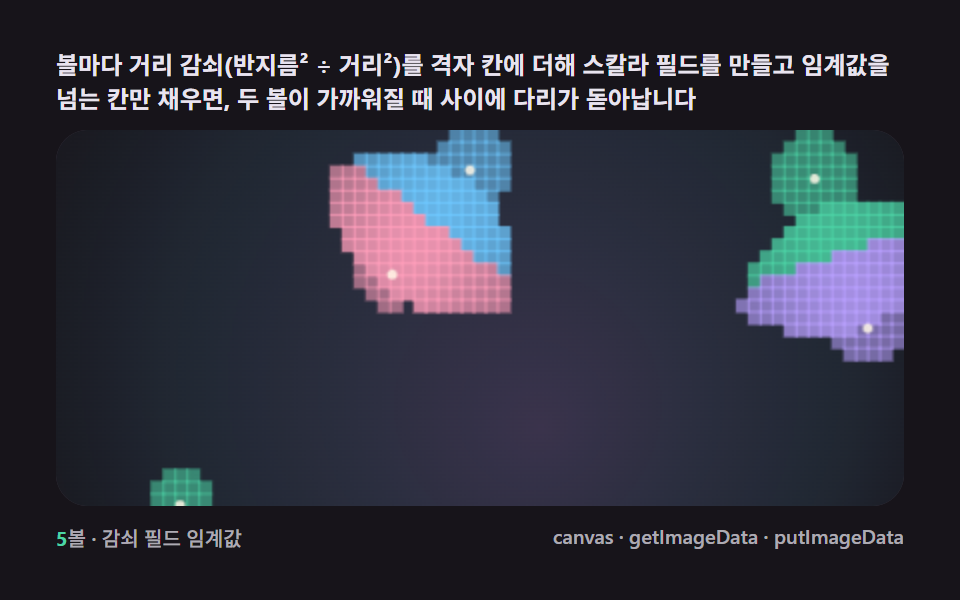 9 Metaball Effect Scenes, Marching Squares CanvasNo library, no WebGL — marching squares links grid cells whose field crosses one threshold, and blobs merge and split li See all demos in this post
If you like this effect - similar demos
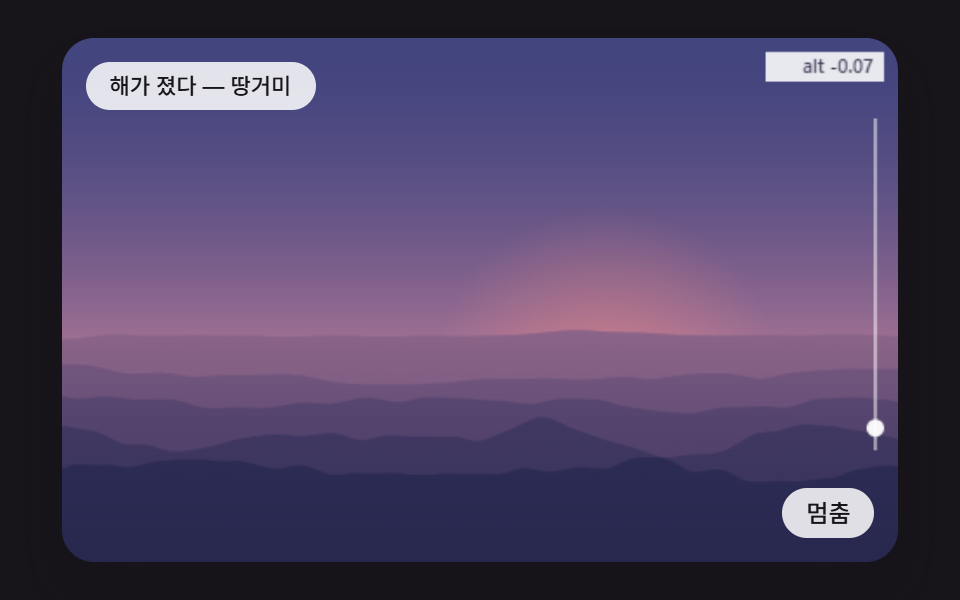 Creative UI06 Layered Ridges That Melt Into the Sky Color With DistanceCSS Sunset Gradient: 9 Demos With a Living Sky
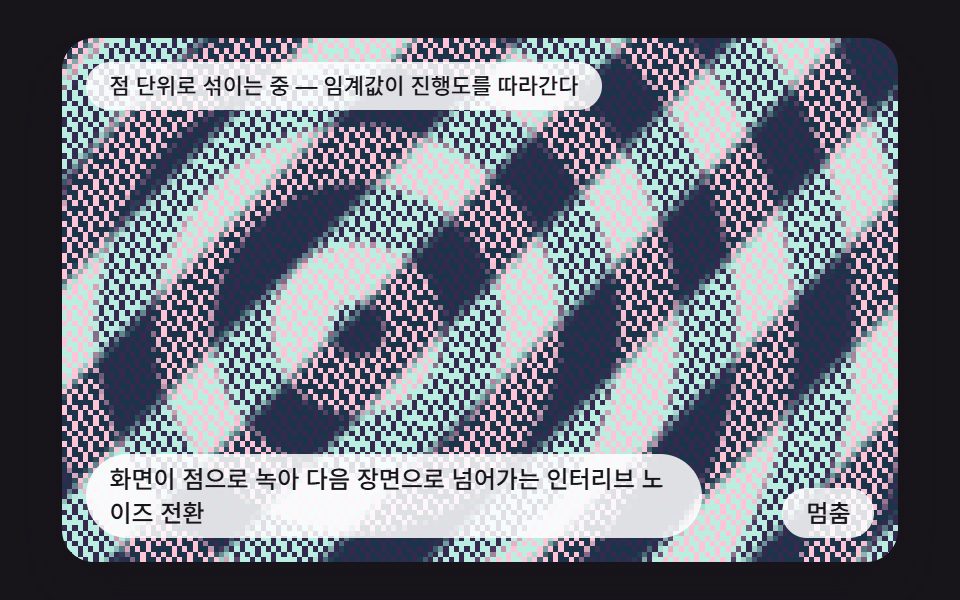 Creative UI04 An Interleaved-Noise Transition That Dissolves One Scene into the Next as DotsCSS Dither: 9 Scenes Drawn by Threshold Math
 Creative UI08 Cloud That Frays from the Edges into Dry AirCSS Cloud Animation: 9 Sky Scenes in Canvas