08Carousel That Stacks Cards Vertically as It Advances
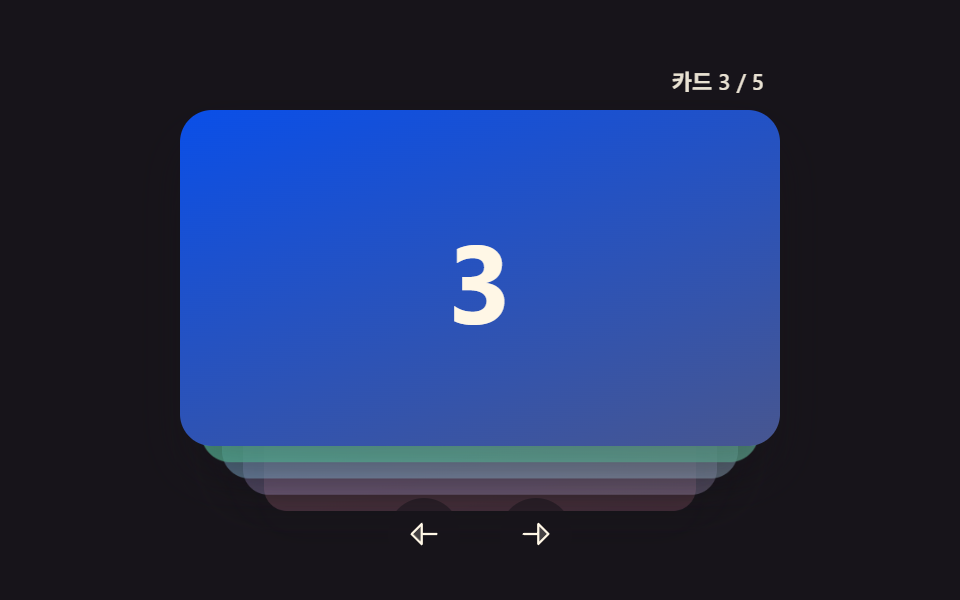
Cards stack top to bottom instead of side to side — the next card rises from below and slightly overlaps the previous one as it takes its place.
Best forStory or announcement cards on a tall, mobile-first screen
onWheelonCardClickzIndex
<main class="stage">
<section class="carousel is-demo" id="carousel" role="region" aria-roledescription="carousel" aria-label="Card carousel">
  <div class="viewport" id="viewport" tabindex="0">
    <div class="stack" id="stack">
      <div class="card card--0" data-i="0"><span class="num">1</span></div>
      <div class="card card--1" data-i="1"><span class="num">2</span></div>
      <div class="card card--2" data-i="2"><span class="num">3</span></div>
      <div class="card card--3" data-i="3"><span class="num">4</span></div>
      <div class="card card--4" data-i="4"><span class="num">5</span></div>
    </div>
  </div>
  <button type="button" class="navBtn navBtn--prev" id="prevBtn" aria-label="Previous card">
    <svg viewBox="0 0 256 256" width="18" height="18" aria-hidden="true"><g fill="currentColor"><path d="M112 56v144l-72-72Z" opacity=".2"/><path d="M216 120h-96V56a8 8 0 0 0-13.66-5.66l-72 72a8 8 0 0 0 0 11.32l72 72A8 8 0 0 0 120 200v-64h96a8 8 0 0 0 0-16m-112 60.69L51.31 128L104 75.31Z"/></g></svg>
  </button>
  <button type="button" class="navBtn navBtn--next" id="nextBtn" aria-label="Next card">
    <svg viewBox="0 0 256 256" width="18" height="18" aria-hidden="true"><g fill="currentColor"><path d="m216 128l-72 72V56Z" opacity=".2"/><path d="m221.66 122.34l-72-72A8 8 0 0 0 136 56v64H40a8 8 0 0 0 0 16h96v64a8 8 0 0 0 13.66 5.66l72-72a8 8 0 0 0 0-11.32M152 180.69V75.31L204.69 128Z"/></g></svg>
  </button>
  <div class="readout" id="readout" aria-live="polite"></div>
</section>
</main>
@use "../../../../site/static/demo-tokens" as *;
// 변수 3개
$duration: $dur-base;
$easing: $ease-out;
$color: $subject-lilac;
// 계산 겹: index.html 의 render() 가 스택 깊이(depth)를 translateY·scale·opacity·z-index 로
// 매 회전마다 산술 변환한다 — 바닥값(STACK_*_FLOOR)에 수렴하는 비선형 매핑이다.
@include stage($stage-ink);
.carousel {
position: relative;
width: 300px;
}
.viewport {
position: relative;
width: 300px;
height: 190px;
border-radius: $r-card;
overflow: visible;
outline: none;
}
.stack {
position: relative;
width: 100%;
height: 168px;
}
.card {
position: absolute;
top: 0;
left: 0;
width: 100%;
height: 100%;
border-radius: $r-card;
display: grid;
place-items: center;
box-shadow: $shadow-raised;
transition: transform $duration $easing, opacity $duration $easing;
will-change: transform, opacity;
cursor: pointer;
.num {
font-weight: 700;
font-size: 56px;
line-height: 1;
}
}
.card--0 { background: linear-gradient(160deg, $subject-lilac, #bdb3da); .num { color: $subject-ink; } }
.card--1 { background: linear-gradient(160deg, $subject-pink, #d97fa0); .num { color: $subject-ink; } }
.card--2 { background: linear-gradient(160deg, $subject-blue-deep, #475690); .num { color: $subject-cream; } }
.card--3 { background: linear-gradient(160deg, $subject-mint, #63b299); .num { color: $subject-ink; } }
.card--4 { background: linear-gradient(160deg, $subject-sky, #9cb8ce); .num { color: $subject-ink; } }
.navBtn {
position: absolute;
bottom: -($sp-10);
width: 36px;
height: 36px;
border-radius: $r-pill;
border: none;
display: grid;
place-items: center;
background: rgba($stage-ink, .6);
color: $subject-cream;
cursor: pointer;
z-index: 10;
&:focus-visible { outline: 2px solid $color; outline-offset: 2px; }
}
.navBtn--prev { left: calc(50% - 46px); }
.navBtn--next { left: calc(50% + 10px); }
.readout {
position: absolute;
right: 0;
top: -($sp-6);
padding: $sp-1 $sp-2;
border-radius: $r-pill;
background: rgba($stage-ink, .6);
color: rgba($subject-cream, .9);
font-size: 11px;
font-weight: 600;
line-height: 1;
font-variant-numeric: tabular-nums;
z-index: 10;
}
@media (max-width: 340px) {
// 320px 렌더 높이(BD9) 여유가 좁아 세로 폭을 줄인다 — navBtn·readout 오프셋도 함께 줄여야
// scrollHeight 가 창을 넘지 않는다(overflow:hidden 이어도 scrollHeight 는 그대로 잡힌다).
.carousel { width: 220px; }
.viewport { width: 220px; height: 130px; }
.stack { height: 114px; }
.card .num { font-size: 32px; }
.navBtn { width: 28px; height: 28px; bottom: -($sp-6); }
.navBtn--prev { left: calc(50% - 40px); }
.navBtn--next { left: calc(50% + 6px); }
.readout { top: -($sp-4); }
}
@media (prefers-reduced-motion: reduce) {
// 실사용 경로 적용 — 카드 클릭·휠·키보드·버튼은 index.html 이 그대로 깊이 계산을 돌린다.
// scss 만: 카드 transform·opacity 전환을 꺼서 순간 전환으로 바꾼다.
.card { transition: none; }
.navBtn { transition: none; }
}html, body {
margin: 0;
overflow: hidden;
}
.stage {
box-sizing: border-box;
min-height: 100vh;
display: grid;
place-items: center;
margin: 0;
background: #17141a;
font-family: -apple-system, "Segoe UI", "Noto Sans KR", sans-serif;
padding: clamp(8px, 4vw, 24px);
}
.carousel {
position: relative;
width: 300px;
}
.viewport {
position: relative;
width: 300px;
height: 190px;
border-radius: 16px;
overflow: visible;
outline: none;
}
.stack {
position: relative;
width: 100%;
height: 168px;
}
.card {
position: absolute;
top: 0;
left: 0;
width: 100%;
height: 100%;
border-radius: 16px;
display: grid;
place-items: center;
box-shadow: 0 14px 24px rgba(23, 20, 26, 0.32);
transition: transform 300ms ease-out, opacity 300ms ease-out;
will-change: transform, opacity;
cursor: pointer;
}
.card .num {
font-weight: 700;
font-size: 56px;
line-height: 1;
}
.card--0 {
background: linear-gradient(160deg, #b9a0ff, #bdb3da);
}
.card--0 .num {
color: #17141a;
}
.card--1 {
background: linear-gradient(160deg, #ff9ebb, #d97fa0);
}
.card--1 .num {
color: #17141a;
}
.card--2 {
background: linear-gradient(160deg, #0a4fe8, #475690);
}
.card--2 .num {
color: #fff7e6;
}
.card--3 {
background: linear-gradient(160deg, #4cd4a6, #63b299);
}
.card--3 .num {
color: #17141a;
}
.card--4 {
background: linear-gradient(160deg, #6ec8ff, #9cb8ce);
}
.card--4 .num {
color: #17141a;
}
.navBtn {
position: absolute;
bottom: -40px;
width: 36px;
height: 36px;
border-radius: 999px;
border: none;
display: grid;
place-items: center;
background: rgba(23, 20, 26, 0.6);
color: #fff7e6;
cursor: pointer;
z-index: 10;
}
.navBtn:focus-visible {
outline: 2px solid #b9a0ff;
outline-offset: 2px;
}
.navBtn--prev {
left: calc(50% - 46px);
}
.navBtn--next {
left: calc(50% + 10px);
}
.readout {
position: absolute;
right: 0;
top: -24px;
padding: 4px 8px;
border-radius: 999px;
background: rgba(23, 20, 26, 0.6);
color: rgba(255, 247, 230, 0.9);
font-size: 11px;
font-weight: 600;
line-height: 1;
font-variant-numeric: tabular-nums;
z-index: 10;
}
@media (max-width: 340px) {
.carousel {
width: 220px;
}
.viewport {
width: 220px;
height: 130px;
}
.stack {
height: 114px;
}
.card .num {
font-size: 32px;
}
.navBtn {
width: 28px;
height: 28px;
bottom: -24px;
}
.navBtn--prev {
left: calc(50% - 40px);
}
.navBtn--next {
left: calc(50% + 6px);
}
.readout {
top: -16px;
}
}
@media (prefers-reduced-motion: reduce) {
.card {
transition: none;
}
.navBtn {
transition: none;
}
}(function () {
var TOTAL = 5;
var STACK_STEP_Y = 14; // 깊이 1단마다 밀어내는 translateY(px)
var STACK_SCALE_STEP = 0.07;
var STACK_SCALE_FLOOR = 0.72;
var STACK_OPACITY_STEP = 0.2;
var STACK_OPACITY_FLOOR = 0.25;
var WHEEL_COOLDOWN_MS = 420;
var DEMO_HOLD_MS = 480;
var carousel = document.getElementById('carousel');
var viewport = document.getElementById('viewport');
var stack = document.getElementById('stack');
var cards = Array.prototype.slice.call(stack.querySelectorAll('.card'));
var readout = document.getElementById('readout');
var prevBtn = document.getElementById('prevBtn');
var nextBtn = document.getElementById('nextBtn');
var reduce = window.matchMedia('(prefers-reduced-motion: reduce)').matches;
var LABEL_PREFIX = 'Card ';
var LABEL_SEP = ' / ';
// order[d] = 깊이 d(0=맨 앞) 에 있는 카드의 원래 인덱스
var order = [0, 1, 2, 3, 4];
var lastWheel = 0;
var demoTimers = [];
// 계산 겹 — 깊이 d 를 translateY·scale·opacity·z-index 로 매핑한다(선형이 아니라 바닥값으로 수렴).
function render() {
order.forEach(function (cardIdx, depth) {
var el = cards[cardIdx];
var y = depth * STACK_STEP_Y;
var scale = Math.max(STACK_SCALE_FLOOR, 1 - depth * STACK_SCALE_STEP);
var opacity = Math.max(STACK_OPACITY_FLOOR, 1 - depth * STACK_OPACITY_STEP);
el.style.transform = 'translate3d(0,' + y.toFixed(1) + 'px,0) scale(' + scale.toFixed(3) + ')';
el.style.opacity = opacity.toFixed(2);
el.style.zIndex = String(TOTAL - depth);
});
readout.textContent = LABEL_PREFIX + (order[0] + 1) + LABEL_SEP + TOTAL;
}
function rotate(dir) {
if (dir > 0) order.push(order.shift());
else order.unshift(order.pop());
render();
}
function human() {
if (carousel.classList.contains('is-demo')) {
carousel.classList.remove('is-demo');
demoTimers.forEach(function (t) { clearTimeout(t); });
demoTimers = [];
}
}
function onCardClick(e) {
var el = e.target.closest('.card');
if (!el || cards.indexOf(el) !== order[0]) return; // 맨 앞 카드를 눌렀을 때만 넘긴다
human();
rotate(1);
}
function onWheel(e) {
var now = performance.now();
if (now - lastWheel < WHEEL_COOLDOWN_MS) { e.preventDefault(); return; }
lastWheel = now;
human();
rotate(e.deltaY > 0 ? 1 : -1);
e.preventDefault();
}
function onKeydown(e) {
if (e.key === 'ArrowRight' || e.key === 'ArrowDown') { human(); rotate(1); e.preventDefault(); }
else if (e.key === 'ArrowLeft' || e.key === 'ArrowUp') { human(); rotate(-1); e.preventDefault(); }
}
stack.addEventListener('click', onCardClick);
viewport.addEventListener('wheel', onWheel, { passive: false });
viewport.addEventListener('keydown', onKeydown);
prevBtn.addEventListener('click', function () { human(); rotate(-1); });
nextBtn.addEventListener('click', function () { human(); rotate(1); });
// reduce: 실사용 경로 적용 — Card 클릭·휠·키보드·버튼은 위 리스너가 그대로 깊이 계산을 돌린다.
// 아래 demoCycle() 은 시연 게이트만이고 reduce 에서는 돌지 않는다.
function demoCycle(i) {
if (!carousel.classList.contains('is-demo')) return;
rotate(1);
demoTimers.push(setTimeout(function () { demoCycle(i + 1); }, DEMO_HOLD_MS));
}
function init() {
render();
if (!reduce) demoCycle(0);
}
init();
})();import { useEffect, useRef } from 'react';
import styles from './CarouselVerticalStack.module.scss';
// 상수 — vanilla demo 08 (run/384/demo/08-carousel-slide-vertical-stack/index.html) 과 동일
const TOTAL = 5;
const STACK_STEP_Y = 14; // 깊이 1단마다 밀어내는 translateY(px)
const STACK_SCALE_STEP = 0.07;
const STACK_SCALE_FLOOR = 0.72;
const STACK_OPACITY_STEP = 0.2;
const STACK_OPACITY_FLOOR = 0.25;
const WHEEL_COOLDOWN_MS = 420;
const DEMO_HOLD_MS = 480;
const LABEL_PREFIX = '카드 ';
const LABEL_SEP = ' / ';
export default function CarouselVerticalStack() {
const carouselRef = useRef<HTMLElement>(null);
useEffect(() => {
const carousel = carouselRef.current;
if (!carousel) return undefined;
const viewport = carousel.querySelector<HTMLDivElement>('.' + styles.viewport);
const stack = carousel.querySelector<HTMLDivElement>('.' + styles.stack);
const readout = carousel.querySelector<HTMLDivElement>('.' + styles.readout);
const prevBtn = carousel.querySelector<HTMLButtonElement>('.' + styles['navBtn--prev']);
const nextBtn = carousel.querySelector<HTMLButtonElement>('.' + styles['navBtn--next']);
if (!viewport || !stack || !readout || !prevBtn || !nextBtn) return undefined;
const cards = Array.prototype.slice.call(
stack.querySelectorAll<HTMLDivElement>('.' + styles.card)
) as HTMLDivElement[];
// order[d] = 깊이 d(0=맨 앞) 에 있는 카드의 원래 인덱스
let order = [0, 1, 2, 3, 4];
let lastWheel = 0;
let demoTimers: number[] = [];
// 계산 겹 — 깊이 d 를 translateY·scale·opacity·z-index 로 매핑한다(선형이 아니라 바닥값으로 수렴).
function render() {
order.forEach((cardIdx, depth) => {
const el = cards[cardIdx];
const y = depth * STACK_STEP_Y;
const scale = Math.max(STACK_SCALE_FLOOR, 1 - depth * STACK_SCALE_STEP);
const opacity = Math.max(STACK_OPACITY_FLOOR, 1 - depth * STACK_OPACITY_STEP);
el.style.transform = 'translate3d(0,' + y.toFixed(1) + 'px,0) scale(' + scale.toFixed(3) + ')';
el.style.opacity = opacity.toFixed(2);
el.style.zIndex = String(TOTAL - depth);
});
readout!.textContent = LABEL_PREFIX + (order[0] + 1) + LABEL_SEP + TOTAL;
}
function rotate(dir: number) {
if (dir > 0) order.push(order.shift()!);
else order.unshift(order.pop()!);
render();
}
function human() {
if (carousel!.classList.contains(styles['is-demo'])) {
carousel!.classList.remove(styles['is-demo']);
demoTimers.forEach((t) => window.clearTimeout(t));
demoTimers = [];
}
}
function onCardClick(e: MouseEvent) {
const target = e.target as HTMLElement;
const el = target.closest<HTMLDivElement>('.' + styles.card);
if (!el || cards.indexOf(el) !== order[0]) return; // 맨 앞 카드를 눌렀을 때만 넘긴다
human();
rotate(1);
}
function onWheel(e: WheelEvent) {
const now = performance.now();
if (now - lastWheel < WHEEL_COOLDOWN_MS) { e.preventDefault(); return; }
lastWheel = now;
human();
rotate(e.deltaY > 0 ? 1 : -1);
e.preventDefault();
}
function onKeydown(e: KeyboardEvent) {
if (e.key === 'ArrowRight' || e.key === 'ArrowDown') { human(); rotate(1); e.preventDefault(); }
else if (e.key === 'ArrowLeft' || e.key === 'ArrowUp') { human(); rotate(-1); e.preventDefault(); }
}
function onPrev() { human(); rotate(-1); }
function onNext() { human(); rotate(1); }
stack.addEventListener('click', onCardClick);
viewport.addEventListener('wheel', onWheel, { passive: false });
viewport.addEventListener('keydown', onKeydown);
prevBtn.addEventListener('click', onPrev);
nextBtn.addEventListener('click', onNext);
const reduce = window.matchMedia('(prefers-reduced-motion: reduce)').matches;
// reduce: 실사용 경로 적용 — 카드 클릭·휠·키보드·버튼은 위 리스너가 그대로 깊이 계산을 돌린다.
// 아래 demoCycle() 은 시연 게이트만이고 reduce 에서는 돌지 않는다.
function demoCycle(i: number) {
if (!carousel!.classList.contains(styles['is-demo'])) return;
rotate(1);
demoTimers.push(window.setTimeout(() => demoCycle(i + 1), DEMO_HOLD_MS));
}
render();
if (!reduce) demoCycle(0);
return () => {
stack.removeEventListener('click', onCardClick);
viewport.removeEventListener('wheel', onWheel);
viewport.removeEventListener('keydown', onKeydown);
prevBtn.removeEventListener('click', onPrev);
nextBtn.removeEventListener('click', onNext);
demoTimers.forEach((t) => window.clearTimeout(t));
};
}, []);
return (
<main className={styles.stage}>
<section
className={styles.carousel + ' ' + styles['is-demo']}
ref={carouselRef}
role="region"
aria-roledescription="carousel"
aria-label="카드 캐러셀"
>
<div className={styles.viewport} tabIndex={0}>
<div className={styles.stack}>
<div className={styles.card + ' ' + styles['card--0']} data-i={0}><span className={styles.num}>1</span></div>
<div className={styles.card + ' ' + styles['card--1']} data-i={1}><span className={styles.num}>2</span></div>
<div className={styles.card + ' ' + styles['card--2']} data-i={2}><span className={styles.num}>3</span></div>
<div className={styles.card + ' ' + styles['card--3']} data-i={3}><span className={styles.num}>4</span></div>
<div className={styles.card + ' ' + styles['card--4']} data-i={4}><span className={styles.num}>5</span></div>
</div>
</div>
<button type="button" className={styles.navBtn + ' ' + styles['navBtn--prev']} aria-label="이전 카드">
<svg viewBox="0 0 256 256" width={18} height={18} aria-hidden="true"><g fill="currentColor"><path d="M112 56v144l-72-72Z" opacity=".2" /><path d="M216 120h-96V56a8 8 0 0 0-13.66-5.66l-72 72a8 8 0 0 0 0 11.32l72 72A8 8 0 0 0 120 200v-64h96a8 8 0 0 0 0-16m-112 60.69L51.31 128L104 75.31Z" /></g></svg>
</button>
<button type="button" className={styles.navBtn + ' ' + styles['navBtn--next']} aria-label="다음 카드">
<svg viewBox="0 0 256 256" width={18} height={18} aria-hidden="true"><g fill="currentColor"><path d="m216 128l-72 72V56Z" opacity=".2" /><path d="m221.66 122.34l-72-72A8 8 0 0 0 136 56v64H40a8 8 0 0 0 0 16h96v64a8 8 0 0 0 13.66 5.66l72-72a8 8 0 0 0 0-11.32M152 180.69V75.31L204.69 128Z" /></g></svg>
</button>
<div className={styles.readout} aria-live="polite"></div>
</section>
</main>
);
}08 Carousel That Stacks Cards Vertically as It Advances — Measured area 40.394% · moving frames 18/23Original by GODRICH · SCSS and React ship in the zip · Carousel Slider UI Design — 9 Transitions
The post this demo lives in
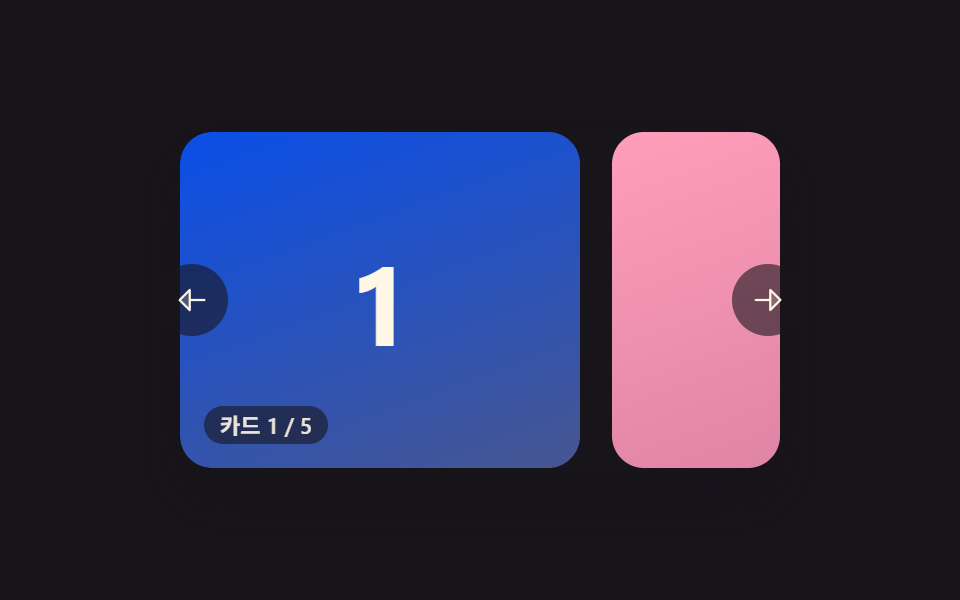 Carousel Slider UI Design — 9 TransitionsAmong nine carousel slider transitions, one glides on from inertia as a card advances, one snaps back like a rubber band See all demos in this post
If you like this effect - similar demos
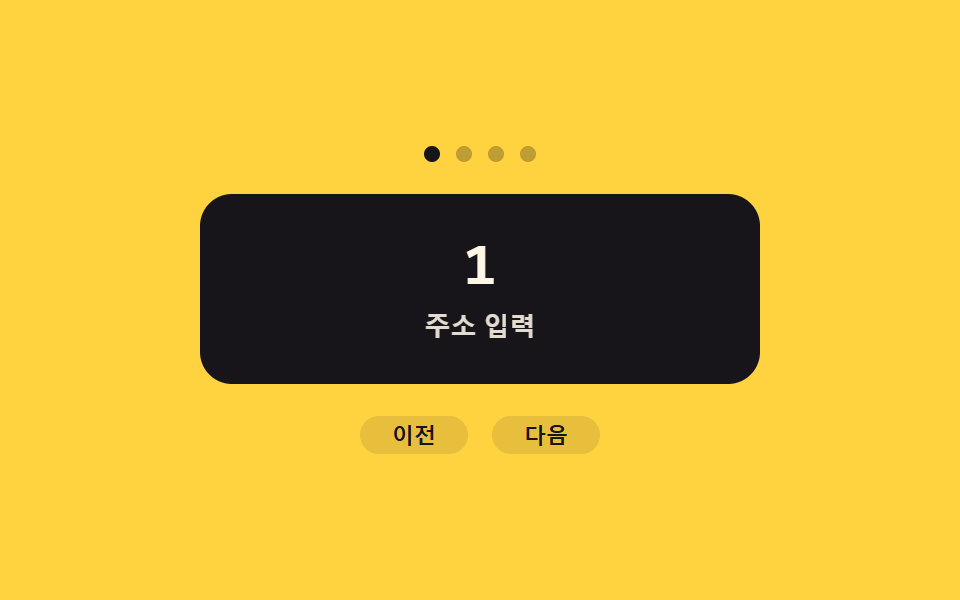 Transitions06 Slide Transition That Flips by Reading a Direction ValueView Transitions API: 9 Patterns by One Value
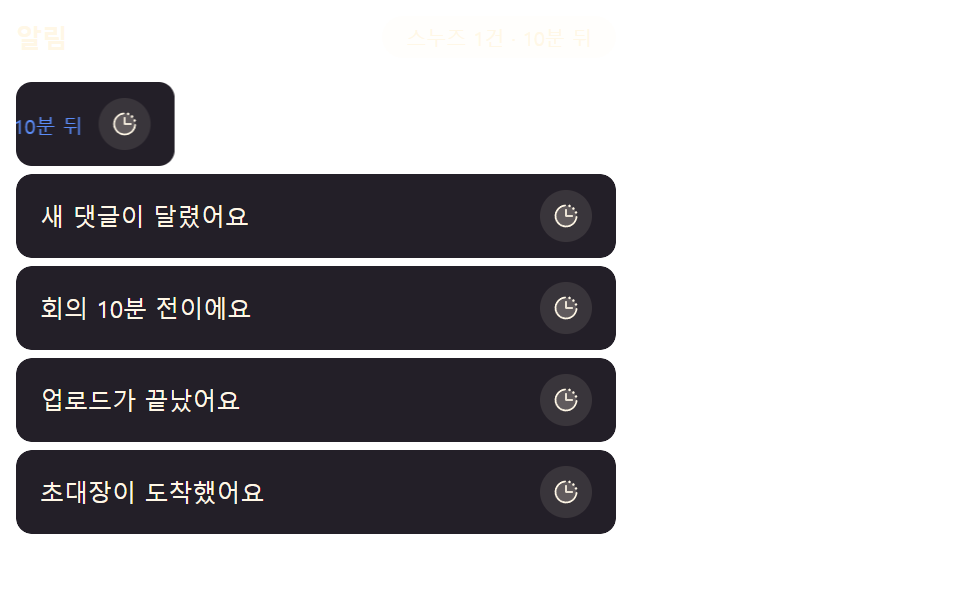 Transitions05 Snooze Item That Steps Aside by a Push-distance ValueNotification Animation CSS: 9 Panel UI Patterns
 Transitions07 Vertical Separator That Never Leads a Wrapped RowCSS Divider: 9 Demos That Compute the Line Shape