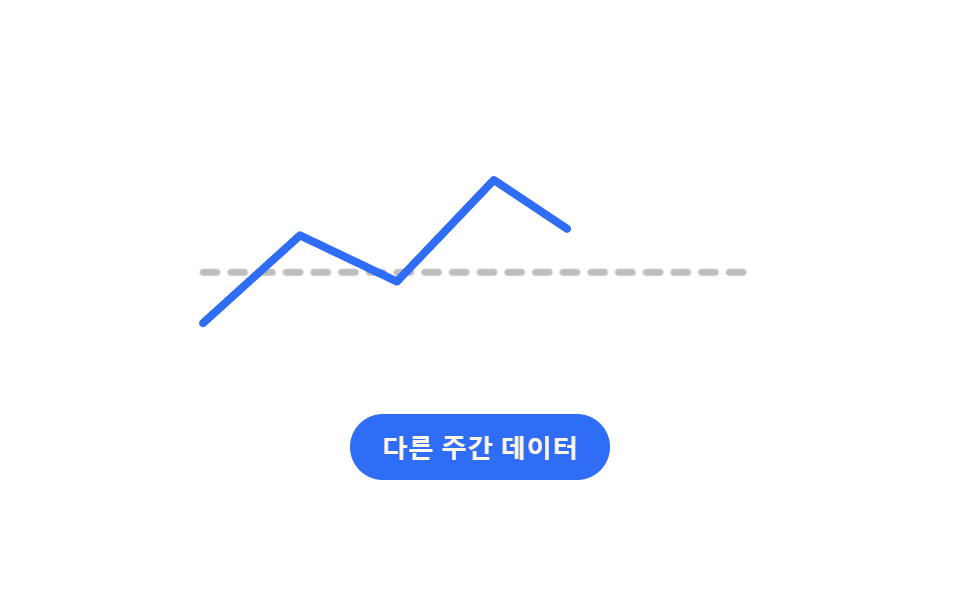
02Line Chart Loading Whose Flat Placeholder Unspools Into the Real Path
A flat dashed line runs first, and once real values arrive, the path's total length is measured to work out how long it takes to draw, unfolding into the jagged real line.
Best forA place where a monthly-trend line chart waits before its data lands
getTotalLengthstroke-dasharraygetAnimations
<main class="stage">
<div class="cl is-demo" id="cl">
  <svg class="cl__svg" id="clSvg" viewBox="0 0 260 110" role="img" aria-label="Weekly visitor trend line chart" aria-busy="true">
    <path class="cl__flat" id="clFlat" d="M10,66 L250,66" />
    <path class="cl__real" id="clReal" d="M10,88 L52,50 L94,70 L136,26 L178,54 L220,16 L250,34" />
  </svg>
  <button type="button" class="cl__reload" id="clReload">Different week's data</button>
</div>
</main>
@use "../../../../site/static/demo-tokens" as *;
// 변수 3개
$duration: $dur-loop;
$easing: $ease-out;
$color: $subject-blue;
@include stage($stage-paper);
.cl { width: min(300px, 88vw); }
.cl__svg { width: 100%; height: auto; overflow: visible; }
.cl__flat {
fill: none; stroke: rgba($subject-ink, .28); stroke-width: 3; stroke-dasharray: 6 6;
stroke-linecap: round; animation: clFlatFade $duration $easing infinite;
}
.cl__real {
fill: none; stroke: $color; stroke-width: 3.5; stroke-linecap: round; stroke-linejoin: round;
}
.cl__reload {
display: block; margin: $sp-4 auto 0; appearance: none; border: none; cursor: pointer;
background: $subject-blue; color: $subject-cream; font-weight: 700; font-size: 13px;
padding: $sp-2 $sp-4; border-radius: $r-pill;
}
.cl__reload:focus-visible { outline: 2px solid $subject-ink; outline-offset: 2px; }
@keyframes clFlatFade {
0% { opacity: 1; }
12% { opacity: 1; }
20% { opacity: 0; }
82% { opacity: 0; }
92% { opacity: 1; }
100% { opacity: 1; }
}
@media (max-width: 340px) {
.cl { width: min(250px, 84vw); }
}
@media (prefers-reduced-motion: reduce) {
// 실사용 경로 적용: 자동 루프를 멈추고 완성된 실제 경로만 보인다
.cl__flat { animation: none; opacity: 0; }
.cl__real { stroke-dashoffset: 0 !important; animation: none !important; }
}html, body {
margin: 0;
overflow: hidden;
}
.stage {
box-sizing: border-box;
min-height: 100vh;
display: grid;
place-items: center;
margin: 0;
background: #ffffff;
font-family: -apple-system, "Segoe UI", "Noto Sans KR", sans-serif;
padding: clamp(8px, 4vw, 24px);
}
.cl {
width: min(300px, 88vw);
}
.cl__svg {
width: 100%;
height: auto;
overflow: visible;
}
.cl__flat {
fill: none;
stroke: rgba(23, 20, 26, 0.28);
stroke-width: 3;
stroke-dasharray: 6 6;
stroke-linecap: round;
animation: clFlatFade 2s ease-out infinite;
}
.cl__real {
fill: none;
stroke: #2f6df6;
stroke-width: 3.5;
stroke-linecap: round;
stroke-linejoin: round;
}
.cl__reload {
display: block;
margin: 16px auto 0;
appearance: none;
border: none;
cursor: pointer;
background: #2f6df6;
color: #fff7e6;
font-weight: 700;
font-size: 13px;
padding: 8px 16px;
border-radius: 999px;
}
.cl__reload:focus-visible {
outline: 2px solid #17141a;
outline-offset: 2px;
}
@keyframes clFlatFade {
0% {
opacity: 1;
}
12% {
opacity: 1;
}
20% {
opacity: 0;
}
82% {
opacity: 0;
}
92% {
opacity: 1;
}
100% {
opacity: 1;
}
}
@media (max-width: 340px) {
.cl {
width: min(250px, 84vw);
}
}
@media (prefers-reduced-motion: reduce) {
.cl__flat {
animation: none;
opacity: 0;
}
.cl__real {
stroke-dashoffset: 0 !important;
animation: none !important;
}
}(function () {
var SETS = [
'M10,88 L52,50 L94,70 L136,26 L178,54 L220,16 L250,34',
'M10,40 L52,74 L94,30 L136,58 L178,20 L220,48 L250,12'
];
var PX_PER_PCT = 6; // 계산 상수: 길이 6px 마다 그리기 구간 1% 를 배정한다
var root = document.getElementById('cl');
var svg = document.getElementById('clSvg');
var flat = document.getElementById('clFlat');
var real = document.getElementById('clReal');
var reload = document.getElementById('clReload');
var setIndex = 0;
var styleTag = document.createElement('style');
document.head.appendChild(styleTag);
// 계산 겹: 선의 전체 길이(getTotalLength)로 그려지는 데 필요한 구간(%)을 정한다 — 길수록 오래 그려진다
function drawPercent(len) { return Math.max(20, Math.min(48, Math.round(len / PX_PER_PCT))); }
function prepare() {
var len = Math.round(real.getTotalLength());
var pct = drawPercent(len);
real.style.strokeDasharray = String(len);
real.style.strokeDashoffset = String(len);
styleTag.textContent =
'@keyframes clDraw {' +
'0%{stroke-dashoffset:' + len + ';}' +
'14%{stroke-dashoffset:' + len + ';}' +
pct + '%{stroke-dashoffset:0;}' +
'86%{stroke-dashoffset:0;}' +
'100%{stroke-dashoffset:' + len + ';}}';
real.style.animation = 'clDraw 2000ms ease-in-out infinite';
return { len: len, pct: pct };
}
var info = prepare();
function human() {
root.classList.remove('is-demo');
setIndex = (setIndex + 1) % SETS.length;
real.setAttribute('d', SETS[setIndex]);
real.getAnimations().forEach(function (a) { a.cancel(); });
var meta = prepare();
real.style.animation = 'none';
svg.setAttribute('aria-busy', 'true');
real.animate(
[{ strokeDashoffset: meta.len }, { strokeDashoffset: 0 }],
{ duration: 260 + meta.len * 4, easing: 'ease-in-out', fill: 'forwards' }
).finished.then(function () { svg.setAttribute('aria-busy', 'false'); });
}
reload.addEventListener('click', human);
reload.addEventListener('keydown', function (e) {
if (e.key === 'Enter' || e.key === ' ') { e.preventDefault(); human(); }
});
// 실제 브라우저 재생에서는 주기마다 aria-busy 를 실제로 오르내린다 (렌더 캡처는 실시간을 다 안 쓴다)
window.setInterval(function () {
if (!root.classList.contains('is-demo')) return;
svg.setAttribute('aria-busy', 'true');
window.setTimeout(function () { svg.setAttribute('aria-busy', 'false'); }, 300);
}, 2000);
}());import { useEffect, useRef } from 'react';
import styles from './ChartLoadingLinePathReveal.module.scss';
const SETS = [
'M10,88 L52,50 L94,70 L136,26 L178,54 L220,16 L250,34',
'M10,40 L52,74 L94,30 L136,58 L178,20 L220,48 L250,12'
];
const PX_PER_PCT = 6; // 계산 상수: 길이 6px 마다 그리기 구간 1% 를 배정한다
export default function ChartLoadingLinePathReveal() {
const rootRef = useRef<HTMLDivElement>(null);
const svgRef = useRef<SVGSVGElement>(null);
const realRef = useRef<SVGPathElement>(null);
const reloadRef = useRef<HTMLButtonElement>(null);
useEffect(() => {
const root = rootRef.current;
const svg = svgRef.current;
const real = realRef.current;
const reload = reloadRef.current;
if (!root || !svg || !real || !reload) return undefined;
let setIndex = 0;
const styleTag = document.createElement('style');
document.head.appendChild(styleTag);
// 계산 겹: 선의 전체 길이(getTotalLength)로 그려지는 데 필요한 구간(%)을 정한다 — 길수록 오래 그려진다
function drawPercent(len: number) { return Math.max(20, Math.min(48, Math.round(len / PX_PER_PCT))); }
function prepare() {
const len = Math.round(real!.getTotalLength());
const pct = drawPercent(len);
real!.style.strokeDasharray = String(len);
real!.style.strokeDashoffset = String(len);
styleTag.textContent =
'@keyframes clDraw {' +
'0%{stroke-dashoffset:' + len + ';}' +
'14%{stroke-dashoffset:' + len + ';}' +
pct + '%{stroke-dashoffset:0;}' +
'86%{stroke-dashoffset:0;}' +
'100%{stroke-dashoffset:' + len + ';}}';
real!.style.animation = 'clDraw 2000ms ease-in-out infinite';
return { len, pct };
}
prepare();
function human() {
root!.classList.remove(styles['is-demo']);
setIndex = (setIndex + 1) % SETS.length;
real!.setAttribute('d', SETS[setIndex]);
real!.getAnimations().forEach((a) => a.cancel());
const meta = prepare();
real!.style.animation = 'none';
svg!.setAttribute('aria-busy', 'true');
real!.animate(
[{ strokeDashoffset: meta.len }, { strokeDashoffset: 0 }],
{ duration: 260 + meta.len * 4, easing: 'ease-in-out', fill: 'forwards' }
).finished.then(() => { svg!.setAttribute('aria-busy', 'false'); });
}
function onClick() { human(); }
function onKey(e: KeyboardEvent) { if (e.key === 'Enter' || e.key === ' ') { e.preventDefault(); human(); } }
reload.addEventListener('click', onClick);
reload.addEventListener('keydown', onKey);
// 실제 브라우저 재생에서는 주기마다 aria-busy 를 실제로 오르내린다 (렌더 캡처는 실시간을 다 안 쓴다)
const timers: number[] = [];
const timer = window.setInterval(() => {
if (!root!.classList.contains(styles['is-demo'])) return;
svg!.setAttribute('aria-busy', 'true');
timers.push(window.setTimeout(() => { svg!.setAttribute('aria-busy', 'false'); }, 300));
}, 2000);
return () => {
reload.removeEventListener('click', onClick);
reload.removeEventListener('keydown', onKey);
window.clearInterval(timer);
timers.forEach((id) => window.clearTimeout(id));
styleTag.remove();
};
}, []);
return (
<main className={styles.stage}>
<div className={styles.cl + ' ' + styles['is-demo']} ref={rootRef}>
<svg className={styles.clSvg} ref={svgRef} viewBox="0 0 260 110" role="img" aria-label="주간 방문자 추이 라인 그래프" aria-busy="true">
<path className={styles.clFlat} d="M10,66 L250,66" />
<path className={styles.clReal} ref={realRef} d="M10,88 L52,50 L94,70 L136,26 L178,54 L220,16 L250,34" />
</svg>
<button type="button" className={styles.clReload} ref={reloadRef}>다른 주간 데이터</button>
</div>
</main>
);
}02 Line Chart Loading Whose Flat Placeholder Unspools Into the Real Path — Measured area 1.89% · moving frames 13/23Original by GODRICH · SCSS and React ship in the zip · Chart Loading Animation — 9 Computed Patterns
The post this demo lives in
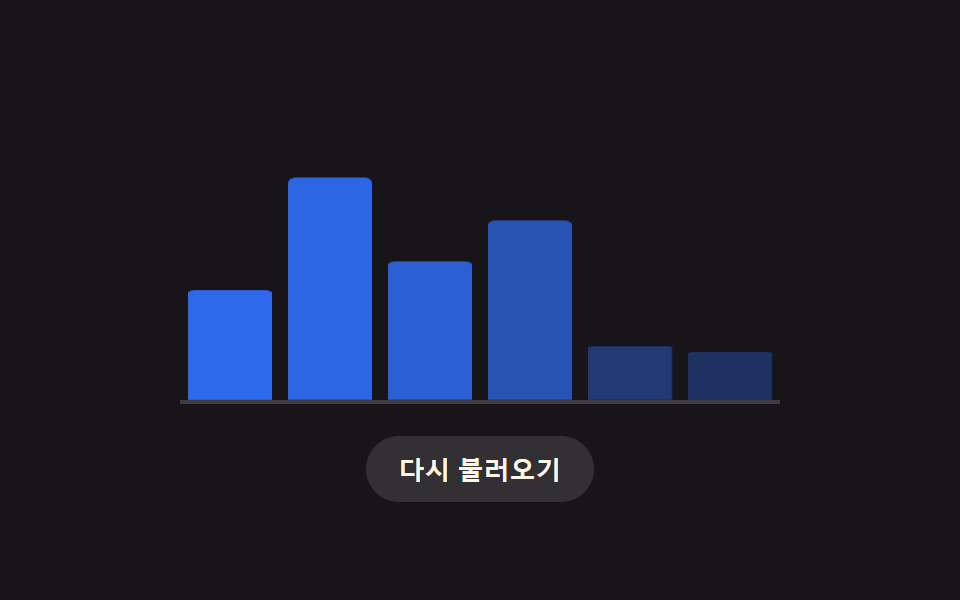 Chart Loading Animation — 9 Computed PatternsAmong nine chart loading animation patterns, a bar's delay comes from its column, a heatmap cell's from diagonal distanc See all demos in this post
If you like this effect - similar demos
 Loaders03 Button Whose Spinner Morphs Into a Success CheckmarkLoading Button UI — 9 States, Spinner to Success
 Loaders06 Success morph — the ring redraws itself into a checkFile Upload Progress Bar Loader: 9 UI Demos
 Loaders01 QR Code Whose Modules Fill In With the Progress ValueQR Code Loading Animation — 9 CSS Expiry Patterns